キャンバス メタボール アニメーション9種 — マーチングスクエアで融合する液体の塊
メタボール アニメーションは球の輪郭を滑らかにモーフィングさせる仕事ではなく、格子点ごとのスカラー場を毎フレーム計算する仕事です。ライブラリ·WebGL なし — 閾値を跨ぐ格子をつなぐマーチングスクエアひとつでブロブが液体のように融合と分離を繰り返します。
デモ
 01 metaball-field-threshold
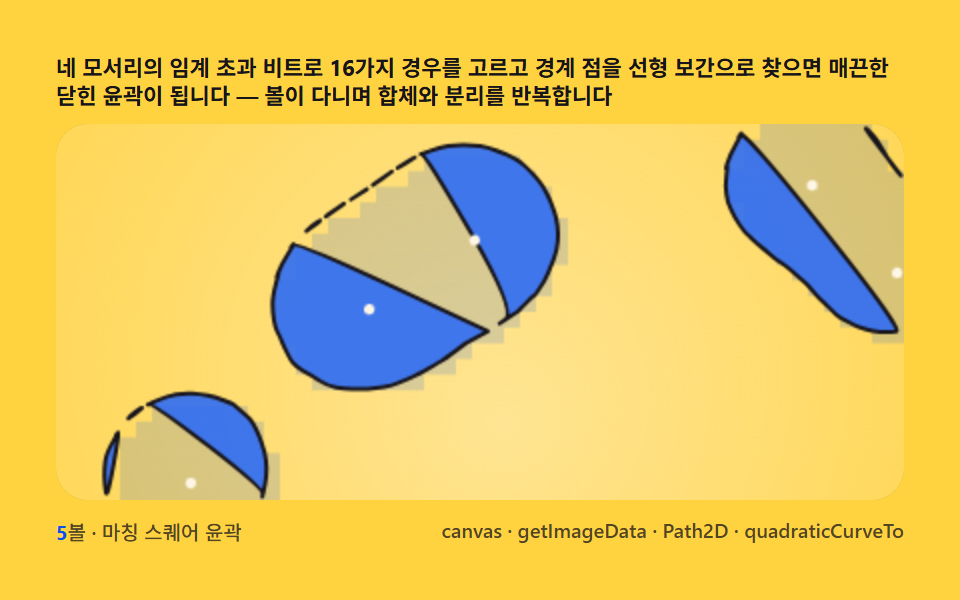 02 metaball-marching-squares
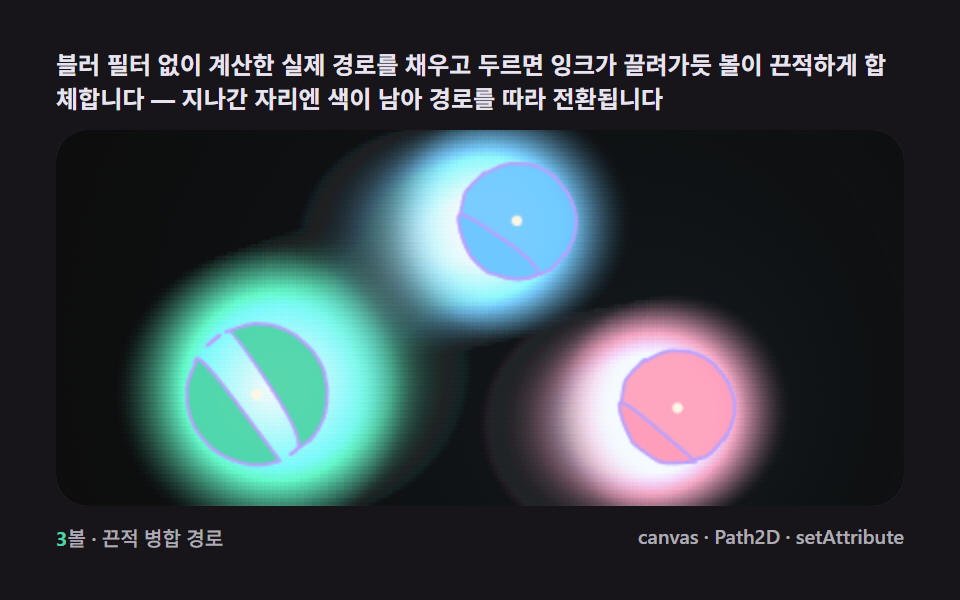 03 metaball-gooey-merge-svg
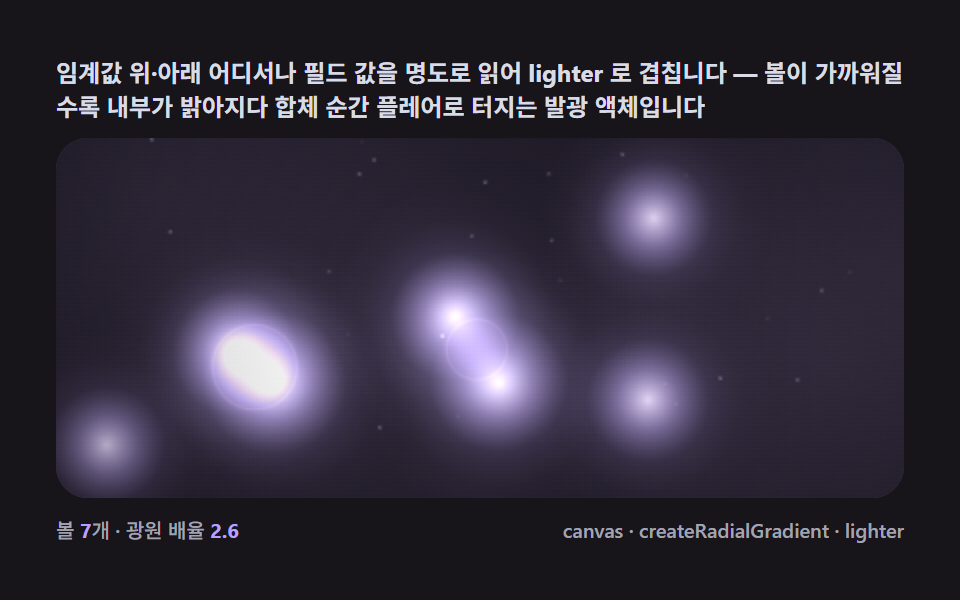 04 metaball-gradient-glow-bloom
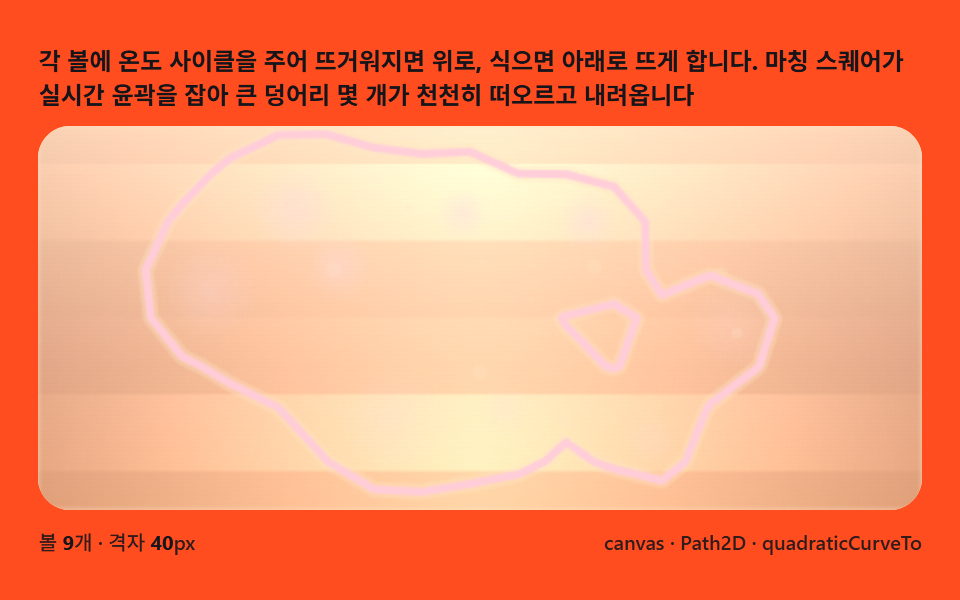 05 metaball-lava-lamp-float
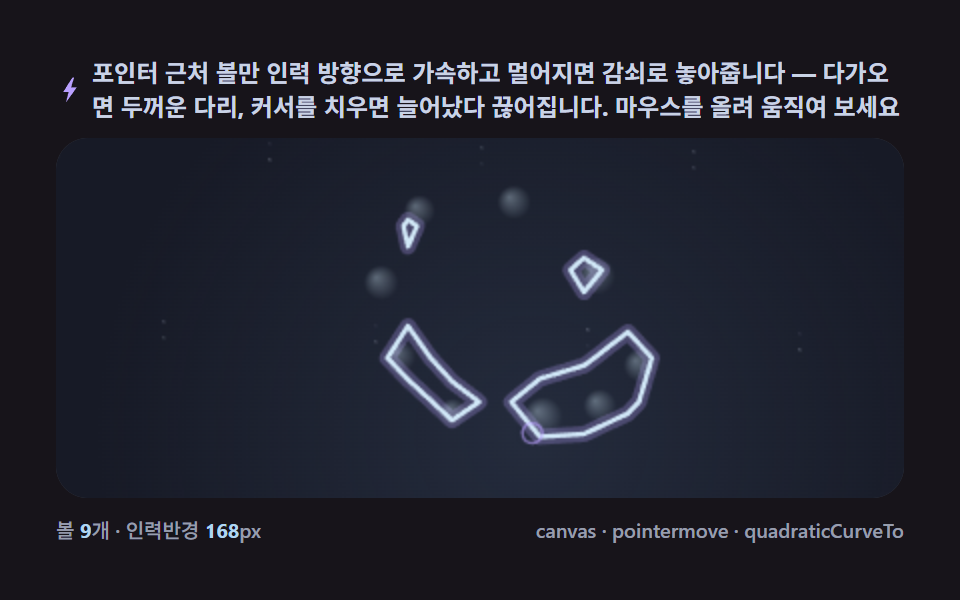 06 metaball-pointer-attract-split
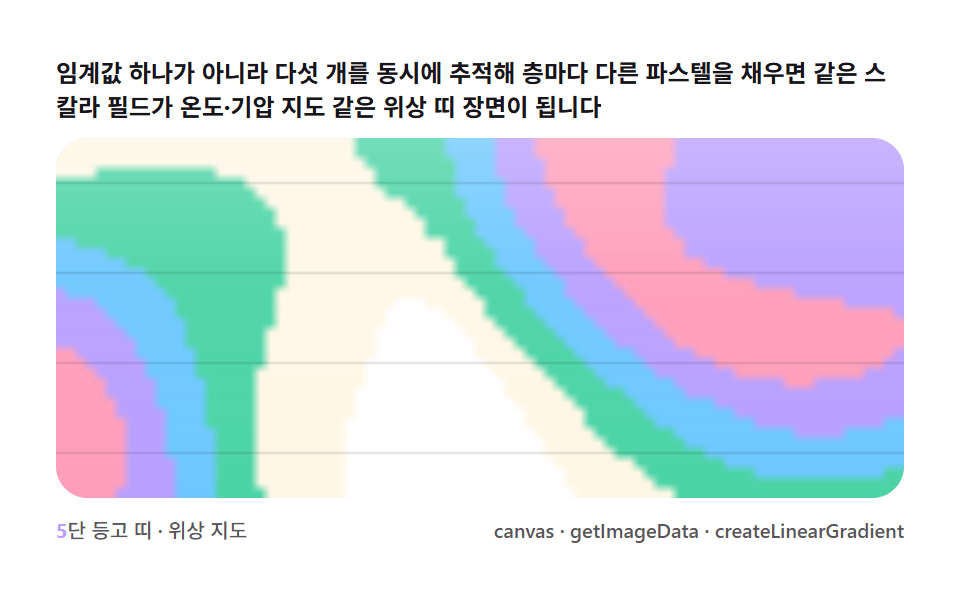 07 metaball-contour-band-topo
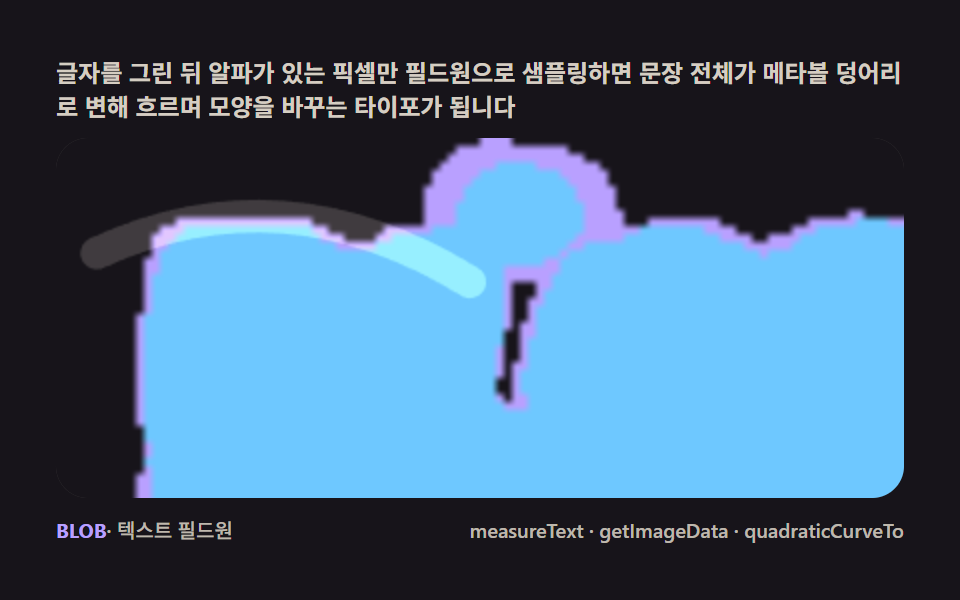 08 metaball-text-liquid-fillet
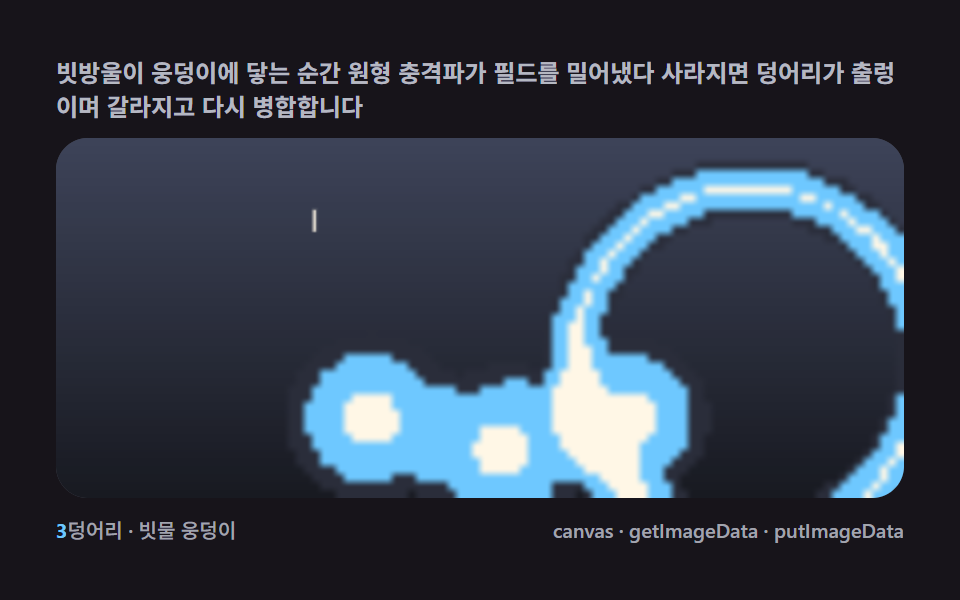 09 metaball-rain-pond-ripple-merge
自動再生 · タイルを押すとその項目へ · すべて1つのzip
- 01 フィールドひと層 — 閾値を超えるピクセルを数える最初のメタボール
- 02 マーチングスクエア — 16ケースの表で境界線をつなぐ輪郭
- 03 グーイ融合 — SVGフィルタなしで本物のパスが滲む
- 04 光のにじみ — フィールド値を明度で読むグロウブルーム
- 05 ラバランプ — 浮力と温度差で浮かぶ塊
- 06 ポインタ引力 — 引かれて引き裂かれる橋
- 07 等高帯 — 閾値を重ねる地形図
- 08 液体文字 — テキストピクセルから生まれるモーフィング
- 09 雨の水たまり — 落下の衝撃波がボールを押し退けるシーン
フィールドひと層が九つの場面ににじむ理由
並び順の基準は項目の賑やかさではなく、スカラー場をどう読み替えるかです。01は距離減衰を格子に足すだけの最小構成で、02がその同じ格子に16通りの場合分けを載せて輪郭線を引き、03は02の境界パスをそのまま塗って粘着質の合体を作ります。04は閾値の上下を問わずフィールド値を明度として読む発光へ進み、05と06は同じ計算を毎フレーム位置に結びつける持続型(浮力・ポインター追跡)、07は閾値を5本同時に追う等高帯、08はテキストのピクセルをフィールド源に変え、09は衝撃波を一瞬だけ足して消す雨だれで締めくくります。「blender」で検索して3Dソフトの球状オブジェクトを期待した人には遠回りに見えますが、この9盤が計算しているのは同じスカラー場と閾値の関係で、3D側の表現も中身は同じ等値面の考え方です。ブラウザだけで完結する中点変位で雷の枝を割る9盤とは違い、この9盤を貫く数は格子点の値が閾値をどちら向きに跨いでいるかひとつです。
格子点が閾値をどちら向きに跨ぐかが9盤を貫く
01から09まで、すべての盤が持っている共通の計算は「格子の各点にスカラー値を書き込み、その値が閾値の上か下かを見る」ことです。マーチングスクエアはこの跨ぎ方を4隅ぶんのビットにまとめて16通りの場合分けに変換するだけの層で、02以降の輪郭・グーイ・発光・等高帯はすべてこの1層の上に別の描画方法を重ねているにすぎません。順序はこの一本の規則が点の集合から輪郭へ、輪郭から質感へと移っていく道筋として読めます。
メタボールはなぜマーチングスクエアで描くか — スカラーフィールドと閾値境界の計算
各点のスカラー値は距離減衰の総和で決まる
01のfieldAtが示すとおり、格子点のスカラー値はそこにいるすべてのボールの半径²÷距離²ぶんの減衰を足し合わせた総和です。1個のボールだけでは滑らかな山になりますが、2個が近づくと山と山が重なった場所の値が急に高くなり、これが閾値を跨いだ瞬間に橋として現れます。ボールの数だけループを回す単純な計算なので、メタボールという名前が示す「複数の球が場を通じて対話する」性質はこの足し算だけで生まれています。
4隅の閾値超過ビットが16通りの場合分けに変換される
マーチングスクエアは1マスの4隅それぞれが閾値を超えているかを1ビットずつ持たせ、4ビットを合わせた0〜15の数字ひとつでそのマスの輪郭パターンを決めます。02の場合分け表はこの16通りのうち0と15(全部下か全部上)は輪郭なし、5と10は対角の2隅だけが超過した鞍点で、中心の値を追加で見ないと分離と連結のどちらかが決まらない曖昧なケースとして扱っています。
線形補間が境界点をピクセル単位ではなく実数座標で求める
ip(a, b) = (THRESH - a) / (b - a)という1行が、格子2点の値aとbの間で閾値をちょうど跨ぐ位置を0〜1の比率として返し、lerpPtはその比率をx軸かy軸の実距離に掛けて境界点の座標にします。この補間を省いてマスの中央に固定点を置くだけだと、輪郭はマス目に沿ったギザギザの階段状になり、滑らかな液体の縁は出ません。
lighter合成が重なった場の明るさを計算する
04と08がフィールド値を明度としてglobalCompositeOperation = 'lighter'で描き重ねるのは、ピクセルの値を単純に足し合わせるこの合成モードが、複数のボールが重なった場所ほど場の値が高いという計算をそのまま画面の明るさに翻訳できるからです。塗り終えたらsource-overへ戻さないと、次に描く輪郭線やUIまで発光の影響を受けてしまいます。
項目別コード
項目ごとに、そのブロブの挙動を左右する関数を実際に動いているデモのソースからそのままコピーして載せています。書き直した疑似コードではなく本物の一部なので、値を変えて自分のプロジェクトへ移すところから始められます。
01フィールドひと層 — 閾値を超えるピクセルを数える最初の一枚
ヒーローセクションの背景やローディング画面の一枚絵に使う、各ボール中心からの距離減衰をルックアップテーブルで格子に足し合わせる最小構成の盤です — 実測では累積面積33.374%・強度平均95.3で、24フレーム中23フレームに動きがありました。
<main class="stage">
<div class="cd is-demo" id="cdRoot">
  <p class="cd__hint">
    <span>各ボールの距離減衰(半径² ÷ 距離²)をグリッドのマス目に加算してスカラー場を作り、閾値を超えたマスだけ塗りつぶすと、2つのボールが近づくたびに橋が生まれます</span>
  </p>
  <div class="cd__field" id="cdField" role="application" aria-label="フィールド一層 閾値 実験パネル" tabindex="0">
    <canvas class="cd__cv" id="cdCv"></canvas>
  </div>
  <div class="cd__bar">
    <span class="cd__meta"><b class="cd__val" id="cdN">5</b>ボール・減衰フィールド閾値</span>
    <span class="cd__meta cd__meta--dim">canvas・getImageData・putImageData</span>
  </div>
</div>
</main>
@use "../../../../site/static/demo-tokens" as *;
// 필드 한 겹(01). @keyframes 를 아예 두지 않는다 — 움직임은 전부 캔버스 rAF 루프
// (스프라이트 굽기 putImageData → 필드 합산 getImageData → 임계값 칸 채움)가 만든다.
// 무대는 잉크. 파스텔 팔레트를 --ft-* 로 편다(편 공통 규격).
$duration: $dur-loop;
$easing: $ease-spring;
$color: $subject-mint;
@include stage($stage-ink);
// ── 파스텔 팔레트(BD26: vivid hex 잔존 0 — 전부 토큰·뮤트 파생) ──
$ft-mint: $subject-mint; // 임계값 직후 밴드
$ft-sky: $subject-sky; // 깊은 밴드
$ft-lilac: $subject-lilac; // 더 깊은 밴드
$ft-pink: $subject-pink; // 피크 밴드
$ft-cream: $subject-cream; // 코어 하이라이트·글자
$ft-line: #3a3542; // 어두운 무대 위 패널 경계(뮤트)
$ft-text: #e8e4ef; // 잉크 위 본문(밝은 라벤더 그레이·뮤트)
.cd {
--ft-mint: #{$ft-mint};
--ft-sky: #{$ft-sky};
--ft-lilac: #{$ft-lilac};
--ft-pink: #{$ft-pink};
--ft-cream: #{$ft-cream};
display: flex; flex-direction: column; gap: $sp-2;
width: 100%; max-width: 424px;
}
.cd__hint {
display: flex; align-items: center; gap: $sp-1; margin: 0;
font-weight: 700; font-size: clamp(10px, 2.8vw, 12px); line-height: 1.35;
color: $ft-text;
}
.cd__field {
position: relative; height: 188px;
border-radius: $r-card; overflow: hidden;
background: $stage-ink;
box-shadow: inset 0 0 0 1px $ft-line;
}
.cd__field:focus-visible { outline: 2px solid $ft-mint; outline-offset: 2px; }
.cd__cv { display: block; width: 100%; height: 100%; }
.cd__bar { display: flex; align-items: center; justify-content: space-between; gap: $sp-2; }
.cd__meta { font-size: 10px; font-weight: 500; color: rgba($ft-text, .72); }
.cd__val { color: $ft-mint; font-weight: 700; }
.cd__meta--dim { font-size: 10px; }
@media (max-width: 340px) {
.cd { gap: $sp-1; }
.cd__field { height: 104px; }
.cd__meta--dim { display: none; }
}
// reduce — rAF 를 돌리지 않고 임계값 한 장만 남는다.
@media (prefers-reduced-motion: reduce) {
.cd.is-still .cd__field { cursor: default !important; }
}html, body {
margin: 0;
overflow: hidden;
}
.stage {
box-sizing: border-box;
min-height: 100vh;
display: grid;
place-items: center;
margin: 0;
background: #17141a;
font-family: -apple-system, "Segoe UI", "Noto Sans KR", sans-serif;
padding: clamp(8px, 4vw, 24px);
}
.cd {
--ft-mint: #4cd4a6;
--ft-sky: #6ec8ff;
--ft-lilac: #b9a0ff;
--ft-pink: #ff9ebb;
--ft-cream: #fff7e6;
display: flex;
flex-direction: column;
gap: 8px;
width: 100%;
max-width: 424px;
}
.cd__hint {
display: flex;
align-items: center;
gap: 4px;
margin: 0;
font-weight: 700;
font-size: clamp(10px, 2.8vw, 12px);
line-height: 1.35;
color: #e8e4ef;
}
.cd__field {
position: relative;
height: 188px;
border-radius: 16px;
overflow: hidden;
background: #17141a;
box-shadow: inset 0 0 0 1px #3a3542;
}
.cd__field:focus-visible {
outline: 2px solid #4cd4a6;
outline-offset: 2px;
}
.cd__cv {
display: block;
width: 100%;
height: 100%;
}
.cd__bar {
display: flex;
align-items: center;
justify-content: space-between;
gap: 8px;
}
.cd__meta {
font-size: 10px;
font-weight: 500;
color: rgba(232, 228, 239, 0.72);
}
.cd__val {
color: #4cd4a6;
font-weight: 700;
}
.cd__meta--dim {
font-size: 10px;
}
@media (max-width: 340px) {
.cd {
gap: 4px;
}
.cd__field {
height: 104px;
}
.cd__meta--dim {
display: none;
}
}
@media (prefers-reduced-motion: reduce) {
.cd.is-still .cd__field {
cursor: default !important;
}
}// 필드 한 겹(01). 오프스크린 캔버스에 ImageData 를 직접 채워(putImageData) 부드러운 radial 스프라이트를
// 한 장 굽고, 그 스프라이트의 밝기를 getImageData 로 읽어 "거리 → 감쇠" 룩업 테이블로 쓴다.
// 매 프레임 볼마다 격자 칸에 그 감쇠값(반지름² / 거리² 꼴, 스프라이트 그대로 근사)을 더해
// 스칼라 필드를 합산하고, 합이 임계값을 넘는 칸만 색을 채운다 — 마칭 스퀘어 경계 추출 없이
// 칸 단위(복셀식) 채움이라 경계가 계단 모양이다(02 가 이 경계를 매끈하게 뽑는다).
(function () {
// ── 변형 상수 블록 — 아래 값 하나만 바꿔 변형을 만든다 ──
var N_BALL = 5; // ボール 개수 — 3 은 성긴 장면, 7 은 붐비는 장면
var THRESH = 0.92; // 필드 임계값 — 낮추면 다리가 더 굵고 자주 이어진다
var CELL = 6; // 격자 셀 픽셀 크기 — 작을수록 매끈하지만 계산량 증가
// ────────────────────────────────────────────────────
var root = document.getElementById('cdRoot');
var field = document.getElementById('cdField');
var cv = document.getElementById('cdCv');
var ctx = cv.getContext('2d');
var nOut = document.getElementById('cdN');
nOut.textContent = String(N_BALL);
var css = getComputedStyle(root);
function tok(name) { return css.getPropertyValue(name).trim(); }
var COL = [tok('--ft-mint'), tok('--ft-sky'), tok('--ft-lilac'), tok('--ft-pink')];
var C_CREAM = tok('--ft-cream');
var reduce = window.matchMedia('(prefers-reduced-motion: reduce)').matches;
var W = 0, H = 0, COLS = 0, ROWS = 0;
var raf = 0, t0 = -1;
// 스프라이트 캔버스 — putImageData 로 부드러운 radial 감쇠를 픽셀 단위로 직접 굽는다
var SPR_R = 64;
var sprCv = document.createElement('canvas');
sprCv.width = SPR_R * 2; sprCv.height = SPR_R * 2;
var sprCtx = sprCv.getContext('2d');
var lut = new Float32Array(SPR_R + 1); // 거리 → 감쇠(0..1) 룩업
function bakeSprite() {
var img = sprCtx.createImageData(SPR_R * 2, SPR_R * 2);
var d = img.data;
for (var y = 0; y < SPR_R * 2; y++) {
for (var x = 0; x < SPR_R * 2; x++) {
var dx = x - SPR_R, dy = y - SPR_R;
var dist = Math.max(1, Math.sqrt(dx * dx + dy * dy));
// r² / d² 감쇠(메타볼 표준식) — 스프라이트 반경에서 정확히 1(=임계값 경계)
var v = Math.min(1, (SPR_R * SPR_R) / (dist * dist));
var idx = (y * SPR_R * 2 + x) * 4;
var a = Math.round(v * 255);
d[idx] = 255; d[idx + 1] = 255; d[idx + 2] = 255; d[idx + 3] = a;
}
}
sprCtx.putImageData(img, 0, 0);
// 룩업 테이블을 구운 스프라이트에서 getImageData 로 다시 읽는다 — 실사용값과 일치
var check = sprCtx.getImageData(SPR_R, 0, SPR_R, 1).data;
for (var i = 0; i < SPR_R; i++) lut[i] = check[i * 4 + 3] / 255;
}
// 시드 고정 PRNG — 미리보기가 항상 같은 ボール 궤도로 흐른다
function makeRand(seed) {
var st = seed >>> 0;
return function () {
st = (st + 0x6D2B79F5) >>> 0;
var t = st;
t = Math.imul(t ^ (t >>> 15), t | 1);
t ^= t + Math.imul(t ^ (t >>> 7), t | 61);
return ((t ^ (t >>> 14)) >>> 0) / 4294967296;
};
}
var rand = makeRand(0x317A01);
var balls = [];
function buildBalls() {
balls = [];
for (var i = 0; i < N_BALL; i++) {
balls.push({
fx: 0.32 + rand() * 0.5, fy: 0.26 + rand() * 0.46,
ph: rand() * Math.PI * 2, ax: 0.3 + rand() * 0.22, ay: 0.28 + rand() * 0.22,
cx: 0.5, cy: 0.5, rad: 52 + rand() * 26
});
}
}
function fit() {
var r = field.getBoundingClientRect();
W = r.width; H = r.height;
cv.width = Math.round(W); cv.height = Math.round(H);
COLS = Math.max(24, Math.round(W / CELL));
ROWS = Math.max(16, Math.round(H / CELL));
}
function ballPos(b, t) {
return [
(b.cx + Math.sin(t * b.fx + b.ph) * b.ax) * W,
(b.cy + Math.cos(t * b.fy + b.ph * 1.4) * b.ay) * H
];
}
function fieldAt(px, py, t) {
var sum = 0, closest = -1, closestD = 1e9;
for (var i = 0; i < balls.length; i++) {
var p = ballPos(balls[i], t);
var dx = px - p[0], dy = py - p[1];
var dist = Math.sqrt(dx * dx + dy * dy);
// 감쇠 = 룩업 테이블(putImageData 로 구운 스프라이트에서 읽은 값)을 ボール 반지름으로 스케일
// 스프라이트 반경(64)에서 감쇠 1이므로 scaled = dist * 64 / rad 이 거리에서 정확히 경계
var scaled = dist * (SPR_R / balls[i].rad);
var v = scaled >= SPR_R ? 0 : lut[Math.min(SPR_R - 1, Math.round(scaled))];
sum += v;
if (dist < closestD) { closestD = dist; closest = i; }
}
return [sum, closest];
}
function draw(t) {
ctx.clearRect(0, 0, W, H);
ctx.fillStyle = '#17141a';
ctx.fillRect(0, 0, W, H);
// 배경 잔광 드리프트 — 느린 안개(누적면적 확보, 077 기준 "화면이 살아 있음")
var mist = ctx.createRadialGradient(
W * (0.5 + Math.sin(t * 0.13) * 0.3), H * (0.5 + Math.cos(t * 0.11) * 0.3), 0,
W * 0.5, H * 0.5, Math.max(W, H) * 0.75
);
mist.addColorStop(0, 'rgba(185,160,255,0.22)');
mist.addColorStop(0.55, 'rgba(110,200,255,0.10)');
mist.addColorStop(1, 'rgba(23,20,26,0)');
ctx.fillStyle = mist;
ctx.fillRect(0, 0, W, H);
var cw = W / COLS, ch = H / ROWS;
for (var gy = 0; gy < ROWS; gy++) {
var py = (gy + 0.5) * ch;
for (var gx = 0; gx < COLS; gx++) {
var px = (gx + 0.5) * cw;
var fc = fieldAt(px, py, t);
if (fc[0] >= THRESH) {
var over = Math.min(1, (fc[0] - THRESH) / THRESH);
ctx.fillStyle = COL[fc[1] % COL.length];
ctx.globalAlpha = 0.55 + over * 0.45;
ctx.fillRect(gx * cw - 0.5, gy * ch - 0.5, cw + 1, ch + 1);
}
}
}
ctx.globalAlpha = 1;
// ボール 코어 — 크림 하이라이트 점(중심을 눈으로 짚을 수 있게)
for (var i = 0; i < balls.length; i++) {
var p = ballPos(balls[i], t);
ctx.fillStyle = C_CREAM;
ctx.globalAlpha = 0.85;
ctx.beginPath(); ctx.arc(p[0], p[1], 2.4, 0, Math.PI * 2); ctx.fill();
}
ctx.globalAlpha = 1;
}
function stillFrame() { draw(0.6); }
function frame(now) {
if (t0 < 0) t0 = now;
var t = (now - t0) / 1000;
draw(t);
raf = requestAnimationFrame(frame);
}
window.addEventListener('resize', function () {
fit();
if (reduce) stillFrame();
});
bakeSprite();
fit();
buildBalls();
if (reduce) {
stillFrame();
root.classList.add('is-still');
} else {
raf = requestAnimationFrame(frame);
}
})();// FieldThreshold — vanilla 판(run/317/demo/01-metaball-field-threshold/index.html) 의 React 포트.
// 필드 한 겹 — 오프스크린 캔버스에 putImageData 로 부드러운 radial 감쇠 스프라이트를 굽고
// getImageData 로 읽어 룩업 테이블로 쓴다. 볼마다 r²/d² 감쇠를 격자 칸에 합산하고
// 임계값을 넘는 칸만 채운다 — 두 볼이 가까워지면 다리가 돋는다.
import { useEffect, useRef, useState } from "react";
import type { CSSProperties } from "react";
import styles from "./FieldThreshold.module.scss";
export type FieldThresholdProps = {
duration?: string;
easing?: string;
color?: string;
balls?: number; // 볼 개수 — 변형 "성긴/붐비는 장면" 축
threshold?: number; // 필드 임계값 — 낮추면 다리가 굵어진다
cell?: number; // 격자 셀 픽셀 크기
};
type Vars = CSSProperties & { "--duration"?: string; "--easing"?: string; "--color"?: string };
type Box<T> = { current: T };
type Ball = { fx: number; fy: number; ph: number; ax: number; ay: number; cx: number; cy: number; rad: number };
const FIELD_LABEL = "필드 한 겹 임계값 실험판";
const SPR_R = 64;
function makePRNG(seed: number): () => number {
let s = seed >>> 0;
return function () {
s = (s + 0x6d2b79f5) >>> 0;
let t = s;
t = Math.imul(t ^ (t >>> 15), t | 1);
t ^= t + Math.imul(t ^ (t >>> 7), t | 61);
return ((t ^ (t >>> 14)) >>> 0) / 4294967296;
};
}
export default function FieldThreshold({
duration = "2s",
easing = "cubic-bezier(.2, .8, .2, 1)",
color = "#4cd4a6",
balls: nBall = 5,
threshold = 0.92,
cell = 6,
}: FieldThresholdProps) {
const rootRef = useRef<HTMLDivElement | null>(null);
const fieldRef = useRef<HTMLDivElement | null>(null);
const cvRef = useRef<HTMLCanvasElement | null>(null);
const ctxRef = useRef<CanvasRenderingContext2D | null>(null);
const sizeRef = useRef({ w: 0, h: 0 }) as Box<{ w: number; h: number }>;
const colsRef = useRef(0) as Box<number>;
const rowsRef = useRef(0) as Box<number>;
const lutRef = useRef(new Float32Array(SPR_R)) as Box<Float32Array>;
const colRef = useRef<{ bands: string[]; cream: string } | null>(null);
const ballNRef = useRef(nBall) as Box<number>;
const thrRef = useRef(threshold) as Box<number>;
const cellRef = useRef(cell) as Box<number>;
const ballsRef = useRef<Ball[]>([]) as Box<Ball[]>;
const rafRef = useRef(0) as Box<number>;
const [n, setN] = useState(String(nBall));
const [still, setStill] = useState(false);
const vars: Vars = { "--duration": duration, "--easing": easing, "--color": color };
function reduced(): boolean {
return window.matchMedia("(prefers-reduced-motion: reduce)").matches;
}
// 스프라이트 굽기 — putImageData 로 r²/d² 감쇠를 픽셀 단위로 쓰고 getImageData 로 룩업을 읽는다
function bakeSprite(): void {
const c = document.createElement("canvas");
c.width = SPR_R * 2;
c.height = SPR_R * 2;
const sc = c.getContext("2d");
if (!sc) return;
const img = sc.createImageData(SPR_R * 2, SPR_R * 2);
const d = img.data;
for (let y = 0; y < SPR_R * 2; y++) {
for (let x = 0; x < SPR_R * 2; x++) {
const dx = x - SPR_R;
const dy = y - SPR_R;
const dist = Math.max(1, Math.sqrt(dx * dx + dy * dy));
const v = Math.min(1, (SPR_R * SPR_R) / (dist * dist));
const idx = (y * SPR_R * 2 + x) * 4;
d[idx] = 255; d[idx + 1] = 255; d[idx + 2] = 255;
d[idx + 3] = Math.round(v * 255);
}
}
sc.putImageData(img, 0, 0);
const check = sc.getImageData(SPR_R, 0, SPR_R, 1).data;
for (let i = 0; i < SPR_R; i++) lutRef.current[i] = check[i * 4 + 3] / 255;
}
function buildBalls(): void {
const rand = makePRNG(0x317a01);
const arr: Ball[] = [];
for (let i = 0; i < ballNRef.current; i++) {
arr.push({
fx: 0.32 + rand() * 0.5, fy: 0.26 + rand() * 0.46,
ph: rand() * Math.PI * 2, ax: 0.3 + rand() * 0.22, ay: 0.28 + rand() * 0.22,
cx: 0.5, cy: 0.5, rad: 52 + rand() * 26,
});
}
ballsRef.current = arr;
}
function fit(): void {
const field = fieldRef.current;
const cv = cvRef.current;
if (!field || !cv) return;
const ctx = cv.getContext("2d");
if (!ctx) return;
const r = field.getBoundingClientRect();
sizeRef.current.w = r.width;
sizeRef.current.h = r.height;
cv.width = Math.round(r.width);
cv.height = Math.round(r.height);
colsRef.current = Math.max(24, Math.round(r.width / cellRef.current));
rowsRef.current = Math.max(16, Math.round(r.height / cellRef.current));
ctxRef.current = ctx;
}
function ballPos(b: Ball, t: number, w: number, h: number): [number, number] {
return [
(b.cx + Math.sin(t * b.fx + b.ph) * b.ax) * w,
(b.cy + Math.cos(t * b.fy + b.ph * 1.4) * b.ay) * h,
];
}
function fieldAt(px: number, py: number, t: number): [number, number] {
const { w, h } = sizeRef.current;
let sum = 0;
let closest = 0;
let closestD = Infinity;
const balls = ballsRef.current;
const lut = lutRef.current;
for (let i = 0; i < balls.length; i++) {
const p = ballPos(balls[i], t, w, h);
const dx = px - p[0];
const dy = py - p[1];
const dist = Math.sqrt(dx * dx + dy * dy);
const scaled = dist * (SPR_R / balls[i].rad);
const v = scaled >= SPR_R ? 0 : lut[Math.min(SPR_R - 1, Math.round(scaled))];
sum += v;
if (dist < closestD) { closestD = dist; closest = i; }
}
return [sum, closest];
}
function draw(t: number): void {
const ctx = ctxRef.current;
const col = colRef.current;
const { w: W, h: H } = sizeRef.current;
if (!ctx || !col) return;
ctx.fillStyle = "#17141a";
ctx.fillRect(0, 0, W, H);
const mist = ctx.createRadialGradient(
W * (0.5 + Math.sin(t * 0.13) * 0.3), H * (0.5 + Math.cos(t * 0.11) * 0.3), 0,
W * 0.5, H * 0.5, Math.max(W, H) * 0.75,
);
mist.addColorStop(0, "rgba(185,160,255,0.22)");
mist.addColorStop(0.55, "rgba(110,200,255,0.10)");
mist.addColorStop(1, "rgba(23,20,26,0)");
ctx.fillStyle = mist;
ctx.fillRect(0, 0, W, H);
const cw = W / colsRef.current;
const ch = H / rowsRef.current;
const thr = thrRef.current;
for (let gy = 0; gy < rowsRef.current; gy++) {
const py = (gy + 0.5) * ch;
for (let gx = 0; gx < colsRef.current; gx++) {
const px = (gx + 0.5) * cw;
const fc = fieldAt(px, py, t);
if (fc[0] >= thr) {
const over = Math.min(1, (fc[0] - thr) / thr);
ctx.fillStyle = col.bands[fc[1] % col.bands.length];
ctx.globalAlpha = 0.55 + over * 0.45;
ctx.fillRect(gx * cw - 0.5, gy * ch - 0.5, cw + 1, ch + 1);
}
}
}
ctx.globalAlpha = 1;
const balls = ballsRef.current;
for (let i = 0; i < balls.length; i++) {
const p = ballPos(balls[i], t, W, H);
ctx.fillStyle = col.cream;
ctx.globalAlpha = 0.85;
ctx.beginPath();
ctx.arc(p[0], p[1], 2.4, 0, Math.PI * 2);
ctx.fill();
}
ctx.globalAlpha = 1;
}
function stillFrame(): void { draw(0.6); }
let t0 = -1;
function frame(now: number): void {
if (t0 < 0) t0 = now;
const t = (now - t0) / 1000;
draw(t);
rafRef.current = requestAnimationFrame(frame);
}
useEffect(() => {
const root = rootRef.current;
if (!root) return;
ballNRef.current = nBall;
thrRef.current = threshold;
cellRef.current = cell;
const cs = getComputedStyle(root);
const tok = (name: string) => cs.getPropertyValue(name).trim();
colRef.current = {
bands: [tok("--ft-mint"), tok("--ft-sky"), tok("--ft-lilac"), tok("--ft-pink")],
cream: tok("--ft-cream"),
};
bakeSprite();
buildBalls();
fit();
setN(String(nBall));
function onResize(): void {
fit();
if (reduced()) stillFrame();
}
window.addEventListener("resize", onResize);
if (reduced()) {
stillFrame();
setStill(true);
} else {
rafRef.current = requestAnimationFrame(frame);
}
return () => {
window.removeEventListener("resize", onResize);
cancelAnimationFrame(rafRef.current);
};
// eslint-disable-next-line react-hooks/exhaustive-deps
}, [nBall, threshold, cell]);
const rootCls = still ? `${styles.root} ${styles.isStill}` : styles.root;
return (
<main className={styles.stage}>
<div className={rootCls} ref={rootRef} style={vars}>
<p className={styles.hint}>
<span>볼마다 거리 감쇠(반지름² ÷ 거리²)를 격자 칸에 더해 스칼라 필드를 만들고 임계값을 넘는 칸만 채우면, 두 볼이 가까워질 때 사이에 다리가 돋아납니다</span>
</p>
<div
className={styles.field}
ref={fieldRef}
role="application"
aria-label={FIELD_LABEL}
tabIndex={0}
>
<canvas className={styles.cv} ref={cvRef}></canvas>
</div>
<div className={styles.bar}>
<span className={styles.meta}><b className={styles.val}>{n}</b>볼 · 감쇠 필드 임계값</span>
<span className={styles.metaDim}>canvas · getImageData · putImageData</span>
</div>
</div>
</main>
);
}01 · フィールドひと層 — 閾値を超えるピクセルを数える最初のメタボール — 計測 累積面積 33.374% · 動いたフレーム 23/23GODRICH オリジナル · SCSS と React は zip に同梱 · パスワードを見る
距離減衰をルックアップテーブルで引いて格子に足す
function fieldAt(px, py, t) {
    var sum = 0, closest = -1, closestD = 1e9;
    for (var i = 0; i < balls.length; i++) {
      var p = ballPos(balls[i], t);
      var dx = px - p[0], dy = py - p[1];
      var dist = Math.sqrt(dx * dx + dy * dy);
      // 減衰 = ルックアップテーブル(putImageDataで焼いたスプライトから読んだ値)をボール半径でスケール
      // スプライト半径(64)で減衰が1になるため、scaled = dist * 64 / rad がその距離でちょうど境界になる
      var scaled = dist * (SPR_R / balls[i].rad);
      var v = scaled >= SPR_R ? 0 : lut[Math.min(SPR_R - 1, Math.round(scaled))];
      sum += v;
      if (dist < closestD) { closestD = dist; closest = i; }
    }
    return [sum, closest];
  }
距離をそのまま計算せずスプライト半径64で焼いたルックアップテーブルを引く理由は、Math.sqrtと減衰式を毎ピクセル評価する代わりに配列参照ひとつへ落とすためで、scaledがボール半径radでスケールされているので大小さまざまなボールが同じテーブルを共有できます。
02マーチングスクエア — 16ケースの表で境界線をつなぐ輪郭
SVGフィルタなしで輪郭線だけを引きたいアイコンやバナー装飾に使う、格子4隅の閾値超過ビットから16通りの場合分けを引いて境界点を線形補間で求める盤です — 実測では累積面積34.129%・強度平均141.2で、24フレーム中23フレームに動きがありました。
<main class="stage">
<div class="cd is-demo" id="cdRoot">
  <p class="cd__hint">
    <span>4隅の閾値超過ビットから16通りの場合分けを選び、境界点を線形補間で求めると滑らかな閉じた輪郭になります — ボールが動き回り、合体と分離を繰り返します</span>
  </p>
  <div class="cd__field" id="cdField" role="application" aria-label="マーチングスクエア境界抽出 実験パネル" tabindex="0">
    <canvas class="cd__cv" id="cdCv"></canvas>
  </div>
  <div class="cd__bar">
    <span class="cd__meta"><b class="cd__val" id="cdN">5</b>ボール・マーチングスクエア輪郭</span>
    <span class="cd__meta cd__meta--dim">canvas · getImageData · Path2D · quadraticCurveTo</span>
  </div>
</div>
</main>
@use "../../../../site/static/demo-tokens" as *;
// 마칭 스퀘어(02). @keyframes 없음 — 움직임은 rAF(스칼라 필드 + 4비트 16경우 테이블
// + 선형 보간 경계 + quadraticCurveTo 평활)가 만든다.
// 무대는 옐로, 피사체는 블루 계열. 파스텔을 --ms-* 로 편다(편 공통 규격).
$duration: $dur-loop;
$easing: $ease-spring;
$color: $subject-blue;
@include stage($stage-yellow);
// ── 파스텔 팔레트(BD26 — vivid 잔존 0) ──
$ms-fill: $subject-blue; // 볼 몸통 채움
$ms-deep: $subject-blue-deep; // 몸통보다 한 단 깊은 채움(층감)
$ms-edge: $stage-ink; // 윤곽 잉크
$ms-dot: $stage-ink; // 보간점 표식
$ms-cream: $subject-cream; // 크림 하이라이트
$ms-text: $stage-ink; // 옐로 무대 본문 잉크
.cd {
--ms-fill: #{$ms-fill};
--ms-deep: #{$ms-deep};
--ms-edge: #{$ms-edge};
--ms-cream: #{$ms-cream};
display: flex; flex-direction: column; gap: $sp-2;
width: 100%; max-width: 424px;
}
.cd__hint {
display: flex; align-items: center; gap: $sp-1; margin: 0;
// en·ja 번역문이 ko 보다 길어 480×300 에서 3줄로 넘친다(BD14) — 폭·레이아웃은 그대로,
// 글자만 살짝 줄여 3줄이 돼도 예산 안에 들어오게 한다 (2026-09-15)
font-weight: 700; font-size: clamp(9px, 2.5vw, 11px); line-height: 1.22;
color: $ms-text;
}
.cd__field {
position: relative; height: 188px;
border-radius: $r-card; overflow: hidden;
background: $stage-yellow;
box-shadow: inset 0 0 0 1px rgba($ms-text, .2);
}
.cd__field:focus-visible { outline: 2px solid $ms-fill; outline-offset: 2px; }
.cd__cv { display: block; width: 100%; height: 100%; }
.cd__bar { display: flex; align-items: center; justify-content: space-between; gap: $sp-2; }
.cd__meta { font-size: 10px; font-weight: 500; color: rgba($ms-text, .74); }
.cd__val { color: $ms-deep; font-weight: 700; }
.cd__meta--dim { font-size: 10px; }
@media (max-width: 340px) {
.cd { gap: $sp-1; }
.cd__field { height: 104px; }
.cd__meta--dim { display: none; }
}
// reduce — rAF 를 돌리지 않고 한 장만 남는다.
@media (prefers-reduced-motion: reduce) {
.cd.is-still .cd__field { cursor: default !important; }
}html, body {
margin: 0;
overflow: hidden;
}
.stage {
box-sizing: border-box;
min-height: 100vh;
display: grid;
place-items: center;
margin: 0;
background: #ffd23f;
font-family: -apple-system, "Segoe UI", "Noto Sans KR", sans-serif;
padding: clamp(8px, 4vw, 24px);
}
.cd {
--ms-fill: #2f6df6;
--ms-deep: #0a4fe8;
--ms-edge: #17141a;
--ms-cream: #fff7e6;
display: flex;
flex-direction: column;
gap: 8px;
width: 100%;
max-width: 424px;
}
.cd__hint {
display: flex;
align-items: center;
gap: 4px;
margin: 0;
font-weight: 700;
font-size: clamp(9px, 2.5vw, 11px);
line-height: 1.22;
color: #17141a;
}
.cd__field {
position: relative;
height: 188px;
border-radius: 16px;
overflow: hidden;
background: #ffd23f;
box-shadow: inset 0 0 0 1px rgba(23, 20, 26, 0.2);
}
.cd__field:focus-visible {
outline: 2px solid #2f6df6;
outline-offset: 2px;
}
.cd__cv {
display: block;
width: 100%;
height: 100%;
}
.cd__bar {
display: flex;
align-items: center;
justify-content: space-between;
gap: 8px;
}
.cd__meta {
font-size: 10px;
font-weight: 500;
color: rgba(23, 20, 26, 0.74);
}
.cd__val {
color: #0a4fe8;
font-weight: 700;
}
.cd__meta--dim {
font-size: 10px;
}
@media (max-width: 340px) {
.cd {
gap: 4px;
}
.cd__field {
height: 104px;
}
.cd__meta--dim {
display: none;
}
}
@media (prefers-reduced-motion: reduce) {
.cd.is-still .cd__field {
cursor: default !important;
}
}// 마칭 스퀘어(02). 스칼라 필드(볼마다 r²/d² 감쇠 합)를 오프스크린 저해상 캔버스에 굽는다 —
// 격자 모서리당 1px 크기로, 볼마다 감쇠 radialGradient 스프라이트를 lighter 합성으로 겹한다.
// getImageData 로 그 픽셀을 읽어 Float32Array 격자에 되돌리는 게 필드 샘플링이다(07 의 패턴).
// 각 칸의 네 모서리 코너값이 임계값을 넘는지에 따라 4비트 인덱스(16경우)를 만들고,
// 경우 테이블이 어떤 변을 경계가 가로지르는지 알려주면 그 위치를 변 양 끝 코너값의
// 선형 보간으로 정한다. 이 점들을 짝지어 폴리라인을 만들고 quadraticCurveTo 로 평활한
// 닫힌 윤곽을 Path2D 에 담아 fill+stroke — 3~5개 볼이 가까워지면 다리로 합체, 멀어지면 분리된다.
(function () {
// ── 변형 상수 블록 — 아래 값 하나만 바꿔 변형을 만든다 ──
var N_BALL = 5; // ボール 개수 — 합체/분리가 잦은 밀도
var THRESH = 1.0; // 필드 임계값
var CELL = 8; // 격자 셀 픽셀 크기 — 보간 밀도
// ────────────────────────────────────────────────────
var root = document.getElementById('cdRoot');
var field = document.getElementById('cdField');
var cv = document.getElementById('cdCv');
var ctx = cv.getContext('2d');
var nOut = document.getElementById('cdN');
nOut.textContent = String(N_BALL);
var css = getComputedStyle(root);
function tok(name) { return css.getPropertyValue(name).trim(); }
var C_FILL = tok('--ms-fill');
var C_DEEP = tok('--ms-deep');
var C_EDGE = tok('--ms-edge');
var C_CREAM = tok('--ms-cream');
var C_BG = '#ffd23f';
var reduce = window.matchMedia('(prefers-reduced-motion: reduce)').matches;
var W = 0, H = 0, COLS = 0, ROWS = 0;
var grid = null;
var raf = 0, t0 = -1;
// 오프스크린 필드 캔버스 — 격자 모서리당 1px. 여기에 감쇠를 굽고 getImageData 로 읽는다
var fieldCv = document.createElement('canvas');
var fieldCtx = fieldCv.getContext('2d', { willReadFrequently: true });
var LOWW = 0, LOWH = 0;
// 시드 고정 PRNG — 미리보기가 항상 같은 ボール 궤도로 흐른다
function makeRand(seed) {
var st = seed >>> 0;
return function () {
st = (st + 0x6D2B79F5) >>> 0;
var t = st;
t = Math.imul(t ^ (t >>> 15), t | 1);
t ^= t + Math.imul(t ^ (t >>> 7), t | 61);
return ((t ^ (t >>> 14)) >>> 0) / 4294967296;
};
}
var rand = makeRand(0x317A02);
var balls = [];
function buildBalls() {
balls = [];
for (var i = 0; i < N_BALL; i++) {
balls.push({
fx: 0.3 + rand() * 0.5, fy: 0.24 + rand() * 0.44,
ph: rand() * Math.PI * 2, ax: 0.3 + rand() * 0.24, ay: 0.28 + rand() * 0.24,
cx: 0.5, cy: 0.5, rad: 42 + rand() * 22
});
}
}
function fit() {
var r = field.getBoundingClientRect();
W = r.width; H = r.height;
cv.width = Math.round(W); cv.height = Math.round(H);
COLS = Math.max(16, Math.round(W / CELL));
ROWS = Math.max(12, Math.round(H / CELL));
LOWW = COLS + 1; LOWH = ROWS + 1;
fieldCv.width = LOWW; fieldCv.height = LOWH;
grid = new Float32Array(LOWW * LOWH);
}
function ballPos(b, t) {
return [
(b.cx + Math.sin(t * b.fx + b.ph) * b.ax) * W,
(b.cy + Math.cos(t * b.fy + b.ph * 1.4) * b.ay) * H
];
}
// ── 필드 굽기 + 픽셀 판독 ──
// 볼마다 r²/d² 감쇠를 회색조 radialGradient 로 오프스크린 캔버스(격자 모서리당 1px)에 그리고
// lighter 합성으로 겹한다 — 겹치는 볼의 감쇠가 픽셀 값으로 그대로 더해진다(메타볼 합산).
// 스프라이트 반경 안에서 gradient offset fr 마다 값 v=1/(fr·K)² 을 SCALE 배로 픽셀에 쓰고,
// getImageData 로 읽은 뒤 SCALE 로 나누면 이전 fieldAt 판(Σ r²·0.5/d²)과 같은 척도로 돌아온다.
// 임계값(1.0)이 새지 않도록 SCALE 을 넉넉히 잡아 포화(255) 가 임계값 부근에서 일어나지 않게 한다.
// 임계값(1.0) 부근의 양자화를 줄이려 SCALE 을 넉넉히 잡는다 — v=1(임계)이 픽셀 100 에 대응.
// 255 클램프는 블롭 깊은 내부(v≥2.55, 어차피 case 15)에서만 일어나 윤곽에 영향 없다.
var K = 8, SCALE = 100, STOPS = 32;
var rad2Cache = [];
function b_rad2(i) {
if (!rad2Cache[i]) rad2Cache[i] = balls[i].rad * balls[i].rad * 0.5;
return rad2Cache[i];
}
function drawField(t) {
var cw = W / COLS, ch = H / ROWS;
fieldCtx.globalCompositeOperation = 'source-over';
fieldCtx.fillStyle = '#000';
fieldCtx.fillRect(0, 0, LOWW, LOWH);
fieldCtx.globalCompositeOperation = 'lighter';
for (var i = 0; i < balls.length; i++) {
var p = ballPos(balls[i], t);
var cx = p[0] / cw, cy = p[1] / ch;
var R = Math.sqrt(b_rad2(i)) * K / cw;
var g = fieldCtx.createRadialGradient(cx, cy, 0, cx, cy, R);
for (var s = 0; s < STOPS; s++) {
var off = s / STOPS;
var fr = Math.max(off, 1 / (STOPS * 4));
var v = 1 / (fr * fr * K * K);
var px = Math.min(255, Math.round(v * SCALE));
g.addColorStop(off, 'rgb(' + px + ',' + px + ',' + px + ')');
}
g.addColorStop(1, 'rgb(0,0,0)'); // 꼬리 절단 — 반경 밖은 0(gradient 마지막 정지점이 밖으로 펴지는 걸 끊는다)
fieldCtx.fillStyle = g;
fieldCtx.fillRect(0, 0, LOWW, LOWH);
}
fieldCtx.globalCompositeOperation = 'source-over';
}
function classify() {
var img = fieldCtx.getImageData(0, 0, LOWW, LOWH);
var d = img.data;
for (var gy = 0; gy < LOWH; gy++) {
for (var gx = 0; gx < LOWW; gx++) {
grid[gy * LOWW + gx] = d[(gy * LOWW + gx) * 4] / SCALE;
}
}
}
// ambiguous(5·10) 칸의 중심값만 실계산으로 보강 — getImageData 픽셀과 같은 r²/d² 합
function fieldAt(px, py, t) {
var sum = 0;
for (var i = 0; i < balls.length; i++) {
var p = ballPos(balls[i], t);
var dx = px - p[0], dy = py - p[1];
var d2 = dx * dx + dy * dy;
if (d2 < 1) d2 = 1;
sum += (b_rad2(i)) / d2;
}
return sum;
}
function sampleGrid(t) {
drawField(t);
classify();
}
// 16경우 마칭 스퀘어 — 칸의 코너 비트(TL=1 TR=2 BR=4 BL=8, 임계 초과=1)에 따라
// 경계가 지나는 변 쌍을 돌려준다: top·right·bottom·left 변 코드
// ambiguous 5·10 는 중심값으로 판정해 두 선으로 나눈다.
var EDGES = { T: 0, R: 1, B: 2, L: 3 };
function caseSegments(cs) {
switch (cs) {
case 0: return [];
case 15: return [];
case 1: return [[EDGES.T, EDGES.L]];
case 14: return [[EDGES.T, EDGES.L]];
case 2: return [[EDGES.T, EDGES.R]];
case 13: return [[EDGES.T, EDGES.R]];
case 3: return [[EDGES.L, EDGES.R]];
case 12: return [[EDGES.L, EDGES.R]];
case 4: return [[EDGES.R, EDGES.B]];
case 11: return [[EDGES.R, EDGES.B]];
case 6: return [[EDGES.T, EDGES.B]];
case 9: return [[EDGES.T, EDGES.B]];
case 7: return [[EDGES.L, EDGES.B]];
case 8: return [[EDGES.L, EDGES.B]];
case 5: return 'AMB-x'; // 중심 낮음: TL 블롭과 BR 블롭 분리
case 10: return 'AMB-+'; // 중심 높음: 두 블롭 연결
}
return [];
}
// 변 위 경계점 — 코너값 선형 보간
function lerpPt(gx, gy, edge, cw, ch) {
    var vTL = grid[gy * (COLS + 1) + gx];
    var vTR = grid[gy * (COLS + 1) + gx + 1];
    var vBR = grid[(gy + 1) * (COLS + 1) + gx + 1];
    var vBL = grid[(gy + 1) * (COLS + 1) + gx];
    var x0 = gx * cw, y0 = gy * ch;
    function ip(a, b) { return (THRESH - a) / (b - a); }
    switch (edge) {
      case EDGES.T: return [x0 + cw * ip(vTL, vTR), y0];
      case EDGES.B: return [x0 + cw * ip(vBL, vBR), y0 + ch];
      case EDGES.L: return [x0, y0 + ch * ip(vTL, vBL)];
      case EDGES.R: return [x0 + cw, y0 + ch * ip(vTR, vBR)];
    }
    return [x0, y0];
  }
// 세그먼트 모으기 — 모든 칸의 경계 절편을 점 배열로
function collectSegments(t) {
var cw = W / COLS, ch = H / ROWS;
var pts = []; // [x, y, nx, ny] 시작점·끝점
for (var gy = 0; gy < ROWS; gy++) {
for (var gx = 0; gx < COLS; gx++) {
var vTL = grid[gy * (COLS + 1) + gx];
var vTR = grid[gy * (COLS + 1) + gx + 1];
var vBR = grid[(gy + 1) * (COLS + 1) + gx + 1];
var vBL = grid[(gy + 1) * (COLS + 1) + gx];
var cs = (vTL > THRESH ? 1 : 0) | (vTR > THRESH ? 2 : 0) | (vBR > THRESH ? 4 : 0) | (vBL > THRESH ? 8 : 0);
if (cs === 0 || cs === 15) continue;
var segs = caseSegments(cs);
if (typeof segs === 'string') {
// ambiguous — 칸 중심값으로 판정
var mc = fieldAt((gx + 0.5) * cw, (gy + 0.5) * ch, t);
var flip = (cs === 5) === (mc <= THRESH);
var a = flip ? [[EDGES.T, EDGES.R], [EDGES.L, EDGES.B]]
: [[EDGES.T, EDGES.L], [EDGES.R, EDGES.B]];
for (var k = 0; k < 2; k++) {
var p1 = lerpPt(gx, gy, a[k][0], cw, ch);
var p2 = lerpPt(gx, gy, a[k][1], cw, ch);
pts.push([p1, p2]);
}
} else {
for (var s = 0; s < segs.length; s++) {
var q1 = lerpPt(gx, gy, segs[s][0], cw, ch);
var q2 = lerpPt(gx, gy, segs[s][1], cw, ch);
pts.push([q1, q2]);
}
}
}
}
return pts;
}
// 세그먼트를 연결해 닫힌 고리로 엮기 — 끝점 근사 매칭(그리드 해상도 한도)
function chainSegments(segs) {
var eps2 = (CELL * 1.5) * (CELL * 1.5);
var used = new Uint8Array(segs.length);
var loops = [];
for (var i = 0; i < segs.length; i++) {
if (used[i]) continue;
used[i] = 1;
var loop = [segs[i][0], segs[i][1]];
var guard = 0;
while (guard++ < 4000) {
var tail = loop[loop.length - 1];
var found = -1;
for (var j = 0; j < segs.length; j++) {
if (used[j]) continue;
var dx = segs[j][0][0] - tail[0], dy = segs[j][0][1] - tail[1];
if (dx * dx + dy * dy < eps2) { found = j; loop.push(segs[j][1]); break; }
dx = segs[j][1][0] - tail[0]; dy = segs[j][1][1] - tail[1];
if (dx * dx + dy * dy < eps2) { loop.push(segs[j][0]); found = j; break; }
}
if (found < 0) break;
used[found] = 1;
}
if (loop.length >= 3) loops.push(loop);
}
return loops;
}
// 고리를 quadraticCurveTo 로 평활 — 중점 규칙(각 점을 제어점, 중점을 앵커)
function smoothLoop(path, loop) {
var n = loop.length;
path.moveTo((loop[0][0] + loop[1][0]) / 2, (loop[0][1] + loop[1][1]) / 2);
for (var i = 1; i <= n; i++) {
var cur = loop[i % n];
var nxt = loop[(i + 1) % n];
path.quadraticCurveTo(cur[0], cur[1], (cur[0] + nxt[0]) / 2, (cur[1] + nxt[1]) / 2);
}
path.closePath();
}
function draw(t) {
sampleGrid(t);
var segs = collectSegments(t);
var loops = chainSegments(segs);
ctx.fillStyle = C_BG;
ctx.fillRect(0, 0, W, H);
// 옐로 무대 배경 변화 — 느린 크림 안개 드리프트(누적면적)
var mist = ctx.createRadialGradient(
W * (0.5 + Math.sin(t * 0.12) * 0.32), H * (0.5 + Math.cos(t * 0.1) * 0.3), 0,
W * 0.5, H * 0.5, Math.max(W, H) * 0.8
);
mist.addColorStop(0, 'rgba(255,247,230,0.5)');
mist.addColorStop(1, 'rgba(255,247,230,0)');
ctx.fillStyle = mist;
ctx.fillRect(0, 0, W, H);
// 임계값 내부 미리보기 채움(격자 픽셀) — 윤곽이 무엇을 감싸는지 보여주는 바탕
var cw = W / COLS, ch = H / ROWS;
ctx.fillStyle = C_DEEP;
ctx.globalAlpha = 0.16;
for (var gy = 0; gy < ROWS; gy++) {
for (var gx = 0; gx < COLS; gx++) {
if (grid[gy * (COLS + 1) + gx] > THRESH) ctx.fillRect(gx * cw, gy * ch, cw, ch);
}
}
ctx.globalAlpha = 1;
// 닫힌 윤곽 — Path2D 에 평활 고리를 담아 fill + stroke
var path = new Path2D();
for (var li = 0; li < loops.length; li++) smoothLoop(path, loops[li]);
ctx.fillStyle = C_FILL;
ctx.globalAlpha = 0.9;
ctx.fill(path);
ctx.globalAlpha = 1;
ctx.strokeStyle = C_EDGE;
ctx.lineWidth = 2;
ctx.lineJoin = 'round';
ctx.stroke(path);
// ボール 중심 크림 점 — 코어 하이라이트
for (var i = 0; i < balls.length; i++) {
var p = ballPos(balls[i], t);
ctx.fillStyle = C_CREAM;
ctx.beginPath(); ctx.arc(p[0], p[1], 2.6, 0, Math.PI * 2); ctx.fill();
}
}
function stillFrame() { draw(0.6); }
function frame(now) {
if (t0 < 0) t0 = now;
var t = (now - t0) / 1000;
draw(t);
raf = requestAnimationFrame(frame);
}
window.addEventListener('resize', function () {
fit();
if (reduce) stillFrame();
});
fit();
buildBalls();
if (reduce) {
stillFrame();
root.classList.add('is-still');
} else {
raf = requestAnimationFrame(frame);
}
})();// MarchingSquares — vanilla 판(run/317/demo/02-metaball-marching-squares/index.html) 의 React 포트.
// 마칭 스퀘어 — 스칼라 필드(볼마다 r²/d² 감쇠 합)를 오프스크린 저해상 캔버스(격자 모서리당 1px)에
// radialGradient 스프라이트 + lighter 합성으로 굽고 getImageData 로 읽어 격자에 되돌린다(07 의 패턴).
// 각 칸 네 모서리의 임계 초과 비트로 16가지 경우를 골라 경계가 지나는 변 위 점을 선형 보간으로 찾는다.
// 세그먼트를 닫힌 고리로 엮어 quadraticCurveTo 로 평활한 뒤 Path2D 에 fill+stroke — 볼이 합체/분리한다.
import { useEffect, useRef, useState } from "react";
import type { CSSProperties } from "react";
import styles from "./MarchingSquares.module.scss";
export type MarchingSquaresProps = {
duration?: string;
easing?: string;
color?: string;
balls?: number; // 볼 개수
threshold?: number; // 필드 임계값
cell?: number; // 격자 셀 픽셀 크기
};
type Vars = CSSProperties & { "--duration"?: string; "--easing"?: string; "--color"?: string };
type Box<T> = { current: T };
type Ball = { fx: number; fy: number; ph: number; ax: number; ay: number; cx: number; cy: number; rad: number };
const FIELD_LABEL = "마칭 스퀘어 경계 추출 실험판";
const E_T = 0, E_R = 1, E_B = 2, E_L = 3;
const K = 8, SCALE = 100, STOPS = 32; // 필드 스프라이트 — 감쇠 절단 계수·판독 척도·gradient 정지점 수
function makePRNG(seed: number): () => number {
let s = seed >>> 0;
return function () {
s = (s + 0x6d2b79f5) >>> 0;
let t = s;
t = Math.imul(t ^ (t >>> 15), t | 1);
t ^= t + Math.imul(t ^ (t >>> 7), t | 61);
return ((t ^ (t >>> 14)) >>> 0) / 4294967296;
};
}
// 16경우 테이블 — 코너 비트(TL=1 TR=2 BR=4 BL=8). 5·10 은 ambiguous(문자열 표식)
function caseSegments(cs: number): number[][] | string {
switch (cs) {
case 0: case 15: return [];
case 1: case 14: return [[E_T, E_L]];
case 2: case 13: return [[E_T, E_R]];
case 3: case 12: return [[E_L, E_R]];
case 4: case 11: return [[E_R, E_B]];
case 6: case 9: return [[E_T, E_B]];
case 7: case 8: return [[E_L, E_B]];
case 5: return "AMB-x";
case 10: return "AMB-+";
}
return [];
}
export default function MarchingSquares({
duration = "2s",
easing = "cubic-bezier(.2, .8, .2, 1)",
color = "#2f6df6",
balls: nBall = 5,
threshold = 1.0,
cell = 8,
}: MarchingSquaresProps) {
const rootRef = useRef<HTMLDivElement | null>(null);
const fieldRef = useRef<HTMLDivElement | null>(null);
const cvRef = useRef<HTMLCanvasElement | null>(null);
const ctxRef = useRef<CanvasRenderingContext2D | null>(null);
const sizeRef = useRef({ w: 0, h: 0 }) as Box<{ w: number; h: number }>;
const colsRef = useRef(0) as Box<number>;
const rowsRef = useRef(0) as Box<number>;
const gridRef = useRef(new Float32Array(0)) as Box<Float32Array>;
const colRef = useRef<{ fill: string; deep: string; edge: string; cream: string; bg: string } | null>(null);
const ballNRef = useRef(nBall) as Box<number>;
const thrRef = useRef(threshold) as Box<number>;
const cellRef = useRef(cell) as Box<number>;
const ballsRef = useRef<Ball[]>([]) as Box<Ball[]>;
const lowRef = useRef({ w: 0, h: 0 }) as Box<{ w: number; h: number }>;
const fieldCvRef = useRef<HTMLCanvasElement | null>(null);
const fieldCtxRef = useRef<CanvasRenderingContext2D | null>(null);
const rafRef = useRef(0) as Box<number>;
const [n, setN] = useState(String(nBall));
const [still, setStill] = useState(false);
const vars: Vars = { "--duration": duration, "--easing": easing, "--color": color };
function reduced(): boolean {
return window.matchMedia("(prefers-reduced-motion: reduce)").matches;
}
function buildBalls(): void {
const rand = makePRNG(0x317a02);
const arr: Ball[] = [];
for (let i = 0; i < ballNRef.current; i++) {
arr.push({
fx: 0.3 + rand() * 0.5, fy: 0.24 + rand() * 0.44,
ph: rand() * Math.PI * 2, ax: 0.3 + rand() * 0.24, ay: 0.28 + rand() * 0.24,
cx: 0.5, cy: 0.5, rad: 42 + rand() * 22,
});
}
ballsRef.current = arr;
}
function fit(): void {
const field = fieldRef.current;
const cv = cvRef.current;
if (!field || !cv) return;
const ctx = cv.getContext("2d");
if (!ctx) return;
const r = field.getBoundingClientRect();
sizeRef.current.w = r.width;
sizeRef.current.h = r.height;
cv.width = Math.round(r.width);
cv.height = Math.round(r.height);
colsRef.current = Math.max(16, Math.round(r.width / cellRef.current));
rowsRef.current = Math.max(12, Math.round(r.height / cellRef.current));
// 오프스크린 필드 캔버스 — 격자 모서리당 1px
let fieldCv = fieldCvRef.current;
if (!fieldCv) {
fieldCv = document.createElement("canvas");
fieldCvRef.current = fieldCv;
fieldCtxRef.current = fieldCv.getContext("2d", { willReadFrequently: true });
}
lowRef.current.w = colsRef.current + 1;
lowRef.current.h = rowsRef.current + 1;
fieldCv.width = lowRef.current.w;
fieldCv.height = lowRef.current.h;
gridRef.current = new Float32Array(lowRef.current.w * lowRef.current.h);
ctxRef.current = ctx;
}
function ballPos(b: Ball, t: number, w: number, h: number): [number, number] {
return [
(b.cx + Math.sin(t * b.fx + b.ph) * b.ax) * w,
(b.cy + Math.cos(t * b.fy + b.ph * 1.4) * b.ay) * h,
];
}
// ── 필드 굽기 + 픽셀 판독 ──
// 볼마다 r²/d² 감쇠를 회색조 radialGradient 로 오프스크린 캔버스에 그리고 lighter 합성으로
// 겹한다. getImageData 로 읽어 SCALE 로 나누면 이전 fieldAt 판(Σ r²·0.5/d²)과 같은 척도.
function drawField(t: number): void {
const fieldCtx = fieldCtxRef.current;
if (!fieldCtx) return;
const { w: W, h: H } = sizeRef.current;
const cols = colsRef.current;
const rows = rowsRef.current;
const { w: LOWW, h: LOWH } = lowRef.current;
const cw = W / cols;
const ch = H / rows;
fieldCtx.globalCompositeOperation = "source-over";
fieldCtx.fillStyle = "#000";
fieldCtx.fillRect(0, 0, LOWW, LOWH);
fieldCtx.globalCompositeOperation = "lighter";
const balls = ballsRef.current;
for (let i = 0; i < balls.length; i++) {
const p = ballPos(balls[i], t, W, H);
const cx = p[0] / cw;
const cy = p[1] / ch;
const r2 = balls[i].rad * balls[i].rad * 0.5;
const R = (Math.sqrt(r2) * K) / cw;
const g = fieldCtx.createRadialGradient(cx, cy, 0, cx, cy, R);
for (let s = 0; s < STOPS; s++) {
const off = s / STOPS;
const fr = Math.max(off, 1 / (STOPS * 4));
const v = 1 / (fr * fr * K * K);
const px = Math.min(255, Math.round(v * SCALE));
g.addColorStop(off, `rgb(${px},${px},${px})`);
}
g.addColorStop(1, "rgb(0,0,0)"); // 꼬리 절단 — 반경 밖은 0
fieldCtx.fillStyle = g;
fieldCtx.fillRect(0, 0, LOWW, LOWH);
}
fieldCtx.globalCompositeOperation = "source-over";
}
function classify(): void {
const fieldCtx = fieldCtxRef.current;
if (!fieldCtx) return;
const { w: LOWW, h: LOWH } = lowRef.current;
const img = fieldCtx.getImageData(0, 0, LOWW, LOWH);
const d = img.data;
const g = gridRef.current;
for (let gy = 0; gy < LOWH; gy++) {
for (let gx = 0; gx < LOWW; gx++) {
g[gy * LOWW + gx] = d[(gy * LOWW + gx) * 4] / SCALE;
}
}
}
// ambiguous(5·10) 칸의 중심값만 실계산으로 보강 — getImageData 픽셀과 같은 r²/d² 합
function fieldAt(px: number, py: number, t: number): number {
const { w, h } = sizeRef.current;
let sum = 0;
const balls = ballsRef.current;
for (let i = 0; i < balls.length; i++) {
const p = ballPos(balls[i], t, w, h);
const dx = px - p[0];
const dy = py - p[1];
let d2 = dx * dx + dy * dy;
if (d2 < 1) d2 = 1;
sum += (balls[i].rad * balls[i].rad * 0.5) / d2;
}
return sum;
}
function sampleGrid(t: number): void {
drawField(t);
classify();
}
function lerpPt(gx: number, gy: number, edge: number, cw: number, ch: number): [number, number] {
const g = gridRef.current;
const stride = colsRef.current + 1;
const vTL = g[gy * stride + gx];
const vTR = g[gy * stride + gx + 1];
const vBR = g[(gy + 1) * stride + gx + 1];
const vBL = g[(gy + 1) * stride + gx];
const x0 = gx * cw;
const y0 = gy * ch;
const ip = (a: number, b: number) => (thrRef.current - a) / (b - a);
switch (edge) {
case E_T: return [x0 + cw * ip(vTL, vTR), y0];
case E_B: return [x0 + cw * ip(vBL, vBR), y0 + ch];
case E_L: return [x0, y0 + ch * ip(vTL, vBL)];
case E_R: return [x0 + cw, y0 + ch * ip(vTR, vBR)];
}
return [x0, y0];
}
function collectSegments(t: number): [[number, number], [number, number]][] {
const { w: W, h: H } = sizeRef.current;
const cw = W / colsRef.current;
const ch = H / rowsRef.current;
const g = gridRef.current;
const stride = colsRef.current + 1;
const thr = thrRef.current;
const pts: [[number, number], [number, number]][] = [];
for (let gy = 0; gy < rowsRef.current; gy++) {
for (let gx = 0; gx < colsRef.current; gx++) {
const vTL = g[gy * stride + gx];
const vTR = g[gy * stride + gx + 1];
const vBR = g[(gy + 1) * stride + gx + 1];
const vBL = g[(gy + 1) * stride + gx];
const cs =
(vTL > thr ? 1 : 0) | (vTR > thr ? 2 : 0) | (vBR > thr ? 4 : 0) | (vBL > thr ? 8 : 0);
if (cs === 0 || cs === 15) continue;
const segs = caseSegments(cs);
if (typeof segs === "string") {
const mc = fieldAt((gx + 0.5) * cw, (gy + 0.5) * ch, t);
const flip = (cs === 5) === (mc <= thr);
const a = flip
? [[E_T, E_R], [E_L, E_B]] as number[][]
: [[E_T, E_L], [E_R, E_B]] as number[][];
for (let k = 0; k < 2; k++) {
pts.push([lerpPt(gx, gy, a[k][0], cw, ch), lerpPt(gx, gy, a[k][1], cw, ch)]);
}
} else {
for (let s = 0; s < segs.length; s++) {
pts.push([lerpPt(gx, gy, segs[s][0], cw, ch), lerpPt(gx, gy, segs[s][1], cw, ch)]);
}
}
}
}
return pts;
}
function chainSegments(segs: [[number, number], [number, number]][]): [number, number][][] {
const cellPx = cellRef.current;
const eps2 = (cellPx * 1.5) * (cellPx * 1.5);
const used = new Uint8Array(segs.length);
const loops: [number, number][][] = [];
for (let i = 0; i < segs.length; i++) {
if (used[i]) continue;
used[i] = 1;
const loop: [number, number][] = [segs[i][0], segs[i][1]];
let guard = 0;
while (guard++ < 4000) {
const tail = loop[loop.length - 1];
let found = -1;
for (let j = 0; j < segs.length; j++) {
if (used[j]) continue;
let dx = segs[j][0][0] - tail[0];
let dy = segs[j][0][1] - tail[1];
if (dx * dx + dy * dy < eps2) { found = j; loop.push(segs[j][1]); break; }
dx = segs[j][1][0] - tail[0];
dy = segs[j][1][1] - tail[1];
if (dx * dx + dy * dy < eps2) { loop.push(segs[j][0]); found = j; break; }
}
if (found < 0) break;
used[found] = 1;
}
if (loop.length >= 3) loops.push(loop);
}
return loops;
}
function smoothLoop(path: Path2D, loop: [number, number][]): void {
const n = loop.length;
path.moveTo((loop[0][0] + loop[1][0]) / 2, (loop[0][1] + loop[1][1]) / 2);
for (let i = 1; i <= n; i++) {
const cur = loop[i % n];
const nxt = loop[(i + 1) % n];
path.quadraticCurveTo(cur[0], cur[1], (cur[0] + nxt[0]) / 2, (cur[1] + nxt[1]) / 2);
}
path.closePath();
}
function draw(t: number): void {
const ctx = ctxRef.current;
const col = colRef.current;
const { w: W, h: H } = sizeRef.current;
if (!ctx || !col) return;
sampleGrid(t);
const loops = chainSegments(collectSegments(t));
ctx.fillStyle = col.bg;
ctx.fillRect(0, 0, W, H);
const mist = ctx.createRadialGradient(
W * (0.5 + Math.sin(t * 0.12) * 0.32), H * (0.5 + Math.cos(t * 0.1) * 0.3), 0,
W * 0.5, H * 0.5, Math.max(W, H) * 0.8,
);
mist.addColorStop(0, "rgba(255,247,230,0.5)");
mist.addColorStop(1, "rgba(255,247,230,0)");
ctx.fillStyle = mist;
ctx.fillRect(0, 0, W, H);
// 임계값 내부 미리보기 채움(격자 픽셀)
const cw = W / colsRef.current;
const ch = H / rowsRef.current;
const g = gridRef.current;
const stride = colsRef.current + 1;
ctx.fillStyle = col.deep;
ctx.globalAlpha = 0.16;
for (let gy = 0; gy < rowsRef.current; gy++) {
for (let gx = 0; gx < colsRef.current; gx++) {
if (g[gy * stride + gx] > thrRef.current) ctx.fillRect(gx * cw, gy * ch, cw, ch);
}
}
ctx.globalAlpha = 1;
const path = new Path2D();
for (let li = 0; li < loops.length; li++) smoothLoop(path, loops[li]);
ctx.fillStyle = col.fill;
ctx.globalAlpha = 0.9;
ctx.fill(path);
ctx.globalAlpha = 1;
ctx.strokeStyle = col.edge;
ctx.lineWidth = 2;
ctx.lineJoin = "round";
ctx.stroke(path);
const balls = ballsRef.current;
for (let i = 0; i < balls.length; i++) {
const p = ballPos(balls[i], t, W, H);
ctx.fillStyle = col.cream;
ctx.beginPath();
ctx.arc(p[0], p[1], 2.6, 0, Math.PI * 2);
ctx.fill();
}
}
function stillFrame(): void { draw(0.6); }
let t0 = -1;
function frame(now: number): void {
if (t0 < 0) t0 = now;
const t = (now - t0) / 1000;
draw(t);
rafRef.current = requestAnimationFrame(frame);
}
useEffect(() => {
const root = rootRef.current;
if (!root) return;
ballNRef.current = nBall;
thrRef.current = threshold;
cellRef.current = cell;
const cs = getComputedStyle(root);
const tok = (name: string) => cs.getPropertyValue(name).trim();
colRef.current = {
fill: tok("--ms-fill"),
deep: tok("--ms-deep"),
edge: tok("--ms-edge"),
cream: tok("--ms-cream"),
bg: "#ffd23f",
};
buildBalls();
fit();
setN(String(nBall));
function onResize(): void {
fit();
if (reduced()) stillFrame();
}
window.addEventListener("resize", onResize);
if (reduced()) {
stillFrame();
setStill(true);
} else {
rafRef.current = requestAnimationFrame(frame);
}
return () => {
window.removeEventListener("resize", onResize);
cancelAnimationFrame(rafRef.current);
};
// eslint-disable-next-line react-hooks/exhaustive-deps
}, [nBall, threshold, cell]);
const rootCls = still ? `${styles.root} ${styles.isStill}` : styles.root;
return (
<main className={styles.stage}>
<div className={rootCls} ref={rootRef} style={vars}>
<p className={styles.hint}>
<span>네 모서리의 임계 초과 비트로 16가지 경우를 고르고 경계 점을 선형 보간으로 찾으면 매끈한 닫힌 윤곽이 됩니다 — 볼이 다니며 합체와 분리를 반복합니다</span>
</p>
<div
className={styles.field}
ref={fieldRef}
role="application"
aria-label={FIELD_LABEL}
tabIndex={0}
>
<canvas className={styles.cv} ref={cvRef}></canvas>
</div>
<div className={styles.bar}>
<span className={styles.meta}><b className={styles.val}>{n}</b>볼 · 마칭 스퀘어 윤곽</span>
<span className={styles.metaDim}>canvas · getImageData · Path2D · quadraticCurveTo</span>
</div>
</div>
</main>
);
}02 · マーチングスクエア — 16ケースの表で境界線をつなぐ輪郭 — 計測 累積面積 34.129% · 動いたフレーム 23/23GODRICH オリジナル · SCSS と React は zip に同梱 · パスワードを見る
4隅の閾値超過ビットが16通りの場合分けを選ぶ
function lerpPt(gx, gy, edge, cw, ch) {
var vTL = grid[gy * (COLS + 1) + gx];
var vTR = grid[gy * (COLS + 1) + gx + 1];
var vBR = grid[(gy + 1) * (COLS + 1) + gx + 1];
var vBL = grid[(gy + 1) * (COLS + 1) + gx];
var x0 = gx * cw, y0 = gy * ch;
function ip(a, b) { return (THRESH - a) / (b - a); }
switch (edge) {
case EDGES.T: return [x0 + cw * ip(vTL, vTR), y0];
case EDGES.B: return [x0 + cw * ip(vBL, vBR), y0 + ch];
case EDGES.L: return [x0, y0 + ch * ip(vTL, vBL)];
case EDGES.R: return [x0 + cw, y0 + ch * ip(vTR, vBR)];
}
return [x0, y0];
}
ip(a, b) = (THRESH - a) / (b - a)が格子2点の間で閾値を跨ぐ位置を0〜1の比率で求める式で、lerpPtはswitchが選んだ辺(上下左右)ごとにこの補間をx軸かy軸のどちらかへ適用するだけなので、境界点はピクセル単位ではなく実数座標で滑らかに求まります。
03グーイ融合 — SVGフィルタなしで本物のパスが滲む
ボタンのホバーやローディングドットの合体演出に使う、02で得た境界点をそのままパスとして塗りつぶす盤です — 実測では累積面積43.647%・強度平均43.9で、24フレーム中23フレームに動きがありました。
<main class="stage">
<div class="cd is-demo" id="cdRoot">
  <p class="cd__hint">
    <span>ブラーフィルターなしで計算した実際のパスを塗って縁取ると、インクが引きずられるようにボールが粘っこく合体します — 通った跡には色が残り、経路に沿って移り変わります</span>
  </p>
  <div class="cd__field" id="cdField" role="application" aria-label="グーイー合体 粘着結合 実験パネル" tabindex="0">
    <canvas class="cd__cv" id="cdCv"></canvas>
  </div>
  <div class="cd__bar">
    <span class="cd__meta"><b class="cd__val" id="cdN">3</b>ボール・粘着合体パス</span>
    <span class="cd__meta cd__meta--dim">canvas・Path2D・setAttribute</span>
  </div>
</div>
</main>
@use "../../../../site/static/demo-tokens" as *;
// 구이 병합(03). @keyframes 없음 — 움직임은 rAF(마칭 스퀘어 경로 + 경계를 따라 전환되는
// 스티키 병합 채움)가 만든다. SVG 필터를 쓰지 않는다 — 실제 경로 계산.
// 무대는 잉크. 파스텔을 --gm-* 로 편다(편 공통 규격).
$duration: $dur-loop;
$easing: $ease-spring;
$color: $subject-pink;
@include stage($stage-ink);
// ── 파스텔 팔레트(BD26 — vivid 잔존 0) ──
$gm-glow: $subject-pink; // 별 채움·잔광(핑크)
$gm-body: $subject-mint; // 몸통 기본 채움(민트)
$gm-sky: $subject-sky; // 이동 트레일(하늘색)
$gm-lilac: $subject-lilac; // 테두리 하이라이트(라일락)
$gm-cream: $subject-cream; // 코어 하이라이트
$gm-line: #3a3542; // 어두운 무대 위 패널 경계(뮤트)
$gm-text: #e8e4ef; // 잉크 위 본문(밝은 라벤더 그레이·뮤트)
.cd {
--gm-glow: #{$gm-glow};
--gm-body: #{$gm-body};
--gm-sky: #{$gm-sky};
--gm-lilac: #{$gm-lilac};
--gm-cream: #{$gm-cream};
display: flex; flex-direction: column; gap: $sp-2;
width: 100%; max-width: 424px;
}
.cd__hint {
display: flex; align-items: center; gap: $sp-1; margin: 0;
font-weight: 700; font-size: clamp(10px, 2.8vw, 12px); line-height: 1.35;
color: $gm-text;
}
.cd__field {
position: relative; height: 188px;
border-radius: $r-card; overflow: hidden;
background: $stage-ink;
box-shadow: inset 0 0 0 1px $gm-line;
}
.cd__field:focus-visible { outline: 2px solid $gm-body; outline-offset: 2px; }
.cd__cv { display: block; width: 100%; height: 100%; }
.cd__bar { display: flex; align-items: center; justify-content: space-between; gap: $sp-2; }
.cd__meta { font-size: 10px; font-weight: 500; color: rgba($gm-text, .72); }
.cd__val { color: $gm-body; font-weight: 700; }
.cd__meta--dim { font-size: 10px; }
@media (max-width: 340px) {
.cd { gap: $sp-1; }
.cd__field { height: 104px; }
.cd__meta--dim { display: none; }
}
// reduce — rAF 를 돌리지 않고 한 장만 남는다.
@media (prefers-reduced-motion: reduce) {
.cd.is-still .cd__field { cursor: default !important; }
}html, body {
margin: 0;
overflow: hidden;
}
.stage {
box-sizing: border-box;
min-height: 100vh;
display: grid;
place-items: center;
margin: 0;
background: #17141a;
font-family: -apple-system, "Segoe UI", "Noto Sans KR", sans-serif;
padding: clamp(8px, 4vw, 24px);
}
.cd {
--gm-glow: #ff9ebb;
--gm-body: #4cd4a6;
--gm-sky: #6ec8ff;
--gm-lilac: #b9a0ff;
--gm-cream: #fff7e6;
display: flex;
flex-direction: column;
gap: 8px;
width: 100%;
max-width: 424px;
}
.cd__hint {
display: flex;
align-items: center;
gap: 4px;
margin: 0;
font-weight: 700;
font-size: clamp(10px, 2.8vw, 12px);
line-height: 1.35;
color: #e8e4ef;
}
.cd__field {
position: relative;
height: 188px;
border-radius: 16px;
overflow: hidden;
background: #17141a;
box-shadow: inset 0 0 0 1px #3a3542;
}
.cd__field:focus-visible {
outline: 2px solid #4cd4a6;
outline-offset: 2px;
}
.cd__cv {
display: block;
width: 100%;
height: 100%;
}
.cd__bar {
display: flex;
align-items: center;
justify-content: space-between;
gap: 8px;
}
.cd__meta {
font-size: 10px;
font-weight: 500;
color: rgba(232, 228, 239, 0.72);
}
.cd__val {
color: #4cd4a6;
font-weight: 700;
}
.cd__meta--dim {
font-size: 10px;
}
@media (max-width: 340px) {
.cd {
gap: 4px;
}
.cd__field {
height: 104px;
}
.cd__meta--dim {
display: none;
}
}
@media (prefers-reduced-motion: reduce) {
.cd.is-still .cd__field {
cursor: default !important;
}
}// 구이 병합(03). 02 와 같은 마칭 스퀘어 경계 추출(4비트 16경우 + 선형 보간 + quadraticCurveTo
// 평활)로 닫힌 윤곽을 Path2D 로 만들되, 채움을 "색이 경로를 따라 전환되는" 스티키 방식으로 얹는다:
// 각 고리의 도심(무게중심)에서 가장 가까운 볼의 색이 그 고리를 칠하고, 볼마다 잔광 트레일을
// 오프스크린 트레일 캔버스에 축적(알파 감쇠)해 경로를 따라 색이 흘러간다.
// SVG goo 필터(feGaussianBlur + feColorMatrix)를 전혀 쓰지 않는다 — 병합은 전부 실제 경로 계산.
// 고리 개수를 aria 로 내보내고 title 요소 setAttribute 로 갱신해 접근성 메타를 살린다.
(function () {
// ── 변형 상수 블록 — 아래 값 하나만 바꿔 변형을 만든다 ──
var N_BALL = 3; // ボール 개수 — 2 는 대화 장면, 5 는 군무
var THRESH = 1.0; // 필드 임계값 — 낮으면 더 끈적하게 늘어난다
var CELL = 8; // 격자 셀 픽셀 크기
var TRAIL = 0.965; // 트레일 잔광 감쇠(프레임당) — 1 에 가까울수록 길게 남는다
// ────────────────────────────────────────────────────
var root = document.getElementById('cdRoot');
var field = document.getElementById('cdField');
var cv = document.getElementById('cdCv');
var ctx = cv.getContext('2d');
var nOut = document.getElementById('cdN');
nOut.textContent = String(N_BALL);
// 접근성 메타 — 고리 개수를 title data 특성으로 내보낸다(setAttribute)
var liveMeta = document.createElement('span');
liveMeta.setAttribute('aria-hidden', 'false');
liveMeta.setAttribute('data-loops', '0');
var css = getComputedStyle(root);
function tok(name) { return css.getPropertyValue(name).trim(); }
var C_BODY = tok('--gm-body');
var C_GLOW = tok('--gm-glow');
var C_SKY = tok('--gm-sky');
var C_LILAC = tok('--gm-lilac');
var C_CREAM = tok('--gm-cream');
// 볼마다 고유 파스텔 — 경로를 따라 색이 전환되는 축
var BALL_COLS = [C_BODY, C_GLOW, C_SKY];
var reduce = window.matchMedia('(prefers-reduced-motion: reduce)').matches;
var W = 0, H = 0, COLS = 0, ROWS = 0;
var grid = null;
var trailCv = document.createElement('canvas');
var trailCtx = null;
var raf = 0, t0 = -1;
// 시드 고정 PRNG — 미리보기가 항상 같은 ボール 궤도로 흐른다
function makeRand(seed) {
var st = seed >>> 0;
return function () {
st = (st + 0x6D2B79F5) >>> 0;
var t = st;
t = Math.imul(t ^ (t >>> 15), t | 1);
t ^= t + Math.imul(t ^ (t >>> 7), t | 61);
return ((t ^ (t >>> 14)) >>> 0) / 4294967296;
};
}
var rand = makeRand(0x317A03);
var balls = [];
function buildBalls() {
balls = [];
for (var i = 0; i < N_BALL; i++) {
balls.push({
fx: 0.3 + rand() * 0.4, fy: 0.26 + rand() * 0.4,
ph: rand() * Math.PI * 2, ax: 0.3 + rand() * 0.2, ay: 0.28 + rand() * 0.2,
cx: 0.5, cy: 0.5, rad: 34 + rand() * 16
});
}
}
function fit() {
var r = field.getBoundingClientRect();
W = r.width; H = r.height;
cv.width = Math.round(W); cv.height = Math.round(H);
trailCv.width = cv.width; trailCv.height = cv.height;
trailCtx = trailCv.getContext('2d');
COLS = Math.max(16, Math.round(W / CELL));
ROWS = Math.max(12, Math.round(H / CELL));
grid = new Float32Array((COLS + 1) * (ROWS + 1));
}
function ballPos(b, t) {
return [
(b.cx + Math.sin(t * b.fx + b.ph) * b.ax) * W,
(b.cy + Math.cos(t * b.fy + b.ph * 1.4) * b.ay) * H
];
}
function fieldAt(px, py, t) {
var sum = 0;
for (var i = 0; i < balls.length; i++) {
var p = ballPos(balls[i], t);
var dx = px - p[0], dy = py - p[1];
var d2 = dx * dx + dy * dy;
if (d2 < 1) d2 = 1;
var r2 = balls[i].rad * balls[i].rad * 0.5;
sum += r2 / d2;
}
return sum;
}
function sampleGrid(t) {
var cw = W / COLS, ch = H / ROWS;
for (var gy = 0; gy <= ROWS; gy++) {
for (var gx = 0; gx <= COLS; gx++) {
grid[gy * (COLS + 1) + gx] = fieldAt(gx * cw, gy * ch, t);
}
}
}
var EDGES = { T: 0, R: 1, B: 2, L: 3 };
function caseSegments(cs) {
switch (cs) {
case 0: case 15: return [];
case 1: case 14: return [[EDGES.T, EDGES.L]];
case 2: case 13: return [[EDGES.T, EDGES.R]];
case 3: case 12: return [[EDGES.L, EDGES.R]];
case 4: case 11: return [[EDGES.R, EDGES.B]];
case 6: case 9: return [[EDGES.T, EDGES.B]];
case 7: case 8: return [[EDGES.L, EDGES.B]];
case 5: return 'AMB-x';
case 10: return 'AMB-+';
}
return [];
}
function lerpPt(gx, gy, edge, cw, ch) {
var vTL = grid[gy * (COLS + 1) + gx];
var vTR = grid[gy * (COLS + 1) + gx + 1];
var vBR = grid[(gy + 1) * (COLS + 1) + gx + 1];
var vBL = grid[(gy + 1) * (COLS + 1) + gx];
var x0 = gx * cw, y0 = gy * ch;
function ip(a, b) { return (THRESH - a) / (b - a); }
switch (edge) {
case EDGES.T: return [x0 + cw * ip(vTL, vTR), y0];
case EDGES.B: return [x0 + cw * ip(vBL, vBR), y0 + ch];
case EDGES.L: return [x0, y0 + ch * ip(vTL, vBL)];
case EDGES.R: return [x0 + cw, y0 + ch * ip(vTR, vBR)];
}
return [x0, y0];
}
function collectSegments(t) {
var cw = W / COLS, ch = H / ROWS;
var pts = [];
for (var gy = 0; gy < ROWS; gy++) {
for (var gx = 0; gx < COLS; gx++) {
var vTL = grid[gy * (COLS + 1) + gx];
var vTR = grid[gy * (COLS + 1) + gx + 1];
var vBR = grid[(gy + 1) * (COLS + 1) + gx + 1];
var vBL = grid[(gy + 1) * (COLS + 1) + gx];
var cs = (vTL > THRESH ? 1 : 0) | (vTR > THRESH ? 2 : 0) | (vBR > THRESH ? 4 : 0) | (vBL > THRESH ? 8 : 0);
if (cs === 0 || cs === 15) continue;
var segs = caseSegments(cs);
if (typeof segs === 'string') {
var mc = fieldAt((gx + 0.5) * cw, (gy + 0.5) * ch, t);
var flip = (cs === 5) === (mc <= THRESH);
var a = flip ? [[EDGES.T, EDGES.R], [EDGES.L, EDGES.B]]
: [[EDGES.T, EDGES.L], [EDGES.R, EDGES.B]];
for (var k = 0; k < 2; k++) {
pts.push([lerpPt(gx, gy, a[k][0], cw, ch), lerpPt(gx, gy, a[k][1], cw, ch)]);
}
} else {
for (var s = 0; s < segs.length; s++) {
pts.push([lerpPt(gx, gy, segs[s][0], cw, ch), lerpPt(gx, gy, segs[s][1], cw, ch)]);
}
}
}
}
return pts;
}
function chainSegments(segs) {
var eps2 = (CELL * 1.5) * (CELL * 1.5);
var used = new Uint8Array(segs.length);
var loops = [];
for (var i = 0; i < segs.length; i++) {
if (used[i]) continue;
used[i] = 1;
var loop = [segs[i][0], segs[i][1]];
var guard = 0;
while (guard++ < 4000) {
var tail = loop[loop.length - 1];
var found = -1;
for (var j = 0; j < segs.length; j++) {
if (used[j]) continue;
var dx = segs[j][0][0] - tail[0], dy = segs[j][0][1] - tail[1];
if (dx * dx + dy * dy < eps2) { found = j; loop.push(segs[j][1]); break; }
dx = segs[j][1][0] - tail[0]; dy = segs[j][1][1] - tail[1];
if (dx * dx + dy * dy < eps2) { loop.push(segs[j][0]); found = j; break; }
}
if (found < 0) break;
used[found] = 1;
}
if (loop.length >= 3) loops.push(loop);
}
return loops;
}
function smoothLoop(path, loop) {
var n = loop.length;
path.moveTo((loop[0][0] + loop[1][0]) / 2, (loop[0][1] + loop[1][1]) / 2);
for (var i = 1; i <= n; i++) {
var cur = loop[i % n];
var nxt = loop[(i + 1) % n];
path.quadraticCurveTo(cur[0], cur[1], (cur[0] + nxt[0]) / 2, (cur[1] + nxt[1]) / 2);
}
path.closePath();
}
// 고리 도심 — 무게중심에서 가장 가까운 볼의 색으로 고리를 칠한다(색이 경로를 따라 전환)
function loopCentroid(loop) {
var sx = 0, sy = 0;
for (var i = 0; i < loop.length; i++) { sx += loop[i][0]; sy += loop[i][1]; }
return [sx / loop.length, sy / loop.length];
}
function nearestBall(cx, cy, t) {
    var best = 0, bd = 1e9;
    for (var i = 0; i < balls.length; i++) {
      var p = ballPos(balls[i], t);
      var d = (p[0] - cx) * (p[0] - cx) + (p[1] - cy) * (p[1] - cy);
      if (d < bd) { bd = d; best = i; }
    }
    return best;
  }
function draw(t) {
sampleGrid(t);
var loops = chainSegments(collectSegments(t));
liveMeta.setAttribute('data-loops', String(loops.length));
// ① 트레일 캔버스 — 이전 프레임을 살짝 어둡게 해 잔광을 축적
if (trailCtx) {
trailCtx.globalCompositeOperation = 'source-over';
trailCtx.fillStyle = 'rgba(23,20,26,' + (1 - TRAIL) * 1.6 + ')';
trailCtx.fillRect(0, 0, W, H);
// ボール 궤적 잔광 — 볼마다 자기 색 알파 원을 찍는다
trailCtx.globalCompositeOperation = 'lighter';
for (var i = 0; i < balls.length; i++) {
var p = ballPos(balls[i], t);
var g = trailCtx.createRadialGradient(p[0], p[1], 0, p[0], p[1], balls[i].rad * 1.5);
var col = BALL_COLS[i % BALL_COLS.length];
g.addColorStop(0, hexA(col, 0.2));
g.addColorStop(1, hexA(col, 0));
trailCtx.fillStyle = g;
trailCtx.fillRect(0, 0, W, H);
}
trailCtx.globalCompositeOperation = 'source-over';
}
// ② 본 캔버스 — 트레일 위에 구이 몸통
ctx.fillStyle = '#17141a';
ctx.fillRect(0, 0, W, H);
if (trailCtx) { ctx.drawImage(trailCv, 0, 0); }
// 배경 잔광 드리프트 — 느린 안개(누적면적)
var mist = ctx.createRadialGradient(
W * (0.5 + Math.sin(t * 0.14 + 2) * 0.3), H * (0.5 + Math.cos(t * 0.12) * 0.3), 0,
W * 0.5, H * 0.5, Math.max(W, H) * 0.78
);
mist.addColorStop(0, 'rgba(110,200,255,0.08)');
mist.addColorStop(1, 'rgba(23,20,26,0)');
ctx.fillStyle = mist;
ctx.fillRect(0, 0, W, H);
// 고리별 스티키 채움 — 도심에서 가장 가까운 ボール 색, stroke 는 라일락 하이라이트
for (var li = 0; li < loops.length; li++) {
var path = new Path2D();
smoothLoop(path, loops[li]);
var c = loopCentroid(loops[li]);
var bi = nearestBall(c[0], c[1], t);
ctx.fillStyle = BALL_COLS[bi % BALL_COLS.length];
ctx.globalAlpha = 0.92;
ctx.fill(path);
ctx.globalAlpha = 1;
ctx.strokeStyle = C_LILAC;
ctx.lineWidth = 1.6;
ctx.lineJoin = 'round';
ctx.stroke(path);
}
// ボール 코어 — 크림 점
for (var b2 = 0; b2 < balls.length; b2++) {
var p2 = ballPos(balls[b2], t);
ctx.fillStyle = C_CREAM;
ctx.beginPath(); ctx.arc(p2[0], p2[1], 2.6, 0, Math.PI * 2); ctx.fill();
}
}
// '#rrggbb' + 알파 → rgba 문자열 (캔버스 그라디언트용)
function hexA(hex, a) {
if (hex.charAt(0) !== '#') return hex;
var r = parseInt(hex.slice(1, 3), 16);
var g = parseInt(hex.slice(3, 5), 16);
var b = parseInt(hex.slice(5, 7), 16);
return 'rgba(' + r + ',' + g + ',' + b + ',' + a + ')';
}
function stillFrame() { draw(0.6); }
function frame(now) {
if (t0 < 0) t0 = now;
var t = (now - t0) / 1000;
draw(t);
raf = requestAnimationFrame(frame);
}
window.addEventListener('resize', function () {
fit();
if (reduce) stillFrame();
});
fit();
buildBalls();
if (reduce) {
stillFrame();
root.classList.add('is-still');
} else {
raf = requestAnimationFrame(frame);
}
})();// GooeyMerge — vanilla 판(run/317/demo/03-metaball-gooey-merge-svg/index.html) 의 React 포트.
// 마칭 스퀘어 경계 추출로 만든 실제 경로(Path2D)를 그대로 fill+stroke 하고, 볼마다 잔광
// 트레일을 축적해 경로를 따라 색이 전환되는 스티키 병합을 만든다 — SVG 필터를 쓰지 않는다.
import { useEffect, useRef, useState } from "react";
import type { CSSProperties } from "react";
import styles from "./GooeyMerge.module.scss";
export type GooeyMergeProps = {
duration?: string;
easing?: string;
color?: string;
balls?: number; // 볼 개수 — 2 는 대화 장면, 5 는 군무
threshold?: number; // 필드 임계값
cell?: number; // 격자 셀 픽셀 크기
trail?: number; // 트레일 잔광 감쇠(프레임당)
};
type Vars = CSSProperties & { "--duration"?: string; "--easing"?: string; "--color"?: string };
type Box<T> = { current: T };
type Ball = { fx: number; fy: number; ph: number; ax: number; ay: number; cx: number; cy: number; rad: number };
const FIELD_LABEL = "구이 병합 끈적 합체 실험판";
const E_T = 0, E_R = 1, E_B = 2, E_L = 3;
function makePRNG(seed: number): () => number {
let s = seed >>> 0;
return function () {
s = (s + 0x6d2b79f5) >>> 0;
let t = s;
t = Math.imul(t ^ (t >>> 15), t | 1);
t ^= t + Math.imul(t ^ (t >>> 7), t | 61);
return ((t ^ (t >>> 14)) >>> 0) / 4294967296;
};
}
function caseSegments(cs: number): number[][] | string {
switch (cs) {
case 0: case 15: return [];
case 1: case 14: return [[E_T, E_L]];
case 2: case 13: return [[E_T, E_R]];
case 3: case 12: return [[E_L, E_R]];
case 4: case 11: return [[E_R, E_B]];
case 6: case 9: return [[E_T, E_B]];
case 7: case 8: return [[E_L, E_B]];
case 5: return "AMB-x";
case 10: return "AMB-+";
}
return [];
}
function hexA(hex: string, a: number): string {
if (hex.charAt(0) !== "#") return hex;
const r = parseInt(hex.slice(1, 3), 16);
const g = parseInt(hex.slice(3, 5), 16);
const b = parseInt(hex.slice(5, 7), 16);
return `rgba(${r},${g},${b},${a})`;
}
export default function GooeyMerge({
duration = "2s",
easing = "cubic-bezier(.2, .8, .2, 1)",
color = "#ff9ebb",
balls: nBall = 3,
threshold = 1.0,
cell = 8,
trail = 0.965,
}: GooeyMergeProps) {
const rootRef = useRef<HTMLDivElement | null>(null);
const fieldRef = useRef<HTMLDivElement | null>(null);
const cvRef = useRef<HTMLCanvasElement | null>(null);
const ctxRef = useRef<CanvasRenderingContext2D | null>(null);
const trailCvRef = useRef<HTMLCanvasElement | null>(null);
const trailCtxRef = useRef<CanvasRenderingContext2D | null>(null);
const sizeRef = useRef({ w: 0, h: 0 }) as Box<{ w: number; h: number }>;
const colsRef = useRef(0) as Box<number>;
const rowsRef = useRef(0) as Box<number>;
const gridRef = useRef(new Float32Array(0)) as Box<Float32Array>;
const colRef = useRef<{ body: string; glow: string; sky: string; lilac: string; cream: string } | null>(null);
const ballNRef = useRef(nBall) as Box<number>;
const thrRef = useRef(threshold) as Box<number>;
const cellRef = useRef(cell) as Box<number>;
const trailRef = useRef(trail) as Box<number>;
const ballsRef = useRef<Ball[]>([]) as Box<Ball[]>;
const rafRef = useRef(0) as Box<number>;
const [n, setN] = useState(String(nBall));
const [still, setStill] = useState(false);
const vars: Vars = { "--duration": duration, "--easing": easing, "--color": color };
function reduced(): boolean {
return window.matchMedia("(prefers-reduced-motion: reduce)").matches;
}
function buildBalls(): void {
const rand = makePRNG(0x317a03);
const arr: Ball[] = [];
for (let i = 0; i < ballNRef.current; i++) {
arr.push({
fx: 0.3 + rand() * 0.4, fy: 0.26 + rand() * 0.4,
ph: rand() * Math.PI * 2, ax: 0.3 + rand() * 0.2, ay: 0.28 + rand() * 0.2,
cx: 0.5, cy: 0.5, rad: 34 + rand() * 16,
});
}
ballsRef.current = arr;
}
function fit(): void {
const field = fieldRef.current;
const cv = cvRef.current;
if (!field || !cv) return;
const ctx = cv.getContext("2d");
if (!ctx) return;
const r = field.getBoundingClientRect();
sizeRef.current.w = r.width;
sizeRef.current.h = r.height;
cv.width = Math.round(r.width);
cv.height = Math.round(r.height);
const tc = trailCvRef.current;
if (tc) {
tc.width = cv.width;
tc.height = cv.height;
trailCtxRef.current = tc.getContext("2d");
}
colsRef.current = Math.max(16, Math.round(r.width / cellRef.current));
rowsRef.current = Math.max(12, Math.round(r.height / cellRef.current));
gridRef.current = new Float32Array((colsRef.current + 1) * (rowsRef.current + 1));
ctxRef.current = ctx;
}
function ballPos(b: Ball, t: number, w: number, h: number): [number, number] {
return [
(b.cx + Math.sin(t * b.fx + b.ph) * b.ax) * w,
(b.cy + Math.cos(t * b.fy + b.ph * 1.4) * b.ay) * h,
];
}
function fieldAt(px: number, py: number, t: number): number {
const { w, h } = sizeRef.current;
let sum = 0;
const balls = ballsRef.current;
for (let i = 0; i < balls.length; i++) {
const p = ballPos(balls[i], t, w, h);
const dx = px - p[0];
const dy = py - p[1];
let d2 = dx * dx + dy * dy;
if (d2 < 1) d2 = 1;
sum += (balls[i].rad * balls[i].rad * 0.5) / d2;
}
return sum;
}
function sampleGrid(t: number): void {
const { w: W, h: H } = sizeRef.current;
const cw = W / colsRef.current;
const ch = H / rowsRef.current;
const g = gridRef.current;
for (let gy = 0; gy <= rowsRef.current; gy++) {
for (let gx = 0; gx <= colsRef.current; gx++) {
g[gy * (colsRef.current + 1) + gx] = fieldAt(gx * cw, gy * ch, t);
}
}
}
function lerpPt(gx: number, gy: number, edge: number, cw: number, ch: number): [number, number] {
const g = gridRef.current;
const stride = colsRef.current + 1;
const vTL = g[gy * stride + gx];
const vTR = g[gy * stride + gx + 1];
const vBR = g[(gy + 1) * stride + gx + 1];
const vBL = g[(gy + 1) * stride + gx];
const x0 = gx * cw;
const y0 = gy * ch;
const ip = (a: number, b: number) => (thrRef.current - a) / (b - a);
switch (edge) {
case E_T: return [x0 + cw * ip(vTL, vTR), y0];
case E_B: return [x0 + cw * ip(vBL, vBR), y0 + ch];
case E_L: return [x0, y0 + ch * ip(vTL, vBL)];
case E_R: return [x0 + cw, y0 + ch * ip(vTR, vBR)];
}
return [x0, y0];
}
function collectSegments(t: number): [[number, number], [number, number]][] {
const { w: W, h: H } = sizeRef.current;
const cw = W / colsRef.current;
const ch = H / rowsRef.current;
const g = gridRef.current;
const stride = colsRef.current + 1;
const thr = thrRef.current;
const pts: [[number, number], [number, number]][] = [];
for (let gy = 0; gy < rowsRef.current; gy++) {
for (let gx = 0; gx < colsRef.current; gx++) {
const vTL = g[gy * stride + gx];
const vTR = g[gy * stride + gx + 1];
const vBR = g[(gy + 1) * stride + gx + 1];
const vBL = g[(gy + 1) * stride + gx];
const cs =
(vTL > thr ? 1 : 0) | (vTR > thr ? 2 : 0) | (vBR > thr ? 4 : 0) | (vBL > thr ? 8 : 0);
if (cs === 0 || cs === 15) continue;
const segs = caseSegments(cs);
if (typeof segs === "string") {
const mc = fieldAt((gx + 0.5) * cw, (gy + 0.5) * ch, t);
const flip = (cs === 5) === (mc <= thr);
const a = flip
? [[E_T, E_R], [E_L, E_B]] as number[][]
: [[E_T, E_L], [E_R, E_B]] as number[][];
for (let k = 0; k < 2; k++) {
pts.push([lerpPt(gx, gy, a[k][0], cw, ch), lerpPt(gx, gy, a[k][1], cw, ch)]);
}
} else {
for (let s = 0; s < segs.length; s++) {
pts.push([lerpPt(gx, gy, segs[s][0], cw, ch), lerpPt(gx, gy, segs[s][1], cw, ch)]);
}
}
}
}
return pts;
}
function chainSegments(segs: [[number, number], [number, number]][]): [number, number][][] {
const cellPx = cellRef.current;
const eps2 = (cellPx * 1.5) * (cellPx * 1.5);
const used = new Uint8Array(segs.length);
const loops: [number, number][][] = [];
for (let i = 0; i < segs.length; i++) {
if (used[i]) continue;
used[i] = 1;
const loop: [number, number][] = [segs[i][0], segs[i][1]];
let guard = 0;
while (guard++ < 4000) {
const tail = loop[loop.length - 1];
let found = -1;
for (let j = 0; j < segs.length; j++) {
if (used[j]) continue;
let dx = segs[j][0][0] - tail[0];
let dy = segs[j][0][1] - tail[1];
if (dx * dx + dy * dy < eps2) { found = j; loop.push(segs[j][1]); break; }
dx = segs[j][1][0] - tail[0];
dy = segs[j][1][1] - tail[1];
if (dx * dx + dy * dy < eps2) { loop.push(segs[j][0]); found = j; break; }
}
if (found < 0) break;
used[found] = 1;
}
if (loop.length >= 3) loops.push(loop);
}
return loops;
}
function smoothLoop(path: Path2D, loop: [number, number][]): void {
const n = loop.length;
path.moveTo((loop[0][0] + loop[1][0]) / 2, (loop[0][1] + loop[1][1]) / 2);
for (let i = 1; i <= n; i++) {
const cur = loop[i % n];
const nxt = loop[(i + 1) % n];
path.quadraticCurveTo(cur[0], cur[1], (cur[0] + nxt[0]) / 2, (cur[1] + nxt[1]) / 2);
}
path.closePath();
}
function loopCentroid(loop: [number, number][]): [number, number] {
let sx = 0, sy = 0;
for (let i = 0; i < loop.length; i++) { sx += loop[i][0]; sy += loop[i][1]; }
return [sx / loop.length, sy / loop.length];
}
function nearestBall(cx: number, cy: number, t: number): number {
const { w, h } = sizeRef.current;
let best = 0, bd = Infinity;
const balls = ballsRef.current;
for (let i = 0; i < balls.length; i++) {
const p = ballPos(balls[i], t, w, h);
const d = (p[0] - cx) * (p[0] - cx) + (p[1] - cy) * (p[1] - cy);
if (d < bd) { bd = d; best = i; }
}
return best;
}
function draw(t: number): void {
const ctx = ctxRef.current;
const trailCtx = trailCtxRef.current;
const trailCv = trailCvRef.current;
const col = colRef.current;
const { w: W, h: H } = sizeRef.current;
if (!ctx || !col) return;
sampleGrid(t);
const loops = chainSegments(collectSegments(t));
const ballCols = [col.body, col.glow, col.sky];
if (trailCtx) {
trailCtx.globalCompositeOperation = "source-over";
trailCtx.fillStyle = `rgba(23,20,26,${(1 - trailRef.current) * 1.6})`;
trailCtx.fillRect(0, 0, W, H);
trailCtx.globalCompositeOperation = "lighter";
const balls = ballsRef.current;
for (let i = 0; i < balls.length; i++) {
const p = ballPos(balls[i], t, W, H);
const g = trailCtx.createRadialGradient(p[0], p[1], 0, p[0], p[1], balls[i].rad * 1.5);
const c = ballCols[i % ballCols.length];
g.addColorStop(0, hexA(c, 0.2));
g.addColorStop(1, hexA(c, 0));
trailCtx.fillStyle = g;
trailCtx.fillRect(0, 0, W, H);
}
trailCtx.globalCompositeOperation = "source-over";
}
ctx.fillStyle = "#17141a";
ctx.fillRect(0, 0, W, H);
if (trailCv) ctx.drawImage(trailCv, 0, 0);
const mist = ctx.createRadialGradient(
W * (0.5 + Math.sin(t * 0.14 + 2) * 0.3), H * (0.5 + Math.cos(t * 0.12) * 0.3), 0,
W * 0.5, H * 0.5, Math.max(W, H) * 0.78,
);
mist.addColorStop(0, "rgba(110,200,255,0.08)");
mist.addColorStop(1, "rgba(23,20,26,0)");
ctx.fillStyle = mist;
ctx.fillRect(0, 0, W, H);
for (let li = 0; li < loops.length; li++) {
const path = new Path2D();
smoothLoop(path, loops[li]);
const c = loopCentroid(loops[li]);
const bi = nearestBall(c[0], c[1], t);
ctx.fillStyle = ballCols[bi % ballCols.length];
ctx.globalAlpha = 0.92;
ctx.fill(path);
ctx.globalAlpha = 1;
ctx.strokeStyle = col.lilac;
ctx.lineWidth = 1.6;
ctx.lineJoin = "round";
ctx.stroke(path);
}
const balls = ballsRef.current;
for (let i = 0; i < balls.length; i++) {
const p = ballPos(balls[i], t, W, H);
ctx.fillStyle = col.cream;
ctx.beginPath();
ctx.arc(p[0], p[1], 2.6, 0, Math.PI * 2);
ctx.fill();
}
}
function stillFrame(): void { draw(0.6); }
let t0 = -1;
function frame(now: number): void {
if (t0 < 0) t0 = now;
const t = (now - t0) / 1000;
draw(t);
rafRef.current = requestAnimationFrame(frame);
}
useEffect(() => {
const root = rootRef.current;
if (!root) return;
ballNRef.current = nBall;
thrRef.current = threshold;
cellRef.current = cell;
trailRef.current = trail;
const cs = getComputedStyle(root);
const tok = (name: string) => cs.getPropertyValue(name).trim();
colRef.current = {
body: tok("--gm-body"),
glow: tok("--gm-glow"),
sky: tok("--gm-sky"),
lilac: tok("--gm-lilac"),
cream: tok("--gm-cream"),
};
buildBalls();
fit();
setN(String(nBall));
function onResize(): void {
fit();
if (reduced()) stillFrame();
}
window.addEventListener("resize", onResize);
if (reduced()) {
stillFrame();
setStill(true);
} else {
rafRef.current = requestAnimationFrame(frame);
}
return () => {
window.removeEventListener("resize", onResize);
cancelAnimationFrame(rafRef.current);
};
// eslint-disable-next-line react-hooks/exhaustive-deps
}, [nBall, threshold, cell, trail]);
const rootCls = still ? `${styles.root} ${styles.isStill}` : styles.root;
return (
<main className={styles.stage}>
<div className={rootCls} ref={rootRef} style={vars}>
<p className={styles.hint}>
<span>블러 필터 없이 계산한 실제 경로를 채우고 두르면 잉크가 끌려가듯 볼이 끈적하게 합체합니다 — 지나간 자리엔 색이 남아 경로를 따라 전환됩니다</span>
</p>
<div
className={styles.field}
ref={fieldRef}
role="application"
aria-label={FIELD_LABEL}
tabIndex={0}
>
<canvas className={styles.cv} ref={cvRef}></canvas>
<canvas ref={trailCvRef} hidden></canvas>
</div>
<div className={styles.bar}>
<span className={styles.meta}><b className={styles.val}>{n}</b>볼 · 끈적 병합 경로</span>
<span className={styles.metaDim}>canvas · Path2D · setAttribute</span>
</div>
</div>
</main>
);
}03 · グーイ融合 — SVGフィルタなしで本物のパスが滲む — 計測 累積面積 43.647% · 動いたフレーム 23/23GODRICH オリジナル · SCSS と React は zip に同梱 · パスワードを見る
各セルの中心に最も近いボールを探して色を決める
function nearestBall(cx, cy, t) {
var best = 0, bd = 1e9;
for (var i = 0; i < balls.length; i++) {
var p = ballPos(balls[i], t);
var d = (p[0] - cx) * (p[0] - cx) + (p[1] - cy) * (p[1] - cy);
if (d < bd) { bd = d; best = i; }
}
return best;
}
距離の平方根を取らず(p[0]-cx)²+(p[1]-cy)²のまま比較しているのは大小関係だけが必要でMath.sqrtが不要だからで、nearestBallが返すインデックスをそのセルの塗り色に使うことで、隣接する2つのボールの間でも色の遷移が境界パスの単位で切り替わります。
04光のにじみ — フィールド値を明度で読むグロウブルーム
プロフィールカードのホバー効果やCTAボタンの発光装飾に使う、閾値の上下を問わずフィールド値を明度としてlighterで重ねる盤です — 実測では累積面積36.467%・強度平均19.8で、24フレーム中23フレームに動きがありました。
<main class="stage">
<div class="cd is-demo" id="cdRoot">
  <p class="cd__hint">
    <span>閾値の上下を問わずフィールド値を明度として読み取り、lighter で重ねます — ボールが近づくほど内側が明るくなり、合体の瞬間にフレアとして弾ける発光液体です</span>
  </p>
  <div class="cd__field" id="cdField" role="application" aria-label="光にじみ グローブルーム 実験パネル" tabindex="0">
    <canvas class="cd__cv" id="cdCv"></canvas>
  </div>
  <div class="cd__bar">
    <span class="cd__meta">ボール <b class="cd__val" id="cdN">6</b>個・光源倍率 <b class="cd__val">2.6</b></span>
    <span class="cd__meta cd__meta--dim">canvas・createRadialGradient・lighter</span>
  </div>
</div>
</main>
@use "../../../../site/static/demo-tokens" as *;
// 빛 번짐 글로우 블룸(04). @keyframes 를 아예 두지 않는다 —
// 움직임은 전부 캔버스 rAF 루프(필드→명도 radialGradient · lighter 합성 · 플레어)가 만든다.
// 무대는 잉크(04 = ink). 파스텔 고정 팔레트를 --glow-* 로 편다.
$duration: $dur-loop;
$easing: $ease-spring;
$color: $subject-lilac;
@include stage($stage-ink);
// ── 편 공통 파스텔 팔레트(317 전 항목 동일 — JS 가 --metaball-* 로 읽는다) ──
$meta-ink: #1b1722; // 어스름 무대 — 잉크보다 한 단계 보라 기운
$meta-dusk: #4a4258; // 깊은 안개 — 배경 숨결
$meta-core: #f3eaff; // 플레어 코어 — 화이트-라일락
$meta-lilac: #b9a0ff; // 발광 기본 — 라일락
$meta-mint: #b9ddd1; // 플레어 확산 — 민트
$meta-pink: #ffb9c8; // 플레어 고리 — 핑크
$meta-mist: #d8dce6; // 밤 먼지·보조 글자
.cd {
// 렌더러가 읽는 색 — JS 는 getComputedStyle 로 --glow-* 를 받아 쓴다
--glow-ink: #{$meta-ink};
--glow-dusk: #{$meta-dusk};
--glow-core: #{$meta-core};
--glow-lilac: #{$meta-lilac};
--glow-mint: #{$meta-mint};
--glow-pink: #{$meta-pink};
--glow-mist: #{$meta-mist};
display: flex; flex-direction: column; gap: $sp-2;
width: 100%; max-width: 424px;
}
.cd__hint {
display: flex; align-items: center; gap: $sp-1; margin: 0;
font-weight: 700; font-size: clamp(10px, 2.8vw, 12px); line-height: 1.35;
color: $meta-mist; // 잉크 무대 위 — 먼 먼지 톤 글자
}
.cd__field {
position: relative; height: 180px;
border-radius: $r-card; overflow: hidden;
background: $meta-ink;
box-shadow: inset 0 0 0 1px rgba($meta-mist, .18);
}
.cd__field:focus-visible { outline: 2px solid $meta-lilac; outline-offset: 2px; }
.cd__cv { display: block; width: 100%; height: 100%; }
.cd__bar { display: flex; align-items: baseline; justify-content: space-between; gap: $sp-2; }
.cd__meta { font-size: 10px; font-weight: 500; color: rgba($meta-mist, .72); }
.cd__val { color: $meta-lilac; font-weight: 700; } // 잉크 위 라일락 라벨
.cd__meta--dim { font-size: 10px; }
@media (max-width: 340px) {
.cd { gap: $sp-1; }
.cd__field { height: 100px; }
.cd__meta--dim { display: none; }
}
// reduce — rAF 를 돌리지 않고 합체 직전 한 장만 남는다.
@media (prefers-reduced-motion: reduce) {
.cd.is-still .cd__field { cursor: default !important; }
}html, body {
margin: 0;
overflow: hidden;
}
.stage {
box-sizing: border-box;
min-height: 100vh;
display: grid;
place-items: center;
margin: 0;
background: #17141a;
font-family: -apple-system, "Segoe UI", "Noto Sans KR", sans-serif;
padding: clamp(8px, 4vw, 24px);
}
.cd {
--glow-ink: #1b1722;
--glow-dusk: #4a4258;
--glow-core: #f3eaff;
--glow-lilac: #b9a0ff;
--glow-mint: #b9ddd1;
--glow-pink: #ffb9c8;
--glow-mist: #d8dce6;
display: flex;
flex-direction: column;
gap: 8px;
width: 100%;
max-width: 424px;
}
.cd__hint {
display: flex;
align-items: center;
gap: 4px;
margin: 0;
font-weight: 700;
font-size: clamp(10px, 2.8vw, 12px);
line-height: 1.35;
color: #d8dce6;
}
.cd__field {
position: relative;
height: 180px;
border-radius: 16px;
overflow: hidden;
background: #1b1722;
box-shadow: inset 0 0 0 1px rgba(216, 220, 230, 0.18);
}
.cd__field:focus-visible {
outline: 2px solid #b9a0ff;
outline-offset: 2px;
}
.cd__cv {
display: block;
width: 100%;
height: 100%;
}
.cd__bar {
display: flex;
align-items: baseline;
justify-content: space-between;
gap: 8px;
}
.cd__meta {
font-size: 10px;
font-weight: 500;
color: rgba(216, 220, 230, 0.72);
}
.cd__val {
color: #b9a0ff;
font-weight: 700;
}
.cd__meta--dim {
font-size: 10px;
}
@media (max-width: 340px) {
.cd {
gap: 4px;
}
.cd__field {
height: 100px;
}
.cd__meta--dim {
display: none;
}
}
@media (prefers-reduced-motion: reduce) {
.cd.is-still .cd__field {
cursor: default !important;
}
}// 빛 번짐 글로우 블룸(04). 메타볼 필드 r²/(r²+d²) 을 임계값으로 자르지 않고 명도에 그대로 대응시킨다.
// createRadialGradient 정지점마다 falloff 값에서 색·알파를 계산해 넣고 globalCompositeOperation="lighter"
// 로 겹치면 필드가 더해지는 셈이라 볼이 다가올수록 내부가 밝아진다. 두 볼이 합체 직전이 되면 사이 중점에
// 플레어(코어·민트 확산 + 핑크 고리)가 터진다. 어두운 무대 안개·먼지가 배경도 느리게 숨쉬게 한다.
(function () {
// ── 변형 상수 블록 — 아래 값 하나만 바꿔 변형을 만든다 ──
var N_BALLS = 7; // ボール 수
var GLOW = 3.0; // 광원 배율 — 시각 광원 반경이 ボール 반경의 몇 배인지
var FLARE = 1.0; // 합체 플레어 강도
// ────────────────────────────────────────────────────
var root = document.getElementById('cdRoot');
var field = document.getElementById('cdField');
var cv = document.getElementById('cdCv');
var ctx = cv.getContext('2d');
var nOut = document.getElementById('cdN');
// 시드 고정 PRNG — mulberry32. 미리보기가 항상 같은 흐름으로 시작한다
function makeRand(seed) {
var st = seed >>> 0;
return function () {
st = (st + 0x6D2B79F5) >>> 0;
var t = st;
t = Math.imul(t ^ (t >>> 15), t | 1);
t ^= t + Math.imul(t ^ (t >>> 7), t | 61);
return ((t ^ (t >>> 14)) >>> 0) / 4294967296;
};
}
var rand = makeRand(0x317A04);
// 색은 CSS 커스텀 프로퍼티(--glow-*)에서 getComputedStyle 로 읽는다 — 파스텔 토큰이 scss 한 곳에
var css = getComputedStyle(root);
function tokRGB(name) {
var s = css.getPropertyValue(name).trim();
var hx = s.length === 4
? s.charAt(1) + s.charAt(1) + s.charAt(2) + s.charAt(2) + s.charAt(3) + s.charAt(3)
: s.slice(1);
return [parseInt(hx.slice(0, 2), 16), parseInt(hx.slice(2, 4), 16), parseInt(hx.slice(4, 6), 16)];
}
var C_INK = tokRGB('--glow-ink');
var C_DUSK = tokRGB('--glow-dusk');
var C_CORE = tokRGB('--glow-core');
var C_LILA = tokRGB('--glow-lilac');
var C_MINT = tokRGB('--glow-mint');
var C_PINK = tokRGB('--glow-pink');
var C_MIST = tokRGB('--glow-mist');
var TAU = Math.PI * 2;
var reduce = window.matchMedia('(prefers-reduced-motion: reduce)').matches;
var W = 0, H = 0;
var raf = 0, t0 = -1;
var balls = [], fogs = [], specks = [];
function build() {
balls = [];
var cols = 3, rows = 2;
for (var i = 0; i < N_BALLS; i++) {
var gx = ((i % cols) + 0.5) / cols, gy = (Math.floor(i / cols) + 0.5) / rows;
var ang = rand() * TAU, spd = 15 + rand() * 19;
balls.push({
x: gx * W, y: gy * H,
r: 17 + rand() * 14,
vx: Math.cos(ang) * spd, vy: Math.sin(ang) * spd,
ph: rand() * TAU,
k: 0
});
}
fogs = [];
for (var f = 0; f < 4; f++) {
fogs.push({ x: rand() * W, y: rand() * H, R: 130 + rand() * 90, vx: (rand() - 0.5) * 14, ph: rand() * TAU });
}
specks = [];
for (var s = 0; s < 24; s++) {
specks.push({ rx: rand(), ry: rand() * 0.85, ph: rand() * TAU, spd: 0.8 + rand() * 1.6 });
}
}
// 메타볼 필드 — u = d/r 로 ボール 때 r²/(r²+d²) = 1/(1+u²). 임계값 없이 전 구간을 쓴다
function falloff(u) {
var q = u * GLOW;
return 1 / (1 + q * q);
}
// 주변 볼과의 접근도(0..1) — 가까워질수록 내부가 밝아진다
function heat(b) {
var s = 0;
for (var j = 0; j < balls.length; j++) {
var o = balls[j];
if (o === b) continue;
var d = Math.hypot(o.x - b.x, o.y - b.y);
var lim = (o.r + b.r) * 1.5;
if (d < lim) s += 1 - d / lim;
}
return Math.min(1, s);
}
function rgba(c, a) { return 'rgba(' + c[0] + ',' + c[1] + ',' + c[2] + ',' + a + ')'; }
function mix(c1, c2, k) {
return [c1[0] + (c2[0] - c1[0]) * k, c1[1] + (c2[1] - c1[1]) * k, c1[2] + (c2[2] - c1[2]) * k];
}
function update(t, dt) {
var m = 24;
for (var i = 0; i < balls.length; i++) {
var b = balls[i];
// 배회 — 속도 방향을 천천히 휘게 한다(관성은 유지)
var ang = Math.atan2(b.vy, b.vx) + Math.sin(t * 0.6 + b.ph) * dt * 1.2;
var spd = Math.min(34, Math.hypot(b.vx, b.vy) + dt * 4);
b.vx = Math.cos(ang) * spd; b.vy = Math.sin(ang) * spd;
b.x += b.vx * dt; b.y += b.vy * dt;
if (b.x < m) { b.x = m; b.vx = Math.abs(b.vx); }
if (b.x > W - m) { b.x = W - m; b.vx = -Math.abs(b.vx); }
if (b.y < m) { b.y = m; b.vy = Math.abs(b.vy); }
if (b.y > H - m) { b.y = H - m; b.vy = -Math.abs(b.vy); }
b.k += (heat(b) - b.k) * Math.min(1, dt * 5);
}
for (var f = 0; f < fogs.length; f++) {
var fg = fogs[f];
fg.x += fg.vx * dt;
if (fg.x < -fg.R) fg.x = W + fg.R;
if (fg.x > W + fg.R) fg.x = -fg.R;
}
}
function draw(t) {
// 무대 — 잉크
ctx.globalCompositeOperation = 'source-over';
ctx.fillStyle = rgba(C_INK, 1);
ctx.fillRect(0, 0, W, H);
ctx.globalCompositeOperation = 'lighter';
// 안개 — 낮은 알파의 큰 방사가 배경도 느리게 바꾼다
for (var f = 0; f < fogs.length; f++) {
var fg = fogs[f];
var fy = fg.y + Math.sin(t * 0.22 + fg.ph) * 16;
var g = ctx.createRadialGradient(fg.x, fy, 0, fg.x, fy, fg.R);
g.addColorStop(0, rgba(C_DUSK, 0.2));
g.addColorStop(1, rgba(C_DUSK, 0));
ctx.fillStyle = g;
ctx.fillRect(fg.x - fg.R, fy - fg.R, fg.R * 2, fg.R * 2);
}
// 발광 ボール — 필드 falloff 를 명도(알파·색)로 그대로 얹는다
for (var i = 0; i < balls.length; i++) {
var b = balls[i];
var R = b.r * GLOW;
var g2 = ctx.createRadialGradient(b.x, b.y, 0, b.x, b.y, R);
for (var s = 0; s <= 4; s++) {
var u = s / 4;
var fv = falloff(u);
var a = Math.min(1, Math.pow(fv, 1.35) * (1 - u * u) * (0.8 + 0.28 * b.k));
var c = fv > 0.5 ? mix(C_LILA, C_CORE, (fv - 0.5) / 0.5) : mix(C_DUSK, C_LILA, fv / 0.5);
g2.addColorStop(u, rgba(c, a));
}
ctx.fillStyle = g2;
ctx.fillRect(b.x - R, b.y - R, R * 2, R * 2);
}
// 플레어 — 합체 직전 두 ボール 사이에서 터지는 빛
for (var p = 0; p < balls.length; p++) {
for (var q = p + 1; q < balls.length; q++) {
var a1 = balls[p], b1 = balls[q];
var d = Math.hypot(a1.x - b1.x, a1.y - b1.y);
var lim = (a1.r + b1.r) * 1.6;
if (d >= lim) continue;
var e = 1 - d / lim;
e = e * e;
var mx = (a1.x + b1.x) / 2, my = (a1.y + b1.y) / 2;
var pulse = 0.72 + 0.28 * Math.sin(t * 8 + p * 2.1);
var fr = 20 + d * 0.55 + 42 * e;
var g3 = ctx.createRadialGradient(mx, my, 0, mx, my, fr);
g3.addColorStop(0, rgba(C_CORE, 0.5 * e * pulse * FLARE + 0.04 * e));
g3.addColorStop(0.45, rgba(C_MINT, 0.26 * e * pulse));
g3.addColorStop(1, rgba(C_PINK, 0));
ctx.fillStyle = g3;
ctx.fillRect(mx - fr, my - fr, fr * 2, fr * 2);
ctx.beginPath();
ctx.arc(mx, my, 10 + 26 * e, 0, TAU);
ctx.strokeStyle = rgba(C_PINK, 0.34 * e * pulse);
ctx.lineWidth = 1.2;
ctx.stroke();
}
}
// 밤 먼지 — 깜빡이는 스펙
for (var s2 = 0; s2 < specks.length; s2++) {
var sp = specks[s2];
var al = 0.05 + 0.26 * (0.5 + 0.5 * Math.sin(t * sp.spd + sp.ph));
ctx.fillStyle = rgba(C_MIST, al);
ctx.fillRect(sp.rx * W, sp.ry * H, 1.5, 1.5);
}
// 비네트 — 시선을 중앙으로
ctx.globalCompositeOperation = 'source-over';
var vg = ctx.createRadialGradient(W / 2, H / 2, Math.min(W, H) * 0.35, W / 2, H / 2, Math.max(W, H) * 0.72);
vg.addColorStop(0, rgba(C_INK, 0));
vg.addColorStop(1, rgba(C_INK, 0.42));
ctx.fillStyle = vg;
ctx.fillRect(0, 0, W, H);
}
function fit() {
var r = field.getBoundingClientRect();
W = Math.max(2, Math.round(r.width));
H = Math.max(2, Math.round(r.height));
cv.width = W; cv.height = H;
}
function stillFrame() {
build();
balls[0].x = W * 0.44; balls[0].y = H * 0.5;
balls[1].x = W * 0.56; balls[1].y = H * 0.52;
for (var i = 0; i < balls.length; i++) balls[i].k = heat(balls[i]);
draw(0.4);
}
function frame(now) {
if (t0 < 0) t0 = now;
var t = (now - t0) / 1000;
var dt = Math.min(0.05, (now - (frame.prev || now)) / 1000);
frame.prev = now;
update(t, dt);
draw(t);
raf = requestAnimationFrame(frame);
}
window.addEventListener('resize', function () {
fit(); build();
if (reduce) stillFrame();
});
fit();
build();
nOut.textContent = String(N_BALLS);
if (reduce) {
stillFrame();
root.classList.add('is-still');
} else {
raf = requestAnimationFrame(frame);
}
})();// GlowBloom — vanilla 판(run/317/demo/04-metaball-gradient-glow-bloom/index.html) 의 React 포트.
// 빛 번짐 — 메타볼 필드 r²/(r²+d²) 를 임계값으로 자르지 않고 명도에 그대로 대응시킨다.
// createRadialGradient 정지점마다 falloff 값에서 색·알파를 계산해 넣고 globalCompositeOperation="lighter"
// 로 겹치면 필드가 더해지는 셈이라 볼이 다가올수록 내부가 밝아진다. 두 볼이 합체 직전이 되면 사이 중점에
// 플레어(코어·민트 확산 + 핑크 고리)가 터진다. 어두운 무대 안개·먼지가 배경도 느리게 숨쉬게 한다.
import { useEffect, useRef, useState } from "react";
import type { CSSProperties } from "react";
import styles from "./GlowBloom.module.scss";
export type GlowBloomProps = {
duration?: string;
easing?: string;
color?: string;
count?: number; // 볼 수
glow?: number; // 광원 배율 — 시각 광원 반경이 볼 반경의 몇 배인지
flare?: number; // 합체 플레어 강도
};
type Vars = CSSProperties & { "--duration"?: string; "--easing"?: string; "--color"?: string };
type Box<T> = { current: T };
type RGB = [number, number, number];
type Ball = { x: number; y: number; r: number; vx: number; vy: number; ph: number; k: number };
type Fog = { x: number; y: number; R: number; vx: number; ph: number };
type Speck = { rx: number; ry: number; ph: number; spd: number };
const FIELD_LABEL = "빛 번짐 글로우 블룸 실험판";
const TAU = Math.PI * 2;
function makePRNG(seed: number): () => number {
let s = seed >>> 0;
return function () {
s = (s + 0x6d2b79f5) >>> 0;
let t = s;
t = Math.imul(t ^ (t >>> 15), t | 1);
t ^= t + Math.imul(t ^ (t >>> 7), t | 61);
return ((t ^ (t >>> 14)) >>> 0) / 4294967296;
};
}
export default function GlowBloom({
duration = "2s",
easing = "cubic-bezier(.2, .8, .2, 1)",
color = "#b9a0ff",
count = 7,
glow = 3.0,
flare = 1.0,
}: GlowBloomProps) {
const rootRef = useRef<HTMLDivElement | null>(null);
const fieldRef = useRef<HTMLDivElement | null>(null);
const cvRef = useRef<HTMLCanvasElement | null>(null);
const ctxRef = useRef<CanvasRenderingContext2D | null>(null);
const sizeRef = useRef({ w: 0, h: 0 }) as Box<{ w: number; h: number }>;
const colRef = useRef<Record<string, RGB> | null>(null);
const ballsRef = useRef<Ball[]>([]) as Box<Ball[]>;
const fogsRef = useRef<Fog[]>([]) as Box<Fog[]>;
const specksRef = useRef<Speck[]>([]) as Box<Speck[]>;
const countRef = useRef(count) as Box<number>;
const glowRef = useRef(glow) as Box<number>;
const flareRef = useRef(flare) as Box<number>;
const rafRef = useRef(0) as Box<number>;
const [label, setLabel] = useState(String(count));
const [still, setStill] = useState(false);
const vars: Vars = { "--duration": duration, "--easing": easing, "--color": color };
function reduced(): boolean {
return window.matchMedia("(prefers-reduced-motion: reduce)").matches;
}
// 메타볼 필드 — u = d/r 로 볼 때 r²/(r²+d²) = 1/(1+u²). 임계값 없이 전 구간을 쓴다
function falloff(u: number): number {
const q = u * glowRef.current;
return 1 / (1 + q * q);
}
// 주변 볼과의 접근도(0..1) — 가까워질수록 내부가 밝아진다
function heat(b: Ball): number {
const balls = ballsRef.current;
let s = 0;
for (let j = 0; j < balls.length; j++) {
const o = balls[j];
if (o === b) continue;
const d = Math.hypot(o.x - b.x, o.y - b.y);
const lim = (o.r + b.r) * 1.5;
if (d < lim) s += 1 - d / lim;
}
return Math.min(1, s);
}
function build(): void {
const { w: W, h: H } = sizeRef.current;
if (W <= 0) return;
const rand = makePRNG(0x317a04);
const balls: Ball[] = [];
const cols = 3, rows = 2;
for (let i = 0; i < countRef.current; i++) {
const gx = ((i % cols) + 0.5) / cols;
const gy = (Math.floor(i / cols) + 0.5) / rows;
const ang = rand() * TAU;
const spd = 15 + rand() * 19;
balls.push({
x: gx * W, y: gy * H,
r: 17 + rand() * 14,
vx: Math.cos(ang) * spd, vy: Math.sin(ang) * spd,
ph: rand() * TAU,
k: 0,
});
}
const fogs: Fog[] = [];
for (let f = 0; f < 4; f++) {
fogs.push({ x: rand() * W, y: rand() * H, R: 130 + rand() * 90, vx: (rand() - 0.5) * 14, ph: rand() * TAU });
}
const specks: Speck[] = [];
for (let s = 0; s < 24; s++) {
specks.push({ rx: rand(), ry: rand() * 0.85, ph: rand() * TAU, spd: 0.8 + rand() * 1.6 });
}
ballsRef.current = balls;
fogsRef.current = fogs;
specksRef.current = specks;
}
function update(t: number, dt: number): void {
const { w: W, h: H } = sizeRef.current;
const balls = ballsRef.current;
const m = 24;
for (let i = 0; i < balls.length; i++) {
const b = balls[i];
// 배회 — 속도 방향을 천천히 휘게 한다(관성은 유지)
const ang = Math.atan2(b.vy, b.vx) + Math.sin(t * 0.6 + b.ph) * dt * 1.2;
const spd = Math.min(34, Math.hypot(b.vx, b.vy) + dt * 4);
b.vx = Math.cos(ang) * spd;
b.vy = Math.sin(ang) * spd;
b.x += b.vx * dt;
b.y += b.vy * dt;
if (b.x < m) { b.x = m; b.vx = Math.abs(b.vx); }
if (b.x > W - m) { b.x = W - m; b.vx = -Math.abs(b.vx); }
if (b.y < m) { b.y = m; b.vy = Math.abs(b.vy); }
if (b.y > H - m) { b.y = H - m; b.vy = -Math.abs(b.vy); }
b.k += (heat(b) - b.k) * Math.min(1, dt * 5);
}
const fogs = fogsRef.current;
for (let f = 0; f < fogs.length; f++) {
const fg = fogs[f];
fg.x += fg.vx * dt;
if (fg.x < -fg.R) fg.x = W + fg.R;
if (fg.x > W + fg.R) fg.x = -fg.R;
}
}
function rgba(c: RGB, a: number): string {
return `rgba(${c[0]},${c[1]},${c[2]},${a})`;
}
function mix(c1: RGB, c2: RGB, k: number): RGB {
return [c1[0] + (c2[0] - c1[0]) * k, c1[1] + (c2[1] - c1[1]) * k, c1[2] + (c2[2] - c1[2]) * k];
}
function draw(t: number): void {
const ctx = ctxRef.current;
const col = colRef.current;
const { w: W, h: H } = sizeRef.current;
if (!ctx || !col) return;
const C_INK = col.ink, C_DUSK = col.dusk, C_CORE = col.core;
const C_LILA = col.lilac, C_MINT = col.mint, C_PINK = col.pink, C_MIST = col.mist;
// 무대 — 잉크
ctx.globalCompositeOperation = "source-over";
ctx.fillStyle = rgba(C_INK, 1);
ctx.fillRect(0, 0, W, H);
ctx.globalCompositeOperation = "lighter";
// 안개 — 낮은 알파의 큰 방사가 배경도 느리게 바꾼다
const fogs = fogsRef.current;
for (let f = 0; f < fogs.length; f++) {
const fg = fogs[f];
const fy = fg.y + Math.sin(t * 0.22 + fg.ph) * 16;
const g = ctx.createRadialGradient(fg.x, fy, 0, fg.x, fy, fg.R);
g.addColorStop(0, rgba(C_DUSK, 0.2));
g.addColorStop(1, rgba(C_DUSK, 0));
ctx.fillStyle = g;
ctx.fillRect(fg.x - fg.R, fy - fg.R, fg.R * 2, fg.R * 2);
}
// 발광 볼 — 필드 falloff 를 명도(알파·색)로 그대로 얹는다
const balls = ballsRef.current;
for (let i = 0; i < balls.length; i++) {
const b = balls[i];
const R = b.r * glowRef.current;
const g2 = ctx.createRadialGradient(b.x, b.y, 0, b.x, b.y, R);
for (let s = 0; s <= 4; s++) {
const u = s / 4;
const fv = falloff(u);
const a = Math.min(1, Math.pow(fv, 1.35) * (1 - u * u) * (0.8 + 0.28 * b.k));
const c = fv > 0.5 ? mix(C_LILA, C_CORE, (fv - 0.5) / 0.5) : mix(C_DUSK, C_LILA, fv / 0.5);
g2.addColorStop(u, rgba(c, a));
}
ctx.fillStyle = g2;
ctx.fillRect(b.x - R, b.y - R, R * 2, R * 2);
}
// 플레어 — 합체 직전 두 볼 사이에서 터지는 빛
for (let p = 0; p < balls.length; p++) {
for (let q = p + 1; q < balls.length; q++) {
const a1 = balls[p], b1 = balls[q];
const d = Math.hypot(a1.x - b1.x, a1.y - b1.y);
const lim = (a1.r + b1.r) * 1.6;
if (d >= lim) continue;
let e = 1 - d / lim;
e = e * e;
const mx = (a1.x + b1.x) / 2, my = (a1.y + b1.y) / 2;
const pulse = 0.72 + 0.28 * Math.sin(t * 8 + p * 2.1);
const fr = 20 + d * 0.55 + 42 * e;
const g3 = ctx.createRadialGradient(mx, my, 0, mx, my, fr);
g3.addColorStop(0, rgba(C_CORE, 0.5 * e * pulse * flareRef.current + 0.04 * e));
g3.addColorStop(0.45, rgba(C_MINT, 0.26 * e * pulse));
g3.addColorStop(1, rgba(C_PINK, 0));
ctx.fillStyle = g3;
ctx.fillRect(mx - fr, my - fr, fr * 2, fr * 2);
ctx.beginPath();
ctx.arc(mx, my, 10 + 26 * e, 0, TAU);
ctx.strokeStyle = rgba(C_PINK, 0.34 * e * pulse);
ctx.lineWidth = 1.2;
ctx.stroke();
}
}
// 밤 먼지 — 깜빡이는 스펙
const specks = specksRef.current;
for (let s2 = 0; s2 < specks.length; s2++) {
const sp = specks[s2];
const al = 0.05 + 0.26 * (0.5 + 0.5 * Math.sin(t * sp.spd + sp.ph));
ctx.fillStyle = rgba(C_MIST, al);
ctx.fillRect(sp.rx * W, sp.ry * H, 1.5, 1.5);
}
// 비네트 — 시선을 중앙으로
ctx.globalCompositeOperation = "source-over";
const vg = ctx.createRadialGradient(W / 2, H / 2, Math.min(W, H) * 0.35, W / 2, H / 2, Math.max(W, H) * 0.72);
vg.addColorStop(0, rgba(C_INK, 0));
vg.addColorStop(1, rgba(C_INK, 0.42));
ctx.fillStyle = vg;
ctx.fillRect(0, 0, W, H);
}
function fit(): void {
const field = fieldRef.current;
const cv = cvRef.current;
if (!field || !cv) return;
const ctx = cv.getContext("2d");
if (!ctx) return;
const r = field.getBoundingClientRect();
sizeRef.current = { w: Math.max(2, Math.round(r.width)), h: Math.max(2, Math.round(r.height)) };
cv.width = sizeRef.current.w;
cv.height = sizeRef.current.h;
ctxRef.current = ctx;
}
function stillFrame(): void {
build();
const balls = ballsRef.current;
const { w: W, h: H } = sizeRef.current;
if (balls.length > 1) {
balls[0].x = W * 0.44; balls[0].y = H * 0.5;
balls[1].x = W * 0.56; balls[1].y = H * 0.52;
}
for (let i = 0; i < balls.length; i++) balls[i].k = heat(balls[i]);
draw(0.4);
}
let t0 = -1;
let prev = 0;
function frame(now: number): void {
if (t0 < 0) t0 = now;
const t = (now - t0) / 1000;
const dt = Math.min(0.05, (now - (prev || now)) / 1000);
prev = now;
update(t, dt);
draw(t);
rafRef.current = requestAnimationFrame(frame);
}
useEffect(() => {
const root = rootRef.current;
if (!root) return;
countRef.current = count;
glowRef.current = glow;
flareRef.current = flare;
const cs = getComputedStyle(root);
const tokRGB = (name: string): RGB => {
const s = cs.getPropertyValue(name).trim();
const hx = s.length === 4
? s.charAt(1) + s.charAt(1) + s.charAt(2) + s.charAt(2) + s.charAt(3) + s.charAt(3)
: s.slice(1);
return [parseInt(hx.slice(0, 2), 16), parseInt(hx.slice(2, 4), 16), parseInt(hx.slice(4, 6), 16)];
};
colRef.current = {
ink: tokRGB("--glow-ink"),
dusk: tokRGB("--glow-dusk"),
core: tokRGB("--glow-core"),
lilac: tokRGB("--glow-lilac"),
mint: tokRGB("--glow-mint"),
pink: tokRGB("--glow-pink"),
mist: tokRGB("--glow-mist"),
};
fit();
build();
setLabel(String(count));
function onResize(): void {
fit();
build();
if (reduced()) stillFrame();
}
window.addEventListener("resize", onResize);
if (reduced()) {
stillFrame();
setStill(true);
} else {
rafRef.current = requestAnimationFrame(frame);
}
return () => {
window.removeEventListener("resize", onResize);
cancelAnimationFrame(rafRef.current);
};
// eslint-disable-next-line react-hooks/exhaustive-deps
}, [count, glow, flare]);
const rootCls = still ? `${styles.root} ${styles.isStill}` : styles.root;
return (
<main className={styles.stage}>
<div className={rootCls} ref={rootRef} style={vars}>
<p className={styles.hint}>
<span>임계값 위·아래 어디서나 필드 값을 명도로 읽어 lighter 로 겹칩니다 — 볼이 가까워질수록 내부가 밝아지다 합체 순간 플레어로 터지는 발광 액체입니다</span>
</p>
<div
className={styles.field}
ref={fieldRef}
role="application"
aria-label={FIELD_LABEL}
tabIndex={0}
>
<canvas className={styles.cv} ref={cvRef}></canvas>
</div>
<div className={styles.bar}>
<span className={styles.meta}>볼 <b className={styles.val}>{label}</b>개 · 광원 배율 <b className={styles.val}>{glow.toFixed(1)}</b></span>
<span className={styles.metaDim}>canvas · createRadialGradient · lighter</span>
</div>
</div>
</main>
);
}04 · 光のにじみ — フィールド値を明度で読むグロウブルーム — 計測 累積面積 36.467% · 動いたフレーム 23/23GODRICH オリジナル · SCSS と React は zip に同梱 · パスワードを見る
周囲のボールとの接近度が内部の明るさを決める
function falloff(u) {
    var q = u * GLOW;
    return 1 / (1 + q * q);
  }

  // 周囲のボールとの接近度(0..1) — 近づくほど内部が明るくなる
  function heat(b) {
    var s = 0;
    for (var j = 0; j < balls.length; j++) {
      var o = balls[j];
      if (o === b) continue;
      var d = Math.hypot(o.x - b.x, o.y - b.y);
      var lim = (o.r + b.r) * 1.5;
      if (d < lim) s += 1 - d / lim;
    }
    return Math.min(1, s);
  }
falloffが1 / (1 + q * q)という滑らかに減衰する曲線を返す一方、heatは自分以外のボールとの距離が(o.r + b.r) * 1.5より近いときだけ接近度を足し合わせるので、複数のボールに同時に近づくほど内部が明るくなる発光の強さが自然に積み上がります。
05ラバランプ — 浮力と温度差で浮かぶ塊
ダッシュボードの背景やアプリのアイドル画面に使う、加熱で浮き冷却で沈む温度サイクルをボールごとに与える盤です — 実測では累積面積53.512%・強度平均21.4で、24フレーム中23フレームに動きがありました。
<main class="stage">
<div class="cd is-demo" id="cdRoot">
  <p class="cd__hint">
    <span>各ボールに温度サイクルを与え、熱くなると上へ、冷めると下へ浮かせます。マーチングスクエアがリアルタイムで輪郭を捉え、大きな塊がいくつかゆっくり浮き沈みします</span>
  </p>
  <div class="cd__field" id="cdField" role="application" aria-label="ラバランプ浮力 実験パネル" tabindex="0">
    <canvas class="cd__cv" id="cdCv"></canvas>
  </div>
  <div class="cd__bar">
    <span class="cd__meta">ボール <b class="cd__val" id="cdN">7</b>個・格子 <b class="cd__val">40</b>px</span>
    <span class="cd__meta cd__meta--dim">canvas・Path2D・quadraticCurveTo</span>
  </div>
</div>
</main>
@use "../../../../site/static/demo-tokens" as *;
// 라바 램프(05). @keyframes 를 아예 두지 않는다 —
// 움직임은 전부 캔버스 rAF 루프(온도 사이클 부력 + 마칭 스퀘어 윤곽)가 만든다.
// 무대는 오렌지 계열(05 = orange). 램프 유리·하부 광원·기포로 장면을 잡는다.
$duration: $dur-loop;
$easing: $ease-spring;
$color: $subject-pink;
@include stage($stage-orange);
// ── 편 공통 파스텔 팔레트(317 전 항목 동일 — JS 가 --lamp-* 로 읽는다) ──
$lamp-glass: #f0c9ad; // 램프 유리 상부 — 오렌지 무대 위 밝은 유리
$lamp-deep: #b96a4d; // 유리 깊은 곳 — 아래로 갈수록 짙어지는 호박
$lamp-heat: #ffd9a8; // 하부 광원 — 따뜻한 크림 오렌지
$lamp-blob: #ff9ebb; // 액체 덩어리 본체 — 캔디 핑크
$lamp-blobhi: #ffd9e2; // 뜨거운 볼 하이라이트 — 연핑크
$lamp-glow: #ffe4c4; // 윤곽 글로우·기포 — 크림
$lamp-label: #ffe4c4; // 유리 테두리 — 크림
.cd {
// 렌더러가 읽는 색 — JS 는 getComputedStyle 로 --lamp-* 를 받아 쓴다
--lamp-glass: #{$lamp-glass};
--lamp-deep: #{$lamp-deep};
--lamp-heat: #{$lamp-heat};
--lamp-blob: #{$lamp-blob};
--lamp-blobhi: #{$lamp-blobhi};
--lamp-glow: #{$lamp-glow};
--lamp-label: #{$lamp-label};
display: flex; flex-direction: column; gap: $sp-2;
width: 100%; max-width: 464px;
justify-content: center;
flex: 1;
}
.cd__hint {
display: flex; align-items: center; gap: $sp-1; margin: 0;
font-weight: 700; font-size: clamp(10px, 2.8vw, 12px); line-height: 1.35;
color: $subject-ink; // 오렌지 무대 위 — 크림·흰색은 3.11:1 미달(대비_금지조합), 잉크는 5.50:1
}
.cd__field {
position: relative; height: 192px;
border-radius: $r-card; overflow: hidden;
background: $lamp-glass;
box-shadow: inset 0 0 0 1px rgba($lamp-glow, .3);
}
.cd__field:focus-visible { outline: 2px solid $lamp-blobhi; outline-offset: 2px; }
.cd__cv { display: block; width: 100%; height: 100%; }
.cd__bar { display: flex; align-items: baseline; justify-content: space-between; gap: $sp-2; }
.cd__meta { font-size: 10px; font-weight: 500; color: rgba($subject-ink, .88); }
.cd__val { color: $subject-ink; font-weight: 700; } // 오렌지 위 잉크 라벨(5.50:1)
.cd__meta--dim { font-size: 10px; }
@media (max-width: 340px) {
.cd { gap: $sp-1; }
.cd__field { height: 100px; }
.cd__meta--dim { display: none; }
}
// reduce — rAF 없이 시뮬레이션 몇 걸음 뒤의 한 장.
@media (prefers-reduced-motion: reduce) {
.cd.is-still .cd__field { cursor: default !important; }
}html, body {
margin: 0;
overflow: hidden;
}
.stage {
box-sizing: border-box;
min-height: 100vh;
display: grid;
place-items: center;
margin: 0;
background: #ff4d1f;
font-family: -apple-system, "Segoe UI", "Noto Sans KR", sans-serif;
padding: clamp(8px, 4vw, 24px);
}
.cd {
--lamp-glass: #f0c9ad;
--lamp-deep: #b96a4d;
--lamp-heat: #ffd9a8;
--lamp-blob: #ff9ebb;
--lamp-blobhi: #ffd9e2;
--lamp-glow: #ffe4c4;
--lamp-label: #ffe4c4;
display: flex;
flex-direction: column;
gap: 8px;
width: 100%;
max-width: 464px;
justify-content: center;
flex: 1;
}
.cd__hint {
display: flex;
align-items: center;
gap: 4px;
margin: 0;
font-weight: 700;
font-size: clamp(10px, 2.8vw, 12px);
line-height: 1.35;
color: #17141a;
}
.cd__field {
position: relative;
height: 192px;
border-radius: 16px;
overflow: hidden;
background: #f0c9ad;
box-shadow: inset 0 0 0 1px rgba(255, 228, 196, 0.3);
}
.cd__field:focus-visible {
outline: 2px solid #ffd9e2;
outline-offset: 2px;
}
.cd__cv {
display: block;
width: 100%;
height: 100%;
}
.cd__bar {
display: flex;
align-items: baseline;
justify-content: space-between;
gap: 8px;
}
.cd__meta {
font-size: 10px;
font-weight: 500;
color: rgba(23, 20, 26, 0.88);
}
.cd__val {
color: #17141a;
font-weight: 700;
}
.cd__meta--dim {
font-size: 10px;
}
@media (max-width: 340px) {
.cd {
gap: 4px;
}
.cd__field {
height: 100px;
}
.cd__meta--dim {
display: none;
}
}
@media (prefers-reduced-motion: reduce) {
.cd.is-still .cd__field {
cursor: default !important;
}
}// 라바 램프(05). 각 볼에 온도 T(0..1) 사이클 — 바닥에서 가열→상승, 정상에서 냉각→하강 — 을 주고
// 부력 가속 = (T - 평균밀도 보정) 으로만 움직인다. 필드 r²/(r²+d²) 를 격자 위로 샘플링해
// 마칭 스퀘어 16경우 테이블로 경계를 추출, quadraticCurveTo 로 매끈한 닫힌 윤곽을 그린다.
// 유리 램프 몸통·하부 광원·기포가 장면을 완성한다. 무대는 오렌지 계열 램프 유리.
(function () {
// ── 변형 상수 블록 — 아래 값 하나만 바꿔 변형을 만든다 ──
var N_BALLS = 9; // ボール 수
var GRID = 24; // 격자 칸(px) — 작게 하면 윤곽이 더 매끈하다
var THR = 1.0; // 임계값 — 필드 합이 이 값을 넘는 경계를 추적한다
// ────────────────────────────────────────────────────
var root = document.getElementById('cdRoot');
var field = document.getElementById('cdField');
var cv = document.getElementById('cdCv');
var ctx = cv.getContext('2d');
var nOut = document.getElementById('cdN');
// 시드 고정 PRNG — mulberry32
function makeRand(seed) {
var st = seed >>> 0;
return function () {
st = (st + 0x6D2B79F5) >>> 0;
var t = st;
t = Math.imul(t ^ (t >>> 15), t | 1);
t ^= t + Math.imul(t ^ (t >>> 7), t | 61);
return ((t ^ (t >>> 14)) >>> 0) / 4294967296;
};
}
var rand = makeRand(0x317A05);
// 색은 CSS 커스텀 프로퍼티(--lamp-*)에서 getComputedStyle 로 읽는다
var css = getComputedStyle(root);
function tokRGB(name) {
var s = css.getPropertyValue(name).trim();
var hx = s.length === 4
? s.charAt(1) + s.charAt(1) + s.charAt(2) + s.charAt(2) + s.charAt(3) + s.charAt(3)
: s.slice(1);
return [parseInt(hx.slice(0, 2), 16), parseInt(hx.slice(2, 4), 16), parseInt(hx.slice(4, 6), 16)];
}
var C_GLASS = tokRGB('--lamp-glass');
var C_DEEP = tokRGB('--lamp-deep');
var C_HEAT = tokRGB('--lamp-heat');
var C_BLOB = tokRGB('--lamp-blob');
var C_BLOBHI = tokRGB('--lamp-blobhi');
var C_GLOW = tokRGB('--lamp-glow');
var C_LABEL = tokRGB('--lamp-label');
var TAU = Math.PI * 2;
var reduce = window.matchMedia('(prefers-reduced-motion: reduce)').matches;
var W = 0, H = 0;
var raf = 0, t0 = -1;
var STILL_T = 1.2;
var balls = [], bubbles = [];
var cols = 0, rows = 0;
var fieldGrid = null;
function build() {
balls = [];
for (var i = 0; i < N_BALLS; i++) {
balls.push({
x: W * 0.5 + (rand() - 0.5) * W * 0.66,
y: H * (0.2 + rand() * 0.65),
r: (i < 4 ? 36 : 21) + rand() * 9,
vx: (rand() - 0.5) * 10,
vy: 0,
T: rand(),
rate: 0.14 + rand() * 0.1,
ph: rand() * TAU
});
}
bubbles = [];
for (var b = 0; b < 14; b++) {
bubbles.push({ x: W * 0.5 + (rand() - 0.5) * W * 0.66, y: rand() * H, r: 1.5 + rand() * 2.5, v: 9 + rand() * 14, ph: rand() * TAU });
}
cols = Math.ceil(W / GRID) + 1;
rows = Math.ceil(H / GRID) + 1;
fieldGrid = new Float32Array(cols * rows);
}
// 필드 값 — 스무스 커널 r²/(r²+d²)
function fieldAt(px, py) {
var s = 0;
for (var i = 0; i < balls.length; i++) {
var b = balls[i];
var dx = px - b.x, dy = py - b.y;
var q = (dx * dx + dy * dy) / (b.r * b.r);
s += 1 / (1 + q);
}
return s;
}
function sampleGrid() {
for (var j = 0; j < rows; j++) {
for (var i = 0; i < cols; i++) {
fieldGrid[j * cols + i] = fieldAt(i * GRID, j * GRID);
}
}
}
// ── 마칭 스퀘어 — 16경우 테이블로 경계 세그먼트를 뽑는다 ──
// 꼭짓점 순서: 좌상(8) 우상(4) 우하(2) 좌하(1). 셀이 경계를 가로지르는 변마다
// 선형 보간 t=(THR-a)/(b-a) 으로 교점을 찾고 경우 수에 따라 잇는다.
function lerpPt(x1, y1, v1, x2, y2, v2) {
var t = (THR - v1) / (v2 - v1 || 1e-6);
t = Math.max(0, Math.min(1, t));
return [x1 + (x2 - x1) * t, y1 + (y2 - y1) * t];
}
function march() {
var segs = [];
for (var j = 0; j < rows - 1; j++) {
for (var i = 0; i < cols - 1; i++) {
var x = i * GRID, y = j * GRID;
var vTL = fieldGrid[j * cols + i];
var vTR = fieldGrid[j * cols + i + 1];
var vBR = fieldGrid[(j + 1) * cols + i + 1];
var vBL = fieldGrid[(j + 1) * cols + i];
var code = (vTL > THR ? 8 : 0) | (vTR > THR ? 4 : 0) | (vBR > THR ? 2 : 0) | (vBL > THR ? 1 : 0);
if (code === 0 || code === 15) continue;
var top = lerpPt(x, y, vTL, x + GRID, y, vTR); // 상변
var right = lerpPt(x + GRID, y, vTR, x + GRID, y + GRID, vBR); // 우변
var bottom = lerpPt(x + GRID, y + GRID, vBR, x, y + GRID, vBL); // 하변
var left = lerpPt(x, y + GRID, vBL, x, y, vTL); // 좌변
switch (code) {
case 1: case 14: segs.push([left, bottom]); break;
case 2: case 13: segs.push([bottom, right]); break;
case 3: case 12: segs.push([left, right]); break;
case 4: case 11: segs.push([top, right]); break;
case 6: case 9: segs.push([top, bottom]); break;
case 7: case 8: segs.push([left, top]); break;
case 5: segs.push([left, top]); segs.push([bottom, right]); break; // 모호 — 두 갈래
case 10: segs.push([top, right]); segs.push([left, bottom]); break;
}
}
}
return segs;
}
function rgba(c, a) { return 'rgba(' + c[0] + ',' + c[1] + ',' + c[2] + ',' + a + ')'; }
function mix(c1, c2, k) {
return [c1[0] + (c2[0] - c1[0]) * k, c1[1] + (c2[1] - c1[1]) * k, c1[2] + (c2[2] - c1[2]) * k];
}
function update(t, dt) {
var floorY = H * 0.84, ceilY = H * 0.16;
for (var i = 0; i < balls.length; i++) {
var b = balls[i];
// 온도 사이클 — 바닥 근처에서 가열, 정상 근처에서 냉각. 위상으로 서로 엇갈리게 한다
var nearBottom = Math.max(0, 1 - (b.y - floorY) / (H * 0.34));
var nearTop = Math.max(0, 1 - (ceilY - b.y) / (H * 0.3));
b.T += (nearBottom * b.rate * 1.5 + 0.02 - nearTop * b.rate * 1.9 - 0.012) * dt * 2.2;
b.T = Math.max(0, Math.min(1, b.T + Math.sin(t * 0.3 + b.ph) * 0.006));
// 부력 — 뜨거울수록(가벼울수록) 위로, 차가우면 아래로. 큰 볼은 느리게
var buoy = (b.T - 0.42) * 62 / (b.r * 0.1);
b.vy -= buoy * dt;
// 수평 배회 — 벽 유리에 부딪히면 돌아온다
b.vx += Math.sin(t * 0.5 + b.ph) * 7 * dt;
b.vx *= 0.995; b.vy *= 0.988;
b.x += b.vx * dt; b.y += b.vy * dt;
var half = b.r * 0.7;
if (b.x < half) { b.x = half; b.vx = Math.abs(b.vx) * 0.5; }
if (b.x > W - half) { b.x = W - half; b.vx = -Math.abs(b.vx) * 0.5; }
if (b.y > floorY) { b.y = floorY; b.vy = -Math.abs(b.vy) * 0.3; }
if (b.y < ceilY) { b.y = ceilY; b.vy = Math.abs(b.vy) * 0.3; }
}
for (var u = 0; u < bubbles.length; u++) {
var bb = bubbles[u];
bb.y -= bb.v * dt;
if (bb.y < -4) { bb.y = H + 4; bb.x = W * 0.5 + (rand() - 0.5) * W * 0.62; }
}
}
function draw(t) {
// 램프 유리 — 세로 그라디언트(하부 광원)
var bg = ctx.createLinearGradient(0, 0, 0, H);
bg.addColorStop(0, rgba(C_GLASS, 1));
bg.addColorStop(0.62, rgba(mix(C_GLASS, C_DEEP, 0.5), 1));
bg.addColorStop(1, rgba(mix(C_DEEP, C_HEAT, 0.35), 1));
ctx.globalCompositeOperation = 'source-over';
ctx.fillStyle = bg;
ctx.fillRect(0, 0, W, H);
// 하부 광원 — 램프 베이스의 따뜻한 빛(전체 캔버스에 닿을 만큼 크게, 깜빡임 폭도 크게)
var hg = ctx.createRadialGradient(W * 0.5, H * 1.05, 0, W * 0.5, H * 1.05, H * 1.3);
var flick = 0.6 + 0.4 * Math.sin(t * 1.7);
hg.addColorStop(0, rgba(C_HEAT, 0.6 * flick));
hg.addColorStop(0.5, rgba(C_HEAT, 0.32 * flick));
hg.addColorStop(1, rgba(C_HEAT, 0.06 * flick));
ctx.fillStyle = hg;
ctx.fillRect(0, 0, W, H);
// 열기 아지랑이 — 대류를 표현하는 수평 밴드가 천천히 위로 흐르며 캔버스 전체를 은은히 흔든다
ctx.globalCompositeOperation = 'lighter';
for (var hb = 0; hb < 5; hb++) {
var by = H - ((t * 26 + hb * (H / 5)) % (H + 60)) + 30;
var bw = H * 0.5;
var ha = 0.16 + 0.08 * Math.sin(t * 1.3 + hb);
var hgB = ctx.createRadialGradient(W * 0.5, by, 0, W * 0.5, by, W * 0.62);
hgB.addColorStop(0, rgba(C_GLOW, ha));
hgB.addColorStop(1, rgba(C_GLOW, 0));
ctx.fillStyle = hgB;
ctx.fillRect(0, by - bw * 0.4, W, bw * 0.8);
}
ctx.globalCompositeOperation = 'source-over';
// 기포 — 뒤쪽 배경층
for (var u = 0; u < bubbles.length; u++) {
var bb = bubbles[u];
ctx.beginPath();
ctx.arc(bb.x + Math.sin(t * 1.4 + bb.ph) * 3, bb.y, bb.r, 0, TAU);
ctx.fillStyle = rgba(C_GLOW, 0.24);
ctx.fill();
}
// 마칭 스퀘어 윤곽 — 두 겹(글로우 스트로크 + 본체)
sampleGrid();
var segs = march();
var path = new Path2D();
for (var s = 0; s < segs.length; s++) {
var sg = segs[s];
path.moveTo(sg[0][0], sg[0][1]);
path.quadraticCurveTo(sg[0][0], sg[0][1], (sg[0][0] + sg[1][0]) / 2, (sg[0][1] + sg[1][1]) / 2);
path.lineTo(sg[1][0], sg[1][1]);
}
// 글로우
ctx.strokeStyle = rgba(C_GLOW, 0.34);
ctx.lineWidth = 8;
ctx.lineCap = 'round';
ctx.stroke(path);
// 본체 — 뜨거운 볼이 있던 자리일수록 밝은 색
var hot = 0;
for (var i = 0; i < balls.length; i++) hot = Math.max(hot, balls[i].T);
ctx.strokeStyle = rgba(mix(C_BLOB, C_BLOBHI, hot * 0.8), 0.95);
ctx.lineWidth = 4;
ctx.stroke(path);
// ボール 중심 하이라이트 — 온도가 보인다
for (var i2 = 0; i2 < balls.length; i2++) {
var b = balls[i2];
var rr = b.r * 0.6;
var g2 = ctx.createRadialGradient(b.x, b.y, 0, b.x, b.y, rr);
g2.addColorStop(0, rgba(C_BLOBHI, 0.18 + 0.24 * b.T));
g2.addColorStop(1, rgba(C_BLOBHI, 0));
ctx.fillStyle = g2;
ctx.fillRect(b.x - rr, b.y - rr, rr * 2, rr * 2);
}
// 유리 테두리
ctx.strokeStyle = rgba(C_LABEL, 0.28);
ctx.lineWidth = 1.4;
ctx.strokeRect(0.7, 0.7, W - 1.4, H - 1.4);
}
function fit() {
var r = field.getBoundingClientRect();
W = Math.max(2, Math.round(r.width));
H = Math.max(2, Math.round(r.height));
cv.width = W; cv.height = H;
}
function frame(now) {
if (t0 < 0) t0 = now;
var t = (now - t0) / 1000;
var dt = Math.min(0.05, (now - (frame.prev || now)) / 1000);
frame.prev = now;
update(t, dt);
draw(t);
raf = requestAnimationFrame(frame);
}
window.addEventListener('resize', function () {
fit(); build();
if (reduce) draw(STILL_T);
});
fit();
build();
nOut.textContent = String(N_BALLS);
if (reduce) {
// 몇 걸음 미리 시뮬레이션한 뒤 한 장
for (var k = 0; k < 90; k++) update(STILL_T, 1 / 60);
draw(STILL_T);
root.classList.add('is-still');
} else {
raf = requestAnimationFrame(frame);
}
})();// LavaLampFloat — vanilla 판(run/317/demo/05-metaball-lava-lamp-float/index.html) 의 React 포트.
// 라바 램프 — 각 볼에 온도 T(0..1) 사이클(바닥에서 가열→상승, 정상에서 냉각→하강)을 주고
// 부력 가속 = (T - 평균밀도 보정) 으로만 움직인다. 필드 r²/(r²+d²) 를 격자 위로 샘플링해
// 마칭 스퀘어 16경우 테이블로 경계를 추출, quadraticCurveTo 로 매끈한 닫힌 윤곽을 그린다.
// 유리 램프 몸통·하부 광원·열기 아지랑이·기포가 장면을 완성한다.
import { useEffect, useRef, useState } from "react";
import type { CSSProperties } from "react";
import styles from "./LavaLampFloat.module.scss";
export type LavaLampFloatProps = {
duration?: string;
easing?: string;
color?: string;
count?: number; // 볼 수
grid?: number; // 격자 칸(px) — 작게 하면 윤곽이 더 매끈하다
heat?: number; // 부력 세기 배율
};
type Vars = CSSProperties & { "--duration"?: string; "--easing"?: string; "--color"?: string };
type Box<T> = { current: T };
type RGB = [number, number, number];
type Pt = [number, number];
type Ball = { x: number; y: number; r: number; vx: number; vy: number; T: number; rate: number; ph: number };
type Bubble = { x: number; y: number; r: number; v: number; ph: number };
const FIELD_LABEL = "라바 램프 부력 실험판";
const TAU = Math.PI * 2;
const THR = 1.0;
function makePRNG(seed: number): () => number {
let s = seed >>> 0;
return function () {
s = (s + 0x6d2b79f5) >>> 0;
let t = s;
t = Math.imul(t ^ (t >>> 15), t | 1);
t ^= t + Math.imul(t ^ (t >>> 7), t | 61);
return ((t ^ (t >>> 14)) >>> 0) / 4294967296;
};
}
export default function LavaLampFloat({
duration = "2s",
easing = "cubic-bezier(.2, .8, .2, 1)",
color = "#ff9ebb",
count = 9,
grid = 24,
heat = 1.0,
}: LavaLampFloatProps) {
const rootRef = useRef<HTMLDivElement | null>(null);
const fieldRef = useRef<HTMLDivElement | null>(null);
const cvRef = useRef<HTMLCanvasElement | null>(null);
const ctxRef = useRef<CanvasRenderingContext2D | null>(null);
const sizeRef = useRef({ w: 0, h: 0 }) as Box<{ w: number; h: number }>;
const colRef = useRef<Record<string, RGB> | null>(null);
const ballsRef = useRef<Ball[]>([]) as Box<Ball[]>;
const bubblesRef = useRef<Bubble[]>([]) as Box<Bubble[]>;
const gridRef = useRef({ cols: 0, rows: 0, g: grid }) as Box<{ cols: number; rows: number; g: number }>;
const fieldGridRef = useRef<Float32Array | null>(null);
const countRef = useRef(count) as Box<number>;
const heatRef = useRef(heat) as Box<number>;
const rafRef = useRef(0) as Box<number>;
const [label, setLabel] = useState(String(count));
const [still, setStill] = useState(false);
const vars: Vars = { "--duration": duration, "--easing": easing, "--color": color };
function reduced(): boolean {
return window.matchMedia("(prefers-reduced-motion: reduce)").matches;
}
function build(): void {
const { w: W, h: H } = sizeRef.current;
if (W <= 0) return;
const rand = makePRNG(0x317a05);
const balls: Ball[] = [];
for (let i = 0; i < countRef.current; i++) {
balls.push({
x: W * 0.5 + (rand() - 0.5) * W * 0.66,
y: H * (0.2 + rand() * 0.65),
r: (i < 4 ? 36 : 21) + rand() * 9,
vx: (rand() - 0.5) * 10,
vy: 0,
T: rand(),
rate: 0.14 + rand() * 0.1,
ph: rand() * TAU,
});
}
const bubbles: Bubble[] = [];
for (let b = 0; b < 14; b++) {
bubbles.push({ x: W * 0.5 + (rand() - 0.5) * W * 0.66, y: rand() * H, r: 1.5 + rand() * 2.5, v: 9 + rand() * 14, ph: rand() * TAU });
}
ballsRef.current = balls;
bubblesRef.current = bubbles;
const G = gridRef.current.g;
gridRef.current.cols = Math.ceil(W / G) + 1;
gridRef.current.rows = Math.ceil(H / G) + 1;
fieldGridRef.current = new Float32Array(gridRef.current.cols * gridRef.current.rows);
}
// 필드 값 — 스무스 커널 r²/(r²+d²)
function fieldAt(px: number, py: number): number {
const balls = ballsRef.current;
let s = 0;
for (let i = 0; i < balls.length; i++) {
const b = balls[i];
const dx = px - b.x, dy = py - b.y;
const q = (dx * dx + dy * dy) / (b.r * b.r);
s += 1 / (1 + q);
}
return s;
}
function sampleGrid(): void {
const fg = fieldGridRef.current;
const { cols, rows, g: G } = gridRef.current;
if (!fg) return;
for (let j = 0; j < rows; j++) {
for (let i = 0; i < cols; i++) {
fg[j * cols + i] = fieldAt(i * G, j * G);
}
}
}
// ── 마칭 스퀘어 — 16경우 테이블로 경계 세그먼트를 뽑는다 ──
// 꼭짓점 순서: 좌상(8) 우상(4) 우하(2) 좌하(1). 셀이 경계를 가로지르는 변마다
// 선형 보간 t=(THR-a)/(b-a) 으로 교점을 찾고 경우 수에 따라 잇는다.
function lerpPt(x1: number, y1: number, v1: number, x2: number, y2: number, v2: number): Pt {
let t = (THR - v1) / (v2 - v1 || 1e-6);
t = Math.max(0, Math.min(1, t));
return [x1 + (x2 - x1) * t, y1 + (y2 - y1) * t];
}
function march(): Pt[][] {
const fg = fieldGridRef.current;
const { cols, rows, g: G } = gridRef.current;
if (!fg) return [];
const segs: Pt[][] = [];
for (let j = 0; j < rows - 1; j++) {
for (let i = 0; i < cols - 1; i++) {
const x = i * G, y = j * G;
const vTL = fg[j * cols + i];
const vTR = fg[j * cols + i + 1];
const vBR = fg[(j + 1) * cols + i + 1];
const vBL = fg[(j + 1) * cols + i];
const code = (vTL > THR ? 8 : 0) | (vTR > THR ? 4 : 0) | (vBR > THR ? 2 : 0) | (vBL > THR ? 1 : 0);
if (code === 0 || code === 15) continue;
const top = lerpPt(x, y, vTL, x + G, y, vTR); // 상변
const right = lerpPt(x + G, y, vTR, x + G, y + G, vBR); // 우변
const bottom = lerpPt(x + G, y + G, vBR, x, y + G, vBL); // 하변
const left = lerpPt(x, y + G, vBL, x, y, vTL); // 좌변
switch (code) {
case 1: case 14: segs.push([left, bottom]); break;
case 2: case 13: segs.push([bottom, right]); break;
case 3: case 12: segs.push([left, right]); break;
case 4: case 11: segs.push([top, right]); break;
case 6: case 9: segs.push([top, bottom]); break;
case 7: case 8: segs.push([left, top]); break;
case 5: segs.push([left, top]); segs.push([bottom, right]); break; // 모호 — 두 갈래
case 10: segs.push([top, right]); segs.push([left, bottom]); break;
}
}
}
return segs;
}
function rgba(c: RGB, a: number): string {
return `rgba(${c[0]},${c[1]},${c[2]},${a})`;
}
function mix(c1: RGB, c2: RGB, k: number): RGB {
return [c1[0] + (c2[0] - c1[0]) * k, c1[1] + (c2[1] - c1[1]) * k, c1[2] + (c2[2] - c1[2]) * k];
}
function update(t: number, dt: number): void {
const { w: W, h: H } = sizeRef.current;
const floorY = H * 0.84, ceilY = H * 0.16;
const balls = ballsRef.current;
for (let i = 0; i < balls.length; i++) {
const b = balls[i];
// 온도 사이클 — 바닥 근처에서 가열, 정상 근처에서 냉각. 위상으로 서로 엇갈리게 한다
const nearBottom = Math.max(0, 1 - (b.y - floorY) / (H * 0.34));
const nearTop = Math.max(0, 1 - (ceilY - b.y) / (H * 0.3));
b.T += (nearBottom * b.rate * 1.5 + 0.02 - nearTop * b.rate * 1.9 - 0.012) * dt * 2.2;
b.T = Math.max(0, Math.min(1, b.T + Math.sin(t * 0.3 + b.ph) * 0.006));
// 부력 — 뜨거울수록(가벼울수록) 위로, 차가우면 아래로. 큰 볼은 느리게
const buoy = (b.T - 0.42) * 62 * heatRef.current / (b.r * 0.1);
b.vy -= buoy * dt;
// 수평 배회 — 벽 유리에 부딪히면 돌아온다
b.vx += Math.sin(t * 0.5 + b.ph) * 7 * dt;
b.vx *= 0.995; b.vy *= 0.988;
b.x += b.vx * dt; b.y += b.vy * dt;
const half = b.r * 0.7;
if (b.x < half) { b.x = half; b.vx = Math.abs(b.vx) * 0.5; }
if (b.x > W - half) { b.x = W - half; b.vx = -Math.abs(b.vx) * 0.5; }
if (b.y > floorY) { b.y = floorY; b.vy = -Math.abs(b.vy) * 0.3; }
if (b.y < ceilY) { b.y = ceilY; b.vy = Math.abs(b.vy) * 0.3; }
}
const rand = makePRNG(0x317a05);
const bubbles = bubblesRef.current;
for (let u = 0; u < bubbles.length; u++) {
const bb = bubbles[u];
bb.y -= bb.v * dt;
if (bb.y < -4) { bb.y = H + 4; bb.x = W * 0.5 + (rand() - 0.5) * W * 0.62; }
}
}
function draw(t: number): void {
const ctx = ctxRef.current;
const col = colRef.current;
const { w: W, h: H } = sizeRef.current;
if (!ctx || !col) return;
const C_GLASS = col.glass, C_DEEP = col.deep, C_HEAT = col.heat;
const C_BLOB = col.blob, C_BLOBHI = col.blobhi, C_GLOW = col.glow, C_LABEL = col.label;
// 램프 유리 — 세로 그라디언트(하부 광원)
const bg = ctx.createLinearGradient(0, 0, 0, H);
bg.addColorStop(0, rgba(C_GLASS, 1));
bg.addColorStop(0.62, rgba(mix(C_GLASS, C_DEEP, 0.5), 1));
bg.addColorStop(1, rgba(mix(C_DEEP, C_HEAT, 0.35), 1));
ctx.globalCompositeOperation = "source-over";
ctx.fillStyle = bg;
ctx.fillRect(0, 0, W, H);
// 하부 광원 — 램프 베이스의 따뜻한 빛(깜빡임)
const hg = ctx.createRadialGradient(W * 0.5, H * 1.05, 0, W * 0.5, H * 1.05, H * 1.3);
const flick = 0.6 + 0.4 * Math.sin(t * 1.7);
hg.addColorStop(0, rgba(C_HEAT, 0.6 * flick));
hg.addColorStop(0.5, rgba(C_HEAT, 0.32 * flick));
hg.addColorStop(1, rgba(C_HEAT, 0.06 * flick));
ctx.fillStyle = hg;
ctx.fillRect(0, 0, W, H);
// 열기 아지랑이 — 대류 밴드가 천천히 위로 흐른다
ctx.globalCompositeOperation = "lighter";
for (let hb = 0; hb < 5; hb++) {
const by = H - ((t * 26 + hb * (H / 5)) % (H + 60)) + 30;
const bw = H * 0.5;
const ha = 0.16 + 0.08 * Math.sin(t * 1.3 + hb);
const hgB = ctx.createRadialGradient(W * 0.5, by, 0, W * 0.5, by, W * 0.62);
hgB.addColorStop(0, rgba(C_GLOW, ha));
hgB.addColorStop(1, rgba(C_GLOW, 0));
ctx.fillStyle = hgB;
ctx.fillRect(0, by - bw * 0.4, W, bw * 0.8);
}
ctx.globalCompositeOperation = "source-over";
// 기포 — 뒤쪽 배경층
const bubbles = bubblesRef.current;
for (let u = 0; u < bubbles.length; u++) {
const bb = bubbles[u];
ctx.beginPath();
ctx.arc(bb.x + Math.sin(t * 1.4 + bb.ph) * 3, bb.y, bb.r, 0, TAU);
ctx.fillStyle = rgba(C_GLOW, 0.24);
ctx.fill();
}
// 마칭 스퀘어 윤곽 — 두 겹(글로우 스트로크 + 본체)
sampleGrid();
const segs = march();
const path = new Path2D();
for (let s = 0; s < segs.length; s++) {
const sg = segs[s];
path.moveTo(sg[0][0], sg[0][1]);
path.quadraticCurveTo(sg[0][0], sg[0][1], (sg[0][0] + sg[1][0]) / 2, (sg[0][1] + sg[1][1]) / 2);
path.lineTo(sg[1][0], sg[1][1]);
}
// 글로우
ctx.strokeStyle = rgba(C_GLOW, 0.34);
ctx.lineWidth = 8;
ctx.lineCap = "round";
ctx.stroke(path);
// 본체 — 뜨거운 볼이 있던 자리일수록 밝은 색
const balls = ballsRef.current;
let hot = 0;
for (let i = 0; i < balls.length; i++) hot = Math.max(hot, balls[i].T);
ctx.strokeStyle = rgba(mix(C_BLOB, C_BLOBHI, hot * 0.8), 0.95);
ctx.lineWidth = 4;
ctx.stroke(path);
// 볼 중심 하이라이트 — 온도가 보인다
for (let i2 = 0; i2 < balls.length; i2++) {
const b = balls[i2];
const rr = b.r * 0.6;
const g2 = ctx.createRadialGradient(b.x, b.y, 0, b.x, b.y, rr);
g2.addColorStop(0, rgba(C_BLOBHI, 0.18 + 0.24 * b.T));
g2.addColorStop(1, rgba(C_BLOBHI, 0));
ctx.fillStyle = g2;
ctx.fillRect(b.x - rr, b.y - rr, rr * 2, rr * 2);
}
// 유리 테두리
ctx.strokeStyle = rgba(C_LABEL, 0.28);
ctx.lineWidth = 1.4;
ctx.strokeRect(0.7, 0.7, W - 1.4, H - 1.4);
}
function fit(): void {
const field = fieldRef.current;
const cv = cvRef.current;
if (!field || !cv) return;
const ctx = cv.getContext("2d");
if (!ctx) return;
const r = field.getBoundingClientRect();
sizeRef.current = { w: Math.max(2, Math.round(r.width)), h: Math.max(2, Math.round(r.height)) };
cv.width = sizeRef.current.w;
cv.height = sizeRef.current.h;
ctxRef.current = ctx;
}
let t0 = -1;
let prev = 0;
function frame(now: number): void {
if (t0 < 0) t0 = now;
const t = (now - t0) / 1000;
const dt = Math.min(0.05, (now - (prev || now)) / 1000);
prev = now;
update(t, dt);
draw(t);
rafRef.current = requestAnimationFrame(frame);
}
useEffect(() => {
const root = rootRef.current;
if (!root) return;
countRef.current = count;
heatRef.current = heat;
gridRef.current.g = grid;
const cs = getComputedStyle(root);
const tokRGB = (name: string): RGB => {
const s = cs.getPropertyValue(name).trim();
const hx = s.length === 4
? s.charAt(1) + s.charAt(1) + s.charAt(2) + s.charAt(2) + s.charAt(3) + s.charAt(3)
: s.slice(1);
return [parseInt(hx.slice(0, 2), 16), parseInt(hx.slice(2, 4), 16), parseInt(hx.slice(4, 6), 16)];
};
colRef.current = {
glass: tokRGB("--lamp-glass"),
deep: tokRGB("--lamp-deep"),
heat: tokRGB("--lamp-heat"),
blob: tokRGB("--lamp-blob"),
blobhi: tokRGB("--lamp-blobhi"),
glow: tokRGB("--lamp-glow"),
label: tokRGB("--lamp-label"),
};
fit();
build();
setLabel(String(count));
function onResize(): void {
fit();
build();
if (reduced()) draw(1.2);
}
window.addEventListener("resize", onResize);
if (reduced()) {
// 몇 걸음 미리 시뮬레이션한 뒤 한 장
for (let k = 0; k < 90; k++) update(1.2, 1 / 60);
draw(1.2);
setStill(true);
} else {
rafRef.current = requestAnimationFrame(frame);
}
return () => {
window.removeEventListener("resize", onResize);
cancelAnimationFrame(rafRef.current);
};
// eslint-disable-next-line react-hooks/exhaustive-deps
}, [count, grid, heat]);
const rootCls = still ? `${styles.root} ${styles.isStill}` : styles.root;
return (
<main className={styles.stage}>
<div className={rootCls} ref={rootRef} style={vars}>
<p className={styles.hint}>
<span>각 볼에 온도 사이클을 주어 뜨거워지면 위로, 식으면 아래로 뜨게 합니다. 마칭 스퀘어가 실시간 윤곽을 잡아 큰 덩어리 몇 개가 천천히 떠오르고 내려옵니다</span>
</p>
<div
className={styles.field}
ref={fieldRef}
role="application"
aria-label={FIELD_LABEL}
tabIndex={0}
>
<canvas className={styles.cv} ref={cvRef}></canvas>
</div>
<div className={styles.bar}>
<span className={styles.meta}>볼 <b className={styles.val}>{label}</b>개 · 격자 <b className={styles.val}>{grid}</b>px</span>
<span className={styles.metaDim}>canvas · Path2D · quadraticCurveTo</span>
</div>
</div>
</main>
);
}05 · ラバランプ — 浮力と温度差で浮かぶ塊 — 計測 累積面積 53.512% · 動いたフレーム 23/23GODRICH オリジナル · SCSS と React は zip に同梱 · パスワードを見る
温度サイクルが底と天井で押し合って浮力を作る
function update(t, dt) {
    var floorY = H * 0.84, ceilY = H * 0.16;
    for (var i = 0; i < balls.length; i++) {
      var b = balls[i];
      // 温度サイクル — 底付近で加熱、天井付近で冷却。位相でずらして互い違いにする
      var nearBottom = Math.max(0, 1 - (b.y - floorY) / (H * 0.34));
      var nearTop = Math.max(0, 1 - (ceilY - b.y) / (H * 0.3));
      b.T += (nearBottom * b.rate * 1.5 + 0.02 - nearTop * b.rate * 1.9 - 0.012) * dt * 2.2;
      b.T = Math.max(0, Math.min(1, b.T + Math.sin(t * 0.3 + b.ph) * 0.006));
      // 浮力 — 熱いほど(軽いほど)上へ、冷たければ下へ。大きいボールほどゆっくり
      var buoy = (b.T - 0.42) * 62 / (b.r * 0.1);
      b.vy -= buoy * dt;
      // 水平方向の徘徊 — 壁のガラスにぶつかると跳ね返る
      b.vx += Math.sin(t * 0.5 + b.ph) * 7 * dt;
      b.vx *= 0.995; b.vy *= 0.988;
      b.x += b.vx * dt; b.y += b.vy * dt;
      var half = b.r * 0.7;
      if (b.x < half) { b.x = half; b.vx = Math.abs(b.vx) * 0.5; }
      if (b.x > W - half) { b.x = W - half; b.vx = -Math.abs(b.vx) * 0.5; }
      if (b.y > floorY) { b.y = floorY; b.vy = -Math.abs(b.vy) * 0.3; }
      if (b.y < ceilY) { b.y = ceilY; b.vy = Math.abs(b.vy) * 0.3; }
    }
温度b.Tを底に近いほど加熱・天井に近いほど冷却しながらnearBottomとnearTopという2つの重みで押し合う設計により、浮力buoy = (b.T - 0.42) * 62 / (b.r * 0.1)は大きいボールほど分母が大きく動きが穏やかになるので、ランプの中で大小の塊が違う速さで浮き沈みします。
06ポインタ引力 — 引かれて引き裂かれる橋
プロダクトのインタラクティブヒーローやカーソル追従演出に使う、ポインター付近のボールだけを引力で加速する盤です — 実測では累積面積32.608%・強度平均58.6で、24フレーム中23フレームに動きがありました。
<main class="stage">
<div class="cd is-demo" id="cdRoot">
  <p class="cd__hint">
    <svg class="cd__ico" viewBox="0 0 256 256" aria-hidden="true"><path fill="currentColor" d="M150 14 66 146h49l-24 96 99-138h-52l28-90z"/></svg>
    <span>ポインター付近のボールだけが引力方向へ加速し、離れると減衰して手放します — 近づくと太い橋がかかり、カーソルを離すと伸びてちぎれます。マウスを乗せて動かしてみてください</span>
  </p>
  <div class="cd__field" id="cdField" role="application" aria-label="ポインター引力メタボール 実験パネル" tabindex="0">
    <canvas class="cd__cv" id="cdCv"></canvas>
  </div>
  <div class="cd__bar">
    <span class="cd__meta">ボール <b class="cd__val" id="cdN">9</b>個・引力半径 <b class="cd__val">168</b>px</span>
    <span class="cd__meta cd__meta--dim">canvas・pointermove・quadraticCurveTo</span>
  </div>
</div>
</main>
@use "../../../../site/static/demo-tokens" as *;
// 포인터 인력(06). @keyframes 를 아예 두지 않는다 —
// 움직임은 전부 캔버스 rAF 루프(포인터 인력 가속 + 마칭 스퀘어 재추출)가 만든다.
// 무대는 잉크(06 = ink, BD11 순환). pointermove 없는 렌더 환경은 원운동 자동 순찰이 대신한다.
$duration: $dur-loop;
$easing: $ease-spring;
$color: $subject-sky;
@include stage($stage-ink);
// ── 편 공통 파스텔 팔레트(317 전 항목 동일 — JS 가 --pull-* 로 읽는다) ──
$pull-ink: #171a26; // 어스름 무대 — 잉크보다 한 단계 남색 기운
$pull-dusk: #3d4d68; // 인력장 안개 — 포인터 주변이 밝아지는 색
$pull-body: #b0d6f1; // 액체 본체 — 하늘색
$pull-hi: #d8f0ff; // 하이라이트·테두리 — 연하늘
$pull-ring: #b9a0ff; // 포인터 링·글로우 — 라일락
$pull-mist: #c9d3e6; // 먼지·보조 글자
.cd {
// 렌더러가 읽는 색 — JS 는 getComputedStyle 로 --pull-* 를 받아 쓴다
--pull-ink: #{$pull-ink};
--pull-dusk: #{$pull-dusk};
--pull-body: #{$pull-body};
--pull-hi: #{$pull-hi};
--pull-ring: #{$pull-ring};
--pull-mist: #{$pull-mist};
display: flex; flex-direction: column; gap: $sp-2;
width: 100%; max-width: 424px;
}
.cd__hint {
display: flex; align-items: center; gap: $sp-1; margin: 0;
font-weight: 700; font-size: clamp(10px, 2.8vw, 12px); line-height: 1.35;
color: $pull-mist; // 잉크 무대 위 — 먼 먼지 톤 글자
}
.cd__ico { width: 14px; height: 14px; flex: none; color: $pull-ring; }
.cd__field {
position: relative; height: 180px;
border-radius: $r-card; overflow: hidden;
background: $pull-ink;
box-shadow: inset 0 0 0 1px rgba($pull-mist, .18);
cursor: pointer;
}
.cd__field:focus-visible { outline: 2px solid $pull-ring; outline-offset: 2px; }
.cd__cv { display: block; width: 100%; height: 100%; }
.cd__bar { display: flex; align-items: baseline; justify-content: space-between; gap: $sp-2; }
.cd__meta { font-size: 10px; font-weight: 500; color: rgba($pull-mist, .72); }
.cd__val { color: $pull-body; font-weight: 700; } // 잉크 위 하늘색 라벨
.cd__meta--dim { font-size: 10px; }
@media (max-width: 340px) {
.cd { gap: $sp-1; }
.cd__field { height: 100px; }
.cd__meta--dim { display: none; }
}
// reduce — rAF 없이 시뮬레이션 몇 걸음 뒤의 한 장.
@media (prefers-reduced-motion: reduce) {
.cd.is-still .cd__field { cursor: default !important; }
}html, body {
margin: 0;
overflow: hidden;
}
.stage {
box-sizing: border-box;
min-height: 100vh;
display: grid;
place-items: center;
margin: 0;
background: #17141a;
font-family: -apple-system, "Segoe UI", "Noto Sans KR", sans-serif;
padding: clamp(8px, 4vw, 24px);
}
.cd {
--pull-ink: #171a26;
--pull-dusk: #3d4d68;
--pull-body: #b0d6f1;
--pull-hi: #d8f0ff;
--pull-ring: #b9a0ff;
--pull-mist: #c9d3e6;
display: flex;
flex-direction: column;
gap: 8px;
width: 100%;
max-width: 424px;
}
.cd__hint {
display: flex;
align-items: center;
gap: 4px;
margin: 0;
font-weight: 700;
font-size: clamp(10px, 2.8vw, 12px);
line-height: 1.35;
color: #c9d3e6;
}
.cd__ico {
width: 14px;
height: 14px;
flex: none;
color: #b9a0ff;
}
.cd__field {
position: relative;
height: 180px;
border-radius: 16px;
overflow: hidden;
background: #171a26;
box-shadow: inset 0 0 0 1px rgba(201, 211, 230, 0.18);
cursor: pointer;
}
.cd__field:focus-visible {
outline: 2px solid #b9a0ff;
outline-offset: 2px;
}
.cd__cv {
display: block;
width: 100%;
height: 100%;
}
.cd__bar {
display: flex;
align-items: baseline;
justify-content: space-between;
gap: 8px;
}
.cd__meta {
font-size: 10px;
font-weight: 500;
color: rgba(201, 211, 230, 0.72);
}
.cd__val {
color: #b0d6f1;
font-weight: 700;
}
.cd__meta--dim {
font-size: 10px;
}
@media (max-width: 340px) {
.cd {
gap: 4px;
}
.cd__field {
height: 100px;
}
.cd__meta--dim {
display: none;
}
}
@media (prefers-reduced-motion: reduce) {
.cd.is-still .cd__field {
cursor: default !important;
}
}// 포인터 인력 메타볼(06). 포인터(또는 자동 모드의 가상 포인터) 반경 안의 볼만 인력 방향으로
// 가속하고, 반경 밖으로 나가면 감쇠하며 원래 궤도로 놓아준다. 필드는 마칭 스퀘어로 매 프레임
// 경계를 다시 추출해 quadraticCurveTo 로 잇는다 — 볼이 몰리면 두꺼운 다리가, 흩어지면 가는 목이
// 늘어나다 끊어진다(임계값을 넘던 셀이 넘지 못하면 다리가 자연히 사라진다). pointermove 없으면
// (렌더 환경) 원운동 자동 순찰 경로를 따라가는 가상 포인터가 같은 인력을 만든다(is-demo 자동 모드).
(function () {
// ── 변형 상수 블록 — 아래 값 하나만 바꿔 변형을 만든다 ──
var N_BALLS = 9; // ボール 수
var PULL_R = 168; // 인력 반경(px)
var PULL_K = 3.4; // 인력 가속 배율
// ────────────────────────────────────────────────────
var GRID = 22; // 마칭 스퀘어 격자(px)
var THR = 1.05; // 임계값
var root = document.getElementById('cdRoot');
var field = document.getElementById('cdField');
var cv = document.getElementById('cdCv');
var ctx = cv.getContext('2d');
var nOut = document.getElementById('cdN');
// 시드 고정 PRNG — mulberry32
function makeRand(seed) {
var st = seed >>> 0;
return function () {
st = (st + 0x6D2B79F5) >>> 0;
var t = st;
t = Math.imul(t ^ (t >>> 15), t | 1);
t ^= t + Math.imul(t ^ (t >>> 7), t | 61);
return ((t ^ (t >>> 14)) >>> 0) / 4294967296;
};
}
var rand = makeRand(0x317A06);
// 색은 CSS 커스텀 프로퍼티(--pull-*)에서 getComputedStyle 로 읽는다
var css = getComputedStyle(root);
function tokRGB(name) {
var s = css.getPropertyValue(name).trim();
var hx = s.length === 4
? s.charAt(1) + s.charAt(1) + s.charAt(2) + s.charAt(2) + s.charAt(3) + s.charAt(3)
: s.slice(1);
return [parseInt(hx.slice(0, 2), 16), parseInt(hx.slice(2, 4), 16), parseInt(hx.slice(4, 6), 16)];
}
var C_INK = tokRGB('--pull-ink');
var C_DUSK = tokRGB('--pull-dusk');
var C_BODY = tokRGB('--pull-body');
var C_HI = tokRGB('--pull-hi');
var C_RING = tokRGB('--pull-ring');
var C_MIST = tokRGB('--pull-mist');
var TAU = Math.PI * 2;
var reduce = window.matchMedia('(prefers-reduced-motion: reduce)').matches;
var W = 0, H = 0;
var raf = 0, t0 = -1;
var STILL_T = 1.4;
var balls = [];
var hasPointer = false; // pointermove 를 한 번이라도 받았는가
var ptrX = 0, ptrY = 0;
var cols = 0, rows = 0, fieldGrid = null;
function build() {
balls = [];
for (var i = 0; i < N_BALLS; i++) {
var ang = (i / N_BALLS) * TAU;
var rad = Math.min(W, H) * (0.24 + rand() * 0.14);
balls.push({
homeX: W * 0.5 + Math.cos(ang) * rad,
homeY: H * 0.5 + Math.sin(ang) * rad,
x: W * 0.5 + Math.cos(ang) * rad,
y: H * 0.5 + Math.sin(ang) * rad,
r: 12 + rand() * 7,
vx: 0, vy: 0,
ph: rand() * TAU
});
}
cols = Math.ceil(W / GRID) + 1;
rows = Math.ceil(H / GRID) + 1;
fieldGrid = new Float32Array(cols * rows);
ptrX = W * 0.5; ptrY = H * 0.5;
}
function fieldAt(px, py) {
var s = 0;
for (var i = 0; i < balls.length; i++) {
var b = balls[i];
var dx = px - b.x, dy = py - b.y;
var q = (dx * dx + dy * dy) / (b.r * b.r);
s += 1 / (1 + q);
}
return s;
}
function sampleGrid() {
for (var j = 0; j < rows; j++) {
for (var i = 0; i < cols; i++) {
fieldGrid[j * cols + i] = fieldAt(i * GRID, j * GRID);
}
}
}
function lerpPt(x1, y1, v1, x2, y2, v2) {
var t = (THR - v1) / (v2 - v1 || 1e-6);
t = Math.max(0, Math.min(1, t));
return [x1 + (x2 - x1) * t, y1 + (y2 - y1) * t];
}
// ── 마칭 스퀘어 — 16경우 테이블로 경계 세그먼트를 뽑는다 ──
function march() {
var segs = [];
for (var j = 0; j < rows - 1; j++) {
for (var i = 0; i < cols - 1; i++) {
var x = i * GRID, y = j * GRID;
var vTL = fieldGrid[j * cols + i];
var vTR = fieldGrid[j * cols + i + 1];
var vBR = fieldGrid[(j + 1) * cols + i + 1];
var vBL = fieldGrid[(j + 1) * cols + i];
var code = (vTL > THR ? 8 : 0) | (vTR > THR ? 4 : 0) | (vBR > THR ? 2 : 0) | (vBL > THR ? 1 : 0);
if (code === 0 || code === 15) continue;
var top = lerpPt(x, y, vTL, x + GRID, y, vTR);
var right = lerpPt(x + GRID, y, vTR, x + GRID, y + GRID, vBR);
var bottom = lerpPt(x + GRID, y + GRID, vBR, x, y + GRID, vBL);
var left = lerpPt(x, y + GRID, vBL, x, y, vTL);
switch (code) {
case 1: case 14: segs.push([left, bottom]); break;
case 2: case 13: segs.push([bottom, right]); break;
case 3: case 12: segs.push([left, right]); break;
case 4: case 11: segs.push([top, right]); break;
case 6: case 9: segs.push([top, bottom]); break;
case 7: case 8: segs.push([left, top]); break;
case 5: segs.push([left, top]); segs.push([bottom, right]); break;
case 10: segs.push([top, right]); segs.push([left, bottom]); break;
}
}
}
return segs;
}
function rgba(c, a) { return 'rgba(' + c[0] + ',' + c[1] + ',' + c[2] + ',' + a + ')'; }
function mix(c1, c2, k) {
return [c1[0] + (c2[0] - c1[0]) * k, c1[1] + (c2[1] - c1[1]) * k, c1[2] + (c2[2] - c1[2]) * k];
}
function update(t, dt) {
// 자동 모드 — pointermove 가 없으면 원운동 순찰 경로를 가상 포인터로 쓴다
if (!hasPointer) {
var a = t * 0.7;
ptrX = W * 0.5 + Math.cos(a) * W * 0.34;
ptrY = H * 0.5 + Math.sin(a * 1.15) * H * 0.32;
}
var m = 16;
for (var i = 0; i < balls.length; i++) {
var b = balls[i];
var dx = ptrX - b.x, dy = ptrY - b.y;
var d = Math.hypot(dx, dy) || 1;
if (d < PULL_R) {
var pull = (1 - d / PULL_R) * PULL_K;
b.vx += (dx / d) * pull * 60 * dt;
b.vy += (dy / d) * pull * 60 * dt;
} else {
// 감쇠 — 홈 위치로 서서히 되돌아간다
b.vx += (b.homeX - b.x) * 0.9 * dt;
b.vy += (b.homeY - b.y) * 0.9 * dt;
}
// 살짝 배회 — 정지 상태를 피한다
b.vx += Math.cos(t * 0.8 + b.ph) * 3 * dt;
b.vy += Math.sin(t * 0.9 + b.ph) * 3 * dt;
b.vx *= 0.9; b.vy *= 0.9;
b.x += b.vx * dt; b.y += b.vy * dt;
if (b.x < m) { b.x = m; b.vx *= -0.4; }
if (b.x > W - m) { b.x = W - m; b.vx *= -0.4; }
if (b.y < m) { b.y = m; b.vy *= -0.4; }
if (b.y > H - m) { b.y = H - m; b.vy *= -0.4; }
}
}
function draw(t) {
ctx.globalCompositeOperation = 'source-over';
ctx.fillStyle = rgba(C_INK, 1);
ctx.fillRect(0, 0, W, H);
// 인력장 안개 — 포인터 주변이 은은히 밝다(배경도 함께 숨쉰다)
var fog = ctx.createRadialGradient(ptrX, ptrY, 0, ptrX, ptrY, PULL_R * 1.3);
fog.addColorStop(0, rgba(C_DUSK, 0.34));
fog.addColorStop(1, rgba(C_DUSK, 0));
ctx.fillStyle = fog;
ctx.fillRect(0, 0, W, H);
sampleGrid();
var segs = march();
var path = new Path2D();
for (var s = 0; s < segs.length; s++) {
var sg = segs[s];
path.moveTo(sg[0][0], sg[0][1]);
path.quadraticCurveTo(sg[0][0], sg[0][1], (sg[0][0] + sg[1][0]) / 2, (sg[0][1] + sg[1][1]) / 2);
path.lineTo(sg[1][0], sg[1][1]);
}
// 글로우 겹
ctx.strokeStyle = rgba(C_RING, 0.28);
ctx.lineWidth = 8;
ctx.lineCap = 'round';
ctx.stroke(path);
// 본체
ctx.fillStyle = rgba(C_BODY, 0.9);
ctx.strokeStyle = rgba(C_HI, 0.95);
ctx.lineWidth = 2.4;
ctx.stroke(path);
// ボール 하이라이트
for (var i = 0; i < balls.length; i++) {
var b = balls[i];
var rr = b.r * 0.55;
var g = ctx.createRadialGradient(b.x - rr * 0.3, b.y - rr * 0.3, 0, b.x, b.y, rr);
g.addColorStop(0, rgba(C_HI, 0.35));
g.addColorStop(1, rgba(C_HI, 0));
ctx.fillStyle = g;
ctx.fillRect(b.x - rr, b.y - rr, rr * 2, rr * 2);
}
// 포인터 표시 — 자동/실제 공통
ctx.beginPath();
ctx.arc(ptrX, ptrY, 5, 0, TAU);
ctx.strokeStyle = rgba(C_RING, 0.6);
ctx.lineWidth = 1.4;
ctx.stroke();
// 먼지
for (var k = 0; k < 16; k++) {
var a = 0.05 + 0.2 * (0.5 + 0.5 * Math.sin(t * (0.7 + k * 0.13) + k));
var px = ((k * 53) % W); var py = ((k * 91) % H);
ctx.fillStyle = rgba(C_MIST, a);
ctx.fillRect(px, py, 1.4, 1.4);
}
}
function fit() {
var r = field.getBoundingClientRect();
W = Math.max(2, Math.round(r.width));
H = Math.max(2, Math.round(r.height));
cv.width = W; cv.height = H;
}
// 포인터 — 첫 이동부터 추적. field 밖으로 나가도 마지막 좌표를 유지한다
field.addEventListener('pointermove', function (ev) {
var r = field.getBoundingClientRect();
ptrX = ev.clientX - r.left;
ptrY = ev.clientY - r.top;
hasPointer = true;
});
field.addEventListener('pointerleave', function () {
hasPointer = false; // 커서를 치우면 다시 자동 순찰로 — 다리가 늘어났다 끊어진다
});
function frame(now) {
if (t0 < 0) t0 = now;
var t = (now - t0) / 1000;
var dt = Math.min(0.05, (now - (frame.prev || now)) / 1000);
frame.prev = now;
update(t, dt);
draw(t);
raf = requestAnimationFrame(frame);
}
window.addEventListener('resize', function () {
fit(); build();
if (reduce) draw(STILL_T);
});
fit();
build();
nOut.textContent = String(N_BALLS);
if (reduce) {
for (var q = 0; q < 40; q++) update(STILL_T, 1 / 60);
draw(STILL_T);
root.classList.add('is-still');
} else {
raf = requestAnimationFrame(frame);
}
})();// PointerAttract — vanilla 판(run/317/demo/06-metaball-pointer-attract-split/index.html) 의 React 포트.
// 포인터 인력 — 포인터(또는 자동 모드의 가상 포인터) 반경 안의 볼만 인력 방향으로 가속하고,
// 반경 밖으로 나가면 감쇠하며 원래 궤도로 놓아준다. 필드는 마칭 스퀘어로 매 프레임 경계를 다시
// 추출해 quadraticCurveTo 로 잇는다 — 볼이 몰리면 두꺼운 다리가, 흩어지면 가는 목이 늘어나다 끊어진다.
// pointermove 없으면(렌더 환경) 원운동 자동 순찰 경로를 따라가는 가상 포인터가 같은 인력을 만든다.
import { useEffect, useRef, useState } from "react";
import type { CSSProperties } from "react";
import styles from "./PointerAttract.module.scss";
export type PointerAttractProps = {
duration?: string;
easing?: string;
color?: string;
count?: number; // 볼 수
pullRadius?: number; // 인력 반경(px)
pullStrength?: number; // 인력 가속 배율
};
type Vars = CSSProperties & { "--duration"?: string; "--easing"?: string; "--color"?: string };
type Box<T> = { current: T };
type RGB = [number, number, number];
type Pt = [number, number];
type Ball = { homeX: number; homeY: number; x: number; y: number; r: number; vx: number; vy: number; ph: number };
const FIELD_LABEL = "포인터 인력 메타볼 실험판";
const TAU = Math.PI * 2;
const GRID = 22;
const THR = 1.05;
function makePRNG(seed: number): () => number {
let s = seed >>> 0;
return function () {
s = (s + 0x6d2b79f5) >>> 0;
let t = s;
t = Math.imul(t ^ (t >>> 15), t | 1);
t ^= t + Math.imul(t ^ (t >>> 7), t | 61);
return ((t ^ (t >>> 14)) >>> 0) / 4294967296;
};
}
export default function PointerAttract({
duration = "2s",
easing = "cubic-bezier(.2, .8, .2, 1)",
color = "#6ec8ff",
count = 9,
pullRadius = 168,
pullStrength = 3.4,
}: PointerAttractProps) {
const rootRef = useRef<HTMLDivElement | null>(null);
const fieldRef = useRef<HTMLDivElement | null>(null);
const cvRef = useRef<HTMLCanvasElement | null>(null);
const ctxRef = useRef<CanvasRenderingContext2D | null>(null);
const sizeRef = useRef({ w: 0, h: 0 }) as Box<{ w: number; h: number }>;
const colRef = useRef<Record<string, RGB> | null>(null);
const ballsRef = useRef<Ball[]>([]) as Box<Ball[]>;
const ptrRef = useRef({ x: 0, y: 0, has: false }) as Box<{ x: number; y: number; has: boolean }>;
const dimsRef = useRef({ cols: 0, rows: 0 }) as Box<{ cols: number; rows: number }>;
const fieldGridRef = useRef<Float32Array | null>(null);
const countRef = useRef(count) as Box<number>;
const pullRRef = useRef(pullRadius) as Box<number>;
const pullKRef = useRef(pullStrength) as Box<number>;
const rafRef = useRef(0) as Box<number>;
const [label, setLabel] = useState(String(count));
const [still, setStill] = useState(false);
const vars: Vars = { "--duration": duration, "--easing": easing, "--color": color };
function reduced(): boolean {
return window.matchMedia("(prefers-reduced-motion: reduce)").matches;
}
function build(): void {
const { w: W, h: H } = sizeRef.current;
if (W <= 0) return;
const rand = makePRNG(0x317a06);
const balls: Ball[] = [];
for (let i = 0; i < countRef.current; i++) {
const ang = (i / countRef.current) * TAU;
const rad = Math.min(W, H) * (0.24 + rand() * 0.14);
const hx = W * 0.5 + Math.cos(ang) * rad;
const hy = H * 0.5 + Math.sin(ang) * rad;
balls.push({ homeX: hx, homeY: hy, x: hx, y: hy, r: 12 + rand() * 7, vx: 0, vy: 0, ph: rand() * TAU });
}
ballsRef.current = balls;
dimsRef.current.cols = Math.ceil(W / GRID) + 1;
dimsRef.current.rows = Math.ceil(H / GRID) + 1;
fieldGridRef.current = new Float32Array(dimsRef.current.cols * dimsRef.current.rows);
ptrRef.current.x = W * 0.5;
ptrRef.current.y = H * 0.5;
}
// 필드 값 — 스무스 커널 r²/(r²+d²)
function fieldAt(px: number, py: number): number {
const balls = ballsRef.current;
let s = 0;
for (let i = 0; i < balls.length; i++) {
const b = balls[i];
const dx = px - b.x, dy = py - b.y;
const q = (dx * dx + dy * dy) / (b.r * b.r);
s += 1 / (1 + q);
}
return s;
}
function sampleGrid(): void {
const fg = fieldGridRef.current;
const { cols, rows } = dimsRef.current;
if (!fg) return;
for (let j = 0; j < rows; j++) {
for (let i = 0; i < cols; i++) {
fg[j * cols + i] = fieldAt(i * GRID, j * GRID);
}
}
}
function lerpPt(x1: number, y1: number, v1: number, x2: number, y2: number, v2: number): Pt {
let t = (THR - v1) / (v2 - v1 || 1e-6);
t = Math.max(0, Math.min(1, t));
return [x1 + (x2 - x1) * t, y1 + (y2 - y1) * t];
}
// ── 마칭 스퀘어 — 16경우 테이블로 경계 세그먼트를 뽑는다 ──
function march(): Pt[][] {
const fg = fieldGridRef.current;
const { cols, rows } = dimsRef.current;
if (!fg) return [];
const segs: Pt[][] = [];
for (let j = 0; j < rows - 1; j++) {
for (let i = 0; i < cols - 1; i++) {
const x = i * GRID, y = j * GRID;
const vTL = fg[j * cols + i];
const vTR = fg[j * cols + i + 1];
const vBR = fg[(j + 1) * cols + i + 1];
const vBL = fg[(j + 1) * cols + i];
const code = (vTL > THR ? 8 : 0) | (vTR > THR ? 4 : 0) | (vBR > THR ? 2 : 0) | (vBL > THR ? 1 : 0);
if (code === 0 || code === 15) continue;
const top = lerpPt(x, y, vTL, x + GRID, y, vTR);
const right = lerpPt(x + GRID, y, vTR, x + GRID, y + GRID, vBR);
const bottom = lerpPt(x + GRID, y + GRID, vBR, x, y + GRID, vBL);
const left = lerpPt(x, y + GRID, vBL, x, y, vTL);
switch (code) {
case 1: case 14: segs.push([left, bottom]); break;
case 2: case 13: segs.push([bottom, right]); break;
case 3: case 12: segs.push([left, right]); break;
case 4: case 11: segs.push([top, right]); break;
case 6: case 9: segs.push([top, bottom]); break;
case 7: case 8: segs.push([left, top]); break;
case 5: segs.push([left, top]); segs.push([bottom, right]); break;
case 10: segs.push([top, right]); segs.push([left, bottom]); break;
}
}
}
return segs;
}
function rgba(c: RGB, a: number): string {
return `rgba(${c[0]},${c[1]},${c[2]},${a})`;
}
function update(t: number, dt: number): void {
const { w: W, h: H } = sizeRef.current;
const ptr = ptrRef.current;
// 자동 모드 — pointermove 가 없으면 원운동 순찰 경로를 가상 포인터로 쓴다
if (!ptr.has) {
const a = t * 0.7;
ptr.x = W * 0.5 + Math.cos(a) * W * 0.34;
ptr.y = H * 0.5 + Math.sin(a * 1.15) * H * 0.32;
}
const m = 16;
const PULL_R = pullRRef.current, PULL_K = pullKRef.current;
const balls = ballsRef.current;
for (let i = 0; i < balls.length; i++) {
const b = balls[i];
const dx = ptr.x - b.x, dy = ptr.y - b.y;
const d = Math.hypot(dx, dy) || 1;
if (d < PULL_R) {
const pull = (1 - d / PULL_R) * PULL_K;
b.vx += (dx / d) * pull * 60 * dt;
b.vy += (dy / d) * pull * 60 * dt;
} else {
// 감쇠 — 홈 위치로 서서히 되돌아간다
b.vx += (b.homeX - b.x) * 0.9 * dt;
b.vy += (b.homeY - b.y) * 0.9 * dt;
}
// 살짝 배회 — 정지 상태를 피한다
b.vx += Math.cos(t * 0.8 + b.ph) * 3 * dt;
b.vy += Math.sin(t * 0.9 + b.ph) * 3 * dt;
b.vx *= 0.9; b.vy *= 0.9;
b.x += b.vx * dt; b.y += b.vy * dt;
if (b.x < m) { b.x = m; b.vx *= -0.4; }
if (b.x > W - m) { b.x = W - m; b.vx *= -0.4; }
if (b.y < m) { b.y = m; b.vy *= -0.4; }
if (b.y > H - m) { b.y = H - m; b.vy *= -0.4; }
}
}
function draw(t: number): void {
const ctx = ctxRef.current;
const col = colRef.current;
const { w: W, h: H } = sizeRef.current;
if (!ctx || !col) return;
const C_INK = col.ink, C_DUSK = col.dusk, C_BODY = col.body;
const C_HI = col.hi, C_RING = col.ring, C_MIST = col.mist;
const ptr = ptrRef.current;
ctx.globalCompositeOperation = "source-over";
ctx.fillStyle = rgba(C_INK, 1);
ctx.fillRect(0, 0, W, H);
// 인력장 안개 — 포인터 주변이 은은히 밝다(배경도 함께 숨쉰다)
const fog = ctx.createRadialGradient(ptr.x, ptr.y, 0, ptr.x, ptr.y, pullRRef.current * 1.3);
fog.addColorStop(0, rgba(C_DUSK, 0.34));
fog.addColorStop(1, rgba(C_DUSK, 0));
ctx.fillStyle = fog;
ctx.fillRect(0, 0, W, H);
sampleGrid();
const segs = march();
const path = new Path2D();
for (let s = 0; s < segs.length; s++) {
const sg = segs[s];
path.moveTo(sg[0][0], sg[0][1]);
path.quadraticCurveTo(sg[0][0], sg[0][1], (sg[0][0] + sg[1][0]) / 2, (sg[0][1] + sg[1][1]) / 2);
path.lineTo(sg[1][0], sg[1][1]);
}
// 글로우 겹
ctx.strokeStyle = rgba(C_RING, 0.28);
ctx.lineWidth = 8;
ctx.lineCap = "round";
ctx.stroke(path);
// 본체
ctx.strokeStyle = rgba(C_HI, 0.95);
ctx.lineWidth = 2.4;
ctx.stroke(path);
// 볼 하이라이트
const balls = ballsRef.current;
for (let i = 0; i < balls.length; i++) {
const b = balls[i];
const rr = b.r * 0.55;
const g = ctx.createRadialGradient(b.x - rr * 0.3, b.y - rr * 0.3, 0, b.x, b.y, rr);
g.addColorStop(0, rgba(C_HI, 0.35));
g.addColorStop(1, rgba(C_HI, 0));
ctx.fillStyle = g;
ctx.fillRect(b.x - rr, b.y - rr, rr * 2, rr * 2);
}
// 포인터 표시 — 자동/실제 공통
ctx.beginPath();
ctx.arc(ptr.x, ptr.y, 5, 0, TAU);
ctx.strokeStyle = rgba(C_RING, 0.6);
ctx.lineWidth = 1.4;
ctx.stroke();
// 먼지
for (let k = 0; k < 16; k++) {
const a = 0.05 + 0.2 * (0.5 + 0.5 * Math.sin(t * (0.7 + k * 0.13) + k));
const px = (k * 53) % W;
const py = (k * 91) % H;
ctx.fillStyle = rgba(C_MIST, a);
ctx.fillRect(px, py, 1.4, 1.4);
}
}
function fit(): void {
const field = fieldRef.current;
const cv = cvRef.current;
if (!field || !cv) return;
const ctx = cv.getContext("2d");
if (!ctx) return;
const r = field.getBoundingClientRect();
sizeRef.current = { w: Math.max(2, Math.round(r.width)), h: Math.max(2, Math.round(r.height)) };
cv.width = sizeRef.current.w;
cv.height = sizeRef.current.h;
ctxRef.current = ctx;
}
let t0 = -1;
let prev = 0;
function frame(now: number): void {
if (t0 < 0) t0 = now;
const t = (now - t0) / 1000;
const dt = Math.min(0.05, (now - (prev || now)) / 1000);
prev = now;
update(t, dt);
draw(t);
rafRef.current = requestAnimationFrame(frame);
}
useEffect(() => {
const root = rootRef.current;
const field = fieldRef.current;
if (!root || !field) return;
countRef.current = count;
pullRRef.current = pullRadius;
pullKRef.current = pullStrength;
const cs = getComputedStyle(root);
const tokRGB = (name: string): RGB => {
const s = cs.getPropertyValue(name).trim();
const hx = s.length === 4
? s.charAt(1) + s.charAt(1) + s.charAt(2) + s.charAt(2) + s.charAt(3) + s.charAt(3)
: s.slice(1);
return [parseInt(hx.slice(0, 2), 16), parseInt(hx.slice(2, 4), 16), parseInt(hx.slice(4, 6), 16)];
};
colRef.current = {
ink: tokRGB("--pull-ink"),
dusk: tokRGB("--pull-dusk"),
body: tokRGB("--pull-body"),
hi: tokRGB("--pull-hi"),
ring: tokRGB("--pull-ring"),
mist: tokRGB("--pull-mist"),
};
fit();
build();
setLabel(String(count));
// 포인터 — 첫 이동부터 추적. field 밖으로 나가면 자동 순찰로 돌아간다
const fld = field;
function onMove(ev: PointerEvent): void {
const r = fld.getBoundingClientRect();
ptrRef.current.x = ev.clientX - r.left;
ptrRef.current.y = ev.clientY - r.top;
ptrRef.current.has = true;
}
function onLeave(): void {
ptrRef.current.has = false; // 커서를 치우면 다시 자동 순찰로 — 다리가 늘어났다 끊어진다
}
function onResize(): void {
fit();
build();
if (reduced()) draw(1.4);
}
fld.addEventListener("pointermove", onMove);
fld.addEventListener("pointerleave", onLeave);
window.addEventListener("resize", onResize);
if (reduced()) {
for (let q = 0; q < 40; q++) update(1.4, 1 / 60);
draw(1.4);
setStill(true);
} else {
rafRef.current = requestAnimationFrame(frame);
}
return () => {
fld.removeEventListener("pointermove", onMove);
fld.removeEventListener("pointerleave", onLeave);
window.removeEventListener("resize", onResize);
cancelAnimationFrame(rafRef.current);
};
// eslint-disable-next-line react-hooks/exhaustive-deps
}, [count, pullRadius, pullStrength]);
const rootCls = still ? `${styles.root} ${styles.isStill}` : styles.root;
return (
<main className={styles.stage}>
<div className={rootCls} ref={rootRef} style={vars}>
<p className={styles.hint}>
<svg className={styles.ico} viewBox="0 0 256 256" aria-hidden="true"><path fill="currentColor" d="M150 14 66 146h49l-24 96 99-138h-52l28-90z"/></svg>
<span>포인터 근처 볼만 인력 방향으로 가속하고 멀어지면 감쇠로 놓아줍니다 — 다가오면 두꺼운 다리, 커서를 치우면 늘어났다 끊어집니다. 마우스를 올려 움직여 보세요</span>
</p>
<div
className={styles.field}
ref={fieldRef}
role="application"
aria-label={FIELD_LABEL}
tabIndex={0}
>
<canvas className={styles.cv} ref={cvRef}></canvas>
</div>
<div className={styles.bar}>
<span className={styles.meta}>볼 <b className={styles.val}>{label}</b>개 · 인력반경 <b className={styles.val}>{pullRadius}</b>px</span>
<span className={styles.metaDim}>canvas · pointermove · quadraticCurveTo</span>
</div>
</div>
</main>
);
}06 · ポインタ引力 — 引かれて引き裂かれる橋 — 計測 累積面積 32.608% · 動いたフレーム 23/23GODRICH オリジナル · SCSS と React は zip に同梱 · パスワードを見る
ポインター周辺だけ引力で加速しホームへ減衰で戻る
function update(t, dt) {
    // 自動モード — pointermoveがなければ円運動の巡回経路を仮想ポインターとして使う
    if (!hasPointer) {
      var a = t * 0.7;
      ptrX = W * 0.5 + Math.cos(a) * W * 0.34;
      ptrY = H * 0.5 + Math.sin(a * 1.15) * H * 0.32;
    }
    var m = 16;
    for (var i = 0; i < balls.length; i++) {
      var b = balls[i];
      var dx = ptrX - b.x, dy = ptrY - b.y;
      var d = Math.hypot(dx, dy) || 1;
      if (d < PULL_R) {
        var pull = (1 - d / PULL_R) * PULL_K;
        b.vx += (dx / d) * pull * 60 * dt;
        b.vy += (dy / d) * pull * 60 * dt;
      } else {
        // 減衰 — ホーム位置へ徐々に戻っていく
        b.vx += (b.homeX - b.x) * 0.9 * dt;
        b.vy += (b.homeY - b.y) * 0.9 * dt;
      }
      // 少し徘徊 — 静止状態を避ける
      b.vx += Math.cos(t * 0.8 + b.ph) * 3 * dt;
      b.vy += Math.sin(t * 0.9 + b.ph) * 3 * dt;
      b.vx *= 0.9; b.vy *= 0.9;
hasPointerが偽の間は円運動ptrX/ptrYが仮想ポインターとして巡回し、PULL_Rの範囲に入ったボールだけpull = (1 - d / PULL_R) * PULL_Kで加速して範囲外ではhomeX/homeYへ戻る減衰が働くため、カーソルが触れた場所だけ橋が太くなり離れると自然に手放されます。
07等高帯 — 閾値を重ねる地形図
天気アプリや気圧図ふうのデータビジュアルに使う、閾値を1本ではなく5本同時に追跡する盤です — 実測では累積面積52.869%・強度平均70.0で、24フレーム中23フレームに動きがありました。
<main class="stage">
<div class="cd is-demo" id="cdRoot">
  <p class="cd__hint">
    <span>閾値を1つでなく5つ同時に追跡し、層ごとに異なるパステルで塗ると、同じスカラー場が気温・気圧図のような等高帯の場面になります</span>
  </p>
  <div class="cd__field" id="cdField" role="application" aria-label="等高帯 地形図 実験パネル" tabindex="0">
    <canvas class="cd__cv" id="cdCv"></canvas>
  </div>
  <div class="cd__bar">
    <span class="cd__meta"><b class="cd__val" id="cdN">5</b>段の等高帯・地形図</span>
    <span class="cd__meta cd__meta--dim">canvas・getImageData・createLinearGradient</span>
  </div>
</div>
</main>
@use "../../../../site/static/demo-tokens" as *;
// 등고 띠(07). @keyframes 없음 — 움직임은 rAF 필드 시뮬레이션(가산 열원 + getImageData 임계값)뿐.
// 무대는 밝은 지도(paper). 편 공통 파스텔 팔레트를 --mb-* 로 (07~09 동일 계열, 항목마다 무대만 다름).
$duration: $dur-loop;
$easing: $ease-spring;
$color: $subject-sky;
@include stage($stage-paper);
// ── 편 공통 파스텔 팔레트(BD9~11 원칙: 편마다 다시 정하지 않는다) ──
$mb-ink: $stage-paper; // "무데이터" 낮은 층 — 종이색 그대로(빈 바다)
$mb-band1: $subject-cream; // 저지대
$mb-band2: $subject-mint;
$mb-band3: $subject-sky;
$mb-band4: $subject-lilac;
$mb-band5: $subject-pink; // 고지대(피크)
$mb-line: $stage-ink;
$mb-text: $stage-ink;
.cd {
--mb-ink: #{$mb-ink};
--mb-band-1: #{$mb-band1};
--mb-band-2: #{$mb-band2};
--mb-band-3: #{$mb-band3};
--mb-band-4: #{$mb-band4};
--mb-band-5: #{$mb-band5};
--mb-line: #{$mb-line};
display: flex; flex-direction: column; gap: $sp-2;
width: 100%; max-width: 424px;
}
.cd__hint {
display: flex; align-items: center; gap: $sp-1; margin: 0;
font-weight: 700; font-size: clamp(10px, 2.8vw, 12px); line-height: 1.35;
color: $mb-text;
}
.cd__field {
position: relative; height: 180px;
border-radius: $r-card; overflow: hidden;
background: $mb-ink;
box-shadow: inset 0 0 0 1px rgba($mb-line, .14);
}
.cd__field:focus-visible { outline: 2px solid $mb-band3; outline-offset: 2px; }
.cd__cv { display: block; width: 100%; height: 100%; }
.cd__bar { display: flex; align-items: baseline; justify-content: space-between; gap: $sp-2; }
.cd__meta { font-size: 10px; font-weight: 500; color: rgba($mb-text, .72); }
.cd__val { color: $mb-band4; font-weight: 700; }
.cd__meta--dim { font-size: 10px; }
@media (max-width: 340px) {
.cd { gap: $sp-1; }
.cd__field { height: 100px; }
.cd__meta--dim { display: none; }
}
// reduce — rAF 를 돌리지 않고 등고 한 장만 남는다.
@media (prefers-reduced-motion: reduce) {
.cd.is-still .cd__field { cursor: default !important; }
}html, body {
margin: 0;
overflow: hidden;
}
.stage {
box-sizing: border-box;
min-height: 100vh;
display: grid;
place-items: center;
margin: 0;
background: #ffffff;
font-family: -apple-system, "Segoe UI", "Noto Sans KR", sans-serif;
padding: clamp(8px, 4vw, 24px);
}
.cd {
--mb-ink: #ffffff;
--mb-band-1: #fff7e6;
--mb-band-2: #4cd4a6;
--mb-band-3: #6ec8ff;
--mb-band-4: #b9a0ff;
--mb-band-5: #ff9ebb;
--mb-line: #17141a;
display: flex;
flex-direction: column;
gap: 8px;
width: 100%;
max-width: 424px;
}
.cd__hint {
display: flex;
align-items: center;
gap: 4px;
margin: 0;
font-weight: 700;
font-size: clamp(10px, 2.8vw, 12px);
line-height: 1.35;
color: #17141a;
}
.cd__field {
position: relative;
height: 180px;
border-radius: 16px;
overflow: hidden;
background: #ffffff;
box-shadow: inset 0 0 0 1px rgba(23, 20, 26, 0.14);
}
.cd__field:focus-visible {
outline: 2px solid #6ec8ff;
outline-offset: 2px;
}
.cd__cv {
display: block;
width: 100%;
height: 100%;
}
.cd__bar {
display: flex;
align-items: baseline;
justify-content: space-between;
gap: 8px;
}
.cd__meta {
font-size: 10px;
font-weight: 500;
color: rgba(23, 20, 26, 0.72);
}
.cd__val {
color: #b9a0ff;
font-weight: 700;
}
.cd__meta--dim {
font-size: 10px;
}
@media (max-width: 340px) {
.cd {
gap: 4px;
}
.cd__field {
height: 100px;
}
.cd__meta--dim {
display: none;
}
}
@media (prefers-reduced-motion: reduce) {
.cd.is-still .cd__field {
cursor: default !important;
}
}// 등고 띠(07). 스칼라 필드 = 이동하는 열원 5개(가우시안 낙하) + 지형 파동(사인 두 겹)의 합.
// 필드를 저해상도 오프스크린 캔버스에 가산 합성(globalCompositeOperation=lighter)으로 그린 뒤
// getImageData 로 읽어 임계값 5단으로 층을 나누고, 층마다 다른 파스텔을 저해상도 색 캔버스에 칠해
// 확대(drawImage, 이미지 스무딩)하면 등고선 대신 부드러운 등고 "띠"가 된다 — 실제 등고선(마칭 스퀘어
// 경계 폴리곤)이 아니라 필드를 직접 색칠하는 채워진 등고대 방식(기상도가 쓰는 방식)이다.
(function () {
// ── 변형 상수 블록 — 아래 값 하나만 바꿔 변형을 만든다 ──
var N_SRC = 5; // 열원 개수 — 3 은 성긴 지도, 7 은 촘촘한 등고
var BANDS = 5; // 임계값 층 수
var SPREAD = 0.46; // 열원 낙하 반경 비율(필드 폭 대비) — 크면 띠가 화면을 넓게 덮는다
// ────────────────────────────────────────────────────
var root = document.getElementById('cdRoot');
var field = document.getElementById('cdField');
var cv = document.getElementById('cdCv');
var ctx = cv.getContext('2d');
var nOut = document.getElementById('cdN');
nOut.textContent = String(BANDS);
var css = getComputedStyle(root);
function tok(name) { return css.getPropertyValue(name).trim(); }
var BAND_COL = [tok('--mb-band-1'), tok('--mb-band-2'), tok('--mb-band-3'), tok('--mb-band-4'), tok('--mb-band-5')];
var C_INK = tok('--mb-ink');
var C_LINE = tok('--mb-line');
var reduce = window.matchMedia('(prefers-reduced-motion: reduce)').matches;
var W = 0, H = 0;
var LOWW = 0, LOWH = 0, SCALE = 5;
var fieldCv = document.createElement('canvas');
var fieldCtx = fieldCv.getContext('2d');
var bandCv = document.createElement('canvas');
var bandCtx = bandCv.getContext('2d');
var raf = 0, t0 = -1;
// 시드 고정 PRNG — 미리보기가 항상 같은 열원 경로로 흐른다
function makeRand(seed) {
var st = seed >>> 0;
return function () {
st = (st + 0x6D2B79F5) >>> 0;
var t = st;
t = Math.imul(t ^ (t >>> 15), t | 1);
t ^= t + Math.imul(t ^ (t >>> 7), t | 61);
return ((t ^ (t >>> 14)) >>> 0) / 4294967296;
};
}
var rand = makeRand(0x317A07);
var sources = [];
function buildSources() {
sources = [];
for (var i = 0; i < N_SRC; i++) {
sources.push({
fx: 0.35 + rand() * 1.6, fy: 0.28 + rand() * 1.4,
ph: rand() * Math.PI * 2, ax: 0.22 + rand() * 0.24, ay: 0.22 + rand() * 0.24,
cx: rand(), cy: rand()
});
}
}
function fit() {
var r = field.getBoundingClientRect();
W = r.width; H = r.height;
cv.width = Math.round(W); cv.height = Math.round(H);
LOWW = Math.max(48, Math.round(W / SCALE));
LOWH = Math.max(30, Math.round(H / SCALE));
fieldCv.width = LOWW; fieldCv.height = LOWH;
bandCv.width = LOWW; bandCv.height = LOWH;
ctx.imageSmoothingEnabled = true;
}
// 열원 위치 — 리사주 곡선으로 화면을 골고루 도는 궤도(누적면적 확보)
function srcPos(s, t) {
return [
(s.cx + Math.sin(t * s.fx + s.ph) * s.ax) * LOWW,
(s.cy + Math.cos(t * s.fy + s.ph * 1.3) * s.ay) * LOWH
];
}
function drawField(t) {
fieldCtx.clearRect(0, 0, LOWW, LOWH);
fieldCtx.globalCompositeOperation = 'source-over';
fieldCtx.fillStyle = '#000';
fieldCtx.fillRect(0, 0, LOWW, LOWH);
fieldCtx.globalCompositeOperation = 'lighter';
var rad = Math.max(LOWW, LOWH) * SPREAD;
for (var i = 0; i < sources.length; i++) {
var p = srcPos(sources[i], t);
var g = fieldCtx.createRadialGradient(p[0], p[1], 0, p[0], p[1], rad);
g.addColorStop(0, 'rgba(255,255,255,0.95)');
g.addColorStop(0.55, 'rgba(255,255,255,0.38)');
g.addColorStop(1, 'rgba(255,255,255,0)');
fieldCtx.fillStyle = g;
fieldCtx.fillRect(0, 0, LOWW, LOWH);
}
fieldCtx.globalCompositeOperation = 'source-over';
}
// 지형 파동 — 열원과 무관하게 화면 전체를 항상 등고대로 채우는 배경 항(기상도의 "언제나 있는" 등고)
function terrain(nx, ny, t) {
var a = Math.sin(nx * 5.4 + t * 0.25) * Math.cos(ny * 4.1 - t * 0.19);
var b = Math.sin((nx + ny) * 3.1 - t * 0.31);
return (0.5 + 0.32 * a + 0.18 * b);
}
function classify(t) {
var img = fieldCtx.getImageData(0, 0, LOWW, LOWH);
var d = img.data;
var thr = [];
for (var k = 1; k <= BANDS; k++) thr.push(k / (BANDS + 1));
for (var y = 0; y < LOWH; y++) {
for (var x = 0; x < LOWW; x++) {
var idx = (y * LOWW + x) * 4;
var v = d[idx] / 255; // 열원 필드(0..1)
var mix = v * 0.72 + terrain(x / LOWW, y / LOWH, t) * 0.28;
var band = 0;
for (var k2 = 0; k2 < thr.length; k2++) if (mix >= thr[k2]) band = k2 + 1;
bandCtx.fillStyle = band === 0 ? C_INK : BAND_COL[band - 1];
bandCtx.fillRect(x, y, 1, 1);
}
}
}
function draw(t) {
drawField(t);
classify(t);
ctx.clearRect(0, 0, W, H);
ctx.drawImage(bandCv, 0, 0, LOWW, LOWH, 0, 0, W, H);
// 대기 하이라이트 — 위쪽에서 은은하게 밝아지는 선형 그라디언트(지도 위 유리 반사감)
var sky = ctx.createLinearGradient(0, 0, 0, H);
sky.addColorStop(0, 'rgba(255,255,255,0.22)');
sky.addColorStop(0.4, 'rgba(255,255,255,0.04)');
sky.addColorStop(1, 'rgba(255,255,255,0)');
ctx.fillStyle = sky;
ctx.fillRect(0, 0, W, H);
// 등고 경계선 — 저해상도 색 경계를 살짝 도드라지게(격자 라인 몇 개)
ctx.strokeStyle = C_LINE;
ctx.lineWidth = 1;
ctx.globalAlpha = 0.14;
for (var gy = 0; gy < 4; gy++) {
var yy = (gy + 0.5) / 4 * H;
ctx.beginPath(); ctx.moveTo(0, yy); ctx.lineTo(W, yy); ctx.stroke();
}
ctx.globalAlpha = 1;
}
function stillFrame() { draw(0.4); }
function frame(now) {
if (t0 < 0) t0 = now;
var t = (now - t0) / 1000;
draw(t);
raf = requestAnimationFrame(frame);
}
window.addEventListener('resize', function () {
fit();
if (reduce) stillFrame();
});
fit();
buildSources();
if (reduce) {
stillFrame();
root.classList.add('is-still');
} else {
raf = requestAnimationFrame(frame);
}
})();// ContourBand — vanilla 판(run/317/demo/07-metaball-contour-band-topo/index.html) 의 React 포트.
// 등고 띠 — 열원 5개(가우시안 낙하)와 지형 파동을 저해상도 캔버스에 가산 합성하고 getImageData 로
// 읽어 임계값 5단으로 층을 나눠 층마다 다른 파스텔 띠를 채운다. 위상 지도(기상도) 장면.
import { useEffect, useRef, useState } from "react";
import type { CSSProperties } from "react";
import styles from "./ContourBand.module.scss";
export type ContourBandProps = {
duration?: string;
easing?: string;
color?: string;
sources?: number; // 열원 개수 — 변형 "성긴/촘촘한 등고" 축
bands?: number; // 임계값 층 수
spread?: number; // 열원 낙하 반경 비율 — 크면 띠가 화면을 넓게 덮는다
};
type Vars = CSSProperties & { "--duration"?: string; "--easing"?: string; "--color"?: string };
type Box<T> = { current: T };
type Source = { fx: number; fy: number; ph: number; ax: number; ay: number; cx: number; cy: number };
const FIELD_LABEL = "등고 띠 위상 지도 실험판";
const SCALE = 5;
function makePRNG(seed: number): () => number {
let s = seed >>> 0;
return function () {
s = (s + 0x6d2b79f5) >>> 0;
let t = s;
t = Math.imul(t ^ (t >>> 15), t | 1);
t ^= t + Math.imul(t ^ (t >>> 7), t | 61);
return ((t ^ (t >>> 14)) >>> 0) / 4294967296;
};
}
export default function ContourBand({
duration = "2s",
easing = "cubic-bezier(.2, .8, .2, 1)",
color = "#6ec8ff",
sources: nSrc = 5,
bands = 5,
spread = 0.46,
}: ContourBandProps) {
const rootRef = useRef<HTMLDivElement | null>(null);
const fieldRef = useRef<HTMLDivElement | null>(null);
const cvRef = useRef<HTMLCanvasElement | null>(null);
const ctxRef = useRef<CanvasRenderingContext2D | null>(null);
const sizeRef = useRef({ w: 0, h: 0 }) as Box<{ w: number; h: number }>;
const lowRef = useRef({ w: 0, h: 0 }) as Box<{ w: number; h: number }>;
const fieldCtxRef = useRef<CanvasRenderingContext2D | null>(null);
const bandCtxRef = useRef<CanvasRenderingContext2D | null>(null);
const colRef = useRef<{ band: string[]; ink: string; line: string } | null>(null);
const srcRef = useRef(nSrc) as Box<number>;
const bandsRef = useRef(bands) as Box<number>;
const spreadRef = useRef(spread) as Box<number>;
const sourcesRef = useRef<Source[]>([]) as Box<Source[]>;
const rafRef = useRef(0) as Box<number>;
const [n, setN] = useState(String(bands));
const [still, setStill] = useState(false);
const vars: Vars = { "--duration": duration, "--easing": easing, "--color": color };
function reduced(): boolean {
return window.matchMedia("(prefers-reduced-motion: reduce)").matches;
}
function buildSources(): void {
const rand = makePRNG(0x317a07);
const arr: Source[] = [];
for (let i = 0; i < srcRef.current; i++) {
arr.push({
fx: 0.35 + rand() * 1.6, fy: 0.28 + rand() * 1.4,
ph: rand() * Math.PI * 2, ax: 0.22 + rand() * 0.24, ay: 0.22 + rand() * 0.24,
cx: rand(), cy: rand(),
});
}
sourcesRef.current = arr;
}
function srcPos(s: Source, t: number, lw: number, lh: number): [number, number] {
return [
(s.cx + Math.sin(t * s.fx + s.ph) * s.ax) * lw,
(s.cy + Math.cos(t * s.fy + s.ph * 1.3) * s.ay) * lh,
];
}
function drawField(t: number): void {
const fieldCtx = fieldCtxRef.current;
const { w: lw, h: lh } = lowRef.current;
if (!fieldCtx) return;
fieldCtx.globalCompositeOperation = "source-over";
fieldCtx.fillStyle = "#000";
fieldCtx.fillRect(0, 0, lw, lh);
fieldCtx.globalCompositeOperation = "lighter";
const rad = Math.max(lw, lh) * spreadRef.current;
const sources = sourcesRef.current;
for (let i = 0; i < sources.length; i++) {
const p = srcPos(sources[i], t, lw, lh);
const g = fieldCtx.createRadialGradient(p[0], p[1], 0, p[0], p[1], rad);
g.addColorStop(0, "rgba(255,255,255,0.95)");
g.addColorStop(0.55, "rgba(255,255,255,0.38)");
g.addColorStop(1, "rgba(255,255,255,0)");
fieldCtx.fillStyle = g;
fieldCtx.fillRect(0, 0, lw, lh);
}
fieldCtx.globalCompositeOperation = "source-over";
}
function terrain(nx: number, ny: number, t: number): number {
const a = Math.sin(nx * 5.4 + t * 0.25) * Math.cos(ny * 4.1 - t * 0.19);
const b = Math.sin((nx + ny) * 3.1 - t * 0.31);
return 0.5 + 0.32 * a + 0.18 * b;
}
function classify(t: number): void {
const fieldCtx = fieldCtxRef.current;
const bandCtx = bandCtxRef.current;
const col = colRef.current;
const { w: lw, h: lh } = lowRef.current;
if (!fieldCtx || !bandCtx || !col) return;
const img = fieldCtx.getImageData(0, 0, lw, lh);
const d = img.data;
const nB = bandsRef.current;
const thr: number[] = [];
for (let k = 1; k <= nB; k++) thr.push(k / (nB + 1));
for (let y = 0; y < lh; y++) {
for (let x = 0; x < lw; x++) {
const idx = (y * lw + x) * 4;
const v = d[idx] / 255;
const mix = v * 0.72 + terrain(x / lw, y / lh, t) * 0.28;
let band = 0;
for (let k2 = 0; k2 < thr.length; k2++) if (mix >= thr[k2]) band = k2 + 1;
bandCtx.fillStyle = band === 0 ? col.ink : col.band[band - 1];
bandCtx.fillRect(x, y, 1, 1);
}
}
}
function draw(t: number): void {
const ctx = ctxRef.current;
const bandCtx = bandCtxRef.current;
const col = colRef.current;
const { w: W, h: H } = sizeRef.current;
const { w: lw, h: lh } = lowRef.current;
if (!ctx || !bandCtx || !col) return;
drawField(t);
classify(t);
ctx.clearRect(0, 0, W, H);
ctx.drawImage(bandCvOf(), 0, 0, lw, lh, 0, 0, W, H);
const sky = ctx.createLinearGradient(0, 0, 0, H);
sky.addColorStop(0, "rgba(255,255,255,0.22)");
sky.addColorStop(0.4, "rgba(255,255,255,0.04)");
sky.addColorStop(1, "rgba(255,255,255,0)");
ctx.fillStyle = sky;
ctx.fillRect(0, 0, W, H);
ctx.strokeStyle = col.line;
ctx.lineWidth = 1;
ctx.globalAlpha = 0.14;
for (let gy = 0; gy < 4; gy++) {
const yy = ((gy + 0.5) / 4) * H;
ctx.beginPath(); ctx.moveTo(0, yy); ctx.lineTo(W, yy); ctx.stroke();
}
ctx.globalAlpha = 1;
}
// 저해상도 캔버스 참조 — fit 에서 생성한 것을 다시 얻는 헬퍼
const fieldCvRef = useRef<HTMLCanvasElement | null>(null);
const bandCvRef = useRef<HTMLCanvasElement | null>(null);
function fieldCvOf(): HTMLCanvasElement { return fieldCvRef.current as HTMLCanvasElement; }
function bandCvOf(): HTMLCanvasElement { return bandCvRef.current as HTMLCanvasElement; }
function fit(): void {
const field = fieldRef.current;
const cv = cvRef.current;
if (!field || !cv) return;
const ctx = cv.getContext("2d");
if (!ctx) return;
const r = field.getBoundingClientRect();
sizeRef.current.w = r.width;
sizeRef.current.h = r.height;
cv.width = Math.round(r.width);
cv.height = Math.round(r.height);
const lw = Math.max(48, Math.round(r.width / SCALE));
const lh = Math.max(30, Math.round(r.height / SCALE));
lowRef.current = { w: lw, h: lh };
const fc = fieldCvOf(); fc.width = lw; fc.height = lh;
const bc = bandCvOf(); bc.width = lw; bc.height = lh;
fieldCtxRef.current = fc.getContext("2d");
bandCtxRef.current = bc.getContext("2d");
ctx.imageSmoothingEnabled = true;
ctxRef.current = ctx;
}
function stillFrame(): void { draw(0.4); }
let t0 = -1;
function frame(now: number): void {
if (t0 < 0) t0 = now;
const t = (now - t0) / 1000;
draw(t);
rafRef.current = requestAnimationFrame(frame);
}
useEffect(() => {
const root = rootRef.current;
if (!root) return;
srcRef.current = nSrc;
bandsRef.current = bands;
spreadRef.current = spread;
const cs = getComputedStyle(root);
const tok = (name: string) => cs.getPropertyValue(name).trim();
colRef.current = {
band: [tok("--mb-band-1"), tok("--mb-band-2"), tok("--mb-band-3"), tok("--mb-band-4"), tok("--mb-band-5")],
ink: tok("--mb-ink"),
line: tok("--mb-line"),
};
buildSources();
fit();
setN(String(bands));
function onResize(): void {
fit();
if (reduced()) stillFrame();
}
window.addEventListener("resize", onResize);
if (reduced()) {
stillFrame();
setStill(true);
} else {
rafRef.current = requestAnimationFrame(frame);
}
return () => {
window.removeEventListener("resize", onResize);
cancelAnimationFrame(rafRef.current);
};
// eslint-disable-next-line react-hooks/exhaustive-deps
}, [nSrc, bands, spread]);
const rootCls = still ? `${styles.root} ${styles.isStill}` : styles.root;
return (
<main className={styles.stage}>
<div className={rootCls} ref={rootRef} style={vars}>
<p className={styles.hint}>
<span>임계값 하나가 아니라 다섯 개를 동시에 추적해 층마다 다른 파스텔을 채우면 같은 스칼라 필드가 온도·기압 지도 같은 위상 띠 장면이 됩니다</span>
</p>
<div
className={styles.field}
ref={fieldRef}
role="application"
aria-label={FIELD_LABEL}
tabIndex={0}
>
<canvas className={styles.cv} ref={cvRef}></canvas>
</div>
<div className={styles.bar}>
<span className={styles.meta}><b className={styles.val}>{n}</b>단 등고 띠 · 위상 지도</span>
<span className={styles.metaDim}>canvas · getImageData · createLinearGradient</span>
</div>
</div>
</main>
);
}07 · 等高帯 — 閾値を重ねる地形図 — 計測 累積面積 52.869% · 動いたフレーム 23/23GODRICH オリジナル · SCSS と React は zip に同梱 · パスワードを見る
熱源フィールドと地形ノイズを混ぜて閾値5本で帯分けする
function terrain(nx, ny, t) {
    var a = Math.sin(nx * 5.4 + t * 0.25) * Math.cos(ny * 4.1 - t * 0.19);
    var b = Math.sin((nx + ny) * 3.1 - t * 0.31);
    return (0.5 + 0.32 * a + 0.18 * b);
  }

  function classify(t) {
    var img = fieldCtx.getImageData(0, 0, LOWW, LOWH);
    var d = img.data;
    var thr = [];
    for (var k = 1; k <= BANDS; k++) thr.push(k / (BANDS + 1));
    for (var y = 0; y < LOWH; y++) {
      for (var x = 0; x < LOWW; x++) {
        var idx = (y * LOWW + x) * 4;
        var v = d[idx] / 255;                 // 熱源フィールド(0..1)
        var mix = v * 0.72 + terrain(x / LOWW, y / LOWH, t) * 0.28;
        var band = 0;
        for (var k2 = 0; k2 < thr.length; k2++) if (mix >= thr[k2]) band = k2 + 1;
        bandCtx.fillStyle = band === 0 ? C_INK : BAND_COL[band - 1];
        bandCtx.fillRect(x, y, 1, 1);
      }
    }
  }
classifyはgetImageDataで読んだ熱源フィールドの値vとterrainが返す地形ノイズを0.72:0.28で混ぜてからthr配列と比較し、閾値を1本ではなくBANDS本同時に判定することで同じスカラー場が単色の輪郭ではなく段差のある等高帯の地図になります。
08液体文字 — テキストピクセルから生まれるモーフィング
ブランドのイントロアニメーションやロゴのモーフィングに使う、文字のピクセルをそのままフィールド源に変える盤です — 実測では累積面積30.161%・強度平均89.5で、24フレーム中23フレームに動きがありました。
<main class="stage">
<div class="cd is-demo" id="cdRoot">
  <p class="cd__hint">
    <span>文字を描いてからアルファのあるピクセルだけをフィールド円としてサンプリングすると、文章全体がメタボールの塊に変わり、流れながら形を変えるタイポグラフィになります</span>
  </p>
  <div class="cd__field" id="cdField" role="application" aria-label="液体文字メタボール 実験パネル" tabindex="0">
    <canvas class="cd__cv" id="cdCv"></canvas>
  </div>
  <div class="cd__bar">
    <span class="cd__meta"><b class="cd__val" id="cdN">BLOB</b>・テキストフィールド円</span>
    <span class="cd__meta cd__meta--dim">measureText・getImageData・quadraticCurveTo</span>
  </div>
</div>
</main>
@use "../../../../site/static/demo-tokens" as *;
// 액체 글자(08). @keyframes 없음 — 텍스트 필드원(measureText+getImageData) + rAF 시뮬레이션뿐.
// 무대는 잉크. 편 공통 파스텔 팔레트를 --mb-* 로 (07~09 동일 계열, 항목마다 무대만 다름).
$duration: $dur-loop;
$easing: $ease-spring;
$color: $subject-lilac;
@include stage($stage-ink);
// ── 편 공통 파스텔 팔레트 ──
$mb-stage: $stage-ink;
$mb-edge: $subject-lilac; // 액체 몸통(테두리 임계값)
$mb-core: $subject-sky; // 안쪽 밝은 코어
$mb-gloss: $subject-cream; // 표면을 훑는 광택 스윕
$mb-text: $subject-cream;
.cd {
--mb-stage: #{$mb-stage};
--mb-edge: #{$mb-edge};
--mb-core: #{$mb-core};
--mb-gloss: #{$mb-gloss};
display: flex; flex-direction: column; gap: $sp-2;
width: 100%; max-width: 424px;
}
.cd__hint {
display: flex; align-items: center; gap: $sp-1; margin: 0;
font-weight: 700; font-size: clamp(10px, 2.8vw, 12px); line-height: 1.35;
color: rgba($mb-text, .82);
}
.cd__field {
position: relative; height: 180px;
border-radius: $r-card; overflow: hidden;
background: $mb-stage;
box-shadow: inset 0 0 0 1px rgba($mb-gloss, .16);
}
.cd__field:focus-visible { outline: 2px solid $mb-edge; outline-offset: 2px; }
.cd__cv { display: block; width: 100%; height: 100%; }
.cd__bar { display: flex; align-items: baseline; justify-content: space-between; gap: $sp-2; }
.cd__meta { font-size: 10px; font-weight: 500; color: rgba($mb-text, .72); }
.cd__val { color: $mb-edge; font-weight: 700; }
.cd__meta--dim { font-size: 10px; }
@media (max-width: 340px) {
.cd { gap: $sp-1; }
.cd__field { height: 100px; }
.cd__meta--dim { display: none; }
}
// reduce — rAF 를 돌리지 않고 액체 한 장만 남는다.
@media (prefers-reduced-motion: reduce) {
.cd.is-still .cd__field { cursor: default !important; }
}html, body {
margin: 0;
overflow: hidden;
}
.stage {
box-sizing: border-box;
min-height: 100vh;
display: grid;
place-items: center;
margin: 0;
background: #17141a;
font-family: -apple-system, "Segoe UI", "Noto Sans KR", sans-serif;
padding: clamp(8px, 4vw, 24px);
}
.cd {
--mb-stage: #17141a;
--mb-edge: #b9a0ff;
--mb-core: #6ec8ff;
--mb-gloss: #fff7e6;
display: flex;
flex-direction: column;
gap: 8px;
width: 100%;
max-width: 424px;
}
.cd__hint {
display: flex;
align-items: center;
gap: 4px;
margin: 0;
font-weight: 700;
font-size: clamp(10px, 2.8vw, 12px);
line-height: 1.35;
color: rgba(255, 247, 230, 0.82);
}
.cd__field {
position: relative;
height: 180px;
border-radius: 16px;
overflow: hidden;
background: #17141a;
box-shadow: inset 0 0 0 1px rgba(255, 247, 230, 0.16);
}
.cd__field:focus-visible {
outline: 2px solid #b9a0ff;
outline-offset: 2px;
}
.cd__cv {
display: block;
width: 100%;
height: 100%;
}
.cd__bar {
display: flex;
align-items: baseline;
justify-content: space-between;
gap: 8px;
}
.cd__meta {
font-size: 10px;
font-weight: 500;
color: rgba(255, 247, 230, 0.72);
}
.cd__val {
color: #b9a0ff;
font-weight: 700;
}
.cd__meta--dim {
font-size: 10px;
}
@media (max-width: 340px) {
.cd {
gap: 4px;
}
.cd__field {
height: 100px;
}
.cd__meta--dim {
display: none;
}
}
@media (prefers-reduced-motion: reduce) {
.cd.is-still .cd__field {
cursor: default !important;
}
}// 액체 글자(08). 오프스크린에 글자를 크게 그리고(measureText 로 폭을 재 캔버스에 맞춤) getImageData 로
// 알파 있는 픽셀만 격자 간격으로 샘플링해 필드원(seed) 목록을 만든다. 매 프레임 각 seed 를 살짝 흔들고
// (liquid jitter) 전체를 숨쉬듯 스케일해, 저해상도 필드 캔버스에 가산 원으로 찍은 뒤 임계값 두 단(테두리·
// 코어)으로 나눠 확대하면 글자가 통째로 출렁이는 메타볼 덩어리가 된다. 표면엔 quadraticCurveTo 로 그린
// 하이라이트 곡선이 시간에 따라 훑고 지나가며 광택을 낸다.
(function () {
// ── 변형 상수 블록 — 아래 값 하나만 바꿔 변형을 만든다 ──
var TEXT = 'BLOB'; // 'LIQUID' 로 바꾸면 더 긴 변형
var STRIDE = 7; // seed 샘플 간격(px, 텍스트 캔버스 기준) — 작을수록 촘촘하고 느림
var JITTER = 3.6; // 액체 흔들림 진폭(px)
// ────────────────────────────────────────────────────
var root = document.getElementById('cdRoot');
var field = document.getElementById('cdField');
var cv = document.getElementById('cdCv');
var ctx = cv.getContext('2d');
var css = getComputedStyle(root);
function tok(name) { return css.getPropertyValue(name).trim(); }
var C_STAGE = tok('--mb-stage');
var C_EDGE = tok('--mb-edge');
var C_CORE = tok('--mb-core');
var C_GLOSS = tok('--mb-gloss');
var reduce = window.matchMedia('(prefers-reduced-motion: reduce)').matches;
var W = 0, H = 0;
var LOWW = 0, LOWH = 0, SCALE = 4;
var fieldCv = document.createElement('canvas');
var fieldCtx = fieldCv.getContext('2d');
var bandCv = document.createElement('canvas');
var bandCtx = bandCv.getContext('2d');
var txtCv = document.createElement('canvas');
var txtCtx = txtCv.getContext('2d');
var raf = 0, t0 = -1;
var seeds = [];
function makeRand(seed) {
var st = seed >>> 0;
return function () {
st = (st + 0x6D2B79F5) >>> 0;
var t = st;
t = Math.imul(t ^ (t >>> 15), t | 1);
t ^= t + Math.imul(t ^ (t >>> 7), t | 61);
return ((t ^ (t >>> 14)) >>> 0) / 4294967296;
};
}
var rand = makeRand(0x317A08);
// ── 텍스트 → 필드원 샘플링 (measureText + getImageData) ──
function buildSeeds() {
txtCv.width = W; txtCv.height = H;
txtCtx.clearRect(0, 0, W, H);
var fontSize = Math.round(H * 0.94);
txtCtx.font = '900 ' + fontSize + 'px -apple-system, "Segoe UI", sans-serif';
var m = txtCtx.measureText(TEXT);
var targetW = W * 0.92;
if (m.width > 0) fontSize = Math.max(24, Math.round(fontSize * (targetW / m.width)));
txtCtx.font = '900 ' + fontSize + 'px -apple-system, "Segoe UI", sans-serif';
m = txtCtx.measureText(TEXT);
var asc = m.actualBoundingBoxAscent || fontSize * 0.72;
var desc = m.actualBoundingBoxDescent || fontSize * 0.18;
var cx = W / 2, cy = H / 2 + (asc - desc) / 2;
txtCtx.textAlign = 'center';
txtCtx.textBaseline = 'alphabetic';
txtCtx.fillStyle = '#fff';
txtCtx.fillText(TEXT, cx, cy);
var img = txtCtx.getImageData(0, 0, W, H);
var d = img.data;
seeds = [];
for (var y = 4; y < H - 4; y += STRIDE) {
for (var x = 4; x < W - 4; x += STRIDE) {
var a = d[(y * W + x) * 4 + 3];
if (a > 120) {
seeds.push({ x: x, y: y, ph: rand() * Math.PI * 2, sp: 0.8 + rand() * 1.6 });
}
}
}
}
function fit() {
var r = field.getBoundingClientRect();
W = r.width; H = r.height;
cv.width = Math.round(W); cv.height = Math.round(H);
LOWW = Math.max(48, Math.round(W / SCALE));
LOWH = Math.max(30, Math.round(H / SCALE));
fieldCv.width = LOWW; fieldCv.height = LOWH;
bandCv.width = LOWW; bandCv.height = LOWH;
ctx.imageSmoothingEnabled = true;
buildSeeds();
}
function drawField(t) {
fieldCtx.clearRect(0, 0, LOWW, LOWH);
fieldCtx.fillStyle = '#000';
fieldCtx.fillRect(0, 0, LOWW, LOWH);
fieldCtx.globalCompositeOperation = 'lighter';
var breathe = 1 + Math.sin(t * 0.7) * 0.11; // 숨쉬듯 전체 스케일
var r = 6.4 + Math.sin(t * 0.5) * 0.7;
// 문장 전체가 천천히 필드를 가로지러 흐른다(타이포가 자리를 바꾸며 모양을 다시 만든다)
var driftX = Math.sin(t * 0.33) * LOWW * 0.22 + Math.sin(t * 0.11) * LOWW * 0.08;
var driftY = Math.cos(t * 0.26) * LOWH * 0.20;
function blob(px, py, rad) {
var g = fieldCtx.createRadialGradient(px, py, 0, px, py, rad);
g.addColorStop(0, 'rgba(255,255,255,0.95)');
g.addColorStop(1, 'rgba(255,255,255,0)');
fieldCtx.fillStyle = g;
fieldCtx.fillRect(px - rad, py - rad, rad * 2, rad * 2);
}
for (var i = 0; i < seeds.length; i++) {
var s = seeds[i];
var jx = Math.sin(t * s.sp + s.ph) * JITTER;
var jy = Math.cos(t * s.sp * 1.2 + s.ph) * JITTER;
var px = ((s.x + jx) / SCALE - LOWW / 2) * breathe + LOWW / 2 + driftX;
var py = ((s.y + jy) / SCALE - LOWH / 2) * breathe + LOWH / 2 + driftY;
blob(px, py, r);
}
// 위성 방울 — 글자 주위를 돌며 스쳐 병합하는 메타볼(모양이 더 크게 바뀐다)
var SAT = [[0.9, 0.5, 0.16], [0.6, 0.85, 0.21], [1.25, 0.32, 0.13], [0.45, 0.15, 0.12], [1.05, 0.72, 0.17]];
for (var k = 0; k < SAT.length; k++) {
var o = SAT[k];
var ox = LOWW / 2 + Math.sin(t * o[0] + k * 2.1) * LOWW * 0.42 + driftX * 0.4;
var oy = LOWH / 2 + Math.cos(t * o[1] + k * 1.4) * LOWH * 0.38 + driftY * 0.4;
blob(ox, oy, r * 1.5);
}
fieldCtx.globalCompositeOperation = 'source-over';
}
function classify() {
var img = fieldCtx.getImageData(0, 0, LOWW, LOWH);
var d = img.data;
for (var y = 0; y < LOWH; y++) {
for (var x = 0; x < LOWW; x++) {
var v = d[(y * LOWW + x) * 4] / 255;
var col = v > 0.56 ? C_CORE : (v > 0.15 ? C_EDGE : C_STAGE);
bandCtx.fillStyle = col;
bandCtx.fillRect(x, y, 1, 1);
}
}
}
function gloss(t) {
// 광택 스윕 — quadraticCurveTo 로 그린 곡선이 시간에 따라 왼쪽에서 오른쪽으로 훑는다
var u = (t * 0.28) % 1.4 - 0.2;
var x0 = -W * 0.2 + u * W, y0 = H * 0.32;
var cx1 = x0 + W * 0.22, cy1 = H * 0.08;
var x1 = x0 + W * 0.44, y1 = H * 0.4;
ctx.save();
ctx.globalCompositeOperation = 'lighter';
ctx.strokeStyle = C_GLOSS;
ctx.lineWidth = Math.max(10, H * 0.09);
ctx.lineCap = 'round';
ctx.globalAlpha = 0.16;
ctx.beginPath();
ctx.moveTo(x0, y0);
ctx.quadraticCurveTo(cx1, cy1, x1, y1);
ctx.stroke();
ctx.restore();
}
function draw(t) {
drawField(t);
classify();
ctx.clearRect(0, 0, W, H);
ctx.fillStyle = C_STAGE;
ctx.fillRect(0, 0, W, H);
ctx.drawImage(bandCv, 0, 0, LOWW, LOWH, 0, 0, W, H);
gloss(t);
}
function stillFrame() { draw(0.35); }
function frame(now) {
if (t0 < 0) t0 = now;
var t = (now - t0) / 1000;
draw(t);
raf = requestAnimationFrame(frame);
}
window.addEventListener('resize', function () {
fit();
if (reduce) stillFrame();
});
fit();
if (reduce) {
stillFrame();
root.classList.add('is-still');
} else {
raf = requestAnimationFrame(frame);
}
})();// LiquidText — vanilla 판(run/317/demo/08-metaball-text-liquid-fillet/index.html) 의 React 포트.
// 액체 글자 — 오프스크린에 글자를 measureText 로 재 맞춰 그리고 getImageData 로 알파 픽셀만
// 필드원으로 샘플링해, 저해상도 가산 필드 + 두 단 임계값으로 글자 전체가 출렁이는 메타볼 타이포를 만든다.
// 표면을 quadraticCurveTo 곡선 광택이 주기적으로 훑는다.
import { useEffect, useRef, useState } from "react";
import type { CSSProperties } from "react";
import styles from "./LiquidText.module.scss";
export type LiquidTextProps = {
duration?: string;
easing?: string;
color?: string;
text?: string; // 모핑 원본 문장
stride?: number; // seed 샘플 간격(px) — 작을수록 촘촘
jitter?: number; // 액체 흔들림 진폭(px)
};
type Vars = CSSProperties & { "--duration"?: string; "--easing"?: string; "--color"?: string };
type Box<T> = { current: T };
type Seed = { x: number; y: number; ph: number; sp: number };
const FIELD_LABEL = "액체 글자 메타볼 실험판";
const SCALE = 4;
function makePRNG(seed: number): () => number {
let s = seed >>> 0;
return function () {
s = (s + 0x6d2b79f5) >>> 0;
let t = s;
t = Math.imul(t ^ (t >>> 15), t | 1);
t ^= t + Math.imul(t ^ (t >>> 7), t | 61);
return ((t ^ (t >>> 14)) >>> 0) / 4294967296;
};
}
export default function LiquidText({
duration = "2s",
easing = "cubic-bezier(.2, .8, .2, 1)",
color = "#b9a0ff",
text = "BLOB",
stride = 7,
jitter = 3.6,
}: LiquidTextProps) {
const rootRef = useRef<HTMLDivElement | null>(null);
const fieldRef = useRef<HTMLDivElement | null>(null);
const cvRef = useRef<HTMLCanvasElement | null>(null);
const ctxRef = useRef<CanvasRenderingContext2D | null>(null);
const sizeRef = useRef({ w: 0, h: 0 }) as Box<{ w: number; h: number }>;
const lowRef = useRef({ w: 0, h: 0 }) as Box<{ w: number; h: number }>;
const fieldCvRef = useRef<HTMLCanvasElement | null>(null);
const bandCvRef = useRef<HTMLCanvasElement | null>(null);
const txtCvRef = useRef<HTMLCanvasElement | null>(null);
const fieldCtxRef = useRef<CanvasRenderingContext2D | null>(null);
const bandCtxRef = useRef<CanvasRenderingContext2D | null>(null);
const colRef = useRef<{ stage: string; edge: string; core: string; gloss: string } | null>(null);
const seedsRef = useRef<Seed[]>([]) as Box<Seed[]>;
const strideRef = useRef(stride) as Box<number>;
const jitterRef = useRef(jitter) as Box<number>;
const rafRef = useRef(0) as Box<number>;
const [label, setLabel] = useState(text);
const [still, setStill] = useState(false);
const vars: Vars = { "--duration": duration, "--easing": easing, "--color": color };
function reduced(): boolean {
return window.matchMedia("(prefers-reduced-motion: reduce)").matches;
}
// ── 텍스트 → 필드원 샘플링 (measureText + getImageData) ──
function buildSeeds(): void {
const txtCv = txtCvRef.current;
const { w: W, h: H } = sizeRef.current;
if (!txtCv || W <= 0) return;
const txtCtx = txtCv.getContext("2d");
if (!txtCtx) return;
txtCv.width = W; txtCv.height = H;
txtCtx.clearRect(0, 0, W, H);
let fontSize = Math.round(H * 0.94);
const font = (fs: number) => `900 ${fs}px -apple-system, "Segoe UI", sans-serif`;
txtCtx.font = font(fontSize);
let m = txtCtx.measureText(text);
const targetW = W * 0.92;
if (m.width > 0) fontSize = Math.max(24, Math.round(fontSize * (targetW / m.width)));
txtCtx.font = font(fontSize);
m = txtCtx.measureText(text);
const asc = m.actualBoundingBoxAscent || fontSize * 0.72;
const desc = m.actualBoundingBoxDescent || fontSize * 0.18;
const cy = H / 2 + (asc - desc) / 2;
txtCtx.textAlign = "center";
txtCtx.textBaseline = "alphabetic";
txtCtx.fillStyle = "#fff";
txtCtx.fillText(text, W / 2, cy);
const img = txtCtx.getImageData(0, 0, W, H);
const d = img.data;
const rand = makePRNG(0x317a08);
const arr: Seed[] = [];
const st = strideRef.current;
for (let y = 4; y < H - 4; y += st) {
for (let x = 4; x < W - 4; x += st) {
const a = d[(y * W + x) * 4 + 3];
if (a > 120) arr.push({ x, y, ph: rand() * Math.PI * 2, sp: 0.8 + rand() * 1.6 });
}
}
seedsRef.current = arr;
}
function drawField(t: number): void {
const fieldCtx = fieldCtxRef.current;
const { w: lw, h: lh } = lowRef.current;
if (!fieldCtx) return;
fieldCtx.globalCompositeOperation = "source-over";
fieldCtx.fillStyle = "#000";
fieldCtx.fillRect(0, 0, lw, lh);
fieldCtx.globalCompositeOperation = "lighter";
const breathe = 1 + Math.sin(t * 0.7) * 0.11;
const r = 6.4 + Math.sin(t * 0.5) * 0.7;
// 문장 전체가 천천히 필드를 가로지러 흐른다(타이포가 자리를 바꾸며 모양을 다시 만든다)
const driftX = Math.sin(t * 0.33) * lw * 0.22 + Math.sin(t * 0.11) * lw * 0.08;
const driftY = Math.cos(t * 0.26) * lh * 0.2;
const blob = (px: number, py: number, rad: number): void => {
const g = fieldCtx.createRadialGradient(px, py, 0, px, py, rad);
g.addColorStop(0, "rgba(255,255,255,0.95)");
g.addColorStop(1, "rgba(255,255,255,0)");
fieldCtx.fillStyle = g;
fieldCtx.fillRect(px - rad, py - rad, rad * 2, rad * 2);
};
const seeds = seedsRef.current;
for (let i = 0; i < seeds.length; i++) {
const s = seeds[i];
const jx = Math.sin(t * s.sp + s.ph) * jitterRef.current;
const jy = Math.cos(t * s.sp * 1.2 + s.ph) * jitterRef.current;
const px = ((s.x + jx) / SCALE - lw / 2) * breathe + lw / 2 + driftX;
const py = ((s.y + jy) / SCALE - lh / 2) * breathe + lh / 2 + driftY;
blob(px, py, r);
}
// 위성 방울 — 글자 주위를 돌며 스쳐 병합하는 메타볼(모양이 더 크게 바뀐다)
const SAT: Array<[number, number, number]> = [[0.9, 0.5, 0.16], [0.6, 0.85, 0.21], [1.25, 0.32, 0.13], [0.45, 0.15, 0.12], [1.05, 0.72, 0.17]];
for (let k = 0; k < SAT.length; k++) {
const o = SAT[k];
const ox = lw / 2 + Math.sin(t * o[0] + k * 2.1) * lw * 0.42 + driftX * 0.4;
const oy = lh / 2 + Math.cos(t * o[1] + k * 1.4) * lh * 0.38 + driftY * 0.4;
blob(ox, oy, r * 1.5);
}
fieldCtx.globalCompositeOperation = "source-over";
}
function classify(): void {
const fieldCtx = fieldCtxRef.current;
const bandCtx = bandCtxRef.current;
const col = colRef.current;
const { w: lw, h: lh } = lowRef.current;
if (!fieldCtx || !bandCtx || !col) return;
const img = fieldCtx.getImageData(0, 0, lw, lh);
const d = img.data;
for (let y = 0; y < lh; y++) {
for (let x = 0; x < lw; x++) {
const v = d[(y * lw + x) * 4] / 255;
bandCtx.fillStyle = v > 0.56 ? col.core : (v > 0.15 ? col.edge : col.stage);
bandCtx.fillRect(x, y, 1, 1);
}
}
}
function gloss(t: number): void {
const ctx = ctxRef.current;
const col = colRef.current;
const { w: W, h: H } = sizeRef.current;
if (!ctx || !col) return;
const u = (t * 0.28) % 1.4 - 0.2;
const x0 = -W * 0.2 + u * W, y0 = H * 0.32;
const cx1 = x0 + W * 0.22, cy1 = H * 0.08;
const x1 = x0 + W * 0.44, y1 = H * 0.4;
ctx.save();
ctx.globalCompositeOperation = "lighter";
ctx.strokeStyle = col.gloss;
ctx.lineWidth = Math.max(10, H * 0.09);
ctx.lineCap = "round";
ctx.globalAlpha = 0.16;
ctx.beginPath();
ctx.moveTo(x0, y0);
ctx.quadraticCurveTo(cx1, cy1, x1, y1);
ctx.stroke();
ctx.restore();
}
function draw(t: number): void {
const ctx = ctxRef.current;
const col = colRef.current;
const bandCv = bandCvRef.current;
const { w: W, h: H } = sizeRef.current;
const { w: lw, h: lh } = lowRef.current;
if (!ctx || !bandCv || !col) return;
drawField(t);
classify();
ctx.clearRect(0, 0, W, H);
ctx.fillStyle = col.stage;
ctx.fillRect(0, 0, W, H);
ctx.drawImage(bandCv, 0, 0, lw, lh, 0, 0, W, H);
gloss(t);
}
function fit(): void {
const field = fieldRef.current;
const cv = cvRef.current;
if (!field || !cv) return;
const ctx = cv.getContext("2d");
if (!ctx) return;
const r = field.getBoundingClientRect();
sizeRef.current.w = r.width;
sizeRef.current.h = r.height;
cv.width = Math.round(r.width);
cv.height = Math.round(r.height);
const lw = Math.max(48, Math.round(r.width / SCALE));
const lh = Math.max(30, Math.round(r.height / SCALE));
lowRef.current = { w: lw, h: lh };
const fc = fieldCvRef.current as HTMLCanvasElement; fc.width = lw; fc.height = lh;
const bc = bandCvRef.current as HTMLCanvasElement; bc.width = lw; bc.height = lh;
fieldCtxRef.current = fc.getContext("2d");
bandCtxRef.current = bc.getContext("2d");
ctx.imageSmoothingEnabled = true;
ctxRef.current = ctx;
buildSeeds();
}
function stillFrame(): void { draw(0.35); }
let t0 = -1;
function frame(now: number): void {
if (t0 < 0) t0 = now;
const t = (now - t0) / 1000;
draw(t);
rafRef.current = requestAnimationFrame(frame);
}
useEffect(() => {
const root = rootRef.current;
if (!root) return;
strideRef.current = stride;
jitterRef.current = jitter;
const cs = getComputedStyle(root);
const tok = (name: string) => cs.getPropertyValue(name).trim();
colRef.current = {
stage: tok("--mb-stage"),
edge: tok("--mb-edge"),
core: tok("--mb-core"),
gloss: tok("--mb-gloss"),
};
fit();
setLabel(text);
function onResize(): void {
fit();
if (reduced()) stillFrame();
}
window.addEventListener("resize", onResize);
if (reduced()) {
stillFrame();
setStill(true);
} else {
rafRef.current = requestAnimationFrame(frame);
}
return () => {
window.removeEventListener("resize", onResize);
cancelAnimationFrame(rafRef.current);
};
// eslint-disable-next-line react-hooks/exhaustive-deps
}, [text, stride, jitter]);
const rootCls = still ? `${styles.root} ${styles.isStill}` : styles.root;
return (
<main className={styles.stage}>
<div className={rootCls} ref={rootRef} style={vars}>
<p className={styles.hint}>
<span>글자를 그린 뒤 알파가 있는 픽셀만 필드원으로 샘플링하면 문장 전체가 메타볼 덩어리로 변해 흐르며 모양을 바꾸는 타이포가 됩니다</span>
</p>
<div
className={styles.field}
ref={fieldRef}
role="application"
aria-label={FIELD_LABEL}
tabIndex={0}
>
<canvas className={styles.cv} ref={cvRef}></canvas>
</div>
<div className={styles.bar}>
<span className={styles.meta}><b className={styles.val}>{label}</b>· 텍스트 필드원</span>
<span className={styles.metaDim}>measureText · getImageData · quadraticCurveTo</span>
</div>
</div>
</main>
);
}08 · 液体文字 — テキストピクセルから生まれるモーフィング — 計測 累積面積 30.161% · 動いたフレーム 23/23GODRICH オリジナル · SCSS と React は zip に同梱 · パスワードを見る
シード座標に呼吸と低周波の揺れを重ねてブロブを描く
function drawField(t) {
    fieldCtx.clearRect(0, 0, LOWW, LOWH);
    fieldCtx.fillStyle = '#000';
    fieldCtx.fillRect(0, 0, LOWW, LOWH);
    fieldCtx.globalCompositeOperation = 'lighter';
    var breathe = 1 + Math.sin(t * 0.7) * 0.11;   // 呼吸するように全体スケール
    var r = 6.4 + Math.sin(t * 0.5) * 0.7;
    // 文章全体がゆっくりフィールドを横切って流れる(タイポが位置を変えながら形を作り直す)
    var driftX = Math.sin(t * 0.33) * LOWW * 0.22 + Math.sin(t * 0.11) * LOWW * 0.08;
    var driftY = Math.cos(t * 0.26) * LOWH * 0.20;
    function blob(px, py, rad) {
      var g = fieldCtx.createRadialGradient(px, py, 0, px, py, rad);
      g.addColorStop(0, 'rgba(255,255,255,0.95)');
      g.addColorStop(1, 'rgba(255,255,255,0)');
      fieldCtx.fillStyle = g;
      fieldCtx.fillRect(px - rad, py - rad, rad * 2, rad * 2);
    }
    for (var i = 0; i < seeds.length; i++) {
      var s = seeds[i];
      var jx = Math.sin(t * s.sp + s.ph) * JITTER;
      var jy = Math.cos(t * s.sp * 1.2 + s.ph) * JITTER;
      var px = ((s.x + jx) / SCALE - LOWW / 2) * breathe + LOWW / 2 + driftX;
      var py = ((s.y + jy) / SCALE - LOWH / 2) * breathe + LOWH / 2 + driftY;
      blob(px, py, r);
    }
drawFieldは文字を直接動かすのではなく、あらかじめ抽出しておいたseeds座標へdriftX/driftYという低周波の揺れとbreatheという呼吸スケールを重ねてからblobを描くので、文章全体がひとつの生き物のように位置と大きさを変え続けます。
09雨の水たまり — 落下の衝撃波がボールを押し退けるシーン
窓辺の演出やアンビエントな待機画面に使う、雨粒が着水した瞬間だけ円形の衝撃波をフィールドに足して消す盤です — 実測では累積面積52.152%・強度平均119.5で、24フレーム中23フレームに動きがありました。
<main class="stage">
<div class="cd is-demo" id="cdRoot">
  <p class="cd__hint">
    <span>雨粒が水たまりに落ちた瞬間、円形の衝撃波がフィールドを押し広げて消えると、塊が揺れながら分裂し、また合体します</span>
  </p>
  <div class="cd__field" id="cdField" role="application" aria-label="雨水たまりメタボール 実験パネル" tabindex="0">
    <canvas class="cd__cv" id="cdCv"></canvas>
  </div>
  <div class="cd__bar">
    <span class="cd__meta"><b class="cd__val" id="cdN">3</b>塊・雨水たまり</span>
    <span class="cd__meta cd__meta--dim">canvas・getImageData・putImageData</span>
  </div>
</div>
</main>
@use "../../../../site/static/demo-tokens" as *;
// 빗물 웅덩이(09). @keyframes 없음 — 충격파 시뮬레이션 + getImageData/putImageData rAF 루프뿐.
// 무대는 잉크. 편 공통 파스텔 팔레트를 --mb-* 로 (07~09 동일 계열, 항목마다 무대만 다름).
$duration: $dur-loop;
$easing: $ease-spring;
$color: $subject-sky;
@include stage($stage-ink);
// ── 편 공통 파스텔 팔레트 ──
$mb-deep: #2a2d3a; // 웅덩이 얕은 물(최하 임계값) — 잉크보다 한 단계 밝은 밤물
$mb-mid: $subject-sky; // 물 몸통
$mb-top: $subject-cream; // 물 꼭대기 하이라이트
$mb-drop: $subject-cream; // 낙하 빗방울 줄
$mb-glass: #3d4358; // 창가 배경 유리빛
$mb-text: #d8dce6;
.cd {
--mb-deep: #{$mb-deep};
--mb-mid: #{$mb-mid};
--mb-top: #{$mb-top};
--mb-drop: #{$mb-drop};
--mb-glass: #{$mb-glass};
display: flex; flex-direction: column; gap: $sp-2;
width: 100%; max-width: 424px;
}
.cd__hint {
display: flex; align-items: center; gap: $sp-1; margin: 0;
font-weight: 700; font-size: clamp(10px, 2.8vw, 12px); line-height: 1.35;
color: rgba($mb-text, .82);
}
.cd__field {
position: relative; height: 180px;
border-radius: $r-card; overflow: hidden;
background: $mb-deep;
box-shadow: inset 0 0 0 1px rgba($mb-text, .16);
}
.cd__field:focus-visible { outline: 2px solid $mb-mid; outline-offset: 2px; }
.cd__cv { display: block; width: 100%; height: 100%; }
.cd__bar { display: flex; align-items: baseline; justify-content: space-between; gap: $sp-2; }
.cd__meta { font-size: 10px; font-weight: 500; color: rgba($mb-text, .72); }
.cd__val { color: $mb-mid; font-weight: 700; }
.cd__meta--dim { font-size: 10px; }
@media (max-width: 340px) {
.cd { gap: $sp-1; }
.cd__field { height: 100px; }
.cd__meta--dim { display: none; }
}
// reduce — rAF 를 돌리지 않고 착수 직후 한 장만 남는다.
@media (prefers-reduced-motion: reduce) {
.cd.is-still .cd__field { cursor: default !important; }
}html, body {
margin: 0;
overflow: hidden;
}
.stage {
box-sizing: border-box;
min-height: 100vh;
display: grid;
place-items: center;
margin: 0;
background: #17141a;
font-family: -apple-system, "Segoe UI", "Noto Sans KR", sans-serif;
padding: clamp(8px, 4vw, 24px);
}
.cd {
--mb-deep: #2a2d3a;
--mb-mid: #6ec8ff;
--mb-top: #fff7e6;
--mb-drop: #fff7e6;
--mb-glass: #3d4358;
display: flex;
flex-direction: column;
gap: 8px;
width: 100%;
max-width: 424px;
}
.cd__hint {
display: flex;
align-items: center;
gap: 4px;
margin: 0;
font-weight: 700;
font-size: clamp(10px, 2.8vw, 12px);
line-height: 1.35;
color: rgba(216, 220, 230, 0.82);
}
.cd__field {
position: relative;
height: 180px;
border-radius: 16px;
overflow: hidden;
background: #2a2d3a;
box-shadow: inset 0 0 0 1px rgba(216, 220, 230, 0.16);
}
.cd__field:focus-visible {
outline: 2px solid #6ec8ff;
outline-offset: 2px;
}
.cd__cv {
display: block;
width: 100%;
height: 100%;
}
.cd__bar {
display: flex;
align-items: baseline;
justify-content: space-between;
gap: 8px;
}
.cd__meta {
font-size: 10px;
font-weight: 500;
color: rgba(216, 220, 230, 0.72);
}
.cd__val {
color: #6ec8ff;
font-weight: 700;
}
.cd__meta--dim {
font-size: 10px;
}
@media (max-width: 340px) {
.cd {
gap: 4px;
}
.cd__field {
height: 100px;
}
.cd__meta--dim {
display: none;
}
}
@media (prefers-reduced-motion: reduce) {
.cd.is-still .cd__field {
cursor: default !important;
}
}// 빗물 웅덩이(09). 하단 웅덩이 = 스칼라 필드 위의 부력 물방울 3개(표면장력으로 밀어내며 모여 병합).
// 위에선 빗방울이 낙하하고, 물에 닿는 순간 원형 충격파(음의 가우시안 링, 살짝 지나면 양의 재융합 링)를
// 필드에 더했다 빼서 덩어리가 출렁이며 갈라진다. 필드는 저해상도 캔버스에 가산 원으로 적분하고
// getImageData 로 읽어 임계값 두 단으로 색을 매긴 뒤 putImageData 로 되돌려 화면 캔버스에 확대한다.
(function () {
// ── 변형 상수 블록 — 아래 값 하나만 바꿔 변형을 만든다 ──
var N_BLOB = 3; // 웅덩이 덩어리 수 — 5 로 늘리면 잔물결 파편이 많아진다
var RAIN_MS = 360; // 빗방울 평균 간격(밀리초) — 줄이면 폭우
var SHOCK = 0.9; // 충격파 세기 — 크면 착수마다 덩어리가 크게 갈라진다
// ────────────────────────────────────────────────────
var root = document.getElementById('cdRoot');
var field = document.getElementById('cdField');
var cv = document.getElementById('cdCv');
var ctx = cv.getContext('2d');
var nOut = document.getElementById('cdN');
nOut.textContent = String(N_BLOB);
var css = getComputedStyle(root);
function tok(name) { return css.getPropertyValue(name).trim(); }
var C_DEEP = tok('--mb-deep');
var C_MID = tok('--mb-mid');
var C_TOP = tok('--mb-top');
var C_DROP = tok('--mb-drop');
var C_GLASS = tok('--mb-glass');
var reduce = window.matchMedia('(prefers-reduced-motion: reduce)').matches;
var W = 0, H = 0;
var LOWW = 0, LOWH = 0, SCALE = 4;
var fieldCv = document.createElement('canvas');
var fieldCtx = fieldCv.getContext('2d');
var bandCv = document.createElement('canvas');
var bandCtx = bandCv.getContext('2d');
var raf = 0, t0 = -1;
function makeRand(seed) {
var st = seed >>> 0;
return function () {
st = (st + 0x6D2B79F5) >>> 0;
var t = st;
t = Math.imul(t ^ (t >>> 15), t | 1);
t ^= t + Math.imul(t ^ (t >>> 7), t | 61);
return ((t ^ (t >>> 14)) >>> 0) / 4294967296;
};
}
var rand = makeRand(0x317A09);
var blobs = [];
var drops = [];
var shocks = [];
var nextDropAt = 0.1;
function fit() {
var r = field.getBoundingClientRect();
W = r.width; H = r.height;
cv.width = Math.round(W); cv.height = Math.round(H);
LOWW = Math.max(48, Math.round(W / SCALE));
LOWH = Math.max(30, Math.round(H / SCALE));
fieldCv.width = LOWW; fieldCv.height = LOWH;
bandCv.width = LOWW; bandCv.height = LOWH;
ctx.imageSmoothingEnabled = true;
}
function reset() {
blobs = [];
for (var i = 0; i < N_BLOB; i++) {
blobs.push({
x: (0.3 + 0.4 * i / Math.max(1, N_BLOB - 1) + (rand() - 0.5) * 0.1) * LOWW,
y: LOWH * (0.74 + rand() * 0.1),
vx: (rand() - 0.5) * 3, vy: (rand() - 0.5) * 1.2,
r: LOWH * (0.26 + rand() * 0.06),
ph: rand() * Math.PI * 2
});
}
drops = [];
shocks = [];
nextDropAt = 0.1;
}
function spawnDrop(t) {
drops.push({ x: (0.12 + rand() * 0.76) * LOWW, y: -6, vy: 60 + rand() * 40 });
}
// ── 시뮬레이션 ──
function update(t, dt) {
if (t >= nextDropAt) {
spawnDrop(t);
nextDropAt = t + (RAIN_MS / 1000) * (0.55 + rand() * 0.9);
}
// 빗방울 낙하 — 수면(웅덩이 상단 평균)에 닿으면 충격파 발생
var surf = LOWH * 0.62;
for (var i = drops.length - 1; i >= 0; i--) {
var dp = drops[i];
dp.y += dp.vy * dt;
if (dp.y >= surf) {
shocks.push({ x: dp.x, y: dp.y, born: t, life: 0.55, amp: SHOCK });
drops.splice(i, 1);
}
}
while (shocks.length && t - shocks[0].born > 1.2) shocks.shift();
// 덩어리 — 표면장력(중심 당김) + 충격파 반발 + 감쇠
var j, k;
for (j = 0; j < blobs.length; j++) {
var b = blobs[j];
var hx = LOWW / 2, hy = LOWH * 0.8;
b.vx += (hx - b.x) * 0.55 * dt;
b.vy += (hy - b.y) * 0.55 * dt;
b.vx += Math.sin(t * 0.8 + b.ph) * 1.1 * dt;
for (k = 0; k < shocks.length; k++) {
var sh = shocks[k];
var u = (t - sh.born) / sh.life;
if (u >= 1) continue;
var dx = b.x - sh.x, dy = b.y - sh.y;
var dist = Math.hypot(dx, dy) || 1;
var ring = Math.sin(u * Math.PI) * sh.amp * Math.exp(-u * 1.6);
var push = ring * 10 / (1 + dist * 0.16);
b.vx += (dx / dist) * push * dt * 9;
b.vy += (dy / dist) * push * dt * 9;
}
b.vx *= 0.985; b.vy *= 0.985;
b.x += b.vx * dt; b.y += b.vy * dt;
b.y = Math.min(b.y, LOWH * 0.92);
}
}
// ── 필드 적분(가산 원) + 충격파 링 반영 ──
function drawField(t) {
fieldCtx.globalCompositeOperation = 'source-over';
fieldCtx.fillStyle = '#000';
fieldCtx.fillRect(0, 0, LOWW, LOWH);
fieldCtx.globalCompositeOperation = 'lighter';
var j, k;
for (j = 0; j < blobs.length; j++) {
var b = blobs[j];
var wob = 1 + Math.sin(t * 1.6 + b.ph) * 0.045;
var g = fieldCtx.createRadialGradient(b.x, b.y, 0, b.x, b.y, b.r * wob);
g.addColorStop(0, 'rgba(255,255,255,0.95)');
g.addColorStop(0.5, 'rgba(255,255,255,0.42)');
g.addColorStop(1, 'rgba(255,255,255,0)');
fieldCtx.fillStyle = g;
fieldCtx.fillRect(b.x - b.r, b.y - b.r, b.r * 2, b.r * 2);
}
// 충격파 — 얇은 링(가우시안 테두리)을 필드에 더했다 빼고(위상 반전) 재융합 물결을 남긴다
for (k = 0; k < shocks.length; k++) {
var sh = shocks[k];
var u = (t - sh.born) / sh.life;
if (u >= 1) continue;
var rr = 3 + u * LOWW * 0.42;
var amp = Math.sin(u * Math.PI) * sh.amp;
var ringW = 4.5;
var g2 = fieldCtx.createRadialGradient(sh.x, sh.y, Math.max(0.1, rr - ringW), sh.x, sh.y, rr + ringW);
var peak = Math.round(Math.max(0, Math.min(255, amp * 210)));
var dip = Math.round(Math.max(0, Math.min(255, -amp * 160)));
g2.addColorStop(0, 'rgba(' + dip + ',' + dip + ',' + dip + ',1)');
g2.addColorStop(0.5, 'rgba(' + peak + ',' + peak + ',' + peak + ',1)');
g2.addColorStop(1, 'rgba(0,0,0,1)');
fieldCtx.fillStyle = g2;
fieldCtx.fillRect(sh.x - rr - ringW, sh.y - rr - ringW, (rr + ringW) * 2, (rr + ringW) * 2);
}
fieldCtx.globalCompositeOperation = 'source-over';
}
// ── 임계값 색 매김 + putImageData ──
var work = null;
function classify() {
var img = fieldCtx.getImageData(0, 0, LOWW, LOWH);
var d = img.data;
if (!work || work.width !== LOWW || work.height !== LOWH) {
work = bandCtx.createImageData(LOWW, LOWH);
}
var wd = work.data;
// 캔버스 색 파싱은 매 프레임 하지 않고 값 배열로 미리 계산한다 — 여기선 간단히 16진 파싱
var deep = hexRGB(C_DEEP), mid = hexRGB(C_MID), top = hexRGB(C_TOP);
var glass = hexRGB(C_GLASS);
for (var y = 0; y < LOWH; y++) {
for (var x = 0; x < LOWW; x++) {
var idx = (y * LOWW + x) * 4;
var v = d[idx] / 255;
var r, g, b;
if (v > 0.66) { r = top[0]; g = top[1]; b = top[2]; }
else if (v > 0.3) { r = mid[0]; g = mid[1]; b = mid[2]; }
else if (v > 0.14) { r = deep[0]; g = deep[1]; b = deep[2]; }
else {
// 물 밖 — 창가 배경(위쪽 유리빛 → 아래 어두움) 수직 그라디언트
var k = y / LOWH;
r = Math.round(glass[0] * (1 - k) + deep[0] * 0.55 * k);
g = Math.round(glass[1] * (1 - k) + deep[1] * 0.55 * k);
b = Math.round(glass[2] * (1 - k) + deep[2] * 0.55 * k);
}
wd[idx] = r; wd[idx + 1] = g; wd[idx + 2] = b; wd[idx + 3] = 255;
}
}
bandCtx.putImageData(work, 0, 0);
}
function hexRGB(h) {
var s = (h || '#000').replace('#', '');
if (s.length === 3) s = s[0] + s[0] + s[1] + s[1] + s[2] + s[2];
return [parseInt(s.slice(0, 2), 16) || 0, parseInt(s.slice(2, 4), 16) || 0, parseInt(s.slice(4, 6), 16) || 0];
}
function draw(t) {
drawField(t);
classify();
ctx.clearRect(0, 0, W, H);
ctx.imageSmoothingEnabled = true;
ctx.drawImage(bandCv, 0, 0, LOWW, LOWH, 0, 0, W, H);
// 낙하 중인 빗방울 — 짧은 세로 줄무늬
ctx.strokeStyle = C_DROP;
ctx.lineWidth = 1.6;
ctx.globalAlpha = 0.9;
for (var i = 0; i < drops.length; i++) {
var dp = drops[i];
ctx.beginPath();
ctx.moveTo(dp.x * SCALE, dp.y * SCALE - 9);
ctx.lineTo(dp.x * SCALE, dp.y * SCALE + 2);
ctx.stroke();
}
ctx.globalAlpha = 1;
}
function stillFrame() {
reset();
drops.push({ x: LOWW * 0.5, y: LOWH * 0.2, vy: 80 });
shocks.push({ x: LOWW * 0.55, y: LOWH * 0.66, born: 0.1, life: 0.55, amp: SHOCK });
draw(0.16);
}
function frame(now) {
if (t0 < 0) t0 = now;
var t = (now - t0) / 1000;
var dt = Math.min(0.05, (now - (frame.prev || now)) / 1000);
frame.prev = now;
update(t, dt);
draw(t);
raf = requestAnimationFrame(frame);
}
window.addEventListener('resize', function () {
fit();
reset();
if (reduce) stillFrame();
});
fit();
reset();
if (reduce) {
stillFrame();
root.classList.add('is-still');
} else {
raf = requestAnimationFrame(frame);
}
})();// RainPond — vanilla 판(run/317/demo/09-metaball-rain-pond-ripple-merge/index.html) 의 React 포트.
// 빗물 웅덩이 — 하단 부력 덩어리(표면장력으로 모여 병합) 위로 빗방울이 낙하하고, 착수 순간 원형
// 충격파 링이 필드를 밀어냈다 빠지며 덩어리가 출렁이고 갈라진다. 필드는 저해상도 가산 원으로 적분해
// getImageData 로 읽고 임계값 색을 매겨 putImageData 로 되돌려 확대한다.
import { useEffect, useRef, useState } from "react";
import type { CSSProperties } from "react";
import styles from "./RainPond.module.scss";
export type RainPondProps = {
duration?: string;
easing?: string;
color?: string;
blobs?: number; // 웅덩이 덩어리 수
rainMs?: number; // 빗방울 평균 간격(밀리초)
shock?: number; // 충격파 세기
};
type Vars = CSSProperties & { "--duration"?: string; "--easing"?: string; "--color"?: string };
type Box<T> = { current: T };
type Blob = { x: number; y: number; vx: number; vy: number; r: number; ph: number };
type Drop = { x: number; y: number; vy: number };
type Shock = { x: number; y: number; born: number; life: number; amp: number };
type RGB = [number, number, number];
const FIELD_LABEL = "빗물 웅덩이 메타볼 실험판";
const SCALE = 4;
function makePRNG(seed: number): () => number {
let s = seed >>> 0;
return function () {
s = (s + 0x6d2b79f5) >>> 0;
let t = s;
t = Math.imul(t ^ (t >>> 15), t | 1);
t ^= t + Math.imul(t ^ (t >>> 7), t | 61);
return ((t ^ (t >>> 14)) >>> 0) / 4294967296;
};
}
function hexRGB(h: string): RGB {
let s = (h || "#000").replace("#", "");
if (s.length === 3) s = s[0] + s[0] + s[1] + s[1] + s[2] + s[2];
return [parseInt(s.slice(0, 2), 16) || 0, parseInt(s.slice(2, 4), 16) || 0, parseInt(s.slice(4, 6), 16) || 0];
}
export default function RainPond({
duration = "2s",
easing = "cubic-bezier(.2, .8, .2, 1)",
color = "#6ec8ff",
blobs: nBlob = 3,
rainMs = 360,
shock = 0.9,
}: RainPondProps) {
const rootRef = useRef<HTMLDivElement | null>(null);
const fieldRef = useRef<HTMLDivElement | null>(null);
const cvRef = useRef<HTMLCanvasElement | null>(null);
const ctxRef = useRef<CanvasRenderingContext2D | null>(null);
const sizeRef = useRef({ w: 0, h: 0 }) as Box<{ w: number; h: number }>;
const lowRef = useRef({ w: 0, h: 0 }) as Box<{ w: number; h: number }>;
const fieldCvRef = useRef<HTMLCanvasElement | null>(null);
const bandCvRef = useRef<HTMLCanvasElement | null>(null);
const fieldCtxRef = useRef<CanvasRenderingContext2D | null>(null);
const bandCtxRef = useRef<CanvasRenderingContext2D | null>(null);
const workRef = useRef<ImageData | null>(null);
const colRef = useRef<{ deep: RGB; mid: RGB; top: RGB; glass: RGB; drop: string } | null>(null);
const blobRef = useRef(nBlob) as Box<number>;
const rainRef = useRef(rainMs) as Box<number>;
const shockRef = useRef(shock) as Box<number>;
const stateRef = useRef({ blobs: [] as Blob[], drops: [] as Drop[], shocks: [] as Shock[], nextAt: 0.1 }) as Box<{ blobs: Blob[]; drops: Drop[]; shocks: Shock[]; nextAt: number }>;
const rafRef = useRef(0) as Box<number>;
const [n, setN] = useState(String(nBlob));
const [still, setStill] = useState(false);
const vars: Vars = { "--duration": duration, "--easing": easing, "--color": color };
function reduced(): boolean {
return window.matchMedia("(prefers-reduced-motion: reduce)").matches;
}
function reset(): void {
const { w: lw, h: lh } = lowRef.current;
const rand = makePRNG(0x317a09);
const blobs: Blob[] = [];
const nb = blobRef.current;
for (let i = 0; i < nb; i++) {
blobs.push({
x: (0.3 + (0.4 * i) / Math.max(1, nb - 1) + (rand() - 0.5) * 0.1) * lw,
y: lh * (0.74 + rand() * 0.1),
vx: (rand() - 0.5) * 3, vy: (rand() - 0.5) * 1.2,
r: lh * (0.26 + rand() * 0.06),
ph: rand() * Math.PI * 2,
});
}
stateRef.current = { blobs, drops: [], shocks: [], nextAt: 0.1 };
}
function update(t: number, dt: number): void {
const st = stateRef.current;
const { w: lw, h: lh } = lowRef.current;
const rand = makePRNG(0x317a09 + Math.floor(t * 9973));
if (t >= st.nextAt) {
st.drops.push({ x: (0.12 + rand() * 0.76) * lw, y: -6, vy: 60 + rand() * 40 });
st.nextAt = t + (rainRef.current / 1000) * (0.55 + rand() * 0.9);
}
const surf = lh * 0.62;
for (let i = st.drops.length - 1; i >= 0; i--) {
const dp = st.drops[i];
dp.y += dp.vy * dt;
if (dp.y >= surf) {
st.shocks.push({ x: dp.x, y: dp.y, born: t, life: 0.55, amp: shockRef.current });
st.drops.splice(i, 1);
}
}
while (st.shocks.length && t - st.shocks[0].born > 1.2) st.shocks.shift();
for (let j = 0; j < st.blobs.length; j++) {
const b = st.blobs[j];
const hx = lw / 2, hy = lh * 0.8;
b.vx += (hx - b.x) * 0.55 * dt;
b.vy += (hy - b.y) * 0.55 * dt;
b.vx += Math.sin(t * 0.8 + b.ph) * 1.1 * dt;
for (let k = 0; k < st.shocks.length; k++) {
const sh = st.shocks[k];
const u = (t - sh.born) / sh.life;
if (u >= 1) continue;
const dx = b.x - sh.x, dy = b.y - sh.y;
const dist = Math.hypot(dx, dy) || 1;
const ring = Math.sin(u * Math.PI) * sh.amp * Math.exp(-u * 1.6);
const push = (ring * 10) / (1 + dist * 0.16);
b.vx += (dx / dist) * push * dt * 9;
b.vy += (dy / dist) * push * dt * 9;
}
b.vx *= 0.985; b.vy *= 0.985;
b.x += b.vx * dt; b.y += b.vy * dt;
b.y = Math.min(b.y, lh * 0.92);
}
}
function drawField(t: number): void {
const fieldCtx = fieldCtxRef.current;
const st = stateRef.current;
const { w: lw, h: lh } = lowRef.current;
if (!fieldCtx) return;
fieldCtx.globalCompositeOperation = "source-over";
fieldCtx.fillStyle = "#000";
fieldCtx.fillRect(0, 0, lw, lh);
fieldCtx.globalCompositeOperation = "lighter";
for (let j = 0; j < st.blobs.length; j++) {
const b = st.blobs[j];
const wob = 1 + Math.sin(t * 1.6 + b.ph) * 0.045;
const g = fieldCtx.createRadialGradient(b.x, b.y, 0, b.x, b.y, b.r * wob);
g.addColorStop(0, "rgba(255,255,255,0.95)");
g.addColorStop(0.5, "rgba(255,255,255,0.42)");
g.addColorStop(1, "rgba(255,255,255,0)");
fieldCtx.fillStyle = g;
fieldCtx.fillRect(b.x - b.r, b.y - b.r, b.r * 2, b.r * 2);
}
for (let k = 0; k < st.shocks.length; k++) {
const sh = st.shocks[k];
const u = (t - sh.born) / sh.life;
if (u >= 1) continue;
const rr = 3 + u * lw * 0.42;
const amp = Math.sin(u * Math.PI) * sh.amp;
const ringW = 4.5;
const g2 = fieldCtx.createRadialGradient(sh.x, sh.y, Math.max(0.1, rr - ringW), sh.x, sh.y, rr + ringW);
const peak = Math.round(Math.max(0, Math.min(255, amp * 210)));
const dip = Math.round(Math.max(0, Math.min(255, -amp * 160)));
g2.addColorStop(0, `rgba(${dip},${dip},${dip},1)`);
g2.addColorStop(0.5, `rgba(${peak},${peak},${peak},1)`);
g2.addColorStop(1, "rgba(0,0,0,1)");
fieldCtx.fillStyle = g2;
fieldCtx.fillRect(sh.x - rr - ringW, sh.y - rr - ringW, (rr + ringW) * 2, (rr + ringW) * 2);
}
fieldCtx.globalCompositeOperation = "source-over";
}
function classify(): void {
const fieldCtx = fieldCtxRef.current;
const bandCtx = bandCtxRef.current;
const col = colRef.current;
const { w: lw, h: lh } = lowRef.current;
if (!fieldCtx || !bandCtx || !col) return;
const img = fieldCtx.getImageData(0, 0, lw, lh);
const d = img.data;
let work = workRef.current;
if (!work || work.width !== lw || work.height !== lh) {
work = bandCtx.createImageData(lw, lh);
workRef.current = work;
}
const wd = work.data;
for (let y = 0; y < lh; y++) {
for (let x = 0; x < lw; x++) {
const idx = (y * lw + x) * 4;
const v = d[idx] / 255;
let r: number, g: number, b: number;
if (v > 0.66) { r = col.top[0]; g = col.top[1]; b = col.top[2]; }
else if (v > 0.3) { r = col.mid[0]; g = col.mid[1]; b = col.mid[2]; }
else if (v > 0.14) { r = col.deep[0]; g = col.deep[1]; b = col.deep[2]; }
else {
const k = y / lh;
r = Math.round(col.glass[0] * (1 - k) + col.deep[0] * 0.55 * k);
g = Math.round(col.glass[1] * (1 - k) + col.deep[1] * 0.55 * k);
b = Math.round(col.glass[2] * (1 - k) + col.deep[2] * 0.55 * k);
}
wd[idx] = r; wd[idx + 1] = g; wd[idx + 2] = b; wd[idx + 3] = 255;
}
}
bandCtx.putImageData(work, 0, 0);
}
function draw(t: number): void {
const ctx = ctxRef.current;
const col = colRef.current;
const bandCv = bandCvRef.current;
const st = stateRef.current;
const { w: W, h: H } = sizeRef.current;
const { w: lw, h: lh } = lowRef.current;
if (!ctx || !bandCv || !col) return;
drawField(t);
classify();
ctx.clearRect(0, 0, W, H);
ctx.imageSmoothingEnabled = true;
ctx.drawImage(bandCv, 0, 0, lw, lh, 0, 0, W, H);
ctx.strokeStyle = col.drop;
ctx.lineWidth = 1.6;
ctx.globalAlpha = 0.9;
for (let i = 0; i < st.drops.length; i++) {
const dp = st.drops[i];
ctx.beginPath();
ctx.moveTo(dp.x * SCALE, dp.y * SCALE - 9);
ctx.lineTo(dp.x * SCALE, dp.y * SCALE + 2);
ctx.stroke();
}
ctx.globalAlpha = 1;
}
function fit(): void {
const field = fieldRef.current;
const cv = cvRef.current;
if (!field || !cv) return;
const ctx = cv.getContext("2d");
if (!ctx) return;
const r = field.getBoundingClientRect();
sizeRef.current.w = r.width;
sizeRef.current.h = r.height;
cv.width = Math.round(r.width);
cv.height = Math.round(r.height);
const lw = Math.max(48, Math.round(r.width / SCALE));
const lh = Math.max(30, Math.round(r.height / SCALE));
lowRef.current = { w: lw, h: lh };
const fc = fieldCvRef.current as HTMLCanvasElement; fc.width = lw; fc.height = lh;
const bc = bandCvRef.current as HTMLCanvasElement; bc.width = lw; bc.height = lh;
fieldCtxRef.current = fc.getContext("2d");
bandCtxRef.current = bc.getContext("2d");
ctx.imageSmoothingEnabled = true;
ctxRef.current = ctx;
}
function stillFrame(): void {
const { w: lw, h: lh } = lowRef.current;
reset();
stateRef.current.drops.push({ x: lw * 0.5, y: lh * 0.2, vy: 80 });
stateRef.current.shocks.push({ x: lw * 0.55, y: lh * 0.66, born: 0.1, life: 0.55, amp: shockRef.current });
draw(0.16);
}
let t0 = -1;
let prev = 0;
function frame(now: number): void {
if (t0 < 0) t0 = now;
const t = (now - t0) / 1000;
const dt = Math.min(0.05, (now - (prev || now)) / 1000);
prev = now;
update(t, dt);
draw(t);
rafRef.current = requestAnimationFrame(frame);
}
useEffect(() => {
const root = rootRef.current;
if (!root) return;
blobRef.current = nBlob;
rainRef.current = rainMs;
shockRef.current = shock;
const cs = getComputedStyle(root);
const tok = (name: string) => cs.getPropertyValue(name).trim();
colRef.current = {
deep: hexRGB(tok("--mb-deep")),
mid: hexRGB(tok("--mb-mid")),
top: hexRGB(tok("--mb-top")),
glass: hexRGB(tok("--mb-glass")),
drop: tok("--mb-drop"),
};
fit();
reset();
setN(String(nBlob));
function onResize(): void {
fit();
reset();
if (reduced()) stillFrame();
}
window.addEventListener("resize", onResize);
if (reduced()) {
stillFrame();
setStill(true);
} else {
rafRef.current = requestAnimationFrame(frame);
}
return () => {
window.removeEventListener("resize", onResize);
cancelAnimationFrame(rafRef.current);
};
// eslint-disable-next-line react-hooks/exhaustive-deps
}, [nBlob, rainMs, shock]);
const rootCls = still ? `${styles.root} ${styles.isStill}` : styles.root;
return (
<main className={styles.stage}>
<div className={rootCls} ref={rootRef} style={vars}>
<p className={styles.hint}>
<span>빗방울이 웅덩이에 닿는 순간 원형 충격파가 필드를 밀어냈다 사라지면 덩어리가 출렁이며 갈라지고 다시 병합합니다</span>
</p>
<div
className={styles.field}
ref={fieldRef}
role="application"
aria-label={FIELD_LABEL}
tabIndex={0}
>
<canvas className={styles.cv} ref={cvRef}></canvas>
</div>
<div className={styles.bar}>
<span className={styles.meta}><b className={styles.val}>{n}</b>덩어리 · 빗물 웅덩이</span>
<span className={styles.metaDim}>canvas · getImageData · putImageData</span>
</div>
</div>
</main>
);
}09 · 雨の水たまり — 落下の衝撃波がボールを押し退けるシーン — 計測 累積面積 52.152% · 動いたフレーム 23/23GODRICH オリジナル · SCSS と React は zip に同梱 · パスワードを見る
着水の瞬間だけ衝撃波をキューへ登録して古いものを捨てる
function spawnDrop(t) {
    drops.push({ x: (0.12 + rand() * 0.76) * LOWW, y: -6, vy: 60 + rand() * 40 });
  }

  // ── シミュレーション ──
  function update(t, dt) {
    if (t >= nextDropAt) {
      spawnDrop(t);
      nextDropAt = t + (RAIN_MS / 1000) * (0.55 + rand() * 0.9);
    }
    // 雨粒の落下 — 水面(水たまり上端の平均)に触れると衝撃波が発生
    var surf = LOWH * 0.62;
    for (var i = drops.length - 1; i >= 0; i--) {
      var dp = drops[i];
      dp.y += dp.vy * dt;
      if (dp.y >= surf) {
        shocks.push({ x: dp.x, y: dp.y, born: t, life: 0.55, amp: SHOCK });
        drops.splice(i, 1);
      }
    }
    while (shocks.length && t - shocks[0].born > 1.2) shocks.shift();
雨粒はspawnDropで画面上端に生まれてsurf(水たまり上端)へ落ちた瞬間にshocks配列へ登録され、updateがshocks[0].bornから1.2秒経ったものを先頭から捨てていくだけの単純なキューなので、いくつもの波紋が重なっても計算量は常に一定に保たれます。
メタボールを実際に使う画面
ボタンやロゴの上でカーソルを追う強調効果が欲しいときは、06のポインタ引力が合います — 引かれて引き裂かれる橋なので、実際のヒット領域はそのままに見た目の広がりだけを伝えられます。ブランドイントロで文字が液体のように寄り集まってはほどける演出には、08の液体文字がそのまま使えます。
背景の飾りには09の雨の水たまりのように低い強度で静かに回るシーンが合い、ローディングインジケーターには01のフィールドひと層のような最も単純な形で十分です。
閾値を少しずらすと境界が裂ける落とし穴
格子を細かくすると計算量は2乗で増える
CELLの値を半分にして格子を2倍細かくすると、マスの数は縦横それぞれ2倍で合計4倍になり、01のように格子点ごとにボールの数だけループを回す盤では計算量がボール数と格子点数の掛け算でそのまま4倍に膨らみます。滑らかさを上げたくてCELLをむやみに下げる前に、07のようにgetImageDataで一度だけフィールドを読んでからCPU側で分類する構成に寄せられないかを先に確かめる順序が安全です。
5と10の鞍点を中心値なしで場合分けすると輪郭が割れる
02の場合分け表が示すとおり、ケース5と10は対角の2隅だけが閾値を超えた鞍点で、格子4点の情報だけでは2つの塊が繋がっているのか分離しているのかを機械的に決められません。中心のスカラー値を追加で調べずにどちらか一方の決まった向きへ固定すると、ボールが特定の位置関係になった瞬間だけ輪郭が不自然にねじれるバグになります。
lighter合成を戻し忘れると次の描画まで発光する
04・08のようにglobalCompositeOperationを'lighter'にした直後は、フィールドを描き終えたらすぐ'source-over'へ戻す一手間が要ります。戻し忘れたままUIのラベルや次のフレームの背景塗りつぶしを続けると、意図しない場所まで加算合成が効いてしまい、色が抜けて白飛びしたように見える不具合になります。
閾値ちょうどの境界でスカラー値がわずかに揺れるとちらつく
閾値THRESHぴったりの値でボールが静止に近い速度で動くと、格子点のスカラー値が閾値の周りをわずかに行き来するだけで輪郭線がそのマスだけ現れたり消えたりするちらつきになります。ソース一式にはこの再現手順まで含めた検証用のzipが付いていて、解凍のパスワードはnxvdqxgdです。
フィールド半径ひとつで変わる3つのバリエーションとアクセシビリティ対応
定数ひとつで変わる3つのバリエーション
| 名前 | 変える値 | 手触り |
|---|---|---|
| パステル2色の帯フィールド | 07 等高帯 BANDSを5から2へ | 層が減り、気圧図のような太い2色の帯だけが残る |
| 低解像度フィールド | 02 マーチングスクエア CELLを2倍に粗く | 輪郭が多角形寄りになり、計算負荷が下がる |
| シード固定の静的ポスター | 09 雨の水たまり 乱数シードを固定 | 毎回同じ波紋配置になり、印刷用の一枚絵として使える |
いずれも冒頭付近の1つの定数を書き換えるだけで手触りが変わるので、フィールド計算や輪郭抽出のロジックには一切手を入れません。
05と06は動きを減らす設定でも事前計算した一枚を描く
prefers-reduced-motion: reduceが検知されたとき、01・02・03・04・07・08・09はstillFrame()が固定時刻のdraw()を1回だけ呼んで静止画にします。05と06はこの関数を持たず、代わりにmatchMedia('(prefers-reduced-motion: reduce)').matchesを直接調べて真ならupdate(STILL_T, 1/60)を05は90回・06は40回だけ先回りして呼んでからdraw(STILL_T)を1回実行し、is-stillクラスを付けます(05のSTILL_Tは1.2秒・06は1.4秒)。名前は違っても両方とも「アニメーションと同じ計算を一度だけ回してから止める」という同じ原則に従っています。
9盤とも役割とラベルを持つ実験パネルとしてフォーカスを受け取る
9盤ともrole="application"とtabindex="0"を持つdivがcanvasを包む実験パネルなので、タブキーで焦点を移して絵の領域に入れます。ポインター入力で場面が変わるのは06だけで、pointermoveが座標を追って橋を引き寄せ、pointerleaveで自動巡回経路に戻します。残る8盤は焦点を受け取るだけでポインターやキー入力に反応せず、動きを減らす設定の利用者には読み込みとリサイズの時点で一度だけ計算した静止フレームがそのまま保たれます(06も同じで、ホバーしてもフィールドが再計算されることはありません)。
メタボールを初めて組み込む前によくある質問
この9盤とマーチングスクエアは何が違いますか?
この計算は「距離減衰を足し合わせてスカラー場を作る」ことそのものの名前で、マーチングスクエアはそのスカラー場から輪郭線を取り出す方法の名前です。この記事の9盤はすべて同じスカラー場を持っていますが、02のように場合分け表で輪郭線を引くか、01のようにピクセルを直接塗りつぶすかで見た目の質感が変わります。
unity メタボール 2dのようにゲームエンジンで同じ表現は作れますか?
作れます。Unityの2Dシェーダーでも同じスカラー場と閾値の考え方を使いますが、この記事のデモはシェーダーやWebGLを使わずcanvasの2D APIとJavaScriptの計算だけで同じ結果を再現しているので、まずロジックをここで確認してからシェーダー言語へ移植する順番が飲み込みやすいはずです。
なぜ9盤とも強度平均の値がここまで違うのですか?
強度平均はフレーム間でピクセルがどれだけ変化したかの量なので、04のように閾値の上下を問わずlighterで滑らかに明るさを重ねる盤は変化が緩やかで数値が低く(19.8)、09のように衝撃波がフィールドの値を一瞬で大きく押し上げて消す盤は変化が鋭く数値が高くなります(119.5)。数値の高低は画面の良し悪しではなく、その盤が採用した計算の性質をそのまま映しています。
もっと読む
こんな記事もどうぞ
 クリエイティブUI3D 地球儀サイト演出9選 — Three.jsなしのcanvas計算
 クリエイティブUIレイマーチング9選 — WebGLなし、キャンバスのピクセル計算で描く3Dシーン
 クリエイティブUIcss 背景 パターン ジェネレーター 自作9種
 クリエイティブUIパーティクル アニメーション canvas 9種 — ライブラリなしの作り方
 クリエイティブUIhtml5 canvas アニメーション9種 — 水滴とブラックホール
 クリエイティブUI物理エンジン 作り方 9選 — Verletロープからラグドールまで
 クリエイティブUIテキスト アニメーション css 9選 — 文字をキャンバスのピクセルから作り直す
 クリエイティブUIチューリングパターン シミュレーション9選 — ライブラリなし、2物質の反応グリッドだけで
 クリエイティブUIキャンバス 炎 アニメーション9選 — シード固定パーティクルで描く火のシーン
 クリエイティブUIボイド シミュレーション9選 — キャンバスで描く鳥の群れ