css キャラクター アニメーション 9選 — 挨拶から居眠りまで
css キャラクター アニメーションは、画面に立つマスコットの体・腕・目を transform だけで動かし、待っている・失敗した・終わったという状態を絵のほうで伝える仕組みです。ここに並べた9つはライブラリもウェブフォントも使わず、index.html と style.scss の2枚だけで動きます。
 01 mascot-idle-breathe
 02 mascot-wave-greeting
 03 mascot-point-guide
 04 mascot-eyes-cover-password
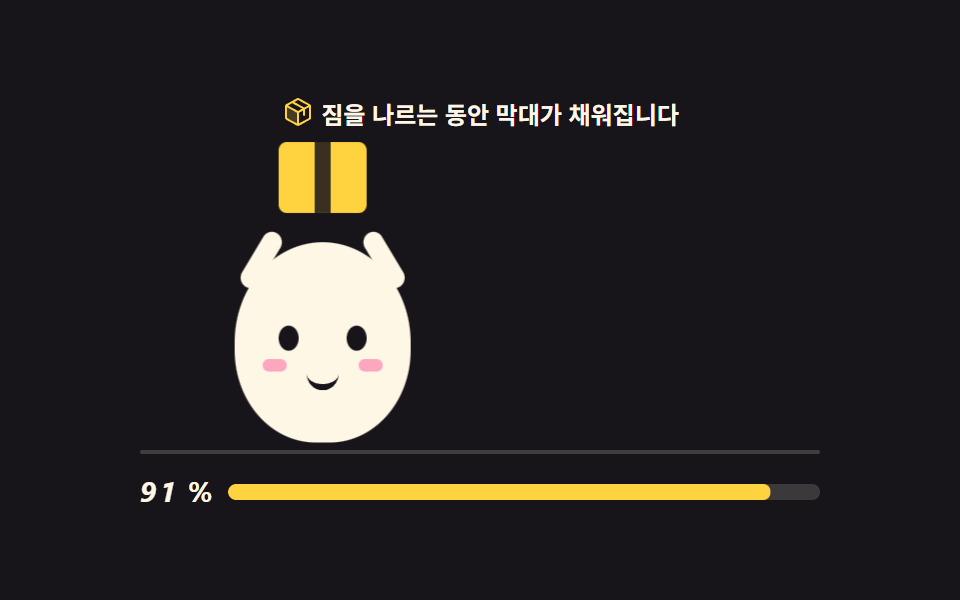 05 mascot-carry-loading
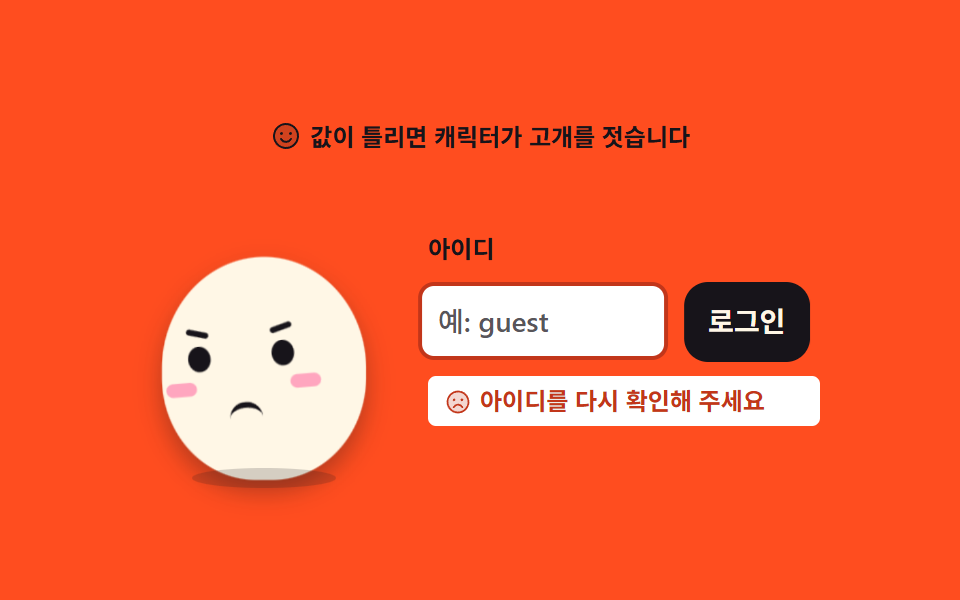 06 mascot-shake-error
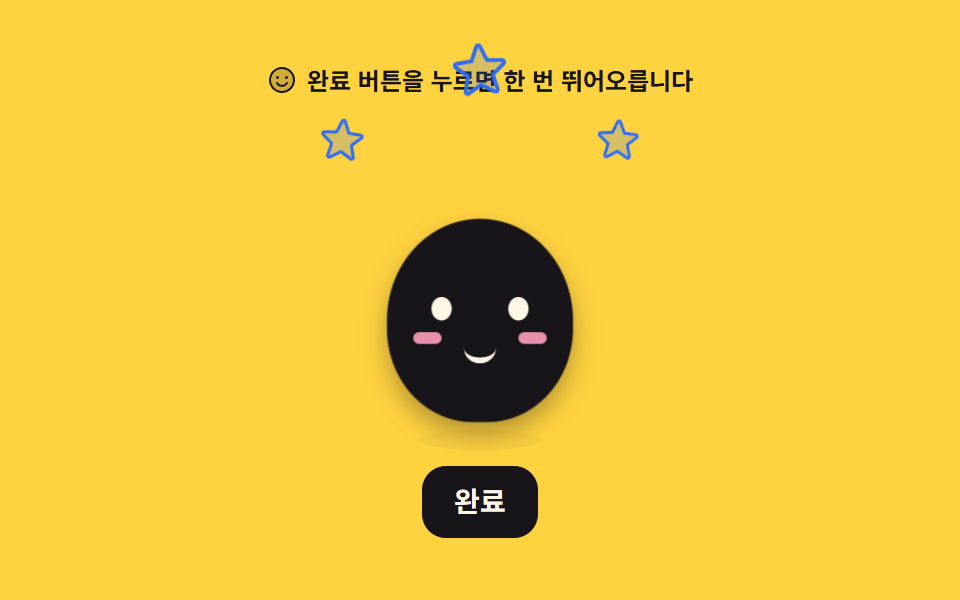 07 mascot-jump-success
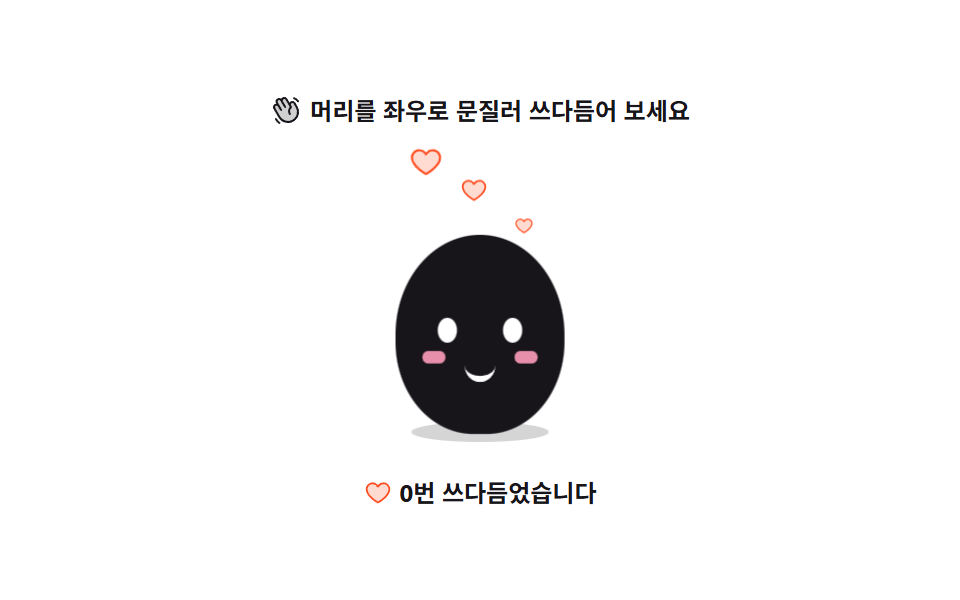 08 mascot-pet-squash
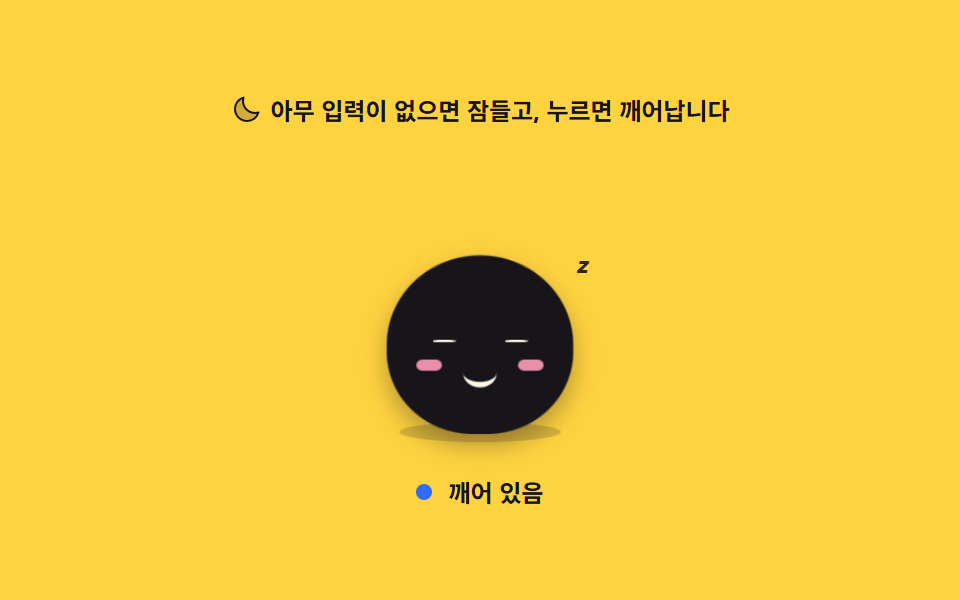 09 mascot-sleep-idle
自動再生 · タイルを押すとその項目へ · すべて1つのzip
- 01 呼吸する待機ポーズ
- 02 手を振る挨拶
- 03 次のボタンを指す案内
- 04 パスワード欄で目を隠す
- 05 荷物を運ぶローディング
- 06 首を振る失敗
- 07 跳び上がる成功
- 08 撫でると沈む反応
- 09 放っておくと眠る待機
9つの並びは人気順ではなく、キャラクターが1つの画面の中でたどる時間の順です。最初の3つは人がまだ何もしていない段階で、じっと立って呼吸し(01)、下から現れて手を振り(02)、次に押す場所を腕で指します(03)。続く3つは人が触っている最中で、パスワードを打つ間だけ目を覆い(04)、待たされる数秒を箱運びで埋め(05)、値が違えば首を振ります(06)。最後の3つは結果と、その後に残る時間です。跳び上がって一度だけ祝い(07)、なでられて沈み(08)、誰も触らなくなると眠ります(09)。イラスト アニメーション 作り方は絵の側から語られることが多いのですが、ここでは体の比率と目鼻の座標を9つ全部で共有し、変えるのは transform と舞台の色だけにしてあります。舞台の色は紙3・黄3・橙2・墨1 の配分で振り分けました。案内の吹き出しや進捗の点まで含めた画面全体の組み方はチュートリアル UI デザイン9選にまとめてあります。同じinteraction柱の両隣には、キャラクターではなく指が画面を引っ張るタッチパネル 注文 画面のUI 9選と、キャラクターを立たせる背景をコードで描き起こすcss 背景 パターン ジェネレーター 自作9種が並んでいます。
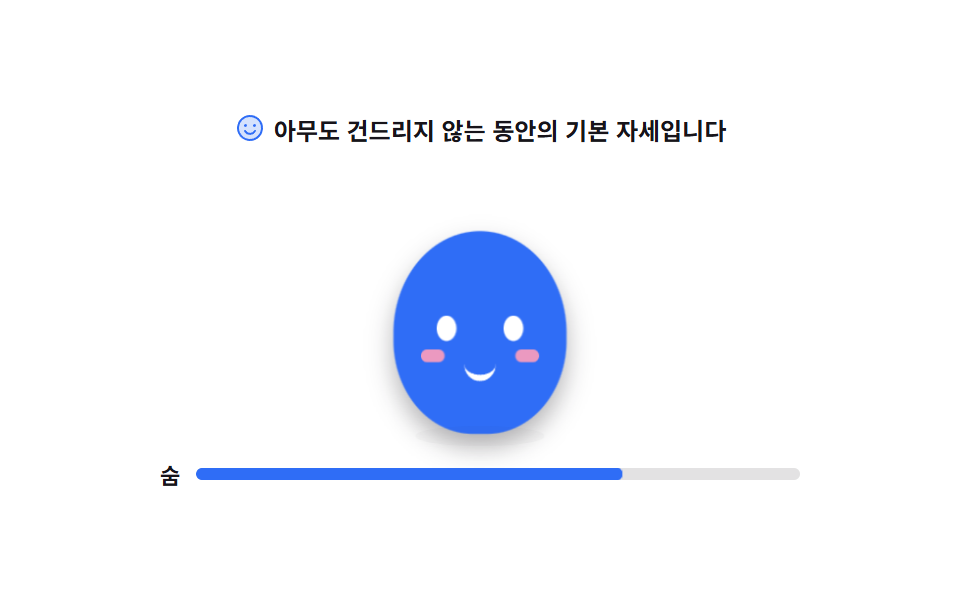
01呼吸する待機ポーズ
誰も触れていない間、体がゆっくり膨らんでは沈み、その下の影は逆に狭くなったり広がったりして、目は一定の間隔で1フレームだけ閉じます。
<svg width="0" height="0" style="position:absolute" aria-hidden="true">
  <defs>
    <symbol id="ico-smiley" viewBox="0 0 256 256" fill="currentColor"><path d="M224 128a96 96 0 1 1-96-96a96 96 0 0 1 96 96" opacity=".2"/><path d="M128 24a104 104 0 1 0 104 104A104.11 104.11 0 0 0 128 24m0 192a88 88 0 1 1 88-88a88.1 88.1 0 0 1-88 88M80 108a12 12 0 1 1 12 12a12 12 0 0 1-12-12m96 0a12 12 0 1 1-12-12a12 12 0 0 1 12 12m-1.08 48c-10.29 17.79-27.39 28-46.92 28s-36.63-10.2-46.92-28a8 8 0 1 1 13.84-8c7.47 12.91 19.21 20 33.08 20s25.61-7.1 33.08-20a8 8 0 1 1 13.84 8"/></symbol>
  </defs>
</svg>
<main class="stage">
<div class="mb is-demo" id="mb">
  <p class="mb__hint">
    <svg class="mb__ico" aria-hidden="true"><use href="#ico-smiley"/></svg>
    <span>誰も触れていない間の基本ポーズです</span>
  </p>

  <div class="mb__floor">
    <!-- 캐릭터는 아이콘이 아니라 이 데모의 피사체라 손으로 그린다 (blog-demo 규칙 4 는 UI 아이콘 이야기).
         몸은 하나의 타원, 눈·볼·입만 얹는다. 부품이 적을수록 呼吸 한 번이 선명하다. -->
    <div class="mb__char" aria-label="じっと立って呼吸するマスコット" role="img">
      <span class="mb__body">
        <i class="mb__eye mb__eye--l"></i>
        <i class="mb__eye mb__eye--r"></i>
        <i class="mb__cheek mb__cheek--l"></i>
        <i class="mb__cheek mb__cheek--r"></i>
        <i class="mb__mouth"></i>
      </span>
      <span class="mb__shadow"></span>
    </div>
  </div>

  <p class="mb__beat" id="beat">
    <span class="mb__beatLabel">呼吸</span>
    <span class="mb__beatTrack"><i class="mb__beatFill"></i></span>
  </p>
</div>
</main>@use "../../../../site/static/demo-tokens" as *;
// 숨 쉬는 대기 포즈 — 몸 하나가 세로로 늘었다 줄고, 그림자는 반대로 넓어졌다 좁아진다.
// 커지는 방향이 위가 아니라 "발을 딛고 위로" 라서 transform-origin 은 중심이 아닌 바닥(50% 100%)이다
// (blog-demo 규칙 8 의 예외 — 붙는 지점이 있는 요소. 캐릭터의 발은 바닥에 붙어 있다).
// 눈은 보간하면 반쯤 감긴 유령 프레임이 생기므로 steps(1, end) 로 한 프레임에 감았다 뜬다.
$duration: $dur-loop;
$easing: $ease-spring;
$color: $subject-blue;
@include stage($stage-paper);
.mb { display: flex; flex-direction: column; align-items: center; gap: $sp-3; width: 100%; max-width: 320px; }
.mb__hint {
display: flex; align-items: center; gap: $sp-1; margin: 0;
font-weight: 700; font-size: clamp(10px, 2.8vw, 12px); color: $subject-ink;
}
.mb__ico { width: 16px; height: 16px; flex: 0 0 auto; color: $color; }
.mb__floor { position: relative; width: 100%; height: 132px; display: grid; place-items: end center; }
.mb__char { position: relative; width: 104px; height: 124px; display: grid; place-items: end center; }
// 몸 — 타원 하나. 숨은 이 요소의 scaleY 로만 준다
.mb__body {
position: relative; display: block; width: 88px; height: 96px;
border-radius: 50% 50% 46% 46%;
background: $color;
transform-origin: 50% 100%;
box-shadow: $shadow-press;
}
.mb__eye {
position: absolute; top: 40px; width: 10px; height: 12px;
border-radius: 50%; background: $stage-paper;
}
.mb__eye--l { left: 22px; }
.mb__eye--r { right: 22px; }
.mb__cheek {
position: absolute; top: 56px; width: 12px; height: 6px;
border-radius: $r-pill; background: $subject-pink; opacity: .9;
}
.mb__cheek--l { left: 14px; }
.mb__cheek--r { right: 14px; }
.mb__mouth {
position: absolute; top: 60px; left: 50%; width: 16px; height: 8px;
margin-left: -8px;
border-bottom: 3px solid $stage-paper;
border-radius: 0 0 $r-pill $r-pill;
}
// 그림자는 바닥에 눌린 면이라 세로로 안 자란다 — scaleX 만 반대 위상으로
.mb__shadow {
position: absolute; left: 50%; bottom: -6px; width: 72px; height: 10px;
margin-left: -36px;
border-radius: 50%;
background: rgba(23, 20, 26, .18);
}
.mb__beat { display: flex; align-items: center; gap: $sp-2; margin: 0; width: 100%; }
.mb__beatLabel { font-weight: 700; font-size: 11px; color: $subject-ink; flex: 0 0 auto; }
.mb__beatTrack {
position: relative; flex: 1 1 auto; height: 6px;
border-radius: $r-pill; background: rgba(23, 20, 26, .12); overflow: hidden;
}
.mb__beatFill {
position: absolute; inset: 0; display: block;
border-radius: $r-pill; background: $color;
transform-origin: 0 50%; transform: scaleX(.12);
}
// ── 미리보기 루프 ────────────────────────────────────────────
// 들숨 0~50% · 날숨 50~100%. 한 바퀴가 설정 `초`(2s) 와 같아야 24프레임이 한 주기를 다 담는다
@keyframes mbBreath {
0%, 100% { transform: scaleY(1) scaleX(1); }
50% { transform: scaleY(1.085) scaleX(.975); }
}
@keyframes mbShadow {
0%, 100% { transform: scaleX(1); opacity: .18; }
50% { transform: scaleX(.84); opacity: .12; }
}
@keyframes mbBeat {
0%, 100% { transform: scaleX(.12); }
50% { transform: scaleX(1); }
}
// 눈꺼풀 — 76%·80% 두 지점에서만 감긴다. 루프 복귀(90%)보다 앞이라 24프레임에 잡힌다
@keyframes mbBlink {
0%, 74% { transform: scaleY(1); }
76%, 80% { transform: scaleY(.08); }
82%, 100% { transform: scaleY(1); }
}
.mb.is-demo .mb__body {
animation-name: mbBreath;
animation-duration: $duration;
animation-timing-function: $easing;
animation-iteration-count: infinite;
}
.mb.is-demo .mb__shadow {
animation-name: mbShadow;
animation-duration: $duration;
animation-timing-function: $easing;
animation-iteration-count: infinite;
}
.mb.is-demo .mb__beatFill {
animation-name: mbBeat;
animation-duration: $duration;
animation-timing-function: $easing;
animation-iteration-count: infinite;
}
.mb.is-demo .mb__eye {
transform-origin: 50% 50%;
animation-name: mbBlink;
animation-duration: $duration;
animation-timing-function: steps(1, end);
animation-iteration-count: infinite;
}
// 미리보기를 뗀 뒤 사람이 보는 상태 — JS 가 붙이는 클래스로 깜빡임만 남는다
.mb.is-blink .mb__eye { transform: scaleY(.08); }
@media (max-width: 340px) {
.mb { gap: $sp-2; }
.mb__floor { height: 112px; }
.mb__char { width: 92px; height: 104px; }
.mb__body { width: 76px; height: 82px; }
.mb__eye { top: 34px; width: 9px; height: 11px; }
.mb__eye--l { left: 18px; }
.mb__eye--r { right: 18px; }
.mb__cheek { top: 48px; }
.mb__mouth { top: 52px; }
.mb__shadow { width: 62px; }
}
// reduce 에서는 숨을 멈추고 눈을 뜬 한 장으로 세운다. 특이도를 맞추려 !important 를 쓴다
@media (prefers-reduced-motion: reduce) {
.mb.is-demo .mb__body,
.mb.is-demo .mb__shadow,
.mb.is-demo .mb__beatFill,
.mb.is-demo .mb__eye { animation: none !important; }
.mb.is-demo .mb__body { transform: scaleY(1.04) !important; }
.mb.is-demo .mb__beatFill { transform: scaleX(.56) !important; }
.mb.is-demo .mb__eye { transform: none !important; }
}html, body {
margin: 0;
overflow: hidden;
}
.stage {
box-sizing: border-box;
min-height: 100vh;
display: grid;
place-items: center;
margin: 0;
background: #ffffff;
font-family: -apple-system, "Segoe UI", "Noto Sans KR", sans-serif;
padding: clamp(8px, 4vw, 24px);
}
.mb {
display: flex;
flex-direction: column;
align-items: center;
gap: 12px;
width: 100%;
max-width: 320px;
}
.mb__hint {
display: flex;
align-items: center;
gap: 4px;
margin: 0;
font-weight: 700;
font-size: clamp(10px, 2.8vw, 12px);
color: #17141a;
}
.mb__ico {
width: 16px;
height: 16px;
flex: 0 0 auto;
color: #2f6df6;
}
.mb__floor {
position: relative;
width: 100%;
height: 132px;
display: grid;
place-items: end center;
}
.mb__char {
position: relative;
width: 104px;
height: 124px;
display: grid;
place-items: end center;
}
.mb__body {
position: relative;
display: block;
width: 88px;
height: 96px;
border-radius: 50% 50% 46% 46%;
background: #2f6df6;
transform-origin: 50% 100%;
box-shadow: 0 6px 12px rgba(23, 20, 26, 0.32);
}
.mb__eye {
position: absolute;
top: 40px;
width: 10px;
height: 12px;
border-radius: 50%;
background: #ffffff;
}
.mb__eye--l {
left: 22px;
}
.mb__eye--r {
right: 22px;
}
.mb__cheek {
position: absolute;
top: 56px;
width: 12px;
height: 6px;
border-radius: 999px;
background: #ff9ebb;
opacity: 0.9;
}
.mb__cheek--l {
left: 14px;
}
.mb__cheek--r {
right: 14px;
}
.mb__mouth {
position: absolute;
top: 60px;
left: 50%;
width: 16px;
height: 8px;
margin-left: -8px;
border-bottom: 3px solid #ffffff;
border-radius: 0 0 999px 999px;
}
.mb__shadow {
position: absolute;
left: 50%;
bottom: -6px;
width: 72px;
height: 10px;
margin-left: -36px;
border-radius: 50%;
background: rgba(23, 20, 26, 0.18);
}
.mb__beat {
display: flex;
align-items: center;
gap: 8px;
margin: 0;
width: 100%;
}
.mb__beatLabel {
font-weight: 700;
font-size: 11px;
color: #17141a;
flex: 0 0 auto;
}
.mb__beatTrack {
position: relative;
flex: 1 1 auto;
height: 6px;
border-radius: 999px;
background: rgba(23, 20, 26, 0.12);
overflow: hidden;
}
.mb__beatFill {
position: absolute;
inset: 0;
display: block;
border-radius: 999px;
background: #2f6df6;
transform-origin: 0 50%;
transform: scaleX(0.12);
}
@keyframes mbBreath {
0%, 100% {
transform: scaleY(1) scaleX(1);
}
50% {
transform: scaleY(1.085) scaleX(0.975);
}
}
@keyframes mbShadow {
0%, 100% {
transform: scaleX(1);
opacity: 0.18;
}
50% {
transform: scaleX(0.84);
opacity: 0.12;
}
}
@keyframes mbBeat {
0%, 100% {
transform: scaleX(0.12);
}
50% {
transform: scaleX(1);
}
}
@keyframes mbBlink {
0%, 74% {
transform: scaleY(1);
}
76%, 80% {
transform: scaleY(0.08);
}
82%, 100% {
transform: scaleY(1);
}
}
.mb.is-demo .mb__body {
animation-name: mbBreath;
animation-duration: 2s;
animation-timing-function: cubic-bezier(0.2, 0.8, 0.2, 1);
animation-iteration-count: infinite;
}
.mb.is-demo .mb__shadow {
animation-name: mbShadow;
animation-duration: 2s;
animation-timing-function: cubic-bezier(0.2, 0.8, 0.2, 1);
animation-iteration-count: infinite;
}
.mb.is-demo .mb__beatFill {
animation-name: mbBeat;
animation-duration: 2s;
animation-timing-function: cubic-bezier(0.2, 0.8, 0.2, 1);
animation-iteration-count: infinite;
}
.mb.is-demo .mb__eye {
transform-origin: 50% 50%;
animation-name: mbBlink;
animation-duration: 2s;
animation-timing-function: steps(1, end);
animation-iteration-count: infinite;
}
.mb.is-blink .mb__eye {
transform: scaleY(0.08);
}
@media (max-width: 340px) {
.mb {
gap: 8px;
}
.mb__floor {
height: 112px;
}
.mb__char {
width: 92px;
height: 104px;
}
.mb__body {
width: 76px;
height: 82px;
}
.mb__eye {
top: 34px;
width: 9px;
height: 11px;
}
.mb__eye--l {
left: 18px;
}
.mb__eye--r {
right: 18px;
}
.mb__cheek {
top: 48px;
}
.mb__mouth {
top: 52px;
}
.mb__shadow {
width: 62px;
}
}
@media (prefers-reduced-motion: reduce) {
.mb.is-demo .mb__body,
.mb.is-demo .mb__shadow,
.mb.is-demo .mb__beatFill,
.mb.is-demo .mb__eye {
animation: none !important;
}
.mb.is-demo .mb__body {
transform: scaleY(1.04) !important;
}
.mb.is-demo .mb__beatFill {
transform: scaleX(0.56) !important;
}
.mb.is-demo .mb__eye {
transform: none !important;
}
}// 사람이 화면에 손을 대면 미리보기 루프를 떼고 실제 상태로 넘어간다.
// 대기 포즈는 조작이 없는 것이 정상이라, 여기서는 눈 깜빡임만 JS 타이머로 이어 받는다.
(function () {
var root = document.getElementById('mb');
var awake = false;
function blinkOnce() {
root.classList.add('is-blink');
setTimeout(function () { root.classList.remove('is-blink'); }, 120);
}
function wake() {
if (awake) return;
awake = true;
root.classList.remove('is-demo');
// 미리보기가 꺼져도 캐릭터가 멈춰 보이지 않게 깜빡임만 이어 간다
setInterval(blinkOnce, 3200);
}
root.addEventListener('pointerdown', wake);
root.addEventListener('pointerenter', wake);
}());// IdleBreathe — vanilla 판(run/300/demo/01-mascot-idle-breathe/index.html) 의 React 포트.
// 몸 하나가 세로로 늘었다 줄고 그림자가 반대로 넓어진다. 눈은 한 프레임에 감겼다 뜬다.
// 사람이 화면에 손을 대면 미리보기 루프를 떼고, 멈춰 보이지 않게 깜빡임만 타이머로 이어 간다.
import { useEffect, useRef, useState } from "react";
import type { CSSProperties } from "react";
import styles from "./IdleBreathe.module.scss";
export type IdleBreatheProps = {
duration?: string;
easing?: string;
color?: string;
};
type Vars = CSSProperties & { "--duration"?: string; "--easing"?: string; "--color"?: string };
type Box<T> = { current: T };
const HINT = "아무도 건드리지 않는 동안의 기본 자세입니다";
const CHAR_LABEL = "가만히 서서 숨 쉬는 마스코트";
const BEAT_LABEL = "숨";
// 미리보기를 뗀 뒤의 깜빡임 간격·길이. vanilla 의 setInterval(3200) · setTimeout(120) 과 같은 값이다
const BLINK_EVERY = 3200;
const BLINK_HOLD = 120;
export default function IdleBreathe({ duration, easing, color }: IdleBreatheProps) {
const [awake, setAwake] = useState(false);
const [blink, setBlink] = useState(false);
const holdRef = useRef(0) as Box<number>;
useEffect(() => {
if (!awake) return;
const every = window.setInterval(() => {
setBlink(true);
holdRef.current = window.setTimeout(() => setBlink(false), BLINK_HOLD);
}, BLINK_EVERY);
return () => {
window.clearInterval(every);
window.clearTimeout(holdRef.current);
};
}, [awake]);
const wake = () => setAwake(true);
const vars: Vars = {};
if (duration) vars["--duration"] = duration;
if (easing) vars["--easing"] = easing;
if (color) vars["--color"] = color;
const cls = [styles.root, awake ? "" : styles.demo, blink ? styles.blink : ""]
.filter(Boolean)
.join(" ");
return (
<div className={cls} style={vars} onPointerDown={wake} onPointerEnter={wake}>
<p className={styles.hint}>
<svg className={styles.ico} viewBox="0 0 256 256" fill="currentColor" aria-hidden="true">
<path d="M224 128a96 96 0 1 1-96-96a96 96 0 0 1 96 96" opacity=".2" />
<path d="M128 24a104 104 0 1 0 104 104A104.11 104.11 0 0 0 128 24m0 192a88 88 0 1 1 88-88a88.1 88.1 0 0 1-88 88M80 108a12 12 0 1 1 12 12a12 12 0 0 1-12-12m96 0a12 12 0 1 1-12-12a12 12 0 0 1 12 12m-1.08 48c-10.29 17.79-27.39 28-46.92 28s-36.63-10.2-46.92-28a8 8 0 1 1 13.84-8c7.47 12.91 19.21 20 33.08 20s25.61-7.1 33.08-20a8 8 0 1 1 13.84 8" />
</svg>
<span>{HINT}</span>
</p>
<div className={styles.floor}>
{/* 캐릭터는 아이콘이 아니라 이 데모의 피사체라 손으로 그린다. 부품이 적을수록 숨 한 번이 선명하다. */}
<div className={styles.char} role="img" aria-label={CHAR_LABEL}>
<span className={styles.body}>
<i className={`${styles.eye} ${styles.eyeL}`} />
<i className={`${styles.eye} ${styles.eyeR}`} />
<i className={`${styles.cheek} ${styles.cheekL}`} />
<i className={`${styles.cheek} ${styles.cheekR}`} />
<i className={styles.mouth} />
</span>
<span className={styles.shadow} />
</div>
</div>
<p className={styles.beat}>
<span className={styles.beatLabel}>{BEAT_LABEL}</span>
<span className={styles.beatTrack}>
<i className={styles.beatFill} />
</span>
</p>
</div>
);
}01 · 呼吸する待機ポーズ — 計測 累積面積 2.49% · 動いたフレーム 23/23GODRICH オリジナル · SCSS と React は zip に同梱 · パスワードを見る
@keyframes mbBreath {
  0%, 100% { transform: scaleY(1) scaleX(1); }
  50%      { transform: scaleY(1.085) scaleX(.975); }
}
@keyframes mbShadow {
  0%, 100% { transform: scaleX(1); opacity: .18; }
  50%      { transform: scaleX(.84); opacity: .12; }
}
@keyframes mbBlink {
  0%, 74%   { transform: scaleY(1); }
  76%, 80%  { transform: scaleY(.08); }
  82%, 100% { transform: scaleY(1); }
}
.mb.is-demo .mb__eye {
  transform-origin: 50% 50%;
  animation-name: mbBlink;
  animation-duration: $duration;
  animation-timing-function: steps(1, end);
  animation-iteration-count: infinite;
}
原点を足元に置く理由
膨らむ向きが「上」ではなく「足を床に着けたまま上」なので transform-origin は中心ではなく底(50% 100%)に置いてあり、影は床に押しつぶされた面なので縦には伸びず scaleX だけを逆位相で動かします。
まばたきをコマで切る場所
まぶたは 76% と 80% の2点でだけ閉じ、steps(1, end) が中間フレームを作らないので半開きの幽霊のような顔が残らず、この面は累積面積 2.49% と小さいのに動いたフレームは 23/23 です。
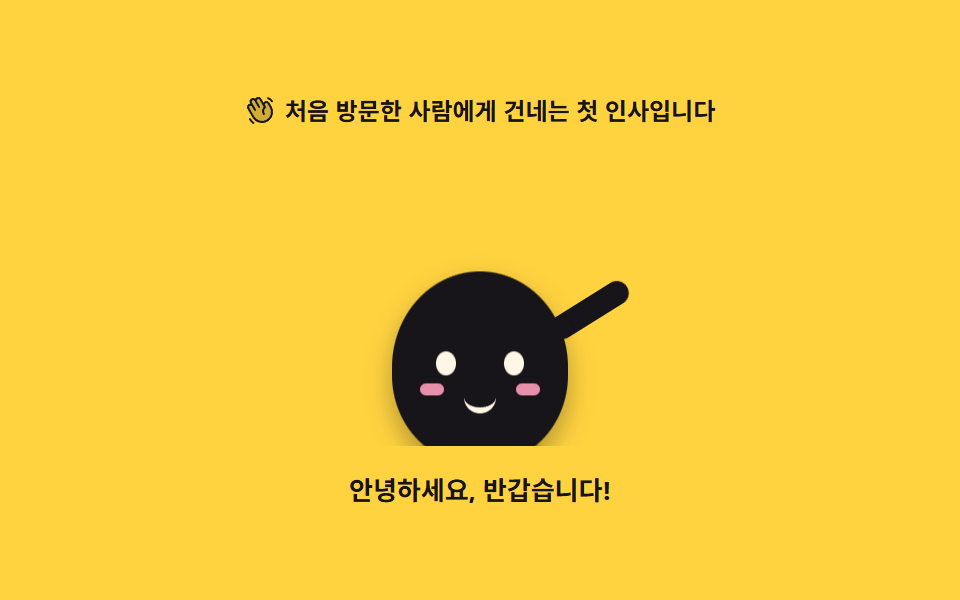
02手を振る挨拶
下から現れたキャラクターが腕を左右に振り、腕が外へ開くときには体が反対側へ傾きます。
<svg width="0" height="0" style="position:absolute" aria-hidden="true">
  <defs>
    <symbol id="ico-hand" viewBox="0 0 256 256" fill="currentColor"><path d="M184 213.27A80 80 0 0 1 74.7 184l-40-69.32a20 20 0 0 1 34.64-20L55.08 70a20 20 0 0 1 34.65-20l6.92 12a20 20 0 0 1 34.64-20l30 52A20 20 0 0 1 196 74l17.31 30A80 80 0 0 1 184 213.27" opacity=".2"/><path d="m220.17 100l-17.31-30a28 28 0 0 0-38.24-10.25a27.7 27.7 0 0 0-9 8.34L138.2 38a28 28 0 0 0-48.48 0a28 28 0 0 0-41.57 36l1.59 2.76A27.7 27.7 0 0 0 38 80.41a28 28 0 0 0-10.24 38.25l40 69.32a87.47 87.47 0 0 0 53.43 41a88.6 88.6 0 0 0 22.92 3a88 88 0 0 0 76.06-132Zm-6.66 62.64A72 72 0 0 1 81.62 180l-40-69.32a12 12 0 0 1 20.78-12L81.63 132a8 8 0 1 0 13.85-8L62 66a12 12 0 1 1 20.78-12L114 108a8 8 0 1 0 13.85-8l-24.28-42a12 12 0 1 1 20.78-12l33.42 57.9a48 48 0 0 0-5.54 60.6a8 8 0 0 0 13.24-9a32 32 0 0 1 7.31-43.5a8 8 0 0 0 2.13-10.4L168.23 90A12 12 0 1 1 189 78l17.31 30a71.56 71.56 0 0 1 7.2 54.62ZM184.25 31.71A8 8 0 0 1 194 26a59.62 59.62 0 0 1 36.53 28l.33.57a8 8 0 1 1-13.85 8l-.33-.57a43.67 43.67 0 0 0-26.8-20.5a8 8 0 0 1-5.63-9.79M80.89 237a8 8 0 0 1-11.23 1.33A119.6 119.6 0 0 1 40.06 204a8 8 0 0 1 13.86-8a103.7 103.7 0 0 0 25.64 29.72A8 8 0 0 1 80.89 237"/></symbol>
  </defs>
</svg>
<main class="stage">
<div class="wg is-demo" id="wg">
  <p class="wg__hint">
    <svg class="wg__ico" aria-hidden="true"><use href="#ico-hand"/></svg>
    <span>初めて訪れた人に渡す最初の挨拶です</span>
  </p>

  <div class="wg__floor">
    <!-- 캐릭터는 01 대기 포즈와 같은 몸·눈·볼에 팔 하나만 얹는다(피사체라 손으로 그린다).
         등장 translateY 는 바닥 아래에서 시작하므로 0프레임은 빈 무대이고,
         흔들기는 등장이 끝난 뒤 지연 + backwards 로 시작한다. -->
    <div class="wg__char" aria-label="手を振って挨拶するマスコット" role="img">
      <div class="wg__riser">
        <i class="wg__arm"></i>
        <span class="wg__body">
          <i class="wg__eye wg__eye--l"></i>
          <i class="wg__eye wg__eye--r"></i>
          <i class="wg__cheek wg__cheek--l"></i>
          <i class="wg__cheek wg__cheek--r"></i>
          <i class="wg__mouth"></i>
        </span>
      </div>
      <span class="wg__shadow"></span>
    </div>
  </div>

  <p class="wg__say">こんにちは、ようこそ!</p>
</div>
</main>@use "../../../../site/static/demo-tokens" as *;
// 손 흔드는 인사 — 바닥 아래에서 올라온 캐릭터가 팔을 좌우로 흔들며 몸을 반대쪽으로 기울인다.
// 팔은 어깨(아래 끝)를 축으로 돈다. 흔들기는 등장(26%)이 끝난 뒤 시작하므로 animation-delay 와
// animation-fill-mode: backwards 를 함께 쓴다 — fill-mode 가 없으면 지연 구간에 팔이 기본 자세로
// 0프레임에 번쩍였다가 사라진다(252-08 실패표). 루프는 2s(설정 초)의 약수이고
// 복귀(팔·기울기 정지)는 88% 안에 끝난다. 100% 에서 0% 로 되돌아가는 내려가기는
// 두 프레임 사이의 루프 경계라 24장 어디에도 잡히지 않는다.
$duration: $dur-loop;
$easing: $ease-pop;
$color: $subject-ink;
@include stage($stage-yellow);
// 노랑 무대 위 글자는 잉크만 쓴다(설계 대비 표 — 크림은 노랑 위에서 AA 미달)
.wg { display: flex; flex-direction: column; align-items: center; gap: $sp-3; width: 100%; max-width: 320px; }
.wg__hint {
display: flex; align-items: center; gap: $sp-1; margin: 0;
font-weight: 700; font-size: clamp(10px, 2.8vw, 12px); color: $subject-ink;
}
.wg__ico { width: 16px; height: 16px; flex: 0 0 auto; color: $subject-ink; }
// 바닥 아래 등장을 자르는 상자 — translateY 로 내려간 몸이 무대 scrollHeight 를 부풀리지 않게 한다
.wg__floor { position: relative; width: 100%; height: 148px; overflow: hidden; display: grid; place-items: end center; }
.wg__char { position: relative; width: 150px; height: 140px; }
.wg__riser { position: absolute; inset: 0; }
// 몸 — 01 과 같은 타원. 숨은 없고, 착지 눌림과 기울기가 이 요소의 transform 하나에서 나온다.
// 기울기의 축은 발바닥(50% 100%) — 캐릭터의 발은 바닥에 붙어 있어 중심 회전보다 자연스럽다(규칙 8 예외)
.wg__body {
position: absolute; left: 50%; bottom: 0; width: 88px; height: 96px;
margin-left: -44px;
border-radius: 50% 50% 46% 46%;
background: $color;
transform-origin: 50% 100%;
box-shadow: $shadow-press;
}
.wg__eye {
position: absolute; top: 40px; width: 10px; height: 12px;
border-radius: 50%; background: $subject-cream;
}
.wg__eye--l { left: 22px; }
.wg__eye--r { right: 22px; }
.wg__cheek {
position: absolute; top: 56px; width: 12px; height: 6px;
border-radius: $r-pill; background: $subject-pink; opacity: .9;
}
.wg__cheek--l { left: 14px; }
.wg__cheek--r { right: 14px; }
.wg__mouth {
position: absolute; top: 60px; left: 50%; width: 16px; height: 8px;
margin-left: -8px;
border-bottom: 3px solid $subject-cream;
border-radius: 0 0 $r-pill $r-pill;
}
// 팔 — 몸 뒤에 붙는 캡슐 하나. 축은 어깨(아래 끝, 50% 95%)다: 팔은 어깨에 붙어 있어
// 중심이 아니라 붙는 지점에서 돌아간다(규칙 8 예외). 기본 자세는 팔을 든 인사 모양.
.wg__arm {
position: absolute; left: 107px; top: 32px; width: 12px; height: 44px;
border-radius: $r-pill; background: $color;
transform-origin: 50% 95%;
transform: rotate(24deg);
}
// 그림자는 바닥에 눌린 면 — 몸과 함께 올라오지 않고, 착지할 때 넓어진다
.wg__shadow {
position: absolute; left: 50%; bottom: -6px; width: 72px; height: 10px;
margin-left: -36px;
border-radius: 50%;
background: rgba(23, 20, 26, .18);
}
.wg__say { margin: 0; font-weight: 700; font-size: clamp(11px, 3vw, 13px); color: $subject-ink; }
// ── 미리보기 루프 ────────────────────────────────────────────
// 등장 0~26% · 인사 28~88% · 정지 88~100%. 한 바퀴가 2s 다.
@keyframes wgRise {
0% { transform: translateY(36px); }
26%, 100% { transform: translateY(0); }
}
@keyframes wgWave {
0%, 28% { transform: rotate(58deg); }
32% { transform: rotate(24deg); }
40% { transform: rotate(52deg); }
48% { transform: rotate(24deg); }
56% { transform: rotate(52deg); }
64% { transform: rotate(24deg); }
72% { transform: rotate(52deg); }
80% { transform: rotate(24deg); }
88%, 100% { transform: rotate(24deg); }
}
// 몸 기울기는 팔과 반대 위상(팔이 바깥으로 가면 몸은 안쪽으로) + 착지 눌림 한 번
@keyframes wgTilt {
0%, 28% { transform: rotate(0deg) scaleY(1); }
31% { transform: rotate(3deg) scaleY(.94); }
36% { transform: rotate(-3deg) scaleY(1); }
44% { transform: rotate(3deg) scaleY(1); }
52% { transform: rotate(-3deg) scaleY(1); }
60% { transform: rotate(3deg) scaleY(1); }
68% { transform: rotate(-3deg) scaleY(1); }
76% { transform: rotate(3deg) scaleY(1); }
88%, 100% { transform: rotate(0deg) scaleY(1); }
}
@keyframes wgShadow {
0% { transform: scaleX(.4); }
26%, 100% { transform: scaleX(1); }
}
// 등장 애니메이션에 fill-mode backwards — 0프레임이 완성 상태로 번쩍이지 않게(작업지시)
.wg.is-demo .wg__riser {
animation-name: wgRise;
animation-duration: $duration;
animation-timing-function: $easing;
animation-iteration-count: infinite;
animation-fill-mode: backwards;
}
// 팔·몸은 560ms(26%) 뒤 시작 — 지연 구간은 0% 키프레임(팔 내린 자세)으로 채운다
.wg.is-demo .wg__arm {
animation-name: wgWave;
animation-duration: $duration;
animation-timing-function: $easing;
animation-iteration-count: infinite;
animation-delay: 560ms;
animation-fill-mode: backwards;
}
.wg.is-demo .wg__body {
animation-name: wgTilt;
animation-duration: $duration;
animation-timing-function: $easing;
animation-iteration-count: infinite;
animation-delay: 560ms;
animation-fill-mode: backwards;
}
.wg.is-demo .wg__shadow {
animation-name: wgShadow;
animation-duration: $duration;
animation-timing-function: $easing;
animation-iteration-count: infinite;
animation-fill-mode: backwards;
}
@media (max-width: 340px) {
.wg { gap: $sp-2; }
.wg__floor { height: 118px; }
.wg__char { width: 118px; height: 112px; }
.wg__body { width: 72px; height: 80px; margin-left: -36px; }
.wg__eye { top: 33px; width: 9px; height: 11px; }
.wg__eye--l { left: 18px; }
.wg__eye--r { right: 18px; }
.wg__cheek { top: 47px; width: 10px; height: 5px; }
.wg__cheek--l { left: 12px; }
.wg__cheek--r { right: 12px; }
.wg__mouth { top: 50px; width: 14px; height: 7px; margin-left: -7px; }
.wg__arm { left: 84px; top: 24px; width: 10px; height: 36px; }
.wg__shadow { width: 60px; margin-left: -30px; }
}
// reduce 에서는 든 인사 자세 한 장으로 세운다(애니메이션을 꺼도 화면이 성립한다).
// 특이도에 밀리지 않게 !important 로 끈다.
@media (prefers-reduced-motion: reduce) {
.wg.is-demo .wg__riser,
.wg.is-demo .wg__arm,
.wg.is-demo .wg__body,
.wg.is-demo .wg__shadow { animation: none !important; }
}html, body {
margin: 0;
overflow: hidden;
}
.stage {
box-sizing: border-box;
min-height: 100vh;
display: grid;
place-items: center;
margin: 0;
background: #ffd23f;
font-family: -apple-system, "Segoe UI", "Noto Sans KR", sans-serif;
padding: clamp(8px, 4vw, 24px);
}
.wg {
display: flex;
flex-direction: column;
align-items: center;
gap: 12px;
width: 100%;
max-width: 320px;
}
.wg__hint {
display: flex;
align-items: center;
gap: 4px;
margin: 0;
font-weight: 700;
font-size: clamp(10px, 2.8vw, 12px);
color: #17141a;
}
.wg__ico {
width: 16px;
height: 16px;
flex: 0 0 auto;
color: #17141a;
}
.wg__floor {
position: relative;
width: 100%;
height: 148px;
overflow: hidden;
display: grid;
place-items: end center;
}
.wg__char {
position: relative;
width: 150px;
height: 140px;
}
.wg__riser {
position: absolute;
inset: 0;
}
.wg__body {
position: absolute;
left: 50%;
bottom: 0;
width: 88px;
height: 96px;
margin-left: -44px;
border-radius: 50% 50% 46% 46%;
background: #17141a;
transform-origin: 50% 100%;
box-shadow: 0 6px 12px rgba(23, 20, 26, 0.32);
}
.wg__eye {
position: absolute;
top: 40px;
width: 10px;
height: 12px;
border-radius: 50%;
background: #fff7e6;
}
.wg__eye--l {
left: 22px;
}
.wg__eye--r {
right: 22px;
}
.wg__cheek {
position: absolute;
top: 56px;
width: 12px;
height: 6px;
border-radius: 999px;
background: #ff9ebb;
opacity: 0.9;
}
.wg__cheek--l {
left: 14px;
}
.wg__cheek--r {
right: 14px;
}
.wg__mouth {
position: absolute;
top: 60px;
left: 50%;
width: 16px;
height: 8px;
margin-left: -8px;
border-bottom: 3px solid #fff7e6;
border-radius: 0 0 999px 999px;
}
.wg__arm {
position: absolute;
left: 107px;
top: 32px;
width: 12px;
height: 44px;
border-radius: 999px;
background: #17141a;
transform-origin: 50% 95%;
transform: rotate(24deg);
}
.wg__shadow {
position: absolute;
left: 50%;
bottom: -6px;
width: 72px;
height: 10px;
margin-left: -36px;
border-radius: 50%;
background: rgba(23, 20, 26, 0.18);
}
.wg__say {
margin: 0;
font-weight: 700;
font-size: clamp(11px, 3vw, 13px);
color: #17141a;
}
@keyframes wgRise {
0% {
transform: translateY(36px);
}
26%, 100% {
transform: translateY(0);
}
}
@keyframes wgWave {
0%, 28% {
transform: rotate(58deg);
}
32% {
transform: rotate(24deg);
}
40% {
transform: rotate(52deg);
}
48% {
transform: rotate(24deg);
}
56% {
transform: rotate(52deg);
}
64% {
transform: rotate(24deg);
}
72% {
transform: rotate(52deg);
}
80% {
transform: rotate(24deg);
}
88%, 100% {
transform: rotate(24deg);
}
}
@keyframes wgTilt {
0%, 28% {
transform: rotate(0deg) scaleY(1);
}
31% {
transform: rotate(3deg) scaleY(0.94);
}
36% {
transform: rotate(-3deg) scaleY(1);
}
44% {
transform: rotate(3deg) scaleY(1);
}
52% {
transform: rotate(-3deg) scaleY(1);
}
60% {
transform: rotate(3deg) scaleY(1);
}
68% {
transform: rotate(-3deg) scaleY(1);
}
76% {
transform: rotate(3deg) scaleY(1);
}
88%, 100% {
transform: rotate(0deg) scaleY(1);
}
}
@keyframes wgShadow {
0% {
transform: scaleX(0.4);
}
26%, 100% {
transform: scaleX(1);
}
}
.wg.is-demo .wg__riser {
animation-name: wgRise;
animation-duration: 2s;
animation-timing-function: cubic-bezier(0.2, 1.4, 0.4, 1);
animation-iteration-count: infinite;
animation-fill-mode: backwards;
}
.wg.is-demo .wg__arm {
animation-name: wgWave;
animation-duration: 2s;
animation-timing-function: cubic-bezier(0.2, 1.4, 0.4, 1);
animation-iteration-count: infinite;
animation-delay: 560ms;
animation-fill-mode: backwards;
}
.wg.is-demo .wg__body {
animation-name: wgTilt;
animation-duration: 2s;
animation-timing-function: cubic-bezier(0.2, 1.4, 0.4, 1);
animation-iteration-count: infinite;
animation-delay: 560ms;
animation-fill-mode: backwards;
}
.wg.is-demo .wg__shadow {
animation-name: wgShadow;
animation-duration: 2s;
animation-timing-function: cubic-bezier(0.2, 1.4, 0.4, 1);
animation-iteration-count: infinite;
animation-fill-mode: backwards;
}
@media (max-width: 340px) {
.wg {
gap: 8px;
}
.wg__floor {
height: 118px;
}
.wg__char {
width: 118px;
height: 112px;
}
.wg__body {
width: 72px;
height: 80px;
margin-left: -36px;
}
.wg__eye {
top: 33px;
width: 9px;
height: 11px;
}
.wg__eye--l {
left: 18px;
}
.wg__eye--r {
right: 18px;
}
.wg__cheek {
top: 47px;
width: 10px;
height: 5px;
}
.wg__cheek--l {
left: 12px;
}
.wg__cheek--r {
right: 12px;
}
.wg__mouth {
top: 50px;
width: 14px;
height: 7px;
margin-left: -7px;
}
.wg__arm {
left: 84px;
top: 24px;
width: 10px;
height: 36px;
}
.wg__shadow {
width: 60px;
margin-left: -30px;
}
}
@media (prefers-reduced-motion: reduce) {
.wg.is-demo .wg__riser,
.wg.is-demo .wg__arm,
.wg.is-demo .wg__body,
.wg.is-demo .wg__shadow {
animation: none !important;
}
}// WaveGreeting — vanilla 판(run/300/demo/02-mascot-wave-greeting/index.html) 의 React 포트.
// 이 데모는 CSS 만으로 성립해서 상태가 없다 — 훅 없이 그린다.
// duration·easing·color 는 props 로 받아 CSS 변수로 넘긴다(기본값은 vanilla 의 셋과 같다).
import type { CSSProperties } from "react";
import styles from "./WaveGreeting.module.scss";
export type WaveGreetingProps = {
duration?: number;
easing?: string;
color?: string;
};
type Vars = CSSProperties & { "--duration"?: string; "--easing"?: string; "--color"?: string };
const HINT = "처음 방문한 사람에게 건네는 첫 인사입니다";
const SAY = "안녕하세요, 반갑습니다!";
const CHAR_LABEL = "손을 흔들어 인사하는 마스코트";
export default function WaveGreeting({
duration = 2000,
easing = "cubic-bezier(.2, 1.4, .4, 1)",
color = "#17141a",
}: WaveGreetingProps) {
const vars: Vars = { "--duration": `${duration}ms`, "--easing": easing, "--color": color };
return (
<main className={styles.stage}>
<svg width="0" height="0" style={{ position: "absolute" }} aria-hidden="true">
<defs>
<symbol id="ico-hand" viewBox="0 0 256 256" fill="currentColor"><path d="M184 213.27A80 80 0 0 1 74.7 184l-40-69.32a20 20 0 0 1 34.64-20L55.08 70a20 20 0 0 1 34.65-20l6.92 12a20 20 0 0 1 34.64-20l30 52A20 20 0 0 1 196 74l17.31 30A80 80 0 0 1 184 213.27" opacity=".2" /><path d="m220.17 100l-17.31-30a28 28 0 0 0-38.24-10.25a27.7 27.7 0 0 0-9 8.34L138.2 38a28 28 0 0 0-48.48 0a28 28 0 0 0-41.57 36l1.59 2.76A27.7 27.7 0 0 0 38 80.41a28 28 0 0 0-10.24 38.25l40 69.32a87.47 87.47 0 0 0 53.43 41a88.6 88.6 0 0 0 22.92 3a88 88 0 0 0 76.06-132Zm-6.66 62.64A72 72 0 0 1 81.62 180l-40-69.32a12 12 0 0 1 20.78-12L81.63 132a8 8 0 1 0 13.85-8L62 66a12 12 0 1 1 20.78-12L114 108a8 8 0 1 0 13.85-8l-24.28-42a12 12 0 1 1 20.78-12l33.42 57.9a48 48 0 0 0-5.54 60.6a8 8 0 0 0 13.24-9a32 32 0 0 1 7.31-43.5a8 8 0 0 0 2.13-10.4L168.23 90A12 12 0 1 1 189 78l17.31 30a71.56 71.56 0 0 1 7.2 54.62ZM184.25 31.71A8 8 0 0 1 194 26a59.62 59.62 0 0 1 36.53 28l.33.57a8 8 0 1 1-13.85 8l-.33-.57a43.67 43.67 0 0 0-26.8-20.5a8 8 0 0 1-5.63-9.79M80.89 237a8 8 0 0 1-11.23 1.33A119.6 119.6 0 0 1 40.06 204a8 8 0 0 1 13.86-8a103.7 103.7 0 0 0 25.64 29.72A8 8 0 0 1 80.89 237" /></symbol>
</defs>
</svg>
<div className={`${styles.root} ${styles.isDemo}`} style={vars}>
<p className={styles.hint}>
<svg className={styles.ico} aria-hidden="true"><use href="#ico-hand" /></svg>
<span>{HINT}</span>
</p>
<div className={styles.floor}>
<div className={styles.char} aria-label={CHAR_LABEL} role="img">
<div className={styles.riser}>
<i className={styles.arm}></i>
<span className={styles.body}>
<i className={`${styles.eye} ${styles.eyeL}`}></i>
<i className={`${styles.eye} ${styles.eyeR}`}></i>
<i className={`${styles.cheek} ${styles.cheekL}`}></i>
<i className={`${styles.cheek} ${styles.cheekR}`}></i>
<i className={styles.mouth}></i>
</span>
</div>
<span className={styles.shadow}></span>
</div>
</div>
<p className={styles.say}>{SAY}</p>
</div>
</main>
);
}02 · 手を振る挨拶 — 計測 累積面積 5.653% · 動いたフレーム 16/23GODRICH オリジナル · SCSS と React は zip に同梱 · パスワードを見る
.wg__arm {
  position: absolute; left: 107px; top: 32px; width: 12px; height: 44px;
  border-radius: $r-pill; background: $color;
  transform-origin: 50% 95%;
  transform: rotate(24deg);
}
.wg.is-demo .wg__arm {
  animation-name: wgWave;
  animation-duration: $duration;
  animation-timing-function: $easing;
  animation-iteration-count: infinite;
  animation-delay: 560ms;
  animation-fill-mode: backwards;
}
@keyframes wgRise {
  0%        { transform: translateY(36px); }
  26%, 100% { transform: translateY(0); }
}
肩を軸に腕を回す
腕は独立した部品ではなく肩に付いているので、transform-origin: 50% 95%、つまり腕の下端を軸にして rotate だけで動かし、体が同じ側へ傾くと倒れて見えるため傾きは逆位相にしてあります。
遅延に backwards を添える
腕と体は登場が終わった直後の 560ms 地点から始まるため animation-delay を入れますが、animation-fill-mode: backwards を一緒に付けないと遅延の間だけ腕が既定の姿勢で1フレームちらついて消え、登場が 0〜26%、戻りが 88% で終わるこの面の動いたフレームは 16/23 です。
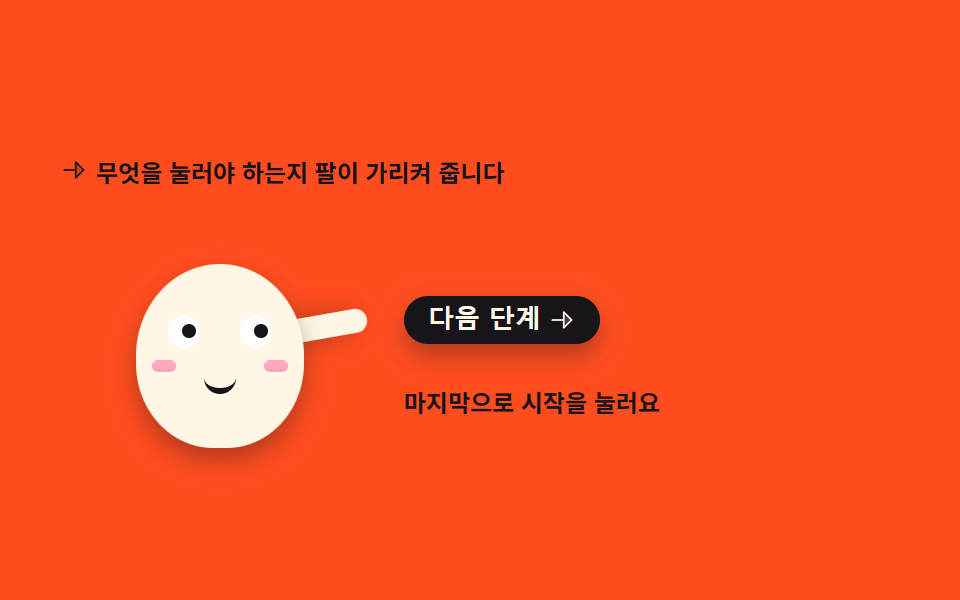
03次のボタンを指す案内
腕がボタンのほうへ伸びて瞳も同じ方向へ寄り、ボタンには強調のリングが広がっては消え、案内の文言が3段階で入れ替わります。
<svg width="0" height="0" style="position:absolute" aria-hidden="true">
  <defs>
    <symbol id="ico-arrow" viewBox="0 0 256 256" fill="currentColor"><path d="m216 128l-72 72V56Z" opacity=".2"/><path d="m221.66 122.34l-72-72A8 8 0 0 0 136 56v64H40a8 8 0 0 0 0 16h96v64a8 8 0 0 0 13.66 5.66l72-72a8 8 0 0 0 0-11.32M152 180.69V75.31L204.69 128Z"/></symbol>
  </defs>
</svg>
<main class="stage">
<div class="pg is-demo" id="pg" data-step="0">
  <p class="pg__hint">
    <svg class="pg__ico" aria-hidden="true"><use href="#ico-arrow"/></svg>
    <span>何を押せばよいか腕が示します</span>
  </p>

  <div class="pg__row">
    <!-- 캐릭터는 피사체라 손으로 그린다 — 크림 몸에 잉크 이목구비, 오른쪽 버튼을 가리키는 팔 하나.
         팔의 축은 어깨, 눈동자는 버튼 쪽으로 같이 옮겨 간다. -->
    <div class="pg__char" aria-label="ボタンを指すマスコット" role="img">
      <i class="pg__arm"></i>
      <span class="pg__body">
        <i class="pg__eye pg__eye--l"><span class="pg__pupil"></span></i>
        <i class="pg__eye pg__eye--r"><span class="pg__pupil"></span></i>
        <i class="pg__cheek pg__cheek--l"></i>
        <i class="pg__cheek pg__cheek--r"></i>
        <i class="pg__mouth"></i>
      </span>
    </div>

    <div class="pg__side">
      <button class="pg__btn" id="pgNext" type="button">
        <span>次へ</span>
        <svg class="pg__btnIco" aria-hidden="true"><use href="#ico-arrow"/></svg>
      </button>
      <!-- 안내 문구 교체를 스크린 낭독기에 알리는 영역 — data-step 이 바뀌면 보이는 스팬이 갈린다 -->
      <p class="pg__say" aria-live="polite">
        <span class="pg__msg pg__msg--0">まずプロフィールを埋めましょう</span>
        <span class="pg__msg pg__msg--1">次に通知を選びます</span>
        <span class="pg__msg pg__msg--2">最後に開始を押します</span>
      </p>
    </div>
  </div>
</div>
</main>@use "../../../../site/static/demo-tokens" as *;
// 다음 버튼을 가리키는 안내 — 팔이 버튼 쪽으로 뻗고 눈동자도 같은 방향으로 옮겨 간다.
// 격자 미리보기(.is-demo)는 「가리킴 → 버튼 강조(box-shadow 링) → 다음 단계」를 2s 안에
// 세 바퀴째 보여 준다. 문구 교체는 steps(1, end) 로 한 프레임에 컷해 반투명 유령을 만들지 않고
// 컷 옆에는 팔 살짝 내림(rotate) 이 움직임 프레임을 채운다. 복귀는 87~90% 안에 끝난다.
// 사람이 버튼을 누르면 JS 가 .is-demo 를 떼고 data-step 로 세 단계를 순환시킨다.
$duration: $dur-loop;
$easing: $ease-spring;
$color: $subject-cream;
@include stage($stage-orange);
// 주황 무대 위 글자는 잉크만 쓴다(설계 대비 표 — 크림 글자는 주황 위 3.11 대 1 로 AA 미달).
// 캐릭터 몸은 크림(면은 규칙 밖), 몸에 얹는 이목구비는 잉크다.
.pg { display: flex; flex-direction: column; gap: $sp-3; width: 100%; max-width: 420px; }
.pg__hint {
display: flex; align-items: center; gap: $sp-1; margin: 0;
font-weight: 700; font-size: clamp(10px, 2.6vw, 12px); color: $subject-ink;
}
.pg__ico { width: 14px; height: 14px; flex: 0 0 auto; color: $subject-ink; }
.pg__row { display: flex; align-items: flex-end; gap: $sp-3; }
.pg__char { position: relative; width: 160px; height: 118px; flex: 0 0 auto; }
// 몸 — 크림 타원(01·02 와 같은 몸). 필요한 transform 이 없어 축은 그대로 둔다
.pg__body {
position: absolute; left: 38px; top: 26px; width: 84px; height: 92px;
border-radius: 50% 50% 46% 46%;
background: $color;
box-shadow: $shadow-press;
}
// 눈 — 크림 몸 위 흰 눈알 + 잉크 눈동자. 눈동자는 버튼 쪽(오른쪽)으로 translateX 로 옮겨 간다.
// 기본 자세부터 가리키는 중이라 눈동자는 오른쪽에 두고 미리보기 첫 8% 에 slide 한다.
.pg__eye {
position: absolute; top: 26px; width: 16px; height: 16px;
border-radius: 50%; background: $stage-paper;
}
.pg__eye--l { left: 16px; }
.pg__eye--r { left: 52px; }
.pg__pupil {
position: absolute; left: 4px; top: 4px; width: 7px; height: 7px;
border-radius: 50%; background: $subject-ink;
transform: translateX(3px);
}
.pg__cheek {
position: absolute; top: 48px; width: 12px; height: 6px;
border-radius: $r-pill; background: $subject-pink; opacity: .9;
}
.pg__cheek--l { left: 8px; }
.pg__cheek--r { right: 8px; }
.pg__mouth {
position: absolute; top: 54px; left: 34px; width: 16px; height: 8px;
border-bottom: 3px solid $subject-ink;
border-radius: 0 0 $r-pill $r-pill;
}
// 팔 — 몸 뒤에 붙는 캡슐. 축은 어깨(아래 끝, 50% 95%): 팔은 어깨에 붙어 있어 붙는 지점에서
// 돌아간다(규칙 8 예외). 기본 자세는 버튼을 가리키는 80도(위에서부터 시계 방향).
.pg__arm {
position: absolute; left: 110px; top: 22px; width: 12px; height: 40px;
border-radius: $r-pill; background: $color;
transform-origin: 50% 95%;
transform: rotate(80deg);
box-shadow: $shadow-press;
}
.pg__side { display: flex; flex-direction: column; gap: $sp-2; flex: 1 1 auto; min-width: 0; }
// 버튼 — 잉크 면에 크림 글자(대비 충분). 누르면 자기 중심에서 살짝 줄어든다(규칙 8 기본 축 그대로)
.pg__btn {
display: inline-flex; align-items: center; gap: $sp-1;
align-self: flex-start;
border: 0; border-radius: $r-control; padding: $sp-1 $sp-3;
background: $subject-ink; color: $subject-cream;
font-weight: 800; font-size: clamp(11px, 2.8vw, 13px); line-height: 1.2;
box-shadow: $shadow-press; cursor: pointer;
transition: transform $dur-instant $ease-out, box-shadow $dur-instant $ease-out;
}
.pg__btn:active { transform: scale(.96); box-shadow: none; }
.pg__btn:focus-visible { outline: 2px solid $subject-ink; outline-offset: 2px; }
.pg__btnIco { width: 14px; height: 14px; flex: 0 0 auto; }
// 안내 문구 — 절대배치 스팬 세 개의 자리를 height 로 미리 비운다(BD9: scrollHeight 는 절대배치도 잡는다).
// 실제 상태(미리보기 아님)는 data-step 에 따라 스팬 하나만 display 로 뜬다.
.pg__say { position: relative; height: 44px; margin: 0; }
.pg__msg {
position: absolute; inset: 0; display: none; align-items: center;
font-weight: 700; font-size: clamp(10px, 2.6vw, 12px); line-height: 1.4; color: $subject-ink;
}
.pg[data-step="0"] .pg__msg--0,
.pg[data-step="1"] .pg__msg--1,
.pg[data-step="2"] .pg__msg--2 { display: flex; }
// ── 미리보기 루프(.is-demo) ──────────────────────────────────
// 가리킴(유지) → 버튼 강조 링 → 문구 컷 → 팔 살짝 내림, 를 세 단계 반복하고 87% 에 첫 문구로 돌아온다.
.is-demo .pg__msg { display: flex; visibility: hidden; opacity: 0; }
@keyframes pgPoint {
0%, 31% { transform: rotate(80deg); }
34% { transform: rotate(92deg); }
37%, 62% { transform: rotate(80deg); }
65% { transform: rotate(92deg); }
68%, 86% { transform: rotate(80deg); }
88% { transform: rotate(92deg); }
90%, 100% { transform: rotate(80deg); }
}
@keyframes pgLook {
0% { transform: translateX(0); }
8%, 100% { transform: translateX(3px); }
}
// 버튼 강조 — box-shadow 링이 퍼지며 사라진다(칩 box-shadow). 문구 단계마다 한 번씩
@keyframes pgGlow {
0%, 2% { box-shadow: $shadow-press, 0 0 0 0 rgba(255, 247, 230, .55); }
26% { box-shadow: $shadow-press, 0 0 0 12px rgba(255, 247, 230, 0); }
33%, 38% { box-shadow: $shadow-press, 0 0 0 0 rgba(255, 247, 230, 0); }
40% { box-shadow: $shadow-press, 0 0 0 0 rgba(255, 247, 230, .55); }
57% { box-shadow: $shadow-press, 0 0 0 12px rgba(255, 247, 230, 0); }
63%, 68% { box-shadow: $shadow-press, 0 0 0 0 rgba(255, 247, 230, 0); }
70% { box-shadow: $shadow-press, 0 0 0 0 rgba(255, 247, 230, .55); }
84% { box-shadow: $shadow-press, 0 0 0 12px rgba(255, 247, 230, 0); }
90%, 100% { box-shadow: $shadow-press, 0 0 0 0 rgba(255, 247, 230, 0); }
}
// 문구 교체 — steps(1, end) 컷. 중간 반투명 프레임이 생기지 않는다
@keyframes pgMsg0 {
0%, 30% { opacity: 1; visibility: visible; }
31%, 86% { opacity: 0; visibility: hidden; }
87%, 100% { opacity: 1; visibility: visible; }
}
@keyframes pgMsg1 {
0%, 31% { opacity: 0; visibility: hidden; }
32%, 61% { opacity: 1; visibility: visible; }
62%, 100% { opacity: 0; visibility: hidden; }
}
@keyframes pgMsg2 {
0%, 62% { opacity: 0; visibility: hidden; }
63%, 86% { opacity: 1; visibility: visible; }
87%, 100% { opacity: 0; visibility: hidden; }
}
.is-demo .pg__arm {
animation-name: pgPoint;
animation-duration: $duration;
animation-timing-function: $easing;
animation-iteration-count: infinite;
}
.is-demo .pg__pupil {
animation-name: pgLook;
animation-duration: $duration;
animation-timing-function: $easing;
animation-iteration-count: infinite;
}
.is-demo .pg__btn {
animation-name: pgGlow;
animation-duration: $duration;
animation-timing-function: $ease-out;
animation-iteration-count: infinite;
}
.is-demo .pg__msg--0,
.is-demo .pg__msg--1,
.is-demo .pg__msg--2 {
animation-duration: $duration;
animation-timing-function: steps(1, end);
animation-iteration-count: infinite;
}
.is-demo .pg__msg--0 { animation-name: pgMsg0; }
.is-demo .pg__msg--1 { animation-name: pgMsg1; }
.is-demo .pg__msg--2 { animation-name: pgMsg2; }
// 사람이 버튼을 눌렀을 때 — 팔이 내려왔다 다시 버튼을 가리킨다(한 번 재생)
@keyframes pgNod {
0% { transform: rotate(80deg); }
35% { transform: rotate(126deg); }
70%, 100% { transform: rotate(80deg); }
}
.pg.is-bump .pg__arm {
animation-name: pgNod;
animation-duration: 640ms;
animation-timing-function: $easing;
animation-iteration-count: 1;
animation-fill-mode: both;
}
@media (max-width: 340px) {
.pg { gap: $sp-2; }
.pg__row { gap: $sp-2; }
.pg__char { width: 124px; height: 96px; }
.pg__body { left: 27px; top: 20px; width: 70px; height: 76px; }
.pg__eye { top: 21px; width: 13px; height: 13px; }
.pg__eye--l { left: 12px; }
.pg__eye--r { left: 45px; }
.pg__pupil { left: 3px; top: 3px; width: 6px; height: 6px; }
.pg__cheek { top: 40px; width: 10px; height: 5px; }
.pg__cheek--l { left: 7px; }
.pg__cheek--r { right: 7px; }
.pg__mouth { top: 45px; left: 28px; width: 14px; height: 7px; }
.pg__arm { left: 86px; top: 16px; width: 10px; height: 34px; }
.pg__say { height: 36px; }
}
// reduce 에서는 미리보기 루프를 끊고 첫 단계 문구를 띄운 한 장으로 세운다.
// is-demo 중에도 data-step 규칙이 문구를 보이게 한다(미리보기 애니메이션이 꺼져도 화면이 성립한다).
@media (prefers-reduced-motion: reduce) {
.is-demo .pg__arm,
.is-demo .pg__pupil,
.is-demo .pg__btn { animation: none !important; }
.is-demo .pg__msg--0,
.is-demo .pg__msg--1,
.is-demo .pg__msg--2 { animation: none !important; }
.is-demo[data-step="0"] .pg__msg--0,
.is-demo[data-step="1"] .pg__msg--1,
.is-demo[data-step="2"] .pg__msg--2 { visibility: visible !important; opacity: 1 !important; }
.pg.is-bump .pg__arm { animation: none !important; }
.pg__btn { transition: none !important; }
}html, body {
margin: 0;
overflow: hidden;
}
.stage {
box-sizing: border-box;
min-height: 100vh;
display: grid;
place-items: center;
margin: 0;
background: #ff4d1f;
font-family: -apple-system, "Segoe UI", "Noto Sans KR", sans-serif;
padding: clamp(8px, 4vw, 24px);
}
.pg {
display: flex;
flex-direction: column;
gap: 12px;
width: 100%;
max-width: 420px;
}
.pg__hint {
display: flex;
align-items: center;
gap: 4px;
margin: 0;
font-weight: 700;
font-size: clamp(10px, 2.6vw, 12px);
color: #17141a;
}
.pg__ico {
width: 14px;
height: 14px;
flex: 0 0 auto;
color: #17141a;
}
.pg__row {
display: flex;
align-items: flex-end;
gap: 12px;
}
.pg__char {
position: relative;
width: 160px;
height: 118px;
flex: 0 0 auto;
}
.pg__body {
position: absolute;
left: 38px;
top: 26px;
width: 84px;
height: 92px;
border-radius: 50% 50% 46% 46%;
background: #fff7e6;
box-shadow: 0 6px 12px rgba(23, 20, 26, 0.32);
}
.pg__eye {
position: absolute;
top: 26px;
width: 16px;
height: 16px;
border-radius: 50%;
background: #ffffff;
}
.pg__eye--l {
left: 16px;
}
.pg__eye--r {
left: 52px;
}
.pg__pupil {
position: absolute;
left: 4px;
top: 4px;
width: 7px;
height: 7px;
border-radius: 50%;
background: #17141a;
transform: translateX(3px);
}
.pg__cheek {
position: absolute;
top: 48px;
width: 12px;
height: 6px;
border-radius: 999px;
background: #ff9ebb;
opacity: 0.9;
}
.pg__cheek--l {
left: 8px;
}
.pg__cheek--r {
right: 8px;
}
.pg__mouth {
position: absolute;
top: 54px;
left: 34px;
width: 16px;
height: 8px;
border-bottom: 3px solid #17141a;
border-radius: 0 0 999px 999px;
}
.pg__arm {
position: absolute;
left: 110px;
top: 22px;
width: 12px;
height: 40px;
border-radius: 999px;
background: #fff7e6;
transform-origin: 50% 95%;
transform: rotate(80deg);
box-shadow: 0 6px 12px rgba(23, 20, 26, 0.32);
}
.pg__side {
display: flex;
flex-direction: column;
gap: 8px;
flex: 1 1 auto;
min-width: 0;
}
.pg__btn {
display: inline-flex;
align-items: center;
gap: 4px;
align-self: flex-start;
border: 0;
border-radius: 12px;
padding: 4px 12px;
background: #17141a;
color: #fff7e6;
font-weight: 800;
font-size: clamp(11px, 2.8vw, 13px);
line-height: 1.2;
box-shadow: 0 6px 12px rgba(23, 20, 26, 0.32);
cursor: pointer;
transition: transform 140ms ease-out, box-shadow 140ms ease-out;
}
.pg__btn:active {
transform: scale(0.96);
box-shadow: none;
}
.pg__btn:focus-visible {
outline: 2px solid #17141a;
outline-offset: 2px;
}
.pg__btnIco {
width: 14px;
height: 14px;
flex: 0 0 auto;
}
.pg__say {
position: relative;
height: 44px;
margin: 0;
}
.pg__msg {
position: absolute;
inset: 0;
display: none;
align-items: center;
font-weight: 700;
font-size: clamp(10px, 2.6vw, 12px);
line-height: 1.4;
color: #17141a;
}
.pg[data-step="0"] .pg__msg--0,
.pg[data-step="1"] .pg__msg--1,
.pg[data-step="2"] .pg__msg--2 {
display: flex;
}
.is-demo .pg__msg {
display: flex;
visibility: hidden;
opacity: 0;
}
@keyframes pgPoint {
0%, 31% {
transform: rotate(80deg);
}
34% {
transform: rotate(92deg);
}
37%, 62% {
transform: rotate(80deg);
}
65% {
transform: rotate(92deg);
}
68%, 86% {
transform: rotate(80deg);
}
88% {
transform: rotate(92deg);
}
90%, 100% {
transform: rotate(80deg);
}
}
@keyframes pgLook {
0% {
transform: translateX(0);
}
8%, 100% {
transform: translateX(3px);
}
}
@keyframes pgGlow {
0%, 2% {
box-shadow: 0 6px 12px rgba(23, 20, 26, 0.32), 0 0 0 0 rgba(255, 247, 230, 0.55);
}
26% {
box-shadow: 0 6px 12px rgba(23, 20, 26, 0.32), 0 0 0 12px rgba(255, 247, 230, 0);
}
33%, 38% {
box-shadow: 0 6px 12px rgba(23, 20, 26, 0.32), 0 0 0 0 rgba(255, 247, 230, 0);
}
40% {
box-shadow: 0 6px 12px rgba(23, 20, 26, 0.32), 0 0 0 0 rgba(255, 247, 230, 0.55);
}
57% {
box-shadow: 0 6px 12px rgba(23, 20, 26, 0.32), 0 0 0 12px rgba(255, 247, 230, 0);
}
63%, 68% {
box-shadow: 0 6px 12px rgba(23, 20, 26, 0.32), 0 0 0 0 rgba(255, 247, 230, 0);
}
70% {
box-shadow: 0 6px 12px rgba(23, 20, 26, 0.32), 0 0 0 0 rgba(255, 247, 230, 0.55);
}
84% {
box-shadow: 0 6px 12px rgba(23, 20, 26, 0.32), 0 0 0 12px rgba(255, 247, 230, 0);
}
90%, 100% {
box-shadow: 0 6px 12px rgba(23, 20, 26, 0.32), 0 0 0 0 rgba(255, 247, 230, 0);
}
}
@keyframes pgMsg0 {
0%, 30% {
opacity: 1;
visibility: visible;
}
31%, 86% {
opacity: 0;
visibility: hidden;
}
87%, 100% {
opacity: 1;
visibility: visible;
}
}
@keyframes pgMsg1 {
0%, 31% {
opacity: 0;
visibility: hidden;
}
32%, 61% {
opacity: 1;
visibility: visible;
}
62%, 100% {
opacity: 0;
visibility: hidden;
}
}
@keyframes pgMsg2 {
0%, 62% {
opacity: 0;
visibility: hidden;
}
63%, 86% {
opacity: 1;
visibility: visible;
}
87%, 100% {
opacity: 0;
visibility: hidden;
}
}
.is-demo .pg__arm {
animation-name: pgPoint;
animation-duration: 2s;
animation-timing-function: cubic-bezier(0.2, 0.8, 0.2, 1);
animation-iteration-count: infinite;
}
.is-demo .pg__pupil {
animation-name: pgLook;
animation-duration: 2s;
animation-timing-function: cubic-bezier(0.2, 0.8, 0.2, 1);
animation-iteration-count: infinite;
}
.is-demo .pg__btn {
animation-name: pgGlow;
animation-duration: 2s;
animation-timing-function: ease-out;
animation-iteration-count: infinite;
}
.is-demo .pg__msg--0,
.is-demo .pg__msg--1,
.is-demo .pg__msg--2 {
animation-duration: 2s;
animation-timing-function: steps(1, end);
animation-iteration-count: infinite;
}
.is-demo .pg__msg--0 {
animation-name: pgMsg0;
}
.is-demo .pg__msg--1 {
animation-name: pgMsg1;
}
.is-demo .pg__msg--2 {
animation-name: pgMsg2;
}
@keyframes pgNod {
0% {
transform: rotate(80deg);
}
35% {
transform: rotate(126deg);
}
70%, 100% {
transform: rotate(80deg);
}
}
.pg.is-bump .pg__arm {
animation-name: pgNod;
animation-duration: 640ms;
animation-timing-function: cubic-bezier(0.2, 0.8, 0.2, 1);
animation-iteration-count: 1;
animation-fill-mode: both;
}
@media (max-width: 340px) {
.pg {
gap: 8px;
}
.pg__row {
gap: 8px;
}
.pg__char {
width: 124px;
height: 96px;
}
.pg__body {
left: 27px;
top: 20px;
width: 70px;
height: 76px;
}
.pg__eye {
top: 21px;
width: 13px;
height: 13px;
}
.pg__eye--l {
left: 12px;
}
.pg__eye--r {
left: 45px;
}
.pg__pupil {
left: 3px;
top: 3px;
width: 6px;
height: 6px;
}
.pg__cheek {
top: 40px;
width: 10px;
height: 5px;
}
.pg__cheek--l {
left: 7px;
}
.pg__cheek--r {
right: 7px;
}
.pg__mouth {
top: 45px;
left: 28px;
width: 14px;
height: 7px;
}
.pg__arm {
left: 86px;
top: 16px;
width: 10px;
height: 34px;
}
.pg__say {
height: 36px;
}
}
@media (prefers-reduced-motion: reduce) {
.is-demo .pg__arm,
.is-demo .pg__pupil,
.is-demo .pg__btn {
animation: none !important;
}
.is-demo .pg__msg--0,
.is-demo .pg__msg--1,
.is-demo .pg__msg--2 {
animation: none !important;
}
.is-demo[data-step="0"] .pg__msg--0,
.is-demo[data-step="1"] .pg__msg--1,
.is-demo[data-step="2"] .pg__msg--2 {
visibility: visible !important;
opacity: 1 !important;
}
.pg.is-bump .pg__arm {
animation: none !important;
}
.pg__btn {
transition: none !important;
}
}// 다음 버튼을 가리키는 안내 — 격자 미리보기(.is-demo)를 떼고 실제 단계 진행을 맡는다.
// 단계 문구는 스팬 3개를 data-step 으로 갈아 끼운다(교체는 한 컷). 버튼은 <button> 이라
// 엔터·스페이스가 브라우저 기본 동작으로 그대로 먹는다. 식별자는 전부 영어다(BD22).
(function () {
var root = document.getElementById('pg');
var btn = document.getElementById('pgNext');
var bumpTimer = null;
function next() {
var step = Number(root.getAttribute('data-step') || '0');
root.classList.remove('is-demo');
root.setAttribute('data-step', String((step + 1) % 3));
root.classList.remove('is-bump');
void root.offsetWidth;
root.classList.add('is-bump');
clearTimeout(bumpTimer);
bumpTimer = setTimeout(function () { root.classList.remove('is-bump'); }, 700);
}
btn.addEventListener('click', next);
}());// PointGuide — vanilla 판(run/300/demo/03-mascot-point-guide/index.html) 의 React 포트.
// 버튼을 누르면 미리보기(.isDemo)를 떼고 data-step 로 세 단계를 순환한다.
// 팔 내렸다 올리기는 key 리마운트로 다시 시작한다(애니메이션 재발동). 훅은 useState 세 개뿐.
// 이벤트 핸들러 파라미터는 ambient 타입이 없어 쓰지 않는다 — () => advance() 로 인자를 받지 않는다.
import { useState } from "react";
import type { CSSProperties } from "react";
import styles from "./PointGuide.module.scss";
export type PointGuideProps = {
duration?: number;
easing?: string;
color?: string;
};
type Vars = CSSProperties & { "--duration"?: string; "--easing"?: string; "--color"?: string };
const HINT = "무엇을 눌러야 하는지 팔이 가리켜 줍니다";
const NEXT = "다음 단계";
const CHAR_LABEL = "버튼을 가리키는 마스코트";
const STEPS = ["먼저 프로필을 채워 봐요", "다음으로 알림을 골라요", "마지막으로 시작을 눌러요"];
export default function PointGuide({
duration = 2000,
easing = "cubic-bezier(.2, .8, .2, 1)",
color = "#fff7e6",
}: PointGuideProps) {
const [step, setStep] = useState(0);
const [demo, setDemo] = useState(true);
const [bump, setBump] = useState(0);
const vars: Vars = { "--duration": `${duration}ms`, "--easing": easing, "--color": color };
function advance() {
setDemo(false);
setStep((s) => (s + 1) % 3);
setBump((b) => b + 1);
}
const armClass = [styles.arm, demo ? "" : styles.nod].filter(Boolean).join(" ");
return (
<main className={styles.stage}>
<svg width="0" height="0" style={{ position: "absolute" }} aria-hidden="true">
<defs>
<symbol id="ico-arrow" viewBox="0 0 256 256" fill="currentColor"><path d="m216 128l-72 72V56Z" opacity=".2" /><path d="m221.66 122.34l-72-72A8 8 0 0 0 136 56v64H40a8 8 0 0 0 0 16h96v64a8 8 0 0 0 13.66 5.66l72-72a8 8 0 0 0 0-11.32M152 180.69V75.31L204.69 128Z" /></symbol>
</defs>
</svg>
<div className={`${styles.root} ${demo ? styles.isDemo : ""}`.trim()} style={vars} data-step={String(step)}>
<p className={styles.hint}>
<svg className={styles.ico} aria-hidden="true"><use href="#ico-arrow" /></svg>
<span>{HINT}</span>
</p>
<div className={styles.row}>
<div className={styles.char} aria-label={CHAR_LABEL} role="img">
<i className={armClass} key={demo ? "demo" : `nod-${bump}`}></i>
<span className={styles.body}>
<i className={`${styles.eye} ${styles.eyeL}`}><span className={styles.pupil}></span></i>
<i className={`${styles.eye} ${styles.eyeR}`}><span className={styles.pupil}></span></i>
<i className={`${styles.cheek} ${styles.cheekL}`}></i>
<i className={`${styles.cheek} ${styles.cheekR}`}></i>
<i className={styles.mouth}></i>
</span>
</div>
<div className={styles.side}>
<button className={styles.btn} type="button" onClick={() => advance()}>
<span>{NEXT}</span>
<svg className={styles.btnIco} aria-hidden="true"><use href="#ico-arrow" /></svg>
</button>
<p className={styles.say} aria-live="polite">
<span className={`${styles.msg} ${styles.msg0}`}>{STEPS[0]}</span>
<span className={`${styles.msg} ${styles.msg1}`}>{STEPS[1]}</span>
<span className={`${styles.msg} ${styles.msg2}`}>{STEPS[2]}</span>
</p>
</div>
</div>
</div>
</main>
);
}03 · 次のボタンを指す案内 — 計測 累積面積 3.006% · 動いたフレーム 19/23GODRICH オリジナル · SCSS と React は zip に同梱 · パスワードを見る
@keyframes pgPoint {
  0%, 31%   { transform: rotate(80deg); }
  34%       { transform: rotate(92deg); }
  37%, 62%  { transform: rotate(80deg); }
  65%       { transform: rotate(92deg); }
  68%, 86%  { transform: rotate(80deg); }
  88%       { transform: rotate(92deg); }
  90%, 100% { transform: rotate(80deg); }
}
@keyframes pgLook {
  0%        { transform: translateX(0); }
  8%, 100%  { transform: translateX(3px); }
}
.is-demo .pg__msg--0,
.is-demo .pg__msg--1,
.is-demo .pg__msg--2 {
  animation-duration: $duration;
  animation-timing-function: steps(1, end);
  animation-iteration-count: infinite;
}
目の器ではなく瞳だけ動かす
目の器ごと横へずらすと顔がゆがむので、動かすのは中の瞳だけにして translateX(3px) という小さな移動にとどめてあります。
カットと補間が出会う場所
文言の入れ替えは steps(1, end) のカットなのでフレームを2枚しか作りませんが、その隣で腕が 80deg と 92deg の間を往復しているため、動いたフレームは 19/23 まで上がります。
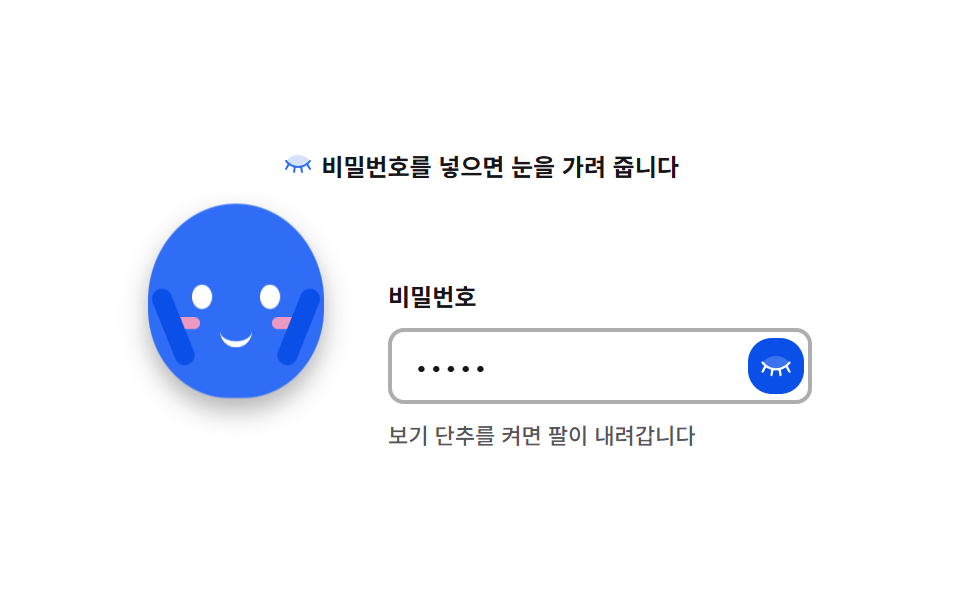
04パスワード欄で目を隠す
パスワード欄に文字が入り始めると両腕が上がって目を覆い、表示ボタンを押すと腕が下がって目がまた現れます。
<svg width="0" height="0" style="position:absolute" aria-hidden="true">
  <defs>
    <symbol id="ico-eye-closed" viewBox="0 0 256 256" fill="currentColor"><path d="M224 104c-16.81 20.81-47.63 48-96 48s-79.19-27.19-96-48c16.81-20.81 47.63-48 96-48s79.19 27.19 96 48" opacity=".2"/><path d="M228 175a8 8 0 0 1-10.92-3l-19-33.2A123.2 123.2 0 0 1 162 155.46l5.87 35.22a8 8 0 0 1-6.58 9.21a8.4 8.4 0 0 1-1.29.11a8 8 0 0 1-7.88-6.69l-5.77-34.58a133 133 0 0 1-36.68 0l-5.77 34.58A8 8 0 0 1 96 200a8.4 8.4 0 0 1-1.32-.11a8 8 0 0 1-6.58-9.21l5.9-35.22a123.2 123.2 0 0 1-36.06-16.69L39 172a8 8 0 1 1-13.94-8l20-35a153.5 153.5 0 0 1-19.3-20a8 8 0 1 1 12.46-10c16.6 20.54 45.64 45 89.78 45s73.18-24.49 89.78-45a8 8 0 1 1 12.44 10a153.5 153.5 0 0 1-19.3 20l20 35a8 8 0 0 1-2.92 11"/></symbol>
  </defs>
</svg>
<main class="stage">
<div class="mc is-demo" id="mc">
  <p class="mc__hint">
    <svg class="mc__ico" aria-hidden="true"><use href="#ico-eye-closed"/></svg>
    <span>パスワードを入れると目を隠します</span>
  </p>

  <div class="mc__row">
    <!-- 캐릭터는 장식이라 스크린낭독기에서는 없는 셈으로 한다(칩 aria-hidden).
         실제 상태 변화는 보기 단추의 aria-pressed 가 알린다. -->
    <div class="mc__char" aria-hidden="true">
      <span class="mc__body">
        <i class="mc__eye mc__eye--l"></i>
        <i class="mc__eye mc__eye--r"></i>
        <i class="mc__cheek mc__cheek--l"></i>
        <i class="mc__cheek mc__cheek--r"></i>
        <i class="mc__mouth"></i>
        <i class="mc__arm mc__arm--l"></i>
        <i class="mc__arm mc__arm--r"></i>
      </span>
    </div>

    <form class="mc__form" id="mcForm" autocomplete="off">
      <label class="mc__label" for="mcPw">パスワード</label>
      <span class="mc__field">
        <!-- 칩 type="password" — 보기 단추를 켜면 text 로, 끄면 다시 password 로 돌아온다 -->
        <input class="mc__input" id="mcPw" type="password" placeholder="パスワードを入力" autocomplete="off">
        <button class="mc__reveal" id="mcReveal" type="button" aria-pressed="false" aria-label="パスワードを表示">
          <svg class="mc__revealIco" aria-hidden="true"><use href="#ico-eye-closed"/></svg>
        </button>
        <!-- 미리보기에서만 글자가 들어오는 흉내를 내는 겹침. 정적 경로(사람이 직접 입력)에서는 보이지 않는다 -->
        <span class="mc__ghost" aria-hidden="true">•••••</span>
      </span>
      <p class="mc__note">表示ボタンで腕が下がります</p>
    </form>
  </div>
</div>
</main>@use "../../../../site/static/demo-tokens" as *;
// 비밀번호 칸에서 눈 가리기 — 아이디어형. 글자가 들어오기 시작하면 두 팔이 올라와 눈을 덮는다.
// 팔은 위로 미끄러지는 게 아니라 어깨를 축으로 도는 것이다 — 그래서 transform-origin 을
// 팔 윗점의 어깨 관절(5px 5px)에 둔다(칩 rotate · transform-origin). 몸은 01 마스코트와 같은
// 타원 한 개, 이목구비도 같은 자리 — 같은 캐릭터로 보여야 한다.
// 눈은 팔이 닿는 순간 steps 컷으로 감았다 떠서 반쯤 감긴 유령 프레임을 만들지 않는다.
$duration: $dur-loop;
$easing: $ease-spring;
$color: $subject-blue;
@include stage($stage-paper);
.mc { display: flex; flex-direction: column; align-items: center; gap: $sp-3; width: 100%; max-width: 340px; }
.mc__hint {
display: flex; align-items: center; gap: $sp-1; margin: 0;
font-weight: 700; font-size: clamp(10px, 2.8vw, 12px); color: $subject-ink;
}
.mc__ico { width: 16px; height: 16px; flex: 0 0 auto; color: $color; }
.mc__hint span { flex: 1 1 auto; min-width: 0; }
.mc__row { display: flex; align-items: flex-end; justify-content: center; gap: $sp-4; width: 100%; }
// ── 캐릭터 (01 과 같은 몸, 팔만 추가) ──
.mc__char { position: relative; width: 104px; height: 124px; flex: 0 0 auto; }
.mc__body {
position: relative; display: block; width: 88px; height: 96px;
border-radius: 50% 50% 46% 46%;
background: $color;
transform-origin: 50% 100%;
box-shadow: $shadow-press;
}
.mc__eye {
position: absolute; top: 40px; width: 10px; height: 12px;
border-radius: 50%; background: $stage-paper;
}
.mc__eye--l { left: 22px; }
.mc__eye--r { right: 22px; }
.mc__cheek {
position: absolute; top: 56px; width: 12px; height: 6px;
border-radius: $r-pill; background: $subject-pink; opacity: .9;
}
.mc__cheek--l { left: 14px; }
.mc__cheek--r { right: 14px; }
.mc__mouth {
position: absolute; top: 60px; left: 50%; width: 16px; height: 8px;
margin-left: -8px;
border-bottom: 3px solid $stage-paper;
border-radius: 0 0 $r-pill $r-pill;
}
// 팔 — 어깨에서 돈다. transform-origin 을 팔 윗점(어깨 관절)에 두는 이유:
// 중심 원점이면 팔이 제자리에서 회전하는 게 아니라 궤도를 그리며 밀려 보인다.
.mc__arm {
position: absolute; top: 42px; width: 10px; height: 40px;
border-radius: $r-pill;
background: $subject-blue-deep;
transform-origin: 5px 5px;
transition-property: transform;
transition-duration: $dur-base;
transition-timing-function: $easing;
}
.mc__arm--l { left: 2px; transform: rotate(28deg); }
.mc__arm--r { right: 2px; transform: rotate(-28deg); }
// 입력이 차면 팔이 얼굴 쪽으로 돌아 올라가 눈을 덮는다
.mc.is-cover .mc__arm--l { transform: rotate(-95deg); }
.mc.is-cover .mc__arm--r { transform: rotate(95deg); }
// 눈은 트윈 없이 바로 감긴다 — 중간 반쯤 감긴 프레임을 두지 않는다
.mc.is-cover .mc__eye { transform: scaleY(.1); }
// ── 폼 ──
.mc__form { display: flex; flex-direction: column; gap: $sp-2; flex: 1 1 auto; min-width: 0; max-width: 212px; }
.mc__label { font-weight: 700; font-size: 12px; color: $subject-ink; }
.mc__field { position: relative; display: block; }
.mc__input {
box-sizing: border-box; display: block; width: 100%;
padding: $sp-2 44px $sp-2 $sp-3;
border: 2px solid rgba($subject-ink, .35);
border-radius: $r-sm;
background: $stage-paper;
font-weight: 500; font-size: 13px; line-height: 1.4; color: $subject-ink;
}
.mc__input:focus {
border-color: $color;
box-shadow: 0 0 0 3px rgba($color, .25);
outline: none;
}
.mc__reveal {
position: absolute; right: 4px; top: 50%;
transform: translateY(-50%);
display: grid; place-items: center;
width: 28px; height: 28px; padding: 0; margin: 0;
border: 0; border-radius: $r-control;
background: transparent; color: $subject-ink;
cursor: pointer;
}
.mc__revealIco { width: 18px; height: 18px; }
.mc__reveal:focus-visible { outline: 2px solid $color; outline-offset: 2px; }
// 보기가 켜졌다 — 파란 면 위 글자·아이콘은 대비가 깊은 쪽으로 (면 $subject-blue-deep 위 $stage-paper)
.mc__reveal[aria-pressed="true"] { background: $subject-blue-deep; color: $stage-paper; }
// 미리보기 겹침 — 정적 경로에선 아예 그리지 않는다
.mc__ghost { display: none; }
.mc__note {
margin: 0;
font-weight: 500; font-size: 11px; line-height: 1.5;
color: rgba($subject-ink, .72);
}
// ── 미리보기 루프 (설정 초 2s 안에 한 바퀴) ──
// 0~24% 글자 들어옴(컷) · 24~36% 팔 올라감 · 34~54% 눈 감김(컷) · 54% 보기 켬(컷)
// · 56~70% 팔 내려옴 · 84% 보기 끔 · 88% 글자 지움 — 복귀가 90% 안에 끝난다.
// 들어있는 글자 흉내는 clip-path 를 steps 컷으로 잘라 한 글자씩 보이게 한다(타자기 컷).
@keyframes mcBreath {
0%, 100% { transform: scaleY(1); }
50% { transform: scaleY(1.03); }
}
@keyframes mcArmL {
0%, 24% { transform: rotate(28deg); }
36% { transform: rotate(-99deg); }
42% { transform: rotate(-92deg); }
48%, 56% { transform: rotate(-99deg); }
70%, 100% { transform: rotate(28deg); }
}
@keyframes mcArmR {
0%, 24% { transform: rotate(-28deg); }
36% { transform: rotate(99deg); }
42% { transform: rotate(92deg); }
48%, 56% { transform: rotate(99deg); }
70%, 100% { transform: rotate(-28deg); }
}
// 눈 감김·뜸은 컷 — 반쯤 감긴 유령 프레임 금지
@keyframes mcWink {
0%, 32% { transform: scaleY(1); }
34%, 54% { transform: scaleY(.1); }
56%, 100% { transform: scaleY(1); }
}
@keyframes mcGhost {
0%, 5% { clip-path: inset(0 100% 0 0); }
7%, 9% { clip-path: inset(0 80% 0 0); }
11%, 13% { clip-path: inset(0 60% 0 0); }
15%, 17% { clip-path: inset(0 40% 0 0); }
19%, 21% { clip-path: inset(0 20% 0 0); }
23%, 86% { clip-path: inset(0 0 0 0); }
88%, 100% { clip-path: inset(0 100% 0 0); }
}
// 단추 켜짐도 컷 — 색 보간이 아니라 이산 교체라 중간값이 없다
@keyframes mcReveal {
0%, 52% { background-color: transparent; color: $subject-ink; }
54%, 84% { background-color: $subject-blue-deep; color: $stage-paper; }
86%, 100% { background-color: transparent; color: $subject-ink; }
}
.mc.is-demo .mc__body {
animation-name: mcBreath;
animation-duration: $duration;
animation-timing-function: $easing;
animation-iteration-count: infinite;
}
.mc.is-demo .mc__arm--l {
animation-name: mcArmL;
animation-duration: $duration;
animation-timing-function: $easing;
animation-iteration-count: infinite;
}
.mc.is-demo .mc__arm--r {
animation-name: mcArmR;
animation-duration: $duration;
animation-timing-function: $easing;
animation-iteration-count: infinite;
}
.mc.is-demo .mc__eye {
animation-name: mcWink;
animation-duration: $duration;
animation-timing-function: steps(1, end);
animation-iteration-count: infinite;
}
.mc.is-demo .mc__reveal {
animation-name: mcReveal;
animation-duration: $duration;
animation-timing-function: steps(1, end);
animation-iteration-count: infinite;
}
.mc.is-demo .mc__ghost {
display: flex; align-items: center;
position: absolute; top: 50%; left: 14px; height: 60%;
transform: translateY(-50%);
font-weight: 500; font-size: 13px; letter-spacing: 2px; color: $subject-ink;
animation-name: mcGhost;
animation-duration: $duration;
animation-timing-function: steps(1, end);
animation-iteration-count: infinite;
}
// 겹침 글자와 placeholder 가 겹쳐 읽히지 않게 미리보기 동안만 감춘다
.mc.is-demo .mc__input::placeholder { color: transparent; }
// ── 좁은 폭 (320px 무대) ── 캐릭터는 01 의 축소판 값과 같게
@media (max-width: 340px) {
.mc { gap: $sp-2; }
.mc__row { gap: $sp-2; }
.mc__char { width: 92px; height: 104px; }
.mc__body { width: 76px; height: 82px; }
.mc__eye { top: 34px; width: 9px; height: 11px; }
.mc__eye--l { left: 18px; }
.mc__eye--r { right: 18px; }
.mc__cheek { top: 48px; }
.mc__cheek--l { left: 10px; }
.mc__cheek--r { right: 10px; }
.mc__mouth { top: 52px; }
.mc__arm { top: 36px; width: 8px; height: 34px; transform-origin: 4px 4px; }
.mc__arm--l { left: 0; }
.mc__arm--r { right: 0; }
.mc__form { max-width: none; }
.mc__label { font-size: 11px; }
.mc__input { font-size: 12px; }
.mc__note { font-size: 10px; }
}
// reduce — 팔이 눈을 덮은 대표 장면 한 장으로 세운다 (poster 도 이 장면이 대표)
@media (prefers-reduced-motion: reduce) {
.mc.is-demo .mc__body,
.mc.is-demo .mc__arm--l,
.mc.is-demo .mc__arm--r,
.mc.is-demo .mc__eye,
.mc.is-demo .mc__reveal,
.mc.is-demo .mc__ghost { animation: none !important; }
.mc.is-demo .mc__arm--l { transform: rotate(-99deg) !important; }
.mc.is-demo .mc__arm--r { transform: rotate(99deg) !important; }
.mc.is-demo .mc__eye { transform: scaleY(.1) !important; }
.mc.is-demo .mc__ghost { clip-path: inset(0 0 0 0) !important; }
}html, body {
margin: 0;
overflow: hidden;
}
.stage {
box-sizing: border-box;
min-height: 100vh;
display: grid;
place-items: center;
margin: 0;
background: #ffffff;
font-family: -apple-system, "Segoe UI", "Noto Sans KR", sans-serif;
padding: clamp(8px, 4vw, 24px);
}
.mc {
display: flex;
flex-direction: column;
align-items: center;
gap: 12px;
width: 100%;
max-width: 340px;
}
.mc__hint {
display: flex;
align-items: center;
gap: 4px;
margin: 0;
font-weight: 700;
font-size: clamp(10px, 2.8vw, 12px);
color: #17141a;
}
.mc__ico {
width: 16px;
height: 16px;
flex: 0 0 auto;
color: #2f6df6;
}
.mc__hint span {
flex: 1 1 auto;
min-width: 0;
}
.mc__row {
display: flex;
align-items: flex-end;
justify-content: center;
gap: 16px;
width: 100%;
}
.mc__char {
position: relative;
width: 104px;
height: 124px;
flex: 0 0 auto;
}
.mc__body {
position: relative;
display: block;
width: 88px;
height: 96px;
border-radius: 50% 50% 46% 46%;
background: #2f6df6;
transform-origin: 50% 100%;
box-shadow: 0 6px 12px rgba(23, 20, 26, 0.32);
}
.mc__eye {
position: absolute;
top: 40px;
width: 10px;
height: 12px;
border-radius: 50%;
background: #ffffff;
}
.mc__eye--l {
left: 22px;
}
.mc__eye--r {
right: 22px;
}
.mc__cheek {
position: absolute;
top: 56px;
width: 12px;
height: 6px;
border-radius: 999px;
background: #ff9ebb;
opacity: 0.9;
}
.mc__cheek--l {
left: 14px;
}
.mc__cheek--r {
right: 14px;
}
.mc__mouth {
position: absolute;
top: 60px;
left: 50%;
width: 16px;
height: 8px;
margin-left: -8px;
border-bottom: 3px solid #ffffff;
border-radius: 0 0 999px 999px;
}
.mc__arm {
position: absolute;
top: 42px;
width: 10px;
height: 40px;
border-radius: 999px;
background: #0a4fe8;
transform-origin: 5px 5px;
transition-property: transform;
transition-duration: 300ms;
transition-timing-function: cubic-bezier(0.2, 0.8, 0.2, 1);
}
.mc__arm--l {
left: 2px;
transform: rotate(28deg);
}
.mc__arm--r {
right: 2px;
transform: rotate(-28deg);
}
.mc.is-cover .mc__arm--l {
transform: rotate(-95deg);
}
.mc.is-cover .mc__arm--r {
transform: rotate(95deg);
}
.mc.is-cover .mc__eye {
transform: scaleY(0.1);
}
.mc__form {
display: flex;
flex-direction: column;
gap: 8px;
flex: 1 1 auto;
min-width: 0;
max-width: 212px;
}
.mc__label {
font-weight: 700;
font-size: 12px;
color: #17141a;
}
.mc__field {
position: relative;
display: block;
}
.mc__input {
box-sizing: border-box;
display: block;
width: 100%;
padding: 8px 44px 8px 12px;
border: 2px solid rgba(23, 20, 26, 0.35);
border-radius: 8px;
background: #ffffff;
font-weight: 500;
font-size: 13px;
line-height: 1.4;
color: #17141a;
}
.mc__input:focus {
border-color: #2f6df6;
box-shadow: 0 0 0 3px rgba(47, 109, 246, 0.25);
outline: none;
}
.mc__reveal {
position: absolute;
right: 4px;
top: 50%;
transform: translateY(-50%);
display: grid;
place-items: center;
width: 28px;
height: 28px;
padding: 0;
margin: 0;
border: 0;
border-radius: 12px;
background: transparent;
color: #17141a;
cursor: pointer;
}
.mc__revealIco {
width: 18px;
height: 18px;
}
.mc__reveal:focus-visible {
outline: 2px solid #2f6df6;
outline-offset: 2px;
}
.mc__reveal[aria-pressed=true] {
background: #0a4fe8;
color: #ffffff;
}
.mc__ghost {
display: none;
}
.mc__note {
margin: 0;
font-weight: 500;
font-size: 11px;
line-height: 1.5;
color: rgba(23, 20, 26, 0.72);
}
@keyframes mcBreath {
0%, 100% {
transform: scaleY(1);
}
50% {
transform: scaleY(1.03);
}
}
@keyframes mcArmL {
0%, 24% {
transform: rotate(28deg);
}
36% {
transform: rotate(-99deg);
}
42% {
transform: rotate(-92deg);
}
48%, 56% {
transform: rotate(-99deg);
}
70%, 100% {
transform: rotate(28deg);
}
}
@keyframes mcArmR {
0%, 24% {
transform: rotate(-28deg);
}
36% {
transform: rotate(99deg);
}
42% {
transform: rotate(92deg);
}
48%, 56% {
transform: rotate(99deg);
}
70%, 100% {
transform: rotate(-28deg);
}
}
@keyframes mcWink {
0%, 32% {
transform: scaleY(1);
}
34%, 54% {
transform: scaleY(0.1);
}
56%, 100% {
transform: scaleY(1);
}
}
@keyframes mcGhost {
0%, 5% {
clip-path: inset(0 100% 0 0);
}
7%, 9% {
clip-path: inset(0 80% 0 0);
}
11%, 13% {
clip-path: inset(0 60% 0 0);
}
15%, 17% {
clip-path: inset(0 40% 0 0);
}
19%, 21% {
clip-path: inset(0 20% 0 0);
}
23%, 86% {
clip-path: inset(0 0 0 0);
}
88%, 100% {
clip-path: inset(0 100% 0 0);
}
}
@keyframes mcReveal {
0%, 52% {
background-color: transparent;
color: #17141a;
}
54%, 84% {
background-color: #0a4fe8;
color: #ffffff;
}
86%, 100% {
background-color: transparent;
color: #17141a;
}
}
.mc.is-demo .mc__body {
animation-name: mcBreath;
animation-duration: 2s;
animation-timing-function: cubic-bezier(0.2, 0.8, 0.2, 1);
animation-iteration-count: infinite;
}
.mc.is-demo .mc__arm--l {
animation-name: mcArmL;
animation-duration: 2s;
animation-timing-function: cubic-bezier(0.2, 0.8, 0.2, 1);
animation-iteration-count: infinite;
}
.mc.is-demo .mc__arm--r {
animation-name: mcArmR;
animation-duration: 2s;
animation-timing-function: cubic-bezier(0.2, 0.8, 0.2, 1);
animation-iteration-count: infinite;
}
.mc.is-demo .mc__eye {
animation-name: mcWink;
animation-duration: 2s;
animation-timing-function: steps(1, end);
animation-iteration-count: infinite;
}
.mc.is-demo .mc__reveal {
animation-name: mcReveal;
animation-duration: 2s;
animation-timing-function: steps(1, end);
animation-iteration-count: infinite;
}
.mc.is-demo .mc__ghost {
display: flex;
align-items: center;
position: absolute;
top: 50%;
left: 14px;
height: 60%;
transform: translateY(-50%);
font-weight: 500;
font-size: 13px;
letter-spacing: 2px;
color: #17141a;
animation-name: mcGhost;
animation-duration: 2s;
animation-timing-function: steps(1, end);
animation-iteration-count: infinite;
}
.mc.is-demo .mc__input::placeholder {
color: transparent;
}
@media (max-width: 340px) {
.mc {
gap: 8px;
}
.mc__row {
gap: 8px;
}
.mc__char {
width: 92px;
height: 104px;
}
.mc__body {
width: 76px;
height: 82px;
}
.mc__eye {
top: 34px;
width: 9px;
height: 11px;
}
.mc__eye--l {
left: 18px;
}
.mc__eye--r {
right: 18px;
}
.mc__cheek {
top: 48px;
}
.mc__cheek--l {
left: 10px;
}
.mc__cheek--r {
right: 10px;
}
.mc__mouth {
top: 52px;
}
.mc__arm {
top: 36px;
width: 8px;
height: 34px;
transform-origin: 4px 4px;
}
.mc__arm--l {
left: 0;
}
.mc__arm--r {
right: 0;
}
.mc__form {
max-width: none;
}
.mc__label {
font-size: 11px;
}
.mc__input {
font-size: 12px;
}
.mc__note {
font-size: 10px;
}
}
@media (prefers-reduced-motion: reduce) {
.mc.is-demo .mc__body,
.mc.is-demo .mc__arm--l,
.mc.is-demo .mc__arm--r,
.mc.is-demo .mc__eye,
.mc.is-demo .mc__reveal,
.mc.is-demo .mc__ghost {
animation: none !important;
}
.mc.is-demo .mc__arm--l {
transform: rotate(-99deg) !important;
}
.mc.is-demo .mc__arm--r {
transform: rotate(99deg) !important;
}
.mc.is-demo .mc__eye {
transform: scaleY(0.1) !important;
}
.mc.is-demo .mc__ghost {
clip-path: inset(0 0 0 0) !important;
}
}// パスワード 칸에서 눈 가리기 — input 이벤트로 팔을 올리고, 보기 단추로 내린다.
// 데모 미리보기(.is-demo)는 사람이 처음 손댈 때 떼고 실제 상태로 넘어간다.
(function () {
var root = document.getElementById('mc');
var form = document.getElementById('mcForm');
var input = document.getElementById('mcPw');
var btn = document.getElementById('mcReveal');
var LABEL_SHOW = 'パスワードを表示';
var LABEL_HIDE = 'パスワードを非表示';
function wake() { root.classList.remove('is-demo'); }
// 팔을 올릴 조건 — 글자가 하나라도 있고, 보기가 꺼져 있을 때
function sync() {
var shown = btn.getAttribute('aria-pressed') === 'true';
root.classList.toggle('is-cover', input.value !== '' && !shown);
}
form.addEventListener('submit', function (e) { e.preventDefault(); });
input.addEventListener('input', function () { wake(); sync(); });
input.addEventListener('focus', wake);
root.addEventListener('pointerenter', wake);
btn.addEventListener('click', function () {
wake();
var on = btn.getAttribute('aria-pressed') !== 'true';
btn.setAttribute('aria-pressed', on ? 'true' : 'false');
input.type = on ? 'text' : 'password';
btn.setAttribute('aria-label', on ? LABEL_HIDE : LABEL_SHOW);
sync();
});
}());// EyesCoverPassword — vanilla 판(run/300/demo/04-mascot-eyes-cover-password/index.html) 의 React 포트.
// 글자가 들어오면 두 팔이 어깨를 축으로 올라와 눈을 덮고, 보기 단추를 켜면 내려간다.
// 캐릭터는 장식(aria-hidden), 상태는 단추의 aria-pressed 가 알린다. 값·수치는 vanilla 와 같다.
import { useState } from "react";
import type { CSSProperties } from "react";
import styles from "./EyesCoverPassword.module.scss";
export type EyesCoverPasswordProps = {
duration?: number;
easing?: string;
color?: string;
};
type Vars = CSSProperties & { "--duration"?: string; "--easing"?: string; "--color"?: string };
// 로컬 이벤트 타입 — ambient 에 React 이벤트 제네릭이 없다 (292 실측 계열)
type InputEvt = { target: { value: string } };
type SubmitEvt = { preventDefault(): void };
const LABEL_SHOW = "비밀번호 보기";
const LABEL_HIDE = "비밀번호 숨기기";
const HINT_TEXT = "비밀번호를 넣으면 눈을 가려 줍니다";
const LABEL_TEXT = "비밀번호";
const PLACEHOLDER = "비밀번호를 입력하세요";
const NOTE_TEXT = "보기 단추를 켜면 팔이 내려갑니다";
const GHOST_TEXT = "•••••";
export default function EyesCoverPassword({
duration = 2000,
easing = "cubic-bezier(.2,.8,.2,1)",
color = "#2f6df6",
}: EyesCoverPasswordProps) {
const [value, setValue] = useState("");
const [shown, setShown] = useState(false);
const [demo, setDemo] = useState(true);
const vars: Vars = { "--duration": `${duration}ms`, "--easing": easing, "--color": color };
const cover = value !== "" && !shown;
const rootCls = cover
? `${styles.mc} ${styles["is-cover"]}`
: styles.mc;
return (
<main className={styles.stage}>
<div
className={demo ? `${rootCls} ${styles["is-demo"]}` : rootCls}
style={vars}
onPointerEnter={() => setDemo(false)}
>
<p className={styles.mc__hint}>
<svg className={styles.mc__ico} aria-hidden="true">
<use href="#ico-eye-closed" />
</svg>
<span>{HINT_TEXT}</span>
</p>
<div className={styles.mc__row}>
{/* 캐릭터는 장식 — 상태는 보기 단추의 aria-pressed 로 알린다 */}
<div className={styles.mc__char} aria-hidden={true}>
<span className={styles.mc__body}>
<i className={`${styles.mc__eye} ${styles["mc__eye--l"]}`}></i>
<i className={`${styles.mc__eye} ${styles["mc__eye--r"]}`}></i>
<i className={`${styles.mc__cheek} ${styles["mc__cheek--l"]}`}></i>
<i className={`${styles.mc__cheek} ${styles["mc__cheek--r"]}`}></i>
<i className={styles.mc__mouth}></i>
<i className={`${styles.mc__arm} ${styles["mc__arm--l"]}`}></i>
<i className={`${styles.mc__arm} ${styles["mc__arm--r"]}`}></i>
</span>
</div>
<form
className={styles.mc__form}
autoComplete="off"
onSubmit={(e: SubmitEvt) => e.preventDefault()}
>
<label className={styles.mc__label} htmlFor="mc-pw">{LABEL_TEXT}</label>
<span className={styles.mc__field}>
<input
id="mc-pw"
className={styles.mc__input}
type={shown ? "text" : "password"}
placeholder={PLACEHOLDER}
autoComplete="off"
value={value}
onFocus={() => setDemo(false)}
onChange={(e: InputEvt) => { setDemo(false); setValue(e.target.value); }}
/>
<button
type="button"
className={styles.mc__reveal}
aria-pressed={shown ? "true" : "false"}
aria-label={shown ? LABEL_HIDE : LABEL_SHOW}
onClick={() => { setDemo(false); setShown((s) => !s); }}
>
<svg className={styles.mc__revealIco} aria-hidden="true">
<use href="#ico-eye-closed" />
</svg>
</button>
{/* 미리보기에서만 글자가 들어오는 흉내를 내는 겹침 */}
<span className={styles.mc__ghost} aria-hidden={true}>{GHOST_TEXT}</span>
</span>
<p className={styles.mc__note}>{NOTE_TEXT}</p>
</form>
</div>
</div>
</main>
);
}04 · パスワード欄で目を隠す — 計測 累積面積 2.806% · 動いたフレーム 21/23GODRICH オリジナル · SCSS と React は zip に同梱 · パスワードを見る
@keyframes mcArmL {
  0%, 24%   { transform: rotate(28deg); }
  36%       { transform: rotate(-99deg); }
  42%       { transform: rotate(-92deg); }
  48%, 56%  { transform: rotate(-99deg); }
  70%, 100% { transform: rotate(28deg); }
}
@keyframes mcArmR {
  0%, 24%   { transform: rotate(-28deg); }
  36%       { transform: rotate(99deg); }
  42%       { transform: rotate(92deg); }
  48%, 56%  { transform: rotate(99deg); }
  70%, 100% { transform: rotate(-28deg); }
}
@keyframes mcWink {
  0%, 32%   { transform: scaleY(1); }
  34%, 54%  { transform: scaleY(.1); }
  56%, 100% { transform: scaleY(1); }
}
肩の関節は腕の上端にある
腕は上へ滑るのではなく肩で回るので、transform-origin を腕の上端(5px 5px)に置き、静止の 28deg から目を覆う -99deg まで rotate だけで動かし、右腕は符号を反転した鏡像の角度で動きます。
意味を運ぶのは文字のほう
キャラクター自体は aria-hidden="true" の飾りで、状態を伝えるのは表示ボタンの aria-pressed と、押すたびに書き換わるラベルのほうです。
05荷物を運ぶローディング
箱を頭の上に載せたキャラクターが左右に往復し、その下でバーが左から埋まり、パーセントの数字が桁ごとに回ります。
<svg width="0" height="0" style="position:absolute" aria-hidden="true">
  <defs>
    <symbol id="ico-package" viewBox="0 0 256 256" fill="currentColor"><path d="M128 129.09V232a8 8 0 0 1-3.84-1l-88-48.18a8 8 0 0 1-4.16-7V80.18a8 8 0 0 1 .7-3.25Z" opacity=".2"/><path d="m223.68 66.15l-88-48.15a15.88 15.88 0 0 0-15.36 0l-88 48.17a16 16 0 0 0-8.32 14v95.64a16 16 0 0 0 8.32 14l88 48.17a15.88 15.88 0 0 0 15.36 0l88-48.17a16 16 0 0 0 8.32-14V80.18a16 16 0 0 0-8.32-14.03M128 32l80.34 44l-29.77 16.3l-80.35-44Zm0 88L47.66 76l33.9-18.56l80.34 44ZM40 90l80 43.78v85.79l-80-43.75Zm176 85.78l-80 43.79v-85.75l32-17.51V152a8 8 0 0 0 16 0v-44.45L216 90v85.77Z"/></symbol>
  </defs>
</svg>
<main class="stage">
<div class="ml">
  <p class="ml__hint">
    <svg class="ml__ico" aria-hidden="true"><use href="#ico-package"/></svg>
    <span>運んでいる間、バーが埋まります</span>
  </p>

  <div class="ml__scene">
    <i class="ml__ground"></i>
    <!-- 캐릭터·상자는 장식 — 진행 상태는 아래 막대의 role="progressbar" 가 알린다.
         캐릭터는 01 마스코트와 같은 몸(타원 한 개 + 같은 이목구비), 색만 잉크 무대용 크림으로 뒤집는다. -->
    <div class="ml__lane" aria-hidden="true">
      <div class="ml__step">
        <i class="ml__arm ml__arm--l"></i>
        <i class="ml__arm ml__arm--r"></i>
        <span class="ml__body">
          <i class="ml__eye ml__eye--l"></i>
          <i class="ml__eye ml__eye--r"></i>
          <i class="ml__cheek ml__cheek--l"></i>
          <i class="ml__cheek ml__cheek--r"></i>
          <i class="ml__mouth"></i>
        </span>
        <span class="ml__box"></span>
      </div>
    </div>
  </div>

  <p class="ml__meta">
    <!-- 숫자는 막대 밖 잉크 무대 위에 둔다 — 중간 채움색 위에서는 어느 글자색도 기준을 못 넘긴다.
         카운터는 00 부터 99 까지 2초에 한 바퀴 — 막대 채움과 같은 속도다. -->
    <span class="ml__odo" aria-hidden="true">
      <i class="ml__odoWin"><i class="ml__odoCol ml__odoCol--t"><b>0</b><b>1</b><b>2</b><b>3</b><b>4</b><b>5</b><b>6</b><b>7</b><b>8</b><b>9</b></i></i>
      <i class="ml__odoWin"><i class="ml__odoCol ml__odoCol--u"><b>0</b><b>1</b><b>2</b><b>3</b><b>4</b><b>5</b><b>6</b><b>7</b><b>8</b><b>9</b></i></i>
      <b class="ml__pct">%</b>
    </span>
    <!-- 칩 role="progressbar" — CSS 데모판에서 값 표시는 정적이고, 실제 서비스에서는 JS 가 aria-valuenow 를 갱신한다 -->
    <span class="ml__track" role="progressbar" aria-valuenow="0" aria-valuemin="0" aria-valuemax="100" aria-label="運搬の進捗">
      <i class="ml__fill"></i>
    </span>
  </p>
</div>
</main>@use "../../../../site/static/demo-tokens" as *;
// 짐을 나르는 로딩 — 캐릭터가 상자를 들고 좌우로 오가는 동안 아래 막대가 왼쪽부터 채워진다.
// 왕복 한 바퀴 = $duration(2s). 걷기는 1s 를 animation-direction: alternate 로 돌려 편도 1s,
// 발 딛임(눌림)은 0.25s — 편도에 네 걸음. 카운터 단위 0.2s. 전부 2s 의 약수라 프레임이 한 바퀴를 다 담는다.
// 진행 막대는 시작 변에 붙어 자라는 요소라 transform-origin 을 왼쪽 가운데(0 50%)에 둔다
// (규칙 8 의 예외 — 붙는 지점이 있는 요소). 걷기 속도는 일정해야 자연스러우니 linear.
$duration: $dur-loop;
$easing: $ease-out;
$color: $subject-cream;
$accent: $stage-yellow;
@include stage($stage-ink);
.ml { display: flex; flex-direction: column; align-items: center; gap: $sp-3; width: 100%; max-width: 340px; }
.ml__hint {
display: flex; align-items: center; gap: $sp-1; margin: 0;
font-weight: 700; font-size: clamp(10px, 2.8vw, 12px); color: $subject-cream;
}
.ml__ico { width: 16px; height: 16px; flex: 0 0 auto; color: $accent; }
.ml__hint span { flex: 1 1 auto; min-width: 0; }
// ── 무대면: 걷는 길 ──
.ml__scene { position: relative; width: 100%; height: 150px; }
.ml__ground {
position: absolute; left: 0; right: 0; bottom: 0; display: block;
height: 2px; border-radius: $r-pill;
background: rgba($subject-cream, .18);
}
// 차도(lane)는 면 전체 폭, 캐릭터는 차도의 오른쪽 끝에 붙인다 — translateX 을 음수 방향으로만 주면
// 차도 상자가 왼쪽으로만 삐져나가 scrollWidth 를 늘리지 않는다(320px 넘침 실측 300-05).
// calc(100% - 캐릭터 폭) 만큼 왼쪽으로 가면 정확히 왼쪽 끝에 닿고, 0 이면 오른쪽 끝이다.
.ml__lane {
position: absolute; left: 0; right: 0; bottom: 0; height: 140px;
--char-w: 104px;
animation-name: mlWalk;
animation-duration: 1s;
animation-timing-function: linear;
animation-direction: alternate;
animation-iteration-count: infinite;
}
@keyframes mlWalk {
0% { transform: translateX(calc(-1 * (100% - var(--char-w)))); }
100% { transform: translateX(0); }
}
// 발이 땅에 닿는 순간 몸이 한 번 눌린다(squash) — 눌림은 발바닥에서 일어나므로
// transform-origin 을 아래 중심(50% 100%)에 둔다. 0.25s 한 걸음, 한 주기 안에 뜀·착지·눌림이 다 들어 있다.
.ml__step {
position: absolute; right: 0; bottom: 0;
width: var(--char-w); height: 140px;
transform-origin: 50% 100%;
animation-name: mlStep;
animation-duration: 250ms;
animation-timing-function: $easing;
animation-iteration-count: infinite;
}
@keyframes mlStep {
0%, 100% { transform: translateY(0) scaleY(.9); }
40% { transform: translateY(-6px) scaleY(1.05); }
80% { transform: translateY(0) scaleY(1); }
}
// ── 캐릭터 (01 과 같은 몸, 크림 뒤집기) ──
.ml__body {
position: absolute; left: 8px; bottom: 0;
width: 88px; height: 96px;
border-radius: 50% 50% 46% 46%;
background: $color;
}
.ml__eye {
position: absolute; top: 40px; width: 10px; height: 12px;
border-radius: 50%; background: $subject-ink;
}
.ml__eye--l { left: 22px; }
.ml__eye--r { right: 22px; }
.ml__cheek {
position: absolute; top: 56px; width: 12px; height: 6px;
border-radius: $r-pill; background: $subject-pink; opacity: .9;
}
.ml__cheek--l { left: 14px; }
.ml__cheek--r { right: 14px; }
.ml__mouth {
position: absolute; top: 60px; left: 50%; width: 16px; height: 8px;
margin-left: -8px;
border-bottom: 3px solid $subject-ink;
border-radius: 0 0 $r-pill $r-pill;
}
// 팔 — 몸 뒤에서 상자 아래 귀퉁이로 뻗는다. 어깨 관절(팔 윗점)을 축으로 돌려 세운 각도.
.ml__arm {
position: absolute; top: 56px; width: 10px; height: 30px;
border-radius: $r-pill;
background: $color;
transform-origin: 5px 5px;
}
.ml__arm--l { left: 11px; transform: rotate(-148deg); }
.ml__arm--r { right: 11px; transform: rotate(148deg); }
// 상자는 캐릭터가 드는 피사체 소품이라 손으로 그린다(UI 아이콘이 아니다).
// 테이프 줄 한 가운데 — 잉크색이라 크림 팔·노랑 면 둘 다에서 떨어진다.
.ml__box {
position: absolute; top: -4px; left: calc(50% - 22px);
width: 44px; height: 34px;
border-radius: $r-xs;
background: $accent;
}
.ml__box::after {
content: ""; position: absolute; top: 0; bottom: 0;
left: calc(50% - 4px); width: 8px;
background: $subject-ink; opacity: .85;
}
// ── 진행 막대 + 카운터 ──
.ml__meta { display: flex; align-items: center; gap: $sp-2; margin: 0; width: 100%; }
.ml__odo { display: flex; align-items: center; flex: 0 0 auto; }
.ml__odoWin {
display: block; width: 10px; height: 14px; overflow: hidden;
font-weight: 700; font-size: 14px; line-height: 14px; color: $subject-cream;
}
.ml__odoCol { display: block; }
.ml__odoCol b { display: block; font-weight: 700; }
// 한 글자 창 — 0 부터 9 까지 10장을 세로로 쌓고 translateY 를 steps(10, end) 로 끊어
// 보이는 글자를 바꾼다. -100% 는 띠 전체(10 글자) 기준이라 한 글자가 10% 씩이다.
.ml__odoCol--t {
animation-name: mlOdo;
animation-duration: $duration;
animation-timing-function: steps(10, end);
animation-iteration-count: infinite;
}
.ml__odoCol--u {
animation-name: mlOdo;
animation-duration: 200ms;
animation-timing-function: steps(10, end);
animation-iteration-count: infinite;
}
@keyframes mlOdo {
0% { transform: translateY(0); }
100% { transform: translateY(-100%); }
}
.ml__pct {
display: block; margin-left: $sp-1;
font-weight: 700; font-size: 14px; line-height: 14px; color: $subject-cream;
}
.ml__track {
position: relative; display: block; flex: 1 1 auto;
height: 8px; border-radius: $r-pill;
background: rgba($subject-cream, .16);
overflow: hidden;
}
.ml__fill {
position: absolute; inset: 0; display: block;
border-radius: $r-pill;
background: $accent;
transform-origin: 0 50%;
transform: scaleX(0);
animation-name: mlFill;
animation-duration: $duration;
animation-timing-function: linear;
animation-iteration-count: infinite;
}
@keyframes mlFill {
0% { transform: scaleX(0); }
100% { transform: scaleX(1); }
}
// ── 좁은 폭 (320px 무대) ── 세로 예산이 200px 라 전체적으로 4px 눈금 안에서 줄인다
@media (max-width: 340px) {
.ml { gap: $sp-2; }
.ml__scene { height: 116px; }
.ml__lane { height: 112px; --char-w: 92px; }
.ml__step { width: var(--char-w); height: 112px; }
.ml__body { left: 8px; width: 76px; height: 82px; }
.ml__eye { top: 34px; width: 9px; height: 11px; }
.ml__eye--l { left: 18px; }
.ml__eye--r { right: 18px; }
.ml__cheek { top: 48px; }
.ml__cheek--l { left: 10px; }
.ml__cheek--r { right: 10px; }
.ml__mouth { top: 52px; }
.ml__arm { top: 48px; height: 28px; }
.ml__arm--l { left: 8px; }
.ml__arm--r { right: 8px; }
.ml__box { top: 0; left: calc(50% - 20px); width: 40px; height: 30px; }
}
// reduce — 상자를 들고 한가운데 선 장면 한 장 + 막대는 60% 찬 상태로 멈춘다(카운터도 60)
@media (prefers-reduced-motion: reduce) {
.ml__lane,
.ml__step,
.ml__fill,
.ml__odoCol--t,
.ml__odoCol--u { animation: none !important; }
.ml__lane { transform: translateX(-38%) !important; }
.ml__step { transform: none !important; }
.ml__fill { transform: scaleX(.6) !important; }
.ml__odoCol--t { transform: translateY(-60%) !important; }
.ml__odoCol--u { transform: translateY(0) !important; }
}html, body {
margin: 0;
overflow: hidden;
}
.stage {
box-sizing: border-box;
min-height: 100vh;
display: grid;
place-items: center;
margin: 0;
background: #17141a;
font-family: -apple-system, "Segoe UI", "Noto Sans KR", sans-serif;
padding: clamp(8px, 4vw, 24px);
}
.ml {
display: flex;
flex-direction: column;
align-items: center;
gap: 12px;
width: 100%;
max-width: 340px;
}
.ml__hint {
display: flex;
align-items: center;
gap: 4px;
margin: 0;
font-weight: 700;
font-size: clamp(10px, 2.8vw, 12px);
color: #fff7e6;
}
.ml__ico {
width: 16px;
height: 16px;
flex: 0 0 auto;
color: #ffd23f;
}
.ml__hint span {
flex: 1 1 auto;
min-width: 0;
}
.ml__scene {
position: relative;
width: 100%;
height: 150px;
}
.ml__ground {
position: absolute;
left: 0;
right: 0;
bottom: 0;
display: block;
height: 2px;
border-radius: 999px;
background: rgba(255, 247, 230, 0.18);
}
.ml__lane {
position: absolute;
left: 0;
right: 0;
bottom: 0;
height: 140px;
--char-w: 104px;
animation-name: mlWalk;
animation-duration: 1s;
animation-timing-function: linear;
animation-direction: alternate;
animation-iteration-count: infinite;
}
@keyframes mlWalk {
0% {
transform: translateX(calc(-1 * (100% - var(--char-w))));
}
100% {
transform: translateX(0);
}
}
.ml__step {
position: absolute;
right: 0;
bottom: 0;
width: var(--char-w);
height: 140px;
transform-origin: 50% 100%;
animation-name: mlStep;
animation-duration: 250ms;
animation-timing-function: ease-out;
animation-iteration-count: infinite;
}
@keyframes mlStep {
0%, 100% {
transform: translateY(0) scaleY(0.9);
}
40% {
transform: translateY(-6px) scaleY(1.05);
}
80% {
transform: translateY(0) scaleY(1);
}
}
.ml__body {
position: absolute;
left: 8px;
bottom: 0;
width: 88px;
height: 96px;
border-radius: 50% 50% 46% 46%;
background: #fff7e6;
}
.ml__eye {
position: absolute;
top: 40px;
width: 10px;
height: 12px;
border-radius: 50%;
background: #17141a;
}
.ml__eye--l {
left: 22px;
}
.ml__eye--r {
right: 22px;
}
.ml__cheek {
position: absolute;
top: 56px;
width: 12px;
height: 6px;
border-radius: 999px;
background: #ff9ebb;
opacity: 0.9;
}
.ml__cheek--l {
left: 14px;
}
.ml__cheek--r {
right: 14px;
}
.ml__mouth {
position: absolute;
top: 60px;
left: 50%;
width: 16px;
height: 8px;
margin-left: -8px;
border-bottom: 3px solid #17141a;
border-radius: 0 0 999px 999px;
}
.ml__arm {
position: absolute;
top: 56px;
width: 10px;
height: 30px;
border-radius: 999px;
background: #fff7e6;
transform-origin: 5px 5px;
}
.ml__arm--l {
left: 11px;
transform: rotate(-148deg);
}
.ml__arm--r {
right: 11px;
transform: rotate(148deg);
}
.ml__box {
position: absolute;
top: -4px;
left: calc(50% - 22px);
width: 44px;
height: 34px;
border-radius: 4px;
background: #ffd23f;
}
.ml__box::after {
content: "";
position: absolute;
top: 0;
bottom: 0;
left: calc(50% - 4px);
width: 8px;
background: #17141a;
opacity: 0.85;
}
.ml__meta {
display: flex;
align-items: center;
gap: 8px;
margin: 0;
width: 100%;
}
.ml__odo {
display: flex;
align-items: center;
flex: 0 0 auto;
}
.ml__odoWin {
display: block;
width: 10px;
height: 14px;
overflow: hidden;
font-weight: 700;
font-size: 14px;
line-height: 14px;
color: #fff7e6;
}
.ml__odoCol {
display: block;
}
.ml__odoCol b {
display: block;
font-weight: 700;
}
.ml__odoCol--t {
animation-name: mlOdo;
animation-duration: 2s;
animation-timing-function: steps(10, end);
animation-iteration-count: infinite;
}
.ml__odoCol--u {
animation-name: mlOdo;
animation-duration: 200ms;
animation-timing-function: steps(10, end);
animation-iteration-count: infinite;
}
@keyframes mlOdo {
0% {
transform: translateY(0);
}
100% {
transform: translateY(-100%);
}
}
.ml__pct {
display: block;
margin-left: 4px;
font-weight: 700;
font-size: 14px;
line-height: 14px;
color: #fff7e6;
}
.ml__track {
position: relative;
display: block;
flex: 1 1 auto;
height: 8px;
border-radius: 999px;
background: rgba(255, 247, 230, 0.16);
overflow: hidden;
}
.ml__fill {
position: absolute;
inset: 0;
display: block;
border-radius: 999px;
background: #ffd23f;
transform-origin: 0 50%;
transform: scaleX(0);
animation-name: mlFill;
animation-duration: 2s;
animation-timing-function: linear;
animation-iteration-count: infinite;
}
@keyframes mlFill {
0% {
transform: scaleX(0);
}
100% {
transform: scaleX(1);
}
}
@media (max-width: 340px) {
.ml {
gap: 8px;
}
.ml__scene {
height: 116px;
}
.ml__lane {
height: 112px;
--char-w: 92px;
}
.ml__step {
width: var(--char-w);
height: 112px;
}
.ml__body {
left: 8px;
width: 76px;
height: 82px;
}
.ml__eye {
top: 34px;
width: 9px;
height: 11px;
}
.ml__eye--l {
left: 18px;
}
.ml__eye--r {
right: 18px;
}
.ml__cheek {
top: 48px;
}
.ml__cheek--l {
left: 10px;
}
.ml__cheek--r {
right: 10px;
}
.ml__mouth {
top: 52px;
}
.ml__arm {
top: 48px;
height: 28px;
}
.ml__arm--l {
left: 8px;
}
.ml__arm--r {
right: 8px;
}
.ml__box {
top: 0;
left: calc(50% - 20px);
width: 40px;
height: 30px;
}
}
@media (prefers-reduced-motion: reduce) {
.ml__lane,
.ml__step,
.ml__fill,
.ml__odoCol--t,
.ml__odoCol--u {
animation: none !important;
}
.ml__lane {
transform: translateX(-38%) !important;
}
.ml__step {
transform: none !important;
}
.ml__fill {
transform: scaleX(0.6) !important;
}
.ml__odoCol--t {
transform: translateY(-60%) !important;
}
.ml__odoCol--u {
transform: translateY(0) !important;
}
}// CarryLoading — vanilla 판(run/300/demo/05-mascot-carry-loading/index.html) 의 React 포트.
// 캐릭터가 상자를 들고 왕복하는 동안 막대가 왼쪽부터 채워진다. CSS 만으로 성립 — JS 상태가 없다.
// duration·easing·color 는 props → CSS 변수. 걷기(편도)·발 딛임·카운터 단위는 duration 의 약수로 파생
// (2s 기준 1s · 250ms · 200ms — 왕복 한 바퀴가 duration 안에 들어온다).
import type { CSSProperties } from "react";
import styles from "./CarryLoading.module.scss";
export type CarryLoadingProps = {
duration?: number;
easing?: string;
color?: string;
};
type Vars = CSSProperties & {
"--duration"?: string;
"--easing"?: string;
"--color"?: string;
"--walk"?: string;
"--step"?: string;
"--odo-u"?: string;
};
const HINT_TEXT = "짐을 나르는 동안 막대가 채워집니다";
const PROGRESS_LABEL = "짐 나르기 진행률";
const DIGITS = ["0", "1", "2", "3", "4", "5", "6", "7", "8", "9"];
export default function CarryLoading({
duration = 2000,
easing = "ease-out",
color = "#fff7e6",
}: CarryLoadingProps) {
const vars: Vars = {
"--duration": `${duration}ms`,
"--easing": easing,
"--color": color,
"--walk": `${duration / 2}ms`,
"--step": `${duration / 8}ms`,
"--odo-u": `${duration / 10}ms`,
};
return (
<main className={styles.stage}>
<div className={styles.ml} style={vars as CSSProperties}>
<p className={styles.ml__hint}>
<svg className={styles.ml__ico} aria-hidden="true">
<use href="#ico-package" />
</svg>
<span>{HINT_TEXT}</span>
</p>
<div className={styles.ml__scene}>
<i className={styles.ml__ground}></i>
{/* 캐릭터·상자는 장식 — 진행 상태는 아래 막대의 role="progressbar" 가 알린다 */}
<div className={styles.ml__lane} aria-hidden={true}>
<div className={styles.ml__step}>
<i className={`${styles.ml__arm} ${styles["ml__arm--l"]}`}></i>
<i className={`${styles.ml__arm} ${styles["ml__arm--r"]}`}></i>
<span className={styles.ml__body}>
<i className={`${styles.ml__eye} ${styles["ml__eye--l"]}`}></i>
<i className={`${styles.ml__eye} ${styles["ml__eye--r"]}`}></i>
<i className={`${styles.ml__cheek} ${styles["ml__cheek--l"]}`}></i>
<i className={`${styles.ml__cheek} ${styles["ml__cheek--r"]}`}></i>
<i className={styles.ml__mouth}></i>
</span>
<span className={styles.ml__box}></span>
</div>
</div>
</div>
<p className={styles.ml__meta}>
{/* 숫자는 막대 밖 잉크 무대 위 — 카운터는 00 부터 99 까지 duration 에 한 바퀴 */}
<span className={styles.ml__odo} aria-hidden={true}>
<i className={styles.ml__odoWin}>
<i className={`${styles.ml__odoCol} ${styles["ml__odoCol--t"]}`}>
{DIGITS.map((d) => <b key={d}>{d}</b>)}
</i>
</i>
<i className={styles.ml__odoWin}>
<i className={`${styles.ml__odoCol} ${styles["ml__odoCol--u"]}`}>
{DIGITS.map((d) => <b key={d}>{d}</b>)}
</i>
</i>
<b className={styles.ml__pct}>%</b>
</span>
<span
className={styles.ml__track}
role="progressbar"
aria-valuenow="0"
aria-valuemin="0"
aria-valuemax="100"
aria-label={PROGRESS_LABEL}
>
<i className={styles.ml__fill}></i>
</span>
</p>
</div>
</main>
);
}05 · 荷物を運ぶローディング — 計測 累積面積 33.276% · 動いたフレーム 23/23GODRICH オリジナル · SCSS と React は zip に同梱 · パスワードを見る
.ml__lane {
  position: absolute; left: 0; right: 0; bottom: 0; height: 140px;
  --char-w: 104px;
  animation-name: mlWalk;
  animation-duration: 1s;
  animation-timing-function: linear;
  animation-direction: alternate;
  animation-iteration-count: infinite;
}
@keyframes mlWalk {
  0%   { transform: translateX(calc(-1 * (100% - var(--char-w)))); }
  100% { transform: translateX(0); }
}
@keyframes mlStep {
  0%, 100% { transform: translateY(0) scaleY(.9); }
  40%      { transform: translateY(-6px) scaleY(1.05); }
  80%      { transform: translateY(0) scaleY(1); }
}
歩く道を右端に寄せる
通り道を全幅のまま右へ translateX すると動いている間だけ scrollWidth が伸びるので、通り道は右端に固定して負の方向にだけ動かしています。
周期を2秒の約数でそろえる
往復1周が2秒、歩きは animation-direction: alternate で片道1秒、足の着地は 0.25秒と、すべて2秒の約数なので、24枚のフレームがちょうど一周を捉え、この面は累積面積 33.276%・強度 192.4 と9つで最も激しく動きます。
06首を振る失敗
値が違うとキャラクターが首を左右に振り、入力欄も同じ拍で揺れ、表情は笑顔から悲しい顔へ1フレームで入れ替わります。
<svg width="0" height="0" style="position:absolute" aria-hidden="true">
  <defs>
    <symbol id="ico-smiley" viewBox="0 0 256 256" fill="currentColor"><path d="M224 128a96 96 0 1 1-96-96a96 96 0 0 1 96 96" opacity=".2"/><path d="M128 24a104 104 0 1 0 104 104A104.11 104.11 0 0 0 128 24m0 192a88 88 0 1 1 88-88a88.1 88.1 0 0 1-88 88M80 108a12 12 0 1 1 12 12a12 12 0 0 1-12-12m96 0a12 12 0 1 1-12-12a12 12 0 0 1 12 12m-1.08 48c-10.29 17.79-27.39 28-46.92 28s-36.63-10.2-46.92-28a8 8 0 1 1 13.84-8c7.47 12.91 19.21 20 33.08 20s25.61-7.1 33.08-20a8 8 0 1 1 13.84 8"/></symbol>
    <symbol id="ico-smiley-sad" viewBox="0 0 256 256" fill="currentColor"><path d="M224 128a96 96 0 1 1-96-96a96 96 0 0 1 96 96" opacity=".2"/><path d="M128 24a104 104 0 1 0 104 104A104.11 104.11 0 0 0 128 24m0 192a88 88 0 1 1 88-88a88.1 88.1 0 0 1-88 88M80 108a12 12 0 1 1 12 12a12 12 0 0 1-12-12m96 0a12 12 0 1 1-12-12a12 12 0 0 1 12 12m-1.08 64a8 8 0 1 1-13.84 8c-7.47-12.91-19.21-20-33.08-20s-25.61 7.1-33.08 20a8 8 0 1 1-13.84-8c10.29-17.79 27.39-28 46.92-28s36.63 10.2 46.92 28"/></symbol>
  </defs>
</svg>
<main class="stage">
<div class="mb is-demo" id="mb">
  <p class="mb__hint">
    <svg class="mb__ico" aria-hidden="true"><use href="#ico-smiley"/></svg>
    <span>値が違うとキャラクターが首を振ります</span>
  </p>

  <div class="mb__row">
    <!-- 캐릭터는 아이콘이 아니라 이 데모의 피사체라 손으로 그린다 (01 과 같은 몸·이목구비).
         얼굴은 두 벌(웃는·슬픈)을 겹쳐 두고 steps(1, end) 로 한 프레임에 갈아 끼운다. -->
    <div class="mb__char" aria-label="首を振るマスコット" role="img">
      <span class="mb__body">
        <span class="mb__head">
          <span class="mb__face mb__face--ok">
            <i class="mb__eye mb__eye--l"></i>
            <i class="mb__eye mb__eye--r"></i>
            <i class="mb__cheek mb__cheek--l"></i>
            <i class="mb__cheek mb__cheek--r"></i>
            <i class="mb__mouth mb__mouth--smile"></i>
          </span>
          <span class="mb__face mb__face--no">
            <i class="mb__eye mb__eye--l"></i>
            <i class="mb__eye mb__eye--r"></i>
            <i class="mb__brow mb__brow--l"></i>
            <i class="mb__brow mb__brow--r"></i>
            <i class="mb__cheek mb__cheek--l"></i>
            <i class="mb__cheek mb__cheek--r"></i>
            <i class="mb__mouth mb__mouth--frown"></i>
          </span>
        </span>
      </span>
      <span class="mb__shadow"></span>
    </div>

    <div class="mb__form">
      <label class="mb__label" for="mbField">ユーザーID</label>
      <div class="mb__box">
        <input class="mb__input" id="mbField" type="text" placeholder="例: guest" autocomplete="off">
        <button class="mb__go" id="mbGo" type="button">ログイン</button>
      </div>
      <!-- 오류는 색(테두리)만으로 알리지 않고 글자로도 말한다 (WCAG 1.4.1).
           role="alert" 는 assertive 실시간 영역 — 글이 나타나는 순간 스크린 리더가 읽는다.
           자리는 처음부터 확보(visibility 토글)해 등장할 때 줄이 튀지 않게 한다. -->
      <p class="mb__error" id="mbErr" role="alert" aria-live="assertive">
        <svg class="mb__errIco" aria-hidden="true"><use href="#ico-smiley-sad"/></svg>
        <span>IDをもう一度ご確認ください</span>
      </p>
    </div>
  </div>
</div>
</main>@use "../../../../site/static/demo-tokens" as *;
// 고개 젓는 실패 — 값이 틀리면 얼굴이 좌우로 흔들리고 입력칸이 같은 박자로 덜컹인다.
// 표정 교체(웃는 얼굴 → 슬픈 얼굴)와 오류 문구·테두리는 steps(1, end) 로 한 프레임에 컷 —
// 반쯤 섞인 중간 얼굴이 유령 프레임으로 남지 않게 한다(237 실측).
// 컷만 있으면 움직인 프레임이 두세 장으로 떨어지므로(BD3), 컷은 상태(큰 면적)에만 쓰고
// 흔들림(transform)은 보간으로 채워 프레임을 만든다.
$duration: $dur-loop;
$easing: $ease-spring;
$color: $subject-cream; // 몸색 — 주황 무대 위 크림 몸 (01 과 같은 캐릭터)
@include stage($stage-orange);
.mb { display: flex; flex-direction: column; align-items: center; gap: $sp-3; width: 100%; max-width: 340px; }
.mb__hint {
display: flex; align-items: center; gap: $sp-1; margin: 0;
font-weight: 700; font-size: clamp(10px, 2.8vw, 12px); line-height: 1.4; color: $subject-ink;
}
.mb__ico { width: 16px; height: 16px; flex: 0 0 auto; color: $subject-ink; }
.mb__row { display: flex; align-items: center; justify-content: center; gap: $sp-5; width: 100%; }
// ── 캐릭터 (01 과 같은 몸 — 타원 하나에 이목구비) ───────────────────
.mb__char { position: relative; width: 124px; height: 152px; display: grid; place-items: end center; flex: 0 0 auto; }
.mb__body {
position: relative; display: block; width: 100px; height: 114px;
border-radius: 50% 50% 46% 46%;
background: $color;
transform-origin: 50% 100%; // 발바닥이 바닥에 붙어 있다 — 붙는 지점이 있는 요소라 중심 아님 (규칙 8 예외)
box-shadow: $shadow-press;
}
// 고개 — 얼굴 두 벌을 겹쳐 담는 그룹. 흔들림(translateX + rotate)은 이 그룹에.
.mb__head { position: absolute; inset: 0; transform-origin: 50% 86%; // 원점은 목 — 고개를 젓는 축이라 중심 아님 (규칙 8 예외)
}
.mb__face { position: absolute; inset: 0; }
.mb__eye {
position: absolute; top: 44px; width: 11px; height: 13px;
border-radius: 50%; background: $subject-ink;
}
.mb__eye--l { left: 24px; }
.mb__eye--r { right: 24px; }
.mb__brow {
position: absolute; top: 36px; width: 11px; height: 3px;
border-radius: $r-pill; background: $subject-ink;
}
.mb__brow--l { left: 24px; transform: rotate(16deg); }
.mb__brow--r { right: 24px; transform: rotate(-16deg); }
.mb__cheek {
position: absolute; top: 62px; width: 15px; height: 7px;
border-radius: $r-pill; background: $subject-pink; opacity: .9;
}
.mb__cheek--l { left: 12px; }
.mb__cheek--r { right: 12px; }
.mb__mouth {
position: absolute; left: 50%; margin-left: -8px; width: 16px; height: 9px;
}
.mb__mouth--smile { top: 68px; border-bottom: 3px solid $subject-ink; border-radius: 0 0 $r-pill $r-pill; }
.mb__mouth--frown { top: 74px; border-top: 3px solid $subject-ink; border-radius: $r-pill $r-pill 0 0; }
.mb__shadow {
position: absolute; left: 50%; bottom: -4px; width: 72px; height: 10px; margin-left: -36px;
border-radius: 50%;
background: rgba(23, 20, 26, .18);
}
// ── 폼 ───────────────────────────────────────────────────────
.mb__form { display: flex; flex-direction: column; gap: $sp-2; flex: 1 1 auto; min-width: 0; }
.mb__label { margin: 0; font-weight: 700; font-size: clamp(10px, 2.6vw, 12px); line-height: 1.4; color: $subject-ink; }
.mb__box { display: flex; align-items: stretch; gap: $sp-2; }
.mb__input {
flex: 1 1 auto; min-width: 0; box-sizing: border-box;
padding: $sp-2; border: 2px solid rgba($subject-ink, .25); border-radius: $r-sm;
background: $stage-paper; color: $subject-ink;
font-weight: 500; font-size: clamp(12px, 3vw, 14px); line-height: 1.4; font-family: inherit;
}
.mb__input::placeholder { color: rgba($subject-ink, .72); } // 알파 흐림이 아니라 7.27:1 색으로 (대비 규칙)
.mb__go {
flex: 0 0 auto; padding: $sp-2 $sp-3; border: 0; border-radius: $r-control;
background: $subject-ink; color: $subject-cream; cursor: pointer;
font-weight: 700; font-size: clamp(12px, 3vw, 14px); line-height: 1.4; font-family: inherit;
}
.mb__input:focus-visible, .mb__go:focus-visible { outline: 2px solid $subject-ink; outline-offset: 2px; }
// 오류 문구 — 페이퍼 면을 깔고 그 위에 $error 글자(5.37:1). 색만이 아니라 글자로도 알린다.
// 자리는 visibility 로 토글 — display 바꾸면 폭이 무너진다 (274 실측).
.mb__error {
display: flex; align-items: center; gap: $sp-1; margin: 0;
padding: $sp-1 $sp-2; border-radius: $r-xs;
background: $stage-paper; color: $error;
font-weight: 700; font-size: clamp(10px, 2.6vw, 12px); line-height: 1.4;
visibility: hidden;
}
.mb__errIco { width: 14px; height: 14px; flex: 0 0 auto; color: $error; }
// 정적 경로 — JS 가 붙이는 is-no / is-shake 로만 상태가 바뀐다 (.is-demo 를 떼고도 성립)
.mb.is-no .mb__face--ok { visibility: hidden; }
.mb.is-no .mb__face--no { visibility: visible; }
.mb.is-no .mb__error { visibility: visible; }
.mb.is-no .mb__input { border-color: $error; }
// ── 미리보기 루프 (2초 안에: 확인 누름 → 컷 → 고개 젓기 + 칸 흔들림) ──
// 시차를 주지 않으므로 animation: 단축 대신 낱개 속성만 쓴다 (240 실측: 단축은 delay 를 0으로 리셋).
@keyframes sePress { // 버튼 누름 신호 — 이 장면의 방아쇠
0% { transform: scale(1); }
3% { transform: scale(.94); }
7%, 100% { transform: scale(1); }
}
@keyframes seBody { // 몸은 얼굴과 반대 위상으로 살짝 눌린다 (흔들림의 무게중심)
0% { transform: scale(1, 1); }
6% { transform: scale(.99, 1.02); }
11% { transform: scale(1, 1); }
18% { transform: scale(1.03, .97); }
26% { transform: scale(1, 1); }
34% { transform: scale(1.02, .98); }
42%, 100% { transform: scale(1, 1); }
}
@keyframes seHead { // 고개 젓기 — 상태 컷(12%)과 동시에 시작해 72% 에 진정
0%, 11% { transform: translateX(0) rotate(0deg); }
18% { transform: translateX(-10px) rotate(-7deg); }
26% { transform: translateX(10px) rotate(7deg); }
34% { transform: translateX(-9px) rotate(-6deg); }
42% { transform: translateX(9px) rotate(6deg); }
48% { transform: translateX(-7px) rotate(-5deg); }
54% { transform: translateX(7px) rotate(5deg); }
60% { transform: translateX(-4px) rotate(-3deg); }
66% { transform: translateX(4px) rotate(3deg); }
72%, 100% { transform: translateX(0) rotate(0deg); }
}
@keyframes seBox { // 입력칸 — 고개와 같은 박자(18·26·34·42·48·54·60%) 로 덜컹인다
0%, 11% { transform: translateX(0); }
18% { transform: translateX(-7px); }
26% { transform: translateX(7px); }
34% { transform: translateX(-6px); }
42% { transform: translateX(6px); }
48% { transform: translateX(-4px); }
54% { transform: translateX(4px); }
60% { transform: translateX(-2px); }
66% { transform: translateX(2px); }
72%, 100% { transform: translateX(0); }
}
// 상태 교체는 전부 같은 지점(11% → 12%)에서 한 프레임에 컷 — steps(1, end) 가 지켜 준다
@keyframes seFaceOk { 0%, 11% { visibility: visible; } 12%, 100% { visibility: hidden; } }
@keyframes seFaceNo { 0%, 11% { visibility: hidden; } 12%, 100% { visibility: visible; } }
@keyframes seErrIn { 0%, 11% { visibility: hidden; } 12%, 100% { visibility: visible; } }
@keyframes seEdge { 0%, 11% { border-color: rgba($subject-ink, .25); } 12%, 100% { border-color: $error; } }
// 진정한 뒤(78%) 슬픈 얼굴로 한 번 깜빡인다 — 뒤반의 프레임을 채우는 컷 (반쯤 감긴 유령 없음)
@keyframes seBlink2 {
0%, 76% { transform: scaleY(1); }
78%, 82% { transform: scaleY(.08); }
84%, 100% { transform: scaleY(1); }
}
.mb.is-demo .mb__go {
animation-name: sePress;
animation-duration: $duration;
animation-timing-function: $ease-pop;
animation-iteration-count: infinite;
}
.mb.is-demo .mb__body {
animation-name: seBody;
animation-duration: $duration;
animation-timing-function: $easing;
animation-iteration-count: infinite;
}
.mb.is-demo .mb__head {
animation-name: seHead;
animation-duration: $duration;
animation-timing-function: $easing;
animation-iteration-count: infinite;
}
.mb.is-demo .mb__box {
animation-name: seBox;
animation-duration: $duration;
animation-timing-function: $easing;
animation-iteration-count: infinite;
}
.mb.is-demo .mb__face--ok { animation-name: seFaceOk; animation-duration: $duration; animation-timing-function: steps(1, end); animation-iteration-count: infinite; }
.mb.is-demo .mb__face--no { animation-name: seFaceNo; animation-duration: $duration; animation-timing-function: steps(1, end); animation-iteration-count: infinite; }
.mb.is-demo .mb__error { animation-name: seErrIn; animation-duration: $duration; animation-timing-function: steps(1, end); animation-iteration-count: infinite; }
.mb.is-demo .mb__input { animation-name: seEdge; animation-duration: $duration; animation-timing-function: steps(1, end); animation-iteration-count: infinite; }
.mb.is-demo .mb__eye {
transform-origin: 50% 50%;
animation-name: seBlink2;
animation-duration: $duration;
animation-timing-function: steps(1, end);
animation-iteration-count: infinite;
}
// 실제 조작 — 확인을 누르면 640ms 흔들림이 한 번 재생되고 animationend 로 클래스가 떨어진다
@keyframes seHeadQ {
0% { transform: translateX(-10px) rotate(-7deg); }
9% { transform: translateX(10px) rotate(7deg); }
18% { transform: translateX(-9px) rotate(-6deg); }
27% { transform: translateX(9px) rotate(6deg); }
36% { transform: translateX(-7px) rotate(-5deg); }
45% { transform: translateX(7px) rotate(5deg); }
55% { transform: translateX(-4px) rotate(-3deg); }
64% { transform: translateX(4px) rotate(3deg); }
73%, 100% { transform: translateX(0) rotate(0deg); }
}
@keyframes seBoxQ {
0% { transform: translateX(-7px); }
9% { transform: translateX(7px); }
18% { transform: translateX(-6px); }
27% { transform: translateX(6px); }
36% { transform: translateX(-4px); }
45% { transform: translateX(4px); }
55% { transform: translateX(-2px); }
64% { transform: translateX(2px); }
73%, 100% { transform: translateX(0); }
}
@keyframes seBodyQ {
0% { transform: scale(1.03, .97); }
9% { transform: scale(1, 1); }
18% { transform: scale(1.02, .98); }
27%, 100% { transform: scale(1, 1); }
}
.mb.is-shake .mb__head {
animation-name: seHeadQ; animation-duration: 640ms; animation-timing-function: $easing; animation-iteration-count: 1;
}
.mb.is-shake .mb__box {
animation-name: seBoxQ; animation-duration: 640ms; animation-timing-function: $easing; animation-iteration-count: 1;
}
.mb.is-shake .mb__body {
animation-name: seBodyQ; animation-duration: 640ms; animation-timing-function: $easing; animation-iteration-count: 1;
}
@media (max-width: 340px) {
.mb { gap: $sp-2; }
.mb__row { gap: $sp-3; }
// 무대가 grid 라 .mb 는 grid item 의 자동 최소크기(min-content)로 버틴다 — 풀지 않으면
// 폼·input 이 아무리 줄어도 줄 전체가 309px 로 고정돼 320px 무대에서 가로로 넘친다 (BD9 실측 328px).
// input 의 size 속성 내재 최소폭(약 177px)도 함께 푼다. 흔들림 translateX 여유까지 이 안에 든다.
.mb { min-width: 0; }
.mb__form, .mb__box, .mb__input { min-width: 0; }
.mb__error, .mb__label { overflow-wrap: anywhere; }
.mb__char { width: 96px; height: 122px; }
.mb__body { width: 78px; height: 90px; }
.mb__eye { top: 34px; width: 9px; height: 11px; }
.mb__eye--l { left: 17px; }
.mb__eye--r { right: 17px; }
.mb__brow { top: 27px; width: 9px; }
.mb__brow--l { left: 17px; }
.mb__brow--r { right: 17px; }
.mb__cheek { top: 49px; width: 12px; }
.mb__cheek--l { left: 9px; }
.mb__cheek--r { right: 9px; }
.mb__mouth--smile { top: 54px; }
.mb__mouth--frown { top: 58px; }
.mb__shadow { width: 56px; margin-left: -28px; }
.mb__go { padding: $sp-1 $sp-2; }
.mb__error { padding: $sp-1; }
}
// reduce — 미리보기 운동을 끊고 '틀렸을 때' 한 장으로 보여 준다. 특이도를 이기려 !important
@media (prefers-reduced-motion: reduce) {
.mb.is-demo .mb__go,
.mb.is-demo .mb__body,
.mb.is-demo .mb__head,
.mb.is-demo .mb__box,
.mb.is-demo .mb__face--ok,
.mb.is-demo .mb__face--no,
.mb.is-demo .mb__error,
.mb.is-demo .mb__input,
.mb.is-demo .mb__eye,
.mb.is-shake .mb__head,
.mb.is-shake .mb__box,
.mb.is-shake .mb__body { animation: none !important; }
.mb.is-demo .mb__error { visibility: visible !important; }
.mb.is-demo .mb__face--ok { visibility: hidden !important; }
.mb.is-demo .mb__face--no { visibility: visible !important; }
.mb.is-demo .mb__input { border-color: $error !important; }
}html, body {
margin: 0;
overflow: hidden;
}
.stage {
box-sizing: border-box;
min-height: 100vh;
display: grid;
place-items: center;
margin: 0;
background: #ff4d1f;
font-family: -apple-system, "Segoe UI", "Noto Sans KR", sans-serif;
padding: clamp(8px, 4vw, 24px);
}
.mb {
display: flex;
flex-direction: column;
align-items: center;
gap: 12px;
width: 100%;
max-width: 340px;
}
.mb__hint {
display: flex;
align-items: center;
gap: 4px;
margin: 0;
font-weight: 700;
font-size: clamp(10px, 2.8vw, 12px);
line-height: 1.4;
color: #17141a;
}
.mb__ico {
width: 16px;
height: 16px;
flex: 0 0 auto;
color: #17141a;
}
.mb__row {
display: flex;
align-items: center;
justify-content: center;
gap: 20px;
width: 100%;
}
.mb__char {
position: relative;
width: 124px;
height: 152px;
display: grid;
place-items: end center;
flex: 0 0 auto;
}
.mb__body {
position: relative;
display: block;
width: 100px;
height: 114px;
border-radius: 50% 50% 46% 46%;
background: #fff7e6;
transform-origin: 50% 100%;
box-shadow: 0 6px 12px rgba(23, 20, 26, 0.32);
}
.mb__head {
position: absolute;
inset: 0;
transform-origin: 50% 86%;
}
.mb__face {
position: absolute;
inset: 0;
}
.mb__eye {
position: absolute;
top: 44px;
width: 11px;
height: 13px;
border-radius: 50%;
background: #17141a;
}
.mb__eye--l {
left: 24px;
}
.mb__eye--r {
right: 24px;
}
.mb__brow {
position: absolute;
top: 36px;
width: 11px;
height: 3px;
border-radius: 999px;
background: #17141a;
}
.mb__brow--l {
left: 24px;
transform: rotate(16deg);
}
.mb__brow--r {
right: 24px;
transform: rotate(-16deg);
}
.mb__cheek {
position: absolute;
top: 62px;
width: 15px;
height: 7px;
border-radius: 999px;
background: #ff9ebb;
opacity: 0.9;
}
.mb__cheek--l {
left: 12px;
}
.mb__cheek--r {
right: 12px;
}
.mb__mouth {
position: absolute;
left: 50%;
margin-left: -8px;
width: 16px;
height: 9px;
}
.mb__mouth--smile {
top: 68px;
border-bottom: 3px solid #17141a;
border-radius: 0 0 999px 999px;
}
.mb__mouth--frown {
top: 74px;
border-top: 3px solid #17141a;
border-radius: 999px 999px 0 0;
}
.mb__shadow {
position: absolute;
left: 50%;
bottom: -4px;
width: 72px;
height: 10px;
margin-left: -36px;
border-radius: 50%;
background: rgba(23, 20, 26, 0.18);
}
.mb__form {
display: flex;
flex-direction: column;
gap: 8px;
flex: 1 1 auto;
min-width: 0;
}
.mb__label {
margin: 0;
font-weight: 700;
font-size: clamp(10px, 2.6vw, 12px);
line-height: 1.4;
color: #17141a;
}
.mb__box {
display: flex;
align-items: stretch;
gap: 8px;
}
.mb__input {
flex: 1 1 auto;
min-width: 0;
box-sizing: border-box;
padding: 8px;
border: 2px solid rgba(23, 20, 26, 0.25);
border-radius: 8px;
background: #ffffff;
color: #17141a;
font-weight: 500;
font-size: clamp(12px, 3vw, 14px);
line-height: 1.4;
font-family: inherit;
}
.mb__input::placeholder {
color: rgba(23, 20, 26, 0.72);
}
.mb__go {
flex: 0 0 auto;
padding: 8px 12px;
border: 0;
border-radius: 12px;
background: #17141a;
color: #fff7e6;
cursor: pointer;
font-weight: 700;
font-size: clamp(12px, 3vw, 14px);
line-height: 1.4;
font-family: inherit;
}
.mb__input:focus-visible, .mb__go:focus-visible {
outline: 2px solid #17141a;
outline-offset: 2px;
}
.mb__error {
display: flex;
align-items: center;
gap: 4px;
margin: 0;
padding: 4px 8px;
border-radius: 4px;
background: #ffffff;
color: #c2361a;
font-weight: 700;
font-size: clamp(10px, 2.6vw, 12px);
line-height: 1.4;
visibility: hidden;
}
.mb__errIco {
width: 14px;
height: 14px;
flex: 0 0 auto;
color: #c2361a;
}
.mb.is-no .mb__face--ok {
visibility: hidden;
}
.mb.is-no .mb__face--no {
visibility: visible;
}
.mb.is-no .mb__error {
visibility: visible;
}
.mb.is-no .mb__input {
border-color: #c2361a;
}
@keyframes sePress {
0% {
transform: scale(1);
}
3% {
transform: scale(0.94);
}
7%, 100% {
transform: scale(1);
}
}
@keyframes seBody {
0% {
transform: scale(1, 1);
}
6% {
transform: scale(0.99, 1.02);
}
11% {
transform: scale(1, 1);
}
18% {
transform: scale(1.03, 0.97);
}
26% {
transform: scale(1, 1);
}
34% {
transform: scale(1.02, 0.98);
}
42%, 100% {
transform: scale(1, 1);
}
}
@keyframes seHead {
0%, 11% {
transform: translateX(0) rotate(0deg);
}
18% {
transform: translateX(-10px) rotate(-7deg);
}
26% {
transform: translateX(10px) rotate(7deg);
}
34% {
transform: translateX(-9px) rotate(-6deg);
}
42% {
transform: translateX(9px) rotate(6deg);
}
48% {
transform: translateX(-7px) rotate(-5deg);
}
54% {
transform: translateX(7px) rotate(5deg);
}
60% {
transform: translateX(-4px) rotate(-3deg);
}
66% {
transform: translateX(4px) rotate(3deg);
}
72%, 100% {
transform: translateX(0) rotate(0deg);
}
}
@keyframes seBox {
0%, 11% {
transform: translateX(0);
}
18% {
transform: translateX(-7px);
}
26% {
transform: translateX(7px);
}
34% {
transform: translateX(-6px);
}
42% {
transform: translateX(6px);
}
48% {
transform: translateX(-4px);
}
54% {
transform: translateX(4px);
}
60% {
transform: translateX(-2px);
}
66% {
transform: translateX(2px);
}
72%, 100% {
transform: translateX(0);
}
}
@keyframes seFaceOk {
0%, 11% {
visibility: visible;
}
12%, 100% {
visibility: hidden;
}
}
@keyframes seFaceNo {
0%, 11% {
visibility: hidden;
}
12%, 100% {
visibility: visible;
}
}
@keyframes seErrIn {
0%, 11% {
visibility: hidden;
}
12%, 100% {
visibility: visible;
}
}
@keyframes seEdge {
0%, 11% {
border-color: rgba(23, 20, 26, 0.25);
}
12%, 100% {
border-color: #c2361a;
}
}
@keyframes seBlink2 {
0%, 76% {
transform: scaleY(1);
}
78%, 82% {
transform: scaleY(0.08);
}
84%, 100% {
transform: scaleY(1);
}
}
.mb.is-demo .mb__go {
animation-name: sePress;
animation-duration: 2s;
animation-timing-function: cubic-bezier(0.2, 1.4, 0.4, 1);
animation-iteration-count: infinite;
}
.mb.is-demo .mb__body {
animation-name: seBody;
animation-duration: 2s;
animation-timing-function: cubic-bezier(0.2, 0.8, 0.2, 1);
animation-iteration-count: infinite;
}
.mb.is-demo .mb__head {
animation-name: seHead;
animation-duration: 2s;
animation-timing-function: cubic-bezier(0.2, 0.8, 0.2, 1);
animation-iteration-count: infinite;
}
.mb.is-demo .mb__box {
animation-name: seBox;
animation-duration: 2s;
animation-timing-function: cubic-bezier(0.2, 0.8, 0.2, 1);
animation-iteration-count: infinite;
}
.mb.is-demo .mb__face--ok {
animation-name: seFaceOk;
animation-duration: 2s;
animation-timing-function: steps(1, end);
animation-iteration-count: infinite;
}
.mb.is-demo .mb__face--no {
animation-name: seFaceNo;
animation-duration: 2s;
animation-timing-function: steps(1, end);
animation-iteration-count: infinite;
}
.mb.is-demo .mb__error {
animation-name: seErrIn;
animation-duration: 2s;
animation-timing-function: steps(1, end);
animation-iteration-count: infinite;
}
.mb.is-demo .mb__input {
animation-name: seEdge;
animation-duration: 2s;
animation-timing-function: steps(1, end);
animation-iteration-count: infinite;
}
.mb.is-demo .mb__eye {
transform-origin: 50% 50%;
animation-name: seBlink2;
animation-duration: 2s;
animation-timing-function: steps(1, end);
animation-iteration-count: infinite;
}
@keyframes seHeadQ {
0% {
transform: translateX(-10px) rotate(-7deg);
}
9% {
transform: translateX(10px) rotate(7deg);
}
18% {
transform: translateX(-9px) rotate(-6deg);
}
27% {
transform: translateX(9px) rotate(6deg);
}
36% {
transform: translateX(-7px) rotate(-5deg);
}
45% {
transform: translateX(7px) rotate(5deg);
}
55% {
transform: translateX(-4px) rotate(-3deg);
}
64% {
transform: translateX(4px) rotate(3deg);
}
73%, 100% {
transform: translateX(0) rotate(0deg);
}
}
@keyframes seBoxQ {
0% {
transform: translateX(-7px);
}
9% {
transform: translateX(7px);
}
18% {
transform: translateX(-6px);
}
27% {
transform: translateX(6px);
}
36% {
transform: translateX(-4px);
}
45% {
transform: translateX(4px);
}
55% {
transform: translateX(-2px);
}
64% {
transform: translateX(2px);
}
73%, 100% {
transform: translateX(0);
}
}
@keyframes seBodyQ {
0% {
transform: scale(1.03, 0.97);
}
9% {
transform: scale(1, 1);
}
18% {
transform: scale(1.02, 0.98);
}
27%, 100% {
transform: scale(1, 1);
}
}
.mb.is-shake .mb__head {
animation-name: seHeadQ;
animation-duration: 640ms;
animation-timing-function: cubic-bezier(0.2, 0.8, 0.2, 1);
animation-iteration-count: 1;
}
.mb.is-shake .mb__box {
animation-name: seBoxQ;
animation-duration: 640ms;
animation-timing-function: cubic-bezier(0.2, 0.8, 0.2, 1);
animation-iteration-count: 1;
}
.mb.is-shake .mb__body {
animation-name: seBodyQ;
animation-duration: 640ms;
animation-timing-function: cubic-bezier(0.2, 0.8, 0.2, 1);
animation-iteration-count: 1;
}
@media (max-width: 340px) {
.mb {
gap: 8px;
}
.mb__row {
gap: 12px;
}
.mb {
min-width: 0;
}
.mb__form, .mb__box, .mb__input {
min-width: 0;
}
.mb__error, .mb__label {
overflow-wrap: anywhere;
}
.mb__char {
width: 96px;
height: 122px;
}
.mb__body {
width: 78px;
height: 90px;
}
.mb__eye {
top: 34px;
width: 9px;
height: 11px;
}
.mb__eye--l {
left: 17px;
}
.mb__eye--r {
right: 17px;
}
.mb__brow {
top: 27px;
width: 9px;
}
.mb__brow--l {
left: 17px;
}
.mb__brow--r {
right: 17px;
}
.mb__cheek {
top: 49px;
width: 12px;
}
.mb__cheek--l {
left: 9px;
}
.mb__cheek--r {
right: 9px;
}
.mb__mouth--smile {
top: 54px;
}
.mb__mouth--frown {
top: 58px;
}
.mb__shadow {
width: 56px;
margin-left: -28px;
}
.mb__go {
padding: 4px 8px;
}
.mb__error {
padding: 4px;
}
}
@media (prefers-reduced-motion: reduce) {
.mb.is-demo .mb__go,
.mb.is-demo .mb__body,
.mb.is-demo .mb__head,
.mb.is-demo .mb__box,
.mb.is-demo .mb__face--ok,
.mb.is-demo .mb__face--no,
.mb.is-demo .mb__error,
.mb.is-demo .mb__input,
.mb.is-demo .mb__eye,
.mb.is-shake .mb__head,
.mb.is-shake .mb__box,
.mb.is-shake .mb__body {
animation: none !important;
}
.mb.is-demo .mb__error {
visibility: visible !important;
}
.mb.is-demo .mb__face--ok {
visibility: hidden !important;
}
.mb.is-demo .mb__face--no {
visibility: visible !important;
}
.mb.is-demo .mb__input {
border-color: #c2361a !important;
}
}// 확인을 누르면 루트에 is-shake 를 붙이고, 애니메이션이 끝나면(animationend) 뗀다.
// 정답은 가짜 값 guest — 실제 계정·パスワード 문자열은 이 데모에 없다.
(function () {
var root = document.getElementById('mb');
var field = document.getElementById('mbField');
var err = document.getElementById('mbErr');
var go = document.getElementById('mbGo');
var ANSWER = 'guest';
function judge() {
root.classList.remove('is-demo');
var ok = field.value.trim().toLowerCase() === ANSWER;
root.classList.toggle('is-no', !ok);
if (ok) return;
root.classList.remove('is-shake');
void root.offsetWidth; // 클래스를 뗐다 붙여 흔들림을 처음 프레임부터 다시 튀긴다
root.classList.add('is-shake');
field.focus({ preventScroll: true });
}
function wake() { root.classList.remove('is-demo'); }
go.addEventListener('click', judge);
field.addEventListener('keydown', function (e) { if (e.key === 'Enter') judge(); });
field.addEventListener('pointerdown', wake);
// 흔들림이 끝나면 상태만 남기고 운동 클래스를 뗀다 — 다시 누르면 또 흔들린다
root.addEventListener('animationend', function (e) {
if (e.target.classList.contains('mb__box')) root.classList.remove('is-shake');
});
}());// ShakeError — 고개 젓는 실패. vanilla 판과 같은 마크업·타이밍.
// 정답은 가짜 값 guest — 실제 계정·비밀번호 문자열은 이 데모에 없다.
import { useState } from "react";
import type { CSSProperties } from "react";
import styles from "./ShakeError.module.scss";
export type ShakeErrorProps = {
duration?: number;
easing?: string;
color?: string;
};
type Vars = CSSProperties & { "--duration"?: string; "--easing"?: string; "--color"?: string };
type KeyEvt = { key: string };
type InpEvt = { target: { value: string } };
const ANSWER = "guest";
const HINT_TEXT = "값이 틀리면 캐릭터가 고개를 젓습니다";
const CHAR_LABEL = "고개를 젓는 마스코트";
const LABEL_TEXT = "아이디";
const PLACEHOLDER = "예: guest";
const GO_TEXT = "로그인";
const ERROR_TEXT = "아이디를 다시 확인해 주세요";
export default function ShakeError({
duration = 2000,
easing = "cubic-bezier(.2, .8, .2, 1)",
color = "#fff7e6",
}: ShakeErrorProps) {
const [value, setValue] = useState("");
const [demo, setDemo] = useState(true);
const [no, setNo] = useState(false);
const [shake, setShake] = useState(false);
const vars: Vars = {
"--duration": `${duration}ms`,
"--easing": easing,
"--color": color,
};
function judge() {
setDemo(false);
const ok = value.trim().toLowerCase() === ANSWER;
setNo(!ok);
if (ok) return;
setShake(false);
// 두 프레임을 건너 뛰어 흔들림을 처음부터 다시 튀긴다 (vanilla 의 void offsetWidth 와 같은 역할)
requestAnimationFrame(() => { requestAnimationFrame(() => setShake(true)); });
}
const cls = [
styles.root,
demo ? styles.isDemo : "",
no ? styles.no : "",
shake ? styles.shake : "",
].filter(Boolean).join(" ");
return (
<main className={styles.stage}>
<svg width="0" height="0" style={{ position: "absolute" }} aria-hidden="true">
<defs>
<symbol id="ico-smiley" viewBox="0 0 256 256" fill="currentColor"><path d="M224 128a96 96 0 1 1-96-96a96 96 0 0 1 96 96" opacity=".2"/><path d="M128 24a104 104 0 1 0 104 104A104.11 104.11 0 0 0 128 24m0 192a88 88 0 1 1 88-88a88.1 88.1 0 0 1-88 88M80 108a12 12 0 1 1 12 12a12 12 0 0 1-12-12m96 0a12 12 0 1 1-12-12a12 12 0 0 1 12 12m-1.08 48c-10.29 17.79-27.39 28-46.92 28s-36.63-10.2-46.92-28a8 8 0 1 1 13.84-8c7.47 12.91 19.21 20 33.08 20s25.61-7.1 33.08-20a8 8 0 1 1 13.84 8"/></symbol>
<symbol id="ico-smiley-sad" viewBox="0 0 256 256" fill="currentColor"><path d="M224 128a96 96 0 1 1-96-96a96 96 0 0 1 96 96" opacity=".2"/><path d="M128 24a104 104 0 1 0 104 104A104.11 104.11 0 0 0 128 24m0 192a88 88 0 1 1 88-88a88.1 88.1 0 0 1-88 88M80 108a12 12 0 1 1 12 12a12 12 0 0 1-12-12m96 0a12 12 0 1 1-12-12a12 12 0 0 1 12 12m-1.08 64a8 8 0 1 1-13.84 8c-7.47-12.91-19.21-20-33.08-20s-25.61 7.1-33.08 20a8 8 0 1 1-13.84-8c10.29-17.79 27.39-28 46.92-28s36.63 10.2 46.92 28"/></symbol>
</defs>
</svg>
<div className={cls} style={vars}>
<p className={styles.hint}>
<svg className={styles.ico} aria-hidden="true"><use href="#ico-smiley" /></svg>
<span>{HINT_TEXT}</span>
</p>
<div className={styles.row}>
<div className={styles.char} aria-label={CHAR_LABEL} role="img">
<span className={styles.body}>
<span className={styles.head}>
<span className={`${styles.face} ${styles.faceOk}`}>
<i className={`${styles.eye} ${styles.eyeL}`}></i>
<i className={`${styles.eye} ${styles.eyeR}`}></i>
<i className={`${styles.cheek} ${styles.cheekL}`}></i>
<i className={`${styles.cheek} ${styles.cheekR}`}></i>
<i className={`${styles.mouth} ${styles.mouthSmile}`}></i>
</span>
<span className={`${styles.face} ${styles.faceNo}`}>
<i className={`${styles.eye} ${styles.eyeL}`}></i>
<i className={`${styles.eye} ${styles.eyeR}`}></i>
<i className={`${styles.brow} ${styles.browL}`}></i>
<i className={`${styles.brow} ${styles.browR}`}></i>
<i className={`${styles.cheek} ${styles.cheekL}`}></i>
<i className={`${styles.cheek} ${styles.cheekR}`}></i>
<i className={`${styles.mouth} ${styles.mouthFrown}`}></i>
</span>
</span>
</span>
<span className={styles.shadow}></span>
</div>
<div className={styles.form}>
<label className={styles.label} htmlFor="mbField">{LABEL_TEXT}</label>
<div className={styles.box} onAnimationEnd={() => setShake(false)}>
<input
className={styles.input}
id="mbField"
type="text"
placeholder={PLACEHOLDER}
autoComplete="off"
value={value}
onChange={(e: InpEvt) => { setValue(e.target.value); setDemo(false); }}
onKeyDown={(e: KeyEvt) => { if (e.key === "Enter") judge(); }}
/>
<button className={styles.go} type="button" onClick={judge}>{GO_TEXT}</button>
</div>
<p className={styles.error} role="alert" aria-live="assertive">
<svg className={styles.errIco} aria-hidden="true"><use href="#ico-smiley-sad" /></svg>
<span>{ERROR_TEXT}</span>
</p>
</div>
</div>
</div>
</main>
);
}06 · 首を振る失敗 — 計測 累積面積 9.047% · 動いたフレーム 19/23GODRICH オリジナル · SCSS と React は zip に同梱 · パスワードを見る
@keyframes seHead {
  0%, 11% { transform: translateX(0) rotate(0deg); }
  18% { transform: translateX(-10px) rotate(-7deg); }
  26% { transform: translateX(10px) rotate(7deg); }
  34% { transform: translateX(-9px) rotate(-6deg); }
  42% { transform: translateX(9px) rotate(6deg); }
  48% { transform: translateX(-7px) rotate(-5deg); }
  54% { transform: translateX(7px) rotate(5deg); }
  60% { transform: translateX(-4px) rotate(-3deg); }
  66% { transform: translateX(4px) rotate(3deg); }
  72%, 100% { transform: translateX(0) rotate(0deg); }
}
@keyframes seFaceOk { 0%, 11% { visibility: visible; } 12%, 100% { visibility: hidden; } }
@keyframes seFaceNo { 0%, 11% { visibility: hidden; } 12%, 100% { visibility: visible; } }
@keyframes seEdge   { 0%, 11% { border-color: rgba($subject-ink, .25); } 12%, 100% { border-color: $error; } }
振れる軸は目ではなく喉元
transform-origin: 50% 86% を首の高さに置いて rotate と translateX を混ぜてあるため、顔が平行移動するのではなく首を軸に振られて見えます。
切り替えを同じ1点にそろえる
表情もエラー文も入力欄の枠線も 11% から 12% という同じ点でカットされ、揺れのほうは補間でフレームを埋めるので、動いたフレームは 19/23 になります。
07跳び上がる成功
キャラクターが一度かがんでから跳び上がり、三つの星が遅れて追いかけ、浮いている間は影が小さくなります。
<svg width="0" height="0" style="position:absolute" aria-hidden="true">
  <defs>
    <symbol id="ico-smiley" viewBox="0 0 256 256" fill="currentColor"><path d="M224 128a96 96 0 1 1-96-96a96 96 0 0 1 96 96" opacity=".2"/><path d="M128 24a104 104 0 1 0 104 104A104.11 104.11 0 0 0 128 24m0 192a88 88 0 1 1 88-88a88.1 88.1 0 0 1-88 88M80 108a12 12 0 1 1 12 12a12 12 0 0 1-12-12m96 0a12 12 0 1 1-12-12a12 12 0 0 1 12 12m-1.08 48c-10.29 17.79-27.39 28-46.92 28s-36.63-10.2-46.92-28a8 8 0 1 1 13.84-8c7.47 12.91 19.21 20 33.08 20s25.61-7.1 33.08-20a8 8 0 1 1 13.84 8"/></symbol>
    <symbol id="ico-star" viewBox="0 0 256 256" fill="currentColor"><path d="m229.06 108.79l-48.7 42l14.88 62.79a8.4 8.4 0 0 1-12.52 9.17L128 189.09l-54.72 33.65a8.4 8.4 0 0 1-12.52-9.17l14.88-62.79l-48.7-42A8.46 8.46 0 0 1 31.73 94l63.91-5.2l24.62-59.6a8.36 8.36 0 0 1 15.48 0l24.62 59.6l63.91 5.2a8.46 8.46 0 0 1 4.79 14.79" opacity=".2"/><path d="M239.18 97.26A16.38 16.38 0 0 0 224.92 86l-59-4.76l-22.78-55.09a16.36 16.36 0 0 0-30.27 0L90.11 81.23L31.08 86a16.46 16.46 0 0 0-9.37 28.86l45 38.83L53 211.75a16.38 16.38 0 0 0 24.5 17.82l50.5-31.08l50.53 31.08A16.4 16.4 0 0 0 203 211.75l-13.76-58.07l45-38.83a16.43 16.43 0 0 0 4.94-17.59m-15.34 5.47l-48.7 42a8 8 0 0 0-2.56 7.91l14.88 62.8a.37.37 0 0 1-.17.48c-.18.14-.23.11-.38 0l-54.72-33.65a8 8 0 0 0-8.38 0l-54.72 33.67c-.15.09-.19.12-.38 0a.37.37 0 0 1-.17-.48l14.88-62.8a8 8 0 0 0-2.56-7.91l-48.7-42c-.12-.1-.23-.19-.13-.5s.18-.27.33-.29l63.92-5.16a8 8 0 0 0 6.72-4.94l24.62-59.61c.08-.17.11-.25.35-.25s.27.08.35.25L153 91.86a8 8 0 0 0 6.75 4.92l63.92 5.16c.15 0 .24 0 .33.29s0 .4-.16.5"/></symbol>
  </defs>
</svg>
<main class="stage">
<div class="mb is-demo" id="mb">
  <p class="mb__hint">
    <svg class="mb__ico" aria-hidden="true"><use href="#ico-smiley"/></svg>
    <span>完了ボタンを押すと一度跳び上がります</span>
  </p>

  <div class="mb__floor">
    <!-- 캐릭터는 01 과 같은 몸(타원 하나에 이목구비). 별은 Phosphor Duotone star 를 인라인으로 박았다.
         별은 제 갈 길(translateY + scale)이 있어 캐릭터와 함께 묶지 않고 따로 둔다. -->
    <div class="mb__char" aria-label="跳び上がるマスコット" role="img">
      <span class="mb__star mb__star--l" aria-hidden="true"><svg class="mb__starIco"><use href="#ico-star"/></svg></span>
      <span class="mb__star mb__star--c" aria-hidden="true"><svg class="mb__starIco"><use href="#ico-star"/></svg></span>
      <span class="mb__star mb__star--r" id="mbStar3" aria-hidden="true"><svg class="mb__starIco"><use href="#ico-star"/></svg></span>
      <span class="mb__body">
        <i class="mb__eye mb__eye--l"></i>
        <i class="mb__eye mb__eye--r"></i>
        <i class="mb__cheek mb__cheek--l"></i>
        <i class="mb__cheek mb__cheek--r"></i>
        <i class="mb__mouth"></i>
      </span>
      <span class="mb__shadow"></span>
    </div>
  </div>

  <button class="mb__go" id="mbGo" type="button">完了</button>
  <!-- 점프와 별은 순수한 그림이라 화면 낭독기에는 닿지 않는다 — 완료를 누르면 글자로도 알린다 -->
  <p class="mb__sr" aria-live="polite" id="mbSay"></p>
</div>
</main>@use "../../../../site/static/demo-tokens" as *;
// 뛰어오르는 성공 — 한 번 웅크렸다 뛰어오르고, 별 세 개가 뒤늦게 따라 올라간다.
// 그림자는 캐릭터가 공중에 있는 동안 작아진다(높이의 착시).
// 점프 높이·별 상승 폭은 CSS 변수(--j · --r)로 두어 좁은 폭에서 한 번에 줄인다 —
// transform 으로 커진 상자는 scrollHeight 에 그대로 잡히므로(BD9) 무대 안에서만 뛴다.
$duration: $dur-loop;
$easing: $ease-spring;
$color: $subject-ink; // 몸색 — 노란 무대 위 먹 몸 (01 과 같은 캐릭터, 색만 반전)
@include stage($stage-yellow);
.mb {
--j: -46px; // 점프 정점
--r: -40px; // 별 상승 폭
display: flex; flex-direction: column; align-items: center; gap: $sp-3; width: 100%; max-width: 320px;
}
.mb__hint {
display: flex; align-items: center; gap: $sp-1; margin: 0;
font-weight: 700; font-size: clamp(10px, 2.8vw, 12px); line-height: 1.4; color: $subject-ink;
}
.mb__ico { width: 16px; height: 16px; flex: 0 0 auto; color: $subject-ink; }
.mb__floor { position: relative; width: 100%; height: 160px; display: grid; place-items: end center; }
.mb__char { position: relative; width: 112px; height: 152px; display: grid; place-items: end center; }
// 별 — 스스로 완결한 요소라 scale 의 원점은 중심(기본값) (규칙 8).
// 기본 상태는 scale(0): visibility 가 아니라 기하로 숨긴다 — 애니메이션이 그 자리를 대신 채운다.
// 가운데 별이 가장 크고 양 옆이 작다. 다 오른 자리는 정점의 얼굴 위(가운데)·어깨 옆(양쪽) —
// 별 바닥이 얼굴(이마)에 겹치지 않게 상승 폭(--r)을 점프(--j)와 맞춰 계산해 뒀다.
.mb__star { position: absolute; }
.mb__star--l { left: -24px; top: 30px; }
.mb__star--c { left: 50%; top: -8px; margin-left: -14px; }
.mb__star--r { right: -24px; top: 30px; }
.mb__starIco { display: block; width: 22px; height: 22px; color: $subject-blue; }
.mb__star--c .mb__starIco { width: 28px; height: 28px; }
.mb__body {
position: relative; display: block; width: 92px; height: 104px;
border-radius: 50% 50% 46% 46%;
background: $color;
transform-origin: 50% 100%; // 발바닥이 바닥에 붙어 웅크림·늘어남이 모두 발에서 시작한다 — 붙는 지점이라 중심 아님 (규칙 8 예외)
box-shadow: $shadow-press;
}
.mb__eye {
position: absolute; top: 40px; width: 10px; height: 12px;
border-radius: 50%; background: $subject-cream;
}
.mb__eye--l { left: 22px; }
.mb__eye--r { right: 22px; }
.mb__cheek {
position: absolute; top: 58px; width: 14px; height: 6px;
border-radius: $r-pill; background: $subject-pink; opacity: .9;
}
.mb__cheek--l { left: 13px; }
.mb__cheek--r { right: 13px; }
.mb__mouth {
position: absolute; top: 62px; left: 50%; margin-left: -8px; width: 16px; height: 9px;
border-bottom: 3px solid $subject-cream;
border-radius: 0 0 $r-pill $r-pill;
}
// 그림자 — 공중에 뜬 동안 눌리는 면. 세로로는 자라지 않게 scaleX 만
.mb__shadow {
position: absolute; left: 50%; bottom: -4px; width: 72px; height: 10px; margin-left: -36px;
border-radius: 50%;
background: rgba(23, 20, 26, .2);
}
.mb__go {
margin: 0; padding: $sp-2 $sp-4; border: 0; border-radius: $r-control;
background: $subject-ink; color: $subject-cream; cursor: pointer;
font-weight: 700; font-size: clamp(12px, 3vw, 14px); line-height: 1.4; font-family: inherit;
}
.mb__go:focus-visible { outline: 2px solid $subject-ink; outline-offset: 2px; }
// 화면 낭독기용 축하 문구 — 눈에는 보이지 않지만 완료를 글자로도 전한다
.mb__sr {
position: absolute; width: 1px; height: 1px; padding: 0; border: 0; margin: 0;
overflow: hidden; clip-path: inset(50%); white-space: nowrap;
}
// ── 미리보기 루프 (2초 안에: 완료 누름 → 웅크림 → 점프 → 별 세 개가 뒤늦게) ──
// 시차는 낱개 속성으로만 — animation: 단축은 delay 를 0으로 리셋한다 (240 실측).
// 루프에서는 시차를 키프레임에 굽는다(seStarA·B·C): animation-delay 로 미루면
// 무한 반복에서 별의 주기가 점프와 어긋나 다음 바퀴부터 엉켜 보인다.
@keyframes sePress { // 완료 버튼 누름 신호 — 이 장면의 방아쇠
0% { transform: scale(1); }
2% { transform: scale(.94); }
5%, 100% { transform: scale(1); }
}
@keyframes seJump {
0%, 4% { transform: translate(0, 0) scale(1, 1); }
9%, 12% { transform: translate(0, 8px) scale(1.1, .8); } // 웅크림 — 한 박자 베긴다
16% { transform: translate(0, var(--j)) scale(.92, 1.16); } // 발사 — 프레임 사이(12~16%)에 통째로 떠오른다
19% { transform: translate(0, var(--j)) scale(.98, 1.04); } // 정점 — 몸이 풀린다
26% { transform: translate(0, 0) scale(1.02, .96); } // 착지 직전
29% { transform: translate(0, 0) scale(1.12, .84); } // 착지 눌림
35%, 100% { transform: translate(0, 0) scale(1, 1); } // 회복 — 이후는 조용히 선다
}
@keyframes seShadow { // 그림자는 뜨는 동안 작아지고 착지 눌림에 잠깐 넓어진다
0%, 4% { transform: scaleX(1); opacity: .2; }
9%, 12% { transform: scaleX(1.12); opacity: .24; }
16%, 19% { transform: scaleX(.54); opacity: .1; }
26% { transform: scaleX(.92); opacity: .18; }
29% { transform: scaleX(1.14); opacity: .24; }
35%, 100% { transform: scaleX(1); opacity: .2; }
}
// 별 — 캐릭터가 땅을 떠난 뒤(12%) 바로 뒤따라 올라와(1~2% 시차) 머리 위에 뜬다.
// 뜬 뒤에는 세 번 물결(scale + rotate)로 반짝이고 89% 안에 진정한다. 사라지는 구간은 루프에 없다(255 실측)
@keyframes seStarA {
0%, 12% { transform: translateY(0) scale(0) rotate(0deg); }
17% { transform: translateY(var(--r)) scale(1) rotate(0deg); }
33% { transform: translateY(var(--r)) scale(1.12) rotate(6deg); }
42% { transform: translateY(var(--r)) scale(1) rotate(0deg); }
55% { transform: translateY(var(--r)) scale(1.12) rotate(-6deg); }
64% { transform: translateY(var(--r)) scale(1) rotate(0deg); }
77% { transform: translateY(var(--r)) scale(1.12) rotate(6deg); }
86%, 100% { transform: translateY(var(--r)) scale(1) rotate(0deg); }
}
@keyframes seStarB {
0%, 13% { transform: translateY(0) scale(0) rotate(0deg); }
18% { transform: translateY(var(--r)) scale(1) rotate(0deg); }
35% { transform: translateY(var(--r)) scale(1.12) rotate(-6deg); }
44% { transform: translateY(var(--r)) scale(1) rotate(0deg); }
57% { transform: translateY(var(--r)) scale(1.12) rotate(6deg); }
66% { transform: translateY(var(--r)) scale(1) rotate(0deg); }
79% { transform: translateY(var(--r)) scale(1.12) rotate(-6deg); }
88%, 100% { transform: translateY(var(--r)) scale(1) rotate(0deg); }
}
@keyframes seStarC {
0%, 14% { transform: translateY(0) scale(0) rotate(0deg); }
19% { transform: translateY(var(--r)) scale(1) rotate(0deg); }
36% { transform: translateY(var(--r)) scale(1.12) rotate(6deg); }
45% { transform: translateY(var(--r)) scale(1) rotate(0deg); }
58% { transform: translateY(var(--r)) scale(1.12) rotate(-6deg); }
67% { transform: translateY(var(--r)) scale(1) rotate(0deg); }
80% { transform: translateY(var(--r)) scale(1.12) rotate(6deg); }
89%, 100% { transform: translateY(var(--r)) scale(1) rotate(0deg); }
}
// 눈 깜빡임 — 서 있는 뒤반의 프레임을 채운다. 반쯤 감긴 유령이 없게 steps(1, end) 컷 (01 과 같은 버릇)
@keyframes seBlink {
0%, 50% { transform: scaleY(1); }
52%, 56% { transform: scaleY(.08); }
58%, 100% { transform: scaleY(1); }
}
.mb.is-demo .mb__go {
animation-name: sePress;
animation-duration: $duration;
animation-timing-function: $ease-pop;
animation-iteration-count: infinite;
}
.mb.is-demo .mb__body {
animation-name: seJump;
animation-duration: $duration;
animation-timing-function: $easing;
animation-iteration-count: infinite;
}
.mb.is-demo .mb__shadow {
animation-name: seShadow;
animation-duration: $duration;
animation-timing-function: $easing;
animation-iteration-count: infinite;
}
.mb.is-demo .mb__star--l { animation-name: seStarA; animation-duration: $duration; animation-timing-function: $ease-pop; animation-iteration-count: infinite; }
.mb.is-demo .mb__star--c { animation-name: seStarB; animation-duration: $duration; animation-timing-function: $ease-pop; animation-iteration-count: infinite; }
.mb.is-demo .mb__star--r { animation-name: seStarC; animation-duration: $duration; animation-timing-function: $ease-pop; animation-iteration-count: infinite; }
.mb.is-demo .mb__eye {
transform-origin: 50% 50%;
animation-name: seBlink;
animation-duration: $duration;
animation-timing-function: steps(1, end);
animation-iteration-count: infinite;
}
// ── 실제 조작 — 완료를 누르면 한 번 재생. 여기서는 animation-delay 로 시차 ──
// 지연이 걸린 애니메이션에는 animation-fill-mode: backwards 가 필수 —
// 없으면 지연 구간에 요소의 기본 상태(만든 모습)가 0프레임에 그대로 번쩍였다 사라진다 (252-08 실측).
@keyframes seStarQ {
0% { transform: translateY(0) scale(0) rotate(0deg); }
14% { transform: translateY(var(--r)) scale(1) rotate(0deg); }
30% { transform: translateY(var(--r)) scale(1) rotate(10deg); }
46% { transform: translateY(var(--r)) scale(1) rotate(-8deg); }
60%, 100% { transform: translateY(var(--r)) scale(1) rotate(0deg); }
}
@keyframes sePressQ {
0% { transform: scale(1); }
40% { transform: scale(.94); }
100% { transform: scale(1); }
}
.mb.is-jump .mb__go {
animation-name: sePressQ; animation-duration: $dur-quick; animation-timing-function: $ease-pop; animation-iteration-count: 1;
}
.mb.is-jump .mb__body {
animation-name: seJump; animation-duration: 1.04s; animation-timing-function: $easing; animation-iteration-count: 1;
}
.mb.is-jump .mb__shadow {
animation-name: seShadow; animation-duration: 1.04s; animation-timing-function: $easing; animation-iteration-count: 1;
}
.mb.is-jump .mb__star {
animation-name: seStarQ; animation-duration: 0.8s; animation-timing-function: $ease-pop; animation-iteration-count: 1;
animation-fill-mode: backwards; // 지연 구간에는 0% 상태(scale(0)) 를 미리 입혀 둔다
}
.mb.is-jump .mb__star--l { animation-delay: 0.42s; }
.mb.is-jump .mb__star--c { animation-delay: 0.5s; }
.mb.is-jump .mb__star--r { animation-delay: 0.58s; }
@media (max-width: 340px) {
.mb { --j: -34px; --r: -26px; gap: $sp-2; }
.mb__floor { height: 108px; }
.mb__char { width: 88px; height: 100px; }
.mb__body { width: 70px; height: 78px; }
.mb__eye { top: 30px; width: 8px; height: 10px; }
.mb__eye--l { left: 16px; }
.mb__eye--r { right: 16px; }
.mb__cheek { top: 44px; width: 12px; height: 5px; }
.mb__cheek--l { left: 9px; }
.mb__cheek--r { right: 9px; }
.mb__mouth { top: 48px; }
.mb__shadow { width: 56px; margin-left: -28px; }
.mb__star--l { left: -14px; top: 22px; }
.mb__star--c { top: -6px; margin-left: -9px; }
.mb__star--r { right: -14px; top: 22px; }
.mb__starIco { width: 16px; height: 16px; }
.mb__star--c .mb__starIco { width: 18px; height: 18px; }
.mb__go { padding: $sp-1 $sp-3; }
}
// reduce — 운동을 끊고 '성공 직후' 한 장으로 보여 준다. 별은 떠 있는 상태로 (퇴장을 재현하지 않는다)
@media (prefers-reduced-motion: reduce) {
.mb.is-demo .mb__go,
.mb.is-demo .mb__body,
.mb.is-demo .mb__shadow,
.mb.is-demo .mb__eye,
.mb.is-demo .mb__star--l,
.mb.is-demo .mb__star--c,
.mb.is-demo .mb__star--r { animation: none !important; }
.mb.is-demo .mb__star--l,
.mb.is-demo .mb__star--c,
.mb.is-demo .mb__star--r { transform: translateY(var(--r)) scale(1) !important; }
.mb.is-jump .mb__go,
.mb.is-jump .mb__body,
.mb.is-jump .mb__shadow,
.mb.is-jump .mb__star { animation: none !important; }
.mb.is-jump .mb__star { transform: translateY(var(--r)) scale(1) !important; }
}html, body {
margin: 0;
overflow: hidden;
}
.stage {
box-sizing: border-box;
min-height: 100vh;
display: grid;
place-items: center;
margin: 0;
background: #ffd23f;
font-family: -apple-system, "Segoe UI", "Noto Sans KR", sans-serif;
padding: clamp(8px, 4vw, 24px);
}
.mb {
--j: -46px;
--r: -40px;
display: flex;
flex-direction: column;
align-items: center;
gap: 12px;
width: 100%;
max-width: 320px;
}
.mb__hint {
display: flex;
align-items: center;
gap: 4px;
margin: 0;
font-weight: 700;
font-size: clamp(10px, 2.8vw, 12px);
line-height: 1.4;
color: #17141a;
}
.mb__ico {
width: 16px;
height: 16px;
flex: 0 0 auto;
color: #17141a;
}
.mb__floor {
position: relative;
width: 100%;
height: 160px;
display: grid;
place-items: end center;
}
.mb__char {
position: relative;
width: 112px;
height: 152px;
display: grid;
place-items: end center;
}
.mb__star {
position: absolute;
}
.mb__star--l {
left: -24px;
top: 30px;
}
.mb__star--c {
left: 50%;
top: -8px;
margin-left: -14px;
}
.mb__star--r {
right: -24px;
top: 30px;
}
.mb__starIco {
display: block;
width: 22px;
height: 22px;
color: #2f6df6;
}
.mb__star--c .mb__starIco {
width: 28px;
height: 28px;
}
.mb__body {
position: relative;
display: block;
width: 92px;
height: 104px;
border-radius: 50% 50% 46% 46%;
background: #17141a;
transform-origin: 50% 100%;
box-shadow: 0 6px 12px rgba(23, 20, 26, 0.32);
}
.mb__eye {
position: absolute;
top: 40px;
width: 10px;
height: 12px;
border-radius: 50%;
background: #fff7e6;
}
.mb__eye--l {
left: 22px;
}
.mb__eye--r {
right: 22px;
}
.mb__cheek {
position: absolute;
top: 58px;
width: 14px;
height: 6px;
border-radius: 999px;
background: #ff9ebb;
opacity: 0.9;
}
.mb__cheek--l {
left: 13px;
}
.mb__cheek--r {
right: 13px;
}
.mb__mouth {
position: absolute;
top: 62px;
left: 50%;
margin-left: -8px;
width: 16px;
height: 9px;
border-bottom: 3px solid #fff7e6;
border-radius: 0 0 999px 999px;
}
.mb__shadow {
position: absolute;
left: 50%;
bottom: -4px;
width: 72px;
height: 10px;
margin-left: -36px;
border-radius: 50%;
background: rgba(23, 20, 26, 0.2);
}
.mb__go {
margin: 0;
padding: 8px 16px;
border: 0;
border-radius: 12px;
background: #17141a;
color: #fff7e6;
cursor: pointer;
font-weight: 700;
font-size: clamp(12px, 3vw, 14px);
line-height: 1.4;
font-family: inherit;
}
.mb__go:focus-visible {
outline: 2px solid #17141a;
outline-offset: 2px;
}
.mb__sr {
position: absolute;
width: 1px;
height: 1px;
padding: 0;
border: 0;
margin: 0;
overflow: hidden;
clip-path: inset(50%);
white-space: nowrap;
}
@keyframes sePress {
0% {
transform: scale(1);
}
2% {
transform: scale(0.94);
}
5%, 100% {
transform: scale(1);
}
}
@keyframes seJump {
0%, 4% {
transform: translate(0, 0) scale(1, 1);
}
9%, 12% {
transform: translate(0, 8px) scale(1.1, 0.8);
}
16% {
transform: translate(0, var(--j)) scale(0.92, 1.16);
}
19% {
transform: translate(0, var(--j)) scale(0.98, 1.04);
}
26% {
transform: translate(0, 0) scale(1.02, 0.96);
}
29% {
transform: translate(0, 0) scale(1.12, 0.84);
}
35%, 100% {
transform: translate(0, 0) scale(1, 1);
}
}
@keyframes seShadow {
0%, 4% {
transform: scaleX(1);
opacity: 0.2;
}
9%, 12% {
transform: scaleX(1.12);
opacity: 0.24;
}
16%, 19% {
transform: scaleX(0.54);
opacity: 0.1;
}
26% {
transform: scaleX(0.92);
opacity: 0.18;
}
29% {
transform: scaleX(1.14);
opacity: 0.24;
}
35%, 100% {
transform: scaleX(1);
opacity: 0.2;
}
}
@keyframes seStarA {
0%, 12% {
transform: translateY(0) scale(0) rotate(0deg);
}
17% {
transform: translateY(var(--r)) scale(1) rotate(0deg);
}
33% {
transform: translateY(var(--r)) scale(1.12) rotate(6deg);
}
42% {
transform: translateY(var(--r)) scale(1) rotate(0deg);
}
55% {
transform: translateY(var(--r)) scale(1.12) rotate(-6deg);
}
64% {
transform: translateY(var(--r)) scale(1) rotate(0deg);
}
77% {
transform: translateY(var(--r)) scale(1.12) rotate(6deg);
}
86%, 100% {
transform: translateY(var(--r)) scale(1) rotate(0deg);
}
}
@keyframes seStarB {
0%, 13% {
transform: translateY(0) scale(0) rotate(0deg);
}
18% {
transform: translateY(var(--r)) scale(1) rotate(0deg);
}
35% {
transform: translateY(var(--r)) scale(1.12) rotate(-6deg);
}
44% {
transform: translateY(var(--r)) scale(1) rotate(0deg);
}
57% {
transform: translateY(var(--r)) scale(1.12) rotate(6deg);
}
66% {
transform: translateY(var(--r)) scale(1) rotate(0deg);
}
79% {
transform: translateY(var(--r)) scale(1.12) rotate(-6deg);
}
88%, 100% {
transform: translateY(var(--r)) scale(1) rotate(0deg);
}
}
@keyframes seStarC {
0%, 14% {
transform: translateY(0) scale(0) rotate(0deg);
}
19% {
transform: translateY(var(--r)) scale(1) rotate(0deg);
}
36% {
transform: translateY(var(--r)) scale(1.12) rotate(6deg);
}
45% {
transform: translateY(var(--r)) scale(1) rotate(0deg);
}
58% {
transform: translateY(var(--r)) scale(1.12) rotate(-6deg);
}
67% {
transform: translateY(var(--r)) scale(1) rotate(0deg);
}
80% {
transform: translateY(var(--r)) scale(1.12) rotate(6deg);
}
89%, 100% {
transform: translateY(var(--r)) scale(1) rotate(0deg);
}
}
@keyframes seBlink {
0%, 50% {
transform: scaleY(1);
}
52%, 56% {
transform: scaleY(0.08);
}
58%, 100% {
transform: scaleY(1);
}
}
.mb.is-demo .mb__go {
animation-name: sePress;
animation-duration: 2s;
animation-timing-function: cubic-bezier(0.2, 1.4, 0.4, 1);
animation-iteration-count: infinite;
}
.mb.is-demo .mb__body {
animation-name: seJump;
animation-duration: 2s;
animation-timing-function: cubic-bezier(0.2, 0.8, 0.2, 1);
animation-iteration-count: infinite;
}
.mb.is-demo .mb__shadow {
animation-name: seShadow;
animation-duration: 2s;
animation-timing-function: cubic-bezier(0.2, 0.8, 0.2, 1);
animation-iteration-count: infinite;
}
.mb.is-demo .mb__star--l {
animation-name: seStarA;
animation-duration: 2s;
animation-timing-function: cubic-bezier(0.2, 1.4, 0.4, 1);
animation-iteration-count: infinite;
}
.mb.is-demo .mb__star--c {
animation-name: seStarB;
animation-duration: 2s;
animation-timing-function: cubic-bezier(0.2, 1.4, 0.4, 1);
animation-iteration-count: infinite;
}
.mb.is-demo .mb__star--r {
animation-name: seStarC;
animation-duration: 2s;
animation-timing-function: cubic-bezier(0.2, 1.4, 0.4, 1);
animation-iteration-count: infinite;
}
.mb.is-demo .mb__eye {
transform-origin: 50% 50%;
animation-name: seBlink;
animation-duration: 2s;
animation-timing-function: steps(1, end);
animation-iteration-count: infinite;
}
@keyframes seStarQ {
0% {
transform: translateY(0) scale(0) rotate(0deg);
}
14% {
transform: translateY(var(--r)) scale(1) rotate(0deg);
}
30% {
transform: translateY(var(--r)) scale(1) rotate(10deg);
}
46% {
transform: translateY(var(--r)) scale(1) rotate(-8deg);
}
60%, 100% {
transform: translateY(var(--r)) scale(1) rotate(0deg);
}
}
@keyframes sePressQ {
0% {
transform: scale(1);
}
40% {
transform: scale(0.94);
}
100% {
transform: scale(1);
}
}
.mb.is-jump .mb__go {
animation-name: sePressQ;
animation-duration: 220ms;
animation-timing-function: cubic-bezier(0.2, 1.4, 0.4, 1);
animation-iteration-count: 1;
}
.mb.is-jump .mb__body {
animation-name: seJump;
animation-duration: 1.04s;
animation-timing-function: cubic-bezier(0.2, 0.8, 0.2, 1);
animation-iteration-count: 1;
}
.mb.is-jump .mb__shadow {
animation-name: seShadow;
animation-duration: 1.04s;
animation-timing-function: cubic-bezier(0.2, 0.8, 0.2, 1);
animation-iteration-count: 1;
}
.mb.is-jump .mb__star {
animation-name: seStarQ;
animation-duration: 0.8s;
animation-timing-function: cubic-bezier(0.2, 1.4, 0.4, 1);
animation-iteration-count: 1;
animation-fill-mode: backwards;
}
.mb.is-jump .mb__star--l {
animation-delay: 0.42s;
}
.mb.is-jump .mb__star--c {
animation-delay: 0.5s;
}
.mb.is-jump .mb__star--r {
animation-delay: 0.58s;
}
@media (max-width: 340px) {
.mb {
--j: -34px;
--r: -26px;
gap: 8px;
}
.mb__floor {
height: 108px;
}
.mb__char {
width: 88px;
height: 100px;
}
.mb__body {
width: 70px;
height: 78px;
}
.mb__eye {
top: 30px;
width: 8px;
height: 10px;
}
.mb__eye--l {
left: 16px;
}
.mb__eye--r {
right: 16px;
}
.mb__cheek {
top: 44px;
width: 12px;
height: 5px;
}
.mb__cheek--l {
left: 9px;
}
.mb__cheek--r {
right: 9px;
}
.mb__mouth {
top: 48px;
}
.mb__shadow {
width: 56px;
margin-left: -28px;
}
.mb__star--l {
left: -14px;
top: 22px;
}
.mb__star--c {
top: -6px;
margin-left: -9px;
}
.mb__star--r {
right: -14px;
top: 22px;
}
.mb__starIco {
width: 16px;
height: 16px;
}
.mb__star--c .mb__starIco {
width: 18px;
height: 18px;
}
.mb__go {
padding: 4px 12px;
}
}
@media (prefers-reduced-motion: reduce) {
.mb.is-demo .mb__go,
.mb.is-demo .mb__body,
.mb.is-demo .mb__shadow,
.mb.is-demo .mb__eye,
.mb.is-demo .mb__star--l,
.mb.is-demo .mb__star--c,
.mb.is-demo .mb__star--r {
animation: none !important;
}
.mb.is-demo .mb__star--l,
.mb.is-demo .mb__star--c,
.mb.is-demo .mb__star--r {
transform: translateY(var(--r)) scale(1) !important;
}
.mb.is-jump .mb__go,
.mb.is-jump .mb__body,
.mb.is-jump .mb__shadow,
.mb.is-jump .mb__star {
animation: none !important;
}
.mb.is-jump .mb__star {
transform: translateY(var(--r)) scale(1) !important;
}
}// 완료를 누르면 점프가 한 번 재생된다. 마지막 별의 animationend 에서 상태를 원위치로 돌린다 —
// 다시 누르면 또 뛴다.
(function () {
var root = document.getElementById('mb');
var go = document.getElementById('mbGo');
var say = document.getElementById('mbSay');
var starLast = document.getElementById('mbStar3');
var CHEER = '完了をお祝いします';
function leap() {
root.classList.remove('is-demo');
root.classList.remove('is-jump');
void root.offsetWidth; // 클래스를 뗐다 붙여 점프를 처음 프레임부터 다시 튀긴다
root.classList.add('is-jump');
say.textContent = CHEER;
go.focus({ preventScroll: true });
}
root.addEventListener('pointerdown', function () { root.classList.remove('is-demo'); });
go.addEventListener('click', leap);
// 세 별 중 마지막 것이 다 오르고 나면(is-jump 해제) 자리를 원위치로 — 점프만 먼저 끝나도 별은 끝까지 떠 있게
root.addEventListener('animationend', function (e) {
if (e.target === starLast) root.classList.remove('is-jump');
});
}());// JumpSuccess — 뛰어오르는 성공. vanilla 판과 같은 마크업·타이밍.
// 완료를 누르면 점프가 한 번 재생되고, 마지막 별의 animationend 로 상태를 원위치로 돌린다.
import { useState } from "react";
import type { CSSProperties } from "react";
import styles from "./JumpSuccess.module.scss";
export type JumpSuccessProps = {
duration?: number;
easing?: string;
color?: string;
};
type Vars = CSSProperties & { "--duration"?: string; "--easing"?: string; "--color"?: string };
const HINT_TEXT = "완료 버튼을 누르면 한 번 뛰어오릅니다";
const CHAR_LABEL = "뛰어오르는 마스코트";
const GO_TEXT = "완료";
const CHEER_TEXT = "완료를 축하합니다";
export default function JumpSuccess({
duration = 2000,
easing = "cubic-bezier(.2, .8, .2, 1)",
color = "#17141a",
}: JumpSuccessProps) {
const [demo, setDemo] = useState(true);
const [jump, setJump] = useState(false);
const [say, setSay] = useState("");
const vars: Vars = {
"--duration": `${duration}ms`,
"--easing": easing,
"--color": color,
};
function leap() {
setDemo(false);
setJump(false);
// 두 프레임을 건너 뛰어 점프를 처음부터 다시 튀긴다 (vanilla 의 void offsetWidth 와 같은 역할)
requestAnimationFrame(() => { requestAnimationFrame(() => setJump(true)); });
setSay(CHEER_TEXT);
}
const cls = [styles.root, demo ? styles.isDemo : "", jump ? styles.jump : ""].filter(Boolean).join(" ");
return (
<main className={styles.stage}>
<svg width="0" height="0" style={{ position: "absolute" }} aria-hidden="true">
<defs>
<symbol id="ico-smiley" viewBox="0 0 256 256" fill="currentColor"><path d="M224 128a96 96 0 1 1-96-96a96 96 0 0 1 96 96" opacity=".2"/><path d="M128 24a104 104 0 1 0 104 104A104.11 104.11 0 0 0 128 24m0 192a88 88 0 1 1 88-88a88.1 88.1 0 0 1-88 88M80 108a12 12 0 1 1 12 12a12 12 0 0 1-12-12m96 0a12 12 0 1 1-12-12a12 12 0 0 1 12 12m-1.08 48c-10.29 17.79-27.39 28-46.92 28s-36.63-10.2-46.92-28a8 8 0 1 1 13.84-8c7.47 12.91 19.21 20 33.08 20s25.61-7.1 33.08-20a8 8 0 1 1 13.84 8"/></symbol>
<symbol id="ico-star" viewBox="0 0 256 256" fill="currentColor"><path d="m229.06 108.79l-48.7 42l14.88 62.79a8.4 8.4 0 0 1-12.52 9.17L128 189.09l-54.72 33.65a8.4 8.4 0 0 1-12.52-9.17l14.88-62.79l-48.7-42A8.46 8.46 0 0 1 31.73 94l63.91-5.2l24.62-59.6a8.36 8.36 0 0 1 15.48 0l24.62 59.6l63.91 5.2a8.46 8.46 0 0 1 4.79 14.79" opacity=".2"/><path d="M239.18 97.26A16.38 16.38 0 0 0 224.92 86l-59-4.76l-22.78-55.09a16.36 16.36 0 0 0-30.27 0L90.11 81.23L31.08 86a16.46 16.46 0 0 0-9.37 28.86l45 38.83L53 211.75a16.38 16.38 0 0 0 24.5 17.82l50.5-31.08l50.53 31.08A16.4 16.4 0 0 0 203 211.75l-13.76-58.07l45-38.83a16.43 16.43 0 0 0 4.94-17.59m-15.34 5.47l-48.7 42a8 8 0 0 0-2.56 7.91l14.88 62.8a.37.37 0 0 1-.17.48c-.18.14-.23.11-.38 0l-54.72-33.65a8 8 0 0 0-8.38 0l-54.72 33.67c-.15.09-.19.12-.38 0a.37.37 0 0 1-.17-.48l14.88-62.8a8 8 0 0 0-2.56-7.91l-48.7-42c-.12-.1-.23-.19-.13-.5s.18-.27.33-.29l63.92-5.16a8 8 0 0 0 6.72-4.94l24.62-59.61c.08-.17.11-.25.35-.25s.27.08.35.25L153 91.86a8 8 0 0 0 6.75 4.92l63.92 5.16c.15 0 .24 0 .33.29s0 .4-.16.5"/></symbol>
</defs>
</svg>
<div className={cls} style={vars}>
<p className={styles.hint}>
<svg className={styles.ico} aria-hidden="true"><use href="#ico-smiley" /></svg>
<span>{HINT_TEXT}</span>
</p>
<div className={styles.floor}>
<div className={styles.char} aria-label={CHAR_LABEL} role="img">
<span className={`${styles.star} ${styles.starL}`} aria-hidden="true">
<svg className={styles.starIco}><use href="#ico-star" /></svg>
</span>
<span className={`${styles.star} ${styles.starC}`} aria-hidden="true">
<svg className={styles.starIco}><use href="#ico-star" /></svg>
</span>
<span
className={`${styles.star} ${styles.starR}`}
aria-hidden="true"
onAnimationEnd={() => setJump(false)}
>
<svg className={styles.starIco}><use href="#ico-star" /></svg>
</span>
<span className={styles.body}>
<i className={`${styles.eye} ${styles.eyeL}`}></i>
<i className={`${styles.eye} ${styles.eyeR}`}></i>
<i className={`${styles.cheek} ${styles.cheekL}`}></i>
<i className={`${styles.cheek} ${styles.cheekR}`}></i>
<i className={styles.mouth}></i>
</span>
<span className={styles.shadow}></span>
</div>
</div>
<button className={styles.go} type="button" onClick={leap}>{GO_TEXT}</button>
<p className={styles.sr} aria-live="polite">{say}</p>
</div>
</main>
);
}07 · 跳び上がる成功 — 計測 累積面積 11.441% · 動いたフレーム 22/23GODRICH オリジナル · SCSS と React は zip に同梱 · パスワードを見る
@keyframes seJump {
  0%, 4% { transform: translate(0, 0) scale(1, 1); }
  9%, 12% { transform: translate(0, 8px) scale(1.1, .8); }
  16% { transform: translate(0, var(--j)) scale(.92, 1.16); }
  19% { transform: translate(0, var(--j)) scale(.98, 1.04); }
  26% { transform: translate(0, 0) scale(1.02, .96); }
  29% { transform: translate(0, 0) scale(1.12, .84); }
  35%, 100% { transform: translate(0, 0) scale(1, 1); }
}
@keyframes seShadow {
  0%, 4% { transform: scaleX(1); opacity: .2; }
  9%, 12% { transform: scaleX(1.12); opacity: .24; }
  16%, 19% { transform: scaleX(.54); opacity: .1; }
  26% { transform: scaleX(.92); opacity: .18; }
  29% { transform: scaleX(1.14); opacity: .24; }
  35%, 100% { transform: scaleX(1); opacity: .2; }
}
高さをつくるのは影のほう
体が上がるのと同じ区間で影を scaleX(.54)・不透明度 .1 まで縮めてあり、影が小さくなった分だけ高く跳んだように見えます。
消える区間をループに入れない
星が消える区間はループに入れず浮いたまま終えているので代表画像が空にならず、後半はまばたきのカットがフレームを埋めて、動いたフレームは 22/23 です。
08撫でると沈む反応
ポインターで頭をこすると体が横に広がって沈み、指を離すと一度行き過ぎてから戻り、こすった回数だけハートが上がります。
<svg width="0" height="0" style="position:absolute" aria-hidden="true">
  <defs>
    <symbol id="ico-heart" viewBox="0 0 256 256" fill="currentColor"><g><path d="M232 102c0 66-104 122-104 122S24 168 24 102a54 54 0 0 1 54-54c22.59 0 41.94 12.31 50 32c8.06-19.69 27.41-32 50-32a54 54 0 0 1 54 54" opacity=".2"/><path d="M178 40c-20.65 0-38.73 8.88-50 23.89C116.73 48.88 98.65 40 78 40a62.07 62.07 0 0 0-62 62c0 70 103.79 126.66 108.21 129a8 8 0 0 0 7.58 0C136.21 228.66 240 172 240 102a62.07 62.07 0 0 0-62-62m-50 174.8c-18.26-10.64-96-59.11-96-112.8a46.06 46.06 0 0 1 46-46c19.45 0 35.78 10.36 42.6 27a8 8 0 0 0 14.8 0c6.82-16.67 23.15-27 42.6-27a46.06 46.06 0 0 1 46 46c0 53.61-77.76 102.15-96 112.8"/></g></symbol>
    <symbol id="ico-hand" viewBox="0 0 256 256" fill="currentColor"><g><path d="M184 213.27A80 80 0 0 1 74.7 184l-40-69.32a20 20 0 0 1 34.64-20L55.08 70a20 20 0 0 1 34.65-20l6.92 12a20 20 0 0 1 34.64-20l30 52A20 20 0 0 1 196 74l17.31 30A80 80 0 0 1 184 213.27" opacity=".2"/><path d="m220.17 100l-17.31-30a28 28 0 0 0-38.24-10.25a27.7 27.7 0 0 0-9 8.34L138.2 38a28 28 0 0 0-48.48 0a28 28 0 0 0-41.57 36l1.59 2.76A27.7 27.7 0 0 0 38 80.41a28 28 0 0 0-10.24 38.25l40 69.32a87.47 87.47 0 0 0 53.43 41a88.6 88.6 0 0 0 22.92 3a88 88 0 0 0 76.06-132Zm-6.66 62.64A72 72 0 0 1 81.62 180l-40-69.32a12 12 0 0 1 20.78-12L81.63 132a8 8 0 1 0 13.85-8L62 66a12 12 0 1 1 20.78-12L114 108a8 8 0 1 0 13.85-8l-24.28-42a12 12 0 1 1 20.78-12l33.42 57.9a48 48 0 0 0-5.54 60.6a8 8 0 0 0 13.24-9a32 32 0 0 1 7.31-43.5a8 8 0 0 0 2.13-10.4L168.23 90A12 12 0 1 1 189 78l17.31 30a71.56 71.56 0 0 1 7.2 54.62ZM184.25 31.71A8 8 0 0 1 194 26a59.62 59.62 0 0 1 36.53 28l.33.57a8 8 0 1 1-13.85 8l-.33-.57a43.67 43.67 0 0 0-26.8-20.5a8 8 0 0 1-5.63-9.79M80.89 237a8 8 0 0 1-11.23 1.33A119.6 119.6 0 0 1 40.06 204a8 8 0 0 1 13.86-8a103.7 103.7 0 0 0 25.64 29.72A8 8 0 0 1 80.89 237"/></g></symbol>
  </defs>
</svg>
<main class="stage">
<div class="mb is-demo" id="mb">
  <p class="mb__hint">
    <svg class="mb__ico" aria-hidden="true"><use href="#ico-hand"/></svg>
    <span>頭を左右にこすってなでてみてください</span>
  </p>

  <div class="mb__floor">
    <!-- 캐릭터 자체를 버튼으로 둬 키보드(Enter·Space)에서도 같은 반응이 나오게 한다.
         버튼에 display:grid 를 주면 폭이 fit-content 로 줄어드는 함정이 있으니(281-04 실측)
         display:block + 고정 폭으로만 쓴다. 캐릭터는 피사체라 손으로 그린다(01 과 같은 몸). -->
    <button class="mb__char" id="mbChar" type="button" aria-label="マスコットをなでる">
      <span class="mb__hearts" id="mbHearts" aria-hidden="true">
        <i class="mb__heart mb__heart--loop" style="--i:0; --x:30%"><svg><use href="#ico-heart"/></svg></i>
        <i class="mb__heart mb__heart--loop" style="--i:1; --x:48%"><svg><use href="#ico-heart"/></svg></i>
        <i class="mb__heart mb__heart--loop" style="--i:2; --x:66%"><svg><use href="#ico-heart"/></svg></i>
      </span>
      <span class="mb__body">
        <i class="mb__eye mb__eye--l"></i>
        <i class="mb__eye mb__eye--r"></i>
        <i class="mb__cheek mb__cheek--l"></i>
        <i class="mb__cheek mb__cheek--r"></i>
        <i class="mb__mouth"></i>
      </span>
      <span class="mb__shadow"></span>
    </button>
  </div>

  <p class="mb__tally">
    <svg class="mb__tallyIco" aria-hidden="true"><use href="#ico-heart"/></svg>
    <span id="mbTally">0回なでました</span>
  </p>
</div>
</main>@use "../../../../site/static/demo-tokens" as *;
// 쓰다듬으면 눌리는 반응 — 포인터로 문지르는 동안 몸이 발을 딛고 가로로 퍼지며 눌리고(squash),
// 손을 떼면 $ease-pop 이 한 번 넘겨 되돌린다(overshoot). 문지른 횟수만큼 하트가 떠오른다.
// squash 는 발이 바닥에 붙은 채 눌리는 것이라 transform-origin 을 중심이 아닌 바닥(50% 100%)에 둔다
// (blog-demo 규칙 8 의 정당한 예외 — 붙는 지점이 있는 요소). 하트는 스스로 커지는 요소라 중심에서 커진다.
$duration: $dur-loop;
$easing: $ease-spring;
$color: $subject-ink;
@include stage($stage-paper);
.mb { display: flex; flex-direction: column; align-items: center; gap: $sp-3; width: 100%; max-width: 320px; }
.mb__hint {
display: flex; align-items: center; gap: $sp-1; margin: 0;
font-weight: 700; font-size: clamp(10px, 2.8vw, 12px); color: $subject-ink;
}
.mb__ico { width: 16px; height: 16px; flex: 0 0 auto; color: $color; }
.mb__floor { position: relative; width: 100%; height: 150px; display: grid; place-items: end center; }
// 버튼이지만 display:grid 는 쓰지 않는다 — 버튼 폭이 fit-content 라 1fr 칸이 0 으로 접힌다(281-04 실측).
// touch-action:none — 폰에서 문지를 때 스크롤이 pointermove 를 가로채지 않게 한다.
.mb__char {
position: relative; display: block; width: 136px; height: 132px;
border: 0; background: transparent; padding: 0; cursor: pointer;
touch-action: none;
}
.mb__char:focus-visible { outline: 2px solid $subject-blue; outline-offset: 4px; border-radius: $r-sm; }
// 몸 — 타원 하나. 눌림은 이 요소의 scale 로만 준다. 발이 붙은 바닥 기준(주석 위쪽 참조)
.mb__body {
position: absolute; left: 50%; bottom: 8px; display: block; width: 88px; height: 96px;
margin-left: -44px;
border-radius: 50% 50% 46% 46%;
background: $color;
transform-origin: 50% 100%;
transition: transform 520ms $ease-pop; // 손을 뗄 때: 한 번 넘겨 되돌아온다(overshoot)
}
.mb.is-press .mb__body {
transform: scale(1.22, .84);
transition: transform $dur-quick $ease-spring; // 누르는 쪽은 빠르게 눌린다
}
.mb__eye {
position: absolute; top: 40px; width: 10px; height: 12px;
border-radius: 50%; background: $stage-paper;
transform-origin: 50% 50%;
transition: transform $dur-quick $ease-spring;
}
.mb__eye--l { left: 22px; }
.mb__eye--r { right: 22px; }
// 눌려서 쓰다듬기는 기분이 좋다 — 눈도 살짝 감는다
.mb.is-press .mb__eye { transform: scaleY(.45); }
.mb__cheek {
position: absolute; top: 56px; width: 12px; height: 6px;
border-radius: $r-pill; background: $subject-pink; opacity: .9;
}
.mb__cheek--l { left: 14px; }
.mb__cheek--r { right: 14px; }
.mb__mouth {
position: absolute; top: 60px; left: 50%; width: 16px; height: 8px;
margin-left: -8px;
border-bottom: 3px solid $stage-paper;
border-radius: 0 0 $r-pill $r-pill;
}
// 그림자는 바닥에 눌린 면 — 몸이 가로로 퍼지면 그림자도 퍼진다
.mb__shadow {
position: absolute; left: 50%; bottom: 4px; width: 72px; height: 10px;
margin-left: -36px;
border-radius: 50%;
background: rgba(23, 20, 26, .18);
transition: transform 520ms $ease-pop;
}
.mb.is-press .mb__shadow { transform: scaleX(1.24); transition: transform $dur-quick $ease-spring; }
// 하트 — 24~76% 사이에 띄운다. 전경 $stage-orange 는 페이퍼 픽셀(255,255,255) 위 3.3:1 로
// 글자가 아니라 아이콘 면이라 그래픽 기준(3:1)을 쓴다. 커질 때는 중심에서 커진다.
.mb__hearts { position: absolute; inset: 0; pointer-events: none; }
.mb__heart {
position: absolute; bottom: 96px; left: calc(var(--x, 50%) - 10px);
width: 20px; height: 20px;
color: $stage-orange; opacity: 0;
transform-origin: 50% 50%;
}
.mb__heart svg { display: block; width: 100%; height: 100%; } // Phosphor Duotone heart.svg 인라인(use)
// 사람이 문질러서 생긴 하트 — 한 번 떠오르고 사라진다(실사용 경로)
.mb__heart--once {
animation-name: mbHeartOnce;
animation-duration: 1.5s;
animation-timing-function: $ease-out;
animation-fill-mode: forwards;
}
// 격자 미리보기 하트 — 시차를 주고 루프 안에서는 사라지지 않게 떠 있는 채로 끝낸다(255 실측).
// delay 가 있으므로 animation-fill-mode: backwards 를 반드시 함께(252-08 실측), 단축은 쓰지 않는다(240 실측).
.mb.is-demo .mb__heart--loop {
animation-name: mbHeartLoop;
animation-duration: $duration;
animation-delay: calc(var(--i) * 360ms);
animation-timing-function: $ease-out;
animation-iteration-count: infinite;
animation-fill-mode: backwards;
}
.mb__tally {
display: flex; align-items: center; gap: $sp-1; margin: 0;
font-weight: 700; font-size: clamp(10px, 2.8vw, 12px); color: $subject-ink;
}
.mb__tallyIco { width: 14px; height: 14px; flex: 0 0 auto; color: $stage-orange; }
// ── 미리보기 루프 ────────────────────────────────────────────
// 2초 안에 「눌림 → 문지르는 떨림 → 떼며 한 번 넘김 → 하트 상승」이 다 보이게.
@keyframes mbSquashLoop {
0% { transform: scale(1, 1); }
26% { transform: scale(1.22, .84); }
32% { transform: scale(1.16, .88); }
40% { transform: scale(1.22, .84); }
48% { transform: scale(1.14, .9); }
54% { transform: scale(.93, 1.06); }
62% { transform: scale(1.02, .99); }
68%, 100% { transform: scale(1, 1); }
}
@keyframes mbShadowLoop {
0% { transform: scaleX(1); }
26%, 40% { transform: scaleX(1.22); }
32% { transform: scaleX(1.16); }
54% { transform: scaleX(.95); }
68%, 100% { transform: scaleX(1); }
}
@keyframes mbHeartOnce {
0% { transform: translateY(0) scale(.4); opacity: 0; }
12% { opacity: 1; }
72% { opacity: 1; }
100% { transform: translateY(-76px) scale(1); opacity: 0; }
}
@keyframes mbHeartLoop {
0% { transform: translateY(10px) scale(.3); opacity: 0; }
12% { opacity: 1; }
80% { transform: translateY(-50px) scale(1); }
100% { transform: translateY(-56px) scale(1); opacity: 1; }
}
.mb.is-demo .mb__body {
animation-name: mbSquashLoop;
animation-duration: $duration;
animation-timing-function: $easing;
animation-iteration-count: infinite;
}
.mb.is-demo .mb__shadow {
animation-name: mbShadowLoop;
animation-duration: $duration;
animation-timing-function: $easing;
animation-iteration-count: infinite;
}
@media (max-width: 340px) {
.mb { gap: $sp-2; }
.mb__floor { height: 118px; }
.mb__char { width: 120px; height: 112px; }
.mb__body { width: 80px; height: 84px; margin-left: -40px; }
.mb__eye { top: 36px; width: 9px; height: 11px; }
.mb__eye--l { left: 20px; }
.mb__eye--r { right: 20px; }
.mb__cheek { top: 50px; }
.mb__mouth { top: 54px; }
.mb__shadow { width: 64px; margin-left: -32px; }
.mb__heart { bottom: 84px; width: 16px; height: 16px; left: calc(var(--x, 50%) - 8px); }
}
// reduce — 미리보기 루프를 끊고 「눌린 순간 + 하트」 한 장으로 세운다. 사용자가 건드리는
// squash 피드백(transition)은 사용자가 일으킨 움직임이라 그대로 둔다.
@media (prefers-reduced-motion: reduce) {
.mb.is-demo .mb__body,
.mb.is-demo .mb__shadow,
.mb.is-demo .mb__heart--loop { animation: none !important; }
.mb.is-demo .mb__body { transform: scale(1.2, .85) !important; }
.mb.is-demo .mb__shadow { transform: scaleX(1.2) !important; }
.mb.is-demo .mb__heart--loop { opacity: 1 !important; transform: translateY(-40px) scale(1) !important; }
}html, body {
margin: 0;
overflow: hidden;
}
.stage {
box-sizing: border-box;
min-height: 100vh;
display: grid;
place-items: center;
margin: 0;
background: #ffffff;
font-family: -apple-system, "Segoe UI", "Noto Sans KR", sans-serif;
padding: clamp(8px, 4vw, 24px);
}
.mb {
display: flex;
flex-direction: column;
align-items: center;
gap: 12px;
width: 100%;
max-width: 320px;
}
.mb__hint {
display: flex;
align-items: center;
gap: 4px;
margin: 0;
font-weight: 700;
font-size: clamp(10px, 2.8vw, 12px);
color: #17141a;
}
.mb__ico {
width: 16px;
height: 16px;
flex: 0 0 auto;
color: #17141a;
}
.mb__floor {
position: relative;
width: 100%;
height: 150px;
display: grid;
place-items: end center;
}
.mb__char {
position: relative;
display: block;
width: 136px;
height: 132px;
border: 0;
background: transparent;
padding: 0;
cursor: pointer;
touch-action: none;
}
.mb__char:focus-visible {
outline: 2px solid #2f6df6;
outline-offset: 4px;
border-radius: 8px;
}
.mb__body {
position: absolute;
left: 50%;
bottom: 8px;
display: block;
width: 88px;
height: 96px;
margin-left: -44px;
border-radius: 50% 50% 46% 46%;
background: #17141a;
transform-origin: 50% 100%;
transition: transform 520ms cubic-bezier(0.2, 1.4, 0.4, 1);
}
.mb.is-press .mb__body {
transform: scale(1.22, 0.84);
transition: transform 220ms cubic-bezier(0.2, 0.8, 0.2, 1);
}
.mb__eye {
position: absolute;
top: 40px;
width: 10px;
height: 12px;
border-radius: 50%;
background: #ffffff;
transform-origin: 50% 50%;
transition: transform 220ms cubic-bezier(0.2, 0.8, 0.2, 1);
}
.mb__eye--l {
left: 22px;
}
.mb__eye--r {
right: 22px;
}
.mb.is-press .mb__eye {
transform: scaleY(0.45);
}
.mb__cheek {
position: absolute;
top: 56px;
width: 12px;
height: 6px;
border-radius: 999px;
background: #ff9ebb;
opacity: 0.9;
}
.mb__cheek--l {
left: 14px;
}
.mb__cheek--r {
right: 14px;
}
.mb__mouth {
position: absolute;
top: 60px;
left: 50%;
width: 16px;
height: 8px;
margin-left: -8px;
border-bottom: 3px solid #ffffff;
border-radius: 0 0 999px 999px;
}
.mb__shadow {
position: absolute;
left: 50%;
bottom: 4px;
width: 72px;
height: 10px;
margin-left: -36px;
border-radius: 50%;
background: rgba(23, 20, 26, 0.18);
transition: transform 520ms cubic-bezier(0.2, 1.4, 0.4, 1);
}
.mb.is-press .mb__shadow {
transform: scaleX(1.24);
transition: transform 220ms cubic-bezier(0.2, 0.8, 0.2, 1);
}
.mb__hearts {
position: absolute;
inset: 0;
pointer-events: none;
}
.mb__heart {
position: absolute;
bottom: 96px;
left: calc(var(--x, 50%) - 10px);
width: 20px;
height: 20px;
color: #ff4d1f;
opacity: 0;
transform-origin: 50% 50%;
}
.mb__heart svg {
display: block;
width: 100%;
height: 100%;
}
.mb__heart--once {
animation-name: mbHeartOnce;
animation-duration: 1.5s;
animation-timing-function: ease-out;
animation-fill-mode: forwards;
}
.mb.is-demo .mb__heart--loop {
animation-name: mbHeartLoop;
animation-duration: 2s;
animation-delay: calc(var(--i) * 360ms);
animation-timing-function: ease-out;
animation-iteration-count: infinite;
animation-fill-mode: backwards;
}
.mb__tally {
display: flex;
align-items: center;
gap: 4px;
margin: 0;
font-weight: 700;
font-size: clamp(10px, 2.8vw, 12px);
color: #17141a;
}
.mb__tallyIco {
width: 14px;
height: 14px;
flex: 0 0 auto;
color: #ff4d1f;
}
@keyframes mbSquashLoop {
0% {
transform: scale(1, 1);
}
26% {
transform: scale(1.22, 0.84);
}
32% {
transform: scale(1.16, 0.88);
}
40% {
transform: scale(1.22, 0.84);
}
48% {
transform: scale(1.14, 0.9);
}
54% {
transform: scale(0.93, 1.06);
}
62% {
transform: scale(1.02, 0.99);
}
68%, 100% {
transform: scale(1, 1);
}
}
@keyframes mbShadowLoop {
0% {
transform: scaleX(1);
}
26%, 40% {
transform: scaleX(1.22);
}
32% {
transform: scaleX(1.16);
}
54% {
transform: scaleX(0.95);
}
68%, 100% {
transform: scaleX(1);
}
}
@keyframes mbHeartOnce {
0% {
transform: translateY(0) scale(0.4);
opacity: 0;
}
12% {
opacity: 1;
}
72% {
opacity: 1;
}
100% {
transform: translateY(-76px) scale(1);
opacity: 0;
}
}
@keyframes mbHeartLoop {
0% {
transform: translateY(10px) scale(0.3);
opacity: 0;
}
12% {
opacity: 1;
}
80% {
transform: translateY(-50px) scale(1);
}
100% {
transform: translateY(-56px) scale(1);
opacity: 1;
}
}
.mb.is-demo .mb__body {
animation-name: mbSquashLoop;
animation-duration: 2s;
animation-timing-function: cubic-bezier(0.2, 0.8, 0.2, 1);
animation-iteration-count: infinite;
}
.mb.is-demo .mb__shadow {
animation-name: mbShadowLoop;
animation-duration: 2s;
animation-timing-function: cubic-bezier(0.2, 0.8, 0.2, 1);
animation-iteration-count: infinite;
}
@media (max-width: 340px) {
.mb {
gap: 8px;
}
.mb__floor {
height: 118px;
}
.mb__char {
width: 120px;
height: 112px;
}
.mb__body {
width: 80px;
height: 84px;
margin-left: -40px;
}
.mb__eye {
top: 36px;
width: 9px;
height: 11px;
}
.mb__eye--l {
left: 20px;
}
.mb__eye--r {
right: 20px;
}
.mb__cheek {
top: 50px;
}
.mb__mouth {
top: 54px;
}
.mb__shadow {
width: 64px;
margin-left: -32px;
}
.mb__heart {
bottom: 84px;
width: 16px;
height: 16px;
left: calc(var(--x, 50%) - 8px);
}
}
@media (prefers-reduced-motion: reduce) {
.mb.is-demo .mb__body,
.mb.is-demo .mb__shadow,
.mb.is-demo .mb__heart--loop {
animation: none !important;
}
.mb.is-demo .mb__body {
transform: scale(1.2, 0.85) !important;
}
.mb.is-demo .mb__shadow {
transform: scaleX(1.2) !important;
}
.mb.is-demo .mb__heart--loop {
opacity: 1 !important;
transform: translateY(-40px) scale(1) !important;
}
}// 쓰다듬기 — pointerdown 으로 누르고 pointermove 의 가로 이동거리를 합산해 36px 마다 한 번씩 센다.
// 손을 떼면(pointerup) .is-press 를 떼고, transition 이 $ease-pop 으로 한 번 넘겨 되돌린다.
// 캐릭터에 touch-action:none 을 둬 폰에서 스크롤이 문지름을 가로채지 않게 한다(SCSS 참조).
(function () {
var root = document.getElementById('mb');
var btn = document.getElementById('mbChar');
var tally = document.getElementById('mbTally');
var layer = document.getElementById('mbHearts');
var LABEL = '{n}回なでました';
var RUB_PX = 36;
var n = 0, down = false, lastX = 0, acc = 0;
function rub() {
n = n + 1;
tally.textContent = LABEL.replace('{n}', n);
var h = document.createElement('i');
h.className = 'mb__heart mb__heart--once';
h.style.setProperty('--x', (24 + Math.round(Math.random() * 52)) + '%');
h.innerHTML = '<svg><use href="#ico-heart"/></svg>';
layer.appendChild(h);
setTimeout(function () { h.remove(); }, 1500);
}
function press(on) { root.classList.toggle('is-press', on); }
function touch() { root.classList.remove('is-demo'); }
btn.addEventListener('pointerdown', function (e) {
touch();
down = true; lastX = e.clientX; acc = 0;
press(true);
try { btn.setPointerCapture(e.pointerId); } catch (err) { /* 캡처 못 잡으면 버튼 안에서만 센다 */ }
});
btn.addEventListener('pointermove', function (e) {
if (!down) return;
acc = acc + Math.abs(e.clientX - lastX);
lastX = e.clientX;
if (acc >= RUB_PX) { acc = 0; rub(); }
});
function release() {
if (!down) return;
down = false;
press(false);
}
btn.addEventListener('pointerup', release);
btn.addEventListener('pointercancel', release);
// 키보드 대체 — Enter·Space 로도 한 번 쓰다듬는다. 기본 click 과 겹치지 않게 preventDefault.
btn.addEventListener('keydown', function (e) {
if (e.key !== 'Enter' && e.key !== ' ') return;
e.preventDefault();
touch();
rub();
press(true);
setTimeout(function () { press(false); }, 380);
});
}());// PetSquash — vanilla 판(run/300/demo/08-mascot-pet-squash/index.html) 의 React 포트.
// 문지름은 pointerdown 으로 누르고 pointermove 의 가로 이동거리를 합산해 36px 마다 한 번, 하트 하나.
// 손을 뗄 때의 한 번 넘김(overshoot)은 CSS transition($ease-pop) 이 담당한다. 값은 vanilla 와 같다.
import { useRef, useState } from "react";
import type { CSSProperties } from "react";
import styles from "./PetSquash.module.scss";
export type PetSquashProps = {
duration?: number;
easing?: string;
color?: string;
};
type Vars = CSSProperties & { "--duration"?: string; "--easing"?: string; "--color"?: string };
type HeartVars = CSSProperties & { "--i"?: string; "--x"?: string };
// ambient.d.ts 가 React 이벤트 제네릭을 주지 않으므로 파라미터는 로컬 타입으로 받는다(237 실측)
type PointerEvt = { clientX: number; pointerId: number; currentTarget: { setPointerCapture?: (id: number) => void } };
type KeyEvt = { key: string; preventDefault(): void };
type Box<T> = { current: T }; // useRef<T> 는 T|null 을 돌려주므로 단언용(237·247 실측)
type Heart = { id: number; x: number };
const RUB_PX = 36;
const HINT_TEXT = "머리를 좌우로 문질러 쓰다듬어 보세요";
const PET_LABEL = "마스코트 쓰다듬기";
const ZERO_TEXT = "0번 쓰다듬었습니다";
const LABEL_TEXT = "{n}번 쓰다듬었습니다";
let heartSeq = 0;
export default function PetSquash({
duration = 2000,
easing = "cubic-bezier(.2, .8, .2, 1)",
color = "#17141a",
}: PetSquashProps) {
const [count, setCount] = useState(0);
const [demo, setDemo] = useState(true);
const [pressed, setPressed] = useState(false);
const [hearts, setHearts] = useState<Heart[]>([]);
const drag = useRef({ down: false, lastX: 0, acc: 0 }) as Box<{ down: boolean; lastX: number; acc: number }>;
const vars: Vars = { "--duration": `${duration}ms`, "--easing": easing, "--color": color };
function rub() {
setCount((c) => c + 1);
const h: Heart = { id: ++heartSeq, x: 24 + Math.round(Math.random() * 52) };
setHearts((prev) => prev.concat(h));
window.setTimeout(() => setHearts((prev) => prev.filter((p) => p.id !== h.id)), 1500);
}
function onDown(e: PointerEvt) {
setDemo(false);
drag.current = { down: true, lastX: e.clientX, acc: 0 };
setPressed(true);
try {
if (e.currentTarget.setPointerCapture) e.currentTarget.setPointerCapture(e.pointerId);
} catch (err) { /* 캡처를 못 잡으면 버튼 안에서만 문지름을 센다 */ }
}
function onMove(e: PointerEvt) {
if (!drag.current.down) return;
drag.current.acc += Math.abs(e.clientX - drag.current.lastX);
drag.current.lastX = e.clientX;
if (drag.current.acc >= RUB_PX) { drag.current.acc = 0; rub(); }
}
function onUp() {
if (!drag.current.down) return;
drag.current.down = false;
setPressed(false);
}
// 키보드 대체 — Enter·Space 로도 한 번 쓰다듬는다. 기본 click 과 겹치지 않게 preventDefault.
function onKey(e: KeyEvt) {
if (e.key !== "Enter" && e.key !== " ") return;
e.preventDefault();
setDemo(false);
rub();
setPressed(true);
window.setTimeout(() => setPressed(false), 380);
}
const cls = [styles.root, demo ? styles.isDemo : "", pressed ? styles.isPress : ""].filter(Boolean).join(" ");
const tally = (count === 0 ? ZERO_TEXT : LABEL_TEXT).replace("{n}", String(count));
return (
<main className={styles.stage}>
<svg width="0" height="0" style={{ position: "absolute" }} aria-hidden="true">
<defs>
<symbol id="ico-heart" viewBox="0 0 256 256" fill="currentColor"><g><path d="M232 102c0 66-104 122-104 122S24 168 24 102a54 54 0 0 1 54-54c22.59 0 41.94 12.31 50 32c8.06-19.69 27.41-32 50-32a54 54 0 0 1 54 54" opacity=".2"/><path d="M178 40c-20.65 0-38.73 8.88-50 23.89C116.73 48.88 98.65 40 78 40a62.07 62.07 0 0 0-62 62c0 70 103.79 126.66 108.21 129a8 8 0 0 0 7.58 0C136.21 228.66 240 172 240 102a62.07 62.07 0 0 0-62-62m-50 174.8c-18.26-10.64-96-59.11-96-112.8a46.06 46.06 0 0 1 46-46c19.45 0 35.78 10.36 42.6 27a8 8 0 0 0 14.8 0c6.82-16.67 23.15-27 42.6-27a46.06 46.06 0 0 1 46 46c0 53.61-77.76 102.15-96 112.8"/></g></symbol>
<symbol id="ico-hand" viewBox="0 0 256 256" fill="currentColor"><g><path d="M184 213.27A80 80 0 0 1 74.7 184l-40-69.32a20 20 0 0 1 34.64-20L55.08 70a20 20 0 0 1 34.65-20l6.92 12a20 20 0 0 1 34.64-20l30 52A20 20 0 0 1 196 74l17.31 30A80 80 0 0 1 184 213.27" opacity=".2"/><path d="m220.17 100l-17.31-30a28 28 0 0 0-38.24-10.25a27.7 27.7 0 0 0-9 8.34L138.2 38a28 28 0 0 0-48.48 0a28 28 0 0 0-41.57 36l1.59 2.76A27.7 27.7 0 0 0 38 80.41a28 28 0 0 0-10.24 38.25l40 69.32a87.47 87.47 0 0 0 53.43 41a88.6 88.6 0 0 0 22.92 3a88 88 0 0 0 76.06-132Zm-6.66 62.64A72 72 0 0 1 81.62 180l-40-69.32a12 12 0 0 1 20.78-12L81.63 132a8 8 0 1 0 13.85-8L62 66a12 12 0 1 1 20.78-12L114 108a8 8 0 1 0 13.85-8l-24.28-42a12 12 0 1 1 20.78-12l33.42 57.9a48 48 0 0 0-5.54 60.6a8 8 0 0 0 13.24-9a32 32 0 0 1 7.31-43.5a8 8 0 0 0 2.13-10.4L168.23 90A12 12 0 1 1 189 78l17.31 30a71.56 71.56 0 0 1 7.2 54.62ZM184.25 31.71A8 8 0 0 1 194 26a59.62 59.62 0 0 1 36.53 28l.33.57a8 8 0 1 1-13.85 8l-.33-.57a43.67 43.67 0 0 0-26.8-20.5a8 8 0 0 1-5.63-9.79M80.89 237a8 8 0 0 1-11.23 1.33A119.6 119.6 0 0 1 40.06 204a8 8 0 0 1 13.86-8a103.7 103.7 0 0 0 25.64 29.72A8 8 0 0 1 80.89 237"/></g></symbol>
</defs>
</svg>
<div className={cls} style={vars}>
<p className={styles.hint}>
<svg className={styles.ico} aria-hidden="true"><use href="#ico-hand" /></svg>
<span>{HINT_TEXT}</span>
</p>
<div className={styles.floor}>
<button
className={styles.char}
type="button"
aria-label={PET_LABEL}
onPointerDown={onDown}
onPointerMove={onMove}
onPointerUp={onUp}
onPointerCancel={onUp}
onKeyDown={onKey}
>
<span className={styles.hearts} aria-hidden="true">
{hearts.map((h) => (
<i key={h.id} className={`${styles.heart} ${styles.heartOnce}`} style={{ "--x": `${h.x}%` } as HeartVars}>
<svg><use href="#ico-heart" /></svg>
</i>
))}
{demo && (
<>
<i className={`${styles.heart} ${styles.heartLoop}`} style={{ "--i": "0", "--x": "30%" } as HeartVars}><svg><use href="#ico-heart" /></svg></i>
<i className={`${styles.heart} ${styles.heartLoop}`} style={{ "--i": "1", "--x": "48%" } as HeartVars}><svg><use href="#ico-heart" /></svg></i>
<i className={`${styles.heart} ${styles.heartLoop}`} style={{ "--i": "2", "--x": "66%" } as HeartVars}><svg><use href="#ico-heart" /></svg></i>
</>
)}
</span>
<span className={styles.body}>
<i className={`${styles.eye} ${styles.eyeL}`} />
<i className={`${styles.eye} ${styles.eyeR}`} />
<i className={`${styles.cheek} ${styles.cheekL}`} />
<i className={`${styles.cheek} ${styles.cheekR}`} />
<i className={styles.mouth} />
</span>
<span className={styles.shadow} />
</button>
</div>
<p className={styles.tally}>
<svg className={styles.tallyIco} aria-hidden="true"><use href="#ico-heart" /></svg>
<span>{tally}</span>
</p>
</div>
</main>
);
}08 · 撫でると沈む反応 — 計測 累積面積 4.586% · 動いたフレーム 23/23GODRICH オリジナル · SCSS と React は zip に同梱 · パスワードを見る
@keyframes mbSquashLoop {
  0%        { transform: scale(1, 1); }
  26%       { transform: scale(1.22, .84); }
  32%       { transform: scale(1.16, .88); }
  40%       { transform: scale(1.22, .84); }
  48%       { transform: scale(1.14, .9); }
  54%       { transform: scale(.93, 1.06); }
  62%       { transform: scale(1.02, .99); }
  68%, 100% { transform: scale(1, 1); }
}
.mb.is-demo .mb__heart--loop {
  animation-name: mbHeartLoop;
  animation-duration: $duration;
  animation-delay: calc(var(--i) * 360ms);
  animation-timing-function: $ease-out;
  animation-iteration-count: infinite;
  animation-fill-mode: backwards;
}
沈む向きは足元から
押しつぶしは足が床に付いたまま起きるので transform-origin は底(50% 100%)にあり、scale(1.22, .84) の沈みきった形から scale(.93, 1.06) まで行き過ぎてから元の形に戻ります。
指でもキーボードでも同じ回数
キャラクター自体を <button> にして touch-action: none を与え、pointermove の横移動を 36px ごとに1回と数え、Enter と Space でも1回なでられるようにしてあります。
09放っておくと眠る待機
一定時間どこも触られないと目が閉じて Z が一つずつ浮かび、画面を押すとキャラクターが起きてタイマーが最初に戻ります。
<svg width="0" height="0" style="position:absolute" aria-hidden="true">
  <defs>
    <symbol id="ico-moon" viewBox="0 0 256 256" fill="currentColor"><g><path d="M227.89 147.89A96 96 0 1 1 108.11 28.11a96.09 96.09 0 0 0 119.78 119.78" opacity=".2"/><path d="M233.54 142.23a8 8 0 0 0-8-2a88.08 88.08 0 0 1-109.8-109.8a8 8 0 0 0-10-10a104.84 104.84 0 0 0-52.91 37A104 104 0 0 0 136 224a103.1 103.1 0 0 0 62.52-20.88a104.84 104.84 0 0 0 37-52.91a8 8 0 0 0-1.98-7.98m-44.64 48.11A88 88 0 0 1 65.66 67.11a89 89 0 0 1 31.4-26A106 106 0 0 0 96 56a104.11 104.11 0 0 0 104 104a106 106 0 0 0 14.92-1.06a89 89 0 0 1-26.02 31.4"/></g></symbol>
  </defs>
</svg>
<main class="stage">
<div class="mb is-demo" id="mb">
  <p class="mb__hint">
    <svg class="mb__ico" aria-hidden="true"><use href="#ico-moon"/></svg>
    <span>入力がないと眠り、押すと起きます</span>
  </p>

  <div class="mb__floor">
    <!-- 캐릭터는 아이콘이 아니라 피사체라 손으로 그린다(01 과 같은 몸). Z 글자는 기호라 문구 사전이 필요 없다. -->
    <div class="mb__char" aria-label="起きたり眠ったりするマスコット" role="img">
      <span class="mb__body">
        <i class="mb__eye mb__eye--l"></i>
        <i class="mb__eye mb__eye--r"></i>
        <i class="mb__cheek mb__cheek--l"></i>
        <i class="mb__cheek mb__cheek--r"></i>
        <i class="mb__mouth"></i>
      </span>
      <span class="mb__zLayer" aria-hidden="true">
        <i class="mb__z mb__z--1" style="--i:0">Z</i>
        <i class="mb__z mb__z--2" style="--i:1">Z</i>
        <i class="mb__z mb__z--3" style="--i:2">Z</i>
      </span>
      <span class="mb__shadow"></span>
    </div>
  </div>

  <p class="mb__state">
    <i class="mb__dot" aria-hidden="true"></i>
    <span class="mb__stateText" id="mzState">起きている</span>
  </p>
</div>
</main>@use "../../../../site/static/demo-tokens" as *;
// 오래 두면 잠드는 유휴 — setTimeout 유휴 타이머가 지나면 눈이 감기고(steps 컷) Z 글자가 하나씩 떠오른다.
// 어떤 입력이든 타이머를 처음부터 되돌린다. 눈 감김을 opacity 크로스페이드로 하면 반투명 유령 프레임이
// 생기므로 steps(1, end) 컷으로 바꾸고, 움직임 프레임은 Z 상승(translateY)과 잠든 숨(transform)이 채운다.
// animation-delay 를 쓴 요소는 반드시 animation-fill-mode: backwards 와 함께 — 없으면 지연 구간에
// 기본 상태가 0프레임에 완성 상태로 번쩍인다(252-08 실측). animation: 단축은 delay 를 0으로 리셋하므로
// 낱개 속성만 쓴다(240 실측).
$duration: $dur-loop;
$easing: $ease-spring;
$color: $subject-ink;
@include stage($stage-yellow);
.mb { display: flex; flex-direction: column; align-items: center; gap: $sp-3; width: 100%; max-width: 320px; }
.mb__hint {
display: flex; align-items: center; gap: $sp-1; margin: 0;
font-weight: 700; font-size: clamp(10px, 2.8vw, 12px); color: $subject-ink;
}
.mb__ico { width: 16px; height: 16px; flex: 0 0 auto; color: $color; }
.mb__floor { position: relative; width: 100%; height: 150px; display: grid; place-items: end center; }
.mb__char { position: relative; display: block; width: 136px; height: 132px; }
// 몸 — 타원 하나(01 과 같은 몸). 잠든 숨은 이 요소의 scale 로만 준다.
// 발이 바닥에 붙어 눌려 자는 자세라 transform-origin 은 바닥(50% 100%)이다(blog-demo 규칙 8 의 예외).
.mb__body {
position: absolute; left: 50%; bottom: 8px; display: block; width: 88px; height: 96px;
margin-left: -44px;
border-radius: 50% 50% 46% 46%;
background: $color;
transform-origin: 50% 100%;
box-shadow: $shadow-press;
}
.mb__eye {
position: absolute; top: 40px; width: 10px; height: 12px;
border-radius: 50%; background: $subject-cream;
transform-origin: 50% 50%;
}
.mb__eye--l { left: 22px; }
.mb__eye--r { right: 22px; }
// 눈 감김은 컷 — 반쯤 감긴 유령 프레임을 만들지 않는다
.mb.is-asleep .mb__eye { transform: scaleY(.1); }
.mb__cheek {
position: absolute; top: 56px; width: 12px; height: 6px;
border-radius: $r-pill; background: $subject-pink; opacity: .9;
}
.mb__cheek--l { left: 14px; }
.mb__cheek--r { right: 14px; }
.mb__mouth {
position: absolute; top: 60px; left: 50%; width: 16px; height: 8px;
margin-left: -8px;
border-bottom: 3px solid $subject-cream;
border-radius: 0 0 $r-pill $r-pill;
}
.mb__shadow {
position: absolute; left: 50%; bottom: 4px; width: 72px; height: 10px;
margin-left: -36px;
border-radius: 50%;
background: rgba(23, 20, 26, .18);
}
.mb.is-asleep .mb__shadow { transform: scaleX(1.12); }
// Z 글자 — 한국어가 아니라 기호라 문구 사전이 필요 없다. 머리 오른쪽 위로 하나씩.
// 기본은 opacity 0(깨어 있을 때 안 보임), 잠들었을 때만 애니메이션이 켜진다.
.mb__zLayer { position: absolute; top: 0; right: -24px; width: 72px; height: 112px; pointer-events: none; }
.mb__z {
position: absolute; opacity: 0; color: $subject-ink;
font-weight: 800; font-size: 13px; line-height: 1;
transform-origin: 50% 50%;
}
.mb__z--1 { left: 0; top: 52px; font-size: 13px; }
.mb__z--2 { left: 26px; top: 30px; font-size: 17px; }
.mb__z--3 { left: 52px; top: 10px; font-size: 21px; }
.mb__state { display: flex; align-items: center; gap: $sp-2; margin: 0; }
.mb__dot {
display: block; width: 8px; height: 8px; border-radius: 50%;
background: $subject-blue; // 옐로 위 파란 점 3.1:1 — 글자가 아니라 상태 면이라 그래픽 기준(3:1)
}
.mb.is-asleep .mb__dot { background: $subject-ink; }
.mb__stateText { font-weight: 700; font-size: clamp(10px, 2.8vw, 12px); color: $subject-ink; }
// ── 실사용 경로(잠들었을 때) ────────────────────────────────
// 잠든 숨은 느리게, Z 는 떠오르다가 사라지기를 반복한다 — reduce 에서는 아래 블록이 이걸 멈춘다.
.mb.is-asleep .mb__body {
animation-name: mzBreathSleep;
animation-duration: 3.6s;
animation-timing-function: $easing;
animation-iteration-count: infinite;
}
.mb.is-asleep .mb__z {
animation-name: mzZFloat;
animation-duration: 2.8s;
animation-delay: calc(var(--i) * .46s);
animation-timing-function: $ease-out;
animation-iteration-count: infinite;
animation-fill-mode: backwards; // 지연 구간에는 0% 상태(안 보임)를 채운다
}
// 깨는 순간 팝 — 한 번만 재생되고 JS 가 460ms 뒤에 클래스를 뗀다
.mb.is-wake .mb__body {
animation-name: mzWakePop;
animation-duration: 460ms;
animation-timing-function: $ease-pop;
}
// ── 격자 미리보기 루프 ──────────────────────────────────────
// 2초 안에 「깨어 있는 숨 → 눈 감김(컷) → 잠든 숨 → Z 상승」이 다 보이게. 복귀는 90% 안에.
@keyframes mzBodyLoop {
0% { transform: scale(1, 1); }
8% { transform: scale(.99, 1.015); }
16% { transform: scale(1, 1); }
22% { transform: scale(1.06, .93); }
42% { transform: scale(1.03, .965); }
68% { transform: scale(1.06, .93); }
88%, 100% { transform: scale(1.015, .99); }
}
@keyframes mzLidLoop {
0%, 16% { transform: scaleY(1); }
18%, 100% { transform: scaleY(.1); }
}
@keyframes mzShadowLoop {
0% { transform: scaleX(1); }
8% { transform: scaleX(.97); }
16% { transform: scaleX(1); }
22% { transform: scaleX(1.12); }
42% { transform: scaleX(1.06); }
68% { transform: scaleX(1.12); }
88%, 100% { transform: scaleX(1.03); }
}
@keyframes mzZLoop {
0% { transform: translateY(8px) scale(.4); opacity: 0; }
12% { opacity: 1; }
78% { transform: translateY(-28px) scale(1); }
100% { transform: translateY(-34px) scale(1); opacity: 1; } // 루프 안에서 사라지지 않게 떠 있게 끝낸다
}
@keyframes mzBreathSleep {
0%, 100% { transform: scale(1.045, .955); }
50% { transform: scale(1.02, .985); }
}
@keyframes mzZFloat {
0% { transform: translateY(8px) scale(.5); opacity: 0; }
14% { opacity: 1; }
72% { opacity: 1; }
100% { transform: translateY(-38px) scale(1); opacity: 0; }
}
@keyframes mzWakePop {
0% { transform: scale(1.045, .955); }
45% { transform: scale(.97, 1.05); }
100% { transform: scale(1, 1); }
}
.mb.is-demo .mb__body {
animation-name: mzBodyLoop;
animation-duration: $duration;
animation-timing-function: $easing;
animation-iteration-count: infinite;
}
.mb.is-demo .mb__eye {
animation-name: mzLidLoop;
animation-duration: $duration;
animation-timing-function: steps(1, end); // 눈 감김은 한 프레임 컷
animation-iteration-count: infinite;
}
.mb.is-demo .mb__shadow {
animation-name: mzShadowLoop;
animation-duration: $duration;
animation-timing-function: $easing;
animation-iteration-count: infinite;
}
.mb.is-demo .mb__z {
animation-name: mzZLoop;
animation-duration: $duration;
animation-delay: calc(var(--i) * 240ms);
animation-timing-function: $ease-out;
animation-iteration-count: infinite;
animation-fill-mode: backwards;
}
@media (max-width: 340px) {
.mb { gap: $sp-2; }
.mb__floor { height: 118px; }
.mb__char { width: 120px; height: 112px; }
.mb__body { width: 80px; height: 84px; margin-left: -40px; }
.mb__eye { top: 36px; width: 9px; height: 11px; }
.mb__eye--l { left: 20px; }
.mb__eye--r { right: 20px; }
.mb__cheek { top: 50px; }
.mb__mouth { top: 54px; }
.mb__shadow { width: 64px; margin-left: -32px; }
.mb__zLayer { right: -20px; width: 64px; height: 96px; }
.mb__z--1 { left: 0; top: 44px; font-size: 12px; }
.mb__z--2 { left: 22px; top: 26px; font-size: 15px; }
.mb__z--3 { left: 44px; top: 8px; font-size: 18px; }
}
// reduce — 유휴 타이머가 만든 움직임을 멈추고 잠든 상태를 정지 한 장으로 보여준다(WCAG 2.2.2).
// 떠오르는 Z 는 떠오른 위치에 고정. 상태 바뀜(눈 감김)은 컷이라 그대로 둬도 정지 장면이다.
@media (prefers-reduced-motion: reduce) {
.mb.is-demo .mb__body,
.mb.is-demo .mb__eye,
.mb.is-demo .mb__shadow,
.mb.is-demo .mb__z,
.mb.is-asleep .mb__body,
.mb.is-asleep .mb__z,
.mb.is-wake .mb__body { animation: none !important; }
.mb.is-demo .mb__body { transform: scale(1.045, .955) !important; }
.mb.is-demo .mb__eye { transform: scaleY(.1) !important; }
.mb.is-demo .mb__shadow { transform: scaleX(1.12) !important; }
.mb.is-demo .mb__z { opacity: 1 !important; transform: translateY(-26px) scale(1) !important; }
.mb.is-asleep .mb__body { transform: scale(1.045, .955) !important; }
.mb.is-asleep .mb__shadow { transform: scaleX(1.12) !important; }
.mb.is-asleep .mb__z { opacity: 1 !important; transform: translateY(-26px) scale(1) !important; }
}html, body {
margin: 0;
overflow: hidden;
}
.stage {
box-sizing: border-box;
min-height: 100vh;
display: grid;
place-items: center;
margin: 0;
background: #ffd23f;
font-family: -apple-system, "Segoe UI", "Noto Sans KR", sans-serif;
padding: clamp(8px, 4vw, 24px);
}
.mb {
display: flex;
flex-direction: column;
align-items: center;
gap: 12px;
width: 100%;
max-width: 320px;
}
.mb__hint {
display: flex;
align-items: center;
gap: 4px;
margin: 0;
font-weight: 700;
font-size: clamp(10px, 2.8vw, 12px);
color: #17141a;
}
.mb__ico {
width: 16px;
height: 16px;
flex: 0 0 auto;
color: #17141a;
}
.mb__floor {
position: relative;
width: 100%;
height: 150px;
display: grid;
place-items: end center;
}
.mb__char {
position: relative;
display: block;
width: 136px;
height: 132px;
}
.mb__body {
position: absolute;
left: 50%;
bottom: 8px;
display: block;
width: 88px;
height: 96px;
margin-left: -44px;
border-radius: 50% 50% 46% 46%;
background: #17141a;
transform-origin: 50% 100%;
box-shadow: 0 6px 12px rgba(23, 20, 26, 0.32);
}
.mb__eye {
position: absolute;
top: 40px;
width: 10px;
height: 12px;
border-radius: 50%;
background: #fff7e6;
transform-origin: 50% 50%;
}
.mb__eye--l {
left: 22px;
}
.mb__eye--r {
right: 22px;
}
.mb.is-asleep .mb__eye {
transform: scaleY(0.1);
}
.mb__cheek {
position: absolute;
top: 56px;
width: 12px;
height: 6px;
border-radius: 999px;
background: #ff9ebb;
opacity: 0.9;
}
.mb__cheek--l {
left: 14px;
}
.mb__cheek--r {
right: 14px;
}
.mb__mouth {
position: absolute;
top: 60px;
left: 50%;
width: 16px;
height: 8px;
margin-left: -8px;
border-bottom: 3px solid #fff7e6;
border-radius: 0 0 999px 999px;
}
.mb__shadow {
position: absolute;
left: 50%;
bottom: 4px;
width: 72px;
height: 10px;
margin-left: -36px;
border-radius: 50%;
background: rgba(23, 20, 26, 0.18);
}
.mb.is-asleep .mb__shadow {
transform: scaleX(1.12);
}
.mb__zLayer {
position: absolute;
top: 0;
right: -24px;
width: 72px;
height: 112px;
pointer-events: none;
}
.mb__z {
position: absolute;
opacity: 0;
color: #17141a;
font-weight: 800;
font-size: 13px;
line-height: 1;
transform-origin: 50% 50%;
}
.mb__z--1 {
left: 0;
top: 52px;
font-size: 13px;
}
.mb__z--2 {
left: 26px;
top: 30px;
font-size: 17px;
}
.mb__z--3 {
left: 52px;
top: 10px;
font-size: 21px;
}
.mb__state {
display: flex;
align-items: center;
gap: 8px;
margin: 0;
}
.mb__dot {
display: block;
width: 8px;
height: 8px;
border-radius: 50%;
background: #2f6df6;
}
.mb.is-asleep .mb__dot {
background: #17141a;
}
.mb__stateText {
font-weight: 700;
font-size: clamp(10px, 2.8vw, 12px);
color: #17141a;
}
.mb.is-asleep .mb__body {
animation-name: mzBreathSleep;
animation-duration: 3.6s;
animation-timing-function: cubic-bezier(0.2, 0.8, 0.2, 1);
animation-iteration-count: infinite;
}
.mb.is-asleep .mb__z {
animation-name: mzZFloat;
animation-duration: 2.8s;
animation-delay: calc(var(--i) * 0.46s);
animation-timing-function: ease-out;
animation-iteration-count: infinite;
animation-fill-mode: backwards;
}
.mb.is-wake .mb__body {
animation-name: mzWakePop;
animation-duration: 460ms;
animation-timing-function: cubic-bezier(0.2, 1.4, 0.4, 1);
}
@keyframes mzBodyLoop {
0% {
transform: scale(1, 1);
}
8% {
transform: scale(0.99, 1.015);
}
16% {
transform: scale(1, 1);
}
22% {
transform: scale(1.06, 0.93);
}
42% {
transform: scale(1.03, 0.965);
}
68% {
transform: scale(1.06, 0.93);
}
88%, 100% {
transform: scale(1.015, 0.99);
}
}
@keyframes mzLidLoop {
0%, 16% {
transform: scaleY(1);
}
18%, 100% {
transform: scaleY(0.1);
}
}
@keyframes mzShadowLoop {
0% {
transform: scaleX(1);
}
8% {
transform: scaleX(0.97);
}
16% {
transform: scaleX(1);
}
22% {
transform: scaleX(1.12);
}
42% {
transform: scaleX(1.06);
}
68% {
transform: scaleX(1.12);
}
88%, 100% {
transform: scaleX(1.03);
}
}
@keyframes mzZLoop {
0% {
transform: translateY(8px) scale(0.4);
opacity: 0;
}
12% {
opacity: 1;
}
78% {
transform: translateY(-28px) scale(1);
}
100% {
transform: translateY(-34px) scale(1);
opacity: 1;
}
}
@keyframes mzBreathSleep {
0%, 100% {
transform: scale(1.045, 0.955);
}
50% {
transform: scale(1.02, 0.985);
}
}
@keyframes mzZFloat {
0% {
transform: translateY(8px) scale(0.5);
opacity: 0;
}
14% {
opacity: 1;
}
72% {
opacity: 1;
}
100% {
transform: translateY(-38px) scale(1);
opacity: 0;
}
}
@keyframes mzWakePop {
0% {
transform: scale(1.045, 0.955);
}
45% {
transform: scale(0.97, 1.05);
}
100% {
transform: scale(1, 1);
}
}
.mb.is-demo .mb__body {
animation-name: mzBodyLoop;
animation-duration: 2s;
animation-timing-function: cubic-bezier(0.2, 0.8, 0.2, 1);
animation-iteration-count: infinite;
}
.mb.is-demo .mb__eye {
animation-name: mzLidLoop;
animation-duration: 2s;
animation-timing-function: steps(1, end);
animation-iteration-count: infinite;
}
.mb.is-demo .mb__shadow {
animation-name: mzShadowLoop;
animation-duration: 2s;
animation-timing-function: cubic-bezier(0.2, 0.8, 0.2, 1);
animation-iteration-count: infinite;
}
.mb.is-demo .mb__z {
animation-name: mzZLoop;
animation-duration: 2s;
animation-delay: calc(var(--i) * 240ms);
animation-timing-function: ease-out;
animation-iteration-count: infinite;
animation-fill-mode: backwards;
}
@media (max-width: 340px) {
.mb {
gap: 8px;
}
.mb__floor {
height: 118px;
}
.mb__char {
width: 120px;
height: 112px;
}
.mb__body {
width: 80px;
height: 84px;
margin-left: -40px;
}
.mb__eye {
top: 36px;
width: 9px;
height: 11px;
}
.mb__eye--l {
left: 20px;
}
.mb__eye--r {
right: 20px;
}
.mb__cheek {
top: 50px;
}
.mb__mouth {
top: 54px;
}
.mb__shadow {
width: 64px;
margin-left: -32px;
}
.mb__zLayer {
right: -20px;
width: 64px;
height: 96px;
}
.mb__z--1 {
left: 0;
top: 44px;
font-size: 12px;
}
.mb__z--2 {
left: 22px;
top: 26px;
font-size: 15px;
}
.mb__z--3 {
left: 44px;
top: 8px;
font-size: 18px;
}
}
@media (prefers-reduced-motion: reduce) {
.mb.is-demo .mb__body,
.mb.is-demo .mb__eye,
.mb.is-demo .mb__shadow,
.mb.is-demo .mb__z,
.mb.is-asleep .mb__body,
.mb.is-asleep .mb__z,
.mb.is-wake .mb__body {
animation: none !important;
}
.mb.is-demo .mb__body {
transform: scale(1.045, 0.955) !important;
}
.mb.is-demo .mb__eye {
transform: scaleY(0.1) !important;
}
.mb.is-demo .mb__shadow {
transform: scaleX(1.12) !important;
}
.mb.is-demo .mb__z {
opacity: 1 !important;
transform: translateY(-26px) scale(1) !important;
}
.mb.is-asleep .mb__body {
transform: scale(1.045, 0.955) !important;
}
.mb.is-asleep .mb__shadow {
transform: scaleX(1.12) !important;
}
.mb.is-asleep .mb__z {
opacity: 1 !important;
transform: translateY(-26px) scale(1) !important;
}
}// 유휴 타이머 — setTimeout 으로 데모에서는 짧게(3.6초) 재운다. 어떤 입력(pointerdown·keydown)이든
// clearTimeout 후 타이머를 처음부터 되돌리고, 자고 있으면 깨운다(.is-wake 팝 한 번).
// 격자 미리보기(.is-demo)가 돌고 있는 동안은 실제 타이머를 돌리지 않는다 — 미리보기가 잠드는 이야기를
// 대신 보여 주고, 사람이 처음 손을 댄 뒤부터 실제 유휴 타이머가 돈다(01 과 같은 넘김 구조).
(function () {
var root = document.getElementById('mb');
var state = document.getElementById('mzState');
var AWAKE = '起きている';
var ASLEEP = '眠っている';
var IDLE_MS = 3600;
var timer = null;
function sleep() { root.classList.add('is-asleep'); state.textContent = ASLEEP; }
function arm() { clearTimeout(timer); timer = setTimeout(sleep, IDLE_MS); }
function wake() {
var was = root.classList.contains('is-asleep');
root.classList.remove('is-demo');
if (was) {
root.classList.remove('is-asleep');
root.classList.add('is-wake');
setTimeout(function () { root.classList.remove('is-wake'); }, 460);
state.textContent = AWAKE;
}
arm();
}
document.addEventListener('pointerdown', wake);
window.addEventListener('keydown', wake);
if (!root.classList.contains('is-demo')) arm();
}());// SleepIdle — vanilla 판(run/300/demo/09-mascot-sleep-idle/index.html) 의 React 포트.
// setTimeout 유휴 타이머(3.6초) → 잠듦, 어떤 입력이든 타이머를 처음부터 되돌린다. 값은 vanilla 와 같다.
import { useEffect, useRef, useState } from "react";
import type { CSSProperties } from "react";
import styles from "./SleepIdle.module.scss";
export type SleepIdleProps = {
duration?: number;
easing?: string;
color?: string;
};
type Vars = CSSProperties & { "--duration"?: string; "--easing"?: string; "--color"?: string };
type ZVars = CSSProperties & { "--i"?: string };
const IDLE_MS = 3600;
const HINT_TEXT = "아무 입력이 없으면 잠들고, 누르면 깨어납니다";
const CHAR_LABEL = "깨었다 잠드는 마스코트";
const AWAKE_TEXT = "깨어 있음";
const ASLEEP_TEXT = "자는 중";
export default function SleepIdle({
duration = 2000,
easing = "cubic-bezier(.2, .8, .2, 1)",
color = "#17141a",
}: SleepIdleProps) {
const [asleep, setAsleep] = useState(false);
const [demo, setDemo] = useState(true);
const [wakePop, setWakePop] = useState(false);
const timer = useRef(0);
const popTimer = useRef(0);
const vars: Vars = { "--duration": `${duration}ms`, "--easing": easing, "--color": color };
function arm() {
if (timer.current) window.clearTimeout(timer.current);
timer.current = window.setTimeout(() => setAsleep(true), IDLE_MS);
}
function wake() {
setDemo(false);
if (asleep) {
setAsleep(false);
setWakePop(true);
if (popTimer.current) window.clearTimeout(popTimer.current);
popTimer.current = window.setTimeout(() => setWakePop(false), 460);
}
arm();
}
// 창 키 입력으로도 깨운다(포인터는 최상위 onPointerDown 이 담당). 타이머는 cleanup 에서 정리.
// 격자 미리보기(demo) 동안은 실제 타이머를 돌리지 않는다 — 처음 손을 댄 뒤부터 돈다(vanilla 와 같은 구조).
useEffect(() => {
function onKey() { wake(); }
window.addEventListener("keydown", onKey);
if (!demo) arm();
return () => {
window.removeEventListener("keydown", onKey);
if (timer.current) window.clearTimeout(timer.current);
if (popTimer.current) window.clearTimeout(popTimer.current);
};
});
const cls = [styles.root, demo ? styles.isDemo : "", asleep ? styles.isAsleep : "", wakePop ? styles.isWake : ""]
.filter(Boolean).join(" ");
const zCls = [styles.z1, styles.z2, styles.z3];
return (
<main className={styles.stage} onPointerDown={wake}>
<svg width="0" height="0" style={{ position: "absolute" }} aria-hidden="true">
<defs>
<symbol id="ico-moon" viewBox="0 0 256 256" fill="currentColor"><g><path d="M227.89 147.89A96 96 0 1 1 108.11 28.11a96.09 96.09 0 0 0 119.78 119.78" opacity=".2"/><path d="M233.54 142.23a8 8 0 0 0-8-2a88.08 88.08 0 0 1-109.8-109.8a8 8 0 0 0-10-10a104.84 104.84 0 0 0-52.91 37A104 104 0 0 0 136 224a103.1 103.1 0 0 0 62.52-20.88a104.84 104.84 0 0 0 37-52.91a8 8 0 0 0-1.98-7.98m-44.64 48.11A88 88 0 0 1 65.66 67.11a89 89 0 0 1 31.4-26A106 106 0 0 0 96 56a104.11 104.11 0 0 0 104 104a106 106 0 0 0 14.92-1.06a89 89 0 0 1-26.02 31.4"/></g></symbol>
</defs>
</svg>
<div className={cls} style={vars}>
<p className={styles.hint}>
<svg className={styles.ico} aria-hidden="true"><use href="#ico-moon" /></svg>
<span>{HINT_TEXT}</span>
</p>
<div className={styles.floor}>
<div className={styles.char} role="img" aria-label={CHAR_LABEL}>
<span className={styles.body}>
<i className={`${styles.eye} ${styles.eyeL}`} />
<i className={`${styles.eye} ${styles.eyeR}`} />
<i className={`${styles.cheek} ${styles.cheekL}`} />
<i className={`${styles.cheek} ${styles.cheekR}`} />
<i className={styles.mouth} />
</span>
<span className={styles.zLayer} aria-hidden="true">
{[0, 1, 2].map((i) => (
<i key={i} className={`${styles.z} ${zCls[i]}`} style={{ "--i": String(i) } as ZVars}>Z</i>
))}
</span>
<span className={styles.shadow} />
</div>
</div>
<p className={styles.stateRow}>
<i className={styles.dot} aria-hidden="true" />
<span className={styles.stateText} role="status" aria-live="polite">{asleep ? ASLEEP_TEXT : AWAKE_TEXT}</span>
</p>
</div>
</main>
);
}09 · 放っておくと眠る待機 — 計測 累積面積 2.336% · 動いたフレーム 23/23GODRICH オリジナル · SCSS と React は zip に同梱 · パスワードを見る
@keyframes mzLidLoop {
  0%, 16%   { transform: scaleY(1); }
  18%, 100% { transform: scaleY(.1); }
}
@keyframes mzZLoop {
  0%   { transform: translateY(8px) scale(.4); opacity: 0; }
  12%  { opacity: 1; }
  78%  { transform: translateY(-28px) scale(1); }
  100% { transform: translateY(-34px) scale(1); opacity: 1; }
}
.mb.is-asleep .mb__z {
  animation-name: mzZFloat;
  animation-duration: 2.8s;
  animation-delay: calc(var(--i) * .46s);
  animation-timing-function: $ease-out;
  animation-iteration-count: infinite;
  animation-fill-mode: backwards;
}
眠りは別のキーフレームで見せる
眠っている間の呼吸は、起きているときより浅く遅い別のキーフレームで見せているので、同じ体でも状態が変わったことが目で分かります。
時差に短縮記法を使わない
Z の三つは animation-delay で 0秒・0.46秒・0.92秒とずらしますが、animation の短縮記法を使うと遅延が 0 に戻って時差が丸ごと消えるため、個別のプロパティで書いて animation-fill-mode: backwards を添えてあります。
どこで壊れるか — 落とし穴
320px でだけ横にはみ出した06番
9つのうち06番だけが、480px の舞台では何ともないのに 320px にすると入力欄の右端が舞台から出て、body.scrollWidth が 328 になりました。舞台が display: grid なので、その中のルート要素がグリッドアイテムの自動最小サイズ、つまり中身がこれ以上縮まないという限界に押さえられ、使える幅 294.4px を無視して 309px のまま居座っていたのが原因です。<input> は属性を書かなくても既定の size から来る固有の最小幅を約177px 持っていて、これも同じ向きに効いていました。
狭い幅で足した3行
| 直した場所 | 足した宣言 | 効く理由 |
|---|---|---|
ルート .mb |
min-width: 0 |
グリッドアイテムの自動最小サイズを外す |
.mb__form .mb__box .mb__input |
min-width: 0 |
size から来る固有の最小幅を外す |
.mb__error .mb__label |
overflow-wrap: anywhere |
長い文言が行を押し広げない |
この3行を狭い幅のメディアクエリに足して撮り直すと body.scrollWidth は 328 から 320 に戻り、首を振る translateX の左右 10px の余白もその中に収まりました。オンボーディング 画面は横幅がいちばん先に壊れる場所なので、9つとも 480×300 と 320×200 の両方で撮ってから数えています。
静止した1枚だけでは見つからない
同じはみ出しが05番にもありましたが、こちらは止まっている画面をいくら測っても出てきませんでした。歩く通り道が全幅のまま右へ動く作りだったので scrollWidth が伸びるのは動いている最中だけで、レンダリングした直後の1枚を測る検査はいつも通り素通りしてしまいます。通り道を右端に寄せて負の translateX でだけ動かす形へ書き換え、そのうえで9つとも2つの幅で撮り直しました。
動いたフレームの数え方も、ここでつまずきやすい点です。2秒を24枚に分けて撮り、隣り合う2枚を比べるので、比べる回数は24ではなく23になります。06番の 19/23 も07番の 22/23 も分母はこの 23 で、表情を steps(1, end) でカットする面ほど差分の出ないフレームが増えるため、カットの隣に半透明を作らない小さな動きを並べて埋めてあります。07 の跳ね返りのような動きを、手で調整したイージングではなく計算から導きたいときは、物理シミュレーション 作り方 9選のバネが答えを持っています。9つのファイルが入った圧縮ファイルのパスワードは wyvxy9q2 で、中の style.scss にはここで足した3行がそのまま入っています。
オンボーディング デザインでキャラクターはどこに立つか
キャラクターを置く場所は「空いているところ」ではなく、人の視線が次にどこへ行くかで決まります。01 と 09 は人が何もしていない時間に画面の中央で待つ役なので大きく置いてよく、02 は最初の1画面だけに出て以降は消えるのが自然です。03・04・06 は操作する部品の隣に小さく立つ役で、腕や目線が入力欄やボタンのほうを向いていないと、かわいいだけの飾りになってしまいます。05 は待たされる時間そのものを埋める役なので、進捗の数字とバーから離さないでください。07 と 08 は終わったあとの画面に置くもので、次の操作を邪魔しないように一度だけ動いて静止するようにしてあります。
アクセシビリティ
09番は prefers-reduced-motion: reduce で待機のアニメーションをすべて止め、眠った姿の静止画を1枚だけ残します。読者が始めたわけではない自動の動きなので、これは好みではなくWCAG 2.2.2「一時停止、停止、非表示」が求める要件です。残りの8つも reduce ではループを切り、いちばん読みやすい静止状態を残します。01 は呼吸を止めて目を開けた姿勢、02 は腕を上げた挨拶の形、03 は最初の案内文を出した1枚、04 は腕が目を覆った場面、05 は道の途中に立ってバーが 60% で止まった状態、06 は悲しい顔とエラー文が出たところ、07 は星が浮いた着地の姿勢、08 は沈んだ体とハートが上がった位置です。その @media ブロックの中の宣言に !important を1つずつ付けてあるのは、.is-demo の付いたループ用セレクタのほうが詳細度で勝ってしまうからで、書き方の根拠はMDN の prefers-reduced-motion の解説にあります。
色や動きだけで情報を伝えない、という決まりも9つ全部に通してあります。04 のキャラクターは aria-hidden="true" の飾りで、意味は表示ボタンの aria-pressed とラベルが運びます。06 のエラーは role="alert" の領域に置き、赤い枠だけでなく文字とアイコンを一緒に出します。05 のバーの外側には role="progressbar" と aria-valuenow があり、08 のポインター操作には Enter と Space のキーボード代替を用意しました。体の押しつぶしと膨らみに scale だけを使っているのは、幅や高さを書き換えるとレイアウトが計算し直されるからで、その違いはMDN の scale() の解説にまとまっています。
FAQ
css キャラクター 紹介を1画面だけ置くならどれを選びますか
人がまだ何も押していない画面なら 01、押したあとの画面なら 07 が向いています。9つのうち 01 は累積面積 2.49%・強度 78.3 と動きが薄く、長く出しっぱなしにしても読み手の目を奪いません。逆に 05 は累積面積 33.276% と面全体が動くので、数秒で消える待機画面のためだけに使ってください。
キャラクターは SVG で描いたほうがよいですか
9つのキャラクターは SVG ではなく、border-radius: 50% 50% 46% 46% を与えた要素1つに目・頬・口を重ねただけの組み立てです。パーツが少ないほど動き1つがはっきり見えますし、色が変わるだけなので9つとも同じキャラクターに見えます。体と顔には SVG を1枚も使わず、星・ハートと案内文のアイコンだけ Phosphor Duotone をインラインで入れてあります。04 が寄り添う入力欄そのものがフォーカスにどう応えるかは、CSS 入力フォーム フォーカスアニメーション9選で九通り扱っています。
画面が縦や横に伸びてしまうのはなぜですか
transform で広がった境界ボックスは、見た目が移動しただけでもスクロールの高さと幅にそのまま数えられるからです。07 は跳ぶ高さと星の上がり幅を CSS 変数に出して舞台の中に収まる値にし、05 は動く道を右端に固定して負の方向にだけ動かすことで解きました。空の画面に置く絵と文字の余白の取り方はエンプティステート デザイン 9選にまとめてあります。
こんな記事もどうぞ
 インタラクションコピー ボタン html UI 9選 — コード・URL・テキストのフィードバックまで
 インタラクションパンくずリスト 9選 — 階層が深くても崩れない
 インタラクションシェアボタン デザイン パターン9選 — コピペで動く
 インタラクションショートカットキー 表示 UI 9選 — キーキャップからヘルプシートまで
 インタラクションタッチパネル 注文 画面のUI 9選 — 指の大きさで作る
 インタラクションマイクロインタラクション UIパターン9選 — トーストからスクロールスパイまで
 インタラクションcss popover 9パターン — アンカーから開き端で反転するポップオーバー
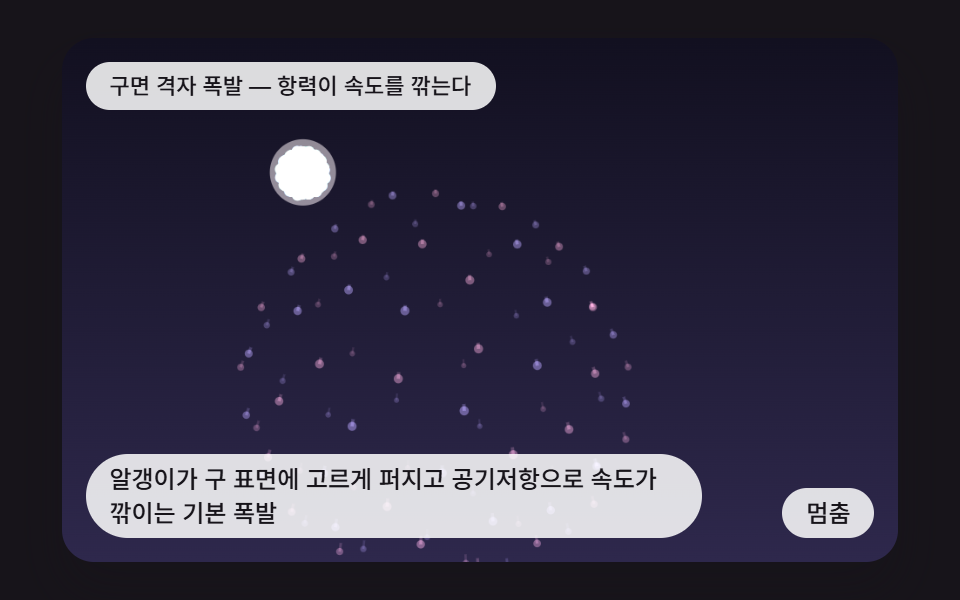 インタラクションcss fireworks 9パターン — 打ち上がり・尾を引き・水面に映る花火の場面
 インタラクションシャボン玉 アニメーション 9種 — 膜の虹色と割れる瞬間
 インタラクションjavascript 3dアニメーション 9種 — マウスに向く立体模型