マイクロインタラクション UIパターン9選 — トーストからスクロールスパイまで
マイクロインタラクションは、9つのうち1つは通知が積まれた順番の値から消える時点を求め直し後ろの通知の位置を詰め、1つはスクロールした位置で各見出しの重なり比率の値を比べて活性項目を変え、もう1つは入力の値が変わるたびに待機時間の値を最初から数え直します。
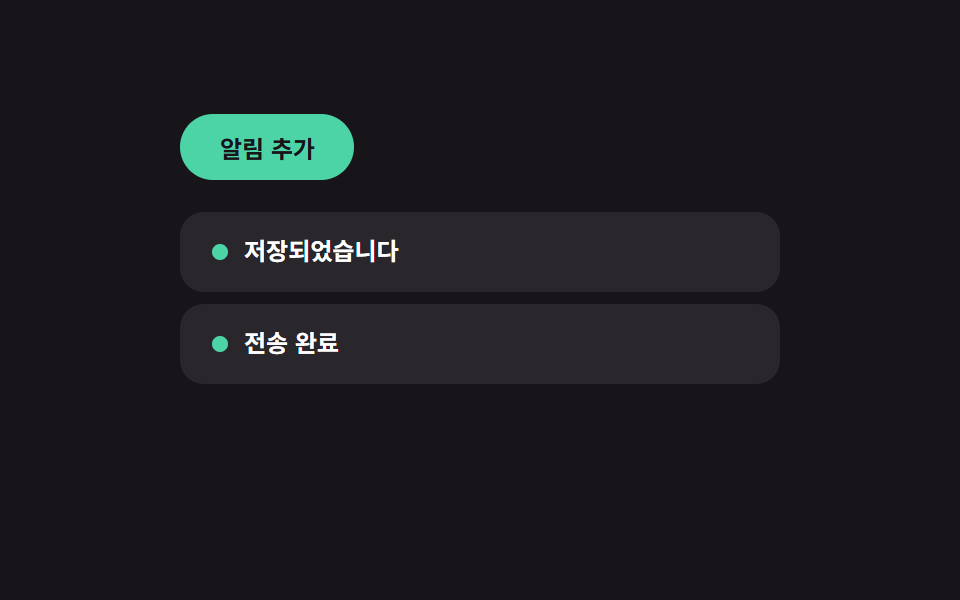 01 toast-queue
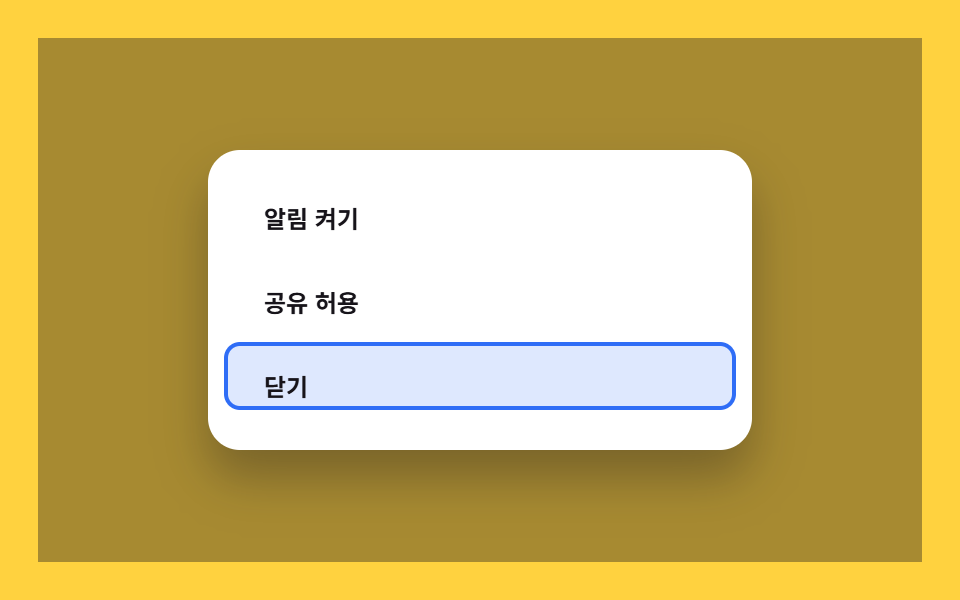 02 dialog-focus-trap
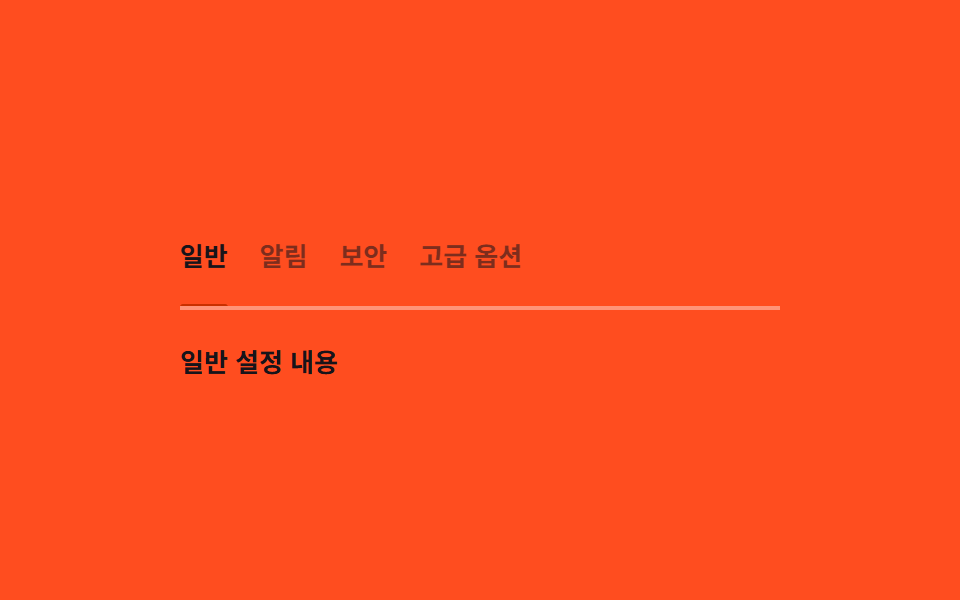 03 tabs-keyboard
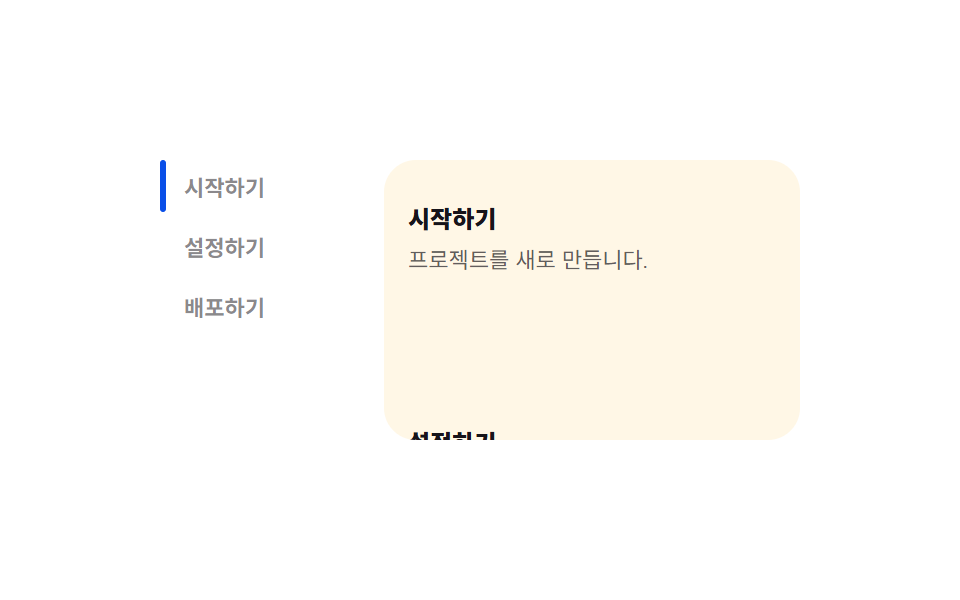 04 scroll-spy-toc
 05 intersection-reveal
 06 keyboard-shortcuts
 07 debounce-search
 08 theme-persist
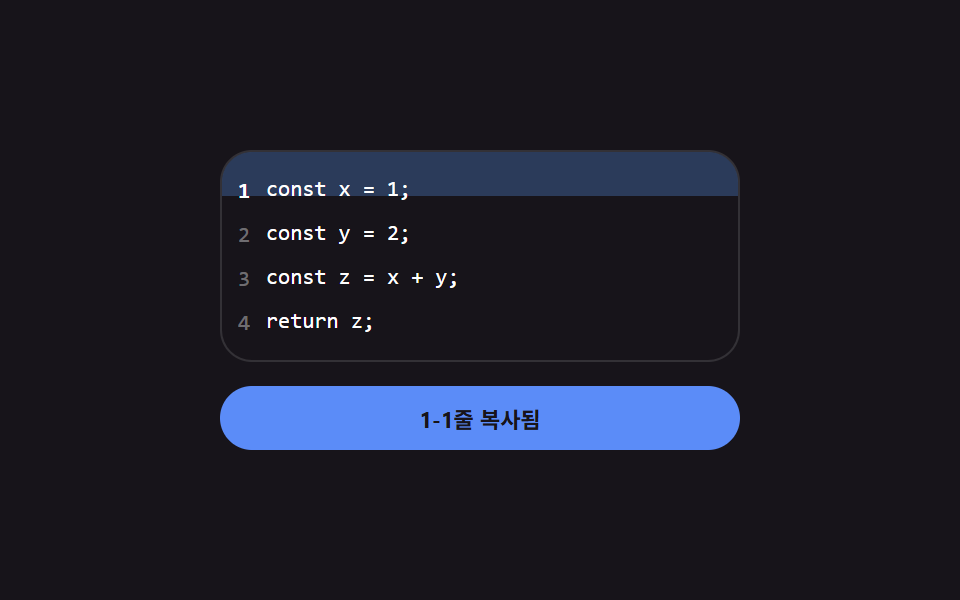 09 copy-to-clipboard
自動再生 · タイルを押すとその項目へ · すべて1つのzip
- 01 トースト通知キュー — 積まれた順番の値から消える時点を計算する通知リスト
- 02 ダイアログのフォーカストラップ — 開いた状態で移動範囲の値を内側に閉じ込めるモーダル
- 03 キーボードタブ — 矢印キーで変わった値の分だけ下線位置を求め直すタブ
- 04 スクロールスパイ目次 — 重なり比率の値を比較して活性項目を変える目次
- 05 インターセクションリビール — 表示比率の値が基準を超えた瞬間に一度だけ現れる要素
- 06 キーボードショートカット — 入力の組み合わせの値を判定して動作を探す案内
- 07 デバウンス検索 — 最後の入力の値から待機時間が経つと実行される検索
- 08 テーマ保存 — 保存された値を読んで初期テーマを決めるトグル
- 09 クリップボードコピー — 成功状態の値でラベルが一時的に変わる基本ボタン
9つとも実際の通知サービスや検索API、クリップボードには一切つながっていません。表示されるメッセージも検索結果も保存される値も、すべてデモのスクリプト内だけで完結し、再読み込みで元に戻ります。それでも9つとも本物の入力に反応します。01(トースト通知キュー)と09(クリップボードコピー)は本物のクリック、02(ダイアログのフォーカストラップ)と03(キーボードタブ)はクリックとキー入力の両方、04(スクロールスパイ目次)と05(インターセクションリビール)はIntersectionObserverの本物のコールバックとデモ側のクリックの組み合わせ、06(ショートカット)はキー入力のみ、07(デバウンス検索)は本物の入力イベント、08(テーマ保存)はクリックとウィンドウのリサイズにそれぞれ応答します。
9つの計算層 — どの値がいつ求め直されるか
9つは、クリック・スクロール位置・経過時間という入力を、ブラウザが実際に扱える値へ変換する方法の違いで3グループに分かれます。この計算層を省くと、UIパターンは反応する仕組みではなく単なる装飾に見えてしまいます。マイクロインタラクション 事例の多くは動きだけを見せますが、この9つは動きのもとになる値まで見せています。
経過時間だけで求め直す3つ — 状態の切り替わりを待たない
01・07・09は経過時間そのものを値に変換します。01のdismissAfterはスタック内の順番のインデックスにSTACK_STEP_MSを掛けてBASE_MSに足した値で、後から出たトーストが必ず前のトーストより長く残ります。07はキー入力のたびにrequestAnimationFrameループを再起動し、経過時間をWAIT_MSで割った進行比率の値を求め直します。09はコピー範囲が選ばれた瞬間からリセットまでの時間を求め直すので、ラベルは固定表示のままにならず必ず元の文言に戻ります。
真偽値やキー一致の値を待ってから求め直す3つ
02・06・08は何かが切り替わるまで動きません。02はダイアログが開いた状態になってから[data-f]要素を読み直し、そこからタブ移動できる範囲を求め直します。06はキー入力から組み合わせの値を作ってから登録済みの一覧と照合し、個別のショートカットごとに分岐しません。08はトグルのクリックを待ってから、ノブの実測した矩形をもとに移動距離を求め直し、その値をlocalStorageに書き込みます。
複数の候補を測定・比較して値を決める3つ
03・04・05は測定や比較から値を得ます。03は選択が変わるたびに実際にレンダリングされたタブの位置と幅をgetBoundingClientRect()で読み直し、固定レイアウトを前提にしません。04はコールバックのたびにすべての見出しのintersectionRatioを比較し、最も大きい値を持つ項目を活性にします。05は表示比率の値が0.4のしきい値を超えた瞬間だけ一度比較を行い、以後は状態を固定して比較をやり直しません。
パターンごとのコード
01トースト通知キュー — 積まれた順番の値から消える時点を計算する通知リスト
複数のトーストが同時に積まれると、それぞれの消える時点は表示時間とキュー内の順番の値から再計算され、1つが早く消えると残りのトーストの順番の値が詰められます。
<main class="stage">
<div class="tq is-demo" id="tq">
  <button class="tq__add" id="tqAdd" type="button">通知を追加</button>
  <ul class="tq__list" id="tqList" aria-live="polite"></ul>
</div>
</main>
@use "../../../../site/static/demo-tokens" as *;
// 토스트 알림 큐 — 위치는 --i(쌓인 순서 값)로만 정해진다. 하나가 사라지면 JS 가 남은 항목의
// --i 를 다시 매기고, transition 이 그 값 변화를 translateY 이동으로 그린다(순서 재계산 → 위치 재계산).
$duration: $dur-base;
$easing: $ease-spring;
$color: $subject-mint;
$row-h: 40px;
$row-step: 46px;
@include stage($stage-ink);
.tq {
display: flex;
flex-direction: column;
align-items: flex-start;
gap: $sp-4;
width: min(100%, 300px);
--row-step: #{$row-step};
--row-h: #{$row-h};
}
.tq__add {
border: 0;
border-radius: $r-pill;
padding: $sp-2 $sp-5;
font-family: inherit;
font-weight: 700;
font-size: 12px;
color: $stage-ink;
background: $color;
cursor: pointer;
}
.tq__list {
position: relative;
list-style: none;
margin: 0;
padding: 0;
width: 100%;
height: calc(var(--row-step, #{$row-step}) * 3);
}
.tq__row {
position: absolute;
left: 0;
top: 0;
display: flex;
align-items: center;
gap: $sp-2;
box-sizing: border-box;
width: 100%;
height: var(--row-h, #{$row-h});
padding: 0 $sp-4;
border-radius: $r-control;
background: rgba(255, 255, 255, .08);
color: $stage-paper;
transform: translateY(calc(var(--i, 0) * var(--row-step, #{$row-step})));
opacity: 1;
transition: transform $duration $easing, opacity $duration $easing;
cursor: pointer;
}
.tq__row--out {
opacity: 0;
transform: translateY(calc(var(--i, 0) * var(--row-step, #{$row-step}) + 10px));
}
.tq__dot {
width: $sp-2;
height: $sp-2;
border-radius: 50%;
background: $color;
flex: 0 0 auto;
}
.tq__text {
font-weight: 600;
font-size: 12px;
line-height: 1.4;
}
@media (max-width: 340px) {
.tq { gap: $sp-3; --row-step: 36px; --row-h: 32px; }
.tq__row { padding: 0 $sp-3; }
}
@media (prefers-reduced-motion: reduce) {
.tq__row { transition: none !important; }
}html, body {
margin: 0;
overflow: hidden;
}
.stage {
box-sizing: border-box;
min-height: 100vh;
display: grid;
place-items: center;
margin: 0;
background: #17141a;
font-family: -apple-system, "Segoe UI", "Noto Sans KR", sans-serif;
padding: clamp(8px, 4vw, 24px);
}
.tq {
display: flex;
flex-direction: column;
align-items: flex-start;
gap: 16px;
width: min(100%, 300px);
--row-step: 46px;
--row-h: 40px;
}
.tq__add {
border: 0;
border-radius: 999px;
padding: 8px 20px;
font-family: inherit;
font-weight: 700;
font-size: 12px;
color: #17141a;
background: #4cd4a6;
cursor: pointer;
}
.tq__list {
position: relative;
list-style: none;
margin: 0;
padding: 0;
width: 100%;
height: calc(var(--row-step, 46px) * 3);
}
.tq__row {
position: absolute;
left: 0;
top: 0;
display: flex;
align-items: center;
gap: 8px;
box-sizing: border-box;
width: 100%;
height: var(--row-h, 40px);
padding: 0 16px;
border-radius: 12px;
background: rgba(255, 255, 255, 0.08);
color: #ffffff;
transform: translateY(calc(var(--i, 0) * var(--row-step, 46px)));
opacity: 1;
transition: transform 300ms cubic-bezier(0.2, 0.8, 0.2, 1), opacity 300ms cubic-bezier(0.2, 0.8, 0.2, 1);
cursor: pointer;
}
.tq__row--out {
opacity: 0;
transform: translateY(calc(var(--i, 0) * var(--row-step, 46px) + 10px));
}
.tq__dot {
width: 8px;
height: 8px;
border-radius: 50%;
background: #4cd4a6;
flex: 0 0 auto;
}
.tq__text {
font-weight: 600;
font-size: 12px;
line-height: 1.4;
}
@media (max-width: 340px) {
.tq {
gap: 12px;
--row-step: 36px;
--row-h: 32px;
}
.tq__row {
padding: 0 12px;
}
}
@media (prefers-reduced-motion: reduce) {
.tq__row {
transition: none !important;
}
}(function () {
var root = document.getElementById('tq');
var list = document.getElementById('tqList');
var addBtn = document.getElementById('tqAdd');
var MESSAGES = ['保存されました', '送信完了', '変更が反映されました', '同期完了'];
var STACK_STEP_MS = 900; // 쌓인 순서 값마다 표시 시간에 더해지는 값
var BASE_MS = 1500;
var MAX_ROWS = 3;
var seq = 0;
var items = [];
var autoplay = null;
// 계산 겹: 표시 시간 = 기본 시간 + 쌓인 순서 값 × 간격. 하나가 사라지면 남은 항목의 순서 값을
// 다시 매겨 위치(translateY)를 그 값으로 다시 계산한다 — 단순 reflow 가 아니라 순서를 다시 센다.
function reindex() {
items.forEach(function (item, i) {
item.el.style.setProperty('--i', String(i));
});
}
function remove(item) {
var i = items.indexOf(item);
if (i === -1) { return; }
items.splice(i, 1);
item.el.classList.add('tq__row--out');
clearTimeout(item.timer);
setTimeout(function () { item.el.remove(); }, 240);
reindex();
}
  function add() {
    var el = document.createElement('li');
    el.className = 'tq__row';
    el.style.setProperty('--i', String(items.length));
    var text = MESSAGES[seq % MESSAGES.length];
    seq += 1;
    var dot = document.createElement('span');
    dot.className = 'tq__dot';
    var span = document.createElement('span');
    span.className = 'tq__text';
    span.textContent = text;
    el.appendChild(dot);
    el.appendChild(span);
    list.appendChild(el);
    var item = { el: el };
    items.push(item);
    if (items.length > MAX_ROWS) { remove(items[0]); }
    var order = items.indexOf(item);
    var dismissAfter = BASE_MS + order * STACK_STEP_MS;
    item.timer = setTimeout(function () { remove(item); }, dismissAfter);
    el.addEventListener('click', function () { root.classList.remove('is-demo'); stopAutoplay(); remove(item); });
  }
function stopAutoplay() {
if (autoplay) { clearInterval(autoplay); autoplay = null; }
}
addBtn.addEventListener('click', function () {
root.classList.remove('is-demo');
stopAutoplay();
add();
});
// 자동 루프 — 실사용 리스너와 같은 add()/remove() 를 그대로 반복 호출한다
var reduce = window.matchMedia('(prefers-reduced-motion: reduce)').matches;
if (!reduce) {
autoplay = setInterval(add, 620);
add();
}
})();import { useEffect, useRef, useState } from "react";
import type { CSSProperties } from "react";
import styles from "./ToastQueue.module.scss";
// 토스트 알림 큐 — 쌓인 순서 값(order)으로 소멸 시점을 다시 계산한다.
// 계산 겹: order * STACK_STEP_MS 만큼 뒤로 갈수록 더 오래 떠 있는다. 실사용 클릭 리스너 있음.
const MESSAGES = ["저장되었습니다", "전송 완료", "변경 사항 반영됨", "동기화 완료"];
const STACK_STEP_MS = 900;
const BASE_MS = 1500;
const MAX_ROWS = 3;
type Item = { id: number; text: string; out: boolean };
export default function ToastQueue() {
const rootRef = useRef<HTMLDivElement>(null);
const [items, setItems] = useState<Item[]>([]);
const seqRef = useRef(0);
const timersRef = useRef<{ [id: number]: number }>({});
const autoplayRef = useRef<number | null>(null);
const itemsRef = useRef<Item[]>([]);
itemsRef.current = items;
function remove(id: number) {
const timers = timersRef.current ?? {};
window.clearTimeout(timers[id]);
delete timers[id];
setItems((prev) => prev.map((it) => (it.id === id ? { ...it, out: true } : it)));
window.setTimeout(() => {
setItems((prev) => prev.filter((it) => it.id !== id));
}, 240);
}
function add() {
const id = seqRef.current ?? 0;
const text = MESSAGES[id % MESSAGES.length];
seqRef.current = id + 1;
setItems((prev) => {
const next = [...prev, { id, text, out: false }];
if (next.length > MAX_ROWS) {
const first = next[0];
window.setTimeout(() => remove(first.id), 0);
}
return next;
});
const order = (itemsRef.current ?? []).filter((it) => !it.out).length;
const dismissAfter = BASE_MS + order * STACK_STEP_MS;
const timers = timersRef.current ?? {};
timers[id] = window.setTimeout(() => remove(id), dismissAfter);
}
function stopAutoplay() {
if (autoplayRef.current) {
window.clearInterval(autoplayRef.current);
autoplayRef.current = null;
}
}
useEffect(() => {
const reduce = window.matchMedia("(prefers-reduced-motion: reduce)").matches;
if (!reduce) {
autoplayRef.current = window.setInterval(add, 620);
add();
}
return () => {
stopAutoplay();
const timers = timersRef.current ?? {};
Object.keys(timers).forEach((k) => window.clearTimeout(timers[Number(k)]));
};
// eslint-disable-next-line react-hooks/exhaustive-deps
}, []);
function onAddClick() {
rootRef.current?.classList.remove(styles["is-demo"]);
stopAutoplay();
add();
}
return (
<main className={styles.stage}>
<div ref={rootRef} className={`${styles.tq} ${styles["is-demo"]}`} id="tq">
<button className={styles.tq__add} type="button" onClick={onAddClick}>알림 추가</button>
<ul className={styles.tq__list} aria-live="polite">
{items.map((it, i) => (
<li
key={it.id}
className={`${styles.tq__row} ${it.out ? styles["tq__row--out"] : ""}`}
style={{ "--i": i } as CSSProperties}
onClick={() => {
rootRef.current?.classList.remove(styles["is-demo"]);
stopAutoplay();
remove(it.id);
}}
>
<span className={styles.tq__dot} />
<span className={styles.tq__text}>{it.text}</span>
</li>
))}
</ul>
</div>
</main>
);
}01 · トースト通知キュー — 積まれた順番の値から消える時点を計算する通知リスト — 計測 累積面積 19.387% · 動いたフレーム 10/23GODRICH オリジナル · SCSS と React は zip に同梱 · パスワードを見る
数字が示すもの
追跡した23フレーム中10フレームで変化し、累積面積19.39%・平均強度34.3にとどまるのは、追加や削除のたびに積まれた行だけが再描画されるためです。STACK_STEP_MSはdismissAfterを求めるためにBASE_MSへ足す順番ごとの定数で、MAX_ROWSは表示できるトーストを3件までに抑えます。--iというカスタムプロパティがあるからこそ、reindex()が削除後に番号を振り直した瞬間、残った各行の位置が即座に更新されます。
function add() {
var el = document.createElement('li');
el.className = 'tq__row';
el.style.setProperty('--i', String(items.length));
var text = MESSAGES[seq % MESSAGES.length];
seq += 1;
var dot = document.createElement('span');
dot.className = 'tq__dot';
var span = document.createElement('span');
span.className = 'tq__text';
span.textContent = text;
el.appendChild(dot);
el.appendChild(span);
list.appendChild(el);
var item = { el: el };
items.push(item);
if (items.length > MAX_ROWS) { remove(items[0]); }
var order = items.indexOf(item);
var dismissAfter = BASE_MS + order * STACK_STEP_MS;
item.timer = setTimeout(function () { remove(item); }, dismissAfter);
el.addEventListener('click', function () { root.classList.remove('is-demo'); stopAutoplay(); remove(item); });
}
02ダイアログのフォーカストラップ — 開いた状態で移動範囲の値を内側に閉じ込めるモーダル
モーダルが開くたびに、その中でタブ移動できる要素の一覧が求め直され、タブ移動はその範囲に閉じ込められます。最後の要素を過ぎると値は最初の要素へ循環して戻ります。
<main class="stage">
<div class="ft is-demo" id="ft">
  <button class="ft__open" id="ftOpen" type="button">モーダルを開く</button>
  <div class="ft__overlay" id="ftOverlay" hidden>
    <div class="ft__dialog" role="dialog" aria-modal="true" aria-label="設定を確認" id="ftDialog">
      <div class="ft__marker" id="ftMarker" style="--i: 0" aria-hidden="true"></div>
      <button class="ft__field" data-f type="button">通知をオンにする</button>
      <button class="ft__field" data-f type="button">共有を許可</button>
      <button class="ft__field ft__close" data-f type="button" id="ftClose">閉じる</button>
    </div>
  </div>
</div>
</main>
@use "../../../../site/static/demo-tokens" as *;
// 다이얼로그 포커스 트랩 — 마커는 --i(현재 포커스 순서 값)로만 이동한다.
// 열릴 때마다 JS 가 [data-f] 개수를 다시 재고 그 범위 안에서만 --i 가 순환한다.
$duration: $dur-quick;
$easing: $ease-spring;
$color: $subject-blue;
$row-h: 34px;
$row-step: 40px;
@include stage($stage-yellow);
.ft {
position: relative;
width: 100%;
height: 100%;
display: grid;
place-items: center;
}
.ft__open {
border: 0;
border-radius: $r-pill;
padding: $sp-2 $sp-5;
font-family: inherit;
font-weight: 700;
font-size: 12px;
color: $stage-paper;
background: $subject-ink;
cursor: pointer;
}
.ft__overlay {
position: absolute;
inset: 0;
display: grid;
place-items: center;
background: rgba(23, 20, 26, .38);
}
.ft__dialog {
position: relative;
width: min(84%, 240px);
display: flex;
flex-direction: column;
gap: $sp-2;
padding: $sp-4;
border-radius: $r-card;
background: $stage-paper;
box-shadow: $shadow-raised;
}
.ft__marker {
position: absolute;
left: $sp-2;
right: $sp-2;
top: $sp-4;
width: calc(100% - #{$sp-4});
height: $row-h;
border-radius: $r-sm;
background: rgba(47, 109, 246, .16);
border: 2px solid $color;
box-sizing: border-box;
transform: translateY(calc(var(--i, 0) * #{$row-step}));
transition: transform $duration $easing;
pointer-events: none;
}
.ft__field {
position: relative;
z-index: 1;
height: $row-h;
box-sizing: border-box;
border: 0;
border-radius: $r-sm;
padding: 0 $sp-3;
font-family: inherit;
font-weight: 600;
font-size: 12px;
text-align: left;
color: $subject-ink;
background: transparent;
cursor: pointer;
}
.ft__field:focus-visible { outline: none; }
@media (max-width: 340px) {
.ft__dialog { padding: $sp-3; gap: $sp-1; }
}
@media (prefers-reduced-motion: reduce) {
.ft__marker { transition: none !important; }
}html, body {
margin: 0;
overflow: hidden;
}
.stage {
box-sizing: border-box;
min-height: 100vh;
display: grid;
place-items: center;
margin: 0;
background: #ffd23f;
font-family: -apple-system, "Segoe UI", "Noto Sans KR", sans-serif;
padding: clamp(8px, 4vw, 24px);
}
.ft {
position: relative;
width: 100%;
height: 100%;
display: grid;
place-items: center;
}
.ft__open {
border: 0;
border-radius: 999px;
padding: 8px 20px;
font-family: inherit;
font-weight: 700;
font-size: 12px;
color: #ffffff;
background: #17141a;
cursor: pointer;
}
.ft__overlay {
position: absolute;
inset: 0;
display: grid;
place-items: center;
background: rgba(23, 20, 26, 0.38);
}
.ft__dialog {
position: relative;
width: min(84%, 240px);
display: flex;
flex-direction: column;
gap: 8px;
padding: 16px;
border-radius: 16px;
background: #ffffff;
box-shadow: 0 14px 24px rgba(23, 20, 26, 0.32);
}
.ft__marker {
position: absolute;
left: 8px;
right: 8px;
top: 16px;
width: calc(100% - 16px);
height: 34px;
border-radius: 8px;
background: rgba(47, 109, 246, 0.16);
border: 2px solid #2f6df6;
box-sizing: border-box;
transform: translateY(calc(var(--i, 0) * 40px));
transition: transform 220ms cubic-bezier(0.2, 0.8, 0.2, 1);
pointer-events: none;
}
.ft__field {
position: relative;
z-index: 1;
height: 34px;
box-sizing: border-box;
border: 0;
border-radius: 8px;
padding: 0 12px;
font-family: inherit;
font-weight: 600;
font-size: 12px;
text-align: left;
color: #17141a;
background: transparent;
cursor: pointer;
}
.ft__field:focus-visible {
outline: none;
}
@media (max-width: 340px) {
.ft__dialog {
padding: 12px;
gap: 4px;
}
}
@media (prefers-reduced-motion: reduce) {
.ft__marker {
transition: none !important;
}
}(function () {
var root = document.getElementById('ft');
var openBtn = document.getElementById('ftOpen');
var overlay = document.getElementById('ftOverlay');
var dialog = document.getElementById('ftDialog');
var marker = document.getElementById('ftMarker');
var closeBtn = document.getElementById('ftClose');
var focusables = [];
var index = 0;
var autoplay = null;
// 계산 겹: 열릴 때마다 탭 이동 가능한 요소 목록을 다시 구해 범위(0..len-1) 를 정하고,
// 그 범위 밖으로 나가면 값이 되돌아 순환한다(모듈러 연산) — 고정 개수를 가정하지 않는다.
function measure() {
focusables = Array.prototype.slice.call(dialog.querySelectorAll('[data-f]'));
}
function setIndex(i) {
var len = focusables.length;
index = ((i % len) + len) % len;
marker.style.setProperty('--i', String(index));
focusables[index].focus({ preventScroll: true });
}
function open() {
measure();
overlay.hidden = false;
setIndex(0);
}
function close() {
overlay.hidden = true;
openBtn.focus({ preventScroll: true });
}
openBtn.addEventListener('click', function () {
root.classList.remove('is-demo');
stopAutoplay();
open();
});
closeBtn.addEventListener('click', function () {
root.classList.remove('is-demo');
stopAutoplay();
close();
});
dialog.addEventListener('keydown', function (e) {
if (e.key === 'Escape') { root.classList.remove('is-demo'); stopAutoplay(); close(); return; }
if (e.key !== 'Tab') { return; }
e.preventDefault();
root.classList.remove('is-demo');
stopAutoplay();
setIndex(index + (e.shiftKey ? -1 : 1));
});
function stopAutoplay() {
if (autoplay) { clearInterval(autoplay); autoplay = null; }
}
// 자동 루프 — 실사용과 같은 open()/setIndex()/close() 를 반복 호출한다
var reduce = window.matchMedia('(prefers-reduced-motion: reduce)').matches;
if (!reduce) {
var step = 0;
autoplay = setInterval(function () {
if (overlay.hidden) { open(); step = 0; return; }
step += 1;
if (step > 4) { close(); return; }
setIndex(index + 1);
}, 420);
open();
}
})();import { useEffect, useRef, useState } from "react";
import type { CSSProperties } from "react";
import styles from "./DialogFocusTrap.module.scss";
// 다이얼로그 포커스 트랩 — Tab 방향 값(+1/-1)으로 다음 인덱스를 순환 계산해 그 요소로 포커스를 옮긴다.
// 계산 겹: 열릴 때마다 [data-f] 개수를 다시 재고, (i % len + len) % len 순환 인덱스로만 --i 를 옮긴다.
export default function DialogFocusTrap() {
const rootRef = useRef<HTMLDivElement>(null);
const dialogRef = useRef<HTMLDivElement>(null);
const openBtnRef = useRef<HTMLButtonElement>(null);
const markerRef = useRef<HTMLDivElement>(null);
const [open, setOpen] = useState(false);
const indexRef = useRef(0);
const autoplayRef = useRef<number | null>(null);
const openRef = useRef(open);
openRef.current = open;
function focusables(): HTMLElement[] {
const d = dialogRef.current;
if (!d) return [];
return Array.prototype.slice.call(d.querySelectorAll<HTMLElement>("[data-f]"));
}
function setIndex(i: number) {
const list = focusables();
const len = list.length;
if (!len) return;
const next = ((i % len) + len) % len;
indexRef.current = next;
markerRef.current?.style.setProperty("--i", String(next));
list[next].focus({ preventScroll: true });
}
function openDialog() {
setOpen(true);
window.setTimeout(() => setIndex(0), 0);
}
function closeDialog() {
setOpen(false);
openBtnRef.current?.focus({ preventScroll: true });
}
function stopAutoplay() {
if (autoplayRef.current) {
window.clearInterval(autoplayRef.current);
autoplayRef.current = null;
}
}
useEffect(() => {
const reduce = window.matchMedia("(prefers-reduced-motion: reduce)").matches;
if (!reduce) {
let step = 0;
autoplayRef.current = window.setInterval(() => {
if (!openRef.current) { openDialog(); step = 0; return; }
step += 1;
if (step > 4) { closeDialog(); return; }
setIndex((indexRef.current ?? 0) + 1);
}, 420);
openDialog();
}
return () => stopAutoplay();
// eslint-disable-next-line react-hooks/exhaustive-deps
}, []);
function onKeyDown(e: KeyboardEvent) {
if (e.key === "Escape") {
rootRef.current?.classList.remove(styles["is-demo"]);
stopAutoplay();
closeDialog();
return;
}
if (e.key !== "Tab") return;
e.preventDefault();
rootRef.current?.classList.remove(styles["is-demo"]);
stopAutoplay();
setIndex((indexRef.current ?? 0) + (e.shiftKey ? -1 : 1));
}
return (
<main className={styles.stage}>
<div ref={rootRef} className={`${styles.ft} ${styles["is-demo"]}`}>
<button
ref={openBtnRef}
className={styles.ft__open}
type="button"
onClick={() => { rootRef.current?.classList.remove(styles["is-demo"]); stopAutoplay(); openDialog(); }}
>
모달 열기
</button>
{open && (
<div className={styles.ft__overlay}>
<div className={styles.ft__dialog} ref={dialogRef} role="dialog" aria-modal="true" aria-label="설정 확인" onKeyDown={onKeyDown}>
<div ref={markerRef} className={styles.ft__marker} style={{ "--i": 0 } as CSSProperties} aria-hidden="true" />
<button className={styles.ft__field} data-f type="button">알림 켜기</button>
<button className={styles.ft__field} data-f type="button">공유 허용</button>
<button
className={`${styles.ft__field} ${styles.ft__close}`}
data-f
type="button"
onClick={() => { rootRef.current?.classList.remove(styles["is-demo"]); stopAutoplay(); closeDialog(); }}
>
닫기
</button>
</div>
</div>
)}
</div>
</main>
);
}02 · ダイアログのフォーカストラップ — 開いた状態で移動範囲の値を内側に閉じ込めるモーダル — 計測 累積面積 20.114% · 動いたフレーム 15/23GODRICH オリジナル · SCSS と React は zip に同梱 · パスワードを見る
数字が示すもの
追跡した23フレーム中15フレームで変化し、累積面積20.11%・平均強度73.6となるのは、オーバーレイが開くとパネル全体が再描画され、以降のTabキー操作のたびに--iのマーカーが新しい項目へ移るためです。measure()は固定の個数を前提にせず[data-f]要素をすべて読み直し、setIndex()のモジュロ演算(((i % len) + len) % len)によって、特別な分岐を書かなくても最後の項目から最初の項目へフォーカスが循環します。
  // 計算層: 開くたびにタブ移動可能な要素の一覧を求め直して範囲(0..len-1)を決め、
  // その範囲の外に出ると値が戻って循環する(モジュロ演算) — 固定の個数を前提にしない。
  function measure() {
    focusables = Array.prototype.slice.call(dialog.querySelectorAll('[data-f]'));
  }

  function setIndex(i) {
    var len = focusables.length;
    index = ((i % len) + len) % len;
    marker.style.setProperty('--i', String(index));
    focusables[index].focus({ preventScroll: true });
  }

  function open() {
    measure();
    overlay.hidden = false;
    setIndex(0);
  }
03キーボードタブ — 矢印キーで変わった値の分だけ下線位置を求め直すタブ
矢印キーで活性タブが変わるたびに、そのタブの水平位置と幅が求め直され、下線はその値へ移動します。画面外にあるタブは同じ値の分だけ一覧を横にずらします。
<main class="stage">
<div class="tk is-demo" id="tk">
  <div class="tk__tabs" id="tkTabs" role="tablist" aria-label="設定カテゴリー">
    <div class="tk__underline" id="tkUnderline" aria-hidden="true"></div>
    <button class="tk__tab" role="tab" data-t type="button" tabindex="0" aria-selected="true">一般</button>
    <button class="tk__tab" role="tab" data-t type="button" tabindex="-1" aria-selected="false">通知</button>
    <button class="tk__tab" role="tab" data-t type="button" tabindex="-1" aria-selected="false">セキュリティ</button>
    <button class="tk__tab" role="tab" data-t type="button" tabindex="-1" aria-selected="false">詳細オプション</button>
  </div>
  <p class="tk__panel" id="tkPanel">一般設定の内容</p>
</div>
</main>
@use "../../../../site/static/demo-tokens" as *;
// 키보드 탭 — 밑줄은 --x·--w(getBoundingClientRect 실측 px) 로만 움직인다.
// 화면 밖 탭은 JS 가 스크롤 값을 같은 실측으로 계산해 컨테이너를 움직인다.
$duration: $dur-enter;
$easing: $ease-spring;
$color: $subject-orange-deep;
@include stage($stage-orange);
.tk {
width: min(100%, 300px);
display: flex;
flex-direction: column;
gap: $sp-4;
}
.tk__tabs {
position: relative;
display: flex;
gap: $sp-4;
overflow-x: auto;
scrollbar-width: none;
padding-bottom: $sp-2;
border-bottom: 2px solid rgba(255, 255, 255, .4);
}
.tk__tabs::-webkit-scrollbar { display: none; }
.tk__underline {
position: absolute;
left: 0;
bottom: -2px;
height: 3px;
border-radius: $r-xs;
background: $color;
transform: translateX(var(--x, 0px));
width: var(--w, 40px);
transition: transform $duration $easing, width $duration $easing;
}
.tk__tab {
flex: 0 0 auto;
border: 0;
background: transparent;
padding: $sp-2 0;
font-family: inherit;
font-weight: 700;
font-size: 13px;
white-space: nowrap;
color: rgba(23, 20, 26, .56);
cursor: pointer;
}
.tk__tab[aria-selected="true"] { color: $subject-ink; }
.tk__tab:focus-visible { outline: 2px solid $subject-ink; outline-offset: 2px; }
.tk__panel {
margin: 0;
font-weight: 600;
font-size: 13px;
color: $subject-ink;
}
@media (max-width: 340px) {
.tk__tabs { gap: $sp-3; }
}
@media (prefers-reduced-motion: reduce) {
.tk__underline { transition: none !important; }
}html, body {
margin: 0;
overflow: hidden;
}
.stage {
box-sizing: border-box;
min-height: 100vh;
display: grid;
place-items: center;
margin: 0;
background: #ff4d1f;
font-family: -apple-system, "Segoe UI", "Noto Sans KR", sans-serif;
padding: clamp(8px, 4vw, 24px);
}
.tk {
width: min(100%, 300px);
display: flex;
flex-direction: column;
gap: 16px;
}
.tk__tabs {
position: relative;
display: flex;
gap: 16px;
overflow-x: auto;
scrollbar-width: none;
padding-bottom: 8px;
border-bottom: 2px solid rgba(255, 255, 255, 0.4);
}
.tk__tabs::-webkit-scrollbar {
display: none;
}
.tk__underline {
position: absolute;
left: 0;
bottom: -2px;
height: 3px;
border-radius: 4px;
background: #c93000;
transform: translateX(var(--x, 0px));
width: var(--w, 40px);
transition: transform 600ms cubic-bezier(0.2, 0.8, 0.2, 1), width 600ms cubic-bezier(0.2, 0.8, 0.2, 1);
}
.tk__tab {
flex: 0 0 auto;
border: 0;
background: transparent;
padding: 8px 0;
font-family: inherit;
font-weight: 700;
font-size: 13px;
white-space: nowrap;
color: rgba(23, 20, 26, 0.56);
cursor: pointer;
}
.tk__tab[aria-selected=true] {
color: #17141a;
}
.tk__tab:focus-visible {
outline: 2px solid #17141a;
outline-offset: 2px;
}
.tk__panel {
margin: 0;
font-weight: 600;
font-size: 13px;
color: #17141a;
}
@media (max-width: 340px) {
.tk__tabs {
gap: 12px;
}
}
@media (prefers-reduced-motion: reduce) {
.tk__underline {
transition: none !important;
}
}(function () {
var root = document.getElementById('tk');
var tabsEl = document.getElementById('tkTabs');
var underline = document.getElementById('tkUnderline');
var panel = document.getElementById('tkPanel');
var tabs = Array.prototype.slice.call(document.querySelectorAll('[data-t]'));
var TEXTS = ['一般設定の内容', '通知設定の内容', 'セキュリティ設定の内容', '詳細オプションの内容'];
var index = 0;
var autoplay = null;
// 계산 겹: 탭이 바뀔 때마다 그 탭의 실제 렌더 위치·폭을 getBoundingClientRect 로 다시 재서
// 밑줄 이동 값을 만들고, 탭이 컨테이너 밖에 있으면 스크롤 값도 같은 실측으로 계산한다.
  function place(i) {
    var tab = tabs[i];
    var containerRect = tabsEl.getBoundingClientRect();
    var rect = tab.getBoundingClientRect();
    var x = rect.left - containerRect.left + tabsEl.scrollLeft;
    var w = rect.width;
    underline.style.setProperty('--x', x.toFixed(1) + 'px');
    underline.style.setProperty('--w', w.toFixed(1) + 'px');
    var left = x;
    var right = x + w;
    if (left < tabsEl.scrollLeft) { tabsEl.scrollLeft = left; }
    else if (right > tabsEl.scrollLeft + tabsEl.clientWidth) { tabsEl.scrollLeft = right - tabsEl.clientWidth; }
  }

  function select(i) {
    var len = tabs.length;
    index = ((i % len) + len) % len;
    tabs.forEach(function (t, k) {
      t.setAttribute('aria-selected', k === index ? 'true' : 'false');
      t.setAttribute('tabindex', k === index ? '0' : '-1');
    });
    panel.textContent = TEXTS[index];
    place(index);
  }
tabs.forEach(function (t, i) {
t.addEventListener('click', function () {
root.classList.remove('is-demo');
stopAutoplay();
select(i);
t.focus({ preventScroll: true });
});
});
tabsEl.addEventListener('keydown', function (e) {
if (e.key !== 'ArrowRight' && e.key !== 'ArrowLeft' && e.key !== 'Home' && e.key !== 'End') { return; }
e.preventDefault();
root.classList.remove('is-demo');
stopAutoplay();
if (e.key === 'ArrowRight') { select(index + 1); }
if (e.key === 'ArrowLeft') { select(index - 1); }
if (e.key === 'Home') { select(0); }
if (e.key === 'End') { select(tabs.length - 1); }
tabs[index].focus({ preventScroll: true });
});
function stopAutoplay() {
if (autoplay) { clearInterval(autoplay); autoplay = null; }
}
select(0);
var reduce = window.matchMedia('(prefers-reduced-motion: reduce)').matches;
if (!reduce) {
autoplay = setInterval(function () { select(index + 1); }, 480);
}
})();import { useEffect, useRef, useState } from "react";
import styles from "./TabsKeyboard.module.scss";
// 키보드 탭 — 탭이 바뀔 때마다 실제 렌더 위치·폭을 getBoundingClientRect 로 다시 재서 밑줄 이동 값을 만든다.
// 계산 겹: 화면 밖 탭은 같은 실측으로 스크롤 값도 계산한다. 실사용 click/keydown 리스너 있음.
const LABELS = ["일반", "알림", "보안", "고급 옵션"];
const TEXTS = ["일반 설정 내용", "알림 설정 내용", "보안 설정 내용", "고급 옵션 내용"];
export default function TabsKeyboard() {
const rootRef = useRef<HTMLDivElement>(null);
const tabsElRef = useRef<HTMLDivElement>(null);
const underlineRef = useRef<HTMLDivElement>(null);
const tabRefs = useRef<(HTMLButtonElement | null)[]>([]);
const [index, setIndexState] = useState(0);
const indexRef = useRef(0);
const autoplayRef = useRef<number | null>(null);
function place(i: number) {
const tabsEl = tabsElRef.current;
const underline = underlineRef.current;
const tab = (tabRefs.current ?? [])[i];
if (!tabsEl || !underline || !tab) return;
const containerRect = tabsEl.getBoundingClientRect();
const rect = tab.getBoundingClientRect();
const x = rect.left - containerRect.left + tabsEl.scrollLeft;
const w = rect.width;
underline.style.setProperty("--x", x.toFixed(1) + "px");
underline.style.setProperty("--w", w.toFixed(1) + "px");
const left = x;
const right = x + w;
if (left < tabsEl.scrollLeft) { tabsEl.scrollLeft = left; }
else if (right > tabsEl.scrollLeft + tabsEl.clientWidth) { tabsEl.scrollLeft = right - tabsEl.clientWidth; }
}
function select(i: number) {
const len = LABELS.length;
const next = ((i % len) + len) % len;
indexRef.current = next;
setIndexState(next);
window.setTimeout(() => place(next), 0);
}
function stopAutoplay() {
if (autoplayRef.current) {
window.clearInterval(autoplayRef.current);
autoplayRef.current = null;
}
}
useEffect(() => {
place(0);
const reduce = window.matchMedia("(prefers-reduced-motion: reduce)").matches;
if (!reduce) {
autoplayRef.current = window.setInterval(() => select((indexRef.current ?? 0) + 1), 480);
}
return () => stopAutoplay();
// eslint-disable-next-line react-hooks/exhaustive-deps
}, []);
function onKeyDown(e: KeyboardEvent) {
if (e.key !== "ArrowRight" && e.key !== "ArrowLeft" && e.key !== "Home" && e.key !== "End") return;
e.preventDefault();
rootRef.current?.classList.remove(styles["is-demo"]);
stopAutoplay();
if (e.key === "ArrowRight") select((indexRef.current ?? 0) + 1);
if (e.key === "ArrowLeft") select((indexRef.current ?? 0) - 1);
if (e.key === "Home") select(0);
if (e.key === "End") select(LABELS.length - 1);
(tabRefs.current ?? [])[indexRef.current ?? 0]?.focus({ preventScroll: true });
}
return (
<main className={styles.stage}>
<div ref={rootRef} className={`${styles.tk} ${styles["is-demo"]}`}>
<div ref={tabsElRef} className={styles.tk__tabs} role="tablist" aria-label="설정 카테고리" onKeyDown={onKeyDown}>
<div ref={underlineRef} className={styles.tk__underline} aria-hidden="true" />
{LABELS.map((label, i) => (
<button
key={label}
ref={(el: HTMLButtonElement | null) => { if (tabRefs.current) tabRefs.current[i] = el; }}
className={styles.tk__tab}
role="tab"
type="button"
tabIndex={i === index ? 0 : -1}
aria-selected={i === index}
onClick={() => {
rootRef.current?.classList.remove(styles["is-demo"]);
stopAutoplay();
select(i);
(tabRefs.current ?? [])[i]?.focus({ preventScroll: true });
}}
>
{label}
</button>
))}
</div>
<p className={styles.tk__panel}>{TEXTS[index]}</p>
</div>
</main>
);
}03 · キーボードタブ — 矢印キーで変わった値の分だけ下線位置を求め直すタブ — 計測 累積面積 0.953% · 動いたフレーム 8/23GODRICH オリジナル · SCSS と React は zip に同梱 · パスワードを見る
数字が示すもの
追跡した23フレーム中8フレームだけで変化し、累積面積はわずか0.95%・平均強度55.4にとどまるのは、パネル全体ではなく細い下線1本だけが動くためです。place()は活性タブの実際の矩形をgetBoundingClientRect()で読み取り、そのオフセットを--xに、幅を--wに書き込みます。同じ関数は対象タブの端が表示範囲の外に出たときだけタブ一覧を横スクロールさせます — 画面に収まらない数のタブを扱うマイクロインタラクション サンプルでよく必要になる処理です。
function place(i) {
var tab = tabs[i];
var containerRect = tabsEl.getBoundingClientRect();
var rect = tab.getBoundingClientRect();
var x = rect.left - containerRect.left + tabsEl.scrollLeft;
var w = rect.width;
underline.style.setProperty('--x', x.toFixed(1) + 'px');
underline.style.setProperty('--w', w.toFixed(1) + 'px');
var left = x;
var right = x + w;
if (left < tabsEl.scrollLeft) { tabsEl.scrollLeft = left; }
else if (right > tabsEl.scrollLeft + tabsEl.clientWidth) { tabsEl.scrollLeft = right - tabsEl.clientWidth; }
}
function select(i) {
var len = tabs.length;
index = ((i % len) + len) % len;
tabs.forEach(function (t, k) {
t.setAttribute('aria-selected', k === index ? 'true' : 'false');
t.setAttribute('tabindex', k === index ? '0' : '-1');
});
panel.textContent = TEXTS[index];
place(index);
}
04スクロールスパイ目次 — 重なり比率の値を比較して活性項目を変える目次
スクロールされるたびに各見出しの重なり比率が求め直され、最も大きい値を持つ見出しが活性になり、目次のハイライトはその項目の位置値へ移動します。
<main class="stage">
<div class="ss is-demo" id="ss">
  <nav class="ss__toc" aria-label="目次">
    <div class="ss__marker" id="ssMarker" style="--i: 0" aria-hidden="true"></div>
    <button class="ss__link" data-j="0" type="button">はじめる</button>
    <button class="ss__link" data-j="1" type="button">設定する</button>
    <button class="ss__link" data-j="2" type="button">デプロイする</button>
  </nav>
  <div class="ss__pane" id="ssPane">
    <section class="ss__section" data-h="0"><h3>はじめる</h3><p>新しいプロジェクトを作成します。</p></section>
    <section class="ss__section" data-h="1"><h3>設定する</h3><p>環境変数を入力します。</p></section>
    <section class="ss__section" data-h="2"><h3>デプロイする</h3><p>成果物をアップロードします。</p></section>
  </div>
</div>
</main>
@use "../../../../site/static/demo-tokens" as *;
// 스크롤 스파이 목차 — 마커는 --i(겹침 비율을 비교해 고른 활성 항목 값)로만 이동한다.
// 스크롤 자체는 브라우저 네이티브 overflow-y, JS 는 IntersectionObserver 결과만 비교한다.
$duration: $dur-base;
$easing: $ease-spring;
$color: $subject-blue-deep;
$row-h: 26px;
$row-step: 32px;
@include stage($stage-paper);
.ss {
display: flex;
gap: $sp-5;
width: min(100%, 320px);
}
.ss__toc {
position: relative;
flex: 0 0 auto;
display: flex;
flex-direction: column;
gap: $sp-1;
width: 92px;
}
.ss__marker {
position: absolute;
left: 0;
top: 0;
width: 3px;
height: $row-h;
border-radius: $r-xs;
background: $color;
transform: translateY(calc(var(--i, 0) * #{$row-step}));
transition: transform $duration $easing;
}
.ss__link {
height: $row-h;
box-sizing: border-box;
padding-left: $sp-3;
border: 0;
background: transparent;
text-align: left;
font-family: inherit;
font-weight: 600;
font-size: 11px;
color: rgba(23, 20, 26, .5);
cursor: pointer;
}
.ss__link[aria-current="true"] { color: $color; font-weight: 800; }
.ss__pane {
flex: 1 1 auto;
height: $row-step * 3 + 20px;
overflow-y: auto;
scroll-behavior: auto;
border-radius: $r-card;
background: $subject-cream;
padding: $sp-3;
}
.ss__section {
min-height: $row-step * 3;
padding: $sp-2 0;
}
.ss__section h3 {
margin: 0 0 $sp-1;
font-size: 12px;
font-weight: 800;
color: $subject-ink;
}
.ss__section p {
margin: 0;
font-size: 11px;
color: rgba(23, 20, 26, .68);
}
@media (max-width: 340px) {
.ss { gap: $sp-3; }
.ss__toc { width: 76px; }
}
@media (prefers-reduced-motion: reduce) {
.ss__marker { transition: none !important; }
.ss__pane { scroll-behavior: auto !important; }
}html, body {
margin: 0;
overflow: hidden;
}
.stage {
box-sizing: border-box;
min-height: 100vh;
display: grid;
place-items: center;
margin: 0;
background: #ffffff;
font-family: -apple-system, "Segoe UI", "Noto Sans KR", sans-serif;
padding: clamp(8px, 4vw, 24px);
}
.ss {
display: flex;
gap: 20px;
width: min(100%, 320px);
}
.ss__toc {
position: relative;
flex: 0 0 auto;
display: flex;
flex-direction: column;
gap: 4px;
width: 92px;
}
.ss__marker {
position: absolute;
left: 0;
top: 0;
width: 3px;
height: 26px;
border-radius: 4px;
background: #0a4fe8;
transform: translateY(calc(var(--i, 0) * 32px));
transition: transform 300ms cubic-bezier(0.2, 0.8, 0.2, 1);
}
.ss__link {
height: 26px;
box-sizing: border-box;
padding-left: 12px;
border: 0;
background: transparent;
text-align: left;
font-family: inherit;
font-weight: 600;
font-size: 11px;
color: rgba(23, 20, 26, 0.5);
cursor: pointer;
}
.ss__link[aria-current=true] {
color: #0a4fe8;
font-weight: 800;
}
.ss__pane {
flex: 1 1 auto;
height: 116px;
overflow-y: auto;
scroll-behavior: auto;
border-radius: 16px;
background: #fff7e6;
padding: 12px;
}
.ss__section {
min-height: 96px;
padding: 8px 0;
}
.ss__section h3 {
margin: 0 0 4px;
font-size: 12px;
font-weight: 800;
color: #17141a;
}
.ss__section p {
margin: 0;
font-size: 11px;
color: rgba(23, 20, 26, 0.68);
}
@media (max-width: 340px) {
.ss {
gap: 12px;
}
.ss__toc {
width: 76px;
}
}
@media (prefers-reduced-motion: reduce) {
.ss__marker {
transition: none !important;
}
.ss__pane {
scroll-behavior: auto !important;
}
}(function () {
var root = document.getElementById('ss');
var pane = document.getElementById('ssPane');
var marker = document.getElementById('ssMarker');
var links = Array.prototype.slice.call(document.querySelectorAll('.ss__link'));
var sections = Array.prototype.slice.call(document.querySelectorAll('.ss__section'));
var ratios = new Array(sections.length).fill(0);
var active = 0;
var autoplay = null;
// 계산 겹: 모든 제목의 겹침 비율(intersectionRatio) 값을 매 프레임 비교해 가장 큰 값을 가진
// 항목을 활성으로 고른다 — 고정 스크롤 위치가 아니라 값의 비교로 활성 항목이 정해진다.
function activate(i) {
if (i === active) { return; }
active = i;
marker.style.setProperty('--i', String(active));
links.forEach(function (l, k) { l.setAttribute('aria-current', k === active ? 'true' : 'false'); });
}
var io = new IntersectionObserver(function (entries) {
entries.forEach(function (entry) {
var i = Number(entry.target.getAttribute('data-h'));
ratios[i] = entry.intersectionRatio;
});
var best = 0;
for (var k = 1; k < ratios.length; k++) { if (ratios[k] > ratios[best]) { best = k; } }
if (ratios[best] > 0) { activate(best); }
}, { root: pane, threshold: [0, .25, .5, .75, 1] });
sections.forEach(function (s) { io.observe(s); });
links.forEach(function (l) {
l.addEventListener('click', function () {
root.classList.remove('is-demo');
stopAutoplay();
var i = Number(l.getAttribute('data-j'));
sections[i].scrollIntoView({ block: 'start', behavior: 'auto' });
});
});
function stopAutoplay() {
if (autoplay) { clearInterval(autoplay); autoplay = null; }
}
var reduce = window.matchMedia('(prefers-reduced-motion: reduce)').matches;
if (!reduce) {
var targets = [0, sections[1].offsetTop, sections[2].offsetTop, 0];
var step = 0;
autoplay = setInterval(function () {
pane.scrollTop = targets[step % targets.length];
step += 1;
}, 480);
}
})();import { useEffect, useRef, useState } from "react";
import type { CSSProperties } from "react";
import styles from "./ScrollSpyToc.module.scss";
// 스크롤 스파이 목차 — 모든 제목의 겹침 비율(intersectionRatio) 값을 매 프레임 비교해 가장 큰 값을 가진
// 항목을 활성으로 고른다. 계산 겹: 고정 스크롤 위치가 아니라 값의 비교로 활성 항목이 정해진다.
const SECTIONS = [
{ title: "시작하기", body: "프로젝트를 새로 만듭니다." },
{ title: "설정하기", body: "환경 값을 채웁니다." },
{ title: "배포하기", body: "결과물을 올립니다." },
];
export default function ScrollSpyToc() {
const rootRef = useRef<HTMLDivElement>(null);
const paneRef = useRef<HTMLDivElement>(null);
const markerRef = useRef<HTMLDivElement>(null);
const sectionRefs = useRef<(HTMLElement | null)[]>([]);
const [active, setActiveState] = useState(0);
const activeRef = useRef(0);
const autoplayRef = useRef<number | null>(null);
function activate(i: number) {
if (i === activeRef.current) return;
activeRef.current = i;
setActiveState(i);
markerRef.current?.style.setProperty("--i", String(i));
}
function stopAutoplay() {
if (autoplayRef.current) {
window.clearInterval(autoplayRef.current);
autoplayRef.current = null;
}
}
useEffect(() => {
const pane = paneRef.current;
if (!pane) return;
const ratios = new Array(SECTIONS.length).fill(0);
const io = new IntersectionObserver((entries) => {
entries.forEach((entry) => {
const i = Number((entry.target as HTMLElement).getAttribute("data-h"));
ratios[i] = entry.intersectionRatio;
});
let best = 0;
for (let k = 1; k < ratios.length; k++) { if (ratios[k] > ratios[best]) best = k; }
if (ratios[best] > 0) activate(best);
}, { root: pane, threshold: [0, .25, .5, .75, 1] });
(sectionRefs.current ?? []).forEach((s) => { if (s) io.observe(s); });
const reduce = window.matchMedia("(prefers-reduced-motion: reduce)").matches;
if (!reduce) {
const secs = sectionRefs.current ?? [];
const targets = [0, secs[1]?.offsetTop || 0, secs[2]?.offsetTop || 0, 0];
let step = 0;
autoplayRef.current = window.setInterval(() => {
pane.scrollTop = targets[step % targets.length];
step += 1;
}, 480);
}
return () => { io.disconnect(); stopAutoplay(); };
// eslint-disable-next-line react-hooks/exhaustive-deps
}, []);
return (
<main className={styles.stage}>
<div ref={rootRef} className={`${styles.ss} ${styles["is-demo"]}`}>
<nav className={styles.ss__toc} aria-label="목차">
<div ref={markerRef} className={styles.ss__marker} style={{ "--i": 0 } as CSSProperties} aria-hidden="true" />
{SECTIONS.map((s, i) => (
<button
key={s.title}
className={styles.ss__link}
type="button"
aria-current={i === active}
onClick={() => {
rootRef.current?.classList.remove(styles["is-demo"]);
stopAutoplay();
(sectionRefs.current ?? [])[i]?.scrollIntoView({ block: "start", behavior: "auto" });
}}
>
{s.title}
</button>
))}
</nav>
<div ref={paneRef} className={styles.ss__pane}>
{SECTIONS.map((s, i) => (
<section
key={s.title}
ref={(el: HTMLElement | null) => { if (sectionRefs.current) sectionRefs.current[i] = el; }}
className={styles.ss__section}
data-h={i}
>
<h3>{s.title}</h3>
<p>{s.body}</p>
</section>
))}
</div>
</div>
</main>
);
}04 · スクロールスパイ目次 — 重なり比率の値を比較して活性項目を変える目次 — 計測 累積面積 2.205% · 動いたフレーム 10/23GODRICH オリジナル · SCSS と React は zip に同梱 · パスワードを見る
数字が示すもの
追跡した23フレーム中10フレームで変化し、累積面積2.21%・平均強度136.3という組み合わせは、小さな面積が鋭くコントラストの高い動きをしていることを示します。IntersectionObserverのコールバックは発火のたびに各セクションのintersectionRatioを配列へ保存し、そのあと線形走査で最も大きい比率を持つインデックスを選びます。固定のスクロール位置ではなく、全セクションを比較した値が活性リンクを決めます。
  // 計算層: 毎フレーム、すべての見出しの重なり比率(intersectionRatio)の値を比較し、
  // 最も大きい値を持つ項目を活性に選ぶ — 固定のスクロール位置ではなく値の比較で活性項目が決まる。
  function activate(i) {
    if (i === active) { return; }
    active = i;
    marker.style.setProperty('--i', String(active));
    links.forEach(function (l, k) { l.setAttribute('aria-current', k === active ? 'true' : 'false'); });
  }

  var io = new IntersectionObserver(function (entries) {
    entries.forEach(function (entry) {
      var i = Number(entry.target.getAttribute('data-h'));
      ratios[i] = entry.intersectionRatio;
    });
    var best = 0;
    for (var k = 1; k < ratios.length; k++) { if (ratios[k] > ratios[best]) { best = k; } }
    if (ratios[best] > 0) { activate(best); }
  }, { root: pane, threshold: [0, .25, .5, .75, 1] });
  sections.forEach(function (s) { io.observe(s); });
05インターセクションリビール — 表示比率の値が基準を超えた瞬間に一度だけ現れる要素
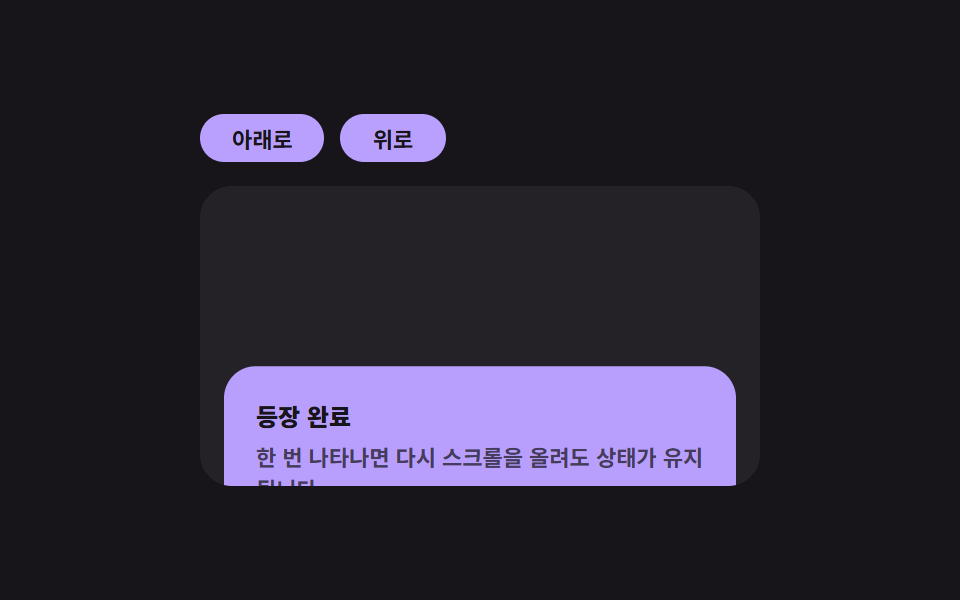
要素の表示比率の値がしきい値を超えた瞬間に一度だけ表示の計算が走り、そのあと画面外に出ても状態の値はそのまま保たれ、二度と計算はやり直されません。
<main class="stage">
<div class="ir is-demo" id="ir">
  <div class="ir__btns">
    <button class="ir__btn" id="irDown" type="button">下へ</button>
    <button class="ir__btn" id="irUp" type="button">上へ</button>
  </div>
  <div class="ir__pane" id="irPane">
    <div class="ir__spacer"></div>
    <div class="ir__card" id="irCard">
      <p class="ir__title">表示完了</p>
      <p class="ir__desc">一度表示されると、上にスクロールしても状態が維持されます。</p>
    </div>
    <div class="ir__spacer"></div>
  </div>
</div>
</main>
@use "../../../../site/static/demo-tokens" as *;
// 인터섹션 리빌 — 카드는 가시 비율 값이 기준을 넘는 순간 한 번만 opacity·translateY 로 등장한다.
// 상태(.ir__card--in)는 JS 가 한 번 붙이면 다시 떼지 않는다 — 재실행되지 않는 계산의 결과가 그대로 클래스에 남는다.
$duration: $dur-enter;
$easing: $ease-spring;
$color: $subject-lilac;
@include stage($stage-ink);
.ir {
display: flex;
flex-direction: column;
align-items: flex-start;
gap: $sp-3;
width: min(100%, 280px);
}
.ir__btns { display: flex; gap: $sp-2; }
.ir__btn {
border: 0;
border-radius: $r-pill;
padding: $sp-1 $sp-4;
font-family: inherit;
font-weight: 700;
font-size: 11px;
color: $stage-ink;
background: $color;
cursor: pointer;
}
.ir__pane {
width: 100%;
height: 150px;
overflow-y: auto;
border-radius: $r-card;
background: rgba(255, 255, 255, .06);
}
.ir__spacer { height: 90px; }
.ir__card {
margin: 0 $sp-3;
padding: $sp-4;
border-radius: $r-card;
background: $color;
opacity: 0;
transform: translateY(18px);
transition: opacity $duration $easing, transform $duration $easing;
}
.ir__card--in { opacity: 1; transform: translateY(0); }
.ir__title {
margin: 0 0 $sp-1;
font-weight: 800;
font-size: 12px;
color: $subject-ink;
}
.ir__desc {
margin: 0;
font-weight: 600;
font-size: 11px;
color: rgba(23, 20, 26, .72);
}
@media (max-width: 340px) {
.ir__pane { height: 130px; }
.ir__spacer { height: 70px; }
}
@media (prefers-reduced-motion: reduce) {
.ir__card { transition: none !important; }
}html, body {
margin: 0;
overflow: hidden;
}
.stage {
box-sizing: border-box;
min-height: 100vh;
display: grid;
place-items: center;
margin: 0;
background: #17141a;
font-family: -apple-system, "Segoe UI", "Noto Sans KR", sans-serif;
padding: clamp(8px, 4vw, 24px);
}
.ir {
display: flex;
flex-direction: column;
align-items: flex-start;
gap: 12px;
width: min(100%, 280px);
}
.ir__btns {
display: flex;
gap: 8px;
}
.ir__btn {
border: 0;
border-radius: 999px;
padding: 4px 16px;
font-family: inherit;
font-weight: 700;
font-size: 11px;
color: #17141a;
background: #b9a0ff;
cursor: pointer;
}
.ir__pane {
width: 100%;
height: 150px;
overflow-y: auto;
border-radius: 16px;
background: rgba(255, 255, 255, 0.06);
}
.ir__spacer {
height: 90px;
}
.ir__card {
margin: 0 12px;
padding: 16px;
border-radius: 16px;
background: #b9a0ff;
opacity: 0;
transform: translateY(18px);
transition: opacity 600ms cubic-bezier(0.2, 0.8, 0.2, 1), transform 600ms cubic-bezier(0.2, 0.8, 0.2, 1);
}
.ir__card--in {
opacity: 1;
transform: translateY(0);
}
.ir__title {
margin: 0 0 4px;
font-weight: 800;
font-size: 12px;
color: #17141a;
}
.ir__desc {
margin: 0;
font-weight: 600;
font-size: 11px;
color: rgba(23, 20, 26, 0.72);
}
@media (max-width: 340px) {
.ir__pane {
height: 130px;
}
.ir__spacer {
height: 70px;
}
}
@media (prefers-reduced-motion: reduce) {
.ir__card {
transition: none !important;
}
}(function () {
var root = document.getElementById('ir');
var pane = document.getElementById('irPane');
var card = document.getElementById('irCard');
var downBtn = document.getElementById('irDown');
var upBtn = document.getElementById('irUp');
var revealed = false;
var autoplay = null;
// 계산 겹: 가시 비율 값이 기준(.4)을 넘는 순간 한 번만 상태를 뒤집고 즉시 관찰을 끊는다.
// 이후 비율 값이 다시 낮아져도(스크롤을 올려도) 상태 값은 그대로 유지된다 — 재실행 없음.
var io = new IntersectionObserver(function (entries) {
var entry = entries[0];
if (!revealed && entry.intersectionRatio >= 0.4) {
revealed = true;
card.classList.add('ir__card--in');
io.unobserve(card);
}
}, { root: pane, threshold: [0, .4, .8] });
io.observe(card);
downBtn.addEventListener('click', function () {
root.classList.remove('is-demo');
stopAutoplay();
pane.scrollTop = pane.scrollHeight;
});
upBtn.addEventListener('click', function () {
root.classList.remove('is-demo');
stopAutoplay();
pane.scrollTop = 0;
});
function stopAutoplay() {
if (autoplay) { clearInterval(autoplay); autoplay = null; }
}
var reduce = window.matchMedia('(prefers-reduced-motion: reduce)').matches;
if (!reduce) {
var down = true;
autoplay = setInterval(function () {
pane.scrollTop = down ? pane.scrollHeight : 0;
down = !down;
}, 520);
}
})();import { useEffect, useRef, useState } from "react";
import styles from "./IntersectionReveal.module.scss";
// 인터섹션 리빌 — 카드는 가시 비율 값이 기준을 넘는 순간 한 번만 opacity·translateY 로 등장한다.
// 계산 겹: 상태를 한 번 뒤집으면 다시 관찰을 끊어 재실행되지 않는다(비율이 다시 낮아져도 유지).
export default function IntersectionReveal() {
const rootRef = useRef<HTMLDivElement>(null);
const paneRef = useRef<HTMLDivElement>(null);
const cardRef = useRef<HTMLDivElement>(null);
const [revealed, setRevealed] = useState(false);
const revealedRef = useRef(false);
const autoplayRef = useRef<number | null>(null);
function stopAutoplay() {
if (autoplayRef.current) {
window.clearInterval(autoplayRef.current);
autoplayRef.current = null;
}
}
useEffect(() => {
const pane = paneRef.current;
const card = cardRef.current;
if (!pane || !card) return;
const io = new IntersectionObserver((entries) => {
const entry = entries[0];
if (!revealedRef.current && entry.intersectionRatio >= 0.4) {
revealedRef.current = true;
setRevealed(true);
io.unobserve(card);
}
}, { root: pane, threshold: [0, .4, .8] });
io.observe(card);
const reduce = window.matchMedia("(prefers-reduced-motion: reduce)").matches;
if (!reduce) {
let down = true;
autoplayRef.current = window.setInterval(() => {
pane.scrollTop = down ? pane.scrollHeight : 0;
down = !down;
}, 520);
}
return () => { io.disconnect(); stopAutoplay(); };
// eslint-disable-next-line react-hooks/exhaustive-deps
}, []);
return (
<main className={styles.stage}>
<div ref={rootRef} className={`${styles.ir} ${styles["is-demo"]}`}>
<div className={styles.ir__btns}>
<button
className={styles.ir__btn}
type="button"
onClick={() => {
rootRef.current?.classList.remove(styles["is-demo"]);
stopAutoplay();
if (paneRef.current) paneRef.current.scrollTop = paneRef.current.scrollHeight;
}}
>
아래로
</button>
<button
className={styles.ir__btn}
type="button"
onClick={() => {
rootRef.current?.classList.remove(styles["is-demo"]);
stopAutoplay();
if (paneRef.current) paneRef.current.scrollTop = 0;
}}
>
위로
</button>
</div>
<div ref={paneRef} className={styles.ir__pane}>
<div className={styles.ir__spacer} />
<div ref={cardRef} className={`${styles.ir__card} ${revealed ? styles["ir__card--in"] : ""}`}>
<p className={styles.ir__title}>등장 완료</p>
<p className={styles.ir__desc}>한 번 나타나면 다시 스크롤을 올려도 상태가 유지됩니다.</p>
</div>
<div className={styles.ir__spacer} />
</div>
</div>
</main>
);
}05 · インターセクションリビール — 表示比率の値が基準を超えた瞬間に一度だけ現れる要素 — 計測 累積面積 21.367% · 動いたフレーム 8/23GODRICH オリジナル · SCSS と React は zip に同梱 · パスワードを見る
数字が示すもの
追跡した23フレーム中8フレームで変化し、累積面積21.37%・平均強度92.4となるのは、小さなマーカーではなくカード全体が一度に現れるためです。しきい値の配列([0, .4, .8])は、コールバックが0.4付近の使える比率で発火するためだけに存在します。entry.intersectionRatioがその値に達した瞬間にrevealedがtrueになり、io.unobserve(card)が即座に実行されるので、あとでスクロールを戻しても表示は二度と発火しません。
  // 計算層: 表示比率の値が基準(.4)を超えた瞬間に一度だけ状態を反転し、直ちに観察をやめる。
  // その後比率の値が再び下がっても(スクロールを戻しても)状態の値はそのまま保たれる — 再実行はない。
  var io = new IntersectionObserver(function (entries) {
    var entry = entries[0];
    if (!revealed && entry.intersectionRatio >= 0.4) {
      revealed = true;
      card.classList.add('ir__card--in');
      io.unobserve(card);
    }
  }, { root: pane, threshold: [0, .4, .8] });
  io.observe(card);
06キーボードショートカット — 入力の組み合わせの値を判定して動作を探す案内
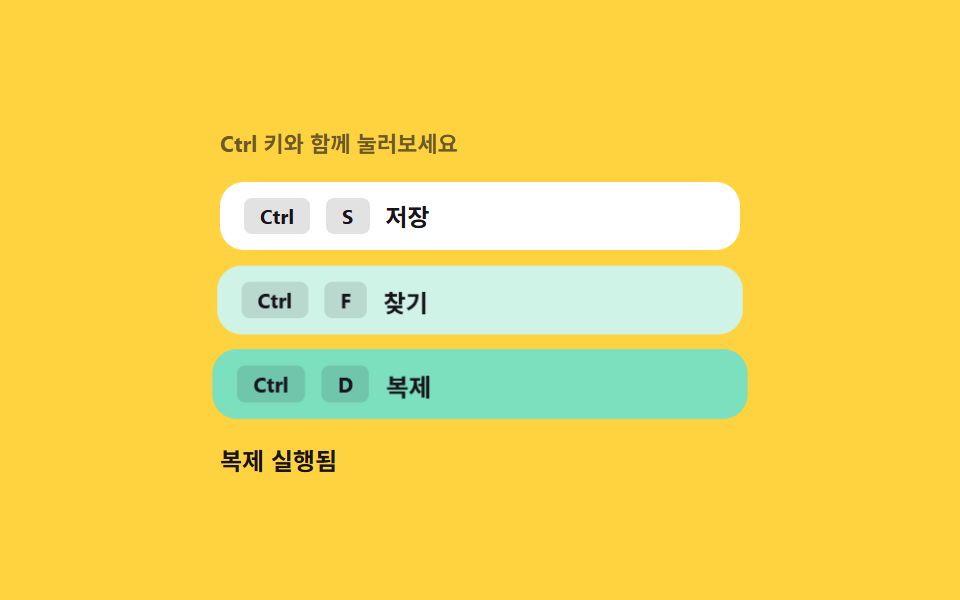
キーの組み合わせが入力されるたびにその組み合わせの値が求め直され、登録済みの一覧と照合されます。一致するとアクションが実行され、対応するヒントが画面上で一瞬光ります。
<main class="stage">
<div class="ks is-demo" id="ks" tabindex="0">
  <p class="ks__cap">Ctrlキーと一緒に押してみてください</p>
  <ul class="ks__hints" id="ksHints">
    <li class="ks__hint" data-combo="ctrl+s"><kbd>Ctrl</kbd><kbd>S</kbd><span>保存</span></li>
    <li class="ks__hint" data-combo="ctrl+f"><kbd>Ctrl</kbd><kbd>F</kbd><span>検索</span></li>
    <li class="ks__hint" data-combo="ctrl+d"><kbd>Ctrl</kbd><kbd>D</kbd><span>複製</span></li>
  </ul>
  <p class="ks__result" id="ksResult" aria-live="polite">待機中</p>
</div>
</main>
@use "../../../../site/static/demo-tokens" as *;
// 키보드 단축키 — 강조는 조합 값이 등록 목록과 일치할 때만 붙는 클래스(.ks__hint--hit) 로 켠다.
// 각 항목을 따로 애니메이션하지 않고 같은 트랜지션 규칙 하나를 공유한다.
$duration: $dur-quick;
$easing: $ease-pop;
$color: $subject-mint;
@include stage($stage-yellow);
.ks {
display: flex;
flex-direction: column;
gap: $sp-3;
width: min(100%, 260px);
outline: none;
}
.ks__cap {
margin: 0;
font-weight: 700;
font-size: 11px;
color: rgba(23, 20, 26, .64);
}
.ks__hints {
list-style: none;
margin: 0;
padding: 0;
display: flex;
flex-direction: column;
gap: $sp-2;
}
.ks__hint {
display: flex;
align-items: center;
gap: $sp-2;
padding: $sp-2 $sp-3;
border-radius: $r-control;
background: $stage-paper;
transform: scale(1);
transition: transform $duration $easing, background $duration $easing;
}
.ks__hint--hit {
background: $color;
transform: scale(1.04);
}
.ks__hint kbd {
padding: $sp-1 $sp-2;
border-radius: $r-xs;
background: rgba(23, 20, 26, .12);
font-family: inherit;
font-weight: 700;
font-size: 10px;
color: $subject-ink;
}
.ks__hint span {
font-weight: 700;
font-size: 12px;
color: $subject-ink;
}
.ks__result {
margin: 0;
font-weight: 700;
font-size: 12px;
color: $subject-ink;
}
@media (max-width: 340px) {
.ks__hints { gap: $sp-1; }
.ks__hint { padding: $sp-1 $sp-2; }
}
@media (prefers-reduced-motion: reduce) {
.ks__hint { transition: none !important; }
}html, body {
margin: 0;
overflow: hidden;
}
.stage {
box-sizing: border-box;
min-height: 100vh;
display: grid;
place-items: center;
margin: 0;
background: #ffd23f;
font-family: -apple-system, "Segoe UI", "Noto Sans KR", sans-serif;
padding: clamp(8px, 4vw, 24px);
}
.ks {
display: flex;
flex-direction: column;
gap: 12px;
width: min(100%, 260px);
outline: none;
}
.ks__cap {
margin: 0;
font-weight: 700;
font-size: 11px;
color: rgba(23, 20, 26, 0.64);
}
.ks__hints {
list-style: none;
margin: 0;
padding: 0;
display: flex;
flex-direction: column;
gap: 8px;
}
.ks__hint {
display: flex;
align-items: center;
gap: 8px;
padding: 8px 12px;
border-radius: 12px;
background: #ffffff;
transform: scale(1);
transition: transform 220ms cubic-bezier(0.2, 1.4, 0.4, 1), background 220ms cubic-bezier(0.2, 1.4, 0.4, 1);
}
.ks__hint--hit {
background: #4cd4a6;
transform: scale(1.04);
}
.ks__hint kbd {
padding: 2px 8px;
border-radius: 4px;
background: rgba(23, 20, 26, 0.12);
font-family: inherit;
font-weight: 700;
font-size: 10px;
color: #17141a;
}
.ks__hint span {
font-weight: 700;
font-size: 12px;
color: #17141a;
}
.ks__result {
margin: 0;
font-weight: 700;
font-size: 12px;
color: #17141a;
}
@media (max-width: 340px) {
.ks__hints {
gap: 4px;
}
.ks__hint {
padding: 4px 8px;
}
}
@media (prefers-reduced-motion: reduce) {
.ks__hint {
transition: none !important;
}
}(function () {
var root = document.getElementById('ks');
var hints = Array.prototype.slice.call(document.querySelectorAll('[data-combo]'));
var result = document.getElementById('ksResult');
var ACTIONS = { 'ctrl+s': '保存を実行しました', 'ctrl+f': '検索を実行しました', 'ctrl+d': '複製を実行しました' };
var flashTimer = null;
var resetTimer = null;
var autoplay = null;
// 계산 겹: 눌린 키에서 조합 값을 다시 구해(수정 키 + 글자 키) 등록된 목록과 매칭한다.
// 각 단축키를 따로 처리하지 않고 하나의 값 비교 함수가 셋 다 판정한다.
function combo(e) {
var mod = e.ctrlKey || e.metaKey ? 'ctrl+' : '';
return mod + String(e.key).toLowerCase();
}
function trigger(key) {
var hit = hints.filter(function (h) { return h.getAttribute('data-combo') === key; })[0];
if (!hit) { return; }
hints.forEach(function (h) { h.classList.remove('ks__hint--hit'); });
clearTimeout(flashTimer);
clearTimeout(resetTimer);
void hit.offsetWidth;
hit.classList.add('ks__hint--hit');
result.textContent = ACTIONS[key];
resetTimer = setTimeout(function () {
hit.classList.remove('ks__hint--hit');
result.textContent = '待機中';
}, 900);
}
root.addEventListener('keydown', function (e) {
var key = combo(e);
if (!ACTIONS[key]) { return; }
e.preventDefault();
root.classList.remove('is-demo');
stopAutoplay();
trigger(key);
});
function stopAutoplay() {
if (autoplay) { clearInterval(autoplay); autoplay = null; }
}
var order = ['ctrl+s', 'ctrl+f', 'ctrl+d'];
var reduce = window.matchMedia('(prefers-reduced-motion: reduce)').matches;
if (!reduce) {
var i = 0;
autoplay = setInterval(function () {
trigger(order[i % order.length]);
i += 1;
}, 620);
}
})();import { useEffect, useRef, useState } from "react";
import styles from "./KeyboardShortcuts.module.scss";
// 키보드 단축키 — 눌린 키에서 조합 값을 다시 구해(수정 키 + 글자 키) 등록된 목록과 매칭한다.
// 계산 겹: 각 단축키를 따로 처리하지 않고 하나의 값 비교 함수가 셋 다 판정한다. 실사용 keydown 리스너 있음.
const ACTIONS: { [k: string]: string } = { "ctrl+s": "저장 실행됨", "ctrl+f": "찾기 실행됨", "ctrl+d": "복제 실행됨" };
const HINTS = [
{ combo: "ctrl+s", key: "S", label: "저장" },
{ combo: "ctrl+f", key: "F", label: "찾기" },
{ combo: "ctrl+d", key: "D", label: "복제" },
];
const ORDER = ["ctrl+s", "ctrl+f", "ctrl+d"];
export default function KeyboardShortcuts() {
const rootRef = useRef<HTMLDivElement>(null);
const [hit, setHit] = useState<string | null>(null);
const [result, setResult] = useState("대기 중");
const resetTimerRef = useRef<number | null>(null);
const autoplayRef = useRef<number | null>(null);
function combo(e: KeyboardEvent) {
const mod = e.ctrlKey || e.metaKey ? "ctrl+" : "";
return mod + String(e.key).toLowerCase();
}
function trigger(key: string) {
if (!ACTIONS[key]) return;
setHit(key);
setResult(ACTIONS[key]);
if (resetTimerRef.current) window.clearTimeout(resetTimerRef.current);
resetTimerRef.current = window.setTimeout(() => {
setHit(null);
setResult("대기 중");
}, 900);
}
function stopAutoplay() {
if (autoplayRef.current) {
window.clearInterval(autoplayRef.current);
autoplayRef.current = null;
}
}
useEffect(() => {
const reduce = window.matchMedia("(prefers-reduced-motion: reduce)").matches;
if (!reduce) {
let i = 0;
autoplayRef.current = window.setInterval(() => {
trigger(ORDER[i % ORDER.length]);
i += 1;
}, 620);
}
return () => stopAutoplay();
// eslint-disable-next-line react-hooks/exhaustive-deps
}, []);
function onKeyDown(e: KeyboardEvent) {
const key = combo(e);
if (!ACTIONS[key]) return;
e.preventDefault();
rootRef.current?.classList.remove(styles["is-demo"]);
stopAutoplay();
trigger(key);
}
return (
<main className={styles.stage}>
<div ref={rootRef} className={`${styles.ks} ${styles["is-demo"]}`} tabIndex={0} onKeyDown={onKeyDown}>
<p className={styles.ks__cap}>Ctrl 키와 함께 눌러보세요</p>
<ul className={styles.ks__hints}>
{HINTS.map((h) => (
<li key={h.combo} className={`${styles.ks__hint} ${hit === h.combo ? styles["ks__hint--hit"] : ""}`}>
<kbd>Ctrl</kbd><kbd>{h.key}</kbd><span>{h.label}</span>
</li>
))}
</ul>
<p className={styles.ks__result} aria-live="polite">{result}</p>
</div>
</main>
);
}06 · キーボードショートカット — 入力の組み合わせの値を判定して動作を探す案内 — 計測 累積面積 20.504% · 動いたフレーム 12/23GODRICH オリジナル · SCSS と React は zip に同梱 · パスワードを見る
数字が示すもの
追跡した23フレーム中12フレームで変化し、累積面積20.50%・平均強度82.0となるのは、ヒントの行全体が光ると同時に結果表示も更新されるためです。combo()はキー入力を1つの文字列('ctrl+'と小文字化したキー)にまとめ、trigger()はその文字列をACTIONSのマップに直接照合します。個別のショートカットごとに分岐を増やさなくても、同じ照合がctrl+s・ctrl+f・ctrl+dの3つすべてを扱います。
  // 計算層: 押されたキーから組み合わせの値を求め直し(修飾キー+文字キー)、登録済みの一覧と照合する。
  // 各ショートカットを個別に処理せず、1つの値比較関数が3つとも判定する。
  function combo(e) {
    var mod = e.ctrlKey || e.metaKey ? 'ctrl+' : '';
    return mod + String(e.key).toLowerCase();
  }

  function trigger(key) {
    var hit = hints.filter(function (h) { return h.getAttribute('data-combo') === key; })[0];
    if (!hit) { return; }
    hints.forEach(function (h) { h.classList.remove('ks__hint--hit'); });
    clearTimeout(flashTimer);
    clearTimeout(resetTimer);
    void hit.offsetWidth;
    hit.classList.add('ks__hint--hit');
    result.textContent = ACTIONS[key];
    resetTimer = setTimeout(function () {
      hit.classList.remove('ks__hint--hit');
      result.textContent = '待機中';
    }, 900);
  }
07デバウンス検索 — 最後の入力の値から待機時間が経つと実行される検索
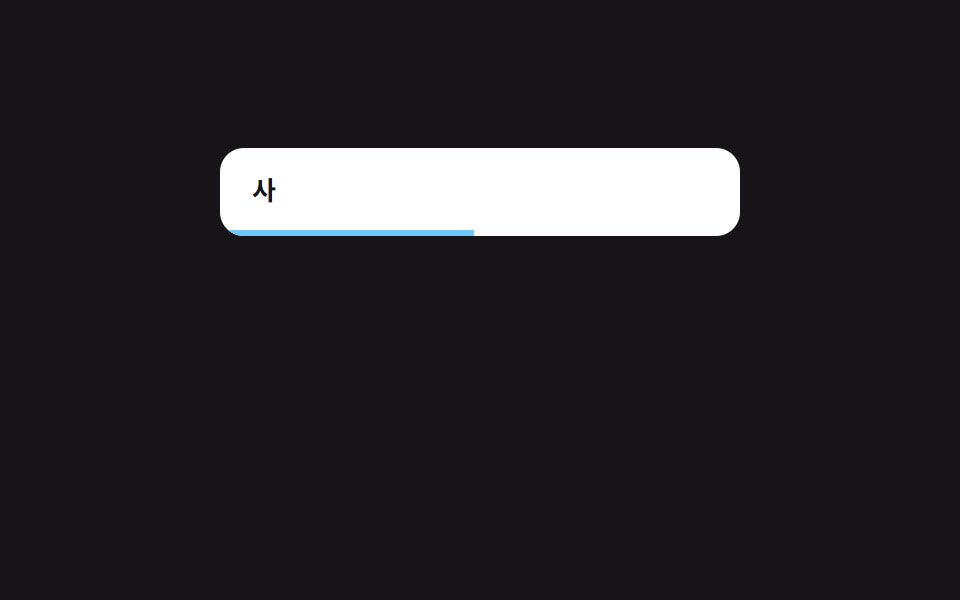
入力の値が変わるたびに待機時間の値は最初から数え直され、その値が途中で止まらずに最後まで数え終わったときだけ検索が実行されます。
<main class="stage">
<div class="db is-demo" id="db">
  <div class="db__field">
    <input class="db__input" id="dbInput" type="text" value="" placeholder="検索語を入力" aria-label="検索">
    <span class="db__bar" id="dbBar"></span>
  </div>
  <ul class="db__list" id="dbList"></ul>
</div>
</main>
@use "../../../../site/static/demo-tokens" as *;
// 디바운스 검색 — 진행 막대 폭(--r)은 매 프레임 실제 경과 시간을 다시 재서 얻은 값이다.
// 입력이 다시 들어오면 경과 시간이 0으로 리셋되어 막대도 처음부터 다시 채워진다.
$duration: $dur-instant;
$easing: $ease-out;
$color: $subject-sky;
@include stage($stage-ink);
.db {
display: flex;
flex-direction: column;
gap: $sp-3;
width: min(100%, 260px);
}
.db__field {
position: relative;
border-radius: $r-control;
background: $stage-paper;
overflow: hidden;
}
.db__input {
box-sizing: border-box;
width: 100%;
border: 0;
background: transparent;
padding: $sp-3 $sp-4;
font-family: inherit;
font-weight: 700;
font-size: 13px;
color: $subject-ink;
outline: none;
}
.db__bar {
display: block;
height: 3px;
width: calc(var(--r, 0) * 100%);
background: $color;
transition: width $duration $easing;
}
.db__list {
list-style: none;
margin: 0;
padding: 0;
display: flex;
flex-direction: column;
gap: $sp-1;
min-height: 96px;
}
.db__row {
padding: $sp-2 $sp-3;
border-radius: $r-sm;
background: rgba(255, 255, 255, .08);
font-weight: 600;
font-size: 12px;
color: $stage-paper;
}
@media (max-width: 340px) {
.db__row { font-size: 11px; }
}
@media (prefers-reduced-motion: reduce) {
.db__bar { transition: none !important; }
}html, body {
margin: 0;
overflow: hidden;
}
.stage {
box-sizing: border-box;
min-height: 100vh;
display: grid;
place-items: center;
margin: 0;
background: #17141a;
font-family: -apple-system, "Segoe UI", "Noto Sans KR", sans-serif;
padding: clamp(8px, 4vw, 24px);
}
.db {
display: flex;
flex-direction: column;
gap: 12px;
width: min(100%, 260px);
}
.db__field {
position: relative;
border-radius: 12px;
background: #ffffff;
overflow: hidden;
}
.db__input {
box-sizing: border-box;
width: 100%;
border: 0;
background: transparent;
padding: 12px 16px;
font-family: inherit;
font-weight: 700;
font-size: 13px;
color: #17141a;
outline: none;
}
.db__bar {
display: block;
height: 3px;
width: calc(var(--r, 0) * 100%);
background: #6ec8ff;
transition: width 140ms ease-out;
}
.db__list {
list-style: none;
margin: 0;
padding: 0;
display: flex;
flex-direction: column;
gap: 4px;
min-height: 96px;
}
.db__row {
padding: 8px 12px;
border-radius: 8px;
background: rgba(255, 255, 255, 0.08);
font-weight: 600;
font-size: 12px;
color: #ffffff;
}
@media (max-width: 340px) {
.db__row {
font-size: 11px;
}
}
@media (prefers-reduced-motion: reduce) {
.db__bar {
transition: none !important;
}
}(function () {
var root = document.getElementById('db');
var input = document.getElementById('dbInput');
var bar = document.getElementById('dbBar');
var list = document.getElementById('dbList');
var WAIT_MS = 480;
var ITEMS = ['アップルパイのレシピ', 'リンゴの木の病害虫', 'アップルジュースの作り方', 'バナナスムージー', 'バナナブレッドを焼く'];
var timer = null;
var startedAt = 0;
var raf = null;
var autoplay = null;
// 계산 겹: 입력 값이 바뀔 때마다 남은 대기 시간을 처음부터 다시 잰다(디바운스).
// 진행 막대 폭은 실제 경과 시간 / WAIT_MS 비율로 매 프레임 다시 계산한다 — 고정 트랜지션이 아니다.
function tick() {
var elapsed = Date.now() - startedAt;
var ratio = Math.min(1, elapsed / WAIT_MS);
bar.style.setProperty('--r', ratio.toFixed(3));
if (ratio < 1) { raf = requestAnimationFrame(tick); }
}
function search(value) {
var q = value.trim().toLowerCase();
var matched = q ? ITEMS.filter(function (t) { return t.toLowerCase().indexOf(q) !== -1; }) : [];
list.innerHTML = '';
matched.forEach(function (text) {
var li = document.createElement('li');
li.className = 'db__row';
li.textContent = text;
list.appendChild(li);
});
bar.style.setProperty('--r', '0');
}
function onInput(value) {
input.value = value;
startedAt = Date.now();
bar.style.setProperty('--r', '0');
if (raf) { cancelAnimationFrame(raf); }
raf = requestAnimationFrame(tick);
clearTimeout(timer);
timer = setTimeout(function () { search(value); }, WAIT_MS);
}
input.addEventListener('input', function (e) {
root.classList.remove('is-demo');
stopAutoplay();
onInput(e.target.value);
});
function stopAutoplay() { if (autoplay) { clearInterval(autoplay); autoplay = null; } }
var script = ['ア', 'アッ', 'アッ ', 'アップ'];
var reduce = window.matchMedia('(prefers-reduced-motion: reduce)').matches;
if (!reduce) {
var i = 0;
autoplay = setInterval(function () {
onInput(script[i % script.length]);
i += 1;
}, 640);
}
})();import { useEffect, useRef, useState } from "react";
import type { CSSProperties, ChangeEvent } from "react";
import styles from "./DebounceSearch.module.scss";
// 디바운스 검색 — 입력 값이 바뀔 때마다 남은 대기 시간을 처음부터 다시 잰다(디바운스).
// 계산 겹: 진행 막대 폭은 실제 경과 시간 / WAIT_MS 비율로 매 프레임 다시 계산한다 — 고정 트랜지션이 아니다.
const WAIT_MS = 480;
const ITEMS = ["사과 파이 레시피", "사과나무 병충해", "사과주스 만들기", "바나나 스무디", "바나나빵 굽기"];
const SCRIPT = ["사", "사과", "사과 ", "사과 파"];
export default function DebounceSearch() {
const rootRef = useRef<HTMLDivElement>(null);
const barRef = useRef<HTMLSpanElement>(null);
const [value, setValue] = useState("");
const [matched, setMatched] = useState<string[]>([]);
const timerRef = useRef<number | null>(null);
const rafRef = useRef<number | null>(null);
const startedAtRef = useRef(0);
const autoplayRef = useRef<number | null>(null);
function tick() {
const elapsed = Date.now() - (startedAtRef.current ?? 0);
const ratio = Math.min(1, elapsed / WAIT_MS);
barRef.current?.style.setProperty("--r", ratio.toFixed(3));
if (ratio < 1) { rafRef.current = requestAnimationFrame(tick); }
}
function search(v: string) {
const q = v.trim().toLowerCase();
const list = q ? ITEMS.filter((t) => t.toLowerCase().indexOf(q) !== -1) : [];
setMatched(list);
barRef.current?.style.setProperty("--r", "0");
}
function onInput(v: string) {
setValue(v);
startedAtRef.current = Date.now();
barRef.current?.style.setProperty("--r", "0");
if (rafRef.current) cancelAnimationFrame(rafRef.current);
rafRef.current = requestAnimationFrame(tick);
if (timerRef.current) window.clearTimeout(timerRef.current);
timerRef.current = window.setTimeout(() => search(v), WAIT_MS);
}
function stopAutoplay() {
if (autoplayRef.current) {
window.clearInterval(autoplayRef.current);
autoplayRef.current = null;
}
}
useEffect(() => {
const reduce = window.matchMedia("(prefers-reduced-motion: reduce)").matches;
if (!reduce) {
let i = 0;
autoplayRef.current = window.setInterval(() => {
onInput(SCRIPT[i % SCRIPT.length]);
i += 1;
}, 640);
}
return () => {
stopAutoplay();
if (timerRef.current) window.clearTimeout(timerRef.current);
if (rafRef.current) cancelAnimationFrame(rafRef.current);
};
// eslint-disable-next-line react-hooks/exhaustive-deps
}, []);
return (
<main className={styles.stage}>
<div ref={rootRef} className={`${styles.db} ${styles["is-demo"]}`}>
<div className={styles.db__field}>
<input
className={styles.db__input}
type="text"
value={value}
placeholder="검색어 입력"
aria-label="검색"
onChange={(e: ChangeEvent<HTMLInputElement>) => {
rootRef.current?.classList.remove(styles["is-demo"]);
stopAutoplay();
onInput(e.target.value);
}}
/>
<span ref={barRef} className={styles.db__bar} style={{ "--r": 0 } as CSSProperties} />
</div>
<ul className={styles.db__list}>
{matched.map((text) => (
<li key={text} className={styles.db__row}>{text}</li>
))}
</ul>
</div>
</main>
);
}07 · デバウンス検索 — 最後の入力の値から待機時間が経つと実行される検索 — 計測 累積面積 20.589% · 動いたフレーム 19/23GODRICH オリジナル · SCSS と React は zip に同梱 · パスワードを見る
数字が示すもの
追跡した23フレーム中19フレームで変化し、9つの中で最多となる累積面積20.59%・平均強度137.1を記録するのは、数えている間ずっと進行バーが毎フレーム再描画されるためです。onInput()はキー入力のたびに保留中のrafとtimerを破棄して両方を最初から再起動し、tick()は毎フレーム経過時間をWAIT_MSで割った比率で--rを求め直します。バーの幅は固定時間のCSSトランジションではなく、実測値そのものです。
  var WAIT_MS = 480;
  var ITEMS = ['アップルパイのレシピ', 'リンゴの木の病害虫', 'アップルジュースの作り方', 'バナナスムージー', 'バナナブレッドを焼く'];
  var timer = null;
  var startedAt = 0;
  var raf = null;
  var autoplay = null;

  // 計算層: 入力の値が変わるたびに残りの待機時間を最初から数え直す(デバウンス)。
  // 進行バーの幅は実際の経過時間 / WAIT_MS の比率から毎フレーム求め直す — 固定トランジションではない。
  function tick() {
    var elapsed = Date.now() - startedAt;
    var ratio = Math.min(1, elapsed / WAIT_MS);
    bar.style.setProperty('--r', ratio.toFixed(3));
    if (ratio < 1) { raf = requestAnimationFrame(tick); }
  }
08テーマ保存 — 保存された値を読んで初期テーマを決めるトグル
テーマが切り替わるたびにその値が保存され、ページを開き直すと保存された値が読み込まれ、描画が始まる前に初期テーマがその値に設定されます。
<main class="stage">
<div class="tp is-demo" id="tp">
  <button class="tp__track" id="tpTrack" type="button" aria-pressed="false">
    <span class="tp__knob" id="tpKnob"></span>
    <span class="tp__ic tp__ic--sun">太陽</span>
    <span class="tp__ic tp__ic--moon">月</span>
  </button>
  <div class="tp__card" id="tpCard" data-theme="light">
    <p class="tp__label">保存されたテーマ</p>
    <p class="tp__value" id="tpValue">ライト</p>
  </div>
</div>
</main>
@use "../../../../site/static/demo-tokens" as *;
// 테마 저장 토글 — 놉 이동 거리(--x)는 트랙·놉의 실측 사각형 차이에서 구한 값이다.
// 카드 색은 data-theme 속성 값에 따라 바뀌고 localStorage 에도 같은 값이 남는다.
$duration: $dur-quick;
$easing: $ease-spring;
$color: $subject-pink;
@include stage($stage-paper);
.tp {
display: flex;
flex-direction: column;
align-items: center;
gap: $sp-5;
}
.tp__track {
position: relative;
width: 76px;
height: 36px;
border: 0;
border-radius: $r-pill;
background: $subject-lilac;
cursor: pointer;
padding: 0;
}
.tp__knob {
position: absolute;
top: 3px;
left: 3px;
width: 30px;
height: 30px;
border-radius: 50%;
background: $stage-paper;
transform: translateX(var(--x, 0));
transition: transform $duration $easing;
}
.tp__ic {
position: absolute;
top: 50%;
transform: translateY(-50%);
font-size: 10px;
font-weight: 700;
color: $subject-ink;
}
.tp__ic--sun { left: $sp-2; }
.tp__ic--moon { right: $sp-2; }
.tp__card {
width: min(100%, 200px);
padding: $sp-4;
border-radius: $r-card;
text-align: center;
background: $color;
transition: background $duration $easing;
}
.tp__card[data-theme="dark"] {
background: $subject-ink;
}
.tp__label {
margin: 0 0 $sp-1;
font-size: 10px;
font-weight: 700;
color: rgba(23, 20, 26, .6);
}
.tp__card[data-theme="dark"] .tp__label { color: rgba(255, 255, 255, .6); }
.tp__value {
margin: 0;
font-size: 14px;
font-weight: 800;
color: $subject-ink;
}
.tp__card[data-theme="dark"] .tp__value { color: $stage-paper; }
@media (prefers-reduced-motion: reduce) {
.tp__knob, .tp__card { transition: none !important; }
}html, body {
margin: 0;
overflow: hidden;
}
.stage {
box-sizing: border-box;
min-height: 100vh;
display: grid;
place-items: center;
margin: 0;
background: #ffffff;
font-family: -apple-system, "Segoe UI", "Noto Sans KR", sans-serif;
padding: clamp(8px, 4vw, 24px);
}
.tp {
display: flex;
flex-direction: column;
align-items: center;
gap: 20px;
}
.tp__track {
position: relative;
width: 76px;
height: 36px;
border: 0;
border-radius: 999px;
background: #b9a0ff;
cursor: pointer;
padding: 0;
}
.tp__knob {
position: absolute;
top: 3px;
left: 3px;
width: 30px;
height: 30px;
border-radius: 50%;
background: #ffffff;
transform: translateX(var(--x, 0));
transition: transform 220ms cubic-bezier(0.2, 0.8, 0.2, 1);
}
.tp__ic {
position: absolute;
top: 50%;
transform: translateY(-50%);
font-size: 10px;
font-weight: 700;
color: #17141a;
}
.tp__ic--sun {
left: 8px;
}
.tp__ic--moon {
right: 8px;
}
.tp__card {
width: min(100%, 200px);
padding: 16px;
border-radius: 16px;
text-align: center;
background: #ff9ebb;
transition: background 220ms cubic-bezier(0.2, 0.8, 0.2, 1);
}
.tp__card[data-theme=dark] {
background: #17141a;
}
.tp__label {
margin: 0 0 4px;
font-size: 10px;
font-weight: 700;
color: rgba(23, 20, 26, 0.6);
}
.tp__card[data-theme=dark] .tp__label {
color: rgba(255, 255, 255, 0.6);
}
.tp__value {
margin: 0;
font-size: 14px;
font-weight: 800;
color: #17141a;
}
.tp__card[data-theme=dark] .tp__value {
color: #ffffff;
}
@media (prefers-reduced-motion: reduce) {
.tp__knob, .tp__card {
transition: none !important;
}
}(function () {
var root = document.getElementById('tp');
var track = document.getElementById('tpTrack');
var knob = document.getElementById('tpKnob');
var card = document.getElementById('tpCard');
var valueEl = document.getElementById('tpValue');
var KEY = 'demo-348-theme';
var dark = false;
var autoplay = null;
// 계산 겹: 트랙·놉의 실측 사각형에서 이동 거리를 다시 구해 --x 로 옮긴다(고정 % 아님).
// 값을 켤 때마다 localStorage 에 적어 다음 로드 때 같은 값을 복원할 수 있게 한다.
function place() {
var trackRect = track.getBoundingClientRect();
var knobRect = knob.getBoundingClientRect();
var travel = trackRect.width - knobRect.width - 6;
knob.style.setProperty('--x', (dark ? travel : 0).toFixed(1) + 'px');
}
function apply(next, persist) {
dark = next;
track.setAttribute('aria-pressed', String(dark));
card.setAttribute('data-theme', dark ? 'dark' : 'light');
valueEl.textContent = dark ? 'ダーク' : 'ライト';
place();
if (persist) {
try { window.localStorage.setItem(KEY, dark ? 'dark' : 'light'); } catch (err) { /* 무시 */ }
}
}
try {
var saved = window.localStorage.getItem(KEY);
if (saved === 'dark') { apply(true, false); } else { apply(false, false); }
} catch (err) { apply(false, false); }
track.addEventListener('click', function () {
root.classList.remove('is-demo');
stopAutoplay();
apply(!dark, true);
});
window.addEventListener('resize', place);
function stopAutoplay() { if (autoplay) { clearInterval(autoplay); autoplay = null; } }
var reduce = window.matchMedia('(prefers-reduced-motion: reduce)').matches;
if (!reduce) {
autoplay = setInterval(function () { apply(!dark, true); }, 620);
}
})();import { useEffect, useRef, useState } from "react";
import styles from "./ThemePersist.module.scss";
// 테마 저장 토글 — 놉 이동 거리(--x)는 트랙·놉의 실측 사각형 차이에서 구한 값이다(BD19).
// 계산 겹: 값을 켤 때마다 localStorage 에 적어 다음 로드 때 같은 값을 복원한다.
const KEY = "demo-348-theme";
export default function ThemePersist() {
const rootRef = useRef<HTMLDivElement>(null);
const trackRef = useRef<HTMLButtonElement>(null);
const knobRef = useRef<HTMLSpanElement>(null);
const [dark, setDark] = useState(false);
const darkRef = useRef(false);
const autoplayRef = useRef<number | null>(null);
function place(nextDark: boolean) {
const track = trackRef.current;
const knob = knobRef.current;
if (!track || !knob) return;
const trackRect = track.getBoundingClientRect();
const knobRect = knob.getBoundingClientRect();
const travel = trackRect.width - knobRect.width - 6;
knob.style.setProperty("--x", (nextDark ? travel : 0).toFixed(1) + "px");
}
function apply(next: boolean, persist: boolean) {
darkRef.current = next;
setDark(next);
place(next);
if (persist) {
try {
window.localStorage.setItem(KEY, next ? "dark" : "light");
} catch (err) { /* 무시 */ }
}
}
function stopAutoplay() {
if (autoplayRef.current) {
window.clearInterval(autoplayRef.current);
autoplayRef.current = null;
}
}
useEffect(() => {
let initial = false;
try {
initial = window.localStorage.getItem(KEY) === "dark";
} catch (err) { initial = false; }
apply(initial, false);
const onResize = () => place(darkRef.current ?? false);
window.addEventListener("resize", onResize);
const reduce = window.matchMedia("(prefers-reduced-motion: reduce)").matches;
if (!reduce) {
autoplayRef.current = window.setInterval(() => {
apply(!(darkRef.current ?? false), true);
}, 620);
}
return () => {
stopAutoplay();
window.removeEventListener("resize", onResize);
};
// eslint-disable-next-line react-hooks/exhaustive-deps
}, []);
return (
<main className={styles.stage}>
<div ref={rootRef} className={`${styles.tp} ${styles["is-demo"]}`}>
<button
ref={trackRef}
className={styles.tp__track}
type="button"
aria-pressed={dark}
onClick={() => {
rootRef.current?.classList.remove(styles["is-demo"]);
stopAutoplay();
apply(!dark, true);
}}
>
<span ref={knobRef} className={styles.tp__knob} />
<span className={`${styles.tp__ic} ${styles["tp__ic--sun"]}`}></span>
<span className={`${styles.tp__ic} ${styles["tp__ic--moon"]}`}></span>
</button>
<div className={styles.tp__card} data-theme={dark ? "dark" : "light"}>
<p className={styles.tp__label}>저장된 테마</p>
<p className={styles.tp__value}>{dark ? "어둡게" : "밝게"}</p>
</div>
</div>
</main>
);
}08 · テーマ保存 — 保存された値を読んで初期テーマを決めるトグル — 計測 累積面積 6.717% · 動いたフレーム 12/23GODRICH オリジナル · SCSS と React は zip に同梱 · パスワードを見る
数字が示すもの
追跡した23フレーム中12フレームで変化し、累積面積6.72%・平均強度84.6にとどまるのは、ステージ全体ではなくノブと小さなプレビューカードだけが再描画されるためです。place()はトラックとノブの矩形をgetBoundingClientRect()で測定して移動距離を求めるので、固定の割合を書かず、トラック幅が変わっても正しい位置に収まります。値が変わるたびにdemo-348-という接頭辞つきのキーへ書き込まれるので、再読み込みの直後、最初の描画より前にその値を読み戻せます。
  // 計算層: トラックとノブの実測した矩形から移動距離を求め直し、その値だけ --x で動かす(固定%ではない)。
  // 値が変わるたびに localStorage に書き込み、次回の読み込みで同じ値を復元できるようにする。
  function place() {
    var trackRect = track.getBoundingClientRect();
    var knobRect = knob.getBoundingClientRect();
    var travel = trackRect.width - knobRect.width - 6;
    knob.style.setProperty('--x', (dark ? travel : 0).toFixed(1) + 'px');
  }

  function apply(next, persist) {
    dark = next;
    track.setAttribute('aria-pressed', String(dark));
    card.setAttribute('data-theme', dark ? 'dark' : 'light');
    valueEl.textContent = dark ? 'ダーク' : 'ライト';
    place();
    if (persist) {
      try { window.localStorage.setItem(KEY, dark ? 'dark' : 'light'); } catch (err) { /* 無視 */ }
    }
  }

  try {
    var saved = window.localStorage.getItem(KEY);
    if (saved === 'dark') { apply(true, false); } else { apply(false, false); }
  } catch (err) { apply(false, false); }
09クリップボードコピー — 成功状態の値でラベルが一時的に変わる基本ボタン
範囲を選び終えると、その計算がラベルを完了状態へ切り替え、一定時間後に値をリセットしてラベルを元の文言へ戻します。
<main class="stage">
<div class="cc is-demo" id="cc">
  <div class="cc__code" id="ccCode">
    <div class="cc__row"><button class="cc__num" type="button" data-n="1">1</button><span class="cc__line">const x = 1;</span></div>
    <div class="cc__row"><button class="cc__num" type="button" data-n="2">2</button><span class="cc__line">const y = 2;</span></div>
    <div class="cc__row"><button class="cc__num" type="button" data-n="3">3</button><span class="cc__line">const z = x + y;</span></div>
    <div class="cc__row"><button class="cc__num" type="button" data-n="4">4</button><span class="cc__line">return z;</span></div>
    <span class="cc__sweep" id="ccSweep"></span>
  </div>
  <button class="cc__label" id="ccLabel" type="button">範囲を選択するとコピーされます</button>
</div>
</main>
@use "../../../../site/static/demo-tokens" as *;
// 코드 줄 범위 복사 — sweep 의 위치·높이(--top·--h)는 시작·끝 줄 번호 값의 차이로 매번 다시 구한다.
// navigator.clipboard 는 호출하지 않는다 — 라벨 전환으로 복사 성공을 흉내만 낸다.
$duration: $dur-quick;
$easing: $ease-pop;
$color: $subject-blue-light;
@include stage($stage-ink);
.cc {
display: flex;
flex-direction: column;
gap: $sp-3;
width: min(100%, 260px);
}
.cc__code {
position: relative;
border-radius: $r-card;
background: $subject-ink;
border: 1px solid rgba(255, 255, 255, .12);
padding: $sp-2 0;
overflow: hidden;
}
.cc__row {
position: relative;
z-index: 2;
display: flex;
align-items: center;
height: 22px;
}
.cc__num {
flex: 0 0 22px;
height: 22px;
border: 0;
background: transparent;
color: rgba(255, 255, 255, .38);
font-family: monospace;
font-size: 11px;
cursor: pointer;
}
.cc__num--sel { color: $stage-paper; font-weight: 700; }
.cc__line {
height: 22px;
line-height: 22px;
font-family: monospace;
font-size: 11px;
color: $stage-paper;
white-space: nowrap;
}
.cc__sweep {
position: absolute;
left: 0;
right: 0;
top: var(--top, 0);
height: var(--h, 22px);
background: rgba(94, 160, 255, 0);
transition: top $duration $easing, height $duration $easing, background $duration $easing;
z-index: 1;
}
.cc__sweep--on { background: rgba(94, 160, 255, .28); }
.cc__label {
border: 0;
border-radius: $r-pill;
padding: $sp-2 $sp-4;
background: rgba(255, 255, 255, .1);
color: $stage-paper;
font-family: inherit;
font-weight: 700;
font-size: 11px;
cursor: pointer;
transition: background $duration $easing, color $duration $easing;
}
.cc__label--done { background: $color; color: $subject-ink; }
@media (max-width: 340px) {
.cc__line, .cc__num { font-size: 10px; }
}
@media (prefers-reduced-motion: reduce) {
.cc__sweep, .cc__label { transition: none !important; }
}html, body {
margin: 0;
overflow: hidden;
}
.stage {
box-sizing: border-box;
min-height: 100vh;
display: grid;
place-items: center;
margin: 0;
background: #17141a;
font-family: -apple-system, "Segoe UI", "Noto Sans KR", sans-serif;
padding: clamp(8px, 4vw, 24px);
}
.cc {
display: flex;
flex-direction: column;
gap: 12px;
width: min(100%, 260px);
}
.cc__code {
position: relative;
border-radius: 16px;
background: #17141a;
border: 1px solid rgba(255, 255, 255, 0.12);
padding: 8px 0;
overflow: hidden;
}
.cc__row {
position: relative;
z-index: 2;
display: flex;
align-items: center;
height: 22px;
}
.cc__num {
flex: 0 0 22px;
height: 22px;
border: 0;
background: transparent;
color: rgba(255, 255, 255, 0.38);
font-family: monospace;
font-size: 11px;
cursor: pointer;
}
.cc__num--sel {
color: #ffffff;
font-weight: 700;
}
.cc__line {
height: 22px;
line-height: 22px;
font-family: monospace;
font-size: 11px;
color: #ffffff;
white-space: nowrap;
}
.cc__sweep {
position: absolute;
left: 0;
right: 0;
top: var(--top, 0);
height: var(--h, 22px);
background: rgba(94, 160, 255, 0);
transition: top 220ms cubic-bezier(0.2, 1.4, 0.4, 1), height 220ms cubic-bezier(0.2, 1.4, 0.4, 1), background 220ms cubic-bezier(0.2, 1.4, 0.4, 1);
z-index: 1;
}
.cc__sweep--on {
background: rgba(94, 160, 255, 0.28);
}
.cc__label {
border: 0;
border-radius: 999px;
padding: 8px 16px;
background: rgba(255, 255, 255, 0.1);
color: #ffffff;
font-family: inherit;
font-weight: 700;
font-size: 11px;
cursor: pointer;
transition: background 220ms cubic-bezier(0.2, 1.4, 0.4, 1), color 220ms cubic-bezier(0.2, 1.4, 0.4, 1);
}
.cc__label--done {
background: #5b8cf8;
color: #17141a;
}
@media (max-width: 340px) {
.cc__line, .cc__num {
font-size: 10px;
}
}
@media (prefers-reduced-motion: reduce) {
.cc__sweep, .cc__label {
transition: none !important;
}
}(function () {
var root = document.getElementById('cc');
var nums = Array.prototype.slice.call(document.querySelectorAll('.cc__num'));
var sweep = document.getElementById('ccSweep');
var label = document.getElementById('ccLabel');
var LINE_H = 22;
var anchor = null;
var resetTimer = null;
var autoplay = null;
// 계산 겹: 시작 줄과 끝 줄 값의 차이로 범위 높이·위치를 다시 구해 sweep 을 그 자리에 놓는다.
// 실 클립보드 API 는 호출하지 않고 복사 성공 상태만 라벨 전환으로 흉내낸다.
function range(a, b) {
var lo = Math.min(a, b);
var hi = Math.max(a, b);
return { top: (lo - 1) * LINE_H, height: (hi - lo + 1) * LINE_H, lo: lo, hi: hi };
}
function select(startN, endN) {
var r = range(startN, endN);
sweep.style.setProperty('--top', r.top + 'px');
sweep.style.setProperty('--h', r.height + 'px');
sweep.classList.add('cc__sweep--on');
nums.forEach(function (btn) {
var n = Number(btn.getAttribute('data-n'));
btn.classList.toggle('cc__num--sel', n >= r.lo && n <= r.hi);
});
label.textContent = r.lo + '-' + r.hi + '行コピー済み';
label.classList.add('cc__label--done');
clearTimeout(resetTimer);
resetTimer = setTimeout(function () {
label.textContent = '範囲を選択するとコピーされます';
label.classList.remove('cc__label--done');
}, 900);
}
nums.forEach(function (btn) {
btn.addEventListener('click', function () {
root.classList.remove('is-demo');
stopAutoplay();
var n = Number(btn.getAttribute('data-n'));
if (anchor === null) { anchor = n; select(n, n); }
else { select(anchor, n); anchor = null; }
});
});
function stopAutoplay() { if (autoplay) { clearInterval(autoplay); autoplay = null; } }
var script = [[1, 1], [2, 3], [1, 4]];
var reduce = window.matchMedia('(prefers-reduced-motion: reduce)').matches;
if (!reduce) {
var i = 0;
autoplay = setInterval(function () {
var pair = script[i % script.length];
select(pair[0], pair[1]);
i += 1;
}, 680);
}
})();import { useEffect, useRef, useState } from "react";
import type { CSSProperties } from "react";
import styles from "./CopyToClipboard.module.scss";
// 코드 줄 범위 복사 — sweep 의 위치·높이는 시작·끝 줄 번호 값의 차이로 매번 다시 구한다(계산 겹).
// navigator.clipboard 는 호출하지 않는다 — 라벨 전환으로 복사 성공만 흉내낸다.
const LINE_H = 22;
const LINES = ["const x = 1;", "const y = 2;", "const z = x + y;", "return z;"];
const IDLE_LABEL = "범위를 선택하면 복사됩니다";
const SCRIPT: [number, number][] = [[1, 1], [2, 3], [1, 4]];
type Range = { top: number; height: number; lo: number; hi: number };
function range(a: number, b: number): Range {
const lo = Math.min(a, b);
const hi = Math.max(a, b);
return { top: (lo - 1) * LINE_H, height: (hi - lo + 1) * LINE_H, lo, hi };
}
export default function CopyToClipboard() {
const rootRef = useRef<HTMLDivElement>(null);
const [sel, setSel] = useState<Range | null>(null);
const [label, setLabel] = useState(IDLE_LABEL);
const [labelDone, setLabelDone] = useState(false);
const anchorRef = useRef<number | null>(null);
const resetTimerRef = useRef<number | null>(null);
const autoplayRef = useRef<number | null>(null);
function select(startN: number, endN: number) {
const r = range(startN, endN);
setSel(r);
setLabel(r.lo + "-" + r.hi + "줄 복사됨");
setLabelDone(true);
if (resetTimerRef.current) window.clearTimeout(resetTimerRef.current);
resetTimerRef.current = window.setTimeout(() => {
setLabel(IDLE_LABEL);
setLabelDone(false);
}, 900);
}
function stopAutoplay() {
if (autoplayRef.current) {
window.clearInterval(autoplayRef.current);
autoplayRef.current = null;
}
}
useEffect(() => {
const reduce = window.matchMedia("(prefers-reduced-motion: reduce)").matches;
if (!reduce) {
let i = 0;
autoplayRef.current = window.setInterval(() => {
const pair = SCRIPT[i % SCRIPT.length];
select(pair[0], pair[1]);
i += 1;
}, 680);
}
return () => {
stopAutoplay();
if (resetTimerRef.current) window.clearTimeout(resetTimerRef.current);
};
// eslint-disable-next-line react-hooks/exhaustive-deps
}, []);
function onNumClick(n: number) {
rootRef.current?.classList.remove(styles["is-demo"]);
stopAutoplay();
if (anchorRef.current === null) {
anchorRef.current = n;
select(n, n);
} else {
select(anchorRef.current, n);
anchorRef.current = null;
}
}
return (
<main className={styles.stage}>
<div ref={rootRef} className={`${styles.cc} ${styles["is-demo"]}`}>
<div className={styles.cc__code}>
{LINES.map((text, i) => {
const n = i + 1;
const inRange = !!sel && n >= sel.lo && n <= sel.hi;
return (
<div key={n} className={styles.cc__row}>
<button
className={`${styles.cc__num} ${inRange ? styles["cc__num--sel"] : ""}`}
type="button"
onClick={() => onNumClick(n)}
>
{n}
</button>
<span className={styles.cc__line}>{text}</span>
</div>
);
})}
<span
className={`${styles.cc__sweep} ${sel ? styles["cc__sweep--on"] : ""}`}
style={{ "--top": (sel?.top ?? 0) + "px", "--h": (sel?.height ?? 22) + "px" } as CSSProperties}
/>
</div>
<button className={`${styles.cc__label} ${labelDone ? styles["cc__label--done"] : ""}`} type="button">
{label}
</button>
</div>
</main>
);
}09 · クリップボードコピー — 成功状態の値でラベルが一時的に変わる基本ボタン — 計測 累積面積 21.3% · 動いたフレーム 8/23GODRICH オリジナル · SCSS と React は zip に同梱 · パスワードを見る
数字が示すもの
追跡した23フレーム中8フレームで変化し、累積面積21.30%・平均強度73.7となるのは、選ばれた行の背後を幅広いハイライト帯が動くためです。range()はクリックされた2つの行番号をLINE_Hから{ top, height }の組へ変換し、select()はその値を--topと--hに書き込むことで、固定の状態間をアニメーションさせるのではなくsweep要素そのものを位置決めします。実際のnavigator.clipboardは一度も呼び出されず、訪問者が見る「成功」はラベルの切り替えとその後のタイマーによる元の文言への復帰だけで表現されています。
  // 計算層: 開始行と終了行の値の差から範囲の高さ・位置を求め直し、その位置にsweepを置く。
  // 実際のクリップボードAPIは呼び出さず、コピー成功の状態だけをラベルの切り替えで再現する。
  function range(a, b) {
    var lo = Math.min(a, b);
    var hi = Math.max(a, b);
    return { top: (lo - 1) * LINE_H, height: (hi - lo + 1) * LINE_H, lo: lo, hi: hi };
  }

  function select(startN, endN) {
    var r = range(startN, endN);
    sweep.style.setProperty('--top', r.top + 'px');
    sweep.style.setProperty('--h', r.height + 'px');
    sweep.classList.add('cc__sweep--on');
    nums.forEach(function (btn) {
      var n = Number(btn.getAttribute('data-n'));
      btn.classList.toggle('cc__num--sel', n >= r.lo && n <= r.hi);
    });
    label.textContent = r.lo + '-' + r.hi + '行コピー済み';
    label.classList.add('cc__label--done');
    clearTimeout(resetTimer);
    resetTimer = setTimeout(function () {
      label.textContent = '範囲を選択するとコピーされます';
      label.classList.remove('cc__label--done');
    }, 900);
  }
値がパターンを作り変える場所 — 順番の値・比率の値・待機時間の値
パターンの中心となる値が何を表すかを変えるだけで、同じマークアップの下でもインタラクション全体の印象は変わります。
トースト通知キューの順番の値が新着行だけでなくスタック全体を同期させる必要がある理由
01の順番の値は一度書かれて終わりではありません。reindex()は1つが削除された瞬間に残っているトーストすべての--iを書き直します。新着トーストの位置だけを求め直す実装なら、削除されたトーストがあった場所に見た目の隙間が残ってしまいます。順番の値をリストごとの共有状態として扱う設計こそが、スタックを途切れなく見せる理由です。
スクロールスパイ目次の比較する比率が1つの見出しだけでなく全見出しの観察を必要とする理由
04はすべてのセクションを同時に観察し続ける必要があります。「一番上に近い見出し」という単一の測定だけで活性項目を決める設計は、2つの見出しが折り返し付近で近接した瞬間に破綻します。すべてのintersectionRatioの値をコールバックのたびに比較するからこそ、複数が同時に部分的に見えていても最大の値が勝てます。
デバウンスの待機時間の値が延長ではなく再起動でなければならない理由
07のWAIT_MSのカウントダウンは、キー入力のたびに延長されるのではなくゼロから再起動されます。この違いは重要です。延長だけの実装では、合計の入力時間がしきい値を超えた瞬間に単語の途中で検索が発火してしまいますが、完全な再起動なら実際に入力が止まった後にだけ検索が走ることを保証できます。
壊れる場所 — 連続入力・フォーカス移動・非力な端末
9 Copy-to-Clipboard Button UI Patterns・9 Breadcrumb UI Patterns・Keyboard Shortcuts UI Designとこの9つが違うのは、それぞれが求め直す値そのものです。コピーボタンの回はボタン1つ分の成功状態の値を9種類のラベルで求め直します。パンくずの回はセグメントが折りたたまれるたびにパスそのものの深さと省略幅を求め直します。ショートカットの回は1つのキー組み合わせの値を登録済み一覧に照合するだけです。この9つは、スタックの順番・フォーカスの範囲・測定したタブ位置・比較した比率の組・待機時間のカウントダウン・保存されたテーマの値・コピー範囲の高さという、まったく別の値を求め直しています。この9つの完全な実装は、この記事のzipの中でntw2bmzvの先に置かれています。
連続で速い入力がデバウンスのタイマーとトーストのキューに与えるもの
07のタイマー再起動そのものは軽い処理ですが、タイピングの速い人がキーを打つたびに発火すると、待機時間の値が一度も数え終わらないうちにcancelAnimationFrameとclearTimeoutが何十回も走ります。ここでは無害ですが、実運用では再起動の途中で空のクエリのままsearch()が呼ばれないようにする保護をどこかに足すべきです。01のスタックは逆の問題を抱えています。MAX_ROWSが表示できるトーストを3件に抑えているので、連続した発火は自分のタイマーが鳴る前に古いトーストをremove()で押し出してしまいます — これは意図した挙動ですが、実際の通知基盤に組み込む人には明記しておく価値があります。
ダイアログのフォーカストラップとキーボードタブが同じページに同居するときフォーカス移動に起きること
02のフォーカストラップと03のタブ一覧は、どちらもプログラムからフォーカスを動かします。同じページに両方を置くなら、タブパネルの中から開いたモーダルは、閉じるときにそのタブへフォーカスを戻す必要があり、ブラウザ既定のフォーカス順に任せるだけでは足りません。closeBtnのハンドラーがすでにopenBtnへフォーカスを戻しているのはこの理由からで、タブから開くダイアログでも同じ設計にすべきです。
非力な端末が1ページ上の9つの独立したリスナーに与えるもの
この9つのどれもwindow.scrollへ直接リスナーを付けていません。04と05はブラウザのコンポジターが発火のタイミングを決められるよう、あえてIntersectionObserverを使い、スクロールフレームごとにハンドラーを走らせません。それでも非力な端末で9つのデモを同時に1ページへ乗せれば、フレームの予算は9等分されます。実際のページでは9つをギャラリーとして並べるのではなく、実際に使うパターンだけを組み込むべきです。
3つのバリエーションとアクセシビリティ
下の数字は出発点として扱ってください。プレースホルダーのメッセージ・キー組み合わせ・保存される値をすべて実際のコンテンツに差し替えた後も、求め直す仕組み自体は変わらず、定数だけが変わります。
| バリエーション | 変わる箇所 | トレードオフ |
|---|---|---|
| デバウンス検索の待機時間 | 項目07のWAIT_MSを480msから900msへ |
480msでは結果がほぼ即時に感じられますが、入力し続ける人は単語1つの間に何度も検索を発火させます。900msでは入力中の発火は減りますが、最後のキー入力からの遅延がより目立ちます |
| トーストの積み重ね間隔 | 項目01のSTACK_STEP_MSを900msから1500msへ |
900msでは連続したトーストがすぐに消化されます。1500msでは同時に画面へ残るトーストが増えて賑やかに見えますが、訪問者が1つずつ読む時間は増えます |
| タブ下線の移動時間 | 項目03の$durationを$dur-enter(600ms)から$dur-loop(2s)へ |
600msなら素早く連続でタブを押しても下線が追いつきます。2sでは素早い切り替えに下線が明らかに遅れますが、1回だけのゆっくりした切り替えはより意図的に見えます |
このzipが出荷する値は480ms・900ms・600msです。
動きの低減設定やキーボード・スクリーンリーダーの利用者も同じ計算値にたどり着く理由
9つともprefers-reduced-motionを確認し、その設定下では自動再生のループだけを止め、本物のリスナーは残します。動きの低減を有効にした訪問者がトーストのボタンを押しても、ダイアログを開いても、検索欄に入力しても、求め直された値そのものはデモの自動再生プレビューがないだけで変わりません。キーボード対応は後付けではなく作りに組み込まれています。02のダイアログはTabとShift+Tabを自分のフォーカス範囲の中に閉じ込め、Escapeで閉じます。03のタブはrole="tab"とaria-selected、ロービングなtabindexを使い、矢印キーでの選択移動がページ全体のタブ順に余計な停止点を増やしません。06のショートカットは、目で見える訪問者が確認する要素と同じ場所にaria-live="polite"で結果を読み上げます。01のトースト一覧もaria-live="polite"なので、スクリーンリーダーはスタックが番号を振り直すたびにではなく、新しいメッセージごとに一度だけ読み上げます。
FAQ
この9つのうち、本物の通知・検索・クリップボードサービスを呼び出しているものはありますか
いいえ。トーストのメッセージも、デバウンス検索の結果も、クリップボードコピーの「成功」状態も、すべてローカルで計算されて表示されているだけです。この9つのどこにもnavigator.clipboardや本物の検索API、プッシュ通知サービスへの呼び出しはありません。
これらはマイクロインタラクション アニメーションの見本にすぎないのですか、それともそのまま使えますか
見本として眺めるだけのものではなく、そのまま使えるように作られています。9つとも上に示した計算部分は25行以内で、外部ライブラリを一切使っていません。
9つのうち、値を延長するのではなく最初から求め直しているものはどれですか
3つあります。07は入力のたびに待機時間のカウントダウンを延長せずゼロから求め直します。01は1つが削除されるたびに残ったトーストの順番の値をすべて最初から求め直します。08はトグルのたびにキャッシュした数値を使い回さず、ノブの移動距離を新しい測定から求め直します。
Sources: MDN — IntersectionObserver · MDN — Window.localStorage · MDN — ARIA tab role · MDN — Clipboard API
こんな記事もどうぞ
 インタラクションショートカットキー 表示 UI 9選 — キーキャップからヘルプシートまで
 インタラクションパンくずリスト 9選 — 階層が深くても崩れない
 インタラクションタッチパネル 注文 画面のUI 9選 — 指の大きさで作る
 インタラクションコピー ボタン html UI 9選 — コード・URL・テキストのフィードバックまで
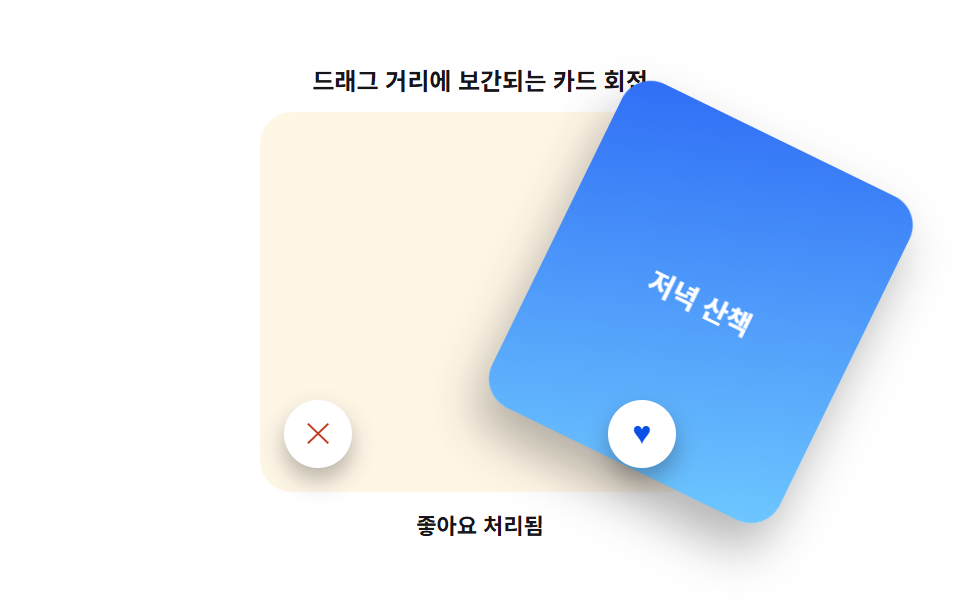 インタラクションカード スワイプ ui 9パターン — 物理計算で仕上げる
 インタラクションcss popover 9パターン — アンカーから開き端で反転するポップオーバー
 インタラクションスマホ ジェスチャー操作 9選 — 指で本当に動くUI
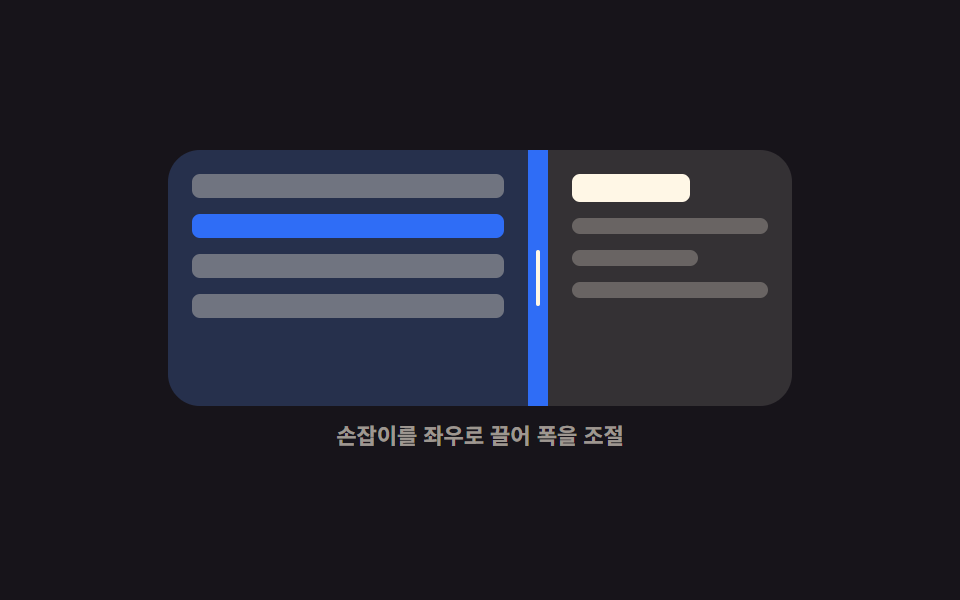 インタラクション画面分割 css レイアウト9選 — ドラッグで幅が変わる
 インタラクションシェアボタン デザイン パターン9選 — コピペで動く
 インタラクションcss キャラクター アニメーション 9選 — 挨拶から居眠りまで