無限スクロールローディング UIパターン9選 — スピナーから仮想ウィンドウまで
9つのうち1つは残りスクロール距離の値からローディング表示の不透明度を求め直し、1つは上に追加された高さの値の分だけスクロール位置を補正して画面がずれないようにし、もう1つは見えているインデックス範囲の値だけを残し他は描きません。無限スクロールとは、この9つのように値を求め直し続ける仕組みのことです。
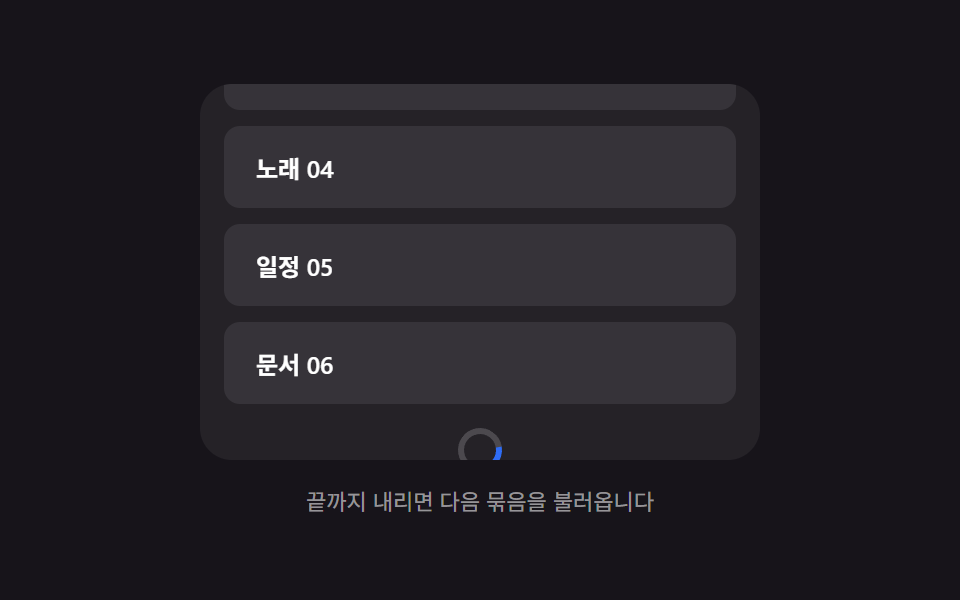 01 infinite-load-bottom-spinner-fade
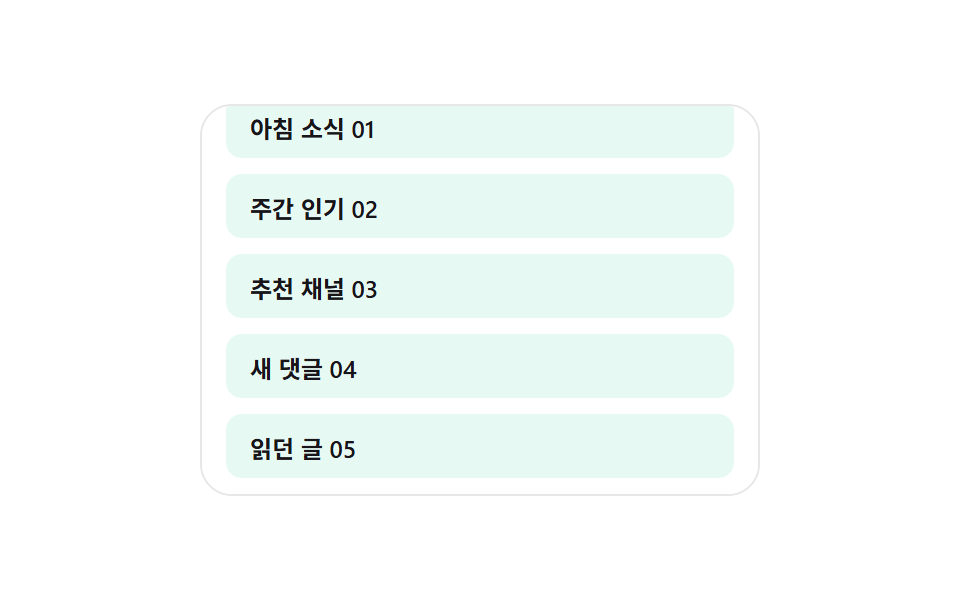 02 infinite-load-skeleton-row-append
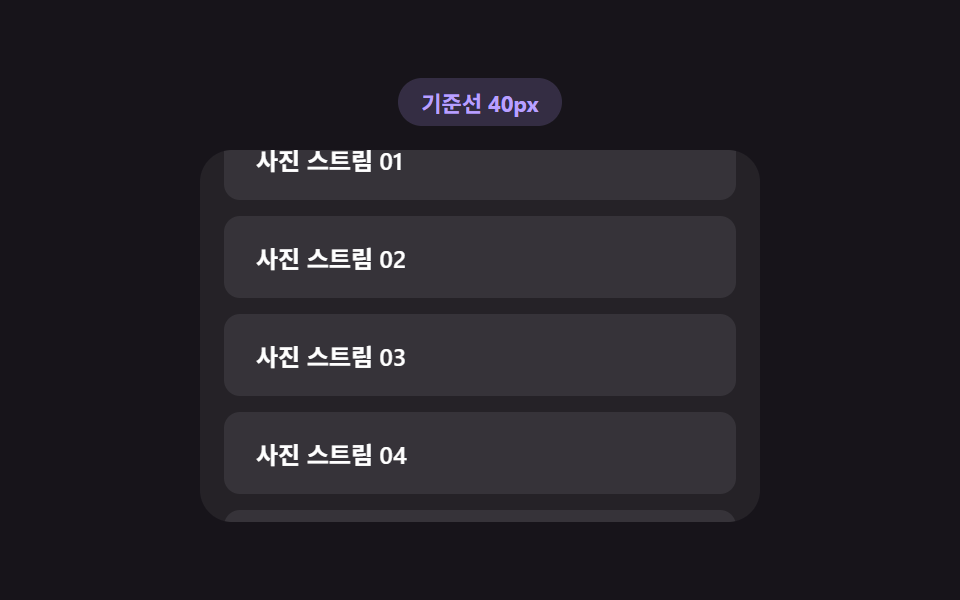 03 infinite-load-trigger-threshold
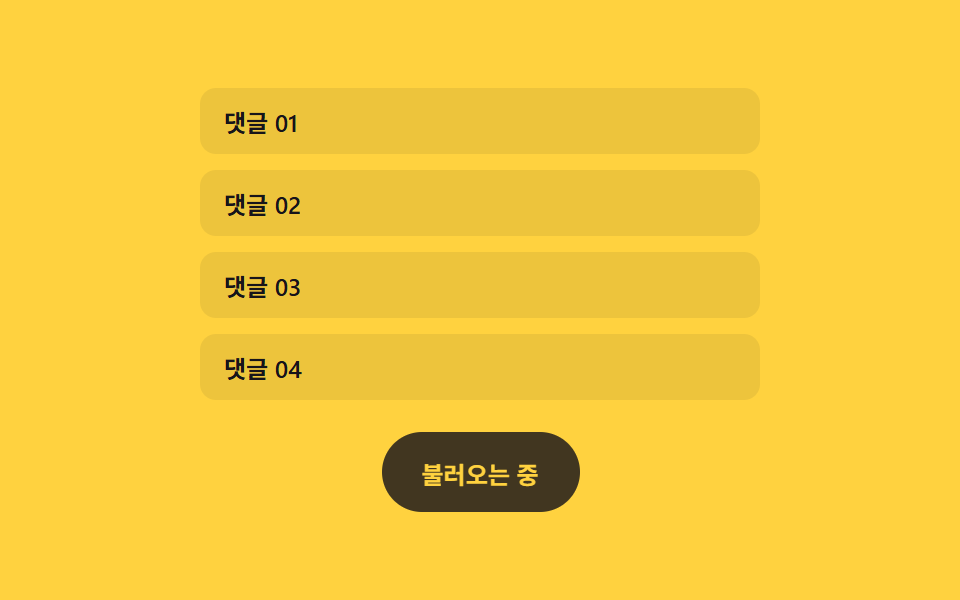 04 infinite-load-more-button-morph
 05 infinite-load-duplicate-guard
 06 infinite-load-end-message-reveal
 07 infinite-load-anchor-scroll-preserve
 08 infinite-load-virtual-window-recalc
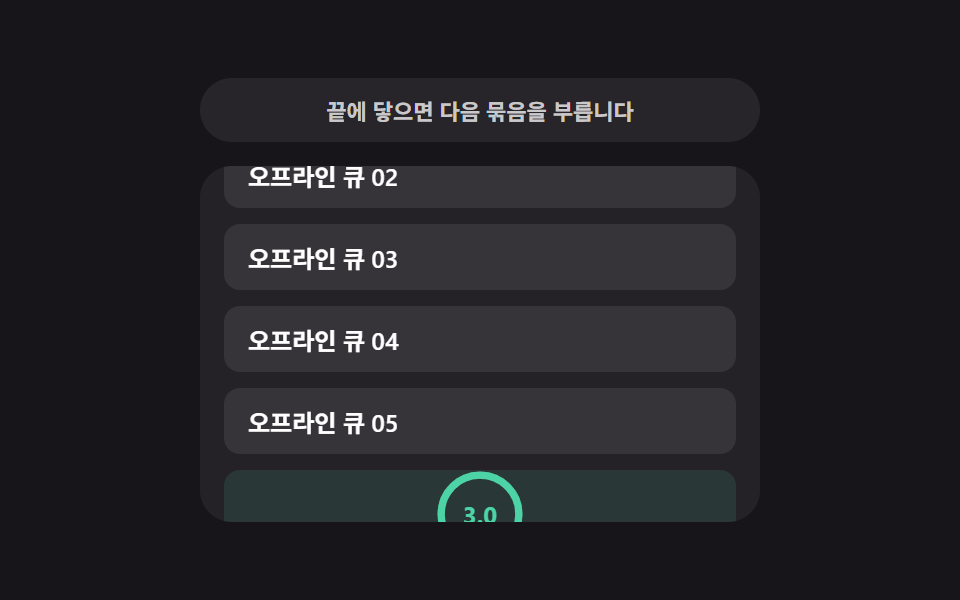 09 infinite-load-retry-countdown
自動再生 · タイルを押すとその項目へ · すべて1つのzip
- 01 下部スピナーフェード — 残りスクロール距離の値から不透明度を計算するローディング表示
- 02 スケルトン行の追加 — ビューポート高さの値からプレビュー行数を計算するリスト
- 03 読み込み開始の基準線 — スクロール速度の値から先読み開始地点を計算するリスト
- 04 もっと見るボタンのモーフィング — 残り項目数の値で幅が変わるボタン
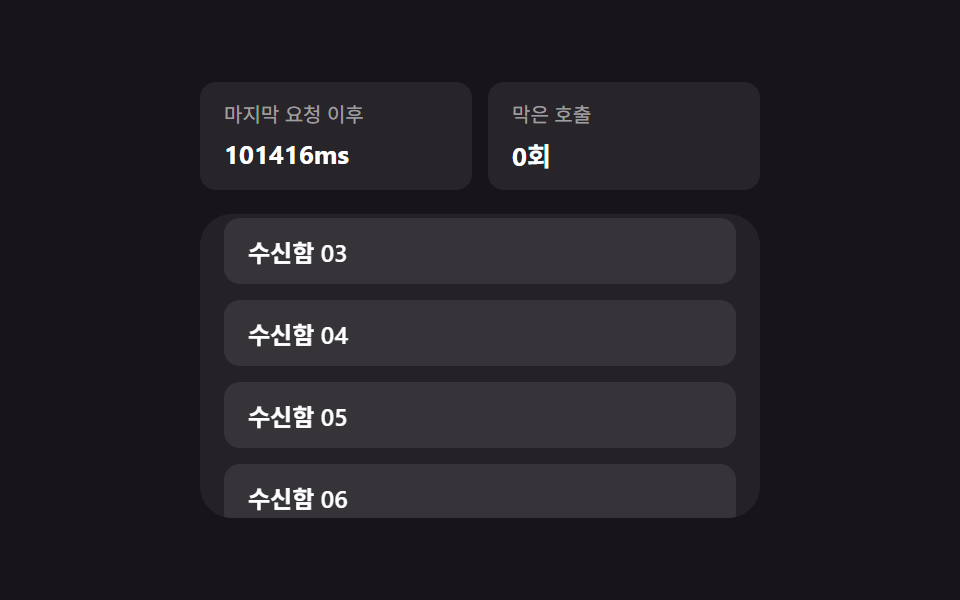
- 05 重複呼び出し防止 — 直前の要求時刻の値で次の呼び出しを止めるリスト
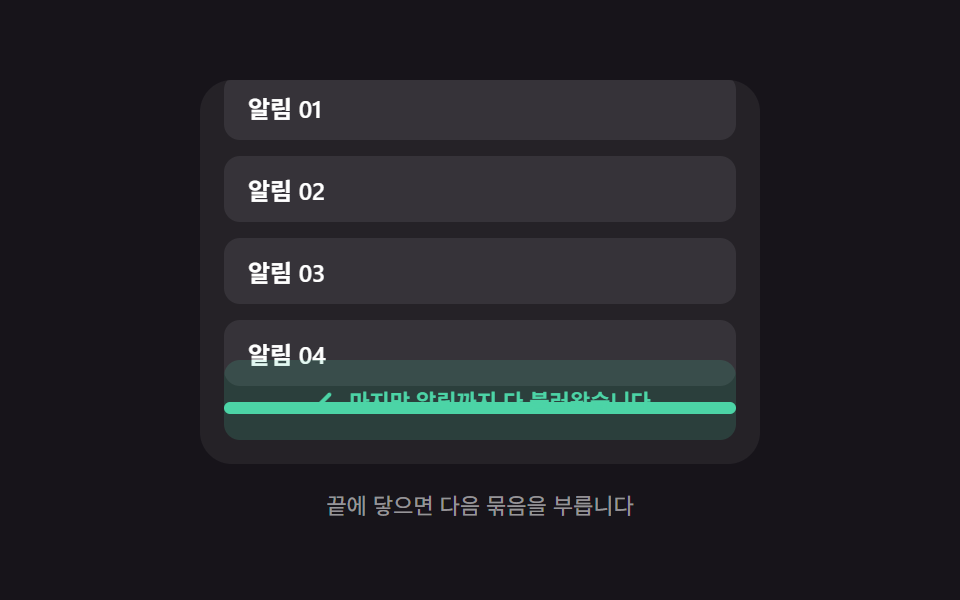
- 06 終端到達の案内 — 残り項目の値が0になった瞬間に現れるメッセージ
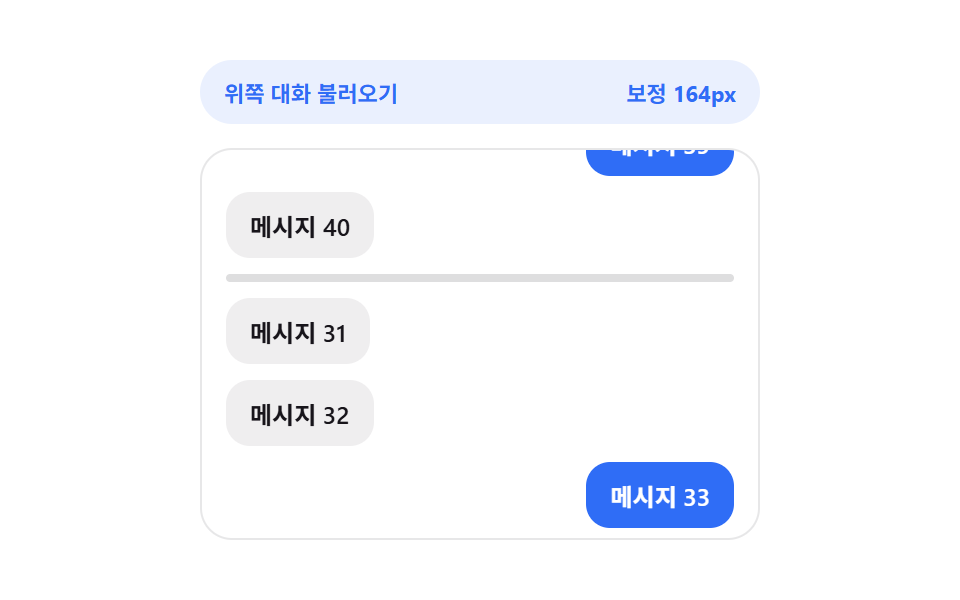
- 07 スクロール位置の保持 — 上に追加された高さの値の分だけ補正するリスト
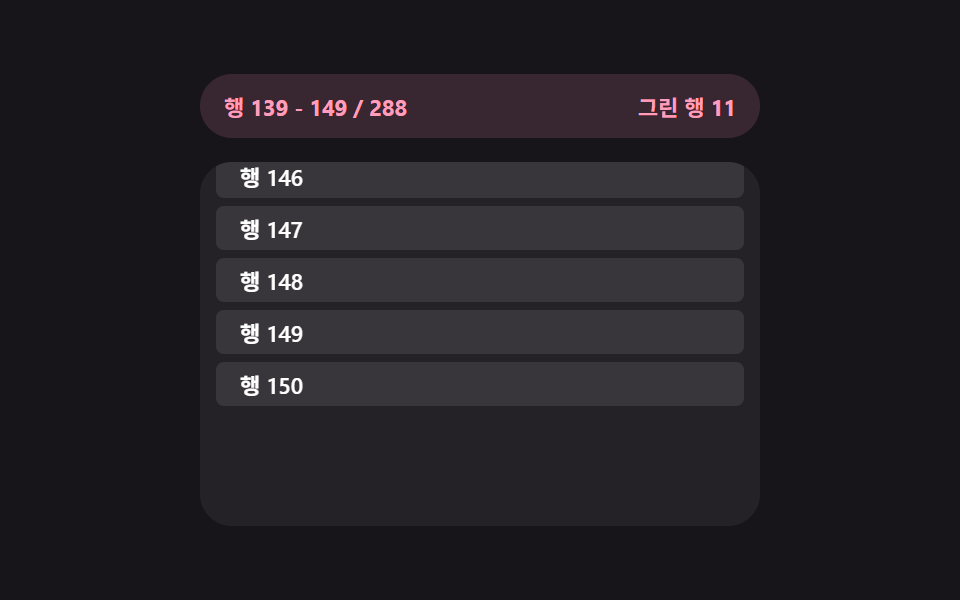
- 08 仮想ウィンドウの再計算 — 見えている範囲のインデックス値だけを描くリスト
- 09 失敗リトライのカウントダウン — 待機時間の値が減る分だけ再試行するリスト
9つとも本物のサーバーとは通信していません。行も、まとまりも、再試行も、種を固定したローカル生成器とsetTimeoutによる遅延の演技だけで動いており、fetchもXMLHttpRequestも一度も呼ばれません。それでも9つとも訪問者の実際の操作に反応します——01・02・03・05・06・07・08・09は本物のscrollイベントに反応し(wheelとtouchstartも同時に登録されていて、触れた瞬間にデモ自身の自動再生プレビューから操作権を返します)。04だけはclickに反応します。スクロール位置を持たないボタンには、そもそも反応すべき位置の値がないからです。
9つのパターンの解剖 — 値がいつ求め直されるか
9つは、スクロール位置・要求のタイミング・経過時間のどれを値に変えるかで3つに分かれます。この層を素通りすると、無限スクロール サイトの実装がスクロールバーに貼り付いたスピナーで終わってしまいます。
スクロールのたびに値をその場で求め直す3つ
01・03・08は、他の何かを待たずscrollイベントが起きるたびに値を求め直します。01のrecomputeFadeは毎回getBoundingClientRect()でビューとセンチネルの隙間を測り、THRESHOLD_PXとの比で0〜1の進行値を作ってそのままスピナーの不透明度に書き込みます。03も毎回動きますが、比較する側の値——スクロール速度から作った基準線の距離——を先に求め直してから、センチネルがそこを越えたかを見ます。08のrenderWindowはscrollTopから単一の割合ではなく開始・終了のインデックス対を求め直します。仮想化されたリストには「どれだけ進んだか」を表す一つの数字が存在しないからです。
要求の前後だけで値を求め直す3つ
02・04・07は、スクロールのたびにではなく要求1回につき1回だけ値を求め直します。02のskeletonCountForはstartLoadが始まった瞬間だけ動き、残りの画面高さを1行の高さで割ってプレースホルダーの行数を決めます。04のmorphToはクリックが始まった瞬間と新しい項目が届いた瞬間だけ動き、固定サイズではなくラベルの実測幅から目標の幅を求め直します。07は古いメッセージを挿入する前後でscrollHeightを測り、その差をsetTimeoutが解決したあとに一度だけscrollTopへ足します。まだ変わっていない高さを途中で補正しても意味がないからです。
経過時間や完了の数から値を求め直す3つ
05・06・09も本物のscrollイベントに反応しますが、求め直す値はスクロール距離と無関係です。05のtryRequestはセンチネルの位置に関係なく、performance.now()と直前の要求時刻の差をCOOLDOWN_MSと比べます。06は残り項目の値が0になった瞬間から一切求め直さなくなります。これはスクロール位置ではなく完了の数が計算そのものを止めているということです。09のrunCountdownは要求が失敗したあと、経過時間だけを頼りにrequestAnimationFrameのループでカウントダウンの値を毎瞬間求め直します。
パターン別コード
01下部スピナーフェード — 残りスクロール距離の値から不透明度を計算するローディング表示
リストの終わりに近づいた状態になると、残りスクロール距離の値を基準に不透明度の値を求め直してローディング表示が徐々に濃くなり、新しい項目が届いた状態になるとその値は再び0に戻ります。
<main class="stage">
<div class="bsf is-demo" id="bsf">
  <div class="bsf__view" id="bsfView" tabindex="0">
    <ul class="bsf__track" id="bsfTrack" aria-live="polite">
      <li class="bsf__sentinel" id="bsfSentinel" aria-hidden="true">
        <span class="bsf__ring" id="bsfRing"></span>
      </li>
    </ul>
  </div>
  <p class="bsf__hint" id="bsfHint">一番下までスクロールすると次のかたまりを読み込みます</p>
</div>
</main>
@use "../../../../site/static/demo-tokens" as *;
// 하단 스피너 페이드 — 스피너 불투명도는 표시 시간이 아니라 남은 스크롤 거리 값에서 매번
// 다시 계산된다(recomputeFade). 회전 각도도 CSS 키프레임이 아니라 rAF 로 매 틱 계산해 더한다.
$duration: $dur-base;
$easing: $ease-spring;
$color: $subject-blue;
@include stage($stage-ink);
.bsf {
display: flex;
flex-direction: column;
align-items: center;
gap: $sp-3;
width: min(100%, 280px);
}
.bsf__view {
position: relative;
box-sizing: border-box;
width: 100%;
height: 188px;
overflow-y: auto;
overflow-x: hidden;
border-radius: $r-card;
background: rgba(255, 255, 255, .06);
padding: $sp-3;
scrollbar-width: thin;
}
.bsf__track {
list-style: none;
margin: 0;
padding: 0 0 $sp-12;
display: flex;
flex-direction: column;
gap: $sp-2;
}
.bsf__row {
box-sizing: border-box;
padding: $sp-3 $sp-4;
border-radius: $r-sm;
background: rgba(255, 255, 255, .08);
color: $stage-paper;
font-weight: 600;
font-size: 12px;
}
.bsf__sentinel {
display: flex;
justify-content: center;
align-items: center;
height: 30px;
pointer-events: none;
}
.bsf__ring {
display: block;
width: 22px;
height: 22px;
opacity: 0;
border-radius: $r-pill;
border: 3px solid rgba(255, 255, 255, .18);
border-top-color: $color;
box-sizing: border-box;
}
.bsf__hint {
margin: 0;
font-size: 11px;
color: rgba(255, 255, 255, .55);
text-align: center;
}
@media (max-width: 340px) {
.bsf { gap: $sp-1; }
.bsf__view { height: 90px; }
.bsf__row { padding: $sp-2 $sp-3; font-size: 11px; }
}
@media (prefers-reduced-motion: reduce) {
.bsf__ring { animation: none !important; }
}html, body {
margin: 0;
overflow: hidden;
}
.stage {
box-sizing: border-box;
min-height: 100vh;
display: grid;
place-items: center;
margin: 0;
background: #17141a;
font-family: -apple-system, "Segoe UI", "Noto Sans KR", sans-serif;
padding: clamp(8px, 4vw, 24px);
}
.bsf {
display: flex;
flex-direction: column;
align-items: center;
gap: 12px;
width: min(100%, 280px);
}
.bsf__view {
position: relative;
box-sizing: border-box;
width: 100%;
height: 188px;
overflow-y: auto;
overflow-x: hidden;
border-radius: 16px;
background: rgba(255, 255, 255, 0.06);
padding: 12px;
scrollbar-width: thin;
}
.bsf__track {
list-style: none;
margin: 0;
padding: 0 0 48px;
display: flex;
flex-direction: column;
gap: 8px;
}
.bsf__row {
box-sizing: border-box;
padding: 12px 16px;
border-radius: 8px;
background: rgba(255, 255, 255, 0.08);
color: #ffffff;
font-weight: 600;
font-size: 12px;
}
.bsf__sentinel {
display: flex;
justify-content: center;
align-items: center;
height: 30px;
pointer-events: none;
}
.bsf__ring {
display: block;
width: 22px;
height: 22px;
opacity: 0;
border-radius: 999px;
border: 3px solid rgba(255, 255, 255, 0.18);
border-top-color: #2f6df6;
box-sizing: border-box;
}
.bsf__hint {
margin: 0;
font-size: 11px;
color: rgba(255, 255, 255, 0.55);
text-align: center;
}
@media (max-width: 340px) {
.bsf {
gap: 4px;
}
.bsf__view {
height: 90px;
}
.bsf__row {
padding: 8px 12px;
font-size: 11px;
}
}
@media (prefers-reduced-motion: reduce) {
.bsf__ring {
animation: none !important;
}
}(function () {
var view = document.getElementById('bsfView');
var track = document.getElementById('bsfTrack');
var sentinel = document.getElementById('bsfSentinel');
var ring = document.getElementById('bsfRing');
var hint = document.getElementById('bsfHint');
var root = document.getElementById('bsf');
var TOPICS = ['通知', 'メモ', '写真', '曲', '予定', '文書'];
var THRESHOLD_PX = 96; // 계산에 쓰는 임계 거리(스피너가 서서히 짙어지는 구간의 폭)
var LOAD_DELAY_MS = 620;
var BATCH_SIZE = 3;
var MAX_ROWS = 21;
var AUTOPLAY_STEP_PX = 6;
var rowCount = 0;
var loading = false;
var spinAngle = 0;
var spinRaf = null;
var autoplayTimer = null;
var dir = 1;
function addRow() {
var li = document.createElement('li');
li.className = 'bsf__row';
var topic = TOPICS[rowCount % TOPICS.length];
li.textContent = topic + ' ' + String(rowCount + 1).padStart(2, '0');
track.insertBefore(li, sentinel);
rowCount += 1;
}
for (var i = 0; i < 6; i += 1) { addRow(); }
function spinTick() {
spinAngle = (spinAngle + 9) % 360;
ring.style.transform = 'rotate(' + spinAngle + 'deg)';
if (loading) { spinRaf = requestAnimationFrame(spinTick); }
}
// 계산 겹: 스피너(sentinel) 상단과 스크롤 뷰 하단 사이의 실측 거리 값을 임계 거리로 나눠
// 0~1 진행값을 만들고, 그 값을 그대로 스피너 불투명도로 쓴다 — scrollTop 이 아니라
// getBoundingClientRect 로 잰 실제 화면 위 거리이므로 패딩·보더가 바뀌어도 계산이 맞는다.
  function recomputeFade() {
    var viewBottom = view.getBoundingClientRect().bottom;
    var sentinelTop = sentinel.getBoundingClientRect().top;
    var remaining = sentinelTop - viewBottom;
    var progress = 1 - Math.min(Math.max(remaining / THRESHOLD_PX, 0), 1);
    ring.style.opacity = String(progress);
    if (remaining <= 0 && !loading && rowCount < MAX_ROWS) {
      startLoad();
    }
    hint.textContent = (remaining <= 0 && rowCount >= MAX_ROWS)
      ? 'さらにスクロールすると最初に戻ります'
      : '一番下までスクロールすると次のかたまりを読み込みます';
  }
function startLoad() {
loading = true;
spinRaf = requestAnimationFrame(spinTick);
setTimeout(function () {
for (var n = 0; n < BATCH_SIZE && rowCount < MAX_ROWS; n += 1) { addRow(); }
loading = false;
cancelAnimationFrame(spinRaf);
recomputeFade();
}, LOAD_DELAY_MS);
}
view.addEventListener('scroll', recomputeFade);
function userTakesOver() {
if (!root.classList.contains('is-demo')) { return; }
root.classList.remove('is-demo');
stopAutoplay();
}
view.addEventListener('wheel', userTakesOver, { passive: true });
view.addEventListener('touchstart', userTakesOver, { passive: true });
function autoplayTick() {
var max = view.scrollHeight - view.clientHeight;
if (rowCount >= MAX_ROWS && view.scrollTop >= max - 1 && dir !== 0) {
dir = 0;
setTimeout(function () {
while (track.firstChild !== sentinel) { track.removeChild(track.firstChild); }
rowCount = 0;
for (var i = 0; i < 6; i += 1) { addRow(); }
view.scrollTop = 0;
dir = 1;
recomputeFade();
}, 500);
return;
}
if (dir === 0) { return; }
view.scrollTop = Math.min(view.scrollTop + AUTOPLAY_STEP_PX * dir, max);
recomputeFade();
}
function stopAutoplay() {
if (autoplayTimer) { clearInterval(autoplayTimer); autoplayTimer = null; }
}
var reduce = window.matchMedia('(prefers-reduced-motion: reduce)').matches;
if (!reduce) {
autoplayTimer = setInterval(autoplayTick, 60);
}
recomputeFade();
})();import { useEffect, useRef, useState, useCallback } from "react";
import type { ReactNode } from "react";
import styles from "./BottomSpinnerFade.module.scss";
// 하단 스피너 페이드 — 스피너 불투명도는 남은 스크롤 거리 값에서 매번 다시 계산된다.
// 계산 겹: getBoundingClientRect 로 잰 sentinel 상단-뷰 하단 거리를 임계 거리로 나눠 0~1 진행값.
const TOPICS = ["알림", "메모", "사진", "노래", "일정", "문서"];
const THRESHOLD_PX = 96;
const LOAD_DELAY_MS = 620;
const BATCH_SIZE = 3;
const MAX_ROWS = 21;
const AUTOPLAY_STEP_PX = 6;
type Spin = { angle: number };
export default function BottomSpinnerFade() {
const rootRef = useRef<HTMLDivElement>(null);
const viewRef = useRef<HTMLDivElement>(null);
const trackRef = useRef<HTMLUListElement>(null);
const sentinelRef = useRef<HTMLLIElement>(null);
const ringRef = useRef<HTMLSpanElement>(null);
const [rowCount, setRowCount] = useState(6);
const [hint, setHint] = useState("끝까지 내리면 다음 묶음을 불러옵니다");
const loadingRef = useRef(false);
const spinRef = useRef<Spin>({ angle: 0 });
const spinRafRef = useRef<number | null>(null);
const rowCountRef = useRef(6);
rowCountRef.current = rowCount;
const dirRef = useRef(1);
const autoplayRef = useRef<number | null>(null);
const addRows = useCallback((count: number) => {
setRowCount((prev) => Math.min(prev + count, MAX_ROWS));
}, []);
const spinTick = useCallback(() => {
const spin = spinRef.current ?? { angle: 0 };
spin.angle = (spin.angle + 9) % 360;
if (ringRef.current) {
ringRef.current.style.transform = `rotate(${spin.angle}deg)`;
}
if (loadingRef.current) {
spinRafRef.current = window.requestAnimationFrame(spinTick);
}
}, []);
// 계산 겹: 남은 스크롤 거리 값을 임계 거리로 나눠 0~1 진행값을 만들고 그 값을
// 스피너 불투명도로 그대로 쓴다 — 표시 시간이 아니라 거리 값 하나로 짙기가 정해진다.
const recomputeFade = useCallback(() => {
const view = viewRef.current;
const sentinel = sentinelRef.current;
const ring = ringRef.current;
if (!view || !sentinel || !ring) { return; }
const viewBottom = view.getBoundingClientRect().bottom;
const sentinelTop = sentinel.getBoundingClientRect().top;
const remaining = sentinelTop - viewBottom;
const progress = 1 - Math.min(Math.max(remaining / THRESHOLD_PX, 0), 1);
ring.style.opacity = String(progress);
const count = rowCountRef.current ?? 0;
setHint(remaining <= 0 && count >= MAX_ROWS
? "더 내리면 처음으로 되돌아갑니다"
: "끝까지 내리면 다음 묶음을 불러옵니다");
if (remaining <= 0 && !loadingRef.current && count < MAX_ROWS) {
loadingRef.current = true;
spinRafRef.current = window.requestAnimationFrame(spinTick);
window.setTimeout(() => {
addRows(BATCH_SIZE);
loadingRef.current = false;
if (spinRafRef.current !== null) { window.cancelAnimationFrame(spinRafRef.current); }
}, LOAD_DELAY_MS);
}
}, [addRows, spinTick]);
useEffect(() => {
const view = viewRef.current;
if (!view) { return; }
const onScroll = () => recomputeFade();
view.addEventListener("scroll", onScroll);
const takeover = () => {
rootRef.current?.classList.remove(styles["is-demo"]);
if (autoplayRef.current !== null) { window.clearInterval(autoplayRef.current); }
};
view.addEventListener("wheel", takeover, { passive: true });
view.addEventListener("touchstart", takeover, { passive: true });
const reduce = window.matchMedia("(prefers-reduced-motion: reduce)").matches;
if (!reduce) {
autoplayRef.current = window.setInterval(() => {
const v = viewRef.current;
if (!v) { return; }
const max = v.scrollHeight - v.clientHeight;
const count = rowCountRef.current ?? 0;
if (count >= MAX_ROWS && v.scrollTop >= max - 1 && dirRef.current !== 0) {
dirRef.current = 0;
window.setTimeout(() => {
setRowCount(6);
v.scrollTop = 0;
dirRef.current = 1;
recomputeFade();
}, 500);
return;
}
if (dirRef.current === 0) { return; }
v.scrollTop = Math.min(v.scrollTop + AUTOPLAY_STEP_PX, max);
recomputeFade();
}, 60);
}
recomputeFade();
return () => {
view.removeEventListener("scroll", onScroll);
view.removeEventListener("wheel", takeover);
view.removeEventListener("touchstart", takeover);
if (autoplayRef.current !== null) { window.clearInterval(autoplayRef.current); }
if (spinRafRef.current !== null) { window.cancelAnimationFrame(spinRafRef.current); }
};
}, [recomputeFade]);
const rows: ReactNode[] = [];
for (let i = 0; i < rowCount; i += 1) {
rows.push(
<li key={i} className={styles["bsf__row"]}>
{TOPICS[i % TOPICS.length]} {String(i + 1).padStart(2, "0")}
</li>
);
}
return (
<main className={styles.stage}>
<div ref={rootRef} className={`${styles.bsf} ${styles["is-demo"]}`} id="bsf">
<div ref={viewRef} className={styles["bsf__view"]} tabIndex={0}>
<ul ref={trackRef} className={styles["bsf__track"]} aria-live="polite">
{rows}
<li ref={sentinelRef} className={styles["bsf__sentinel"]} aria-hidden="true">
<span ref={ringRef} className={styles["bsf__ring"]} />
</li>
</ul>
</div>
<p className={styles["bsf__hint"]}>{hint}</p>
</div>
</main>
);
}01 · 下部スピナーフェード — 残りスクロール距離の値から不透明度を計算するローディング表示 — 計測 累積面積 33.365% · 動いたフレーム 23/23GODRICH オリジナル · SCSS と React は zip に同梱 · パスワードを見る
数字が示すもの
23フレーム中23フレームで動き、累積面積33.37%・平均強度33.9を記録しています。スピナーの不透明度がほぼ毎回のスクロールで求め直され、そのたびに再描画されているためです。THRESHOLD_PXはrecomputeFadeが完全な不透明度に達するまでの猶予ピクセル数を決め、getBoundingClientRectを使うことで余白や枠線が変わっても距離の値がずれません。
function recomputeFade() {
var viewBottom = view.getBoundingClientRect().bottom;
var sentinelTop = sentinel.getBoundingClientRect().top;
var remaining = sentinelTop - viewBottom;
var progress = 1 - Math.min(Math.max(remaining / THRESHOLD_PX, 0), 1);
ring.style.opacity = String(progress);
if (remaining <= 0 && !loading && rowCount < MAX_ROWS) {
startLoad();
}
hint.textContent = (remaining <= 0 && rowCount >= MAX_ROWS)
? 'さらにスクロールすると最初に戻ります'
: '一番下までスクロールすると次のかたまりを読み込みます';
}
02スケルトン行の追加 — ビューポート高さの値からプレビュー行数を計算するリスト
次の一覧を読み込む状態になると、残りの画面高さの値を1行の高さの値で割って先に見せる行数を計算し、実際のデータが届いた状態になるとその数の枠が内容に変わります。
<main class="stage">
<div class="sra is-demo" id="sra">
  <div class="sra__view" id="sraView">
    <ul class="sra__track" id="sraTrack" aria-busy="false">
      <li class="sra__sentinel" id="sraSentinel" aria-hidden="true"></li>
    </ul>
  </div>
</div>
</main>
@use "../../../../site/static/demo-tokens" as *;
// 스켈레톤 행 이어붙이기 — 스켈레톤 개수는 skeletonCountFor() 가 실측 여백 높이 값을
// 행 높이 값으로 나눠 매번 다시 정한다. 도착하면 같은 자리(replaceChild)에 실제 내용이 앉는다.
$duration: $dur-base;
$easing: $ease-out;
$color: $subject-mint;
@include stage($stage-paper);
.sra {
width: min(100%, 280px);
}
.sra__view {
box-sizing: border-box;
width: 100%;
height: 196px;
overflow-y: auto;
overflow-x: hidden;
border-radius: $r-card;
border: 1px solid rgba(23, 20, 26, .1);
background: $stage-paper;
padding: $sp-3;
scrollbar-width: thin;
}
.sra__track {
list-style: none;
margin: 0;
padding: 0;
display: flex;
flex-direction: column;
gap: $sp-2;
}
.sra__row {
box-sizing: border-box;
height: 32px;
display: flex;
align-items: center;
padding: 0 $sp-3;
border-radius: $r-sm;
background: rgba(76, 212, 166, .14);
color: $subject-ink;
font-weight: 600;
font-size: 12px;
}
.sra__row--skeleton {
background: linear-gradient(
100deg,
rgba(23, 20, 26, .07) 30%,
rgba(23, 20, 26, .14) 45%,
rgba(23, 20, 26, .07) 60%
);
background-size: 240% 100%;
animation: sraShimmer 1.1s ease-in-out infinite;
animation-delay: calc(var(--stagger, 0) * -120ms);
}
.sra__sentinel {
height: 1px;
}
@keyframes sraShimmer {
0% { background-position: 120% 0; }
100% { background-position: -20% 0; }
}
@media (max-width: 340px) {
.sra__view { height: 168px; }
.sra__row { height: 28px; font-size: 11px; }
}
@media (prefers-reduced-motion: reduce) {
.sra__row--skeleton { animation: none !important; }
}html, body {
margin: 0;
overflow: hidden;
}
.stage {
box-sizing: border-box;
min-height: 100vh;
display: grid;
place-items: center;
margin: 0;
background: #ffffff;
font-family: -apple-system, "Segoe UI", "Noto Sans KR", sans-serif;
padding: clamp(8px, 4vw, 24px);
}
.sra {
width: min(100%, 280px);
}
.sra__view {
box-sizing: border-box;
width: 100%;
height: 196px;
overflow-y: auto;
overflow-x: hidden;
border-radius: 16px;
border: 1px solid rgba(23, 20, 26, 0.1);
background: #ffffff;
padding: 12px;
scrollbar-width: thin;
}
.sra__track {
list-style: none;
margin: 0;
padding: 0;
display: flex;
flex-direction: column;
gap: 8px;
}
.sra__row {
box-sizing: border-box;
height: 32px;
display: flex;
align-items: center;
padding: 0 12px;
border-radius: 8px;
background: rgba(76, 212, 166, 0.14);
color: #17141a;
font-weight: 600;
font-size: 12px;
}
.sra__row--skeleton {
background: linear-gradient(100deg, rgba(23, 20, 26, 0.07) 30%, rgba(23, 20, 26, 0.14) 45%, rgba(23, 20, 26, 0.07) 60%);
background-size: 240% 100%;
animation: sraShimmer 1.1s ease-in-out infinite;
animation-delay: calc(var(--stagger, 0) * -120ms);
}
.sra__sentinel {
height: 1px;
}
@keyframes sraShimmer {
0% {
background-position: 120% 0;
}
100% {
background-position: -20% 0;
}
}
@media (max-width: 340px) {
.sra__view {
height: 168px;
}
.sra__row {
height: 28px;
font-size: 11px;
}
}
@media (prefers-reduced-motion: reduce) {
.sra__row--skeleton {
animation: none !important;
}
}(function () {
var view = document.getElementById('sraView');
var track = document.getElementById('sraTrack');
var sentinel = document.getElementById('sraSentinel');
var root = document.getElementById('sra');
var ROW_H = 40; // 行 하나의 높이 값 — 미리보기 行 개수 계산의 분모
var TITLES = ['朝のニュース', '週間人気', 'おすすめチャンネル', '新しいコメント', '読んでいた記事', 'ブックマーク'];
var LOAD_DELAY_MS = 680;
var MAX_BATCHES = 4;
var rowSeq = 0;
var batches = 0;
var loading = false;
var dir = 1;
var autoplayTimer = null;
function realRow(n) {
var li = document.createElement('li');
li.className = 'sra__row';
li.textContent = TITLES[n % TITLES.length] + ' ' + String(n + 1).padStart(2, '0');
return li;
}
function fillInitial() {
var need = Math.ceil(view.clientHeight / ROW_H);
for (var i = 0; i < need; i += 1) {
track.insertBefore(realRow(rowSeq), sentinel);
rowSeq += 1;
}
}
fillInitial();
// 계산 겹: 지금 남아 있는 화면 높이 값을 行 하나의 높이 값으로 나눠 미리 보여줄
// 스켈레톤 行 개수를 구한다 — 화면이 클수록, 스크롤 여유가 클수록 더 많이 깜빡인다.
function skeletonCountFor() {
var remainingViewport = view.getBoundingClientRect().bottom - sentinel.getBoundingClientRect().top;
var visible = Math.max(remainingViewport, view.clientHeight);
return Math.max(2, Math.ceil(visible / ROW_H));
}
function startLoad() {
if (loading || batches >= MAX_BATCHES) { return; }
loading = true;
track.setAttribute('aria-busy', 'true');
var count = skeletonCountFor();
var skeletons = [];
for (var i = 0; i < count; i += 1) {
var li = document.createElement('li');
li.className = 'sra__row sra__row--skeleton';
li.style.setProperty('--stagger', String(i));
track.insertBefore(li, sentinel);
skeletons.push(li);
}
setTimeout(function () {
skeletons.forEach(function (sk, i) {
var real = realRow(rowSeq);
rowSeq += 1;
track.replaceChild(real, sk);
});
loading = false;
batches += 1;
track.setAttribute('aria-busy', 'false');
recompute();
}, LOAD_DELAY_MS);
}
function recompute() {
var remaining = sentinel.getBoundingClientRect().top - view.getBoundingClientRect().bottom;
if (remaining <= 24 && !loading) { startLoad(); }
}
view.addEventListener('scroll', recompute);
function userTakesOver() {
if (!root.classList.contains('is-demo')) { return; }
root.classList.remove('is-demo');
stopAutoplay();
}
view.addEventListener('wheel', userTakesOver, { passive: true });
view.addEventListener('touchstart', userTakesOver, { passive: true });
function autoplayTick() {
var max = view.scrollHeight - view.clientHeight;
if (batches >= MAX_BATCHES && view.scrollTop >= max - 1 && dir !== 0) {
dir = 0;
setTimeout(function () {
while (track.firstChild !== sentinel) { track.removeChild(track.firstChild); }
rowSeq = 0; batches = 0;
fillInitial();
view.scrollTop = 0;
dir = 1;
}, 600);
return;
}
if (dir === 0) { return; }
view.scrollTop = Math.min(view.scrollTop + 6, max);
recompute();
}
function stopAutoplay() {
if (autoplayTimer) { clearInterval(autoplayTimer); autoplayTimer = null; }
}
var reduce = window.matchMedia('(prefers-reduced-motion: reduce)').matches;
if (!reduce) {
autoplayTimer = setInterval(autoplayTick, 60);
}
})();import { useEffect, useRef, useState, useCallback } from "react";
import type { ReactNode, CSSProperties } from "react";
import styles from "./SkeletonRowAppend.module.scss";
// 스켈레톤 행 이어붙이기 — skeletonCountFor() 가 실측 여백 높이 값을 행 높이 값으로 나눠
// 미리 보여줄 스켈레톤 행 개수를 다시 구한다. 도착하면 같은 자리에 실제 내용이 앉는다.
const ROW_H = 40;
const TITLES = ["아침 소식", "주간 인기", "추천 채널", "새 댓글", "읽던 글", "북마크"];
const LOAD_DELAY_MS = 680;
const MAX_BATCHES = 4;
export default function SkeletonRowAppend() {
const rootRef = useRef<HTMLDivElement>(null);
const viewRef = useRef<HTMLDivElement>(null);
const sentinelRef = useRef<HTMLLIElement>(null);
const [rows, setRows] = useState<string[]>([]);
const [skeletons, setSkeletons] = useState<number>(0);
const rowSeqRef = useRef(0);
const batchesRef = useRef(0);
const loadingRef = useRef(false);
const dirRef = useRef(1);
const autoplayRef = useRef<number | null>(null);
const realRow = useCallback((n: number) => {
return TITLES[n % TITLES.length] + " " + String(n + 1).padStart(2, "0");
}, []);
const fillInitial = useCallback(() => {
const view = viewRef.current;
if (!view) { return; }
const need = Math.ceil(view.clientHeight / ROW_H);
const start: string[] = [];
for (let i = 0; i < need; i += 1) {
start.push(realRow(rowSeqRef.current ?? 0));
rowSeqRef.current = (rowSeqRef.current ?? 0) + 1;
}
setRows(start);
}, [realRow]);
// 계산 겹: 지금 남아 있는 화면 높이 값을 행 하나의 높이 값으로 나눠 미리 보여줄
// 스켈레톤 행 개수를 구한다 — 화면이 클수록 더 많이 채운다.
const skeletonCountFor = useCallback(() => {
const view = viewRef.current;
const sentinel = sentinelRef.current;
if (!view || !sentinel) { return 2; }
const remainingViewport = view.getBoundingClientRect().bottom - sentinel.getBoundingClientRect().top;
const visible = Math.max(remainingViewport, view.clientHeight);
return Math.max(2, Math.ceil(visible / ROW_H));
}, []);
const recompute = useCallback(() => {
const view = viewRef.current;
const sentinel = sentinelRef.current;
if (!view || !sentinel) { return; }
const remaining = sentinel.getBoundingClientRect().top - view.getBoundingClientRect().bottom;
if (remaining <= 24 && !loadingRef.current && (batchesRef.current ?? 0) < MAX_BATCHES) {
loadingRef.current = true;
const count = skeletonCountFor();
setSkeletons(count);
window.setTimeout(() => {
setRows((prev) => {
const next = [...prev];
for (let i = 0; i < count; i += 1) {
next.push(realRow(rowSeqRef.current ?? 0));
rowSeqRef.current = (rowSeqRef.current ?? 0) + 1;
}
return next;
});
setSkeletons(0);
loadingRef.current = false;
batchesRef.current = (batchesRef.current ?? 0) + 1;
}, LOAD_DELAY_MS);
}
}, [realRow, skeletonCountFor]);
useEffect(() => {
fillInitial();
const view = viewRef.current;
if (!view) { return; }
const onScroll = () => recompute();
view.addEventListener("scroll", onScroll);
const takeover = () => {
rootRef.current?.classList.remove(styles["is-demo"]);
if (autoplayRef.current !== null) { window.clearInterval(autoplayRef.current); }
};
view.addEventListener("wheel", takeover, { passive: true });
view.addEventListener("touchstart", takeover, { passive: true });
const reduce = window.matchMedia("(prefers-reduced-motion: reduce)").matches;
if (!reduce) {
autoplayRef.current = window.setInterval(() => {
const v = viewRef.current;
if (!v) { return; }
const max = v.scrollHeight - v.clientHeight;
if ((batchesRef.current ?? 0) >= MAX_BATCHES && v.scrollTop >= max - 1 && dirRef.current !== 0) {
dirRef.current = 0;
window.setTimeout(() => {
rowSeqRef.current = 0;
batchesRef.current = 0;
fillInitial();
v.scrollTop = 0;
dirRef.current = 1;
}, 600);
return;
}
if (dirRef.current === 0) { return; }
v.scrollTop = Math.min(v.scrollTop + 6, max);
recompute();
}, 60);
}
return () => {
view.removeEventListener("scroll", onScroll);
view.removeEventListener("wheel", takeover);
view.removeEventListener("touchstart", takeover);
if (autoplayRef.current !== null) { window.clearInterval(autoplayRef.current); }
};
}, [fillInitial, recompute]);
const skeletonEls: ReactNode[] = [];
return (
<main className={styles.stage}>
<div ref={rootRef} className={`${styles.sra} ${styles["is-demo"]}`} id="sra">
<div ref={viewRef} className={styles["sra__view"]}>
<ul className={styles["sra__track"]} aria-busy={skeletons > 0}>
{rows.map((text, i) => (
<li key={"r" + i} className={styles["sra__row"]}>{text}</li>
))}
{Array.from({ length: skeletons }).map((_, i) => (
<li
key={"s" + i}
className={`${styles["sra__row"]} ${styles["sra__row--skeleton"]}`}
style={{ "--stagger": i } as CSSProperties}
/>
))}
<li ref={sentinelRef} className={styles["sra__sentinel"]} aria-hidden="true" />
</ul>
</div>
</div>
</main>
);
}02 · スケルトン行の追加 — ビューポート高さの値からプレビュー行数を計算するリスト — 計測 累積面積 34.218% · 動いたフレーム 21/23GODRICH オリジナル · SCSS と React は zip に同梱 · パスワードを見る
数字が示すもの
23フレーム中21フレームで動き、累積面積34.22%は9つの中で最大です。プレースホルダーの行が一度にまとめて描かれるため、1行ずつ現れる他のパターンより面積が広がります。平均強度は42.1です。ROW_HはskeletonCountForが余った高さを行数に変える割り算の分母で、行ごとに--staggerという固有のカスタムプロパティも渡されるため、シマー(光の帯)のずれが行によって少しずつ変わり、全行が同時に光るのを防いでいます。
  // 計算層: 残っている画面高さの値を1行の高さの値で割って先に見せるスケルトン行の数を
  // 求める——画面が大きいほど、スクロールの余裕が大きいほどより多く点滅する。
  function skeletonCountFor() {
    var remainingViewport = view.getBoundingClientRect().bottom - sentinel.getBoundingClientRect().top;
    var visible = Math.max(remainingViewport, view.clientHeight);
    return Math.max(2, Math.ceil(visible / ROW_H));
  }

  function startLoad() {
    if (loading || batches >= MAX_BATCHES) { return; }
    loading = true;
    track.setAttribute('aria-busy', 'true');
    var count = skeletonCountFor();
03読み込み開始の基準線 — スクロール速度の値から先読み開始地点を計算するリスト
スクロール速度が速くなった状態になると、画面端からどれだけ前もって開始地点を引くかの値を求め直し、その分早く次の一覧を呼び出し、速度が遅くなった状態になるとその値は再び小さくなります。
<main class="stage">
<div class="ltt is-demo" id="ltt">
  <div class="ltt__badge" id="lttBadge">しきい線 40px</div>
  <div class="ltt__view" id="lttView">
    <ul class="ltt__track" id="lttTrack">
      <li class="ltt__sentinel" id="lttSentinel" aria-hidden="true">
        <span class="ltt__dot" id="lttDot"></span>
      </li>
    </ul>
  </div>
</div>
</main>
@use "../../../../site/static/demo-tokens" as *;
// 로딩 시작 기준선 — recomputeThreshold() 가 스크롤 속도(px/ms)로 기준선 거리를 다시 계산한다.
// 점(dot)은 그 기준선 안에 들어오면 armed, 실제 로드 중이면 loading 클래스로 색이 바뀐다.
$duration: $dur-quick;
$easing: $ease-out;
$color: $subject-lilac;
@include stage($stage-ink);
.ltt {
display: flex;
flex-direction: column;
align-items: center;
gap: $sp-3;
width: min(100%, 280px);
}
.ltt__badge {
padding: $sp-1 $sp-3;
border-radius: $r-pill;
background: rgba(185, 160, 255, .18);
color: $color;
font-weight: 700;
font-size: 11px;
font-variant-numeric: tabular-nums;
}
.ltt__view {
box-sizing: border-box;
width: 100%;
height: 186px;
overflow-y: auto;
overflow-x: hidden;
border-radius: $r-card;
background: rgba(255, 255, 255, .06);
padding: $sp-3;
scrollbar-width: thin;
}
.ltt__track {
list-style: none;
margin: 0;
padding: 0;
display: flex;
flex-direction: column;
gap: $sp-2;
}
.ltt__row {
box-sizing: border-box;
padding: $sp-3 $sp-4;
border-radius: $r-sm;
background: rgba(255, 255, 255, .08);
color: $stage-paper;
font-weight: 600;
font-size: 12px;
}
.ltt__sentinel {
display: flex;
justify-content: center;
height: 26px;
align-items: center;
}
.ltt__dot {
width: 10px;
height: 10px;
border-radius: 50%;
background: rgba(255, 255, 255, .2);
transition: background $duration $easing, transform $duration $easing;
}
.ltt__dot--armed {
background: $color;
transform: scale(1.3);
}
.ltt__dot--loading {
background: $subject-sky;
transform: scale(1.6);
}
@media (max-width: 340px) {
.ltt { gap: $sp-1; }
.ltt__view { height: 90px; }
.ltt__row { padding: $sp-2 $sp-3; font-size: 11px; }
}
@media (prefers-reduced-motion: reduce) {
.ltt__dot { transition: none !important; }
}html, body {
margin: 0;
overflow: hidden;
}
.stage {
box-sizing: border-box;
min-height: 100vh;
display: grid;
place-items: center;
margin: 0;
background: #17141a;
font-family: -apple-system, "Segoe UI", "Noto Sans KR", sans-serif;
padding: clamp(8px, 4vw, 24px);
}
.ltt {
display: flex;
flex-direction: column;
align-items: center;
gap: 12px;
width: min(100%, 280px);
}
.ltt__badge {
padding: 4px 12px;
border-radius: 999px;
background: rgba(185, 160, 255, 0.18);
color: #b9a0ff;
font-weight: 700;
font-size: 11px;
font-variant-numeric: tabular-nums;
}
.ltt__view {
box-sizing: border-box;
width: 100%;
height: 186px;
overflow-y: auto;
overflow-x: hidden;
border-radius: 16px;
background: rgba(255, 255, 255, 0.06);
padding: 12px;
scrollbar-width: thin;
}
.ltt__track {
list-style: none;
margin: 0;
padding: 0;
display: flex;
flex-direction: column;
gap: 8px;
}
.ltt__row {
box-sizing: border-box;
padding: 12px 16px;
border-radius: 8px;
background: rgba(255, 255, 255, 0.08);
color: #ffffff;
font-weight: 600;
font-size: 12px;
}
.ltt__sentinel {
display: flex;
justify-content: center;
height: 26px;
align-items: center;
}
.ltt__dot {
width: 10px;
height: 10px;
border-radius: 50%;
background: rgba(255, 255, 255, 0.2);
transition: background 220ms ease-out, transform 220ms ease-out;
}
.ltt__dot--armed {
background: #b9a0ff;
transform: scale(1.3);
}
.ltt__dot--loading {
background: #6ec8ff;
transform: scale(1.6);
}
@media (max-width: 340px) {
.ltt {
gap: 4px;
}
.ltt__view {
height: 90px;
}
.ltt__row {
padding: 8px 12px;
font-size: 11px;
}
}
@media (prefers-reduced-motion: reduce) {
.ltt__dot {
transition: none !important;
}
}(function () {
var view = document.getElementById('lttView');
var track = document.getElementById('lttTrack');
var sentinel = document.getElementById('lttSentinel');
var dot = document.getElementById('lttDot');
var badge = document.getElementById('lttBadge');
var root = document.getElementById('ltt');
var BASE_THRESHOLD_PX = 40;
var MAX_THRESHOLD_PX = 220;
var SPEED_GAIN = 900; // px 임계값 = BASE + 속도(px/ms) * GAIN
var LOAD_DELAY_MS = 520;
var MAX_BATCHES = 5;
var rowSeq = 0;
var batches = 0;
var loading = false;
var lastTop = 0;
var lastTime = performance.now();
var threshold = BASE_THRESHOLD_PX;
var dir = 1;
var phase = 0;
var autoplayTimer = null;
function addRow() {
var li = document.createElement('li');
li.className = 'ltt__row';
li.textContent = '写真ストリーム ' + String(rowSeq + 1).padStart(2, '0');
track.insertBefore(li, sentinel);
rowSeq += 1;
}
for (var i = 0; i < 6; i += 1) { addRow(); }
// 계산 겹: 이번 스크롤 이벤트와 지난 이벤트 사이의 이동 거리 값을 걸린 시간 값으로 나눠
// 속도(px/ms)를 구하고, 그 속도에 비례해 しきい線 거리 값을 다시 계산한다 — 빠르게 훑을수록
// 화면 끝에 닿기 전에 더 일찍 다음 목록을 부른다.
function recomputeThreshold() {
var now = performance.now();
var dt = Math.max(now - lastTime, 1);
var speed = Math.abs(view.scrollTop - lastTop) / dt;
lastTop = view.scrollTop;
lastTime = now;
threshold = Math.min(BASE_THRESHOLD_PX + speed * SPEED_GAIN, MAX_THRESHOLD_PX);
badge.textContent = 'しきい線 ' + Math.round(threshold) + 'px';
}
function recompute() {
recomputeThreshold();
var remaining = sentinel.getBoundingClientRect().top - view.getBoundingClientRect().bottom;
dot.classList.toggle('ltt__dot--armed', remaining <= threshold);
if (remaining <= threshold && !loading && batches < MAX_BATCHES) { startLoad(); }
}
function startLoad() {
loading = true;
dot.classList.add('ltt__dot--loading');
setTimeout(function () {
for (var n = 0; n < 3; n += 1) { addRow(); }
loading = false;
batches += 1;
dot.classList.remove('ltt__dot--loading');
recompute();
}, LOAD_DELAY_MS);
}
view.addEventListener('scroll', recompute);
function userTakesOver() {
if (!root.classList.contains('is-demo')) { return; }
root.classList.remove('is-demo');
stopAutoplay();
}
view.addEventListener('wheel', userTakesOver, { passive: true });
view.addEventListener('touchstart', userTakesOver, { passive: true });
function autoplayTick() {
var max = view.scrollHeight - view.clientHeight;
if (batches >= MAX_BATCHES && view.scrollTop >= max - 1 && dir !== 0) {
dir = 0;
setTimeout(function () {
while (track.firstChild !== sentinel) { track.removeChild(track.firstChild); }
rowSeq = 0; batches = 0; phase = 0;
for (var i = 0; i < 6; i += 1) { addRow(); }
view.scrollTop = 0; lastTop = 0;
dir = 1;
}, 600);
return;
}
if (dir === 0) { return; }
phase += 1;
var step = (phase % 40 < 20) ? 2 : 14; // 느린 구간과 빠른 구간을 번갈아 속도 계산이 보이게
view.scrollTop = Math.min(view.scrollTop + step, max);
recompute();
}
function stopAutoplay() {
if (autoplayTimer) { clearInterval(autoplayTimer); autoplayTimer = null; }
}
var reduce = window.matchMedia('(prefers-reduced-motion: reduce)').matches;
if (!reduce) {
autoplayTimer = setInterval(autoplayTick, 55);
}
})();import { useEffect, useRef, useState, useCallback } from "react";
import styles from "./LoadTriggerThreshold.module.scss";
// 로딩 시작 기준선 — recomputeThreshold() 가 스크롤 속도(px/ms)로 기준선 거리를 다시 계산한다.
// 빠르게 훑을수록 화면 끝에 닿기 전에 더 일찍 다음 목록을 부른다.
const BASE_THRESHOLD_PX = 40;
const MAX_THRESHOLD_PX = 220;
const SPEED_GAIN = 900;
const LOAD_DELAY_MS = 520;
const MAX_BATCHES = 5;
export default function LoadTriggerThreshold() {
const rootRef = useRef<HTMLDivElement>(null);
const viewRef = useRef<HTMLDivElement>(null);
const sentinelRef = useRef<HTMLLIElement>(null);
const dotRef = useRef<HTMLSpanElement>(null);
const [badge, setBadge] = useState("기준선 40px");
const [rows, setRows] = useState(6);
const loadingRef = useRef(false);
const batchesRef = useRef(0);
const lastTopRef = useRef(0);
const lastTimeRef = useRef(0);
const thresholdRef = useRef(BASE_THRESHOLD_PX);
const phaseRef = useRef(0);
const dirRef = useRef(1);
const autoplayRef = useRef<number | null>(null);
// 계산 겹: 이번 스크롤 이벤트와 지난 이벤트 사이의 이동 거리 값을 걸린 시간 값으로 나눠
// 속도(px/ms)를 구하고, 그 속도에 비례해 기준선 거리 값을 다시 계산한다.
const recomputeThreshold = useCallback(() => {
const view = viewRef.current;
if (!view) { return; }
const now = performance.now();
const dt = Math.max(now - (lastTimeRef.current ?? now), 1);
const speed = Math.abs(view.scrollTop - (lastTopRef.current ?? 0)) / dt;
lastTopRef.current = view.scrollTop;
lastTimeRef.current = now;
thresholdRef.current = Math.min(BASE_THRESHOLD_PX + speed * SPEED_GAIN, MAX_THRESHOLD_PX);
setBadge("기준선 " + Math.round(thresholdRef.current) + "px");
}, []);
const recompute = useCallback(() => {
const view = viewRef.current;
const sentinel = sentinelRef.current;
const dot = dotRef.current;
if (!view || !sentinel || !dot) { return; }
recomputeThreshold();
const remaining = sentinel.getBoundingClientRect().top - view.getBoundingClientRect().bottom;
const threshold = thresholdRef.current ?? BASE_THRESHOLD_PX;
dot.classList.toggle(styles["ltt__dot--armed"], remaining <= threshold);
if (remaining <= threshold && !loadingRef.current && (batchesRef.current ?? 0) < MAX_BATCHES) {
loadingRef.current = true;
dot.classList.add(styles["ltt__dot--loading"]);
window.setTimeout(() => {
setRows((prev) => prev + 3);
loadingRef.current = false;
batchesRef.current = (batchesRef.current ?? 0) + 1;
dot.classList.remove(styles["ltt__dot--loading"]);
}, LOAD_DELAY_MS);
}
}, [recomputeThreshold]);
useEffect(() => {
lastTimeRef.current = performance.now();
const view = viewRef.current;
if (!view) { return; }
const onScroll = () => recompute();
view.addEventListener("scroll", onScroll);
const takeover = () => {
rootRef.current?.classList.remove(styles["is-demo"]);
if (autoplayRef.current !== null) { window.clearInterval(autoplayRef.current); }
};
view.addEventListener("wheel", takeover, { passive: true });
view.addEventListener("touchstart", takeover, { passive: true });
const reduce = window.matchMedia("(prefers-reduced-motion: reduce)").matches;
if (!reduce) {
autoplayRef.current = window.setInterval(() => {
const v = viewRef.current;
if (!v) { return; }
const max = v.scrollHeight - v.clientHeight;
if ((batchesRef.current ?? 0) >= MAX_BATCHES && v.scrollTop >= max - 1 && dirRef.current !== 0) {
dirRef.current = 0;
window.setTimeout(() => {
setRows(6);
batchesRef.current = 0;
phaseRef.current = 0;
v.scrollTop = 0;
lastTopRef.current = 0;
dirRef.current = 1;
}, 600);
return;
}
if (dirRef.current === 0) { return; }
phaseRef.current = (phaseRef.current ?? 0) + 1;
const step = ((phaseRef.current ?? 0) % 40 < 20) ? 2 : 14; // 느린/빠른 구간 번갈아
v.scrollTop = Math.min(v.scrollTop + step, max);
recompute();
}, 55);
}
return () => {
view.removeEventListener("scroll", onScroll);
view.removeEventListener("wheel", takeover);
view.removeEventListener("touchstart", takeover);
if (autoplayRef.current !== null) { window.clearInterval(autoplayRef.current); }
};
}, [recompute]);
const rowEls = [];
for (let i = 0; i < rows; i += 1) {
rowEls.push(
<li key={i} className={styles["ltt__row"]}>
사진 스트림 {String(i + 1).padStart(2, "0")}
</li>
);
}
return (
<main className={styles.stage}>
<div ref={rootRef} className={`${styles.ltt} ${styles["is-demo"]}`} id="ltt">
<div className={styles["ltt__badge"]}>{badge}</div>
<div ref={viewRef} className={styles["ltt__view"]}>
<ul className={styles["ltt__track"]}>
{rowEls}
<li ref={sentinelRef} className={styles["ltt__sentinel"]} aria-hidden="true">
<span ref={dotRef} className={styles["ltt__dot"]} />
</li>
</ul>
</div>
</div>
</main>
);
}03 · 読み込み開始の基準線 — スクロール速度の値から先読み開始地点を計算するリスト — 計測 累積面積 33.015% · 動いたフレーム 23/23GODRICH オリジナル · SCSS と React は zip に同梱 · パスワードを見る
数字が示すもの
23フレーム中23フレームで動き、累積面積33.02%・平均強度48.8を記録しています。基準線の値を表示するバッジがセンチネルの点と一緒に毎回再描画されるためです。recomputeThresholdはperformance.now()の差から px/ms の速度を求め、SPEED_GAINをかけてから上限で丸めます。速く指を滑らせるほど、ゆっくり読み進めるより明らかに早いタイミングで次の一覧が呼ばれます。
  // 計算層: 直前のスクロールイベントとの移動距離の値を経過時間の値で割って速度(px/ms)を求め、
  // その速度に比例して基準線の距離の値を求め直す——速く動かすほど画面端に着く前に早く次の
  // 一覧を呼び出す。
  function recomputeThreshold() {
    var now = performance.now();
    var dt = Math.max(now - lastTime, 1);
    var speed = Math.abs(view.scrollTop - lastTop) / dt;
    lastTop = view.scrollTop;
    lastTime = now;
    threshold = Math.min(BASE_THRESHOLD_PX + speed * SPEED_GAIN, MAX_THRESHOLD_PX);
    badge.textContent = 'しきい線 ' + Math.round(threshold) + 'px';
  }
04もっと見るボタンのモーフィング — 残り項目数の値で幅が変わるボタン
もっと見るの要求が始まった状態になると、ボタンの幅の値が待機中の表示に合わせて求め直され、次の項目が届いた状態になると残り件数の値に応じて元の幅か完了表示に戻ります。
<main class="stage">
<div class="lbm is-demo" id="lbm">
  <ul class="lbm__list" id="lbmList"></ul>
  <button class="lbm__btn" id="lbmBtn" type="button">
    <span class="lbm__label" id="lbmLabel">もっと見る(24)</span>
  </button>
</div>
</main>
@use "../../../../site/static/demo-tokens" as *;
// 더 보기 버튼 모핑 — morphTo() 가 라벨의 실측 폭 + 여백을 목표 너비로 삼고,
// 매 프레임 현재 너비를 목표 쪽으로 24% 씩 당기는 lerp(관성)로 버튼 폭을 바꾼다.
$duration: $dur-base;
$easing: $ease-spring;
$color: $subject-ink;
@include stage($stage-yellow);
.lbm {
display: flex;
flex-direction: column;
align-items: center;
gap: $sp-4;
width: min(100%, 280px);
}
.lbm__list {
list-style: none;
margin: 0;
padding: 0;
width: 100%;
display: flex;
flex-direction: column;
gap: $sp-2;
max-height: 156px;
overflow: hidden;
}
.lbm__row {
box-sizing: border-box;
padding: $sp-2 $sp-3;
border-radius: $r-sm;
background: rgba(23, 20, 26, .08);
color: $color;
font-weight: 600;
font-size: 12px;
}
.lbm__btn {
box-sizing: border-box;
height: 40px;
padding: 0 $sp-5;
border: 0;
border-radius: $r-pill;
background: $color;
color: $stage-yellow;
font-family: inherit;
font-weight: 700;
font-size: 12px;
cursor: pointer;
overflow: hidden;
white-space: nowrap;
}
.lbm__btn--loading {
opacity: .82;
cursor: progress;
}
.lbm__btn--done {
background: rgba(23, 20, 26, .28);
cursor: default;
}
.lbm__label {
display: inline-block;
}
@media (max-width: 340px) {
.lbm { gap: $sp-1; }
.lbm__list { max-height: 80px; }
.lbm__row { font-size: 11px; }
.lbm__btn { font-size: 11px; height: 36px; }
}
@media (prefers-reduced-motion: reduce) {
.lbm__btn { transition: none !important; }
}html, body {
margin: 0;
overflow: hidden;
}
.stage {
box-sizing: border-box;
min-height: 100vh;
display: grid;
place-items: center;
margin: 0;
background: #ffd23f;
font-family: -apple-system, "Segoe UI", "Noto Sans KR", sans-serif;
padding: clamp(8px, 4vw, 24px);
}
.lbm {
display: flex;
flex-direction: column;
align-items: center;
gap: 16px;
width: min(100%, 280px);
}
.lbm__list {
list-style: none;
margin: 0;
padding: 0;
width: 100%;
display: flex;
flex-direction: column;
gap: 8px;
max-height: 156px;
overflow: hidden;
}
.lbm__row {
box-sizing: border-box;
padding: 8px 12px;
border-radius: 8px;
background: rgba(23, 20, 26, 0.08);
color: #17141a;
font-weight: 600;
font-size: 12px;
}
.lbm__btn {
box-sizing: border-box;
height: 40px;
padding: 0 20px;
border: 0;
border-radius: 999px;
background: #17141a;
color: #ffd23f;
font-family: inherit;
font-weight: 700;
font-size: 12px;
cursor: pointer;
overflow: hidden;
white-space: nowrap;
}
.lbm__btn--loading {
opacity: 0.82;
cursor: progress;
}
.lbm__btn--done {
background: rgba(23, 20, 26, 0.28);
cursor: default;
}
.lbm__label {
display: inline-block;
}
@media (max-width: 340px) {
.lbm {
gap: 4px;
}
.lbm__list {
max-height: 80px;
}
.lbm__row {
font-size: 11px;
}
.lbm__btn {
font-size: 11px;
height: 36px;
}
}
@media (prefers-reduced-motion: reduce) {
.lbm__btn {
transition: none !important;
}
}(function () {
var list = document.getElementById('lbmList');
var btn = document.getElementById('lbmBtn');
var label = document.getElementById('lbmLabel');
var root = document.getElementById('lbm');
var BATCH_SIZE = 6;
var TOTAL = 24;
var LOAD_DELAY_MS = 560;
var WIDTH_LERP = 0.24;
var PADDING_X = 40;
var remaining = TOTAL;
var shown = 0;
var loading = false;
var done = false;
var resetting = false;
var targetWidth = 0;
var widthRaf = null;
var autoplayTimer = null;
function addCard(n) {
var li = document.createElement('li');
li.className = 'lbm__row';
li.textContent = 'コメント ' + String(n).padStart(2, '0');
list.appendChild(li);
}
for (var i = 0; i < 4; i += 1) { shown += 1; addCard(shown); }
remaining = TOTAL - shown;
// 계산 겹: 라벨 문자열이 바뀔 때마다 실제 렌더 폭(getBoundingClientRect)을 재고 그 값 + 여백을
// 목표 너비로 삼아, 매 프레임 현재 너비를 목표 쪽으로 24% 씩 당기는 lerp 로 버튼을 모핑한다.
function morphTo(text) {
label.textContent = text;
var natural = label.getBoundingClientRect().width;
targetWidth = Math.round(natural + PADDING_X);
if (widthRaf) { return; }
var current = btn.getBoundingClientRect().width;
function tick() {
current += (targetWidth - current) * WIDTH_LERP;
btn.style.width = current + 'px';
if (Math.abs(targetWidth - current) > 0.5) {
widthRaf = requestAnimationFrame(tick);
} else {
btn.style.width = targetWidth + 'px';
widthRaf = null;
}
}
widthRaf = requestAnimationFrame(tick);
}
function labelFor() {
if (done) { return 'すべて確認しました'; }
if (loading) { return '読み込み中'; }
return 'もっと見る(' + remaining + ')';
}
function press() {
if (loading || done) { return; }
loading = true;
btn.classList.add('lbm__btn--loading');
morphTo(labelFor());
setTimeout(function () {
var n = Math.min(BATCH_SIZE, remaining);
for (var k = 0; k < n; k += 1) { shown += 1; addCard(shown); }
remaining -= n;
loading = false;
btn.classList.remove('lbm__btn--loading');
if (remaining <= 0) {
done = true;
btn.classList.add('lbm__btn--done');
btn.disabled = true;
}
morphTo(labelFor());
}, LOAD_DELAY_MS);
}
btn.addEventListener('click', function () {
root.classList.remove('is-demo');
stopAutoplay();
press();
});
function stopAutoplay() {
if (autoplayTimer) { clearInterval(autoplayTimer); autoplayTimer = null; }
}
function autoplayTick() {
if (done && !resetting) {
resetting = true;
setTimeout(function () {
while (list.firstChild) { list.removeChild(list.firstChild); }
shown = 0; remaining = TOTAL; done = false; resetting = false;
btn.disabled = false;
btn.classList.remove('lbm__btn--done');
for (var i = 0; i < 4; i += 1) { shown += 1; addCard(shown); }
remaining = TOTAL - shown;
morphTo(labelFor());
}, 700);
return;
}
if (resetting || loading) { return; }
press();
}
var reduce = window.matchMedia('(prefers-reduced-motion: reduce)').matches;
morphTo(labelFor());
if (!reduce) {
autoplayTimer = setInterval(autoplayTick, 780);
}
})();import { useEffect, useRef, useState, useCallback } from "react";
import styles from "./LoadMoreButtonMorph.module.scss";
// 더 보기 버튼 모핑 — morphTo() 가 라벨의 실측 폭 + 여백을 목표 너비로 삼고,
// 매 프레임 현재 너비를 목표 쪽으로 24% 씩 당기는 lerp(관성)로 버튼 폭을 바꾼다.
const BATCH_SIZE = 6;
const TOTAL = 24;
const LOAD_DELAY_MS = 560;
const WIDTH_LERP = 0.24;
const PADDING_X = 40;
export default function LoadMoreButtonMorph() {
const rootRef = useRef<HTMLDivElement>(null);
const btnRef = useRef<HTMLButtonElement>(null);
const labelRef = useRef<HTMLSpanElement>(null);
const [rows, setRows] = useState(4);
const [label, setLabel] = useState("더 보기 (20)");
const [btnState, setBtnState] = useState<"idle" | "loading" | "done">("idle");
const rowsRef = useRef(4);
rowsRef.current = rows;
const stateRef = useRef<"idle" | "loading" | "done">("idle");
stateRef.current = btnState;
const widthRafRef = useRef<number | null>(null);
const targetWidthRef = useRef<number>(0);
const autoplayRef = useRef<number | null>(null);
// 계산 겹: 라벨 문자열이 바뀔 때마다 실제 렌더 폭(getBoundingClientRect)을 재고 그 값 + 여백을
// 목표 너비로 삼아, 매 프레임 현재 너비를 목표 쪽으로 24% 씩 당기는 lerp 로 버튼을 모핑한다.
const morphTo = useCallback((text: string) => {
const btn = btnRef.current;
const labelEl = labelRef.current;
if (!btn || !labelEl) { return; }
labelEl.textContent = text;
const natural = labelEl.getBoundingClientRect().width;
targetWidthRef.current = Math.round(natural + PADDING_X);
if (widthRafRef.current !== null) { return; }
let current = btn.getBoundingClientRect().width;
const tick = () => {
const target = targetWidthRef.current ?? 0;
current += (target - current) * WIDTH_LERP;
btn.style.width = current + "px";
if (Math.abs(target - current) > 0.5) {
widthRafRef.current = window.requestAnimationFrame(tick);
} else {
btn.style.width = target + "px";
widthRafRef.current = null;
}
};
widthRafRef.current = window.requestAnimationFrame(tick);
}, []);
const labelFor = useCallback(() => {
const shown = rowsRef.current ?? 0;
const remaining = TOTAL - shown;
const st = stateRef.current ?? "idle";
if (st === "done") { return "모두 확인했어요"; }
if (st === "loading") { return "불러오는 중"; }
return "더 보기 (" + remaining + ")";
}, []);
const press = useCallback(() => {
if (stateRef.current !== "idle") { return; }
setBtnState("loading");
setLabel(labelFor());
morphTo(labelFor());
window.setTimeout(() => {
setRows((prev) => Math.min(prev + BATCH_SIZE, TOTAL));
const after = Math.min((rowsRef.current ?? 0) + BATCH_SIZE, TOTAL);
if (after >= TOTAL) {
setBtnState("done");
} else {
setBtnState("idle");
}
const shownNow = stateRef.current === "done" ? TOTAL : after;
const st = shownNow >= TOTAL ? "done" : "idle";
setLabel(st === "done" ? "모두 확인했어요" : "더 보기 (" + (TOTAL - shownNow) + ")");
morphTo(st === "done" ? "모두 확인했어요" : "더 보기 (" + (TOTAL - shownNow) + ")");
}, LOAD_DELAY_MS);
}, [labelFor, morphTo]);
useEffect(() => {
const reduce = window.matchMedia("(prefers-reduced-motion: reduce)").matches;
if (!reduce) {
autoplayRef.current = window.setInterval(() => {
press();
}, 780);
}
return () => {
if (autoplayRef.current !== null) { window.clearInterval(autoplayRef.current); }
if (widthRafRef.current !== null) { window.cancelAnimationFrame(widthRafRef.current); }
};
// eslint-disable-next-line react-hooks/exhaustive-deps
}, []);
const rowEls = [];
for (let i = 0; i < rows; i += 1) {
rowEls.push(
<li key={i} className={styles["lbm__row"]}>댓글 {String(i + 1).padStart(2, "0")}</li>
);
}
return (
<main className={styles.stage}>
<div ref={rootRef} className={`${styles.lbm} ${styles["is-demo"]}`} id="lbm">
<ul className={styles["lbm__list"]}>{rowEls}</ul>
<button
ref={btnRef}
className={`${styles["lbm__btn"]} ${btnState === "loading" ? styles["lbm__btn--loading"] : ""} ${btnState === "done" ? styles["lbm__btn--done"] : ""}`}
type="button"
disabled={btnState === "done"}
onClick={() => {
rootRef.current?.classList.remove(styles["is-demo"]);
if (autoplayRef.current !== null) { window.clearInterval(autoplayRef.current); }
press();
}}
>
<span ref={labelRef} className={styles["lbm__label"]}>{label}</span>
</button>
</div>
</main>
);
}04 · もっと見るボタンのモーフィング — 残り項目数の値で幅が変わるボタン — 計測 累積面積 2.625% · 動いたフレーム 10/23GODRICH オリジナル · SCSS と React は zip に同梱 · パスワードを見る
数字が示すもの
23フレーム中10フレームだけで動き、累積面積2.63%は9つの中で最小です。ボタン1つの変形はリスト全体の再描画より面積がずっと狭いためです。一方で平均強度は70.7と2番目に高く、変わるピクセルがボタンの枠の中に密集しています。morphToはgetBoundingClientRect()でラベルの実測幅を測ってから目標幅を決め、WIDTH_LERPはrequestAnimationFrameのループが現在の幅を目標へ毎フレームどれだけ引き寄せるかの係数で、瞬間移動ではなく徐々に近づけています。
  // 計算層: ラベル文字列が変わるたびに実際のレンダー幅(getBoundingClientRect)を測り、
  // その値+余白を目標幅とする。毎フレーム現在の幅を目標へ24%ずつ引き寄せるlerpで
  // ボタンを変形させる。
  function morphTo(text) {
    label.textContent = text;
    var natural = label.getBoundingClientRect().width;
    targetWidth = Math.round(natural + PADDING_X);
    if (widthRaf) { return; }
    var current = btn.getBoundingClientRect().width;
    function tick() {
      current += (targetWidth - current) * WIDTH_LERP;
      btn.style.width = current + 'px';
      if (Math.abs(targetWidth - current) > 0.5) {
        widthRaf = requestAnimationFrame(tick);
      } else {
        btn.style.width = targetWidth + 'px';
        widthRaf = null;
      }
    }
    widthRaf = requestAnimationFrame(tick);
  }
05重複呼び出し防止 — 直前の要求時刻の値で次の呼び出しを止めるリスト
短時間にリストの終わりに何度も達した状態になると、直前の要求時刻の値との差を計算し、その値が基準より小さい間は新しい要求を出さず、値が基準を超えた状態になって初めて次の要求が送られます。
<main class="stage">
<div class="dgd is-demo" id="dgd">
  <div class="dgd__meters">
    <div class="dgd__meter">
      <span class="dgd__meter-label">最後の要求からの時間</span>
      <span class="dgd__meter-value" id="dgdSince">0ms</span>
    </div>
    <div class="dgd__meter">
      <span class="dgd__meter-label">ブロックした呼び出し</span>
      <span class="dgd__meter-value" id="dgdBlocked">0回</span>
    </div>
  </div>
  <div class="dgd__view" id="dgdView">
    <ul class="dgd__track" id="dgdTrack">
      <li class="dgd__sentinel" id="dgdSentinel" aria-hidden="true"></li>
    </ul>
  </div>
</div>
</main>
@use "../../../../site/static/demo-tokens" as *;
// 중복 호출 방지 — tryRequest() 가 마지막 요청 시각 값과의 차이를 계산해 대기 기준 안에서는
// 호출을 막고 막은 횟수만 센다. 센티넬 색이 붉게 깜빡이는 게 '막았다'는 계산의 증거다.
$duration: $dur-quick;
$easing: $ease-out;
$color: $subject-sky;
@include stage($stage-ink);
.dgd {
display: flex;
flex-direction: column;
align-items: stretch;
gap: $sp-3;
width: min(100%, 280px);
}
.dgd__meters {
display: grid;
grid-template-columns: 1fr 1fr;
gap: $sp-2;
}
.dgd__meter {
box-sizing: border-box;
display: flex;
flex-direction: column;
gap: $sp-1;
padding: $sp-2 $sp-3;
border-radius: $r-sm;
background: rgba(255, 255, 255, .07);
}
.dgd__meter-label {
font-size: 10px;
color: rgba(255, 255, 255, .55);
}
.dgd__meter-value {
font-weight: 700;
font-size: 13px;
color: $stage-paper;
font-variant-numeric: tabular-nums;
}
.dgd__view {
box-sizing: border-box;
width: 100%;
height: 152px;
overflow-y: auto;
overflow-x: hidden;
border-radius: $r-card;
background: rgba(255, 255, 255, .06);
padding: $sp-3;
scrollbar-width: thin;
}
.dgd__track {
list-style: none;
margin: 0;
padding: 0;
display: flex;
flex-direction: column;
gap: $sp-2;
}
.dgd__row {
box-sizing: border-box;
padding: $sp-2 $sp-3;
border-radius: $r-sm;
background: rgba(255, 255, 255, .08);
color: $stage-paper;
font-weight: 600;
font-size: 12px;
}
.dgd__sentinel {
height: 6px;
border-radius: $r-pill;
background: rgba(255, 255, 255, .18);
transition: background $duration $easing;
}
.dgd__sentinel--loading {
background: $color;
}
.dgd__sentinel--blocked {
background: $error;
}
@media (max-width: 340px) {
.dgd { gap: $sp-1; }
.dgd__meter { padding: $sp-1 $sp-2; }
.dgd__view { height: 80px; }
.dgd__row { font-size: 11px; }
}
@media (prefers-reduced-motion: reduce) {
.dgd__sentinel { transition: none !important; }
}html, body {
margin: 0;
overflow: hidden;
}
.stage {
box-sizing: border-box;
min-height: 100vh;
display: grid;
place-items: center;
margin: 0;
background: #17141a;
font-family: -apple-system, "Segoe UI", "Noto Sans KR", sans-serif;
padding: clamp(8px, 4vw, 24px);
}
.dgd {
display: flex;
flex-direction: column;
align-items: stretch;
gap: 12px;
width: min(100%, 280px);
}
.dgd__meters {
display: grid;
grid-template-columns: 1fr 1fr;
gap: 8px;
}
.dgd__meter {
box-sizing: border-box;
display: flex;
flex-direction: column;
gap: 4px;
padding: 8px 12px;
border-radius: 8px;
background: rgba(255, 255, 255, 0.07);
}
.dgd__meter-label {
font-size: 10px;
color: rgba(255, 255, 255, 0.55);
}
.dgd__meter-value {
font-weight: 700;
font-size: 13px;
color: #ffffff;
font-variant-numeric: tabular-nums;
}
.dgd__view {
box-sizing: border-box;
width: 100%;
height: 152px;
overflow-y: auto;
overflow-x: hidden;
border-radius: 16px;
background: rgba(255, 255, 255, 0.06);
padding: 12px;
scrollbar-width: thin;
}
.dgd__track {
list-style: none;
margin: 0;
padding: 0;
display: flex;
flex-direction: column;
gap: 8px;
}
.dgd__row {
box-sizing: border-box;
padding: 8px 12px;
border-radius: 8px;
background: rgba(255, 255, 255, 0.08);
color: #ffffff;
font-weight: 600;
font-size: 12px;
}
.dgd__sentinel {
height: 6px;
border-radius: 999px;
background: rgba(255, 255, 255, 0.18);
transition: background 220ms ease-out;
}
.dgd__sentinel--loading {
background: #6ec8ff;
}
.dgd__sentinel--blocked {
background: #c2361a;
}
@media (max-width: 340px) {
.dgd {
gap: 4px;
}
.dgd__meter {
padding: 4px 8px;
}
.dgd__view {
height: 80px;
}
.dgd__row {
font-size: 11px;
}
}
@media (prefers-reduced-motion: reduce) {
.dgd__sentinel {
transition: none !important;
}
}(function () {
var view = document.getElementById('dgdView');
var track = document.getElementById('dgdTrack');
var sentinel = document.getElementById('dgdSentinel');
var sinceEl = document.getElementById('dgdSince');
var blockedEl = document.getElementById('dgdBlocked');
var root = document.getElementById('dgd');
var COOLDOWN_MS = 900; // 마지막 요청 시각과의 차이가 이 값보다 작으면 호출을 막는다
var LOAD_DELAY_MS = 540;
var MAX_BATCHES = 4;
var lastRequestAt = -99999;
var blockedCount = 0;
var loading = false;
var batches = 0;
var rowSeq = 0;
var dir = 1;
var autoplayTimer = null;
var uiTimer = null;
function addRow() {
var li = document.createElement('li');
li.className = 'dgd__row';
li.textContent = '受信箱 ' + String(rowSeq + 1).padStart(2, '0');
track.insertBefore(li, sentinel);
rowSeq += 1;
}
for (var i = 0; i < 6; i += 1) { addRow(); }
// 계산 겹: 호출 조건이 닿아도 마지막 요청 시각 값과 지금 시각 값의 차이를 계산해,
// 그 값이 대기 기준보다 작은 동안은 요청을 걸지 않고 막은 횟수만 센다.
function tryRequest() {
var now = performance.now();
var since = now - lastRequestAt;
if (since < COOLDOWN_MS) {
blockedCount += 1;
blockedEl.textContent = blockedCount + '回';
sentinel.classList.add('dgd__sentinel--blocked');
setTimeout(function () { sentinel.classList.remove('dgd__sentinel--blocked'); }, 180);
return false;
}
lastRequestAt = now;
loading = true;
sentinel.classList.add('dgd__sentinel--loading');
setTimeout(function () {
for (var n = 0; n < 3; n += 1) { addRow(); }
loading = false;
batches += 1;
sentinel.classList.remove('dgd__sentinel--loading');
}, LOAD_DELAY_MS);
return true;
}
function recompute() {
var remaining = sentinel.getBoundingClientRect().top - view.getBoundingClientRect().bottom;
if (remaining <= 2 && !loading && batches < MAX_BATCHES) { tryRequest(); }
}
function uiTick() {
sinceEl.textContent = Math.round(performance.now() - lastRequestAt) + 'ms';
}
view.addEventListener('scroll', recompute);
function userTakesOver() {
if (!root.classList.contains('is-demo')) { return; }
root.classList.remove('is-demo');
stopAutoplay();
}
view.addEventListener('wheel', userTakesOver, { passive: true });
view.addEventListener('touchstart', userTakesOver, { passive: true });
function autoplayTick() {
var max = view.scrollHeight - view.clientHeight;
if (batches >= MAX_BATCHES && view.scrollTop >= max - 1 && dir !== 0) {
dir = 0;
setTimeout(function () {
while (track.firstChild !== sentinel) { track.removeChild(track.firstChild); }
rowSeq = 0; batches = 0; blockedCount = 0; lastRequestAt = -99999;
blockedEl.textContent = '0回';
for (var i = 0; i < 6; i += 1) { addRow(); }
view.scrollTop = 0;
dir = 1;
}, 600);
return;
}
if (dir === 0) { return; }
view.scrollTop = Math.min(view.scrollTop + 4, max); // 끝에 붙어 있을 때 연속 이벤트 → 방어 동작 유발
recompute();
}
function stopAutoplay() {
if (autoplayTimer) { clearInterval(autoplayTimer); autoplayTimer = null; }
if (uiTimer) { clearInterval(uiTimer); uiTimer = null; }
}
var reduce = window.matchMedia('(prefers-reduced-motion: reduce)').matches;
if (!reduce) {
autoplayTimer = setInterval(autoplayTick, 60);
uiTimer = setInterval(uiTick, 100);
}
})();import { useEffect, useRef, useState, useCallback } from "react";
import styles from "./DuplicateGuard.module.scss";
// 중복 호출 방지 — tryRequest() 가 마지막 요청 시각 값과의 차이를 계산해 대기 기준 안에서는
// 호출을 막고 막은 횟수만 센다. 센티넬이 붉게 깜빡이는 게 '막았다'는 계산의 증거다.
const COOLDOWN_MS = 900;
const LOAD_DELAY_MS = 540;
const MAX_BATCHES = 4;
export default function DuplicateGuard() {
const rootRef = useRef<HTMLDivElement>(null);
const viewRef = useRef<HTMLDivElement>(null);
const sentinelRef = useRef<HTMLLIElement>(null);
const [rows, setRows] = useState(6);
const [since, setSince] = useState("0ms");
const [blocked, setBlocked] = useState(0);
const loadingRef = useRef(false);
const batchesRef = useRef(0);
const blockedRef = useRef(0);
const lastRequestAtRef = useRef(-99999);
const dirRef = useRef(1);
const autoplayRef = useRef<number | null>(null);
const uiTimerRef = useRef<number | null>(null);
// 계산 겹: 호출 조건이 닿아도 마지막 요청 시각 값과 지금 시각 값의 차이를 계산해,
// 그 값이 대기 기준보다 작은 동안은 요청을 걸지 않고 막은 횟수만 센다.
const tryRequest = useCallback(() => {
const sentinel = sentinelRef.current;
if (!sentinel) { return false; }
const now = performance.now();
const sinceValue = now - (lastRequestAtRef.current ?? now);
if (sinceValue < COOLDOWN_MS) {
blockedRef.current = (blockedRef.current ?? 0) + 1;
setBlocked(blockedRef.current ?? 0);
sentinel.classList.add(styles["dgd__sentinel--blocked"]);
window.setTimeout(() => sentinel.classList.remove(styles["dgd__sentinel--blocked"]), 180);
return false;
}
lastRequestAtRef.current = now;
loadingRef.current = true;
sentinel.classList.add(styles["dgd__sentinel--loading"]);
window.setTimeout(() => {
setRows((prev) => prev + 3);
loadingRef.current = false;
batchesRef.current = (batchesRef.current ?? 0) + 1;
sentinel.classList.remove(styles["dgd__sentinel--loading"]);
}, LOAD_DELAY_MS);
return true;
}, []);
const recompute = useCallback(() => {
const view = viewRef.current;
const sentinel = sentinelRef.current;
if (!view || !sentinel) { return; }
const remaining = sentinel.getBoundingClientRect().top - view.getBoundingClientRect().bottom;
if (remaining <= 2 && !loadingRef.current && (batchesRef.current ?? 0) < MAX_BATCHES) {
tryRequest();
}
}, [tryRequest]);
useEffect(() => {
const view = viewRef.current;
if (!view) { return; }
const onScroll = () => recompute();
view.addEventListener("scroll", onScroll);
const takeover = () => {
rootRef.current?.classList.remove(styles["is-demo"]);
if (autoplayRef.current !== null) { window.clearInterval(autoplayRef.current); }
if (uiTimerRef.current !== null) { window.clearInterval(uiTimerRef.current); }
};
view.addEventListener("wheel", takeover, { passive: true });
view.addEventListener("touchstart", takeover, { passive: true });
const reduce = window.matchMedia("(prefers-reduced-motion: reduce)").matches;
if (!reduce) {
autoplayRef.current = window.setInterval(() => {
const v = viewRef.current;
if (!v) { return; }
const max = v.scrollHeight - v.clientHeight;
if ((batchesRef.current ?? 0) >= MAX_BATCHES && v.scrollTop >= max - 1 && dirRef.current !== 0) {
dirRef.current = 0;
window.setTimeout(() => {
setRows(6);
batchesRef.current = 0;
blockedRef.current = 0;
setBlocked(0);
lastRequestAtRef.current = -99999;
v.scrollTop = 0;
dirRef.current = 1;
}, 600);
return;
}
if (dirRef.current === 0) { return; }
v.scrollTop = Math.min(v.scrollTop + 4, max); // 끝에 붙어 연속 이벤트 → 방어 동작 유발
recompute();
}, 60);
uiTimerRef.current = window.setInterval(() => {
setSince(Math.round(performance.now() - (lastRequestAtRef.current ?? 0)) + "ms");
}, 100);
}
return () => {
view.removeEventListener("scroll", onScroll);
view.removeEventListener("wheel", takeover);
view.removeEventListener("touchstart", takeover);
if (autoplayRef.current !== null) { window.clearInterval(autoplayRef.current); }
if (uiTimerRef.current !== null) { window.clearInterval(uiTimerRef.current); }
};
}, [recompute]);
const rowEls = [];
for (let i = 0; i < rows; i += 1) {
rowEls.push(
<li key={i} className={styles["dgd__row"]}>수신함 {String(i + 1).padStart(2, "0")}</li>
);
}
return (
<main className={styles.stage}>
<div ref={rootRef} className={`${styles.dgd} ${styles["is-demo"]}`} id="dgd">
<div className={styles["dgd__meters"]}>
<div className={styles["dgd__meter"]}>
<span className={styles["dgd__meter-label"]}>마지막 요청 이후</span>
<span className={styles["dgd__meter-value"]}>{since}</span>
</div>
<div className={styles["dgd__meter"]}>
<span className={styles["dgd__meter-label"]}>막은 호출</span>
<span className={styles["dgd__meter-value"]}>{blocked}회</span>
</div>
</div>
<div ref={viewRef} className={styles["dgd__view"]}>
<ul className={styles["dgd__track"]}>
{rowEls}
<li ref={sentinelRef} className={styles["dgd__sentinel"]} aria-hidden="true" />
</ul>
</div>
</div>
</main>
);
}05 · 重複呼び出し防止 — 直前の要求時刻の値で次の呼び出しを止めるリスト — 計測 累積面積 27.358% · 動いたフレーム 23/23GODRICH オリジナル · SCSS と React は zip に同梱 · パスワードを見る
数字が示すもの
23フレーム中23フレームで動き、累積面積27.36%・平均強度46.1を記録しています。要求が止められた瞬間でもセンチネルが光り、見える回数の表示が増えるためです。tryRequestはperformance.now()の差をCOOLDOWN_MSと比べてから続行するかを決め、止められるたびに「止めた回数」の表示を黙って増やすので、短い間隔でリストの端を何度も踏んだ訪問者にも、自分のどれだけの操作が飲み込まれたかが見えます。
  // 計算層: 呼び出しの条件が整っても直前の要求時刻の値と現在時刻の値の差を計算し、
  // その値が待機基準より小さい間は要求を出さず止めた回数だけを数える。
  function tryRequest() {
    var now = performance.now();
    var since = now - lastRequestAt;
    if (since < COOLDOWN_MS) {
      blockedCount += 1;
      blockedEl.textContent = blockedCount + '回';
      sentinel.classList.add('dgd__sentinel--blocked');
      setTimeout(function () { sentinel.classList.remove('dgd__sentinel--blocked'); }, 180);
      return false;
    }
    lastRequestAt = now;
    loading = true;
    sentinel.classList.add('dgd__sentinel--loading');
    setTimeout(function () {
      for (var n = 0; n < 3; n += 1) { addRow(); }
      loading = false;
      batches += 1;
      sentinel.classList.remove('dgd__sentinel--loading');
    }, LOAD_DELAY_MS);
    return true;
  }
06終端到達の案内 — 残り項目の値が0になった瞬間に現れるメッセージ
次の一覧を呼び出した結果、残り項目の値が0になった状態になると、これ以上呼び出す一覧がないという計算が確定し、その状態では画面端に達しても値は求め直されません。
<main class="stage">
<div class="emr is-demo" id="emr">
  <div class="emr__view" id="emrView">
    <ul class="emr__track" id="emrTrack">
      <li class="emr__sentinel" id="emrSentinel" aria-hidden="true"></li>
    </ul>
    <div class="emr__end" id="emrEnd" role="status" hidden>
      <span class="emr__end-check" id="emrCheck" aria-hidden="true"></span>
      <span class="emr__end-text">最後の通知まで読み込みました</span>
    </div>
  </div>
  <p class="emr__hint" id="emrHint">終端に達すると次のかたまりを要求します</p>
</div>
</main>
@use "../../../../site/static/demo-tokens" as *;
// 끝 도달 안내 — 남은 항목 값이 0으로 확정된 순간에만 revealEnd() 의 rAF 감쇠 계산이
// 실행된다. 체크는 BD16 규칙대로 같은 꼭짓점(left/top 동일)에서 출발하는 막대 두 개.
$duration: $dur-base;
$easing: $ease-out;
$color: $subject-mint;
@include stage($stage-ink);
.emr {
display: flex;
flex-direction: column;
align-items: center;
gap: $sp-3;
width: min(100%, 280px);
}
.emr__view {
position: relative;
box-sizing: border-box;
width: 100%;
height: 192px;
overflow-y: auto;
overflow-x: hidden;
border-radius: $r-card;
background: rgba(255, 255, 255, .06);
padding: $sp-3;
scrollbar-width: thin;
}
.emr__track {
list-style: none;
margin: 0;
padding: 0;
display: flex;
flex-direction: column;
gap: $sp-2;
}
.emr__row {
box-sizing: border-box;
padding: $sp-2 $sp-3;
border-radius: $r-sm;
background: rgba(255, 255, 255, .08);
color: $stage-paper;
font-weight: 600;
font-size: 12px;
}
.emr__sentinel {
height: 6px;
border-radius: $r-pill;
background: rgba(255, 255, 255, .18);
transition: background $duration $easing;
}
.emr__sentinel--loading {
background: $color;
}
.emr__end {
position: sticky;
bottom: 0;
display: flex;
align-items: center;
justify-content: center;
gap: $sp-2;
box-sizing: border-box;
margin-top: $sp-2;
padding: $sp-3;
border-radius: $r-sm;
background: rgba(76, 212, 166, .16);
}
.emr__end-text {
font-weight: 700;
font-size: 11px;
color: $color;
}
// 체크 막대 두 개 — 같은 꼭짓점(4px 8px)에서 출발해 rotate 로 벌어진다 (BD16)
.emr__end-check {
position: relative;
display: inline-block;
width: 12px;
height: 12px;
}
.emr__end-check::before,
.emr__end-check::after {
content: "";
position: absolute;
left: 4px;
top: 8px;
height: 2px;
border-radius: $r-pill;
background: $color;
transform-origin: left center;
}
.emr__end-check::before {
width: 5px;
transform: rotate(45deg);
}
.emr__end-check::after {
width: 9px;
transform: rotate(-45deg);
}
.emr__hint {
margin: 0;
font-size: 11px;
color: rgba(255, 255, 255, .55);
text-align: center;
}
@media (max-width: 340px) {
.emr { gap: $sp-1; }
.emr__view { height: 90px; }
.emr__row { font-size: 11px; }
}
@media (prefers-reduced-motion: reduce) {
.emr__sentinel { transition: none !important; }
}html, body {
margin: 0;
overflow: hidden;
}
.stage {
box-sizing: border-box;
min-height: 100vh;
display: grid;
place-items: center;
margin: 0;
background: #17141a;
font-family: -apple-system, "Segoe UI", "Noto Sans KR", sans-serif;
padding: clamp(8px, 4vw, 24px);
}
.emr {
display: flex;
flex-direction: column;
align-items: center;
gap: 12px;
width: min(100%, 280px);
}
.emr__view {
position: relative;
box-sizing: border-box;
width: 100%;
height: 192px;
overflow-y: auto;
overflow-x: hidden;
border-radius: 16px;
background: rgba(255, 255, 255, 0.06);
padding: 12px;
scrollbar-width: thin;
}
.emr__track {
list-style: none;
margin: 0;
padding: 0;
display: flex;
flex-direction: column;
gap: 8px;
}
.emr__row {
box-sizing: border-box;
padding: 8px 12px;
border-radius: 8px;
background: rgba(255, 255, 255, 0.08);
color: #ffffff;
font-weight: 600;
font-size: 12px;
}
.emr__sentinel {
height: 6px;
border-radius: 999px;
background: rgba(255, 255, 255, 0.18);
transition: background 300ms ease-out;
}
.emr__sentinel--loading {
background: #4cd4a6;
}
.emr__end {
position: sticky;
bottom: 0;
display: flex;
align-items: center;
justify-content: center;
gap: 8px;
box-sizing: border-box;
margin-top: 8px;
padding: 12px;
border-radius: 8px;
background: rgba(76, 212, 166, 0.16);
}
.emr__end-text {
font-weight: 700;
font-size: 11px;
color: #4cd4a6;
}
.emr__end-check {
position: relative;
display: inline-block;
width: 12px;
height: 12px;
}
.emr__end-check::before,
.emr__end-check::after {
content: "";
position: absolute;
left: 4px;
top: 8px;
height: 2px;
border-radius: 999px;
background: #4cd4a6;
transform-origin: left center;
}
.emr__end-check::before {
width: 5px;
transform: rotate(45deg);
}
.emr__end-check::after {
width: 9px;
transform: rotate(-45deg);
}
.emr__hint {
margin: 0;
font-size: 11px;
color: rgba(255, 255, 255, 0.55);
text-align: center;
}
@media (max-width: 340px) {
.emr {
gap: 4px;
}
.emr__view {
height: 90px;
}
.emr__row {
font-size: 11px;
}
}
@media (prefers-reduced-motion: reduce) {
.emr__sentinel {
transition: none !important;
}
}(function () {
var view = document.getElementById('emrView');
var track = document.getElementById('emrTrack');
var sentinel = document.getElementById('emrSentinel');
var endBox = document.getElementById('emrEnd');
var hint = document.getElementById('emrHint');
var root = document.getElementById('emr');
var TOTAL_PAGES = 3;
var PAGE_SIZE = 4;
var LOAD_DELAY_MS = 560;
var REVEAL_PX = 34; // 안내 문구가 아래에서 밀려 올라오는 거리 값
var page = 0;
var loading = false;
var exhausted = false;
var rowSeq = 0;
var revealRaf = null;
var dir = 1;
var autoplayTimer = null;
function addRow() {
var li = document.createElement('li');
li.className = 'emr__row';
li.textContent = '通知 ' + String(rowSeq + 1).padStart(2, '0');
track.insertBefore(li, sentinel);
rowSeq += 1;
}
for (var i = 0; i < 4; i += 1) { addRow(); }
// 계산 겹: 안내 문구의 올라오는 정도를 고정 트랜지션이 아니라 rAF 로 매 프레임 계산한다 —
// 시작 값을 REVEAL_PX 로 두고 목표 0 까지 지수 감쇠로 당긴다. 남은 항목 값이 0이 되기 전엔
// 이 계산 자체가 실행되지 않는다(한 번 확정되면 다시 계산되지 않는다).
function revealEnd() {
endBox.hidden = false;
var y = REVEAL_PX;
function tick() {
y += (0 - y) * 0.18;
endBox.style.transform = 'translateY(' + y.toFixed(2) + 'px)';
if (y > 0.4) { revealRaf = requestAnimationFrame(tick); }
else { endBox.style.transform = 'translateY(0px)'; revealRaf = null; }
}
revealRaf = requestAnimationFrame(tick);
}
function recompute() {
if (exhausted) { return; } // 남은 항목 값이 0 — 끝에 닿아도 다시 계산하지 않는다
var remaining = sentinel.getBoundingClientRect().top - view.getBoundingClientRect().bottom;
if (remaining <= 2 && !loading) { startLoad(); }
}
function startLoad() {
loading = true;
sentinel.classList.add('emr__sentinel--loading');
setTimeout(function () {
page += 1;
for (var n = 0; n < PAGE_SIZE; n += 1) { addRow(); }
sentinel.classList.remove('emr__sentinel--loading');
loading = false;
if (page >= TOTAL_PAGES) {
exhausted = true; // 남은 항목 값 0 확정 — 이 계산은 두 번 다시 일어나지 않는다
sentinel.remove();
revealEnd();
hint.textContent = '残り項目の値は0です — 端に達しても要求は出ません';
}
}, LOAD_DELAY_MS);
}
view.addEventListener('scroll', recompute);
function userTakesOver() {
if (!root.classList.contains('is-demo')) { return; }
root.classList.remove('is-demo');
stopAutoplay();
}
view.addEventListener('wheel', userTakesOver, { passive: true });
view.addEventListener('touchstart', userTakesOver, { passive: true });
function autoplayTick() {
var max = view.scrollHeight - view.clientHeight;
if (exhausted && view.scrollTop >= max - 1 && dir !== 0) {
dir = 0;
setTimeout(function () {
while (track.firstChild) { track.removeChild(track.firstChild); }
rowSeq = 0; page = 0; exhausted = false; dir = 1;
endBox.hidden = true;
track.appendChild(sentinel);
for (var i = 0; i < 4; i += 1) { addRow(); }
view.scrollTop = 0;
hint.textContent = '終端に達すると次のかたまりを要求します';
}, 700);
return;
}
if (dir === 0) { return; }
view.scrollTop = Math.min(view.scrollTop + 5, max);
recompute();
}
function stopAutoplay() {
if (autoplayTimer) { clearInterval(autoplayTimer); autoplayTimer = null; }
}
var reduce = window.matchMedia('(prefers-reduced-motion: reduce)').matches;
if (!reduce) {
autoplayTimer = setInterval(autoplayTick, 60);
}
})();import { useEffect, useRef, useState, useCallback } from "react";
import styles from "./EndMessageReveal.module.scss";
// 끝 도달 안내 — 남은 항목 값이 0으로 확정된 순간에만 revealEnd() 의 rAF 감쇠 계산이 실행된다.
// 계산 겹: 시작 값 REVEAL_PX 에서 목표 0 까지 지수 감쇠로 매 프레임 당긴다.
const TOTAL_PAGES = 3;
const PAGE_SIZE = 4;
const LOAD_DELAY_MS = 560;
const REVEAL_PX = 34;
export default function EndMessageReveal() {
const rootRef = useRef<HTMLDivElement>(null);
const viewRef = useRef<HTMLDivElement>(null);
const sentinelRef = useRef<HTMLLIElement>(null);
const endRef = useRef<HTMLDivElement>(null);
const [rows, setRows] = useState(4);
const [exhausted, setExhausted] = useState(false);
const [hint, setHint] = useState("끝에 닿으면 다음 묶음을 부릅니다");
const loadingRef = useRef(false);
const pageRef = useRef(0);
const rowsRef = useRef(4);
rowsRef.current = rows;
const exhaustedRef = useRef(false);
exhaustedRef.current = exhausted;
const revealRafRef = useRef<number | null>(null);
const dirRef = useRef(1);
const autoplayRef = useRef<number | null>(null);
// 계산 겹: 안내 문구의 올라오는 정도를 고정 트랜지션이 아니라 rAF 로 매 프레임 계산한다 —
// 남은 항목 값이 0이 되기 전엔 이 계산 자체가 실행되지 않는다.
const revealEnd = useCallback(() => {
const endBox = endRef.current;
if (!endBox) { return; }
let y = REVEAL_PX;
const tick = () => {
y += (0 - y) * 0.18;
endBox.style.transform = "translateY(" + y.toFixed(2) + "px)";
if (y > 0.4) {
revealRafRef.current = window.requestAnimationFrame(tick);
} else {
endBox.style.transform = "translateY(0px)";
revealRafRef.current = null;
}
};
revealRafRef.current = window.requestAnimationFrame(tick);
}, []);
const recompute = useCallback(() => {
if (exhaustedRef.current) { return; } // 남은 항목 값 0 — 끝에 닿아도 다시 계산하지 않는다
const view = viewRef.current;
const sentinel = sentinelRef.current;
if (!view || !sentinel) { return; }
const remaining = sentinel.getBoundingClientRect().top - view.getBoundingClientRect().bottom;
if (remaining <= 2 && !loadingRef.current) {
loadingRef.current = true;
sentinel.classList.add(styles["emr__sentinel--loading"]);
window.setTimeout(() => {
pageRef.current = (pageRef.current ?? 0) + 1;
setRows((prev) => prev + PAGE_SIZE);
sentinel.classList.remove(styles["emr__sentinel--loading"]);
loadingRef.current = false;
if ((pageRef.current ?? 0) >= TOTAL_PAGES) {
setExhausted(true); // 남은 항목 값 0 확정 — 이 계산은 두 번 다시 일어나지 않는다
revealEnd();
setHint("남은 항목 값이 0입니다 — 더 닿아도 요청이 없습니다");
}
}, LOAD_DELAY_MS);
}
}, [revealEnd]);
useEffect(() => {
const view = viewRef.current;
if (!view) { return; }
const onScroll = () => recompute();
view.addEventListener("scroll", onScroll);
const takeover = () => {
rootRef.current?.classList.remove(styles["is-demo"]);
if (autoplayRef.current !== null) { window.clearInterval(autoplayRef.current); }
};
view.addEventListener("wheel", takeover, { passive: true });
view.addEventListener("touchstart", takeover, { passive: true });
const reduce = window.matchMedia("(prefers-reduced-motion: reduce)").matches;
if (!reduce) {
autoplayRef.current = window.setInterval(() => {
const v = viewRef.current;
if (!v) { return; }
const max = v.scrollHeight - v.clientHeight;
if (exhaustedRef.current && v.scrollTop >= max - 1 && dirRef.current !== 0) {
dirRef.current = 0;
window.setTimeout(() => {
setRows(4);
pageRef.current = 0;
setExhausted(false);
dirRef.current = 1;
v.scrollTop = 0;
setHint("끝에 닿으면 다음 묶음을 부릅니다");
}, 700);
return;
}
if (dirRef.current === 0) { return; }
v.scrollTop = Math.min(v.scrollTop + 5, max);
recompute();
}, 60);
}
return () => {
view.removeEventListener("scroll", onScroll);
view.removeEventListener("wheel", takeover);
view.removeEventListener("touchstart", takeover);
if (autoplayRef.current !== null) { window.clearInterval(autoplayRef.current); }
if (revealRafRef.current !== null) { window.cancelAnimationFrame(revealRafRef.current); }
};
}, [recompute]);
const rowEls = [];
for (let i = 0; i < rows; i += 1) {
rowEls.push(
<li key={i} className={styles["emr__row"]}>알림 {String(i + 1).padStart(2, "0")}</li>
);
}
return (
<main className={styles.stage}>
<div ref={rootRef} className={`${styles.emr} ${styles["is-demo"]}`} id="emr">
<div ref={viewRef} className={styles["emr__view"]}>
<ul className={styles["emr__track"]}>
{rowEls}
{!exhausted && (
<li ref={sentinelRef} className={styles["emr__sentinel"]} aria-hidden="true" />
)}
</ul>
{exhausted && (
<div ref={endRef} className={styles["emr__end"]} role="status">
<span className={styles["emr__end-check"]} aria-hidden="true" />
<span className={styles["emr__end-text"]}>마지막 알림까지 다 불러왔습니다</span>
</div>
)}
</div>
<p className={styles["emr__hint"]}>{hint}</p>
</div>
</main>
);
}06 · 終端到達の案内 — 残り項目の値が0になった瞬間に現れるメッセージ — 計測 累積面積 33.577% · 動いたフレーム 21/23GODRICH オリジナル · SCSS と React は zip に同梱 · パスワードを見る
数字が示すもの
23フレーム中21フレームで動き、累積面積33.58%・平均強度39.6を記録しています。大半は最終ページの行が追加される場面で、案内メッセージに切り替わる直前に集中しています。revealEndは単なるCSSトランジションの切り替えではなく、独自のrequestAnimationFrameループでREVEAL_PXから0へ指数的に値を近づけていき、そのループが終わった時点でセットされる完了フラグのおかげで、以後のどのスクロールイベントでもrecomputeは何も測らずすぐ戻ります。
  // 計算層: 案内文言の現れ方を固定トランジションではなくrAFで毎フレーム計算する——
  // 開始値をREVEAL_PXに置き、目標0まで指数減衰で近づける。残り項目の値が0になる前は
  // この計算自体が実行されない(一度確定すると再び計算されない)。
  function revealEnd() {
    endBox.hidden = false;
    var y = REVEAL_PX;
    function tick() {
      y += (0 - y) * 0.18;
      endBox.style.transform = 'translateY(' + y.toFixed(2) + 'px)';
      if (y > 0.4) { revealRaf = requestAnimationFrame(tick); }
      else { endBox.style.transform = 'translateY(0px)'; revealRaf = null; }
    }
    revealRaf = requestAnimationFrame(tick);
  }
07スクロール位置の保持 — 上に追加された高さの値の分だけ補正するリスト
画面上部に過去の項目を読み込んだ状態になると、新しく増えた高さの値を計算してスクロール位置の値にその分を加え、見ていた画面がずれて見えないよう位置がそのまま保たれます。
<main class="stage">
<div class="asp is-demo" id="asp">
  <div class="asp__head" id="aspHead">
    <span class="asp__head-label">上の会話を読み込む</span>
    <span class="asp__head-value" id="aspValue">補正 0px</span>
  </div>
  <div class="asp__view" id="aspView">
    <ul class="asp__track" id="aspTrack">
      <li class="asp__anchor" id="aspAnchor" aria-hidden="true"></li>
    </ul>
  </div>
</div>
</main>
@use "../../../../site/static/demo-tokens" as *;
// 스크롤 위치 고정 — loadOlder() 가 위에 추가된 높이 값(scrollHeight 차이)을 계산해
// scrollTop 에 더한다. 앵커 기준 행은 화면에서 밀리지 않고 제자리에 남는다.
$duration: $dur-base;
$easing: $ease-spring;
$color: $subject-blue;
@include stage($stage-paper);
.asp {
display: flex;
flex-direction: column;
gap: $sp-3;
width: min(100%, 280px);
}
.asp__head {
display: flex;
justify-content: space-between;
align-items: center;
padding: $sp-2 $sp-3;
border-radius: $r-pill;
background: rgba(47, 109, 246, .1);
}
.asp__head-label {
font-weight: 700;
font-size: 11px;
color: $subject-blue;
}
.asp__head-value {
font-weight: 700;
font-size: 11px;
color: $subject-blue;
font-variant-numeric: tabular-nums;
}
.asp__view {
box-sizing: border-box;
width: 100%;
height: 196px;
overflow-y: auto;
overflow-x: hidden;
border-radius: $r-card;
border: 1px solid rgba(23, 20, 26, .1);
padding: $sp-3;
scrollbar-width: thin;
}
.asp__track {
list-style: none;
margin: 0;
padding: 0;
display: flex;
flex-direction: column;
gap: $sp-2;
}
.asp__row {
align-self: flex-start;
box-sizing: border-box;
max-width: 82%;
padding: $sp-2 $sp-3;
border-radius: $r-control;
background: rgba(23, 20, 26, .07);
color: $subject-ink;
font-weight: 600;
font-size: 12px;
}
.asp__row--mine {
align-self: flex-end;
background: $color;
color: $stage-paper;
}
.asp__anchor {
flex: 0 0 auto;
height: 4px;
border-radius: $r-pill;
background: rgba(23, 20, 26, .14);
transition: background $duration $easing;
}
.asp__anchor--loading {
background: $color;
}
@media (max-width: 340px) {
.asp { gap: $sp-1; }
.asp__head { padding: $sp-1 $sp-2; }
.asp__view { height: 80px; }
.asp__row { font-size: 11px; padding: $sp-1 $sp-2; }
}
@media (prefers-reduced-motion: reduce) {
.asp__anchor { transition: none !important; }
}html, body {
margin: 0;
overflow: hidden;
}
.stage {
box-sizing: border-box;
min-height: 100vh;
display: grid;
place-items: center;
margin: 0;
background: #ffffff;
font-family: -apple-system, "Segoe UI", "Noto Sans KR", sans-serif;
padding: clamp(8px, 4vw, 24px);
}
.asp {
display: flex;
flex-direction: column;
gap: 12px;
width: min(100%, 280px);
}
.asp__head {
display: flex;
justify-content: space-between;
align-items: center;
padding: 8px 12px;
border-radius: 999px;
background: rgba(47, 109, 246, 0.1);
}
.asp__head-label {
font-weight: 700;
font-size: 11px;
color: #2f6df6;
}
.asp__head-value {
font-weight: 700;
font-size: 11px;
color: #2f6df6;
font-variant-numeric: tabular-nums;
}
.asp__view {
box-sizing: border-box;
width: 100%;
height: 196px;
overflow-y: auto;
overflow-x: hidden;
border-radius: 16px;
border: 1px solid rgba(23, 20, 26, 0.1);
padding: 12px;
scrollbar-width: thin;
}
.asp__track {
list-style: none;
margin: 0;
padding: 0;
display: flex;
flex-direction: column;
gap: 8px;
}
.asp__row {
align-self: flex-start;
box-sizing: border-box;
max-width: 82%;
padding: 8px 12px;
border-radius: 12px;
background: rgba(23, 20, 26, 0.07);
color: #17141a;
font-weight: 600;
font-size: 12px;
}
.asp__row--mine {
align-self: flex-end;
background: #2f6df6;
color: #ffffff;
}
.asp__anchor {
flex: 0 0 auto;
height: 4px;
border-radius: 999px;
background: rgba(23, 20, 26, 0.14);
transition: background 300ms cubic-bezier(0.2, 0.8, 0.2, 1);
}
.asp__anchor--loading {
background: #2f6df6;
}
@media (max-width: 340px) {
.asp {
gap: 4px;
}
.asp__head {
padding: 4px 8px;
}
.asp__view {
height: 80px;
}
.asp__row {
font-size: 11px;
padding: 4px 8px;
}
}
@media (prefers-reduced-motion: reduce) {
.asp__anchor {
transition: none !important;
}
}(function () {
var view = document.getElementById('aspView');
var track = document.getElementById('aspTrack');
var anchor = document.getElementById('aspAnchor');
var valueEl = document.getElementById('aspValue');
var root = document.getElementById('asp');
var OLDER_BATCH = 4;
var LOAD_DELAY_MS = 560;
var MAX_BATCHES = 3;
var seq = 30;
var batches = 0;
var loading = false;
var dir = 1;
var autoplayTimer = null;
function bubble(n, mine) {
var li = document.createElement('li');
li.className = 'asp__row' + (mine ? ' asp__row--mine' : '');
li.textContent = 'メッセージ ' + String(n).padStart(2, '0');
return li;
}
for (var i = 0; i < 6; i += 1) { seq += 1; track.appendChild(bubble(seq, seq % 3 === 0)); }
// 계산 겹: 위쪽 묶음이 도착하면 늘어나기 직전 높이 값을 저장해 두고, 늘어난 뒤의 높이 값과의
// 차(=위에 추가된 높이)를 scrollTop 에 그대로 더한다 — 앵커 행이 화면에서 한 픽셀도 안 밀린다.
function loadOlder() {
if (loading || batches >= MAX_BATCHES) { return; }
loading = true;
var before = view.scrollHeight;
anchor.classList.add('asp__anchor--loading');
setTimeout(function () {
var frag = document.createDocumentFragment();
for (var n = 0; n < OLDER_BATCH; n += 1) {
seq += 1;
frag.appendChild(bubble(seq, seq % 3 === 0));
}
track.insertBefore(frag, anchor);
var added = view.scrollHeight - before;
view.scrollTop += added; // 위에 붙은 높이 값만큼 補正
valueEl.textContent = '補正 ' + added + 'px';
batches += 1;
loading = false;
anchor.classList.remove('asp__anchor--loading');
}, LOAD_DELAY_MS);
}
function recompute() {
if (view.scrollTop <= 4 && !loading) { loadOlder(); }
}
view.addEventListener('scroll', recompute);
function userTakesOver() {
if (!root.classList.contains('is-demo')) { return; }
root.classList.remove('is-demo');
stopAutoplay();
}
view.addEventListener('wheel', userTakesOver, { passive: true });
view.addEventListener('touchstart', userTakesOver, { passive: true });
function autoplayTick() {
if (batches >= MAX_BATCHES && dir !== 0) {
dir = 0;
setTimeout(function () {
while (track.firstChild !== anchor) { track.removeChild(track.firstChild); }
batches = 0;
view.scrollTop = 0;
dir = 1;
valueEl.textContent = '補正 0px';
}, 700);
return;
}
if (dir === 0 || loading) { return; }
view.scrollTop = Math.max(view.scrollTop - 5, 0); // 위로 올려 과거 かたまり 유발
recompute();
}
function stopAutoplay() {
if (autoplayTimer) { clearInterval(autoplayTimer); autoplayTimer = null; }
}
view.scrollTop = view.scrollHeight; // 최신 대화가 보이는 상태로 시작
var reduce = window.matchMedia('(prefers-reduced-motion: reduce)').matches;
if (!reduce) {
autoplayTimer = setInterval(autoplayTick, 60);
}
})();import { useEffect, useRef, useState, useCallback } from "react";
import styles from "./AnchorScrollPreserve.module.scss";
// 스크롤 위치 고정 — loadOlder() 가 위에 추가된 높이 값(scrollHeight 차이)을 계산해
// scrollTop 에 더한다. 앵커 기준 행은 화면에서 밀리지 않고 제자리에 남는다.
const OLDER_BATCH = 4;
const LOAD_DELAY_MS = 560;
const MAX_BATCHES = 3;
export default function AnchorScrollPreserve() {
const rootRef = useRef<HTMLDivElement>(null);
const viewRef = useRef<HTMLDivElement>(null);
const anchorRef = useRef<HTMLLIElement>(null);
const [count, setCount] = useState(30);
const [correction, setCorrection] = useState("보정 0px");
const loadingRef = useRef(false);
const batchesRef = useRef(0);
const dirRef = useRef(1);
const autoplayRef = useRef<number | null>(null);
const countRef = useRef(30);
countRef.current = count;
// 계산 겹: 위쪽 묶음이 도착하면 늘어나기 직전 높이 값을 저장해 두고, 늘어난 뒤의 높이 값과의
// 차(=위에 추가된 높이)를 scrollTop 에 그대로 더한다 — 앵커 행이 한 픽셀도 안 밀린다.
const loadOlder = useCallback(() => {
const view = viewRef.current;
const anchor = anchorRef.current;
if (!view || !anchor || loadingRef.current || (batchesRef.current ?? 0) >= MAX_BATCHES) { return; }
loadingRef.current = true;
const before = view.scrollHeight;
anchor.classList.add(styles["asp__anchor--loading"]);
window.setTimeout(() => {
setCount((prev) => prev + OLDER_BATCH);
// DOM 갱신 뒤 높이 차를 계산해 보정한다
window.requestAnimationFrame(() => {
const added = view.scrollHeight - before;
view.scrollTop += added; // 위에 붙은 높이 값만큼 보정
setCorrection("보정 " + added + "px");
batchesRef.current = (batchesRef.current ?? 0) + 1;
loadingRef.current = false;
anchor.classList.remove(styles["asp__anchor--loading"]);
});
}, LOAD_DELAY_MS);
}, []);
const recompute = useCallback(() => {
const view = viewRef.current;
if (!view) { return; }
if (view.scrollTop <= 4 && !loadingRef.current) { loadOlder(); }
}, [loadOlder]);
useEffect(() => {
const view = viewRef.current;
if (!view) { return; }
view.scrollTop = view.scrollHeight; // 최신 대화가 보이는 상태로 시작
const onScroll = () => recompute();
view.addEventListener("scroll", onScroll);
const takeover = () => {
rootRef.current?.classList.remove(styles["is-demo"]);
if (autoplayRef.current !== null) { window.clearInterval(autoplayRef.current); }
};
view.addEventListener("wheel", takeover, { passive: true });
view.addEventListener("touchstart", takeover, { passive: true });
const reduce = window.matchMedia("(prefers-reduced-motion: reduce)").matches;
if (!reduce) {
autoplayRef.current = window.setInterval(() => {
const v = viewRef.current;
if (!v) { return; }
if ((batchesRef.current ?? 0) >= MAX_BATCHES && dirRef.current !== 0) {
dirRef.current = 0;
window.setTimeout(() => {
setCount(30);
batchesRef.current = 0;
v.scrollTop = 0;
dirRef.current = 1;
setCorrection("보정 0px");
}, 700);
return;
}
if (dirRef.current === 0 || loadingRef.current) { return; }
v.scrollTop = Math.max(v.scrollTop - 5, 0); // 위로 올려 과거 묶음 유발
recompute();
}, 60);
}
return () => {
view.removeEventListener("scroll", onScroll);
view.removeEventListener("wheel", takeover);
view.removeEventListener("touchstart", takeover);
if (autoplayRef.current !== null) { window.clearInterval(autoplayRef.current); }
};
}, [recompute]);
const rowEls = [];
const total = countRef.current ?? 30;
for (let i = 30; i < total; i += 1) {
rowEls.push(
<li
key={i}
className={(i + 1) % 3 === 0 ? `${styles["asp__row"]} ${styles["asp__row--mine"]}` : styles["asp__row"]}
>
메시지 {String(i + 1).padStart(2, "0")}
</li>
);
}
return (
<main className={styles.stage}>
<div ref={rootRef} className={`${styles.asp} ${styles["is-demo"]}`} id="asp">
<div className={styles["asp__head"]}>
<span className={styles["asp__head-label"]}>위쪽 대화 불러오기</span>
<span className={styles["asp__head-value"]}>{correction}</span>
</div>
<div ref={viewRef} className={styles["asp__view"]}>
<ul className={styles["asp__track"]}>
{rowEls}
<li ref={anchorRef} className={styles["asp__anchor"]} aria-hidden="true" />
</ul>
</div>
</div>
</main>
);
}07 · スクロール位置の保持 — 上に追加された高さの値の分だけ補正するリスト — 計測 累積面積 23.703% · 動いたフレーム 21/23GODRICH オリジナル · SCSS と React は zip に同梱 · パスワードを見る
数字が示すもの
23フレーム中21フレームで動き、平均強度86.3は9つの中で最大です。補正された分だけ表示中のチャットログ全体が1フレームで一気にずれるため、じわじわ滑ったりフェードしたりする他のパターンより変化が濃く出ます。累積面積は23.70%です。loadOlderはOLDER_BATCH件のバブルをアンカーの上に挿入する前後でscrollHeightを測り、その2回の差をそのままscrollTopへ足し戻すため、読んでいた行が訪問者の目の前で動くことはありません。
  // 計算層: 上の一まとまりが届いたら増える直前の高さの値を保存しておき、増えたあとの
  // 高さの値との差(=上に追加された高さ)をscrollTopにそのまま足す——アンカー行が
  // 画面上で1ピクセルもずれない。
  function loadOlder() {
    if (loading || batches >= MAX_BATCHES) { return; }
    loading = true;
    var before = view.scrollHeight;
    anchor.classList.add('asp__anchor--loading');
    setTimeout(function () {
      var frag = document.createDocumentFragment();
      for (var n = 0; n < OLDER_BATCH; n += 1) {
        seq += 1;
        frag.appendChild(bubble(seq, seq % 3 === 0));
      }
      track.insertBefore(frag, anchor);
      var added = view.scrollHeight - before;
      view.scrollTop += added;   // 上に追加された高さの値の分だけ補正
      valueEl.textContent = '補正 ' + added + 'px';
      batches += 1;
      loading = false;
      anchor.classList.remove('asp__anchor--loading');
    }, LOAD_DELAY_MS);
  }
08仮想ウィンドウの再計算 — 見えている範囲のインデックス値だけを描くリスト
リストが増え続ける状態になると、スクロール位置の値から今見えているインデックス範囲の値を求め直し、その範囲外の項目は描かず、範囲が変わった状態になると上下の余白の値もその分求め直されます。
<main class="stage">
<div class="vwr is-demo" id="vwr">
  <div class="vwr__stats">
    <span class="vwr__stat" id="vwrRange">行 0 - 11 / 999</span>
    <span class="vwr__stat" id="vwrDom">描画した行 12</span>
  </div>
  <div class="vwr__view" id="vwrView">
    <div class="vwr__spacer" id="vwrTop" aria-hidden="true"></div>
    <ul class="vwr__window" id="vwrWindow"></ul>
    <div class="vwr__spacer" id="vwrBottom" aria-hidden="true"></div>
  </div>
</div>
</main>
@use "../../../../site/static/demo-tokens" as *;
// 가상 윈도우 재계산 — renderWindow() 가 scrollTop 값에서 보이는 인덱스 범위를 다시 구해
// 그 범위만 DOM 에 그린다. 위·아래 spacer 높이도 범위 값에서 다시 계산된다.
$duration: $dur-quick;
$easing: $ease-out;
$color: $subject-pink;
@include stage($stage-ink);
.vwr {
display: flex;
flex-direction: column;
gap: $sp-3;
width: min(100%, 280px);
}
.vwr__stats {
display: flex;
justify-content: space-between;
padding: $sp-2 $sp-3;
border-radius: $r-pill;
background: rgba(255, 158, 187, .14);
}
.vwr__stat {
font-weight: 700;
font-size: 11px;
color: $color;
font-variant-numeric: tabular-nums;
}
.vwr__view {
box-sizing: border-box;
width: 100%;
height: 182px;
overflow-y: auto;
overflow-x: hidden;
border-radius: $r-card;
background: rgba(255, 255, 255, .06);
padding: $sp-2;
scrollbar-width: thin;
}
.vwr__window {
list-style: none;
margin: 0;
padding: 0;
display: flex;
flex-direction: column;
gap: $sp-1;
}
.vwr__row {
box-sizing: border-box;
height: 22px;
display: flex;
align-items: center;
padding: 0 $sp-3;
border-radius: $r-xs;
background: rgba(255, 255, 255, .09);
color: $stage-paper;
font-weight: 600;
font-size: 11px;
font-variant-numeric: tabular-nums;
}
.vwr__spacer {
width: 100%;
}
@media (max-width: 340px) {
.vwr { gap: $sp-1; }
.vwr__stats { padding: $sp-1 $sp-2; }
.vwr__view { height: 90px; }
.vwr__row { font-size: 10px; height: 20px; }
}
@media (prefers-reduced-motion: reduce) {
.vwr__row { transition: none !important; }
}html, body {
margin: 0;
overflow: hidden;
}
.stage {
box-sizing: border-box;
min-height: 100vh;
display: grid;
place-items: center;
margin: 0;
background: #17141a;
font-family: -apple-system, "Segoe UI", "Noto Sans KR", sans-serif;
padding: clamp(8px, 4vw, 24px);
}
.vwr {
display: flex;
flex-direction: column;
gap: 12px;
width: min(100%, 280px);
}
.vwr__stats {
display: flex;
justify-content: space-between;
padding: 8px 12px;
border-radius: 999px;
background: rgba(255, 158, 187, 0.14);
}
.vwr__stat {
font-weight: 700;
font-size: 11px;
color: #ff9ebb;
font-variant-numeric: tabular-nums;
}
.vwr__view {
box-sizing: border-box;
width: 100%;
height: 182px;
overflow-y: auto;
overflow-x: hidden;
border-radius: 16px;
background: rgba(255, 255, 255, 0.06);
padding: 8px;
scrollbar-width: thin;
}
.vwr__window {
list-style: none;
margin: 0;
padding: 0;
display: flex;
flex-direction: column;
gap: 4px;
}
.vwr__row {
box-sizing: border-box;
height: 22px;
display: flex;
align-items: center;
padding: 0 12px;
border-radius: 4px;
background: rgba(255, 255, 255, 0.09);
color: #ffffff;
font-weight: 600;
font-size: 11px;
font-variant-numeric: tabular-nums;
}
.vwr__spacer {
width: 100%;
}
@media (max-width: 340px) {
.vwr {
gap: 4px;
}
.vwr__stats {
padding: 4px 8px;
}
.vwr__view {
height: 90px;
}
.vwr__row {
font-size: 10px;
height: 20px;
}
}
@media (prefers-reduced-motion: reduce) {
.vwr__row {
transition: none !important;
}
}(function () {
var view = document.getElementById('vwrView');
var topSpacer = document.getElementById('vwrTop');
var bottomSpacer = document.getElementById('vwrBottom');
var win = document.getElementById('vwrWindow');
var rangeEl = document.getElementById('vwrRange');
var domEl = document.getElementById('vwrDom');
var root = document.getElementById('vwr');
var TOTAL_ROWS = 999;
var ROW_H = 26;
var OVERSCAN = 2;
var GROW_PER_TICK = 8; // 자동 루프에서 한 틱마다 불러오는(늘어나는) 行 수
var available = 96; // 지금까지 불러온 行 수 (계속 늘어난다)
var rendered = null;
var dir = 1;
var autoplayTimer = null;
// 계산 겹: scrollTop 값으로 지금 보이는 인덱스 범위(start..end)를 다시 구하고, 그 범위 밖의
// 행은 DOM 에 없다. 위·아래 여백(spacer) 높이도 범위 값에서 다시 계산해 전체 높이는 유지한다.
function renderWindow() {
var scrollTop = view.scrollTop;
var first = Math.floor(scrollTop / ROW_H) - OVERSCAN;
var visible = Math.ceil(view.clientHeight / ROW_H) + OVERSCAN * 2;
var start = Math.max(0, Math.min(first, available - visible));
var end = Math.min(available, start + visible);
if (rendered === start + ':' + end) { return; }
rendered = start + ':' + end;
while (win.firstChild) { win.removeChild(win.firstChild); }
for (var i = start; i < end; i += 1) {
var li = document.createElement('li');
li.className = 'vwr__row';
li.textContent = '行 ' + String(i + 1).padStart(3, '0');
win.appendChild(li);
}
topSpacer.style.height = (start * ROW_H) + 'px';
bottomSpacer.style.height = Math.max(0, (available - end) * ROW_H) + 'px';
rangeEl.textContent = '行 ' + start + ' - ' + (end - 1) + ' / ' + available;
domEl.textContent = '描画した行 ' + (end - start);
}
renderWindow();
view.addEventListener('scroll', renderWindow);
function userTakesOver() {
if (!root.classList.contains('is-demo')) { return; }
root.classList.remove('is-demo');
stopAutoplay();
}
view.addEventListener('wheel', userTakesOver, { passive: true });
view.addEventListener('touchstart', userTakesOver, { passive: true });
function autoplayTick() {
if (available < TOTAL_ROWS) {
available = Math.min(available + GROW_PER_TICK, TOTAL_ROWS); // 목록이 계속 늘어난다
}
var max = view.scrollHeight - view.clientHeight;
if (dir > 0 && view.scrollTop >= max - 1) { dir = -1; }
if (dir < 0 && view.scrollTop <= 0) { dir = 1; }
view.scrollTop = Math.min(Math.max(view.scrollTop + 7 * dir, 0), max);
renderWindow();
}
function stopAutoplay() {
if (autoplayTimer) { clearInterval(autoplayTimer); autoplayTimer = null; }
}
var reduce = window.matchMedia('(prefers-reduced-motion: reduce)').matches;
if (!reduce) {
autoplayTimer = setInterval(autoplayTick, 60);
}
})();import { useEffect, useRef, useState, useCallback } from "react";
import styles from "./VirtualWindowRecalc.module.scss";
// 가상 윈도우 재계산 — renderWindow() 가 scrollTop 값에서 보이는 인덱스 범위를 다시 구해
// 그 범위만 DOM 에 그린다. 위·아래 spacer 높이도 범위 값에서 다시 계산된다.
const TOTAL_ROWS = 999;
const ROW_H = 26;
const OVERSCAN = 2;
const GROW_PER_TICK = 8;
export default function VirtualWindowRecalc() {
const rootRef = useRef<HTMLDivElement>(null);
const viewRef = useRef<HTMLDivElement>(null);
const topSpacerRef = useRef<HTMLDivElement>(null);
const bottomSpacerRef = useRef<HTMLDivElement>(null);
const [available, setAvailable] = useState(96);
const [rangeText, setRangeText] = useState("행 0 - 11 / 96");
const [domText, setDomText] = useState("그린 행 12");
const renderedRef = useRef("");
const dirRef = useRef(1);
const autoplayRef = useRef<number | null>(null);
const availableRef = useRef(96);
availableRef.current = available;
// 계산 겹: scrollTop 값으로 지금 보이는 인덱스 범위(start..end)를 다시 구하고, 그 범위 밖의
// 행은 DOM 에 없다. 위·아래 여백(spacer) 높이도 범위 값에서 다시 계산해 전체 높이는 유지한다.
const renderWindow = useCallback(() => {
const view = viewRef.current;
const top = topSpacerRef.current;
const bottom = bottomSpacerRef.current;
if (!view || !top || !bottom) { return; }
const avail = availableRef.current ?? 0;
const first = Math.floor(view.scrollTop / ROW_H) - OVERSCAN;
const visible = Math.ceil(view.clientHeight / ROW_H) + OVERSCAN * 2;
const start = Math.max(0, Math.min(first, avail - visible));
const end = Math.min(avail, start + visible);
const key = start + ":" + end;
if (renderedRef.current === key) { return; }
renderedRef.current = key;
// 범위를 CSS 변수로 넘겨 행 리스트는 범위 밖을 그리지 않는다
view.style.setProperty("--vstart", String(start));
view.style.setProperty("--vend", String(end));
top.style.height = (start * ROW_H) + "px";
bottom.style.height = Math.max(0, (avail - end) * ROW_H) + "px";
setRangeText("행 " + start + " - " + (end - 1) + " / " + avail);
setDomText("그린 행 " + (end - start));
}, []);
useEffect(() => {
const view = viewRef.current;
if (!view) { return; }
renderWindow();
const onScroll = () => renderWindow();
view.addEventListener("scroll", onScroll);
const takeover = () => {
rootRef.current?.classList.remove(styles["is-demo"]);
if (autoplayRef.current !== null) { window.clearInterval(autoplayRef.current); }
};
view.addEventListener("wheel", takeover, { passive: true });
view.addEventListener("touchstart", takeover, { passive: true });
const reduce = window.matchMedia("(prefers-reduced-motion: reduce)").matches;
if (!reduce) {
autoplayRef.current = window.setInterval(() => {
const v = viewRef.current;
if (!v) { return; }
if ((availableRef.current ?? 0) < TOTAL_ROWS) {
setAvailable((prev) => Math.min(prev + GROW_PER_TICK, TOTAL_ROWS)); // 목록이 계속 늘어난다
}
const max = v.scrollHeight - v.clientHeight;
const d = dirRef.current ?? 1;
if (d > 0 && v.scrollTop >= max - 1) { dirRef.current = -1; }
if (d < 0 && v.scrollTop <= 0) { dirRef.current = 1; }
v.scrollTop = Math.min(Math.max(v.scrollTop + 7 * (dirRef.current ?? 1), 0), max);
renderWindow();
}, 60);
}
return () => {
view.removeEventListener("scroll", onScroll);
view.removeEventListener("wheel", takeover);
view.removeEventListener("touchstart", takeover);
if (autoplayRef.current !== null) { window.clearInterval(autoplayRef.current); }
};
}, [renderWindow]);
// 렌더링은 상태(rangeText)와 분리 — 범위 값으로 직접 행을 만든다
const view = viewRef.current;
const start = Number((view && view.style.getPropertyValue("--vstart")) || 0);
const end = Number((view && view.style.getPropertyValue("--vend")) || 12);
const rowEls = [];
for (let i = start; i < end; i += 1) {
rowEls.push(
<li key={i} className={styles["vwr__row"]}>행 {String(i + 1).padStart(3, "0")}</li>
);
}
return (
<main className={styles.stage}>
<div ref={rootRef} className={`${styles.vwr} ${styles["is-demo"]}`} id="vwr">
<div className={styles["vwr__stats"]}>
<span className={styles["vwr__stat"]}>{rangeText}</span>
<span className={styles["vwr__stat"]}>{domText}</span>
</div>
<div ref={viewRef} className={styles["vwr__view"]}>
<div ref={topSpacerRef} className={styles["vwr__spacer"]} aria-hidden="true" />
<ul className={styles["vwr__window"]}>{rowEls}</ul>
<div ref={bottomSpacerRef} className={styles["vwr__spacer"]} aria-hidden="true" />
</div>
</div>
</main>
);
}08 · 仮想ウィンドウの再計算 — 見えている範囲のインデックス値だけを描くリスト — 計測 累積面積 33.788% · 動いたフレーム 23/23GODRICH オリジナル · SCSS と React は zip に同梱 · パスワードを見る
数字が示すもの
23フレーム中23フレームで動き、累積面積33.79%・平均強度43.9を記録しています。毎回のスクロールで見える行の集合そのものが入れ替わる可能性があり、単に追加されるだけではないためです。renderWindowはscrollTopをROW_Hで割って開始インデックスを求め、OVERSCAN分だけ前後に余裕を持たせて速いスクロールでも一瞬空白が見えないようにし、その範囲から上下の余白の高さも求め直すため、実際にDOMへ存在する行は常時十数個程度に抑えられたまま全体の高さは正しく保たれます。
  // 計算層: scrollTopの値から今見えているインデックス範囲(start..end)を求め直し、
  // その範囲外の行はDOMに存在しない。上下の余白(spacer)の高さもその範囲の値から
  // 求め直して全体の高さを保つ。
  function renderWindow() {
    var scrollTop = view.scrollTop;
    var first = Math.floor(scrollTop / ROW_H) - OVERSCAN;
    var visible = Math.ceil(view.clientHeight / ROW_H) + OVERSCAN * 2;
    var start = Math.max(0, Math.min(first, available - visible));
    var end = Math.min(available, start + visible);
    if (rendered === start + ':' + end) { return; }
    rendered = start + ':' + end;
    while (win.firstChild) { win.removeChild(win.firstChild); }
    for (var i = start; i < end; i += 1) {
      var li = document.createElement('li');
      li.className = 'vwr__row';
      li.textContent = '行 ' + String(i + 1).padStart(3, '0');
      win.appendChild(li);
    }
    topSpacer.style.height = (start * ROW_H) + 'px';
    bottomSpacer.style.height = Math.max(0, (available - end) * ROW_H) + 'px';
    rangeEl.textContent = '行 ' + start + ' - ' + (end - 1) + ' / ' + available;
    domEl.textContent = '描画した行 ' + (end - start);
  }
09失敗リトライのカウントダウン — 待機時間の値が減る分だけ再試行するリスト
次の一覧の要求が失敗した状態になると、待機時間の値が決まった数から毎瞬間減っていき、その値が0になった状態になると同じ要求が自動的に再び送られます。
<main class="stage">
<div class="rcd is-demo" id="rcd">
  <div class="rcd__status" id="rcdStatus" role="status">終端に達すると次のかたまりを要求します</div>
  <div class="rcd__view" id="rcdView">
    <ul class="rcd__track" id="rcdTrack">
      <li class="rcd__sentinel" id="rcdSentinel" aria-hidden="true">
        <div class="rcd__retry" id="rcdRetry" hidden>
          <span class="rcd__seconds" id="rcdSeconds">3.0</span>
          <svg class="rcd__arc" viewBox="0 0 36 36" aria-hidden="true">
            <circle class="rcd__arc-track" cx="18" cy="18" r="15.9"></circle>
            <circle class="rcd__arc-fill" id="rcdArc" cx="18" cy="18" r="15.9"></circle>
          </svg>
        </div>
      </li>
    </ul>
  </div>
</div>
</main>
@use "../../../../site/static/demo-tokens" as *;
// 실패 재시도 카운트다운 — runCountdown() 의 rAF 계산이 경과 시간을 ease-out 곡선에 넣어
// 남은 초 값과 링 길이(원둘레 × 남은 비율)를 매 순간 다시 구한다.
$duration: $dur-quick;
$easing: $ease-out;
$color: $subject-mint;
@include stage($stage-ink);
.rcd {
display: flex;
flex-direction: column;
gap: $sp-3;
width: min(100%, 280px);
}
.rcd__status {
padding: $sp-2 $sp-3;
border-radius: $r-pill;
background: rgba(255, 255, 255, .07);
color: rgba(255, 255, 255, .75);
font-weight: 600;
font-size: 11px;
text-align: center;
}
.rcd__view {
box-sizing: border-box;
width: 100%;
height: 178px;
overflow-y: auto;
overflow-x: hidden;
border-radius: $r-card;
background: rgba(255, 255, 255, .06);
padding: $sp-3;
scrollbar-width: thin;
}
.rcd__track {
list-style: none;
margin: 0;
padding: 0;
display: flex;
flex-direction: column;
gap: $sp-2;
}
.rcd__row {
box-sizing: border-box;
padding: $sp-2 $sp-3;
border-radius: $r-sm;
background: rgba(255, 255, 255, .08);
color: $stage-paper;
font-weight: 600;
font-size: 12px;
}
.rcd__sentinel {
position: relative;
display: flex;
justify-content: center;
align-items: center;
height: 44px;
border-radius: $r-sm;
transition: background $duration $easing;
}
.rcd__sentinel--loading {
background: rgba(76, 212, 166, .12);
}
.rcd__retry {
position: relative;
display: flex;
justify-content: center;
align-items: center;
width: 44px;
height: 44px;
}
.rcd__seconds {
font-weight: 700;
font-size: 12px;
color: $color;
font-variant-numeric: tabular-nums;
}
.rcd__arc {
position: absolute;
inset: 0;
width: 44px;
height: 44px;
transform: rotate(-90deg);
}
.rcd__arc-track {
fill: none;
stroke: rgba(255, 255, 255, .14);
stroke-width: 3;
}
.rcd__arc-fill {
fill: none;
stroke: $color;
stroke-width: 3;
stroke-linecap: round;
stroke-dasharray: 99.9;
stroke-dashoffset: 0;
}
@media (max-width: 340px) {
.rcd { gap: $sp-1; }
.rcd__status { padding: $sp-1 $sp-2; }
.rcd__view { height: 80px; }
.rcd__row { font-size: 11px; }
}
@media (prefers-reduced-motion: reduce) {
.rcd__sentinel { transition: none !important; }
}html, body {
margin: 0;
overflow: hidden;
}
.stage {
box-sizing: border-box;
min-height: 100vh;
display: grid;
place-items: center;
margin: 0;
background: #17141a;
font-family: -apple-system, "Segoe UI", "Noto Sans KR", sans-serif;
padding: clamp(8px, 4vw, 24px);
}
.rcd {
display: flex;
flex-direction: column;
gap: 12px;
width: min(100%, 280px);
}
.rcd__status {
padding: 8px 12px;
border-radius: 999px;
background: rgba(255, 255, 255, 0.07);
color: rgba(255, 255, 255, 0.75);
font-weight: 600;
font-size: 11px;
text-align: center;
}
.rcd__view {
box-sizing: border-box;
width: 100%;
height: 178px;
overflow-y: auto;
overflow-x: hidden;
border-radius: 16px;
background: rgba(255, 255, 255, 0.06);
padding: 12px;
scrollbar-width: thin;
}
.rcd__track {
list-style: none;
margin: 0;
padding: 0;
display: flex;
flex-direction: column;
gap: 8px;
}
.rcd__row {
box-sizing: border-box;
padding: 8px 12px;
border-radius: 8px;
background: rgba(255, 255, 255, 0.08);
color: #ffffff;
font-weight: 600;
font-size: 12px;
}
.rcd__sentinel {
position: relative;
display: flex;
justify-content: center;
align-items: center;
height: 44px;
border-radius: 8px;
transition: background 220ms ease-out;
}
.rcd__sentinel--loading {
background: rgba(76, 212, 166, 0.12);
}
.rcd__retry {
position: relative;
display: flex;
justify-content: center;
align-items: center;
width: 44px;
height: 44px;
}
.rcd__seconds {
font-weight: 700;
font-size: 12px;
color: #4cd4a6;
font-variant-numeric: tabular-nums;
}
.rcd__arc {
position: absolute;
inset: 0;
width: 44px;
height: 44px;
transform: rotate(-90deg);
}
.rcd__arc-track {
fill: none;
stroke: rgba(255, 255, 255, 0.14);
stroke-width: 3;
}
.rcd__arc-fill {
fill: none;
stroke: #4cd4a6;
stroke-width: 3;
stroke-linecap: round;
stroke-dasharray: 99.9;
stroke-dashoffset: 0;
}
@media (max-width: 340px) {
.rcd {
gap: 4px;
}
.rcd__status {
padding: 4px 8px;
}
.rcd__view {
height: 80px;
}
.rcd__row {
font-size: 11px;
}
}
@media (prefers-reduced-motion: reduce) {
.rcd__sentinel {
transition: none !important;
}
}(function () {
var view = document.getElementById('rcdView');
var track = document.getElementById('rcdTrack');
var sentinel = document.getElementById('rcdSentinel');
var statusEl = document.getElementById('rcdStatus');
var retryBox = document.getElementById('rcdRetry');
var secondsEl = document.getElementById('rcdSeconds');
var arc = document.getElementById('rcdArc');
var root = document.getElementById('rcd');
var WAIT_S = 3; // 대기 시간 시작 값(초)
var FIRST_ATTEMPTS_FAIL = 1; // 시드 고정 — 처음 1번은 실패해 카운트다운이 보인다
var LOAD_DELAY_MS = 480;
var MAX_BATCHES = 3;
var CIRC = 2 * Math.PI * 15.9; // 원둘레 값 — 진행 링의 전체 길이
var batches = 0;
var attempts = 0;
var loading = false;
var counting = false;
var rowSeq = 0;
var dir = 1;
var autoplayTimer = null;
var countdownRaf = null;
function addRow() {
var li = document.createElement('li');
li.className = 'rcd__row';
li.textContent = 'オフラインキュー ' + String(rowSeq + 1).padStart(2, '0');
track.insertBefore(li, sentinel);
rowSeq += 1;
}
for (var i = 0; i < 5; i += 1) { addRow(); }
// 계산 겹: 대기 시간 값은 정적 텍스트가 아니라 rAF 로 매 순간 다시 계산된다 — 경과 시간 값을
// easing(여기선 ease-out 곡선)에 넣어 남은 초와 링 길이(원둘레 × 남은 비율)를 구한다.
function runCountdown(done) {
counting = true;
retryBox.hidden = false;
var t0 = performance.now();
function tick(now) {
var elapsed = (now - t0) / 1000;
var k = Math.min(elapsed / WAIT_S, 1);
var eased = 1 - Math.pow(1 - k, 2); // ease-out — 처음에 빨리 줄고 끝에서 느리게 멈춘다
var remainS = WAIT_S * (1 - eased);
secondsEl.textContent = remainS.toFixed(1);
arc.style.strokeDashoffset = String(CIRC * eased);
if (k < 1) { countdownRaf = requestAnimationFrame(tick); }
else { counting = false; retryBox.hidden = true; done(); }
}
countdownRaf = requestAnimationFrame(tick);
}
function recompute() {
var remaining = sentinel.getBoundingClientRect().top - view.getBoundingClientRect().bottom;
if (remaining <= 2 && !loading && !counting && batches < MAX_BATCHES) { startLoad(); }
}
function startLoad() {
loading = true;
sentinel.classList.add('rcd__sentinel--loading');
attempts += 1;
var fail = attempts <= FIRST_ATTEMPTS_FAIL;
setTimeout(function () {
loading = false;
sentinel.classList.remove('rcd__sentinel--loading');
if (fail) {
statusEl.textContent = '要求が失敗しました — まもなく再試行します';
runCountdown(function () { // 대기 시간 값이 0이 된 순간 같은 요청이 다시 나간다
statusEl.textContent = '再試行中です';
startLoad();
});
} else {
for (var n = 0; n < 3; n += 1) { addRow(); }
batches += 1;
statusEl.textContent = 'かたまり ' + batches + ' 到着';
}
}, LOAD_DELAY_MS);
}
view.addEventListener('scroll', recompute);
function userTakesOver() {
if (!root.classList.contains('is-demo')) { return; }
root.classList.remove('is-demo');
stopAutoplay();
}
view.addEventListener('wheel', userTakesOver, { passive: true });
view.addEventListener('touchstart', userTakesOver, { passive: true });
function autoplayTick() {
var max = view.scrollHeight - view.clientHeight;
if (batches >= MAX_BATCHES && view.scrollTop >= max - 1 && dir !== 0) {
dir = 0;
setTimeout(function () {
while (track.firstChild !== sentinel) { track.removeChild(track.firstChild); }
rowSeq = 0; batches = 0; attempts = 0; dir = 1;
for (var i = 0; i < 5; i += 1) { addRow(); }
view.scrollTop = 0;
statusEl.textContent = '終端に達すると次のかたまりを要求します';
}, 700);
return;
}
if (dir === 0) { return; }
view.scrollTop = Math.min(view.scrollTop + 5, max);
recompute();
}
function stopAutoplay() {
if (autoplayTimer) { clearInterval(autoplayTimer); autoplayTimer = null; }
if (countdownRaf) { cancelAnimationFrame(countdownRaf); }
}
var reduce = window.matchMedia('(prefers-reduced-motion: reduce)').matches;
if (!reduce) {
autoplayTimer = setInterval(autoplayTick, 60);
}
})();import { useEffect, useRef, useState, useCallback } from "react";
import styles from "./RetryCountdown.module.scss";
// 실패 재시도 카운트다운 — runCountdown() 의 rAF 계산이 경과 시간을 ease-out 곡선에 넣어
// 남은 초 값과 링 길이(원둘레 × 남은 비율)를 매 순간 다시 구한다.
const WAIT_S = 3;
const FIRST_ATTEMPTS_FAIL = 1;
const LOAD_DELAY_MS = 480;
const MAX_BATCHES = 3;
const CIRC = 2 * Math.PI * 15.9; // 원둘레 값 — 진행 링의 전체 길이
export default function RetryCountdown() {
const rootRef = useRef<HTMLDivElement>(null);
const viewRef = useRef<HTMLDivElement>(null);
const sentinelRef = useRef<HTMLLIElement>(null);
const arcRef = useRef<SVGCircleElement>(null);
const [rows, setRows] = useState(5);
const [status, setStatus] = useState("끝에 닿으면 다음 묶음을 부릅니다");
const [counting, setCounting] = useState(false);
const [seconds, setSeconds] = useState("3.0");
const loadingRef = useRef(false);
const countingRef = useRef(false);
const attemptsRef = useRef(0);
const batchesRef = useRef(0);
const countdownRafRef = useRef<number | null>(null);
const dirRef = useRef(1);
const autoplayRef = useRef<number | null>(null);
const rowsRef = useRef(5);
rowsRef.current = rows;
// 계산 겹: 대기 시간 값은 정적 텍스트가 아니라 rAF 로 매 순간 다시 계산된다 — 경과 시간 값을
// easing(ease-out)에 넣어 남은 초와 링 길이(원둘레 × 남은 비율)를 구한다.
const runCountdown = useCallback((done: () => void) => {
countingRef.current = true;
setCounting(true);
const t0 = performance.now();
const tick = (now: number) => {
const elapsed = (now - t0) / 1000;
const k = Math.min(elapsed / WAIT_S, 1);
const eased = 1 - Math.pow(1 - k, 2); // ease-out — 처음에 빨리 줄고 끝에서 느리게 멈춘다
const remainS = WAIT_S * (1 - eased);
setSeconds(remainS.toFixed(1));
if (arcRef.current) {
arcRef.current.style.strokeDashoffset = String(CIRC * eased);
}
if (k < 1) {
countdownRafRef.current = window.requestAnimationFrame(tick);
} else {
countingRef.current = false;
setCounting(false);
done(); // 대기 시간 값이 0이 된 순간 같은 요청이 다시 나간다
}
};
countdownRafRef.current = window.requestAnimationFrame(tick);
}, []);
const startLoad = useCallback(() => {
const sentinel = sentinelRef.current;
if (!sentinel || loadingRef.current) { return; }
loadingRef.current = true;
sentinel.classList.add(styles["rcd__sentinel--loading"]);
attemptsRef.current = (attemptsRef.current ?? 0) + 1;
const fail = (attemptsRef.current ?? 0) <= FIRST_ATTEMPTS_FAIL;
window.setTimeout(() => {
loadingRef.current = false;
sentinel.classList.remove(styles["rcd__sentinel--loading"]);
if (fail) {
setStatus("요청이 실패했습니다 — 잠시 뒤 다시 시도합니다");
runCountdown(() => {
setStatus("다시 시도 중입니다");
startLoad();
});
} else {
setRows((prev) => prev + 3);
batchesRef.current = (batchesRef.current ?? 0) + 1;
setStatus("묶음 " + (batchesRef.current ?? 0) + " 도착");
}
}, LOAD_DELAY_MS);
}, [runCountdown]);
const recompute = useCallback(() => {
const view = viewRef.current;
const sentinel = sentinelRef.current;
if (!view || !sentinel) { return; }
const remaining = sentinel.getBoundingClientRect().top - view.getBoundingClientRect().bottom;
if (remaining <= 2 && !loadingRef.current && !countingRef.current && (batchesRef.current ?? 0) < MAX_BATCHES) {
startLoad();
}
}, [startLoad]);
useEffect(() => {
const view = viewRef.current;
if (!view) { return; }
const onScroll = () => recompute();
view.addEventListener("scroll", onScroll);
const takeover = () => {
rootRef.current?.classList.remove(styles["is-demo"]);
if (autoplayRef.current !== null) { window.clearInterval(autoplayRef.current); }
if (countdownRafRef.current !== null) { window.cancelAnimationFrame(countdownRafRef.current); }
};
view.addEventListener("wheel", takeover, { passive: true });
view.addEventListener("touchstart", takeover, { passive: true });
const reduce = window.matchMedia("(prefers-reduced-motion: reduce)").matches;
if (!reduce) {
autoplayRef.current = window.setInterval(() => {
const v = viewRef.current;
if (!v) { return; }
const max = v.scrollHeight - v.clientHeight;
if ((batchesRef.current ?? 0) >= MAX_BATCHES && v.scrollTop >= max - 1 && dirRef.current !== 0) {
dirRef.current = 0;
window.setTimeout(() => {
setRows(5);
batchesRef.current = 0;
attemptsRef.current = 0;
dirRef.current = 1;
v.scrollTop = 0;
setStatus("끝에 닿으면 다음 묶음을 부릅니다");
}, 700);
return;
}
if (dirRef.current === 0) { return; }
v.scrollTop = Math.min(v.scrollTop + 5, max);
recompute();
}, 60);
}
return () => {
view.removeEventListener("scroll", onScroll);
view.removeEventListener("wheel", takeover);
view.removeEventListener("touchstart", takeover);
if (autoplayRef.current !== null) { window.clearInterval(autoplayRef.current); }
if (countdownRafRef.current !== null) { window.cancelAnimationFrame(countdownRafRef.current); }
};
}, [recompute]);
const rowEls = [];
const total = rowsRef.current ?? 5;
for (let i = 0; i < total; i += 1) {
rowEls.push(
<li key={i} className={styles["rcd__row"]}>오프라인 큐 {String(i + 1).padStart(2, "0")}</li>
);
}
return (
<main className={styles.stage}>
<div ref={rootRef} className={`${styles.rcd} ${styles["is-demo"]}`} id="rcd">
<div className={styles["rcd__status"]} role="status">{status}</div>
<div ref={viewRef} className={styles["rcd__view"]}>
<ul className={styles["rcd__track"]}>
{rowEls}
<li ref={sentinelRef} className={styles["rcd__sentinel"]} aria-hidden="true">
{counting && (
<div className={styles["rcd__retry"]}>
<span className={styles["rcd__seconds"]}>{seconds}</span>
<svg className={styles["rcd__arc"]} viewBox="0 0 36 36" aria-hidden="true">
<circle className={styles["rcd__arc-track"]} cx="18" cy="18" r="15.9" />
<circle ref={arcRef} className={styles["rcd__arc-fill"]} cx="18" cy="18" r="15.9" />
</svg>
</div>
)}
</li>
</ul>
</div>
</div>
</main>
);
}09 · 失敗リトライのカウントダウン — 待機時間の値が減る分だけ再試行するリスト — 計測 累積面積 31.313% · 動いたフレーム 23/23GODRICH オリジナル · SCSS と React は zip に同梱 · パスワードを見る
数字が示すもの
23フレーム中23フレームで動き、累積面積31.31%・平均強度72.1を記録しています。カウントダウンリングの線と秒数の表示が待機中ずっと毎フレーム再描画され続けるためです。runCountdownは経過時間をWAIT_Sで割った値をrequestAnimationFrameのループでイーズアウト処理し、CIRC(円周)がその値をリングのstrokeDashoffsetに変えるので、リングは満杯から一気に消えるのではなく目に見えて減っていきます。
  // 計算層: 待機時間の値は静的なテキストではなくrAFで毎瞬間求め直される——経過時間の値を
  // easing(ここではease-out曲線)に入れて残り秒数とリングの長さ(円周×残り比率)を求める。
  function runCountdown(done) {
    counting = true;
    retryBox.hidden = false;
    var t0 = performance.now();
    function tick(now) {
      var elapsed = (now - t0) / 1000;
      var k = Math.min(elapsed / WAIT_S, 1);
      var eased = 1 - Math.pow(1 - k, 2);   // イーズアウト — 最初は速く減り、最後はゆっくり止まる
      var remainS = WAIT_S * (1 - eased);
      secondsEl.textContent = remainS.toFixed(1);
      arc.style.strokeDashoffset = String(CIRC * eased);
      if (k < 1) { countdownRaf = requestAnimationFrame(tick); }
      else { counting = false; retryBox.hidden = true; done(); }
    }
    countdownRaf = requestAnimationFrame(tick);
  }
数値がパターンを変える場所 — 距離の値・インデックス範囲の値・待機時間の値
同じマークアップのままでも、パターンの中心にある値の性質を変えるだけで体感はまったく別物になります。
03の基準線の距離の値が速度によって伸び縮みする理由
03の基準線は固定された40pxではなく、BASE_THRESHOLD_PXはあくまで下限です。スクロール速度が上がるとSPEED_GAINがその速度に掛けられて上乗せされ、MAX_THRESHOLD_PXで頭打ちになるため、どれだけ速く指を滑らせてもリストの途中から読み込みが始まることはありません。基準線を固定値ではなく速度で伸び縮みする値として扱うからこそ、速い訪問者の目の前に空白が出ません。
08の見えている範囲のインデックス値がひとつの割合では済まない理由
08は01のような「どこまでスクロールしたか」の単一の割合では動けません。仮想化されたリストは終わりまでの近さではなく、DOMに残すべき正確な行の範囲を知る必要があるからです。renderWindowはscrollTop・ROW_H・OVERSCANからstartとendを同時に求め直し、この対をひとまとまりの値として扱うからこそ、余白の高さと描画された行が互いにずれずに保たれます。
09の待機時間の値がカウントダウンで減っていく理由
09のWAIT_Sは単一のsetTimeoutで「待機中」から「準備完了」へ何もないまま切り替えることもできたはずですが、経過時間の値を毎フレーム求め直してリングと秒数を減らしていくことで、失敗した要求を見ている訪問者は、ページが止まったのではなくまもなく再試行することが見て分かります。
どこで壊れるか — 高速スクロール・低速回線・空のリスト
この9つと【コピペOK】CSS スケルトン ローディング 9選・【コピペOK】プログレスバー css アニメーション 9選・スワイプ削除リストUI 9選 — ページネーションまでとの違いは、それぞれが求め直す値そのものです。スケルトンの回はプレースホルダー行ごとのシマーのずれの値を求め直し、スクロール距離とは無関係です。プログレスバーの回はページ全体の高さに対する単一の割合の値だけを求め直します。スワイプ削除の回はドラッグ距離の値と離した位置の基準を比べるだけで、要求とは結びついていません。この9つはそれとはまったく違う値——距離からの不透明度、ビューポートからの行数、速度からの基準線、ラベルからの幅、時刻からの待機、完了の数、挿入高さからのスクロール補正、scrollTopからのインデックス範囲、経過時間からのカウントダウン——を求め直しています。qp334h28を開くと、この9つすべての計算部分がそのままコピーして使える形で入っています。
高速スクロールが重複防止と読み込み開始の基準線に与える影響
短い間隔で何度もセンチネルに触れる訪問者は、1回の要求が終わる前に何度も端へ達することがあります。05のCOOLDOWN_MSはまさにこれが重なった要求にならないよう止め、止めた回数を「止めた呼び出し」の表示に黙って足していきます。03はまったく逆の発想で同じ問題に対処します。速い訪問者の追加操作を止めるのではなく、基準線の値そのものを広げて、繰り返しの操作が起きる前に早く次の一覧を読み込み始めます。
低速回線が再試行のカウントダウンとボタンの変形に与える影響
09は本物の回線が時々失敗したり詰まったりするからこそ存在し、そのカウントダウンは訪問者に、リストが固まったのではなく待つ理由があることを見せます。この9つの中で、演技であるsetTimeoutの遅延がわざと失敗を表すために使われているのは09だけです。04のボタン変形にも似た問題が静かに現れます。もっと見るの要求が遅ければ、応答が届くまでボタンの待機ラベルと幅はそのまま保たれ、説明もなく元に戻ることはありません。
空になった、または尽きたリストが終端メッセージと仮想ウィンドウに与える影響
06はリストが尽きる瞬間のために作られています。pageがTOTAL_PAGESに達すると、この9つの他のどれとも違い、以後どのスクロールイベントも計算を再開させません。08は同じ端を別の形で扱います。このデモではavailableが有限の既知の数なので、renderWindowのMath.minがendをその値より超えさせず、最後の行を過ぎてスクロールしても範囲がそこで止まり、存在しない項目を描こうとはしません。
3つのバリエーションとアクセシビリティ
以下の数値はプレースホルダーの行・時刻・メッセージを実データに差し替えたあとの出発点として扱ってください。求め直す値の性質は同じで、定数だけが変わります。
| バリエーション | 変わるもの | トレードオフ |
|---|---|---|
| 下部スピナーの基準線 | 01のTHRESHOLD_PX定数を96pxから220pxへ |
96pxではリストの終わりにかなり近づいてからでないとスピナーが薄く見え始めず気づきにくく、220pxではずっと早い時点から徐々に濃くなり予告は長くなるが、その分スピナーが画面に出ている時間も伸びる |
| もっと見るボタンの補間係数 | 04のWIDTH_LERP定数を0.24から0.65へ |
0.24では目標幅まで複数フレームかけて滑らかに追いつき重みを感じさせるが、0.65では1〜2フレームで目標幅に届き即座だが弾力のない止まり方になる |
| 再試行の待機時間 | 09のWAIT_S定数を3から8へ |
3秒では失敗から再試行までがすぐ続きリングが一瞬で流れて見えにくいが、8秒ではリングがゆっくり回る区間が長くなり再試行を待っていることは明確になる一方、訪問者はそれだけ長く止まったリストを見続けることになる |
このzipは96px・0.24・3秒の値のまま入っています。
操作を減らす設定や読み上げの利用者にも同じ計算値が届く理由
9つともprefers-reduced-motionを確認し、それが有効な間はデモ自身の自動再生プレビューのループだけを止めます。本物のscroll・wheel・touchstart・clickのリスナーはそのまま残るため、操作を減らす設定を使う訪問者がリストをスクロールしたりもっと見るを押したりすれば、演出なしで同じ不透明度・基準線・幅・カウントダウンの値がそのまま届きます。ライブリージョンは値の変化を知らせる価値がある場所だけに絞って置かれています。01の行一覧はaria-live="polite"で新しい行が届くたびに一度だけ読み上げられ、02は実データが届くまでリストのaria-busyを切り替え、06の完了メッセージと09の状態表示はどちらもrole="status"です。03・05・07・08のセンチネルや余白の要素はaria-hiddenで隠されています。これらは位置を測るためだけに存在し、それ自体には読み上げる中身がないためです。
FAQ
無限スクロール やり方として、無限に読み込むのとボタンで読み込むのはどちらを選ぶべきですか
その後に訪問者が何をしたいかで決まります。フィードを下へ流し見るだけなら無限スクロール(この9つのうち01・02・03・05・06・07・08・09)が向いていて、数えたり途中の位置に戻ったりしたいリストなら04のようなもっと見るボタンが向いています。クリックした位置がそのまま保たれるためです。
この9つは無限スクロール 開発者にとってただの例なのか、そのまま使えるコードなのか
例として眺めるだけでなく、そのまま使うことを前提に作られています。上に載せた計算部分はどれも25行以内で外部ライブラリを使わず、差し替えが必要なのはデータを取ってくる層だけです。
この9つのうち本物のサーバーと通信しているものはありますか、それとも無限スクロール サイトの動きをローカルで演じているだけですか
どれも通信していません。行もメッセージも再試行も種を固定したローカルの一覧から生成され、setTimeoutが遅延の役を演じているだけです。データの取得部分を本物のfetch呼び出しに差し替えることだけが、この9つを実運用へ進める唯一の変更点です。
Sources: MDN — Element.scrollHeight · MDN — Window.requestAnimationFrame · MDN — ARIA status role · MDN — prefers-reduced-motion
こんな記事もどうぞ
 ローディング画像 遅延読み込み 9種 — プレースホルダー アニメーション
 ローディングタイピングインジケーターUI 9選 — 3つの点からグループチャットまで
 ローディング引っ張って更新 スマホ 9選 — 引いた距離で変わる更新のかたち
 ローディングダウンロード 進捗バー 9選 — 値がパーセントで更新される9つの方式
 ローディングcss プログレスバー 9選 — ゲーム風に満ちる9つの方式
 ローディングスケルトン チャート 9種 — 数式で完成する瞬間まで
 ローディングcss 3d 回転ローダー9種 — 値で面切替
 ローディング【コピペOK】CSS スケルトン ローディング 9選
 ローディングCSS ローディング スピナー 9選 — コピペでOK
 ローディングCSS プログレスバー 円形ゲージ9選 — 数値を変えるだけ