スケルトン チャート 9種 — 数式で完成する瞬間まで
スケルトン チャート 9種のうち、1つは棒ごとの到着遅延を列番号から計算して順に実際の高さへ伸び、1つはヒートマップのセルが対角線距離で計算された遅延だけ色を埋めていき、1つは動きの低減設定なら計算なしで値がすぐ入れ替わります。
 01 chart-loading-bar-height-stagger
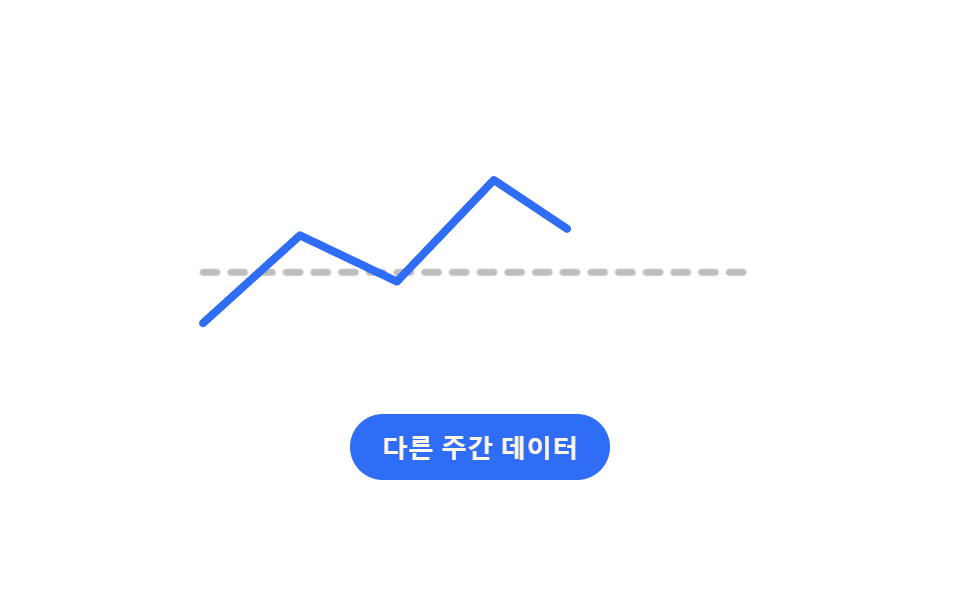 02 chart-loading-line-path-reveal
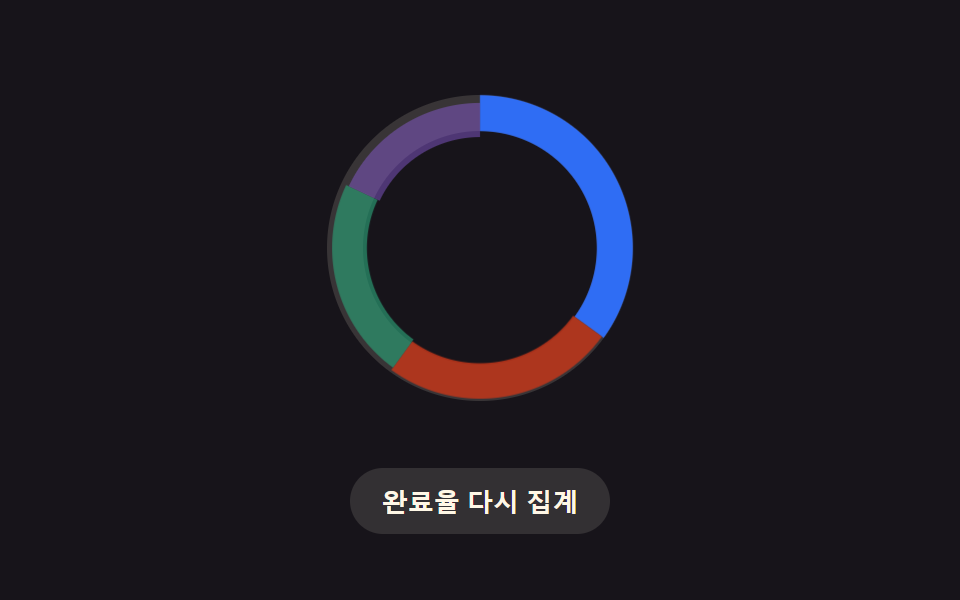 03 chart-loading-donut-ring-morph
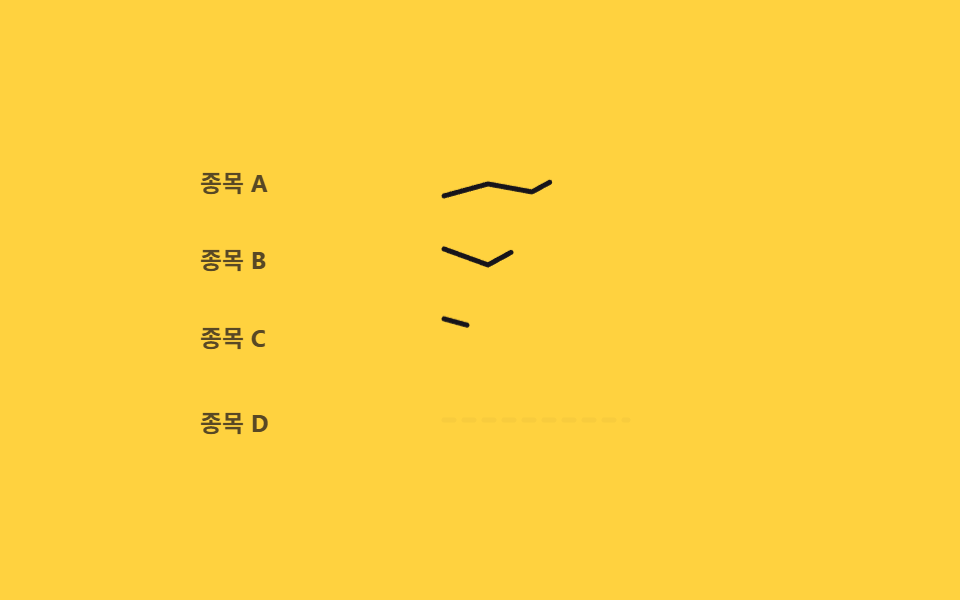 04 chart-loading-sparkline-row-wave
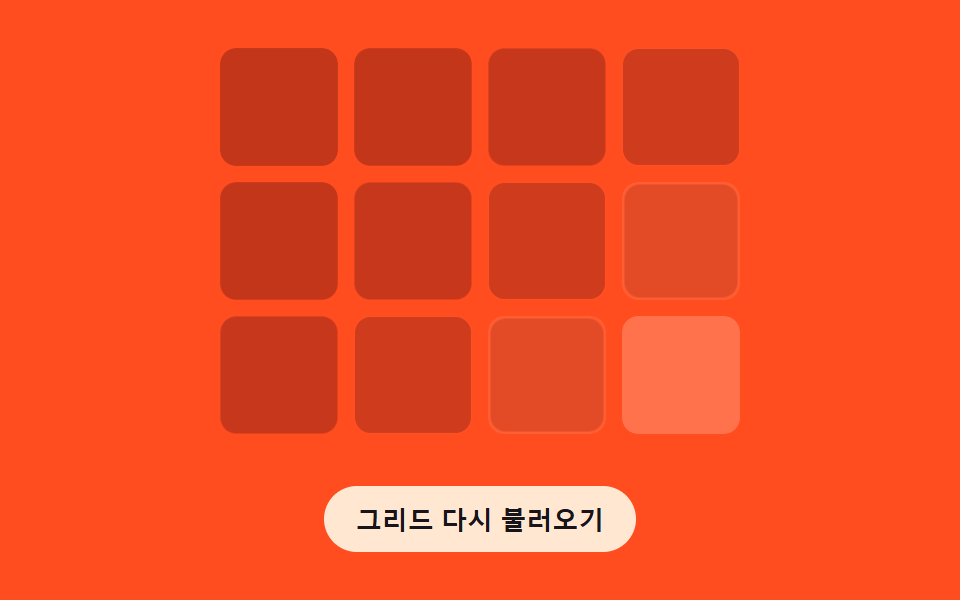 05 chart-loading-grid-fade-order
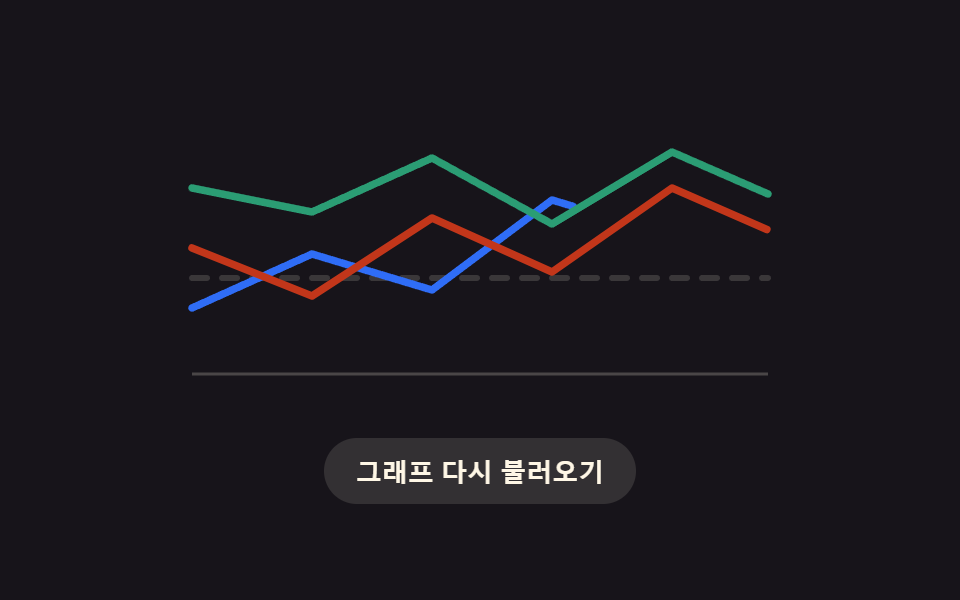 06 chart-loading-multi-series-cascade
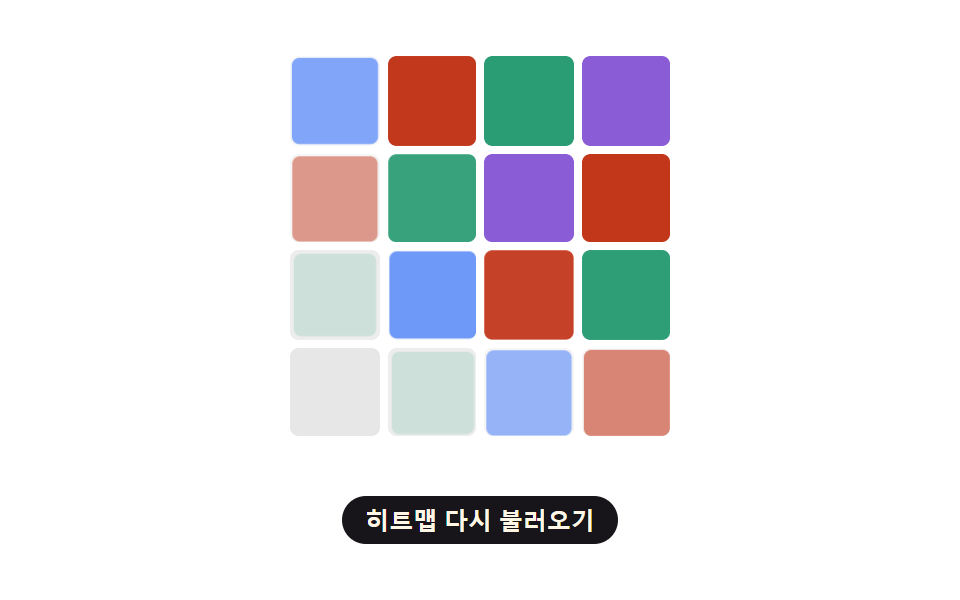 07 chart-loading-heatmap-diagonal-reveal
 08 chart-loading-fail-empty-retry
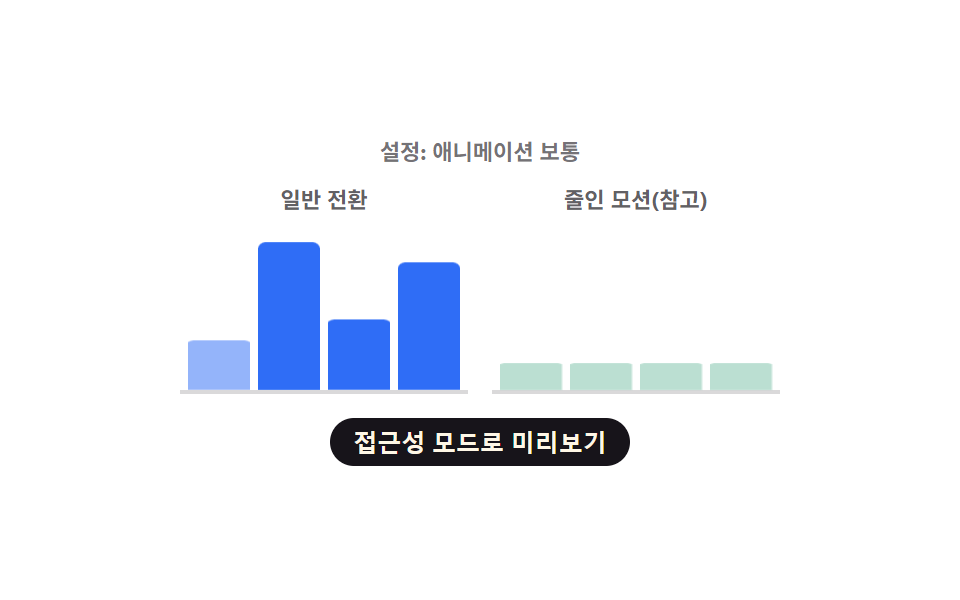 09 chart-loading-reduced-motion-instant-swap
自動再生 · タイルを押すとその項目へ · すべて1つのzip
- 01 遅延が棒ごとに計算されるバーチャートのロード用スケルトン
- 02 平らな線が実際の経路にほどける折れ線チャートのロード
- 03 待機リングが実際の区間に変わるドーナツチャートのロード
- 04 行ごとに波のように広がるスパークラインのロード
- 05 グリッド線が距離順に現れるチャートのロード
- 06 系列ごとに減衰でずれて収まるマルチシリーズのロード
- 07 セルが対角線状に埋まるヒートマップのロード
- 08 失敗すると空の状態に散っていくチャートのロード
- 09 動きの低減で計算せず即座に切り替わるチャートのロード
このセットは9種のチャートローディングスケルトンを一列に並べています。列番号から高さの遅延を求める棒グラフ、線の長さを測ってからほどける折れ線チャート、角度で区間に分かれるドーナツ、行ごとに波打って現れるスパークライン一覧、原点からの距離でフェードインするグリッド、減衰カスケードで収まるマルチシリーズ、対角線状のウェーブで埋まるヒートマップ、指数バックオフ付きの失敗/空/再試行サイクル、そしてそのすべての計算を飛ばすreduced-motion経路です。チャート種類ごとに別々のスケルトン グラフ用ライブラリを用意する代わりに、以下のどのパターンも同じclick/keydownの土台の上に、名前の付いた小さな計算関数を1つだけ載せています。
デモ
<main class="stage">
<div class="cb is-demo" id="cb">
  <div class="cb__chart" id="cbChart" role="img" aria-label="月次訪問者数の棒グラフ" aria-busy="true">
    <div class="cb__col" data-i="0"><div class="cb__bar" id="cbBar0"></div></div>
    <div class="cb__col" data-i="1"><div class="cb__bar" id="cbBar1"></div></div>
    <div class="cb__col" data-i="2"><div class="cb__bar" id="cbBar2"></div></div>
    <div class="cb__col" data-i="3"><div class="cb__bar" id="cbBar3"></div></div>
    <div class="cb__col" data-i="4"><div class="cb__bar" id="cbBar4"></div></div>
    <div class="cb__col" data-i="5"><div class="cb__bar" id="cbBar5"></div></div>
  </div>
  <button type="button" class="cb__reload" id="cbReload">再読み込み</button>
</div>
</main>
@use "../../../../site/static/demo-tokens" as *;
// 변수 3개
$duration: $dur-loop;
$easing: $ease-spring;
$color: $subject-blue;
@include stage($stage-ink);
.cb { width: min(300px, 88vw); }
.cb__chart {
display: flex; align-items: flex-end; justify-content: space-between;
gap: $sp-2; height: 150px; padding: 0 $sp-1;
border-bottom: 2px solid rgba($subject-cream, .18);
}
.cb__col { flex: 1 1 0; height: 100%; display: flex; align-items: flex-end; }
.cb__bar {
width: 100%; height: 100%; border-radius: $r-xs $r-xs 0 0;
background: $color; transform-origin: bottom; // 시작 변(바닥)에서 자란다 — 채움 막대 예외(규칙 8)
transform: scaleY(.16); opacity: .32;
animation: cbReveal $duration var(--phase, 0ms) $easing infinite;
}
.cb__reload {
display: block; margin: $sp-4 auto 0; appearance: none; border: none; cursor: pointer;
background: rgba($subject-cream, .12); color: $subject-cream; font-weight: 700; font-size: 13px;
padding: $sp-2 $sp-4; border-radius: $r-pill;
}
.cb__reload:focus-visible { outline: 2px solid $subject-cream; outline-offset: 2px; }
@keyframes cbReveal {
0% { transform: scaleY(.16); opacity: .32; }
14% { transform: scaleY(.16); opacity: .32; }
46% { transform: scaleY(var(--real, .6)); opacity: 1; }
84% { transform: scaleY(var(--real, .6)); opacity: 1; }
100% { transform: scaleY(.16); opacity: .32; }
}
@media (max-width: 340px) {
.cb { width: min(250px, 84vw); }
.cb__chart { height: 120px; }
}
@media (prefers-reduced-motion: reduce) {
// 실사용 경로 적용: 자동 루프를 끄고 마지막 실제 값 상태로 고정한다
.cb__bar { animation: none; transform: scaleY(var(--real, .6)); opacity: 1; }
}html, body {
margin: 0;
overflow: hidden;
}
.stage {
box-sizing: border-box;
min-height: 100vh;
display: grid;
place-items: center;
margin: 0;
background: #17141a;
font-family: -apple-system, "Segoe UI", "Noto Sans KR", sans-serif;
padding: clamp(8px, 4vw, 24px);
}
.cb {
width: min(300px, 88vw);
}
.cb__chart {
display: flex;
align-items: flex-end;
justify-content: space-between;
gap: 8px;
height: 150px;
padding: 0 4px;
border-bottom: 2px solid rgba(255, 247, 230, 0.18);
}
.cb__col {
flex: 1 1 0;
height: 100%;
display: flex;
align-items: flex-end;
}
.cb__bar {
width: 100%;
height: 100%;
border-radius: 4px 4px 0 0;
background: #2f6df6;
transform-origin: bottom;
transform: scaleY(0.16);
opacity: 0.32;
animation: cbReveal 2s var(--phase, 0ms) cubic-bezier(0.2, 0.8, 0.2, 1) infinite;
}
.cb__reload {
display: block;
margin: 16px auto 0;
appearance: none;
border: none;
cursor: pointer;
background: rgba(255, 247, 230, 0.12);
color: #fff7e6;
font-weight: 700;
font-size: 13px;
padding: 8px 16px;
border-radius: 999px;
}
.cb__reload:focus-visible {
outline: 2px solid #fff7e6;
outline-offset: 2px;
}
@keyframes cbReveal {
0% {
transform: scaleY(0.16);
opacity: 0.32;
}
14% {
transform: scaleY(0.16);
opacity: 0.32;
}
46% {
transform: scaleY(var(--real, 0.6));
opacity: 1;
}
84% {
transform: scaleY(var(--real, 0.6));
opacity: 1;
}
100% {
transform: scaleY(0.16);
opacity: 0.32;
}
}
@media (max-width: 340px) {
.cb {
width: min(250px, 84vw);
}
.cb__chart {
height: 120px;
}
}
@media (prefers-reduced-motion: reduce) {
.cb__bar {
animation: none;
transform: scaleY(var(--real, 0.6));
opacity: 1;
}
}(function () {
var VALUES = [38, 82, 55, 96, 29, 68];
var STAGGER_MS = 70;
var SKELETON_SCALE = 0.16;
var root = document.getElementById('cb');
var chart = document.getElementById('cbChart');
var reload = document.getElementById('cbReload');
var bars = VALUES.map(function (v, i) { return document.getElementById('cbBar' + i); });
// 계산 겹: 막대 등장 지연을 열 번호(i)로 계산한다 — 열이 오른쪽일수록 늦게 실제 높이로 펴진다
function barDelay(i) { return i * STAGGER_MS; }
bars.forEach(function (bar, i) {
bar.style.setProperty('--real', String(VALUES[i] / 100));
bar.style.setProperty('--phase', barDelay(i) + 'ms');
});
function paintNow(i, value) {
bars[i].style.transform = 'scaleY(' + (value / 100) + ')';
bars[i].style.opacity = '1';
}
function skeletonNow(i) {
bars[i].style.transform = 'scaleY(' + SKELETON_SCALE + ')';
bars[i].style.opacity = '.32';
}
function human() {
root.classList.remove('is-demo');
bars.forEach(function (bar, i) { skeletonNow(i); });
chart.setAttribute('aria-busy', 'true');
bars.forEach(function (bar, i) {
window.setTimeout(function () { paintNow(i, VALUES[i]); }, 260 + barDelay(i));
});
window.setTimeout(function () { chart.setAttribute('aria-busy', 'false'); }, 260 + barDelay(VALUES.length - 1) + 200);
}
reload.addEventListener('click', human);
reload.addEventListener('keydown', function (e) {
if (e.key === 'Enter' || e.key === ' ') { e.preventDefault(); human(); }
});
}());import { useEffect, useRef } from 'react';
import styles from './ChartLoadingBarHeightStagger.module.scss';
const VALUES = [38, 82, 55, 96, 29, 68];
const STAGGER_MS = 70;
const SKELETON_SCALE = 0.16;
export default function ChartLoadingBarHeightStagger() {
const rootRef = useRef<HTMLDivElement>(null);
const chartRef = useRef<HTMLDivElement>(null);
const reloadRef = useRef<HTMLButtonElement>(null);
const barRefs = useRef<HTMLDivElement[]>([]);
useEffect(() => {
const root = rootRef.current;
const chart = chartRef.current;
const reload = reloadRef.current;
if (!root || !chart || !reload) return undefined;
const bars = barRefs.current!;
if (!bars || bars.length !== VALUES.length) return undefined;
// 계산 겹: 막대 등장 지연을 열 번호(i)로 계산한다 — 열이 오른쪽일수록 늦게 실제 높이로 펴진다
function barDelay(i: number) { return i * STAGGER_MS; }
bars.forEach((bar, i) => {
bar.style.setProperty('--real', String(VALUES[i] / 100));
bar.style.setProperty('--phase', barDelay(i) + 'ms');
});
function paintNow(i: number, value: number) {
bars[i].style.transform = 'scaleY(' + (value / 100) + ')';
bars[i].style.opacity = '1';
}
function skeletonNow(i: number) {
bars[i].style.transform = 'scaleY(' + SKELETON_SCALE + ')';
bars[i].style.opacity = '.32';
}
const timers: number[] = [];
function human() {
root!.classList.remove(styles['is-demo']);
bars.forEach((_bar, i) => skeletonNow(i));
chart!.setAttribute('aria-busy', 'true');
bars.forEach((_bar, i) => {
timers.push(window.setTimeout(() => paintNow(i, VALUES[i]), 260 + barDelay(i)));
});
timers.push(window.setTimeout(() => chart!.setAttribute('aria-busy', 'false'), 260 + barDelay(VALUES.length - 1) + 200));
}
function onClick() { human(); }
function onKey(e: KeyboardEvent) { if (e.key === 'Enter' || e.key === ' ') { e.preventDefault(); human(); } }
reload.addEventListener('click', onClick);
reload.addEventListener('keydown', onKey);
return () => {
reload.removeEventListener('click', onClick);
reload.removeEventListener('keydown', onKey);
timers.forEach((id) => window.clearTimeout(id));
};
}, []);
return (
<main className={styles.stage}>
<div className={styles.cb + ' ' + styles['is-demo']} ref={rootRef}>
<div className={styles.cbChart} ref={chartRef} role="img" aria-label="월별 방문자 막대 그래프" aria-busy="true">
{VALUES.map((_value, i) => (
<div className={styles.cbCol} data-i={i} key={i}>
<div
className={styles.cbBar}
ref={(el: HTMLDivElement | null) => { if (el) barRefs.current![i] = el; }}
/>
</div>
))}
</div>
<button type="button" className={styles.cbReload} ref={reloadRef}>다시 불러오기</button>
</div>
</main>
);
}01 · 遅延が棒ごとに計算されるバーチャートのロード用スケルトン — 計測 累積面積 16.224% · 動いたフレーム 16/23GODRICH オリジナル · SCSS と React は zip に同梱 · パスワードを見る
上のパターン01はbarDelay・paintNow・skeletonNowだけで、列番号を棒の登場タイミングに変えています。残り8種は以下に続き、それぞれ専用のコードブロックが付いています。
9つのチャートローディングスケルトンの解剖 — どこで計算の一層が回るか
| # | パターン | 累積面積 | 平均強度 | 動いたフレーム |
|---|---|---|---|---|
| 01 | 棒の高さスタッガー | 16.22% | 85.2 | 23中16 |
| 02 | 折れ線パス表出 | 1.89% | 101.8 | 23中13 |
| 03 | ドーナツリング変形 | 6.74% | 48.2 | 23中18 |
| 04 | スパークライン行ウェーブ | 2.56% | 83.8 | 23中16 |
| 05 | 距離順グリッドフェード | 28.61% | 29.1 | 23中9 |
| 06 | マルチシリーズカスケード | 3.49% | 117.0 | 23中15 |
| 07 | ヒートマップ対角ウェーブ | 21.91% | 49.1 | 23中14 |
| 08 | 失敗/空/再試行 | 7.96% | 35.2 | 23中12 |
| 09 | reduced-motion即時切替 | 9.88% | 89.6 | 23中15 |
9つともrequestAnimationFrameを一度も呼んでいません。遅延はすべて--phaseや--delayのカスタムプロパティ、あるいは単純なanimationDelayとして一度だけ設定され、あとはCSSの@keyframesかtransitionが実際の描画を担います。setTimeoutは遅延が経過したタイミングや状態を自動的に進めるタイミングを決めるためだけに使われています。9つのうち4つ(02・04・06・07)は、実値が届いた瞬間にプレースホルダーのgetAnimations().cancel()も呼んでおり、ループが自然に終わるのを待たずにダッシュのアニメーションを打ち切ります。
パターン05は12個のグリッドセルすべてが一緒にクロスフェードするため9つの中で最も広い面積(累積28.61%)を覆いますが、その一連の動きはmaxOrder(5) × STEP_MS(55) = 275msという短い窓の中で終わるため、平均強度は最も低く(29.1)、動いたフレームも最少(23中9)です — 広いのに短く穏やかということです。パターン02は1本の細い線しか塗り替えないため面積が最小(1.89%)です。パターン06は9つの中で平均強度が最も高く(117.0)、各系列を実際のストローク長とダッシュオフセットへ一気に収める処理が、小さな点やセルではなくパス全体を塗り替えるためです。パターン03は動いたフレームが最多(23中18)で、実際の区間へ切り替わるまでの待ち時間ずっと点線のリングが回り続けるため、ほぼすべてのキャプチャフレームでどこかしらが動いています。
位置番号からそのまま遅延を求めるもの
パターン01・04・05は、長さや角度の計算を挟まず位置番号を遅延に変えます。01のbarDelay(i)は棒の列番号にSTAGGER_MSを掛けます。04のrowDelay(i)も行番号とROW_WAVE_MSで同じことをします。05のcellOrder(row, col)はセルの行と列を足して原点セルからの距離としてランク付けし、そのランクにSTEP_MSを掛けます。
描画前に長さや角度を測るもの
パターン02・03・06は、演出の前に図形自体の幾何情報を測ります。02のdrawPercent(len)は線のgetTotalLength()を読み取り、stroke-dashoffsetのキーフレームを決めるために値を丸めます。03のlayout()は各区間の割合を円周上の弧の長さに変え、そこまでの累積割合をその区間の開始角度として使います。06のseriesDelay(i)も各系列パスのgetTotalLength()を読みますが、そこに系列番号ぶんの減衰する累積和を重ね、後の系列ほど追加の間隔が縮まるようにしています。
距離・バックオフ・reduced-motionの逃げ道
パターン07・08・09は、それぞれ違う種類の歯止めを遅延に加えています。07のwaveDelayMs(row, col)はセルからグリッド右上の角までの実際のユークリッド距離を測り、WAVE_SPEEDで割ります。08のbackoffDelay(n)は再試行回数をBACKOFF_FACTORのべき乗にして、失敗が繰り返されるチャートほど長く待たせます。09のbarDelay(i, reduced)は01とまったく同じ式を再利用しつつ、reduced-motionのフラグを掛けることで、設定がオンのとき全部の棒の遅延が一斉に0へ収まります。
パターン別コード
以下の各コードブロックはそのパターン自身のindex.htmlからそのまま取っています — 変数名も順序も同じで、省略した部分はありません。
01遅延が棒ごとに計算されるバーチャートのロード用スケルトン
灰色のプレースホルダーの棒がまず置かれ、値が届くと各棒の登場遅延を列番号から計算し、その順番で実際の高さまで伸びていきます。ダッシュボードで統計の棒グラフが描かれる前に位置を確保する場所です。
<main class="stage">
<div class="cb is-demo" id="cb">
  <div class="cb__chart" id="cbChart" role="img" aria-label="月次訪問者数の棒グラフ" aria-busy="true">
    <div class="cb__col" data-i="0"><div class="cb__bar" id="cbBar0"></div></div>
    <div class="cb__col" data-i="1"><div class="cb__bar" id="cbBar1"></div></div>
    <div class="cb__col" data-i="2"><div class="cb__bar" id="cbBar2"></div></div>
    <div class="cb__col" data-i="3"><div class="cb__bar" id="cbBar3"></div></div>
    <div class="cb__col" data-i="4"><div class="cb__bar" id="cbBar4"></div></div>
    <div class="cb__col" data-i="5"><div class="cb__bar" id="cbBar5"></div></div>
  </div>
  <button type="button" class="cb__reload" id="cbReload">再読み込み</button>
</div>
</main>
@use "../../../../site/static/demo-tokens" as *;
// 변수 3개
$duration: $dur-loop;
$easing: $ease-spring;
$color: $subject-blue;
@include stage($stage-ink);
.cb { width: min(300px, 88vw); }
.cb__chart {
display: flex; align-items: flex-end; justify-content: space-between;
gap: $sp-2; height: 150px; padding: 0 $sp-1;
border-bottom: 2px solid rgba($subject-cream, .18);
}
.cb__col { flex: 1 1 0; height: 100%; display: flex; align-items: flex-end; }
.cb__bar {
width: 100%; height: 100%; border-radius: $r-xs $r-xs 0 0;
background: $color; transform-origin: bottom; // 시작 변(바닥)에서 자란다 — 채움 막대 예외(규칙 8)
transform: scaleY(.16); opacity: .32;
animation: cbReveal $duration var(--phase, 0ms) $easing infinite;
}
.cb__reload {
display: block; margin: $sp-4 auto 0; appearance: none; border: none; cursor: pointer;
background: rgba($subject-cream, .12); color: $subject-cream; font-weight: 700; font-size: 13px;
padding: $sp-2 $sp-4; border-radius: $r-pill;
}
.cb__reload:focus-visible { outline: 2px solid $subject-cream; outline-offset: 2px; }
@keyframes cbReveal {
0% { transform: scaleY(.16); opacity: .32; }
14% { transform: scaleY(.16); opacity: .32; }
46% { transform: scaleY(var(--real, .6)); opacity: 1; }
84% { transform: scaleY(var(--real, .6)); opacity: 1; }
100% { transform: scaleY(.16); opacity: .32; }
}
@media (max-width: 340px) {
.cb { width: min(250px, 84vw); }
.cb__chart { height: 120px; }
}
@media (prefers-reduced-motion: reduce) {
// 실사용 경로 적용: 자동 루프를 끄고 마지막 실제 값 상태로 고정한다
.cb__bar { animation: none; transform: scaleY(var(--real, .6)); opacity: 1; }
}html, body {
margin: 0;
overflow: hidden;
}
.stage {
box-sizing: border-box;
min-height: 100vh;
display: grid;
place-items: center;
margin: 0;
background: #17141a;
font-family: -apple-system, "Segoe UI", "Noto Sans KR", sans-serif;
padding: clamp(8px, 4vw, 24px);
}
.cb {
width: min(300px, 88vw);
}
.cb__chart {
display: flex;
align-items: flex-end;
justify-content: space-between;
gap: 8px;
height: 150px;
padding: 0 4px;
border-bottom: 2px solid rgba(255, 247, 230, 0.18);
}
.cb__col {
flex: 1 1 0;
height: 100%;
display: flex;
align-items: flex-end;
}
.cb__bar {
width: 100%;
height: 100%;
border-radius: 4px 4px 0 0;
background: #2f6df6;
transform-origin: bottom;
transform: scaleY(0.16);
opacity: 0.32;
animation: cbReveal 2s var(--phase, 0ms) cubic-bezier(0.2, 0.8, 0.2, 1) infinite;
}
.cb__reload {
display: block;
margin: 16px auto 0;
appearance: none;
border: none;
cursor: pointer;
background: rgba(255, 247, 230, 0.12);
color: #fff7e6;
font-weight: 700;
font-size: 13px;
padding: 8px 16px;
border-radius: 999px;
}
.cb__reload:focus-visible {
outline: 2px solid #fff7e6;
outline-offset: 2px;
}
@keyframes cbReveal {
0% {
transform: scaleY(0.16);
opacity: 0.32;
}
14% {
transform: scaleY(0.16);
opacity: 0.32;
}
46% {
transform: scaleY(var(--real, 0.6));
opacity: 1;
}
84% {
transform: scaleY(var(--real, 0.6));
opacity: 1;
}
100% {
transform: scaleY(0.16);
opacity: 0.32;
}
}
@media (max-width: 340px) {
.cb {
width: min(250px, 84vw);
}
.cb__chart {
height: 120px;
}
}
@media (prefers-reduced-motion: reduce) {
.cb__bar {
animation: none;
transform: scaleY(var(--real, 0.6));
opacity: 1;
}
}(function () {
var VALUES = [38, 82, 55, 96, 29, 68];
var STAGGER_MS = 70;
var SKELETON_SCALE = 0.16;
var root = document.getElementById('cb');
var chart = document.getElementById('cbChart');
var reload = document.getElementById('cbReload');
var bars = VALUES.map(function (v, i) { return document.getElementById('cbBar' + i); });
// 계산 겹: 막대 등장 지연을 열 번호(i)로 계산한다 — 열이 오른쪽일수록 늦게 실제 높이로 펴진다
function barDelay(i) { return i * STAGGER_MS; }
bars.forEach(function (bar, i) {
bar.style.setProperty('--real', String(VALUES[i] / 100));
bar.style.setProperty('--phase', barDelay(i) + 'ms');
});
function paintNow(i, value) {
bars[i].style.transform = 'scaleY(' + (value / 100) + ')';
bars[i].style.opacity = '1';
}
function skeletonNow(i) {
bars[i].style.transform = 'scaleY(' + SKELETON_SCALE + ')';
bars[i].style.opacity = '.32';
}
function human() {
root.classList.remove('is-demo');
bars.forEach(function (bar, i) { skeletonNow(i); });
chart.setAttribute('aria-busy', 'true');
bars.forEach(function (bar, i) {
window.setTimeout(function () { paintNow(i, VALUES[i]); }, 260 + barDelay(i));
});
window.setTimeout(function () { chart.setAttribute('aria-busy', 'false'); }, 260 + barDelay(VALUES.length - 1) + 200);
}
reload.addEventListener('click', human);
reload.addEventListener('keydown', function (e) {
if (e.key === 'Enter' || e.key === ' ') { e.preventDefault(); human(); }
});
}());import { useEffect, useRef } from 'react';
import styles from './ChartLoadingBarHeightStagger.module.scss';
const VALUES = [38, 82, 55, 96, 29, 68];
const STAGGER_MS = 70;
const SKELETON_SCALE = 0.16;
export default function ChartLoadingBarHeightStagger() {
const rootRef = useRef<HTMLDivElement>(null);
const chartRef = useRef<HTMLDivElement>(null);
const reloadRef = useRef<HTMLButtonElement>(null);
const barRefs = useRef<HTMLDivElement[]>([]);
useEffect(() => {
const root = rootRef.current;
const chart = chartRef.current;
const reload = reloadRef.current;
if (!root || !chart || !reload) return undefined;
const bars = barRefs.current!;
if (!bars || bars.length !== VALUES.length) return undefined;
// 계산 겹: 막대 등장 지연을 열 번호(i)로 계산한다 — 열이 오른쪽일수록 늦게 실제 높이로 펴진다
function barDelay(i: number) { return i * STAGGER_MS; }
bars.forEach((bar, i) => {
bar.style.setProperty('--real', String(VALUES[i] / 100));
bar.style.setProperty('--phase', barDelay(i) + 'ms');
});
function paintNow(i: number, value: number) {
bars[i].style.transform = 'scaleY(' + (value / 100) + ')';
bars[i].style.opacity = '1';
}
function skeletonNow(i: number) {
bars[i].style.transform = 'scaleY(' + SKELETON_SCALE + ')';
bars[i].style.opacity = '.32';
}
const timers: number[] = [];
function human() {
root!.classList.remove(styles['is-demo']);
bars.forEach((_bar, i) => skeletonNow(i));
chart!.setAttribute('aria-busy', 'true');
bars.forEach((_bar, i) => {
timers.push(window.setTimeout(() => paintNow(i, VALUES[i]), 260 + barDelay(i)));
});
timers.push(window.setTimeout(() => chart!.setAttribute('aria-busy', 'false'), 260 + barDelay(VALUES.length - 1) + 200));
}
function onClick() { human(); }
function onKey(e: KeyboardEvent) { if (e.key === 'Enter' || e.key === ' ') { e.preventDefault(); human(); } }
reload.addEventListener('click', onClick);
reload.addEventListener('keydown', onKey);
return () => {
reload.removeEventListener('click', onClick);
reload.removeEventListener('keydown', onKey);
timers.forEach((id) => window.clearTimeout(id));
};
}, []);
return (
<main className={styles.stage}>
<div className={styles.cb + ' ' + styles['is-demo']} ref={rootRef}>
<div className={styles.cbChart} ref={chartRef} role="img" aria-label="월별 방문자 막대 그래프" aria-busy="true">
{VALUES.map((_value, i) => (
<div className={styles.cbCol} data-i={i} key={i}>
<div
className={styles.cbBar}
ref={(el: HTMLDivElement | null) => { if (el) barRefs.current![i] = el; }}
/>
</div>
))}
</div>
<button type="button" className={styles.cbReload} ref={reloadRef}>다시 불러오기</button>
</div>
</main>
);
}01 · 遅延が棒ごとに計算されるバーチャートのロード用スケルトン — 計測 累積面積 16.224% · 動いたフレーム 16/23GODRICH オリジナル · SCSS と React は zip に同梱 · パスワードを見る
  // 計算層: 棒の登場遅延を列番号(i)から求める — 列が右にあるほど遅れて実際の高さまで伸びる
  function barDelay(i) { return i * STAGGER_MS; }

  bars.forEach(function (bar, i) {
    bar.style.setProperty('--real', String(VALUES[i] / 100));
    bar.style.setProperty('--phase', barDelay(i) + 'ms');
  });

  function paintNow(i, value) {
    bars[i].style.transform = 'scaleY(' + (value / 100) + ')';
    bars[i].style.opacity = '1';
  }
  function skeletonNow(i) {
    bars[i].style.transform = 'scaleY(' + SKELETON_SCALE + ')';
    bars[i].style.opacity = '.32';
  }
02平らな線が実際の経路にほどける折れ線チャートのロード
平らな点線がまず流れ、実際の値が届くと線の全長を求めて描画にかかる時間を計算し、曲がりくねった実際の経路へとほどけていきます。月次推移の折れ線チャートがデータを受け取る前に待機する場所です。
<main class="stage">
<div class="cl is-demo" id="cl">
  <svg class="cl__svg" id="clSvg" viewBox="0 0 260 110" role="img" aria-label="週間訪問者推移の折れ線グラフ" aria-busy="true">
    <path class="cl__flat" id="clFlat" d="M10,66 L250,66" />
    <path class="cl__real" id="clReal" d="M10,88 L52,50 L94,70 L136,26 L178,54 L220,16 L250,34" />
  </svg>
  <button type="button" class="cl__reload" id="clReload">別の週のデータ</button>
</div>
</main>
@use "../../../../site/static/demo-tokens" as *;
// 변수 3개
$duration: $dur-loop;
$easing: $ease-out;
$color: $subject-blue;
@include stage($stage-paper);
.cl { width: min(300px, 88vw); }
.cl__svg { width: 100%; height: auto; overflow: visible; }
.cl__flat {
fill: none; stroke: rgba($subject-ink, .28); stroke-width: 3; stroke-dasharray: 6 6;
stroke-linecap: round; animation: clFlatFade $duration $easing infinite;
}
.cl__real {
fill: none; stroke: $color; stroke-width: 3.5; stroke-linecap: round; stroke-linejoin: round;
}
.cl__reload {
display: block; margin: $sp-4 auto 0; appearance: none; border: none; cursor: pointer;
background: $subject-blue; color: $subject-cream; font-weight: 700; font-size: 13px;
padding: $sp-2 $sp-4; border-radius: $r-pill;
}
.cl__reload:focus-visible { outline: 2px solid $subject-ink; outline-offset: 2px; }
@keyframes clFlatFade {
0% { opacity: 1; }
12% { opacity: 1; }
20% { opacity: 0; }
82% { opacity: 0; }
92% { opacity: 1; }
100% { opacity: 1; }
}
@media (max-width: 340px) {
.cl { width: min(250px, 84vw); }
}
@media (prefers-reduced-motion: reduce) {
// 실사용 경로 적용: 자동 루프를 멈추고 완성된 실제 경로만 보인다
.cl__flat { animation: none; opacity: 0; }
.cl__real { stroke-dashoffset: 0 !important; animation: none !important; }
}html, body {
margin: 0;
overflow: hidden;
}
.stage {
box-sizing: border-box;
min-height: 100vh;
display: grid;
place-items: center;
margin: 0;
background: #ffffff;
font-family: -apple-system, "Segoe UI", "Noto Sans KR", sans-serif;
padding: clamp(8px, 4vw, 24px);
}
.cl {
width: min(300px, 88vw);
}
.cl__svg {
width: 100%;
height: auto;
overflow: visible;
}
.cl__flat {
fill: none;
stroke: rgba(23, 20, 26, 0.28);
stroke-width: 3;
stroke-dasharray: 6 6;
stroke-linecap: round;
animation: clFlatFade 2s ease-out infinite;
}
.cl__real {
fill: none;
stroke: #2f6df6;
stroke-width: 3.5;
stroke-linecap: round;
stroke-linejoin: round;
}
.cl__reload {
display: block;
margin: 16px auto 0;
appearance: none;
border: none;
cursor: pointer;
background: #2f6df6;
color: #fff7e6;
font-weight: 700;
font-size: 13px;
padding: 8px 16px;
border-radius: 999px;
}
.cl__reload:focus-visible {
outline: 2px solid #17141a;
outline-offset: 2px;
}
@keyframes clFlatFade {
0% {
opacity: 1;
}
12% {
opacity: 1;
}
20% {
opacity: 0;
}
82% {
opacity: 0;
}
92% {
opacity: 1;
}
100% {
opacity: 1;
}
}
@media (max-width: 340px) {
.cl {
width: min(250px, 84vw);
}
}
@media (prefers-reduced-motion: reduce) {
.cl__flat {
animation: none;
opacity: 0;
}
.cl__real {
stroke-dashoffset: 0 !important;
animation: none !important;
}
}(function () {
var SETS = [
'M10,88 L52,50 L94,70 L136,26 L178,54 L220,16 L250,34',
'M10,40 L52,74 L94,30 L136,58 L178,20 L220,48 L250,12'
];
var PX_PER_PCT = 6; // 계산 상수: 길이 6px 마다 그리기 구간 1% 를 배정한다
var root = document.getElementById('cl');
var svg = document.getElementById('clSvg');
var flat = document.getElementById('clFlat');
var real = document.getElementById('clReal');
var reload = document.getElementById('clReload');
var setIndex = 0;
var styleTag = document.createElement('style');
document.head.appendChild(styleTag);
// 계산 겹: 선의 전체 길이(getTotalLength)로 그려지는 데 필요한 구간(%)을 정한다 — 길수록 오래 그려진다
function drawPercent(len) { return Math.max(20, Math.min(48, Math.round(len / PX_PER_PCT))); }
function prepare() {
var len = Math.round(real.getTotalLength());
var pct = drawPercent(len);
real.style.strokeDasharray = String(len);
real.style.strokeDashoffset = String(len);
styleTag.textContent =
'@keyframes clDraw {' +
'0%{stroke-dashoffset:' + len + ';}' +
'14%{stroke-dashoffset:' + len + ';}' +
pct + '%{stroke-dashoffset:0;}' +
'86%{stroke-dashoffset:0;}' +
'100%{stroke-dashoffset:' + len + ';}}';
real.style.animation = 'clDraw 2000ms ease-in-out infinite';
return { len: len, pct: pct };
}
var info = prepare();
function human() {
root.classList.remove('is-demo');
setIndex = (setIndex + 1) % SETS.length;
real.setAttribute('d', SETS[setIndex]);
real.getAnimations().forEach(function (a) { a.cancel(); });
var meta = prepare();
real.style.animation = 'none';
svg.setAttribute('aria-busy', 'true');
real.animate(
[{ strokeDashoffset: meta.len }, { strokeDashoffset: 0 }],
{ duration: 260 + meta.len * 4, easing: 'ease-in-out', fill: 'forwards' }
).finished.then(function () { svg.setAttribute('aria-busy', 'false'); });
}
reload.addEventListener('click', human);
reload.addEventListener('keydown', function (e) {
if (e.key === 'Enter' || e.key === ' ') { e.preventDefault(); human(); }
});
// 실제 브라우저 재생에서는 주기마다 aria-busy 를 실제로 오르내린다 (렌더 캡처는 실시간을 다 안 쓴다)
window.setInterval(function () {
if (!root.classList.contains('is-demo')) return;
svg.setAttribute('aria-busy', 'true');
window.setTimeout(function () { svg.setAttribute('aria-busy', 'false'); }, 300);
}, 2000);
}());import { useEffect, useRef } from 'react';
import styles from './ChartLoadingLinePathReveal.module.scss';
const SETS = [
'M10,88 L52,50 L94,70 L136,26 L178,54 L220,16 L250,34',
'M10,40 L52,74 L94,30 L136,58 L178,20 L220,48 L250,12'
];
const PX_PER_PCT = 6; // 계산 상수: 길이 6px 마다 그리기 구간 1% 를 배정한다
export default function ChartLoadingLinePathReveal() {
const rootRef = useRef<HTMLDivElement>(null);
const svgRef = useRef<SVGSVGElement>(null);
const realRef = useRef<SVGPathElement>(null);
const reloadRef = useRef<HTMLButtonElement>(null);
useEffect(() => {
const root = rootRef.current;
const svg = svgRef.current;
const real = realRef.current;
const reload = reloadRef.current;
if (!root || !svg || !real || !reload) return undefined;
let setIndex = 0;
const styleTag = document.createElement('style');
document.head.appendChild(styleTag);
// 계산 겹: 선의 전체 길이(getTotalLength)로 그려지는 데 필요한 구간(%)을 정한다 — 길수록 오래 그려진다
function drawPercent(len: number) { return Math.max(20, Math.min(48, Math.round(len / PX_PER_PCT))); }
function prepare() {
const len = Math.round(real!.getTotalLength());
const pct = drawPercent(len);
real!.style.strokeDasharray = String(len);
real!.style.strokeDashoffset = String(len);
styleTag.textContent =
'@keyframes clDraw {' +
'0%{stroke-dashoffset:' + len + ';}' +
'14%{stroke-dashoffset:' + len + ';}' +
pct + '%{stroke-dashoffset:0;}' +
'86%{stroke-dashoffset:0;}' +
'100%{stroke-dashoffset:' + len + ';}}';
real!.style.animation = 'clDraw 2000ms ease-in-out infinite';
return { len, pct };
}
prepare();
function human() {
root!.classList.remove(styles['is-demo']);
setIndex = (setIndex + 1) % SETS.length;
real!.setAttribute('d', SETS[setIndex]);
real!.getAnimations().forEach((a) => a.cancel());
const meta = prepare();
real!.style.animation = 'none';
svg!.setAttribute('aria-busy', 'true');
real!.animate(
[{ strokeDashoffset: meta.len }, { strokeDashoffset: 0 }],
{ duration: 260 + meta.len * 4, easing: 'ease-in-out', fill: 'forwards' }
).finished.then(() => { svg!.setAttribute('aria-busy', 'false'); });
}
function onClick() { human(); }
function onKey(e: KeyboardEvent) { if (e.key === 'Enter' || e.key === ' ') { e.preventDefault(); human(); } }
reload.addEventListener('click', onClick);
reload.addEventListener('keydown', onKey);
// 실제 브라우저 재생에서는 주기마다 aria-busy 를 실제로 오르내린다 (렌더 캡처는 실시간을 다 안 쓴다)
const timers: number[] = [];
const timer = window.setInterval(() => {
if (!root!.classList.contains(styles['is-demo'])) return;
svg!.setAttribute('aria-busy', 'true');
timers.push(window.setTimeout(() => { svg!.setAttribute('aria-busy', 'false'); }, 300));
}, 2000);
return () => {
reload.removeEventListener('click', onClick);
reload.removeEventListener('keydown', onKey);
window.clearInterval(timer);
timers.forEach((id) => window.clearTimeout(id));
styleTag.remove();
};
}, []);
return (
<main className={styles.stage}>
<div className={styles.cl + ' ' + styles['is-demo']} ref={rootRef}>
<svg className={styles.clSvg} ref={svgRef} viewBox="0 0 260 110" role="img" aria-label="주간 방문자 추이 라인 그래프" aria-busy="true">
<path className={styles.clFlat} d="M10,66 L250,66" />
<path className={styles.clReal} ref={realRef} d="M10,88 L52,50 L94,70 L136,26 L178,54 L220,16 L250,34" />
</svg>
<button type="button" className={styles.clReload} ref={reloadRef}>다른 주간 데이터</button>
</div>
</main>
);
}02 · 平らな線が実際の経路にほどける折れ線チャートのロード — 計測 累積面積 1.89% · 動いたフレーム 13/23GODRICH オリジナル · SCSS と React は zip に同梱 · パスワードを見る
  // 計算層: 線の全長(getTotalLength)から描画にかかる区間(%)を求める — 長いほど描画に時間がかかる
  function drawPercent(len) { return Math.max(20, Math.min(48, Math.round(len / PX_PER_PCT))); }

  function prepare() {
    var len = Math.round(real.getTotalLength());
    var pct = drawPercent(len);
    real.style.strokeDasharray = String(len);
    real.style.strokeDashoffset = String(len);
    styleTag.textContent =
      '@keyframes clDraw {' +
      '0%{stroke-dashoffset:' + len + ';}' +
      '14%{stroke-dashoffset:' + len + ';}' +
      pct + '%{stroke-dashoffset:0;}' +
      '86%{stroke-dashoffset:0;}' +
      '100%{stroke-dashoffset:' + len + ';}}';
    real.style.animation = 'clDraw 2000ms ease-in-out infinite';
    return { len: len, pct: pct };
  }
03待機リングが実際の区間に変わるドーナツチャートのロード
点線のリングが回りながら待機し、値が届くと各区間の割合を円周上の角度として計算し、その順番でリングの色が区間ごとの色に分かれていきます。達成率のドーナツチャートが集計される前に少し回る場所です。
<main class="stage">
<div class="cd is-demo" id="cd">
  <svg class="cd__svg" id="cdSvg" viewBox="0 0 120 120" role="img" aria-label="達成率のドーナツグラフ" aria-busy="true">
    <circle class="cd__track" cx="60" cy="60" r="45" />
    <circle class="cd__spin" cx="60" cy="60" r="45" />
    <circle class="cd__seg" id="cdSeg0" cx="60" cy="60" r="45" data-i="0" />
    <circle class="cd__seg" id="cdSeg1" cx="60" cy="60" r="45" data-i="1" />
    <circle class="cd__seg" id="cdSeg2" cx="60" cy="60" r="45" data-i="2" />
    <circle class="cd__seg" id="cdSeg3" cx="60" cy="60" r="45" data-i="3" />
  </svg>
  <button type="button" class="cd__reload" id="cdReload">達成率を再集計</button>
</div>
</main>
@use "../../../../site/static/demo-tokens" as *;
// 변수 3개
$duration: $dur-loop;
$easing: $ease-out;
$color: $chart-1;
@include stage($stage-ink);
.cd { width: min(180px, 60vw); text-align: center; }
.cd__svg { width: 100%; height: auto; transform: rotate(-90deg); }
.cd__track { fill: none; stroke: rgba($subject-cream, .14); stroke-width: 12; }
.cd__spin {
fill: none; stroke: rgba($subject-cream, .55); stroke-width: 4; stroke-linecap: round;
stroke-dasharray: 10 16; transform-origin: 60px 60px;
animation: cdSpin 1.4s linear infinite, cdSpinFade $duration $easing infinite;
}
.cd__seg {
fill: none; stroke-width: 12; stroke-linecap: butt; transform-origin: 60px 60px;
opacity: 0; transform: scale(.9); animation: cdSegCycle $duration $easing infinite;
}
#cdSeg0 { stroke: $chart-1; animation-delay: 0ms; }
#cdSeg1 { stroke: $chart-2; animation-delay: 130ms; }
#cdSeg2 { stroke: $chart-3; animation-delay: 230ms; }
#cdSeg3 { stroke: $chart-4; animation-delay: 310ms; }
.cd__reload {
display: block; margin: $sp-4 auto 0; appearance: none; border: none; cursor: pointer;
background: rgba($subject-cream, .12); color: $subject-cream; font-weight: 700; font-size: 13px;
padding: $sp-2 $sp-4; border-radius: $r-pill;
}
.cd__reload:focus-visible { outline: 2px solid $subject-cream; outline-offset: 2px; }
@keyframes cdSpin { from { transform: rotate(0deg); } to { transform: rotate(360deg); } }
@keyframes cdSpinFade {
0% { opacity: 1; }
14% { opacity: 1; }
26% { opacity: 0; }
88% { opacity: 0; }
100% { opacity: 1; }
}
@keyframes cdSegCycle {
0% { opacity: 0; transform: scale(.9); }
26% { opacity: 0; transform: scale(.9); }
52% { opacity: 1; transform: scale(1); }
88% { opacity: 1; transform: scale(1); }
100% { opacity: 0; transform: scale(.9); }
}
@media (max-width: 340px) {
.cd { width: min(112px, 48vw); }
.cd__reload { margin-top: $sp-2; font-size: 11px; padding: $sp-1 $sp-3; }
}
@media (prefers-reduced-motion: reduce) {
// 실사용 경로 적용: 자동 루프를 멈추고 완성된 구간 색만 보인다
.cd__spin { animation: none; opacity: 0; }
.cd__seg { animation: none; opacity: 1; transform: scale(1); }
}html, body {
margin: 0;
overflow: hidden;
}
.stage {
box-sizing: border-box;
min-height: 100vh;
display: grid;
place-items: center;
margin: 0;
background: #17141a;
font-family: -apple-system, "Segoe UI", "Noto Sans KR", sans-serif;
padding: clamp(8px, 4vw, 24px);
}
.cd {
width: min(180px, 60vw);
text-align: center;
}
.cd__svg {
width: 100%;
height: auto;
transform: rotate(-90deg);
}
.cd__track {
fill: none;
stroke: rgba(255, 247, 230, 0.14);
stroke-width: 12;
}
.cd__spin {
fill: none;
stroke: rgba(255, 247, 230, 0.55);
stroke-width: 4;
stroke-linecap: round;
stroke-dasharray: 10 16;
transform-origin: 60px 60px;
animation: cdSpin 1.4s linear infinite, cdSpinFade 2s ease-out infinite;
}
.cd__seg {
fill: none;
stroke-width: 12;
stroke-linecap: butt;
transform-origin: 60px 60px;
opacity: 0;
transform: scale(0.9);
animation: cdSegCycle 2s ease-out infinite;
}
#cdSeg0 {
stroke: #2f6df6;
animation-delay: 0ms;
}
#cdSeg1 {
stroke: #c2361a;
animation-delay: 130ms;
}
#cdSeg2 {
stroke: #2b9d74;
animation-delay: 230ms;
}
#cdSeg3 {
stroke: #8a5cd6;
animation-delay: 310ms;
}
.cd__reload {
display: block;
margin: 16px auto 0;
appearance: none;
border: none;
cursor: pointer;
background: rgba(255, 247, 230, 0.12);
color: #fff7e6;
font-weight: 700;
font-size: 13px;
padding: 8px 16px;
border-radius: 999px;
}
.cd__reload:focus-visible {
outline: 2px solid #fff7e6;
outline-offset: 2px;
}
@keyframes cdSpin {
from {
transform: rotate(0deg);
}
to {
transform: rotate(360deg);
}
}
@keyframes cdSpinFade {
0% {
opacity: 1;
}
14% {
opacity: 1;
}
26% {
opacity: 0;
}
88% {
opacity: 0;
}
100% {
opacity: 1;
}
}
@keyframes cdSegCycle {
0% {
opacity: 0;
transform: scale(0.9);
}
26% {
opacity: 0;
transform: scale(0.9);
}
52% {
opacity: 1;
transform: scale(1);
}
88% {
opacity: 1;
transform: scale(1);
}
100% {
opacity: 0;
transform: scale(0.9);
}
}
@media (max-width: 340px) {
.cd {
width: min(112px, 48vw);
}
.cd__reload {
margin-top: 8px;
font-size: 11px;
padding: 4px 12px;
}
}
@media (prefers-reduced-motion: reduce) {
.cd__spin {
animation: none;
opacity: 0;
}
.cd__seg {
animation: none;
opacity: 1;
transform: scale(1);
}
}(function () {
var VALUES = [35, 25, 22, 18];
var R = 45;
var CIRC = 2 * Math.PI * R;
var root = document.getElementById('cd');
var svg = document.getElementById('cdSvg');
var reload = document.getElementById('cdReload');
var segs = [0, 1, 2, 3].map(function (i) { return document.getElementById('cdSeg' + i); });
// 계산 겹: 각 구간의 비율을 원둘레 길이로 바꾸고, 시작 각도(누적 비율)로 순서를 정한다
function layout() {
var cum = 0;
VALUES.forEach(function (v, i) {
var frac = v / 100;
var segLen = CIRC * frac;
segs[i].style.strokeDasharray = segLen.toFixed(2) + ' ' + (CIRC - segLen).toFixed(2);
segs[i].style.strokeDashoffset = (-cum).toFixed(2);
segs[i].style.setProperty('--delay', (cum / CIRC * 60) + '%');
cum += segLen;
});
}
layout();
function human() {
root.classList.remove('is-demo');
segs.forEach(function (s) { s.style.opacity = '0'; s.style.transform = 'scale(.9)'; });
svg.setAttribute('aria-busy', 'true');
var cum = 0;
VALUES.forEach(function (v, i) {
var frac = v / 100;
var delayMs = (cum / CIRC) * 900;
cum += CIRC * frac;
window.setTimeout(function () {
segs[i].style.transition = 'opacity 260ms ease-out, transform 260ms ease-out';
segs[i].style.opacity = '1';
segs[i].style.transform = 'scale(1)';
}, 220 + delayMs);
});
window.setTimeout(function () { svg.setAttribute('aria-busy', 'false'); }, 220 + 900);
}
reload.addEventListener('click', human);
reload.addEventListener('keydown', function (e) {
if (e.key === 'Enter' || e.key === ' ') { e.preventDefault(); human(); }
});
}());import { useEffect, useRef } from 'react';
import styles from './ChartLoadingDonutRingMorph.module.scss';
const VALUES = [35, 25, 22, 18];
const R = 45;
const CIRC = 2 * Math.PI * R;
export default function ChartLoadingDonutRingMorph() {
const rootRef = useRef<HTMLDivElement>(null);
const svgRef = useRef<SVGSVGElement>(null);
const reloadRef = useRef<HTMLButtonElement>(null);
const segRefs = useRef<SVGCircleElement[]>([]);
useEffect(() => {
const root = rootRef.current;
const svg = svgRef.current;
const reload = reloadRef.current;
if (!root || !svg || !reload) return undefined;
const segs = segRefs.current!;
if (!segs || segs.length !== VALUES.length) return undefined;
// 계산 겹: 각 구간의 비율을 원둘레 길이로 바꾸고, 시작 각도(누적 비율)로 순서를 정한다
function layout() {
let cum = 0;
VALUES.forEach((v, i) => {
const frac = v / 100;
const segLen = CIRC * frac;
segs[i].style.strokeDasharray = segLen.toFixed(2) + ' ' + (CIRC - segLen).toFixed(2);
segs[i].style.strokeDashoffset = (-cum).toFixed(2);
segs[i].style.setProperty('--delay', (cum / CIRC * 60) + '%');
cum += segLen;
});
}
layout();
const timers: number[] = [];
function human() {
root!.classList.remove(styles['is-demo']);
segs.forEach((s) => { s.style.opacity = '0'; s.style.transform = 'scale(.9)'; });
svg!.setAttribute('aria-busy', 'true');
let cum = 0;
VALUES.forEach((v, i) => {
const frac = v / 100;
const delayMs = (cum / CIRC) * 900;
cum += CIRC * frac;
timers.push(window.setTimeout(() => {
segs[i].style.transition = 'opacity 260ms ease-out, transform 260ms ease-out';
segs[i].style.opacity = '1';
segs[i].style.transform = 'scale(1)';
}, 220 + delayMs));
});
timers.push(window.setTimeout(() => { svg!.setAttribute('aria-busy', 'false'); }, 220 + 900));
}
function onClick() { human(); }
function onKey(e: KeyboardEvent) { if (e.key === 'Enter' || e.key === ' ') { e.preventDefault(); human(); } }
reload.addEventListener('click', onClick);
reload.addEventListener('keydown', onKey);
return () => {
reload.removeEventListener('click', onClick);
reload.removeEventListener('keydown', onKey);
timers.forEach((id) => window.clearTimeout(id));
};
}, []);
return (
<main className={styles.stage}>
<div className={styles.cd + ' ' + styles['is-demo']} ref={rootRef}>
<svg className={styles.cdSvg} ref={svgRef} viewBox="0 0 120 120" role="img" aria-label="완료율 도넛 그래프" aria-busy="true">
<circle className={styles.cdTrack} cx={60} cy={60} r={45} />
<circle className={styles.cdSpin} cx={60} cy={60} r={45} />
{VALUES.map((_v, i) => (
<circle
key={i}
id={'cdSeg' + i}
className={styles.cdSeg}
cx={60}
cy={60}
r={45}
data-i={i}
ref={(el: SVGCircleElement | null) => { if (el) segRefs.current![i] = el; }}
/>
))}
</svg>
<button type="button" className={styles.cdReload} ref={reloadRef}>완료율 다시 집계</button>
</div>
</main>
);
}03 · 待機リングが実際の区間に変わるドーナツチャートのロード — 計測 累積面積 6.744% · 動いたフレーム 18/23GODRICH オリジナル · SCSS と React は zip に同梱 · パスワードを見る
  // 計算層: 各区間の割合を円周上の長さに変え、開始角度(累積割合)で順序を決める
  function layout() {
    var cum = 0;
    VALUES.forEach(function (v, i) {
      var frac = v / 100;
      var segLen = CIRC * frac;
      segs[i].style.strokeDasharray = segLen.toFixed(2) + ' ' + (CIRC - segLen).toFixed(2);
      segs[i].style.strokeDashoffset = (-cum).toFixed(2);
      segs[i].style.setProperty('--delay', (cum / CIRC * 60) + '%');
      cum += segLen;
    });
  }
04行ごとに波のように広がるスパークラインのロード
リストの各行にまず平らな点線が置かれ、値が届くと行番号から波の遅延を計算し、上から下へ順に実際のスパークラインが現れていきます。銘柄・指標の一覧で行ごとに推移を先に見せる場所です。
<main class="stage">
<ul class="cw is-demo" id="cw" aria-busy="true">
  <li class="cw__row" data-i="0">
    <span class="cw__label">銘柄A</span>
    <svg class="cw__spark" viewBox="0 0 100 28" role="img" aria-label="銘柄Aの推移">
      <path class="cw__flat" d="M4,14 L96,14" />
      <path class="cw__real" id="cwReal0" d="M4,22 L26,16 L48,20 L70,8 L96,12" />
    </svg>
  </li>
  <li class="cw__row" data-i="1">
    <span class="cw__label">銘柄B</span>
    <svg class="cw__spark" viewBox="0 0 100 28" role="img" aria-label="銘柄Bの推移">
      <path class="cw__flat" d="M4,14 L96,14" />
      <path class="cw__real" id="cwReal1" d="M4,10 L26,18 L48,6 L70,16 L96,4" />
    </svg>
  </li>
  <li class="cw__row" data-i="2">
    <span class="cw__label">銘柄C</span>
    <svg class="cw__spark" viewBox="0 0 100 28" role="img" aria-label="銘柄Cの推移">
      <path class="cw__flat" d="M4,14 L96,14" />
      <path class="cw__real" id="cwReal2" d="M4,6 L26,12 L48,10 L70,20 L96,18" />
    </svg>
  </li>
  <li class="cw__row" data-i="3">
    <span class="cw__label">銘柄D</span>
    <svg class="cw__spark" viewBox="0 0 100 28" role="img" aria-label="銘柄Dの推移">
      <path class="cw__flat" d="M4,14 L96,14" />
      <path class="cw__real" id="cwReal3" d="M4,20 L26,8 L48,14 L70,10 L96,22" />
    </svg>
  </li>
</ul>
</main>@use "../../../../site/static/demo-tokens" as *;
// 변수 3개
$duration: $dur-loop;
$easing: $ease-out;
$color: $subject-ink;
@include stage($stage-yellow);
.cw {
width: min(280px, 86vw);
list-style: none;
margin: 0;
padding: 0;
display: flex;
flex-direction: column;
gap: $sp-3;
cursor: pointer;
border-radius: $r-card;
&:focus-visible { outline: 2px solid $subject-ink; outline-offset: 4px; }
}
.cw__row { display: flex; align-items: center; gap: $sp-3; animation: cwRowPop $duration $easing infinite; }
.cw__label { width: 44px; flex: 0 0 auto; font-size: 12px; font-weight: 700; color: rgba($subject-ink, .72); }
.cw__spark { width: 100%; height: 28px; overflow: visible; }
.cw__flat {
fill: none; stroke: rgba($subject-ink, .26); stroke-width: 2.5; stroke-dasharray: 5 5; stroke-linecap: round;
animation: cwFlatFade $duration $easing infinite;
}
.cw__real { fill: none; stroke: $color; stroke-width: 2.5; stroke-linecap: round; stroke-linejoin: round; animation: cwDraw $duration $easing infinite; }
@keyframes cwFlatFade {
0% { opacity: 1; }
10% { opacity: 1; }
18% { opacity: 0; }
86% { opacity: 0; }
96% { opacity: 1; }
100% { opacity: 1; }
}
// 계산 겹은 JS 가 담당(줄 길이 var(--len)), 여기는 같은 구간을 모든 행이 공유한다
@keyframes cwDraw {
0% { stroke-dashoffset: var(--len); }
18% { stroke-dashoffset: var(--len); }
46% { stroke-dashoffset: 0; }
86% { stroke-dashoffset: 0; }
100% { stroke-dashoffset: var(--len); }
}
// 행이 실제 선으로 바뀌는 순간 살짝 튀어오르는 물결감 (transform 만)
@keyframes cwRowPop {
0% { transform: translateY(0); }
16% { transform: translateY(0); }
22% { transform: translateY(-3px); }
30% { transform: translateY(0); }
100% { transform: translateY(0); }
}
@media (max-width: 340px) {
.cw { width: min(230px, 84vw); gap: $sp-2; }
.cw__label { width: 36px; font-size: 11px; }
}
@media (prefers-reduced-motion: reduce) {
// 실사용 경로 적용: 자동 루프를 멈추고 완성된 실제 선만 보인다
.cw__row { animation: none; transform: none; }
.cw__flat { animation: none; opacity: 0; }
.cw__real { animation: none; stroke-dashoffset: 0; }
}html, body {
margin: 0;
overflow: hidden;
}
.stage {
box-sizing: border-box;
min-height: 100vh;
display: grid;
place-items: center;
margin: 0;
background: #ffd23f;
font-family: -apple-system, "Segoe UI", "Noto Sans KR", sans-serif;
padding: clamp(8px, 4vw, 24px);
}
.cw {
width: min(280px, 86vw);
list-style: none;
margin: 0;
padding: 0;
display: flex;
flex-direction: column;
gap: 12px;
cursor: pointer;
border-radius: 16px;
}
.cw:focus-visible {
outline: 2px solid #17141a;
outline-offset: 4px;
}
.cw__row {
display: flex;
align-items: center;
gap: 12px;
animation: cwRowPop 2s ease-out infinite;
}
.cw__label {
width: 44px;
flex: 0 0 auto;
font-size: 12px;
font-weight: 700;
color: rgba(23, 20, 26, 0.72);
}
.cw__spark {
width: 100%;
height: 28px;
overflow: visible;
}
.cw__flat {
fill: none;
stroke: rgba(23, 20, 26, 0.26);
stroke-width: 2.5;
stroke-dasharray: 5 5;
stroke-linecap: round;
animation: cwFlatFade 2s ease-out infinite;
}
.cw__real {
fill: none;
stroke: #17141a;
stroke-width: 2.5;
stroke-linecap: round;
stroke-linejoin: round;
animation: cwDraw 2s ease-out infinite;
}
@keyframes cwFlatFade {
0% {
opacity: 1;
}
10% {
opacity: 1;
}
18% {
opacity: 0;
}
86% {
opacity: 0;
}
96% {
opacity: 1;
}
100% {
opacity: 1;
}
}
@keyframes cwDraw {
0% {
stroke-dashoffset: var(--len);
}
18% {
stroke-dashoffset: var(--len);
}
46% {
stroke-dashoffset: 0;
}
86% {
stroke-dashoffset: 0;
}
100% {
stroke-dashoffset: var(--len);
}
}
@keyframes cwRowPop {
0% {
transform: translateY(0);
}
16% {
transform: translateY(0);
}
22% {
transform: translateY(-3px);
}
30% {
transform: translateY(0);
}
100% {
transform: translateY(0);
}
}
@media (max-width: 340px) {
.cw {
width: min(230px, 84vw);
gap: 8px;
}
.cw__label {
width: 36px;
font-size: 11px;
}
}
@media (prefers-reduced-motion: reduce) {
.cw__row {
animation: none;
transform: none;
}
.cw__flat {
animation: none;
opacity: 0;
}
.cw__real {
animation: none;
stroke-dashoffset: 0;
}
}(function () {
var ROW_WAVE_MS = 90;
var list = document.getElementById('cw');
var reals = [0, 1, 2, 3].map(function (i) { return document.getElementById('cwReal' + i); });
// 계산 겹: 행 번호(i)로 물결 지연을 계산한다 — 위에서 아래로 갈수록 늦게 실제 선이 드러난다
function rowDelay(i) { return i * ROW_WAVE_MS; }
reals.forEach(function (real, i) {
var len = Math.round(real.getTotalLength());
var row = real.closest('.cw__row');
var flat = row.querySelector('.cw__flat');
real.style.setProperty('--len', String(len));
real.style.strokeDasharray = String(len);
real.style.strokeDashoffset = String(len);
real.style.animationDelay = rowDelay(i) + 'ms';
flat.style.animationDelay = rowDelay(i) + 'ms';
row.style.animationDelay = rowDelay(i) + 'ms';
});
function human() {
list.classList.remove('is-demo');
list.setAttribute('aria-busy', 'true');
reals.forEach(function (real, i) {
var len = parseInt(real.style.getPropertyValue('--len'), 10);
real.getAnimations().forEach(function (a) { a.cancel(); });
real.style.animation = 'none';
real.style.strokeDashoffset = String(len);
window.setTimeout(function () {
real.animate(
[{ strokeDashoffset: len }, { strokeDashoffset: 0 }],
{ duration: 340, easing: 'ease-out', fill: 'forwards' }
);
}, rowDelay(i));
});
window.setTimeout(function () { list.setAttribute('aria-busy', 'false'); }, rowDelay(reals.length - 1) + 400);
}
list.addEventListener('click', human);
list.addEventListener('keydown', function (e) {
if (e.key === 'Enter' || e.key === ' ') { e.preventDefault(); human(); }
});
list.setAttribute('tabindex', '0');
list.setAttribute('role', 'button');
list.setAttribute('aria-label', 'スパークラインを再読み込み');
}());import { useEffect, useRef } from 'react';
import styles from './ChartLoadingSparklineRowWave.module.scss';
const ROW_WAVE_MS = 90;
const LABELS = ['종목 A', '종목 B', '종목 C', '종목 D'];
// vanilla 와 동일하게 완성 리터럴로 둔다 — 문구.json 조각 분리(BD12 잔여한글) 방지
const TREND_LABELS = ['종목 A 추이', '종목 B 추이', '종목 C 추이', '종목 D 추이'];
const PATHS = [
'M4,22 L26,16 L48,20 L70,8 L96,12',
'M4,10 L26,18 L48,6 L70,16 L96,4',
'M4,6 L26,12 L48,10 L70,20 L96,18',
'M4,20 L26,8 L48,14 L70,10 L96,22'
];
export default function ChartLoadingSparklineRowWave() {
const listRef = useRef<HTMLUListElement>(null);
const rowRefs = useRef<HTMLLIElement[]>([]);
const realRefs = useRef<SVGPathElement[]>([]);
const flatRefs = useRef<SVGPathElement[]>([]);
useEffect(() => {
const list = listRef.current;
if (!list) return undefined;
const reals = realRefs.current!;
const flats = flatRefs.current!;
const rows = rowRefs.current!;
if (!reals || !flats || !rows || reals.length !== PATHS.length) return undefined;
// 계산 겹: 행 번호(i)로 물결 지연을 계산한다 — 위에서 아래로 갈수록 늦게 실제 선이 드러난다
function rowDelay(i: number) { return i * ROW_WAVE_MS; }
reals.forEach((real, i) => {
const len = Math.round(real.getTotalLength());
real.style.setProperty('--len', String(len));
real.style.strokeDasharray = String(len);
real.style.strokeDashoffset = String(len);
real.style.animationDelay = rowDelay(i) + 'ms';
flats[i].style.animationDelay = rowDelay(i) + 'ms';
rows[i].style.animationDelay = rowDelay(i) + 'ms';
});
const timers: number[] = [];
function human() {
list!.classList.remove(styles['is-demo']);
list!.setAttribute('aria-busy', 'true');
reals.forEach((real, i) => {
const len = parseInt(real.style.getPropertyValue('--len'), 10);
real.getAnimations().forEach((a) => a.cancel());
real.style.animation = 'none';
real.style.strokeDashoffset = String(len);
timers.push(window.setTimeout(() => {
real.animate(
[{ strokeDashoffset: len }, { strokeDashoffset: 0 }],
{ duration: 340, easing: 'ease-out', fill: 'forwards' }
);
}, rowDelay(i)));
});
timers.push(window.setTimeout(() => { list!.setAttribute('aria-busy', 'false'); }, rowDelay(reals.length - 1) + 400));
}
function onClick() { human(); }
function onKey(e: KeyboardEvent) { if (e.key === 'Enter' || e.key === ' ') { e.preventDefault(); human(); } }
list.addEventListener('click', onClick);
list.addEventListener('keydown', onKey);
return () => {
list.removeEventListener('click', onClick);
list.removeEventListener('keydown', onKey);
timers.forEach((id) => window.clearTimeout(id));
};
}, []);
return (
<main className={styles.stage}>
<ul
className={styles.cw + ' ' + styles['is-demo']}
ref={listRef}
aria-busy="true"
tabIndex={0}
role="button"
aria-label="스파크라인 다시 불러오기"
>
{LABELS.map((label, i) => (
<li
className={styles.cwRow}
data-i={i}
key={i}
ref={(el: HTMLLIElement | null) => { if (el) rowRefs.current![i] = el; }}
>
<span className={styles.cwLabel}>{label}</span>
<svg className={styles.cwSpark} viewBox="0 0 100 28" role="img" aria-label={TREND_LABELS[i]}>
<path
className={styles.cwFlat}
d="M4,14 L96,14"
ref={(el: SVGPathElement | null) => { if (el) flatRefs.current![i] = el; }}
/>
<path
className={styles.cwReal}
d={PATHS[i]}
ref={(el: SVGPathElement | null) => { if (el) realRefs.current![i] = el; }}
/>
</svg>
</li>
))}
</ul>
</main>
);
}04 · 行ごとに波のように広がるスパークラインのロード — 計測 累積面積 2.563% · 動いたフレーム 16/23GODRICH オリジナル · SCSS と React は zip に同梱 · パスワードを見る
  // 計算層: 行番号(i)から波の遅延を求める — 上から下に行くほど実際の線が遅れて現れる
  function rowDelay(i) { return i * ROW_WAVE_MS; }

  reals.forEach(function (real, i) {
    var len = Math.round(real.getTotalLength());
    var row = real.closest('.cw__row');
    var flat = row.querySelector('.cw__flat');
    real.style.setProperty('--len', String(len));
    real.style.strokeDasharray = String(len);
    real.style.strokeDashoffset = String(len);
    real.style.animationDelay = rowDelay(i) + 'ms';
    flat.style.animationDelay = rowDelay(i) + 'ms';
    row.style.animationDelay = rowDelay(i) + 'ms';
  });
05グリッド線が距離順に現れるチャートのロード
各セルは原点セルからの(行+列)距離で計算された遅延だけフェードインし、左上から対角線状に広がったあとで実際の指標値が上に乗ります。値の到着が遅れても軸だけは先に配置されているべきレポート画面です。
<main class="stage">
<div class="cg is-demo" id="cg" role="img" aria-label="四半期指標のグリッド" aria-busy="true">
  <div class="cg__cell" data-row="0" data-col="0"><div class="cg__sk"></div><div class="cg__real" data-v="A"></div></div>
  <div class="cg__cell" data-row="0" data-col="1"><div class="cg__sk"></div><div class="cg__real" data-v="B"></div></div>
  <div class="cg__cell" data-row="0" data-col="2"><div class="cg__sk"></div><div class="cg__real" data-v="C"></div></div>
  <div class="cg__cell" data-row="0" data-col="3"><div class="cg__sk"></div><div class="cg__real" data-v="D"></div></div>
  <div class="cg__cell" data-row="1" data-col="0"><div class="cg__sk"></div><div class="cg__real" data-v="E"></div></div>
  <div class="cg__cell" data-row="1" data-col="1"><div class="cg__sk"></div><div class="cg__real" data-v="F"></div></div>
  <div class="cg__cell" data-row="1" data-col="2"><div class="cg__sk"></div><div class="cg__real" data-v="G"></div></div>
  <div class="cg__cell" data-row="1" data-col="3"><div class="cg__sk"></div><div class="cg__real" data-v="H"></div></div>
  <div class="cg__cell" data-row="2" data-col="0"><div class="cg__sk"></div><div class="cg__real" data-v="I"></div></div>
  <div class="cg__cell" data-row="2" data-col="1"><div class="cg__sk"></div><div class="cg__real" data-v="J"></div></div>
  <div class="cg__cell" data-row="2" data-col="2"><div class="cg__sk"></div><div class="cg__real" data-v="K"></div></div>
  <div class="cg__cell" data-row="2" data-col="3"><div class="cg__sk"></div><div class="cg__real" data-v="L"></div></div>
</div>
<button type="button" class="cg__reload" id="cgReload">グリッドを再読み込み</button>
</main>
@use "../../../../site/static/demo-tokens" as *;
// 변수 3개
$duration: $dur-loop;
$easing: $ease-spring;
$color: $chart-2;
@include stage($stage-orange);
.cg {
width: min(260px, 82vw);
display: grid;
grid-template-columns: repeat(4, 1fr);
gap: $sp-2;
}
.cg__cell { position: relative; aspect-ratio: 1; border-radius: $r-sm; overflow: hidden; }
.cg__sk {
position: absolute; inset: 0; border-radius: inherit;
background: rgba($subject-cream, .22);
animation: cgSkeleton $duration $easing infinite;
animation-delay: var(--delay, 0ms);
}
.cg__real {
position: absolute; inset: 0; border-radius: inherit;
background: $color; opacity: 0; transform: scale(.92); transform-origin: center;
animation: cgReveal $duration $easing infinite;
animation-delay: var(--delay, 0ms);
}
.cg__reload {
display: block; margin: $sp-4 auto 0; appearance: none; border: none; cursor: pointer;
background: rgba($subject-cream, .9); color: $subject-ink; font-weight: 700; font-size: 13px;
padding: $sp-2 $sp-4; border-radius: $r-pill;
}
.cg__reload:focus-visible { outline: 2px solid $subject-cream; outline-offset: 2px; }
@keyframes cgSkeleton {
0% { opacity: 1; }
16% { opacity: 1; }
30% { opacity: 0; }
100% { opacity: 0; }
}
@keyframes cgReveal {
0% { opacity: 0; transform: scale(.92); }
16% { opacity: 0; transform: scale(.92); }
34% { opacity: 1; transform: scale(1); }
90% { opacity: 1; transform: scale(1); }
100% { opacity: 0; transform: scale(.92); }
}
@media (max-width: 340px) {
.cg { width: min(160px, 76vw); gap: $sp-1; }
.cg__reload { margin-top: $sp-2; font-size: 11px; padding: $sp-1 $sp-3; }
}
@media (prefers-reduced-motion: reduce) {
// 실사용 경로 적용: 자동 루프를 멈추고 완성된 칸만 보인다
.cg__sk { animation: none; opacity: 0; }
.cg__real { animation: none; opacity: 1; transform: scale(1); }
}html, body {
margin: 0;
overflow: hidden;
}
.stage {
box-sizing: border-box;
min-height: 100vh;
display: grid;
place-items: center;
margin: 0;
background: #ff4d1f;
font-family: -apple-system, "Segoe UI", "Noto Sans KR", sans-serif;
padding: clamp(8px, 4vw, 24px);
}
.cg {
width: min(260px, 82vw);
display: grid;
grid-template-columns: repeat(4, 1fr);
gap: 8px;
}
.cg__cell {
position: relative;
aspect-ratio: 1;
border-radius: 8px;
overflow: hidden;
}
.cg__sk {
position: absolute;
inset: 0;
border-radius: inherit;
background: rgba(255, 247, 230, 0.22);
animation: cgSkeleton 2s cubic-bezier(0.2, 0.8, 0.2, 1) infinite;
animation-delay: var(--delay, 0ms);
}
.cg__real {
position: absolute;
inset: 0;
border-radius: inherit;
background: #c2361a;
opacity: 0;
transform: scale(0.92);
transform-origin: center;
animation: cgReveal 2s cubic-bezier(0.2, 0.8, 0.2, 1) infinite;
animation-delay: var(--delay, 0ms);
}
.cg__reload {
display: block;
margin: 16px auto 0;
appearance: none;
border: none;
cursor: pointer;
background: rgba(255, 247, 230, 0.9);
color: #17141a;
font-weight: 700;
font-size: 13px;
padding: 8px 16px;
border-radius: 999px;
}
.cg__reload:focus-visible {
outline: 2px solid #fff7e6;
outline-offset: 2px;
}
@keyframes cgSkeleton {
0% {
opacity: 1;
}
16% {
opacity: 1;
}
30% {
opacity: 0;
}
100% {
opacity: 0;
}
}
@keyframes cgReveal {
0% {
opacity: 0;
transform: scale(0.92);
}
16% {
opacity: 0;
transform: scale(0.92);
}
34% {
opacity: 1;
transform: scale(1);
}
90% {
opacity: 1;
transform: scale(1);
}
100% {
opacity: 0;
transform: scale(0.92);
}
}
@media (max-width: 340px) {
.cg {
width: min(160px, 76vw);
gap: 4px;
}
.cg__reload {
margin-top: 8px;
font-size: 11px;
padding: 4px 12px;
}
}
@media (prefers-reduced-motion: reduce) {
.cg__sk {
animation: none;
opacity: 0;
}
.cg__real {
animation: none;
opacity: 1;
transform: scale(1);
}
}(function () {
var STEP_MS = 55;
var grid = document.getElementById('cg');
var reload = document.getElementById('cgReload');
var cells = Array.prototype.slice.call(grid.querySelectorAll('.cg__cell'));
// 계산 겹: 칸의 (행+열) 대각 거리로 순서를 매긴다 — 왼쪽 위부터 대각선으로 번져 나간다
function cellOrder(row, col) { return row + col; }
cells.forEach(function (cell) {
var row = Number(cell.getAttribute('data-row'));
var col = Number(cell.getAttribute('data-col'));
var delay = cellOrder(row, col) * STEP_MS;
cell.style.setProperty('--delay', delay + 'ms');
});
function human() {
grid.classList.remove('is-demo');
grid.setAttribute('aria-busy', 'true');
cells.forEach(function (cell) {
var sk = cell.querySelector('.cg__sk');
var real = cell.querySelector('.cg__real');
sk.style.transition = 'none';
real.style.transition = 'none';
sk.style.opacity = '1';
real.style.opacity = '0';
real.style.transform = 'scale(.92)';
});
var row = 0, col = 0, maxOrder = 0;
cells.forEach(function (cell) {
row = Number(cell.getAttribute('data-row'));
col = Number(cell.getAttribute('data-col'));
var order = cellOrder(row, col);
if (order > maxOrder) { maxOrder = order; }
var delayMs = order * STEP_MS;
window.setTimeout(function () {
var sk = cell.querySelector('.cg__sk');
var real = cell.querySelector('.cg__real');
sk.style.transition = 'opacity 220ms ease-out';
real.style.transition = 'opacity 220ms ease-out, transform 220ms ease-out';
sk.style.opacity = '0';
real.style.opacity = '1';
real.style.transform = 'scale(1)';
}, 200 + delayMs);
});
window.setTimeout(function () { grid.setAttribute('aria-busy', 'false'); }, 200 + maxOrder * STEP_MS + 260);
}
reload.addEventListener('click', human);
reload.addEventListener('keydown', function (e) {
if (e.key === 'Enter' || e.key === ' ') { e.preventDefault(); human(); }
});
}());import { useEffect, useRef } from 'react';
import styles from './ChartLoadingGridFadeOrder.module.scss';
const STEP_MS = 55;
const ROWS = 3;
const COLS = 4;
const LABELS = ['A', 'B', 'C', 'D', 'E', 'F', 'G', 'H', 'I', 'J', 'K', 'L'];
export default function ChartLoadingGridFadeOrder() {
const gridRef = useRef<HTMLDivElement>(null);
const reloadRef = useRef<HTMLButtonElement>(null);
const skRefs = useRef<HTMLDivElement[]>([]);
const realRefs = useRef<HTMLDivElement[]>([]);
const cells: { row: number; col: number; v: string }[] = [];
for (let r = 0; r < ROWS; r += 1) {
for (let c = 0; c < COLS; c += 1) { cells.push({ row: r, col: c, v: LABELS[r * COLS + c] }); }
}
useEffect(() => {
const grid = gridRef.current;
const reload = reloadRef.current;
if (!grid || !reload) return undefined;
const sks = skRefs.current!;
const reals = realRefs.current!;
if (!sks || !reals) return undefined;
// 계산 겹: 칸의 (행+열) 대각 거리로 순서를 매긴다 — 왼쪽 위부터 대각선으로 번져 나간다
function cellOrder(row: number, col: number) { return row + col; }
cells.forEach((cell, i) => {
const delay = cellOrder(cell.row, cell.col) * STEP_MS;
sks[i].parentElement!.style.setProperty('--delay', delay + 'ms');
});
const timers: number[] = [];
function human() {
grid!.classList.remove(styles['is-demo']);
grid!.setAttribute('aria-busy', 'true');
cells.forEach((_cell, i) => {
sks[i].style.transition = 'none';
reals[i].style.transition = 'none';
sks[i].style.opacity = '1';
reals[i].style.opacity = '0';
reals[i].style.transform = 'scale(.92)';
});
let maxOrder = 0;
cells.forEach((cell, i) => {
const order = cellOrder(cell.row, cell.col);
if (order > maxOrder) { maxOrder = order; }
const delayMs = order * STEP_MS;
timers.push(window.setTimeout(() => {
sks[i].style.transition = 'opacity 220ms ease-out';
reals[i].style.transition = 'opacity 220ms ease-out, transform 220ms ease-out';
sks[i].style.opacity = '0';
reals[i].style.opacity = '1';
reals[i].style.transform = 'scale(1)';
}, 200 + delayMs));
});
timers.push(window.setTimeout(() => { grid!.setAttribute('aria-busy', 'false'); }, 200 + maxOrder * STEP_MS + 260));
}
function onClick() { human(); }
function onKey(e: KeyboardEvent) { if (e.key === 'Enter' || e.key === ' ') { e.preventDefault(); human(); } }
reload.addEventListener('click', onClick);
reload.addEventListener('keydown', onKey);
return () => {
reload.removeEventListener('click', onClick);
reload.removeEventListener('keydown', onKey);
timers.forEach((id) => window.clearTimeout(id));
};
}, []);
return (
<main className={styles.stage}>
<div className={styles.cg + ' ' + styles['is-demo']} ref={gridRef} role="img" aria-label="분기별 지표 그리드" aria-busy="true">
{cells.map((cell, i) => (
<div className={styles.cgCell} data-row={cell.row} data-col={cell.col} key={i}>
<div className={styles.cgSk} ref={(el: HTMLDivElement | null) => { if (el) skRefs.current![i] = el; }} />
<div
className={styles.cgReal}
data-v={cell.v}
ref={(el: HTMLDivElement | null) => { if (el) realRefs.current![i] = el; }}
/>
</div>
))}
</div>
<button type="button" className={styles.cgReload} ref={reloadRef}>그리드 다시 불러오기</button>
</main>
);
}05 · グリッド線が距離順に現れるチャートのロード — 計測 累積面積 28.608% · 動いたフレーム 9/23GODRICH オリジナル · SCSS と React は zip に同梱 · パスワードを見る
  // 計算層: セルの(行+列)を原点からの距離としてランク付けする — 左上から対角線状に広がっていく
  function cellOrder(row, col) { return row + col; }

  cells.forEach(function (cell) {
    var row = Number(cell.getAttribute('data-row'));
    var col = Number(cell.getAttribute('data-col'));
    var delay = cellOrder(row, col) * STEP_MS;
    cell.style.setProperty('--delay', delay + 'ms');
  });
06系列ごとに減衰でずれて収まるマルチシリーズのロード
複数系列のスケルトンが同時に置かれたあと、系列番号に減衰の累積和を掛けた遅延で一つずつ実際の値に収まっていき、すべてが同時には切り替わりません。複数の指標を重ねて見せる比較チャートが値を受け取る場所です。
<main class="stage">
<div class="cm is-demo" id="cm">
  <svg class="cm__svg" id="cmSvg" viewBox="0 0 200 100" role="img" aria-label="3系列の推移グラフ" aria-busy="true">
    <line class="cm__axis" x1="4" y1="92" x2="196" y2="92" />
    <path class="cm__flat" d="M4,60 L196,60" />
    <path class="cm__series" id="cmSeries0" data-i="0" d="M4,70 L44,52 L84,64 L124,34 L164,46 L196,26" />
    <path class="cm__series" id="cmSeries1" data-i="1" d="M4,50 L44,66 L84,40 L124,58 L164,30 L196,44" />
    <path class="cm__series" id="cmSeries2" data-i="2" d="M4,30 L44,38 L84,20 L124,42 L164,18 L196,32" />
  </svg>
  <button type="button" class="cm__reload" id="cmReload">グラフを再読み込み</button>
</div>
</main>
@use "../../../../site/static/demo-tokens" as *;
// 변수 3개
$duration: $dur-loop;
$easing: $ease-out;
$color: $chart-1;
@include stage($stage-ink);
.cm { width: min(300px, 88vw); }
.cm__svg { width: 100%; height: auto; overflow: visible; }
.cm__axis { stroke: rgba($subject-cream, .22); stroke-width: 1; }
.cm__flat {
fill: none; stroke: rgba($subject-cream, .3); stroke-width: 2; stroke-dasharray: 5 5;
stroke-linecap: round; animation: cmFlatFade $duration $easing infinite;
}
.cm__series { fill: none; stroke-width: 2.5; stroke-linecap: round; stroke-linejoin: round; animation: cmDraw $duration $easing infinite; }
#cmSeries0 { stroke: $chart-1; }
#cmSeries1 { stroke: $chart-2; }
#cmSeries2 { stroke: $chart-3; }
.cm__reload {
display: block; margin: $sp-4 auto 0; appearance: none; border: none; cursor: pointer;
background: rgba($subject-cream, .12); color: $subject-cream; font-weight: 700; font-size: 13px;
padding: $sp-2 $sp-4; border-radius: $r-pill;
}
.cm__reload:focus-visible { outline: 2px solid $subject-cream; outline-offset: 2px; }
@keyframes cmFlatFade {
0% { opacity: 1; }
8% { opacity: 1; }
16% { opacity: 0; }
84% { opacity: 0; }
94% { opacity: 1; }
100% { opacity: 1; }
}
@keyframes cmDraw {
0% { stroke-dashoffset: var(--len); }
10% { stroke-dashoffset: var(--len); }
40% { stroke-dashoffset: 0; }
84% { stroke-dashoffset: 0; }
100% { stroke-dashoffset: var(--len); }
}
@media (max-width: 340px) {
.cm { width: min(190px, 80vw); }
.cm__reload { margin-top: $sp-2; font-size: 11px; padding: $sp-1 $sp-3; }
}
@media (prefers-reduced-motion: reduce) {
// 실사용 경로 적용: 자동 루프를 멈추고 완성된 계열만 보인다
.cm__flat { animation: none; opacity: 0; }
.cm__series { animation: none; stroke-dashoffset: 0; }
}html, body {
margin: 0;
overflow: hidden;
}
.stage {
box-sizing: border-box;
min-height: 100vh;
display: grid;
place-items: center;
margin: 0;
background: #17141a;
font-family: -apple-system, "Segoe UI", "Noto Sans KR", sans-serif;
padding: clamp(8px, 4vw, 24px);
}
.cm {
width: min(300px, 88vw);
}
.cm__svg {
width: 100%;
height: auto;
overflow: visible;
}
.cm__axis {
stroke: rgba(255, 247, 230, 0.22);
stroke-width: 1;
}
.cm__flat {
fill: none;
stroke: rgba(255, 247, 230, 0.3);
stroke-width: 2;
stroke-dasharray: 5 5;
stroke-linecap: round;
animation: cmFlatFade 2s ease-out infinite;
}
.cm__series {
fill: none;
stroke-width: 2.5;
stroke-linecap: round;
stroke-linejoin: round;
animation: cmDraw 2s ease-out infinite;
}
#cmSeries0 {
stroke: #2f6df6;
}
#cmSeries1 {
stroke: #c2361a;
}
#cmSeries2 {
stroke: #2b9d74;
}
.cm__reload {
display: block;
margin: 16px auto 0;
appearance: none;
border: none;
cursor: pointer;
background: rgba(255, 247, 230, 0.12);
color: #fff7e6;
font-weight: 700;
font-size: 13px;
padding: 8px 16px;
border-radius: 999px;
}
.cm__reload:focus-visible {
outline: 2px solid #fff7e6;
outline-offset: 2px;
}
@keyframes cmFlatFade {
0% {
opacity: 1;
}
8% {
opacity: 1;
}
16% {
opacity: 0;
}
84% {
opacity: 0;
}
94% {
opacity: 1;
}
100% {
opacity: 1;
}
}
@keyframes cmDraw {
0% {
stroke-dashoffset: var(--len);
}
10% {
stroke-dashoffset: var(--len);
}
40% {
stroke-dashoffset: 0;
}
84% {
stroke-dashoffset: 0;
}
100% {
stroke-dashoffset: var(--len);
}
}
@media (max-width: 340px) {
.cm {
width: min(190px, 80vw);
}
.cm__reload {
margin-top: 8px;
font-size: 11px;
padding: 4px 12px;
}
}
@media (prefers-reduced-motion: reduce) {
.cm__flat {
animation: none;
opacity: 0;
}
.cm__series {
animation: none;
stroke-dashoffset: 0;
}
}(function () {
var STEP_MS = 220;
var DAMPING = 0.55;
var root = document.getElementById('cm');
var reload = document.getElementById('cmReload');
var series = [0, 1, 2].map(function (i) { return document.getElementById('cmSeries' + i); });
// 계산 겹: 계열 지연을 감쇠(등비) 누적으로 계산한다 — 뒤 계열일수록 늘어나는 간격이 줄어들며 안정된다
function seriesDelay(i) {
var total = 0;
for (var k = 1; k <= i; k += 1) { total += STEP_MS * Math.pow(DAMPING, k - 1); }
return Math.round(total);
}
series.forEach(function (path, i) {
var len = Math.round(path.getTotalLength());
path.style.setProperty('--len', String(len));
path.style.strokeDasharray = String(len);
path.style.strokeDashoffset = String(len);
path.style.animationDelay = seriesDelay(i) + 'ms';
});
function human() {
root.classList.remove('is-demo');
root.querySelector('#cmSvg').setAttribute('aria-busy', 'true');
var lastDelay = 0;
series.forEach(function (path, i) {
var len = parseInt(path.style.getPropertyValue('--len'), 10);
path.getAnimations().forEach(function (a) { a.cancel(); });
path.style.animation = 'none';
path.style.strokeDashoffset = String(len);
var delayMs = seriesDelay(i);
lastDelay = delayMs;
window.setTimeout(function () {
path.animate(
[{ strokeDashoffset: len }, { strokeDashoffset: 0 }],
{ duration: 420, easing: 'ease-out', fill: 'forwards' }
);
}, 200 + delayMs);
});
window.setTimeout(function () { root.querySelector('#cmSvg').setAttribute('aria-busy', 'false'); }, 200 + lastDelay + 500);
}
reload.addEventListener('click', human);
reload.addEventListener('keydown', function (e) {
if (e.key === 'Enter' || e.key === ' ') { e.preventDefault(); human(); }
});
}());import { useEffect, useRef } from 'react';
import styles from './ChartLoadingMultiSeriesCascade.module.scss';
const STEP_MS = 220;
const DAMPING = 0.55;
const PATHS = [
'M4,70 L44,52 L84,64 L124,34 L164,46 L196,26',
'M4,50 L44,66 L84,40 L124,58 L164,30 L196,44',
'M4,30 L44,38 L84,20 L124,42 L164,18 L196,32'
];
export default function ChartLoadingMultiSeriesCascade() {
const rootRef = useRef<HTMLDivElement>(null);
const svgRef = useRef<SVGSVGElement>(null);
const reloadRef = useRef<HTMLButtonElement>(null);
const seriesRefs = useRef<SVGPathElement[]>([]);
useEffect(() => {
const root = rootRef.current;
const svg = svgRef.current;
const reload = reloadRef.current;
if (!root || !svg || !reload) return undefined;
const series = seriesRefs.current!;
if (!series || series.length !== PATHS.length) return undefined;
// 계산 겹: 계열 지연을 감쇠(등비) 누적으로 계산한다 — 뒤 계열일수록 늘어나는 간격이 줄어들며 안정된다
function seriesDelay(i: number) {
let total = 0;
for (let k = 1; k <= i; k += 1) { total += STEP_MS * Math.pow(DAMPING, k - 1); }
return Math.round(total);
}
series.forEach((path, i) => {
const len = Math.round(path.getTotalLength());
path.style.setProperty('--len', String(len));
path.style.strokeDasharray = String(len);
path.style.strokeDashoffset = String(len);
path.style.animationDelay = seriesDelay(i) + 'ms';
});
const timers: number[] = [];
function human() {
root!.classList.remove(styles['is-demo']);
svg!.setAttribute('aria-busy', 'true');
let lastDelay = 0;
series.forEach((path, i) => {
const len = parseInt(path.style.getPropertyValue('--len'), 10);
path.getAnimations().forEach((a) => a.cancel());
path.style.animation = 'none';
path.style.strokeDashoffset = String(len);
const delayMs = seriesDelay(i);
lastDelay = delayMs;
timers.push(window.setTimeout(() => {
path.animate(
[{ strokeDashoffset: len }, { strokeDashoffset: 0 }],
{ duration: 420, easing: 'ease-out', fill: 'forwards' }
);
}, 200 + delayMs));
});
timers.push(window.setTimeout(() => { svg!.setAttribute('aria-busy', 'false'); }, 200 + lastDelay + 500));
}
function onClick() { human(); }
function onKey(e: KeyboardEvent) { if (e.key === 'Enter' || e.key === ' ') { e.preventDefault(); human(); } }
reload.addEventListener('click', onClick);
reload.addEventListener('keydown', onKey);
return () => {
reload.removeEventListener('click', onClick);
reload.removeEventListener('keydown', onKey);
timers.forEach((id) => window.clearTimeout(id));
};
}, []);
return (
<main className={styles.stage}>
<div className={styles.cm + ' ' + styles['is-demo']} ref={rootRef}>
<svg className={styles.cmSvg} ref={svgRef} viewBox="0 0 200 100" role="img" aria-label="계열 3종 추이 그래프" aria-busy="true">
<line className={styles.cmAxis} x1={4} y1={92} x2={196} y2={92} />
<path className={styles.cmFlat} d="M4,60 L196,60" />
{PATHS.map((d, i) => (
<path
key={i}
id={'cmSeries' + i}
className={styles.cmSeries}
data-i={i}
d={d}
ref={(el: SVGPathElement | null) => { if (el) seriesRefs.current![i] = el; }}
/>
))}
</svg>
<button type="button" className={styles.cmReload} ref={reloadRef}>그래프 다시 불러오기</button>
</div>
</main>
);
}06 · 系列ごとに減衰でずれて収まるマルチシリーズのロード — 計測 累積面積 3.492% · 動いたフレーム 15/23GODRICH オリジナル · SCSS と React は zip に同梱 · パスワードを見る
  // 計算層: 系列の遅延を減衰(等比)の累積和として求める — 後の系列ほど増える間隔が縮まり安定する
  function seriesDelay(i) {
    var total = 0;
    for (var k = 1; k <= i; k += 1) { total += STEP_MS * Math.pow(DAMPING, k - 1); }
    return Math.round(total);
  }

  series.forEach(function (path, i) {
    var len = Math.round(path.getTotalLength());
    path.style.setProperty('--len', String(len));
    path.style.strokeDasharray = String(len);
    path.style.strokeDashoffset = String(len);
    path.style.animationDelay = seriesDelay(i) + 'ms';
  });
07セルが対角線状に埋まるヒートマップのロード
灰色のセルがまず格子状に並び、値が届くと各セルから右上の角までのユークリッド距離を波の速度で割った遅延だけ待ってから、実際の色の濃さに変わっていきます。カレンダー型ヒートマップや相関表が値を受け取る前にセルを確保する場所です。
<main class="stage">
<div class="ch is-demo" id="ch" role="img" aria-label="曜日別アクティビティのヒートマップ" aria-busy="true"></div>
<button type="button" class="ch__reload" id="chReload">ヒートマップを再読み込み</button>
</main>
@use "../../../../site/static/demo-tokens" as *;
// 변수 3개
$duration: $dur-loop;
$easing: $ease-out;
$color: $chart-4;
@include stage($stage-paper);
.ch {
width: min(190px, 66vw);
display: grid;
grid-template-columns: repeat(4, 1fr);
gap: $sp-1;
}
.ch__cell { position: relative; aspect-ratio: 1; border-radius: $r-xs; overflow: hidden; }
.ch__sk {
position: absolute; inset: 0; border-radius: inherit;
background: rgba($subject-ink, .1);
animation: chSkeleton $duration $easing infinite;
}
.ch__real {
position: absolute; inset: 0; border-radius: inherit;
opacity: 0; transform: scale(.9); transform-origin: center;
animation: chReveal $duration $easing infinite;
}
.ch__real--b0 { background: $chart-1; }
.ch__real--b1 { background: $chart-2; }
.ch__real--b2 { background: $chart-3; }
.ch__real--b3 { background: $chart-4; }
.ch__reload {
display: block; margin: $sp-3 auto 0; appearance: none; border: none; cursor: pointer;
background: $subject-ink; color: $subject-cream; font-weight: 700; font-size: 12px;
padding: $sp-1 $sp-3; border-radius: $r-pill;
}
.ch__reload:focus-visible { outline: 2px solid $subject-ink; outline-offset: 2px; }
@keyframes chSkeleton {
0% { opacity: 1; }
10% { opacity: 1; }
22% { opacity: 0; }
100% { opacity: 0; }
}
@keyframes chReveal {
0% { opacity: 0; transform: scale(.9); }
10% { opacity: 0; transform: scale(.9); }
26% { opacity: 1; transform: scale(1); }
92% { opacity: 1; transform: scale(1); }
100% { opacity: 0; transform: scale(.9); }
}
@media (max-width: 340px) {
.ch { width: min(128px, 56vw); gap: $sp-1; }
.ch__reload { margin-top: $sp-1; font-size: 10px; padding: 4px $sp-2; }
}
@media (prefers-reduced-motion: reduce) {
// 실사용 경로 적용: 자동 루프를 멈추고 완성된 히트맵 칸만 보인다
.ch__sk { animation: none; opacity: 0; }
.ch__real { animation: none; opacity: 1; transform: scale(1); }
}html, body {
margin: 0;
overflow: hidden;
}
.stage {
box-sizing: border-box;
min-height: 100vh;
display: grid;
place-items: center;
margin: 0;
background: #ffffff;
font-family: -apple-system, "Segoe UI", "Noto Sans KR", sans-serif;
padding: clamp(8px, 4vw, 24px);
}
.ch {
width: min(190px, 66vw);
display: grid;
grid-template-columns: repeat(4, 1fr);
gap: 4px;
}
.ch__cell {
position: relative;
aspect-ratio: 1;
border-radius: 4px;
overflow: hidden;
}
.ch__sk {
position: absolute;
inset: 0;
border-radius: inherit;
background: rgba(23, 20, 26, 0.1);
animation: chSkeleton 2s ease-out infinite;
}
.ch__real {
position: absolute;
inset: 0;
border-radius: inherit;
opacity: 0;
transform: scale(0.9);
transform-origin: center;
animation: chReveal 2s ease-out infinite;
}
.ch__real--b0 {
background: #2f6df6;
}
.ch__real--b1 {
background: #c2361a;
}
.ch__real--b2 {
background: #2b9d74;
}
.ch__real--b3 {
background: #8a5cd6;
}
.ch__reload {
display: block;
margin: 12px auto 0;
appearance: none;
border: none;
cursor: pointer;
background: #17141a;
color: #fff7e6;
font-weight: 700;
font-size: 12px;
padding: 4px 12px;
border-radius: 999px;
}
.ch__reload:focus-visible {
outline: 2px solid #17141a;
outline-offset: 2px;
}
@keyframes chSkeleton {
0% {
opacity: 1;
}
10% {
opacity: 1;
}
22% {
opacity: 0;
}
100% {
opacity: 0;
}
}
@keyframes chReveal {
0% {
opacity: 0;
transform: scale(0.9);
}
10% {
opacity: 0;
transform: scale(0.9);
}
26% {
opacity: 1;
transform: scale(1);
}
92% {
opacity: 1;
transform: scale(1);
}
100% {
opacity: 0;
transform: scale(0.9);
}
}
@media (max-width: 340px) {
.ch {
width: min(128px, 56vw);
gap: 4px;
}
.ch__reload {
margin-top: 4px;
font-size: 10px;
padding: 4px 8px;
}
}
@media (prefers-reduced-motion: reduce) {
.ch__sk {
animation: none;
opacity: 0;
}
.ch__real {
animation: none;
opacity: 1;
transform: scale(1);
}
}(function () {
var COLS = 4;
var ROWS = 4;
var WAVE_SPEED = 6; // 칸 단위 / 초 — 값이 클수록 파동이 격자를 빨리 훑는다
var VALUES = [
12, 38, 61, 90,
27, 55, 82, 34,
70, 20, 46, 65,
88, 63, 18, 41
];
var grid = document.getElementById('ch');
var reload = document.getElementById('chReload');
var cells = [];
function bucket(v) { return Math.min(3, Math.floor(v / 25)); }
// 계산 겹: 오른쪽 위 모서리를 파원으로 두고 유클리드 거리를 파동 속도로 나눠 지연을 구한다
function waveDelayMs(row, col) {
var dx = (COLS - 1 - col);
var dy = row;
var distance = Math.sqrt(dx * dx + dy * dy);
return Math.round((distance / WAVE_SPEED) * 1000);
}
for (var r = 0; r < ROWS; r += 1) {
for (var c = 0; c < COLS; c += 1) {
var idx = r * COLS + c;
var cell = document.createElement('div');
cell.className = 'ch__cell';
cell.setAttribute('data-row', String(r));
cell.setAttribute('data-col', String(c));
var sk = document.createElement('div');
sk.className = 'ch__sk';
var real = document.createElement('div');
real.className = 'ch__real ch__real--b' + bucket(VALUES[idx]);
cell.appendChild(sk);
cell.appendChild(real);
grid.appendChild(cell);
cells.push(cell);
var delay = waveDelayMs(r, c);
sk.style.animationDelay = delay + 'ms';
real.style.animationDelay = delay + 'ms';
}
}
function human() {
grid.classList.remove('is-demo');
grid.setAttribute('aria-busy', 'true');
var maxDelay = 0;
cells.forEach(function (cell) {
var sk = cell.querySelector('.ch__sk');
var real = cell.querySelector('.ch__real');
sk.getAnimations().forEach(function (a) { a.cancel(); });
real.getAnimations().forEach(function (a) { a.cancel(); });
sk.style.animation = 'none';
real.style.animation = 'none';
sk.style.opacity = '1';
real.style.opacity = '0';
real.style.transform = 'scale(.9)';
var row = Number(cell.getAttribute('data-row'));
var col = Number(cell.getAttribute('data-col'));
var delay = waveDelayMs(row, col);
if (delay > maxDelay) { maxDelay = delay; }
window.setTimeout(function () {
sk.style.transition = 'opacity 200ms ease-out';
real.style.transition = 'opacity 200ms ease-out, transform 200ms ease-out';
sk.style.opacity = '0';
real.style.opacity = '1';
real.style.transform = 'scale(1)';
}, 200 + delay);
});
window.setTimeout(function () { grid.setAttribute('aria-busy', 'false'); }, 200 + maxDelay + 260);
}
reload.addEventListener('click', human);
reload.addEventListener('keydown', function (e) {
if (e.key === 'Enter' || e.key === ' ') { e.preventDefault(); human(); }
});
}());import { useEffect, useRef } from 'react';
import styles from './ChartLoadingHeatmapDiagonalReveal.module.scss';
const COLS = 4;
const ROWS = 4;
const WAVE_SPEED = 6; // 칸 단위 / 초 — 값이 클수록 파동이 격자를 빨리 훑는다
const VALUES = [
12, 38, 61, 90,
27, 55, 82, 34,
70, 20, 46, 65,
88, 63, 18, 41
];
const BUCKET_CLASS = [styles.chRealB0, styles.chRealB1, styles.chRealB2, styles.chRealB3];
function bucket(v: number) { return Math.min(3, Math.floor(v / 25)); }
export default function ChartLoadingHeatmapDiagonalReveal() {
const gridRef = useRef<HTMLDivElement>(null);
const reloadRef = useRef<HTMLButtonElement>(null);
const skRefs = useRef<HTMLDivElement[]>([]);
const realRefs = useRef<HTMLDivElement[]>([]);
const cells: { row: number; col: number; v: number }[] = [];
for (let r = 0; r < ROWS; r += 1) {
for (let c = 0; c < COLS; c += 1) { cells.push({ row: r, col: c, v: VALUES[r * COLS + c] }); }
}
useEffect(() => {
const grid = gridRef.current;
const reload = reloadRef.current;
if (!grid || !reload) return undefined;
const sks = skRefs.current!;
const reals = realRefs.current!;
if (!sks || !reals) return undefined;
// 계산 겹: 오른쪽 위 모서리를 파원으로 두고 유클리드 거리를 파동 속도로 나눠 지연을 구한다
function waveDelayMs(row: number, col: number) {
const dx = COLS - 1 - col;
const dy = row;
const distance = Math.sqrt(dx * dx + dy * dy);
return Math.round((distance / WAVE_SPEED) * 1000);
}
cells.forEach((cell, i) => {
const delay = waveDelayMs(cell.row, cell.col);
sks[i].style.animationDelay = delay + 'ms';
reals[i].style.animationDelay = delay + 'ms';
});
const timers: number[] = [];
function human() {
grid!.classList.remove(styles['is-demo']);
grid!.setAttribute('aria-busy', 'true');
let maxDelay = 0;
cells.forEach((cell, i) => {
const sk = sks[i];
const real = reals[i];
sk.getAnimations().forEach((a) => a.cancel());
real.getAnimations().forEach((a) => a.cancel());
sk.style.animation = 'none';
real.style.animation = 'none';
sk.style.opacity = '1';
real.style.opacity = '0';
real.style.transform = 'scale(.9)';
const delay = waveDelayMs(cell.row, cell.col);
if (delay > maxDelay) { maxDelay = delay; }
timers.push(window.setTimeout(() => {
sk.style.transition = 'opacity 200ms ease-out';
real.style.transition = 'opacity 200ms ease-out, transform 200ms ease-out';
sk.style.opacity = '0';
real.style.opacity = '1';
real.style.transform = 'scale(1)';
}, 200 + delay));
});
timers.push(window.setTimeout(() => { grid!.setAttribute('aria-busy', 'false'); }, 200 + maxDelay + 260));
}
function onClick() { human(); }
function onKey(e: KeyboardEvent) { if (e.key === 'Enter' || e.key === ' ') { e.preventDefault(); human(); } }
reload.addEventListener('click', onClick);
reload.addEventListener('keydown', onKey);
return () => {
reload.removeEventListener('click', onClick);
reload.removeEventListener('keydown', onKey);
timers.forEach((id) => window.clearTimeout(id));
};
}, []);
return (
<main className={styles.stage}>
<div className={styles.ch + ' ' + styles['is-demo']} ref={gridRef} role="img" aria-label="요일별 활동량 히트맵" aria-busy="true">
{cells.map((cell, i) => (
<div className={styles.chCell} data-row={cell.row} data-col={cell.col} key={i}>
<div className={styles.chSk} ref={(el: HTMLDivElement | null) => { if (el) skRefs.current![i] = el; }} />
<div
className={styles.chReal + ' ' + BUCKET_CLASS[bucket(cell.v)]}
ref={(el: HTMLDivElement | null) => { if (el) realRefs.current![i] = el; }}
/>
</div>
))}
</div>
<button type="button" className={styles.chReload} ref={reloadRef}>히트맵 다시 불러오기</button>
</main>
);
}07 · セルが対角線状に埋まるヒートマップのロード — 計測 累積面積 21.908% · 動いたフレーム 14/23GODRICH オリジナル · SCSS と React は zip に同梱 · パスワードを見る
  // 計算層: 右上の角を波の原点とし、ユークリッド距離を波の速度で割って遅延を求める
  function waveDelayMs(row, col) {
    var dx = (COLS - 1 - col);
    var dy = row;
    var distance = Math.sqrt(dx * dx + dy * dy);
    return Math.round((distance / WAVE_SPEED) * 1000);
  }
08失敗すると空の状態に散っていくチャートのロード
パネルはローディング・失敗・空・実際の棒の4状態を巡り、手動での再試行のたびに再試行回数から計算した指数バックオフだけ長く待たされます。チャートの値が取得できなかったときに再試行を促す場所です。
<main class="stage">
<div class="cx is-demo" id="cx">
  <div class="cx__panel" id="cxPanel" aria-live="polite" aria-busy="true">
    <div class="cx__state cx__state--loading is-active" data-state="loading">
      <div class="cx__skbar"></div>
      <div class="cx__skbar"></div>
      <div class="cx__skbar"></div>
    </div>
    <div class="cx__state cx__state--fail" data-state="fail">
      <span class="cx__icon cx__icon--fail" aria-hidden="true"></span>
      <p class="cx__msg">グラフを読み込めませんでした</p>
    </div>
    <div class="cx__state cx__state--empty" data-state="empty">
      <span class="cx__icon cx__icon--empty" aria-hidden="true"></span>
      <p class="cx__msg">表示するデータがありません</p>
    </div>
    <div class="cx__state cx__state--success" data-state="success">
      <div class="cx__bar cx__bar--a"></div>
      <div class="cx__bar cx__bar--b"></div>
      <div class="cx__bar cx__bar--c"></div>
    </div>
  </div>
  <button type="button" class="cx__retry" id="cxRetry">再試行</button>
</div>
</main>@use "../../../../site/static/demo-tokens" as *;
// 변수 3개
$duration: $dur-enter;
$easing: $ease-out;
$color: $error;
@include stage($stage-ink);
// 이 항목은 상태 기계(로딩→실패→빈 데이터→성공)를 실제 경과 시간으로 재생한다.
// CSS @keyframes 를 쓰지 않고 transition 만 쓰는 이유: demo.py 는 150ms 지점에
// document.getAnimations() 가 0개면 실시간 캡처로 판단한다 — 이 항목은 setTimeout
// 스케줄이 실제 벽시계로 흘러야 하므로 keyframes(즉시 Animation 객체 생성)를 피한다.
.cx { width: min(260px, 84vw); text-align: center; }
.cx__panel {
position: relative;
min-height: 108px;
display: flex;
}
.cx__state {
position: absolute;
inset: 0;
display: flex;
flex-direction: column;
align-items: center;
justify-content: center;
gap: $sp-2;
opacity: 0;
transform: translateY(4px);
transition: opacity $duration $easing, transform $duration $easing;
pointer-events: none;
}
.cx__state.is-active { opacity: 1; transform: translateY(0); pointer-events: auto; }
.cx__skbar {
width: 100%;
height: 14px;
border-radius: $r-xs;
background: rgba($subject-cream, .18);
&:nth-child(2) { width: 72%; }
&:nth-child(3) { width: 46%; }
}
.cx__skbar + .cx__skbar { margin-top: $sp-2; }
.cx__icon { display: block; width: 28px; height: 28px; border-radius: $r-pill; position: relative; }
.cx__icon--fail { background: rgba($color, .18); }
.cx__icon--fail::before, .cx__icon--fail::after {
content: ""; position: absolute; left: 13px; top: 6px; width: 2.5px; height: 16px;
background: $color; border-radius: $r-xs;
}
.cx__icon--fail::before { transform: rotate(45deg); transform-origin: center; }
.cx__icon--fail::after { transform: rotate(-45deg); transform-origin: center; }
.cx__icon--empty { background: rgba($subject-cream, .16); }
.cx__icon--empty::before {
content: ""; position: absolute; left: 8px; top: 12px; width: 12px; height: 2.5px;
background: rgba($subject-cream, .7); border-radius: $r-xs;
}
.cx__msg { margin: 0; font-size: 13px; font-weight: 600; color: rgba($subject-cream, .82); }
.cx__bar { width: 60%; height: 12px; border-radius: $r-xs; margin: 0 auto; }
.cx__bar--a { background: $chart-1; width: 42%; }
.cx__bar--b { background: $chart-2; width: 68%; margin-top: $sp-2; }
.cx__bar--c { background: $chart-3; width: 54%; margin-top: $sp-2; }
.cx__retry {
display: block; margin: $sp-4 auto 0; appearance: none; border: none; cursor: pointer;
background: rgba($subject-cream, .14); color: $subject-cream; font-weight: 700; font-size: 13px;
padding: $sp-2 $sp-4; border-radius: $r-pill;
}
.cx__retry:focus-visible { outline: 2px solid $subject-cream; outline-offset: 2px; }
@media (max-width: 340px) {
.cx { width: min(220px, 82vw); }
.cx__panel { min-height: 96px; }
}
@media (prefers-reduced-motion: reduce) {
// 실사용 경로 적용: 상태 전환은 그대로(콘텐츠 자체가 정보이므로) 유지하되 이동·페이드 시간을 없앤다
.cx__state { transition: none; transform: none; }
}html, body {
margin: 0;
overflow: hidden;
}
.stage {
box-sizing: border-box;
min-height: 100vh;
display: grid;
place-items: center;
margin: 0;
background: #17141a;
font-family: -apple-system, "Segoe UI", "Noto Sans KR", sans-serif;
padding: clamp(8px, 4vw, 24px);
}
.cx {
width: min(260px, 84vw);
text-align: center;
}
.cx__panel {
position: relative;
min-height: 108px;
display: flex;
}
.cx__state {
position: absolute;
inset: 0;
display: flex;
flex-direction: column;
align-items: center;
justify-content: center;
gap: 8px;
opacity: 0;
transform: translateY(4px);
transition: opacity 600ms ease-out, transform 600ms ease-out;
pointer-events: none;
}
.cx__state.is-active {
opacity: 1;
transform: translateY(0);
pointer-events: auto;
}
.cx__skbar {
width: 100%;
height: 14px;
border-radius: 4px;
background: rgba(255, 247, 230, 0.18);
}
.cx__skbar:nth-child(2) {
width: 72%;
}
.cx__skbar:nth-child(3) {
width: 46%;
}
.cx__skbar + .cx__skbar {
margin-top: 8px;
}
.cx__icon {
display: block;
width: 28px;
height: 28px;
border-radius: 999px;
position: relative;
}
.cx__icon--fail {
background: rgba(194, 54, 26, 0.18);
}
.cx__icon--fail::before, .cx__icon--fail::after {
content: "";
position: absolute;
left: 13px;
top: 6px;
width: 2.5px;
height: 16px;
background: #c2361a;
border-radius: 4px;
}
.cx__icon--fail::before {
transform: rotate(45deg);
transform-origin: center;
}
.cx__icon--fail::after {
transform: rotate(-45deg);
transform-origin: center;
}
.cx__icon--empty {
background: rgba(255, 247, 230, 0.16);
}
.cx__icon--empty::before {
content: "";
position: absolute;
left: 8px;
top: 12px;
width: 12px;
height: 2.5px;
background: rgba(255, 247, 230, 0.7);
border-radius: 4px;
}
.cx__msg {
margin: 0;
font-size: 13px;
font-weight: 600;
color: rgba(255, 247, 230, 0.82);
}
.cx__bar {
width: 60%;
height: 12px;
border-radius: 4px;
margin: 0 auto;
}
.cx__bar--a {
background: #2f6df6;
width: 42%;
}
.cx__bar--b {
background: #c2361a;
width: 68%;
margin-top: 8px;
}
.cx__bar--c {
background: #2b9d74;
width: 54%;
margin-top: 8px;
}
.cx__retry {
display: block;
margin: 16px auto 0;
appearance: none;
border: none;
cursor: pointer;
background: rgba(255, 247, 230, 0.14);
color: #fff7e6;
font-weight: 700;
font-size: 13px;
padding: 8px 16px;
border-radius: 999px;
}
.cx__retry:focus-visible {
outline: 2px solid #fff7e6;
outline-offset: 2px;
}
@media (max-width: 340px) {
.cx {
width: min(220px, 82vw);
}
.cx__panel {
min-height: 96px;
}
}
@media (prefers-reduced-motion: reduce) {
.cx__state {
transition: none;
transform: none;
}
}(function () {
var STATE_MS = { loading: 420, fail: 420, empty: 420, success: 420 };
var AUTO_ORDER = ['loading', 'fail', 'empty', 'success'];
var BASE_BACKOFF_MS = 240;
var BACKOFF_FACTOR = 1.6;
var RETRY_OUTCOMES = ['fail', 'empty', 'success'];
var root = document.getElementById('cx');
var panel = document.getElementById('cxPanel');
var retry = document.getElementById('cxRetry');
var states = {};
['loading', 'fail', 'empty', 'success'].forEach(function (name) {
states[name] = panel.querySelector('[data-state="' + name + '"]');
});
var autoTimers = [];
var attempt = 0;
function reduceMotion() { return window.matchMedia('(prefers-reduced-motion: reduce)').matches; }
// 계산 겹: 재시도 횟수(attempt)로 지수 백오프 대기 시간을 계산한다 — 실패가 반복될수록 다음 시도까지 더 오래 기다린다
function backoffDelay(n) { return Math.round(BASE_BACKOFF_MS * Math.pow(BACKOFF_FACTOR, n)); }
function showState(name) {
Object.keys(states).forEach(function (key) {
states[key].classList.toggle('is-active', key === name);
});
panel.setAttribute('aria-busy', name === 'loading' ? 'true' : 'false');
}
function clearAutoTimers() {
autoTimers.forEach(function (id) { window.clearTimeout(id); });
autoTimers = [];
}
function runAutoCycle() {
if (!root.classList.contains('is-demo') || reduceMotion()) { return; }
clearAutoTimers();
var t = 0;
AUTO_ORDER.forEach(function (name) {
autoTimers.push(window.setTimeout(function () { showState(name); }, t));
t += STATE_MS[name];
});
}
runAutoCycle();
function human() {
if (root.classList.contains('is-demo')) {
root.classList.remove('is-demo');
clearAutoTimers();
}
attempt += 1;
showState('loading');
var wait = backoffDelay(attempt);
window.setTimeout(function () {
var outcome = RETRY_OUTCOMES[(attempt - 1) % RETRY_OUTCOMES.length];
showState(outcome);
}, wait);
}
retry.addEventListener('click', human);
retry.addEventListener('keydown', function (e) {
if (e.key === 'Enter' || e.key === ' ') { e.preventDefault(); human(); }
});
}());import { useEffect, useRef } from 'react';
import styles from './ChartLoadingFailEmptyRetry.module.scss';
type StateName = 'loading' | 'fail' | 'empty' | 'success';
const STATE_MS: Record<StateName, number> = { loading: 420, fail: 420, empty: 420, success: 420 };
const AUTO_ORDER: StateName[] = ['loading', 'fail', 'empty', 'success'];
const BASE_BACKOFF_MS = 240;
const BACKOFF_FACTOR = 1.6;
const RETRY_OUTCOMES: StateName[] = ['fail', 'empty', 'success'];
export default function ChartLoadingFailEmptyRetry() {
const rootRef = useRef<HTMLDivElement>(null);
const panelRef = useRef<HTMLDivElement>(null);
const retryRef = useRef<HTMLButtonElement>(null);
const stateRefs = useRef<Record<StateName, HTMLDivElement | null>>({ loading: null, fail: null, empty: null, success: null });
useEffect(() => {
const root = rootRef.current;
const panel = panelRef.current;
const retry = retryRef.current;
if (!root || !panel || !retry) return undefined;
let autoTimers: number[] = [];
let attempt = 0;
function reduceMotion() { return window.matchMedia('(prefers-reduced-motion: reduce)').matches; }
// 계산 겹: 재시도 횟수(attempt)로 지수 백오프 대기 시간을 계산한다 — 실패가 반복될수록 다음 시도까지 더 오래 기다린다
function backoffDelay(n: number) { return Math.round(BASE_BACKOFF_MS * Math.pow(BACKOFF_FACTOR, n)); }
function showState(name: StateName) {
const refs = stateRefs.current!;
(Object.keys(refs) as StateName[]).forEach((key) => {
const el = refs[key];
if (el) el.classList.toggle(styles.isActive, key === name);
});
panel!.setAttribute('aria-busy', name === 'loading' ? 'true' : 'false');
}
function clearAutoTimers() {
autoTimers.forEach((id) => window.clearTimeout(id));
autoTimers = [];
}
function runAutoCycle() {
if (!root!.classList.contains(styles['is-demo']) || reduceMotion()) { return; }
clearAutoTimers();
let t = 0;
AUTO_ORDER.forEach((name) => {
autoTimers.push(window.setTimeout(() => { showState(name); }, t));
t += STATE_MS[name];
});
}
runAutoCycle();
const humanTimers: number[] = [];
function human() {
if (root!.classList.contains(styles['is-demo'])) {
root!.classList.remove(styles['is-demo']);
clearAutoTimers();
}
attempt += 1;
showState('loading');
const wait = backoffDelay(attempt);
humanTimers.push(window.setTimeout(() => {
const outcome = RETRY_OUTCOMES[(attempt - 1) % RETRY_OUTCOMES.length];
showState(outcome);
}, wait));
}
function onClick() { human(); }
function onKey(e: KeyboardEvent) { if (e.key === 'Enter' || e.key === ' ') { e.preventDefault(); human(); } }
retry.addEventListener('click', onClick);
retry.addEventListener('keydown', onKey);
return () => {
retry.removeEventListener('click', onClick);
retry.removeEventListener('keydown', onKey);
clearAutoTimers();
humanTimers.forEach((id) => window.clearTimeout(id));
};
}, []);
return (
<main className={styles.stage}>
<div className={styles.cx + ' ' + styles['is-demo']} ref={rootRef}>
<div className={styles.cxPanel} ref={panelRef} aria-live="polite" aria-busy="true">
<div
className={styles.cxState + ' ' + styles.isActive}
data-state="loading"
ref={(el: HTMLDivElement | null) => { stateRefs.current!.loading = el; }}
>
<div className={styles.cxSkbar} />
<div className={styles.cxSkbar} />
<div className={styles.cxSkbar} />
</div>
<div
className={styles.cxState}
data-state="fail"
ref={(el: HTMLDivElement | null) => { stateRefs.current!.fail = el; }}
>
<span className={styles.cxIcon + ' ' + styles.cxIconFail} aria-hidden="true" />
<p className={styles.cxMsg}>그래프를 불러오지 못했습니다</p>
</div>
<div
className={styles.cxState}
data-state="empty"
ref={(el: HTMLDivElement | null) => { stateRefs.current!.empty = el; }}
>
<span className={styles.cxIcon + ' ' + styles.cxIconEmpty} aria-hidden="true" />
<p className={styles.cxMsg}>표시할 데이터가 없습니다</p>
</div>
<div
className={styles.cxState}
data-state="success"
ref={(el: HTMLDivElement | null) => { stateRefs.current!.success = el; }}
>
<div className={styles.cxBar + ' ' + styles.cxBarA} />
<div className={styles.cxBar + ' ' + styles.cxBarB} />
<div className={styles.cxBar + ' ' + styles.cxBarC} />
</div>
</div>
<button type="button" className={styles.cxRetry} ref={retryRef}>다시 시도</button>
</div>
</main>
);
}08 · 失敗すると空の状態に散っていくチャートのロード — 計測 累積面積 7.962% · 動いたフレーム 12/23GODRICH オリジナル · SCSS と React は zip に同梱 · パスワードを見る
  function reduceMotion() { return window.matchMedia('(prefers-reduced-motion: reduce)').matches; }

  // 計算層: 再試行回数(attempt)から指数バックオフの待ち時間を求める — 失敗が繰り返されるほど次の試行までの待ちが長くなる
  function backoffDelay(n) { return Math.round(BASE_BACKOFF_MS * Math.pow(BACKOFF_FACTOR, n)); }

  function showState(name) {
    Object.keys(states).forEach(function (key) {
      states[key].classList.toggle('is-active', key === name);
    });
    panel.setAttribute('aria-busy', name === 'loading' ? 'true' : 'false');
  }
09動きの低減で計算せず即座に切り替わるチャートのロード
画面が動きの低減を優先している場合、同じ遅延の式に0へつぶすフラグを掛けて全部の棒の登場遅延を一斉に0にし、段階的に伸びる代わりにスケルトンが実際の値へそのまま切り替わります。前庭疾患や気が散りやすいユーザーのためのアクセシビリティ設定の場所です。
<main class="stage">
<div class="cr is-demo" id="cr">
  <p class="cr__status" id="crStatus" aria-live="polite">設定: 通常アニメーション</p>
  <div class="cr__row">
    <div class="cr__col">
      <span class="cr__label">通常の切り替え</span>
      <div class="cr__chart" role="img" aria-label="通常切り替えの棒グラフ" aria-busy="true">
        <div class="cr__bar cr__bar--normal" id="crN0"></div>
        <div class="cr__bar cr__bar--normal" id="crN1"></div>
        <div class="cr__bar cr__bar--normal" id="crN2"></div>
        <div class="cr__bar cr__bar--normal" id="crN3"></div>
      </div>
    </div>
    <div class="cr__col">
      <span class="cr__label">低減モーション(参考)</span>
      <div class="cr__chart" role="img" aria-label="低減モーションの棒グラフ" aria-busy="true">
        <div class="cr__bar cr__bar--reduced" id="crR0"></div>
        <div class="cr__bar cr__bar--reduced" id="crR1"></div>
        <div class="cr__bar cr__bar--reduced" id="crR2"></div>
        <div class="cr__bar cr__bar--reduced" id="crR3"></div>
      </div>
    </div>
  </div>
  <button type="button" class="cr__toggle" id="crToggle" aria-pressed="false">アクセシビリティモードでプレビュー</button>
</div>
</main>@use "../../../../site/static/demo-tokens" as *;
// 변수 3개
$duration: $dur-loop;
$easing: $ease-spring;
$color: $subject-blue;
@include stage($stage-paper);
.cr { width: min(300px, 88vw); text-align: center; }
.cr__status { margin: 0 0 $sp-2; font-size: 11px; font-weight: 700; color: rgba($subject-ink, .6); }
.cr__row { display: flex; gap: $sp-3; }
.cr__col { flex: 1 1 0; min-width: 0; }
.cr__label { display: block; margin-bottom: $sp-1; font-size: 11px; font-weight: 700; color: rgba($subject-ink, .68); }
.cr__chart {
display: flex; align-items: flex-end; justify-content: space-between; gap: $sp-1;
height: 84px; padding: 0 $sp-1; border-bottom: 2px solid rgba($subject-ink, .16);
}
.cr__bar { width: 100%; height: 100%; border-radius: $r-xs $r-xs 0 0; transform-origin: bottom; transform: scaleY(.16); opacity: .32; }
.cr__bar--normal { background: $color; animation: crRevealSmooth $duration var(--phase, 0ms) $easing infinite; }
.cr__bar--reduced { background: $chart-3; animation: crRevealInstant $duration $easing infinite; }
.cr--force-instant .cr__bar--normal { animation-name: crRevealInstant; animation-delay: 0ms; }
.cr__toggle {
display: block; margin: $sp-3 auto 0; appearance: none; border: none; cursor: pointer;
background: $subject-ink; color: $subject-cream; font-weight: 700; font-size: 12px;
padding: $sp-1 $sp-3; border-radius: $r-pill;
}
.cr__toggle:focus-visible { outline: 2px solid $subject-ink; outline-offset: 2px; }
.cr__toggle[aria-pressed="true"] { background: $subject-blue; }
@keyframes crRevealSmooth {
0% { transform: scaleY(.16); opacity: .32; }
14% { transform: scaleY(.16); opacity: .32; }
46% { transform: scaleY(var(--real, .6)); opacity: 1; }
84% { transform: scaleY(var(--real, .6)); opacity: 1; }
100% { transform: scaleY(.16); opacity: .32; }
}
// 줄인 모션 참고 열: steps(1,end) 로 중간 프레임 없이 한 번에 바뀐다(진짜 즉시 전환)
@keyframes crRevealInstant {
0% { transform: scaleY(.16); opacity: .32; }
45% { transform: scaleY(.16); opacity: .32; }
46% { transform: scaleY(var(--real, .6)); opacity: 1; }
84% { transform: scaleY(var(--real, .6)); opacity: 1; }
85% { transform: scaleY(.16); opacity: .32; }
100% { transform: scaleY(.16); opacity: .32; }
}
.cr__bar--reduced, .cr--force-instant .cr__bar--normal {
animation-timing-function: steps(1, end);
}
@media (max-width: 340px) {
.cr { width: min(250px, 86vw); }
.cr__chart { height: 68px; }
}
@media (prefers-reduced-motion: reduce) {
// 실사용 경로 적용: 두 열 다 애니메이션을 멈추고 완성된 높이만 보인다
.cr__bar { animation: none; transform: scaleY(var(--real, .6)); opacity: 1; }
}html, body {
margin: 0;
overflow: hidden;
}
.stage {
box-sizing: border-box;
min-height: 100vh;
display: grid;
place-items: center;
margin: 0;
background: #ffffff;
font-family: -apple-system, "Segoe UI", "Noto Sans KR", sans-serif;
padding: clamp(8px, 4vw, 24px);
}
.cr {
width: min(300px, 88vw);
text-align: center;
}
.cr__status {
margin: 0 0 8px;
font-size: 11px;
font-weight: 700;
color: rgba(23, 20, 26, 0.6);
}
.cr__row {
display: flex;
gap: 12px;
}
.cr__col {
flex: 1 1 0;
min-width: 0;
}
.cr__label {
display: block;
margin-bottom: 4px;
font-size: 11px;
font-weight: 700;
color: rgba(23, 20, 26, 0.68);
}
.cr__chart {
display: flex;
align-items: flex-end;
justify-content: space-between;
gap: 4px;
height: 84px;
padding: 0 4px;
border-bottom: 2px solid rgba(23, 20, 26, 0.16);
}
.cr__bar {
width: 100%;
height: 100%;
border-radius: 4px 4px 0 0;
transform-origin: bottom;
transform: scaleY(0.16);
opacity: 0.32;
}
.cr__bar--normal {
background: #2f6df6;
animation: crRevealSmooth 2s var(--phase, 0ms) cubic-bezier(0.2, 0.8, 0.2, 1) infinite;
}
.cr__bar--reduced {
background: #2b9d74;
animation: crRevealInstant 2s cubic-bezier(0.2, 0.8, 0.2, 1) infinite;
}
.cr--force-instant .cr__bar--normal {
animation-name: crRevealInstant;
animation-delay: 0ms;
}
.cr__toggle {
display: block;
margin: 12px auto 0;
appearance: none;
border: none;
cursor: pointer;
background: #17141a;
color: #fff7e6;
font-weight: 700;
font-size: 12px;
padding: 4px 12px;
border-radius: 999px;
}
.cr__toggle:focus-visible {
outline: 2px solid #17141a;
outline-offset: 2px;
}
.cr__toggle[aria-pressed=true] {
background: #2f6df6;
}
@keyframes crRevealSmooth {
0% {
transform: scaleY(0.16);
opacity: 0.32;
}
14% {
transform: scaleY(0.16);
opacity: 0.32;
}
46% {
transform: scaleY(var(--real, 0.6));
opacity: 1;
}
84% {
transform: scaleY(var(--real, 0.6));
opacity: 1;
}
100% {
transform: scaleY(0.16);
opacity: 0.32;
}
}
@keyframes crRevealInstant {
0% {
transform: scaleY(0.16);
opacity: 0.32;
}
45% {
transform: scaleY(0.16);
opacity: 0.32;
}
46% {
transform: scaleY(var(--real, 0.6));
opacity: 1;
}
84% {
transform: scaleY(var(--real, 0.6));
opacity: 1;
}
85% {
transform: scaleY(0.16);
opacity: 0.32;
}
100% {
transform: scaleY(0.16);
opacity: 0.32;
}
}
.cr__bar--reduced, .cr--force-instant .cr__bar--normal {
animation-timing-function: steps(1, end);
}
@media (max-width: 340px) {
.cr {
width: min(250px, 86vw);
}
.cr__chart {
height: 68px;
}
}
@media (prefers-reduced-motion: reduce) {
.cr__bar {
animation: none;
transform: scaleY(var(--real, 0.6));
opacity: 1;
}
}(function () {
var VALUES = [64, 88, 42, 76];
var STAGGER_MS = 80;
var root = document.getElementById('cr');
var status = document.getElementById('crStatus');
var toggle = document.getElementById('crToggle');
var normalBars = [0, 1, 2, 3].map(function (i) { return document.getElementById('crN' + i); });
var reducedBars = [0, 1, 2, 3].map(function (i) { return document.getElementById('crR' + i); });
// 계산 겹: 같은 공식에 감쇠 계수(reduced)를 곱한다 — 줄인 모션이면 지연이 전부 0 으로 접힌다
function barDelay(i, reduced) { return reduced ? 0 : i * STAGGER_MS; }
normalBars.forEach(function (bar, i) {
bar.style.setProperty('--real', String(VALUES[i] / 100));
bar.style.setProperty('--phase', barDelay(i, false) + 'ms');
});
reducedBars.forEach(function (bar, i) {
bar.style.setProperty('--real', String(VALUES[i] / 100));
bar.style.setProperty('--phase', barDelay(i, true) + 'ms');
});
// 실사용 경로: 브라우저의 실제 설정을 읽는다(시뮬레이션이 아니다)
var mql = window.matchMedia('(prefers-reduced-motion: reduce)');
function updateStatus() {
var real = mql.matches;
var sim = root.classList.contains('cr--reduced-sim');
var forced = real || sim;
root.classList.toggle('cr--force-instant', forced);
if (real) {
status.textContent = '設定: ブラウザのアニメーション削減がオンです';
} else if (sim) {
status.textContent = '設定: アクセシビリティモードをプレビュー中(シミュレーション)';
} else {
status.textContent = '設定: 通常アニメーション';
}
}
if (mql.addEventListener) {
mql.addEventListener('change', updateStatus);
} else if (mql.addListener) {
mql.addListener(updateStatus);
}
updateStatus();
// 데모용 시뮬레이션 토글: 실제 OS 설정을 바꾸지 않고도 차이를 미리 보여준다
function human() {
root.classList.remove('is-demo');
var next = !root.classList.contains('cr--reduced-sim');
root.classList.toggle('cr--reduced-sim', next);
toggle.setAttribute('aria-pressed', String(next));
updateStatus();
}
toggle.addEventListener('click', human);
toggle.addEventListener('keydown', function (e) {
if (e.key === 'Enter' || e.key === ' ') { e.preventDefault(); human(); }
});
}());import { useEffect, useRef } from 'react';
import styles from './ChartLoadingReducedMotionInstantSwap.module.scss';
const VALUES = [64, 88, 42, 76];
const STAGGER_MS = 80;
// 시뮬레이션 상태만 표시하는 내부 플래그 클래스 — CSS 규칙이 없어 스타일 모듈 맵을 거치지 않는다(vanilla 와 동일)
const REDUCED_SIM_CLASS = 'crReducedSim';
export default function ChartLoadingReducedMotionInstantSwap() {
const rootRef = useRef<HTMLDivElement>(null);
const statusRef = useRef<HTMLParagraphElement>(null);
const toggleRef = useRef<HTMLButtonElement>(null);
const normalRefs = useRef<HTMLDivElement[]>([]);
const reducedRefs = useRef<HTMLDivElement[]>([]);
useEffect(() => {
const root = rootRef.current;
const status = statusRef.current;
const toggle = toggleRef.current;
if (!root || !status || !toggle) return undefined;
const normalBars = normalRefs.current!;
const reducedBars = reducedRefs.current!;
if (!normalBars || !reducedBars) return undefined;
// 계산 겹: 같은 공식에 감쇠 계수(reduced)를 곱한다 — 줄인 모션이면 지연이 전부 0 으로 접힌다
function barDelay(i: number, reduced: boolean) { return reduced ? 0 : i * STAGGER_MS; }
normalBars.forEach((bar, i) => {
bar.style.setProperty('--real', String(VALUES[i] / 100));
bar.style.setProperty('--phase', barDelay(i, false) + 'ms');
});
reducedBars.forEach((bar, i) => {
bar.style.setProperty('--real', String(VALUES[i] / 100));
bar.style.setProperty('--phase', barDelay(i, true) + 'ms');
});
// 실사용 경로: 브라우저의 실제 설정을 읽는다(시뮬레이션이 아니다)
const mql = window.matchMedia('(prefers-reduced-motion: reduce)');
function updateStatus() {
const real = mql.matches;
const sim = root!.classList.contains(REDUCED_SIM_CLASS);
const forced = real || sim;
root!.classList.toggle(styles.crForceInstant, forced);
if (real) {
status!.textContent = '설정: 브라우저의 애니메이션 줄이기가 켜져 있습니다';
} else if (sim) {
status!.textContent = '설정: 접근성 모드 미리보기 중(시뮬레이션)';
} else {
status!.textContent = '설정: 애니메이션 보통';
}
}
type LegacyMql = MediaQueryList & { addListener?: (cb: () => void) => void; removeListener?: (cb: () => void) => void };
const legacyMql = mql as LegacyMql;
if (mql.addEventListener) {
mql.addEventListener('change', updateStatus);
} else if (legacyMql.addListener) {
legacyMql.addListener(updateStatus);
}
updateStatus();
// 데모용 시뮬레이션 토글: 실제 OS 설정을 바꾸지 않고도 차이를 미리 보여준다
function human() {
root!.classList.remove(styles['is-demo']);
const next = !root!.classList.contains(REDUCED_SIM_CLASS);
root!.classList.toggle(REDUCED_SIM_CLASS, next);
toggle!.setAttribute('aria-pressed', String(next));
updateStatus();
}
function onClick() { human(); }
function onKey(e: KeyboardEvent) { if (e.key === 'Enter' || e.key === ' ') { e.preventDefault(); human(); } }
toggle.addEventListener('click', onClick);
toggle.addEventListener('keydown', onKey);
return () => {
toggle.removeEventListener('click', onClick);
toggle.removeEventListener('keydown', onKey);
if (mql.removeEventListener) {
mql.removeEventListener('change', updateStatus);
} else if (legacyMql.removeListener) {
legacyMql.removeListener(updateStatus);
}
};
}, []);
return (
<main className={styles.stage}>
<div className={styles.cr + ' ' + styles['is-demo']} ref={rootRef}>
<p className={styles.crStatus} ref={statusRef} aria-live="polite">설정: 애니메이션 보통</p>
<div className={styles.crRow}>
<div className={styles.crCol}>
<span className={styles.crLabel}>일반 전환</span>
<div className={styles.crChart} role="img" aria-label="일반 전환 막대 그래프" aria-busy="true">
{VALUES.map((_v, i) => (
<div
key={i}
className={styles.crBar + ' ' + styles.crBarNormal}
ref={(el: HTMLDivElement | null) => { if (el) normalRefs.current![i] = el; }}
/>
))}
</div>
</div>
<div className={styles.crCol}>
<span className={styles.crLabel}>줄인 모션(참고)</span>
<div className={styles.crChart} role="img" aria-label="줄인 모션 막대 그래프" aria-busy="true">
{VALUES.map((_v, i) => (
<div
key={i}
className={styles.crBar + ' ' + styles.crBarReduced}
ref={(el: HTMLDivElement | null) => { if (el) reducedRefs.current![i] = el; }}
/>
))}
</div>
</div>
</div>
<button type="button" className={styles.crToggle} ref={toggleRef} aria-pressed="false">접근성 모드로 미리보기</button>
</div>
</main>
);
}09 · 動きの低減で計算せず即座に切り替わるチャートのロード — 計測 累積面積 9.878% · 動いたフレーム 15/23GODRICH オリジナル · SCSS と React は zip に同梱 · パスワードを見る
  // 計算層: 同じ式に減衰係数(reduced)を掛ける — 動きの低減時はすべての遅延が0にまとまる
  function barDelay(i, reduced) { return reduced ? 0 : i * STAGGER_MS; }

  normalBars.forEach(function (bar, i) {
    bar.style.setProperty('--real', String(VALUES[i] / 100));
    bar.style.setProperty('--phase', barDelay(i, false) + 'ms');
  });
  reducedBars.forEach(function (bar, i) {
    bar.style.setProperty('--real', String(VALUES[i] / 100));
    bar.style.setProperty('--phase', barDelay(i, true) + 'ms');
  });
値がUIを変える場所 — 遅延計算・対角線ウェーブ・減衰
01 — STAGGER_MS
これはbarDelay(i) = i * STAGGER_MSの中で列番号に掛けられる定数です — 棒の高さそのものではなく、隣り合う棒の登場タイミングがどれだけ離れているかだけを決めます。
06 — DAMPING
これはseriesDelayが系列番号ぶん積み上げる等比の項(STEP_MS · DAMPING^(k-1))の底です — ステップ幅そのものではなく、カスケードが進むにつれて追加の間隔がどれだけ早く縮んでいくかだけを決めます。
07 — WAVE_SPEED
これはwaveDelayMsがセルから右上の角までのユークリッド距離に対して使う除数です — 距離そのものではなく、波が1秒間に何マス分のグリッドを渡るかだけを決めます。
| バリエーション | 変わる値 | 体感の違い |
|---|---|---|
| STAGGER_MS 70 → 30 | 棒のスタッガー遅延が70msから30msに | barDelay(i) = i * STAGGER_MSの形はそのままに定数だけ小さくなり、棒が左から右へ順に伸びる見た目から、ほぼ一斉に伸びる見た目へ近づきます |
| DAMPING 0.55 → 0.75 | カスケードの減衰値が0.55から0.75に | 等比の減衰がより緩やかになり、各系列が実際の値に収まるまでの時間差が広がります |
| WAVE_SPEED 6 → 3 | 対角線ウェーブの速度が6から3に | 同じ距離でも遅延が2倍になり、ヒートマップが対角線に沿って埋まる速度がゆっくりに感じられます |
どこで壊れるか — アクセシビリティ・reduced-motion・キーボードフォーカス
9つとも共通の土台を持っています。ローディング領域にはrole="img"とaria-busy(状態遷移型の08・09はaria-live="polite")が付き、再読み込みや再試行のボタンはすべてclickとkeydownの両方に答え、prefers-reduced-motionはCSSのメディアクエリだけに任せずmatchMediaでも読み取られています。
- 01 —
.cb__barはtransform/opacityの遷移を飛ばしてscaleY(var(--real))と完全な不透明度へ直接切り替わるため、すべての棒が段差なく一斉に実際の高さで表示されます。 - 02 — 平らなプレースホルダーは即座に隠され(
opacity: 0・アニメーション停止)、実際の線のstroke-dashoffsetは!important付きで0に固定されるため、線はほどける途中を見せずに描き切った状態で現れます。 - 03 — 回転していたリングは即座に消え、すべての区間が段階を踏まずに同時にフルスケール・フル不透明度で現れます。
- 04 — 各行は波の変形を飛ばし、平らなプレースホルダーは隠され、実際のスパークラインのダッシュオフセットも0に固定されるため、すべての行が一度に完成した線を見せます。
- 05 — スケルトンのセルは隠され、実際の指標値が即座にフルスケールで現れるため、行+列の順序を目で追う余地がありません。
- 06 — 平らなプレースホルダーは隠され、すべての系列パスのダッシュオフセットが一度に0へ固定されるため、カスケードは1回の同時切り替えにまとまります。
- 07 — スケルトンのセルは隠され、すべてのヒートマップのセルが一度に実際の色になるため、対角線状のウェーブをたどることができません。
- 08 —
.cx__stateの遷移が止まるため、ローディング/失敗/空/成功の切り替えは即座になりますが、backoffDelayによる再試行間の指数バックオフはJavaScript側の処理なのでそのまま変わらず動き続けます。 - 09 — このパターンの主題そのものがreduced-motionの経路です。
barDelay(i, true)はすでにすべての棒に対して0を返すので、メディアクエリをオンにすること自体がこのパターン全体の見せどころです。
パスワードtx28eqn3でzipを開いて9個のファイルを並べて読むと、どのパターンがreduced-motion下でもCSSのtransitionを生かしたままにしているか、逆にどのパターンが値を直接代入しているかが最も早く分かります。
3つのバリエーションとアクセシビリティ
上の表がすでに確定した3つのバリエーション — STAGGER_MS・DAMPING・WAVE_SPEEDをカバーしています。それぞれ定数を1つだけ入れ替えていて、リスナーもaria-*属性もreduced-motionの分岐も元のパターンとまったく同じままです。バリエーションのindex.htmlは元のファイルの数値を1か所だけ書き換えたものなので、上に書いたアクセシビリティの挙動をバリエーションごとに確認し直す必要はありません。
スケルトン チャート の実装例はどこで見られる?
多くのローディング スケルトンの検索結果は、空のキャンバスにスピナーを重ねただけのものか、棒やセルごとの遅延をまったく持たない単一のスケルトンブロックのどちらかに行き着きます。上の9パターンはその中間に位置し、普通のボタン、普通のclick/keydownリスナー、そして名前の付いた小さな計算関数を1つずつ持つだけで、すべて上のzipからそのままコピーできます。ダッシュボードやレポート画面がこの形の一番の使い道ですが、実際の値が届くまで一瞬空のままになるあらゆるウィジェット — KPIタイル、ステータスパネル、小さな埋め込みレポートにも同じ「値が届いたら表示に切り替える」構造が使えます。9つのどれもチャート用ライブラリやCDNスクリプトには頼っていません。
FAQ
なぜパターン06は9つの中で平均強度が最も高いのですか?
各系列を実際の値に収める処理は、その系列のストローク長とダッシュオフセットをまとめて1回で塗り替えます。さらにseriesDelayが加える系列ごとの遅延差は減衰項がすぐ小さくなるためわずかしかなく、いくつものパス全体の塗り替えが近い時間に重なって起きます。
パターン07の対角線ウェーブは直線距離とグリッドの歩数のどちらで計算していますか?
直線距離です。waveDelayMs(row, col)は右上の角からの水平・垂直方向のずれをそれぞれ2乗して足し、その平方根(本物のユークリッド距離)をWAVE_SPEEDで割っています。行と列を単純に足し合わせているわけではありません。
このスケルトン スクリーン ui のパターン集は実際のダッシュボードにそのまま使っても安全ですか?
click/keydownのリスナー、aria-busy/aria-liveの同期、そして各計算関数はそのまま移せます。デモの固定されたVALUES配列を実際にチャートが取得しているデータへ差し替えるだけで、遅延の計算式は変更不要です。唯一このパターン集にわざと入れていないのは失敗結果のキャッシュなので、実運用に載せる前にその部分だけ自分で足してください。
Sources: MDN — prefers-reduced-motion · MDN — aria-busy · MDN — stroke-dasharray · MDN — Web Animations API · MDN — role="progressbar"
Related reading: 【コピペOK】CSS スケルトン ローディング 9選 · css グラフ をSVGで描く9種 — ライブラリなし · JavaScript グラフ描画 9選 — ライブラリなしのCanvasアニメーション — この2本はSVGやcanvasでチャートの形をゼロから描く話であるのに対し、上のパターンはチャートの実際の値が届く前のローディングの遷移を扱っています。
こんな記事もどうぞ
 ローディングオープニング アニメーション css 9選 — イントロ アニメーション 入門
 ローディング引っ張って更新 スマホ 9選 — 引いた距離で変わる更新のかたち
 ローディングダウンロード 進捗バー 9選 — 値がパーセントで更新される9つの方式
 ローディングcss プログレスバー 9選 — ゲーム風に満ちる9つの方式
 ローディングローディング アニメーション js 9パターン — 物理演算で作る
 ローディングcss 3d 回転ローダー9種 — 値で面切替
 ローディング【コピペOK】CSS スケルトン ローディング 9選
 ローディングCSS ローディング スピナー 9選 — コピペでOK
 ローディングCSS プログレスバー 円形ゲージ9選 — 数値を変えるだけ
 ローディング【コピペOK】AIチャット ローディング アニメーション css 9選