オープニング アニメーション css 9選 — イントロ アニメーション 入門
オープニング アニメーション css とは、ページが開いた最初の1〜2秒だけ画面を覆い、やがて退いて本来の画面を引き渡す演出のことです。スキップできてこそイントロ — 9つすべてにボタンと Esc と再訪の記録が備わり、その場で終わらせられます。どのデモもこのページの中で今すぐ動きます。
 01 intro-curtain-lift
 02 intro-logo-assemble
 03 intro-title-mask-stagger
 04 intro-shape-wipe
 05 intro-countdown-lead
 06 intro-line-draw-frame
 07 intro-split-screen-open
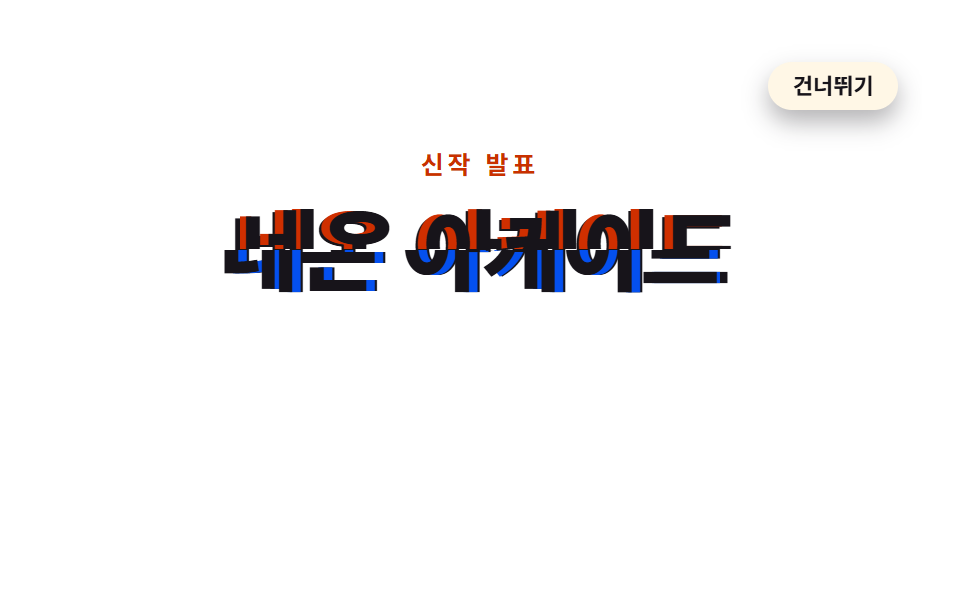 08 intro-glitch-boot
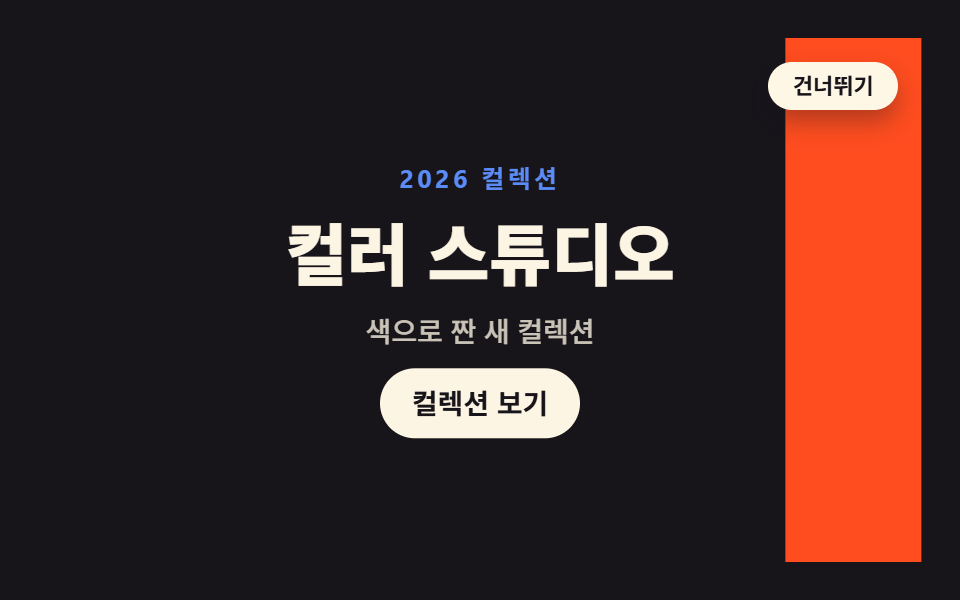 09 intro-color-flood
自動再生 · タイルを押すとその項目へ · すべて1つのzip
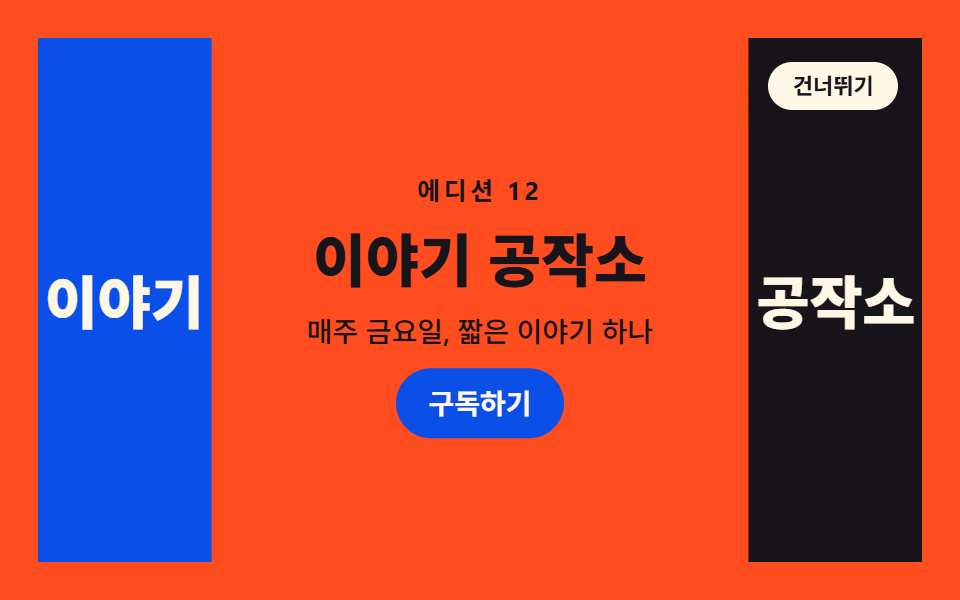
並びは人気の順ではなく、覆いが開く単位が画面の大きな面から細い一筆へ移り、また画面全体へ戻る順です。画面を半分ずつに割る幕がまず退き(01)、散らばった欠片が集まってロゴになり(02)、ここからは一文字(03)・円ひとつ(04)・数字3つ(05)・線一本(06)と主役がだんだん小さくなります。07からは再び画面全体が動いて、左右に割れ(07)、見出しがずれては戻り(08)、色帯が走り抜けます(09)。9つすべてでアニメーションのない基本状態がそのままイントロの終わった画面なので、スキップはクラスを入れ替えるだけの小さな仕事になります。導入の隣人として、待つ間の画面を扱うローディング 画面 デザイン 9選と、画面と画面の間を扱うcss ページ遷移 アニメーション 9選がこの編の両隣です。
01カーテンリフト
画面を覆う二枚の幕が上下に分かれて退き、見出しが一拍遅れて浮かび上がる、ブランドLPの最初の入口に使うイントロです。
<main class="stage">
<div class="cl is-demo" id="cl">
  <section class="cl__site">
    <h1 class="cl__title">新しい物語がはじまります</h1>
    <p class="cl__sub">毎週新しい物語を</p>
    <button class="cl__cta" type="button">はじめる</button>
  </section>
  <div class="cl__veil cl__veil--top" aria-hidden="true"></div>
  <div class="cl__veil cl__veil--bot" aria-hidden="true"><span class="cl__brand">GODRICH</span></div>
  <button class="cl__skip" id="cl-skip" type="button">スキップ</button>
  <p class="cl__live" id="cl-live" aria-live="polite"></p>
</div>
</main>
@use "../../../../site/static/demo-tokens" as *;
// 커튼 리프트 — 화면을 덮은 두 겹 가림막이 위아래로 갈라져 물러나고, 제목이 한 박자 늦게 translateY 로 떠오르는 인트로.
// 원칙: 요소의 기본(애니메이션 없는) 상태 = 인트로가 끝난 화면. "등장 전"은 0% 키프레임이 채운다(animation-fill-mode).
// 그래서 건너뛰기 버튼·Esc·sessionStorage 재방문은 .is-done 로 애니메이션을 끄는 것만으로 완료 상태가 되고,
// prefers-reduced-motion 에서도 애니메이션을 끄면 가림막은 기본 transform(화면 밖)에 있어 처음부터 열려 있다.
// 대비 실측(run/016/_probe/a1_대비.py): 제목 $subject-cream on $stage-ink 17.11:1 · 보조문 rgba($subject-cream,.72) 합성 9.18:1
// · 가림막 브랜드 $subject-cream on $subject-blue 4.25:1(20px 700 큰 글자, 기준 3) · CTA $subject-cream on $subject-blue-deep 5.98:1
$duration: $dur-enter; // 정적(실사용) 재생 시간 — 변형1: $dur-base
$easing: $ease-spring; // 변형2: $ease-pop
$color: $subject-blue; // 가림막 색 — 변형3: $stage-orange
@include stage($stage-ink);
.cl {
position: fixed; inset: 0;
display: flex; flex-direction: column; align-items: center; justify-content: center;
gap: $sp-2; text-align: center;
}
// ── 가림막 아래 깔린 사이트 첫 화면
.cl__title {
margin: 0; color: $subject-cream;
font-weight: 800; font-size: clamp(22px, 5.5vw, 30px); line-height: 1.25;
}
.cl__sub {
margin: 0; color: rgba($subject-cream, .72);
font-weight: 500; font-size: clamp(12px, 3vw, 14px); line-height: 1.5;
}
.cl__cta {
margin-top: $sp-2; padding: $sp-2 $sp-5; border: 0; border-radius: $r-pill;
background: $subject-blue-deep; color: $subject-cream;
font-family: inherit; font-weight: 700; font-size: 13px; line-height: 1.4; cursor: pointer;
}
// ── 두 겹 가림막. 기본 transform 은 "열린" 위치(화면 밖)다. 앞전(가장자리)에 크림 섬을 둬 걷히는 방향을 보여준다
.cl__veil { position: absolute; left: 0; right: 0; height: 50.5%; background: $color; z-index: 2; }
.cl__veil::after { content: ""; position: absolute; left: 0; right: 0; height: $sp-1; background: $subject-cream; }
.cl__veil--top { top: 0; transform: translateY(-102%); }
.cl__veil--top::after { bottom: 0; }
.cl__veil--bot { bottom: 0; transform: translateY(102%); }
.cl__veil--bot::after { top: 0; }
// 닫힌 상태의 타이틀카드 글자. 아래 판에 인쇄되어 있어 판과 함께 물러난다 (20px 700 = 큰 글자)
.cl__brand {
position: absolute; top: $sp-4; left: 0; right: 0; margin: 0; text-align: center;
color: $subject-cream; font-weight: 700; font-size: 20px; line-height: 1.2;
letter-spacing: .35em; text-indent: .35em;
}
// ── 건너뛰기 (무대 우상단). 가림막보다 위
.cl__skip {
position: absolute; top: $sp-3; right: $sp-3; z-index: 4;
padding: $sp-1 $sp-3; border: 1px solid rgba($subject-cream, .32); border-radius: $r-pill;
background: rgba($subject-cream, .10); color: $subject-cream;
font-family: inherit; font-weight: 600; font-size: 12px; line-height: 1.4; cursor: pointer;
}
// 스크린리더용 상태 한 줄
.cl__live {
position: absolute; width: 1px; height: 1px; overflow: hidden;
clip-path: inset(50%); white-space: nowrap;
}
// ── 정적(실사용): 페이지를 열면 한 번 재생되고 열린 채로 끝난다.
// 낱개 속성으로 쓴다 — animation: 단축은 delay 를 0 으로 리셋한다.
// 제목·보조문·CTA 는 opacity 로 나타나지 않는다 — 처음부터 제자리에서 가림막에 가려져 있다가
// 가림막이 걷히며 모습을 드러낸다 (반투명 유령 프레임이 아예 없다)
.cl__veil--top {
animation-name: clTopOnce; animation-duration: $duration; animation-timing-function: $easing;
animation-delay: .08s; animation-fill-mode: both;
}
.cl__veil--bot {
animation-name: clBotOnce; animation-duration: $duration; animation-timing-function: $easing;
animation-delay: .16s; animation-fill-mode: both;
}
.cl__title {
animation-name: clRiseOnce; animation-duration: $duration; animation-timing-function: $easing;
animation-delay: .34s; animation-fill-mode: both;
}
.cl__sub {
animation-name: clRiseOnce; animation-duration: $duration; animation-timing-function: $easing;
animation-delay: .46s; animation-fill-mode: both;
}
.cl__cta {
animation-name: clRiseOnce; animation-duration: $duration; animation-timing-function: $easing;
animation-delay: .58s; animation-fill-mode: both;
}
@keyframes clTopOnce { from { transform: translateY(0); } to { transform: translateY(-102%); } }
@keyframes clBotOnce { from { transform: translateY(0); } to { transform: translateY(102%); } }
@keyframes clRiseOnce { from { transform: translateY(24px); } to { transform: none; } }
// ── 격자 미리보기 루프(2초). 열림 4~32%(스프링 급출발) · 콘텐츠는 가림막 뒤에서 14~50% 에 떠오르고
// 66~94% 에 가림막이 되돌아와 다시 덮는다(콘텐츠는 그 아래에서 그대로 hold — 퇴장 연출이 없다).
// 복귀는 linear 로 충분히 느리게(프레임당 약 10% 캔버스) — 여는 쪽 스프링(약 25%)이 늘 이기므로
// poster 는 "걷히는 중 + 제목 떠오름"이지 "닫히는 순간"이 아니다.
// 마지막 장(95.8%)은 frame 0 와 같은 완전히 닫힌 상태라 루프 이음이 깨끗하다
.cl.is-demo .cl__veil--top {
animation-name: clTopLoop; animation-duration: $dur-loop; animation-timing-function: $easing;
animation-iteration-count: infinite; animation-fill-mode: backwards; animation-delay: 0s;
}
.cl.is-demo .cl__veil--bot {
animation-name: clBotLoop; animation-duration: $dur-loop; animation-timing-function: $easing;
animation-iteration-count: infinite; animation-fill-mode: backwards; animation-delay: 0s;
}
.cl.is-demo .cl__title {
animation-name: clTitleLoop; animation-duration: $dur-loop; animation-timing-function: $easing;
animation-iteration-count: infinite; animation-fill-mode: backwards; animation-delay: 0s;
}
.cl.is-demo .cl__sub {
animation-name: clSubLoop; animation-duration: $dur-loop; animation-timing-function: $easing;
animation-iteration-count: infinite; animation-fill-mode: backwards; animation-delay: 0s;
}
.cl.is-demo .cl__cta {
animation-name: clCtaLoop; animation-duration: $dur-loop; animation-timing-function: $easing;
animation-iteration-count: infinite; animation-fill-mode: backwards; animation-delay: 0s;
}
@keyframes clTopLoop {
0%, 4% { transform: translateY(0); }
26%, 66% { transform: translateY(-102%); animation-timing-function: linear; }
88%, 100% { transform: translateY(0); }
}
@keyframes clBotLoop {
0%, 10% { transform: translateY(0); }
32%, 72% { transform: translateY(102%); animation-timing-function: linear; }
94%, 100% { transform: translateY(0); }
}
@keyframes clTitleLoop {
0%, 14% { transform: translateY(24px); }
36%, 100% { transform: none; }
}
@keyframes clSubLoop {
0%, 20% { transform: translateY(16px); }
44%, 100% { transform: none; }
}
@keyframes clCtaLoop {
0%, 26% { transform: translateY(12px); }
50%, 100% { transform: none; }
}
// 건너뛰기·Esc·재방문: 애니메이션을 끄면 기본 상태(완료)가 드러난다
.cl.is-done .cl__veil--top, .cl.is-done .cl__veil--bot,
.cl.is-done .cl__title, .cl.is-done .cl__sub, .cl.is-done .cl__cta { animation: none; }
.cl.is-done .cl__skip { display: none; }
// ── 좁은 화면: 간격과 글자를 줄여 무대 안에 들어온다. 브랜드 글자는 20px 700(큰 글자)을 유지해
// 크림 on 파랑 대비 기준(3:1)을 지킨다
@media (max-width: 340px) {
.cl { gap: $sp-1; }
.cl__title { font-size: 20px; }
.cl__brand { letter-spacing: .24em; text-indent: .24em; }
}
@media (prefers-reduced-motion: reduce) {
// !important — .cl.is-demo 계열(클래스 3개) 특이도에 지지 않으려면 필요하다
.cl .cl__veil--top, .cl .cl__veil--bot,
.cl .cl__title, .cl .cl__sub, .cl .cl__cta { animation: none !important; }
}html, body {
margin: 0;
overflow: hidden;
}
.stage {
box-sizing: border-box;
min-height: 100vh;
display: grid;
place-items: center;
margin: 0;
background: #17141a;
font-family: -apple-system, "Segoe UI", "Noto Sans KR", sans-serif;
padding: clamp(8px, 4vw, 24px);
}
.cl {
position: fixed;
inset: 0;
display: flex;
flex-direction: column;
align-items: center;
justify-content: center;
gap: 8px;
text-align: center;
}
.cl__title {
margin: 0;
color: #fff7e6;
font-weight: 800;
font-size: clamp(22px, 5.5vw, 30px);
line-height: 1.25;
}
.cl__sub {
margin: 0;
color: rgba(255, 247, 230, 0.72);
font-weight: 500;
font-size: clamp(12px, 3vw, 14px);
line-height: 1.5;
}
.cl__cta {
margin-top: 8px;
padding: 8px 20px;
border: 0;
border-radius: 999px;
background: #0a4fe8;
color: #fff7e6;
font-family: inherit;
font-weight: 700;
font-size: 13px;
line-height: 1.4;
cursor: pointer;
}
.cl__veil {
position: absolute;
left: 0;
right: 0;
height: 50.5%;
background: #2f6df6;
z-index: 2;
}
.cl__veil::after {
content: "";
position: absolute;
left: 0;
right: 0;
height: 4px;
background: #fff7e6;
}
.cl__veil--top {
top: 0;
transform: translateY(-102%);
}
.cl__veil--top::after {
bottom: 0;
}
.cl__veil--bot {
bottom: 0;
transform: translateY(102%);
}
.cl__veil--bot::after {
top: 0;
}
.cl__brand {
position: absolute;
top: 16px;
left: 0;
right: 0;
margin: 0;
text-align: center;
color: #fff7e6;
font-weight: 700;
font-size: 20px;
line-height: 1.2;
letter-spacing: 0.35em;
text-indent: 0.35em;
}
.cl__skip {
position: absolute;
top: 12px;
right: 12px;
z-index: 4;
padding: 4px 12px;
border: 1px solid rgba(255, 247, 230, 0.32);
border-radius: 999px;
background: rgba(255, 247, 230, 0.1);
color: #fff7e6;
font-family: inherit;
font-weight: 600;
font-size: 12px;
line-height: 1.4;
cursor: pointer;
}
.cl__live {
position: absolute;
width: 1px;
height: 1px;
overflow: hidden;
clip-path: inset(50%);
white-space: nowrap;
}
.cl__veil--top {
animation-name: clTopOnce;
animation-duration: 600ms;
animation-timing-function: cubic-bezier(0.2, 0.8, 0.2, 1);
animation-delay: 0.08s;
animation-fill-mode: both;
}
.cl__veil--bot {
animation-name: clBotOnce;
animation-duration: 600ms;
animation-timing-function: cubic-bezier(0.2, 0.8, 0.2, 1);
animation-delay: 0.16s;
animation-fill-mode: both;
}
.cl__title {
animation-name: clRiseOnce;
animation-duration: 600ms;
animation-timing-function: cubic-bezier(0.2, 0.8, 0.2, 1);
animation-delay: 0.34s;
animation-fill-mode: both;
}
.cl__sub {
animation-name: clRiseOnce;
animation-duration: 600ms;
animation-timing-function: cubic-bezier(0.2, 0.8, 0.2, 1);
animation-delay: 0.46s;
animation-fill-mode: both;
}
.cl__cta {
animation-name: clRiseOnce;
animation-duration: 600ms;
animation-timing-function: cubic-bezier(0.2, 0.8, 0.2, 1);
animation-delay: 0.58s;
animation-fill-mode: both;
}
@keyframes clTopOnce {
from {
transform: translateY(0);
}
to {
transform: translateY(-102%);
}
}
@keyframes clBotOnce {
from {
transform: translateY(0);
}
to {
transform: translateY(102%);
}
}
@keyframes clRiseOnce {
from {
transform: translateY(24px);
}
to {
transform: none;
}
}
.cl.is-demo .cl__veil--top {
animation-name: clTopLoop;
animation-duration: 2s;
animation-timing-function: cubic-bezier(0.2, 0.8, 0.2, 1);
animation-iteration-count: infinite;
animation-fill-mode: backwards;
animation-delay: 0s;
}
.cl.is-demo .cl__veil--bot {
animation-name: clBotLoop;
animation-duration: 2s;
animation-timing-function: cubic-bezier(0.2, 0.8, 0.2, 1);
animation-iteration-count: infinite;
animation-fill-mode: backwards;
animation-delay: 0s;
}
.cl.is-demo .cl__title {
animation-name: clTitleLoop;
animation-duration: 2s;
animation-timing-function: cubic-bezier(0.2, 0.8, 0.2, 1);
animation-iteration-count: infinite;
animation-fill-mode: backwards;
animation-delay: 0s;
}
.cl.is-demo .cl__sub {
animation-name: clSubLoop;
animation-duration: 2s;
animation-timing-function: cubic-bezier(0.2, 0.8, 0.2, 1);
animation-iteration-count: infinite;
animation-fill-mode: backwards;
animation-delay: 0s;
}
.cl.is-demo .cl__cta {
animation-name: clCtaLoop;
animation-duration: 2s;
animation-timing-function: cubic-bezier(0.2, 0.8, 0.2, 1);
animation-iteration-count: infinite;
animation-fill-mode: backwards;
animation-delay: 0s;
}
@keyframes clTopLoop {
0%, 4% {
transform: translateY(0);
}
26%, 66% {
transform: translateY(-102%);
animation-timing-function: linear;
}
88%, 100% {
transform: translateY(0);
}
}
@keyframes clBotLoop {
0%, 10% {
transform: translateY(0);
}
32%, 72% {
transform: translateY(102%);
animation-timing-function: linear;
}
94%, 100% {
transform: translateY(0);
}
}
@keyframes clTitleLoop {
0%, 14% {
transform: translateY(24px);
}
36%, 100% {
transform: none;
}
}
@keyframes clSubLoop {
0%, 20% {
transform: translateY(16px);
}
44%, 100% {
transform: none;
}
}
@keyframes clCtaLoop {
0%, 26% {
transform: translateY(12px);
}
50%, 100% {
transform: none;
}
}
.cl.is-done .cl__veil--top, .cl.is-done .cl__veil--bot,
.cl.is-done .cl__title, .cl.is-done .cl__sub, .cl.is-done .cl__cta {
animation: none;
}
.cl.is-done .cl__skip {
display: none;
}
@media (max-width: 340px) {
.cl {
gap: 4px;
}
.cl__title {
font-size: 20px;
}
.cl__brand {
letter-spacing: 0.24em;
text-indent: 0.24em;
}
}
@media (prefers-reduced-motion: reduce) {
.cl .cl__veil--top, .cl .cl__veil--bot,
.cl .cl__title, .cl .cl__sub, .cl .cl__cta {
animation: none !important;
}
}(function () {
var root = document.getElementById('cl');
var live = document.getElementById('cl-live');
var KEY = 'godrich-intro-016-01';
// 인트로를 완료 상태로 보낸다 — 애니메이션을 끄면 기본 상태(열린 화면)가 그대로 드러난다
function finish(announce) {
root.classList.remove('is-demo');
root.classList.add('is-done');
try { sessionStorage.setItem(KEY, '1'); } catch (e) {}
if (announce) live.textContent = 'イントロをスキップしました';
}
document.getElementById('cl-skip').addEventListener('click', function () { finish(true); });
document.addEventListener('keydown', function (e) {
if (e.key === 'Escape') finish(true);
});
var seen = false;
try { seen = sessionStorage.getItem(KEY) !== null; } catch (e) {}
if (seen) finish(false);
})();// CurtainLift — vanilla 판(run/016/demo/01-intro-curtain-lift/index.html) 의 React 포트.
// 두 겹 가림막이 위아래로 갈라지고 제목이 한 박자 늦게 translateY 로 떠오르는 인트로.
// @keyframes 본문은 vanilla 와 같은 글자다 (값을 다시 타이핑하지 않는다).
// 건너뛰기·Esc·sessionStorage 재방문은 애니메이션을 끊는 것(= 기본 상태)으로 완료 상태를 만든다.
import { useEffect, useState } from "react";
import type { CSSProperties } from "react";
import styles from "./CurtainLift.module.scss";
export type CurtainLiftProps = {
duration?: number;
easing?: string;
color?: string;
};
type Vars = CSSProperties & { "--duration"?: string; "--easing"?: string; "--color"?: string };
// ambient 타입에 맞춰 로컬 타입을 쓴다 — 이벤트 제네릭을 react 에서 import 하면 tsc 가 죽는다
type KeyEvt = { key: string };
const KEY = "godrich-intro-016-01";
const TITLE = "새 이야기를 엽니다";
const SUB = "매주 새로운 이야기";
const CTA = "시작하기";
const BRAND = "GODRICH";
const SKIP = "건너뛰기";
const SKIPPED = "인트로를 건너뛰었습니다";
export default function CurtainLift(props: CurtainLiftProps) {
const duration = props.duration ?? 600;
const easing = props.easing ?? "cubic-bezier(.2, .8, .2, 1)";
const color = props.color ?? "#2f6df6";
const [preview, setPreview] = useState<boolean>(true);
const [done, setDone] = useState<boolean>(false);
const [message, setMessage] = useState<string>("");
// 인트로를 완료 상태로 보낸다 — 애니메이션을 끄면 기본 상태(열린 화면)가 그대로 드러난다
const finish = (announce: boolean) => {
setPreview(false);
setDone(true);
try { window.sessionStorage.setItem(KEY, "1"); } catch { }
if (announce) setMessage(SKIPPED);
};
useEffect(() => {
let seen = false;
try { seen = window.sessionStorage.getItem(KEY) !== null; } catch { seen = false; }
if (seen) {
setPreview(false);
setDone(true);
}
}, []);
useEffect(() => {
const onKey = (e: KeyEvt) => { if (e.key === "Escape") finish(true); };
window.addEventListener("keydown", onKey as (e: KeyboardEvent) => void);
return () => window.removeEventListener("keydown", onKey as (e: KeyboardEvent) => void);
}, []);
const vars: Vars = { "--duration": duration + "ms", "--easing": easing, "--color": color };
const rootCls = styles.cl + (preview && !done ? " " + styles.isDemo : "") + (done ? " " + styles.isDone : "");
return (
<main className={styles.stage}>
<div className={rootCls} style={vars}>
<section className={styles.site}>
<h1 className={styles.title}>{TITLE}</h1>
<p className={styles.sub}>{SUB}</p>
<button className={styles.cta} type="button">{CTA}</button>
</section>
<div className={styles.veil + " " + styles.veilTop} aria-hidden="true" />
<div className={styles.veil + " " + styles.veilBot} aria-hidden="true">
<span className={styles.brand}>{BRAND}</span>
</div>
{!done ? (
<button className={styles.skip} type="button" onClick={() => finish(true)}>{SKIP}</button>
) : null}
<p className={styles.live} aria-live="polite">{message}</p>
</div>
</main>
);
}01 · カーテンリフト — 計測 累積面積 99.947% · 動いたフレーム 19/23GODRICH オリジナル · SCSS と React は zip に同梱 · パスワードを見る
基本状態を完了画面にしておく
// ── 二枚の幕。基本の transform は「開いた」位置(画面の外)。前縁にクリームの差し色を置き、退く向きを示す
.cl__veil { position: absolute; left: 0; right: 0; height: 50.5%; background: $color; z-index: 2; }
.cl__veil--top { top: 0; transform: translateY(-102%); }
.cl__veil--bot { bottom: 0; transform: translateY(102%); }
.cl__veil--top {
  animation-name: clTopOnce; animation-duration: $duration; animation-timing-function: $easing;
  animation-delay: .08s; animation-fill-mode: both;
}
@keyframes clTopOnce { from { transform: translateY(0); } to { transform: translateY(-102%); } }
@keyframes clBotOnce { from { transform: translateY(0); } to { transform: translateY(102%); } }
@keyframes clRiseOnce { from { transform: translateY(24px); } to { transform: none; } }
幕の基本の transform はすでに画面の外なので、アニメーションを切った瞬間がそのまま完了画面になります。閉じたままの最初の場面は from キーフレームと animation-fill-mode: both が代わりに埋めます。
スキップと再訪を一つの関数で受ける
// イントロを完了状態へ送る — アニメーションを切れば基本状態(開いた画面)がそのまま現れる
function finish(announce) {
  root.classList.remove('is-demo');
  root.classList.add('is-done');
  try { sessionStorage.setItem(KEY, '1'); } catch (e) {}
  if (announce) live.textContent = 'イントロをスキップしました';
}
document.getElementById('cl-skip').addEventListener('click', function () { finish(true); });
document.addEventListener('keydown', function (e) {
  if (e.key === 'Escape') finish(true);
});
クラス2つを入れ替える関数1つが、ボタン・Esc・再訪の3つの経路をまとめて受け持ちます。この項目のループは累積面積 99.947%・動いたフレーム 19/23・アニメーション5つで測りました。
02ロゴ組み立て
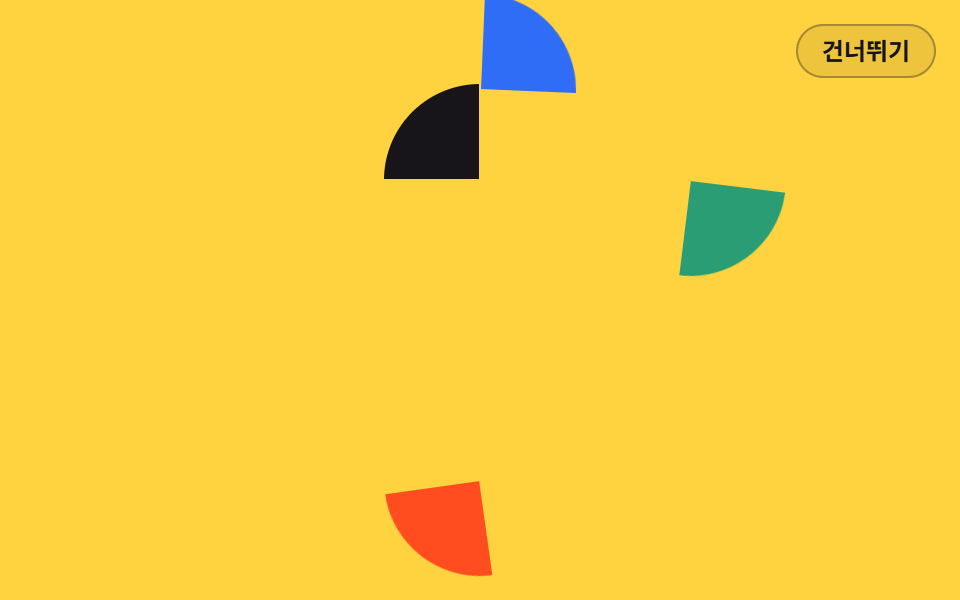
四方から飛んでくる4つの欠片が時差で中央に集まり、最後の欠片が着いた瞬間にロゴがひとつになる、ロゴを先に見せる会社紹介向けのイントロです。
<main class="stage">
<div class="la is-demo" id="la">
  <div class="la__mark" aria-hidden="true">
    <i class="la__q la__q--tl"></i>
    <i class="la__q la__q--tr"></i>
    <i class="la__q la__q--br"></i>
    <i class="la__q la__q--bl"></i>
  </div>
  <p class="la__word">GODRICH</p>
  <p class="la__tag">新しいブランドの最初のあいさつ</p>
  <button class="la__go" type="button">見てみる</button>
  <button class="la__skip" id="la-skip" type="button">スキップ</button>
  <p class="la__live" id="la-live" aria-live="polite"></p>
</div>
</main>
@use "../../../../site/static/demo-tokens" as *;
// 로고 조각 결합 — 사방에서 날아온 조각 네 개가 animation-delay 를 한 칸씩 달리해 가운데로 모이는 인트로.
// 조각은 같은 크기의 원을 clip-path 로 4분면으로 자른 것이다. 기본 transform 은 "맞춰진 자리"라
// 건너뛰기·Esc·재방문·reduced-motion 모두 애니메이션을 끄는 것만으로 완성 로고가 된다.
// 회전축 transform-origin 은 각 조각(원)의 중심 = 로고의 중심. 조각이 붙는 지점이라 원점을 옮기지 않는다.
// 대비 실측(run/016/_probe/a1_대비.py): 워드마크 $subject-ink on $stage-yellow 12.63:1 ·
// 태그라인 rgba($subject-ink,.72) 합성 6.08:1 · CTA $subject-cream on $subject-blue-deep 5.98:1 (조각은 글자가 없는 면)
$duration: $dur-enter; // 정적(실사용) 재생 시간 — 변형1: $dur-base
$easing: $ease-spring; // 변형2: $ease-pop
$color: $subject-blue; // 오른쪽 위 조각 색 — 변형3: $stage-orange
@include stage($stage-yellow);
.la {
position: fixed; inset: 0;
display: flex; flex-direction: column; align-items: center; justify-content: center;
gap: $sp-2; text-align: center;
}
// ── 로고 마크. 4분면 조각 네 개(약 2px 틈)
.la__mark { position: relative; width: 96px; height: 96px; }
.la__q {
position: absolute; inset: 0; border-radius: 50%;
transform-origin: 50% 50%; // 회전축 = 원의 중심 = 조각이 로고에 붙는 지점
}
.la__q--tl { background: $subject-ink; clip-path: inset(0 51% 51% 0); }
.la__q--tr { background: $color; clip-path: inset(0 0 51% 51%); }
.la__q--br { background: $chart-3; clip-path: inset(51% 0 0 51%); }
.la__q--bl { background: $stage-orange; clip-path: inset(51% 51% 0 0); }
.la__word {
margin: $sp-2 0 0; color: $subject-ink;
font-weight: 800; font-size: 22px; line-height: 1.2;
letter-spacing: .3em; text-indent: .3em;
}
.la__tag {
margin: 0; color: rgba($subject-ink, .72);
font-weight: 500; font-size: 13px; line-height: 1.5;
}
.la__go {
margin-top: $sp-2; padding: $sp-2 $sp-5; border: 0; border-radius: $r-pill;
background: $subject-blue-deep; color: $subject-cream;
font-family: inherit; font-weight: 700; font-size: 13px; line-height: 1.4; cursor: pointer;
}
// ── 건너뛰기 (무대 우상단)
.la__skip {
position: absolute; top: $sp-3; right: $sp-3; z-index: 4;
padding: $sp-1 $sp-3; border: 1px solid rgba($subject-ink, .32); border-radius: $r-pill;
background: rgba($subject-ink, .08); color: $subject-ink;
font-family: inherit; font-weight: 600; font-size: 12px; line-height: 1.4; cursor: pointer;
}
.la__live {
position: absolute; width: 1px; height: 1px; overflow: hidden;
clip-path: inset(50%); white-space: nowrap;
}
// ── 정적(실사용): 조각이 한 번씩 지연되어 날아와 앉는다. 낱개 속성 + fill-mode: both 로
// 지연 구간에는 0%(화면 밖)가 채워진다
.la__q--tl {
animation-name: laInTl; animation-duration: $duration; animation-timing-function: $easing;
animation-delay: 0s; animation-fill-mode: both;
}
.la__q--tr {
animation-name: laInTr; animation-duration: $duration; animation-timing-function: $easing;
animation-delay: .08s; animation-fill-mode: both;
}
.la__q--br {
animation-name: laInBr; animation-duration: $duration; animation-timing-function: $easing;
animation-delay: .16s; animation-fill-mode: both;
}
.la__q--bl {
animation-name: laInBl; animation-duration: $duration; animation-timing-function: $easing;
animation-delay: .24s; animation-fill-mode: both;
}
.la__word {
animation-name: laRiseOnce; animation-duration: $duration; animation-timing-function: $easing;
animation-delay: .44s; animation-fill-mode: both;
}
.la__tag {
animation-name: laRiseOnce; animation-duration: $duration; animation-timing-function: $easing;
animation-delay: .54s; animation-fill-mode: both;
}
.la__go {
animation-name: laRiseOnce; animation-duration: $duration; animation-timing-function: $easing;
animation-delay: .64s; animation-fill-mode: both;
}
@keyframes laInTl { from { transform: translate(-150px, 0) rotate(-10deg); } to { transform: none; } }
@keyframes laInTr { from { transform: translate(0, -150px) rotate(8deg); } to { transform: none; } }
@keyframes laInBr { from { transform: translate(150px, 0) rotate(10deg); } to { transform: none; } }
@keyframes laInBl { from { transform: translate(0, 150px) rotate(-8deg); } to { transform: none; } }
@keyframes laRiseOnce { from { opacity: 0; transform: translateY(12px); } to { opacity: 1; transform: none; } }
// ── 격자 미리보기 루프(2초). 도착 0~26%(조각마다 4% 시차) · 워드마크 30~42% ·
// 흩어짐 64~86%(늦게 온 조각이 먼저 떠난다) — 86% 안에 끝나 마지막 장은 frame 0 와 같다.
// 흩어짐 구간은 linear — 컷으로 끊으면 그 한 프레임이 최대 변화가 되어 poster 가 빈 노랑이 된다
.la.is-demo .la__q--tl {
animation-name: laTlLoop; animation-duration: $dur-loop; animation-timing-function: $easing;
animation-iteration-count: infinite; animation-fill-mode: backwards; animation-delay: 0s;
}
.la.is-demo .la__q--tr {
animation-name: laTrLoop; animation-duration: $dur-loop; animation-timing-function: $easing;
animation-iteration-count: infinite; animation-fill-mode: backwards; animation-delay: 0s;
}
.la.is-demo .la__q--br {
animation-name: laBrLoop; animation-duration: $dur-loop; animation-timing-function: $easing;
animation-iteration-count: infinite; animation-fill-mode: backwards; animation-delay: 0s;
}
.la.is-demo .la__q--bl {
animation-name: laBlLoop; animation-duration: $dur-loop; animation-timing-function: $easing;
animation-iteration-count: infinite; animation-fill-mode: backwards; animation-delay: 0s;
}
.la.is-demo .la__word {
animation-name: laWordLoop; animation-duration: $dur-loop; animation-timing-function: $easing;
animation-iteration-count: infinite; animation-fill-mode: backwards; animation-delay: 0s;
}
.la.is-demo .la__tag {
animation-name: laTagLoop; animation-duration: $dur-loop; animation-timing-function: $easing;
animation-iteration-count: infinite; animation-fill-mode: backwards; animation-delay: 0s;
}
.la.is-demo .la__go {
animation-name: laGoLoop; animation-duration: $dur-loop; animation-timing-function: $easing;
animation-iteration-count: infinite; animation-fill-mode: backwards; animation-delay: 0s;
}
@keyframes laTlLoop {
0% { transform: translate(-150px, 0) rotate(-10deg); }
14%, 76% { transform: none; animation-timing-function: linear; }
86%, 100% { transform: translate(-150px, 0) rotate(-10deg); }
}
@keyframes laTrLoop {
0%, 4% { transform: translate(0, -150px) rotate(8deg); }
18%, 72% { transform: none; animation-timing-function: linear; }
82%, 100% { transform: translate(0, -150px) rotate(8deg); }
}
@keyframes laBrLoop {
0%, 8% { transform: translate(150px, 0) rotate(10deg); }
22%, 68% { transform: none; animation-timing-function: linear; }
78%, 100% { transform: translate(150px, 0) rotate(10deg); }
}
@keyframes laBlLoop {
0%, 12% { transform: translate(0, 150px) rotate(-8deg); }
26%, 64% { transform: none; animation-timing-function: linear; }
74%, 100% { transform: translate(0, 150px) rotate(-8deg); }
}
@keyframes laWordLoop {
0%, 30% { opacity: 0; transform: translateY(12px); }
42%, 60% { opacity: 1; transform: none; }
68%, 100% { opacity: 0; transform: translateY(12px); }
}
@keyframes laTagLoop {
0%, 36% { opacity: 0; transform: translateY(10px); }
48%, 60% { opacity: 1; transform: none; }
68%, 100% { opacity: 0; transform: translateY(10px); }
}
@keyframes laGoLoop {
0%, 42% { opacity: 0; transform: translateY(10px); }
54%, 62% { opacity: 1; transform: none; }
70%, 100% { opacity: 0; transform: translateY(10px); }
}
// 건너뛰기·Esc·재방문: 애니메이션을 끄면 기본 상태(완성 로고)가 드러난다
.la.is-done .la__q--tl, .la.is-done .la__q--tr, .la.is-done .la__q--br, .la.is-done .la__q--bl,
.la.is-done .la__word, .la.is-done .la__tag, .la.is-done .la__go { animation: none; }
.la.is-done .la__skip { display: none; }
// ── 좁은 화면: 마크와 글자를 줄여 무대(174px) 안에 들어온다
@media (max-width: 340px) {
.la { gap: $sp-1; }
.la__mark { width: 64px; height: 64px; }
.la__word { font-size: 18px; }
.la__tag { font-size: 12px; }
.la__go { padding: $sp-1 $sp-4; font-size: 12px; }
}
@media (prefers-reduced-motion: reduce) {
// !important — .la.is-demo 계열(클래스 3개) 특이도에 지지 않으려면 필요하다
.la .la__q--tl, .la .la__q--tr, .la .la__q--br, .la .la__q--bl,
.la .la__word, .la .la__tag, .la .la__go { animation: none !important; }
}html, body {
margin: 0;
overflow: hidden;
}
.stage {
box-sizing: border-box;
min-height: 100vh;
display: grid;
place-items: center;
margin: 0;
background: #ffd23f;
font-family: -apple-system, "Segoe UI", "Noto Sans KR", sans-serif;
padding: clamp(8px, 4vw, 24px);
}
.la {
position: fixed;
inset: 0;
display: flex;
flex-direction: column;
align-items: center;
justify-content: center;
gap: 8px;
text-align: center;
}
.la__mark {
position: relative;
width: 96px;
height: 96px;
}
.la__q {
position: absolute;
inset: 0;
border-radius: 50%;
transform-origin: 50% 50%;
}
.la__q--tl {
background: #17141a;
clip-path: inset(0 51% 51% 0);
}
.la__q--tr {
background: #2f6df6;
clip-path: inset(0 0 51% 51%);
}
.la__q--br {
background: #2b9d74;
clip-path: inset(51% 0 0 51%);
}
.la__q--bl {
background: #ff4d1f;
clip-path: inset(51% 51% 0 0);
}
.la__word {
margin: 8px 0 0;
color: #17141a;
font-weight: 800;
font-size: 22px;
line-height: 1.2;
letter-spacing: 0.3em;
text-indent: 0.3em;
}
.la__tag {
margin: 0;
color: rgba(23, 20, 26, 0.72);
font-weight: 500;
font-size: 13px;
line-height: 1.5;
}
.la__go {
margin-top: 8px;
padding: 8px 20px;
border: 0;
border-radius: 999px;
background: #0a4fe8;
color: #fff7e6;
font-family: inherit;
font-weight: 700;
font-size: 13px;
line-height: 1.4;
cursor: pointer;
}
.la__skip {
position: absolute;
top: 12px;
right: 12px;
z-index: 4;
padding: 4px 12px;
border: 1px solid rgba(23, 20, 26, 0.32);
border-radius: 999px;
background: rgba(23, 20, 26, 0.08);
color: #17141a;
font-family: inherit;
font-weight: 600;
font-size: 12px;
line-height: 1.4;
cursor: pointer;
}
.la__live {
position: absolute;
width: 1px;
height: 1px;
overflow: hidden;
clip-path: inset(50%);
white-space: nowrap;
}
.la__q--tl {
animation-name: laInTl;
animation-duration: 600ms;
animation-timing-function: cubic-bezier(0.2, 0.8, 0.2, 1);
animation-delay: 0s;
animation-fill-mode: both;
}
.la__q--tr {
animation-name: laInTr;
animation-duration: 600ms;
animation-timing-function: cubic-bezier(0.2, 0.8, 0.2, 1);
animation-delay: 0.08s;
animation-fill-mode: both;
}
.la__q--br {
animation-name: laInBr;
animation-duration: 600ms;
animation-timing-function: cubic-bezier(0.2, 0.8, 0.2, 1);
animation-delay: 0.16s;
animation-fill-mode: both;
}
.la__q--bl {
animation-name: laInBl;
animation-duration: 600ms;
animation-timing-function: cubic-bezier(0.2, 0.8, 0.2, 1);
animation-delay: 0.24s;
animation-fill-mode: both;
}
.la__word {
animation-name: laRiseOnce;
animation-duration: 600ms;
animation-timing-function: cubic-bezier(0.2, 0.8, 0.2, 1);
animation-delay: 0.44s;
animation-fill-mode: both;
}
.la__tag {
animation-name: laRiseOnce;
animation-duration: 600ms;
animation-timing-function: cubic-bezier(0.2, 0.8, 0.2, 1);
animation-delay: 0.54s;
animation-fill-mode: both;
}
.la__go {
animation-name: laRiseOnce;
animation-duration: 600ms;
animation-timing-function: cubic-bezier(0.2, 0.8, 0.2, 1);
animation-delay: 0.64s;
animation-fill-mode: both;
}
@keyframes laInTl {
from {
transform: translate(-150px, 0) rotate(-10deg);
}
to {
transform: none;
}
}
@keyframes laInTr {
from {
transform: translate(0, -150px) rotate(8deg);
}
to {
transform: none;
}
}
@keyframes laInBr {
from {
transform: translate(150px, 0) rotate(10deg);
}
to {
transform: none;
}
}
@keyframes laInBl {
from {
transform: translate(0, 150px) rotate(-8deg);
}
to {
transform: none;
}
}
@keyframes laRiseOnce {
from {
opacity: 0;
transform: translateY(12px);
}
to {
opacity: 1;
transform: none;
}
}
.la.is-demo .la__q--tl {
animation-name: laTlLoop;
animation-duration: 2s;
animation-timing-function: cubic-bezier(0.2, 0.8, 0.2, 1);
animation-iteration-count: infinite;
animation-fill-mode: backwards;
animation-delay: 0s;
}
.la.is-demo .la__q--tr {
animation-name: laTrLoop;
animation-duration: 2s;
animation-timing-function: cubic-bezier(0.2, 0.8, 0.2, 1);
animation-iteration-count: infinite;
animation-fill-mode: backwards;
animation-delay: 0s;
}
.la.is-demo .la__q--br {
animation-name: laBrLoop;
animation-duration: 2s;
animation-timing-function: cubic-bezier(0.2, 0.8, 0.2, 1);
animation-iteration-count: infinite;
animation-fill-mode: backwards;
animation-delay: 0s;
}
.la.is-demo .la__q--bl {
animation-name: laBlLoop;
animation-duration: 2s;
animation-timing-function: cubic-bezier(0.2, 0.8, 0.2, 1);
animation-iteration-count: infinite;
animation-fill-mode: backwards;
animation-delay: 0s;
}
.la.is-demo .la__word {
animation-name: laWordLoop;
animation-duration: 2s;
animation-timing-function: cubic-bezier(0.2, 0.8, 0.2, 1);
animation-iteration-count: infinite;
animation-fill-mode: backwards;
animation-delay: 0s;
}
.la.is-demo .la__tag {
animation-name: laTagLoop;
animation-duration: 2s;
animation-timing-function: cubic-bezier(0.2, 0.8, 0.2, 1);
animation-iteration-count: infinite;
animation-fill-mode: backwards;
animation-delay: 0s;
}
.la.is-demo .la__go {
animation-name: laGoLoop;
animation-duration: 2s;
animation-timing-function: cubic-bezier(0.2, 0.8, 0.2, 1);
animation-iteration-count: infinite;
animation-fill-mode: backwards;
animation-delay: 0s;
}
@keyframes laTlLoop {
0% {
transform: translate(-150px, 0) rotate(-10deg);
}
14%, 76% {
transform: none;
animation-timing-function: linear;
}
86%, 100% {
transform: translate(-150px, 0) rotate(-10deg);
}
}
@keyframes laTrLoop {
0%, 4% {
transform: translate(0, -150px) rotate(8deg);
}
18%, 72% {
transform: none;
animation-timing-function: linear;
}
82%, 100% {
transform: translate(0, -150px) rotate(8deg);
}
}
@keyframes laBrLoop {
0%, 8% {
transform: translate(150px, 0) rotate(10deg);
}
22%, 68% {
transform: none;
animation-timing-function: linear;
}
78%, 100% {
transform: translate(150px, 0) rotate(10deg);
}
}
@keyframes laBlLoop {
0%, 12% {
transform: translate(0, 150px) rotate(-8deg);
}
26%, 64% {
transform: none;
animation-timing-function: linear;
}
74%, 100% {
transform: translate(0, 150px) rotate(-8deg);
}
}
@keyframes laWordLoop {
0%, 30% {
opacity: 0;
transform: translateY(12px);
}
42%, 60% {
opacity: 1;
transform: none;
}
68%, 100% {
opacity: 0;
transform: translateY(12px);
}
}
@keyframes laTagLoop {
0%, 36% {
opacity: 0;
transform: translateY(10px);
}
48%, 60% {
opacity: 1;
transform: none;
}
68%, 100% {
opacity: 0;
transform: translateY(10px);
}
}
@keyframes laGoLoop {
0%, 42% {
opacity: 0;
transform: translateY(10px);
}
54%, 62% {
opacity: 1;
transform: none;
}
70%, 100% {
opacity: 0;
transform: translateY(10px);
}
}
.la.is-done .la__q--tl, .la.is-done .la__q--tr, .la.is-done .la__q--br, .la.is-done .la__q--bl,
.la.is-done .la__word, .la.is-done .la__tag, .la.is-done .la__go {
animation: none;
}
.la.is-done .la__skip {
display: none;
}
@media (max-width: 340px) {
.la {
gap: 4px;
}
.la__mark {
width: 64px;
height: 64px;
}
.la__word {
font-size: 18px;
}
.la__tag {
font-size: 12px;
}
.la__go {
padding: 4px 16px;
font-size: 12px;
}
}
@media (prefers-reduced-motion: reduce) {
.la .la__q--tl, .la .la__q--tr, .la .la__q--br, .la .la__q--bl,
.la .la__word, .la .la__tag, .la .la__go {
animation: none !important;
}
}(function () {
var root = document.getElementById('la');
var live = document.getElementById('la-live');
var KEY = 'godrich-intro-016-02';
// 인트로를 완료 상태로 보낸다 — 조각의 기본 상태는 맞춰진 자리라 애니메이션을 끄면 로고가 완성되어 있다
function finish(announce) {
root.classList.remove('is-demo');
root.classList.add('is-done');
try { sessionStorage.setItem(KEY, '1'); } catch (e) {}
if (announce) live.textContent = 'イントロをスキップしました';
}
document.getElementById('la-skip').addEventListener('click', function () { finish(true); });
document.addEventListener('keydown', function (e) {
if (e.key === 'Escape') finish(true);
});
var seen = false;
try { seen = sessionStorage.getItem(KEY) !== null; } catch (e) {}
if (seen) finish(false);
})();// LogoAssemble — vanilla 판(run/016/demo/02-intro-logo-assemble/index.html) 의 React 포트.
// 사방에서 날아온 조각 네 개가 animation-delay 를 한 칸씩 달리해 가운데로 모이는 인트로.
// @keyframes 본문은 vanilla 와 같은 글자다 (값을 다시 타이핕하지 않는다).
import { useEffect, useState } from "react";
import type { CSSProperties } from "react";
import styles from "./LogoAssemble.module.scss";
export type LogoAssembleProps = {
duration?: number;
easing?: string;
color?: string;
};
type Vars = CSSProperties & { "--duration"?: string; "--easing"?: string; "--color"?: string };
// ambient 타입에 맞춰 로컬 타입을 쓴다 — 이벤트 제네릭을 react 에서 import 하면 tsc 가 죽는다
type KeyEvt = { key: string };
const KEY = "godrich-intro-016-02";
const WORD = "GODRICH";
const TAG = "새 브랜드의 첫 인사";
const GO = "둘러보기";
const SKIP = "건너뛰기";
const SKIPPED = "인트로를 건너뛰었습니다";
export default function LogoAssemble(props: LogoAssembleProps) {
const duration = props.duration ?? 600;
const easing = props.easing ?? "cubic-bezier(.2, .8, .2, 1)";
const color = props.color ?? "#2f6df6";
const [preview, setPreview] = useState<boolean>(true);
const [done, setDone] = useState<boolean>(false);
const [message, setMessage] = useState<string>("");
// 인트로를 완료 상태로 보낸다 — 조각의 기본 상태는 맞춰진 자리라 애니메이션을 끄면 로고가 완성되어 있다
const finish = (announce: boolean) => {
setPreview(false);
setDone(true);
try { window.sessionStorage.setItem(KEY, "1"); } catch { }
if (announce) setMessage(SKIPPED);
};
useEffect(() => {
let seen = false;
try { seen = window.sessionStorage.getItem(KEY) !== null; } catch { seen = false; }
if (seen) {
setPreview(false);
setDone(true);
}
}, []);
useEffect(() => {
const onKey = (e: KeyEvt) => { if (e.key === "Escape") finish(true); };
window.addEventListener("keydown", onKey as (e: KeyboardEvent) => void);
return () => window.removeEventListener("keydown", onKey as (e: KeyboardEvent) => void);
}, []);
const vars: Vars = { "--duration": duration + "ms", "--easing": easing, "--color": color };
const rootCls = styles.la + (preview && !done ? " " + styles.isDemo : "") + (done ? " " + styles.isDone : "");
return (
<main className={styles.stage}>
<div className={rootCls} style={vars}>
<div className={styles.mark} aria-hidden="true">
<i className={styles.q + " " + styles.qTl} />
<i className={styles.q + " " + styles.qTr} />
<i className={styles.q + " " + styles.qBr} />
<i className={styles.q + " " + styles.qBl} />
</div>
<p className={styles.word}>{WORD}</p>
<p className={styles.tag}>{TAG}</p>
<button className={styles.go} type="button">{GO}</button>
{!done ? (
<button className={styles.skip} type="button" onClick={() => finish(true)}>{SKIP}</button>
) : null}
<p className={styles.live} aria-live="polite">{message}</p>
</div>
</main>
);
}02 · ロゴ組み立て — 計測 累積面積 21.906% · 動いたフレーム 19/23GODRICH オリジナル · SCSS と React は zip に同梱 · パスワードを見る
円ひとつを4分割して欠片を作る
.la__q {
  position: absolute; inset: 0; border-radius: 50%;
  transform-origin: 50% 50%;   // 回転軸 = 円の中心 = 欠片がロゴに着く点
}
.la__q--tl { background: $subject-ink;    clip-path: inset(0 51% 51% 0); }
.la__q--tr { background: $color;          clip-path: inset(0 0 51% 51%); }
.la__q--br { background: $chart-3;        clip-path: inset(51% 0 0 51%); }
.la__q--bl { background: $stage-orange;   clip-path: inset(51% 51% 0 0); }
4つの欠片は同じ場所に重ねた同じ大きさの円で、clip-path: inset がそれぞれの見える四分円だけを残します。4つが定位置に揃うと、51%で取った余白が細い隙間として見えます。
遅延を一段ずつずらして到着順を作る
.la__q--tr {
  animation-name: laInTr; animation-duration: $duration; animation-timing-function: $easing;
  animation-delay: .08s; animation-fill-mode: both;
}
@keyframes laInTl { from { transform: translate(-150px, 0) rotate(-10deg); } to { transform: none; } }
@keyframes laInTr { from { transform: translate(0, -150px) rotate(8deg); } to { transform: none; } }
@keyframes laInBr { from { transform: translate(150px, 0) rotate(10deg); } to { transform: none; } }
@keyframes laInBl { from { transform: translate(0, 150px) rotate(-8deg); } to { transform: none; } }
欠片ごとに出発方向と傾きが違い、遅延だけが0.08秒ずつずれています。累積面積は 21.906% で画面の5分の1ほどしか使わないのに、動いたフレームは 19/23 まで出ます。
03一文字ずつのマスク
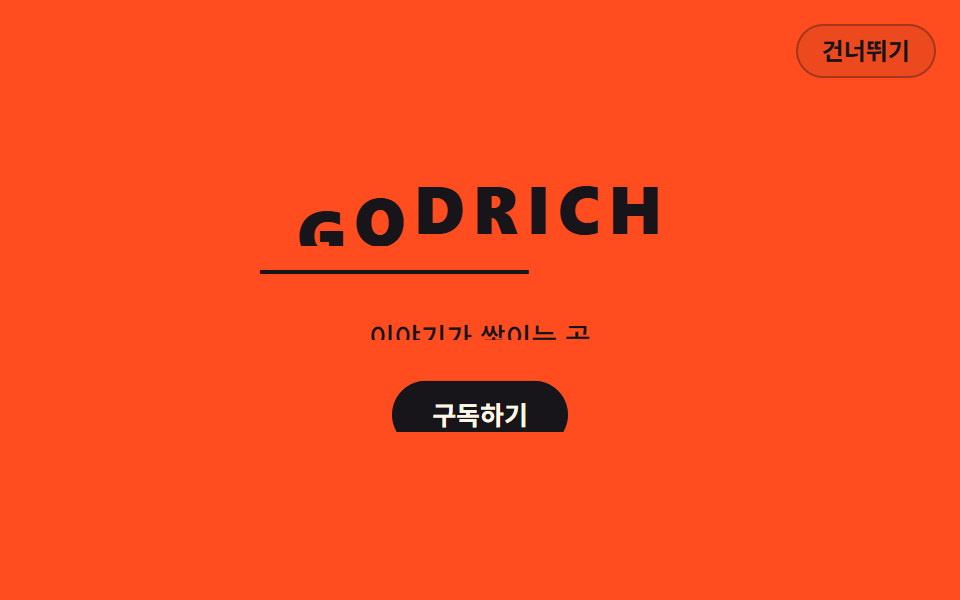
文字ごとに切り取り箱をかぶせ、下から一文字ずつ押し上げて床から生えるように見せる、見出し一行が主役のヒーロー向けイントロです。
<main class="stage">
<div class="tt is-demo" id="tt">
  <h1 class="tt__row" aria-label="GODRICH">
    <span class="tt__box" aria-hidden="true" style="--i:0"><span class="tt__ch">G</span></span>
    <span class="tt__box" aria-hidden="true" style="--i:1"><span class="tt__ch">O</span></span>
    <span class="tt__box" aria-hidden="true" style="--i:2"><span class="tt__ch">D</span></span>
    <span class="tt__box" aria-hidden="true" style="--i:3"><span class="tt__ch">R</span></span>
    <span class="tt__box" aria-hidden="true" style="--i:4"><span class="tt__ch">I</span></span>
    <span class="tt__box" aria-hidden="true" style="--i:5"><span class="tt__ch">C</span></span>
    <span class="tt__box" aria-hidden="true" style="--i:6"><span class="tt__ch">H</span></span>
  </h1>
  <span class="tt__line" aria-hidden="true"></span>
  <div class="tt__mbox"><p class="tt__sub">物語が積もる場所</p></div>
  <div class="tt__mbox"><button class="tt__go" type="button">購読する</button></div>
  <button class="tt__skip" id="tt-skip" type="button">スキップ</button>
  <p class="tt__live" id="tt-live" aria-live="polite"></p>
</div>
</main>
@use "../../../../site/static/demo-tokens" as *;
// 낱글자 마스크 스태거 — 글자마다 overflow: hidden 상자를 씌우고 --i 값만큼 animation-delay 를 줘
// 아래에서 한 글자씩 밀려 올라오게 하는 인트로. 상자 밖은 잘려 있어 글자가 바닥에서 자라는 것처럼 보인다.
// 보조문과 버튼도 같은 마스크 기법으로 올라온다 — 이 데모에는 opacity 페이드가 아예 없어
// 반투명 유령 프레임이 생길 수 없다. 낱글자의 기본 transform 은 "올라온 자리"라
// 건너뛰기·Esc·재방문·reduced-motion 은 애니메이션을 끄는 것만으로 완성된 제목이 된다.
// 밑줄은 scaleX 채움 막대라 transform-origin 을 시작 변(왼쪽)에 둔다 — 붙는 지점이 있는 요소의 예외.
// 대비 실측(run/016/_probe/a1_대비.py): 낱글자 $subject-ink on $stage-orange 5.50:1(큰 글자 기준 3, 일반 기준 4.5도 통과) ·
// 보조문 $subject-ink on $stage-orange 5.50:1 · CTA $subject-cream on $subject-ink 17.11:1
$duration: $dur-enter; // 정적(실사용) 재생 시간 — 변형1: $dur-base
$easing: $ease-spring; // 변형2: $ease-pop
$color: $subject-ink; // 낱글자 색 — 변형3: $stage-orange 대신 밝은 면에서는 글자색 토큰을 다시 잡는다
@include stage($stage-orange);
.tt {
position: fixed; inset: 0;
display: flex; flex-direction: column; align-items: center; justify-content: center;
gap: $sp-3; text-align: center;
}
// ── 낱글자 마스크 줄. 상자가 곧 마스크고 글자는 그 안에서만 보인다
.tt__row { display: flex; gap: $sp-1; margin: 0; }
.tt__box { display: block; overflow: hidden; }
.tt__ch {
display: block; color: $color;
font-weight: 800; font-size: clamp(26px, 7vw, 36px); line-height: 1.15;
}
// 밑줄 — 제목이 자라난 바닥. 채움 막대는 시작 변에서 자란다 (scaleX + origin left)
.tt__line { display: block; width: min(60%, 220px); height: 2px; background: $color; transform-origin: 0 50%; }
// 보조문·버튼의 마스크 상자 — 낱글자와 같은 기법
.tt__mbox { overflow: hidden; }
.tt__sub {
margin: 0; color: $subject-ink;
font-weight: 500; font-size: clamp(12px, 3vw, 14px); line-height: 1.5;
}
.tt__go {
padding: $sp-2 $sp-5; border: 0; border-radius: $r-pill;
background: $subject-ink; color: $subject-cream;
font-family: inherit; font-weight: 700; font-size: 13px; line-height: 1.4; cursor: pointer;
}
// ── 건너뛰기 (무대 우상단)
.tt__skip {
position: absolute; top: $sp-3; right: $sp-3; z-index: 4;
padding: $sp-1 $sp-3; border: 1px solid rgba($subject-ink, .32); border-radius: $r-pill;
background: rgba($subject-ink, .08); color: $subject-ink;
font-family: inherit; font-weight: 600; font-size: 12px; line-height: 1.4; cursor: pointer;
}
.tt__live {
position: absolute; width: 1px; height: 1px; overflow: hidden;
clip-path: inset(50%); white-space: nowrap;
}
// ── 정적(실사용): --i 만큼 지연되어 한 글자씩 올라온다. 낱개 속성 + fill-mode: both 로
// 지연 구간에는 0%(상자 바닥)가 채워진다
.tt__ch {
animation-name: ttChOnce; animation-duration: $duration; animation-timing-function: $easing;
animation-delay: calc(var(--i) * .05s); animation-fill-mode: both;
}
.tt__line {
animation-name: ttLineOnce; animation-duration: $duration; animation-timing-function: $easing;
animation-delay: .46s; animation-fill-mode: both;
}
.tt__sub {
animation-name: ttMaskOnce; animation-duration: $duration; animation-timing-function: $easing;
animation-delay: .54s; animation-fill-mode: both;
}
.tt__go {
animation-name: ttMaskOnce; animation-duration: $duration; animation-timing-function: $easing;
animation-delay: .64s; animation-fill-mode: both;
}
@keyframes ttChOnce { from { transform: translateY(112%); } to { transform: none; } }
@keyframes ttLineOnce { from { transform: scaleX(0); } to { transform: scaleX(1); } }
@keyframes ttMaskOnce { from { transform: translateY(110%); } to { transform: none; } }
// ── 격자 미리보기 루프(2초). 올라옴 0~16% + 낱글자 시차(2.5%씩, 마지막 글자가 31% 에 앉는다 —
// 동시에 움직이는 글자가 4~5개라 이 구간이 프레임 변화가 가장 크고 poster 도 여기서 뽑힌다) ·
// 내려감 62~78% + 시차(마지막 글자가 93% 에 다 내려간다 — 마지막 장 95.8% 는 전부 내려간 상태라
// 루프 이음이 깨끗하다). 내려감은 linear — 키프레임 안에서 덮는다(그 구간이 시작되는 키프레임에 적는다)
.tt.is-demo .tt__ch {
animation-name: ttChLoop; animation-duration: $dur-loop; animation-timing-function: $easing;
animation-iteration-count: infinite; animation-fill-mode: backwards;
animation-delay: calc(var(--i) * .05s);
}
.tt.is-demo .tt__line {
animation-name: ttLineLoop; animation-duration: $dur-loop; animation-timing-function: $easing;
animation-iteration-count: infinite; animation-fill-mode: backwards; animation-delay: 0s;
}
.tt.is-demo .tt__sub {
animation-name: ttSubLoop; animation-duration: $dur-loop; animation-timing-function: $easing;
animation-iteration-count: infinite; animation-fill-mode: backwards; animation-delay: 0s;
}
.tt.is-demo .tt__go {
animation-name: ttGoLoop; animation-duration: $dur-loop; animation-timing-function: $easing;
animation-iteration-count: infinite; animation-fill-mode: backwards; animation-delay: 0s;
}
@keyframes ttChLoop {
0% { transform: translateY(112%); }
16%, 62% { transform: none; animation-timing-function: linear; }
78%, 100% { transform: translateY(112%); }
}
@keyframes ttLineLoop {
0%, 12% { transform: scaleX(0); }
34%, 62% { transform: scaleX(1); animation-timing-function: linear; }
74%, 100% { transform: scaleX(0); }
}
@keyframes ttSubLoop {
0%, 34% { transform: translateY(110%); }
48%, 62% { transform: none; animation-timing-function: linear; }
74%, 100% { transform: translateY(110%); }
}
@keyframes ttGoLoop {
0%, 40% { transform: translateY(110%); }
54%, 64% { transform: none; animation-timing-function: linear; }
76%, 100% { transform: translateY(110%); }
}
// 건너뛰기·Esc·재방문: 애니메이션을 끄면 기본 상태(완성된 제목)가 드러난다
.tt.is-done .tt__ch, .tt.is-done .tt__line, .tt.is-done .tt__sub, .tt.is-done .tt__go { animation: none; }
.tt.is-done .tt__skip { display: none; }
// ── 좁은 화면: 글자와 간격을 줄여 무대(174px) 안에 들어온다
@media (max-width: 340px) {
.tt { gap: $sp-2; }
.tt__ch { font-size: 24px; }
.tt__line { width: 140px; }
}
@media (prefers-reduced-motion: reduce) {
// !important — .tt.is-demo 계열(클래스 3개) 특이도에 지지 않으려면 필요하다
.tt .tt__ch, .tt .tt__line, .tt .tt__sub, .tt .tt__go { animation: none !important; }
}html, body {
margin: 0;
overflow: hidden;
}
.stage {
box-sizing: border-box;
min-height: 100vh;
display: grid;
place-items: center;
margin: 0;
background: #ff4d1f;
font-family: -apple-system, "Segoe UI", "Noto Sans KR", sans-serif;
padding: clamp(8px, 4vw, 24px);
}
.tt {
position: fixed;
inset: 0;
display: flex;
flex-direction: column;
align-items: center;
justify-content: center;
gap: 12px;
text-align: center;
}
.tt__row {
display: flex;
gap: 4px;
margin: 0;
}
.tt__box {
display: block;
overflow: hidden;
}
.tt__ch {
display: block;
color: #17141a;
font-weight: 800;
font-size: clamp(26px, 7vw, 36px);
line-height: 1.15;
}
.tt__line {
display: block;
width: min(60%, 220px);
height: 2px;
background: #17141a;
transform-origin: 0 50%;
}
.tt__mbox {
overflow: hidden;
}
.tt__sub {
margin: 0;
color: #17141a;
font-weight: 500;
font-size: clamp(12px, 3vw, 14px);
line-height: 1.5;
}
.tt__go {
padding: 8px 20px;
border: 0;
border-radius: 999px;
background: #17141a;
color: #fff7e6;
font-family: inherit;
font-weight: 700;
font-size: 13px;
line-height: 1.4;
cursor: pointer;
}
.tt__skip {
position: absolute;
top: 12px;
right: 12px;
z-index: 4;
padding: 4px 12px;
border: 1px solid rgba(23, 20, 26, 0.32);
border-radius: 999px;
background: rgba(23, 20, 26, 0.08);
color: #17141a;
font-family: inherit;
font-weight: 600;
font-size: 12px;
line-height: 1.4;
cursor: pointer;
}
.tt__live {
position: absolute;
width: 1px;
height: 1px;
overflow: hidden;
clip-path: inset(50%);
white-space: nowrap;
}
.tt__ch {
animation-name: ttChOnce;
animation-duration: 600ms;
animation-timing-function: cubic-bezier(0.2, 0.8, 0.2, 1);
animation-delay: calc(var(--i) * 0.05s);
animation-fill-mode: both;
}
.tt__line {
animation-name: ttLineOnce;
animation-duration: 600ms;
animation-timing-function: cubic-bezier(0.2, 0.8, 0.2, 1);
animation-delay: 0.46s;
animation-fill-mode: both;
}
.tt__sub {
animation-name: ttMaskOnce;
animation-duration: 600ms;
animation-timing-function: cubic-bezier(0.2, 0.8, 0.2, 1);
animation-delay: 0.54s;
animation-fill-mode: both;
}
.tt__go {
animation-name: ttMaskOnce;
animation-duration: 600ms;
animation-timing-function: cubic-bezier(0.2, 0.8, 0.2, 1);
animation-delay: 0.64s;
animation-fill-mode: both;
}
@keyframes ttChOnce {
from {
transform: translateY(112%);
}
to {
transform: none;
}
}
@keyframes ttLineOnce {
from {
transform: scaleX(0);
}
to {
transform: scaleX(1);
}
}
@keyframes ttMaskOnce {
from {
transform: translateY(110%);
}
to {
transform: none;
}
}
.tt.is-demo .tt__ch {
animation-name: ttChLoop;
animation-duration: 2s;
animation-timing-function: cubic-bezier(0.2, 0.8, 0.2, 1);
animation-iteration-count: infinite;
animation-fill-mode: backwards;
animation-delay: calc(var(--i) * 0.05s);
}
.tt.is-demo .tt__line {
animation-name: ttLineLoop;
animation-duration: 2s;
animation-timing-function: cubic-bezier(0.2, 0.8, 0.2, 1);
animation-iteration-count: infinite;
animation-fill-mode: backwards;
animation-delay: 0s;
}
.tt.is-demo .tt__sub {
animation-name: ttSubLoop;
animation-duration: 2s;
animation-timing-function: cubic-bezier(0.2, 0.8, 0.2, 1);
animation-iteration-count: infinite;
animation-fill-mode: backwards;
animation-delay: 0s;
}
.tt.is-demo .tt__go {
animation-name: ttGoLoop;
animation-duration: 2s;
animation-timing-function: cubic-bezier(0.2, 0.8, 0.2, 1);
animation-iteration-count: infinite;
animation-fill-mode: backwards;
animation-delay: 0s;
}
@keyframes ttChLoop {
0% {
transform: translateY(112%);
}
16%, 62% {
transform: none;
animation-timing-function: linear;
}
78%, 100% {
transform: translateY(112%);
}
}
@keyframes ttLineLoop {
0%, 12% {
transform: scaleX(0);
}
34%, 62% {
transform: scaleX(1);
animation-timing-function: linear;
}
74%, 100% {
transform: scaleX(0);
}
}
@keyframes ttSubLoop {
0%, 34% {
transform: translateY(110%);
}
48%, 62% {
transform: none;
animation-timing-function: linear;
}
74%, 100% {
transform: translateY(110%);
}
}
@keyframes ttGoLoop {
0%, 40% {
transform: translateY(110%);
}
54%, 64% {
transform: none;
animation-timing-function: linear;
}
76%, 100% {
transform: translateY(110%);
}
}
.tt.is-done .tt__ch, .tt.is-done .tt__line, .tt.is-done .tt__sub, .tt.is-done .tt__go {
animation: none;
}
.tt.is-done .tt__skip {
display: none;
}
@media (max-width: 340px) {
.tt {
gap: 8px;
}
.tt__ch {
font-size: 24px;
}
.tt__line {
width: 140px;
}
}
@media (prefers-reduced-motion: reduce) {
.tt .tt__ch, .tt .tt__line, .tt .tt__sub, .tt .tt__go {
animation: none !important;
}
}(function () {
var root = document.getElementById('tt');
var live = document.getElementById('tt-live');
var KEY = 'godrich-intro-016-03';
// 인트로를 완료 상태로 보낸다 — 낱글자의 기본 상태는 올라온 자리라 애니메이션을 끄면 제목이 완성되어 있다
function finish(announce) {
root.classList.remove('is-demo');
root.classList.add('is-done');
try { sessionStorage.setItem(KEY, '1'); } catch (e) {}
if (announce) live.textContent = 'イントロをスキップしました';
}
document.getElementById('tt-skip').addEventListener('click', function () { finish(true); });
document.addEventListener('keydown', function (e) {
if (e.key === 'Escape') finish(true);
});
var seen = false;
try { seen = sessionStorage.getItem(KEY) !== null; } catch (e) {}
if (seen) finish(false);
})();// TitleMaskStagger — vanilla 판(run/016/demo/03-intro-title-mask-stagger/index.html) 의 React 포트.
// 글자마다 overflow: hidden 상자를 씌우고 --i 값만큼 animation-delay 를 줘 한 글자씩 올라오는 인트로.
// @keyframes 본문은 vanilla 와 같은 글자다 (값을 다시 타이핑하지 않는다).
import { useEffect, useState } from "react";
import type { CSSProperties } from "react";
import styles from "./TitleMaskStagger.module.scss";
export type TitleMaskStaggerProps = {
duration?: number;
easing?: string;
color?: string;
};
type Vars = CSSProperties & { "--duration"?: string; "--easing"?: string; "--color"?: string; "--i"?: number };
// ambient 타입에 맞춰 로컬 타입을 쓴다 — 이벤트 제네릭을 react 에서 import 하면 tsc 가 죽는다
type KeyEvt = { key: string };
const KEY = "godrich-intro-016-03";
const WORD = "GODRICH";
const LETTERS = WORD.split("");
const SUB = "이야기가 쌓이는 곳";
const GO = "구독하기";
const SKIP = "건너뛰기";
const SKIPPED = "인트로를 건너뛰었습니다";
export default function TitleMaskStagger(props: TitleMaskStaggerProps) {
const duration = props.duration ?? 600;
const easing = props.easing ?? "cubic-bezier(.2, .8, .2, 1)";
const color = props.color ?? "#17141a";
const [preview, setPreview] = useState<boolean>(true);
const [done, setDone] = useState<boolean>(false);
const [message, setMessage] = useState<string>("");
// 인트로를 완료 상태로 보낸다 — 낱글자의 기본 상태는 올라온 자리라 애니메이션을 끄면 제목이 완성되어 있다
const finish = (announce: boolean) => {
setPreview(false);
setDone(true);
try { window.sessionStorage.setItem(KEY, "1"); } catch { }
if (announce) setMessage(SKIPPED);
};
useEffect(() => {
let seen = false;
try { seen = window.sessionStorage.getItem(KEY) !== null; } catch { seen = false; }
if (seen) {
setPreview(false);
setDone(true);
}
}, []);
useEffect(() => {
const onKey = (e: KeyEvt) => { if (e.key === "Escape") finish(true); };
window.addEventListener("keydown", onKey as (e: KeyboardEvent) => void);
return () => window.removeEventListener("keydown", onKey as (e: KeyboardEvent) => void);
}, []);
const vars: Vars = { "--duration": duration + "ms", "--easing": easing, "--color": color };
const rootCls = styles.tt + (preview && !done ? " " + styles.isDemo : "") + (done ? " " + styles.isDone : "");
return (
<main className={styles.stage}>
<div className={rootCls} style={vars}>
<h1 className={styles.row} aria-label={WORD}>
{LETTERS.map((ch, i) => (
<span className={styles.box} aria-hidden="true" key={i} style={{ "--i": i } as CSSProperties}>
<span className={styles.ch}>{ch}</span>
</span>
))}
</h1>
<span className={styles.line} aria-hidden="true" />
<div className={styles.mbox}><p className={styles.sub}>{SUB}</p></div>
<div className={styles.mbox}><button className={styles.go} type="button">{GO}</button></div>
{!done ? (
<button className={styles.skip} type="button" onClick={() => finish(true)}>{SKIP}</button>
) : null}
<p className={styles.live} aria-live="polite">{message}</p>
</div>
</main>
);
}03 · 一文字ずつのマスク — 計測 累積面積 6.092% · 動いたフレーム 21/23GODRICH オリジナル · SCSS と React は zip に同梱 · パスワードを見る
箱がマスクを兼ねて文字は中だけで見える
.tt__row { display: flex; gap: $sp-1; margin: 0; }
.tt__box { display: block; overflow: hidden; }
.tt__ch {
  display: block; color: $color;
  font-weight: 800; font-size: clamp(26px, 7vw, 36px); line-height: 1.15;
}
.tt__ch {
  animation-name: ttChOnce; animation-duration: $duration; animation-timing-function: $easing;
  animation-delay: calc(var(--i) * .05s); animation-fill-mode: both;
}
@keyframes ttChOnce { from { transform: translateY(112%); } to { transform: none; } }
文字を112%下げて置くと overflow: hidden の箱の外になるので、まったく見えなくなります。この作りには半透明に透ける中間状態が入る余地がありません。
順番はマークアップが変数で渡す
<h1 class="tt__row" aria-label="GODRICH">
  <span class="tt__box" aria-hidden="true" style="--i:0"><span class="tt__ch">G</span></span>
  <span class="tt__box" aria-hidden="true" style="--i:1"><span class="tt__ch">O</span></span>
  <span class="tt__box" aria-hidden="true" style="--i:2"><span class="tt__ch">D</span></span>
  <span class="tt__box" aria-hidden="true" style="--i:3"><span class="tt__ch">R</span></span>
  <span class="tt__box" aria-hidden="true" style="--i:4"><span class="tt__ch">I</span></span>
  <span class="tt__box" aria-hidden="true" style="--i:5"><span class="tt__ch">C</span></span>
  <span class="tt__box" aria-hidden="true" style="--i:6"><span class="tt__ch">H</span></span>
</h1>
一文字ずつを aria-hidden で隠し、行全体に aria-label を付けて、読み上げではひとつの単語として聞こえます。文字が順番に上がるおかげで動いたフレームは 21/23 と、9つの中でいちばん細かくなりました。
04円形マスクワイプ
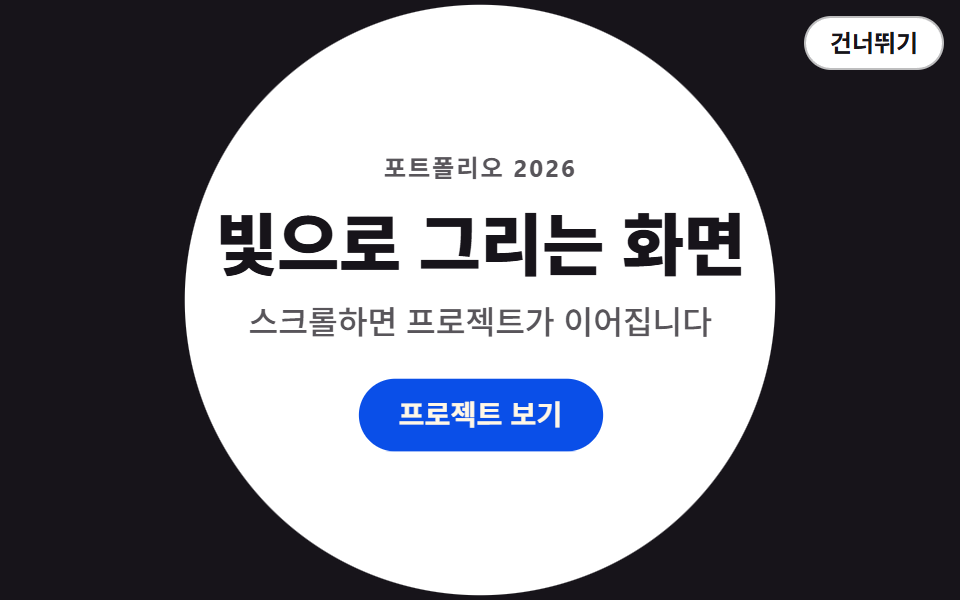
中央の一点から始まった円が画面外まで広がって覆いを消し、下に敷かれていた内容をそのまま現す、ポートフォリオの最初の切り替え向けイントロです。
<main class="stage">
<div class="iw is-demo" id="iw">
  <div class="iw__cover" aria-hidden="true"><span class="iw__seed"></span></div>
  <div class="iw__site">
    <div class="iw__box">
      <p class="iw__kicker">ポートフォリオ 2026</p>
      <h1 class="iw__title">光で描く画面</h1>
      <p class="iw__sub">スクロールでプロジェクトが続きます</p>
      <a class="iw__cta" href="#">プロジェクトを見る</a>
    </div>
  </div>
  <button class="iw__skip" type="button" id="iwSkip">スキップ</button>
  <p class="iw__sr" aria-live="polite" id="iwLive"></p>
</div>
</main>
@use "../../../../site/static/demo-tokens" as *;
// 원형 마스크 와이프 — 잉크 덮개 위에 놓인 첫 화면이 clip-path: circle() 하나로 중앙의 점에서부터 펼쳐진다.
// 움직이는 건 두 가지뿐: .iw__site 의 clip-path(원이 커진다)와 .iw__box 의 transform(살짝 dolly-out).
// 덮개 자체는 정적이고, 기본(애니메이션 없는) 상태 = 완료 상태라 .is-demo 만 떼면 그 자리가 끝난 화면이다.
// 대비(실측, 스크래치 run/016/_probe/대비_a2.py): 제목 $subject-ink/$stage-paper 18.24:1 ·
// 부제 rgba($subject-ink,.72) 합성 #58565a 위 7.26:1 · CTA $subject-cream/$subject-blue-deep 5.98:1 ·
// 씨앗 점 $subject-cream/$subject-ink 17.11:1.
$duration: $dur-loop; // 미리보기 루프 주기 — 설정 초(2s)와 같다
$easing: $ease-out; // 원의 확장 이징
$color: $subject-blue-deep; // CTA 면색 — 크림 글자를 얹는 파란 면은 이 토큰이다
@include stage($stage-paper);
.stage { padding: 0; } // 인트로는 무대를 가득 채운다 — 덮개가 화면 끝까지 가야 와이프로 읽힌다
.iw { position: relative; width: 100%; height: 100vh; }
// 덮개 — 아래 깔린 잉크 전면. 원이 커질수록 위의 .iw__site 에 가려진다
.iw__cover { position: absolute; inset: 0; z-index: 1; background: $subject-ink; }
// 원이 시작하는 씨앗 점 — circle(0%) 의 중심 표식. 첫 장이 빈 화면이 되지 않게 한다
.iw__seed {
position: absolute; left: 50%; top: 50%;
width: 12px; height: 12px; border-radius: 50%;
transform: translate(-50%, -50%);
background: $subject-cream;
}
// 첫 화면 — clip-path 원이 이 요소를 마스크한다. 배경이 불투명이라 원 안에서 덮개를 완전히 덮는다
.iw__site {
position: absolute; inset: 0; z-index: 2;
display: grid; place-items: center;
box-sizing: border-box; padding: $sp-4;
background: $stage-paper;
}
// 세로 묶음 — dolly-out 은 화면보다 작은 이 상자에 건다(전면 요소를 scale up 하면 scrollWidth 가 넘친다)
.iw__box {
display: flex; flex-direction: column; align-items: center;
width: min(84%, 400px); gap: $sp-2; text-align: center;
}
.iw__kicker {
margin: 0; color: rgba($subject-ink, .72);
font-weight: 700; font-size: 12px; line-height: 1.4; letter-spacing: .08em;
}
.iw__title {
margin: 0; color: $subject-ink;
font-weight: 800; font-size: clamp(24px, 7vw, 40px); line-height: 1.2; letter-spacing: -.01em;
}
.iw__sub {
margin: 0; color: rgba($subject-ink, .72);
font-weight: 500; font-size: clamp(13px, 3.4vw, 16px); line-height: 1.5;
}
.iw__cta {
margin-top: $sp-2; padding: $sp-2 $sp-5; border-radius: $r-pill;
background: $color; color: $subject-cream; text-decoration: none;
font-weight: 700; font-size: 14px; line-height: 1.4;
}
.iw__cta:focus-visible { outline: 2px solid $subject-ink; outline-offset: 2px; }
// 건너뛰기 — 덮개(잉크) 위에서도 첫 화면(종이) 위에서도 읽히도록 자기 배경을 가진 알약
.iw__skip {
position: absolute; top: $sp-2; right: $sp-2; z-index: 3;
padding: $sp-1 $sp-3; border: 1px solid rgba($subject-ink, .28); border-radius: $r-pill;
background: $stage-paper; color: $subject-ink; cursor: pointer;
font-family: inherit; font-weight: 600; font-size: 12px; line-height: 1.4;
}
.iw__skip:focus-visible { outline: 2px solid $subject-blue; outline-offset: 2px; }
// 화면 낭독기용 상태 한 줄 — 눈에는 보이지 않는다
.iw__sr {
position: absolute; width: 1px; height: 1px;
clip-path: inset(50%); overflow: hidden; white-space: nowrap;
}
// ── 격자 미리보기 루프 (2초). 정적 상태(기본)는 곧 완료 상태다
// 원은 62% 까지 커지고 그대로 유지된다 — 되돌아감은 루프 경계(100%)의 컷 한 번뿐이라 샘플이 유령을 찍지 않는다.
// 75% 면 이 무대의 모서리까지 닿는다(480×300 기준 참조반지름 400px, 모서리 거리 283px).
.iw.is-demo .iw__site {
animation-name: iwOpen;
animation-duration: $duration;
animation-timing-function: $easing;
animation-iteration-count: infinite;
animation-fill-mode: both;
}
.iw.is-demo .iw__box {
animation-name: iwSettle;
animation-duration: $duration;
animation-timing-function: $ease-spring;
animation-iteration-count: infinite;
animation-fill-mode: both;
}
@keyframes iwOpen {
0% { clip-path: circle(0% at 50% 50%); }
62% { clip-path: circle(75% at 50% 50%); }
100% { clip-path: circle(75% at 50% 50%); }
}
@keyframes iwSettle {
0% { transform: scale(1.045); }
78% { transform: scale(1); }
100% { transform: scale(1); }
}
// ── 좁은 화면: 세로 여유(320×200)를 지키기 위해 묶음 간격과 글자를 줄인다
@media (max-width: 340px) {
.iw__site { padding: $sp-3; }
.iw__box { gap: $sp-1; }
.iw__title { font-size: 22px; }
.iw__sub { font-size: 12px; }
.iw__cta { margin-top: $sp-1; }
}
@media (prefers-reduced-motion: reduce) {
.iw.is-demo .iw__site,
.iw.is-demo .iw__box {
animation: none !important;
}
}html, body {
margin: 0;
overflow: hidden;
}
.stage {
box-sizing: border-box;
min-height: 100vh;
display: grid;
place-items: center;
margin: 0;
background: #ffffff;
font-family: -apple-system, "Segoe UI", "Noto Sans KR", sans-serif;
padding: clamp(8px, 4vw, 24px);
}
.stage {
padding: 0;
}
.iw {
position: relative;
width: 100%;
height: 100vh;
}
.iw__cover {
position: absolute;
inset: 0;
z-index: 1;
background: #17141a;
}
.iw__seed {
position: absolute;
left: 50%;
top: 50%;
width: 12px;
height: 12px;
border-radius: 50%;
transform: translate(-50%, -50%);
background: #fff7e6;
}
.iw__site {
position: absolute;
inset: 0;
z-index: 2;
display: grid;
place-items: center;
box-sizing: border-box;
padding: 16px;
background: #ffffff;
}
.iw__box {
display: flex;
flex-direction: column;
align-items: center;
width: min(84%, 400px);
gap: 8px;
text-align: center;
}
.iw__kicker {
margin: 0;
color: rgba(23, 20, 26, 0.72);
font-weight: 700;
font-size: 12px;
line-height: 1.4;
letter-spacing: 0.08em;
}
.iw__title {
margin: 0;
color: #17141a;
font-weight: 800;
font-size: clamp(24px, 7vw, 40px);
line-height: 1.2;
letter-spacing: -0.01em;
}
.iw__sub {
margin: 0;
color: rgba(23, 20, 26, 0.72);
font-weight: 500;
font-size: clamp(13px, 3.4vw, 16px);
line-height: 1.5;
}
.iw__cta {
margin-top: 8px;
padding: 8px 20px;
border-radius: 999px;
background: #0a4fe8;
color: #fff7e6;
text-decoration: none;
font-weight: 700;
font-size: 14px;
line-height: 1.4;
}
.iw__cta:focus-visible {
outline: 2px solid #17141a;
outline-offset: 2px;
}
.iw__skip {
position: absolute;
top: 8px;
right: 8px;
z-index: 3;
padding: 4px 12px;
border: 1px solid rgba(23, 20, 26, 0.28);
border-radius: 999px;
background: #ffffff;
color: #17141a;
cursor: pointer;
font-family: inherit;
font-weight: 600;
font-size: 12px;
line-height: 1.4;
}
.iw__skip:focus-visible {
outline: 2px solid #2f6df6;
outline-offset: 2px;
}
.iw__sr {
position: absolute;
width: 1px;
height: 1px;
clip-path: inset(50%);
overflow: hidden;
white-space: nowrap;
}
.iw.is-demo .iw__site {
animation-name: iwOpen;
animation-duration: 2s;
animation-timing-function: ease-out;
animation-iteration-count: infinite;
animation-fill-mode: both;
}
.iw.is-demo .iw__box {
animation-name: iwSettle;
animation-duration: 2s;
animation-timing-function: cubic-bezier(0.2, 0.8, 0.2, 1);
animation-iteration-count: infinite;
animation-fill-mode: both;
}
@keyframes iwOpen {
0% {
clip-path: circle(0% at 50% 50%);
}
62% {
clip-path: circle(75% at 50% 50%);
}
100% {
clip-path: circle(75% at 50% 50%);
}
}
@keyframes iwSettle {
0% {
transform: scale(1.045);
}
78% {
transform: scale(1);
}
100% {
transform: scale(1);
}
}
@media (max-width: 340px) {
.iw__site {
padding: 12px;
}
.iw__box {
gap: 4px;
}
.iw__title {
font-size: 22px;
}
.iw__sub {
font-size: 12px;
}
.iw__cta {
margin-top: 4px;
}
}
@media (prefers-reduced-motion: reduce) {
.iw.is-demo .iw__site,
.iw.is-demo .iw__box {
animation: none !important;
}
}(function () {
var root = document.getElementById('iw');
var skipBtn = document.getElementById('iwSkip');
var live = document.getElementById('iwLive');
var KEY = 'intro04-seen';
// 스킵은 인트로를 그 자리의 완료 상태로 끝낸다 — 완료 = 애니메이션 없는 기본 CSS 상태라 클래스 하나로 된다
function complete(msg) {
root.classList.remove('is-demo');
root.classList.add('is-done');
skipBtn.hidden = true;
live.textContent = msg;
try { sessionStorage.setItem(KEY, '1'); } catch (err) { /* 접근이 막힌 브라우저는 저장 없이 진행 */ }
}
skipBtn.addEventListener('click', function () { complete('イントロをスキップしました'); });
document.addEventListener('keydown', function (e) {
if (e.key === 'Escape') complete('イントロをスキップしました');
});
// 한 번 본 세션은 처음부터 완료 상태로 시작한다
try {
if (sessionStorage.getItem(KEY)) {
root.classList.remove('is-demo');
root.classList.add('is-done');
skipBtn.hidden = true;
live.textContent = '見済みのイントロのためすぐ開きました';
}
} catch (err) { /* sessionStorage 접근이 막히면 그냥 인트로를 보여준다 */ }
})();// ShapeWipe — vanilla 판(run/016/demo/04-intro-shape-wipe/index.html) 의 React 포트.
// 잉크 덮개 위의 첫 화면이 clip-path: circle() 하나로 중앙의 점에서부터 펼쳐지는 원형 마스크 와이프.
// 스킵 버튼·Esc·sessionStorage 재방문 처리를 훅으로 옮겼고, @keyframes 본문은 vanilla 와 같은 글자다.
import { useEffect, useState } from "react";
import type { CSSProperties } from "react";
import styles from "./ShapeWipe.module.scss";
export type ShapeWipeProps = {
duration?: number; // ms — 미리보기 루프 주기
easing?: string; // 원의 확장 이징
color?: string; // CTA 면색
storageKey?: string; // sessionStorage 키 — 편마다 다르게
};
type Vars = CSSProperties & { "--duration"?: string; "--easing"?: string; "--color"?: string };
type KeyEvt = { key: string };
const KICKER = "포트폴리오 2026";
const TITLE = "빛으로 그리는 화면";
const SUB = "스크롤하면 프로젝트가 이어집니다";
const CTA = "프로젝트 보기";
const SKIP = "건너뛰기";
const MSG_SKIP = "인트로를 건너뛰었습니다";
const MSG_AGAIN = "이미 본 인트로라 바로 열었습니다";
export default function ShapeWipe(props: ShapeWipeProps) {
const duration = props.duration ?? 2000;
const easing = props.easing ?? "ease-out";
const color = props.color ?? "#0a4fe8";
const key = props.storageKey ?? "intro04-seen";
const [msg, setMsg] = useState<string>("");
const [done, setDone] = useState<boolean>(() => {
try {
return !!sessionStorage.getItem(key);
} catch {
return false;
}
});
useEffect(() => {
try {
if (sessionStorage.getItem(key)) setMsg(MSG_AGAIN);
} catch {
/* sessionStorage 접근이 막히면 그냥 인트로를 보여준다 */
}
}, [key]);
function skipNow() {
setDone(true);
setMsg(MSG_SKIP);
try {
sessionStorage.setItem(key, "1");
} catch {
/* 접근이 막힌 브라우저는 저장 없이 진행 */
}
}
useEffect(() => {
function onKey(e: KeyEvt) {
if (e.key === "Escape") skipNow();
}
document.addEventListener("keydown", onKey);
return () => document.removeEventListener("keydown", onKey);
}, [key]);
const vars: Vars = { "--duration": duration + "ms", "--easing": easing, "--color": color };
return (
<main className={styles.stage}>
<div className={styles.root + (done ? "" : " " + styles.isDemo)} id="iw" style={vars}>
<div className={styles.cover} aria-hidden="true"><span className={styles.seed} /></div>
<div className={styles.site}>
<div className={styles.box}>
<p className={styles.kicker}>{KICKER}</p>
<h1 className={styles.title}>{TITLE}</h1>
<p className={styles.sub}>{SUB}</p>
<a className={styles.cta} href="#">{CTA}</a>
</div>
</div>
{!done && (
<button className={styles.skip} type="button" onClick={skipNow}>
{SKIP}
</button>
)}
<p className={styles.sr} aria-live="polite">{msg}</p>
</div>
</main>
);
}04 · 円形マスクワイプ — 計測 累積面積 97.503% · 動いたフレーム 16/23GODRICH オリジナル · SCSS と React は zip に同梱 · パスワードを見る
円が大きくなるのではなく覆いが消える
// 最初の画面 — clip-path の円がこの要素をマスクする。背景は不透明なので、円の中では覆いを完全に隠す
.iw__site {
  position: absolute; inset: 0; z-index: 2;
  display: grid; place-items: center;
  box-sizing: border-box; padding: $sp-4;
  background: $stage-paper;
}
@keyframes iwOpen {
  0% { clip-path: circle(0% at 50% 50%); }
  62% { clip-path: circle(75% at 50% 50%); }
  100% { clip-path: circle(75% at 50% 50%); }
}
動いているのはインクの覆いではなく、その上に載せた最初の画面の clip-path 一行です。円の内側は不透明な紙色なので、広がる分だけ覆いが切り取られていきます。
半径75%が四隅に届く計算
// 75% ならこの舞台の四隅まで届く(480×300 の基準半径 400px、四隅までの距離 283px)
.iw.is-demo .iw__site {
  animation-name: iwOpen;
  animation-duration: $duration;
  animation-timing-function: $easing;
  animation-iteration-count: infinite;
  animation-fill-mode: both;
}
circle() のパーセントは縦横を合わせた基準半径に対する値なので、480×300 の舞台で 75% は 300px になります。中心から四隅までの 283px より長いため四隅まで消え、累積面積は 97.503% と画面のほぼ全体です。
05カウントダウン導入
3・2・1 が1フレームで切り替わり、数字ごとに大きさが一段縮んで、数える間に画面が近づいてくる、イベントや配信の開始画面向けイントロです。
<main class="stage">
<div class="cd is-demo" id="cd">
  <div class="cd__site">
    <div class="cd__box">
      <p class="cd__kicker">ライブ配信</p>
      <h1 class="cd__title">今夜九時から</h1>
      <p class="cd__sub">カウントダウンが終わるとすぐ入場できます</p>
      <a class="cd__cta" href="#">入場する</a>
    </div>
  </div>
  <div class="cd__nums" aria-hidden="true">
    <span class="cd__n cd__n--3"><span class="cd__pop">3</span></span>
    <span class="cd__n cd__n--2"><span class="cd__pop">2</span></span>
    <span class="cd__n cd__n--1"><span class="cd__pop">1</span></span>
    <span class="cd__tag">まもなく開始</span>
  </div>
  <button class="cd__skip" type="button" id="cdSkip">スキップ</button>
  <p class="cd__sr" aria-live="polite" id="cdLive"></p>
</div>
</main>
@use "../../../../site/static/demo-tokens" as *;
// 카운트다운 리드 — 3·2·1 이 steps(1, end) 로 한 프레임에 갈아 끼워진다(반투명 유령 프레임이 없다).
// 숫자는 컷으로만 바꾸고 움직임은 transform 이 맡는다: 숫자마다 scale 이 한 번씩 줄며 안착하는 팝,
// 그리고 셋을 세는 동안 카운트 전체가 scale 로 다가오는 dolly-in. 컷과 이징을 한 keyframes 에 섞지 않는다
// (steps 타이밍은 나머지 속성도 중간값 없이 점프시킨다 — 266-09 실측).
// steps(1, end) 는 구간 끝에서만 값이 바뀐다 — 컷 지점을 중간 키프레임(14·28·42%)으로 직접 찍는다.
// 대비(실측, run/016/_probe/대비_a2.py): 제목 $subject-cream/$stage-ink 17.11:1 ·
// 부제·태그 rgba($subject-cream,.72) 합성 #beb7ad 위 9.18:1 · 숫자 $stage-yellow/$stage-ink 12.63:1 ·
// CTA $subject-cream/$subject-blue-deep 5.98:1.
$duration: $dur-loop; // 미리보기 루프 주기 — 설정 초(2s)와 같다
$easing: $ease-pop; // 숫자 팝의 이징
$color: $stage-yellow; // 숫자색 — 잉크 무대 위
@include stage($stage-ink);
.stage { padding: 0; } // 인트로는 무대를 가득 채운다
.cd { position: relative; width: 100%; height: 100vh; }
// 첫 화면 — 카운트다운 뒤에 드러나는 본래 자리. 기본 상태가 곧 완료 상태다
.cd__site {
position: absolute; inset: 0; z-index: 1;
display: grid; place-items: center;
box-sizing: border-box; padding: $sp-4;
}
// 세로 묶음 — 등장 rise 는 화면보다 작은 이 상자에 건다(전면 요소를 밀면 scrollHeight 가 넘친다)
.cd__box {
display: flex; flex-direction: column; align-items: center;
width: min(84%, 400px); gap: $sp-2; text-align: center;
}
.cd__kicker {
margin: 0; color: rgba($subject-cream, .72);
font-weight: 700; font-size: 12px; line-height: 1.4; letter-spacing: .08em;
}
.cd__title {
margin: 0; color: $subject-cream;
font-weight: 800; font-size: clamp(24px, 7vw, 40px); line-height: 1.2; letter-spacing: -.01em;
}
.cd__sub {
margin: 0; color: rgba($subject-cream, .72);
font-weight: 500; font-size: clamp(13px, 3.4vw, 16px); line-height: 1.5;
}
.cd__cta {
margin-top: $sp-2; padding: $sp-2 $sp-5; border-radius: $r-pill;
background: $subject-blue-deep; color: $subject-cream; text-decoration: none;
font-weight: 700; font-size: 14px; line-height: 1.4;
}
.cd__cta:focus-visible { outline: 2px solid $subject-blue-light; outline-offset: 2px; }
// 카운트다운 숫자 — 세 숫자를 같은 칸에 포개 놓고 opacity 컷으로 하나씩만 보인다.
// 컨테이너는 내용 크기로 자랄 수 있게 중심점 고정 배치(dolly scale 이 화면을 넘기지 않게)
.cd__nums {
position: absolute; left: 50%; top: 50%; z-index: 2;
display: grid; justify-items: center; row-gap: $sp-2;
transform: translate(-50%, -50%);
pointer-events: none;
}
.cd__n {
grid-area: 1 / 1;
color: $color;
font-weight: 800; font-size: clamp(72px, 24vw, 104px); line-height: 1;
font-variant-numeric: tabular-nums; // 3·2·1 폭이 같아 컷마다 중심이 흔들리지 않는다
opacity: 0; // 기본(완료 상태)에는 숫자가 없다
}
.cd__pop { display: block; }
.cd__tag {
grid-row: 2;
margin: 0; color: rgba($subject-cream, .72);
font-weight: 700; font-size: 13px; line-height: 1.4; letter-spacing: .12em;
opacity: 0;
}
// 건너뛰기 — 숫자(잉크) 위에서도 첫 화면 위에서도 읽히도록 자기 배경을 가진 알약
.cd__skip {
position: absolute; top: $sp-2; right: $sp-2; z-index: 3;
padding: $sp-1 $sp-3; border: 1px solid rgba($subject-ink, .28); border-radius: $r-pill;
background: $stage-paper; color: $subject-ink; cursor: pointer;
font-family: inherit; font-weight: 600; font-size: 12px; line-height: 1.4;
}
.cd__skip:focus-visible { outline: 2px solid $subject-blue-light; outline-offset: 2px; }
// 화면 낭독기용 상태 한 줄 — 눈에는 보이지 않는다
.cd__sr {
position: absolute; width: 1px; height: 1px;
clip-path: inset(50%); overflow: hidden; white-space: nowrap;
}
// ── 격자 미리보기 루프 (2초). 컷 지점: 3 → 14% 에 2 → 28% 에 1 → 42% 에 첫 화면
// 숫자마다 팝을 새 keyframes 로 두는 이유 — delay 로 미루면 backwards 채움으로
// 아직 자기 차례가 아닌 숫자가 루프 앞구간에 보이기 때문이다.
.cd.is-demo .cd__n,
.cd.is-demo .cd__tag {
animation-duration: $duration;
animation-timing-function: steps(1, end);
animation-iteration-count: infinite;
animation-fill-mode: both;
}
.cd.is-demo .cd__n--3 { animation-name: cdN3; }
.cd.is-demo .cd__n--2 { animation-name: cdN2; }
.cd.is-demo .cd__n--1 { animation-name: cdN1; }
.cd.is-demo .cd__tag { animation-name: cdTag; }
.cd.is-demo .cd__n--3 .cd__pop,
.cd.is-demo .cd__n--2 .cd__pop,
.cd.is-demo .cd__n--1 .cd__pop {
animation-duration: $duration;
animation-timing-function: $easing;
animation-iteration-count: infinite;
animation-fill-mode: both;
}
// 팝은 숫자마다 제 keyframes 하나 — 같은 속성(transform)에 애니메이션을 겹치면 목록 뒤쪽이 이겨 순서가 어긋난다
.cd.is-demo .cd__n--3 .cd__pop { animation-name: cdPop3; }
.cd.is-demo .cd__n--2 .cd__pop { animation-name: cdPop2; }
.cd.is-demo .cd__n--1 .cd__pop { animation-name: cdPop1; }
.cd.is-demo .cd__nums {
animation-name: cdDolly;
animation-duration: $duration;
animation-timing-function: $ease-out;
animation-iteration-count: infinite;
animation-fill-mode: both;
}
.cd.is-demo .cd__site {
animation-name: cdSite;
animation-duration: $duration;
animation-timing-function: steps(1, end);
animation-iteration-count: infinite;
animation-fill-mode: both;
}
.cd.is-demo .cd__box {
animation-name: cdRise;
animation-duration: $duration;
animation-timing-function: $easing;
animation-iteration-count: infinite;
animation-fill-mode: both;
}
// 숫자·태그 컷 — steps(1, end) 라 값은 구간 끝(각 컷 키프레임)에서만 바뀐다
@keyframes cdN3 { 0% { opacity: 1; } 14% { opacity: 0; } 100% { opacity: 0; } }
@keyframes cdN2 { 0% { opacity: 0; } 14% { opacity: 1; } 28% { opacity: 0; } 100% { opacity: 0; } }
@keyframes cdN1 { 0% { opacity: 0; } 28% { opacity: 1; } 42% { opacity: 0; } 100% { opacity: 0; } }
@keyframes cdTag { 0% { opacity: 1; } 42% { opacity: 0; } 100% { opacity: 0; } }
@keyframes cdSite { 0% { opacity: 0; } 42% { opacity: 1; } 100% { opacity: 1; } }
// 숫자마다 한 번씩 줄어드는 팝 — 크게 들어와 제자리에 안착한다
@keyframes cdPop3 { 0% { transform: scale(1.5); } 12% { transform: scale(1); } 100% { transform: scale(1); } }
@keyframes cdPop2 { 0%, 14% { transform: scale(1.5); } 26% { transform: scale(1); } 100% { transform: scale(1); } }
@keyframes cdPop1 { 0%, 28% { transform: scale(1.5); } 40% { transform: scale(1); } 100% { transform: scale(1); } }
// 셋을 세는 동안 화면이 가까워진다 — 중심 고정 translate 는 배치, scale 은 연출
@keyframes cdDolly {
0% { transform: translate(-50%, -50%) scale(1); }
42% { transform: translate(-50%, -50%) scale(1.12); }
100% { transform: translate(-50%, -50%) scale(1.12); }
}
// 첫 화면 등장 — 42% 컷 뒤 살짝 떠오른다
@keyframes cdRise {
0%, 42% { transform: translateY(12px); }
58% { transform: translateY(0); }
100% { transform: translateY(0); }
}
// ── 좁은 화면: 세로 여유(320×200)를 지키기 위해 묶음 간격과 글자를 줄인다
@media (max-width: 340px) {
.cd__site { padding: $sp-3; }
.cd__box { gap: $sp-1; }
.cd__title { font-size: 22px; }
.cd__sub { font-size: 12px; }
.cd__cta { margin-top: $sp-1; }
.cd__n { font-size: 72px; }
}
@media (prefers-reduced-motion: reduce) {
.cd.is-demo .cd__n,
.cd.is-demo .cd__tag,
.cd.is-demo .cd__pop,
.cd.is-demo .cd__nums,
.cd.is-demo .cd__site,
.cd.is-demo .cd__box {
animation: none !important;
}
}html, body {
margin: 0;
overflow: hidden;
}
.stage {
box-sizing: border-box;
min-height: 100vh;
display: grid;
place-items: center;
margin: 0;
background: #17141a;
font-family: -apple-system, "Segoe UI", "Noto Sans KR", sans-serif;
padding: clamp(8px, 4vw, 24px);
}
.stage {
padding: 0;
}
.cd {
position: relative;
width: 100%;
height: 100vh;
}
.cd__site {
position: absolute;
inset: 0;
z-index: 1;
display: grid;
place-items: center;
box-sizing: border-box;
padding: 16px;
}
.cd__box {
display: flex;
flex-direction: column;
align-items: center;
width: min(84%, 400px);
gap: 8px;
text-align: center;
}
.cd__kicker {
margin: 0;
color: rgba(255, 247, 230, 0.72);
font-weight: 700;
font-size: 12px;
line-height: 1.4;
letter-spacing: 0.08em;
}
.cd__title {
margin: 0;
color: #fff7e6;
font-weight: 800;
font-size: clamp(24px, 7vw, 40px);
line-height: 1.2;
letter-spacing: -0.01em;
}
.cd__sub {
margin: 0;
color: rgba(255, 247, 230, 0.72);
font-weight: 500;
font-size: clamp(13px, 3.4vw, 16px);
line-height: 1.5;
}
.cd__cta {
margin-top: 8px;
padding: 8px 20px;
border-radius: 999px;
background: #0a4fe8;
color: #fff7e6;
text-decoration: none;
font-weight: 700;
font-size: 14px;
line-height: 1.4;
}
.cd__cta:focus-visible {
outline: 2px solid #5b8cf8;
outline-offset: 2px;
}
.cd__nums {
position: absolute;
left: 50%;
top: 50%;
z-index: 2;
display: grid;
justify-items: center;
row-gap: 8px;
transform: translate(-50%, -50%);
pointer-events: none;
}
.cd__n {
grid-area: 1/1;
color: #ffd23f;
font-weight: 800;
font-size: clamp(72px, 24vw, 104px);
line-height: 1;
font-variant-numeric: tabular-nums;
opacity: 0;
}
.cd__pop {
display: block;
}
.cd__tag {
grid-row: 2;
margin: 0;
color: rgba(255, 247, 230, 0.72);
font-weight: 700;
font-size: 13px;
line-height: 1.4;
letter-spacing: 0.12em;
opacity: 0;
}
.cd__skip {
position: absolute;
top: 8px;
right: 8px;
z-index: 3;
padding: 4px 12px;
border: 1px solid rgba(23, 20, 26, 0.28);
border-radius: 999px;
background: #ffffff;
color: #17141a;
cursor: pointer;
font-family: inherit;
font-weight: 600;
font-size: 12px;
line-height: 1.4;
}
.cd__skip:focus-visible {
outline: 2px solid #5b8cf8;
outline-offset: 2px;
}
.cd__sr {
position: absolute;
width: 1px;
height: 1px;
clip-path: inset(50%);
overflow: hidden;
white-space: nowrap;
}
.cd.is-demo .cd__n,
.cd.is-demo .cd__tag {
animation-duration: 2s;
animation-timing-function: steps(1, end);
animation-iteration-count: infinite;
animation-fill-mode: both;
}
.cd.is-demo .cd__n--3 {
animation-name: cdN3;
}
.cd.is-demo .cd__n--2 {
animation-name: cdN2;
}
.cd.is-demo .cd__n--1 {
animation-name: cdN1;
}
.cd.is-demo .cd__tag {
animation-name: cdTag;
}
.cd.is-demo .cd__n--3 .cd__pop,
.cd.is-demo .cd__n--2 .cd__pop,
.cd.is-demo .cd__n--1 .cd__pop {
animation-duration: 2s;
animation-timing-function: cubic-bezier(0.2, 1.4, 0.4, 1);
animation-iteration-count: infinite;
animation-fill-mode: both;
}
.cd.is-demo .cd__n--3 .cd__pop {
animation-name: cdPop3;
}
.cd.is-demo .cd__n--2 .cd__pop {
animation-name: cdPop2;
}
.cd.is-demo .cd__n--1 .cd__pop {
animation-name: cdPop1;
}
.cd.is-demo .cd__nums {
animation-name: cdDolly;
animation-duration: 2s;
animation-timing-function: ease-out;
animation-iteration-count: infinite;
animation-fill-mode: both;
}
.cd.is-demo .cd__site {
animation-name: cdSite;
animation-duration: 2s;
animation-timing-function: steps(1, end);
animation-iteration-count: infinite;
animation-fill-mode: both;
}
.cd.is-demo .cd__box {
animation-name: cdRise;
animation-duration: 2s;
animation-timing-function: cubic-bezier(0.2, 1.4, 0.4, 1);
animation-iteration-count: infinite;
animation-fill-mode: both;
}
@keyframes cdN3 {
0% {
opacity: 1;
}
14% {
opacity: 0;
}
100% {
opacity: 0;
}
}
@keyframes cdN2 {
0% {
opacity: 0;
}
14% {
opacity: 1;
}
28% {
opacity: 0;
}
100% {
opacity: 0;
}
}
@keyframes cdN1 {
0% {
opacity: 0;
}
28% {
opacity: 1;
}
42% {
opacity: 0;
}
100% {
opacity: 0;
}
}
@keyframes cdTag {
0% {
opacity: 1;
}
42% {
opacity: 0;
}
100% {
opacity: 0;
}
}
@keyframes cdSite {
0% {
opacity: 0;
}
42% {
opacity: 1;
}
100% {
opacity: 1;
}
}
@keyframes cdPop3 {
0% {
transform: scale(1.5);
}
12% {
transform: scale(1);
}
100% {
transform: scale(1);
}
}
@keyframes cdPop2 {
0%, 14% {
transform: scale(1.5);
}
26% {
transform: scale(1);
}
100% {
transform: scale(1);
}
}
@keyframes cdPop1 {
0%, 28% {
transform: scale(1.5);
}
40% {
transform: scale(1);
}
100% {
transform: scale(1);
}
}
@keyframes cdDolly {
0% {
transform: translate(-50%, -50%) scale(1);
}
42% {
transform: translate(-50%, -50%) scale(1.12);
}
100% {
transform: translate(-50%, -50%) scale(1.12);
}
}
@keyframes cdRise {
0%, 42% {
transform: translateY(12px);
}
58% {
transform: translateY(0);
}
100% {
transform: translateY(0);
}
}
@media (max-width: 340px) {
.cd__site {
padding: 12px;
}
.cd__box {
gap: 4px;
}
.cd__title {
font-size: 22px;
}
.cd__sub {
font-size: 12px;
}
.cd__cta {
margin-top: 4px;
}
.cd__n {
font-size: 72px;
}
}
@media (prefers-reduced-motion: reduce) {
.cd.is-demo .cd__n,
.cd.is-demo .cd__tag,
.cd.is-demo .cd__pop,
.cd.is-demo .cd__nums,
.cd.is-demo .cd__site,
.cd.is-demo .cd__box {
animation: none !important;
}
}(function () {
var root = document.getElementById('cd');
var skipBtn = document.getElementById('cdSkip');
var live = document.getElementById('cdLive');
var KEY = 'intro05-seen';
// 스킵은 카운트다운을 건너뛰어 첫 화면(기본 CSS 상태)으로 바로 보내준다
function complete(msg) {
root.classList.remove('is-demo');
root.classList.add('is-done');
skipBtn.hidden = true;
live.textContent = msg;
try { sessionStorage.setItem(KEY, '1'); } catch (err) { /* 접근이 막힌 브라우저는 저장 없이 진행 */ }
}
skipBtn.addEventListener('click', function () { complete('イントロをスキップしました'); });
document.addEventListener('keydown', function (e) {
if (e.key === 'Escape') complete('イントロをスキップしました');
});
// 한 번 본 세션은 처음부터 첫 화면으로 시작한다
try {
if (sessionStorage.getItem(KEY)) {
root.classList.remove('is-demo');
root.classList.add('is-done');
skipBtn.hidden = true;
live.textContent = '見済みのイントロのためすぐ開きました';
}
} catch (err) { /* sessionStorage 접근이 막히면 그냥 카운트다운을 보여준다 */ }
})();// CountdownLead — vanilla 판(run/016/demo/05-intro-countdown-lead/index.html) 의 React 포트.
// 3·2·1 이 steps(1, end) 컷으로 갈아 끼워지고 숫자마다 scale 팝·카운트 전체 dolly-in 이 따라온다.
// 스킵 버튼·Esc·sessionStorage 재방문 처리를 훅으로 옮겼고, @keyframes 본문은 vanilla 와 같은 글자다.
import { useEffect, useState } from "react";
import type { CSSProperties } from "react";
import styles from "./CountdownLead.module.scss";
export type CountdownLeadProps = {
duration?: number; // ms — 미리보기 루프 주기
easing?: string; // 숫자 팝 이징
color?: string; // 숫자색
storageKey?: string; // sessionStorage 키 — 편마다 다르게
};
type Vars = CSSProperties & { "--duration"?: string; "--easing"?: string; "--color"?: string };
type KeyEvt = { key: string };
const KICKER = "실시간 라이브";
const TITLE = "오늘 밤 아홉 시";
const SUB = "카운트다운이 끝나면 바로 입장합니다";
const CTA = "입장하기";
const TAG = "곧 시작합니다";
const SKIP = "건너뛰기";
const MSG_SKIP = "인트로를 건너뛰었습니다";
const MSG_AGAIN = "이미 본 인트로라 바로 열었습니다";
export default function CountdownLead(props: CountdownLeadProps) {
const duration = props.duration ?? 2000;
const easing = props.easing ?? "cubic-bezier(.2, 1.4, .4, 1)";
const color = props.color ?? "#ffd23f";
const key = props.storageKey ?? "intro05-seen";
const [msg, setMsg] = useState<string>("");
const [done, setDone] = useState<boolean>(() => {
try {
return !!sessionStorage.getItem(key);
} catch {
return false;
}
});
useEffect(() => {
try {
if (sessionStorage.getItem(key)) setMsg(MSG_AGAIN);
} catch {
/* sessionStorage 접근이 막히면 그냥 카운트다운을 보여준다 */
}
}, [key]);
function skipNow() {
setDone(true);
setMsg(MSG_SKIP);
try {
sessionStorage.setItem(key, "1");
} catch {
/* 접근이 막힌 브라우저는 저장 없이 진행 */
}
}
useEffect(() => {
function onKey(e: KeyEvt) {
if (e.key === "Escape") skipNow();
}
document.addEventListener("keydown", onKey);
return () => document.removeEventListener("keydown", onKey);
}, [key]);
const vars: Vars = { "--duration": duration + "ms", "--easing": easing, "--color": color };
return (
<main className={styles.stage}>
<div className={styles.root + (done ? "" : " " + styles.isDemo)} style={vars}>
<div className={styles.site}>
<div className={styles.box}>
<p className={styles.kicker}>{KICKER}</p>
<h1 className={styles.title}>{TITLE}</h1>
<p className={styles.sub}>{SUB}</p>
<a className={styles.cta} href="#">{CTA}</a>
</div>
</div>
<div className={styles.nums} aria-hidden="true">
<span className={styles.n + " " + styles.n3}><span className={styles.pop}>3</span></span>
<span className={styles.n + " " + styles.n2}><span className={styles.pop}>2</span></span>
<span className={styles.n + " " + styles.n1}><span className={styles.pop}>1</span></span>
<span className={styles.tag}>{TAG}</span>
</div>
{!done && (
<button className={styles.skip} type="button" onClick={skipNow}>
{SKIP}
</button>
)}
<p className={styles.sr} aria-live="polite">{msg}</p>
</div>
</main>
);
}05 · カウントダウン導入 — 計測 累積面積 10.317% · 動いたフレーム 14/23GODRICH オリジナル · SCSS と React は zip に同梱 · パスワードを見る
数字3つを同じ枡に重ねる
.cd__n {
  grid-area: 1 / 1;
  color: $color;
  font-weight: 800; font-size: clamp(72px, 24vw, 104px); line-height: 1;
  font-variant-numeric: tabular-nums;   // 3・2・1 の幅が揃い、コマのたびに中心が揺れない
  opacity: 0;                            // 基本(完了状態)には数字がない
}
@keyframes cdN3   { 0% { opacity: 1; } 14% { opacity: 0; } 100% { opacity: 0; } }
@keyframes cdN2   { 0% { opacity: 0; } 14% { opacity: 1; } 28% { opacity: 0; } 100% { opacity: 0; } }
@keyframes cdN1   { 0% { opacity: 0; } 28% { opacity: 1; } 42% { opacity: 0; } 100% { opacity: 0; } }
3つの数字を grid-area: 1 / 1 で同じ枡に重ね、見せるひとつだけを選んで点けます。幅の揃った数字なので、入れ替わっても中心線は揺れません。
ポップを数字ごとに分ける理由
// ポップは数字ごとに専用の keyframes 1つ — 同じプロパティ(transform)に重ねるとリストの後ろが勝ち、順序がずれる
.cd.is-demo .cd__n--3 .cd__pop { animation-name: cdPop3; }
.cd.is-demo .cd__n--2 .cd__pop { animation-name: cdPop2; }
.cd.is-demo .cd__n--1 .cd__pop { animation-name: cdPop1; }
@keyframes cdPop3 { 0% { transform: scale(1.5); } 12% { transform: scale(1); } 100% { transform: scale(1); } }
@keyframes cdPop2 { 0%, 14% { transform: scale(1.5); } 26% { transform: scale(1); } 100% { transform: scale(1); } }
@keyframes cdPop1 { 0%, 28% { transform: scale(1.5); } 40% { transform: scale(1); } 100% { transform: scale(1); } }
コマ送りとイージングをひとつのキーフレームに混ぜないため、点灯は数字の要素が、大きさのポップはその中の子が分担します。アニメーションは10入りですが、動いたフレームは 14/23 と少なめです。
06ライン描画の枠
枠が一筆で描かれ、線が閉じると中の文字が続いて点く、展示や雑誌の表紙のような入り方をするイントロです。
<main class="stage">
<div class="ld is-demo" id="ld">
  <figure class="ld__frame">
    <svg class="ld__svg" viewBox="0 0 320 200" aria-hidden="true" focusable="false">
      <rect class="ld__rect" x="6" y="6" width="308" height="188" rx="8" pathLength="100" />
    </svg>
    <div class="ld__inner">
      <p class="ld__kicker">秋の特別展</p>
      <h1 class="ld__title">線の箱舟</h1>
      <p class="ld__sub">10月4日から28日まで</p>
    </div>
  </figure>
  <button class="ld__skip" type="button" id="ldSkip">スキップ</button>
  <p class="ld__sr" aria-live="polite" id="ldLive"></p>
</div>
</main>
@use "../../../../site/static/demo-tokens" as *;
// 라인 드로잉 테두리 — SVG rect 에 pathLength="100" 을 고정해 두고
// stroke-dasharray: 100 · stroke-dashoffset 100 → 0 만으로 한 붓 그리기를 만든다(길이 계산이 필요 없다).
// 선이 닫히는 56% 부터 안쪽 글자가 steps(1, end) 컷으로 켜지고 translateY 로 뒤따라 올라온다.
// 기본(애니메이션 없는) 상태 = dashoffset 0 · 글자 다 보임 = 완성된 표지다.
// 대비(실측, run/016/_probe/대비_a2.py): 제목 $subject-ink/$stage-yellow 12.63:1 ·
// 상단 라벨·부제 rgba($subject-ink,.72) 합성 #584924 위 6.08:1 · 선(비문자 3:1) $subject-ink 12.63:1.
$duration: $dur-loop; // 미리보기 루프 주기 — 설정 초(2s)와 같다
$easing: $ease-spring; // 한 붓의 이징
$color: $subject-ink; // 테두리 선색 — 노랑 무대 위
@include stage($stage-yellow);
.stage { padding: 0; } // 표지가 무대 한가운데 크게 앉는다
.ld { position: relative; width: 100%; height: 100vh; display: grid; place-items: center; }
// 표지 상자 — SVG 테두리와 글자가 같은 상자를 공유한다
.ld__frame {
position: relative; margin: 0;
width: min(84%, 384px); aspect-ratio: 8 / 5;
}
.ld__svg { position: absolute; inset: 0; width: 100%; height: 100%; }
.ld__rect {
fill: none; stroke: $color; stroke-width: 3;
stroke-dasharray: 100; // pathLength 100 기준 — 그려질 최대 길이
stroke-dashoffset: 0; // 기본값 0 = 선이 다 그어진 완성 상태
}
.ld__inner {
position: absolute; inset: $sp-4;
display: flex; flex-direction: column; align-items: center; justify-content: center;
gap: $sp-2; text-align: center;
}
.ld__kicker {
margin: 0; color: rgba($subject-ink, .72);
font-weight: 700; font-size: 12px; line-height: 1.4; letter-spacing: .14em;
}
.ld__title {
margin: 0; color: $subject-ink;
font-weight: 800; font-size: clamp(24px, 7vw, 36px); line-height: 1.2; letter-spacing: .02em;
}
.ld__sub {
margin: 0; color: rgba($subject-ink, .72);
font-weight: 500; font-size: clamp(13px, 3.4vw, 15px); line-height: 1.5;
}
// 건너뛰기 — 노랑 무대 위에서도 알약 자체가 대비를 갖는다
.ld__skip {
position: absolute; top: $sp-2; right: $sp-2; z-index: 3;
padding: $sp-1 $sp-3; border: 1px solid rgba($subject-ink, .28); border-radius: $r-pill;
background: $stage-paper; color: $subject-ink; cursor: pointer;
font-family: inherit; font-weight: 600; font-size: 12px; line-height: 1.4;
}
.ld__skip:focus-visible { outline: 2px solid $subject-blue; outline-offset: 2px; }
// 화면 낭독기용 상태 한 줄 — 눈에는 보이지 않는다
.ld__sr {
position: absolute; width: 1px; height: 1px;
clip-path: inset(50%); overflow: hidden; white-space: nowrap;
}
// ── 격자 미리보기 루프 (2초)
// 선은 0~56% 에 한 붓으로 그려지고 닫힌 채 유지된다. 되돌아감은 루프 경계(100%)의 컷 한 번뿐이다.
.ld.is-demo .ld__rect {
animation-name: ldDraw;
animation-duration: $duration;
animation-timing-function: $easing;
animation-iteration-count: infinite;
animation-fill-mode: both;
}
// 글자 — opacity 컷(steps)과 올라옴(ease) 두 애니메이션. delay 가 있으므로 fill-mode: backwards 로
// 지연 구간을 0% 값(안 보임)으로 채운다 — 없으면 첫 프레임에 완성 상태가 번쩍인다.
.ld.is-demo .ld__kicker,
.ld.is-demo .ld__title,
.ld.is-demo .ld__sub {
animation-name: ldTextOn, ldTextRise;
animation-duration: $duration, $duration;
animation-timing-function: steps(1, end), $easing;
animation-iteration-count: infinite, infinite;
animation-fill-mode: backwards, backwards;
}
// 선이 닫히는 56%(1.12s) 부터 하나씩 — 상단 라벨, 제목, 부제
.ld.is-demo .ld__kicker { animation-delay: 1.12s, 1.12s; }
.ld.is-demo .ld__title { animation-delay: 1.2s, 1.2s; }
.ld.is-demo .ld__sub { animation-delay: 1.28s, 1.28s; }
@keyframes ldDraw {
0% { stroke-dashoffset: 100; }
56% { stroke-dashoffset: 0; }
100% { stroke-dashoffset: 0; }
}
@keyframes ldTextOn {
0% { opacity: 0; }
2% { opacity: 1; }
100% { opacity: 1; }
}
@keyframes ldTextRise {
0% { transform: translateY(10px); }
10% { transform: translateY(0); }
100% { transform: translateY(0); }
}
// ── 좁은 화면: 표지가 세로 여유(320×200) 안에 들어오게 크기를 줄인다
@media (max-width: 340px) {
.ld__frame { width: min(88%, 288px); }
.ld__title { font-size: 22px; }
.ld__sub { font-size: 12px; }
}
@media (prefers-reduced-motion: reduce) {
.ld.is-demo .ld__rect,
.ld.is-demo .ld__kicker,
.ld.is-demo .ld__title,
.ld.is-demo .ld__sub {
animation: none !important;
}
}html, body {
margin: 0;
overflow: hidden;
}
.stage {
box-sizing: border-box;
min-height: 100vh;
display: grid;
place-items: center;
margin: 0;
background: #ffd23f;
font-family: -apple-system, "Segoe UI", "Noto Sans KR", sans-serif;
padding: clamp(8px, 4vw, 24px);
}
.stage {
padding: 0;
}
.ld {
position: relative;
width: 100%;
height: 100vh;
display: grid;
place-items: center;
}
.ld__frame {
position: relative;
margin: 0;
width: min(84%, 384px);
aspect-ratio: 8/5;
}
.ld__svg {
position: absolute;
inset: 0;
width: 100%;
height: 100%;
}
.ld__rect {
fill: none;
stroke: #17141a;
stroke-width: 3;
stroke-dasharray: 100;
stroke-dashoffset: 0;
}
.ld__inner {
position: absolute;
inset: 16px;
display: flex;
flex-direction: column;
align-items: center;
justify-content: center;
gap: 8px;
text-align: center;
}
.ld__kicker {
margin: 0;
color: rgba(23, 20, 26, 0.72);
font-weight: 700;
font-size: 12px;
line-height: 1.4;
letter-spacing: 0.14em;
}
.ld__title {
margin: 0;
color: #17141a;
font-weight: 800;
font-size: clamp(24px, 7vw, 36px);
line-height: 1.2;
letter-spacing: 0.02em;
}
.ld__sub {
margin: 0;
color: rgba(23, 20, 26, 0.72);
font-weight: 500;
font-size: clamp(13px, 3.4vw, 15px);
line-height: 1.5;
}
.ld__skip {
position: absolute;
top: 8px;
right: 8px;
z-index: 3;
padding: 4px 12px;
border: 1px solid rgba(23, 20, 26, 0.28);
border-radius: 999px;
background: #ffffff;
color: #17141a;
cursor: pointer;
font-family: inherit;
font-weight: 600;
font-size: 12px;
line-height: 1.4;
}
.ld__skip:focus-visible {
outline: 2px solid #2f6df6;
outline-offset: 2px;
}
.ld__sr {
position: absolute;
width: 1px;
height: 1px;
clip-path: inset(50%);
overflow: hidden;
white-space: nowrap;
}
.ld.is-demo .ld__rect {
animation-name: ldDraw;
animation-duration: 2s;
animation-timing-function: cubic-bezier(0.2, 0.8, 0.2, 1);
animation-iteration-count: infinite;
animation-fill-mode: both;
}
.ld.is-demo .ld__kicker,
.ld.is-demo .ld__title,
.ld.is-demo .ld__sub {
animation-name: ldTextOn, ldTextRise;
animation-duration: 2s, 2s;
animation-timing-function: steps(1, end), cubic-bezier(0.2, 0.8, 0.2, 1);
animation-iteration-count: infinite, infinite;
animation-fill-mode: backwards, backwards;
}
.ld.is-demo .ld__kicker {
animation-delay: 1.12s, 1.12s;
}
.ld.is-demo .ld__title {
animation-delay: 1.2s, 1.2s;
}
.ld.is-demo .ld__sub {
animation-delay: 1.28s, 1.28s;
}
@keyframes ldDraw {
0% {
stroke-dashoffset: 100;
}
56% {
stroke-dashoffset: 0;
}
100% {
stroke-dashoffset: 0;
}
}
@keyframes ldTextOn {
0% {
opacity: 0;
}
2% {
opacity: 1;
}
100% {
opacity: 1;
}
}
@keyframes ldTextRise {
0% {
transform: translateY(10px);
}
10% {
transform: translateY(0);
}
100% {
transform: translateY(0);
}
}
@media (max-width: 340px) {
.ld__frame {
width: min(88%, 288px);
}
.ld__title {
font-size: 22px;
}
.ld__sub {
font-size: 12px;
}
}
@media (prefers-reduced-motion: reduce) {
.ld.is-demo .ld__rect,
.ld.is-demo .ld__kicker,
.ld.is-demo .ld__title,
.ld.is-demo .ld__sub {
animation: none !important;
}
}(function () {
var root = document.getElementById('ld');
var skipBtn = document.getElementById('ldSkip');
var live = document.getElementById('ldLive');
var KEY = 'intro06-seen';
// 스킵은 그리기를 끝내고 완성된 표지(기본 CSS 상태)로 바로 보내준다
function complete(msg) {
root.classList.remove('is-demo');
root.classList.add('is-done');
skipBtn.hidden = true;
live.textContent = msg;
try { sessionStorage.setItem(KEY, '1'); } catch (err) { /* 접근이 막힌 브라우저는 저장 없이 진행 */ }
}
skipBtn.addEventListener('click', function () { complete('イントロをスキップしました'); });
document.addEventListener('keydown', function (e) {
if (e.key === 'Escape') complete('イントロをスキップしました');
});
// 한 번 본 세션은 처음부터 완성된 표지로 시작한다
try {
if (sessionStorage.getItem(KEY)) {
root.classList.remove('is-demo');
root.classList.add('is-done');
skipBtn.hidden = true;
live.textContent = '見済みのイントロのためすぐ開きました';
}
} catch (err) { /* sessionStorage 접근이 막히면 그냥 그리기를 보여준다 */ }
})();// LineDrawFrame — vanilla 판(run/016/demo/06-intro-line-draw-frame/index.html) 의 React 포트.
// SVG rect 를 pathLength 100 으로 고정하고 stroke-dashoffset 100 → 0 으로 한 붓 그리기를 만든다.
// 스킵 버튼·Esc·sessionStorage 재방문 처리를 훅으로 옮겼고, @keyframes 본문은 vanilla 와 같은 글자다.
import { useEffect, useState } from "react";
import type { CSSProperties } from "react";
import styles from "./LineDrawFrame.module.scss";
export type LineDrawFrameProps = {
duration?: number; // ms — 미리보기 루프 주기
easing?: string; // 한 붓의 이징
color?: string; // 테두리 선색
storageKey?: string; // sessionStorage 키 — 편마다 다르게
};
type Vars = CSSProperties & { "--duration"?: string; "--easing"?: string; "--color"?: string };
type KeyEvt = { key: string };
const KICKER = "가을 특별전";
const TITLE = "선의 방주";
const SUB = "10월 4일부터 28일까지";
const SKIP = "건너뛰기";
const MSG_SKIP = "인트로를 건너뛰었습니다";
const MSG_AGAIN = "이미 본 인트로라 바로 열었습니다";
export default function LineDrawFrame(props: LineDrawFrameProps) {
const duration = props.duration ?? 2000;
const easing = props.easing ?? "cubic-bezier(.2, .8, .2, 1)";
const color = props.color ?? "#17141a";
const key = props.storageKey ?? "intro06-seen";
const [msg, setMsg] = useState<string>("");
const [done, setDone] = useState<boolean>(() => {
try {
return !!sessionStorage.getItem(key);
} catch {
return false;
}
});
useEffect(() => {
try {
if (sessionStorage.getItem(key)) setMsg(MSG_AGAIN);
} catch {
/* sessionStorage 접근이 막히면 그냥 그리기를 보여준다 */
}
}, [key]);
function skipNow() {
setDone(true);
setMsg(MSG_SKIP);
try {
sessionStorage.setItem(key, "1");
} catch {
/* 접근이 막힌 브라우저는 저장 없이 진행 */
}
}
useEffect(() => {
function onKey(e: KeyEvt) {
if (e.key === "Escape") skipNow();
}
document.addEventListener("keydown", onKey);
return () => document.removeEventListener("keydown", onKey);
}, [key]);
const vars: Vars = { "--duration": duration + "ms", "--easing": easing, "--color": color };
return (
<main className={styles.stage}>
<div className={styles.root + (done ? "" : " " + styles.isDemo)} style={vars}>
<figure className={styles.frame}>
<svg className={styles.svg} viewBox="0 0 320 200" aria-hidden="true" focusable="false">
<rect className={styles.rect} x="6" y="6" width="308" height="188" rx="8" pathLength="100" />
</svg>
<div className={styles.inner}>
<p className={styles.kicker}>{KICKER}</p>
<h1 className={styles.title}>{TITLE}</h1>
<p className={styles.sub}>{SUB}</p>
</div>
</figure>
{!done && (
<button className={styles.skip} type="button" onClick={skipNow}>
{SKIP}
</button>
)}
<p className={styles.sr} aria-live="polite">{msg}</p>
</div>
</main>
);
}06 · ライン描画の枠 — 計測 累積面積 6.66% · 動いたフレーム 18/23GODRICH オリジナル · SCSS と React は zip に同梱 · パスワードを見る
pathLength 100 が長さ計算を消す
.ld__rect {
  fill: none; stroke: $color; stroke-width: 3;
  stroke-dasharray: 100;   // pathLength 100 基準 — 描ける最大の長さ
  stroke-dashoffset: 0;    // 初期値 0 = 線がすべて引かれた完成状態
}
@keyframes ldDraw {
  0% { stroke-dashoffset: 100; }
  56% { stroke-dashoffset: 0; }
  100% { stroke-dashoffset: 0; }
}
<rect> に pathLength="100" を書いておくと、ブラウザが実際の周囲長を100へ換算してくれます。ダッシュの長さを測ったり、周囲長をスクリプトで取ったりする仕事がなくなります。
線が閉じてから文字を点ける
.ld.is-demo .ld__kicker,
.ld.is-demo .ld__title,
.ld.is-demo .ld__sub {
  animation-name: ldTextOn, ldTextRise;
  animation-duration: $duration, $duration;
  animation-timing-function: steps(1, end), $easing;
  animation-iteration-count: infinite, infinite;
  animation-fill-mode: backwards, backwards;
}
// 線が閉じる 56%(1.12s)から一つずつ — 上のラベル、見出し、サブ
.ld.is-demo .ld__kicker { animation-delay: 1.12s, 1.12s; }
.ld.is-demo .ld__title { animation-delay: 1.2s, 1.2s; }
.ld.is-demo .ld__sub { animation-delay: 1.28s, 1.28s; }
点灯と浮上をカンマで並べて、ひとつの要素がコマと曲線を同時に踏みます。線が閉じる1.12秒から0.08秒間隔でラベル・見出し・サブが順に入り、アニメーション7つ・動いたフレーム 18/23 になりました。
07スプリットスクリーン
左右の半分が反対方向へ抜けて中央の縦線が開き、隙間が画面幅まで広がると本文が収まる、製品詳細へ入る導入演出です。
<main class="stage">
  <section class="scr is-demo" id="scr" aria-label="サイトの最初の画面">
    <div class="scr__content" id="content">
      <p class="scr__kicker">エディション12</p>
      <h1 class="scr__title">ストーリー工房</h1>
      <p class="scr__sub">毎週金曜日、短い物語を一つ</p>
      <button class="scr__cta" type="button">購読する</button>
    </div>
    <div class="scr__panel scr__panel--l" aria-hidden="true"><span class="scr__word">ストーリー</span></div>
    <div class="scr__panel scr__panel--r" aria-hidden="true"><span class="scr__word">工房</span></div>
    <span class="scr__seam" aria-hidden="true"></span>
    <button class="scr__skip" id="skip" type="button">スキップ</button>
    <p class="scr__sr" id="status" aria-live="polite">イントロ再生中</p>
  </section>
</main>
@use "../../../../site/static/demo-tokens" as *;
// 스플릿 스크린 오픈 — 화면을 덮은 좌우 반쪽이 translateX 로 서로 반대 방향으로 빠지며
// 가운데 세로선이 벌어지고, 틈이 화면 폭만큼 벌어지면 아래 깔린 첫 화면이 자리를 잡는다.
// 기본(작성) 상태 = 완료 상태(반쪽은 밖으로 빠지고 콘텐츠는 안착). 애니메이션 0% 키프레임이
// 시작 장면(닫힘)을 덮으므로 건너뛰기(.is-done)와 reduced-motion 은 animation-name: none 만으로 완료 상태가 된다.
$duration: $dur-enter; // 칩: $dur-enter — 실제 인트로 한 번의 길이
$easing: $ease-spring;
$color: $subject-blue-deep; // 왼쪽 반쪽 면색 (변형 color 가 바꾼다)
@include stage($stage-orange);
.scr { position: relative; width: 100%; height: 100%; overflow: hidden; }
// ── 이음선 아래 깔리는 사이트 첫 화면. 불투명하게 깔리고 반쪽이 걷히면 틈으로 드러난다 —
// 투명도 애니메이션이 없어 유령 프레임이 생기지 않고, 어떤 순간을 찍어도 화면이 비지 않는다
.scr__content {
position: absolute; inset: 0; z-index: 1;
display: grid; place-content: center; justify-items: center; gap: $sp-2;
text-align: center;
animation-name: scrContentOnce; animation-duration: $duration;
animation-timing-function: $easing; animation-iteration-count: 1; animation-fill-mode: backwards;
}
.scr__kicker {
margin: 0; color: $subject-ink; // 주황 무대 위 5.50:1 (run/016/_probe/a3_대비.py)
font-weight: 700; font-size: clamp(11px, 2.6vw, 13px); line-height: 1.4; letter-spacing: .14em;
}
.scr__title {
margin: 0; color: $subject-ink; // 5.50:1
font-weight: 800; font-size: clamp(22px, 6vw, 34px); line-height: 1.2;
}
.scr__sub {
margin: 0; color: $subject-ink; // 주황 위 흐린 글자는 알파를 빼도 4.5 미만이라 단색 잉크
font-weight: 500; font-size: clamp(12px, 3vw, 14px); line-height: 1.5;
}
.scr__cta {
margin: 0; border: 0; border-radius: $r-pill; padding: $sp-2 $sp-4;
background: $subject-blue-deep; color: $subject-cream; // 5.98:1
font-family: inherit; font-weight: 700; font-size: clamp(12px, 3vw, 14px); line-height: 1.4;
cursor: pointer;
}
.scr__cta:focus-visible { outline: 2px solid $subject-ink; outline-offset: 2px; }
// ── 화면을 덮은 좌우 반쪽. 기본 상태 = 다 빠진(완료) 상태
.scr__panel {
position: absolute; top: 0; bottom: 0; width: 50.5%; z-index: 2;
display: flex; align-items: center;
will-change: transform; // 칩: will-change — 이동 전에 합성 계층으로 올린다
}
.scr__panel--l {
left: 0; justify-content: flex-end; padding-right: $sp-1;
background: $color;
transform: translateX(-102%); // 자기 폭보다 조금 더 밖으로 — 이음선이 티 나지 않게
animation-name: scrPanelLOnce; animation-duration: $duration;
animation-timing-function: $easing; animation-iteration-count: 1; animation-fill-mode: backwards;
}
.scr__panel--r {
right: 0; justify-content: flex-start; padding-left: $sp-1;
background: $subject-ink;
transform: translateX(102%);
animation-name: scrPanelROnce; animation-duration: $duration;
animation-timing-function: $easing; animation-iteration-count: 1; animation-fill-mode: backwards;
}
.scr__word {
color: $subject-cream; // 파란 반쪽(blue-deep) 위 5.98:1 · 먹 반쪽 위 17.11:1
font-weight: 800; font-size: clamp(20px, 6vw, 32px); line-height: 1.2; white-space: nowrap;
}
// ── 가운데 세로선. 닫힌 순간 반쪽 위에 보이고, 열리기 직전에 먼저 스러진다
.scr__seam {
position: absolute; top: 10%; bottom: 10%; left: 50%; width: 4px; z-index: 3;
border-radius: $r-pill; background: $stage-orange;
transform: translateX(-50%) scaleY(0);
animation-name: scrSeamOnce; animation-duration: $dur-quick;
animation-timing-function: $easing; animation-iteration-count: 1; animation-fill-mode: backwards;
}
.scr__skip {
position: absolute; top: $sp-3; right: $sp-3; z-index: 4; margin: 0;
border: 0; border-radius: $r-pill; padding: $sp-1 $sp-3;
background: $subject-cream; color: $subject-ink; // 17.11:1 — 어느 반쪽 위에 놓여도 통과
font-family: inherit; font-weight: 700; font-size: 11px; line-height: 1.4;
cursor: pointer; box-shadow: $shadow-press;
}
.scr__skip:focus-visible { outline: 2px solid $subject-ink; outline-offset: 2px; }
// 화면 낭독기용 상태 한 줄
.scr__sr {
position: absolute; width: 1px; height: 1px; margin: 0; overflow: hidden;
clip-path: inset(50%); white-space: nowrap;
}
// ── 실제 인트로(한 번 재생). 0% 가 닫힌 장면, 100% 가 기본 상태(완료)와 같다.
// 콘텐츠는 사라지지 않고 반쪽 아래에서 안착 동작만 한다
@keyframes scrPanelLOnce {
0% { transform: translateX(0); }
100% { transform: translateX(-102%); }
}
@keyframes scrPanelROnce {
0% { transform: translateX(0); }
100% { transform: translateX(102%); }
}
@keyframes scrContentOnce {
0% { transform: translateY(12px); }
60%, 100% { transform: translateY(0); }
}
@keyframes scrSeamOnce {
0% { transform: translateX(-50%) scaleY(1); }
40%, 100% { transform: translateX(-50%) scaleY(0); }
}
// ── 격자 미리보기 루프(2초). 열림은 6→45% 스프링, 되닫음은 70→90% 선형이라
// 한 프레임 변화량이 열림 중간보다 커지지 않는다 — poster 가 되닫는 장면에 걸리지 않게 한다
.scr.is-demo .scr__panel--l {
animation-name: scrPanelLLoop; animation-duration: $dur-loop;
animation-timing-function: $easing; animation-iteration-count: infinite; animation-fill-mode: backwards;
}
.scr.is-demo .scr__panel--r {
animation-name: scrPanelRLoop; animation-duration: $dur-loop;
animation-timing-function: $easing; animation-iteration-count: infinite; animation-fill-mode: backwards;
}
.scr.is-demo .scr__content {
animation-name: scrContentLoop; animation-duration: $dur-loop;
animation-timing-function: $easing; animation-iteration-count: infinite; animation-fill-mode: backwards;
}
.scr.is-demo .scr__seam {
animation-name: scrSeamLoop; animation-duration: $dur-loop;
animation-timing-function: $easing; animation-iteration-count: infinite; animation-fill-mode: backwards;
}
@keyframes scrPanelLLoop {
0%, 6% { transform: translateX(0); }
45% { transform: translateX(-102%); }
70% { transform: translateX(-102%); animation-timing-function: linear; }
90%, 100% { transform: translateX(0); }
}
@keyframes scrPanelRLoop {
0%, 6% { transform: translateX(0); }
45% { transform: translateX(102%); }
70% { transform: translateX(102%); animation-timing-function: linear; }
90%, 100% { transform: translateX(0); }
}
// 콘텐츠는 반쪽에 덮여 있는 동안 못 앉은 상태(12px 아래)에서 틈이 벌어질 때 안착하고,
// 다시 덮인 뒤(90%) 다음 바퀴 시작 상태로 돌아간다 — 화면에 보이는 순간엔 언제나 불투명하다
@keyframes scrContentLoop {
0%, 6% { transform: translateY(12px); }
34%, 90% { transform: translateY(0); }
92%, 100% { transform: translateY(12px); }
}
@keyframes scrSeamLoop {
0% { transform: translateX(-50%) scaleY(1); }
8%, 86% { transform: translateX(-50%) scaleY(0); }
90%, 100% { transform: translateX(-50%) scaleY(1); }
}
// 건너뛰기·Esc·재방문 — 애니메이션을 꺼 기본 상태(완료)로 돌린다 (is-demo 규칙 뒤에 둔다)
.scr.is-done .scr__panel--l, .scr.is-done .scr__panel--r,
.scr.is-done .scr__content, .scr.is-done .scr__seam { animation-name: none; }
@media (max-width: 340px) {
.scr__content { gap: $sp-1; }
.scr__skip { top: $sp-2; right: $sp-2; }
}
@media (prefers-reduced-motion: reduce) {
.scr__panel--l, .scr__panel--r, .scr__content, .scr__seam { animation-name: none !important; }
}html, body {
margin: 0;
overflow: hidden;
}
.stage {
box-sizing: border-box;
min-height: 100vh;
display: grid;
place-items: center;
margin: 0;
background: #ff4d1f;
font-family: -apple-system, "Segoe UI", "Noto Sans KR", sans-serif;
padding: clamp(8px, 4vw, 24px);
}
.scr {
position: relative;
width: 100%;
height: 100%;
overflow: hidden;
}
.scr__content {
position: absolute;
inset: 0;
z-index: 1;
display: grid;
place-content: center;
justify-items: center;
gap: 8px;
text-align: center;
animation-name: scrContentOnce;
animation-duration: 600ms;
animation-timing-function: cubic-bezier(0.2, 0.8, 0.2, 1);
animation-iteration-count: 1;
animation-fill-mode: backwards;
}
.scr__kicker {
margin: 0;
color: #17141a;
font-weight: 700;
font-size: clamp(11px, 2.6vw, 13px);
line-height: 1.4;
letter-spacing: 0.14em;
}
.scr__title {
margin: 0;
color: #17141a;
font-weight: 800;
font-size: clamp(22px, 6vw, 34px);
line-height: 1.2;
}
.scr__sub {
margin: 0;
color: #17141a;
font-weight: 500;
font-size: clamp(12px, 3vw, 14px);
line-height: 1.5;
}
.scr__cta {
margin: 0;
border: 0;
border-radius: 999px;
padding: 8px 16px;
background: #0a4fe8;
color: #fff7e6;
font-family: inherit;
font-weight: 700;
font-size: clamp(12px, 3vw, 14px);
line-height: 1.4;
cursor: pointer;
}
.scr__cta:focus-visible {
outline: 2px solid #17141a;
outline-offset: 2px;
}
.scr__panel {
position: absolute;
top: 0;
bottom: 0;
width: 50.5%;
z-index: 2;
display: flex;
align-items: center;
will-change: transform;
}
.scr__panel--l {
left: 0;
justify-content: flex-end;
padding-right: 4px;
background: #0a4fe8;
transform: translateX(-102%);
animation-name: scrPanelLOnce;
animation-duration: 600ms;
animation-timing-function: cubic-bezier(0.2, 0.8, 0.2, 1);
animation-iteration-count: 1;
animation-fill-mode: backwards;
}
.scr__panel--r {
right: 0;
justify-content: flex-start;
padding-left: 4px;
background: #17141a;
transform: translateX(102%);
animation-name: scrPanelROnce;
animation-duration: 600ms;
animation-timing-function: cubic-bezier(0.2, 0.8, 0.2, 1);
animation-iteration-count: 1;
animation-fill-mode: backwards;
}
.scr__word {
color: #fff7e6;
font-weight: 800;
font-size: clamp(20px, 6vw, 32px);
line-height: 1.2;
white-space: nowrap;
}
.scr__seam {
position: absolute;
top: 10%;
bottom: 10%;
left: 50%;
width: 4px;
z-index: 3;
border-radius: 999px;
background: #ff4d1f;
transform: translateX(-50%) scaleY(0);
animation-name: scrSeamOnce;
animation-duration: 220ms;
animation-timing-function: cubic-bezier(0.2, 0.8, 0.2, 1);
animation-iteration-count: 1;
animation-fill-mode: backwards;
}
.scr__skip {
position: absolute;
top: 12px;
right: 12px;
z-index: 4;
margin: 0;
border: 0;
border-radius: 999px;
padding: 4px 12px;
background: #fff7e6;
color: #17141a;
font-family: inherit;
font-weight: 700;
font-size: 11px;
line-height: 1.4;
cursor: pointer;
box-shadow: 0 6px 12px rgba(23, 20, 26, 0.32);
}
.scr__skip:focus-visible {
outline: 2px solid #17141a;
outline-offset: 2px;
}
.scr__sr {
position: absolute;
width: 1px;
height: 1px;
margin: 0;
overflow: hidden;
clip-path: inset(50%);
white-space: nowrap;
}
@keyframes scrPanelLOnce {
0% {
transform: translateX(0);
}
100% {
transform: translateX(-102%);
}
}
@keyframes scrPanelROnce {
0% {
transform: translateX(0);
}
100% {
transform: translateX(102%);
}
}
@keyframes scrContentOnce {
0% {
transform: translateY(12px);
}
60%, 100% {
transform: translateY(0);
}
}
@keyframes scrSeamOnce {
0% {
transform: translateX(-50%) scaleY(1);
}
40%, 100% {
transform: translateX(-50%) scaleY(0);
}
}
.scr.is-demo .scr__panel--l {
animation-name: scrPanelLLoop;
animation-duration: 2s;
animation-timing-function: cubic-bezier(0.2, 0.8, 0.2, 1);
animation-iteration-count: infinite;
animation-fill-mode: backwards;
}
.scr.is-demo .scr__panel--r {
animation-name: scrPanelRLoop;
animation-duration: 2s;
animation-timing-function: cubic-bezier(0.2, 0.8, 0.2, 1);
animation-iteration-count: infinite;
animation-fill-mode: backwards;
}
.scr.is-demo .scr__content {
animation-name: scrContentLoop;
animation-duration: 2s;
animation-timing-function: cubic-bezier(0.2, 0.8, 0.2, 1);
animation-iteration-count: infinite;
animation-fill-mode: backwards;
}
.scr.is-demo .scr__seam {
animation-name: scrSeamLoop;
animation-duration: 2s;
animation-timing-function: cubic-bezier(0.2, 0.8, 0.2, 1);
animation-iteration-count: infinite;
animation-fill-mode: backwards;
}
@keyframes scrPanelLLoop {
0%, 6% {
transform: translateX(0);
}
45% {
transform: translateX(-102%);
}
70% {
transform: translateX(-102%);
animation-timing-function: linear;
}
90%, 100% {
transform: translateX(0);
}
}
@keyframes scrPanelRLoop {
0%, 6% {
transform: translateX(0);
}
45% {
transform: translateX(102%);
}
70% {
transform: translateX(102%);
animation-timing-function: linear;
}
90%, 100% {
transform: translateX(0);
}
}
@keyframes scrContentLoop {
0%, 6% {
transform: translateY(12px);
}
34%, 90% {
transform: translateY(0);
}
92%, 100% {
transform: translateY(12px);
}
}
@keyframes scrSeamLoop {
0% {
transform: translateX(-50%) scaleY(1);
}
8%, 86% {
transform: translateX(-50%) scaleY(0);
}
90%, 100% {
transform: translateX(-50%) scaleY(1);
}
}
.scr.is-done .scr__panel--l, .scr.is-done .scr__panel--r,
.scr.is-done .scr__content, .scr.is-done .scr__seam {
animation-name: none;
}
@media (max-width: 340px) {
.scr__content {
gap: 4px;
}
.scr__skip {
top: 8px;
right: 8px;
}
}
@media (prefers-reduced-motion: reduce) {
.scr__panel--l, .scr__panel--r, .scr__content, .scr__seam {
animation-name: none !important;
}
}(function () {
var root = document.getElementById('scr');
var content = document.getElementById('content');
var status = document.getElementById('status');
var KEY = 'godrich-intro07-seen';
var MSG_DONE = 'イントロが終わりました';
function finish() {
if (root.classList.contains('is-done')) { return; }
root.classList.add('is-done');
status.textContent = MSG_DONE;
try { sessionStorage.setItem(KEY, '1'); } catch (e) {}
}
// 한 번 본 브라우저에서는 처음부터 완료 상태
try { if (sessionStorage.getItem(KEY)) { finish(); } } catch (e) {}
document.getElementById('skip').addEventListener('click', finish);
document.addEventListener('keydown', function (e) {
if (e.key === 'Escape') { finish(); }
});
// 격자 미리보기 루프(.is-demo)는 손이 닿으면 실제 인트로(한 번 재생)로 넘어간다
root.addEventListener('pointerdown', function () { root.classList.remove('is-demo'); }, { once: true });
// 실제 인트로의 마지막 애니메이션(콘텐츠 안착)이 끝나면 완료로 기록한다
content.addEventListener('animationend', function (e) {
if (e.target === content) { finish(); }
});
})();// SplitScreenOpen — vanilla 판(run/016/demo/07-intro-split-screen-open/index.html) 의 React 포트.
// 좌우 반쪽이 translateX 로 반대 방향으로 빠지며 첫 화면이 드러난다.
// @keyframes 본문은 vanilla 와 같은 글자다 (값을 다시 타이핑하지 않는다).
import { useEffect, useState } from "react";
import type { CSSProperties } from "react";
import styles from "./SplitScreenOpen.module.scss";
export type SplitScreenOpenProps = {
duration?: number; // ms — 실제 인트로(한 번 재생) 길이
easing?: string;
color?: string; // 왼쪽 반쪽 면색
};
type Vars = CSSProperties & { "--duration"?: string; "--easing"?: string; "--color"?: string };
type KeyEvt = { key: string };
type AnimEvt = { target: unknown; currentTarget: unknown };
const KEY = "godrich-intro07-seen";
const LABEL = "사이트 첫 화면";
const KICKER = "에디션 12";
const TITLE = "이야기 공작소";
const SUB = "매주 금요일, 짧은 이야기 하나";
const CTA = "구독하기";
const WORD_L = "이야기";
const WORD_R = "공작소";
const SKIP = "건너뛰기";
const STATUS_PLAY = "인트로 재생 중";
const STATUS_DONE = "인트로가 끝났습니다";
export default function SplitScreenOpen(props: SplitScreenOpenProps) {
const duration = props.duration ?? 600;
const easing = props.easing ?? "cubic-bezier(.2, .8, .2, 1)";
const color = props.color ?? "#0a4fe8";
// 한 번 본 브라우저에서는 처음부터 완료 상태
const [done, setDone] = useState<boolean>(() => {
try { return sessionStorage.getItem(KEY) === "1"; } catch { return false; }
});
const [preview, setPreview] = useState<boolean>(true);
useEffect(() => {
if (!done) return;
try { sessionStorage.setItem(KEY, "1"); } catch { /* 저장 불가 환경 무시 */ }
}, [done]);
useEffect(() => {
const onKey = (e: KeyEvt) => { if (e.key === "Escape") setDone(true); };
window.addEventListener("keydown", onKey);
return () => window.removeEventListener("keydown", onKey);
}, []);
const vars: Vars = { "--duration": duration + "ms", "--easing": easing, "--color": color };
return (
<main className={styles.stage}>
<section
className={styles.scr + (preview ? " " + styles.isDemo : "") + (done ? " " + styles.isDone : "")}
style={vars}
aria-label={LABEL}
onPointerDown={() => setPreview(false)}
>
<div
className={styles.content}
onAnimationEnd={(e: AnimEvt) => { if (e.target === e.currentTarget) setDone(true); }}
>
<p className={styles.kicker}>{KICKER}</p>
<h1 className={styles.title}>{TITLE}</h1>
<p className={styles.sub}>{SUB}</p>
<button className={styles.cta} type="button">{CTA}</button>
</div>
<div className={styles.panel + " " + styles.panelL} aria-hidden="true">
<span className={styles.word}>{WORD_L}</span>
</div>
<div className={styles.panel + " " + styles.panelR} aria-hidden="true">
<span className={styles.word}>{WORD_R}</span>
</div>
<span className={styles.seam} aria-hidden="true" />
<button className={styles.skip} type="button" onClick={() => setDone(true)}>{SKIP}</button>
<p className={styles.sr} aria-live="polite">{done ? STATUS_DONE : STATUS_PLAY}</p>
</section>
</main>
);
}07 · スプリットスクリーン — 計測 累積面積 78.636% · 動いたフレーム 14/23GODRICH オリジナル · SCSS と React は zip に同梱 · パスワードを見る
左右の半分が反対方向へ抜ける
.scr__panel {
  position: absolute; top: 0; bottom: 0; width: 50.5%; z-index: 2;
  display: flex; align-items: center;
  will-change: transform;          // チップ: will-change — 動く前に合成レイヤーへ上げる
}
.scr__panel--l {
  left: 0; justify-content: flex-end; padding-right: $sp-1;
  background: $color;
  transform: translateX(-102%);    // 自分の幅より少し外へ — 継ぎ目が見えないように
  animation-name: scrPanelLOnce; animation-duration: $duration;
  animation-timing-function: $easing; animation-iteration-count: 1; animation-fill-mode: backwards;
}
@keyframes scrPanelLOnce {
  0% { transform: translateX(0); }
  100% { transform: translateX(-102%); }
}
半分の幅を 50.5% と少し余分に取り、102% まで押し出すのは、小数の丸めで中央や端に実線が1本にじむのを防ぐためです。
中央の縦線が先に倒れる
.scr__seam {
  position: absolute; top: 10%; bottom: 10%; left: 50%; width: 4px; z-index: 3;
  border-radius: $r-pill; background: $stage-orange;
  transform: translateX(-50%) scaleY(0);
  animation-name: scrSeamOnce; animation-duration: $dur-quick;
  animation-timing-function: $easing; animation-iteration-count: 1; animation-fill-mode: backwards;
}
@keyframes scrSeamOnce {
  0% { transform: translateX(-50%) scaleY(1); }
  40%, 100% { transform: translateX(-50%) scaleY(0); }
}
継ぎ目は 220ms の短いアニメーションで、半分が開く前に先に畳んで消えます。開いている間に画面の真ん中に線が残らず、面が大きく動く項目なので累積面積は 78.636% です。
08グリッチ起動
見出しが切り取られた二層にずれ、残像の色が左右へ跳ねたあと、ずれが0へ収束して一行に揃う、ゲームや技術ブランドの入場画面向けイントロです。
<main class="stage">
  <section class="gl is-demo" id="gl" aria-label="サイトの最初の画面">
    <div class="gl__head">
      <p class="gl__kicker">新作発表</p>
      <div class="gl__titlewrap">
        <h1 class="gl__title">ネオンアーケード</h1>
        <span class="gl__slice gl__slice--a" aria-hidden="true">ネオンアーケード</span>
        <span class="gl__slice gl__slice--b" aria-hidden="true">ネオンアーケード</span>
      </div>
    </div>
    <div class="gl__aside" id="content">
      <p class="gl__sub">今夜8時、新作公開</p>
      <button class="gl__cta" type="button">通知を受け取る</button>
    </div>
    <button class="gl__skip" id="skip" type="button">スキップ</button>
    <p class="gl__sr" id="status" aria-live="polite">イントロ再生中</p>
  </section>
</main>
@use "../../../../site/static/demo-tokens" as *;
// 글리치 부팅 — 제목이 clip-path 로 잘린 두 겹으로 어긋난 채 등장해 text-shadow 잔상 색을 좌우로
// 튀다가 어긋남이 0 으로 수렴하며 한 줄로 붙고, 그 뒤에 부제와 버튼이 따라 오른다.
// 글자를 해독하거나 타이핑하지 않는다 — 이미 완성된 제목이 '붙는' 진입 연출이다.
// 기본(작성) 상태 = 완료 상태(두 겹 정렬, 잔상 없음). 건너뛰기와 reduced-motion 은
// animation-name: none 만으로 완료 상태가 된다.
$duration: $dur-enter; // 실제 인트로 한 번의 길이
$easing: $ease-pop; // 제목이 자리를 잡을 때 한 번 더 튄다
$color: $subject-blue-deep; // 글리치 잔상 A — 페이퍼 위 6.37:1 (run/016/_probe/a3_대비.py)
@include stage($stage-paper);
.gl {
position: relative; width: 100%; height: 100%; overflow: hidden;
display: grid; place-content: center; justify-items: center; gap: $sp-3;
text-align: center;
}
// ── 머리 — 키커와 제목. 첫 프레임부터 보인다(어긋난 채)
.gl__head { display: grid; justify-items: center; gap: $sp-2; }
.gl__kicker {
margin: 0; color: $subject-orange-deep; // 페이퍼 위 5.38:1
font-weight: 700; font-size: clamp(11px, 2.6vw, 13px); line-height: 1.4; letter-spacing: .16em;
}
.gl__titlewrap { position: relative; margin: 0; }
.gl__title {
margin: 0; color: $subject-ink; // 페이퍼 위 18.24:1
font-weight: 800; font-size: clamp(30px, 9vw, 48px); line-height: 1.15; white-space: nowrap;
}
// 제목을 위·아래로 자른 두 겹. 본문 h1 위에 포개어 놓고 제각기 어긋난다
.gl__slice {
position: absolute; inset: 0; display: grid; place-items: center; pointer-events: none;
color: $subject-ink;
font-weight: 800; font-size: clamp(30px, 9vw, 48px); line-height: 1.15; white-space: nowrap;
}
.gl__slice--a {
clip-path: inset(0 0 50% 0); // 칩: clip-path — 위 반쪽
animation-name: glSliceAOnce; animation-duration: $duration;
animation-timing-function: $easing; animation-iteration-count: 1; animation-fill-mode: backwards;
}
.gl__slice--b {
clip-path: inset(50% 0 0 0); // 아래 반쪽
animation-name: glSliceBOnce; animation-duration: $duration;
animation-timing-function: $easing; animation-iteration-count: 1; animation-fill-mode: backwards;
}
// ── 제목이 붙은 뒤 따라 오르는 부제·버튼. 기본 상태 = 다 올라온(완료) 상태
.gl__aside {
display: grid; justify-items: center; gap: $sp-2;
animation-name: glAsideOnce; animation-duration: $duration;
animation-timing-function: $easing; animation-iteration-count: 1; animation-fill-mode: backwards;
}
.gl__sub {
margin: 0; color: rgba($subject-ink, .78); // 페이퍼 위 9.04:1
font-weight: 500; font-size: clamp(12px, 3vw, 14px); line-height: 1.5;
}
.gl__cta {
margin: 0; border: 0; border-radius: $r-pill; padding: $sp-2 $sp-4;
background: $subject-ink; color: $subject-cream; // 17.11:1
font-family: inherit; font-weight: 700; font-size: clamp(12px, 3vw, 14px); line-height: 1.4;
cursor: pointer;
}
.gl__cta:focus-visible { outline: 2px solid $subject-orange-deep; outline-offset: 2px; }
.gl__skip {
position: absolute; top: $sp-3; right: $sp-3; z-index: 4; margin: 0;
border: 0; border-radius: $r-pill; padding: $sp-1 $sp-3;
background: $subject-cream; color: $subject-ink; // 17.11:1 — 흰 무대 위 그대로 통과
font-family: inherit; font-weight: 700; font-size: 11px; line-height: 1.4;
cursor: pointer; box-shadow: $shadow-press;
}
.gl__skip:focus-visible { outline: 2px solid $subject-ink; outline-offset: 2px; }
.gl__sr {
position: absolute; width: 1px; height: 1px; margin: 0; overflow: hidden;
clip-path: inset(50%); white-space: nowrap;
}
// ── 실제 인트로(한 번 재생). 어긋남이 줄다 34% 에 0 이 되고 잔상도 0 0 으로 수렴한다
@keyframes glSliceAOnce {
0% { transform: translate(-9px, 0); text-shadow: 5px 0 $color; clip-path: inset(0 0 52% 0); }
7% { transform: translate(5px, -1px); text-shadow: -4px 0 $subject-orange-deep; clip-path: inset(0 0 48% 0); }
14% { transform: translate(-6px, 1px); text-shadow: 4px 0 $color; clip-path: inset(0 0 55% 0); }
21% { transform: translate(3px, 0); text-shadow: -3px 0 $subject-orange-deep; clip-path: inset(0 0 47% 0); }
28% { transform: translate(-2px, 0); text-shadow: 2px 0 $color; clip-path: inset(0 0 50% 0); }
34%, 100% { transform: translate(0, 0); text-shadow: 0 0 transparent; clip-path: inset(0 0 50% 0); }
}
@keyframes glSliceBOnce {
0% { transform: translate(9px, 1px); text-shadow: -5px 0 $subject-orange-deep; clip-path: inset(48% 0 0 0); }
7% { transform: translate(-5px, 0); text-shadow: 4px 0 $color; clip-path: inset(52% 0 0 0); }
14% { transform: translate(6px, -1px); text-shadow: -4px 0 $subject-orange-deep; clip-path: inset(45% 0 0 0); }
21% { transform: translate(-3px, 1px); text-shadow: 3px 0 $color; clip-path: inset(53% 0 0 0); }
28% { transform: translate(2px, 0); text-shadow: -2px 0 $subject-orange-deep; clip-path: inset(50% 0 0 0); }
34%, 100% { transform: translate(0, 0); text-shadow: 0 0 transparent; clip-path: inset(50% 0 0 0); }
}
@keyframes glAsideOnce {
0%, 36% { opacity: 0; transform: translateY(14px); }
100% { opacity: 1; transform: translateY(0); }
}
// ── 격자 미리보기 루프(2초). 붙은 상태를 보여 준 뒤 76% 부터 다시 어긋나 88% 안에 처음으로 복귀
.gl.is-demo .gl__slice--a {
animation-name: glSliceALoop; animation-duration: $dur-loop;
animation-timing-function: $easing; animation-iteration-count: infinite; animation-fill-mode: backwards;
}
.gl.is-demo .gl__slice--b {
animation-name: glSliceBLoop; animation-duration: $dur-loop;
animation-timing-function: $easing; animation-iteration-count: infinite; animation-fill-mode: backwards;
}
.gl.is-demo .gl__aside {
animation-name: glAsideLoop; animation-duration: $dur-loop;
animation-timing-function: $easing; animation-iteration-count: infinite; animation-fill-mode: backwards;
}
@keyframes glSliceALoop {
0% { transform: translate(-9px, 0); text-shadow: 5px 0 $color; clip-path: inset(0 0 52% 0); }
6% { transform: translate(5px, -1px); text-shadow: -4px 0 $subject-orange-deep; clip-path: inset(0 0 48% 0); }
13% { transform: translate(-6px, 1px); text-shadow: 4px 0 $color; clip-path: inset(0 0 55% 0); }
20% { transform: translate(3px, 0); text-shadow: -3px 0 $subject-orange-deep; clip-path: inset(0 0 47% 0); }
27% { transform: translate(-2px, 0); text-shadow: 2px 0 $color; clip-path: inset(0 0 50% 0); }
33%, 76% { transform: translate(0, 0); text-shadow: 0 0 transparent; clip-path: inset(0 0 50% 0); }
80% { transform: translate(-3px, 0); text-shadow: 2px 0 $color; clip-path: inset(0 0 51% 0); }
84% { transform: translate(4px, -1px); text-shadow: -3px 0 $subject-orange-deep; clip-path: inset(0 0 48% 0); }
88%, 100% { transform: translate(-9px, 0); text-shadow: 5px 0 $color; clip-path: inset(0 0 52% 0); }
}
@keyframes glSliceBLoop {
0% { transform: translate(9px, 1px); text-shadow: -5px 0 $subject-orange-deep; clip-path: inset(48% 0 0 0); }
6% { transform: translate(-5px, 0); text-shadow: 4px 0 $color; clip-path: inset(52% 0 0 0); }
13% { transform: translate(6px, -1px); text-shadow: -4px 0 $subject-orange-deep; clip-path: inset(45% 0 0 0); }
20% { transform: translate(-3px, 1px); text-shadow: 3px 0 $color; clip-path: inset(53% 0 0 0); }
27% { transform: translate(2px, 0); text-shadow: -2px 0 $subject-orange-deep; clip-path: inset(50% 0 0 0); }
33%, 76% { transform: translate(0, 0); text-shadow: 0 0 transparent; clip-path: inset(50% 0 0 0); }
80% { transform: translate(3px, 1px); text-shadow: -2px 0 $subject-orange-deep; clip-path: inset(49% 0 0 0); }
84% { transform: translate(-4px, 0); text-shadow: 3px 0 $color; clip-path: inset(52% 0 0 0); }
88%, 100% { transform: translate(9px, 1px); text-shadow: -5px 0 $subject-orange-deep; clip-path: inset(48% 0 0 0); }
}
// 복귀: 제목이 다시 어긋나기 직전 두 프레임에 걸쳐 내려가며 빠진다 — 겹쳐 보일 대상이 없는 이탈이라 유령이 생기지 않는다
@keyframes glAsideLoop {
0%, 34% { opacity: 0; transform: translateY(14px); }
52%, 74% { opacity: 1; transform: translateY(0); }
78%, 100% { opacity: 0; transform: translateY(14px); }
}
// 건너뛰기·Esc·재방문 — 애니메이션을 꺼 기본 상태(완료)로 돌린다 (is-demo 규칙 뒤에 둔다)
.gl.is-done .gl__slice--a, .gl.is-done .gl__slice--b, .gl.is-done .gl__aside { animation-name: none; }
@media (max-width: 340px) {
.gl { gap: $sp-2; }
.gl__head { gap: $sp-1; }
.gl__skip { top: $sp-2; right: $sp-2; }
}
@media (prefers-reduced-motion: reduce) {
.gl__slice--a, .gl__slice--b, .gl__aside { animation-name: none !important; }
}html, body {
margin: 0;
overflow: hidden;
}
.stage {
box-sizing: border-box;
min-height: 100vh;
display: grid;
place-items: center;
margin: 0;
background: #ffffff;
font-family: -apple-system, "Segoe UI", "Noto Sans KR", sans-serif;
padding: clamp(8px, 4vw, 24px);
}
.gl {
position: relative;
width: 100%;
height: 100%;
overflow: hidden;
display: grid;
place-content: center;
justify-items: center;
gap: 12px;
text-align: center;
}
.gl__head {
display: grid;
justify-items: center;
gap: 8px;
}
.gl__kicker {
margin: 0;
color: #c93000;
font-weight: 700;
font-size: clamp(11px, 2.6vw, 13px);
line-height: 1.4;
letter-spacing: 0.16em;
}
.gl__titlewrap {
position: relative;
margin: 0;
}
.gl__title {
margin: 0;
color: #17141a;
font-weight: 800;
font-size: clamp(30px, 9vw, 48px);
line-height: 1.15;
white-space: nowrap;
}
.gl__slice {
position: absolute;
inset: 0;
display: grid;
place-items: center;
pointer-events: none;
color: #17141a;
font-weight: 800;
font-size: clamp(30px, 9vw, 48px);
line-height: 1.15;
white-space: nowrap;
}
.gl__slice--a {
clip-path: inset(0 0 50% 0);
animation-name: glSliceAOnce;
animation-duration: 600ms;
animation-timing-function: cubic-bezier(0.2, 1.4, 0.4, 1);
animation-iteration-count: 1;
animation-fill-mode: backwards;
}
.gl__slice--b {
clip-path: inset(50% 0 0 0);
animation-name: glSliceBOnce;
animation-duration: 600ms;
animation-timing-function: cubic-bezier(0.2, 1.4, 0.4, 1);
animation-iteration-count: 1;
animation-fill-mode: backwards;
}
.gl__aside {
display: grid;
justify-items: center;
gap: 8px;
animation-name: glAsideOnce;
animation-duration: 600ms;
animation-timing-function: cubic-bezier(0.2, 1.4, 0.4, 1);
animation-iteration-count: 1;
animation-fill-mode: backwards;
}
.gl__sub {
margin: 0;
color: rgba(23, 20, 26, 0.78);
font-weight: 500;
font-size: clamp(12px, 3vw, 14px);
line-height: 1.5;
}
.gl__cta {
margin: 0;
border: 0;
border-radius: 999px;
padding: 8px 16px;
background: #17141a;
color: #fff7e6;
font-family: inherit;
font-weight: 700;
font-size: clamp(12px, 3vw, 14px);
line-height: 1.4;
cursor: pointer;
}
.gl__cta:focus-visible {
outline: 2px solid #c93000;
outline-offset: 2px;
}
.gl__skip {
position: absolute;
top: 12px;
right: 12px;
z-index: 4;
margin: 0;
border: 0;
border-radius: 999px;
padding: 4px 12px;
background: #fff7e6;
color: #17141a;
font-family: inherit;
font-weight: 700;
font-size: 11px;
line-height: 1.4;
cursor: pointer;
box-shadow: 0 6px 12px rgba(23, 20, 26, 0.32);
}
.gl__skip:focus-visible {
outline: 2px solid #17141a;
outline-offset: 2px;
}
.gl__sr {
position: absolute;
width: 1px;
height: 1px;
margin: 0;
overflow: hidden;
clip-path: inset(50%);
white-space: nowrap;
}
@keyframes glSliceAOnce {
0% {
transform: translate(-9px, 0);
text-shadow: 5px 0 #0a4fe8;
clip-path: inset(0 0 52% 0);
}
7% {
transform: translate(5px, -1px);
text-shadow: -4px 0 #c93000;
clip-path: inset(0 0 48% 0);
}
14% {
transform: translate(-6px, 1px);
text-shadow: 4px 0 #0a4fe8;
clip-path: inset(0 0 55% 0);
}
21% {
transform: translate(3px, 0);
text-shadow: -3px 0 #c93000;
clip-path: inset(0 0 47% 0);
}
28% {
transform: translate(-2px, 0);
text-shadow: 2px 0 #0a4fe8;
clip-path: inset(0 0 50% 0);
}
34%, 100% {
transform: translate(0, 0);
text-shadow: 0 0 transparent;
clip-path: inset(0 0 50% 0);
}
}
@keyframes glSliceBOnce {
0% {
transform: translate(9px, 1px);
text-shadow: -5px 0 #c93000;
clip-path: inset(48% 0 0 0);
}
7% {
transform: translate(-5px, 0);
text-shadow: 4px 0 #0a4fe8;
clip-path: inset(52% 0 0 0);
}
14% {
transform: translate(6px, -1px);
text-shadow: -4px 0 #c93000;
clip-path: inset(45% 0 0 0);
}
21% {
transform: translate(-3px, 1px);
text-shadow: 3px 0 #0a4fe8;
clip-path: inset(53% 0 0 0);
}
28% {
transform: translate(2px, 0);
text-shadow: -2px 0 #c93000;
clip-path: inset(50% 0 0 0);
}
34%, 100% {
transform: translate(0, 0);
text-shadow: 0 0 transparent;
clip-path: inset(50% 0 0 0);
}
}
@keyframes glAsideOnce {
0%, 36% {
opacity: 0;
transform: translateY(14px);
}
100% {
opacity: 1;
transform: translateY(0);
}
}
.gl.is-demo .gl__slice--a {
animation-name: glSliceALoop;
animation-duration: 2s;
animation-timing-function: cubic-bezier(0.2, 1.4, 0.4, 1);
animation-iteration-count: infinite;
animation-fill-mode: backwards;
}
.gl.is-demo .gl__slice--b {
animation-name: glSliceBLoop;
animation-duration: 2s;
animation-timing-function: cubic-bezier(0.2, 1.4, 0.4, 1);
animation-iteration-count: infinite;
animation-fill-mode: backwards;
}
.gl.is-demo .gl__aside {
animation-name: glAsideLoop;
animation-duration: 2s;
animation-timing-function: cubic-bezier(0.2, 1.4, 0.4, 1);
animation-iteration-count: infinite;
animation-fill-mode: backwards;
}
@keyframes glSliceALoop {
0% {
transform: translate(-9px, 0);
text-shadow: 5px 0 #0a4fe8;
clip-path: inset(0 0 52% 0);
}
6% {
transform: translate(5px, -1px);
text-shadow: -4px 0 #c93000;
clip-path: inset(0 0 48% 0);
}
13% {
transform: translate(-6px, 1px);
text-shadow: 4px 0 #0a4fe8;
clip-path: inset(0 0 55% 0);
}
20% {
transform: translate(3px, 0);
text-shadow: -3px 0 #c93000;
clip-path: inset(0 0 47% 0);
}
27% {
transform: translate(-2px, 0);
text-shadow: 2px 0 #0a4fe8;
clip-path: inset(0 0 50% 0);
}
33%, 76% {
transform: translate(0, 0);
text-shadow: 0 0 transparent;
clip-path: inset(0 0 50% 0);
}
80% {
transform: translate(-3px, 0);
text-shadow: 2px 0 #0a4fe8;
clip-path: inset(0 0 51% 0);
}
84% {
transform: translate(4px, -1px);
text-shadow: -3px 0 #c93000;
clip-path: inset(0 0 48% 0);
}
88%, 100% {
transform: translate(-9px, 0);
text-shadow: 5px 0 #0a4fe8;
clip-path: inset(0 0 52% 0);
}
}
@keyframes glSliceBLoop {
0% {
transform: translate(9px, 1px);
text-shadow: -5px 0 #c93000;
clip-path: inset(48% 0 0 0);
}
6% {
transform: translate(-5px, 0);
text-shadow: 4px 0 #0a4fe8;
clip-path: inset(52% 0 0 0);
}
13% {
transform: translate(6px, -1px);
text-shadow: -4px 0 #c93000;
clip-path: inset(45% 0 0 0);
}
20% {
transform: translate(-3px, 1px);
text-shadow: 3px 0 #0a4fe8;
clip-path: inset(53% 0 0 0);
}
27% {
transform: translate(2px, 0);
text-shadow: -2px 0 #c93000;
clip-path: inset(50% 0 0 0);
}
33%, 76% {
transform: translate(0, 0);
text-shadow: 0 0 transparent;
clip-path: inset(50% 0 0 0);
}
80% {
transform: translate(3px, 1px);
text-shadow: -2px 0 #c93000;
clip-path: inset(49% 0 0 0);
}
84% {
transform: translate(-4px, 0);
text-shadow: 3px 0 #0a4fe8;
clip-path: inset(52% 0 0 0);
}
88%, 100% {
transform: translate(9px, 1px);
text-shadow: -5px 0 #c93000;
clip-path: inset(48% 0 0 0);
}
}
@keyframes glAsideLoop {
0%, 34% {
opacity: 0;
transform: translateY(14px);
}
52%, 74% {
opacity: 1;
transform: translateY(0);
}
78%, 100% {
opacity: 0;
transform: translateY(14px);
}
}
.gl.is-done .gl__slice--a, .gl.is-done .gl__slice--b, .gl.is-done .gl__aside {
animation-name: none;
}
@media (max-width: 340px) {
.gl {
gap: 8px;
}
.gl__head {
gap: 4px;
}
.gl__skip {
top: 8px;
right: 8px;
}
}
@media (prefers-reduced-motion: reduce) {
.gl__slice--a, .gl__slice--b, .gl__aside {
animation-name: none !important;
}
}(function () {
var root = document.getElementById('gl');
var aside = document.getElementById('content');
var status = document.getElementById('status');
var KEY = 'godrich-intro08-seen';
var MSG_DONE = 'イントロが終わりました';
function finish() {
if (root.classList.contains('is-done')) { return; }
root.classList.add('is-done');
status.textContent = MSG_DONE;
try { sessionStorage.setItem(KEY, '1'); } catch (e) {}
}
// 한 번 본 브라우저에서는 처음부터 완료 상태
try { if (sessionStorage.getItem(KEY)) { finish(); } } catch (e) {}
document.getElementById('skip').addEventListener('click', finish);
document.addEventListener('keydown', function (e) {
if (e.key === 'Escape') { finish(); }
});
// 격자 미리보기 루프(.is-demo)는 손이 닿으면 실제 인트로(한 번 재생)로 넘어간다
root.addEventListener('pointerdown', function () { root.classList.remove('is-demo'); }, { once: true });
// 실제 인트로의 마지막 애니메이션(부제·버튼 안착)이 끝나면 완료로 기록한다
aside.addEventListener('animationend', function (e) {
if (e.target === aside) { finish(); }
});
})();// GlitchBoot — vanilla 판(run/016/demo/08-intro-glitch-boot/index.html) 의 React 포트.
// 제목이 clip-path 로 잘린 두 겹으로 어긋났다가 잔상이 수렴하며 한 줄로 붙는다. 해독·타이핑 아님.
// @keyframes 본문은 vanilla 와 같은 글자다 (값을 다시 타이핑하지 않는다).
import { useEffect, useState } from "react";
import type { CSSProperties } from "react";
import styles from "./GlitchBoot.module.scss";
export type GlitchBootProps = {
duration?: number; // ms — 실제 인트로(한 번 재생) 길이
easing?: string;
color?: string; // 글리치 잔상 A 색
};
type Vars = CSSProperties & { "--duration"?: string; "--easing"?: string; "--color"?: string };
type KeyEvt = { key: string };
type AnimEvt = { target: unknown; currentTarget: unknown };
const KEY = "godrich-intro08-seen";
const LABEL = "사이트 첫 화면";
const KICKER = "신작 발표";
const TITLE = "네온 아케이드";
const SUB = "오늘 밤 8시, 신작 공개";
const CTA = "알림 받기";
const SKIP = "건너뛰기";
const STATUS_PLAY = "인트로 재생 중";
const STATUS_DONE = "인트로가 끝났습니다";
export default function GlitchBoot(props: GlitchBootProps) {
const duration = props.duration ?? 600;
const easing = props.easing ?? "cubic-bezier(.2, 1.4, .4, 1)";
const color = props.color ?? "#0a4fe8";
// 한 번 본 브라우저에서는 처음부터 완료 상태
const [done, setDone] = useState<boolean>(() => {
try { return sessionStorage.getItem(KEY) === "1"; } catch { return false; }
});
const [preview, setPreview] = useState<boolean>(true);
useEffect(() => {
if (!done) return;
try { sessionStorage.setItem(KEY, "1"); } catch { /* 저장 불가 환경 무시 */ }
}, [done]);
useEffect(() => {
const onKey = (e: KeyEvt) => { if (e.key === "Escape") setDone(true); };
window.addEventListener("keydown", onKey);
return () => window.removeEventListener("keydown", onKey);
}, []);
const vars: Vars = { "--duration": duration + "ms", "--easing": easing, "--color": color };
return (
<main className={styles.stage}>
<section
className={styles.gl + (preview ? " " + styles.isDemo : "") + (done ? " " + styles.isDone : "")}
style={vars}
aria-label={LABEL}
onPointerDown={() => setPreview(false)}
>
<div className={styles.head}>
<p className={styles.kicker}>{KICKER}</p>
<div className={styles.titlewrap}>
<h1 className={styles.title}>{TITLE}</h1>
<span className={styles.slice + " " + styles.sliceA} aria-hidden="true">{TITLE}</span>
<span className={styles.slice + " " + styles.sliceB} aria-hidden="true">{TITLE}</span>
</div>
</div>
<div
className={styles.aside}
onAnimationEnd={(e: AnimEvt) => { if (e.target === e.currentTarget) setDone(true); }}
>
<p className={styles.sub}>{SUB}</p>
<button className={styles.cta} type="button">{CTA}</button>
</div>
<button className={styles.skip} type="button" onClick={() => setDone(true)}>{SKIP}</button>
<p className={styles.sr} aria-live="polite">{done ? STATUS_DONE : STATUS_PLAY}</p>
</section>
</main>
);
}08 · グリッチ起動 — 計測 累積面積 9.744% · 動いたフレーム 17/23GODRICH オリジナル · SCSS と React は zip に同梱 · パスワードを見る
見出しを上下二層に切る
.gl__slice {
  position: absolute; inset: 0; display: grid; place-items: center; pointer-events: none;
  color: $subject-ink;
  font-weight: 800; font-size: clamp(30px, 9vw, 48px); line-height: 1.15; white-space: nowrap;
}
.gl__slice--a {
  clip-path: inset(0 0 50% 0);              // チップ: clip-path — 上半分
  animation-name: glSliceAOnce; animation-duration: $duration;
  animation-timing-function: $easing; animation-iteration-count: 1; animation-fill-mode: backwards;
}
.gl__slice--b {
  clip-path: inset(50% 0 0 0);              // 下半分
  animation-name: glSliceBOnce; animation-duration: $duration;
  animation-timing-function: $easing; animation-iteration-count: 1; animation-fill-mode: backwards;
}
本物の見出しは下にそのまま置き、同じ文字を上下に切った層を2枚重ねて揺らします。読み上げる装置には無傷の一行が残り、目にだけずれが見えます。
ずれが0へ収束する5つのコマ
@keyframes glSliceAOnce {
  0% { transform: translate(-9px, 0); text-shadow: 5px 0 $color; clip-path: inset(0 0 52% 0); }
  7% { transform: translate(5px, -1px); text-shadow: -4px 0 $subject-orange-deep; clip-path: inset(0 0 48% 0); }
  14% { transform: translate(-6px, 1px); text-shadow: 4px 0 $color; clip-path: inset(0 0 55% 0); }
  21% { transform: translate(3px, 0); text-shadow: -3px 0 $subject-orange-deep; clip-path: inset(0 0 47% 0); }
  28% { transform: translate(-2px, 0); text-shadow: 2px 0 $color; clip-path: inset(0 0 50% 0); }
  34%, 100% { transform: translate(0, 0); text-shadow: 0 0 transparent; clip-path: inset(0 0 50% 0); }
}
ずれは 9px から 5・6・3・2px へ縮み、切り取り線も 52・48・55・47% と揺れて 34% で全部定位置に収まります。動くのは文字の面だけなので累積面積は 9.744% と、一文字(03)・線(06)に次ぐ小ささです。
09カラーフラッド
色帯3枚が順に画面を走り抜け、最後の帯が右へ折れて抜けると下の内容だけが残る、色そのものがブランドのサイト向けイントロです。
<main class="stage">
  <section class="cf is-demo" id="cf" aria-label="サイトの最初の画面">
    <div class="cf__content" id="content">
      <p class="cf__kicker">2026コレクション</p>
      <h1 class="cf__title">カラースタジオ</h1>
      <p class="cf__sub">色で織った新しいコレクション</p>
      <button class="cf__cta" type="button">コレクションを見る</button>
    </div>
    <div class="cf__band cf__band--1" aria-hidden="true"></div>
    <div class="cf__band cf__band--2" aria-hidden="true"></div>
    <div class="cf__band cf__band--3" aria-hidden="true"></div>
    <button class="cf__skip" id="skip" type="button">スキップ</button>
    <p class="cf__sr" id="status" aria-live="polite">イントロ再生中</p>
  </section>
</main>
@use "../../../../site/static/demo-tokens" as *;
// 컬러 플러드 — 색 띠 세 장이 scaleX 로 차례로 화면을 훑고 지나간다. 띠는 왼쪽에서 자라 온(next) 띠에
// 밀리고, 퇴장은 오른쪽으로 접힌다: transform-origin 을 right 로 바꾼 것과 같은 효과를
// translateX(t·100%) scaleX(1−t) 합성으로 만든다 — 같은 시간 t 로 보간되면 오른쪽 끝이 항상 고정된다.
// 마지막 띠가 접혀 빠지면 그 아래 콘텐츠만 남는다(퇴장 뒤 빈 화면이 되지 않게 콘텐츠가 곧 솟아오른다).
// 기본(작성) 상태 = 완료 상태(띠 전부 접힘, 콘텐츠 안착).
$duration: $dur-loop; // 실제 인트로(띠 셋 훑기 + 안착) 한 번의 길이
$easing: $ease-spring; // 콘텐츠 안착
$color: $subject-blue; // 첫 번째 띠 색 (변형 color 가 바꾼다)
@include stage($stage-ink);
.cf { position: relative; width: 100%; height: 100%; overflow: hidden; }
// ── 띠 아래 깔리는 사이트 첫 화면
.cf__content {
position: absolute; inset: 0; z-index: 1;
display: grid; place-content: center; justify-items: center; gap: $sp-2;
text-align: center;
animation-name: cfContentOnce; animation-duration: $duration;
animation-timing-function: $easing; animation-iteration-count: 1; animation-fill-mode: backwards; // 칩: animation-fill-mode
}
.cf__kicker {
margin: 0; color: $subject-blue-light; // 잉크 무대 위 5.69:1 (run/016/_probe/a3_대비.py)
font-weight: 700; font-size: clamp(11px, 2.6vw, 13px); line-height: 1.4; letter-spacing: .14em;
}
.cf__title {
margin: 0; color: $subject-cream; // 잉크 위 17.11:1
font-weight: 800; font-size: clamp(24px, 7vw, 36px); line-height: 1.2;
}
.cf__sub {
margin: 0; color: rgba($subject-cream, .78); // 잉크 위 10.64:1
font-weight: 500; font-size: clamp(12px, 3vw, 14px); line-height: 1.5;
}
.cf__cta {
margin: 0; border: 0; border-radius: $r-pill; padding: $sp-2 $sp-4;
background: $subject-cream; color: $subject-ink; // 17.11:1
font-family: inherit; font-weight: 700; font-size: clamp(12px, 3vw, 14px); line-height: 1.4;
cursor: pointer;
}
.cf__cta:focus-visible { outline: 2px solid $subject-cream; outline-offset: 2px; }
// ── 색 띠. 기본 상태 = 전부 접힌(완료) 상태. 칩: scaleX · transform-origin(왼쪽에서 자란다)
.cf__band {
position: absolute; inset: 0; z-index: 2;
transform-origin: left center;
transform: translateX(0) scaleX(0);
will-change: transform;
animation-timing-function: linear; // 파도 앞이 일정한 속도로 지나가게 — 자람·접힘 같은 곡선이어야 이음이 벌어지지 않는다
animation-iteration-count: 1; animation-fill-mode: backwards;
}
.cf__band--1 {
background: $color;
animation-name: cfBand1; animation-duration: $duration;
}
.cf__band--2 {
background: $stage-yellow;
animation-name: cfBand2; animation-duration: $duration;
}
.cf__band--3 {
background: $stage-orange;
animation-name: cfBand3; animation-duration: $duration;
}
.cf__skip {
position: absolute; top: $sp-3; right: $sp-3; z-index: 4; margin: 0;
border: 0; border-radius: $r-pill; padding: $sp-1 $sp-3;
background: $subject-cream; color: $subject-ink; // 17.11:1 — 어느 띠 위에 놓여도 통과
font-family: inherit; font-weight: 700; font-size: 11px; line-height: 1.4;
cursor: pointer; box-shadow: $shadow-press;
}
.cf__skip:focus-visible { outline: 2px solid $subject-ink; outline-offset: 2px; }
.cf__sr {
position: absolute; width: 1px; height: 1px; margin: 0; overflow: hidden;
clip-path: inset(50%); white-space: nowrap;
}
// ── 실제 인트로(한 번 재생). 띠 1 → 2 → 3 이 13% 간격으로 줄지어 지나가고
// 마지막 띠가 접히는 39~52% 에 콘텐츠가 왼쪽부터 드러나며 솟아오른다
@keyframes cfBand1 {
0% { transform: translateX(0) scaleX(0); }
13% { transform: translateX(0) scaleX(1); }
26%, 100% { transform: translateX(100%) scaleX(0); }
}
@keyframes cfBand2 {
0%, 13% { transform: translateX(0) scaleX(0); }
26% { transform: translateX(0) scaleX(1); }
39%, 100% { transform: translateX(100%) scaleX(0); }
}
@keyframes cfBand3 {
0%, 26% { transform: translateX(0) scaleX(0); }
39% { transform: translateX(0) scaleX(1); }
52%, 100% { transform: translateX(100%) scaleX(0); }
}
@keyframes cfContentOnce {
0%, 38% { opacity: 0; transform: translateY(16px); }
54%, 100% { opacity: 1; transform: translateY(0); }
}
// ── 격자 미리보기 루프(2초). 루프 시작(0%)에서 콘텐츠는 이번 바퀴에 띠 1 에 덮이기 직전 상태라
// 띠가 settled 콘텐츠 위를 훑고 지나가는 모양이 되고, 덮인 사이(16%)에 시작 전 상태로 되돌아간다
.cf.is-demo .cf__band--1 { animation-name: cfBand1; animation-duration: $dur-loop; animation-iteration-count: infinite; }
.cf.is-demo .cf__band--2 { animation-name: cfBand2; animation-duration: $dur-loop; animation-iteration-count: infinite; }
.cf.is-demo .cf__band--3 { animation-name: cfBand3; animation-duration: $dur-loop; animation-iteration-count: infinite; }
.cf.is-demo .cf__content {
animation-name: cfContentLoop; animation-duration: $dur-loop;
animation-timing-function: $easing; animation-iteration-count: infinite; animation-fill-mode: backwards;
}
@keyframes cfContentLoop {
0%, 14% { opacity: 1; transform: translateY(0); }
16%, 38% { opacity: 0; transform: translateY(16px); } // 띠 1 이 완전히 덮은 뒤에 감춘다
54%, 100% { opacity: 1; transform: translateY(0); }
}
// 건너뛰기·Esc·재방문 — 애니메이션을 꺼 기본 상태(완료)로 돌린다 (is-demo 규칙 뒤에 둔다)
.cf.is-done .cf__band--1, .cf.is-done .cf__band--2, .cf.is-done .cf__band--3,
.cf.is-done .cf__content { animation-name: none; }
@media (max-width: 340px) {
.cf__content { gap: $sp-1; }
.cf__skip { top: $sp-2; right: $sp-2; }
}
@media (prefers-reduced-motion: reduce) {
.cf__band--1, .cf__band--2, .cf__band--3, .cf__content { animation-name: none !important; }
}html, body {
margin: 0;
overflow: hidden;
}
.stage {
box-sizing: border-box;
min-height: 100vh;
display: grid;
place-items: center;
margin: 0;
background: #17141a;
font-family: -apple-system, "Segoe UI", "Noto Sans KR", sans-serif;
padding: clamp(8px, 4vw, 24px);
}
.cf {
position: relative;
width: 100%;
height: 100%;
overflow: hidden;
}
.cf__content {
position: absolute;
inset: 0;
z-index: 1;
display: grid;
place-content: center;
justify-items: center;
gap: 8px;
text-align: center;
animation-name: cfContentOnce;
animation-duration: 2s;
animation-timing-function: cubic-bezier(0.2, 0.8, 0.2, 1);
animation-iteration-count: 1;
animation-fill-mode: backwards;
}
.cf__kicker {
margin: 0;
color: #5b8cf8;
font-weight: 700;
font-size: clamp(11px, 2.6vw, 13px);
line-height: 1.4;
letter-spacing: 0.14em;
}
.cf__title {
margin: 0;
color: #fff7e6;
font-weight: 800;
font-size: clamp(24px, 7vw, 36px);
line-height: 1.2;
}
.cf__sub {
margin: 0;
color: rgba(255, 247, 230, 0.78);
font-weight: 500;
font-size: clamp(12px, 3vw, 14px);
line-height: 1.5;
}
.cf__cta {
margin: 0;
border: 0;
border-radius: 999px;
padding: 8px 16px;
background: #fff7e6;
color: #17141a;
font-family: inherit;
font-weight: 700;
font-size: clamp(12px, 3vw, 14px);
line-height: 1.4;
cursor: pointer;
}
.cf__cta:focus-visible {
outline: 2px solid #fff7e6;
outline-offset: 2px;
}
.cf__band {
position: absolute;
inset: 0;
z-index: 2;
transform-origin: left center;
transform: translateX(0) scaleX(0);
will-change: transform;
animation-timing-function: linear;
animation-iteration-count: 1;
animation-fill-mode: backwards;
}
.cf__band--1 {
background: #2f6df6;
animation-name: cfBand1;
animation-duration: 2s;
}
.cf__band--2 {
background: #ffd23f;
animation-name: cfBand2;
animation-duration: 2s;
}
.cf__band--3 {
background: #ff4d1f;
animation-name: cfBand3;
animation-duration: 2s;
}
.cf__skip {
position: absolute;
top: 12px;
right: 12px;
z-index: 4;
margin: 0;
border: 0;
border-radius: 999px;
padding: 4px 12px;
background: #fff7e6;
color: #17141a;
font-family: inherit;
font-weight: 700;
font-size: 11px;
line-height: 1.4;
cursor: pointer;
box-shadow: 0 6px 12px rgba(23, 20, 26, 0.32);
}
.cf__skip:focus-visible {
outline: 2px solid #17141a;
outline-offset: 2px;
}
.cf__sr {
position: absolute;
width: 1px;
height: 1px;
margin: 0;
overflow: hidden;
clip-path: inset(50%);
white-space: nowrap;
}
@keyframes cfBand1 {
0% {
transform: translateX(0) scaleX(0);
}
13% {
transform: translateX(0) scaleX(1);
}
26%, 100% {
transform: translateX(100%) scaleX(0);
}
}
@keyframes cfBand2 {
0%, 13% {
transform: translateX(0) scaleX(0);
}
26% {
transform: translateX(0) scaleX(1);
}
39%, 100% {
transform: translateX(100%) scaleX(0);
}
}
@keyframes cfBand3 {
0%, 26% {
transform: translateX(0) scaleX(0);
}
39% {
transform: translateX(0) scaleX(1);
}
52%, 100% {
transform: translateX(100%) scaleX(0);
}
}
@keyframes cfContentOnce {
0%, 38% {
opacity: 0;
transform: translateY(16px);
}
54%, 100% {
opacity: 1;
transform: translateY(0);
}
}
.cf.is-demo .cf__band--1 {
animation-name: cfBand1;
animation-duration: 2s;
animation-iteration-count: infinite;
}
.cf.is-demo .cf__band--2 {
animation-name: cfBand2;
animation-duration: 2s;
animation-iteration-count: infinite;
}
.cf.is-demo .cf__band--3 {
animation-name: cfBand3;
animation-duration: 2s;
animation-iteration-count: infinite;
}
.cf.is-demo .cf__content {
animation-name: cfContentLoop;
animation-duration: 2s;
animation-timing-function: cubic-bezier(0.2, 0.8, 0.2, 1);
animation-iteration-count: infinite;
animation-fill-mode: backwards;
}
@keyframes cfContentLoop {
0%, 14% {
opacity: 1;
transform: translateY(0);
}
16%, 38% {
opacity: 0;
transform: translateY(16px);
}
54%, 100% {
opacity: 1;
transform: translateY(0);
}
}
.cf.is-done .cf__band--1, .cf.is-done .cf__band--2, .cf.is-done .cf__band--3,
.cf.is-done .cf__content {
animation-name: none;
}
@media (max-width: 340px) {
.cf__content {
gap: 4px;
}
.cf__skip {
top: 8px;
right: 8px;
}
}
@media (prefers-reduced-motion: reduce) {
.cf__band--1, .cf__band--2, .cf__band--3, .cf__content {
animation-name: none !important;
}
}(function () {
var root = document.getElementById('cf');
var content = document.getElementById('content');
var status = document.getElementById('status');
var KEY = 'godrich-intro09-seen';
var MSG_DONE = 'イントロが終わりました';
function finish() {
if (root.classList.contains('is-done')) { return; }
root.classList.add('is-done');
status.textContent = MSG_DONE;
try { sessionStorage.setItem(KEY, '1'); } catch (e) {}
}
// 한 번 본 브라우저에서는 처음부터 완료 상태
try { if (sessionStorage.getItem(KEY)) { finish(); } } catch (e) {}
document.getElementById('skip').addEventListener('click', finish);
document.addEventListener('keydown', function (e) {
if (e.key === 'Escape') { finish(); }
});
// 격자 미리보기 루프(.is-demo)는 손이 닿으면 실제 인트로(한 번 재생)로 넘어간다
root.addEventListener('pointerdown', function () { root.classList.remove('is-demo'); }, { once: true });
// 실제 인트로의 마지막 애니메이션(콘텐츠 안착)이 끝나면 완료로 기록한다
content.addEventListener('animationend', function (e) {
if (e.target === content) { finish(); }
});
})();// ColorFlood — vanilla 판(run/016/demo/09-intro-color-flood/index.html) 의 React 포트.
// 색 띠 세 장이 scaleX 로 차례로 화면을 훑고 지나가며, 마지막 띠가 오른쪽으로 접혀 빠지면 콘텐츠가 남는다.
// @keyframes 본문은 vanilla 와 같은 글자다 (값을 다시 타이핑하지 않는다).
import { useEffect, useState } from "react";
import type { CSSProperties } from "react";
import styles from "./ColorFlood.module.scss";
export type ColorFloodProps = {
duration?: number; // ms — 실제 인트로(띠 셋 훑기 + 안착) 한 번의 길이
easing?: string;
color?: string; // 첫 번째 띠 색
};
type Vars = CSSProperties & { "--duration"?: string; "--easing"?: string; "--color"?: string };
type KeyEvt = { key: string };
type AnimEvt = { target: unknown; currentTarget: unknown };
const KEY = "godrich-intro09-seen";
const LABEL = "사이트 첫 화면";
const KICKER = "2026 컬렉션";
const TITLE = "컬러 스튜디오";
const SUB = "색으로 짠 새 컬렉션";
const CTA = "컬렉션 보기";
const SKIP = "건너뛰기";
const STATUS_PLAY = "인트로 재생 중";
const STATUS_DONE = "인트로가 끝났습니다";
export default function ColorFlood(props: ColorFloodProps) {
const duration = props.duration ?? 2000;
const easing = props.easing ?? "cubic-bezier(.2, .8, .2, 1)";
const color = props.color ?? "#2f6df6";
// 한 번 본 브라우저에서는 처음부터 완료 상태
const [done, setDone] = useState<boolean>(() => {
try { return sessionStorage.getItem(KEY) === "1"; } catch { return false; }
});
const [preview, setPreview] = useState<boolean>(true);
useEffect(() => {
if (!done) return;
try { sessionStorage.setItem(KEY, "1"); } catch { /* 저장 불가 환경 무시 */ }
}, [done]);
useEffect(() => {
const onKey = (e: KeyEvt) => { if (e.key === "Escape") setDone(true); };
window.addEventListener("keydown", onKey);
return () => window.removeEventListener("keydown", onKey);
}, []);
const vars: Vars = { "--duration": duration + "ms", "--easing": easing, "--color": color };
return (
<main className={styles.stage}>
<section
className={styles.cf + (preview ? " " + styles.isDemo : "") + (done ? " " + styles.isDone : "")}
style={vars}
aria-label={LABEL}
onPointerDown={() => setPreview(false)}
>
<div
className={styles.content}
onAnimationEnd={(e: AnimEvt) => { if (e.target === e.currentTarget) setDone(true); }}
>
<p className={styles.kicker}>{KICKER}</p>
<h1 className={styles.title}>{TITLE}</h1>
<p className={styles.sub}>{SUB}</p>
<button className={styles.cta} type="button">{CTA}</button>
</div>
<div className={styles.band + " " + styles.band1} aria-hidden="true" />
<div className={styles.band + " " + styles.band2} aria-hidden="true" />
<div className={styles.band + " " + styles.band3} aria-hidden="true" />
<button className={styles.skip} type="button" onClick={() => setDone(true)}>{SKIP}</button>
<p className={styles.sr} aria-live="polite">{done ? STATUS_DONE : STATUS_PLAY}</p>
</section>
</main>
);
}09 · カラーフラッド — 計測 累積面積 79.442% · 動いたフレーム 13/23GODRICH オリジナル · SCSS と React は zip に同梱 · パスワードを見る
帯は左から伸びて右へ折れる
.cf__band {
  position: absolute; inset: 0; z-index: 2;
  transform-origin: left center;
  transform: translateX(0) scaleX(0);
  will-change: transform;
  animation-timing-function: linear;   // 波の前が一定の速さで通るように — 伸びと折りが同じ曲線でないと継ぎ目が開く
  animation-iteration-count: 1; animation-fill-mode: backwards;
}
@keyframes cfBand1 {
  0% { transform: translateX(0) scaleX(0); }
  13% { transform: translateX(0) scaleX(1); }
  26%, 100% { transform: translateX(100%) scaleX(0); }
}
transform-origin を左に置くと伸びる向きは得られますが、退出まで左へ折れてしまいます。移動と縮小を同じ時間で一緒に補間することで、右端が固定されたように抜けていきます。
3つの帯を13%ずつ並べる
@keyframes cfBand2 {
  0%, 13% { transform: translateX(0) scaleX(0); }
  26% { transform: translateX(0) scaleX(1); }
  39%, 100% { transform: translateX(100%) scaleX(0); }
}
@keyframes cfBand3 {
  0%, 26% { transform: translateX(0) scaleX(0); }
  39% { transform: translateX(0) scaleX(1); }
  52%, 100% { transform: translateX(100%) scaleX(0); }
}
@keyframes cfContentOnce {
  0%, 38% { opacity: 0; transform: translateY(16px); }
  54%, 100% { opacity: 1; transform: translateY(0); }
}
前の帯が折れ始める位置で次の帯が伸び始めるよう 13% ずつずらしてあるので、帯の間に空いた画面が挟まりません。最後の帯が折れ始める 39% の直前に内容が浮かび上がり、累積面積は 79.442% です。
イントロ アニメーション はCSSだけでどこまでできるか?
9つすべてで演出は CSS キーフレームが担い、JavaScript はクラス2つの入れ替えしかしていません。イントロ アニメーション が預かるのは最初の数秒だけなので、覆い一枚・文字一行・色帯数枚で終わる導入なら web オープニング アニメーション css だけで足りて、追加で読み込むファイルはありません。逆に、スクロール位置に縛られた長いシーケンス、粒子が舞うキャンバス、映像と字幕を合わせるタイムラインのように、再生位置をコードで巻き戻す演出は専用ツールの領域です。待つ間の画面が要る場所では軽い待ち画面の作り方が別の答えになります。
どこで壊れるか — 落とし穴
イントロは画面全体を覆う要素を扱うので、普段カードやボタンでは起きない事故が3つの方向で起きます。
全面要素に scale を掛けるとレスポンシブ検査が壊れる
// 縦の束 — dolly-out は画面より小さいこの箱に掛ける(全面要素を scale up すると scrollWidth が溢れる)
.iw__box {
  display: flex; flex-direction: column; align-items: center;
  width: min(84%, 400px); gap: $sp-2; text-align: center;
}
@keyframes iwSettle {
  0% { transform: scale(1.045); }
  78% { transform: scale(1); }
  100% { transform: scale(1); }
}
04 の初版は、画面を満たした inset: 0 の要素に scale(1.045) を掛けていました。overflow: hidden を付けても scrollWidth は変換後の境界箱で計算されるので、拡大したぶん横に溢れ、レスポンシブ検査では狭い幅で、はみ出しとして掴まりました。拡大は画面より小さい内側の箱 .iw__box へ移し、05 の浮上も同じ理由で .cd__box の内側にだけ掛けて、どちらもはみ出し判定は false のままです。
折り返しが登場より速いと代表画像が空の画面になる
@keyframes clTopLoop {
  0%, 4% { transform: translateY(0); }
  26%, 66% { transform: translateY(-102%); animation-timing-function: linear; }
  88%, 100% { transform: translateY(0); }
}
@keyframes scrPanelLLoop {
  0%, 6% { transform: translateX(0); }
  45% { transform: translateX(-102%); }
  70% { transform: translateX(-102%); animation-timing-function: linear; }
  90%, 100% { transform: translateX(0); }
}
グリッドに掛かる代表画像は、24枚を隣同士で比べた23区間のうち、変わった面積がいちばん大きい瞬間として選ばれます。イントロのループは開いた後にまた閉じなければならず、折り返しを短く切るとその1区間が最大変化になって、代表画像が幕に覆われた空の画面で撮られます。そこで 01 と 07 は開く側にスプリングを置き、閉じ直す区間だけ中間キーフレームの animation-timing-function: linear で長く伸ばし、消える場面も不透明度の代わりに覆いが再び被さる形にしました。9つを一度に受け取る圧縮ファイルのパスワードは g2nru27q で、02 のように欠片が散らばる項目も同じ理由から、散らばりの区間をコマではなく線形にしています。
コマ送りは区間の終わりでだけ値を変える
// steps(1, end) は区間の終わりでだけ値が変わる — コマ位置(14・28・42%)を中間キーフレームで直接置く
.cd.is-demo .cd__site {
  animation-name: cdSite;
  animation-duration: $duration;
  animation-timing-function: steps(1, end);
  animation-iteration-count: infinite;
  animation-fill-mode: both;
}
@keyframes cdSite { 0% { opacity: 0; } 42% { opacity: 1; } 100% { opacity: 1; } }
steps(1, end) はひとつの区間を1コマと見て、その終わりでだけ値を変えます。0% と 100% にだけ値を置くと、切り替わる瞬間が再生の終わりに寄ってしまって、画面では何も起きません。05 のカウントダウンは数字の変わる 14・28・42% を中間キーフレームとして直接置いて3つのコマを作り、06 の文字の点灯も 0% と 2% の間にコマ位置を置いて同じ落とし穴を避けました。
3つのバリエーションとアクセシビリティ
トークン3つを書き換えるだけで、9つの性格が一緒に変わります。
値3つで9つを一緒に回す
| 名前 | 書き換える値 | 変わる感じ |
|---|---|---|
| duration | $dur-enter 600ms → 300ms |
幕と文字が倍の速さで片付く |
| easing | $ease-spring → $ease-pop |
見出しが収まるときもう一度跳ねる |
| color | $subject-blue → $stage-orange |
覆いの色が寒色から暖色へ |
動きを減らしたときに残る一枚
9つすべての基本状態が完了画面なので、prefers-reduced-motion でアニメーションを切るだけで、イントロの終わった画面がそのまま残ります。01〜06 は animation: none !important、07〜09 は animation-name: none !important で、プレビュー規則より優先させます。巻き戻すべき状態がないので、動きを断った人は覆いもカウントダウンも見ずに本文へ着きます。
目と耳に同じものが残るように
幕・欠片・色帯のような飾りの要素には aria-hidden="true" を付け、スキップした事実は aria-live="polite" の一行が知らせます。9つの画面の文字のコントラストをトークンの値から直接計算して AA 未達は0件で、01 の見出しはインク背景 #17141a の上で 17.11:1、03 の一文字はオレンジ #ff4d1f の上で 5.50:1、09 の上部のラベルはインク #17141a の上で 5.69:1 です。手法の根拠は clip-path・stroke-dasharray・sessionStorage の文書にあり、画面が変わっている間の処理の続きはページ遷移 ローディング 9選が、軽い待ち画面はCSS ローディング スピナー 9選が扱います。
FAQ
更新のたびにイントロをまた見せても良いですか
9つすべて sessionStorage に印をひとつ残すので、同じタブで戻ってくればイントロを飛ばします。実測では、スキップの直後に印が 1 と書き込まれ、再訪では読み込みの直後に完了状態で始まって、スキップボタンも隠れます。タブを閉じると印も消えるので、初めての人には1度だけ見えます。
html css オープニング アニメーション を入れると最初の画面は遅く見えませんか
9つは画像も外部ライブラリも追加で読まず、CSS キーフレームとわずかなスクリプトだけを使います。内容は覆いの下にすでに不透明で敷かれていて、後から作られるのではなく隠れているだけです。それでも短くしたいなら、再生時間を 300ms に縮める duration のバリエーションがいちばん手数が少ないです。
スクリーンリーダーではイントロはどう聞こえますか
覆いと欠片は全部 aria-hidden なので読み上げられず、03 のように文字を割った項目は行全体に aria-label を付けて、一文字ずつではなくひとつの単語として聞こえます。スキップボタンは最初からタブ順序の中にあり、Esc も同じ関数を呼ぶので、マウスがなくても最初のキー入力で本文へ進めます。
こんな記事もどうぞ
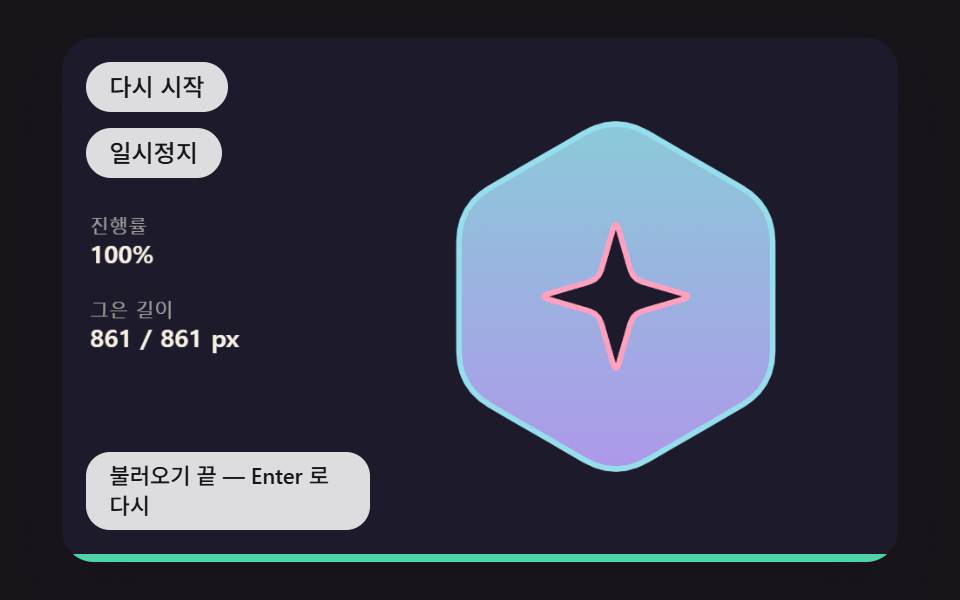 ローディングローディング アニメーション ロゴ 9種 — 進み具合を描く
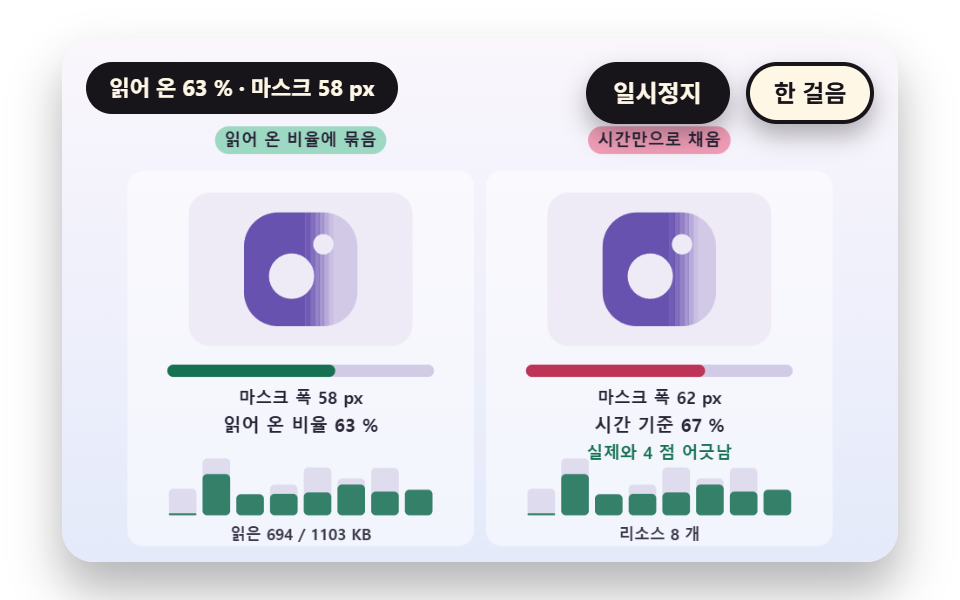 ローディングスプラッシュ画面 9種 — 読み込みに結ぶロゴのワイプから円形の開きとヘッダーへの引き継ぎまで
 ローディング【コピペOK】CSS スケルトン ローディング 9選
 ローディングスケルトン チャート 9種 — 数式で完成する瞬間まで
 ローディングローディング アニメーション js 9パターン — 物理演算で作る
 ローディング【コピペOK】ローディング 画面 デザイン CSSだけ 9選
 ローディングページ遷移 ローディング 9選 — コピペで動く
 ローディングアップロード プログレスバー ローダー9種 — 計算するUI
 ローディングタイピングインジケーターUI 9選 — 3つの点からグループチャットまで
 ローディング引っ張って更新 スマホ 9選 — 引いた距離で変わる更新のかたち