アップロード プログレスバー ローダー9種 — 計算するUI
アップロード プログレスバーは、バイトと時間の実測値からリング・速度・チェックの動きを計算して描く部品です。ファイルをドロップすると、バイトと時間から速度を計算してリングが回り、完了するとチェックに変わります。9つの状態をライブラリなしで計算するローダー — コードはパスワード付きzipでそのままお渡しします。
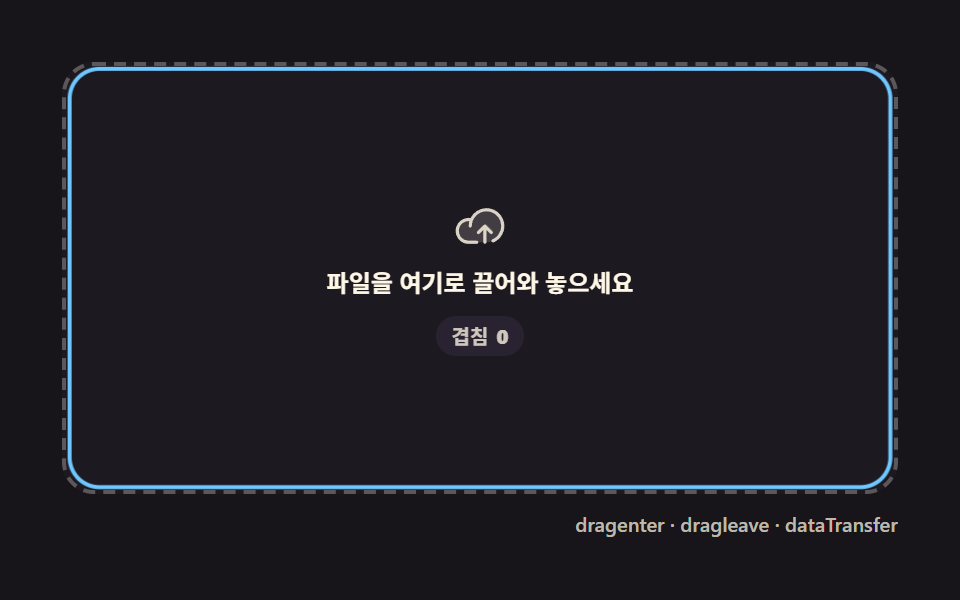 01 upload-progress-dropzone-highlight
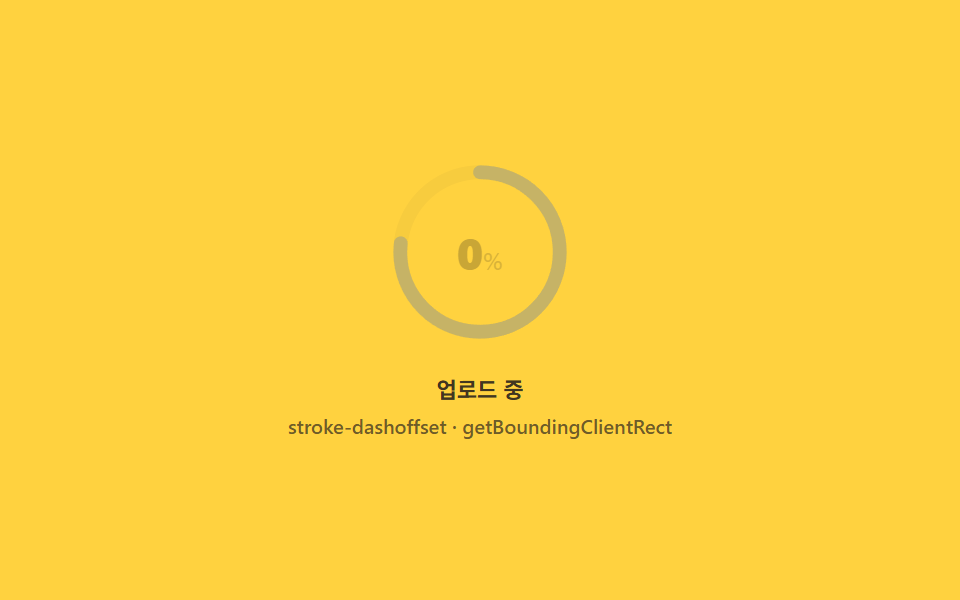 02 upload-progress-ring-percent
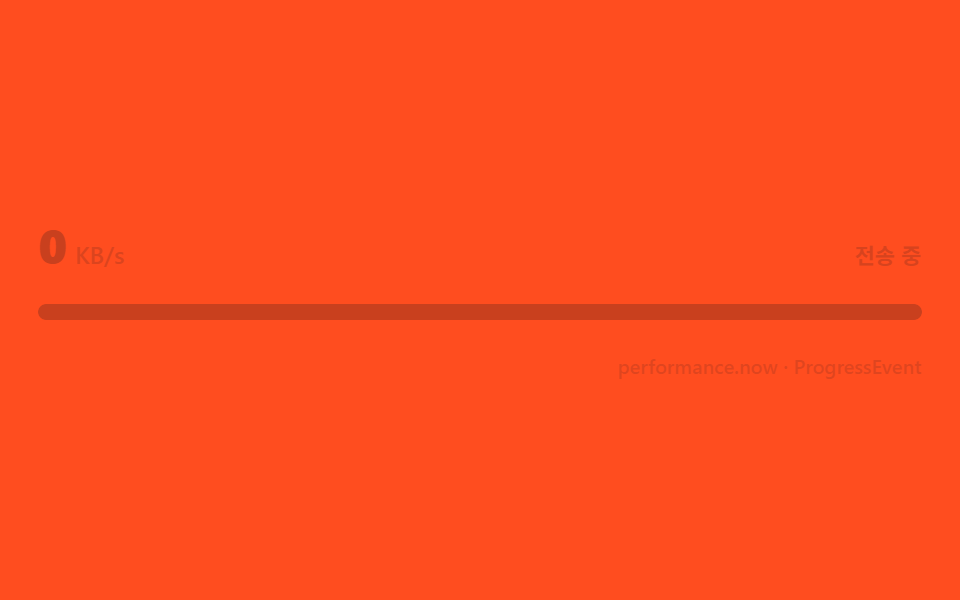 03 upload-progress-speed-label
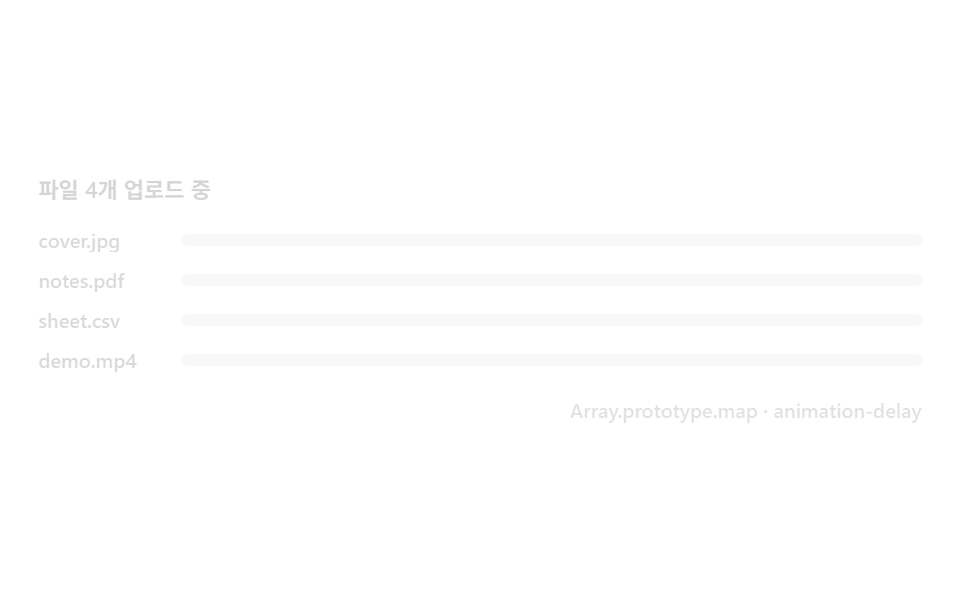 04 upload-progress-multi-stagger
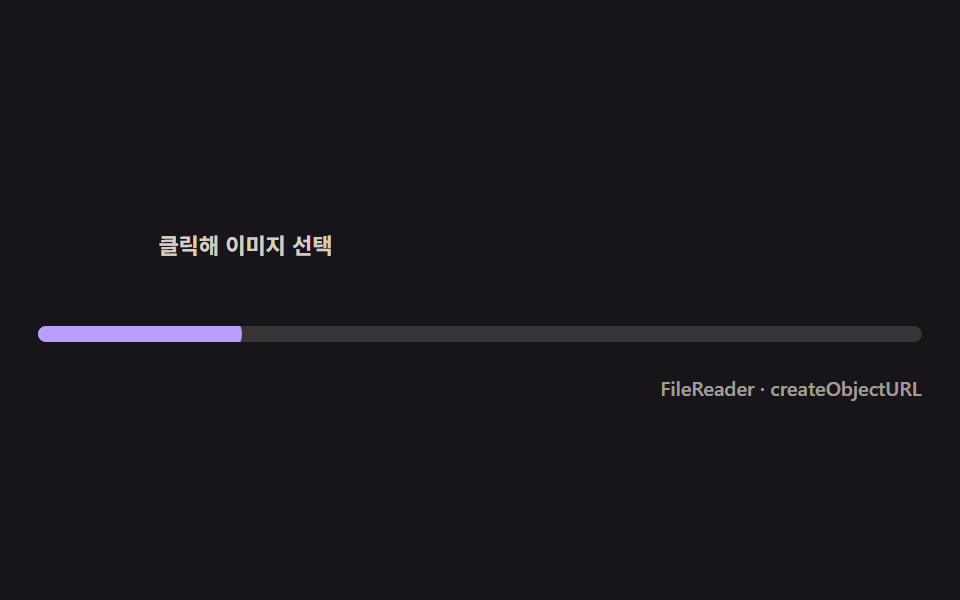 05 upload-progress-thumbnail-pop
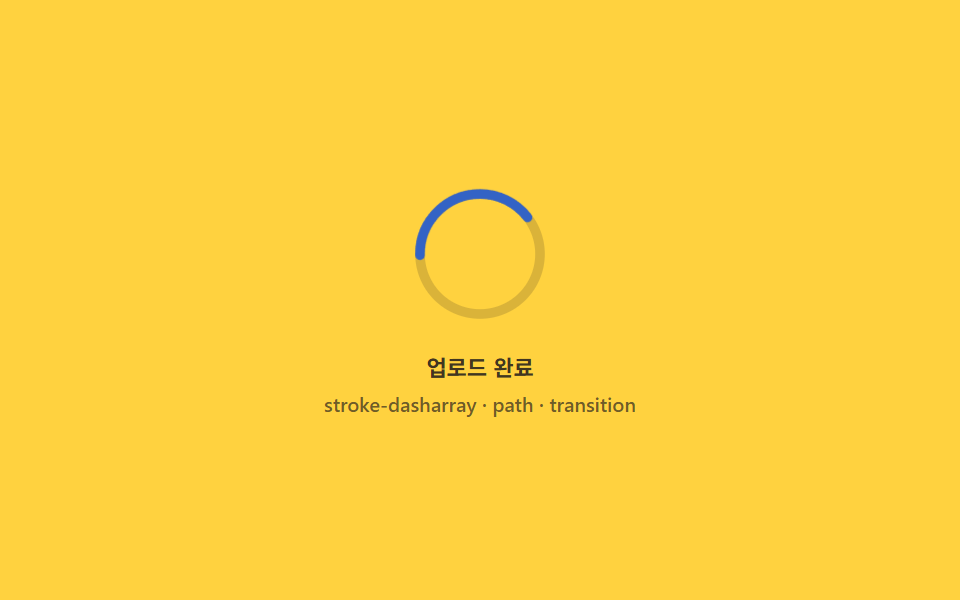 06 upload-progress-success-morph
 07 upload-progress-error-shake-retry
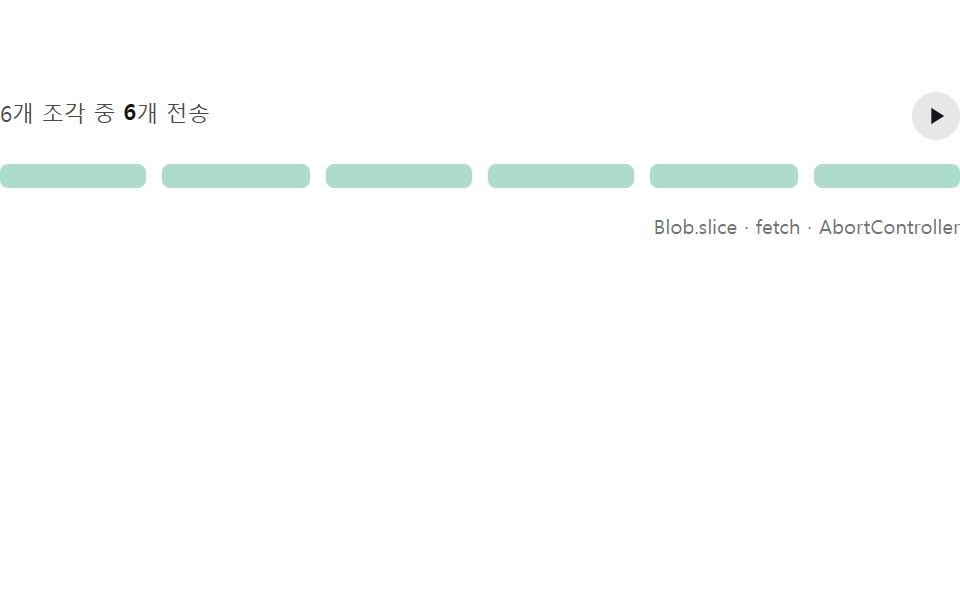 08 upload-progress-chunk-pause-resume
 09 upload-progress-paste-capture
自動再生 · タイルを押すとその項目へ · すべて1つのzip
- 01 子要素でもちらつかないドロップゾーンハイライト
- 02 円周を計算して回る円形パーセントリング
- 03 経過バイト差から計算する速度ラベル
- 04 複数ファイルの順送りスタガー
- 05 読み込んだ瞬間に弾むサムネイルポップイン
- 06 完了モーフ — リングがチェックに変わる瞬間
- 07 途切れた地点を覚えるエラーシェイクとリトライ
- 08 送信済み分だけ繋がるチャンク一時停止・再開
- 09 貼り付けキャプチャ — Ctrl+Vで始まるアップロード
デモ
| 項目 | 名前 | 累積面積% | 強度平均 | 動いたフレーム |
|---|---|---|---|---|
| 01 | ドロップゾーンハイライト | 13.246 | 55.6 | 17/24 |
| 02 | リングパーセント | 1.533 | 121.8 | 20/24 |
| 03 | 速度ラベル | 3.254 | 163.6 | 20/24 |
| 04 | 複数ファイルスタガー | 11.172 | 76.7 | 17/24 |
| 05 | サムネイルポップイン | 4.903 | 145.3 | 16/24 |
| 06 | 完了モーフ | 1.049 | 74.6 | 19/24 |
| 07 | エラーシェイクとリトライ | 2.978 | 161.2 | 21/24 |
| 08 | チャンク一時停止・再開 | 3.703 | 87.6 | 11/24 |
| 09 | 貼り付けキャプチャ | 18.947 | 93.4 | 15/24 |
24フレーム実測をひと目で
強度平均は九つとも70を超え、02や06のように面積が1%台でも20フレーム前後は実際に動いています。08だけ11フレームと少ないのは、待機時間そのものが機能だからです。
面積が低いのが正常な理由
このローダー群は背景を塗り替える場面ではなく、リングの弧・数字・小さな枠線だけを動かす部品です。累積面積が1〜3%台に集まるのは合成写真の演出ではなく、コンポーネントとしての実測どおりの姿です。
ドロップゾーンから貼り付けまで、アップロードの旅をたどった九段階
「ドラッグ アンド ドロップ アップロード」で探してたどり着く人がまず触れるのは、境界線だけが反応する01です。02のリングと03の速度ラベルは同じバイト・時間の数字を別の見せ方に変換し、04は列を成すファイルへ規模を広げます。05は読み込み完了という別の信号に、06は100%という到達点に、07は失敗という例外に焦点を移し、08は分割送信という別の転送方式を、09はドラッグを使わない入力経路を見せて締めくくります。ホバーやクリックに反応するボタンのマイクロインタラクション集や、出力を待つ時間だけを担当するCSSだけで作るローディングスピナー集と違い、この9種は実際のバイト数と時間差という本物の入力を計算に使います。
項目別コード
9つとも同じ構造です。イベント(ドロップ・progress・変更・貼り付け)を受け取り、実測値から目標値を計算し、画面はその目標へ慣性で近づきます。
01子要素でもちらつかないドロップゾーンハイライト
dragenter・dragleaveが子ノードをまたぐたびに重複発生する分をカウンター1つで相殺し、ファイルを乗せている間は枠が一度だけ広がり一度だけ戻ります。累積面積13.246%・強度平均55.6・動いたフレーム17/24です。
<main class="stage">
<div class="dz is-demo" id="dzRoot">
  <div class="dz__zone" id="dzZone" role="button" tabindex="0" aria-label="ファイルをここにドラッグ">
    <span class="dz__ring" aria-hidden="true"></span>
    <span class="dz__icon" aria-hidden="true">
      <svg viewBox="0 0 256 256" width="26" height="26"><g fill="currentColor"><path d="M240 128a80 80 0 0 1-80 80H72A56 56 0 1 1 85.92 97.74v.1A80 80 0 0 1 240 128" opacity=".2"/><path d="M178.34 165.66L160 147.31V208a8 8 0 0 1-16 0v-60.69l-18.34 18.35a8 8 0 0 1-11.32-11.32l32-32a8 8 0 0 1 11.32 0l32 32a8 8 0 0 1-11.32 11.32M160 40a88.08 88.08 0 0 0-78.71 48.68A64 64 0 1 0 72 216h40a8 8 0 0 0 0-16H72a48 48 0 0 1 0-96c1.1 0 2.2 0 3.29.12A88 88 0 0 0 72 128a8 8 0 0 0 16 0a72 72 0 1 1 100.8 66a8 8 0 0 0 3.2 15.34a7.9 7.9 0 0 0 3.2-.68A88 88 0 0 0 160 40"/></g></svg>
    </span>
    <span class="dz__label">ファイルをここにドラッグ</span>
    <span class="dz__badge" id="dzBadge" aria-hidden="true">重なり <b class="dz__n"></b></span>
  </div>
  <div class="dz__bar">
    <span class="dz__meta">dragenter · dragleave · dataTransfer</span>
  </div>
</div>
</main>
@use "../../../../site/static/demo-tokens" as *;
// 드롭존 하이라이트(01) — 움직임은 CSS keyframes 두 개뿐이다(링 opacity·scale / 카운터 정수).
// 실사용 경로는 JS 가 depth 카운터로 --n 을 직접 setProperty 한다 — 데모 루프와 같은 변수를 공유한다.
@property --n {
syntax: "<integer>";
inherits: false;
initial-value: 0;
}
@include stage($stage-ink);
$dz-panel: #211d26;
$dz-text: $subject-cream;
$dz-ring: $subject-sky;
$dz-badge: #2a2432;
$duration: $dur-loop;
$easing: $ease-out;
$color: $dz-ring;
.dz {
--dz-ring: #{$dz-ring};
position: relative;
display: flex; flex-direction: column;
width: 100%; height: 100%; min-height: 164px;
overflow: hidden;
}
.dz__zone {
position: relative;
margin: $sp-3 $sp-3 0;
flex: 1;
display: flex; flex-direction: column; align-items: center; justify-content: center;
gap: $sp-2;
border-radius: $r-card;
border: 2px dashed rgba($dz-text, .28);
background: rgba($dz-panel, .6);
cursor: pointer;
}
.dz__zone:focus-visible { outline: 2px solid $dz-ring; outline-offset: 2px; }
.dz__ring {
position: absolute; inset: 0;
border-radius: $r-card;
border: 2px solid $dz-ring;
opacity: 0;
transform: scale(.94);
pointer-events: none;
}
.dz__zone.is-over .dz__ring {
opacity: 1;
transform: scale(1);
transition: opacity $dur-quick $easing, transform $dur-quick $ease-elastic;
}
.dz__zone.is-dropped .dz__ring {
opacity: 1;
transform: scale(1.08);
transition: opacity $dur-quick $easing, transform $dur-instant $ease-elastic;
}
.dz__icon {
position: relative; z-index: 1;
display: flex;
color: rgba($dz-text, .82);
}
.dz__label {
position: relative; z-index: 1;
font-weight: 600; font-size: clamp(10px, 2.6vw, 12px); line-height: 1.3;
color: $dz-text;
text-align: center;
padding: 0 $sp-3;
}
.dz__badge {
position: relative; z-index: 1;
display: inline-flex; align-items: center; gap: 4px;
padding: $sp-1 $sp-2;
border-radius: $r-pill;
background: rgba($dz-badge, .92);
font-weight: 600; font-size: 10px; line-height: 1.2;
color: rgba($dz-text, .82);
opacity: 0;
--n: 0;
}
.dz__zone.is-over .dz__badge { opacity: 1; transition: opacity $dur-quick $easing; }
.dz__n { counter-reset: dzn var(--n); }
.dz__n::before { content: counter(dzn); }
.dz__bar {
display: flex; justify-content: flex-end;
padding: $sp-2 $sp-3 $sp-3;
}
.dz__meta {
font-size: 10px; font-weight: 500; color: rgba($dz-text, .72);
}
// ── 데모 루프 — 진입 깊이(depth)가 0→3 을 오르내리는 동안 테두리는 한 번만 켜지고 한 번만 꺼진다 ──
@keyframes dzRing {
0% { opacity: 0; transform: scale(.94); }
8% { opacity: 1; transform: scale(1.06); animation-timing-function: $ease-elastic; }
18% { transform: scale(1); animation-timing-function: $easing; }
54% { opacity: 1; transform: scale(1); }
60% { opacity: 1; transform: scale(1.08); }
70% { opacity: 0; transform: scale(.96); }
100% { opacity: 0; transform: scale(.94); }
}
@keyframes dzCount {
0%, 6% { --n: 0; opacity: 0; }
10% { --n: 1; opacity: 1; }
22% { --n: 2; }
34% { --n: 3; }
44% { --n: 2; }
52% { --n: 1; }
58%, 100% { --n: 0; opacity: 0; }
}
.is-demo .dz__ring {
animation-name: dzRing;
animation-duration: $duration;
animation-timing-function: $easing;
animation-iteration-count: infinite;
}
.is-demo .dz__badge {
animation-name: dzCount;
animation-duration: $duration;
animation-timing-function: linear;
animation-iteration-count: infinite;
}
@media (max-width: 340px) {
.dz__label { font-size: 10px; }
}
@media (prefers-reduced-motion: reduce) {
.is-demo .dz__ring, .is-demo .dz__badge { animation: none !important; opacity: 0 !important; }
}@property --n {
syntax: "<integer>";
inherits: false;
initial-value: 0;
}
html, body {
margin: 0;
overflow: hidden;
}
.stage {
box-sizing: border-box;
min-height: 100vh;
display: grid;
place-items: center;
margin: 0;
background: #17141a;
font-family: -apple-system, "Segoe UI", "Noto Sans KR", sans-serif;
padding: clamp(8px, 4vw, 24px);
}
.dz {
--dz-ring: #6ec8ff;
position: relative;
display: flex;
flex-direction: column;
width: 100%;
height: 100%;
min-height: 164px;
overflow: hidden;
}
.dz__zone {
position: relative;
margin: 12px 12px 0;
flex: 1;
display: flex;
flex-direction: column;
align-items: center;
justify-content: center;
gap: 8px;
border-radius: 16px;
border: 2px dashed rgba(255, 247, 230, 0.28);
background: rgba(33, 29, 38, 0.6);
cursor: pointer;
}
.dz__zone:focus-visible {
outline: 2px solid #6ec8ff;
outline-offset: 2px;
}
.dz__ring {
position: absolute;
inset: 0;
border-radius: 16px;
border: 2px solid #6ec8ff;
opacity: 0;
transform: scale(0.94);
pointer-events: none;
}
.dz__zone.is-over .dz__ring {
opacity: 1;
transform: scale(1);
transition: opacity 220ms ease-out, transform 220ms cubic-bezier(0.34, 1.56, 0.64, 1);
}
.dz__zone.is-dropped .dz__ring {
opacity: 1;
transform: scale(1.08);
transition: opacity 220ms ease-out, transform 140ms cubic-bezier(0.34, 1.56, 0.64, 1);
}
.dz__icon {
position: relative;
z-index: 1;
display: flex;
color: rgba(255, 247, 230, 0.82);
}
.dz__label {
position: relative;
z-index: 1;
font-weight: 600;
font-size: clamp(10px, 2.6vw, 12px);
line-height: 1.3;
color: #fff7e6;
text-align: center;
padding: 0 12px;
}
.dz__badge {
position: relative;
z-index: 1;
display: inline-flex;
align-items: center;
gap: 4px;
padding: 4px 8px;
border-radius: 999px;
background: rgba(42, 36, 50, 0.92);
font-weight: 600;
font-size: 10px;
line-height: 1.2;
color: rgba(255, 247, 230, 0.82);
opacity: 0;
--n: 0;
}
.dz__zone.is-over .dz__badge {
opacity: 1;
transition: opacity 220ms ease-out;
}
.dz__n {
counter-reset: dzn var(--n);
}
.dz__n::before {
content: counter(dzn);
}
.dz__bar {
display: flex;
justify-content: flex-end;
padding: 8px 12px 12px;
}
.dz__meta {
font-size: 10px;
font-weight: 500;
color: rgba(255, 247, 230, 0.72);
}
@keyframes dzRing {
0% {
opacity: 0;
transform: scale(0.94);
}
8% {
opacity: 1;
transform: scale(1.06);
animation-timing-function: cubic-bezier(0.34, 1.56, 0.64, 1);
}
18% {
transform: scale(1);
animation-timing-function: ease-out;
}
54% {
opacity: 1;
transform: scale(1);
}
60% {
opacity: 1;
transform: scale(1.08);
}
70% {
opacity: 0;
transform: scale(0.96);
}
100% {
opacity: 0;
transform: scale(0.94);
}
}
@keyframes dzCount {
0%, 6% {
--n: 0;
opacity: 0;
}
10% {
--n: 1;
opacity: 1;
}
22% {
--n: 2;
}
34% {
--n: 3;
}
44% {
--n: 2;
}
52% {
--n: 1;
}
58%, 100% {
--n: 0;
opacity: 0;
}
}
.is-demo .dz__ring {
animation-name: dzRing;
animation-duration: 2s;
animation-timing-function: ease-out;
animation-iteration-count: infinite;
}
.is-demo .dz__badge {
animation-name: dzCount;
animation-duration: 2s;
animation-timing-function: linear;
animation-iteration-count: infinite;
}
@media (max-width: 340px) {
.dz__label {
font-size: 10px;
}
}
@media (prefers-reduced-motion: reduce) {
.is-demo .dz__ring, .is-demo .dz__badge {
animation: none !important;
opacity: 0 !important;
}
}// 드롭존 하이라이트 — 자식 요소를 넘나드는 dragenter·dragleave 쌍은 한 번의 진입에 여러 번 발생한다.
// 카운터 depth 를 두어 depth 가 0보다 클 때만 하이라이트하면 자식 경계를 넘어도 테두리가 깜빡이지 않는다.
(function () {
var root = document.getElementById('dzRoot');
var zone = document.getElementById('dzZone');
var badge = document.getElementById('dzBadge');
if (!root || !zone || !badge) return;
var depth = 0;
function paint() {
zone.classList.toggle('is-over', depth > 0);
badge.style.setProperty('--n', depth);
}
function enter(e) { e.preventDefault(); depth += 1; paint(); }
function leave(e) { e.preventDefault(); depth = Math.max(0, depth - 1); paint(); }
function over(e) { e.preventDefault(); }
function drop(e) {
e.preventDefault();
var fileCount = (e.dataTransfer && e.dataTransfer.files) ? e.dataTransfer.files.length : 0;
depth = 0; paint();
zone.setAttribute('data-drop-count', String(fileCount));
zone.classList.add('is-dropped');
setTimeout(function () { zone.classList.remove('is-dropped'); }, 640);
}
function live() { root.classList.remove('is-demo'); }
zone.addEventListener('dragenter', enter);
zone.addEventListener('dragleave', leave);
zone.addEventListener('dragover', over);
zone.addEventListener('drop', drop);
['pointerdown', 'focusin'].forEach(function (ev) { zone.addEventListener(ev, live); });
})();// UploadProgressDropzoneHighlight — vanilla 판(run/329/demo/01-upload-progress-dropzone-highlight/index.html) 의 React 포트.
// 자식 요소를 넘나드는 dragenter·dragleave 쌍은 한 번의 진입에 여러 번 발생한다. 카운터 depth 를 두어
// depth 가 0보다 클 때만 하이라이트하면 자식 경계를 넘어도 테두리가 깜빡이지 않는다.
import { useRef, useState } from "react";
import type { CSSProperties } from "react";
import styles from "./UploadProgressDropzoneHighlight.module.scss";
export type UploadProgressDropzoneHighlightProps = {
duration?: string;
easing?: string;
color?: string;
};
type Vars = CSSProperties & { "--duration"?: string; "--easing"?: string; "--color"?: string };
type NVars = CSSProperties & { "--n"?: number };
type Box<T> = { current: T };
type DragEvt = { preventDefault: () => void; dataTransfer?: { files?: { length: number } } | null };
const LABEL = "파일을 여기로 끌어와 놓으세요";
const BADGE_PREFIX = "겹침";
const META = "dragenter · dragleave · dataTransfer";
export default function UploadProgressDropzoneHighlight({
duration = "2s",
easing = "ease-out",
color = "#6ec8ff"
}: UploadProgressDropzoneHighlightProps) {
const [demo, setDemo] = useState(true);
const [depth, setDepth] = useState(0);
const [dropped, setDropped] = useState(false);
const dropTimer = useRef(0) as Box<number>;
const vars: Vars = { "--duration": duration, "--easing": easing, "--color": color };
const badgeVars: NVars = { "--n": depth };
function live(): void {
setDemo(false);
}
function enter(e: DragEvt): void {
e.preventDefault();
setDepth((d) => d + 1);
}
function leave(e: DragEvt): void {
e.preventDefault();
setDepth((d) => Math.max(0, d - 1));
}
function over(e: DragEvt): void {
e.preventDefault();
}
function drop(e: DragEvt): void {
e.preventDefault();
setDepth(0);
setDropped(true);
window.clearTimeout(dropTimer.current);
dropTimer.current = window.setTimeout(() => setDropped(false), 640);
}
const rootCls = demo ? `${styles.dz} ${styles.isDemo}` : styles.dz;
const zoneCls = [styles.zone, depth > 0 ? styles.isOver : "", dropped ? styles.isDropped : ""].filter(Boolean).join(" ");
return (
<main className={styles.stage}>
<div className={rootCls} style={vars}>
<div
className={zoneCls}
role="button"
tabIndex={0}
aria-label={LABEL}
onDragEnter={enter}
onDragLeave={leave}
onDragOver={over}
onDrop={drop}
onPointerDown={live}
onFocus={live}
>
<span className={styles.ring} aria-hidden="true"></span>
<span className={styles.icon} aria-hidden="true">
<svg viewBox="0 0 256 256" width="26" height="26"><g fill="currentColor"><path d="M240 128a80 80 0 0 1-80 80H72A56 56 0 1 1 85.92 97.74v.1A80 80 0 0 1 240 128" opacity=".2"/><path d="M178.34 165.66L160 147.31V208a8 8 0 0 1-16 0v-60.69l-18.34 18.35a8 8 0 0 1-11.32-11.32l32-32a8 8 0 0 1 11.32 0l32 32a8 8 0 0 1-11.32 11.32M160 40a88.08 88.08 0 0 0-78.71 48.68A64 64 0 1 0 72 216h40a8 8 0 0 0 0-16H72a48 48 0 0 1 0-96c1.1 0 2.2 0 3.29.12A88 88 0 0 0 72 128a8 8 0 0 0 16 0a72 72 0 1 1 100.8 66a8 8 0 0 0 3.2 15.34a7.9 7.9 0 0 0 3.2-.68A88 88 0 0 0 160 40"/></g></svg>
</span>
<span className={styles.label}>{LABEL}</span>
<span className={styles.badge} style={badgeVars} aria-hidden="true">{BADGE_PREFIX} <b className={styles.n}></b></span>
</div>
<div className={styles.bar}>
<span className={styles.meta}>{META}</span>
</div>
</div>
</main>
);
}01 · 子要素でもちらつかないドロップゾーンハイライト — 計測 累積面積 13.246% · 動いたフレーム 17/23GODRICH オリジナル · SCSS と React は zip に同梱 · パスワードを見る
depthカウンターで重複発火を相殺する
dragenterで+1・dragleaveで−1し、depthが0より大きいときだけis-overを付けるので、内側の要素をまたいでも枠線は途切れません。
// ドロップゾーンのハイライト — 子要素をまたぐ dragenter・dragleave は
// 一度の進入でも何度も発火する。カウンター depth を 0 より大きいときだけ
// ハイライトすれば、子要素の境界をまたいでも枠線がちらつかない。
var depth = 0;

function paint() {
  zone.classList.toggle('is-over', depth > 0);
  badge.style.setProperty('--n', depth);
}
function enter(e) { e.preventDefault(); depth += 1; paint(); }
function leave(e) { e.preventDefault(); depth = Math.max(0, depth - 1); paint(); }
function drop(e) {
  e.preventDefault();
  var fileCount = (e.dataTransfer && e.dataTransfer.files) ? e.dataTransfer.files.length : 0;
  depth = 0; paint();
  zone.classList.add('is-dropped');
  setTimeout(function () { zone.classList.remove('is-dropped'); }, 640);
}
zone.addEventListener('dragenter', enter);
zone.addEventListener('dragleave', leave);
zone.addEventListener('drop', drop);
02円周を計算して回る円形パーセントリング
半径から円周(2πr)を求めてstroke-dasharrayに入れ、進捗ぶんstroke-dashoffsetを巻き戻すと、数値ラベルと同じ値をリングがそのまま描きます。累積面積1.533%・強度平均121.8・動いたフレーム20/24です。
<main class="stage">
<div class="rp is-demo" id="rpRoot" role="group" tabindex="0" aria-label="ファイルアップロード進行リング">
  <div class="rp__ringwrap">
    <svg class="rp__svg" viewBox="0 0 120 120" width="92" height="92" aria-hidden="true">
      <circle class="rp__track" cx="60" cy="60" r="52"></circle>
      <circle class="rp__prog" id="rpProg" cx="60" cy="60" r="52"></circle>
    </svg>
    <span class="rp__pct" id="rpPct" aria-hidden="true"><b class="rp__n"></b><i>%</i></span>
  </div>
  <div class="rp__bar">
    <span class="rp__label">アップロード中</span>
    <span class="rp__meta">stroke-dashoffset · getBoundingClientRect</span>
  </div>
</div>
</main>
@use "../../../../site/static/demo-tokens" as *;
// 원형 퍼센트 링(02) — 링의 stroke-dashoffset 과 라벨 숫자는 같은 --p 값에서 나온다(두 갈래 keyframes 지만
// 같은 스케줄). --circ 는 JS 가 실측한 반지름으로 딱 한 번 계산해 넣는 상수 — 애니메이션 대상이 아니다.
@property --p {
syntax: "<number>";
inherits: false;
initial-value: 0;
}
@property --n {
syntax: "<integer>";
inherits: false;
initial-value: 0;
}
@include stage($stage-yellow);
$rp-track: $subject-ink;
$rp-arc: $subject-blue-deep;
$duration: $dur-loop;
$easing: $ease-out;
$color: $rp-arc;
.rp {
display: flex; flex-direction: column; align-items: center;
gap: $sp-4;
width: 100%; height: 100%; min-height: 164px;
justify-content: center;
}
.rp:focus-visible { outline: 2px solid $rp-arc; outline-offset: 3px; border-radius: $r-control; }
.rp__ringwrap { position: relative; display: grid; place-items: center; }
.rp__svg { transform: rotate(-90deg); }
.rp__track {
fill: none;
stroke: rgba($rp-track, .16);
stroke-width: 9;
}
.rp__prog {
fill: none;
stroke: $rp-arc;
stroke-width: 9;
stroke-linecap: round;
--circ: 0;
--p: 0;
stroke-dasharray: var(--circ);
stroke-dashoffset: calc(var(--circ) * (1 - var(--p) / 100));
}
.rp__pct {
position: absolute;
display: flex; align-items: baseline; gap: 0;
font-weight: 700; font-size: 22px; line-height: 1;
color: $rp-track;
--n: 0;
}
.rp__pct i { font-weight: 600; font-size: 12px; font-style: normal; opacity: .7; }
.rp__n { counter-reset: rpn var(--n); }
.rp__n::before { content: counter(rpn); }
.rp__bar {
display: flex; flex-direction: column; align-items: center; gap: $sp-1;
}
.rp__label {
font-weight: 600; font-size: 11px; line-height: 1.3;
color: rgba($rp-track, .82);
}
.rp__meta {
font-weight: 500; font-size: 10px; line-height: 1.3;
color: rgba($rp-track, .62);
}
// ── 데모 루프 — 0→100 을 채우고, 화면에서 사라진 순간에만 0으로 되감아 눈에 튀는 점프가 없다 ──
@keyframes rpArc {
0% { --p: 0; }
70% { --p: 100; }
90% { --p: 100; }
92% { --p: 0; }
100% { --p: 0; }
}
@keyframes rpCount {
0% { --n: 0; }
70% { --n: 100; }
90% { --n: 100; }
92% { --n: 0; }
100% { --n: 0; }
}
@keyframes rpFade {
0% { opacity: 1; }
84% { opacity: 1; }
90% { opacity: 0; }
94% { opacity: 0; }
100% { opacity: 1; }
}
.is-demo .rp__prog {
animation-name: rpArc;
animation-duration: $duration;
animation-timing-function: $easing;
animation-iteration-count: infinite;
}
.is-demo .rp__pct {
animation-name: rpCount;
animation-duration: $duration;
animation-timing-function: linear;
animation-iteration-count: infinite;
}
.is-demo .rp__ringwrap {
animation-name: rpFade;
animation-duration: $duration;
animation-timing-function: $easing;
animation-iteration-count: infinite;
}
@media (max-width: 340px) {
.rp__svg { width: 78px; height: 78px; }
.rp__pct { font-size: 18px; }
}
@media (prefers-reduced-motion: reduce) {
.is-demo .rp__prog, .is-demo .rp__pct, .is-demo .rp__ringwrap { animation: none !important; }
.is-demo .rp__prog { --p: 62 !important; }
.is-demo .rp__pct { --n: 62 !important; }
}@property --p {
syntax: "<number>";
inherits: false;
initial-value: 0;
}
@property --n {
syntax: "<integer>";
inherits: false;
initial-value: 0;
}
html, body {
margin: 0;
overflow: hidden;
}
.stage {
box-sizing: border-box;
min-height: 100vh;
display: grid;
place-items: center;
margin: 0;
background: #ffd23f;
font-family: -apple-system, "Segoe UI", "Noto Sans KR", sans-serif;
padding: clamp(8px, 4vw, 24px);
}
.rp {
display: flex;
flex-direction: column;
align-items: center;
gap: 16px;
width: 100%;
height: 100%;
min-height: 164px;
justify-content: center;
}
.rp:focus-visible {
outline: 2px solid #0a4fe8;
outline-offset: 3px;
border-radius: 12px;
}
.rp__ringwrap {
position: relative;
display: grid;
place-items: center;
}
.rp__svg {
transform: rotate(-90deg);
}
.rp__track {
fill: none;
stroke: rgba(23, 20, 26, 0.16);
stroke-width: 9;
}
.rp__prog {
fill: none;
stroke: #0a4fe8;
stroke-width: 9;
stroke-linecap: round;
--circ: 0;
--p: 0;
stroke-dasharray: var(--circ);
stroke-dashoffset: calc(var(--circ) * (1 - var(--p) / 100));
}
.rp__pct {
position: absolute;
display: flex;
align-items: baseline;
gap: 0;
font-weight: 700;
font-size: 22px;
line-height: 1;
color: #17141a;
--n: 0;
}
.rp__pct i {
font-weight: 600;
font-size: 12px;
font-style: normal;
opacity: 0.7;
}
.rp__n {
counter-reset: rpn var(--n);
}
.rp__n::before {
content: counter(rpn);
}
.rp__bar {
display: flex;
flex-direction: column;
align-items: center;
gap: 4px;
}
.rp__label {
font-weight: 600;
font-size: 11px;
line-height: 1.3;
color: rgba(23, 20, 26, 0.82);
}
.rp__meta {
font-weight: 500;
font-size: 10px;
line-height: 1.3;
color: rgba(23, 20, 26, 0.62);
}
@keyframes rpArc {
0% {
--p: 0;
}
70% {
--p: 100;
}
90% {
--p: 100;
}
92% {
--p: 0;
}
100% {
--p: 0;
}
}
@keyframes rpCount {
0% {
--n: 0;
}
70% {
--n: 100;
}
90% {
--n: 100;
}
92% {
--n: 0;
}
100% {
--n: 0;
}
}
@keyframes rpFade {
0% {
opacity: 1;
}
84% {
opacity: 1;
}
90% {
opacity: 0;
}
94% {
opacity: 0;
}
100% {
opacity: 1;
}
}
.is-demo .rp__prog {
animation-name: rpArc;
animation-duration: 2s;
animation-timing-function: ease-out;
animation-iteration-count: infinite;
}
.is-demo .rp__pct {
animation-name: rpCount;
animation-duration: 2s;
animation-timing-function: linear;
animation-iteration-count: infinite;
}
.is-demo .rp__ringwrap {
animation-name: rpFade;
animation-duration: 2s;
animation-timing-function: ease-out;
animation-iteration-count: infinite;
}
@media (max-width: 340px) {
.rp__svg {
width: 78px;
height: 78px;
}
.rp__pct {
font-size: 18px;
}
}
@media (prefers-reduced-motion: reduce) {
.is-demo .rp__prog, .is-demo .rp__pct, .is-demo .rp__ringwrap {
animation: none !important;
}
.is-demo .rp__prog {
--p: 62 !important;
}
.is-demo .rp__pct {
--n: 62 !important;
}
}// 원형 퍼센트 링 — 반지름을 실측(getBoundingClientRect)해 둘레(2πr)를 구하고
// stroke-dasharray 에 그 값을 그대로 넣는다. 진행률은 stroke-dashoffset 을
// 둘레에서 되감는 비율로 계산하므로 숫자 라벨과 링은 항상 같은 값을 가리킨다.
// 실제 전송 속도는 매 틱 일정하지 않다 — 시드 난수로 목표치를 흔들고
// 화면 값은 목표를 향해 관성으로 lerp 되어 뚝뚝 끊기지 않는다.
(function () {
var SEED = 0x9e77a1;
function mulberry32(a) {
return function () {
a |= 0; a = (a + 0x6D2B79F5) | 0;
var t = Math.imul(a ^ (a >>> 15), 1 | a);
t = (t + Math.imul(t ^ (t >>> 7), 61 | t)) ^ t;
return ((t ^ (t >>> 14)) >>> 0) / 4294967296;
};
}
var rand = mulberry32(SEED);
var root = document.getElementById('rpRoot');
var prog = document.getElementById('rpProg');
var pct = document.getElementById('rpPct');
if (!root || !prog || !pct) return;
var r = prog.r.baseVal.value;
var box = prog.getBoundingClientRect();
var measuredR = box.width > 0 ? box.width / 2 : r;
var circ = 2 * Math.PI * measuredR;
prog.style.setProperty('--circ', String(circ));
var target = 0, shown = 0, raf = null;
function paint() {
shown += (target - shown) * 0.18;
if (Math.abs(target - shown) < 0.05) shown = target;
prog.style.setProperty('--p', shown.toFixed(2));
pct.style.setProperty('--n', Math.round(shown));
if (shown < 100) raf = requestAnimationFrame(paint);
}
function tick() {
if (root.classList.contains('is-demo')) return;
target = Math.min(100, target + 3 + rand() * 9);
if (target >= 100) clearInterval(timer);
}
var timer = null;
function live() {
if (!root.classList.contains('is-demo')) return;
root.classList.remove('is-demo');
timer = setInterval(tick, 220);
raf = requestAnimationFrame(paint);
}
['pointerdown', 'focusin'].forEach(function (ev) { root.addEventListener(ev, live); });
})();// UploadProgressRingPercent — vanilla 판(run/329/demo/02-upload-progress-ring-percent/index.html) 의 React 포트.
// 반지름을 실측(getBoundingClientRect)해 둘레(2πr)를 구하고 stroke-dasharray 에 그 값을 그대로 넣는다.
// 진행률은 stroke-dashoffset 을 둘레에서 되감는 비율로 계산하므로 숫자 라벨과 링은 항상 같은 값을 가리킨다.
// 실제 전송 속도는 매 틱 일정하지 않다 — 시드 난수(mulberry32)로 목표치를 흔들고
// 화면 값은 목표를 향해 관성으로 lerp 되어 뚝뚝 끊기지 않는다.
import { useEffect, useRef, useState } from "react";
import type { CSSProperties } from "react";
import styles from "./UploadProgressRingPercent.module.scss";
export type UploadProgressRingPercentProps = {
duration?: string;
easing?: string;
color?: string;
seed?: number; // mulberry32 시드 — 흔들림 패턴을 고정한다
step?: number; // 매 틱 기본 증가분(퍼센트 포인트)
jitter?: number; // 매 틱 랜덤 증가분 상한
tickMs?: number; // 진행 틱 주기(ms)
};
type Vars = CSSProperties & { "--duration"?: string; "--easing"?: string; "--color"?: string };
type Box<T> = { current: T };
const LABEL = "업로드 중";
const META = "stroke-dashoffset · getBoundingClientRect";
const SEED = 0x9e77a1;
function mulberry32(a: number): () => number {
return function () {
a |= 0; a = (a + 0x6D2B79F5) | 0;
const t = Math.imul(a ^ (a >>> 15), 1 | a);
const u = (t + Math.imul(t ^ (t >>> 7), 61 | t)) ^ t;
return ((u ^ (u >>> 14)) >>> 0) / 4294967296;
};
}
export default function UploadProgressRingPercent({
duration = "2s",
easing = "ease-out",
color = "#0a4fe8",
seed = SEED,
step = 3,
jitter = 9,
tickMs = 220
}: UploadProgressRingPercentProps) {
const [demo, setDemo] = useState(true);
const progRef = useRef<SVGCircleElement | null>(null);
const pctRef = useRef<HTMLSpanElement | null>(null);
const targetRef = useRef(0) as Box<number>;
const shownRef = useRef(0) as Box<number>;
const rafRef = useRef(0) as Box<number>;
const timerRef = useRef(0) as Box<number>;
const randRef = useRef<(() => number) | null>(null);
const vars: Vars = { "--duration": duration, "--easing": easing, "--color": color };
useEffect(() => {
return () => {
window.clearInterval(timerRef.current);
cancelAnimationFrame(rafRef.current);
};
}, []);
function live(): void {
if (!demo) return;
setDemo(false);
const prog = progRef.current;
const pct = pctRef.current;
if (!prog) return;
const rand = mulberry32(seed);
randRef.current = rand;
// 둘레 — 반지름을 실측해 한 번만 계산하는 상수(vanilla 판과 같은 절차)
const r = prog.r.baseVal.value;
const box = prog.getBoundingClientRect();
const measuredR = box.width > 0 ? box.width / 2 : r;
const circ = 2 * Math.PI * measuredR;
prog.style.setProperty("--circ", String(circ));
const stepFn = (): void => {
targetRef.current = Math.min(100, targetRef.current + step + rand() * jitter);
const target = targetRef.current;
if (target >= 100) window.clearInterval(timerRef.current);
const frame = (): void => {
shownRef.current += (target - shownRef.current) * 0.18;
if (Math.abs(target - shownRef.current) < 0.05) shownRef.current = target;
prog.style.setProperty("--p", shownRef.current.toFixed(2));
if (pct) pct.style.setProperty("--n", String(Math.round(shownRef.current)));
if (shownRef.current < 100) rafRef.current = requestAnimationFrame(frame);
};
frame();
};
timerRef.current = window.setInterval(stepFn, tickMs);
stepFn();
}
const rootCls = demo ? `${styles.rp} ${styles.isDemo}` : styles.rp;
return (
<main className={styles.stage}>
<div
className={rootCls}
style={vars}
role="group"
tabIndex={0}
aria-label="파일 업로드 진행률 링"
onPointerDown={live}
onFocus={live}
>
<div className={styles.ringwrap}>
<svg className={styles.svg} viewBox="0 0 120 120" width="92" height="92" aria-hidden="true">
<circle className={styles.track} cx="60" cy="60" r="52"></circle>
<circle className={styles.prog} cx="60" cy="60" r="52" ref={progRef}></circle>
</svg>
<span className={styles.pct} ref={pctRef} aria-hidden="true"><b className={styles.n}></b><i>%</i></span>
</div>
<div className={styles.bar}>
<span className={styles.label}>{LABEL}</span>
<span className={styles.meta}>{META}</span>
</div>
</div>
</main>
);
}02 · 円周を計算して回る円形パーセントリング — 計測 累積面積 1.533% · 動いたフレーム 20/23GODRICH オリジナル · SCSS と React は zip に同梱 · パスワードを見る
実測した半径から巻き戻し量を出す
getBoundingClientRectで実際の描画サイズを読み、目標値へshownをlerpで近づけるので、進捗が飛んでもリングは滑らかに追いつきます。
// 円形パーセントリング — 半径を実測(getBoundingClientRect)して円周(2πr)を
// 求め、stroke-dasharrayにそのまま入れる。進行率はstroke-dashoffsetを
// 円周から巻き戻す比率で計算するので、数字ラベルとリングは常に同じ値を指す。
var box = prog.getBoundingClientRect();
var measuredR = box.width > 0 ? box.width / 2 : prog.r.baseVal.value;
var circ = 2 * Math.PI * measuredR;
prog.style.setProperty('--circ', String(circ));

var target = 0, shown = 0;
function paint() {
  shown += (target - shown) * 0.18;
  if (Math.abs(target - shown) < 0.05) shown = target;
  prog.style.setProperty('--p', shown.toFixed(2));
  pct.style.setProperty('--n', Math.round(shown));
  if (shown < 100) requestAnimationFrame(paint);
}
function tick() {
  target = Math.min(100, target + 3 + rand() * 9);
  if (target >= 100) clearInterval(timer);
}
03経過バイト差から計算する速度ラベル
progressイベントが来るたびに前回とのバイト差を時間差で割ってKB/sを再計算し、直近数回の平均で値のブレを抑えます。累積面積3.254%・強度平均163.6・動いたフレーム20/24です。
<main class="stage">
<div class="sl is-demo" id="slRoot" role="group" tabindex="0" aria-label="ファイルアップロード転送速度">
  <div class="sl__row">
    <span class="sl__speed" id="slSpeed" aria-hidden="true"><b class="sl__n"></b><i>KB/s</i></span>
    <span class="sl__label">送信中</span>
  </div>
  <div class="sl__track">
    <span class="sl__fill" id="slFill"></span>
  </div>
  <div class="sl__bar">
    <span class="sl__meta">performance.now · ProgressEvent</span>
  </div>
</div>
</main>
@use "../../../../site/static/demo-tokens" as *;
// 전송 속도 라벨(03) — 숫자는 counter() 트릭으로, 바는 transform: scaleX 로만 움직인다.
// 실사용 경로는 JS 가 이동평균으로 --n 을 lerp 시켜 채운다(위 index.html 참고) — 데모 루프는 같은 변수를 흉내낸다.
@property --n {
syntax: "<integer>";
inherits: false;
initial-value: 0;
}
@include stage($stage-orange);
$sl-text: $subject-ink;
$sl-fill: $subject-ink;
$duration: $dur-loop;
$easing: $ease-lerp-settle;
$color: $sl-fill;
.sl {
display: flex; flex-direction: column; justify-content: center; gap: $sp-4;
width: 100%; height: 100%; min-height: 164px;
padding: 0 $sp-2;
}
.sl:focus-visible { outline: 2px solid $sl-text; outline-offset: 3px; border-radius: $r-control; }
.sl__row {
display: flex; align-items: baseline; justify-content: space-between;
gap: $sp-2;
}
.sl__speed {
display: flex; align-items: baseline; gap: 4px;
font-weight: 700; font-size: 24px; line-height: 1;
color: $sl-text;
--n: 0;
}
.sl__speed i { font-weight: 600; font-size: 12px; font-style: normal; opacity: .68; }
.sl__n { counter-reset: sln var(--n); }
.sl__n::before { content: counter(sln); }
.sl__label {
font-weight: 600; font-size: 11px; line-height: 1.3;
color: rgba($sl-text, .74);
}
.sl__track {
position: relative;
height: $sp-2;
border-radius: $r-pill;
background: rgba($sl-text, .16);
overflow: hidden;
}
.sl__fill {
position: absolute; inset: 0;
transform-origin: left center;
transform: scaleX(0);
border-radius: $r-pill;
background: $sl-fill;
}
.sl__bar { display: flex; justify-content: flex-end; }
.sl__meta { font-weight: 500; font-size: 10px; color: rgba($sl-text, .6); }
// ── 데모 루프 — 속도 숫자는 순간마다 튀지만(이동평균 표본), 바는 단조 증가만 하다가 사라진 순간 되감는다 ──
@keyframes slCount {
0% { --n: 0; }
8% { --n: 210; }
20% { --n: 480; }
32% { --n: 360; }
44% { --n: 610; }
56% { --n: 470; }
68% { --n: 540; }
84% { --n: 300; }
90% { --n: 300; }
92% { --n: 0; }
100% { --n: 0; }
}
@keyframes slFill {
0% { transform: scaleX(0); }
70% { transform: scaleX(1); }
90% { transform: scaleX(1); }
92% { transform: scaleX(0); }
100% { transform: scaleX(0); }
}
@keyframes slFade {
0% { opacity: 1; }
84% { opacity: 1; }
90% { opacity: 0; }
94% { opacity: 0; }
100% { opacity: 1; }
}
.is-demo .sl__speed {
animation-name: slCount;
animation-duration: $duration;
animation-timing-function: $easing;
animation-iteration-count: infinite;
}
.is-demo .sl__fill {
animation-name: slFill;
animation-duration: $duration;
animation-timing-function: $ease-out;
animation-iteration-count: infinite;
}
.sl.is-demo {
animation-name: slFade;
animation-duration: $duration;
animation-timing-function: $ease-out;
animation-iteration-count: infinite;
}
@media (max-width: 340px) {
.sl__speed { font-size: 20px; }
}
@media (prefers-reduced-motion: reduce) {
.is-demo .sl__speed, .is-demo .sl__fill, .is-demo.sl { animation: none !important; }
.is-demo .sl__speed { --n: 480 !important; }
.is-demo .sl__fill { transform: scaleX(.62) !important; }
}@property --n {
syntax: "<integer>";
inherits: false;
initial-value: 0;
}
html, body {
margin: 0;
overflow: hidden;
}
.stage {
box-sizing: border-box;
min-height: 100vh;
display: grid;
place-items: center;
margin: 0;
background: #ff4d1f;
font-family: -apple-system, "Segoe UI", "Noto Sans KR", sans-serif;
padding: clamp(8px, 4vw, 24px);
}
.sl {
display: flex;
flex-direction: column;
justify-content: center;
gap: 16px;
width: 100%;
height: 100%;
min-height: 164px;
padding: 0 8px;
}
.sl:focus-visible {
outline: 2px solid #17141a;
outline-offset: 3px;
border-radius: 12px;
}
.sl__row {
display: flex;
align-items: baseline;
justify-content: space-between;
gap: 8px;
}
.sl__speed {
display: flex;
align-items: baseline;
gap: 4px;
font-weight: 700;
font-size: 24px;
line-height: 1;
color: #17141a;
--n: 0;
}
.sl__speed i {
font-weight: 600;
font-size: 12px;
font-style: normal;
opacity: 0.68;
}
.sl__n {
counter-reset: sln var(--n);
}
.sl__n::before {
content: counter(sln);
}
.sl__label {
font-weight: 600;
font-size: 11px;
line-height: 1.3;
color: rgba(23, 20, 26, 0.74);
}
.sl__track {
position: relative;
height: 8px;
border-radius: 999px;
background: rgba(23, 20, 26, 0.16);
overflow: hidden;
}
.sl__fill {
position: absolute;
inset: 0;
transform-origin: left center;
transform: scaleX(0);
border-radius: 999px;
background: #17141a;
}
.sl__bar {
display: flex;
justify-content: flex-end;
}
.sl__meta {
font-weight: 500;
font-size: 10px;
color: rgba(23, 20, 26, 0.6);
}
@keyframes slCount {
0% {
--n: 0;
}
8% {
--n: 210;
}
20% {
--n: 480;
}
32% {
--n: 360;
}
44% {
--n: 610;
}
56% {
--n: 470;
}
68% {
--n: 540;
}
84% {
--n: 300;
}
90% {
--n: 300;
}
92% {
--n: 0;
}
100% {
--n: 0;
}
}
@keyframes slFill {
0% {
transform: scaleX(0);
}
70% {
transform: scaleX(1);
}
90% {
transform: scaleX(1);
}
92% {
transform: scaleX(0);
}
100% {
transform: scaleX(0);
}
}
@keyframes slFade {
0% {
opacity: 1;
}
84% {
opacity: 1;
}
90% {
opacity: 0;
}
94% {
opacity: 0;
}
100% {
opacity: 1;
}
}
.is-demo .sl__speed {
animation-name: slCount;
animation-duration: 2s;
animation-timing-function: linear(0, 0.051, 0.176, 0.341, 0.518, 0.685, 0.831, 0.947, 1.032, 1.087, 1.117, 1.126, 1.121, 1.105, 1.085, 1.062, 1.041, 1.022, 1.008, 0.997, 1);
animation-iteration-count: infinite;
}
.is-demo .sl__fill {
animation-name: slFill;
animation-duration: 2s;
animation-timing-function: ease-out;
animation-iteration-count: infinite;
}
.sl.is-demo {
animation-name: slFade;
animation-duration: 2s;
animation-timing-function: ease-out;
animation-iteration-count: infinite;
}
@media (max-width: 340px) {
.sl__speed {
font-size: 20px;
}
}
@media (prefers-reduced-motion: reduce) {
.is-demo .sl__speed, .is-demo .sl__fill, .is-demo.sl {
animation: none !important;
}
.is-demo .sl__speed {
--n: 480 !important;
}
.is-demo .sl__fill {
transform: scaleX(0.62) !important;
}
}// 전송 속도 라벨 — 실제 XHR 대신 ProgressEvent 를 직접 만들어 같은 파이프라인을 태운다.
// progress 가 올 때마다 이전 시점과의 바이트 차를 시간 차로 나눠 KB/s 를 다시 계산하고,
// 최근 5개 표본의 평균을 취해 순간 값이 튀어도 라벨이 덜컹이지 않게 만든다.
(function () {
var SEED = 0x51a3c9;
function mulberry32(a) {
return function () {
a |= 0; a = (a + 0x6D2B79F5) | 0;
var t = Math.imul(a ^ (a >>> 15), 1 | a);
t = (t + Math.imul(t ^ (t >>> 7), 61 | t)) ^ t;
return ((t ^ (t >>> 14)) >>> 0) / 4294967296;
};
}
var rand = mulberry32(SEED);
var TOTAL = 8_400_000;
var root = document.getElementById('slRoot');
var speed = document.getElementById('slSpeed');
var fill = document.getElementById('slFill');
if (!root || !speed || !fill) return;
var bus = new EventTarget();
var loaded = 0, lastLoaded = 0, lastT = 0;
var samples = [];
var shownKbps = 0, timer = null, raf = null;
bus.addEventListener('progress', function (e) {
var now = performance.now();
var dt = (now - lastT) / 1000;
var db = e.loaded - lastLoaded;
var kbps = dt > 0 ? (db / 1024) / dt : 0;
samples.push(kbps);
if (samples.length > 5) samples.shift();
var sum = 0;
for (var i = 0; i < samples.length; i++) sum += samples[i];
var target = sum / samples.length;
lastT = now; lastLoaded = e.loaded;
fill.style.transform = 'scaleX(' + (e.loaded / e.total) + ')';
if (!raf) tick(target);
});
function tick(target) {
shownKbps += (target - shownKbps) * 0.3;
speed.style.setProperty('--n', Math.round(shownKbps));
if (Math.abs(target - shownKbps) > 0.5) {
raf = requestAnimationFrame(function () { tick(target); });
} else {
raf = null;
}
}
function pump() {
if (root.classList.contains('is-demo')) return;
var chunk = 60000 + rand() * 140000;
loaded = Math.min(TOTAL, loaded + chunk);
bus.dispatchEvent(new ProgressEvent('progress', { lengthComputable: true, loaded: loaded, total: TOTAL }));
if (loaded >= TOTAL) clearInterval(timer);
}
function live() {
if (!root.classList.contains('is-demo')) return;
root.classList.remove('is-demo');
lastT = performance.now();
timer = setInterval(pump, 260);
}
['pointerdown', 'focusin'].forEach(function (ev) { root.addEventListener(ev, live); });
})();// UploadProgressSpeedLabel — vanilla 판(run/329/demo/03-upload-progress-speed-label/index.html) 의 React 포트.
// 실제 XHR 대신 ProgressEvent 를 직접 만들어 같은 파이프라인을 태운다. progress 가 올 때마다 이전 시점과의
// 바이트 차를 시간 차로 나눠 KB/s 를 다시 계산하고, 최근 5개 표본의 평균을 취해 순간 값이 튀어도
// 라벨이 덜컹이지 않게 만든다. 숫자는 counter() 트릭(--n 정수)으로, 바는 transform: scaleX 로만 움직인다.
import { useEffect, useRef, useState } from "react";
import type { CSSProperties } from "react";
import styles from "./UploadProgressSpeedLabel.module.scss";
export type UploadProgressSpeedLabelProps = {
duration?: string;
easing?: string;
color?: string;
seed?: number; // mulberry32 시드
total?: number; // 총 바이트
chunkBase?: number; // 매 펌프 기본 바이트
chunkJitter?: number; // 매 펌프 랜덤 바이트 상한
pumpMs?: number; // 펌프 주기(ms)
};
type Vars = CSSProperties & { "--duration"?: string; "--easing"?: string; "--color"?: string };
type Box<T> = { current: T };
const LABEL = "전송 중";
const META = "performance.now · ProgressEvent";
const SEED = 0x51a3c9;
const TOTAL = 8_400_000;
function mulberry32(a: number): () => number {
return function () {
a |= 0; a = (a + 0x6D2B79F5) | 0;
const t = Math.imul(a ^ (a >>> 15), 1 | a);
const u = (t + Math.imul(t ^ (t >>> 7), 61 | t)) ^ t;
return ((u ^ (u >>> 14)) >>> 0) / 4294967296;
};
}
export default function UploadProgressSpeedLabel({
duration = "2s",
easing = "linear(0.0, 0.051, 0.176, 0.341, 0.518, 0.685, 0.831, 0.947, 1.032, 1.087, 1.117, 1.126, 1.121, 1.105, 1.085, 1.062, 1.041, 1.022, 1.008, 0.997, 1)",
color = "#17141a",
seed = SEED,
total = TOTAL,
chunkBase = 60000,
chunkJitter = 140000,
pumpMs = 260
}: UploadProgressSpeedLabelProps) {
const [demo, setDemo] = useState(true);
const speedRef = useRef<HTMLSpanElement | null>(null);
const fillRef = useRef<HTMLSpanElement | null>(null);
const timerRef = useRef(0) as Box<number>;
const rafRef = useRef(0) as Box<number>;
useEffect(() => {
return () => {
window.clearInterval(timerRef.current);
cancelAnimationFrame(rafRef.current);
};
}, []);
function live(): void {
if (!demo) return;
setDemo(false);
const rand = mulberry32(seed);
const bus = new EventTarget();
let loaded = 0, lastLoaded = 0, lastT = performance.now();
let samples: number[] = [];
let shownKbps = 0;
function tick(target: number): void {
shownKbps += (target - shownKbps) * 0.3;
if (speedRef.current) speedRef.current.style.setProperty("--n", String(Math.round(shownKbps)));
if (Math.abs(target - shownKbps) > 0.5) {
rafRef.current = requestAnimationFrame(() => tick(target));
}
}
bus.addEventListener("progress", (e) => {
const now = performance.now();
const evt = e as ProgressEvent;
const dt = (now - lastT) / 1000;
const db = evt.loaded - lastLoaded;
const kbps = dt > 0 ? (db / 1024) / dt : 0;
samples.push(kbps);
if (samples.length > 5) samples.shift();
let sum = 0;
for (let i = 0; i < samples.length; i++) sum += samples[i];
const target = sum / samples.length;
lastT = now; lastLoaded = evt.loaded;
if (fillRef.current) fillRef.current.style.transform = "scaleX(" + (evt.loaded / evt.total) + ")";
cancelAnimationFrame(rafRef.current);
tick(target);
});
function pump(): void {
const chunk = chunkBase + rand() * chunkJitter;
loaded = Math.min(total, loaded + chunk);
bus.dispatchEvent(new ProgressEvent("progress", { lengthComputable: true, loaded: loaded, total: total }));
if (loaded >= total) window.clearInterval(timerRef.current);
}
timerRef.current = window.setInterval(pump, pumpMs);
}
const rootCls = demo ? `${styles.sl} ${styles.isDemo}` : styles.sl;
const vars: Vars = { "--duration": duration, "--easing": easing, "--color": color };
return (
<main className={styles.stage}>
<div
className={rootCls}
style={vars}
role="group"
tabIndex={0}
aria-label="파일 업로드 전송 속도"
onPointerDown={live}
onFocus={live}
>
<div className={styles.row}>
<span className={styles.speed} ref={speedRef} aria-hidden="true"><b className={styles.n}></b><i>KB/s</i></span>
<span className={styles.label}>{LABEL}</span>
</div>
<div className={styles.track}>
<span className={styles.fill} ref={fillRef}></span>
</div>
<div className={styles.bar}>
<span className={styles.meta}>{META}</span>
</div>
</div>
</main>
);
}03 · 経過バイト差から計算する速度ラベル — 計測 累積面積 3.254% · 動いたフレーム 20/23GODRICH オリジナル · SCSS と React は zip に同梱 · パスワードを見る
5標本の移動平均でブレを抑える
samples配列に最新値を積んで5件を超えたら古い方から捨て、その平均をtargetにしてから表示値をlerpで追わせています。
// 速度ラベル — progressイベントが来るたびに前回との時間差dtと
// バイト差dbからKB/sを再計算し、直近5標本の移動平均を取って
// 瞬間値のブレを抑える。
bus.addEventListener('progress', function (e) {
  var now = performance.now();
  var dt = (now - lastT) / 1000;
  var db = e.loaded - lastLoaded;
  var kbps = dt > 0 ? (db / 1024) / dt : 0;
  samples.push(kbps);
  if (samples.length > 5) samples.shift();
  var sum = 0;
  for (var i = 0; i < samples.length; i++) sum += samples[i];
  var target = sum / samples.length;
  lastT = now; lastLoaded = e.loaded;
  fill.style.transform = 'scaleX(' + (e.loaded / e.total) + ')';
  tick(target);
});
function tick(target) {
  shownKbps += (target - shownKbps) * 0.3;
  speed.style.setProperty('--n', Math.round(shownKbps));
}
04複数ファイルの順送りスタガー
ファイルごとに個別のXHRを並行して開きつつ、リスト行は登録順のインデックス分だけ遅延を掛けて現れるため、5つ一度に投げ込んでも一行ずつ整列して積み上がります。「ファイル アップロード ドラッグ アンド ドロップ 複数」という状況をそのまま計算に落とした項目で、累積面積11.172%・強度平均76.7・動いたフレーム17/24です。
<main class="stage">
<div class="ms is-demo" id="msRoot" role="list" aria-label="ファイル別アップロード進行リスト" tabindex="0">
  <p class="ms__title">4個のファイルをアップロード中</p>
  <ul class="ms__list" id="msList">
    <li class="ms__row" role="listitem"><span class="ms__name">cover.jpg</span><span class="ms__track"><span class="ms__fill" data-target="100"></span></span></li>
    <li class="ms__row" role="listitem"><span class="ms__name">notes.pdf</span><span class="ms__track"><span class="ms__fill" data-target="72"></span></span></li>
    <li class="ms__row" role="listitem"><span class="ms__name">sheet.csv</span><span class="ms__track"><span class="ms__fill" data-target="45"></span></span></li>
    <li class="ms__row" role="listitem"><span class="ms__name">demo.mp4</span><span class="ms__track"><span class="ms__fill" data-target="18"></span></span></li>
  </ul>
  <div class="ms__bar">
    <span class="ms__meta">Array.prototype.map · animation-delay</span>
  </div>
</div>
</main>
@use "../../../../site/static/demo-tokens" as *;
// 다중 파일 스태거(04) — 행마다 서로 다른 시작 지점을 가진 keyframes 로 인덱스×지연을 표현한다
// (실사용 경로는 style.animationDelay = i * 80ms 로 같은 효과를 낸다 — index.html 참고).
@include stage($stage-paper);
$ms-text: $subject-ink;
$ms-fill: $subject-blue-deep;
$duration: $dur-loop;
$easing: $ease-out;
$color: $ms-fill;
.ms {
display: flex; flex-direction: column; gap: $sp-3;
width: 100%; height: 100%; min-height: 164px;
justify-content: center;
}
.ms:focus-visible { outline: 2px solid $ms-fill; outline-offset: 2px; border-radius: $r-control; }
.ms__title {
margin: 0;
font-weight: 600; font-size: 11px; line-height: 1.3;
color: rgba($ms-text, .78);
}
.ms__list { list-style: none; margin: 0; padding: 0; display: flex; flex-direction: column; gap: $sp-2; }
.ms__row {
display: grid; grid-template-columns: 64px 1fr; align-items: center; gap: $sp-2;
opacity: 0;
transform: translateY(8px);
}
.ms__name {
font-weight: 500; font-size: 10px; line-height: 1.2;
color: rgba($ms-text, .7);
overflow: hidden; text-overflow: ellipsis; white-space: nowrap;
}
.ms__track {
position: relative;
height: $sp-1 + 2px;
border-radius: $r-pill;
background: rgba($ms-text, .12);
overflow: hidden;
}
.ms__fill {
position: absolute; inset: 0;
transform-origin: left center;
transform: scaleX(0);
border-radius: $r-pill;
background: $ms-fill;
}
.ms__bar { display: flex; justify-content: flex-end; }
.ms__meta { font-weight: 500; font-size: 10px; color: rgba($ms-text, .55); }
// ── 데모 루프 — 행마다 다른 시작 지점의 keyframes 로 인덱스×지연을 표현한다 ──
@keyframes msRow1 { 0%, 0% { opacity: 0; transform: translateY(8px); } 15% { opacity: 1; transform: translateY(0); } 100% { opacity: 1; transform: translateY(0); } }
@keyframes msRow2 { 0%, 4% { opacity: 0; transform: translateY(8px); } 19% { opacity: 1; transform: translateY(0); } 100% { opacity: 1; transform: translateY(0); } }
@keyframes msRow3 { 0%, 8% { opacity: 0; transform: translateY(8px); } 23% { opacity: 1; transform: translateY(0); } 100% { opacity: 1; transform: translateY(0); } }
@keyframes msRow4 { 0%, 12% { opacity: 0; transform: translateY(8px); } 27% { opacity: 1; transform: translateY(0); } 100% { opacity: 1; transform: translateY(0); } }
@keyframes msFill1 { 0%, 15% { transform: scaleX(0); } 45% { transform: scaleX(1); } 84% { transform: scaleX(1); } 92%, 100% { transform: scaleX(0); } }
@keyframes msFill2 { 0%, 19% { transform: scaleX(0); } 49% { transform: scaleX(.72); } 84% { transform: scaleX(.72); } 92%, 100% { transform: scaleX(0); } }
@keyframes msFill3 { 0%, 23% { transform: scaleX(0); } 53% { transform: scaleX(.45); } 84% { transform: scaleX(.45); } 92%, 100% { transform: scaleX(0); } }
@keyframes msFill4 { 0%, 27% { transform: scaleX(0); } 57% { transform: scaleX(.18); } 84% { transform: scaleX(.18); } 92%, 100% { transform: scaleX(0); } }
@keyframes msFade {
0% { opacity: 1; }
84% { opacity: 1; }
90% { opacity: 0; }
94% { opacity: 0; }
100% { opacity: 1; }
}
.is-demo .ms__row:nth-child(1) { animation: msRow1 $duration $easing infinite; }
.is-demo .ms__row:nth-child(2) { animation: msRow2 $duration $easing infinite; }
.is-demo .ms__row:nth-child(3) { animation: msRow3 $duration $easing infinite; }
.is-demo .ms__row:nth-child(4) { animation: msRow4 $duration $easing infinite; }
.is-demo .ms__row:nth-child(1) .ms__fill { animation: msFill1 $duration $ease-lerp-settle infinite; }
.is-demo .ms__row:nth-child(2) .ms__fill { animation: msFill2 $duration $ease-lerp-settle infinite; }
.is-demo .ms__row:nth-child(3) .ms__fill { animation: msFill3 $duration $ease-lerp-settle infinite; }
.is-demo .ms__row:nth-child(4) .ms__fill { animation: msFill4 $duration $ease-lerp-settle infinite; }
.is-demo.ms { animation: msFade $duration $ease-out infinite; }
@media (max-width: 340px) {
.ms__row { grid-template-columns: 48px 1fr; }
}
@media (prefers-reduced-motion: reduce) {
.is-demo .ms__row, .is-demo .ms__fill, .is-demo.ms { animation: none !important; }
.is-demo .ms__row { opacity: 1 !important; transform: none !important; }
.is-demo .ms__row:nth-child(1) .ms__fill { transform: scaleX(1) !important; }
.is-demo .ms__row:nth-child(2) .ms__fill { transform: scaleX(.72) !important; }
.is-demo .ms__row:nth-child(3) .ms__fill { transform: scaleX(.45) !important; }
.is-demo .ms__row:nth-child(4) .ms__fill { transform: scaleX(.18) !important; }
}html, body {
margin: 0;
overflow: hidden;
}
.stage {
box-sizing: border-box;
min-height: 100vh;
display: grid;
place-items: center;
margin: 0;
background: #ffffff;
font-family: -apple-system, "Segoe UI", "Noto Sans KR", sans-serif;
padding: clamp(8px, 4vw, 24px);
}
.ms {
display: flex;
flex-direction: column;
gap: 12px;
width: 100%;
height: 100%;
min-height: 164px;
justify-content: center;
}
.ms:focus-visible {
outline: 2px solid #0a4fe8;
outline-offset: 2px;
border-radius: 12px;
}
.ms__title {
margin: 0;
font-weight: 600;
font-size: 11px;
line-height: 1.3;
color: rgba(23, 20, 26, 0.78);
}
.ms__list {
list-style: none;
margin: 0;
padding: 0;
display: flex;
flex-direction: column;
gap: 8px;
}
.ms__row {
display: grid;
grid-template-columns: 64px 1fr;
align-items: center;
gap: 8px;
opacity: 0;
transform: translateY(8px);
}
.ms__name {
font-weight: 500;
font-size: 10px;
line-height: 1.2;
color: rgba(23, 20, 26, 0.7);
overflow: hidden;
text-overflow: ellipsis;
white-space: nowrap;
}
.ms__track {
position: relative;
height: 6px;
border-radius: 999px;
background: rgba(23, 20, 26, 0.12);
overflow: hidden;
}
.ms__fill {
position: absolute;
inset: 0;
transform-origin: left center;
transform: scaleX(0);
border-radius: 999px;
background: #0a4fe8;
}
.ms__bar {
display: flex;
justify-content: flex-end;
}
.ms__meta {
font-weight: 500;
font-size: 10px;
color: rgba(23, 20, 26, 0.55);
}
@keyframes msRow1 {
0%, 0% {
opacity: 0;
transform: translateY(8px);
}
15% {
opacity: 1;
transform: translateY(0);
}
100% {
opacity: 1;
transform: translateY(0);
}
}
@keyframes msRow2 {
0%, 4% {
opacity: 0;
transform: translateY(8px);
}
19% {
opacity: 1;
transform: translateY(0);
}
100% {
opacity: 1;
transform: translateY(0);
}
}
@keyframes msRow3 {
0%, 8% {
opacity: 0;
transform: translateY(8px);
}
23% {
opacity: 1;
transform: translateY(0);
}
100% {
opacity: 1;
transform: translateY(0);
}
}
@keyframes msRow4 {
0%, 12% {
opacity: 0;
transform: translateY(8px);
}
27% {
opacity: 1;
transform: translateY(0);
}
100% {
opacity: 1;
transform: translateY(0);
}
}
@keyframes msFill1 {
0%, 15% {
transform: scaleX(0);
}
45% {
transform: scaleX(1);
}
84% {
transform: scaleX(1);
}
92%, 100% {
transform: scaleX(0);
}
}
@keyframes msFill2 {
0%, 19% {
transform: scaleX(0);
}
49% {
transform: scaleX(0.72);
}
84% {
transform: scaleX(0.72);
}
92%, 100% {
transform: scaleX(0);
}
}
@keyframes msFill3 {
0%, 23% {
transform: scaleX(0);
}
53% {
transform: scaleX(0.45);
}
84% {
transform: scaleX(0.45);
}
92%, 100% {
transform: scaleX(0);
}
}
@keyframes msFill4 {
0%, 27% {
transform: scaleX(0);
}
57% {
transform: scaleX(0.18);
}
84% {
transform: scaleX(0.18);
}
92%, 100% {
transform: scaleX(0);
}
}
@keyframes msFade {
0% {
opacity: 1;
}
84% {
opacity: 1;
}
90% {
opacity: 0;
}
94% {
opacity: 0;
}
100% {
opacity: 1;
}
}
.is-demo .ms__row:nth-child(1) {
animation: msRow1 2s ease-out infinite;
}
.is-demo .ms__row:nth-child(2) {
animation: msRow2 2s ease-out infinite;
}
.is-demo .ms__row:nth-child(3) {
animation: msRow3 2s ease-out infinite;
}
.is-demo .ms__row:nth-child(4) {
animation: msRow4 2s ease-out infinite;
}
.is-demo .ms__row:nth-child(1) .ms__fill {
animation: msFill1 2s linear(0, 0.051, 0.176, 0.341, 0.518, 0.685, 0.831, 0.947, 1.032, 1.087, 1.117, 1.126, 1.121, 1.105, 1.085, 1.062, 1.041, 1.022, 1.008, 0.997, 1) infinite;
}
.is-demo .ms__row:nth-child(2) .ms__fill {
animation: msFill2 2s linear(0, 0.051, 0.176, 0.341, 0.518, 0.685, 0.831, 0.947, 1.032, 1.087, 1.117, 1.126, 1.121, 1.105, 1.085, 1.062, 1.041, 1.022, 1.008, 0.997, 1) infinite;
}
.is-demo .ms__row:nth-child(3) .ms__fill {
animation: msFill3 2s linear(0, 0.051, 0.176, 0.341, 0.518, 0.685, 0.831, 0.947, 1.032, 1.087, 1.117, 1.126, 1.121, 1.105, 1.085, 1.062, 1.041, 1.022, 1.008, 0.997, 1) infinite;
}
.is-demo .ms__row:nth-child(4) .ms__fill {
animation: msFill4 2s linear(0, 0.051, 0.176, 0.341, 0.518, 0.685, 0.831, 0.947, 1.032, 1.087, 1.117, 1.126, 1.121, 1.105, 1.085, 1.062, 1.041, 1.022, 1.008, 0.997, 1) infinite;
}
.is-demo.ms {
animation: msFade 2s ease-out infinite;
}
@media (max-width: 340px) {
.ms__row {
grid-template-columns: 48px 1fr;
}
}
@media (prefers-reduced-motion: reduce) {
.is-demo .ms__row, .is-demo .ms__fill, .is-demo.ms {
animation: none !important;
}
.is-demo .ms__row {
opacity: 1 !important;
transform: none !important;
}
.is-demo .ms__row:nth-child(1) .ms__fill {
transform: scaleX(1) !important;
}
.is-demo .ms__row:nth-child(2) .ms__fill {
transform: scaleX(0.72) !important;
}
.is-demo .ms__row:nth-child(3) .ms__fill {
transform: scaleX(0.45) !important;
}
.is-demo .ms__row:nth-child(4) .ms__fill {
transform: scaleX(0.18) !important;
}
}// 다중 파일 스태거 — 파일마다 개별 XHR 을 병렬로 열되(여기선 시드 난수로 흉내낸다),
// 목록 행은 Array.prototype.map 으로 한 번에 만들고 등록 순서의 인덱스(--i)만큼
// animation-delay 를 곱해 나타나므로, 다섯 개를 한꺼번에 끌어다 놔도 한 줄씩 정돈되어 쌓인다.
(function () {
var STAGGER_MS = 80;
var SEED = 0x7c31af;
function mulberry32(a) {
return function () {
a |= 0; a = (a + 0x6D2B79F5) | 0;
var t = Math.imul(a ^ (a >>> 15), 1 | a);
t = (t + Math.imul(t ^ (t >>> 7), 61 | t)) ^ t;
return ((t ^ (t >>> 14)) >>> 0) / 4294967296;
};
}
var rand = mulberry32(SEED);
var root = document.getElementById('msRoot');
var list = document.getElementById('msList');
if (!root || !list) return;
var rows = Array.prototype.map.call(list.querySelectorAll('.ms__row'), function (row, i) {
row.style.animationDelay = (i * STAGGER_MS) + 'ms';
return { row: row, fill: row.querySelector('.ms__fill'), value: 0 };
});
function step() {
if (root.classList.contains('is-demo')) return;
var done = true;
rows.forEach(function (r) {
var target = Number(r.fill.getAttribute('data-target'));
if (r.value < target) {
r.value = Math.min(target, r.value + 2 + rand() * 6);
r.fill.style.transform = 'scaleX(' + (r.value / 100) + ')';
done = false;
}
});
if (!done) requestAnimationFrame(step);
}
function live() {
if (!root.classList.contains('is-demo')) return;
root.classList.remove('is-demo');
rows.forEach(function (r) { r.fill.style.transform = 'scaleX(0)'; r.value = 0; });
requestAnimationFrame(step);
}
['pointerdown', 'focusin'].forEach(function (ev) { root.addEventListener(ev, live); });
})();// UploadProgressMultiStagger — vanilla 판(run/329/demo/04-upload-progress-multi-stagger/index.html) 의 React 포트.
// 파일마다 개별 XHR 을 병렬로 열되(여기선 시드 난수로 흉내낸다), 목록 행은 Array.prototype.map 으로 한 번에 만들고
// 등록 순서의 인덱스만큼 animation-delay 를 곱해 나타나므로, 다섯 개를 한꺼번에 끌어다 놔도 한 줄씩 정돈되어 쌓인다.
import { useRef, useState } from "react";
import type { CSSProperties } from "react";
import styles from "./UploadProgressMultiStagger.module.scss";
export type UploadProgressMultiStaggerProps = {
duration?: string;
easing?: string;
color?: string;
staggerMs?: number; // 행마다 밀리는 등장 지연
seed?: number; // mulberry32 시드
stepBase?: number; // 매 프레임 기본 증가분
stepJitter?: number; // 매 프레임 랜덤 증가분 상한
};
type Vars = CSSProperties & { "--duration"?: string; "--easing"?: string; "--color"?: string };
type Box<T> = { current: T };
const TITLE = "파일 4개 업로드 중";
const META = "Array.prototype.map · animation-delay";
const FILES = [
{ name: "cover.jpg", target: 100 },
{ name: "notes.pdf", target: 72 },
{ name: "sheet.csv", target: 45 },
{ name: "demo.mp4", target: 18 }
];
const STAGGER_MS = 80;
const SEED = 0x7c31af;
function mulberry32(a: number): () => number {
return function () {
a |= 0; a = (a + 0x6D2B79F5) | 0;
const t = Math.imul(a ^ (a >>> 15), 1 | a);
const u = (t + Math.imul(t ^ (t >>> 7), 61 | t)) ^ t;
return ((u ^ (u >>> 14)) >>> 0) / 4294967296;
};
}
export default function UploadProgressMultiStagger({
duration = "2s",
easing = "ease-out",
color = "#0a4fe8",
staggerMs = STAGGER_MS,
seed = SEED,
stepBase = 2,
stepJitter = 6
}: UploadProgressMultiStaggerProps) {
const [demo, setDemo] = useState(true);
const fillRefs = useRef<(HTMLSpanElement | null)[]>([]) as Box<(HTMLSpanElement | null)[]>;
const rafRef = useRef(0) as Box<number>;
const randRef = useRef<(() => number) | null>(null);
const vars: Vars = { "--duration": duration, "--easing": easing, "--color": color };
function live(): void {
if (!demo) return;
setDemo(false);
randRef.current = mulberry32(seed);
const rows = FILES.map((f) => ({ fill: null as HTMLSpanElement | null, value: 0, target: f.target }));
fillRefs.current.forEach((el, i) => {
rows[i].fill = el;
if (el) el.style.transform = "scaleX(0)";
});
function step(): void {
const rand = randRef.current!;
let done = true;
rows.forEach((r) => {
if (r.value < r.target) {
r.value = Math.min(r.target, r.value + stepBase + rand() * stepJitter);
if (r.fill) r.fill.style.transform = "scaleX(" + (r.value / 100) + ")";
done = false;
}
});
if (!done) rafRef.current = requestAnimationFrame(step);
}
rafRef.current = requestAnimationFrame(step);
}
const rootCls = demo ? `${styles.ms} ${styles.isDemo}` : styles.ms;
return (
<main className={styles.stage}>
<div
className={rootCls}
style={vars}
role="list"
aria-label="파일별 업로드 진행률 목록"
tabIndex={0}
onPointerDown={live}
onFocus={live}
>
<p className={styles.title}>{TITLE}</p>
<ul className={styles.list}>
{FILES.map((f, i) => (
<li
key={f.name}
className={styles.row}
role="listitem"
style={{ animationDelay: (i * staggerMs) + "ms" }}
>
<span className={styles.name}>{f.name}</span>
<span className={styles.track}>
<span
className={styles.fill}
data-target={f.target}
ref={(el: HTMLSpanElement | null) => { fillRefs.current[i] = el; }}
></span>
</span>
</li>
))}
</ul>
<div className={styles.bar}>
<span className={styles.meta}>{META}</span>
</div>
</div>
</main>
);
}04 · 複数ファイルの順送りスタガー — 計測 累積面積 11.172% · 動いたフレーム 17/23GODRICH オリジナル · SCSS と React は zip に同梱 · パスワードを見る
登録順のインデックスで遅延を段組みする
row.style.animationDelayにi番目×80msを入れてから同じrequestAnimationFrameループで全行を進めるので、行ごとの開始時刻だけがずれます。
// 複数ファイルの順送りスタガー — 行ごとに登録順のインデックス(--i)分だけ
// animation-delayを掛けて並べるので、まとめて投げ込んでも一行ずつ現れる。
var STAGGER_MS = 80;
var rows = Array.prototype.map.call(list.querySelectorAll('.ms__row'), function (row, i) {
  row.style.animationDelay = (i * STAGGER_MS) + 'ms';
  return { row: row, fill: row.querySelector('.ms__fill'), value: 0 };
});

function step() {
  var done = true;
  rows.forEach(function (r) {
    var target = Number(r.fill.getAttribute('data-target'));
    if (r.value < target) {
      r.value = Math.min(target, r.value + 2 + rand() * 6);
      r.fill.style.transform = 'scaleX(' + (r.value / 100) + ')';
      done = false;
    }
  });
  if (!done) requestAnimationFrame(step);
}
05読み込んだ瞬間に弾むサムネイルポップイン
FileReaderがdataURLの読み込みを終えた瞬間を合図にサムネイルが0からオーバーシュートで拡大し、その下の進捗バーはそこから初めて満ちていきます。累積面積4.903%・強度平均145.3・動いたフレーム16/24です。
<main class="stage">
<div class="tp is-demo" id="tpRoot" role="group" tabindex="0" aria-label="画像サムネイルアップロード">
  <label class="tp__drop" for="tpInput">
    <span class="tp__thumb" id="tpThumb" aria-hidden="true">
      <svg viewBox="0 0 256 256" width="22" height="22"><g fill="currentColor"><path d="M216 40H40a16 16 0 0 0-16 16v144a16 16 0 0 0 16 16h176a16 16 0 0 0 16-16V56a16 16 0 0 0-16-16m-72 88l-24-24-40 40h136Z" opacity=".2"/><path d="M216 40H40a16 16 0 0 0-16 16v144a16 16 0 0 0 16 16h176a16 16 0 0 0 16-16V56a16 16 0 0 0-16-16m0 16v102.75l-26.07-26.06a16 16 0 0 0-22.63 0l-20 20-44-44a16 16 0 0 0-22.63 0L40 149.37V56ZM40 172l52-52 76 76H40Zm176 28h-4.69l-40-40 20-20L216 164.69V200Z"/></g></svg>
    </span>
    <input class="tp__input" id="tpInput" type="file" accept="image/*">
    <span class="tp__hint">クリックして画像を選択</span>
  </label>
  <div class="tp__track">
    <span class="tp__fill" id="tpFill"></span>
  </div>
  <div class="tp__bar">
    <span class="tp__meta">FileReader · createObjectURL</span>
  </div>
</div>
</main>
@use "../../../../site/static/demo-tokens" as *;
// 썸네일 팝인(05) — 스케일 오버슈트는 토큰의 $ease-elastic(고무줄식 되돌아옴)을 그대로 쓴다.
// 실사용 경로는 .is-pop 클래스 전환(트랜지션)으로 같은 이징을 쓴다 — index.html 의 reader.onload 참고.
@include stage($stage-ink);
$tp-text: $subject-cream;
$tp-thumb: $subject-lilac;
$tp-fill: $subject-lilac;
$duration: $dur-loop;
$easing: $ease-elastic;
$color: $tp-thumb;
.tp {
display: flex; flex-direction: column; gap: $sp-4;
width: 100%; height: 100%; min-height: 164px;
justify-content: center;
}
.tp:focus-visible { outline: 2px solid $tp-thumb; outline-offset: 2px; border-radius: $r-control; }
.tp__drop {
display: flex; align-items: center; gap: $sp-3;
cursor: pointer;
}
.tp__thumb {
position: relative;
flex: 0 0 auto;
width: 48px; height: 48px;
border-radius: $r-sm;
background-color: rgba($tp-thumb, .16);
background-size: cover; background-position: center;
display: flex; align-items: center; justify-content: center;
color: rgba($tp-thumb, .82);
transform: scale(0);
opacity: 0;
transition: transform $dur-enter $ease-elastic, opacity $dur-quick $ease-out;
}
.tp__thumb.is-pop { transform: scale(1); opacity: 1; }
.tp__input {
position: absolute; width: 1px; height: 1px; overflow: hidden; clip: rect(0 0 0 0); white-space: nowrap;
}
.tp__hint {
font-weight: 600; font-size: 11px; line-height: 1.3;
color: rgba($tp-text, .82);
}
.tp__track {
position: relative;
height: $sp-2;
border-radius: $r-pill;
background: rgba($tp-text, .14);
overflow: hidden;
}
.tp__fill {
position: absolute; inset: 0;
transform-origin: left center;
transform: scaleX(0);
border-radius: $r-pill;
background: $tp-fill;
}
.tp__bar { display: flex; justify-content: flex-end; }
.tp__meta { font-weight: 500; font-size: 10px; color: rgba($tp-text, .6); }
// ── 데모 루프 — 팝인 뒤에야 바가 채워진다(신호 순서가 핵심) ──
@keyframes tpPop {
0%, 8% { opacity: 0; transform: scale(0); }
14% { opacity: 1; transform: scale(1.18); animation-timing-function: $ease-out; }
20% { transform: scale(1); }
84% { opacity: 1; transform: scale(1); }
90% { opacity: 0; transform: scale(.9); }
100% { opacity: 0; transform: scale(.9); }
}
@keyframes tpFillLoop {
0%, 20% { transform: scaleX(0); }
60% { transform: scaleX(1); }
84% { transform: scaleX(1); }
90%, 100% { transform: scaleX(0); }
}
.is-demo .tp__thumb {
animation-name: tpPop;
animation-duration: $duration;
animation-timing-function: $ease-elastic;
animation-iteration-count: infinite;
}
.is-demo .tp__fill {
animation-name: tpFillLoop;
animation-duration: $duration;
animation-timing-function: $ease-out;
animation-iteration-count: infinite;
}
@media (max-width: 340px) {
.tp__thumb { width: 40px; height: 40px; }
}
@media (prefers-reduced-motion: reduce) {
.is-demo .tp__thumb, .is-demo .tp__fill { animation: none !important; }
.is-demo .tp__thumb { opacity: 1 !important; transform: scale(1) !important; }
.is-demo .tp__fill { transform: scaleX(.7) !important; }
}html, body {
margin: 0;
overflow: hidden;
}
.stage {
box-sizing: border-box;
min-height: 100vh;
display: grid;
place-items: center;
margin: 0;
background: #17141a;
font-family: -apple-system, "Segoe UI", "Noto Sans KR", sans-serif;
padding: clamp(8px, 4vw, 24px);
}
.tp {
display: flex;
flex-direction: column;
gap: 16px;
width: 100%;
height: 100%;
min-height: 164px;
justify-content: center;
}
.tp:focus-visible {
outline: 2px solid #b9a0ff;
outline-offset: 2px;
border-radius: 12px;
}
.tp__drop {
display: flex;
align-items: center;
gap: 12px;
cursor: pointer;
}
.tp__thumb {
position: relative;
flex: 0 0 auto;
width: 48px;
height: 48px;
border-radius: 8px;
background-color: rgba(185, 160, 255, 0.16);
background-size: cover;
background-position: center;
display: flex;
align-items: center;
justify-content: center;
color: rgba(185, 160, 255, 0.82);
transform: scale(0);
opacity: 0;
transition: transform 600ms cubic-bezier(0.34, 1.56, 0.64, 1), opacity 220ms ease-out;
}
.tp__thumb.is-pop {
transform: scale(1);
opacity: 1;
}
.tp__input {
position: absolute;
width: 1px;
height: 1px;
overflow: hidden;
clip: rect(0 0 0 0);
white-space: nowrap;
}
.tp__hint {
font-weight: 600;
font-size: 11px;
line-height: 1.3;
color: rgba(255, 247, 230, 0.82);
}
.tp__track {
position: relative;
height: 8px;
border-radius: 999px;
background: rgba(255, 247, 230, 0.14);
overflow: hidden;
}
.tp__fill {
position: absolute;
inset: 0;
transform-origin: left center;
transform: scaleX(0);
border-radius: 999px;
background: #b9a0ff;
}
.tp__bar {
display: flex;
justify-content: flex-end;
}
.tp__meta {
font-weight: 500;
font-size: 10px;
color: rgba(255, 247, 230, 0.6);
}
@keyframes tpPop {
0%, 8% {
opacity: 0;
transform: scale(0);
}
14% {
opacity: 1;
transform: scale(1.18);
animation-timing-function: ease-out;
}
20% {
transform: scale(1);
}
84% {
opacity: 1;
transform: scale(1);
}
90% {
opacity: 0;
transform: scale(0.9);
}
100% {
opacity: 0;
transform: scale(0.9);
}
}
@keyframes tpFillLoop {
0%, 20% {
transform: scaleX(0);
}
60% {
transform: scaleX(1);
}
84% {
transform: scaleX(1);
}
90%, 100% {
transform: scaleX(0);
}
}
.is-demo .tp__thumb {
animation-name: tpPop;
animation-duration: 2s;
animation-timing-function: cubic-bezier(0.34, 1.56, 0.64, 1);
animation-iteration-count: infinite;
}
.is-demo .tp__fill {
animation-name: tpFillLoop;
animation-duration: 2s;
animation-timing-function: ease-out;
animation-iteration-count: infinite;
}
@media (max-width: 340px) {
.tp__thumb {
width: 40px;
height: 40px;
}
}
@media (prefers-reduced-motion: reduce) {
.is-demo .tp__thumb, .is-demo .tp__fill {
animation: none !important;
}
.is-demo .tp__thumb {
opacity: 1 !important;
transform: scale(1) !important;
}
.is-demo .tp__fill {
transform: scaleX(0.7) !important;
}
}// 썸네일 팝인 — FileReader 가 dataURL 을 다 읽는 순간(onload)을 신호로 삼아
// 썸네일이 0에서 오버슈트로 커지고, 그 아래 진행 바는 그제서야 채워지기 시작한다.
(function () {
var root = document.getElementById('tpRoot');
var input = document.getElementById('tpInput');
var thumb = document.getElementById('tpThumb');
var fill = document.getElementById('tpFill');
if (!root || !input || !thumb || !fill) return;
function fillTo(pct, dur) {
var t0 = performance.now();
function step(now) {
var k = Math.min(1, (now - t0) / dur);
fill.style.transform = 'scaleX(' + (pct * k / 100) + ')';
if (k < 1) requestAnimationFrame(step);
}
requestAnimationFrame(step);
}
input.addEventListener('change', function (e) {
var file = e.target.files && e.target.files[0];
if (!file) return;
root.classList.remove('is-demo');
var reader = new FileReader();
reader.onload = function () {
thumb.style.backgroundImage = 'url(' + reader.result + ')';
thumb.classList.add('is-pop');
fillTo(100, 900);
};
reader.readAsDataURL(file);
// 더 빠른 미리보기가 필요하면 createObjectURL 로도 즉시 참조를 만들 수 있다(여기선 즉시 해제).
var objUrl = URL.createObjectURL(file);
URL.revokeObjectURL(objUrl);
});
})();// UploadProgressThumbnailPop — vanilla 판(run/329/demo/05-upload-progress-thumbnail-pop/index.html) 의 React 포트.
// FileReader 가 dataURL 을 다 읽는 순간(onload)을 신호로 삼아 썸네일이 0에서 오버슈트로 커지고,
// 그 아래 진행 바는 그제서야 채워지기 시작한다.
import { useRef, useState } from "react";
import type { CSSProperties } from "react";
import styles from "./UploadProgressThumbnailPop.module.scss";
export type UploadProgressThumbnailPopProps = {
duration?: string;
easing?: string;
color?: string;
fillMs?: number; // 팝인 뒤 바가 채워지는 데 걸리는 시간(ms)
};
type Vars = CSSProperties & { "--duration"?: string; "--easing"?: string; "--color"?: string };
type FileEvt = { target: { files: { length: number; 0?: File } | FileList | null } };
const HINT = "클릭해 이미지 선택";
const META = "FileReader · createObjectURL";
export default function UploadProgressThumbnailPop({
duration = "2s",
easing = "cubic-bezier(.34,1.56,.64,1)",
color = "#b9a0ff",
fillMs = 900
}: UploadProgressThumbnailPopProps) {
const [demo, setDemo] = useState(true);
const [popped, setPopped] = useState(false);
const [bgUrl, setBgUrl] = useState("");
const fillRef = useRef<HTMLSpanElement | null>(null);
const vars: Vars = { "--duration": duration, "--easing": easing, "--color": color };
function fillTo(pct: number, dur: number): void {
const t0 = performance.now();
function step(now: number): void {
const k = Math.min(1, (now - t0) / dur);
if (fillRef.current) fillRef.current.style.transform = "scaleX(" + (pct * k / 100) + ")";
if (k < 1) requestAnimationFrame(step);
}
requestAnimationFrame(step);
}
function onChange(e: FileEvt): void {
const files = e.target.files as FileList | null;
const file = files && files[0] ? files[0] : null;
if (!file) return;
setDemo(false);
const reader = new FileReader();
reader.onload = () => {
setBgUrl(String(reader.result));
setPopped(true);
fillTo(100, fillMs);
};
reader.readAsDataURL(file);
// 더 빠른 미리보기가 필요하면 createObjectURL 로도 즉시 참조를 만들 수 있다(여기선 즉시 해제).
const objUrl = URL.createObjectURL(file);
URL.revokeObjectURL(objUrl);
}
const rootCls = demo ? `${styles.tp} ${styles.isDemo}` : styles.tp;
const thumbCls = popped ? `${styles.thumb} ${styles.isPop}` : styles.thumb;
return (
<main className={styles.stage}>
<div className={rootCls} style={vars} role="group" tabIndex={0} aria-label="이미지 썸네일 업로드">
<label className={styles.drop}>
<span
className={thumbCls}
aria-hidden="true"
style={bgUrl ? { backgroundImage: `url(${bgUrl})` } : undefined}
>
<svg viewBox="0 0 256 256" width="22" height="22"><g fill="currentColor"><path d="M216 40H40a16 16 0 0 0-16 16v144a16 16 0 0 0 16 16h176a16 16 0 0 0 16-16V56a16 16 0 0 0-16-16m-72 88l-24-24-40 40h136Z" opacity=".2"/><path d="M216 40H40a16 16 0 0 0-16 16v144a16 16 0 0 0 16 16h176a16 16 0 0 0 16-16V56a16 16 0 0 0-16-16m0 16v102.75l-26.07-26.06a16 16 0 0 0-22.63 0l-20 20-44-44a16 16 0 0 0-22.63 0L40 149.37V56ZM40 172l52-52 76 76H40Zm176 28h-4.69l-40-40 20-20L216 164.69V200Z"/></g></svg>
</span>
<input className={styles.input} type="file" accept="image/*" onChange={onChange} />
<span className={styles.hint}>{HINT}</span>
</label>
<div className={styles.track}>
<span className={styles.fill} ref={fillRef}></span>
</div>
<div className={styles.bar}>
<span className={styles.meta}>{META}</span>
</div>
</div>
</main>
);
}05 · 読み込んだ瞬間に弾むサムネイルポップイン — 計測 累積面積 4.903% · 動いたフレーム 16/23GODRICH オリジナル · SCSS と React は zip に同梱 · パスワードを見る
onloadを合図に進捗バーを起動する
readAsDataURLのonloadが発火するまで進捗バーは0のままで、発火後にfillToが900msかけてscaleXを動かします。
// サムネイルポップイン — FileReaderがdataURLの読み込みを終えるonloadを
// 合図にサムネイルが0からオーバーシュートで拡大し、その下の進捗バーは
// そこから初めて満ちていく。
function fillTo(pct, dur) {
  var t0 = performance.now();
  function step(now) {
    var k = Math.min(1, (now - t0) / dur);
    fill.style.transform = 'scaleX(' + (pct * k / 100) + ')';
    if (k < 1) requestAnimationFrame(step);
  }
  requestAnimationFrame(step);
}

input.addEventListener('change', function (e) {
  var file = e.target.files && e.target.files[0];
  if (!file) return;
  var reader = new FileReader();
  reader.onload = function () {
    thumb.style.backgroundImage = 'url(' + reader.result + ')';
    thumb.classList.add('is-pop');
    fillTo(100, 900);
  };
  reader.readAsDataURL(file);
});
06完了モーフ — リングがチェックに変わる瞬間
100%に達したフレームでリングのpathをチェック形状に即座に差し替え、短いドローインを掛けることで、円が消えずにチェックへ続けて描かれたように見せます。累積面積1.049%・強度平均74.6・動いたフレーム19/24です。
<main class="stage">
<div class="sm is-demo" id="smRoot" role="group" tabindex="0" aria-label="ファイルアップロード完了表示">
  <svg class="sm__svg" viewBox="0 0 120 120" width="72" height="72" aria-hidden="true">
    <circle class="sm__track" cx="60" cy="60" r="50"></circle>
    <circle class="sm__ring" id="smRing" cx="60" cy="60" r="50"></circle>
    <path class="sm__check" id="smCheck" d="M40 62 L54 76 L82 46"></path>
  </svg>
  <div class="sm__bar">
    <span class="sm__label">アップロード完了</span>
    <span class="sm__meta">stroke-dasharray · path · transition</span>
  </div>
</div>
</main>
@use "../../../../site/static/demo-tokens" as *;
// 완료 모프(06) — 링과 체크는 서로 다른 <circle>/<path> 두 개다. 100% 지점에서 opacity 를
// steps(1,end) 로 순간 스왑하고, 체크는 그 즉시 stroke-dashoffset 을 0 까지 그려 넣는다(draw-in).
@property --p {
syntax: "<number>";
inherits: false;
initial-value: 0;
}
@property --d {
syntax: "<number>";
inherits: false;
initial-value: 0;
}
@include stage($stage-yellow);
$sm-text: $subject-ink;
$sm-ring: $subject-blue-deep;
$sm-check: $subject-blue-deep;
$duration: $dur-loop;
$easing: $ease-out;
$color: $sm-ring;
.sm {
display: flex; flex-direction: column; align-items: center; gap: $sp-3;
width: 100%; height: 100%; min-height: 164px;
justify-content: center;
}
.sm:focus-visible { outline: 2px solid $sm-ring; outline-offset: 3px; border-radius: $r-control; }
.sm__svg { transform: rotate(-90deg); }
.sm__track { fill: none; stroke: rgba($sm-text, .16); stroke-width: 8; }
.sm__ring {
fill: none;
stroke: $sm-ring;
stroke-width: 8;
stroke-linecap: round;
--circ: 0; --p: 0;
stroke-dasharray: var(--circ);
stroke-dashoffset: calc(var(--circ) * (1 - var(--p) / 100));
transition: stroke-dashoffset $dur-quick linear;
}
.sm__check {
fill: none;
stroke: $sm-check;
stroke-width: 8;
stroke-linecap: round;
stroke-linejoin: round;
transform: rotate(90deg);
transform-origin: 60px 60px;
--checklen: 0; --d: 0;
stroke-dasharray: var(--checklen);
stroke-dashoffset: calc(var(--checklen) * (1 - var(--d) / 100));
opacity: 0;
}
.sm__ring { opacity: 1; }
.sm.is-done .sm__ring { opacity: 0; transition: opacity $dur-instant linear; }
.sm.is-done .sm__check { opacity: 1; transition: stroke-dashoffset $dur-enter $ease-out, opacity $dur-instant linear; }
.sm.is-done .sm__check { --d: 100; }
.sm__bar { display: flex; flex-direction: column; align-items: center; gap: $sp-1; }
.sm__label { font-weight: 600; font-size: 11px; color: rgba($sm-text, .82); }
.sm__meta { font-weight: 500; font-size: 10px; color: rgba($sm-text, .62); }
// ── 데모 루프 — 66% 지점에서 링→체크 순간 스왑, 곧바로 체크가 그려진다 ──
@keyframes smRingArc {
0% { --p: 0; }
66% { --p: 100; animation-timing-function: steps(1, end); }
67% { opacity: 0; }
88% { opacity: 0; }
92% { opacity: 0; --p: 0; }
94% { opacity: 1; }
100% { opacity: 1; --p: 0; }
}
@keyframes smCheckDraw {
0%, 66% { opacity: 0; --d: 0; }
67% { opacity: 1; animation-timing-function: $ease-out; }
80% { --d: 100; }
88% { --d: 100; opacity: 1; }
92% { opacity: 0; --d: 0; }
100% { opacity: 0; --d: 0; }
}
.is-demo .sm__ring {
animation-name: smRingArc;
animation-duration: $duration;
animation-timing-function: $easing;
animation-iteration-count: infinite;
}
.is-demo .sm__check {
animation-name: smCheckDraw;
animation-duration: $duration;
animation-timing-function: linear;
animation-iteration-count: infinite;
}
@media (max-width: 340px) {
.sm__svg { width: 60px; height: 60px; }
}
@media (prefers-reduced-motion: reduce) {
.is-demo .sm__ring, .is-demo .sm__check { animation: none !important; }
.is-demo .sm__ring { opacity: 0 !important; }
.is-demo .sm__check { opacity: 1 !important; --d: 100 !important; }
}@property --p {
syntax: "<number>";
inherits: false;
initial-value: 0;
}
@property --d {
syntax: "<number>";
inherits: false;
initial-value: 0;
}
html, body {
margin: 0;
overflow: hidden;
}
.stage {
box-sizing: border-box;
min-height: 100vh;
display: grid;
place-items: center;
margin: 0;
background: #ffd23f;
font-family: -apple-system, "Segoe UI", "Noto Sans KR", sans-serif;
padding: clamp(8px, 4vw, 24px);
}
.sm {
display: flex;
flex-direction: column;
align-items: center;
gap: 12px;
width: 100%;
height: 100%;
min-height: 164px;
justify-content: center;
}
.sm:focus-visible {
outline: 2px solid #0a4fe8;
outline-offset: 3px;
border-radius: 12px;
}
.sm__svg {
transform: rotate(-90deg);
}
.sm__track {
fill: none;
stroke: rgba(23, 20, 26, 0.16);
stroke-width: 8;
}
.sm__ring {
fill: none;
stroke: #0a4fe8;
stroke-width: 8;
stroke-linecap: round;
--circ: 0;
--p: 0;
stroke-dasharray: var(--circ);
stroke-dashoffset: calc(var(--circ) * (1 - var(--p) / 100));
transition: stroke-dashoffset 220ms linear;
}
.sm__check {
fill: none;
stroke: #0a4fe8;
stroke-width: 8;
stroke-linecap: round;
stroke-linejoin: round;
transform: rotate(90deg);
transform-origin: 60px 60px;
--checklen: 0;
--d: 0;
stroke-dasharray: var(--checklen);
stroke-dashoffset: calc(var(--checklen) * (1 - var(--d) / 100));
opacity: 0;
}
.sm__ring {
opacity: 1;
}
.sm.is-done .sm__ring {
opacity: 0;
transition: opacity 140ms linear;
}
.sm.is-done .sm__check {
opacity: 1;
transition: stroke-dashoffset 600ms ease-out, opacity 140ms linear;
}
.sm.is-done .sm__check {
--d: 100;
}
.sm__bar {
display: flex;
flex-direction: column;
align-items: center;
gap: 4px;
}
.sm__label {
font-weight: 600;
font-size: 11px;
color: rgba(23, 20, 26, 0.82);
}
.sm__meta {
font-weight: 500;
font-size: 10px;
color: rgba(23, 20, 26, 0.62);
}
@keyframes smRingArc {
0% {
--p: 0;
}
66% {
--p: 100;
animation-timing-function: steps(1, end);
}
67% {
opacity: 0;
}
88% {
opacity: 0;
}
92% {
opacity: 0;
--p: 0;
}
94% {
opacity: 1;
}
100% {
opacity: 1;
--p: 0;
}
}
@keyframes smCheckDraw {
0%, 66% {
opacity: 0;
--d: 0;
}
67% {
opacity: 1;
animation-timing-function: ease-out;
}
80% {
--d: 100;
}
88% {
--d: 100;
opacity: 1;
}
92% {
opacity: 0;
--d: 0;
}
100% {
opacity: 0;
--d: 0;
}
}
.is-demo .sm__ring {
animation-name: smRingArc;
animation-duration: 2s;
animation-timing-function: ease-out;
animation-iteration-count: infinite;
}
.is-demo .sm__check {
animation-name: smCheckDraw;
animation-duration: 2s;
animation-timing-function: linear;
animation-iteration-count: infinite;
}
@media (max-width: 340px) {
.sm__svg {
width: 60px;
height: 60px;
}
}
@media (prefers-reduced-motion: reduce) {
.is-demo .sm__ring, .is-demo .sm__check {
animation: none !important;
}
.is-demo .sm__ring {
opacity: 0 !important;
}
.is-demo .sm__check {
opacity: 1 !important;
--d: 100 !important;
}
}// 완료 모프 — 100% 가 되는 프레임에 링을 즉시 숨기고 체크 path 를 즉시 보이게 스왑한 뒤
// 체크의 stroke-dashoffset 을 transition 으로 0 까지 되감아(draw-in) 원이 체크로 이어져
// 그려진 것처럼 보이게 만든다. d 속성 자체는 절대 보간되지 않으므로 스왑은 항상 순간적이다.
(function () {
var SEED = 0x9917cf;
function mulberry32(a) {
return function () {
a |= 0; a = (a + 0x6D2B79F5) | 0;
var t = Math.imul(a ^ (a >>> 15), 1 | a);
t = (t + Math.imul(t ^ (t >>> 7), 61 | t)) ^ t;
return ((t ^ (t >>> 14)) >>> 0) / 4294967296;
};
}
var rand = mulberry32(SEED);
var root = document.getElementById('smRoot');
var ring = document.getElementById('smRing');
var check = document.getElementById('smCheck');
if (!root || !ring || !check) return;
var ringBox = ring.getBoundingClientRect();
var ringR = ringBox.width > 0 ? ringBox.width / 2 : ring.r.baseVal.value;
var circ = 2 * Math.PI * ringR;
ring.style.setProperty('--circ', String(circ));
var checkLen = check.getTotalLength();
check.style.setProperty('--checklen', String(checkLen));
var target = 0, shown = 0, raf = null, timer = null;
function paint() {
shown += (target - shown) * 0.2;
if (Math.abs(target - shown) < 0.1) shown = target;
ring.style.setProperty('--p', shown.toFixed(2));
if (shown >= 100) {
root.classList.add('is-done');
raf = null;
return;
}
raf = requestAnimationFrame(paint);
}
function tick() {
if (root.classList.contains('is-demo')) return;
target = Math.min(100, target + 6 + rand() * 10);
if (target >= 100) clearInterval(timer);
}
function live() {
if (!root.classList.contains('is-demo')) return;
root.classList.remove('is-demo');
timer = setInterval(tick, 220);
raf = requestAnimationFrame(paint);
}
['pointerdown', 'focusin'].forEach(function (ev) { root.addEventListener(ev, live); });
})();// UploadProgressSuccessMorph — vanilla 판(run/329/demo/06-upload-progress-success-morph/index.html) 의 React 포트.
// 100% 가 되는 프레임에 링을 즉시 숨기고 체크 path 를 즉시 보이게 스왑한 뒤 체크의 stroke-dashoffset 을
// transition 으로 0 까지 되감아(draw-in) 원이 체크로 이어져 그려진 것처럼 보이게 만든다.
// d 속성 자체는 절대 보간되지 않으므로 스왑은 항상 순간적이다.
import { useEffect, useRef, useState } from "react";
import type { CSSProperties } from "react";
import styles from "./UploadProgressSuccessMorph.module.scss";
export type UploadProgressSuccessMorphProps = {
duration?: string;
easing?: string;
color?: string;
seed?: number; // mulberry32 시드
stepBase?: number; // 매 틱 기본 증가분(퍼센트 포인트)
stepJitter?: number; // 매 틱 랜덤 증가분 상한
tickMs?: number; // 진행 틱 주기(ms)
};
type Vars = CSSProperties & { "--duration"?: string; "--easing"?: string; "--color"?: string };
type Box<T> = { current: T };
const LABEL = "업로드 완료";
const META = "stroke-dasharray · path · transition";
const SEED = 0x9917cf;
function mulberry32(a: number): () => number {
return function () {
a |= 0; a = (a + 0x6D2B79F5) | 0;
const t = Math.imul(a ^ (a >>> 15), 1 | a);
const u = (t + Math.imul(t ^ (t >>> 7), 61 | t)) ^ t;
return ((u ^ (u >>> 14)) >>> 0) / 4294967296;
};
}
export default function UploadProgressSuccessMorph({
duration = "2s",
easing = "ease-out",
color = "#0a4fe8",
seed = SEED,
stepBase = 6,
stepJitter = 10,
tickMs = 220
}: UploadProgressSuccessMorphProps) {
const [demo, setDemo] = useState(true);
const [done, setDone] = useState(false);
const ringRef = useRef<SVGCircleElement | null>(null);
const checkRef = useRef<SVGPathElement | null>(null);
const targetRef = useRef(0) as Box<number>;
const shownRef = useRef(0) as Box<number>;
const rafRef = useRef(0) as Box<number>;
const timerRef = useRef(0) as Box<number>;
const vars: Vars = { "--duration": duration, "--easing": easing, "--color": color };
useEffect(() => {
return () => {
window.clearInterval(timerRef.current);
cancelAnimationFrame(rafRef.current);
};
}, []);
function live(): void {
if (!demo) return;
setDemo(false);
const ring = ringRef.current;
const check = checkRef.current;
if (!ring || !check) return;
const rand = mulberry32(seed);
const ringBox = ring.getBoundingClientRect();
const ringR = ringBox.width > 0 ? ringBox.width / 2 : ring.r.baseVal.value;
const circ = 2 * Math.PI * ringR;
ring.style.setProperty("--circ", String(circ));
const checkLen = check.getTotalLength();
check.style.setProperty("--checklen", String(checkLen));
function paint(): void {
shownRef.current += (targetRef.current - shownRef.current) * 0.2;
if (Math.abs(targetRef.current - shownRef.current) < 0.1) shownRef.current = targetRef.current;
ring!.style.setProperty("--p", shownRef.current.toFixed(2));
if (shownRef.current >= 100) {
setDone(true);
return;
}
rafRef.current = requestAnimationFrame(paint);
}
function tick(): void {
targetRef.current = Math.min(100, targetRef.current + stepBase + rand() * stepJitter);
if (targetRef.current >= 100) window.clearInterval(timerRef.current);
}
timerRef.current = window.setInterval(tick, tickMs);
rafRef.current = requestAnimationFrame(paint);
}
const rootCls = [styles.sm, demo ? styles.isDemo : "", done ? styles.isDone : ""].filter(Boolean).join(" ");
return (
<main className={styles.stage}>
<div
className={rootCls}
style={vars}
role="group"
tabIndex={0}
aria-label="파일 업로드 완료 표시"
onPointerDown={live}
onFocus={live}
>
<svg className={styles.svg} viewBox="0 0 120 120" width="72" height="72" aria-hidden="true">
<circle className={styles.track} cx="60" cy="60" r="50"></circle>
<circle className={styles.ring} cx="60" cy="60" r="50" ref={ringRef}></circle>
<path className={styles.check} d="M40 62 L54 76 L82 46" ref={checkRef}></path>
</svg>
<div className={styles.bar}>
<span className={styles.label}>{LABEL}</span>
<span className={styles.meta}>{META}</span>
</div>
</div>
</main>
);
}06 · 完了モーフ — リングがチェックに変わる瞬間 — 計測 累積面積 1.049% · 動いたフレーム 19/23GODRICH オリジナル · SCSS と React は zip に同梱 · パスワードを見る
getTotalLengthで描画長を測ってから巻き戻す
チェックpathのgetTotalLengthを起動時に一度測っておき、is-doneが付いた瞬間にstroke-dashoffsetを0までtransitionで戻します。
// 完了モーフ — 100%に達したフレームでリングを隠しチェックpathを
// 即座に見せてから、stroke-dashoffsetをtransitionで0まで巻き戻して
// draw-inさせる。d属性そのものは補間されないので差し替えは常に瞬間的。
var checkLen = check.getTotalLength();
check.style.setProperty('--checklen', String(checkLen));

var target = 0, shown = 0;
function paint() {
  shown += (target - shown) * 0.2;
  if (Math.abs(target - shown) < 0.1) shown = target;
  ring.style.setProperty('--p', shown.toFixed(2));
  if (shown >= 100) {
    root.classList.add('is-done');
    return;
  }
  requestAnimationFrame(paint);
}
function tick() {
  target = Math.min(100, target + 6 + rand() * 10);
}
07途切れた地点を覚えるエラーシェイクとリトライ
XHRがerror・abortを投げると、その時点のloaded値を残したままバーが左右に揺れ、リトライは最初からではなく残りバイトだけを再要求します。累積面積2.978%・強度平均161.2・動いたフレーム21/24と、9つで最も多く動きます。
<main class="stage">
<div class="es is-demo" id="esRoot">
  <div class="es__row">
    <span class="es__label" id="esLabel">
      <b class="es__label-run">送信中</b>
      <b class="es__label-err">送信失敗</b>
    </span>
    <span class="es__warn" aria-hidden="true">
      <svg viewBox="0 0 256 256" width="14" height="14"><g fill="currentColor"><path d="M236 128a108 108 0 1 1-108-108a108 108 0 0 1 108 108" opacity=".2"/><path d="M128 24a104 104 0 1 0 104 104A104.11 104.11 0 0 0 128 24m0 192a88 88 0 1 1 88-88a88.1 88.1 0 0 1-88 88m-8-80V80a8 8 0 0 1 16 0v56a8 8 0 0 1-16 0m20 36a12 12 0 1 1-12-12a12 12 0 0 1 12 12"/></g></svg>
    </span>
    <button class="es__retry" id="esRetry" type="button" aria-label="アップロード再試行">
      <svg viewBox="0 0 256 256" width="14" height="14"><g fill="currentColor"><path d="M197.67 186.37a94.06 94.06 0 0 1-66.79 27.66a93 93 0 0 1-11-.65a94.19 94.19 0 0 1-82.14-71.71a8 8 0 0 1 15.53-3.8a78.19 78.19 0 0 0 68.17 59.63a78 78 0 0 0 64.16-26.4a8 8 0 0 1 12.07 10.5Zm38.24-66.14a8 8 0 0 0-9.6 6.06a78 78 0 0 1-27.68 41.72a8 8 0 1 0 9.66 12.76a94.06 94.06 0 0 0 33.31-50.24a94.19 94.19 0 0 0-52.71-98.86a8 8 0 0 0-6.9 14.44a78 78 0 0 1 44 66.6a94.6 94.6 0 0 0-9 7.52Z" opacity=".2"/><path d="M136 24a103.8 103.8 0 0 0-73 30a8 8 0 0 0 11.3 11.32A88 88 0 1 1 63.06 190a8 8 0 0 0-12.12 10.44A104 104 0 1 0 136 24m59.32 55.72a8 8 0 0 0-11.32 11.32L192 99H160a8 8 0 0 0 0 16h48a8 8 0 0 0 8-8V59a8 8 0 0 0-16 0v10.34Z"/></g></svg>
    </button>
  </div>
  <div class="es__track">
    <span class="es__fill" id="esFill"></span>
  </div>
  <div class="es__bar">
    <span class="es__meta">ProgressEvent · AbortController</span>
  </div>
</div>
</main>
@use "../../../../site/static/demo-tokens" as *;
// 실패 흔들림과 재시도(07) — 흔들림은 translateX keyframes 뿐이다. 실패 시점의 채움 폭은
// 그대로 유지되고(scaleX 를 0 으로 되돌리지 않는다), 재시도는 그 폭에서 이어서 채워진다.
@include stage($stage-orange);
$es-text: $subject-ink;
$es-fill: $subject-ink;
$es-warn: $error;
$duration: $dur-loop;
$easing: $ease-out;
$color: $es-fill;
.es {
display: flex; flex-direction: column; gap: $sp-3;
width: 100%; height: 100%; min-height: 164px;
justify-content: center;
}
.es:focus-visible { outline: 2px solid $es-text; outline-offset: 3px; border-radius: $r-control; }
.es__row { display: flex; align-items: center; gap: $sp-2; }
.es__label {
position: relative;
flex: 1;
height: 14px;
font-weight: 600; font-size: 11px; line-height: 1.3;
}
.es__label b {
position: absolute; inset: 0;
font-weight: 600;
color: rgba($es-text, .82);
opacity: 0;
}
.es__label-run { opacity: 1 !important; }
.es.is-error .es__label-run { opacity: 0 !important; }
.es.is-error .es__label-err { opacity: 1 !important; color: $es-warn !important; }
.es__warn {
display: flex;
color: $es-warn;
opacity: 0;
transform: scale(.6);
}
.es.is-error .es__warn { opacity: 1; transform: scale(1); transition: opacity $dur-quick $ease-out, transform $dur-quick $ease-elastic; }
.es__retry {
display: flex; align-items: center; justify-content: center;
width: 22px; height: 22px;
border: 0; border-radius: $r-pill;
background: rgba($es-text, .12);
color: $es-text;
opacity: 0;
transform: scale(.6);
cursor: pointer;
padding: 0;
}
.es.is-error .es__retry { opacity: 1; transform: scale(1); transition: opacity $dur-quick $ease-out, transform $dur-quick $ease-elastic; }
.es__track {
position: relative;
height: $sp-2;
border-radius: $r-pill;
background: rgba($es-text, .14);
overflow: hidden;
}
.es__fill {
position: absolute; inset: 0;
transform-origin: left center;
transform: scaleX(0);
border-radius: $r-pill;
background: $es-fill;
}
.es.is-error .es__track { animation: esShake $dur-enter $ease-out 1; }
.es__bar { display: flex; justify-content: flex-end; }
.es__meta { font-weight: 500; font-size: 10px; color: rgba($es-text, .6); }
@keyframes esShake {
0%, 100% { transform: translateX(0); }
20% { transform: translateX(-6px); }
40% { transform: translateX(5px); }
60% { transform: translateX(-3px); }
80% { transform: translateX(2px); }
}
// ── 데모 루프 — 58% 까지 채우고 실패, 흔들리고, 남은 폭에서 이어 채워 완료한다 ──
@keyframes esFillLoop {
0% { transform: scaleX(0); }
30% { transform: scaleX(.58); }
46% { transform: scaleX(.58); }
74% { transform: scaleX(1); }
86% { transform: scaleX(1); }
92%, 100% { transform: scaleX(0); }
}
@keyframes esTrackShake {
0%, 30% { transform: translateX(0); }
34% { transform: translateX(-6px); }
38% { transform: translateX(5px); }
41% { transform: translateX(-3px); }
44%, 100% { transform: translateX(0); }
}
@keyframes esWarnLoop {
0%, 31% { opacity: 0; transform: scale(.6); }
36% { opacity: 1; transform: scale(1); animation-timing-function: $ease-elastic; }
46% { opacity: 1; transform: scale(1); }
50%, 100% { opacity: 0; transform: scale(.6); }
}
@keyframes esLabelSwap {
0%, 30% { opacity: 1; }
31%, 49% { opacity: 0; }
50%, 100% { opacity: 1; }
}
@keyframes esLabelErrSwap {
0%, 30% { opacity: 0; }
31%, 49% { opacity: 1; }
50%, 100% { opacity: 0; }
}
.is-demo .es__fill { animation: esFillLoop $duration $easing infinite; }
.is-demo .es__track { animation: esTrackShake $duration linear infinite; }
.is-demo .es__warn, .is-demo .es__retry { animation: esWarnLoop $duration linear infinite; }
.is-demo .es__label-run { animation: esLabelSwap $duration linear infinite; }
.is-demo .es__label-err { animation: esLabelErrSwap $duration linear infinite; color: $es-warn; }
@media (max-width: 340px) {
.es__retry { width: 20px; height: 20px; }
}
@media (prefers-reduced-motion: reduce) {
.is-demo .es__fill, .is-demo .es__track, .is-demo .es__warn, .is-demo .es__retry,
.is-demo .es__label-run, .is-demo .es__label-err { animation: none !important; }
.is-demo .es__fill { transform: scaleX(.58) !important; }
}html, body {
margin: 0;
overflow: hidden;
}
.stage {
box-sizing: border-box;
min-height: 100vh;
display: grid;
place-items: center;
margin: 0;
background: #ff4d1f;
font-family: -apple-system, "Segoe UI", "Noto Sans KR", sans-serif;
padding: clamp(8px, 4vw, 24px);
}
.es {
display: flex;
flex-direction: column;
gap: 12px;
width: 100%;
height: 100%;
min-height: 164px;
justify-content: center;
}
.es:focus-visible {
outline: 2px solid #17141a;
outline-offset: 3px;
border-radius: 12px;
}
.es__row {
display: flex;
align-items: center;
gap: 8px;
}
.es__label {
position: relative;
flex: 1;
height: 14px;
font-weight: 600;
font-size: 11px;
line-height: 1.3;
}
.es__label b {
position: absolute;
inset: 0;
font-weight: 600;
color: rgba(23, 20, 26, 0.82);
opacity: 0;
}
.es__label-run {
opacity: 1 !important;
}
.es.is-error .es__label-run {
opacity: 0 !important;
}
.es.is-error .es__label-err {
opacity: 1 !important;
color: #c2361a !important;
}
.es__warn {
display: flex;
color: #c2361a;
opacity: 0;
transform: scale(0.6);
}
.es.is-error .es__warn {
opacity: 1;
transform: scale(1);
transition: opacity 220ms ease-out, transform 220ms cubic-bezier(0.34, 1.56, 0.64, 1);
}
.es__retry {
display: flex;
align-items: center;
justify-content: center;
width: 22px;
height: 22px;
border: 0;
border-radius: 999px;
background: rgba(23, 20, 26, 0.12);
color: #17141a;
opacity: 0;
transform: scale(0.6);
cursor: pointer;
padding: 0;
}
.es.is-error .es__retry {
opacity: 1;
transform: scale(1);
transition: opacity 220ms ease-out, transform 220ms cubic-bezier(0.34, 1.56, 0.64, 1);
}
.es__track {
position: relative;
height: 8px;
border-radius: 999px;
background: rgba(23, 20, 26, 0.14);
overflow: hidden;
}
.es__fill {
position: absolute;
inset: 0;
transform-origin: left center;
transform: scaleX(0);
border-radius: 999px;
background: #17141a;
}
.es.is-error .es__track {
animation: esShake 600ms ease-out 1;
}
.es__bar {
display: flex;
justify-content: flex-end;
}
.es__meta {
font-weight: 500;
font-size: 10px;
color: rgba(23, 20, 26, 0.6);
}
@keyframes esShake {
0%, 100% {
transform: translateX(0);
}
20% {
transform: translateX(-6px);
}
40% {
transform: translateX(5px);
}
60% {
transform: translateX(-3px);
}
80% {
transform: translateX(2px);
}
}
@keyframes esFillLoop {
0% {
transform: scaleX(0);
}
30% {
transform: scaleX(0.58);
}
46% {
transform: scaleX(0.58);
}
74% {
transform: scaleX(1);
}
86% {
transform: scaleX(1);
}
92%, 100% {
transform: scaleX(0);
}
}
@keyframes esTrackShake {
0%, 30% {
transform: translateX(0);
}
34% {
transform: translateX(-6px);
}
38% {
transform: translateX(5px);
}
41% {
transform: translateX(-3px);
}
44%, 100% {
transform: translateX(0);
}
}
@keyframes esWarnLoop {
0%, 31% {
opacity: 0;
transform: scale(0.6);
}
36% {
opacity: 1;
transform: scale(1);
animation-timing-function: cubic-bezier(0.34, 1.56, 0.64, 1);
}
46% {
opacity: 1;
transform: scale(1);
}
50%, 100% {
opacity: 0;
transform: scale(0.6);
}
}
@keyframes esLabelSwap {
0%, 30% {
opacity: 1;
}
31%, 49% {
opacity: 0;
}
50%, 100% {
opacity: 1;
}
}
@keyframes esLabelErrSwap {
0%, 30% {
opacity: 0;
}
31%, 49% {
opacity: 1;
}
50%, 100% {
opacity: 0;
}
}
.is-demo .es__fill {
animation: esFillLoop 2s ease-out infinite;
}
.is-demo .es__track {
animation: esTrackShake 2s linear infinite;
}
.is-demo .es__warn, .is-demo .es__retry {
animation: esWarnLoop 2s linear infinite;
}
.is-demo .es__label-run {
animation: esLabelSwap 2s linear infinite;
}
.is-demo .es__label-err {
animation: esLabelErrSwap 2s linear infinite;
color: #c2361a;
}
@media (max-width: 340px) {
.es__retry {
width: 20px;
height: 20px;
}
}
@media (prefers-reduced-motion: reduce) {
.is-demo .es__fill, .is-demo .es__track, .is-demo .es__warn, .is-demo .es__retry,
.is-demo .es__label-run, .is-demo .es__label-err {
animation: none !important;
}
.is-demo .es__fill {
transform: scaleX(0.58) !important;
}
}// 실패 흔들림과 재시도 — error 이벤트가 오면 그 시점의 loaded 값을 남긴 채 바가 흔들리고,
// 재시도는 AbortController 로 이전 시도를 끊은 뒤 처음부터가 아니라 남은 바이트만 이어 보낸다.
(function () {
var SEED = 0x44c1e0;
function mulberry32(a) {
return function () {
a |= 0; a = (a + 0x6D2B79F5) | 0;
var t = Math.imul(a ^ (a >>> 15), 1 | a);
t = (t + Math.imul(t ^ (t >>> 7), 61 | t)) ^ t;
return ((t ^ (t >>> 14)) >>> 0) / 4294967296;
};
}
var rand = mulberry32(SEED);
var FAIL_AT = 58;
var root = document.getElementById('esRoot');
var fill = document.getElementById('esFill');
var label = document.getElementById('esLabel');
var retry = document.getElementById('esRetry');
if (!root || !fill || !label || !retry) return;
var bus = new EventTarget();
var loaded = 0, failedOnce = false, controller = new AbortController(), timer = null;
bus.addEventListener('progress', function (e) {
fill.style.transform = 'scaleX(' + (e.loaded / 100) + ')';
});
bus.addEventListener('error', function (e) {
root.classList.add('is-error');
});
function run(startAt) {
loaded = startAt;
controller = new AbortController();
timer = setInterval(function () {
if (controller.signal.aborted) return;
loaded = Math.min(100, loaded + 4 + rand() * 8);
if (!failedOnce && loaded >= FAIL_AT) {
failedOnce = true;
clearInterval(timer);
bus.dispatchEvent(new ProgressEvent('error', { lengthComputable: true, loaded: loaded, total: 100 }));
return;
}
bus.dispatchEvent(new ProgressEvent('progress', { lengthComputable: true, loaded: loaded, total: 100 }));
if (loaded >= 100) clearInterval(timer);
}, 220);
}
retry.addEventListener('click', function () {
controller.abort();
root.classList.remove('is-error');
run(loaded);
});
function live() {
if (!root.classList.contains('is-demo')) return;
root.classList.remove('is-demo');
run(0);
}
['pointerdown', 'focusin'].forEach(function (ev) { root.addEventListener(ev, live); });
})();// UploadProgressErrorShakeRetry — vanilla 판(run/329/demo/07-upload-progress-error-shake-retry/index.html) 의 React 포트.
// error 이벤트가 오면 그 시점의 loaded 값을 남긴 채 바가 흔들리고, 재시도는 AbortController 로
// 이전 시도를 끊은 뒤 처음부터가 아니라 남은 바이트만 이어 보낸다(scaleX 를 0 으로 되돌리지 않는다).
import { useEffect, useRef, useState } from "react";
import type { CSSProperties } from "react";
import styles from "./UploadProgressErrorShakeRetry.module.scss";
export type UploadProgressErrorShakeRetryProps = {
duration?: string;
easing?: string;
color?: string;
seed?: number; // mulberry32 시드
failAt?: number; // 이 loaded 값(%) 에서 한 번 실패한다
stepBase?: number; // 매 틱 기본 증가분(퍼센트 포인트)
stepJitter?: number; // 매 틱 랜덤 증가분 상한
tickMs?: number; // 진행 틱 주기(ms)
};
type Vars = CSSProperties & { "--duration"?: string; "--easing"?: string; "--color"?: string };
type Box<T> = { current: T };
const LABEL_RUN = "전송 중";
const LABEL_ERR = "전송 실패";
const RETRY_LABEL = "업로드 재시도";
const META = "ProgressEvent · AbortController";
const SEED = 0x44c1e0;
const FAIL_AT = 58;
function mulberry32(a: number): () => number {
return function () {
a |= 0; a = (a + 0x6D2B79F5) | 0;
const t = Math.imul(a ^ (a >>> 15), 1 | a);
const u = (t + Math.imul(t ^ (t >>> 7), 61 | t)) ^ t;
return ((u ^ (u >>> 14)) >>> 0) / 4294967296;
};
}
export default function UploadProgressErrorShakeRetry({
duration = "2s",
easing = "ease-out",
color = "#17141a",
seed = SEED,
failAt = FAIL_AT,
stepBase = 4,
stepJitter = 8,
tickMs = 220
}: UploadProgressErrorShakeRetryProps) {
const [demo, setDemo] = useState(true);
const [isError, setIsError] = useState(false);
const fillRef = useRef<HTMLSpanElement | null>(null);
const randRef = useRef<(() => number) | null>(null);
const loadedRef = useRef(0) as Box<number>;
const failedOnceRef = useRef(false) as Box<boolean>;
const timerRef = useRef(0) as Box<number>;
const controllerRef = useRef<AbortController | null>(null);
const vars: Vars = { "--duration": duration, "--easing": easing, "--color": color };
useEffect(() => {
return () => {
window.clearInterval(timerRef.current);
if (controllerRef.current) controllerRef.current.abort();
};
}, []);
function paint(loaded: number): void {
if (fillRef.current) fillRef.current.style.transform = "scaleX(" + (loaded / 100) + ")";
}
function run(startAt: number): void {
loadedRef.current = startAt;
const controller = new AbortController();
controllerRef.current = controller;
const rand = randRef.current!;
timerRef.current = window.setInterval(() => {
if (controller.signal.aborted) return;
loadedRef.current = Math.min(100, loadedRef.current + stepBase + rand() * stepJitter);
if (!failedOnceRef.current && loadedRef.current >= failAt) {
failedOnceRef.current = true;
window.clearInterval(timerRef.current);
setIsError(true);
return;
}
paint(loadedRef.current);
if (loadedRef.current >= 100) window.clearInterval(timerRef.current);
}, tickMs);
}
function onRetry(): void {
if (controllerRef.current) controllerRef.current.abort();
setIsError(false);
run(loadedRef.current);
}
function live(): void {
if (!demo) return;
setDemo(false);
randRef.current = mulberry32(seed);
failedOnceRef.current = false;
run(0);
}
const rootCls = [styles.es, demo ? styles.isDemo : "", isError ? styles.isError : ""].filter(Boolean).join(" ");
return (
<main className={styles.stage}>
<div
className={rootCls}
style={vars}
role="group"
tabIndex={0}
aria-label="파일 업로드 전송 실패와 재시도"
onPointerDown={live}
onFocus={live}
>
<div className={styles.row}>
<span className={styles.label}>
<b className={styles.labelRun}>{LABEL_RUN}</b>
<b className={styles.labelErr}>{LABEL_ERR}</b>
</span>
<span className={styles.warn} aria-hidden="true">
<svg viewBox="0 0 256 256" width="14" height="14"><g fill="currentColor"><path d="M236 128a108 108 0 1 1-108-108a108 108 0 0 1 108 108" opacity=".2"/><path d="M128 24a104 104 0 1 0 104 104A104.11 104.11 0 0 0 128 24m0 192a88 88 0 1 1 88-88a88.1 88.1 0 0 1-88 88m-8-80V80a8 8 0 0 1 16 0v56a8 8 0 0 1-16 0m20 36a12 12 0 1 1-12-12a12 12 0 0 1 12 12"/></g></svg>
</span>
<button
className={styles.retry}
type="button"
aria-label={RETRY_LABEL}
onClick={onRetry}
>
<svg viewBox="0 0 256 256" width="14" height="14"><g fill="currentColor"><path d="M197.67 186.37a94.06 94.06 0 0 1-66.79 27.66a93 93 0 0 1-11-.65a94.19 94.19 0 0 1-82.14-71.71a8 8 0 0 1 15.53-3.8a78.19 78.19 0 0 0 68.17 59.63a78 78 0 0 0 64.16-26.4a8 8 0 0 1 12.07 10.5Zm38.24-66.14a8 8 0 0 0-9.6 6.06a78 78 0 0 1-27.68 41.72a8 8 0 1 0 9.66 12.76a94.06 94.06 0 0 0 33.31-50.24a94.19 94.19 0 0 0-52.71-98.86a8 8 0 0 0-6.9 14.44a78 78 0 0 1 44 66.6a94.6 94.6 0 0 0-9 7.52Z" opacity=".2"/><path d="M136 24a103.8 103.8 0 0 0-73 30a8 8 0 0 0 11.3 11.32A88 88 0 1 1 63.06 190a8 8 0 0 0-12.12 10.44A104 104 0 1 0 136 24m59.32 55.72a8 8 0 0 0-11.32 11.32L192 99H160a8 8 0 0 0 0 16h48a8 8 0 0 0 8-8V59a8 8 0 0 0-16 0v10.34Z"/></g></svg>
</button>
</div>
<div className={styles.track}>
<span className={styles.fill} ref={fillRef}></span>
</div>
<div className={styles.bar}>
<span className={styles.meta}>{META}</span>
</div>
</div>
</main>
);
}07 · 途切れた地点を覚えるエラーシェイクとリトライ — 計測 累積面積 2.978% · 動いたフレーム 21/23GODRICH オリジナル · SCSS と React は zip に同梱 · パスワードを見る
loadedを0に戻さずAbortControllerで断つ
retryのクリックは新しいAbortControllerを作って前の試行だけを断ち、run関数には現在のloadedをstartAtとして渡すので続きから再開します。
// エラーシェイクとリトライ — errorイベントが来た時点のloaded値を
// 残したままバーが揺れ、リトライはAbortControllerで前の試行を
// 断ってから最初にではなく残りバイトだけを再送する。
var FAIL_AT = 58;
function run(startAt) {
  loaded = startAt;
  controller = new AbortController();
  timer = setInterval(function () {
    if (controller.signal.aborted) return;
    loaded = Math.min(100, loaded + 4 + rand() * 8);
    if (!failedOnce && loaded >= FAIL_AT) {
      failedOnce = true;
      clearInterval(timer);
      bus.dispatchEvent(new ProgressEvent('error', { loaded: loaded, total: 100 }));
      return;
    }
    bus.dispatchEvent(new ProgressEvent('progress', { loaded: loaded, total: 100 }));
    if (loaded >= 100) clearInterval(timer);
  }, 220);
}
retry.addEventListener('click', function () {
  controller.abort();
  root.classList.remove('is-error');
  run(loaded);
});
08送信済み分だけ繋がるチャンク一時停止・再開
ファイルをBlob.sliceで固定サイズに分け順番に送り、一時停止すると最後に確認したチャンク番号を保存し、再開はその番号から計算し直して繋ぎます。累積面積3.703%・強度平均87.6・動いたフレーム11/24で、9つのうち最も待機の比重が高い項目です。
<main class="cp is-demo" id="cpRoot">
<div class="cp__row">
  <span class="cp__label">送信済み <b class="cp__done" id="cpDone">0</b>/6個</span>
  <button class="cp__toggle" id="cpToggle" type="button" aria-label="アップロードを一時停止">
    <svg class="cp__icon-pause" viewBox="0 0 24 24" width="14" height="14" aria-hidden="true"><g fill="currentColor"><rect x="6" y="4" width="4" height="16" rx="1"></rect><rect x="14" y="4" width="4" height="16" rx="1"></rect></g></svg>
    <svg class="cp__icon-play" viewBox="0 0 24 24" width="14" height="14" aria-hidden="true"><path fill="currentColor" d="M8 5v14l11-7z"></path></svg>
  </button>
</div>
<ul class="cp__segs" id="cpSegs" aria-hidden="true">
  <li class="cp__seg"><span class="cp__segfill"></span></li>
  <li class="cp__seg"><span class="cp__segfill"></span></li>
  <li class="cp__seg"><span class="cp__segfill"></span></li>
  <li class="cp__seg"><span class="cp__segfill"></span></li>
  <li class="cp__seg"><span class="cp__segfill"></span></li>
  <li class="cp__seg"><span class="cp__segfill"></span></li>
</ul>
<div class="cp__bar">
  <span class="cp__meta">Blob.slice · fetch · AbortController</span>
</div>
</main>
@use "../../../../site/static/demo-tokens" as *;
// 청크 일시정지·재개(08) — 6개 칸이 순서대로 채워지다가 중간에 멈추고(재생 아이콘으로 스왑),
// 다시 그 칸부터 이어 채워진다. 칸은 색 전환이 아니라 opacity 오버레이라 GPU 합성만 쓴다.
@property --n {
syntax: "<integer>";
inherits: false;
initial-value: 0;
}
@include stage($stage-paper);
$cp-text: $subject-ink;
$cp-fill: $subject-mint;
$duration: $dur-loop;
$easing: linear;
$color: $cp-fill;
.cp {
display: flex; flex-direction: column; gap: $sp-3;
width: 100%; height: 100%; min-height: 164px;
justify-content: center;
}
.cp__row { display: flex; align-items: center; justify-content: space-between; gap: $sp-2; }
.cp__label {
font-weight: 500; font-size: 11px; line-height: 1.3;
color: rgba($cp-text, .78);
}
.cp__done {
font-weight: 700; font-size: 11px;
color: $cp-text;
position: relative;
}
.is-demo .cp__done { color: transparent; counter-reset: cpn var(--n); }
.is-demo .cp__done::after {
content: counter(cpn);
position: absolute; inset: 0;
color: $cp-text;
}
.cp__toggle {
position: relative;
display: flex; align-items: center; justify-content: center;
width: 24px; height: 24px;
border: 0; border-radius: $r-pill;
background: rgba($cp-text, .1);
color: $cp-text;
cursor: pointer;
padding: 0;
}
.cp__icon-pause, .cp__icon-play { position: absolute; inset: 0; margin: auto; }
.cp__icon-play { opacity: 0; }
.cp.is-paused .cp__icon-pause { opacity: 0; }
.cp.is-paused .cp__icon-play { opacity: 1; }
.cp__segs {
display: flex; gap: $sp-2;
list-style: none; margin: 0; padding: 0;
}
.cp__seg {
position: relative;
flex: 1;
height: $sp-3;
border-radius: $r-xs;
background: rgba($cp-text, .14);
overflow: hidden;
}
.cp__segfill {
position: absolute; inset: 0;
border-radius: $r-xs;
background: $cp-fill;
opacity: 0;
}
.cp.is-paused .cp__seg { animation: cpPausePulse $dur-loop $ease-out infinite; }
.cp__bar { display: flex; justify-content: flex-end; }
.cp__meta { font-weight: 500; font-size: 10px; color: rgba($cp-text, .6); }
@keyframes cpPausePulse {
0%, 100% { box-shadow: 0 0 0 0 rgba($cp-text, 0); }
50% { box-shadow: 0 0 0 2px rgba($cp-text, .18); }
}
// ── 데모 루프 — 3칸을 채우고 멈춘 뒤(재생 아이콘), 이어서 나머지 3칸을 채우고 리셋 ──
@mixin seg-reveal($on, $off) {
0% { opacity: 0; }
#{$on} { opacity: 1; animation-timing-function: steps(1, end); }
91% { opacity: 1; }
#{$off} { opacity: 0; animation-timing-function: steps(1, end); }
100% { opacity: 0; }
}
@keyframes cpSeg1 { @include seg-reveal(4%, 92%); }
@keyframes cpSeg2 { @include seg-reveal(10%, 92%); }
@keyframes cpSeg3 { @include seg-reveal(16%, 92%); }
@keyframes cpSeg4 { @include seg-reveal(60%, 92%); }
@keyframes cpSeg5 { @include seg-reveal(68%, 92%); }
@keyframes cpSeg6 { @include seg-reveal(76%, 92%); }
@keyframes cpCount {
0% { --n: 0; }
4% { --n: 1; animation-timing-function: steps(1, end); }
10% { --n: 2; animation-timing-function: steps(1, end); }
16% { --n: 3; animation-timing-function: steps(1, end); }
54% { --n: 3; }
60% { --n: 4; animation-timing-function: steps(1, end); }
68% { --n: 5; animation-timing-function: steps(1, end); }
76% { --n: 6; animation-timing-function: steps(1, end); }
88% { --n: 6; }
92% { --n: 0; animation-timing-function: steps(1, end); }
100% { --n: 0; }
}
@keyframes cpIconPause {
0% { opacity: 1; }
18% { opacity: 1; }
18.1% { opacity: 0; animation-timing-function: steps(1, end); }
54% { opacity: 0; animation-timing-function: steps(1, end); }
54.1% { opacity: 1; }
88% { opacity: 1; }
88.1% { opacity: 0; animation-timing-function: steps(1, end); }
100% { opacity: 0; }
}
@keyframes cpIconPlay {
0% { opacity: 0; }
18% { opacity: 0; }
18.1% { opacity: 1; animation-timing-function: steps(1, end); }
54% { opacity: 1; animation-timing-function: steps(1, end); }
54.1% { opacity: 0; }
88% { opacity: 0; }
88.1% { opacity: 1; animation-timing-function: steps(1, end); }
100% { opacity: 1; }
}
.is-demo .cp__seg:nth-child(1) .cp__segfill { animation: cpSeg1 $duration $easing infinite; }
.is-demo .cp__seg:nth-child(2) .cp__segfill { animation: cpSeg2 $duration $easing infinite; }
.is-demo .cp__seg:nth-child(3) .cp__segfill { animation: cpSeg3 $duration $easing infinite; }
.is-demo .cp__seg:nth-child(4) .cp__segfill { animation: cpSeg4 $duration $easing infinite; }
.is-demo .cp__seg:nth-child(5) .cp__segfill { animation: cpSeg5 $duration $easing infinite; }
.is-demo .cp__seg:nth-child(6) .cp__segfill { animation: cpSeg6 $duration $easing infinite; }
.is-demo .cp__done { animation: cpCount $duration steps(1, end) infinite; }
.is-demo .cp__icon-pause { animation: cpIconPause $duration linear infinite; }
.is-demo .cp__icon-play { animation: cpIconPlay $duration linear infinite; }
@media (max-width: 340px) {
.cp__toggle { width: 22px; height: 22px; }
}
@media (prefers-reduced-motion: reduce) {
.is-demo .cp__segfill, .is-demo .cp__done, .is-demo .cp__icon-pause, .is-demo .cp__icon-play {
animation: none !important;
}
.is-demo .cp__seg:nth-child(-n+3) .cp__segfill { opacity: 1 !important; }
}@property --n {
syntax: "<integer>";
inherits: false;
initial-value: 0;
}
html, body {
margin: 0;
overflow: hidden;
}
.stage {
box-sizing: border-box;
min-height: 100vh;
display: grid;
place-items: center;
margin: 0;
background: #ffffff;
font-family: -apple-system, "Segoe UI", "Noto Sans KR", sans-serif;
padding: clamp(8px, 4vw, 24px);
}
.cp {
display: flex;
flex-direction: column;
gap: 12px;
width: 100%;
height: 100%;
min-height: 164px;
justify-content: center;
}
.cp__row {
display: flex;
align-items: center;
justify-content: space-between;
gap: 8px;
}
.cp__label {
font-weight: 500;
font-size: 11px;
line-height: 1.3;
color: rgba(23, 20, 26, 0.78);
}
.cp__done {
font-weight: 700;
font-size: 11px;
color: #17141a;
position: relative;
}
.is-demo .cp__done {
color: transparent;
counter-reset: cpn var(--n);
}
.is-demo .cp__done::after {
content: counter(cpn);
position: absolute;
inset: 0;
color: #17141a;
}
.cp__toggle {
position: relative;
display: flex;
align-items: center;
justify-content: center;
width: 24px;
height: 24px;
border: 0;
border-radius: 999px;
background: rgba(23, 20, 26, 0.1);
color: #17141a;
cursor: pointer;
padding: 0;
}
.cp__icon-pause, .cp__icon-play {
position: absolute;
inset: 0;
margin: auto;
}
.cp__icon-play {
opacity: 0;
}
.cp.is-paused .cp__icon-pause {
opacity: 0;
}
.cp.is-paused .cp__icon-play {
opacity: 1;
}
.cp__segs {
display: flex;
gap: 8px;
list-style: none;
margin: 0;
padding: 0;
}
.cp__seg {
position: relative;
flex: 1;
height: 12px;
border-radius: 4px;
background: rgba(23, 20, 26, 0.14);
overflow: hidden;
}
.cp__segfill {
position: absolute;
inset: 0;
border-radius: 4px;
background: #4cd4a6;
opacity: 0;
}
.cp.is-paused .cp__seg {
animation: cpPausePulse 2s ease-out infinite;
}
.cp__bar {
display: flex;
justify-content: flex-end;
}
.cp__meta {
font-weight: 500;
font-size: 10px;
color: rgba(23, 20, 26, 0.6);
}
@keyframes cpPausePulse {
0%, 100% {
box-shadow: 0 0 0 0 rgba(23, 20, 26, 0);
}
50% {
box-shadow: 0 0 0 2px rgba(23, 20, 26, 0.18);
}
}
@keyframes cpSeg1 {
0% {
opacity: 0;
}
4% {
opacity: 1;
animation-timing-function: steps(1, end);
}
91% {
opacity: 1;
}
92% {
opacity: 0;
animation-timing-function: steps(1, end);
}
100% {
opacity: 0;
}
}
@keyframes cpSeg2 {
0% {
opacity: 0;
}
10% {
opacity: 1;
animation-timing-function: steps(1, end);
}
91% {
opacity: 1;
}
92% {
opacity: 0;
animation-timing-function: steps(1, end);
}
100% {
opacity: 0;
}
}
@keyframes cpSeg3 {
0% {
opacity: 0;
}
16% {
opacity: 1;
animation-timing-function: steps(1, end);
}
91% {
opacity: 1;
}
92% {
opacity: 0;
animation-timing-function: steps(1, end);
}
100% {
opacity: 0;
}
}
@keyframes cpSeg4 {
0% {
opacity: 0;
}
60% {
opacity: 1;
animation-timing-function: steps(1, end);
}
91% {
opacity: 1;
}
92% {
opacity: 0;
animation-timing-function: steps(1, end);
}
100% {
opacity: 0;
}
}
@keyframes cpSeg5 {
0% {
opacity: 0;
}
68% {
opacity: 1;
animation-timing-function: steps(1, end);
}
91% {
opacity: 1;
}
92% {
opacity: 0;
animation-timing-function: steps(1, end);
}
100% {
opacity: 0;
}
}
@keyframes cpSeg6 {
0% {
opacity: 0;
}
76% {
opacity: 1;
animation-timing-function: steps(1, end);
}
91% {
opacity: 1;
}
92% {
opacity: 0;
animation-timing-function: steps(1, end);
}
100% {
opacity: 0;
}
}
@keyframes cpCount {
0% {
--n: 0;
}
4% {
--n: 1;
animation-timing-function: steps(1, end);
}
10% {
--n: 2;
animation-timing-function: steps(1, end);
}
16% {
--n: 3;
animation-timing-function: steps(1, end);
}
54% {
--n: 3;
}
60% {
--n: 4;
animation-timing-function: steps(1, end);
}
68% {
--n: 5;
animation-timing-function: steps(1, end);
}
76% {
--n: 6;
animation-timing-function: steps(1, end);
}
88% {
--n: 6;
}
92% {
--n: 0;
animation-timing-function: steps(1, end);
}
100% {
--n: 0;
}
}
@keyframes cpIconPause {
0% {
opacity: 1;
}
18% {
opacity: 1;
}
18.1% {
opacity: 0;
animation-timing-function: steps(1, end);
}
54% {
opacity: 0;
animation-timing-function: steps(1, end);
}
54.1% {
opacity: 1;
}
88% {
opacity: 1;
}
88.1% {
opacity: 0;
animation-timing-function: steps(1, end);
}
100% {
opacity: 0;
}
}
@keyframes cpIconPlay {
0% {
opacity: 0;
}
18% {
opacity: 0;
}
18.1% {
opacity: 1;
animation-timing-function: steps(1, end);
}
54% {
opacity: 1;
animation-timing-function: steps(1, end);
}
54.1% {
opacity: 0;
}
88% {
opacity: 0;
}
88.1% {
opacity: 1;
animation-timing-function: steps(1, end);
}
100% {
opacity: 1;
}
}
.is-demo .cp__seg:nth-child(1) .cp__segfill {
animation: cpSeg1 2s linear infinite;
}
.is-demo .cp__seg:nth-child(2) .cp__segfill {
animation: cpSeg2 2s linear infinite;
}
.is-demo .cp__seg:nth-child(3) .cp__segfill {
animation: cpSeg3 2s linear infinite;
}
.is-demo .cp__seg:nth-child(4) .cp__segfill {
animation: cpSeg4 2s linear infinite;
}
.is-demo .cp__seg:nth-child(5) .cp__segfill {
animation: cpSeg5 2s linear infinite;
}
.is-demo .cp__seg:nth-child(6) .cp__segfill {
animation: cpSeg6 2s linear infinite;
}
.is-demo .cp__done {
animation: cpCount 2s steps(1, end) infinite;
}
.is-demo .cp__icon-pause {
animation: cpIconPause 2s linear infinite;
}
.is-demo .cp__icon-play {
animation: cpIconPlay 2s linear infinite;
}
@media (max-width: 340px) {
.cp__toggle {
width: 22px;
height: 22px;
}
}
@media (prefers-reduced-motion: reduce) {
.is-demo .cp__segfill, .is-demo .cp__done, .is-demo .cp__icon-pause, .is-demo .cp__icon-play {
animation: none !important;
}
.is-demo .cp__seg:nth-child(-n+3) .cp__segfill {
opacity: 1 !important;
}
}// 청크 일시정지·재개 — 파일을 Blob.slice 로 고정 크기 조각으로 나눠 순서대로 fetch 로 보낸다.
// 일시정지는 AbortController 로 진행 중인 요청만 끊고 마지막으로 확인된 조각 번호를 저장하며,
// 재개는 그 번호부터 계산을 다시 시작해 이어붙인다(처음부터 다시 보내지 않는다).
(function () {
var SEED = 0x2f81dd;
function mulberry32(a) {
return function () {
a |= 0; a = (a + 0x6D2B79F5) | 0;
var t = Math.imul(a ^ (a >>> 15), 1 | a);
t = (t + Math.imul(t ^ (t >>> 7), 61 | t)) ^ t;
return ((t ^ (t >>> 14)) >>> 0) / 4294967296;
};
}
var rand = mulberry32(SEED);
var CHUNK_BYTES = 256 * 1024;
var TOTAL_CHUNKS = 6;
var root = document.getElementById('cpRoot');
var toggle = document.getElementById('cpToggle');
var segs = document.getElementById('cpSegs');
var doneEl = document.getElementById('cpDone');
if (!root || !toggle || !segs || !doneEl) return;
var blob = new Blob([new Uint8Array(CHUNK_BYTES * TOTAL_CHUNKS)]);
var segEls = segs.querySelectorAll('.cp__seg');
var lastConfirmed = 0, paused = false, controller = null, running = false;
function delay(ms) { return new Promise(function (res) { setTimeout(res, ms); }); }
function paint(n) {
doneEl.textContent = String(n);
for (var i = 0; i < segEls.length; i++) segEls[i].classList.toggle('is-filled', i < n);
}
async function sendFrom(startIdx) {
running = true;
controller = new AbortController();
for (var i = startIdx; i < TOTAL_CHUNKS; i++) {
if (paused) { running = false; return; }
var chunk = blob.slice(i * CHUNK_BYTES, (i + 1) * CHUNK_BYTES);
try {
await fetch(location.href, { method: 'HEAD', signal: controller.signal });
} catch (err) {
// 이 데모엔 실제 업로드 서버가 없다 — 실패해도 다음 조각으로 진행한다.
}
if (paused) { running = false; return; }
lastConfirmed = i + 1;
paint(lastConfirmed);
await delay(160 + rand() * 140);
}
running = false;
}
toggle.addEventListener('click', function () {
if (root.classList.contains('is-demo')) root.classList.remove('is-demo');
if (running) {
paused = true;
root.classList.add('is-paused');
if (controller) controller.abort();
} else {
paused = false;
root.classList.remove('is-paused');
sendFrom(lastConfirmed);
}
});
['pointerdown', 'focusin'].forEach(function (ev) {
root.addEventListener(ev, function () {
if (!root.classList.contains('is-demo')) return;
root.classList.remove('is-demo');
sendFrom(0);
});
});
})();// UploadProgressChunkPauseResume — vanilla 판(run/329/demo/08-upload-progress-chunk-pause-resume/index.html) 의 React 포트.
// 파일을 Blob.slice 로 고정 크기 조각으로 나눠 순서대로 fetch 로 보낸다. 일시정지는 AbortController 로
// 진행 중인 요청만 끊고 마지막으로 확인된 조각 번호를 저장하며, 재개는 그 번호부터 다시 시작해 이어붙인다.
import { useEffect, useRef, useState } from "react";
import type { CSSProperties } from "react";
import styles from "./UploadProgressChunkPauseResume.module.scss";
export type UploadProgressChunkPauseResumeProps = {
duration?: string;
easing?: string;
color?: string;
seed?: number; // mulberry32 시드
chunkBytes?: number; // 조각 하나의 크기(바이트)
totalChunks?: number; // 총 조각 수
delayBase?: number; // 조각당 기본 지연(ms)
delayJitter?: number; // 조각당 랜덤 지연 상한(ms)
};
type Vars = CSSProperties & { "--duration"?: string; "--easing"?: string; "--color"?: string };
type Box<T> = { current: T };
const LABEL_PREFIX = "6개 조각 중 ";
const LABEL_SUFFIX = "개 전송";
const TOGGLE_LABEL = "업로드 일시정지";
const META = "Blob.slice · fetch · AbortController";
const SEED = 0x2f81dd;
const CHUNK_BYTES = 256 * 1024;
const TOTAL_CHUNKS = 6;
function mulberry32(a: number): () => number {
return function () {
a |= 0; a = (a + 0x6D2B79F5) | 0;
const t = Math.imul(a ^ (a >>> 15), 1 | a);
const u = (t + Math.imul(t ^ (t >>> 7), 61 | t)) ^ t;
return ((u ^ (u >>> 14)) >>> 0) / 4294967296;
};
}
function delay(ms: number): Promise<void> {
return new Promise((res) => { setTimeout(res, ms); });
}
export default function UploadProgressChunkPauseResume({
duration = "2s",
easing = "linear",
color = "#38b48b",
seed = SEED,
chunkBytes = CHUNK_BYTES,
totalChunks = TOTAL_CHUNKS,
delayBase = 160,
delayJitter = 140
}: UploadProgressChunkPauseResumeProps) {
const [demo, setDemo] = useState(true);
const [paused, setPaused] = useState(false);
const [done, setDone] = useState(0);
const randRef = useRef<(() => number) | null>(null);
const blobRef = useRef<Blob | null>(null);
const lastConfirmedRef = useRef(0) as Box<number>;
const pausedRef = useRef(false) as Box<boolean>;
const runningRef = useRef(false) as Box<boolean>;
const controllerRef = useRef<AbortController | null>(null);
const vars: Vars = { "--duration": duration, "--easing": easing, "--color": color };
useEffect(() => {
blobRef.current = new Blob([new Uint8Array(chunkBytes * totalChunks)]);
return () => {
if (controllerRef.current) controllerRef.current.abort();
};
}, [chunkBytes, totalChunks]);
async function sendFrom(startIdx: number): Promise<void> {
runningRef.current = true;
const controller = new AbortController();
controllerRef.current = controller;
const rand = randRef.current!;
const blob = blobRef.current!;
for (let i = startIdx; i < totalChunks; i++) {
if (pausedRef.current) { runningRef.current = false; return; }
const chunk = blob.slice(i * chunkBytes, (i + 1) * chunkBytes);
void chunk;
try {
await fetch(location.href, { method: "HEAD", signal: controller.signal });
} catch (err) {
// 이 데모엔 실제 업로드 서버가 없다 — 실패해도 다음 조각으로 진행한다.
}
if (pausedRef.current) { runningRef.current = false; return; }
lastConfirmedRef.current = i + 1;
setDone(lastConfirmedRef.current);
await delay(delayBase + rand() * delayJitter);
}
runningRef.current = false;
}
function onToggle(): void {
if (demo) setDemo(false);
if (runningRef.current) {
pausedRef.current = true;
setPaused(true);
if (controllerRef.current) controllerRef.current.abort();
} else {
pausedRef.current = false;
setPaused(false);
if (!randRef.current) randRef.current = mulberry32(seed);
void sendFrom(lastConfirmedRef.current);
}
}
function live(): void {
if (!demo) return;
setDemo(false);
randRef.current = mulberry32(seed);
void sendFrom(0);
}
const rootCls = [styles.cp, demo ? styles.isDemo : "", paused ? styles.isPaused : ""].filter(Boolean).join(" ");
return (
<main className={styles.stage}>
<div
className={rootCls}
style={vars}
role="group"
tabIndex={0}
aria-label="파일 업로드 조각 일시정지와 재개"
onPointerDown={live}
onFocus={live}
>
<div className={styles.row}>
<span className={styles.label}>
{LABEL_PREFIX}
<b className={styles.done}>{done}</b>
{LABEL_SUFFIX}
</span>
<button className={styles.toggle} type="button" aria-label={TOGGLE_LABEL} onClick={onToggle}>
<svg className={styles.iconPause} viewBox="0 0 24 24" width="14" height="14" aria-hidden="true"><g fill="currentColor"><rect x="6" y="4" width="4" height="16" rx="1"></rect><rect x="14" y="4" width="4" height="16" rx="1"></rect></g></svg>
<svg className={styles.iconPlay} viewBox="0 0 24 24" width="14" height="14" aria-hidden="true"><path fill="currentColor" d="M8 5v14l11-7z"></path></svg>
</button>
</div>
<ul className={styles.segs} aria-hidden="true">
{Array.from({ length: totalChunks }, (_, i) => (
<li key={i} className={done > i ? `${styles.seg} is-filled` : styles.seg}>
<span className={styles.segfill}></span>
</li>
))}
</ul>
<div className={styles.bar}>
<span className={styles.meta}>{META}</span>
</div>
</div>
</main>
);
}08 · 送信済み分だけ繋がるチャンク一時停止・再開 — 計測 累積面積 3.703% · 動いたフレーム 11/23GODRICH オリジナル · SCSS と React は zip に同梱 · パスワードを見る
lastConfirmedから数え直して再開する
一時停止はcontroller.abort()で進行中の1件だけを断ち、再開はfor文をlastConfirmedから開始するので送信済みの断片はやり直しません。
// チャンク一時停止・再開 — Blob.sliceで固定サイズに切り、順番に送る。
// 一時停止はAbortControllerで進行中の要求だけを断って最後に確認した
// 番号を保存し、再開はその番号から数え直して繋ぐ(最初から送り直さない)。
var CHUNK_BYTES = 256 * 1024;
var TOTAL_CHUNKS = 6;

async function sendFrom(startIdx) {
  running = true;
  controller = new AbortController();
  for (var i = startIdx; i < TOTAL_CHUNKS; i++) {
    if (paused) { running = false; return; }
    var chunk = blob.slice(i * CHUNK_BYTES, (i + 1) * CHUNK_BYTES);
    try {
      await fetch(location.href, { method: 'HEAD', signal: controller.signal });
    } catch (err) {
      // このデモには実際のアップロードサーバーがない — 失敗しても次の断片へ進む。
    }
    if (paused) { running = false; return; }
    lastConfirmed = i + 1;
    paint(lastConfirmed);
    await delay(160 + rand() * 140);
  }
  running = false;
}
09貼り付けキャプチャ — Ctrl+Vで始まるアップロード
画面のどこかにフォーカスした状態でキャプチャ画像を貼り付けると、clipboardData.itemsからファイルを取り出しドロップゾーンと同じ進捗パイプラインに流し込み、ドラッグなしで同じリングが回ります。累積面積18.947%・強度平均93.4・動いたフレーム15/24で、9つのうち面積は最大です。
<main class="stage">
<div class="pc is-demo" id="pcRoot" role="group" tabindex="0" aria-label="貼り付けで画像をアップロード、クリック後Ctrl+V">
  <div class="pc__idle" id="pcIdle">
    <svg viewBox="0 0 256 256" width="26" height="26" aria-hidden="true"><g fill="currentColor"><path d="M216 44h-40.6a36 36 0 0 0-64.8 0H80a12 12 0 0 0-12 12v20a4 4 0 0 0 4 4h112a4 4 0 0 0 4-4V56a12 12 0 0 0-12-12" opacity=".2"/><path d="M216 36h-33.5a44 44 0 0 0-77 0H72a20 20 0 0 0-20 20v168a20 20 0 0 0 20 20h144a20 20 0 0 0 20-20V56a20 20 0 0 0-20-20m-88-8a28 28 0 0 1 26.6 20H101.4A28 28 0 0 1 128 28m88 196H72V56h16v16a12 12 0 0 0 12 12h56a12 12 0 0 0 12-12V56h16Z"/></g></svg>
    <span class="pc__idle-label">クリック後 <b>Ctrl+V</b></span>
  </div>
  <svg class="pc__spin" id="pcSpin" viewBox="0 0 120 120" width="52" height="52" aria-hidden="true">
    <circle class="pc__spin-track" cx="60" cy="60" r="48"></circle>
    <circle class="pc__spin-arc" cx="60" cy="60" r="48"></circle>
  </svg>
  <div class="pc__thumb" id="pcThumb">
    <img class="pc__img" id="pcImg" alt="">
    <span class="pc__done-label">画像キャプチャ済み</span>
  </div>
</div>
</main>
@use "../../../../site/static/demo-tokens" as *;
// 붙여넣기 캡처(09) — 드래그 없이 링이 돈다(인디터미네이트, % 없음). 대기 아이콘 → 회전 링 →
// 썸네일 팝인, 세 상태를 opacity 로만 스왑하고 링 회전만 transform 이다.
@include stage($stage-ink);
$pc-text: $subject-cream;
$pc-ring: $subject-sky;
$pc-thumb: $subject-sky;
$duration: $dur-loop;
$easing: $ease-out;
$color: $pc-ring;
.pc {
position: relative;
display: flex; align-items: center; justify-content: center;
width: 100%; height: 100%; min-height: 164px;
}
.pc:focus-visible { outline: 2px solid $pc-text; outline-offset: 3px; border-radius: $r-control; }
.pc__idle {
position: absolute; inset: 0;
display: flex; flex-direction: column; align-items: center; justify-content: center; gap: $sp-2;
color: rgba($pc-text, .78);
opacity: 1;
}
.pc__idle-label { font-weight: 500; font-size: 11px; }
.pc__idle-label b { font-weight: 700; color: $pc-text; }
.pc__spin {
position: absolute; inset: 0; margin: auto;
opacity: 0;
}
.pc__spin-track { fill: none; stroke: rgba($pc-text, .16); stroke-width: 8; }
.pc__spin-arc {
fill: none;
stroke: $pc-ring;
stroke-width: 8;
stroke-linecap: round;
stroke-dasharray: 60 242;
transform-origin: 60px 60px;
}
.pc__thumb {
position: absolute; inset: 22% 30%;
border-radius: $r-card;
overflow: hidden;
background: linear-gradient(135deg, rgba($pc-thumb, .38), rgba($pc-thumb, .14));
opacity: 0;
transform: scale(.7);
display: flex; align-items: flex-end; justify-content: center;
padding-bottom: $sp-2;
}
.pc__img { position: absolute; inset: 0; width: 100%; height: 100%; object-fit: cover; }
.pc__done-label {
position: relative;
font-weight: 600; font-size: 10px;
color: $pc-text;
background: rgba($stage-ink, .5);
padding: $sp-1 $sp-2;
border-radius: $r-pill;
}
.pc.is-idle .pc__idle { opacity: 1; }
.pc.is-idle .pc__spin, .pc.is-idle .pc__thumb { opacity: 0; }
.pc.is-spin .pc__idle { opacity: 0; transition: opacity $dur-quick linear; }
.pc.is-spin .pc__spin { opacity: 1; transition: opacity $dur-quick linear; animation: pcRotate .9s linear infinite; }
.pc.is-done .pc__spin { opacity: 0; transition: opacity $dur-instant linear; }
.pc.is-done .pc__thumb { opacity: 1; transform: scale(1); transition: opacity $dur-quick linear, transform $dur-enter $ease-elastic; }
@keyframes pcRotate {
0% { transform: rotate(0deg); }
100% { transform: rotate(360deg); }
}
// ── 데모 루프 — 대기 → 붙여넣기(8%) → 회전(8~46%) → 썸네일 팝인(46~88%) → 리셋 ──
@keyframes pcIdleFade {
0%, 6% { opacity: 1; }
8% { opacity: 0; animation-timing-function: steps(1, end); }
90% { opacity: 0; }
92% { opacity: 1; animation-timing-function: steps(1, end); }
100% { opacity: 1; }
}
@keyframes pcSpinFade {
0%, 6% { opacity: 0; }
8% { opacity: 1; animation-timing-function: steps(1, end); }
44% { opacity: 1; }
46% { opacity: 0; animation-timing-function: steps(1, end); }
100% { opacity: 0; }
}
@keyframes pcSpinTurn {
0% { transform: rotate(0deg); }
100% { transform: rotate(1080deg); }
}
@keyframes pcThumbPop {
0%, 45% { opacity: 0; transform: scale(.7); }
46% { opacity: 1; transform: scale(.7); animation-timing-function: $ease-elastic; }
58% { opacity: 1; transform: scale(1); }
88% { opacity: 1; transform: scale(1); }
90% { opacity: 0; transform: scale(.7); animation-timing-function: steps(1, end); }
100% { opacity: 0; transform: scale(.7); }
}
.is-demo .pc__idle { animation: pcIdleFade $duration linear infinite; }
.is-demo .pc__spin { animation: pcSpinFade $duration linear infinite; }
.is-demo .pc__spin-arc { animation: pcSpinTurn $duration linear infinite; }
.is-demo .pc__thumb { animation: pcThumbPop $duration linear infinite; }
@media (max-width: 340px) {
.pc__spin { width: 44px; height: 44px; }
}
@media (prefers-reduced-motion: reduce) {
.is-demo .pc__idle, .is-demo .pc__spin, .is-demo .pc__spin-arc, .is-demo .pc__thumb {
animation: none !important;
}
.is-demo .pc__idle { opacity: 0 !important; }
.is-demo .pc__thumb { opacity: 1 !important; transform: scale(1) !important; }
}html, body {
margin: 0;
overflow: hidden;
}
.stage {
box-sizing: border-box;
min-height: 100vh;
display: grid;
place-items: center;
margin: 0;
background: #17141a;
font-family: -apple-system, "Segoe UI", "Noto Sans KR", sans-serif;
padding: clamp(8px, 4vw, 24px);
}
.pc {
position: relative;
display: flex;
align-items: center;
justify-content: center;
width: 100%;
height: 100%;
min-height: 164px;
}
.pc:focus-visible {
outline: 2px solid #fff7e6;
outline-offset: 3px;
border-radius: 12px;
}
.pc__idle {
position: absolute;
inset: 0;
display: flex;
flex-direction: column;
align-items: center;
justify-content: center;
gap: 8px;
color: rgba(255, 247, 230, 0.78);
opacity: 1;
}
.pc__idle-label {
font-weight: 500;
font-size: 11px;
}
.pc__idle-label b {
font-weight: 700;
color: #fff7e6;
}
.pc__spin {
position: absolute;
inset: 0;
margin: auto;
opacity: 0;
}
.pc__spin-track {
fill: none;
stroke: rgba(255, 247, 230, 0.16);
stroke-width: 8;
}
.pc__spin-arc {
fill: none;
stroke: #6ec8ff;
stroke-width: 8;
stroke-linecap: round;
stroke-dasharray: 60 242;
transform-origin: 60px 60px;
}
.pc__thumb {
position: absolute;
inset: 22% 30%;
border-radius: 16px;
overflow: hidden;
background: linear-gradient(135deg, rgba(110, 200, 255, 0.38), rgba(110, 200, 255, 0.14));
opacity: 0;
transform: scale(0.7);
display: flex;
align-items: flex-end;
justify-content: center;
padding-bottom: 8px;
}
.pc__img {
position: absolute;
inset: 0;
width: 100%;
height: 100%;
object-fit: cover;
}
.pc__done-label {
position: relative;
font-weight: 600;
font-size: 10px;
color: #fff7e6;
background: rgba(23, 20, 26, 0.5);
padding: 4px 8px;
border-radius: 999px;
}
.pc.is-idle .pc__idle {
opacity: 1;
}
.pc.is-idle .pc__spin, .pc.is-idle .pc__thumb {
opacity: 0;
}
.pc.is-spin .pc__idle {
opacity: 0;
transition: opacity 220ms linear;
}
.pc.is-spin .pc__spin {
opacity: 1;
transition: opacity 220ms linear;
animation: pcRotate 0.9s linear infinite;
}
.pc.is-done .pc__spin {
opacity: 0;
transition: opacity 140ms linear;
}
.pc.is-done .pc__thumb {
opacity: 1;
transform: scale(1);
transition: opacity 220ms linear, transform 600ms cubic-bezier(0.34, 1.56, 0.64, 1);
}
@keyframes pcRotate {
0% {
transform: rotate(0deg);
}
100% {
transform: rotate(360deg);
}
}
@keyframes pcIdleFade {
0%, 6% {
opacity: 1;
}
8% {
opacity: 0;
animation-timing-function: steps(1, end);
}
90% {
opacity: 0;
}
92% {
opacity: 1;
animation-timing-function: steps(1, end);
}
100% {
opacity: 1;
}
}
@keyframes pcSpinFade {
0%, 6% {
opacity: 0;
}
8% {
opacity: 1;
animation-timing-function: steps(1, end);
}
44% {
opacity: 1;
}
46% {
opacity: 0;
animation-timing-function: steps(1, end);
}
100% {
opacity: 0;
}
}
@keyframes pcSpinTurn {
0% {
transform: rotate(0deg);
}
100% {
transform: rotate(1080deg);
}
}
@keyframes pcThumbPop {
0%, 45% {
opacity: 0;
transform: scale(0.7);
}
46% {
opacity: 1;
transform: scale(0.7);
animation-timing-function: cubic-bezier(0.34, 1.56, 0.64, 1);
}
58% {
opacity: 1;
transform: scale(1);
}
88% {
opacity: 1;
transform: scale(1);
}
90% {
opacity: 0;
transform: scale(0.7);
animation-timing-function: steps(1, end);
}
100% {
opacity: 0;
transform: scale(0.7);
}
}
.is-demo .pc__idle {
animation: pcIdleFade 2s linear infinite;
}
.is-demo .pc__spin {
animation: pcSpinFade 2s linear infinite;
}
.is-demo .pc__spin-arc {
animation: pcSpinTurn 2s linear infinite;
}
.is-demo .pc__thumb {
animation: pcThumbPop 2s linear infinite;
}
@media (max-width: 340px) {
.pc__spin {
width: 44px;
height: 44px;
}
}
@media (prefers-reduced-motion: reduce) {
.is-demo .pc__idle, .is-demo .pc__spin, .is-demo .pc__spin-arc, .is-demo .pc__thumb {
animation: none !important;
}
.is-demo .pc__idle {
opacity: 0 !important;
}
.is-demo .pc__thumb {
opacity: 1 !important;
transform: scale(1) !important;
}
}// 붙여넣기 캡처 — 드래그 없이 Ctrl+V 만으로 클립보드의 이미지를 받는다.
// e.clipboardData(DataTransfer 인스턴스)의 items 에서 image/* 항목을 찾아 파일로 꺼낸 뒤
// 인디터미네이트 링을 잠깐 돌리고 썸네일로 스왑한다(진행률이 없는 즉시 캡처라 % 표시가 없다).
(function () {
var root = document.getElementById('pcRoot');
var idle = document.getElementById('pcIdle');
var spin = document.getElementById('pcSpin');
var thumb = document.getElementById('pcThumb');
var img = document.getElementById('pcImg');
if (!root || !idle || !spin || !thumb || !img) return;
var objectUrl = null;
function process(file) {
root.classList.remove('is-idle');
root.classList.add('is-spin');
if (objectUrl) URL.revokeObjectURL(objectUrl);
objectUrl = URL.createObjectURL(file);
setTimeout(function () {
img.src = objectUrl;
root.classList.remove('is-spin');
root.classList.add('is-done');
}, 620);
}
root.addEventListener('paste', function (e) {
if (!e.clipboardData) return;
var data = e.clipboardData;
if (!(data instanceof DataTransfer)) return;
var items = data.items;
for (var i = 0; i < items.length; i++) {
if (items[i].kind === 'file' && items[i].type.indexOf('image/') === 0) {
var file = items[i].getAsFile();
if (file) { process(file); break; }
}
}
});
['pointerdown', 'focusin'].forEach(function (ev) {
root.addEventListener(ev, function () {
if (!root.classList.contains('is-demo')) return;
root.classList.remove('is-demo');
root.classList.add('is-idle');
});
});
})();// UploadProgressPasteCapture — vanilla 판(run/329/demo/09-upload-progress-paste-capture/index.html) 의 React 포트.
// 드래그 없이 Ctrl+V 만으로 클립보드의 이미지를 받는다. e.clipboardData(DataTransfer)의 items 에서
// image/* 항목을 찾아 파일로 꺼낸 뒤 인디터미네이트 링을 잠깐 돌리고 썸네일로 스왑한다(진행률 없는 즉시 캡처).
import { useEffect, useRef, useState } from "react";
import type { CSSProperties } from "react";
import styles from "./UploadProgressPasteCapture.module.scss";
export type UploadProgressPasteCaptureProps = {
duration?: string;
easing?: string;
color?: string;
spinMs?: number; // 붙여넣기 후 썸네일로 바뀌기까지 회전을 보여주는 시간(ms)
};
type Vars = CSSProperties & { "--duration"?: string; "--easing"?: string; "--color"?: string };
type PasteEvt = { clipboardData: DataTransfer | null };
const IDLE_LABEL = "클릭 후 ";
const IDLE_KEY = "Ctrl+V";
const DONE_LABEL = "이미지 캡처됨";
const ARIA_LABEL = "붙여넣기로 이미지 업로드, 클릭 후 Ctrl+V";
export default function UploadProgressPasteCapture({
duration = "2s",
easing = "ease-out",
color = "#7ec8e3",
spinMs = 620
}: UploadProgressPasteCaptureProps) {
const [demo, setDemo] = useState(true);
const [phase, setPhase] = useState<"idle" | "spin" | "done">("idle");
const [imgUrl, setImgUrl] = useState("");
const objectUrlRef = useRef<string | null>(null);
const vars: Vars = { "--duration": duration, "--easing": easing, "--color": color };
useEffect(() => {
return () => {
if (objectUrlRef.current) URL.revokeObjectURL(objectUrlRef.current);
};
}, []);
function process(file: File): void {
setPhase("spin");
if (objectUrlRef.current) URL.revokeObjectURL(objectUrlRef.current);
const objectUrl = URL.createObjectURL(file);
objectUrlRef.current = objectUrl;
setTimeout(() => {
setImgUrl(objectUrl);
setPhase("done");
}, spinMs);
}
function onPaste(e: PasteEvt): void {
if (!e.clipboardData) return;
const data = e.clipboardData;
const items = data.items;
for (let i = 0; i < items.length; i++) {
if (items[i].kind === "file" && items[i].type.indexOf("image/") === 0) {
const file = items[i].getAsFile();
if (file) { process(file); break; }
}
}
}
function live(): void {
if (!demo) return;
setDemo(false);
setPhase("idle");
}
const rootCls = [
styles.pc,
demo ? styles.isDemo : "",
!demo && phase === "idle" ? styles.isIdle : "",
phase === "spin" ? styles.isSpin : "",
phase === "done" ? styles.isDone : ""
].filter(Boolean).join(" ");
return (
<main className={styles.stage}>
<div
className={rootCls}
style={vars}
role="group"
tabIndex={0}
aria-label={ARIA_LABEL}
onPointerDown={live}
onFocus={live}
onPaste={onPaste}
>
<div className={styles.idle}>
<svg viewBox="0 0 256 256" width="26" height="26" aria-hidden="true"><g fill="currentColor"><path d="M216 44h-40.6a36 36 0 0 0-64.8 0H80a12 12 0 0 0-12 12v20a4 4 0 0 0 4 4h112a4 4 0 0 0 4-4V56a12 12 0 0 0-12-12" opacity=".2"/><path d="M216 36h-33.5a44 44 0 0 0-77 0H72a20 20 0 0 0-20 20v168a20 20 0 0 0 20 20h144a20 20 0 0 0 20-20V56a20 20 0 0 0-20-20m-88-8a28 28 0 0 1 26.6 20H101.4A28 28 0 0 1 128 28m88 196H72V56h16v16a12 12 0 0 0 12 12h56a12 12 0 0 0 12-12V56h16Z"/></g></svg>
<span className={styles.idleLabel}>{IDLE_LABEL}<b>{IDLE_KEY}</b></span>
</div>
<svg className={styles.spin} viewBox="0 0 120 120" width="52" height="52" aria-hidden="true">
<circle className={styles.spinTrack} cx="60" cy="60" r="48"></circle>
<circle className={styles.spinArc} cx="60" cy="60" r="48"></circle>
</svg>
<div className={styles.thumb}>
<img className={styles.img} src={imgUrl || undefined} alt="" />
<span className={styles.doneLabel}>{DONE_LABEL}</span>
</div>
</div>
</main>
);
}09 · 貼り付けキャプチャ — Ctrl+Vで始まるアップロード — 計測 累積面積 18.947% · 動いたフレーム 15/23GODRICH オリジナル · SCSS と React は zip に同梱 · パスワードを見る
kindがfileの項目だけを取り出す
items配列をループしてkind==='file'かつtypeがimage/で始まる項目だけgetAsFile()し、進捗を持たない即時キャプチャなので620msのスピンだけを挟みます。
// 貼り付けキャプチャ — ドラッグなしでCtrl+Vだけでクリップボードの
// 画像を受け取る。clipboardData.itemsからimage/*項目を探してファイルに
// 取り出し、インディターミネートリングを少し回してからサムネイルへ差し替える。
function process(file) {
  root.classList.remove('is-idle');
  root.classList.add('is-spin');
  objectUrl = URL.createObjectURL(file);
  setTimeout(function () {
    img.src = objectUrl;
    root.classList.remove('is-spin');
    root.classList.add('is-done');
  }, 620);
}

root.addEventListener('paste', function (e) {
  if (!e.clipboardData) return;
  var items = e.clipboardData.items;
  for (var i = 0; i < items.length; i++) {
    if (items[i].kind === 'file' && items[i].type.indexOf('image/') === 0) {
      var file = items[i].getAsFile();
      if (file) { process(file); break; }
    }
  }
});
02のリング太さ・04の間隔・08のチャンクサイズを変えるとアクセシビリティ対応も見えてくる
| 変形 | 何を変えるか | 効果 |
|---|---|---|
| 02 stroke-width | 6pxから14pxへ太くする | リングの存在感が増し、進捗の視認性が上がる |
| 04 STAGGER_MS | 80msから220msへ伸ばす | 行の出現間隔が広がり、ファイル数を数えやすくなる |
| 08 CHUNK_BYTES | 256KBから1MBへ拡大する | 分割数が減り、一時停止の粒度が粗くなる |
02のstroke-widthを変える
--sw変数だけを差し替えれば、円周計算やlerpのロジックには一切触れずに太さだけが変わります。
04のSTAGGER_MSを変える
STAGGER_MS定数を220にすると、5行の出現が体感でもはっきり数えられるほど間延びします。
08のCHUNK_BYTESを変える
CHUNK_BYTESを1MBにするとTOTAL_CHUNKSは同じ6のまま1回あたりの送信量だけが増え、一時停止の区切りが粗くなります。
prefers-reduced-motionと02の固定値
OSの「視差効果を減らす」設定が有効なとき、02のリングはlerpによる巻き戻しアニメーションを止めて62%の位置に固定表示されます。「react ファイル アップロード ドラッグ アンド ドロップ」の実装でも、この計算部分はDOM操作の層を差し替えるだけで同じロジックのまま移植できます。
depthカウンターなしでdragenter・dragleaveを扱うと壊れる場所
レイアウト前にrectを測ると半径が0になる
要素がまだ描画されていない段階でgetBoundingClientRectを呼ぶとwidthが0になり、円周も0のまま固定されてしまいます。02・06のコードがbox.width > 0を確認してからprog.r.baseVal.valueへフォールバックしているのはこのためです。
リトライでloadedを0に戻す
07のリトライボタンでloadedを0に初期化すると、ユーザーには進んだ分まで消えて見えます。正しい実装はcontroller.abort()で前の試行だけを断ち、run(loaded)で現在値から再開します。
一時停止フラグをループの外だけで見る
08でpausedをfor文の先頭でしか確認しないと、awaitで止まっている最中の一時停止指示を取りこぼします。チャンクごとの送信前後どちらでもpausedを見直すことで、止めた瞬間にすぐ止まります。
瞬間値をそのまま表示してブレさせる
progressイベント1回分のKB/sだけをそのまま出すと、ネットワークの揺らぎで数字が跳ねます。zipの中身はq73rkhs7で解凍でき、samples配列で平均を取る03のコードをそのまま見比べられます。
なぜ数値とリングが常に一致するのか — 円周と時間差の計算
「ファイル アップロード 進捗 表示」を担う部品が数字とグラフを別々に描くと、両者はいつかズレます。この9種が一致し続けるのは、両方を同じ1つの値から導くからです。
半径の実測から円周を求める
02・06のリングはgetBoundingClientRectで自分の実寸を読み、そこから円周を計算してstroke-dasharrayに入れます。stroke-dashoffsetはその円周に進捗率を掛けた分だけ巻き戻すので、CSSがどれだけ拡大縮小されても比率は崩れません。
バイト差と時間差から速度を導く
03の速度ラベルはprogressイベントごとにloadedの差分を時間差で割ってKB/sを出し、01の枠線はdragenter・dragleaveの回数差だけを見ます。どちらも「前回との差」という同じ形の計算で、絶対値ではなく変化量を扱うから途中の状態を正しく表せます。
どこで使う画面か — アップロードフォームを作り直すチーム
添付ファイルの入力欄を作り直すチームは、まず01のドロップゾーンハイライトから当てはめます。履歴書や契約書を1つだけ受け取る欄でもアイコンや説明文が子要素として入っていることが多く、depthカウンターのおかげで境界をまたいでも枠線が一度だけ点いて一度だけ消えます。
商品画像や添付資料をまとめて登録する管理画面には04の複数ファイルスタガーが向いています。行が順番に積み上がるリズムで選んだ枚数が一目でわかり、5枚目まで待つ体感時間はSTAGGER_MSの値ひとつで調整できます。
動画やバックアップのような大きなファイルの送信には08のチャンク一時停止・再開が要ります。再開がlastConfirmedから始まるため、モバイル回線が途切れても最初から送り直しにはなりません。
アップロード進捗の9枚を実装に組み込む前によくある質問
ドラッグ&ドロップに対応していないブラウザではどうなりますか
すべての項目にinput要素またはクリック操作の代替経路があり、ドロップイベントが使えない環境でもファイル選択ダイアログから同じ進捗パイプラインへ入れます。
進捗バーの数値が実際の転送速度と違って見えるのはなぜですか
03のラベルは直近5標本の移動平均を表示しているため、瞬間の回線速度そのものではなく数秒間ならした値になります。これはブレを抑えるための意図した挙動です。
複数ファイルを同時に扱うにはどう改造すればよいですか
04のrows配列に行を増やすだけで対応できます。「ファイル アップロード ドラッグ アンド ドロップ 複数」を一度に処理したい場合も、STAGGER_MSの遅延計算とdata-targetの読み取りはそのまま使えます。
もっと読む
こんな記事もどうぞ
 ローディングローディング アニメーション js 9パターン — 物理演算で作る
 ローディング【コピペOK】CSS スケルトン ローディング 9選
 ローディングオープニング アニメーション css 9選 — イントロ アニメーション 入門
 ローディング引っ張って更新 スマホ 9選 — 引いた距離で変わる更新のかたち
 ローディングダウンロード 進捗バー 9選 — 値がパーセントで更新される9つの方式
 ローディングcss プログレスバー 9選 — ゲーム風に満ちる9つの方式
 ローディングボタン ローディング 9種 — スピナーから成功チェックまでの状態遷移
 ローディングスケルトン チャート 9種 — 数式で完成する瞬間まで
 ローディングcss 3d 回転ローダー9種 — 値で面切替
 ローディングAI処理中 アイコン 9パターン — 値で動くローディング