ボタン ローディング 9種 — スピナーから成功チェックまでの状態遷移
9種のボタン ローディングのうち、1つはスピナーが線を描くようにチェックマークへ形を変え、1つは文字の代わりに点が3つ順に大きくなっては小さくなり、1つはラベルが一定時間ごとに次の段階の文言へ上下にスライドして切り替わります。
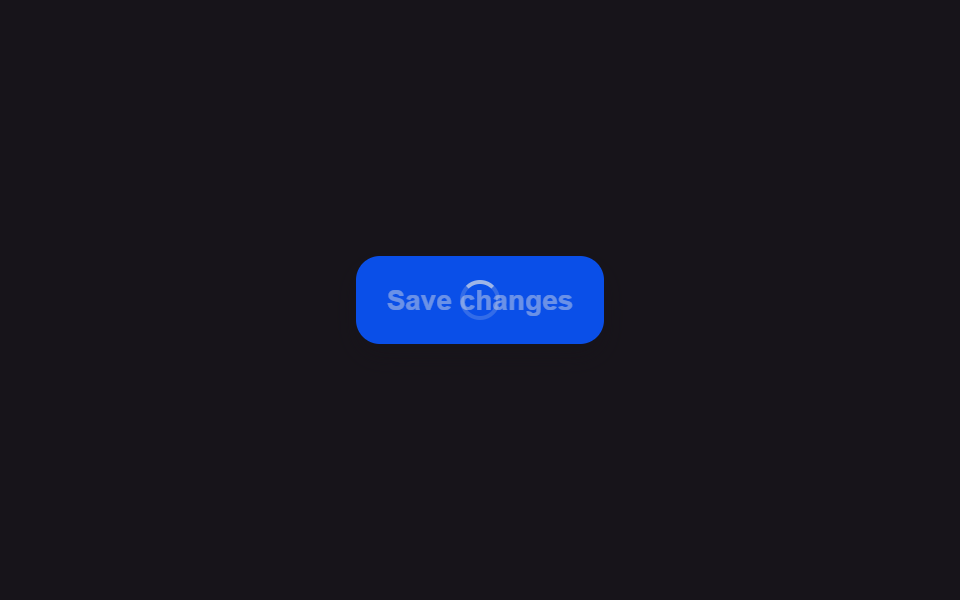 01 button-loading-spinner-swap
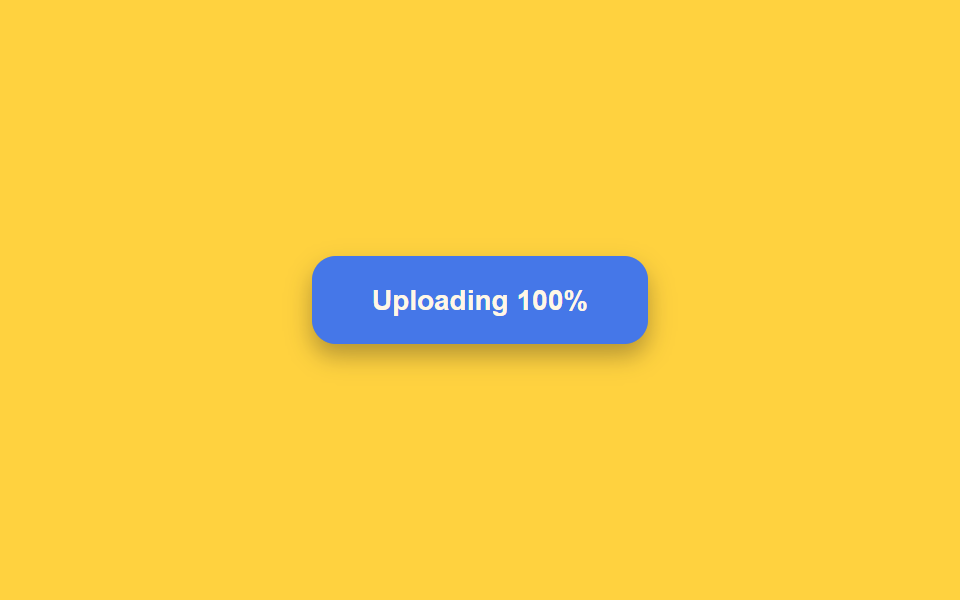 02 button-loading-progress-fill
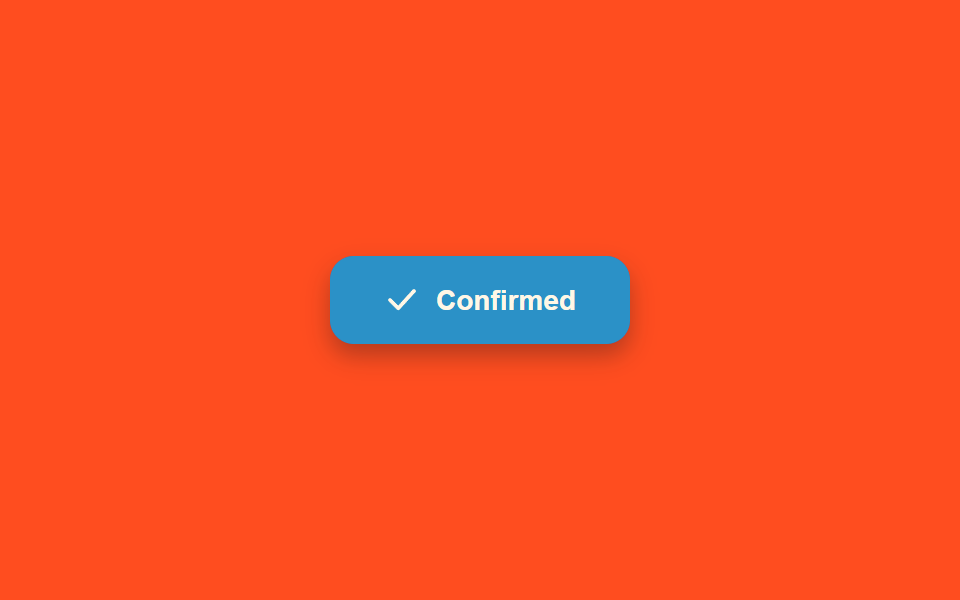 03 button-loading-success-checkmark-morph
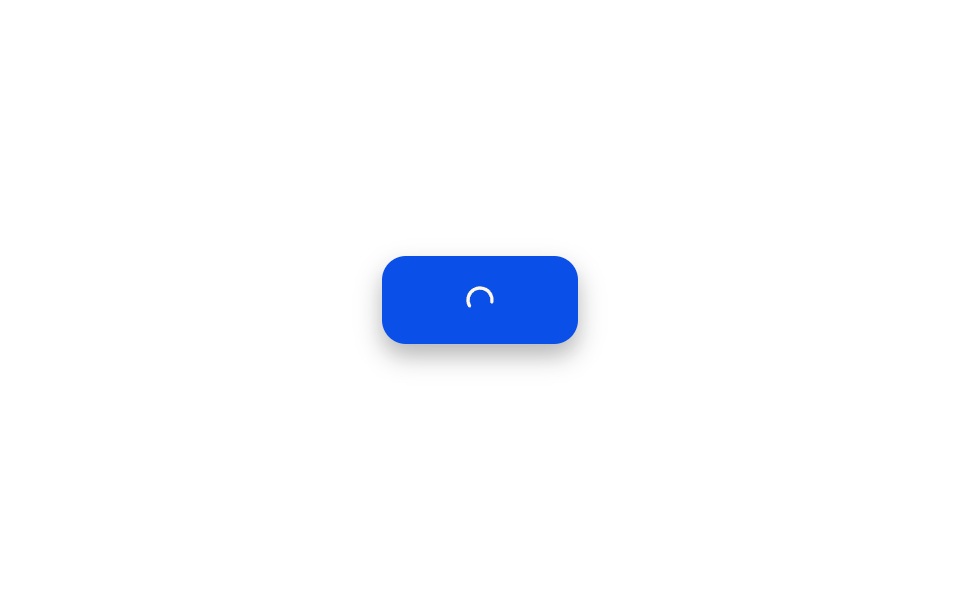 04 button-loading-error-shake-revert
 05 button-loading-icon-only-collapse
 06 button-loading-dot-pulse-inline
 07 button-loading-disabled-dim-lock
 08 button-loading-multi-step-sequence
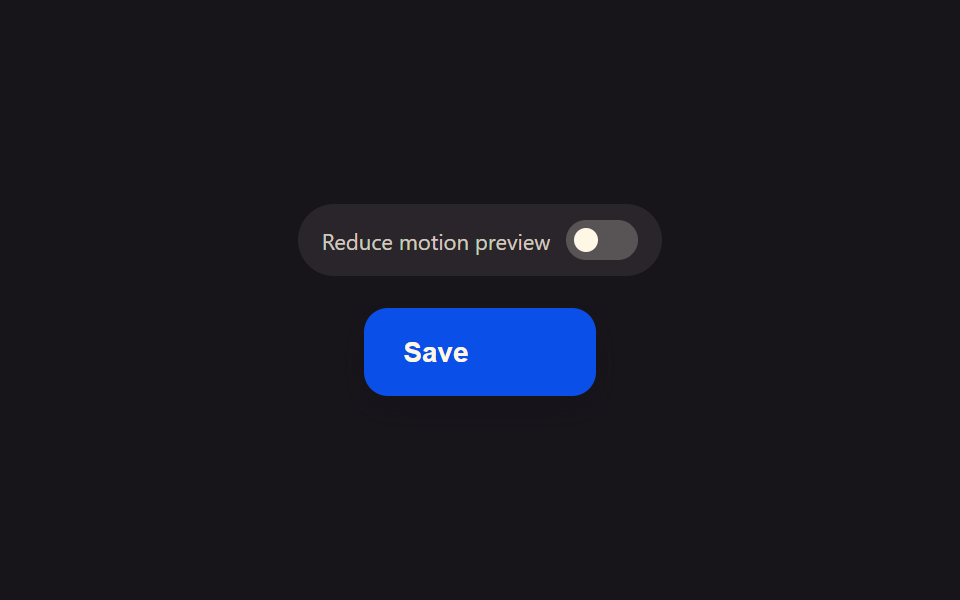 09 button-loading-reduced-motion-static
自動再生 · タイルを押すとその項目へ · すべて1つのzip
- 01 ラベルがスピナーアイコンに自然に切り替わるボタン
- 02 ボタンの背景が進捗分だけ満ちるミニプログレス表示
- 03 スピナーが成功のチェックアイコンに変形するボタン
- 04 失敗すると短く揺れて元のラベルに戻るボタン
- 05 ローディング中はアイコンだけ残して狭くなるボタン
- 06 ラベルの代わりに点が3つ交互に大きくなるボタン
- 07 ローディング中に暗くなり押せなくなるロックボタン
- 08 ローディング中にラベル文言が段階ごとに変わるボタン
- 09 モーション削減時は点1つで止まるローディングボタン
このツールキットは、1行のボタンに9種類のローディング表現をまとめています。スピナー切り替え・進捗塗りつぶし・チェックマーク変形・エラー揺れ・アイコンのみへの収縮・3点パルス・暗転ロック・複数段階の文言・reduced-motion時の静止ドットです。使いやすいローディングボタンの設計は見た目以上に繊細で、各パターンはライブラリや単一のCSSアニメーションではなく、名前の付いた小さな計算関数が動かしており、その中身はこの記事のコード欄でそのまま確認できます。
デモ
<main class="stage">
<div class="scene is-demo" id="scene">
  <button class="btn" id="btn" type="button">
    <span class="btnContent" id="content">
      <span class="btnLabel" id="label">Save changes</span>
      <span class="btnSpinner" id="spinnerWrap" aria-hidden="true"><span class="btnRing" id="ring"></span></span>
    </span>
  </button>
  <span class="visuallyHidden" id="status" role="status" aria-live="polite"></span>
</div>
</main>
@use "../../../../site/static/demo-tokens" as *;
// 변수 3개
$duration: $dur-base;
$easing: $ease-out;
$color: $subject-blue-deep;
// 계산 겹: index.html 의 lockWidth() 가 라벨이 보이는 순간의 버튼 실측 폭을 px 로 고정하고,
// spinLoop() 가 매 프레임 각도를 산술로 계산해 style.transform 에 적어 넣는다(트랜지션이 아니다).
@include stage($stage-ink);
.scene {
display: grid;
place-items: center;
}
.btn {
position: relative;
display: inline-flex;
align-items: center;
justify-content: center;
height: 44px;
padding: 0 $sp-5;
border: none;
border-radius: $r-control;
background: $color;
color: $subject-cream;
font-weight: 600;
font-size: 14px;
line-height: 1;
box-shadow: $shadow-press;
cursor: pointer;
transition: box-shadow $duration $easing;
&:focus-visible { outline: 2px solid $subject-cream; outline-offset: 3px; }
&:disabled { cursor: default; }
&:active:not(:disabled) { box-shadow: none; }
}
.btnContent {
position: relative;
display: inline-block;
min-width: 84px;
height: 18px;
}
.btnLabel,
.btnSpinner {
position: absolute;
inset: 0;
display: flex;
align-items: center;
justify-content: center;
white-space: nowrap;
}
.btnSpinner { opacity: 0; }
.btnRing {
width: 16px;
height: 16px;
border-radius: $r-pill;
border: 2px solid rgba($subject-cream, .28);
border-top-color: $subject-cream;
}
.visuallyHidden {
position: absolute;
width: 1px;
height: 1px;
overflow: hidden;
clip: rect(0 0 0 0);
white-space: nowrap;
}
@media (max-width: 340px) {
.btn { height: 40px; padding: 0 $sp-4; font-size: 13px; }
.btnContent { min-width: 72px; }
}
@media (prefers-reduced-motion: reduce) {
// 실사용 경로 적용 — index.html 의 runReduced() 가 회전 트윈 없이 opacity 만 즉시 바꾼다.
// scss 만: 남은 트랜지션을 전부 끈다.
* { transition: none !important; }
}html, body {
margin: 0;
overflow: hidden;
}
.stage {
box-sizing: border-box;
min-height: 100vh;
display: grid;
place-items: center;
margin: 0;
background: #17141a;
font-family: -apple-system, "Segoe UI", "Noto Sans KR", sans-serif;
padding: clamp(8px, 4vw, 24px);
}
.scene {
display: grid;
place-items: center;
}
.btn {
position: relative;
display: inline-flex;
align-items: center;
justify-content: center;
height: 44px;
padding: 0 20px;
border: none;
border-radius: 12px;
background: #0a4fe8;
color: #fff7e6;
font-weight: 600;
font-size: 14px;
line-height: 1;
box-shadow: 0 6px 12px rgba(23, 20, 26, 0.32);
cursor: pointer;
transition: box-shadow 300ms ease-out;
}
.btn:focus-visible {
outline: 2px solid #fff7e6;
outline-offset: 3px;
}
.btn:disabled {
cursor: default;
}
.btn:active:not(:disabled) {
box-shadow: none;
}
.btnContent {
position: relative;
display: inline-block;
min-width: 84px;
height: 18px;
}
.btnLabel,
.btnSpinner {
position: absolute;
inset: 0;
display: flex;
align-items: center;
justify-content: center;
white-space: nowrap;
}
.btnSpinner {
opacity: 0;
}
.btnRing {
width: 16px;
height: 16px;
border-radius: 999px;
border: 2px solid rgba(255, 247, 230, 0.28);
border-top-color: #fff7e6;
}
.visuallyHidden {
position: absolute;
width: 1px;
height: 1px;
overflow: hidden;
clip: rect(0 0 0 0);
white-space: nowrap;
}
@media (max-width: 340px) {
.btn {
height: 40px;
padding: 0 16px;
font-size: 13px;
}
.btnContent {
min-width: 72px;
}
}
@media (prefers-reduced-motion: reduce) {
* {
transition: none !important;
}
}(function () {
var FADE_MS = 180;
var SPIN_MS = 900;
var GAP_MS = 500;
var START_DELAY_MS = 200;
var DEG_PER_MS = 360 / 650;
var scene = document.getElementById('scene');
var btn = document.getElementById('btn');
var label = document.getElementById('label');
var spinnerWrap = document.getElementById('spinnerWrap');
var ring = document.getElementById('ring');
var status = document.getElementById('status');
var reduce = window.matchMedia('(prefers-reduced-motion: reduce)').matches;
var gen = 0;
var timers = [];
var rafId = 0;
function human() {
if (scene.classList.contains('is-demo')) {
scene.classList.remove('is-demo');
timers.forEach(function (t) { clearTimeout(t); });
timers = [];
}
}
function easeInOutQuad(p) { return p < .5 ? 2 * p * p : 1 - Math.pow(-2 * p + 2, 2) / 2; }
function fade(el, from, to, ms, myGen, onDone) {
var start = null;
function step(now) {
if (myGen !== gen) return;
if (start === null) start = now;
var p = Math.min(1, (now - start) / ms);
el.style.opacity = String(from + (to - from) * easeInOutQuad(p));
if (p < 1) requestAnimationFrame(step); else if (onDone) onDone();
}
requestAnimationFrame(step);
}
function spinLoop(myGen) {
var start = null;
function step(now) {
if (myGen !== gen) return;
if (start === null) start = now;
var angle = ((now - start) * DEG_PER_MS) % 360;
ring.style.transform = 'rotate(' + angle.toFixed(1) + 'deg)';
rafId = requestAnimationFrame(step);
}
rafId = requestAnimationFrame(step);
}
// 계산 겹: 라벨이 보이는 지금 이 순간의 버튼 실측 폭을 lockWidth() 가 px 로 고정한다 —
// 스피너로 바뀌며 콘텐츠 폭이 좁아져도 버튼이 함께 좁아지지 않는다.
function lockWidth() {
var w = btn.getBoundingClientRect().width;
btn.style.width = w + 'px';
}
function unlockWidth() { btn.style.width = ''; }
function startLoad(myGen) {
lockWidth();
btn.disabled = true;
btn.setAttribute('aria-busy', 'true');
status.textContent = '保存中';
fade(label, 1, 0, FADE_MS, myGen);
fade(spinnerWrap, 0, 1, FADE_MS, myGen, function () { spinLoop(myGen); });
}
function finishLoad(myGen) {
cancelAnimationFrame(rafId);
fade(spinnerWrap, 1, 0, FADE_MS, myGen);
fade(label, 0, 1, FADE_MS, myGen, function () {
btn.disabled = false;
btn.removeAttribute('aria-busy');
status.textContent = '保存完了';
unlockWidth();
});
}
function runAnimated() {
gen++;
var myGen = gen;
startLoad(myGen);
timers.push(setTimeout(function () { finishLoad(myGen); }, SPIN_MS));
}
function runReduced() {
gen++;
lockWidth();
btn.disabled = true;
btn.setAttribute('aria-busy', 'true');
status.textContent = '保存中';
label.style.opacity = '0';
spinnerWrap.style.opacity = '1';
timers.push(setTimeout(function () {
spinnerWrap.style.opacity = '0';
label.style.opacity = '1';
btn.disabled = false;
btn.removeAttribute('aria-busy');
status.textContent = '保存完了';
unlockWidth();
}, SPIN_MS));
}
btn.addEventListener('click', function () {
if (btn.disabled) return;
human();
if (reduce) runReduced(); else runAnimated();
});
// reduce: 실사용 경로 적용 — runReduced() 는 회전 트윈 없이 opacity 만 즉시 바꾼다.
// 아래 자동 루프는 시연 게이트만 — reduce 에서는 돌지 않는다.
function cycle() {
if (!scene.classList.contains('is-demo')) return;
runAnimated();
timers.push(setTimeout(function () {
timers.push(setTimeout(cycle, GAP_MS));
}, SPIN_MS));
}
if (!reduce) {
timers.push(setTimeout(cycle, START_DELAY_MS));
}
})();import { useEffect, useRef } from 'react';
import styles from './ButtonLoadingSpinnerSwap.module.scss';
const FADE_MS = 180;
const SPIN_MS = 900;
const GAP_MS = 500;
const START_DELAY_MS = 200;
const DEG_PER_MS = 360 / 650;
export default function ButtonLoadingSpinnerSwap() {
const sceneRef = useRef<HTMLDivElement>(null);
const btnRef = useRef<HTMLButtonElement>(null);
const labelRef = useRef<HTMLSpanElement>(null);
const spinnerWrapRef = useRef<HTMLSpanElement>(null);
const ringRef = useRef<HTMLSpanElement>(null);
const statusRef = useRef<HTMLSpanElement>(null);
useEffect(() => {
const scene = sceneRef.current;
const btn = btnRef.current;
const label = labelRef.current;
const spinnerWrap = spinnerWrapRef.current;
const ring = ringRef.current;
const status = statusRef.current;
if (!scene || !btn || !label || !spinnerWrap || !ring || !status) return undefined;
const reduce = window.matchMedia('(prefers-reduced-motion: reduce)').matches;
let gen = 0;
let timers: number[] = [];
let rafId = 0;
function human() {
if (scene!.classList.contains(styles['is-demo'])) {
scene!.classList.remove(styles['is-demo']);
timers.forEach((t) => window.clearTimeout(t));
timers = [];
}
}
function easeInOutQuad(p: number) { return p < .5 ? 2 * p * p : 1 - Math.pow(-2 * p + 2, 2) / 2; }
function fade(el: HTMLElement, from: number, to: number, ms: number, myGen: number, onDone?: () => void) {
let start: number | null = null;
function step(now: number) {
if (myGen !== gen) return;
if (start === null) start = now;
const p = Math.min(1, (now - start) / ms);
el.style.opacity = String(from + (to - from) * easeInOutQuad(p));
if (p < 1) requestAnimationFrame(step); else if (onDone) onDone();
}
requestAnimationFrame(step);
}
function spinLoop(myGen: number) {
let start: number | null = null;
function step(now: number) {
if (myGen !== gen) return;
if (start === null) start = now;
const angle = ((now - start) * DEG_PER_MS) % 360;
ring!.style.transform = 'rotate(' + angle.toFixed(1) + 'deg)';
rafId = requestAnimationFrame(step);
}
rafId = requestAnimationFrame(step);
}
// 계산 겹: 라벨이 보이는 지금 이 순간의 버튼 실측 폭을 lockWidth() 가 px 로 고정한다 —
// 스피너로 바뀌며 콘텐츠 폭이 좁아져도 버튼이 함께 좁아지지 않는다.
function lockWidth() {
const w = btn!.getBoundingClientRect().width;
btn!.style.width = w + 'px';
}
function unlockWidth() { btn!.style.width = ''; }
function startLoad(myGen: number) {
lockWidth();
btn!.disabled = true;
btn!.setAttribute('aria-busy', 'true');
status!.textContent = '저장하는 중';
fade(label!, 1, 0, FADE_MS, myGen);
fade(spinnerWrap!, 0, 1, FADE_MS, myGen, () => { spinLoop(myGen); });
}
function finishLoad(myGen: number) {
cancelAnimationFrame(rafId);
fade(spinnerWrap!, 1, 0, FADE_MS, myGen);
fade(label!, 0, 1, FADE_MS, myGen, () => {
btn!.disabled = false;
btn!.removeAttribute('aria-busy');
status!.textContent = '저장 완료';
unlockWidth();
});
}
function runAnimated() {
gen++;
const myGen = gen;
startLoad(myGen);
timers.push(window.setTimeout(() => { finishLoad(myGen); }, SPIN_MS));
}
function runReduced() {
gen++;
lockWidth();
btn!.disabled = true;
btn!.setAttribute('aria-busy', 'true');
status!.textContent = '저장하는 중';
label!.style.opacity = '0';
spinnerWrap!.style.opacity = '1';
timers.push(window.setTimeout(() => {
spinnerWrap!.style.opacity = '0';
label!.style.opacity = '1';
btn!.disabled = false;
btn!.removeAttribute('aria-busy');
status!.textContent = '저장 완료';
unlockWidth();
}, SPIN_MS));
}
function onClick() {
if (btn!.disabled) return;
human();
if (reduce) runReduced(); else runAnimated();
}
btn.addEventListener('click', onClick);
// reduce: 실사용 경로 적용 — runReduced() 는 회전 트윈 없이 opacity 만 즉시 바꾼다.
// 아래 자동 루프는 시연 게이트만 — reduce 에서는 돌지 않는다.
function cycle() {
if (!scene!.classList.contains(styles['is-demo'])) return;
runAnimated();
timers.push(window.setTimeout(() => {
timers.push(window.setTimeout(cycle, GAP_MS));
}, SPIN_MS));
}
if (!reduce) {
timers.push(window.setTimeout(cycle, START_DELAY_MS));
}
return () => {
btn.removeEventListener('click', onClick);
timers.forEach((t) => window.clearTimeout(t));
cancelAnimationFrame(rafId);
};
}, []);
return (
<main className={styles.stage}>
<div className={styles.scene + ' ' + styles['is-demo']} ref={sceneRef}>
<button className={styles.btn} ref={btnRef} type="button">
<span className={styles.btnContent}>
<span className={styles.btnLabel} ref={labelRef}>Save changes</span>
<span className={styles.btnSpinner} ref={spinnerWrapRef} aria-hidden="true">
<span className={styles.btnRing} ref={ringRef} />
</span>
</span>
</button>
<span className={styles.visuallyHidden} ref={statusRef} role="status" aria-live="polite" />
</div>
</main>
);
}01 · ラベルがスピナーアイコンに自然に切り替わるボタン — 計測 累積面積 0.503% · 動いたフレーム 20/23GODRICH オリジナル · SCSS と React は zip に同梱 · パスワードを見る
上のパターン01は、ラベルがフェードアウトする前にgetBoundingClientRectで幅を1回読み取るだけで、幅を固定するための特別なライブラリを必要としません。残る8種は下に続き、それぞれ自分のコード欄と対になっています。
9つの状態遷移の解剖 — どこで計算の一層が回るか
| # | パターン | 累積面積 | 平均強度 | 動いたフレーム |
|---|---|---|---|---|
| 01 | ラベル→スピナーのクロスフェード | 0.50% | 98.6 | 23中20 |
| 02 | プログレス塗りつぶし | 5.05% | 75.9 | 23中14 |
| 03 | スピナー→チェックのモーフ | 5.07% | 90.8 | 23中15 |
| 04 | 揺れと復帰 | 0.73% | 97.9 | 23中16 |
| 05 | アイコンのみへの収縮 | 4.39% | 168.1 | 23中13 |
| 06 | 3点パルス | 0.21% | 91.9 | 23中20 |
| 07 | 暗転とロック | 3.32% | 32.0 | 23中10 |
| 08 | 複数段階の文言 | 0.79% | 161.3 | 23中10 |
| 09 | reduced-motion時の静止ドット | 0.59% | 91.9 | 23中10 |
9つのうち最も広い面積を占めるのはパターン03のチェックマーク変形で5.07%、僅差(0.02ポイント差)でパターン02の進捗塗りつぶし(5.05%)が続きます。最も面積が小さいのはパターン06の3点パルスで0.21%です。平均強度が最も高いのはパターン05のアイコン収縮で168.1です。scaleXによる収縮とアイコン側の逆スケールが同時に動くため、変化が鋭く集中して見えます。逆に平均強度が最も低いのはパターン07の暗転ロックで32.0、フィルムの不透明度がごくわずかしか変化しないためです。測定した23フレーム対のうち最も多く動いたのはパターン01と06でそれぞれ20回、最も少なかったのは07・08・09でそれぞれ10回でした。
イージングされた進捗が一つの値を動かす — 02・03・05
パターン02・03・05はいずれも1つのrequestAnimationFrameループで進捗値pを毎フレーム計算し、それを複数のプロパティに同時に使います。drive(02)はpをeaseOutCubicで処理し、塗りつぶしのscaleXとパーセント表示のラベルに同じ値を書き込みます。morph(03)は同じpをリングのopacity・チェックのopacity・stroke-dashoffset・背景のティントという4つのプロパティに同時に使うため、アイコンが切り替わるのではなく連続的に形を変えているように見えます。driveScale(05)は同じステップでpをボタンのscaleXとアイコンの逆数1 / scaleの両方に変換するため、ボタンが狭くなる間もアイコン自体は潰れません。
周期的な波形が続く — 04・06・07
パターン04・06・07は目標値へイージングするのではなく、ループが動いている間ずっとサイン波を計算し続けます。shake(04)はMath.sinに減衰する指数関数を掛け合わせるため、振動の振幅が時間とともに徐々に小さくなり、急に止まることがありません。pulseLoop(06)は各ドットのMath.sinの位相をインデックス×PHASE_OFFSET_RADだけずらすため、3つの点は同じ式を共有しながら決して同期しません。pulseLoop(07)はこの3つの中で最も複雑で、振動数自体がBASE_HZからMAX_HZへ残り時間に応じて上がっていくためsin(2π・f・t)をそのまま使えず、位相をフレームごとに直接積分しています。
実測して切り替える離散的な状態 — 01・08・09
パターン01・08・09は連続的なアニメーションカーブを使わず、一度だけ何かを実測してから固定の状態を切り替えます。lockWidth(01)はラベルがフェードアウトする前にgetBoundingClientRectでボタンの現在の描画幅を読み取るため、スピナーが回っている間にボタンが狭く再フローすることがありません。measureOffsets(08)は行の高さを仮定せず、各段階文言の実際のoffsetTopを読み取るため、トラックは積み上がった文言の実際の高さの分だけ正確にスライドします。パターン09はレイアウトを一切測定しません。matchMedia('(prefers-reduced-motion: reduce)')を一度だけ読み取り、その後はrole="switch"のトグルがOSの設定にかかわらず訪問者が手動で両方の状態を切り替えられるようにしています。
パターン別コード
以下のコードはすべて各デモ自身のスクリプトからそのまま取り出したもので、短縮も書き換えもしていません。
01ラベルがスピナーアイコンに自然に切り替わるボタン
ボタンを押した瞬間に文字が薄くなって消え、その場所に小さな円形スピナーが薄く現れて回り続け、その間ボタンの幅は変わりません。フォーム送信ボタンがサーバーの応答を待つ間に向いています。
<main class="stage">
<div class="scene is-demo" id="scene">
  <button class="btn" id="btn" type="button">
    <span class="btnContent" id="content">
      <span class="btnLabel" id="label">Save changes</span>
      <span class="btnSpinner" id="spinnerWrap" aria-hidden="true"><span class="btnRing" id="ring"></span></span>
    </span>
  </button>
  <span class="visuallyHidden" id="status" role="status" aria-live="polite"></span>
</div>
</main>
@use "../../../../site/static/demo-tokens" as *;
// 변수 3개
$duration: $dur-base;
$easing: $ease-out;
$color: $subject-blue-deep;
// 계산 겹: index.html 의 lockWidth() 가 라벨이 보이는 순간의 버튼 실측 폭을 px 로 고정하고,
// spinLoop() 가 매 프레임 각도를 산술로 계산해 style.transform 에 적어 넣는다(트랜지션이 아니다).
@include stage($stage-ink);
.scene {
display: grid;
place-items: center;
}
.btn {
position: relative;
display: inline-flex;
align-items: center;
justify-content: center;
height: 44px;
padding: 0 $sp-5;
border: none;
border-radius: $r-control;
background: $color;
color: $subject-cream;
font-weight: 600;
font-size: 14px;
line-height: 1;
box-shadow: $shadow-press;
cursor: pointer;
transition: box-shadow $duration $easing;
&:focus-visible { outline: 2px solid $subject-cream; outline-offset: 3px; }
&:disabled { cursor: default; }
&:active:not(:disabled) { box-shadow: none; }
}
.btnContent {
position: relative;
display: inline-block;
min-width: 84px;
height: 18px;
}
.btnLabel,
.btnSpinner {
position: absolute;
inset: 0;
display: flex;
align-items: center;
justify-content: center;
white-space: nowrap;
}
.btnSpinner { opacity: 0; }
.btnRing {
width: 16px;
height: 16px;
border-radius: $r-pill;
border: 2px solid rgba($subject-cream, .28);
border-top-color: $subject-cream;
}
.visuallyHidden {
position: absolute;
width: 1px;
height: 1px;
overflow: hidden;
clip: rect(0 0 0 0);
white-space: nowrap;
}
@media (max-width: 340px) {
.btn { height: 40px; padding: 0 $sp-4; font-size: 13px; }
.btnContent { min-width: 72px; }
}
@media (prefers-reduced-motion: reduce) {
// 실사용 경로 적용 — index.html 의 runReduced() 가 회전 트윈 없이 opacity 만 즉시 바꾼다.
// scss 만: 남은 트랜지션을 전부 끈다.
* { transition: none !important; }
}html, body {
margin: 0;
overflow: hidden;
}
.stage {
box-sizing: border-box;
min-height: 100vh;
display: grid;
place-items: center;
margin: 0;
background: #17141a;
font-family: -apple-system, "Segoe UI", "Noto Sans KR", sans-serif;
padding: clamp(8px, 4vw, 24px);
}
.scene {
display: grid;
place-items: center;
}
.btn {
position: relative;
display: inline-flex;
align-items: center;
justify-content: center;
height: 44px;
padding: 0 20px;
border: none;
border-radius: 12px;
background: #0a4fe8;
color: #fff7e6;
font-weight: 600;
font-size: 14px;
line-height: 1;
box-shadow: 0 6px 12px rgba(23, 20, 26, 0.32);
cursor: pointer;
transition: box-shadow 300ms ease-out;
}
.btn:focus-visible {
outline: 2px solid #fff7e6;
outline-offset: 3px;
}
.btn:disabled {
cursor: default;
}
.btn:active:not(:disabled) {
box-shadow: none;
}
.btnContent {
position: relative;
display: inline-block;
min-width: 84px;
height: 18px;
}
.btnLabel,
.btnSpinner {
position: absolute;
inset: 0;
display: flex;
align-items: center;
justify-content: center;
white-space: nowrap;
}
.btnSpinner {
opacity: 0;
}
.btnRing {
width: 16px;
height: 16px;
border-radius: 999px;
border: 2px solid rgba(255, 247, 230, 0.28);
border-top-color: #fff7e6;
}
.visuallyHidden {
position: absolute;
width: 1px;
height: 1px;
overflow: hidden;
clip: rect(0 0 0 0);
white-space: nowrap;
}
@media (max-width: 340px) {
.btn {
height: 40px;
padding: 0 16px;
font-size: 13px;
}
.btnContent {
min-width: 72px;
}
}
@media (prefers-reduced-motion: reduce) {
* {
transition: none !important;
}
}(function () {
var FADE_MS = 180;
var SPIN_MS = 900;
var GAP_MS = 500;
var START_DELAY_MS = 200;
var DEG_PER_MS = 360 / 650;
var scene = document.getElementById('scene');
var btn = document.getElementById('btn');
var label = document.getElementById('label');
var spinnerWrap = document.getElementById('spinnerWrap');
var ring = document.getElementById('ring');
var status = document.getElementById('status');
var reduce = window.matchMedia('(prefers-reduced-motion: reduce)').matches;
var gen = 0;
var timers = [];
var rafId = 0;
function human() {
if (scene.classList.contains('is-demo')) {
scene.classList.remove('is-demo');
timers.forEach(function (t) { clearTimeout(t); });
timers = [];
}
}
function easeInOutQuad(p) { return p < .5 ? 2 * p * p : 1 - Math.pow(-2 * p + 2, 2) / 2; }
function fade(el, from, to, ms, myGen, onDone) {
var start = null;
function step(now) {
if (myGen !== gen) return;
if (start === null) start = now;
var p = Math.min(1, (now - start) / ms);
el.style.opacity = String(from + (to - from) * easeInOutQuad(p));
if (p < 1) requestAnimationFrame(step); else if (onDone) onDone();
}
requestAnimationFrame(step);
}
function spinLoop(myGen) {
var start = null;
function step(now) {
if (myGen !== gen) return;
if (start === null) start = now;
var angle = ((now - start) * DEG_PER_MS) % 360;
ring.style.transform = 'rotate(' + angle.toFixed(1) + 'deg)';
rafId = requestAnimationFrame(step);
}
rafId = requestAnimationFrame(step);
}
// 계산 겹: 라벨이 보이는 지금 이 순간의 버튼 실측 폭을 lockWidth() 가 px 로 고정한다 —
// 스피너로 바뀌며 콘텐츠 폭이 좁아져도 버튼이 함께 좁아지지 않는다.
  function lockWidth() {
    var w = btn.getBoundingClientRect().width;
    btn.style.width = w + 'px';
  }
  function unlockWidth() { btn.style.width = ''; }

  function startLoad(myGen) {
    lockWidth();
    btn.disabled = true;
    btn.setAttribute('aria-busy', 'true');
    status.textContent = '保存中';
    fade(label, 1, 0, FADE_MS, myGen);
    fade(spinnerWrap, 0, 1, FADE_MS, myGen, function () { spinLoop(myGen); });
  }
  function finishLoad(myGen) {
    cancelAnimationFrame(rafId);
    fade(spinnerWrap, 1, 0, FADE_MS, myGen);
    fade(label, 0, 1, FADE_MS, myGen, function () {
      btn.disabled = false;
      btn.removeAttribute('aria-busy');
      status.textContent = '保存完了';
      unlockWidth();
    });
  }
function runAnimated() {
gen++;
var myGen = gen;
startLoad(myGen);
timers.push(setTimeout(function () { finishLoad(myGen); }, SPIN_MS));
}
function runReduced() {
gen++;
lockWidth();
btn.disabled = true;
btn.setAttribute('aria-busy', 'true');
status.textContent = '保存中';
label.style.opacity = '0';
spinnerWrap.style.opacity = '1';
timers.push(setTimeout(function () {
spinnerWrap.style.opacity = '0';
label.style.opacity = '1';
btn.disabled = false;
btn.removeAttribute('aria-busy');
status.textContent = '保存完了';
unlockWidth();
}, SPIN_MS));
}
btn.addEventListener('click', function () {
if (btn.disabled) return;
human();
if (reduce) runReduced(); else runAnimated();
});
// reduce: 실사용 경로 적용 — runReduced() 는 회전 트윈 없이 opacity 만 즉시 바꾼다.
// 아래 자동 루프는 시연 게이트만 — reduce 에서는 돌지 않는다.
function cycle() {
if (!scene.classList.contains('is-demo')) return;
runAnimated();
timers.push(setTimeout(function () {
timers.push(setTimeout(cycle, GAP_MS));
}, SPIN_MS));
}
if (!reduce) {
timers.push(setTimeout(cycle, START_DELAY_MS));
}
})();import { useEffect, useRef } from 'react';
import styles from './ButtonLoadingSpinnerSwap.module.scss';
const FADE_MS = 180;
const SPIN_MS = 900;
const GAP_MS = 500;
const START_DELAY_MS = 200;
const DEG_PER_MS = 360 / 650;
export default function ButtonLoadingSpinnerSwap() {
const sceneRef = useRef<HTMLDivElement>(null);
const btnRef = useRef<HTMLButtonElement>(null);
const labelRef = useRef<HTMLSpanElement>(null);
const spinnerWrapRef = useRef<HTMLSpanElement>(null);
const ringRef = useRef<HTMLSpanElement>(null);
const statusRef = useRef<HTMLSpanElement>(null);
useEffect(() => {
const scene = sceneRef.current;
const btn = btnRef.current;
const label = labelRef.current;
const spinnerWrap = spinnerWrapRef.current;
const ring = ringRef.current;
const status = statusRef.current;
if (!scene || !btn || !label || !spinnerWrap || !ring || !status) return undefined;
const reduce = window.matchMedia('(prefers-reduced-motion: reduce)').matches;
let gen = 0;
let timers: number[] = [];
let rafId = 0;
function human() {
if (scene!.classList.contains(styles['is-demo'])) {
scene!.classList.remove(styles['is-demo']);
timers.forEach((t) => window.clearTimeout(t));
timers = [];
}
}
function easeInOutQuad(p: number) { return p < .5 ? 2 * p * p : 1 - Math.pow(-2 * p + 2, 2) / 2; }
function fade(el: HTMLElement, from: number, to: number, ms: number, myGen: number, onDone?: () => void) {
let start: number | null = null;
function step(now: number) {
if (myGen !== gen) return;
if (start === null) start = now;
const p = Math.min(1, (now - start) / ms);
el.style.opacity = String(from + (to - from) * easeInOutQuad(p));
if (p < 1) requestAnimationFrame(step); else if (onDone) onDone();
}
requestAnimationFrame(step);
}
function spinLoop(myGen: number) {
let start: number | null = null;
function step(now: number) {
if (myGen !== gen) return;
if (start === null) start = now;
const angle = ((now - start) * DEG_PER_MS) % 360;
ring!.style.transform = 'rotate(' + angle.toFixed(1) + 'deg)';
rafId = requestAnimationFrame(step);
}
rafId = requestAnimationFrame(step);
}
// 계산 겹: 라벨이 보이는 지금 이 순간의 버튼 실측 폭을 lockWidth() 가 px 로 고정한다 —
// 스피너로 바뀌며 콘텐츠 폭이 좁아져도 버튼이 함께 좁아지지 않는다.
function lockWidth() {
const w = btn!.getBoundingClientRect().width;
btn!.style.width = w + 'px';
}
function unlockWidth() { btn!.style.width = ''; }
function startLoad(myGen: number) {
lockWidth();
btn!.disabled = true;
btn!.setAttribute('aria-busy', 'true');
status!.textContent = '저장하는 중';
fade(label!, 1, 0, FADE_MS, myGen);
fade(spinnerWrap!, 0, 1, FADE_MS, myGen, () => { spinLoop(myGen); });
}
function finishLoad(myGen: number) {
cancelAnimationFrame(rafId);
fade(spinnerWrap!, 1, 0, FADE_MS, myGen);
fade(label!, 0, 1, FADE_MS, myGen, () => {
btn!.disabled = false;
btn!.removeAttribute('aria-busy');
status!.textContent = '저장 완료';
unlockWidth();
});
}
function runAnimated() {
gen++;
const myGen = gen;
startLoad(myGen);
timers.push(window.setTimeout(() => { finishLoad(myGen); }, SPIN_MS));
}
function runReduced() {
gen++;
lockWidth();
btn!.disabled = true;
btn!.setAttribute('aria-busy', 'true');
status!.textContent = '저장하는 중';
label!.style.opacity = '0';
spinnerWrap!.style.opacity = '1';
timers.push(window.setTimeout(() => {
spinnerWrap!.style.opacity = '0';
label!.style.opacity = '1';
btn!.disabled = false;
btn!.removeAttribute('aria-busy');
status!.textContent = '저장 완료';
unlockWidth();
}, SPIN_MS));
}
function onClick() {
if (btn!.disabled) return;
human();
if (reduce) runReduced(); else runAnimated();
}
btn.addEventListener('click', onClick);
// reduce: 실사용 경로 적용 — runReduced() 는 회전 트윈 없이 opacity 만 즉시 바꾼다.
// 아래 자동 루프는 시연 게이트만 — reduce 에서는 돌지 않는다.
function cycle() {
if (!scene!.classList.contains(styles['is-demo'])) return;
runAnimated();
timers.push(window.setTimeout(() => {
timers.push(window.setTimeout(cycle, GAP_MS));
}, SPIN_MS));
}
if (!reduce) {
timers.push(window.setTimeout(cycle, START_DELAY_MS));
}
return () => {
btn.removeEventListener('click', onClick);
timers.forEach((t) => window.clearTimeout(t));
cancelAnimationFrame(rafId);
};
}, []);
return (
<main className={styles.stage}>
<div className={styles.scene + ' ' + styles['is-demo']} ref={sceneRef}>
<button className={styles.btn} ref={btnRef} type="button">
<span className={styles.btnContent}>
<span className={styles.btnLabel} ref={labelRef}>Save changes</span>
<span className={styles.btnSpinner} ref={spinnerWrapRef} aria-hidden="true">
<span className={styles.btnRing} ref={ringRef} />
</span>
</span>
</button>
<span className={styles.visuallyHidden} ref={statusRef} role="status" aria-live="polite" />
</div>
</main>
);
}01 · ラベルがスピナーアイコンに自然に切り替わるボタン — 計測 累積面積 0.503% · 動いたフレーム 20/23GODRICH オリジナル · SCSS と React は zip に同梱 · パスワードを見る
function lockWidth() {
var w = btn.getBoundingClientRect().width;
btn.style.width = w + 'px';
}
function unlockWidth() { btn.style.width = ''; }
function startLoad(myGen) {
lockWidth();
btn.disabled = true;
btn.setAttribute('aria-busy', 'true');
status.textContent = '保存中';
fade(label, 1, 0, FADE_MS, myGen);
fade(spinnerWrap, 0, 1, FADE_MS, myGen, function () { spinLoop(myGen); });
}
function finishLoad(myGen) {
cancelAnimationFrame(rafId);
fade(spinnerWrap, 1, 0, FADE_MS, myGen);
fade(label, 0, 1, FADE_MS, myGen, function () {
btn.disabled = false;
btn.removeAttribute('aria-busy');
status.textContent = '保存完了';
unlockWidth();
});
}
02ボタンの背景が進捗分だけ満ちるミニプログレス表示
ボタンを押すと枠内の背景が左から右へ薄い色で満ちていき進捗を示し、端まで満ちると少し止まってから次の状態に移ります。ファイルアップロードや長い処理の進捗表示に使えます。
<main class="stage">
<div class="scene is-demo" id="scene">
  <button class="btn" id="btn" type="button">
    <span class="btnFill" id="fill" aria-hidden="true"></span>
    <span class="btnText" id="text">Upload file</span>
  </button>
  <span class="visuallyHidden" id="status" role="status" aria-live="polite"></span>
</div>
</main>
@use "../../../../site/static/demo-tokens" as *;
// 변수 3개
$duration: $dur-enter;
$easing: $ease-out;
$color: $subject-blue-deep;
// 계산 겹: index.html 의 drive() 가 easeOutCubic 진행률을 매 프레임 계산해 채움 막대의
// scaleX 와 라벨 퍼센트 숫자를 같은 값으로 동시에 갱신한다.
@include stage($stage-yellow);
.scene {
display: grid;
place-items: center;
}
.btn {
position: relative;
display: inline-flex;
align-items: center;
justify-content: center;
min-width: 168px;
height: 44px;
padding: 0 $sp-5;
border: none;
border-radius: $r-control;
background: $color;
color: $subject-cream;
font-weight: 600;
font-size: 14px;
line-height: 1;
box-shadow: $shadow-press;
cursor: pointer;
overflow: hidden;
&:focus-visible { outline: 2px solid $subject-ink; outline-offset: 3px; }
&:disabled { cursor: default; }
}
.btnFill {
position: absolute;
inset: 0;
transform: scaleX(0);
transform-origin: left center; // 채움 막대가 시작 변에서 자란다 — BD 예외 규칙
background: rgba($subject-cream, .24);
}
.btnText {
position: relative;
z-index: 1;
white-space: nowrap;
font-variant-numeric: tabular-nums;
}
.visuallyHidden {
position: absolute;
width: 1px;
height: 1px;
overflow: hidden;
clip: rect(0 0 0 0);
white-space: nowrap;
}
@media (max-width: 340px) {
.btn { min-width: 148px; height: 40px; padding: 0 $sp-4; font-size: 13px; }
}
@media (prefers-reduced-motion: reduce) {
// 실사용 경로 적용 — index.html 의 runReduced() 가 채움 트윈 없이 즉시 값을 바꾼다.
// scss 만: 남은 트랜지션을 전부 끈다.
* { transition: none !important; }
}html, body {
margin: 0;
overflow: hidden;
}
.stage {
box-sizing: border-box;
min-height: 100vh;
display: grid;
place-items: center;
margin: 0;
background: #ffd23f;
font-family: -apple-system, "Segoe UI", "Noto Sans KR", sans-serif;
padding: clamp(8px, 4vw, 24px);
}
.scene {
display: grid;
place-items: center;
}
.btn {
position: relative;
display: inline-flex;
align-items: center;
justify-content: center;
min-width: 168px;
height: 44px;
padding: 0 20px;
border: none;
border-radius: 12px;
background: #0a4fe8;
color: #fff7e6;
font-weight: 600;
font-size: 14px;
line-height: 1;
box-shadow: 0 6px 12px rgba(23, 20, 26, 0.32);
cursor: pointer;
overflow: hidden;
}
.btn:focus-visible {
outline: 2px solid #17141a;
outline-offset: 3px;
}
.btn:disabled {
cursor: default;
}
.btnFill {
position: absolute;
inset: 0;
transform: scaleX(0);
transform-origin: left center;
background: rgba(255, 247, 230, 0.24);
}
.btnText {
position: relative;
z-index: 1;
white-space: nowrap;
font-variant-numeric: tabular-nums;
}
.visuallyHidden {
position: absolute;
width: 1px;
height: 1px;
overflow: hidden;
clip: rect(0 0 0 0);
white-space: nowrap;
}
@media (max-width: 340px) {
.btn {
min-width: 148px;
height: 40px;
padding: 0 16px;
font-size: 13px;
}
}
@media (prefers-reduced-motion: reduce) {
* {
transition: none !important;
}
}(function () {
var FILL_MS = 1100;
var HOLD_AT_FULL_MS = 500;
var SUCCESS_HOLD_MS = 350;
var GAP_MS = 450;
var START_DELAY_MS = 200;
var scene = document.getElementById('scene');
var btn = document.getElementById('btn');
var fill = document.getElementById('fill');
var text = document.getElementById('text');
var status = document.getElementById('status');
var reduce = window.matchMedia('(prefers-reduced-motion: reduce)').matches;
var gen = 0;
var timers = [];
function human() {
if (scene.classList.contains('is-demo')) {
scene.classList.remove('is-demo');
timers.forEach(function (t) { clearTimeout(t); });
timers = [];
}
}
function easeOutCubic(p) { return 1 - Math.pow(1 - p, 3); }
// 계산 겹: 채움 막대는 scaleX 로만 늘어난다(transform-origin: left — 시작 변에서 자란다는
// 예외적 origin, 채움 막대이므로 허용). 진행률 p 는 easeOutCubic 으로 매 프레임 계산해
// 같은 값을 style.transform 과 라벨의 퍼센트 숫자 둘 다에 쓴다.
function drive(myGen, onDone) {
var start = null;
function step(now) {
if (myGen !== gen) return;
if (start === null) start = now;
var raw = Math.min(1, (now - start) / FILL_MS);
var p = easeOutCubic(raw);
fill.style.transform = 'scaleX(' + p.toFixed(4) + ')';
text.textContent = 'Uploading ' + Math.round(p * 100) + '%';
if (raw < 1) requestAnimationFrame(step); else onDone();
}
requestAnimationFrame(step);
}
function fadeOutFill(myGen, ms, onDone) {
var start = null;
function step(now) {
if (myGen !== gen) return;
if (start === null) start = now;
var p = Math.min(1, (now - start) / ms);
fill.style.opacity = String(1 - p);
if (p < 1) requestAnimationFrame(step); else onDone();
}
requestAnimationFrame(step);
}
function runAnimated() {
gen++;
var myGen = gen;
btn.disabled = true;
btn.setAttribute('aria-busy', 'true');
status.textContent = 'アップロード中';
fill.style.opacity = '1';
fill.style.transform = 'scaleX(0)';
drive(myGen, function () {
timers.push(setTimeout(function () {
text.textContent = 'Uploaded';
status.textContent = 'アップロード完了';
fadeOutFill(myGen, 260, function () {
timers.push(setTimeout(function () {
btn.disabled = false;
btn.removeAttribute('aria-busy');
text.textContent = 'Upload file';
fill.style.transform = 'scaleX(0)';
}, SUCCESS_HOLD_MS));
});
}, HOLD_AT_FULL_MS));
});
}
function runReduced() {
gen++;
btn.disabled = true;
btn.setAttribute('aria-busy', 'true');
status.textContent = 'アップロード中';
fill.style.opacity = '1';
fill.style.transform = 'scaleX(1)';
text.textContent = 'Uploading 100%';
timers.push(setTimeout(function () {
text.textContent = 'Uploaded';
status.textContent = 'アップロード完了';
fill.style.opacity = '0';
timers.push(setTimeout(function () {
btn.disabled = false;
btn.removeAttribute('aria-busy');
text.textContent = 'Upload file';
fill.style.transform = 'scaleX(0)';
}, SUCCESS_HOLD_MS));
}, HOLD_AT_FULL_MS));
}
btn.addEventListener('click', function () {
if (btn.disabled) return;
human();
if (reduce) runReduced(); else runAnimated();
});
// reduce: 실사용 경로 적용 — runReduced() 는 채움 트윈 없이 즉시 꽉 찬 상태로 바꾼다.
// 아래 자동 루프는 시연 게이트만 — reduce 에서는 돌지 않는다.
function cycle() {
if (!scene.classList.contains('is-demo')) return;
runAnimated();
timers.push(setTimeout(function () {
timers.push(setTimeout(cycle, GAP_MS));
}, FILL_MS + HOLD_AT_FULL_MS + 260 + SUCCESS_HOLD_MS));
}
if (!reduce) {
timers.push(setTimeout(cycle, START_DELAY_MS));
}
})();import { useEffect, useRef } from 'react';
import styles from './ButtonLoadingProgressFill.module.scss';
const FILL_MS = 1100;
const HOLD_AT_FULL_MS = 500;
const SUCCESS_HOLD_MS = 350;
const GAP_MS = 450;
const START_DELAY_MS = 200;
export default function ButtonLoadingProgressFill() {
const sceneRef = useRef<HTMLDivElement>(null);
const btnRef = useRef<HTMLButtonElement>(null);
const fillRef = useRef<HTMLSpanElement>(null);
const textRef = useRef<HTMLSpanElement>(null);
const statusRef = useRef<HTMLSpanElement>(null);
useEffect(() => {
const scene = sceneRef.current;
const btn = btnRef.current;
const fill = fillRef.current;
const text = textRef.current;
const status = statusRef.current;
if (!scene || !btn || !fill || !text || !status) return undefined;
const reduce = window.matchMedia('(prefers-reduced-motion: reduce)').matches;
let gen = 0;
let timers: number[] = [];
function human() {
if (scene!.classList.contains(styles['is-demo'])) {
scene!.classList.remove(styles['is-demo']);
timers.forEach((t) => window.clearTimeout(t));
timers = [];
}
}
function easeOutCubic(p: number) { return 1 - Math.pow(1 - p, 3); }
// 계산 겹: 채움 막대는 scaleX 로만 늘어난다(transform-origin: left — 시작 변에서 자란다는
// 예외적 origin, 채움 막대이므로 허용). 진행률 p 는 easeOutCubic 으로 매 프레임 계산해
// 같은 값을 style.transform 과 라벨의 퍼센트 숫자 둘 다에 쓴다.
function drive(myGen: number, onDone: () => void) {
let start: number | null = null;
function step(now: number) {
if (myGen !== gen) return;
if (start === null) start = now;
const raw = Math.min(1, (now - start) / FILL_MS);
const p = easeOutCubic(raw);
fill!.style.transform = 'scaleX(' + p.toFixed(4) + ')';
text!.textContent = 'Uploading ' + Math.round(p * 100) + '%';
if (raw < 1) requestAnimationFrame(step); else onDone();
}
requestAnimationFrame(step);
}
function fadeOutFill(myGen: number, ms: number, onDone: () => void) {
let start: number | null = null;
function step(now: number) {
if (myGen !== gen) return;
if (start === null) start = now;
const p = Math.min(1, (now - start) / ms);
fill!.style.opacity = String(1 - p);
if (p < 1) requestAnimationFrame(step); else onDone();
}
requestAnimationFrame(step);
}
function runAnimated() {
gen++;
const myGen = gen;
btn!.disabled = true;
btn!.setAttribute('aria-busy', 'true');
status!.textContent = '업로드하는 중';
fill!.style.opacity = '1';
fill!.style.transform = 'scaleX(0)';
drive(myGen, () => {
timers.push(window.setTimeout(() => {
text!.textContent = 'Uploaded';
status!.textContent = '업로드 완료';
fadeOutFill(myGen, 260, () => {
timers.push(window.setTimeout(() => {
btn!.disabled = false;
btn!.removeAttribute('aria-busy');
text!.textContent = 'Upload file';
fill!.style.transform = 'scaleX(0)';
}, SUCCESS_HOLD_MS));
});
}, HOLD_AT_FULL_MS));
});
}
function runReduced() {
gen++;
btn!.disabled = true;
btn!.setAttribute('aria-busy', 'true');
status!.textContent = '업로드하는 중';
fill!.style.opacity = '1';
fill!.style.transform = 'scaleX(1)';
text!.textContent = 'Uploading 100%';
timers.push(window.setTimeout(() => {
text!.textContent = 'Uploaded';
status!.textContent = '업로드 완료';
fill!.style.opacity = '0';
timers.push(window.setTimeout(() => {
btn!.disabled = false;
btn!.removeAttribute('aria-busy');
text!.textContent = 'Upload file';
fill!.style.transform = 'scaleX(0)';
}, SUCCESS_HOLD_MS));
}, HOLD_AT_FULL_MS));
}
function onClick() {
if (btn!.disabled) return;
human();
if (reduce) runReduced(); else runAnimated();
}
btn.addEventListener('click', onClick);
// reduce: 실사용 경로 적용 — runReduced() 는 채움 트윈 없이 즉시 값을 바꾼다.
// 아래 자동 루프는 시연 게이트만 — reduce 에서는 돌지 않는다.
function cycle() {
if (!scene!.classList.contains(styles['is-demo'])) return;
runAnimated();
timers.push(window.setTimeout(() => {
timers.push(window.setTimeout(cycle, GAP_MS));
}, FILL_MS + HOLD_AT_FULL_MS + 260 + SUCCESS_HOLD_MS));
}
if (!reduce) {
timers.push(window.setTimeout(cycle, START_DELAY_MS));
}
return () => {
btn.removeEventListener('click', onClick);
timers.forEach((t) => window.clearTimeout(t));
};
}, []);
return (
<main className={styles.stage}>
<div className={styles.scene + ' ' + styles['is-demo']} ref={sceneRef}>
<button className={styles.btn} ref={btnRef} type="button">
<span className={styles.btnFill} ref={fillRef} aria-hidden="true" />
<span className={styles.btnText} ref={textRef}>Upload file</span>
</button>
<span className={styles.visuallyHidden} ref={statusRef} role="status" aria-live="polite" />
</div>
</main>
);
}02 · ボタンの背景が進捗分だけ満ちるミニプログレス表示 — 計測 累積面積 5.052% · 動いたフレーム 14/23GODRICH オリジナル · SCSS と React は zip に同梱 · パスワードを見る
  // 計算層: 塗りつぶしバーは scaleX だけで伸びる(transform-origin: left — 開始辺から伸びるという
  // 例外的な origin だが、塗りつぶしバーなので許容する)。進捗 p は毎フレーム easeOutCubic で計算し、
  // 同じ値を style.transform とラベルのパーセント数値の両方に使う。
  function drive(myGen, onDone) {
    var start = null;
    function step(now) {
      if (myGen !== gen) return;
      if (start === null) start = now;
      var raw = Math.min(1, (now - start) / FILL_MS);
      var p = easeOutCubic(raw);
      fill.style.transform = 'scaleX(' + p.toFixed(4) + ')';
      text.textContent = 'Uploading ' + Math.round(p * 100) + '%';
      if (raw < 1) requestAnimationFrame(step); else onDone();
    }
    requestAnimationFrame(step);
  }
03スピナーが成功のチェックアイコンに変形するボタン
回っていた円形スピナーは作業が終わる瞬間、線を描くようになめらかにチェックマークの形へ変わり、ボタンの背景も同時に色づきます。保存や決済の完了をボタンの中でそのまま知らせるのに向いています。
<main class="stage">
<div class="scene is-demo" id="scene">
  <button class="btn" id="btn" type="button">
    <span class="btnTint" id="tint" aria-hidden="true"></span>
    <span class="iconWrap" aria-hidden="true">
      <span class="ringWrap" id="ringWrap">
        <svg viewBox="0 0 24 24" width="18" height="18" class="ringSvg">
          <circle id="ring" cx="12" cy="12" r="9" fill="none" stroke-width="2.5" stroke-linecap="round" stroke-dasharray="34 22"></circle>
        </svg>
      </span>
      <span class="checkWrap" id="checkWrap">
        <svg viewBox="0 0 24 24" width="18" height="18">
          <path id="checkPath" d="M4 12 L9.5 17.5 L20 6" fill="none" stroke-width="2.5" stroke-linecap="round" stroke-linejoin="round"></path>
        </svg>
      </span>
    </span>
    <span class="btnText" id="text">Confirm order</span>
  </button>
  <span class="visuallyHidden" id="status" role="status" aria-live="polite"></span>
</div>
</main>
@use "../../../../site/static/demo-tokens" as *;
// 변수 3개
$duration: $dur-quick;
$easing: $ease-out;
$color: $subject-blue-deep;
// 계산 겹: index.html 의 morph() 가 체크 path 의 실측 길이(getTotalLength)를 기준으로
// 링 opacity · 체크 opacity · stroke-dashoffset · 틴트 opacity 를 한 진행률로 동시에 몬다.
@include stage($stage-orange);
.scene {
display: grid;
place-items: center;
}
.btn {
position: relative;
display: inline-flex;
align-items: center;
justify-content: center;
gap: $sp-2;
min-width: 150px;
height: 44px;
padding: 0 $sp-5;
border: none;
border-radius: $r-control;
background: $color;
color: $subject-cream;
font-weight: 600;
font-size: 14px;
line-height: 1;
box-shadow: $shadow-press;
cursor: pointer;
overflow: hidden;
&:focus-visible { outline: 2px solid $subject-cream; outline-offset: 3px; }
&:disabled { cursor: default; }
}
.btnTint {
position: absolute;
inset: 0;
background: $subject-mint;
opacity: 0;
}
.iconWrap {
position: relative;
z-index: 1;
width: 18px;
height: 18px;
}
.ringWrap,
.checkWrap {
position: absolute;
inset: 0;
display: flex;
align-items: center;
justify-content: center;
}
.checkWrap { opacity: 0; }
.ringSvg circle {
stroke: $subject-cream;
transform-origin: 12px 12px;
}
.checkWrap svg path {
stroke: $subject-cream;
}
.btnText {
position: relative;
z-index: 1;
white-space: nowrap;
}
.visuallyHidden {
position: absolute;
width: 1px;
height: 1px;
overflow: hidden;
clip: rect(0 0 0 0);
white-space: nowrap;
}
@media (max-width: 340px) {
.btn { min-width: 130px; height: 40px; padding: 0 $sp-4; font-size: 13px; }
}
@media (prefers-reduced-motion: reduce) {
// 실사용 경로 적용 — index.html 의 runReduced() 가 회전·드로잉 트윈 없이 즉시 값을 바꾼다.
// scss 만: 남은 트랜지션을 전부 끈다.
* { transition: none !important; }
}html, body {
margin: 0;
overflow: hidden;
}
.stage {
box-sizing: border-box;
min-height: 100vh;
display: grid;
place-items: center;
margin: 0;
background: #ff4d1f;
font-family: -apple-system, "Segoe UI", "Noto Sans KR", sans-serif;
padding: clamp(8px, 4vw, 24px);
}
.scene {
display: grid;
place-items: center;
}
.btn {
position: relative;
display: inline-flex;
align-items: center;
justify-content: center;
gap: 8px;
min-width: 150px;
height: 44px;
padding: 0 20px;
border: none;
border-radius: 12px;
background: #0a4fe8;
color: #fff7e6;
font-weight: 600;
font-size: 14px;
line-height: 1;
box-shadow: 0 6px 12px rgba(23, 20, 26, 0.32);
cursor: pointer;
overflow: hidden;
}
.btn:focus-visible {
outline: 2px solid #fff7e6;
outline-offset: 3px;
}
.btn:disabled {
cursor: default;
}
.btnTint {
position: absolute;
inset: 0;
background: #4cd4a6;
opacity: 0;
}
.iconWrap {
position: relative;
z-index: 1;
width: 18px;
height: 18px;
}
.ringWrap,
.checkWrap {
position: absolute;
inset: 0;
display: flex;
align-items: center;
justify-content: center;
}
.checkWrap {
opacity: 0;
}
.ringSvg circle {
stroke: #fff7e6;
transform-origin: 12px 12px;
}
.checkWrap svg path {
stroke: #fff7e6;
}
.btnText {
position: relative;
z-index: 1;
white-space: nowrap;
}
.visuallyHidden {
position: absolute;
width: 1px;
height: 1px;
overflow: hidden;
clip: rect(0 0 0 0);
white-space: nowrap;
}
@media (max-width: 340px) {
.btn {
min-width: 130px;
height: 40px;
padding: 0 16px;
font-size: 13px;
}
}
@media (prefers-reduced-motion: reduce) {
* {
transition: none !important;
}
}(function () {
var SPIN_MS = 700;
var DRAW_MS = 420;
var HOLD_MS = 450;
var RESET_MS = 220;
var GAP_MS = 450;
var START_DELAY_MS = 200;
var DEG_PER_MS = 360 / 800;
var scene = document.getElementById('scene');
var btn = document.getElementById('btn');
var tint = document.getElementById('tint');
var ringWrap = document.getElementById('ringWrap');
var ring = document.getElementById('ring');
var checkWrap = document.getElementById('checkWrap');
var checkPath = document.getElementById('checkPath');
var text = document.getElementById('text');
var status = document.getElementById('status');
var reduce = window.matchMedia('(prefers-reduced-motion: reduce)').matches;
var gen = 0;
var timers = [];
var rafId = 0;
// 계산 겹: 체크 path 의 실제 길이를 getTotalLength() 로 실측해 stroke-dasharray/offset 을
// 그 값으로 맞춘다 — 임의 숫자를 넣으면 선이 끝까지 안 그려지거나 남는다.
var checkLen = checkPath.getTotalLength();
checkPath.style.strokeDasharray = String(checkLen);
checkPath.style.strokeDashoffset = String(checkLen);
function human() {
if (scene.classList.contains('is-demo')) {
scene.classList.remove('is-demo');
timers.forEach(function (t) { clearTimeout(t); });
timers = [];
}
}
function easeOutCubic(p) { return 1 - Math.pow(1 - p, 3); }
function spinLoop(myGen) {
var start = null;
function step(now) {
if (myGen !== gen) return;
if (start === null) start = now;
var angle = ((now - start) * DEG_PER_MS) % 360;
ring.style.transform = 'rotate(' + angle.toFixed(1) + 'deg)';
rafId = requestAnimationFrame(step);
}
rafId = requestAnimationFrame(step);
}
// 한 번의 rAF 루프가 링 opacity · 체크 opacity · 체크 draw 길이 · 틴트 opacity 넷을
// 같은 진행률 p 로 동시에 몰아 "모양이 이어져 바뀐다"는 인상을 만든다.
function morph(myGen, onDone) {
var start = null;
function step(now) {
if (myGen !== gen) return;
if (start === null) start = now;
var p = easeOutCubic(Math.min(1, (now - start) / DRAW_MS));
ringWrap.style.opacity = String(1 - p);
checkWrap.style.opacity = String(p);
checkPath.style.strokeDashoffset = String(checkLen * (1 - p));
tint.style.opacity = String(p * .5);
if (p < 1) requestAnimationFrame(step); else onDone();
}
requestAnimationFrame(step);
}
function reset() {
cancelAnimationFrame(rafId);
ring.style.transform = 'rotate(0deg)';
ringWrap.style.opacity = '1';
checkWrap.style.opacity = '0';
checkPath.style.strokeDashoffset = String(checkLen);
tint.style.opacity = '0';
}
function runAnimated() {
gen++;
var myGen = gen;
reset();
btn.disabled = true;
btn.setAttribute('aria-busy', 'true');
status.textContent = '処理中';
text.textContent = 'Processing';
spinLoop(myGen);
timers.push(setTimeout(function () {
cancelAnimationFrame(rafId);
text.textContent = 'Confirmed';
status.textContent = '処理完了';
morph(myGen, function () {
timers.push(setTimeout(function () {
btn.disabled = false;
btn.removeAttribute('aria-busy');
text.textContent = 'Confirm order';
reset();
}, HOLD_MS));
});
}, SPIN_MS));
}
function runReduced() {
gen++;
reset();
btn.disabled = true;
btn.setAttribute('aria-busy', 'true');
status.textContent = '処理中';
text.textContent = 'Processing';
timers.push(setTimeout(function () {
text.textContent = 'Confirmed';
status.textContent = '処理完了';
ringWrap.style.opacity = '0';
checkWrap.style.opacity = '1';
checkPath.style.strokeDashoffset = '0';
tint.style.opacity = '.5';
timers.push(setTimeout(function () {
btn.disabled = false;
btn.removeAttribute('aria-busy');
text.textContent = 'Confirm order';
reset();
}, HOLD_MS));
}, SPIN_MS));
}
btn.addEventListener('click', function () {
if (btn.disabled) return;
human();
if (reduce) runReduced(); else runAnimated();
});
// reduce: 실사용 경로 적용 — runReduced() 는 회전·드로잉 트윈 없이 opacity/offset 을 즉시 바꾼다.
// 아래 자동 루프는 시연 게이트만 — reduce 에서는 돌지 않는다.
function cycle() {
if (!scene.classList.contains('is-demo')) return;
runAnimated();
timers.push(setTimeout(function () {
timers.push(setTimeout(cycle, GAP_MS));
}, SPIN_MS + DRAW_MS + HOLD_MS + RESET_MS));
}
if (!reduce) {
timers.push(setTimeout(cycle, START_DELAY_MS));
}
})();import { useEffect, useRef } from 'react';
import styles from './ButtonLoadingSuccessCheckmarkMorph.module.scss';
const SPIN_MS = 700;
const DRAW_MS = 420;
const HOLD_MS = 450;
const RESET_MS = 220;
const GAP_MS = 450;
const START_DELAY_MS = 200;
const DEG_PER_MS = 360 / 800;
export default function ButtonLoadingSuccessCheckmarkMorph() {
const sceneRef = useRef<HTMLDivElement>(null);
const btnRef = useRef<HTMLButtonElement>(null);
const tintRef = useRef<HTMLSpanElement>(null);
const ringWrapRef = useRef<HTMLSpanElement>(null);
const ringRef = useRef<SVGCircleElement>(null);
const checkWrapRef = useRef<HTMLSpanElement>(null);
const checkPathRef = useRef<SVGPathElement>(null);
const textRef = useRef<HTMLSpanElement>(null);
const statusRef = useRef<HTMLSpanElement>(null);
useEffect(() => {
const scene = sceneRef.current;
const btn = btnRef.current;
const tint = tintRef.current;
const ringWrap = ringWrapRef.current;
const ring = ringRef.current;
const checkWrap = checkWrapRef.current;
const checkPath = checkPathRef.current;
const text = textRef.current;
const status = statusRef.current;
if (!scene || !btn || !tint || !ringWrap || !ring || !checkWrap || !checkPath || !text || !status) return undefined;
const reduce = window.matchMedia('(prefers-reduced-motion: reduce)').matches;
let gen = 0;
let timers: number[] = [];
let rafId = 0;
// 계산 겹: 체크 path 의 실제 길이를 getTotalLength() 로 실측해 stroke-dasharray/offset 을
// 그 값으로 맞춘다 — 임의 숫자를 넣으면 선이 끝까지 안 그려지거나 남는다.
const checkLen = checkPath.getTotalLength();
checkPath.style.strokeDasharray = String(checkLen);
checkPath.style.strokeDashoffset = String(checkLen);
function human() {
if (scene!.classList.contains(styles['is-demo'])) {
scene!.classList.remove(styles['is-demo']);
timers.forEach((t) => window.clearTimeout(t));
timers = [];
}
}
function easeOutCubic(p: number) { return 1 - Math.pow(1 - p, 3); }
function spinLoop(myGen: number) {
let start: number | null = null;
function step(now: number) {
if (myGen !== gen) return;
if (start === null) start = now;
const angle = ((now - start) * DEG_PER_MS) % 360;
ring!.style.transform = 'rotate(' + angle.toFixed(1) + 'deg)';
rafId = requestAnimationFrame(step);
}
rafId = requestAnimationFrame(step);
}
// 한 번의 rAF 루프가 링 opacity · 체크 opacity · 체크 draw 길이 · 틴트 opacity 넷을
// 같은 진행률 p 로 동시에 몰아 "모양이 이어져 바뀐다"는 인상을 만든다.
function morph(myGen: number, onDone: () => void) {
let start: number | null = null;
function step(now: number) {
if (myGen !== gen) return;
if (start === null) start = now;
const p = easeOutCubic(Math.min(1, (now - start) / DRAW_MS));
ringWrap!.style.opacity = String(1 - p);
checkWrap!.style.opacity = String(p);
checkPath!.style.strokeDashoffset = String(checkLen * (1 - p));
tint!.style.opacity = String(p * .5);
if (p < 1) requestAnimationFrame(step); else onDone();
}
requestAnimationFrame(step);
}
function reset() {
cancelAnimationFrame(rafId);
ring!.style.transform = 'rotate(0deg)';
ringWrap!.style.opacity = '1';
checkWrap!.style.opacity = '0';
checkPath!.style.strokeDashoffset = String(checkLen);
tint!.style.opacity = '0';
}
function runAnimated() {
gen++;
const myGen = gen;
reset();
btn!.disabled = true;
btn!.setAttribute('aria-busy', 'true');
status!.textContent = '처리하는 중';
text!.textContent = 'Processing';
spinLoop(myGen);
timers.push(window.setTimeout(() => {
cancelAnimationFrame(rafId);
text!.textContent = 'Confirmed';
status!.textContent = '처리 완료';
morph(myGen, () => {
timers.push(window.setTimeout(() => {
btn!.disabled = false;
btn!.removeAttribute('aria-busy');
text!.textContent = 'Confirm order';
reset();
}, HOLD_MS));
});
}, SPIN_MS));
}
function runReduced() {
gen++;
reset();
btn!.disabled = true;
btn!.setAttribute('aria-busy', 'true');
status!.textContent = '처리하는 중';
text!.textContent = 'Processing';
timers.push(window.setTimeout(() => {
text!.textContent = 'Confirmed';
status!.textContent = '처리 완료';
ringWrap!.style.opacity = '0';
checkWrap!.style.opacity = '1';
checkPath!.style.strokeDashoffset = '0';
tint!.style.opacity = '.5';
timers.push(window.setTimeout(() => {
btn!.disabled = false;
btn!.removeAttribute('aria-busy');
text!.textContent = 'Confirm order';
reset();
}, HOLD_MS));
}, SPIN_MS));
}
function onClick() {
if (btn!.disabled) return;
human();
if (reduce) runReduced(); else runAnimated();
}
btn.addEventListener('click', onClick);
// reduce: 실사용 경로 적용 — runReduced() 는 회전·드로잉 트윈 없이 opacity/offset 을 즉시 바꾼다.
// 아래 자동 루프는 시연 게이트만 — reduce 에서는 돌지 않는다.
function cycle() {
if (!scene!.classList.contains(styles['is-demo'])) return;
runAnimated();
timers.push(window.setTimeout(() => {
timers.push(window.setTimeout(cycle, GAP_MS));
}, SPIN_MS + DRAW_MS + HOLD_MS + RESET_MS));
}
if (!reduce) {
timers.push(window.setTimeout(cycle, START_DELAY_MS));
}
return () => {
btn.removeEventListener('click', onClick);
timers.forEach((t) => window.clearTimeout(t));
cancelAnimationFrame(rafId);
};
}, []);
return (
<main className={styles.stage}>
<div className={styles.scene + ' ' + styles['is-demo']} ref={sceneRef}>
<button className={styles.btn} ref={btnRef} type="button">
<span className={styles.btnTint} ref={tintRef} aria-hidden="true" />
<span className={styles.iconWrap} aria-hidden="true">
<span className={styles.ringWrap} ref={ringWrapRef}>
<svg viewBox="0 0 24 24" width="18" height="18" className={styles.ringSvg}>
<circle ref={ringRef} cx="12" cy="12" r="9" fill="none" strokeWidth="2.5" strokeLinecap="round" strokeDasharray="34 22" />
</svg>
</span>
<span className={styles.checkWrap} ref={checkWrapRef}>
<svg viewBox="0 0 24 24" width="18" height="18">
<path ref={checkPathRef} d="M4 12 L9.5 17.5 L20 6" fill="none" strokeWidth="2.5" strokeLinecap="round" strokeLinejoin="round" />
</svg>
</span>
</span>
<span className={styles.btnText} ref={textRef}>Confirm order</span>
</button>
<span className={styles.visuallyHidden} ref={statusRef} role="status" aria-live="polite" />
</div>
</main>
);
}03 · スピナーが成功のチェックアイコンに変形するボタン — 計測 累積面積 5.073% · 動いたフレーム 15/23GODRICH オリジナル · SCSS と React は zip に同梱 · パスワードを見る
  // 1回の rAF ループでリングの opacity・チェックの opacity・チェックの描画長・ティントの opacity の
  // 4つを同じ進捗 p で同時に動かし、「形がつながって変わる」印象を作る。
  function morph(myGen, onDone) {
    var start = null;
    function step(now) {
      if (myGen !== gen) return;
      if (start === null) start = now;
      var p = easeOutCubic(Math.min(1, (now - start) / DRAW_MS));
      ringWrap.style.opacity = String(1 - p);
      checkWrap.style.opacity = String(p);
      checkPath.style.strokeDashoffset = String(checkLen * (1 - p));
      tint.style.opacity = String(p * .5);
      if (p < 1) requestAnimationFrame(step); else onDone();
    }
    requestAnimationFrame(step);
  }
04失敗すると短く揺れて元のラベルに戻るボタン
回っていたスピナーはエラーに遭うとバツ印のアイコンに変わり、ボタン全体が左右に短く揺れ、揺れが収まると元のラベル文字に戻ります。ネットワークエラーで送信が失敗した際に再試行を促すのに使えます。
<main class="stage">
<div class="scene is-demo" id="scene">
  <button class="btn" id="btn" type="button">
    <span class="btnContent">
      <span class="btnLabel" id="label">Submit</span>
      <span class="btnRingWrap" id="ringWrap" aria-hidden="true">
        <svg viewBox="0 0 24 24" width="16" height="16" class="ringSvg">
          <circle id="ring" cx="12" cy="12" r="9" fill="none" stroke-width="2.5" stroke-linecap="round" stroke-dasharray="34 22"></circle>
        </svg>
      </span>
      <span class="btnXWrap" id="xWrap" aria-hidden="true">
        <svg viewBox="0 0 256 256" width="16" height="16">
          <g fill="currentColor"><path d="M216 56v144a16 16 0 0 1-16 16H56a16 16 0 0 1-16-16V56a16 16 0 0 1 16-16h144a16 16 0 0 1 16 16" opacity=".2"/><path d="M205.66 194.34a8 8 0 0 1-11.32 11.32L128 139.31l-66.34 66.35a8 8 0 0 1-11.32-11.32L116.69 128L50.34 61.66a8 8 0 0 1 11.32-11.32L128 116.69l66.34-66.35a8 8 0 0 1 11.32 11.32L139.31 128Z"/></g>
        </svg>
      </span>
    </span>
  </button>
  <span class="visuallyHidden" id="status" role="status" aria-live="polite"></span>
</div>
</main>
@use "../../../../site/static/demo-tokens" as *;
// 변수 3개
$duration: $dur-quick;
$easing: $ease-out;
$color: $subject-blue-deep;
// 계산 겹: index.html 의 shake() 가 감쇠 사인파 x(t)=A·e^(-decay·t)·sin(2π·freq·t) 를
// 매 프레임 계산해 버튼 전체의 translateX 에 적용한다.
@include stage($stage-paper);
.scene {
display: grid;
place-items: center;
}
.btn {
position: relative;
display: inline-flex;
align-items: center;
justify-content: center;
height: 44px;
padding: 0 $sp-5;
border: none;
border-radius: $r-control;
background: $color;
color: $subject-cream;
font-weight: 600;
font-size: 14px;
line-height: 1;
box-shadow: $shadow-press;
cursor: pointer;
will-change: transform;
&:focus-visible { outline: 2px solid $subject-blue-deep; outline-offset: 3px; }
&:disabled { cursor: default; }
}
.btnContent {
position: relative;
display: inline-block;
min-width: 58px;
height: 18px;
}
.btnLabel,
.btnRingWrap,
.btnXWrap {
position: absolute;
inset: 0;
display: flex;
align-items: center;
justify-content: center;
white-space: nowrap;
}
.btnRingWrap,
.btnXWrap { opacity: 0; }
.ringSvg circle {
stroke: $subject-cream;
transform-origin: 12px 12px;
}
.btnXWrap svg {
color: $subject-cream;
}
.visuallyHidden {
position: absolute;
width: 1px;
height: 1px;
overflow: hidden;
clip: rect(0 0 0 0);
white-space: nowrap;
}
@media (max-width: 340px) {
.btn { height: 40px; padding: 0 $sp-4; font-size: 13px; }
}
@media (prefers-reduced-motion: reduce) {
// 실사용 경로 적용 — index.html 의 runReduced() 가 흔들림 트윈 없이 opacity 만 즉시 바꾼다.
// scss 만: 남은 트랜지션을 전부 끈다.
* { transition: none !important; }
}html, body {
margin: 0;
overflow: hidden;
}
.stage {
box-sizing: border-box;
min-height: 100vh;
display: grid;
place-items: center;
margin: 0;
background: #ffffff;
font-family: -apple-system, "Segoe UI", "Noto Sans KR", sans-serif;
padding: clamp(8px, 4vw, 24px);
}
.scene {
display: grid;
place-items: center;
}
.btn {
position: relative;
display: inline-flex;
align-items: center;
justify-content: center;
height: 44px;
padding: 0 20px;
border: none;
border-radius: 12px;
background: #0a4fe8;
color: #fff7e6;
font-weight: 600;
font-size: 14px;
line-height: 1;
box-shadow: 0 6px 12px rgba(23, 20, 26, 0.32);
cursor: pointer;
will-change: transform;
}
.btn:focus-visible {
outline: 2px solid #0a4fe8;
outline-offset: 3px;
}
.btn:disabled {
cursor: default;
}
.btnContent {
position: relative;
display: inline-block;
min-width: 58px;
height: 18px;
}
.btnLabel,
.btnRingWrap,
.btnXWrap {
position: absolute;
inset: 0;
display: flex;
align-items: center;
justify-content: center;
white-space: nowrap;
}
.btnRingWrap,
.btnXWrap {
opacity: 0;
}
.ringSvg circle {
stroke: #fff7e6;
transform-origin: 12px 12px;
}
.btnXWrap svg {
color: #fff7e6;
}
.visuallyHidden {
position: absolute;
width: 1px;
height: 1px;
overflow: hidden;
clip: rect(0 0 0 0);
white-space: nowrap;
}
@media (max-width: 340px) {
.btn {
height: 40px;
padding: 0 16px;
font-size: 13px;
}
}
@media (prefers-reduced-motion: reduce) {
* {
transition: none !important;
}
}(function () {
var FADE_MS = 180;
var SPIN_MS = 600;
var ICON_SWAP_MS = 150;
var SHAKE_MS = 520;
var HOLD_MS = 300;
var GAP_MS = 480;
var START_DELAY_MS = 200;
var DEG_PER_MS = 360 / 750;
var SHAKE_AMPLITUDE_PX = 9;
var SHAKE_DECAY_PER_S = 9;
var SHAKE_FREQ_HZ = 8;
var scene = document.getElementById('scene');
var btn = document.getElementById('btn');
var label = document.getElementById('label');
var ringWrap = document.getElementById('ringWrap');
var ring = document.getElementById('ring');
var xWrap = document.getElementById('xWrap');
var status = document.getElementById('status');
var reduce = window.matchMedia('(prefers-reduced-motion: reduce)').matches;
var gen = 0;
var timers = [];
var spinRafId = 0;
function human() {
if (scene.classList.contains('is-demo')) {
scene.classList.remove('is-demo');
timers.forEach(function (t) { clearTimeout(t); });
timers = [];
}
}
function easeInOutQuad(p) { return p < .5 ? 2 * p * p : 1 - Math.pow(-2 * p + 2, 2) / 2; }
function fade(el, from, to, ms, myGen, onDone) {
var start = null;
function step(now) {
if (myGen !== gen) return;
if (start === null) start = now;
var p = Math.min(1, (now - start) / ms);
el.style.opacity = String(from + (to - from) * easeInOutQuad(p));
if (p < 1) requestAnimationFrame(step); else if (onDone) onDone();
}
requestAnimationFrame(step);
}
function spinLoop(myGen) {
var start = null;
function step(now) {
if (myGen !== gen) return;
if (start === null) start = now;
var angle = ((now - start) * DEG_PER_MS) % 360;
ring.style.transform = 'rotate(' + angle.toFixed(1) + 'deg)';
spinRafId = requestAnimationFrame(step);
}
spinRafId = requestAnimationFrame(step);
}
// 계산 겹: 감쇠 사인파 x(t) = A · e^(-decay·t) · sin(2π·freq·t) 를 매 프레임 계산해
// 버튼 전체의 translateX 에 적용한다 — 고정 키프레임이 아니라 물리량으로 흔든다.
function shake(myGen, ms, onDone) {
var start = null;
function step(now) {
if (myGen !== gen) return;
if (start === null) start = now;
var elapsed = now - start;
var tSec = elapsed / 1000;
var x = SHAKE_AMPLITUDE_PX * Math.exp(-SHAKE_DECAY_PER_S * tSec) * Math.sin(2 * Math.PI * SHAKE_FREQ_HZ * tSec);
btn.style.transform = 'translateX(' + x.toFixed(2) + 'px)';
if (elapsed < ms) requestAnimationFrame(step);
else { btn.style.transform = 'translateX(0px)'; if (onDone) onDone(); }
}
requestAnimationFrame(step);
}
function runAnimated() {
gen++;
var myGen = gen;
btn.disabled = true;
btn.setAttribute('aria-busy', 'true');
status.textContent = '送信中';
fade(label, 1, 0, FADE_MS, myGen);
fade(ringWrap, 0, 1, FADE_MS, myGen, function () { spinLoop(myGen); });
timers.push(setTimeout(function () {
cancelAnimationFrame(spinRafId);
status.textContent = '送信失敗';
fade(ringWrap, 1, 0, ICON_SWAP_MS, myGen);
fade(xWrap, 0, 1, ICON_SWAP_MS, myGen);
shake(myGen, SHAKE_MS, function () {
timers.push(setTimeout(function () {
fade(xWrap, 1, 0, FADE_MS, myGen);
fade(label, 0, 1, FADE_MS, myGen, function () {
btn.disabled = false;
btn.removeAttribute('aria-busy');
status.textContent = '';
});
}, HOLD_MS));
});
}, SPIN_MS));
}
function runReduced() {
gen++;
btn.disabled = true;
btn.setAttribute('aria-busy', 'true');
status.textContent = '送信中';
label.style.opacity = '0';
ringWrap.style.opacity = '1';
timers.push(setTimeout(function () {
status.textContent = '送信失敗';
ringWrap.style.opacity = '0';
xWrap.style.opacity = '1';
timers.push(setTimeout(function () {
xWrap.style.opacity = '0';
label.style.opacity = '1';
btn.disabled = false;
btn.removeAttribute('aria-busy');
status.textContent = '';
}, HOLD_MS));
}, SPIN_MS));
}
btn.addEventListener('click', function () {
if (btn.disabled) return;
human();
if (reduce) runReduced(); else runAnimated();
});
// reduce: 실사용 경로 적용 — runReduced() 는 회전·흔들림 트윈 없이 opacity 만 즉시 바꾼다.
// 아래 자동 루프는 시연 게이트만 — reduce 에서는 돌지 않는다.
function cycle() {
if (!scene.classList.contains('is-demo')) return;
runAnimated();
timers.push(setTimeout(function () {
timers.push(setTimeout(cycle, GAP_MS));
}, SPIN_MS + SHAKE_MS + HOLD_MS + FADE_MS));
}
if (!reduce) {
timers.push(setTimeout(cycle, START_DELAY_MS));
}
})();import { useEffect, useRef } from 'react';
import styles from './ButtonLoadingErrorShakeRevert.module.scss';
const FADE_MS = 180;
const SPIN_MS = 600;
const ICON_SWAP_MS = 150;
const SHAKE_MS = 520;
const HOLD_MS = 300;
const GAP_MS = 480;
const START_DELAY_MS = 200;
const DEG_PER_MS = 360 / 750;
const SHAKE_AMPLITUDE_PX = 9;
const SHAKE_DECAY_PER_S = 9;
const SHAKE_FREQ_HZ = 8;
export default function ButtonLoadingErrorShakeRevert() {
const sceneRef = useRef<HTMLDivElement>(null);
const btnRef = useRef<HTMLButtonElement>(null);
const labelRef = useRef<HTMLSpanElement>(null);
const ringWrapRef = useRef<HTMLSpanElement>(null);
const ringRef = useRef<SVGCircleElement>(null);
const xWrapRef = useRef<HTMLSpanElement>(null);
const statusRef = useRef<HTMLSpanElement>(null);
useEffect(() => {
const scene = sceneRef.current;
const btn = btnRef.current;
const label = labelRef.current;
const ringWrap = ringWrapRef.current;
const ring = ringRef.current;
const xWrap = xWrapRef.current;
const status = statusRef.current;
if (!scene || !btn || !label || !ringWrap || !ring || !xWrap || !status) return undefined;
const reduce = window.matchMedia('(prefers-reduced-motion: reduce)').matches;
let gen = 0;
let timers: number[] = [];
let spinRafId = 0;
function human() {
if (scene!.classList.contains(styles['is-demo'])) {
scene!.classList.remove(styles['is-demo']);
timers.forEach((t) => window.clearTimeout(t));
timers = [];
}
}
function easeInOutQuad(p: number) { return p < .5 ? 2 * p * p : 1 - Math.pow(-2 * p + 2, 2) / 2; }
function fade(el: HTMLElement, from: number, to: number, ms: number, myGen: number, onDone?: () => void) {
let start: number | null = null;
function step(now: number) {
if (myGen !== gen) return;
if (start === null) start = now;
const p = Math.min(1, (now - start) / ms);
el.style.opacity = String(from + (to - from) * easeInOutQuad(p));
if (p < 1) requestAnimationFrame(step); else if (onDone) onDone();
}
requestAnimationFrame(step);
}
function spinLoop(myGen: number) {
let start: number | null = null;
function step(now: number) {
if (myGen !== gen) return;
if (start === null) start = now;
const angle = ((now - start) * DEG_PER_MS) % 360;
ring!.style.transform = 'rotate(' + angle.toFixed(1) + 'deg)';
spinRafId = requestAnimationFrame(step);
}
spinRafId = requestAnimationFrame(step);
}
// 계산 겹: 감쇠 사인파 x(t) = A · e^(-decay·t) · sin(2π·freq·t) 를 매 프레임 계산해
// 버튼 전체의 translateX 에 적용한다 — 고정 키프레임이 아니라 물리량으로 흔든다.
function shake(myGen: number, ms: number, onDone?: () => void) {
let start: number | null = null;
function step(now: number) {
if (myGen !== gen) return;
if (start === null) start = now;
const elapsed = now - start;
const tSec = elapsed / 1000;
const x = SHAKE_AMPLITUDE_PX * Math.exp(-SHAKE_DECAY_PER_S * tSec) * Math.sin(2 * Math.PI * SHAKE_FREQ_HZ * tSec);
btn!.style.transform = 'translateX(' + x.toFixed(2) + 'px)';
if (elapsed < ms) requestAnimationFrame(step);
else { btn!.style.transform = 'translateX(0px)'; if (onDone) onDone(); }
}
requestAnimationFrame(step);
}
function runAnimated() {
gen++;
const myGen = gen;
btn!.disabled = true;
btn!.setAttribute('aria-busy', 'true');
status!.textContent = '제출하는 중';
fade(label!, 1, 0, FADE_MS, myGen);
fade(ringWrap!, 0, 1, FADE_MS, myGen, () => { spinLoop(myGen); });
timers.push(window.setTimeout(() => {
cancelAnimationFrame(spinRafId);
status!.textContent = '제출 실패';
fade(ringWrap!, 1, 0, ICON_SWAP_MS, myGen);
fade(xWrap!, 0, 1, ICON_SWAP_MS, myGen);
shake(myGen, SHAKE_MS, () => {
timers.push(window.setTimeout(() => {
fade(xWrap!, 1, 0, FADE_MS, myGen);
fade(label!, 0, 1, FADE_MS, myGen, () => {
btn!.disabled = false;
btn!.removeAttribute('aria-busy');
status!.textContent = '';
});
}, HOLD_MS));
});
}, SPIN_MS));
}
function runReduced() {
gen++;
btn!.disabled = true;
btn!.setAttribute('aria-busy', 'true');
status!.textContent = '제출하는 중';
label!.style.opacity = '0';
ringWrap!.style.opacity = '1';
timers.push(window.setTimeout(() => {
status!.textContent = '제출 실패';
ringWrap!.style.opacity = '0';
xWrap!.style.opacity = '1';
timers.push(window.setTimeout(() => {
xWrap!.style.opacity = '0';
label!.style.opacity = '1';
btn!.disabled = false;
btn!.removeAttribute('aria-busy');
status!.textContent = '';
}, HOLD_MS));
}, SPIN_MS));
}
function onClick() {
if (btn!.disabled) return;
human();
if (reduce) runReduced(); else runAnimated();
}
btn.addEventListener('click', onClick);
// reduce: 실사용 경로 적용 — runReduced() 는 회전·흔들림 트윈 없이 opacity 만 즉시 바꾼다.
// 아래 자동 루프는 시연 게이트만 — reduce 에서는 돌지 않는다.
function cycle() {
if (!scene!.classList.contains(styles['is-demo'])) return;
runAnimated();
timers.push(window.setTimeout(() => {
timers.push(window.setTimeout(cycle, GAP_MS));
}, SPIN_MS + SHAKE_MS + HOLD_MS + FADE_MS));
}
if (!reduce) {
timers.push(window.setTimeout(cycle, START_DELAY_MS));
}
return () => {
btn.removeEventListener('click', onClick);
timers.forEach((t) => window.clearTimeout(t));
cancelAnimationFrame(spinRafId);
};
}, []);
return (
<main className={styles.stage}>
<div className={styles.scene + ' ' + styles['is-demo']} ref={sceneRef}>
<button className={styles.btn} ref={btnRef} type="button">
<span className={styles.btnContent}>
<span className={styles.btnLabel} ref={labelRef}>Submit</span>
<span className={styles.btnRingWrap} ref={ringWrapRef} aria-hidden="true">
<svg viewBox="0 0 24 24" width="16" height="16" className={styles.ringSvg}>
<circle ref={ringRef} cx="12" cy="12" r="9" fill="none" strokeWidth="2.5" strokeLinecap="round" strokeDasharray="34 22" />
</svg>
</span>
<span className={styles.btnXWrap} ref={xWrapRef} aria-hidden="true">
<svg viewBox="0 0 256 256" width="16" height="16">
<g fill="currentColor">
<path d="M216 56v144a16 16 0 0 1-16 16H56a16 16 0 0 1-16-16V56a16 16 0 0 1 16-16h144a16 16 0 0 1 16 16" opacity=".2" />
<path d="M205.66 194.34a8 8 0 0 1-11.32 11.32L128 139.31l-66.34 66.35a8 8 0 0 1-11.32-11.32L116.69 128L50.34 61.66a8 8 0 0 1 11.32-11.32L128 116.69l66.34-66.35a8 8 0 0 1 11.32 11.32L139.31 128Z" />
</g>
</svg>
</span>
</span>
</button>
<span className={styles.visuallyHidden} ref={statusRef} role="status" aria-live="polite" />
</div>
</main>
);
}04 · 失敗すると短く揺れて元のラベルに戻るボタン — 計測 累積面積 0.726% · 動いたフレーム 16/23GODRICH オリジナル · SCSS と React は zip に同梱 · パスワードを見る
  // 計算層: 減衰サイン波 x(t) = A · e^(-decay·t) · sin(2π·freq·t) を毎フレーム計算し、
  // ボタン全体の translateX に適用する — 固定キーフレームではなく物理量として揺らす。
  function shake(myGen, ms, onDone) {
    var start = null;
    function step(now) {
      if (myGen !== gen) return;
      if (start === null) start = now;
      var elapsed = now - start;
      var tSec = elapsed / 1000;
      var x = SHAKE_AMPLITUDE_PX * Math.exp(-SHAKE_DECAY_PER_S * tSec) * Math.sin(2 * Math.PI * SHAKE_FREQ_HZ * tSec);
      btn.style.transform = 'translateX(' + x.toFixed(2) + 'px)';
      if (elapsed < ms) requestAnimationFrame(step);
      else { btn.style.transform = 'translateX(0px)'; if (onDone) onDone(); }
    }
    requestAnimationFrame(step);
  }
05ローディング中はアイコンだけ残して狭くなるボタン
ボタンを押すと文字ラベルが横に消えていき、丸いアイコン1つがようやく収まる幅まで狭くなり、作業が終わると再び元の幅に広がってラベルが戻ります。狭いツールバーやモバイル画面で場所を節約したいボタンに向いています。
<main class="stage">
<div class="scene is-demo" id="scene">
  <button class="btn" id="btn" type="button">
    <span class="btnIcon" id="icon" aria-hidden="true">
      <svg viewBox="0 0 256 256" width="18" height="18">
        <g fill="currentColor"><path d="m216 128l-72 72V56Z" opacity=".2"/><path d="m221.66 122.34l-72-72A8 8 0 0 0 136 56v64H40a8 8 0 0 0 0 16h96v64a8 8 0 0 0 13.66 5.66l72-72a8 8 0 0 0 0-11.32M152 180.69V75.31L204.69 128Z"/></g>
      </svg>
    </span>
    <span class="btnLabel" id="label">Send message</span>
  </button>
  <span class="visuallyHidden" id="status" role="status" aria-live="polite"></span>
</div>
</main>
@use "../../../../site/static/demo-tokens" as *;
// 변수 3개
$duration: $dur-base;
$easing: $ease-out;
$color: $subject-blue-deep;
// 계산 겹: index.html 의 driveScale() 이 실측 폭 대비 목표(아이콘 한 칸) 비율을 구해 매 프레임
// btn 을 scaleX 로 줄이고, 아이콘엔 1/scale 역스케일을 걸어 눌림을 상쇄한다.
@include stage($stage-ink);
.scene {
display: grid;
place-items: center;
}
.btn {
position: relative;
display: inline-flex;
align-items: center;
justify-content: center;
gap: $sp-2;
height: 44px;
min-width: 44px;
padding: 0 $sp-5;
border: none;
border-radius: $r-control;
background: $color;
color: $subject-cream;
font-weight: 600;
font-size: 14px;
line-height: 1;
box-shadow: $shadow-press;
cursor: pointer;
will-change: transform;
&:focus-visible { outline: 2px solid $subject-cream; outline-offset: 3px; }
&:disabled { cursor: default; }
}
.btnIcon {
display: flex;
flex: 0 0 auto;
align-items: center;
justify-content: center;
}
.btnLabel {
white-space: nowrap;
}
.visuallyHidden {
position: absolute;
width: 1px;
height: 1px;
overflow: hidden;
clip: rect(0 0 0 0);
white-space: nowrap;
}
@media (max-width: 340px) {
.btn { height: 40px; padding: 0 $sp-4; font-size: 13px; }
}
@media (prefers-reduced-motion: reduce) {
// 실사용 경로 적용 — index.html 의 runReduced() 가 scaleX 트윈 없이 즉시 값을 바꾼다.
// scss 만: 남은 트랜지션을 전부 끈다.
* { transition: none !important; }
}html, body {
margin: 0;
overflow: hidden;
}
.stage {
box-sizing: border-box;
min-height: 100vh;
display: grid;
place-items: center;
margin: 0;
background: #17141a;
font-family: -apple-system, "Segoe UI", "Noto Sans KR", sans-serif;
padding: clamp(8px, 4vw, 24px);
}
.scene {
display: grid;
place-items: center;
}
.btn {
position: relative;
display: inline-flex;
align-items: center;
justify-content: center;
gap: 8px;
height: 44px;
min-width: 44px;
padding: 0 20px;
border: none;
border-radius: 12px;
background: #0a4fe8;
color: #fff7e6;
font-weight: 600;
font-size: 14px;
line-height: 1;
box-shadow: 0 6px 12px rgba(23, 20, 26, 0.32);
cursor: pointer;
will-change: transform;
}
.btn:focus-visible {
outline: 2px solid #fff7e6;
outline-offset: 3px;
}
.btn:disabled {
cursor: default;
}
.btnIcon {
display: flex;
flex: 0 0 auto;
align-items: center;
justify-content: center;
}
.btnLabel {
white-space: nowrap;
}
.visuallyHidden {
position: absolute;
width: 1px;
height: 1px;
overflow: hidden;
clip: rect(0 0 0 0);
white-space: nowrap;
}
@media (max-width: 340px) {
.btn {
height: 40px;
padding: 0 16px;
font-size: 13px;
}
}
@media (prefers-reduced-motion: reduce) {
* {
transition: none !important;
}
}(function () {
var COLLAPSE_MS = 380;
var LABEL_FADE_MS = 150;
var HOLD_MS = 700;
var EXPAND_MS = 380;
var GAP_MS = 450;
var START_DELAY_MS = 200;
var COLLAPSED_WIDTH_PX = 44;
var scene = document.getElementById('scene');
var btn = document.getElementById('btn');
var icon = document.getElementById('icon');
var label = document.getElementById('label');
var status = document.getElementById('status');
var reduce = window.matchMedia('(prefers-reduced-motion: reduce)').matches;
var gen = 0;
var timers = [];
function human() {
if (scene.classList.contains('is-demo')) {
scene.classList.remove('is-demo');
timers.forEach(function (t) { clearTimeout(t); });
timers = [];
}
}
function easeInOutQuad(p) { return p < .5 ? 2 * p * p : 1 - Math.pow(-2 * p + 2, 2) / 2; }
// 계산 겹: 지금 렌더된 버튼 실측 폭(fullWidth)과 아이콘 하나가 들어갈 목표 폭을 비교해
// collapsedRatio 를 구하고, 매 프레임 scale 값으로 btn 을 scaleX 하면서 아이콘엔 1/scale
// 역스케일을 걸어 버튼이 좁아지는 동안에도 아이콘 자체는 눌리지 않게 만든다.
function driveScale(myGen, fromScale, toScale, ms, onDone) {
var fullWidth = btn.getBoundingClientRect().width / fromScale;
var collapsedRatio = COLLAPSED_WIDTH_PX / fullWidth;
var resolvedFrom = fromScale === 1 ? 1 : collapsedRatio;
var resolvedTo = toScale === 1 ? 1 : collapsedRatio;
var start = null;
function step(now) {
if (myGen !== gen) return;
if (start === null) start = now;
var p = easeInOutQuad(Math.min(1, (now - start) / ms));
var scale = resolvedFrom + (resolvedTo - resolvedFrom) * p;
btn.style.transform = 'scaleX(' + scale.toFixed(4) + ')';
icon.style.transform = 'scaleX(' + (1 / scale).toFixed(4) + ')';
if (p < 1) requestAnimationFrame(step); else onDone();
}
requestAnimationFrame(step);
}
function fade(el, from, to, ms, myGen) {
var start = null;
function step(now) {
if (myGen !== gen) return;
if (start === null) start = now;
var p = Math.min(1, (now - start) / ms);
el.style.opacity = String(from + (to - from) * p);
if (p < 1) requestAnimationFrame(step);
}
requestAnimationFrame(step);
}
function reset() {
btn.style.transform = 'scaleX(1)';
icon.style.transform = 'scaleX(1)';
label.style.opacity = '1';
}
function runAnimated() {
gen++;
var myGen = gen;
btn.disabled = true;
btn.setAttribute('aria-busy', 'true');
status.textContent = '送信中';
fade(label, 1, 0, LABEL_FADE_MS, myGen);
driveScale(myGen, 1, 0, COLLAPSE_MS, function () {
timers.push(setTimeout(function () {
status.textContent = '送信完了';
driveScale(myGen, 0, 1, EXPAND_MS, function () {
fade(label, 0, 1, LABEL_FADE_MS, myGen);
btn.disabled = false;
btn.removeAttribute('aria-busy');
});
}, HOLD_MS));
});
}
function runReduced() {
gen++;
btn.disabled = true;
btn.setAttribute('aria-busy', 'true');
status.textContent = '送信中';
var fullWidth = btn.getBoundingClientRect().width;
var collapsedRatio = COLLAPSED_WIDTH_PX / fullWidth;
label.style.opacity = '0';
btn.style.transform = 'scaleX(' + collapsedRatio.toFixed(4) + ')';
icon.style.transform = 'scaleX(' + (1 / collapsedRatio).toFixed(4) + ')';
timers.push(setTimeout(function () {
status.textContent = '送信完了';
reset();
btn.disabled = false;
btn.removeAttribute('aria-busy');
}, HOLD_MS));
}
btn.addEventListener('click', function () {
if (btn.disabled) return;
human();
if (reduce) runReduced(); else runAnimated();
});
// reduce: 실사용 경로 적용 — runReduced() 는 scaleX 트윈 없이 즉시 좁아지고 즉시 되돌아간다.
// 아래 자동 루프는 시연 게이트만 — reduce 에서는 돌지 않는다.
function cycle() {
if (!scene.classList.contains('is-demo')) return;
runAnimated();
timers.push(setTimeout(function () {
timers.push(setTimeout(cycle, GAP_MS));
}, COLLAPSE_MS + HOLD_MS + EXPAND_MS));
}
if (!reduce) {
timers.push(setTimeout(cycle, START_DELAY_MS));
}
})();import { useEffect, useRef } from 'react';
import styles from './ButtonLoadingIconOnlyCollapse.module.scss';
const COLLAPSE_MS = 380;
const LABEL_FADE_MS = 150;
const HOLD_MS = 700;
const EXPAND_MS = 380;
const GAP_MS = 450;
const START_DELAY_MS = 200;
const COLLAPSED_WIDTH_PX = 44;
export default function ButtonLoadingIconOnlyCollapse() {
const sceneRef = useRef<HTMLDivElement>(null);
const btnRef = useRef<HTMLButtonElement>(null);
const iconRef = useRef<HTMLSpanElement>(null);
const labelRef = useRef<HTMLSpanElement>(null);
const statusRef = useRef<HTMLSpanElement>(null);
useEffect(() => {
const scene = sceneRef.current;
const btn = btnRef.current;
const icon = iconRef.current;
const label = labelRef.current;
const status = statusRef.current;
if (!scene || !btn || !icon || !label || !status) return undefined;
const reduce = window.matchMedia('(prefers-reduced-motion: reduce)').matches;
let gen = 0;
let timers: number[] = [];
function human() {
if (scene!.classList.contains(styles['is-demo'])) {
scene!.classList.remove(styles['is-demo']);
timers.forEach((t) => window.clearTimeout(t));
timers = [];
}
}
function easeInOutQuad(p: number) { return p < .5 ? 2 * p * p : 1 - Math.pow(-2 * p + 2, 2) / 2; }
// 계산 겹: 지금 렌더된 버튼 실측 폭(fullWidth)과 아이콘 하나가 들어갈 목표 폭을 비교해
// collapsedRatio 를 구하고, 매 프레임 scale 값으로 btn 을 scaleX 하면서 아이콘엔 1/scale
// 역스케일을 걸어 버튼이 좁아지는 동안에도 아이콘 자체는 눌리지 않게 만든다.
function driveScale(myGen: number, fromScale: number, toScale: number, ms: number, onDone: () => void) {
const fullWidth = btn!.getBoundingClientRect().width / fromScale;
const collapsedRatio = COLLAPSED_WIDTH_PX / fullWidth;
const resolvedFrom = fromScale === 1 ? 1 : collapsedRatio;
const resolvedTo = toScale === 1 ? 1 : collapsedRatio;
let start: number | null = null;
function step(now: number) {
if (myGen !== gen) return;
if (start === null) start = now;
const p = easeInOutQuad(Math.min(1, (now - start) / ms));
const scale = resolvedFrom + (resolvedTo - resolvedFrom) * p;
btn!.style.transform = 'scaleX(' + scale.toFixed(4) + ')';
icon!.style.transform = 'scaleX(' + (1 / scale).toFixed(4) + ')';
if (p < 1) requestAnimationFrame(step); else onDone();
}
requestAnimationFrame(step);
}
function fade(el: HTMLElement, from: number, to: number, ms: number, myGen: number) {
let start: number | null = null;
function step(now: number) {
if (myGen !== gen) return;
if (start === null) start = now;
const p = Math.min(1, (now - start) / ms);
el.style.opacity = String(from + (to - from) * p);
if (p < 1) requestAnimationFrame(step);
}
requestAnimationFrame(step);
}
function reset() {
btn!.style.transform = 'scaleX(1)';
icon!.style.transform = 'scaleX(1)';
label!.style.opacity = '1';
}
function runAnimated() {
gen++;
const myGen = gen;
btn!.disabled = true;
btn!.setAttribute('aria-busy', 'true');
status!.textContent = '전송하는 중';
fade(label!, 1, 0, LABEL_FADE_MS, myGen);
driveScale(myGen, 1, 0, COLLAPSE_MS, () => {
timers.push(window.setTimeout(() => {
status!.textContent = '전송 완료';
driveScale(myGen, 0, 1, EXPAND_MS, () => {
fade(label!, 0, 1, LABEL_FADE_MS, myGen);
btn!.disabled = false;
btn!.removeAttribute('aria-busy');
});
}, HOLD_MS));
});
}
function runReduced() {
gen++;
btn!.disabled = true;
btn!.setAttribute('aria-busy', 'true');
status!.textContent = '전송하는 중';
const fullWidth = btn!.getBoundingClientRect().width;
const collapsedRatio = COLLAPSED_WIDTH_PX / fullWidth;
label!.style.opacity = '0';
btn!.style.transform = 'scaleX(' + collapsedRatio.toFixed(4) + ')';
icon!.style.transform = 'scaleX(' + (1 / collapsedRatio).toFixed(4) + ')';
timers.push(window.setTimeout(() => {
status!.textContent = '전송 완료';
reset();
btn!.disabled = false;
btn!.removeAttribute('aria-busy');
}, HOLD_MS));
}
function onClick() {
if (btn!.disabled) return;
human();
if (reduce) runReduced(); else runAnimated();
}
btn.addEventListener('click', onClick);
// reduce: 실사용 경로 적용 — runReduced() 는 scaleX 트윈 없이 즉시 좁아지고 즉시 되돌아간다.
// 아래 자동 루프는 시연 게이트만 — reduce 에서는 돌지 않는다.
function cycle() {
if (!scene!.classList.contains(styles['is-demo'])) return;
runAnimated();
timers.push(window.setTimeout(() => {
timers.push(window.setTimeout(cycle, GAP_MS));
}, COLLAPSE_MS + HOLD_MS + EXPAND_MS));
}
if (!reduce) {
timers.push(window.setTimeout(cycle, START_DELAY_MS));
}
return () => {
btn.removeEventListener('click', onClick);
timers.forEach((t) => window.clearTimeout(t));
};
}, []);
return (
<main className={styles.stage}>
<div className={styles.scene + ' ' + styles['is-demo']} ref={sceneRef}>
<button className={styles.btn} ref={btnRef} type="button">
<span className={styles.btnIcon} ref={iconRef} aria-hidden="true">
<svg viewBox="0 0 256 256" width="18" height="18">
<g fill="currentColor">
<path d="m216 128l-72 72V56Z" opacity=".2" />
<path d="m221.66 122.34l-72-72A8 8 0 0 0 136 56v64H40a8 8 0 0 0 0 16h96v64a8 8 0 0 0 13.66 5.66l72-72a8 8 0 0 0 0-11.32M152 180.69V75.31L204.69 128Z" />
</g>
</svg>
</span>
<span className={styles.btnLabel} ref={labelRef}>Send message</span>
</button>
<span className={styles.visuallyHidden} ref={statusRef} role="status" aria-live="polite" />
</div>
</main>
);
}05 · ローディング中はアイコンだけ残して狭くなるボタン — 計測 累積面積 4.394% · 動いたフレーム 13/23GODRICH オリジナル · SCSS と React は zip に同梱 · パスワードを見る
  // 計算層: 現在描画されているボタンの実測幅(fullWidth)とアイコン1つ分の目標幅を比較して
  // collapsedRatio を求め、毎フレーム scale 値で btn を scaleX しながらアイコンには 1/scale の
  // 逆スケールをかけ、ボタンが狭くなる間もアイコン自体は潰れないようにする。
  function driveScale(myGen, fromScale, toScale, ms, onDone) {
    var fullWidth = btn.getBoundingClientRect().width / fromScale;
    var collapsedRatio = COLLAPSED_WIDTH_PX / fullWidth;
    var resolvedFrom = fromScale === 1 ? 1 : collapsedRatio;
    var resolvedTo = toScale === 1 ? 1 : collapsedRatio;
    var start = null;
    function step(now) {
      if (myGen !== gen) return;
      if (start === null) start = now;
      var p = easeInOutQuad(Math.min(1, (now - start) / ms));
      var scale = resolvedFrom + (resolvedTo - resolvedFrom) * p;
      btn.style.transform = 'scaleX(' + scale.toFixed(4) + ')';
      icon.style.transform = 'scaleX(' + (1 / scale).toFixed(4) + ')';
      if (p < 1) requestAnimationFrame(step); else onDone();
    }
    requestAnimationFrame(step);
  }
06ラベルの代わりに点が3つ交互に大きくなるボタン
ボタンを押すと文字が消えた場所に小さな点が3つ並び、左から順に1つずつ大きくなっては小さくなることを繰り返して作業中であることを示します。チャット送信や短いAPI呼び出しのような素早い処理の待機表示に向いています。
<main class="stage">
<div class="scene is-demo" id="scene">
  <button class="btn" id="btn" type="button">
    <span class="btnContent" id="content">
      <span class="btnLabel" id="label">Send</span>
      <span class="btnDots" id="dots" aria-hidden="true">
        <span class="btnDot" id="dot0"></span>
        <span class="btnDot" id="dot1"></span>
        <span class="btnDot" id="dot2"></span>
      </span>
    </span>
  </button>
  <span class="visuallyHidden" id="status" role="status" aria-live="polite"></span>
</div>
</main>
@use "../../../../site/static/demo-tokens" as *;
// 변수 3개
$duration: $dur-loop;
$easing: $ease-out;
$color: $subject-blue-deep;
// 계산 겹: index.html 의 pulseLoop() 가 점마다 위상을 다르게 준 사인파를 매 프레임 계산해
// scale 로 적용한다 — animation-delay 스태거가 아니라 매번 값을 직접 계산한다.
@include stage($stage-yellow);
.scene {
display: grid;
place-items: center;
}
.btn {
position: relative;
display: inline-flex;
align-items: center;
justify-content: center;
height: 44px;
padding: 0 $sp-5;
border: none;
border-radius: $r-control;
background: $color;
color: $subject-cream;
font-weight: 600;
font-size: 14px;
line-height: 1;
box-shadow: $shadow-press;
cursor: pointer;
&:focus-visible { outline: 2px solid $subject-ink; outline-offset: 3px; }
&:disabled { cursor: default; }
}
.btnContent {
position: relative;
display: inline-block;
min-width: 46px;
height: 18px;
}
.btnLabel,
.btnDots {
position: absolute;
inset: 0;
display: flex;
align-items: center;
justify-content: center;
gap: $sp-2;
white-space: nowrap;
}
.btnDots { opacity: 0; }
.btnDot {
width: 6px;
height: 6px;
border-radius: $r-pill;
background: $subject-cream;
}
.visuallyHidden {
position: absolute;
width: 1px;
height: 1px;
overflow: hidden;
clip: rect(0 0 0 0);
white-space: nowrap;
}
@media (max-width: 340px) {
.btn { height: 40px; padding: 0 $sp-4; font-size: 13px; }
}
@media (prefers-reduced-motion: reduce) {
// 실사용 경로 적용 — index.html 의 runReduced() 가 펄스 트윈 없이 opacity 만 즉시 바꾼다.
// scss 만: 남은 트랜지션을 전부 끈다.
* { transition: none !important; }
}html, body {
margin: 0;
overflow: hidden;
}
.stage {
box-sizing: border-box;
min-height: 100vh;
display: grid;
place-items: center;
margin: 0;
background: #ffd23f;
font-family: -apple-system, "Segoe UI", "Noto Sans KR", sans-serif;
padding: clamp(8px, 4vw, 24px);
}
.scene {
display: grid;
place-items: center;
}
.btn {
position: relative;
display: inline-flex;
align-items: center;
justify-content: center;
height: 44px;
padding: 0 20px;
border: none;
border-radius: 12px;
background: #0a4fe8;
color: #fff7e6;
font-weight: 600;
font-size: 14px;
line-height: 1;
box-shadow: 0 6px 12px rgba(23, 20, 26, 0.32);
cursor: pointer;
}
.btn:focus-visible {
outline: 2px solid #17141a;
outline-offset: 3px;
}
.btn:disabled {
cursor: default;
}
.btnContent {
position: relative;
display: inline-block;
min-width: 46px;
height: 18px;
}
.btnLabel,
.btnDots {
position: absolute;
inset: 0;
display: flex;
align-items: center;
justify-content: center;
gap: 8px;
white-space: nowrap;
}
.btnDots {
opacity: 0;
}
.btnDot {
width: 6px;
height: 6px;
border-radius: 999px;
background: #fff7e6;
}
.visuallyHidden {
position: absolute;
width: 1px;
height: 1px;
overflow: hidden;
clip: rect(0 0 0 0);
white-space: nowrap;
}
@media (max-width: 340px) {
.btn {
height: 40px;
padding: 0 16px;
font-size: 13px;
}
}
@media (prefers-reduced-motion: reduce) {
* {
transition: none !important;
}
}(function () {
var FADE_MS = 160;
var LOAD_MS = 1100;
var GAP_MS = 480;
var START_DELAY_MS = 200;
var PULSE_PERIOD_MS = 900;
var PHASE_OFFSET_RAD = (2 * Math.PI) / 3;
var AMPLITUDE = 0.38;
var scene = document.getElementById('scene');
var btn = document.getElementById('btn');
var label = document.getElementById('label');
var dots = document.getElementById('dots');
var dotEls = [document.getElementById('dot0'), document.getElementById('dot1'), document.getElementById('dot2')];
var status = document.getElementById('status');
var reduce = window.matchMedia('(prefers-reduced-motion: reduce)').matches;
var gen = 0;
var timers = [];
var rafId = 0;
function human() {
if (scene.classList.contains('is-demo')) {
scene.classList.remove('is-demo');
timers.forEach(function (t) { clearTimeout(t); });
timers = [];
}
}
function easeInOutQuad(p) { return p < .5 ? 2 * p * p : 1 - Math.pow(-2 * p + 2, 2) / 2; }
function fade(el, from, to, ms, myGen, onDone) {
var start = null;
function step(now) {
if (myGen !== gen) return;
if (start === null) start = now;
var p = Math.min(1, (now - start) / ms);
el.style.opacity = String(from + (to - from) * easeInOutQuad(p));
if (p < 1) requestAnimationFrame(step); else if (onDone) onDone();
}
requestAnimationFrame(step);
}
// 계산 겹: 점마다 위상을 다르게 준 사인파 scale_i(t) = 1 + A·sin(2π·t/period − i·phaseOffset)
// 를 매 프레임 계산한다 — animation-delay 로 어긋나게 도는 방식이 아니라 각 점을 매번 직접 계산한다.
function pulseLoop(myGen) {
var start = null;
function step(now) {
if (myGen !== gen) return;
if (start === null) start = now;
var t = now - start;
for (var i = 0; i < dotEls.length; i++) {
var s = 1 + AMPLITUDE * Math.sin((2 * Math.PI * t) / PULSE_PERIOD_MS - i * PHASE_OFFSET_RAD);
dotEls[i].style.transform = 'scale(' + s.toFixed(3) + ')';
}
rafId = requestAnimationFrame(step);
}
rafId = requestAnimationFrame(step);
}
function runAnimated() {
gen++;
var myGen = gen;
btn.disabled = true;
btn.setAttribute('aria-busy', 'true');
status.textContent = '送信中';
fade(label, 1, 0, FADE_MS, myGen);
fade(dots, 0, 1, FADE_MS, myGen, function () { pulseLoop(myGen); });
timers.push(setTimeout(function () {
cancelAnimationFrame(rafId);
fade(dots, 1, 0, FADE_MS, myGen);
fade(label, 0, 1, FADE_MS, myGen, function () {
btn.disabled = false;
btn.removeAttribute('aria-busy');
status.textContent = '送信完了';
});
}, LOAD_MS));
}
function runReduced() {
gen++;
btn.disabled = true;
btn.setAttribute('aria-busy', 'true');
status.textContent = '送信中';
label.style.opacity = '0';
dots.style.opacity = '1';
timers.push(setTimeout(function () {
dots.style.opacity = '0';
label.style.opacity = '1';
btn.disabled = false;
btn.removeAttribute('aria-busy');
status.textContent = '送信完了';
}, LOAD_MS));
}
btn.addEventListener('click', function () {
if (btn.disabled) return;
human();
if (reduce) runReduced(); else runAnimated();
});
// reduce: 실사용 경로 적용 — runReduced() 는 펄스 트윈 없이 opacity 만 즉시 바꾼다.
// 아래 자동 루프는 시연 게이트만 — reduce 에서는 돌지 않는다.
function cycle() {
if (!scene.classList.contains('is-demo')) return;
runAnimated();
timers.push(setTimeout(function () {
timers.push(setTimeout(cycle, GAP_MS));
}, LOAD_MS + FADE_MS));
}
if (!reduce) {
timers.push(setTimeout(cycle, START_DELAY_MS));
}
})();import { useEffect, useRef } from 'react';
import styles from './ButtonLoadingDotPulseInline.module.scss';
const FADE_MS = 160;
const LOAD_MS = 1100;
const GAP_MS = 480;
const START_DELAY_MS = 200;
const PULSE_PERIOD_MS = 900;
const PHASE_OFFSET_RAD = (2 * Math.PI) / 3;
const AMPLITUDE = 0.38;
export default function ButtonLoadingDotPulseInline() {
const sceneRef = useRef<HTMLDivElement>(null);
const btnRef = useRef<HTMLButtonElement>(null);
const labelRef = useRef<HTMLSpanElement>(null);
const dotsRef = useRef<HTMLSpanElement>(null);
const dot0Ref = useRef<HTMLSpanElement>(null);
const dot1Ref = useRef<HTMLSpanElement>(null);
const dot2Ref = useRef<HTMLSpanElement>(null);
const statusRef = useRef<HTMLSpanElement>(null);
useEffect(() => {
const scene = sceneRef.current;
const btn = btnRef.current;
const label = labelRef.current;
const dots = dotsRef.current;
const dot0 = dot0Ref.current;
const dot1 = dot1Ref.current;
const dot2 = dot2Ref.current;
const status = statusRef.current;
if (!scene || !btn || !label || !dots || !dot0 || !dot1 || !dot2 || !status) return undefined;
const dotEls = [dot0, dot1, dot2];
const reduce = window.matchMedia('(prefers-reduced-motion: reduce)').matches;
let gen = 0;
let timers: number[] = [];
let rafId = 0;
function human() {
if (scene!.classList.contains(styles['is-demo'])) {
scene!.classList.remove(styles['is-demo']);
timers.forEach((t) => window.clearTimeout(t));
timers = [];
}
}
function easeInOutQuad(p: number) { return p < .5 ? 2 * p * p : 1 - Math.pow(-2 * p + 2, 2) / 2; }
function fade(el: HTMLElement, from: number, to: number, ms: number, myGen: number, onDone?: () => void) {
let start: number | null = null;
function step(now: number) {
if (myGen !== gen) return;
if (start === null) start = now;
const p = Math.min(1, (now - start) / ms);
el.style.opacity = String(from + (to - from) * easeInOutQuad(p));
if (p < 1) requestAnimationFrame(step); else if (onDone) onDone();
}
requestAnimationFrame(step);
}
// 계산 겹: 점마다 위상을 다르게 준 사인파 scale_i(t) = 1 + A·sin(2π·t/period − i·phaseOffset)
// 를 매 프레임 계산한다 — animation-delay 로 어긋나게 도는 방식이 아니라 각 점을 매번 직접 계산한다.
function pulseLoop(myGen: number) {
let start: number | null = null;
function step(now: number) {
if (myGen !== gen) return;
if (start === null) start = now;
const t = now - start;
for (let i = 0; i < dotEls.length; i++) {
const s = 1 + AMPLITUDE * Math.sin((2 * Math.PI * t) / PULSE_PERIOD_MS - i * PHASE_OFFSET_RAD);
dotEls[i]!.style.transform = 'scale(' + s.toFixed(3) + ')';
}
rafId = requestAnimationFrame(step);
}
rafId = requestAnimationFrame(step);
}
function runAnimated() {
gen++;
const myGen = gen;
btn!.disabled = true;
btn!.setAttribute('aria-busy', 'true');
status!.textContent = '보내는 중';
fade(label!, 1, 0, FADE_MS, myGen);
fade(dots!, 0, 1, FADE_MS, myGen, () => { pulseLoop(myGen); });
timers.push(window.setTimeout(() => {
cancelAnimationFrame(rafId);
fade(dots!, 1, 0, FADE_MS, myGen);
fade(label!, 0, 1, FADE_MS, myGen, () => {
btn!.disabled = false;
btn!.removeAttribute('aria-busy');
status!.textContent = '전송 완료';
});
}, LOAD_MS));
}
function runReduced() {
gen++;
btn!.disabled = true;
btn!.setAttribute('aria-busy', 'true');
status!.textContent = '보내는 중';
label!.style.opacity = '0';
dots!.style.opacity = '1';
timers.push(window.setTimeout(() => {
dots!.style.opacity = '0';
label!.style.opacity = '1';
btn!.disabled = false;
btn!.removeAttribute('aria-busy');
status!.textContent = '전송 완료';
}, LOAD_MS));
}
function onClick() {
if (btn!.disabled) return;
human();
if (reduce) runReduced(); else runAnimated();
}
btn.addEventListener('click', onClick);
// reduce: 실사용 경로 적용 — runReduced() 는 펄스 트윈 없이 opacity 만 즉시 바꾼다.
// 아래 자동 루프는 시연 게이트만 — reduce 에서는 돌지 않는다.
function cycle() {
if (!scene!.classList.contains(styles['is-demo'])) return;
runAnimated();
timers.push(window.setTimeout(() => {
timers.push(window.setTimeout(cycle, GAP_MS));
}, LOAD_MS + FADE_MS));
}
if (!reduce) {
timers.push(window.setTimeout(cycle, START_DELAY_MS));
}
return () => {
btn.removeEventListener('click', onClick);
timers.forEach((t) => window.clearTimeout(t));
cancelAnimationFrame(rafId);
};
}, []);
return (
<main className={styles.stage}>
<div className={styles.scene + ' ' + styles['is-demo']} ref={sceneRef}>
<button className={styles.btn} ref={btnRef} type="button">
<span className={styles.btnContent}>
<span className={styles.btnLabel} ref={labelRef}>Send</span>
<span className={styles.btnDots} ref={dotsRef} aria-hidden="true">
<span className={styles.btnDot} ref={dot0Ref} />
<span className={styles.btnDot} ref={dot1Ref} />
<span className={styles.btnDot} ref={dot2Ref} />
</span>
</span>
</button>
<span className={styles.visuallyHidden} ref={statusRef} role="status" aria-live="polite" />
</div>
</main>
);
}06 · ラベルの代わりに点が3つ交互に大きくなるボタン — 計測 累積面積 0.207% · 動いたフレーム 20/23GODRICH オリジナル · SCSS と React は zip に同梱 · パスワードを見る
  // 計算層: 点ごとに位相をずらしたサイン波 scale_i(t) = 1 + A·sin(2π·t/period − i·phaseOffset)
  // を毎フレーム計算する — animation-delay でずらすのではなく、各点を毎回直接計算する。
  function pulseLoop(myGen) {
    var start = null;
    function step(now) {
      if (myGen !== gen) return;
      if (start === null) start = now;
      var t = now - start;
      for (var i = 0; i < dotEls.length; i++) {
        var s = 1 + AMPLITUDE * Math.sin((2 * Math.PI * t) / PULSE_PERIOD_MS - i * PHASE_OFFSET_RAD);
        dotEls[i].style.transform = 'scale(' + s.toFixed(3) + ')';
      }
      rafId = requestAnimationFrame(step);
    }
    rafId = requestAnimationFrame(step);
  }
07ローディング中に暗くなり押せなくなるロックボタン
一度押すと背景がわずかに暗くなり、その上に半透明の膜がかかって再度押しても反応しなくなり、その暗さがごくゆっくり明暗を繰り返して待機中であることを知らせます。二重クリックで同じリクエストが二度送られるのを防ぐのに使えます。
<main class="stage">
<div class="scene is-demo" id="scene">
  <button class="btn" id="btn" type="button">
    <span class="btnFilm" id="film" aria-hidden="true"></span>
    <span class="btnLockWrap" id="lockWrap" aria-hidden="true">
      <svg viewBox="0 0 256 256" width="14" height="14">
        <g fill="currentColor"><path d="M208 88H48a8 8 0 0 0-8 8v112a8 8 0 0 0 8 8h160a8 8 0 0 0 8-8V96a8 8 0 0 0-8-8m-80 72a20 20 0 1 1 20-20a20 20 0 0 1-20 20" opacity=".2"/><path d="M208 80h-32V56a48 48 0 0 0-96 0v24H48a16 16 0 0 0-16 16v112a16 16 0 0 0 16 16h160a16 16 0 0 0 16-16V96a16 16 0 0 0-16-16M96 56a32 32 0 0 1 64 0v24H96Zm112 152H48V96h160zm-80-96a28 28 0 0 0-8 54.83V184a8 8 0 0 0 16 0v-17.17a28 28 0 0 0-8-54.83m0 40a12 12 0 1 1 12-12a12 12 0 0 1-12 12"/></g>
      </svg>
    </span>
    <span class="btnLabel" id="label">Confirm</span>
  </button>
  <span class="visuallyHidden" id="status" role="status" aria-live="polite"></span>
</div>
</main>
@use "../../../../site/static/demo-tokens" as *;
// 변수 3개
$duration: $dur-loop;
$easing: $ease-out;
$color: $subject-blue-deep;
// 계산 겹: index.html 의 pulseLoop() 가 남은 시간이 줄수록 진동수를 끌어올리며 phase 를
// 프레임 델타로 직접 적분해 막의 opacity 를 매 프레임 계산한다.
@include stage($stage-orange);
.scene {
display: grid;
place-items: center;
}
.btn {
position: relative;
display: inline-flex;
align-items: center;
justify-content: center;
gap: $sp-2;
height: 44px;
padding: 0 $sp-5;
border: none;
border-radius: $r-control;
background: $color;
color: $subject-cream;
font-weight: 600;
font-size: 14px;
line-height: 1;
box-shadow: $shadow-press;
cursor: pointer;
overflow: hidden;
&:focus-visible { outline: 2px solid $subject-cream; outline-offset: 3px; }
&:disabled { cursor: default; }
}
.btnFilm {
position: absolute;
inset: 0;
background: $subject-ink;
opacity: 0;
}
.btnLockWrap {
position: relative;
z-index: 1;
display: flex;
align-items: center;
opacity: 0;
}
.btnLockWrap svg { color: $subject-cream; }
.btnLabel {
position: relative;
z-index: 1;
white-space: nowrap;
}
.visuallyHidden {
position: absolute;
width: 1px;
height: 1px;
overflow: hidden;
clip: rect(0 0 0 0);
white-space: nowrap;
}
@media (max-width: 340px) {
.btn { height: 40px; padding: 0 $sp-4; font-size: 13px; }
}
@media (prefers-reduced-motion: reduce) {
// 실사용 경로 적용 — index.html 의 runReduced() 가 진동수 계산 없이 고정 opacity 로 즉시 바뀐다.
// scss 만: 남은 트랜지션을 전부 끈다.
* { transition: none !important; }
}html, body {
margin: 0;
overflow: hidden;
}
.stage {
box-sizing: border-box;
min-height: 100vh;
display: grid;
place-items: center;
margin: 0;
background: #ff4d1f;
font-family: -apple-system, "Segoe UI", "Noto Sans KR", sans-serif;
padding: clamp(8px, 4vw, 24px);
}
.scene {
display: grid;
place-items: center;
}
.btn {
position: relative;
display: inline-flex;
align-items: center;
justify-content: center;
gap: 8px;
height: 44px;
padding: 0 20px;
border: none;
border-radius: 12px;
background: #0a4fe8;
color: #fff7e6;
font-weight: 600;
font-size: 14px;
line-height: 1;
box-shadow: 0 6px 12px rgba(23, 20, 26, 0.32);
cursor: pointer;
overflow: hidden;
}
.btn:focus-visible {
outline: 2px solid #fff7e6;
outline-offset: 3px;
}
.btn:disabled {
cursor: default;
}
.btnFilm {
position: absolute;
inset: 0;
background: #17141a;
opacity: 0;
}
.btnLockWrap {
position: relative;
z-index: 1;
display: flex;
align-items: center;
opacity: 0;
}
.btnLockWrap svg {
color: #fff7e6;
}
.btnLabel {
position: relative;
z-index: 1;
white-space: nowrap;
}
.visuallyHidden {
position: absolute;
width: 1px;
height: 1px;
overflow: hidden;
clip: rect(0 0 0 0);
white-space: nowrap;
}
@media (max-width: 340px) {
.btn {
height: 40px;
padding: 0 16px;
font-size: 13px;
}
}
@media (prefers-reduced-motion: reduce) {
* {
transition: none !important;
}
}(function () {
var COOLDOWN_MS = 1300;
var FADE_MS = 160;
var GAP_MS = 480;
var START_DELAY_MS = 200;
var BASE_HZ = 0.6;
var MAX_HZ = 2.4;
var scene = document.getElementById('scene');
var btn = document.getElementById('btn');
var film = document.getElementById('film');
var lockWrap = document.getElementById('lockWrap');
var status = document.getElementById('status');
var reduce = window.matchMedia('(prefers-reduced-motion: reduce)').matches;
var gen = 0;
var timers = [];
var rafId = 0;
function human() {
if (scene.classList.contains('is-demo')) {
scene.classList.remove('is-demo');
timers.forEach(function (t) { clearTimeout(t); });
timers = [];
}
}
function clamp01(v) { return Math.min(1, Math.max(0, v)); }
// 계산 겹: 남은 시간(remaining)이 줄어들수록 진동수를 BASE_HZ→MAX_HZ 로 끌어올린다.
// 진동수가 시간에 따라 바뀌므로 sin(2π·f·t) 를 그대로 쓸 수 없어 phase 를 프레임 델타로
// 직접 적분한다(phase += 2π·f(now)·dt) — 막이 남은 시간이 줄수록 더 빨리 깜빡인다.
function pulseLoop(myGen) {
var last = null;
var phase = 0;
var loopStart = null;
function step(now) {
if (myGen !== gen) return;
if (last === null) { last = now; loopStart = now; }
var dt = now - last;
last = now;
var elapsed = now - loopStart;
var remainingFrac = clamp01(1 - elapsed / COOLDOWN_MS);
var freq = BASE_HZ + (MAX_HZ - BASE_HZ) * (1 - remainingFrac);
phase += 2 * Math.PI * freq * (dt / 1000);
var wave = (1 + Math.sin(phase)) / 2;
film.style.opacity = String(.14 + .16 * wave);
rafId = requestAnimationFrame(step);
}
rafId = requestAnimationFrame(step);
}
function fade(el, from, to, ms, myGen, onDone) {
var start = null;
function step(now) {
if (myGen !== gen) return;
if (start === null) start = now;
var p = Math.min(1, (now - start) / ms);
el.style.opacity = String(from + (to - from) * p);
if (p < 1) requestAnimationFrame(step); else if (onDone) onDone();
}
requestAnimationFrame(step);
}
function runAnimated() {
gen++;
var myGen = gen;
btn.disabled = true;
btn.setAttribute('aria-busy', 'true');
status.textContent = 'しばらくお待ちください';
fade(lockWrap, 0, 1, FADE_MS, myGen);
film.style.opacity = '.14';
pulseLoop(myGen);
timers.push(setTimeout(function () {
cancelAnimationFrame(rafId);
fade(film, parseFloat(film.style.opacity || '0'), 0, FADE_MS, myGen);
fade(lockWrap, 1, 0, FADE_MS, myGen, function () {
btn.disabled = false;
btn.removeAttribute('aria-busy');
status.textContent = '';
});
}, COOLDOWN_MS));
}
function runReduced() {
gen++;
btn.disabled = true;
btn.setAttribute('aria-busy', 'true');
status.textContent = 'しばらくお待ちください';
film.style.opacity = '.2';
lockWrap.style.opacity = '1';
timers.push(setTimeout(function () {
film.style.opacity = '0';
lockWrap.style.opacity = '0';
btn.disabled = false;
btn.removeAttribute('aria-busy');
status.textContent = '';
}, COOLDOWN_MS));
}
btn.addEventListener('click', function () {
if (btn.disabled) return;
human();
if (reduce) runReduced(); else runAnimated();
});
// reduce: 실사용 경로 적용 — runReduced() 는 진동수 계산 없이 고정 opacity 로 즉시 바뀐다.
// 아래 자동 루프는 시연 게이트만 — reduce 에서는 돌지 않는다.
function cycle() {
if (!scene.classList.contains('is-demo')) return;
runAnimated();
timers.push(setTimeout(function () {
timers.push(setTimeout(cycle, GAP_MS));
}, COOLDOWN_MS + FADE_MS));
}
if (!reduce) {
timers.push(setTimeout(cycle, START_DELAY_MS));
}
})();import { useEffect, useRef } from 'react';
import styles from './ButtonLoadingDisabledDimLock.module.scss';
const COOLDOWN_MS = 1300;
const FADE_MS = 160;
const GAP_MS = 480;
const START_DELAY_MS = 200;
const BASE_HZ = 0.6;
const MAX_HZ = 2.4;
export default function ButtonLoadingDisabledDimLock() {
const sceneRef = useRef<HTMLDivElement>(null);
const btnRef = useRef<HTMLButtonElement>(null);
const filmRef = useRef<HTMLSpanElement>(null);
const lockWrapRef = useRef<HTMLSpanElement>(null);
const statusRef = useRef<HTMLSpanElement>(null);
useEffect(() => {
const scene = sceneRef.current;
const btn = btnRef.current;
const film = filmRef.current;
const lockWrap = lockWrapRef.current;
const status = statusRef.current;
if (!scene || !btn || !film || !lockWrap || !status) return undefined;
const reduce = window.matchMedia('(prefers-reduced-motion: reduce)').matches;
let gen = 0;
let timers: number[] = [];
let rafId = 0;
function human() {
if (scene!.classList.contains(styles['is-demo'])) {
scene!.classList.remove(styles['is-demo']);
timers.forEach((t) => window.clearTimeout(t));
timers = [];
}
}
function clamp01(v: number) { return Math.min(1, Math.max(0, v)); }
// 계산 겹: 남은 시간(remaining)이 줄어들수록 진동수를 BASE_HZ→MAX_HZ 로 끌어올린다.
// 진동수가 시간에 따라 바뀌므로 sin(2π·f·t) 를 그대로 쓸 수 없어 phase 를 프레임 델타로
// 직접 적분한다(phase += 2π·f(now)·dt) — 막이 남은 시간이 줄수록 더 빨리 깜빡인다.
function pulseLoop(myGen: number) {
let last: number | null = null;
let phase = 0;
let loopStart: number | null = null;
function step(now: number) {
if (myGen !== gen) return;
if (last === null) { last = now; loopStart = now; }
const dt = now - last;
last = now;
const elapsed = now - loopStart!;
const remainingFrac = clamp01(1 - elapsed / COOLDOWN_MS);
const freq = BASE_HZ + (MAX_HZ - BASE_HZ) * (1 - remainingFrac);
phase += 2 * Math.PI * freq * (dt / 1000);
const wave = (1 + Math.sin(phase)) / 2;
film!.style.opacity = String(.14 + .16 * wave);
rafId = requestAnimationFrame(step);
}
rafId = requestAnimationFrame(step);
}
function fade(el: HTMLElement, from: number, to: number, ms: number, myGen: number, onDone?: () => void) {
let start: number | null = null;
function step(now: number) {
if (myGen !== gen) return;
if (start === null) start = now;
const p = Math.min(1, (now - start) / ms);
el.style.opacity = String(from + (to - from) * p);
if (p < 1) requestAnimationFrame(step); else if (onDone) onDone();
}
requestAnimationFrame(step);
}
function runAnimated() {
gen++;
const myGen = gen;
btn!.disabled = true;
btn!.setAttribute('aria-busy', 'true');
status!.textContent = '잠시 기다리는 중';
fade(lockWrap!, 0, 1, FADE_MS, myGen);
film!.style.opacity = '.14';
pulseLoop(myGen);
timers.push(window.setTimeout(() => {
cancelAnimationFrame(rafId);
fade(film!, parseFloat(film!.style.opacity || '0'), 0, FADE_MS, myGen);
fade(lockWrap!, 1, 0, FADE_MS, myGen, () => {
btn!.disabled = false;
btn!.removeAttribute('aria-busy');
status!.textContent = '';
});
}, COOLDOWN_MS));
}
function runReduced() {
gen++;
btn!.disabled = true;
btn!.setAttribute('aria-busy', 'true');
status!.textContent = '잠시 기다리는 중';
film!.style.opacity = '.2';
lockWrap!.style.opacity = '1';
timers.push(window.setTimeout(() => {
film!.style.opacity = '0';
lockWrap!.style.opacity = '0';
btn!.disabled = false;
btn!.removeAttribute('aria-busy');
status!.textContent = '';
}, COOLDOWN_MS));
}
function onClick() {
if (btn!.disabled) return;
human();
if (reduce) runReduced(); else runAnimated();
}
btn.addEventListener('click', onClick);
// reduce: 실사용 경로 적용 — runReduced() 는 진동수 계산 없이 고정 opacity 로 즉시 바뀐다.
// 아래 자동 루프는 시연 게이트만 — reduce 에서는 돌지 않는다.
function cycle() {
if (!scene!.classList.contains(styles['is-demo'])) return;
runAnimated();
timers.push(window.setTimeout(() => {
timers.push(window.setTimeout(cycle, GAP_MS));
}, COOLDOWN_MS + FADE_MS));
}
if (!reduce) {
timers.push(window.setTimeout(cycle, START_DELAY_MS));
}
return () => {
btn.removeEventListener('click', onClick);
timers.forEach((t) => window.clearTimeout(t));
cancelAnimationFrame(rafId);
};
}, []);
return (
<main className={styles.stage}>
<div className={styles.scene + ' ' + styles['is-demo']} ref={sceneRef}>
<button className={styles.btn} ref={btnRef} type="button">
<span className={styles.btnFilm} ref={filmRef} aria-hidden="true" />
<span className={styles.btnLockWrap} ref={lockWrapRef} aria-hidden="true">
<svg viewBox="0 0 256 256" width="14" height="14">
<g fill="currentColor">
<path d="M208 88H48a8 8 0 0 0-8 8v112a8 8 0 0 0 8 8h160a8 8 0 0 0 8-8V96a8 8 0 0 0-8-8m-80 72a20 20 0 1 1 20-20a20 20 0 0 1-20 20" opacity=".2" />
<path d="M208 80h-32V56a48 48 0 0 0-96 0v24H48a16 16 0 0 0-16 16v112a16 16 0 0 0 16 16h160a16 16 0 0 0 16-16V96a16 16 0 0 0-16-16M96 56a32 32 0 0 1 64 0v24H96Zm112 152H48V96h160zm-80-96a28 28 0 0 0-8 54.83V184a8 8 0 0 0 16 0v-17.17a28 28 0 0 0-8-54.83m0 40a12 12 0 1 1 12-12a12 12 0 0 1-12 12" />
</g>
</svg>
</span>
<span className={styles.btnLabel}>Confirm</span>
</button>
<span className={styles.visuallyHidden} ref={statusRef} role="status" aria-live="polite" />
</div>
</main>
);
}07 · ローディング中に暗くなり押せなくなるロックボタン — 計測 累積面積 3.318% · 動いたフレーム 10/23GODRICH オリジナル · SCSS と React は zip に同梱 · パスワードを見る
  // 計算層: 残り時間(remaining)が減るほど振動数を BASE_HZ→MAX_HZ へ引き上げる。振動数が
  // 時間とともに変わるため sin(2π·f·t) をそのまま使えず、phase をフレームの差分で直接
  // 積分する(phase += 2π·f(now)·dt) — 残り時間が減るほど膜がより速く点滅する。
  function pulseLoop(myGen) {
    var last = null;
    var phase = 0;
    var loopStart = null;
    function step(now) {
      if (myGen !== gen) return;
      if (last === null) { last = now; loopStart = now; }
      var dt = now - last;
      last = now;
      var elapsed = now - loopStart;
      var remainingFrac = clamp01(1 - elapsed / COOLDOWN_MS);
      var freq = BASE_HZ + (MAX_HZ - BASE_HZ) * (1 - remainingFrac);
      phase += 2 * Math.PI * freq * (dt / 1000);
      var wave = (1 + Math.sin(phase)) / 2;
      film.style.opacity = String(.14 + .16 * wave);
      rafId = requestAnimationFrame(step);
    }
    rafId = requestAnimationFrame(step);
  }
08ローディング中にラベル文言が段階ごとに変わるボタン
ボタンを押すとラベルはある文言から始まり、一定時間ごとに次の文言へ上下にスライドして複数の段階を順に経ていき、単なるスピナーよりも今どの段階かを文字で伝えます。複数の段階を経る長い送信作業の進行案内に向いています。
<main class="stage">
<div class="scene is-demo" id="scene">
  <button class="btn" id="btn" type="button">
    <span class="btnContent">
      <span class="btnLabel" id="label">Submit</span>
      <span class="btnSteps" id="steps" aria-hidden="true">
        <span class="btnStepsTrack" id="track">
          <span class="btnStep" id="step0">Preparing</span>
          <span class="btnStep" id="step1">Uploading</span>
          <span class="btnStep" id="step2">Verifying</span>
          <span class="btnStep" id="step3">Done</span>
        </span>
      </span>
    </span>
  </button>
  <span class="visuallyHidden" id="status" role="status" aria-live="polite"></span>
</div>
</main>
@use "../../../../site/static/demo-tokens" as *;
// 변수 3개
$duration: $dur-quick;
$easing: $ease-out;
$color: $subject-blue-deep;
// 계산 겹: index.html 의 measureOffsets() 가 각 단계 문구의 offsetTop 을 실측해 슬라이드
// 목표값으로 쓴다 — 줄 높이를 짐작한 고정 px 가 아니다.
@include stage($stage-paper);
.scene {
display: grid;
place-items: center;
}
.btn {
position: relative;
display: inline-flex;
align-items: center;
justify-content: center;
height: 44px;
padding: 0 $sp-5;
border: none;
border-radius: $r-control;
background: $color;
color: $subject-cream;
font-weight: 600;
font-size: 14px;
line-height: 1;
box-shadow: $shadow-press;
cursor: pointer;
&:focus-visible { outline: 2px solid $subject-blue-deep; outline-offset: 3px; }
&:disabled { cursor: default; }
}
.btnContent {
position: relative;
display: inline-block;
min-width: 76px;
height: 18px;
overflow: hidden;
}
.btnLabel {
position: absolute;
inset: 0;
display: flex;
align-items: center;
justify-content: center;
white-space: nowrap;
}
.btnSteps {
position: absolute;
inset: 0;
opacity: 0;
overflow: hidden;
}
.btnStepsTrack {
display: flex;
flex-direction: column;
}
.btnStep {
height: 18px;
display: flex;
align-items: center;
justify-content: center;
white-space: nowrap;
}
.visuallyHidden {
position: absolute;
width: 1px;
height: 1px;
overflow: hidden;
clip: rect(0 0 0 0);
white-space: nowrap;
}
@media (max-width: 340px) {
.btn { height: 40px; padding: 0 $sp-4; font-size: 13px; }
.btnContent { min-width: 66px; }
}
@media (prefers-reduced-motion: reduce) {
// 실사용 경로 적용 — index.html 의 runReduced() 가 슬라이드 트윈 없이 단계마다 즉시 이동한다.
// scss 만: 남은 트랜지션을 전부 끈다.
* { transition: none !important; }
}html, body {
margin: 0;
overflow: hidden;
}
.stage {
box-sizing: border-box;
min-height: 100vh;
display: grid;
place-items: center;
margin: 0;
background: #ffffff;
font-family: -apple-system, "Segoe UI", "Noto Sans KR", sans-serif;
padding: clamp(8px, 4vw, 24px);
}
.scene {
display: grid;
place-items: center;
}
.btn {
position: relative;
display: inline-flex;
align-items: center;
justify-content: center;
height: 44px;
padding: 0 20px;
border: none;
border-radius: 12px;
background: #0a4fe8;
color: #fff7e6;
font-weight: 600;
font-size: 14px;
line-height: 1;
box-shadow: 0 6px 12px rgba(23, 20, 26, 0.32);
cursor: pointer;
}
.btn:focus-visible {
outline: 2px solid #0a4fe8;
outline-offset: 3px;
}
.btn:disabled {
cursor: default;
}
.btnContent {
position: relative;
display: inline-block;
min-width: 76px;
height: 18px;
overflow: hidden;
}
.btnLabel {
position: absolute;
inset: 0;
display: flex;
align-items: center;
justify-content: center;
white-space: nowrap;
}
.btnSteps {
position: absolute;
inset: 0;
opacity: 0;
overflow: hidden;
}
.btnStepsTrack {
display: flex;
flex-direction: column;
}
.btnStep {
height: 18px;
display: flex;
align-items: center;
justify-content: center;
white-space: nowrap;
}
.visuallyHidden {
position: absolute;
width: 1px;
height: 1px;
overflow: hidden;
clip: rect(0 0 0 0);
white-space: nowrap;
}
@media (max-width: 340px) {
.btn {
height: 40px;
padding: 0 16px;
font-size: 13px;
}
.btnContent {
min-width: 66px;
}
}
@media (prefers-reduced-motion: reduce) {
* {
transition: none !important;
}
}(function () {
var STEP_INTERVAL_MS = 450;
var STEP_ANIM_MS = 220;
var FADE_MS = 160;
var DONE_HOLD_MS = 400;
var GAP_MS = 460;
var START_DELAY_MS = 200;
var STEP_LABELS = ['Preparing', 'Uploading', 'Verifying', 'Done'];
var STEP_STATUS = ['準備中', 'アップロード中', '確認中', '完了'];
var scene = document.getElementById('scene');
var btn = document.getElementById('btn');
var label = document.getElementById('label');
var steps = document.getElementById('steps');
var track = document.getElementById('track');
var status = document.getElementById('status');
var reduce = window.matchMedia('(prefers-reduced-motion: reduce)').matches;
var stepEls = [document.getElementById('step0'), document.getElementById('step1'), document.getElementById('step2'), document.getElementById('step3')];
var gen = 0;
var timers = [];
function human() {
if (scene.classList.contains('is-demo')) {
scene.classList.remove('is-demo');
timers.forEach(function (t) { clearTimeout(t); });
timers = [];
}
}
function easeInOutQuad(p) { return p < .5 ? 2 * p * p : 1 - Math.pow(-2 * p + 2, 2) / 2; }
// 계산 겹: 각 단계 문구의 오프셋을 짐작하지 않고 offsetTop 으로 실측한다 — 트랙 안에서
// 앞선 문구들이 쌓인 실제 높이만큼만 밀어 올리므로 줄 높이가 달라져도 어긋나지 않는다.
function measureOffsets() {
return stepEls.map(function (el) { return el.offsetTop; });
}
function fade(el, from, to, ms, myGen, onDone) {
var start = null;
function step(now) {
if (myGen !== gen) return;
if (start === null) start = now;
var p = Math.min(1, (now - start) / ms);
el.style.opacity = String(from + (to - from) * easeInOutQuad(p));
if (p < 1) requestAnimationFrame(step); else if (onDone) onDone();
}
requestAnimationFrame(step);
}
function slideTo(myGen, fromY, toY, ms, onDone) {
var start = null;
function step(now) {
if (myGen !== gen) return;
if (start === null) start = now;
var p = easeInOutQuad(Math.min(1, (now - start) / ms));
var y = fromY + (toY - fromY) * p;
track.style.transform = 'translateY(' + (-y).toFixed(2) + 'px)';
if (p < 1) requestAnimationFrame(step); else onDone();
}
requestAnimationFrame(step);
}
function runAnimated() {
gen++;
var myGen = gen;
var offsets = measureOffsets();
btn.disabled = true;
btn.setAttribute('aria-busy', 'true');
status.textContent = STEP_STATUS[0];
track.style.transform = 'translateY(0px)';
fade(label, 1, 0, FADE_MS, myGen);
fade(steps, 0, 1, FADE_MS, myGen);
function advance(i) {
if (i >= offsets.length) {
timers.push(setTimeout(function () {
fade(steps, 1, 0, FADE_MS, myGen);
fade(label, 0, 1, FADE_MS, myGen, function () {
btn.disabled = false;
btn.removeAttribute('aria-busy');
label.textContent = 'Submit';
status.textContent = '';
});
}, DONE_HOLD_MS));
return;
}
status.textContent = STEP_STATUS[i];
timers.push(setTimeout(function () {
if (i + 1 < offsets.length) {
slideTo(myGen, offsets[i], offsets[i + 1], STEP_ANIM_MS, function () { advance(i + 1); });
} else {
advance(i + 1);
}
}, STEP_INTERVAL_MS));
}
advance(0);
}
function runReduced() {
gen++;
var myGen = gen;
var offsets = measureOffsets();
btn.disabled = true;
btn.setAttribute('aria-busy', 'true');
label.style.opacity = '0';
steps.style.opacity = '1';
var i = 0;
function tick() {
if (myGen !== gen) return;
status.textContent = STEP_STATUS[i];
track.style.transform = 'translateY(' + (-offsets[i]).toFixed(2) + 'px)';
if (i < offsets.length - 1) {
i++;
timers.push(setTimeout(tick, STEP_INTERVAL_MS));
} else {
timers.push(setTimeout(function () {
steps.style.opacity = '0';
label.style.opacity = '1';
label.textContent = 'Submit';
btn.disabled = false;
btn.removeAttribute('aria-busy');
status.textContent = '';
}, DONE_HOLD_MS));
}
}
tick();
}
btn.addEventListener('click', function () {
if (btn.disabled) return;
human();
if (reduce) runReduced(); else runAnimated();
});
// reduce: 실사용 경로 적용 — runReduced() 는 슬라이드 트윈 없이 단계마다 즉시 위치를 바꾼다.
// 아래 자동 루프는 시연 게이트만 — reduce 에서는 돌지 않는다.
function cycle() {
if (!scene.classList.contains('is-demo')) return;
runAnimated();
var total = STEP_INTERVAL_MS * STEP_LABELS.length + STEP_ANIM_MS * (STEP_LABELS.length - 1) + DONE_HOLD_MS + FADE_MS;
timers.push(setTimeout(function () {
timers.push(setTimeout(cycle, GAP_MS));
}, total));
}
if (!reduce) {
timers.push(setTimeout(cycle, START_DELAY_MS));
}
})();import { useEffect, useRef } from 'react';
import styles from './ButtonLoadingMultiStepSequence.module.scss';
const STEP_INTERVAL_MS = 450;
const STEP_ANIM_MS = 220;
const FADE_MS = 160;
const DONE_HOLD_MS = 400;
const GAP_MS = 460;
const START_DELAY_MS = 200;
const STEP_LABELS = ['Preparing', 'Uploading', 'Verifying', 'Done'];
const STEP_STATUS = ['준비하는 중', '올리는 중', '확인하는 중', '완료'];
export default function ButtonLoadingMultiStepSequence() {
const sceneRef = useRef<HTMLDivElement>(null);
const btnRef = useRef<HTMLButtonElement>(null);
const labelRef = useRef<HTMLSpanElement>(null);
const stepsRef = useRef<HTMLSpanElement>(null);
const trackRef = useRef<HTMLSpanElement>(null);
const step0Ref = useRef<HTMLSpanElement>(null);
const step1Ref = useRef<HTMLSpanElement>(null);
const step2Ref = useRef<HTMLSpanElement>(null);
const step3Ref = useRef<HTMLSpanElement>(null);
const statusRef = useRef<HTMLSpanElement>(null);
useEffect(() => {
const scene = sceneRef.current;
const btn = btnRef.current;
const label = labelRef.current;
const steps = stepsRef.current;
const track = trackRef.current;
const step0 = step0Ref.current;
const step1 = step1Ref.current;
const step2 = step2Ref.current;
const step3 = step3Ref.current;
const status = statusRef.current;
if (!scene || !btn || !label || !steps || !track || !step0 || !step1 || !step2 || !step3 || !status) return undefined;
const stepEls = [step0, step1, step2, step3];
const reduce = window.matchMedia('(prefers-reduced-motion: reduce)').matches;
let gen = 0;
let timers: number[] = [];
function human() {
if (scene!.classList.contains(styles['is-demo'])) {
scene!.classList.remove(styles['is-demo']);
timers.forEach((t) => window.clearTimeout(t));
timers = [];
}
}
function easeInOutQuad(p: number) { return p < .5 ? 2 * p * p : 1 - Math.pow(-2 * p + 2, 2) / 2; }
// 계산 겹: 각 단계 문구의 오프셋을 짐작하지 않고 offsetTop 으로 실측한다 — 트랙 안에서
// 앞선 문구들이 쌓인 실제 높이만큼만 밀어 올리므로 줄 높이가 달라져도 어긋나지 않는다.
function measureOffsets() {
return stepEls.map((el) => el.offsetTop);
}
function fade(el: HTMLElement, from: number, to: number, ms: number, myGen: number, onDone?: () => void) {
let start: number | null = null;
function step(now: number) {
if (myGen !== gen) return;
if (start === null) start = now;
const p = Math.min(1, (now - start) / ms);
el.style.opacity = String(from + (to - from) * easeInOutQuad(p));
if (p < 1) requestAnimationFrame(step); else if (onDone) onDone();
}
requestAnimationFrame(step);
}
function slideTo(myGen: number, fromY: number, toY: number, ms: number, onDone: () => void) {
let start: number | null = null;
function step(now: number) {
if (myGen !== gen) return;
if (start === null) start = now;
const p = easeInOutQuad(Math.min(1, (now - start) / ms));
const y = fromY + (toY - fromY) * p;
track!.style.transform = 'translateY(' + (-y).toFixed(2) + 'px)';
if (p < 1) requestAnimationFrame(step); else onDone();
}
requestAnimationFrame(step);
}
function runAnimated() {
gen++;
const myGen = gen;
const offsets = measureOffsets();
btn!.disabled = true;
btn!.setAttribute('aria-busy', 'true');
status!.textContent = STEP_STATUS[0];
track!.style.transform = 'translateY(0px)';
fade(label!, 1, 0, FADE_MS, myGen);
fade(steps!, 0, 1, FADE_MS, myGen);
function advance(i: number) {
if (i >= offsets.length) {
timers.push(window.setTimeout(() => {
fade(steps!, 1, 0, FADE_MS, myGen);
fade(label!, 0, 1, FADE_MS, myGen, () => {
btn!.disabled = false;
btn!.removeAttribute('aria-busy');
label!.textContent = 'Submit';
status!.textContent = '';
});
}, DONE_HOLD_MS));
return;
}
status!.textContent = STEP_STATUS[i];
timers.push(window.setTimeout(() => {
if (i + 1 < offsets.length) {
slideTo(myGen, offsets[i], offsets[i + 1], STEP_ANIM_MS, () => { advance(i + 1); });
} else {
advance(i + 1);
}
}, STEP_INTERVAL_MS));
}
advance(0);
}
function runReduced() {
gen++;
const myGen = gen;
const offsets = measureOffsets();
btn!.disabled = true;
btn!.setAttribute('aria-busy', 'true');
label!.style.opacity = '0';
steps!.style.opacity = '1';
let i = 0;
function tick() {
if (myGen !== gen) return;
status!.textContent = STEP_STATUS[i];
track!.style.transform = 'translateY(' + (-offsets[i]).toFixed(2) + 'px)';
if (i < offsets.length - 1) {
i++;
timers.push(window.setTimeout(tick, STEP_INTERVAL_MS));
} else {
timers.push(window.setTimeout(() => {
steps!.style.opacity = '0';
label!.style.opacity = '1';
label!.textContent = 'Submit';
btn!.disabled = false;
btn!.removeAttribute('aria-busy');
status!.textContent = '';
}, DONE_HOLD_MS));
}
}
tick();
}
function onClick() {
if (btn!.disabled) return;
human();
if (reduce) runReduced(); else runAnimated();
}
btn.addEventListener('click', onClick);
// reduce: 실사용 경로 적용 — runReduced() 는 슬라이드 트윈 없이 단계마다 즉시 위치를 바꾼다.
// 아래 자동 루프는 시연 게이트만 — reduce 에서는 돌지 않는다.
function cycle() {
if (!scene!.classList.contains(styles['is-demo'])) return;
runAnimated();
const total = STEP_INTERVAL_MS * STEP_LABELS.length + STEP_ANIM_MS * (STEP_LABELS.length - 1) + DONE_HOLD_MS + FADE_MS;
timers.push(window.setTimeout(() => {
timers.push(window.setTimeout(cycle, GAP_MS));
}, total));
}
if (!reduce) {
timers.push(window.setTimeout(cycle, START_DELAY_MS));
}
return () => {
btn.removeEventListener('click', onClick);
timers.forEach((t) => window.clearTimeout(t));
};
}, []);
return (
<main className={styles.stage}>
<div className={styles.scene + ' ' + styles['is-demo']} ref={sceneRef}>
<button className={styles.btn} ref={btnRef} type="button">
<span className={styles.btnContent}>
<span className={styles.btnLabel} ref={labelRef}>Submit</span>
<span className={styles.btnSteps} ref={stepsRef} aria-hidden="true">
<span className={styles.btnStepsTrack} ref={trackRef}>
<span className={styles.btnStep} ref={step0Ref}>Preparing</span>
<span className={styles.btnStep} ref={step1Ref}>Uploading</span>
<span className={styles.btnStep} ref={step2Ref}>Verifying</span>
<span className={styles.btnStep} ref={step3Ref}>Done</span>
</span>
</span>
</span>
</button>
<span className={styles.visuallyHidden} ref={statusRef} role="status" aria-live="polite" />
</div>
</main>
);
}08 · ローディング中にラベル文言が段階ごとに変わるボタン — 計測 累積面積 0.785% · 動いたフレーム 10/23GODRICH オリジナル · SCSS と React は zip に同梱 · パスワードを見る
  // 計算層: 各段階文言のオフセットは推測せず offsetTop で実測する — トラック内で手前の
  // 文言が積み上がった実際の高さの分だけ押し上げるので、行の高さが変わってもずれない。
  function measureOffsets() {
    return stepEls.map(function (el) { return el.offsetTop; });
  }

  function fade(el, from, to, ms, myGen, onDone) {
    var start = null;
    function step(now) {
      if (myGen !== gen) return;
      if (start === null) start = now;
      var p = Math.min(1, (now - start) / ms);
      el.style.opacity = String(from + (to - from) * easeInOutQuad(p));
      if (p < 1) requestAnimationFrame(step); else if (onDone) onDone();
    }
    requestAnimationFrame(step);
  }
09モーション削減時は点1つで止まるローディングボタン
システムでモーション削減が有効な場合、ボタンは回転するスピナーの代わりにラベルの横に静止した点を1つだけ置いたままにし、ローディングが終わる瞬間にだけその点を消して結果の状態に切り替えます。前庭障害やめまいに敏感なユーザーのための代替ローディング表示です。
<main class="stage">
<div class="scene is-demo" id="scene">
  <div class="togglePanel">
    <span class="toggleLabel" id="toggleLabel">Reduce motion preview</span>
    <button class="toggleSwitch" id="toggle" type="button" role="switch" aria-checked="false" aria-label="Reduce motion preview">
      <span class="toggleKnob" id="knob"></span>
    </button>
  </div>
  <button class="btn" id="btn" type="button">
    <span class="btnContent">
      <span class="btnLabel" id="label">Save</span>
      <span class="btnSpinnerWrap" id="spinnerWrap" aria-hidden="true"><span class="btnRing" id="ring"></span></span>
      <span class="btnDotWrap" id="dotWrap" aria-hidden="true"><span class="btnDot"></span></span>
    </span>
  </button>
  <span class="visuallyHidden" id="status" role="status" aria-live="polite"></span>
</div>
</main>
@use "../../../../site/static/demo-tokens" as *;
// 변수 3개
$duration: $dur-base;
$easing: $ease-out;
$color: $subject-blue-deep;
// 계산 겹: index.html 이 matchMedia 로 실제 OS 값을 읽어 시뮬 토글의 시작 상태로 삼고,
// 토글 상태에 따라 회전 스피너 루프 대신 정지된 점 하나를 고른다(둘 다 진짜 로딩 경로).
@include stage($stage-ink);
.scene {
display: grid;
place-items: center;
gap: $sp-4;
}
.togglePanel {
display: flex;
align-items: center;
gap: $sp-2;
padding: $sp-2 $sp-3;
border-radius: $r-pill;
background: rgba($subject-cream, .08);
}
.toggleLabel {
font-size: 11px;
color: rgba($subject-cream, .78);
white-space: nowrap;
}
.toggleSwitch {
position: relative;
width: 36px;
height: 20px;
padding: 4px;
border: none;
border-radius: $r-pill;
background: rgba($subject-cream, .22);
cursor: pointer;
&[aria-checked="true"] { background: $subject-mint; }
&:focus-visible { outline: 2px solid $subject-cream; outline-offset: 2px; }
}
.toggleKnob {
display: block;
width: 12px;
height: 12px;
border-radius: $r-pill;
background: $subject-cream;
transform: translateX(0px);
}
.btn {
position: relative;
display: inline-flex;
align-items: center;
justify-content: center;
height: 44px;
padding: 0 $sp-5;
border: none;
border-radius: $r-control;
background: $color;
color: $subject-cream;
font-weight: 600;
font-size: 14px;
line-height: 1;
box-shadow: $shadow-press;
cursor: pointer;
&:focus-visible { outline: 2px solid $subject-cream; outline-offset: 3px; }
&:disabled { cursor: default; }
}
.btnContent {
position: relative;
display: inline-flex;
align-items: center;
gap: $sp-2;
height: 18px;
}
.btnSpinnerWrap,
.btnDotWrap {
display: flex;
align-items: center;
justify-content: center;
width: 14px;
height: 14px;
opacity: 0;
}
.btnRing {
width: 13px;
height: 13px;
border-radius: $r-pill;
border: 2px solid rgba($subject-cream, .28);
border-top-color: $subject-cream;
}
.btnDot {
width: 6px;
height: 6px;
border-radius: $r-pill;
background: $subject-cream;
}
.visuallyHidden {
position: absolute;
width: 1px;
height: 1px;
overflow: hidden;
clip: rect(0 0 0 0);
white-space: nowrap;
}
@media (max-width: 340px) {
.btn { height: 40px; padding: 0 $sp-4; font-size: 13px; }
.toggleLabel { font-size: 10px; }
}
@media (prefers-reduced-motion: reduce) {
// 실사용 경로 적용 — index.html 이 osReduce 로 정지된 점 경로를 이미 고른다.
// scss 만: 토글 노브의 남은 트랜지션을 꺼서 조작도 즉시 반영되게 한다.
.toggleKnob { transition: none; }
}html, body {
margin: 0;
overflow: hidden;
}
.stage {
box-sizing: border-box;
min-height: 100vh;
display: grid;
place-items: center;
margin: 0;
background: #17141a;
font-family: -apple-system, "Segoe UI", "Noto Sans KR", sans-serif;
padding: clamp(8px, 4vw, 24px);
}
.scene {
display: grid;
place-items: center;
gap: 16px;
}
.togglePanel {
display: flex;
align-items: center;
gap: 8px;
padding: 8px 12px;
border-radius: 999px;
background: rgba(255, 247, 230, 0.08);
}
.toggleLabel {
font-size: 11px;
color: rgba(255, 247, 230, 0.78);
white-space: nowrap;
}
.toggleSwitch {
position: relative;
width: 36px;
height: 20px;
padding: 4px;
border: none;
border-radius: 999px;
background: rgba(255, 247, 230, 0.22);
cursor: pointer;
}
.toggleSwitch[aria-checked=true] {
background: #4cd4a6;
}
.toggleSwitch:focus-visible {
outline: 2px solid #fff7e6;
outline-offset: 2px;
}
.toggleKnob {
display: block;
width: 12px;
height: 12px;
border-radius: 999px;
background: #fff7e6;
transform: translateX(0px);
}
.btn {
position: relative;
display: inline-flex;
align-items: center;
justify-content: center;
height: 44px;
padding: 0 20px;
border: none;
border-radius: 12px;
background: #0a4fe8;
color: #fff7e6;
font-weight: 600;
font-size: 14px;
line-height: 1;
box-shadow: 0 6px 12px rgba(23, 20, 26, 0.32);
cursor: pointer;
}
.btn:focus-visible {
outline: 2px solid #fff7e6;
outline-offset: 3px;
}
.btn:disabled {
cursor: default;
}
.btnContent {
position: relative;
display: inline-flex;
align-items: center;
gap: 8px;
height: 18px;
}
.btnSpinnerWrap,
.btnDotWrap {
display: flex;
align-items: center;
justify-content: center;
width: 14px;
height: 14px;
opacity: 0;
}
.btnRing {
width: 13px;
height: 13px;
border-radius: 999px;
border: 2px solid rgba(255, 247, 230, 0.28);
border-top-color: #fff7e6;
}
.btnDot {
width: 6px;
height: 6px;
border-radius: 999px;
background: #fff7e6;
}
.visuallyHidden {
position: absolute;
width: 1px;
height: 1px;
overflow: hidden;
clip: rect(0 0 0 0);
white-space: nowrap;
}
@media (max-width: 340px) {
.btn {
height: 40px;
padding: 0 16px;
font-size: 13px;
}
.toggleLabel {
font-size: 10px;
}
}
@media (prefers-reduced-motion: reduce) {
.toggleKnob {
transition: none;
}
}(function () {
var FADE_MS = 180;
var SPIN_MS = 900;
var GAP_MS = 500;
var START_DELAY_MS = 200;
var TOGGLE_GAP_MS = 550;
var DEG_PER_MS = 360 / 650;
var scene = document.getElementById('scene');
var btn = document.getElementById('btn');
var label = document.getElementById('label');
var spinnerWrap = document.getElementById('spinnerWrap');
var ring = document.getElementById('ring');
var dotWrap = document.getElementById('dotWrap');
var status = document.getElementById('status');
var toggle = document.getElementById('toggle');
var knob = document.getElementById('knob');
// 실제 OS 설정을 진짜로 읽는다 — 기본 상태는 이 값을 따른다.
var mql = window.matchMedia('(prefers-reduced-motion: reduce)');
var osReduce = mql.matches;
var simReduce = osReduce;
var gen = 0;
var timers = [];
var rafId = 0;
function human() {
if (scene.classList.contains('is-demo')) {
scene.classList.remove('is-demo');
timers.forEach(function (t) { clearTimeout(t); });
timers = [];
}
}
function setToggleUI() {
toggle.setAttribute('aria-checked', simReduce ? 'true' : 'false');
knob.style.transform = simReduce ? 'translateX(16px)' : 'translateX(0px)';
}
function applyToggle(next) {
simReduce = next;
setToggleUI();
}
// 시뮬 토글 — 방문자가 실제 OS 설정과 무관하게 두 상태를 미리 볼 수 있다.
toggle.addEventListener('click', function () {
human();
applyToggle(!simReduce);
});
if (osReduce) setToggleUI();
// 실사용 경로 적용 — 진짜 OS 값이 바뀌면(브라우저·OS 설정 변경) 시뮬 토글도 따라간다.
function onOsChange(e) {
osReduce = e.matches;
applyToggle(osReduce);
}
if (mql.addEventListener) mql.addEventListener('change', onOsChange);
function easeInOutQuad(p) { return p < .5 ? 2 * p * p : 1 - Math.pow(-2 * p + 2, 2) / 2; }
function fade(el, from, to, ms, myGen, onDone) {
var start = null;
function step(now) {
if (myGen !== gen) return;
if (start === null) start = now;
var p = Math.min(1, (now - start) / ms);
el.style.opacity = String(from + (to - from) * easeInOutQuad(p));
if (p < 1) requestAnimationFrame(step); else if (onDone) onDone();
}
requestAnimationFrame(step);
}
function spinLoop(myGen) {
var start = null;
function step(now) {
if (myGen !== gen) return;
if (start === null) start = now;
var angle = ((now - start) * DEG_PER_MS) % 360;
ring.style.transform = 'rotate(' + angle.toFixed(1) + 'deg)';
rafId = requestAnimationFrame(step);
}
rafId = requestAnimationFrame(step);
}
function runLoad(myGen, useStaticDot, onDone) {
btn.disabled = true;
btn.setAttribute('aria-busy', 'true');
status.textContent = '保存中';
if (useStaticDot) {
dotWrap.style.opacity = '1';
} else {
fade(spinnerWrap, 0, 1, FADE_MS, myGen, function () { spinLoop(myGen); });
}
timers.push(setTimeout(function () {
cancelAnimationFrame(rafId);
dotWrap.style.opacity = '0';
spinnerWrap.style.opacity = '0';
btn.disabled = false;
btn.removeAttribute('aria-busy');
status.textContent = '保存完了';
if (onDone) onDone();
}, SPIN_MS));
}
btn.addEventListener('click', function () {
if (btn.disabled) return;
human();
gen++;
runLoad(gen, simReduce);
});
// reduce: 시연 게이트만 — 아래 자동 루프는 reduce 여부와 무관하게 두 상태를 번갈아 보여주려고
// 계속 돈다(정지 표시 자체가 이 항목의 주제라 자동 루프를 완전히 끄면 데모가 항상 빈 화면이다).
// 실사용 경로는 위 runLoad(simReduce) 가 osReduce 시작값을 그대로 물려받아 처리한다.
function cycle() {
if (!scene.classList.contains('is-demo')) return;
gen++;
var myGen = gen;
var useStaticDot = simReduce;
runLoad(myGen, useStaticDot, function () {
timers.push(setTimeout(function () {
if (!scene.classList.contains('is-demo')) return;
applyToggle(!simReduce);
timers.push(setTimeout(cycle, TOGGLE_GAP_MS));
}, GAP_MS));
});
}
timers.push(setTimeout(cycle, START_DELAY_MS));
})();import { useEffect, useRef } from 'react';
import styles from './ButtonLoadingReducedMotionStatic.module.scss';
const FADE_MS = 180;
const SPIN_MS = 900;
const GAP_MS = 500;
const START_DELAY_MS = 200;
const TOGGLE_GAP_MS = 550;
const DEG_PER_MS = 360 / 650;
export default function ButtonLoadingReducedMotionStatic() {
const sceneRef = useRef<HTMLDivElement>(null);
const btnRef = useRef<HTMLButtonElement>(null);
const labelRef = useRef<HTMLSpanElement>(null);
const spinnerWrapRef = useRef<HTMLSpanElement>(null);
const ringRef = useRef<HTMLSpanElement>(null);
const dotWrapRef = useRef<HTMLSpanElement>(null);
const statusRef = useRef<HTMLSpanElement>(null);
const toggleRef = useRef<HTMLButtonElement>(null);
const knobRef = useRef<HTMLSpanElement>(null);
useEffect(() => {
const scene = sceneRef.current;
const btn = btnRef.current;
const label = labelRef.current;
const spinnerWrap = spinnerWrapRef.current;
const ring = ringRef.current;
const dotWrap = dotWrapRef.current;
const status = statusRef.current;
const toggle = toggleRef.current;
const knob = knobRef.current;
if (!scene || !btn || !label || !spinnerWrap || !ring || !dotWrap || !status || !toggle || !knob) return undefined;
// 실제 OS 설정을 진짜로 읽는다 — 기본 상태는 이 값을 따른다.
const mql = window.matchMedia('(prefers-reduced-motion: reduce)');
let osReduce = mql.matches;
let simReduce = osReduce;
let gen = 0;
let timers: number[] = [];
let rafId = 0;
function human() {
if (scene!.classList.contains(styles['is-demo'])) {
scene!.classList.remove(styles['is-demo']);
timers.forEach((t) => window.clearTimeout(t));
timers = [];
}
}
function setToggleUI() {
toggle!.setAttribute('aria-checked', simReduce ? 'true' : 'false');
knob!.style.transform = simReduce ? 'translateX(16px)' : 'translateX(0px)';
}
function applyToggle(next: boolean) {
simReduce = next;
setToggleUI();
}
// 시뮬 토글 — 방문자가 실제 OS 설정과 무관하게 두 상태를 미리 볼 수 있다.
function onToggleClick() {
human();
applyToggle(!simReduce);
}
toggle.addEventListener('click', onToggleClick);
if (osReduce) setToggleUI();
// 실사용 경로 적용 — 진짜 OS 값이 바뀌면(브라우저·OS 설정 변경) 시뮬 토글도 따라간다.
function onOsChange(e: MediaQueryListEvent) {
osReduce = e.matches;
applyToggle(osReduce);
}
if (mql.addEventListener) mql.addEventListener('change', onOsChange);
function easeInOutQuad(p: number) { return p < .5 ? 2 * p * p : 1 - Math.pow(-2 * p + 2, 2) / 2; }
function fade(el: HTMLElement, from: number, to: number, ms: number, myGen: number, onDone?: () => void) {
let start: number | null = null;
function step(now: number) {
if (myGen !== gen) return;
if (start === null) start = now;
const p = Math.min(1, (now - start) / ms);
el.style.opacity = String(from + (to - from) * easeInOutQuad(p));
if (p < 1) requestAnimationFrame(step); else if (onDone) onDone();
}
requestAnimationFrame(step);
}
function spinLoop(myGen: number) {
let start: number | null = null;
function step(now: number) {
if (myGen !== gen) return;
if (start === null) start = now;
const angle = ((now - start) * DEG_PER_MS) % 360;
ring!.style.transform = 'rotate(' + angle.toFixed(1) + 'deg)';
rafId = requestAnimationFrame(step);
}
rafId = requestAnimationFrame(step);
}
function runLoad(myGen: number, useStaticDot: boolean, onDone?: () => void) {
btn!.disabled = true;
btn!.setAttribute('aria-busy', 'true');
status!.textContent = '저장하는 중';
if (useStaticDot) {
dotWrap!.style.opacity = '1';
} else {
fade(spinnerWrap!, 0, 1, FADE_MS, myGen, () => { spinLoop(myGen); });
}
timers.push(window.setTimeout(() => {
cancelAnimationFrame(rafId);
dotWrap!.style.opacity = '0';
spinnerWrap!.style.opacity = '0';
btn!.disabled = false;
btn!.removeAttribute('aria-busy');
status!.textContent = '저장 완료';
if (onDone) onDone();
}, SPIN_MS));
}
function onClick() {
if (btn!.disabled) return;
human();
gen++;
runLoad(gen, simReduce);
}
btn.addEventListener('click', onClick);
// reduce: 시연 게이트만 — 아래 자동 루프는 reduce 여부와 무관하게 두 상태를 번갈아 보여주려고
// 계속 돈다(정지 표시 자체가 이 항목의 주제라 자동 루프를 완전히 끄면 데모가 항상 빈 화면이다).
// 실사용 경로는 위 runLoad(simReduce) 가 osReduce 시작값을 그대로 물려받아 처리한다.
function cycle() {
if (!scene!.classList.contains(styles['is-demo'])) return;
gen++;
const myGen = gen;
const useStaticDot = simReduce;
runLoad(myGen, useStaticDot, () => {
timers.push(window.setTimeout(() => {
if (!scene!.classList.contains(styles['is-demo'])) return;
applyToggle(!simReduce);
timers.push(window.setTimeout(cycle, TOGGLE_GAP_MS));
}, GAP_MS));
});
}
timers.push(window.setTimeout(cycle, START_DELAY_MS));
return () => {
btn.removeEventListener('click', onClick);
toggle.removeEventListener('click', onToggleClick);
if (mql.removeEventListener) mql.removeEventListener('change', onOsChange);
timers.forEach((t) => window.clearTimeout(t));
cancelAnimationFrame(rafId);
};
}, []);
return (
<main className={styles.stage}>
<div className={styles.scene + ' ' + styles['is-demo']} ref={sceneRef}>
<div className={styles.togglePanel}>
<span className={styles.toggleLabel}>Reduce motion preview</span>
<button
className={styles.toggleSwitch}
ref={toggleRef}
type="button"
role="switch"
aria-checked="false"
aria-label="Reduce motion preview"
>
<span className={styles.toggleKnob} ref={knobRef} />
</button>
</div>
<button className={styles.btn} ref={btnRef} type="button">
<span className={styles.btnContent}>
<span className={styles.btnLabel} ref={labelRef}>Save</span>
<span className={styles.btnSpinnerWrap} ref={spinnerWrapRef} aria-hidden="true">
<span className={styles.btnRing} ref={ringRef} />
</span>
<span className={styles.btnDotWrap} ref={dotWrapRef} aria-hidden="true">
<span className={styles.btnDot} />
</span>
</span>
</button>
<span className={styles.visuallyHidden} ref={statusRef} role="status" aria-live="polite" />
</div>
</main>
);
}09 · モーション削減時は点1つで止まるローディングボタン — 計測 累積面積 0.588% · 動いたフレーム 10/23GODRICH オリジナル · SCSS と React は zip に同梱 · パスワードを見る
  function setToggleUI() {
    toggle.setAttribute('aria-checked', simReduce ? 'true' : 'false');
    knob.style.transform = simReduce ? 'translateX(16px)' : 'translateX(0px)';
  }

  function applyToggle(next) {
    simReduce = next;
    setToggleUI();
  }

  // シミュレーショントグル — 訪問者は実際のOS設定に関係なく両方の状態を事前に見られる。
  toggle.addEventListener('click', function () {
    human();
    applyToggle(!simReduce);
  });

  if (osReduce) setToggleUI();

  // 実使用パス — 実際のOS値が変わると(ブラウザ・OS設定の変更)、シミュレーショントグルも追従する。
  function onOsChange(e) {
    osReduce = e.matches;
    applyToggle(osReduce);
  }
  if (mql.addEventListener) mql.addEventListener('change', onOsChange);
値がUIを変える場所 — 継続時間・揺れ幅・段階文言の切替間隔
04 — SHAKE_MS
この定数はパターン04がエラーに遭うたびにshake()が動き続ける時間を決めます。波の周波数や振幅ではなく、減衰するサイン波が元に戻るまでの猶予時間だけを変えます。
08 — STEP_INTERVAL_MS
パターン08のtick()が1つの段階文言をスライドさせてから次の文言に切り替えるまで待つ時間です。スライド自体の長さではなく、各文言がどれだけの間読める状態で留まるかを決めます。
02 — HOLD_AT_FULL_MS
パターン02が塗りつぶしをscaleX(1)まで満たした後、次の状態に移るまで留まる時間です。塗りつぶし自体のeaseOutCubicカーブとは関係なく、完了した状態がどれだけ表示され続けるかだけを変えます。
どこで壊れるか — アクセシビリティ・reduced-motion・二重クリック
9つのパターンはすべて同じ土台を共有しています。ボタンを押すとbtn.disabled = trueとaria-busy="true"が同時に設定され、更新されるステータステキストはrole="status"のaria-live="polite"領域の中にあるため、スクリーンリーダーは「保存中」「アップロード中」「処理中」といった状態の変化をフォーカスを移さなくても聞き取れます。btn.disabledだけでも2回目のクリックを防ぎ、タブ移動の対象からボタンを外しますが、パターン07はそのロックの上にさらに半透明の膜を重ねています。これは、単に無効化されているだけの状態は一見して気づきにくいことがあるためで、膜は待機中であることを技術的にだけでなく視覚的にも伝えます。パターン09だけはaria-checkedと連動したrole="switch"のトグルという2つ目の操作要素を持ちます。OSの設定変更を待つのではなく、訪問者が手動でreducedとanimatedの2つの状態を切り替えられるようにするためです。
- 01 — ラベルからスピナーへのクロスフェードは省略され、スピナーがいきなり不透明度1で表示され、完了時もいきなりラベルが不透明度1に戻ります。途中のフェードはありません。
- 02 — 塗りつぶしは掃くように伸びる代わりに「アップロード完了」の時点でいきなり
scaleX(1)になり、その後1段階でフェードアウトします。 - 03 — リングからチェックへのモーフは完全に省略され、リングは消え、チェックは最初から描き終わった状態で、ティントも最終値のまま表示されます。
- 04 — 揺れそのものは起こらず、スピナーの代わりにバツ印のアイコンがそのまま表示され、エラー保持時間が終わるとラベルが戻ります。
- 05 — 幅はイージングせず、1回の
scaleXでCOLLAPSED_WIDTH_PXまでいきなり縮み、元の幅に戻るときも同じ方法です。 - 06 — 3つの点は位相をずらしたサイン波でパルスする代わりに、固定の不透明度で現れたり消えたりします。
- 07 — 暗い膜とロックアイコンは明暗をゆっくり繰り返すループの代わりに、保持された不透明度までいきなり切り替わります。
- 08 — 段階文言は
STEP_STATUSの各項目に順番通り切り替わりますが、トラックはフレームごとに滑らかにスライドしません。runReducedが1回のsetTimeoutにまとめられず、タイマーループを維持している唯一のパターンです。各段階を順番に読む必要があるためです。 - 09 — このパターンの前提そのものがreducedとanimatedの違いなので、reduced-motionのために何かが省略されることはありません。reduced状態はもともと2つの状態のうちの1つであり、デモ自体のトグルでOSの設定にかかわらず両方を確認できます。
上のaria連携とこのセクションで扱ったすべてのタイマーは、パスワードg7cf8ma6で開く下のzipに実際のコードのまま入っています。
3つのバリエーションとアクセシビリティ
| バリエーション | 変更した値 | 感触 |
|---|---|---|
| エラー時の揺れの持続時間を延ばす | 04 SHAKE_MS 520 → 900 |
エラー時の揺れの持続時間を延ばす(520ms→900ms)とボタンがより長く左右に揺れ、失敗をより強く感じさせます。 |
| 段階文言の切替間隔を狭める | 08 STEP_INTERVAL_MS 450 → 260 |
段階文言の切替間隔を狭める(450ms→260ms)と全体のシーケンスが速く過ぎるようになり、各段階を読むというより進行感だけが残ります。 |
| 進捗の満杯後の停止時間を延ばす | 02 HOLD_AT_FULL_MS 500 → 1400 |
進捗が満杯になった後の停止時間を延ばす(500ms→1400ms)と完了を目で確認する余裕が増えますが、全体の流れはその分遅く感じられます。 |
これら3つの定数が変えるのはタイミングだけで、上で説明したaria-busy・role="status"・aria-live="polite"の配線はパターン02・04・08のどこも変わりません。
ボタン ローディングの実装例はどこで見られる?
ボタン スピナーを実際に見る一番わかりやすい場所は、決済やファイルアップロードのフローです。フォームを送信してから目に見える形で待つボタンは、ほとんどの本番サイトが必ず持っているローディング状態の1つです。多くのコンポーネントライブラリやダッシュボードキットは上の9種のうち1つ、たいていスピナー切り替えか無効化による暗転だけを実装して終わりがちなので、複数を並べて見比べることが、どのタイミングとどの計算の一層が自分のフォームに合うかを判断する一番早い方法です。このページのコードもデモ用に簡略化したものではなく、実際に動くボタンからそのまま取り出したものなので、フォームのサーバー応答時間に合う状態をそのままコピーして使えます。
FAQ
なぜ9つのパターンすべてがaria-busyとdisabledを同時に設定するのですか?
役割が異なるからです。disabledは実際に2回目のクリックを止め、タブ移動の対象からボタンを外します。一方aria-busyは、その要素の中身が変化している最中であることを支援技術に伝えるだけです。どちらか一方だけでは不十分で、aria-busyだけならボタンは2回クリックできてしまいますし、disabledだけならラベルがこれから変わることをスクリーンリーダーに知らせる手段がありません。
パターン01の幅ロックはレイアウトシフトを引き起こしませんか?
いいえ、そのためにlockWidth()があります。ラベルがフェードアウトを始める前にgetBoundingClientRectでボタンの現在の描画幅を読み取り、インラインスタイルとして固定するため、ラベルより幅の狭いスピナーアイコンに置き換わってもボタンが狭くなって周囲の要素を巻き込んでレイアウトが崩れることはありません。
これらのローディング ボタンの例は実務のフォームにそのまま使えますか?
はい、1点だけ注意してください。このセット内のすべてのタイマーは、実際のネットワーク応答の代わりにsetTimeoutとrequestAnimationFrameで動いています。実際のfetchやフォーム送信のPromiseに置き換え、aria-busy/disabledの組み合わせとaria-liveのステータス領域をそのまま残せば、デモページの外でも同じように動作します。
出典: CSS トランジションの使用 · button: disabled · aria-busy · prefers-reduced-motion · CSS animation
関連記事: 【コピペOK】CSS ボタン アニメーション 9選(SCSS + React) · CSS ローディング スピナー 9選 — コピペでOK · css ボタン ホバー アニメーション 9選 — 受賞級の定番テク
こんな記事もどうぞ
 ボタン【コピペOK】CSS ボタン アニメーション 9選(SCSS + React)
 ボタンcss ボタン 押したら変わる 9選 — 状態遷移の実装
 ローディングページ遷移 ローディング 9選 — コピペで動く
 ローディングオープニング アニメーション css 9選 — イントロ アニメーション 入門
 ローディングアップロード プログレスバー ローダー9種 — 計算するUI
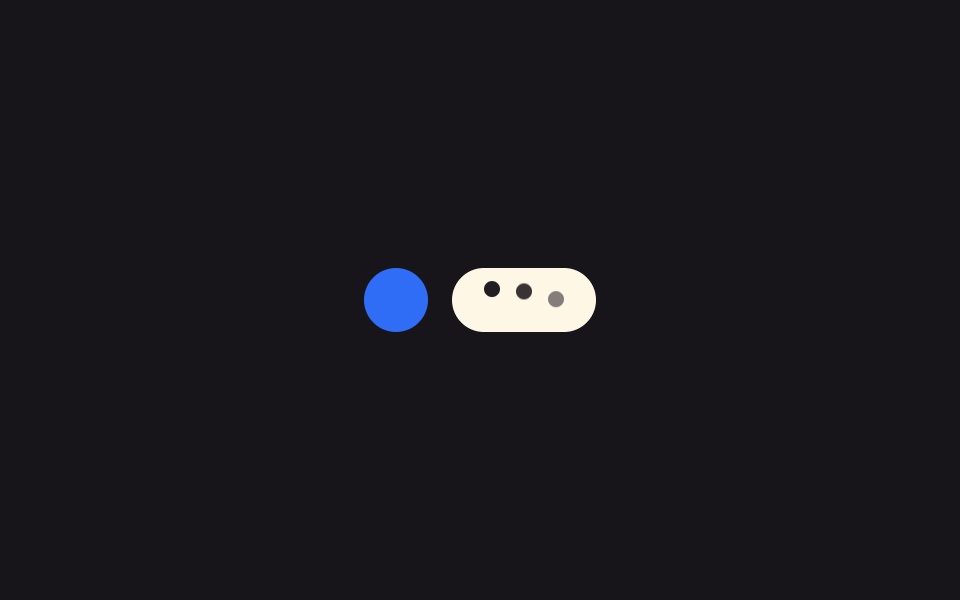 ローディングタイピングインジケーターUI 9選 — 3つの点からグループチャットまで
 ローディング引っ張って更新 スマホ 9選 — 引いた距離で変わる更新のかたち
 ローディングダウンロード 進捗バー 9選 — 値がパーセントで更新される9つの方式
 ローディングcss プログレスバー 9選 — ゲーム風に満ちる9つの方式
 ローディングスケルトン チャート 9種 — 数式で完成する瞬間まで