ドラッグ ハンドル 9種 — キャンバスの自由変形ツールキット
9種のドラッグ ハンドルのうち、1つは回転ハンドルを弧を描いて引くと選択ボックスの中心を軸にオブジェクトごと回転し、1つは散らばったアイコンをワンクリックでグリッドへ一斉に整列させ、1つは方向キーを押し続けるほど移動幅が徐々に大きくなります。
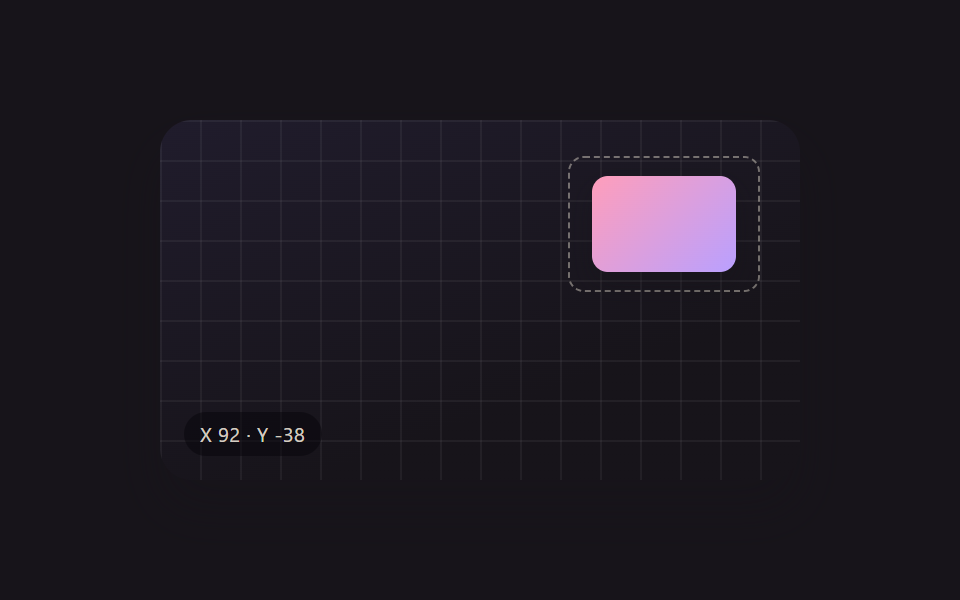 01 xf-drag-move
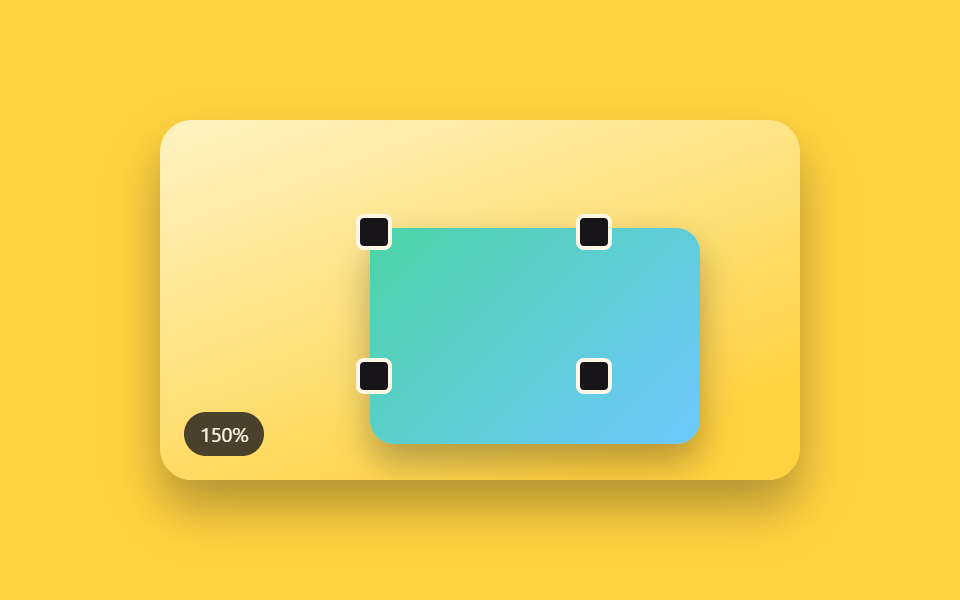 02 xf-corner-scale
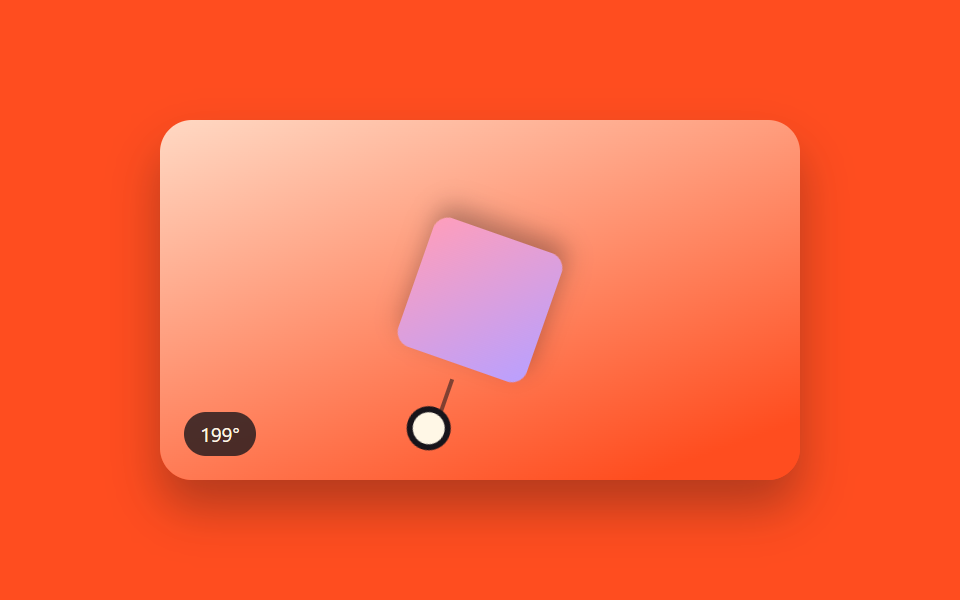 03 xf-rotate-handle
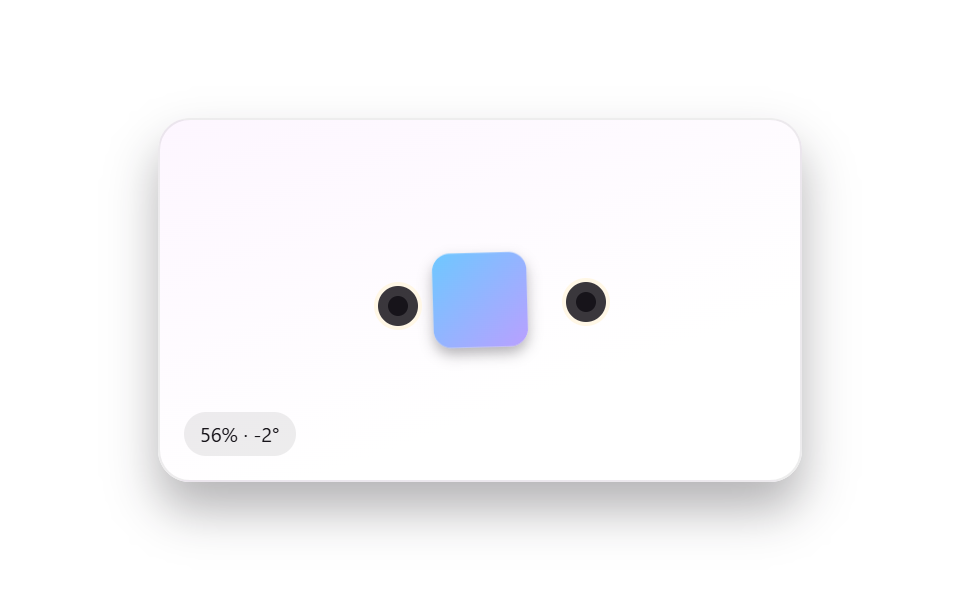 04 xf-pinch-zoom-touch
 05 xf-grid-snap
 06 xf-icon-grid-arrange
 07 xf-z-order
 08 xf-keyboard-nudge
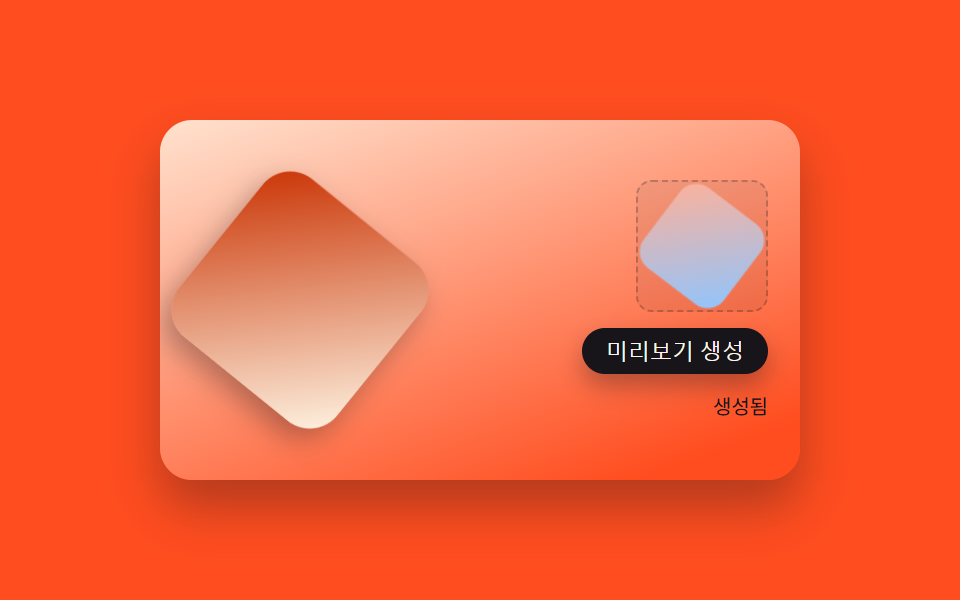 09 xf-export-png
自動再生 · タイルを押すとその項目へ · すべて1つのzip
- 01 ハンドル不要でオブジェクトごとドラッグ移動
- 02 四隅ハンドルで行う比率固定のサイズ調整
- 03 選択ボックス上部から伸びる回転ハンドル
- 04 二本指で選択オブジェクトだけ拡大・回転
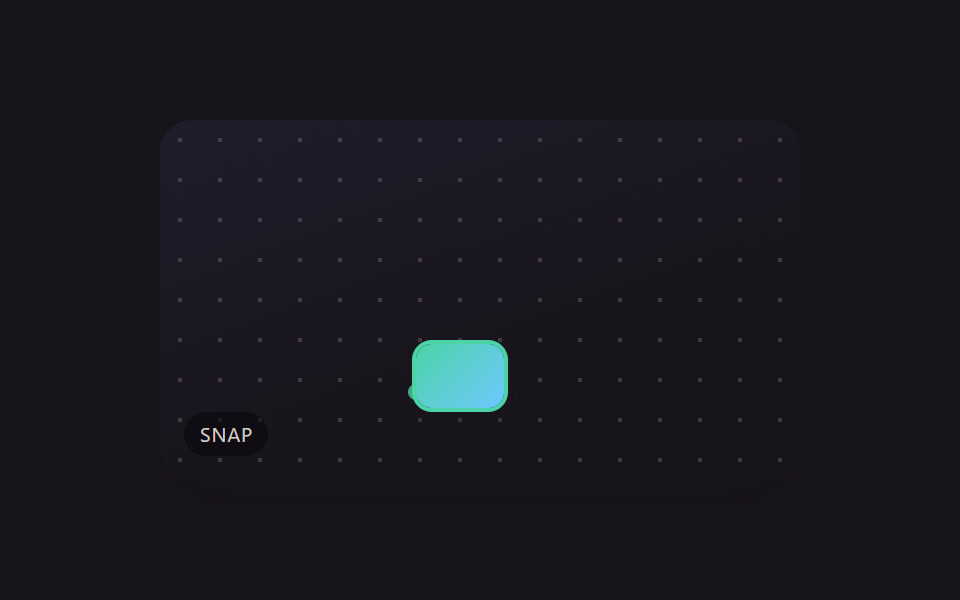
- 05 移動中に背景グリッドへ吸い付くスナップ
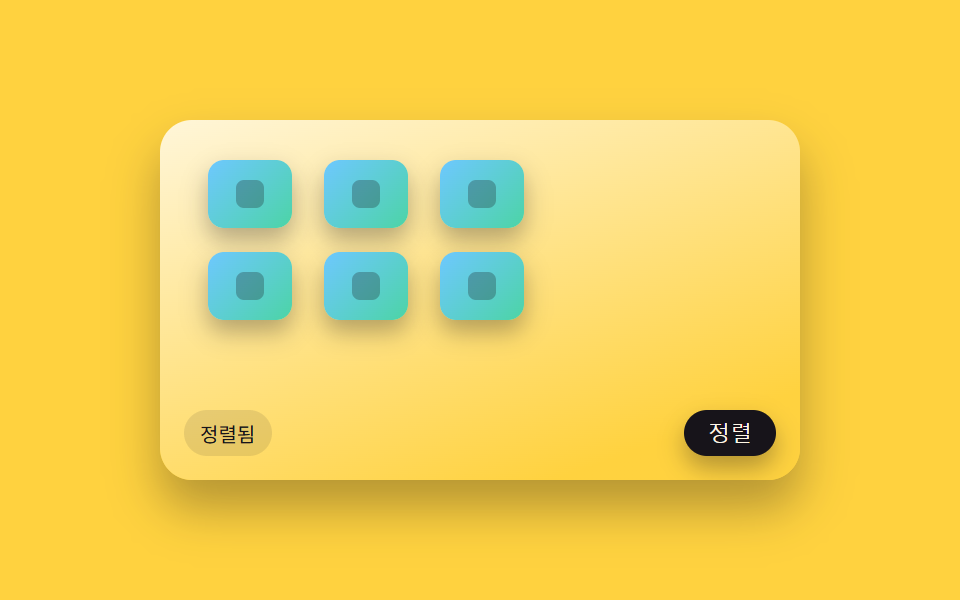
- 06 散らばったオブジェクトを一括でグリッド整列
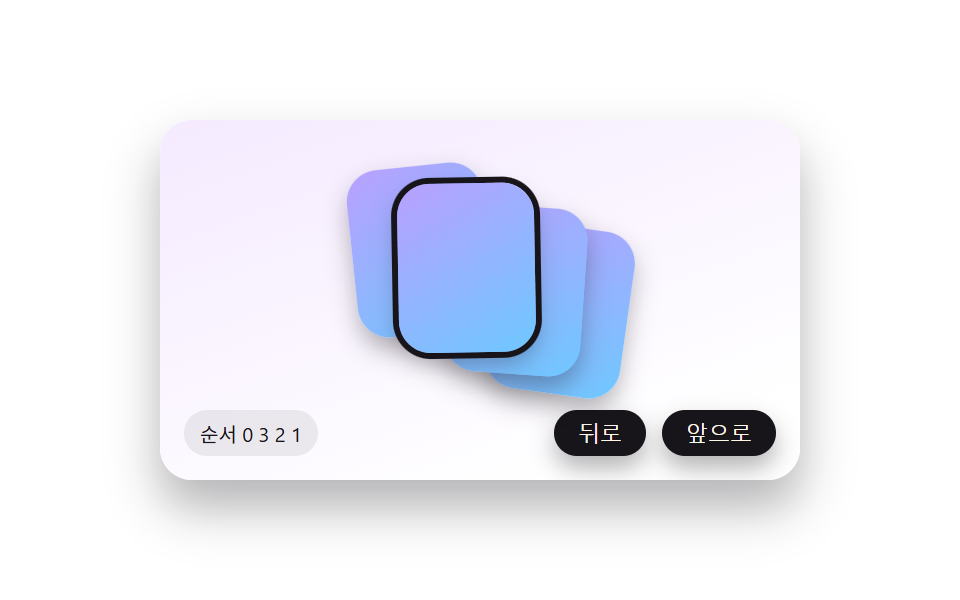
- 07 重なったオブジェクトを一段ずつ前後させる順序調整
- 08 矢印キーで1ピクセルずつ微調整移動
- 09 選択範囲だけを切り出してPNGに書き出すパネル
このツールキットは、1枚のキャンバス上で9種類の操作をまとめて確認できるように作られています。ドラッグ移動・四隅ハンドルのサイズ調整・回転・二本指タッチ・背景グリッドへの吸着・ワンクリック整列・前後の重なり順変更・矢印キーの微調整・PNGプレビュー書き出しです。9つとも自前で描いたCSS・SVG図形だけで構成され、外部の写真・ロゴ・人物素材は一切使っていません。各パターンは名前の付いた小さな計算関数が動かしており、その中身はこの記事のコード欄でそのまま確認できます。
デモ
<main class="stage">
<div class="scene is-demo" id="scene">
  <div class="grid" aria-hidden="true"></div>
  <div class="draggable" id="draggable" tabindex="0" aria-label="ドラッグして移動">
    <div class="selectBox">
      <div class="subjectShape"></div>
    </div>
  </div>
  <div class="readout" id="readout" aria-hidden="true">X <span id="rx">0</span> · Y <span id="ry">0</span></div>
</div>
</main>
@use "../../../../site/static/demo-tokens" as *;
// 변수 3개
$duration: $dur-enter;
$easing: $ease-out;
$color: $subject-lilac;
// 계산 겹: index.html 의 applyTransform() 이 포인터 델타를 matrix(1,0,0,1,tx,ty) 순수 이동 행렬로
// 그대로 굳혀 style.transform 에 넣는다 — CSS 트랜지션이 아니라 매 프레임 산술로 값을 만든다.
@include stage($stage-ink);
.scene {
position: relative;
width: 320px;
height: 180px;
border-radius: $r-card;
overflow: hidden;
box-shadow: $shadow-raised;
background: linear-gradient(160deg, #201c2c, $stage-ink 70%);
}
.grid {
position: absolute;
inset: 0;
background-image:
linear-gradient(rgba(255, 255, 255, .05) 1px, transparent 1px),
linear-gradient(90deg, rgba(255, 255, 255, .05) 1px, transparent 1px);
background-size: 20px 20px;
}
.draggable {
position: absolute;
top: 50%;
left: 50%;
margin-top: -34px;
margin-left: -48px;
width: 96px;
height: 68px;
cursor: grab;
touch-action: none;
will-change: transform;
&.isDragging { cursor: grabbing; }
&:focus-visible .selectBox { outline: 2px solid $color; outline-offset: 3px; }
}
.selectBox {
position: relative;
width: 100%;
height: 100%;
border: 1px dashed rgba($subject-cream, .4);
border-radius: $r-sm;
box-sizing: border-box;
display: grid;
place-items: center;
}
.subjectShape {
width: 72px;
height: 48px;
border-radius: $r-sm;
background: linear-gradient(135deg, $subject-pink, $subject-lilac);
box-shadow: $shadow-press;
}
.readout {
position: absolute;
left: $sp-3;
bottom: $sp-3;
padding: $sp-1 $sp-2;
border-radius: $r-pill;
background: rgba(#050409, .5);
color: rgba($subject-cream, .82);
font-size: 10px;
font-variant-numeric: tabular-nums;
letter-spacing: .02em;
}
@media (max-width: 340px) {
.scene { width: 220px; height: 124px; }
.draggable { width: 68px; height: 48px; margin-top: -24px; margin-left: -34px; }
.subjectShape { width: 52px; height: 34px; }
.readout { font-size: 9px; }
}
@media (prefers-reduced-motion: reduce) {
// 실사용 경로 적용 — 드래그·키보드 이동은 index.html 이 트윈 없이 즉시 반영한다.
// scss 만: 포커스 아웃라인 전환만 꺼서 잔여 트랜지션을 없앤다.
.draggable { transition: none; }
}html, body {
margin: 0;
overflow: hidden;
}
.stage {
box-sizing: border-box;
min-height: 100vh;
display: grid;
place-items: center;
margin: 0;
background: #17141a;
font-family: -apple-system, "Segoe UI", "Noto Sans KR", sans-serif;
padding: clamp(8px, 4vw, 24px);
}
.scene {
position: relative;
width: 320px;
height: 180px;
border-radius: 16px;
overflow: hidden;
box-shadow: 0 14px 24px rgba(23, 20, 26, 0.32);
background: linear-gradient(160deg, #201c2c, #17141a 70%);
}
.grid {
position: absolute;
inset: 0;
background-image: linear-gradient(rgba(255, 255, 255, 0.05) 1px, transparent 1px), linear-gradient(90deg, rgba(255, 255, 255, 0.05) 1px, transparent 1px);
background-size: 20px 20px;
}
.draggable {
position: absolute;
top: 50%;
left: 50%;
margin-top: -34px;
margin-left: -48px;
width: 96px;
height: 68px;
cursor: grab;
touch-action: none;
will-change: transform;
}
.draggable.isDragging {
cursor: grabbing;
}
.draggable:focus-visible .selectBox {
outline: 2px solid #b9a0ff;
outline-offset: 3px;
}
.selectBox {
position: relative;
width: 100%;
height: 100%;
border: 1px dashed rgba(255, 247, 230, 0.4);
border-radius: 8px;
box-sizing: border-box;
display: grid;
place-items: center;
}
.subjectShape {
width: 72px;
height: 48px;
border-radius: 8px;
background: linear-gradient(135deg, #ff9ebb, #b9a0ff);
box-shadow: 0 6px 12px rgba(23, 20, 26, 0.32);
}
.readout {
position: absolute;
left: 12px;
bottom: 12px;
padding: 4px 8px;
border-radius: 999px;
background: rgba(5, 4, 9, 0.5);
color: rgba(255, 247, 230, 0.82);
font-size: 10px;
font-variant-numeric: tabular-nums;
letter-spacing: 0.02em;
}
@media (max-width: 340px) {
.scene {
width: 220px;
height: 124px;
}
.draggable {
width: 68px;
height: 48px;
margin-top: -24px;
margin-left: -34px;
}
.subjectShape {
width: 52px;
height: 34px;
}
.readout {
font-size: 9px;
}
}
@media (prefers-reduced-motion: reduce) {
.draggable {
transition: none;
}
}(function () {
var WAYPOINTS = [
{ x: 0, y: 0 },
{ x: 92, y: -38 },
{ x: -70, y: 30 },
{ x: 0, y: 0 }
];
var HOP_MS = 640;
var HOLD_MS = 380;
var scene = document.getElementById('scene');
var el = document.getElementById('draggable');
var rx = document.getElementById('rx');
var ry = document.getElementById('ry');
var reduce = window.matchMedia('(prefers-reduced-motion: reduce)').matches;
var tx = 0, ty = 0;
var dragging = false;
var startX = 0, startY = 0, originTx = 0, originTy = 0;
var timers = [];
function clamp(v, lo, hi) { return Math.min(hi, Math.max(lo, v)); }
function easeOutCubic(t) { return 1 - Math.pow(1 - t, 3); }
// 포인터 델타 → translate 행렬. matrix(1,0,0,1,tx,ty) 가 곧 순수 이동 행렬이다.
function applyTransform(nx, ny) {
tx = nx; ty = ny;
el.style.transform = 'matrix(1,0,0,1,' + tx.toFixed(1) + ',' + ty.toFixed(1) + ')';
rx.textContent = Math.round(tx);
ry.textContent = Math.round(ty);
}
function human() {
if (scene.classList.contains('is-demo')) {
scene.classList.remove('is-demo');
timers.forEach(function (t) { clearTimeout(t); clearInterval(t); });
timers = [];
}
}
function onPointerDown(e) {
human();
dragging = true;
el.setPointerCapture(e.pointerId);
startX = e.clientX; startY = e.clientY;
originTx = tx; originTy = ty;
el.classList.add('isDragging');
}
function onPointerMove(e) {
if (!dragging) return;
var dx = e.clientX - startX;
var dy = e.clientY - startY;
applyTransform(clamp(originTx + dx, -110, 110), clamp(originTy + dy, -55, 55));
}
function onPointerUp(e) {
if (!dragging) return;
dragging = false;
el.classList.remove('isDragging');
try { el.releasePointerCapture(e.pointerId); } catch (err) {}
}
function onKeydown(e) {
var step = e.shiftKey ? 10 : 1;
if (e.key === 'ArrowLeft') { human(); applyTransform(clamp(tx - step, -110, 110), ty); e.preventDefault(); }
else if (e.key === 'ArrowRight') { human(); applyTransform(clamp(tx + step, -110, 110), ty); e.preventDefault(); }
else if (e.key === 'ArrowUp') { human(); applyTransform(tx, clamp(ty - step, -55, 55)); e.preventDefault(); }
else if (e.key === 'ArrowDown') { human(); applyTransform(tx, clamp(ty + step, -55, 55)); e.preventDefault(); }
}
el.addEventListener('pointerdown', onPointerDown);
el.addEventListener('pointermove', onPointerMove);
el.addEventListener('pointerup', onPointerUp);
el.addEventListener('pointercancel', onPointerUp);
el.addEventListener('keydown', onKeydown);
// reduce: 실사용 경로 적용 — 포인터·키보드 이동은 위 리스너가 그대로 처리한다(트윈 없이 즉시 반영).
// 아래 hopTo()·cycle() 은 시연 게이트만 — reduce 에서는 돌지 않는다.
function hopTo(target, onDone) {
var fromTx = tx, fromTy = ty;
var start = performance.now();
function frame(now) {
if (!scene.classList.contains('is-demo')) return;
var p = clamp((now - start) / HOP_MS, 0, 1);
var e = easeOutCubic(p);
applyTransform(fromTx + (target.x - fromTx) * e, fromTy + (target.y - fromTy) * e);
if (p < 1) requestAnimationFrame(frame);
else if (onDone) onDone();
}
requestAnimationFrame(frame);
}
function cycle(i) {
if (!scene.classList.contains('is-demo')) return;
var next = WAYPOINTS[i % WAYPOINTS.length];
hopTo(next, function () {
timers.push(setTimeout(function () { cycle(i + 1); }, HOLD_MS));
});
}
if (!reduce) {
cycle(1);
}
})();import { useEffect, useRef } from 'react';
import styles from './XfDragMove.module.scss';
const STEP_PX = 1; // 방향키 한 번의 기본 이동량
const STEP_PX_SHIFT = 10; // Shift + 방향키
const HOP_MS = 620;
const HOLD_MS = 360;
const WAYPOINTS = [
{ x: 0, y: 0 }, { x: 92, y: -38 }, { x: -70, y: 30 }, { x: 0, y: 0 }
];
export default function XfDragMove() {
const sceneRef = useRef<HTMLDivElement>(null);
useEffect(() => {
const scene0 = sceneRef.current;
if (!scene0) return undefined;
const scene = scene0;
const draggable0 = scene.querySelector<HTMLDivElement>('.' + styles.draggable);
const rx0 = scene.querySelector<HTMLSpanElement>('#rx');
const ry0 = scene.querySelector<HTMLSpanElement>('#ry');
if (!draggable0 || !rx0 || !ry0) return undefined;
const draggable = draggable0;
const rx = rx0;
const ry = ry0;
const reduce = window.matchMedia('(prefers-reduced-motion: reduce)').matches;
let tx = 0, ty = 0;
let dragging = false;
let startX = 0, startY = 0, originTx = 0, originTy = 0;
let rafId = 0;
let timers: number[] = [];
function clamp(v: number, lo: number, hi: number) { return Math.min(hi, Math.max(lo, v)); }
function easeOutCubic(t: number) { return 1 - Math.pow(1 - t, 3); }
// 포인터 델타 → translate 행렬. matrix(1,0,0,1,tx,ty) 가 곧 순수 이동 행렬이다.
function applyTransform(nx: number, ny: number) {
tx = nx; ty = ny;
draggable.style.transform = 'matrix(1,0,0,1,' + tx.toFixed(1) + ',' + ty.toFixed(1) + ')';
rx.textContent = String(Math.round(tx));
ry.textContent = String(Math.round(ty));
}
function human() {
if (scene.classList.contains(styles['is-demo'])) {
scene.classList.remove(styles['is-demo']);
timers.forEach((t) => window.clearTimeout(t));
timers = [];
}
}
function onPointerDown(e: PointerEvent) {
human();
dragging = true;
draggable.setPointerCapture(e.pointerId);
startX = e.clientX; startY = e.clientY;
originTx = tx; originTy = ty;
}
function onPointerMove(e: PointerEvent) {
if (!dragging) return;
applyTransform(originTx + (e.clientX - startX), originTy + (e.clientY - startY));
}
function endDrag(e: PointerEvent) {
if (!dragging) return;
dragging = false;
try { draggable.releasePointerCapture(e.pointerId); } catch { /* 캡처가 이미 풀린 경우 */ }
}
function onKeyDown(e: KeyboardEvent) {
const step = e.shiftKey ? STEP_PX_SHIFT : STEP_PX;
if (e.key === 'ArrowLeft') { human(); applyTransform(tx - step, ty); e.preventDefault(); }
else if (e.key === 'ArrowRight') { human(); applyTransform(tx + step, ty); e.preventDefault(); }
else if (e.key === 'ArrowUp') { human(); applyTransform(tx, ty - step); e.preventDefault(); }
else if (e.key === 'ArrowDown') { human(); applyTransform(tx, ty + step); e.preventDefault(); }
}
draggable.addEventListener('pointerdown', onPointerDown);
draggable.addEventListener('pointermove', onPointerMove);
draggable.addEventListener('pointerup', endDrag);
draggable.addEventListener('pointercancel', endDrag);
draggable.addEventListener('keydown', onKeyDown);
// reduce: 실사용 경로 적용 — 드래그·키보드는 위에서 즉시 반영한다.
// 아래 자동 루프는 시연 게이트만 — reduce 에서는 돌지 않는다.
function hopTo(target: { x: number; y: number }, onDone: () => void) {
const fromX = tx, fromY = ty;
const start = performance.now();
function frame(now: number) {
if (!scene.classList.contains(styles['is-demo'])) return;
const p = clamp((now - start) / HOP_MS, 0, 1);
const e = easeOutCubic(p);
applyTransform(fromX + (target.x - fromX) * e, fromY + (target.y - fromY) * e);
if (p < 1) rafId = requestAnimationFrame(frame);
else onDone();
}
rafId = requestAnimationFrame(frame);
}
function cycle(i: number) {
if (!scene.classList.contains(styles['is-demo'])) return;
const target = WAYPOINTS[i % WAYPOINTS.length];
hopTo(target, () => {
timers.push(window.setTimeout(() => cycle(i + 1), HOLD_MS));
});
}
applyTransform(0, 0);
if (!reduce) {
cycle(1);
}
return () => {
draggable.removeEventListener('pointerdown', onPointerDown);
draggable.removeEventListener('pointermove', onPointerMove);
draggable.removeEventListener('pointerup', endDrag);
draggable.removeEventListener('pointercancel', endDrag);
draggable.removeEventListener('keydown', onKeyDown);
timers.forEach((t) => window.clearTimeout(t));
cancelAnimationFrame(rafId);
};
}, []);
return (
<main className={styles.stage}>
<div className={styles.scene + ' ' + styles['is-demo']} ref={sceneRef}>
<div
className={styles.draggable}
tabIndex={0}
aria-label="드래그해서 이동"
>
<span className={styles.selectBox} aria-hidden="true"></span>
<span className={styles.subjectShape} aria-hidden="true"></span>
</div>
<div className={styles.readout} aria-hidden="true">X <span id="rx">0</span> · Y <span id="ry">0</span></div>
</div>
</main>
);
}01 · ハンドル不要でオブジェクトごとドラッグ移動 — 計測 累積面積 11.417% · 動いたフレーム 14/23GODRICH オリジナル · SCSS と React は zip に同梱 · パスワードを見る
上のパターン01はハンドルを持ちません。オブジェクトの本体を押してそのまま引けば、離した位置で止まります。残り8種はそれぞれのコードブロックの隣に置いています。
9つのパターンの解剖 — どこで計算の一層が回るか
| # | パターン | 累積面積 | 平均強度 | 動いたフレーム |
|---|---|---|---|---|
| 01 | オブジェクトごとドラッグ | 11.42% | 126.0 | 23中14 |
| 02 | 四隅ハンドルのサイズ調整 | 14.39% | 75.6 | 23中16 |
| 03 | 回転ハンドル | 9.46% | 86.4 | 23中19 |
| 04 | 二本指の拡大・回転 | 9.61% | 82.8 | 23中23 |
| 05 | グリッドへの吸着 | 6.41% | 136.0 | 23中10 |
| 06 | 一括整列 | 14.91% | 85.8 | 23中8 |
| 07 | 前後の重なり順変更 | 6.11% | 88.4 | 23中9 |
| 08 | 矢印キーの微調整 | 1.34% | 158.8 | 23中15 |
| 09 | PNGプレビュー書き出し | 10.89% | 47.5 | 23中23 |
画面をもっとも広く塗り替えるのは一括整列(06)、もっとも狭いのは矢印キーの微調整(08)です。08は面積こそ最小ですが平均強度158.8は9種の中で最も高く、1ピクセル単位の動きが局所的に強く現れていることを示します。逆にもっとも強度が低いのは09のPNGプレビュー書き出しで47.5にとどまります。動いたフレーム数を見ると04と09がそろって23中23で毎フレーム変化しており、06はわずか23中8で完了します。
ポインターを追い続けて変形する系統 — 01・03・02
パターン01・02・03は、いずれも1本のポインターをpointermoveのたびに追跡し続け、そのつど1つの変形値を計算し直します。01のapplyTransformは枠の端でclampした平行移動量を求め、02のapplyScaleはcornerAnchorRectで反対側の角を基準点にしながらMIN_SCALE・MAX_SCALEの範囲にクランプし、03のapplyRotateはangleFromPointerが返すatan2の角度をmod360で包んで回転に変換します。どれもpointerupを待たず、ドラッグの最中にその場で変形が反映されます。
2つの入力から幾何を組み立てる系統 — 04・05・06
パターン04・05・06は、DOMに触れる前に複数の生の座標から目標値を計算しています。04のcomputeFromFingersはシミュレートした2つのポインター位置から距離比と角度差を同時に求めます。05のnearestGridは生の座標をCELL_PXの倍数に丸め、その距離をCORNER_SNAP_RADIUS_PXと比較します。06のgridTargetは散らばった各チップに行・列のセルを割り当て、animateToがeaseOutCubicで滑らかに近づけます。
1回ごとに状態を確定させる系統 — 07・08・09
パターン07・08・09は連続したポインター軌跡を追わず、操作1回につき1つの離散的な状態変化だけを確定させます。07のswapNeighborはorder配列の中でidを1つずらし、その配列の位置をそのままz-indexに割り当て直します。08のcomputeStepは押している時間を加速倍率に変換し、moveByがキーリピートのたびに一定量ずつ移動を確定します。09のgeneratePreviewはroundedRectPathで選択範囲を描き直し、アニメーションループを介さずcanvas.toDataURLで一気にエンコードします。
パターン別コード
以下のコードはすべて、各デモの実際のスクリプトからそのまま切り出したものです。省略も書き直しもしていません。
01ハンドル不要でオブジェクトごとドラッグ移動
選択したオブジェクトの本体のどこを押して引いても、境界の選択ボックスごとポインターに沿って動き、離した位置でそのまま止まります。キャンバス上のステッカーやアイコンの配置を動かすときに向いています。
<main class="stage">
<div class="scene is-demo" id="scene">
  <div class="grid" aria-hidden="true"></div>
  <div class="draggable" id="draggable" tabindex="0" aria-label="ドラッグして移動">
    <div class="selectBox">
      <div class="subjectShape"></div>
    </div>
  </div>
  <div class="readout" id="readout" aria-hidden="true">X <span id="rx">0</span> · Y <span id="ry">0</span></div>
</div>
</main>
@use "../../../../site/static/demo-tokens" as *;
// 변수 3개
$duration: $dur-enter;
$easing: $ease-out;
$color: $subject-lilac;
// 계산 겹: index.html 의 applyTransform() 이 포인터 델타를 matrix(1,0,0,1,tx,ty) 순수 이동 행렬로
// 그대로 굳혀 style.transform 에 넣는다 — CSS 트랜지션이 아니라 매 프레임 산술로 값을 만든다.
@include stage($stage-ink);
.scene {
position: relative;
width: 320px;
height: 180px;
border-radius: $r-card;
overflow: hidden;
box-shadow: $shadow-raised;
background: linear-gradient(160deg, #201c2c, $stage-ink 70%);
}
.grid {
position: absolute;
inset: 0;
background-image:
linear-gradient(rgba(255, 255, 255, .05) 1px, transparent 1px),
linear-gradient(90deg, rgba(255, 255, 255, .05) 1px, transparent 1px);
background-size: 20px 20px;
}
.draggable {
position: absolute;
top: 50%;
left: 50%;
margin-top: -34px;
margin-left: -48px;
width: 96px;
height: 68px;
cursor: grab;
touch-action: none;
will-change: transform;
&.isDragging { cursor: grabbing; }
&:focus-visible .selectBox { outline: 2px solid $color; outline-offset: 3px; }
}
.selectBox {
position: relative;
width: 100%;
height: 100%;
border: 1px dashed rgba($subject-cream, .4);
border-radius: $r-sm;
box-sizing: border-box;
display: grid;
place-items: center;
}
.subjectShape {
width: 72px;
height: 48px;
border-radius: $r-sm;
background: linear-gradient(135deg, $subject-pink, $subject-lilac);
box-shadow: $shadow-press;
}
.readout {
position: absolute;
left: $sp-3;
bottom: $sp-3;
padding: $sp-1 $sp-2;
border-radius: $r-pill;
background: rgba(#050409, .5);
color: rgba($subject-cream, .82);
font-size: 10px;
font-variant-numeric: tabular-nums;
letter-spacing: .02em;
}
@media (max-width: 340px) {
.scene { width: 220px; height: 124px; }
.draggable { width: 68px; height: 48px; margin-top: -24px; margin-left: -34px; }
.subjectShape { width: 52px; height: 34px; }
.readout { font-size: 9px; }
}
@media (prefers-reduced-motion: reduce) {
// 실사용 경로 적용 — 드래그·키보드 이동은 index.html 이 트윈 없이 즉시 반영한다.
// scss 만: 포커스 아웃라인 전환만 꺼서 잔여 트랜지션을 없앤다.
.draggable { transition: none; }
}html, body {
margin: 0;
overflow: hidden;
}
.stage {
box-sizing: border-box;
min-height: 100vh;
display: grid;
place-items: center;
margin: 0;
background: #17141a;
font-family: -apple-system, "Segoe UI", "Noto Sans KR", sans-serif;
padding: clamp(8px, 4vw, 24px);
}
.scene {
position: relative;
width: 320px;
height: 180px;
border-radius: 16px;
overflow: hidden;
box-shadow: 0 14px 24px rgba(23, 20, 26, 0.32);
background: linear-gradient(160deg, #201c2c, #17141a 70%);
}
.grid {
position: absolute;
inset: 0;
background-image: linear-gradient(rgba(255, 255, 255, 0.05) 1px, transparent 1px), linear-gradient(90deg, rgba(255, 255, 255, 0.05) 1px, transparent 1px);
background-size: 20px 20px;
}
.draggable {
position: absolute;
top: 50%;
left: 50%;
margin-top: -34px;
margin-left: -48px;
width: 96px;
height: 68px;
cursor: grab;
touch-action: none;
will-change: transform;
}
.draggable.isDragging {
cursor: grabbing;
}
.draggable:focus-visible .selectBox {
outline: 2px solid #b9a0ff;
outline-offset: 3px;
}
.selectBox {
position: relative;
width: 100%;
height: 100%;
border: 1px dashed rgba(255, 247, 230, 0.4);
border-radius: 8px;
box-sizing: border-box;
display: grid;
place-items: center;
}
.subjectShape {
width: 72px;
height: 48px;
border-radius: 8px;
background: linear-gradient(135deg, #ff9ebb, #b9a0ff);
box-shadow: 0 6px 12px rgba(23, 20, 26, 0.32);
}
.readout {
position: absolute;
left: 12px;
bottom: 12px;
padding: 4px 8px;
border-radius: 999px;
background: rgba(5, 4, 9, 0.5);
color: rgba(255, 247, 230, 0.82);
font-size: 10px;
font-variant-numeric: tabular-nums;
letter-spacing: 0.02em;
}
@media (max-width: 340px) {
.scene {
width: 220px;
height: 124px;
}
.draggable {
width: 68px;
height: 48px;
margin-top: -24px;
margin-left: -34px;
}
.subjectShape {
width: 52px;
height: 34px;
}
.readout {
font-size: 9px;
}
}
@media (prefers-reduced-motion: reduce) {
.draggable {
transition: none;
}
}(function () {
var WAYPOINTS = [
{ x: 0, y: 0 },
{ x: 92, y: -38 },
{ x: -70, y: 30 },
{ x: 0, y: 0 }
];
var HOP_MS = 640;
var HOLD_MS = 380;
var scene = document.getElementById('scene');
var el = document.getElementById('draggable');
var rx = document.getElementById('rx');
var ry = document.getElementById('ry');
var reduce = window.matchMedia('(prefers-reduced-motion: reduce)').matches;
var tx = 0, ty = 0;
var dragging = false;
var startX = 0, startY = 0, originTx = 0, originTy = 0;
var timers = [];
function clamp(v, lo, hi) { return Math.min(hi, Math.max(lo, v)); }
function easeOutCubic(t) { return 1 - Math.pow(1 - t, 3); }
// 포인터 델타 → translate 행렬. matrix(1,0,0,1,tx,ty) 가 곧 순수 이동 행렬이다.
function applyTransform(nx, ny) {
tx = nx; ty = ny;
el.style.transform = 'matrix(1,0,0,1,' + tx.toFixed(1) + ',' + ty.toFixed(1) + ')';
rx.textContent = Math.round(tx);
ry.textContent = Math.round(ty);
}
function human() {
if (scene.classList.contains('is-demo')) {
scene.classList.remove('is-demo');
timers.forEach(function (t) { clearTimeout(t); clearInterval(t); });
timers = [];
}
}
  function onPointerDown(e) {
    human();
    dragging = true;
    el.setPointerCapture(e.pointerId);
    startX = e.clientX; startY = e.clientY;
    originTx = tx; originTy = ty;
    el.classList.add('isDragging');
  }
  function onPointerMove(e) {
    if (!dragging) return;
    var dx = e.clientX - startX;
    var dy = e.clientY - startY;
    applyTransform(clamp(originTx + dx, -110, 110), clamp(originTy + dy, -55, 55));
  }
  function onPointerUp(e) {
    if (!dragging) return;
    dragging = false;
    el.classList.remove('isDragging');
    try { el.releasePointerCapture(e.pointerId); } catch (err) {}
  }
function onKeydown(e) {
var step = e.shiftKey ? 10 : 1;
if (e.key === 'ArrowLeft') { human(); applyTransform(clamp(tx - step, -110, 110), ty); e.preventDefault(); }
else if (e.key === 'ArrowRight') { human(); applyTransform(clamp(tx + step, -110, 110), ty); e.preventDefault(); }
else if (e.key === 'ArrowUp') { human(); applyTransform(tx, clamp(ty - step, -55, 55)); e.preventDefault(); }
else if (e.key === 'ArrowDown') { human(); applyTransform(tx, clamp(ty + step, -55, 55)); e.preventDefault(); }
}
el.addEventListener('pointerdown', onPointerDown);
el.addEventListener('pointermove', onPointerMove);
el.addEventListener('pointerup', onPointerUp);
el.addEventListener('pointercancel', onPointerUp);
el.addEventListener('keydown', onKeydown);
// reduce: 실사용 경로 적용 — 포인터·키보드 이동은 위 리스너가 그대로 처리한다(트윈 없이 즉시 반영).
// 아래 hopTo()·cycle() 은 시연 게이트만 — reduce 에서는 돌지 않는다.
function hopTo(target, onDone) {
var fromTx = tx, fromTy = ty;
var start = performance.now();
function frame(now) {
if (!scene.classList.contains('is-demo')) return;
var p = clamp((now - start) / HOP_MS, 0, 1);
var e = easeOutCubic(p);
applyTransform(fromTx + (target.x - fromTx) * e, fromTy + (target.y - fromTy) * e);
if (p < 1) requestAnimationFrame(frame);
else if (onDone) onDone();
}
requestAnimationFrame(frame);
}
function cycle(i) {
if (!scene.classList.contains('is-demo')) return;
var next = WAYPOINTS[i % WAYPOINTS.length];
hopTo(next, function () {
timers.push(setTimeout(function () { cycle(i + 1); }, HOLD_MS));
});
}
if (!reduce) {
cycle(1);
}
})();import { useEffect, useRef } from 'react';
import styles from './XfDragMove.module.scss';
const STEP_PX = 1; // 방향키 한 번의 기본 이동량
const STEP_PX_SHIFT = 10; // Shift + 방향키
const HOP_MS = 620;
const HOLD_MS = 360;
const WAYPOINTS = [
{ x: 0, y: 0 }, { x: 92, y: -38 }, { x: -70, y: 30 }, { x: 0, y: 0 }
];
export default function XfDragMove() {
const sceneRef = useRef<HTMLDivElement>(null);
useEffect(() => {
const scene0 = sceneRef.current;
if (!scene0) return undefined;
const scene = scene0;
const draggable0 = scene.querySelector<HTMLDivElement>('.' + styles.draggable);
const rx0 = scene.querySelector<HTMLSpanElement>('#rx');
const ry0 = scene.querySelector<HTMLSpanElement>('#ry');
if (!draggable0 || !rx0 || !ry0) return undefined;
const draggable = draggable0;
const rx = rx0;
const ry = ry0;
const reduce = window.matchMedia('(prefers-reduced-motion: reduce)').matches;
let tx = 0, ty = 0;
let dragging = false;
let startX = 0, startY = 0, originTx = 0, originTy = 0;
let rafId = 0;
let timers: number[] = [];
function clamp(v: number, lo: number, hi: number) { return Math.min(hi, Math.max(lo, v)); }
function easeOutCubic(t: number) { return 1 - Math.pow(1 - t, 3); }
// 포인터 델타 → translate 행렬. matrix(1,0,0,1,tx,ty) 가 곧 순수 이동 행렬이다.
function applyTransform(nx: number, ny: number) {
tx = nx; ty = ny;
draggable.style.transform = 'matrix(1,0,0,1,' + tx.toFixed(1) + ',' + ty.toFixed(1) + ')';
rx.textContent = String(Math.round(tx));
ry.textContent = String(Math.round(ty));
}
function human() {
if (scene.classList.contains(styles['is-demo'])) {
scene.classList.remove(styles['is-demo']);
timers.forEach((t) => window.clearTimeout(t));
timers = [];
}
}
function onPointerDown(e: PointerEvent) {
human();
dragging = true;
draggable.setPointerCapture(e.pointerId);
startX = e.clientX; startY = e.clientY;
originTx = tx; originTy = ty;
}
function onPointerMove(e: PointerEvent) {
if (!dragging) return;
applyTransform(originTx + (e.clientX - startX), originTy + (e.clientY - startY));
}
function endDrag(e: PointerEvent) {
if (!dragging) return;
dragging = false;
try { draggable.releasePointerCapture(e.pointerId); } catch { /* 캡처가 이미 풀린 경우 */ }
}
function onKeyDown(e: KeyboardEvent) {
const step = e.shiftKey ? STEP_PX_SHIFT : STEP_PX;
if (e.key === 'ArrowLeft') { human(); applyTransform(tx - step, ty); e.preventDefault(); }
else if (e.key === 'ArrowRight') { human(); applyTransform(tx + step, ty); e.preventDefault(); }
else if (e.key === 'ArrowUp') { human(); applyTransform(tx, ty - step); e.preventDefault(); }
else if (e.key === 'ArrowDown') { human(); applyTransform(tx, ty + step); e.preventDefault(); }
}
draggable.addEventListener('pointerdown', onPointerDown);
draggable.addEventListener('pointermove', onPointerMove);
draggable.addEventListener('pointerup', endDrag);
draggable.addEventListener('pointercancel', endDrag);
draggable.addEventListener('keydown', onKeyDown);
// reduce: 실사용 경로 적용 — 드래그·키보드는 위에서 즉시 반영한다.
// 아래 자동 루프는 시연 게이트만 — reduce 에서는 돌지 않는다.
function hopTo(target: { x: number; y: number }, onDone: () => void) {
const fromX = tx, fromY = ty;
const start = performance.now();
function frame(now: number) {
if (!scene.classList.contains(styles['is-demo'])) return;
const p = clamp((now - start) / HOP_MS, 0, 1);
const e = easeOutCubic(p);
applyTransform(fromX + (target.x - fromX) * e, fromY + (target.y - fromY) * e);
if (p < 1) rafId = requestAnimationFrame(frame);
else onDone();
}
rafId = requestAnimationFrame(frame);
}
function cycle(i: number) {
if (!scene.classList.contains(styles['is-demo'])) return;
const target = WAYPOINTS[i % WAYPOINTS.length];
hopTo(target, () => {
timers.push(window.setTimeout(() => cycle(i + 1), HOLD_MS));
});
}
applyTransform(0, 0);
if (!reduce) {
cycle(1);
}
return () => {
draggable.removeEventListener('pointerdown', onPointerDown);
draggable.removeEventListener('pointermove', onPointerMove);
draggable.removeEventListener('pointerup', endDrag);
draggable.removeEventListener('pointercancel', endDrag);
draggable.removeEventListener('keydown', onKeyDown);
timers.forEach((t) => window.clearTimeout(t));
cancelAnimationFrame(rafId);
};
}, []);
return (
<main className={styles.stage}>
<div className={styles.scene + ' ' + styles['is-demo']} ref={sceneRef}>
<div
className={styles.draggable}
tabIndex={0}
aria-label="드래그해서 이동"
>
<span className={styles.selectBox} aria-hidden="true"></span>
<span className={styles.subjectShape} aria-hidden="true"></span>
</div>
<div className={styles.readout} aria-hidden="true">X <span id="rx">0</span> · Y <span id="ry">0</span></div>
</div>
</main>
);
}01 · ハンドル不要でオブジェクトごとドラッグ移動 — 計測 累積面積 11.417% · 動いたフレーム 14/23GODRICH オリジナル · SCSS と React は zip に同梱 · パスワードを見る
function onPointerDown(e) {
human();
dragging = true;
el.setPointerCapture(e.pointerId);
startX = e.clientX; startY = e.clientY;
originTx = tx; originTy = ty;
el.classList.add('isDragging');
}
function onPointerMove(e) {
if (!dragging) return;
var dx = e.clientX - startX;
var dy = e.clientY - startY;
applyTransform(clamp(originTx + dx, -110, 110), clamp(originTy + dy, -55, 55));
}
function onPointerUp(e) {
if (!dragging) return;
dragging = false;
el.classList.remove('isDragging');
try { el.releasePointerCapture(e.pointerId); } catch (err) {}
}
02四隅ハンドルで行う比率固定のサイズ調整
選択ボックスの四隅に小さな正方形のドラッグ ハンドル アイコンが付いており、そのうち1つを引くと反対側の角を基点に縦横比を保ったまま拡大・縮小します。250のpanel-corner-resize-gripはレイアウトパネル自体の幅と高さを変えるグリップですが、こちらはパネルではなくキャンバス上のオブジェクト1つに付いた境界ハンドルで、まったく別の実演です。ムードボードや名刺案で画像オブジェクトのサイズを合わせるときに使います。
<main class="stage">
<div class="scene is-demo" id="scene">
  <div class="frame" id="frame" tabindex="0" aria-label="サイズ調整フレーム、隅のハンドルを引くと比率を保ったまま拡大縮小する">
    <div class="subjectShape"></div>
    <div class="handle handle--tl" data-corner="tl" tabindex="0" role="slider" aria-label="左上の角ハンドル" aria-valuemin="50" aria-valuemax="180" aria-valuenow="100"></div>
    <div class="handle handle--tr" data-corner="tr" tabindex="0" role="slider" aria-label="右上の角ハンドル" aria-valuemin="50" aria-valuemax="180" aria-valuenow="100"></div>
    <div class="handle handle--bl" data-corner="bl" tabindex="0" role="slider" aria-label="左下の角ハンドル" aria-valuemin="50" aria-valuemax="180" aria-valuenow="100"></div>
    <div class="handle handle--br" data-corner="br" tabindex="0" role="slider" aria-label="右下の角ハンドル" aria-valuemin="50" aria-valuemax="180" aria-valuenow="100"></div>
  </div>
  <div class="readout" id="readout" aria-hidden="true"><span id="rp">100</span>%</div>
</div>
</main>
@use "../../../../site/static/demo-tokens" as *;
// 변수 3개
$duration: $dur-enter;
$easing: $ease-out;
$color: $subject-sky;
// 계산 겹: index.html 의 applyScale() 이 앵커(대각선 반대 모서리)→포인터 거리비로 균일 scale() 을
// 만들고 transform-origin 을 앵커 좌표에 둔다 — 앵커는 어떤 배율에서도 화면에서 움직이지 않는다.
@include stage($stage-yellow);
.scene {
position: relative;
width: 320px;
height: 180px;
border-radius: $r-card;
overflow: hidden;
box-shadow: $shadow-raised;
background: linear-gradient(160deg, #fff3c4, $stage-yellow 85%);
}
.frame {
position: absolute;
top: 50%;
left: 50%;
width: 110px;
height: 72px;
margin-top: -36px;
margin-left: -55px;
&:focus-visible { outline: 2px solid $color; outline-offset: 6px; }
}
.subjectShape {
width: 100%;
height: 100%;
border-radius: $r-sm;
background: linear-gradient(135deg, $subject-mint, $subject-sky);
box-shadow: $shadow-press;
will-change: transform;
}
.handle {
position: absolute;
width: 14px;
height: 14px;
margin: -7px;
border-radius: $r-xs;
background: $subject-ink;
border: 2px solid $subject-cream;
cursor: nwse-resize;
touch-action: none;
&--tl { top: 0; left: 0; }
&--tr { top: 0; left: 100%; cursor: nesw-resize; }
&--bl { top: 100%; left: 0; cursor: nesw-resize; }
&--br { top: 100%; left: 100%; }
&.isActive, &:focus-visible { background: $color; }
}
.readout {
position: absolute;
left: $sp-3;
bottom: $sp-3;
padding: $sp-1 $sp-2;
border-radius: $r-pill;
background: rgba($subject-ink, .78);
color: $subject-cream;
font-size: 10px;
font-variant-numeric: tabular-nums;
}
@media (max-width: 340px) {
.scene { width: 220px; height: 124px; }
.frame { width: 78px; height: 52px; margin-top: -26px; margin-left: -39px; }
.handle { width: 12px; height: 12px; margin: -6px; }
.readout { font-size: 9px; }
}
@media (prefers-reduced-motion: reduce) {
// 실사용 경로 적용 — 핸들 드래그·키보드는 index.html 이 트윈 없이 즉시 반영한다.
// scss 만: 핸들 색 전환만 꺼서 잔여 트랜지션을 없앤다.
.handle { transition: none; }
}html, body {
margin: 0;
overflow: hidden;
}
.stage {
box-sizing: border-box;
min-height: 100vh;
display: grid;
place-items: center;
margin: 0;
background: #ffd23f;
font-family: -apple-system, "Segoe UI", "Noto Sans KR", sans-serif;
padding: clamp(8px, 4vw, 24px);
}
.scene {
position: relative;
width: 320px;
height: 180px;
border-radius: 16px;
overflow: hidden;
box-shadow: 0 14px 24px rgba(23, 20, 26, 0.32);
background: linear-gradient(160deg, #fff3c4, #ffd23f 85%);
}
.frame {
position: absolute;
top: 50%;
left: 50%;
width: 110px;
height: 72px;
margin-top: -36px;
margin-left: -55px;
}
.frame:focus-visible {
outline: 2px solid #6ec8ff;
outline-offset: 6px;
}
.subjectShape {
width: 100%;
height: 100%;
border-radius: 8px;
background: linear-gradient(135deg, #4cd4a6, #6ec8ff);
box-shadow: 0 6px 12px rgba(23, 20, 26, 0.32);
will-change: transform;
}
.handle {
position: absolute;
width: 14px;
height: 14px;
margin: -7px;
border-radius: 4px;
background: #17141a;
border: 2px solid #fff7e6;
cursor: nwse-resize;
touch-action: none;
}
.handle--tl {
top: 0;
left: 0;
}
.handle--tr {
top: 0;
left: 100%;
cursor: nesw-resize;
}
.handle--bl {
top: 100%;
left: 0;
cursor: nesw-resize;
}
.handle--br {
top: 100%;
left: 100%;
}
.handle.isActive, .handle:focus-visible {
background: #6ec8ff;
}
.readout {
position: absolute;
left: 12px;
bottom: 12px;
padding: 4px 8px;
border-radius: 999px;
background: rgba(23, 20, 26, 0.78);
color: #fff7e6;
font-size: 10px;
font-variant-numeric: tabular-nums;
}
@media (max-width: 340px) {
.scene {
width: 220px;
height: 124px;
}
.frame {
width: 78px;
height: 52px;
margin-top: -26px;
margin-left: -39px;
}
.handle {
width: 12px;
height: 12px;
margin: -6px;
}
.readout {
font-size: 9px;
}
}
@media (prefers-reduced-motion: reduce) {
.handle {
transition: none;
}
}(function () {
var MIN_SCALE = 0.55;
var MAX_SCALE = 1.75;
var LOOP_SEQUENCE = [1.5, 0.7, 1];
var HOP_MS = 620;
var HOLD_MS = 340;
var scene = document.getElementById('scene');
var frame = document.getElementById('frame');
var subject = frame.querySelector('.subjectShape');
var handles = [].slice.call(frame.querySelectorAll('.handle'));
var rp = document.getElementById('rp');
var reduce = window.matchMedia('(prefers-reduced-motion: reduce)').matches;
// 앵커 고정 비율 산술: 드래그하는 모서리의 대각선 반대쪽을 앵커로 고정하고, 앵커→포인터 거리의
// 비로 균일 스케일을 만든다. transform-origin 을 앵커 좌표에 두면 그 점은 화면에서 움직이지 않는다.
var ORIGIN_BY_CORNER = {
tl: '100% 100%',
tr: '0% 100%',
bl: '100% 0%',
br: '0% 0%'
};
var scale = 1;
var dragCorner = null;
var anchorX = 0, anchorY = 0, d0 = 1, s0 = 1;
var timers = [];
function clamp(v, lo, hi) { return Math.min(hi, Math.max(lo, v)); }
function easeOutCubic(t) { return 1 - Math.pow(1 - t, 3); }
function dist(x1, y1, x2, y2) { return Math.hypot(x2 - x1, y2 - y1); }
  function applyScale(corner, s) {
    scale = clamp(s, MIN_SCALE, MAX_SCALE);
    subject.style.transformOrigin = ORIGIN_BY_CORNER[corner];
    subject.style.transform = 'scale(' + scale.toFixed(3) + ')';
    rp.textContent = Math.round(scale * 100);
    handles.forEach(function (h) { h.setAttribute('aria-valuenow', String(Math.round(scale * 100))); });
  }

  function human() {
    if (scene.classList.contains('is-demo')) {
      scene.classList.remove('is-demo');
      timers.forEach(function (t) { clearTimeout(t); clearInterval(t); });
      timers = [];
    }
  }

  function cornerAnchorRect(corner) {
    var r = frame.getBoundingClientRect();
    switch (corner) {
      case 'tl': return { x: r.right, y: r.bottom };
      case 'tr': return { x: r.left, y: r.bottom };
      case 'bl': return { x: r.right, y: r.top };
      default: return { x: r.left, y: r.top };
    }
  }
handles.forEach(function (h) {
h.addEventListener('pointerdown', function (e) {
human();
dragCorner = h.dataset.corner;
h.setPointerCapture(e.pointerId);
var a = cornerAnchorRect(dragCorner);
anchorX = a.x; anchorY = a.y;
d0 = Math.max(1, dist(anchorX, anchorY, e.clientX, e.clientY));
s0 = scale;
h.classList.add('isActive');
});
h.addEventListener('pointermove', function (e) {
if (dragCorner !== h.dataset.corner) return;
var d1 = dist(anchorX, anchorY, e.clientX, e.clientY);
applyScale(dragCorner, s0 * (d1 / d0));
});
function end(e) {
if (dragCorner !== h.dataset.corner) return;
dragCorner = null;
h.classList.remove('isActive');
try { h.releasePointerCapture(e.pointerId); } catch (err) {}
}
h.addEventListener('pointerup', end);
h.addEventListener('pointercancel', end);
h.addEventListener('keydown', function (e) {
var corner = h.dataset.corner;
if (e.key === 'ArrowUp' || e.key === 'ArrowRight') { human(); applyScale(corner, scale + 0.08); e.preventDefault(); }
else if (e.key === 'ArrowDown' || e.key === 'ArrowLeft') { human(); applyScale(corner, scale - 0.08); e.preventDefault(); }
});
});
// reduce: 실사용 경로 적용 — 핸들 pointer·keydown 은 위에서 트윈 없이 즉시 반영한다.
// 아래 hopScale()·cycle() 은 시연 게이트만 — reduce 에서는 돌지 않는다.
function hopScale(corner, target, onDone) {
var from = scale;
var start = performance.now();
function frame(now) {
if (!scene.classList.contains('is-demo')) return;
var p = clamp((now - start) / HOP_MS, 0, 1);
applyScale(corner, from + (target - from) * easeOutCubic(p));
if (p < 1) requestAnimationFrame(frame);
else if (onDone) onDone();
}
requestAnimationFrame(frame);
}
function cycle(i) {
if (!scene.classList.contains('is-demo')) return;
var target = LOOP_SEQUENCE[i % LOOP_SEQUENCE.length];
hopScale('br', target, function () {
timers.push(setTimeout(function () { cycle(i + 1); }, HOLD_MS));
});
}
if (!reduce) {
cycle(0);
}
})();import { useEffect, useRef } from 'react';
import styles from './XfCornerScale.module.scss';
const MIN_SCALE = 0.55;
const MAX_SCALE = 1.75;
const KEY_STEP = 0.08;
const HOP_MS = 560;
const HOLD_MS = 340;
const LOOP_SEQUENCE = [1.5, 0.7, 1];
const ORIGIN_BY_CORNER: Record<string, string> = {
tl: '100% 100%',
tr: '0% 100%',
bl: '100% 0%',
br: '0% 0%'
};
export default function XfCornerScale() {
const sceneRef = useRef<HTMLDivElement>(null);
useEffect(() => {
const scene0 = sceneRef.current;
if (!scene0) return undefined;
const scene = scene0;
const frame0 = scene.querySelector<HTMLDivElement>('.' + styles.frame);
const subject0 = scene.querySelector<HTMLDivElement>('#subject');
const rp0 = scene.querySelector<HTMLSpanElement>('#rp');
const handles = Array.from(scene.querySelectorAll<HTMLDivElement>('.' + styles.handle));
if (!frame0 || !subject0 || !rp0 || handles.length === 0) return undefined;
const frame = frame0;
const subject = subject0;
const rp = rp0;
const reduce = window.matchMedia('(prefers-reduced-motion: reduce)').matches;
let scale = 1;
let rafId = 0;
let timers: number[] = [];
const dragByCorner: Record<string, boolean> = {};
const originByCorner: Record<string, { x: number; y: number }> = {};
function clamp(v: number, lo: number, hi: number) { return Math.min(hi, Math.max(lo, v)); }
function easeOutCubic(t: number) { return 1 - Math.pow(1 - t, 3); }
// 앵커 고정 비율 산술: 드래그하는 모서리의 대각선 반대쪽을 앵커로 고정하고(transformOrigin),
// 앵커→포인터 거리의 비로 균일 스케일을 만든다.
function cornerAnchorRect(corner: string) {
const r = frame.getBoundingClientRect();
const ax = corner === 'tl' || corner === 'bl' ? r.right : r.left;
const ay = corner === 'tl' || corner === 'tr' ? r.bottom : r.top;
return { x: ax, y: ay };
}
function applyScale(corner: string, s: number) {
scale = clamp(s, MIN_SCALE, MAX_SCALE);
subject.style.transformOrigin = ORIGIN_BY_CORNER[corner] || '50% 50%';
subject.style.transform = 'scale(' + scale.toFixed(3) + ')';
rp.textContent = String(Math.round(scale * 100));
handles.forEach((h) => h.setAttribute('aria-valuenow', String(Math.round(scale * 100))));
}
function human() {
if (scene.classList.contains(styles['is-demo'])) {
scene.classList.remove(styles['is-demo']);
timers.forEach((t) => window.clearTimeout(t));
timers = [];
}
}
function bindHandle(handle: HTMLDivElement) {
const corner = handle.dataset.corner || 'br';
function onDown(e: PointerEvent) {
human();
dragByCorner[corner] = true;
handle.setPointerCapture(e.pointerId);
const anchor = cornerAnchorRect(corner);
originByCorner[corner] = { x: e.clientX - anchor.x, y: e.clientY - anchor.y };
}
function onMove(e: PointerEvent) {
if (!dragByCorner[corner]) return;
const anchor = cornerAnchorRect(corner);
const dx = e.clientX - anchor.x;
const dy = e.clientY - anchor.y;
const dNow = Math.hypot(dx, dy);
const d0 = Math.hypot(originByCorner[corner].x, originByCorner[corner].y);
if (d0 === 0) return;
applyScale(corner, scale * (dNow / d0));
originByCorner[corner] = { x: dx, y: dy };
}
function onUp(e: PointerEvent) {
if (!dragByCorner[corner]) return;
dragByCorner[corner] = false;
try { handle.releasePointerCapture(e.pointerId); } catch { /* 캡처가 이미 풀린 경우 */ }
}
function onKey(e: KeyboardEvent) {
if (e.key === 'ArrowUp' || e.key === 'ArrowRight') { human(); applyScale(corner, scale + KEY_STEP); e.preventDefault(); }
else if (e.key === 'ArrowDown' || e.key === 'ArrowLeft') { human(); applyScale(corner, scale - KEY_STEP); e.preventDefault(); }
}
handle.addEventListener('pointerdown', onDown);
handle.addEventListener('pointermove', onMove);
handle.addEventListener('pointerup', onUp);
handle.addEventListener('pointercancel', onUp);
handle.addEventListener('keydown', onKey);
cleanups.push(() => {
handle.removeEventListener('pointerdown', onDown);
handle.removeEventListener('pointermove', onMove);
handle.removeEventListener('pointerup', onUp);
handle.removeEventListener('pointercancel', onUp);
handle.removeEventListener('keydown', onKey);
});
}
const cleanups: Array<() => void> = [];
handles.forEach(bindHandle);
applyScale('br', 1);
// reduce: 실사용 경로 적용 — 핸들 드래그·키보드는 위에서 즉시 반영한다.
// 아래 자동 루프는 시연 게이트만 — reduce 에서는 돌지 않는다.
function hopScale(corner: string, target: number, onDone: () => void) {
const from = scale;
const start = performance.now();
function frame(now: number) {
if (!scene.classList.contains(styles['is-demo'])) return;
const p = clamp((now - start) / HOP_MS, 0, 1);
applyScale(corner, from + (target - from) * easeOutCubic(p));
if (p < 1) rafId = requestAnimationFrame(frame);
else onDone();
}
rafId = requestAnimationFrame(frame);
}
function cycle(i: number) {
if (!scene.classList.contains(styles['is-demo'])) return;
const target = LOOP_SEQUENCE[i % LOOP_SEQUENCE.length];
hopScale('br', target, () => {
timers.push(window.setTimeout(() => cycle(i + 1), HOLD_MS));
});
}
if (!reduce) {
cycle(0);
}
return () => {
cleanups.forEach((fn) => fn());
timers.forEach((t) => window.clearTimeout(t));
cancelAnimationFrame(rafId);
};
}, []);
return (
<main className={styles.stage}>
<div className={styles.scene + ' ' + styles['is-demo']} ref={sceneRef}>
<div className={styles.frame} tabIndex={0} aria-label="크기 조절 프레임, 모서리 핸들을 드래그">
<div id="subject" className={styles.subjectShape}></div>
<div className={styles.handle} data-corner="tl" role="slider" tabIndex={0} aria-label="왼쪽 위 모서리 핸들" aria-valuemin={50} aria-valuemax={180} aria-valuenow={100}></div>
<div className={styles.handle} data-corner="tr" role="slider" tabIndex={0} aria-label="오른쪽 위 모서리 핸들" aria-valuemin={50} aria-valuemax={180} aria-valuenow={100}></div>
<div className={styles.handle} data-corner="bl" role="slider" tabIndex={0} aria-label="왼쪽 아래 모서리 핸들" aria-valuemin={50} aria-valuemax={180} aria-valuenow={100}></div>
<div className={styles.handle} data-corner="br" role="slider" tabIndex={0} aria-label="오른쪽 아래 모서리 핸들" aria-valuemin={50} aria-valuemax={180} aria-valuenow={100}></div>
</div>
<div className={styles.readout} aria-hidden="true"><span id="rp">100</span>%</div>
</div>
</main>
);
}02 · 四隅ハンドルで行う比率固定のサイズ調整 — 計測 累積面積 14.389% · 動いたフレーム 16/23GODRICH オリジナル · SCSS と React は zip に同梱 · パスワードを見る
function applyScale(corner, s) {
scale = clamp(s, MIN_SCALE, MAX_SCALE);
subject.style.transformOrigin = ORIGIN_BY_CORNER[corner];
subject.style.transform = 'scale(' + scale.toFixed(3) + ')';
rp.textContent = Math.round(scale * 100);
handles.forEach(function (h) { h.setAttribute('aria-valuenow', String(Math.round(scale * 100))); });
}
function human() {
if (scene.classList.contains('is-demo')) {
scene.classList.remove('is-demo');
timers.forEach(function (t) { clearTimeout(t); clearInterval(t); });
timers = [];
}
}
function cornerAnchorRect(corner) {
var r = frame.getBoundingClientRect();
switch (corner) {
case 'tl': return { x: r.right, y: r.bottom };
case 'tr': return { x: r.left, y: r.bottom };
case 'bl': return { x: r.right, y: r.top };
default: return { x: r.left, y: r.top };
}
}
03選択ボックス上部から伸びる回転ハンドル
選択ボックス上辺中央から短い線が伸び、その先に丸い回転ハンドルが付いています。このハンドルを円軌道で引くと、選択ボックスの中心を軸にその角度だけオブジェクトが回転します。ステッカーやスタンプ風のオブジェクトを斜めに配置したいときに向いています。
<main class="stage">
<div class="scene is-demo" id="scene">
  <div class="frame" id="frame">
    <div class="rotator" id="rotator">
      <div class="subjectShape"></div>
      <div class="stick" aria-hidden="true"></div>
      <div class="handle" id="handle" tabindex="0" role="slider" aria-label="回転ハンドル、ドラッグして回転" aria-valuemin="0" aria-valuemax="360" aria-valuenow="0"></div>
    </div>
  </div>
  <div class="readout" id="readout" aria-hidden="true"><span id="rd">0</span>°</div>
</div>
</main>
@use "../../../../site/static/demo-tokens" as *;
// 변수 3개
$duration: $dur-enter;
$easing: $ease-out;
$color: $subject-pink;
// 계산 겹: index.html 의 angleFromPointer() 가 프레임 중심→포인터 벡터의 atan2 로 절대 각도를 구하고
// ROTATE_SNAP_DEG 배수로 반올림해 rotator 에 rotate() 로 준다 — 트윈이 아니라 매 프레임 산술.
@include stage($stage-orange);
.scene {
position: relative;
width: 320px;
height: 180px;
border-radius: $r-card;
overflow: hidden;
box-shadow: $shadow-raised;
background: linear-gradient(160deg, #ffd9c4, $stage-orange 90%);
}
.frame {
position: absolute;
top: 50%;
left: 50%;
width: 84px;
height: 84px;
margin: -42px;
}
.rotator {
position: relative;
width: 100%;
height: 100%;
transform-origin: 50% 50%;
will-change: transform;
}
.subjectShape {
position: absolute;
inset: 8px;
border-radius: $r-sm;
background: linear-gradient(135deg, $subject-lilac, $subject-pink);
box-shadow: $shadow-press;
}
.stick {
position: absolute;
left: 50%;
top: -22px;
width: 2px;
height: 22px;
margin-left: -1px;
background: rgba($subject-ink, .55);
}
.handle {
position: absolute;
left: 50%;
top: -30px;
width: 16px;
height: 16px;
margin: -8px 0 0 -8px;
border-radius: $r-pill;
background: $subject-cream;
border: 3px solid $subject-ink;
cursor: grab;
touch-action: none;
&:active { cursor: grabbing; }
&:focus-visible { outline: 2px solid $color; outline-offset: 3px; }
}
.readout {
position: absolute;
left: $sp-3;
bottom: $sp-3;
padding: $sp-1 $sp-2;
border-radius: $r-pill;
background: rgba($subject-ink, .78);
color: $subject-cream;
font-size: 10px;
font-variant-numeric: tabular-nums;
}
@media (max-width: 340px) {
.scene { width: 220px; height: 124px; }
.frame { width: 62px; height: 62px; margin: -31px; }
.stick { top: -16px; height: 16px; }
.handle { top: -22px; width: 13px; height: 13px; margin: -6px 0 0 -6px; }
.readout { font-size: 9px; }
}
@media (prefers-reduced-motion: reduce) {
// 실사용 경로 적용 — 핸들 드래그·키보드는 index.html 이 트윈 없이 즉시 반영한다.
// scss 만: 핸들 포커스 아웃라인 전환만 꺼서 잔여 트랜지션을 없앤다.
.handle { transition: none; }
}html, body {
margin: 0;
overflow: hidden;
}
.stage {
box-sizing: border-box;
min-height: 100vh;
display: grid;
place-items: center;
margin: 0;
background: #ff4d1f;
font-family: -apple-system, "Segoe UI", "Noto Sans KR", sans-serif;
padding: clamp(8px, 4vw, 24px);
}
.scene {
position: relative;
width: 320px;
height: 180px;
border-radius: 16px;
overflow: hidden;
box-shadow: 0 14px 24px rgba(23, 20, 26, 0.32);
background: linear-gradient(160deg, #ffd9c4, #ff4d1f 90%);
}
.frame {
position: absolute;
top: 50%;
left: 50%;
width: 84px;
height: 84px;
margin: -42px;
}
.rotator {
position: relative;
width: 100%;
height: 100%;
transform-origin: 50% 50%;
will-change: transform;
}
.subjectShape {
position: absolute;
inset: 8px;
border-radius: 8px;
background: linear-gradient(135deg, #b9a0ff, #ff9ebb);
box-shadow: 0 6px 12px rgba(23, 20, 26, 0.32);
}
.stick {
position: absolute;
left: 50%;
top: -22px;
width: 2px;
height: 22px;
margin-left: -1px;
background: rgba(23, 20, 26, 0.55);
}
.handle {
position: absolute;
left: 50%;
top: -30px;
width: 16px;
height: 16px;
margin: -8px 0 0 -8px;
border-radius: 999px;
background: #fff7e6;
border: 3px solid #17141a;
cursor: grab;
touch-action: none;
}
.handle:active {
cursor: grabbing;
}
.handle:focus-visible {
outline: 2px solid #ff9ebb;
outline-offset: 3px;
}
.readout {
position: absolute;
left: 12px;
bottom: 12px;
padding: 4px 8px;
border-radius: 999px;
background: rgba(23, 20, 26, 0.78);
color: #fff7e6;
font-size: 10px;
font-variant-numeric: tabular-nums;
}
@media (max-width: 340px) {
.scene {
width: 220px;
height: 124px;
}
.frame {
width: 62px;
height: 62px;
margin: -31px;
}
.stick {
top: -16px;
height: 16px;
}
.handle {
top: -22px;
width: 13px;
height: 13px;
margin: -6px 0 0 -6px;
}
.readout {
font-size: 9px;
}
}
@media (prefers-reduced-motion: reduce) {
.handle {
transition: none;
}
}(function () {
var ROTATE_SNAP_DEG = 15; // 변형 03 이 5 로 좁힌다
var LOOP_SEQUENCE = [70, 200, 320, 360];
var HOP_MS = 560;
var HOLD_MS = 260;
var scene = document.getElementById('scene');
var frame = document.getElementById('frame');
var rotator = document.getElementById('rotator');
var handle = document.getElementById('handle');
var rd = document.getElementById('rd');
var reduce = window.matchMedia('(prefers-reduced-motion: reduce)').matches;
var angle = 0;
var dragging = false;
var timers = [];
function clamp(v, lo, hi) { return Math.min(hi, Math.max(lo, v)); }
function easeOutCubic(t) { return 1 - Math.pow(1 - t, 3); }
function mod360(v) { return ((v % 360) + 360) % 360; }
function applyRotate(deg) {
angle = mod360(deg);
rotator.style.transform = 'rotate(' + angle.toFixed(1) + 'deg)';
rd.textContent = Math.round(angle);
handle.setAttribute('aria-valuenow', String(Math.round(angle)));
}
function human() {
if (scene.classList.contains('is-demo')) {
scene.classList.remove('is-demo');
timers.forEach(function (t) { clearTimeout(t); clearInterval(t); });
timers = [];
}
}
// 회전 핸들 = atan2 각 → rotate. 프레임 중심(회전하지 않는 고정 요소)에서 포인터까지의 벡터로
// 절대 각도를 매 프레임 구하고, ROTATE_SNAP_DEG 배수로 반올림해 스냅한다.
function angleFromPointer(e) {
var r = frame.getBoundingClientRect();
var cx = r.left + r.width / 2;
var cy = r.top + r.height / 2;
var raw = Math.atan2(e.clientY - cy, e.clientX - cx) * 180 / Math.PI;
return mod360(raw + 90);
}
handle.addEventListener('pointerdown', function (e) {
human();
dragging = true;
handle.setPointerCapture(e.pointerId);
});
handle.addEventListener('pointermove', function (e) {
if (!dragging) return;
var a = angleFromPointer(e);
var snapped = Math.round(a / ROTATE_SNAP_DEG) * ROTATE_SNAP_DEG;
applyRotate(snapped);
});
function end(e) {
if (!dragging) return;
dragging = false;
try { handle.releasePointerCapture(e.pointerId); } catch (err) {}
}
handle.addEventListener('pointerup', end);
handle.addEventListener('pointercancel', end);
handle.addEventListener('keydown', function (e) {
if (e.key === 'ArrowRight' || e.key === 'ArrowUp') { human(); applyRotate(angle + ROTATE_SNAP_DEG); e.preventDefault(); }
else if (e.key === 'ArrowLeft' || e.key === 'ArrowDown') { human(); applyRotate(angle - ROTATE_SNAP_DEG); e.preventDefault(); }
});
// reduce: 실사용 경로 적용 — 핸들 pointer·keydown 은 위에서 즉시 반영한다.
// 아래 hopRotate()·cycle() 은 시연 게이트만(연속 각도, 스냅 없이 부드럽게 돈다) — reduce 에서는 정지.
function hopRotate(target, onDone) {
var from = angle;
var start = performance.now();
function frame(now) {
if (!scene.classList.contains('is-demo')) return;
var p = clamp((now - start) / HOP_MS, 0, 1);
applyRotate(from + (target - from) * easeOutCubic(p));
if (p < 1) requestAnimationFrame(frame);
else if (onDone) onDone();
}
requestAnimationFrame(frame);
}
function cycle(i) {
if (!scene.classList.contains('is-demo')) return;
var target = LOOP_SEQUENCE[i % LOOP_SEQUENCE.length];
hopRotate(target, function () {
timers.push(setTimeout(function () { cycle(i + 1); }, HOLD_MS));
});
}
if (!reduce) {
cycle(0);
}
})();import { useEffect, useRef } from 'react';
import styles from './XfRotateHandle.module.scss';
const ROTATE_SNAP_DEG = 15; // 변형 03 이 5 로 좁힌다 — 드래그 중 붙는 회전 스냅 각도
const HOP_MS = 620;
const HOLD_MS = 340;
const LOOP_SEQUENCE = [70, 200, 320, 360];
export default function XfRotateHandle() {
const sceneRef = useRef<HTMLDivElement>(null);
useEffect(() => {
const scene0 = sceneRef.current;
if (!scene0) return undefined;
const scene = scene0;
const frame0 = scene.querySelector<HTMLDivElement>('#frame');
const rotator0 = scene.querySelector<HTMLDivElement>('#rotator');
const handle0 = scene.querySelector<HTMLDivElement>('#handle');
const rd0 = scene.querySelector<HTMLSpanElement>('#rd');
if (!frame0 || !rotator0 || !handle0 || !rd0) return undefined;
const frame = frame0;
const rotator = rotator0;
const handle = handle0;
const rd = rd0;
const reduce = window.matchMedia('(prefers-reduced-motion: reduce)').matches;
let deg = 0;
let dragging = false;
let rafId = 0;
let timers: number[] = [];
function clamp(v: number, lo: number, hi: number) { return Math.min(hi, Math.max(lo, v)); }
function easeOutCubic(t: number) { return 1 - Math.pow(1 - t, 3); }
function mod360(raw: number) { return ((raw % 360) + 360) % 360; }
// 프레임 중심→포인터 벡터의 atan2 로 절대 각도를 구한다 — 0° 가 위를 향하도록 +90 보정.
function angleFromPointer(e: PointerEvent) {
const r = frame.getBoundingClientRect();
const cx = r.left + r.width / 2;
const cy = r.top + r.height / 2;
const dx = e.clientX - cx;
const dy = e.clientY - cy;
return mod360((Math.atan2(dy, dx) * 180) / Math.PI + 90);
}
function applyRotate(a: number) {
deg = mod360(a);
rotator.style.transform = 'rotate(' + deg.toFixed(1) + 'deg)';
rd.textContent = String(Math.round(deg));
handle.setAttribute('aria-valuenow', String(Math.round(deg)));
}
function human() {
if (scene.classList.contains(styles['is-demo'])) {
scene.classList.remove(styles['is-demo']);
timers.forEach((t) => window.clearTimeout(t));
timers = [];
}
}
function onPointerDown(e: PointerEvent) {
human();
dragging = true;
handle.setPointerCapture(e.pointerId);
}
function onPointerMove(e: PointerEvent) {
if (!dragging) return;
// 실 드래그는 ROTATE_SNAP_DEG 배수로 반올림해 붙는다.
const a = angleFromPointer(e);
applyRotate(Math.round(a / ROTATE_SNAP_DEG) * ROTATE_SNAP_DEG);
}
function onPointerUp(e: PointerEvent) {
if (!dragging) return;
dragging = false;
try { handle.releasePointerCapture(e.pointerId); } catch { /* 캡처가 이미 풀린 경우 */ }
}
function onKeyDown(e: KeyboardEvent) {
if (e.key === 'ArrowLeft' || e.key === 'ArrowDown') { human(); applyRotate(deg - ROTATE_SNAP_DEG); e.preventDefault(); }
else if (e.key === 'ArrowRight' || e.key === 'ArrowUp') { human(); applyRotate(deg + ROTATE_SNAP_DEG); e.preventDefault(); }
}
handle.addEventListener('pointerdown', onPointerDown);
handle.addEventListener('pointermove', onPointerMove);
handle.addEventListener('pointerup', onPointerUp);
handle.addEventListener('pointercancel', onPointerUp);
handle.addEventListener('keydown', onKeyDown);
applyRotate(0);
// reduce: 실사용 경로 적용 — 핸들 드래그·키보드는 위에서 즉시 반영한다.
// 아래 자동 루프는 시연 게이트만 — 스냅 없이 연속 회전하며 reduce 에서는 돌지 않는다.
function hopRotate(target: number, onDone: () => void) {
const from = deg;
const delta = target - from;
const start = performance.now();
function frame(now: number) {
if (!scene.classList.contains(styles['is-demo'])) return;
const p = clamp((now - start) / HOP_MS, 0, 1);
applyRotate(from + delta * easeOutCubic(p));
if (p < 1) rafId = requestAnimationFrame(frame);
else onDone();
}
rafId = requestAnimationFrame(frame);
}
function cycle(i: number) {
if (!scene.classList.contains(styles['is-demo'])) return;
const target = LOOP_SEQUENCE[i % LOOP_SEQUENCE.length];
hopRotate(target, () => {
timers.push(window.setTimeout(() => cycle(i + 1), HOLD_MS));
});
}
if (!reduce) {
cycle(0);
}
return () => {
handle.removeEventListener('pointerdown', onPointerDown);
handle.removeEventListener('pointermove', onPointerMove);
handle.removeEventListener('pointerup', onPointerUp);
handle.removeEventListener('pointercancel', onPointerUp);
handle.removeEventListener('keydown', onKeyDown);
timers.forEach((t) => window.clearTimeout(t));
cancelAnimationFrame(rafId);
};
}, []);
return (
<main className={styles.stage}>
<div className={styles.scene + ' ' + styles['is-demo']} ref={sceneRef}>
<div id="frame" className={styles.frame}>
<div id="rotator" className={styles.rotator}>
<span className={styles.subjectShape} aria-hidden="true"></span>
<span className={styles.stick} aria-hidden="true"></span>
<div
id="handle"
className={styles.handle}
role="slider"
tabIndex={0}
aria-label="회전 핸들, 드래그하여 회전"
aria-valuemin={0}
aria-valuemax={360}
aria-valuenow={0}
></div>
</div>
</div>
<div className={styles.readout} aria-hidden="true"><span id="rd">0</span>°</div>
</div>
</main>
);
}03 · 選択ボックス上部から伸びる回転ハンドル — 計測 累積面積 9.46% · 動いたフレーム 19/23GODRICH オリジナル · SCSS と React は zip に同梱 · パスワードを見る
  function applyRotate(deg) {
    angle = mod360(deg);
    rotator.style.transform = 'rotate(' + angle.toFixed(1) + 'deg)';
    rd.textContent = Math.round(angle);
    handle.setAttribute('aria-valuenow', String(Math.round(angle)));
  }

  function human() {
    if (scene.classList.contains('is-demo')) {
      scene.classList.remove('is-demo');
      timers.forEach(function (t) { clearTimeout(t); clearInterval(t); });
      timers = [];
    }
  }

  // 回転ハンドル = atan2 角度 → rotate。フレーム中心(回転しない固定要素)からポインターまでのベクトルで
  // 絶対角度を毎フレーム求め、ROTATE_SNAP_DEG の倍数に丸めてスナップする。
  function angleFromPointer(e) {
    var r = frame.getBoundingClientRect();
    var cx = r.left + r.width / 2;
    var cy = r.top + r.height / 2;
    var raw = Math.atan2(e.clientY - cy, e.clientX - cx) * 180 / Math.PI;
    return mod360(raw + 90);
  }
04二本指で選択オブジェクトだけ拡大・回転
タッチスクリーン上でオブジェクトが1つ選択された状態で、その上に置いた二本指を広げたりつまんだりすると、そのオブジェクトだけが拡大・縮小し、同時に二本指をひねれば同じジェスチャーの中に回転も重なって起こります。247のgesture-pinch-zoom-panは画面全体を拡大・移動するジェスチャーですが、こちらは選択された1つのオブジェクトにのみ適用される別の実演で、モバイルでコラージュのオブジェクトを指先で調整するときに向いています。
<main class="stage">
<div class="scene is-demo" id="scene">
  <div class="frame" id="frame">
    <div class="subjectShape" id="subject"></div>
    <div class="finger finger--a" id="fingerA" tabindex="0" role="slider" aria-label="1本目の指のポイント" aria-valuemin="0" aria-valuemax="100" aria-valuenow="50"></div>
    <div class="finger finger--b" id="fingerB" tabindex="0" role="slider" aria-label="2本目の指のポイント" aria-valuemin="0" aria-valuemax="100" aria-valuenow="50"></div>
  </div>
  <div class="readout" id="readout" aria-hidden="true"><span id="rp">100</span>% · <span id="rr">0</span>°</div>
</div>
</main>
@use "../../../../site/static/demo-tokens" as *;
// 변수 3개
$duration: $dur-enter;
$easing: $ease-out;
$color: $subject-ink;
// 계산 겹: index.html 의 computeFromFingers() 가 두 finger 포인트의 거리비(scale)·각도차(rotate) 를
// 매 프레임 산술로 구해 subjectShape 하나에만 적용한다 — 무대·배경은 고정.
@include stage($stage-paper);
.scene {
position: relative;
width: 320px;
height: 180px;
border-radius: $r-card;
overflow: hidden;
box-shadow: $shadow-raised;
background: linear-gradient(160deg, #fdf6ff, $stage-paper 70%);
border: 1px solid rgba($subject-ink, .08);
}
.frame {
position: absolute;
inset: 0;
}
.subjectShape {
position: absolute;
left: 50%;
top: 50%;
width: 84px;
height: 84px;
border-radius: $r-card;
background: linear-gradient(135deg, $subject-sky, $subject-lilac);
box-shadow: $shadow-press;
transform: translate(-50%, -50%);
will-change: transform;
}
.finger {
position: absolute;
width: 20px;
height: 20px;
margin: -10px;
border-radius: $r-pill;
background: rgba($subject-ink, .85);
border: 2px solid $subject-cream;
cursor: grab;
touch-action: none;
&::after {
content: '';
position: absolute;
inset: 5px;
border-radius: $r-pill;
background: $color;
}
&:active { cursor: grabbing; }
&:focus-visible { outline: 2px solid $color; outline-offset: 3px; }
}
.readout {
position: absolute;
left: $sp-3;
bottom: $sp-3;
padding: $sp-1 $sp-2;
border-radius: $r-pill;
background: rgba($subject-ink, .08);
color: $subject-ink;
font-size: 10px;
font-variant-numeric: tabular-nums;
}
@media (max-width: 340px) {
.scene { width: 220px; height: 124px; }
.subjectShape { width: 60px; height: 60px; }
.finger { width: 16px; height: 16px; margin: -8px; }
.readout { font-size: 9px; }
}
@media (prefers-reduced-motion: reduce) {
// 실사용 경로 적용 — 두 finger 의 드래그·키보드는 index.html 이 트윈 없이 즉시 반영한다.
// scss 만: 포커스 아웃라인 전환만 꺼서 잔여 트랜지션을 없앤다.
.finger { transition: none; }
}html, body {
margin: 0;
overflow: hidden;
}
.stage {
box-sizing: border-box;
min-height: 100vh;
display: grid;
place-items: center;
margin: 0;
background: #ffffff;
font-family: -apple-system, "Segoe UI", "Noto Sans KR", sans-serif;
padding: clamp(8px, 4vw, 24px);
}
.scene {
position: relative;
width: 320px;
height: 180px;
border-radius: 16px;
overflow: hidden;
box-shadow: 0 14px 24px rgba(23, 20, 26, 0.32);
background: linear-gradient(160deg, #fdf6ff, #ffffff 70%);
border: 1px solid rgba(23, 20, 26, 0.08);
}
.frame {
position: absolute;
inset: 0;
}
.subjectShape {
position: absolute;
left: 50%;
top: 50%;
width: 84px;
height: 84px;
border-radius: 16px;
background: linear-gradient(135deg, #6ec8ff, #b9a0ff);
box-shadow: 0 6px 12px rgba(23, 20, 26, 0.32);
transform: translate(-50%, -50%);
will-change: transform;
}
.finger {
position: absolute;
width: 20px;
height: 20px;
margin: -10px;
border-radius: 999px;
background: rgba(23, 20, 26, 0.85);
border: 2px solid #fff7e6;
cursor: grab;
touch-action: none;
}
.finger::after {
content: "";
position: absolute;
inset: 5px;
border-radius: 999px;
background: #17141a;
}
.finger:active {
cursor: grabbing;
}
.finger:focus-visible {
outline: 2px solid #17141a;
outline-offset: 3px;
}
.readout {
position: absolute;
left: 12px;
bottom: 12px;
padding: 4px 8px;
border-radius: 999px;
background: rgba(23, 20, 26, 0.08);
color: #17141a;
font-size: 10px;
font-variant-numeric: tabular-nums;
}
@media (max-width: 340px) {
.scene {
width: 220px;
height: 124px;
}
.subjectShape {
width: 60px;
height: 60px;
}
.finger {
width: 16px;
height: 16px;
margin: -8px;
}
.readout {
font-size: 9px;
}
}
@media (prefers-reduced-motion: reduce) {
.finger {
transition: none;
}
}(function () {
var MIN_SCALE = 0.55;
var MAX_SCALE = 1.9;
var LOOP_MS = 2000;
var scene = document.getElementById('scene');
var frame = document.getElementById('frame');
var subject = document.getElementById('subject');
var fingerA = document.getElementById('fingerA');
var fingerB = document.getElementById('fingerB');
var rp = document.getElementById('rp');
var rr = document.getElementById('rr');
var reduce = window.matchMedia('(prefers-reduced-motion: reduce)').matches;
// 이 데모는 선택된 오브젝트 하나에만 적용된다 — 247 의 gesture-pinch-zoom-pan(화면 전체를
// 확대·이동하는 손짓)과 달리 여기서는 무대·배경은 그대로고 subjectShape 만 scale·rotate 된다.
var posA = { x: 0.24, y: 0.5 };
var posB = { x: 0.76, y: 0.5 };
var baseDist = null;
var baseAngle = null;
var dragging = null;
var timers = [];
function clamp(v, lo, hi) { return Math.min(hi, Math.max(lo, v)); }
function placeFinger(el, pos) {
var r = frame.getBoundingClientRect();
el.style.left = (pos.x * r.width) + 'px';
el.style.top = (pos.y * r.height) + 'px';
}
// 두 포인터 거리/각 → scale·rotate. 실제 두 손가락 대신 포인터 이벤트 2개(finger A·B)를
// 각각 시뮬레이트해 그 사이 거리비·각도차를 subjectShape 에 그대로 반영한다.
function computeFromFingers() {
var r = frame.getBoundingClientRect();
var ax = posA.x * r.width, ay = posA.y * r.height;
var bx = posB.x * r.width, by = posB.y * r.height;
var d = Math.hypot(bx - ax, by - ay);
var a = Math.atan2(by - ay, bx - ax) * 180 / Math.PI;
if (baseDist === null) { baseDist = d; baseAngle = a; }
var scale = clamp(d / baseDist, MIN_SCALE, MAX_SCALE);
var rotate = a - baseAngle;
subject.style.transform = 'translate(-50%,-50%) rotate(' + rotate.toFixed(1) + 'deg) scale(' + scale.toFixed(3) + ')';
rp.textContent = Math.round(scale * 100);
rr.textContent = Math.round(rotate);
placeFinger(fingerA, posA);
placeFinger(fingerB, posB);
}
function human() {
if (scene.classList.contains('is-demo')) {
scene.classList.remove('is-demo');
timers.forEach(function (t) { clearTimeout(t); clearInterval(t); });
timers = [];
}
}
function bindFinger(el, posRef) {
el.addEventListener('pointerdown', function (e) {
human();
dragging = posRef;
el.setPointerCapture(e.pointerId);
});
el.addEventListener('pointermove', function (e) {
if (dragging !== posRef) return;
var r = frame.getBoundingClientRect();
posRef.x = clamp((e.clientX - r.left) / r.width, 0.05, 0.95);
posRef.y = clamp((e.clientY - r.top) / r.height, 0.05, 0.95);
computeFromFingers();
});
function end(e) {
if (dragging !== posRef) return;
dragging = null;
try { el.releasePointerCapture(e.pointerId); } catch (err) {}
}
el.addEventListener('pointerup', end);
el.addEventListener('pointercancel', end);
el.addEventListener('keydown', function (e) {
var step = 0.04;
if (e.key === 'ArrowLeft') { human(); posRef.x = clamp(posRef.x - step, 0.05, 0.95); computeFromFingers(); e.preventDefault(); }
else if (e.key === 'ArrowRight') { human(); posRef.x = clamp(posRef.x + step, 0.05, 0.95); computeFromFingers(); e.preventDefault(); }
else if (e.key === 'ArrowUp') { human(); posRef.y = clamp(posRef.y - step, 0.05, 0.95); computeFromFingers(); e.preventDefault(); }
else if (e.key === 'ArrowDown') { human(); posRef.y = clamp(posRef.y + step, 0.05, 0.95); computeFromFingers(); e.preventDefault(); }
});
}
bindFinger(fingerA, posA);
bindFinger(fingerB, posB);
computeFromFingers();
// reduce: 실사용 경로 적용 — 두 finger 의 pointer·keydown 은 위에서 즉시 반영한다.
// 아래 자동 루프(시연 게이트만)는 두 finger 를 동시에 벌리고 비틀며 reduce 에서는 돌지 않는다.
function loopStep() {
if (!scene.classList.contains('is-demo') || reduce) return;
var t = (performance.now() % LOOP_MS) / LOOP_MS;
var spread = 0.16 + Math.sin(t * Math.PI * 2) * 0.14;
var twist = Math.sin(t * Math.PI * 2) * 0.12;
posA.x = clamp(0.5 - spread - twist, 0.05, 0.95);
posA.y = clamp(0.5 - twist * 0.6, 0.05, 0.95);
posB.x = clamp(0.5 + spread - twist, 0.05, 0.95);
posB.y = clamp(0.5 + twist * 0.6, 0.05, 0.95);
computeFromFingers();
requestAnimationFrame(loopStep);
}
if (!reduce) {
requestAnimationFrame(loopStep);
}
})();import { useEffect, useRef } from 'react';
import styles from './XfPinchZoomTouch.module.scss';
const MIN_SCALE = 0.55;
const MAX_SCALE = 1.9;
const LOOP_MS = 2000;
export default function XfPinchZoomTouch() {
const sceneRef = useRef<HTMLDivElement>(null);
useEffect(() => {
const scene0 = sceneRef.current;
if (!scene0) return undefined;
const scene = scene0;
const frame0 = scene.querySelector<HTMLDivElement>('#frame');
const subject0 = scene.querySelector<HTMLDivElement>('#subject');
const fingerA0 = scene.querySelector<HTMLDivElement>('#fingerA');
const fingerB0 = scene.querySelector<HTMLDivElement>('#fingerB');
const rp0 = scene.querySelector<HTMLSpanElement>('#rp');
const rr0 = scene.querySelector<HTMLSpanElement>('#rr');
if (!frame0 || !subject0 || !fingerA0 || !fingerB0 || !rp0 || !rr0) return undefined;
const frame = frame0;
const subject = subject0;
const fingerA = fingerA0;
const fingerB = fingerB0;
const rp = rp0;
const rr = rr0;
const reduce = window.matchMedia('(prefers-reduced-motion: reduce)').matches;
// 이 데모는 선택된 오브젝트 하나에만 적용된다 — 247 의 gesture-pinch-zoom-pan(화면 전체를
// 확대·이동하는 손짓)과 달리 여기서는 무대·배경은 그대로고 subjectShape 만 scale·rotate 된다.
const posA = { x: 0.24, y: 0.5 };
const posB = { x: 0.76, y: 0.5 };
let baseDist: number | null = null;
let baseAngle: number | null = null;
let dragging: { x: number; y: number } | null = null;
let rafId = 0;
function clamp(v: number, lo: number, hi: number) { return Math.min(hi, Math.max(lo, v)); }
function placeFinger(el: HTMLDivElement, pos: { x: number; y: number }) {
const r = frame.getBoundingClientRect();
el.style.left = pos.x * r.width + 'px';
el.style.top = pos.y * r.height + 'px';
}
// 두 포인터 거리/각 → scale·rotate. 실제 두 손가락 대신 포인터 이벤트 2개(finger A·B)를
// 각각 시뮬레이트해 그 사이 거리비·각도차를 subjectShape 에 그대로 반영한다.
function computeFromFingers() {
const r = frame.getBoundingClientRect();
const ax = posA.x * r.width, ay = posA.y * r.height;
const bx = posB.x * r.width, by = posB.y * r.height;
const d = Math.hypot(bx - ax, by - ay);
const a = (Math.atan2(by - ay, bx - ax) * 180) / Math.PI;
if (baseDist === null) { baseDist = d; baseAngle = a; }
const scale = clamp(d / baseDist, MIN_SCALE, MAX_SCALE);
const rotate = a - (baseAngle as number);
subject.style.transform = 'translate(-50%,-50%) rotate(' + rotate.toFixed(1) + 'deg) scale(' + scale.toFixed(3) + ')';
rp.textContent = String(Math.round(scale * 100));
rr.textContent = String(Math.round(rotate));
placeFinger(fingerA, posA);
placeFinger(fingerB, posB);
}
function human() {
if (scene.classList.contains(styles['is-demo'])) {
scene.classList.remove(styles['is-demo']);
cancelAnimationFrame(rafId);
}
}
function bindFinger(el: HTMLDivElement, posRef: { x: number; y: number }) {
function onDown(e: PointerEvent) {
human();
dragging = posRef;
el.setPointerCapture(e.pointerId);
}
function onMove(e: PointerEvent) {
if (dragging !== posRef) return;
const r = frame.getBoundingClientRect();
posRef.x = clamp((e.clientX - r.left) / r.width, 0.05, 0.95);
posRef.y = clamp((e.clientY - r.top) / r.height, 0.05, 0.95);
computeFromFingers();
}
function onUp(e: PointerEvent) {
if (dragging !== posRef) return;
dragging = null;
try { el.releasePointerCapture(e.pointerId); } catch { /* 캡처가 이미 풀린 경우 */ }
}
function onKey(e: KeyboardEvent) {
const step = 0.04;
if (e.key === 'ArrowLeft') { human(); posRef.x = clamp(posRef.x - step, 0.05, 0.95); computeFromFingers(); e.preventDefault(); }
else if (e.key === 'ArrowRight') { human(); posRef.x = clamp(posRef.x + step, 0.05, 0.95); computeFromFingers(); e.preventDefault(); }
else if (e.key === 'ArrowUp') { human(); posRef.y = clamp(posRef.y - step, 0.05, 0.95); computeFromFingers(); e.preventDefault(); }
else if (e.key === 'ArrowDown') { human(); posRef.y = clamp(posRef.y + step, 0.05, 0.95); computeFromFingers(); e.preventDefault(); }
}
el.addEventListener('pointerdown', onDown);
el.addEventListener('pointermove', onMove);
el.addEventListener('pointerup', onUp);
el.addEventListener('pointercancel', onUp);
el.addEventListener('keydown', onKey);
cleanups.push(() => {
el.removeEventListener('pointerdown', onDown);
el.removeEventListener('pointermove', onMove);
el.removeEventListener('pointerup', onUp);
el.removeEventListener('pointercancel', onUp);
el.removeEventListener('keydown', onKey);
});
}
const cleanups: Array<() => void> = [];
bindFinger(fingerA, posA);
bindFinger(fingerB, posB);
computeFromFingers();
// reduce: 실사용 경로 적용 — 두 finger 의 pointer·keydown 은 위에서 즉시 반영한다.
// 아래 자동 루프(시연 게이트만)는 reduce 에서는 돌지 않는다.
function loopStep() {
if (!scene.classList.contains(styles['is-demo']) || reduce) return;
const t = (performance.now() % LOOP_MS) / LOOP_MS;
const spread = 0.16 + Math.sin(t * Math.PI * 2) * 0.14;
const twist = Math.sin(t * Math.PI * 2) * 0.12;
posA.x = clamp(0.5 - spread - twist, 0.05, 0.95);
posA.y = clamp(0.5 - twist * 0.6, 0.05, 0.95);
posB.x = clamp(0.5 + spread - twist, 0.05, 0.95);
posB.y = clamp(0.5 + twist * 0.6, 0.05, 0.95);
computeFromFingers();
rafId = requestAnimationFrame(loopStep);
}
if (!reduce) {
rafId = requestAnimationFrame(loopStep);
}
return () => {
cleanups.forEach((fn) => fn());
cancelAnimationFrame(rafId);
};
}, []);
return (
<main className={styles.stage}>
<div className={styles.scene + ' ' + styles['is-demo']} ref={sceneRef}>
<div id="frame" className={styles.frame}>
<div id="subject" className={styles.subjectShape}></div>
<div id="fingerA" className={styles.finger} tabIndex={0} role="slider" aria-label="첫 번째 손가락 포인트" aria-valuemin={0} aria-valuemax={100} aria-valuenow={50}></div>
<div id="fingerB" className={styles.finger} tabIndex={0} role="slider" aria-label="두 번째 손가락 포인트" aria-valuemin={0} aria-valuemax={100} aria-valuenow={50}></div>
</div>
<div className={styles.readout} aria-hidden="true"><span id="rp">100</span>% · <span id="rr">0</span>°</div>
</div>
</main>
);
}04 · 二本指で選択オブジェクトだけ拡大・回転 — 計測 累積面積 9.606% · 動いたフレーム 23/23GODRICH オリジナル · SCSS と React は zip に同梱 · パスワードを見る
  function placeFinger(el, pos) {
    var r = frame.getBoundingClientRect();
    el.style.left = (pos.x * r.width) + 'px';
    el.style.top = (pos.y * r.height) + 'px';
  }

  // 2つのポインター間の距離・角度 → scale・rotate。実際の二本指の代わりに2つのポインターイベント(finger A・B)を
  // それぞれシミュレートし、その間の距離比・角度差を subjectShape にそのまま反映する。
  function computeFromFingers() {
    var r = frame.getBoundingClientRect();
    var ax = posA.x * r.width, ay = posA.y * r.height;
    var bx = posB.x * r.width, by = posB.y * r.height;
    var d = Math.hypot(bx - ax, by - ay);
    var a = Math.atan2(by - ay, bx - ax) * 180 / Math.PI;
    if (baseDist === null) { baseDist = d; baseAngle = a; }
    var scale = clamp(d / baseDist, MIN_SCALE, MAX_SCALE);
    var rotate = a - baseAngle;
    subject.style.transform = 'translate(-50%,-50%) rotate(' + rotate.toFixed(1) + 'deg) scale(' + scale.toFixed(3) + ')';
    rp.textContent = Math.round(scale * 100);
    rr.textContent = Math.round(rotate);
    placeFinger(fingerA, posA);
    placeFinger(fingerB, posB);
  }
05移動中に背景グリッドへ吸い付くスナップ
オブジェクトをドラッグしている間、端が背景グリッドの交点に一定距離まで近づくと、指を離す前にその交点へ引き寄せられて吸い付きます。250のpanel-snap-guidesは他のパネルの端に合わせて現れる動的な整列線ですが、こちらは他のオブジェクトではなく固定された背景グリッド1種類だけに反応するグリッド スナップで、まったく別の実演です。複数のアイコンを均等な間隔で並べたいときに使います。
<main class="stage">
<div class="scene is-demo" id="scene">
  <div class="gridBg" aria-hidden="true"></div>
  <div class="frame" id="frame">
    <div class="guideDot" id="guideDot" aria-hidden="true"></div>
    <div class="draggable" id="draggable" tabindex="0" aria-label="ドラッグすると背景グリッドの交点に吸い付くオブジェクト"></div>
  </div>
  <div class="readout" id="readout" aria-hidden="true"><span id="rs">free</span></div>
</div>
</main>
@use "../../../../site/static/demo-tokens" as *;
// 변수 3개
$duration: $dur-enter;
$easing: $ease-out;
$color: $subject-mint;
// 계산 겹: index.html 의 nearestGrid()/applyPosition() 이 오브젝트 모서리 좌표를 CELL_PX 배수로
// 반올림해 거리를 재고, CORNER_SNAP_RADIUS_PX 안이면 스냅 좌표를, 아니면 원 좌표를 matrix() 로 굳힌다.
@include stage($stage-ink);
.scene {
position: relative;
width: 320px;
height: 180px;
border-radius: $r-card;
overflow: hidden;
box-shadow: $shadow-raised;
background: linear-gradient(160deg, #201c2c, $stage-ink 70%);
}
.gridBg {
position: absolute;
inset: 0;
background-image: radial-gradient(rgba($subject-cream, .16) 1.2px, transparent 1.2px);
background-size: 20px 20px;
}
.frame {
position: absolute;
left: 50%;
top: 50%;
width: 184px;
height: 108px;
margin-left: -92px;
margin-top: -54px;
}
.draggable {
position: absolute;
width: 44px;
height: 32px;
border-radius: $r-sm;
background: linear-gradient(135deg, $subject-mint, $subject-sky);
box-shadow: $shadow-press;
cursor: grab;
touch-action: none;
will-change: transform;
&:active, &.isSnapped { cursor: grabbing; }
&.isSnapped { box-shadow: 0 0 0 2px $color, $shadow-press; }
&:focus-visible { outline: 2px solid $color; outline-offset: 3px; }
}
.guideDot {
position: absolute;
width: 8px;
height: 8px;
margin: -4px;
border-radius: $r-pill;
background: $color;
opacity: 0;
will-change: transform;
&.isActive { opacity: .85; }
}
.readout {
position: absolute;
left: $sp-3;
bottom: $sp-3;
padding: $sp-1 $sp-2;
border-radius: $r-pill;
background: rgba(#050409, .5);
color: rgba($subject-cream, .82);
font-size: 10px;
text-transform: uppercase;
letter-spacing: .04em;
}
@media (max-width: 340px) {
.scene { width: 220px; height: 124px; }
.frame { width: 128px; height: 76px; margin-left: -64px; margin-top: -38px; }
.draggable { width: 34px; height: 24px; }
.readout { font-size: 9px; }
}
@media (prefers-reduced-motion: reduce) {
// 실사용 경로 적용 — 드래그·키보드는 index.html 이 트윈 없이 즉시 반영한다.
// scss 만: 스냅 표시(box-shadow)·아웃라인 전환만 꺼서 잔여 트랜지션을 없앤다.
.draggable, .guideDot { transition: none; }
}html, body {
margin: 0;
overflow: hidden;
}
.stage {
box-sizing: border-box;
min-height: 100vh;
display: grid;
place-items: center;
margin: 0;
background: #17141a;
font-family: -apple-system, "Segoe UI", "Noto Sans KR", sans-serif;
padding: clamp(8px, 4vw, 24px);
}
.scene {
position: relative;
width: 320px;
height: 180px;
border-radius: 16px;
overflow: hidden;
box-shadow: 0 14px 24px rgba(23, 20, 26, 0.32);
background: linear-gradient(160deg, #201c2c, #17141a 70%);
}
.gridBg {
position: absolute;
inset: 0;
background-image: radial-gradient(rgba(255, 247, 230, 0.16) 1.2px, transparent 1.2px);
background-size: 20px 20px;
}
.frame {
position: absolute;
left: 50%;
top: 50%;
width: 184px;
height: 108px;
margin-left: -92px;
margin-top: -54px;
}
.draggable {
position: absolute;
width: 44px;
height: 32px;
border-radius: 8px;
background: linear-gradient(135deg, #4cd4a6, #6ec8ff);
box-shadow: 0 6px 12px rgba(23, 20, 26, 0.32);
cursor: grab;
touch-action: none;
will-change: transform;
}
.draggable:active, .draggable.isSnapped {
cursor: grabbing;
}
.draggable.isSnapped {
box-shadow: 0 0 0 2px #4cd4a6, 0 6px 12px rgba(23, 20, 26, 0.32);
}
.draggable:focus-visible {
outline: 2px solid #4cd4a6;
outline-offset: 3px;
}
.guideDot {
position: absolute;
width: 8px;
height: 8px;
margin: -4px;
border-radius: 999px;
background: #4cd4a6;
opacity: 0;
will-change: transform;
}
.guideDot.isActive {
opacity: 0.85;
}
.readout {
position: absolute;
left: 12px;
bottom: 12px;
padding: 4px 8px;
border-radius: 999px;
background: rgba(5, 4, 9, 0.5);
color: rgba(255, 247, 230, 0.82);
font-size: 10px;
text-transform: uppercase;
letter-spacing: 0.04em;
}
@media (max-width: 340px) {
.scene {
width: 220px;
height: 124px;
}
.frame {
width: 128px;
height: 76px;
margin-left: -64px;
margin-top: -38px;
}
.draggable {
width: 34px;
height: 24px;
}
.readout {
font-size: 9px;
}
}
@media (prefers-reduced-motion: reduce) {
.draggable, .guideDot {
transition: none;
}
}(function () {
var CELL_PX = 20;
var CORNER_SNAP_RADIUS_PX = 6; // 변형 05 가 16 으로 넓힌다 — 오브젝트 모서리가 격자 교차점에 붙는 자석 반경
var WAYPOINTS = [
{ x: 20, y: 20 }, { x: 140, y: 60 }, { x: 63, y: 96 }, { x: 20, y: 20 }
];
var HOP_MS = 560;
var HOLD_MS = 320;
var scene = document.getElementById('scene');
var frame = document.getElementById('frame');
var draggable = document.getElementById('draggable');
var guideDot = document.getElementById('guideDot');
var rs = document.getElementById('rs');
var reduce = window.matchMedia('(prefers-reduced-motion: reduce)').matches;
var frameW = 184, frameH = 108;
var tx = 20, ty = 20;
var dragging = false;
var startX = 0, startY = 0, originTx = 0, originTy = 0;
var timers = [];
function clamp(v, lo, hi) { return Math.min(hi, Math.max(lo, v)); }
function easeOutCubic(t) { return 1 - Math.pow(1 - t, 3); }
// 오브젝트 모서리(좌상단)를 가장 가까운 격자 교차점(CELL_PX 배수)과 비교해, 그 거리가
// CORNER_SNAP_RADIUS_PX 안이면 손을 놓기 전에도 교차점으로 스냅한다 — 다른 오브젝트가 아니라
// 고정된 배경 격자 한 가지에만 붙는다(250 의 panel-snap-guides 와 다른 시연).
function nearestGrid(v) { return Math.round(v / CELL_PX) * CELL_PX; }
function applyPosition(rawX, rawY) {
var nx = nearestGrid(rawX);
var ny = nearestGrid(rawY);
var d = Math.hypot(rawX - nx, rawY - ny);
var snapped = d <= CORNER_SNAP_RADIUS_PX;
tx = clamp(snapped ? nx : rawX, 0, frameW - 44);
ty = clamp(snapped ? ny : rawY, 0, frameH - 32);
draggable.style.transform = 'matrix(1,0,0,1,' + tx.toFixed(1) + ',' + ty.toFixed(1) + ')';
if (snapped) {
guideDot.style.transform = 'matrix(1,0,0,1,' + nx.toFixed(1) + ',' + ny.toFixed(1) + ')';
guideDot.classList.add('isActive');
} else {
guideDot.classList.remove('isActive');
}
rs.textContent = snapped ? 'snap' : 'free';
draggable.classList.toggle('isSnapped', snapped);
}
function human() {
if (scene.classList.contains('is-demo')) {
scene.classList.remove('is-demo');
timers.forEach(function (t) { clearTimeout(t); clearInterval(t); });
timers = [];
}
}
draggable.addEventListener('pointerdown', function (e) {
human();
dragging = true;
draggable.setPointerCapture(e.pointerId);
startX = e.clientX; startY = e.clientY;
originTx = tx; originTy = ty;
});
draggable.addEventListener('pointermove', function (e) {
if (!dragging) return;
applyPosition(originTx + (e.clientX - startX), originTy + (e.clientY - startY));
});
function end(e) {
if (!dragging) return;
dragging = false;
try { draggable.releasePointerCapture(e.pointerId); } catch (err) {}
}
draggable.addEventListener('pointerup', end);
draggable.addEventListener('pointercancel', end);
draggable.addEventListener('keydown', function (e) {
var step = CELL_PX;
if (e.key === 'ArrowLeft') { human(); applyPosition(tx - step, ty); e.preventDefault(); }
else if (e.key === 'ArrowRight') { human(); applyPosition(tx + step, ty); e.preventDefault(); }
else if (e.key === 'ArrowUp') { human(); applyPosition(tx, ty - step); e.preventDefault(); }
else if (e.key === 'ArrowDown') { human(); applyPosition(tx, ty + step); e.preventDefault(); }
});
// reduce: 실사용 경로 적용 — 드래그·키보드는 위에서 같은 applyPosition() 으로 즉시 반영한다.
// 아래 hopTo()·cycle() 은 시연 게이트만 — reduce 에서는 돌지 않는다.
function hopTo(target, onDone) {
var fromX = tx, fromY = ty;
var start = performance.now();
function frame2(now) {
if (!scene.classList.contains('is-demo')) return;
var p = clamp((now - start) / HOP_MS, 0, 1);
var e = easeOutCubic(p);
applyPosition(fromX + (target.x - fromX) * e, fromY + (target.y - fromY) * e);
if (p < 1) requestAnimationFrame(frame2);
else if (onDone) onDone();
}
requestAnimationFrame(frame2);
}
function cycle(i) {
if (!scene.classList.contains('is-demo')) return;
var target = WAYPOINTS[i % WAYPOINTS.length];
hopTo(target, function () {
timers.push(setTimeout(function () { cycle(i + 1); }, HOLD_MS));
});
}
applyPosition(tx, ty);
if (!reduce) {
cycle(1);
}
})();import { useEffect, useRef } from 'react';
import styles from './XfGridSnap.module.scss';
const CELL_PX = 20;
const CORNER_SNAP_RADIUS_PX = 6; // 변형 05 가 16 으로 넓힌다 — 오브젝트 모서리가 격자 교차점에 붙는 자석 반경
const WAYPOINTS = [
{ x: 20, y: 20 }, { x: 140, y: 60 }, { x: 63, y: 96 }, { x: 20, y: 20 }
];
const HOP_MS = 560;
const HOLD_MS = 320;
export default function XfGridSnap() {
const sceneRef = useRef<HTMLDivElement>(null);
useEffect(() => {
const scene0 = sceneRef.current;
if (!scene0) return undefined;
const scene = scene0;
const draggable0 = scene.querySelector<HTMLDivElement>('.' + styles.draggable);
const guideDot0 = scene.querySelector<HTMLDivElement>('.' + styles.guideDot);
const rs0 = scene.querySelector<HTMLSpanElement>('#rs');
if (!draggable0 || !guideDot0 || !rs0) return undefined;
const draggable = draggable0;
const guideDot = guideDot0;
const rs = rs0;
const reduce = window.matchMedia('(prefers-reduced-motion: reduce)').matches;
const frameW = 184, frameH = 108;
let tx = 20, ty = 20;
let dragging = false;
let startX = 0, startY = 0, originTx = 0, originTy = 0;
let rafId = 0;
let timers: number[] = [];
function clamp(v: number, lo: number, hi: number) { return Math.min(hi, Math.max(lo, v)); }
function easeOutCubic(t: number) { return 1 - Math.pow(1 - t, 3); }
// 오브젝트 모서리(좌상단)를 가장 가까운 격자 교차점(CELL_PX 배수)과 비교해, 그 거리가
// CORNER_SNAP_RADIUS_PX 안이면 손을 놓기 전에도 교차점으로 스냅한다 — 다른 오브젝트가 아니라
// 고정된 배경 격자 한 가지에만 붙는다(250 의 panel-snap-guides 와 다른 시연).
function nearestGrid(v: number) { return Math.round(v / CELL_PX) * CELL_PX; }
function applyPosition(rawX: number, rawY: number) {
const nx = nearestGrid(rawX);
const ny = nearestGrid(rawY);
const d = Math.hypot(rawX - nx, rawY - ny);
const snapped = d <= CORNER_SNAP_RADIUS_PX;
tx = clamp(snapped ? nx : rawX, 0, frameW - 44);
ty = clamp(snapped ? ny : rawY, 0, frameH - 32);
draggable.style.transform = 'matrix(1,0,0,1,' + tx.toFixed(1) + ',' + ty.toFixed(1) + ')';
if (snapped) {
guideDot.style.transform = 'matrix(1,0,0,1,' + nx.toFixed(1) + ',' + ny.toFixed(1) + ')';
guideDot.classList.add(styles.isActive);
} else {
guideDot.classList.remove(styles.isActive);
}
rs.textContent = snapped ? 'snap' : 'free';
draggable.classList.toggle(styles.isSnapped, snapped);
}
function human() {
if (scene.classList.contains(styles['is-demo'])) {
scene.classList.remove(styles['is-demo']);
timers.forEach((t) => window.clearTimeout(t));
timers = [];
}
}
function onPointerDown(e: PointerEvent) {
human();
dragging = true;
draggable.setPointerCapture(e.pointerId);
startX = e.clientX; startY = e.clientY;
originTx = tx; originTy = ty;
}
function onPointerMove(e: PointerEvent) {
if (!dragging) return;
applyPosition(originTx + (e.clientX - startX), originTy + (e.clientY - startY));
}
function endDrag(e: PointerEvent) {
if (!dragging) return;
dragging = false;
try { draggable.releasePointerCapture(e.pointerId); } catch { /* 캡처가 이미 풀린 경우 */ }
}
function onKeyDown(e: KeyboardEvent) {
const step = CELL_PX;
if (e.key === 'ArrowLeft') { human(); applyPosition(tx - step, ty); e.preventDefault(); }
else if (e.key === 'ArrowRight') { human(); applyPosition(tx + step, ty); e.preventDefault(); }
else if (e.key === 'ArrowUp') { human(); applyPosition(tx, ty - step); e.preventDefault(); }
else if (e.key === 'ArrowDown') { human(); applyPosition(tx, ty + step); e.preventDefault(); }
}
draggable.addEventListener('pointerdown', onPointerDown);
draggable.addEventListener('pointermove', onPointerMove);
draggable.addEventListener('pointerup', endDrag);
draggable.addEventListener('pointercancel', endDrag);
draggable.addEventListener('keydown', onKeyDown);
// reduce: 실사용 경로 적용 — 드래그·키보드는 위에서 같은 applyPosition() 으로 즉시 반영한다.
// 아래 hopTo()·cycle() 은 시연 게이트만 — reduce 에서는 돌지 않는다.
function hopTo(target: { x: number; y: number }, onDone: () => void) {
const fromX = tx, fromY = ty;
const start = performance.now();
function frame(now: number) {
if (!scene.classList.contains(styles['is-demo'])) return;
const p = clamp((now - start) / HOP_MS, 0, 1);
const e = easeOutCubic(p);
applyPosition(fromX + (target.x - fromX) * e, fromY + (target.y - fromY) * e);
if (p < 1) rafId = requestAnimationFrame(frame);
else onDone();
}
rafId = requestAnimationFrame(frame);
}
function cycle(i: number) {
if (!scene.classList.contains(styles['is-demo'])) return;
const target = WAYPOINTS[i % WAYPOINTS.length];
hopTo(target, () => {
timers.push(window.setTimeout(() => cycle(i + 1), HOLD_MS));
});
}
applyPosition(tx, ty);
if (!reduce) {
cycle(1);
}
return () => {
draggable.removeEventListener('pointerdown', onPointerDown);
draggable.removeEventListener('pointermove', onPointerMove);
draggable.removeEventListener('pointerup', endDrag);
draggable.removeEventListener('pointercancel', endDrag);
draggable.removeEventListener('keydown', onKeyDown);
timers.forEach((t) => window.clearTimeout(t));
cancelAnimationFrame(rafId);
};
}, []);
return (
<main className={styles.stage}>
<div className={styles.scene + ' ' + styles['is-demo']} ref={sceneRef}>
<div className={styles.gridBg} aria-hidden="true"></div>
<div className={styles.frame}>
<div className={styles.guideDot} aria-hidden="true"></div>
<div
className={styles.draggable}
tabIndex={0}
aria-label="드래그하면 배경 격자 교차점에 달라붙는 오브젝트"
></div>
</div>
<div className={styles.readout} aria-hidden="true"><span id="rs">free</span></div>
</div>
</main>
);
}05 · 移動中に背景グリッドへ吸い付くスナップ — 計測 累積面積 6.406% · 動いたフレーム 10/23GODRICH オリジナル · SCSS と React は zip に同梱 · パスワードを見る
  // オブジェクトの角(左上)を最も近い格子の交点(CELL_PX の倍数)と比較し、その距離が
  // CORNER_SNAP_RADIUS_PX 以内なら指を離す前に交点へスナップする — 他のオブジェクトではなく
  // 固定された背景グリッド1種類にのみ吸い付く(250のpanel-snap-guidesとは異なる実演)。
  function nearestGrid(v) { return Math.round(v / CELL_PX) * CELL_PX; }

  function applyPosition(rawX, rawY) {
    var nx = nearestGrid(rawX);
    var ny = nearestGrid(rawY);
    var d = Math.hypot(rawX - nx, rawY - ny);
    var snapped = d <= CORNER_SNAP_RADIUS_PX;
    tx = clamp(snapped ? nx : rawX, 0, frameW - 44);
    ty = clamp(snapped ? ny : rawY, 0, frameH - 32);
    draggable.style.transform = 'matrix(1,0,0,1,' + tx.toFixed(1) + ',' + ty.toFixed(1) + ')';
    if (snapped) {
      guideDot.style.transform = 'matrix(1,0,0,1,' + nx.toFixed(1) + ',' + ny.toFixed(1) + ')';
      guideDot.classList.add('isActive');
    } else {
      guideDot.classList.remove('isActive');
    }
    rs.textContent = snapped ? 'snap' : 'free';
    draggable.classList.toggle('isSnapped', snapped);
  }
06散らばったオブジェクトを一括でグリッド整列
ボタンを1つ押すと、画面のあちこちに散らばっていたオブジェクトがそれぞれの位置から同時に動き出し、行と列のそろったグリッドの位置へ滑るように移動して整列します。ムードボードに散らしたアイコンを発表直前にまとめて整理したいときに向いています。
<main class="stage">
<div class="scene is-demo" id="scene">
  <div class="frame" id="frame">
    <div class="chip" data-i="0"><span class="chipGlyph"></span></div>
    <div class="chip" data-i="1"><span class="chipGlyph"></span></div>
    <div class="chip" data-i="2"><span class="chipGlyph"></span></div>
    <div class="chip" data-i="3"><span class="chipGlyph"></span></div>
    <div class="chip" data-i="4"><span class="chipGlyph"></span></div>
    <div class="chip" data-i="5"><span class="chipGlyph"></span></div>
  </div>
  <button type="button" class="arrangeBtn" id="arrangeBtn">整列</button>
  <div class="status" id="status" aria-live="polite">散らばり</div>
</div>
</main>
@use "../../../../site/static/demo-tokens" as *;
// 변수 3개
$duration: $dur-enter;
$easing: $ease-out;
$color: $subject-sky;
// 계산 겹: index.html 의 gridTarget() 이 칩 인덱스를 col=i%GRID_COLS, row=floor(i/GRID_COLS) 로
// 나누고 그 자리의 실좌표를 산술로 구해, 버튼 클릭마다 모든 칩을 동시에 그 좌표까지 트윈한다.
@include stage($stage-yellow);
.scene {
position: relative;
width: 320px;
height: 180px;
border-radius: $r-card;
overflow: hidden;
box-shadow: $shadow-raised;
background: linear-gradient(160deg, #fff6d9, $stage-yellow 85%);
}
.frame {
position: absolute;
left: 14px;
top: 8px;
width: 234px;
height: 156px;
}
.chip {
position: absolute;
width: 42px;
height: 34px;
border-radius: $r-sm;
background: linear-gradient(135deg, $subject-sky, $subject-mint);
box-shadow: $shadow-press;
will-change: transform;
display: flex;
align-items: center;
justify-content: center;
}
.chipGlyph {
width: 14px;
height: 14px;
border-radius: $r-xs;
background: rgba($subject-ink, .28);
}
.arrangeBtn {
position: absolute;
right: $sp-3;
bottom: $sp-3;
padding: $sp-1 $sp-3;
border: none;
border-radius: $r-control;
background: $subject-ink;
color: $subject-cream;
font-size: 11px;
cursor: pointer;
box-shadow: $shadow-press;
&:focus-visible { outline: 2px solid $color; outline-offset: 2px; }
&:active { transform: translateY(1px); }
}
.status {
position: absolute;
left: $sp-3;
bottom: $sp-3;
padding: $sp-1 $sp-2;
border-radius: $r-pill;
background: rgba($subject-ink, .1);
color: $subject-ink;
font-size: 10px;
}
@media (max-width: 340px) {
.scene { width: 220px; height: 124px; }
.frame { left: 8px; top: 6px; width: 160px; height: 104px; }
.chip { width: 30px; height: 24px; }
.chipGlyph { width: 10px; height: 10px; }
.arrangeBtn, .status { font-size: 9px; }
}
@media (prefers-reduced-motion: reduce) {
// 실사용 경로 적용 — 버튼 클릭 시 좌표 전환은 index.html 트윈 로직이 그대로 담당한다(끄지 않음).
// scss 만: 버튼 눌림·포커스 전환만 꺼서 잔여 트랜지션을 없앤다.
.arrangeBtn { transition: none; }
}html, body {
margin: 0;
overflow: hidden;
}
.stage {
box-sizing: border-box;
min-height: 100vh;
display: grid;
place-items: center;
margin: 0;
background: #ffd23f;
font-family: -apple-system, "Segoe UI", "Noto Sans KR", sans-serif;
padding: clamp(8px, 4vw, 24px);
}
.scene {
position: relative;
width: 320px;
height: 180px;
border-radius: 16px;
overflow: hidden;
box-shadow: 0 14px 24px rgba(23, 20, 26, 0.32);
background: linear-gradient(160deg, #fff6d9, #ffd23f 85%);
}
.frame {
position: absolute;
left: 14px;
top: 8px;
width: 234px;
height: 156px;
}
.chip {
position: absolute;
width: 42px;
height: 34px;
border-radius: 8px;
background: linear-gradient(135deg, #6ec8ff, #4cd4a6);
box-shadow: 0 6px 12px rgba(23, 20, 26, 0.32);
will-change: transform;
display: flex;
align-items: center;
justify-content: center;
}
.chipGlyph {
width: 14px;
height: 14px;
border-radius: 4px;
background: rgba(23, 20, 26, 0.28);
}
.arrangeBtn {
position: absolute;
right: 12px;
bottom: 12px;
padding: 4px 12px;
border: none;
border-radius: 12px;
background: #17141a;
color: #fff7e6;
font-size: 11px;
cursor: pointer;
box-shadow: 0 6px 12px rgba(23, 20, 26, 0.32);
}
.arrangeBtn:focus-visible {
outline: 2px solid #6ec8ff;
outline-offset: 2px;
}
.arrangeBtn:active {
transform: translateY(1px);
}
.status {
position: absolute;
left: 12px;
bottom: 12px;
padding: 4px 8px;
border-radius: 999px;
background: rgba(23, 20, 26, 0.1);
color: #17141a;
font-size: 10px;
}
@media (max-width: 340px) {
.scene {
width: 220px;
height: 124px;
}
.frame {
left: 8px;
top: 6px;
width: 160px;
height: 104px;
}
.chip {
width: 30px;
height: 24px;
}
.chipGlyph {
width: 10px;
height: 10px;
}
.arrangeBtn, .status {
font-size: 9px;
}
}
@media (prefers-reduced-motion: reduce) {
.arrangeBtn {
transition: none;
}
}(function () {
var GRID_COLS = 3;
var CELL_W = 58;
var CELL_H = 46;
var ORIGIN_X = 10;
var ORIGIN_Y = 12;
var HOP_MS = 480;
var HOLD_MS = 900;
var SCATTER = [
{ x: 6, y: 6 }, { x: 138, y: 16 }, { x: 62, y: 66 },
{ x: 168, y: 58 }, { x: 24, y: 100 }, { x: 150, y: 104 }
];
var scene = document.getElementById('scene');
var frame = document.getElementById('frame');
var chips = Array.prototype.slice.call(document.querySelectorAll('.chip'));
var btn = document.getElementById('arrangeBtn');
var status = document.getElementById('status');
var reduce = window.matchMedia('(prefers-reduced-motion: reduce)').matches;
var arranged = false;
var current = SCATTER.map(function (p) { return { x: p.x, y: p.y }; });
var timers = [];
function easeOutCubic(t) { return 1 - Math.pow(1 - t, 3); }
// 격자 인덱스 → 좌표: col = i % GRID_COLS, row = floor(i / GRID_COLS), 그 위치에
// ORIGIN + col*CELL_W / row*CELL_H 를 더해 칩 하나하나의 목표 좌표를 산술로 얻는다.
function gridTarget(i) {
var col = i % GRID_COLS;
var row = Math.floor(i / GRID_COLS);
return { x: ORIGIN_X + col * CELL_W, y: ORIGIN_Y + row * CELL_H };
}
function paint() {
chips.forEach(function (chip, i) {
chip.style.transform = 'matrix(1,0,0,1,' + current[i].x.toFixed(1) + ',' + current[i].y.toFixed(1) + ')';
});
}
  function animateTo(targets, onDone) {
    var from = current.map(function (p) { return { x: p.x, y: p.y }; });
    var start = performance.now();
    function step(now) {
      var p = Math.min(1, (now - start) / HOP_MS);
      var e = easeOutCubic(p);
      for (var i = 0; i < chips.length; i++) {
        current[i].x = from[i].x + (targets[i].x - from[i].x) * e;
        current[i].y = from[i].y + (targets[i].y - from[i].y) * e;
      }
      paint();
      if (p < 1) requestAnimationFrame(step);
      else if (onDone) onDone();
    }
    requestAnimationFrame(step);
  }

  function toggleArrange() {
    arranged = !arranged;
    var targets = arranged ? chips.map(function (_, i) { return gridTarget(i); }) : SCATTER;
    status.textContent = arranged ? '整列済み' : '散らばり';
    btn.setAttribute('aria-pressed', String(arranged));
    animateTo(targets);
  }
function human() {
if (scene.classList.contains('is-demo')) {
scene.classList.remove('is-demo');
timers.forEach(function (t) { clearTimeout(t); clearInterval(t); });
timers = [];
}
}
btn.setAttribute('aria-pressed', 'false');
btn.addEventListener('click', function () {
human();
toggleArrange();
});
paint();
// reduce: 실사용 경로 적용 — 버튼 클릭은 위 toggleArrange() 가 트윈으로 즉시 목표 좌표까지 움직인다.
// 아래 자동 루프는 시연 게이트만 — 散らばり↔정렬을 스스로 반복하며 reduce 에서는 돌지 않는다.
function loop() {
if (!scene.classList.contains('is-demo')) return;
toggleArrange();
timers.push(setTimeout(loop, HOP_MS + HOLD_MS));
}
if (!reduce) {
timers.push(setTimeout(loop, HOLD_MS));
}
})();import { useEffect, useRef } from 'react';
import styles from './XfIconGridArrange.module.scss';
const GRID_COLS = 3;
const CELL_W = 58;
const CELL_H = 46;
const ORIGIN_X = 10;
const ORIGIN_Y = 12;
const HOP_MS = 480;
const HOLD_MS = 900;
const SCATTER = [
{ x: 6, y: 6 }, { x: 138, y: 16 }, { x: 62, y: 66 },
{ x: 168, y: 58 }, { x: 24, y: 100 }, { x: 150, y: 104 }
];
export default function XfIconGridArrange() {
const sceneRef = useRef<HTMLDivElement>(null);
useEffect(() => {
const scene0 = sceneRef.current;
if (!scene0) return undefined;
const scene = scene0;
const chips = Array.from(scene.querySelectorAll<HTMLDivElement>('.' + styles.chip));
const btn0 = scene.querySelector<HTMLButtonElement>('.' + styles.arrangeBtn);
const status0 = scene.querySelector<HTMLDivElement>('.' + styles.status);
if (chips.length === 0 || !btn0 || !status0) return undefined;
const btn = btn0;
const status = status0;
const reduce = window.matchMedia('(prefers-reduced-motion: reduce)').matches;
let arranged = false;
let current = SCATTER.map((p) => ({ x: p.x, y: p.y }));
let rafId = 0;
let timers: number[] = [];
function easeOutCubic(t: number) { return 1 - Math.pow(1 - t, 3); }
// 격자 인덱스 → 좌표: col = i % GRID_COLS, row = floor(i / GRID_COLS), 그 위치에
// ORIGIN + col*CELL_W / row*CELL_H 를 더해 칩 하나하나의 목표 좌표를 산술로 얻는다.
function gridTarget(i: number) {
const col = i % GRID_COLS;
const row = Math.floor(i / GRID_COLS);
return { x: ORIGIN_X + col * CELL_W, y: ORIGIN_Y + row * CELL_H };
}
function paint() {
chips.forEach((chip, i) => {
chip.style.transform = 'matrix(1,0,0,1,' + current[i].x.toFixed(1) + ',' + current[i].y.toFixed(1) + ')';
});
}
function animateTo(targets: Array<{ x: number; y: number }>, onDone?: () => void) {
const from = current.map((p) => ({ x: p.x, y: p.y }));
const start = performance.now();
function step(now: number) {
const p = Math.min(1, (now - start) / HOP_MS);
const e = easeOutCubic(p);
for (let i = 0; i < chips.length; i++) {
current[i] = {
x: from[i].x + (targets[i].x - from[i].x) * e,
y: from[i].y + (targets[i].y - from[i].y) * e
};
}
paint();
if (p < 1) rafId = requestAnimationFrame(step);
else if (onDone) onDone();
}
rafId = requestAnimationFrame(step);
}
function toggleArrange() {
arranged = !arranged;
const targets = arranged ? chips.map((_, i) => gridTarget(i)) : SCATTER;
status.textContent = arranged ? '정렬됨' : '흩어짐';
btn.setAttribute('aria-pressed', String(arranged));
animateTo(targets);
}
function human() {
if (scene.classList.contains(styles['is-demo'])) {
scene.classList.remove(styles['is-demo']);
timers.forEach((t) => window.clearTimeout(t));
timers = [];
}
}
function onClick() {
human();
toggleArrange();
}
btn.setAttribute('aria-pressed', 'false');
btn.addEventListener('click', onClick);
paint();
// reduce: 실사용 경로 적용 — 버튼 클릭은 위 toggleArrange() 가 트윈으로 즉시 목표 좌표까지 움직인다.
// 아래 자동 루프는 시연 게이트만 — 흩어짐↔정렬을 스스로 반복하며 reduce 에서는 돌지 않는다.
function loop() {
if (!scene.classList.contains(styles['is-demo'])) return;
toggleArrange();
timers.push(window.setTimeout(loop, HOP_MS + HOLD_MS));
}
if (!reduce) {
timers.push(window.setTimeout(loop, HOLD_MS));
}
return () => {
btn.removeEventListener('click', onClick);
timers.forEach((t) => window.clearTimeout(t));
cancelAnimationFrame(rafId);
};
}, []);
return (
<main className={styles.stage}>
<div className={styles.scene + ' ' + styles['is-demo']} ref={sceneRef}>
<div className={styles.frame}>
<div className={styles.chip} data-i="0"><span className={styles.chipGlyph}></span></div>
<div className={styles.chip} data-i="1"><span className={styles.chipGlyph}></span></div>
<div className={styles.chip} data-i="2"><span className={styles.chipGlyph}></span></div>
<div className={styles.chip} data-i="3"><span className={styles.chipGlyph}></span></div>
<div className={styles.chip} data-i="4"><span className={styles.chipGlyph}></span></div>
<div className={styles.chip} data-i="5"><span className={styles.chipGlyph}></span></div>
</div>
<button type="button" className={styles.arrangeBtn}>정렬</button>
<div className={styles.status} aria-live="polite">흩어짐</div>
</div>
</main>
);
}06 · 散らばったオブジェクトを一括でグリッド整列 — 計測 累積面積 14.908% · 動いたフレーム 8/23GODRICH オリジナル · SCSS と React は zip に同梱 · パスワードを見る
function animateTo(targets, onDone) {
var from = current.map(function (p) { return { x: p.x, y: p.y }; });
var start = performance.now();
function step(now) {
var p = Math.min(1, (now - start) / HOP_MS);
var e = easeOutCubic(p);
for (var i = 0; i < chips.length; i++) {
current[i].x = from[i].x + (targets[i].x - from[i].x) * e;
current[i].y = from[i].y + (targets[i].y - from[i].y) * e;
}
paint();
if (p < 1) requestAnimationFrame(step);
else if (onDone) onDone();
}
requestAnimationFrame(step);
}
function toggleArrange() {
arranged = !arranged;
var targets = arranged ? chips.map(function (_, i) { return gridTarget(i); }) : SCATTER;
status.textContent = arranged ? '整列済み' : '散らばり';
btn.setAttribute('aria-pressed', String(arranged));
animateTo(targets);
}
07重なったオブジェクトを一段ずつ前後させる順序調整
重なりの下にあるオブジェクトを選んで前面へ移動を押すと、それまで覆っていた他のオブジェクトの上へ即座に入れ替わり、重なり順が画面上ですぐに変わります。カードの裏に隠れたステッカーを前面に出したいときに向いています。
<main class="stage">
<div class="scene is-demo" id="scene">
  <div class="frame" id="frame">
    <div class="card" data-id="0" tabindex="0" role="button" aria-label="カード1選択"></div>
    <div class="card" data-id="1" tabindex="0" role="button" aria-label="カード2選択"></div>
    <div class="card" data-id="2" tabindex="0" role="button" aria-label="カード3選択"></div>
    <div class="card" data-id="3" tabindex="0" role="button" aria-label="カード4選択"></div>
  </div>
  <div class="controls">
    <button type="button" class="orderBtn" id="btnBack">背面へ</button>
    <button type="button" class="orderBtn" id="btnFront">前面へ</button>
  </div>
  <div class="status" id="status" aria-live="polite">順序 0 1 2 3</div>
</div>
</main>
@use "../../../../site/static/demo-tokens" as *;
// 변수 3개
$duration: $dur-enter;
$easing: $ease-out;
$color: $subject-lilac;
// 계산 겹: index.html 의 order 배열이 카드 뒤→앞 순서를 들고 있고, swapNeighbor()/bringToFront() 가
// 그 배열을 바꾼 뒤 order.indexOf(id)+1 을 z-index 로 다시 매긴다 — 배열 연산이 곧 쌓임 순서다.
// popCard() 는 z 변화를 보이게 하는 easeOutBack 산술 트윈(--lift)이다.
@include stage($stage-paper);
.scene {
position: relative;
width: 320px;
height: 180px;
border-radius: $r-card;
overflow: hidden;
box-shadow: $shadow-raised;
background: linear-gradient(160deg, #f5eaff, $stage-paper 85%);
}
.frame {
position: absolute;
left: 50%;
top: 44%;
width: 1px;
height: 1px;
}
.card {
--lift: 0;
position: absolute;
width: 68px;
height: 84px;
margin: -42px 0 0 -34px;
border-radius: $r-card;
background: linear-gradient(150deg, $subject-lilac, $subject-sky);
box-shadow: $shadow-press;
cursor: pointer;
// nth-child 배치 + --lift 팝을 하나의 transform 식으로 합성한다.
&:nth-child(1) { transform: translate(calc(-30px - var(--lift) * 14px), calc(-14px - var(--lift) * 20px)) rotate(-6deg) scale(calc(1 + var(--lift) * 0.12)); }
&:nth-child(2) { transform: translate(calc(-6px - var(--lift) * 14px), calc(-4px - var(--lift) * 20px)) rotate(-1deg) scale(calc(1 + var(--lift) * 0.12)); }
&:nth-child(3) { transform: translate(calc(18px - var(--lift) * 14px), calc(6px - var(--lift) * 20px)) rotate(4deg) scale(calc(1 + var(--lift) * 0.12)); }
&:nth-child(4) { transform: translate(calc(40px - var(--lift) * 14px), calc(16px - var(--lift) * 20px)) rotate(8deg) scale(calc(1 + var(--lift) * 0.12)); }
&.isSelected { box-shadow: 0 0 0 3px $subject-ink, $shadow-press; }
&:focus-visible { outline: 2px solid $color; outline-offset: 3px; }
}
.controls {
position: absolute;
right: $sp-3;
bottom: $sp-3;
display: flex;
gap: $sp-2;
}
.orderBtn {
padding: $sp-1 $sp-3;
border: none;
border-radius: $r-control;
background: $subject-ink;
color: $subject-cream;
font-size: 11px;
cursor: pointer;
box-shadow: $shadow-press;
&:focus-visible { outline: 2px solid $color; outline-offset: 2px; }
&:active { transform: translateY(1px); }
}
.status {
position: absolute;
left: $sp-3;
bottom: $sp-3;
padding: $sp-1 $sp-2;
border-radius: $r-pill;
background: rgba($subject-ink, .08);
color: $subject-ink;
font-size: 10px;
font-variant-numeric: tabular-nums;
}
@media (max-width: 340px) {
.scene { width: 220px; height: 124px; }
.card { width: 48px; height: 60px; margin: -30px 0 0 -24px; }
.card:nth-child(1) { transform: translate(calc(-20px - var(--lift) * 10px), calc(-10px - var(--lift) * 14px)) rotate(-6deg) scale(calc(1 + var(--lift) * 0.12)); }
.card:nth-child(2) { transform: translate(calc(-4px - var(--lift) * 10px), calc(-2px - var(--lift) * 14px)) rotate(-1deg) scale(calc(1 + var(--lift) * 0.12)); }
.card:nth-child(3) { transform: translate(calc(12px - var(--lift) * 10px), calc(4px - var(--lift) * 14px)) rotate(4deg) scale(calc(1 + var(--lift) * 0.12)); }
.card:nth-child(4) { transform: translate(calc(28px - var(--lift) * 10px), calc(10px - var(--lift) * 14px)) rotate(8deg) scale(calc(1 + var(--lift) * 0.12)); }
.orderBtn, .status { font-size: 9px; }
}
@media (prefers-reduced-motion: reduce) {
// 실사용 경로 적용 — 선택·앞으로/뒤로 클릭의 z-index 반영은 즉시(트윈 없이) 일어난다.
// scss 만: 카드 잔여 전환은 애초에 transform 산술 트윈이라 끌 것이 없고, 아웃라인만 정리한다.
.card { transition: none; }
}html, body {
margin: 0;
overflow: hidden;
}
.stage {
box-sizing: border-box;
min-height: 100vh;
display: grid;
place-items: center;
margin: 0;
background: #ffffff;
font-family: -apple-system, "Segoe UI", "Noto Sans KR", sans-serif;
padding: clamp(8px, 4vw, 24px);
}
.scene {
position: relative;
width: 320px;
height: 180px;
border-radius: 16px;
overflow: hidden;
box-shadow: 0 14px 24px rgba(23, 20, 26, 0.32);
background: linear-gradient(160deg, #f5eaff, #ffffff 85%);
}
.frame {
position: absolute;
left: 50%;
top: 44%;
width: 1px;
height: 1px;
}
.card {
--lift: 0;
position: absolute;
width: 68px;
height: 84px;
margin: -42px 0 0 -34px;
border-radius: 16px;
background: linear-gradient(150deg, #b9a0ff, #6ec8ff);
box-shadow: 0 6px 12px rgba(23, 20, 26, 0.32);
cursor: pointer;
}
.card:nth-child(1) {
transform: translate(calc(-30px - var(--lift) * 14px), calc(-14px - var(--lift) * 20px)) rotate(-6deg) scale(calc(1 + var(--lift) * 0.12));
}
.card:nth-child(2) {
transform: translate(calc(-6px - var(--lift) * 14px), calc(-4px - var(--lift) * 20px)) rotate(-1deg) scale(calc(1 + var(--lift) * 0.12));
}
.card:nth-child(3) {
transform: translate(calc(18px - var(--lift) * 14px), calc(6px - var(--lift) * 20px)) rotate(4deg) scale(calc(1 + var(--lift) * 0.12));
}
.card:nth-child(4) {
transform: translate(calc(40px - var(--lift) * 14px), calc(16px - var(--lift) * 20px)) rotate(8deg) scale(calc(1 + var(--lift) * 0.12));
}
.card.isSelected {
box-shadow: 0 0 0 3px #17141a, 0 6px 12px rgba(23, 20, 26, 0.32);
}
.card:focus-visible {
outline: 2px solid #b9a0ff;
outline-offset: 3px;
}
.controls {
position: absolute;
right: 12px;
bottom: 12px;
display: flex;
gap: 8px;
}
.orderBtn {
padding: 4px 12px;
border: none;
border-radius: 12px;
background: #17141a;
color: #fff7e6;
font-size: 11px;
cursor: pointer;
box-shadow: 0 6px 12px rgba(23, 20, 26, 0.32);
}
.orderBtn:focus-visible {
outline: 2px solid #b9a0ff;
outline-offset: 2px;
}
.orderBtn:active {
transform: translateY(1px);
}
.status {
position: absolute;
left: 12px;
bottom: 12px;
padding: 4px 8px;
border-radius: 999px;
background: rgba(23, 20, 26, 0.08);
color: #17141a;
font-size: 10px;
font-variant-numeric: tabular-nums;
}
@media (max-width: 340px) {
.scene {
width: 220px;
height: 124px;
}
.card {
width: 48px;
height: 60px;
margin: -30px 0 0 -24px;
}
.card:nth-child(1) {
transform: translate(calc(-20px - var(--lift) * 10px), calc(-10px - var(--lift) * 14px)) rotate(-6deg) scale(calc(1 + var(--lift) * 0.12));
}
.card:nth-child(2) {
transform: translate(calc(-4px - var(--lift) * 10px), calc(-2px - var(--lift) * 14px)) rotate(-1deg) scale(calc(1 + var(--lift) * 0.12));
}
.card:nth-child(3) {
transform: translate(calc(12px - var(--lift) * 10px), calc(4px - var(--lift) * 14px)) rotate(4deg) scale(calc(1 + var(--lift) * 0.12));
}
.card:nth-child(4) {
transform: translate(calc(28px - var(--lift) * 10px), calc(10px - var(--lift) * 14px)) rotate(8deg) scale(calc(1 + var(--lift) * 0.12));
}
.orderBtn, .status {
font-size: 9px;
}
}
@media (prefers-reduced-motion: reduce) {
.card {
transition: none;
}
}(function () {
var POP_MS = 360;
var LOOP_MS = 1000;
var scene = document.getElementById('scene');
var cards = Array.prototype.slice.call(document.querySelectorAll('.card'));
var btnFront = document.getElementById('btnFront');
var btnBack = document.getElementById('btnBack');
var status = document.getElementById('status');
var reduce = window.matchMedia('(prefers-reduced-motion: reduce)').matches;
// order: 뒤(0번째)→앞(마지막) 순으로 쌓인 카드 id 배열. z-index 는 이 배열 안의 위치(index+1)로만 정해진다.
var order = [0, 1, 2, 3];
var selectedId = 1;
var popRaf = 0;
var timers = [];
function easeOutBack(t) {
var c = 1.7;
return 1 + (c + 1) * Math.pow(t - 1, 3) + c * Math.pow(t - 1, 2);
}
function applyZ() {
cards.forEach(function (card) {
var id = Number(card.dataset.id);
var z = order.indexOf(id) + 1;
card.style.zIndex = String(z);
card.classList.toggle('isSelected', id === selectedId);
card.setAttribute('aria-pressed', String(id === selectedId));
});
status.textContent = '順序 ' + order.join(' ');
}
// 배열 재정렬 → z-index: 선택된 id 를 order 배열 안에서 한 칸 옮기고, 그 배열의 위치를 그대로
// z-index 로 다시 매긴다. 스타일 값을 직접 고르는 게 아니라 배열 연산의 결과로 z 가 나온다.
function swapNeighbor(dir) {
var idx = order.indexOf(selectedId);
var next = idx + dir;
if (next < 0 || next >= order.length) return;
var tmp = order[idx];
order[idx] = order[next];
order[next] = tmp;
applyZ();
popCard(cards[selectedId]);
}
function bringToFront(id) {
var idx = order.indexOf(id);
order.splice(idx, 1);
order.push(id);
selectedId = id;
applyZ();
popCard(cards[selectedId]);
}
// 前面へ 온 카드가 살짝 들렸다 앉는 팝: z 변화를 눈에 보이게 하는 산술 트윈(easeOutBack 오버슛).
function popCard(card) {
if (popRaf) cancelAnimationFrame(popRaf);
var start = performance.now();
function step(now) {
var p = Math.min(1, (now - start) / POP_MS);
var lift = (1 - Math.abs(2 * p - 1)) * 0.1;
card.style.setProperty('--lift', lift.toFixed(3));
if (p < 1) popRaf = requestAnimationFrame(step);
else { card.style.setProperty('--lift', '0'); popRaf = 0; }
}
popRaf = requestAnimationFrame(step);
}
function human() {
if (scene.classList.contains('is-demo')) {
scene.classList.remove('is-demo');
timers.forEach(function (t) { clearTimeout(t); clearInterval(t); });
timers = [];
if (popRaf) { cancelAnimationFrame(popRaf); popRaf = 0; }
}
}
function selectCard(id) {
human();
selectedId = id;
applyZ();
}
cards.forEach(function (card) {
var id = Number(card.dataset.id);
card.addEventListener('click', function () { selectCard(id); });
card.addEventListener('keydown', function (e) {
if (e.key === 'Enter' || e.key === ' ') { e.preventDefault(); selectCard(id); }
});
});
btnFront.addEventListener('click', function () { human(); swapNeighbor(1); });
btnBack.addEventListener('click', function () { human(); swapNeighbor(-1); });
applyZ();
// reduce: 실사용 경로 적용 — 카드 선택·前面へ/背面へ 버튼은 applyZ() 로 즉시 반영된다(팝은 계산 트윈이라 즉시 최종 상태).
// 아래 자동 루프는 시연 게이트만 — 정해진 순서로 카드를 차례로 맨 앞에 올리며 reduce 에서는 돌지 않는다.
var SEQUENCE = [0, 2, 1, 3];
var seqI = 0;
function loop() {
if (!scene.classList.contains('is-demo')) return;
seqI = (seqI + 1) % SEQUENCE.length;
bringToFront(SEQUENCE[seqI]);
timers.push(setTimeout(loop, LOOP_MS));
}
if (!reduce) {
timers.push(setTimeout(loop, LOOP_MS));
}
})();import { useEffect, useRef } from 'react';
import styles from './XfZOrder.module.scss';
const POP_MS = 360;
const LOOP_MS = 1000;
const SEQUENCE = [0, 2, 1, 3];
export default function XfZOrder() {
const sceneRef = useRef<HTMLDivElement>(null);
useEffect(() => {
const scene0 = sceneRef.current;
if (!scene0) return undefined;
const scene = scene0;
const cards = Array.from(scene.querySelectorAll<HTMLDivElement>('.' + styles.card));
const btnFront0 = scene.querySelector<HTMLButtonElement>('#btnFront');
const btnBack0 = scene.querySelector<HTMLButtonElement>('#btnBack');
const status0 = scene.querySelector<HTMLDivElement>('.' + styles.status);
if (cards.length === 0 || !btnFront0 || !btnBack0 || !status0) return undefined;
const btnFront = btnFront0;
const btnBack = btnBack0;
const status = status0;
const reduce = window.matchMedia('(prefers-reduced-motion: reduce)').matches;
// order: 뒤(0번째)→앞(마지막) 순으로 쌓인 카드 id 배열. z-index 는 이 배열 안의 위치(index+1)로만 정해진다.
let order = [0, 1, 2, 3];
let selectedId = 1;
const popRaf: Record<number, number> = {};
let timers: number[] = [];
function easeOutBack(t: number) {
const c = 1.7;
return 1 + (c + 1) * Math.pow(t - 1, 3) + c * Math.pow(t - 1, 2);
}
function applyZ() {
cards.forEach((card) => {
const id = Number(card.dataset.id);
const z = order.indexOf(id) + 1;
card.style.zIndex = String(z);
card.classList.toggle(styles.isSelected, id === selectedId);
card.setAttribute('aria-pressed', String(id === selectedId));
});
status.textContent = '순서 ' + order.join(' ');
}
// 앞으로 온 카드가 살짝 들렸다 앉는 팝: z 변화를 눈에 보이게 하는 산술 트윈(easeOutBack 오버슛).
function popCard(card: HTMLDivElement) {
const id = Number(card.dataset.id);
if (popRaf[id]) cancelAnimationFrame(popRaf[id]);
const start = performance.now();
function step(now: number) {
const p = Math.min(1, (now - start) / POP_MS);
const lift = (1 - Math.abs(2 * p - 1)) * 0.1;
card.style.setProperty('--lift', lift.toFixed(3));
if (p < 1) popRaf[id] = requestAnimationFrame(step);
else { card.style.setProperty('--lift', '0'); popRaf[id] = 0; }
}
popRaf[id] = requestAnimationFrame(step);
}
// 배열 재정렬 → z-index: 선택된 id 를 order 배열 안에서 한 칸 옮기고, 그 배열의 위치를 그대로
// z-index 로 다시 매긴다. 스타일 값을 직접 고르는 게 아니라 배열 연산의 결과로 z 가 나온다.
function swapNeighbor(dir: number) {
const idx = order.indexOf(selectedId);
const next = idx + dir;
if (next < 0 || next >= order.length) return;
const tmp = order[idx];
order[idx] = order[next];
order[next] = tmp;
applyZ();
popCard(cards[selectedId]);
}
function bringToFront(id: number) {
order = order.filter((v) => v !== id);
order.push(id);
selectedId = id;
applyZ();
popCard(cards[selectedId]);
}
function human() {
if (scene.classList.contains(styles['is-demo'])) {
scene.classList.remove(styles['is-demo']);
timers.forEach((t) => window.clearTimeout(t));
timers = [];
Object.keys(popRaf).forEach((k) => {
const id = Number(k);
if (popRaf[id]) { cancelAnimationFrame(popRaf[id]); popRaf[id] = 0; }
});
}
}
function selectCard(id: number) {
human();
selectedId = id;
applyZ();
}
const cleanups: Array<() => void> = [];
cards.forEach((card) => {
const id = Number(card.dataset.id);
function onClick() { selectCard(id); }
function onKey(e: KeyboardEvent) {
if (e.key === 'Enter' || e.key === ' ') { e.preventDefault(); selectCard(id); }
}
card.addEventListener('click', onClick);
card.addEventListener('keydown', onKey);
cleanups.push(() => {
card.removeEventListener('click', onClick);
card.removeEventListener('keydown', onKey);
});
});
function onFront() { human(); swapNeighbor(1); }
function onBack() { human(); swapNeighbor(-1); }
btnFront.addEventListener('click', onFront);
btnBack.addEventListener('click', onBack);
applyZ();
// reduce: 실사용 경로 적용 — 카드 선택·앞으로/뒤로 버튼은 applyZ() 로 즉시 반영된다(팝은 계산 트윈이라 즉시 최종 상태).
// 아래 자동 루프는 시연 게이트만 — 정해진 순서로 카드를 차례로 맨 앞에 올리며 reduce 에서는 돌지 않는다.
let seqI = 0;
function loop() {
if (!scene.classList.contains(styles['is-demo'])) return;
seqI = (seqI + 1) % SEQUENCE.length;
bringToFront(SEQUENCE[seqI]);
timers.push(window.setTimeout(loop, LOOP_MS));
}
if (!reduce) {
timers.push(window.setTimeout(loop, LOOP_MS));
}
return () => {
cleanups.forEach((fn) => fn());
btnFront.removeEventListener('click', onFront);
btnBack.removeEventListener('click', onBack);
timers.forEach((t) => window.clearTimeout(t));
Object.keys(popRaf).forEach((k) => {
const id = Number(k);
if (popRaf[id]) cancelAnimationFrame(popRaf[id]);
});
};
}, []);
return (
<main className={styles.stage}>
<div className={styles.scene + ' ' + styles['is-demo']} ref={sceneRef}>
<div className={styles.frame}>
<div className={styles.card} data-id="0" tabIndex={0} role="button" aria-label="카드 1 선택"></div>
<div className={styles.card} data-id="1" tabIndex={0} role="button" aria-label="카드 2 선택"></div>
<div className={styles.card} data-id="2" tabIndex={0} role="button" aria-label="카드 3 선택"></div>
<div className={styles.card} data-id="3" tabIndex={0} role="button" aria-label="카드 4 선택"></div>
</div>
<div className={styles.controls}>
<button type="button" className={styles.orderBtn} id="btnBack">뒤로</button>
<button type="button" className={styles.orderBtn} id="btnFront">앞으로</button>
</div>
<div className={styles.status} aria-live="polite">순서 0 1 2 3</div>
</div>
</main>
);
}07 · 重なったオブジェクトを一段ずつ前後させる順序調整 — 計測 累積面積 6.113% · 動いたフレーム 9/23GODRICH オリジナル · SCSS と React は zip に同梱 · パスワードを見る
  // 配列の並べ替え → z-index: 選択した id を order 配列内で1つ動かし、その配列の位置をそのまま
  // z-index に割り当て直す。スタイル値を直接選ぶのではなく、配列操作の結果として z が決まる。
  function swapNeighbor(dir) {
    var idx = order.indexOf(selectedId);
    var next = idx + dir;
    if (next < 0 || next >= order.length) return;
    var tmp = order[idx];
    order[idx] = order[next];
    order[next] = tmp;
    applyZ();
    popCard(cards[selectedId]);
  }

  function bringToFront(id) {
    var idx = order.indexOf(id);
    order.splice(idx, 1);
    order.push(id);
    selectedId = id;
    applyZ();
    popCard(cards[selectedId]);
  }
08矢印キーで1ピクセルずつ微調整移動
オブジェクトを選択した状態で矢印キーを1回押すたびに、その方向へごく小さな一定距離だけ動きます。押しっぱなしにすると最初の数回は同じ間隔で進んだあと、移動幅が徐々に大きくなっていきます。ずれたオブジェクトをピクセル単位で合わせたいときに使います。
<main class="stage">
<div class="scene is-demo" id="scene">
  <div class="frame" id="frame">
    <div class="draggable" id="draggable" tabindex="0" aria-label="矢印キーで移動、長押しで加速"></div>
  </div>
  <div class="readout" id="readout" aria-hidden="true">×<span id="rm">1</span></div>
</div>
</main>
@use "../../../../site/static/demo-tokens" as *;
// 변수 3개
$duration: $dur-enter;
$easing: $ease-out;
$color: $subject-mint;
// 계산 겹: index.html 의 computeStep() 이 키를 누르고 있는 경과 시간(elapsed)을 ACCEL_WINDOW_MS 로
// 나눈 몫을 가속 배수로 써서, 오래 누를수록 한 번의 keydown 반복마다 더 큰 픽셀을 이동시킨다.
@include stage($stage-ink);
.scene {
position: relative;
width: 320px;
height: 180px;
border-radius: $r-card;
overflow: hidden;
box-shadow: $shadow-raised;
background: linear-gradient(160deg, #1c2430, $stage-ink 70%);
}
.frame {
position: absolute;
left: 50%;
top: 50%;
width: 184px;
height: 108px;
margin-left: -92px;
margin-top: -54px;
}
.draggable {
position: absolute;
width: 44px;
height: 32px;
border-radius: $r-sm;
background: linear-gradient(135deg, $subject-mint, $subject-cream);
box-shadow: $shadow-press;
will-change: transform;
cursor: default;
&:focus-visible { outline: 2px solid $color; outline-offset: 3px; }
}
.readout {
position: absolute;
left: $sp-3;
bottom: $sp-3;
padding: $sp-1 $sp-2;
border-radius: $r-pill;
background: rgba(#050409, .5);
color: rgba($subject-cream, .85);
font-size: 10px;
font-variant-numeric: tabular-nums;
}
@media (max-width: 340px) {
.scene { width: 220px; height: 124px; }
.frame { width: 128px; height: 76px; margin-left: -64px; margin-top: -38px; }
.draggable { width: 34px; height: 24px; }
.readout { font-size: 9px; }
}
@media (prefers-reduced-motion: reduce) {
// 실사용 경로 적용 — keydown/keyup 의 이동은 트윈이 없어 이 블록이 끌 애니메이션이 사실상 없다.
// scss 만: 포커스 아웃라인 전환만 꺼서 잔여 트랜지션을 없앤다.
.draggable { transition: none; }
}html, body {
margin: 0;
overflow: hidden;
}
.stage {
box-sizing: border-box;
min-height: 100vh;
display: grid;
place-items: center;
margin: 0;
background: #17141a;
font-family: -apple-system, "Segoe UI", "Noto Sans KR", sans-serif;
padding: clamp(8px, 4vw, 24px);
}
.scene {
position: relative;
width: 320px;
height: 180px;
border-radius: 16px;
overflow: hidden;
box-shadow: 0 14px 24px rgba(23, 20, 26, 0.32);
background: linear-gradient(160deg, #1c2430, #17141a 70%);
}
.frame {
position: absolute;
left: 50%;
top: 50%;
width: 184px;
height: 108px;
margin-left: -92px;
margin-top: -54px;
}
.draggable {
position: absolute;
width: 44px;
height: 32px;
border-radius: 8px;
background: linear-gradient(135deg, #4cd4a6, #fff7e6);
box-shadow: 0 6px 12px rgba(23, 20, 26, 0.32);
will-change: transform;
cursor: default;
}
.draggable:focus-visible {
outline: 2px solid #4cd4a6;
outline-offset: 3px;
}
.readout {
position: absolute;
left: 12px;
bottom: 12px;
padding: 4px 8px;
border-radius: 999px;
background: rgba(5, 4, 9, 0.5);
color: rgba(255, 247, 230, 0.85);
font-size: 10px;
font-variant-numeric: tabular-nums;
}
@media (max-width: 340px) {
.scene {
width: 220px;
height: 124px;
}
.frame {
width: 128px;
height: 76px;
margin-left: -64px;
margin-top: -38px;
}
.draggable {
width: 34px;
height: 24px;
}
.readout {
font-size: 9px;
}
}
@media (prefers-reduced-motion: reduce) {
.draggable {
transition: none;
}
}(function () {
var KEYBOARD_NUDGE_PX = 1; // 변형 08 이 8 로 키운다 — 키 하나를 눌렀을 때의 기본 이동량
var ACCEL_WINDOW_MS = 450;
var MAX_MULT = 6;
var SIM_TICK_MS = 50;
var scene = document.getElementById('scene');
var draggable = document.getElementById('draggable');
var rm = document.getElementById('rm');
var reduce = window.matchMedia('(prefers-reduced-motion: reduce)').matches;
var frameW = 184, frameH = 108;
var tx = 70, ty = 38;
var holdStart = null;
var holdKey = null;
var timers = [];
function clamp(v, lo, hi) { return Math.min(hi, Math.max(lo, v)); }
// 눌린 시간(elapsed) → 가속 배수. 막 눌렀을 때는 1배, ACCEL_WINDOW_MS 마다 1배씩 커져
// MAX_MULT 에서 멈춘다 — 키를 오래 누를수록(브라우저 네이티브 키 반복이 이 함수를 계속 호출) 더 멀리 간다.
function computeStep(elapsedMs) {
var mult = 1 + Math.min(Math.floor(elapsedMs / ACCEL_WINDOW_MS), MAX_MULT - 1);
return { step: Math.max(1, Math.round(KEYBOARD_NUDGE_PX * mult)), mult: mult };
}
function moveBy(dx, dy, mult) {
tx = clamp(tx + dx, 0, frameW - 44);
ty = clamp(ty + dy, 0, frameH - 32);
draggable.style.transform = 'matrix(1,0,0,1,' + tx.toFixed(0) + ',' + ty.toFixed(0) + ')';
rm.textContent = String(mult);
}
var DIRS = {
ArrowUp: { dx: 0, dy: -1 },
ArrowDown: { dx: 0, dy: 1 },
ArrowLeft: { dx: -1, dy: 0 },
ArrowRight: { dx: 1, dy: 0 }
};
function human() {
if (scene.classList.contains('is-demo')) {
scene.classList.remove('is-demo');
timers.forEach(function (t) { clearTimeout(t); clearInterval(t); });
timers = [];
}
}
draggable.addEventListener('keydown', function (e) {
var dir = DIRS[e.key];
if (!dir) return;
human();
e.preventDefault();
if (!e.repeat || holdKey !== e.key) {
holdKey = e.key;
holdStart = performance.now();
}
var elapsed = performance.now() - holdStart;
var acc = computeStep(elapsed);
moveBy(dir.dx * acc.step, dir.dy * acc.step, acc.mult);
});
draggable.addEventListener('keyup', function (e) {
if (e.key === holdKey) { holdKey = null; holdStart = null; rm.textContent = '1'; }
});
draggable.style.transform = 'matrix(1,0,0,1,' + tx + ',' + ty + ')';
// reduce: 실사용 경로 적용 — 위 keydown/keyup 은 트윈 없이 매 이벤트마다 즉시 반영한다.
// 아래 자동 루프는 시연 게이트만 — 실제 키 대신 같은 computeStep() 을 내부 타이머로 흉내내며
// reduce 에서는 돌지 않는다.
var SEQUENCE = [
{ dir: DIRS.ArrowRight, holdTicks: 8 },
{ dir: DIRS.ArrowDown, holdTicks: 6 },
{ dir: DIRS.ArrowLeft, holdTicks: 8 },
{ dir: DIRS.ArrowUp, holdTicks: 6 }
];
var seqI = 0;
function simulateHold(entry, onDone) {
var tick = 0;
function step() {
if (!scene.classList.contains('is-demo')) return;
var elapsed = tick * SIM_TICK_MS;
var acc = computeStep(elapsed);
moveBy(entry.dir.dx * acc.step, entry.dir.dy * acc.step, acc.mult);
tick++;
if (tick < entry.holdTicks) {
timers.push(setTimeout(step, SIM_TICK_MS));
} else {
rm.textContent = '1';
onDone();
}
}
step();
}
function loop() {
if (!scene.classList.contains('is-demo')) return;
var entry = SEQUENCE[seqI % SEQUENCE.length];
seqI++;
simulateHold(entry, function () {
timers.push(setTimeout(loop, 400));
});
}
if (!reduce) {
timers.push(setTimeout(loop, 500));
}
})();import { useEffect, useRef } from 'react';
import styles from './XfKeyboardNudge.module.scss';
const KEYBOARD_NUDGE_PX = 1; // 변형 08 이 8 로 키운다 — 키 하나를 눌렀을 때의 기본 이동량
const ACCEL_WINDOW_MS = 450;
const MAX_MULT = 6;
const SIM_TICK_MS = 50;
const DIRS: Record<string, { dx: number; dy: number }> = {
ArrowUp: { dx: 0, dy: -1 },
ArrowDown: { dx: 0, dy: 1 },
ArrowLeft: { dx: -1, dy: 0 },
ArrowRight: { dx: 1, dy: 0 }
};
const SEQUENCE = [
{ dir: DIRS.ArrowRight, holdTicks: 8 },
{ dir: DIRS.ArrowDown, holdTicks: 6 },
{ dir: DIRS.ArrowLeft, holdTicks: 8 },
{ dir: DIRS.ArrowUp, holdTicks: 6 }
];
export default function XfKeyboardNudge() {
const sceneRef = useRef<HTMLDivElement>(null);
useEffect(() => {
const scene0 = sceneRef.current;
if (!scene0) return undefined;
const scene = scene0;
const draggable0 = scene.querySelector<HTMLDivElement>('.' + styles.draggable);
const rm0 = scene.querySelector<HTMLSpanElement>('#rm');
if (!draggable0 || !rm0) return undefined;
const draggable = draggable0;
const rm = rm0;
const reduce = window.matchMedia('(prefers-reduced-motion: reduce)').matches;
const frameW = 184, frameH = 108;
let tx = 70, ty = 38;
let holdStart = 0;
let holdKey: string | null = null;
let timers: number[] = [];
function clamp(v: number, lo: number, hi: number) { return Math.min(hi, Math.max(lo, v)); }
// 눌린 시간(elapsed) → 가속 배수. 막 눌렀을 때는 1배, ACCEL_WINDOW_MS 마다 1배씩 커져
// MAX_MULT 에서 멈춘다 — 키를 오래 누를수록(브라우저 네이티브 키 반복이 이 함수를 계속 호출) 더 멀리 간다.
function computeStep(elapsedMs: number) {
const mult = 1 + Math.min(Math.floor(elapsedMs / ACCEL_WINDOW_MS), MAX_MULT - 1);
return { step: Math.max(1, Math.round(KEYBOARD_NUDGE_PX * mult)), mult };
}
function moveBy(dx: number, dy: number, mult: number) {
tx = clamp(tx + dx, 0, frameW - 44);
ty = clamp(ty + dy, 0, frameH - 32);
draggable.style.transform = 'matrix(1,0,0,1,' + tx.toFixed(0) + ',' + ty.toFixed(0) + ')';
rm.textContent = String(mult);
}
function human() {
if (scene.classList.contains(styles['is-demo'])) {
scene.classList.remove(styles['is-demo']);
timers.forEach((t) => window.clearTimeout(t));
timers = [];
}
}
function onKeyDown(e: KeyboardEvent) {
const dir = DIRS[e.key];
if (!dir) return;
human();
e.preventDefault();
if (!e.repeat || holdKey !== e.key) {
holdKey = e.key;
holdStart = performance.now();
}
const elapsed = performance.now() - holdStart;
const acc = computeStep(elapsed);
moveBy(dir.dx * acc.step, dir.dy * acc.step, acc.mult);
}
function onKeyUp(e: KeyboardEvent) {
if (e.key === holdKey) { holdKey = null; rm.textContent = '1'; }
}
draggable.addEventListener('keydown', onKeyDown);
draggable.addEventListener('keyup', onKeyUp);
draggable.style.transform = 'matrix(1,0,0,1,' + tx + ',' + ty + ')';
// reduce: 실사용 경로 적용 — 위 keydown/keyup 은 트윈 없이 매 이벤트마다 즉시 반영한다.
// 아래 자동 루프는 시연 게이트만 — 실제 키 대신 같은 computeStep() 을 내부 타이머로 흉내내며
// reduce 에서는 돌지 않는다.
let seqI = 0;
function simulateHold(entry: { dir: { dx: number; dy: number }; holdTicks: number }, onDone: () => void) {
let tick = 0;
function step() {
if (!scene.classList.contains(styles['is-demo'])) return;
const elapsed = tick * SIM_TICK_MS;
const acc = computeStep(elapsed);
moveBy(entry.dir.dx * acc.step, entry.dir.dy * acc.step, acc.mult);
tick++;
if (tick < entry.holdTicks) {
timers.push(window.setTimeout(step, SIM_TICK_MS));
} else {
rm.textContent = '1';
onDone();
}
}
step();
}
function loop() {
if (!scene.classList.contains(styles['is-demo'])) return;
const entry = SEQUENCE[seqI % SEQUENCE.length];
seqI++;
simulateHold(entry, () => {
timers.push(window.setTimeout(loop, 400));
});
}
if (!reduce) {
timers.push(window.setTimeout(loop, 500));
}
return () => {
draggable.removeEventListener('keydown', onKeyDown);
draggable.removeEventListener('keyup', onKeyUp);
timers.forEach((t) => window.clearTimeout(t));
};
}, []);
return (
<main className={styles.stage}>
<div className={styles.scene + ' ' + styles['is-demo']} ref={sceneRef}>
<div className={styles.frame}>
<div
className={styles.draggable}
tabIndex={0}
aria-label="화살표 키로 이동, 오래 누르면 가속"
></div>
</div>
<div className={styles.readout} aria-hidden="true">×<span id="rm">1</span></div>
</div>
</main>
);
}08 · 矢印キーで1ピクセルずつ微調整移動 — 計測 累積面積 1.344% · 動いたフレーム 15/23GODRICH オリジナル · SCSS と React は zip に同梱 · パスワードを見る
  // 押している時間(elapsed) → 加速倍率。押した直後は1倍、ACCEL_WINDOW_MS ごとに1倍ずつ増えて
  // MAX_MULT で止まる — キーを長く押し続けるほど(ブラウザのネイティブキーリピートがこの関数を呼び続ける)遠くまで進む。
  function computeStep(elapsedMs) {
    var mult = 1 + Math.min(Math.floor(elapsedMs / ACCEL_WINDOW_MS), MAX_MULT - 1);
    return { step: Math.max(1, Math.round(KEYBOARD_NUDGE_PX * mult)), mult: mult };
  }

  function moveBy(dx, dy, mult) {
    tx = clamp(tx + dx, 0, frameW - 44);
    ty = clamp(ty + dy, 0, frameH - 32);
    draggable.style.transform = 'matrix(1,0,0,1,' + tx.toFixed(0) + ',' + ty.toFixed(0) + ')';
    rm.textContent = String(mult);
  }
09選択範囲だけを切り出してPNGに書き出すパネル
ボタンを押すと選択ボックスで囲んだ範囲だけをキャンバスに描き直してPNGデータにエンコードし、その結果を書き出しパネルのプレビュー画像としてすぐに表示します。実際のファイル保存やダウンロードは行わない、プレビューまでのシミュレーションです。作った組み合わせをプロフィール画像やバナーとして保存したい場面を想定しています。
<main class="stage">
<div class="scene is-demo" id="scene">
  <div class="frame">
    <div class="subjectShape" id="subject"></div>
  </div>
  <div class="exportPanel">
    <canvas id="canvas" width="96" height="96" class="exportCanvas" aria-hidden="true"></canvas>
    <div class="previewBox">
      <img id="preview" class="previewImg" alt="書き出したPNGプレビュー" />
    </div>
    <button type="button" class="exportBtn" id="exportBtn">プレビュー生成</button>
    <div class="status" id="status" aria-live="polite">待機</div>
  </div>
</div>
</main>
@use "../../../../site/static/demo-tokens" as *;
// 변수 3개
$duration: $dur-enter;
$easing: $ease-out;
$color: $subject-orange-deep;
// 계산 겹: index.html 의 generatePreview() 가 ctx.translate/rotate/scale 로 화면의 subjectShape 와
// 같은 변환을 재현한 뒤 roundedRectPath()+gradient 로 채워 canvas.toDataURL() 을 만든다.
@include stage($stage-orange);
.scene {
position: relative;
display: flex;
align-items: center;
justify-content: space-between;
width: 320px;
height: 180px;
padding: $sp-4;
border-radius: $r-card;
overflow: hidden;
box-shadow: $shadow-raised;
background: linear-gradient(160deg, #ffe2cf, $stage-orange 90%);
box-sizing: border-box;
}
.frame {
position: relative;
width: 108px;
height: 108px;
flex: none;
}
.subjectShape {
position: absolute;
inset: 8px;
border-radius: $r-card;
background: linear-gradient(135deg, $subject-orange-deep, $subject-cream);
box-shadow: $shadow-press;
will-change: transform;
}
.exportPanel {
display: flex;
flex-direction: column;
align-items: flex-end;
gap: $sp-2;
}
.exportCanvas {
display: none;
}
.previewBox {
width: 64px;
height: 64px;
border-radius: $r-sm;
background: rgba($subject-ink, .06);
border: 1px dashed rgba($subject-ink, .25);
display: flex;
align-items: center;
justify-content: center;
overflow: hidden;
}
.previewImg {
width: 100%;
height: 100%;
object-fit: contain;
}
.exportBtn {
padding: $sp-1 $sp-3;
border: none;
border-radius: $r-control;
background: $subject-ink;
color: $subject-cream;
font-size: 11px;
cursor: pointer;
box-shadow: $shadow-press;
&:focus-visible { outline: 2px solid $color; outline-offset: 2px; }
&:active { transform: translateY(1px); }
}
.status {
font-size: 10px;
color: $subject-ink;
}
@media (max-width: 340px) {
.scene { width: 220px; height: 124px; padding: $sp-2; }
.frame { width: 74px; height: 74px; }
.previewBox { width: 46px; height: 46px; }
.exportBtn, .status { font-size: 9px; }
}
@media (prefers-reduced-motion: reduce) {
// 실사용 경로 적용 — 버튼 클릭의 미리보기 생성은 즉시 그려지며 트윈이 없다.
// scss 만: 버튼 눌림 전환만 꺼서 잔여 트랜지션을 없앤다.
.exportBtn { transition: none; }
}html, body {
margin: 0;
overflow: hidden;
}
.stage {
box-sizing: border-box;
min-height: 100vh;
display: grid;
place-items: center;
margin: 0;
background: #ff4d1f;
font-family: -apple-system, "Segoe UI", "Noto Sans KR", sans-serif;
padding: clamp(8px, 4vw, 24px);
}
.scene {
position: relative;
display: flex;
align-items: center;
justify-content: space-between;
width: 320px;
height: 180px;
padding: 16px;
border-radius: 16px;
overflow: hidden;
box-shadow: 0 14px 24px rgba(23, 20, 26, 0.32);
background: linear-gradient(160deg, #ffe2cf, #ff4d1f 90%);
box-sizing: border-box;
}
.frame {
position: relative;
width: 108px;
height: 108px;
flex: none;
}
.subjectShape {
position: absolute;
inset: 8px;
border-radius: 16px;
background: linear-gradient(135deg, #c93000, #fff7e6);
box-shadow: 0 6px 12px rgba(23, 20, 26, 0.32);
will-change: transform;
}
.exportPanel {
display: flex;
flex-direction: column;
align-items: flex-end;
gap: 8px;
}
.exportCanvas {
display: none;
}
.previewBox {
width: 64px;
height: 64px;
border-radius: 8px;
background: rgba(23, 20, 26, 0.06);
border: 1px dashed rgba(23, 20, 26, 0.25);
display: flex;
align-items: center;
justify-content: center;
overflow: hidden;
}
.previewImg {
width: 100%;
height: 100%;
object-fit: contain;
}
.exportBtn {
padding: 4px 12px;
border: none;
border-radius: 12px;
background: #17141a;
color: #fff7e6;
font-size: 11px;
cursor: pointer;
box-shadow: 0 6px 12px rgba(23, 20, 26, 0.32);
}
.exportBtn:focus-visible {
outline: 2px solid #c93000;
outline-offset: 2px;
}
.exportBtn:active {
transform: translateY(1px);
}
.status {
font-size: 10px;
color: #17141a;
}
@media (max-width: 340px) {
.scene {
width: 220px;
height: 124px;
padding: 8px;
}
.frame {
width: 74px;
height: 74px;
}
.previewBox {
width: 46px;
height: 46px;
}
.exportBtn, .status {
font-size: 9px;
}
}
@media (prefers-reduced-motion: reduce) {
.exportBtn {
transition: none;
}
}(function () {
var FILL_A = '#ffb199';
var FILL_B = '#8ec5ff';
var ROTATE_SPEED_DEG_PER_S = 26;
var AUTO_PREVIEW_MS = 700;
var scene = document.getElementById('scene');
var subject = document.getElementById('subject');
var canvas = document.getElementById('canvas');
var ctx = canvas.getContext('2d');
var img = document.getElementById('preview');
var btn = document.getElementById('exportBtn');
var status = document.getElementById('status');
var reduce = window.matchMedia('(prefers-reduced-motion: reduce)').matches;
var angle = 0, scale = 1;
var rafId = null;
var timers = [];
function roundedRectPath(c, x, y, w, h, r) {
c.beginPath();
c.moveTo(x + r, y);
c.arcTo(x + w, y, x + w, y + h, r);
c.arcTo(x + w, y + h, x, y + h, r);
c.arcTo(x, y + h, x, y, r);
c.arcTo(x, y, x + w, y, r);
c.closePath();
}
// 오브젝트를 canvas.toDataURL 로 내보내기: 화면의 subjectShape 와 같은 회전·비율을 ctx 변환으로
// 그대로 재현한 뒤(대칭 산술), roundRect 경로 + gradient 를 채우고 PNG 데이터 URL 을 만든다.
// 실제 파일 저장·다운로드·클립보드 기록은 하지 않는다 — 미리보기 이미지 생성까지만 시뮬레이션한다.
function generatePreview() {
var w = canvas.width, h = canvas.height;
ctx.clearRect(0, 0, w, h);
ctx.save();
ctx.translate(w / 2, h / 2);
ctx.rotate(angle * Math.PI / 180);
ctx.scale(scale, scale);
var grad = ctx.createLinearGradient(-34, -34, 34, 34);
grad.addColorStop(0, FILL_A);
grad.addColorStop(1, FILL_B);
ctx.fillStyle = grad;
roundedRectPath(ctx, -34, -34, 68, 68, 14);
ctx.fill();
ctx.restore();
img.src = canvas.toDataURL('image/png');
status.textContent = '生成済み';
}
function human() {
if (scene.classList.contains('is-demo')) {
scene.classList.remove('is-demo');
timers.forEach(function (t) { clearTimeout(t); clearInterval(t); });
timers = [];
if (rafId !== null) { cancelAnimationFrame(rafId); rafId = null; }
}
}
btn.addEventListener('click', function () {
human();
generatePreview();
});
// reduce: 실사용 경로 적용 — 버튼 클릭 시 generatePreview() 는 현재 각도·비율을 그대로 그려
// 트윈 없이 즉시 PNG 를 만든다. 아래 ambient()/자동 미리보기는 시연 게이트만이며 reduce 에서는 돌지 않는다.
function ambient(now) {
if (!scene.classList.contains('is-demo')) return;
var t = now / 1000;
angle = (t * ROTATE_SPEED_DEG_PER_S) % 360;
scale = 1 + Math.sin(t * 1.4) * 0.12;
subject.style.transform = 'rotate(' + angle.toFixed(1) + 'deg) scale(' + scale.toFixed(3) + ')';
rafId = requestAnimationFrame(ambient);
}
function autoPreviewLoop() {
if (!scene.classList.contains('is-demo')) return;
generatePreview();
timers.push(setTimeout(autoPreviewLoop, AUTO_PREVIEW_MS));
}
generatePreview();
if (!reduce) {
rafId = requestAnimationFrame(ambient);
timers.push(setTimeout(autoPreviewLoop, AUTO_PREVIEW_MS));
}
})();import { useEffect, useRef } from 'react';
import styles from './XfExportPng.module.scss';
const FILL_A = '#ffb199';
const FILL_B = '#8ec5ff';
const ROTATE_SPEED_DEG_PER_S = 26;
const AUTO_PREVIEW_MS = 700;
export default function XfExportPng() {
const sceneRef = useRef<HTMLDivElement>(null);
useEffect(() => {
const scene0 = sceneRef.current;
if (!scene0) return undefined;
const scene = scene0;
const subject0 = scene.querySelector<HTMLDivElement>('.' + styles.subjectShape);
const canvas0 = scene.querySelector<HTMLCanvasElement>('.' + styles.exportCanvas);
const img0 = scene.querySelector<HTMLImageElement>('.' + styles.previewImg);
const btn0 = scene.querySelector<HTMLButtonElement>('.' + styles.exportBtn);
const status0 = scene.querySelector<HTMLDivElement>('.' + styles.status);
const ctx0 = canvas0 ? canvas0.getContext('2d') : null;
if (!subject0 || !canvas0 || !img0 || !btn0 || !status0 || !ctx0) return undefined;
const subject = subject0;
const canvas = canvas0;
const img = img0;
const btn = btn0;
const status = status0;
const ctx = ctx0;
const reduce = window.matchMedia('(prefers-reduced-motion: reduce)').matches;
let angle = 0, scale = 1;
let rafId = 0;
let timers: number[] = [];
function roundedRectPath(c: CanvasRenderingContext2D, x: number, y: number, w: number, h: number, r: number) {
c.beginPath();
c.moveTo(x + r, y);
c.arcTo(x + w, y, x + w, y + h, r);
c.arcTo(x + w, y + h, x, y + h, r);
c.arcTo(x, y + h, x, y, r);
c.arcTo(x, y, x + w, y, r);
c.closePath();
}
// 오브젝트를 canvas.toDataURL 로 내보내기: 화면의 subjectShape 와 같은 회전·비율을 ctx 변환으로
// 그대로 재현한 뒤(대칭 산술), roundRect 경로 + gradient 를 채우고 PNG 데이터 URL 을 만든다.
// 실제 파일 저장·다운로드·클립보드 기록은 하지 않는다 — 미리보기 이미지 생성까지만 시뮬레이션한다.
function generatePreview() {
const w = canvas.width, h = canvas.height;
ctx.clearRect(0, 0, w, h);
ctx.save();
ctx.translate(w / 2, h / 2);
ctx.rotate(angle * Math.PI / 180);
ctx.scale(scale, scale);
const grad = ctx.createLinearGradient(-34, -34, 34, 34);
grad.addColorStop(0, FILL_A);
grad.addColorStop(1, FILL_B);
ctx.fillStyle = grad;
roundedRectPath(ctx, -34, -34, 68, 68, 14);
ctx.fill();
ctx.restore();
img.src = canvas.toDataURL('image/png');
status.textContent = '생성됨';
}
function human() {
if (scene.classList.contains(styles['is-demo'])) {
scene.classList.remove(styles['is-demo']);
timers.forEach((t) => window.clearTimeout(t));
timers = [];
if (rafId) { cancelAnimationFrame(rafId); rafId = 0; }
}
}
function onClick() {
human();
generatePreview();
}
btn.addEventListener('click', onClick);
// reduce: 실사용 경로 적용 — 버튼 클릭 시 generatePreview() 는 현재 각도·비율을 그대로 그려
// 트윈 없이 즉시 PNG 를 만든다. 아래 ambient()/자동 미리보기는 시연 게이트만이며 reduce 에서는 돌지 않는다.
function ambient(now: number) {
if (!scene.classList.contains(styles['is-demo'])) return;
const t = now / 1000;
angle = (t * ROTATE_SPEED_DEG_PER_S) % 360;
scale = 1 + Math.sin(t * 1.4) * 0.12;
subject.style.transform = 'rotate(' + angle.toFixed(1) + 'deg) scale(' + scale.toFixed(3) + ')';
rafId = requestAnimationFrame(ambient);
}
function autoPreviewLoop() {
if (!scene.classList.contains(styles['is-demo'])) return;
generatePreview();
timers.push(window.setTimeout(autoPreviewLoop, AUTO_PREVIEW_MS));
}
generatePreview();
if (!reduce) {
rafId = requestAnimationFrame(ambient);
timers.push(window.setTimeout(autoPreviewLoop, AUTO_PREVIEW_MS));
}
return () => {
btn.removeEventListener('click', onClick);
timers.forEach((t) => window.clearTimeout(t));
if (rafId) cancelAnimationFrame(rafId);
};
}, []);
return (
<main className={styles.stage}>
<div className={styles.scene + ' ' + styles['is-demo']} ref={sceneRef}>
<div className={styles.frame}>
<div className={styles.subjectShape}></div>
</div>
<div className={styles.exportPanel}>
<canvas width={96} height={96} className={styles.exportCanvas} aria-hidden="true"></canvas>
<div className={styles.previewBox}>
<img className={styles.previewImg} alt="내보낸 PNG 미리보기" />
</div>
<button type="button" className={styles.exportBtn}>미리보기 생성</button>
<div className={styles.status} aria-live="polite">대기</div>
</div>
</div>
</main>
);
}09 · 選択範囲だけを切り出してPNGに書き出すパネル — 計測 累積面積 10.889% · 動いたフレーム 23/23GODRICH オリジナル · SCSS と React は zip に同梱 · パスワードを見る
  // オブジェクトを canvas.toDataURL で書き出す: 画面上の subjectShape と同じ回転・拡大率を ctx の変換で
  // そのまま再現し(対称な算術)、roundRect パスをグラデーションで塗って PNG データURLを作る。
  // 実際のファイル保存・ダウンロード・クリップボード書き込みは行わない — プレビュー画像の生成までをシミュレートする。
  function generatePreview() {
    var w = canvas.width, h = canvas.height;
    ctx.clearRect(0, 0, w, h);
    ctx.save();
    ctx.translate(w / 2, h / 2);
    ctx.rotate(angle * Math.PI / 180);
    ctx.scale(scale, scale);
    var grad = ctx.createLinearGradient(-34, -34, 34, 34);
    grad.addColorStop(0, FILL_A);
    grad.addColorStop(1, FILL_B);
    ctx.fillStyle = grad;
    roundedRectPath(ctx, -34, -34, 68, 68, 14);
    ctx.fill();
    ctx.restore();
    img.src = canvas.toDataURL('image/png');
    status.textContent = '生成済み';
  }
値がUIを変える場所 — スナップ半径・回転スナップ角度・ナッジ加速
05 — CORNER_SNAP_RADIUS_PX
この定数は、引いている角が格子の交点からどれだけ近づけばスナップに切り替わるかをピクセル単位で決めます。値が小さいと自由に動かせる範囲が広く保たれ、大きくすると遠くからでも吸い寄せられる磁石のように働きます。
03 — ROTATE_SNAP_DEG
angleFromPointerが返す角度は、applyRotateに渡される前にすべてこの値の倍数へ丸められます。間隔が広いとカチカチと段階的に決まる回転になり、狭めるとより細かい中間角度まで止められるようになります。
08 — KEYBOARD_NUDGE_PX
computeStepは、この基本移動量にそのときの加速倍率を掛けてキーリピートのたびに返します。値を大きくすると、加速が始まる前の最初の1回目の押下から移動幅が大きく変わります。
どこで壊れるか — アクセシビリティ・reduced-motion・キーボードフォーカス
パターン04の二本指ハンドルはどちらもrole="slider"で、HTML内には静的なaria-valuenow="50"が書かれています。ところが02・03のハンドルが変化のたびに自分のapply関数の中で.setAttribute('aria-valuenow', value)を呼び直しているのに対し、04のスクリプトはページが読み込まれたあと一度もこの属性を更新しません。ピンチ操作でオブジェクトを実際にどれだけ拡大・回転させても、スクリーンリーダーはどちらの指ハンドルに触れても最初の値をそのまま読み上げ続けます。
reduced-motionで失われるもの
- 01 — 待機中にウェイポイント間を自動で跳ねる動きが止まります。実際のポインタードラッグはそのままオブジェクトを動かします。
- 02 — デモ自身が自動で繰り返すリサイズ演出が止まります。角のハンドルを引く操作はそのまま即座に反映されます。
- 03 — ダイヤルを自動で一周する演出が止まります。回転ハンドルを引く操作はそのまま即座に反映されます。
- 04 — シミュレートされたピンチ・回転ループが止まります。実際の二本指入力は遅延なくそのまま反映されます。
- 05 — 自動でドラッグして吸着させるデモ演出が止まります。手動でのドラッグは変わらず同じようにグリッドへ吸い付きます。
- 06 —
toggleArrange自体にアニメーション以外の時間依存処理はないため、クリックすれば滑らかなイージングなしで整列が即座に切り替わります。 - 07 — 前面へ・背面へを自動で繰り返す演出が止まります。カードをクリックする操作はそのまま即座に順序を変えます。
- 08 — どちらの設定でも変わりません。パターン08はそもそも
requestAnimationFrameを一度も呼んでおらず、キー入力による移動量は設定にかかわらず同じです。 - 09 — 自動プレビュー更新(
AUTO_PREVIEW_MS)が止まります。書き出しボタンを押す操作はそのまま即座にPNGプレビューを描き直します。
9つのパターンすべてのマークアップ・スクリプト・トークン化されたSCSSは下のzipに入っており、パスワード8eh278nqで開くことができます。
3つのバリエーションとアクセシビリティ
| バリエーション | 変えた値 | 感触 |
|---|---|---|
| コーナースナップの磁力半径を広げる | 05 CORNER_SNAP_RADIUS_PX 6 → 16 |
格子の交点からより離れた位置でもスナップが働くようになり、自由に動かせる範囲が狭まってより簡単に吸い付くようになる。 |
| 回転ハンドルの角度スナップ間隔を狭める | 03 ROTATE_SNAP_DEG 15 → 5 |
ハンドルを回すたびに跳ぶ角度が小さくなり、より細かく精密な回転調整が可能になる。 |
| キーボードナッジの移動量を増やす | 08 KEYBOARD_NUDGE_PX 1 → 8 |
最初の1回から大きく動くようになり、1ピクセル単位の精密合わせよりも素早い大幅移動向けの挙動になる。 |
9つのデモのうち、スライダーのように振る舞うハンドル(02・03・04)はrole="slider"とaria-valuemin・aria-valuemax・aria-valuenowを持ち、07の並べ替えカードはrole="button"とtabindex="0"を持つのですべてのカードがキーボードだけで到達でき、06・07・09のステータス表示はaria-live="polite"の領域に入っているため、フォーカスを移さなくても「整列済み」や並べ替え結果、「生成済み」がスクリーンリーダーに読み上げられます。
FAQ
パターン04の二本指ジェスチャーは、ブラウザ標準のピンチズームと同じ動きですか
いいえ。このピンチズームは選択したキャンバスオブジェクトだけに閉じており、computeFromFingersがシミュレートした2つのポインター位置から計算しています。ページ全体のズーム率やスクロール位置には一切触れないため、画面全体を動かす247のgesture-pinch-zoom-panとは別の実演です。
パターン09を押すと、本当にPNGファイルが保存されるのですか
いいえ。generatePreviewはcanvas.toDataURL('image/png')を呼び、その結果をプレビュー用の<img>に渡しているだけです。プレビュー画像を表示するところまでのシミュレーションで、ディスクへの保存やダウンロード、クリップボードへのコピーは一切行われません。
パターン08の矢印キー移動は、なぜ押し続けると速くなるのですか
computeStepが押している時間をMAX_MULTを上限とする加速倍率に変換しているため、同じ矢印キーでもネイティブのキーリピートが続くほど1回あたりの移動量が増えていきます。遠くまで一気に動かしたあと、最後は押しっぱなしではなく1回ずつ押してピクセル単位に合わせる、という使い分けができます。
出典: Pointer events · CSS transform · touch-action · HTMLCanvasElement.toDataURL · keydown event
関連記事: 画面分割 css レイアウト9選 — ドラッグで幅が変わる · 画像 編集 javascript のトリミングUI 9選 · スマホ ジェスチャー操作 9選 — 指で本当に動くUI
こんな記事もどうぞ
 クリエイティブUIフローチャート デザイン 9種 — ノードを線でつなぐ画面
 クリエイティブUI画像 編集 javascript のトリミングUI 9選
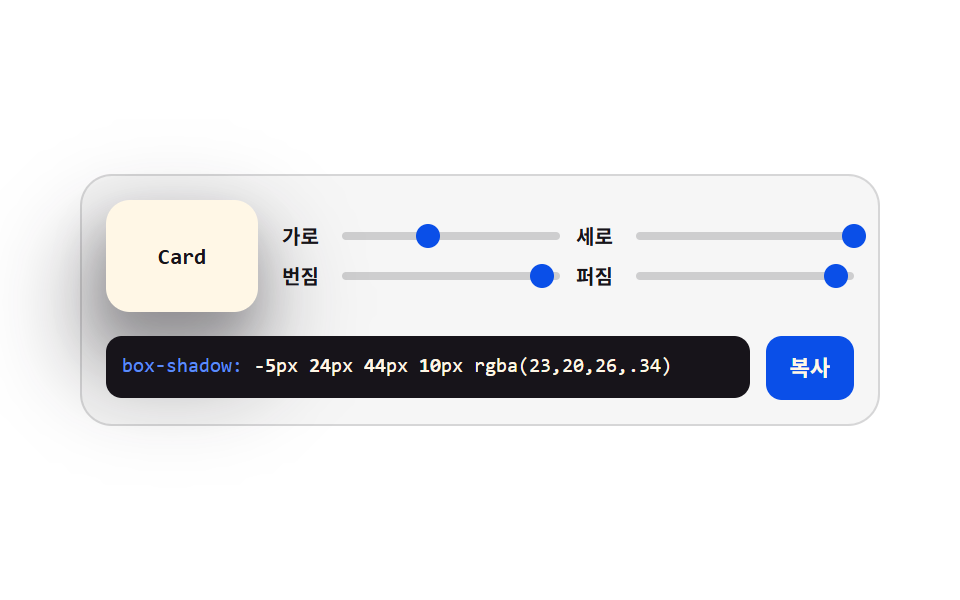 クリエイティブUIcss ジェネレーター 9種 — スライダーで作る css 影のつけ方
 クリエイティブUI万華鏡 アプリ — 鏡の角度で描く対称お絵かき9種
 クリエイティブUIcanvas 手書きサインと描画UI 9選 — ライブラリなし
 クリエイティブUIcss 背景 パターン ジェネレーター 自作9種
 クリエイティブUIリサージュ曲線 作り方9選 — 波の干渉で描くキャンバス
 クリエイティブUI物理エンジン 作り方 9選 — Verletロープからラグドールまで
 クリエイティブUI流体シミュレーション9種 — canvas の煙・インク格子計算 (WebGLなし)
 クリエイティブUIネットワークグラフ9種 — 力で押し引きし自ら並ぶキャンバス