万華鏡 アプリ — 鏡の角度で描く対称お絵かき9種
1本の線を描くと反射行列が残りの扇形をすべて埋めます。鏡の角度・対称次数・色相サイクルを自分で変える万華鏡描画ツール — ライブラリなしのキャンバス1枚、コードはパスワード付きzipでお渡しします。
 01 kaleido-mirror-draw-canvas
 02 kaleido-symmetry-order-slider
 03 kaleido-color-hue-cycle-brush
 04 kaleido-polar-tile-stamp
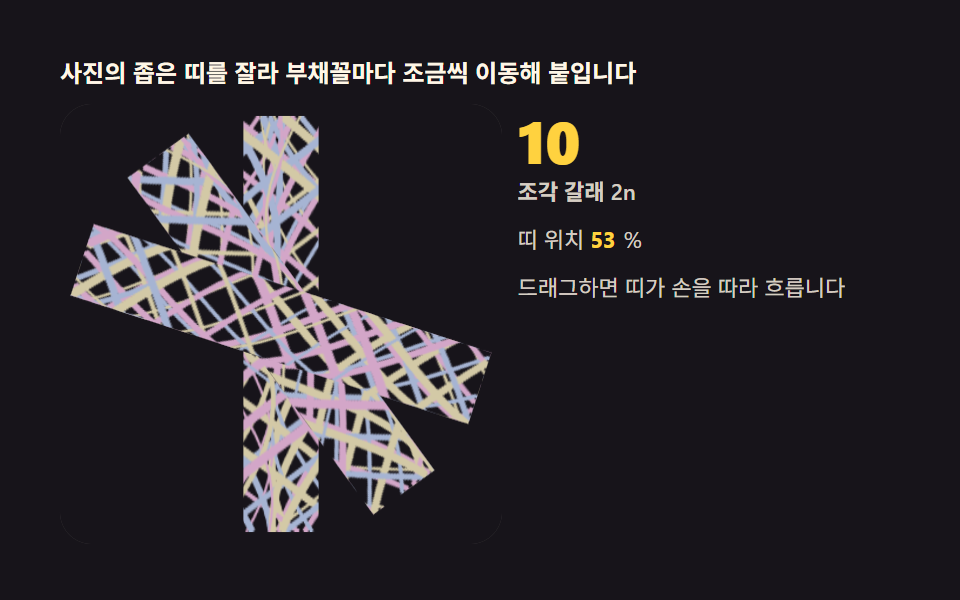 05 kaleido-image-feed-mirror
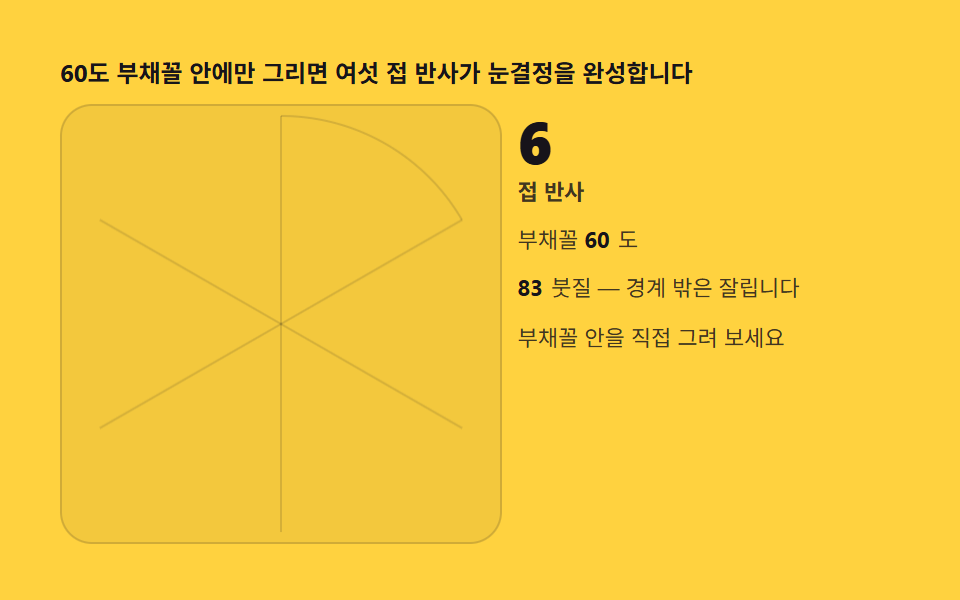 06 kaleido-snowflake-fold-six
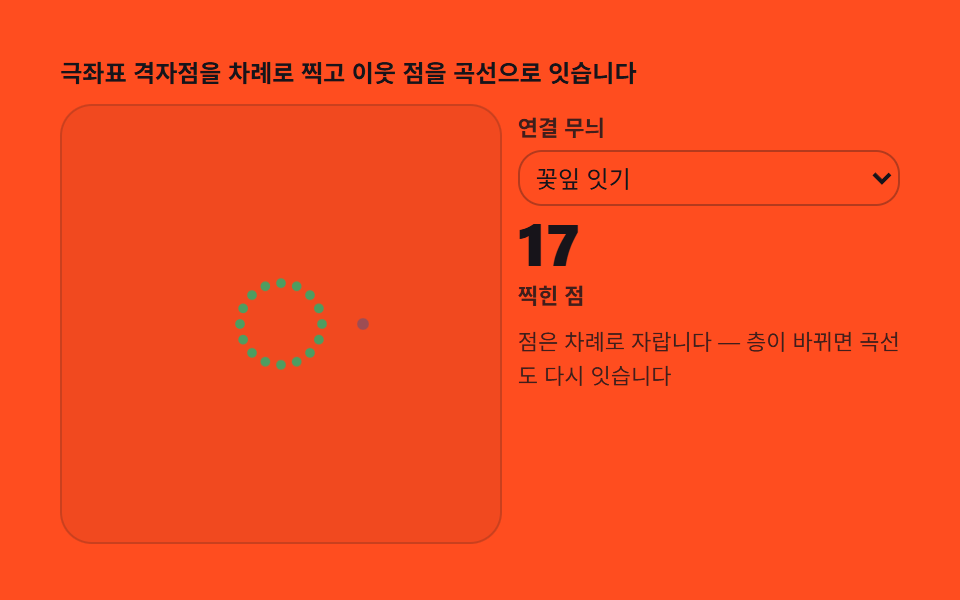 07 kaleido-rangoli-dot-grid
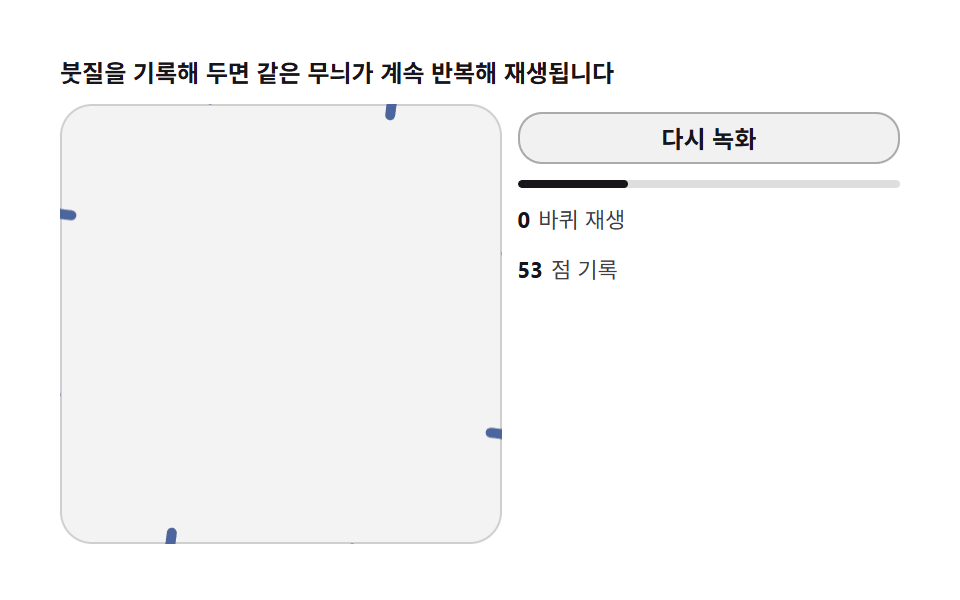 08 kaleido-record-replay-loop
 09 kaleido-wallpaper-tile-export
自動再生 · タイルを押すとその項目へ · すべて1つのzip
- 01 基本の万華鏡ブラシ — 1本の線が2n本に増える反射
- 02 対称次数スライダー — nを変えると模様が組み直される
- 03 色相サイクルブラシ — 描いた距離で色が巡る
- 04 極座標スタンプ — 半径・角度グリッドに吸着するスタンプ
- 05 写真を流し込む — 画像断片を鏡に送る
- 06 6つ折り雪の結晶 — 紙を折らずに折る方法
- 07 ランゴリグリッド — 点から織る対称の花輪
- 08 録画と再生 — 描いた過程を巻き戻すループ
- 09 壁紙エクスポート — 描いた模様を反復タイルに
デモ
| 項目 | 名前 | 累積面積% | 強度平均 | 動いたフレーム |
|---|---|---|---|---|
| 01 | 基本の万華鏡ブラシ | 5.295 | 125.5 | 23/24 |
| 02 | 対称次数スライダー | 0.975 | 129.1 | 23/24 |
| 03 | 色相サイクルブラシ | 0.556 | 148.4 | 23/24 |
| 04 | 極座標スタンプ | 19.003 | 80.6 | 22/24 |
| 05 | 写真を流し込む帯ミラー | 13.488 | 66.9 | 23/24 |
| 06 | 6つ折り雪の結晶 | 0.714 | 122.9 | 23/24 |
| 07 | ランゴリグリッド | 2.192 | 116.7 | 23/24 |
| 08 | 録画と再生 | 5.417 | 147.0 | 23/24 |
| 09 | 反復タイルの壁紙 | 25.892 | 26.3 | 23/24 |
お絵かきツールという性質上、02・03・06・07の累積面積が0.556〜2.192%と狭いのは線描工具の構造的な特性です。5px前後の細いブラシで対称模様を1本ずつ積み上げるツールは面を塗らないため、フレームごとの変化は本質的に狭くなります。今回の判定軸は強度と動きで、4項目とも強度平均116.7〜148.4と下限の15に対して十分な余裕があります。逆に面を塗る軸は広く、04の極座標スタンプが19.003%、05の写真の帯が13.488%、09の反復タイルが25.892%です。
9ツールの段階別コード
9つの順序は依存関係です。01のmirroredSegがすべての土台で、02がその角度を外から変え、03が色を、04と07が位置のスナップを、05が絵の入力を、06が境界の切り取りを、08が時間の記録を、09が結果の持ち出しを担います。この記事のコードフェンスはdemo/の実ファイルからそのまま抜き出したもので、万華鏡の完全なコードはzipにはvanilla 9種・React 9種が入っています。
対称がなぜ描いた瞬間の計算なのか — 反射行列
万華鏡の心臓部は、鏡を並べることではなく2×2の反射行列を線分1本に掛けることにあります。k番目の角度 a = k·2π/n のコサイン c・サイン s に対して setTransform(c, s, s, -c, tx, ty) の6引数を1回呼ぶと、回転とy軸反転が同時にかかった座標系の中で同じパスが打てます。この行列 [[c, s], [s, −c]] の行列式は −1 で、純粋な回転行列 [[c, −s], [s, c]] とは鏡像の有無が違います。回転だけでn回打つと隣り合う扇形の境目が噛み合わず、本物の万華鏡の折りにはなりません。k を 0 から n−1 まで回せば反射の対まで含めて1本が2n本に増え、これを描いた瞬間ごとに計算するからこそ、次数を変えれば模様が組み直されます。
行列式が −1 であることが鏡の証明
回転だけの行列は行列式が +1 で、紙を回転盤に載せて回すのと同じです。行列式が −1 の行列は向きを裏返すので、打ち直された線は元の線の鏡写しになります。隣の扇形と継ぎ目なく噛み合うのはこの裏返しのおかげです。
打った後に単位行列へ戻す1行
反射座標系の中で次の描画を始めると画面全体がねじれます。2n個のループが終わったら setTransform(dpr, 0, 0, dpr, 0, 0) で戻すのが、9種すべてが守る作法です。
9枚の盤は実際どんな画面で使うか
写真加工アプリのプレビュー画面には05の写真流し込みが向いています — アップロードした画像をそのまま鏡に流すので、ユーザーが自分の写真を万華鏡にした結果をその場で見られます。結婚式や季節行事の招待状サイトの装飾には07のランゴリグリッドが合います — 点と曲線だけで織る花輪は写真を使わないぶん軽く、招待状の余白に敷いても本文を邪魔しません。子ども向け学習アプリの操作体験には02の対称次数スライダーが向いています — スライダーを動かすと模様がその場で組み直る様子は、数を変えると形が変わるという算数の感覚をそのまま画面にします。
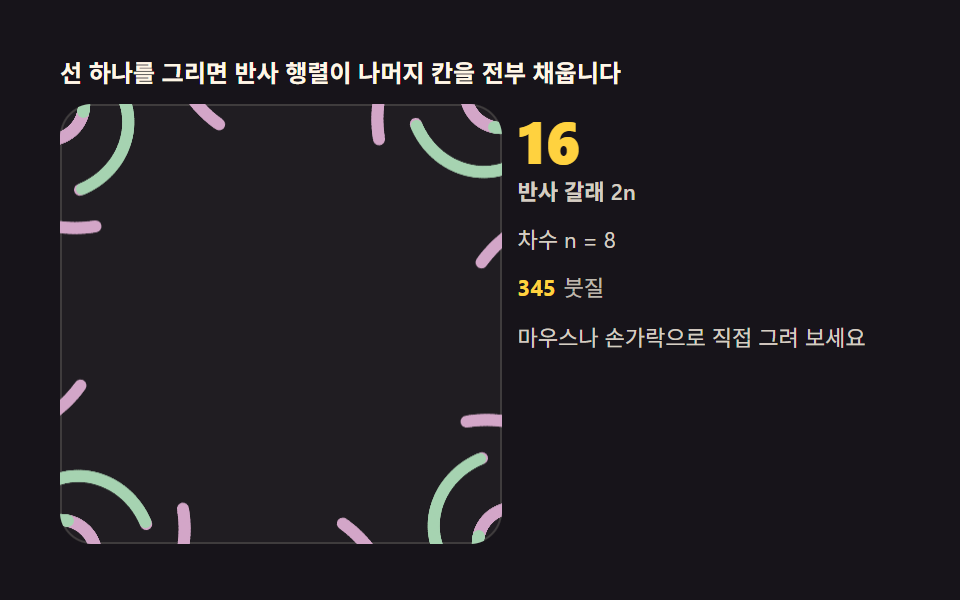
01基本の万華鏡ブラシ — 1本の線が2n本に増える反射
pointermoveで受けた線分1本を、k·2π/n の反射行列で n か所に打ちます。反射の対まで含めて2n=16枝になり、手を離すと1.6秒後に自動デモが再開します。描き心地の基準になる盤で、累積面積5.295%・面積最大0.699%・強度平均125.5・動いたフレーム23/24です。
<main class="stage">
<div class="kb" id="kb">
  <p class="kb__hint">1本の線を描くと反射行列が残りの扇形をすべて埋めます</p>
  <div class="kb__row">
    <div class="kb__field" id="field" role="application" aria-label="万華鏡ブラシ実験盤" tabindex="0">
      <canvas class="kb__cv" id="cv"></canvas>
    </div>
    <div class="kb__side">
      <b class="kb__num" id="parts">16</b>
      <span class="kb__unit">反射の枝 2n</span>
      <p class="kb__meta">次数 n = 8</p>
      <p class="kb__meta"><b class="kb__count" id="cnt">0</b><span class="kb__metaUnit">ストローク</span></p>
      <p class="kb__meta">マウスや指で直接描いてみてください</p>
    </div>
  </div>
</div>
</main>
@use "../../../../site/static/demo-tokens" as *;
// 만화경 붓(01) — 움직임은 전부 캔버스 rAF 루프 안에 있다(077 방식). CSS @keyframes 를
// 두지 않는다 — 애니메이션이 0개여야 렌더러가 실시간으로 24장을 찍는다.
// 선빛깔 세 개는 파스텔 팔레트(채도 .34) — 면 위 명도 .74 / 어두운 보조 .46.
$duration: $dur-loop;
$easing: $ease-out;
$color: $subject-sky;
@include stage($stage-ink);
.kb {
--c1: #a6b4d3; // 파랑빛 파스텔 — 붓 첫째
--c2: #d3a6c8; // 연분홍 파스텔 — 붓 둘째
--c3: #a6d3b1; // 연두 파스텔 — 붓 셋째
display: flex; flex-direction: column; gap: $sp-2;
width: 100%; max-width: 420px;
}
.kb__hint {
margin: 0; font-weight: 700; font-size: clamp(10px, 2.8vw, 12px); line-height: 1.35;
color: $subject-cream;
}
.kb__row { display: flex; gap: $sp-2; align-items: stretch; }
.kb__field {
position: relative; overflow: hidden;
flex: 0 0 auto;
width: clamp(176px, 46vw, 232px);
height: clamp(176px, 46vw, 232px);
border-radius: $r-card;
background: rgba($subject-cream, .04);
box-shadow: inset 0 0 0 1px rgba($subject-cream, .14);
cursor: crosshair; touch-action: none;
}
.kb__field:focus-visible { outline: 2px solid $color; outline-offset: 2px; }
.kb__cv { display: block; width: 100%; height: 100%; }
.kb__side {
flex: 1; min-width: 0;
display: flex; flex-direction: column; gap: $sp-1;
padding-top: $sp-1;
}
.kb__num {
font-weight: 800; font-size: clamp(20px, 6vw, 30px); line-height: 1;
color: $stage-yellow; font-variant-numeric: tabular-nums;
}
.kb__unit { font-weight: 600; font-size: clamp(9px, 2.4vw, 11px); line-height: 1.4; color: rgba($subject-cream, .82); }
.kb__meta { margin: $sp-1 0 0; font-size: clamp(9px, 2.4vw, 11px); line-height: 1.5; color: rgba($subject-cream, .82); }
.kb__meta b { font-weight: 700; color: $stage-yellow; font-variant-numeric: tabular-nums; margin-right: $sp-1; }
.kb__metaUnit { color: rgba($subject-cream, .72); }
@media (max-width: 340px) {
.kb { gap: $sp-1; }
.kb__field { width: 150px; height: 150px; }
.kb__num { font-size: 16px; }
.kb__meta { margin-top: 0; font-size: 8px; }
}
// reduce — 루프가 안 돈다. 미리 그려 둔 정적 무늬 한 장이 남는다.
@media (prefers-reduced-motion: reduce) {
.kb.is-still .kb__field { cursor: default !important; }
}html, body {
margin: 0;
overflow: hidden;
}
.stage {
box-sizing: border-box;
min-height: 100vh;
display: grid;
place-items: center;
margin: 0;
background: #17141a;
font-family: -apple-system, "Segoe UI", "Noto Sans KR", sans-serif;
padding: clamp(8px, 4vw, 24px);
}
.kb {
--c1: #a6b4d3;
--c2: #d3a6c8;
--c3: #a6d3b1;
display: flex;
flex-direction: column;
gap: 8px;
width: 100%;
max-width: 420px;
}
.kb__hint {
margin: 0;
font-weight: 700;
font-size: clamp(10px, 2.8vw, 12px);
line-height: 1.35;
color: #fff7e6;
}
.kb__row {
display: flex;
gap: 8px;
align-items: stretch;
}
.kb__field {
position: relative;
overflow: hidden;
flex: 0 0 auto;
width: clamp(176px, 46vw, 232px);
height: clamp(176px, 46vw, 232px);
border-radius: 16px;
background: rgba(255, 247, 230, 0.04);
box-shadow: inset 0 0 0 1px rgba(255, 247, 230, 0.14);
cursor: crosshair;
touch-action: none;
}
.kb__field:focus-visible {
outline: 2px solid #6ec8ff;
outline-offset: 2px;
}
.kb__cv {
display: block;
width: 100%;
height: 100%;
}
.kb__side {
flex: 1;
min-width: 0;
display: flex;
flex-direction: column;
gap: 4px;
padding-top: 4px;
}
.kb__num {
font-weight: 800;
font-size: clamp(20px, 6vw, 30px);
line-height: 1;
color: #ffd23f;
font-variant-numeric: tabular-nums;
}
.kb__unit {
font-weight: 600;
font-size: clamp(9px, 2.4vw, 11px);
line-height: 1.4;
color: rgba(255, 247, 230, 0.82);
}
.kb__meta {
margin: 4px 0 0;
font-size: clamp(9px, 2.4vw, 11px);
line-height: 1.5;
color: rgba(255, 247, 230, 0.82);
}
.kb__meta b {
font-weight: 700;
color: #ffd23f;
font-variant-numeric: tabular-nums;
margin-right: 4px;
}
.kb__metaUnit {
color: rgba(255, 247, 230, 0.72);
}
@media (max-width: 340px) {
.kb {
gap: 4px;
}
.kb__field {
width: 150px;
height: 150px;
}
.kb__num {
font-size: 16px;
}
.kb__meta {
margin-top: 0;
font-size: 8px;
}
}
@media (prefers-reduced-motion: reduce) {
.kb.is-still .kb__field {
cursor: default !important;
}
}// 만화경 붓 — 반사 행렬이 핵심이다. k번째 부채꼴의 변환은 회전 R(a) 와 y축 반사의 곱
// [[cos a, sin a], [sin a, -cos a]] (a = k · 2π/n). 선분 하나를 이 행렬로 n번 찍으면
// 좌우 반사까지 합쳐 2n 갈래의 대칭 무늬가 그린 순간에 생긴다. 경로는 파라미터 함수라
// 시드 난수 없이도 항상 같은 데모가 반복된다.
(function () {
var root = document.getElementById('kb');
var field = document.getElementById('field');
var cv = document.getElementById('cv');
var parts = document.getElementById('parts');
var cnt = document.getElementById('cnt');
if (!root || !field || !cv || !parts || !cnt) return;
var ctx = cv.getContext('2d');
var css = getComputedStyle(root);
var COLS = [css.getPropertyValue('--c1').trim(), css.getPropertyValue('--c2').trim(), css.getPropertyValue('--c3').trim()];
var N = 8; // 차수 n — 반사까지 합치면 2N = 16 갈래
parts.textContent = String(2 * N);
var strokes = 0;
var W = 0, H = 0, dpr = 1, cx = 0, cy = 0, R = 0;
function fit() {
W = field.clientWidth; H = field.clientHeight;
dpr = Math.min(2, window.devicePixelRatio || 1);
cv.width = Math.round(W * dpr); cv.height = Math.round(H * dpr);
cx = W / 2; cy = H / 2; R = Math.min(W, H) / 2 - 6;
}
// 반사 행렬 스트로크 — 선분 하나를 2N 위치에 찍는다. setTransform 의 여섯 인수는
// (a, b, c, d, e, f) = 행렬 2×2 + 이동. 여기 곱한 행렬이 곧 회전×반사다
function mirroredSeg(x0, y0, x1, y1, ci) {
for (var k = 0; k < N; k++) {
var a = k * 2 * Math.PI / N, c = Math.cos(a), s = Math.sin(a);
ctx.setTransform(dpr * c, dpr * s, dpr * s, -dpr * c, cx * dpr, cy * dpr);
ctx.strokeStyle = COLS[ci % 3];
ctx.lineWidth = 6;
ctx.lineCap = 'round';
ctx.beginPath(); ctx.moveTo(x0, y0); ctx.lineTo(x1, y1); ctx.stroke();
}
ctx.setTransform(dpr, 0, 0, dpr, 0, 0);
strokes += 1;
cnt.textContent = String(strokes);
}
// 시드 고정 자동 ストローク — 붓 세 자루가 위상을 달리해 함께 돈다
function pathAt(t, ph) {
var ang = t * 1.55 + ph + 0.9 * Math.sin(t * 0.31 + ph);
var r = R * (0.30 + 0.34 * Math.sin(t * 0.47 + ph * 2) + 0.20 * Math.sin(t * 0.13 + ph));
if (r < R * 0.07) r = R * 0.07;
return [cx + r * Math.cos(ang), cy + r * Math.sin(ang)];
}
var reduce = window.matchMedia('(prefers-reduced-motion: reduce)').matches;
var t = 0, lastInput = -9, pen = false, penPt = null;
var PH = [0, 2.09, 4.19]; // 붓 세 자루의 위상 (2π/3 간격)
var prev = [null, null, null];
function toLocal(e) {
var b = field.getBoundingClientRect();
return [e.clientX - b.left, e.clientY - b.top];
}
field.addEventListener('pointerdown', function (e) {
pen = true; penPt = toLocal(e);
if (field.setPointerCapture) { try { field.setPointerCapture(e.pointerId); } catch (err) { /* 캡처 실패는 그리기에 영향 없다 */ }
}
});
field.addEventListener('pointermove', function (e) {
if (!pen) return;
var p = toLocal(e);
mirroredSeg(penPt[0], penPt[1], p[0], p[1], strokes);
penPt = p; lastInput = t;
});
field.addEventListener('pointerup', function () { pen = false; lastInput = t; });
field.addEventListener('pointercancel', function () { pen = false; lastInput = t; });
var last = 0;
function step(now) {
var dt = Math.min(64, now - last) / 1000; last = now;
if (!pen && t - lastInput > 1.6) {
t += dt;
for (var i = 0; i < PH.length; i++) {
var p = pathAt(t, PH[i]);
if (prev[i]) mirroredSeg(prev[i][0], prev[i][1], p[0], p[1], Math.floor(t * 0.9 + i));
prev[i] = p;
}
}
requestAnimationFrame(step);
}
fit();
window.addEventListener('resize', fit);
if (reduce) {
// 정지 한 장 — 시간 4초 분의 붓질을 미리 그려 둔다. 루프는 돌지 않는다
for (var j = 1; j <= 200; j++) {
var tt = j * 0.02;
for (var i2 = 0; i2 < PH.length; i2++) {
var a0 = pathAt(tt - 0.02, PH[i2]), a1 = pathAt(tt, PH[i2]);
mirroredSeg(a0[0], a0[1], a1[0], a1[1], Math.floor(tt * 0.9 + i2));
}
}
root.classList.add('is-still');
} else {
last = performance.now();
requestAnimationFrame(step);
}
})();// KaleidoMirrorDrawCanvas — vanilla 판(run/331/demo/01-kaleido-mirror-draw-canvas/index.html) 의 React 포트.
// 반사 행렬이 핵심이다. k번째 부채꼴의 변환은 회전 R(a) 와 y축 반사의 곱
// [[cos a, sin a], [sin a, -cos a]] (a = k · 2π/n). 선분 하나를 이 행렬로 n번 찍으면
// 좌우 반사까지 합쳐 2n 갈래의 대칭 무늬가 그린 순간에 생긴다. 경로는 파라미터 함수라
// 시드 난수 없이도 항상 같은 데모가 반복된다. 값·수치는 vanilla 와 같다.
// 움직임은 전부 캔버스 rAF 루프가 그리므로 CSS 애니메이션이 없다.
// reduce 에서는 루프를 돌리지 않고 시간 4초 분의 붓질을 미리 그린 한 장만 남긴다(.isStill).
import { useEffect, useRef, useState } from "react";
import type { CSSProperties, PointerEvent } from "react";
import styles from "./KaleidoMirrorDrawCanvas.module.scss";
export type KaleidoMirrorDrawCanvasProps = {
duration?: string;
easing?: string;
color?: string;
};
type Vars = CSSProperties & { "--duration"?: string; "--easing"?: string; "--color"?: string };
// useRef 는 T | null 을 돌려준다. 처음부터 값이 있고 절대 비지 않는 상자는 이렇게 좁혀 쓴다
type Box<T> = { current: T };
const N = 8; // 차수 n — 반사까지 합치면 2N = 16 갈래
const PH = [0, 2.09, 4.19]; // 붓 세 자루의 위상 (2π/3 간격)
const COLS = ["#a6b4d3", "#d3a6c8", "#a6d3b1"]; // 파랑빛·연분홍·연두 파스텔 — 붓 셋
const HINT = "선 하나를 그리면 반사 행렬이 나머지 칸을 전부 채웁니다";
const ARIA_FIELD = "만화경 붓 실험판";
const PARTS_UNIT = "반사 갈래 2n";
const ORDER_TEXT = "차수 n = 8";
const STROKE_UNIT = "붓질";
const DRAW_TEXT = "마우스나 손가락으로 직접 그려 보세요";
export default function KaleidoMirrorDrawCanvas({
duration = "2s",
easing = "ease-out",
color = "#6ec8ff"
}: KaleidoMirrorDrawCanvasProps) {
const fieldRef = useRef<HTMLDivElement | null>(null);
const cvRef = useRef<HTMLCanvasElement | null>(null);
const cntRef = useRef<HTMLSpanElement | null>(null);
const ctxRef = useRef<CanvasRenderingContext2D | null>(null);
const stRef = useRef({
W: 0, H: 0, dpr: 1, cx: 0, cy: 0, R: 0,
t: 0, strokes: 0, lastInput: -9,
pen: false, penPt: null as [number, number] | null,
prev: [null, null, null] as Array<[number, number] | null>
}) as Box<{
W: number; H: number; dpr: number; cx: number; cy: number; R: number;
strokes: number; t: number; lastInput: number;
pen: boolean; penPt: [number, number] | null;
prev: Array<[number, number] | null>
}>;
const lastRef = useRef(0) as Box<number>;
const rafRef = useRef(0) as Box<number>;
const [still, setStill] = useState(false);
function reduced(): boolean {
return window.matchMedia("(prefers-reduced-motion: reduce)").matches;
}
function fit(): void {
const st = stRef.current;
const field = fieldRef.current, cv = cvRef.current;
if (!field || !cv) return;
const ctx = cv.getContext("2d");
if (!ctx) return;
st.W = field.clientWidth; st.H = field.clientHeight;
st.dpr = Math.min(2, window.devicePixelRatio || 1);
cv.width = Math.round(st.W * st.dpr); cv.height = Math.round(st.H * st.dpr);
st.cx = st.W / 2; st.cy = st.H / 2; st.R = Math.min(st.W, st.H) / 2 - 6;
ctxRef.current = ctx;
}
// 반사 행렬 스트로크 — 선분 하나를 2N 위치에 찍는다. setTransform 의 여섯 인수는
// (a, b, c, d, e, f) = 행렬 2×2 + 이동. 여기 곱한 행렬이 곧 회전×반사다
function mirroredSeg(x0: number, y0: number, x1: number, y1: number, ci: number): void {
const st = stRef.current;
const ctx = ctxRef.current;
if (!ctx) return;
for (let k = 0; k < N; k++) {
const a = k * 2 * Math.PI / N, c = Math.cos(a), s = Math.sin(a);
ctx.setTransform(st.dpr * c, st.dpr * s, st.dpr * s, -st.dpr * c, st.cx * st.dpr, st.cy * st.dpr);
ctx.strokeStyle = COLS[ci % 3];
ctx.lineWidth = 6;
ctx.lineCap = "round";
ctx.beginPath(); ctx.moveTo(x0, y0); ctx.lineTo(x1, y1); ctx.stroke();
}
ctx.setTransform(st.dpr, 0, 0, st.dpr, 0, 0);
st.strokes += 1;
const out = cntRef.current;
if (out) out.textContent = String(st.strokes);
}
// 시드 고정 자동 붓질 — 붓 세 자루가 위상을 달리해 함께 돈다
function pathAt(t: number, ph: number): [number, number] {
const st = stRef.current;
const ang = t * 1.55 + ph + 0.9 * Math.sin(t * 0.31 + ph);
let r = st.R * (0.30 + 0.34 * Math.sin(t * 0.47 + ph * 2) + 0.20 * Math.sin(t * 0.13 + ph));
if (r < st.R * 0.07) r = st.R * 0.07;
return [st.cx + r * Math.cos(ang), st.cy + r * Math.sin(ang)];
}
function step(now: number): void {
const st = stRef.current;
const dt = Math.min(64, now - lastRef.current) / 1000; lastRef.current = now;
if (!st.pen && st.t - st.lastInput > 1.6) {
st.t += dt;
for (let i = 0; i < PH.length; i++) {
const p = pathAt(st.t, PH[i]);
const pv = st.prev[i];
if (pv) mirroredSeg(pv[0], pv[1], p[0], p[1], Math.floor(st.t * 0.9 + i));
st.prev[i] = p;
}
}
rafRef.current = requestAnimationFrame(step);
}
function toLocal(e: PointerEvent<HTMLDivElement>): [number, number] {
const b = e.currentTarget.getBoundingClientRect();
return [e.clientX - b.left, e.clientY - b.top];
}
function onPointerDown(e: PointerEvent<HTMLDivElement>): void {
const st = stRef.current;
st.pen = true; st.penPt = toLocal(e);
try { e.currentTarget.setPointerCapture(e.pointerId); } catch { /* 캡처 실패는 그리기에 영향 없다 */ }
}
function onPointerMove(e: PointerEvent<HTMLDivElement>): void {
const st = stRef.current;
if (!st.pen || !st.penPt) return;
const p = toLocal(e);
mirroredSeg(st.penPt[0], st.penPt[1], p[0], p[1], st.strokes);
st.penPt = p; st.lastInput = st.t;
}
function onPointerUp(): void {
const st = stRef.current;
st.pen = false; st.lastInput = st.t;
}
useEffect(() => {
fit();
function onResize(): void { fit(); }
window.addEventListener("resize", onResize);
if (reduced()) {
// 정지 한 장 — 시간 4초 분의 붓질을 미리 그려 둔다. 루프는 돌지 않는다
for (let j = 1; j <= 200; j++) {
const tt = j * 0.02;
for (let i = 0; i < PH.length; i++) {
const a0 = pathAt(tt - 0.02, PH[i]), a1 = pathAt(tt, PH[i]);
mirroredSeg(a0[0], a0[1], a1[0], a1[1], Math.floor(tt * 0.9 + i));
}
}
setStill(true);
} else {
lastRef.current = performance.now();
rafRef.current = requestAnimationFrame(step);
}
return () => {
window.removeEventListener("resize", onResize);
cancelAnimationFrame(rafRef.current);
};
// eslint-disable-next-line react-hooks/exhaustive-deps
}, []);
const rootCls = still ? styles.kb + " " + styles.isStill : styles.kb;
return (
<main className={styles.stage}>
<div className={rootCls} style={{ "--duration": duration, "--easing": easing, "--color": color } as Vars}>
<p className={styles.hint}>{HINT}</p>
<div className={styles.row}>
<div
className={styles.field}
ref={fieldRef}
role="application"
aria-label={ARIA_FIELD}
tabIndex={0}
onPointerDown={onPointerDown}
onPointerMove={onPointerMove}
onPointerUp={onPointerUp}
onPointerCancel={onPointerUp}
>
<canvas className={styles.cv} ref={cvRef}></canvas>
</div>
<div className={styles.side}>
<b className={styles.num}>{2 * N}</b>
<span className={styles.unit}>{PARTS_UNIT}</span>
<p className={styles.meta}>{ORDER_TEXT}</p>
<p className={styles.meta}><b ref={cntRef}>0</b><span className={styles.metaUnit}>{STROKE_UNIT}</span></p>
<p className={styles.meta}>{DRAW_TEXT}</p>
</div>
</div>
</div>
</main>
);
}01 · 基本の万華鏡ブラシ — 1本の線が2n本に増える反射 — 計測 累積面積 5.295% · 動いたフレーム 23/23GODRICH オリジナル · SCSS と React は zip に同梱 · パスワードを見る
線分1本を2n位置に打つmirroredSeg
6引数のsetTransformが回転×y反転を1回で担い、ループの外で単位行列に戻します。
  // 反射行列ストローク — 線分1本を2N位置に打つ。setTransform の6引数は
  // (a, b, c, d, e, f) = 行列 2×2 + 平行移動。ここで掛ける行列が回転×反射になる
  function mirroredSeg(x0, y0, x1, y1, ci) {
    for (var k = 0; k < N; k++) {
      var a = k * 2 * Math.PI / N, c = Math.cos(a), s = Math.sin(a);
      ctx.setTransform(dpr * c, dpr * s, dpr * s, -dpr * c, cx * dpr, cy * dpr);
      ctx.strokeStyle = COLS[ci % 3];
      ctx.lineWidth = 6;
      ctx.lineCap = 'round';
      ctx.beginPath(); ctx.moveTo(x0, y0); ctx.lineTo(x1, y1); ctx.stroke();
    }
    ctx.setTransform(dpr, 0, 0, dpr, 0, 0);
  }
乱数を使わないブラシの経路pathAt
自動デモの3本のブラシは位相を 2π/3 ずつずらした同じパラメータ曲線を回るので、デモは毎回まったく同じ模様を再現します。
  // シード固定の自動ストローク — 3本のブラシが位相をずらして一緒に回る
  function pathAt(t, ph) {
    var ang = t * 1.55 + ph + 0.9 * Math.sin(t * 0.31 + ph);
    var r = R * (0.30 + 0.34 * Math.sin(t * 0.47 + ph * 2) + 0.20 * Math.sin(t * 0.13 + ph));
    if (r < R * 0.07) r = R * 0.07;
    return [cx + r * Math.cos(ang), cy + r * Math.sin(ang)];
  }
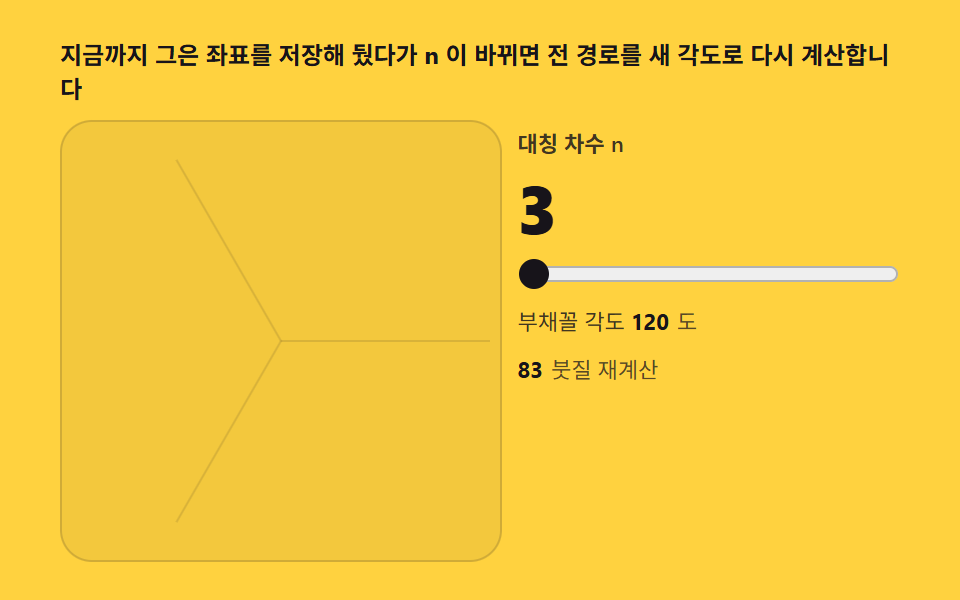
02対称次数スライダー — nを変えると模様が組み直される
次数nを3から24までのスライダーで変えると、扇形の角度 360/n 度が狭まり、同じ線がより密な花に組み直されます。描いた線分の配列を保存してあるので、changeイベントで指を離した後に全パスを新しい角度で1回だけ再計算します。累積面積0.975%・強度平均129.1・動いたフレーム23/24です。
<main class="stage">
<div class="ks" id="ks">
  <p class="ks__hint">描いた座標を保存し、nが変われば全パスを新しい角度で再計算します</p>
  <div class="ks__row">
    <div class="ks__field" id="field" role="application" aria-label="対称次数実験盤" tabindex="0">
      <canvas class="ks__cv" id="cv"></canvas>
    </div>
    <div class="ks__side">
      <label class="ks__lab" for="order">対称次数 n</label>
      <b class="ks__val" id="val" aria-live="polite">6</b>
      <input class="ks__slider" id="order" type="range" min="3" max="24" step="1" value="6"
             aria-label="対称次数">
      <p class="ks__meta">扇形の角度 <b id="deg">60</b><span class="ks__degUnit">度</span></p>
      <p class="ks__meta"><b id="cnt">0</b><span class="ks__metaUnit">ストローク再計算</span></p>
    </div>
  </div>
</div>
</main>
@use "../../../../site/static/demo-tokens" as *;
// 대칭 차수 슬라이더(02) — rAF 캔버스 데모. 슬라이더 몸은 CSS 정적 부품,
// 무늬 재계산은 전부 캔버스다. 슬라이더 색은 노랑 무대 위 잉크 계열.
$duration: $dur-loop;
$easing: $ease-out;
$color: $subject-ink;
@include stage($stage-yellow);
.ks {
--c1: #4d659d; // 잉크보다 한 단 밝은 파랑 파스텔 — 붓 첫째
--c2: #9d4d54; // 붉은기 파스텔 — 붓 둘째
--grid: #{rgba($subject-ink, .12)};
display: flex; flex-direction: column; gap: $sp-2;
width: 100%; max-width: 420px;
}
.ks__hint {
margin: 0; font-weight: 700; font-size: clamp(10px, 2.8vw, 12px); line-height: 1.35;
color: $subject-ink;
}
.ks__row { display: flex; gap: $sp-2; align-items: stretch; }
.ks__field {
position: relative; overflow: hidden;
flex: 0 0 auto;
width: clamp(176px, 46vw, 232px);
height: clamp(176px, 46vw, 232px);
border-radius: $r-card;
background: rgba($subject-ink, .05);
box-shadow: inset 0 0 0 1px rgba($subject-ink, .16);
cursor: crosshair; touch-action: none;
}
.ks__field:focus-visible { outline: 2px solid $color; outline-offset: 2px; }
.ks__cv { display: block; width: 100%; height: 100%; }
.ks__side {
flex: 1; min-width: 0;
display: flex; flex-direction: column; gap: $sp-2;
padding-top: $sp-1;
}
.ks__lab { font-weight: 600; font-size: clamp(9px, 2.4vw, 11px); line-height: 1.4; color: rgba($subject-ink, .82); }
.ks__val {
font-weight: 800; font-size: clamp(24px, 7vw, 34px); line-height: 1;
color: $subject-ink; font-variant-numeric: tabular-nums;
}
.ks__slider {
width: 100%; margin: 0;
accent-color: $subject-ink;
}
.ks__slider:focus-visible { outline: 2px solid $color; outline-offset: 2px; }
.ks__meta { margin: 0; font-size: clamp(9px, 2.4vw, 11px); line-height: 1.5; color: rgba($subject-ink, .82); }
.ks__meta b { font-weight: 700; color: $subject-ink; font-variant-numeric: tabular-nums; margin-right: $sp-1; }
.ks__degUnit { color: rgba($subject-ink, .72); }
.ks__metaUnit { color: rgba($subject-ink, .72); }
@media (max-width: 340px) {
.ks { gap: $sp-1; }
.ks__field { width: 132px; height: 132px; }
.ks__val { font-size: 20px; }
.ks__side { gap: $sp-1; }
.ks__meta { font-size: 8px; }
}
// reduce — 루프가 안 돈다. 차수 12 정적 무늬 한 장이 남는다.
@media (prefers-reduced-motion: reduce) {
.ks.is-still .ks__field { cursor: default !important; }
.ks.is-still .ks__slider { pointer-events: none !important; }
}html, body {
margin: 0;
overflow: hidden;
}
.stage {
box-sizing: border-box;
min-height: 100vh;
display: grid;
place-items: center;
margin: 0;
background: #ffd23f;
font-family: -apple-system, "Segoe UI", "Noto Sans KR", sans-serif;
padding: clamp(8px, 4vw, 24px);
}
.ks {
--c1: #4d659d;
--c2: #9d4d54;
--grid: rgba(23, 20, 26, 0.12);
display: flex;
flex-direction: column;
gap: 8px;
width: 100%;
max-width: 420px;
}
.ks__hint {
margin: 0;
font-weight: 700;
font-size: clamp(10px, 2.8vw, 12px);
line-height: 1.35;
color: #17141a;
}
.ks__row {
display: flex;
gap: 8px;
align-items: stretch;
}
.ks__field {
position: relative;
overflow: hidden;
flex: 0 0 auto;
width: clamp(176px, 46vw, 232px);
height: clamp(176px, 46vw, 232px);
border-radius: 16px;
background: rgba(23, 20, 26, 0.05);
box-shadow: inset 0 0 0 1px rgba(23, 20, 26, 0.16);
cursor: crosshair;
touch-action: none;
}
.ks__field:focus-visible {
outline: 2px solid #17141a;
outline-offset: 2px;
}
.ks__cv {
display: block;
width: 100%;
height: 100%;
}
.ks__side {
flex: 1;
min-width: 0;
display: flex;
flex-direction: column;
gap: 8px;
padding-top: 4px;
}
.ks__lab {
font-weight: 600;
font-size: clamp(9px, 2.4vw, 11px);
line-height: 1.4;
color: rgba(23, 20, 26, 0.82);
}
.ks__val {
font-weight: 800;
font-size: clamp(24px, 7vw, 34px);
line-height: 1;
color: #17141a;
font-variant-numeric: tabular-nums;
}
.ks__slider {
width: 100%;
margin: 0;
accent-color: #17141a;
}
.ks__slider:focus-visible {
outline: 2px solid #17141a;
outline-offset: 2px;
}
.ks__meta {
margin: 0;
font-size: clamp(9px, 2.4vw, 11px);
line-height: 1.5;
color: rgba(23, 20, 26, 0.82);
}
.ks__meta b {
font-weight: 700;
color: #17141a;
font-variant-numeric: tabular-nums;
margin-right: 4px;
}
.ks__degUnit {
color: rgba(23, 20, 26, 0.72);
}
.ks__metaUnit {
color: rgba(23, 20, 26, 0.72);
}
@media (max-width: 340px) {
.ks {
gap: 4px;
}
.ks__field {
width: 132px;
height: 132px;
}
.ks__val {
font-size: 20px;
}
.ks__side {
gap: 4px;
}
.ks__meta {
font-size: 8px;
}
}
@media (prefers-reduced-motion: reduce) {
.ks.is-still .ks__field {
cursor: default !important;
}
.ks.is-still .ks__slider {
pointer-events: none !important;
}
}// 対称次数 슬라이더 — ストローク 좌표를 strokes 배열에 쌓아 둔다. n 이 바뀌면 캔버스를 지우고
// 저장한 전 경로를 새 扇形の角度(2π/n)의 반사 행렬로 전부 다시 찍는다. 무늬가 무너졌다
// 다시 서는 순간이 이 재계산이다. 데모는 시드 고정 경로가 스스로 그리며, 4초마다 n 을
// 3 → 6 → 12 → 18 → 24 → 3 으로 바꿔 재구성 과정을 보여 준다.
(function () {
var root = document.getElementById('ks');
var field = document.getElementById('field');
var cv = document.getElementById('cv');
var order = document.getElementById('order');
var val = document.getElementById('val');
var deg = document.getElementById('deg');
var cnt = document.getElementById('cnt');
if (!root || !field || !cv || !order || !val || !deg || !cnt) return;
var ctx = cv.getContext('2d');
var css = getComputedStyle(root);
var C1 = css.getPropertyValue('--c1').trim();
var C2 = css.getPropertyValue('--c2').trim();
var GRID = css.getPropertyValue('--grid').trim();
var strokes = []; // [[x0,y0,x1,y1,ci], ...] — 절대 좌표, n 과 무관하게 보존
var recalc = 0;
var N = 6;
var W = 0, H = 0, dpr = 1, cx = 0, cy = 0, R = 0;
function fit() {
W = field.clientWidth; H = field.clientHeight;
dpr = Math.min(2, window.devicePixelRatio || 1);
cv.width = Math.round(W * dpr); cv.height = Math.round(H * dpr);
cx = W / 2; cy = H / 2; R = Math.min(W, H) / 2 - 6;
redraw();
}
function drawSeg(s) {
for (var k = 0; k < N; k++) {
var a = k * 2 * Math.PI / N, c = Math.cos(a), sn = Math.sin(a);
ctx.setTransform(dpr * c, dpr * sn, dpr * sn, -dpr * c, cx * dpr, cy * dpr);
ctx.strokeStyle = s[4] ? C2 : C1;
ctx.lineWidth = 5;
ctx.lineCap = 'round';
ctx.beginPath(); ctx.moveTo(s[0], s[1]); ctx.lineTo(s[2], s[3]); ctx.stroke();
}
ctx.setTransform(dpr, 0, 0, dpr, 0, 0);
}
function redraw() {
ctx.setTransform(dpr, 0, 0, dpr, 0, 0);
ctx.clearRect(0, 0, W, H);
// 안내 扇形 경계 — 현재 n 의 각도를 얇게 표시
ctx.strokeStyle = GRID; ctx.lineWidth = 1;
for (var k = 0; k < N; k++) {
var a = k * 2 * Math.PI / N;
ctx.beginPath(); ctx.moveTo(cx, cy);
ctx.lineTo(cx + R * Math.cos(a), cy + R * Math.sin(a)); ctx.stroke();
}
for (var i = 0; i < strokes.length; i++) drawSeg(strokes[i]);
}
function setN(n) {
N = n;
val.textContent = String(n);
deg.textContent = String(Math.round(360 / n));
order.value = String(n);
redraw();
}
// change 이벤트 — 손을 뗀 뒤에 전체 재계산. input 이 아니라 change 를 쓰면
// 슬라이더를 끄는 동안 무늬가 흔들리지 않고 놓는 순간 한 번에 다시 선다
order.addEventListener('change', function () { setN(parseInt(order.value, 10) || 6); });
// 시드 고정 자동 ストローク — 반경이 스치는 길게 늘어진 꽃잎 곡선
function pathAt(t) {
var ang = t * 1.1 + 1.3 * Math.sin(t * 0.23);
var r = R * (0.24 + 0.38 * Math.abs(Math.sin(t * 0.4)) + 0.18 * Math.sin(t * 0.09));
if (r < R * 0.06) r = R * 0.06;
return [cx + r * Math.cos(ang), cy + r * Math.sin(ang)];
}
var reduce = window.matchMedia('(prefers-reduced-motion: reduce)').matches;
var CYCLE = [3, 6, 12, 18, 24]; // 자동 시연이 돌아보는 차수
var t = 0, last = 0, prev = null, pen = false, penPt = null, ci = 0;
function toLocal(e) {
var b = field.getBoundingClientRect();
return [e.clientX - b.left, e.clientY - b.top];
}
field.addEventListener('pointerdown', function (e) {
pen = true; penPt = toLocal(e);
if (field.setPointerCapture) { try { field.setPointerCapture(e.pointerId); } catch (err) { /* 캡처 실패는 그리기에 영향 없다 */ } }
});
field.addEventListener('pointermove', function (e) {
if (!pen || !penPt) return;
var p = toLocal(e);
var s = [penPt[0], penPt[1], p[0], p[1], ci];
strokes.push(s); drawSeg(s); recalc += 1; cnt.textContent = String(recalc);
penPt = p;
});
field.addEventListener('pointerup', function () { pen = false; penPt = null; ci = 1 - ci; });
field.addEventListener('pointercancel', function () { pen = false; penPt = null; });
function step(now) {
var dt = Math.min(64, now - last) / 1000; last = now;
if (!pen) {
t += dt;
// 4초마다 차수 전환 — 재계산 순간을 보여 준다
var idx = Math.floor(t / 4) % CYCLE.length;
if (CYCLE[idx] !== N) setN(CYCLE[idx]);
var p = pathAt(t);
if (prev) {
var s2 = [prev[0], prev[1], p[0], p[1], 0];
strokes.push(s2); drawSeg(s2); recalc += 1; cnt.textContent = String(recalc);
}
prev = p;
}
requestAnimationFrame(step);
}
fit();
window.addEventListener('resize', fit);
if (reduce) {
// 정지 한 장 — 차수 12 의 완성 무늬
setN(12);
for (var j = 1; j <= 260; j++) {
var tt = j * 0.02, a0 = pathAt(tt - 0.02), a1 = pathAt(tt);
strokes.push([a0[0], a0[1], a1[0], a1[1], 0]);
}
redraw();
recalc = strokes.length; cnt.textContent = String(recalc);
root.classList.add('is-still');
} else {
last = performance.now();
requestAnimationFrame(step);
}
})();// KaleidoSymmetryOrderSlider — vanilla 판(run/331/demo/02-kaleido-symmetry-order-slider/index.html) 의 React 포트.
// 붓질 좌표를 strokes 배열에 쌓아 둔다. n 이 바뀌면 캔버스를 지우고 저장한 전 경로를
// 새 부채꼴 각도(2π/n)의 반사 행렬로 전부 다시 찍는다. 무늬가 무너졌다 다시 서는 순간이
// 이 재계산이다. 데모는 시드 고정 경로가 스스로 그리며, 4초마다 n 을 3 → 6 → 12 → 18 → 24 → 3
// 으로 바꿔 재구성 과정을 보여 준다. 값·수치는 vanilla 와 같다.
// 움직임은 전부 캔버스 rAF 루프가 그리므로 CSS 애니메이션이 없다.
// reduce 에서는 루프를 돌리지 않고 차수 12 의 완성 무늬 한 장만 남긴다(.isStill).
import { useEffect, useRef, useState } from "react";
import type { CSSProperties, PointerEvent } from "react";
import styles from "./KaleidoSymmetryOrderSlider.module.scss";
export type KaleidoSymmetryOrderSliderProps = {
duration?: string;
easing?: string;
color?: string;
};
type Vars = CSSProperties & { "--duration"?: string; "--easing"?: string; "--color"?: string };
// useRef 는 T | null 을 돌려준다. 처음부터 값이 있고 절대 비지 않는 상자는 이렇게 좁혀 쓴다
type Box<T> = { current: T };
// 절대 좌표 붓질 [x0, y0, x1, y1, ci] — n 과 무관하게 보존
type Seg = [number, number, number, number, number];
const C1 = "#4d659d"; // 잉크보다 한 단 밝은 파랑 파스텔 — 붓 첫째
const C2 = "#9d4d54"; // 붉은기 파스텔 — 붓 둘째
const GRID = "rgba(23, 20, 26, 0.12)"; // 안내 부채꼴 경계
const CYCLE = [3, 6, 12, 18, 24]; // 자동 시연이 돌아보는 차수
const HINT = "지금까지 그은 좌표를 저장해 뒀다가 n 이 바뀌면 전 경로를 새 각도로 다시 계산합니다";
const ARIA_FIELD = "대칭 차수 실험판";
const ORDER_LABEL = "대칭 차수 n";
const DEG_TEXT = "부채꼴 각도";
const DEG_UNIT = "도";
const RECALC_UNIT = "붓질 재계산";
export default function KaleidoSymmetryOrderSlider({
duration = "2s",
easing = "ease-out",
color = "#17141a"
}: KaleidoSymmetryOrderSliderProps) {
const fieldRef = useRef<HTMLDivElement | null>(null);
const cvRef = useRef<HTMLCanvasElement | null>(null);
const sliderRef = useRef<HTMLInputElement | null>(null);
const valRef = useRef<HTMLSpanElement | null>(null);
const degRef = useRef<HTMLSpanElement | null>(null);
const cntRef = useRef<HTMLSpanElement | null>(null);
const ctxRef = useRef<CanvasRenderingContext2D | null>(null);
const stRef = useRef({
W: 0, H: 0, dpr: 1, cx: 0, cy: 0, R: 0,
strokes: [] as Seg[], recalc: 0, N: 6,
t: 0, prev: null as [number, number] | null,
pen: false, penPt: null as [number, number] | null, ci: 0
}) as Box<{
W: number; H: number; dpr: number; cx: number; cy: number; R: number;
strokes: Seg[]; recalc: number; N: number;
t: number; prev: [number, number] | null;
pen: boolean; penPt: [number, number] | null; ci: number
}>;
const lastRef = useRef(0) as Box<number>;
const rafRef = useRef(0) as Box<number>;
const [still, setStill] = useState(false);
function reduced(): boolean {
return window.matchMedia("(prefers-reduced-motion: reduce)").matches;
}
function fit(): void {
const st = stRef.current;
const field = fieldRef.current, cv = cvRef.current;
if (!field || !cv) return;
const ctx = cv.getContext("2d");
if (!ctx) return;
st.W = field.clientWidth; st.H = field.clientHeight;
st.dpr = Math.min(2, window.devicePixelRatio || 1);
cv.width = Math.round(st.W * st.dpr); cv.height = Math.round(st.H * st.dpr);
st.cx = st.W / 2; st.cy = st.H / 2; st.R = Math.min(st.W, st.H) / 2 - 6;
ctxRef.current = ctx;
redraw();
}
function drawSeg(s: Seg): void {
const st = stRef.current;
const ctx = ctxRef.current;
if (!ctx) return;
for (let k = 0; k < st.N; k++) {
const a = k * 2 * Math.PI / st.N, c = Math.cos(a), sn = Math.sin(a);
ctx.setTransform(st.dpr * c, st.dpr * sn, st.dpr * sn, -st.dpr * c, st.cx * st.dpr, st.cy * st.dpr);
ctx.strokeStyle = s[4] ? C2 : C1;
ctx.lineWidth = 5;
ctx.lineCap = "round";
ctx.beginPath(); ctx.moveTo(s[0], s[1]); ctx.lineTo(s[2], s[3]); ctx.stroke();
}
ctx.setTransform(st.dpr, 0, 0, st.dpr, 0, 0);
}
function redraw(): void {
const st = stRef.current;
const ctx = ctxRef.current;
if (!ctx) return;
ctx.setTransform(st.dpr, 0, 0, st.dpr, 0, 0);
ctx.clearRect(0, 0, st.W, st.H);
// 안내 부채꼴 경계 — 현재 n 의 각도를 얇게 표시
ctx.strokeStyle = GRID; ctx.lineWidth = 1;
for (let k = 0; k < st.N; k++) {
const a = k * 2 * Math.PI / st.N;
ctx.beginPath(); ctx.moveTo(st.cx, st.cy);
ctx.lineTo(st.cx + st.R * Math.cos(a), st.cy + st.R * Math.sin(a)); ctx.stroke();
}
for (let i = 0; i < st.strokes.length; i++) drawSeg(st.strokes[i]);
}
function setN(n: number): void {
const st = stRef.current;
st.N = n;
const val = valRef.current, deg = degRef.current, order = sliderRef.current;
if (val) val.textContent = String(n);
if (deg) deg.textContent = String(Math.round(360 / n));
if (order) order.value = String(n);
redraw();
}
// 시드 고정 자동 붓질 — 반경이 스치는 길게 늘어진 꽃잎 곡선
function pathAt(t: number): [number, number] {
const st = stRef.current;
const ang = t * 1.1 + 1.3 * Math.sin(t * 0.23);
let r = st.R * (0.24 + 0.38 * Math.abs(Math.sin(t * 0.4)) + 0.18 * Math.sin(t * 0.09));
if (r < st.R * 0.06) r = st.R * 0.06;
return [st.cx + r * Math.cos(ang), st.cy + r * Math.sin(ang)];
}
function step(now: number): void {
const st = stRef.current;
const dt = Math.min(64, now - lastRef.current) / 1000; lastRef.current = now;
if (!st.pen) {
st.t += dt;
// 4초마다 차수 전환 — 재계산 순간을 보여 준다
const idx = Math.floor(st.t / 4) % CYCLE.length;
if (CYCLE[idx] !== st.N) setN(CYCLE[idx]);
const p = pathAt(st.t);
if (st.prev) {
const s2: Seg = [st.prev[0], st.prev[1], p[0], p[1], 0];
st.strokes.push(s2); drawSeg(s2); st.recalc += 1;
const out = cntRef.current;
if (out) out.textContent = String(st.recalc);
}
st.prev = p;
}
rafRef.current = requestAnimationFrame(step);
}
function toLocal(e: PointerEvent<HTMLDivElement>): [number, number] {
const b = e.currentTarget.getBoundingClientRect();
return [e.clientX - b.left, e.clientY - b.top];
}
function onPointerDown(e: PointerEvent<HTMLDivElement>): void {
const st = stRef.current;
st.pen = true; st.penPt = toLocal(e);
try { e.currentTarget.setPointerCapture(e.pointerId); } catch { /* 캡처 실패는 그리기에 영향 없다 */ }
}
function onPointerMove(e: PointerEvent<HTMLDivElement>): void {
const st = stRef.current;
if (!st.pen || !st.penPt) return;
const p = toLocal(e);
const s: Seg = [st.penPt[0], st.penPt[1], p[0], p[1], st.ci];
st.strokes.push(s); drawSeg(s); st.recalc += 1;
const out = cntRef.current;
if (out) out.textContent = String(st.recalc);
st.penPt = p;
}
function onPointerUp(): void {
const st = stRef.current;
st.pen = false; st.penPt = null; st.ci = 1 - st.ci;
}
// change 이벤트 — 손을 뗀 뒤에 전체 재계산. input 이 아니라 change 를 쓰면
// 슬라이더를 끄는 동안 무늬가 흔들리지 않고 놓는 순간 한 번에 다시 선다
function onSliderChange(): void {
const order = sliderRef.current;
if (order) setN(parseInt(order.value, 10) || 6);
}
useEffect(() => {
fit();
function onResize(): void { fit(); }
window.addEventListener("resize", onResize);
if (reduced()) {
// 정지 한 장 — 차수 12 의 완성 무늬
setN(12);
const st = stRef.current;
for (let j = 1; j <= 260; j++) {
const tt = j * 0.02, a0 = pathAt(tt - 0.02), a1 = pathAt(tt);
st.strokes.push([a0[0], a0[1], a1[0], a1[1], 0]);
}
redraw();
st.recalc = st.strokes.length;
const out = cntRef.current;
if (out) out.textContent = String(st.recalc);
setStill(true);
} else {
lastRef.current = performance.now();
rafRef.current = requestAnimationFrame(step);
}
return () => {
window.removeEventListener("resize", onResize);
cancelAnimationFrame(rafRef.current);
};
// eslint-disable-next-line react-hooks/exhaustive-deps
}, []);
const rootCls = still ? styles.ks + " " + styles.isStill : styles.ks;
return (
<main className={styles.stage}>
<div className={rootCls} style={{ "--duration": duration, "--easing": easing, "--color": color } as Vars}>
<p className={styles.hint}>{HINT}</p>
<div className={styles.row}>
<div
className={styles.field}
ref={fieldRef}
role="application"
aria-label={ARIA_FIELD}
tabIndex={0}
onPointerDown={onPointerDown}
onPointerMove={onPointerMove}
onPointerUp={onPointerUp}
onPointerCancel={onPointerUp}
>
<canvas className={styles.cv} ref={cvRef}></canvas>
</div>
<div className={styles.side}>
<label className={styles.lab} htmlFor="order">{ORDER_LABEL}</label>
<b className={styles.val} aria-live="polite"><span ref={valRef}>6</span></b>
<input
className={styles.slider}
id="order"
ref={sliderRef}
type="range"
min={3}
max={24}
step={1}
defaultValue={6}
aria-label="대칭 차수"
onChange={onSliderChange}
/>
<p className={styles.meta}>{DEG_TEXT} <b><span ref={degRef}>60</span></b><span className={styles.degUnit}>{DEG_UNIT}</span></p>
<p className={styles.meta}><b><span ref={cntRef}>0</span></b><span className={styles.metaUnit}>{RECALC_UNIT}</span></p>
</div>
</div>
</div>
</main>
);
}02 · 対称次数スライダー — nを変えると模様が組み直される — 計測 累積面積 0.975% · 動いたフレーム 23/23GODRICH オリジナル · SCSS と React は zip に同梱 · パスワードを見る
保存した線分の配列を全 angle で打ち直す
ビットマップの積み残しをそのまま角度だけ回すと模様がずれます。clearRectからの再描画が正しい組み直しです。
  function drawSeg(s) {
    for (var k = 0; k < N; k++) {
      var a = k * 2 * Math.PI / N, c = Math.cos(a), sn = Math.sin(a);
      ctx.setTransform(dpr * c, dpr * sn, dpr * sn, -dpr * c, cx * dpr, cy * dpr);
      ctx.strokeStyle = s[4] ? C2 : C1;
      ctx.lineWidth = 5;
      ctx.lineCap = 'round';
      ctx.beginPath(); ctx.moveTo(s[0], s[1]); ctx.lineTo(s[2], s[3]); ctx.stroke();
    }
    ctx.setTransform(dpr, 0, 0, dpr, 0, 0);
  }

  function redraw() {
    ctx.setTransform(dpr, 0, 0, dpr, 0, 0);
    ctx.clearRect(0, 0, W, H);
    for (var i = 0; i < strokes.length; i++) drawSeg(strokes[i]);
  }
inputではなくchangeで1回だけ再計算する
ドラッグ中に毎フレーム再計算すると画面が揺れます。指を離した瞬間の1回に抑えるのがスライダーの作法です。
  // change イベント — 手を離した後に全体を再計算。input ではなく change を使うと
  // スライダーを引っ張っている間は模様が揺れず、離した瞬間に1回で組み直る
  order.addEventListener('change', function () { setN(parseInt(order.value, 10) || 6); });
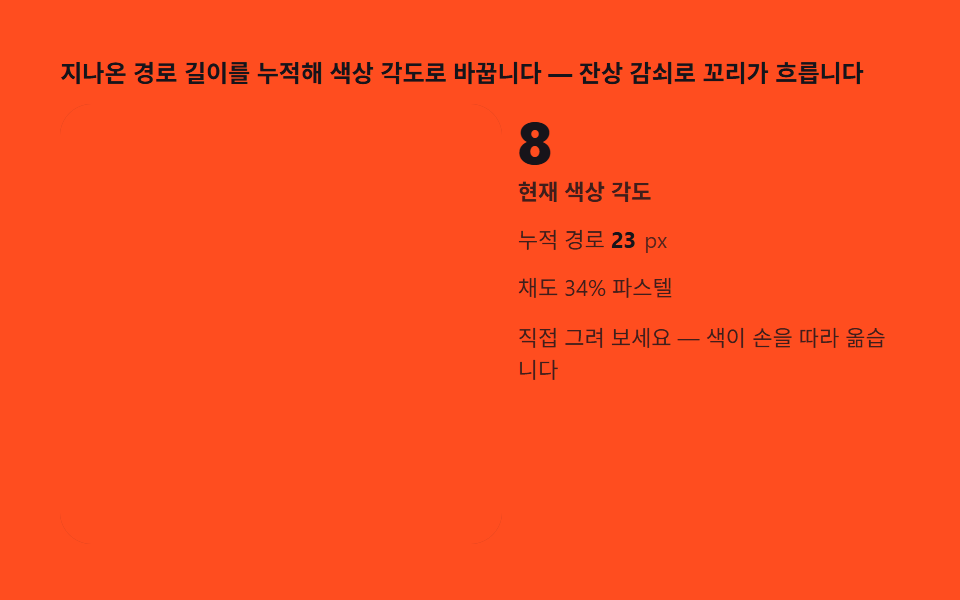
03色相サイクルブラシ — 描いた距離で色が巡る
進んだ経路長を累積して hsl(pathLen·0.35, 34%, 74%) で線の色を決めると、線が伸びるほど色相軸が虹に巡ります。彩度34%・明度74%のパステル域に抑えてあるので、万華鏡特有の強い色が柔らかく収まります。累積面積0.556%・強度平均148.4・動いたフレーム23/24で、9種の中で最も明るい部類です。
<main class="stage">
<div class="kh" id="kh">
  <p class="kh__hint">進んだ経路長を累積して色相角度に変えます — 残像減衰で尾がにじみます</p>
  <div class="kh__row">
    <div class="kh__field" id="field" role="application" aria-label="色相サイクルブラシ実験盤" tabindex="0">
      <canvas class="kh__cv" id="cv"></canvas>
    </div>
    <div class="kh__side">
      <b class="kh__num" id="hue">0</b>
      <span class="kh__unit">現在の色相角度</span>
      <p class="kh__meta">累積経路 <b id="len">0</b><span class="kh__metaUnit">px</span></p>
      <p class="kh__meta">彩度34% パステル</p>
      <p class="kh__meta">直接描いてみてください — 色が手に追います</p>
    </div>
  </div>
</div>
</main>
@use "../../../../site/static/demo-tokens" as *;
// 환색 붓(03) — rAF 캔버스 데모. 붓빛은 코드가 hsl(각도, 34%, 74%) 로 계산해
// 파스텔 채도를 소스에서 고정한다(색이 기능이라 hex 대신 hsl 축).
$duration: $dur-loop;
$easing: $ease-out;
$color: $subject-cream;
@include stage($stage-orange);
.kh {
--stage: #{$stage-orange};
--panel: #{rgba($subject-cream, .05)};
--accent: #{$subject-cream};
display: flex; flex-direction: column; gap: $sp-2;
width: 100%; max-width: 420px;
}
.kh__hint {
margin: 0; font-weight: 700; font-size: clamp(10px, 2.8vw, 12px); line-height: 1.35;
color: $subject-ink;
}
.kh__row { display: flex; gap: $sp-2; align-items: stretch; }
.kh__field {
position: relative; overflow: hidden;
flex: 0 0 auto;
width: clamp(176px, 46vw, 232px);
height: clamp(176px, 46vw, 232px);
border-radius: $r-card;
background: rgba($subject-ink, .06);
box-shadow: inset 0 0 0 1px rgba($subject-ink, .18);
cursor: crosshair; touch-action: none;
}
.kh__field:focus-visible { outline: 2px solid $color; outline-offset: 2px; }
.kh__cv { display: block; width: 100%; height: 100%; }
.kh__side {
flex: 1; min-width: 0;
display: flex; flex-direction: column; gap: $sp-1;
padding-top: $sp-1;
}
.kh__num {
font-weight: 800; font-size: clamp(20px, 6vw, 30px); line-height: 1;
color: $subject-ink; font-variant-numeric: tabular-nums;
}
.kh__unit { font-weight: 600; font-size: clamp(9px, 2.4vw, 11px); line-height: 1.4; color: rgba($subject-ink, .82); }
.kh__meta { margin: $sp-1 0 0; font-size: clamp(9px, 2.4vw, 11px); line-height: 1.5; color: rgba($subject-ink, .82); }
.kh__meta b { font-weight: 700; color: $subject-ink; font-variant-numeric: tabular-nums; margin-right: $sp-1; }
.kh__metaUnit { color: rgba($subject-ink, .72); }
@media (max-width: 340px) {
.kh { gap: $sp-1; }
.kh__field { width: 132px; height: 132px; }
.kh__num { font-size: 16px; }
.kh__meta { margin-top: 0; font-size: 8px; }
}
// reduce — 루프가 안 돈다. 채워진 나선 정적 한 장이 남는다.
@media (prefers-reduced-motion: reduce) {
.kh.is-still .kh__field { cursor: default !important; }
}html, body {
margin: 0;
overflow: hidden;
}
.stage {
box-sizing: border-box;
min-height: 100vh;
display: grid;
place-items: center;
margin: 0;
background: #ff4d1f;
font-family: -apple-system, "Segoe UI", "Noto Sans KR", sans-serif;
padding: clamp(8px, 4vw, 24px);
}
.kh {
--stage: #ff4d1f;
--panel: rgba(255, 247, 230, 0.05);
--accent: #fff7e6;
display: flex;
flex-direction: column;
gap: 8px;
width: 100%;
max-width: 420px;
}
.kh__hint {
margin: 0;
font-weight: 700;
font-size: clamp(10px, 2.8vw, 12px);
line-height: 1.35;
color: #17141a;
}
.kh__row {
display: flex;
gap: 8px;
align-items: stretch;
}
.kh__field {
position: relative;
overflow: hidden;
flex: 0 0 auto;
width: clamp(176px, 46vw, 232px);
height: clamp(176px, 46vw, 232px);
border-radius: 16px;
background: rgba(23, 20, 26, 0.06);
box-shadow: inset 0 0 0 1px rgba(23, 20, 26, 0.18);
cursor: crosshair;
touch-action: none;
}
.kh__field:focus-visible {
outline: 2px solid #fff7e6;
outline-offset: 2px;
}
.kh__cv {
display: block;
width: 100%;
height: 100%;
}
.kh__side {
flex: 1;
min-width: 0;
display: flex;
flex-direction: column;
gap: 4px;
padding-top: 4px;
}
.kh__num {
font-weight: 800;
font-size: clamp(20px, 6vw, 30px);
line-height: 1;
color: #17141a;
font-variant-numeric: tabular-nums;
}
.kh__unit {
font-weight: 600;
font-size: clamp(9px, 2.4vw, 11px);
line-height: 1.4;
color: rgba(23, 20, 26, 0.82);
}
.kh__meta {
margin: 4px 0 0;
font-size: clamp(9px, 2.4vw, 11px);
line-height: 1.5;
color: rgba(23, 20, 26, 0.82);
}
.kh__meta b {
font-weight: 700;
color: #17141a;
font-variant-numeric: tabular-nums;
margin-right: 4px;
}
.kh__metaUnit {
color: rgba(23, 20, 26, 0.72);
}
@media (max-width: 340px) {
.kh {
gap: 4px;
}
.kh__field {
width: 132px;
height: 132px;
}
.kh__num {
font-size: 16px;
}
.kh__meta {
margin-top: 0;
font-size: 8px;
}
}
@media (prefers-reduced-motion: reduce) {
.kh.is-still .kh__field {
cursor: default !important;
}
}// 환색 붓 — 경로 길이 len 을 누적해 hsl(len*0.35, 34%, 74%) 로 선빛깔을 정한다.
// hsl 의 색상축이 경로 길이에 물려 있어 선이 길어질수록 무지개로 돈다. 채도 34% 로
// 잡아 만화경 특유의 강한 색을 파스텔로 눌렀다. 잔상 감쇠 0.92 는 매 프레임 캔버스
// 전체를 아주 옅은 무대색으로 덮는 것이라 이전 붓질이 꼬리를 남긴다.
(function () {
var root = document.getElementById('kh');
var field = document.getElementById('field');
var cv = document.getElementById('cv');
var hue = document.getElementById('hue');
var len = document.getElementById('len');
if (!root || !field || !cv || !hue || !len) return;
var ctx = cv.getContext('2d');
var css = getComputedStyle(root);
var STAGE = css.getPropertyValue('--stage').trim();
var PANEL = css.getPropertyValue('--panel').trim();
var ACCENT = css.getPropertyValue('--accent').trim();
var N = 10; // 차수 n — 반사 포함 2n = 20 갈래
var pathLen = 0;
var W = 0, H = 0, dpr = 1, cx = 0, cy = 0, R = 0;
function fit() {
W = field.clientWidth; H = field.clientHeight;
dpr = Math.min(2, window.devicePixelRatio || 1);
var w0 = cv.width, h0 = cv.height;
cv.width = Math.round(W * dpr); cv.height = Math.round(H * dpr);
cx = W / 2; cy = H / 2; R = Math.min(W, H) / 2 - 6;
// 리사이즈에도 쌓인 그림이 남게 — 기존 내용을 복사해 둔다
if (w0 && h0) {
var old = document.createElement('canvas');
old.width = w0; old.height = h0;
old.getContext('2d').drawImage(cv, 0, 0);
ctx.setTransform(1, 0, 0, 1, 0, 0);
ctx.drawImage(old, 0, 0);
ctx.setTransform(dpr, 0, 0, dpr, 0, 0);
}
}
function fade() {
// 잔상 감쇠 — 알파 0.92 가 아니라 매 프레임 8% 씩 무대색을 겹쳐 옛 붓질을 녹인다
ctx.setTransform(dpr, 0, 0, dpr, 0, 0);
ctx.globalAlpha = 0.08;
ctx.fillStyle = STAGE;
ctx.fillRect(0, 0, W, H);
ctx.globalAlpha = 1;
}
  function brushColor() {
    var h = (pathLen * 0.35) % 360;
    return 'hsl(' + h.toFixed(0) + ', 34%, 74%)';
  }
function mirroredSeg(x0, y0, x1, y1, col) {
var dx = x1 - x0, dy = y1 - y0;
pathLen += Math.sqrt(dx * dx + dy * dy);
hue.textContent = String(Math.round((pathLen * 0.35) % 360));
len.textContent = String(Math.round(pathLen));
ctx.globalAlpha = 0.9;
for (var k = 0; k < N; k++) {
var a = k * 2 * Math.PI / N, c = Math.cos(a), s = Math.sin(a);
ctx.setTransform(dpr * c, dpr * s, dpr * s, -dpr * c, cx * dpr, cy * dpr);
ctx.strokeStyle = col;
ctx.lineWidth = 5;
ctx.lineCap = 'round';
ctx.beginPath(); ctx.moveTo(x0, y0); ctx.lineTo(x1, y1); ctx.stroke();
}
ctx.setTransform(dpr, 0, 0, dpr, 0, 0);
ctx.globalAlpha = 1;
}
// 시드 고정 자동 ストローク — 나선을 그리며 색상축이 한 바퀴 이상 돈다
function pathAt(t) {
var ang = t * 0.9;
var r = R * (0.12 + 0.72 * ((t * 0.11) % 1)) * (0.8 + 0.2 * Math.sin(t * 0.7));
return [cx + r * Math.cos(ang), cy + r * Math.sin(ang)];
}
var reduce = window.matchMedia('(prefers-reduced-motion: reduce)').matches;
var t = 0, last = 0, prev = null, pen = false, penPt = null;
function toLocal(e) {
var b = field.getBoundingClientRect();
return [e.clientX - b.left, e.clientY - b.top];
}
field.addEventListener('pointerdown', function (e) {
pen = true; penPt = toLocal(e);
if (field.setPointerCapture) { try { field.setPointerCapture(e.pointerId); } catch (err) { /* 캡처 실패는 그리기에 영향 없다 */ } }
});
field.addEventListener('pointermove', function (e) {
if (!pen || !penPt) return;
var p = toLocal(e);
mirroredSeg(penPt[0], penPt[1], p[0], p[1], brushColor());
penPt = p;
});
field.addEventListener('pointerup', function () { pen = false; penPt = null; });
field.addEventListener('pointercancel', function () { pen = false; penPt = null; });
function step(now) {
var dt = Math.min(64, now - last) / 1000; last = now;
fade();
if (!pen) {
t += dt;
var p = pathAt(t);
if (prev) mirroredSeg(prev[0], prev[1], p[0], p[1], brushColor());
prev = p;
}
requestAnimationFrame(step);
}
fit();
window.addEventListener('resize', fit);
if (reduce) {
// 정지 한 장 — 감쇠 없이 나선 세 바퀴를 채운 상태
ctx.setTransform(dpr, 0, 0, dpr, 0, 0);
ctx.fillStyle = STAGE; ctx.fillRect(0, 0, W, H);
var pv = pathAt(0);
for (var j = 1; j <= 340; j++) {
var tt = j * 0.02, q = pathAt(tt);
mirroredSeg(pv[0], pv[1], q[0], q[1], brushColor());
pv = q;
}
root.classList.add('is-still');
} else {
ctx.setTransform(dpr, 0, 0, dpr, 0, 0);
ctx.fillStyle = STAGE; ctx.fillRect(0, 0, W, H);
last = performance.now();
requestAnimationFrame(step);
}
})();// KaleidoColorHueCycleBrush — vanilla 판(run/331/demo/03-kaleido-color-hue-cycle-brush/index.html) 의 React 포트.
// 경로 길이 len 을 누적해 hsl(len*0.35, 34%, 74%) 로 선빛깔을 정한다. hsl 의 색상축이
// 경로 길이에 물려 있어 선이 길어질수록 무지개로 돈다. 채도 34% 로 잡아 만화경 특유의
// 강한 색을 파스텔로 눌렀다. 잔상 감쇠 0.92 는 매 프레임 캔버스 전체를 아주 옅은 무대색으로
// 덮는 것이라 이전 붓질이 꼬리를 남긴다. 값·수치는 vanilla 와 같다.
// 움직임은 전부 캔버스 rAF 루프가 그리므로 CSS 애니메이션이 없다.
// reduce 에서는 루프를 돌리지 않고 감쇠 없이 나선을 채운 한 장만 남긴다(.isStill).
import { useEffect, useRef, useState } from "react";
import type { CSSProperties, PointerEvent } from "react";
import styles from "./KaleidoColorHueCycleBrush.module.scss";
export type KaleidoColorHueCycleBrushProps = {
duration?: string;
easing?: string;
color?: string;
};
type Vars = CSSProperties & { "--duration"?: string; "--easing"?: string; "--color"?: string };
// useRef 는 T | null 을 돌려준다. 처음부터 값이 있고 절대 비지 않는 상자는 이렇게 좁혀 쓴다
type Box<T> = { current: T };
const STAGE = "#ff4d1f"; // 무대 주황 — 감쇠 덮개 색
const N = 10; // 차수 n — 반사 포함 2n = 20 갈래
const HINT = "지나온 경로 길이를 누적해 색상 각도로 바꿉니다 — 잔상 감쇠로 꼬리가 흐립니다";
const ARIA_FIELD = "환색 붓 실험판";
const HUE_UNIT = "현재 색상 각도";
const LEN_LABEL = "누적 경로";
const LEN_UNIT = "px";
const SAT_TEXT = "채도 34% 파스텔";
const DRAW_TEXT = "직접 그려 보세요 — 색이 손을 따라 옮습니다";
export default function KaleidoColorHueCycleBrush({
duration = "2s",
easing = "ease-out",
color = "#fff7e6"
}: KaleidoColorHueCycleBrushProps) {
const fieldRef = useRef<HTMLDivElement | null>(null);
const cvRef = useRef<HTMLCanvasElement | null>(null);
const hueRef = useRef<HTMLSpanElement | null>(null);
const lenRef = useRef<HTMLSpanElement | null>(null);
const ctxRef = useRef<CanvasRenderingContext2D | null>(null);
const stRef = useRef({
W: 0, H: 0, dpr: 1, cx: 0, cy: 0, R: 0,
pathLen: 0, t: 0, prev: null as [number, number] | null,
pen: false, penPt: null as [number, number] | null
}) as Box<{
W: number; H: number; dpr: number; cx: number; cy: number; R: number;
pathLen: number; t: number; prev: [number, number] | null;
pen: boolean; penPt: [number, number] | null
}>;
const lastRef = useRef(0) as Box<number>;
const rafRef = useRef(0) as Box<number>;
const [still, setStill] = useState(false);
function reduced(): boolean {
return window.matchMedia("(prefers-reduced-motion: reduce)").matches;
}
function fit(): void {
const st = stRef.current;
const field = fieldRef.current, cv = cvRef.current;
if (!field || !cv) return;
const ctx = cv.getContext("2d");
if (!ctx) return;
st.W = field.clientWidth; st.H = field.clientHeight;
st.dpr = Math.min(2, window.devicePixelRatio || 1);
const w0 = cv.width, h0 = cv.height;
cv.width = Math.round(st.W * st.dpr); cv.height = Math.round(st.H * st.dpr);
st.cx = st.W / 2; st.cy = st.H / 2; st.R = Math.min(st.W, st.H) / 2 - 6;
// 리사이즈에도 쌓인 그림이 남게 — 기존 내용을 복사해 둔다
if (w0 && h0) {
const old = document.createElement("canvas");
old.width = w0; old.height = h0;
const octx = old.getContext("2d");
if (octx) octx.drawImage(cv, 0, 0);
ctx.setTransform(1, 0, 0, 1, 0, 0);
ctx.drawImage(old, 0, 0);
ctx.setTransform(st.dpr, 0, 0, st.dpr, 0, 0);
}
ctxRef.current = ctx;
}
function fade(): void {
const st = stRef.current;
const ctx = ctxRef.current;
if (!ctx) return;
// 잔상 감쇠 — 알파 0.92 가 아니라 매 프레임 8% 씩 무대색을 겹쳐 옛 붓질을 녹인다
ctx.setTransform(st.dpr, 0, 0, st.dpr, 0, 0);
ctx.globalAlpha = 0.08;
ctx.fillStyle = STAGE;
ctx.fillRect(0, 0, st.W, st.H);
ctx.globalAlpha = 1;
}
function brushColor(): string {
const st = stRef.current;
const h = (st.pathLen * 0.35) % 360;
return "hsl(" + h.toFixed(0) + ", 34%, 74%)";
}
function mirroredSeg(x0: number, y0: number, x1: number, y1: number, col: string): void {
const st = stRef.current;
const ctx = ctxRef.current;
if (!ctx) return;
const dx = x1 - x0, dy = y1 - y0;
st.pathLen += Math.sqrt(dx * dx + dy * dy);
const hue = hueRef.current, len = lenRef.current;
if (hue) hue.textContent = String(Math.round((st.pathLen * 0.35) % 360));
if (len) len.textContent = String(Math.round(st.pathLen));
ctx.globalAlpha = 0.9;
for (let k = 0; k < N; k++) {
const a = k * 2 * Math.PI / N, c = Math.cos(a), s = Math.sin(a);
ctx.setTransform(st.dpr * c, st.dpr * s, st.dpr * s, -st.dpr * c, st.cx * st.dpr, st.cy * st.dpr);
ctx.strokeStyle = col;
ctx.lineWidth = 5;
ctx.lineCap = "round";
ctx.beginPath(); ctx.moveTo(x0, y0); ctx.lineTo(x1, y1); ctx.stroke();
}
ctx.setTransform(st.dpr, 0, 0, st.dpr, 0, 0);
ctx.globalAlpha = 1;
}
// 시드 고정 자동 붓질 — 나선을 그리며 색상축이 한 바퀴 이상 돈다
function pathAt(t: number): [number, number] {
const st = stRef.current;
const ang = t * 0.9;
const r = st.R * (0.12 + 0.72 * ((t * 0.11) % 1)) * (0.8 + 0.2 * Math.sin(t * 0.7));
return [st.cx + r * Math.cos(ang), st.cy + r * Math.sin(ang)];
}
function step(now: number): void {
const st = stRef.current;
const dt = Math.min(64, now - lastRef.current) / 1000; lastRef.current = now;
fade();
if (!st.pen) {
st.t += dt;
const p = pathAt(st.t);
if (st.prev) mirroredSeg(st.prev[0], st.prev[1], p[0], p[1], brushColor());
st.prev = p;
}
rafRef.current = requestAnimationFrame(step);
}
function toLocal(e: PointerEvent<HTMLDivElement>): [number, number] {
const b = e.currentTarget.getBoundingClientRect();
return [e.clientX - b.left, e.clientY - b.top];
}
function onPointerDown(e: PointerEvent<HTMLDivElement>): void {
const st = stRef.current;
st.pen = true; st.penPt = toLocal(e);
try { e.currentTarget.setPointerCapture(e.pointerId); } catch { /* 캡처 실패는 그리기에 영향 없다 */ }
}
function onPointerMove(e: PointerEvent<HTMLDivElement>): void {
const st = stRef.current;
if (!st.pen || !st.penPt) return;
const p = toLocal(e);
mirroredSeg(st.penPt[0], st.penPt[1], p[0], p[1], brushColor());
st.penPt = p;
}
function onPointerUp(): void {
const st = stRef.current;
st.pen = false; st.penPt = null;
}
function paintBase(): void {
const st = stRef.current;
const ctx = ctxRef.current;
if (!ctx) return;
ctx.setTransform(st.dpr, 0, 0, st.dpr, 0, 0);
ctx.fillStyle = STAGE; ctx.fillRect(0, 0, st.W, st.H);
}
useEffect(() => {
fit();
function onResize(): void { fit(); }
window.addEventListener("resize", onResize);
if (reduced()) {
// 정지 한 장 — 감쇠 없이 나선 세 바퀴를 채운 상태
paintBase();
let pv = pathAt(0);
for (let j = 1; j <= 340; j++) {
const tt = j * 0.02, q = pathAt(tt);
mirroredSeg(pv[0], pv[1], q[0], q[1], brushColor());
pv = q;
}
setStill(true);
} else {
paintBase();
lastRef.current = performance.now();
rafRef.current = requestAnimationFrame(step);
}
return () => {
window.removeEventListener("resize", onResize);
cancelAnimationFrame(rafRef.current);
};
// eslint-disable-next-line react-hooks/exhaustive-deps
}, []);
const rootCls = still ? styles.kh + " " + styles.isStill : styles.kh;
return (
<main className={styles.stage}>
<div className={rootCls} style={{ "--duration": duration, "--easing": easing, "--color": color } as Vars}>
<p className={styles.hint}>{HINT}</p>
<div className={styles.row}>
<div
className={styles.field}
ref={fieldRef}
role="application"
aria-label={ARIA_FIELD}
tabIndex={0}
onPointerDown={onPointerDown}
onPointerMove={onPointerMove}
onPointerUp={onPointerUp}
onPointerCancel={onPointerUp}
>
<canvas className={styles.cv} ref={cvRef}></canvas>
</div>
<div className={styles.side}>
<b className={styles.num}><span ref={hueRef}>0</span></b>
<span className={styles.unit}>{HUE_UNIT}</span>
<p className={styles.meta}>{LEN_LABEL} <b><span ref={lenRef}>0</span></b><span className={styles.metaUnit}>{LEN_UNIT}</span></p>
<p className={styles.meta}>{SAT_TEXT}</p>
<p className={styles.meta}>{DRAW_TEXT}</p>
</div>
</div>
</div>
</main>
);
}03 · 色相サイクルブラシ — 描いた距離で色が巡る — 計測 累積面積 0.556% · 動いたフレーム 23/23GODRICH オリジナル · SCSS と React は zip に同梱 · パスワードを見る
経路長から色相角への1行の変換
距離の累積に0.35を掛けて360で割った余りがhue角になる、色を距離に縛るただの1行です。
function brushColor() {
var h = (pathLen * 0.35) % 360;
return 'hsl(' + h.toFixed(0) + ', 34%, 74%)';
}
残像減衰は半透明の上塗りで作る
毎フレームキャンバス全体を8%の舞台色で覆うと、古い筆致が尾を引いて流れます。等価減衰0.92の効果をglobalAlphaの上塗りで実現します。
  function fade() {
    // 残像の減衰 — alpha 0.92 ではなく、毎フレーム8%ずつ舞台色を重ねて古いストロークを溶かす
    ctx.setTransform(dpr, 0, 0, dpr, 0, 0);
    ctx.globalAlpha = 0.08;
    ctx.fillStyle = STAGE;
    ctx.fillRect(0, 0, W, H);
    ctx.globalAlpha = 1;
  }
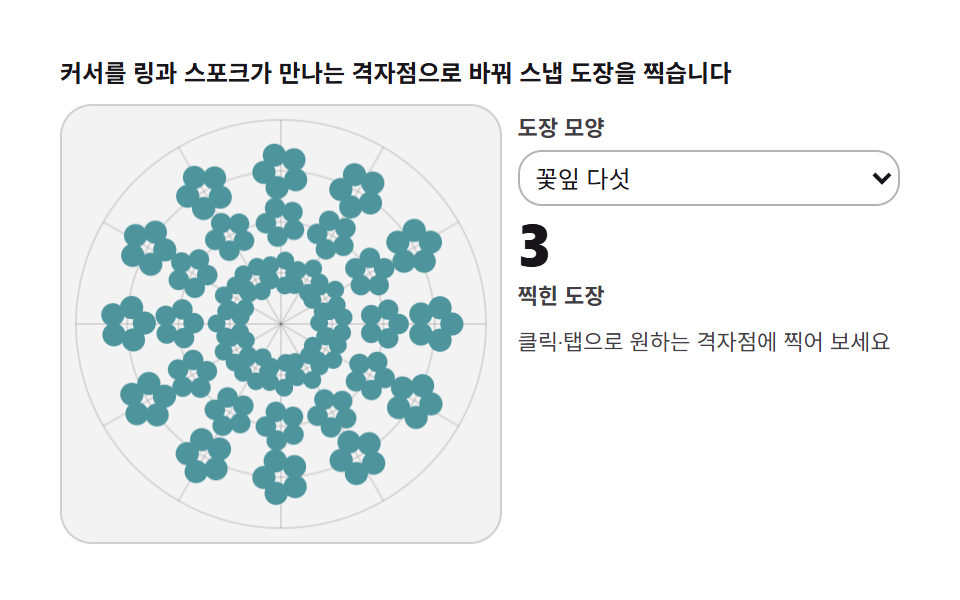
04極座標スタンプ — 半径・角度グリッドに吸着するスタンプ
カーソル位置を半径と角度に変えて最も近い格子点に吸着させてスタンプを打つと、ランゴリやドットマンダラのできあがりです。リング1〜4・スポーク0〜11の格子へ丸め、スタンプ1個がスポーク全体に反射複製されます。自動デモは0.12秒ごとに格子点1つ、3周の144個で消してやり直します。累積面積19.003%・面積最大5.593%・強度平均80.6・動いたフレーム22/24です。
<main class="stage">
<div class="kp" id="kp">
  <p class="kp__hint">カーソルをリングとスポークの交点にスナップしてスタンプを押します</p>
  <div class="kp__row">
    <div class="kp__field" id="field" role="application" aria-label="極座標スタンプ実験盤" tabindex="0">
      <canvas class="kp__cv" id="cv"></canvas>
    </div>
    <div class="kp__side">
      <label class="kp__lab" for="stamp">スタンプの形</label>
      <select class="kp__sel" id="stamp" aria-label="スタンプの形">
        <option value="0">五枚の花びら</option>
        <option value="1">八角の星</option>
        <option value="2">三つの点</option>
      </select>
      <b class="kp__num" id="marks">0</b>
      <span class="kp__unit">押したスタンプ</span>
      <p class="kp__meta">クリック・タップで好きな交点に押せます</p>
    </div>
  </div>
</div>
</main>
@use "../../../../site/static/demo-tokens" as *;
// 극좌표 도장(04) — rAF 캔버스 데모. 커서를 (링, 스포크) 격자점에 스냅해 도장을 찍는다.
// 도장 빛깔은 종이 무대 위 짙은 파스텔 세 가지 — 링과 스포크 번갈아 순환.
$duration: $dur-loop;
$easing: $ease-out;
$color: $subject-ink;
@include stage($stage-paper);
.kp {
--c1: #4d949d; // 청록 파스텔 짙음 — 도장 첫째
--c2: #9d4d54; // 붉은기 파스텔 짙음 — 도장 둘째
--c3: #854d9d; // 보라 파스텔 짙음 — 도장 셋째
--grid: #{rgba($subject-ink, .12)};
display: flex; flex-direction: column; gap: $sp-2;
width: 100%; max-width: 420px;
}
.kp__hint {
margin: 0; font-weight: 700; font-size: clamp(10px, 2.8vw, 12px); line-height: 1.35;
color: $subject-ink;
}
.kp__row { display: flex; gap: $sp-2; align-items: stretch; }
.kp__field {
position: relative; overflow: hidden;
flex: 0 0 auto;
width: clamp(176px, 46vw, 232px);
height: clamp(176px, 46vw, 232px);
border-radius: $r-card;
background: rgba($subject-ink, .05);
box-shadow: inset 0 0 0 1px rgba($subject-ink, .16);
cursor: crosshair; touch-action: none;
}
.kp__field:focus-visible { outline: 2px solid $color; outline-offset: 2px; }
.kp__cv { display: block; width: 100%; height: 100%; }
.kp__side {
flex: 1; min-width: 0;
display: flex; flex-direction: column; gap: $sp-1;
padding-top: $sp-1;
}
.kp__lab { font-weight: 600; font-size: clamp(9px, 2.4vw, 11px); line-height: 1.4; color: rgba($subject-ink, .82); }
.kp__sel {
width: 100%; margin: 0; padding: $sp-1;
font-family: inherit; font-size: clamp(10px, 2.6vw, 12px); line-height: 1.4;
color: $subject-ink;
background: transparent;
border: 1px solid rgba($subject-ink, .32); border-radius: $r-control;
}
.kp__sel:focus-visible { outline: 2px solid $color; outline-offset: 2px; }
.kp__num {
font-weight: 800; font-size: clamp(20px, 6vw, 30px); line-height: 1;
color: $subject-ink; font-variant-numeric: tabular-nums;
}
.kp__unit { font-weight: 600; font-size: clamp(9px, 2.4vw, 11px); line-height: 1.4; color: rgba($subject-ink, .82); }
.kp__meta { margin: $sp-1 0 0; font-size: clamp(9px, 2.4vw, 11px); line-height: 1.5; color: rgba($subject-ink, .82); }
@media (max-width: 340px) {
.kp { gap: $sp-1; }
.kp__field { width: 150px; height: 150px; }
.kp__num { font-size: 16px; }
.kp__meta { margin-top: 0; font-size: 8px; }
}
// reduce — 루프가 안 돈다. 32칸 전부 찍힌 정적 한 장이 남는다.
@media (prefers-reduced-motion: reduce) {
.kp.is-still .kp__field { cursor: default !important; }
.kp.is-still .kp__sel { pointer-events: none !important; }
}html, body {
margin: 0;
overflow: hidden;
}
.stage {
box-sizing: border-box;
min-height: 100vh;
display: grid;
place-items: center;
margin: 0;
background: #ffffff;
font-family: -apple-system, "Segoe UI", "Noto Sans KR", sans-serif;
padding: clamp(8px, 4vw, 24px);
}
.kp {
--c1: #4d949d;
--c2: #9d4d54;
--c3: #854d9d;
--grid: rgba(23, 20, 26, 0.12);
display: flex;
flex-direction: column;
gap: 8px;
width: 100%;
max-width: 420px;
}
.kp__hint {
margin: 0;
font-weight: 700;
font-size: clamp(10px, 2.8vw, 12px);
line-height: 1.35;
color: #17141a;
}
.kp__row {
display: flex;
gap: 8px;
align-items: stretch;
}
.kp__field {
position: relative;
overflow: hidden;
flex: 0 0 auto;
width: clamp(176px, 46vw, 232px);
height: clamp(176px, 46vw, 232px);
border-radius: 16px;
background: rgba(23, 20, 26, 0.05);
box-shadow: inset 0 0 0 1px rgba(23, 20, 26, 0.16);
cursor: crosshair;
touch-action: none;
}
.kp__field:focus-visible {
outline: 2px solid #17141a;
outline-offset: 2px;
}
.kp__cv {
display: block;
width: 100%;
height: 100%;
}
.kp__side {
flex: 1;
min-width: 0;
display: flex;
flex-direction: column;
gap: 4px;
padding-top: 4px;
}
.kp__lab {
font-weight: 600;
font-size: clamp(9px, 2.4vw, 11px);
line-height: 1.4;
color: rgba(23, 20, 26, 0.82);
}
.kp__sel {
width: 100%;
margin: 0;
padding: 4px;
font-family: inherit;
font-size: clamp(10px, 2.6vw, 12px);
line-height: 1.4;
color: #17141a;
background: transparent;
border: 1px solid rgba(23, 20, 26, 0.32);
border-radius: 12px;
}
.kp__sel:focus-visible {
outline: 2px solid #17141a;
outline-offset: 2px;
}
.kp__num {
font-weight: 800;
font-size: clamp(20px, 6vw, 30px);
line-height: 1;
color: #17141a;
font-variant-numeric: tabular-nums;
}
.kp__unit {
font-weight: 600;
font-size: clamp(9px, 2.4vw, 11px);
line-height: 1.4;
color: rgba(23, 20, 26, 0.82);
}
.kp__meta {
margin: 4px 0 0;
font-size: clamp(9px, 2.4vw, 11px);
line-height: 1.5;
color: rgba(23, 20, 26, 0.82);
}
@media (max-width: 340px) {
.kp {
gap: 4px;
}
.kp__field {
width: 150px;
height: 150px;
}
.kp__num {
font-size: 16px;
}
.kp__meta {
margin-top: 0;
font-size: 8px;
}
}
@media (prefers-reduced-motion: reduce) {
.kp.is-still .kp__field {
cursor: default !important;
}
.kp.is-still .kp__sel {
pointer-events: none !important;
}
}// 극좌표 도장 — 커서 위치를 (반경 링, 각도 스포크) 로 양자화한다. 극좌표 격자는
// 균일 격자와 달리 중심이 촘촘하고 바깥이 성기다 — 랑골·만다라 배치의 뼈대다.
// 도장 하나를 찍으면 k번째 스포크의 격자점을 반사 행렬로 N 갈래에 복제한다.
(function () {
var root = document.getElementById('kp');
var field = document.getElementById('field');
var cv = document.getElementById('cv');
var stamp = document.getElementById('stamp');
var marks = document.getElementById('marks');
if (!root || !field || !cv || !stamp || !marks) return;
var ctx = cv.getContext('2d');
var css = getComputedStyle(root);
var COLS = [css.getPropertyValue('--c1').trim(), css.getPropertyValue('--c2').trim(), css.getPropertyValue('--c3').trim()];
var GRID = css.getPropertyValue('--grid').trim();
var N = 12; // 스포크 수 — 격자이자 対称次数
var RINGS = 4; // 반경 링 수
var W = 0, H = 0, dpr = 1, cx = 0, cy = 0, R = 0;
var count = 0;
var shape = 0; // 0 꽃잎 · 1 별 · 2 三つの点
function fit() {
W = field.clientWidth; H = field.clientHeight;
dpr = Math.min(2, window.devicePixelRatio || 1);
cv.width = Math.round(W * dpr); cv.height = Math.round(H * dpr);
cx = W / 2; cy = H / 2; R = Math.min(W, H) / 2 - 8;
drawGrid();
}
// 격자 — 링 원 N/2 개와 스포크 반직선 N 개. 찍힌 도장은 지우지 않는다
function drawGrid() {
ctx.setTransform(dpr, 0, 0, dpr, 0, 0);
ctx.clearRect(0, 0, W, H);
ctx.strokeStyle = GRID; ctx.lineWidth = 1;
for (var g = 1; g <= RINGS; g++) {
var r = R * g / RINGS;
ctx.beginPath(); ctx.arc(cx, cy, r, 0, 2 * Math.PI); ctx.stroke();
}
for (var k = 0; k < N; k++) {
var a = k * 2 * Math.PI / N;
ctx.beginPath(); ctx.moveTo(cx, cy);
ctx.lineTo(cx + R * Math.cos(a), cy + R * Math.sin(a)); ctx.stroke();
}
}
// スタンプの形 — 셋 다 arc·lineTo 조합. 칩과 1:1
function drawStamp(x, y, s, ci, rot) {
ctx.setTransform(dpr, 0, 0, dpr, 0, 0);
ctx.translate(x, y); ctx.rotate(rot);
ctx.fillStyle = COLS[ci % 3];
ctx.strokeStyle = COLS[ci % 3];
if (shape === 0) {
// 五枚の花びら — 원 5개가 한 점을 공유
for (var p = 0; p < 5; p++) {
var a = p * 2 * Math.PI / 5;
ctx.beginPath();
ctx.arc(s * 0.62 * Math.cos(a), s * 0.62 * Math.sin(a), s * 0.42, 0, 2 * Math.PI);
ctx.fill();
}
} else if (shape === 1) {
// 八角の星 — lineTo 로 뾰족별
ctx.beginPath();
for (var v = 0; v < 16; v++) {
var rad = (v % 2 === 0) ? s : s * 0.44;
var an = v * Math.PI / 8;
var px = rad * Math.cos(an), py = rad * Math.sin(an);
if (v === 0) ctx.moveTo(px, py); else ctx.lineTo(px, py);
}
ctx.closePath(); ctx.fill();
} else {
// 三つの点 — arc 세 개를 lineTo 로 잇는 얼룩
ctx.beginPath();
ctx.arc(-s * 0.55, -s * 0.2, s * 0.34, 0, 2 * Math.PI); ctx.fill();
ctx.beginPath();
ctx.arc(s * 0.5, -s * 0.35, s * 0.28, 0, 2 * Math.PI); ctx.fill();
ctx.beginPath();
ctx.moveTo(-s * 0.3, s * 0.1); ctx.lineTo(s * 0.28, s * 0.05); ctx.lineTo(s * 0.1, s * 0.62); ctx.closePath(); ctx.fill();
}
ctx.setTransform(dpr, 0, 0, dpr, 0, 0);
}
// 스냅 — 극좌표를 링·스포크 번호로 반올림한 뒤 다시 좌표로
function snap(px, py) {
var dx = px - cx, dy = py - cy;
var r = Math.min(RINGS, Math.max(1, Math.round(Math.hypot(dx, dy) / (R / RINGS))));
var k = Math.round(Math.atan2(dy, dx) / (2 * Math.PI / N));
k = ((k % N) + N) % N;
var a = k * 2 * Math.PI / N;
return [cx + r * (R / RINGS) * Math.cos(a), cy + r * (R / RINGS) * Math.sin(a), r, k];
}
// 격자점 하나에 도장 — 스포크 전체에 반사 복제. 링은 이미 대칭이라 r 하나만
function stampAt(px, py, ci) {
var p = snap(px, py);
var aBase = p[3] * 2 * Math.PI / N;
for (var k = 0; k < N; k++) {
var a = k * 2 * Math.PI / N, c = Math.cos(a), s = Math.sin(a);
ctx.setTransform(dpr * c, dpr * s, dpr * s, -dpr * c, cx * dpr, cy * dpr);
var lx = (p[0] - cx), ly = (p[1] - cy);
var mx = lx * c + ly * s, my = lx * s - ly * c;
ctx.setTransform(dpr, 0, 0, dpr, 0, 0);
drawStamp(cx + mx, cy + my, 9 + p[2] * 1.6, ci, aBase + k * 0.2);
}
count += 1; marks.textContent = String(count);
}
// 시드 고정 자동 시연 — 링·스포크·모양을 순회하며 도장 찍기
function autoStamp(i) {
var ring = (i % RINGS) + 1;
var k = Math.floor(i / RINGS) % N;
var a = k * 2 * Math.PI / N + (ring % 2) * (Math.PI / N);
var rr = R * ring / RINGS;
stampAt(cx + rr * Math.cos(a), cy + rr * Math.sin(a), Math.floor(i / 3));
}
var reduce = window.matchMedia('(prefers-reduced-motion: reduce)').matches;
var t = 0, last = 0, fired = 0;
stamp.addEventListener('change', function () { shape = parseInt(stamp.value, 10) || 0; });
function toLocal(e) {
var b = field.getBoundingClientRect();
return [e.clientX - b.left, e.clientY - b.top];
}
field.addEventListener('pointerdown', function (e) {
var p = toLocal(e);
stampAt(p[0], p[1], count);
});
function step(now) {
var dt = Math.min(64, now - last) / 1000; last = now;
t += dt;
var want = Math.floor(t / 0.12); // 0.12초마다 도장 한 개
while (fired < want) { autoStamp(fired); fired += 1; }
if (fired >= RINGS * N * 3) { // 3바퀴 그리면 새로 시작
t = 0; fired = 0; count = 0; drawGrid();
}
requestAnimationFrame(step);
}
fit();
window.addEventListener('resize', fit);
if (reduce) {
// 정지 한 장 — 32개 격자점 전부 찍힌 완성 무늬
for (var i = 0; i < RINGS * N; i++) autoStamp(i);
root.classList.add('is-still');
} else {
last = performance.now();
requestAnimationFrame(step);
}
})();// KaleidoPolarTileStamp — vanilla 판(run/331/demo/04-kaleido-polar-tile-stamp/index.html) 의 React 포트.
// 커서 위치를 (반경 링, 각도 스포크) 로 양자화한다. 극좌표 격자는 균일 격자와 달리
// 중심이 촘촘하고 바깥이 성기다 — 랑골·만다라 배치의 뼈대다. 도장 하나를 찍으면
// k번째 스포크의 격자점을 반사 행렬로 N 갈래에 복제한다. 도장 간격 0.12초 —
// 시간 표기와 소스 상수가 같다. 값·수치는 vanilla 와 같다.
// 움직임은 전부 캔버스 rAF 루프가 그리므로 CSS 애니메이션이 없다.
// reduce 에서는 루프를 돌리지 않고 32개 격자점 전부 찍힌 한 장만 남긴다(.isStill).
import { useEffect, useRef, useState } from "react";
import type { CSSProperties, PointerEvent } from "react";
import styles from "./KaleidoPolarTileStamp.module.scss";
export type KaleidoPolarTileStampProps = {
duration?: string;
easing?: string;
color?: string;
};
type Vars = CSSProperties & { "--duration"?: string; "--easing"?: string; "--color"?: string };
// useRef 는 T | null 을 돌려준다. 처음부터 값이 있고 절대 비지 않는 상자는 이렇게 좁혀 쓴다
type Box<T> = { current: T };
const N = 12; // 스포크 수 — 격자이자 대칭 차수
const RINGS = 4; // 반경 링 수
const COLS = ["#4d949d", "#9d4d54", "#854d9d"]; // 청록·붉은기·보라 파스텔 짙음 — 도장 셋
const GRID = "rgba(23, 20, 26, 0.12)"; // 격자선
const HINT = "커서를 링과 스포크가 만나는 격자점으로 바꿔 스냅 도장을 찍습니다";
const ARIA_FIELD = "극좌표 도장 실험판";
const STAMP_LABEL = "도장 모양";
const SHAPES = ["꽃잎 다섯", "별 여덟", "점 세 개"];
const STAMP_ARIA = "도장 모양";
const MARKS_UNIT = "찍힌 도장";
const DRAW_TEXT = "클릭·탭으로 원하는 격자점에 찍어 보세요";
export default function KaleidoPolarTileStamp({
duration = "2s",
easing = "ease-out",
color = "#17141a"
}: KaleidoPolarTileStampProps) {
const fieldRef = useRef<HTMLDivElement | null>(null);
const cvRef = useRef<HTMLCanvasElement | null>(null);
const selRef = useRef<HTMLSelectElement | null>(null);
const marksRef = useRef<HTMLSpanElement | null>(null);
const ctxRef = useRef<CanvasRenderingContext2D | null>(null);
const stRef = useRef({
W: 0, H: 0, dpr: 1, cx: 0, cy: 0, R: 0,
count: 0, shape: 0, t: 0, fired: 0
}) as Box<{
W: number; H: number; dpr: number; cx: number; cy: number; R: number;
count: number; shape: number; t: number; fired: number;
}>;
const lastRef = useRef(0) as Box<number>;
const rafRef = useRef(0) as Box<number>;
const [still, setStill] = useState(false);
function reduced(): boolean {
return window.matchMedia("(prefers-reduced-motion: reduce)").matches;
}
function fit(): void {
const st = stRef.current;
const field = fieldRef.current, cv = cvRef.current;
if (!field || !cv) return;
const ctx = cv.getContext("2d");
if (!ctx) return;
st.W = field.clientWidth; st.H = field.clientHeight;
st.dpr = Math.min(2, window.devicePixelRatio || 1);
cv.width = Math.round(st.W * st.dpr); cv.height = Math.round(st.H * st.dpr);
st.cx = st.W / 2; st.cy = st.H / 2; st.R = Math.min(st.W, st.H) / 2 - 8;
ctxRef.current = ctx;
drawGrid();
}
// 격자 — 링 원 N/2 개와 스포크 반직선 N 개. 찍힌 도장은 지우지 않는다
function drawGrid(): void {
const st = stRef.current;
const ctx = ctxRef.current;
if (!ctx) return;
ctx.setTransform(st.dpr, 0, 0, st.dpr, 0, 0);
ctx.clearRect(0, 0, st.W, st.H);
ctx.strokeStyle = GRID; ctx.lineWidth = 1;
for (let g = 1; g <= RINGS; g++) {
const r = st.R * g / RINGS;
ctx.beginPath(); ctx.arc(st.cx, st.cy, r, 0, 2 * Math.PI); ctx.stroke();
}
for (let k = 0; k < N; k++) {
const a = k * 2 * Math.PI / N;
ctx.beginPath(); ctx.moveTo(st.cx, st.cy);
ctx.lineTo(st.cx + st.R * Math.cos(a), st.cy + st.R * Math.sin(a)); ctx.stroke();
}
}
// 도장 모양 — 셋 다 arc·lineTo 조합. 칩과 1:1
function drawStamp(x: number, y: number, s: number, ci: number, rot: number): void {
const st = stRef.current;
const ctx = ctxRef.current;
if (!ctx) return;
ctx.setTransform(st.dpr, 0, 0, st.dpr, 0, 0);
ctx.translate(x, y); ctx.rotate(rot);
ctx.fillStyle = COLS[ci % 3];
ctx.strokeStyle = COLS[ci % 3];
if (st.shape === 0) {
// 꽃잎 다섯 — 원 5개가 한 점을 공유
for (let p = 0; p < 5; p++) {
const a = p * 2 * Math.PI / 5;
ctx.beginPath();
ctx.arc(s * 0.62 * Math.cos(a), s * 0.62 * Math.sin(a), s * 0.42, 0, 2 * Math.PI);
ctx.fill();
}
} else if (st.shape === 1) {
// 별 여덟 — lineTo 로 뾰족별
ctx.beginPath();
for (let v = 0; v < 16; v++) {
const rad = (v % 2 === 0) ? s : s * 0.44;
const an = v * Math.PI / 8;
const px = rad * Math.cos(an), py = rad * Math.sin(an);
if (v === 0) ctx.moveTo(px, py); else ctx.lineTo(px, py);
}
ctx.closePath(); ctx.fill();
} else {
// 점 세 개 — arc 세 개를 lineTo 로 잇는 얼룩
ctx.beginPath();
ctx.arc(-s * 0.55, -s * 0.2, s * 0.34, 0, 2 * Math.PI); ctx.fill();
ctx.beginPath();
ctx.arc(s * 0.5, -s * 0.35, s * 0.28, 0, 2 * Math.PI); ctx.fill();
ctx.beginPath();
ctx.moveTo(-s * 0.3, s * 0.1); ctx.lineTo(s * 0.28, s * 0.05); ctx.lineTo(s * 0.1, s * 0.62); ctx.closePath(); ctx.fill();
}
ctx.setTransform(st.dpr, 0, 0, st.dpr, 0, 0);
}
// 스냅 — 극좌표를 링·스포크 번호로 반올림한 뒤 다시 좌표로
function snap(px: number, py: number): [number, number, number, number] {
const st = stRef.current;
const dx = px - st.cx, dy = py - st.cy;
const r = Math.min(RINGS, Math.max(1, Math.round(Math.hypot(dx, dy) / (st.R / RINGS))));
let k = Math.round(Math.atan2(dy, dx) / (2 * Math.PI / N));
k = ((k % N) + N) % N;
const a = k * 2 * Math.PI / N;
return [st.cx + r * (st.R / RINGS) * Math.cos(a), st.cy + r * (st.R / RINGS) * Math.sin(a), r, k];
}
// 격자점 하나에 도장 — 스포크 전체에 반사 복제. 링은 이미 대칭이라 r 하나만
function stampAt(px: number, py: number, ci: number): void {
const st = stRef.current;
const ctx = ctxRef.current;
if (!ctx) return;
const p = snap(px, py);
const aBase = p[3] * 2 * Math.PI / N;
for (let k = 0; k < N; k++) {
const a = k * 2 * Math.PI / N, c = Math.cos(a), s = Math.sin(a);
ctx.setTransform(st.dpr * c, st.dpr * s, st.dpr * s, -st.dpr * c, st.cx * st.dpr, st.cy * st.dpr);
const lx = (p[0] - st.cx), ly = (p[1] - st.cy);
const mx = lx * c + ly * s, my = lx * s - ly * c;
ctx.setTransform(st.dpr, 0, 0, st.dpr, 0, 0);
drawStamp(st.cx + mx, st.cy + my, 9 + p[2] * 1.6, ci, aBase + k * 0.2);
}
st.count += 1;
const out = marksRef.current;
if (out) out.textContent = String(st.count);
}
// 시드 고정 자동 시연 — 링·스포크·모양을 순회하며 도장 찍기
function autoStamp(i: number): void {
const st = stRef.current;
const ring = (i % RINGS) + 1;
const k = Math.floor(i / RINGS) % N;
const a = k * 2 * Math.PI / N + (ring % 2) * (Math.PI / N);
const rr = st.R * ring / RINGS;
stampAt(st.cx + rr * Math.cos(a), st.cy + rr * Math.sin(a), Math.floor(i / 3));
}
function step(now: number): void {
const st = stRef.current;
const dt = Math.min(64, now - lastRef.current) / 1000; lastRef.current = now;
st.t += dt;
const want = Math.floor(st.t / 0.12); // 0.12초마다 도장 한 개
while (st.fired < want) { autoStamp(st.fired); st.fired += 1; }
if (st.fired >= RINGS * N * 3) { // 3바퀴 그리면 새로 시작
st.t = 0; st.fired = 0; st.count = 0; drawGrid();
}
rafRef.current = requestAnimationFrame(step);
}
function toLocal(e: PointerEvent<HTMLDivElement>): [number, number] {
const b = e.currentTarget.getBoundingClientRect();
return [e.clientX - b.left, e.clientY - b.top];
}
function onPointerDown(e: PointerEvent<HTMLDivElement>): void {
const st = stRef.current;
const p = toLocal(e);
stampAt(p[0], p[1], st.count);
}
function onSelectChange(): void {
const st = stRef.current;
const sel = selRef.current;
if (sel) st.shape = parseInt(sel.value, 10) || 0;
}
useEffect(() => {
fit();
function onResize(): void { fit(); }
window.addEventListener("resize", onResize);
if (reduced()) {
// 정지 한 장 — 32개 격자점 전부 찍힌 완성 무늬
for (let i = 0; i < RINGS * N; i++) autoStamp(i);
setStill(true);
} else {
lastRef.current = performance.now();
rafRef.current = requestAnimationFrame(step);
}
return () => {
window.removeEventListener("resize", onResize);
cancelAnimationFrame(rafRef.current);
};
// eslint-disable-next-line react-hooks/exhaustive-deps
}, []);
const rootCls = still ? styles.kp + " " + styles.isStill : styles.kp;
return (
<main className={styles.stage}>
<div className={rootCls} style={{ "--duration": duration, "--easing": easing, "--color": color } as Vars}>
<p className={styles.hint}>{HINT}</p>
<div className={styles.row}>
<div
className={styles.field}
ref={fieldRef}
role="application"
aria-label={ARIA_FIELD}
tabIndex={0}
onPointerDown={onPointerDown}
>
<canvas className={styles.cv} ref={cvRef}></canvas>
</div>
<div className={styles.side}>
<label className={styles.lab} htmlFor="stamp">{STAMP_LABEL}</label>
<select className={styles.sel} id="stamp" ref={selRef} aria-label={STAMP_ARIA} defaultValue="0" onChange={onSelectChange}>
<option value="0">{SHAPES[0]}</option>
<option value="1">{SHAPES[1]}</option>
<option value="2">{SHAPES[2]}</option>
</select>
<b className={styles.num}><span ref={marksRef}>0</span></b>
<span className={styles.unit}>{MARKS_UNIT}</span>
<p className={styles.meta}>{DRAW_TEXT}</p>
</div>
</div>
</div>
</main>
);
}04 · 極座標スタンプ — 半径・角度グリッドに吸着するスタンプ — 計測 累積面積 19.003% · 動いたフレーム 22/23GODRICH オリジナル · SCSS と React は zip に同梱 · パスワードを見る
極座標をリング番号とスポーク番号に丸めるsnap
半径はリング幅に、角度は 2π/n に丸めて座標へ戻す写像が、落書きをグリッドの装飾に変えます。
  // スナップ — 極座標をリング・スポーク番号に丸めた後、座標に戻す
  function snap(px, py) {
    var dx = px - cx, dy = py - cy;
    var r = Math.min(RINGS, Math.max(1, Math.round(Math.hypot(dx, dy) / (R / RINGS))));
    var k = Math.round(Math.atan2(dy, dx) / (2 * Math.PI / N));
    k = ((k % N) + N) % N;
    var a = k * 2 * Math.PI / N;
    return [cx + r * (R / RINGS) * Math.cos(a), cy + r * (R / RINGS) * Math.sin(a), r, k];
  }
3つのスタンプの形は円と直線の配列で定義する
花びら5つ・8角の星・点3つを選べます。形は画像ではなくarcとlineToの組み合わせなので、色はトークンパレットから自由に差し替えられます。
      // 花びら5枚 — 5つの円が1点を共有する
      for (var p = 0; p < 5; p++) {
        var a = p * 2 * Math.PI / 5;
        ctx.beginPath();
        ctx.arc(s * 0.62 * Math.cos(a), s * 0.62 * Math.sin(a), s * 0.42, 0, 2 * Math.PI);
        ctx.fill();
      }
05写真を流し込む — 画像断片を鏡に送る
ソースキャンバスにパラメータ曲線46本で織った絹の目を描いておき、その細い帯1本をk番目の扇形にdrawImageで巻きます。偶数扇形はそのまま、奇数扇形はflip=−1で左右に反転して隣同士が噛み合い、帯の位置 p は 0.5+0.48·sin(0.21t) でゆっくり前後に流れます。本物の万華鏡のように風景が模様になる盤で、ドラッグで直接動かせます。累積面積13.488%・面積最大9.228%・強度平均66.9・動いたフレーム23/24です。
<main class="stage">
<div class="km" id="km">
  <p class="km__hint">写真の細い帯を切り取り、扇形ごとに少しずつずらして貼ります</p>
  <div class="km__row">
    <div class="km__field" id="field" role="application" aria-label="写真フィード実験盤" tabindex="0">
      <canvas class="km__cv" id="cv"></canvas>
    </div>
    <div class="km__side">
      <b class="km__num" id="parts">10</b>
      <span class="km__unit">断片の枝 2n</span>
      <p class="km__meta">帯の位置 <b id="pos">0</b>%</p>
      <p class="km__meta">ドラッグすると帯が手に追います</p>
    </div>
  </div>
</div>
</main>
@use "../../../../site/static/demo-tokens" as *;
// 사진 먹이기(05) — rAF 캔버스 데모. 코드로 만든 비단결 무늬 캔버스(source)를
// 좁은 띠로 잘라 반사 행렬로 흩뿌린다. 잉크 무대 위 파스텔 빛살.
$duration: $dur-loop;
$easing: $ease-out;
$color: $subject-cream;
@include stage($stage-ink);
.km {
--stage: #{$stage-ink};
--c1: #d3c9a6; // 모래 파스텔 — 소스 결
--c2: #a6b4d3; // 파랑빛 파스텔 — 소스 결 둘째
--c3: #d3a6c8; // 연분홍 파스텔 — 소스 결 셋째
display: flex; flex-direction: column; gap: $sp-2;
width: 100%; max-width: 420px;
}
.km__hint {
margin: 0; font-weight: 700; font-size: clamp(10px, 2.8vw, 12px); line-height: 1.35;
color: $subject-cream;
}
.km__row { display: flex; gap: $sp-2; align-items: stretch; }
.km__field {
position: relative; overflow: hidden;
flex: 0 0 auto;
width: clamp(176px, 46vw, 232px);
height: clamp(176px, 46vw, 232px);
border-radius: $r-card;
background: rgba($subject-cream, .04);
box-shadow: inset 0 0 0 1px rgba($subject-cream, .14);
cursor: crosshair; touch-action: none;
}
.km__field:focus-visible { outline: 2px solid $color; outline-offset: 2px; }
.km__cv { display: block; width: 100%; height: 100%; }
.km__side {
flex: 1; min-width: 0;
display: flex; flex-direction: column; gap: $sp-1;
padding-top: $sp-1;
}
.km__num {
font-weight: 800; font-size: clamp(20px, 6vw, 30px); line-height: 1;
color: $stage-yellow; font-variant-numeric: tabular-nums;
}
.km__unit { font-weight: 600; font-size: clamp(9px, 2.4vw, 11px); line-height: 1.4; color: rgba($subject-cream, .82); }
.km__meta { margin: $sp-1 0 0; font-size: clamp(9px, 2.4vw, 11px); line-height: 1.5; color: rgba($subject-cream, .82); }
.km__meta b { font-weight: 700; color: $stage-yellow; font-variant-numeric: tabular-nums; margin-right: $sp-1; }
@media (max-width: 340px) {
.km { gap: $sp-1; }
.km__field { width: 150px; height: 150px; }
.km__num { font-size: 16px; }
.km__meta { margin-top: 0; font-size: 8px; }
}
// reduce — 루프가 안 돈다. 완성된 무늬 한 장이 남는다.
@media (prefers-reduced-motion: reduce) {
.km.is-still .km__field { cursor: default !important; }
}html, body {
margin: 0;
overflow: hidden;
}
.stage {
box-sizing: border-box;
min-height: 100vh;
display: grid;
place-items: center;
margin: 0;
background: #17141a;
font-family: -apple-system, "Segoe UI", "Noto Sans KR", sans-serif;
padding: clamp(8px, 4vw, 24px);
}
.km {
--stage: #17141a;
--c1: #d3c9a6;
--c2: #a6b4d3;
--c3: #d3a6c8;
display: flex;
flex-direction: column;
gap: 8px;
width: 100%;
max-width: 420px;
}
.km__hint {
margin: 0;
font-weight: 700;
font-size: clamp(10px, 2.8vw, 12px);
line-height: 1.35;
color: #fff7e6;
}
.km__row {
display: flex;
gap: 8px;
align-items: stretch;
}
.km__field {
position: relative;
overflow: hidden;
flex: 0 0 auto;
width: clamp(176px, 46vw, 232px);
height: clamp(176px, 46vw, 232px);
border-radius: 16px;
background: rgba(255, 247, 230, 0.04);
box-shadow: inset 0 0 0 1px rgba(255, 247, 230, 0.14);
cursor: crosshair;
touch-action: none;
}
.km__field:focus-visible {
outline: 2px solid #fff7e6;
outline-offset: 2px;
}
.km__cv {
display: block;
width: 100%;
height: 100%;
}
.km__side {
flex: 1;
min-width: 0;
display: flex;
flex-direction: column;
gap: 4px;
padding-top: 4px;
}
.km__num {
font-weight: 800;
font-size: clamp(20px, 6vw, 30px);
line-height: 1;
color: #ffd23f;
font-variant-numeric: tabular-nums;
}
.km__unit {
font-weight: 600;
font-size: clamp(9px, 2.4vw, 11px);
line-height: 1.4;
color: rgba(255, 247, 230, 0.82);
}
.km__meta {
margin: 4px 0 0;
font-size: clamp(9px, 2.4vw, 11px);
line-height: 1.5;
color: rgba(255, 247, 230, 0.82);
}
.km__meta b {
font-weight: 700;
color: #ffd23f;
font-variant-numeric: tabular-nums;
margin-right: 4px;
}
@media (max-width: 340px) {
.km {
gap: 4px;
}
.km__field {
width: 150px;
height: 150px;
}
.km__num {
font-size: 16px;
}
.km__meta {
margin-top: 0;
font-size: 8px;
}
}
@media (prefers-reduced-motion: reduce) {
.km.is-still .km__field {
cursor: default !important;
}
}// 사진 먹이기 만화경 — 원본 사진 대신 코드가 그린 비단결 무늬 캔버스(source)를 쓴다.
// 매 프레임 source 의 좁은 세로 띠(스캔라인)를 drawImage 로 잘라 반사 행렬 N 갈래로
// 원뿔에 감듯 붙인다. 띠 위치가 시간으로 흐르면 사진을 천천히 먹여 나가는 셈이다.
(function () {
var root = document.getElementById('km');
var field = document.getElementById('field');
var cv = document.getElementById('cv');
var parts = document.getElementById('parts');
var pos = document.getElementById('pos');
if (!root || !field || !cv || !parts || !pos) return;
var ctx = cv.getContext('2d');
var css = getComputedStyle(root);
var STAGE = css.getPropertyValue('--stage').trim();
var C1 = css.getPropertyValue('--c1').trim();
var C2 = css.getPropertyValue('--c2').trim();
var C3 = css.getPropertyValue('--c3').trim();
var N = 5; // 차수 — 조각 2N 개
parts.textContent = String(2 * N);
var SW = 320, SH = 240; // 소스 캔버스 크기
var src = document.createElement('canvas');
src.width = SW; src.height = SH;
var sc = src.getContext('2d');
// 소스 "사진" — 파라미터 곡선으로 짠 비단결. 시드 고정이라 항상 같은 결
function paintSource() {
sc.fillStyle = STAGE;
sc.fillRect(0, 0, SW, SH);
for (var i = 0; i < 46; i++) {
var ph = i * 1.7;
sc.strokeStyle = [C1, C2, C3][i % 3];
sc.lineWidth = 2 + (i % 5);
sc.beginPath();
for (var y = 0; y <= SH; y += 8) {
var x = SW / 2 + (SW / 2 - 8) * Math.sin(y * 0.013 + ph) * Math.cos(y * 0.005 + ph * 0.5);
if (y === 0) sc.moveTo(x, y); else sc.lineTo(x, y);
}
sc.stroke();
}
}
var W = 0, H = 0, dpr = 1, cx = 0, cy = 0, R = 0;
function fit() {
W = field.clientWidth; H = field.clientHeight;
dpr = Math.min(2, window.devicePixelRatio || 1);
cv.width = Math.round(W * dpr); cv.height = Math.round(H * dpr);
cx = W / 2; cy = H / 2; R = Math.min(W, H) / 2 - 6;
render(0);
}
// 조각 배치 — k번째 부채꼴에 띠 하나. 帯の位置 p(0~1) 는 k 와 시간으로 조금씩 다르게
function render(p) {
ctx.setTransform(dpr, 0, 0, dpr, 0, 0);
ctx.fillStyle = STAGE;
ctx.fillRect(0, 0, W, H);
var band = SW / N; // 부채꼴마다 맡은 띠 폭
for (var k = 0; k < N; k++) {
var a = k * 2 * Math.PI / N, c = Math.cos(a), s = Math.sin(a);
// 扇形 뒤집기(반사) — 같은 띠를 좌우로 뒤집어 이웃과 맞물리게
var flip = (k % 2 === 0) ? 1 : -1;
ctx.setTransform(dpr * c, dpr * s * flip, dpr * s, -dpr * c * flip, cx * dpr, cy * dpr);
var sx = ((p * (SW - band) + k * band * 0.13) % SW + SW) % SW;
// 띠를 원뿔에 감듯: 세로를 반경으로 눕히고 가로를 호 방향으로 늘린다
ctx.drawImage(src, sx, 0, band, SH, -R * 0.18, -R, R * 0.36, R * 2);
}
ctx.setTransform(dpr, 0, 0, dpr, 0, 0);
pos.textContent = String(Math.round(p * 100));
}
var reduce = window.matchMedia('(prefers-reduced-motion: reduce)').matches;
var t = 0, last = 0, drag = false, dragP = null;
paintSource();
function toLocal(e) {
var b = field.getBoundingClientRect();
return [e.clientX - b.left, e.clientY - b.top];
}
field.addEventListener('pointerdown', function (e) {
drag = true; dragP = toLocal(e);
if (field.setPointerCapture) { try { field.setPointerCapture(e.pointerId); } catch (err) { /* 캡처 실패는 무시 */ } }
});
field.addEventListener('pointermove', function (e) {
if (!drag || !dragP) return;
var p = toLocal(e);
render(Math.max(0, Math.min(1, p[0] / W)));
dragP = p;
});
field.addEventListener('pointerup', function () { drag = false; dragP = null; });
field.addEventListener('pointercancel', function () { drag = false; dragP = null; });
function step(now) {
var dt = Math.min(64, now - last) / 1000; last = now;
if (!drag) {
t += dt;
var p = 0.5 + 0.48 * Math.sin(t * 0.21); // 띠가 천천히 앞뒤로 흐른다
render(p);
}
requestAnimationFrame(step);
}
fit();
window.addEventListener('resize', fit);
if (reduce) {
// 정지 한 장 — p = 0.35 의 완성 무늬
render(0.35);
root.classList.add('is-still');
} else {
last = performance.now();
requestAnimationFrame(step);
}
})();// KaleidoImageFeedMirror — vanilla 판(run/331/demo/05-kaleido-image-feed-mirror/index.html) 의 React 포트.
// 원본 사진 대신 코드가 그린 비단결 무늬 캔버스(source)를 쓴다. 매 프레임 source 의
// 좁은 세로 띠(스캔라인)를 drawImage 로 잘라 반사 행렬 N 갈래로 원뿔에 감듯 붙인다.
// 띠 위치가 시간으로 흐르면 사진을 천천히 먹여 나가는 셈이다. 값·수치는 vanilla 와 같다.
// 움직임은 전부 캔버스 rAF 루프가 그리므로 CSS 애니메이션이 없다.
// reduce 에서는 루프를 돌리지 않고 p = 0.35 의 완성 무늬 한 장만 남긴다(.isStill).
import { useEffect, useRef, useState } from "react";
import type { CSSProperties, PointerEvent } from "react";
import styles from "./KaleidoImageFeedMirror.module.scss";
export type KaleidoImageFeedMirrorProps = {
duration?: string;
easing?: string;
color?: string;
};
type Vars = CSSProperties & { "--duration"?: string; "--easing"?: string; "--color"?: string };
// useRef 는 T | null 을 돌려준다. 처음부터 값이 있고 절대 비지 않는 상자는 이렇게 좁혀 쓴다
type Box<T> = { current: T };
const STAGE = "#17141a"; // 무대 잉크
const C1 = "#d3c9a6"; // 모래 파스텔 — 소스 결
const C2 = "#a6b4d3"; // 파랑빛 파스텔 — 소스 결 둘째
const C3 = "#d3a6c8"; // 연분홍 파스텔 — 소스 결 셋째
const N = 5; // 차수 — 조각 2N 개
const SW = 320, SH = 240; // 소스 캔버스 크기
const HINT = "사진의 좁은 띠를 잘라 부채꼴마다 조금씩 이동해 붙입니다";
const ARIA_FIELD = "사진 먹이기 실험판";
const PARTS_UNIT = "조각 갈래 2n";
const POS_LABEL = "띠 위치";
const POS_UNIT = "%";
const DRAG_TEXT = "드래그하면 띠가 손을 따라 흐릅니다";
export default function KaleidoImageFeedMirror({
duration = "2s",
easing = "ease-out",
color = "#fff7e6"
}: KaleidoImageFeedMirrorProps) {
const fieldRef = useRef<HTMLDivElement | null>(null);
const cvRef = useRef<HTMLCanvasElement | null>(null);
const posRef = useRef<HTMLSpanElement | null>(null);
const ctxRef = useRef<CanvasRenderingContext2D | null>(null);
const srcRef = useRef<HTMLCanvasElement | null>(null);
const scRef = useRef<CanvasRenderingContext2D | null>(null);
const stRef = useRef({
W: 0, H: 0, dpr: 1, cx: 0, cy: 0, R: 0,
t: 0, drag: false
}) as Box<{
W: number; H: number; dpr: number; cx: number; cy: number; R: number;
t: number; drag: boolean;
}>;
const lastRef = useRef(0) as Box<number>;
const rafRef = useRef(0) as Box<number>;
const [still, setStill] = useState(false);
function reduced(): boolean {
return window.matchMedia("(prefers-reduced-motion: reduce)").matches;
}
// 소스 "사진" — 파라미터 곡선으로 짠 비단결. 시드 고정이라 항상 같은 결
function paintSource(): void {
const sc = scRef.current;
if (!sc) return;
sc.fillStyle = STAGE;
sc.fillRect(0, 0, SW, SH);
const cols = [C1, C2, C3];
for (let i = 0; i < 46; i++) {
const ph = i * 1.7;
sc.strokeStyle = cols[i % 3];
sc.lineWidth = 2 + (i % 5);
sc.beginPath();
for (let y = 0; y <= SH; y += 8) {
const x = SW / 2 + (SW / 2 - 8) * Math.sin(y * 0.013 + ph) * Math.cos(y * 0.005 + ph * 0.5);
if (y === 0) sc.moveTo(x, y); else sc.lineTo(x, y);
}
sc.stroke();
}
}
function fit(): void {
const st = stRef.current;
const field = fieldRef.current, cv = cvRef.current;
if (!field || !cv) return;
const ctx = cv.getContext("2d");
if (!ctx) return;
st.W = field.clientWidth; st.H = field.clientHeight;
st.dpr = Math.min(2, window.devicePixelRatio || 1);
cv.width = Math.round(st.W * st.dpr); cv.height = Math.round(st.H * st.dpr);
st.cx = st.W / 2; st.cy = st.H / 2; st.R = Math.min(st.W, st.H) / 2 - 6;
ctxRef.current = ctx;
render(0);
}
// 조각 배치 — k번째 부채꼴에 띠 하나. 띠 위치 p(0~1) 는 k 와 시간으로 조금씩 다르게
function render(p: number): void {
const st = stRef.current;
const ctx = ctxRef.current, src = srcRef.current;
if (!ctx || !src) return;
ctx.setTransform(st.dpr, 0, 0, st.dpr, 0, 0);
ctx.fillStyle = STAGE;
ctx.fillRect(0, 0, st.W, st.H);
const band = SW / N; // 부채꼴마다 맡은 띠 폭
for (let k = 0; k < N; k++) {
const a = k * 2 * Math.PI / N, c = Math.cos(a), s = Math.sin(a);
// 부채꼴 뒤집기(반사) — 같은 띠를 좌우로 뒤집어 이웃과 맞물리게
const flip = (k % 2 === 0) ? 1 : -1;
ctx.setTransform(st.dpr * c, st.dpr * s * flip, st.dpr * s, -st.dpr * c * flip, st.cx * st.dpr, st.cy * st.dpr);
const sx = ((p * (SW - band) + k * band * 0.13) % SW + SW) % SW;
// 띠를 원뿔에 감듯: 세로를 반경으로 눕히고 가로를 호 방향으로 늘린다
ctx.drawImage(src, sx, 0, band, SH, -st.R * 0.18, -st.R, st.R * 0.36, st.R * 2);
}
ctx.setTransform(st.dpr, 0, 0, st.dpr, 0, 0);
const out = posRef.current;
if (out) out.textContent = String(Math.round(p * 100));
}
function step(now: number): void {
const st = stRef.current;
const dt = Math.min(64, now - lastRef.current) / 1000; lastRef.current = now;
if (!st.drag) {
st.t += dt;
const p = 0.5 + 0.48 * Math.sin(st.t * 0.21); // 띠가 천천히 앞뒤로 흐른다
render(p);
}
rafRef.current = requestAnimationFrame(step);
}
function toLocal(e: PointerEvent<HTMLDivElement>): [number, number] {
const b = e.currentTarget.getBoundingClientRect();
return [e.clientX - b.left, e.clientY - b.top];
}
function onPointerDown(e: PointerEvent<HTMLDivElement>): void {
const st = stRef.current;
st.drag = true;
toLocal(e);
try { e.currentTarget.setPointerCapture(e.pointerId); } catch { /* 캡처 실패는 무시 */ }
}
function onPointerMove(e: PointerEvent<HTMLDivElement>): void {
const st = stRef.current;
if (!st.drag) return;
const p = toLocal(e);
render(Math.max(0, Math.min(1, p[0] / st.W)));
}
function onPointerUp(): void {
const st = stRef.current;
st.drag = false;
}
useEffect(() => {
// 소스 캔버스 준비 — ref 컨테이너 없이 직접 생성
const src = document.createElement("canvas");
src.width = SW; src.height = SH;
srcRef.current = src;
scRef.current = src.getContext("2d");
paintSource();
fit();
function onResize(): void { fit(); }
window.addEventListener("resize", onResize);
if (reduced()) {
// 정지 한 장 — p = 0.35 의 완성 무늬
render(0.35);
setStill(true);
} else {
lastRef.current = performance.now();
rafRef.current = requestAnimationFrame(step);
}
return () => {
window.removeEventListener("resize", onResize);
cancelAnimationFrame(rafRef.current);
};
// eslint-disable-next-line react-hooks/exhaustive-deps
}, []);
const rootCls = still ? styles.km + " " + styles.isStill : styles.km;
return (
<main className={styles.stage}>
<div className={rootCls} style={{ "--duration": duration, "--easing": easing, "--color": color } as Vars}>
<p className={styles.hint}>{HINT}</p>
<div className={styles.row}>
<div
className={styles.field}
ref={fieldRef}
role="application"
aria-label={ARIA_FIELD}
tabIndex={0}
onPointerDown={onPointerDown}
onPointerMove={onPointerMove}
onPointerUp={onPointerUp}
onPointerCancel={onPointerUp}
>
<canvas className={styles.cv} ref={cvRef}></canvas>
</div>
<div className={styles.side}>
<b className={styles.num}>{2 * N}</b>
<span className={styles.unit}>{PARTS_UNIT}</span>
<p className={styles.meta}>{POS_LABEL} <b><span ref={posRef}>0</span>{POS_UNIT}</b></p>
<p className={styles.meta}>{DRAG_TEXT}</p>
</div>
</div>
</div>
</main>
);
}05 · 写真を流し込む — 画像断片を鏡に送る — 計測 累積面積 13.488% · 動いたフレーム 23/23GODRICH オリジナル · SCSS と React は zip に同梱 · パスワードを見る
帯を扇形に巻くdrawImageの1行
帯幅は SW/n で、ソースのx位置をkごとに少しずつずらすことで扇形ごとに違う断片が見えます。
  // 断片の配置 — k番目の扇形に帯1本。帯の位置 p(0〜1) は k と時間で少しずつ変える
  function render(p) {
    ctx.setTransform(dpr, 0, 0, dpr, 0, 0);
    ctx.fillStyle = STAGE;
    ctx.fillRect(0, 0, W, H);
    var band = SW / N;                        // 各扇形が受け持つ帯の幅
    for (var k = 0; k < N; k++) {
      var a = k * 2 * Math.PI / N, c = Math.cos(a), s = Math.sin(a);
      // 扇形の裏返し(反射) — 同じ帯を左右に反転して隣同士を噛み合わせる
      var flip = (k % 2 === 0) ? 1 : -1;
      ctx.setTransform(dpr * c, dpr * s * flip, dpr * s, -dpr * c * flip, cx * dpr, cy * dpr);
      var sx = ((p * (SW - band) + k * band * 0.13) % SW + SW) % SW;
      // 帯を円錐に巻くように: 縦を半径に寝かせ、横を弧の方向に伸ばす
      ctx.drawImage(src, sx, 0, band, SH, -R * 0.18, -R, R * 0.36, R * 2);
    }
    ctx.setTransform(dpr, 0, 0, dpr, 0, 0);
  }
066つ折り雪の結晶 — 紙を折らずに折る方法
扇形1つを60度に狭め、筆致の座標をfoldPointでその中に折り込んでから、k番目の折りの変換で6回打ちます。扇形クリッピングをかけるので境界を越えた線は切り取られたまま反射され、紙を6回折って切った雪の結晶と同じ規則になります。累積面積0.714%・強度平均122.9・動いたフレーム23/24です。
<main class="stage">
<div class="kf" id="kf">
  <p class="kf__hint">60度の扇形の中だけ描けば、六つ折りの反射が雪の結晶を完成させます</p>
  <div class="kf__row">
    <div class="kf__field" id="field" role="application" aria-label="六つ折り雪の結晶実験盤" tabindex="0">
      <canvas class="kf__cv" id="cv"></canvas>
    </div>
    <div class="kf__side">
      <b class="kf__num" id="fold">6</b>
      <span class="kf__unit">折り返し反射</span>
      <p class="kf__meta">扇形 <b id="deg">60</b>度</p>
      <p class="kf__meta"><b id="cnt">0</b>ストローク — 境界の外は切り取られます</p>
      <p class="kf__meta">扇形の中を直接描いてみてください</p>
    </div>
  </div>
</div>
</main>
@use "../../../../site/static/demo-tokens" as *;
// 여섯 접 눈결정(06) — rAF 캔버스 데모. 60도 부채꼴 하나에만 그리면 나머지는
// 반사 행렬이 채운다. 경계 밖 붓질은 클리핑으로 잘린다 — 실제 종이 접기와 같은 규칙.
$duration: $dur-loop;
$easing: $ease-out;
$color: $subject-ink;
@include stage($stage-yellow);
.kf {
--c1: #4d659d; // 잉크보다 한 단 밝은 파랑 파스텔 — 결 첫째
--c2: #9d714d; // 황토 파스텔 짙음 — 결 둘째
--grid: #{rgba($subject-ink, .14)};
display: flex; flex-direction: column; gap: $sp-2;
width: 100%; max-width: 420px;
}
.kf__hint {
margin: 0; font-weight: 700; font-size: clamp(10px, 2.8vw, 12px); line-height: 1.35;
color: $subject-ink;
}
.kf__row { display: flex; gap: $sp-2; align-items: stretch; }
.kf__field {
position: relative; overflow: hidden;
flex: 0 0 auto;
width: clamp(176px, 46vw, 232px);
height: clamp(176px, 46vw, 232px);
border-radius: $r-card;
background: rgba($subject-ink, .05);
box-shadow: inset 0 0 0 1px rgba($subject-ink, .16);
cursor: crosshair; touch-action: none;
}
.kf__field:focus-visible { outline: 2px solid $color; outline-offset: 2px; }
.kf__cv { display: block; width: 100%; height: 100%; }
.kf__side {
flex: 1; min-width: 0;
display: flex; flex-direction: column; gap: $sp-1;
padding-top: $sp-1;
}
.kf__num {
font-weight: 800; font-size: clamp(20px, 6vw, 30px); line-height: 1;
color: $subject-ink; font-variant-numeric: tabular-nums;
}
.kf__unit { font-weight: 600; font-size: clamp(9px, 2.4vw, 11px); line-height: 1.4; color: rgba($subject-ink, .82); }
.kf__meta { margin: $sp-1 0 0; font-size: clamp(9px, 2.4vw, 11px); line-height: 1.5; color: rgba($subject-ink, .82); }
.kf__meta b { font-weight: 700; color: $subject-ink; font-variant-numeric: tabular-nums; margin-right: $sp-1; }
@media (max-width: 340px) {
.kf { gap: $sp-1; }
.kf__field { width: 150px; height: 150px; }
.kf__num { font-size: 16px; }
.kf__meta { margin-top: 0; font-size: 8px; }
}
// reduce — 루프가 안 돈다. 완성 눈결정 한 장이 남는다.
@media (prefers-reduced-motion: reduce) {
.kf.is-still .kf__field { cursor: default !important; }
}html, body {
margin: 0;
overflow: hidden;
}
.stage {
box-sizing: border-box;
min-height: 100vh;
display: grid;
place-items: center;
margin: 0;
background: #ffd23f;
font-family: -apple-system, "Segoe UI", "Noto Sans KR", sans-serif;
padding: clamp(8px, 4vw, 24px);
}
.kf {
--c1: #4d659d;
--c2: #9d714d;
--grid: rgba(23, 20, 26, 0.14);
display: flex;
flex-direction: column;
gap: 8px;
width: 100%;
max-width: 420px;
}
.kf__hint {
margin: 0;
font-weight: 700;
font-size: clamp(10px, 2.8vw, 12px);
line-height: 1.35;
color: #17141a;
}
.kf__row {
display: flex;
gap: 8px;
align-items: stretch;
}
.kf__field {
position: relative;
overflow: hidden;
flex: 0 0 auto;
width: clamp(176px, 46vw, 232px);
height: clamp(176px, 46vw, 232px);
border-radius: 16px;
background: rgba(23, 20, 26, 0.05);
box-shadow: inset 0 0 0 1px rgba(23, 20, 26, 0.16);
cursor: crosshair;
touch-action: none;
}
.kf__field:focus-visible {
outline: 2px solid #17141a;
outline-offset: 2px;
}
.kf__cv {
display: block;
width: 100%;
height: 100%;
}
.kf__side {
flex: 1;
min-width: 0;
display: flex;
flex-direction: column;
gap: 4px;
padding-top: 4px;
}
.kf__num {
font-weight: 800;
font-size: clamp(20px, 6vw, 30px);
line-height: 1;
color: #17141a;
font-variant-numeric: tabular-nums;
}
.kf__unit {
font-weight: 600;
font-size: clamp(9px, 2.4vw, 11px);
line-height: 1.4;
color: rgba(23, 20, 26, 0.82);
}
.kf__meta {
margin: 4px 0 0;
font-size: clamp(9px, 2.4vw, 11px);
line-height: 1.5;
color: rgba(23, 20, 26, 0.82);
}
.kf__meta b {
font-weight: 700;
color: #17141a;
font-variant-numeric: tabular-nums;
margin-right: 4px;
}
@media (max-width: 340px) {
.kf {
gap: 4px;
}
.kf__field {
width: 150px;
height: 150px;
}
.kf__num {
font-size: 16px;
}
.kf__meta {
margin-top: 0;
font-size: 8px;
}
}
@media (prefers-reduced-motion: reduce) {
.kf.is-still .kf__field {
cursor: default !important;
}
}// 여섯 접 눈결정 — 扇形 하나(−90度 ~ −30度, 60度 폭)만 그리기 판이다. 붓질은 전부
// 세그먼트로 저장해 두고, k번째 접의 변환 [[cos, sin],[sin, −cos]] (a = −60度·k) 로
// 여섯 번 찍는다. 종이 접기와 같아 경계를 넘는 선은 클리핑돼 잘린 채 반사된다.
(function () {
var root = document.getElementById('kf');
var field = document.getElementById('field');
var cv = document.getElementById('cv');
var fold = document.getElementById('fold');
var deg = document.getElementById('deg');
var cnt = document.getElementById('cnt');
if (!root || !field || !cv || !fold || !deg || !cnt) return;
var ctx = cv.getContext('2d');
var css = getComputedStyle(root);
var C1 = css.getPropertyValue('--c1').trim();
var C2 = css.getPropertyValue('--c2').trim();
var GRID = css.getPropertyValue('--grid').trim();
var N = 6; // 접 수 — 360/60
var A0 = -Math.PI / 2; // 扇形 시작각 (12시 방향)
var WEDGE = Math.PI / 3; // 60度
var strokes = 0;
var W = 0, H = 0, dpr = 1, cx = 0, cy = 0, R = 0;
function fit() {
W = field.clientWidth; H = field.clientHeight;
dpr = Math.min(2, window.devicePixelRatio || 1);
cv.width = Math.round(W * dpr); cv.height = Math.round(H * dpr);
cx = W / 2; cy = H / 2; R = Math.min(W, H) / 2 - 6;
drawGuide();
}
// 扇形 안내선 — 첫 접만 진하게, 나머지는 흐리게
function drawGuide() {
ctx.setTransform(dpr, 0, 0, dpr, 0, 0);
ctx.clearRect(0, 0, W, H);
ctx.strokeStyle = GRID; ctx.lineWidth = 1;
for (var k = 0; k < N; k++) {
var a = A0 + k * WEDGE;
ctx.beginPath(); ctx.moveTo(cx, cy);
ctx.lineTo(cx + R * Math.cos(a), cy + R * Math.sin(a)); ctx.stroke();
}
ctx.beginPath(); ctx.arc(cx, cy, R, A0, A0 + WEDGE); ctx.stroke();
}
// 반사 복제 — 세그먼트를 여섯 접에 찍는다. 扇形 클리핑은 beginPath-clip 로
function mirroredSeg(x0, y0, x1, y1, ci) {
for (var k = 0; k < N; k++) {
var a = A0 + k * WEDGE, c = Math.cos(a), s = Math.sin(a);
ctx.setTransform(dpr * c, dpr * s, dpr * s, -dpr * c, cx * dpr, cy * dpr);
// 扇形(0 <= 각 <= WEDGE, 지역좌표) 클리핑 — 경계 밖 붓질이 잘리는 규칙
ctx.save();
ctx.beginPath();
ctx.moveTo(0, 0);
ctx.arc(0, 0, R + 2, 0, WEDGE);
ctx.closePath();
ctx.clip();
ctx.strokeStyle = ci ? C2 : C1;
ctx.lineWidth = 4.5;
ctx.lineCap = 'round';
ctx.beginPath(); ctx.moveTo(x0 - cx, y0 - cy); ctx.lineTo(x1 - cx, y1 - cy); ctx.stroke();
ctx.restore();
}
ctx.setTransform(dpr, 0, 0, dpr, 0, 0);
strokes += 1;
cnt.textContent = String(strokes);
}
// 扇形 안으로 좌표를 뒤집어 주는 그리기 좌표 — 사용자가 어디를 그려도 첫 접에 사상
function foldPoint(px, py) {
var dx = px - cx, dy = py - cy;
var a = Math.atan2(dy, dx);
var r = Math.min(R, Math.hypot(dx, dy));
// 각도를 [A0, A0+WEDGE] 로 접는다 — 육각 대칭이라 어떤 각이든 이 부채꼴로 사상 가능
var span = 2 * Math.PI / N;
var rel = ((a - A0) % (2 * span) + 2 * span) % (2 * span);
if (rel > span) rel = 2 * span - rel; // 넓은 쪽이면 반사로 접힘
var a2 = A0 + rel;
return [cx + r * Math.cos(a2), cy + r * Math.sin(a2)];
}
// 시드 고정 자동 ストローク — 가지 뻗는 결정 성장 곡선
function pathAt(t) {
var rel = WEDGE * (0.5 + 0.42 * Math.sin(t * 0.7)); // 扇形 안을 좌우로
var r = R * (0.18 + 0.74 * (0.5 + 0.5 * Math.sin(t * 0.23 + 1.1)));
var a = A0 + rel;
return [cx + r * Math.cos(a), cy + r * Math.sin(a)];
}
var reduce = window.matchMedia('(prefers-reduced-motion: reduce)').matches;
var t = 0, last = 0, prev = null, pen = false, penPt = null, ci = 0, lastInput = -9;
function toLocal(e) {
var b = field.getBoundingClientRect();
return [e.clientX - b.left, e.clientY - b.top];
}
field.addEventListener('pointerdown', function (e) {
pen = true; penPt = foldPoint.apply(null, toLocal(e)); lastInput = t;
if (field.setPointerCapture) { try { field.setPointerCapture(e.pointerId); } catch (err) { /* 무시 */ } }
});
field.addEventListener('pointermove', function (e) {
if (!pen) return;
var p = foldPoint.apply(null, toLocal(e));
mirroredSeg(penPt[0], penPt[1], p[0], p[1], ci);
penPt = p; lastInput = t;
});
field.addEventListener('pointerup', function () { pen = false; ci = 1 - ci; lastInput = t; });
field.addEventListener('pointercancel', function () { pen = false; lastInput = t; });
function step(now) {
var dt = Math.min(64, now - last) / 1000; last = now;
if (!pen && t - lastInput > 1.6) {
t += dt;
var p = pathAt(t);
if (prev) mirroredSeg(prev[0], prev[1], p[0], p[1], Math.floor(t * 0.7));
prev = p;
}
requestAnimationFrame(step);
}
fit();
window.addEventListener('resize', fit);
if (reduce) {
// 정지 한 장 — 시간 5초 분의 성장을 미리 그린다
for (var j = 1; j <= 250; j++) {
var tt = j * 0.02;
var a0 = pathAt(tt - 0.02), a1 = pathAt(tt);
mirroredSeg(a0[0], a0[1], a1[0], a1[1], Math.floor(tt * 0.7));
}
root.classList.add('is-still');
} else {
last = performance.now();
requestAnimationFrame(step);
}
})();// KaleidoSnowflakeFoldSix — vanilla 판(run/331/demo/06-kaleido-snowflake-fold-six/index.html) 의 React 포트.
// 부채꼴 하나(−90도 ~ −30도, 60도 폭)만 그리기 판이다. 붓질은 전부 세그먼트로 저장해 두고,
// k번째 접의 변환 [[cos, sin],[sin, −cos]] (a = −60도·k) 로 여섯 번 찍는다. 종이 접기와
// 같아 경계를 넘는 선은 클리핑돼 잘린 채 반사된다. 값·수치는 vanilla 와 같다.
// 움직임은 전부 캔버스 rAF 루프가 그리므로 CSS 애니메이션이 없다.
// reduce 에서는 루프를 돌리지 않고 시간 5초 분의 성장을 미리 그린 한 장만 남긴다(.isStill).
import { useEffect, useRef, useState } from "react";
import type { CSSProperties, PointerEvent } from "react";
import styles from "./KaleidoSnowflakeFoldSix.module.scss";
export type KaleidoSnowflakeFoldSixProps = {
duration?: string;
easing?: string;
color?: string;
};
type Vars = CSSProperties & { "--duration"?: string; "--easing"?: string; "--color"?: string };
// useRef 는 T | null 을 돌려준다. 처음부터 값이 있고 절대 비지 않는 상자는 이렇게 좁혀 쓴다
type Box<T> = { current: T };
const N = 6; // 접 수 — 360/60
const A0 = -Math.PI / 2; // 부채꼴 시작각 (12시 방향)
const WEDGE = Math.PI / 3; // 60도
const C1 = "#4d659d"; // 잉크보다 한 단 밝은 파랑 파스텔 — 결 첫째
const C2 = "#9d714d"; // 황토 파스텔 짙음 — 결 둘째
const GRID = "rgba(23, 20, 26, 0.14)"; // 부채꼴 안내선
const HINT = "60도 부채꼴 안에만 그리면 여섯 접 반사가 눈결정을 완성합니다";
const ARIA_FIELD = "여섯 접 눈결정 실험판";
const FOLD_UNIT = "접 반사";
const WEDGE_TEXT = "부채꼴";
const DEG_UNIT = "도";
const STROKE_TEXT = "붓질 — 경계 밖은 잘립니다";
const DRAW_TEXT = "부채꼴 안을 직접 그려 보세요";
export default function KaleidoSnowflakeFoldSix({
duration = "2s",
easing = "ease-out",
color = "#17141a"
}: KaleidoSnowflakeFoldSixProps) {
const fieldRef = useRef<HTMLDivElement | null>(null);
const cvRef = useRef<HTMLCanvasElement | null>(null);
const cntRef = useRef<HTMLSpanElement | null>(null);
const ctxRef = useRef<CanvasRenderingContext2D | null>(null);
const stRef = useRef({
W: 0, H: 0, dpr: 1, cx: 0, cy: 0, R: 0,
strokes: 0, t: 0, prev: null as [number, number] | null,
pen: false, penPt: null as [number, number] | null, ci: 0, lastInput: -9
}) as Box<{
W: number; H: number; dpr: number; cx: number; cy: number; R: number;
strokes: number; t: number; prev: [number, number] | null;
pen: boolean; penPt: [number, number] | null; ci: number; lastInput: number;
}>;
const lastRef = useRef(0) as Box<number>;
const rafRef = useRef(0) as Box<number>;
const [still, setStill] = useState(false);
function reduced(): boolean {
return window.matchMedia("(prefers-reduced-motion: reduce)").matches;
}
function fit(): void {
const st = stRef.current;
const field = fieldRef.current, cv = cvRef.current;
if (!field || !cv) return;
const ctx = cv.getContext("2d");
if (!ctx) return;
st.W = field.clientWidth; st.H = field.clientHeight;
st.dpr = Math.min(2, window.devicePixelRatio || 1);
cv.width = Math.round(st.W * st.dpr); cv.height = Math.round(st.H * st.dpr);
st.cx = st.W / 2; st.cy = st.H / 2; st.R = Math.min(st.W, st.H) / 2 - 6;
ctxRef.current = ctx;
drawGuide();
}
// 부채꼴 안내선 — 첫 접만 진하게, 나머지는 흐리게
function drawGuide(): void {
const st = stRef.current;
const ctx = ctxRef.current;
if (!ctx) return;
ctx.setTransform(st.dpr, 0, 0, st.dpr, 0, 0);
ctx.clearRect(0, 0, st.W, st.H);
ctx.strokeStyle = GRID; ctx.lineWidth = 1;
for (let k = 0; k < N; k++) {
const a = A0 + k * WEDGE;
ctx.beginPath(); ctx.moveTo(st.cx, st.cy);
ctx.lineTo(st.cx + st.R * Math.cos(a), st.cy + st.R * Math.sin(a)); ctx.stroke();
}
ctx.beginPath(); ctx.arc(st.cx, st.cy, st.R, A0, A0 + WEDGE); ctx.stroke();
}
// 반사 복제 — 세그먼트를 여섯 접에 찍는다. 부채꼴 클리핑은 beginPath-clip 로
function mirroredSeg(x0: number, y0: number, x1: number, y1: number, ci: number): void {
const st = stRef.current;
const ctx = ctxRef.current;
if (!ctx) return;
for (let k = 0; k < N; k++) {
const a = A0 + k * WEDGE, c = Math.cos(a), s = Math.sin(a);
ctx.setTransform(st.dpr * c, st.dpr * s, st.dpr * s, -st.dpr * c, st.cx * st.dpr, st.cy * st.dpr);
// 부채꼴(0 <= 각 <= WEDGE, 지역좌표) 클리핑 — 경계 밖 붓질이 잘리는 규칙
ctx.save();
ctx.beginPath();
ctx.moveTo(0, 0);
ctx.arc(0, 0, st.R + 2, 0, WEDGE);
ctx.closePath();
ctx.clip();
ctx.strokeStyle = ci ? C2 : C1;
ctx.lineWidth = 4.5;
ctx.lineCap = "round";
ctx.beginPath(); ctx.moveTo(x0 - st.cx, y0 - st.cy); ctx.lineTo(x1 - st.cx, y1 - st.cy); ctx.stroke();
ctx.restore();
}
ctx.setTransform(st.dpr, 0, 0, st.dpr, 0, 0);
st.strokes += 1;
const out = cntRef.current;
if (out) out.textContent = String(st.strokes);
}
// 부채꼴 안으로 좌표를 뒤집어 주는 그리기 좌표 — 사용자가 어디를 그려도 첫 접에 사상
function foldPoint(px: number, py: number): [number, number] {
const st = stRef.current;
const dx = px - st.cx, dy = py - st.cy;
const a = Math.atan2(dy, dx);
const r = Math.min(st.R, Math.hypot(dx, dy));
// 각도를 [A0, A0+WEDGE] 로 접는다 — 육각 대칭이라 어떤 각이든 이 부채꼴로 사상 가능
const span = 2 * Math.PI / N;
let rel = ((a - A0) % (2 * span) + 2 * span) % (2 * span);
if (rel > span) rel = 2 * span - rel; // 넓은 쪽이면 반사로 접힘
const a2 = A0 + rel;
return [st.cx + r * Math.cos(a2), st.cy + r * Math.sin(a2)];
}
// 시드 고정 자동 붓질 — 가지 뻗는 결정 성장 곡선
function pathAt(t: number): [number, number] {
const st = stRef.current;
const rel = WEDGE * (0.5 + 0.42 * Math.sin(t * 0.7)); // 부채꼴 안을 좌우로
const r = st.R * (0.18 + 0.74 * (0.5 + 0.5 * Math.sin(t * 0.23 + 1.1)));
const a = A0 + rel;
return [st.cx + r * Math.cos(a), st.cy + r * Math.sin(a)];
}
function step(now: number): void {
const st = stRef.current;
const dt = Math.min(64, now - lastRef.current) / 1000; lastRef.current = now;
if (!st.pen && st.t - st.lastInput > 1.6) {
st.t += dt;
const p = pathAt(st.t);
if (st.prev) mirroredSeg(st.prev[0], st.prev[1], p[0], p[1], Math.floor(st.t * 0.7));
st.prev = p;
}
rafRef.current = requestAnimationFrame(step);
}
function toLocal(e: PointerEvent<HTMLDivElement>): [number, number] {
const b = e.currentTarget.getBoundingClientRect();
return [e.clientX - b.left, e.clientY - b.top];
}
function onPointerDown(e: PointerEvent<HTMLDivElement>): void {
const st = stRef.current;
const p = toLocal(e);
st.pen = true; st.penPt = foldPoint(p[0], p[1]); st.lastInput = st.t;
try { e.currentTarget.setPointerCapture(e.pointerId); } catch { /* 무시 */ }
}
function onPointerMove(e: PointerEvent<HTMLDivElement>): void {
const st = stRef.current;
if (!st.pen || !st.penPt) return;
const p = foldPoint.apply(null, toLocal(e));
mirroredSeg(st.penPt[0], st.penPt[1], p[0], p[1], st.ci);
st.penPt = p; st.lastInput = st.t;
}
function onPointerUp(): void {
const st = stRef.current;
st.pen = false; st.ci = 1 - st.ci; st.lastInput = st.t;
}
useEffect(() => {
fit();
function onResize(): void { fit(); }
window.addEventListener("resize", onResize);
if (reduced()) {
// 정지 한 장 — 시간 5초 분의 성장을 미리 그린다
for (let j = 1; j <= 250; j++) {
const tt = j * 0.02;
const a0 = pathAt(tt - 0.02), a1 = pathAt(tt);
mirroredSeg(a0[0], a0[1], a1[0], a1[1], Math.floor(tt * 0.7));
}
setStill(true);
} else {
lastRef.current = performance.now();
rafRef.current = requestAnimationFrame(step);
}
return () => {
window.removeEventListener("resize", onResize);
cancelAnimationFrame(rafRef.current);
};
// eslint-disable-next-line react-hooks/exhaustive-deps
}, []);
const rootCls = still ? styles.kf + " " + styles.isStill : styles.kf;
return (
<main className={styles.stage}>
<div className={rootCls} style={{ "--duration": duration, "--easing": easing, "--color": color } as Vars}>
<p className={styles.hint}>{HINT}</p>
<div className={styles.row}>
<div
className={styles.field}
ref={fieldRef}
role="application"
aria-label={ARIA_FIELD}
tabIndex={0}
onPointerDown={onPointerDown}
onPointerMove={onPointerMove}
onPointerUp={onPointerUp}
onPointerCancel={onPointerUp}
>
<canvas className={styles.cv} ref={cvRef}></canvas>
</div>
<div className={styles.side}>
<b className={styles.num}>{N}</b>
<span className={styles.unit}>{FOLD_UNIT}</span>
<p className={styles.meta}>{WEDGE_TEXT} <b>60</b>{DEG_UNIT}</p>
<p className={styles.meta}><b><span ref={cntRef}>0</span></b>{STROKE_TEXT}</p>
<p className={styles.meta}>{DRAW_TEXT}</p>
</div>
</div>
</div>
</main>
);
}06 · 6つ折り雪の結晶 — 紙を折らずに折る方法 — 計測 累積面積 0.714% · 動いたフレーム 23/23GODRICH オリジナル · SCSS と React は zip に同梱 · パスワードを見る
どの角度で描いても第一の折りに写像するfoldPoint
角度を [A0, A0+WEDGE] に折り込む写像があるから、画面のどこを描いても雪の結晶の1スパンに収まります。
  // 扇形の中へ座標を折り込む描画座標 — ユーザーがどこを描いても最初の折りに写像する
  function foldPoint(px, py) {
    var dx = px - cx, dy = py - cy;
    var a = Math.atan2(dy, dx);
    var r = Math.min(R, Math.hypot(dx, dy));
    // 角度を [A0, A0+WEDGE] に折り込む — 六角対称なのでどの角度もこの扇形に写せる
    var span = 2 * Math.PI / N;
    var rel = ((a - A0) % (2 * span) + 2 * span) % (2 * span);
    if (rel > span) rel = 2 * span - rel;         // 広い側なら反射して折り畳む
    var a2 = A0 + rel;
    return [cx + r * Math.cos(a2), cy + r * Math.sin(a2)];
  }
beginPathとclipがはさみの役割を担う
境界の外に出た線は切り取られたまま6回反射されます。折り紙の雪の結晶の切断規則をそのままコードにした形です。
  // 反射複製 — 線分を6つ折りに打つ。扇形のクリッピングは beginPath-clip で
  function mirroredSeg(x0, y0, x1, y1, ci) {
    for (var k = 0; k < N; k++) {
      var a = A0 + k * WEDGE, c = Math.cos(a), s = Math.sin(a);
      ctx.setTransform(dpr * c, dpr * s, dpr * s, -dpr * c, cx * dpr, cy * dpr);
      // 扇形(0 <= 角 <= WEDGE、ローカル座標)のクリッピング — 境界の外のストロークが切れる規則
      ctx.save();
      ctx.beginPath();
      ctx.moveTo(0, 0);
      ctx.arc(0, 0, R + 2, 0, WEDGE);
      ctx.closePath();
      ctx.clip();
      ctx.strokeStyle = ci ? C2 : C1;
      ctx.lineWidth = 4.5;
      ctx.lineCap = 'round';
      ctx.beginPath(); ctx.moveTo(x0 - cx, y0 - cy); ctx.lineTo(x1 - cx, y1 - cy); ctx.stroke();
      ctx.restore();
    }
    ctx.setTransform(dpr, 0, 0, dpr, 0, 0);
  }
07ランゴリグリッド — 点から織る対称の花輪
極座標グリッド(リング4・スポーク16)の上に点を打つと、対称全体に同じ点が巡る配置が計算されます。自動デモは0.045秒ごとに点を1つ打って64個を埋め、続いて0.06秒ごとに隣接する点を結ぶ曲線48本を重ね、1周終わると2秒休んで次の模様へ移ります。累積面積2.192%・強度平均116.7・動いたフレーム23/24です。
<main class="stage">
<div class="kr" id="kr">
  <p class="kr__hint">極座標の交点を順に打ち、隣り合う点を曲線で結びます</p>
  <div class="kr__row">
    <div class="kr__field" id="field" role="application" aria-label="ランゴリ格子実験盤" tabindex="0">
      <canvas class="kr__cv" id="cv"></canvas>
    </div>
    <div class="kr__side">
      <label class="kr__lab" for="link">結び模様</label>
      <select class="kr__sel" id="link" aria-label="結び模様">
        <option value="0">花びら結び</option>
        <option value="1">ジグザグ</option>
        <option value="2">星の網</option>
      </select>
      <b class="kr__num" id="dots">0</b>
      <span class="kr__unit">打った点</span>
      <p class="kr__meta">点は順に増えます — 層が変わると曲線も結び直します</p>
    </div>
  </div>
</div>
</main>
@use "../../../../site/static/demo-tokens" as *;
// 랑골 격자(07) — rAF 캔버스 데모. 극좌표 격자 점을 하나씩 찍고 곡선으로 잇는다.
// 주황 무대 위 짙은 파스텔 점·선. select 변경(change)이 무늬 층을 갈아끼운다.
$duration: $dur-loop;
$easing: $ease-out;
$color: $subject-ink;
@include stage($stage-orange);
.kr {
--c1: #9d4d54; // 붉은기 파스텔 짙음 — 점
--c2: #854d9d; // 보라 파스텔 짙음 — 연결 곡선
--c3: #4d9d61; // 연두 파스텔 짙음 — 씨앗 점
--grid: #{rgba($subject-ink, .12)};
display: flex; flex-direction: column; gap: $sp-2;
width: 100%; max-width: 420px;
}
.kr__hint {
margin: 0; font-weight: 700; font-size: clamp(10px, 2.8vw, 12px); line-height: 1.35;
color: $subject-ink;
}
.kr__row { display: flex; gap: $sp-2; align-items: stretch; }
.kr__field {
position: relative; overflow: hidden;
flex: 0 0 auto;
width: clamp(176px, 46vw, 232px);
height: clamp(176px, 46vw, 232px);
border-radius: $r-card;
background: rgba($subject-ink, .06);
box-shadow: inset 0 0 0 1px rgba($subject-ink, .18);
cursor: crosshair; touch-action: none;
}
.kr__field:focus-visible { outline: 2px solid $color; outline-offset: 2px; }
.kr__cv { display: block; width: 100%; height: 100%; }
.kr__side {
flex: 1; min-width: 0;
display: flex; flex-direction: column; gap: $sp-1;
padding-top: $sp-1;
}
.kr__lab { font-weight: 600; font-size: clamp(9px, 2.4vw, 11px); line-height: 1.4; color: rgba($subject-ink, .82); }
.kr__sel {
width: 100%; margin: 0; padding: $sp-1;
font-family: inherit; font-size: clamp(10px, 2.6vw, 12px); line-height: 1.4;
color: $subject-ink;
background: transparent;
border: 1px solid rgba($subject-ink, .32); border-radius: $r-control;
}
.kr__sel:focus-visible { outline: 2px solid $color; outline-offset: 2px; }
.kr__num {
font-weight: 800; font-size: clamp(20px, 6vw, 30px); line-height: 1;
color: $subject-ink; font-variant-numeric: tabular-nums;
}
.kr__unit { font-weight: 600; font-size: clamp(9px, 2.4vw, 11px); line-height: 1.4; color: rgba($subject-ink, .82); }
.kr__meta { margin: $sp-1 0 0; font-size: clamp(9px, 2.4vw, 11px); line-height: 1.5; color: rgba($subject-ink, .82); }
@media (max-width: 340px) {
.kr { gap: $sp-1; }
.kr__field { width: 150px; height: 150px; }
.kr__num { font-size: 16px; }
.kr__meta { margin-top: 0; font-size: 8px; }
}
// reduce — 루프가 안 돈다. 완성 랑골 한 장이 남는다.
@media (prefers-reduced-motion: reduce) {
.kr.is-still .kr__field { cursor: default !important; }
.kr.is-still .kr__sel { pointer-events: none !important; }
}html, body {
margin: 0;
overflow: hidden;
}
.stage {
box-sizing: border-box;
min-height: 100vh;
display: grid;
place-items: center;
margin: 0;
background: #ff4d1f;
font-family: -apple-system, "Segoe UI", "Noto Sans KR", sans-serif;
padding: clamp(8px, 4vw, 24px);
}
.kr {
--c1: #9d4d54;
--c2: #854d9d;
--c3: #4d9d61;
--grid: rgba(23, 20, 26, 0.12);
display: flex;
flex-direction: column;
gap: 8px;
width: 100%;
max-width: 420px;
}
.kr__hint {
margin: 0;
font-weight: 700;
font-size: clamp(10px, 2.8vw, 12px);
line-height: 1.35;
color: #17141a;
}
.kr__row {
display: flex;
gap: 8px;
align-items: stretch;
}
.kr__field {
position: relative;
overflow: hidden;
flex: 0 0 auto;
width: clamp(176px, 46vw, 232px);
height: clamp(176px, 46vw, 232px);
border-radius: 16px;
background: rgba(23, 20, 26, 0.06);
box-shadow: inset 0 0 0 1px rgba(23, 20, 26, 0.18);
cursor: crosshair;
touch-action: none;
}
.kr__field:focus-visible {
outline: 2px solid #17141a;
outline-offset: 2px;
}
.kr__cv {
display: block;
width: 100%;
height: 100%;
}
.kr__side {
flex: 1;
min-width: 0;
display: flex;
flex-direction: column;
gap: 4px;
padding-top: 4px;
}
.kr__lab {
font-weight: 600;
font-size: clamp(9px, 2.4vw, 11px);
line-height: 1.4;
color: rgba(23, 20, 26, 0.82);
}
.kr__sel {
width: 100%;
margin: 0;
padding: 4px;
font-family: inherit;
font-size: clamp(10px, 2.6vw, 12px);
line-height: 1.4;
color: #17141a;
background: transparent;
border: 1px solid rgba(23, 20, 26, 0.32);
border-radius: 12px;
}
.kr__sel:focus-visible {
outline: 2px solid #17141a;
outline-offset: 2px;
}
.kr__num {
font-weight: 800;
font-size: clamp(20px, 6vw, 30px);
line-height: 1;
color: #17141a;
font-variant-numeric: tabular-nums;
}
.kr__unit {
font-weight: 600;
font-size: clamp(9px, 2.4vw, 11px);
line-height: 1.4;
color: rgba(23, 20, 26, 0.82);
}
.kr__meta {
margin: 4px 0 0;
font-size: clamp(9px, 2.4vw, 11px);
line-height: 1.5;
color: rgba(23, 20, 26, 0.82);
}
@media (max-width: 340px) {
.kr {
gap: 4px;
}
.kr__field {
width: 150px;
height: 150px;
}
.kr__num {
font-size: 16px;
}
.kr__meta {
margin-top: 0;
font-size: 8px;
}
}
@media (prefers-reduced-motion: reduce) {
.kr.is-still .kr__field {
cursor: default !important;
}
.kr.is-still .kr__sel {
pointer-events: none !important;
}
}// 랑골 격자 — 인도 랑골(바닥 그림)의 극좌표 점 배치를 재현한다. 링 r 개 × 스포크 N 개
// 격자점을 안쪽 링부터 바깥까지 나선 순서로 찍는다. 점을 다 찍은 뒤엔 이웃 링의 점을
// quadraticCurveTo 로 잇는 곡선 층을 올린다. 무늬(꽃잎·ジグザグ·별그물)는 링 간
// 스포크 오프셋으로 만든다 — change 이벤트로 갈아끼운다.
(function () {
var root = document.getElementById('kr');
var field = document.getElementById('field');
var cv = document.getElementById('cv');
var link = document.getElementById('link');
var dots = document.getElementById('dots');
if (!root || !field || !cv || !link || !dots) return;
var ctx = cv.getContext('2d');
var css = getComputedStyle(root);
var C1 = css.getPropertyValue('--c1').trim();
var C2 = css.getPropertyValue('--c2').trim();
var C3 = css.getPropertyValue('--c3').trim();
var GRID = css.getPropertyValue('--grid').trim();
var N = 16; // 스포크 수
var RINGS = 4; // 링 수
var pattern = 0; // 0 꽃잎 · 1 ジグザグ · 2 별그물
var W = 0, H = 0, dpr = 1, cx = 0, cy = 0, R = 0;
function fit() {
W = field.clientWidth; H = field.clientHeight;
dpr = Math.min(2, window.devicePixelRatio || 1);
cv.width = Math.round(W * dpr); cv.height = Math.round(H * dpr);
cx = W / 2; cy = H / 2; R = Math.min(W, H) / 2 - 8;
}
function pt(ring, k) {
var off = (pattern === 1 && ring % 2 === 1) ? 0.5 : 0; // 지그재그는 링마다 반 マス
var r = R * (ring + 1) / (RINGS + 1);
var a = (k + off) * 2 * Math.PI / N;
return [cx + r * Math.cos(a), cy + r * Math.sin(a)];
}
function drawDot(x, y, s, col) {
ctx.setTransform(dpr, 0, 0, dpr, 0, 0);
ctx.fillStyle = col;
ctx.beginPath(); ctx.arc(x, y, s, 0, 2 * Math.PI); ctx.fill();
}
// 곡선 연결 — 링 ring 과 ring+1 사이. 무늬별로 잇는 상대 스포크가 다르다
function drawLink(ring, k) {
var a0 = pt(ring, k), a1;
var step = pattern === 2 ? Math.round(N / 5) : (pattern === 1 ? 0.5 : (ring % 2 === 0 ? 1 : -1));
if (pattern === 1) {
a1 = pt(ring + 1, k + ((k % 2 === 0) ? 0.5 : -0.5));
} else {
a1 = pt(ring + 1, k + step);
}
ctx.setTransform(dpr, 0, 0, dpr, 0, 0);
ctx.strokeStyle = C2; ctx.lineWidth = 1.4;
ctx.beginPath();
ctx.moveTo(a0[0], a0[1]);
var mx = (a0[0] + a1[0]) / 2 + (a1[1] - a0[1]) * 0.35;
var my = (a0[1] + a1[1]) / 2 - (a1[0] - a0[0]) * 0.35;
ctx.quadraticCurveTo(mx, my, a1[0], a1[1]);
ctx.stroke();
}
// 격자 안내 — 옅은 링
function drawGrid() {
ctx.setTransform(dpr, 0, 0, dpr, 0, 0);
ctx.strokeStyle = GRID; ctx.lineWidth = 1;
for (var g = 1; g <= RINGS; g++) {
ctx.beginPath(); ctx.arc(cx, cy, R * g / (RINGS + 1), 0, 2 * Math.PI); ctx.stroke();
}
}
var reduce = window.matchMedia('(prefers-reduced-motion: reduce)').matches;
var total = RINGS * N;
var t = 0, last = 0, fired = 0, phase2 = false, linked = 0;
link.addEventListener('change', function () {
pattern = parseInt(link.value, 10) || 0;
redrawAll();
});
function redrawAll() {
ctx.setTransform(dpr, 0, 0, dpr, 0, 0);
ctx.clearRect(0, 0, W, H);
drawGrid();
for (var i = 0; i < fired; i++) placeDot(i);
for (var j = 0; j < linked; j++) placeLink(j);
}
function placeDot(i) {
var ring = Math.floor(i / N), k = i % N;
var p = pt(ring, k);
drawDot(p[0], p[1], 2.4 + ring * 0.5, ring === 0 ? C3 : C1);
}
function placeLink(j) {
var ring = Math.floor(j / N), k = j % N;
if (ring < RINGS - 1) drawLink(ring, k);
}
function step(now) {
var dt = Math.min(64, now - last) / 1000; last = now;
t += dt;
if (!phase2) {
var want = Math.min(total, Math.floor(t / 0.045)); // 점 성상 속도
while (fired < want) { placeDot(fired); fired += 1; }
dots.textContent = String(fired);
if (fired >= total) phase2 = true;
} else {
var want2 = Math.floor((t - total * 0.045) / 0.06); // 곡선 연결 속도
while (linked < Math.min(want2, (RINGS - 1) * N)) { placeLink(linked); linked += 1; }
if (linked >= (RINGS - 1) * N) {
// 한 바퀴 끝 — 2초 쉬고 다음 무늬로
t = -2; fired = 0; linked = 0; phase2 = false;
pattern = (pattern + 1) % 3;
link.value = String(pattern);
ctx.setTransform(dpr, 0, 0, dpr, 0, 0);
ctx.clearRect(0, 0, W, H);
drawGrid();
dots.textContent = '0';
}
}
requestAnimationFrame(step);
}
fit();
window.addEventListener('resize', fit);
if (reduce) {
// 정지 한 장 — 점·곡선 전부 완성된 랑골
for (var i2 = 0; i2 < total; i2++) placeDot(i2);
for (var j2 = 0; j2 < (RINGS - 1) * N; j2++) placeLink(j2);
dots.textContent = String(total);
root.classList.add('is-still');
} else {
last = performance.now();
requestAnimationFrame(step);
}
})();// KaleidoRangoliDotGrid — vanilla 판(run/331/demo/07-kaleido-rangoli-dot-grid/index.html) 의 React 포트.
// 인도 랑골(바닥 그림)의 극좌표 점 배치를 재현한다. 링 r 개 × 스포크 N 개 격자점을
// 안쪽 링부터 바깥까지 나선 순서로 찍는다. 점을 다 찍은 뒤엔 이웃 링의 점을
// quadraticCurveTo 로 잇는 곡선 층을 올린다. 무늬(꽃잎·지그재그·별그물)는 링 간
// 스포크 오프셋으로 만든다 — change 이벤트로 갈아끼운다. 값·수치는 vanilla 와 같다.
// 움직임은 전부 캔버스 rAF 루프가 그리므로 CSS 애니메이션이 없다.
// reduce 에서는 루프를 돌리지 않고 점·곡선 전부 완성된 한 장만 남긴다(.isStill).
import { useEffect, useRef, useState } from "react";
import type { CSSProperties } from "react";
import styles from "./KaleidoRangoliDotGrid.module.scss";
export type KaleidoRangoliDotGridProps = {
duration?: string;
easing?: string;
color?: string;
};
type Vars = CSSProperties & { "--duration"?: string; "--easing"?: string; "--color"?: string };
// useRef 는 T | null 을 돌려준다. 처음부터 값이 있고 절대 비지 않는 상자는 이렇게 좁혀 쓴다
type Box<T> = { current: T };
const N = 16; // 스포크 수
const RINGS = 4; // 링 수
const C1 = "#9d4d54"; // 붉은기 파스텔 짙음 — 점
const C2 = "#854d9d"; // 보라 파스텔 짙음 — 연결 곡선
const C3 = "#4d9d61"; // 연두 파스텔 짙음 — 씨앗 점
const GRID = "rgba(23, 20, 26, 0.12)"; // 옅은 링 안내선
const HINT = "극좌표 격자점을 차례로 찍고 이웃 점을 곡선으로 잇습니다";
const ARIA_FIELD = "랑골 격자 실험판";
const LINK_LABEL = "연결 무늬";
const PATTERNS = ["꽃잎 잇기", "지그재그", "별 그물"];
const LINK_ARIA = "연결 무늬";
const DOTS_UNIT = "찍힌 점";
const GROW_TEXT = "점은 차례로 자랍니다 — 층이 바뀌면 곡선도 다시 잇습니다";
export default function KaleidoRangoliDotGrid({
duration = "2s",
easing = "ease-out",
color = "#17141a"
}: KaleidoRangoliDotGridProps) {
const fieldRef = useRef<HTMLDivElement | null>(null);
const cvRef = useRef<HTMLCanvasElement | null>(null);
const selRef = useRef<HTMLSelectElement | null>(null);
const dotsRef = useRef<HTMLSpanElement | null>(null);
const ctxRef = useRef<CanvasRenderingContext2D | null>(null);
const stRef = useRef({
W: 0, H: 0, dpr: 1, cx: 0, cy: 0, R: 0,
pattern: 0, t: 0, fired: 0, phase2: false, linked: 0
}) as Box<{
W: number; H: number; dpr: number; cx: number; cy: number; R: number;
pattern: number; t: number; fired: number; phase2: boolean; linked: number;
}>;
const lastRef = useRef(0) as Box<number>;
const rafRef = useRef(0) as Box<number>;
const [still, setStill] = useState(false);
const total = RINGS * N;
function reduced(): boolean {
return window.matchMedia("(prefers-reduced-motion: reduce)").matches;
}
function fit(): void {
const st = stRef.current;
const field = fieldRef.current, cv = cvRef.current;
if (!field || !cv) return;
const ctx = cv.getContext("2d");
if (!ctx) return;
st.W = field.clientWidth; st.H = field.clientHeight;
st.dpr = Math.min(2, window.devicePixelRatio || 1);
cv.width = Math.round(st.W * st.dpr); cv.height = Math.round(st.H * st.dpr);
st.cx = st.W / 2; st.cy = st.H / 2; st.R = Math.min(st.W, st.H) / 2 - 8;
ctxRef.current = ctx;
}
function pt(ring: number, k: number): [number, number] {
const st = stRef.current;
const off = (st.pattern === 1 && ring % 2 === 1) ? 0.5 : 0; // 지그재그는 링마다 반 칸
const r = st.R * (ring + 1) / (RINGS + 1);
const a = (k + off) * 2 * Math.PI / N;
return [st.cx + r * Math.cos(a), st.cy + r * Math.sin(a)];
}
function drawDot(x: number, y: number, s: number, col: string): void {
const st = stRef.current;
const ctx = ctxRef.current;
if (!ctx) return;
ctx.setTransform(st.dpr, 0, 0, st.dpr, 0, 0);
ctx.fillStyle = col;
ctx.beginPath(); ctx.arc(x, y, s, 0, 2 * Math.PI); ctx.fill();
}
// 곡선 연결 — 링 ring 과 ring+1 사이. 무늬별로 잇는 상대 스포크가 다르다
function drawLink(ring: number, k: number): void {
const st = stRef.current;
const ctx = ctxRef.current;
if (!ctx) return;
const a0 = pt(ring, k);
const step = st.pattern === 2 ? Math.round(N / 5) : (st.pattern === 1 ? 0.5 : (ring % 2 === 0 ? 1 : -1));
let a1: [number, number];
if (st.pattern === 1) {
a1 = pt(ring + 1, k + ((k % 2 === 0) ? 0.5 : -0.5));
} else {
a1 = pt(ring + 1, k + step);
}
ctx.setTransform(st.dpr, 0, 0, st.dpr, 0, 0);
ctx.strokeStyle = C2; ctx.lineWidth = 1.4;
ctx.beginPath();
ctx.moveTo(a0[0], a0[1]);
const mx = (a0[0] + a1[0]) / 2 + (a1[1] - a0[1]) * 0.35;
const my = (a0[1] + a1[1]) / 2 - (a1[0] - a0[0]) * 0.35;
ctx.quadraticCurveTo(mx, my, a1[0], a1[1]);
ctx.stroke();
}
// 격자 안내 — 옅은 링
function drawGrid(): void {
const st = stRef.current;
const ctx = ctxRef.current;
if (!ctx) return;
ctx.setTransform(st.dpr, 0, 0, st.dpr, 0, 0);
ctx.strokeStyle = GRID; ctx.lineWidth = 1;
for (let g = 1; g <= RINGS; g++) {
ctx.beginPath(); ctx.arc(st.cx, st.cy, st.R * g / (RINGS + 1), 0, 2 * Math.PI); ctx.stroke();
}
}
function redrawAll(): void {
const st = stRef.current;
const ctx = ctxRef.current;
if (!ctx) return;
ctx.setTransform(st.dpr, 0, 0, st.dpr, 0, 0);
ctx.clearRect(0, 0, st.W, st.H);
drawGrid();
for (let i = 0; i < st.fired; i++) placeDot(i);
for (let j = 0; j < st.linked; j++) placeLink(j);
}
function placeDot(i: number): void {
const ring = Math.floor(i / N), k = i % N;
const p = pt(ring, k);
drawDot(p[0], p[1], 2.4 + ring * 0.5, ring === 0 ? C3 : C1);
}
function placeLink(j: number): void {
const ring = Math.floor(j / N), k = j % N;
if (ring < RINGS - 1) drawLink(ring, k);
}
function step(now: number): void {
const st = stRef.current;
const dt = Math.min(64, now - lastRef.current) / 1000; lastRef.current = now;
st.t += dt;
const out = dotsRef.current;
if (!st.phase2) {
const want = Math.min(total, Math.floor(st.t / 0.045)); // 점 성상 속도
while (st.fired < want) { placeDot(st.fired); st.fired += 1; }
if (out) out.textContent = String(st.fired);
if (st.fired >= total) st.phase2 = true;
} else {
const want2 = Math.floor((st.t - total * 0.045) / 0.06); // 곡선 연결 속도
while (st.linked < Math.min(want2, (RINGS - 1) * N)) { placeLink(st.linked); st.linked += 1; }
if (st.linked >= (RINGS - 1) * N) {
// 한 바퀴 끝 — 2초 쉬고 다음 무늬로
st.t = -2; st.fired = 0; st.linked = 0; st.phase2 = false;
st.pattern = (st.pattern + 1) % 3;
const sel = selRef.current;
if (sel) sel.value = String(st.pattern);
const ctx = ctxRef.current;
if (ctx) {
ctx.setTransform(st.dpr, 0, 0, st.dpr, 0, 0);
ctx.clearRect(0, 0, st.W, st.H);
}
drawGrid();
if (out) out.textContent = "0";
}
}
rafRef.current = requestAnimationFrame(step);
}
function onSelectChange(): void {
const st = stRef.current;
const sel = selRef.current;
if (!sel) return;
st.pattern = parseInt(sel.value, 10) || 0;
redrawAll();
}
useEffect(() => {
fit();
function onResize(): void { fit(); }
window.addEventListener("resize", onResize);
if (reduced()) {
// 정지 한 장 — 점·곡선 전부 완성된 랑골
for (let i = 0; i < total; i++) placeDot(i);
for (let j = 0; j < (RINGS - 1) * N; j++) placeLink(j);
const out = dotsRef.current;
if (out) out.textContent = String(total);
setStill(true);
} else {
lastRef.current = performance.now();
rafRef.current = requestAnimationFrame(step);
}
return () => {
window.removeEventListener("resize", onResize);
cancelAnimationFrame(rafRef.current);
};
// eslint-disable-next-line react-hooks/exhaustive-deps
}, []);
const rootCls = still ? styles.kr + " " + styles.isStill : styles.kr;
return (
<main className={styles.stage}>
<div className={rootCls} style={{ "--duration": duration, "--easing": easing, "--color": color } as Vars}>
<p className={styles.hint}>{HINT}</p>
<div className={styles.row}>
<div
className={styles.field}
ref={fieldRef}
role="application"
aria-label={ARIA_FIELD}
tabIndex={0}
>
<canvas className={styles.cv} ref={cvRef}></canvas>
</div>
<div className={styles.side}>
<label className={styles.lab} htmlFor="link">{LINK_LABEL}</label>
<select className={styles.sel} id="link" ref={selRef} aria-label={LINK_ARIA} defaultValue="0" onChange={onSelectChange}>
<option value="0">{PATTERNS[0]}</option>
<option value="1">{PATTERNS[1]}</option>
<option value="2">{PATTERNS[2]}</option>
</select>
<b className={styles.num}><span ref={dotsRef}>0</span></b>
<span className={styles.unit}>{DOTS_UNIT}</span>
<p className={styles.meta}>{GROW_TEXT}</p>
</div>
</div>
</div>
</main>
);
}07 · ランゴリグリッド — 点から織る対称の花輪 — 計測 累積面積 2.192% · 動いたフレーム 23/23GODRICH オリジナル · SCSS と React は zip に同梱 · パスワードを見る
リング番号とスポーク番号から座標を出すpt
点の位置はリングとスポークの2つの整数だけで決まります。ジグザグ模様は奇数リングを半スポークずらす1行で生まれます。
  function pt(ring, k) {
    var off = (pattern === 1 && ring % 2 === 1) ? 0.5 : 0;   // ジグザグはリングごとに半スポークずらす
    var r = R * (ring + 1) / (RINGS + 1);
    var a = (k + off) * 2 * Math.PI / N;
    return [cx + r * Math.cos(a), cy + r * Math.sin(a)];
  }
点を結ぶ曲線の速さも秒で積分する
点64個を0.045秒ごと、曲線48本を0.06秒ごとという速度は、フレーム数ではなく経過時間から割り出されます。
    if (!phase2) {
      var want = Math.min(total, Math.floor(t / 0.045));  // 点を打つ速度
      while (fired < want) { placeDot(fired); fired += 1; }
      dots.textContent = String(fired);
      if (fired >= total) phase2 = true;
    } else {
      var want2 = Math.floor((t - total * 0.045) / 0.06);  // 曲線を結ぶ速度
      while (linked < Math.min(want2, (RINGS - 1) * N)) { placeLink(linked); linked += 1; }
    }
08録画と再生 — 描いた過程を巻き戻すループ
座標配列を [u, x, y] の形で毎フレーム積んでおくと、消した後に同じ速度で順番どおり再描画できます。ブラシの経路は終点が始点につながるループの螺旋なので再生は途切れず、ループごとに色が交互に変わります。緑の点カーソルが再生位置を追い、録画1周は3.0秒です。累積面積5.417%・強度平均147.0・動いたフレーム23/24です。
<main class="stage">
<div class="krec" id="krec">
  <p class="krec__hint">記録したストロークが同じ模様を繰り返し再生します</p>
  <div class="krec__row">
    <div class="krec__field" id="field" role="application" aria-label="録画再生実験盤" tabindex="0">
      <canvas class="krec__cv" id="cv"></canvas>
    </div>
    <div class="krec__side">
      <button class="krec__btn" id="rec" type="button" aria-label="もう一度録画">もう一度録画</button>
      <div class="krec__bar"><div class="krec__fill" id="fill"></div></div>
      <p class="krec__meta"><b id="loop">0</b>再生ループ</p>
      <p class="krec__meta"><b id="pts">0</b>記録点</p>
    </div>
  </div>
</div>
</main>
@use "../../../../site/static/demo-tokens" as *;
// 녹화 재생 루프(08) — rAF 캔버스 데모. 그린 좌표를 기록해 무한 재생한다.
// 종이 무대 위 짙은 파스텔 재생 궤적 — 초록 재생 커서.
$duration: $dur-loop;
$easing: $ease-out;
$color: $subject-ink;
@include stage($stage-paper);
.krec {
--c1: #4d659d; // 파랑 파스텔 짙음 — 녹화 붓
--c2: #9d4d54; // 붉은기 파스텔 짙음 — 재생 붓
--c3: #4d9d61; // 연두 파스텔 짙음 — 재생 커서
display: flex; flex-direction: column; gap: $sp-2;
width: 100%; max-width: 420px;
}
.krec__hint {
margin: 0; font-weight: 700; font-size: clamp(10px, 2.8vw, 12px); line-height: 1.35;
color: $subject-ink;
}
.krec__row { display: flex; gap: $sp-2; align-items: stretch; }
.krec__field {
position: relative; overflow: hidden;
flex: 0 0 auto;
width: clamp(176px, 46vw, 232px);
height: clamp(176px, 46vw, 232px);
border-radius: $r-card;
background: rgba($subject-ink, .05);
box-shadow: inset 0 0 0 1px rgba($subject-ink, .16);
cursor: crosshair; touch-action: none;
}
.krec__field:focus-visible { outline: 2px solid $color; outline-offset: 2px; }
.krec__cv { display: block; width: 100%; height: 100%; }
.krec__side {
flex: 1; min-width: 0;
display: flex; flex-direction: column; gap: $sp-2;
padding-top: $sp-1;
}
.krec__btn {
width: 100%; margin: 0; padding: $sp-1 $sp-2;
font-family: inherit; font-weight: 700; font-size: clamp(10px, 2.6vw, 12px); line-height: 1.4;
color: $subject-ink;
background: rgba($subject-ink, .06);
border: 1px solid rgba($subject-ink, .32); border-radius: $r-control;
cursor: pointer;
}
.krec__btn:focus-visible { outline: 2px solid $color; outline-offset: 2px; }
.krec__bar {
height: 4px; border-radius: $r-pill;
background: rgba($subject-ink, .14);
overflow: hidden;
}
.krec__fill {
height: 100%; width: 0%;
background: $subject-ink; border-radius: $r-pill;
}
.krec__meta { margin: 0; font-size: clamp(9px, 2.4vw, 11px); line-height: 1.5; color: rgba($subject-ink, .82); }
.krec__meta b { font-weight: 700; color: $subject-ink; font-variant-numeric: tabular-nums; margin-right: $sp-1; }
@media (max-width: 340px) {
.krec { gap: $sp-1; }
.krec__field { width: 150px; height: 150px; }
.krec__meta { font-size: 8px; }
}
// reduce — 루프가 안 돈다. 재생이 끝난 완성 궤적 한 장이 남는다.
@media (prefers-reduced-motion: reduce) {
.krec.is-still .krec__field { cursor: default !important; }
.krec.is-still .krec__btn { pointer-events: none !important; }
}html, body {
margin: 0;
overflow: hidden;
}
.stage {
box-sizing: border-box;
min-height: 100vh;
display: grid;
place-items: center;
margin: 0;
background: #ffffff;
font-family: -apple-system, "Segoe UI", "Noto Sans KR", sans-serif;
padding: clamp(8px, 4vw, 24px);
}
.krec {
--c1: #4d659d;
--c2: #9d4d54;
--c3: #4d9d61;
display: flex;
flex-direction: column;
gap: 8px;
width: 100%;
max-width: 420px;
}
.krec__hint {
margin: 0;
font-weight: 700;
font-size: clamp(10px, 2.8vw, 12px);
line-height: 1.35;
color: #17141a;
}
.krec__row {
display: flex;
gap: 8px;
align-items: stretch;
}
.krec__field {
position: relative;
overflow: hidden;
flex: 0 0 auto;
width: clamp(176px, 46vw, 232px);
height: clamp(176px, 46vw, 232px);
border-radius: 16px;
background: rgba(23, 20, 26, 0.05);
box-shadow: inset 0 0 0 1px rgba(23, 20, 26, 0.16);
cursor: crosshair;
touch-action: none;
}
.krec__field:focus-visible {
outline: 2px solid #17141a;
outline-offset: 2px;
}
.krec__cv {
display: block;
width: 100%;
height: 100%;
}
.krec__side {
flex: 1;
min-width: 0;
display: flex;
flex-direction: column;
gap: 8px;
padding-top: 4px;
}
.krec__btn {
width: 100%;
margin: 0;
padding: 4px 8px;
font-family: inherit;
font-weight: 700;
font-size: clamp(10px, 2.6vw, 12px);
line-height: 1.4;
color: #17141a;
background: rgba(23, 20, 26, 0.06);
border: 1px solid rgba(23, 20, 26, 0.32);
border-radius: 12px;
cursor: pointer;
}
.krec__btn:focus-visible {
outline: 2px solid #17141a;
outline-offset: 2px;
}
.krec__bar {
height: 4px;
border-radius: 999px;
background: rgba(23, 20, 26, 0.14);
overflow: hidden;
}
.krec__fill {
height: 100%;
width: 0%;
background: #17141a;
border-radius: 999px;
}
.krec__meta {
margin: 0;
font-size: clamp(9px, 2.4vw, 11px);
line-height: 1.5;
color: rgba(23, 20, 26, 0.82);
}
.krec__meta b {
font-weight: 700;
color: #17141a;
font-variant-numeric: tabular-nums;
margin-right: 4px;
}
@media (max-width: 340px) {
.krec {
gap: 4px;
}
.krec__field {
width: 150px;
height: 150px;
}
.krec__meta {
font-size: 8px;
}
}
@media (prefers-reduced-motion: reduce) {
.krec.is-still .krec__field {
cursor: default !important;
}
.krec.is-still .krec__btn {
pointer-events: none !important;
}
}// 녹화 재생 루프 — 붓질을 [x, y, 시각] 배열로 기록한다. 기록이 끝나면 처음부터
// 같은 속도로 재생하되, 반사 행렬 N 갈래 무늬는 매번 다시 찍힌다(기록은 한 扇形
// 분량만). 재생 커서는 초록 점. 루프 카운터가 오르며 무한 반복한다.
(function () {
var root = document.getElementById('krec');
var field = document.getElementById('field');
var cv = document.getElementById('cv');
var rec = document.getElementById('rec');
var fill = document.getElementById('fill');
var loop = document.getElementById('loop');
var pts = document.getElementById('pts');
if (!root || !field || !cv || !rec || !fill || !loop || !pts) return;
var ctx = cv.getContext('2d');
var css = getComputedStyle(root);
var C1 = css.getPropertyValue('--c1').trim();
var C2 = css.getPropertyValue('--c2').trim();
var C3 = css.getPropertyValue('--c3').trim();
var N = 8;
var W = 0, H = 0, dpr = 1, cx = 0, cy = 0, R = 0;
function fit() {
W = field.clientWidth; H = field.clientHeight;
dpr = Math.min(2, window.devicePixelRatio || 1);
cv.width = Math.round(W * dpr); cv.height = Math.round(H * dpr);
cx = W / 2; cy = H / 2; R = Math.min(W, H) / 2 - 6;
}
// 반사 복제 스트로크 — 01 과 같은 코어
function mirroredSeg(x0, y0, x1, y1, col) {
for (var k = 0; k < N; k++) {
var a = k * 2 * Math.PI / N, c = Math.cos(a), s = Math.sin(a);
ctx.setTransform(dpr * c, dpr * s, dpr * s, -dpr * c, cx * dpr, cy * dpr);
ctx.strokeStyle = col;
ctx.lineWidth = 5; ctx.lineCap = 'round';
ctx.beginPath(); ctx.moveTo(x0, y0); ctx.lineTo(x1, y1); ctx.stroke();
}
ctx.setTransform(dpr, 0, 0, dpr, 0, 0);
}
// 시드 고정 녹화 경로 — 루프가 이어지는 나선 (끝점 = 시작점)
function pathAt(u) { // u: 0~1 루프 파라미터
var ang = u * 2 * Math.PI * 2 + Math.sin(u * 2 * Math.PI * 3) * 0.6;
var r = R * (0.16 + 0.60 * (0.5 - 0.5 * Math.cos(u * 2 * Math.PI)));
return [cx + r * Math.cos(ang), cy + r * Math.sin(ang)];
}
var reduce = window.matchMedia('(prefers-reduced-motion: reduce)').matches;
var REC_DUR = 3.0; // 한 바퀴 녹화 길이(초) — 시간 표기와 일치
var t = 0, last = 0;
var phase = 0; // 0 녹화 · 1 재생
var recU = 0; // 녹화 진행 0~1
var playU = 0; // 재생 진행 0~1
var loops = 0;
var record = []; // [u, x, y] — 재생 보간용
var playPrev = null;
function clear() {
ctx.setTransform(dpr, 0, 0, dpr, 0, 0);
ctx.clearRect(0, 0, W, H);
}
rec.addEventListener('click', function () {
phase = 0; recU = 0; playU = 0; loops = 0; record = []; playPrev = null;
loop.textContent = '0'; pts.textContent = '0'; fill.style.width = '0%';
clear();
});
// 녹화 — 붓이 지나간 자리만 즉시 반사 찍힌다 (잔상 축적)
function recStep(du) {
recU += du;
var u = Math.min(1, recU / REC_DUR);
var prev = record.length ? [record[record.length - 1][1], record[record.length - 1][2]] : null;
var p = pathAt(u);
record.push([u, p[0], p[1]]);
pts.textContent = String(record.length);
if (prev) mirroredSeg(prev[0], prev[1], p[0], p[1], C1);
fill.style.width = String(Math.round(u * 100)) + '%';
if (u >= 1) { phase = 1; playU = 0; playPrev = null; clear(); }
}
// 재생 — 기록을 같은 속도로 되찍는다. 루프마다 색이 번갈아 온다
function playStep(du) {
playU += du;
var u = playU / REC_DUR;
if (u >= 1) { loops += 1; loop.textContent = String(loops); playU = 0; playPrev = null; u = 0; }
var col = (loops % 2 === 0) ? C2 : C1;
// 기록 보간 — u 에 가장 가까운 두 점
var i = Math.min(record.length - 1, Math.floor(u * (record.length - 1)));
var a = record[i], b = record[Math.min(record.length - 1, i + 1)];
var f = (u * (record.length - 1)) - i;
var x = a[1] + (b[1] - a[1]) * f, y = a[2] + (b[2] - a[2]) * f;
if (playPrev) mirroredSeg(playPrev[0], playPrev[1], x, y, col);
playPrev = [x, y];
// 재생 커서 — 초록 점
ctx.setTransform(dpr, 0, 0, dpr, 0, 0);
ctx.fillStyle = C3;
ctx.beginPath(); ctx.arc(x, y, 4, 0, 2 * Math.PI); ctx.fill();
fill.style.width = String(Math.round(u * 100)) + '%';
}
function step(now) {
var dt = Math.min(64, now - last) / 1000; last = now;
t += dt;
if (phase === 0) recStep(dt);
else playStep(dt);
requestAnimationFrame(step);
}
fit();
window.addEventListener('resize', fit);
if (reduce) {
// 정지 한 장 — 녹화 완료 + 재생 1바퀴 궤적
clear();
var prevP = null;
for (var j = 0; j <= 120; j++) {
var u2 = j / 120;
var p2 = pathAt(u2);
if (prevP) mirroredSeg(prevP[0], prevP[1], p2[0], p2[1], C1);
prevP = p2;
}
prevP = null;
for (var j2 = 0; j2 <= 90; j2++) {
var u3 = j2 / 90;
var p3 = pathAt(u3);
if (prevP) mirroredSeg(prevP[0], prevP[1], p3[0], p3[1], C2);
prevP = p3;
}
pts.textContent = '121'; loop.textContent = '1'; fill.style.width = '100%';
root.classList.add('is-still');
} else {
last = performance.now();
requestAnimationFrame(step);
}
})();// KaleidoRecordReplayLoop — vanilla 판(run/331/demo/08-kaleido-record-replay-loop/index.html) 의 React 포트.
// 붓질을 [x, y, 시각] 배열로 기록한다. 기록이 끝나면 처음부터 같은 속도로 재생하되,
// 반사 행렬 N 갈래 무늬는 매번 다시 찍힌다(기록은 한 부채꼴 분량만). 재생 커서는
// 초록 점. 루프 카운터가 오르며 무한 반복한다. 한 바퀴 녹화 길이 REC_DUR = 3.0초 —
// 시간 표기와 소스 상수가 같다. 값·수치는 vanilla 와 같다.
// 움직임은 전부 캔버스 rAF 루프가 그리므로 CSS 애니메이션이 없다.
// reduce 에서는 루프를 돌리지 않고 녹화 완료 + 재생 1바퀴 궤적 한 장만 남긴다(.isStill).
import { useEffect, useRef, useState } from "react";
import type { CSSProperties } from "react";
import styles from "./KaleidoRecordReplayLoop.module.scss";
export type KaleidoRecordReplayLoopProps = {
duration?: string;
easing?: string;
color?: string;
};
type Vars = CSSProperties & { "--duration"?: string; "--easing"?: string; "--color"?: string };
// useRef 는 T | null 을 돌려준다. 처음부터 값이 있고 절대 비지 않는 상자는 이렇게 좁혀 쓴다
type Box<T> = { current: T };
const N = 8;
const C1 = "#4d659d"; // 파랑 파스텔 짙음 — 녹화 붓
const C2 = "#9d4d54"; // 붉은기 파스텔 짙음 — 재생 붓
const C3 = "#4d9d61"; // 연두 파스텔 짙음 — 재생 커서
const REC_DUR = 3.0; // 한 바퀴 녹화 길이(초) — 시간 표기와 일치
const HINT = "붓질을 기록해 두면 같은 무늬가 계속 반복해 재생됩니다";
const ARIA_FIELD = "녹화 재생 실험판";
const REC_BTN = "다시 녹화";
const REC_ARIA = "다시 녹화";
const LOOP_UNIT = "바퀴 재생";
const PTS_UNIT = "점 기록";
// 기록 점 [u, x, y] — 재생 보간용
type RecPt = [number, number, number];
export default function KaleidoRecordReplayLoop({
duration = "2s",
easing = "ease-out",
color = "#17141a"
}: KaleidoRecordReplayLoopProps) {
const fieldRef = useRef<HTMLDivElement | null>(null);
const cvRef = useRef<HTMLCanvasElement | null>(null);
const fillRef = useRef<HTMLDivElement | null>(null);
const loopRef = useRef<HTMLSpanElement | null>(null);
const ptsRef = useRef<HTMLSpanElement | null>(null);
const ctxRef = useRef<CanvasRenderingContext2D | null>(null);
const stRef = useRef({
W: 0, H: 0, dpr: 1, cx: 0, cy: 0, R: 0,
t: 0, phase: 0, recU: 0, playU: 0, loops: 0,
record: [] as RecPt[], playPrev: null as [number, number] | null
}) as Box<{
W: number; H: number; dpr: number; cx: number; cy: number; R: number;
t: number; phase: number; recU: number; playU: number; loops: number;
record: RecPt[]; playPrev: [number, number] | null;
}>;
const lastRef = useRef(0) as Box<number>;
const rafRef = useRef(0) as Box<number>;
const [still, setStill] = useState(false);
function reduced(): boolean {
return window.matchMedia("(prefers-reduced-motion: reduce)").matches;
}
function fit(): void {
const st = stRef.current;
const field = fieldRef.current, cv = cvRef.current;
if (!field || !cv) return;
const ctx = cv.getContext("2d");
if (!ctx) return;
st.W = field.clientWidth; st.H = field.clientHeight;
st.dpr = Math.min(2, window.devicePixelRatio || 1);
cv.width = Math.round(st.W * st.dpr); cv.height = Math.round(st.H * st.dpr);
st.cx = st.W / 2; st.cy = st.H / 2; st.R = Math.min(st.W, st.H) / 2 - 6;
ctxRef.current = ctx;
}
// 반사 복제 스트로크 — 01 과 같은 코어
function mirroredSeg(x0: number, y0: number, x1: number, y1: number, col: string): void {
const st = stRef.current;
const ctx = ctxRef.current;
if (!ctx) return;
for (let k = 0; k < N; k++) {
const a = k * 2 * Math.PI / N, c = Math.cos(a), s = Math.sin(a);
ctx.setTransform(st.dpr * c, st.dpr * s, st.dpr * s, -st.dpr * c, st.cx * st.dpr, st.cy * st.dpr);
ctx.strokeStyle = col;
ctx.lineWidth = 5; ctx.lineCap = "round";
ctx.beginPath(); ctx.moveTo(x0, y0); ctx.lineTo(x1, y1); ctx.stroke();
}
ctx.setTransform(st.dpr, 0, 0, st.dpr, 0, 0);
}
// 시드 고정 녹화 경로 — 루프가 이어지는 나선 (끝점 = 시작점)
function pathAt(u: number): [number, number] { // u: 0~1 루프 파라미터
const st = stRef.current;
const ang = u * 2 * Math.PI * 2 + Math.sin(u * 2 * Math.PI * 3) * 0.6;
const r = st.R * (0.16 + 0.60 * (0.5 - 0.5 * Math.cos(u * 2 * Math.PI)));
return [st.cx + r * Math.cos(ang), st.cy + r * Math.sin(ang)];
}
function clear(): void {
const st = stRef.current;
const ctx = ctxRef.current;
if (!ctx) return;
ctx.setTransform(st.dpr, 0, 0, st.dpr, 0, 0);
ctx.clearRect(0, 0, st.W, st.H);
}
function onRecClick(): void {
const st = stRef.current;
st.phase = 0; st.recU = 0; st.playU = 0; st.loops = 0; st.record = []; st.playPrev = null;
const loop = loopRef.current, pts = ptsRef.current, fill = fillRef.current;
if (loop) loop.textContent = "0";
if (pts) pts.textContent = "0";
if (fill) fill.style.width = "0%";
clear();
}
// 녹화 — 붓이 지나간 자리만 즉시 반사 찍힌다 (잔상 축적)
function recStep(du: number): void {
const st = stRef.current;
st.recU += du;
const u = Math.min(1, st.recU / REC_DUR);
const lastRec = st.record.length ? st.record[st.record.length - 1] : null;
const prev: [number, number] | null = lastRec ? [lastRec[1], lastRec[2]] : null;
const p = pathAt(u);
st.record.push([u, p[0], p[1]]);
const pts = ptsRef.current, fill = fillRef.current;
if (pts) pts.textContent = String(st.record.length);
if (prev) mirroredSeg(prev[0], prev[1], p[0], p[1], C1);
if (fill) fill.style.width = String(Math.round(u * 100)) + "%";
if (u >= 1) { st.phase = 1; st.playU = 0; st.playPrev = null; clear(); }
}
// 재생 — 기록을 같은 속도로 되찍는다. 루프마다 색이 번갈아 온다
function playStep(du: number): void {
const st = stRef.current;
st.playU += du;
let u = st.playU / REC_DUR;
if (u >= 1) {
st.loops += 1;
const loop = loopRef.current;
if (loop) loop.textContent = String(st.loops);
st.playU = 0; st.playPrev = null; u = 0;
}
const col = (st.loops % 2 === 0) ? C2 : C1;
// 기록 보간 — u 에 가장 가까운 두 점
const i = Math.min(st.record.length - 1, Math.floor(u * (st.record.length - 1)));
const a = st.record[i], b = st.record[Math.min(st.record.length - 1, i + 1)];
const f = (u * (st.record.length - 1)) - i;
const x = a[1] + (b[1] - a[1]) * f, y = a[2] + (b[2] - a[2]) * f;
if (st.playPrev) mirroredSeg(st.playPrev[0], st.playPrev[1], x, y, col);
st.playPrev = [x, y];
// 재생 커서 — 초록 점
const ctx = ctxRef.current;
if (ctx) {
ctx.setTransform(st.dpr, 0, 0, st.dpr, 0, 0);
ctx.fillStyle = C3;
ctx.beginPath(); ctx.arc(x, y, 4, 0, 2 * Math.PI); ctx.fill();
}
const fill = fillRef.current;
if (fill) fill.style.width = String(Math.round(u * 100)) + "%";
}
function step(now: number): void {
const st = stRef.current;
const dt = Math.min(64, now - lastRef.current) / 1000; lastRef.current = now;
st.t += dt;
if (st.phase === 0) recStep(dt);
else playStep(dt);
rafRef.current = requestAnimationFrame(step);
}
useEffect(() => {
fit();
function onResize(): void { fit(); }
window.addEventListener("resize", onResize);
if (reduced()) {
// 정지 한 장 — 녹화 완료 + 재생 1바퀴 궤적
clear();
let prevP: [number, number] | null = null;
for (let j = 0; j <= 120; j++) {
const u2 = j / 120;
const p2 = pathAt(u2);
if (prevP) mirroredSeg(prevP[0], prevP[1], p2[0], p2[1], C1);
prevP = p2;
}
prevP = null;
for (let j2 = 0; j2 <= 90; j2++) {
const u3 = j2 / 90;
const p3 = pathAt(u3);
if (prevP) mirroredSeg(prevP[0], prevP[1], p3[0], p3[1], C2);
prevP = p3;
}
const pts = ptsRef.current, loop = loopRef.current, fill = fillRef.current;
if (pts) pts.textContent = "121";
if (loop) loop.textContent = "1";
if (fill) fill.style.width = "100%";
setStill(true);
} else {
lastRef.current = performance.now();
rafRef.current = requestAnimationFrame(step);
}
return () => {
window.removeEventListener("resize", onResize);
cancelAnimationFrame(rafRef.current);
};
// eslint-disable-next-line react-hooks/exhaustive-deps
}, []);
const rootCls = still ? styles.krec + " " + styles.isStill : styles.krec;
return (
<main className={styles.stage}>
<div className={rootCls} style={{ "--duration": duration, "--easing": easing, "--color": color } as Vars}>
<p className={styles.hint}>{HINT}</p>
<div className={styles.row}>
<div
className={styles.field}
ref={fieldRef}
role="application"
aria-label={ARIA_FIELD}
tabIndex={0}
>
<canvas className={styles.cv} ref={cvRef}></canvas>
</div>
<div className={styles.side}>
<button className={styles.btn} type="button" aria-label={REC_ARIA} onClick={onRecClick}>{REC_BTN}</button>
<div className={styles.bar}><div className={styles.fill} ref={fillRef}></div></div>
<p className={styles.meta}><b><span ref={loopRef}>0</span></b>{LOOP_UNIT}</p>
<p className={styles.meta}><b><span ref={ptsRef}>0</span></b>{PTS_UNIT}</p>
</div>
</div>
</div>
</main>
);
}08 · 録画と再生 — 描いた過程を巻き戻すループ — 計測 累積面積 5.417% · 動いたフレーム 23/23GODRICH オリジナル · SCSS と React は zip に同梱 · パスワードを見る
記録は進行度と座標の3つ組で積む
u は 0〜1 のループ進行度で、これがあるから再生側で速度を自由に変えられます。
  // 録画 — ブラシが通った場所だけ即座に反射して打たれる(残像の蓄積)
  function recStep(du) {
    recU += du;
    var u = Math.min(1, recU / REC_DUR);
    var prev = record.length ? [record[record.length - 1][1], record[record.length - 1][2]] : null;
    var p = pathAt(u);
    record.push([u, p[0], p[1]]);
    pts.textContent = String(record.length);
    if (prev) mirroredSeg(prev[0], prev[1], p[0], p[1], C1);
    fill.style.width = String(Math.round(u * 100)) + '%';
    if (u >= 1) { phase = 1; playU = 0; playPrev = null; clear(); }
  }
再生は近傍2点の線形補間で滑らかに
記録点の間を補間して打つので、録画時より速くても遅くても線は途切れません。
    // 記録の補間 — u に最も近い2点
    var i = Math.min(record.length - 1, Math.floor(u * (record.length - 1)));
    var a = record[i], b = record[Math.min(record.length - 1, i + 1)];
    var f = (u * (record.length - 1)) - i;
    var x = a[1] + (b[1] - a[1]) * f, y = a[2] + (b[2] - a[2]) * f;
    if (playPrev) mirroredSeg(playPrev[0], playPrev[1], x, y, col);
09壁紙エクスポート — 描いた模様を反復タイルに
四分円キャンバスにパラメータ曲線の目7本を描き、組立キャンバスに0度・90度・180度・270度の回転setTransformで4回配置すると、4隅がつながる反復タイルになります。完成タイルはtoDataURL('image/png')で書き出してプレビュー背景に埋め込むので、描いた結果がそのまま使える壁紙です。3×3のタイルで画面全体に模様が敷かれるため累積面積25.892%と9種で最も広く、薄い舞台色の上を淡い曲線が流れるため、強度平均26.3と最も暗いです。動いたフレームは23/24です。
<main class="stage">
<div class="kt" id="kt">
  <p class="kt__hint">模様の断片を4分割回転で組み合わせれば継ぎ目のない壁紙になります</p>
  <div class="kt__row">
    <div class="kt__field" id="field" role="application" aria-label="壁紙タイル実験盤" tabindex="0">
      <canvas class="kt__cv" id="cv"></canvas>
    </div>
    <div class="kt__side">
      <div class="kt__tile" id="tile" role="img" aria-label="書き出したタイルのプレビュー"></div>
      <span class="kt__lab">toDataURL プレビュー</span>
      <p class="kt__meta">タイル <b id="cells">9</b>マス</p>
      <p class="kt__meta">ドラッグすると模様の筋が手に従って転ります</p>
    </div>
  </div>
</div>
</main>
@use "../../../../site/static/demo-tokens" as *;
// 배경지 타일 내보내기(09) — rAF 캔버스 데모. 무늬 한 조각(타일)을 4분할 회전 배치로
// 짜 이으면 이어짐 새 없는 배경지가 된다. 잉크 무대 위 파스텔 빛살.
$duration: $dur-loop;
$easing: $ease-out;
$color: $subject-cream;
@include stage($stage-ink);
.kt {
--stage: #{$stage-ink};
--c1: #a6ced3; // 청록 파스텔 — 타일 결 첫째
--c2: #d3baa6; // 황토 파스텔 — 타일 결 둘째
--c3: #c6a6d3; // 보라 파스텔 — 타일 결 셋째
display: flex; flex-direction: column; gap: $sp-2;
width: 100%; max-width: 420px;
}
.kt__hint {
margin: 0; font-weight: 700; font-size: clamp(10px, 2.8vw, 12px); line-height: 1.35;
color: $subject-cream;
}
.kt__row { display: flex; gap: $sp-2; align-items: stretch; }
.kt__field {
position: relative; overflow: hidden;
flex: 0 0 auto;
width: clamp(176px, 46vw, 232px);
height: clamp(176px, 46vw, 232px);
border-radius: $r-card;
background: rgba($subject-cream, .04);
box-shadow: inset 0 0 0 1px rgba($subject-cream, .14);
cursor: crosshair; touch-action: none;
}
.kt__field:focus-visible { outline: 2px solid $color; outline-offset: 2px; }
.kt__cv { display: block; width: 100%; height: 100%; }
.kt__side {
flex: 1; min-width: 0;
display: flex; flex-direction: column; gap: $sp-2;
padding-top: $sp-1;
}
.kt__tile {
width: 64px; height: 64px;
border-radius: $r-control;
box-shadow: inset 0 0 0 1px rgba($subject-cream, .2);
background-size: cover;
}
.kt__lab { font-weight: 600; font-size: clamp(9px, 2.4vw, 11px); line-height: 1.4; color: rgba($subject-cream, .82); }
.kt__meta { margin: 0; font-size: clamp(9px, 2.4vw, 11px); line-height: 1.5; color: rgba($subject-cream, .82); }
.kt__meta b { font-weight: 700; color: $stage-yellow; font-variant-numeric: tabular-nums; margin-right: $sp-1; }
@media (max-width: 340px) {
.kt { gap: $sp-1; }
.kt__field { width: 150px; height: 150px; }
.kt__tile { width: 48px; height: 48px; }
.kt__meta { font-size: 8px; }
}
// reduce — 루프가 안 돈다. 완성 배경지 한 장이 남는다.
@media (prefers-reduced-motion: reduce) {
.kt.is-still .kt__field { cursor: default !important; }
}html, body {
margin: 0;
overflow: hidden;
}
.stage {
box-sizing: border-box;
min-height: 100vh;
display: grid;
place-items: center;
margin: 0;
background: #17141a;
font-family: -apple-system, "Segoe UI", "Noto Sans KR", sans-serif;
padding: clamp(8px, 4vw, 24px);
}
.kt {
--stage: #17141a;
--c1: #a6ced3;
--c2: #d3baa6;
--c3: #c6a6d3;
display: flex;
flex-direction: column;
gap: 8px;
width: 100%;
max-width: 420px;
}
.kt__hint {
margin: 0;
font-weight: 700;
font-size: clamp(10px, 2.8vw, 12px);
line-height: 1.35;
color: #fff7e6;
}
.kt__row {
display: flex;
gap: 8px;
align-items: stretch;
}
.kt__field {
position: relative;
overflow: hidden;
flex: 0 0 auto;
width: clamp(176px, 46vw, 232px);
height: clamp(176px, 46vw, 232px);
border-radius: 16px;
background: rgba(255, 247, 230, 0.04);
box-shadow: inset 0 0 0 1px rgba(255, 247, 230, 0.14);
cursor: crosshair;
touch-action: none;
}
.kt__field:focus-visible {
outline: 2px solid #fff7e6;
outline-offset: 2px;
}
.kt__cv {
display: block;
width: 100%;
height: 100%;
}
.kt__side {
flex: 1;
min-width: 0;
display: flex;
flex-direction: column;
gap: 8px;
padding-top: 4px;
}
.kt__tile {
width: 64px;
height: 64px;
border-radius: 12px;
box-shadow: inset 0 0 0 1px rgba(255, 247, 230, 0.2);
background-size: cover;
}
.kt__lab {
font-weight: 600;
font-size: clamp(9px, 2.4vw, 11px);
line-height: 1.4;
color: rgba(255, 247, 230, 0.82);
}
.kt__meta {
margin: 0;
font-size: clamp(9px, 2.4vw, 11px);
line-height: 1.5;
color: rgba(255, 247, 230, 0.82);
}
.kt__meta b {
font-weight: 700;
color: #ffd23f;
font-variant-numeric: tabular-nums;
margin-right: 4px;
}
@media (max-width: 340px) {
.kt {
gap: 4px;
}
.kt__field {
width: 150px;
height: 150px;
}
.kt__tile {
width: 48px;
height: 48px;
}
.kt__meta {
font-size: 8px;
}
}
@media (prefers-reduced-motion: reduce) {
.kt.is-still .kt__field {
cursor: default !important;
}
}// 배경지 タイル 내보내기 — 사분면 조각(q)을 タイル 캔버스의 네 칸에 0/90/180/270도로
// 돌려 놓는다. 이웃 타일과 맞닿는 가장자리가 짝 반사라 어느 방향으로 반복해도
// 이음새가 없다. 완성 타일은 toDataURL 로 짜서 오른쪽 미리보기 배경에 실제로 심는다 —
// 내보낸 결과를 화면에서 바로 보는 게 이 데모의 낙점이다.
(function () {
var root = document.getElementById('kt');
var field = document.getElementById('field');
var cv = document.getElementById('cv');
var tile = document.getElementById('tile');
var cells = document.getElementById('cells');
if (!root || !field || !cv || !tile || !cells) return;
var ctx = cv.getContext('2d');
var css = getComputedStyle(root);
var C1 = css.getPropertyValue('--c1').trim();
var C2 = css.getPropertyValue('--c2').trim();
var C3 = css.getPropertyValue('--c3').trim();
var STAGE = css.getPropertyValue('--stage').trim();
var NX = 3, NY = 3; // タイル 격자 3×3
cells.textContent = String(NX * NY);
var W = 0, H = 0, dpr = 1;
var S = 0; // 사분면 한 변 (css px)
var q = null, qc = null; // 사분면 캔버스
var tw = null, tc = null; // タイル(2S×2S) 캔버스
function fit() {
W = field.clientWidth; H = field.clientHeight;
dpr = Math.min(2, window.devicePixelRatio || 1);
cv.width = Math.round(W * dpr); cv.height = Math.round(H * dpr);
var tileS = Math.min(W, H) / NX; // タイル 한 변 = 사분면 두 개
S = tileS / 2;
q = document.createElement('canvas');
q.width = Math.max(2, Math.round(S * dpr)); q.height = q.width;
qc = q.getContext('2d');
tw = document.createElement('canvas');
tw.width = q.width * 2; tw.height = q.height * 2;
tc = tw.getContext('2d');
render(0);
}
// 사분면 무늬 — 파라미터 곡선 결. p(0~1) 가 흐르면 결의 위상이 구른다
function paintQuadrant(p) {
qc.setTransform(1, 0, 0, 1, 0, 0);
qc.clearRect(0, 0, q.width, q.height);
qc.scale(dpr, dpr);
for (var i = 0; i < 7; i++) {
var ph = i * 1.9 + p * 6.28;
qc.strokeStyle = [C1, C2, C3][i % 3];
qc.lineWidth = 1.6 + (i % 3) * 0.7;
qc.beginPath();
for (var s = 0; s <= 12; s++) {
var x = S * s / 12;
var y = S * (0.2 + 0.6 * (0.5 + 0.5 * Math.sin(s * 0.55 + ph)));
if (s === 0) qc.moveTo(x, y); else qc.lineTo(x, y);
}
qc.stroke();
}
}
// 4분할 회전 배치 — 좌상(0度)·우상(90)·우하(180)·좌하(270). 변환 행렬이 곧 회전
function assembleTile() {
var qd = q.width; // 사분면 device px — 정사각형
tc.setTransform(1, 0, 0, 1, 0, 0);
tc.clearRect(0, 0, tw.width, tw.height);
tc.drawImage(q, 0, 0); // 좌상 0度
tc.setTransform(0, 1, -1, 0, qd * 2, 0); tc.drawImage(q, 0, 0); // 우상 90度
tc.setTransform(-1, 0, 0, -1, qd * 2, qd * 2); tc.drawImage(q, 0, 0); // 우하 180度
tc.setTransform(0, -1, 1, 0, 0, qd * 2); tc.drawImage(q, 0, 0); // 좌하 270度
tc.setTransform(1, 0, 0, 1, 0, 0);
}
function render(p) {
paintQuadrant(p);
assembleTile();
ctx.setTransform(dpr, 0, 0, dpr, 0, 0);
ctx.fillStyle = STAGE;
ctx.fillRect(0, 0, W, H);
var tileS = S * 2;
for (var gy = 0; gy < NY; gy++) {
for (var gx = 0; gx < NX; gx++) {
ctx.drawImage(tw, gx * tileS, gy * tileS, tileS, tileS);
}
}
// 내보내기 — 완성 타일을 데이터 URL 로 짜서 미리보기 배경에 심는다
var url = tw.toDataURL('image/png');
tile.style.backgroundImage = 'url(' + url + ')';
}
var reduce = window.matchMedia('(prefers-reduced-motion: reduce)').matches;
var t = 0, last = 0, drag = false, dragP = null;
function toLocal(e) {
var b = field.getBoundingClientRect();
return [e.clientX - b.left, e.clientY - b.top];
}
field.addEventListener('pointerdown', function (e) {
drag = true; dragP = toLocal(e);
if (field.setPointerCapture) { try { field.setPointerCapture(e.pointerId); } catch (err) { /* 무시 */ } }
});
field.addEventListener('pointermove', function (e) {
if (!drag || !dragP) return;
var p = toLocal(e);
render(Math.max(0, Math.min(1, p[0] / W)));
dragP = p;
});
field.addEventListener('pointerup', function () { drag = false; dragP = null; });
field.addEventListener('pointercancel', function () { drag = false; dragP = null; });
function step(now) {
var dt = Math.min(64, now - last) / 1000; last = now;
if (!drag) {
t += dt;
render(0.5 + 0.48 * Math.sin(t * 0.19));
}
requestAnimationFrame(step);
}
fit();
window.addEventListener('resize', fit);
if (reduce) {
// 정지 한 장 — p = 0.35 배경지 + 미리보기
render(0.35);
root.classList.add('is-still');
} else {
last = performance.now();
requestAnimationFrame(step);
}
})();// KaleidoWallpaperTileExport — vanilla 판(run/331/demo/09-kaleido-wallpaper-tile-export/index.html) 의 React 포트.
// 사분면 조각(q)을 타일 캔버스의 네 칸에 0/90/180/270도로 돌려 놓는다. 이웃 타일과
// 맞닿는 가장자리가 짝 반사라 어느 방향으로 반복해도 이음새가 없다. 완성 타일은
// toDataURL 로 짜서 오른쪽 미리보기 배경에 실제로 심는다 — 내보낸 결과를 화면에서
// 바로 보는 게 이 데모의 낙점이다. q/tw 두 캔버스 분리 + 4분할 회전 행렬 배치는
// vanilla 와 1:1. 값·수치는 vanilla 와 같다.
// 움직임은 전부 캔버스 rAF 루프가 그리므로 CSS 애니메이션이 없다.
// reduce 에서는 루프를 돌리지 않고 p = 0.35 배경지 한 장만 남긴다(.isStill).
import { useEffect, useRef, useState } from "react";
import type { CSSProperties, PointerEvent } from "react";
import styles from "./KaleidoWallpaperTileExport.module.scss";
export type KaleidoWallpaperTileExportProps = {
duration?: string;
easing?: string;
color?: string;
};
type Vars = CSSProperties & { "--duration"?: string; "--easing"?: string; "--color"?: string };
// useRef 는 T | null 을 돌려준다. 처음부터 값이 있고 절대 비지 않는 상자는 이렇게 좁혀 쓴다
type Box<T> = { current: T };
const STAGE = "#17141a"; // 무대 잉크
const C1 = "#a6ced3"; // 청록 파스텔 — 타일 결 첫째
const C2 = "#d3baa6"; // 황토 파스텔 — 타일 결 둘째
const C3 = "#c6a6d3"; // 보라 파스텔 — 타일 결 셋째
const NX = 3, NY = 3; // 타일 격자 3×3
const HINT = "무늬 조각을 4분할 회전 배치로 이으면 이음새 없는 배경지가 됩니다";
const ARIA_FIELD = "배경지 타일 실험판";
const TILE_ARIA = "내보낸 타일 미리보기";
const PREVIEW_LABEL = "toDataURL 미리보기";
const TILE_TEXT = "타일";
const CELL_UNIT = "칸";
const DRAG_TEXT = "드래그하면 무늬 결이 손을 따라 구릅니다";
export default function KaleidoWallpaperTileExport({
duration = "2s",
easing = "ease-out",
color = "#fff7e6"
}: KaleidoWallpaperTileExportProps) {
const fieldRef = useRef<HTMLDivElement | null>(null);
const cvRef = useRef<HTMLCanvasElement | null>(null);
const tileRef = useRef<HTMLDivElement | null>(null);
const ctxRef = useRef<CanvasRenderingContext2D | null>(null);
// q(사분면)·tw(타일) 캔버스 분리 — vanilla 와 1:1
const qRef = useRef<HTMLCanvasElement | null>(null);
const qcRef = useRef<CanvasRenderingContext2D | null>(null);
const twRef = useRef<HTMLCanvasElement | null>(null);
const tcRef = useRef<CanvasRenderingContext2D | null>(null);
const stRef = useRef({
W: 0, H: 0, dpr: 1, S: 0,
t: 0, drag: false
}) as Box<{
W: number; H: number; dpr: number; S: number;
t: number; drag: boolean;
}>;
const lastRef = useRef(0) as Box<number>;
const rafRef = useRef(0) as Box<number>;
const [still, setStill] = useState(false);
function reduced(): boolean {
return window.matchMedia("(prefers-reduced-motion: reduce)").matches;
}
function fit(): void {
const st = stRef.current;
const field = fieldRef.current, cv = cvRef.current;
if (!field || !cv) return;
const ctx = cv.getContext("2d");
if (!ctx) return;
st.W = field.clientWidth; st.H = field.clientHeight;
st.dpr = Math.min(2, window.devicePixelRatio || 1);
cv.width = Math.round(st.W * st.dpr); cv.height = Math.round(st.H * st.dpr);
const tileS = Math.min(st.W, st.H) / NX; // 타일 한 변 = 사분면 두 개
st.S = tileS / 2;
const q = document.createElement("canvas");
q.width = Math.max(2, Math.round(st.S * st.dpr)); q.height = q.width;
qRef.current = q;
qcRef.current = q.getContext("2d");
const tw = document.createElement("canvas");
tw.width = q.width * 2; tw.height = q.height * 2;
twRef.current = tw;
tcRef.current = tw.getContext("2d");
ctxRef.current = ctx;
render(0);
}
// 사분면 무늬 — 파라미터 곡선 결. p(0~1) 가 흐르면 결의 위상이 구른다
function paintQuadrant(p: number): void {
const st = stRef.current;
const qc = qcRef.current, q = qRef.current;
if (!qc || !q) return;
qc.setTransform(1, 0, 0, 1, 0, 0);
qc.clearRect(0, 0, q.width, q.height);
qc.scale(st.dpr, st.dpr);
const cols = [C1, C2, C3];
for (let i = 0; i < 7; i++) {
const ph = i * 1.9 + p * 6.28;
qc.strokeStyle = cols[i % 3];
qc.lineWidth = 1.6 + (i % 3) * 0.7;
qc.beginPath();
for (let s = 0; s <= 12; s++) {
const x = st.S * s / 12;
const y = st.S * (0.2 + 0.6 * (0.5 + 0.5 * Math.sin(s * 0.55 + ph)));
if (s === 0) qc.moveTo(x, y); else qc.lineTo(x, y);
}
qc.stroke();
}
}
// 4분할 회전 배치 — 좌상(0도)·우상(90)·우하(180)·좌하(270). 변환 행렬이 곧 회전
function assembleTile(): void {
const q = qRef.current, tw = twRef.current, tc = tcRef.current;
if (!q || !tw || !tc) return;
const qd = q.width; // 사분면 device px — 정사각형
tc.setTransform(1, 0, 0, 1, 0, 0);
tc.clearRect(0, 0, tw.width, tw.height);
tc.drawImage(q, 0, 0); // 좌상 0도
tc.setTransform(0, 1, -1, 0, qd * 2, 0); tc.drawImage(q, 0, 0); // 우상 90도
tc.setTransform(-1, 0, 0, -1, qd * 2, qd * 2); tc.drawImage(q, 0, 0); // 우하 180도
tc.setTransform(0, -1, 1, 0, 0, qd * 2); tc.drawImage(q, 0, 0); // 좌하 270도
tc.setTransform(1, 0, 0, 1, 0, 0);
}
function render(p: number): void {
const st = stRef.current;
const ctx = ctxRef.current, tw = twRef.current, tile = tileRef.current;
if (!ctx || !tw) return;
paintQuadrant(p);
assembleTile();
ctx.setTransform(st.dpr, 0, 0, st.dpr, 0, 0);
ctx.fillStyle = STAGE;
ctx.fillRect(0, 0, st.W, st.H);
const tileS = st.S * 2;
for (let gy = 0; gy < NY; gy++) {
for (let gx = 0; gx < NX; gx++) {
ctx.drawImage(tw, gx * tileS, gy * tileS, tileS, tileS);
}
}
// 내보내기 — 완성 타일을 데이터 URL 로 짜서 미리보기 배경에 심는다
const url = tw.toDataURL("image/png");
if (tile) tile.style.backgroundImage = "url(" + url + ")";
}
function step(now: number): void {
const st = stRef.current;
const dt = Math.min(64, now - lastRef.current) / 1000; lastRef.current = now;
if (!st.drag) {
st.t += dt;
render(0.5 + 0.48 * Math.sin(st.t * 0.19));
}
rafRef.current = requestAnimationFrame(step);
}
function toLocal(e: PointerEvent<HTMLDivElement>): [number, number] {
const b = e.currentTarget.getBoundingClientRect();
return [e.clientX - b.left, e.clientY - b.top];
}
function onPointerDown(e: PointerEvent<HTMLDivElement>): void {
const st = stRef.current;
st.drag = true;
toLocal(e);
try { e.currentTarget.setPointerCapture(e.pointerId); } catch { /* 무시 */ }
}
function onPointerMove(e: PointerEvent<HTMLDivElement>): void {
const st = stRef.current;
if (!st.drag) return;
const p = toLocal(e);
render(Math.max(0, Math.min(1, p[0] / st.W)));
}
function onPointerUp(): void {
const st = stRef.current;
st.drag = false;
}
useEffect(() => {
fit();
function onResize(): void { fit(); }
window.addEventListener("resize", onResize);
if (reduced()) {
// 정지 한 장 — p = 0.35 배경지 + 미리보기
render(0.35);
setStill(true);
} else {
lastRef.current = performance.now();
rafRef.current = requestAnimationFrame(step);
}
return () => {
window.removeEventListener("resize", onResize);
cancelAnimationFrame(rafRef.current);
};
// eslint-disable-next-line react-hooks/exhaustive-deps
}, []);
const rootCls = still ? styles.kt + " " + styles.isStill : styles.kt;
return (
<main className={styles.stage}>
<div className={rootCls} style={{ "--duration": duration, "--easing": easing, "--color": color } as Vars}>
<p className={styles.hint}>{HINT}</p>
<div className={styles.row}>
<div
className={styles.field}
ref={fieldRef}
role="application"
aria-label={ARIA_FIELD}
tabIndex={0}
onPointerDown={onPointerDown}
onPointerMove={onPointerMove}
onPointerUp={onPointerUp}
onPointerCancel={onPointerUp}
>
<canvas className={styles.cv} ref={cvRef}></canvas>
</div>
<div className={styles.side}>
<div className={styles.tile} ref={tileRef} role="img" aria-label={TILE_ARIA}></div>
<span className={styles.lab}>{PREVIEW_LABEL}</span>
<p className={styles.meta}>{TILE_TEXT} <b>{NX * NY}</b>{CELL_UNIT}</p>
<p className={styles.meta}>{DRAG_TEXT}</p>
</div>
</div>
</div>
</main>
);
}09 · 壁紙エクスポート — 描いた模様を反復タイルに — 計測 累積面積 25.892% · 動いたフレーム 23/23GODRICH オリジナル · SCSS と React は zip に同梱 · パスワードを見る
4分冊の回転配置が継ぎ目のないタイルを作る
四分円を4つの回転行列で配置するだけで、反復の境目で曲線がつながります。回転を反射に変えるとまた別の継ぎ方になります。
  // 4分割の回転配置 — 左上(0度)・右上(90)・右下(180)・左下(270)。変換行列がそのまま回転
  function assembleTile() {
    var qd = q.width;                  // 四分円の device px — 正方形
    tc.setTransform(1, 0, 0, 1, 0, 0);
    tc.clearRect(0, 0, tw.width, tw.height);
    tc.drawImage(q, 0, 0);                                    // 左上 0度
    tc.setTransform(0, 1, -1, 0, qd * 2, 0); tc.drawImage(q, 0, 0);   // 右上 90度
    tc.setTransform(-1, 0, 0, -1, qd * 2, qd * 2); tc.drawImage(q, 0, 0); // 右下 180度
    tc.setTransform(0, -1, 1, 0, 0, qd * 2); tc.drawImage(q, 0, 0);   // 左下 270度
    tc.setTransform(1, 0, 0, 1, 0, 0);
  }
toDataURLで書き出して背景に実際に敷く
書き出した1枚をdata URLのままプレビューのbackgroundImageに敷くので、エクスポート結果をその場で確認できます。
    // エクスポート — 完成タイルをデータURLに組み立ててプレビュー背景に埋め込む
    var url = tw.toDataURL('image/png');
    tile.style.backgroundImage = 'url(' + url + ')';
対称次数を変えると模様が崩れ再構築される理由
次数nを倍にすると、角度の刻み 2π/n が半分になり、同じ筆致が二重の密度で打たれます。画面に残っている古いビットマップは古い角度のままなので、ここで再計算を挟まないと新旧の扇形の境目がずれて模様が壊れたように見えます。崩れて再構築される一瞬は、万華鏡の計算が見える瞬間です。
n=8からn=16に上げると帯の幅が半分になる
同じブラシの幅は変わらないのに、1つの扇形が受け持つ範囲が半分になるので、余白が減って密な花になります。逆にn=3では広い扇形に線が散って、隙間の大きい模様になります。
崩れたように見える瞬間は古い角度とのずれ
スライダーを動かした直後に一見乱れた画面が出るのは、積もったビットマップが前のnで打たれたものだからです。配列から全パスを打ち直せば、新しい角度で整列した模様に組み直ります。
y反転を抜くと万華鏡が扇形パッチワークになる落とし穴
1枝だけ描いてCSS transformで複製したように見せかける
複製された写しは角度や次数が変わった瞬間にずれます。setTransformの行列で毎回実際に2n回打ってはじめて、次数変更・スナップ・再計算が生きます。
反射を純粋な回転行列で打つ
回転だけでは鏡像がなく、隣り合う扇形が噛み合いません。行列式が −1 の回転×y反転でなければ本当の万華鏡の折りではないのです。
打った後にsetTransformを単位行列に戻さない
次の描画が反射座標系の中で始まり、画面全体がねじれます。1つの線分の2nループが終わったら (dpr, 0, 0, dpr, 0, 0) に戻すのが9種共通の作法です。
スライダーをinputイベントで毎フレーム再計算する
ドラッグ中に画面が揺れます。changeで指を離した後に1回だけ再計算するのが正しい受け方です。9種の完全なコード(vanilla 9種・React 9種)はパスワード付きzipに入っていて、mqv4cpdtを入力すると解凍できます。
値1つで変わる3つのバリエーションとreduced-motionアクセシビリティ
| バリエーション | 変える値 | 効果 |
|---|---|---|
| 対称次数 | 02の次数 8 → 16 | 次数が2倍になると同じ筆致が華やかになる代わりに1つの帯の幅が半分になり、余白の美しさが消える |
| ブラシの揺らぎ | 01のジッター 0px → 3px | 手の震えを重ねると幾何学模様に手描きの温かみが宿るが、過ぎると反射対称がぼやけて万華鏡がスケッチになる |
| 線の減衰 | 03の残像 1.0 → 0.92 | 毎フレームごく薄く消すと筆致が尾を引いて流れ、減衰を1.0に置けばすべての瞬間がそのまま積もる |
対称次数を変える
02のスライダーを8から16に動かすだけで、同じ線分の配列が二重の密度で組み直されます。コードはsetNの1呼び出しで済みます。
ブラシの揺らぎを足す
01の描画点に半径3pxの揺らぎを足すと、鏡面の模様に手の温かみが入ります。揺らぎは反射の前に入れるので、2n枝すべてが同じ揺れ方で増えます。
線の減衰を変える
03のfadeの上塗り率0.08を0にすれば減衰1.0と同じで、すべての瞬間がそのまま積もります。0.92の残像を保てば筆致が尾を引いて流れます。
prefers-reduced-motionでは完成した模様を1枚見せる
OSの「視差効果を減らす」設定が有効なユーザーにはループを止め、時間を先に進めて完成した模様1枚を固定して見せます。動きを減らす要求は情報を消せという意味ではないので、空のキャンバスには戻しません。各盤には分かりやすいaria-labelを与え、ポインター入力はsetPointerCaptureでキャンバスの外に出ても失われないようtry/catchで囲んでいます。
9枚の盤を開く前によくあるFAQ
万華鏡 作り方 簡単というのは、この9種のどれが一番簡単ですか
01の基本ブラシです。mirroredSegの10行とpointermoveの受けだけが本体で、zipを展開すれば30行足らずで動きます。残り8種はすべてこの1関数の上に成り立っています。
万華鏡 アプリ 無料でこの盤は使えますか
このページの9つのデモはすべてブラウザの中でそのまま動きます。コード一式(vanilla 9種・React 9種)はパスワード付きzipで提供していて、ペーストすれば自分のページに同じ模様が立ち上がります。
デモが毎回同じ模様を描くのはなぜですか
自動デモに乱数を一切使っていないためです。ブラシの経路は位相をずらしたパラメータ曲線pathAtで定義してあり、毎回同じ模様が再現されます。人が描いている間は自動デモが止まり、手を離すと1.6秒後に再開します。
もっと読む
こんな記事もどうぞ
 クリエイティブUI物理エンジン 作り方 9選 — Verletロープからラグドールまで
 クリエイティブUIフローチャート デザイン 9種 — ノードを線でつなぐ画面
 クリエイティブUIcss 背景 パターン ジェネレーター 自作9種
 クリエイティブUI画像 編集 javascript のトリミングUI 9選
 クリエイティブUIリサージュ曲線 作り方9選 — 波の干渉で描くキャンバス
 クリエイティブUI流体シミュレーション9種 — canvas の煙・インク格子計算 (WebGLなし)
 クリエイティブUIフォーリングサンド(falling sand simulator) 9種の作り方
 クリエイティブUIsnowflake generator 9種 — DLAで育つ雪結晶
 クリエイティブUI粘菌 迷路 9種 — 最短経路を自ら見つけるキャンバス
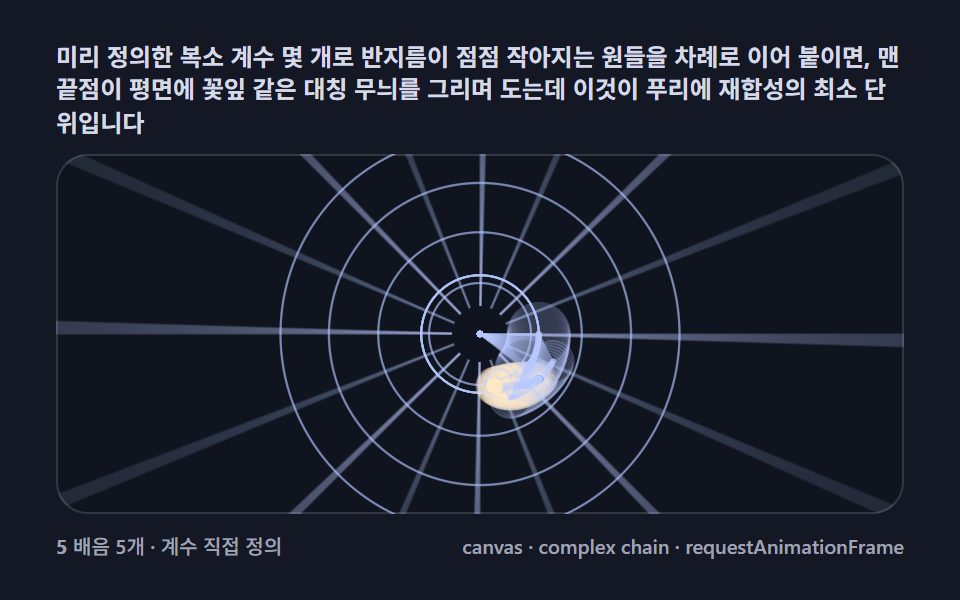 クリエイティブUIフーリエ変換 アニメーション 9種 — 円の連鎖で星とハートを描き直す