フローチャート デザイン 9種 — ノードを線でつなぐ画面
フローチャート デザインとは、処理の箱を画面に並べ、その箱どうしを線でつないで仕事の流れを見せる画面の作り方です。ここに置いた9つは、ライブラリを一つも使わずHTMLとSCSS、数行のJavaScriptだけで組んだノードグラフの部品で、箱を置くところから描いた形をJSONに書き出すところまで、貼ればそのまま動きます。
 01 node-box-ports
 02 node-bezier-wire
 03 node-drag-connect
 04 node-delete-wire
 05 node-flow-animation
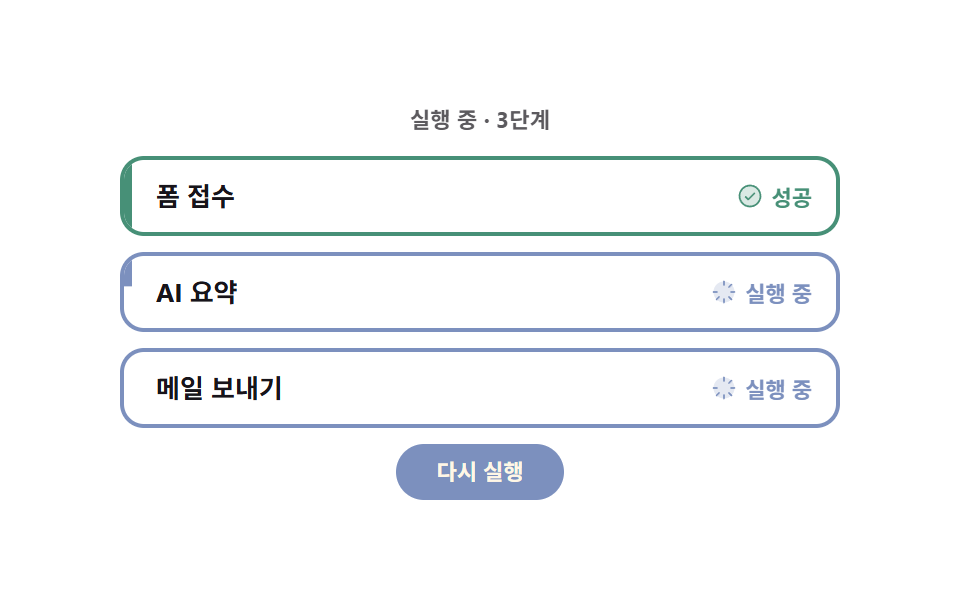 06 node-run-status
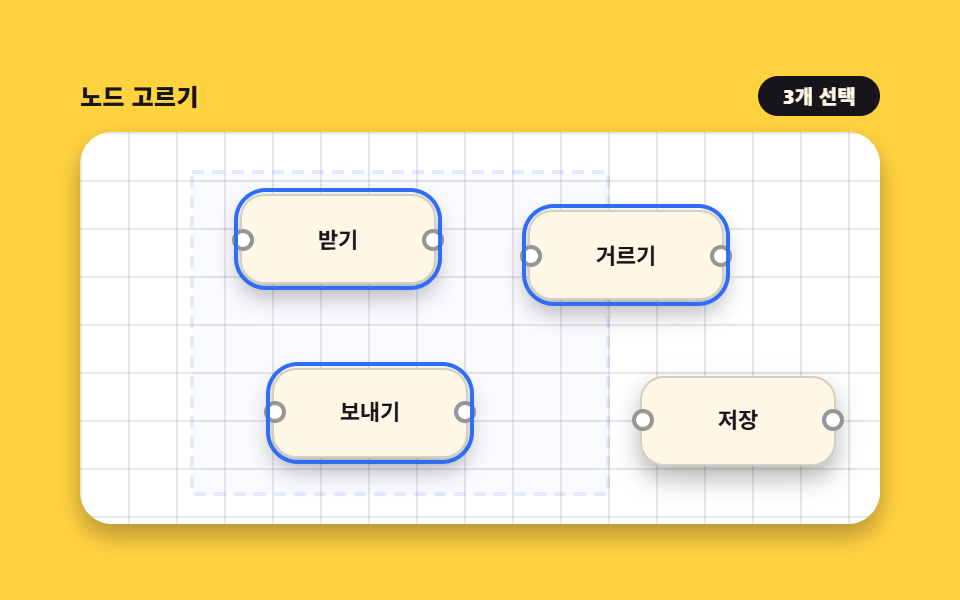 07 node-select-multi
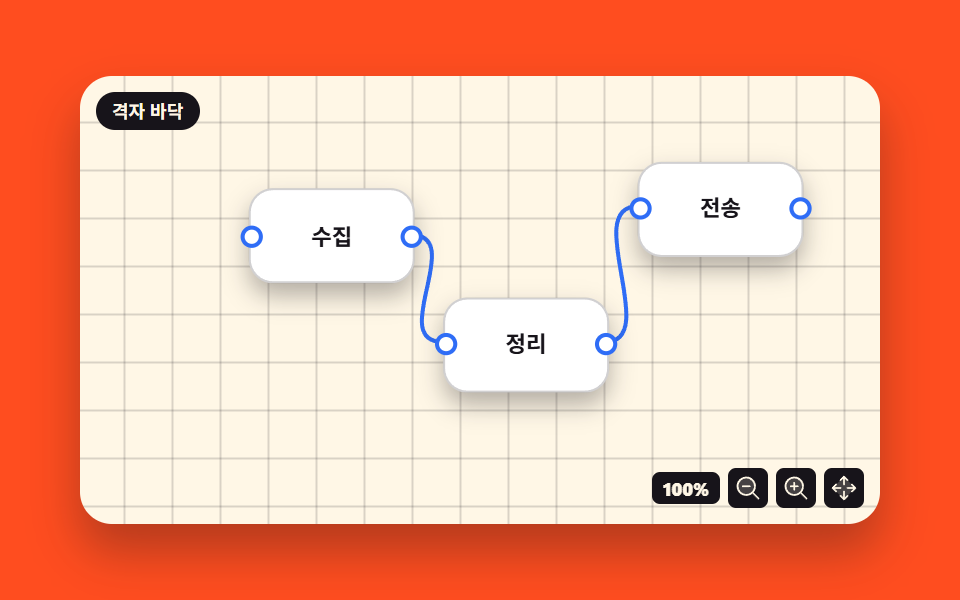 08 node-pan-zoom-canvas
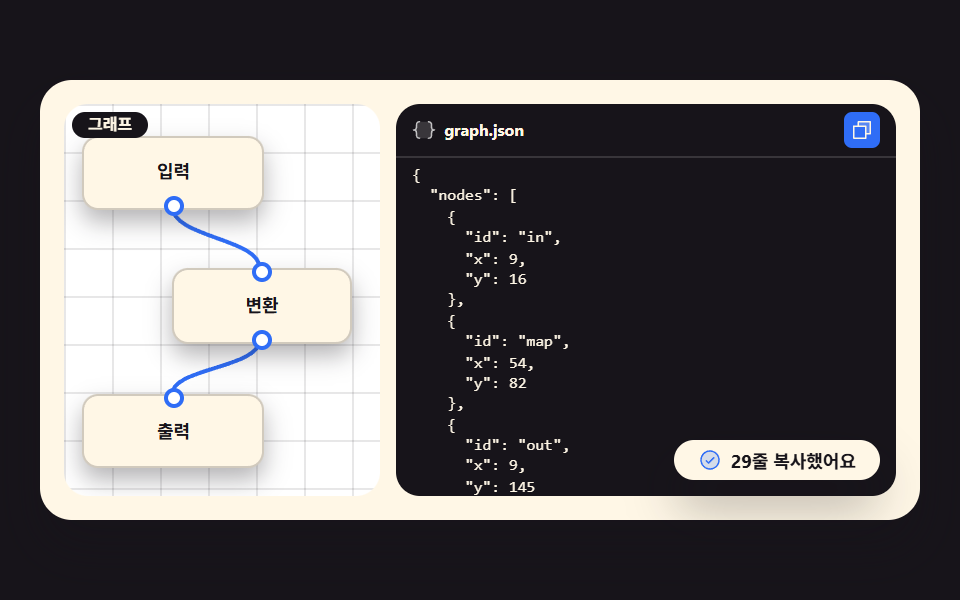 09 node-save-json
自動再生 · タイルを押すとその項目へ · すべて1つのzip
- 01 ポート付きノードボックス
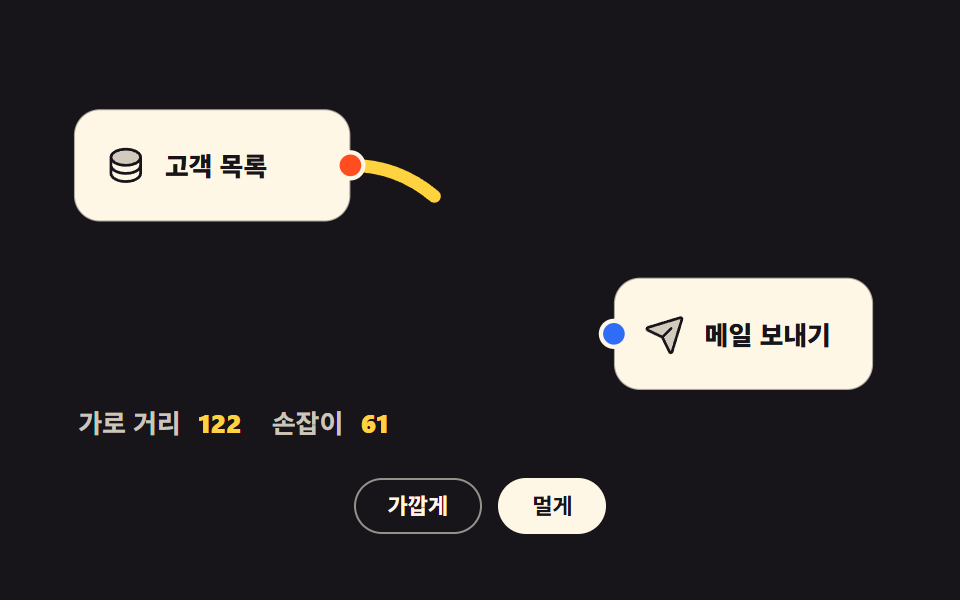
- 02 2点をつなぐ曲線
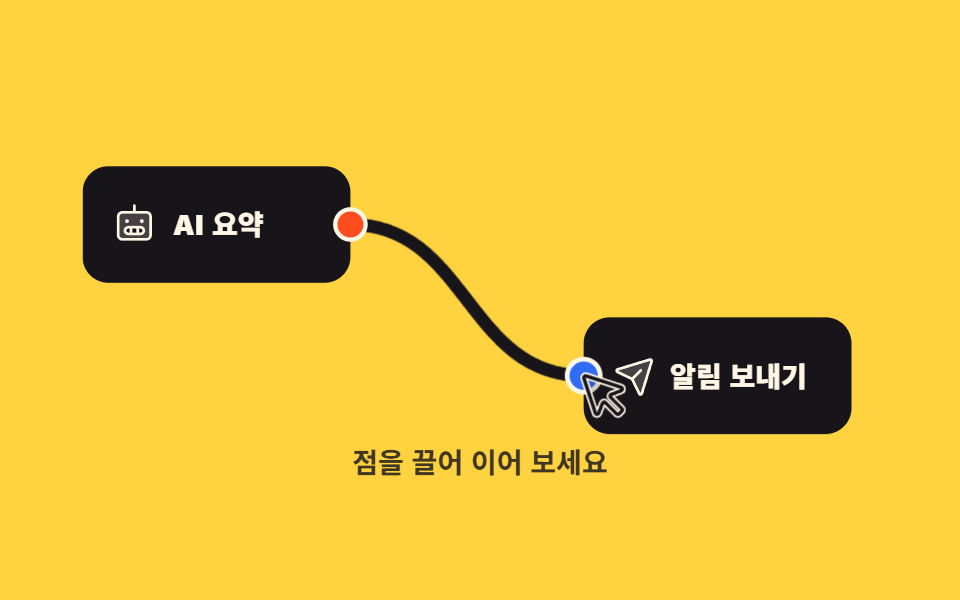
- 03 点から引いてつなぐ
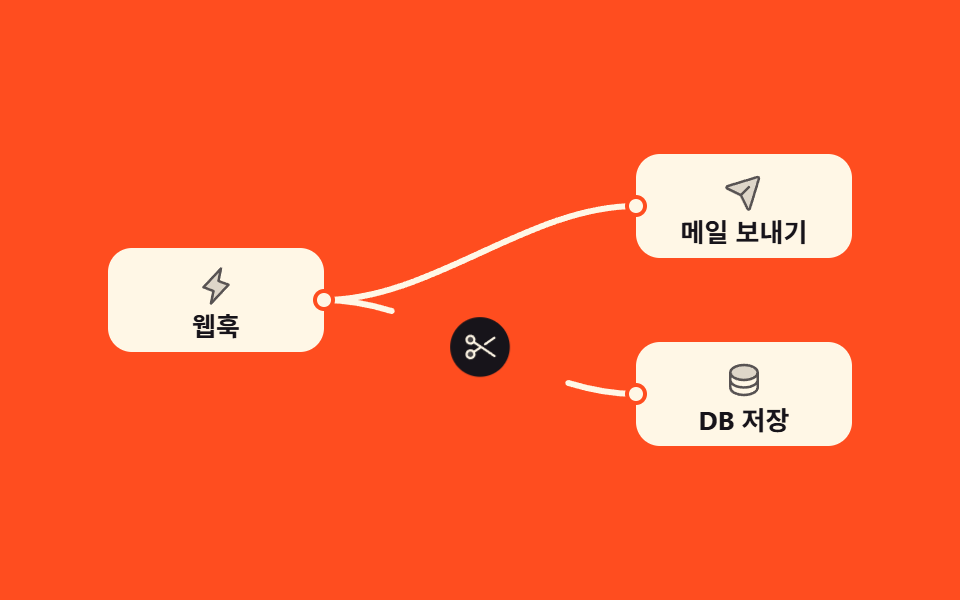
- 04 接続線を切る
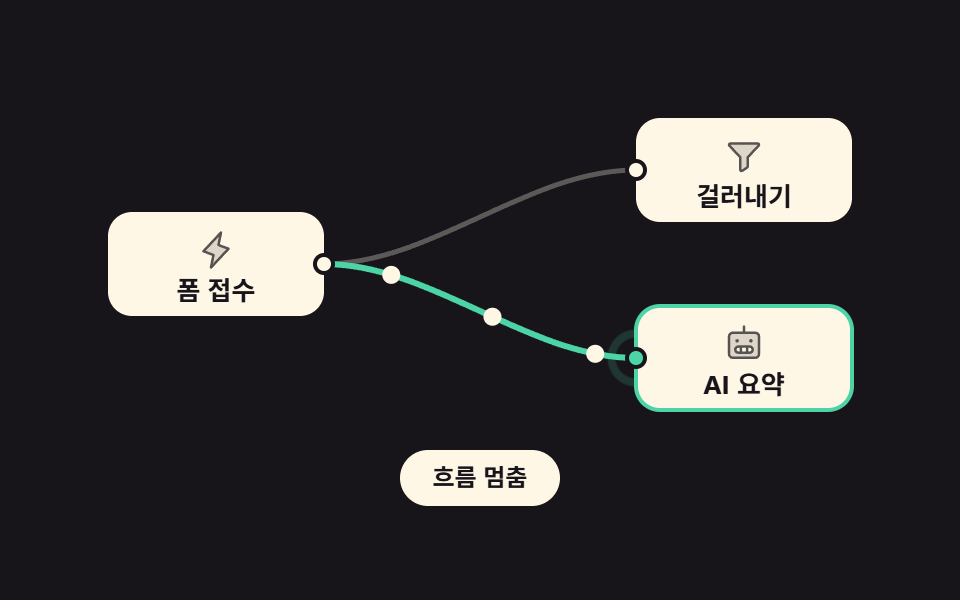
- 05 線に沿って流れる点
- 06 ノードの実行状態
- 07 ドラッグで複数選択
- 08 方眼の床を動かして拡大する
- 09 描いた形をJSONにする
並びは フローチャート デザイン css の流行りの順ではなく、この画面を作る人が出会う順です。まず箱を置き(01)、2点を曲線でつなぎ(02)、その線を自分の手で引いてみて(03)、つなぎ間違いを切り(04)、実行中の道に点を流し(05)、終わった結果を色で示し(06)、いくつかをまとめて選び(07)、床を動かして拡大し(08)、最後に描いた形をJSONへ書き出します(09)。舞台の色も紙・インク・イエロー・オレンジ・インク・紙・イエロー・オレンジ・インクと循環させてあるので、同じ見た目の項目が隣り合いません。つないだ先で実際に何を動かすのかはn8n ワークフロー サンプル9選が受け持ち、画面を左右に割って編集する側の話は画面分割 css レイアウト9選にあります。ポインターの座標を線に変える同じ手を自由な筆跡へ寄せると、サインとキャンバス描画になります。
01ポート付きノードボックス
ノードベース ui で何が見えるか
箱の左の辺に受け取る点、右の辺に送る点を置き、点にカーソルを乗せるとその点だけが1.5倍にふくらみます。ふくらむ軸は transform-origin: 50% 50%、つまり点そのものの中心なので、大きくなっても箱の辺から横へずれません。
<main class="stage">
<div class="ng is-demo" id="ng">
  <div class="ng__canvas">

    <div class="ng__node">
      <div class="ng__head">
        <span class="ng__ico" aria-hidden="true"><svg xmlns="http://www.w3.org/2000/svg" viewBox="0 0 256 256" fill="currentColor"><path d="M216,80c0,26.51-39.4,48-88,48S40,106.51,40,80s39.4-48,88-48S216,53.49,216,80Z" opacity="0.2"/><path d="M128,24C74.17,24,32,48.6,32,80v96c0,31.4,42.17,56,96,56s96-24.6,96-56V80C224,48.6,181.83,24,128,24Zm80,104c0,9.62-7.88,19.43-21.61,26.92C170.93,163.35,150.19,168,128,168s-42.93-4.65-58.39-13.08C55.88,147.43,48,137.62,48,128V111.36c17.06,15,46.23,24.64,80,24.64s62.94-9.68,80-24.64ZM69.61,53.08C85.07,44.65,105.81,40,128,40s42.93,4.65,58.39,13.08C200.12,60.57,208,70.38,208,80s-7.88,19.43-21.61,26.92C170.93,115.35,150.19,120,128,120s-42.93-4.65-58.39-13.08C55.88,99.43,48,89.62,48,80S55.88,60.57,69.61,53.08ZM186.39,202.92C170.93,211.35,150.19,216,128,216s-42.93-4.65-58.39-13.08C55.88,195.43,48,185.62,48,176V159.36c17.06,15,46.23,24.64,80,24.64s62.94-9.68,80-24.64V176C208,185.62,200.12,195.43,186.39,202.92Z"/></svg></span>
        <span class="ng__name">注文を取得</span>
      </div>
      <p class="ng__body">新しい注文が入ると一覧を取得します</p>
      <button type="button" class="ng__port ng__port--in" aria-label="入力ポート" aria-describedby="ngHintIn"></button>
      <button type="button" class="ng__port ng__port--out" aria-label="出力ポート" aria-describedby="ngHintOut"></button>
    </div>

    <div class="ng__node">
      <div class="ng__head">
        <span class="ng__ico" aria-hidden="true"><svg xmlns="http://www.w3.org/2000/svg" viewBox="0 0 256 256" fill="currentColor"><path d="M221.9,61.38,152,136v58.65a8,8,0,0,1-3.56,6.66l-32,21.33A8,8,0,0,1,104,216V136L34.1,61.38A8,8,0,0,1,40,48H216A8,8,0,0,1,221.9,61.38Z" opacity="0.2"/><path d="M230.6,49.53A15.81,15.81,0,0,0,216,40H40A16,16,0,0,0,28.19,66.76l.08.09L96,139.17V216a16,16,0,0,0,24.87,13.32l32-21.34A16,16,0,0,0,160,194.66V139.17l67.74-72.32.08-.09A15.8,15.8,0,0,0,230.6,49.53ZM40,56h0Zm106.18,74.58A8,8,0,0,0,144,136v58.66L112,216V136a8,8,0,0,0-2.16-5.47L40,56H216Z"/></svg></span>
        <span class="ng__name">金額で絞る</span>
      </div>
      <p class="ng__body">1万ウォンを超える注文だけを通します</p>
      <button type="button" class="ng__port ng__port--in" aria-label="入力ポート" aria-describedby="ngHintIn"></button>
      <button type="button" class="ng__port ng__port--out" aria-label="出力ポート" aria-describedby="ngHintOut"></button>
    </div>

  </div>

  <ul class="ng__legend">
    <li class="ng__hint" id="ngHintIn"><i class="ng__dot ng__dot--in" aria-hidden="true"></i>入力ポート — 前の手順の結果が入ってきます</li>
    <li class="ng__hint" id="ngHintOut"><i class="ng__dot ng__dot--out" aria-hidden="true"></i>出力ポート — この手順の結果が出ていきます</li>
  </ul>
</div>
</main>@use "../../../../site/static/demo-tokens" as *;
$duration: $dur-loop;
$easing: $ease-pop;
$color: $subject-blue;
@include stage($stage-paper);
.ng { box-sizing: border-box; width: min(100%, 432px); display: flex; flex-direction: column; gap: $sp-3; }
// 격자 바닥 — 노드가 놓인 캔버스
.ng__canvas {
position: relative; box-sizing: border-box;
display: flex; align-items: center; justify-content: center;
gap: $sp-10; padding: $sp-4;
border: 1px solid rgba(23, 20, 26, .14); border-radius: $r-card;
background-color: $stage-paper;
background-image: linear-gradient(to right, rgba(23, 20, 26, .09) 1px, transparent 1px),
linear-gradient(to bottom, rgba(23, 20, 26, .09) 1px, transparent 1px);
background-size: 16px 16px;
}
.ng__node {
position: relative; box-sizing: border-box;
width: clamp(104px, 36vw, 168px);
padding: $sp-3;
background: $subject-cream;
border: 1px solid rgba(23, 20, 26, .22);
border-radius: $r-card;
box-shadow: $shadow-press;
}
// 머리는 [아이콘 | 이름] 두 칸 — 이름이 길어져도 아이콘 칸은 안 눌린다
.ng__head { display: grid; grid-template-columns: auto 1fr; align-items: center; gap: $sp-2; }
.ng__ico {
display: inline-flex; align-items: center; justify-content: center;
width: 22px; height: 22px; border-radius: $r-sm;
background: $color; color: $subject-cream; flex: 0 0 auto;
}
.ng__ico svg { width: 64%; height: 64%; }
.ng__name { font-weight: 800; font-size: clamp(10px, 3vw, 12px); line-height: 1.2; color: $subject-ink; }
.ng__body {
margin: $sp-2 0 0; font-weight: 500; font-size: clamp(8px, 2.4vw, 10px);
line-height: 1.35; color: rgba(23, 20, 26, .74);
}
// 포트 — 왼쪽 변에 받는 점, 오른쪽 변에 보내는 점
.ng__port {
position: absolute; top: 50%;
width: 14px; height: 14px; padding: 0;
border: 2px solid $stage-paper; border-radius: 50%; cursor: pointer;
// 포트는 스스로 완결한 점이다 — 커질 때 옆으로 밀리지 않게 자기 중심에서 (blog-demo 규칙 8)
transform-origin: 50% 50%;
transform: translateY(-50%) scale(1);
transition: transform $dur-quick $easing;
}
.ng__port--in { left: -7px; background: $color; }
.ng__port--out { right: -7px; background: $stage-orange; }
.ng__port:hover,
.ng__port:focus-visible { transform: translateY(-50%) scale(1.5); }
.ng__legend { list-style: none; margin: 0; padding: 0; display: grid; gap: $sp-1; }
.ng__hint {
display: flex; align-items: center; gap: $sp-2;
font-weight: 600; font-size: clamp(8px, 2.4vw, 10px); line-height: 1.3;
color: rgba(23, 20, 26, .78);
}
.ng__dot { width: 8px; height: 8px; border-radius: 50%; flex: 0 0 auto; }
.ng__dot--in { background: $color; }
.ng__dot--out { background: $stage-orange; }
// ── 미리보기 루프: 네 점이 차례로 부푼다 (2s 주기, 마지막 점은 1.12s 에 끝난다)
.ng.is-demo .ng__port {
animation-name: ngPortPulse; animation-duration: $duration;
animation-timing-function: $easing; animation-iteration-count: infinite;
animation-fill-mode: backwards;
}
.ng.is-demo .ng__node:nth-child(1) .ng__port--in { animation-delay: 0ms; }
.ng.is-demo .ng__node:nth-child(1) .ng__port--out { animation-delay: 200ms; }
.ng.is-demo .ng__node:nth-child(2) .ng__port--in { animation-delay: 400ms; }
.ng.is-demo .ng__node:nth-child(2) .ng__port--out { animation-delay: 600ms; }
@keyframes ngPortPulse {
0% { transform: translateY(-50%) scale(1); }
12% { transform: translateY(-50%) scale(1.55); }
26% { transform: translateY(-50%) scale(1); }
100% { transform: translateY(-50%) scale(1); }
}
// ── 320×200 폰 (값은 내리기만 한다 — 올리면 세로가 넘친다)
@media (max-width: 340px), (max-height: 220px) {
.ng { gap: $sp-2; }
.ng__canvas { gap: $sp-2; padding: $sp-2; }
.ng__node { padding: $sp-2; }
.ng__ico { width: 18px; height: 18px; }
.ng__body { margin-top: $sp-1; }
}
@media (prefers-reduced-motion: reduce) {
.ng.is-demo .ng__port { animation-name: none !important; transform: translateY(-50%) scale(1) !important; }
.ng__port { transition: none !important; }
}html, body {
margin: 0;
overflow: hidden;
}
.stage {
box-sizing: border-box;
min-height: 100vh;
display: grid;
place-items: center;
margin: 0;
background: #ffffff;
font-family: -apple-system, "Segoe UI", "Noto Sans KR", sans-serif;
padding: clamp(8px, 4vw, 24px);
}
.ng {
box-sizing: border-box;
width: min(100%, 432px);
display: flex;
flex-direction: column;
gap: 12px;
}
.ng__canvas {
position: relative;
box-sizing: border-box;
display: flex;
align-items: center;
justify-content: center;
gap: 40px;
padding: 16px;
border: 1px solid rgba(23, 20, 26, 0.14);
border-radius: 16px;
background-color: #ffffff;
background-image: linear-gradient(to right, rgba(23, 20, 26, 0.09) 1px, transparent 1px), linear-gradient(to bottom, rgba(23, 20, 26, 0.09) 1px, transparent 1px);
background-size: 16px 16px;
}
.ng__node {
position: relative;
box-sizing: border-box;
width: clamp(104px, 36vw, 168px);
padding: 12px;
background: #fff7e6;
border: 1px solid rgba(23, 20, 26, 0.22);
border-radius: 16px;
box-shadow: 0 6px 12px rgba(23, 20, 26, 0.32);
}
.ng__head {
display: grid;
grid-template-columns: auto 1fr;
align-items: center;
gap: 8px;
}
.ng__ico {
display: inline-flex;
align-items: center;
justify-content: center;
width: 22px;
height: 22px;
border-radius: 8px;
background: #2f6df6;
color: #fff7e6;
flex: 0 0 auto;
}
.ng__ico svg {
width: 64%;
height: 64%;
}
.ng__name {
font-weight: 800;
font-size: clamp(10px, 3vw, 12px);
line-height: 1.2;
color: #17141a;
}
.ng__body {
margin: 8px 0 0;
font-weight: 500;
font-size: clamp(8px, 2.4vw, 10px);
line-height: 1.35;
color: rgba(23, 20, 26, 0.74);
}
.ng__port {
position: absolute;
top: 50%;
width: 14px;
height: 14px;
padding: 0;
border: 2px solid #ffffff;
border-radius: 50%;
cursor: pointer;
transform-origin: 50% 50%;
transform: translateY(-50%) scale(1);
transition: transform 220ms cubic-bezier(0.2, 1.4, 0.4, 1);
}
.ng__port--in {
left: -7px;
background: #2f6df6;
}
.ng__port--out {
right: -7px;
background: #ff4d1f;
}
.ng__port:hover,
.ng__port:focus-visible {
transform: translateY(-50%) scale(1.5);
}
.ng__legend {
list-style: none;
margin: 0;
padding: 0;
display: grid;
gap: 4px;
}
.ng__hint {
display: flex;
align-items: center;
gap: 8px;
font-weight: 600;
font-size: clamp(8px, 2.4vw, 10px);
line-height: 1.3;
color: rgba(23, 20, 26, 0.78);
}
.ng__dot {
width: 8px;
height: 8px;
border-radius: 50%;
flex: 0 0 auto;
}
.ng__dot--in {
background: #2f6df6;
}
.ng__dot--out {
background: #ff4d1f;
}
.ng.is-demo .ng__port {
animation-name: ngPortPulse;
animation-duration: 2s;
animation-timing-function: cubic-bezier(0.2, 1.4, 0.4, 1);
animation-iteration-count: infinite;
animation-fill-mode: backwards;
}
.ng.is-demo .ng__node:nth-child(1) .ng__port--in {
animation-delay: 0ms;
}
.ng.is-demo .ng__node:nth-child(1) .ng__port--out {
animation-delay: 200ms;
}
.ng.is-demo .ng__node:nth-child(2) .ng__port--in {
animation-delay: 400ms;
}
.ng.is-demo .ng__node:nth-child(2) .ng__port--out {
animation-delay: 600ms;
}
@keyframes ngPortPulse {
0% {
transform: translateY(-50%) scale(1);
}
12% {
transform: translateY(-50%) scale(1.55);
}
26% {
transform: translateY(-50%) scale(1);
}
100% {
transform: translateY(-50%) scale(1);
}
}
@media (max-width: 340px), (max-height: 220px) {
.ng {
gap: 8px;
}
.ng__canvas {
gap: 8px;
padding: 8px;
}
.ng__node {
padding: 8px;
}
.ng__ico {
width: 18px;
height: 18px;
}
.ng__body {
margin-top: 4px;
}
}
@media (prefers-reduced-motion: reduce) {
.ng.is-demo .ng__port {
animation-name: none !important;
transform: translateY(-50%) scale(1) !important;
}
.ng__port {
transition: none !important;
}
}// 사람이 점을 만지는 순간 미리보기 루프를 끄고 hover/:focus-visible 경로로 넘긴다
var ng = document.getElementById('ng');
var ports = document.querySelectorAll('.ng__port');
function wake() { ng.classList.remove('is-demo'); }
for (var i = 0; i < ports.length; i++) {
ports[i].addEventListener('pointerenter', wake);
ports[i].addEventListener('focus', wake);
ports[i].addEventListener('click', wake);
}import { useState } from "react";
import styles from "./NodeBoxPorts.module.scss";
export type NodeBoxPortsProps = { duration?: number; easing?: string; color?: string };
type NodeSpec = { name: string; body: string; icon: string };
type PortSpec = { kind: string; label: string; hintId: string };
const NODES: NodeSpec[] = [
{ name: "주문 불러오기", body: "새 주문이 들어오면 목록을 가져옵니다", icon: "database" },
{ name: "금액 거르기", body: "1만 원이 넘는 주문만 통과시킵니다", icon: "funnel" },
];
const PORTS: PortSpec[] = [
{ kind: "in", label: "받는 점", hintId: "ngHintIn" },
{ kind: "out", label: "보내는 점", hintId: "ngHintOut" },
];
const OUT_COLOR = "#ff4d1f";
function glyph(kind: string) {
if (kind === "database") {
return (
<svg xmlns="http://www.w3.org/2000/svg" viewBox="0 0 256 256" fill="currentColor"><path d="M216,80c0,26.51-39.4,48-88,48S40,106.51,40,80s39.4-48,88-48S216,53.49,216,80Z" opacity="0.2"/><path d="M128,24C74.17,24,32,48.6,32,80v96c0,31.4,42.17,56,96,56s96-24.6,96-56V80C224,48.6,181.83,24,128,24Zm80,104c0,9.62-7.88,19.43-21.61,26.92C170.93,163.35,150.19,168,128,168s-42.93-4.65-58.39-13.08C55.88,147.43,48,137.62,48,128V111.36c17.06,15,46.23,24.64,80,24.64s62.94-9.68,80-24.64ZM69.61,53.08C85.07,44.65,105.81,40,128,40s42.93,4.65,58.39,13.08C200.12,60.57,208,70.38,208,80s-7.88,19.43-21.61,26.92C170.93,115.35,150.19,120,128,120s-42.93-4.65-58.39-13.08C55.88,99.43,48,89.62,48,80S55.88,60.57,69.61,53.08ZM186.39,202.92C170.93,211.35,150.19,216,128,216s-42.93-4.65-58.39-13.08C55.88,195.43,48,185.62,48,176V159.36c17.06,15,46.23,24.64,80,24.64s62.94-9.68,80-24.64V176C208,185.62,200.12,195.43,186.39,202.92Z"/></svg>
);
}
return (
<svg xmlns="http://www.w3.org/2000/svg" viewBox="0 0 256 256" fill="currentColor"><path d="M221.9,61.38,152,136v58.65a8,8,0,0,1-3.56,6.66l-32,21.33A8,8,0,0,1,104,216V136L34.1,61.38A8,8,0,0,1,40,48H216A8,8,0,0,1,221.9,61.38Z" opacity="0.2"/><path d="M230.6,49.53A15.81,15.81,0,0,0,216,40H40A16,16,0,0,0,28.19,66.76l.08.09L96,139.17V216a16,16,0,0,0,24.87,13.32l32-21.34A16,16,0,0,0,160,194.66V139.17l67.74-72.32.08-.09A15.8,15.8,0,0,0,230.6,49.53ZM40,56h0Zm106.18,74.58A8,8,0,0,0,144,136v58.66L112,216V136a8,8,0,0,0-2.16-5.47L40,56H216Z"/></svg>
);
}
export default function NodeBoxPorts({
duration = 2000,
easing = "cubic-bezier(.2,1.4,.4,1)",
color = "#2f6df6",
}: NodeBoxPortsProps) {
const [demo, setDemo] = useState(true);
const wake = () => setDemo(false);
return (
<main className={styles.stage}>
<div className={styles.ng}>
<div className={styles.canvas}>
{NODES.map((n, i) => (
<div className={styles.node} key={n.name}>
<div className={styles.head}>
<span className={styles.ico} aria-hidden="true" style={{ background: color }}>{glyph(n.icon)}</span>
<span className={styles.name}>{n.name}</span>
</div>
<p className={styles.body}>{n.body}</p>
{PORTS.map((p, j) => (
<button
key={p.kind}
type="button"
className={`${styles.port} ${p.kind === "in" ? styles.portIn : styles.portOut}`}
aria-label={p.label}
aria-describedby={p.hintId}
style={{
background: p.kind === "in" ? color : OUT_COLOR,
...(demo
? {
animationName: "ngPortPulse",
animationDuration: `${duration}ms`,
animationTimingFunction: easing,
animationIterationCount: "infinite",
animationFillMode: "backwards",
animationDelay: `${(i * 2 + j) * 200}ms`,
}
: {}),
}}
onPointerEnter={wake}
onFocus={wake}
onClick={wake}
/>
))}
</div>
))}
</div>
<ul className={styles.legend}>
<li className={styles.hint} id="ngHintIn">
<i className={styles.dot} style={{ background: color }} aria-hidden="true" />받는 점 — 앞 단계의 결과가 들어옵니다
</li>
<li className={styles.hint} id="ngHintOut">
<i className={styles.dot} style={{ background: OUT_COLOR }} aria-hidden="true" />보내는 점 — 이 단계의 결과가 나갑니다
</li>
</ul>
</div>
</main>
);
}01 · ポート付きノードボックス — 計測 累積面積 0.79% · 動いたフレーム 12/23GODRICH オリジナル · SCSS と React は zip に同梱 · パスワードを見る
コードのどこを見るか
紙の床の上で動くのは4つの点だけなので、23回のコマ比較のうち絵が変わったのは12回、累積面積は0.79%にとどまります。
// ポート — 左の辺に受け取る点、右の辺に送る点
.ng__port {
  position: absolute; top: 50%;
  width: 14px; height: 14px; padding: 0;
  border: 2px solid $stage-paper; border-radius: 50%; cursor: pointer;
  // ポートはそれ自体で完結した点 — 大きくなるとき横へずれないよう自分の中心から
  transform-origin: 50% 50%;
  transform: translateY(-50%) scale(1);
  transition: transform $dur-quick $easing;
}
.ng__port--in  { left: -7px;  background: $color; }
.ng__port--out { right: -7px; background: $stage-orange; }
.ng__port:hover,
.ng__port:focus-visible { transform: translateY(-50%) scale(1.5); }
022点をつなぐ曲線
画面で起きること
送る点と受け取る点を3次ベジェ1本でつなぎ、制御点の長さを2点の横の距離の半分(最小40)にしてあります。制御点が両端から水平に伸びる決め方なので、「近づける」「遠ざける」で距離が変わっても線は必ずポートの横腹から抜けます。暗いインクの床にイエローの線1本が伸びるだけなので、変わった面積は0.802%と小さいのに、強度の平均は128.0と9つで2番目に高い値になります。
<main class="stage">
<div class="ng is-demo" id="ng">

  <svg class="ng__svg" id="ngSvg" viewBox="0 0 400 180" role="group" aria-label="2つのノードをつなぐ曲線">

    <!-- 연결선 — 노드보다 먼저 그려 상자 뒤로 깔린다 -->
    <path class="ng__wire" id="ngWire" fill="none" d="M140,46 C201,46 201,124 262,124"/>

    <!-- 앞 노드 -->
    <g class="ng__node">
      <rect x="12" y="20" width="128" height="52" rx="12"/>
      <svg x="26" y="36" width="20" height="20" viewBox="0 0 256 256" fill="currentColor" class="ng__ico" aria-hidden="true"><path d="M216,80c0,26.51-39.4,48-88,48S40,106.51,40,80s39.4-48,88-48S216,53.49,216,80Z" opacity="0.2"/><path d="M128,24C74.17,24,32,48.6,32,80v96c0,31.4,42.17,56,96,56s96-24.6,96-56V80C224,48.6,181.83,24,128,24Zm80,104c0,9.62-7.88,19.43-21.61,26.92C170.93,163.35,150.19,168,128,168s-42.93-4.65-58.39-13.08C55.88,147.43,48,137.62,48,128V111.36c17.06,15,46.23,24.64,80,24.64s62.94-9.68,80-24.64ZM69.61,53.08C85.07,44.65,105.81,40,128,40s42.93,4.65,58.39,13.08C200.12,60.57,208,70.38,208,80s-7.88,19.43-21.61,26.92C170.93,115.35,150.19,120,128,120s-42.93-4.65-58.39-13.08C55.88,99.43,48,89.62,48,80S55.88,60.57,69.61,53.08ZM186.39,202.92C170.93,211.35,150.19,216,128,216s-42.93-4.65-58.39-13.08C55.88,195.43,48,185.62,48,176V159.36c17.06,15,46.23,24.64,80,24.64s62.94-9.68,80-24.64V176C208,185.62,200.12,195.43,186.39,202.92Z"/></svg>
      <text class="ng__nm" x="54" y="46">顧客リスト</text>
      <circle class="ng__port ng__port--out" cx="140" cy="46" r="6"/>
    </g>

    <!-- 뒤 노드 — 통째로 밀어 두 점의 가로 거리를 바꾼다 -->
    <g class="ng__node" id="ngNodeB" transform="translate(66,0)">
      <rect x="196" y="98" width="120" height="52" rx="12"/>
      <svg x="210" y="114" width="20" height="20" viewBox="0 0 256 256" fill="currentColor" class="ng__ico" aria-hidden="true"><path d="M223.69,42.18l-58.22,192a8,8,0,0,1-14.92,1.25L108,148,20.58,105.45a8,8,0,0,1,1.25-14.92l192-58.22A8,8,0,0,1,223.69,42.18Z" opacity="0.2"/><path d="M227.32,28.68a16,16,0,0,0-15.66-4.08l-.15,0L19.57,82.84a16,16,0,0,0-2.49,29.8L102,154l41.3,84.87A15.86,15.86,0,0,0,157.74,248q.69,0,1.38-.06a15.88,15.88,0,0,0,14-11.51l58.2-191.94c0-.05,0-.1,0-.15A16,16,0,0,0,227.32,28.68ZM157.83,231.85l-.05.14,0-.07-40.06-82.3,48-48a8,8,0,0,0-11.31-11.31l-48,48L24.08,98.25l-.07,0,.14,0L216,40Z"/></svg>
      <text class="ng__nm" x="238" y="124">メール送信</text>
      <circle class="ng__port ng__port--in" cx="196" cy="124" r="6"/>
    </g>

    <text class="ng__cap" x="14" y="170"><tspan class="ng__capk">横の距離</tspan><tspan class="ng__capv" id="ngDx" dx="8">122</tspan><tspan class="ng__capk" dx="14">制御点</tspan><tspan class="ng__capv" id="ngH" dx="8">61</tspan></text>
  </svg>

  <div class="ng__bar">
    <button type="button" class="ng__btn" id="ngNear" aria-pressed="false">近づける</button>
    <button type="button" class="ng__btn is-on" id="ngFar" aria-pressed="true">遠ざける</button>
  </div>

</div>
</main>@use "../../../../site/static/demo-tokens" as *;
$duration: $dur-loop;
$easing: $ease-out;
$color: $stage-yellow;
@include stage($stage-ink);
.ng { box-sizing: border-box; width: min(100%, 432px); display: flex; flex-direction: column; gap: $sp-3; }
.ng__svg { display: block; width: 100%; height: auto; }
// 노드 상자 — 어두운 무대 위 크림 카드
.ng__node rect { fill: $subject-cream; stroke: rgba(23, 20, 26, .35); stroke-width: 1; }
.ng__node .ng__ico { color: $subject-ink; }
.ng__nm { font-weight: 800; font-size: 12px; fill: $subject-ink; dominant-baseline: central; }
.ng__port { stroke: $subject-cream; stroke-width: 2; }
.ng__port--out { fill: $stage-orange; }
.ng__port--in { fill: $subject-blue; }
// 연결선 — 끝을 둥글게 잘라 포트 원과 이가 맞는다
.ng__wire {
stroke: $color; stroke-width: 6; stroke-linecap: round;
// 점선 한 칸 = 선 전체 길이. JS 가 getTotalLength() 로 잰 값을 --len 에 넣는다
stroke-dasharray: var(--len);
stroke-dashoffset: 0;
}
.ng__cap { font-size: 12px; }
.ng__capk { font-weight: 600; fill: rgba(255, 247, 230, .78); }
.ng__capv { font-weight: 800; fill: $color; }
.ng__bar { display: flex; justify-content: center; gap: $sp-2; }
.ng__btn {
font-family: inherit; font-weight: 700; font-size: clamp(9px, 2.6vw, 11px); line-height: 1.6;
padding: $sp-1 $sp-4; border-radius: $r-pill; cursor: pointer;
background: none; border: 1px solid rgba(255, 247, 230, .55); color: $subject-cream;
transition: background $dur-quick $easing, color $dur-quick $easing;
}
.ng__btn.is-on { background: $subject-cream; border-color: $subject-cream; color: $subject-ink; }
// ── 미리보기 루프: 선이 왼쪽에서 오른쪽으로 그려졌다가 88% 에 도로 감긴다
// --len 은 JS 가 getTotalLength() 로 잰 실제 선 길이 (점선 한 칸 = 선 전체)
.ng.is-demo .ng__wire {
animation-name: ngWireDraw; animation-duration: $duration;
animation-timing-function: $easing; animation-iteration-count: infinite;
animation-fill-mode: backwards;
}
@keyframes ngWireDraw {
0% { stroke-dashoffset: var(--len); }
60% { stroke-dashoffset: 0; }
78% { stroke-dashoffset: 0; }
88% { stroke-dashoffset: var(--len); }
100% { stroke-dashoffset: var(--len); }
}
// ── 320×200 폰 (값은 내리기만 한다)
@media (max-width: 340px), (max-height: 220px) {
.ng { gap: $sp-1; }
.ng__btn { padding: 0 $sp-3; }
}
@media (prefers-reduced-motion: reduce) {
.ng.is-demo .ng__wire { animation-name: none !important; stroke-dashoffset: 0 !important; }
.ng__btn { transition: none !important; }
}html, body {
margin: 0;
overflow: hidden;
}
.stage {
box-sizing: border-box;
min-height: 100vh;
display: grid;
place-items: center;
margin: 0;
background: #17141a;
font-family: -apple-system, "Segoe UI", "Noto Sans KR", sans-serif;
padding: clamp(8px, 4vw, 24px);
}
.ng {
box-sizing: border-box;
width: min(100%, 432px);
display: flex;
flex-direction: column;
gap: 12px;
}
.ng__svg {
display: block;
width: 100%;
height: auto;
}
.ng__node rect {
fill: #fff7e6;
stroke: rgba(23, 20, 26, 0.35);
stroke-width: 1;
}
.ng__node .ng__ico {
color: #17141a;
}
.ng__nm {
font-weight: 800;
font-size: 12px;
fill: #17141a;
dominant-baseline: central;
}
.ng__port {
stroke: #fff7e6;
stroke-width: 2;
}
.ng__port--out {
fill: #ff4d1f;
}
.ng__port--in {
fill: #2f6df6;
}
.ng__wire {
stroke: #ffd23f;
stroke-width: 6;
stroke-linecap: round;
stroke-dasharray: var(--len);
stroke-dashoffset: 0;
}
.ng__cap {
font-size: 12px;
}
.ng__capk {
font-weight: 600;
fill: rgba(255, 247, 230, 0.78);
}
.ng__capv {
font-weight: 800;
fill: #ffd23f;
}
.ng__bar {
display: flex;
justify-content: center;
gap: 8px;
}
.ng__btn {
font-family: inherit;
font-weight: 700;
font-size: clamp(9px, 2.6vw, 11px);
line-height: 1.6;
padding: 4px 16px;
border-radius: 999px;
cursor: pointer;
background: none;
border: 1px solid rgba(255, 247, 230, 0.55);
color: #fff7e6;
transition: background 220ms ease-out, color 220ms ease-out;
}
.ng__btn.is-on {
background: #fff7e6;
border-color: #fff7e6;
color: #17141a;
}
.ng.is-demo .ng__wire {
animation-name: ngWireDraw;
animation-duration: 2s;
animation-timing-function: ease-out;
animation-iteration-count: infinite;
animation-fill-mode: backwards;
}
@keyframes ngWireDraw {
0% {
stroke-dashoffset: var(--len);
}
60% {
stroke-dashoffset: 0;
}
78% {
stroke-dashoffset: 0;
}
88% {
stroke-dashoffset: var(--len);
}
100% {
stroke-dashoffset: var(--len);
}
}
@media (max-width: 340px), (max-height: 220px) {
.ng {
gap: 4px;
}
.ng__btn {
padding: 0 12px;
}
}
@media (prefers-reduced-motion: reduce) {
.ng.is-demo .ng__wire {
animation-name: none !important;
stroke-dashoffset: 0 !important;
}
.ng__btn {
transition: none !important;
}
}var ng = document.getElementById('ng');
var wire = document.getElementById('ngWire');
var nodeB = document.getElementById('ngNodeB');
var dxOut = document.getElementById('ngDx');
var handleOut = document.getElementById('ngH');
var nearBtn = document.getElementById('ngNear');
var farBtn = document.getElementById('ngFar');
var OUT = { x: 140, y: 46 }; // 出力ポート
var BASE_IN = { x: 196, y: 124 }; // 뒤 노드가 「近づける」 자리에 있을 때의 入力ポート
var SHIFT = { near: 0, far: 66 }; // 뒤 노드를 오른쪽으로 미는 거리
// 3차 베지어 — 손잡이는 두 점의 가로 거리의 절반, 최소 40.
// 손잡이가 두 점에서 수평으로 뻗으므로 선은 항상 포트 옆구리로 빠진다.
function wirePath(x1, y1, x2, y2) {
var h = Math.max(40, Math.abs(x2 - x1) * 0.5);
return { d: 'M' + x1 + ',' + y1 + ' C' + (x1 + h) + ',' + y1 + ' ' + (x2 - h) + ',' + y2 + ' ' + x2 + ',' + y2, handle: h };
}
function layout(shift) {
nodeB.setAttribute('transform', 'translate(' + shift + ',0)');
var inX = BASE_IN.x + shift;
var r = wirePath(OUT.x, OUT.y, inX, BASE_IN.y);
wire.setAttribute('d', r.d);
var len = wire.getTotalLength(); // 선 길이를 재서 점선 한 칸으로 만든다
wire.style.setProperty('--len', len); // 점선 칸 길이는 scss 가 var(--len) 으로 받는다
dxOut.textContent = String(inX - OUT.x);
handleOut.textContent = String(Math.round(r.handle));
}
function pick(kind) {
ng.classList.remove('is-demo');
layout(SHIFT[kind]);
nearBtn.classList.toggle('is-on', kind === 'near');
farBtn.classList.toggle('is-on', kind === 'far');
nearBtn.setAttribute('aria-pressed', String(kind === 'near'));
farBtn.setAttribute('aria-pressed', String(kind === 'far'));
}
nearBtn.addEventListener('click', function () { pick('near'); });
farBtn.addEventListener('click', function () { pick('far'); });
layout(SHIFT.far);import { useEffect, useRef, useState } from "react";
import styles from "./BezierWire.module.scss";
export type BezierWireProps = { duration?: number; easing?: string; color?: string };
const OUT = { x: 140, y: 46 }; // 보내는 점
const BASE_IN = { x: 196, y: 124 }; // 뒤 노드가 「가깝게」 자리에 있을 때의 받는 점
const SHIFT = { near: 0, far: 66 }; // 뒤 노드를 오른쪽으로 미는 거리
// 3차 베지어 — 손잡이는 두 점의 가로 거리의 절반, 최소 40.
// 손잡이가 두 점에서 수평으로 뻗으므로 선은 항상 포트 옆구리로 빠진다.
function wirePath(x1: number, y1: number, x2: number, y2: number): { d: string; handle: number } {
const h = Math.max(40, Math.abs(x2 - x1) * 0.5);
return { d: `M${x1},${y1} C${x1 + h},${y1} ${x2 - h},${y2} ${x2},${y2}`, handle: h };
}
export default function BezierWire({
duration = 2000,
easing = "ease-out",
color = "#ffd23f",
}: BezierWireProps) {
const [demo, setDemo] = useState(true);
const [kind, setKind] = useState("far");
const [len, setLen] = useState(0);
const wireRef = useRef<SVGPathElement>(null);
const shift = kind === "far" ? SHIFT.far : SHIFT.near;
const inX = BASE_IN.x + shift;
const wire = wirePath(OUT.x, OUT.y, inX, BASE_IN.y);
useEffect(() => {
const el = wireRef.current;
if (el) setLen(el.getTotalLength()); // 선 길이를 재서 점선 한 칸으로 만든다
}, [wire.d]);
const pick = (next: string) => { setDemo(false); setKind(next); };
return (
<main className={styles.stage}>
<div className={styles.ng}>
<svg className={styles.svg} viewBox="0 0 400 180" role="group" aria-label="두 노드를 잇는 곡선 한 줄">
<path
ref={wireRef}
className={styles.wire}
fill="none"
d={wire.d}
style={{
stroke: color,
"--len": len,
...(demo
? {
animationName: "ngWireDraw",
animationDuration: `${duration}ms`,
animationTimingFunction: easing,
animationIterationCount: "infinite",
animationFillMode: "backwards",
}
: {}),
}}
/>
<g className={styles.node}>
<rect x="12" y="20" width="128" height="52" rx="12"/>
<svg x="26" y="36" width="20" height="20" viewBox="0 0 256 256" fill="currentColor" className={styles.ico} aria-hidden="true"><path d="M216,80c0,26.51-39.4,48-88,48S40,106.51,40,80s39.4-48,88-48S216,53.49,216,80Z" opacity="0.2"/><path d="M128,24C74.17,24,32,48.6,32,80v96c0,31.4,42.17,56,96,56s96-24.6,96-56V80C224,48.6,181.83,24,128,24Zm80,104c0,9.62-7.88,19.43-21.61,26.92C170.93,163.35,150.19,168,128,168s-42.93-4.65-58.39-13.08C55.88,147.43,48,137.62,48,128V111.36c17.06,15,46.23,24.64,80,24.64s62.94-9.68,80-24.64ZM69.61,53.08C85.07,44.65,105.81,40,128,40s42.93,4.65,58.39,13.08C200.12,60.57,208,70.38,208,80s-7.88,19.43-21.61,26.92C170.93,115.35,150.19,120,128,120s-42.93-4.65-58.39-13.08C55.88,99.43,48,89.62,48,80S55.88,60.57,69.61,53.08ZM186.39,202.92C170.93,211.35,150.19,216,128,216s-42.93-4.65-58.39-13.08C55.88,195.43,48,185.62,48,176V159.36c17.06,15,46.23,24.64,80,24.64s62.94-9.68,80-24.64V176C208,185.62,200.12,195.43,186.39,202.92Z"/></svg>
<text className={styles.nm} x="54" y="46">고객 목록</text>
<circle className={styles.portOut} cx="140" cy="46" r="6"/>
</g>
<g className={styles.node} transform={`translate(${shift},0)`}>
<rect x="196" y="98" width="120" height="52" rx="12"/>
<svg x="210" y="114" width="20" height="20" viewBox="0 0 256 256" fill="currentColor" className={styles.ico} aria-hidden="true"><path d="M223.69,42.18l-58.22,192a8,8,0,0,1-14.92,1.25L108,148,20.58,105.45a8,8,0,0,1,1.25-14.92l192-58.22A8,8,0,0,1,223.69,42.18Z" opacity="0.2"/><path d="M227.32,28.68a16,16,0,0,0-15.66-4.08l-.15,0L19.57,82.84a16,16,0,0,0-2.49,29.8L102,154l41.3,84.87A15.86,15.86,0,0,0,157.74,248q.69,0,1.38-.06a15.88,15.88,0,0,0,14-11.51l58.2-191.94c0-.05,0-.1,0-.15A16,16,0,0,0,227.32,28.68ZM157.83,231.85l-.05.14,0-.07-40.06-82.3,48-48a8,8,0,0,0-11.31-11.31l-48,48L24.08,98.25l-.07,0,.14,0L216,40Z"/></svg>
<text className={styles.nm} x="238" y="124">메일 보내기</text>
<circle className={styles.portIn} cx="196" cy="124" r="6"/>
</g>
<text className={styles.cap} x="14" y="170">
<tspan className={styles.capk}>가로 거리</tspan>
<tspan className={styles.capv} dx="8">{inX - OUT.x}</tspan>
<tspan className={styles.capk} dx="14">손잡이</tspan>
<tspan className={styles.capv} dx="8">{Math.round(wire.handle)}</tspan>
</text>
</svg>
<div className={styles.bar}>
<button
type="button"
className={`${styles.btn} ${kind === "near" ? styles.isOn : ""}`}
aria-pressed={kind === "near"}
onClick={() => pick("near")}
>가깝게</button>
<button
type="button"
className={`${styles.btn} ${kind === "far" ? styles.isOn : ""}`}
aria-pressed={kind === "far"}
onClick={() => pick("far")}
>멀게</button>
</div>
</div>
</main>
);
}02 · 2点をつなぐ曲線 — 計測 累積面積 0.802% · 動いたフレーム 18/23GODRICH オリジナル · SCSS と React は zip に同梱 · パスワードを見る
コードの読み方
パスの文字列の組み立て方はMDN の d 属性が早見表になります。
// 3次ベジェ — 制御点は2点の横の距離の半分、最小40。
// 制御点が両端から水平に伸びるので、線は必ずポートの横腹へ抜ける
function wirePath(x1, y1, x2, y2) {
  var h = Math.max(40, Math.abs(x2 - x1) * 0.5);
  return { d: 'M' + x1 + ',' + y1 + ' C' + (x1 + h) + ',' + y1 + ' ' + (x2 - h) + ',' + y2 + ' ' + x2 + ',' + y2, handle: h };
}

function layout(shift) {
  nodeB.setAttribute('transform', 'translate(' + shift + ',0)');
  var inX = BASE_IN.x + shift;
  var r = wirePath(OUT.x, OUT.y, inX, BASE_IN.y);
  wire.setAttribute('d', r.d);
  var len = wire.getTotalLength();          // 線の長さを測って点線1コマ分にする
  wire.style.setProperty('--len', len);     // 点線のコマ長は scss が var(--len) で受ける
  dxOut.textContent = String(inX - OUT.x);
  handleOut.textContent = String(Math.round(r.handle));
}
03点から引いてつなぐ
どんな動きか
送る点を押して引くと仮の線の先が指について動き、受け取る点の中心から28単位の内側に入ると先端がその点へ吸い付きます。距離の判定も線の引き直しも、getBoundingClientRect() で得た倍率で画面のpxをviewBoxの座標へ戻してから行うため、ステージが縮んでもつながる位置がずれません。
<main class="stage">
<div class="ng is-demo" id="ng">

  <svg class="ng__svg" id="ngSvg" viewBox="0 0 400 176" role="group" aria-label="2つのノードを引いてつなぐ画面">

    <!-- 확정된 연결선 -->
    <path class="ng__wire" id="ngWire" fill="none" d="M140,53 C194,53 194,123 248,123"/>
    <!-- 끌고 있는 동안의 임시 선 -->
    <path class="ng__temp" id="ngTemp" fill="none" d="M140,53 C194,53 194,123 248,123"/>

    <g class="ng__node">
      <rect x="16" y="26" width="124" height="54" rx="12"/>
      <svg x="30" y="43" width="20" height="20" viewBox="0 0 256 256" fill="currentColor" class="ng__ico" aria-hidden="true"><path d="M200,56H56A24,24,0,0,0,32,80V192a24,24,0,0,0,24,24H200a24,24,0,0,0,24-24V80A24,24,0,0,0,200,56ZM164,184H92a20,20,0,0,1,0-40h72a20,20,0,0,1,0,40Z" opacity="0.2"/><path d="M200,48H136V16a8,8,0,0,0-16,0V48H56A32,32,0,0,0,24,80V192a32,32,0,0,0,32,32H200a32,32,0,0,0,32-32V80A32,32,0,0,0,200,48Zm16,144a16,16,0,0,1-16,16H56a16,16,0,0,1-16-16V80A16,16,0,0,1,56,64H200a16,16,0,0,1,16,16ZM72,108a12,12,0,1,1,12,12A12,12,0,0,1,72,108Zm88,0a12,12,0,1,1,12,12A12,12,0,0,1,160,108Zm4,28H92a28,28,0,0,0,0,56h72a28,28,0,0,0,0-56Zm-24,16v24H116V152ZM80,164a12,12,0,0,1,12-12h8v24H92A12,12,0,0,1,80,164Zm84,12h-8V152h8a12,12,0,0,1,0,24Z"/></svg>
      <text class="ng__nm" x="58" y="53">AI要約</text>
    </g>

    <g class="ng__node">
      <rect x="248" y="96" width="124" height="54" rx="12"/>
      <svg x="262" y="113" width="20" height="20" viewBox="0 0 256 256" fill="currentColor" class="ng__ico" aria-hidden="true"><path d="M223.69,42.18l-58.22,192a8,8,0,0,1-14.92,1.25L108,148,20.58,105.45a8,8,0,0,1,1.25-14.92l192-58.22A8,8,0,0,1,223.69,42.18Z" opacity="0.2"/><path d="M227.32,28.68a16,16,0,0,0-15.66-4.08l-.15,0L19.57,82.84a16,16,0,0,0-2.49,29.8L102,154l41.3,84.87A15.86,15.86,0,0,0,157.74,248q.69,0,1.38-.06a15.88,15.88,0,0,0,14-11.51l58.2-191.94c0-.05,0-.1,0-.15A16,16,0,0,0,227.32,28.68ZM157.83,231.85l-.05.14,0-.07-40.06-82.3,48-48a8,8,0,0,0-11.31-11.31l-48,48L24.08,98.25l-.07,0,.14,0L216,40Z"/></svg>
      <text class="ng__nm" x="288" y="123">通知を送る</text>
    </g>

    <circle class="ng__port ng__port--out" id="ngOut" cx="140" cy="53" r="7" role="button" tabindex="0" aria-label="出力ポート"/>
    <circle class="ng__port ng__port--in"  id="ngIn"  cx="248" cy="123" r="7" role="button" tabindex="0" aria-label="入力ポート"/>

    <!-- 미리보기 루프의 가짜 포인터 -->
    <g class="ng__cursor" aria-hidden="true">
      <svg x="0" y="0" width="26" height="26" viewBox="0 0 256 256" fill="currentColor"><path d="M213.66,201,201,213.66a8,8,0,0,1-11.31,0l-51.31-51.31a8,8,0,0,0-13,2.46l-17.82,46.41a8,8,0,0,1-14.85-.71L40.41,50.44a8,8,0,0,1,10-10L210.51,92.68a8,8,0,0,1,.71,14.85l-46.41,17.82a8,8,0,0,0-2.46,13l51.31,51.31A8,8,0,0,1,213.66,201Z" opacity="0.2"/><path d="M168,132.69,214.08,115l.33-.13A16,16,0,0,0,213,85.07L52.92,32.8A15.95,15.95,0,0,0,32.8,52.92L85.07,213a15.82,15.82,0,0,0,14.41,11l.78,0a15.84,15.84,0,0,0,14.61-9.59l.13-.33L132.69,168,184,219.31a16,16,0,0,0,22.63,0l12.68-12.68a16,16,0,0,0,0-22.63ZM195.31,208,144,156.69a16,16,0,0,0-26,4.93c0,.11-.09.22-.13.32l-17.65,46L48,48l159.85,52.2-45.95,17.64-.32.13a16,16,0,0,0-4.93,26h0L208,195.31Z"/></svg>
    </g>

    <text class="ng__hint" id="ngHint" x="200" y="168" text-anchor="middle" aria-live="polite">点を引いてつないでみてください</text>
  </svg>

</div>
</main>@use "../../../../site/static/demo-tokens" as *;
$duration: $dur-loop;
$easing: $ease-out;
$color: $subject-ink;
@include stage($stage-yellow);
.ng { box-sizing: border-box; width: min(100%, 432px); }
.ng__svg { display: block; width: 100%; height: auto; touch-action: none; }
.ng__node rect { fill: $subject-ink; }
.ng__node .ng__ico { color: $subject-cream; }
.ng__nm { font-weight: 800; font-size: 13px; fill: $subject-cream; dominant-baseline: central; }
// 포트 — SVG 도형은 transform-origin 기준이 뷰박스 원점이라 fill-box 로 바꿔야 제자리에서 커진다
.ng__port {
stroke: $subject-cream; stroke-width: 2; cursor: crosshair;
transform-box: fill-box; transform-origin: 50% 50%;
transition: transform $dur-quick $easing;
}
.ng__port--out { fill: $stage-orange; }
.ng__port--in { fill: $subject-blue; }
.ng__port:focus-visible { outline: 2px solid $subject-ink; outline-offset: 2px; }
.ng__port--in.is-near,
.ng__port--out.is-armed { transform: scale(1.7); }
.ng__wire { stroke: $color; stroke-width: 6; stroke-linecap: round; opacity: 0; pointer-events: none; }
.ng__temp { stroke: rgba(23, 20, 26, .55); stroke-width: 4; stroke-linecap: round; opacity: 0; pointer-events: none; }
.ng__cursor { opacity: 0; color: $subject-ink; pointer-events: none; }
// 포인터가 어두운 노드 위로 올라가면 먹색끼리 겹쳐 사라진다 — 크림 테두리를 먼저 칠해 띄운다
.ng__cursor path { stroke: $subject-cream; stroke-width: 16; stroke-linejoin: round; paint-order: stroke; }
.ng__hint { font-weight: 700; font-size: 13px; fill: rgba(23, 20, 26, .82); }
// ── 미리보기 루프: 가짜 포인터가 보내는 점 → 받는 점으로 이어 달리고,
// 58% 에 받는 점이 부풀며 스냅, 61% 에 굵은 선으로 컷, 87% 안에 처음으로 돌아온다.
// 포인터는 안 보이는 동안(78~79%) 출발점으로 되돌아간다 — 화면에 텔레포트가 안 보인다
.ng.is-demo .ng__cursor {
animation-name: ngCursorMove; animation-duration: $duration;
animation-timing-function: linear; animation-iteration-count: infinite;
animation-fill-mode: backwards;
}
.ng.is-demo .ng__temp {
stroke-dasharray: var(--len);
animation-name: ngTempDraw; animation-duration: $duration;
animation-timing-function: linear; animation-iteration-count: infinite;
animation-fill-mode: backwards;
}
.ng.is-demo .ng__wire {
animation-name: ngCommit; animation-duration: $duration;
animation-timing-function: steps(1, end); animation-iteration-count: infinite;
animation-fill-mode: backwards;
}
.ng.is-demo .ng__port--in {
animation-name: ngSnap; animation-duration: $duration;
animation-timing-function: $ease-pop; animation-iteration-count: infinite;
animation-fill-mode: backwards;
}
// 포인터 좌표는 3차 베지어 위의 t = 0 / .25 / .5 / .75 / 1 지점에서 아이콘 끝(4,4)만큼 뺀 값
@keyframes ngCursorMove {
0% { opacity: 0; transform: translate(136px, 49px); }
6% { opacity: 1; transform: translate(136px, 49px); }
8% { opacity: 1; transform: translate(136px, 49px); }
20.5% { opacity: 1; transform: translate(168px, 60px); }
33% { opacity: 1; transform: translate(190px, 84px); }
45.5% { opacity: 1; transform: translate(212px, 108px); }
58% { opacity: 1; transform: translate(244px, 119px); }
70% { opacity: 1; transform: translate(244px, 119px); }
78% { opacity: 0; transform: translate(244px, 119px); }
79% { opacity: 0; transform: translate(136px, 49px); }
100% { opacity: 0; transform: translate(136px, 49px); }
}
@keyframes ngTempDraw {
0%, 7% { opacity: 0; stroke-dashoffset: var(--len); }
8% { opacity: 1; stroke-dashoffset: var(--len); }
58% { opacity: 1; stroke-dashoffset: 0; }
61% { opacity: 1; stroke-dashoffset: 0; }
62% { opacity: 0; stroke-dashoffset: 0; }
100% { opacity: 0; stroke-dashoffset: 0; }
}
@keyframes ngCommit {
0%, 60% { opacity: 0; }
61% { opacity: 1; }
86% { opacity: 1; }
87% { opacity: 0; }
100% { opacity: 0; }
}
@keyframes ngSnap {
0%, 52% { transform: scale(1); }
60% { transform: scale(1.7); }
72% { transform: scale(1); }
100% { transform: scale(1); }
}
@media (prefers-reduced-motion: reduce) {
.ng.is-demo .ng__cursor,
.ng.is-demo .ng__temp,
.ng.is-demo .ng__wire,
.ng.is-demo .ng__port--in { animation-name: none !important; }
.ng.is-demo .ng__wire { opacity: 1 !important; }
.ng.is-demo .ng__temp { opacity: 0 !important; }
.ng__port { transition: none !important; }
}html, body {
margin: 0;
overflow: hidden;
}
.stage {
box-sizing: border-box;
min-height: 100vh;
display: grid;
place-items: center;
margin: 0;
background: #ffd23f;
font-family: -apple-system, "Segoe UI", "Noto Sans KR", sans-serif;
padding: clamp(8px, 4vw, 24px);
}
.ng {
box-sizing: border-box;
width: min(100%, 432px);
}
.ng__svg {
display: block;
width: 100%;
height: auto;
touch-action: none;
}
.ng__node rect {
fill: #17141a;
}
.ng__node .ng__ico {
color: #fff7e6;
}
.ng__nm {
font-weight: 800;
font-size: 13px;
fill: #fff7e6;
dominant-baseline: central;
}
.ng__port {
stroke: #fff7e6;
stroke-width: 2;
cursor: crosshair;
transform-box: fill-box;
transform-origin: 50% 50%;
transition: transform 220ms ease-out;
}
.ng__port--out {
fill: #ff4d1f;
}
.ng__port--in {
fill: #2f6df6;
}
.ng__port:focus-visible {
outline: 2px solid #17141a;
outline-offset: 2px;
}
.ng__port--in.is-near,
.ng__port--out.is-armed {
transform: scale(1.7);
}
.ng__wire {
stroke: #17141a;
stroke-width: 6;
stroke-linecap: round;
opacity: 0;
pointer-events: none;
}
.ng__temp {
stroke: rgba(23, 20, 26, 0.55);
stroke-width: 4;
stroke-linecap: round;
opacity: 0;
pointer-events: none;
}
.ng__cursor {
opacity: 0;
color: #17141a;
pointer-events: none;
}
.ng__cursor path {
stroke: #fff7e6;
stroke-width: 16;
stroke-linejoin: round;
paint-order: stroke;
}
.ng__hint {
font-weight: 700;
font-size: 13px;
fill: rgba(23, 20, 26, 0.82);
}
.ng.is-demo .ng__cursor {
animation-name: ngCursorMove;
animation-duration: 2s;
animation-timing-function: linear;
animation-iteration-count: infinite;
animation-fill-mode: backwards;
}
.ng.is-demo .ng__temp {
stroke-dasharray: var(--len);
animation-name: ngTempDraw;
animation-duration: 2s;
animation-timing-function: linear;
animation-iteration-count: infinite;
animation-fill-mode: backwards;
}
.ng.is-demo .ng__wire {
animation-name: ngCommit;
animation-duration: 2s;
animation-timing-function: steps(1, end);
animation-iteration-count: infinite;
animation-fill-mode: backwards;
}
.ng.is-demo .ng__port--in {
animation-name: ngSnap;
animation-duration: 2s;
animation-timing-function: cubic-bezier(0.2, 1.4, 0.4, 1);
animation-iteration-count: infinite;
animation-fill-mode: backwards;
}
@keyframes ngCursorMove {
0% {
opacity: 0;
transform: translate(136px, 49px);
}
6% {
opacity: 1;
transform: translate(136px, 49px);
}
8% {
opacity: 1;
transform: translate(136px, 49px);
}
20.5% {
opacity: 1;
transform: translate(168px, 60px);
}
33% {
opacity: 1;
transform: translate(190px, 84px);
}
45.5% {
opacity: 1;
transform: translate(212px, 108px);
}
58% {
opacity: 1;
transform: translate(244px, 119px);
}
70% {
opacity: 1;
transform: translate(244px, 119px);
}
78% {
opacity: 0;
transform: translate(244px, 119px);
}
79% {
opacity: 0;
transform: translate(136px, 49px);
}
100% {
opacity: 0;
transform: translate(136px, 49px);
}
}
@keyframes ngTempDraw {
0%, 7% {
opacity: 0;
stroke-dashoffset: var(--len);
}
8% {
opacity: 1;
stroke-dashoffset: var(--len);
}
58% {
opacity: 1;
stroke-dashoffset: 0;
}
61% {
opacity: 1;
stroke-dashoffset: 0;
}
62% {
opacity: 0;
stroke-dashoffset: 0;
}
100% {
opacity: 0;
stroke-dashoffset: 0;
}
}
@keyframes ngCommit {
0%, 60% {
opacity: 0;
}
61% {
opacity: 1;
}
86% {
opacity: 1;
}
87% {
opacity: 0;
}
100% {
opacity: 0;
}
}
@keyframes ngSnap {
0%, 52% {
transform: scale(1);
}
60% {
transform: scale(1.7);
}
72% {
transform: scale(1);
}
100% {
transform: scale(1);
}
}
@media (prefers-reduced-motion: reduce) {
.ng.is-demo .ng__cursor,
.ng.is-demo .ng__temp,
.ng.is-demo .ng__wire,
.ng.is-demo .ng__port--in {
animation-name: none !important;
}
.ng.is-demo .ng__wire {
opacity: 1 !important;
}
.ng.is-demo .ng__temp {
opacity: 0 !important;
}
.ng__port {
transition: none !important;
}
}var VIEW_W = 400; // viewBox 가로 — 화면 px 를 이 좌표계로 되돌릴 때 쓴다
var SNAP = 28; // 入力ポート 중심에서 이 거리 안이면 달라붙는다
var ng = document.getElementById('ng');
var svg = document.getElementById('ngSvg');
var temp = document.getElementById('ngTemp');
var wire = document.getElementById('ngWire');
var outPort = document.getElementById('ngOut');
var inPort = document.getElementById('ngIn');
var hint = document.getElementById('ngHint');
var OUT = { x: 140, y: 53 };
var IN = { x: 248, y: 123 };
var dragging = false, snapped = false, armed = false;
// 화면 좌표 → viewBox 좌표. 무대가 줄어도 倍率 하나로 되돌린다
function toLocal(e) {
var box = svg.getBoundingClientRect();
var k = VIEW_W / box.width;
return { x: (e.clientX - box.left) * k, y: (e.clientY - box.top) * k };
}
// 손잡이는 두 점의 가로 거리의 절반, 최소 40
function wirePath(x1, y1, x2, y2) {
var h = Math.max(40, Math.abs(x2 - x1) * 0.5);
return 'M' + x1 + ',' + y1 + ' C' + (x1 + h) + ',' + y1 + ' ' + (x2 - h) + ',' + y2 + ' ' + x2 + ',' + y2;
}
function wake() { ng.classList.remove('is-demo'); }
function drawTo(p) {
var far = Math.sqrt((p.x - IN.x) * (p.x - IN.x) + (p.y - IN.y) * (p.y - IN.y));
snapped = far < SNAP;
var end = snapped ? IN : p;
temp.setAttribute('d', wirePath(OUT.x, OUT.y, end.x, end.y));
inPort.classList.toggle('is-near', snapped);
}
function commit() {
wire.setAttribute('d', wirePath(OUT.x, OUT.y, IN.x, IN.y));
wire.style.opacity = '1';
hint.textContent = 'つながりました';
}
function stop() {
dragging = false; armed = false;
temp.style.opacity = '0';
inPort.classList.remove('is-near');
outPort.classList.remove('is-armed');
}
outPort.addEventListener('pointerdown', function (e) {
e.preventDefault(); wake();
outPort.setPointerCapture(e.pointerId); // 손가락이 포트를 벗어나도 이 점이 계속 받는다
dragging = true; snapped = false;
temp.style.opacity = '1';
drawTo(toLocal(e));
});
outPort.addEventListener('pointermove', function (e) { if (dragging) drawTo(toLocal(e)); });
outPort.addEventListener('pointerup', function () {
if (!dragging) return;
if (snapped) commit();
stop();
});
outPort.addEventListener('pointercancel', stop);
// 키보드: 보내는 점에서 Enter → 받는 점에서 Enter
outPort.addEventListener('keydown', function (e) {
if (e.key !== 'Enter' && e.key !== ' ') return;
e.preventDefault(); wake();
armed = true;
outPort.classList.add('is-armed');
inPort.classList.add('is-near');
inPort.focus({ preventScroll: true });
});
inPort.addEventListener('keydown', function (e) {
if (e.key !== 'Enter' && e.key !== ' ') return;
e.preventDefault();
if (armed) { commit(); stop(); }
});
outPort.addEventListener('focus', wake);
inPort.addEventListener('focus', wake);
// 미리보기 루프가 쓸 선 길이 — 점선 한 칸이 선 전체가 되게 한다
temp.style.setProperty('--len', temp.getTotalLength());import { useEffect, useRef, useState } from "react";
import styles from "./DragConnect.module.scss";
export type DragConnectProps = { duration?: number; easing?: string; color?: string };
// ambient 에 React 이벤트 제네릭이 없다 — 쓰는 필드만 적은 로컬 타입
type PointerEvt = {
clientX: number; clientY: number; pointerId: number;
currentTarget: { setPointerCapture(id: number): void };
preventDefault(): void;
};
type KeyEvt = { key: string; preventDefault(): void };
type Point = { x: number; y: number };
const VIEW_W = 400; // viewBox 가로 — 화면 px 를 이 좌표계로 되돌릴 때 쓴다
const SNAP = 28; // 받는 점 중심에서 이 거리 안이면 달라붙는다
const OUT: Point = { x: 140, y: 53 };
const IN: Point = { x: 248, y: 123 };
// 손잡이는 두 점의 가로 거리의 절반, 최소 40
function wirePath(x1: number, y1: number, x2: number, y2: number): string {
const h = Math.max(40, Math.abs(x2 - x1) * 0.5);
return `M${x1},${y1} C${x1 + h},${y1} ${x2 - h},${y2} ${x2},${y2}`;
}
const FULL = wirePath(OUT.x, OUT.y, IN.x, IN.y);
export default function DragConnect({
duration = 2000,
easing = "linear",
color = "#17141a",
}: DragConnectProps) {
const [demo, setDemo] = useState(true);
const [temp, setTemp] = useState("");
const [near, setNear] = useState(false);
const [armed, setArmed] = useState(false);
const [connected, setConnected] = useState(false);
const [len, setLen] = useState(0);
const svgRef = useRef<SVGSVGElement>(null);
const tempRef = useRef<SVGPathElement>(null);
const inRef = useRef<SVGCircleElement>(null);
const dragRef = useRef<boolean>(false);
const snapRef = useRef<boolean>(false);
useEffect(() => {
const el = tempRef.current;
if (el) setLen(el.getTotalLength()); // 미리보기 루프가 쓸 선 길이
}, []);
// 화면 좌표 → viewBox 좌표. 무대가 줄어도 배율 하나로 되돌린다
const local = (e: PointerEvt): Point => {
const el = svgRef.current;
if (!el) return { x: 0, y: 0 };
const box = el.getBoundingClientRect();
const k = VIEW_W / box.width;
return { x: (e.clientX - box.left) * k, y: (e.clientY - box.top) * k };
};
const drawTo = (p: Point) => {
const gap = Math.sqrt((p.x - IN.x) * (p.x - IN.x) + (p.y - IN.y) * (p.y - IN.y));
const hit = gap < SNAP;
snapRef.current = hit;
setNear(hit);
const end = hit ? IN : p;
setTemp(wirePath(OUT.x, OUT.y, end.x, end.y));
};
const stop = () => {
dragRef.current = false;
setTemp(""); setNear(false); setArmed(false);
};
const onDown = (e: PointerEvt) => {
e.preventDefault();
setDemo(false);
e.currentTarget.setPointerCapture(e.pointerId); // 손가락이 포트를 벗어나도 이 점이 계속 받는다
dragRef.current = true; snapRef.current = false;
drawTo(local(e));
};
const onMove = (e: PointerEvt) => { if (dragRef.current) drawTo(local(e)); };
const onUp = () => {
if (!dragRef.current) return;
if (snapRef.current) setConnected(true);
stop();
};
const onOutKey = (e: KeyEvt) => {
if (e.key !== "Enter" && e.key !== " ") return;
e.preventDefault();
setDemo(false); setArmed(true); setNear(true);
const el = inRef.current;
if (el) el.focus({ preventScroll: true });
};
const onInKey = (e: KeyEvt) => {
if (e.key !== "Enter" && e.key !== " ") return;
e.preventDefault();
if (armed) { setConnected(true); stop(); }
};
const loop = (name: string, timing: string) => (demo
? {
animationName: name,
animationDuration: `${duration}ms`,
animationTimingFunction: timing,
animationIterationCount: "infinite",
animationFillMode: "backwards",
}
: {});
return (
<main className={styles.stage}>
<div className={styles.ng}>
<svg ref={svgRef} className={styles.svg} viewBox="0 0 400 176" role="group" aria-label="두 노드를 끌어서 잇는 화면">
<path
className={styles.wire}
fill="none"
d={FULL}
style={{ stroke: color, opacity: demo ? undefined : (connected ? 1 : 0), ...loop("ngCommit", "steps(1, end)") }}
/>
<path
ref={tempRef}
className={styles.temp}
fill="none"
d={demo ? FULL : (temp || FULL)}
style={{
opacity: demo ? undefined : (temp ? 1 : 0),
...(demo ? { strokeDasharray: len || undefined, "--len": len } : {}),
...loop("ngTempDraw", "linear"),
}}
/>
<g className={styles.node}>
<rect x="16" y="26" width="124" height="54" rx="12"/>
<svg x="30" y="43" width="20" height="20" viewBox="0 0 256 256" fill="currentColor" className={styles.ico} aria-hidden="true"><path d="M200,56H56A24,24,0,0,0,32,80V192a24,24,0,0,0,24,24H200a24,24,0,0,0,24-24V80A24,24,0,0,0,200,56ZM164,184H92a20,20,0,0,1,0-40h72a20,20,0,0,1,0,40Z" opacity="0.2"/><path d="M200,48H136V16a8,8,0,0,0-16,0V48H56A32,32,0,0,0,24,80V192a32,32,0,0,0,32,32H200a32,32,0,0,0,32-32V80A32,32,0,0,0,200,48Zm16,144a16,16,0,0,1-16,16H56a16,16,0,0,1-16-16V80A16,16,0,0,1,56,64H200a16,16,0,0,1,16,16ZM72,108a12,12,0,1,1,12,12A12,12,0,0,1,72,108Zm88,0a12,12,0,1,1,12,12A12,12,0,0,1,160,108Zm4,28H92a28,28,0,0,0,0,56h72a28,28,0,0,0,0-56Zm-24,16v24H116V152ZM80,164a12,12,0,0,1,12-12h8v24H92A12,12,0,0,1,80,164Zm84,12h-8V152h8a12,12,0,0,1,0,24Z"/></svg>
<text className={styles.nm} x="58" y="53">AI 요약</text>
</g>
<g className={styles.node}>
<rect x="248" y="96" width="124" height="54" rx="12"/>
<svg x="262" y="113" width="20" height="20" viewBox="0 0 256 256" fill="currentColor" className={styles.ico} aria-hidden="true"><path d="M223.69,42.18l-58.22,192a8,8,0,0,1-14.92,1.25L108,148,20.58,105.45a8,8,0,0,1,1.25-14.92l192-58.22A8,8,0,0,1,223.69,42.18Z" opacity="0.2"/><path d="M227.32,28.68a16,16,0,0,0-15.66-4.08l-.15,0L19.57,82.84a16,16,0,0,0-2.49,29.8L102,154l41.3,84.87A15.86,15.86,0,0,0,157.74,248q.69,0,1.38-.06a15.88,15.88,0,0,0,14-11.51l58.2-191.94c0-.05,0-.1,0-.15A16,16,0,0,0,227.32,28.68ZM157.83,231.85l-.05.14,0-.07-40.06-82.3,48-48a8,8,0,0,0-11.31-11.31l-48,48L24.08,98.25l-.07,0,.14,0L216,40Z"/></svg>
<text className={styles.nm} x="288" y="123">알림 보내기</text>
</g>
<circle
className={`${styles.port} ${styles.portOut} ${armed ? styles.isArmed : ""}`}
cx="140" cy="53" r="7" role="button" tabIndex={0} aria-label="보내는 점"
onPointerDown={onDown}
onPointerMove={onMove}
onPointerUp={onUp}
onPointerCancel={stop}
onKeyDown={onOutKey}
onFocus={() => setDemo(false)}
/>
<circle
ref={inRef}
className={`${styles.port} ${styles.portIn} ${near ? styles.isNear : ""}`}
cx="248" cy="123" r="7" role="button" tabIndex={0} aria-label="받는 점"
style={loop("ngSnap", "cubic-bezier(.2, 1.4, .4, 1)")}
onKeyDown={onInKey}
onFocus={() => setDemo(false)}
/>
<g className={styles.cursor} aria-hidden="true" style={loop("ngCursorMove", easing)}>
<svg x="0" y="0" width="26" height="26" viewBox="0 0 256 256" fill="currentColor"><path d="M213.66,201,201,213.66a8,8,0,0,1-11.31,0l-51.31-51.31a8,8,0,0,0-13,2.46l-17.82,46.41a8,8,0,0,1-14.85-.71L40.41,50.44a8,8,0,0,1,10-10L210.51,92.68a8,8,0,0,1,.71,14.85l-46.41,17.82a8,8,0,0,0-2.46,13l51.31,51.31A8,8,0,0,1,213.66,201Z" opacity="0.2"/><path d="M168,132.69,214.08,115l.33-.13A16,16,0,0,0,213,85.07L52.92,32.8A15.95,15.95,0,0,0,32.8,52.92L85.07,213a15.82,15.82,0,0,0,14.41,11l.78,0a15.84,15.84,0,0,0,14.61-9.59l.13-.33L132.69,168,184,219.31a16,16,0,0,0,22.63,0l12.68-12.68a16,16,0,0,0,0-22.63ZM195.31,208,144,156.69a16,16,0,0,0-26,4.93c0,.11-.09.22-.13.32l-17.65,46L48,48l159.85,52.2-45.95,17.64-.32.13a16,16,0,0,0-4.93,26h0L208,195.31Z"/></svg>
</g>
<text className={styles.hint} x="200" y="168" textAnchor="middle" aria-live="polite">
{connected ? "이어졌습니다" : "점을 끌어 이어 보세요"}
</text>
</svg>
</div>
</main>
);
}03 · 点から引いてつなぐ — 計測 累積面積 2.532% · 動いたフレーム 20/23GODRICH オリジナル · SCSS と React は zip に同梱 · パスワードを見る
どこを変えるか
イエローの床で仮線と偽のカーソルが動き続ける区間が長く、23回のうち20回で絵が変わり、累積面積は2.515%になります。
// 画面座標 → viewBox 座標。ステージが縮んでも倍率ひとつで戻す
function toLocal(e) {
  var box = svg.getBoundingClientRect();
  var k = VIEW_W / box.width;
  return { x: (e.clientX - box.left) * k, y: (e.clientY - box.top) * k };
}

outPort.addEventListener('pointerdown', function (e) {
  e.preventDefault(); wake();
  outPort.setPointerCapture(e.pointerId);        // 指がポートを外れてもこの点が受け続ける
  dragging = true; snapped = false;
  temp.style.opacity = '1';
  drawTo(toLocal(e));
});
outPort.addEventListener('pointermove', function (e) { if (dragging) drawTo(toLocal(e)); });
04接続線を切る
何が見えるか
線にカーソルを乗せると中央にハサミのボタンが浮かび、押すと線が中央から両側へ割れて消えます。線は中央から各ノードへ伸びる2本に分けてあり、stroke-dasharray は半分の実長82.14に合わせた83なので、stroke-dashoffset を83まで動かすと中央から順に空きます。
<main class="stage">
<div class="ng is-demo" id="ng">
<svg class="ng__canvas" viewBox="0 0 400 170" role="group" aria-label="3つのノードをつなぐ2本の線">

  <!-- 위 연결선: 루프 내내 그대로 둔다 (끊겨도 화면이 비지 않게) -->
  <g class="ng__wirewrap ng__wirewrap--t">
    <path class="ng__wire" d="M122,85 C149,85 174.5,73.25 200,61.5"/>
    <path class="ng__wire" d="M278,38 C251,38 225.5,49.75 200,61.5"/>
    <path class="ng__hit" d="M122,85 C176,85 224,38 278,38"/>
    <g class="ng__cutpos" transform="translate(200 61.5)">
      <g class="ng__cut" role="button" tabindex="0" aria-pressed="false" aria-label="接続を切る">
        <circle class="ng__cutbg" r="15"/>
        <svg class="ng__cutico" x="-9" y="-9" width="18" height="18" viewBox="0 0 256 256" fill="currentColor" aria-hidden="true"><path d="M40.2,95.8a28,28,0,1,1,39.6,0A28,28,0,0,1,40.2,95.8Zm0,64.4a28,28,0,1,0,39.6,0A28,28,0,0,0,40.2,160.2Z" opacity="0.2"/><path d="M157.73,113.13A8,8,0,0,1,159.82,102L227.48,55.7a8,8,0,0,1,9,13.21l-67.67,46.3a7.92,7.92,0,0,1-4.51,1.4A8,8,0,0,1,157.73,113.13Zm80.87,85.09a8,8,0,0,1-11.12,2.08L136,137.7,93.49,166.78a36,36,0,1,1-9-13.19L121.83,128,84.44,102.41a35.86,35.86,0,1,1,9-13.19l143,97.87A8,8,0,0,1,238.6,198.22ZM80,180a20,20,0,1,0-5.86,14.14A19.85,19.85,0,0,0,80,180ZM74.14,90.13a20,20,0,1,0-28.28,0A19.85,19.85,0,0,0,74.14,90.13Z"/></svg>
      </g>
    </g>
  </g>

  <!-- 아래 연결선: 미리보기 루프에서 끊겼다 다시 이어진다 -->
  <g class="ng__wirewrap ng__wirewrap--b">
    <path class="ng__wire" d="M122,85 C149,85 174.5,96.75 200,108.5"/>
    <path class="ng__wire" d="M278,132 C251,132 225.5,120.25 200,108.5"/>
    <path class="ng__hit" d="M122,85 C176,85 224,132 278,132"/>
    <g class="ng__cutpos" transform="translate(200 108.5)">
      <g class="ng__cut" role="button" tabindex="0" aria-pressed="false" aria-label="接続を切る">
        <circle class="ng__cutbg" r="15"/>
        <svg class="ng__cutico" x="-9" y="-9" width="18" height="18" viewBox="0 0 256 256" fill="currentColor" aria-hidden="true"><path d="M40.2,95.8a28,28,0,1,1,39.6,0A28,28,0,0,1,40.2,95.8Zm0,64.4a28,28,0,1,0,39.6,0A28,28,0,0,0,40.2,160.2Z" opacity="0.2"/><path d="M157.73,113.13A8,8,0,0,1,159.82,102L227.48,55.7a8,8,0,0,1,9,13.21l-67.67,46.3a7.92,7.92,0,0,1-4.51,1.4A8,8,0,0,1,157.73,113.13Zm80.87,85.09a8,8,0,0,1-11.12,2.08L136,137.7,93.49,166.78a36,36,0,1,1-9-13.19L121.83,128,84.44,102.41a35.86,35.86,0,1,1,9-13.19l143,97.87A8,8,0,0,1,238.6,198.22ZM80,180a20,20,0,1,0-5.86,14.14A19.85,19.85,0,0,0,80,180ZM74.14,90.13a20,20,0,1,0-28.28,0A19.85,19.85,0,0,0,74.14,90.13Z"/></svg>
      </g>
    </g>
  </g>

  <g class="ng__node ng__node--a">
    <rect class="ng__box" x="14" y="59" width="108" height="52" rx="12"/>
    <svg class="ng__ico" x="58" y="68" width="20" height="20" viewBox="0 0 256 256" fill="currentColor" aria-hidden="true"><path d="M96,240l16-80L48,136,160,16,144,96l64,24Z" opacity="0.2"/><path d="M215.79,118.17a8,8,0,0,0-5-5.66L153.18,90.9l14.66-73.33a8,8,0,0,0-13.69-7l-112,120a8,8,0,0,0,3,13l57.63,21.61L88.16,238.43a8,8,0,0,0,13.69,7l112-120A8,8,0,0,0,215.79,118.17ZM109.37,214l10.47-52.38a8,8,0,0,0-5-9.06L62,132.71l84.62-90.66L136.16,94.43a8,8,0,0,0,5,9.06l52.8,19.8Z"/></svg>
    <text class="ng__label" x="68" y="103" text-anchor="middle">Webhook</text>
    <circle class="ng__port" cx="122" cy="85" r="4.5"/>
  </g>

  <g class="ng__node ng__node--t">
    <rect class="ng__box" x="278" y="12" width="108" height="52" rx="12"/>
    <svg class="ng__ico" x="322" y="21" width="20" height="20" viewBox="0 0 256 256" fill="currentColor" aria-hidden="true"><path d="M223.69,42.18l-58.22,192a8,8,0,0,1-14.92,1.25L108,148,20.58,105.45a8,8,0,0,1,1.25-14.92l192-58.22A8,8,0,0,1,223.69,42.18Z" opacity="0.2"/><path d="M227.32,28.68a16,16,0,0,0-15.66-4.08l-.15,0L19.57,82.84a16,16,0,0,0-2.49,29.8L102,154l41.3,84.87A15.86,15.86,0,0,0,157.74,248q.69,0,1.38-.06a15.88,15.88,0,0,0,14-11.51l58.2-191.94c0-.05,0-.1,0-.15A16,16,0,0,0,227.32,28.68ZM157.83,231.85l-.05.14,0-.07-40.06-82.3,48-48a8,8,0,0,0-11.31-11.31l-48,48L24.08,98.25l-.07,0,.14,0L216,40Z"/></svg>
    <text class="ng__label" x="332" y="56" text-anchor="middle">メール送信</text>
    <circle class="ng__port" cx="278" cy="38" r="4.5"/>
  </g>

  <g class="ng__node ng__node--c">
    <rect class="ng__box" x="278" y="106" width="108" height="52" rx="12"/>
    <svg class="ng__ico" x="322" y="115" width="20" height="20" viewBox="0 0 256 256" fill="currentColor" aria-hidden="true"><path d="M216,80c0,26.51-39.4,48-88,48S40,106.51,40,80s39.4-48,88-48S216,53.49,216,80Z" opacity="0.2"/><path d="M128,24C74.17,24,32,48.6,32,80v96c0,31.4,42.17,56,96,56s96-24.6,96-56V80C224,48.6,181.83,24,128,24Zm80,104c0,9.62-7.88,19.43-21.61,26.92C170.93,163.35,150.19,168,128,168s-42.93-4.65-58.39-13.08C55.88,147.43,48,137.62,48,128V111.36c17.06,15,46.23,24.64,80,24.64s62.94-9.68,80-24.64ZM69.61,53.08C85.07,44.65,105.81,40,128,40s42.93,4.65,58.39,13.08C200.12,60.57,208,70.38,208,80s-7.88,19.43-21.61,26.92C170.93,115.35,150.19,120,128,120s-42.93-4.65-58.39-13.08C55.88,99.43,48,89.62,48,80S55.88,60.57,69.61,53.08ZM186.39,202.92C170.93,211.35,150.19,216,128,216s-42.93-4.65-58.39-13.08C55.88,195.43,48,185.62,48,176V159.36c17.06,15,46.23,24.64,80,24.64s62.94-9.68,80-24.64V176C208,185.62,200.12,195.43,186.39,202.92Z"/></svg>
    <text class="ng__label" x="332" y="150" text-anchor="middle">DBに保存</text>
    <circle class="ng__port" cx="278" cy="132" r="4.5"/>
  </g>
</svg>
</div>
</main>@use "../../../../site/static/demo-tokens" as *;
// 변형 3개는 이 셋만 바꾼다
$duration: $dur-base;
$easing: $ease-spring;
$color: $subject-cream;
@include stage($stage-orange);
// 반쪽 곡선 한 줄의 실제 길이는 82.14 (3차 베지에 수치적분) — 1 만 여유를 준 83 으로 잡는다.
// dasharray 를 길이보다 크게 잡으면 dashoffset 이 길이를 넘는 구간이 무동작이 되므로 딱 붙여 쓴다
$wire-len: 83;
.ng { width: min(100%, 400px); }
.ng__canvas { display: block; width: 100%; height: auto; }
// ── 노드
.ng__box { fill: $subject-cream; }
.ng__ico { color: $subject-ink; opacity: .72; }
.ng__label { font-weight: 700; font-size: 13px; fill: $subject-ink; }
.ng__port { fill: $subject-cream; stroke: $stage-orange; stroke-width: 2; }
// ── 연결선: 가운데(200,y)에서 각 노드 쪽으로 뻗는 반쪽 두 개.
// d 의 시작점이 노드, 끝점이 가운데라서 dashoffset 을 키우면 **가운데부터** 비어 간다
.ng__wire {
fill: none; stroke: $color; stroke-width: 3; stroke-linecap: round; pointer-events: none;
stroke-dasharray: $wire-len; stroke-dashoffset: 0;
transition: stroke-dashoffset $duration $easing, stroke-width $dur-quick $easing;
}
// 집는 영역만 굵게 — 칠(fill)이 아니라 **선 위에서만** 집힌다
.ng__hit { fill: none; stroke: transparent; stroke-width: 18; pointer-events: stroke; cursor: pointer; }
.ng__wirewrap:hover .ng__wire,
.ng__wirewrap:focus-within .ng__wire { stroke-width: 5; }
.ng__wirewrap.is-cut .ng__wire { stroke-dashoffset: $wire-len; }
// ── 가위 단추: 자기 중심에서 커진다 (transform-box: fill-box 가 있어야 50% 50% 가 제 bbox 중심)
.ng__cut {
transform-box: fill-box; transform-origin: 50% 50%;
opacity: 0; transform: scale(.6); pointer-events: none; cursor: pointer;
transition: opacity $dur-quick $easing, transform $dur-quick $ease-pop;
}
.ng__wirewrap:hover .ng__cut,
.ng__wirewrap:focus-within .ng__cut,
.ng__wirewrap.is-cut .ng__cut { opacity: 1; transform: scale(1); pointer-events: auto; }
.ng__cutbg { fill: $subject-ink; }
.ng__cutico { color: $subject-cream; }
// SVG <g role="button"> 는 마우스 클릭에도 UA 포커스 사각형이 뜬다 (285 Playwright 실측) — 링은 우리가 그린다
.ng__cut:focus { outline: none; }
.ng__cut:focus-visible .ng__cutbg { stroke: $subject-cream; stroke-width: 3; }
// ── 미리보기 루프 (2s): 아래 선만 가위가 떠올랐다 → 끊겼다 → 88% 안에 다시 이어진다.
// 위 선과 노드 세 장은 루프 내내 그대로라 대표 이미지가 절대 비지 않는다
.ng.is-demo .ng__wirewrap--b .ng__wire {
animation-name: ngCut; animation-duration: 2s; animation-timing-function: $easing; animation-iteration-count: infinite;
}
.ng.is-demo .ng__wirewrap--b .ng__cut {
animation-name: ngCutBtn; animation-duration: 2s; animation-timing-function: $easing; animation-iteration-count: infinite;
}
// 선이 끊긴 동안 받는 점만 비워 둔다. 카드째 어둡게 하면 poster 뽑기가 「끊는 장면」이 아니라
// 「되살아나는 장면」으로 넘어간다 — 면적이 같아 tie 가 나므로 대표 이미지가 흔들린다 (285 실측)
.ng.is-demo .ng__node--c .ng__port {
animation-name: ngPortOff; animation-duration: 2s; animation-timing-function: steps(1, end); animation-iteration-count: infinite;
}
@keyframes ngCut {
0%, 34% { stroke-dashoffset: 0; }
56%, 68% { stroke-dashoffset: $wire-len; }
88%, 100% { stroke-dashoffset: 0; }
}
@keyframes ngCutBtn {
0% { opacity: 0; transform: scale(.6) rotate(-18deg); }
14%, 30% { opacity: 1; transform: scale(1) rotate(0deg); }
34% { opacity: 1; transform: scale(.82) rotate(-8deg); }
40%, 60% { opacity: 1; transform: scale(1) rotate(0deg); }
// 단추는 선이 다시 이어지기(68%) 전에 사라진다 — 반투명 단추가 선 위에 겹친 유령 프레임을 막는다
68%, 100% { opacity: 0; transform: scale(.6) rotate(-18deg); }
}
// 상태 교체는 컷 — 크로스페이드 중간 장(반투명 유령)을 만들지 않는다
@keyframes ngPortOff {
0%, 55.9% { fill: $subject-cream; }
56%, 87.9% { fill: $stage-orange; }
88%, 100% { fill: $subject-cream; }
}
// ── 320×200 폰 (BD9): 글자만 줄인다. 여기서 간격을 올리면 세로가 넘친다
@media (max-width: 340px), (max-height: 220px) {
.ng__label { font-size: 14px; }
}
@media (prefers-reduced-motion: reduce) {
.ng__wire,
.ng__cut,
.ng__port { animation: none !important; transition: none !important; }
}html, body {
margin: 0;
overflow: hidden;
}
.stage {
box-sizing: border-box;
min-height: 100vh;
display: grid;
place-items: center;
margin: 0;
background: #ff4d1f;
font-family: -apple-system, "Segoe UI", "Noto Sans KR", sans-serif;
padding: clamp(8px, 4vw, 24px);
}
.ng {
width: min(100%, 400px);
}
.ng__canvas {
display: block;
width: 100%;
height: auto;
}
.ng__box {
fill: #fff7e6;
}
.ng__ico {
color: #17141a;
opacity: 0.72;
}
.ng__label {
font-weight: 700;
font-size: 13px;
fill: #17141a;
}
.ng__port {
fill: #fff7e6;
stroke: #ff4d1f;
stroke-width: 2;
}
.ng__wire {
fill: none;
stroke: #fff7e6;
stroke-width: 3;
stroke-linecap: round;
pointer-events: none;
stroke-dasharray: 83;
stroke-dashoffset: 0;
transition: stroke-dashoffset 300ms cubic-bezier(0.2, 0.8, 0.2, 1), stroke-width 220ms cubic-bezier(0.2, 0.8, 0.2, 1);
}
.ng__hit {
fill: none;
stroke: transparent;
stroke-width: 18;
pointer-events: stroke;
cursor: pointer;
}
.ng__wirewrap:hover .ng__wire,
.ng__wirewrap:focus-within .ng__wire {
stroke-width: 5;
}
.ng__wirewrap.is-cut .ng__wire {
stroke-dashoffset: 83;
}
.ng__cut {
transform-box: fill-box;
transform-origin: 50% 50%;
opacity: 0;
transform: scale(0.6);
pointer-events: none;
cursor: pointer;
transition: opacity 220ms cubic-bezier(0.2, 0.8, 0.2, 1), transform 220ms cubic-bezier(0.2, 1.4, 0.4, 1);
}
.ng__wirewrap:hover .ng__cut,
.ng__wirewrap:focus-within .ng__cut,
.ng__wirewrap.is-cut .ng__cut {
opacity: 1;
transform: scale(1);
pointer-events: auto;
}
.ng__cutbg {
fill: #17141a;
}
.ng__cutico {
color: #fff7e6;
}
.ng__cut:focus {
outline: none;
}
.ng__cut:focus-visible .ng__cutbg {
stroke: #fff7e6;
stroke-width: 3;
}
.ng.is-demo .ng__wirewrap--b .ng__wire {
animation-name: ngCut;
animation-duration: 2s;
animation-timing-function: cubic-bezier(0.2, 0.8, 0.2, 1);
animation-iteration-count: infinite;
}
.ng.is-demo .ng__wirewrap--b .ng__cut {
animation-name: ngCutBtn;
animation-duration: 2s;
animation-timing-function: cubic-bezier(0.2, 0.8, 0.2, 1);
animation-iteration-count: infinite;
}
.ng.is-demo .ng__node--c .ng__port {
animation-name: ngPortOff;
animation-duration: 2s;
animation-timing-function: steps(1, end);
animation-iteration-count: infinite;
}
@keyframes ngCut {
0%, 34% {
stroke-dashoffset: 0;
}
56%, 68% {
stroke-dashoffset: 83;
}
88%, 100% {
stroke-dashoffset: 0;
}
}
@keyframes ngCutBtn {
0% {
opacity: 0;
transform: scale(0.6) rotate(-18deg);
}
14%, 30% {
opacity: 1;
transform: scale(1) rotate(0deg);
}
34% {
opacity: 1;
transform: scale(0.82) rotate(-8deg);
}
40%, 60% {
opacity: 1;
transform: scale(1) rotate(0deg);
}
68%, 100% {
opacity: 0;
transform: scale(0.6) rotate(-18deg);
}
}
@keyframes ngPortOff {
0%, 55.9% {
fill: #fff7e6;
}
56%, 87.9% {
fill: #ff4d1f;
}
88%, 100% {
fill: #fff7e6;
}
}
@media (max-width: 340px), (max-height: 220px) {
.ng__label {
font-size: 14px;
}
}
@media (prefers-reduced-motion: reduce) {
.ng__wire,
.ng__cut,
.ng__port {
animation: none !important;
transition: none !important;
}
}var root = document.getElementById('ng');
var cutButtons = document.querySelectorAll('.ng__cut');
function toggleWire(button) {
root.classList.remove('is-demo');
var wrap = button.closest('.ng__wirewrap');
var isCut = wrap.classList.toggle('is-cut');
button.setAttribute('aria-pressed', String(isCut));
button.setAttribute('aria-label', isCut ? 'つなぎ直す' : '接続を切る');
}
for (var i = 0; i < cutButtons.length; i++) {
cutButtons[i].addEventListener('click', function () { toggleWire(this); });
cutButtons[i].addEventListener('keydown', function (event) {
if (event.key === 'Enter' || event.key === ' ') { event.preventDefault(); toggleWire(this); }
});
}import { useState } from "react";
import styles from "./CutWire.module.scss";
export type CutWireProps = { duration?: number; easing?: string; color?: string };
/** ambient 에 React 이벤트 제네릭이 없다 — 파일 안에서 쓰는 만큼만 로컬 타입으로 선언한다 */
type KeyEvt = { key: string; preventDefault: () => void };
const SCISSORS = (
<svg className={styles.cutico} x="-9" y="-9" width="18" height="18" viewBox="0 0 256 256" fill="currentColor" aria-hidden="true">
<path d="M40.2,95.8a28,28,0,1,1,39.6,0A28,28,0,0,1,40.2,95.8Zm0,64.4a28,28,0,1,0,39.6,0A28,28,0,0,0,40.2,160.2Z" opacity="0.2" />
<path d="M157.73,113.13A8,8,0,0,1,159.82,102L227.48,55.7a8,8,0,0,1,9,13.21l-67.67,46.3a7.92,7.92,0,0,1-4.51,1.4A8,8,0,0,1,157.73,113.13Zm80.87,85.09a8,8,0,0,1-11.12,2.08L136,137.7,93.49,166.78a36,36,0,1,1-9-13.19L121.83,128,84.44,102.41a35.86,35.86,0,1,1,9-13.19l143,97.87A8,8,0,0,1,238.6,198.22ZM80,180a20,20,0,1,0-5.86,14.14A19.85,19.85,0,0,0,80,180ZM74.14,90.13a20,20,0,1,0-28.28,0A19.85,19.85,0,0,0,74.14,90.13Z" />
</svg>
);
/** 가운데(200, y)에서 노드 쪽으로 뻗는 반쪽 두 개 + 집는 영역이 되는 전체 곡선 */
const WIRES = [
{ id: "t", halfA: "M122,85 C149,85 174.5,73.25 200,61.5", halfB: "M278,38 C251,38 225.5,49.75 200,61.5", hit: "M122,85 C176,85 224,38 278,38", mid: "translate(200 61.5)" },
{ id: "b", halfA: "M122,85 C149,85 174.5,96.75 200,108.5", halfB: "M278,132 C251,132 225.5,120.25 200,108.5", hit: "M122,85 C176,85 224,132 278,132", mid: "translate(200 108.5)" },
];
export default function CutWire({ duration = 300, easing = "cubic-bezier(.2,.8,.2,1)", color = "#fff7e6" }: CutWireProps) {
const [demo, setDemo] = useState(true);
const [cut, setCut] = useState<string[]>([]);
const toggleWire = (id: string) => {
setDemo(false);
setCut((prev) => (prev.indexOf(id) >= 0 ? prev.filter((v) => v !== id) : prev.concat([id])));
};
return (
<main className={styles.stage}>
<div
className={`${styles.ng} ${demo ? styles.isDemo : ""}`}
style={{ "--ng-duration": `${duration}ms`, "--ng-easing": easing, "--ng-color": color }}
>
<svg className={styles.canvas} viewBox="0 0 400 170" role="group" aria-label="노드 세 개를 잇는 연결선 두 개">
{WIRES.map((w) => {
const isCut = cut.indexOf(w.id) >= 0;
return (
<g key={w.id} className={`${styles.wirewrap} ${w.id === "b" ? styles.wireB : ""} ${isCut ? styles.isCut : ""}`}>
<path className={styles.wire} d={w.halfA} />
<path className={styles.wire} d={w.halfB} />
<path className={styles.hit} d={w.hit} />
<g transform={w.mid}>
<g
className={styles.cut}
role="button"
tabIndex={0}
aria-pressed={isCut}
aria-label={isCut ? "다시 잇기" : "연결 끊기"}
onClick={() => toggleWire(w.id)}
onKeyDown={(e: KeyEvt) => { if (e.key === "Enter" || e.key === " ") { e.preventDefault(); toggleWire(w.id); } }}
>
<circle className={styles.cutbg} r="15" />
{SCISSORS}
</g>
</g>
</g>
);
})}
<g className={styles.node}>
<rect className={styles.box} x="14" y="59" width="108" height="52" rx="12" />
<svg className={styles.ico} x="58" y="68" width="20" height="20" viewBox="0 0 256 256" fill="currentColor" aria-hidden="true"><path d="M96,240l16-80L48,136,160,16,144,96l64,24Z" opacity="0.2" /><path d="M215.79,118.17a8,8,0,0,0-5-5.66L153.18,90.9l14.66-73.33a8,8,0,0,0-13.69-7l-112,120a8,8,0,0,0,3,13l57.63,21.61L88.16,238.43a8,8,0,0,0,13.69,7l112-120A8,8,0,0,0,215.79,118.17ZM109.37,214l10.47-52.38a8,8,0,0,0-5-9.06L62,132.71l84.62-90.66L136.16,94.43a8,8,0,0,0,5,9.06l52.8,19.8Z" /></svg>
<text className={styles.label} x="68" y="103" textAnchor="middle">웹훅</text>
<circle className={styles.port} cx="122" cy="85" r="4.5" />
</g>
<g className={styles.node}>
<rect className={styles.box} x="278" y="12" width="108" height="52" rx="12" />
<svg className={styles.ico} x="322" y="21" width="20" height="20" viewBox="0 0 256 256" fill="currentColor" aria-hidden="true"><path d="M223.69,42.18l-58.22,192a8,8,0,0,1-14.92,1.25L108,148,20.58,105.45a8,8,0,0,1,1.25-14.92l192-58.22A8,8,0,0,1,223.69,42.18Z" opacity="0.2" /><path d="M227.32,28.68a16,16,0,0,0-15.66-4.08l-.15,0L19.57,82.84a16,16,0,0,0-2.49,29.8L102,154l41.3,84.87A15.86,15.86,0,0,0,157.74,248q.69,0,1.38-.06a15.88,15.88,0,0,0,14-11.51l58.2-191.94c0-.05,0-.1,0-.15A16,16,0,0,0,227.32,28.68ZM157.83,231.85l-.05.14,0-.07-40.06-82.3,48-48a8,8,0,0,0-11.31-11.31l-48,48L24.08,98.25l-.07,0,.14,0L216,40Z" /></svg>
<text className={styles.label} x="332" y="56" textAnchor="middle">메일 보내기</text>
<circle className={styles.port} cx="278" cy="38" r="4.5" />
</g>
<g className={`${styles.node} ${styles.nodeC}`}>
<rect className={styles.box} x="278" y="106" width="108" height="52" rx="12" />
<svg className={styles.ico} x="322" y="115" width="20" height="20" viewBox="0 0 256 256" fill="currentColor" aria-hidden="true"><path d="M216,80c0,26.51-39.4,48-88,48S40,106.51,40,80s39.4-48,88-48S216,53.49,216,80Z" opacity="0.2" /><path d="M128,24C74.17,24,32,48.6,32,80v96c0,31.4,42.17,56,96,56s96-24.6,96-56V80C224,48.6,181.83,24,128,24Zm80,104c0,9.62-7.88,19.43-21.61,26.92C170.93,163.35,150.19,168,128,168s-42.93-4.65-58.39-13.08C55.88,147.43,48,137.62,48,128V111.36c17.06,15,46.23,24.64,80,24.64s62.94-9.68,80-24.64ZM69.61,53.08C85.07,44.65,105.81,40,128,40s42.93,4.65,58.39,13.08C200.12,60.57,208,70.38,208,80s-7.88,19.43-21.61,26.92C170.93,115.35,150.19,120,128,120s-42.93-4.65-58.39-13.08C55.88,99.43,48,89.62,48,80S55.88,60.57,69.61,53.08ZM186.39,202.92C170.93,211.35,150.19,216,128,216s-42.93-4.65-58.39-13.08C55.88,195.43,48,185.62,48,176V159.36c17.06,15,46.23,24.64,80,24.64s62.94-9.68,80-24.64V176C208,185.62,200.12,195.43,186.39,202.92Z" /></svg>
<text className={styles.label} x="332" y="150" textAnchor="middle">DB 저장</text>
<circle className={styles.port} cx="278" cy="132" r="4.5" />
</g>
</svg>
</div>
</main>
);
}04 · 接続線を切る — 計測 累積面積 0.899% · 動いたフレーム 16/23GODRICH オリジナル · SCSS と React は zip に同梱 · パスワードを見る
コードのどこを見るか
つかむ対象は太さ18の透明な線で、pointer-events: stroke により線の上だけが反応し、曲線に囲まれた内側はクリックが素通りします。
// つかむ領域だけ太く — 塗りではなく線の上でだけつかまれる
.ng__hit { fill: none; stroke: transparent; stroke-width: 18; pointer-events: stroke; cursor: pointer; }

.ng__wirewrap:hover .ng__wire,
.ng__wirewrap:focus-within .ng__wire { stroke-width: 5; }
.ng__wirewrap.is-cut .ng__wire { stroke-dashoffset: $wire-len; }

@keyframes ngCut {
  0%, 34% { stroke-dashoffset: 0; }
  56%, 68% { stroke-dashoffset: $wire-len; }
  88%, 100% { stroke-dashoffset: 0; }
}
05線に沿って流れる点
画面で起きること
実行中の枝だけがミントに変わり、その道の上を点3つが等間隔で流れます。点の道は offset-path にその線の d をそのまま写した文字列で、SVG要素に付けた offset-path はviewBoxのユーザー座標で解決されるため、線と点の位置が食い違いません。
<main class="stage">
<div class="ng is-demo" id="ng">
<svg class="ng__canvas" viewBox="0 0 400 170" role="group" aria-label="実行中の枝を点で示す接続図">

  <!-- 선 두 개. 아래 갈래만 실행 중이라 색이 다르다 -->
  <path class="ng__wire" d="M122,85 C176,85 224,38 278,38"/>
  <path class="ng__wire ng__wire--run" d="M122,85 C176,85 224,132 278,132"/>

  <!-- 도착 표시: 점이 닿는 0.667s 주기에 맞춰 퍼진다 -->
  <circle class="ng__ring" cx="278" cy="132" r="6"/>

  <!-- 흐르는 점 셋. offset-path 의 좌표는 위 선의 d 와 **글자 그대로 같은 문자열**이라 좌표계가 어긋날 수 없다 -->
  <circle class="ng__dot ng__dot--1" cx="0" cy="0" r="4.5"/>
  <circle class="ng__dot ng__dot--2" cx="0" cy="0" r="4.5"/>
  <circle class="ng__dot ng__dot--3" cx="0" cy="0" r="4.5"/>

  <g class="ng__node">
    <rect class="ng__box" x="14" y="59" width="108" height="52" rx="12"/>
    <svg class="ng__ico" x="58" y="68" width="20" height="20" viewBox="0 0 256 256" fill="currentColor" aria-hidden="true"><path d="M96,240l16-80L48,136,160,16,144,96l64,24Z" opacity="0.2"/><path d="M215.79,118.17a8,8,0,0,0-5-5.66L153.18,90.9l14.66-73.33a8,8,0,0,0-13.69-7l-112,120a8,8,0,0,0,3,13l57.63,21.61L88.16,238.43a8,8,0,0,0,13.69,7l112-120A8,8,0,0,0,215.79,118.17ZM109.37,214l10.47-52.38a8,8,0,0,0-5-9.06L62,132.71l84.62-90.66L136.16,94.43a8,8,0,0,0,5,9.06l52.8,19.8Z"/></svg>
    <text class="ng__label" x="68" y="103" text-anchor="middle">フォーム受付</text>
    <circle class="ng__port" cx="122" cy="85" r="4.5"/>
  </g>

  <g class="ng__node">
    <rect class="ng__box" x="278" y="12" width="108" height="52" rx="12"/>
    <svg class="ng__ico" x="322" y="21" width="20" height="20" viewBox="0 0 256 256" fill="currentColor" aria-hidden="true"><path d="M221.9,61.38,152,136v58.65a8,8,0,0,1-3.56,6.66l-32,21.33A8,8,0,0,1,104,216V136L34.1,61.38A8,8,0,0,1,40,48H216A8,8,0,0,1,221.9,61.38Z" opacity="0.2"/><path d="M230.6,49.53A15.81,15.81,0,0,0,216,40H40A16,16,0,0,0,28.19,66.76l.08.09L96,139.17V216a16,16,0,0,0,24.87,13.32l32-21.34A16,16,0,0,0,160,194.66V139.17l67.74-72.32.08-.09A15.8,15.8,0,0,0,230.6,49.53ZM40,56h0Zm106.18,74.58A8,8,0,0,0,144,136v58.66L112,216V136a8,8,0,0,0-2.16-5.47L40,56H216Z"/></svg>
    <text class="ng__label" x="332" y="56" text-anchor="middle">絞り込み</text>
    <circle class="ng__port" cx="278" cy="38" r="4.5"/>
  </g>

  <g class="ng__node">
    <rect class="ng__box ng__box--run" x="278" y="106" width="108" height="52" rx="12"/>
    <svg class="ng__ico" x="322" y="115" width="20" height="20" viewBox="0 0 256 256" fill="currentColor" aria-hidden="true"><path d="M200,56H56A24,24,0,0,0,32,80V192a24,24,0,0,0,24,24H200a24,24,0,0,0,24-24V80A24,24,0,0,0,200,56ZM164,184H92a20,20,0,0,1,0-40h72a20,20,0,0,1,0,40Z" opacity="0.2"/><path d="M200,48H136V16a8,8,0,0,0-16,0V48H56A32,32,0,0,0,24,80V192a32,32,0,0,0,32,32H200a32,32,0,0,0,32-32V80A32,32,0,0,0,200,48Zm16,144a16,16,0,0,1-16,16H56a16,16,0,0,1-16-16V80A16,16,0,0,1,56,64H200a16,16,0,0,1,16,16ZM72,108a12,12,0,1,1,12,12A12,12,0,0,1,72,108Zm88,0a12,12,0,1,1,12,12A12,12,0,0,1,160,108Zm4,28H92a28,28,0,0,0,0,56h72a28,28,0,0,0,0-56Zm-24,16v24H116V152ZM80,164a12,12,0,0,1,12-12h8v24H92A12,12,0,0,1,80,164Zm84,12h-8V152h8a12,12,0,0,1,0,24Z"/></svg>
    <text class="ng__label" x="332" y="150" text-anchor="middle">AI要約</text>
    <circle class="ng__port ng__port--run" cx="278" cy="132" r="4.5"/>
  </g>
</svg>

<div class="ng__bar">
  <button type="button" class="ng__toggle" id="ngToggle" aria-pressed="false">流れを止める</button>
</div>
</div>
</main>@use "../../../../site/static/demo-tokens" as *;
// 변형 3개는 이 셋만 바꾼다
$duration: $dur-loop;
$easing: linear;
$color: $subject-mint;
// 점 세 개가 2s 를 셋으로 나눠 도착한다 → 도착 표시의 주기이자 지연 (2s 의 약수)
$arrive: 0.6667s;
@include stage($stage-ink);
.ng { width: min(100%, 400px); display: grid; gap: $sp-2; justify-items: center; }
.ng__canvas { display: block; width: 100%; height: auto; }
// ── 노드
.ng__box { fill: $subject-cream; }
.ng__box--run { stroke: $color; stroke-width: 2; }
.ng__ico { color: $subject-ink; opacity: .72; }
.ng__label { font-weight: 700; font-size: 13px; fill: $subject-ink; }
.ng__port { fill: $subject-cream; stroke: $stage-ink; stroke-width: 2; }
.ng__port--run { fill: $color; }
// ── 선: 실행 중인 갈래만 색이 다르다
.ng__wire { fill: none; stroke: rgba(255, 247, 230, .3); stroke-width: 2.5; stroke-linecap: round; }
.ng__wire--run { stroke: $color; stroke-width: 3; }
// ── 흐르는 점: 길은 CSS 가 아니라 위 선의 d 를 그대로 복사한 것이다.
// SVG 요소에 건 offset-path 는 viewBox 사용자 좌표계에서 풀리므로 선과 점이 어긋나지 않는다 (285 Playwright 실측 오차 0.01px)
.ng__dot {
offset-path: path("M122,85 C176,85 224,132 278,132");
offset-distance: 0%;
offset-rotate: 0deg;
fill: $subject-cream;
animation-name: ngFlow; animation-duration: $duration; animation-timing-function: $easing;
animation-iteration-count: infinite; animation-fill-mode: backwards;
}
// 지연은 **음수** 다. 양수 지연(0.4s·0.8s)을 주면 2초 캡처 창의 마지막 장에서 점이 길 중간에 서 있다가
// 다음 바퀴 0프레임에 0% 로 순간이동한다 — 양수 지연은 주기의 배수일 때만 루프가 닫힌다 (285 실측)
.ng__dot--2 { animation-delay: -0.6667s; }
.ng__dot--3 { animation-delay: -1.3333s; }
// ── 도착 표시: 점이 닿는 주기(2s / 3)에 맞춰 퍼진다.
// 지연이 걸려 있으므로 backwards 가 없으면 0~0.667s 구간에 작성 상태(그냥 놓인 원)가 그대로 찍힌다
.ng__ring {
fill: none; stroke: $color; stroke-width: 2;
transform-box: fill-box; transform-origin: 50% 50%;
animation-name: ngArrive; animation-duration: $arrive; animation-timing-function: $ease-out;
animation-iteration-count: infinite; animation-delay: $arrive; animation-fill-mode: backwards;
}
@keyframes ngFlow {
from { offset-distance: 0%; }
to { offset-distance: 100%; }
}
@keyframes ngArrive {
0% { transform: scale(.5); opacity: .9; }
100% { transform: scale(2.4); opacity: 0; }
}
// ── 멈춤: 선과 노드는 그대로 두고 흐름만 끈다
.ng.is-paused .ng__dot,
.ng.is-paused .ng__ring { animation-name: none; opacity: 0; }
.ng.is-paused .ng__wire--run { stroke: rgba(255, 247, 230, .3); stroke-width: 2.5; }
.ng.is-paused .ng__box--run { stroke: none; }
.ng.is-paused .ng__port--run { fill: $subject-cream; }
// ── 단추
.ng__bar { display: flex; justify-content: center; }
.ng__toggle {
font-family: inherit; font-weight: 700; font-size: clamp(11px, 3vw, 12px); line-height: 1.6;
color: $subject-ink; background: $subject-cream; border: none; border-radius: $r-pill;
padding: $sp-1 $sp-4; cursor: pointer;
}
.ng__toggle:focus-visible { outline: 2px solid $color; outline-offset: 2px; }
// ── 320×200 폰 (BD9): 글자만 줄인다. 여기서 간격을 올리면 세로가 넘친다
@media (max-width: 340px), (max-height: 220px) {
.ng__label { font-size: 14px; }
.ng__toggle { padding: 0 $sp-3; }
}
@media (prefers-reduced-motion: reduce) {
.ng__dot,
.ng__ring { animation: none !important; }
.ng__dot--2 { offset-distance: 40% !important; }
.ng__dot--3 { offset-distance: 75% !important; }
}html, body {
margin: 0;
overflow: hidden;
}
.stage {
box-sizing: border-box;
min-height: 100vh;
display: grid;
place-items: center;
margin: 0;
background: #17141a;
font-family: -apple-system, "Segoe UI", "Noto Sans KR", sans-serif;
padding: clamp(8px, 4vw, 24px);
}
.ng {
width: min(100%, 400px);
display: grid;
gap: 8px;
justify-items: center;
}
.ng__canvas {
display: block;
width: 100%;
height: auto;
}
.ng__box {
fill: #fff7e6;
}
.ng__box--run {
stroke: #4cd4a6;
stroke-width: 2;
}
.ng__ico {
color: #17141a;
opacity: 0.72;
}
.ng__label {
font-weight: 700;
font-size: 13px;
fill: #17141a;
}
.ng__port {
fill: #fff7e6;
stroke: #17141a;
stroke-width: 2;
}
.ng__port--run {
fill: #4cd4a6;
}
.ng__wire {
fill: none;
stroke: rgba(255, 247, 230, 0.3);
stroke-width: 2.5;
stroke-linecap: round;
}
.ng__wire--run {
stroke: #4cd4a6;
stroke-width: 3;
}
.ng__dot {
offset-path: path("M122,85 C176,85 224,132 278,132");
offset-distance: 0%;
offset-rotate: 0deg;
fill: #fff7e6;
animation-name: ngFlow;
animation-duration: 2s;
animation-timing-function: linear;
animation-iteration-count: infinite;
animation-fill-mode: backwards;
}
.ng__dot--2 {
animation-delay: -0.6667s;
}
.ng__dot--3 {
animation-delay: -1.3333s;
}
.ng__ring {
fill: none;
stroke: #4cd4a6;
stroke-width: 2;
transform-box: fill-box;
transform-origin: 50% 50%;
animation-name: ngArrive;
animation-duration: 0.6667s;
animation-timing-function: ease-out;
animation-iteration-count: infinite;
animation-delay: 0.6667s;
animation-fill-mode: backwards;
}
@keyframes ngFlow {
from {
offset-distance: 0%;
}
to {
offset-distance: 100%;
}
}
@keyframes ngArrive {
0% {
transform: scale(0.5);
opacity: 0.9;
}
100% {
transform: scale(2.4);
opacity: 0;
}
}
.ng.is-paused .ng__dot,
.ng.is-paused .ng__ring {
animation-name: none;
opacity: 0;
}
.ng.is-paused .ng__wire--run {
stroke: rgba(255, 247, 230, 0.3);
stroke-width: 2.5;
}
.ng.is-paused .ng__box--run {
stroke: none;
}
.ng.is-paused .ng__port--run {
fill: #fff7e6;
}
.ng__bar {
display: flex;
justify-content: center;
}
.ng__toggle {
font-family: inherit;
font-weight: 700;
font-size: clamp(11px, 3vw, 12px);
line-height: 1.6;
color: #17141a;
background: #fff7e6;
border: none;
border-radius: 999px;
padding: 4px 16px;
cursor: pointer;
}
.ng__toggle:focus-visible {
outline: 2px solid #4cd4a6;
outline-offset: 2px;
}
@media (max-width: 340px), (max-height: 220px) {
.ng__label {
font-size: 14px;
}
.ng__toggle {
padding: 0 12px;
}
}
@media (prefers-reduced-motion: reduce) {
.ng__dot,
.ng__ring {
animation: none !important;
}
.ng__dot--2 {
offset-distance: 40% !important;
}
.ng__dot--3 {
offset-distance: 75% !important;
}
}var root = document.getElementById('ng');
var toggle = document.getElementById('ngToggle');
toggle.addEventListener('click', function () {
root.classList.remove('is-demo');
var paused = root.classList.toggle('is-paused');
toggle.setAttribute('aria-pressed', String(paused));
toggle.textContent = paused ? '流れを再生' : '流れを止める';
});import { useState } from "react";
import styles from "./FlowDots.module.scss";
export type FlowDotsProps = { duration?: number; easing?: string; color?: string };
/** 실행 중인 갈래. offset-path 의 path() 와 **글자 그대로 같은 문자열**이라 좌표계가 어긋날 수 없다 */
const RUN_WIRE = "M122,85 C176,85 224,132 278,132";
const IDLE_WIRE = "M122,85 C176,85 224,38 278,38";
export default function FlowDots({ duration = 2000, easing = "linear", color = "#4cd4a6" }: FlowDotsProps) {
const [paused, setPaused] = useState(false);
return (
<main className={styles.stage}>
<div
className={`${styles.ng} ${paused ? styles.isPaused : ""}`}
style={{ "--ng-duration": `${duration}ms`, "--ng-easing": easing, "--ng-color": color }}
>
<svg className={styles.canvas} viewBox="0 0 400 170" role="group" aria-label="실행 중인 갈래를 점으로 보여 주는 연결도">
<path className={styles.wire} d={IDLE_WIRE} />
<path className={`${styles.wire} ${styles.wireRun}`} d={RUN_WIRE} />
<circle className={styles.ring} cx="278" cy="132" r="6" />
<circle className={styles.dot} cx="0" cy="0" r="4.5" />
<circle className={`${styles.dot} ${styles.dot2}`} cx="0" cy="0" r="4.5" />
<circle className={`${styles.dot} ${styles.dot3}`} cx="0" cy="0" r="4.5" />
<g className={styles.node}>
<rect className={styles.box} x="14" y="59" width="108" height="52" rx="12" />
<svg className={styles.ico} x="58" y="68" width="20" height="20" viewBox="0 0 256 256" fill="currentColor" aria-hidden="true"><path d="M96,240l16-80L48,136,160,16,144,96l64,24Z" opacity="0.2" /><path d="M215.79,118.17a8,8,0,0,0-5-5.66L153.18,90.9l14.66-73.33a8,8,0,0,0-13.69-7l-112,120a8,8,0,0,0,3,13l57.63,21.61L88.16,238.43a8,8,0,0,0,13.69,7l112-120A8,8,0,0,0,215.79,118.17ZM109.37,214l10.47-52.38a8,8,0,0,0-5-9.06L62,132.71l84.62-90.66L136.16,94.43a8,8,0,0,0,5,9.06l52.8,19.8Z" /></svg>
<text className={styles.label} x="68" y="103" textAnchor="middle">폼 접수</text>
<circle className={styles.port} cx="122" cy="85" r="4.5" />
</g>
<g className={styles.node}>
<rect className={styles.box} x="278" y="12" width="108" height="52" rx="12" />
<svg className={styles.ico} x="322" y="21" width="20" height="20" viewBox="0 0 256 256" fill="currentColor" aria-hidden="true"><path d="M221.9,61.38,152,136v58.65a8,8,0,0,1-3.56,6.66l-32,21.33A8,8,0,0,1,104,216V136L34.1,61.38A8,8,0,0,1,40,48H216A8,8,0,0,1,221.9,61.38Z" opacity="0.2" /><path d="M230.6,49.53A15.81,15.81,0,0,0,216,40H40A16,16,0,0,0,28.19,66.76l.08.09L96,139.17V216a16,16,0,0,0,24.87,13.32l32-21.34A16,16,0,0,0,160,194.66V139.17l67.74-72.32.08-.09A15.8,15.8,0,0,0,230.6,49.53ZM40,56h0Zm106.18,74.58A8,8,0,0,0,144,136v58.66L112,216V136a8,8,0,0,0-2.16-5.47L40,56H216Z" /></svg>
<text className={styles.label} x="332" y="56" textAnchor="middle">걸러내기</text>
<circle className={styles.port} cx="278" cy="38" r="4.5" />
</g>
<g className={styles.node}>
<rect className={`${styles.box} ${styles.boxRun}`} x="278" y="106" width="108" height="52" rx="12" />
<svg className={styles.ico} x="322" y="115" width="20" height="20" viewBox="0 0 256 256" fill="currentColor" aria-hidden="true"><path d="M200,56H56A24,24,0,0,0,32,80V192a24,24,0,0,0,24,24H200a24,24,0,0,0,24-24V80A24,24,0,0,0,200,56ZM164,184H92a20,20,0,0,1,0-40h72a20,20,0,0,1,0,40Z" opacity="0.2" /><path d="M200,48H136V16a8,8,0,0,0-16,0V48H56A32,32,0,0,0,24,80V192a32,32,0,0,0,32,32H200a32,32,0,0,0,32-32V80A32,32,0,0,0,200,48Zm16,144a16,16,0,0,1-16,16H56a16,16,0,0,1-16-16V80A16,16,0,0,1,56,64H200a16,16,0,0,1,16,16ZM72,108a12,12,0,1,1,12,12A12,12,0,0,1,72,108Zm88,0a12,12,0,1,1,12,12A12,12,0,0,1,160,108Zm4,28H92a28,28,0,0,0,0,56h72a28,28,0,0,0,0-56Zm-24,16v24H116V152ZM80,164a12,12,0,0,1,12-12h8v24H92A12,12,0,0,1,80,164Zm84,12h-8V152h8a12,12,0,0,1,0,24Z" /></svg>
<text className={styles.label} x="332" y="150" textAnchor="middle">AI 요약</text>
<circle className={`${styles.port} ${styles.portRun}`} cx="278" cy="132" r="4.5" />
</g>
</svg>
<div className={styles.bar}>
<button type="button" className={styles.toggle} aria-pressed={paused} onClick={() => setPaused((v) => !v)}>
{paused ? "흐름 재생" : "흐름 멈춤"}
</button>
</div>
</div>
</main>
);
}05 · 線に沿って流れる点 — 計測 累積面積 1.118% · 動いたフレーム 23/23GODRICH オリジナル · SCSS と React は zip に同梱 · パスワードを見る
コードの読み方
動き続けるのはこの3点と到着のリングだけですが、23回のコマ比較すべてで絵が変わり、強度の平均157.6は9つで最も高い値です。
.ng__dot {
  offset-path: path("M122,85 C176,85 224,132 278,132");
  offset-distance: 0%;
  offset-rotate: 0deg;
  fill: $subject-cream;
  animation-name: ngFlow; animation-duration: $duration; animation-timing-function: $easing;
  animation-iteration-count: infinite; animation-fill-mode: backwards;
}
// ディレイは負の値。正のディレイだと撮影窓の終わりで点が道の途中に残り、
// 次の周回の0%へ瞬間移動する — 正のディレイは周期の倍数のときだけループが閉じる
.ng__dot--2 { animation-delay: -0.6667s; }
.ng__dot--3 { animation-delay: -1.3333s; }

@keyframes ngFlow {
  from { offset-distance: 0%; }
  to { offset-distance: 100%; }
}
06ノードの実行状態
どんな動きか
待機・実行中・成功・失敗の4状態を、枠の色と左の帯と右のチップの3つで同時に示します。チップは4枚を縦に積んで高さ20pxの倍数だけずらす作りで、差し替えは steps(1, end) のカットなので2つの状態が半透明に溶け合う中間コマが出ません。
<main class="stage">
<div class="ng is-demo" id="ng">

  <p class="ng__livewrap">
    <span class="ng__live" id="ngLive" aria-live="polite">待機中 · 3ステップ</span>
    <span class="ng__demolive" aria-hidden="true">
      <span class="ng__lstrip">
        <span class="ng__lt">待機中 · 3ステップ</span>
        <span class="ng__lt">実行中 · 3ステップ</span>
        <span class="ng__lt">成功2 · 失敗1</span>
      </span>
    </span>
  </p>

  <ul class="ng__list">
    <li class="ng__card ng__card--1" data-state="wait">
      <span class="ng__band" aria-hidden="true"></span>
      <span class="ng__title">フォーム受付</span>
      <span class="ng__chips" aria-hidden="true"><span class="ng__strip">
        <span class="ng__chip ng__chip--wait"><svg class="ng__ic" viewBox="0 0 256 256" fill="currentColor" aria-hidden="true"><path d="M224,128a96,96,0,1,1-96-96A96,96,0,0,1,224,128Z" opacity="0.2"/><path d="M128,24A104,104,0,1,0,232,128,104.11,104.11,0,0,0,128,24Zm0,192a88,88,0,1,1,88-88A88.1,88.1,0,0,1,128,216Zm64-88a8,8,0,0,1-8,8H128a8,8,0,0,1-8-8V72a8,8,0,0,1,16,0v48h48A8,8,0,0,1,192,128Z"/></svg><span class="ng__txt">待機</span></span>
        <span class="ng__chip ng__chip--run"><svg class="ng__ic ng__ic--spin" viewBox="0 0 256 256" fill="currentColor" aria-hidden="true"><path d="M224,128a96,96,0,1,1-96-96A96,96,0,0,1,224,128Z" opacity="0.2"/><path d="M136,32V64a8,8,0,0,1-16,0V32a8,8,0,0,1,16,0Zm88,88H192a8,8,0,0,0,0,16h32a8,8,0,0,0,0-16Zm-45.09,47.6a8,8,0,0,0-11.31,11.31l22.62,22.63a8,8,0,0,0,11.32-11.32ZM128,184a8,8,0,0,0-8,8v32a8,8,0,0,0,16,0V192A8,8,0,0,0,128,184ZM77.09,167.6,54.46,190.22a8,8,0,0,0,11.32,11.32L88.4,178.91A8,8,0,0,0,77.09,167.6ZM72,128a8,8,0,0,0-8-8H32a8,8,0,0,0,0,16H64A8,8,0,0,0,72,128ZM65.78,54.46A8,8,0,0,0,54.46,65.78L77.09,88.4A8,8,0,0,0,88.4,77.09Z"/></svg><span class="ng__txt">実行中</span></span>
        <span class="ng__chip ng__chip--done"><svg class="ng__ic" viewBox="0 0 256 256" fill="currentColor" aria-hidden="true"><path d="M224,128a96,96,0,1,1-96-96A96,96,0,0,1,224,128Z" opacity="0.2"/><path d="M173.66,98.34a8,8,0,0,1,0,11.32l-56,56a8,8,0,0,1-11.32,0l-24-24a8,8,0,0,1,11.32-11.32L112,148.69l50.34-50.35A8,8,0,0,1,173.66,98.34ZM232,128A104,104,0,1,1,128,24,104.11,104.11,0,0,1,232,128Zm-16,0a88,88,0,1,0-88,88A88.1,88.1,0,0,0,216,128Z"/></svg><span class="ng__txt">成功</span></span>
        <span class="ng__chip ng__chip--fail"><svg class="ng__ic" viewBox="0 0 256 256" fill="currentColor" aria-hidden="true"><path d="M224,128a96,96,0,1,1-96-96A96,96,0,0,1,224,128Z" opacity="0.2"/><path d="M128,24A104,104,0,1,0,232,128,104.11,104.11,0,0,0,128,24Zm0,192a88,88,0,1,1,88-88A88.1,88.1,0,0,1,128,216Zm-8-80V80a8,8,0,0,1,16,0v56a8,8,0,0,1-16,0Zm20,36a12,12,0,1,1-12-12A12,12,0,0,1,140,172Z"/></svg><span class="ng__txt">失敗</span></span>
      </span></span>
    </li>

    <li class="ng__card ng__card--2" data-state="wait">
      <span class="ng__band" aria-hidden="true"></span>
      <span class="ng__title">AI要約</span>
      <span class="ng__chips" aria-hidden="true"><span class="ng__strip">
        <span class="ng__chip ng__chip--wait"><svg class="ng__ic" viewBox="0 0 256 256" fill="currentColor" aria-hidden="true"><path d="M224,128a96,96,0,1,1-96-96A96,96,0,0,1,224,128Z" opacity="0.2"/><path d="M128,24A104,104,0,1,0,232,128,104.11,104.11,0,0,0,128,24Zm0,192a88,88,0,1,1,88-88A88.1,88.1,0,0,1,128,216Zm64-88a8,8,0,0,1-8,8H128a8,8,0,0,1-8-8V72a8,8,0,0,1,16,0v48h48A8,8,0,0,1,192,128Z"/></svg><span class="ng__txt">待機</span></span>
        <span class="ng__chip ng__chip--run"><svg class="ng__ic ng__ic--spin" viewBox="0 0 256 256" fill="currentColor" aria-hidden="true"><path d="M224,128a96,96,0,1,1-96-96A96,96,0,0,1,224,128Z" opacity="0.2"/><path d="M136,32V64a8,8,0,0,1-16,0V32a8,8,0,0,1,16,0Zm88,88H192a8,8,0,0,0,0,16h32a8,8,0,0,0,0-16Zm-45.09,47.6a8,8,0,0,0-11.31,11.31l22.62,22.63a8,8,0,0,0,11.32-11.32ZM128,184a8,8,0,0,0-8,8v32a8,8,0,0,0,16,0V192A8,8,0,0,0,128,184ZM77.09,167.6,54.46,190.22a8,8,0,0,0,11.32,11.32L88.4,178.91A8,8,0,0,0,77.09,167.6ZM72,128a8,8,0,0,0-8-8H32a8,8,0,0,0,0,16H64A8,8,0,0,0,72,128ZM65.78,54.46A8,8,0,0,0,54.46,65.78L77.09,88.4A8,8,0,0,0,88.4,77.09Z"/></svg><span class="ng__txt">実行中</span></span>
        <span class="ng__chip ng__chip--done"><svg class="ng__ic" viewBox="0 0 256 256" fill="currentColor" aria-hidden="true"><path d="M224,128a96,96,0,1,1-96-96A96,96,0,0,1,224,128Z" opacity="0.2"/><path d="M173.66,98.34a8,8,0,0,1,0,11.32l-56,56a8,8,0,0,1-11.32,0l-24-24a8,8,0,0,1,11.32-11.32L112,148.69l50.34-50.35A8,8,0,0,1,173.66,98.34ZM232,128A104,104,0,1,1,128,24,104.11,104.11,0,0,1,232,128Zm-16,0a88,88,0,1,0-88,88A88.1,88.1,0,0,0,216,128Z"/></svg><span class="ng__txt">成功</span></span>
        <span class="ng__chip ng__chip--fail"><svg class="ng__ic" viewBox="0 0 256 256" fill="currentColor" aria-hidden="true"><path d="M224,128a96,96,0,1,1-96-96A96,96,0,0,1,224,128Z" opacity="0.2"/><path d="M128,24A104,104,0,1,0,232,128,104.11,104.11,0,0,0,128,24Zm0,192a88,88,0,1,1,88-88A88.1,88.1,0,0,1,128,216Zm-8-80V80a8,8,0,0,1,16,0v56a8,8,0,0,1-16,0Zm20,36a12,12,0,1,1-12-12A12,12,0,0,1,140,172Z"/></svg><span class="ng__txt">失敗</span></span>
      </span></span>
    </li>

    <li class="ng__card ng__card--3" data-state="wait">
      <span class="ng__band" aria-hidden="true"></span>
      <span class="ng__title">メール送信</span>
      <span class="ng__chips" aria-hidden="true"><span class="ng__strip">
        <span class="ng__chip ng__chip--wait"><svg class="ng__ic" viewBox="0 0 256 256" fill="currentColor" aria-hidden="true"><path d="M224,128a96,96,0,1,1-96-96A96,96,0,0,1,224,128Z" opacity="0.2"/><path d="M128,24A104,104,0,1,0,232,128,104.11,104.11,0,0,0,128,24Zm0,192a88,88,0,1,1,88-88A88.1,88.1,0,0,1,128,216Zm64-88a8,8,0,0,1-8,8H128a8,8,0,0,1-8-8V72a8,8,0,0,1,16,0v48h48A8,8,0,0,1,192,128Z"/></svg><span class="ng__txt">待機</span></span>
        <span class="ng__chip ng__chip--run"><svg class="ng__ic ng__ic--spin" viewBox="0 0 256 256" fill="currentColor" aria-hidden="true"><path d="M224,128a96,96,0,1,1-96-96A96,96,0,0,1,224,128Z" opacity="0.2"/><path d="M136,32V64a8,8,0,0,1-16,0V32a8,8,0,0,1,16,0Zm88,88H192a8,8,0,0,0,0,16h32a8,8,0,0,0,0-16Zm-45.09,47.6a8,8,0,0,0-11.31,11.31l22.62,22.63a8,8,0,0,0,11.32-11.32ZM128,184a8,8,0,0,0-8,8v32a8,8,0,0,0,16,0V192A8,8,0,0,0,128,184ZM77.09,167.6,54.46,190.22a8,8,0,0,0,11.32,11.32L88.4,178.91A8,8,0,0,0,77.09,167.6ZM72,128a8,8,0,0,0-8-8H32a8,8,0,0,0,0,16H64A8,8,0,0,0,72,128ZM65.78,54.46A8,8,0,0,0,54.46,65.78L77.09,88.4A8,8,0,0,0,88.4,77.09Z"/></svg><span class="ng__txt">実行中</span></span>
        <span class="ng__chip ng__chip--done"><svg class="ng__ic" viewBox="0 0 256 256" fill="currentColor" aria-hidden="true"><path d="M224,128a96,96,0,1,1-96-96A96,96,0,0,1,224,128Z" opacity="0.2"/><path d="M173.66,98.34a8,8,0,0,1,0,11.32l-56,56a8,8,0,0,1-11.32,0l-24-24a8,8,0,0,1,11.32-11.32L112,148.69l50.34-50.35A8,8,0,0,1,173.66,98.34ZM232,128A104,104,0,1,1,128,24,104.11,104.11,0,0,1,232,128Zm-16,0a88,88,0,1,0-88,88A88.1,88.1,0,0,0,216,128Z"/></svg><span class="ng__txt">成功</span></span>
        <span class="ng__chip ng__chip--fail"><svg class="ng__ic" viewBox="0 0 256 256" fill="currentColor" aria-hidden="true"><path d="M224,128a96,96,0,1,1-96-96A96,96,0,0,1,224,128Z" opacity="0.2"/><path d="M128,24A104,104,0,1,0,232,128,104.11,104.11,0,0,0,128,24Zm0,192a88,88,0,1,1,88-88A88.1,88.1,0,0,1,128,216Zm-8-80V80a8,8,0,0,1,16,0v56a8,8,0,0,1-16,0Zm20,36a12,12,0,1,1-12-12A12,12,0,0,1,140,172Z"/></svg><span class="ng__txt">失敗</span></span>
      </span></span>
    </li>
  </ul>

  <button type="button" class="ng__run" id="ngRun">もう一度実行</button>
</div>
</main>@use "../../../../site/static/demo-tokens" as *;
// 변형 3개는 이 셋만 바꾼다
$duration: $dur-loop;
$easing: steps(1, end);
$color: $subject-blue;
// 흰 무대 위 글자는 4.5:1 이 필요하다 — 토큰 $subject-blue 는 4.53 으로 아슬아슬해 한 단 어둡게 쓰고,
// 성공 초록은 팔레트에 없어 민트를 어둡게 잡았다 (실측 5.63 · 6.08, 279·280 이 CTA 파랑에 쓴 방식)
$run-ink: #7c90be;
$done-ink: #479077;
$wait-ink: rgba(23, 20, 26, .62);
$line-ink: rgba(23, 20, 26, .7);
$wait-edge: rgba(23, 20, 26, .18);
$wait-band: rgba(23, 20, 26, .28);
// 상태 한 칸의 높이. 칩 네 장을 세로로 쌓고 이 값의 배수만큼 밀어 한 장만 보여 준다
$cell: 20px;
@include stage($stage-paper);
.ng { width: min(100%, 360px); display: grid; gap: $sp-2; }
// ── 알림 줄: 진짜 aria-live 와 미리보기용 줄을 같은 칸에 겹쳐 둔다.
// 감출 때 display:none 을 쓰면 칸 폭까지 사라진다 → opacity 로 자리만 지킨다
.ng__livewrap { display: grid; justify-items: center; margin: 0; }
.ng__live, .ng__demolive { grid-area: 1 / 1; }
.ng__live {
font-weight: 700; font-size: clamp(10px, 3vw, 11px); line-height: $cell; color: $line-ink;
letter-spacing: .01em;
}
.ng__demolive { height: $cell; overflow: hidden; opacity: 0; }
.ng__lstrip { display: grid; }
.ng__lt {
height: $cell; font-weight: 700; font-size: clamp(10px, 3vw, 11px); line-height: $cell; color: $line-ink;
letter-spacing: .01em; white-space: nowrap; text-align: center;
}
// ── 카드
.ng__list { list-style: none; margin: 0; padding: 0; display: grid; gap: $sp-2; }
.ng__card {
position: relative; overflow: hidden;
display: grid; grid-template-columns: 1fr auto; align-items: center; gap: $sp-2;
padding: $sp-2 $sp-3; padding-left: $sp-4;
border: 2px solid $wait-edge; border-radius: $r-control; background: $stage-paper;
}
.ng__title { font-weight: 700; font-size: clamp(11px, 3.2vw, 13px); line-height: $cell; color: $subject-ink; }
// 왼쪽 띠는 위 변에 **붙어** 아래로 자란다 — 붙는 지점이 있는 요소라 origin 이 중심이 아니다 (blog-demo 규칙 8)
.ng__band {
position: absolute; left: 0; top: 0; bottom: 0; width: 4px;
background: $wait-band; transform: scaleY(0); transform-origin: 50% 0;
}
// ── 상태 칩: 네 장을 쌓고 $cell 배수만큼 밀어 한 장만 보인다
.ng__chips { display: block; height: $cell; overflow: hidden; }
.ng__strip { display: grid; }
.ng__chip {
display: flex; align-items: center; justify-content: flex-end; gap: $sp-1;
height: $cell; white-space: nowrap;
font-weight: 700; font-size: clamp(10px, 3vw, 11px); line-height: 1;
}
.ng__ic { width: 14px; height: 14px; flex: 0 0 auto; }
.ng__chip--wait { color: $wait-ink; }
.ng__chip--run { color: $run-ink; }
.ng__chip--done { color: $done-ink; }
.ng__chip--fail { color: $error; }
// ── 정적 경로: data-state 가 그대로 화면이다 (미리보기 루프가 없어도 완성 화면)
.ng__card[data-state="wait"] .ng__strip { transform: translateY(0); }
.ng__card[data-state="run"] .ng__strip { transform: translateY(-$cell); }
.ng__card[data-state="done"] .ng__strip { transform: translateY(-$cell * 2); }
.ng__card[data-state="fail"] .ng__strip { transform: translateY(-$cell * 3); }
.ng__card[data-state="run"] { border-color: $run-ink; }
.ng__card[data-state="done"] { border-color: $done-ink; }
.ng__card[data-state="fail"] { border-color: $error; }
.ng__card[data-state="run"] .ng__band {
background: $run-ink; transform-origin: 50% 0;
animation-name: ngFill; animation-duration: 800ms; animation-timing-function: $ease-out; animation-fill-mode: forwards;
}
.ng__card[data-state="done"] .ng__band { background: $done-ink; transform: scaleY(1); }
.ng__card[data-state="fail"] .ng__band { background: $error; transform: scaleY(1); }
// 실행 중 아이콘은 제 중심에서 계속 돈다 — 컷 전환만으로는 모자란 프레임을 이게 채운다
.ng__ic--spin {
transform-origin: 50% 50%;
animation-name: ngSpin; animation-duration: 1s; animation-timing-function: linear; animation-iteration-count: infinite;
}
// ── 단추
.ng__run {
justify-self: center; font-family: inherit; font-weight: 700; font-size: clamp(10px, 3vw, 11px); line-height: 1.8;
color: $subject-cream; background: $run-ink; border: none; border-radius: $r-pill; padding: $sp-1 $sp-5; cursor: pointer;
}
.ng__run:focus-visible { outline: 2px solid $subject-ink; outline-offset: 2px; }
// ── 미리보기 루프 (2s): 세 카드가 차례로 실행되고 88% 안에 대기로 돌아온다.
// 교체는 steps(1, end) 컷 — 크로스페이드 중간 장(반투명 유령)을 만들지 않는다
.ng.is-demo .ng__live { opacity: 0; }
.ng.is-demo .ng__demolive { opacity: 1; }
.ng.is-demo .ng__lstrip {
animation-name: ngLine; animation-duration: $duration; animation-timing-function: $easing; animation-iteration-count: infinite;
}
.ng.is-demo .ng__card--1 { animation-name: ngEdge1; }
.ng.is-demo .ng__card--2 { animation-name: ngEdge2; }
.ng.is-demo .ng__card--3 { animation-name: ngEdge3; }
.ng.is-demo .ng__card--1 .ng__strip { animation-name: ngStrip1; }
.ng.is-demo .ng__card--2 .ng__strip { animation-name: ngStrip2; }
.ng.is-demo .ng__card--3 .ng__strip { animation-name: ngStrip3; }
.ng.is-demo .ng__card,
.ng.is-demo .ng__strip {
animation-duration: $duration; animation-timing-function: $easing; animation-iteration-count: infinite;
}
.ng.is-demo .ng__card--1 .ng__band { animation-name: ngBand1; }
.ng.is-demo .ng__card--2 .ng__band { animation-name: ngBand2; }
.ng.is-demo .ng__card--3 .ng__band { animation-name: ngBand3; }
.ng.is-demo .ng__band {
animation-duration: $duration; animation-timing-function: $easing; animation-iteration-count: infinite;
}
@keyframes ngSpin {
from { transform: rotate(0deg); }
to { transform: rotate(360deg); }
}
@keyframes ngFill {
from { transform: scaleY(0); }
to { transform: scaleY(1); }
}
@keyframes ngLine {
0%, 11.9% { transform: translateY(0); }
12%, 71.9% { transform: translateY(-$cell); }
72%, 87.9% { transform: translateY(-$cell * 2); }
88%, 100% { transform: translateY(0); }
}
// 1번: 대기 → 실행 중(12%) → 성공(36%) → 대기(80%)
@keyframes ngStrip1 {
0%, 11.9% { transform: translateY(0); }
12%, 35.9% { transform: translateY(-$cell); }
36%, 79.9% { transform: translateY(-$cell * 2); }
80%, 100% { transform: translateY(0); }
}
@keyframes ngEdge1 {
0%, 11.9% { border-color: $wait-edge; }
12%, 35.9% { border-color: $run-ink; }
36%, 79.9% { border-color: $done-ink; }
80%, 100% { border-color: $wait-edge; }
}
// 띠는 실행 구간만 linear 로 자라고 나머지는 컷이다 (키프레임마다 타이밍을 따로 준다)
@keyframes ngBand1 {
0% { transform: scaleY(0); background-color: $wait-band; animation-timing-function: steps(1, end); }
12% { transform: scaleY(0); background-color: $run-ink; animation-timing-function: linear; }
35.9% { transform: scaleY(1); background-color: $run-ink; animation-timing-function: steps(1, end); }
36%, 79.9% { transform: scaleY(1); background-color: $done-ink; animation-timing-function: steps(1, end); }
80%, 100% { transform: scaleY(0); background-color: $wait-band; }
}
// 2번: 대기 → 실행 중(24%) → 성공(56%) → 대기(84%)
@keyframes ngStrip2 {
0%, 23.9% { transform: translateY(0); }
24%, 55.9% { transform: translateY(-$cell); }
56%, 83.9% { transform: translateY(-$cell * 2); }
84%, 100% { transform: translateY(0); }
}
@keyframes ngEdge2 {
0%, 23.9% { border-color: $wait-edge; }
24%, 55.9% { border-color: $run-ink; }
56%, 83.9% { border-color: $done-ink; }
84%, 100% { border-color: $wait-edge; }
}
@keyframes ngBand2 {
0% { transform: scaleY(0); background-color: $wait-band; animation-timing-function: steps(1, end); }
24% { transform: scaleY(0); background-color: $run-ink; animation-timing-function: linear; }
55.9% { transform: scaleY(1); background-color: $run-ink; animation-timing-function: steps(1, end); }
56%, 83.9% { transform: scaleY(1); background-color: $done-ink; animation-timing-function: steps(1, end); }
84%, 100% { transform: scaleY(0); background-color: $wait-band; }
}
// 3번: 대기 → 실행 중(36%) → 실패(72%) → 대기(88%)
@keyframes ngStrip3 {
0%, 35.9% { transform: translateY(0); }
36%, 71.9% { transform: translateY(-$cell); }
72%, 87.9% { transform: translateY(-$cell * 3); }
88%, 100% { transform: translateY(0); }
}
@keyframes ngEdge3 {
0%, 35.9% { border-color: $wait-edge; }
36%, 71.9% { border-color: $run-ink; }
72%, 87.9% { border-color: $error; }
88%, 100% { border-color: $wait-edge; }
}
@keyframes ngBand3 {
0% { transform: scaleY(0); background-color: $wait-band; animation-timing-function: steps(1, end); }
36% { transform: scaleY(0); background-color: $run-ink; animation-timing-function: linear; }
71.9% { transform: scaleY(1); background-color: $run-ink; animation-timing-function: steps(1, end); }
72%, 87.9% { transform: scaleY(1); background-color: $error; animation-timing-function: steps(1, end); }
88%, 100% { transform: scaleY(0); background-color: $wait-band; }
}
// ── 320×200 폰 (BD9): 여백만 줄인다. 여기서 값을 올리면 세로 174px 안에 안 들어간다
@media (max-width: 340px), (max-height: 220px) {
.ng { gap: $sp-1; }
.ng__list { gap: $sp-1; }
.ng__card { padding: $sp-1 $sp-2; padding-left: $sp-3; }
}
@media (prefers-reduced-motion: reduce) {
.ng__ic--spin,
.ng__band,
.ng__card,
.ng__strip,
.ng__lstrip { animation: none !important; }
.ng__card[data-state="run"] .ng__band { transform: scaleY(1) !important; }
}html, body {
margin: 0;
overflow: hidden;
}
.stage {
box-sizing: border-box;
min-height: 100vh;
display: grid;
place-items: center;
margin: 0;
background: #ffffff;
font-family: -apple-system, "Segoe UI", "Noto Sans KR", sans-serif;
padding: clamp(8px, 4vw, 24px);
}
.ng {
width: min(100%, 360px);
display: grid;
gap: 8px;
}
.ng__livewrap {
display: grid;
justify-items: center;
margin: 0;
}
.ng__live, .ng__demolive {
grid-area: 1/1;
}
.ng__live {
font-weight: 700;
font-size: clamp(10px, 3vw, 11px);
line-height: 20px;
color: rgba(23, 20, 26, 0.7);
letter-spacing: 0.01em;
}
.ng__demolive {
height: 20px;
overflow: hidden;
opacity: 0;
}
.ng__lstrip {
display: grid;
}
.ng__lt {
height: 20px;
font-weight: 700;
font-size: clamp(10px, 3vw, 11px);
line-height: 20px;
color: rgba(23, 20, 26, 0.7);
letter-spacing: 0.01em;
white-space: nowrap;
text-align: center;
}
.ng__list {
list-style: none;
margin: 0;
padding: 0;
display: grid;
gap: 8px;
}
.ng__card {
position: relative;
overflow: hidden;
display: grid;
grid-template-columns: 1fr auto;
align-items: center;
gap: 8px;
padding: 8px 12px;
padding-left: 16px;
border: 2px solid rgba(23, 20, 26, 0.18);
border-radius: 12px;
background: #ffffff;
}
.ng__title {
font-weight: 700;
font-size: clamp(11px, 3.2vw, 13px);
line-height: 20px;
color: #17141a;
}
.ng__band {
position: absolute;
left: 0;
top: 0;
bottom: 0;
width: 4px;
background: rgba(23, 20, 26, 0.28);
transform: scaleY(0);
transform-origin: 50% 0;
}
.ng__chips {
display: block;
height: 20px;
overflow: hidden;
}
.ng__strip {
display: grid;
}
.ng__chip {
display: flex;
align-items: center;
justify-content: flex-end;
gap: 4px;
height: 20px;
white-space: nowrap;
font-weight: 700;
font-size: clamp(10px, 3vw, 11px);
line-height: 1;
}
.ng__ic {
width: 14px;
height: 14px;
flex: 0 0 auto;
}
.ng__chip--wait {
color: rgba(23, 20, 26, 0.62);
}
.ng__chip--run {
color: #7c90be;
}
.ng__chip--done {
color: #479077;
}
.ng__chip--fail {
color: #c2361a;
}
.ng__card[data-state=wait] .ng__strip {
transform: translateY(0);
}
.ng__card[data-state=run] .ng__strip {
transform: translateY(-20px);
}
.ng__card[data-state=done] .ng__strip {
transform: translateY(-40px);
}
.ng__card[data-state=fail] .ng__strip {
transform: translateY(-60px);
}
.ng__card[data-state=run] {
border-color: #7c90be;
}
.ng__card[data-state=done] {
border-color: #479077;
}
.ng__card[data-state=fail] {
border-color: #c2361a;
}
.ng__card[data-state=run] .ng__band {
background: #7c90be;
transform-origin: 50% 0;
animation-name: ngFill;
animation-duration: 800ms;
animation-timing-function: ease-out;
animation-fill-mode: forwards;
}
.ng__card[data-state=done] .ng__band {
background: #479077;
transform: scaleY(1);
}
.ng__card[data-state=fail] .ng__band {
background: #c2361a;
transform: scaleY(1);
}
.ng__ic--spin {
transform-origin: 50% 50%;
animation-name: ngSpin;
animation-duration: 1s;
animation-timing-function: linear;
animation-iteration-count: infinite;
}
.ng__run {
justify-self: center;
font-family: inherit;
font-weight: 700;
font-size: clamp(10px, 3vw, 11px);
line-height: 1.8;
color: #fff7e6;
background: #7c90be;
border: none;
border-radius: 999px;
padding: 4px 20px;
cursor: pointer;
}
.ng__run:focus-visible {
outline: 2px solid #17141a;
outline-offset: 2px;
}
.ng.is-demo .ng__live {
opacity: 0;
}
.ng.is-demo .ng__demolive {
opacity: 1;
}
.ng.is-demo .ng__lstrip {
animation-name: ngLine;
animation-duration: 2s;
animation-timing-function: steps(1, end);
animation-iteration-count: infinite;
}
.ng.is-demo .ng__card--1 {
animation-name: ngEdge1;
}
.ng.is-demo .ng__card--2 {
animation-name: ngEdge2;
}
.ng.is-demo .ng__card--3 {
animation-name: ngEdge3;
}
.ng.is-demo .ng__card--1 .ng__strip {
animation-name: ngStrip1;
}
.ng.is-demo .ng__card--2 .ng__strip {
animation-name: ngStrip2;
}
.ng.is-demo .ng__card--3 .ng__strip {
animation-name: ngStrip3;
}
.ng.is-demo .ng__card,
.ng.is-demo .ng__strip {
animation-duration: 2s;
animation-timing-function: steps(1, end);
animation-iteration-count: infinite;
}
.ng.is-demo .ng__card--1 .ng__band {
animation-name: ngBand1;
}
.ng.is-demo .ng__card--2 .ng__band {
animation-name: ngBand2;
}
.ng.is-demo .ng__card--3 .ng__band {
animation-name: ngBand3;
}
.ng.is-demo .ng__band {
animation-duration: 2s;
animation-timing-function: steps(1, end);
animation-iteration-count: infinite;
}
@keyframes ngSpin {
from {
transform: rotate(0deg);
}
to {
transform: rotate(360deg);
}
}
@keyframes ngFill {
from {
transform: scaleY(0);
}
to {
transform: scaleY(1);
}
}
@keyframes ngLine {
0%, 11.9% {
transform: translateY(0);
}
12%, 71.9% {
transform: translateY(-20px);
}
72%, 87.9% {
transform: translateY(-40px);
}
88%, 100% {
transform: translateY(0);
}
}
@keyframes ngStrip1 {
0%, 11.9% {
transform: translateY(0);
}
12%, 35.9% {
transform: translateY(-20px);
}
36%, 79.9% {
transform: translateY(-40px);
}
80%, 100% {
transform: translateY(0);
}
}
@keyframes ngEdge1 {
0%, 11.9% {
border-color: rgba(23, 20, 26, 0.18);
}
12%, 35.9% {
border-color: #7c90be;
}
36%, 79.9% {
border-color: #479077;
}
80%, 100% {
border-color: rgba(23, 20, 26, 0.18);
}
}
@keyframes ngBand1 {
0% {
transform: scaleY(0);
background-color: rgba(23, 20, 26, 0.28);
animation-timing-function: steps(1, end);
}
12% {
transform: scaleY(0);
background-color: #7c90be;
animation-timing-function: linear;
}
35.9% {
transform: scaleY(1);
background-color: #7c90be;
animation-timing-function: steps(1, end);
}
36%, 79.9% {
transform: scaleY(1);
background-color: #479077;
animation-timing-function: steps(1, end);
}
80%, 100% {
transform: scaleY(0);
background-color: rgba(23, 20, 26, 0.28);
}
}
@keyframes ngStrip2 {
0%, 23.9% {
transform: translateY(0);
}
24%, 55.9% {
transform: translateY(-20px);
}
56%, 83.9% {
transform: translateY(-40px);
}
84%, 100% {
transform: translateY(0);
}
}
@keyframes ngEdge2 {
0%, 23.9% {
border-color: rgba(23, 20, 26, 0.18);
}
24%, 55.9% {
border-color: #7c90be;
}
56%, 83.9% {
border-color: #479077;
}
84%, 100% {
border-color: rgba(23, 20, 26, 0.18);
}
}
@keyframes ngBand2 {
0% {
transform: scaleY(0);
background-color: rgba(23, 20, 26, 0.28);
animation-timing-function: steps(1, end);
}
24% {
transform: scaleY(0);
background-color: #7c90be;
animation-timing-function: linear;
}
55.9% {
transform: scaleY(1);
background-color: #7c90be;
animation-timing-function: steps(1, end);
}
56%, 83.9% {
transform: scaleY(1);
background-color: #479077;
animation-timing-function: steps(1, end);
}
84%, 100% {
transform: scaleY(0);
background-color: rgba(23, 20, 26, 0.28);
}
}
@keyframes ngStrip3 {
0%, 35.9% {
transform: translateY(0);
}
36%, 71.9% {
transform: translateY(-20px);
}
72%, 87.9% {
transform: translateY(-60px);
}
88%, 100% {
transform: translateY(0);
}
}
@keyframes ngEdge3 {
0%, 35.9% {
border-color: rgba(23, 20, 26, 0.18);
}
36%, 71.9% {
border-color: #7c90be;
}
72%, 87.9% {
border-color: #c2361a;
}
88%, 100% {
border-color: rgba(23, 20, 26, 0.18);
}
}
@keyframes ngBand3 {
0% {
transform: scaleY(0);
background-color: rgba(23, 20, 26, 0.28);
animation-timing-function: steps(1, end);
}
36% {
transform: scaleY(0);
background-color: #7c90be;
animation-timing-function: linear;
}
71.9% {
transform: scaleY(1);
background-color: #7c90be;
animation-timing-function: steps(1, end);
}
72%, 87.9% {
transform: scaleY(1);
background-color: #c2361a;
animation-timing-function: steps(1, end);
}
88%, 100% {
transform: scaleY(0);
background-color: rgba(23, 20, 26, 0.28);
}
}
@media (max-width: 340px), (max-height: 220px) {
.ng {
gap: 4px;
}
.ng__list {
gap: 4px;
}
.ng__card {
padding: 4px 8px;
padding-left: 12px;
}
}
@media (prefers-reduced-motion: reduce) {
.ng__ic--spin,
.ng__band,
.ng__card,
.ng__strip,
.ng__lstrip {
animation: none !important;
}
.ng__card[data-state=run] .ng__band {
transform: scaleY(1) !important;
}
}const root = document.getElementById('ng');
const runButton = document.getElementById('ngRun');
const live = document.getElementById('ngLive');
const cards = Array.prototype.slice.call(document.querySelectorAll('.ng__card'));
const RESULT = ['done', 'done', 'fail'];
const LINE = { wait: '待機中 · 3ステップ', run: '実行中 · 3ステップ', end: '成功2 · 失敗1' };
let timers = [];
function runPipeline() {
root.classList.remove('is-demo');
timers.forEach(function (id) { clearTimeout(id); });
timers = [];
cards.forEach(function (card) { card.setAttribute('data-state', 'wait'); });
live.textContent = LINE.wait;
cards.forEach(function (card, i) {
timers.push(setTimeout(function () {
card.setAttribute('data-state', 'run');
if (i === 0) { live.textContent = LINE.run; }
}, 300 + i * 600));
timers.push(setTimeout(function () {
card.setAttribute('data-state', RESULT[i]);
if (i === cards.length - 1) { live.textContent = LINE.end; }
}, 1100 + i * 600));
});
}
runButton.addEventListener('click', runPipeline);import { useRef, useState } from "react";
import styles from "./RunStatus.module.scss";
export type RunStatusProps = { duration?: number; easing?: string; color?: string };
/** ambient 의 useRef 는 T|null 을 돌려준다 — 배열 상자로 단언해 null 가드를 줄인다 */
type Box<T> = { current: T };
const CLOCK = (
<svg className={styles.ic} viewBox="0 0 256 256" fill="currentColor" aria-hidden="true"><path d="M224,128a96,96,0,1,1-96-96A96,96,0,0,1,224,128Z" opacity="0.2" /><path d="M128,24A104,104,0,1,0,232,128,104.11,104.11,0,0,0,128,24Zm0,192a88,88,0,1,1,88-88A88.1,88.1,0,0,1,128,216Zm64-88a8,8,0,0,1-8,8H128a8,8,0,0,1-8-8V72a8,8,0,0,1,16,0v48h48A8,8,0,0,1,192,128Z" /></svg>
);
const SPINNER = (
<svg className={`${styles.ic} ${styles.icSpin}`} viewBox="0 0 256 256" fill="currentColor" aria-hidden="true"><path d="M224,128a96,96,0,1,1-96-96A96,96,0,0,1,224,128Z" opacity="0.2" /><path d="M136,32V64a8,8,0,0,1-16,0V32a8,8,0,0,1,16,0Zm88,88H192a8,8,0,0,0,0,16h32a8,8,0,0,0,0-16Zm-45.09,47.6a8,8,0,0,0-11.31,11.31l22.62,22.63a8,8,0,0,0,11.32-11.32ZM128,184a8,8,0,0,0-8,8v32a8,8,0,0,0,16,0V192A8,8,0,0,0,128,184ZM77.09,167.6,54.46,190.22a8,8,0,0,0,11.32,11.32L88.4,178.91A8,8,0,0,0,77.09,167.6ZM72,128a8,8,0,0,0-8-8H32a8,8,0,0,0,0,16H64A8,8,0,0,0,72,128ZM65.78,54.46A8,8,0,0,0,54.46,65.78L77.09,88.4A8,8,0,0,0,88.4,77.09Z" /></svg>
);
const CHECK = (
<svg className={styles.ic} viewBox="0 0 256 256" fill="currentColor" aria-hidden="true"><path d="M224,128a96,96,0,1,1-96-96A96,96,0,0,1,224,128Z" opacity="0.2" /><path d="M173.66,98.34a8,8,0,0,1,0,11.32l-56,56a8,8,0,0,1-11.32,0l-24-24a8,8,0,0,1,11.32-11.32L112,148.69l50.34-50.35A8,8,0,0,1,173.66,98.34ZM232,128A104,104,0,1,1,128,24,104.11,104.11,0,0,1,232,128Zm-16,0a88,88,0,1,0-88,88A88.1,88.1,0,0,0,216,128Z" /></svg>
);
const WARN = (
<svg className={styles.ic} viewBox="0 0 256 256" fill="currentColor" aria-hidden="true"><path d="M224,128a96,96,0,1,1-96-96A96,96,0,0,1,224,128Z" opacity="0.2" /><path d="M128,24A104,104,0,1,0,232,128,104.11,104.11,0,0,0,128,24Zm0,192a88,88,0,1,1,88-88A88.1,88.1,0,0,1,128,216Zm-8-80V80a8,8,0,0,1,16,0v56a8,8,0,0,1-16,0Zm20,36a12,12,0,1,1-12-12A12,12,0,0,1,140,172Z" /></svg>
);
const CHIPS = [
{ key: "wait", cls: styles.chipWait, icon: CLOCK, text: "대기" },
{ key: "run", cls: styles.chipRun, icon: SPINNER, text: "실행 중" },
{ key: "done", cls: styles.chipDone, icon: CHECK, text: "성공" },
{ key: "fail", cls: styles.chipFail, icon: WARN, text: "실패" },
];
const TITLES = ["폼 접수", "AI 요약", "메일 보내기"];
const RESULT = ["done", "done", "fail"];
const LINE = { wait: "대기 중 · 3단계", run: "실행 중 · 3단계", end: "성공 2 · 실패 1" };
const CARD_CLASS = [styles.card1, styles.card2, styles.card3];
export default function RunStatus({ duration = 800, easing = "ease-out", color = "#2a5fd8" }: RunStatusProps) {
const [demo, setDemo] = useState(true);
const [states, setStates] = useState<string[]>(["wait", "wait", "wait"]);
const [line, setLine] = useState<string>(LINE.wait);
const timers = useRef<number[]>([]) as Box<number[]>;
const runPipeline = () => {
setDemo(false);
timers.current.forEach((id) => clearTimeout(id));
timers.current = [];
setStates(["wait", "wait", "wait"]);
setLine(LINE.wait);
TITLES.forEach((_, i) => {
timers.current.push(setTimeout(() => {
setStates((prev) => prev.map((v, j) => (j === i ? "run" : v)));
if (i === 0) { setLine(LINE.run); }
}, 300 + i * 600));
timers.current.push(setTimeout(() => {
setStates((prev) => prev.map((v, j) => (j === i ? RESULT[i] : v)));
if (i === TITLES.length - 1) { setLine(LINE.end); }
}, 1100 + i * 600));
});
};
return (
<main className={styles.stage}>
<div
className={`${styles.ng} ${demo ? styles.isDemo : ""}`}
style={{ "--ng-duration": `${duration}ms`, "--ng-easing": easing, "--ng-color": color }}
>
<p className={styles.livewrap}>
<span className={styles.live} aria-live="polite">{line}</span>
<span className={styles.demolive} aria-hidden="true">
<span className={styles.lstrip}>
<span className={styles.lt}>{LINE.wait}</span>
<span className={styles.lt}>{LINE.run}</span>
<span className={styles.lt}>{LINE.end}</span>
</span>
</span>
</p>
<ul className={styles.list}>
{TITLES.map((title, i) => (
<li key={title} className={`${styles.card} ${CARD_CLASS[i]}`} data-state={states[i]}>
<span className={styles.band} aria-hidden="true" />
<span className={styles.title}>{title}</span>
<span className={styles.chips} aria-hidden="true">
<span className={styles.strip}>
{CHIPS.map((chip) => (
<span key={chip.key} className={`${styles.chip} ${chip.cls}`}>
{chip.icon}
<span className={styles.txt}>{chip.text}</span>
</span>
))}
</span>
</span>
</li>
))}
</ul>
<button type="button" className={styles.run} onClick={runPipeline}>다시 실행</button>
</div>
</main>
);
}06 · ノードの実行状態 — 計測 累積面積 4.892% · 動いたフレーム 19/23GODRICH オリジナル · SCSS と React は zip に同梱 · パスワードを見る
どこを変えるか
帯だけは実行中の区間を linear で伸ばし、キーフレームごとにイージングを与え分けています。
// 状態チップ: 4枚を積んで $cell の倍数だけずらし、1枚だけ見せる
.ng__chips { display: block; height: $cell; overflow: hidden; }
.ng__strip { display: grid; }
.ng__chip {
  display: flex; align-items: center; justify-content: flex-end; gap: $sp-1;
  height: $cell; white-space: nowrap;
  font-weight: 700; font-size: clamp(10px, 3vw, 11px); line-height: 1;
}

// 静的な経路: data-state がそのまま画面になる
.ng__card[data-state="wait"] .ng__strip { transform: translateY(0); }
.ng__card[data-state="run"] .ng__strip { transform: translateY(-$cell); }
.ng__card[data-state="done"] .ng__strip { transform: translateY(-$cell * 2); }
.ng__card[data-state="fail"] .ng__strip { transform: translateY(-$cell * 3); }
07ドラッグで複数選択
何が見えるか
空いた床を押したまま引くと点線の四角が広がり、重なったノードの枠が点灯し、バッジの数字が選んだ個数に変わります。どちらの向きへ引いても描けるように、2点の小さい方を左上、差の絶対値を大きさとして正規化しています。
<main class="stage">
<div class="ng is-demo" id="ng">
  <div class="ng__bar">
    <span class="ng__title">ノードを選ぶ</span>
    <span class="ng__badge">
      <span class="ng__num" aria-hidden="true"><span class="ng__digits" id="ngDigits"><i>0個選択</i><i>1個選択</i><i>2個選択</i><i>3個選択</i><i>4個選択</i></span></span>
    </span>
  </div>
  <div class="ng__canvas" id="ngCanvas">
    <svg class="ng__layer" viewBox="0 0 400 196" preserveAspectRatio="none" aria-hidden="true">
      <rect class="ng__marquee" id="ngMarquee" x="56" y="20" width="208" height="161"/>
    </svg>
    <div class="ng__node ng__node--a">
      <span class="ng__port ng__port--in" aria-hidden="true"></span>
      <span class="ng__name">受信</span>
      <span class="ng__port ng__port--out" aria-hidden="true"></span>
      <span class="ng__ring" aria-hidden="true"></span>
    </div>
    <div class="ng__node ng__node--b">
      <span class="ng__port ng__port--in" aria-hidden="true"></span>
      <span class="ng__name">絞り込み</span>
      <span class="ng__port ng__port--out" aria-hidden="true"></span>
      <span class="ng__ring" aria-hidden="true"></span>
    </div>
    <div class="ng__node ng__node--c">
      <span class="ng__port ng__port--in" aria-hidden="true"></span>
      <span class="ng__name">送信</span>
      <span class="ng__port ng__port--out" aria-hidden="true"></span>
      <span class="ng__ring" aria-hidden="true"></span>
    </div>
    <div class="ng__node ng__node--d">
      <span class="ng__port ng__port--in" aria-hidden="true"></span>
      <span class="ng__name">保存</span>
      <span class="ng__port ng__port--out" aria-hidden="true"></span>
      <span class="ng__ring" aria-hidden="true"></span>
    </div>
  </div>
  <p class="ng__sr" id="ngLive" aria-live="polite" data-tpl="ノードN個を選択">ノード0個を選択</p>
</div>
</main>@use "../../../../site/static/demo-tokens" as *;
$duration: $dur-loop; // 미리보기 루프 주기 — 설정 `초`(2s) 고정
$easing: $ease-out; // 사각형이 사라질 때의 감속
$color: $subject-blue; // 고른 상태의 색 — 테두리·사각형·배지
@include stage($stage-yellow);
.stage { position: relative; }
.ng { width: min(100%, 400px); display: flex; flex-direction: column; gap: $sp-2; }
.ng__bar { display: flex; align-items: center; justify-content: space-between; gap: $sp-2; }
.ng__title { font-weight: 800; font-size: clamp(10px, 2.8vw, 12px); line-height: 1.2; color: $subject-ink; letter-spacing: .01em; }
.ng__badge {
display: inline-flex; align-items: center; gap: $sp-1; background: $subject-ink; color: $subject-cream;
border-radius: $r-pill; padding: $sp-1 $sp-3; font-weight: 700; font-size: clamp(9px, 2.4vw, 10px); line-height: 1;
}
// 개수 문구를 세로로 쌓아 두고 한 칸씩 밀어 올린다 — 컷이라 반투명한 중간 숫자가 안 생긴다
.ng__num { display: inline-block; height: 12px; overflow: hidden; }
.ng__digits { display: block; transform: translateY(0); }
.ng__digits i { display: block; height: 12px; font-style: normal; font-weight: 800; font-size: 10px; line-height: 12px; white-space: nowrap; }
.ng__canvas {
position: relative; width: 100%; height: clamp(132px, 42vw, 196px);
background-color: $stage-paper;
background-image: linear-gradient(to right, rgba($subject-ink, .10) 1px, transparent 1px),
linear-gradient(to bottom, rgba($subject-ink, .10) 1px, transparent 1px);
background-size: 24px 24px;
border-radius: $r-card; overflow: hidden; box-shadow: $shadow-press;
touch-action: none; cursor: crosshair;
}
.ng__layer { position: absolute; inset: 0; display: block; width: 100%; height: 100%; }
.ng__marquee {
fill: rgba($color, .16); stroke: $color; stroke-width: 2; stroke-dasharray: 6 4;
// 굵기를 화면 px 으로 고정 — scale 로 키워도 점선이 두꺼워지지 않는다
vector-effect: non-scaling-stroke;
opacity: 0;
// 비중심 origin: 끌기 시작점(사각형의 좌상단)에 붙어 자라는 요소라서 0 0 이다
transform-box: fill-box; transform-origin: 0 0;
}
.ng__marquee.is-on { opacity: 1; }
.ng__node {
position: absolute; width: 24%; height: 22%;
display: flex; align-items: center; justify-content: center;
background: $subject-cream; border: 1px solid rgba($subject-ink, .18);
border-radius: $r-control; box-shadow: $shadow-press;
}
.ng__node--a { left: 20%; top: 16%; }
.ng__node--b { left: 56%; top: 20%; }
.ng__node--c { left: 24%; top: 60%; }
.ng__node--d { left: 70%; top: 62%; }
.ng__name { font-weight: 700; font-size: clamp(8px, 2.4vw, 11px); line-height: 1.1; color: $subject-ink; }
.ng__port {
position: absolute; top: 50%; width: 7px; height: 7px; border-radius: 50%;
background: $stage-paper; border: 2px solid rgba($subject-ink, .45); transform: translateY(-50%);
}
.ng__port--in { left: -5px; }
.ng__port--out { right: -5px; }
.ng__ring {
position: absolute; inset: -4px; border: 2px solid $color; border-radius: $r-card;
opacity: 0; pointer-events: none;
}
.ng__node.is-picked .ng__ring { opacity: 1; }
.ng__sr { position: absolute; width: 1px; height: 1px; margin: 0; padding: 0; overflow: hidden; clip-path: inset(50%); white-space: nowrap; }
// ── 미리보기 루프 (2s) : 사각형이 좌상단에서 우하단으로 연속으로 자라고
// 걸친 노드가 14.5% · 42.5% · 53.5% 에 차례로 컷으로 켜진다.
// 사각형만 90% 안에 사라지고 켜진 테두리는 남는다 — 화면이 비지 않게
.ng.is-demo .ng__marquee {
animation-name: ngGrow, ngFade;
animation-duration: $duration, $duration;
animation-timing-function: linear, $easing; // 자라는 건 등속(손가락 속도), 사라지는 건 감속
animation-iteration-count: infinite, infinite;
animation-fill-mode: backwards, backwards;
}
@keyframes ngGrow {
0%, 8% { transform: scale(.02, .02); }
64%, 100% { transform: scale(1, 1); }
}
@keyframes ngFade {
0%, 7% { opacity: 0; }
9%, 82% { opacity: 1; }
90%, 100% { opacity: 0; }
}
.ng.is-demo .ng__digits {
animation-name: ngCount; animation-duration: $duration; animation-timing-function: steps(1, end);
animation-iteration-count: infinite; animation-fill-mode: backwards;
}
@keyframes ngCount {
0% { transform: translateY(0); }
14.5% { transform: translateY(-12px); }
42.5% { transform: translateY(-24px); }
53.5% { transform: translateY(-36px); }
100% { transform: translateY(-36px); }
}
.ng.is-demo .ng__ring {
animation-duration: $duration; animation-timing-function: steps(1, end);
animation-iteration-count: infinite; animation-fill-mode: backwards;
}
.ng.is-demo .ng__node--a .ng__ring { animation-name: ngRingA; }
.ng.is-demo .ng__node--c .ng__ring { animation-name: ngRingC; }
.ng.is-demo .ng__node--b .ng__ring { animation-name: ngRingB; }
@keyframes ngRingA { 0% { opacity: 0; } 14.5% { opacity: 1; } 100% { opacity: 1; } }
@keyframes ngRingC { 0% { opacity: 0; } 42.5% { opacity: 1; } 100% { opacity: 1; } }
@keyframes ngRingB { 0% { opacity: 0; } 53.5% { opacity: 1; } 100% { opacity: 1; } }
// ── 320×200 폰 (BD9). 좁은 쪽에서는 값을 올리지 않는다
@media (max-width: 340px), (max-height: 220px) {
.ng { gap: $sp-1; }
.ng__badge { padding: 0 $sp-2; }
.ng__title { font-size: 9px; }
}
@media (prefers-reduced-motion: reduce) {
.ng.is-demo .ng__marquee,
.ng.is-demo .ng__digits,
.ng.is-demo .ng__ring { animation: none !important; }
.ng.is-demo .ng__marquee { opacity: 1 !important; transform: scale(1, 1) !important; }
.ng.is-demo .ng__ring { opacity: 1 !important; }
.ng.is-demo .ng__node--d .ng__ring { opacity: 0 !important; }
.ng.is-demo .ng__digits { transform: translateY(-36px) !important; }
}html, body {
margin: 0;
overflow: hidden;
}
.stage {
box-sizing: border-box;
min-height: 100vh;
display: grid;
place-items: center;
margin: 0;
background: #ffd23f;
font-family: -apple-system, "Segoe UI", "Noto Sans KR", sans-serif;
padding: clamp(8px, 4vw, 24px);
}
.stage {
position: relative;
}
.ng {
width: min(100%, 400px);
display: flex;
flex-direction: column;
gap: 8px;
}
.ng__bar {
display: flex;
align-items: center;
justify-content: space-between;
gap: 8px;
}
.ng__title {
font-weight: 800;
font-size: clamp(10px, 2.8vw, 12px);
line-height: 1.2;
color: #17141a;
letter-spacing: 0.01em;
}
.ng__badge {
display: inline-flex;
align-items: center;
gap: 4px;
background: #17141a;
color: #fff7e6;
border-radius: 999px;
padding: 4px 12px;
font-weight: 700;
font-size: clamp(9px, 2.4vw, 10px);
line-height: 1;
}
.ng__num {
display: inline-block;
height: 12px;
overflow: hidden;
}
.ng__digits {
display: block;
transform: translateY(0);
}
.ng__digits i {
display: block;
height: 12px;
font-style: normal;
font-weight: 800;
font-size: 10px;
line-height: 12px;
white-space: nowrap;
}
.ng__canvas {
position: relative;
width: 100%;
height: clamp(132px, 42vw, 196px);
background-color: #ffffff;
background-image: linear-gradient(to right, rgba(23, 20, 26, 0.1) 1px, transparent 1px), linear-gradient(to bottom, rgba(23, 20, 26, 0.1) 1px, transparent 1px);
background-size: 24px 24px;
border-radius: 16px;
overflow: hidden;
box-shadow: 0 6px 12px rgba(23, 20, 26, 0.32);
touch-action: none;
cursor: crosshair;
}
.ng__layer {
position: absolute;
inset: 0;
display: block;
width: 100%;
height: 100%;
}
.ng__marquee {
fill: rgba(47, 109, 246, 0.16);
stroke: #2f6df6;
stroke-width: 2;
stroke-dasharray: 6 4;
vector-effect: non-scaling-stroke;
opacity: 0;
transform-box: fill-box;
transform-origin: 0 0;
}
.ng__marquee.is-on {
opacity: 1;
}
.ng__node {
position: absolute;
width: 24%;
height: 22%;
display: flex;
align-items: center;
justify-content: center;
background: #fff7e6;
border: 1px solid rgba(23, 20, 26, 0.18);
border-radius: 12px;
box-shadow: 0 6px 12px rgba(23, 20, 26, 0.32);
}
.ng__node--a {
left: 20%;
top: 16%;
}
.ng__node--b {
left: 56%;
top: 20%;
}
.ng__node--c {
left: 24%;
top: 60%;
}
.ng__node--d {
left: 70%;
top: 62%;
}
.ng__name {
font-weight: 700;
font-size: clamp(8px, 2.4vw, 11px);
line-height: 1.1;
color: #17141a;
}
.ng__port {
position: absolute;
top: 50%;
width: 7px;
height: 7px;
border-radius: 50%;
background: #ffffff;
border: 2px solid rgba(23, 20, 26, 0.45);
transform: translateY(-50%);
}
.ng__port--in {
left: -5px;
}
.ng__port--out {
right: -5px;
}
.ng__ring {
position: absolute;
inset: -4px;
border: 2px solid #2f6df6;
border-radius: 16px;
opacity: 0;
pointer-events: none;
}
.ng__node.is-picked .ng__ring {
opacity: 1;
}
.ng__sr {
position: absolute;
width: 1px;
height: 1px;
margin: 0;
padding: 0;
overflow: hidden;
clip-path: inset(50%);
white-space: nowrap;
}
.ng.is-demo .ng__marquee {
animation-name: ngGrow, ngFade;
animation-duration: 2s, 2s;
animation-timing-function: linear, ease-out;
animation-iteration-count: infinite, infinite;
animation-fill-mode: backwards, backwards;
}
@keyframes ngGrow {
0%, 8% {
transform: scale(0.02, 0.02);
}
64%, 100% {
transform: scale(1, 1);
}
}
@keyframes ngFade {
0%, 7% {
opacity: 0;
}
9%, 82% {
opacity: 1;
}
90%, 100% {
opacity: 0;
}
}
.ng.is-demo .ng__digits {
animation-name: ngCount;
animation-duration: 2s;
animation-timing-function: steps(1, end);
animation-iteration-count: infinite;
animation-fill-mode: backwards;
}
@keyframes ngCount {
0% {
transform: translateY(0);
}
14.5% {
transform: translateY(-12px);
}
42.5% {
transform: translateY(-24px);
}
53.5% {
transform: translateY(-36px);
}
100% {
transform: translateY(-36px);
}
}
.ng.is-demo .ng__ring {
animation-duration: 2s;
animation-timing-function: steps(1, end);
animation-iteration-count: infinite;
animation-fill-mode: backwards;
}
.ng.is-demo .ng__node--a .ng__ring {
animation-name: ngRingA;
}
.ng.is-demo .ng__node--c .ng__ring {
animation-name: ngRingC;
}
.ng.is-demo .ng__node--b .ng__ring {
animation-name: ngRingB;
}
@keyframes ngRingA {
0% {
opacity: 0;
}
14.5% {
opacity: 1;
}
100% {
opacity: 1;
}
}
@keyframes ngRingC {
0% {
opacity: 0;
}
42.5% {
opacity: 1;
}
100% {
opacity: 1;
}
}
@keyframes ngRingB {
0% {
opacity: 0;
}
53.5% {
opacity: 1;
}
100% {
opacity: 1;
}
}
@media (max-width: 340px), (max-height: 220px) {
.ng {
gap: 4px;
}
.ng__badge {
padding: 0 8px;
}
.ng__title {
font-size: 9px;
}
}
@media (prefers-reduced-motion: reduce) {
.ng.is-demo .ng__marquee,
.ng.is-demo .ng__digits,
.ng.is-demo .ng__ring {
animation: none !important;
}
.ng.is-demo .ng__marquee {
opacity: 1 !important;
transform: scale(1, 1) !important;
}
.ng.is-demo .ng__ring {
opacity: 1 !important;
}
.ng.is-demo .ng__node--d .ng__ring {
opacity: 0 !important;
}
.ng.is-demo .ng__digits {
transform: translateY(-36px) !important;
}
}(function () {
var ng = document.getElementById('ng');
var canvas = document.getElementById('ngCanvas');
var marquee = document.getElementById('ngMarquee');
var digits = document.getElementById('ngDigits');
var live = document.getElementById('ngLive');
var nodes = canvas.querySelectorAll('.ng__node');
var DIGIT_H = 12; // 숫자 한 칸 높이 — style.scss 의 .ng__digits i 높이와 같은 값
var VIEW_W = 400, VIEW_H = 196; // svg viewBox 단위. 화면 px 을 이 좌표로 되돌려 넣는다
var start = null;
function rectOf(el) {
var r = el.getBoundingClientRect(), c = canvas.getBoundingClientRect();
return { x: r.left - c.left, y: r.top - c.top, w: r.width, h: r.height };
}
function place(x, y, w, h) {
var c = canvas.getBoundingClientRect();
marquee.setAttribute('x', String(x / c.width * VIEW_W));
marquee.setAttribute('y', String(y / c.height * VIEW_H));
marquee.setAttribute('width', String(w / c.width * VIEW_W));
marquee.setAttribute('height', String(h / c.height * VIEW_H));
}
function pick(x, y, w, h) {
var n = 0;
for (var i = 0; i < nodes.length; i++) {
var b = rectOf(nodes[i]);
var hit = b.x < x + w && b.x + b.w > x && b.y < y + h && b.y + b.h > y;
nodes[i].classList.toggle('is-picked', hit);
if (hit) n++;
}
digits.style.transform = 'translateY(' + (-DIGIT_H * n) + 'px)';
live.textContent = live.getAttribute('data-tpl').replace('N', String(n));
}
canvas.addEventListener('pointerdown', function (e) {
if (e.target.closest('.ng__node')) return; // 빈 바닥에서만 사각형이 시작한다
ng.classList.remove('is-demo');
var c = canvas.getBoundingClientRect();
start = { x: e.clientX - c.left, y: e.clientY - c.top };
canvas.setPointerCapture(e.pointerId);
marquee.classList.add('is-on');
place(start.x, start.y, 0, 0);
e.preventDefault();
});
canvas.addEventListener('pointermove', function (e) {
if (!start) return;
var c = canvas.getBoundingClientRect();
var cx = e.clientX - c.left, cy = e.clientY - c.top;
// 어느 방향으로 끌어도 되게 정규화한다 — 두 점 중 작은 쪽이 좌상단,
// 차의 절댓값이 크기다. 이 두 줄이 없으면 왼쪽·위로 끌 때 사각형이 안 그려진다
var x = Math.min(start.x, cx), y = Math.min(start.y, cy);
var w = Math.abs(cx - start.x), h = Math.abs(cy - start.y);
place(x, y, w, h);
pick(x, y, w, h);
});
function stop() { start = null; marquee.classList.remove('is-on'); }
canvas.addEventListener('pointerup', stop);
canvas.addEventListener('pointercancel', stop);
})();import { useRef, useState } from "react";
import styles from "./MarqueeSelect.module.scss";
export type MarqueeSelectProps = { duration?: number; easing?: string; color?: string };
// ambient 에 React 이벤트 제네릭이 없다 — 필요한 것만 로컬 타입으로 선언한다
type PointerEvt = { clientX: number; clientY: number; pointerId: number; target: any; preventDefault(): void };
type Box<T> = { current: T };
type Rect = { x: number; y: number; w: number; h: number };
const VIEW_W = 400;
const VIEW_H = 196;
const DIGIT_H = 12;
const NODES = [
{ key: "a", name: "받기", left: "20%", top: "16%" },
{ key: "b", name: "거르기", left: "56%", top: "20%" },
{ key: "c", name: "보내기", left: "24%", top: "60%" },
{ key: "d", name: "저장", left: "70%", top: "62%" },
];
const COUNTS = ["0개 선택", "1개 선택", "2개 선택", "3개 선택", "4개 선택"];
const LIVE = ["노드 0개 선택", "노드 1개 선택", "노드 2개 선택", "노드 3개 선택", "노드 4개 선택"];
export default function MarqueeSelect({ duration = 2000, easing = "ease-out", color = "#2f6df6" }: MarqueeSelectProps) {
const [demo, setDemo] = useState(true);
const [picked, setPicked] = useState<boolean[]>([false, false, false, false]);
const [rect, setRect] = useState<Rect | null>(null);
const canvasRef = useRef<any>(null) as Box<any>;
const nodeRefs = useRef<any[]>([]) as Box<any[]>;
const startRef = useRef<{ x: number; y: number } | null>(null) as Box<{ x: number; y: number } | null>;
const count = picked.filter(Boolean).length;
const rootStyle = { "--ngDur": duration + "ms", "--ngEase": easing, "--ngColor": color } as { [k: string]: string };
function onDown(e: PointerEvt) {
if (e.target && e.target.closest && e.target.closest("[data-node]")) return; // 빈 바닥에서만 시작
setDemo(false);
const c = canvasRef.current.getBoundingClientRect();
startRef.current = { x: e.clientX - c.left, y: e.clientY - c.top };
canvasRef.current.setPointerCapture(e.pointerId);
setRect({ x: (startRef.current.x / c.width) * VIEW_W, y: (startRef.current.y / c.height) * VIEW_H, w: 0, h: 0 });
e.preventDefault();
}
function onMove(e: PointerEvt) {
const s = startRef.current;
if (!s) return;
const c = canvasRef.current.getBoundingClientRect();
const cx = e.clientX - c.left;
const cy = e.clientY - c.top;
// 어느 방향으로 끌어도 되게 정규화한다 — 두 점 중 작은 쪽이 좌상단, 차의 절댓값이 크기다
const x = Math.min(s.x, cx);
const y = Math.min(s.y, cy);
const w = Math.abs(cx - s.x);
const h = Math.abs(cy - s.y);
setRect({ x: (x / c.width) * VIEW_W, y: (y / c.height) * VIEW_H, w: (w / c.width) * VIEW_W, h: (h / c.height) * VIEW_H });
setPicked(
nodeRefs.current.map(function (el: any) {
if (!el) return false;
const r = el.getBoundingClientRect();
return r.left - c.left < x + w && r.right - c.left > x && r.top - c.top < y + h && r.bottom - c.top > y;
})
);
}
function onUp() {
startRef.current = null;
setRect(null);
}
return (
<main className={styles.stage}>
<div className={demo ? styles.ng + " " + styles.isDemo : styles.ng} style={rootStyle}>
<div className={styles.bar}>
<span className={styles.title}>노드 고르기</span>
<span className={styles.badge}>
<span className={styles.num} aria-hidden="true">
<span
className={styles.digits}
style={demo ? undefined : { transform: "translateY(" + -DIGIT_H * count + "px)" }}
>
{COUNTS.map((c) => (
<i key={c}>{c}</i>
))}
</span>
</span>
</span>
</div>
<div
className={styles.canvas}
ref={(el: any) => { canvasRef.current = el; }}
onPointerDown={onDown}
onPointerMove={onMove}
onPointerUp={onUp}
onPointerCancel={onUp}
>
<svg className={styles.layer} viewBox={"0 0 " + VIEW_W + " " + VIEW_H} preserveAspectRatio="none" aria-hidden="true">
<rect
className={rect ? styles.marquee + " " + styles.isOn : styles.marquee}
x={rect ? rect.x : 56}
y={rect ? rect.y : 20}
width={rect ? rect.w : 208}
height={rect ? rect.h : 161}
/>
</svg>
{NODES.map((n, i) => (
<div
key={n.key}
data-node={n.key}
ref={(el: any) => { nodeRefs.current[i] = el; }}
className={[styles.node, styles["node_" + n.key], picked[i] ? styles.isPicked : ""].join(" ")}
style={{ left: n.left, top: n.top }}
>
<span className={styles.port + " " + styles.portIn} aria-hidden="true" />
<span className={styles.name}>{n.name}</span>
<span className={styles.port + " " + styles.portOut} aria-hidden="true" />
<span className={styles.ring} aria-hidden="true" />
</div>
))}
</div>
<p className={styles.sr} aria-live="polite">{LIVE[count]}</p>
</div>
</main>
);
}07 · ドラッグで複数選択 — 計測 累積面積 17.009% · 動いたフレーム 18/23GODRICH オリジナル · SCSS と React は zip に同梱 · パスワードを見る
コードのどこを見るか
四角が広い面を覆うので累積面積は17.009%まで上がりますが、動く中身は薄い面と細い枠なので強度の平均は61.4と低いままです。
function pick(x, y, w, h) {
  var n = 0;
  for (var i = 0; i < nodes.length; i++) {
    var b = rectOf(nodes[i]);
    var hit = b.x < x + w && b.x + b.w > x && b.y < y + h && b.y + b.h > y;
    nodes[i].classList.toggle('is-picked', hit);
    if (hit) n++;
  }
  digits.style.transform = 'translateY(' + (-DIGIT_H * n) + 'px)';
  live.textContent = live.getAttribute('data-tpl').replace('N', String(n));
}
canvas.addEventListener('pointermove', function (e) {
  if (!start) return;
  var c = canvas.getBoundingClientRect();
  var cx = e.clientX - c.left, cy = e.clientY - c.top;
  // どちらの向きへ引いても良いように正規化する — 2点の小さい方が左上、
  // 差の絶対値が大きさ。この2行がないと左・上へ引いたとき四角が描かれない
  var x = Math.min(start.x, cx), y = Math.min(start.y, cy);
  var w = Math.abs(cx - start.x), h = Math.abs(cy - start.y);
  place(x, y, w, h);
  pick(x, y, w, h);
});
08方眼の床を動かして拡大する
画面で起きること
床を引くと方眼模様がノードと同じ距離だけ一緒に動き、続いて画面の中心を軸に1.2倍まで拡大します。方眼は background-position、ノード層は transform という別々の仕組みで動くため、キーフレームの時刻もイージングもそろえて両方 linear にしてあります。
<main class="stage">
<div class="ng is-demo" id="ng">
  <div class="ng__canvas" id="ngCanvas">
    <div class="ng__world" id="ngWorld">
      <svg class="ng__wires" viewBox="0 0 400 224" preserveAspectRatio="none" aria-hidden="true">
        <path class="ng__wire" d="M168,81 C196,81 156,134 184,134"/>
        <path class="ng__wire" d="M264,134 C292,134 252,67 280,67"/>
      </svg>
      <div class="ng__node ng__node--a">
        <span class="ng__port ng__port--in" aria-hidden="true"></span>
        <span class="ng__name">収集</span>
        <span class="ng__port ng__port--out" aria-hidden="true"></span>
      </div>
      <div class="ng__node ng__node--b">
        <span class="ng__port ng__port--in" aria-hidden="true"></span>
        <span class="ng__name">整形</span>
        <span class="ng__port ng__port--out" aria-hidden="true"></span>
      </div>
      <div class="ng__node ng__node--c">
        <span class="ng__port ng__port--in" aria-hidden="true"></span>
        <span class="ng__name">送出</span>
        <span class="ng__port ng__port--out" aria-hidden="true"></span>
      </div>
    </div>
    <span class="ng__chip">方眼の床</span>
    <div class="ng__tools">
      <span class="ng__zoom" title="倍率">
        <b class="ng__zoomNow" id="ngZoom">100%</b>
        <b class="ng__zoomAlt" aria-hidden="true">120%</b>
      </span>
      <button type="button" class="ng__btn" id="ngOut" aria-label="縮小"><svg xmlns="http://www.w3.org/2000/svg" viewBox="0 0 256 256" fill="currentColor" class="ng__ico" aria-hidden="true"><path d="M192,112a80,80,0,1,1-80-80A80,80,0,0,1,192,112Z" opacity="0.2"/><path d="M229.66,218.34,179.6,168.28a88.21,88.21,0,1,0-11.32,11.31l50.06,50.07a8,8,0,0,0,11.32-11.32ZM40,112a72,72,0,1,1,72,72A72.08,72.08,0,0,1,40,112Zm112,0a8,8,0,0,1-8,8H80a8,8,0,0,1,0-16h64A8,8,0,0,1,152,112Z"/></svg></button>
      <button type="button" class="ng__btn" id="ngIn" aria-label="拡大"><svg xmlns="http://www.w3.org/2000/svg" viewBox="0 0 256 256" fill="currentColor" class="ng__ico" aria-hidden="true"><path d="M192,112a80,80,0,1,1-80-80A80,80,0,0,1,192,112Z" opacity="0.2"/><path d="M229.66,218.34,179.6,168.28a88.21,88.21,0,1,0-11.32,11.31l50.06,50.07a8,8,0,0,0,11.32-11.32ZM40,112a72,72,0,1,1,72,72A72.08,72.08,0,0,1,40,112Zm112,0a8,8,0,0,1-8,8H120v24a8,8,0,0,1-16,0V120H80a8,8,0,0,1,0-16h24V80a8,8,0,0,1,16,0v24h24A8,8,0,0,1,152,112Z"/></svg></button>
      <button type="button" class="ng__btn" id="ngHome" aria-label="中央へ"><svg xmlns="http://www.w3.org/2000/svg" viewBox="0 0 256 256" fill="currentColor" class="ng__ico" aria-hidden="true"><path d="M232,128,128,232,24,128,128,24Z" opacity="0.2"/><path d="M90.34,61.66a8,8,0,0,1,0-11.32l32-32a8,8,0,0,1,11.32,0l32,32a8,8,0,0,1-11.32,11.32L136,43.31V96a8,8,0,0,1-16,0V43.31L101.66,61.66A8,8,0,0,1,90.34,61.66Zm64,132.68L136,212.69V160a8,8,0,0,0-16,0v52.69l-18.34-18.35a8,8,0,0,0-11.32,11.32l32,32a8,8,0,0,0,11.32,0l32-32a8,8,0,0,0-11.32-11.32Zm83.32-72-32-32a8,8,0,0,0-11.32,11.32L212.69,120H160a8,8,0,0,0,0,16h52.69l-18.35,18.34a8,8,0,0,0,11.32,11.32l32-32A8,8,0,0,0,237.66,122.34ZM43.31,136H96a8,8,0,0,0,0-16H43.31l18.35-18.34A8,8,0,0,0,50.34,90.34l-32,32a8,8,0,0,0,0,11.32l32,32a8,8,0,0,0,11.32-11.32Z"/></svg></button>
    </div>
  </div>
</div>
</main>@use "../../../../site/static/demo-tokens" as *;
$duration: $dur-loop; // 미리보기 루프 주기 — 설정 `초`(2s) 고정
$easing: $ease-out; // 단추 눌림 피드백 (팬은 아래 주석대로 일부러 linear)
$color: $subject-blue; // 연결선·포트 색
@include stage($stage-orange);
.ng { width: min(100%, 400px); }
.ng__canvas {
position: relative; width: 100%; height: clamp(140px, 48vw, 224px); overflow: hidden;
border-radius: $r-card; box-shadow: $shadow-raised;
background-color: $subject-cream;
// 격자 무늬 = 세로줄 한 겹 + 가로줄 한 겹. 타일 크기는 background-size 가 정한다
background-image: linear-gradient(to right, rgba($subject-ink, .16) 1px, transparent 1px),
linear-gradient(to bottom, rgba($subject-ink, .16) 1px, transparent 1px);
background-size: 24px 24px;
background-position: 0 0;
touch-action: none; cursor: grab;
}
.ng__world {
position: absolute; inset: 0;
// 확대는 무대 한가운데를 축으로 — 모서리에 두면 커지는 게 아니라 옆으로 밀리며 늘어나 보인다
transform-origin: 50% 50%;
transform: translate(0, 0) scale(1);
}
.ng__wires { position: absolute; inset: 0; display: block; width: 100%; height: 100%; }
.ng__wire { fill: none; stroke: $color; stroke-width: 2; stroke-linecap: round; vector-effect: non-scaling-stroke; }
.ng__node {
position: absolute; width: 20%; height: 20%;
display: flex; align-items: center; justify-content: center;
background: $stage-paper; border: 1px solid rgba($subject-ink, .20);
border-radius: $r-control; box-shadow: $shadow-press;
}
.ng__node--a { left: 22%; top: 26%; }
.ng__node--b { left: 46%; top: 50%; }
.ng__node--c { left: 70%; top: 20%; }
.ng__name { font-weight: 700; font-size: clamp(8px, 2.4vw, 11px); line-height: 1.1; color: $subject-ink; }
.ng__port {
position: absolute; top: 50%; width: 7px; height: 7px; border-radius: 50%;
background: $stage-paper; border: 2px solid $color; transform: translateY(-50%);
}
.ng__port--in { left: -5px; }
.ng__port--out { right: -5px; }
.ng__chip {
position: absolute; left: 8px; top: 8px;
background: $subject-ink; color: $subject-cream; border-radius: $r-pill;
padding: $sp-1 $sp-2; font-weight: 700; font-size: 9px; line-height: 1.2;
}
.ng__tools { position: absolute; right: 8px; bottom: 8px; display: flex; align-items: center; gap: $sp-1; }
.ng__zoom {
position: relative; display: inline-block; width: 34px; height: 16px;
background: $subject-ink; border-radius: $r-xs;
}
.ng__zoomNow, .ng__zoomAlt {
position: absolute; inset: 0; display: flex; align-items: center; justify-content: center;
font-weight: 800; font-size: 9px; line-height: 1; color: $subject-cream;
}
.ng__zoomAlt { opacity: 0; }
.ng__btn {
display: inline-flex; align-items: center; justify-content: center;
width: 20px; height: 20px; padding: 0; border: none; border-radius: $r-xs;
background: $subject-ink; color: $subject-cream; cursor: pointer;
transition: transform $dur-instant $easing;
}
.ng__btn:active { transform: scale(.92); } // 자기 중심에서 눌린다
.ng__ico { width: 14px; height: 14px; }
// ── 미리보기 루프 (2s) : 천천히 팬 → 한 번 확대 → 88% 에 복귀
// ⚠ 격자(background-position)와 노드 레이어(translate)는 **같은 키프레임 시각·같은 이징**이어야 한다.
// 한쪽만 ease 를 쓰면 중간 프레임에서 거리가 어긋나 바닥이 미끄러져 보인다 — 그래서 둘 다 linear
.ng.is-demo .ng__canvas {
animation-name: ngGridPan; animation-duration: $duration; animation-timing-function: linear;
animation-iteration-count: infinite; animation-fill-mode: backwards;
}
.ng.is-demo .ng__world {
animation-name: ngWorldPan; animation-duration: $duration; animation-timing-function: linear;
animation-iteration-count: infinite; animation-fill-mode: backwards;
}
@keyframes ngGridPan {
0% { background-position: 0 0; }
40%, 80% { background-position: -36px -20px; }
88%, 100% { background-position: 0 0; }
}
@keyframes ngWorldPan {
0% { transform: translate(0, 0) scale(1); }
40% { transform: translate(-36px, -20px) scale(1); }
50%, 80% { transform: translate(-36px, -20px) scale(1.2); }
88%, 100% { transform: translate(0, 0) scale(1); }
}
// 배율 글자는 컷으로 갈아끼운다 — 두 겹을 페이드로 섞으면 반투명 유령 프레임이 생긴다
.ng.is-demo .ng__zoomNow, .ng.is-demo .ng__zoomAlt {
animation-duration: $duration; animation-timing-function: steps(1, end);
animation-iteration-count: infinite; animation-fill-mode: backwards;
}
.ng.is-demo .ng__zoomNow { animation-name: ngLabelBase; }
.ng.is-demo .ng__zoomAlt { animation-name: ngLabelZoom; }
@keyframes ngLabelBase { 0% { opacity: 1; } 45.5% { opacity: 0; } 83.5% { opacity: 1; } 100% { opacity: 1; } }
@keyframes ngLabelZoom { 0% { opacity: 0; } 45.5% { opacity: 1; } 83.5% { opacity: 0; } 100% { opacity: 0; } }
// ── 320×200 폰 (BD9). 좁은 쪽에서는 값을 올리지 않는다
@media (max-width: 340px), (max-height: 220px) {
.ng__chip { font-size: 8px; padding: 0 $sp-1; }
.ng__btn { width: 18px; height: 18px; }
.ng__ico { width: 12px; height: 12px; }
.ng__zoom { width: 30px; height: 14px; }
.ng__zoomNow, .ng__zoomAlt { font-size: 8px; }
}
@media (prefers-reduced-motion: reduce) {
.ng.is-demo .ng__canvas,
.ng.is-demo .ng__world,
.ng.is-demo .ng__zoomNow,
.ng.is-demo .ng__zoomAlt { animation: none !important; }
.ng.is-demo .ng__world { transform: translate(0, 0) scale(1) !important; }
.ng.is-demo .ng__canvas { background-position: 0 0 !important; }
.ng.is-demo .ng__zoomNow { opacity: 1 !important; }
.ng.is-demo .ng__zoomAlt { opacity: 0 !important; }
.ng__btn { transition: none !important; }
}html, body {
margin: 0;
overflow: hidden;
}
.stage {
box-sizing: border-box;
min-height: 100vh;
display: grid;
place-items: center;
margin: 0;
background: #ff4d1f;
font-family: -apple-system, "Segoe UI", "Noto Sans KR", sans-serif;
padding: clamp(8px, 4vw, 24px);
}
.ng {
width: min(100%, 400px);
}
.ng__canvas {
position: relative;
width: 100%;
height: clamp(140px, 48vw, 224px);
overflow: hidden;
border-radius: 16px;
box-shadow: 0 14px 24px rgba(23, 20, 26, 0.32);
background-color: #fff7e6;
background-image: linear-gradient(to right, rgba(23, 20, 26, 0.16) 1px, transparent 1px), linear-gradient(to bottom, rgba(23, 20, 26, 0.16) 1px, transparent 1px);
background-size: 24px 24px;
background-position: 0 0;
touch-action: none;
cursor: grab;
}
.ng__world {
position: absolute;
inset: 0;
transform-origin: 50% 50%;
transform: translate(0, 0) scale(1);
}
.ng__wires {
position: absolute;
inset: 0;
display: block;
width: 100%;
height: 100%;
}
.ng__wire {
fill: none;
stroke: #2f6df6;
stroke-width: 2;
stroke-linecap: round;
vector-effect: non-scaling-stroke;
}
.ng__node {
position: absolute;
width: 20%;
height: 20%;
display: flex;
align-items: center;
justify-content: center;
background: #ffffff;
border: 1px solid rgba(23, 20, 26, 0.2);
border-radius: 12px;
box-shadow: 0 6px 12px rgba(23, 20, 26, 0.32);
}
.ng__node--a {
left: 22%;
top: 26%;
}
.ng__node--b {
left: 46%;
top: 50%;
}
.ng__node--c {
left: 70%;
top: 20%;
}
.ng__name {
font-weight: 700;
font-size: clamp(8px, 2.4vw, 11px);
line-height: 1.1;
color: #17141a;
}
.ng__port {
position: absolute;
top: 50%;
width: 7px;
height: 7px;
border-radius: 50%;
background: #ffffff;
border: 2px solid #2f6df6;
transform: translateY(-50%);
}
.ng__port--in {
left: -5px;
}
.ng__port--out {
right: -5px;
}
.ng__chip {
position: absolute;
left: 8px;
top: 8px;
background: #17141a;
color: #fff7e6;
border-radius: 999px;
padding: 4px 8px;
font-weight: 700;
font-size: 9px;
line-height: 1.2;
}
.ng__tools {
position: absolute;
right: 8px;
bottom: 8px;
display: flex;
align-items: center;
gap: 4px;
}
.ng__zoom {
position: relative;
display: inline-block;
width: 34px;
height: 16px;
background: #17141a;
border-radius: 4px;
}
.ng__zoomNow, .ng__zoomAlt {
position: absolute;
inset: 0;
display: flex;
align-items: center;
justify-content: center;
font-weight: 800;
font-size: 9px;
line-height: 1;
color: #fff7e6;
}
.ng__zoomAlt {
opacity: 0;
}
.ng__btn {
display: inline-flex;
align-items: center;
justify-content: center;
width: 20px;
height: 20px;
padding: 0;
border: none;
border-radius: 4px;
background: #17141a;
color: #fff7e6;
cursor: pointer;
transition: transform 140ms ease-out;
}
.ng__btn:active {
transform: scale(0.92);
}
.ng__ico {
width: 14px;
height: 14px;
}
.ng.is-demo .ng__canvas {
animation-name: ngGridPan;
animation-duration: 2s;
animation-timing-function: linear;
animation-iteration-count: infinite;
animation-fill-mode: backwards;
}
.ng.is-demo .ng__world {
animation-name: ngWorldPan;
animation-duration: 2s;
animation-timing-function: linear;
animation-iteration-count: infinite;
animation-fill-mode: backwards;
}
@keyframes ngGridPan {
0% {
background-position: 0 0;
}
40%, 80% {
background-position: -36px -20px;
}
88%, 100% {
background-position: 0 0;
}
}
@keyframes ngWorldPan {
0% {
transform: translate(0, 0) scale(1);
}
40% {
transform: translate(-36px, -20px) scale(1);
}
50%, 80% {
transform: translate(-36px, -20px) scale(1.2);
}
88%, 100% {
transform: translate(0, 0) scale(1);
}
}
.ng.is-demo .ng__zoomNow, .ng.is-demo .ng__zoomAlt {
animation-duration: 2s;
animation-timing-function: steps(1, end);
animation-iteration-count: infinite;
animation-fill-mode: backwards;
}
.ng.is-demo .ng__zoomNow {
animation-name: ngLabelBase;
}
.ng.is-demo .ng__zoomAlt {
animation-name: ngLabelZoom;
}
@keyframes ngLabelBase {
0% {
opacity: 1;
}
45.5% {
opacity: 0;
}
83.5% {
opacity: 1;
}
100% {
opacity: 1;
}
}
@keyframes ngLabelZoom {
0% {
opacity: 0;
}
45.5% {
opacity: 1;
}
83.5% {
opacity: 0;
}
100% {
opacity: 0;
}
}
@media (max-width: 340px), (max-height: 220px) {
.ng__chip {
font-size: 8px;
padding: 0 4px;
}
.ng__btn {
width: 18px;
height: 18px;
}
.ng__ico {
width: 12px;
height: 12px;
}
.ng__zoom {
width: 30px;
height: 14px;
}
.ng__zoomNow, .ng__zoomAlt {
font-size: 8px;
}
}
@media (prefers-reduced-motion: reduce) {
.ng.is-demo .ng__canvas,
.ng.is-demo .ng__world,
.ng.is-demo .ng__zoomNow,
.ng.is-demo .ng__zoomAlt {
animation: none !important;
}
.ng.is-demo .ng__world {
transform: translate(0, 0) scale(1) !important;
}
.ng.is-demo .ng__canvas {
background-position: 0 0 !important;
}
.ng.is-demo .ng__zoomNow {
opacity: 1 !important;
}
.ng.is-demo .ng__zoomAlt {
opacity: 0 !important;
}
.ng__btn {
transition: none !important;
}
}(function () {
var ng = document.getElementById('ng');
var canvas = document.getElementById('ngCanvas');
var world = document.getElementById('ngWorld');
var zoomText = document.getElementById('ngZoom');
var panX = 0, panY = 0, zoom = 1, from = null;
function apply() {
// 격자와 노드 레이어에 같은 거리를 준다. 한쪽만 움직이면 바닥이 노드 밑에서 미끄러져 보인다
canvas.style.backgroundPosition = panX + 'px ' + panY + 'px';
world.style.transform = 'translate(' + panX + 'px, ' + panY + 'px) scale(' + zoom + ')';
zoomText.textContent = Math.round(zoom * 100) + '%';
}
function stopDemo() { ng.classList.remove('is-demo'); }
function setZoom(next) {
stopDemo();
zoom = Math.min(2, Math.max(0.6, Math.round(next * 10) / 10));
apply();
}
canvas.addEventListener('pointerdown', function (e) {
if (e.target.closest('.ng__btn')) return;
stopDemo();
from = { x: e.clientX - panX, y: e.clientY - panY };
canvas.setPointerCapture(e.pointerId);
e.preventDefault();
});
canvas.addEventListener('pointermove', function (e) {
if (!from) return;
panX = e.clientX - from.x;
panY = e.clientY - from.y;
apply();
});
function stop() { from = null; }
canvas.addEventListener('pointerup', stop);
canvas.addEventListener('pointercancel', stop);
document.getElementById('ngIn').addEventListener('click', function () { setZoom(zoom + 0.2); });
document.getElementById('ngOut').addEventListener('click', function () { setZoom(zoom - 0.2); });
document.getElementById('ngHome').addEventListener('click', function () {
stopDemo(); panX = 0; panY = 0; zoom = 1; apply();
});
})();import { useRef, useState } from "react";
import styles from "./PanZoomCanvas.module.scss";
export type PanZoomCanvasProps = { duration?: number; easing?: string; color?: string };
// ambient 에 React 이벤트 제네릭이 없다 — 필요한 것만 로컬 타입으로 선언한다
type PointerEvt = { clientX: number; clientY: number; pointerId: number; target: any; preventDefault(): void };
type Box<T> = { current: T };
const NODES = [
{ key: "a", name: "수집", left: "22%", top: "26%", inPort: false, outPort: true },
{ key: "b", name: "정리", left: "46%", top: "50%", inPort: true, outPort: true },
{ key: "c", name: "전송", left: "70%", top: "20%", inPort: true, outPort: false },
];
const WIRES = ["M168,81 C196,81 156,134 184,134", "M264,134 C292,134 252,67 280,67"];
export default function PanZoomCanvas({ duration = 2000, easing = "ease-out", color = "#2f6df6" }: PanZoomCanvasProps) {
const [demo, setDemo] = useState(true);
const [pan, setPan] = useState<{ x: number; y: number }>({ x: 0, y: 0 });
const [zoom, setZoom] = useState(1);
const canvasRef = useRef<any>(null) as Box<any>;
const fromRef = useRef<{ x: number; y: number } | null>(null) as Box<{ x: number; y: number } | null>;
const rootStyle = { "--ngDur": duration + "ms", "--ngEase": easing, "--ngColor": color } as { [k: string]: string };
// 격자와 노드 레이어에 **같은 거리**를 준다. 한쪽만 움직이면 바닥이 노드 밑에서 미끄러져 보인다
const gridStyle = demo ? undefined : { backgroundPosition: pan.x + "px " + pan.y + "px" };
const worldStyle = demo ? undefined : { transform: "translate(" + pan.x + "px, " + pan.y + "px) scale(" + zoom + ")" };
function step(next: number) {
setDemo(false);
setZoom(Math.min(2, Math.max(0.6, Math.round(next * 10) / 10)));
}
function onDown(e: PointerEvt) {
if (e.target && e.target.closest && e.target.closest("button")) return;
setDemo(false);
fromRef.current = { x: e.clientX - pan.x, y: e.clientY - pan.y };
canvasRef.current.setPointerCapture(e.pointerId);
e.preventDefault();
}
function onMove(e: PointerEvt) {
const f = fromRef.current;
if (!f) return;
setPan({ x: e.clientX - f.x, y: e.clientY - f.y });
}
function onUp() {
fromRef.current = null;
}
return (
<main className={styles.stage}>
<div className={demo ? styles.ng + " " + styles.isDemo : styles.ng} style={rootStyle}>
<div
className={styles.canvas}
ref={(el: any) => { canvasRef.current = el; }}
style={gridStyle}
onPointerDown={onDown}
onPointerMove={onMove}
onPointerUp={onUp}
onPointerCancel={onUp}
>
<div className={styles.world} style={worldStyle}>
<svg className={styles.wires} viewBox="0 0 400 224" preserveAspectRatio="none" aria-hidden="true">
{WIRES.map((d) => (
<path key={d} className={styles.wire} d={d} />
))}
</svg>
{NODES.map((n) => (
<div key={n.key} className={styles.node} style={{ left: n.left, top: n.top }}>
{n.inPort ? <span className={styles.port + " " + styles.portIn} aria-hidden="true" /> : null}
<span className={styles.name}>{n.name}</span>
{n.outPort ? <span className={styles.port + " " + styles.portOut} aria-hidden="true" /> : null}
</div>
))}
</div>
<span className={styles.chip}>격자 바닥</span>
<div className={styles.tools}>
<span className={styles.zoom} title="배율">
<b className={styles.zoomNow}>{Math.round(zoom * 100) + "%"}</b>
<b className={styles.zoomAlt} aria-hidden="true">120%</b>
</span>
<button type="button" className={styles.btn} aria-label="축소" onClick={() => step(zoom - 0.2)}>
<svg xmlns="http://www.w3.org/2000/svg" viewBox="0 0 256 256" fill="currentColor" className={styles.ico} aria-hidden="true"><path d="M192,112a80,80,0,1,1-80-80A80,80,0,0,1,192,112Z" opacity="0.2"/><path d="M229.66,218.34,179.6,168.28a88.21,88.21,0,1,0-11.32,11.31l50.06,50.07a8,8,0,0,0,11.32-11.32ZM40,112a72,72,0,1,1,72,72A72.08,72.08,0,0,1,40,112Zm112,0a8,8,0,0,1-8,8H80a8,8,0,0,1,0-16h64A8,8,0,0,1,152,112Z"/></svg>
</button>
<button type="button" className={styles.btn} aria-label="확대" onClick={() => step(zoom + 0.2)}>
<svg xmlns="http://www.w3.org/2000/svg" viewBox="0 0 256 256" fill="currentColor" className={styles.ico} aria-hidden="true"><path d="M192,112a80,80,0,1,1-80-80A80,80,0,0,1,192,112Z" opacity="0.2"/><path d="M229.66,218.34,179.6,168.28a88.21,88.21,0,1,0-11.32,11.31l50.06,50.07a8,8,0,0,0,11.32-11.32ZM40,112a72,72,0,1,1,72,72A72.08,72.08,0,0,1,40,112Zm112,0a8,8,0,0,1-8,8H120v24a8,8,0,0,1-16,0V120H80a8,8,0,0,1,0-16h24V80a8,8,0,0,1,16,0v24h24A8,8,0,0,1,152,112Z"/></svg>
</button>
<button
type="button"
className={styles.btn}
aria-label="가운데로"
onClick={() => { setDemo(false); setPan({ x: 0, y: 0 }); setZoom(1); }}
>
<svg xmlns="http://www.w3.org/2000/svg" viewBox="0 0 256 256" fill="currentColor" className={styles.ico} aria-hidden="true"><path d="M232,128,128,232,24,128,128,24Z" opacity="0.2"/><path d="M90.34,61.66a8,8,0,0,1,0-11.32l32-32a8,8,0,0,1,11.32,0l32,32a8,8,0,0,1-11.32,11.32L136,43.31V96a8,8,0,0,1-16,0V43.31L101.66,61.66A8,8,0,0,1,90.34,61.66Zm64,132.68L136,212.69V160a8,8,0,0,0-16,0v52.69l-18.34-18.35a8,8,0,0,0-11.32,11.32l32,32a8,8,0,0,0,11.32,0l32-32a8,8,0,0,0-11.32-11.32Zm83.32-72-32-32a8,8,0,0,0-11.32,11.32L212.69,120H160a8,8,0,0,0,0,16h52.69l-18.35,18.34a8,8,0,0,0,11.32,11.32l32-32A8,8,0,0,0,237.66,122.34ZM43.31,136H96a8,8,0,0,0,0-16H43.31l18.35-18.34A8,8,0,0,0,50.34,90.34l-32,32a8,8,0,0,0,0,11.32l32,32a8,8,0,0,0,11.32-11.32Z"/></svg>
</button>
</div>
</div>
</div>
</main>
);
}08 · 方眼の床を動かして拡大する — 計測 累積面積 54.162% · 動いたフレーム 15/23GODRICH オリジナル · SCSS と React は zip に同梱 · パスワードを見る
コードの読み方
床の模様が全面で動くので累積面積は54.162%と9つで最大になり、そのぶん一点あたりの変化は薄く、強度の平均は41.6と最も低い値です。
.ng__world {
  position: absolute; inset: 0;
  // 拡大はステージの真ん中を軸に — 角に置くと大きくなるのではなく横へずれて伸びて見える
  transform-origin: 50% 50%;
  transform: translate(0, 0) scale(1);
}

// 方眼とノード層は同じキーフレーム時刻・同じイージングであること。
// 片方だけ ease にすると中間コマで距離がずれ、床が滑って見える — だから両方 linear
@keyframes ngGridPan {
  0% { background-position: 0 0; }
  40%, 80% { background-position: -36px -20px; }
  88%, 100% { background-position: 0 0; }
}
@keyframes ngWorldPan {
  0% { transform: translate(0, 0) scale(1); }
  40% { transform: translate(-36px, -20px) scale(1); }
  50%, 80% { transform: translate(-36px, -20px) scale(1.2); }
  88%, 100% { transform: translate(0, 0) scale(1); }
}
09描いた形をJSONにする
どんな動きか
画面に置いたノードをそのままたどって座標と接続一覧のJSONを作り、コピーボタンを押すと何行コピーしたかを知らせます。行数は書き出した文字列を改行で分割して数えた実際の値で、navigator.clipboard がない環境では失敗を伝えたうえでコードの範囲を選択状態にして手で拾えるようにします(MDN の Clipboard.writeText())。
<main class="stage">
<div class="ng is-demo" id="ng">
  <div class="ng__board" id="ngCanvas">
    <span class="ng__chip">グラフ</span>
    <svg class="ng__wires" viewBox="0 0 152 196" preserveAspectRatio="none" aria-hidden="true">
      <path class="ng__wire" d="M52,51 C52,67 94,67 94,82"/>
      <path class="ng__wire" d="M94,118 C94,132 52,132 52,145"/>
    </svg>
    <div class="ng__node ng__node--a" data-id="in">
      <span class="ng__name">入力</span>
      <span class="ng__port ng__port--out" aria-hidden="true"></span>
    </div>
    <div class="ng__node ng__node--b" data-id="map">
      <span class="ng__port ng__port--in" aria-hidden="true"></span>
      <span class="ng__name">変換</span>
      <span class="ng__port ng__port--out" aria-hidden="true"></span>
    </div>
    <div class="ng__node ng__node--c" data-id="out">
      <span class="ng__port ng__port--in" aria-hidden="true"></span>
      <span class="ng__name">出力</span>
    </div>
  </div>
  <div class="ng__panel">
    <div class="ng__head">
      <span class="ng__brace" aria-hidden="true"><svg xmlns="http://www.w3.org/2000/svg" viewBox="0 0 256 256" fill="currentColor" class="ng__ico"><path d="M240,128c-64,0,0,88-64,88H80c-64,0,0-88-64-88,64,0,0-88,64-88h96C240,40,176,128,240,128Z" opacity="0.2"/><path d="M43.18,128a29.78,29.78,0,0,1,8,10.26c4.8,9.9,4.8,22,4.8,33.74,0,24.31,1,36,24,36a8,8,0,0,1,0,16c-17.48,0-29.32-6.14-35.2-18.26-4.8-9.9-4.8-22-4.8-33.74,0-24.31-1-36-24-36a8,8,0,0,1,0-16c23,0,24-11.69,24-36,0-11.72,0-23.84,4.8-33.74C50.68,38.14,62.52,32,80,32a8,8,0,0,1,0,16C57,48,56,59.69,56,84c0,11.72,0,23.84-4.8,33.74A29.78,29.78,0,0,1,43.18,128ZM240,120c-23,0-24-11.69-24-36,0-11.72,0-23.84-4.8-33.74C205.32,38.14,193.48,32,176,32a8,8,0,0,0,0,16c23,0,24,11.69,24,36,0,11.72,0,23.84,4.8,33.74a29.78,29.78,0,0,0,8,10.26,29.78,29.78,0,0,0-8,10.26c-4.8,9.9-4.8,22-4.8,33.74,0,24.31-1,36-24,36a8,8,0,0,0,0,16c17.48,0,29.32-6.14,35.2-18.26,4.8-9.9,4.8-22,4.8-33.74,0-24.31,1-36,24-36a8,8,0,0,0,0-16Z"/></svg></span>
      <span class="ng__file">graph.json</span>
      <button type="button" class="ng__copy" id="ngCopy" aria-label="JSONをコピー"><svg xmlns="http://www.w3.org/2000/svg" viewBox="0 0 256 256" fill="currentColor" class="ng__ico" aria-hidden="true"><path d="M216,40V168H168V88H88V40Z" opacity="0.2"/><path d="M216,32H88a8,8,0,0,0-8,8V80H40a8,8,0,0,0-8,8V216a8,8,0,0,0,8,8H168a8,8,0,0,0,8-8V176h40a8,8,0,0,0,8-8V40A8,8,0,0,0,216,32ZM160,208H48V96H160Zm48-48H176V88a8,8,0,0,0-8-8H96V48H208Z"/></svg></button>
    </div>
    <pre class="ng__code" id="ngCode"></pre>
  </div>
  <p class="ng__toast" id="ngToast" aria-live="polite" data-tpl="N行コピーしました" data-fail="コピー失敗 — テキストを直接選択してください">
    <span class="ng__tick" aria-hidden="true"><svg xmlns="http://www.w3.org/2000/svg" viewBox="0 0 256 256" fill="currentColor" class="ng__ico"><path d="M224,128a96,96,0,1,1-96-96A96,96,0,0,1,224,128Z" opacity="0.2"/><path d="M173.66,98.34a8,8,0,0,1,0,11.32l-56,56a8,8,0,0,1-11.32,0l-24-24a8,8,0,0,1,11.32-11.32L112,148.69l50.34-50.35A8,8,0,0,1,173.66,98.34ZM232,128A104,104,0,1,1,128,24,104.11,104.11,0,0,1,232,128Zm-16,0a88,88,0,1,0-88,88A88.1,88.1,0,0,0,216,128Z"/></svg></span><span class="ng__toastText" id="ngToastText">29行コピーしました</span></p>
</div>
</main>@use "../../../../site/static/demo-tokens" as *;
$duration: $dur-loop; // 미리보기 루프 주기 — 설정 `초`(2s) 고정
$easing: $ease-spring; // JSON 한 줄이 떠오르는 곡선
$color: $subject-blue; // 연결선·복사 단추·체크 표시
@include stage($stage-ink);
.ng {
position: relative; width: min(100%, 416px);
display: grid; grid-template-columns: 38% 1fr; gap: $sp-2;
background: $subject-cream; border-radius: $r-card; padding: $sp-3; box-shadow: $shadow-raised;
}
.ng__board {
position: relative; height: clamp(140px, 44vw, 196px); overflow: hidden;
border-radius: $r-control; background-color: $stage-paper;
background-image: linear-gradient(to right, rgba($subject-ink, .10) 1px, transparent 1px),
linear-gradient(to bottom, rgba($subject-ink, .10) 1px, transparent 1px);
background-size: 24px 24px;
}
.ng__chip {
position: absolute; left: 4px; top: 4px; z-index: 2;
background: $subject-ink; color: $subject-cream; border-radius: $r-pill;
padding: 0 $sp-2; font-weight: 700; font-size: 8px; line-height: 1.6;
}
.ng__wires { position: absolute; inset: 0; display: block; width: 100%; height: 100%; }
.ng__wire { fill: none; stroke: $color; stroke-width: 2; stroke-linecap: round; vector-effect: non-scaling-stroke; }
.ng__node {
position: absolute; width: 56%; height: 18%;
display: flex; align-items: center; justify-content: center;
background: $subject-cream; border: 1px solid rgba($subject-ink, .20);
border-radius: $r-sm; box-shadow: $shadow-press;
}
.ng__node--a { left: 6%; top: 8%; }
.ng__node--b { left: 34%; top: 42%; }
.ng__node--c { left: 6%; top: 74%; }
.ng__name { font-weight: 700; font-size: clamp(7px, 2vw, 9px); line-height: 1.1; color: $subject-ink; }
.ng__port {
position: absolute; left: 50%; width: 6px; height: 6px; border-radius: 50%;
background: $stage-paper; border: 2px solid $color; transform: translateX(-50%);
}
.ng__port--in { top: -4px; }
.ng__port--out { bottom: -4px; }
.ng__panel {
height: clamp(140px, 44vw, 196px); overflow: hidden;
border-radius: $r-control; background: $subject-ink; display: flex; flex-direction: column;
}
.ng__head {
display: flex; align-items: center; gap: $sp-1; padding: $sp-1 $sp-2;
border-bottom: 1px solid rgba($stage-paper, .14); flex: 0 0 auto;
}
.ng__brace { display: inline-flex; color: rgba($stage-paper, .72); flex: 0 0 auto; }
.ng__file { font-weight: 700; font-size: 8px; line-height: 1.4; color: $subject-cream; flex: 1 1 auto; }
.ng__ico { width: 12px; height: 12px; display: block; }
.ng__copy {
display: inline-flex; align-items: center; justify-content: center;
width: 18px; height: 18px; padding: 0; border: none; border-radius: $r-xs;
background: $color; color: $subject-cream; cursor: pointer; flex: 0 0 auto;
transition: transform $dur-instant $ease-pop;
}
.ng__copy:active { transform: scale(.92); } // 자기 중심에서 눌린다
.ng__code {
margin: 0; padding: $sp-1 $sp-2; overflow: hidden; flex: 1 1 auto;
font-family: ui-monospace, "Consolas", "Courier New", monospace;
font-size: clamp(5px, 1.8vw, 8px); line-height: 1.3; color: $subject-cream;
white-space: pre;
}
.ng__line { display: block; }
.ng__toast {
position: absolute; right: 20px; bottom: 20px; margin: 0;
display: inline-flex; align-items: center; gap: $sp-1;
background: $subject-cream; color: $subject-ink; border-radius: $r-pill;
padding: $sp-1 $sp-3; box-shadow: $shadow-raised;
font-weight: 700; font-size: 9px; line-height: 1.2; white-space: nowrap;
opacity: 0; transform: translateY(6px);
}
.ng__tick { display: inline-flex; color: $color; flex: 0 0 auto; }
.ng__toast.is-on { opacity: 1; transform: translateY(0); }
// ── 미리보기 루프 (2s) : JSON 이 위에서 아래로 한 줄씩 떠오르고,
// 다 차면 복사 배지가 컷으로 떴다가 88% 안에 되돌아온다
.ng.is-demo .ng__line:nth-child(-n + 16) {
animation-name: ngLine; animation-duration: $duration; animation-timing-function: $easing;
animation-iteration-count: infinite;
animation-fill-mode: backwards; // 지연 구간에 작성 상태가 한 번 번쩍이는 것을 막는다
}
@for $i from 1 through 16 {
.ng.is-demo .ng__line:nth-child(#{$i}) { animation-delay: #{($i - 1) * 22}ms; }
}
@keyframes ngLine {
0% { opacity: 0; transform: translateY(6px); }
13% { opacity: 1; transform: translateY(0); }
100% { opacity: 1; transform: translateY(0); }
}
.ng.is-demo .ng__toast {
animation-name: ngToastCut; animation-duration: $duration; animation-timing-function: steps(1, end);
animation-iteration-count: infinite; animation-fill-mode: backwards;
}
@keyframes ngToastCut {
0% { opacity: 0; transform: translateY(6px); }
70.5% { opacity: 1; transform: translateY(0); }
84.5% { opacity: 0; transform: translateY(6px); }
100% { opacity: 0; transform: translateY(6px); }
}
// ── 320×200 폰 (BD9). 좁은 쪽에서는 값을 올리지 않는다
@media (max-width: 340px), (max-height: 220px) {
.ng { padding: $sp-2; gap: $sp-1; }
.ng__head { padding: 0 $sp-1; }
.ng__code { padding: 0 $sp-1; }
.ng__file { font-size: 7px; }
.ng__copy { width: 16px; height: 16px; }
.ng__ico { width: 10px; height: 10px; }
.ng__toast { right: 12px; bottom: 12px; font-size: 8px; padding: 0 $sp-2; }
.ng__chip { font-size: 7px; }
}
@media (prefers-reduced-motion: reduce) {
.ng.is-demo .ng__line,
.ng.is-demo .ng__toast { animation: none !important; }
.ng.is-demo .ng__line { opacity: 1 !important; transform: none !important; }
.ng.is-demo .ng__toast { opacity: 1 !important; transform: none !important; }
.ng__copy { transition: none !important; }
}html, body {
margin: 0;
overflow: hidden;
}
.stage {
box-sizing: border-box;
min-height: 100vh;
display: grid;
place-items: center;
margin: 0;
background: #17141a;
font-family: -apple-system, "Segoe UI", "Noto Sans KR", sans-serif;
padding: clamp(8px, 4vw, 24px);
}
.ng {
position: relative;
width: min(100%, 416px);
display: grid;
grid-template-columns: 38% 1fr;
gap: 8px;
background: #fff7e6;
border-radius: 16px;
padding: 12px;
box-shadow: 0 14px 24px rgba(23, 20, 26, 0.32);
}
.ng__board {
position: relative;
height: clamp(140px, 44vw, 196px);
overflow: hidden;
border-radius: 12px;
background-color: #ffffff;
background-image: linear-gradient(to right, rgba(23, 20, 26, 0.1) 1px, transparent 1px), linear-gradient(to bottom, rgba(23, 20, 26, 0.1) 1px, transparent 1px);
background-size: 24px 24px;
}
.ng__chip {
position: absolute;
left: 4px;
top: 4px;
z-index: 2;
background: #17141a;
color: #fff7e6;
border-radius: 999px;
padding: 0 8px;
font-weight: 700;
font-size: 8px;
line-height: 1.6;
}
.ng__wires {
position: absolute;
inset: 0;
display: block;
width: 100%;
height: 100%;
}
.ng__wire {
fill: none;
stroke: #2f6df6;
stroke-width: 2;
stroke-linecap: round;
vector-effect: non-scaling-stroke;
}
.ng__node {
position: absolute;
width: 56%;
height: 18%;
display: flex;
align-items: center;
justify-content: center;
background: #fff7e6;
border: 1px solid rgba(23, 20, 26, 0.2);
border-radius: 8px;
box-shadow: 0 6px 12px rgba(23, 20, 26, 0.32);
}
.ng__node--a {
left: 6%;
top: 8%;
}
.ng__node--b {
left: 34%;
top: 42%;
}
.ng__node--c {
left: 6%;
top: 74%;
}
.ng__name {
font-weight: 700;
font-size: clamp(7px, 2vw, 9px);
line-height: 1.1;
color: #17141a;
}
.ng__port {
position: absolute;
left: 50%;
width: 6px;
height: 6px;
border-radius: 50%;
background: #ffffff;
border: 2px solid #2f6df6;
transform: translateX(-50%);
}
.ng__port--in {
top: -4px;
}
.ng__port--out {
bottom: -4px;
}
.ng__panel {
height: clamp(140px, 44vw, 196px);
overflow: hidden;
border-radius: 12px;
background: #17141a;
display: flex;
flex-direction: column;
}
.ng__head {
display: flex;
align-items: center;
gap: 4px;
padding: 4px 8px;
border-bottom: 1px solid rgba(255, 255, 255, 0.14);
flex: 0 0 auto;
}
.ng__brace {
display: inline-flex;
color: rgba(255, 255, 255, 0.72);
flex: 0 0 auto;
}
.ng__file {
font-weight: 700;
font-size: 8px;
line-height: 1.4;
color: #fff7e6;
flex: 1 1 auto;
}
.ng__ico {
width: 12px;
height: 12px;
display: block;
}
.ng__copy {
display: inline-flex;
align-items: center;
justify-content: center;
width: 18px;
height: 18px;
padding: 0;
border: none;
border-radius: 4px;
background: #2f6df6;
color: #fff7e6;
cursor: pointer;
flex: 0 0 auto;
transition: transform 140ms cubic-bezier(0.2, 1.4, 0.4, 1);
}
.ng__copy:active {
transform: scale(0.92);
}
.ng__code {
margin: 0;
padding: 4px 8px;
overflow: hidden;
flex: 1 1 auto;
font-family: ui-monospace, "Consolas", "Courier New", monospace;
font-size: clamp(5px, 1.8vw, 8px);
line-height: 1.3;
color: #fff7e6;
white-space: pre;
}
.ng__line {
display: block;
}
.ng__toast {
position: absolute;
right: 20px;
bottom: 20px;
margin: 0;
display: inline-flex;
align-items: center;
gap: 4px;
background: #fff7e6;
color: #17141a;
border-radius: 999px;
padding: 4px 12px;
box-shadow: 0 14px 24px rgba(23, 20, 26, 0.32);
font-weight: 700;
font-size: 9px;
line-height: 1.2;
white-space: nowrap;
opacity: 0;
transform: translateY(6px);
}
.ng__tick {
display: inline-flex;
color: #2f6df6;
flex: 0 0 auto;
}
.ng__toast.is-on {
opacity: 1;
transform: translateY(0);
}
.ng.is-demo .ng__line:nth-child(-n+16) {
animation-name: ngLine;
animation-duration: 2s;
animation-timing-function: cubic-bezier(0.2, 0.8, 0.2, 1);
animation-iteration-count: infinite;
animation-fill-mode: backwards;
}
.ng.is-demo .ng__line:nth-child(1) {
animation-delay: 0ms;
}
.ng.is-demo .ng__line:nth-child(2) {
animation-delay: 22ms;
}
.ng.is-demo .ng__line:nth-child(3) {
animation-delay: 44ms;
}
.ng.is-demo .ng__line:nth-child(4) {
animation-delay: 66ms;
}
.ng.is-demo .ng__line:nth-child(5) {
animation-delay: 88ms;
}
.ng.is-demo .ng__line:nth-child(6) {
animation-delay: 110ms;
}
.ng.is-demo .ng__line:nth-child(7) {
animation-delay: 132ms;
}
.ng.is-demo .ng__line:nth-child(8) {
animation-delay: 154ms;
}
.ng.is-demo .ng__line:nth-child(9) {
animation-delay: 176ms;
}
.ng.is-demo .ng__line:nth-child(10) {
animation-delay: 198ms;
}
.ng.is-demo .ng__line:nth-child(11) {
animation-delay: 220ms;
}
.ng.is-demo .ng__line:nth-child(12) {
animation-delay: 242ms;
}
.ng.is-demo .ng__line:nth-child(13) {
animation-delay: 264ms;
}
.ng.is-demo .ng__line:nth-child(14) {
animation-delay: 286ms;
}
.ng.is-demo .ng__line:nth-child(15) {
animation-delay: 308ms;
}
.ng.is-demo .ng__line:nth-child(16) {
animation-delay: 330ms;
}
@keyframes ngLine {
0% {
opacity: 0;
transform: translateY(6px);
}
13% {
opacity: 1;
transform: translateY(0);
}
100% {
opacity: 1;
transform: translateY(0);
}
}
.ng.is-demo .ng__toast {
animation-name: ngToastCut;
animation-duration: 2s;
animation-timing-function: steps(1, end);
animation-iteration-count: infinite;
animation-fill-mode: backwards;
}
@keyframes ngToastCut {
0% {
opacity: 0;
transform: translateY(6px);
}
70.5% {
opacity: 1;
transform: translateY(0);
}
84.5% {
opacity: 0;
transform: translateY(6px);
}
100% {
opacity: 0;
transform: translateY(6px);
}
}
@media (max-width: 340px), (max-height: 220px) {
.ng {
padding: 8px;
gap: 4px;
}
.ng__head {
padding: 0 4px;
}
.ng__code {
padding: 0 4px;
}
.ng__file {
font-size: 7px;
}
.ng__copy {
width: 16px;
height: 16px;
}
.ng__ico {
width: 10px;
height: 10px;
}
.ng__toast {
right: 12px;
bottom: 12px;
font-size: 8px;
padding: 0 8px;
}
.ng__chip {
font-size: 7px;
}
}
@media (prefers-reduced-motion: reduce) {
.ng.is-demo .ng__line,
.ng.is-demo .ng__toast {
animation: none !important;
}
.ng.is-demo .ng__line {
opacity: 1 !important;
transform: none !important;
}
.ng.is-demo .ng__toast {
opacity: 1 !important;
transform: none !important;
}
.ng__copy {
transition: none !important;
}
}(function () {
var ng = document.getElementById('ng');
var board = document.getElementById('ngCanvas');
var code = document.getElementById('ngCode');
var copyBtn = document.getElementById('ngCopy');
var toast = document.getElementById('ngToast');
var toastText = document.getElementById('ngToastText');
var nodes = board.querySelectorAll('.ng__node');
var hideTimer = 0;
function build() {
// 화면에 놓인 노드를 그대로 훑어 객체로 만든다 — 아래 글자는 전부 이 객체에서 나온 것이다
var b = board.getBoundingClientRect();
var graph = { nodes: [], links: [] };
for (var i = 0; i < nodes.length; i++) {
var r = nodes[i].getBoundingClientRect();
graph.nodes.push({
id: nodes[i].getAttribute('data-id'),
x: Math.round(r.left - b.left),
y: Math.round(r.top - b.top)
});
}
for (var j = 1; j < graph.nodes.length; j++) {
graph.links.push({ from: graph.nodes[j - 1].id, to: graph.nodes[j].id });
}
return JSON.stringify(graph, null, 2);
}
function paint(text) {
code.textContent = '';
var rows = text.split('\n');
for (var i = 0; i < rows.length; i++) {
var row = document.createElement('span');
row.className = 'ng__line';
row.textContent = rows[i];
code.appendChild(row);
}
}
function say(text) {
toastText.textContent = text;
toast.classList.add('is-on');
clearTimeout(hideTimer);
hideTimer = setTimeout(function () { toast.classList.remove('is-on'); }, 1600);
}
var json = build();
paint(json);
copyBtn.addEventListener('click', function () {
ng.classList.remove('is-demo');
var count = json.split('\n').length; // 몇 줄인지는 글자를 직접 세어 말한다
var job = navigator.clipboard ? navigator.clipboard.writeText(json) : Promise.reject();
job.then(function () {
say(toast.getAttribute('data-tpl').replace('N', String(count)));
}, function () {
say(toast.getAttribute('data-fail'));
var range = document.createRange();
range.selectNodeContents(code);
var sel = window.getSelection();
sel.removeAllRanges();
sel.addRange(range);
});
});
})();import { useEffect, useRef, useState } from "react";
import styles from "./GraphToJson.module.scss";
export type GraphToJsonProps = { duration?: number; easing?: string; color?: string };
type Box<T> = { current: T };
type GraphNode = { id: string; x: number; y: number };
type GraphLink = { from: string; to: string };
const NODES = [
{ id: "in", name: "입력", left: "6%", top: "8%", inPort: false, outPort: true },
{ id: "map", name: "변환", left: "34%", top: "42%", inPort: true, outPort: true },
{ id: "out", name: "출력", left: "6%", top: "74%", inPort: true, outPort: false },
];
const WIRES = ["M52,51 C52,67 94,67 94,82", "M94,118 C94,132 52,132 52,145"];
const FAIL = "복사 실패 — 글자를 직접 선택하세요";
const DONE = "N줄 복사했어요";
export default function GraphToJson({ duration = 2000, easing = "cubic-bezier(.2,.8,.2,1)", color = "#2f6df6" }: GraphToJsonProps) {
const [demo, setDemo] = useState(true);
const [json, setJson] = useState("");
const [toast, setToast] = useState("29줄 복사했어요");
const [shown, setShown] = useState(false);
const boardRef = useRef<any>(null) as Box<any>;
const codeRef = useRef<any>(null) as Box<any>;
const nodeRefs = useRef<any[]>([]) as Box<any[]>;
const rootStyle = { "--ngDur": duration + "ms", "--ngEase": easing, "--ngColor": color } as { [k: string]: string };
useEffect(() => {
// 화면에 놓인 노드를 그대로 훑어 객체로 만든다 — 아래 글자는 전부 이 객체에서 나온 것이다
const board = boardRef.current;
if (!board) return;
const b = board.getBoundingClientRect();
const nodes: GraphNode[] = [];
for (let i = 0; i < NODES.length; i++) {
const el = nodeRefs.current[i];
if (!el) continue;
const r = el.getBoundingClientRect();
nodes.push({ id: NODES[i].id, x: Math.round(r.left - b.left), y: Math.round(r.top - b.top) });
}
const links: GraphLink[] = [];
for (let j = 1; j < nodes.length; j++) links.push({ from: nodes[j - 1].id, to: nodes[j].id });
setJson(JSON.stringify({ nodes: nodes, links: links }, null, 2));
}, []);
function say(text: string) {
setToast(text);
setShown(true);
setTimeout(() => setShown(false), 1600);
}
function onCopy() {
setDemo(false);
const count = json.split("\n").length; // 몇 줄인지는 글자를 직접 세어 말한다
const job = navigator.clipboard ? navigator.clipboard.writeText(json) : Promise.reject();
job.then(
() => say(DONE.replace("N", String(count))),
() => {
say(FAIL);
const node = codeRef.current;
if (!node) return;
const range = document.createRange();
range.selectNodeContents(node);
const sel = window.getSelection();
if (!sel) return;
sel.removeAllRanges();
sel.addRange(range);
}
);
}
const lines = json ? json.split("\n") : [];
return (
<main className={styles.stage}>
<div className={demo ? styles.ng + " " + styles.isDemo : styles.ng} style={rootStyle}>
<div className={styles.board} ref={(el: any) => { boardRef.current = el; }}>
<span className={styles.chip}>그래프</span>
<svg className={styles.wires} viewBox="0 0 152 196" preserveAspectRatio="none" aria-hidden="true">
{WIRES.map((d) => (
<path key={d} className={styles.wire} d={d} />
))}
</svg>
{NODES.map((n, i) => (
<div
key={n.id}
ref={(el: any) => { nodeRefs.current[i] = el; }}
className={styles.node}
style={{ left: n.left, top: n.top }}
>
{n.inPort ? <span className={styles.port + " " + styles.portIn} aria-hidden="true" /> : null}
<span className={styles.name}>{n.name}</span>
{n.outPort ? <span className={styles.port + " " + styles.portOut} aria-hidden="true" /> : null}
</div>
))}
</div>
<div className={styles.panel}>
<div className={styles.head}>
<span className={styles.brace} aria-hidden="true">
<svg xmlns="http://www.w3.org/2000/svg" viewBox="0 0 256 256" fill="currentColor" className={styles.ico}><path d="M240,128c-64,0,0,88-64,88H80c-64,0,0-88-64-88,64,0,0-88,64-88h96C240,40,176,128,240,128Z" opacity="0.2"/><path d="M43.18,128a29.78,29.78,0,0,1,8,10.26c4.8,9.9,4.8,22,4.8,33.74,0,24.31,1,36,24,36a8,8,0,0,1,0,16c-17.48,0-29.32-6.14-35.2-18.26-4.8-9.9-4.8-22-4.8-33.74,0-24.31-1-36-24-36a8,8,0,0,1,0-16c23,0,24-11.69,24-36,0-11.72,0-23.84,4.8-33.74C50.68,38.14,62.52,32,80,32a8,8,0,0,1,0,16C57,48,56,59.69,56,84c0,11.72,0,23.84-4.8,33.74A29.78,29.78,0,0,1,43.18,128ZM240,120c-23,0-24-11.69-24-36,0-11.72,0-23.84-4.8-33.74C205.32,38.14,193.48,32,176,32a8,8,0,0,0,0,16c23,0,24,11.69,24,36,0,11.72,0,23.84,4.8,33.74a29.78,29.78,0,0,0,8,10.26,29.78,29.78,0,0,0-8,10.26c-4.8,9.9-4.8,22-4.8,33.74,0,24.31-1,36-24,36a8,8,0,0,0,0,16c17.48,0,29.32-6.14,35.2-18.26,4.8-9.9,4.8-22,4.8-33.74,0-24.31,1-36,24-36a8,8,0,0,0,0-16Z"/></svg>
</span>
<span className={styles.file}>graph.json</span>
<button type="button" className={styles.copy} aria-label="JSON 복사" onClick={onCopy}>
<svg xmlns="http://www.w3.org/2000/svg" viewBox="0 0 256 256" fill="currentColor" className={styles.ico} aria-hidden="true"><path d="M216,40V168H168V88H88V40Z" opacity="0.2"/><path d="M216,32H88a8,8,0,0,0-8,8V80H40a8,8,0,0,0-8,8V216a8,8,0,0,0,8,8H168a8,8,0,0,0,8-8V176h40a8,8,0,0,0,8-8V40A8,8,0,0,0,216,32ZM160,208H48V96H160Zm48-48H176V88a8,8,0,0,0-8-8H96V48H208Z"/></svg>
</button>
</div>
<pre className={styles.code} ref={(el: any) => { codeRef.current = el; }}>
{lines.map((row, i) => (
<span key={String(i) + row} className={styles.line}>{row}</span>
))}
</pre>
</div>
<p className={shown ? styles.toast + " " + styles.isOn : styles.toast} aria-live="polite">
<span className={styles.tick} aria-hidden="true">
<svg xmlns="http://www.w3.org/2000/svg" viewBox="0 0 256 256" fill="currentColor" className={styles.ico}><path d="M224,128a96,96,0,1,1-96-96A96,96,0,0,1,224,128Z" opacity="0.2"/><path d="M173.66,98.34a8,8,0,0,1,0,11.32l-56,56a8,8,0,0,1-11.32,0l-24-24a8,8,0,0,1,11.32-11.32L112,148.69l50.34-50.35A8,8,0,0,1,173.66,98.34ZM232,128A104,104,0,1,1,128,24,104.11,104.11,0,0,1,232,128Zm-16,0a88,88,0,1,0-88,88A88.1,88.1,0,0,0,216,128Z"/></svg>
</span>
<span className={styles.toastText}>{toast}</span>
</p>
</div>
</main>
);
}09 · 描いた形をJSONにする — 計測 累積面積 3.749% · 動いたフレーム 9/23GODRICH オリジナル · SCSS と React は zip に同梱 · パスワードを見る
どこを変えるか
動くのは最初に流れ込むコード行と通知だけなので、絵が変わったのは23回のうち9回と9つで最も少なくなります。
function build() {
  // 画面に置かれたノードをそのままたどってオブジェクトにする — 下の文字は全部ここから出る
  var b = board.getBoundingClientRect();
  var graph = { nodes: [], links: [] };
  for (var i = 0; i < nodes.length; i++) {
    var r = nodes[i].getBoundingClientRect();
    graph.nodes.push({
      id: nodes[i].getAttribute('data-id'),
      x: Math.round(r.left - b.left),
      y: Math.round(r.top - b.top)
    });
  }
  for (var j = 1; j < graph.nodes.length; j++) {
    graph.links.push({ from: graph.nodes[j - 1].id, to: graph.nodes[j].id });
  }
  return JSON.stringify(graph, null, 2);
}
どこで壊れるか — 落とし穴
一番手こずったのは05の流れる点です。周期2秒に対して0秒・0.4秒・0.8秒という正のディレイを与えたところ、撮影窓が閉じる瞬間に2番目の点が道の途中に取り残され、次の周回の先頭で出発点へ瞬間移動しました。正のディレイはその分だけ開始が遅れるので、周期の倍数でないかぎり2秒の窓が閉じるまでに1周を終えられないからです。ディレイを負に変えて0秒・−0.6667秒・−1.3333秒、つまり2秒を3等分した値にすると、アニメーションは最初からその分だけ進んだ状態で始まり、3つの点がどの瞬間も等間隔で並びます。この直し方にしてから、動いたコマは23回の比較のうち23回になりました。負のディレイは animation-fill-mode: backwards とセットで使うのが前提で、これがないと開始前の区間に作成時の姿(ただ置かれただけの円)がそのまま写り込みます。到着を告げるリングも同じ割り算から出ていて、周期は2秒の3分の1にあたる0.6667秒、ディレイも同じ0.6667秒です。こちらは正の値のままで構いません。最初の点が道を渡り終える前にリングが開いてしまわないための待ちで、しかもディレイが自分の周期のちょうど1倍なので、窓の終わりと始まりで位相が食い違いません。正のディレイを使うなら自分の周期の倍数に、それ以外は負のディレイにする — ループが閉じるかどうかはこの2つで決まります。
08は transform に書いた2つの関数の順番でつまずきました。translate(-36px, -20px) scale(1.2) と1行で書くと、要素の側から見て先に効くのは右の scale です。つまりノードのxは、まず舞台の中心200pxから1.2倍に広がり、その後で36px左へ動きます。ノードを左18%(400pxの床で72px)に置いていたときの左端は 200+(72−200)×1.2−36 = 10.4px まで寄り、床の縁まで10pxしか残りませんでした。左を22%(88px)へずらすと 200+(88−200)×1.2−36 = 29.6px となり、拡大が一番深い区間でも余白が残ります。軸そのものを角へ動かすと拡大ではなく横滑りに見えるので、transform-origin は中心に固定したまま座標の側を直すのが正解でした(MDN の transform-origin)。同じ08では倍率の表示にももう一手かかりました。1.0倍と1.2倍の2枚を重ねて不透明度で入れ替えると、両方が薄く見えるコマが必ず1枚残ります。そこで入れ替えを steps(1, end) にして45.5%と83.5%のちょうど2点でだけ切り替えるようにしたので、どのコマを切り出しても数字は1つしか写りません。
残りは見えない場所で起きました。04の代表画像を選ぶ仕組みは、前のコマとの差が一番大きいコマを取るのですが、線が切れている間にノードのカード1枚をまるごと半透明にしていたため、消えるコマと戻るコマの変化面積が拮抗してしまい、代表画像が「切る場面」と「戻る場面」の間で揺れました。カード全体を半透明にするのをやめて受け取る点1つだけの色を変える作りにすると面積の競り合いから外れ、いまは代表画像がハサミのボタンと割れた線に固定され、累積面積も0.899%に落ち着いています。半透明の中間コマは同じ04のボタンにも顔を出しました。ハサミが消えるのは68%、線が戻り始めるのも68%にそろえてあるので、薄くなったボタンが戻りかけの線に重なるコマは1枚も残りません。受け取る点の色替えも steps(1, end) の1コマで済ませてあり、クリームとオレンジが混ざった中間色はどこにも出ません。06では逆の失敗をしていて、案内の文を display: none で隠したら列の幅ごと消えてカードが横に動いたので、不透明度だけを0にして場所は残すように直しました。次は、同じ数字を2か所に書いた瞬間に壊れるパターンです。07のバッジは数字を縦に積んで12pxずつ押し上げる作りで、この12はJavaScript側の DIGIT_H とSCSS側の1枚の高さの両方に書いてあります。片方だけ直すと数字は常に1つぶんずれるので、値を変えるときは必ず2つ一緒に動かします。04にも同じ二重管理があり、半分の曲線の実長は82.14なのに stroke-dasharray は83にしてあります。点線の1コマを線より長く取ると、stroke-dashoffset が線の長さを超えた区間はただの待ち時間になってしまうので、余りは1だけに詰めました。最後は02の英語版で、日本語の「顧客リスト」は短いので気づきませんでしたが、英語のラベルが送る点の円(中心x140・半径6なので134から146を占めます)へ届いており、どのはみ出し検査にも引っかかりませんでした — 語彙の対応表の値を Customers に縮めて解決しています。07の複数選択をキーボードからも扱えるようにするなら、ショートカットキー 表示 UIがキーキャップの見せ方とヘルプシートまで面倒を見ます。以上の直しを反映したソース一式は圧縮ファイルにしてあり、解錠に使う文字列は 4y5hy4a5 です。
アクセシビリティ
色はWCAG 2.1の相対輝度から直接計算しました。単色どうしの重なりなので、各行の2つのhexがあれば誰でも同じ値を出せます。
| どこ | 前景 | 背景 | 比 |
|---|---|---|---|
| ノード名 | インク #17141a | クリームのカード #fff7e6 | 17.11:1 |
| ノード名 | インク #17141a | 白いカード #ffffff | 18.24:1 |
| ノードの説明(インク74%) | #534f4f | クリームのカード | 7.58:1 |
| 凡例(インク78%) | #4a484c | 白い床 | 9.04:1 |
| 曲線キャプションの数値 | イエロー #ffd23f | インクの舞台 #17141a | 12.63:1 |
| 案内文(インク82%) | #413621 | イエローの舞台 #ffd23f | 8.20:1 |
| 「実行中」 | 青 #2a5fd8 | 白いカード | 5.63:1 |
| 「成功」 | 緑 #0f7050 | 白いカード | 6.08:1 |
| 「失敗」 | 赤 #c2361a | 白いカード | 5.47:1 |
| 「待機」(インク62%) | #6f6d71 | 白いカード | 5.12:1 |
| ボタンの文字 | クリーム #fff7e6 | 青 #2a5fd8 | 5.29:1 |
| 受け取る点 | 青 #2f6df6 | クリームのカード | 4.25:1(図形は3:1で通過・文字には使わない) |
| 送る点 | オレンジ #ff4d1f | クリームのカード | 3.11:1(図形のみ) |
| 届かなかった組み合わせ | クリーム #fff7e6 | オレンジの舞台 #ff4d1f | 3.11:1 |
| きわどい組み合わせ | 青 #2f6df6 | 白 #ffffff | 4.53:1 |
最後の2行が今回の色の決め方を決めました。オレンジの舞台にクリームの文字は3.11:1で本文には足りないので、オレンジの上には文字を置かず、読ませたい語はすべてクリームのカードの中へ入れてあります。素の青は白の上で4.53:1とAAの4.5:1すれすれなので、06の状態の文字だけ一段暗い #2a5fd8 に落として5.63:1にしました。
@media (prefers-reduced-motion: reduce) では、9つとも「形は残して動きだけ止める」に統一しています。01はポートの拍動を止めて scale(1) に固定し、ホバー時の補間も切ります。02は線を描く動きを止め、stroke-dashoffset: 0 すなわち引き終わった線をそのまま見せます。03は偽のカーソルと仮線の動きを止め、確定した線は不透明のまま残し、仮線だけを消します。04は線・ハサミ・ポートの動きを全部止めるので、つながった線とノード3枚が静止画として残ります。05は流れる点と到着リングを止めたうえで、2番目の点を道の40%、3番目を75%に置き直すため、3つの点が道の上に散らばって止まり、線とノードの色はそのままです。06は回るアイコン・帯・枠・チップの動きを止め、実行中のカードの帯だけは scaleY(1) で満たした姿にします。07は四角を開いた状態で残し、3枚のノードの枠を点灯させ、数字を「3個選択」の位置に固定します。08は床のパンも拡大も倍率ラベルの入れ替えも止め、translate(0, 0) scale(1) と background-position: 0 0 の初期状態に戻します。09はコード行の流れ込みと通知の動きを止め、行も通知も最初から見えている状態にします。
読み上げへの対応も9つで揃えました。03のポートは role="button" と tabindex="0" を持ち、送る点でEnterを押してから受け取る点でEnterを押すと、引く操作をしなくても同じ接続ができます(MDN の Pointer events)。06・07・09の知らせは aria-live="polite" の段落が受け持ち、07は選んだ個数、09はコピーした行数を文として読み上げます。04のハサミはSVGの g なのでマウスで押しただけでもブラウザの枠が出てしまい、:focus の枠を消して :focus-visible のときだけクリームの輪を自分で描いています。
FAQ
ワークフロー ui はライブラリを入れずに本当に足りますか
この9つはHTMLとSCSS、そして素のJavaScriptだけでできています。曲線は d 属性の文字列、接続の操作はPointer events、書き出しは JSON.stringify で、外から読み込むものは一つもありません。数百ノードを並べて仮想化まで必要になったら専用のライブラリへ移ればよく、それまでの画面はこれで足ります。掴んだ箱を離したあと惰性で滑らせたいなら、物理シミュレーションのバネの値をそのまま持ち込めます。
スマホのタッチでも引いてつなげますか
つなげます。03と07と08はマウス・指・ペンを区別しないPointer eventsで受けており、03は setPointerCapture で指がポートを外れても同じ要素が受け続けます。08の床は touch-action: none を持っているので、引いている最中にページごとスクロールしてしまうことがありません。
書き出したJSONを自動化ツールへそのまま渡せますか
09が作るのは nodes と links の2つの配列だけの素朴な形なので、受け取る側の形式に合わせてキーの名前を差し替えるのが前提です。座標は画面上のpxを丸めた値なので、送り先が別の単位を使うならそこで換算します。渡した先で何を動かすかの例はコードブロック UI 9選やスマホ ジェスチャー操作 9選と同じく、JavaScriptの記事一覧から辿れます。
こんな記事もどうぞ
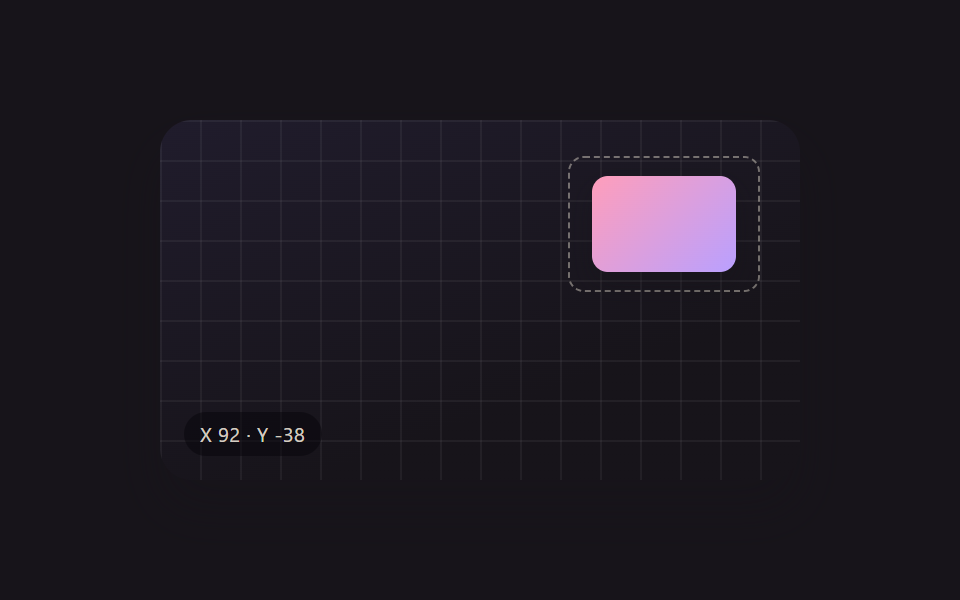 クリエイティブUIドラッグ ハンドル 9種 — キャンバスの自由変形ツールキット
 クリエイティブUI画像 編集 javascript のトリミングUI 9選
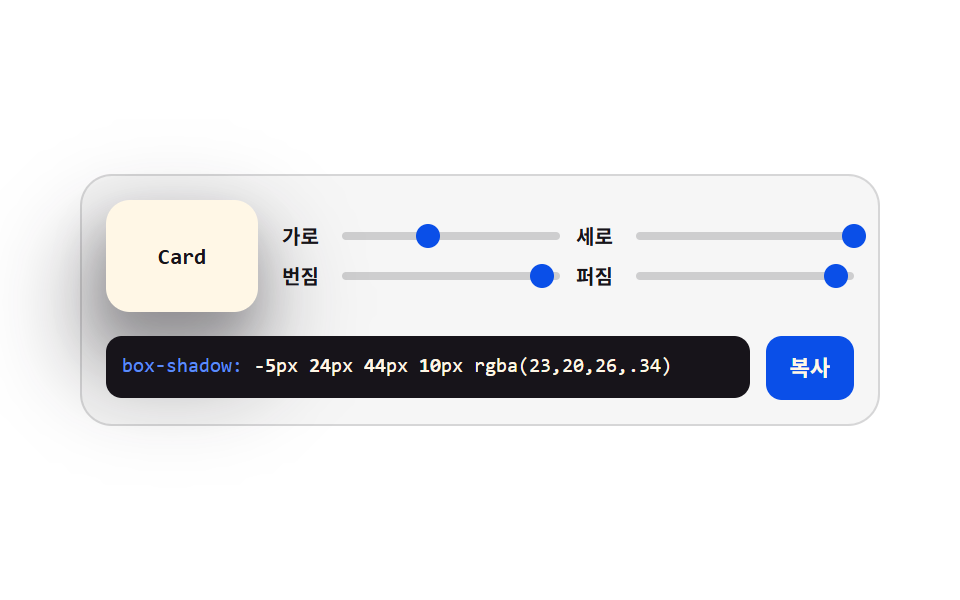 クリエイティブUIcss ジェネレーター 9種 — スライダーで作る css 影のつけ方
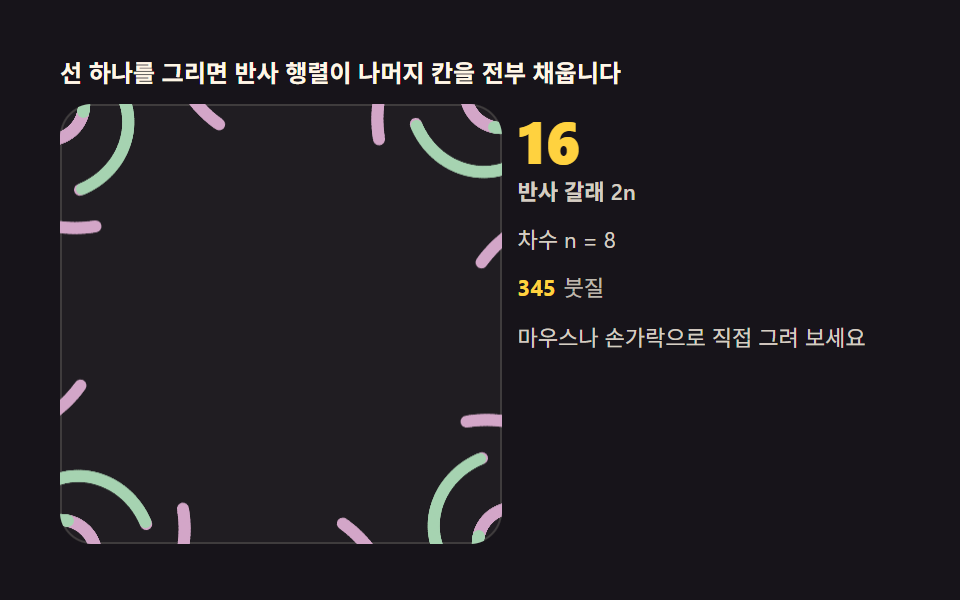 クリエイティブUI万華鏡 アプリ — 鏡の角度で描く対称お絵かき9種
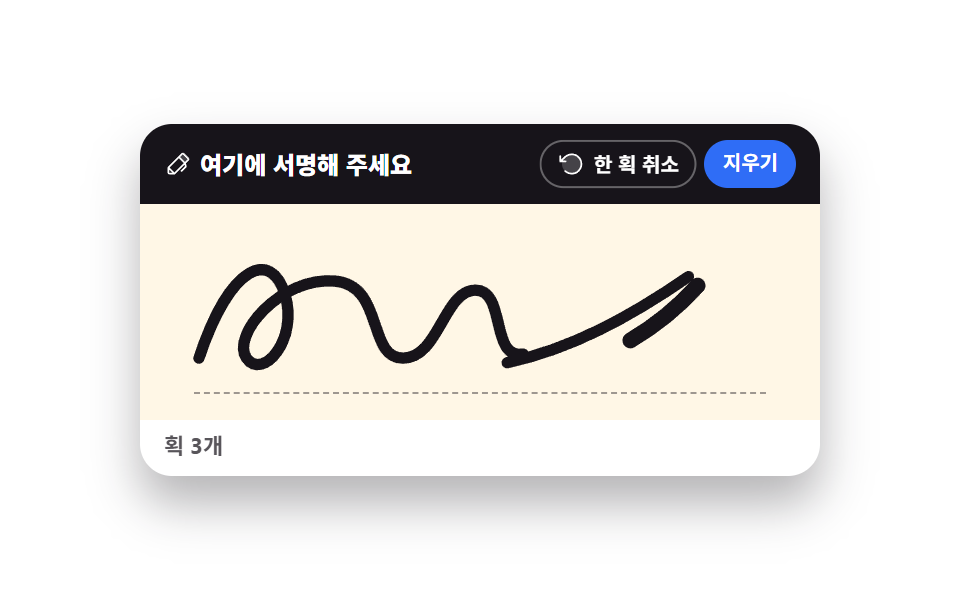 クリエイティブUIcanvas 手書きサインと描画UI 9選 — ライブラリなし
 クリエイティブUIcss 背景 パターン ジェネレーター 自作9種
 クリエイティブUIリサージュ曲線 作り方9選 — 波の干渉で描くキャンバス
 クリエイティブUI物理エンジン 作り方 9選 — Verletロープからラグドールまで
 クリエイティブUI流体シミュレーション9種 — canvas の煙・インク格子計算 (WebGLなし)
 クリエイティブUIネットワークグラフ9種 — 力で押し引きし自ら並ぶキャンバス