CSS アニメーション 順番に表示 9選 — コピペで動く
css アニメーション 順番に表示は、リストやグリッドの項目を一斉にではなく並び順に沿ってわずかな遅延を足し、一つずつ現れさせたり消えさせたりする実装方法です。9個のうち1つ(08)は変数もループも使わず、CSSの関数一行だけで並び順を読み取って遅延を計算します。
 01 stagger-animation-list-cascade
 02 stagger-animation-grid-wave
 03 stagger-animation-text-letters
 04 stagger-animation-card-flip-sequence
 05 stagger-animation-reverse-exit
 06 stagger-animation-circular-ripple
 07 stagger-animation-custom-property-calc
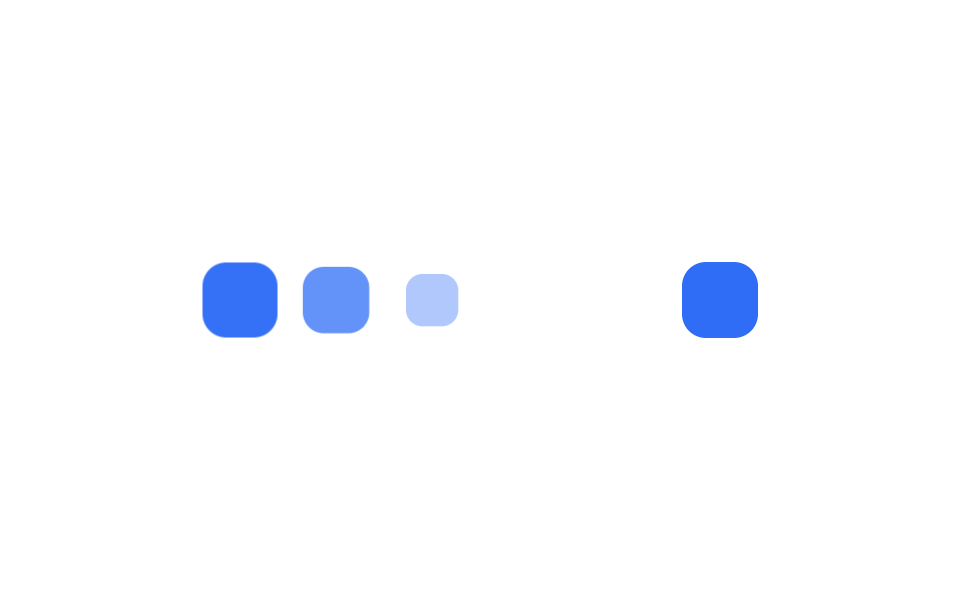 08 stagger-animation-sibling-index
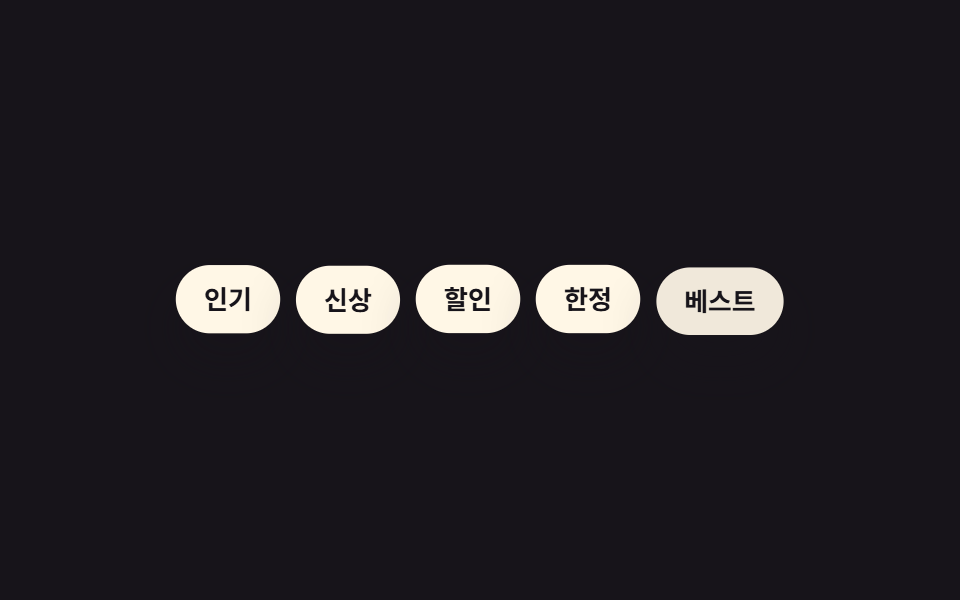 09 stagger-animation-random-delay-scss
自動再生 · タイルを押すとその項目へ · すべて1つのzip
- 01 リストのカスケード
- 02 グリッドウェーブ
- 03 文字単位のスタガー
- 04 カードの3D順次フリップ
- 05 逆順で退場
- 06 円形の波紋
- 07 --i変数とcalc()一行
- 08 sibling-index()で自動遅延
- 09 SCSS random()で疑似ランダム遅延
並び順は演出の派手さではなく、遅延の求め方がどれだけ自動化されているかを基準に並べました。まずnth-childと数値の掛け算だけで軸を変える3つ(01〜03)、形や向きを作り込む3つ(04〜06)、そして遅延そのものの出し方を変える3つ(07〜09)という流れです。css アニメーション サンプル のコードは遅延を決める核心の行だけを抜き出しており、9つとも実際に動くファイル一式はこの記事の圧縮ファイルに入っています。 項目が止まらず流れ続けるべき場面では遅延ではなく無限ループが答えになりCSS 無限ループ マーキー9選の側になりますし、順番ではなく進み具合を見せるならプログレスバー css アニメーション 9選です。
01リストのカスケード
css アニメーション フェードイン の遅らせ方
リスト項目3つが下にわずかに沈んで縮んだ状態で待機し、nth-childごとに90ms遅れて元の大きさへ浮かび上がります。
どこで使うか
単純なフェードより奥行きが出るので、通知フィードや検索結果のように新着が積み上がる一覧に向いています。
<main class="stage">
  <ul class="cascade is-demo">
    <li>新着メッセージ</li>
    <li>支払い完了</li>
    <li>ポイント獲得</li>
  </ul>
</main>
@use "../../../../site/static/demo-tokens" as *;
$duration: $dur-base; // 항목 하나가 나타나는 시간
$easing: $ease-pop; // 톡 튀어 올라오는 느낌
$stagger: 90ms; // 항목 사이 시차
@include stage($stage-ink);
.cascade {
margin: 0;
padding: 0;
list-style: none;
display: flex;
flex-wrap: wrap;
justify-content: center;
gap: 8px;
max-width: min(400px, 90vw);
font-weight: 600; font-size: clamp(12px, 3.4vw, 15px); line-height: 1.2; font-family: inherit;
li {
padding: clamp(8px, 2.6vw, 11px) clamp(12px, 3.4vw, 16px);
border-radius: $r-pill;
background: $subject-cream;
color: $stage-ink;
box-shadow: $shadow-raised;
animation: cascade-loop $dur-loop $easing infinite;
white-space: nowrap;
}
@for $i from 1 through 3 {
li:nth-child(#{$i}) { animation-delay: ($i - 1) * $stagger; }
}
}
@keyframes cascade-loop {
0%, 8% { opacity: 0; transform: translateY(14px) scale(.9); }
26%, 66% { opacity: 1; transform: translateY(0) scale(1); }
86%, 100% { opacity: 0; transform: translateY(-8px) scale(.96); }
}
@media (prefers-reduced-motion: reduce) {
.cascade li { animation: none; opacity: 1; transform: none; }
}html, body {
margin: 0;
overflow: hidden;
}
.stage {
box-sizing: border-box;
min-height: 100vh;
display: grid;
place-items: center;
margin: 0;
background: #17141a;
font-family: -apple-system, "Segoe UI", "Noto Sans KR", sans-serif;
padding: clamp(8px, 4vw, 24px);
}
.cascade {
margin: 0;
padding: 0;
list-style: none;
display: flex;
flex-wrap: wrap;
justify-content: center;
gap: 8px;
max-width: min(400px, 90vw);
font-weight: 600;
font-size: clamp(12px, 3.4vw, 15px);
line-height: 1.2;
font-family: inherit;
}
.cascade li {
padding: clamp(8px, 2.6vw, 11px) clamp(12px, 3.4vw, 16px);
border-radius: 999px;
background: #fff7e6;
color: #17141a;
box-shadow: 0 14px 24px rgba(23, 20, 26, 0.32);
animation: cascade-loop 2s cubic-bezier(0.2, 1.4, 0.4, 1) infinite;
white-space: nowrap;
}
.cascade li:nth-child(1) {
animation-delay: 0ms;
}
.cascade li:nth-child(2) {
animation-delay: 90ms;
}
.cascade li:nth-child(3) {
animation-delay: 180ms;
}
@keyframes cascade-loop {
0%, 8% {
opacity: 0;
transform: translateY(14px) scale(0.9);
}
26%, 66% {
opacity: 1;
transform: translateY(0) scale(1);
}
86%, 100% {
opacity: 0;
transform: translateY(-8px) scale(0.96);
}
}
@media (prefers-reduced-motion: reduce) {
.cascade li {
animation: none;
opacity: 1;
transform: none;
}
}import type { CSSProperties } from "react";
import styles from "./ListCascade.module.scss";
export type ListCascadeProps = {
items: string[];
/** 항목 하나가 나타나는 시간 (기본 300ms) */
duration?: number;
easing?: string;
/** 항목 사이 시차 ms (기본 90ms) */
stagger?: number;
};
export default function ListCascade({
items,
duration = 300,
easing = "cubic-bezier(.2,1.4,.4,1)",
stagger = 90,
}: ListCascadeProps) {
return (
<ul className={styles.cascade} style={{ "--duration": `${duration}ms`, "--easing": easing } as CSSProperties}>
{items.map((label, i) => (
<li key={label} style={{ animationDelay: `${i * stagger}ms` }}>
{label}
</li>
))}
</ul>
);
}01 · リストのカスケード — 計測 累積面積 9.301% · 動いたフレーム 12/23GODRICH オリジナル · SCSS と React は zip に同梱 · パスワードを見る
.cascade li {
  animation: cascade-loop $dur-loop $ease-pop infinite;
}

@for $i from 1 through 3 {
  li:nth-child(#{$i}) {
    animation-delay: ($i - 1) * 90ms;
  }
}

@keyframes cascade-loop {
  0%, 8%   { opacity: 0; transform: translateY(14px) scale(.9); }
  26%, 66% { opacity: 1; transform: translateY(0) scale(1); }
}
02グリッドウェーブ
どう動くか
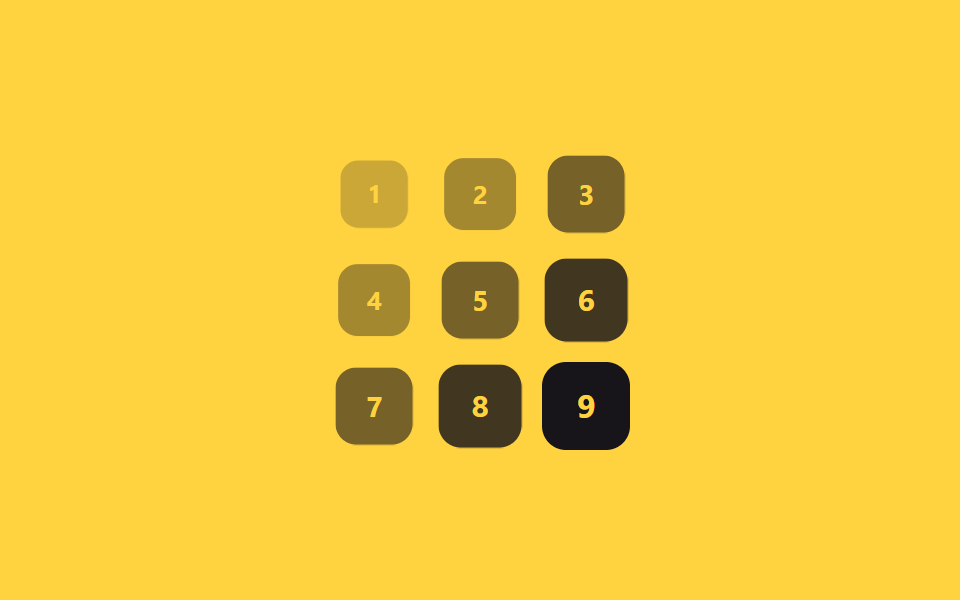
3×3のグリッドカード9枚に、自分の行番号と列番号を足した値へ70msを掛けた遅延を割り当てています。
どこで使うか
左上から右下へ対角線状に波打つ順で現れるので、ダッシュボードのカードやギャラリーのサムネイルに使いやすい並びです。
<main class="stage">
  <div class="grid is-demo">
    <span class="cell">1</span><span class="cell">2</span><span class="cell">3</span>
    <span class="cell">4</span><span class="cell">5</span><span class="cell">6</span>
    <span class="cell">7</span><span class="cell">8</span><span class="cell">9</span>
  </div>
</main>
@use "sass:math";
@use "../../../../site/static/demo-tokens" as *;
$duration: $dur-base; // 칸 하나가 나타나는 시간
$easing: $ease-out; // 시작 빠르고 끝은 부드럽게
$wave: 70ms; // (행+열) 1당 시차 계수
@include stage($stage-yellow);
.grid {
display: grid;
grid-template-columns: repeat(3, 1fr);
gap: clamp(5px, 1.8vw, 10px);
width: min(150px, 50vw);
aspect-ratio: 1;
}
.cell {
display: grid;
place-items: center;
border-radius: $r-control;
background: $stage-ink;
color: $stage-yellow;
font-weight: 700; font-size: clamp(12px, 3.4vw, 16px); line-height: 1; font-family: inherit;
}
// 반복 재생은 데모 상태에서만 — 정지 상태의 칸은 불투명해야 글자가 읽힌다(옐로 글자 · 먹 면 12.63:1)
.grid.is-demo .cell { animation: wave-loop $dur-loop $easing infinite; }
$cols: 3;
@for $i from 1 through 9 {
$row: math.floor(math.div($i - 1, $cols));
$col: ($i - 1) % $cols;
.grid.is-demo .cell:nth-child(#{$i}) { animation-delay: ($row + $col) * $wave; }
}
@keyframes wave-loop {
0%, 6% { opacity: 0; transform: scale(.5); }
22%, 62% { opacity: 1; transform: scale(1); }
84%, 100% { opacity: 0; transform: scale(.7); }
}
@media (prefers-reduced-motion: reduce) {
.cell { animation: none; opacity: 1; transform: none; }
}html, body {
margin: 0;
overflow: hidden;
}
.stage {
box-sizing: border-box;
min-height: 100vh;
display: grid;
place-items: center;
margin: 0;
background: #ffd23f;
font-family: -apple-system, "Segoe UI", "Noto Sans KR", sans-serif;
padding: clamp(8px, 4vw, 24px);
}
.grid {
display: grid;
grid-template-columns: repeat(3, 1fr);
gap: clamp(5px, 1.8vw, 10px);
width: min(150px, 50vw);
aspect-ratio: 1;
}
.cell {
display: grid;
place-items: center;
border-radius: 12px;
background: #17141a;
color: #ffd23f;
font-weight: 700;
font-size: clamp(12px, 3.4vw, 16px);
line-height: 1;
font-family: inherit;
}
.grid.is-demo .cell {
animation: wave-loop 2s ease-out infinite;
}
.grid.is-demo .cell:nth-child(1) {
animation-delay: 0ms;
}
.grid.is-demo .cell:nth-child(2) {
animation-delay: 70ms;
}
.grid.is-demo .cell:nth-child(3) {
animation-delay: 140ms;
}
.grid.is-demo .cell:nth-child(4) {
animation-delay: 70ms;
}
.grid.is-demo .cell:nth-child(5) {
animation-delay: 140ms;
}
.grid.is-demo .cell:nth-child(6) {
animation-delay: 210ms;
}
.grid.is-demo .cell:nth-child(7) {
animation-delay: 140ms;
}
.grid.is-demo .cell:nth-child(8) {
animation-delay: 210ms;
}
.grid.is-demo .cell:nth-child(9) {
animation-delay: 280ms;
}
@keyframes wave-loop {
0%, 6% {
opacity: 0;
transform: scale(0.5);
}
22%, 62% {
opacity: 1;
transform: scale(1);
}
84%, 100% {
opacity: 0;
transform: scale(0.7);
}
}
@media (prefers-reduced-motion: reduce) {
.cell {
animation: none;
opacity: 1;
transform: none;
}
}import styles from "./GridWave.module.scss";
export type GridWaveProps = {
cells?: (string | number)[];
cols?: number;
/** (행+열) 1당 시차 ms (기본 70ms) */
wave?: number;
duration?: number;
easing?: string;
};
export default function GridWave({
cells = [1, 2, 3, 4, 5, 6, 7, 8, 9],
cols = 3,
wave = 70,
duration = 300,
easing = "ease-out",
}: GridWaveProps) {
return (
<div className={styles.grid}>
{cells.map((cell, i) => {
const row = Math.floor(i / cols);
const col = i % cols;
return (
<span
key={i}
className={styles.cell}
style={{
animationDelay: `${(row + col) * wave}ms`,
animationDuration: "2s",
transitionDuration: `${duration}ms`,
transitionTimingFunction: easing,
}}
>
{cell}
</span>
);
})}
</div>
);
}02 · グリッドウェーブ — 計測 累積面積 11.562% · 動いたフレーム 18/23GODRICH オリジナル · SCSS と React は zip に同梱 · パスワードを見る
$cols: 3;
@for $i from 1 through 9 {
  $row: math.floor(math.div($i - 1, $cols));
  $col: ($i - 1) % $cols;
  .cell:nth-child(#{$i}) {
    animation-delay: ($row + $col) * 70ms;
  }
}

@keyframes wave-loop {
  0%, 6%   { opacity: 0; transform: scale(.5); }
  22%, 62% { opacity: 1; transform: scale(1); }
}
03文字単位のスタガー
どう動くか
見出しの文字を1つずつspanで包み、30msずつ遅らせて下から跳ね上がらせています。
どこで使うか
文章がまとめて出るのではなく1文字ずつ着地するので、ロゴのイントロやヒーローの見出しのように第一印象が勝負の場所に合います。
<main class="stage">
  <h1 class="letters is-demo">
    <span>こ</span><span>ん</span><span>に</span><span>ち</span><span>は</span>
  </h1>
</main>
@use "../../../../site/static/demo-tokens" as *;
$duration: $dur-quick; // 글자 하나가 튀어오르는 시간
$easing: $ease-pop; // 아래에서 튀어오르는 느낌
$stagger: 30ms; // 글자 사이 시차
@include stage($stage-orange);
.letters {
margin: 0;
display: flex;
gap: clamp(2px, 1vw, 6px);
font-weight: 800; font-size: clamp(24px, 9vw, 40px); line-height: 1; font-family: inherit;
color: $subject-cream;
span {
display: inline-block;
animation: letter-loop $dur-loop $easing infinite;
}
@for $i from 1 through 5 {
span:nth-child(#{$i}) { animation-delay: ($i - 1) * $stagger; }
}
}
@keyframes letter-loop {
0%, 4% { opacity: 0; transform: translateY(16px); }
20%, 66% { opacity: 1; transform: translateY(0); }
86%, 100% { opacity: 0; transform: translateY(-10px); }
}
@media (prefers-reduced-motion: reduce) {
.letters span { animation: none; opacity: 1; transform: none; }
}html, body {
margin: 0;
overflow: hidden;
}
.stage {
box-sizing: border-box;
min-height: 100vh;
display: grid;
place-items: center;
margin: 0;
background: #ff4d1f;
font-family: -apple-system, "Segoe UI", "Noto Sans KR", sans-serif;
padding: clamp(8px, 4vw, 24px);
}
.letters {
margin: 0;
display: flex;
gap: clamp(2px, 1vw, 6px);
font-weight: 800;
font-size: clamp(24px, 9vw, 40px);
line-height: 1;
font-family: inherit;
color: #fff7e6;
}
.letters span {
display: inline-block;
animation: letter-loop 2s cubic-bezier(0.2, 1.4, 0.4, 1) infinite;
}
.letters span:nth-child(1) {
animation-delay: 0ms;
}
.letters span:nth-child(2) {
animation-delay: 30ms;
}
.letters span:nth-child(3) {
animation-delay: 60ms;
}
.letters span:nth-child(4) {
animation-delay: 90ms;
}
.letters span:nth-child(5) {
animation-delay: 120ms;
}
@keyframes letter-loop {
0%, 4% {
opacity: 0;
transform: translateY(16px);
}
20%, 66% {
opacity: 1;
transform: translateY(0);
}
86%, 100% {
opacity: 0;
transform: translateY(-10px);
}
}
@media (prefers-reduced-motion: reduce) {
.letters span {
animation: none;
opacity: 1;
transform: none;
}
}export type LetterStaggerProps = {
text: string;
/** 글자 사이 시차 ms (기본 30ms) */
stagger?: number;
duration?: number;
easing?: string;
};
import styles from "./LetterStagger.module.scss";
export default function LetterStagger({ text, stagger = 30 }: LetterStaggerProps) {
return (
<h1 className={styles.letters}>
{[...text].map((ch, i) => (
<span key={i} style={{ animationDelay: `${i * stagger}ms` }}>
{ch}
</span>
))}
</h1>
);
}03 · 文字単位のスタガー — 計測 累積面積 4.64% · 動いたフレーム 10/23GODRICH オリジナル · SCSS と React は zip に同梱 · パスワードを見る
.letters span {
  animation: letter-loop $dur-loop $ease-pop infinite;
}

@for $i from 1 through 5 {
  span:nth-child(#{$i}) {
    animation-delay: ($i - 1) * 30ms;
  }
}

@keyframes letter-loop {
  0%, 4%   { opacity: 0; transform: translateY(16px); }
  20%, 66% { opacity: 1; transform: translateY(0); }
}
04カードの3D順次フリップ
どう動くか
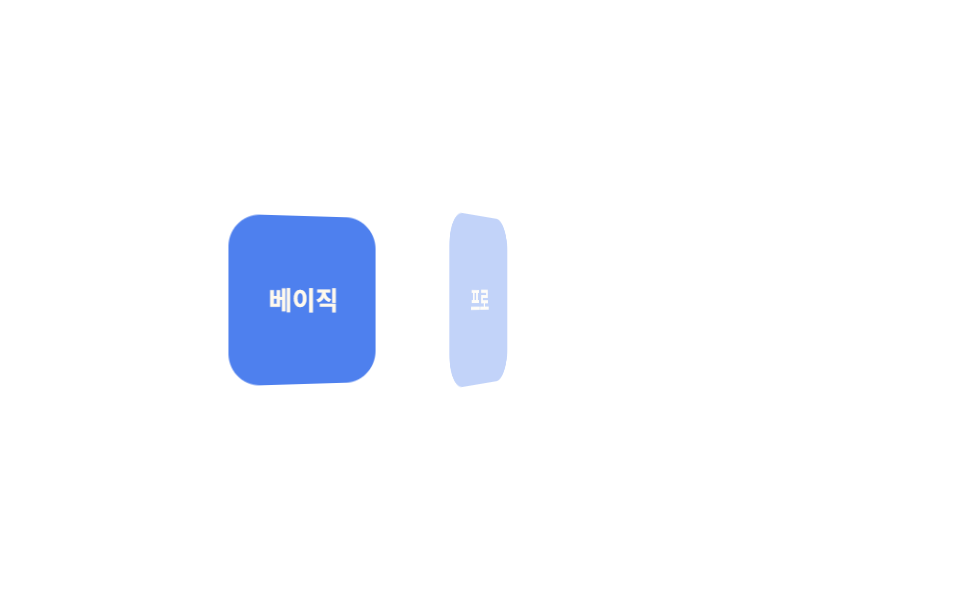
カード3枚がY軸に90度倒れた状態で待ち、150msずつ遅れて1枚ずつrotateYで開いて正面を見せます。
どこで使うか
奥行きを作るperspectiveは回転する.card自身ではなく親の.cardsに置かないと、ただの平らな回転になってしまいます。
<main class="stage">
  <div class="cards is-demo">
    <div class="card">ベーシック</div>
    <div class="card">プロ</div>
    <div class="card">チーム</div>
  </div>
</main>
@use "../../../../site/static/demo-tokens" as *;
$duration: $dur-base; // 카드 한 장이 펴지는 시간
$easing: $ease-out; // 시작 빠르고 끝은 부드럽게
$stagger: 150ms; // 카드 사이 시차
@include stage($stage-paper);
.cards {
display: flex;
gap: clamp(8px, 2.6vw, 14px);
perspective: 600px;
}
.card {
width: clamp(56px, 16vw, 76px);
height: clamp(64px, 18vw, 84px);
display: grid;
place-items: center;
border-radius: $r-card;
background: $subject-blue-deep;
color: $subject-cream;
font-weight: 700; font-size: clamp(11px, 3vw, 13px); line-height: 1.2; font-family: inherit;
transform-style: preserve-3d;
}
// 반복 재생은 데모 상태에서만 — 정지 상태의 카드는 불투명해야 글자가 읽힌다(크림 글자 · 진파랑 면 5.98:1)
.cards.is-demo .card { animation: flip-loop $dur-loop $easing infinite; }
@for $i from 1 through 3 {
.cards.is-demo .card:nth-child(#{$i}) { animation-delay: ($i - 1) * $stagger; }
}
@keyframes flip-loop {
0%, 6% { opacity: 0; transform: rotateY(90deg); }
26%, 66% { opacity: 1; transform: rotateY(0deg); }
86%, 100% { opacity: 0; transform: rotateY(-90deg); }
}
@media (prefers-reduced-motion: reduce) {
.card { animation: none; opacity: 1; transform: none; }
}html, body {
margin: 0;
overflow: hidden;
}
.stage {
box-sizing: border-box;
min-height: 100vh;
display: grid;
place-items: center;
margin: 0;
background: #ffffff;
font-family: -apple-system, "Segoe UI", "Noto Sans KR", sans-serif;
padding: clamp(8px, 4vw, 24px);
}
.cards {
display: flex;
gap: clamp(8px, 2.6vw, 14px);
perspective: 600px;
}
.card {
width: clamp(56px, 16vw, 76px);
height: clamp(64px, 18vw, 84px);
display: grid;
place-items: center;
border-radius: 16px;
background: #0a4fe8;
color: #fff7e6;
font-weight: 700;
font-size: clamp(11px, 3vw, 13px);
line-height: 1.2;
font-family: inherit;
transform-style: preserve-3d;
}
.cards.is-demo .card {
animation: flip-loop 2s ease-out infinite;
}
.cards.is-demo .card:nth-child(1) {
animation-delay: 0ms;
}
.cards.is-demo .card:nth-child(2) {
animation-delay: 150ms;
}
.cards.is-demo .card:nth-child(3) {
animation-delay: 300ms;
}
@keyframes flip-loop {
0%, 6% {
opacity: 0;
transform: rotateY(90deg);
}
26%, 66% {
opacity: 1;
transform: rotateY(0deg);
}
86%, 100% {
opacity: 0;
transform: rotateY(-90deg);
}
}
@media (prefers-reduced-motion: reduce) {
.card {
animation: none;
opacity: 1;
transform: none;
}
}import styles from "./CardFlipSequence.module.scss";
export type CardFlipSequenceProps = {
cards: string[];
/** 카드 사이 시차 ms (기본 150ms) */
stagger?: number;
duration?: number;
easing?: string;
};
export default function CardFlipSequence({ cards, stagger = 150 }: CardFlipSequenceProps) {
return (
<div className={styles.cards}>
{cards.map((label, i) => (
<div key={label} className={styles.card} style={{ animationDelay: `${i * stagger}ms` }}>
{label}
</div>
))}
</div>
);
}04 · カードの3D順次フリップ — 計測 累積面積 13.364% · 動いたフレーム 17/23GODRICH オリジナル · SCSS と React は zip に同梱 · パスワードを見る
.cards {
  perspective: 600px;
}

.card {
  transform-style: preserve-3d;
  animation: flip-loop $dur-loop $ease-out infinite;
}

@for $i from 1 through 3 {
  .card:nth-child(#{$i}) {
    animation-delay: ($i - 1) * 150ms;
  }
}

@keyframes flip-loop {
  0%, 6%   { opacity: 0; transform: rotateY(90deg); }
  26%, 66% { opacity: 1; transform: rotateY(0deg); }
}
05逆順で退場
どう動くか
トースト3つは登場するときは上から順に並びますが、消えるときはexit-1・exit-2・exit-3という個別のkeyframesによって下から逆順に消えます。
どこで使うか
削除の確認リストや通知の片付けでは、後から来たものから先に消える方が自然です。
<main class="stage">
  <ul class="toasts is-demo">
    <li>保存済み</li>
    <li>共有済み</li>
    <li>完了</li>
  </ul>
</main>
@use "../../../../site/static/demo-tokens" as *;
$duration: $dur-base; // 항목 한 개가 트랜지션되는 시간
$easing: $ease-out; // 시작 빠르고 끝은 부드럽게
$color: $subject-cream; // 항목 배경색
@include stage($stage-ink);
.toasts {
margin: 0;
padding: 0;
list-style: none;
display: flex;
flex-wrap: wrap;
justify-content: center;
gap: 8px;
max-width: min(360px, 88vw);
font-weight: 600; font-size: clamp(12px, 3.4vw, 15px); line-height: 1.2; font-family: inherit;
li {
padding: clamp(8px, 2.6vw, 11px) clamp(14px, 3.6vw, 18px);
border-radius: $r-pill;
background: $color;
color: $stage-ink;
box-shadow: $shadow-raised;
}
}
// 들어올 땐 위(01)→아래(03) 순, 나갈 땐 아래(03)→위(01) 순 — 방향이 반대다
@keyframes exit-1 {
0%, 5% { opacity: 0; transform: translateY(-8px); }
15%, 78% { opacity: 1; transform: translateY(0); }
90%, 100% { opacity: 0; transform: translateY(-8px); }
}
@keyframes exit-2 {
0%, 15% { opacity: 0; transform: translateY(-8px); }
25%, 63% { opacity: 1; transform: translateY(0); }
75%, 100% { opacity: 0; transform: translateY(-8px); }
}
@keyframes exit-3 {
0%, 25% { opacity: 0; transform: translateY(-8px); }
35%, 53% { opacity: 1; transform: translateY(0); }
65%, 100% { opacity: 0; transform: translateY(-8px); }
}
.toasts li:nth-child(1) { animation: exit-1 $dur-loop $easing infinite; }
.toasts li:nth-child(2) { animation: exit-2 $dur-loop $easing infinite; }
.toasts li:nth-child(3) { animation: exit-3 $dur-loop $easing infinite; }
@media (prefers-reduced-motion: reduce) {
.toasts li { animation: none; opacity: 1; transform: none; }
}html, body {
margin: 0;
overflow: hidden;
}
.stage {
box-sizing: border-box;
min-height: 100vh;
display: grid;
place-items: center;
margin: 0;
background: #17141a;
font-family: -apple-system, "Segoe UI", "Noto Sans KR", sans-serif;
padding: clamp(8px, 4vw, 24px);
}
.toasts {
margin: 0;
padding: 0;
list-style: none;
display: flex;
flex-wrap: wrap;
justify-content: center;
gap: 8px;
max-width: min(360px, 88vw);
font-weight: 600;
font-size: clamp(12px, 3.4vw, 15px);
line-height: 1.2;
font-family: inherit;
}
.toasts li {
padding: clamp(8px, 2.6vw, 11px) clamp(14px, 3.6vw, 18px);
border-radius: 999px;
background: #fff7e6;
color: #17141a;
box-shadow: 0 14px 24px rgba(23, 20, 26, 0.32);
}
@keyframes exit-1 {
0%, 5% {
opacity: 0;
transform: translateY(-8px);
}
15%, 78% {
opacity: 1;
transform: translateY(0);
}
90%, 100% {
opacity: 0;
transform: translateY(-8px);
}
}
@keyframes exit-2 {
0%, 15% {
opacity: 0;
transform: translateY(-8px);
}
25%, 63% {
opacity: 1;
transform: translateY(0);
}
75%, 100% {
opacity: 0;
transform: translateY(-8px);
}
}
@keyframes exit-3 {
0%, 25% {
opacity: 0;
transform: translateY(-8px);
}
35%, 53% {
opacity: 1;
transform: translateY(0);
}
65%, 100% {
opacity: 0;
transform: translateY(-8px);
}
}
.toasts li:nth-child(1) {
animation: exit-1 2s ease-out infinite;
}
.toasts li:nth-child(2) {
animation: exit-2 2s ease-out infinite;
}
.toasts li:nth-child(3) {
animation: exit-3 2s ease-out infinite;
}
@media (prefers-reduced-motion: reduce) {
.toasts li {
animation: none;
opacity: 1;
transform: none;
}
}import styles from "./ReverseExit.module.scss";
export type ReverseExitProps = {
/** 정확히 3개 — 들어올 땐 위→아래 순, 나갈 땐 아래→위 역순 */
items: [string, string, string];
};
const CLASS = [styles.exit1, styles.exit2, styles.exit3];
export default function ReverseExit({ items }: ReverseExitProps) {
return (
<ul className={styles.toasts}>
{items.map((label, i) => (
<li key={label} className={CLASS[i]}>
{label}
</li>
))}
</ul>
);
}05 · 逆順で退場 — 計測 累積面積 6.794% · 動いたフレーム 17/23GODRICH オリジナル · SCSS と React は zip に同梱 · パスワードを見る
@keyframes exit-1 {
  0%, 5%    { opacity: 0; transform: translateY(-8px); }
  15%, 78%  { opacity: 1; transform: translateY(0); }
  90%, 100% { opacity: 0; transform: translateY(-8px); }
}
@keyframes exit-3 {
  0%, 25%   { opacity: 0; transform: translateY(-8px); }
  35%, 53%  { opacity: 1; transform: translateY(0); }
  65%, 100% { opacity: 0; transform: translateY(-8px); }
}
06円形の波紋
どう動くか
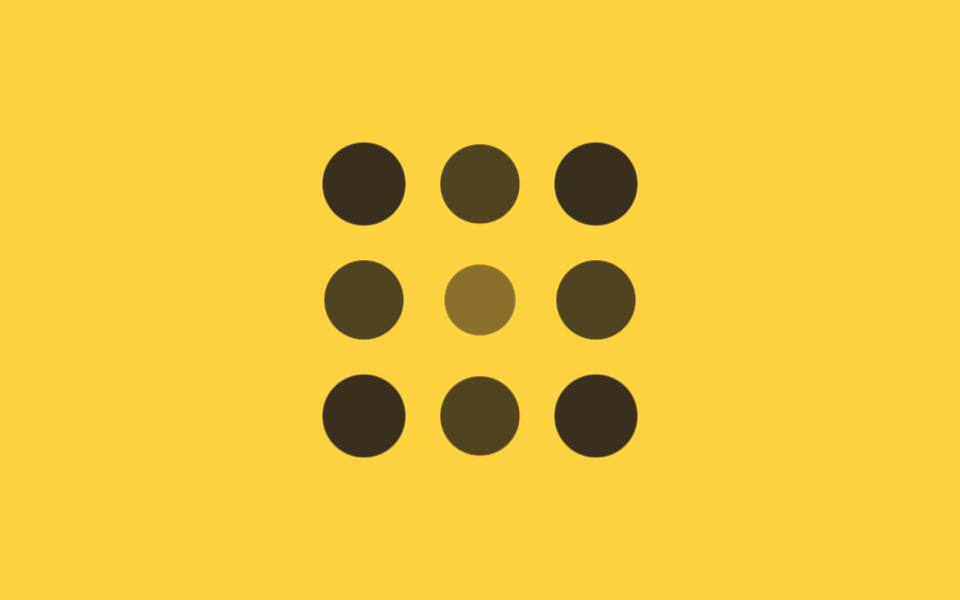
3×3に並んだ点9個の遅延を、中央のマスまでの距離に90msを掛けて決めています。
どこで使うか
角のマスは対角距離(√2倍)ぶん最も遅く、中央は遅延0で真っ先に膨らみ始めるので、波紋が中心から外へ広がって見えます。
<main class="stage">
  <div class="ripple is-demo">
    <span></span><span></span><span></span>
    <span></span><span></span><span></span>
    <span></span><span></span><span></span>
  </div>
</main>
@use "../../../../site/static/demo-tokens" as *;
$duration: $dur-base; // 점 하나가 커지는 시간
$easing: $ease-out; // 시작 빠르고 끝은 부드럽게
$step: 90ms; // 중심 거리 1당 시차 계수
@include stage($stage-yellow);
.ripple {
display: grid;
grid-template-columns: repeat(3, 1fr);
gap: clamp(10px, 3vw, 16px);
width: min(160px, 55vw);
aspect-ratio: 1;
span {
border-radius: 50%;
background: $stage-ink;
animation: ripple-loop $dur-loop $easing infinite;
}
// 3×3, 중심(칸 5)까지의 거리 × $step — 코너는 √2, 변은 1, 중심은 0
span:nth-child(1) { animation-delay: $step * 1.41; }
span:nth-child(2) { animation-delay: $step * 1; }
span:nth-child(3) { animation-delay: $step * 1.41; }
span:nth-child(4) { animation-delay: $step * 1; }
span:nth-child(5) { animation-delay: 0ms; }
span:nth-child(6) { animation-delay: $step * 1; }
span:nth-child(7) { animation-delay: $step * 1.41; }
span:nth-child(8) { animation-delay: $step * 1; }
span:nth-child(9) { animation-delay: $step * 1.41; }
}
@keyframes ripple-loop {
0%, 4% { opacity: 0; transform: scale(.3); }
24%, 58% { opacity: 1; transform: scale(1); }
84%, 100% { opacity: 0; transform: scale(.6); }
}
@media (prefers-reduced-motion: reduce) {
.ripple span { animation: none; opacity: 1; transform: none; }
}html, body {
margin: 0;
overflow: hidden;
}
.stage {
box-sizing: border-box;
min-height: 100vh;
display: grid;
place-items: center;
margin: 0;
background: #ffd23f;
font-family: -apple-system, "Segoe UI", "Noto Sans KR", sans-serif;
padding: clamp(8px, 4vw, 24px);
}
.ripple {
display: grid;
grid-template-columns: repeat(3, 1fr);
gap: clamp(10px, 3vw, 16px);
width: min(160px, 55vw);
aspect-ratio: 1;
}
.ripple span {
border-radius: 50%;
background: #17141a;
animation: ripple-loop 2s ease-out infinite;
}
.ripple span:nth-child(1) {
animation-delay: 126.9ms;
}
.ripple span:nth-child(2) {
animation-delay: 90ms;
}
.ripple span:nth-child(3) {
animation-delay: 126.9ms;
}
.ripple span:nth-child(4) {
animation-delay: 90ms;
}
.ripple span:nth-child(5) {
animation-delay: 0ms;
}
.ripple span:nth-child(6) {
animation-delay: 90ms;
}
.ripple span:nth-child(7) {
animation-delay: 126.9ms;
}
.ripple span:nth-child(8) {
animation-delay: 90ms;
}
.ripple span:nth-child(9) {
animation-delay: 126.9ms;
}
@keyframes ripple-loop {
0%, 4% {
opacity: 0;
transform: scale(0.3);
}
24%, 58% {
opacity: 1;
transform: scale(1);
}
84%, 100% {
opacity: 0;
transform: scale(0.6);
}
}
@media (prefers-reduced-motion: reduce) {
.ripple span {
animation: none;
opacity: 1;
transform: none;
}
}import styles from "./CircularRipple.module.scss";
// 3×3, 중심(인덱스 4)까지의 거리 — 코너는 √2, 변은 1, 중심은 0
const DIST = [Math.SQRT2, 1, Math.SQRT2, 1, 0, 1, Math.SQRT2, 1, Math.SQRT2];
export type CircularRippleProps = {
/** 중심 거리 1당 시차 ms (기본 90ms) */
step?: number;
};
export default function CircularRipple({ step = 90 }: CircularRippleProps) {
return (
<div className={styles.ripple}>
{DIST.map((d, i) => (
<span key={i} style={{ animationDelay: `${d * step}ms` }} />
))}
</div>
);
}06 · 円形の波紋 — 計測 累積面積 9.975% · 動いたフレーム 15/23GODRICH オリジナル · SCSS と React は zip に同梱 · パスワードを見る
.ripple span {
  animation: ripple-loop $dur-loop $ease-out infinite;
}

// 3×3、中央(5番目)までの距離 × $step — 角は√2、辺は1、中央は0
span:nth-child(1) { animation-delay: 90ms * 1.41; }
span:nth-child(5) { animation-delay: 0ms; }
span:nth-child(9) { animation-delay: 90ms * 1.41; }

@keyframes ripple-loop {
  0%, 4%   { opacity: 0; transform: scale(.3); }
  24%, 58% { opacity: 1; transform: scale(1); }
}
07--i変数とcalc()一行
どう動くか
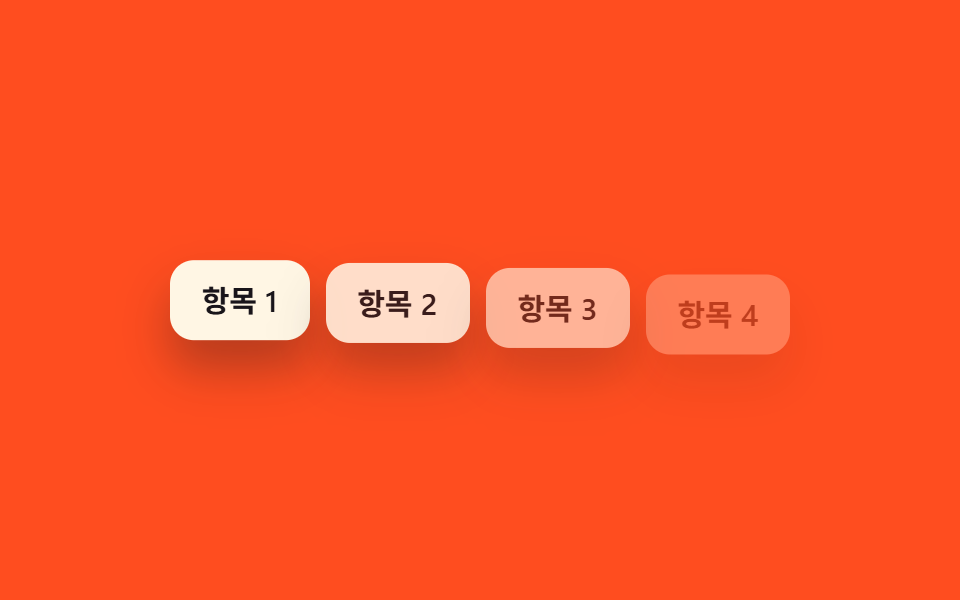
各要素のインラインstyleに--iの値だけを0から順に振っておけば、CSS側はループを1行も書かずにcalc(var(--i) * 80ms)だけで遅延を出せます。
どこで使うか
@forもnth-childも要らないので、項目数が増減してもスタイルを再コンパイルする必要がありません。
<main class="stage">
  <ul class="i-list is-demo">
    <li style="--i:0">項目1</li>
    <li style="--i:1">項目2</li>
    <li style="--i:2">項目3</li>
    <li style="--i:3">項目4</li>
  </ul>
</main>
@use "../../../../site/static/demo-tokens" as *;
$duration: $dur-quick; // 항목 하나가 나타나는 시간
$easing: $ease-out; // 시작 빠르고 끝은 부드럽게
$stagger: 80ms; // --i 1당 시차
@include stage($stage-orange);
.i-list {
margin: 0;
padding: 0;
list-style: none;
display: flex;
flex-wrap: wrap;
justify-content: center;
gap: 8px;
max-width: min(360px, 88vw);
font-weight: 600; font-size: clamp(12px, 3.4vw, 15px); line-height: 1.2; font-family: inherit;
li {
padding: clamp(8px, 2.6vw, 11px) clamp(12px, 3.4vw, 16px);
border-radius: $r-control;
background: $subject-cream;
color: $stage-ink;
box-shadow: $shadow-raised;
animation: i-loop $dur-loop $easing infinite;
animation-delay: calc(var(--i) * #{$stagger}); // ← --i 변수 + calc 한 줄
}
}
@keyframes i-loop {
0%, 6% { opacity: 0; transform: translateY(10px); }
22%, 68% { opacity: 1; transform: translateY(0); }
88%, 100% { opacity: 0; transform: translateY(6px); }
}
@media (prefers-reduced-motion: reduce) {
.i-list li { animation: none; opacity: 1; transform: none; }
}html, body {
margin: 0;
overflow: hidden;
}
.stage {
box-sizing: border-box;
min-height: 100vh;
display: grid;
place-items: center;
margin: 0;
background: #ff4d1f;
font-family: -apple-system, "Segoe UI", "Noto Sans KR", sans-serif;
padding: clamp(8px, 4vw, 24px);
}
.i-list {
margin: 0;
padding: 0;
list-style: none;
display: flex;
flex-wrap: wrap;
justify-content: center;
gap: 8px;
max-width: min(360px, 88vw);
font-weight: 600;
font-size: clamp(12px, 3.4vw, 15px);
line-height: 1.2;
font-family: inherit;
}
.i-list li {
padding: clamp(8px, 2.6vw, 11px) clamp(12px, 3.4vw, 16px);
border-radius: 12px;
background: #fff7e6;
color: #17141a;
box-shadow: 0 14px 24px rgba(23, 20, 26, 0.32);
animation: i-loop 2s ease-out infinite;
animation-delay: calc(var(--i) * 80ms);
}
@keyframes i-loop {
0%, 6% {
opacity: 0;
transform: translateY(10px);
}
22%, 68% {
opacity: 1;
transform: translateY(0);
}
88%, 100% {
opacity: 0;
transform: translateY(6px);
}
}
@media (prefers-reduced-motion: reduce) {
.i-list li {
animation: none;
opacity: 1;
transform: none;
}
}import type { CSSProperties } from "react";
import styles from "./CustomPropertyList.module.scss";
type Vars = CSSProperties & { "--i"?: number };
export type CustomPropertyListProps = {
items: string[];
/** --i 1당 시차 ms (기본 80ms) — CSS 쪽 calc(var(--i) * 80ms) 한 줄이 실제 계산을 한다 */
stagger?: number;
};
export default function CustomPropertyList({ items }: CustomPropertyListProps) {
return (
<ul className={styles.list}>
{items.map((label, i) => (
<li key={label} style={{ "--i": i } as Vars}>
{label}
</li>
))}
</ul>
);
}07 · --i変数とcalc()一行 — 計測 累積面積 13.745% · 動いたフレーム 15/23GODRICH オリジナル · SCSS と React は zip に同梱 · パスワードを見る
// html: <li style="--i:0">, <li style="--i:1">, ...
.i-list li {
  animation: i-loop $dur-loop $ease-out infinite;
  animation-delay: calc(var(--i) * 80ms);
}

@keyframes i-loop {
  0%, 6%   { opacity: 0; transform: translateY(10px); }
  22%, 68% { opacity: 1; transform: translateY(0); }
}
08sibling-index()で自動遅延
どう動くか
タイル6枚には--iのようなインライン変数を1つも付けず、animation-delay: calc(sibling-index() * 100ms)という1行だけで兄弟内の順序を直接読み取らせています。
どこで使うか
マークアップは07よりさらに軽くなりますが、対応は今のところChrome/Edge 138以降に限られます(caniuseのsibling-index()対応表)。
<main class="stage">
  <div class="tiles is-demo">
    <span></span><span></span><span></span>
    <span></span><span></span><span></span>
  </div>
</main>
@use "../../../../site/static/demo-tokens" as *;
$duration: $dur-quick; // 타일 하나가 나타나는 시간
$easing: $ease-out; // 시작 빠르고 끝은 부드럽게
$stagger: 100ms; // 형제 순서 1당 시차
@include stage($stage-paper);
// sibling-index() 는 --i 변수도 nth-child 반복문도 없이 형제 순서를 직접 읽는다 (Chrome/Edge 138+)
.tiles {
display: flex;
gap: clamp(6px, 2vw, 10px);
span {
width: clamp(30px, 8vw, 40px);
height: clamp(30px, 8vw, 40px);
border-radius: $r-control;
background: $subject-blue;
animation: tile-loop $dur-loop $easing infinite;
animation-delay: calc(sibling-index() * #{$stagger});
}
}
@keyframes tile-loop {
0%, 6% { opacity: 0; transform: scale(.5); }
22%, 68% { opacity: 1; transform: scale(1); }
88%, 100% { opacity: 0; transform: scale(.7); }
}
@media (prefers-reduced-motion: reduce) {
.tiles span { animation: none; opacity: 1; transform: none; }
}html, body {
margin: 0;
overflow: hidden;
}
.stage {
box-sizing: border-box;
min-height: 100vh;
display: grid;
place-items: center;
margin: 0;
background: #ffffff;
font-family: -apple-system, "Segoe UI", "Noto Sans KR", sans-serif;
padding: clamp(8px, 4vw, 24px);
}
.tiles {
display: flex;
gap: clamp(6px, 2vw, 10px);
}
.tiles span {
width: clamp(30px, 8vw, 40px);
height: clamp(30px, 8vw, 40px);
border-radius: 12px;
background: #2f6df6;
animation: tile-loop 2s ease-out infinite;
animation-delay: calc(sibling-index() * 100ms);
}
@keyframes tile-loop {
0%, 6% {
opacity: 0;
transform: scale(0.5);
}
22%, 68% {
opacity: 1;
transform: scale(1);
}
88%, 100% {
opacity: 0;
transform: scale(0.7);
}
}
@media (prefers-reduced-motion: reduce) {
.tiles span {
animation: none;
opacity: 1;
transform: none;
}
}import styles from "./SiblingIndexTiles.module.scss";
export type SiblingIndexTilesProps = {
/** 타일 개수 (기본 6) — --i 도 nth-child 도 없이 sibling-index() 가 형제 순서를 읽는다 */
count?: number;
};
export default function SiblingIndexTiles({ count = 6 }: SiblingIndexTilesProps) {
return (
<div className={styles.tiles}>
{Array.from({ length: count }, (_, i) => (
<span key={i} />
))}
</div>
);
}08 · sibling-index()で自動遅延 — 計測 累積面積 5.736% · 動いたフレーム 18/23GODRICH オリジナル · SCSS と React は zip に同梱 · パスワードを見る
.tiles span {
  animation: tile-loop $dur-loop $ease-out infinite;
  animation-delay: calc(sibling-index() * 100ms);
}

@keyframes tile-loop {
  0%, 6%   { opacity: 0; transform: scale(.5); }
  22%, 68% { opacity: 1; transform: scale(1); }
}
09SCSS random()で疑似ランダム遅延
どう動くか
バッジ5個には、SCSSのrandom(420)関数でコンパイル時に1〜420msの遅延を項目ごとに割り振っています。
どこで使うか
均等な間隔ではなく散らばった登場になりますが、この値はブラウザを開くたびに変わるのではなく、sassがビルドした瞬間に1回だけ決まって固定されます。
<main class="stage">
  <div class="badges is-demo">
    <span class="badge">人気</span>
    <span class="badge">新作</span>
    <span class="badge">セール</span>
    <span class="badge">数量限定</span>
    <span class="badge">ベスト</span>
  </div>
</main>
@use "../../../../site/static/demo-tokens" as *;
$duration: $dur-quick; // 배지 하나가 나타나는 시간
$easing: $ease-pop; // 톡 튀어 올라오는 느낌
$max-delay: 420; // 랜덤 지연 상한(ms) — SCSS random() 이 컴파일 시점에 고정한다
@include stage($stage-ink);
.badges {
display: flex;
flex-wrap: wrap;
justify-content: center;
gap: 8px;
max-width: min(380px, 90vw);
font-weight: 700; font-size: clamp(11px, 3vw, 13px); line-height: 1.2; font-family: inherit;
}
.badge {
padding: clamp(7px, 2.2vw, 9px) clamp(11px, 3vw, 14px);
border-radius: $r-pill;
background: $subject-cream;
color: $stage-ink;
box-shadow: $shadow-raised;
animation: badge-loop $dur-loop $easing infinite;
}
// 항목마다 컴파일 시점에 고정된 서로 다른 지연 — 균일 간격이 아니라 흩뿌려진 느낌
@for $i from 1 through 5 {
.badge:nth-child(#{$i}) { animation-delay: random($max-delay) * 1ms; }
}
@keyframes badge-loop {
0%, 4% { opacity: 0; transform: translateY(10px) scale(.9); }
16%, 60% { opacity: 1; transform: translateY(0) scale(1); }
84%, 100% { opacity: 0; transform: translateY(-6px) scale(.95); }
}
@media (prefers-reduced-motion: reduce) {
.badge { animation: none; opacity: 1; transform: none; }
}html, body {
margin: 0;
overflow: hidden;
}
.stage {
box-sizing: border-box;
min-height: 100vh;
display: grid;
place-items: center;
margin: 0;
background: #17141a;
font-family: -apple-system, "Segoe UI", "Noto Sans KR", sans-serif;
padding: clamp(8px, 4vw, 24px);
}
.badges {
display: flex;
flex-wrap: wrap;
justify-content: center;
gap: 8px;
max-width: min(380px, 90vw);
font-weight: 700;
font-size: clamp(11px, 3vw, 13px);
line-height: 1.2;
font-family: inherit;
}
.badge {
padding: clamp(7px, 2.2vw, 9px) clamp(11px, 3vw, 14px);
border-radius: 999px;
background: #fff7e6;
color: #17141a;
box-shadow: 0 14px 24px rgba(23, 20, 26, 0.32);
animation: badge-loop 2s cubic-bezier(0.2, 1.4, 0.4, 1) infinite;
}
.badge:nth-child(1) {
animation-delay: 160ms;
}
.badge:nth-child(2) {
animation-delay: 175ms;
}
.badge:nth-child(3) {
animation-delay: 136ms;
}
.badge:nth-child(4) {
animation-delay: 122ms;
}
.badge:nth-child(5) {
animation-delay: 193ms;
}
@keyframes badge-loop {
0%, 4% {
opacity: 0;
transform: translateY(10px) scale(0.9);
}
16%, 60% {
opacity: 1;
transform: translateY(0) scale(1);
}
84%, 100% {
opacity: 0;
transform: translateY(-6px) scale(0.95);
}
}
@media (prefers-reduced-motion: reduce) {
.badge {
animation: none;
opacity: 1;
transform: none;
}
}import styles from "./RandomDelayBadges.module.scss";
export type RandomDelayBadgesProps = {
badges: string[];
};
export default function RandomDelayBadges({ badges }: RandomDelayBadgesProps) {
return (
<div className={styles.badges}>
{badges.map((label) => (
<span key={label} className={styles.badge}>
{label}
</span>
))}
</div>
);
}09 · SCSS random()で疑似ランダム遅延 — 計測 累積面積 6.827% · 動いたフレーム 9/23GODRICH オリジナル · SCSS と React は zip に同梱 · パスワードを見る
@for $i from 1 through 5 {
  .badge:nth-child(#{$i}) {
    animation-delay: random(420) * 1ms;
  }
}

@keyframes badge-loop {
  0%, 4%   { opacity: 0; transform: translateY(10px) scale(.9); }
  16%, 60% { opacity: 1; transform: translateY(0) scale(1); }
}
どこで崩れるか — 落とし穴
9つとも遅延の算出方法は違っても、崩れ方には共通点がありました。
項目数が変わると崩れる
1つ目は、01〜06と09のようにnth-childや距離を数値で決め打ちする方法です。これは項目数がぴったり固定されているときしか噛み合いません。リストに項目が動的に増減する場面では、07の--iインライン値か08のsibling-index()のようにDOM側の並びを直接読む方法を選ばないと、スタイルを再コンパイルするかマークアップを手で調整する羽目になります(MDNの:nth-child()の説明にあるとおり、この疑似クラスはコンパイル時ではなく実際のDOM構造を基準に計算されます)。
random() は一度きり
2つ目は09のrandom()で陥った勘違いです。この関数はsassがstyle.cssを作るときに一度だけ実行され、8dxrtqptが要る圧縮ファイルの中のファイルにも、その一度きりで決まった値がそのまま書き込まれています。だからページを開き直しても、バッジの並び順は毎回同じままです。
perspective は親に書く
3つ目は04のカードを組み立てていたときに気づいたことです。perspectiveを回転させたい.card自身に書いてしまうと奥行きがまったく付かず、rotateYの角度をどれだけ大きくしてもただの平らな板が回るだけでした。perspectiveを親の.cardsへ移し、.card側はtransform-style: preserve-3dとrotateYだけを持つ形に分けてから、カードらしく立体的にめくれるようになりました。 順に灯っていくこのリズムに光まで重ねたい場合は、CSS ネオン・グロー効果9選のネオンが同じ遅延の値とよく噛み合います。
アクセシビリティ
動きを減らす設定では
9つともprefers-reduced-motion: reduceではanimation: noneに置き換わり、opacity: 1とtransform: noneで最終的に見える状態のまま止まります。アニメーションが苦手な人には少し前から止まっていたように見えるだけで、リストや文字、カードの中身そのものは常にそこにあります。
未対応ブラウザでの崩れ方
08のsibling-index()は未対応ブラウザだと関数自体が無効になるためanimation-delayは既定の0秒に戻りますが、tile-loop自体は動き続けるので、遅延だけが消えて6枚が同時に現れる形へ自然に崩れます。
@media (prefers-reduced-motion: reduce) {
  li, span, .card, .badge {
    animation: none !important;
    opacity: 1;
    transform: none;
  }
}
順番に表示する以外のCSSアニメーションはCSSアニメーションのカテゴリーに、このブログの取り組みは紹介ページにまとめています。
FAQ
スタガーの css アニメーション 作り方 にJavaScriptは必須ですか?
いいえ、必須ではありません。9つとも@keyframesとanimation-delayだけで自動的に繰り返されます。07の--iはマークアップに埋め込んだインラインstyleの値で、08のsibling-index()もCSSの関数なので、どちらもJavaScriptの行は0行です。 同じ遅延の計算を縦に長く連ねて段階を見せる形は、タイムライン デザイン css 9選にまとめてあります。
--i変数とsibling-index()はどちらを選べばいいですか?
今すぐすべてのブラウザで安定させたいなら、07の--iとcalc()の組み合わせが無難です。Chrome/Edge 138以降だけで動けば十分な社内ツールや管理画面なら、08のsibling-index()のほうがマークアップを軽くできます(caniuseの対応表で確認してください)。
09のランダム遅延はページを開き直すたびに変わりますか?
変わりません。SCSSのrandom()はsassがstyle.cssを作る一度きりのタイミングでしか実行されず、決まった値がファイルに固定されます。開くたびに本当にランダムにしたい場合はCSSだけでは足りず、読み込み時にJavaScriptで--delayのようなカスタムプロパティを計算し直す必要があります。
こんな記事もどうぞ
 スクロール【コピペOK】スクロール アニメーション CSS のみ 9選
 スクロールCSS 無限ループ マーキー9選 — CSSだけ・JS不要
 スクロール【コピペOK】プログレスバー css アニメーション 9選
 スクロールcss 画像スライダー9選 — コピペで使えるカルーセル
 スクロール【コピペOK】タイムライン デザイン css 9選
 スクロールcss カルーセル スライダーの作り方9選 — コピペでOK
 スクロールスクロール アニメーション CSSで作る9種 — コピペでApple風
 スクロールcss スクロール アニメーション 9選 — 区間値で切り替える
 スクロールスクロール 連動 アニメーション 9種 — 線・道・しっぽ・らせん
 スクロールCSS パララックス スクロール 9選 — CSSだけ・JS不要