CSS 数字 カウントアップ アニメーション9選 — 一行でコピペOK
css 数字 カウントアップは、0や開始値から目標の数字まで上がっていくテキストを、JavaScriptなしでCSSのカスタムプロパティだけで数える手法です。9つのうち1つは逆に0へ向かって減っていき、別の1つはスクロールして画面に入るまで0のまま止まっています。
 01 number-counter-count-up-property
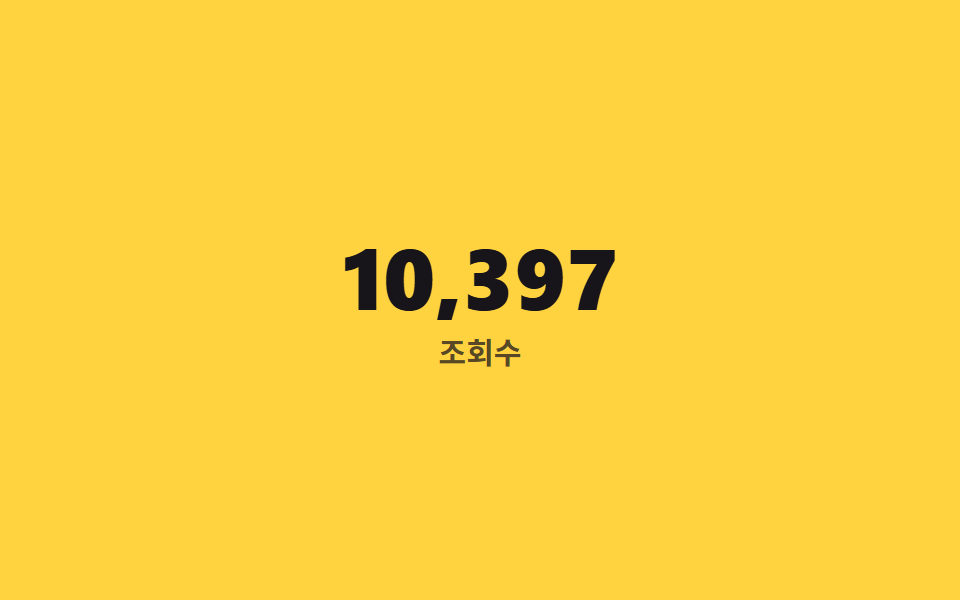 02 number-counter-thousands-separator
 03 number-counter-decimal-format
 04 number-counter-currency-format
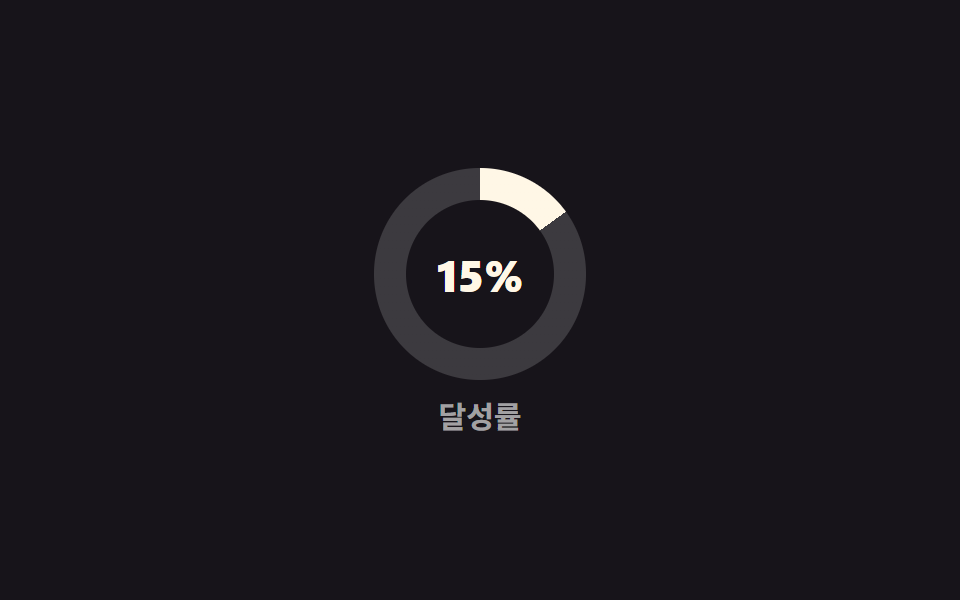 05 number-counter-percent-ring
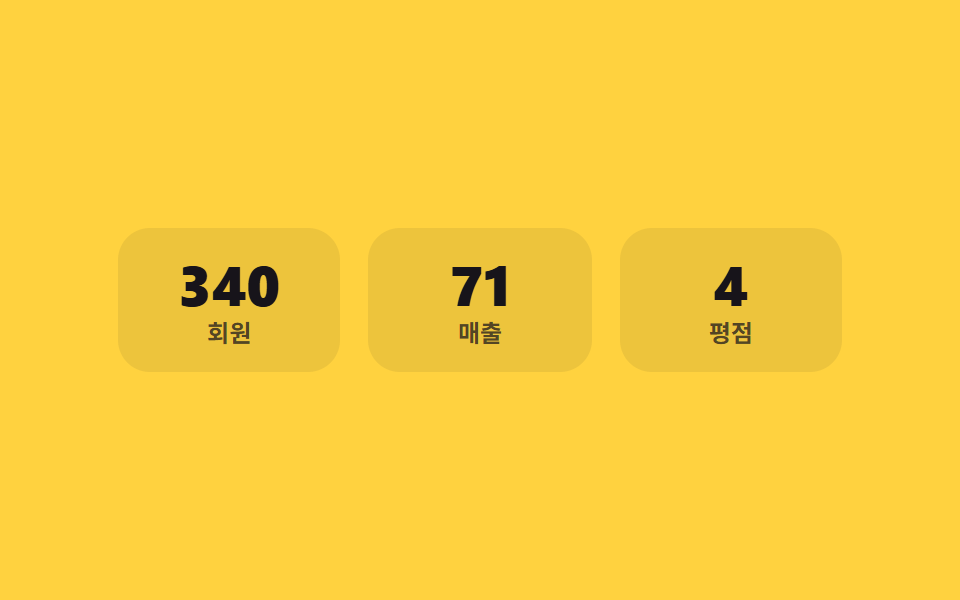 06 number-counter-stat-cards-stagger
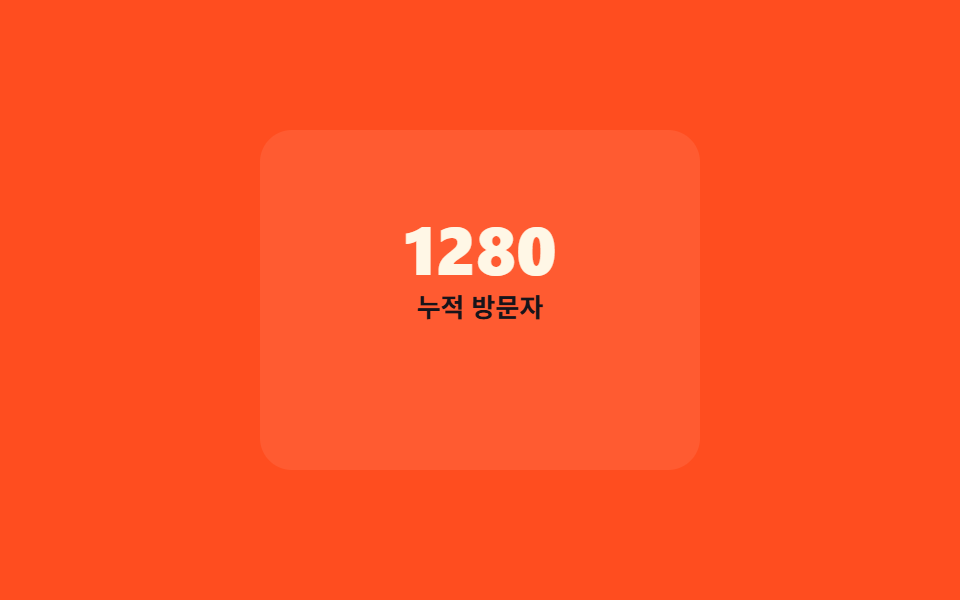 07 number-counter-on-view-start
 08 number-counter-odometer-roll
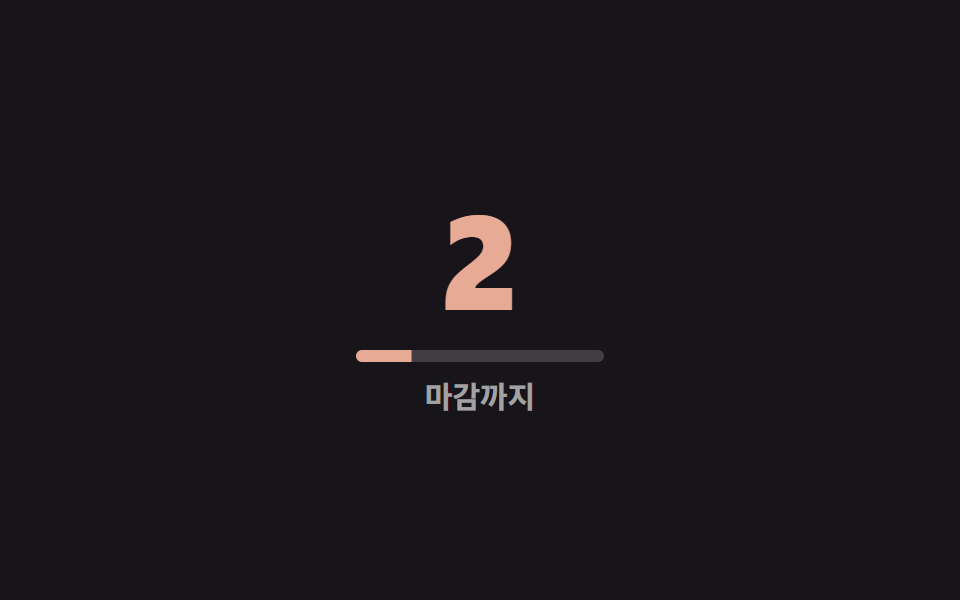 09 number-counter-countdown-timer
自動再生 · タイルを押すとその項目へ · すべて1つのzip
- 01 @propertyで整数カウントアップ
- 02 桁区切りカンマの自動挿入
- 03 小数点フォーマットのカウントアップ
- 04 通貨記号付き金額カウントアップ
- 05 パーセントリングと数字の同期
- 06 統計カード3枚の順次カウント
- 07 画面に入ったら開始
- 08 オドメーター風ローリング数字
- 09 カウントダウンタイマー
9つは人気順ではなく、数字ひとつが画面上でたどる順番に並べました。ただ数えるだけの形(01)から、桁が増えて読みにくくなる部分を区切る形(02)、精度を足す形(03)、単位を固定する形(04)、別の視覚要素と値をそろえる形(05)、複数を時間差で並べる形(06)、いつ数え始めるかを自分で判断する形(07)、数える仕組み自体を別物に差し替えた形(08)、そして向きを逆にした形(09)という流れです。コード断片は css アニメーション 作り方 のうち実際に切り替わる部分だけを残し、完全なファイル一式はzipに入れました。 数字の隣のカードの写真が反応すべき場面はCSS 画像 ホバー エフェクト 9選が担い、数字ではなく言葉がひとつずつ届く画面はチャット 吹き出し css アニメーション9選にあります。
01@propertyで整数カウントアップ
どう動くか
数字が0から目標値まで上がる間、実際にアニメーションしているのは文字ではなく、@propertyで宣言した整数のカスタムプロパティです。
どこで使うか
その値をcounter()でそのまま描画するので画面には本物の桁が並び、会員登録数や訪問者数のような実績カードに向いています。
<main class="stage">
  <div class="counter is-demo">
    <span class="counter__num" aria-hidden="true"></span>
    <span class="counter__sr">12,480</span>
    <span class="counter__label">登録者</span>
  </div>
</main>
@use "../../../../site/static/demo-tokens" as *;
// ── 변수 3개. 변형은 이것만 바꾼다 ──────────────────────────
$duration: $dur-loop; // 0에서 목표까지 세는 시간
$easing: $ease-out;
$color: $subject-cream; // 숫자 색
@include stage($stage-ink);
// ── @property: 정수 커스텀 속성이라야 애니메이션 중간값도 정수로 보간된다 ──
@property --num {
syntax: '<integer>';
initial-value: 0;
inherits: false;
}
.counter {
text-align: center;
&__num {
--num: 0;
counter-reset: num var(--num);
display: block;
font-weight: 800; font-size: clamp(36px, 11vw, 60px); line-height: 1; font-family: inherit;
font-variant-numeric: tabular-nums; // 자릿수가 늘어도 숫자 폭이 흔들리지 않는다
color: $color;
&::before { content: counter(num); }
}
// counter() 생성 콘텐츠는 스크린 리더가 못 읽는다 — 실제 최종값을 시각적으로만 숨겨 따로 둔다
&__sr {
position: absolute;
width: 1px; height: 1px;
overflow: hidden;
clip-path: inset(50%);
white-space: nowrap;
}
&__label {
display: block;
margin-top: clamp(6px, 2vw, 10px);
font-weight: 600; font-size: clamp(12px, 3.4vw, 15px); line-height: 1; font-family: inherit;
color: rgba(255, 255, 255, .6);
}
}
.counter.is-demo .counter__num {
animation: count-up $duration $easing infinite;
}
@keyframes count-up {
0% { --num: 0; }
65% { --num: 12480; }
100% { --num: 12480; }
}
// ── 접근성: 움직임 줄이기 설정이면 최종값에 즉시 멈춘다 ──────────
@media (prefers-reduced-motion: reduce) {
.counter.is-demo .counter__num { animation: none; --num: 12480; }
}html, body {
margin: 0;
overflow: hidden;
}
.stage {
box-sizing: border-box;
min-height: 100vh;
display: grid;
place-items: center;
margin: 0;
background: #17141a;
font-family: -apple-system, "Segoe UI", "Noto Sans KR", sans-serif;
padding: clamp(8px, 4vw, 24px);
}
@property --num {
syntax: "<integer>";
initial-value: 0;
inherits: false;
}
.counter {
text-align: center;
}
.counter__num {
--num: 0;
counter-reset: num var(--num);
display: block;
font-weight: 800;
font-size: clamp(36px, 11vw, 60px);
line-height: 1;
font-family: inherit;
font-variant-numeric: tabular-nums;
color: #fff7e6;
}
.counter__num::before {
content: counter(num);
}
.counter__sr {
position: absolute;
width: 1px;
height: 1px;
overflow: hidden;
clip-path: inset(50%);
white-space: nowrap;
}
.counter__label {
display: block;
margin-top: clamp(6px, 2vw, 10px);
font-weight: 600;
font-size: clamp(12px, 3.4vw, 15px);
line-height: 1;
font-family: inherit;
color: rgba(255, 255, 255, 0.6);
}
.counter.is-demo .counter__num {
animation: count-up 2s ease-out infinite;
}
@keyframes count-up {
0% {
--num: 0;
}
65% {
--num: 12480;
}
100% {
--num: 12480;
}
}
@media (prefers-reduced-motion: reduce) {
.counter.is-demo .counter__num {
animation: none;
--num: 12480;
}
}import type { CSSProperties } from "react";
import styles from "./CountUpProperty.module.scss";
export type CountUpPropertyProps = {
value: number;
label: string;
/** 0에서 목표값까지 세는 시간 (기본 2000ms) */
duration?: number;
easing?: string;
color?: string;
};
type Vars = CSSProperties & { "--duration"?: string; "--easing"?: string; "--color"?: string; "--num-target"?: number };
export default function CountUpProperty({ value, label, duration = 2000, easing = "ease-out", color = "#fff7e6" }: CountUpPropertyProps) {
const vars: Vars = {
"--duration": `${duration}ms`,
"--easing": easing,
"--color": color,
"--num-target": value,
};
return (
<div className={styles.counter} style={vars}>
<span className={styles.num} aria-hidden="true" />
<span className={styles.sr}>{value.toLocaleString()}</span>
<span className={styles.label}>{label}</span>
</div>
);
}01 · @propertyで整数カウントアップ — 計測 累積面積 3.905% · 動いたフレーム 16/23GODRICH オリジナル · SCSS と React は zip に同梱 · パスワードを見る
// syntax を '<integer>' にすると、0→12480 の途中も整数だけで補間される
@property --num {
  syntax: '<integer>';
  initial-value: 0;
  inherits: false;
}
.num {
  --num: 0;
  counter-reset: num var(--num);
  animation: count-up 2s ease-out infinite;
  &::before { content: counter(num); }
}
@keyframes count-up {
  0%   { --num: 0; }
  65%  { --num: 12480; }
  100% { --num: 12480; }
}
02桁区切りカンマの自動挿入
どう動くか
12,483のようなカンマを自動で付けるには、千の位と残りを別々の@property整数として同時に数える必要があります。
どこで使うか
残りは@counter-styleのpadで常に3桁に揃えないと「12,3」のような欠けが出るため、ここでは専用のカウンタースタイルで埋めています。
<main class="stage">
  <div class="counter is-demo">
    <span class="counter__num" aria-hidden="true"></span>
    <span class="counter__sr">12,483</span>
    <span class="counter__label">閲覧数</span>
  </div>
</main>
@use "../../../../site/static/demo-tokens" as *;
// ── 변수 3개 ──────────────────────────────────────────
$duration: $dur-loop;
$easing: $ease-out;
$color: $subject-ink; // 숫자 색 (노란 무대 위 대비)
@include stage($stage-yellow);
// 천 단위(k)와 나머지(n)를 각각 다른 정수 커스텀 속성으로 나눠 센다
@property --k {
syntax: '<integer>';
initial-value: 0;
inherits: false;
}
@property --n {
syntax: '<integer>';
initial-value: 0;
inherits: false;
}
// 나머지(n)는 항상 세 자리로 채워야 "12,003" 이 "12,3" 이 되지 않는다
@counter-style padded-3 {
system: numeric;
symbols: '0' '1' '2' '3' '4' '5' '6' '7' '8' '9';
suffix: '';
pad: 3 '0';
}
.counter {
text-align: center;
&__num {
--k: 0;
--n: 0;
counter-reset: k var(--k) n var(--n);
display: block;
font-weight: 800; font-size: clamp(30px, 9vw, 52px); line-height: 1; font-family: inherit;
font-variant-numeric: tabular-nums;
color: $color;
&::before { content: counter(k) "," counter(n, padded-3); }
}
&__sr {
position: absolute;
width: 1px; height: 1px;
overflow: hidden;
clip-path: inset(50%);
white-space: nowrap;
}
&__label {
display: block;
margin-top: clamp(6px, 2vw, 10px);
font-weight: 600; font-size: clamp(12px, 3.4vw, 15px); line-height: 1; font-family: inherit;
color: rgba($subject-ink, .72); // 흐린 글자는 알파 .72 하한 — 옐로 면 위 6.06:1
}
}
.counter.is-demo .counter__num {
animation: thousands-up $duration $easing infinite;
}
@keyframes thousands-up {
0% { --k: 0; --n: 0; }
65% { --k: 12; --n: 483; }
100% { --k: 12; --n: 483; }
}
@media (prefers-reduced-motion: reduce) {
.counter.is-demo .counter__num { animation: none; --k: 12; --n: 483; }
}html, body {
margin: 0;
overflow: hidden;
}
.stage {
box-sizing: border-box;
min-height: 100vh;
display: grid;
place-items: center;
margin: 0;
background: #ffd23f;
font-family: -apple-system, "Segoe UI", "Noto Sans KR", sans-serif;
padding: clamp(8px, 4vw, 24px);
}
@property --k {
syntax: "<integer>";
initial-value: 0;
inherits: false;
}
@property --n {
syntax: "<integer>";
initial-value: 0;
inherits: false;
}
@counter-style padded-3 {
system: numeric;
symbols: "0" "1" "2" "3" "4" "5" "6" "7" "8" "9";
suffix: "";
pad: 3 "0";
}
.counter {
text-align: center;
}
.counter__num {
--k: 0;
--n: 0;
counter-reset: k var(--k) n var(--n);
display: block;
font-weight: 800;
font-size: clamp(30px, 9vw, 52px);
line-height: 1;
font-family: inherit;
font-variant-numeric: tabular-nums;
color: #17141a;
}
.counter__num::before {
content: counter(k) "," counter(n, padded-3);
}
.counter__sr {
position: absolute;
width: 1px;
height: 1px;
overflow: hidden;
clip-path: inset(50%);
white-space: nowrap;
}
.counter__label {
display: block;
margin-top: clamp(6px, 2vw, 10px);
font-weight: 600;
font-size: clamp(12px, 3.4vw, 15px);
line-height: 1;
font-family: inherit;
color: rgba(23, 20, 26, 0.72);
}
.counter.is-demo .counter__num {
animation: thousands-up 2s ease-out infinite;
}
@keyframes thousands-up {
0% {
--k: 0;
--n: 0;
}
65% {
--k: 12;
--n: 483;
}
100% {
--k: 12;
--n: 483;
}
}
@media (prefers-reduced-motion: reduce) {
.counter.is-demo .counter__num {
animation: none;
--k: 12;
--n: 483;
}
}import type { CSSProperties } from "react";
import styles from "./ThousandsSeparatorCounter.module.scss";
export type ThousandsSeparatorCounterProps = {
/** 12483 처럼 콤마 없는 정수 */
value: number;
label: string;
duration?: number;
easing?: string;
color?: string;
};
type Vars = CSSProperties & {
"--duration"?: string; "--easing"?: string; "--color"?: string;
"--k-target"?: number; "--n-target"?: number;
};
export default function ThousandsSeparatorCounter({
value, label, duration = 2000, easing = "ease-out", color = "#17141a",
}: ThousandsSeparatorCounterProps) {
const k = Math.floor(value / 1000);
const n = value % 1000;
const vars: Vars = {
"--duration": `${duration}ms`,
"--easing": easing,
"--color": color,
"--k-target": k,
"--n-target": n,
};
return (
<div className={styles.counter} style={vars}>
<span className={styles.num} aria-hidden="true" />
<span className={styles.sr}>{value.toLocaleString()}</span>
<span className={styles.label}>{label}</span>
</div>
);
}02 · 桁区切りカンマの自動挿入 — 計測 累積面積 2.662% · 動いたフレーム 16/23GODRICH オリジナル · SCSS と React は zip に同梱 · パスワードを見る
@property --k { syntax: '<integer>'; initial-value: 0; inherits: false; }
@property --n { syntax: '<integer>'; initial-value: 0; inherits: false; }

// 残り(n)を必ず3桁で埋める。足りない桁は0で埋める
@counter-style padded-3 {
  system: numeric;
  symbols: '0' '1' '2' '3' '4' '5' '6' '7' '8' '9';
  pad: 3 '0';
}
.num {
  counter-reset: k var(--k) n var(--n);
  &::before { content: counter(k) "," counter(n, padded-3); }
}
03小数点フォーマットのカウントアップ
どう動くか
4.98のような評価値は、整数部と小数部をそれぞれ別の@propertyとして同時に動かし、小数部だけ2桁のpadで揃えてから小数点の後ろに置く形で作ります。
どこで使うか
平均の星評価や温度のように、小数点以下1〜2桁が意味を持つ値に向いています。
<main class="stage">
  <div class="counter is-demo">
    <span class="counter__num" aria-hidden="true"></span>
    <span class="counter__sr">4.98</span>
    <span class="counter__label">平均評価</span>
  </div>
</main>
@use "../../../../site/static/demo-tokens" as *;
// ── 변수 3개 ──────────────────────────────────────────
$duration: $dur-loop;
$easing: $ease-out;
$color: $subject-cream;
@include stage($stage-orange);
// 정수부(whole)와 소수부(frac)를 각각 다른 정수 커스텀 속성으로 함께 센다
@property --whole {
syntax: '<integer>';
initial-value: 0;
inherits: false;
}
@property --frac {
syntax: '<integer>';
initial-value: 0;
inherits: false;
}
// 소수부는 항상 두 자리 — 8이 ".8" 이 아니라 ".08" 로 보이게
@counter-style padded-2 {
system: numeric;
symbols: '0' '1' '2' '3' '4' '5' '6' '7' '8' '9';
suffix: '';
pad: 2 '0';
}
.counter {
text-align: center;
&__num {
--whole: 0;
--frac: 0;
counter-reset: whole var(--whole) frac var(--frac);
display: block;
font-weight: 800; font-size: clamp(36px, 11vw, 60px); line-height: 1; font-family: inherit;
font-variant-numeric: tabular-nums;
color: $color;
&::before { content: counter(whole) "." counter(frac, padded-2); }
}
&__sr {
position: absolute;
width: 1px; height: 1px;
overflow: hidden;
clip-path: inset(50%);
white-space: nowrap;
}
&__label {
display: block;
margin-top: clamp(6px, 2vw, 10px);
font-weight: 600; font-size: clamp(12px, 3.4vw, 15px); line-height: 1; font-family: inherit;
color: $subject-ink; // 주황 면 위 크림 글자는 3.11:1 — 잉크로 5.50:1
}
}
.counter.is-demo .counter__num {
animation: decimal-up $duration $easing infinite;
}
@keyframes decimal-up {
0% { --whole: 0; --frac: 0; }
65% { --whole: 4; --frac: 98; }
100% { --whole: 4; --frac: 98; }
}
@media (prefers-reduced-motion: reduce) {
.counter.is-demo .counter__num { animation: none; --whole: 4; --frac: 98; }
}html, body {
margin: 0;
overflow: hidden;
}
.stage {
box-sizing: border-box;
min-height: 100vh;
display: grid;
place-items: center;
margin: 0;
background: #ff4d1f;
font-family: -apple-system, "Segoe UI", "Noto Sans KR", sans-serif;
padding: clamp(8px, 4vw, 24px);
}
@property --whole {
syntax: "<integer>";
initial-value: 0;
inherits: false;
}
@property --frac {
syntax: "<integer>";
initial-value: 0;
inherits: false;
}
@counter-style padded-2 {
system: numeric;
symbols: "0" "1" "2" "3" "4" "5" "6" "7" "8" "9";
suffix: "";
pad: 2 "0";
}
.counter {
text-align: center;
}
.counter__num {
--whole: 0;
--frac: 0;
counter-reset: whole var(--whole) frac var(--frac);
display: block;
font-weight: 800;
font-size: clamp(36px, 11vw, 60px);
line-height: 1;
font-family: inherit;
font-variant-numeric: tabular-nums;
color: #fff7e6;
}
.counter__num::before {
content: counter(whole) "." counter(frac, padded-2);
}
.counter__sr {
position: absolute;
width: 1px;
height: 1px;
overflow: hidden;
clip-path: inset(50%);
white-space: nowrap;
}
.counter__label {
display: block;
margin-top: clamp(6px, 2vw, 10px);
font-weight: 600;
font-size: clamp(12px, 3.4vw, 15px);
line-height: 1;
font-family: inherit;
color: #17141a;
}
.counter.is-demo .counter__num {
animation: decimal-up 2s ease-out infinite;
}
@keyframes decimal-up {
0% {
--whole: 0;
--frac: 0;
}
65% {
--whole: 4;
--frac: 98;
}
100% {
--whole: 4;
--frac: 98;
}
}
@media (prefers-reduced-motion: reduce) {
.counter.is-demo .counter__num {
animation: none;
--whole: 4;
--frac: 98;
}
}import type { CSSProperties } from "react";
import styles from "./DecimalFormatCounter.module.scss";
export type DecimalFormatCounterProps = {
/** 4.98 처럼 소수 둘째 자리까지 */
value: number;
label: string;
duration?: number;
easing?: string;
color?: string;
};
type Vars = CSSProperties & {
"--duration"?: string; "--easing"?: string; "--color"?: string;
"--whole-target"?: number; "--frac-target"?: number;
};
export default function DecimalFormatCounter({
value, label, duration = 2000, easing = "ease-out", color = "#fff7e6",
}: DecimalFormatCounterProps) {
const whole = Math.floor(value);
const frac = Math.round((value - whole) * 100);
const vars: Vars = {
"--duration": `${duration}ms`,
"--easing": easing,
"--color": color,
"--whole-target": whole,
"--frac-target": frac,
};
return (
<div className={styles.counter} style={vars}>
<span className={styles.num} aria-hidden="true" />
<span className={styles.sr}>{value.toFixed(2)}</span>
<span className={styles.label}>{label}</span>
</div>
);
}03 · 小数点フォーマットのカウントアップ — 計測 累積面積 2.37% · 動いたフレーム 15/23GODRICH オリジナル · SCSS と React は zip に同梱 · パスワードを見る
@counter-style padded-2 {
  system: numeric;
  symbols: '0' '1' '2' '3' '4' '5' '6' '7' '8' '9';
  pad: 2 '0';
}
.num {
  counter-reset: whole var(--whole) frac var(--frac);
  &::before { content: counter(whole) "." counter(frac, padded-2); }
}
04通貨記号付き金額カウントアップ
どう動くか
通貨記号は::beforeで固定しておき、数字だけを::afterのcounter()でアニメーションさせると、桁数が1桁から4桁に増えても記号の位置はずれません。
どこで使うか
カート合計や決済総額のまとめカードに向いています。
<main class="stage">
  <div class="counter is-demo">
    <span class="counter__num" aria-hidden="true"></span>
    <span class="counter__sr">$248</span>
    <span class="counter__label">決済金額</span>
  </div>
</main>
@use "../../../../site/static/demo-tokens" as *;
// ── 변수 3개 ──────────────────────────────────────────
$duration: $dur-enter;
$easing: $ease-out;
$color: $subject-blue;
@include stage($stage-paper);
@property --num {
syntax: '<integer>';
initial-value: 0;
inherits: false;
}
.counter {
text-align: left; // 자릿수가 늘어도 통화 기호가 같은 자리를 지킨다
&__num {
--num: 0;
counter-reset: num var(--num);
display: inline-flex;
align-items: baseline;
font-weight: 800; font-size: clamp(34px, 10vw, 56px); line-height: 1; font-family: inherit;
font-variant-numeric: tabular-nums;
color: $color;
// 통화 기호는 고정 텍스트 — 숫자만 애니메이션한다
&::before { content: "$"; margin-right: 2px; }
&::after { content: counter(num); }
}
&__sr {
position: absolute;
width: 1px; height: 1px;
overflow: hidden;
clip-path: inset(50%);
white-space: nowrap;
}
&__label {
display: block;
margin-top: clamp(6px, 2vw, 10px);
font-weight: 600; font-size: clamp(12px, 3.4vw, 15px); line-height: 1; font-family: inherit;
color: rgba(23, 20, 26, .6);
}
}
.counter.is-demo .counter__num {
animation: currency-up $duration $easing infinite;
}
@keyframes currency-up {
0% { --num: 0; }
55% { --num: 248; }
100% { --num: 248; }
}
@media (prefers-reduced-motion: reduce) {
.counter.is-demo .counter__num { animation: none; --num: 248; }
}html, body {
margin: 0;
overflow: hidden;
}
.stage {
box-sizing: border-box;
min-height: 100vh;
display: grid;
place-items: center;
margin: 0;
background: #ffffff;
font-family: -apple-system, "Segoe UI", "Noto Sans KR", sans-serif;
padding: clamp(8px, 4vw, 24px);
}
@property --num {
syntax: "<integer>";
initial-value: 0;
inherits: false;
}
.counter {
text-align: left;
}
.counter__num {
--num: 0;
counter-reset: num var(--num);
display: inline-flex;
align-items: baseline;
font-weight: 800;
font-size: clamp(34px, 10vw, 56px);
line-height: 1;
font-family: inherit;
font-variant-numeric: tabular-nums;
color: #2f6df6;
}
.counter__num::before {
content: "$";
margin-right: 2px;
}
.counter__num::after {
content: counter(num);
}
.counter__sr {
position: absolute;
width: 1px;
height: 1px;
overflow: hidden;
clip-path: inset(50%);
white-space: nowrap;
}
.counter__label {
display: block;
margin-top: clamp(6px, 2vw, 10px);
font-weight: 600;
font-size: clamp(12px, 3.4vw, 15px);
line-height: 1;
font-family: inherit;
color: rgba(23, 20, 26, 0.6);
}
.counter.is-demo .counter__num {
animation: currency-up 600ms ease-out infinite;
}
@keyframes currency-up {
0% {
--num: 0;
}
55% {
--num: 248;
}
100% {
--num: 248;
}
}
@media (prefers-reduced-motion: reduce) {
.counter.is-demo .counter__num {
animation: none;
--num: 248;
}
}import type { CSSProperties } from "react";
import styles from "./CurrencyFormatCounter.module.scss";
export type CurrencyFormatCounterProps = {
value: number;
label: string;
symbol?: string;
duration?: number;
easing?: string;
color?: string;
};
type Vars = CSSProperties & { "--duration"?: string; "--easing"?: string; "--color"?: string; "--num-target"?: number };
export default function CurrencyFormatCounter({
value, label, symbol = "$", duration = 600, easing = "ease-out", color = "#2f6df6",
}: CurrencyFormatCounterProps) {
const vars: Vars = {
"--duration": `${duration}ms`,
"--easing": easing,
"--color": color,
"--num-target": value,
};
return (
<div className={styles.counter} style={vars}>
<span className={styles.num} aria-hidden="true">
<span className={styles.symbol}>{symbol}</span>
</span>
<span className={styles.sr}>{symbol}{value.toLocaleString()}</span>
<span className={styles.label}>{label}</span>
</div>
);
}04 · 通貨記号付き金額カウントアップ — 計測 累積面積 3.635% · 動いたフレーム 16/23GODRICH オリジナル · SCSS と React は zip に同梱 · パスワードを見る
.num {
  counter-reset: num var(--num);
  animation: count-up .6s ease-out infinite;
  &::before { content: "$"; margin-right: 2px; }
  &::after  { content: counter(num); }
}
05パーセントリングと数字の同期
css グラフ アニメーション と同じ値で動かす
整数のカスタムプロパティひとつが、counter()で描く数字とconic-gradientの塗り角度の両方を同時に駆動するので、リングとパーセント表示がずれることはありません。
どこで使うか
目標達成率やストレージ使用率の表示に向いています。
<main class="stage">
  <div class="stat">
    <div class="ring is-demo">
      <span class="ring__num" aria-hidden="true"></span>
      <span class="ring__sr">76%</span>
    </div>
    <span class="stat__label">達成率</span>
  </div>
</main>
@use "../../../../site/static/demo-tokens" as *;
// ── 변수 3개 ──────────────────────────────────────────
$duration: $dur-loop;
$easing: $ease-out;
$color: $subject-cream;
@include stage($stage-ink);
.stat {
display: flex;
flex-direction: column;
align-items: center;
gap: clamp(8px, 2.4vw, 12px);
}
// 정수 하나(--p)가 링의 채움 각도와 숫자 텍스트를 동시에 구동한다
@property --p {
syntax: '<integer>';
initial-value: 0;
inherits: true; // 자식 .ring__num 이 같은 값을 counter-reset 으로 읽는다
}
.ring {
--p: 0;
position: relative;
width: clamp(84px, 22vw, 108px);
aspect-ratio: 1;
border-radius: 50%;
display: grid;
place-items: center;
background: conic-gradient($color calc(var(--p) * 1%), rgba(255, 255, 255, .16) 0);
&::before { // 도넛 구멍 — 무대 색과 같아 링처럼 보인다
content: "";
position: absolute;
inset: 15%;
border-radius: 50%;
background: $stage-ink;
}
&__num {
position: relative;
counter-reset: p var(--p);
font-weight: 800; font-size: clamp(16px, 5vw, 22px); line-height: 1; font-family: inherit;
font-variant-numeric: tabular-nums;
color: $color;
&::before { content: counter(p) "%"; }
}
&__sr {
position: absolute;
width: 1px; height: 1px;
overflow: hidden;
clip-path: inset(50%);
white-space: nowrap;
}
}
.stat__label {
font-weight: 600; font-size: clamp(12px, 3.4vw, 15px); line-height: 1; font-family: inherit;
color: rgba(255, 255, 255, .6);
}
.ring.is-demo {
animation: percent-up $duration $easing infinite;
}
@keyframes percent-up {
0% { --p: 0; }
65% { --p: 76; }
100% { --p: 76; }
}
@media (prefers-reduced-motion: reduce) {
.ring.is-demo { animation: none; --p: 76; }
}html, body {
margin: 0;
overflow: hidden;
}
.stage {
box-sizing: border-box;
min-height: 100vh;
display: grid;
place-items: center;
margin: 0;
background: #17141a;
font-family: -apple-system, "Segoe UI", "Noto Sans KR", sans-serif;
padding: clamp(8px, 4vw, 24px);
}
.stat {
display: flex;
flex-direction: column;
align-items: center;
gap: clamp(8px, 2.4vw, 12px);
}
@property --p {
syntax: "<integer>";
initial-value: 0;
inherits: true;
}
.ring {
--p: 0;
position: relative;
width: clamp(84px, 22vw, 108px);
aspect-ratio: 1;
border-radius: 50%;
display: grid;
place-items: center;
background: conic-gradient(#fff7e6 calc(var(--p) * 1%), rgba(255, 255, 255, 0.16) 0);
}
.ring::before {
content: "";
position: absolute;
inset: 15%;
border-radius: 50%;
background: #17141a;
}
.ring__num {
position: relative;
counter-reset: p var(--p);
font-weight: 800;
font-size: clamp(16px, 5vw, 22px);
line-height: 1;
font-family: inherit;
font-variant-numeric: tabular-nums;
color: #fff7e6;
}
.ring__num::before {
content: counter(p) "%";
}
.ring__sr {
position: absolute;
width: 1px;
height: 1px;
overflow: hidden;
clip-path: inset(50%);
white-space: nowrap;
}
.stat__label {
font-weight: 600;
font-size: clamp(12px, 3.4vw, 15px);
line-height: 1;
font-family: inherit;
color: rgba(255, 255, 255, 0.6);
}
.ring.is-demo {
animation: percent-up 2s ease-out infinite;
}
@keyframes percent-up {
0% {
--p: 0;
}
65% {
--p: 76;
}
100% {
--p: 76;
}
}
@media (prefers-reduced-motion: reduce) {
.ring.is-demo {
animation: none;
--p: 76;
}
}import type { CSSProperties } from "react";
import styles from "./PercentRingCounter.module.scss";
export type PercentRingCounterProps = {
/** 0~100 */
percent: number;
label: string;
duration?: number;
easing?: string;
color?: string;
};
type Vars = CSSProperties & { "--duration"?: string; "--easing"?: string; "--color"?: string; "--p-target"?: number };
export default function PercentRingCounter({
percent, label, duration = 2000, easing = "ease-out", color = "#fff7e6",
}: PercentRingCounterProps) {
const vars: Vars = {
"--duration": `${duration}ms`,
"--easing": easing,
"--color": color,
"--p-target": percent,
};
return (
<div className={styles.stat}>
<div className={styles.ring} style={vars}>
<span className={styles.num} aria-hidden="true" />
<span className={styles.sr}>{percent}%</span>
</div>
<span className={styles.label}>{label}</span>
</div>
);
}05 · パーセントリングと数字の同期 — 計測 累積面積 2.993% · 動いたフレーム 15/23GODRICH オリジナル · SCSS と React は zip に同梱 · パスワードを見る
.ring {
  --p: 0;
  background: conic-gradient($color calc(var(--p) * 1%), transparent 0);
  animation: fill-up 2s ease-out infinite;
}
.ring__num {
  counter-reset: p var(--p);
  &::before { content: counter(p) "%"; }
}
06統計カード3枚の順次カウント
どう動くか
3枚のカードが同時に埋まると、どれから見ればいいのか分かりません。
どこで使うか
animation-delayで0.15秒ずつずらして開始させると、ダッシュボードのサマリーカードやランディングページの実績3種のような並びで順番に目が追えます。
<main class="stage">
  <div class="cards is-demo">
    <div class="card">
      <span class="card__num" aria-hidden="true"></span>
      <span class="card__sr">356</span>
      <span class="card__label">会員</span>
    </div>
    <div class="card">
      <span class="card__num" aria-hidden="true"></span>
      <span class="card__sr">82</span>
      <span class="card__label">売上</span>
    </div>
    <div class="card">
      <span class="card__num" aria-hidden="true"></span>
      <span class="card__sr">5</span>
      <span class="card__label">評価</span>
    </div>
  </div>
</main>
@use "../../../../site/static/demo-tokens" as *;
// ── 변수 3개 ──────────────────────────────────────────
$duration: $dur-loop;
$easing: $ease-out;
$color: $subject-ink;
@include stage($stage-yellow);
@property --num {
syntax: '<integer>';
initial-value: 0;
inherits: false;
}
.cards {
display: flex;
gap: clamp(10px, 3vw, 18px);
}
.card {
min-width: clamp(64px, 20vw, 88px);
padding: clamp(10px, 3vw, 16px) clamp(8px, 2.4vw, 12px);
border-radius: $r-card;
background: rgba(23, 20, 26, .08);
text-align: center;
&__num {
--num: 0;
counter-reset: num var(--num);
display: block;
font-weight: 800; font-size: clamp(20px, 6vw, 28px); line-height: 1; font-family: inherit;
font-variant-numeric: tabular-nums;
color: $color;
&::before { content: counter(num); }
}
&__sr {
position: absolute;
width: 1px; height: 1px;
overflow: hidden;
clip-path: inset(50%);
white-space: nowrap;
}
&__label {
display: block;
margin-top: 4px;
font-weight: 600; font-size: clamp(10px, 3vw, 12px); line-height: 1; font-family: inherit;
color: rgba($subject-ink, .72); // 흐린 글자는 알파 .72 하한 — 카드 옐로 면 위 5.58:1
}
}
// 카드 세 장이 동시에 시작하지 않는다 — 순서대로 0.15초씩 늦게
.cards.is-demo .card:nth-child(1) .card__num { animation: count-a $duration $easing infinite; }
.cards.is-demo .card:nth-child(2) .card__num { animation: count-b $duration $easing infinite; animation-delay: .15s; }
.cards.is-demo .card:nth-child(3) .card__num { animation: count-c $duration $easing infinite; animation-delay: .3s; }
@keyframes count-a { 0% { --num: 0; } 55% { --num: 356; } 100% { --num: 356; } }
@keyframes count-b { 0% { --num: 0; } 55% { --num: 82; } 100% { --num: 82; } }
@keyframes count-c { 0% { --num: 0; } 55% { --num: 5; } 100% { --num: 5; } }
@media (prefers-reduced-motion: reduce) {
.cards.is-demo .card:nth-child(1) .card__num { animation: none; --num: 356; }
.cards.is-demo .card:nth-child(2) .card__num { animation: none; --num: 82; }
.cards.is-demo .card:nth-child(3) .card__num { animation: none; --num: 5; }
}html, body {
margin: 0;
overflow: hidden;
}
.stage {
box-sizing: border-box;
min-height: 100vh;
display: grid;
place-items: center;
margin: 0;
background: #ffd23f;
font-family: -apple-system, "Segoe UI", "Noto Sans KR", sans-serif;
padding: clamp(8px, 4vw, 24px);
}
@property --num {
syntax: "<integer>";
initial-value: 0;
inherits: false;
}
.cards {
display: flex;
gap: clamp(10px, 3vw, 18px);
}
.card {
min-width: clamp(64px, 20vw, 88px);
padding: clamp(10px, 3vw, 16px) clamp(8px, 2.4vw, 12px);
border-radius: 16px;
background: rgba(23, 20, 26, 0.08);
text-align: center;
}
.card__num {
--num: 0;
counter-reset: num var(--num);
display: block;
font-weight: 800;
font-size: clamp(20px, 6vw, 28px);
line-height: 1;
font-family: inherit;
font-variant-numeric: tabular-nums;
color: #17141a;
}
.card__num::before {
content: counter(num);
}
.card__sr {
position: absolute;
width: 1px;
height: 1px;
overflow: hidden;
clip-path: inset(50%);
white-space: nowrap;
}
.card__label {
display: block;
margin-top: 4px;
font-weight: 600;
font-size: clamp(10px, 3vw, 12px);
line-height: 1;
font-family: inherit;
color: rgba(23, 20, 26, 0.72);
}
.cards.is-demo .card:nth-child(1) .card__num {
animation: count-a 2s ease-out infinite;
}
.cards.is-demo .card:nth-child(2) .card__num {
animation: count-b 2s ease-out infinite;
animation-delay: 0.15s;
}
.cards.is-demo .card:nth-child(3) .card__num {
animation: count-c 2s ease-out infinite;
animation-delay: 0.3s;
}
@keyframes count-a {
0% {
--num: 0;
}
55% {
--num: 356;
}
100% {
--num: 356;
}
}
@keyframes count-b {
0% {
--num: 0;
}
55% {
--num: 82;
}
100% {
--num: 82;
}
}
@keyframes count-c {
0% {
--num: 0;
}
55% {
--num: 5;
}
100% {
--num: 5;
}
}
@media (prefers-reduced-motion: reduce) {
.cards.is-demo .card:nth-child(1) .card__num {
animation: none;
--num: 356;
}
.cards.is-demo .card:nth-child(2) .card__num {
animation: none;
--num: 82;
}
.cards.is-demo .card:nth-child(3) .card__num {
animation: none;
--num: 5;
}
}import type { CSSProperties } from "react";
import styles from "./StatCardsStagger.module.scss";
export type Stat = { value: number; label: string };
export type StatCardsStaggerProps = {
stats: [Stat, Stat, Stat];
duration?: number;
easing?: string;
color?: string;
};
type Vars = CSSProperties & {
"--duration"?: string; "--easing"?: string; "--color"?: string;
"--num-target"?: number; "--delay"?: string;
};
export default function StatCardsStagger({
stats, duration = 2000, easing = "ease-out", color = "#17141a",
}: StatCardsStaggerProps) {
return (
<div className={styles.cards}>
{stats.map((s, i) => {
const vars: Vars = {
"--duration": `${duration}ms`,
"--easing": easing,
"--color": color,
"--num-target": s.value,
"--delay": `${i * 150}ms`, // 카드마다 0.15초씩 늦게 시작
};
return (
<div className={styles.card} key={s.label} style={vars}>
<span className={styles.num} aria-hidden="true" />
<span className={styles.sr}>{s.value.toLocaleString()}</span>
<span className={styles.label}>{s.label}</span>
</div>
);
})}
</div>
);
}06 · 統計カード3枚の順次カウント — 計測 累積面積 1.303% · 動いたフレーム 15/23GODRICH オリジナル · SCSS と React は zip に同梱 · パスワードを見る
.card:nth-child(1) .num { animation: count-a 2s ease-out infinite; }
.card:nth-child(2) .num {
  animation: count-b 2s ease-out infinite;
  animation-delay: .15s;
}
.card:nth-child(3) .num {
  animation: count-c 2s ease-out infinite;
  animation-delay: .3s;
}
07画面に入ったら開始
どう動くか
読み込んだ瞬間に数字が数え終わっていると、スクロールして下りてきた人はその過程を見られません。
どこで使うか
カードがビューポートに60%以上入った時だけIntersectionObserverが.is-countingを付け、それまではanimation-play-stateがpausedのまま0で止まります。
<main class="stage">
  <div class="viewport is-demo">
    <div class="track">
      <div class="card">
        <span class="card__num" aria-hidden="true"></span>
        <span class="card__sr">1,280</span>
        <span class="card__label">累計訪問者</span>
      </div>
    </div>
  </div>
</main>
@use "../../../../site/static/demo-tokens" as *;
// ── 변수 3개 ──────────────────────────────────────────
$duration: $dur-loop;
$easing: $ease-out;
$color: $subject-cream;
@include stage($stage-orange);
@property --num {
syntax: '<integer>';
initial-value: 0;
inherits: false;
}
.viewport {
position: relative;
width: min(100%, 220px);
height: clamp(140px, 38vw, 170px);
overflow: hidden; // 뷰포트 밖 카드는 안 보인다 — 실제 화면 가장자리 역할
border-radius: $r-card;
background: rgba(255, 255, 255, .08);
}
.track {
height: 100%;
display: flex;
align-items: center;
justify-content: center;
}
.card {
text-align: center;
&__num {
--num: 0;
counter-reset: num var(--num);
display: block;
font-weight: 800; font-size: clamp(24px, 7vw, 34px); line-height: 1; font-family: inherit;
font-variant-numeric: tabular-nums;
color: $color;
&::before { content: counter(num); }
}
&__sr {
position: absolute;
width: 1px; height: 1px;
overflow: hidden;
clip-path: inset(50%);
white-space: nowrap;
}
&__label {
display: block;
margin-top: 6px;
font-weight: 600; font-size: clamp(11px, 3.2vw, 13px); line-height: 1; font-family: inherit;
color: $subject-ink; // 주황 면 위 크림 글자는 2.28:1 — 잉크로 5.90:1
}
// 실제 페이지: JS 가 붙인 .is-counting 이 있어야 카운트가 돈다 (뷰포트 밖이면 0에 멈춰 있다)
&__num { animation-play-state: paused; }
&.is-counting &__num { animation-play-state: running; }
}
// ── 데모(.is-demo): 카드가 스크롤하듯 아래→가운데→위로 지나가고, 가운데 있는 동안만 카운트가 돈다 ──
.viewport.is-demo .track {
animation: scroll-pass $duration $easing infinite;
}
.viewport.is-demo .card__num {
animation: count-when-visible $duration $easing infinite;
}
@keyframes scroll-pass {
0% { transform: translateY(64px); }
20%, 75% { transform: translateY(0); }
100% { transform: translateY(-64px); }
}
@keyframes count-when-visible {
0%, 20% { --num: 0; }
60% { --num: 1280; }
100% { --num: 1280; }
}
@media (prefers-reduced-motion: reduce) {
.viewport.is-demo .track { animation: none; transform: translateY(0); }
.viewport.is-demo .card__num { animation: none; --num: 1280; }
}html, body {
margin: 0;
overflow: hidden;
}
.stage {
box-sizing: border-box;
min-height: 100vh;
display: grid;
place-items: center;
margin: 0;
background: #ff4d1f;
font-family: -apple-system, "Segoe UI", "Noto Sans KR", sans-serif;
padding: clamp(8px, 4vw, 24px);
}
@property --num {
syntax: "<integer>";
initial-value: 0;
inherits: false;
}
.viewport {
position: relative;
width: min(100%, 220px);
height: clamp(140px, 38vw, 170px);
overflow: hidden;
border-radius: 16px;
background: rgba(255, 255, 255, 0.08);
}
.track {
height: 100%;
display: flex;
align-items: center;
justify-content: center;
}
.card {
text-align: center;
}
.card__num {
--num: 0;
counter-reset: num var(--num);
display: block;
font-weight: 800;
font-size: clamp(24px, 7vw, 34px);
line-height: 1;
font-family: inherit;
font-variant-numeric: tabular-nums;
color: #fff7e6;
}
.card__num::before {
content: counter(num);
}
.card__sr {
position: absolute;
width: 1px;
height: 1px;
overflow: hidden;
clip-path: inset(50%);
white-space: nowrap;
}
.card__label {
display: block;
margin-top: 6px;
font-weight: 600;
font-size: clamp(11px, 3.2vw, 13px);
line-height: 1;
font-family: inherit;
color: #17141a;
}
.card__num {
animation-play-state: paused;
}
.card.is-counting .card__num {
animation-play-state: running;
}
.viewport.is-demo .track {
animation: scroll-pass 2s ease-out infinite;
}
.viewport.is-demo .card__num {
animation: count-when-visible 2s ease-out infinite;
}
@keyframes scroll-pass {
0% {
transform: translateY(64px);
}
20%, 75% {
transform: translateY(0);
}
100% {
transform: translateY(-64px);
}
}
@keyframes count-when-visible {
0%, 20% {
--num: 0;
}
60% {
--num: 1280;
}
100% {
--num: 1280;
}
}
@media (prefers-reduced-motion: reduce) {
.viewport.is-demo .track {
animation: none;
transform: translateY(0);
}
.viewport.is-demo .card__num {
animation: none;
--num: 1280;
}
}// 실제 페이지: 카드가 뷰포트에 60% 이상 들어와야 카운트를 시작한다 (스크롤해서 보이기 전엔 0)
var card = document.querySelector('.card');
new IntersectionObserver(function (es) {
card.classList.toggle('is-counting', es[0].isIntersecting);
}, { threshold: .6 }).observe(card);import { useEffect, useRef, useState } from "react";
import type { CSSProperties } from "react";
import styles from "./CounterOnViewStart.module.scss";
export type CounterOnViewStartProps = {
value: number;
label: string;
duration?: number;
easing?: string;
color?: string;
};
type Vars = CSSProperties & { "--duration"?: string; "--easing"?: string; "--color"?: string; "--num-target"?: number };
export default function CounterOnViewStart({
value, label, duration = 1200, easing = "ease-out", color = "#fff7e6",
}: CounterOnViewStartProps) {
const ref = useRef<HTMLDivElement>(null);
const [counting, setCounting] = useState(false);
useEffect(() => {
const el = ref.current;
if (!el) return;
const io = new IntersectionObserver(
(entries) => setCounting(entries[0].isIntersecting),
{ threshold: .6 },
);
io.observe(el);
return () => io.disconnect();
}, []);
const vars: Vars = {
"--duration": `${duration}ms`,
"--easing": easing,
"--color": color,
"--num-target": value,
};
return (
<div ref={ref} className={`${styles.card} ${counting ? styles.isCounting : ""}`} style={vars}>
<span className={styles.num} aria-hidden="true" />
<span className={styles.sr}>{value.toLocaleString()}</span>
<span className={styles.label}>{label}</span>
</div>
);
}07 · 画面に入ったら開始 — 計測 累積面積 6.182% · 動いたフレーム 20/23GODRICH オリジナル · SCSS と React は zip に同梱 · パスワードを見る
var card = document.querySelector('.card');
new IntersectionObserver(function (es) {
  card.classList.toggle('is-counting', es[0].isIntersecting);
}, { threshold: .6 }).observe(card);

// card__num の初期値は animation-play-state: paused
// is-counting が付いた時だけ running に変わる
08オドメーター風ローリング数字
どう動くか
桁ごとに0〜9を縦に並べたストリップを用意し、目標の数字が来るまでtranslateYで動かすと、桁ごとに独立して回る機械式メーターのような見た目になります。
どこで使うか
3つ並べれば「128」のように読め、レトロ調カウンターやキオスクの整理番号表示に向いています。
<main class="stage">
  <div class="stat">
    <div class="odometer is-demo" aria-hidden="true">
      <div class="digit">
        <div class="digit__strip"><span>0</span><span>1</span><span>2</span><span>3</span><span>4</span><span>5</span><span>6</span><span>7</span><span>8</span><span>9</span></div>
      </div>
      <div class="digit">
        <div class="digit__strip"><span>0</span><span>1</span><span>2</span><span>3</span><span>4</span><span>5</span><span>6</span><span>7</span><span>8</span><span>9</span></div>
      </div>
      <div class="digit">
        <div class="digit__strip"><span>0</span><span>1</span><span>2</span><span>3</span><span>4</span><span>5</span><span>6</span><span>7</span><span>8</span><span>9</span></div>
      </div>
    </div>
    <span class="odometer__sr">128</span>
    <span class="stat__label">獲得ポイント</span>
  </div>
</main>
@use "../../../../site/static/demo-tokens" as *;
// ── 변수 3개 ──────────────────────────────────────────
$duration: $dur-loop;
$easing: $ease-pop;
$color: $subject-blue;
@include stage($stage-paper);
.stat {
display: flex;
flex-direction: column;
align-items: center;
gap: clamp(6px, 2vw, 10px);
}
.odometer {
display: flex;
gap: 3px;
}
$cell: clamp(30px, 9vw, 44px);
.digit {
width: clamp(20px, 6vw, 28px);
height: $cell;
overflow: hidden; // 스트립에서 지금 칸 하나만 보인다
border-radius: 4px;
background: rgba(23, 20, 26, .06);
&__strip {
transform: translateY(0); // 10칸 스트립이라 한 칸 = 10%. 값은 keyframes 가 직접 준다
span {
height: $cell;
display: flex;
align-items: center;
justify-content: center;
font-weight: 800; font-size: clamp(16px, 5vw, 22px); line-height: 1; font-family: inherit;
font-variant-numeric: tabular-nums;
color: $color;
}
}
}
.odometer__sr {
position: absolute;
width: 1px; height: 1px;
overflow: hidden;
clip-path: inset(50%);
white-space: nowrap;
}
.stat__label {
font-weight: 600; font-size: clamp(11px, 3.2vw, 13px); line-height: 1; font-family: inherit;
color: rgba(23, 20, 26, .6);
}
// 세 자리가 "1" "2" "8" 로 각각 다르게 굴러 "128" 이 된다
.odometer.is-demo .digit:nth-child(1) .digit__strip { animation: roll-1 $duration $easing infinite; }
.odometer.is-demo .digit:nth-child(2) .digit__strip { animation: roll-2 $duration $easing infinite; }
.odometer.is-demo .digit:nth-child(3) .digit__strip { animation: roll-8 $duration $easing infinite; }
// translateY 는 실수로 보간되는 표준 속성이라 스트립이 매 프레임 부드럽게 굴러간다
// (정수 커스텀 속성으로 자리를 옮기면 값이 0→1 처럼 한 계단만 있어 눈에 보이는 중간 프레임이 거의 없다)
@keyframes roll-1 { 0% { transform: translateY(0); } 60% { transform: translateY(-10%); } 100% { transform: translateY(-10%); } }
@keyframes roll-2 { 0% { transform: translateY(0); } 60% { transform: translateY(-20%); } 100% { transform: translateY(-20%); } }
@keyframes roll-8 { 0% { transform: translateY(0); } 60% { transform: translateY(-80%); } 100% { transform: translateY(-80%); } }
@media (prefers-reduced-motion: reduce) {
.odometer.is-demo .digit:nth-child(1) .digit__strip { animation: none; transform: translateY(-10%); }
.odometer.is-demo .digit:nth-child(2) .digit__strip { animation: none; transform: translateY(-20%); }
.odometer.is-demo .digit:nth-child(3) .digit__strip { animation: none; transform: translateY(-80%); }
}html, body {
margin: 0;
overflow: hidden;
}
.stage {
box-sizing: border-box;
min-height: 100vh;
display: grid;
place-items: center;
margin: 0;
background: #ffffff;
font-family: -apple-system, "Segoe UI", "Noto Sans KR", sans-serif;
padding: clamp(8px, 4vw, 24px);
}
.stat {
display: flex;
flex-direction: column;
align-items: center;
gap: clamp(6px, 2vw, 10px);
}
.odometer {
display: flex;
gap: 3px;
}
.digit {
width: clamp(20px, 6vw, 28px);
height: clamp(30px, 9vw, 44px);
overflow: hidden;
border-radius: 4px;
background: rgba(23, 20, 26, 0.06);
}
.digit__strip {
transform: translateY(0);
}
.digit__strip span {
height: clamp(30px, 9vw, 44px);
display: flex;
align-items: center;
justify-content: center;
font-weight: 800;
font-size: clamp(16px, 5vw, 22px);
line-height: 1;
font-family: inherit;
font-variant-numeric: tabular-nums;
color: #2f6df6;
}
.odometer__sr {
position: absolute;
width: 1px;
height: 1px;
overflow: hidden;
clip-path: inset(50%);
white-space: nowrap;
}
.stat__label {
font-weight: 600;
font-size: clamp(11px, 3.2vw, 13px);
line-height: 1;
font-family: inherit;
color: rgba(23, 20, 26, 0.6);
}
.odometer.is-demo .digit:nth-child(1) .digit__strip {
animation: roll-1 2s cubic-bezier(0.2, 1.4, 0.4, 1) infinite;
}
.odometer.is-demo .digit:nth-child(2) .digit__strip {
animation: roll-2 2s cubic-bezier(0.2, 1.4, 0.4, 1) infinite;
}
.odometer.is-demo .digit:nth-child(3) .digit__strip {
animation: roll-8 2s cubic-bezier(0.2, 1.4, 0.4, 1) infinite;
}
@keyframes roll-1 {
0% {
transform: translateY(0);
}
60% {
transform: translateY(-10%);
}
100% {
transform: translateY(-10%);
}
}
@keyframes roll-2 {
0% {
transform: translateY(0);
}
60% {
transform: translateY(-20%);
}
100% {
transform: translateY(-20%);
}
}
@keyframes roll-8 {
0% {
transform: translateY(0);
}
60% {
transform: translateY(-80%);
}
100% {
transform: translateY(-80%);
}
}
@media (prefers-reduced-motion: reduce) {
.odometer.is-demo .digit:nth-child(1) .digit__strip {
animation: none;
transform: translateY(-10%);
}
.odometer.is-demo .digit:nth-child(2) .digit__strip {
animation: none;
transform: translateY(-20%);
}
.odometer.is-demo .digit:nth-child(3) .digit__strip {
animation: none;
transform: translateY(-80%);
}
}import type { CSSProperties } from "react";
import styles from "./OdometerRoll.module.scss";
export type OdometerRollProps = {
/** 3자리 정수 (0~999) */
value: number;
label: string;
duration?: number;
easing?: string;
color?: string;
};
type Vars = CSSProperties & { "--duration"?: string; "--easing"?: string; "--color"?: string; "--d-target"?: number };
const DIGITS = [0, 1, 2, 3, 4, 5, 6, 7, 8, 9];
export default function OdometerRoll({
value, label, duration = 2000, easing = "cubic-bezier(.2,1.4,.4,1)", color = "#2f6df6",
}: OdometerRollProps) {
const digits = String(value).padStart(3, "0").split("").map(Number);
return (
<div className={styles.stat}>
<div className={styles.odometer} aria-hidden="true">
{digits.map((d, i) => {
const vars: Vars = {
"--duration": `${duration}ms`,
"--easing": easing,
"--color": color,
"--d-target": d,
};
return (
<div className={styles.digit} key={i}>
<div className={styles.strip} style={vars}>
{DIGITS.map((n) => <span key={n}>{n}</span>)}
</div>
</div>
);
})}
</div>
<span className={styles.sr}>{value}</span>
<span className={styles.label}>{label}</span>
</div>
);
}08 · オドメーター風ローリング数字 — 計測 累積面積 0.96% · 動いたフレーム 15/23GODRICH オリジナル · SCSS と React は zip に同梱 · パスワードを見る
.digit {
  height: 44px;
  overflow: hidden;                            // ストリップのうち1マスだけが見える
}
.strip {
  animation: roll-to-8 2s cubic-bezier(.2, 1.4, .4, 1) infinite;
  span { height: 44px; }
}
@keyframes roll-to-8 {
  0%        { transform: translateY(0); }
  60%, 100% { transform: translateY(-80%); }    // 9マス目(-80%)で止まる
}
09カウントダウンタイマー
どう動くか
@propertyの整数を目標値ではなく0へ向けて逆にカウントさせると、締切までの残り時間や在庫の減りを表現できます。
どこで使うか
同じ値で下の進捗バーの長さも一緒に縮め、後半では色も警告色へ変えて緊迫感を足しています。
<main class="stage">
  <div class="counter is-demo">
    <span class="counter__num" aria-hidden="true"></span>
    <span class="counter__sr">0</span>
    <span class="counter__bar" aria-hidden="true"></span>
    <span class="counter__label">終了まで</span>
  </div>
</main>
@use "../../../../site/static/demo-tokens" as *;
// ── 변수 3개 ──────────────────────────────────────────
$duration: $dur-loop;
$easing: $ease-out;
$color: $subject-cream;
@include stage($stage-ink);
@property --t {
syntax: '<integer>';
initial-value: 9;
inherits: true; // 숫자와 아래 바 둘 다 같은 값을 읽는다
}
.counter {
--t: 9;
text-align: center;
color: $color; // 남은 수가 줄어들수록 이 색이 경고색으로 바뀐다
&__num {
counter-reset: t var(--t);
display: block;
font-weight: 800; font-size: clamp(44px, 14vw, 72px); line-height: 1; font-family: inherit;
font-variant-numeric: tabular-nums;
color: inherit;
&::before { content: counter(t); }
}
&__sr {
position: absolute;
width: 1px; height: 1px;
overflow: hidden;
clip-path: inset(50%);
white-space: nowrap;
}
// 남은 수만큼 채워진 바 — 숫자가 줄어드는 만큼 짧아져 변한 픽셀 면적을 키운다
&__bar {
display: block;
width: clamp(90px, 26vw, 130px);
height: 6px;
margin: clamp(10px, 3vw, 14px) auto 0;
border-radius: $r-pill;
background: rgba(255, 255, 255, .18);
overflow: hidden;
&::after {
content: "";
display: block;
height: 100%;
background: currentColor; // 부모(.counter)의 color 를 그대로 따라간다
transform-origin: left; // 규칙8: 남은 시간 왼쪽 기준 바
transform: scaleX(calc(var(--t) / 9));
}
}
&__label {
display: block;
margin-top: clamp(6px, 2vw, 10px);
font-weight: 600; font-size: clamp(12px, 3.4vw, 15px); line-height: 1; font-family: inherit;
color: rgba(255, 255, 255, .6);
}
}
// 목표값이 아니라 0을 향해 거꾸로 센다. 색은 부모에서 함께 애니메이션해 숫자·바가 같이 바뀐다
.counter.is-demo {
animation: count-down $duration $easing infinite;
}
@keyframes count-down {
0% { --t: 9; color: $color; }
60% { --t: 3; color: $color; }
85% { --t: 0; color: $error; }
100% { --t: 0; color: $error; }
}
@media (prefers-reduced-motion: reduce) {
.counter.is-demo { animation: none; --t: 0; color: $error; }
}html, body {
margin: 0;
overflow: hidden;
}
.stage {
box-sizing: border-box;
min-height: 100vh;
display: grid;
place-items: center;
margin: 0;
background: #17141a;
font-family: -apple-system, "Segoe UI", "Noto Sans KR", sans-serif;
padding: clamp(8px, 4vw, 24px);
}
@property --t {
syntax: "<integer>";
initial-value: 9;
inherits: true;
}
.counter {
--t: 9;
text-align: center;
color: #fff7e6;
}
.counter__num {
counter-reset: t var(--t);
display: block;
font-weight: 800;
font-size: clamp(44px, 14vw, 72px);
line-height: 1;
font-family: inherit;
font-variant-numeric: tabular-nums;
color: inherit;
}
.counter__num::before {
content: counter(t);
}
.counter__sr {
position: absolute;
width: 1px;
height: 1px;
overflow: hidden;
clip-path: inset(50%);
white-space: nowrap;
}
.counter__bar {
display: block;
width: clamp(90px, 26vw, 130px);
height: 6px;
margin: clamp(10px, 3vw, 14px) auto 0;
border-radius: 999px;
background: rgba(255, 255, 255, 0.18);
overflow: hidden;
}
.counter__bar::after {
content: "";
display: block;
height: 100%;
background: currentColor;
transform-origin: left;
transform: scaleX(calc(var(--t) / 9));
}
.counter__label {
display: block;
margin-top: clamp(6px, 2vw, 10px);
font-weight: 600;
font-size: clamp(12px, 3.4vw, 15px);
line-height: 1;
font-family: inherit;
color: rgba(255, 255, 255, 0.6);
}
.counter.is-demo {
animation: count-down 2s ease-out infinite;
}
@keyframes count-down {
0% {
--t: 9;
color: #fff7e6;
}
60% {
--t: 3;
color: #fff7e6;
}
85% {
--t: 0;
color: #c2361a;
}
100% {
--t: 0;
color: #c2361a;
}
}
@media (prefers-reduced-motion: reduce) {
.counter.is-demo {
animation: none;
--t: 0;
color: #c2361a;
}
}import type { CSSProperties } from "react";
import styles from "./CountdownTimer.module.scss";
export type CountdownTimerProps = {
/** 몇에서 시작해 0으로 향할지 */
from: number;
label: string;
duration?: number;
easing?: string;
color?: string;
};
type Vars = CSSProperties & { "--duration"?: string; "--easing"?: string; "--color"?: string; "--t-start"?: number };
export default function CountdownTimer({
from, label, duration = 2000, easing = "ease-out", color = "#fff7e6",
}: CountdownTimerProps) {
const vars: Vars = {
"--duration": `${duration}ms`,
"--easing": easing,
"--color": color,
"--t-start": from,
};
return (
<div className={styles.counter} style={vars}>
<span className={styles.num} aria-hidden="true" />
<span className={styles.sr}>0</span>
<span className={styles.bar} aria-hidden="true" />
<span className={styles.label}>{label}</span>
</div>
);
}09 · カウントダウンタイマー — 計測 累積面積 1.755% · 動いたフレーム 12/23GODRICH オリジナル · SCSS と React は zip に同梱 · パスワードを見る
@keyframes count-down {
  0%   { --t: 9; color: $color; }
  60%  { --t: 3; color: $color; }
  85%  { --t: 0; color: $error; }
  100% { --t: 0; color: $error; }
}
.bar::after {
  transform: scaleX(calc(var(--t) / 9)); // 同じ --t でバーも縮む
}
どこで壊れるか — 落とし穴3つ
@property のない環境では
1つ目は対応ブラウザの幅です。09までのうち08を除く8つは@propertyに依存しています。@property自体はChrome・Edgeが85以降、Safariが16.4以降、Firefoxが128以降の対応で(caniuseの@property対応表)、それより古いブラウザではアニメーションが起きず最終値がいきなり表示されるだけでレイアウトは崩れませんが、数えている感覚そのものが消えます。
生成された数字は選べない
2つ目は、counter()で描いた数字が本物のテキストではないという点です。ドラッグしても選択できず、スクリーンリーダーも読み上げないとMDNの生成コンテンツの文書に明記されています。そのためこのzipに入れた9つのデモはどれも、見た目には隠しつつ本物の数字テキストを別要素として一つずつ用意してあり、その対策込みの9ファイルを開く圧縮パスワードはj9xejanyで、すぐ下のカードから取得できます。
再生が二度目に起きない
3つ目は07のような「画面に入ったら数える」仕組みでよく踏む再生の罠です。IntersectionObserverでクラスを付け外しし、animation-fill-mode: forwardsだけに任せると、一度数え終わったカードは画面外に出てまた戻ってきても二度と再生されません。07はその代わりにanimation-play-state: pausedを初期値にし、.is-countingが付いている間だけrunningへ切り替える作りにしたので、カードが視界を出入りするたびに一時停止と再開を繰り返すだけで済んでいます。 数字が大きくなって文字そのものが画面を埋める段階まで進むと、キネティックタイポグラフィをコードで分解してみたがその大きさで何が崩れるかを分解しています。
アクセシビリティ
動きを減らす設定では
9つともprefers-reduced-motion: reduceでは途中経過を飛ばし、animation: noneとともに最終値がそのまま置き換わります。数字が消えるのではなく、数える動きだけが抜け落ちる形です。09のカウントダウンは色まで警告色に切り替わった状態で止まるので、動きが止まっても緊迫感の情報自体は残ります。
読み上げ用の実テキスト
counter()生成の数字はスクリーンリーダーが読めないため、9つとも視覚的に隠した実テキストのspanを別に添えてあります。
スクロールをきっかけに動く別の仕組みはCSSスクロールアニメーション9選にまとめています。このサイトが扱うCSS素材の一覧はCSSアニメーションのカテゴリーから、運営については紹介ページからご覧ください。
FAQ
この css アニメーション サンプル の数字カウンターにJavaScriptは必須ですか?
いいえ。9つとも数える計算そのものは@propertyとCSSのアニメーション規則だけで完結します。例外は07で、いつ数え始めるかを判定するためだけにIntersectionObserverを数行添えていますが、数値を増減させる計算はCSSの外に出ていません。導入前にcaniuseの@property対応表は確認しておくと安心です。 増えていく数字の隣で押された瞬間を伝える印が要る場合は、CSS ハート アニメーション 9選がその相方になります。
counter()で描いた数字がコピーできないのは問題になりませんか?
画面に見せるだけの用途なら問題ありません。ただし価格表のようにユーザーが数字自体をコピーする場面では、このzipに同梱した非表示の実テキストspanを表示側に切り替えて使ってください。counter()の生成コンテンツはテキストノードとして扱われないため、選択やコピーの対象になりません。
08のオドメーターは桁数を増やしても使えますか?
はい。08のストリップは0〜9の10個のspanを前提にtranslateYの到達値を計算しているので、桁を増やす場合はdigit要素と対応するkeyframesを同じ考え方で増やしてください。react/フォルダのコンポーネントは桁の配列の長さに合わせて列の数が自動で増える作りにしてあります。
こんな記事もどうぞ
 フィードバックチャット 吹き出し css アニメーション9選 — 一行でコピペOK
 フィードバック【コピペOK】CSSベントグリッドホバーアニメーション9選
 フィードバックReact アニメーション ライブラリなしで作るCSS9選
 フィードバック【一行でコピペOK】CSS ダークモード 切り替え アニメーション9選
 フィードバックマイクロインタラクション CSS 9選 — 一行でコピペOK
 フィードバックCSS ツールチップ 吹き出しアニメーション9選 一行でコピペOK
 フィードバック「カーソル エフェクト css」9選 — 一行でコピペOK
 フィードバックCSS タイピング アニメーション 9選 — 一行でコピペOK
 フィードバックCSS 文字 アニメーション 9選 — 一行でコピペOK
 フィードバックCSS 画像 ホバー エフェクト 9選 — 一行でコピペOK