CSS パララックス スクロール 9選 — CSSだけ・JS不要
css パララックスは、スクロールする速度と背景や文字が動く速度をわざとずらし、奥行きを感じさせるCSSの表現です。この記事では9パターンを選び、animation-timelineによるスクロール駆動アニメーションだけで組み立てました。
 01 parallax-scroll-bg-slow
 02 parallax-scroll-layer-3-depth
 03 parallax-scroll-text-over-image
 04 parallax-scroll-hero-shrink
 05 parallax-scroll-horizontal-timeline
 06 parallax-scroll-depth-cards
 07 parallax-scroll-sticky-parallax
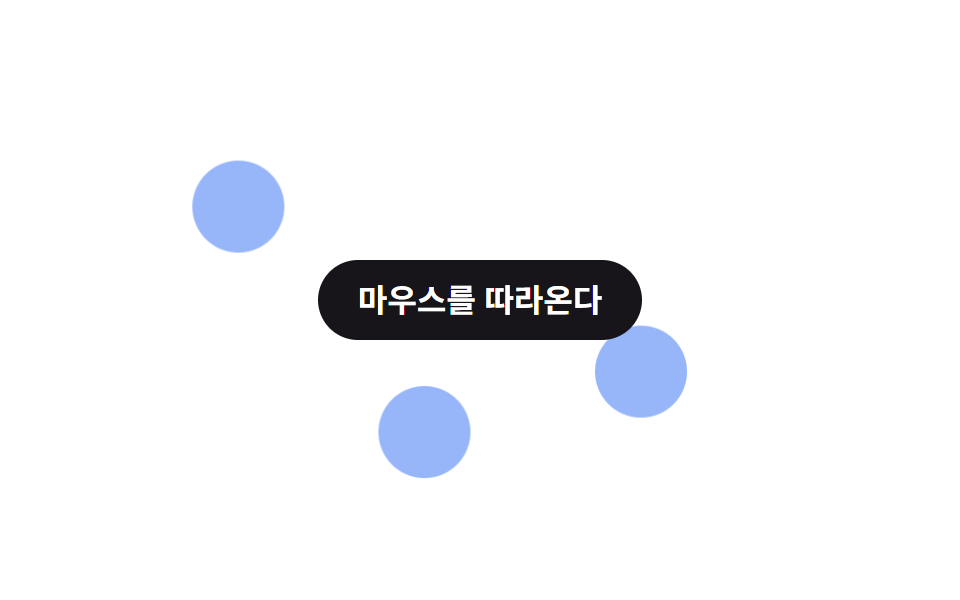 08 parallax-scroll-mouse-parallax
 09 parallax-scroll-zoom-out-scroll
自動再生 · タイルを押すとその項目へ · すべて1つのzip
- 01 背景がゆっくり動く
- 02 3レイヤーの奥行き
- 03 文字が画像の上に浮く
- 04 ヒーロー縮小パララックス
- 05 横タイムラインパララックス
- 06 カードの奥行きレイヤー
- 07 スティッキー+パララックス
- 08 マウス連動パララックス
- 09 スクロールでズームアウト
9つの並び順は効果の派手さではなく、animation-timelineがどこを基準にスクロール量を読むかという違いです。まず一枚の背景だけを動かす単純な形から始め(01)、層を増やして遠近感を作り(02・03)、要素そのものの大きさや位置を変え(04〜06)、position: stickyや横方向への応用を加え(07と05はこれより前に置いています)、最後にポインター入力と組み合わせる形(08)とscale全体を使う形(09)を置きました。9つすべての軸になっているのはCSSのanimation-timelineプロパティで、対応表によるとChrome 115以降とSafari 26以降では有効ですが、Firefoxは2026年9月時点の安定版ではまだフラグの奥にあり、@supports (animation-timeline: scroll())の分岐が外れるとtransform: noneに戻って静止画のまま止まります。グリッドの9つはiframeの中で2秒周期のループとして最初から自動再生されていて、指でスクロールを動かすことはできません。実際のスクロールで確かめたいときはzipを開いてローカルで動かしてください。 速度差以外にスクロールが担う仕事全般はスクロール アニメーション CSS のみ 9選が元になっている記事で、07の固定がヘッダーへ移るとCSS 固定ヘッダー 9選がその位置を担います。
01背景がゆっくり動く
何が起きるか
背景ひとつだけがscroll(root)というタイムラインに合わせてtranslateYでわずか24pxだけ持ち上がるので、ページを読み切るころにようやく手前の文字との間隔が広がって見えます。
<main class="stage is-demo">
  <div class="bgslow">
    <div class="bgslow__bg" aria-hidden="true"></div>
    <h2 class="bgslow__title">背景だけがゆっくり</h2>
  </div>
</main>
@use "../../../../site/static/demo-tokens" as *;
// ── 변수 3개. 변형은 이것만 바꾼다 (값은 토큰에서 받는다) ──────
$shift: 24px; // 배경 이동량 (스크롤의 0.4배 느낌)
$duration: $dur-loop; // 데모 왕복 주기
$color: $subject-cream; // 배경 점 색 (ink 무대라 cream)
@include stage($stage-ink);
.bgslow {
position: relative;
width: 100%;
height: 100%;
overflow: hidden;
display: grid;
place-items: center;
&__bg {
position: absolute;
inset: -20% -10%;
background:
radial-gradient($color 0 46px, transparent 47px) 24% 30%,
radial-gradient($color 0 30px, transparent 31px) 78% 62%,
radial-gradient($color 0 20px, transparent 21px) 55% 82%;
background-repeat: no-repeat;
opacity: .5;
// ── 실제 사용 코드: 배경 하나만 스크롤보다 느리게(0.4배) 움직인다 ──
@supports (animation-timeline: scroll()) {
animation: drift linear both;
animation-timeline: scroll(root);
}
@supports not (animation-timeline: scroll()) {
transform: none;
}
}
&__title {
position: relative;
z-index: 1;
margin: 0;
padding: 14px 22px;
border-radius: $r-pill;
background: $subject-blue;
color: #fff;
font: 700 clamp(15px, 5vw, 19px)/1 -apple-system, "Segoe UI", "Noto Sans KR", sans-serif;
}
}
@keyframes drift { from { transform: translateY(0); } to { transform: translateY(-#{$shift}); } }
// ── 데모(.is-demo): 스크롤 대신 왕복 루프로 흉내 ────────
.stage.is-demo .bgslow__bg {
animation: drift-loop $duration ease-in-out infinite;
}
@keyframes drift-loop {
0%, 100% { transform: translateY($shift); }
50% { transform: translateY(-$shift); }
}
// ── 접근성: 움직임 줄이기 설정이면 배경을 그대로 고정 ────────────
@media (prefers-reduced-motion: reduce) {
.bgslow__bg, .stage.is-demo .bgslow__bg { animation: none !important; transform: none; }
}html, body {
margin: 0;
overflow: hidden;
}
.stage {
box-sizing: border-box;
min-height: 100vh;
display: grid;
place-items: center;
margin: 0;
background: #17141a;
font-family: -apple-system, "Segoe UI", "Noto Sans KR", sans-serif;
padding: clamp(8px, 4vw, 24px);
}
.bgslow {
position: relative;
width: 100%;
height: 100%;
overflow: hidden;
display: grid;
place-items: center;
}
.bgslow__bg {
position: absolute;
inset: -20% -10%;
background: radial-gradient(#fff7e6 0 46px, transparent 47px) 24% 30%, radial-gradient(#fff7e6 0 30px, transparent 31px) 78% 62%, radial-gradient(#fff7e6 0 20px, transparent 21px) 55% 82%;
background-repeat: no-repeat;
opacity: 0.5;
}
@supports (animation-timeline: scroll()) {
.bgslow__bg {
animation: drift linear both;
animation-timeline: scroll(root);
}
}
@supports not (animation-timeline: scroll()) {
.bgslow__bg {
transform: none;
}
}
.bgslow__title {
position: relative;
z-index: 1;
margin: 0;
padding: 14px 22px;
border-radius: 999px;
background: #2f6df6;
color: #fff;
font: 700 clamp(15px, 5vw, 19px)/1 -apple-system, "Segoe UI", "Noto Sans KR", sans-serif;
}
@keyframes drift {
from {
transform: translateY(0);
}
to {
transform: translateY(-24px);
}
}
.stage.is-demo .bgslow__bg {
animation: drift-loop 2s ease-in-out infinite;
}
@keyframes drift-loop {
0%, 100% {
transform: translateY(24px);
}
50% {
transform: translateY(-24px);
}
}
@media (prefers-reduced-motion: reduce) {
.bgslow__bg, .stage.is-demo .bgslow__bg {
animation: none !important;
transform: none;
}
}import type { CSSProperties, ReactNode } from "react";
import styles from "./SlowBackground.module.scss";
export type SlowBackgroundProps = {
children: ReactNode;
/** 배경 이동량 (기본 24px, 스크롤의 0.4배 느낌) */
shift?: number;
/** 배경 점 색 */
color?: string;
className?: string;
};
type Vars = CSSProperties & { "--shift"?: string; "--color"?: string };
export default function SlowBackground({
children,
shift = 24,
color = "#fff7e6",
className = "",
}: SlowBackgroundProps) {
const vars: Vars = { "--shift": `${shift}px`, "--color": color };
return (
<div className={`${styles.wrap} ${className}`} style={vars}>
<div className={styles.bg} aria-hidden="true" />
<div className={styles.title}>{children}</div>
</div>
);
}01 · 背景がゆっくり動く — 計測 累積面積 3.371% · 動いたフレーム 23/23GODRICH オリジナル · SCSS と React は zip に同梱 · パスワードを見る
css パララックス効果の使いどころ
LPのヒーロー背景やセクション上部のバナーに向いています。
.bgslow__bg {
  position: absolute;
  inset: -20% -10%;
  animation: drift linear both;
  animation-timeline: scroll(root);
}

@keyframes drift {
  from { transform: translateY(0); }
  to   { transform: translateY(-24px); }
}
023レイヤーの奥行き
動きの内容
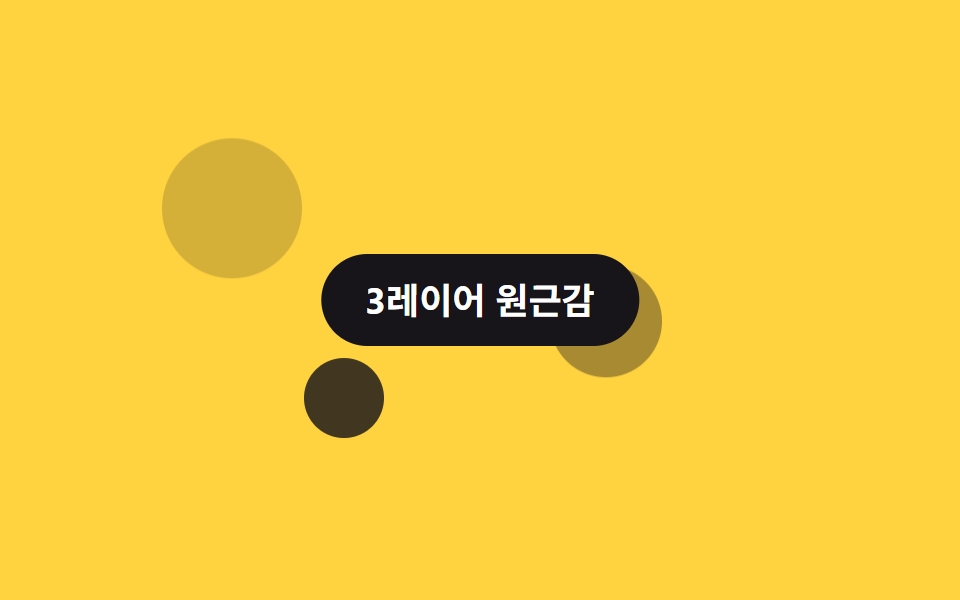
奥・中・手前に置いた3つの円がそれぞれ10px・26px・46pxという別々の距離だけ動くので、同じscroll(root)を参照していても層ごとの速度差がそのまま遠近感になります。
<main class="stage is-demo">
  <div class="layer3">
    <div class="layer3__back" aria-hidden="true"></div>
    <div class="layer3__mid" aria-hidden="true"></div>
    <div class="layer3__front" aria-hidden="true"></div>
    <h2 class="layer3__title">3レイヤーの遠近感</h2>
  </div>
</main>
@use "../../../../site/static/demo-tokens" as *;
// ── 변수 3개. 변형은 이것만 바꾼다 ──────────────────────────
$back-shift: 10px; // 뒤 레이어 이동량 (가장 적게)
$mid-shift: 26px; // 중간 레이어 이동량
$front-shift: 46px; // 앞 레이어 이동량 (가장 많이)
@include stage($stage-yellow);
.layer3 {
position: relative;
width: 100%;
height: 100%;
overflow: hidden;
&__back, &__mid, &__front {
position: absolute;
border-radius: 50%;
background: $subject-ink;
}
&__back {
width: 70px; height: 70px; left: 14%; top: 20%; opacity: .18;
@supports (animation-timeline: scroll()) { animation: drift-back linear both; animation-timeline: scroll(root); }
}
&__mid {
width: 56px; height: 56px; left: 58%; top: 46%; opacity: .38;
@supports (animation-timeline: scroll()) { animation: drift-mid linear both; animation-timeline: scroll(root); }
}
&__front {
width: 40px; height: 40px; left: 30%; top: 66%; opacity: .82;
@supports (animation-timeline: scroll()) { animation: drift-front linear both; animation-timeline: scroll(root); }
}
&__title {
position: absolute;
z-index: 1;
top: 50%;
left: 50%;
transform: translate(-50%, -50%);
margin: 0;
padding: 14px 22px;
border-radius: $r-pill;
background: $stage-ink;
color: #fff;
font: 700 clamp(14px, 4.6vw, 18px)/1 -apple-system, "Segoe UI", "Noto Sans KR", sans-serif;
white-space: nowrap;
}
}
// ── 실제 사용 코드: 세 레이어가 각각 다른 속도로 스크롤과 함께 이동한다 ──
@keyframes drift-back { from { transform: translateY(0); } to { transform: translateY(-#{$back-shift}); } }
@keyframes drift-mid { from { transform: translateY(0); } to { transform: translateY(-#{$mid-shift}); } }
@keyframes drift-front { from { transform: translateY(0); } to { transform: translateY(-#{$front-shift}); } }
// ── 데모(.is-demo): 왕복 루프로 흉내 ────────
.stage.is-demo .layer3__back { animation: loop-back $dur-loop ease-in-out infinite; }
.stage.is-demo .layer3__mid { animation: loop-mid $dur-loop ease-in-out infinite; }
.stage.is-demo .layer3__front { animation: loop-front $dur-loop ease-in-out infinite; }
@keyframes loop-back { 0%, 100% { transform: translateY($back-shift); } 50% { transform: translateY(-$back-shift); } }
@keyframes loop-mid { 0%, 100% { transform: translateY($mid-shift); } 50% { transform: translateY(-$mid-shift); } }
@keyframes loop-front { 0%, 100% { transform: translateY($front-shift); } 50% { transform: translateY(-$front-shift); } }
@media (prefers-reduced-motion: reduce) {
.layer3__back, .layer3__mid, .layer3__front,
.stage.is-demo .layer3__back, .stage.is-demo .layer3__mid, .stage.is-demo .layer3__front {
animation: none !important;
transform: none;
}
}html, body {
margin: 0;
overflow: hidden;
}
.stage {
box-sizing: border-box;
min-height: 100vh;
display: grid;
place-items: center;
margin: 0;
background: #ffd23f;
font-family: -apple-system, "Segoe UI", "Noto Sans KR", sans-serif;
padding: clamp(8px, 4vw, 24px);
}
.layer3 {
position: relative;
width: 100%;
height: 100%;
overflow: hidden;
}
.layer3__back, .layer3__mid, .layer3__front {
position: absolute;
border-radius: 50%;
background: #17141a;
}
.layer3__back {
width: 70px;
height: 70px;
left: 14%;
top: 20%;
opacity: 0.18;
}
@supports (animation-timeline: scroll()) {
.layer3__back {
animation: drift-back linear both;
animation-timeline: scroll(root);
}
}
.layer3__mid {
width: 56px;
height: 56px;
left: 58%;
top: 46%;
opacity: 0.38;
}
@supports (animation-timeline: scroll()) {
.layer3__mid {
animation: drift-mid linear both;
animation-timeline: scroll(root);
}
}
.layer3__front {
width: 40px;
height: 40px;
left: 30%;
top: 66%;
opacity: 0.82;
}
@supports (animation-timeline: scroll()) {
.layer3__front {
animation: drift-front linear both;
animation-timeline: scroll(root);
}
}
.layer3__title {
position: absolute;
z-index: 1;
top: 50%;
left: 50%;
transform: translate(-50%, -50%);
margin: 0;
padding: 14px 22px;
border-radius: 999px;
background: #17141a;
color: #fff;
font: 700 clamp(14px, 4.6vw, 18px)/1 -apple-system, "Segoe UI", "Noto Sans KR", sans-serif;
white-space: nowrap;
}
@keyframes drift-back {
from {
transform: translateY(0);
}
to {
transform: translateY(-10px);
}
}
@keyframes drift-mid {
from {
transform: translateY(0);
}
to {
transform: translateY(-26px);
}
}
@keyframes drift-front {
from {
transform: translateY(0);
}
to {
transform: translateY(-46px);
}
}
.stage.is-demo .layer3__back {
animation: loop-back 2s ease-in-out infinite;
}
.stage.is-demo .layer3__mid {
animation: loop-mid 2s ease-in-out infinite;
}
.stage.is-demo .layer3__front {
animation: loop-front 2s ease-in-out infinite;
}
@keyframes loop-back {
0%, 100% {
transform: translateY(10px);
}
50% {
transform: translateY(-10px);
}
}
@keyframes loop-mid {
0%, 100% {
transform: translateY(26px);
}
50% {
transform: translateY(-26px);
}
}
@keyframes loop-front {
0%, 100% {
transform: translateY(46px);
}
50% {
transform: translateY(-46px);
}
}
@media (prefers-reduced-motion: reduce) {
.layer3__back, .layer3__mid, .layer3__front,
.stage.is-demo .layer3__back, .stage.is-demo .layer3__mid, .stage.is-demo .layer3__front {
animation: none !important;
transform: none;
}
}import type { CSSProperties, ReactNode } from "react";
import styles from "./ThreeLayerDepth.module.scss";
export type ThreeLayerDepthProps = {
children: ReactNode;
/** 뒤 레이어 이동량 (기본 10px) */
backShift?: number;
/** 중간 레이어 이동량 (기본 26px) */
midShift?: number;
/** 앞 레이어 이동량 (기본 46px) */
frontShift?: number;
className?: string;
};
type Vars = CSSProperties & {
"--back-shift"?: string;
"--mid-shift"?: string;
"--front-shift"?: string;
};
export default function ThreeLayerDepth({
children,
backShift = 10,
midShift = 26,
frontShift = 46,
className = "",
}: ThreeLayerDepthProps) {
const vars: Vars = {
"--back-shift": `${backShift}px`,
"--mid-shift": `${midShift}px`,
"--front-shift": `${frontShift}px`,
};
return (
<div className={`${styles.layer3} ${className}`} style={vars}>
<div className={styles.back} aria-hidden="true" />
<div className={styles.mid} aria-hidden="true" />
<div className={styles.front} aria-hidden="true" />
<div className={styles.title}>{children}</div>
</div>
);
}02 · 3レイヤーの奥行き — 計測 累積面積 7.535% · 動いたフレーム 23/23GODRICH オリジナル · SCSS と React は zip に同梱 · パスワードを見る
使う場面
ゲーム紹介ページやブランドストーリーセクションに向いています。
.layer3__back  { animation: drift-back linear both;  animation-timeline: scroll(root); }
.layer3__mid   { animation: drift-mid linear both;   animation-timeline: scroll(root); }
.layer3__front { animation: drift-front linear both; animation-timeline: scroll(root); }

@keyframes drift-back  { from { transform: translateY(0); } to { transform: translateY(-10px); } }
@keyframes drift-mid   { from { transform: translateY(0); } to { transform: translateY(-26px); } }
@keyframes drift-front { from { transform: translateY(0); } to { transform: translateY(-46px); } }
03文字が画像の上に浮く
どんな動きか
画像はinsetの位置からほぼ動かず14pxしか進まないのに、見出しの文字だけがtranslateYで70px先まで駆け上がり、mix-blend-mode: differenceで画像と色を反転させながら重なって通り過ぎます。
<main class="stage is-demo">
  <div class="textimg">
    <div class="textimg__image" aria-hidden="true"></div>
    <h2 class="textimg__text">通り過ぎる見出し</h2>
  </div>
</main>
@use "../../../../site/static/demo-tokens" as *;
// ── 변수 3개. 변형은 이것만 바꾼다 ──────────────────────────
$text-shift: 70px; // 글자 이동량 (이미지보다 훨씬 빠르게)
$image-shift: 14px; // 이미지 이동량 (거의 고정)
$color: $subject-cream; // 글자 색 (orange 무대라 cream)
@include stage($stage-orange);
.textimg {
position: relative;
width: 100%;
height: 100%;
display: grid;
place-items: center;
overflow: hidden;
&__image {
position: absolute;
inset: 14% 10%;
border-radius: $r-card;
background: rgba($subject-ink, .34);
// ── 실제 사용 코드: 이미지는 거의 고정, 글자만 훨씬 빠르게 지나간다 ──
@supports (animation-timeline: scroll()) {
animation: image-drift linear both;
animation-timeline: scroll(root);
}
@supports not (animation-timeline: scroll()) { transform: none; }
}
&__text {
position: relative;
z-index: 1;
margin: 0;
color: $color;
font: 800 clamp(28px, 11vw, 44px)/1 -apple-system, "Segoe UI", "Noto Sans KR", sans-serif;
mix-blend-mode: difference;
@supports (animation-timeline: scroll()) {
animation: text-drift linear both;
animation-timeline: scroll(root);
}
@supports not (animation-timeline: scroll()) { transform: none; }
}
}
@keyframes image-drift { from { transform: translateY(0); } to { transform: translateY(-#{$image-shift}); } }
@keyframes text-drift { from { transform: translateY(60px); } to { transform: translateY(-#{$text-shift}); } }
// ── 데모(.is-demo): 왕복 루프로 흉내 ────────
.stage.is-demo .textimg__image { animation: image-loop $dur-loop ease-in-out infinite; }
.stage.is-demo .textimg__text { animation: text-loop $dur-loop ease-in-out infinite; }
@keyframes image-loop { 0%, 100% { transform: translateY($image-shift); } 50% { transform: translateY(-$image-shift); } }
@keyframes text-loop { 0%, 100% { transform: translateY(46px); } 50% { transform: translateY(-46px); } }
@media (prefers-reduced-motion: reduce) {
.textimg__image, .textimg__text,
.stage.is-demo .textimg__image, .stage.is-demo .textimg__text {
animation: none !important;
transform: none;
}
}html, body {
margin: 0;
overflow: hidden;
}
.stage {
box-sizing: border-box;
min-height: 100vh;
display: grid;
place-items: center;
margin: 0;
background: #ff4d1f;
font-family: -apple-system, "Segoe UI", "Noto Sans KR", sans-serif;
padding: clamp(8px, 4vw, 24px);
}
.textimg {
position: relative;
width: 100%;
height: 100%;
display: grid;
place-items: center;
overflow: hidden;
}
.textimg__image {
position: absolute;
inset: 14% 10%;
border-radius: 16px;
background: rgba(23, 20, 26, 0.34);
}
@supports (animation-timeline: scroll()) {
.textimg__image {
animation: image-drift linear both;
animation-timeline: scroll(root);
}
}
@supports not (animation-timeline: scroll()) {
.textimg__image {
transform: none;
}
}
.textimg__text {
position: relative;
z-index: 1;
margin: 0;
color: #fff7e6;
font: 800 clamp(28px, 11vw, 44px)/1 -apple-system, "Segoe UI", "Noto Sans KR", sans-serif;
mix-blend-mode: difference;
}
@supports (animation-timeline: scroll()) {
.textimg__text {
animation: text-drift linear both;
animation-timeline: scroll(root);
}
}
@supports not (animation-timeline: scroll()) {
.textimg__text {
transform: none;
}
}
@keyframes image-drift {
from {
transform: translateY(0);
}
to {
transform: translateY(-14px);
}
}
@keyframes text-drift {
from {
transform: translateY(60px);
}
to {
transform: translateY(-70px);
}
}
.stage.is-demo .textimg__image {
animation: image-loop 2s ease-in-out infinite;
}
.stage.is-demo .textimg__text {
animation: text-loop 2s ease-in-out infinite;
}
@keyframes image-loop {
0%, 100% {
transform: translateY(14px);
}
50% {
transform: translateY(-14px);
}
}
@keyframes text-loop {
0%, 100% {
transform: translateY(46px);
}
50% {
transform: translateY(-46px);
}
}
@media (prefers-reduced-motion: reduce) {
.textimg__image, .textimg__text,
.stage.is-demo .textimg__image, .stage.is-demo .textimg__text {
animation: none !important;
transform: none;
}
}import type { CSSProperties, ReactNode } from "react";
import styles from "./TextOverImage.module.scss";
export type TextOverImageProps = {
children: ReactNode;
/** 글자 이동량 (기본 70px, 이미지보다 훨씬 빠르게) */
textShift?: number;
/** 이미지 이동량 (기본 14px, 거의 고정) */
imageShift?: number;
/** 글자 색 */
color?: string;
className?: string;
};
type Vars = CSSProperties & {
"--text-shift"?: string;
"--image-shift"?: string;
"--color"?: string;
};
export default function TextOverImage({
children,
textShift = 70,
imageShift = 14,
color = "#fff7e6",
className = "",
}: TextOverImageProps) {
const vars: Vars = {
"--text-shift": `${textShift}px`,
"--image-shift": `${imageShift}px`,
"--color": color,
};
return (
<div className={`${styles.wrap} ${className}`} style={vars}>
<div className={styles.image} aria-hidden="true" />
<h2 className={styles.text}>{children}</h2>
</div>
);
}03 · 文字が画像の上に浮く — 計測 累積面積 31.153% · 動いたフレーム 23/23GODRICH オリジナル · SCSS と React は zip に同梱 · パスワードを見る
使いどころ
マガジン風ヒーローやフォトエッセイのタイトルに向いています。
.textimg__image {
  animation: image-drift linear both;
  animation-timeline: scroll(root);
}
.textimg__text {
  mix-blend-mode: difference;
  animation: text-drift linear both;
  animation-timeline: scroll(root);
}

@keyframes image-drift { from { transform: translateY(0); }    to { transform: translateY(-14px); } }
@keyframes text-drift  { from { transform: translateY(60px); } to { transform: translateY(-70px); } }
04ヒーロー縮小パララックス
何が起きるか
見出しがscale(1)からscale(.55)まで縮み、同時にopacityも1から.25まで落ちるので、スクロールし終えるころには次のセクションに主役を譲るように薄く小さくなっていきます。
<main class="stage is-demo">
  <div class="heroshrink">
    <h2 class="heroshrink__title">縮んでいくヒーロー</h2>
  </div>
</main>
@use "../../../../site/static/demo-tokens" as *;
// ── 변수 3개. 변형은 이것만 바꾼다 ──────────────────────────
$scale-to: .55; // 다 스크롤했을 때 남는 크기
$duration: $dur-loop; // 데모 왕복 주기
$color: $subject-blue; // 제목 색 (paper 무대라 blue)
@include stage($stage-paper);
.heroshrink {
width: 100%;
height: 100%;
display: grid;
place-items: center;
}
.heroshrink__title {
margin: 0;
color: $color;
font: 800 clamp(22px, 8vw, 34px)/1.1 -apple-system, "Segoe UI", "Noto Sans KR", sans-serif;
text-align: center;
// ── 실제 사용 코드: 스크롤하는 동안 작아지고 옅어진다 ──
@supports (animation-timeline: scroll()) {
animation: shrink linear both;
animation-timeline: scroll(root);
}
@supports not (animation-timeline: scroll()) { transform: none; opacity: 1; }
}
@keyframes shrink { from { transform: scale(1); opacity: 1; } to { transform: scale(#{$scale-to}); opacity: .25; } }
// ── 데모(.is-demo): 왕복 루프로 흉내 ────────
.stage.is-demo .heroshrink__title { animation: shrink-loop $duration ease-in-out infinite; }
@keyframes shrink-loop {
0%, 100% { transform: scale(1); opacity: 1; }
50% { transform: scale($scale-to); opacity: .25; }
}
@media (prefers-reduced-motion: reduce) {
.heroshrink__title, .stage.is-demo .heroshrink__title { animation: none !important; transform: none; opacity: 1; }
}html, body {
margin: 0;
overflow: hidden;
}
.stage {
box-sizing: border-box;
min-height: 100vh;
display: grid;
place-items: center;
margin: 0;
background: #ffffff;
font-family: -apple-system, "Segoe UI", "Noto Sans KR", sans-serif;
padding: clamp(8px, 4vw, 24px);
}
.heroshrink {
width: 100%;
height: 100%;
display: grid;
place-items: center;
}
.heroshrink__title {
margin: 0;
color: #2f6df6;
font: 800 clamp(22px, 8vw, 34px)/1.1 -apple-system, "Segoe UI", "Noto Sans KR", sans-serif;
text-align: center;
}
@supports (animation-timeline: scroll()) {
.heroshrink__title {
animation: shrink linear both;
animation-timeline: scroll(root);
}
}
@supports not (animation-timeline: scroll()) {
.heroshrink__title {
transform: none;
opacity: 1;
}
}
@keyframes shrink {
from {
transform: scale(1);
opacity: 1;
}
to {
transform: scale(0.55);
opacity: 0.25;
}
}
.stage.is-demo .heroshrink__title {
animation: shrink-loop 2s ease-in-out infinite;
}
@keyframes shrink-loop {
0%, 100% {
transform: scale(1);
opacity: 1;
}
50% {
transform: scale(0.55);
opacity: 0.25;
}
}
@media (prefers-reduced-motion: reduce) {
.heroshrink__title, .stage.is-demo .heroshrink__title {
animation: none !important;
transform: none;
opacity: 1;
}
}import type { CSSProperties, ReactNode } from "react";
import styles from "./HeroShrink.module.scss";
export type HeroShrinkProps = {
children: ReactNode;
/** 다 스크롤했을 때 남는 크기 (기본 .55) */
scaleTo?: number;
/** 제목 색 */
color?: string;
className?: string;
};
type Vars = CSSProperties & { "--scale-to"?: string; "--color"?: string };
export default function HeroShrink({
children,
scaleTo = 0.55,
color = "#2f6df6",
className = "",
}: HeroShrinkProps) {
const vars: Vars = { "--scale-to": `${scaleTo}`, "--color": color };
return (
<div className={`${styles.wrap} ${className}`} style={vars}>
<h2 className={styles.title}>{children}</h2>
</div>
);
}04 · ヒーロー縮小パララックス — 計測 累積面積 3.955% · 動いたフレーム 23/23GODRICH オリジナル · SCSS と React は zip に同梱 · パスワードを見る
向いている場面
LPのファーストビューやアプリ紹介のイントロに向いています。
.heroshrink__title {
  animation: shrink linear both;
  animation-timeline: scroll(root);
}

@keyframes shrink {
  from { transform: scale(1);    opacity: 1; }
  to   { transform: scale(.55); opacity: .25; }
}
05横タイムラインパララックス
動きの内容
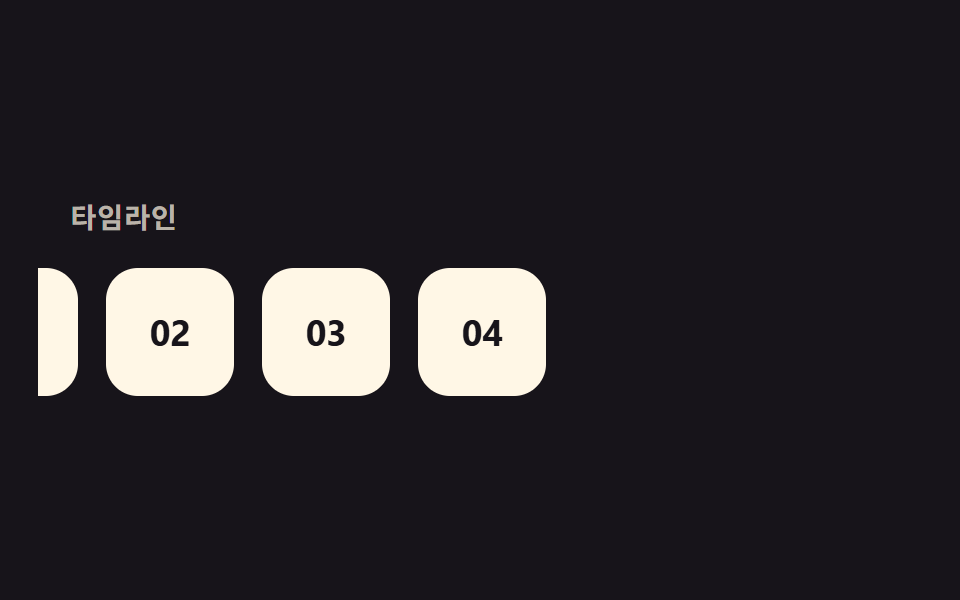
縦方向のスクロール量をそのままtranslateXの入力として使い、カードの列を120pxぶん横へ流すので、指は縦に動かしているのに画面の中身は横のタイムラインとして読めます。
<main class="stage is-demo">
  <div class="hline">
    <span class="hline__label">タイムライン</span>
    <div class="hline__track">
      <span class="hline__card">01</span>
      <span class="hline__card">02</span>
      <span class="hline__card">03</span>
      <span class="hline__card">04</span>
    </div>
  </div>
</main>
@use "../../../../site/static/demo-tokens" as *;
// ── 변수 3개. 변형은 이것만 바꾼다 ──────────────────────────
$travel: 120px; // 가로 이동 거리
$gap: 14px; // 카드 사이 간격
$color: $subject-cream; // 카드 색 (ink 무대라 cream)
@include stage($stage-ink);
.hline {
position: relative;
width: 100%;
height: 100%;
overflow: hidden;
display: grid;
align-content: center;
gap: 18px;
}
.hline__label {
padding-left: 16px;
color: rgba($color, .7);
font: 700 clamp(12px, 3.6vw, 14px)/1 -apple-system, "Segoe UI", "Noto Sans KR", sans-serif;
letter-spacing: .04em;
}
.hline__track {
display: flex;
gap: $gap;
padding-left: 16px;
// ── 실제 사용 코드: 세로 스크롤을 그대로 가로 이동으로 쓴다 ──
@supports (animation-timeline: scroll()) {
animation: travel linear both;
animation-timeline: scroll(root);
}
@supports not (animation-timeline: scroll()) { transform: none; }
}
.hline__card {
flex: none;
width: 64px;
height: 64px;
border-radius: $r-card;
background: $color;
color: $stage-ink;
display: grid;
place-items: center;
font: 700 18px/1 -apple-system, "Segoe UI", "Noto Sans KR", sans-serif;
}
@keyframes travel { from { transform: translateX(0); } to { transform: translateX(-#{$travel}); } }
// ── 데모(.is-demo): 왕복 루프로 흉내 ────────
.stage.is-demo .hline__track { animation: travel-loop $dur-loop ease-in-out infinite; }
@keyframes travel-loop { 0%, 100% { transform: translateX(0); } 50% { transform: translateX(-$travel); } }
@media (prefers-reduced-motion: reduce) {
.hline__track, .stage.is-demo .hline__track { animation: none !important; transform: none; }
}html, body {
margin: 0;
overflow: hidden;
}
.stage {
box-sizing: border-box;
min-height: 100vh;
display: grid;
place-items: center;
margin: 0;
background: #17141a;
font-family: -apple-system, "Segoe UI", "Noto Sans KR", sans-serif;
padding: clamp(8px, 4vw, 24px);
}
.hline {
position: relative;
width: 100%;
height: 100%;
overflow: hidden;
display: grid;
align-content: center;
gap: 18px;
}
.hline__label {
padding-left: 16px;
color: rgba(255, 247, 230, 0.7);
font: 700 clamp(12px, 3.6vw, 14px)/1 -apple-system, "Segoe UI", "Noto Sans KR", sans-serif;
letter-spacing: 0.04em;
}
.hline__track {
display: flex;
gap: 14px;
padding-left: 16px;
}
@supports (animation-timeline: scroll()) {
.hline__track {
animation: travel linear both;
animation-timeline: scroll(root);
}
}
@supports not (animation-timeline: scroll()) {
.hline__track {
transform: none;
}
}
.hline__card {
flex: none;
width: 64px;
height: 64px;
border-radius: 16px;
background: #fff7e6;
color: #17141a;
display: grid;
place-items: center;
font: 700 18px/1 -apple-system, "Segoe UI", "Noto Sans KR", sans-serif;
}
@keyframes travel {
from {
transform: translateX(0);
}
to {
transform: translateX(-120px);
}
}
.stage.is-demo .hline__track {
animation: travel-loop 2s ease-in-out infinite;
}
@keyframes travel-loop {
0%, 100% {
transform: translateX(0);
}
50% {
transform: translateX(-120px);
}
}
@media (prefers-reduced-motion: reduce) {
.hline__track, .stage.is-demo .hline__track {
animation: none !important;
transform: none;
}
}import type { CSSProperties, ReactNode } from "react";
import styles from "./HorizontalTimeline.module.scss";
export type HorizontalTimelineProps = {
/** 카드 내용 (숫자·짧은 라벨) */
items: ReactNode[];
label?: string;
/** 가로 이동 거리 (기본 120px) */
travel?: number;
/** 카드 사이 간격 (기본 14px) */
gap?: number;
className?: string;
};
type Vars = CSSProperties & { "--travel"?: string; "--gap"?: string };
export default function HorizontalTimeline({
items,
label = "Timeline",
travel = 120,
gap = 14,
className = "",
}: HorizontalTimelineProps) {
const vars: Vars = { "--travel": `${travel}px`, "--gap": `${gap}px` };
return (
<div className={`${styles.hline} ${className}`} style={vars}>
<span className={styles.label}>{label}</span>
<div className={styles.track}>
{items.map((item, i) => (
<span key={i} className={styles.card}>
{item}
</span>
))}
</div>
</div>
);
}05 · 横タイムラインパララックス — 計測 累積面積 13.686% · 動いたフレーム 23/23GODRICH オリジナル · SCSS と React は zip に同梱 · パスワードを見る
使う場面
沿革ページやプロダクトロードマップに向いています。
.hline__track {
  display: flex;
  gap: 14px;
  animation: travel linear both;
  animation-timeline: scroll(root);
}

@keyframes travel {
  from { transform: translateX(0); }
  to   { transform: translateX(-120px); }
}
06カードの奥行きレイヤー
どんな動きか
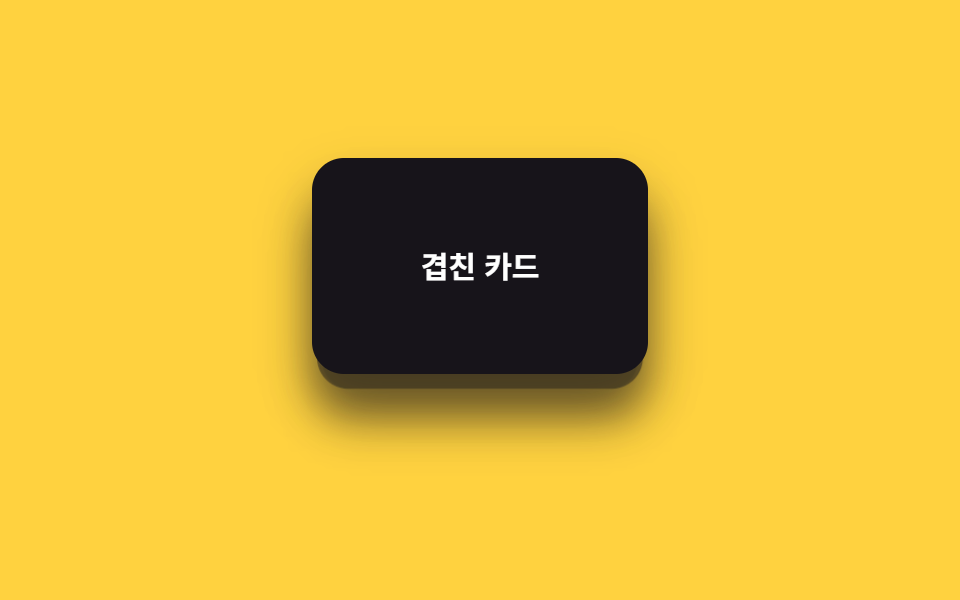
重なった3枚のカードは9px・18pxとずらして配置してあり、スクロールに応じて手前のカードほど34px、後ろのカードほど47.6pxと大きく剥がれていくので、奥行きが一段ずつ見えてきます。
<main class="stage is-demo">
  <div class="depthcards">
    <div class="depthcards__card depthcards__card--3" aria-hidden="true"></div>
    <div class="depthcards__card depthcards__card--2" aria-hidden="true"></div>
    <div class="depthcards__card depthcards__card--1">
      <span>重なったカード</span>
    </div>
  </div>
</main>
@use "../../../../site/static/demo-tokens" as *;
// ── 변수 3개. 변형은 이것만 바꾼다 ──────────────────────────
$peel: 34px; // 맨 앞 카드가 밀려나는 거리
$scale-step: .06; // 뒤 카드일수록 커지는 폭
$color: $subject-ink; // 카드 색 (yellow 무대라 ink)
@include stage($stage-yellow);
.depthcards {
position: relative;
width: 100%;
height: 100%;
display: grid;
place-items: center;
}
.depthcards__card {
position: absolute;
width: 168px;
height: 108px;
border-radius: $r-card;
box-shadow: $shadow-raised;
display: grid;
place-items: center;
font: 700 clamp(13px, 4vw, 15px)/1 -apple-system, "Segoe UI", "Noto Sans KR", sans-serif;
&--3 {
background: rgba($color, .28);
transform: translateY(18px) scale(.88);
@supports (animation-timeline: scroll()) { animation: peel-3 linear both; animation-timeline: scroll(root); }
}
&--2 {
background: rgba($color, .58);
transform: translateY(9px) scale(.94);
@supports (animation-timeline: scroll()) { animation: peel-2 linear both; animation-timeline: scroll(root); }
}
&--1 {
background: $color;
color: #fff;
@supports (animation-timeline: scroll()) { animation: peel-1 linear both; animation-timeline: scroll(root); }
}
}
// ── 실제 사용 코드: 앞 카드일수록 더 멀리, 더 빨리 밀려난다 ──
@keyframes peel-1 { from { transform: translateY(0) scale(1); } to { transform: translateY(-#{$peel}) scale(1); } }
@keyframes peel-2 { from { transform: translateY(9px) scale(.94); } to { transform: translateY(9px - $peel) scale(.94 + $scale-step); } }
@keyframes peel-3 { from { transform: translateY(18px) scale(.88); } to { transform: translateY(18px - $peel * 1.4) scale(.88 + $scale-step * 2); } }
// ── 데모(.is-demo): 왕복 루프로 흉내 ────────
.stage.is-demo .depthcards__card--1 { animation: loop-1 $dur-loop ease-in-out infinite; }
.stage.is-demo .depthcards__card--2 { animation: loop-2 $dur-loop ease-in-out infinite; }
.stage.is-demo .depthcards__card--3 { animation: loop-3 $dur-loop ease-in-out infinite; }
@keyframes loop-1 { 0%, 100% { transform: translateY(0) scale(1); } 50% { transform: translateY(-$peel) scale(1); } }
@keyframes loop-2 { 0%, 100% { transform: translateY(9px) scale(.94); } 50% { transform: translateY(9px - $peel) scale(.94 + $scale-step); } }
@keyframes loop-3 { 0%, 100% { transform: translateY(18px) scale(.88); } 50% { transform: translateY(18px - $peel * 1.4) scale(.88 + $scale-step * 2); } }
@media (prefers-reduced-motion: reduce) {
.depthcards__card--1, .depthcards__card--2, .depthcards__card--3,
.stage.is-demo .depthcards__card--1, .stage.is-demo .depthcards__card--2, .stage.is-demo .depthcards__card--3 {
animation: none !important;
}
.depthcards__card--1 { transform: translateY(0) scale(1); }
.depthcards__card--2 { transform: translateY(9px) scale(.94); }
.depthcards__card--3 { transform: translateY(18px) scale(.88); }
}html, body {
margin: 0;
overflow: hidden;
}
.stage {
box-sizing: border-box;
min-height: 100vh;
display: grid;
place-items: center;
margin: 0;
background: #ffd23f;
font-family: -apple-system, "Segoe UI", "Noto Sans KR", sans-serif;
padding: clamp(8px, 4vw, 24px);
}
.depthcards {
position: relative;
width: 100%;
height: 100%;
display: grid;
place-items: center;
}
.depthcards__card {
position: absolute;
width: 168px;
height: 108px;
border-radius: 16px;
box-shadow: 0 14px 24px rgba(23, 20, 26, 0.32);
display: grid;
place-items: center;
font: 700 clamp(13px, 4vw, 15px)/1 -apple-system, "Segoe UI", "Noto Sans KR", sans-serif;
}
.depthcards__card--3 {
background: rgba(23, 20, 26, 0.28);
transform: translateY(18px) scale(0.88);
}
@supports (animation-timeline: scroll()) {
.depthcards__card--3 {
animation: peel-3 linear both;
animation-timeline: scroll(root);
}
}
.depthcards__card--2 {
background: rgba(23, 20, 26, 0.58);
transform: translateY(9px) scale(0.94);
}
@supports (animation-timeline: scroll()) {
.depthcards__card--2 {
animation: peel-2 linear both;
animation-timeline: scroll(root);
}
}
.depthcards__card--1 {
background: #17141a;
color: #fff;
}
@supports (animation-timeline: scroll()) {
.depthcards__card--1 {
animation: peel-1 linear both;
animation-timeline: scroll(root);
}
}
@keyframes peel-1 {
from {
transform: translateY(0) scale(1);
}
to {
transform: translateY(-34px) scale(1);
}
}
@keyframes peel-2 {
from {
transform: translateY(9px) scale(0.94);
}
to {
transform: translateY(-25px) scale(1);
}
}
@keyframes peel-3 {
from {
transform: translateY(18px) scale(0.88);
}
to {
transform: translateY(-29.6px) scale(1);
}
}
.stage.is-demo .depthcards__card--1 {
animation: loop-1 2s ease-in-out infinite;
}
.stage.is-demo .depthcards__card--2 {
animation: loop-2 2s ease-in-out infinite;
}
.stage.is-demo .depthcards__card--3 {
animation: loop-3 2s ease-in-out infinite;
}
@keyframes loop-1 {
0%, 100% {
transform: translateY(0) scale(1);
}
50% {
transform: translateY(-34px) scale(1);
}
}
@keyframes loop-2 {
0%, 100% {
transform: translateY(9px) scale(0.94);
}
50% {
transform: translateY(-25px) scale(1);
}
}
@keyframes loop-3 {
0%, 100% {
transform: translateY(18px) scale(0.88);
}
50% {
transform: translateY(-29.6px) scale(1);
}
}
@media (prefers-reduced-motion: reduce) {
.depthcards__card--1, .depthcards__card--2, .depthcards__card--3,
.stage.is-demo .depthcards__card--1, .stage.is-demo .depthcards__card--2, .stage.is-demo .depthcards__card--3 {
animation: none !important;
}
.depthcards__card--1 {
transform: translateY(0) scale(1);
}
.depthcards__card--2 {
transform: translateY(9px) scale(0.94);
}
.depthcards__card--3 {
transform: translateY(18px) scale(0.88);
}
}import type { CSSProperties, ReactNode } from "react";
import styles from "./DepthCards.module.scss";
export type DepthCardsProps = {
/** 맨 앞 카드 라벨 */
children: ReactNode;
/** 맨 앞 카드가 밀려나는 거리 (기본 34px) */
peel?: number;
/** 뒤 카드일수록 커지는 폭 (기본 .06) */
scaleStep?: number;
className?: string;
};
type Vars = CSSProperties & { "--peel"?: string; "--scale-step"?: string };
export default function DepthCards({
children,
peel = 34,
scaleStep = 0.06,
className = "",
}: DepthCardsProps) {
const vars: Vars = { "--peel": `${peel}px`, "--scale-step": `${scaleStep}` };
return (
<div className={`${styles.wrap} ${className}`} style={vars}>
<div className={`${styles.card} ${styles.card3}`} aria-hidden="true" />
<div className={`${styles.card} ${styles.card2}`} aria-hidden="true" />
<div className={`${styles.card} ${styles.card1}`}>{children}</div>
</div>
);
}06 · カードの奥行きレイヤー — 計測 累積面積 16.794% · 動いたフレーム 23/23GODRICH オリジナル · SCSS と React は zip に同梱 · パスワードを見る
使いどころ
機能紹介カードや料金プラン比較に向いています。
.depthcards__card--1 { animation: peel-1 linear both; animation-timeline: scroll(root); }
.depthcards__card--2 { animation: peel-2 linear both; animation-timeline: scroll(root); }
.depthcards__card--3 { animation: peel-3 linear both; animation-timeline: scroll(root); }

@keyframes peel-1 { from { transform: translateY(0)   scale(1);   } to { transform: translateY(-34px)   scale(1); } }
@keyframes peel-2 { from { transform: translateY(9px)  scale(.94); } to { transform: translateY(-25px)   scale(1); } }
@keyframes peel-3 { from { transform: translateY(18px) scale(.88); } to { transform: translateY(-29.6px) scale(1); } }
07スティッキー+パララックス
何が起きるか
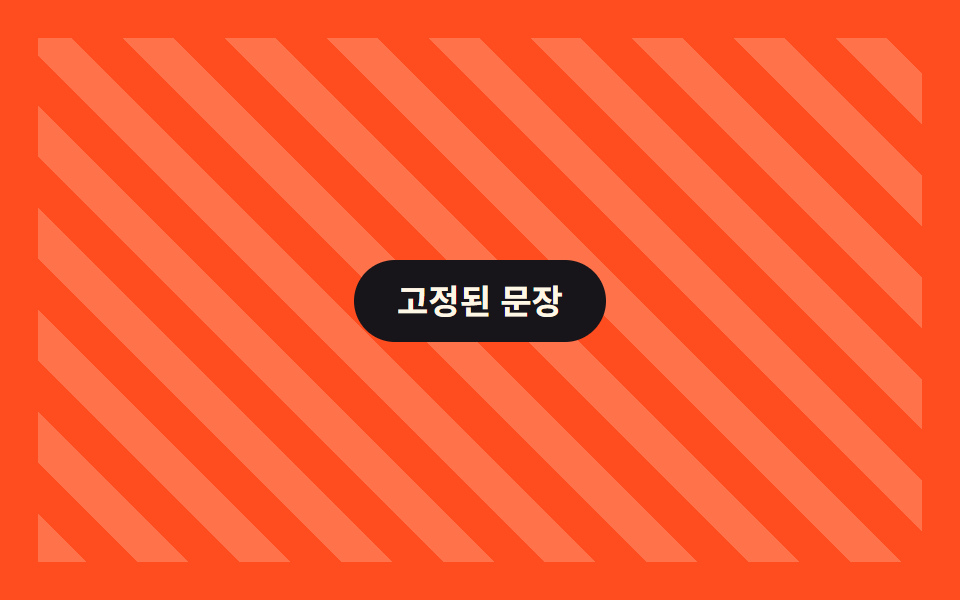
position: stickyで固定した文章の後ろだけをscroll(root)で40pxずつ流すので、前景は画面に留まったまま背景だけが動き続けます。
<main class="stage is-demo">
  <div class="stickypar">
    <div class="stickypar__bg" aria-hidden="true"></div>
    <p class="stickypar__caption">固定された文章</p>
  </div>
</main>
@use "../../../../site/static/demo-tokens" as *;
// ── 변수 3개. 변형은 이것만 바꾼다 ──────────────────────────
$bg-shift: 40px; // 뒤 배경 이동량
$duration: $dur-loop; // 데모 왕복 주기
$color: $subject-cream; // 배경 결·문장 글자 색 (orange 무대라 cream)
@include stage($stage-orange);
.stickypar {
position: relative;
width: 100%;
height: 100%;
overflow: hidden;
display: grid;
place-items: center;
}
.stickypar__bg {
position: absolute;
inset: -20% 0;
background: repeating-linear-gradient(45deg, rgba($color, .22) 0 18px, transparent 18px 36px);
// ── 실제 사용 코드: 앞 문장은 sticky 로 붙박이, 뒤 배경만 흘러간다 ──
@supports (animation-timeline: scroll()) {
animation: bg-drift linear both;
animation-timeline: scroll(root);
}
@supports not (animation-timeline: scroll()) { transform: none; }
}
.stickypar__caption {
position: sticky;
top: 40%;
z-index: 1;
margin: 0;
padding: 12px 22px;
border-radius: $r-pill;
background: $stage-ink;
color: $color;
font: 700 clamp(14px, 4.4vw, 17px)/1 -apple-system, "Segoe UI", "Noto Sans KR", sans-serif;
}
@keyframes bg-drift { from { transform: translateY(0); } to { transform: translateY(-#{$bg-shift}); } }
// ── 데모(.is-demo): 왕복 루프로 흉내 ────────
.stage.is-demo .stickypar__bg { animation: bg-loop $duration ease-in-out infinite; }
@keyframes bg-loop { 0%, 100% { transform: translateY($bg-shift); } 50% { transform: translateY(-$bg-shift); } }
@media (prefers-reduced-motion: reduce) {
.stickypar__bg, .stage.is-demo .stickypar__bg { animation: none !important; transform: none; }
}html, body {
margin: 0;
overflow: hidden;
}
.stage {
box-sizing: border-box;
min-height: 100vh;
display: grid;
place-items: center;
margin: 0;
background: #ff4d1f;
font-family: -apple-system, "Segoe UI", "Noto Sans KR", sans-serif;
padding: clamp(8px, 4vw, 24px);
}
.stickypar {
position: relative;
width: 100%;
height: 100%;
overflow: hidden;
display: grid;
place-items: center;
}
.stickypar__bg {
position: absolute;
inset: -20% 0;
background: repeating-linear-gradient(45deg, rgba(255, 247, 230, 0.22) 0 18px, transparent 18px 36px);
}
@supports (animation-timeline: scroll()) {
.stickypar__bg {
animation: bg-drift linear both;
animation-timeline: scroll(root);
}
}
@supports not (animation-timeline: scroll()) {
.stickypar__bg {
transform: none;
}
}
.stickypar__caption {
position: sticky;
top: 40%;
z-index: 1;
margin: 0;
padding: 12px 22px;
border-radius: 999px;
background: #17141a;
color: #fff7e6;
font: 700 clamp(14px, 4.4vw, 17px)/1 -apple-system, "Segoe UI", "Noto Sans KR", sans-serif;
}
@keyframes bg-drift {
from {
transform: translateY(0);
}
to {
transform: translateY(-40px);
}
}
.stage.is-demo .stickypar__bg {
animation: bg-loop 2s ease-in-out infinite;
}
@keyframes bg-loop {
0%, 100% {
transform: translateY(40px);
}
50% {
transform: translateY(-40px);
}
}
@media (prefers-reduced-motion: reduce) {
.stickypar__bg, .stage.is-demo .stickypar__bg {
animation: none !important;
transform: none;
}
}import type { CSSProperties, ReactNode } from "react";
import styles from "./StickyParallax.module.scss";
export type StickyParallaxProps = {
children: ReactNode;
/** 뒤 배경 이동량 (기본 40px) */
bgShift?: number;
/** 배경 결·문장 글자 색 */
color?: string;
className?: string;
};
type Vars = CSSProperties & { "--bg-shift"?: string; "--color"?: string };
export default function StickyParallax({
children,
bgShift = 40,
color = "#fff7e6",
className = "",
}: StickyParallaxProps) {
const vars: Vars = { "--bg-shift": `${bgShift}px`, "--color": color };
return (
<div className={`${styles.wrap} ${className}`} style={vars}>
<div className={styles.bg} aria-hidden="true" />
<p className={styles.caption}>{children}</p>
</div>
);
}07 · スティッキー+パララックス — 計測 累積面積 77.093% · 動いたフレーム 23/23GODRICH オリジナル · SCSS と React は zip に同梱 · パスワードを見る
向いている場面
ストーリーテリングセクションや製品スペック説明に向いています。
.stickypar__caption {
  position: sticky;
  top: 40%;
}
.stickypar__bg {
  animation: bg-drift linear both;
  animation-timeline: scroll(root);
}

@keyframes bg-drift {
  from { transform: translateY(0); }
  to   { transform: translateY(-40px); }
}
08マウス連動パララックス
動きの内容
ポインター位置を正規化した--mx・--myという2つのCSS変数に渡し、レイヤーごとの--depthを掛け合わせるだけで3つの円がそれぞれ違う幅で追いかけてきます。
<main class="stage is-demo">
  <div class="mousepar">
    <div class="mousepar__layer mousepar__layer--a" style="--depth:.3" aria-hidden="true"></div>
    <div class="mousepar__layer mousepar__layer--b" style="--depth:.6" aria-hidden="true"></div>
    <div class="mousepar__layer mousepar__layer--c" style="--depth:1" aria-hidden="true"></div>
    <p class="mousepar__label">マウスについてくる</p>
  </div>
</main>
@use "../../../../site/static/demo-tokens" as *;
// ── 변수 3개. 변형은 이것만 바꾼다 ──────────────────────────
$amp: 22px; // 커서 정규화값 1당 이동량
$duration: $dur-loop; // 데모 왕복 주기
$color: $subject-blue; // 레이어 색 (paper 무대라 blue)
@include stage($stage-paper);
.mousepar {
position: relative;
width: 100%;
height: 100%;
display: grid;
place-items: center;
}
.mousepar__layer {
position: absolute;
width: 46px;
height: 46px;
border-radius: 50%;
background: rgba($color, .5);
transition: transform 120ms $ease-out;
// ── 실제 사용 코드: pointermove 로 받은 --mx·--my 에 레이어별 --depth 를 곱해 이동한다 ──
&--a { left: 18%; top: 24%; transform: translate(calc(var(--mx, 0) * var(--depth) * #{$amp}), calc(var(--my, 0) * var(--depth) * #{$amp})); }
&--b { left: 62%; top: 54%; transform: translate(calc(var(--mx, 0) * var(--depth) * #{$amp}), calc(var(--my, 0) * var(--depth) * #{$amp})); }
&--c { left: 40%; top: 68%; transform: translate(calc(var(--mx, 0) * var(--depth) * #{$amp}), calc(var(--my, 0) * var(--depth) * #{$amp})); }
}
.mousepar__label {
position: relative;
z-index: 1;
margin: 0;
padding: 12px 20px;
border-radius: $r-pill;
background: $stage-ink;
color: #fff;
font: 700 clamp(13px, 4.2vw, 16px)/1 -apple-system, "Segoe UI", "Noto Sans KR", sans-serif;
}
// ── 데모(.is-demo): 커서 대신 2초 루프로 흉내 ────────
.stage.is-demo .mousepar__layer--a { animation: loop-a $duration ease-in-out infinite; }
.stage.is-demo .mousepar__layer--b { animation: loop-b $duration ease-in-out infinite; }
.stage.is-demo .mousepar__layer--c { animation: loop-c $duration ease-in-out infinite; }
@keyframes loop-a { 0%, 100% { transform: translate(-10px, -6px); } 50% { transform: translate(10px, 6px); } }
@keyframes loop-b { 0%, 100% { transform: translate(16px, 10px); } 50% { transform: translate(-16px, -10px); } }
@keyframes loop-c { 0%, 100% { transform: translate(-24px, -14px); } 50% { transform: translate(24px, 14px); } }
@media (prefers-reduced-motion: reduce) {
.mousepar__layer,
.stage.is-demo .mousepar__layer--a, .stage.is-demo .mousepar__layer--b, .stage.is-demo .mousepar__layer--c {
animation: none !important;
transform: none !important;
transition: none;
}
}html, body {
margin: 0;
overflow: hidden;
}
.stage {
box-sizing: border-box;
min-height: 100vh;
display: grid;
place-items: center;
margin: 0;
background: #ffffff;
font-family: -apple-system, "Segoe UI", "Noto Sans KR", sans-serif;
padding: clamp(8px, 4vw, 24px);
}
.mousepar {
position: relative;
width: 100%;
height: 100%;
display: grid;
place-items: center;
}
.mousepar__layer {
position: absolute;
width: 46px;
height: 46px;
border-radius: 50%;
background: rgba(47, 109, 246, 0.5);
transition: transform 120ms ease-out;
}
.mousepar__layer--a {
left: 18%;
top: 24%;
transform: translate(calc(var(--mx, 0) * var(--depth) * 22px), calc(var(--my, 0) * var(--depth) * 22px));
}
.mousepar__layer--b {
left: 62%;
top: 54%;
transform: translate(calc(var(--mx, 0) * var(--depth) * 22px), calc(var(--my, 0) * var(--depth) * 22px));
}
.mousepar__layer--c {
left: 40%;
top: 68%;
transform: translate(calc(var(--mx, 0) * var(--depth) * 22px), calc(var(--my, 0) * var(--depth) * 22px));
}
.mousepar__label {
position: relative;
z-index: 1;
margin: 0;
padding: 12px 20px;
border-radius: 999px;
background: #17141a;
color: #fff;
font: 700 clamp(13px, 4.2vw, 16px)/1 -apple-system, "Segoe UI", "Noto Sans KR", sans-serif;
}
.stage.is-demo .mousepar__layer--a {
animation: loop-a 2s ease-in-out infinite;
}
.stage.is-demo .mousepar__layer--b {
animation: loop-b 2s ease-in-out infinite;
}
.stage.is-demo .mousepar__layer--c {
animation: loop-c 2s ease-in-out infinite;
}
@keyframes loop-a {
0%, 100% {
transform: translate(-10px, -6px);
}
50% {
transform: translate(10px, 6px);
}
}
@keyframes loop-b {
0%, 100% {
transform: translate(16px, 10px);
}
50% {
transform: translate(-16px, -10px);
}
}
@keyframes loop-c {
0%, 100% {
transform: translate(-24px, -14px);
}
50% {
transform: translate(24px, 14px);
}
}
@media (prefers-reduced-motion: reduce) {
.mousepar__layer,
.stage.is-demo .mousepar__layer--a, .stage.is-demo .mousepar__layer--b, .stage.is-demo .mousepar__layer--c {
animation: none !important;
transform: none !important;
transition: none;
}
}// 실제 사용: 커서 위치를 -0.5~0.5 로 정규화해 CSS 변수로 넘긴다. 레이어는 --depth 로 배율만 다르게 받는다.
var el = document.querySelector('.mousepar');
el.addEventListener('pointermove', function (e) {
var r = el.getBoundingClientRect();
el.style.setProperty('--mx', ((e.clientX - r.left) / r.width - 0.5).toFixed(3));
el.style.setProperty('--my', ((e.clientY - r.top) / r.height - 0.5).toFixed(3));
});import { useCallback, useRef } from "react";
import type { CSSProperties, PointerEvent, ReactNode } from "react";
import styles from "./MouseParallax.module.scss";
export type MouseParallaxProps = {
children: ReactNode;
/** 커서 정규화값 1당 이동량 (기본 22px) */
amp?: number;
/** 레이어 색 */
color?: string;
className?: string;
};
type Vars = CSSProperties & { "--amp"?: string; "--color"?: string; "--mx"?: string; "--my"?: string };
export default function MouseParallax({ children, amp = 22, color = "#2f6df6", className = "" }: MouseParallaxProps) {
const ref = useRef<HTMLDivElement>(null);
const handle = useCallback((e: PointerEvent<HTMLDivElement>) => {
const r = e.currentTarget.getBoundingClientRect();
ref.current?.style.setProperty("--mx", `${(e.clientX - r.left) / r.width - 0.5}`);
ref.current?.style.setProperty("--my", `${(e.clientY - r.top) / r.height - 0.5}`);
}, []);
const vars: Vars = { "--amp": `${amp}px`, "--color": color };
return (
<div ref={ref} className={`${styles.wrap} ${className}`} style={vars} onPointerMove={handle}>
<div className={styles.layer} style={{ "--depth": ".3", left: "18%", top: "24%" } as Vars} aria-hidden="true" />
<div className={styles.layer} style={{ "--depth": ".6", left: "62%", top: "54%" } as Vars} aria-hidden="true" />
<div className={styles.layer} style={{ "--depth": "1", left: "40%", top: "68%" } as Vars} aria-hidden="true" />
<p className={styles.label}>{children}</p>
</div>
);
}08 · マウス連動パララックス — 計測 累積面積 6.447% · 動いたフレーム 23/23GODRICH オリジナル · SCSS と React は zip に同梱 · パスワードを見る
使う場面
プロダクトショーケースやポートフォリオのヒーローに向いています。
.mousepar__layer--a { left: 18%; top: 24%; }
.mousepar__layer--b { left: 62%; top: 54%; }
.mousepar__layer--c { left: 40%; top: 68%; }

.mousepar__layer {
  transform: translate(
    calc(var(--mx, 0) * var(--depth) * 22px),
    calc(var(--my, 0) * var(--depth) * 22px)
  );
}
09スクロールでズームアウト
どんな動きか
1.45倍に拡大された背景がscroll(root)に合わせてscale(1)まで縮んでいき、スクロールが進むほど周りのレイアウトが少しずつ現れてきます。
<main class="stage is-demo">
  <div class="zoomout">
    <div class="zoomout__media" aria-hidden="true"></div>
    <span class="zoomout__label">スクロールすると縮む</span>
  </div>
</main>
@use "../../../../site/static/demo-tokens" as *;
// ── 변수 3개. 변형은 이것만 바꾼다 ──────────────────────────
$scale-from: 1.45; // 처음 확대 배율
$duration: $dur-loop; // 데모 왕복 주기
$color: $subject-cream; // 라벨 글자 색 (ink 무대라 cream)
@include stage($stage-ink);
.zoomout {
position: relative;
width: 100%;
height: 100%;
overflow: hidden;
display: grid;
place-items: center;
}
.zoomout__media {
position: absolute;
inset: 6%;
border-radius: $r-card;
background: linear-gradient(135deg, rgba($color, .5), rgba($subject-blue, .5));
transform: scale(#{$scale-from});
// ── 실제 사용 코드: 확대돼 있던 화면이 스크롤할수록 줄어든다 ──
@supports (animation-timeline: scroll()) {
animation: zoom-out linear both;
animation-timeline: scroll(root);
}
}
.zoomout__label {
position: relative;
z-index: 1;
padding: 10px 18px;
border-radius: $r-pill;
background: $stage-ink;
border: 1px solid rgba($color, .5);
color: $color;
font: 700 clamp(12px, 3.8vw, 14px)/1 -apple-system, "Segoe UI", "Noto Sans KR", sans-serif;
}
@keyframes zoom-out { from { transform: scale(#{$scale-from}); } to { transform: scale(1); } }
// ── 데모(.is-demo): 왕복 루프로 흉내 ────────
.stage.is-demo .zoomout__media { animation: zoom-loop $duration ease-in-out infinite; }
@keyframes zoom-loop { 0%, 100% { transform: scale(#{$scale-from}); } 50% { transform: scale(1); } }
@media (prefers-reduced-motion: reduce) {
.zoomout__media, .stage.is-demo .zoomout__media { animation: none !important; transform: scale(1); }
}html, body {
margin: 0;
overflow: hidden;
}
.stage {
box-sizing: border-box;
min-height: 100vh;
display: grid;
place-items: center;
margin: 0;
background: #17141a;
font-family: -apple-system, "Segoe UI", "Noto Sans KR", sans-serif;
padding: clamp(8px, 4vw, 24px);
}
.zoomout {
position: relative;
width: 100%;
height: 100%;
overflow: hidden;
display: grid;
place-items: center;
}
.zoomout__media {
position: absolute;
inset: 6%;
border-radius: 16px;
background: linear-gradient(135deg, rgba(255, 247, 230, 0.5), rgba(47, 109, 246, 0.5));
transform: scale(1.45);
}
@supports (animation-timeline: scroll()) {
.zoomout__media {
animation: zoom-out linear both;
animation-timeline: scroll(root);
}
}
.zoomout__label {
position: relative;
z-index: 1;
padding: 10px 18px;
border-radius: 999px;
background: #17141a;
border: 1px solid rgba(255, 247, 230, 0.5);
color: #fff7e6;
font: 700 clamp(12px, 3.8vw, 14px)/1 -apple-system, "Segoe UI", "Noto Sans KR", sans-serif;
}
@keyframes zoom-out {
from {
transform: scale(1.45);
}
to {
transform: scale(1);
}
}
.stage.is-demo .zoomout__media {
animation: zoom-loop 2s ease-in-out infinite;
}
@keyframes zoom-loop {
0%, 100% {
transform: scale(1.45);
}
50% {
transform: scale(1);
}
}
@media (prefers-reduced-motion: reduce) {
.zoomout__media, .stage.is-demo .zoomout__media {
animation: none !important;
transform: scale(1);
}
}import type { CSSProperties, ReactNode } from "react";
import styles from "./ZoomOutScroll.module.scss";
export type ZoomOutScrollProps = {
children: ReactNode;
/** 처음 확대 배율 (기본 1.45) */
scaleFrom?: number;
/** 라벨 글자 색 */
color?: string;
className?: string;
};
type Vars = CSSProperties & { "--scale-from"?: string; "--color"?: string };
export default function ZoomOutScroll({
children,
scaleFrom = 1.45,
color = "#fff7e6",
className = "",
}: ZoomOutScrollProps) {
const vars: Vars = { "--scale-from": `${scaleFrom}`, "--color": color };
return (
<div className={`${styles.wrap} ${className}`} style={vars}>
<div className={styles.media} aria-hidden="true" />
<span className={styles.label}>{children}</span>
</div>
);
}09 · スクロールでズームアウト — 計測 累積面積 22.201% · 動いたフレーム 12/23GODRICH オリジナル · SCSS と React は zip に同梱 · パスワードを見る
使いどころ
商品詳細のファーストビューやギャラリーのイントロに向いています。
.zoomout__media {
  transform: scale(1.45);
  animation: zoom-out linear both;
  animation-timeline: scroll(root);
}

@keyframes zoom-out {
  from { transform: scale(1.45); }
  to   { transform: scale(1); }
}
どこで崩れるか — 落とし穴
初期 transform と keyframes のずれ
9つとも動きの正体はtransformだけで、位置やサイズを直接書き換えるコードは使っていません。ひとつ目の落とし穴は06の3枚のカードを組み立てているときに踏んだもので、@keyframesの開始値をtranslateY(9px) scale(.94)のような静止状態の初期transformに合わせずに0から書いてしまうと、スクロールが始まった瞬間、カードが本来の位置から一瞬だけ飛ぶように見えました。static側の初期transformと@keyframesのfromをそろえてから、この飛びは消えました。
overflow hidden と sticky
2つ目は07のスティッキーを組み立てたときのことです。.stickyparに背景をはみ出させないためのoverflow: hiddenを付けたところ、内側の.stickypar__captionにposition: stickyを与えても画面に張り付かず、背景と一緒にただ流れていってしまいました。原因はoverflow: hiddenを持つ祖先そのものが新しいスクロールコンテナになり、stickyが基準にする範囲がその祖先の高さに縮められてしまうことにあり、overflow: hiddenをclipのような別プロパティに置き換えると直りました。修正済みの9ファイルを開くには x6462unj という文字列が必要です。下のカードからzipを取ってください。
scroll root の基準
3つ目は05の横タイムラインで踏んだものです。animation-timeline: scroll(root)はページ全体のスクロール量を基準にするため、このセクションがページのどのあたりに置かれるかによってtranslateXが動き終わるタイミングがずれてしまい、ページの下の方に置くとカードが流れ切る前に画面から消えていきました。ページ内の特定の範囲だけを基準にしたいときはscroll(root)ではなくview()を使う書き方に切り替える必要があり、この記事の9つはどれもscroll(root)で統一して比較しやすくしています。 この注意はきっかけがスクロールでない場合にも当てはまり、08のポインター連動の層も同じ条件に従います。フォームのエラーのように画面を揺らす側は、CSS 揺れる アニメーション 9選が振り幅を抑える形で同じ問題を解いています。
アクセシビリティ
動きを減らす設定のとき
9つともprefers-reduced-motion: reduceで回転や移動、拡大縮小のアニメーションが止まりますが、要素そのものは消えません。01の背景はtranslateYを止めてその場に固定され、06の3枚のカードはtranslateY(9px) scale(.94)とtranslateY(18px) scale(.88)というずらした位置のまま動かなくなり、09の背景はいちばん外側のscale(1.45)ではなく縮み切った後のscale(1)で止まるので、動きを止めた状態でも構図が完成した形で表示されます。
@media (prefers-reduced-motion: reduce) {
  .bgslow__bg, .layer3__back, .layer3__mid, .layer3__front,
  .textimg__image, .textimg__text, .heroshrink__title,
  .hline__track, .depthcards__card--1, .depthcards__card--2,
  .depthcards__card--3, .stickypar__bg, .mousepar__layer,
  .zoomout__media { animation: none !important; }
  .depthcards__card--2 { transform: translateY(9px) scale(.94); }
  .depthcards__card--3 { transform: translateY(18px) scale(.88); }
  .zoomout__media { transform: scale(1); }
}
html css パララックス以外のCSSアニメーションはカテゴリーページに一覧があり、このサイトが何を目指しているかは紹介ページにまとめています。
FAQ
パララックス css アニメーションを9つ同じページに並べても動きが干渉しませんか
干渉しません。それぞれのアニメーションは自分のクラス名に結びついた@keyframesとanimation-timelineしか参照しておらず、01の背景と09の背景を隣り合わせに置いても、片方のscroll(root)がもう片方の進み方を変えることはありません。conic-gradientのような共有リソースも使っていないため、9つ同時に設置しても見た目の競合は起きません。 これらの効果をセクション単位ではなくホームページ一枚に組み上げる大きな絵は、スクロール アニメーション CSSで作る9種にまとめてあります。
05はなぜ縦にスクロールしているのに横へ動くのですか
animation-timeline: scroll(root)は、スクロールバーの向きに関係なく、ページ全体を読み終えるまでの進み具合を0%から100%の一本の数値として渡すだけの仕組みだからです。05はそのタイムラインをtranslateXの@keyframesに結びつけているため、指は縦に動かしていてもtransformの軸はXになり、カードの列は横方向のタイムラインとして流れて見えます。
08のマウス連動パララックスはスマホでも同じように動きますか
指で触れている間だけは08と同じ計算が働きますが、常にカーソル位置を送り続けるパソコンとは違い、スマホは指を離すと--mx・--myの更新が止まってしまいます。01から07と09はscroll(root)というスクロール量そのものを基準にしているため、指でスワイプしている間はスマホでもパソコンと変わらない速さで動きます。
こんな記事もどうぞ
 スクロール【コピペOK】スクロール アニメーション CSS のみ 9選
 スクロール【コピペOK】CSSヒーローセクション アニメーション9選
 スクロールCSS 固定ヘッダー 9選 — CSSだけ・JS不要
 スクロールCSS 無限ループ マーキー9選 — CSSだけ・JS不要
 スクロール【コピペOK】プログレスバー css アニメーション 9選
 スクロールcss 画像スライダー9選 — コピペで使えるカルーセル
 スクロール【コピペOK】タイムライン デザイン css 9選
 スクロールトップへ戻るボタン css アニメーション9選【CSSだけ・JS不要】
 スクロールcss カルーセル スライダーの作り方9選 — コピペでOK
 スクロールCSS スティッキーヘッダー追加9選 — 検索バー・CTA・通知まで