【一行でコピペOK】CSS ダークモード 切り替え アニメーション9選
css ダークモード 切り替え は、ページの配色を light と dark で入れ替えるトグルの動きを CSS だけで作る手法です。この記事では9種類を選び、アイコンの回転から light-dark() 関数まで、実装ごとにコードをそろえました。
 01 dark-mode-toggle-sun-moon
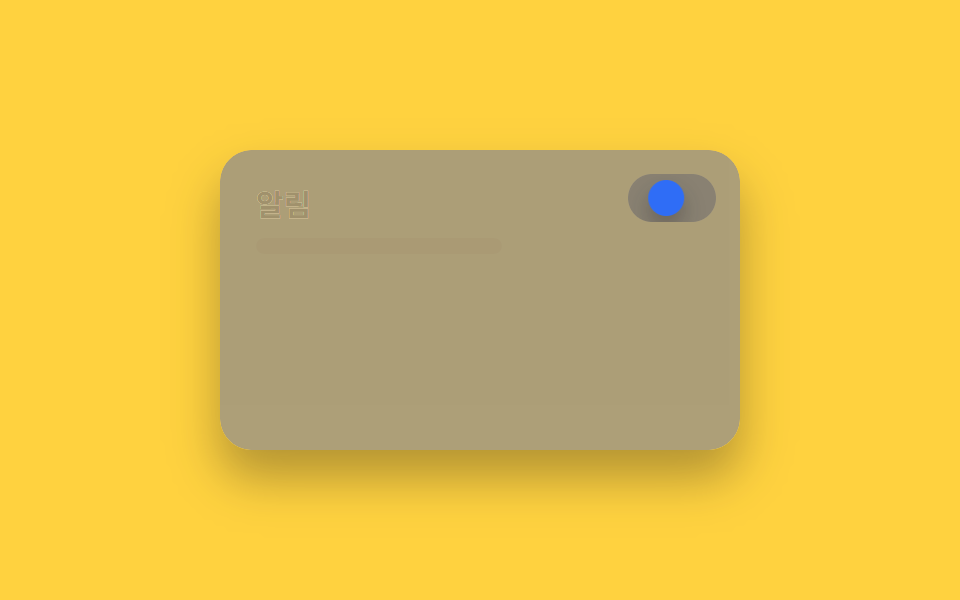 02 dark-mode-toggle-slide-knob
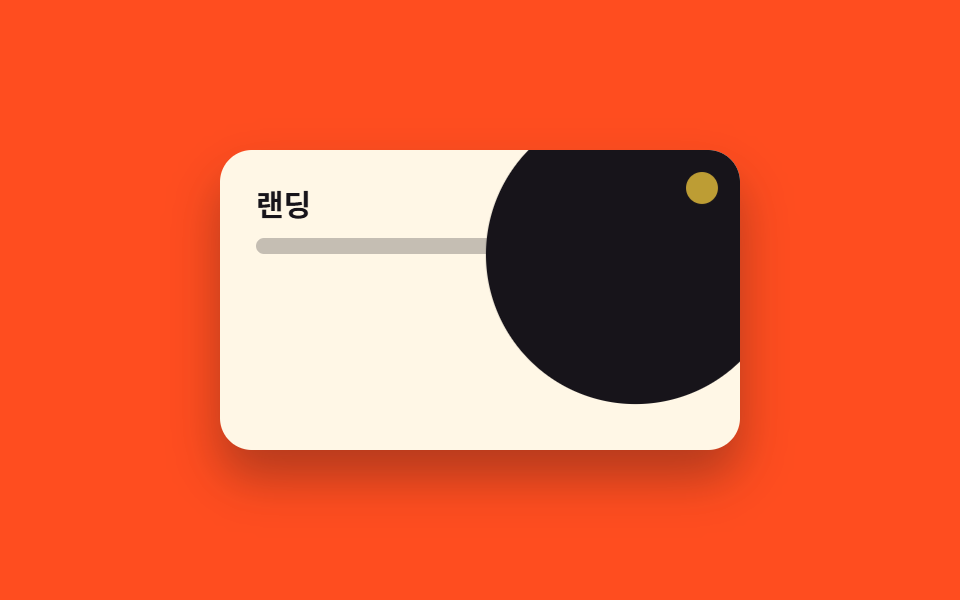 03 dark-mode-toggle-circle-expand
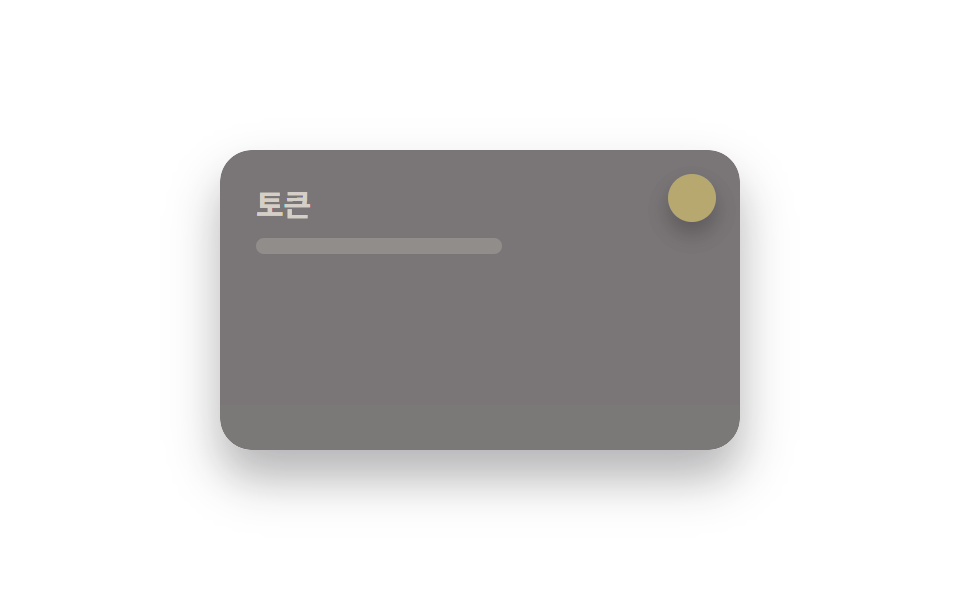 04 dark-mode-toggle-light-dark-fn
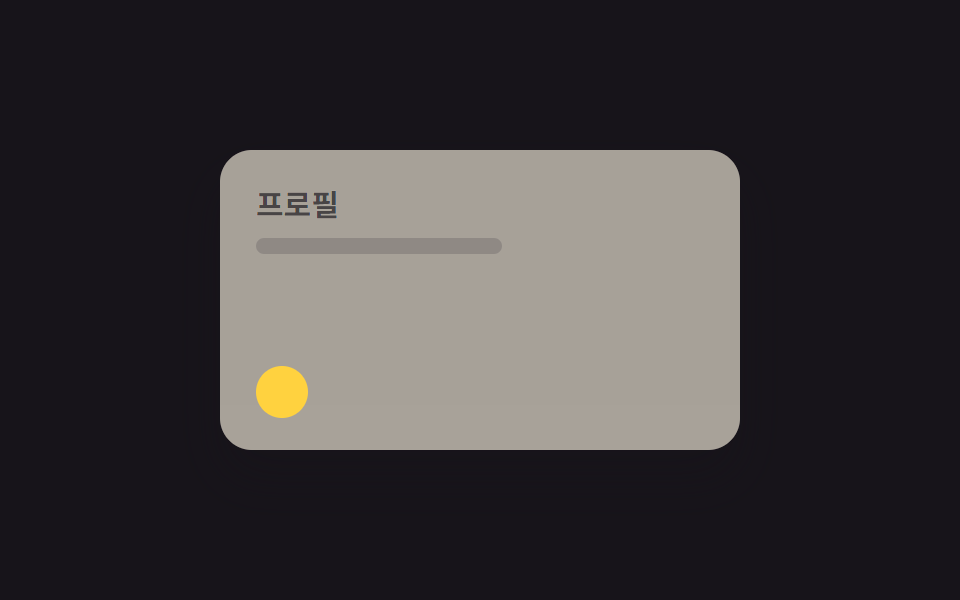 05 dark-mode-toggle-eclipse-mask
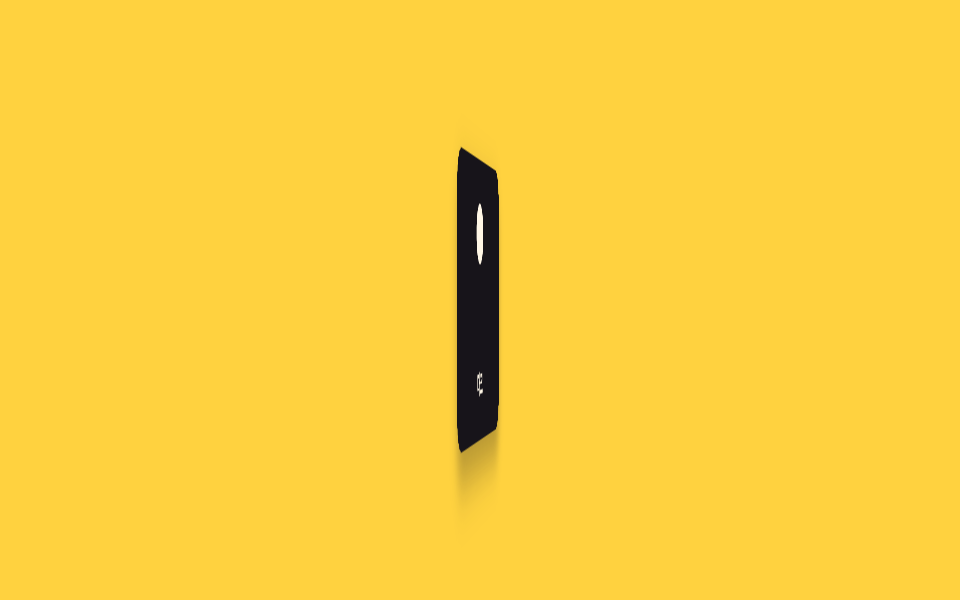 06 dark-mode-toggle-flip-card
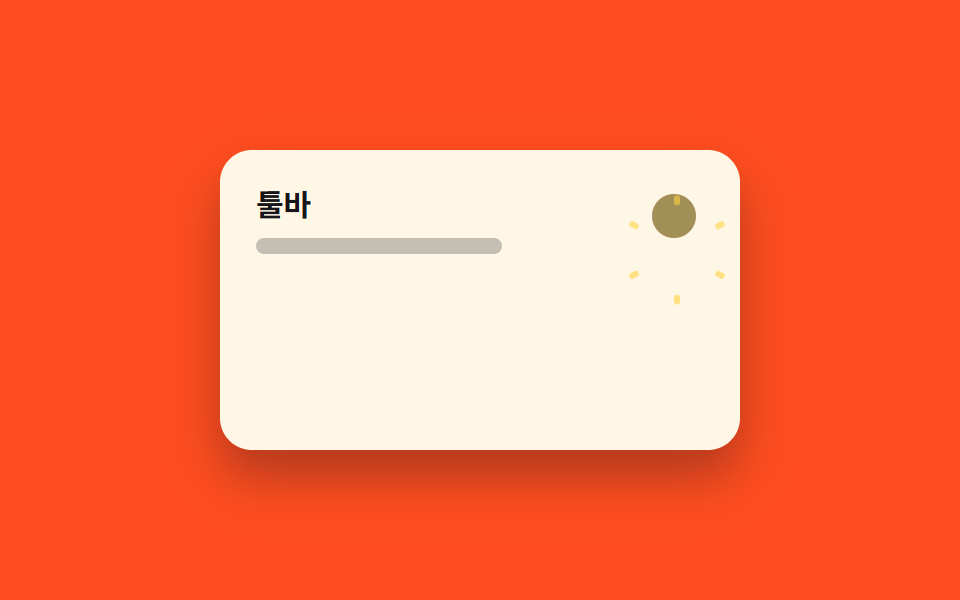 07 dark-mode-toggle-icon-morph
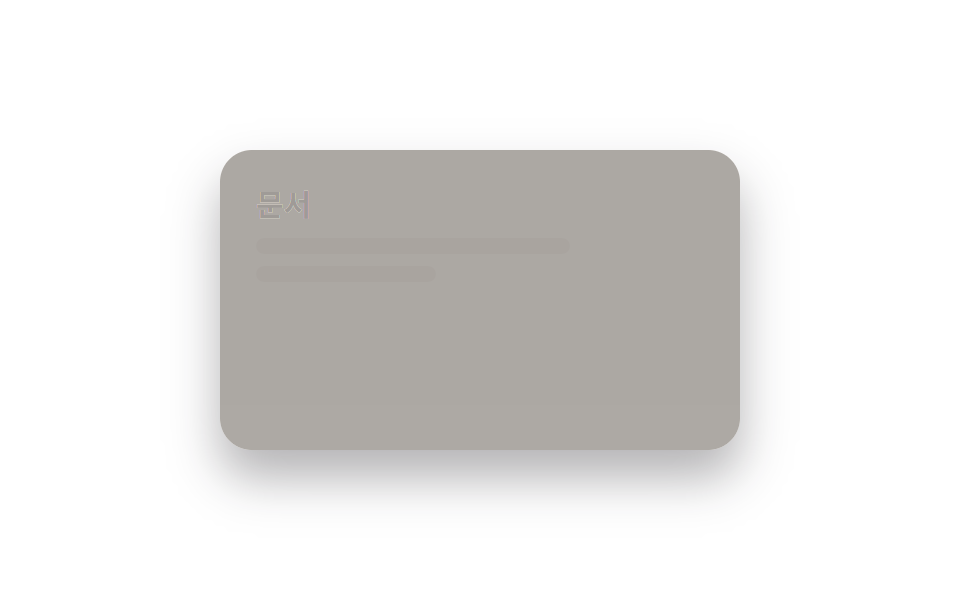 08 dark-mode-toggle-color-fade
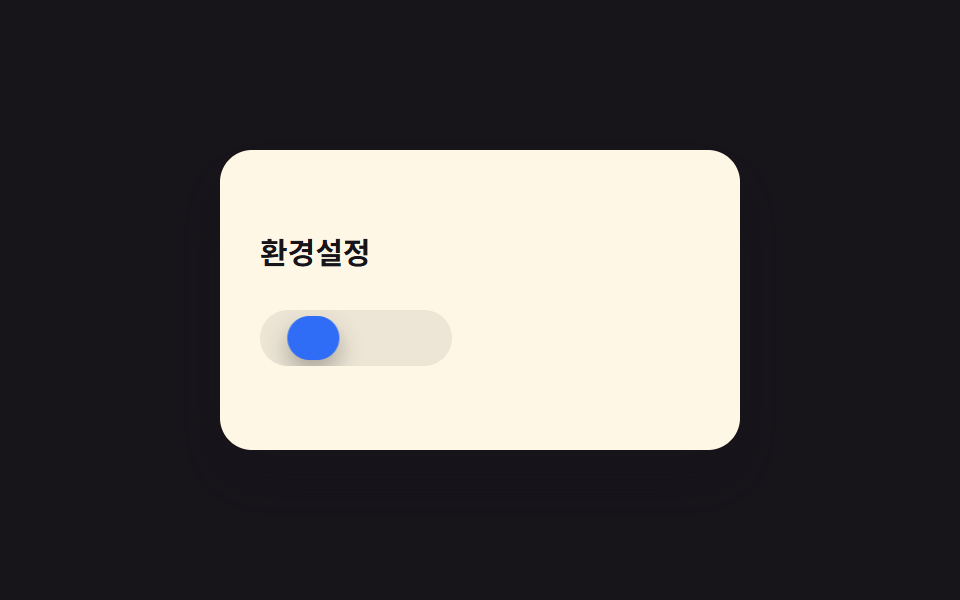 09 dark-mode-toggle-three-state
自動再生 · タイルを押すとその項目へ · すべて1つのzip
- 01 太陽↔月アイコン切替
- 02 ノブスライド
- 03 クリック地点から円形に切替(View Transitions)
- 04 ライトとダークを一気に反転
- 05 日食マスク切替
- 06 カード反転切替
- 07 アイコンモーフィング
- 08 全体の色がフェード切替
- 09 ライト・ダーク・自動の3段階
グリッドの9つは iframe の中で、2秒ごとにライト→ダーク→ライトへ自動で切り替わります。クリックはできず、動きを眺めるだけの一覧です。並び順は、アイコンやノブ単体が変わるもの(01・02・05・06・07)から、パネル全体の配色が一度に切り替わるもの(03・04・08)、最後に3段階の状態を持つトグル(09)という、実装の複雑さが増える順です。項目ごとに要点となるコードだけを載せているので、完全なファイルは zip の中にあります。
01太陽↔月アイコン切替
どんな動きか
トグルを押すと太陽アイコンが回転しながら月アイコンへクロスフェードします。
<main class="stage">
  <div class="panel">
    <div class="panel__face panel__face--light">
      <p class="panel__title">設定</p>
      <p class="panel__line"></p>
    </div>
    <div class="panel__face panel__face--dark">
      <p class="panel__title">設定</p>
      <p class="panel__line"></p>
    </div>
    <button class="toggle" type="button" aria-label="ダークモード切替">
      <span class="toggle__sun"></span>
      <span class="toggle__moon"></span>
    </button>
  </div>
</main>
@use "../../../../site/static/demo-tokens" as *;
// ── 변수 3개. 변형은 이것만 바꾼다 (값은 토큰에서 받는다) ──────
$duration: $dur-base;
$easing: $ease-spring;
$color: $subject-blue;
// ── 데모 무대 ───────────────────────────────
@include stage($stage-ink);
.panel {
position: relative; overflow: hidden;
width: clamp(200px, 70vw, 260px); height: clamp(120px, 42vw, 150px);
border-radius: $r-card; box-shadow: $shadow-raised;
}
.panel__face {
position: absolute; inset: 0; box-sizing: border-box;
padding: clamp(12px, 5vw, 18px); text-align: left;
}
.panel__face--light {
background: $subject-cream; color: $subject-ink;
opacity: 1; animation: face-light $dur-loop $easing infinite;
}
.panel__face--dark {
background: $stage-ink; color: $subject-cream;
opacity: 0; animation: face-dark $dur-loop $easing infinite;
}
.panel__title { margin: 0 0 6px; font-weight: 700; font-size: clamp(12px, 3.6vw, 15px); line-height: 1.3; font-family: inherit; }
.panel__line { margin: 0; width: 60%; height: 8px; border-radius: 4px; background: currentColor; opacity: .25; }
.toggle {
position: absolute; top: clamp(8px, 3vw, 12px); right: clamp(8px, 3vw, 12px);
width: 28px; height: 28px; border: 0; border-radius: 50%; padding: 0;
background: rgba(255, 255, 255, .14); cursor: pointer;
}
.toggle__sun, .toggle__moon {
position: absolute; inset: 5px; border-radius: 50%; transform-origin: center;
}
.toggle__sun {
background: $stage-yellow; opacity: 1; transform: rotate(0deg);
animation: sun $dur-loop $easing infinite;
}
.toggle__moon {
background: $subject-cream; opacity: 0; transform: rotate(-90deg);
animation: moon $dur-loop $easing infinite;
}
// 0~15% 라이트 유지 · 15~40% 전환 · 40~60% 다크 유지 · 60~85% 전환 · 85~100% 라이트로 되돌아감
@keyframes face-light { 0%, 15% { opacity: 1; } 40%, 60% { opacity: 0; } 85%, 100% { opacity: 1; } }
@keyframes face-dark { 0%, 15% { opacity: 0; } 40%, 60% { opacity: 1; } 85%, 100% { opacity: 0; } }
@keyframes sun { 0%, 15% { opacity: 1; transform: rotate(0deg); } 40%, 60% { opacity: 0; transform: rotate(90deg); } 85%, 100% { opacity: 1; transform: rotate(0deg); } }
@keyframes moon { 0%, 15% { opacity: 0; transform: rotate(-90deg); } 40%, 60% { opacity: 1; transform: rotate(0deg); } 85%, 100% { opacity: 0; transform: rotate(-90deg); } }
// ── 접근성: 움직임 줄이기 설정이면 라이트 상태로 고정 ──────────
@media (prefers-reduced-motion: reduce) {
.panel__face--light, .panel__face--dark, .toggle__sun, .toggle__moon { animation: none !important; }
}html, body {
margin: 0;
overflow: hidden;
}
.stage {
box-sizing: border-box;
min-height: 100vh;
display: grid;
place-items: center;
margin: 0;
background: #17141a;
font-family: -apple-system, "Segoe UI", "Noto Sans KR", sans-serif;
padding: clamp(8px, 4vw, 24px);
}
.panel {
position: relative;
overflow: hidden;
width: clamp(200px, 70vw, 260px);
height: clamp(120px, 42vw, 150px);
border-radius: 16px;
box-shadow: 0 14px 24px rgba(23, 20, 26, 0.32);
}
.panel__face {
position: absolute;
inset: 0;
box-sizing: border-box;
padding: clamp(12px, 5vw, 18px);
text-align: left;
}
.panel__face--light {
background: #fff7e6;
color: #17141a;
opacity: 1;
animation: face-light 2s cubic-bezier(0.2, 0.8, 0.2, 1) infinite;
}
.panel__face--dark {
background: #17141a;
color: #fff7e6;
opacity: 0;
animation: face-dark 2s cubic-bezier(0.2, 0.8, 0.2, 1) infinite;
}
.panel__title {
margin: 0 0 6px;
font-weight: 700;
font-size: clamp(12px, 3.6vw, 15px);
line-height: 1.3;
font-family: inherit;
}
.panel__line {
margin: 0;
width: 60%;
height: 8px;
border-radius: 4px;
background: currentColor;
opacity: 0.25;
}
.toggle {
position: absolute;
top: clamp(8px, 3vw, 12px);
right: clamp(8px, 3vw, 12px);
width: 28px;
height: 28px;
border: 0;
border-radius: 50%;
padding: 0;
background: rgba(255, 255, 255, 0.14);
cursor: pointer;
}
.toggle__sun, .toggle__moon {
position: absolute;
inset: 5px;
border-radius: 50%;
transform-origin: center;
}
.toggle__sun {
background: #ffd23f;
opacity: 1;
transform: rotate(0deg);
animation: sun 2s cubic-bezier(0.2, 0.8, 0.2, 1) infinite;
}
.toggle__moon {
background: #fff7e6;
opacity: 0;
transform: rotate(-90deg);
animation: moon 2s cubic-bezier(0.2, 0.8, 0.2, 1) infinite;
}
@keyframes face-light {
0%, 15% {
opacity: 1;
}
40%, 60% {
opacity: 0;
}
85%, 100% {
opacity: 1;
}
}
@keyframes face-dark {
0%, 15% {
opacity: 0;
}
40%, 60% {
opacity: 1;
}
85%, 100% {
opacity: 0;
}
}
@keyframes sun {
0%, 15% {
opacity: 1;
transform: rotate(0deg);
}
40%, 60% {
opacity: 0;
transform: rotate(90deg);
}
85%, 100% {
opacity: 1;
transform: rotate(0deg);
}
}
@keyframes moon {
0%, 15% {
opacity: 0;
transform: rotate(-90deg);
}
40%, 60% {
opacity: 1;
transform: rotate(0deg);
}
85%, 100% {
opacity: 0;
transform: rotate(-90deg);
}
}
@media (prefers-reduced-motion: reduce) {
.panel__face--light, .panel__face--dark, .toggle__sun, .toggle__moon {
animation: none !important;
}
}import type { CSSProperties } from "react";
import styles from "./SunMoonToggle.module.scss";
export type SunMoonToggleProps = {
/** 다크모드가 켜져 있는가 */
dark: boolean;
onToggle?: () => void;
/** 전환 시간 (기본 300ms) */
duration?: number;
easing?: string;
color?: string;
className?: string;
};
type Vars = CSSProperties & { "--duration"?: string; "--easing"?: string; "--color"?: string };
export default function SunMoonToggle({
dark,
onToggle,
duration = 300,
easing = "cubic-bezier(.2,.8,.2,1)",
color = "#2f6df6",
className = "",
}: SunMoonToggleProps) {
const vars: Vars = { "--duration": `${duration}ms`, "--easing": easing, "--color": color };
return (
<button
type="button"
className={`${styles.toggle} ${className}`}
style={vars}
data-dark={dark}
aria-label="다크모드 전환"
onClick={onToggle}
>
<span className={styles.sun} />
<span className={styles.moon} />
</button>
);
}01 · 太陽↔月アイコン切替 — 計測 累積面積 26.961% · 動いたフレーム 11/23GODRICH オリジナル · SCSS と React は zip に同梱 · パスワードを見る
css アニメーション ボタンの使いどころ
実装では300ms・spring系イージングを使うと、勢いよく回りながらも行き過ぎない動きになります。ヘッダーのダークモードボタンや設定メニューに向いています。
.toggle__sun {
  background: $stage-yellow;
  animation: sun $dur-loop $easing infinite;
}
.toggle__moon {
  background: $subject-cream;
  animation: moon $dur-loop $easing infinite;
}

@keyframes sun {
  0%, 15%   { opacity: 1; transform: rotate(0deg); }
  40%, 60%  { opacity: 0; transform: rotate(90deg); }
  85%, 100% { opacity: 1; transform: rotate(0deg); }
}
@keyframes moon {
  0%, 15%   { opacity: 0; transform: rotate(-90deg); }
  40%, 60%  { opacity: 1; transform: rotate(0deg); }
  85%, 100% { opacity: 0; transform: rotate(-90deg); }
}
02ノブスライド
何が起きるか
スイッチのトラック上でノブが右へ滑り、背景色も同時に切り替わります。
<main class="stage">
  <div class="panel">
    <div class="panel__face panel__face--light">
      <p class="panel__title">通知</p>
      <p class="panel__line"></p>
    </div>
    <div class="panel__face panel__face--dark">
      <p class="panel__title">通知</p>
      <p class="panel__line"></p>
    </div>
    <span class="track">
      <span class="track__bg track__bg--light"></span>
      <span class="track__bg track__bg--dark"></span>
      <span class="knob"></span>
    </span>
  </div>
</main>
@use "../../../../site/static/demo-tokens" as *;
// ── 변수 3개 ──────────────────────────────
$duration: $dur-enter;
$easing: $ease-out;
$color: $subject-blue;
// ── 데모 무대 ───────────────────────────────
@include stage($stage-yellow);
.panel {
position: relative; overflow: hidden;
width: clamp(200px, 70vw, 260px); height: clamp(120px, 42vw, 150px);
border-radius: $r-card; box-shadow: $shadow-raised;
}
.panel__face {
position: absolute; inset: 0; box-sizing: border-box;
padding: clamp(12px, 5vw, 18px); text-align: left;
}
.panel__face--light {
background: $subject-cream; color: $subject-ink;
opacity: 1; animation: face-light $dur-loop $easing infinite;
}
.panel__face--dark {
background: $stage-ink; color: $subject-cream;
opacity: 0; animation: face-dark $dur-loop $easing infinite;
}
.panel__title { margin: 0 0 6px; font-weight: 700; font-size: clamp(12px, 3.6vw, 15px); line-height: 1.3; font-family: inherit; }
.panel__line { margin: 0; width: 55%; height: 8px; border-radius: 4px; background: currentColor; opacity: .25; }
.track {
position: absolute; top: clamp(8px, 3vw, 12px); right: clamp(8px, 3vw, 12px);
display: block; width: 44px; height: 24px; border-radius: $r-pill; overflow: hidden;
}
.track__bg { position: absolute; inset: 0; }
.track__bg--light { background: rgba(255, 255, 255, .5); opacity: 1; animation: face-light $dur-loop $easing infinite; }
.track__bg--dark { background: $subject-ink; opacity: 0; animation: face-dark $dur-loop $easing infinite; }
.knob {
position: absolute; top: 3px; left: 3px; width: 18px; height: 18px; border-radius: 50%;
background: $color; box-shadow: $shadow-press;
transform: translateX(0); animation: knob-slide $dur-loop $easing infinite;
}
// 0~15% 라이트 유지 · 15~40% 전환 · 40~60% 다크 유지 · 60~85% 전환 · 85~100% 라이트로 되돌아감
@keyframes face-light { 0%, 15% { opacity: 1; } 40%, 60% { opacity: 0; } 85%, 100% { opacity: 1; } }
@keyframes face-dark { 0%, 15% { opacity: 0; } 40%, 60% { opacity: 1; } 85%, 100% { opacity: 0; } }
@keyframes knob-slide {
0%, 15% { transform: translateX(0); }
40%, 60% { transform: translateX(20px); }
85%, 100% { transform: translateX(0); }
}
// ── 접근성: 움직임 줄이기 설정이면 라이트 상태로 고정 ──────────
@media (prefers-reduced-motion: reduce) {
.panel__face--light, .panel__face--dark, .track__bg--light, .track__bg--dark, .knob { animation: none !important; }
}html, body {
margin: 0;
overflow: hidden;
}
.stage {
box-sizing: border-box;
min-height: 100vh;
display: grid;
place-items: center;
margin: 0;
background: #ffd23f;
font-family: -apple-system, "Segoe UI", "Noto Sans KR", sans-serif;
padding: clamp(8px, 4vw, 24px);
}
.panel {
position: relative;
overflow: hidden;
width: clamp(200px, 70vw, 260px);
height: clamp(120px, 42vw, 150px);
border-radius: 16px;
box-shadow: 0 14px 24px rgba(23, 20, 26, 0.32);
}
.panel__face {
position: absolute;
inset: 0;
box-sizing: border-box;
padding: clamp(12px, 5vw, 18px);
text-align: left;
}
.panel__face--light {
background: #fff7e6;
color: #17141a;
opacity: 1;
animation: face-light 2s ease-out infinite;
}
.panel__face--dark {
background: #17141a;
color: #fff7e6;
opacity: 0;
animation: face-dark 2s ease-out infinite;
}
.panel__title {
margin: 0 0 6px;
font-weight: 700;
font-size: clamp(12px, 3.6vw, 15px);
line-height: 1.3;
font-family: inherit;
}
.panel__line {
margin: 0;
width: 55%;
height: 8px;
border-radius: 4px;
background: currentColor;
opacity: 0.25;
}
.track {
position: absolute;
top: clamp(8px, 3vw, 12px);
right: clamp(8px, 3vw, 12px);
display: block;
width: 44px;
height: 24px;
border-radius: 999px;
overflow: hidden;
}
.track__bg {
position: absolute;
inset: 0;
}
.track__bg--light {
background: rgba(255, 255, 255, 0.5);
opacity: 1;
animation: face-light 2s ease-out infinite;
}
.track__bg--dark {
background: #17141a;
opacity: 0;
animation: face-dark 2s ease-out infinite;
}
.knob {
position: absolute;
top: 3px;
left: 3px;
width: 18px;
height: 18px;
border-radius: 50%;
background: #2f6df6;
box-shadow: 0 6px 12px rgba(23, 20, 26, 0.32);
transform: translateX(0);
animation: knob-slide 2s ease-out infinite;
}
@keyframes face-light {
0%, 15% {
opacity: 1;
}
40%, 60% {
opacity: 0;
}
85%, 100% {
opacity: 1;
}
}
@keyframes face-dark {
0%, 15% {
opacity: 0;
}
40%, 60% {
opacity: 1;
}
85%, 100% {
opacity: 0;
}
}
@keyframes knob-slide {
0%, 15% {
transform: translateX(0);
}
40%, 60% {
transform: translateX(20px);
}
85%, 100% {
transform: translateX(0);
}
}
@media (prefers-reduced-motion: reduce) {
.panel__face--light, .panel__face--dark, .track__bg--light, .track__bg--dark, .knob {
animation: none !important;
}
}import type { CSSProperties } from "react";
import styles from "./SlideKnobToggle.module.scss";
export type SlideKnobToggleProps = {
dark: boolean;
onToggle?: () => void;
/** 노브가 미끄러지는 시간 (기본 600ms) */
duration?: number;
easing?: string;
color?: string;
className?: string;
};
type Vars = CSSProperties & { "--duration"?: string; "--easing"?: string; "--color"?: string };
export default function SlideKnobToggle({
dark,
onToggle,
duration = 600,
easing = "ease-out",
color = "#2f6df6",
className = "",
}: SlideKnobToggleProps) {
const vars: Vars = { "--duration": `${duration}ms`, "--easing": easing, "--color": color };
return (
<button
type="button"
className={`${styles.track} ${className}`}
style={vars}
data-dark={dark}
aria-label="다크모드 전환"
onClick={onToggle}
>
<span className={styles.knob} />
</button>
);
}02 · ノブスライド — 計測 累積面積 26.944% · 動いたフレーム 14/23GODRICH オリジナル · SCSS と React は zip に同梱 · パスワードを見る
向いている場面
600ms・ease-outで、28px幅のノブがゆっくり移動するぶん状態の変化が目で追いやすくなります。設定画面のトグルやナビ右側のボタンに向いています。
.track__bg--dark {
  background: $subject-ink;
  opacity: 0;
  animation: face-dark $dur-loop $easing infinite;
}
.knob {
  transform: translateX(0);
  animation: knob-slide $dur-loop $easing infinite;
}

@keyframes knob-slide {
  0%, 15%   { transform: translateX(0); }
  40%, 60%  { transform: translateX(20px); }
  85%, 100% { transform: translateX(0); }
}
03クリック地点から円形に切替(View Transitions)
動きの内容
トグル位置(パネル右上)を起点に円が広がり、パネル全体がダークモードに覆われます。
<main class="stage">
  <div class="panel">
    <p class="panel__title">ランディング</p>
    <p class="panel__line"></p>
    <span class="wipe"></span>
    <span class="origin"></span>
  </div>
</main>
@use "../../../../site/static/demo-tokens" as *;
// ── 변수 3개 ──────────────────────────────
$duration: $dur-enter;
$easing: $ease-pop;
$color: $stage-ink;
// ── 데모 무대 ───────────────────────────────
@include stage($stage-orange);
.panel {
position: relative; overflow: hidden;
width: clamp(200px, 70vw, 260px); height: clamp(120px, 42vw, 150px);
border-radius: $r-card; box-shadow: $shadow-raised;
background: $subject-cream; color: $subject-ink;
box-sizing: border-box; padding: clamp(12px, 5vw, 18px); text-align: left;
}
.panel__title { position: relative; z-index: 1; margin: 0 0 6px; font-weight: 700; font-size: clamp(12px, 3.6vw, 15px); line-height: 1.3; font-family: inherit; }
.panel__line { position: relative; z-index: 1; margin: 0; width: 55%; height: 8px; border-radius: 4px; background: currentColor; opacity: .25; }
// 클릭 지점(우상단 토글 자리)에서 원이 퍼져 화면을 다크모드로 덮는다. transform: scale 하나로.
.wipe {
position: absolute; z-index: 0; top: -60px; right: -60px;
width: 320px; height: 320px; border-radius: 50%;
background: $color; transform-origin: 78% 22%; // 규칙8: 클릭 지점서 퍼짐
transform: scale(0); animation: wipe-scale $dur-loop $easing infinite;
}
.origin {
position: absolute; z-index: 2; top: clamp(8px, 3vw, 12px); right: clamp(8px, 3vw, 12px);
width: 14px; height: 14px; border-radius: 50%; background: $stage-yellow;
animation: origin-pulse $dur-loop $easing infinite;
}
@keyframes wipe-scale {
0%, 10% { transform: scale(0); }
45%, 55% { transform: scale(1); }
90%, 100% { transform: scale(0); }
}
@keyframes origin-pulse {
0%, 10% { opacity: 1; transform: scale(1); }
45%, 55% { opacity: .4; transform: scale(1.3); }
90%, 100% { opacity: 1; transform: scale(1); }
}
// ── 접근성: 움직임 줄이기 설정이면 원이 퍼지지 않는다 ──────────
@media (prefers-reduced-motion: reduce) {
.wipe, .origin { animation: none !important; transform: scale(0); }
}html, body {
margin: 0;
overflow: hidden;
}
.stage {
box-sizing: border-box;
min-height: 100vh;
display: grid;
place-items: center;
margin: 0;
background: #ff4d1f;
font-family: -apple-system, "Segoe UI", "Noto Sans KR", sans-serif;
padding: clamp(8px, 4vw, 24px);
}
.panel {
position: relative;
overflow: hidden;
width: clamp(200px, 70vw, 260px);
height: clamp(120px, 42vw, 150px);
border-radius: 16px;
box-shadow: 0 14px 24px rgba(23, 20, 26, 0.32);
background: #fff7e6;
color: #17141a;
box-sizing: border-box;
padding: clamp(12px, 5vw, 18px);
text-align: left;
}
.panel__title {
position: relative;
z-index: 1;
margin: 0 0 6px;
font-weight: 700;
font-size: clamp(12px, 3.6vw, 15px);
line-height: 1.3;
font-family: inherit;
}
.panel__line {
position: relative;
z-index: 1;
margin: 0;
width: 55%;
height: 8px;
border-radius: 4px;
background: currentColor;
opacity: 0.25;
}
.wipe {
position: absolute;
z-index: 0;
top: -60px;
right: -60px;
width: 320px;
height: 320px;
border-radius: 50%;
background: #17141a;
transform-origin: 78% 22%;
transform: scale(0);
animation: wipe-scale 2s cubic-bezier(0.2, 1.4, 0.4, 1) infinite;
}
.origin {
position: absolute;
z-index: 2;
top: clamp(8px, 3vw, 12px);
right: clamp(8px, 3vw, 12px);
width: 14px;
height: 14px;
border-radius: 50%;
background: #ffd23f;
animation: origin-pulse 2s cubic-bezier(0.2, 1.4, 0.4, 1) infinite;
}
@keyframes wipe-scale {
0%, 10% {
transform: scale(0);
}
45%, 55% {
transform: scale(1);
}
90%, 100% {
transform: scale(0);
}
}
@keyframes origin-pulse {
0%, 10% {
opacity: 1;
transform: scale(1);
}
45%, 55% {
opacity: 0.4;
transform: scale(1.3);
}
90%, 100% {
opacity: 1;
transform: scale(1);
}
}
@media (prefers-reduced-motion: reduce) {
.wipe, .origin {
animation: none !important;
transform: scale(0);
}
}import type { CSSProperties, ReactNode } from "react";
import styles from "./CircleExpandToggle.module.scss";
export type CircleExpandToggleProps = {
dark: boolean;
onToggle?: () => void;
/** 원이 다 퍼지는 시간 (기본 600ms) */
duration?: number;
easing?: string;
/** 다크모드로 덮는 원의 색 */
color?: string;
children?: ReactNode;
className?: string;
};
type Vars = CSSProperties & { "--duration"?: string; "--easing"?: string; "--color"?: string };
export default function CircleExpandToggle({
dark,
onToggle,
duration = 600,
easing = "cubic-bezier(.2,1.4,.4,1)",
color = "#17141a",
children,
className = "",
}: CircleExpandToggleProps) {
const vars: Vars = { "--duration": `${duration}ms`, "--easing": easing, "--color": color };
return (
<div className={`${styles.panel} ${className}`} style={vars} data-dark={dark}>
<div className={styles.content}>{children}</div>
<span className={styles.wipe} />
<button type="button" className={styles.origin} aria-label="다크모드 전환" onClick={onToggle} />
</div>
);
}03 · クリック地点から円形に切替(View Transitions) — 計測 累積面積 26.663% · 動いたフレーム 19/23GODRICH オリジナル · SCSS と React は zip に同梱 · パスワードを見る
使う場面
実際に組み込む際は View Transitions API のクリックイベントに合わせて再生すると、本物のクリック地点から画面全体が切り替わる演出になります。LPヒーローのトグルやアプリの最初の画面に向いています。
.wipe {
  top: -60px; right: -60px;
  width: 320px; height: 320px;
  border-radius: 50%;
  transform-origin: 78% 22%;
  transform: scale(0);
  animation: wipe-scale $dur-loop $easing infinite;
}

@keyframes wipe-scale {
  0%, 10%   { transform: scale(0); }
  45%, 55%  { transform: scale(1); }
  90%, 100% { transform: scale(0); }
}
04ライトとダークを一気に反転
どんな動きか
2つのスウォッチが交互にフェードし、変数をひとつ切り替えるだけで配色全体が反転する様子を示します。
<main class="stage">
  <div class="panel">
    <div class="panel__face panel__face--light">
      <p class="panel__title">トークン</p>
      <p class="panel__line"></p>
    </div>
    <div class="panel__face panel__face--dark">
      <p class="panel__title">トークン</p>
      <p class="panel__line"></p>
    </div>
    <span class="chip">
      <span class="chip__swatch chip__swatch--light"></span>
      <span class="chip__swatch chip__swatch--dark"></span>
    </span>
  </div>
</main>
@use "../../../../site/static/demo-tokens" as *;
// ── 변수 3개 ──────────────────────────────
$duration: $dur-base;
$easing: $ease-out;
$color: $subject-blue;
// ── 데모 무대 ───────────────────────────────
@include stage($stage-paper);
.panel {
position: relative; overflow: hidden;
width: clamp(200px, 70vw, 260px); height: clamp(120px, 42vw, 150px);
border-radius: $r-card; box-shadow: $shadow-raised;
}
.panel__face {
position: absolute; inset: 0; box-sizing: border-box;
padding: clamp(12px, 5vw, 18px); text-align: left;
}
.panel__face--light {
background: $subject-cream; color: $subject-ink;
opacity: 1; animation: face-light $dur-loop $easing infinite;
}
.panel__face--dark {
background: $stage-ink; color: $subject-cream;
opacity: 0; animation: face-dark $dur-loop $easing infinite;
}
.panel__title { margin: 0 0 6px; font-weight: 700; font-size: clamp(12px, 3.6vw, 15px); line-height: 1.3; font-family: inherit; }
.panel__line { margin: 0; width: 55%; height: 8px; border-radius: 4px; background: currentColor; opacity: .25; }
// 변수 하나(color-scheme)만 바뀌면 스와치가 통째로 뒤집힌다는 걸 작은 칩으로 보여준다
.chip {
position: absolute; top: clamp(8px, 3vw, 12px); right: clamp(8px, 3vw, 12px);
width: 24px; height: 24px; border-radius: $r-control; overflow: hidden; box-shadow: $shadow-press;
}
.chip__swatch { position: absolute; inset: 0; }
.chip__swatch--light { background: $color; opacity: 1; animation: face-light $dur-loop $easing infinite; }
.chip__swatch--dark { background: $stage-yellow; opacity: 0; animation: face-dark $dur-loop $easing infinite; }
@keyframes face-light { 0%, 15% { opacity: 1; } 40%, 60% { opacity: 0; } 85%, 100% { opacity: 1; } }
@keyframes face-dark { 0%, 15% { opacity: 0; } 40%, 60% { opacity: 1; } 85%, 100% { opacity: 0; } }
// ── 접근성: 움직임 줄이기 설정이면 라이트 상태로 고정 ──────────
@media (prefers-reduced-motion: reduce) {
.panel__face--light, .panel__face--dark, .chip__swatch--light, .chip__swatch--dark { animation: none !important; }
}html, body {
margin: 0;
overflow: hidden;
}
.stage {
box-sizing: border-box;
min-height: 100vh;
display: grid;
place-items: center;
margin: 0;
background: #ffffff;
font-family: -apple-system, "Segoe UI", "Noto Sans KR", sans-serif;
padding: clamp(8px, 4vw, 24px);
}
.panel {
position: relative;
overflow: hidden;
width: clamp(200px, 70vw, 260px);
height: clamp(120px, 42vw, 150px);
border-radius: 16px;
box-shadow: 0 14px 24px rgba(23, 20, 26, 0.32);
}
.panel__face {
position: absolute;
inset: 0;
box-sizing: border-box;
padding: clamp(12px, 5vw, 18px);
text-align: left;
}
.panel__face--light {
background: #fff7e6;
color: #17141a;
opacity: 1;
animation: face-light 2s ease-out infinite;
}
.panel__face--dark {
background: #17141a;
color: #fff7e6;
opacity: 0;
animation: face-dark 2s ease-out infinite;
}
.panel__title {
margin: 0 0 6px;
font-weight: 700;
font-size: clamp(12px, 3.6vw, 15px);
line-height: 1.3;
font-family: inherit;
}
.panel__line {
margin: 0;
width: 55%;
height: 8px;
border-radius: 4px;
background: currentColor;
opacity: 0.25;
}
.chip {
position: absolute;
top: clamp(8px, 3vw, 12px);
right: clamp(8px, 3vw, 12px);
width: 24px;
height: 24px;
border-radius: 12px;
overflow: hidden;
box-shadow: 0 6px 12px rgba(23, 20, 26, 0.32);
}
.chip__swatch {
position: absolute;
inset: 0;
}
.chip__swatch--light {
background: #2f6df6;
opacity: 1;
animation: face-light 2s ease-out infinite;
}
.chip__swatch--dark {
background: #ffd23f;
opacity: 0;
animation: face-dark 2s ease-out infinite;
}
@keyframes face-light {
0%, 15% {
opacity: 1;
}
40%, 60% {
opacity: 0;
}
85%, 100% {
opacity: 1;
}
}
@keyframes face-dark {
0%, 15% {
opacity: 0;
}
40%, 60% {
opacity: 1;
}
85%, 100% {
opacity: 0;
}
}
@media (prefers-reduced-motion: reduce) {
.panel__face--light, .panel__face--dark, .chip__swatch--light, .chip__swatch--dark {
animation: none !important;
}
}import type { CSSProperties } from "react";
import styles from "./LightDarkSwitch.module.scss";
export type LightDarkSwitchProps = {
/** true 면 color-scheme: dark 로 light-dark() 값이 뒤집힌다 */
dark: boolean;
onToggle?: () => void;
duration?: number;
easing?: string;
color?: string;
className?: string;
};
type Vars = CSSProperties & { "--duration"?: string; "--easing"?: string; "--color"?: string };
export default function LightDarkSwitch({
dark,
onToggle,
duration = 300,
easing = "ease-out",
color = "#2f6df6",
className = "",
}: LightDarkSwitchProps) {
const vars: Vars = { "--duration": `${duration}ms`, "--easing": easing, "--color": color };
return (
<button
type="button"
className={`${styles.chip} ${className}`}
style={vars}
data-dark={dark}
aria-label="다크모드 전환"
onClick={onToggle}
>
<span className={`${styles.swatch} ${styles.light}`} />
<span className={`${styles.swatch} ${styles.dark}`} />
</button>
);
}04 · ライトとダークを一気に反転 — 計測 累積面積 26.944% · 動いたフレーム 14/23GODRICH オリジナル · SCSS と React は zip に同梱 · パスワードを見る
使いどころ
実際の実装では color-scheme を light と dark で切り替え、background や color を light-dark() 関数一発で書けます。対応状況は MDN の light-dark() 対応表 にあり、Chrome 123以降・Safari 17.5以降・Firefox 120以降で使えます。
.chip__swatch--light {
  background: $color;
  animation: face-light $dur-loop $easing infinite;
}
.chip__swatch--dark {
  background: $stage-yellow;
  opacity: 0;
  animation: face-dark $dur-loop $easing infinite;
}

@keyframes face-light { 0%, 15% { opacity: 1; } 40%, 60% { opacity: 0; } 85%, 100% { opacity: 1; } }
@keyframes face-dark  { 0%, 15% { opacity: 0; } 40%, 60% { opacity: 1; } 85%, 100% { opacity: 0; } }
05日食マスク切替
何が起きるか
月形のマスクが横から滑ってきて太陽アイコンを覆い、ダークモードへ切り替わります。
<main class="stage">
  <div class="panel">
    <div class="panel__face panel__face--light">
      <p class="panel__title">プロフィール</p>
      <p class="panel__line"></p>
    </div>
    <div class="panel__face panel__face--dark">
      <p class="panel__title">プロフィール</p>
      <p class="panel__line"></p>
    </div>
    <span class="sun"></span>
    <span class="mask"></span>
  </div>
</main>
@use "../../../../site/static/demo-tokens" as *;
// ── 변수 3개 ──────────────────────────────
$duration: $dur-enter;
$easing: $ease-spring;
$color: $stage-yellow;
// ── 데모 무대 ───────────────────────────────
@include stage($stage-ink);
.panel {
position: relative; overflow: hidden;
width: clamp(200px, 70vw, 260px); height: clamp(120px, 42vw, 150px);
border-radius: $r-card; box-shadow: $shadow-raised;
}
.panel__face {
position: absolute; inset: 0; box-sizing: border-box;
padding: clamp(12px, 5vw, 18px); text-align: left;
}
.panel__face--light {
background: $subject-cream; color: $subject-ink;
opacity: 1; animation: face-light $dur-loop $easing infinite;
}
.panel__face--dark {
background: $stage-ink; color: $subject-cream;
opacity: 0; animation: face-dark $dur-loop $easing infinite;
}
.panel__title { margin: 0 0 6px; font-weight: 700; font-size: clamp(12px, 3.6vw, 15px); line-height: 1.3; font-family: inherit; }
.panel__line { margin: 0; width: 55%; height: 8px; border-radius: 4px; background: currentColor; opacity: .25; }
// 태양 아이콘을 달 모양 마스크가 옆에서 밀려와 가리며 다크모드로 넘어간다. transform: translateX 만 쓴다.
.sun {
position: absolute; z-index: 1; bottom: clamp(10px, 4vw, 16px); left: clamp(12px, 5vw, 18px);
width: 26px; height: 26px; border-radius: 50%; background: $color;
}
.mask {
position: absolute; z-index: 2; bottom: clamp(6px, 4vw, 12px); left: clamp(0px, 2vw, 4px);
width: 26px; height: 26px; border-radius: 50%; background: $stage-ink;
transform: translateX(-60px); animation: mask-slide $dur-loop $easing infinite;
}
@keyframes face-light { 0%, 15% { opacity: 1; } 40%, 60% { opacity: 0; } 85%, 100% { opacity: 1; } }
@keyframes face-dark { 0%, 15% { opacity: 0; } 40%, 60% { opacity: 1; } 85%, 100% { opacity: 0; } }
@keyframes mask-slide {
0%, 15% { transform: translateX(-60px); }
40%, 60% { transform: translateX(4px); }
85%, 100% { transform: translateX(-60px); }
}
// ── 접근성: 움직임 줄이기 설정이면 라이트 상태로 고정 ──────────
@media (prefers-reduced-motion: reduce) {
.panel__face--light, .panel__face--dark, .mask { animation: none !important; }
}html, body {
margin: 0;
overflow: hidden;
}
.stage {
box-sizing: border-box;
min-height: 100vh;
display: grid;
place-items: center;
margin: 0;
background: #17141a;
font-family: -apple-system, "Segoe UI", "Noto Sans KR", sans-serif;
padding: clamp(8px, 4vw, 24px);
}
.panel {
position: relative;
overflow: hidden;
width: clamp(200px, 70vw, 260px);
height: clamp(120px, 42vw, 150px);
border-radius: 16px;
box-shadow: 0 14px 24px rgba(23, 20, 26, 0.32);
}
.panel__face {
position: absolute;
inset: 0;
box-sizing: border-box;
padding: clamp(12px, 5vw, 18px);
text-align: left;
}
.panel__face--light {
background: #fff7e6;
color: #17141a;
opacity: 1;
animation: face-light 2s cubic-bezier(0.2, 0.8, 0.2, 1) infinite;
}
.panel__face--dark {
background: #17141a;
color: #fff7e6;
opacity: 0;
animation: face-dark 2s cubic-bezier(0.2, 0.8, 0.2, 1) infinite;
}
.panel__title {
margin: 0 0 6px;
font-weight: 700;
font-size: clamp(12px, 3.6vw, 15px);
line-height: 1.3;
font-family: inherit;
}
.panel__line {
margin: 0;
width: 55%;
height: 8px;
border-radius: 4px;
background: currentColor;
opacity: 0.25;
}
.sun {
position: absolute;
z-index: 1;
bottom: clamp(10px, 4vw, 16px);
left: clamp(12px, 5vw, 18px);
width: 26px;
height: 26px;
border-radius: 50%;
background: #ffd23f;
}
.mask {
position: absolute;
z-index: 2;
bottom: clamp(6px, 4vw, 12px);
left: clamp(0px, 2vw, 4px);
width: 26px;
height: 26px;
border-radius: 50%;
background: #17141a;
transform: translateX(-60px);
animation: mask-slide 2s cubic-bezier(0.2, 0.8, 0.2, 1) infinite;
}
@keyframes face-light {
0%, 15% {
opacity: 1;
}
40%, 60% {
opacity: 0;
}
85%, 100% {
opacity: 1;
}
}
@keyframes face-dark {
0%, 15% {
opacity: 0;
}
40%, 60% {
opacity: 1;
}
85%, 100% {
opacity: 0;
}
}
@keyframes mask-slide {
0%, 15% {
transform: translateX(-60px);
}
40%, 60% {
transform: translateX(4px);
}
85%, 100% {
transform: translateX(-60px);
}
}
@media (prefers-reduced-motion: reduce) {
.panel__face--light, .panel__face--dark, .mask {
animation: none !important;
}
}import type { CSSProperties } from "react";
import styles from "./EclipseMaskToggle.module.scss";
export type EclipseMaskToggleProps = {
dark: boolean;
onToggle?: () => void;
/** 마스크가 밀려오는 시간 (기본 600ms) */
duration?: number;
easing?: string;
/** 마스크(다크) 색 */
color?: string;
className?: string;
};
type Vars = CSSProperties & { "--duration"?: string; "--easing"?: string; "--color"?: string };
export default function EclipseMaskToggle({
dark,
onToggle,
duration = 600,
easing = "cubic-bezier(.2,.8,.2,1)",
color = "#17141a",
className = "",
}: EclipseMaskToggleProps) {
const vars: Vars = { "--duration": `${duration}ms`, "--easing": easing, "--color": color };
return (
<button
type="button"
className={`${styles.wrap} ${className}`}
style={vars}
data-dark={dark}
aria-label="다크모드 전환"
onClick={onToggle}
>
<span className={styles.sun} />
<span className={styles.mask} />
</button>
);
}05 · 日食マスク切替 — 計測 累積面積 26.797% · 動いたフレーム 11/23GODRICH オリジナル · SCSS と React は zip に同梱 · パスワードを見る
向いている場面
600ms・spring系イージングで同じキーフレームを往復させるだけなので、戻すときに新しいアニメーションを足す必要がありません。ブランドを見せたいトグルやプロダクト紹介ページに向いています。
.mask {
  bottom: clamp(6px, 4vw, 12px);
  left: clamp(0px, 2vw, 4px);
  width: 26px; height: 26px;
  border-radius: 50%;
  background: $stage-ink;
  transform: translateX(-60px);
  animation: mask-slide $dur-loop $easing infinite;
}

@keyframes mask-slide {
  0%, 15%   { transform: translateX(-60px); }
  40%, 60%  { transform: translateX(4px); }
  85%, 100% { transform: translateX(-60px); }
}
06カード反転切替
動きの内容
トグルカードがY軸で反転し、表の太陽から裏の月に変わります。
<main class="stage">
  <div class="card">
    <div class="card__inner">
      <div class="card__face card__face--front">
        <span class="card__icon card__icon--sun"></span>
        <p class="card__label">ライト</p>
      </div>
      <div class="card__face card__face--back">
        <span class="card__icon card__icon--moon"></span>
        <p class="card__label">ダーク</p>
      </div>
    </div>
  </div>
</main>
@use "../../../../site/static/demo-tokens" as *;
// ── 변수 3개 ──────────────────────────────
$duration: $dur-enter;
$easing: $ease-spring;
$color: $subject-blue;
// ── 데모 무대 ───────────────────────────────
@include stage($stage-yellow);
.card {
width: clamp(150px, 46vw, 180px); height: clamp(110px, 40vw, 140px);
perspective: 900px;
}
.card__inner {
position: relative; width: 100%; height: 100%; transform-style: preserve-3d;
animation: flip $dur-loop $easing infinite;
}
.card__face {
position: absolute; inset: 0; display: grid; place-items: center; gap: 8px;
border-radius: $r-card; box-shadow: $shadow-raised; backface-visibility: hidden;
}
.card__face--front { background: $subject-cream; color: $subject-ink; }
.card__face--back { background: $stage-ink; color: $subject-cream; transform: rotateY(180deg); }
.card__icon { width: 30px; height: 30px; border-radius: 50%; }
.card__icon--sun { background: $stage-yellow; }
.card__icon--moon { background: $subject-cream; }
.card__label { margin: 0; font-weight: 600; font-size: clamp(11px, 3.2vw, 13px); line-height: 1; font-family: inherit; }
// 앞면(라이트) → 뒷면(다크) → 다시 앞면. perspective + rotateY 만 쓴다
@keyframes flip {
0%, 15% { transform: rotateY(0deg); }
50% { transform: rotateY(180deg); }
85%, 100% { transform: rotateY(360deg); }
}
// ── 접근성: 움직임 줄이기 설정이면 앞면(라이트)에 고정 ──────────
@media (prefers-reduced-motion: reduce) {
.card__inner { animation: none !important; transform: rotateY(0deg); }
}html, body {
margin: 0;
overflow: hidden;
}
.stage {
box-sizing: border-box;
min-height: 100vh;
display: grid;
place-items: center;
margin: 0;
background: #ffd23f;
font-family: -apple-system, "Segoe UI", "Noto Sans KR", sans-serif;
padding: clamp(8px, 4vw, 24px);
}
.card {
width: clamp(150px, 46vw, 180px);
height: clamp(110px, 40vw, 140px);
perspective: 900px;
}
.card__inner {
position: relative;
width: 100%;
height: 100%;
transform-style: preserve-3d;
animation: flip 2s cubic-bezier(0.2, 0.8, 0.2, 1) infinite;
}
.card__face {
position: absolute;
inset: 0;
display: grid;
place-items: center;
gap: 8px;
border-radius: 16px;
box-shadow: 0 14px 24px rgba(23, 20, 26, 0.32);
backface-visibility: hidden;
}
.card__face--front {
background: #fff7e6;
color: #17141a;
}
.card__face--back {
background: #17141a;
color: #fff7e6;
transform: rotateY(180deg);
}
.card__icon {
width: 30px;
height: 30px;
border-radius: 50%;
}
.card__icon--sun {
background: #ffd23f;
}
.card__icon--moon {
background: #fff7e6;
}
.card__label {
margin: 0;
font-weight: 600;
font-size: clamp(11px, 3.2vw, 13px);
line-height: 1;
font-family: inherit;
}
@keyframes flip {
0%, 15% {
transform: rotateY(0deg);
}
50% {
transform: rotateY(180deg);
}
85%, 100% {
transform: rotateY(360deg);
}
}
@media (prefers-reduced-motion: reduce) {
.card__inner {
animation: none !important;
transform: rotateY(0deg);
}
}import type { CSSProperties } from "react";
import styles from "./FlipCardToggle.module.scss";
export type FlipCardToggleProps = {
dark: boolean;
onToggle?: () => void;
/** 카드가 뒤집히는 시간 (기본 600ms) */
duration?: number;
easing?: string;
className?: string;
};
type Vars = CSSProperties & { "--duration"?: string; "--easing"?: string };
export default function FlipCardToggle({
dark,
onToggle,
duration = 600,
easing = "cubic-bezier(.2,.8,.2,1)",
className = "",
}: FlipCardToggleProps) {
const vars: Vars = { "--duration": `${duration}ms`, "--easing": easing };
return (
<button
type="button"
className={`${styles.card} ${className}`}
style={vars}
data-dark={dark}
aria-label="다크모드 전환"
onClick={onToggle}
>
<span className={styles.inner}>
<span className={`${styles.face} ${styles.front}`}>라이트</span>
<span className={`${styles.face} ${styles.back}`}>다크</span>
</span>
</button>
);
}06 · カード反転切替 — 計測 累積面積 22.674% · 動いたフレーム 17/23GODRICH オリジナル · SCSS と React は zip に同梱 · パスワードを見る
使う場面
perspective: 900pxとbackface-visibility: hiddenを両方指定しないと、裏面が透けて一瞬だけ両面が重なって見えます。カード型の設定スイッチやプロフィールメニューに向いています。
.card__inner {
  transform-style: preserve-3d;
  animation: flip $dur-loop $easing infinite;
}
.card__face {
  backface-visibility: hidden;
}
.card__face--back {
  transform: rotateY(180deg);
}

@keyframes flip {
  0%, 15%   { transform: rotateY(0deg); }
  50%       { transform: rotateY(180deg); }
  85%, 100% { transform: rotateY(360deg); }
}
07アイコンモーフィング
どんな動きか
太陽アイコンの光線がrotateとscaleY(0)で折りたたまれ、代わりに月のクレーターが浮かび上がります。
<main class="stage">
  <div class="panel">
    <p class="panel__title">ツールバー</p>
    <p class="panel__line"></p>
    <span class="icon">
      <span class="icon__core icon__core--sun"></span>
      <span class="icon__core icon__core--moon"></span>
      <span class="icon__ray" style="--i:0"></span>
      <span class="icon__ray" style="--i:1"></span>
      <span class="icon__ray" style="--i:2"></span>
      <span class="icon__ray" style="--i:3"></span>
      <span class="icon__ray" style="--i:4"></span>
      <span class="icon__ray" style="--i:5"></span>
    </span>
  </div>
</main>
@use "../../../../site/static/demo-tokens" as *;
// ── 변수 3개 ──────────────────────────────
$duration: $dur-quick;
$easing: $ease-pop;
$color: $stage-yellow;
// ── 데모 무대 ───────────────────────────────
@include stage($stage-orange);
.panel {
position: relative; overflow: hidden;
width: clamp(200px, 70vw, 260px); height: clamp(120px, 42vw, 150px);
border-radius: $r-card; box-shadow: $shadow-raised;
background: $subject-cream; color: $subject-ink;
box-sizing: border-box; padding: clamp(12px, 5vw, 18px); text-align: left;
}
.panel__title { margin: 0 0 6px; font-weight: 700; font-size: clamp(12px, 3.6vw, 15px); line-height: 1.3; font-family: inherit; }
.panel__line { margin: 0; width: 55%; height: 8px; border-radius: 4px; background: currentColor; opacity: .25; }
// 광선이 접혀 사라지고 원 안에 크레이터가 떠오른다. transform: scale·rotate 와 opacity 만 쓴다.
.icon {
position: absolute; top: clamp(10px, 4vw, 16px); right: clamp(10px, 4vw, 16px);
width: 34px; height: 34px;
}
.icon__core { position: absolute; inset: 6px; border-radius: 50%; }
.icon__core--sun { background: $color; opacity: 1; animation: core-light $dur-loop $easing infinite; }
.icon__core--moon { background: $stage-ink; opacity: 0; animation: core-dark $dur-loop $easing infinite; }
.icon__ray {
position: absolute; top: 50%; left: 50%; width: 3px; height: 8px; border-radius: 2px;
background: $color; transform-origin: 50% 17px; // 규칙8: 아이콘 중심 회전축
transform: rotate(calc(var(--i) * 60deg)) translateY(-17px) scaleY(1);
animation: ray-fold $dur-loop $easing infinite;
}
@keyframes core-light { 0%, 15% { opacity: 1; } 40%, 60% { opacity: 0; } 85%, 100% { opacity: 1; } }
@keyframes core-dark { 0%, 15% { opacity: 0; } 40%, 60% { opacity: 1; } 85%, 100% { opacity: 0; } }
@keyframes ray-fold {
0%, 15% { opacity: 1; transform: rotate(calc(var(--i) * 60deg)) translateY(-17px) scaleY(1); }
40%, 60% { opacity: 0; transform: rotate(calc(var(--i) * 60deg)) translateY(-17px) scaleY(0); }
85%, 100% { opacity: 1; transform: rotate(calc(var(--i) * 60deg)) translateY(-17px) scaleY(1); }
}
// ── 접근성: 움직임 줄이기 설정이면 태양 상태로 고정 ──────────
@media (prefers-reduced-motion: reduce) {
.icon__core--sun, .icon__core--moon, .icon__ray { animation: none !important; }
}html, body {
margin: 0;
overflow: hidden;
}
.stage {
box-sizing: border-box;
min-height: 100vh;
display: grid;
place-items: center;
margin: 0;
background: #ff4d1f;
font-family: -apple-system, "Segoe UI", "Noto Sans KR", sans-serif;
padding: clamp(8px, 4vw, 24px);
}
.panel {
position: relative;
overflow: hidden;
width: clamp(200px, 70vw, 260px);
height: clamp(120px, 42vw, 150px);
border-radius: 16px;
box-shadow: 0 14px 24px rgba(23, 20, 26, 0.32);
background: #fff7e6;
color: #17141a;
box-sizing: border-box;
padding: clamp(12px, 5vw, 18px);
text-align: left;
}
.panel__title {
margin: 0 0 6px;
font-weight: 700;
font-size: clamp(12px, 3.6vw, 15px);
line-height: 1.3;
font-family: inherit;
}
.panel__line {
margin: 0;
width: 55%;
height: 8px;
border-radius: 4px;
background: currentColor;
opacity: 0.25;
}
.icon {
position: absolute;
top: clamp(10px, 4vw, 16px);
right: clamp(10px, 4vw, 16px);
width: 34px;
height: 34px;
}
.icon__core {
position: absolute;
inset: 6px;
border-radius: 50%;
}
.icon__core--sun {
background: #ffd23f;
opacity: 1;
animation: core-light 2s cubic-bezier(0.2, 1.4, 0.4, 1) infinite;
}
.icon__core--moon {
background: #17141a;
opacity: 0;
animation: core-dark 2s cubic-bezier(0.2, 1.4, 0.4, 1) infinite;
}
.icon__ray {
position: absolute;
top: 50%;
left: 50%;
width: 3px;
height: 8px;
border-radius: 2px;
background: #ffd23f;
transform-origin: 50% 17px;
transform: rotate(calc(var(--i) * 60deg)) translateY(-17px) scaleY(1);
animation: ray-fold 2s cubic-bezier(0.2, 1.4, 0.4, 1) infinite;
}
@keyframes core-light {
0%, 15% {
opacity: 1;
}
40%, 60% {
opacity: 0;
}
85%, 100% {
opacity: 1;
}
}
@keyframes core-dark {
0%, 15% {
opacity: 0;
}
40%, 60% {
opacity: 1;
}
85%, 100% {
opacity: 0;
}
}
@keyframes ray-fold {
0%, 15% {
opacity: 1;
transform: rotate(calc(var(--i) * 60deg)) translateY(-17px) scaleY(1);
}
40%, 60% {
opacity: 0;
transform: rotate(calc(var(--i) * 60deg)) translateY(-17px) scaleY(0);
}
85%, 100% {
opacity: 1;
transform: rotate(calc(var(--i) * 60deg)) translateY(-17px) scaleY(1);
}
}
@media (prefers-reduced-motion: reduce) {
.icon__core--sun, .icon__core--moon, .icon__ray {
animation: none !important;
}
}import type { CSSProperties } from "react";
import styles from "./IconMorphToggle.module.scss";
export type IconMorphToggleProps = {
dark: boolean;
onToggle?: () => void;
/** 광선이 접히는 시간 (기본 220ms) */
duration?: number;
easing?: string;
color?: string;
className?: string;
};
type Vars = CSSProperties & { "--duration"?: string; "--easing"?: string; "--color"?: string };
type RayVars = CSSProperties & { "--i"?: number };
const RAYS = [0, 1, 2, 3, 4, 5];
export default function IconMorphToggle({
dark,
onToggle,
duration = 220,
easing = "cubic-bezier(.2,1.4,.4,1)",
color = "#ffd23f",
className = "",
}: IconMorphToggleProps) {
const vars: Vars = { "--duration": `${duration}ms`, "--easing": easing, "--color": color };
return (
<button
type="button"
className={`${styles.icon} ${className}`}
style={vars}
data-dark={dark}
aria-label="다크모드 전환"
onClick={onToggle}
>
<span className={`${styles.core} ${styles.coreLight}`} />
<span className={`${styles.core} ${styles.coreDark}`} />
{RAYS.map((i) => {
const rayVars: RayVars = { "--i": i };
return <span key={i} className={styles.ray} style={rayVars} />;
})}
</button>
);
}07 · アイコンモーフィング — 計測 累積面積 0.483% · 動いたフレーム 10/23GODRICH オリジナル · SCSS と React は zip に同梱 · パスワードを見る
使いどころ
220ms・pop系イージングで素早く畳まれるので、アイコンボタンやツールバーのトグルでも動きが邪魔になりません。SVGを使わず、divとborder-radiusだけで作っています。
.icon__ray {
  transform-origin: 50% 17px;
  transform: rotate(calc(var(--i) * 60deg)) translateY(-17px) scaleY(1);
  animation: ray-fold $dur-loop $easing infinite;
}

@keyframes ray-fold {
  0%, 15%   { opacity: 1; transform: rotate(calc(var(--i) * 60deg)) translateY(-17px) scaleY(1); }
  40%, 60%  { opacity: 0; transform: rotate(calc(var(--i) * 60deg)) translateY(-17px) scaleY(0); }
  85%, 100% { opacity: 1; transform: rotate(calc(var(--i) * 60deg)) translateY(-17px) scaleY(1); }
}
08全体の色がフェード切替
何が起きるか
背景と文字色が同時にフェードし、ボタンなしでパネル全体の配色が入れ替わります。
<main class="stage">
  <div class="panel">
    <div class="panel__face panel__face--light">
      <p class="panel__title">ドキュメント</p>
      <p class="panel__line"></p>
      <p class="panel__line panel__line--short"></p>
    </div>
    <div class="panel__face panel__face--dark">
      <p class="panel__title">ドキュメント</p>
      <p class="panel__line"></p>
      <p class="panel__line panel__line--short"></p>
    </div>
  </div>
</main>
@use "../../../../site/static/demo-tokens" as *;
// ── 변수 3개 ──────────────────────────────
$duration: $dur-enter;
$easing: $ease-out;
$color: $subject-blue;
// ── 데모 무대 ───────────────────────────────
@include stage($stage-paper);
.panel {
position: relative; overflow: hidden;
width: clamp(200px, 70vw, 260px); height: clamp(120px, 42vw, 150px);
border-radius: $r-card; box-shadow: $shadow-raised;
}
.panel__face {
position: absolute; inset: 0; box-sizing: border-box;
padding: clamp(12px, 5vw, 18px); text-align: left;
}
.panel__face--light {
background: $subject-cream; color: $subject-ink;
opacity: 1; animation: face-light $dur-loop $easing infinite;
}
.panel__face--dark {
background: $stage-ink; color: $subject-cream;
opacity: 0; animation: face-dark $dur-loop $easing infinite;
}
.panel__title { margin: 0 0 6px; font-weight: 700; font-size: clamp(12px, 3.6vw, 15px); line-height: 1.3; font-family: inherit; }
.panel__line { margin: 0 0 6px; width: 70%; height: 8px; border-radius: 4px; background: currentColor; opacity: .25; }
.panel__line--short { width: 40%; }
// 배경과 글자색이 같은 곡선을 따라 함께 뒤바뀐다. 토글 없이 페이지 전체가 페이드한다
@keyframes face-light { 0%, 15% { opacity: 1; } 40%, 60% { opacity: 0; } 85%, 100% { opacity: 1; } }
@keyframes face-dark { 0%, 15% { opacity: 0; } 40%, 60% { opacity: 1; } 85%, 100% { opacity: 0; } }
// ── 접근성: 움직임 줄이기 설정이면 라이트 상태로 고정 ──────────
@media (prefers-reduced-motion: reduce) {
.panel__face--light, .panel__face--dark { animation: none !important; }
}html, body {
margin: 0;
overflow: hidden;
}
.stage {
box-sizing: border-box;
min-height: 100vh;
display: grid;
place-items: center;
margin: 0;
background: #ffffff;
font-family: -apple-system, "Segoe UI", "Noto Sans KR", sans-serif;
padding: clamp(8px, 4vw, 24px);
}
.panel {
position: relative;
overflow: hidden;
width: clamp(200px, 70vw, 260px);
height: clamp(120px, 42vw, 150px);
border-radius: 16px;
box-shadow: 0 14px 24px rgba(23, 20, 26, 0.32);
}
.panel__face {
position: absolute;
inset: 0;
box-sizing: border-box;
padding: clamp(12px, 5vw, 18px);
text-align: left;
}
.panel__face--light {
background: #fff7e6;
color: #17141a;
opacity: 1;
animation: face-light 2s ease-out infinite;
}
.panel__face--dark {
background: #17141a;
color: #fff7e6;
opacity: 0;
animation: face-dark 2s ease-out infinite;
}
.panel__title {
margin: 0 0 6px;
font-weight: 700;
font-size: clamp(12px, 3.6vw, 15px);
line-height: 1.3;
font-family: inherit;
}
.panel__line {
margin: 0 0 6px;
width: 70%;
height: 8px;
border-radius: 4px;
background: currentColor;
opacity: 0.25;
}
.panel__line--short {
width: 40%;
}
@keyframes face-light {
0%, 15% {
opacity: 1;
}
40%, 60% {
opacity: 0;
}
85%, 100% {
opacity: 1;
}
}
@keyframes face-dark {
0%, 15% {
opacity: 0;
}
40%, 60% {
opacity: 1;
}
85%, 100% {
opacity: 0;
}
}
@media (prefers-reduced-motion: reduce) {
.panel__face--light, .panel__face--dark {
animation: none !important;
}
}import type { CSSProperties, ReactNode } from "react";
import styles from "./ColorFadeToggle.module.scss";
export type ColorFadeToggleProps = {
dark: boolean;
/** 전체 페이드가 끝나는 시간 (기본 800ms) */
duration?: number;
easing?: string;
lightContent: ReactNode;
darkContent: ReactNode;
className?: string;
};
type Vars = CSSProperties & { "--duration"?: string; "--easing"?: string };
export default function ColorFadeToggle({
dark,
duration = 800,
easing = "ease-out",
lightContent,
darkContent,
className = "",
}: ColorFadeToggleProps) {
const vars: Vars = { "--duration": `${duration}ms`, "--easing": easing };
return (
<div className={`${styles.panel} ${className}`} style={vars} data-dark={dark}>
<div className={styles.light}>{lightContent}</div>
<div className={styles.dark}>{darkContent}</div>
</div>
);
}08 · 全体の色がフェード切替 — 計測 累積面積 26.961% · 動いたフレーム 12/23GODRICH オリジナル · SCSS と React は zip に同梱 · パスワードを見る
向いている場面
600ms・ease-outでopacityだけを動かすので、フィルターやぼかしを足さなくても十分滑らかです。ページ全体のテーマ切替やドキュメントビューアに向いています。
.panel__face--light {
  opacity: 1;
  animation: face-light $dur-loop $easing infinite;
}
.panel__face--dark {
  opacity: 0;
  animation: face-dark $dur-loop $easing infinite;
}

@keyframes face-light { 0%, 15% { opacity: 1; } 40%, 60% { opacity: 0; } 85%, 100% { opacity: 1; } }
@keyframes face-dark  { 0%, 15% { opacity: 0; } 40%, 60% { opacity: 1; } 85%, 100% { opacity: 0; } }
09ライト・ダーク・自動の3段階
動きの内容
3コマのトラック上でインジケーターがライト→ダーク→自動の順に移動します。
<main class="stage">
  <div class="panel">
    <p class="panel__title">環境設定</p>
    <div class="segmented">
      <span class="segmented__slot segmented__slot--light"></span>
      <span class="segmented__slot segmented__slot--dark"></span>
      <span class="segmented__slot segmented__slot--auto"></span>
      <span class="segmented__thumb"></span>
    </div>
  </div>
</main>
@use "../../../../site/static/demo-tokens" as *;
// ── 변수 3개 ──────────────────────────────
$duration: $dur-base;
$easing: $ease-spring;
$color: $subject-blue;
// ── 데모 무대 ───────────────────────────────
@include stage($stage-ink);
.panel {
position: relative;
width: clamp(200px, 70vw, 260px); height: clamp(120px, 42vw, 150px);
border-radius: $r-card; box-shadow: $shadow-raised;
background: $subject-cream; color: $subject-ink;
box-sizing: border-box; padding: clamp(14px, 5vw, 20px);
display: flex; flex-direction: column; justify-content: center; gap: clamp(12px, 4vw, 18px);
}
.panel__title { margin: 0; font-weight: 700; font-size: clamp(12px, 3.6vw, 15px); line-height: 1.3; font-family: inherit; }
// 3칸짜리 트랙 위 인디케이터가 라이트→다크→자동 순으로 이동한다. transform: translateX 만 쓴다.
.segmented {
position: relative; display: flex; width: 96px; height: 28px;
border-radius: $r-pill; background: rgba(23, 20, 26, .08); overflow: hidden;
}
.segmented__slot { flex: 1; }
.segmented__thumb {
position: absolute; top: 3px; left: 3px; width: 26px; height: 22px; border-radius: $r-pill;
background: $color; box-shadow: $shadow-press;
transform: translateX(0); animation: thumb-move $dur-loop $easing infinite;
}
@keyframes thumb-move {
0%, 22% { transform: translateX(0); }
33%, 55% { transform: translateX(32px); }
66%, 88% { transform: translateX(64px); }
100% { transform: translateX(0); }
}
// ── 접근성: 움직임 줄이기 설정이면 첫 칸(라이트)에 고정 ──────────
@media (prefers-reduced-motion: reduce) {
.segmented__thumb { animation: none !important; transform: translateX(0); }
}html, body {
margin: 0;
overflow: hidden;
}
.stage {
box-sizing: border-box;
min-height: 100vh;
display: grid;
place-items: center;
margin: 0;
background: #17141a;
font-family: -apple-system, "Segoe UI", "Noto Sans KR", sans-serif;
padding: clamp(8px, 4vw, 24px);
}
.panel {
position: relative;
width: clamp(200px, 70vw, 260px);
height: clamp(120px, 42vw, 150px);
border-radius: 16px;
box-shadow: 0 14px 24px rgba(23, 20, 26, 0.32);
background: #fff7e6;
color: #17141a;
box-sizing: border-box;
padding: clamp(14px, 5vw, 20px);
display: flex;
flex-direction: column;
justify-content: center;
gap: clamp(12px, 4vw, 18px);
}
.panel__title {
margin: 0;
font-weight: 700;
font-size: clamp(12px, 3.6vw, 15px);
line-height: 1.3;
font-family: inherit;
}
.segmented {
position: relative;
display: flex;
width: 96px;
height: 28px;
border-radius: 999px;
background: rgba(23, 20, 26, 0.08);
overflow: hidden;
}
.segmented__slot {
flex: 1;
}
.segmented__thumb {
position: absolute;
top: 3px;
left: 3px;
width: 26px;
height: 22px;
border-radius: 999px;
background: #2f6df6;
box-shadow: 0 6px 12px rgba(23, 20, 26, 0.32);
transform: translateX(0);
animation: thumb-move 2s cubic-bezier(0.2, 0.8, 0.2, 1) infinite;
}
@keyframes thumb-move {
0%, 22% {
transform: translateX(0);
}
33%, 55% {
transform: translateX(32px);
}
66%, 88% {
transform: translateX(64px);
}
100% {
transform: translateX(0);
}
}
@media (prefers-reduced-motion: reduce) {
.segmented__thumb {
animation: none !important;
transform: translateX(0);
}
}import type { CSSProperties } from "react";
import styles from "./ThreeStateToggle.module.scss";
export type ThreeStateMode = "light" | "dark" | "auto";
export type ThreeStateToggleProps = {
mode: ThreeStateMode;
onChange?: (mode: ThreeStateMode) => void;
/** 인디케이터가 옮겨가는 시간 (기본 350ms) */
duration?: number;
easing?: string;
color?: string;
className?: string;
};
type Vars = CSSProperties & { "--duration"?: string; "--easing"?: string; "--color"?: string };
const MODES: ThreeStateMode[] = ["light", "dark", "auto"];
export default function ThreeStateToggle({
mode,
onChange,
duration = 350,
easing = "cubic-bezier(.2,.8,.2,1)",
color = "#2f6df6",
className = "",
}: ThreeStateToggleProps) {
const vars: Vars = { "--duration": `${duration}ms`, "--easing": easing, "--color": color };
return (
<span className={`${styles.track} ${className}`} style={vars} data-mode={mode} role="radiogroup" aria-label="환경설정">
{MODES.map((m) => (
<button
key={m}
type="button"
className={styles.slot}
role="radio"
aria-checked={m === mode}
onClick={() => onChange?.(m)}
/>
))}
<span className={styles.thumb} />
</span>
);
}09 · ライト・ダーク・自動の3段階 — 計測 累積面積 1.517% · 動いたフレーム 8/23GODRICH オリジナル · SCSS と React は zip に同梱 · パスワードを見る
使う場面
300ms・spring系イージングでbox-shadow付きのつまみが弾むように止まるので、選んだ状態がひと目で分かります。詳細設定ページやデスクトップアプリの環境設定に向いています。
.segmented__thumb {
  transform: translateX(0);
  animation: thumb-move $dur-loop $easing infinite;
}

@keyframes thumb-move {
  0%, 22%   { transform: translateX(0); }
  33%, 55%  { transform: translateX(32px); }
  66%, 88%  { transform: translateX(64px); }
  100%      { transform: translateX(0); }
}
どこで崩れるか — 落とし穴
opacity と transform だけの理由
9つとも opacity と transform しか動かさない理由は、background-color や width を直接アニメーションさせるとブラウザがレイアウトや再描画を毎フレーム計算し直すからです。MDN の prefers-color-scheme にあるとおり、OS側のダークモード設定はあくまで初期値の目安で、ここで作るトグルのように後から手動で上書きできる状態と合わせて設計する必要があります。
クラス名の衝突
css ボタン アニメーション シンプルな9つを並べてみて気づいたのが、.maskや.knob、.iconのようなクラス名がどれも短く汎用的なことです。既存のコンポーネントに同じ名前のクラスがあると、意図しないスタイルが重なって片方だけ動かなくなります。zipのファイルではそのままの名前で置いていますが、実際のプロジェクトに移すときはコンポーネント単位で接頭辞を付けるか、CSS Modulesのようなスコープの仕組みに通すことをおすすめします。
デモは無限ループ
もうひとつの罠は、この9ファイルがどれもデモ用の無限ループだけで、クリックでテーマを切り替える JavaScript を持たないことです。修正済みの9ファイルを開くには kjdwbr3q という文字列が必要です。下のカードから zip を取ってください。
アクセシビリティ
動きを減らす設定のとき
9つとも prefers-reduced-motion: reduce で animation: none になり、既定ではライト状態のまま止まります。ただし03の円形展開と06のカード反転は「動きを止める」と「状態を伝える」が別物なので、止めた後もトグルの見た目でどちらのテーマかが分かるようにしてあります。09の3段階トグルだけは、動きを止めても選択中のコマにインジケーターをそのまま表示します。
@media (prefers-reduced-motion: reduce) {
  .toggle__sun, .toggle__moon, .knob, .wipe,
  .card__inner, .icon__ray, .segmented__thumb { animation: none !important; }
}
ここで扱わなかった css 画面切り替え アニメーションは CSS カテゴリ に一覧があり、サイトの成り立ちは 紹介ページ に書いています。
FAQ
css ボタン コピペで9つとも本番のトグルボタンにそのまま使えますか?
デモのCSSはどれも$dur-loopの無限ループで自動再生する見た目確認用のファイルです。実際にクリックでテーマを切り替えるには、ボタンのクリックイベントで<html>要素にdata-theme属性を付け外しし、その属性の有無で各アニメーションのクラスを切り替えるJavaScriptを別途書く必要があります。zipのreact/フォルダには、そのクラス切り替えまで含めたコンポーネント版が入っています。
CSSだけでライト・ダークを判定できますか?
OS側の設定に合わせるだけならprefers-color-schemeメディアクエリで判定できますが、ここで紹介した9つのようにユーザーがボタンで手動切り替えできるようにするには、選んだ状態をdata属性かclassとして保持する必要があります。04のlight-dark()関数も、あくまでcolor-schemeプロパティで指定した値を参照するだけなので、その値を切り替えるには別途JavaScriptか設定UIが必要です。
スマホでも同じアニメーションが見えますか?
はい、動きます。09の3段階トグルのようにタップ操作の当たり判定が狭いUIは、96px幅のトラックのままだとスマホの指では押しづらいので、実機では最小44px以上のタップ領域を別途確保することをおすすめします。
こんな記事もどうぞ
 フィードバックマイクロインタラクション CSS 9選 — 一行でコピペOK
 フィードバックCSS ハート アニメーション 9選 — 一行でコピペOK
 フィードバック【一行でコピペOK】CSS 枠線 アニメーション 9選
 フィードバック【コピペOK】CSS ネオン・グロー効果9選
 フィードバック紙吹雪 アニメーション css キラキラ演出9選
 フィードバックCSS アニメーション バウンス 9選・一行でコピペOK
 フィードバック矢印 CSS アニメーション9選【コピペOK】
 フィードバックCSS ツールチップ 吹き出しアニメーション9選 一行でコピペOK
 フィードバック「カーソル エフェクト css」9選 — 一行でコピペOK
 フィードバックCSS タイピング アニメーション 9選 — 一行でコピペOK