CSS 無限ループ マーキー9選 — CSSだけ・JS不要
css 無限ループは、同じ内容を2セット並べたトラックをちょうど半分だけ動かし、継ぎ目や巻き戻りを見せずに帯を流し続けるCSSの実装法です。この記事ではマーキー(横に流れる帯)を9パターン選び、JavaScriptを使わずtransformとanimationだけで組み立てました。
 01 marquee-infinite-scroll-seamless-loop
 02 marquee-infinite-scroll-logo-marquee
 03 marquee-infinite-scroll-pause-hover
 04 marquee-infinite-scroll-fade-edges-mask
 05 marquee-infinite-scroll-vertical-ticker
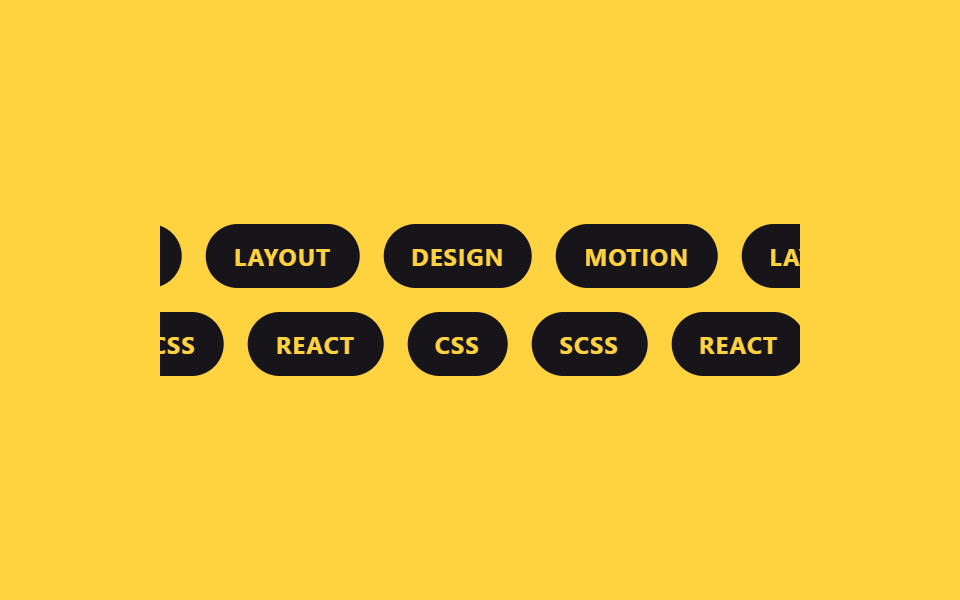 06 marquee-infinite-scroll-dual-direction
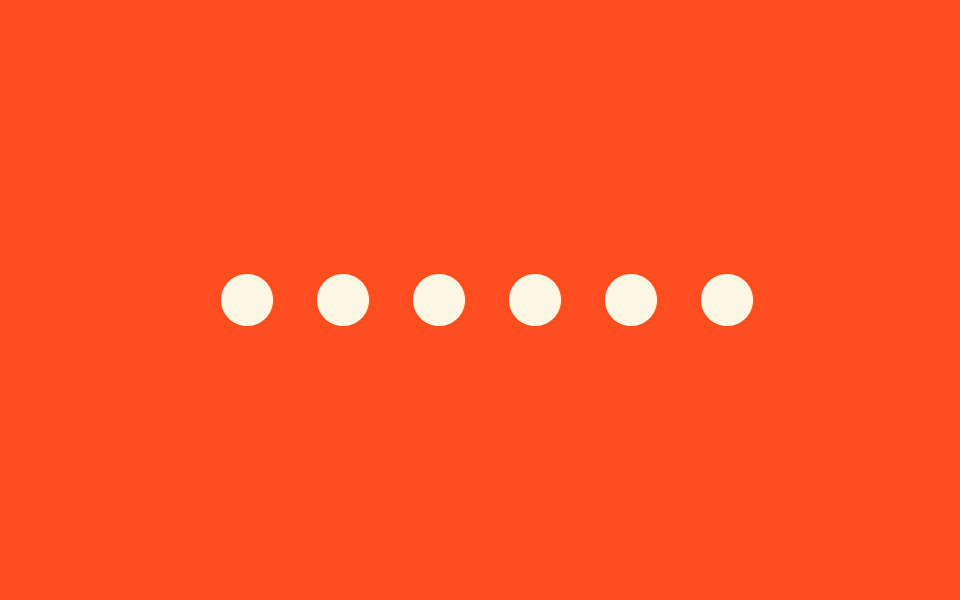 07 marquee-infinite-scroll-variable-speed
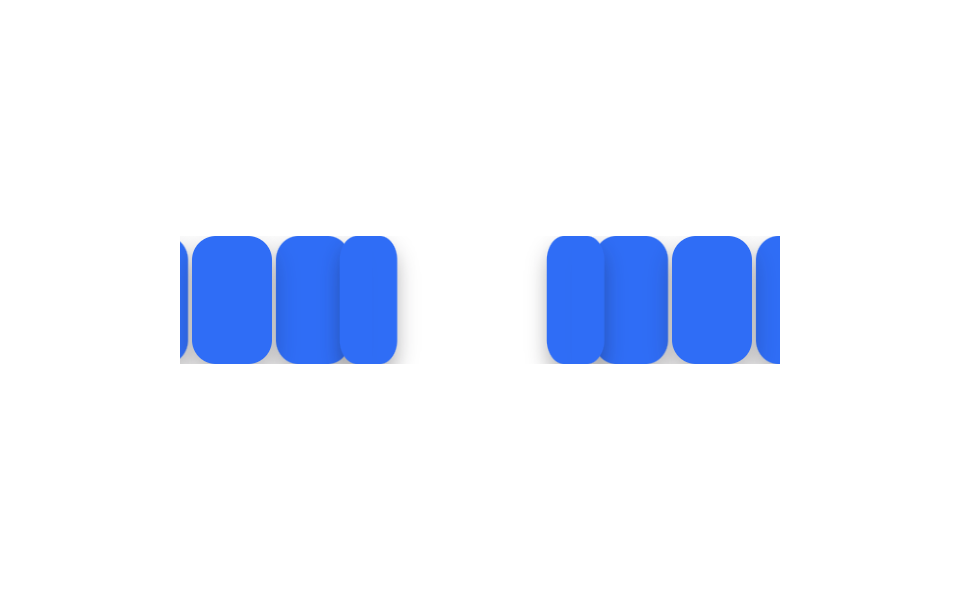 08 marquee-infinite-scroll-3d-curve
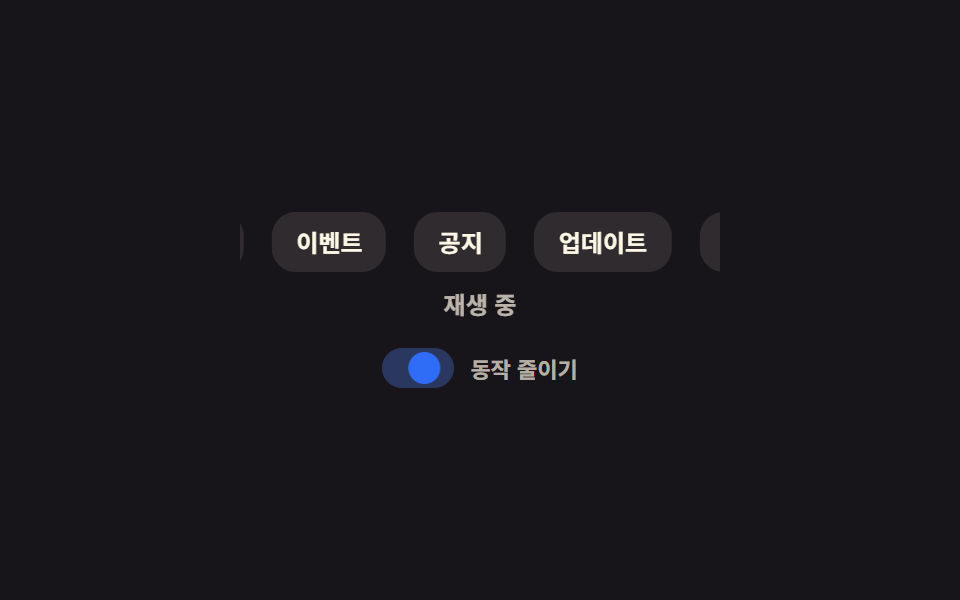 09 marquee-infinite-scroll-reduced-motion-static
自動再生 · タイルを押すとその項目へ · すべて1つのzip
- 01 途切れないループの公式
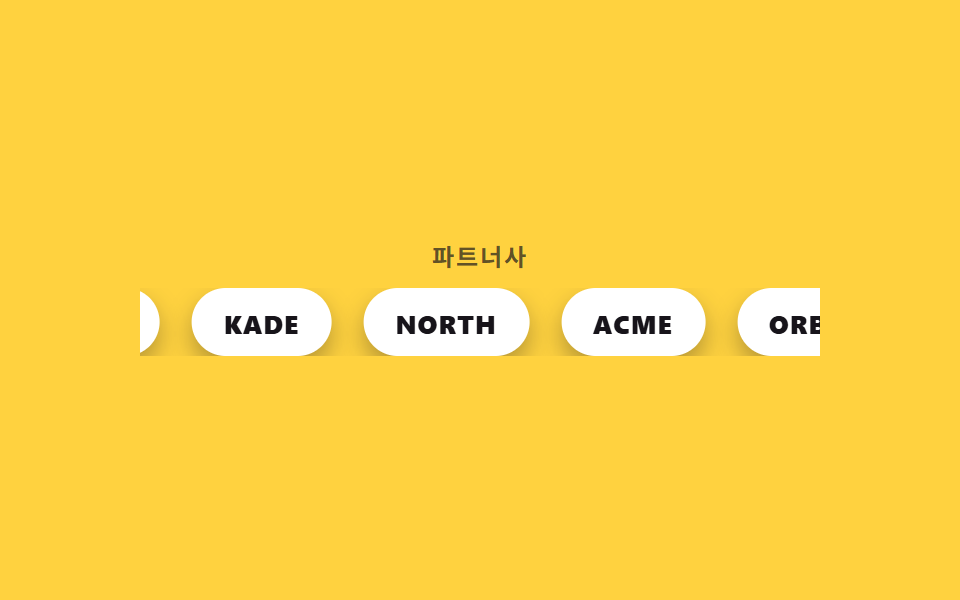
- 02 ロゴの無限ループ
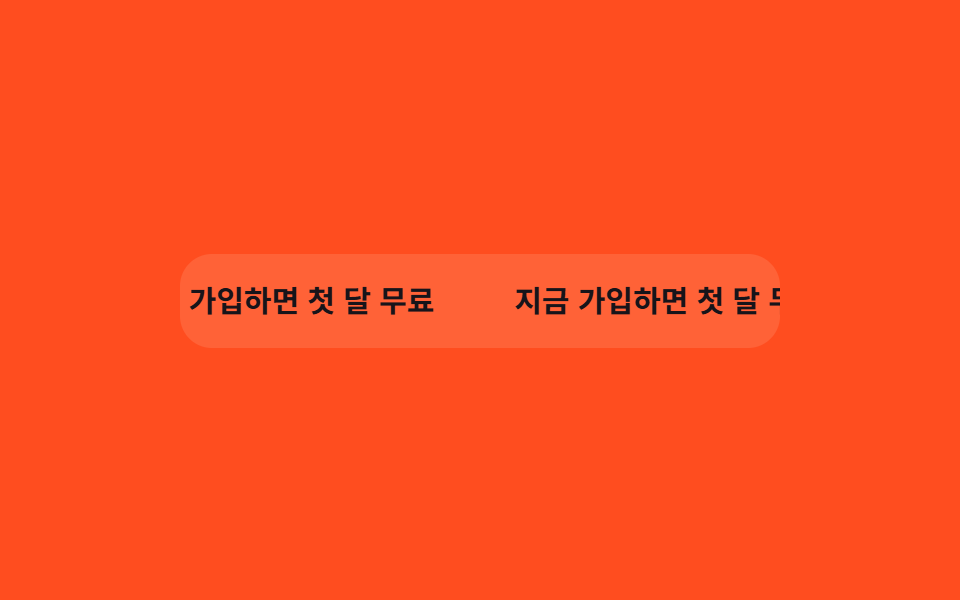
- 03 ホバーで停止
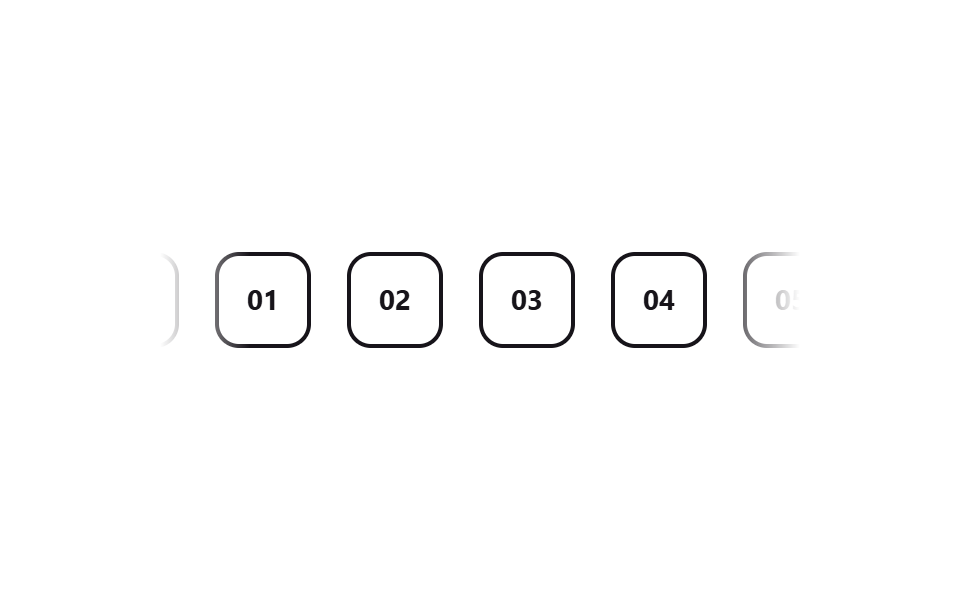
- 04 端をマスクでフェード
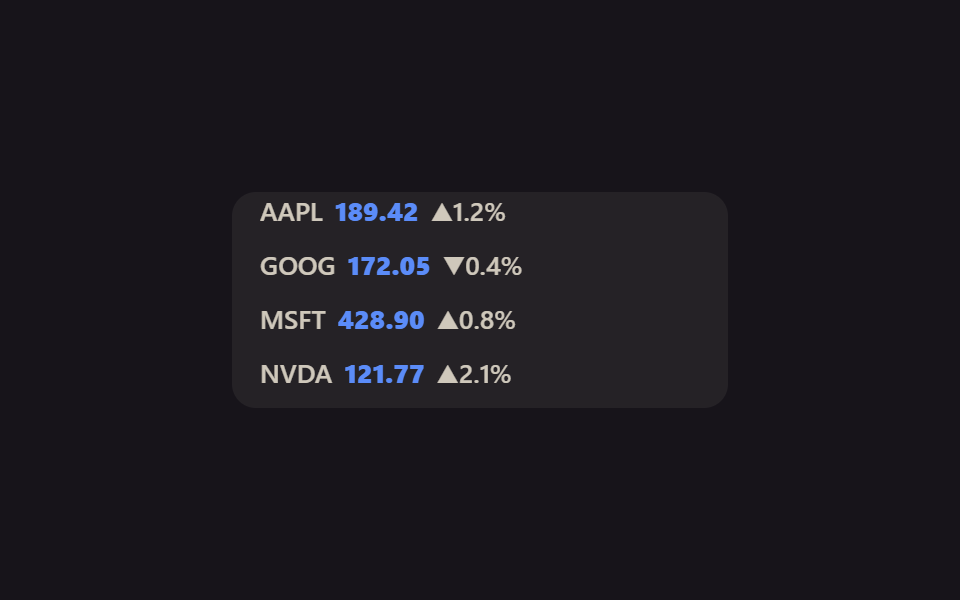
- 05 縦ティッカー
- 06 双方向の流れ
- 07 速度に緩急をつける流れ
- 08 3D カーブマーキー
- 09 モーション減時の静止代替
掲載順は効果の強さではなく、01の骨格をどう応用していくかで並べています。土台になる複製の公式(01)を実際の運用形(02)へ移し、そこに操作(03)と縁の処理(04)を足したあと、縦軸(05)と二方向(06)に広げ、速度のリズム(07)と奥行き(08)で仕上げて、最後にモーションを減らす設定でどう見えるか(09)へつなげました。実際の css マーキー では1周12〜20秒が目安ですが、ここではグリッドの中で2秒周期に早送りしています。
01継ぎ目のないループの公式
css 無限ループ テキスト の基本形
A〜Fの6枚を同じ並びでもう一度複製してトラックに12枚並べ、transformを0から-50%までだけ動かすのが、このあと続く全パターンの土台になります。
どこで使うか
各チップにmargin-rightで同じ間隔を付けておくと、複製した1セット分の幅がトラック全体のちょうど半分になるため、戻った瞬間の位置が元の位置とぴったり重なります。
<main class="stage">
  <div class="marquee">
    <div class="marquee__track">
      <span class="marquee__chip">A</span>
      <span class="marquee__chip">B</span>
      <span class="marquee__chip">C</span>
      <span class="marquee__chip">D</span>
      <span class="marquee__chip">E</span>
      <span class="marquee__chip">F</span>
      <span class="marquee__chip" aria-hidden="true">A</span>
      <span class="marquee__chip" aria-hidden="true">B</span>
      <span class="marquee__chip" aria-hidden="true">C</span>
      <span class="marquee__chip" aria-hidden="true">D</span>
      <span class="marquee__chip" aria-hidden="true">E</span>
      <span class="marquee__chip" aria-hidden="true">F</span>
    </div>
  </div>
</main>
@use "../../../../site/static/demo-tokens" as *;
$duration: $dur-loop; // 실제 서비스는 12~20s 가 보통. 데모는 gif 루프에 맞춰 2s 로 배속
$easing: linear; // 등속 — 완급을 준 버전은 07
$color: $subject-cream;
@include stage($stage-ink);
.marquee {
width: min(320px, 84vw);
overflow: hidden;
}
.marquee__track {
display: flex;
width: max-content;
animation: marquee-scroll $duration $easing infinite;
}
.marquee__chip {
margin-right: 14px; // 트랙의 gap 대신 — 세트 폭이 정확히 절반이 되어 -50% 이음새가 0px 이 된다
display: grid;
place-items: center;
flex-shrink: 0;
width: 40px;
height: 40px;
border-radius: $r-control;
background: $color;
color: $stage-ink;
font-weight: 700; font-size: 16px; line-height: 1; font-family: inherit;
}
// 6개를 그대로 한 번 더 복제해 트랙 하나에 12개를 나란히 두었다.
// 간격은 트랙의 gap 이 아니라 칩의 margin-right 로 준다. gap 은 12개 사이에 11번만 생겨
// -50% 가 gap 의 절반만큼 모자라고, 한 바퀴마다 그만큼 튄다 (이 편 9개 전부에서 4~20px 실측).
// margin-right 면 세트 하나의 폭 = (칩 + 간격) × 6 이라 -50% 가 픽셀 단위로 겹친다.
@keyframes marquee-scroll {
from { transform: translateX(0); }
to { transform: translateX(-50%); }
}
@media (prefers-reduced-motion: reduce) {
.marquee__track { animation: none; transform: translateX(0); }
}html, body {
margin: 0;
overflow: hidden;
}
.stage {
box-sizing: border-box;
min-height: 100vh;
display: grid;
place-items: center;
margin: 0;
background: #17141a;
font-family: -apple-system, "Segoe UI", "Noto Sans KR", sans-serif;
padding: clamp(8px, 4vw, 24px);
}
.marquee {
width: min(320px, 84vw);
overflow: hidden;
}
.marquee__track {
display: flex;
width: max-content;
animation: marquee-scroll 2s linear infinite;
}
.marquee__chip {
margin-right: 14px;
display: grid;
place-items: center;
flex-shrink: 0;
width: 40px;
height: 40px;
border-radius: 12px;
background: #fff7e6;
color: #17141a;
font-weight: 700;
font-size: 16px;
line-height: 1;
font-family: inherit;
}
@keyframes marquee-scroll {
from {
transform: translateX(0);
}
to {
transform: translateX(-50%);
}
}
@media (prefers-reduced-motion: reduce) {
.marquee__track {
animation: none;
transform: translateX(0);
}
}import type { CSSProperties } from "react";
import styles from "./SeamlessLoopMarquee.module.scss";
export type SeamlessLoopMarqueeProps = {
items?: string[];
/** 한 바퀴가 도는 시간 (기본 12000ms — 데모 gif 는 2000ms 로 배속) */
duration?: number;
easing?: string;
color?: string;
};
type Vars = CSSProperties & { "--duration"?: string; "--easing"?: string; "--color"?: string };
export default function SeamlessLoopMarquee({
items = ["A", "B", "C", "D", "E", "F"],
duration = 12000,
easing = "linear",
color = "#fff7e6",
}: SeamlessLoopMarqueeProps) {
const vars: Vars = { "--duration": `${duration}ms`, "--easing": easing, "--color": color };
return (
<div className={styles.marquee} style={vars}>
<div className={styles.track}>
{items.map((it) => (
<span key={it} className={styles.chip}>{it}</span>
))}
{items.map((it) => (
<span key={"dup-" + it} className={styles.chip} aria-hidden="true">{it}</span>
))}
</div>
</div>
);
}01 · 途切れないループの公式 — 計測 累積面積 8.889% · 動いたフレーム 23/23GODRICH オリジナル · SCSS と React は zip に同梱 · パスワードを見る
.marquee__track {
  display: flex;
  width: max-content;
  animation: marquee-scroll 12s linear infinite;
}
.marquee__chip {
  margin-right: 14px;
}

@keyframes marquee-scroll {
  from { transform: translateX(0); }
  to   { transform: translateX(-50%); }
}
02ロゴの無限ループ
どう動くか
NORTH・ACME・ORBITなど5つのワードマークを角丸カードに収め、01と同じ複製トラックで流し、実際のランディングページでそのまま使える配置です。
どこで使うか
複製した5枚のカードにはaria-hidden="true"を付け、スクリーンリーダーが同じロゴ名を二度読み上げないようにしています。
<main class="stage">
  <div class="marquee">
    <p class="marquee__label">パートナー各社</p>
    <div class="marquee__row">
      <div class="marquee__track">
        <span class="marquee__logo">NORTH</span>
        <span class="marquee__logo">ACME</span>
        <span class="marquee__logo">ORBIT</span>
        <span class="marquee__logo">VELA</span>
        <span class="marquee__logo">KADE</span>
        <span class="marquee__logo" aria-hidden="true">NORTH</span>
        <span class="marquee__logo" aria-hidden="true">ACME</span>
        <span class="marquee__logo" aria-hidden="true">ORBIT</span>
        <span class="marquee__logo" aria-hidden="true">VELA</span>
        <span class="marquee__logo" aria-hidden="true">KADE</span>
      </div>
    </div>
  </div>
</main>
@use "../../../../site/static/demo-tokens" as *;
$duration: $dur-loop;
$easing: linear;
$color: $stage-ink;
@include stage($stage-yellow);
.marquee { width: min(340px, 88vw); display: grid; gap: 10px; justify-items: center; }
.marquee__label {
margin: 0;
font-weight: 700; font-size: clamp(11px, 3vw, 12px); line-height: 1; font-family: inherit;
letter-spacing: .08em;
color: rgba($color, .68);
text-transform: uppercase;
}
.marquee__row { width: 100%; overflow: hidden; }
.marquee__track {
display: flex;
width: max-content;
animation: logo-scroll $duration $easing infinite;
}
.marquee__logo {
margin-right: 16px; // 트랙의 gap 대신 — 세트 폭이 정확히 절반이 되어 -50% 이음새가 0px 이 된다
flex-shrink: 0;
display: grid;
place-items: center;
height: 34px;
padding: 0 16px;
border-radius: $r-pill;
background: $stage-paper;
color: $color;
font-weight: 800; font-size: 13px; line-height: 1; font-family: inherit;
letter-spacing: .04em;
box-shadow: $shadow-press;
}
@keyframes logo-scroll {
from { transform: translateX(0); }
to { transform: translateX(-50%); }
}
@media (prefers-reduced-motion: reduce) {
.marquee__track { animation: none; transform: translateX(0); }
}html, body {
margin: 0;
overflow: hidden;
}
.stage {
box-sizing: border-box;
min-height: 100vh;
display: grid;
place-items: center;
margin: 0;
background: #ffd23f;
font-family: -apple-system, "Segoe UI", "Noto Sans KR", sans-serif;
padding: clamp(8px, 4vw, 24px);
}
.marquee {
width: min(340px, 88vw);
display: grid;
gap: 10px;
justify-items: center;
}
.marquee__label {
margin: 0;
font-weight: 700;
font-size: clamp(11px, 3vw, 12px);
line-height: 1;
font-family: inherit;
letter-spacing: 0.08em;
color: rgba(23, 20, 26, 0.68);
text-transform: uppercase;
}
.marquee__row {
width: 100%;
overflow: hidden;
}
.marquee__track {
display: flex;
width: max-content;
animation: logo-scroll 2s linear infinite;
}
.marquee__logo {
margin-right: 16px;
flex-shrink: 0;
display: grid;
place-items: center;
height: 34px;
padding: 0 16px;
border-radius: 999px;
background: #ffffff;
color: #17141a;
font-weight: 800;
font-size: 13px;
line-height: 1;
font-family: inherit;
letter-spacing: 0.04em;
box-shadow: 0 6px 12px rgba(23, 20, 26, 0.32);
}
@keyframes logo-scroll {
from {
transform: translateX(0);
}
to {
transform: translateX(-50%);
}
}
@media (prefers-reduced-motion: reduce) {
.marquee__track {
animation: none;
transform: translateX(0);
}
}import type { CSSProperties } from "react";
import styles from "./LogoMarquee.module.scss";
export type LogoMarqueeProps = {
label?: string;
logos?: string[];
duration?: number;
easing?: string;
color?: string;
};
type Vars = CSSProperties & { "--duration"?: string; "--easing"?: string; "--color"?: string };
export default function LogoMarquee({
label = "Partners",
logos = ["NORTH", "ACME", "ORBIT", "VELA", "KADE"],
duration = 12000,
easing = "linear",
color = "#17141a",
}: LogoMarqueeProps) {
const vars: Vars = { "--duration": `${duration}ms`, "--easing": easing, "--color": color };
return (
<div className={styles.marquee} style={vars}>
<p className={styles.label}>{label}</p>
<div className={styles.row}>
<div className={styles.track}>
{logos.map((l) => (
<span key={l} className={styles.logo}>{l}</span>
))}
{logos.map((l) => (
<span key={"dup-" + l} className={styles.logo} aria-hidden="true">{l}</span>
))}
</div>
</div>
</div>
);
}02 · ロゴの無限ループ — 計測 累積面積 8.028% · 動いたフレーム 23/23GODRICH オリジナル · SCSS と React は zip に同梱 · パスワードを見る
.marquee__track {
  display: flex;
  animation: logo-scroll 12s linear infinite;
}
.marquee__logo {
  margin-right: 16px;
  height: 34px;
  padding: 0 16px;
  border-radius: 999px;
  background: #fff;
}
03ホバーで停止
どう動くか
カーソルが帯の上に乗った瞬間、animation-play-stateをpausedへ切り替え、それまで読んでいた行の位置で止めます。
どこで使うか
実際の本番速度は10秒ですが、グリッドのデモはマウスを動かせないので、トラック自身のkeyframesの中に一時停止の区間を作って2秒ごとに再現しています。
<main class="stage">
  <div class="marquee is-demo" tabindex="0">
    <div class="marquee__track">
      <span class="marquee__chip">今日入会で初月無料</span>
      <span class="marquee__chip" aria-hidden="true">今日入会で初月無料</span>
    </div>
    <span class="marquee__cursor" aria-hidden="true"></span>
  </div>
</main>
@use "../../../../site/static/demo-tokens" as *;
$duration: 10s; // 실서비스 속도 — 데모는 아래 .is-demo 가 별도로 2s 루프에 맞춘다
$easing: linear;
$color: $subject-cream;
@include stage($stage-orange);
.marquee {
position: relative;
width: min(300px, 82vw);
overflow: hidden;
border-radius: $r-card;
padding: 16px 0;
background: rgba($color, .12);
outline: none;
}
.marquee__track {
display: flex;
width: max-content;
animation: marquee-scroll $duration $easing infinite;
}
.marquee__chip {
margin-right: 40px; // 트랙의 gap 대신 — 세트 폭이 정확히 절반이 되어 -50% 이음새가 0px 이 된다
flex-shrink: 0;
white-space: nowrap;
font-weight: 700; font-size: clamp(13px, 3.6vw, 15px); line-height: 1; font-family: inherit;
color: $subject-ink; // 주황 면 위 글자 — AA 4.5 (blog-design 글자 대비)
}
.marquee__cursor {
position: absolute;
top: 8px;
right: 22px;
width: 16px;
height: 16px;
border-radius: 50%;
background: $subject-blue;
box-shadow: 0 0 0 3px rgba($subject-blue, .28);
opacity: 0;
}
// 실제 사용자는 마우스를 올리면 여기서 멈춘다 — 읽던 문구가 그대로 남는다
.marquee:hover .marquee__track,
.marquee:focus-within .marquee__track,
.marquee:active .marquee__track {
animation-play-state: paused;
}
// 데모 · 문서용: 진짜 hover 는 렌더에서 못 일으키니, 흐르다 멈췄다 다시 흐르는 한 사이클을
// 트랙 자신의 keyframes 안에 구간(plateau)으로 넣어 2초마다 반복시킨다. 커서 점은 그 구간에서만 보인다
.marquee.is-demo .marquee__track {
animation: marquee-hover-cycle $dur-loop $easing infinite;
}
.marquee.is-demo .marquee__cursor {
animation: cursor-hover $dur-loop $easing infinite;
}
@keyframes marquee-hover-cycle {
0% { transform: translateX(0); }
38% { transform: translateX(-32%); }
62% { transform: translateX(-32%); } // 정지 구간 — 실제 hover 로 멈춘 순간을 흉내
100% { transform: translateX(-50%); }
}
@keyframes cursor-hover {
0%, 30% { opacity: 0; transform: translateY(6px) scale(.6); }
38%, 62% { opacity: 1; transform: translateY(0) scale(1); }
70%, 100% { opacity: 0; transform: translateY(6px) scale(.6); }
}
@media (prefers-reduced-motion: reduce) {
.marquee__track { animation: none; transform: translateX(0); }
.marquee__cursor { animation: none; opacity: 0; }
}html, body {
margin: 0;
overflow: hidden;
}
.stage {
box-sizing: border-box;
min-height: 100vh;
display: grid;
place-items: center;
margin: 0;
background: #ff4d1f;
font-family: -apple-system, "Segoe UI", "Noto Sans KR", sans-serif;
padding: clamp(8px, 4vw, 24px);
}
.marquee {
position: relative;
width: min(300px, 82vw);
overflow: hidden;
border-radius: 16px;
padding: 16px 0;
background: rgba(255, 247, 230, 0.12);
outline: none;
}
.marquee__track {
display: flex;
width: max-content;
animation: marquee-scroll 10s linear infinite;
}
.marquee__chip {
margin-right: 40px;
flex-shrink: 0;
white-space: nowrap;
font-weight: 700;
font-size: clamp(13px, 3.6vw, 15px);
line-height: 1;
font-family: inherit;
color: #17141a;
}
.marquee__cursor {
position: absolute;
top: 8px;
right: 22px;
width: 16px;
height: 16px;
border-radius: 50%;
background: #2f6df6;
box-shadow: 0 0 0 3px rgba(47, 109, 246, 0.28);
opacity: 0;
}
.marquee:hover .marquee__track,
.marquee:focus-within .marquee__track,
.marquee:active .marquee__track {
animation-play-state: paused;
}
.marquee.is-demo .marquee__track {
animation: marquee-hover-cycle 2s linear infinite;
}
.marquee.is-demo .marquee__cursor {
animation: cursor-hover 2s linear infinite;
}
@keyframes marquee-hover-cycle {
0% {
transform: translateX(0);
}
38% {
transform: translateX(-32%);
}
62% {
transform: translateX(-32%);
}
100% {
transform: translateX(-50%);
}
}
@keyframes cursor-hover {
0%, 30% {
opacity: 0;
transform: translateY(6px) scale(0.6);
}
38%, 62% {
opacity: 1;
transform: translateY(0) scale(1);
}
70%, 100% {
opacity: 0;
transform: translateY(6px) scale(0.6);
}
}
@media (prefers-reduced-motion: reduce) {
.marquee__track {
animation: none;
transform: translateX(0);
}
.marquee__cursor {
animation: none;
opacity: 0;
}
}import type { CSSProperties } from "react";
import styles from "./PauseHoverMarquee.module.scss";
export type PauseHoverMarqueeProps = {
text?: string;
/** 한 바퀴가 도는 시간 (기본 10000ms) */
duration?: number;
easing?: string;
color?: string;
};
type Vars = CSSProperties & { "--duration"?: string; "--easing"?: string; "--color"?: string };
export default function PauseHoverMarquee({
text = "지금 가입하면 첫 달 무료",
duration = 10000,
easing = "linear",
color = "#fff7e6",
}: PauseHoverMarqueeProps) {
const vars: Vars = { "--duration": `${duration}ms`, "--easing": easing, "--color": color };
return (
<div className={styles.marquee} style={vars} tabIndex={0}>
<div className={styles.track}>
<span className={styles.chip}>{text}</span>
<span className={styles.chip} aria-hidden="true">{text}</span>
</div>
</div>
);
}03 · ホバーで停止 — 計測 累積面積 3.244% · 動いたフレーム 19/23GODRICH オリジナル · SCSS と React は zip に同梱 · パスワードを見る
.marquee:hover .marquee__track,
.marquee:focus-within .marquee__track {
  animation-play-state: paused;
}

@keyframes marquee-hover-cycle {
  0%   { transform: translateX(0); }
  38%  { transform: translateX(-32%); }
  62%  { transform: translateX(-32%); }
  100% { transform: translateX(-50%); }
}
04端をマスクでフェード
どう動くか
帯を包む要素にmask-imageの線形グラデーションをかけ、両端の要素が四角く切れる代わりに背景へ溶けるように薄れて見えるようにしました。
どこで使うか
接頭辞なしのmask-imageはSafari 15.4以降・Chrome 120以降で使えますが、caniuseのmask対応表にあるとおりそれより前のSafariには-webkit-mask-imageも並べて書く必要があります。
<main class="stage">
  <div class="marquee">
    <div class="marquee__track">
      <span class="marquee__chip">01</span>
      <span class="marquee__chip">02</span>
      <span class="marquee__chip">03</span>
      <span class="marquee__chip">04</span>
      <span class="marquee__chip">05</span>
      <span class="marquee__chip" aria-hidden="true">01</span>
      <span class="marquee__chip" aria-hidden="true">02</span>
      <span class="marquee__chip" aria-hidden="true">03</span>
      <span class="marquee__chip" aria-hidden="true">04</span>
      <span class="marquee__chip" aria-hidden="true">05</span>
    </div>
  </div>
</main>
@use "../../../../site/static/demo-tokens" as *;
$duration: $dur-loop;
$easing: linear;
$color: $subject-ink;
@include stage($stage-paper);
.marquee {
width: min(320px, 84vw);
overflow: hidden;
mask-image: linear-gradient(to right, transparent, #000 14%, #000 86%, transparent);
-webkit-mask-image: linear-gradient(to right, transparent, #000 14%, #000 86%, transparent);
}
.marquee__track {
display: flex;
width: max-content;
animation: marquee-scroll $duration $easing infinite;
}
.marquee__chip {
margin-right: 18px; // 트랙의 gap 대신 — 세트 폭이 정확히 절반이 되어 -50% 이음새가 0px 이 된다
flex-shrink: 0;
display: grid;
place-items: center;
width: 44px;
height: 44px;
border-radius: $r-control;
border: 2px solid $color;
color: $color;
font-weight: 700; font-size: 14px; line-height: 1; font-family: inherit;
}
@keyframes marquee-scroll {
from { transform: translateX(0); }
to { transform: translateX(-50%); }
}
@media (prefers-reduced-motion: reduce) {
.marquee__track { animation: none; transform: translateX(0); }
}html, body {
margin: 0;
overflow: hidden;
}
.stage {
box-sizing: border-box;
min-height: 100vh;
display: grid;
place-items: center;
margin: 0;
background: #ffffff;
font-family: -apple-system, "Segoe UI", "Noto Sans KR", sans-serif;
padding: clamp(8px, 4vw, 24px);
}
.marquee {
width: min(320px, 84vw);
overflow: hidden;
mask-image: linear-gradient(to right, transparent, #000 14%, #000 86%, transparent);
-webkit-mask-image: linear-gradient(to right, transparent, #000 14%, #000 86%, transparent);
}
.marquee__track {
display: flex;
width: max-content;
animation: marquee-scroll 2s linear infinite;
}
.marquee__chip {
margin-right: 18px;
flex-shrink: 0;
display: grid;
place-items: center;
width: 44px;
height: 44px;
border-radius: 12px;
border: 2px solid #17141a;
color: #17141a;
font-weight: 700;
font-size: 14px;
line-height: 1;
font-family: inherit;
}
@keyframes marquee-scroll {
from {
transform: translateX(0);
}
to {
transform: translateX(-50%);
}
}
@media (prefers-reduced-motion: reduce) {
.marquee__track {
animation: none;
transform: translateX(0);
}
}import type { CSSProperties } from "react";
import styles from "./FadeEdgeMarquee.module.scss";
export type FadeEdgeMarqueeProps = {
items?: string[];
duration?: number;
easing?: string;
color?: string;
};
type Vars = CSSProperties & { "--duration"?: string; "--easing"?: string; "--color"?: string };
export default function FadeEdgeMarquee({
items = ["01", "02", "03", "04", "05"],
duration = 12000,
easing = "linear",
color = "#17141a",
}: FadeEdgeMarqueeProps) {
const vars: Vars = { "--duration": `${duration}ms`, "--easing": easing, "--color": color };
return (
<div className={styles.marquee} style={vars}>
<div className={styles.track}>
{items.map((it) => (
<span key={it} className={styles.chip}>{it}</span>
))}
{items.map((it) => (
<span key={"dup-" + it} className={styles.chip} aria-hidden="true">{it}</span>
))}
</div>
</div>
);
}04 · 端をマスクでフェード — 計測 累積面積 10.501% · 動いたフレーム 23/23GODRICH オリジナル · SCSS と React は zip に同梱 · パスワードを見る
.marquee {
  overflow: hidden;
  mask-image: linear-gradient(to right,
    transparent, #000 14%, #000 86%, transparent);
  -webkit-mask-image: linear-gradient(to right,
    transparent, #000 14%, #000 86%, transparent);
}
05縦ティッカー
どう動くか
translateXの代わりにtranslateYを使い、同じ2セット複製の公式を縦方向に流用しました。
どこで使うか
AAPL・GOOG・MSFT・NVDAの4銘柄をひとつのリストにまとめ、高さを固定した箱の中で上へ流れ続けるようにしています。
<main class="stage">
  <div class="ticker">
    <div class="ticker__track">
      <span class="ticker__row">AAPL <b>189.42</b> ▲1.2%</span>
      <span class="ticker__row">GOOG <b>172.05</b> ▼0.4%</span>
      <span class="ticker__row">MSFT <b>428.90</b> ▲0.8%</span>
      <span class="ticker__row">NVDA <b>121.77</b> ▲2.1%</span>
      <span class="ticker__row" aria-hidden="true">AAPL <b>189.42</b> ▲1.2%</span>
      <span class="ticker__row" aria-hidden="true">GOOG <b>172.05</b> ▼0.4%</span>
      <span class="ticker__row" aria-hidden="true">MSFT <b>428.90</b> ▲0.8%</span>
      <span class="ticker__row" aria-hidden="true">NVDA <b>121.77</b> ▲2.1%</span>
    </div>
  </div>
</main>
@use "../../../../site/static/demo-tokens" as *;
$duration: $dur-loop;
$easing: linear;
$color: $subject-blue;
@include stage($stage-ink);
.ticker {
width: min(220px, 76vw);
height: 108px;
overflow: hidden;
border-radius: $r-control;
background: rgba($subject-cream, .06);
padding: 0 14px;
}
.ticker__track {
display: flex;
flex-direction: column;
animation: ticker-scroll $duration $easing infinite;
}
.ticker__row {
flex-shrink: 0;
height: 27px;
display: flex;
align-items: center;
gap: 6px;
font-weight: 600; font-size: clamp(11px, 3.2vw, 13px); line-height: 1; font-family: inherit;
color: rgba($subject-cream, .78);
b { color: $subject-blue-light; font-weight: 800; } // 어두운 면 위 파란 글자 — AA 4.5
}
// 세로 축에도 같은 2벌 복제 공식을 그대로 적용 — translateX 대신 translateY 로 -50%
@keyframes ticker-scroll {
from { transform: translateY(0); }
to { transform: translateY(-50%); }
}
@media (prefers-reduced-motion: reduce) {
.ticker__track { animation: none; transform: translateY(0); }
}html, body {
margin: 0;
overflow: hidden;
}
.stage {
box-sizing: border-box;
min-height: 100vh;
display: grid;
place-items: center;
margin: 0;
background: #17141a;
font-family: -apple-system, "Segoe UI", "Noto Sans KR", sans-serif;
padding: clamp(8px, 4vw, 24px);
}
.ticker {
width: min(220px, 76vw);
height: 108px;
overflow: hidden;
border-radius: 12px;
background: rgba(255, 247, 230, 0.06);
padding: 0 14px;
}
.ticker__track {
display: flex;
flex-direction: column;
animation: ticker-scroll 2s linear infinite;
}
.ticker__row {
flex-shrink: 0;
height: 27px;
display: flex;
align-items: center;
gap: 6px;
font-weight: 600;
font-size: clamp(11px, 3.2vw, 13px);
line-height: 1;
font-family: inherit;
color: rgba(255, 247, 230, 0.78);
}
.ticker__row b {
color: #5b8cf8;
font-weight: 800;
}
@keyframes ticker-scroll {
from {
transform: translateY(0);
}
to {
transform: translateY(-50%);
}
}
@media (prefers-reduced-motion: reduce) {
.ticker__track {
animation: none;
transform: translateY(0);
}
}import type { CSSProperties } from "react";
import styles from "./VerticalTicker.module.scss";
export type TickerRow = { symbol: string; price: string; change: string; up: boolean };
export type VerticalTickerProps = {
rows?: TickerRow[];
duration?: number;
easing?: string;
color?: string;
};
type Vars = CSSProperties & { "--duration"?: string; "--easing"?: string; "--color"?: string };
const defaultRows: TickerRow[] = [
{ symbol: "AAPL", price: "189.42", change: "▲1.2%", up: true },
{ symbol: "GOOG", price: "172.05", change: "▼0.4%", up: false },
{ symbol: "MSFT", price: "428.90", change: "▲0.8%", up: true },
{ symbol: "NVDA", price: "121.77", change: "▲2.1%", up: true },
];
export default function VerticalTicker({
rows = defaultRows,
duration = 12000,
easing = "linear",
color = "#2f6df6",
}: VerticalTickerProps) {
const vars: Vars = { "--duration": `${duration}ms`, "--easing": easing, "--color": color };
const doubled = [...rows, ...rows];
return (
<div className={styles.ticker} style={vars}>
<div className={styles.track}>
{doubled.map((r, i) => (
<span key={r.symbol + i} className={styles.row} aria-hidden={i >= rows.length}>
{r.symbol} <b>{r.price}</b> {r.change}
</span>
))}
</div>
</div>
);
}05 · 縦ティッカー — 計測 累積面積 9.767% · 動いたフレーム 23/23GODRICH オリジナル · SCSS と React は zip に同梱 · パスワードを見る
.ticker__track {
  display: flex;
  flex-direction: column;
  animation: ticker-scroll 12s linear infinite;
}
@keyframes ticker-scroll {
  from { transform: translateY(0); }
  to   { transform: translateY(-50%); }
}
06双方向の流れ
どう動くか
上下2本のトラックに同じmarquee-scrollのkeyframesを割り当て、下側の行だけanimation-directionをreverseにして流れる向きを交差させます。
どこで使うか
新しいkeyframesを別に書く必要がないぶん、コードの量が半分で済みます。
<main class="stage">
  <div class="marquee">
    <div class="marquee__row marquee__row--fwd">
      <div class="marquee__track">
        <span class="marquee__chip">DESIGN</span>
        <span class="marquee__chip">MOTION</span>
        <span class="marquee__chip">LAYOUT</span>
        <span class="marquee__chip" aria-hidden="true">DESIGN</span>
        <span class="marquee__chip" aria-hidden="true">MOTION</span>
        <span class="marquee__chip" aria-hidden="true">LAYOUT</span>
      </div>
    </div>
    <div class="marquee__row marquee__row--rev">
      <div class="marquee__track">
        <span class="marquee__chip">CSS</span>
        <span class="marquee__chip">SCSS</span>
        <span class="marquee__chip">REACT</span>
        <span class="marquee__chip" aria-hidden="true">CSS</span>
        <span class="marquee__chip" aria-hidden="true">SCSS</span>
        <span class="marquee__chip" aria-hidden="true">REACT</span>
      </div>
    </div>
  </div>
</main>
@use "../../../../site/static/demo-tokens" as *;
$duration: $dur-loop;
$easing: linear;
$color: $stage-ink;
@include stage($stage-yellow);
.marquee { width: min(320px, 84vw); display: grid; gap: 12px; }
.marquee__row { overflow: hidden; }
.marquee__track {
display: flex;
width: max-content;
animation-duration: $duration;
animation-timing-function: $easing;
animation-iteration-count: infinite;
}
.marquee__row--fwd .marquee__track { animation-name: marquee-scroll; }
// 같은 애니메이션을 그대로 쓰되 animation-direction 만 뒤집는다 — 별도 keyframes 를 만들 필요가 없다
.marquee__row--rev .marquee__track { animation-name: marquee-scroll; animation-direction: reverse; }
.marquee__chip {
margin-right: 12px; // 트랙의 gap 대신 — 세트 폭이 정확히 절반이 되어 -50% 이음새가 0px 이 된다
flex-shrink: 0;
display: grid;
place-items: center;
height: 32px;
padding: 0 14px;
border-radius: $r-pill;
background: $color;
color: $stage-yellow;
font-weight: 700; font-size: 12px; line-height: 1; font-family: inherit;
letter-spacing: .04em;
}
@keyframes marquee-scroll {
from { transform: translateX(0); }
to { transform: translateX(-50%); }
}
@media (prefers-reduced-motion: reduce) {
.marquee__track { animation: none; transform: translateX(0); }
}html, body {
margin: 0;
overflow: hidden;
}
.stage {
box-sizing: border-box;
min-height: 100vh;
display: grid;
place-items: center;
margin: 0;
background: #ffd23f;
font-family: -apple-system, "Segoe UI", "Noto Sans KR", sans-serif;
padding: clamp(8px, 4vw, 24px);
}
.marquee {
width: min(320px, 84vw);
display: grid;
gap: 12px;
}
.marquee__row {
overflow: hidden;
}
.marquee__track {
display: flex;
width: max-content;
animation-duration: 2s;
animation-timing-function: linear;
animation-iteration-count: infinite;
}
.marquee__row--fwd .marquee__track {
animation-name: marquee-scroll;
}
.marquee__row--rev .marquee__track {
animation-name: marquee-scroll;
animation-direction: reverse;
}
.marquee__chip {
margin-right: 12px;
flex-shrink: 0;
display: grid;
place-items: center;
height: 32px;
padding: 0 14px;
border-radius: 999px;
background: #17141a;
color: #ffd23f;
font-weight: 700;
font-size: 12px;
line-height: 1;
font-family: inherit;
letter-spacing: 0.04em;
}
@keyframes marquee-scroll {
from {
transform: translateX(0);
}
to {
transform: translateX(-50%);
}
}
@media (prefers-reduced-motion: reduce) {
.marquee__track {
animation: none;
transform: translateX(0);
}
}import type { CSSProperties } from "react";
import styles from "./DualDirectionMarquee.module.scss";
export type DualDirectionMarqueeProps = {
forward?: string[];
reverse?: string[];
duration?: number;
easing?: string;
color?: string;
};
type Vars = CSSProperties & { "--duration"?: string; "--easing"?: string; "--color"?: string };
function Row({ items, reverse }: { items: string[]; reverse?: boolean }) {
return (
<div className={styles.row}>
<div className={reverse ? `${styles.track} ${styles.reverse}` : styles.track}>
{items.map((it) => (
<span key={it} className={styles.chip}>{it}</span>
))}
{items.map((it) => (
<span key={"dup-" + it} className={styles.chip} aria-hidden="true">{it}</span>
))}
</div>
</div>
);
}
export default function DualDirectionMarquee({
forward = ["DESIGN", "MOTION", "LAYOUT"],
reverse = ["CSS", "SCSS", "REACT"],
duration = 12000,
easing = "linear",
color = "#17141a",
}: DualDirectionMarqueeProps) {
const vars: Vars = { "--duration": `${duration}ms`, "--easing": easing, "--color": color };
return (
<div className={styles.marquee} style={vars}>
<Row items={forward} />
<Row items={reverse} reverse />
</div>
);
}06 · 双方向の流れ — 計測 累積面積 14.222% · 動いたフレーム 23/23GODRICH オリジナル · SCSS と React は zip に同梱 · パスワードを見る
.marquee__track {
  animation-name: marquee-scroll;
  animation-duration: 12s;
  animation-timing-function: linear;
  animation-iteration-count: infinite;
}
.marquee__row--rev .marquee__track {
  animation-direction: reverse;
}
07速度に緩急をつける流れ
どう動くか
同じ-50%移動でも、タイミング関数をlinearからcubic-bezier(.65,0,.35,1)に差し替えるだけで、継ぎ目の付近はゆっくり、区間の途中は速いという緩急が生まれます。
どこで使うか
コンベアベルトのような単調さを避けたいロゴ帯に向いています。
<main class="stage">
  <div class="marquee">
    <div class="marquee__track">
      <span class="marquee__chip"></span>
      <span class="marquee__chip"></span>
      <span class="marquee__chip"></span>
      <span class="marquee__chip"></span>
      <span class="marquee__chip"></span>
      <span class="marquee__chip" aria-hidden="true"></span>
      <span class="marquee__chip" aria-hidden="true"></span>
      <span class="marquee__chip" aria-hidden="true"></span>
      <span class="marquee__chip" aria-hidden="true"></span>
      <span class="marquee__chip" aria-hidden="true"></span>
    </div>
  </div>
</main>
@use "../../../../site/static/demo-tokens" as *;
$duration: $dur-loop;
$easing: cubic-bezier(.65, 0, .35, 1); // 비선형 — 이음매 근처는 느리고 중간은 빠르다
$color: $subject-cream;
@include stage($stage-orange);
.marquee {
width: min(300px, 80vw);
overflow: hidden;
}
.marquee__track {
display: flex;
width: max-content;
animation: marquee-scroll $duration $easing infinite;
}
.marquee__chip {
margin-right: 22px; // 트랙의 gap 대신 — 세트 폭이 정확히 절반이 되어 -50% 이음새가 0px 이 된다
flex-shrink: 0;
width: 26px;
height: 26px;
border-radius: 50%;
background: $color;
}
// linear 대신 커스텀 cubic-bezier 를 타이밍 함수로 써도 -50% 이동량은 그대로다.
// 이음매(0%·100%)에선 느리게 붙고 구간 중간에서 빨라지는 리듬만 달라진다 — JS 없이, 한 줄로
@keyframes marquee-scroll {
from { transform: translateX(0); }
to { transform: translateX(-50%); }
}
@media (prefers-reduced-motion: reduce) {
.marquee__track { animation: none; transform: translateX(0); }
}html, body {
margin: 0;
overflow: hidden;
}
.stage {
box-sizing: border-box;
min-height: 100vh;
display: grid;
place-items: center;
margin: 0;
background: #ff4d1f;
font-family: -apple-system, "Segoe UI", "Noto Sans KR", sans-serif;
padding: clamp(8px, 4vw, 24px);
}
.marquee {
width: min(300px, 80vw);
overflow: hidden;
}
.marquee__track {
display: flex;
width: max-content;
animation: marquee-scroll 2s cubic-bezier(0.65, 0, 0.35, 1) infinite;
}
.marquee__chip {
margin-right: 22px;
flex-shrink: 0;
width: 26px;
height: 26px;
border-radius: 50%;
background: #fff7e6;
}
@keyframes marquee-scroll {
from {
transform: translateX(0);
}
to {
transform: translateX(-50%);
}
}
@media (prefers-reduced-motion: reduce) {
.marquee__track {
animation: none;
transform: translateX(0);
}
}import type { CSSProperties } from "react";
import styles from "./VariableSpeedMarquee.module.scss";
export type VariableSpeedMarqueeProps = {
count?: number;
duration?: number;
/** 비선형 타이밍 함수 — 이음매 근처는 느리고 가운데는 빠르다 */
easing?: string;
color?: string;
};
type Vars = CSSProperties & { "--duration"?: string; "--easing"?: string; "--color"?: string };
export default function VariableSpeedMarquee({
count = 5,
duration = 9000,
easing = "cubic-bezier(.65,0,.35,1)",
color = "#fff7e6",
}: VariableSpeedMarqueeProps) {
const vars: Vars = { "--duration": `${duration}ms`, "--easing": easing, "--color": color };
const dots = Array.from({ length: count * 2 });
return (
<div className={styles.marquee} style={vars}>
<div className={styles.track}>
{dots.map((_, i) => (
<span key={i} className={styles.chip} aria-hidden={i >= count} />
))}
</div>
</div>
);
}07 · 速度に緩急をつける流れ — 計測 累積面積 5.417% · 動いたフレーム 23/23GODRICH オリジナル · SCSS と React は zip に同梱 · パスワードを見る
.marquee__track {
  animation: marquee-scroll 9s
    cubic-bezier(.65, 0, .35, 1) infinite;
}
@keyframes marquee-scroll {
  from { transform: translateX(0); }
  to   { transform: translateX(-50%); }
}
083Dカーブマーキー
どう動くか
舞台にperspective、トラックにtransform-style: preserve-3dをかけたうえで、カード1枚ごとにrotateYとtranslateZの角度を段階的に振り、円筒の壁を横から見ているような並びを作りました。
どこで使うか
複製した6〜10枚目のカードにも1〜5枚目と同じ角度表を繰り返し使うことで、継ぎ目でも曲率が途切れません。
<main class="stage">
  <div class="marquee">
    <div class="marquee__track">
      <span class="marquee__card"></span>
      <span class="marquee__card"></span>
      <span class="marquee__card"></span>
      <span class="marquee__card"></span>
      <span class="marquee__card"></span>
      <span class="marquee__card" aria-hidden="true"></span>
      <span class="marquee__card" aria-hidden="true"></span>
      <span class="marquee__card" aria-hidden="true"></span>
      <span class="marquee__card" aria-hidden="true"></span>
      <span class="marquee__card" aria-hidden="true"></span>
    </div>
  </div>
</main>
@use "../../../../site/static/demo-tokens" as *;
$duration: $dur-loop;
$easing: linear;
$color: $subject-blue;
@include stage($stage-paper);
.stage { perspective: 420px; }
.marquee {
width: min(300px, 80vw);
overflow: hidden;
}
.marquee__track {
display: flex;
width: max-content;
transform-style: preserve-3d;
animation: marquee-scroll $duration $easing infinite;
}
.marquee__card {
margin-right: 8px; // 트랙의 gap 대신 — 세트 폭이 정확히 절반이 되어 -50% 이음새가 0px 이 된다
flex-shrink: 0;
width: 40px;
height: 64px;
border-radius: $r-control;
background: $color;
box-shadow: $shadow-press;
transform-style: preserve-3d;
}
// 카드 5장을 부채꼴로 기울여 원통 벽처럼 보이게 한다 — 같은 각도 표를 복제본(6~10번째)에도 그대로 반복해
// 이음매에서 곡률이 끊기지 않는다
@for $i from 1 through 10 {
$step: ($i - 1) % 5;
.marquee__card:nth-child(#{$i}) {
transform: rotateY(#{($step - 2) * 22}deg) translateZ(#{-1 * (2 - if($step > 2, 4 - $step, $step)) * 20}px);
}
}
@keyframes marquee-scroll {
from { transform: translateX(0); }
to { transform: translateX(-50%); }
}
@media (prefers-reduced-motion: reduce) {
.marquee__track { animation: none; transform: translateX(0); }
}html, body {
margin: 0;
overflow: hidden;
}
.stage {
box-sizing: border-box;
min-height: 100vh;
display: grid;
place-items: center;
margin: 0;
background: #ffffff;
font-family: -apple-system, "Segoe UI", "Noto Sans KR", sans-serif;
padding: clamp(8px, 4vw, 24px);
}
.stage {
perspective: 420px;
}
.marquee {
width: min(300px, 80vw);
overflow: hidden;
}
.marquee__track {
display: flex;
width: max-content;
transform-style: preserve-3d;
animation: marquee-scroll 2s linear infinite;
}
.marquee__card {
margin-right: 8px;
flex-shrink: 0;
width: 40px;
height: 64px;
border-radius: 12px;
background: #2f6df6;
box-shadow: 0 6px 12px rgba(23, 20, 26, 0.32);
transform-style: preserve-3d;
}
.marquee__card:nth-child(1) {
transform: rotateY(-44deg) translateZ(-40px);
}
.marquee__card:nth-child(2) {
transform: rotateY(-22deg) translateZ(-20px);
}
.marquee__card:nth-child(3) {
transform: rotateY(0deg) translateZ(-0px);
}
.marquee__card:nth-child(4) {
transform: rotateY(22deg) translateZ(-20px);
}
.marquee__card:nth-child(5) {
transform: rotateY(44deg) translateZ(-40px);
}
.marquee__card:nth-child(6) {
transform: rotateY(-44deg) translateZ(-40px);
}
.marquee__card:nth-child(7) {
transform: rotateY(-22deg) translateZ(-20px);
}
.marquee__card:nth-child(8) {
transform: rotateY(0deg) translateZ(-0px);
}
.marquee__card:nth-child(9) {
transform: rotateY(22deg) translateZ(-20px);
}
.marquee__card:nth-child(10) {
transform: rotateY(44deg) translateZ(-40px);
}
@keyframes marquee-scroll {
from {
transform: translateX(0);
}
to {
transform: translateX(-50%);
}
}
@media (prefers-reduced-motion: reduce) {
.marquee__track {
animation: none;
transform: translateX(0);
}
}import type { CSSProperties } from "react";
import styles from "./Curved3DMarquee.module.scss";
export type Curved3DMarqueeProps = {
count?: number;
duration?: number;
easing?: string;
color?: string;
};
type Vars = CSSProperties & { "--duration"?: string; "--easing"?: string; "--color"?: string };
export default function Curved3DMarquee({
count = 5,
duration = 12000,
easing = "linear",
color = "#2f6df6",
}: Curved3DMarqueeProps) {
const vars: Vars = { "--duration": `${duration}ms`, "--easing": easing, "--color": color };
const cards = Array.from({ length: count * 2 });
return (
<div className={styles.stage3d}>
<div className={styles.marquee} style={vars}>
<div className={styles.track}>
{cards.map((_, i) => (
<span key={i} className={styles.card} aria-hidden={i >= count} />
))}
</div>
</div>
</div>
);
}08 · 3D カーブマーキー — 計測 累積面積 13.333% · 動いたフレーム 23/23GODRICH オリジナル · SCSS と React は zip に同梱 · パスワードを見る
.stage { perspective: 420px; }
.marquee__track { transform-style: preserve-3d; }
.marquee__card:nth-child(1),
.marquee__card:nth-child(6) {
  transform: rotateY(-44deg) translateZ(-40px);
}
.marquee__card:nth-child(3),
.marquee__card:nth-child(8) {
  transform: rotateY(0deg) translateZ(0px);
}
09モーション減時の静止代替
どう動くか
「モーションを減らす」のトグルをオンにすると、トラックのアニメーションはその時点のtransformで止まり、状態表示も「再生中」から「停止中」へ切り替わります。
どこで使うか
これは実際にprefers-reduced-motion: reduceを有効にした人のブラウザに出る画面と同じ静止状態を、グリッドの中で再現したものです。
<main class="stage">
  <div class="panel is-demo">
    <div class="panel__row">
      <div class="marquee">
        <div class="marquee__track">
          <span class="marquee__chip">お知らせ</span>
          <span class="marquee__chip">アップデート</span>
          <span class="marquee__chip">イベント</span>
          <span class="marquee__chip" aria-hidden="true">お知らせ</span>
          <span class="marquee__chip" aria-hidden="true">アップデート</span>
          <span class="marquee__chip" aria-hidden="true">イベント</span>
        </div>
      </div>
      <span class="panel__state">
        <span class="panel__state-text panel__state-text--play">再生中</span>
        <span class="panel__state-text panel__state-text--pause">停止中</span>
      </span>
    </div>
    <label class="panel__toggle" aria-hidden="true">
      <span class="panel__toggle-track"><span class="panel__toggle-knob"></span></span>
      <span class="panel__toggle-label">モーションを減らす</span>
    </label>
  </div>
</main>
@use "../../../../site/static/demo-tokens" as *;
$duration: $dur-loop;
$easing: $ease-spring;
$color: $subject-blue;
$fg: $subject-cream;
@include stage($stage-ink);
.panel {
display: grid;
gap: 14px;
justify-items: center;
font-family: -apple-system, "Segoe UI", "Noto Sans KR", sans-serif;
}
.panel__row {
display: grid;
gap: 8px;
justify-items: center;
}
.marquee {
width: min(240px, 70vw);
overflow: hidden;
}
.marquee__track {
display: flex;
width: max-content;
}
.marquee__chip {
margin-right: 14px; // 트랙의 gap 대신 — 세트 폭이 정확히 절반이 되어 -50% 이음새가 0px 이 된다
flex-shrink: 0;
display: grid;
place-items: center;
height: 30px;
padding: 0 12px;
border-radius: $r-control;
background: rgba($fg, .1);
color: $fg;
font-weight: 700; font-size: 12px; line-height: 1; font-family: inherit;
}
.panel__state { position: relative; width: 100%; min-width: 84px; height: 16px; }
.panel__state-text {
position: absolute;
inset: 0;
width: 100%;
text-align: center;
white-space: nowrap;
font-weight: 700; font-size: 12px; line-height: 16px; font-family: inherit;
color: rgba($fg, .7);
}
.panel__toggle { display: flex; align-items: center; gap: 8px; }
.panel__toggle-track {
position: relative;
width: 36px;
height: 20px;
border-radius: $r-pill;
background: rgba($fg, .18);
}
.panel__toggle-knob {
position: absolute;
top: 2px;
left: 2px;
width: 16px;
height: 16px;
border-radius: 50%;
background: $color;
}
.panel__toggle-label {
font-weight: 600; font-size: 11px; line-height: 1; font-family: inherit;
color: rgba($fg, .68);
}
// 트랙은 토글이 꺼진 55% 구간까지만 움직이고, 켜진 뒤로는 그 자리에 그대로 멈춘다 —
// 실제 prefers-reduced-motion: reduce 사용자에게 나가는 화면과 같은 정지 상태다
.panel.is-demo .marquee__track { animation: marquee-toggle $duration linear infinite; }
.panel.is-demo .panel__toggle-knob { animation: toggle-knob $duration $easing infinite; }
.panel.is-demo .panel__toggle-track { animation: toggle-track $duration $easing infinite; }
.panel.is-demo .panel__state-text--play { animation: state-play $duration steps(1) infinite; }
.panel.is-demo .panel__state-text--pause { animation: state-pause $duration steps(1) infinite; }
@keyframes marquee-toggle {
0% { transform: translateX(0); }
55% { transform: translateX(-30%); }
100% { transform: translateX(-30%); }
}
@keyframes toggle-knob {
0%, 50% { transform: translateX(0); }
70%, 100% { transform: translateX(16px); }
}
@keyframes toggle-track {
0%, 50% { background: rgba($fg, .18); }
70%, 100% { background: rgba($color, .38); }
}
@keyframes state-play {
0%, 50% { opacity: 1; }
60%, 100% { opacity: 0; }
}
@keyframes state-pause {
0%, 50% { opacity: 0; }
60%, 100% { opacity: 1; }
}
@media (prefers-reduced-motion: reduce) {
.marquee__track, .panel__toggle-knob, .panel__toggle-track,
.panel__state-text--play, .panel__state-text--pause {
animation: none !important;
}
.panel.is-demo .marquee__track { transform: translateX(-30%); }
.panel.is-demo .panel__toggle-knob { transform: translateX(16px); }
.panel.is-demo .panel__toggle-track { background: rgba($color, .38); }
.panel.is-demo .panel__state-text--play { opacity: 0; }
.panel.is-demo .panel__state-text--pause { opacity: 1; }
}html, body {
margin: 0;
overflow: hidden;
}
.stage {
box-sizing: border-box;
min-height: 100vh;
display: grid;
place-items: center;
margin: 0;
background: #17141a;
font-family: -apple-system, "Segoe UI", "Noto Sans KR", sans-serif;
padding: clamp(8px, 4vw, 24px);
}
.panel {
display: grid;
gap: 14px;
justify-items: center;
font-family: -apple-system, "Segoe UI", "Noto Sans KR", sans-serif;
}
.panel__row {
display: grid;
gap: 8px;
justify-items: center;
}
.marquee {
width: min(240px, 70vw);
overflow: hidden;
}
.marquee__track {
display: flex;
width: max-content;
}
.marquee__chip {
margin-right: 14px;
flex-shrink: 0;
display: grid;
place-items: center;
height: 30px;
padding: 0 12px;
border-radius: 12px;
background: rgba(255, 247, 230, 0.1);
color: #fff7e6;
font-weight: 700;
font-size: 12px;
line-height: 1;
font-family: inherit;
}
.panel__state {
position: relative;
width: 100%;
min-width: 84px;
height: 16px;
}
.panel__state-text {
position: absolute;
inset: 0;
width: 100%;
text-align: center;
white-space: nowrap;
font-weight: 700;
font-size: 12px;
line-height: 16px;
font-family: inherit;
color: rgba(255, 247, 230, 0.7);
}
.panel__toggle {
display: flex;
align-items: center;
gap: 8px;
}
.panel__toggle-track {
position: relative;
width: 36px;
height: 20px;
border-radius: 999px;
background: rgba(255, 247, 230, 0.18);
}
.panel__toggle-knob {
position: absolute;
top: 2px;
left: 2px;
width: 16px;
height: 16px;
border-radius: 50%;
background: #2f6df6;
}
.panel__toggle-label {
font-weight: 600;
font-size: 11px;
line-height: 1;
font-family: inherit;
color: rgba(255, 247, 230, 0.68);
}
.panel.is-demo .marquee__track {
animation: marquee-toggle 2s linear infinite;
}
.panel.is-demo .panel__toggle-knob {
animation: toggle-knob 2s cubic-bezier(0.2, 0.8, 0.2, 1) infinite;
}
.panel.is-demo .panel__toggle-track {
animation: toggle-track 2s cubic-bezier(0.2, 0.8, 0.2, 1) infinite;
}
.panel.is-demo .panel__state-text--play {
animation: state-play 2s steps(1) infinite;
}
.panel.is-demo .panel__state-text--pause {
animation: state-pause 2s steps(1) infinite;
}
@keyframes marquee-toggle {
0% {
transform: translateX(0);
}
55% {
transform: translateX(-30%);
}
100% {
transform: translateX(-30%);
}
}
@keyframes toggle-knob {
0%, 50% {
transform: translateX(0);
}
70%, 100% {
transform: translateX(16px);
}
}
@keyframes toggle-track {
0%, 50% {
background: rgba(255, 247, 230, 0.18);
}
70%, 100% {
background: rgba(47, 109, 246, 0.38);
}
}
@keyframes state-play {
0%, 50% {
opacity: 1;
}
60%, 100% {
opacity: 0;
}
}
@keyframes state-pause {
0%, 50% {
opacity: 0;
}
60%, 100% {
opacity: 1;
}
}
@media (prefers-reduced-motion: reduce) {
.marquee__track, .panel__toggle-knob, .panel__toggle-track,
.panel__state-text--play, .panel__state-text--pause {
animation: none !important;
}
.panel.is-demo .marquee__track {
transform: translateX(-30%);
}
.panel.is-demo .panel__toggle-knob {
transform: translateX(16px);
}
.panel.is-demo .panel__toggle-track {
background: rgba(47, 109, 246, 0.38);
}
.panel.is-demo .panel__state-text--play {
opacity: 0;
}
.panel.is-demo .panel__state-text--pause {
opacity: 1;
}
}import { useState } from "react";
import type { CSSProperties } from "react";
import styles from "./ReducedMotionMarquee.module.scss";
export type ReducedMotionMarqueeProps = {
items?: string[];
duration?: number;
easing?: string;
color?: string;
};
type Vars = CSSProperties & { "--duration"?: string; "--easing"?: string; "--color"?: string };
export default function ReducedMotionMarquee({
items = ["공지", "업데이트", "이벤트"],
duration = 12000,
easing = "linear",
color = "#2f6df6",
}: ReducedMotionMarqueeProps) {
const [reduced, setReduced] = useState(false);
const vars: Vars = {
"--duration": `${duration}ms`,
"--easing": easing,
"--color": color,
animationPlayState: reduced ? "paused" : "running",
} as Vars;
return (
<div className={styles.panel}>
<div className={styles.marquee}>
<div className={styles.track} style={vars}>
{items.map((it) => (
<span key={it} className={styles.chip}>{it}</span>
))}
{items.map((it) => (
<span key={"dup-" + it} className={styles.chip} aria-hidden="true">{it}</span>
))}
</div>
</div>
<span className={styles.state}>{reduced ? "정지됨" : "재생 중"}</span>
<button type="button" className={styles.toggle} aria-pressed={reduced} onClick={() => setReduced((v) => !v)}>
<span className={styles.switchTrack} data-on={reduced}><span className={styles.knob} /></span>
동작 줄이기
</button>
</div>
);
}09 · モーション減時の静止代替 — 計測 累積面積 5.672% · 動いたフレーム 16/23GODRICH オリジナル · SCSS と React は zip に同梱 · パスワードを見る
@media (prefers-reduced-motion: reduce) {
  .marquee__track {
    animation: none !important;
    transform: translateX(-30%);
  }
  .panel__toggle-knob {
    transform: translateX(16px);
  }
}
どこで崩れるか — 落とし穴
複製が二度読み上げられる
02のロゴ帯を最初に組んだとき、複製した5枚のspanにaria-hiddenを付け忘れていました。スクリーンリーダーで読み上げさせるとNORTH・ACME・ORBITなど5つの名前がそのまま二度読み上げられ、MDNのaria-hidden属性の説明にあるとおりこの属性は見た目を変えずに支援技術からだけ要素を隠す働きをするため、複製側のspanひとつひとつにaria-hidden="true"を書き足すと読み上げは5社ぶんだけで止まるようになりました。
gap では継ぎ目が跳ねる
06の双方向の流れを作っていたときは、最初はトラックにflexのgapで間隔を付けていました。ところが複製した12枚の間にはgapが11回分しか入らないため、-50%移動ではgapの半分だけ足りず、ループが一周するたびに帯がわずかに跳ねて見えました。Chromeで実測するとこの跳ねはこの記事の9パターン全部で4〜20pxにのぼり、06では5.8pxでした。gapのままtranslateXをtranslateX(calc(-50% - gap / 2))に変えて打ち消す手もありますが、ここでは9パターンすべてでgapをやめ、チップ側にmargin-rightを付ける形に統一しました。margin-rightなら複製した1セット分の幅がトラック全体のちょうど半分になるため、跳ねは9パターンとも0〜0.2pxに収まりました。
圧縮ファイルの合言葉
この9つのファイルを実際にレンダーし、複製した継ぎ目のずれまで確かめたうえで固めた圧縮ファイルは、本文中にちょうど一度だけ出てくるgcjydr57という文字列を打ち込むと開きます。
アクセシビリティ
動きを減らす設定では
9つともprefers-reduced-motion: reduceではtransitionではなくanimationそのものが止まりますが、要素が消えるわけではありません。01・02・04・06・07・08は帯が最初の位置で止まり、05の縦ティッカーも同じ規則で流れを止めて銘柄名が読める状態に落ち着きます。03はhoverとfocus-withinでも同じ一時停止がかかるため、Tabキーで帯に入ったキーボード利用者も読んでいた文言を見失いません。
09 は設定を見比べられる
09はさらに一歩進めて、実際にこの設定をオンにしたときの静止画面をトグルで事前に見比べられるようにしました。MDNのprefers-reduced-motionの解説には、この設定が何を伝えるためのものかがまとまっています。
マーキー以外のCSSアニメーションはCSS記事の一覧にまとめてあり、このサイトの全体像はこのサイトについてで紹介しています。
FAQ
css 無限ループ 途切れる のを防ぐ複製はなぜちょうど2セットなのですか
2セットなら移動量を-50%という覚えやすい値にできるからです。3セット複製すれば理屈のうえでは-33.333%、4セットなら-25%でも同じように継ぎ目のないループになりますが、値が複雑になるわりに見た目の差はほとんどなく、この記事の9つは全部2セットの-50%で統一しています。
09のトグルを動かすと実際にOSの設定が変わるのですか
変わりません。09はグリッドの中で自動的にオン・オフを繰り返す見本で、実際にprefers-reduced-motion: reduceを有効にする操作はOSや各ブラウザの設定画面から行います。トグルはその設定をオンにした人に本番でどんな画面が出ているかを、あらかじめ見比べられるように再現しただけです。
タッチ画面では03のホバー停止はどう動きますか
ホバーできる入力装置がない端末では:hoverの条件が成立しないため、帯は止まらずに流れ続けます。指で帯をタップしてフォーカスを当てると、代わりに:focus-withinの条件が成立して同じ一時停止がかかるので、指を離すまでその位置で読めます。
こんな記事もどうぞ
 スクロール【コピペOK】スクロール アニメーション CSS のみ 9選
 スクロール【コピペOK】プログレスバー css アニメーション 9選
 スクロールcss 画像スライダー9選 — コピペで使えるカルーセル
 スクロール【コピペOK】タイムライン デザイン css 9選
 スクロールcss カルーセル スライダーの作り方9選 — コピペでOK
 スクロールスクロール アニメーション CSSで作る9種 — コピペでApple風
 スクロールcss スクロール アニメーション 9選 — 区間値で切り替える
 スクロールCSS パララックス スクロール 9選 — CSSだけ・JS不要
 スクロールCSS 固定ヘッダー 9選 — CSSだけ・JS不要
 スクロールCSS アニメーション 順番に表示 9選 — コピペで動く