【コピペOK】タイムライン デザイン css 9選
会社の沿革ページや通販サイトの注文状況のように、いくつかの段階を線と丸でつないで順番に見せる部品を「タイムライン」と呼びます。タイムライン デザイン cssで検索して出てくるような、線が伸びたり丸が光ったりする動きを、AOS・GSAPなしの「CSSだけ・JS不要」で9個集めました。
 01 timeline-stepper-animation-vertical-line-draw
 02 timeline-stepper-animation-dot-pop-stagger
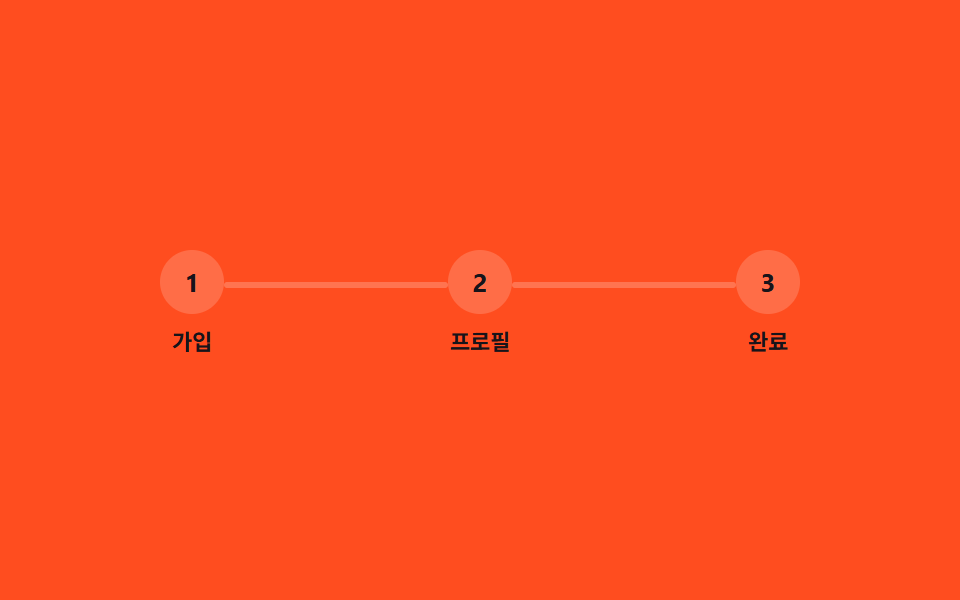 03 timeline-stepper-animation-horizontal-steps-fill
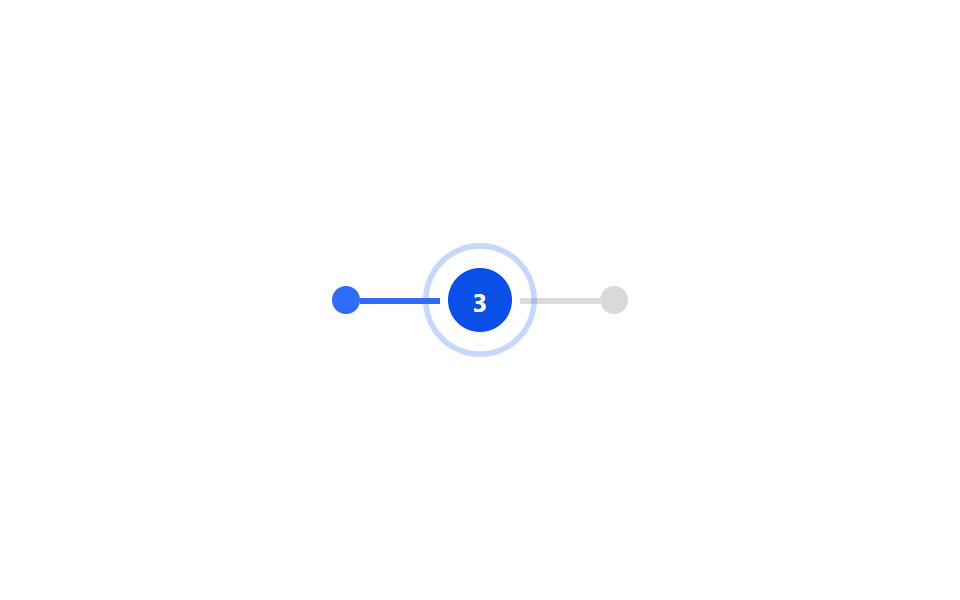 04 timeline-stepper-animation-active-step-pulse
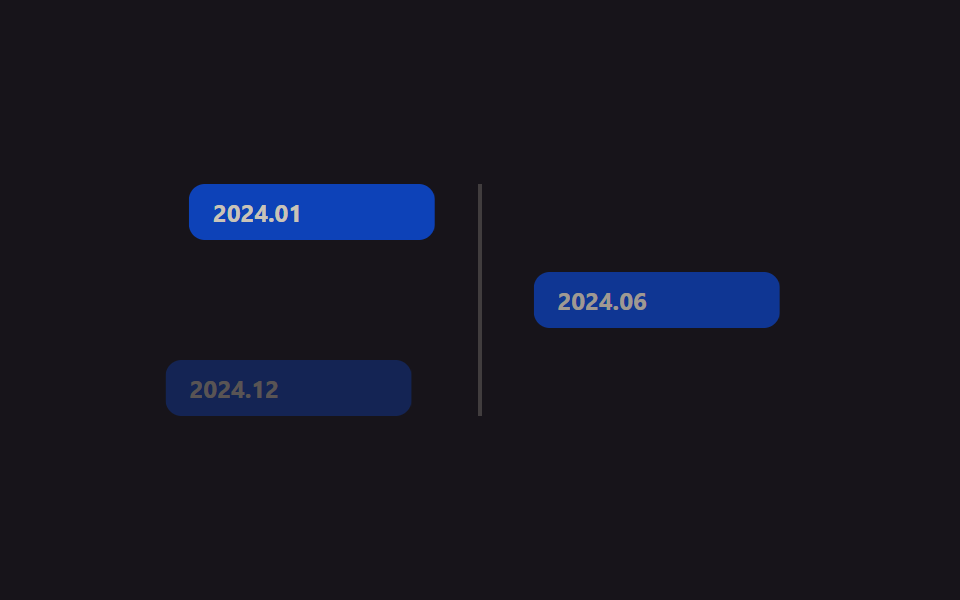 05 timeline-stepper-animation-card-alternate-slide
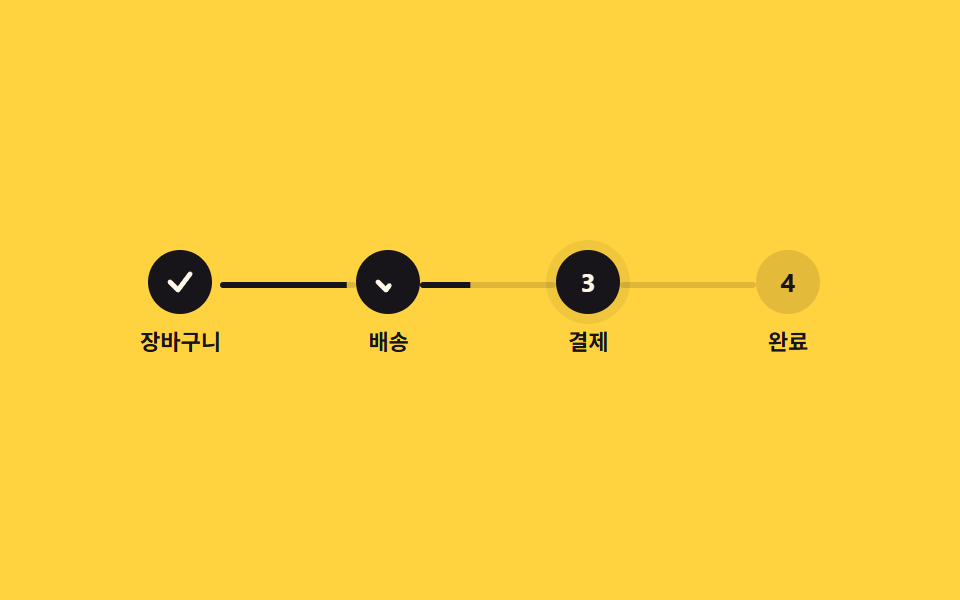 06 timeline-stepper-animation-checkout-stepper
 07 timeline-stepper-animation-scroll-progress-line
 08 timeline-stepper-animation-view-reveal-events
 09 timeline-stepper-animation-sibling-index-numbering
自動再生 · タイルを押すとその項目へ · すべて1つのzip
- 01 縦線の描画
- 02 ドットが順番にポップ
- 03 横ステップの塗りつぶし
- 04 アクティブステップのパルス
- 05 左右交互カードスライド
- 06 チェックアウトステッパー
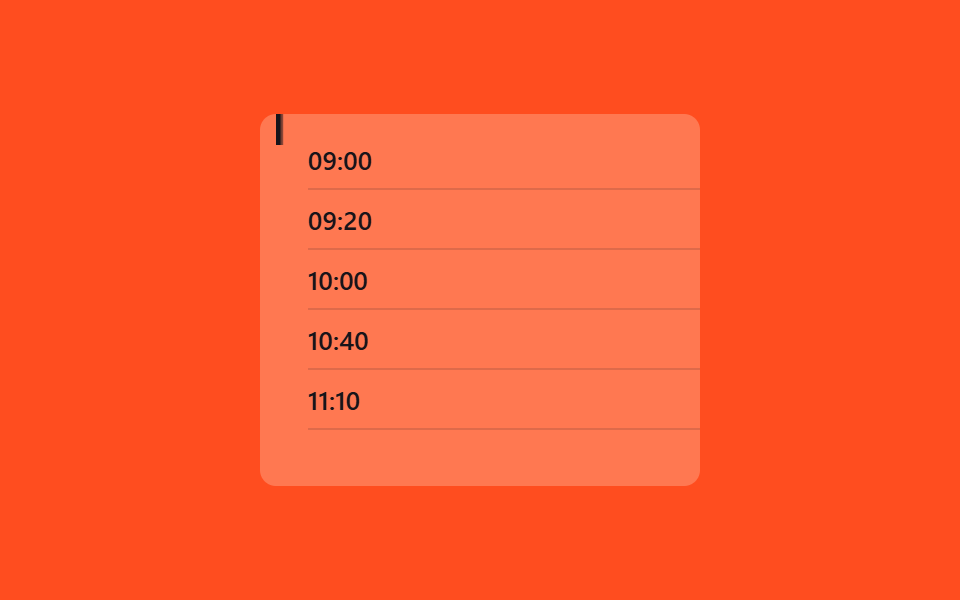
- 07 スクロールで進捗線を描画(scroll())
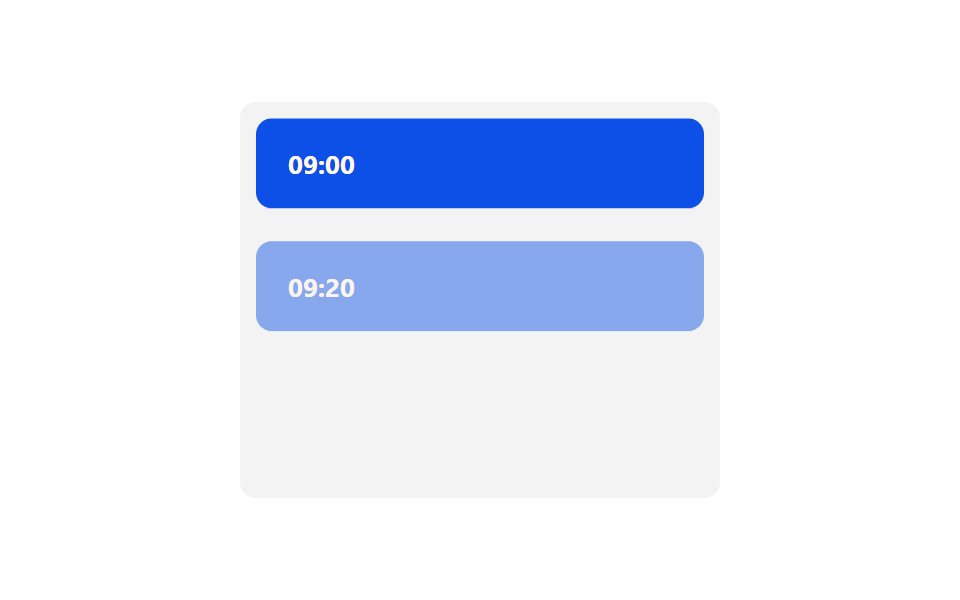
- 08 view()でイベントをリビール
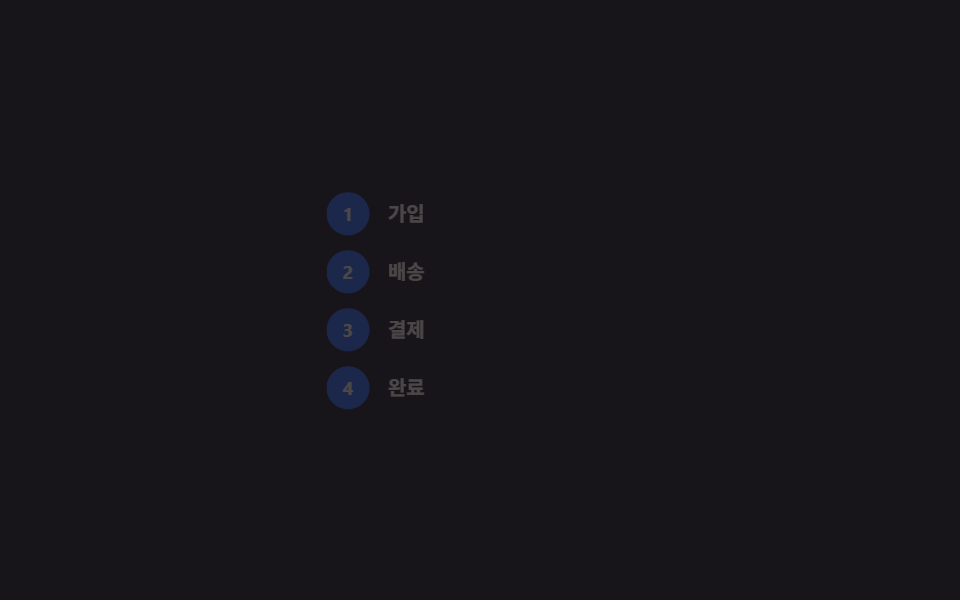
- 09 sibling-index()で自動採番
9個は人気順ではなく、実際の画面が経験する順番に並べています。まずタイムライン自体がどう描かれるか(01〜02)、次に横並びのステッパーが進み具合をどう見せるか(03〜04)、画面にコンテンツとしてどう乗るか(05〜06)、最後に最新のCSSだけでスクロールや並び順まで扱う方法(07〜09)という流れです。ページ最初の場面を時間順に飾る仕事はヒーローセクションのアニメーションが担い、物語が終わったあと冒頭へ送り返すボタンはトップへ戻るボタンが迎えに来ます。
01縦線の描画
どんな場面か
会社の沿革ページや履歴書の経歴のように縦に並ぶ一覧で、線が上から下へ伸びながら描かれます。
<main class="stage">
  <ul class="ts01-timeline is-demo">
    <li class="ts01-step"><span class="ts01-dot"></span>企画</li>
    <li class="ts01-step"><span class="ts01-dot"></span>デザイン</li>
    <li class="ts01-step"><span class="ts01-dot"></span>開発</li>
    <li class="ts01-step"><span class="ts01-dot"></span>リリース</li>
    <li class="ts01-line" aria-hidden="true"></li>
  </ul>
</main>
@use "../../../../site/static/demo-tokens" as *;
// ── 변수 3개 ──────────────────────────────────────────
$duration: $dur-enter;
$easing: $ease-out;
$color: $subject-blue;
@include stage($stage-ink);
.ts01-timeline {
position: relative;
margin: 0;
padding: 0 0 0 32px;
list-style: none;
color: $subject-cream;
font: 500 13px/1 -apple-system, "Segoe UI", "Noto Sans KR", sans-serif;
}
.ts01-step {
position: relative;
padding: $sp-1 0;
margin-bottom: clamp($sp-4, 6vw, $sp-6);
&:last-of-type { margin-bottom: 0; }
}
.ts01-dot {
position: absolute;
left: -28px;
top: 3px;
width: 12px;
height: 12px;
border-radius: 50%;
background: $subject-cream;
border: 2px solid $stage-ink;
box-shadow: 0 0 0 2px $color;
}
// 세로선: 위에서 아래로 그려진다 (실제 사용 코드 — 뷰포트 진입 시 한 번)
.ts01-line {
position: absolute;
left: -23px;
top: 4px;
width: 3px;
height: calc(100% - 12px);
background: $color;
border-radius: $r-xs;
transform: scaleY(1);
transform-origin: top; // 규칙8: 세로선 위에서 그려짐
@supports (animation-timeline: view()) {
transform: scaleY(0);
animation: ts01-draw linear both;
animation-timeline: view();
animation-range: entry 0% cover 70%;
}
}
@keyframes ts01-draw {
from { transform: scaleY(0); }
to { transform: scaleY(1); }
}
// 데모 루프: 뷰포트 진입을 2초 주기로 흉내
.ts01-timeline.is-demo .ts01-line {
animation: ts01-draw-loop $duration $easing infinite;
}
@keyframes ts01-draw-loop {
0%, 8% { transform: scaleY(0); }
75%, 100% { transform: scaleY(1); }
}
@media (prefers-reduced-motion: reduce) {
.ts01-line, .ts01-timeline.is-demo .ts01-line { animation: none !important; transform: scaleY(1) !important; }
}html, body {
margin: 0;
overflow: hidden;
}
.stage {
box-sizing: border-box;
min-height: 100vh;
display: grid;
place-items: center;
margin: 0;
background: #17141a;
font-family: -apple-system, "Segoe UI", "Noto Sans KR", sans-serif;
padding: clamp(8px, 4vw, 24px);
}
.ts01-timeline {
position: relative;
margin: 0;
padding: 0 0 0 32px;
list-style: none;
color: #fff7e6;
font: 500 13px/1 -apple-system, "Segoe UI", "Noto Sans KR", sans-serif;
}
.ts01-step {
position: relative;
padding: 4px 0;
margin-bottom: clamp(16px, 6vw, 24px);
}
.ts01-step:last-of-type {
margin-bottom: 0;
}
.ts01-dot {
position: absolute;
left: -28px;
top: 3px;
width: 12px;
height: 12px;
border-radius: 50%;
background: #fff7e6;
border: 2px solid #17141a;
box-shadow: 0 0 0 2px #2f6df6;
}
.ts01-line {
position: absolute;
left: -23px;
top: 4px;
width: 3px;
height: calc(100% - 12px);
background: #2f6df6;
border-radius: 4px;
transform: scaleY(1);
transform-origin: top;
}
@supports (animation-timeline: view()) {
.ts01-line {
transform: scaleY(0);
animation: ts01-draw linear both;
animation-timeline: view();
animation-range: entry 0% cover 70%;
}
}
@keyframes ts01-draw {
from {
transform: scaleY(0);
}
to {
transform: scaleY(1);
}
}
.ts01-timeline.is-demo .ts01-line {
animation: ts01-draw-loop 600ms ease-out infinite;
}
@keyframes ts01-draw-loop {
0%, 8% {
transform: scaleY(0);
}
75%, 100% {
transform: scaleY(1);
}
}
@media (prefers-reduced-motion: reduce) {
.ts01-line, .ts01-timeline.is-demo .ts01-line {
animation: none !important;
transform: scaleY(1) !important;
}
}import { CSSProperties } from "react";
import styles from "./VerticalLineDraw.module.scss";
type Vars = CSSProperties & {
"--duration"?: string;
"--easing"?: string;
"--color"?: string;
};
export interface VerticalLineDrawProps {
duration?: string;
easing?: string;
color?: string;
steps?: string[];
}
export default function VerticalLineDraw({
duration = "600ms",
easing = "ease-out",
color = "#2f6df6",
steps = ["기획", "디자인", "개발", "출시"],
}: VerticalLineDrawProps) {
const style: Vars = {
"--duration": duration,
"--easing": easing,
"--color": color,
};
return (
<ul className={styles.timeline} style={style}>
{steps.map((s) => (
<li key={s} className={styles.step}>
<span className={styles.dot} />
{s}
</li>
))}
<li className={styles.line} aria-hidden="true" />
</ul>
);
}01 · 縦線の描画 — 計測 累積面積 0.368% · 動いたフレーム 20/23GODRICH オリジナル · SCSS と React は zip に同梱 · パスワードを見る
組み立て方
transform: scaleY(0)からscaleY(1)へ、transform-origin: topだけで作れます。
.rail {
  width: 3px;
  height: 100%;
  background: $color;
  transform-origin: top;
  transform: scaleY(1);

  @supports (animation-timeline: view()) {
    transform: scaleY(0);
    animation: draw linear both;
    animation-timeline: view();
    animation-range: entry 0% cover 70%;
  }
}
@keyframes draw {
  from { transform: scaleY(0); }
  to   { transform: scaleY(1); }
}
02ドットが順番にポップ
何が起きるか
線上のドットが上から順に、弾むように一つずつ現れます。
<main class="stage">
  <div class="ts02-row is-demo">
    <span class="ts02-dot"></span>
    <span class="ts02-dot"></span>
    <span class="ts02-dot"></span>
    <span class="ts02-dot"></span>
    <span class="ts02-dot"></span>
  </div>
</main>
@use "../../../../site/static/demo-tokens" as *;
// ── 변수 3개 ──────────────────────────────────────────
$duration: $dur-loop;
$easing: $ease-pop;
$color: $stage-ink;
@include stage($stage-yellow);
.ts02-row {
display: flex;
align-items: center;
gap: $sp-4;
}
.ts02-dot {
width: 28px;
height: 28px;
border-radius: 50%;
background: $color;
transform: scale(0);
opacity: 0;
}
// 실제 사용 코드: 뷰포트에 들어오면 순서대로 팝 (nth-child 델레이만 다르다)
@for $i from 1 through 5 {
.ts02-row .ts02-dot:nth-child(#{$i}) {
animation-delay: #{($i - 1) * 140}ms;
}
}
.ts02-row.is-demo .ts02-dot {
animation: ts02-pop $duration $easing infinite;
}
@keyframes ts02-pop {
0% { transform: scale(0); opacity: 0; }
10% { transform: scale(1.25); opacity: 1; }
20% { transform: scale(1); opacity: 1; }
85% { transform: scale(1); opacity: 1; }
92% { transform: scale(0); opacity: 0; }
100% { transform: scale(0); opacity: 0; }
}
@media (prefers-reduced-motion: reduce) {
.ts02-dot, .ts02-row.is-demo .ts02-dot { animation: none !important; transform: scale(1) !important; opacity: 1 !important; }
}html, body {
margin: 0;
overflow: hidden;
}
.stage {
box-sizing: border-box;
min-height: 100vh;
display: grid;
place-items: center;
margin: 0;
background: #ffd23f;
font-family: -apple-system, "Segoe UI", "Noto Sans KR", sans-serif;
padding: clamp(8px, 4vw, 24px);
}
.ts02-row {
display: flex;
align-items: center;
gap: 16px;
}
.ts02-dot {
width: 28px;
height: 28px;
border-radius: 50%;
background: #17141a;
transform: scale(0);
opacity: 0;
}
.ts02-row .ts02-dot:nth-child(1) {
animation-delay: 0ms;
}
.ts02-row .ts02-dot:nth-child(2) {
animation-delay: 140ms;
}
.ts02-row .ts02-dot:nth-child(3) {
animation-delay: 280ms;
}
.ts02-row .ts02-dot:nth-child(4) {
animation-delay: 420ms;
}
.ts02-row .ts02-dot:nth-child(5) {
animation-delay: 560ms;
}
.ts02-row.is-demo .ts02-dot {
animation: ts02-pop 2s cubic-bezier(0.2, 1.4, 0.4, 1) infinite;
}
@keyframes ts02-pop {
0% {
transform: scale(0);
opacity: 0;
}
10% {
transform: scale(1.25);
opacity: 1;
}
20% {
transform: scale(1);
opacity: 1;
}
85% {
transform: scale(1);
opacity: 1;
}
92% {
transform: scale(0);
opacity: 0;
}
100% {
transform: scale(0);
opacity: 0;
}
}
@media (prefers-reduced-motion: reduce) {
.ts02-dot, .ts02-row.is-demo .ts02-dot {
animation: none !important;
transform: scale(1) !important;
opacity: 1 !important;
}
}import { CSSProperties } from "react";
import styles from "./DotPopStagger.module.scss";
type Vars = CSSProperties & {
"--duration"?: string;
"--easing"?: string;
"--color"?: string;
};
export interface DotPopStaggerProps {
duration?: string;
easing?: string;
color?: string;
count?: number;
stepDelay?: number;
}
export default function DotPopStagger({
duration = "2s",
easing = "cubic-bezier(.2, 1.4, .4, 1)",
color = "#17141a",
count = 5,
stepDelay = 140,
}: DotPopStaggerProps) {
const style: Vars = { "--duration": duration, "--easing": easing, "--color": color };
return (
<div className={styles.row} style={style}>
{Array.from({ length: count }).map((_, i) => (
<span key={i} className={styles.dot} style={{ animationDelay: `${i * stepDelay}ms` }} />
))}
</div>
);
}02 · ドットが順番にポップ — 計測 累積面積 4.049% · 動いたフレーム 6/23GODRICH オリジナル · SCSS と React は zip に同梱 · パスワードを見る
なぜこう書くか
オンボーディングのチェックリストや注文処理のステップ表示に向いていて、SCSSの@forで作ったnth-child別のanimation-delayだけを変えています。
.dot {
  width: 28px;
  height: 28px;
  border-radius: 50%;
  background: $color;
  transform: scale(0);
  opacity: 0;
  animation: pop 2s cubic-bezier(.2, 1.4, .4, 1) both;
}

@for $i from 1 through 5 {
  .dot:nth-child(#{$i}) { animation-delay: #{($i - 1) * 140}ms; }
}

@keyframes pop {
  0%   { transform: scale(0);    opacity: 0; }
  60%  { transform: scale(1.25); opacity: 1; }
  100% { transform: scale(1);    opacity: 1; }
}
03横ステップの塗りつぶし
ステッパー css をどこで使うか
会員登録やアンケートのように横に並ぶステップの間で、通過した分だけ連結線が左から色で塗りつぶされます。
<main class="stage">
  <div class="ts03-steps is-demo">
    <div class="ts03-step"><span class="ts03-circle">1</span><span class="ts03-label">登録</span></div>
    <span class="ts03-bar"><span class="ts03-fill"></span></span>
    <div class="ts03-step"><span class="ts03-circle">2</span><span class="ts03-label">プロフィール</span></div>
    <span class="ts03-bar"><span class="ts03-fill"></span></span>
    <div class="ts03-step"><span class="ts03-circle">3</span><span class="ts03-label">完了</span></div>
  </div>
</main>
@use "../../../../site/static/demo-tokens" as *;
// ── 변수 3개 ──────────────────────────────────────────
$duration: $dur-base;
$easing: $ease-out;
$color: $subject-ink; // 주황 무대 위 전경은 잉크 — 크림은 3.11:1
@include stage($stage-orange);
.ts03-steps {
display: flex;
align-items: flex-start;
width: min(320px, 88vw);
}
.ts03-step {
flex-grow: 0;
flex-shrink: 0;
flex-basis: auto;
display: flex;
flex-direction: column;
align-items: center;
gap: $sp-2;
color: $color;
font: 600 11px/1 -apple-system, "Segoe UI", "Noto Sans KR", sans-serif;
}
.ts03-circle {
width: 32px;
height: 32px;
border-radius: 50%;
display: grid;
place-items: center;
background: rgba(255, 255, 255, .18);
color: $color;
font-weight: 700;
font-size: 13px;
line-height: 1;
font-family: inherit;
}
// 연결선: 왼쪽부터 채워진다 (transform-origin: left, scaleX)
.ts03-bar {
flex-grow: 1;
flex-shrink: 1;
flex-basis: 0;
height: 3px;
margin-top: 16px;
background: rgba(255, 255, 255, .22);
border-radius: $r-xs;
overflow: hidden;
display: block;
}
.ts03-fill {
display: block;
width: 100%;
height: 100%;
background: $color;
transform: scaleX(0);
transform-origin: left; // 규칙8: 연결선 왼쪽부터 채움
}
// 실제 사용 코드: 단계가 끝나면 JS 가 .is-done 을 붙이고 채워진다
.ts03-step.is-done .ts03-circle { background: $subject-cream; color: $subject-orange-deep; } // 채워진 원 안 숫자 — 크림 면 위 deep 5.04:1
.ts03-step.is-done + .ts03-bar .ts03-fill { transform: scaleX(1); }
// 데모 루프: 1 → 2 → 3 순서로 채워지는 걸 2초에 한 번
.ts03-steps.is-demo .ts03-step:nth-child(1) .ts03-circle { animation: ts03-done $duration $easing infinite; }
.ts03-steps.is-demo .ts03-bar:nth-child(2) .ts03-fill { animation: ts03-fill $duration $easing infinite; animation-delay: .3s; }
.ts03-steps.is-demo .ts03-step:nth-child(3) .ts03-circle { animation: ts03-done $duration $easing infinite; animation-delay: .9s; }
.ts03-steps.is-demo .ts03-bar:nth-child(4) .ts03-fill { animation: ts03-fill $duration $easing infinite; animation-delay: 1.2s; }
@keyframes ts03-fill { from { transform: scaleX(0); } to { transform: scaleX(1); } }
@keyframes ts03-done { from { background: rgba(255, 255, 255, .18); } to { background: $subject-cream; } }
@media (prefers-reduced-motion: reduce) {
.ts03-fill, .ts03-steps.is-demo .ts03-fill { animation: none !important; transform: scaleX(1) !important; }
.ts03-steps.is-demo .ts03-circle { animation: none !important; }
}html, body {
margin: 0;
overflow: hidden;
}
.stage {
box-sizing: border-box;
min-height: 100vh;
display: grid;
place-items: center;
margin: 0;
background: #ff4d1f;
font-family: -apple-system, "Segoe UI", "Noto Sans KR", sans-serif;
padding: clamp(8px, 4vw, 24px);
}
.ts03-steps {
display: flex;
align-items: flex-start;
width: min(320px, 88vw);
}
.ts03-step {
flex-grow: 0;
flex-shrink: 0;
flex-basis: auto;
display: flex;
flex-direction: column;
align-items: center;
gap: 8px;
color: #17141a;
font: 600 11px/1 -apple-system, "Segoe UI", "Noto Sans KR", sans-serif;
}
.ts03-circle {
width: 32px;
height: 32px;
border-radius: 50%;
display: grid;
place-items: center;
background: rgba(255, 255, 255, 0.18);
color: #17141a;
font-weight: 700;
font-size: 13px;
line-height: 1;
font-family: inherit;
}
.ts03-bar {
flex-grow: 1;
flex-shrink: 1;
flex-basis: 0;
height: 3px;
margin-top: 16px;
background: rgba(255, 255, 255, 0.22);
border-radius: 4px;
overflow: hidden;
display: block;
}
.ts03-fill {
display: block;
width: 100%;
height: 100%;
background: #17141a;
transform: scaleX(0);
transform-origin: left;
}
.ts03-step.is-done .ts03-circle {
background: #fff7e6;
color: #c93000;
}
.ts03-step.is-done + .ts03-bar .ts03-fill {
transform: scaleX(1);
}
.ts03-steps.is-demo .ts03-step:nth-child(1) .ts03-circle {
animation: ts03-done 300ms ease-out infinite;
}
.ts03-steps.is-demo .ts03-bar:nth-child(2) .ts03-fill {
animation: ts03-fill 300ms ease-out infinite;
animation-delay: 0.3s;
}
.ts03-steps.is-demo .ts03-step:nth-child(3) .ts03-circle {
animation: ts03-done 300ms ease-out infinite;
animation-delay: 0.9s;
}
.ts03-steps.is-demo .ts03-bar:nth-child(4) .ts03-fill {
animation: ts03-fill 300ms ease-out infinite;
animation-delay: 1.2s;
}
@keyframes ts03-fill {
from {
transform: scaleX(0);
}
to {
transform: scaleX(1);
}
}
@keyframes ts03-done {
from {
background: rgba(255, 255, 255, 0.18);
}
to {
background: #fff7e6;
}
}
@media (prefers-reduced-motion: reduce) {
.ts03-fill, .ts03-steps.is-demo .ts03-fill {
animation: none !important;
transform: scaleX(1) !important;
}
.ts03-steps.is-demo .ts03-circle {
animation: none !important;
}
}import { CSSProperties } from "react";
import styles from "./HorizontalStepsFill.module.scss";
type Vars = CSSProperties & {
"--duration"?: string;
"--easing"?: string;
"--color"?: string;
};
export interface HorizontalStepsFillProps {
duration?: string;
easing?: string;
color?: string;
labels?: string[];
doneCount?: number;
}
export default function HorizontalStepsFill({
duration = "600ms",
easing = "ease-out",
color = "#17141a",
labels = ["가입", "프로필", "완료"],
doneCount = 2,
}: HorizontalStepsFillProps) {
const style: Vars = { "--duration": duration, "--easing": easing, "--color": color };
return (
<div className={styles.steps} style={style}>
{labels.map((label, i) => (
<div key={label} style={{ display: "contents" }}>
<div className={styles.step}>
<span className={`${styles.circle} ${i < doneCount ? styles.done : ""}`}>{i + 1}</span>
<span>{label}</span>
</div>
{i < labels.length - 1 && (
<span className={styles.bar}>
<span className={`${styles.fill} ${i < doneCount - 1 ? styles.filled : ""}`} />
</span>
)}
</div>
))}
</div>
);
}03 · 横ステップの塗りつぶし — 計測 累積面積 1.597% · 動いたフレーム 23/23GODRICH オリジナル · SCSS と React は zip に同梱 · パスワードを見る
実装の核
scaleXが自分の幅を基準に伸びるので、隣のステップの大きさを知らなくても動きます。
.bar {
  flex-grow: 1;
  flex-shrink: 1;
  flex-basis: 0;
  height: 3px;
  overflow: hidden;
}
.fill {
  width: 100%;
  height: 100%;
  background: $color;
  transform: scaleX(0);
  transform-origin: left;
}
.step.is-done + .bar .fill { transform: scaleX(1); }
04アクティブステップのパルス
見え方
処理中の注文やリアルタイム通知バッジのように、今進んでいる段階の丸の後ろでリングが膨らみながら薄くなるのを繰り返します。
<main class="stage">
  <div class="ts04-track">
    <span class="ts04-node is-done"></span>
    <span class="ts04-line is-done"></span>
    <span class="ts04-step is-demo">
      <span class="ts04-ring"></span>
      <span class="ts04-circle">3</span>
    </span>
    <span class="ts04-line"></span>
    <span class="ts04-node"></span>
  </div>
</main>
@use "../../../../site/static/demo-tokens" as *;
// ── 변수 3개 ──────────────────────────────────────────
$duration: $dur-loop;
$easing: $ease-out;
$color: $subject-blue;
@include stage($stage-paper);
.ts04-track {
display: flex;
align-items: center;
gap: 0;
}
.ts04-node {
width: 14px;
height: 14px;
border-radius: 50%;
background: rgba(23, 20, 26, .16);
flex: 0 0 auto;
&.is-done { background: $color; }
}
.ts04-line {
width: 40px;
height: 3px;
background: rgba(23, 20, 26, .16);
flex: 0 0 auto;
&.is-done { background: $color; }
}
.ts04-step {
position: relative;
width: 40px;
height: 40px;
flex: 0 0 auto;
display: grid;
place-items: center;
}
// 지금 처리 중인 단계: 뒤에서 링이 번지는 펄스
.ts04-ring {
position: absolute;
inset: 0;
border-radius: 50%;
border: 2px solid $color;
opacity: 0;
}
.ts04-step.is-demo .ts04-ring {
animation: ts04-pulse $duration $easing infinite;
}
@keyframes ts04-pulse {
0% { transform: scale(.7); opacity: .8; }
70% { transform: scale(1.8); opacity: 0; }
100% { transform: scale(1.8); opacity: 0; }
}
.ts04-circle {
width: 32px;
height: 32px;
border-radius: 50%;
background: $subject-blue-deep; // 크림 글자가 얹히므로 진한 파랑
color: $subject-cream;
display: grid;
place-items: center;
font: 700 13px/1 -apple-system, "Segoe UI", "Noto Sans KR", sans-serif;
}
@media (prefers-reduced-motion: reduce) {
.ts04-ring, .ts04-step.is-demo .ts04-ring { animation: none !important; opacity: .6 !important; transform: scale(1) !important; }
}html, body {
margin: 0;
overflow: hidden;
}
.stage {
box-sizing: border-box;
min-height: 100vh;
display: grid;
place-items: center;
margin: 0;
background: #ffffff;
font-family: -apple-system, "Segoe UI", "Noto Sans KR", sans-serif;
padding: clamp(8px, 4vw, 24px);
}
.ts04-track {
display: flex;
align-items: center;
gap: 0;
}
.ts04-node {
width: 14px;
height: 14px;
border-radius: 50%;
background: rgba(23, 20, 26, 0.16);
flex: 0 0 auto;
}
.ts04-node.is-done {
background: #2f6df6;
}
.ts04-line {
width: 40px;
height: 3px;
background: rgba(23, 20, 26, 0.16);
flex: 0 0 auto;
}
.ts04-line.is-done {
background: #2f6df6;
}
.ts04-step {
position: relative;
width: 40px;
height: 40px;
flex: 0 0 auto;
display: grid;
place-items: center;
}
.ts04-ring {
position: absolute;
inset: 0;
border-radius: 50%;
border: 2px solid #2f6df6;
opacity: 0;
}
.ts04-step.is-demo .ts04-ring {
animation: ts04-pulse 2s ease-out infinite;
}
@keyframes ts04-pulse {
0% {
transform: scale(0.7);
opacity: 0.8;
}
70% {
transform: scale(1.8);
opacity: 0;
}
100% {
transform: scale(1.8);
opacity: 0;
}
}
.ts04-circle {
width: 32px;
height: 32px;
border-radius: 50%;
background: #0a4fe8;
color: #fff7e6;
display: grid;
place-items: center;
font: 700 13px/1 -apple-system, "Segoe UI", "Noto Sans KR", sans-serif;
}
@media (prefers-reduced-motion: reduce) {
.ts04-ring, .ts04-step.is-demo .ts04-ring {
animation: none !important;
opacity: 0.6 !important;
transform: scale(1) !important;
}
}import { CSSProperties } from "react";
import styles from "./ActiveStepPulse.module.scss";
type Vars = CSSProperties & {
"--duration"?: string;
"--easing"?: string;
"--color"?: string;
};
export interface ActiveStepPulseProps {
duration?: string;
easing?: string;
color?: string;
activeNumber?: number;
}
export default function ActiveStepPulse({
duration = "1.6s",
easing = "ease-out",
color = "#2f6df6",
activeNumber = 3,
}: ActiveStepPulseProps) {
const style: Vars = { "--duration": duration, "--easing": easing, "--color": color };
return (
<div className={styles.track} style={style}>
<span className={`${styles.node} ${styles.done}`} />
<span className={`${styles.line} ${styles.done}`} />
<span className={styles.step}>
<span className={styles.ring} />
<span className={styles.circle}>{activeNumber}</span>
</span>
<span className={styles.line} />
<span className={styles.node} />
</div>
);
}04 · アクティブステップのパルス — 計測 累積面積 2.033% · 動いたフレーム 13/23GODRICH オリジナル · SCSS と React は zip に同梱 · パスワードを見る
何が肝心か
レーダーの信号のように「今ここが動いている」という合図だけを伝えます。
.ring {
  position: absolute;
  inset: 0;
  border-radius: 50%;
  border: 2px solid $color;
  animation: pulse 1.6s ease-out infinite;
}
@keyframes pulse {
  0%   { transform: scale(.7); opacity: .8; }
  70%  { transform: scale(1.8); opacity: 0; }
  100% { transform: scale(1.8); opacity: 0; }
}
05左右交互カードスライド
いつ使うか
プロジェクトのマイルストーン紹介や沿革ページで、中央の縦線を基準に奇数のカードは左から、偶数のカードは右から寄ってきます。
<main class="stage">
  <div class="ts05-timeline is-demo">
    <div class="ts05-row ts05-row--l"><div class="ts05-card">2024.01</div></div>
    <div class="ts05-row ts05-row--r"><div class="ts05-card">2024.06</div></div>
    <div class="ts05-row ts05-row--l"><div class="ts05-card">2024.12</div></div>
  </div>
</main>
@use "../../../../site/static/demo-tokens" as *;
// ── 변수 3개 ──────────────────────────────────────────
$duration: $dur-loop;
$easing: $ease-spring;
$color: $subject-blue-deep; // 크림 글자가 얹히므로 진한 파랑
@include stage($stage-ink);
.ts05-timeline {
position: relative;
width: min(280px, 84vw);
display: flex;
flex-direction: column;
gap: $sp-4;
// 가운데 세로선
&::before {
content: "";
position: absolute;
left: 50%;
top: 0;
width: 2px;
height: 100%;
background: rgba(255, 247, 230, .18);
transform: translateX(-50%);
}
}
.ts05-row {
display: flex;
&--l { justify-content: flex-start; }
&--r { justify-content: flex-end; }
}
.ts05-card {
width: 44%;
box-sizing: border-box;
padding: $sp-2 $sp-3;
border-radius: $r-sm;
background: $color;
color: $subject-cream;
font: 700 12px/1 -apple-system, "Segoe UI", "Noto Sans KR", sans-serif;
opacity: 0;
}
// 실제 사용 코드: 뷰포트에 들어오면 홀수는 왼쪽, 짝수는 오른쪽에서 모인다
.ts05-row--l .ts05-card { transform: translateX(-24px); }
.ts05-row--r .ts05-card { transform: translateX(24px); }
@supports (animation-timeline: view()) {
.ts05-row--l .ts05-card { animation: ts05-in-l $duration $easing both; animation-timeline: view(); animation-range: entry 0% cover 60%; }
.ts05-row--r .ts05-card { animation: ts05-in-r $duration $easing both; animation-timeline: view(); animation-range: entry 0% cover 60%; }
}
@supports not (animation-timeline: view()) {
.ts05-card { opacity: 1; transform: none; }
}
@keyframes ts05-in-l { from { opacity: 0; transform: translateX(-24px); } to { opacity: 1; transform: translateX(0); } }
@keyframes ts05-in-r { from { opacity: 0; transform: translateX(24px); } to { opacity: 1; transform: translateX(0); } }
// 데모 루프: 위에서부터 순서대로
.ts05-timeline.is-demo .ts05-row--l .ts05-card { animation: ts05-in-l $duration $easing infinite; }
.ts05-timeline.is-demo .ts05-row--r .ts05-card { animation: ts05-in-r $duration $easing infinite; animation-delay: .18s; }
.ts05-timeline.is-demo .ts05-row:nth-child(3) .ts05-card { animation-delay: .36s; }
@media (prefers-reduced-motion: reduce) {
.ts05-card, .ts05-timeline.is-demo .ts05-card { animation: none !important; opacity: 1 !important; transform: none !important; }
}html, body {
margin: 0;
overflow: hidden;
}
.stage {
box-sizing: border-box;
min-height: 100vh;
display: grid;
place-items: center;
margin: 0;
background: #17141a;
font-family: -apple-system, "Segoe UI", "Noto Sans KR", sans-serif;
padding: clamp(8px, 4vw, 24px);
}
.ts05-timeline {
position: relative;
width: min(280px, 84vw);
display: flex;
flex-direction: column;
gap: 16px;
}
.ts05-timeline::before {
content: "";
position: absolute;
left: 50%;
top: 0;
width: 2px;
height: 100%;
background: rgba(255, 247, 230, 0.18);
transform: translateX(-50%);
}
.ts05-row {
display: flex;
}
.ts05-row--l {
justify-content: flex-start;
}
.ts05-row--r {
justify-content: flex-end;
}
.ts05-card {
width: 44%;
box-sizing: border-box;
padding: 8px 12px;
border-radius: 8px;
background: #0a4fe8;
color: #fff7e6;
font: 700 12px/1 -apple-system, "Segoe UI", "Noto Sans KR", sans-serif;
opacity: 0;
}
.ts05-row--l .ts05-card {
transform: translateX(-24px);
}
.ts05-row--r .ts05-card {
transform: translateX(24px);
}
@supports (animation-timeline: view()) {
.ts05-row--l .ts05-card {
animation: ts05-in-l 2s cubic-bezier(0.2, 0.8, 0.2, 1) both;
animation-timeline: view();
animation-range: entry 0% cover 60%;
}
.ts05-row--r .ts05-card {
animation: ts05-in-r 2s cubic-bezier(0.2, 0.8, 0.2, 1) both;
animation-timeline: view();
animation-range: entry 0% cover 60%;
}
}
@supports not (animation-timeline: view()) {
.ts05-card {
opacity: 1;
transform: none;
}
}
@keyframes ts05-in-l {
from {
opacity: 0;
transform: translateX(-24px);
}
to {
opacity: 1;
transform: translateX(0);
}
}
@keyframes ts05-in-r {
from {
opacity: 0;
transform: translateX(24px);
}
to {
opacity: 1;
transform: translateX(0);
}
}
.ts05-timeline.is-demo .ts05-row--l .ts05-card {
animation: ts05-in-l 2s cubic-bezier(0.2, 0.8, 0.2, 1) infinite;
}
.ts05-timeline.is-demo .ts05-row--r .ts05-card {
animation: ts05-in-r 2s cubic-bezier(0.2, 0.8, 0.2, 1) infinite;
animation-delay: 0.18s;
}
.ts05-timeline.is-demo .ts05-row:nth-child(3) .ts05-card {
animation-delay: 0.36s;
}
@media (prefers-reduced-motion: reduce) {
.ts05-card, .ts05-timeline.is-demo .ts05-card {
animation: none !important;
opacity: 1 !important;
transform: none !important;
}
}import { CSSProperties } from "react";
import styles from "./AlternatingCardSlide.module.scss";
type Vars = CSSProperties & {
"--duration"?: string;
"--easing"?: string;
"--color"?: string;
};
export interface AlternatingCardSlideProps {
duration?: string;
easing?: string;
color?: string;
dates?: string[];
}
export default function AlternatingCardSlide({
duration = "2s",
easing = "cubic-bezier(.2, .8, .2, 1)",
color = "#0a4fe8",
dates = ["2024.01", "2024.06", "2024.12"],
}: AlternatingCardSlideProps) {
const style: Vars = { "--duration": duration, "--easing": easing, "--color": color };
return (
<div className={styles.timeline} style={style}>
{dates.map((d, i) => (
<div key={d} className={`${styles.row} ${i % 2 === 0 ? styles.rowL : styles.rowR}`}>
<div className={styles.card} style={{ animationDelay: `${i * 180}ms` }}>{d}</div>
</div>
))}
</div>
);
}05 · 左右交互カードスライド — 計測 累積面積 8.283% · 動いたフレーム 23/23GODRICH オリジナル · SCSS と React は zip に同梱 · パスワードを見る
押さえておく点
画面に入ってきたカードごとに、view()が自動で始まります。
.row--l .card { transform: translateX(-24px); }
.row--r .card { transform: translateX(24px); }

@supports (animation-timeline: view()) {
  .card {
    opacity: 0;
    animation: in ease-out both;
    animation-timeline: view();
    animation-range: entry 0% cover 60%;
  }
}
@keyframes in { to { opacity: 1; transform: translateX(0); } }
06チェックアウトステッパー
どの画面か
ECの決済や予約フォームのように、カート・配送・決済・完了の4段階のうち終わった段階は丸の中の数字がSVGのチェックマークに変わります。
<main class="stage">
  <div class="ts06-steps is-demo">
    <div class="ts06-step">
      <span class="ts06-circle" aria-label="完了">
        <svg class="ts06-check" viewBox="0 0 16 16" fill="none" aria-hidden="true"><polyline points="3,8 7,12 13,4" /></svg>
        <span class="ts06-num">1</span>
      </span>
      <span class="ts06-label">カート</span>
    </div>
    <span class="ts06-bar"><span class="ts06-fill"></span></span>
    <div class="ts06-step">
      <span class="ts06-circle" aria-label="完了">
        <svg class="ts06-check" viewBox="0 0 16 16" fill="none" aria-hidden="true"><polyline points="3,8 7,12 13,4" /></svg>
        <span class="ts06-num">2</span>
      </span>
      <span class="ts06-label">配送</span>
    </div>
    <span class="ts06-bar"><span class="ts06-fill"></span></span>
    <div class="ts06-step ts06-step--active">
      <span class="ts06-circle"><span class="ts06-num">3</span></span>
      <span class="ts06-label">決済</span>
    </div>
    <span class="ts06-bar"></span>
    <div class="ts06-step">
      <span class="ts06-circle"><span class="ts06-num">4</span></span>
      <span class="ts06-label">完了</span>
    </div>
  </div>
</main>@use "../../../../site/static/demo-tokens" as *;
// ── 변수 3개 ──────────────────────────────────────────
$duration: $dur-loop;
$easing: $ease-out;
$color: $stage-ink;
@include stage($stage-yellow);
.ts06-steps {
display: flex;
align-items: flex-start;
width: min(340px, 90vw);
}
.ts06-step {
flex-grow: 0;
flex-shrink: 0;
flex-basis: auto;
display: flex;
flex-direction: column;
align-items: center;
gap: $sp-2;
color: $color;
font: 600 11px/1 -apple-system, "Segoe UI", "Noto Sans KR", sans-serif;
}
.ts06-circle {
position: relative;
width: 32px;
height: 32px;
border-radius: 50%;
background: rgba(23, 20, 26, .12);
display: grid;
place-items: center;
}
.ts06-num { font-weight: 700; font-size: 13px; line-height: 1; font-family: inherit; }
// 체크 아이콘: SVG polyline 을 stroke-dashoffset 으로 그린다 (BD16: 막대 두 개 사선 대신 안전한 방법)
.ts06-check {
position: absolute;
inset: 0;
width: 100%;
height: 100%;
padding: 8px;
box-sizing: border-box;
opacity: 0;
polyline {
fill: none;
stroke: $subject-cream;
stroke-width: 2.4;
stroke-linecap: round;
stroke-linejoin: round;
stroke-dasharray: 16;
stroke-dashoffset: 16;
}
}
.ts06-num { opacity: 0; }
// 실제 사용 코드: 끝난 단계는 JS 가 .is-checked 를 붙이면 체크가 그려지고 숫자는 사라진다
.ts06-step.is-checked .ts06-circle { background: $color; }
.ts06-step.is-checked .ts06-check { opacity: 1; }
.ts06-step.is-checked .ts06-check polyline { animation: ts06-draw .5s $easing forwards; }
.ts06-step.is-checked .ts06-num { display: none; }
.ts06-step:not(.is-checked) .ts06-num { opacity: 1; }
.ts06-step--active .ts06-circle { background: $color; color: $subject-cream; }
.ts06-step--active .ts06-num { opacity: 1; color: $subject-cream; }
.ts06-step.is-checked + .ts06-bar .ts06-fill { transform: scaleX(1); }
.ts06-bar {
flex-grow: 1;
flex-shrink: 1;
flex-basis: 0;
height: 3px;
margin-top: 16px;
background: rgba(23, 20, 26, .14);
border-radius: $r-xs;
overflow: hidden;
display: block;
}
.ts06-fill {
display: block;
width: 100%;
height: 100%;
background: $color;
transform: scaleX(0);
transform-origin: left; // 규칙8: 체크아웃 연결선 좌측 채움
}
@keyframes ts06-draw { from { stroke-dashoffset: 16; } to { stroke-dashoffset: 0; } }
// 데모 루프: 1·2 는 이미 완료, 3(결제)이 활성 상태로 펄스
.ts06-steps.is-demo .ts06-step--active .ts06-circle { animation: ts06-active-pulse 1.2s $easing infinite; }
.ts06-steps.is-demo .ts06-step:nth-child(1) .ts06-circle,
.ts06-steps.is-demo .ts06-step:nth-child(3) .ts06-circle { background: $color; }
.ts06-steps.is-demo .ts06-step:nth-child(1) .ts06-check,
.ts06-steps.is-demo .ts06-step:nth-child(3) .ts06-check { opacity: 1; }
.ts06-steps.is-demo .ts06-step:nth-child(1) .ts06-num,
.ts06-steps.is-demo .ts06-step:nth-child(3) .ts06-num { display: none; }
.ts06-steps.is-demo .ts06-step:nth-child(1) .ts06-check polyline { animation: ts06-draw-loop $duration $easing infinite; }
.ts06-steps.is-demo .ts06-step:nth-child(3) .ts06-check polyline { animation: ts06-draw-loop $duration $easing infinite; animation-delay: .35s; }
.ts06-steps.is-demo .ts06-bar:nth-child(2) .ts06-fill { animation: ts06-fill-loop $duration $easing infinite; }
.ts06-steps.is-demo .ts06-bar:nth-child(4) .ts06-fill { animation: ts06-fill-loop $duration $easing infinite; animation-delay: .35s; }
@keyframes ts06-draw-loop {
0%, 5% { stroke-dashoffset: 16; }
35%, 100% { stroke-dashoffset: 0; }
}
@keyframes ts06-fill-loop {
0%, 8% { transform: scaleX(0); }
40%, 100% { transform: scaleX(1); }
}
@keyframes ts06-active-pulse {
0%, 100% { box-shadow: 0 0 0 0 rgba(23, 20, 26, .35); }
50% { box-shadow: 0 0 0 6px rgba(23, 20, 26, 0); }
}
@media (prefers-reduced-motion: reduce) {
.ts06-check polyline, .ts06-steps.is-demo .ts06-check polyline { animation: none !important; stroke-dashoffset: 0 !important; }
.ts06-fill, .ts06-steps.is-demo .ts06-fill { animation: none !important; }
.ts06-steps.is-demo .ts06-step--active .ts06-circle { animation: none !important; }
}html, body {
margin: 0;
overflow: hidden;
}
.stage {
box-sizing: border-box;
min-height: 100vh;
display: grid;
place-items: center;
margin: 0;
background: #ffd23f;
font-family: -apple-system, "Segoe UI", "Noto Sans KR", sans-serif;
padding: clamp(8px, 4vw, 24px);
}
.ts06-steps {
display: flex;
align-items: flex-start;
width: min(340px, 90vw);
}
.ts06-step {
flex-grow: 0;
flex-shrink: 0;
flex-basis: auto;
display: flex;
flex-direction: column;
align-items: center;
gap: 8px;
color: #17141a;
font: 600 11px/1 -apple-system, "Segoe UI", "Noto Sans KR", sans-serif;
}
.ts06-circle {
position: relative;
width: 32px;
height: 32px;
border-radius: 50%;
background: rgba(23, 20, 26, 0.12);
display: grid;
place-items: center;
}
.ts06-num {
font-weight: 700;
font-size: 13px;
line-height: 1;
font-family: inherit;
}
.ts06-check {
position: absolute;
inset: 0;
width: 100%;
height: 100%;
padding: 8px;
box-sizing: border-box;
opacity: 0;
}
.ts06-check polyline {
fill: none;
stroke: #fff7e6;
stroke-width: 2.4;
stroke-linecap: round;
stroke-linejoin: round;
stroke-dasharray: 16;
stroke-dashoffset: 16;
}
.ts06-num {
opacity: 0;
}
.ts06-step.is-checked .ts06-circle {
background: #17141a;
}
.ts06-step.is-checked .ts06-check {
opacity: 1;
}
.ts06-step.is-checked .ts06-check polyline {
animation: ts06-draw 0.5s ease-out forwards;
}
.ts06-step.is-checked .ts06-num {
display: none;
}
.ts06-step:not(.is-checked) .ts06-num {
opacity: 1;
}
.ts06-step--active .ts06-circle {
background: #17141a;
color: #fff7e6;
}
.ts06-step--active .ts06-num {
opacity: 1;
color: #fff7e6;
}
.ts06-step.is-checked + .ts06-bar .ts06-fill {
transform: scaleX(1);
}
.ts06-bar {
flex-grow: 1;
flex-shrink: 1;
flex-basis: 0;
height: 3px;
margin-top: 16px;
background: rgba(23, 20, 26, 0.14);
border-radius: 4px;
overflow: hidden;
display: block;
}
.ts06-fill {
display: block;
width: 100%;
height: 100%;
background: #17141a;
transform: scaleX(0);
transform-origin: left;
}
@keyframes ts06-draw {
from {
stroke-dashoffset: 16;
}
to {
stroke-dashoffset: 0;
}
}
.ts06-steps.is-demo .ts06-step--active .ts06-circle {
animation: ts06-active-pulse 1.2s ease-out infinite;
}
.ts06-steps.is-demo .ts06-step:nth-child(1) .ts06-circle,
.ts06-steps.is-demo .ts06-step:nth-child(3) .ts06-circle {
background: #17141a;
}
.ts06-steps.is-demo .ts06-step:nth-child(1) .ts06-check,
.ts06-steps.is-demo .ts06-step:nth-child(3) .ts06-check {
opacity: 1;
}
.ts06-steps.is-demo .ts06-step:nth-child(1) .ts06-num,
.ts06-steps.is-demo .ts06-step:nth-child(3) .ts06-num {
display: none;
}
.ts06-steps.is-demo .ts06-step:nth-child(1) .ts06-check polyline {
animation: ts06-draw-loop 2s ease-out infinite;
}
.ts06-steps.is-demo .ts06-step:nth-child(3) .ts06-check polyline {
animation: ts06-draw-loop 2s ease-out infinite;
animation-delay: 0.35s;
}
.ts06-steps.is-demo .ts06-bar:nth-child(2) .ts06-fill {
animation: ts06-fill-loop 2s ease-out infinite;
}
.ts06-steps.is-demo .ts06-bar:nth-child(4) .ts06-fill {
animation: ts06-fill-loop 2s ease-out infinite;
animation-delay: 0.35s;
}
@keyframes ts06-draw-loop {
0%, 5% {
stroke-dashoffset: 16;
}
35%, 100% {
stroke-dashoffset: 0;
}
}
@keyframes ts06-fill-loop {
0%, 8% {
transform: scaleX(0);
}
40%, 100% {
transform: scaleX(1);
}
}
@keyframes ts06-active-pulse {
0%, 100% {
box-shadow: 0 0 0 0 rgba(23, 20, 26, 0.35);
}
50% {
box-shadow: 0 0 0 6px rgba(23, 20, 26, 0);
}
}
@media (prefers-reduced-motion: reduce) {
.ts06-check polyline, .ts06-steps.is-demo .ts06-check polyline {
animation: none !important;
stroke-dashoffset: 0 !important;
}
.ts06-fill, .ts06-steps.is-demo .ts06-fill {
animation: none !important;
}
.ts06-steps.is-demo .ts06-step--active .ts06-circle {
animation: none !important;
}
}import { CSSProperties } from "react";
import styles from "./CheckoutStepper.module.scss";
type Vars = CSSProperties & {
"--duration"?: string;
"--easing"?: string;
"--color"?: string;
};
export interface CheckoutStepperProps {
duration?: string;
easing?: string;
color?: string;
labels?: string[];
activeIndex?: number;
}
export default function CheckoutStepper({
duration = "500ms",
easing = "ease-out",
color = "#17141a",
labels = ["장바구니", "배송", "결제", "완료"],
activeIndex = 2,
}: CheckoutStepperProps) {
const style: Vars = { "--duration": duration, "--easing": easing, "--color": color };
return (
<div className={styles.steps} style={style}>
{labels.map((label, i) => (
<div key={label} style={{ display: "contents" }}>
<div className={styles.step}>
<span className={`${styles.circle} ${i < activeIndex ? styles.checked : ""} ${i === activeIndex ? styles.active : ""}`} aria-label={i < activeIndex ? "완료" : undefined}>
{i < activeIndex ? (
<svg className={styles.check} viewBox="0 0 16 16" fill="none" aria-hidden="true">
<polyline points="3,8 7,12 13,4" />
</svg>
) : (
<span className={styles.num}>{i + 1}</span>
)}
</span>
<span>{label}</span>
</div>
{i < labels.length - 1 && (
<span className={styles.bar}>
<span className={`${styles.fill} ${i < activeIndex - 1 ? styles.filled : ""}`} />
</span>
)}
</div>
))}
</div>
);
}06 · チェックアウトステッパー — 計測 累積面積 0.77% · 動いたフレーム 20/23GODRICH オリジナル · SCSS と React は zip に同梱 · パスワードを見る
どう作るか
二本の棒で斜線を作る代わりにpolylineのstroke-dashoffsetを減らして描くので、線の継ぎ目がずれません。
.check polyline {
  stroke-dasharray: 16;
  stroke-dashoffset: 16;
}
.step.is-checked .check polyline {
  animation: draw .5s ease-out forwards;
}
@keyframes draw { to { stroke-dashoffset: 0; } }

.step.is-checked + .bar .fill { transform: scaleX(1); }
07スクロールで進捗線を描画(scroll())
何が動くか
長文記事の読了進捗線やドキュメントのサイドタイムラインのように、箱の中をスクロールすると隣の縦線がその分だけ描かれます。
<main class="stage">
  <div class="ts07-box">
    <span class="ts07-rail is-demo"></span>
    <div class="ts07-content">
      <div class="ts07-item">09:00</div>
      <div class="ts07-item">09:20</div>
      <div class="ts07-item">10:00</div>
      <div class="ts07-item">10:40</div>
      <div class="ts07-item">11:10</div>
    </div>
  </div>
</main>
@use "../../../../site/static/demo-tokens" as *;
// ── 변수 3개 ──────────────────────────────────────────
$duration: $dur-loop;
$easing: linear;
$color: $subject-ink; // 주황 무대 위 전경은 잉크 — 크림은 3.11:1
@include stage($stage-orange);
.ts07-box {
position: relative;
width: min(220px, 80vw);
height: clamp(120px, 62vh, 200px);
overflow-y: auto;
padding: $sp-2 0 $sp-2 $sp-6;
box-sizing: border-box;
background: rgba(255, 247, 230, .25); // 잉크 글자를 받는 상자 — 먹 틴트(4.32:1) 대신 크림 틴트 6.98:1
border-radius: $r-sm;
}
.ts07-content { position: relative; }
.ts07-rail {
position: absolute;
left: $sp-2;
top: 0;
width: 3px;
height: 100%;
background: $color;
border-radius: $r-xs;
transform-origin: top; // 규칙8: 스크롤 진행선 위 기준 채움
transform: scaleY(0);
}
// 실제 사용 코드: 상자를 안에서 스크롤하면 JS 없이 진행률만큼 그려진다
@supports (animation-timeline: scroll()) {
.ts07-rail:not(.is-demo) {
animation: ts07-draw linear both;
animation-timeline: scroll(nearest block);
}
}
// 미지원 브라우저(Firefox·Safari): 다 그려진 최종 상태로 고정
@supports not (animation-timeline: scroll()) {
.ts07-rail:not(.is-demo) { transform: scaleY(1); }
}
@keyframes ts07-draw { from { transform: scaleY(0); } to { transform: scaleY(1); } }
.ts07-item {
padding: $sp-2 0;
color: $color;
font: 600 13px/1 -apple-system, "Segoe UI", "Noto Sans KR", sans-serif;
border-bottom: 1px solid rgba(23, 20, 26, .14);
}
// 데모 루프: 실제 스크롤 대신 2초 주기로 진행률을 흉내(캡처용)
.ts07-rail.is-demo { animation: ts07-draw-loop $duration $easing infinite; }
@keyframes ts07-draw-loop { 0% { transform: scaleY(0); } 100% { transform: scaleY(1); } }
@media (prefers-reduced-motion: reduce) {
.ts07-rail, .ts07-rail.is-demo { animation: none !important; transform: scaleY(1) !important; }
}html, body {
margin: 0;
overflow: hidden;
}
.stage {
box-sizing: border-box;
min-height: 100vh;
display: grid;
place-items: center;
margin: 0;
background: #ff4d1f;
font-family: -apple-system, "Segoe UI", "Noto Sans KR", sans-serif;
padding: clamp(8px, 4vw, 24px);
}
.ts07-box {
position: relative;
width: min(220px, 80vw);
height: clamp(120px, 62vh, 200px);
overflow-y: auto;
padding: 8px 0 8px 24px;
box-sizing: border-box;
background: rgba(255, 247, 230, 0.25);
border-radius: 8px;
}
.ts07-content {
position: relative;
}
.ts07-rail {
position: absolute;
left: 8px;
top: 0;
width: 3px;
height: 100%;
background: #17141a;
border-radius: 4px;
transform-origin: top;
transform: scaleY(0);
}
@supports (animation-timeline: scroll()) {
.ts07-rail:not(.is-demo) {
animation: ts07-draw linear both;
animation-timeline: scroll(nearest block);
}
}
@supports not (animation-timeline: scroll()) {
.ts07-rail:not(.is-demo) {
transform: scaleY(1);
}
}
@keyframes ts07-draw {
from {
transform: scaleY(0);
}
to {
transform: scaleY(1);
}
}
.ts07-item {
padding: 8px 0;
color: #17141a;
font: 600 13px/1 -apple-system, "Segoe UI", "Noto Sans KR", sans-serif;
border-bottom: 1px solid rgba(23, 20, 26, 0.14);
}
.ts07-rail.is-demo {
animation: ts07-draw-loop 2s linear infinite;
}
@keyframes ts07-draw-loop {
0% {
transform: scaleY(0);
}
100% {
transform: scaleY(1);
}
}
@media (prefers-reduced-motion: reduce) {
.ts07-rail, .ts07-rail.is-demo {
animation: none !important;
transform: scaleY(1) !important;
}
}import { CSSProperties } from "react";
import styles from "./ScrollProgressLine.module.scss";
type Vars = CSSProperties & { "--color"?: string };
export interface ScrollProgressLineProps {
color?: string;
times?: string[];
}
// animation-timeline: scroll() 는 브라우저 지원이 갈린다 — Firefox·Safari 는 아직 없다.
// 지원 브라우저에서는 이 상자를 안에서 스크롤하면 JS 없이 옆 선이 진행률만큼 그려진다.
export default function ScrollProgressLine({
color = "#17141a",
times = ["09:00", "09:20", "10:00", "10:40", "11:10"],
}: ScrollProgressLineProps) {
const style: Vars = { "--color": color };
return (
<div className={styles.box} style={style}>
<span className={styles.rail} />
<div className={styles.content}>
{times.map((t) => (
<div key={t} className={styles.item}>{t}</div>
))}
</div>
</div>
);
}07 · スクロールで進捗線を描画(scroll()) — 計測 累積面積 0.373% · 動いたフレーム 23/23GODRICH オリジナル · SCSS と React は zip に同梱 · パスワードを見る
コードの読み方
animation-timeline: scroll(nearest block)一つが、スクロールのイベントリスナーとrequestAnimationFrameのループの代わりをします。
.rail {
  width: 3px;
  height: 100%;
  background: $color;
  transform-origin: top;
  transform: scaleY(1);

  @supports (animation-timeline: scroll()) {
    transform: scaleY(0);
    animation: draw linear both;
    animation-timeline: scroll(nearest block);
  }
}
@keyframes draw { to { transform: scaleY(1); } }
08view()でイベントをリビール
どこで使うか
スクロールで1つずつ現れるイベントタイムラインや長文記事のセクション登場のように、IntersectionObserverなしでカードごとに画面へ入ってくる範囲の分だけopacityとtranslateYが動きます。
<main class="stage">
  <div class="ts08-box">
    <div class="ts08-card is-demo">09:00</div>
    <div class="ts08-card is-demo">09:20</div>
    <div class="ts08-card is-demo">10:00</div>
    <div class="ts08-card is-demo">10:40</div>
  </div>
</main>
@use "../../../../site/static/demo-tokens" as *;
// ── 변수 3개 ──────────────────────────────────────────
$duration: $dur-loop;
$easing: $ease-out;
$color: $subject-blue-deep; // 크림 글자가 얹히므로 진한 파랑
@include stage($stage-paper);
.ts08-box {
width: min(240px, 84vw);
height: clamp(120px, 66vh, 220px);
overflow-y: auto;
padding: $sp-2;
box-sizing: border-box;
background: rgba(23, 20, 26, .05);
border-radius: $r-sm;
}
.ts08-card {
padding: $sp-4;
margin-bottom: $sp-2;
border-radius: $r-sm;
background: $color;
color: $subject-cream;
font: 700 13px/1 -apple-system, "Segoe UI", "Noto Sans KR", sans-serif;
opacity: 0;
transform: translateY(16px);
&:last-of-type { margin-bottom: 0; }
}
// 실제 사용 코드: 카드마다 자기가 스크롤로 보이는 구간에 맞춰 자동으로 드러난다
@supports (animation-timeline: view()) {
.ts08-card:not(.is-demo) {
animation: ts08-reveal $easing both;
animation-timeline: view();
animation-range: entry 0% cover 40%;
}
}
// 미지원 브라우저(Firefox·Safari): 다 드러난 최종 상태로 고정
@supports not (animation-timeline: view()) {
.ts08-card:not(.is-demo) { opacity: 1; transform: none; }
}
@keyframes ts08-reveal { from { opacity: 0; transform: translateY(16px); } to { opacity: 1; transform: translateY(0); } }
// 데모 루프: 실제 스크롤 대신, 카드가 하나씩 드러나는 걸 순서대로 흉내(캡처용)
.ts08-card.is-demo { animation: ts08-reveal-loop $duration $easing infinite; }
.ts08-card.is-demo:nth-child(1) { animation-delay: 0ms; }
.ts08-card.is-demo:nth-child(2) { animation-delay: 220ms; }
.ts08-card.is-demo:nth-child(3) { animation-delay: 440ms; }
.ts08-card.is-demo:nth-child(4) { animation-delay: 660ms; }
@keyframes ts08-reveal-loop {
0% { opacity: 0; transform: translateY(16px); }
18% { opacity: 1; transform: translateY(0); }
85% { opacity: 1; transform: translateY(0); }
100% { opacity: 0; transform: translateY(16px); }
}
@media (prefers-reduced-motion: reduce) {
.ts08-card, .ts08-card.is-demo { animation: none !important; opacity: 1 !important; transform: none !important; }
}html, body {
margin: 0;
overflow: hidden;
}
.stage {
box-sizing: border-box;
min-height: 100vh;
display: grid;
place-items: center;
margin: 0;
background: #ffffff;
font-family: -apple-system, "Segoe UI", "Noto Sans KR", sans-serif;
padding: clamp(8px, 4vw, 24px);
}
.ts08-box {
width: min(240px, 84vw);
height: clamp(120px, 66vh, 220px);
overflow-y: auto;
padding: 8px;
box-sizing: border-box;
background: rgba(23, 20, 26, 0.05);
border-radius: 8px;
}
.ts08-card {
padding: 16px;
margin-bottom: 8px;
border-radius: 8px;
background: #0a4fe8;
color: #fff7e6;
font: 700 13px/1 -apple-system, "Segoe UI", "Noto Sans KR", sans-serif;
opacity: 0;
transform: translateY(16px);
}
.ts08-card:last-of-type {
margin-bottom: 0;
}
@supports (animation-timeline: view()) {
.ts08-card:not(.is-demo) {
animation: ts08-reveal ease-out both;
animation-timeline: view();
animation-range: entry 0% cover 40%;
}
}
@supports not (animation-timeline: view()) {
.ts08-card:not(.is-demo) {
opacity: 1;
transform: none;
}
}
@keyframes ts08-reveal {
from {
opacity: 0;
transform: translateY(16px);
}
to {
opacity: 1;
transform: translateY(0);
}
}
.ts08-card.is-demo {
animation: ts08-reveal-loop 2s ease-out infinite;
}
.ts08-card.is-demo:nth-child(1) {
animation-delay: 0ms;
}
.ts08-card.is-demo:nth-child(2) {
animation-delay: 220ms;
}
.ts08-card.is-demo:nth-child(3) {
animation-delay: 440ms;
}
.ts08-card.is-demo:nth-child(4) {
animation-delay: 660ms;
}
@keyframes ts08-reveal-loop {
0% {
opacity: 0;
transform: translateY(16px);
}
18% {
opacity: 1;
transform: translateY(0);
}
85% {
opacity: 1;
transform: translateY(0);
}
100% {
opacity: 0;
transform: translateY(16px);
}
}
@media (prefers-reduced-motion: reduce) {
.ts08-card, .ts08-card.is-demo {
animation: none !important;
opacity: 1 !important;
transform: none !important;
}
}import { CSSProperties } from "react";
import styles from "./ViewRevealEvents.module.scss";
type Vars = CSSProperties & { "--color"?: string };
export interface ViewRevealEventsProps {
color?: string;
times?: string[];
}
// animation-timeline: view() 도 scroll() 과 같은 지원 범위다 — IntersectionObserver 없이
// 카드마다 자기가 뷰포트에 들어오는 구간에서 opacity·translateY 가 자동으로 움직인다.
export default function ViewRevealEvents({
color = "#0a4fe8",
times = ["09:00", "09:20", "10:00", "10:40"],
}: ViewRevealEventsProps) {
const style: Vars = { "--color": color };
return (
<div className={styles.box} style={style}>
{times.map((t) => (
<div key={t} className={styles.card}>{t}</div>
))}
</div>
);
}08 · view()でイベントをリビール — 計測 累積面積 29.524% · 動いたフレーム 16/23GODRICH オリジナル · SCSS と React は zip に同梱 · パスワードを見る
コードの要点
.card {
  opacity: 1;

  @supports (animation-timeline: view()) {
    opacity: 0;
    transform: translateY(16px);
    animation: reveal ease-out both;
    animation-timeline: view();
    animation-range: entry 0% cover 40%;
  }
}
@keyframes reveal { to { opacity: 1; transform: translateY(0); } }
09sibling-index()で自動採番
見えるもの
ドラッグで並び替えるチェックリストのように項目の追加・削除が多い一覧で、nth-childのルールなしに兄弟の並び順をそのまま番号として使います。
<main class="stage">
  <ul class="ts09-list is-demo">
    <li class="ts09-step" aria-label="1番目のステップ: 登録">登録</li>
    <li class="ts09-step" aria-label="2番目のステップ: 配送">配送</li>
    <li class="ts09-step" aria-label="3番目のステップ: 決済">決済</li>
    <li class="ts09-step" aria-label="4番目のステップ: 完了">完了</li>
  </ul>
</main>
@use "../../../../site/static/demo-tokens" as *;
// ── 변수 3개 ──────────────────────────────────────────
$duration: $dur-loop;
$easing: $ease-pop;
$color: $subject-blue;
@include stage($stage-ink);
.ts09-list {
margin: 0;
padding: 0;
list-style: none;
width: min(200px, 76vw);
counter-reset: n 0;
}
.ts09-step {
position: relative;
display: flex;
align-items: center;
gap: $sp-3;
padding: $sp-2 0 $sp-2 $sp-10;
color: $subject-cream;
font: 600 13px/1 -apple-system, "Segoe UI", "Noto Sans KR", sans-serif;
opacity: 0;
transform: scale(.7);
// 기본(폴백): 순서대로 자동 증가하는 CSS 카운터
counter-increment: n;
&::before {
content: counter(n);
position: absolute;
left: 0;
width: 28px;
height: 28px;
border-radius: 50%;
background: $color;
color: $subject-cream;
display: grid;
place-items: center;
font-weight: 700;
font-size: 12px;
line-height: 1;
font-family: inherit;
}
}
// 실제 사용 코드: sibling-index() 를 지원하면 순서가 바뀌어도(드래그 정렬) nth-child 없이 번호가 맞는다
@supports (z-index: calc(sibling-index())) {
.ts09-step {
counter-increment: none;
counter-set: n calc(sibling-index());
animation-delay: calc((sibling-index() - 1) * 120ms);
}
}
.ts09-list.is-demo .ts09-step {
animation: ts09-in $duration $easing infinite;
}
@keyframes ts09-in {
0% { opacity: 0; transform: scale(.7); }
20% { opacity: 1; transform: scale(1.08); }
32% { opacity: 1; transform: scale(1); }
90% { opacity: 1; transform: scale(1); }
100% { opacity: 0; transform: scale(.7); }
}
@media (prefers-reduced-motion: reduce) {
.ts09-step, .ts09-list.is-demo .ts09-step { animation: none !important; opacity: 1 !important; transform: none !important; }
}html, body {
margin: 0;
overflow: hidden;
}
.stage {
box-sizing: border-box;
min-height: 100vh;
display: grid;
place-items: center;
margin: 0;
background: #17141a;
font-family: -apple-system, "Segoe UI", "Noto Sans KR", sans-serif;
padding: clamp(8px, 4vw, 24px);
}
.ts09-list {
margin: 0;
padding: 0;
list-style: none;
width: min(200px, 76vw);
counter-reset: n 0;
}
.ts09-step {
position: relative;
display: flex;
align-items: center;
gap: 12px;
padding: 8px 0 8px 40px;
color: #fff7e6;
font: 600 13px/1 -apple-system, "Segoe UI", "Noto Sans KR", sans-serif;
opacity: 0;
transform: scale(0.7);
counter-increment: n;
}
.ts09-step::before {
content: counter(n);
position: absolute;
left: 0;
width: 28px;
height: 28px;
border-radius: 50%;
background: #2f6df6;
color: #fff7e6;
display: grid;
place-items: center;
font-weight: 700;
font-size: 12px;
line-height: 1;
font-family: inherit;
}
@supports (z-index: calc(sibling-index())) {
.ts09-step {
counter-increment: none;
counter-set: n calc(sibling-index());
animation-delay: calc((sibling-index() - 1) * 120ms);
}
}
.ts09-list.is-demo .ts09-step {
animation: ts09-in 2s cubic-bezier(0.2, 1.4, 0.4, 1) infinite;
}
@keyframes ts09-in {
0% {
opacity: 0;
transform: scale(0.7);
}
20% {
opacity: 1;
transform: scale(1.08);
}
32% {
opacity: 1;
transform: scale(1);
}
90% {
opacity: 1;
transform: scale(1);
}
100% {
opacity: 0;
transform: scale(0.7);
}
}
@media (prefers-reduced-motion: reduce) {
.ts09-step, .ts09-list.is-demo .ts09-step {
animation: none !important;
opacity: 1 !important;
transform: none !important;
}
}import { CSSProperties } from "react";
import styles from "./SiblingIndexNumbering.module.scss";
type Vars = CSSProperties & {
"--duration"?: string;
"--easing"?: string;
"--color"?: string;
};
export interface SiblingIndexNumberingProps {
duration?: string;
easing?: string;
color?: string;
steps?: string[];
}
export default function SiblingIndexNumbering({
duration = "2s",
easing = "cubic-bezier(.2, 1.4, .4, 1)",
color = "#2f6df6",
steps = ["가입", "배송", "결제", "완료"],
}: SiblingIndexNumberingProps) {
const style: Vars = { "--duration": duration, "--easing": easing, "--color": color };
return (
<ul className={styles.list} style={style}>
{steps.map((s, i) => (
<li key={s} className={styles.step} aria-label={`${i + 1}번째 단계: ${s}`}>{s}</li>
))}
</ul>
);
}09 · sibling-index()で自動採番 — 計測 累積面積 4.478% · 動いたフレーム 10/23GODRICH オリジナル · SCSS と React は zip に同梱 · パスワードを見る
動く仕組み
counter-setに計算式を入れられるのがポイントです。
.step {
  counter-increment: n;
  &::before { content: counter(n); }
}
@supports (z-index: calc(sibling-index())) {
  .step {
    counter-increment: none;
    counter-set: n calc(sibling-index());
    animation-delay: calc((sibling-index() - 1) * 120ms);
  }
}
タイムラインCSSアニメーションはどこで壊れるか
何が問題か
animation-timeline: scroll()・view()、そしてsibling-index()の三つは、タイムライン デザイン 縦 型の01・02も使う機能ですが、いずれもブラウザ対応がまだ分かれています。実測(2026年9月10日、インストール済みのChrome 152基準)は次のとおりです。
| 機能 | Chrome・Edge | Safari | Firefox |
|---|---|---|---|
animation-timeline scroll()・view() |
115+ | 未対応 | 未対応(フラグの裏) |
sibling-index()・sibling-count() |
129+ | 未対応 | 未対応 |
どう避けるか
訪問者がどこまで来たのか数えそこなうことで起きるこの混乱は、段階をひとつずつ示すオンボーディングのツアー部品でスポットライトの文法として書き直されます。
対応状況はMDNのanimation-timelineドキュメントやsibling-index()の草案仕様で確認できます。デモを実際にレンダリングしていて本当につまずいた落とし穴も一つあります。このデモをgifに書き出すレンダースクリプトはアニメーションの時計をcurrentTimeへ直接押し込んでコマを取り出す仕組みですが、07・08のようにscroll()・view()を使うアニメーションへ絶対時間の値(ミリ秒)をそのまま入れたところ、「進捗ベースのアニメーションには絶対時間を使えない」というエラーでレンダリングごと落ちました。時計にセットする値はCSS.percent(進捗率)でなければならないと分かってから07・08は正しく撮影できるようになりました。FirefoxとSafariでは07・08のanimation-timelineがそのまま無視されるため、@supports not (animation-timeline: scroll())(08はview())で線・カードを最初から全部描かれた最終状態に固定してあります——これらの修正を反映した9個のファイルを固める圧縮のパスワードはq3b8jjmaで、vanilla/・react/どちらのコードも下のzipからまとめて受け取れます。
アクセシビリティ
reduced-motion で残るもの
OSの動作を減らす設定(prefers-reduced-motion: reduce)をオンにすると、9個とも動きが止まります。01・03・07・08のように線やカードが描かれていく項目は、進捗0ではなくすべて描き終わった最終状態に固定され、02・05・09のように一つずつ現れる項目も全部すでに現れた状態で止まります。06のチェックアイコンと連結線も同じく、描く途中のアニメーションだけを止めて完了状態を保ちます。06のチェックアイコンは装飾ではなく状態情報のため、スクリーンリーダー用にaria-label="完了"を丸要素へ別途付けています。09のようにcounter()で描く数字はスクリーンリーダーが読み取れないため、囲む<li>要素にaria-label="{n}番目のステップ"を入れています。04のパルスリングだけは完全に消さず、opacity: .6の固定値を残して点滅なしに「今ここが進行中」という合図を保っています。prefers-reduced-motionの対応状況はMDNのドキュメントで確認できます。
あわせて読みたい
同じスクロール連動のタイムラインはプログレスバーCSSアニメーション9選にもまとめてあり、CSSアニメーションの記事一覧はCSSカテゴリーから見られます。
FAQ
scroll()・view()が使えないブラウザでは、タイムラインが動かないのですか?
vanilla/・react/のどちらにも@supports not (animation-timeline: scroll())(08はview())という条件分岐が入っているため、進捗状態なしで最初から全部描かれた見た目のまま止まります——両方とも同じ動きです。FirefoxやSafariで07・08を本当にスクロールへリアルタイムで反応させたいときは、scrollイベントかIntersectionObserverで進捗を計算してCSS変数として渡すJavaScriptを自分で追加する必要があります。
09番のsibling-index()の代わりに、普通にnth-childで番号を振ってはいけませんか?
固定された並びの一覧ならnth-childでも十分です。sibling-index()が必要になるのは、ドラッグで順番を入れ替えたり項目が追加・削除されたりする一覧のときです——nth-childは項目数ぶんのルールを先に全部書いておく必要がありますが、sibling-index()は今DOMにある兄弟の並び順をそのまま読むので、ルールを書き直す必要がありません。
タイムライン ui デザイン で縦型と横型を同じページに一緒に使ってもいいですか?
01・02・05・07・08のように縦に流れるものと、03・04・06のように横に流れるものは、ページの中で役割が違うのが普通です——縦型は本文コンテンツ(沿革・イベント)に、横型はフォーム上部の進行状態表示に使います。同じ画面の一区画の中で向きを混ぜると、どちらが「今進行中」なのか分かりにくくなるので、区画を分けて使うことをおすすめします。日付そのものをグリッドへ広げて見せる必要があるなら、CSSカレンダーの作り方に月表示専用の規則があります。
こんな記事もどうぞ
 スクロール【コピペOK】スクロール アニメーション CSS のみ 9選
 スクロールCSS 無限ループ マーキー9選 — CSSだけ・JS不要
 スクロール【コピペOK】プログレスバー css アニメーション 9選
 スクロールcss 画像スライダー9選 — コピペで使えるカルーセル
 スクロールcss カルーセル スライダーの作り方9選 — コピペでOK
 スクロールスクロール アニメーション CSSで作る9種 — コピペでApple風
 スクロールcss スクロール アニメーション 9選 — 区間値で切り替える
 スクロールCSS パララックス スクロール 9選 — CSSだけ・JS不要
 スクロールCSS 固定ヘッダー 9選 — CSSだけ・JS不要
 スクロールCSS アニメーション 順番に表示 9選 — コピペで動く