css テキスト エフェクト 9選 — デコード演出
css テキスト エフェクトとは、見出しや文章が画面に現れる瞬間に文字そのものが動く演出のことで、コードが分からなくてもファイルをそのまま貼り付ければすぐ使えます。この9個はハッキング画面のように文字が解読される瞬間を狙い、16進コードや2進数、暗号や黒塗りが本物の文字へと戻っていく過程を見せます。
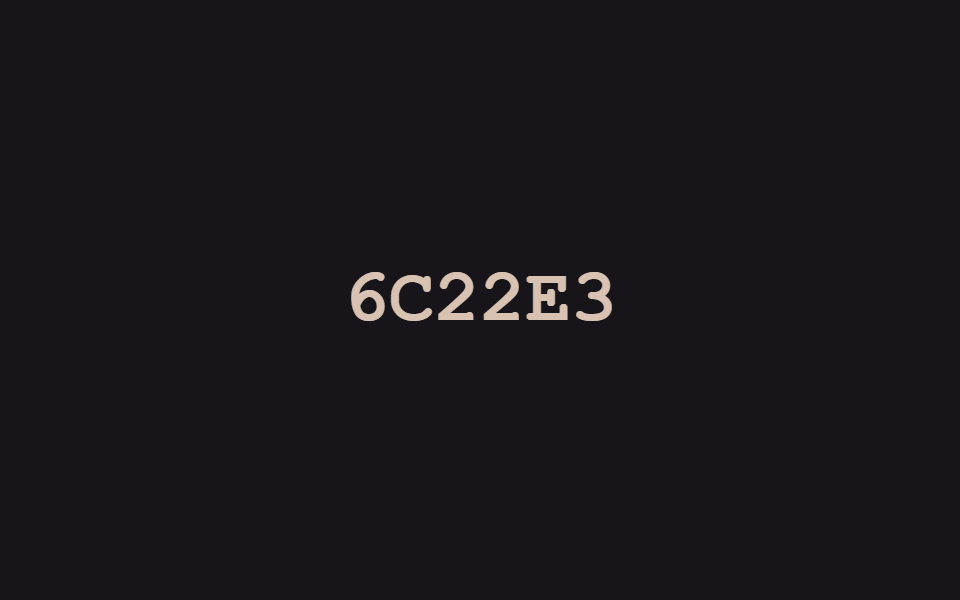 01 text-decode-reveal-hex-byte-settle
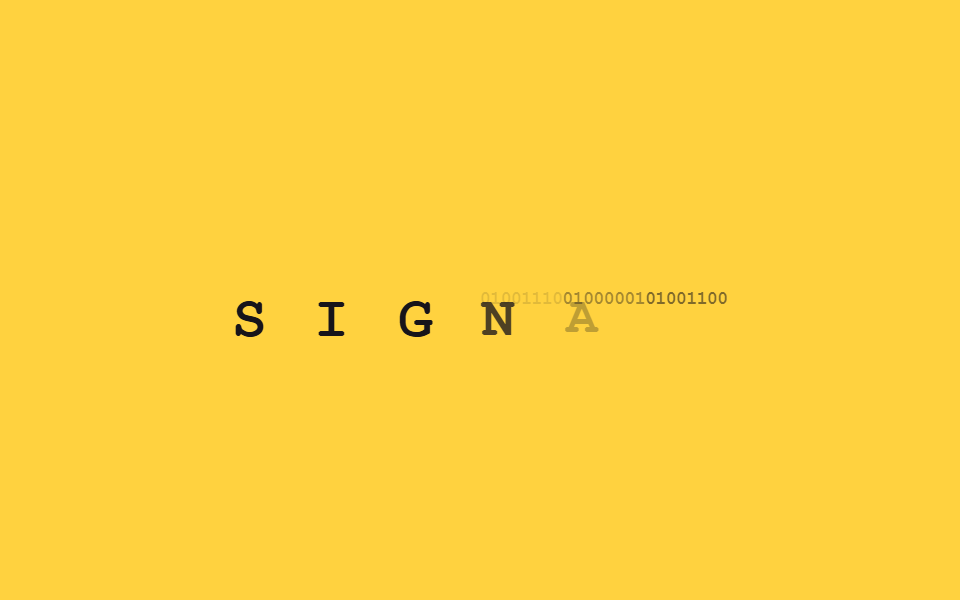 02 text-decode-reveal-binary-bit-swap
 03 text-decode-reveal-cipher-alphabet-cycle
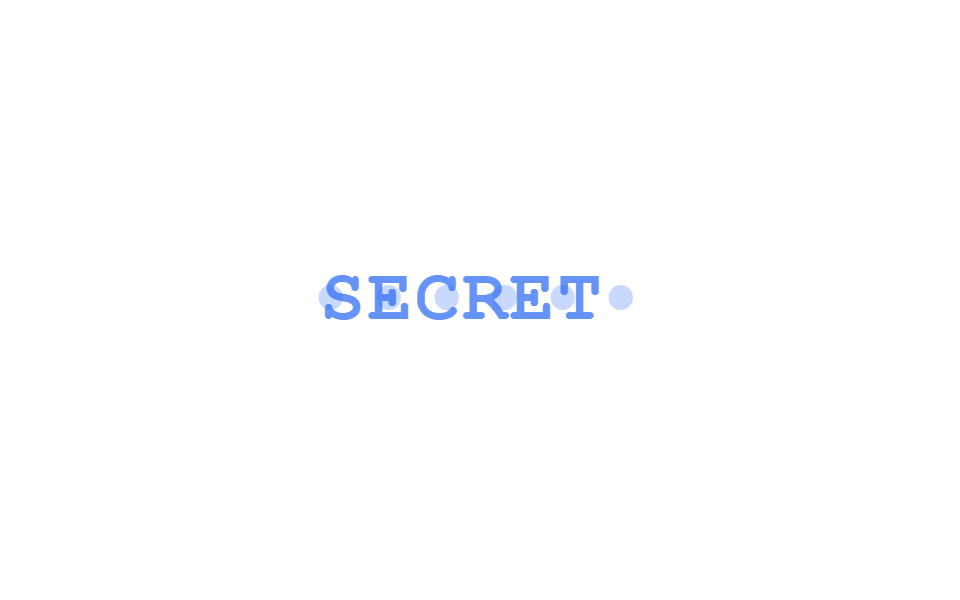 04 text-decode-reveal-password-dot-morph
 05 text-decode-reveal-scanline-mask-sweep
 06 text-decode-reveal-redacted-bar-lift
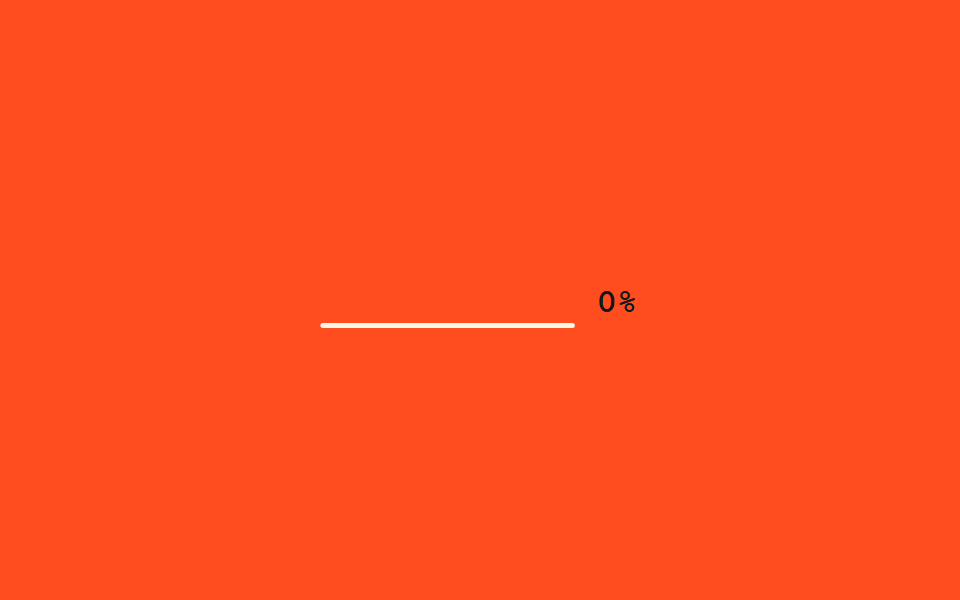 07 text-decode-reveal-countdown-checksum
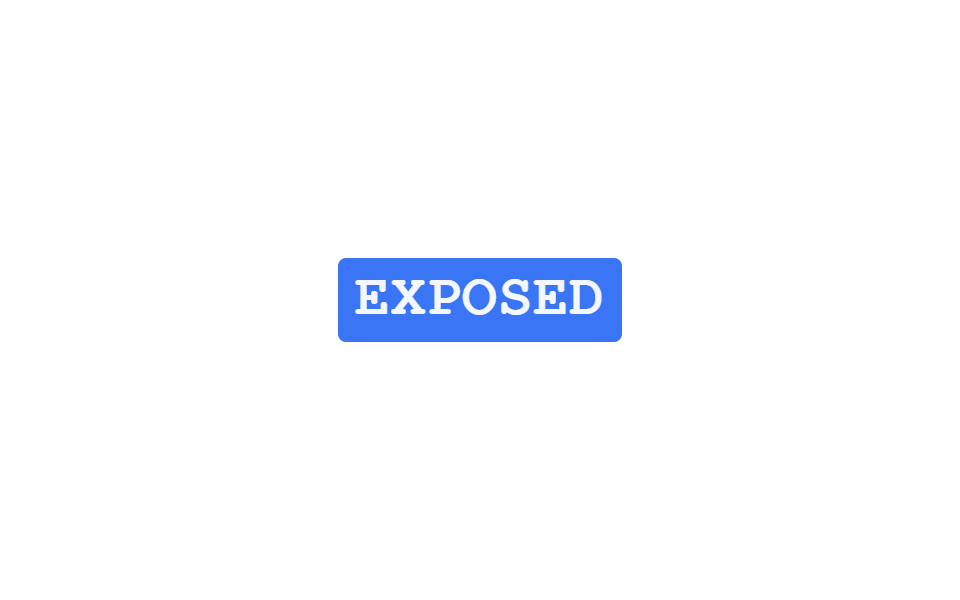 08 text-decode-reveal-negative-invert-flash
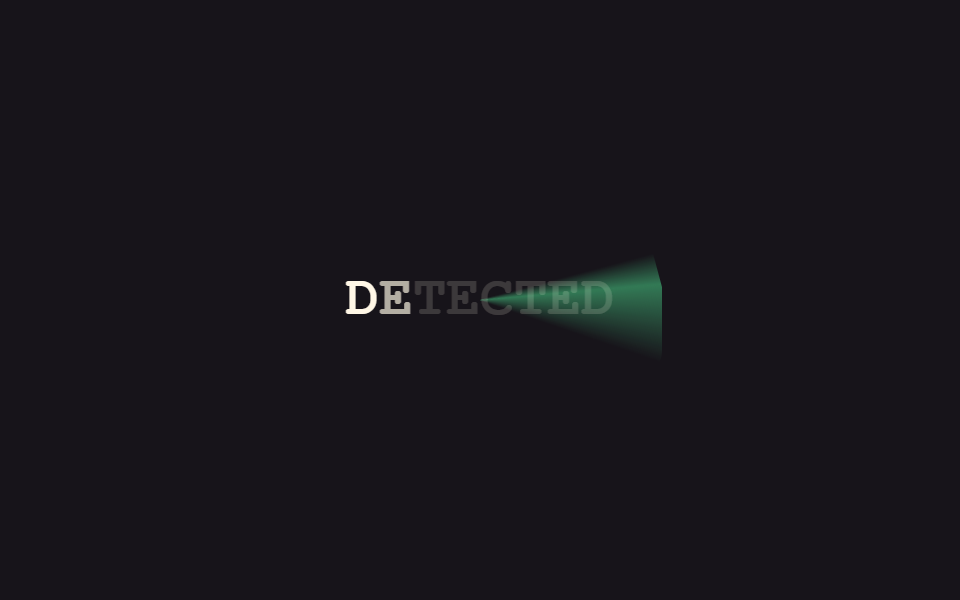 09 text-decode-reveal-radar-sweep-fill
自動再生 · タイルを押すとその項目へ · すべて1つのzip
- 01 16進コード確定
- 02 2進ビットスワップ
- 03 アルファベット巡回暗号
- 04 パスワードドットモーフ
- 05 スキャンラインマスクスイープ
- 06 黒塗りバーリフト
- 07 チェックサムカウントダウン
- 08 ネガ反転フラッシュ
- 09 レーダースイープ表示
9個は人気順ではなく、隠された情報が明らかになっていく順番で並べました。css ホバー エフェクト テキスト のようにマウスを待つ演出ではなく、9個とも表示された瞬間から動きはじめます。最初はランダムな記号が本物の文字に合っていく演出(01〜03)、続いて点や黒い帯で隠された情報が剥がれていく演出(04〜06)、最後は検証や発覚の瞬間を見せる演出(07〜09)という流れです。01〜03の確定していく動きをカード一枚の単位に移したものがCSS カード ホバー 効果9選で、同じfeedback柱で表面の光沢だけを扱うのがCSS ホログラムカード効果9選です。
0116進コード確定
css 文字 エフェクト でコードを確定させる
文字の位置ごとにランダムな16進コードが高速で点滅し、右側から一文字ずつ本物の文字に確定していきます。確定前はオレンジ、確定後は緑色に変わります。
<main class="stage">
  <p class="hb-text" aria-live="polite">
    <span class="hb-c">A</span><span class="hb-c">C</span><span class="hb-c">C</span><span class="hb-c">E</span><span class="hb-c">S</span><span class="hb-c">S</span>
  </p>
</main>
@use "../../../../site/static/demo-tokens" as *;
// ── 변수 3개 ──────────────────────────────────────────
$duration: $dur-loop;
$easing: $ease-out;
$color: $subject-cream;
@include stage($stage-ink);
.hb-text {
margin: 0;
display: flex;
gap: 0;
font: 800 clamp(24px, 8vw, 38px)/1.2 "Space Mono", "Courier New", monospace;
}
.hb-c {
display: inline-block;
min-width: 1ch;
text-align: center;
color: $color;
}
.hb-off { color: #d8c2b1; }
.hb-on { color: #8bc6a5; }
// 이 데모는 CSS keyframes 가 아니라 짧은 JS(setInterval)로 글자 자리를 무작위 16진수로 바꾼다 —
// reduced-motion 은 CSS 가 아니라 스크립트 안의 matchMedia 체크로 처리한다 (index.html 참고)
@media (prefers-reduced-motion: reduce) {
.hb-c { color: $color; }
}html, body {
margin: 0;
overflow: hidden;
}
.stage {
box-sizing: border-box;
min-height: 100vh;
display: grid;
place-items: center;
margin: 0;
background: #17141a;
font-family: -apple-system, "Segoe UI", "Noto Sans KR", sans-serif;
padding: clamp(8px, 4vw, 24px);
}
.hb-text {
margin: 0;
display: flex;
gap: 0;
font: 800 clamp(24px, 8vw, 38px)/1.2 "Space Mono", "Courier New", monospace;
}
.hb-c {
display: inline-block;
min-width: 1ch;
text-align: center;
color: #fff7e6;
}
.hb-off {
color: #d8c2b1;
}
.hb-on {
color: #8bc6a5;
}
@media (prefers-reduced-motion: reduce) {
.hb-c {
color: #fff7e6;
}
}var target = "ACCESS", hex = "0123456789ABCDEF";
var spans = document.querySelectorAll(".hb-c");
var reduced = window.matchMedia("(prefers-reduced-motion: reduce)").matches;
var n = 0;
setInterval(function () {
n++;
var settled = reduced ? target.length : Math.max(0, Math.floor((n % 44) / 5) - 1);
spans.forEach(function (s, i) {
var on = i >= target.length - settled;
s.textContent = on ? target[i] : hex[Math.random() * 16 | 0];
s.className = on ? "hb-c hb-on" : "hb-c hb-off";
});
}, 90);import { useEffect, useRef, useState } from "react";
import styles from "./HexByteSettle.module.scss";
export interface HexByteSettleProps {
text?: string;
interval?: number;
}
const HEX = "0123456789ABCDEF";
// 실사용: 뷰포트에 들어오면 오른쪽부터 한 자리씩 무작위 16진수가 실제 글자로 잠긴다. 다 풀리면 멈춘다.
export default function HexByteSettle({ text = "ACCESS", interval = 90 }: HexByteSettleProps) {
const ref = useRef<HTMLParagraphElement>(null);
const [chars, setChars] = useState<{ ch: string; on: boolean }[]>(
text.split("").map((ch) => ({ ch, on: false }))
);
useEffect(() => {
const el = ref.current;
if (!el) return;
let timer: ReturnType<typeof setInterval> | null = null;
const io = new IntersectionObserver((entries) => {
entries.forEach((entry) => {
if (!entry.isIntersecting || timer) return;
io.unobserve(entry.target);
const reduced = window.matchMedia("(prefers-reduced-motion: reduce)").matches;
if (reduced) { setChars(text.split("").map((ch) => ({ ch, on: true }))); return; }
let n = 0;
timer = setInterval(() => {
n += 1;
const settled = Math.min(text.length, Math.max(0, Math.floor(n / 5) - 1));
setChars(text.split("").map((ch, i) => (
i >= text.length - settled
? { ch, on: true }
: { ch: HEX[Math.floor(Math.random() * 16)], on: false }
)));
if (settled >= text.length && timer) { clearInterval(timer); timer = null; }
}, interval);
});
}, { threshold: 0.3 });
io.observe(el);
return () => { io.disconnect(); if (timer) clearInterval(timer); };
}, [text, interval]);
return (
<p ref={ref} className={styles.text} aria-live="polite">
{chars.map((c, i) => (
<span key={i} className={c.on ? styles.on : styles.off}>{c.ch}</span>
))}
</p>
);
}01 · 16進コード確定 — 計測 累積面積 2.084% · 動いたフレーム 23/23GODRICH オリジナル · SCSS と React は zip に同梱 · パスワードを見る
JavaScriptを使う理由
文字の中身自体を書き換える必要があるため、CSSだけでは完結せず短いJavaScriptを使っています。
var target = "ACCESS", hex = "0123456789ABCDEF";
var spans = document.querySelectorAll(".hb-c");
var n = 0;
setInterval(function () {
  n++;
  var settled = Math.max(0, Math.floor((n % 44) / 5) - 1);
  spans.forEach(function (s, i) {
    var on = i >= target.length - settled;
    s.textContent = on ? target[i] : hex[Math.random() * 16 | 0];
    s.className = on ? "hb-c hb-on" : "hb-c hb-off";
  });
}, 90);
022進ビットスワップ
2進数から本物の文字へ
文字は最初01001000のような8桁の2進数として表示され、一瞬で消えながら本物の文字がクロスフェードで重なって現れます。
<main class="stage">
  <p class="bn-word is-demo" aria-label="SIGNAL">
    <span class="bn-c" style="animation-delay:0ms"><span class="bn-bin">01010011</span><span class="bn-ch">S</span></span><span class="bn-c" style="animation-delay:120ms"><span class="bn-bin">01001001</span><span class="bn-ch">I</span></span><span class="bn-c" style="animation-delay:240ms"><span class="bn-bin">01000111</span><span class="bn-ch">G</span></span><span class="bn-c" style="animation-delay:360ms"><span class="bn-bin">01001110</span><span class="bn-ch">N</span></span><span class="bn-c" style="animation-delay:480ms"><span class="bn-bin">01000001</span><span class="bn-ch">A</span></span><span class="bn-c" style="animation-delay:600ms"><span class="bn-bin">01001100</span><span class="bn-ch">L</span></span>
  </p>
</main>
@use "../../../../site/static/demo-tokens" as *;
// ── 변수 3개 ──────────────────────────────────────────
$duration: $dur-loop;
$easing: $ease-out;
$color: $subject-ink;
@include stage($stage-yellow);
.bn-word {
margin: 0;
display: flex;
gap: 0;
font: 800 clamp(20px, 6vw, 30px)/1.2 "Space Mono", "Courier New", monospace;
}
.bn-c {
position: relative;
display: inline-block;
min-width: 1.1ch;
}
.bn-bin,
.bn-ch {
display: block;
}
.bn-bin {
font-size: .32em;
letter-spacing: -0.04em;
color: $color;
opacity: .55;
}
.bn-ch {
position: absolute;
inset: 0;
color: $color;
opacity: 0;
transform: scale(.85);
}
// 데모 루프: 이진수 여덟 자리가 잠깐 보이다가 크로스페이드로 실제 글자가 겹쳐 떠오른다
@keyframes bn-bin-out {
0%, 40% { opacity: .55; }
55%, 100% { opacity: 0; }
}
@keyframes bn-ch-in {
0%, 40% { opacity: 0; transform: scale(.85); }
55%, 90% { opacity: 1; transform: scale(1); }
100% { opacity: 0; transform: scale(.85); }
}
.bn-word.is-demo .bn-bin { animation: bn-bin-out $duration $easing infinite; animation-delay: inherit; }
.bn-word.is-demo .bn-ch { animation: bn-ch-in $duration $easing infinite; animation-delay: inherit; }
@media (prefers-reduced-motion: reduce) {
.bn-bin, .bn-word.is-demo .bn-bin { animation: none !important; opacity: 0 !important; }
.bn-ch, .bn-word.is-demo .bn-ch { animation: none !important; opacity: 1 !important; transform: none !important; }
}html, body {
margin: 0;
overflow: hidden;
}
.stage {
box-sizing: border-box;
min-height: 100vh;
display: grid;
place-items: center;
margin: 0;
background: #ffd23f;
font-family: -apple-system, "Segoe UI", "Noto Sans KR", sans-serif;
padding: clamp(8px, 4vw, 24px);
}
.bn-word {
margin: 0;
display: flex;
gap: 0;
font: 800 clamp(20px, 6vw, 30px)/1.2 "Space Mono", "Courier New", monospace;
}
.bn-c {
position: relative;
display: inline-block;
min-width: 1.1ch;
}
.bn-bin,
.bn-ch {
display: block;
}
.bn-bin {
font-size: 0.32em;
letter-spacing: -0.04em;
color: #17141a;
opacity: 0.55;
}
.bn-ch {
position: absolute;
inset: 0;
color: #17141a;
opacity: 0;
transform: scale(0.85);
}
@keyframes bn-bin-out {
0%, 40% {
opacity: 0.55;
}
55%, 100% {
opacity: 0;
}
}
@keyframes bn-ch-in {
0%, 40% {
opacity: 0;
transform: scale(0.85);
}
55%, 90% {
opacity: 1;
transform: scale(1);
}
100% {
opacity: 0;
transform: scale(0.85);
}
}
.bn-word.is-demo .bn-bin {
animation: bn-bin-out 2s ease-out infinite;
animation-delay: inherit;
}
.bn-word.is-demo .bn-ch {
animation: bn-ch-in 2s ease-out infinite;
animation-delay: inherit;
}
@media (prefers-reduced-motion: reduce) {
.bn-bin, .bn-word.is-demo .bn-bin {
animation: none !important;
opacity: 0 !important;
}
.bn-ch, .bn-word.is-demo .bn-ch {
animation: none !important;
opacity: 1 !important;
transform: none !important;
}
}import { CSSProperties, useEffect, useRef, useState } from "react";
import styles from "./BinaryBitSwap.module.scss";
export interface BinaryBitSwapProps {
text?: string;
duration?: string;
easing?: string;
}
function toBinary(ch: string) {
return ch.charCodeAt(0).toString(2).padStart(8, "0");
}
// 실사용: 뷰포트에 들어오면 이진수 여덟 자리가 잠깐 보이다가 크로스페이드로 실제 글자가 겹쳐 떠오른다.
export default function BinaryBitSwap({
text = "SIGNAL",
duration = "480ms",
easing = "ease-out",
}: BinaryBitSwapProps) {
const ref = useRef<HTMLParagraphElement>(null);
const [revealed, setRevealed] = useState(false);
useEffect(() => {
const el = ref.current;
if (!el) return;
const io = new IntersectionObserver((entries) => {
entries.forEach((e) => { if (e.isIntersecting) { setRevealed(true); io.unobserve(e.target); } });
}, { threshold: 0.3 });
io.observe(el);
return () => io.disconnect();
}, []);
const style = { "--duration": duration, "--easing": easing } as CSSProperties;
return (
<p className={styles.word} style={style} ref={ref}>
{text.split("").map((ch, i) => (
<span key={i} className={styles.c} style={{ transitionDelay: `${i * 90}ms` }}>
<span className={`${styles.bin} ${revealed ? styles.hide : ""}`}>{toBinary(ch)}</span>
<span className={`${styles.ch} ${revealed ? styles.show : ""}`}>{ch}</span>
</span>
))}
</p>
);
}02 · 2進ビットスワップ — 計測 累積面積 1.574% · 動いたフレーム 13/23GODRICH オリジナル · SCSS と React は zip に同梱 · パスワードを見る
スタッガーはinheritで
この左からのずれ(スタッガー)はJavaScriptではなく、親要素のインラインanimation-delayを子がinheritで受け継ぐことで作っています。
.bn-ch {
  position: absolute;
  inset: 0;
  opacity: 0;
  transform: scale(.85);
}

@keyframes bn-ch-in {
  0%, 40% { opacity: 0; transform: scale(.85); }
  55%, 90% { opacity: 1; transform: scale(1); }
  100% { opacity: 0; transform: scale(.85); }
}

.bn-word.is-demo .bn-ch {
  animation: bn-ch-in 2s ease-out infinite;
  animation-delay: inherit;
}
03アルファベット巡回暗号
一段ずつ巻き戻る
各文字はアルファベット表で数文字先の位置からスタートし、一段ずつ巻き戻りながら本来の文字にたどり着きます。
<main class="stage">
  <p class="ca-text" aria-live="polite">
    <span class="ca-c">U</span><span class="ca-c">N</span><span class="ca-c">L</span><span class="ca-c">O</span><span class="ca-c">C</span><span class="ca-c">K</span>
  </p>
</main>
@use "../../../../site/static/demo-tokens" as *;
// ── 변수 3개 ──────────────────────────────────────────
$duration: $dur-loop;
$easing: $ease-out;
$color: $subject-cream;
@include stage($stage-orange);
.ca-text {
margin: 0;
display: flex;
gap: 0;
font: 800 clamp(24px, 8vw, 38px)/1.2 "Space Mono", "Courier New", monospace;
}
.ca-c {
display: inline-block;
min-width: 1ch;
color: $color;
}
// 이 데모는 CSS keyframes 가 아니라 짧은 JS 로 각 글자를 알파벳 역순으로 되감아 원래 글자를 찾는다 —
// reduced-motion 은 스크립트 안의 matchMedia 체크로 처리한다 (index.html 참고)
@media (prefers-reduced-motion: reduce) {
.ca-c { color: $color; }
}html, body {
margin: 0;
overflow: hidden;
}
.stage {
box-sizing: border-box;
min-height: 100vh;
display: grid;
place-items: center;
margin: 0;
background: #ff4d1f;
font-family: -apple-system, "Segoe UI", "Noto Sans KR", sans-serif;
padding: clamp(8px, 4vw, 24px);
}
.ca-text {
margin: 0;
display: flex;
gap: 0;
font: 800 clamp(24px, 8vw, 38px)/1.2 "Space Mono", "Courier New", monospace;
}
.ca-c {
display: inline-block;
min-width: 1ch;
color: #fff7e6;
}
@media (prefers-reduced-motion: reduce) {
.ca-c {
color: #fff7e6;
}
}var target = "UNLOCK";
var spans = document.querySelectorAll(".ca-c");
var reduced = window.matchMedia("(prefers-reduced-motion: reduce)").matches;
var offs = [5, 6, 4, 7, 5, 6], cyc = 40;
var n = 0;
setInterval(function () {
n++;
spans.forEach(function (s, i) {
var t = reduced ? 0 : (((n - i * 2) % cyc) + cyc) % cyc;
var left = reduced ? 0 : Math.max(0, offs[i] - Math.floor(t / 2));
var base = target.charCodeAt(i) - 65;
s.textContent = String.fromCharCode(65 + (base + left) % 26);
});
}, 130);import { useEffect, useRef, useState } from "react";
import styles from "./CipherAlphabetCycle.module.scss";
export interface CipherAlphabetCycleProps {
text?: string;
interval?: number;
}
// 실사용: 뷰포트에 들어오면 각 글자가 알파벳 몇 칸 뒤에서 한 칸씩 되감기며 원래 글자를 찾아간다. 다 맞으면 멈춘다.
export default function CipherAlphabetCycle({ text = "UNLOCK", interval = 130 }: CipherAlphabetCycleProps) {
const ref = useRef<HTMLParagraphElement>(null);
const [display, setDisplay] = useState(text);
useEffect(() => {
const el = ref.current;
if (!el) return;
let timer: ReturnType<typeof setInterval> | null = null;
const io = new IntersectionObserver((entries) => {
entries.forEach((entry) => {
if (!entry.isIntersecting || timer) return;
io.unobserve(entry.target);
const reduced = window.matchMedia("(prefers-reduced-motion: reduce)").matches;
if (reduced) { setDisplay(text); return; }
const offs = text.split("").map((_, i) => 4 + ((i * 2) % 4));
let n = 0;
timer = setInterval(() => {
n += 1;
let done = true;
let out = "";
for (let i = 0; i < text.length; i++) {
const left = Math.max(0, offs[i] - Math.floor(Math.max(0, n - i * 2) / 2));
if (left > 0) done = false;
const base = text.toUpperCase().charCodeAt(i) - 65;
out += String.fromCharCode(65 + ((base + left) % 26));
}
setDisplay(out);
if (done && timer) { clearInterval(timer); timer = null; }
}, interval);
});
}, { threshold: 0.3 });
io.observe(el);
return () => { io.disconnect(); if (timer) clearInterval(timer); };
}, [text, interval]);
return <p ref={ref} className={styles.text} aria-live="polite">{display}</p>;
}03 · アルファベット巡回暗号 — 計測 累積面積 2.021% · 動いたフレーム 10/23GODRICH オリジナル · SCSS と React は zip に同梱 · パスワードを見る
ダイヤル錠のように
ダイヤル錠を合わせているような感覚で、文字ごとに決めたオフセットの値を周期的に繰り返します。
var offs = [5, 6, 4, 7, 5, 6], cyc = 40;
var n = 0;
setInterval(function () {
  n++;
  spans.forEach(function (s, i) {
    var t = ((n - i * 2) % cyc + cyc) % cyc;
    var left = Math.max(0, offs[i] - Math.floor(t / 2));
    var base = target.charCodeAt(i) - 65;
    s.textContent = String.fromCharCode(65 + (base + left) % 26);
  });
}, 130);
04パスワードドットモーフ
ドットの下に隠れていた文字
パスワード入力欄のように丸いドットで隠れていた文字が、単語ごとにわずかに拡大しながらドットが消えて本物の文字が現れます。
<main class="stage">
  <span class="pd-wrap is-demo" aria-label="SECRET">
    <span class="pd-dots">••••••</span>
    <span class="pd-real">SECRET</span>
  </span>
</main>
@use "../../../../site/static/demo-tokens" as *;
// ── 변수 3개 ──────────────────────────────────────────
$duration: $dur-loop;
$easing: $ease-spring;
$color: $subject-blue;
@include stage($stage-paper);
.pd-wrap {
position: relative;
display: inline-block;
font: 800 clamp(24px, 8vw, 38px)/1.2 "Space Mono", "Courier New", monospace;
color: $color;
}
.pd-dots { display: block; letter-spacing: .12em; }
.pd-real {
position: absolute;
inset: 0;
opacity: 0;
transform: scale(.9);
letter-spacing: .04em;
}
// 데모 루프: 점으로 가려진 글자가 살짝 커지며 크로스페이드로 실제 글자로 바뀐다
@keyframes pd-hide {
0%, 18% { opacity: 1; transform: scale(1); }
48%, 100% { opacity: 0; transform: scale(1.08); }
}
@keyframes pd-show {
0%, 18% { opacity: 0; transform: scale(.9); }
48%, 78% { opacity: 1; transform: scale(1); }
100% { opacity: 0; transform: scale(.9); }
}
.pd-wrap.is-demo .pd-dots { animation: pd-hide $duration $easing infinite; }
.pd-wrap.is-demo .pd-real { animation: pd-show $duration $easing infinite; }
@media (prefers-reduced-motion: reduce) {
.pd-dots, .pd-wrap.is-demo .pd-dots { animation: none !important; opacity: 0 !important; }
.pd-real, .pd-wrap.is-demo .pd-real { animation: none !important; opacity: 1 !important; transform: none !important; }
}html, body {
margin: 0;
overflow: hidden;
}
.stage {
box-sizing: border-box;
min-height: 100vh;
display: grid;
place-items: center;
margin: 0;
background: #ffffff;
font-family: -apple-system, "Segoe UI", "Noto Sans KR", sans-serif;
padding: clamp(8px, 4vw, 24px);
}
.pd-wrap {
position: relative;
display: inline-block;
font: 800 clamp(24px, 8vw, 38px)/1.2 "Space Mono", "Courier New", monospace;
color: #2f6df6;
}
.pd-dots {
display: block;
letter-spacing: 0.12em;
}
.pd-real {
position: absolute;
inset: 0;
opacity: 0;
transform: scale(0.9);
letter-spacing: 0.04em;
}
@keyframes pd-hide {
0%, 18% {
opacity: 1;
transform: scale(1);
}
48%, 100% {
opacity: 0;
transform: scale(1.08);
}
}
@keyframes pd-show {
0%, 18% {
opacity: 0;
transform: scale(0.9);
}
48%, 78% {
opacity: 1;
transform: scale(1);
}
100% {
opacity: 0;
transform: scale(0.9);
}
}
.pd-wrap.is-demo .pd-dots {
animation: pd-hide 2s cubic-bezier(0.2, 0.8, 0.2, 1) infinite;
}
.pd-wrap.is-demo .pd-real {
animation: pd-show 2s cubic-bezier(0.2, 0.8, 0.2, 1) infinite;
}
@media (prefers-reduced-motion: reduce) {
.pd-dots, .pd-wrap.is-demo .pd-dots {
animation: none !important;
opacity: 0 !important;
}
.pd-real, .pd-wrap.is-demo .pd-real {
animation: none !important;
opacity: 1 !important;
transform: none !important;
}
}import { CSSProperties, useEffect, useRef, useState } from "react";
import styles from "./PasswordDotMorph.module.scss";
export interface PasswordDotMorphProps {
text?: string;
duration?: string;
easing?: string;
}
// 실사용: 뷰포트에 들어오면 비밀번호 점이 살짝 커지며 크로스페이드로 실제 글자로 바뀐다.
export default function PasswordDotMorph({
text = "SECRET",
duration = "420ms",
easing = "cubic-bezier(.2,.8,.2,1)",
}: PasswordDotMorphProps) {
const ref = useRef<HTMLSpanElement>(null);
const [revealed, setRevealed] = useState(false);
useEffect(() => {
const el = ref.current;
if (!el) return;
const io = new IntersectionObserver((entries) => {
entries.forEach((e) => { if (e.isIntersecting) { setRevealed(true); io.unobserve(e.target); } });
}, { threshold: 0.3 });
io.observe(el);
return () => io.disconnect();
}, []);
const style = { "--duration": duration, "--easing": easing } as CSSProperties;
return (
<span className={styles.wrap} style={style} ref={ref}>
<span className={`${styles.dots} ${revealed ? styles.hide : ""}`}>{"•".repeat(text.length)}</span>
<span className={`${styles.real} ${revealed ? styles.show : ""}`}>{text}</span>
</span>
);
}04 · パスワードドットモーフ — 計測 累積面積 1.936% · 動いたフレーム 10/23GODRICH オリジナル · SCSS と React は zip に同梱 · パスワードを見る
反対方向へ動かす2層
ドットの層と文字の層を重ねて配置し、opacityとscaleを反対方向へ動かすクロスフェードで作っています。
.pd-real {
  position: absolute;
  inset: 0;
  opacity: 0;
  transform: scale(.9);
}

@keyframes pd-show {
  0%, 18% { opacity: 0; transform: scale(.9); }
  48%, 78% { opacity: 1; transform: scale(1); }
  100% { opacity: 0; transform: scale(.9); }
}

.pd-wrap.is-demo .pd-real { animation: pd-show 2s cubic-bezier(.2, .8, .2, 1) infinite; }
05スキャンラインマスクスイープ
スキャンラインが通過すると
ざらついたノイズブロックが文字を覆っていて、明るいスキャンラインが上から下へ通過するとその位置から鮮明な文字が現れます。
<main class="stage">
  <div class="sl-wrap is-demo">
    <span class="sl-text">SCANNED</span>
    <span class="sl-noise" aria-hidden="true"></span>
    <span class="sl-beam" aria-hidden="true"></span>
  </div>
</main>
@use "../../../../site/static/demo-tokens" as *;
// ── 변수 3개 ──────────────────────────────────────────
$duration: $dur-loop;
$easing: $ease-out;
$color: $subject-cream;
@include stage($stage-ink);
.sl-wrap {
position: relative;
display: inline-block;
overflow: hidden;
padding: $sp-2 $sp-3;
}
.sl-text {
display: block;
font: 800 clamp(22px, 7vw, 34px)/1.2 "Space Mono", "Courier New", monospace;
color: $color;
letter-spacing: .04em;
}
.sl-noise {
position: absolute;
inset: 0;
background-image: repeating-linear-gradient(45deg, rgba(255, 255, 255, .4) 0 2px, transparent 2px 4px);
mix-blend-mode: screen;
}
.sl-beam {
position: absolute;
left: 0;
right: 0;
top: 0;
height: 3px;
background: $stage-yellow;
box-shadow: 0 0 12px $stage-yellow;
opacity: 0;
}
// 데모 루프: 노이즈 블록이 글자를 덮고 있다가 스캔라인이 위→아래로 지나가며 걷어낸다
@keyframes sl-clear {
0%, 8% { clip-path: inset(0 0 0 0); }
55%, 78% { clip-path: inset(100% 0 0 0); }
100% { clip-path: inset(0 0 0 0); }
}
@keyframes sl-beam {
0%, 8% { top: 0; opacity: 1; }
55% { top: 100%; opacity: 1; }
63%, 100% { opacity: 0; }
}
.sl-wrap.is-demo .sl-noise { animation: sl-clear $duration $easing infinite; }
.sl-wrap.is-demo .sl-beam { animation: sl-beam $duration $easing infinite; }
@media (prefers-reduced-motion: reduce) {
.sl-noise, .sl-wrap.is-demo .sl-noise { animation: none !important; clip-path: inset(100% 0 0 0) !important; }
.sl-beam, .sl-wrap.is-demo .sl-beam { animation: none !important; opacity: 0 !important; }
}html, body {
margin: 0;
overflow: hidden;
}
.stage {
box-sizing: border-box;
min-height: 100vh;
display: grid;
place-items: center;
margin: 0;
background: #17141a;
font-family: -apple-system, "Segoe UI", "Noto Sans KR", sans-serif;
padding: clamp(8px, 4vw, 24px);
}
.sl-wrap {
position: relative;
display: inline-block;
overflow: hidden;
padding: 8px 12px;
}
.sl-text {
display: block;
font: 800 clamp(22px, 7vw, 34px)/1.2 "Space Mono", "Courier New", monospace;
color: #fff7e6;
letter-spacing: 0.04em;
}
.sl-noise {
position: absolute;
inset: 0;
background-image: repeating-linear-gradient(45deg, rgba(255, 255, 255, 0.4) 0 2px, transparent 2px 4px);
mix-blend-mode: screen;
}
.sl-beam {
position: absolute;
left: 0;
right: 0;
top: 0;
height: 3px;
background: #ffd23f;
box-shadow: 0 0 12px #ffd23f;
opacity: 0;
}
@keyframes sl-clear {
0%, 8% {
clip-path: inset(0 0 0 0);
}
55%, 78% {
clip-path: inset(100% 0 0 0);
}
100% {
clip-path: inset(0 0 0 0);
}
}
@keyframes sl-beam {
0%, 8% {
top: 0;
opacity: 1;
}
55% {
top: 100%;
opacity: 1;
}
63%, 100% {
opacity: 0;
}
}
.sl-wrap.is-demo .sl-noise {
animation: sl-clear 2s ease-out infinite;
}
.sl-wrap.is-demo .sl-beam {
animation: sl-beam 2s ease-out infinite;
}
@media (prefers-reduced-motion: reduce) {
.sl-noise, .sl-wrap.is-demo .sl-noise {
animation: none !important;
clip-path: inset(100% 0 0 0) !important;
}
.sl-beam, .sl-wrap.is-demo .sl-beam {
animation: none !important;
opacity: 0 !important;
}
}import { CSSProperties, useEffect, useRef, useState } from "react";
import styles from "./ScanlineMaskSweep.module.scss";
export interface ScanlineMaskSweepProps {
text?: string;
duration?: string;
easing?: string;
}
// 실사용: 뷰포트에 들어오면 노이즈 블록을 스캔라인이 위→아래로 한 번 훑어 글자를 드러낸다.
export default function ScanlineMaskSweep({
text = "SCANNED",
duration = "900ms",
easing = "ease-out",
}: ScanlineMaskSweepProps) {
const ref = useRef<HTMLDivElement>(null);
const [swept, setSwept] = useState(false);
useEffect(() => {
const el = ref.current;
if (!el) return;
const io = new IntersectionObserver((entries) => {
entries.forEach((e) => { if (e.isIntersecting) { setSwept(true); io.unobserve(e.target); } });
}, { threshold: 0.3 });
io.observe(el);
return () => io.disconnect();
}, []);
const style = { "--duration": duration, "--easing": easing } as CSSProperties;
return (
<div className={styles.wrap} style={style} ref={ref}>
<span className={styles.text}>{text}</span>
<span className={`${styles.noise} ${swept ? styles.clear : ""}`} aria-hidden="true" />
<span className={`${styles.beam} ${swept ? styles.moved : ""}`} aria-hidden="true" />
</div>
);
}05 · スキャンラインマスクスイープ — 計測 累積面積 6.767% · 動いたフレーム 19/23GODRICH オリジナル · SCSS と React は zip に同梱 · パスワードを見る
clip-pathを広げて剥がす
ノイズ層のclip-pathを上から下へ広げながら剥がしていく仕組みです。
.sl-noise {
  position: absolute;
  inset: 0;
  background-image: repeating-linear-gradient(45deg, rgba(255, 255, 255, .4) 0 2px, transparent 2px 4px);
  mix-blend-mode: screen;
}

@keyframes sl-clear {
  0%, 8% { clip-path: inset(0 0 0 0); }
  55%, 78% { clip-path: inset(100% 0 0 0); }
  100% { clip-path: inset(0 0 0 0); }
}

.sl-wrap.is-demo .sl-noise { animation: sl-clear 2s ease-out infinite; }
06黒塗りバーリフト
黒い帯がめくれる
機密文書のように黒い帯が単語をひとつずつ隠していて、右側からめくれるように順番に文字が現れます。
<main class="stage">
  <p class="rb-wrap is-demo">
    <span class="rb-word">TOP<span class="rb-bar" aria-hidden="true"></span></span>
    <span class="rb-word rb-word--2">SECRET<span class="rb-bar" aria-hidden="true"></span></span>
  </p>
</main>
@use "../../../../site/static/demo-tokens" as *;
// ── 변수 3개 ──────────────────────────────────────────
$duration: $dur-loop;
$easing: $ease-out;
$color: $subject-ink;
@include stage($stage-yellow);
.rb-wrap {
margin: 0;
display: flex;
gap: $sp-3;
flex-wrap: wrap;
justify-content: center;
}
.rb-word {
position: relative;
display: inline-block;
font: 800 clamp(20px, 6vw, 30px)/1.2 "Space Mono", "Courier New", monospace;
color: $color;
}
.rb-bar {
position: absolute;
inset: -8% -6%;
background: $stage-ink;
transform-origin: right center; // 규칙8: 검열 막대 오른쪽 걷힘
border-radius: $r-xs;
}
// 애니메이션이 없는 정적 상태(실사용)에서는 막대가 글자를 덮고 있어 글자와 동색(1.00)으로 보인다.
// 데모 루프가 있는 .is-demo 에서만 막대가 걷히며 글자(잉크 on 옐로 12.63:1)가 드러난다 — 오탐.
// 데모 루프: 검정 막대가 단어를 가리고 있다가 오른쪽부터 걷히며 순서대로 글자를 드러낸다
@keyframes rb-lift {
0%, 12% { transform: scaleX(1); }
50%, 78% { transform: scaleX(0); }
100% { transform: scaleX(1); }
}
.rb-wrap.is-demo .rb-word .rb-bar { animation: rb-lift $duration $easing infinite; }
.rb-wrap.is-demo .rb-word--2 .rb-bar { animation-delay: .3s; }
@media (prefers-reduced-motion: reduce) {
.rb-bar,
.rb-wrap.is-demo .rb-bar {
animation: none !important;
transform: scaleX(0) !important;
}
}html, body {
margin: 0;
overflow: hidden;
}
.stage {
box-sizing: border-box;
min-height: 100vh;
display: grid;
place-items: center;
margin: 0;
background: #ffd23f;
font-family: -apple-system, "Segoe UI", "Noto Sans KR", sans-serif;
padding: clamp(8px, 4vw, 24px);
}
.rb-wrap {
margin: 0;
display: flex;
gap: 12px;
flex-wrap: wrap;
justify-content: center;
}
.rb-word {
position: relative;
display: inline-block;
font: 800 clamp(20px, 6vw, 30px)/1.2 "Space Mono", "Courier New", monospace;
color: #17141a;
}
.rb-bar {
position: absolute;
inset: -8% -6%;
background: #17141a;
transform-origin: right center;
border-radius: 4px;
}
@keyframes rb-lift {
0%, 12% {
transform: scaleX(1);
}
50%, 78% {
transform: scaleX(0);
}
100% {
transform: scaleX(1);
}
}
.rb-wrap.is-demo .rb-word .rb-bar {
animation: rb-lift 2s ease-out infinite;
}
.rb-wrap.is-demo .rb-word--2 .rb-bar {
animation-delay: 0.3s;
}
@media (prefers-reduced-motion: reduce) {
.rb-bar,
.rb-wrap.is-demo .rb-bar {
animation: none !important;
transform: scaleX(0) !important;
}
}import { CSSProperties, useEffect, useRef, useState } from "react";
import styles from "./RedactedBarLift.module.scss";
export interface RedactedBarLiftProps {
words?: string[];
duration?: string;
easing?: string;
}
// 실사용: 뷰포트에 들어오면 검정 막대가 단어 단위로 오른쪽부터 걷히며 순서대로 글자를 드러낸다.
export default function RedactedBarLift({
words = ["TOP", "SECRET"],
duration = "520ms",
easing = "ease-out",
}: RedactedBarLiftProps) {
const ref = useRef<HTMLParagraphElement>(null);
const [lifted, setLifted] = useState(false);
useEffect(() => {
const el = ref.current;
if (!el) return;
const io = new IntersectionObserver((entries) => {
entries.forEach((e) => { if (e.isIntersecting) { setLifted(true); io.unobserve(e.target); } });
}, { threshold: 0.3 });
io.observe(el);
return () => io.disconnect();
}, []);
const style = { "--duration": duration, "--easing": easing } as CSSProperties;
return (
<p className={styles.wrap} style={style} ref={ref}>
{words.map((w, i) => (
<span key={i} className={styles.word}>
{w}
<span
className={`${styles.bar} ${lifted ? styles.open : ""}`}
style={{ transitionDelay: `${i * 250}ms` }}
aria-hidden="true"
/>
</span>
))}
</p>
);
}06 · 黒塗りバーリフト — 計測 累積面積 4.215% · 動いたフレーム 19/23GODRICH オリジナル · SCSS と React は zip に同梱 · パスワードを見る
左の単語から順に
二つの単語の間にわずかな遅延を入れているため、左の単語から順に解除されます。
.rb-bar {
  position: absolute;
  inset: -8% -6%;
  background: $stage-ink;
  transform-origin: right center;
}

@keyframes rb-lift {
  0%, 12% { transform: scaleX(1); }
  50%, 78% { transform: scaleX(0); }
  100% { transform: scaleX(1); }
}

.rb-wrap.is-demo .rb-word .rb-bar { animation: rb-lift 2s ease-out infinite; }
.rb-wrap.is-demo .rb-word--2 .rb-bar { animation-delay: .3s; }
07チェックサムカウントダウン
進捗に合わせて埋まる
最初はアンダースコアだけが並んでいて、横の進捗パーセントが上がるのに合わせて左から文字が一文字ずつ埋まり、そのたびに少し弾みます。
<main class="stage">
  <p class="cc-row">
    <span class="cc-text" aria-live="polite">
      <span class="cc-c">V</span><span class="cc-c">E</span><span class="cc-c">R</span><span class="cc-c">I</span><span class="cc-c">F</span><span class="cc-c">I</span><span class="cc-c">E</span><span class="cc-c">D</span>
    </span>
    <span class="cc-pct">0%</span>
  </p>
</main>
@use "../../../../site/static/demo-tokens" as *;
// ── 변수 3개 ──────────────────────────────────────────
$duration: $dur-loop;
$easing: $ease-pop;
$color: $subject-cream;
@include stage($stage-orange);
.cc-row {
margin: 0;
display: flex;
flex-wrap: wrap;
justify-content: center;
align-items: baseline;
gap: $sp-3;
}
.cc-text {
display: inline-flex;
gap: 0;
font: 800 clamp(18px, 6vw, 26px)/1.2 "Space Mono", "Courier New", monospace;
color: $color;
}
.cc-c { display: inline-block; min-width: 1ch; }
.cc-c.cc-pop { animation: cc-pop $easing 220ms; }
.cc-pct {
font: 700 clamp(13px, 4vw, 17px)/1 "Space Mono", "Courier New", monospace;
color: $subject-ink; // 주황 무대 위 % 글자 — AA 4.5 (크림+opacity .8 은 2.45:1 이었다)
}
@keyframes cc-pop {
0% { transform: scale(1.6); }
100% { transform: scale(1); }
}
// 이 데모는 CSS keyframes 가 아니라 짧은 JS 로 밑줄을 글자로 채운다 —
// reduced-motion 은 스크립트 안의 matchMedia 체크로 처리한다 (index.html 참고)
@media (prefers-reduced-motion: reduce) {
.cc-c, .cc-pct { color: $color; }
}html, body {
margin: 0;
overflow: hidden;
}
.stage {
box-sizing: border-box;
min-height: 100vh;
display: grid;
place-items: center;
margin: 0;
background: #ff4d1f;
font-family: -apple-system, "Segoe UI", "Noto Sans KR", sans-serif;
padding: clamp(8px, 4vw, 24px);
}
.cc-row {
margin: 0;
display: flex;
flex-wrap: wrap;
justify-content: center;
align-items: baseline;
gap: 12px;
}
.cc-text {
display: inline-flex;
gap: 0;
font: 800 clamp(18px, 6vw, 26px)/1.2 "Space Mono", "Courier New", monospace;
color: #fff7e6;
}
.cc-c {
display: inline-block;
min-width: 1ch;
}
.cc-c.cc-pop {
animation: cc-pop cubic-bezier(0.2, 1.4, 0.4, 1) 220ms;
}
.cc-pct {
font: 700 clamp(13px, 4vw, 17px)/1 "Space Mono", "Courier New", monospace;
color: #17141a;
}
@keyframes cc-pop {
0% {
transform: scale(1.6);
}
100% {
transform: scale(1);
}
}
@media (prefers-reduced-motion: reduce) {
.cc-c, .cc-pct {
color: #fff7e6;
}
}var target = "VERIFIED";
var spans = document.querySelectorAll(".cc-c");
var pct = document.querySelector(".cc-pct");
var reduced = window.matchMedia("(prefers-reduced-motion: reduce)").matches;
var n = 0;
setInterval(function () {
n++;
var filled = reduced ? target.length : Math.min(target.length, Math.floor((n % 50) / 5));
spans.forEach(function (s, i) {
s.textContent = i < filled ? target[i] : "_";
s.classList.toggle("cc-pop", i === filled - 1);
});
pct.textContent = Math.round(filled / target.length * 100) + "%";
}, 90);import { useEffect, useRef, useState } from "react";
import styles from "./CountdownChecksum.module.scss";
export interface CountdownChecksumProps {
text?: string;
interval?: number;
}
// 실사용: 뷰포트에 들어오면 밑줄이 진행률에 맞춰 왼쪽부터 글자로 채워진다. 다 채우면 멈춘다.
export default function CountdownChecksum({ text = "VERIFIED", interval = 90 }: CountdownChecksumProps) {
const ref = useRef<HTMLParagraphElement>(null);
const [filled, setFilled] = useState(0);
useEffect(() => {
const el = ref.current;
if (!el) return;
let timer: ReturnType<typeof setInterval> | null = null;
const io = new IntersectionObserver((entries) => {
entries.forEach((entry) => {
if (!entry.isIntersecting || timer) return;
io.unobserve(entry.target);
const reduced = window.matchMedia("(prefers-reduced-motion: reduce)").matches;
if (reduced) { setFilled(text.length); return; }
timer = setInterval(() => {
setFilled((f) => {
const next = f + 1;
if (next >= text.length && timer) { clearInterval(timer); timer = null; }
return Math.min(text.length, next);
});
}, interval);
});
}, { threshold: 0.3 });
io.observe(el);
return () => { io.disconnect(); if (timer) clearInterval(timer); };
}, [text, interval]);
return (
<p ref={ref} className={styles.row} aria-live="polite">
<span className={styles.text}>
{text.split("").map((ch, i) => (
<span key={i} className={i === filled - 1 ? styles.pop : undefined}>{i < filled ? ch : "_"}</span>
))}
</span>
<span className={styles.pct}>{Math.round((filled / text.length) * 100)}%</span>
</p>
);
}07 · チェックサムカウントダウン — 計測 累積面積 1.409% · 動いたフレーム 16/23GODRICH オリジナル · SCSS と React は zip に同梱 · パスワードを見る
パーセントの出し方
埋まった文字数をそのままパーセントに換算して表示しています。
var n = 0;
setInterval(function () {
  n++;
  var filled = Math.min(target.length, Math.floor((n % 50) / 5));
  spans.forEach(function (s, i) {
    s.textContent = i < filled ? target[i] : "_";
    s.classList.toggle("cc-pop", i === filled - 1);
  });
  pct.textContent = Math.round(filled / target.length * 100) + "%";
}, 90);
08ネガ反転フラッシュ
ネガが2〜3回点滅する
色が反転したネガフィルムのような文字が2〜3回点滅した後に消え、その下に通常の色の本物の文字が残ります。
<main class="stage">
  <p class="ni-wrap is-demo">
    <span class="ni-base">EXPOSED</span>
    <span class="ni-negative" aria-hidden="true">EXPOSED</span>
  </p>
</main>
@use "../../../../site/static/demo-tokens" as *;
// ── 변수 3개 ──────────────────────────────────────────
$duration: $dur-loop;
$easing: $ease-out;
$color: $subject-blue;
@include stage($stage-paper);
.ni-wrap {
position: relative;
margin: 0;
display: inline-block;
}
.ni-base,
.ni-negative {
display: block;
font: 800 clamp(20px, 6vw, 30px)/1.2 "Space Mono", "Courier New", monospace;
letter-spacing: .02em;
}
.ni-base { color: $color; }
.ni-negative {
position: absolute;
inset: 0;
color: $stage-paper;
background: $color;
padding: $sp-1 $sp-2;
margin: -#{$sp-1} -#{$sp-2};
border-radius: $r-xs;
}
// 데모 루프: 색이 반전된 네거티브 레이어가 두세 번 깜빡이다 사라지고 정상 색 글자만 남는다
@keyframes ni-flash {
0%, 4% { opacity: 1; }
9% { opacity: 0; }
14% { opacity: 1; }
19% { opacity: 0; }
24% { opacity: 1; }
32%, 100% { opacity: 0; }
}
.ni-wrap.is-demo .ni-negative { animation: ni-flash $duration $easing infinite; }
@media (prefers-reduced-motion: reduce) {
.ni-negative,
.ni-wrap.is-demo .ni-negative {
animation: none !important;
opacity: 0 !important;
}
}html, body {
margin: 0;
overflow: hidden;
}
.stage {
box-sizing: border-box;
min-height: 100vh;
display: grid;
place-items: center;
margin: 0;
background: #ffffff;
font-family: -apple-system, "Segoe UI", "Noto Sans KR", sans-serif;
padding: clamp(8px, 4vw, 24px);
}
.ni-wrap {
position: relative;
margin: 0;
display: inline-block;
}
.ni-base,
.ni-negative {
display: block;
font: 800 clamp(20px, 6vw, 30px)/1.2 "Space Mono", "Courier New", monospace;
letter-spacing: 0.02em;
}
.ni-base {
color: #2f6df6;
}
.ni-negative {
position: absolute;
inset: 0;
color: #ffffff;
background: #2f6df6;
padding: 4px 8px;
margin: -4px -8px;
border-radius: 4px;
}
@keyframes ni-flash {
0%, 4% {
opacity: 1;
}
9% {
opacity: 0;
}
14% {
opacity: 1;
}
19% {
opacity: 0;
}
24% {
opacity: 1;
}
32%, 100% {
opacity: 0;
}
}
.ni-wrap.is-demo .ni-negative {
animation: ni-flash 2s ease-out infinite;
}
@media (prefers-reduced-motion: reduce) {
.ni-negative,
.ni-wrap.is-demo .ni-negative {
animation: none !important;
opacity: 0 !important;
}
}import { CSSProperties, useEffect, useRef, useState } from "react";
import styles from "./NegativeInvertFlash.module.scss";
export interface NegativeInvertFlashProps {
text?: string;
duration?: string;
easing?: string;
}
// 실사용: 뷰포트에 들어오면 색이 반전된 레이어가 두세 번 깜빡이다 사라지고 정상 색 글자만 남는다.
export default function NegativeInvertFlash({
text = "EXPOSED",
duration = "160ms",
easing = "ease-out",
}: NegativeInvertFlashProps) {
const ref = useRef<HTMLParagraphElement>(null);
const [flash, setFlash] = useState(0);
useEffect(() => {
const el = ref.current;
if (!el) return;
const io = new IntersectionObserver((entries) => {
entries.forEach((e) => {
if (!e.isIntersecting) return;
io.unobserve(e.target);
const reduced = window.matchMedia("(prefers-reduced-motion: reduce)").matches;
if (reduced) return;
const steps = [1, 0, 1, 0, 1, 0];
steps.forEach((v, i) => setTimeout(() => setFlash(v), i * 160));
});
}, { threshold: 0.3 });
io.observe(el);
return () => io.disconnect();
}, []);
const style = { "--duration": duration, "--easing": easing } as CSSProperties;
return (
<p className={styles.wrap} style={style} ref={ref}>
<span className={styles.base}>{text}</span>
<span className={styles.negative} style={{ opacity: flash }} aria-hidden="true">{text}</span>
</p>
);
}08 · ネガ反転フラッシュ — 計測 累積面積 4.139% · 動いたフレーム 8/23GODRICH オリジナル · SCSS と React は zip に同梱 · パスワードを見る
重ねた層はひとつだけ
反転した層をひとつだけ元の文字の上に重ね、opacityを何度もオン・オフしています。
.ni-negative {
  position: absolute;
  inset: 0;
  color: $stage-paper;
  background: $color;
}

@keyframes ni-flash {
  0%, 4% { opacity: 1; }
  9% { opacity: 0; }
  14% { opacity: 1; }
  19% { opacity: 0; }
  24% { opacity: 1; }
  32%, 100% { opacity: 0; }
}

.ni-wrap.is-demo .ni-negative { animation: ni-flash 2s ease-out infinite; }
09レーダースイープ表示
扇形の線が一周する
レーダー画面のように明るい扇形の線が文字の上を一周し、通過した位置の文字だけ順番にくっきりと見えてきます。
<main class="stage">
  <div class="rs-wrap is-demo">
    <span class="rs-sweep" aria-hidden="true"></span>
    <p class="rs-text">
      <span>D</span><span>E</span><span>T</span><span>E</span><span>C</span><span>T</span><span>E</span><span>D</span>
    </p>
  </div>
</main>
@use "../../../../site/static/demo-tokens" as *;
// ── 변수 3개 ──────────────────────────────────────────
$duration: $dur-loop;
$easing: $ease-out;
$color: $subject-cream;
@include stage($stage-ink);
.rs-wrap {
position: relative;
overflow: hidden;
padding: $sp-6;
border-radius: $r-card;
}
.rs-sweep {
position: absolute;
inset: -60%;
background: conic-gradient(from 0deg, transparent 0deg, rgba(61, 220, 132, .5) 10deg, transparent 34deg);
border-radius: $r-pill;
mix-blend-mode: screen;
}
.rs-text {
position: relative;
margin: 0;
display: flex;
gap: 0;
font: 800 clamp(18px, 6vw, 28px)/1.2 "Space Mono", "Courier New", monospace;
color: $color;
}
.rs-text span { opacity: .16; }
@keyframes rs-rotate { to { transform: rotate(360deg); } }
@keyframes rs-lock {
0%, 4% { opacity: .16; }
14%, 88% { opacity: 1; }
100% { opacity: .16; }
}
.rs-wrap.is-demo .rs-sweep { animation: rs-rotate $duration linear infinite; }
.rs-wrap.is-demo .rs-text span {
animation: rs-lock $duration $easing infinite;
}
@for $i from 1 through 8 {
.rs-wrap.is-demo .rs-text span:nth-child(#{$i}) { animation-delay: calc(#{$duration} / 8 * #{$i - 1}); }
}
@media (prefers-reduced-motion: reduce) {
.rs-sweep,
.rs-wrap.is-demo .rs-sweep { animation: none !important; opacity: 0 !important; }
.rs-text span,
.rs-wrap.is-demo .rs-text span { animation: none !important; opacity: 1 !important; }
}html, body {
margin: 0;
overflow: hidden;
}
.stage {
box-sizing: border-box;
min-height: 100vh;
display: grid;
place-items: center;
margin: 0;
background: #17141a;
font-family: -apple-system, "Segoe UI", "Noto Sans KR", sans-serif;
padding: clamp(8px, 4vw, 24px);
}
.rs-wrap {
position: relative;
overflow: hidden;
padding: 24px;
border-radius: 16px;
}
.rs-sweep {
position: absolute;
inset: -60%;
background: conic-gradient(from 0deg, transparent 0deg, rgba(61, 220, 132, 0.5) 10deg, transparent 34deg);
border-radius: 999px;
mix-blend-mode: screen;
}
.rs-text {
position: relative;
margin: 0;
display: flex;
gap: 0;
font: 800 clamp(18px, 6vw, 28px)/1.2 "Space Mono", "Courier New", monospace;
color: #fff7e6;
}
.rs-text span {
opacity: 0.16;
}
@keyframes rs-rotate {
to {
transform: rotate(360deg);
}
}
@keyframes rs-lock {
0%, 4% {
opacity: 0.16;
}
14%, 88% {
opacity: 1;
}
100% {
opacity: 0.16;
}
}
.rs-wrap.is-demo .rs-sweep {
animation: rs-rotate 2s linear infinite;
}
.rs-wrap.is-demo .rs-text span {
animation: rs-lock 2s ease-out infinite;
}
.rs-wrap.is-demo .rs-text span:nth-child(1) {
animation-delay: calc(2s / 8 * 0);
}
.rs-wrap.is-demo .rs-text span:nth-child(2) {
animation-delay: calc(2s / 8 * 1);
}
.rs-wrap.is-demo .rs-text span:nth-child(3) {
animation-delay: calc(2s / 8 * 2);
}
.rs-wrap.is-demo .rs-text span:nth-child(4) {
animation-delay: calc(2s / 8 * 3);
}
.rs-wrap.is-demo .rs-text span:nth-child(5) {
animation-delay: calc(2s / 8 * 4);
}
.rs-wrap.is-demo .rs-text span:nth-child(6) {
animation-delay: calc(2s / 8 * 5);
}
.rs-wrap.is-demo .rs-text span:nth-child(7) {
animation-delay: calc(2s / 8 * 6);
}
.rs-wrap.is-demo .rs-text span:nth-child(8) {
animation-delay: calc(2s / 8 * 7);
}
@media (prefers-reduced-motion: reduce) {
.rs-sweep,
.rs-wrap.is-demo .rs-sweep {
animation: none !important;
opacity: 0 !important;
}
.rs-text span,
.rs-wrap.is-demo .rs-text span {
animation: none !important;
opacity: 1 !important;
}
}import { CSSProperties, useEffect, useRef, useState } from "react";
import styles from "./RadarSweepFill.module.scss";
export interface RadarSweepFillProps {
text?: string;
duration?: string;
easing?: string;
}
// 실사용: 뷰포트에 들어오면 레이더 스윕이 한 바퀴 돌며 지나간 자리의 글자만 순서대로 선명해진다.
export default function RadarSweepFill({
text = "DETECTED",
duration = "1400ms",
easing = "ease-out",
}: RadarSweepFillProps) {
const ref = useRef<HTMLDivElement>(null);
const [locked, setLocked] = useState(0);
const [sweeping, setSweeping] = useState(false);
useEffect(() => {
const el = ref.current;
if (!el) return;
let timer: ReturnType<typeof setInterval> | null = null;
const io = new IntersectionObserver((entries) => {
entries.forEach((entry) => {
if (!entry.isIntersecting || timer) return;
io.unobserve(entry.target);
const reduced = window.matchMedia("(prefers-reduced-motion: reduce)").matches;
if (reduced) { setLocked(text.length); return; }
setSweeping(true);
let i = 0;
timer = setInterval(() => {
i += 1;
setLocked(i);
if (i >= text.length && timer) { clearInterval(timer); timer = null; setSweeping(false); }
}, 160);
});
}, { threshold: 0.3 });
io.observe(el);
return () => { io.disconnect(); if (timer) clearInterval(timer); };
}, [text]);
const style = { "--duration": duration, "--easing": easing } as CSSProperties;
return (
<div className={styles.wrap} style={style} ref={ref}>
<span className={`${styles.sweep} ${sweeping ? styles.spin : ""}`} aria-hidden="true" />
<p className={styles.text}>
{text.split("").map((ch, i) => (
<span key={i} style={{ opacity: i < locked ? 1 : 0.16 }}>{ch}</span>
))}
</p>
</div>
);
}09 · レーダースイープ表示 — 計測 累積面積 10.213% · 動いたフレーム 23/23GODRICH オリジナル · SCSS と React は zip に同梱 · パスワードを見る
SCSSで割り振った遅延
文字ごとにanimation-delayをSCSSの繰り返し構文で割り振り、スイープが通過するタイミングに合わせています。
.rs-sweep {
  position: absolute;
  inset: -60%;
  background: conic-gradient(from 0deg, transparent 0deg, rgba(61, 220, 132, .5) 10deg, transparent 34deg);
  mix-blend-mode: screen;
}

@keyframes rs-lock {
  0%, 4% { opacity: .16; }
  14%, 88% { opacity: 1; }
  100% { opacity: .16; }
}

@for $i from 1 through 8 {
  .rs-wrap.is-demo .rs-text span:nth-child(#{$i}) {
    animation-delay: calc(2s / 8 * #{$i - 1});
  }
}
どこで壊れるか — 落とし穴ひとつ
24枚中5枚しか動かなかった
最初につまずいたのは04番でした。ドットと文字をクロスフェードで重ねる際、切り替わる区間を全体の周期のうち42〜58%という狭い範囲に設定したところ、24フレームのうち実際にピクセルが変化したフレームがわずか5枚で、最低基準の6枚に届きませんでした。見た目には自然に動いているように見えても、フレームを一枚ずつ開いてみるとほとんどが完全に同じ形だったのです。切り替わる区間を18〜48%まで広げてようやく、24フレーム中10枚が変化を含むようになり基準を通過しました。
最少と最多の項目
計測の仕組みは連続するフレーム同士のピクセル差分を数えるもので、一瞬で終わるクロスフェードは目には滑らかでも、数値の上では静止画とほとんど区別がつかなくなることがあるという意味です。同じ理由で08番のネガ反転フラッシュも点滅の区間が短く、動いたフレームは9個のうち最少の8枚でしたが、それでも最低基準の6枚は余裕を持って超えています。画面全体を計器のように覆うHUD デザインの9パーツも、スキャンラインが短く走る区間で08番と同じ計測の死角を作ります。このzipを開くときの合言葉は8y6rrjcmで、九つ目の項目まで読み進めれば自然に目に入ります。反対に09番のレーダースイープ表示は23フレーム全部が変化しており、01番の16進コード確定と並んで9個の中でいちばん長く動き続ける項目でした。
アクセシビリティ — 9個がreduced-motionで残すもの
止まった最終形で見える
画面の動きを減らす設定にしている方は、9個すべてをprefers-reduced-motion: reduceの条件下で止まった最終形として見ることになります。02・04・05・06・08・09番のようにSCSSの@keyframesで動く項目は、最終の見た目(文字が全部見えている・帯が消えている・スイープが終わっている状態)を!importantで固定し、すぐにその状態で表示されます。
JavaScript項目は別扱い
01・03・07番はCSSではなくJavaScriptで動いているため、スクリプトの中でmatchMediaを使って直接判定し、ランダムに混ぜ合わせず最初から完成した単語をそのまま表示します。
関連リンク
文字が完成していく様子をタイピングで見たい方はCSSタイピングテキストエフェクト9選も参考になり、このほかのCSS作例はCSSカテゴリー一覧からまとめて探せます。「動きを減らす」設定そのものの仕様はMDNの該当ページに詳しくまとまっています。
FAQ — よくある質問
css 文字 エフェクト にJavaScriptは必ず必要ですか?
いいえ、必ずしも必要ではありません。9個のうち6個はSCSSの@keyframesとopacity・transform・clip-pathだけで動き、01・03・07番の3つだけが文字の中身自体を書き換える必要があるため短いJavaScriptを使っています。
01番の16進コード確定と03番のアルファベット巡回暗号はどちらを選べばいいですか?
ログイン成功やセキュリティ認証のように「コードが解読される」印象を出したいなら01番のほうが技術的に見え、パズルやロック解除のように「順番に合っていく」印象を出したいなら03番のダイヤル錠のような方式が向いています。コードを解読させるのではなく文章を静かに立たせたい場合は、引用 デザイン CSS 9選のほうが目的に合います。
zipの中のvanillaとreactのコードは違いますか?
動き自体はvanilla版とReact版で同じものを作っています。違いは再生のタイミングだけで、vanillaのデモはis-demoクラスで繰り返しループしますが、Reactのコンポーネントは画面に入った瞬間だけIntersectionObserverで一度だけ再生する作りになっています。
こんな記事もどうぞ
 フィードバック【コピペOK】css テキスト アニメーション 9選
 フィードバック「カーソル エフェクト css」9選 — 一行でコピペOK
 フィードバックCSS タイピング アニメーション 9選 — 一行でコピペOK
 フィードバックCSS 文字 アニメーション 9選 — 一行でコピペOK
 フィードバックCSS 背景 アニメーション 9選 — 一行でコピペOK
 フィードバックCSS テキスト グラデーション アニメーション 9選 — 一行でコピペOK
 フィードバックCSS 背景アニメーション 星 9選 — 一行でコピペOK
 フィードバック【一行でコピペOK】CSS ダークモード 切り替え アニメーション9選
 フィードバックマイクロインタラクション CSS 9選 — 一行でコピペOK
 フィードバックCSS ツールチップ 吹き出しアニメーション9選 一行でコピペOK