【コピペOK】css テキスト アニメーション 9選
css テキスト アニメーション とは、見出しや文章が画面に現れるときに一緒に動く演出のことです。見出しを一気に引き立てる一瞬のつくり方を9つ集めました。そのうち1つは、暗号が解けるように文字がそろいます。
 01 text-reveal-animation-word-stagger-fade
 02 text-reveal-animation-diagonal-wipe-mask
 03 text-reveal-animation-scale-pop-in
 04 text-reveal-animation-line-slide-alternate
 05 text-reveal-animation-split-flap
 06 text-reveal-animation-scramble-decode
 07 text-reveal-animation-tracking-squeeze
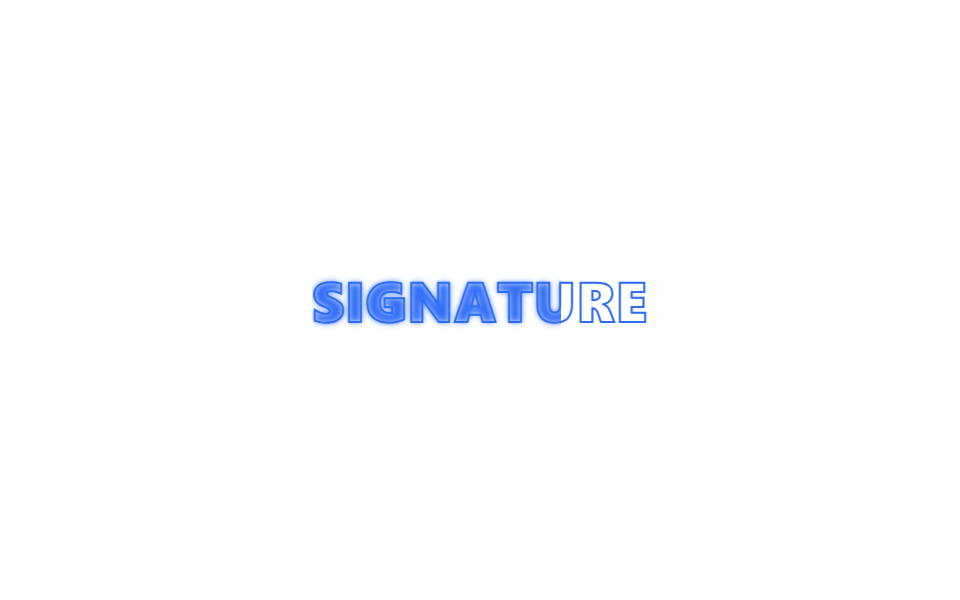 08 text-reveal-animation-stroke-to-fill
 09 text-reveal-animation-shadow-build
自動再生 · タイルを押すとその項目へ · すべて1つのzip
- 01 単語ごとに浮かび上がる
- 02 斜めワイプマスク
- 03 拡大ポップイン
- 04 行ごとに互い違いスライド
- 05 スプリットフラップ表示
- 06 スクランブルデコード
- 07 字間を詰めて登場
- 08 輪郭から塗りつぶしへ
- 09 影を重ねて立体化
並び順は人気順ではなく、文章が画面に現れるまでの流れに沿っています。まずは単語や行の単位でふわりと浮かび上がったり滑り込んだりする登場(01〜04)、次に機械式の表示板のようにめくれる演出と暗号が解けるように文字がそろう遊び心のある登場(05〜06)、最後は、すでにそこにある見出しそのものを強める演出、つまり字間を詰める、輪郭を塗る、影を重ねる(07〜09)です。文字ではなく板そのものが回って中身を変える側はカードフリップのアニメーションが担当し、カーソルに反応するカードの表面はCSSカードホバー効果に集まっています。
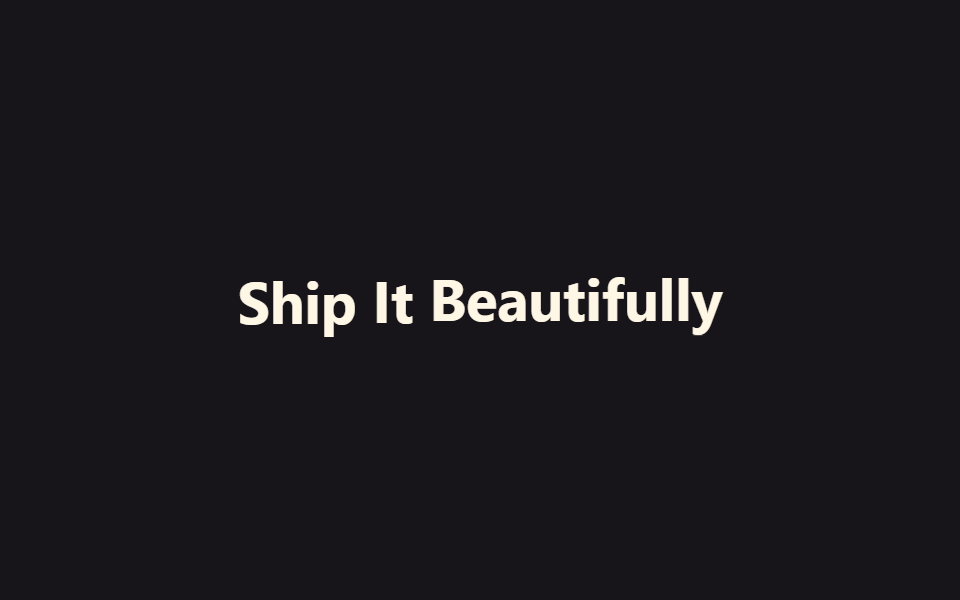
01単語ごとに浮かび上がる
単語のまとまりで動く
文章が単語ごとに区切られ、下から上へ1つずつ浮かび上がります。文字単位ではなく単語のまとまりで動くので、目で追いやすいテンポになります。
<main class="stage">
  <p class="ws-line is-demo">
    <span class="ws-word">Ship</span>
    <span class="ws-word">It</span>
    <span class="ws-word">Beautifully</span>
  </p>
</main>
@use "../../../../site/static/demo-tokens" as *;
// ── 변수 3개 ──────────────────────────────────────────
$duration: $dur-loop;
$easing: $ease-out;
$color: $subject-cream;
@include stage($stage-ink);
.ws-line {
margin: 0;
display: flex;
flex-wrap: wrap;
justify-content: center;
gap: $sp-2;
font: 700 clamp(22px, 6vw, 34px)/1.2 -apple-system, "Segoe UI", sans-serif;
color: $color;
}
.ws-word {
display: inline-block;
opacity: 0;
transform: translateY($sp-4);
filter: blur(var(--blur, 6px));
}
// 데모 루프: 단어가 하나씩 지연을 두고 떠올랐다가 다시 가라앉아 반복 재생된다 (캡처용)
// 한 겹: 단어별 관성 lerp + blur→focus — 등장 구간(0→20%)을 $ease-lerp-settle 로 목표를 살짝 지나쳤다
// 되돌아오게 하고, 단어마다 --blur 깊이(6→9→12px)를 달리해 무거운 단어일수록 늦게 초점이 맞는다.
@keyframes ws-rise {
0% { opacity: 0; transform: translateY($sp-4); filter: blur(var(--blur, 6px)); animation-timing-function: $ease-lerp-settle; }
20%, 80% { opacity: 1; transform: none; filter: blur(0); }
100% { opacity: 0; transform: translateY($sp-4); filter: blur(var(--blur, 6px)); }
}
.ws-line.is-demo .ws-word { animation: ws-rise $duration $easing infinite; }
.ws-line.is-demo .ws-word:nth-child(2) { animation-delay: 160ms; --blur: 9px; }
.ws-line.is-demo .ws-word:nth-child(3) { animation-delay: 320ms; --blur: 12px; }
@media (prefers-reduced-motion: reduce) {
.ws-word,
.ws-line.is-demo .ws-word {
animation: none !important;
opacity: 1 !important;
transform: none !important;
filter: none !important;
}
}html, body {
margin: 0;
overflow: hidden;
}
.stage {
box-sizing: border-box;
min-height: 100vh;
display: grid;
place-items: center;
margin: 0;
background: #17141a;
font-family: -apple-system, "Segoe UI", "Noto Sans KR", sans-serif;
padding: clamp(8px, 4vw, 24px);
}
.ws-line {
margin: 0;
display: flex;
flex-wrap: wrap;
justify-content: center;
gap: 8px;
font: 700 clamp(22px, 6vw, 34px)/1.2 -apple-system, "Segoe UI", sans-serif;
color: #fff7e6;
}
.ws-word {
display: inline-block;
opacity: 0;
transform: translateY(16px);
filter: blur(var(--blur, 6px));
}
@keyframes ws-rise {
0% {
opacity: 0;
transform: translateY(16px);
filter: blur(var(--blur, 6px));
animation-timing-function: linear(0, 0.051, 0.176, 0.341, 0.518, 0.685, 0.831, 0.947, 1.032, 1.087, 1.117, 1.126, 1.121, 1.105, 1.085, 1.062, 1.041, 1.022, 1.008, 0.997, 1);
}
20%, 80% {
opacity: 1;
transform: none;
filter: blur(0);
}
100% {
opacity: 0;
transform: translateY(16px);
filter: blur(var(--blur, 6px));
}
}
.ws-line.is-demo .ws-word {
animation: ws-rise 2s ease-out infinite;
}
.ws-line.is-demo .ws-word:nth-child(2) {
animation-delay: 160ms;
--blur: 9px;
}
.ws-line.is-demo .ws-word:nth-child(3) {
animation-delay: 320ms;
--blur: 12px;
}
@media (prefers-reduced-motion: reduce) {
.ws-word,
.ws-line.is-demo .ws-word {
animation: none !important;
opacity: 1 !important;
transform: none !important;
filter: none !important;
}
}import { CSSProperties, useEffect, useRef, useState } from "react";
import styles from "./WordStaggerFade.module.scss";
export interface WordStaggerFadeProps {
words?: string[];
duration?: string;
easing?: string;
stagger?: string;
}
// 실사용: IntersectionObserver 가 문장이 뷰포트에 들어올 때 한 번 in 을 켠다. 단어마다 transition-delay 만 다르다.
export default function WordStaggerFade({
words = ["Ship", "It", "Beautifully"],
duration = "500ms",
easing = "ease-out",
stagger = "140ms",
}: WordStaggerFadeProps) {
const ref = useRef<HTMLParagraphElement>(null);
const [inView, setInView] = useState(false);
useEffect(() => {
const el = ref.current;
if (!el) return;
const io = new IntersectionObserver((entries) => {
entries.forEach((e) => { if (e.isIntersecting) { setInView(true); io.unobserve(e.target); } });
}, { threshold: 0.3 });
io.observe(el);
return () => io.disconnect();
}, []);
const style = { "--duration": duration, "--easing": easing } as CSSProperties;
return (
<p className={styles.line} style={style} ref={ref}>
{words.map((w, i) => (
<span
key={w + i}
className={`${styles.word} ${inView ? styles.in : ""}`}
style={{ transitionDelay: inView ? `calc(${stagger} * ${i})` : undefined }}
>
{w}
</span>
))}
</p>
);
}01 · 単語ごとに浮かび上がる — 計測 累積面積 5.099% · 動いたフレーム 13/23GODRICH オリジナル · SCSS と React は zip に同梱 · パスワードを見る
違うのは delay だけ
単語ごとに違うのは animation-delay の 0・160ms・320ms だけで、このずれが効果のすべてです。登場区間は慣性 lerp 曲線で目標を少し通り過ぎてから定着し、単語ごとに blur の深さ(6→9→12px)も変えて重い単語ほど遅く焦点が合います。
.ws-word {
  display: inline-block;
  opacity: 0;
  transform: translateY(16px);
  filter: blur(var(--blur, 6px));
}
@keyframes ws-rise {
  0% { opacity: 0; transform: translateY(16px); filter: blur(var(--blur, 6px)); animation-timing-function: $ease-lerp-settle; }
  20%, 80% { opacity: 1; transform: none; filter: blur(0); }
  100% { opacity: 0; transform: translateY(16px); filter: blur(var(--blur, 6px)); }
}
.ws-line.is-demo .ws-word { animation: ws-rise 2s ease-out infinite; }
.ws-line.is-demo .ws-word:nth-child(2) { animation-delay: 160ms; --blur: 9px; }
.ws-line.is-demo .ws-word:nth-child(3) { animation-delay: 320ms; --blur: 12px; }
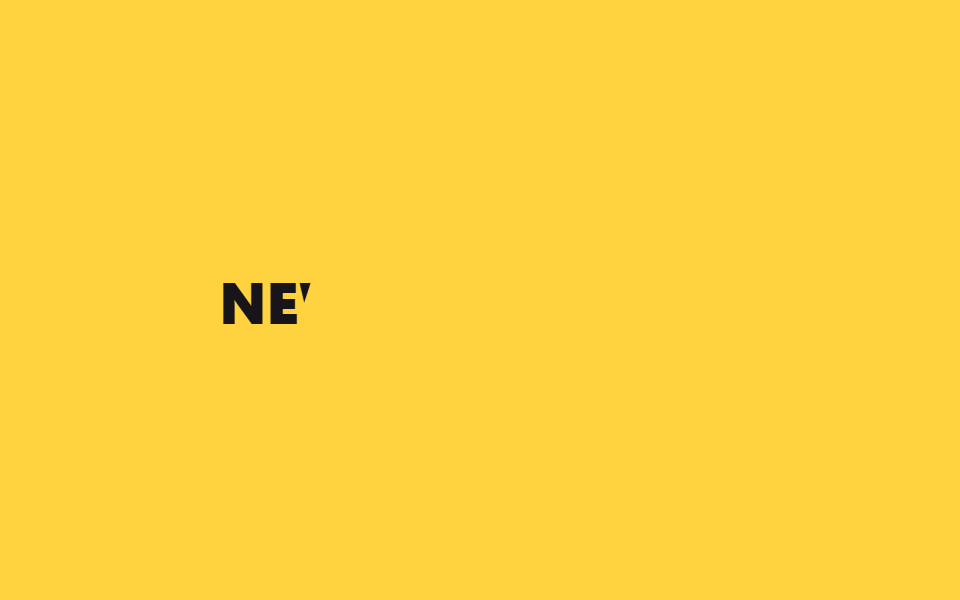
02斜めワイプマスク
斜めに切り開かれる
斜めの境界線が横切ると、その後ろから文字が現れます。カーテンのように持ち上がるのではなく、斜めに切り開かれる見え方です。
<main class="stage">
  <div class="dw-wrap is-demo">
    <span class="dw-text">NEW COLLECTION</span>
    <span class="dw-mask" aria-hidden="true"></span>
  </div>
</main>
@use "../../../../site/static/demo-tokens" as *;
// ── 변수 3개 ──────────────────────────────────────────
$duration: $dur-loop;
$easing: $ease-out;
$color: $subject-ink;
@include stage($stage-yellow);
.dw-wrap {
position: relative;
overflow: hidden;
padding: $sp-2 0;
}
.dw-text {
display: block;
font: 800 clamp(20px, 6vw, 30px)/1.2 -apple-system, "Segoe UI", sans-serif;
color: $color;
letter-spacing: .01em;
white-space: nowrap;
}
.dw-mask {
position: absolute;
inset: -20% -10%;
background: $stage-yellow;
transform: skewX(-18deg) translateX(0);
}
// 데모 루프: 무대와 같은 색 마스크가 사선으로 밀려나며 글자를 드러냈다가 다시 덮는다
// 한 겹: 관성 lerp — 마스크가 목표 지점(140%)을 지나쳤다가 되돌아오듯 $ease-lerp-settle 로 정착한다.
@keyframes dw-sweep {
0%, 10% { transform: skewX(-18deg) translateX(0); }
45%, 70% { transform: skewX(-18deg) translateX(140%); }
100% { transform: skewX(-18deg) translateX(0); }
}
.dw-wrap.is-demo .dw-mask { animation: dw-sweep $duration $ease-lerp-settle infinite; }
@media (prefers-reduced-motion: reduce) {
.dw-mask,
.dw-wrap.is-demo .dw-mask {
animation: none !important;
transform: skewX(-18deg) translateX(140%) !important;
}
}html, body {
margin: 0;
overflow: hidden;
}
.stage {
box-sizing: border-box;
min-height: 100vh;
display: grid;
place-items: center;
margin: 0;
background: #ffd23f;
font-family: -apple-system, "Segoe UI", "Noto Sans KR", sans-serif;
padding: clamp(8px, 4vw, 24px);
}
.dw-wrap {
position: relative;
overflow: hidden;
padding: 8px 0;
}
.dw-text {
display: block;
font: 800 clamp(20px, 6vw, 30px)/1.2 -apple-system, "Segoe UI", sans-serif;
color: #17141a;
letter-spacing: 0.01em;
white-space: nowrap;
}
.dw-mask {
position: absolute;
inset: -20% -10%;
background: #ffd23f;
transform: skewX(-18deg) translateX(0);
}
@keyframes dw-sweep {
0%, 10% {
transform: skewX(-18deg) translateX(0);
}
45%, 70% {
transform: skewX(-18deg) translateX(140%);
}
100% {
transform: skewX(-18deg) translateX(0);
}
}
.dw-wrap.is-demo .dw-mask {
animation: dw-sweep 2s linear(0, 0.051, 0.176, 0.341, 0.518, 0.685, 0.831, 0.947, 1.032, 1.087, 1.117, 1.126, 1.121, 1.105, 1.085, 1.062, 1.041, 1.022, 1.008, 0.997, 1) infinite;
}
@media (prefers-reduced-motion: reduce) {
.dw-mask,
.dw-wrap.is-demo .dw-mask {
animation: none !important;
transform: skewX(-18deg) translateX(140%) !important;
}
}import { CSSProperties, useEffect, useRef, useState } from "react";
import styles from "./DiagonalWipeMask.module.scss";
export interface DiagonalWipeMaskProps {
text?: string;
duration?: string;
easing?: string;
}
// 실사용: 뷰포트에 들어오면 같은 배경색 마스크가 사선으로 한 번 밀려나며 글자를 드러낸다.
export default function DiagonalWipeMask({
text = "NEW COLLECTION",
duration = "700ms",
easing = "ease-out",
}: DiagonalWipeMaskProps) {
const ref = useRef<HTMLDivElement>(null);
const [inView, setInView] = useState(false);
useEffect(() => {
const el = ref.current;
if (!el) return;
const io = new IntersectionObserver((entries) => {
entries.forEach((e) => { if (e.isIntersecting) { setInView(true); io.unobserve(e.target); } });
}, { threshold: 0.3 });
io.observe(el);
return () => io.disconnect();
}, []);
const style = { "--duration": duration, "--easing": easing } as CSSProperties;
return (
<div className={styles.wrap} style={style} ref={ref}>
<span className={styles.text}>{text}</span>
<span className={`${styles.mask} ${inView ? styles.swept : ""}`} aria-hidden="true" />
</div>
);
}02 · 斜めワイプマスク — 計測 累積面積 2.394% · 動いたフレーム 9/23GODRICH オリジナル · SCSS と React は zip に同梱 · パスワードを見る
継ぎ目が見えない理由
マスクの色を背景とまったく同じにしてあるため、skewX をかけた板を translateX で送り出すだけで継ぎ目が見えません。マスクは慣性 lerp 曲線で、目標位置を少し通り過ぎてから定着します。
.dw-mask {
  position: absolute;
  inset: -20% -10%;
  background: $stage-yellow;
  transform: skewX(-18deg) translateX(0);
}
@keyframes dw-sweep {
  0%, 10% { transform: skewX(-18deg) translateX(0); }
  45%, 70% { transform: skewX(-18deg) translateX(140%); }
  100% { transform: skewX(-18deg) translateX(0); }
}
.dw-wrap.is-demo .dw-mask { animation: dw-sweep 2s $ease-lerp-settle infinite; }
03拡大ポップイン
行き過ぎてから戻る
文字が小さく縮んだ状態から本来のサイズを少し超えて広がり、跳ねるように元へ戻ります。
<main class="stage">
  <h2 class="sp-text is-demo">LAUNCHING SOON</h2>
</main>
@use "../../../../site/static/demo-tokens" as *;
// ── 변수 3개 ──────────────────────────────────────────
$duration: $dur-loop;
$easing: $ease-pop;
$color: $subject-cream;
@include stage($stage-orange);
.sp-text {
margin: 0;
font: 800 clamp(22px, 7vw, 34px)/1.2 -apple-system, "Segoe UI", sans-serif;
color: $color;
text-align: center;
opacity: 0;
transform: scale(.4);
}
// 데모 루프: 작게 눌려 있다가 살짝 커졌다 제자리로 돌아오며 튕기듯 나타난다
// 한 겹: 관성 lerp — 등장 구간(0→18%)을 $ease-lerp-settle 로 목표를 12.6% 넘겼다 되돌아오게 한다.
@keyframes sp-pop {
0% { opacity: 0; transform: scale(.4); animation-timing-function: $ease-lerp-settle; }
18% { opacity: 1; transform: scale(1.1); }
30% { transform: scale(.96); }
40%, 78% { transform: scale(1); opacity: 1; }
100% { opacity: 0; transform: scale(.4); }
}
.sp-text.is-demo { animation: sp-pop $duration $easing infinite; }
@media (prefers-reduced-motion: reduce) {
.sp-text,
.sp-text.is-demo {
animation: none !important;
opacity: 1 !important;
transform: none !important;
}
}html, body {
margin: 0;
overflow: hidden;
}
.stage {
box-sizing: border-box;
min-height: 100vh;
display: grid;
place-items: center;
margin: 0;
background: #ff4d1f;
font-family: -apple-system, "Segoe UI", "Noto Sans KR", sans-serif;
padding: clamp(8px, 4vw, 24px);
}
.sp-text {
margin: 0;
font: 800 clamp(22px, 7vw, 34px)/1.2 -apple-system, "Segoe UI", sans-serif;
color: #fff7e6;
text-align: center;
opacity: 0;
transform: scale(0.4);
}
@keyframes sp-pop {
0% {
opacity: 0;
transform: scale(0.4);
animation-timing-function: linear(0, 0.051, 0.176, 0.341, 0.518, 0.685, 0.831, 0.947, 1.032, 1.087, 1.117, 1.126, 1.121, 1.105, 1.085, 1.062, 1.041, 1.022, 1.008, 0.997, 1);
}
18% {
opacity: 1;
transform: scale(1.1);
}
30% {
transform: scale(0.96);
}
40%, 78% {
transform: scale(1);
opacity: 1;
}
100% {
opacity: 0;
transform: scale(0.4);
}
}
.sp-text.is-demo {
animation: sp-pop 2s cubic-bezier(0.2, 1.4, 0.4, 1) infinite;
}
@media (prefers-reduced-motion: reduce) {
.sp-text,
.sp-text.is-demo {
animation: none !important;
opacity: 1 !important;
transform: none !important;
}
}import { CSSProperties, useEffect, useRef, useState } from "react";
import styles from "./ScalePopIn.module.scss";
export interface ScalePopInProps {
text?: string;
duration?: string;
easing?: string;
}
// 실사용: 뷰포트에 들어오면 작게 눌려 있던 글자가 한 번 튕기듯 커지며 자리 잡는다.
export default function ScalePopIn({
text = "LAUNCHING SOON",
duration = "550ms",
easing = "cubic-bezier(.2, 1.4, .4, 1)",
}: ScalePopInProps) {
const ref = useRef<HTMLHeadingElement>(null);
const [inView, setInView] = useState(false);
useEffect(() => {
const el = ref.current;
if (!el) return;
const io = new IntersectionObserver((entries) => {
entries.forEach((e) => { if (e.isIntersecting) { setInView(true); io.unobserve(e.target); } });
}, { threshold: 0.3 });
io.observe(el);
return () => io.disconnect();
}, []);
const style = { "--duration": duration, "--easing": easing } as CSSProperties;
return (
<h2 className={`${styles.text} ${inView ? styles.in : ""}`} style={style} ref={ref}>
{text}
</h2>
);
}03 · 拡大ポップイン — 計測 累積面積 6.413% · 動いたフレーム 13/23GODRICH オリジナル · SCSS と React は zip に同梱 · パスワードを見る
弾みを担う曲線
この行き過ぎはキーフレーム1つ分だけで、弾む感じは cubic-bezier(.2, 1.4, .4, 1) が担っています。登場区間は慣性 lerp 曲線で目標を少し通り過ぎてから定着するため、大きくなる速度に重みが乗ります。
.sp-text {
  opacity: 0;
  transform: scale(.4);
}
@keyframes sp-pop {
  0% { opacity: 0; transform: scale(.4); animation-timing-function: $ease-lerp-settle; }
  18% { opacity: 1; transform: scale(1.1); }
  30% { transform: scale(.96); }
  40%, 78% { transform: scale(1); opacity: 1; }
  100% { opacity: 0; transform: scale(.4); }
}
.sp-text.is-demo { animation: sp-pop 2s cubic-bezier(.2, 1.4, .4, 1) infinite; }
04行ごとに互い違いスライド
左右から互い違いに
2行の段落で、奇数行は左から、偶数行は右から滑り込んでジグザグに収まります。同じ 40px の translateX を符号だけ反転させ、160ms の差をつけただけの仕組みです。
<main class="stage">
  <div class="ls-block is-demo">
    <p class="ls-line ls-line--l">DESIGN WITH</p>
    <p class="ls-line ls-line--r">INTENTION</p>
  </div>
</main>
@use "../../../../site/static/demo-tokens" as *;
// ── 변수 3개 ──────────────────────────────────────────
$duration: $dur-loop;
$easing: $ease-lerp-settle; // 관성 lerp — 줄마다 목표 위치를 살짝 지나쳤다 정착한다 (2026-09-15 형태 2차 한 겹)
$color: $subject-blue;
@include stage($stage-paper);
.ls-block {
display: grid;
gap: $sp-1;
text-align: center;
}
.ls-line {
margin: 0;
font: 800 clamp(20px, 6vw, 30px)/1.2 -apple-system, "Segoe UI", sans-serif;
color: $color;
opacity: 0;
filter: blur(7px);
}
.ls-line--l { transform: translateX(-$sp-10); }
.ls-line--r { transform: translateX($sp-10); }
// 데모 루프: 홀수 줄은 왼쪽에서, 짝수 줄은 오른쪽에서 밀려 들어와 지그재그로 자리를 잡는다
// 한 겹: 각 줄이 blur(7px)→0 으로 초점이 맞으며 들어온다 — $easing(관성 lerp)과 같은 구간에서 수렴
@keyframes ls-in-l {
0% { opacity: 0; transform: translateX(-$sp-10); filter: blur(7px); }
25%, 80% { opacity: 1; transform: none; filter: blur(0); }
100% { opacity: 0; transform: translateX(-$sp-10); filter: blur(7px); }
}
@keyframes ls-in-r {
0% { opacity: 0; transform: translateX($sp-10); filter: blur(7px); }
25%, 80% { opacity: 1; transform: none; filter: blur(0); }
100% { opacity: 0; transform: translateX($sp-10); filter: blur(7px); }
}
.ls-block.is-demo .ls-line--l { animation: ls-in-l $duration $easing infinite; }
.ls-block.is-demo .ls-line--r { animation: ls-in-r $duration $easing infinite; animation-delay: 160ms; }
@media (prefers-reduced-motion: reduce) {
.ls-line,
.ls-block.is-demo .ls-line {
animation: none !important;
opacity: 1 !important;
transform: none !important;
filter: none !important;
}
}html, body {
margin: 0;
overflow: hidden;
}
.stage {
box-sizing: border-box;
min-height: 100vh;
display: grid;
place-items: center;
margin: 0;
background: #ffffff;
font-family: -apple-system, "Segoe UI", "Noto Sans KR", sans-serif;
padding: clamp(8px, 4vw, 24px);
}
.ls-block {
display: grid;
gap: 4px;
text-align: center;
}
.ls-line {
margin: 0;
font: 800 clamp(20px, 6vw, 30px)/1.2 -apple-system, "Segoe UI", sans-serif;
color: #2f6df6;
opacity: 0;
filter: blur(7px);
}
.ls-line--l {
transform: translateX(-40px);
}
.ls-line--r {
transform: translateX(40px);
}
@keyframes ls-in-l {
0% {
opacity: 0;
transform: translateX(-40px);
filter: blur(7px);
}
25%, 80% {
opacity: 1;
transform: none;
filter: blur(0);
}
100% {
opacity: 0;
transform: translateX(-40px);
filter: blur(7px);
}
}
@keyframes ls-in-r {
0% {
opacity: 0;
transform: translateX(40px);
filter: blur(7px);
}
25%, 80% {
opacity: 1;
transform: none;
filter: blur(0);
}
100% {
opacity: 0;
transform: translateX(40px);
filter: blur(7px);
}
}
.ls-block.is-demo .ls-line--l {
animation: ls-in-l 2s linear(0, 0.051, 0.176, 0.341, 0.518, 0.685, 0.831, 0.947, 1.032, 1.087, 1.117, 1.126, 1.121, 1.105, 1.085, 1.062, 1.041, 1.022, 1.008, 0.997, 1) infinite;
}
.ls-block.is-demo .ls-line--r {
animation: ls-in-r 2s linear(0, 0.051, 0.176, 0.341, 0.518, 0.685, 0.831, 0.947, 1.032, 1.087, 1.117, 1.126, 1.121, 1.105, 1.085, 1.062, 1.041, 1.022, 1.008, 0.997, 1) infinite;
animation-delay: 160ms;
}
@media (prefers-reduced-motion: reduce) {
.ls-line,
.ls-block.is-demo .ls-line {
animation: none !important;
opacity: 1 !important;
transform: none !important;
filter: none !important;
}
}import { CSSProperties, useEffect, useRef, useState } from "react";
import styles from "./LineSlideAlternate.module.scss";
export interface LineSlideAlternateProps {
lines?: string[];
duration?: string;
easing?: string;
stagger?: string;
}
// 실사용: 뷰포트에 들어오면 홀수 줄은 왼쪽, 짝수 줄은 오른쪽에서 한 번씩 밀려 들어온다.
export default function LineSlideAlternate({
lines = ["DESIGN WITH", "INTENTION"],
duration = "550ms",
easing = "cubic-bezier(.2, .8, .2, 1)",
stagger = "120ms",
}: LineSlideAlternateProps) {
const ref = useRef<HTMLDivElement>(null);
const [inView, setInView] = useState(false);
useEffect(() => {
const el = ref.current;
if (!el) return;
const io = new IntersectionObserver((entries) => {
entries.forEach((e) => { if (e.isIntersecting) { setInView(true); io.unobserve(e.target); } });
}, { threshold: 0.3 });
io.observe(el);
return () => io.disconnect();
}, []);
const style = { "--duration": duration, "--easing": easing } as CSSProperties;
return (
<div className={styles.block} style={style} ref={ref}>
{lines.map((line, i) => (
<p
key={line}
className={`${styles.line} ${i % 2 === 0 ? styles.fromLeft : styles.fromRight} ${inView ? styles.in : ""}`}
style={{ transitionDelay: inView ? `calc(${stagger} * ${i})` : undefined }}
>
{line}
</p>
))}
</div>
);
}04 · 行ごとに互い違いスライド — 計測 累積面積 7.392% · 動いたフレーム 12/23GODRICH オリジナル · SCSS と React は zip に同梱 · パスワードを見る
行が増えても計算不要
左右の振り分けは --l と --r のクラス名が決めるので、行が増えても方向を計算するスクリプトはいりません。各行は慣性 lerp 曲線で定着し、同じ区間で blur(7px)→0 に焦点が合います。
.ls-line--l { transform: translateX(-40px); }
.ls-line--r { transform: translateX(40px); }
@keyframes ls-in-r {
  0% { opacity: 0; transform: translateX(40px); filter: blur(7px); }
  25%, 80% { opacity: 1; transform: none; filter: blur(0); }
  100% { opacity: 0; transform: translateX(40px); filter: blur(7px); }
}
.ls-block.is-demo .ls-line--r {
  animation: ls-in-r 2s $ease-lerp-settle infinite;
  animation-delay: 160ms;
}
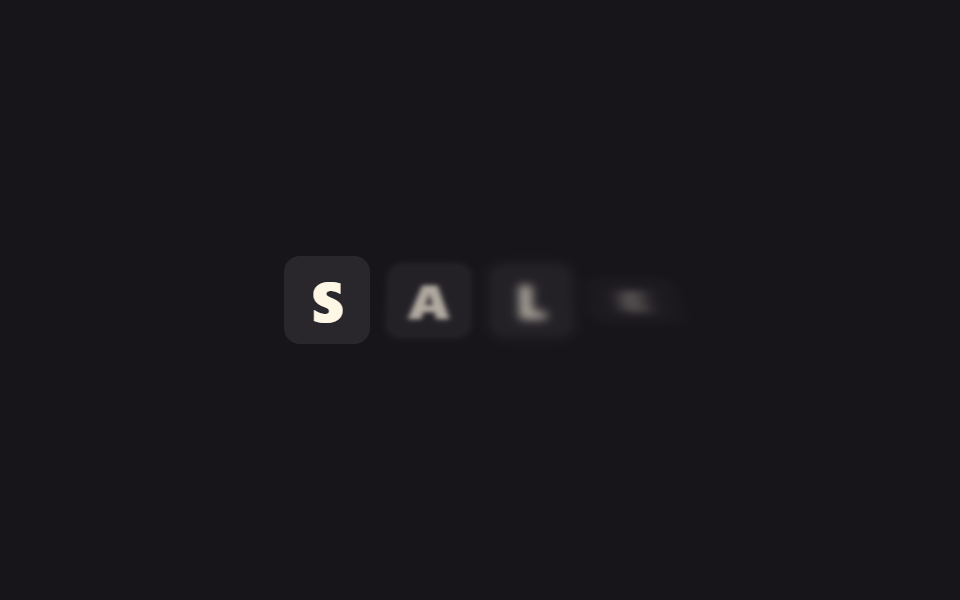
05スプリットフラップ表示
文字板がめくれて止まる
空港の案内板のように文字板が上から下へめくれ、正しい文字で止まります。機械らしさを生むのは変形ではなくタイミングで、steps(3, end) がふつうの rotateX を3段階に切り刻んでいます。
<main class="stage">
  <div class="sf-board is-demo" aria-hidden="true">
    <span class="sf-char">S</span>
    <span class="sf-char">A</span>
    <span class="sf-char">L</span>
    <span class="sf-char">E</span>
  </div>
</main>
@use "../../../../site/static/demo-tokens" as *;
// ── 변수 3개 ──────────────────────────────────────────
$duration: $dur-loop;
$easing: $ease-out;
$color: $subject-cream;
@include stage($stage-ink);
.sf-board {
display: flex;
gap: $sp-2;
perspective: 600px;
}
.sf-char {
display: inline-block;
width: clamp(32px, 9vw, 48px);
padding: $sp-2 0;
border-radius: $r-sm;
background: rgba(255, 255, 255, .08);
color: $color;
font: 800 clamp(20px, 6vw, 28px)/1 -apple-system, "Segoe UI", sans-serif;
text-align: center;
transform-origin: center;
transform: rotateX(90deg);
opacity: 0;
filter: blur(3px);
}
// 데모 루프: 글자판이 위에서 아래로 뒤집히며 나타났다가 짧게 위로 되감겨 다시 뒤집힌다 (steps 로 기계적인 느낌)
// 한 겹: blur→focus — 판이 모서리로 서는 중간 지점(edge-on, rotateX 근처)에서 살짝 흐려졌다가 착지하며
// 초점이 맞는다(실제 플랩보드의 모션 블러를 흉내). steps() 타이밍은 기계적 느낌이라 건드리지 않는다.
@keyframes sf-flip {
0% { transform: rotateX(90deg); opacity: 0; filter: blur(3px); }
15% { filter: blur(4px); }
30% { transform: rotateX(0deg); opacity: 1; filter: blur(0); }
90% { transform: rotateX(0deg); opacity: 1; filter: blur(0); }
95% { filter: blur(4px); }
100% { transform: rotateX(90deg); opacity: 0; filter: blur(3px); }
}
.sf-board.is-demo .sf-char { animation: sf-flip $duration steps(3, end) infinite; }
.sf-board.is-demo .sf-char:nth-child(1) { animation-delay: 0ms; }
.sf-board.is-demo .sf-char:nth-child(2) { animation-delay: 120ms; }
.sf-board.is-demo .sf-char:nth-child(3) { animation-delay: 240ms; }
.sf-board.is-demo .sf-char:nth-child(4) { animation-delay: 360ms; }
@media (prefers-reduced-motion: reduce) {
.sf-char,
.sf-board.is-demo .sf-char {
animation: none !important;
opacity: 1 !important;
transform: none !important;
filter: none !important;
}
}html, body {
margin: 0;
overflow: hidden;
}
.stage {
box-sizing: border-box;
min-height: 100vh;
display: grid;
place-items: center;
margin: 0;
background: #17141a;
font-family: -apple-system, "Segoe UI", "Noto Sans KR", sans-serif;
padding: clamp(8px, 4vw, 24px);
}
.sf-board {
display: flex;
gap: 8px;
perspective: 600px;
}
.sf-char {
display: inline-block;
width: clamp(32px, 9vw, 48px);
padding: 8px 0;
border-radius: 8px;
background: rgba(255, 255, 255, 0.08);
color: #fff7e6;
font: 800 clamp(20px, 6vw, 28px)/1 -apple-system, "Segoe UI", sans-serif;
text-align: center;
transform-origin: center;
transform: rotateX(90deg);
opacity: 0;
filter: blur(3px);
}
@keyframes sf-flip {
0% {
transform: rotateX(90deg);
opacity: 0;
filter: blur(3px);
}
15% {
filter: blur(4px);
}
30% {
transform: rotateX(0deg);
opacity: 1;
filter: blur(0);
}
90% {
transform: rotateX(0deg);
opacity: 1;
filter: blur(0);
}
95% {
filter: blur(4px);
}
100% {
transform: rotateX(90deg);
opacity: 0;
filter: blur(3px);
}
}
.sf-board.is-demo .sf-char {
animation: sf-flip 2s steps(3, end) infinite;
}
.sf-board.is-demo .sf-char:nth-child(1) {
animation-delay: 0ms;
}
.sf-board.is-demo .sf-char:nth-child(2) {
animation-delay: 120ms;
}
.sf-board.is-demo .sf-char:nth-child(3) {
animation-delay: 240ms;
}
.sf-board.is-demo .sf-char:nth-child(4) {
animation-delay: 360ms;
}
@media (prefers-reduced-motion: reduce) {
.sf-char,
.sf-board.is-demo .sf-char {
animation: none !important;
opacity: 1 !important;
transform: none !important;
filter: none !important;
}
}import { CSSProperties, useEffect, useRef, useState } from "react";
import styles from "./SplitFlapBoard.module.scss";
export interface SplitFlapBoardProps {
text?: string;
duration?: string;
stagger?: string;
}
// 실사용: 뷰포트에 들어오면 글자판이 위에서 아래로 한 번씩 시차를 두고 뒤집히며 자리 잡는다.
export default function SplitFlapBoard({
text = "SALE",
duration = "500ms",
stagger = "120ms",
}: SplitFlapBoardProps) {
const ref = useRef<HTMLDivElement>(null);
const [inView, setInView] = useState(false);
useEffect(() => {
const el = ref.current;
if (!el) return;
const io = new IntersectionObserver((entries) => {
entries.forEach((e) => { if (e.isIntersecting) { setInView(true); io.unobserve(e.target); } });
}, { threshold: 0.3 });
io.observe(el);
return () => io.disconnect();
}, []);
const style = { "--duration": duration } as CSSProperties;
return (
<div className={styles.board} style={style} ref={ref}>
{text.split("").map((ch, i) => (
<span
key={i}
className={`${styles.char} ${inView ? styles.in : ""}`}
style={{ transitionDelay: inView ? `calc(${stagger} * ${i})` : undefined }}
>
{ch}
</span>
))}
</div>
);
}05 · スプリットフラップ表示 — 計測 累積面積 5.078% · 動いたフレーム 11/23GODRICH オリジナル · SCSS と React は zip に同梱 · パスワードを見る
機械らしさはタイミング
ここをイージング曲線に替えると、ただの滑らかな3Dフリップになってしまいます。板が縁を向く地点で少しぼやけ、着地で焦点が合うモーションブラーの一層を重ねました。
.sf-char {
  transform-origin: center;
  transform: rotateX(90deg);
  opacity: 0;
  filter: blur(3px);
}
@keyframes sf-flip {
  0% { transform: rotateX(90deg); opacity: 0; filter: blur(3px); }
  15% { filter: blur(4px); }
  30% { transform: rotateX(0deg); opacity: 1; filter: blur(0); }
  90% { transform: rotateX(0deg); opacity: 1; filter: blur(0); }
  95% { filter: blur(4px); }
  100% { transform: rotateX(90deg); opacity: 0; filter: blur(3px); }
}
.sf-board.is-demo .sf-char { animation: sf-flip 2s steps(3, end) infinite; }
.sf-board.is-demo .sf-char:nth-child(2) { animation-delay: 120ms; }
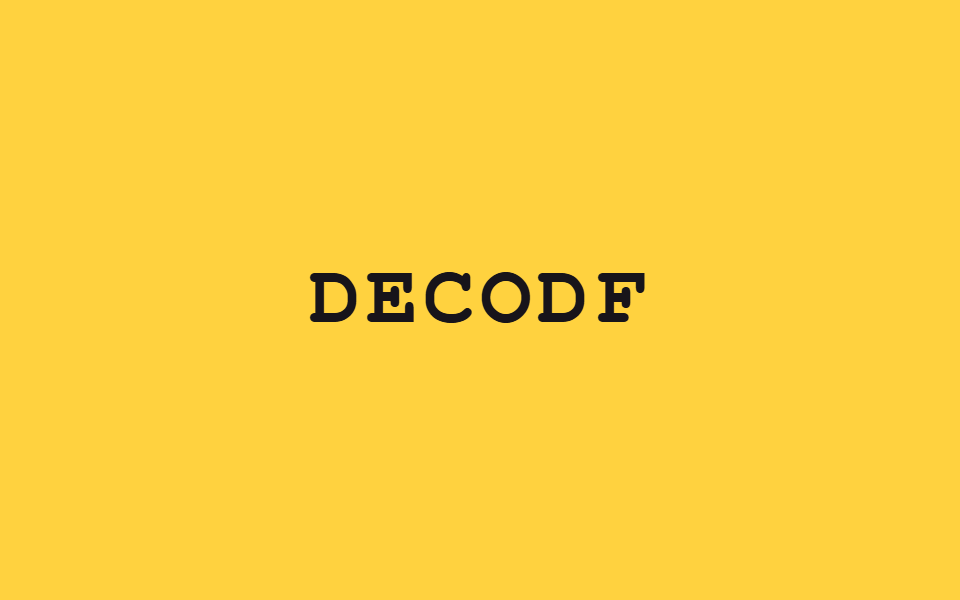
06スクランブルデコード
css テキスト アニメーション 一文字ずつ固定していく
ランダムな文字が 60ms ごとに入れ替わり、左から1文字ずつ本来の文字に固定されていきます。
<main class="stage">
  <p class="sd-text" id="sd" aria-live="polite">DECODE</p>
</main>
@use "../../../../site/static/demo-tokens" as *;
// ── 변수 3개 ──────────────────────────────────────────
$duration: $dur-loop;
$easing: $ease-out;
$color: $subject-ink;
@include stage($stage-yellow);
.sd-text {
margin: 0;
font: 800 clamp(28px, 9vw, 44px)/1.2 "Space Mono", "Courier New", monospace;
letter-spacing: .06em;
color: $color;
}
// 이 데모는 CSS keyframes 가 아니라 짧은 JS(setInterval)로 글자를 무작위로 바꾼다 —
// 그래서 reduced-motion 은 CSS 가 아니라 스크립트 안의 matchMedia 체크로 처리한다 (index.html 참고)
@media (prefers-reduced-motion: reduce) {
.sd-text { color: $color; }
}html, body {
margin: 0;
overflow: hidden;
}
.stage {
box-sizing: border-box;
min-height: 100vh;
display: grid;
place-items: center;
margin: 0;
background: #ffd23f;
font-family: -apple-system, "Segoe UI", "Noto Sans KR", sans-serif;
padding: clamp(8px, 4vw, 24px);
}
.sd-text {
margin: 0;
font: 800 clamp(28px, 9vw, 44px)/1.2 "Space Mono", "Courier New", monospace;
letter-spacing: 0.06em;
color: #17141a;
}
@media (prefers-reduced-motion: reduce) {
.sd-text {
color: #17141a;
}
}var target = "DECODE";
var glyphs = "ABCDEFGHIJKLMNOPQRSTUVWXYZ";
var el = document.getElementById("sd");
var reduced = window.matchMedia("(prefers-reduced-motion: reduce)").matches;
function tick(locked) {
if (reduced) { el.textContent = target; return; }
var out = "";
for (var i = 0; i < target.length; i++) {
out += i < locked ? target[i] : glyphs[Math.floor(Math.random() * glyphs.length)];
}
el.textContent = out;
}
var frame = 0;
setInterval(function () {
frame++;
var locked = Math.max(0, Math.floor((frame % 26) / 3) - 2);
tick(Math.min(locked, target.length));
}, 60);import { useEffect, useRef, useState } from "react";
import styles from "./ScrambleDecode.module.scss";
export interface ScrambleDecodeProps {
text?: string;
interval?: number;
}
const GLYPHS = "ABCDEFGHIJKLMNOPQRSTUVWXYZ";
// 실사용: 뷰포트에 들어오면 무작위 글자가 바뀌다가 왼쪽부터 한 번씩 진짜 글자로 잠긴다. 다 풀리면 멈춘다.
export default function ScrambleDecode({ text = "DECODE", interval = 40 }: ScrambleDecodeProps) {
const ref = useRef<HTMLParagraphElement>(null);
const [display, setDisplay] = useState(text);
useEffect(() => {
const el = ref.current;
if (!el) return;
let timer: ReturnType<typeof setInterval> | null = null;
const io = new IntersectionObserver((entries) => {
entries.forEach((entry) => {
if (!entry.isIntersecting || timer) return;
io.unobserve(entry.target);
const reduced = window.matchMedia("(prefers-reduced-motion: reduce)").matches;
if (reduced) { setDisplay(text); return; }
let frame = 0;
timer = setInterval(() => {
frame += 1;
const locked = Math.min(Math.max(0, Math.floor(frame / 3) - 2), text.length);
let out = "";
for (let i = 0; i < text.length; i++) {
out += i < locked ? text[i] : GLYPHS[Math.floor(Math.random() * GLYPHS.length)];
}
setDisplay(out);
if (locked >= text.length && timer) { clearInterval(timer); timer = null; }
}, interval);
});
}, { threshold: 0.3 });
io.observe(el);
return () => { io.disconnect(); if (timer) clearInterval(timer); };
}, [text, interval]);
return (
<p ref={ref} className={styles.text} aria-live="polite">{display}</p>
);
}06 · スクランブルデコード — 計測 累積面積 2.665% · 動いたフレーム 23/23GODRICH オリジナル · SCSS と React は zip に同梱 · パスワードを見る
CSSでは書き換えられない
CSS では文字の内容そのものを書き換えられないため、これだけが @keyframes を一切持たず、JavaScriptで動く項目になっています。固定された文字数がそのまま進行率なので、別途イージングを計算する必要はありません。
var frame = 0;
setInterval(function () {
  frame++;
  var locked = Math.max(0, Math.floor((frame % 26) / 3) - 2);
  var out = "";
  for (var i = 0; i < target.length; i++) {
    out += i < locked ? target[i] : glyphs[Math.floor(Math.random() * glyphs.length)];
  }
  el.textContent = out;
}, 60);
07字間を詰めて登場
広がった状態から詰める
文字が大きく間隔を空けて透明なまま隠れた状態から、間隔を詰めながらはっきりした見出しへ集まります。
<main class="stage">
  <h2 class="tk-word is-demo">
    <span class="tk-ch" style="--x:-40px">F</span>
    <span class="tk-ch" style="--x:-20px">O</span>
    <span class="tk-ch" style="--x:0px">C</span>
    <span class="tk-ch" style="--x:20px">U</span>
    <span class="tk-ch" style="--x:40px">S</span>
  </h2>
</main>
@use "../../../../site/static/demo-tokens" as *;
// ── 변수 3개 ──────────────────────────────────────────
$duration: $dur-loop;
$easing: $ease-lerp-settle; // 관성 lerp — 벌어진 글자가 목표(자간 0)를 살짝 지나쳤다 정착한다 (2026-09-15 형태 2차 한 겹)
$color: $subject-cream;
@include stage($stage-orange);
.tk-word {
margin: 0;
font: 700 clamp(26px, 7vw, 40px)/1.2 -apple-system, "Segoe UI", sans-serif;
color: $color;
}
.tk-ch {
display: inline-block;
opacity: 0;
transform: translateX(var(--x, 0));
filter: blur(var(--tk-blur, 6px));
}
// 데모 루프: 글자마다 --x 만큼 벌어진 채로 있다가 0 으로 모이며 자간이 좁아지듯 보인다
// 한 겹: 수렴 구간을 $ease-lerp-settle(관성 lerp) 로 목표를 살짝 지나쳤다 되돌아오게 하고,
// 같은 구간에서 blur(var(--tk-blur))→0 으로 초점이 맞아 좁아질수록 또렷해진다.
@keyframes tk-converge {
0% { opacity: 0; transform: translateX(var(--x, 0)); filter: blur(var(--tk-blur, 6px)); }
35%, 80% { opacity: 1; transform: translateX(0); filter: blur(0); }
100% { opacity: 0; transform: translateX(var(--x, 0)); filter: blur(var(--tk-blur, 6px)); }
}
.tk-word.is-demo .tk-ch { animation: tk-converge $duration $easing infinite; }
@media (prefers-reduced-motion: reduce) {
.tk-ch,
.tk-word.is-demo .tk-ch {
animation: none !important;
opacity: 1 !important;
transform: none !important;
filter: none !important;
}
}html, body {
margin: 0;
overflow: hidden;
}
.stage {
box-sizing: border-box;
min-height: 100vh;
display: grid;
place-items: center;
margin: 0;
background: #ff4d1f;
font-family: -apple-system, "Segoe UI", "Noto Sans KR", sans-serif;
padding: clamp(8px, 4vw, 24px);
}
.tk-word {
margin: 0;
font: 700 clamp(26px, 7vw, 40px)/1.2 -apple-system, "Segoe UI", sans-serif;
color: #fff7e6;
}
.tk-ch {
display: inline-block;
opacity: 0;
transform: translateX(var(--x, 0));
filter: blur(var(--tk-blur, 6px));
}
@keyframes tk-converge {
0% {
opacity: 0;
transform: translateX(var(--x, 0));
filter: blur(var(--tk-blur, 6px));
}
35%, 80% {
opacity: 1;
transform: translateX(0);
filter: blur(0);
}
100% {
opacity: 0;
transform: translateX(var(--x, 0));
filter: blur(var(--tk-blur, 6px));
}
}
.tk-word.is-demo .tk-ch {
animation: tk-converge 2s linear(0, 0.051, 0.176, 0.341, 0.518, 0.685, 0.831, 0.947, 1.032, 1.087, 1.117, 1.126, 1.121, 1.105, 1.085, 1.062, 1.041, 1.022, 1.008, 0.997, 1) infinite;
}
@media (prefers-reduced-motion: reduce) {
.tk-ch,
.tk-word.is-demo .tk-ch {
animation: none !important;
opacity: 1 !important;
transform: none !important;
filter: none !important;
}
}import { CSSProperties, useEffect, useRef, useState } from "react";
import styles from "./TrackingSqueeze.module.scss";
export interface TrackingSqueezeProps {
text?: string;
duration?: string;
easing?: string;
spread?: number;
}
// 실사용: 뷰포트에 들어오면 벌어져 있던 글자들이 한 번 좁혀지며 자간이 정리된 제목으로 모인다.
export default function TrackingSqueeze({
text = "FOCUS",
duration = "650ms",
easing = "ease-out",
spread = 20,
}: TrackingSqueezeProps) {
const ref = useRef<HTMLHeadingElement>(null);
const [inView, setInView] = useState(false);
const chars = text.split("");
const mid = (chars.length - 1) / 2;
useEffect(() => {
const el = ref.current;
if (!el) return;
const io = new IntersectionObserver((entries) => {
entries.forEach((e) => { if (e.isIntersecting) { setInView(true); io.unobserve(e.target); } });
}, { threshold: 0.3 });
io.observe(el);
return () => io.disconnect();
}, []);
const style = { "--duration": duration, "--easing": easing } as CSSProperties;
return (
<h2 className={styles.word} style={style} ref={ref}>
{chars.map((ch, i) => (
<span
key={i}
className={`${styles.ch} ${inView ? styles.in : ""}`}
style={{ "--x": `${(i - mid) * spread}px` } as CSSProperties}
>
{ch}
</span>
))}
</h2>
);
}07 · 字間を詰めて登場 — 計測 累積面積 3.327% · 動いたフレーム 11/23GODRICH オリジナル · SCSS と React は zip に同梱 · パスワードを見る
動かすのは transform だけ
letter-spacing を直接動かすと毎フレームレイアウトを計算し直すことになるので、文字ごとに --x という開始位置を持たせ、動かすのは transform だけにしてあります。収束区間は慣性 lerp 曲線で定着し、詰まるほど blur が晴れます。
.tk-ch {
  display: inline-block;
  opacity: 0;
  transform: translateX(var(--x, 0));
  filter: blur(6px);
}
@keyframes tk-converge {
  0% { opacity: 0; transform: translateX(var(--x, 0)); filter: blur(6px); }
  35%, 80% { opacity: 1; transform: translateX(0); filter: blur(0); }
  100% { opacity: 0; transform: translateX(var(--x, 0)); filter: blur(6px); }
}
.tk-word.is-demo .tk-ch { animation: tk-converge 2s $ease-lerp-settle infinite; }
08輪郭から塗りつぶしへ
輪郭から色が流し込まれる
文字がまず輪郭だけの状態で現れ、左から色が流し込まれて塗りつぶされた文字になります。
<main class="stage">
  <div class="fl-wrap is-demo">
    <span class="fl-text fl-text--outline" aria-hidden="true">SIGNATURE</span>
    <span class="fl-text fl-text--fill">SIGNATURE</span>
  </div>
</main>
@use "../../../../site/static/demo-tokens" as *;
// ── 변수 3개 ──────────────────────────────────────────
$duration: $dur-loop;
$easing: $ease-out;
$color: $subject-blue;
@include stage($stage-paper);
.fl-wrap {
position: relative;
overflow: hidden;
font: 800 clamp(18px, 6vw, 28px)/1.2 -apple-system, "Segoe UI", sans-serif;
letter-spacing: .02em;
}
.fl-text {
display: block;
white-space: nowrap;
}
.fl-text--outline {
color: transparent;
-webkit-text-stroke: 1px $color;
}
.fl-text--fill {
position: absolute;
inset: 0;
color: $color;
clip-path: inset(0 100% 0 0);
filter: blur(6px);
}
// 데모 루프: 테두리만 있던 글자 위로 채워진 글자가 왼쪽부터 clip-path 로 드러났다가 다시 걷힌다
// 한 겹: blur→focus — 채움이 흘러드는 동안 blur(6px)→0 으로 잉크가 스며들 듯 초점이 맞는다
// (clip-path 는 오버슈트가 안 보이는 값이라 lerp-settle 대신 초점 수렴으로 계산 한 겹을 얹는다).
@keyframes fl-wipe {
0%, 10% { clip-path: inset(0 100% 0 0); filter: blur(6px); }
55%, 70% { clip-path: inset(0 0 0 0); filter: blur(0); }
90% { clip-path: inset(0 0 0 0); filter: blur(0); }
100% { clip-path: inset(0 100% 0 0); filter: blur(6px); }
}
.fl-wrap.is-demo .fl-text--fill { animation: fl-wipe $duration $easing infinite; }
@media (prefers-reduced-motion: reduce) {
.fl-text--fill,
.fl-wrap.is-demo .fl-text--fill {
animation: none !important;
clip-path: inset(0 0 0 0) !important;
filter: none !important;
}
}html, body {
margin: 0;
overflow: hidden;
}
.stage {
box-sizing: border-box;
min-height: 100vh;
display: grid;
place-items: center;
margin: 0;
background: #ffffff;
font-family: -apple-system, "Segoe UI", "Noto Sans KR", sans-serif;
padding: clamp(8px, 4vw, 24px);
}
.fl-wrap {
position: relative;
overflow: hidden;
font: 800 clamp(18px, 6vw, 28px)/1.2 -apple-system, "Segoe UI", sans-serif;
letter-spacing: 0.02em;
}
.fl-text {
display: block;
white-space: nowrap;
}
.fl-text--outline {
color: transparent;
-webkit-text-stroke: 1px #2f6df6;
}
.fl-text--fill {
position: absolute;
inset: 0;
color: #2f6df6;
clip-path: inset(0 100% 0 0);
filter: blur(6px);
}
@keyframes fl-wipe {
0%, 10% {
clip-path: inset(0 100% 0 0);
filter: blur(6px);
}
55%, 70% {
clip-path: inset(0 0 0 0);
filter: blur(0);
}
90% {
clip-path: inset(0 0 0 0);
filter: blur(0);
}
100% {
clip-path: inset(0 100% 0 0);
filter: blur(6px);
}
}
.fl-wrap.is-demo .fl-text--fill {
animation: fl-wipe 2s ease-out infinite;
}
@media (prefers-reduced-motion: reduce) {
.fl-text--fill,
.fl-wrap.is-demo .fl-text--fill {
animation: none !important;
clip-path: inset(0 0 0 0) !important;
filter: none !important;
}
}import { CSSProperties, useEffect, useRef, useState } from "react";
import styles from "./StrokeToFill.module.scss";
export interface StrokeToFillProps {
text?: string;
duration?: string;
easing?: string;
}
// 실사용: 뷰포트에 들어오면 테두리만 있던 글자가 왼쪽부터 한 번 채워지며 완성된 글자로 바뀐다.
export default function StrokeToFill({
text = "SIGNATURE",
duration = "700ms",
easing = "ease-out",
}: StrokeToFillProps) {
const ref = useRef<HTMLDivElement>(null);
const [inView, setInView] = useState(false);
useEffect(() => {
const el = ref.current;
if (!el) return;
const io = new IntersectionObserver((entries) => {
entries.forEach((e) => { if (e.isIntersecting) { setInView(true); io.unobserve(e.target); } });
}, { threshold: 0.3 });
io.observe(el);
return () => io.disconnect();
}, []);
const style = { "--duration": duration, "--easing": easing } as CSSProperties;
return (
<div className={styles.wrap} style={style} ref={ref}>
<span className={styles.outline} aria-hidden="true">{text}</span>
<span className={`${styles.fill} ${inView ? styles.in : ""}`}>{text}</span>
</div>
);
}08 · 輪郭から塗りつぶしへ — 計測 累積面積 2.835% · 動いたフレーム 13/23GODRICH オリジナル · SCSS と React は zip に同梱 · パスワードを見る
2層を重ねる構成
下に -webkit-text-stroke の輪郭レイヤーを敷き、その上に重ねた色付きの文字を clip-path で左から開いていく構成です。塗りつぶしが流れ込む間、blur(6px)→0 でインクが染み込むように焦点が合います。
.fl-text--outline {
  color: transparent;
  -webkit-text-stroke: 1px $color;
}
.fl-text--fill {
  position: absolute;
  inset: 0;
  color: $color;
  clip-path: inset(0 100% 0 0);
  filter: blur(6px);
}
@keyframes fl-wipe {
  0%, 10% { clip-path: inset(0 100% 0 0); filter: blur(6px); }
  55%, 70% { clip-path: inset(0 0 0 0); filter: blur(0); }
  90% { clip-path: inset(0 0 0 0); filter: blur(0); }
  100% { clip-path: inset(0 100% 0 0); filter: blur(6px); }
}
.fl-wrap.is-demo .fl-text--fill { animation: fl-wipe 2s ease-out infinite; }
09影を重ねて立体化
影が重なって厚みが出る
平らだった文字の背後に影の層が重なって厚みが生まれ、また平らに戻ります。
<main class="stage">
  <h2 class="sh-text is-demo">ARCADE</h2>
</main>
@use "../../../../site/static/demo-tokens" as *;
// ── 변수 3개 ──────────────────────────────────────────
$duration: $dur-loop;
$easing: $ease-lerp-settle; // 관성 lerp — 쌓이는 층이 목표 두께를 살짝 지나쳤다 정착한다 (2026-09-15 형태 2차 한 겹)
$color: $subject-cream;
@include stage($stage-ink);
.sh-text {
margin: 0;
font: 900 clamp(26px, 8vw, 40px)/1.2 -apple-system, "Segoe UI", sans-serif;
color: $color;
text-shadow: none;
filter: blur(5px);
}
// 데모 루프: 평평한 글자 뒤로 그림자 층이 겹겹이 쌓이며 입체적인 두께가 생겼다가 다시 평평해진다
// 한 겹: 관성 lerp — $ease-lerp-settle 로 층 두께가 목표를 살짝 지나쳤다 되돌아오며 쌓이고(블록이 얹히듯),
// 같은 구간에서 blur(5px)→0 초점 수렴이 겹쳐 두꺼워질수록 또렷해진다.
@keyframes sh-extrude {
0%, 15% { text-shadow: none; filter: blur(5px); }
55%, 85% {
text-shadow:
1px 1px 0 $subject-blue,
2px 2px 0 $subject-blue,
3px 3px 0 $subject-blue,
4px 4px 0 $subject-blue,
5px 5px 8px rgba(0, 0, 0, .35);
filter: blur(0);
}
100% { text-shadow: none; filter: blur(5px); }
}
.sh-text.is-demo { animation: sh-extrude $duration $easing infinite; }
@media (prefers-reduced-motion: reduce) {
.sh-text,
.sh-text.is-demo {
animation: none !important;
filter: none !important;
text-shadow:
1px 1px 0 $subject-blue,
2px 2px 0 $subject-blue,
3px 3px 0 $subject-blue,
4px 4px 0 $subject-blue,
5px 5px 8px rgba(0, 0, 0, .35) !important;
}
}html, body {
margin: 0;
overflow: hidden;
}
.stage {
box-sizing: border-box;
min-height: 100vh;
display: grid;
place-items: center;
margin: 0;
background: #17141a;
font-family: -apple-system, "Segoe UI", "Noto Sans KR", sans-serif;
padding: clamp(8px, 4vw, 24px);
}
.sh-text {
margin: 0;
font: 900 clamp(26px, 8vw, 40px)/1.2 -apple-system, "Segoe UI", sans-serif;
color: #fff7e6;
text-shadow: none;
filter: blur(5px);
}
@keyframes sh-extrude {
0%, 15% {
text-shadow: none;
filter: blur(5px);
}
55%, 85% {
text-shadow: 1px 1px 0 #2f6df6, 2px 2px 0 #2f6df6, 3px 3px 0 #2f6df6, 4px 4px 0 #2f6df6, 5px 5px 8px rgba(0, 0, 0, 0.35);
filter: blur(0);
}
100% {
text-shadow: none;
filter: blur(5px);
}
}
.sh-text.is-demo {
animation: sh-extrude 2s linear(0, 0.051, 0.176, 0.341, 0.518, 0.685, 0.831, 0.947, 1.032, 1.087, 1.117, 1.126, 1.121, 1.105, 1.085, 1.062, 1.041, 1.022, 1.008, 0.997, 1) infinite;
}
@media (prefers-reduced-motion: reduce) {
.sh-text,
.sh-text.is-demo {
animation: none !important;
filter: none !important;
text-shadow: 1px 1px 0 #2f6df6, 2px 2px 0 #2f6df6, 3px 3px 0 #2f6df6, 4px 4px 0 #2f6df6, 5px 5px 8px rgba(0, 0, 0, 0.35) !important;
}
}import { CSSProperties, useEffect, useRef, useState } from "react";
import styles from "./ShadowBuild.module.scss";
export interface ShadowBuildProps {
text?: string;
duration?: string;
easing?: string;
}
// 실사용: 뷰포트에 들어오면 평평한 글자 뒤로 그림자 층이 한 번 쌓이며 입체적인 두께가 생긴다.
export default function ShadowBuild({
text = "ARCADE",
duration = "500ms",
easing = "ease-out",
}: ShadowBuildProps) {
const ref = useRef<HTMLHeadingElement>(null);
const [inView, setInView] = useState(false);
useEffect(() => {
const el = ref.current;
if (!el) return;
const io = new IntersectionObserver((entries) => {
entries.forEach((e) => { if (e.isIntersecting) { setInView(true); io.unobserve(e.target); } });
}, { threshold: 0.3 });
io.observe(el);
return () => io.disconnect();
}, []);
const style = { "--duration": duration, "--easing": easing } as CSSProperties;
return (
<h2 className={`${styles.text} ${inView ? styles.in : ""}`} style={style} ref={ref}>
{text}
</h2>
);
}09 · 影を重ねて立体化 — 計測 累積面積 4.672% · 動いたフレーム 11/23GODRICH オリジナル · SCSS と React は zip に同梱 · パスワードを見る
変わるのはプロパティ1つ
1pxから4pxまでずらした4枚とぼかした1枚を text-shadow 1つの値にまとめてあるので、変わるのはプロパティ1つだけです。層は慣性 lerp 曲線で目標の厚みを少し通り過ぎてから定着し、重なるほど blur が晴れます。
.sh-text { text-shadow: none; filter: blur(5px); }
@keyframes sh-extrude {
  0%, 15% { text-shadow: none; filter: blur(5px); }
  55%, 85% {
    text-shadow:
      1px 1px 0 $subject-blue,
      2px 2px 0 $subject-blue,
      3px 3px 0 $subject-blue,
      4px 4px 0 $subject-blue,
      5px 5px 8px rgba(0, 0, 0, .35);
    filter: blur(0);
  }
  100% { text-shadow: none; filter: blur(5px); }
}
.sh-text.is-demo { animation: sh-extrude 2s $ease-lerp-settle infinite; }
css テキスト アニメーション はどこで壊れるか
色付きが輪郭を覆った
最初につまずいたのは08番でした。輪郭の文字の上に色付きの文字をただ重ねただけだったので、絶対配置で常に前面にある色付きレイヤーが輪郭を完全に覆ってしまい、輪郭から塗られていく過程が画面に一度も出てきませんでした。外から見るとループは正常に回っているように見えましたが、収録したフレームを1枚ずつ開くと、3枚目には色付きの文字が1つだけ残り、あとはほぼ空の画面でした。
逆の手が効いた
transform だけで済ませたくて、背景と同じ色の覆いを滑らせて隠す作りにしていたのですが、その覆いこそが見せたい段階を消していたわけです。効いたのは逆の手で、色付きレイヤー自身に clip-path をかけて左から広げると、輪郭の段階がようやく見えるようになりました。直したあとのソースは9つ分そろえてあり、解凍パスワード jagvrc78 で開く zip にはプレーンなCSS版とReact版の両方が入っています。
文字ごとに影を積んで限界を超えるこの地点は、質感を何層も重ねるスキューモーフィズムのLPキットで面の単位として同じ限界に出会います。
アクセシビリティ — 9つが reduced-motion で残すもの
止まって最終状態で残る
prefers-reduced-motion: reduce を有効にしている人には、9つとも動きを止めて最終状態のまま表示されます。SCSSの @keyframes で動く8つは、その最終状態を !important で固定してあります。単語は上がりきり、斜めのマスクは文字の外へ抜けきり、字間は詰まり、輪郭は塗られ、影は重なった姿です。動きを切っていても空の画面ではなく結果が見えます。
06番だけ違う理由
06番だけはCSSアニメーションを持たないので、スクリプトの中で matchMedia を確認し、文字を混ぜずに完成した単語をそのまま表示します。
関連リンク
css テキスト アニメーション サンプル をもっと見たい場合は CSS 文字 アニメーション 9選 が参考になり、全体の一覧は CSSのみカテゴリ にまとめてあります。08番で使った書き方は MDN の clip-path の解説で確認できます。
FAQ — よくある質問
文字 アニメーション css にJavaScriptは必要ですか
ほとんどは不要です。9つのうち8つはSCSSの @keyframes だけで動き、06番のスクランブルデコードだけが文字の内容を入れ替える必要があるため、短いJavaScriptを使います。
見出しには01番と04番のどちらが向いていますか
1行から2行の短い見出しなら、01番のように単語ごとに区切るほうが自然に読めます。2行から3行にわたる宣言文やミッションステートメントなら、行単位で左右から入る04番のほうが、単語単位では出せないリズムを生みます。
zip の中の vanilla と React でコードは違いますか
見た目の動きは両方とも同じです。違うのはきっかけで、vanilla版は is-demo クラスで強制的に繰り返し再生させているのに対し、React版は IntersectionObserver で画面に入った瞬間に一度だけ再生します。登場の演出を暗号が解けるような形へ変えたいなら、デコードのテキスト演出がその変奏です。
こんな記事もどうぞ
 フィードバックcss テキスト エフェクト 9選 — デコード演出
 フィードバック「カーソル エフェクト css」9選 — 一行でコピペOK
 フィードバックCSS タイピング アニメーション 9選 — 一行でコピペOK
 フィードバックCSS 文字 アニメーション 9選 — 一行でコピペOK
 フィードバックCSS 背景 アニメーション 9選 — 一行でコピペOK
 フィードバックCSS テキスト グラデーション アニメーション 9選 — 一行でコピペOK
 フィードバックCSS 背景アニメーション 星 9選 — 一行でコピペOK
 フィードバック【一行でコピペOK】CSS ダークモード 切り替え アニメーション9選
 フィードバックマイクロインタラクション CSS 9選 — 一行でコピペOK
 フィードバックCSS ツールチップ 吹き出しアニメーション9選 一行でコピペOK