【コピペOK】プロモ LP テンプレート9選
プロモ LP テンプレートは、カウントダウンヒーローから申込フォームまで、キャンペーンのランディングページに必要な構成要素をひとまとめにしたコード集です。LPにそのまま貼れる九つのうち一つは、実際の目標時刻まで毎秒減っていくカウントダウンを収めています。
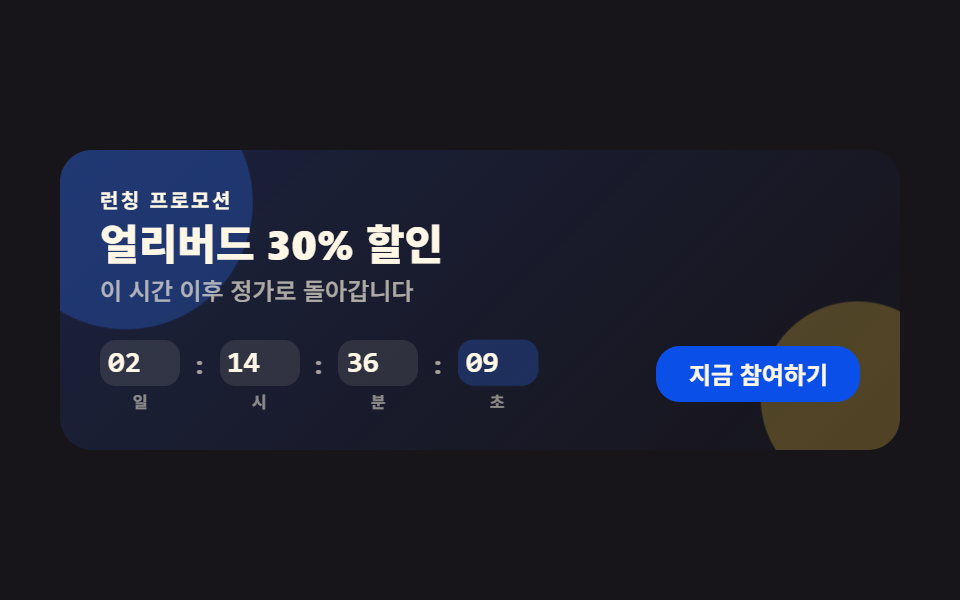 01 promo-countdown-hero
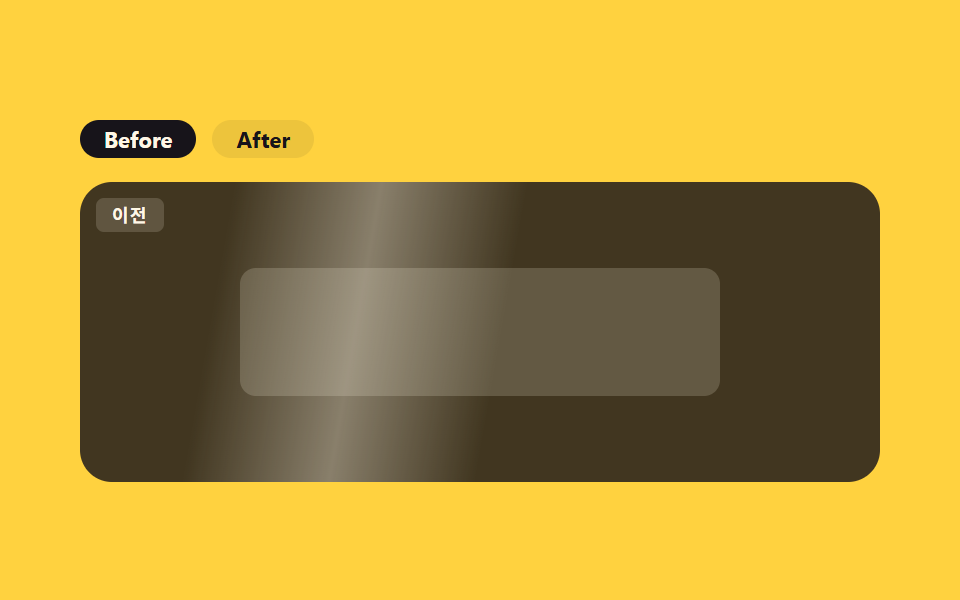 02 promo-before-after
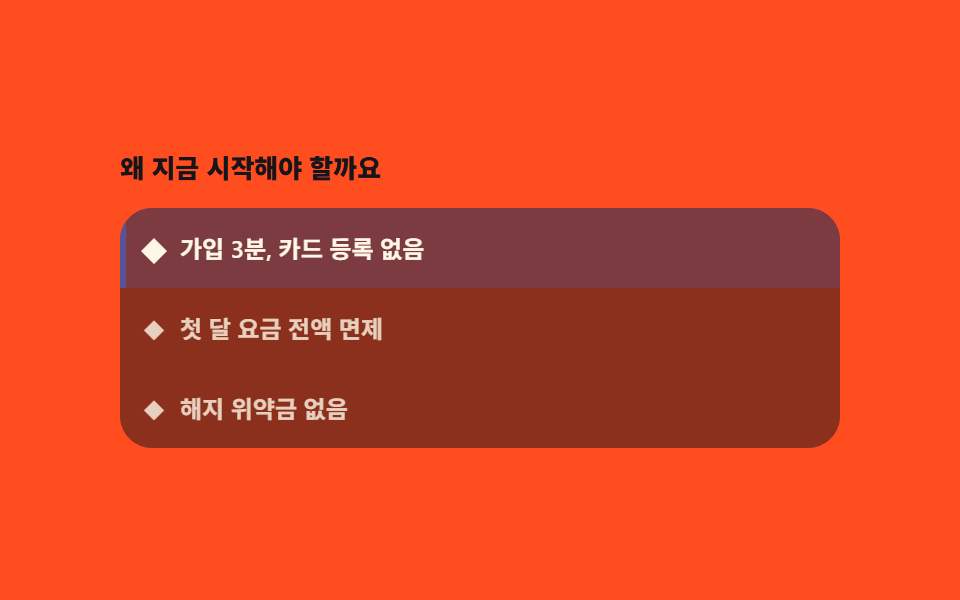 03 promo-feature-highlight
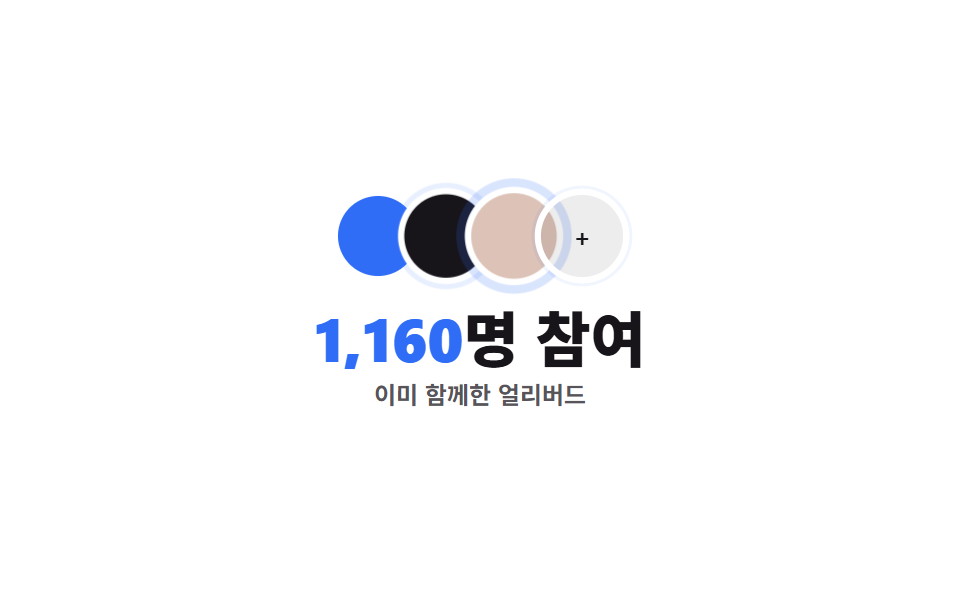 04 promo-social-proof
 05 promo-discount-pricing
 06 promo-urgency-banner
 07 promo-faq
 08 promo-signup-form
 09 promo-footer
自動再生 · タイルを押すとその項目へ · すべて1つのzip
九つは知名度順ではなく、訪問者がプロモーションページを上から読み進める順番に並べました。まず締切の時刻で足を止めさせ(カウントダウンヒーロー)、変化の実感を見せ(ビフォーアフター)、選ぶ理由を一つずつ刻み(特典ハイライト)、すでに参加した人数で背中を押し(ソーシャルプルーフ)、値引き幅を数字で見せ(割引料金)、残り枠の少なさでもう一度急かし(締切バナー)、迷いを払い(プロモFAQ)、実際に登録を受け取り(申込フォーム)、次の案内へつなげます(フッター)。担当者の顔やブランドロゴの場所に置いた図形は実物ではなく、すべてこのサイト共通の$subject-ink・$subject-blue・$subject-creamトークンだけで組んであります。キャンペーン lp 構成をそのまま写した並びなので、上から順に貼るだけでも形になります。割引ではなく作ったもので説得する構成ならプロジェクト紹介のテンプレートがその並びで、値を下げずに信頼を積む側は信頼を作るLPパーツが担います。
01カウントダウンヒーロー
キャンペーン lp 事例としてのヒーロー
ヒーロー上段には見出しとサブ見出し、下段にはカウントダウンと参加CTAが横並びで置かれます。
<main class="stage">
  <section class="ph">
    <span class="ph__blob ph__blob--a" aria-hidden="true"></span>
    <span class="ph__blob ph__blob--b" aria-hidden="true"></span>
    <div class="ph__text">
      <p class="ph__eyebrow">ローンチプロモ</p>
      <h1 class="ph__title">アーリーバード30%オフ</h1>
      <p class="ph__sub">この後は通常価格に戻ります</p>
    </div>
    <div class="ph__panel">
      <div class="ph__row" role="timer" aria-live="off">
        <div class="ph__unit"><span class="ph__num" data-u="d">02</span><span class="ph__unit-label">日</span></div>
        <span class="ph__sep">:</span>
        <div class="ph__unit"><span class="ph__num" data-u="h">14</span><span class="ph__unit-label">時</span></div>
        <span class="ph__sep">:</span>
        <div class="ph__unit"><span class="ph__num" data-u="m">36</span><span class="ph__unit-label">分</span></div>
        <span class="ph__sep">:</span>
        <div class="ph__unit"><span class="ph__num ph__num--s" data-u="s">09</span><span class="ph__unit-label">秒</span></div>
      </div>
      <button type="button" class="ph__cta" aria-pressed="false">今すぐ参加</button>
    </div>
  </section>
</main>
@use "../../../../site/static/demo-tokens" as *;
// ── 변수 3개 ──────────────────────────────────────────
$duration: $dur-quick; // CTA 눌림 전환
$easing: $ease-pop;
$color: $subject-blue; // 강조색
@include stage($stage-ink);
.ph {
position: relative;
box-sizing: border-box; // width 에 패딩을 포함 — 아니면 320px 에서 패딩만큼 넘친다(실측 2026-09-10)
width: min(420px, 96vw);
display: flex;
flex-direction: column;
gap: $sp-4;
padding: $sp-5;
border-radius: $r-card;
background: linear-gradient(135deg, rgba(47, 109, 246, .16), rgba(23, 20, 26, 0));
isolation: isolate;
overflow: hidden;
}
.ph__blob {
position: absolute;
z-index: -1;
border-radius: $r-pill;
animation: ph-drift 3.4s ease-in-out infinite;
}
.ph__blob--a { width: 120px; height: 120px; left: -30px; top: -30px; background: rgba(47, 109, 246, .35); }
.ph__blob--b { width: 90px; height: 90px; right: -20px; bottom: -24px; background: rgba(255, 210, 63, .28); animation-delay: -1.6s; }
@keyframes ph-drift {
0%, 100% { transform: translate(0, 0) scale(1); opacity: .7; }
50% { transform: translate(6px, -8px) scale(1.12); opacity: 1; }
}
.ph__text { display: flex; flex-direction: column; gap: $sp-1; }
.ph__eyebrow { margin: 0; font-weight: 700; font-size: 10px; line-height: 1; font-family: inherit; letter-spacing: .12em; text-transform: uppercase; color: $subject-cream; } // 어두운 패널 위 — AA 4.5 (파랑은 이 면에서 2.63:1)
.ph__title { margin: 0; font-weight: 800; font-size: clamp(17px, 5vw, 21px); line-height: 1.15; font-family: inherit; color: $subject-cream; }
.ph__sub { margin: 0; font-weight: 500; font-size: 12px; line-height: 1.4; font-family: inherit; color: rgba(255, 247, 230, .65); }
.ph__panel { display: flex; align-items: center; justify-content: space-between; gap: $sp-3; flex-wrap: wrap; }
.ph__row { display: flex; align-items: center; gap: $sp-2; }
.ph__unit { display: flex; flex-direction: column; align-items: center; gap: $sp-1; }
.ph__num {
display: block;
min-width: 32px;
padding: $sp-1;
border-radius: $r-sm;
background: rgba(255, 247, 230, .1);
color: $subject-cream;
font: 800 15px/1 "Space Mono", monospace;
font-variant-numeric: tabular-nums;
}
.ph__num--s { background: rgba(47, 109, 246, .26); animation: ph-tick 1s $easing infinite; transform-origin: center; }
@keyframes ph-tick {
0%, 55% { transform: translateY(0) scale(1); }
78% { transform: translateY(-3px) scale(1.1); }
100% { transform: translateY(0) scale(1); }
}
.ph__unit-label { font-weight: 600; font-size: 8px; line-height: 1; font-family: inherit; color: rgba(255, 247, 230, .5); }
.ph__sep { font-weight: 700; font-size: 13px; line-height: 1; font-family: inherit; color: rgba(255, 247, 230, .6); margin-top: -$sp-3; } // AA 4.5 — .3 은 2.61:1
.ph__cta {
border: 0;
cursor: pointer;
padding: $sp-2 $sp-4;
border-radius: $r-control;
background: $subject-blue-deep;
color: $subject-cream;
font-weight: 700; font-size: 12px; line-height: 1; font-family: inherit;
transition: transform $duration $easing, background $duration $easing;
}
.ph__cta[aria-pressed="true"] { background: #6c81b6; transform: scale(.96); }
.ph__cta:hover { transform: translateY(-1px); }
// ── 접근성 ──────────────────────────────────────────
@media (prefers-reduced-motion: reduce) {
.ph__blob, .ph__num--s { animation: none !important; }
.ph__cta { transition: none !important; }
}
// ── 반응형(320×200) ──────────────────────────────────
@media (max-width: 340px), (max-height: 220px) {
.ph__sub, .ph__eyebrow, .ph__unit-label { display: none; }
.ph { padding: $sp-3; gap: $sp-2; }
.ph__panel { flex-direction: column; align-items: stretch; gap: $sp-2; }
.ph__row { justify-content: center; }
.ph__num { min-width: 24px; padding: $sp-1; font-size: 12px; }
.ph__cta { padding: $sp-1 $sp-3; }
}html, body {
margin: 0;
overflow: hidden;
}
.stage {
box-sizing: border-box;
min-height: 100vh;
display: grid;
place-items: center;
margin: 0;
background: #17141a;
font-family: -apple-system, "Segoe UI", "Noto Sans KR", sans-serif;
padding: clamp(8px, 4vw, 24px);
}
.ph {
position: relative;
box-sizing: border-box;
width: min(420px, 96vw);
display: flex;
flex-direction: column;
gap: 16px;
padding: 20px;
border-radius: 16px;
background: linear-gradient(135deg, rgba(47, 109, 246, 0.16), rgba(23, 20, 26, 0));
isolation: isolate;
overflow: hidden;
}
.ph__blob {
position: absolute;
z-index: -1;
border-radius: 999px;
animation: ph-drift 3.4s ease-in-out infinite;
}
.ph__blob--a {
width: 120px;
height: 120px;
left: -30px;
top: -30px;
background: rgba(47, 109, 246, 0.35);
}
.ph__blob--b {
width: 90px;
height: 90px;
right: -20px;
bottom: -24px;
background: rgba(255, 210, 63, 0.28);
animation-delay: -1.6s;
}
@keyframes ph-drift {
0%, 100% {
transform: translate(0, 0) scale(1);
opacity: 0.7;
}
50% {
transform: translate(6px, -8px) scale(1.12);
opacity: 1;
}
}
.ph__text {
display: flex;
flex-direction: column;
gap: 4px;
}
.ph__eyebrow {
margin: 0;
font-weight: 700;
font-size: 10px;
line-height: 1;
font-family: inherit;
letter-spacing: 0.12em;
text-transform: uppercase;
color: #fff7e6;
}
.ph__title {
margin: 0;
font-weight: 800;
font-size: clamp(17px, 5vw, 21px);
line-height: 1.15;
font-family: inherit;
color: #fff7e6;
}
.ph__sub {
margin: 0;
font-weight: 500;
font-size: 12px;
line-height: 1.4;
font-family: inherit;
color: rgba(255, 247, 230, 0.65);
}
.ph__panel {
display: flex;
align-items: center;
justify-content: space-between;
gap: 12px;
flex-wrap: wrap;
}
.ph__row {
display: flex;
align-items: center;
gap: 8px;
}
.ph__unit {
display: flex;
flex-direction: column;
align-items: center;
gap: 4px;
}
.ph__num {
display: block;
min-width: 32px;
padding: 4px;
border-radius: 8px;
background: rgba(255, 247, 230, 0.1);
color: #fff7e6;
font: 800 15px/1 "Space Mono", monospace;
font-variant-numeric: tabular-nums;
}
.ph__num--s {
background: rgba(47, 109, 246, 0.26);
animation: ph-tick 1s cubic-bezier(0.2, 1.4, 0.4, 1) infinite;
transform-origin: center;
}
@keyframes ph-tick {
0%, 55% {
transform: translateY(0) scale(1);
}
78% {
transform: translateY(-3px) scale(1.1);
}
100% {
transform: translateY(0) scale(1);
}
}
.ph__unit-label {
font-weight: 600;
font-size: 8px;
line-height: 1;
font-family: inherit;
color: rgba(255, 247, 230, 0.5);
}
.ph__sep {
font-weight: 700;
font-size: 13px;
line-height: 1;
font-family: inherit;
color: rgba(255, 247, 230, 0.6);
margin-top: -12px;
}
.ph__cta {
border: 0;
cursor: pointer;
padding: 8px 16px;
border-radius: 12px;
background: #0a4fe8;
color: #fff7e6;
font-weight: 700;
font-size: 12px;
line-height: 1;
font-family: inherit;
transition: transform 220ms cubic-bezier(0.2, 1.4, 0.4, 1), background 220ms cubic-bezier(0.2, 1.4, 0.4, 1);
}
.ph__cta[aria-pressed=true] {
background: #6c81b6;
transform: scale(0.96);
}
.ph__cta:hover {
transform: translateY(-1px);
}
@media (prefers-reduced-motion: reduce) {
.ph__blob, .ph__num--s {
animation: none !important;
}
.ph__cta {
transition: none !important;
}
}
@media (max-width: 340px), (max-height: 220px) {
.ph__sub, .ph__eyebrow, .ph__unit-label {
display: none;
}
.ph {
padding: 12px;
gap: 8px;
}
.ph__panel {
flex-direction: column;
align-items: stretch;
gap: 8px;
}
.ph__row {
justify-content: center;
}
.ph__num {
min-width: 24px;
padding: 4px;
font-size: 12px;
}
.ph__cta {
padding: 4px 12px;
}
}// 실제 동작: 목표 시각(지금부터 정확히 2日 14시간 36分 9秒 뒤)까지 1초마다 실제로 줄어든다.
var target = Date.now() + ((2 * 24 * 60 * 60) + (14 * 60 * 60) + (36 * 60) + 9) * 1000;
var els = {
d: document.querySelector('[data-u="d"]'),
h: document.querySelector('[data-u="h"]'),
m: document.querySelector('[data-u="m"]'),
s: document.querySelector('[data-u="s"]')
};
function pad(n) { return String(Math.max(0, n)).padStart(2, '0'); }
function tick() {
var diff = Math.max(0, target - Date.now());
var s = Math.floor(diff / 1000);
els.d.textContent = pad(Math.floor(s / 86400));
els.h.textContent = pad(Math.floor((s % 86400) / 3600));
els.m.textContent = pad(Math.floor((s % 3600) / 60));
els.s.textContent = pad(s % 60);
}
tick();
setInterval(tick, 1000);
var cta = document.querySelector('.ph__cta');
cta.addEventListener('click', function () {
var on = cta.getAttribute('aria-pressed') === 'true';
cta.setAttribute('aria-pressed', String(!on));
cta.textContent = on ? '今すぐ参加' : '参加完了 ✓';
});import { useEffect, useState } from "react";
import type { CSSProperties } from "react";
import styles from "./PromoCountdownHero.module.scss";
function pad(n: number) {
return String(Math.max(0, n)).padStart(2, "0");
}
export type PromoCountdownHeroProps = { duration?: number; easing?: string; color?: string; targetMs?: number };
type Vars = CSSProperties & { "--duration"?: string; "--easing"?: string; "--color"?: string };
export default function PromoCountdownHero({
duration = 220,
easing = "cubic-bezier(.2,1.4,.4,1)",
color = "#2f6df6",
targetMs = Date.now() + ((2 * 24 * 60 * 60) + (14 * 60 * 60) + (36 * 60) + 9) * 1000,
}: PromoCountdownHeroProps) {
const [left, setLeft] = useState(Math.max(0, targetMs - Date.now()));
const [pressed, setPressed] = useState(false);
const vars: Vars = { "--duration": `${duration}ms`, "--easing": easing, "--color": color };
useEffect(() => {
const id = setInterval(() => setLeft(Math.max(0, targetMs - Date.now())), 1000);
return () => clearInterval(id);
}, [targetMs]);
const s = Math.floor(left / 1000);
const d = Math.floor(s / 86400);
const h = Math.floor((s % 86400) / 3600);
const m = Math.floor((s % 3600) / 60);
const sec = s % 60;
return (
<section className={styles.ph} style={vars}>
<span className={`${styles.blob} ${styles.blobA}`} aria-hidden="true" />
<span className={`${styles.blob} ${styles.blobB}`} aria-hidden="true" />
<div className={styles.text}>
<p className={styles.eyebrow}>런칭 프로모션</p>
<h1 className={styles.title}>얼리버드 30% 할인</h1>
<p className={styles.sub}>이 시간 이후 정가로 돌아갑니다</p>
</div>
<div className={styles.panel}>
<div className={styles.row} role="timer" aria-live="off">
<div className={styles.unit}><span className={styles.num}>{pad(d)}</span><span className={styles.unitLabel}>일</span></div>
<span className={styles.sep}>:</span>
<div className={styles.unit}><span className={styles.num}>{pad(h)}</span><span className={styles.unitLabel}>시</span></div>
<span className={styles.sep}>:</span>
<div className={styles.unit}><span className={styles.num}>{pad(m)}</span><span className={styles.unitLabel}>분</span></div>
<span className={styles.sep}>:</span>
<div className={styles.unit}><span className={`${styles.num} ${styles.numS}`}>{pad(sec)}</span><span className={styles.unitLabel}>초</span></div>
</div>
<button
type="button"
className={styles.cta}
aria-pressed={pressed}
onClick={() => setPressed((v) => !v)}
>
{pressed ? "참여 완료 ✓" : "지금 참여하기"}
</button>
</div>
</section>
);
}01 · カウントダウンヒーロー — 計測 累積面積 7.657% · 動いたフレーム 21/23GODRICH オリジナル · SCSS と React は zip に同梱 · パスワードを見る
毎秒計算し直される数字
秒の数字は実際の目標時刻まで毎秒計算し直されて短く弾み、CTAボタンは押すたびにaria-pressedが実際に反転してラベルごと切り替わります。
.ph__blob { animation: ph-drift 3.4s ease-in-out infinite; }
@keyframes ph-drift {
  0%, 100% { transform: translate(0, 0) scale(1); opacity: .7; }
  50%      { transform: translate(6px, -8px) scale(1.12); opacity: 1; }
}
.ph__num--s { animation: ph-tick 1s $easing infinite; }
@keyframes ph-tick {
  0%, 55%  { transform: translateY(0) scale(1); }
  78%      { transform: translateY(-3px) scale(1.1); }
  100%     { transform: translateY(0) scale(1); }
}
02ビフォーアフター
二枚のパネルが入れ替わる
ビフォー・アフターのボタンを押すと二枚のパネルが実際にopacityでクロスフェードします。
<main class="stage">
  <section class="ba">
    <div class="ba__toggle" role="group" aria-label="比較を見る">
      <button type="button" class="ba__btn" data-panel="before" aria-pressed="true">Before</button>
      <button type="button" class="ba__btn" data-panel="after" aria-pressed="false">After</button>
    </div>
    <div class="ba__frame">
      <div class="ba__panel ba__panel--before" data-panel="before">
        <span class="ba__badge">前</span>
        <span class="ba__shape"></span>
      </div>
      <div class="ba__panel ba__panel--after" data-panel="after">
        <span class="ba__badge ba__badge--after">後</span>
        <span class="ba__shape ba__shape--after"></span>
      </div>
      <span class="ba__shimmer" aria-hidden="true"></span>
    </div>
  </section>
</main>
@use "../../../../site/static/demo-tokens" as *;
// ── 변수 3개 ──────────────────────────────────────────
$duration: $dur-enter; // 패널 크로스페이드
$easing: $ease-spring;
$color: $subject-blue;
@include stage($stage-yellow);
.ba { width: min(400px, 96vw); display: flex; flex-direction: column; gap: $sp-3; }
.ba__toggle { display: flex; gap: $sp-2; }
.ba__btn {
border: 0;
cursor: pointer;
padding: $sp-1 $sp-3;
border-radius: $r-pill;
background: rgba(23, 20, 26, .08);
color: $subject-ink;
font-weight: 700; font-size: 11px; line-height: 1; font-family: inherit;
transition: background $dur-quick $ease-out, color $dur-quick $ease-out;
}
.ba__btn[aria-pressed="true"] { background: $subject-ink; color: $subject-cream; }
.ba__frame {
position: relative;
width: 100%;
height: 150px;
border-radius: $r-card;
overflow: hidden;
isolation: isolate;
}
.ba__panel {
position: absolute;
inset: 0;
display: grid;
place-items: center;
padding: $sp-3;
box-sizing: border-box;
opacity: 0;
transition: opacity $duration $easing;
}
.ba__panel.is-active { opacity: 1; }
.ba__panel--before { background: rgba(23, 20, 26, .82); opacity: 1; } // 기본 활성
.ba__panel--after { background: linear-gradient(160deg, $subject-ink, #24304f); }
.ba__badge {
position: absolute;
top: $sp-2;
left: $sp-2;
padding: $sp-1 $sp-2;
border-radius: $r-xs;
background: rgba(255, 247, 230, .16);
color: $subject-cream;
font-weight: 700; font-size: 9px; line-height: 1; font-family: inherit;
letter-spacing: .06em;
}
.ba__badge--after { background: rgba(47, 109, 246, .3); }
.ba__shape {
width: 64%;
height: 64px;
border-radius: $r-sm;
background: rgba(255, 247, 230, .18);
}
.ba__shape--after { background: rgba(47, 109, 246, .5); box-shadow: $shadow-raised; }
// 무대 장식: 어느 패널이 켜져 있든 항상 보이도록 프레임 위(두 패널의 형제, z-index 위)에 둔다 —
// 처음엔 .ba__panel--after 안에 넣었더니 그 패널이 opacity:0(기본은 before 활성)이라 함께 숨어 측정값이 0 이었다.
.ba__shimmer {
position: absolute;
inset: -20% -60%;
z-index: 2;
pointer-events: none;
background: linear-gradient(100deg, transparent 42%, rgba(255, 247, 230, .42) 50%, transparent 58%);
animation: ba-shimmer 2.4s linear infinite;
}
@keyframes ba-shimmer {
0% { transform: translateX(-30%); opacity: 0; }
10% { opacity: .9; }
60% { opacity: .9; }
100% { transform: translateX(30%); opacity: 0; }
}
// ── 접근성 ──────────────────────────────────────────
@media (prefers-reduced-motion: reduce) {
.ba__shimmer { animation: none !important; opacity: 0 !important; }
.ba__panel, .ba__btn { transition: none !important; }
}
// ── 반응형(320×200) ──────────────────────────────────
@media (max-width: 340px), (max-height: 220px) {
.ba__frame { height: 108px; }
.ba__shape { height: 44px; }
}html, body {
margin: 0;
overflow: hidden;
}
.stage {
box-sizing: border-box;
min-height: 100vh;
display: grid;
place-items: center;
margin: 0;
background: #ffd23f;
font-family: -apple-system, "Segoe UI", "Noto Sans KR", sans-serif;
padding: clamp(8px, 4vw, 24px);
}
.ba {
width: min(400px, 96vw);
display: flex;
flex-direction: column;
gap: 12px;
}
.ba__toggle {
display: flex;
gap: 8px;
}
.ba__btn {
border: 0;
cursor: pointer;
padding: 4px 12px;
border-radius: 999px;
background: rgba(23, 20, 26, 0.08);
color: #17141a;
font-weight: 700;
font-size: 11px;
line-height: 1;
font-family: inherit;
transition: background 220ms ease-out, color 220ms ease-out;
}
.ba__btn[aria-pressed=true] {
background: #17141a;
color: #fff7e6;
}
.ba__frame {
position: relative;
width: 100%;
height: 150px;
border-radius: 16px;
overflow: hidden;
isolation: isolate;
}
.ba__panel {
position: absolute;
inset: 0;
display: grid;
place-items: center;
padding: 12px;
box-sizing: border-box;
opacity: 0;
transition: opacity 600ms cubic-bezier(0.2, 0.8, 0.2, 1);
}
.ba__panel.is-active {
opacity: 1;
}
.ba__panel--before {
background: rgba(23, 20, 26, 0.82);
opacity: 1;
}
.ba__panel--after {
background: linear-gradient(160deg, #17141a, #24304f);
}
.ba__badge {
position: absolute;
top: 8px;
left: 8px;
padding: 4px 8px;
border-radius: 4px;
background: rgba(255, 247, 230, 0.16);
color: #fff7e6;
font-weight: 700;
font-size: 9px;
line-height: 1;
font-family: inherit;
letter-spacing: 0.06em;
}
.ba__badge--after {
background: rgba(47, 109, 246, 0.3);
}
.ba__shape {
width: 64%;
height: 64px;
border-radius: 8px;
background: rgba(255, 247, 230, 0.18);
}
.ba__shape--after {
background: rgba(47, 109, 246, 0.5);
box-shadow: 0 14px 24px rgba(23, 20, 26, 0.32);
}
.ba__shimmer {
position: absolute;
inset: -20% -60%;
z-index: 2;
pointer-events: none;
background: linear-gradient(100deg, transparent 42%, rgba(255, 247, 230, 0.42) 50%, transparent 58%);
animation: ba-shimmer 2.4s linear infinite;
}
@keyframes ba-shimmer {
0% {
transform: translateX(-30%);
opacity: 0;
}
10% {
opacity: 0.9;
}
60% {
opacity: 0.9;
}
100% {
transform: translateX(30%);
opacity: 0;
}
}
@media (prefers-reduced-motion: reduce) {
.ba__shimmer {
animation: none !important;
opacity: 0 !important;
}
.ba__panel, .ba__btn {
transition: none !important;
}
}
@media (max-width: 340px), (max-height: 220px) {
.ba__frame {
height: 108px;
}
.ba__shape {
height: 44px;
}
}// 실제 동작: 버튼 클릭 時 두 패널 중 하나만 opacity:1 로 크로스페이드, aria-pressed 가 배타적으로 갱신된다.
var btns = document.querySelectorAll('.ba__btn');
var panels = document.querySelectorAll('.ba__panel');
btns.forEach(function (btn) {
btn.addEventListener('click', function () {
var name = btn.getAttribute('data-panel');
btns.forEach(function (b) { b.setAttribute('aria-pressed', String(b === btn)); });
panels.forEach(function (p) { p.classList.toggle('is-active', p.getAttribute('data-panel') === name); });
});
});import { useState } from "react";
import type { CSSProperties } from "react";
import styles from "./BeforeAfter.module.scss";
export type BeforeAfterProps = { duration?: number; easing?: string; color?: string };
type Vars = CSSProperties & { "--duration"?: string; "--easing"?: string; "--color"?: string };
type Panel = "before" | "after";
export default function BeforeAfter({ duration = 600, easing = "cubic-bezier(.2,.8,.2,1)", color = "#2f6df6" }: BeforeAfterProps) {
const [active, setActive] = useState<Panel>("before");
const vars: Vars = { "--duration": `${duration}ms`, "--easing": easing, "--color": color };
return (
<section className={styles.ba} style={vars}>
<div className={styles.toggle} role="group" aria-label="비교 보기">
<button type="button" className={styles.btn} aria-pressed={active === "before"} onClick={() => setActive("before")}>Before</button>
<button type="button" className={styles.btn} aria-pressed={active === "after"} onClick={() => setActive("after")}>After</button>
</div>
<div className={styles.frame}>
<div className={`${styles.panel} ${styles.before} ${active === "before" ? styles.active : ""}`}>
<span className={styles.badge}>이전</span>
<span className={styles.shape} />
</div>
<div className={`${styles.panel} ${styles.after} ${active === "after" ? styles.active : ""}`}>
<span className={`${styles.badge} ${styles.badgeAfter}`}>이후</span>
<span className={`${styles.shape} ${styles.shapeAfter}`} />
</div>
<span className={styles.shimmer} aria-hidden="true" />
</div>
</section>
);
}02 · ビフォーアフター — 計測 累積面積 41.445% · 動いたフレーム 23/23GODRICH オリジナル · SCSS と React は zip に同梱 · パスワードを見る
ハイライトは常に流れる
アフターパネルの上には対角線のハイライトが、パネルの状態に関係なく常にすっと流れ続けます。
// 舞台装飾: どちらのパネルが有効でも常に見えるよう、フレームの上(両パネルの兄弟要素)に置く
.ba__shimmer {
  position: absolute;
  inset: -20% -60%;
  z-index: 2;
  background: linear-gradient(100deg, transparent 42%, rgba(255, 247, 230, .42) 50%, transparent 58%);
  animation: ba-shimmer 2.4s linear infinite;
}
@keyframes ba-shimmer {
  0%   { transform: translateX(-30%); opacity: 0; }
  60%  { opacity: .9; }
  100% { transform: translateX(30%); opacity: 0; }
}
03特典ハイライト
1.6秒ごとに照らし替える
特典3行のうち1行を1.6秒ごとにスポットライトが自動で照らし替えます。
<main class="stage">
  <section class="fh">
    <p class="fh__title">なぜ今始めるべきか</p>
    <ul class="fh__list" role="list">
      <span class="fh__spot" aria-hidden="true"><span class="fh__spot-fill"></span></span>
      <li class="fh__row is-active" data-i="0" tabindex="0" role="button" aria-pressed="true">
        <span class="fh__icon">◆</span><span class="fh__label">登録3分、カード不要</span>
      </li>
      <li class="fh__row" data-i="1" tabindex="0" role="button" aria-pressed="false">
        <span class="fh__icon">◆</span><span class="fh__label">初月無料</span>
      </li>
      <li class="fh__row" data-i="2" tabindex="0" role="button" aria-pressed="false">
        <span class="fh__icon">◆</span><span class="fh__label">解約金なし</span>
      </li>
    </ul>
  </section>
</main>
@use "../../../../site/static/demo-tokens" as *;
// ── 변수 3개 ──────────────────────────────────────────
$duration: $dur-base; // 스포트라이트 이동
$easing: $ease-spring;
$color: $subject-blue;
@include stage($stage-orange);
.fh { width: min(360px, 96vw); }
.fh__title { margin: 0 0 $sp-3; font-weight: 800; font-size: 13px; line-height: 1.3; font-family: inherit; color: $subject-ink; } // 주황 면 위 크림 3.11:1 → 잉크 5.50:1 (패턴 ③)
.fh__list {
position: relative;
list-style: none;
margin: 0;
padding: 0;
border-radius: $r-card;
background: rgba($subject-ink, .5);
overflow: hidden;
}
// 행 높이를 고정해야 .fh__spot 의 translateY 계산이 실측과 어긋나지 않는다 (BD19 와 같은 원리 — 세로판)
.fh__row {
position: relative;
z-index: 1;
display: flex;
align-items: center;
gap: $sp-2;
height: 40px;
box-sizing: border-box;
padding: 0 $sp-3;
cursor: pointer;
outline-offset: -2px;
}
.fh__icon { font-size: 10px; color: rgba(255, 247, 230, .8); transition: color $duration $easing, transform $duration $easing; }
.fh__row.is-active .fh__icon { color: $subject-cream; transform: scale(1.3); }
.fh__label { font-weight: 600; font-size: 12px; line-height: 1.3; font-family: inherit; color: rgba(255, 247, 230, .8); transition: color $duration $easing; }
.fh__row.is-active .fh__label { color: $subject-cream; }
// 위치(JS 의 translateY)와 장식용 펄스(CSS scaleX)를 같은 요소의 transform 에 같이 쓰면
// 펄스 keyframe 이 매 주기마다 transform 전체를 덮어써 translateY 가 0 으로 튄다 — 바깥(위치)·안(펄스) 두 겹으로 나눈다.
.fh__spot {
position: absolute;
z-index: 0;
left: 0;
top: 0;
width: 100%;
height: 40px;
transition: transform $duration $easing;
}
.fh__spot-fill {
display: block;
width: 100%;
height: 100%;
background: rgba(47, 109, 246, .3);
border-left: 3px solid $subject-blue;
box-sizing: border-box;
transform-origin: left center; // 규칙8: 스포트라이트 좌변 펄스
animation: fh-pulse 1.8s ease-in-out infinite;
}
// 진폭을 크게(투명도 + 크기) — .85→1 정도의 미세한 opacity 만으로는 픽셀문턱(12/255) 을 못 넘었다(실측 0.06%)
@keyframes fh-pulse {
0%, 100% { opacity: .4; transform: scaleX(1); }
50% { opacity: 1; transform: scaleX(1.02); }
}
// ── 접근성 ──────────────────────────────────────────
@media (prefers-reduced-motion: reduce) {
.fh__spot { animation: none !important; transition: none !important; }
.fh__icon, .fh__label { transition: none !important; }
}
// ── 반응형(320×200) ──────────────────────────────────
@media (max-width: 340px), (max-height: 220px) {
.fh__row, .fh__spot, .fh__spot-fill { height: 34px; }
.fh__title { margin-bottom: $sp-2; }
}html, body {
margin: 0;
overflow: hidden;
}
.stage {
box-sizing: border-box;
min-height: 100vh;
display: grid;
place-items: center;
margin: 0;
background: #ff4d1f;
font-family: -apple-system, "Segoe UI", "Noto Sans KR", sans-serif;
padding: clamp(8px, 4vw, 24px);
}
.fh {
width: min(360px, 96vw);
}
.fh__title {
margin: 0 0 12px;
font-weight: 800;
font-size: 13px;
line-height: 1.3;
font-family: inherit;
color: #17141a;
}
.fh__list {
position: relative;
list-style: none;
margin: 0;
padding: 0;
border-radius: 16px;
background: rgba(23, 20, 26, 0.5);
overflow: hidden;
}
.fh__row {
position: relative;
z-index: 1;
display: flex;
align-items: center;
gap: 8px;
height: 40px;
box-sizing: border-box;
padding: 0 12px;
cursor: pointer;
outline-offset: -2px;
}
.fh__icon {
font-size: 10px;
color: rgba(255, 247, 230, 0.8);
transition: color 300ms cubic-bezier(0.2, 0.8, 0.2, 1), transform 300ms cubic-bezier(0.2, 0.8, 0.2, 1);
}
.fh__row.is-active .fh__icon {
color: #fff7e6;
transform: scale(1.3);
}
.fh__label {
font-weight: 600;
font-size: 12px;
line-height: 1.3;
font-family: inherit;
color: rgba(255, 247, 230, 0.8);
transition: color 300ms cubic-bezier(0.2, 0.8, 0.2, 1);
}
.fh__row.is-active .fh__label {
color: #fff7e6;
}
.fh__spot {
position: absolute;
z-index: 0;
left: 0;
top: 0;
width: 100%;
height: 40px;
transition: transform 300ms cubic-bezier(0.2, 0.8, 0.2, 1);
}
.fh__spot-fill {
display: block;
width: 100%;
height: 100%;
background: rgba(47, 109, 246, 0.3);
border-left: 3px solid #2f6df6;
box-sizing: border-box;
transform-origin: left center;
animation: fh-pulse 1.8s ease-in-out infinite;
}
@keyframes fh-pulse {
0%, 100% {
opacity: 0.4;
transform: scaleX(1);
}
50% {
opacity: 1;
transform: scaleX(1.02);
}
}
@media (prefers-reduced-motion: reduce) {
.fh__spot {
animation: none !important;
transition: none !important;
}
.fh__icon, .fh__label {
transition: none !important;
}
}
@media (max-width: 340px), (max-height: 220px) {
.fh__row, .fh__spot, .fh__spot-fill {
height: 34px;
}
.fh__title {
margin-bottom: 8px;
}
}// 실제 동작: 1.6초마다 다음 행으로 스포트라이트가 자동 이동하고, 행을 클릭·Enter 하면 그 행으로 바로 이동한다.
var rows = Array.prototype.slice.call(document.querySelectorAll('.fh__row'));
var spot = document.querySelector('.fh__spot');
var current = 0;
function go(i) {
current = i;
rows.forEach(function (r, idx) {
var on = idx === i;
r.classList.toggle('is-active', on);
r.setAttribute('aria-pressed', String(on));
});
// 실제 렌더 높이를 잰다 — 고정값을 짐작하면 반응형 구간에서 스포트라이트가 어긋난다(BD19 와 같은 병)
var offset = rows[i].getBoundingClientRect().top - rows[0].getBoundingClientRect().top;
spot.style.transform = 'translateY(' + offset + 'px)';
}
rows.forEach(function (r) {
r.addEventListener('click', function () { go(Number(r.getAttribute('data-i'))); resetTimer(); });
r.addEventListener('keydown', function (e) {
if (e.key === 'Enter' || e.key === ' ') { e.preventDefault(); go(Number(r.getAttribute('data-i'))); resetTimer(); }
});
});
var timer;
function resetTimer() {
clearInterval(timer);
timer = setInterval(function () { go((current + 1) % rows.length); }, 1600);
}
resetTimer();import { useEffect, useRef, useState } from "react";
import type { CSSProperties } from "react";
import styles from "./FeatureHighlight.module.scss";
export type FeatureHighlightProps = { duration?: number; easing?: string; color?: string };
type Vars = CSSProperties & { "--duration"?: string; "--easing"?: string; "--color"?: string };
const FEATURES = ["가입 3분, 카드 등록 없음", "첫 달 요금 전액 면제", "해지 위약금 없음"];
export default function FeatureHighlight({ duration = 300, easing = "cubic-bezier(.2,.8,.2,1)", color = "#2f6df6" }: FeatureHighlightProps) {
const [active, setActive] = useState(0);
const [offset, setOffset] = useState(0);
const rowRefs = useRef<(HTMLLIElement | null)[]>([]);
const vars: Vars = { "--duration": `${duration}ms`, "--easing": easing, "--color": color };
function go(i: number) {
setActive(i);
}
function setRowRef(i: number) {
return (el: HTMLLIElement | null) => {
const rows = rowRefs.current || [];
rows[i] = el;
rowRefs.current = rows;
};
}
// 실제 렌더 높이를 잰다 — 고정값을 짐작하면 반응형 구간에서 스포트라이트가 어긋난다(BD19 와 같은 병)
useEffect(() => {
const rows = rowRefs.current || [];
const row = rows[active];
const first = rows[0];
if (row && first) setOffset(row.getBoundingClientRect().top - first.getBoundingClientRect().top);
}, [active]);
useEffect(() => {
const id = setInterval(() => setActive((i) => (i + 1) % FEATURES.length), 1600);
return () => clearInterval(id);
}, []);
return (
<section className={styles.fh} style={vars}>
<p className={styles.title}>왜 지금 시작해야 할까요</p>
<ul className={styles.list} role="list">
<span className={styles.spot} style={{ transform: `translateY(${offset}px)` }} aria-hidden="true">
<span className={styles.spotFill} />
</span>
{FEATURES.map((label, i) => (
<li
key={label}
ref={setRowRef(i)}
className={`${styles.row} ${i === active ? styles.active : ""}`}
tabIndex={0}
role="button"
aria-pressed={i === active}
onClick={() => go(i)}
onKeyDown={(e: any) => { if (e.key === "Enter" || e.key === " ") { e.preventDefault(); go(i); } }}
>
<span className={styles.icon}>◆</span><span className={styles.label}>{label}</span>
</li>
))}
</ul>
</section>
);
}03 · 特典ハイライト — 計測 累積面積 9.529% · 動いたフレーム 12/23GODRICH オリジナル · SCSS と React は zip に同梱 · パスワードを見る
クリックでその位置へ
行をクリックするか、行にフォーカスしてEnterキーを押すと、その位置まで実測した高さぶんすぐに移動します。
function go(i) {
  current = i;
  rows.forEach(function (r, idx) {
    var on = idx === i;
    r.classList.toggle('is-active', on);
    r.setAttribute('aria-pressed', String(on));
  });
  // 実際のレンダー高さを測る — 固定値を決め打ちするとレスポンシブでスポットライトがずれる
  var offset = rows[i].getBoundingClientRect().top - rows[0].getBoundingClientRect().top;
  spot.style.transform = 'translateY(' + offset + 'px)';
}
04ソーシャルプルーフ
4つが控えめに脈打つ
重なったアバター3つと「+N」バッジを合わせた4つが控えめに脈打ちます。
<main class="stage">
  <section class="sp">
    <div class="sp__avatars" aria-hidden="true">
      <span class="sp__avatar"></span>
      <span class="sp__avatar"></span>
      <span class="sp__avatar"></span>
      <span class="sp__avatar sp__avatar--more">+</span>
    </div>
    <p class="sp__count"><span class="sp__num" data-target="2431">0</span>人が参加</p>
    <p class="sp__label">すでに参加したアーリーバード</p>
  </section>
</main>
@use "../../../../site/static/demo-tokens" as *;
// ── 변수 3개 ──────────────────────────────────────────
$duration: $dur-enter; // 카운트업 대역(장식 펄스 기준)
$easing: $ease-spring;
$color: $subject-blue;
@include stage($stage-paper);
.sp { width: min(320px, 94vw); text-align: center; }
.sp__avatars { display: flex; justify-content: center; margin-bottom: $sp-3; }
.sp__avatar {
width: 40px; height: 40px;
border-radius: 50%;
background: $subject-blue;
border: 3px solid $stage-paper;
margin-left: -$sp-3;
box-shadow: $shadow-press;
animation: sp-pulse 2.4s ease-in-out infinite;
}
.sp__avatar:first-child { margin-left: 0; }
.sp__avatar:nth-child(2) { background: $subject-ink; animation-delay: -.6s; }
.sp__avatar:nth-child(3) { background: #dcc2b7; animation-delay: -1.2s; }
.sp__avatar--more {
display: grid; place-items: center;
background: rgba(23, 20, 26, .08);
color: $subject-ink;
font-weight: 700; font-size: 12px; line-height: 1; font-family: inherit;
animation-delay: -1.8s;
}
@keyframes sp-pulse {
0%, 100% { transform: scale(1); box-shadow: 0 0 0 0 rgba(47, 109, 246, 0); }
50% { transform: scale(1.07); box-shadow: 0 0 0 4px rgba(47, 109, 246, .18); }
}
.sp__count { margin: 0; font-weight: 800; font-size: clamp(22px, 8vw, 30px); line-height: 1.1; font-family: inherit; color: $subject-ink; }
.sp__num { font-variant-numeric: tabular-nums; color: $subject-blue; }
.sp__label { margin: $sp-1 0 0; font-weight: 600; font-size: 12px; line-height: 1.3; font-family: inherit; color: rgba(23, 20, 26, .72); } // AA 4.5 (blog-design 글자 대비)
// ── 접근성 ──────────────────────────────────────────
@media (prefers-reduced-motion: reduce) {
.sp__avatar { animation: none !important; }
}
// ── 반응형(320×200) ──────────────────────────────────
@media (max-width: 340px), (max-height: 220px) {
.sp__avatar { width: 32px; height: 32px; }
.sp__avatars { margin-bottom: $sp-2; }
}html, body {
margin: 0;
overflow: hidden;
}
.stage {
box-sizing: border-box;
min-height: 100vh;
display: grid;
place-items: center;
margin: 0;
background: #ffffff;
font-family: -apple-system, "Segoe UI", "Noto Sans KR", sans-serif;
padding: clamp(8px, 4vw, 24px);
}
.sp {
width: min(320px, 94vw);
text-align: center;
}
.sp__avatars {
display: flex;
justify-content: center;
margin-bottom: 12px;
}
.sp__avatar {
width: 40px;
height: 40px;
border-radius: 50%;
background: #2f6df6;
border: 3px solid #ffffff;
margin-left: -12px;
box-shadow: 0 6px 12px rgba(23, 20, 26, 0.32);
animation: sp-pulse 2.4s ease-in-out infinite;
}
.sp__avatar:first-child {
margin-left: 0;
}
.sp__avatar:nth-child(2) {
background: #17141a;
animation-delay: -0.6s;
}
.sp__avatar:nth-child(3) {
background: #dcc2b7;
animation-delay: -1.2s;
}
.sp__avatar--more {
display: grid;
place-items: center;
background: rgba(23, 20, 26, 0.08);
color: #17141a;
font-weight: 700;
font-size: 12px;
line-height: 1;
font-family: inherit;
animation-delay: -1.8s;
}
@keyframes sp-pulse {
0%, 100% {
transform: scale(1);
box-shadow: 0 0 0 0 rgba(47, 109, 246, 0);
}
50% {
transform: scale(1.07);
box-shadow: 0 0 0 4px rgba(47, 109, 246, 0.18);
}
}
.sp__count {
margin: 0;
font-weight: 800;
font-size: clamp(22px, 8vw, 30px);
line-height: 1.1;
font-family: inherit;
color: #17141a;
}
.sp__num {
font-variant-numeric: tabular-nums;
color: #2f6df6;
}
.sp__label {
margin: 4px 0 0;
font-weight: 600;
font-size: 12px;
line-height: 1.3;
font-family: inherit;
color: rgba(23, 20, 26, 0.72);
}
@media (prefers-reduced-motion: reduce) {
.sp__avatar {
animation: none !important;
}
}
@media (max-width: 340px), (max-height: 220px) {
.sp__avatar {
width: 32px;
height: 32px;
}
.sp__avatars {
margin-bottom: 8px;
}
}// 실제 동작: 페이지가 뜨자마자 0 → 실제 목표값(2,431)까지 requestAnimationFrame 으로 실측 카운트업된다.
var el = document.querySelector('.sp__num');
var target = Number(el.getAttribute('data-target'));
var start = null;
var DUR = 1200;
function frame(ts) {
  if (!start) start = ts;
  var p = Math.min(1, (ts - start) / DUR);
  var eased = 1 - Math.pow(1 - p, 3);
  el.textContent = Math.round(eased * target).toLocaleString('ko-KR');
  if (p < 1) requestAnimationFrame(frame);
}
requestAnimationFrame(frame);import { useEffect, useRef, useState } from "react";
import type { CSSProperties } from "react";
import styles from "./SocialProof.module.scss";
export type SocialProofProps = { duration?: number; easing?: string; color?: string; target?: number };
type Vars = CSSProperties & { "--duration"?: string; "--easing"?: string; "--color"?: string };
export default function SocialProof({ duration = 600, easing = "cubic-bezier(.2,.8,.2,1)", color = "#2f6df6", target = 2431 }: SocialProofProps) {
const [count, setCount] = useState(0);
const vars: Vars = { "--duration": `${duration}ms`, "--easing": easing, "--color": color };
const startRef = useRef<number | null>(null);
useEffect(() => {
let raf = 0;
const DUR = 1200;
function frame(ts: number) {
if (startRef.current === null) startRef.current = ts;
const p = Math.min(1, (ts - startRef.current) / DUR);
const eased = 1 - Math.pow(1 - p, 3);
setCount(Math.round(eased * target));
if (p < 1) raf = requestAnimationFrame(frame);
}
raf = requestAnimationFrame(frame);
return () => cancelAnimationFrame(raf);
}, [target]);
return (
<section className={styles.sp} style={vars}>
<div className={styles.avatars} aria-hidden="true">
<span className={styles.avatar} />
<span className={styles.avatar} />
<span className={styles.avatar} />
<span className={`${styles.avatar} ${styles.more}`}>+</span>
</div>
<p className={styles.count}><span className={styles.num}>{count.toLocaleString("ko-KR")}</span>명 참여</p>
<p className={styles.label}>이미 함께한 얼리버드</p>
</section>
);
}04 · ソーシャルプルーフ — 計測 累積面積 5.21% · 動いたフレーム 23/23GODRICH オリジナル · SCSS と React は zip に同梱 · パスワードを見る
0から目標値まで上がる
大きな数字はページが開いた瞬間に0から実際の目標値(2,431)まで上がります。
var target = Number(el.getAttribute('data-target'));
var start = null;
var DUR = 1200;
function frame(ts) {
if (!start) start = ts;
var p = Math.min(1, (ts - start) / DUR);
var eased = 1 - Math.pow(1 - p, 3);
el.textContent = Math.round(eased * target).toLocaleString('ko-KR');
if (p < 1) requestAnimationFrame(frame);
}
requestAnimationFrame(frame);
05割引料金
スイッチが実際に切り替わる
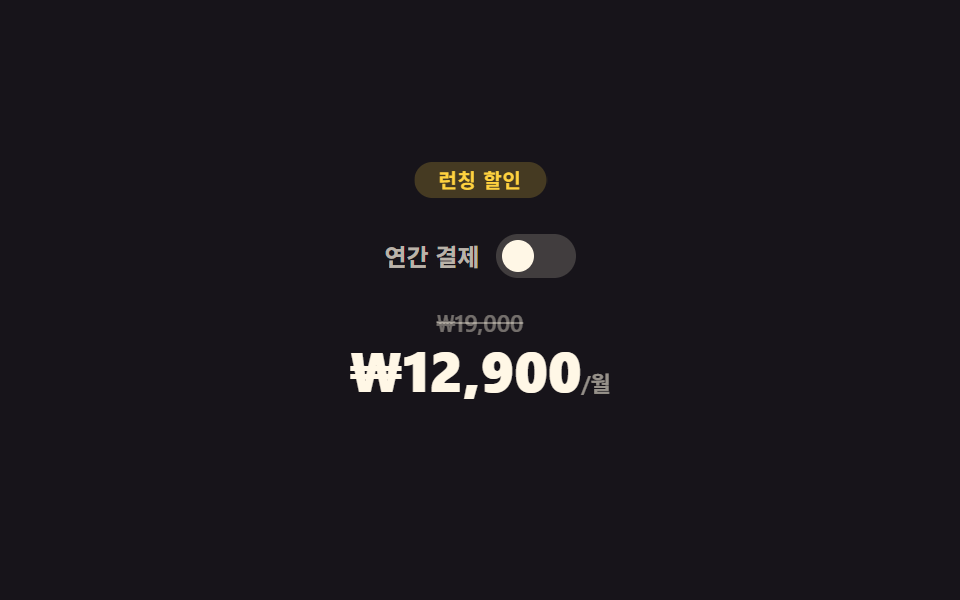
年間払いのスイッチを押すとaria-checkedが実際に切り替わり、月額・年額の価格パネルがクロスフェードします。
<main class="stage">
  <section class="dp">
    <span class="dp__badge">ローンチ割引</span>
    <div class="dp__switch-row">
      <span class="dp__switch-label">年払い</span>
      <button type="button" class="dp__switch" role="switch" aria-checked="false"><span class="dp__knob"></span></button>
    </div>
    <div class="dp__price-wrap">
      <div class="dp__price dp__price--monthly is-active">
        <span class="dp__old">₩19,000</span>
        <span class="dp__now">₩12,900<small>/月</small></span>
      </div>
      <div class="dp__price dp__price--yearly">
        <span class="dp__old">₩228,000</span>
        <span class="dp__now">₩9,900<small>/月</small></span>
      </div>
    </div>
  </section>
</main>
@use "../../../../site/static/demo-tokens" as *;
// ── 변수 3개 ──────────────────────────────────────────
$duration: $dur-base; // 가격판 크로스페이드
$easing: $ease-spring;
$color: $subject-blue;
@include stage($stage-ink);
.dp { position: relative; width: min(300px, 94vw); text-align: center; padding-top: $sp-5; }
.dp__badge {
position: absolute;
top: 0; left: 50%;
transform: translateX(-50%);
padding: $sp-1 $sp-3;
border-radius: $r-pill;
background: rgba(255, 210, 63, .2);
color: $stage-yellow;
font-weight: 700; font-size: 10px; line-height: 1; font-family: inherit;
letter-spacing: .04em;
animation: dp-badge 2.2s ease-in-out infinite;
}
@keyframes dp-badge {
0%, 100% { transform: translateX(-50%) scale(1); }
50% { transform: translateX(-50%) scale(1.08); }
}
.dp__switch-row { display: flex; align-items: center; justify-content: center; gap: $sp-2; margin: $sp-4 0; }
.dp__switch-label { font-weight: 600; font-size: 12px; line-height: 1; font-family: inherit; color: rgba(255, 247, 230, .7); }
.dp__switch {
position: relative;
width: 40px; height: 22px;
border: 0;
border-radius: $r-pill;
background: rgba(255, 247, 230, .18);
cursor: pointer;
transition: background $duration $easing;
}
.dp__switch[aria-checked="true"] { background: $subject-blue; }
.dp__knob {
position: absolute;
top: 3px; left: 3px;
width: 16px; height: 16px;
border-radius: 50%;
background: $subject-cream;
transition: transform $duration $easing;
}
.dp__switch[aria-checked="true"] .dp__knob { transform: translateX(18px); }
.dp__price-wrap { position: relative; height: 64px; }
.dp__price {
position: absolute;
inset: 0;
display: flex;
flex-direction: column;
align-items: center;
gap: $sp-1;
opacity: 0;
transition: opacity $duration $easing;
}
.dp__price.is-active { opacity: 1; }
.dp__old { font-weight: 600; font-size: 12px; line-height: 1; font-family: inherit; color: rgba(255, 247, 230, .4); text-decoration: line-through; }
.dp__now { font-weight: 800; font-size: clamp(22px, 7vw, 28px); line-height: 1; font-family: inherit; color: $subject-cream; }
.dp__now small { font-weight: 600; font-size: 11px; line-height: 1; font-family: inherit; color: rgba(255, 247, 230, .55); }
// ── 접근성 ──────────────────────────────────────────
@media (prefers-reduced-motion: reduce) {
.dp__badge { animation: none !important; }
.dp__switch, .dp__knob, .dp__price { transition: none !important; }
}
// ── 반응형(320×200) ──────────────────────────────────
@media (max-width: 340px), (max-height: 220px) {
.dp { padding-top: $sp-4; }
.dp__switch-row { margin: $sp-3 0; }
}html, body {
margin: 0;
overflow: hidden;
}
.stage {
box-sizing: border-box;
min-height: 100vh;
display: grid;
place-items: center;
margin: 0;
background: #17141a;
font-family: -apple-system, "Segoe UI", "Noto Sans KR", sans-serif;
padding: clamp(8px, 4vw, 24px);
}
.dp {
position: relative;
width: min(300px, 94vw);
text-align: center;
padding-top: 20px;
}
.dp__badge {
position: absolute;
top: 0;
left: 50%;
transform: translateX(-50%);
padding: 4px 12px;
border-radius: 999px;
background: rgba(255, 210, 63, 0.2);
color: #ffd23f;
font-weight: 700;
font-size: 10px;
line-height: 1;
font-family: inherit;
letter-spacing: 0.04em;
animation: dp-badge 2.2s ease-in-out infinite;
}
@keyframes dp-badge {
0%, 100% {
transform: translateX(-50%) scale(1);
}
50% {
transform: translateX(-50%) scale(1.08);
}
}
.dp__switch-row {
display: flex;
align-items: center;
justify-content: center;
gap: 8px;
margin: 16px 0;
}
.dp__switch-label {
font-weight: 600;
font-size: 12px;
line-height: 1;
font-family: inherit;
color: rgba(255, 247, 230, 0.7);
}
.dp__switch {
position: relative;
width: 40px;
height: 22px;
border: 0;
border-radius: 999px;
background: rgba(255, 247, 230, 0.18);
cursor: pointer;
transition: background 300ms cubic-bezier(0.2, 0.8, 0.2, 1);
}
.dp__switch[aria-checked=true] {
background: #2f6df6;
}
.dp__knob {
position: absolute;
top: 3px;
left: 3px;
width: 16px;
height: 16px;
border-radius: 50%;
background: #fff7e6;
transition: transform 300ms cubic-bezier(0.2, 0.8, 0.2, 1);
}
.dp__switch[aria-checked=true] .dp__knob {
transform: translateX(18px);
}
.dp__price-wrap {
position: relative;
height: 64px;
}
.dp__price {
position: absolute;
inset: 0;
display: flex;
flex-direction: column;
align-items: center;
gap: 4px;
opacity: 0;
transition: opacity 300ms cubic-bezier(0.2, 0.8, 0.2, 1);
}
.dp__price.is-active {
opacity: 1;
}
.dp__old {
font-weight: 600;
font-size: 12px;
line-height: 1;
font-family: inherit;
color: rgba(255, 247, 230, 0.4);
text-decoration: line-through;
}
.dp__now {
font-weight: 800;
font-size: clamp(22px, 7vw, 28px);
line-height: 1;
font-family: inherit;
color: #fff7e6;
}
.dp__now small {
font-weight: 600;
font-size: 11px;
line-height: 1;
font-family: inherit;
color: rgba(255, 247, 230, 0.55);
}
@media (prefers-reduced-motion: reduce) {
.dp__badge {
animation: none !important;
}
.dp__switch, .dp__knob, .dp__price {
transition: none !important;
}
}
@media (max-width: 340px), (max-height: 220px) {
.dp {
padding-top: 16px;
}
.dp__switch-row {
margin: 12px 0;
}
}// 실제 동작: 스위치를 누르면 aria-checked 가 실제로 바뀌고 월간/연간 가격판이 opacity 로 크로스페이드된다.
var sw = document.querySelector('.dp__switch');
var monthly = document.querySelector('.dp__price--monthly');
var yearly = document.querySelector('.dp__price--yearly');
sw.addEventListener('click', function () {
  var on = sw.getAttribute('aria-checked') === 'true';
  sw.setAttribute('aria-checked', String(!on));
  monthly.classList.toggle('is-active', on);
  yearly.classList.toggle('is-active', !on);
});import { useState } from "react";
import type { CSSProperties } from "react";
import styles from "./DiscountPricing.module.scss";
export type DiscountPricingProps = { duration?: number; easing?: string; color?: string };
type Vars = CSSProperties & { "--duration"?: string; "--easing"?: string; "--color"?: string };
export default function DiscountPricing({ duration = 300, easing = "cubic-bezier(.2,.8,.2,1)", color = "#2f6df6" }: DiscountPricingProps) {
const [yearly, setYearly] = useState(false);
const vars: Vars = { "--duration": `${duration}ms`, "--easing": easing, "--color": color };
return (
<section className={styles.dp} style={vars}>
<span className={styles.badge}>런칭 할인</span>
<div className={styles.switchRow}>
<span className={styles.switchLabel}>연간 결제</span>
<button type="button" className={styles.switch} role="switch" aria-checked={yearly} onClick={() => setYearly((v) => !v)}>
<span className={styles.knob} />
</button>
</div>
<div className={styles.priceWrap}>
<div className={`${styles.price} ${!yearly ? styles.active : ""}`}>
<span className={styles.old}>₩19,000</span>
<span className={styles.now}>₩12,900<small>/월</small></span>
</div>
<div className={`${styles.price} ${yearly ? styles.active : ""}`}>
<span className={styles.old}>₩228,000</span>
<span className={styles.now}>₩9,900<small>/월</small></span>
</div>
</div>
</section>
);
}05 · 割引料金 — 計測 累積面積 0.458% · 動いたフレーム 17/23GODRICH オリジナル · SCSS と React は zip に同梱 · パスワードを見る
取り消し線はそのまま
元の価格には取り消し線がそのまま残ります。
sw.addEventListener('click', function () {
var on = sw.getAttribute('aria-checked') === 'true';
sw.setAttribute('aria-checked', String(!on));
monthly.classList.toggle('is-active', on);
yearly.classList.toggle('is-active', !on);
});
06締切バナー
進捗バーは揺れ続ける
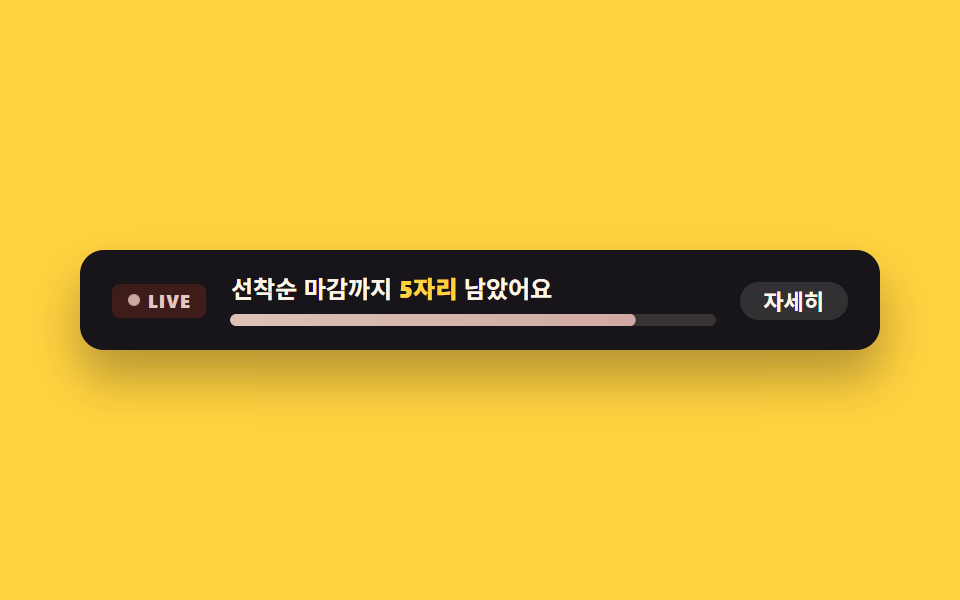
締切の進捗バーは常に控えめに揺れ続けます。
<main class="stage">
  <section class="ub">
    <span class="ub__live" aria-hidden="true"><span class="ub__dot"></span>LIVE</span>
    <div class="ub__body">
      <p class="ub__msg">残り<strong>5席</strong>です</p>
      <div class="ub__bar" role="progressbar" aria-valuenow="82" aria-valuemin="0" aria-valuemax="100" aria-label="枠の埋まり率">
        <span class="ub__fill"></span>
      </div>
    </div>
    <button type="button" class="ub__more" aria-pressed="false">詳しく</button>
  </section>
</main>
@use "../../../../site/static/demo-tokens" as *;
// ── 변수 3개 ──────────────────────────────────────────
$duration: $dur-quick; // "자세히" 전환
$easing: $ease-pop;
$color: $error;
@include stage($stage-yellow);
.ub {
box-sizing: border-box; // width 에 패딩을 포함 — 아니면 320px 에서 패딩만큼 넘친다(실측 2026-09-10)
width: min(400px, 96vw);
display: flex;
align-items: center;
gap: $sp-3;
padding: $sp-3 $sp-4;
border-radius: $r-control;
background: $subject-ink;
box-shadow: $shadow-raised;
}
.ub__live {
display: flex;
align-items: center;
gap: $sp-1;
flex: 0 0 auto;
padding: $sp-1 $sp-2;
border-radius: $r-xs;
background: rgba(194, 54, 26, .22);
color: #e0c8c1;
font-weight: 800; font-size: 9px; line-height: 1; font-family: inherit;
letter-spacing: .06em;
}
.ub__dot { width: 6px; height: 6px; border-radius: 50%; background: #d1a9a1; animation: ub-blink 1.2s ease-in-out infinite; }
@keyframes ub-blink {
0%, 100% { opacity: 1; transform: scale(1); }
50% { opacity: .35; transform: scale(.8); }
}
.ub__body { flex: 1 1 auto; min-width: 0; }
.ub__msg { margin: 0 0 $sp-1; font-weight: 600; font-size: 12px; line-height: 1.3; font-family: inherit; color: $subject-cream; }
.ub__msg strong { color: $stage-yellow; }
.ub__bar { height: 6px; border-radius: $r-xs; background: rgba(255, 247, 230, .14); overflow: hidden; }
.ub__fill {
display: block;
height: 100%;
width: 100%;
border-radius: $r-xs;
background: linear-gradient(90deg, #dcc2b7, #d1a9a1);
transform: scaleX(.82);
transform-origin: left center; // 규칙8: 재고 막대 왼쪽 채움
animation: ub-fill 2.4s $easing infinite;
}
@keyframes ub-fill {
0%, 100% { transform: scaleX(.78); }
50% { transform: scaleX(.92); }
}
.ub__more {
flex: 0 0 auto;
border: 0;
cursor: pointer;
padding: $sp-1 $sp-3;
border-radius: $r-pill;
background: rgba(255, 247, 230, .12);
color: $subject-cream;
font-weight: 700; font-size: 11px; line-height: 1; font-family: inherit;
transition: background $duration $easing;
}
.ub__more[aria-pressed="true"] { background: rgba(255, 247, 230, .28); }
// ── 접근성 ──────────────────────────────────────────
@media (prefers-reduced-motion: reduce) {
.ub__dot, .ub__fill { animation: none !important; }
.ub__more { transition: none !important; }
}
// ── 반응형(320×200) ──────────────────────────────────
@media (max-width: 340px), (max-height: 220px) {
.ub { flex-wrap: wrap; padding: $sp-2 $sp-3; }
.ub__more { display: none; }
}html, body {
margin: 0;
overflow: hidden;
}
.stage {
box-sizing: border-box;
min-height: 100vh;
display: grid;
place-items: center;
margin: 0;
background: #ffd23f;
font-family: -apple-system, "Segoe UI", "Noto Sans KR", sans-serif;
padding: clamp(8px, 4vw, 24px);
}
.ub {
box-sizing: border-box;
width: min(400px, 96vw);
display: flex;
align-items: center;
gap: 12px;
padding: 12px 16px;
border-radius: 12px;
background: #17141a;
box-shadow: 0 14px 24px rgba(23, 20, 26, 0.32);
}
.ub__live {
display: flex;
align-items: center;
gap: 4px;
flex: 0 0 auto;
padding: 4px 8px;
border-radius: 4px;
background: rgba(194, 54, 26, 0.22);
color: #e0c8c1;
font-weight: 800;
font-size: 9px;
line-height: 1;
font-family: inherit;
letter-spacing: 0.06em;
}
.ub__dot {
width: 6px;
height: 6px;
border-radius: 50%;
background: #d1a9a1;
animation: ub-blink 1.2s ease-in-out infinite;
}
@keyframes ub-blink {
0%, 100% {
opacity: 1;
transform: scale(1);
}
50% {
opacity: 0.35;
transform: scale(0.8);
}
}
.ub__body {
flex: 1 1 auto;
min-width: 0;
}
.ub__msg {
margin: 0 0 4px;
font-weight: 600;
font-size: 12px;
line-height: 1.3;
font-family: inherit;
color: #fff7e6;
}
.ub__msg strong {
color: #ffd23f;
}
.ub__bar {
height: 6px;
border-radius: 4px;
background: rgba(255, 247, 230, 0.14);
overflow: hidden;
}
.ub__fill {
display: block;
height: 100%;
width: 100%;
border-radius: 4px;
background: linear-gradient(90deg, #dcc2b7, #d1a9a1);
transform: scaleX(0.82);
transform-origin: left center;
animation: ub-fill 2.4s cubic-bezier(0.2, 1.4, 0.4, 1) infinite;
}
@keyframes ub-fill {
0%, 100% {
transform: scaleX(0.78);
}
50% {
transform: scaleX(0.92);
}
}
.ub__more {
flex: 0 0 auto;
border: 0;
cursor: pointer;
padding: 4px 12px;
border-radius: 999px;
background: rgba(255, 247, 230, 0.12);
color: #fff7e6;
font-weight: 700;
font-size: 11px;
line-height: 1;
font-family: inherit;
transition: background 220ms cubic-bezier(0.2, 1.4, 0.4, 1);
}
.ub__more[aria-pressed=true] {
background: rgba(255, 247, 230, 0.28);
}
@media (prefers-reduced-motion: reduce) {
.ub__dot, .ub__fill {
animation: none !important;
}
.ub__more {
transition: none !important;
}
}
@media (max-width: 340px), (max-height: 220px) {
.ub {
flex-wrap: wrap;
padding: 8px 12px;
}
.ub__more {
display: none;
}
}// 실제 동작: "詳しく" 를 누르면 aria-pressed 가 바뀌고 알림 문구가 실제로 펼쳐진다.
var btn = document.querySelector('.ub__more');
var msg = document.querySelector('.ub__msg');
var base = msg.textContent;
btn.addEventListener('click', function () {
var on = btn.getAttribute('aria-pressed') === 'true';
btn.setAttribute('aria-pressed', String(!on));
msg.innerHTML = on ? '残り<strong>5席</strong>です' : '残り<strong>5席</strong>です・締切後は通常価格に戻ります';
});import { useState } from "react";
import type { CSSProperties } from "react";
import styles from "./UrgencyBanner.module.scss";
export type UrgencyBannerProps = { duration?: number; easing?: string; color?: string; spotsLeft?: number };
type Vars = CSSProperties & { "--duration"?: string; "--easing"?: string; "--color"?: string };
export default function UrgencyBanner({ duration = 220, easing = "cubic-bezier(.2,1.4,.4,1)", color = "#c2361a", spotsLeft = 5 }: UrgencyBannerProps) {
const [expanded, setExpanded] = useState(false);
const vars: Vars = { "--duration": `${duration}ms`, "--easing": easing, "--color": color };
return (
<div className={styles.ub} style={vars}>
<span className={styles.live} aria-hidden="true"><span className={styles.dot} />LIVE</span>
<div className={styles.body}>
<p className={styles.msg}>
선착순 마감까지 <strong>{spotsLeft}자리</strong> 남았어요{expanded ? " · 마감 후 정가 복귀" : ""}
</p>
<div className={styles.bar} role="progressbar" aria-valuenow={82} aria-valuemin={0} aria-valuemax={100} aria-label="선착순 마감률">
<span className={styles.fill} />
</div>
</div>
<button type="button" className={styles.more} aria-pressed={expanded} onClick={() => setExpanded((v) => !v)}>
자세히
</button>
</div>
);
}06 · 締切バナー — 計測 累積面積 0.192% · 動いたフレーム 21/23GODRICH オリジナル · SCSS と React は zip に同梱 · パスワードを見る
押すと案内文が長くなる
詳細を表示するボタンを押すとaria-pressedが実際に切り替わり、案内文が本当に長くなります。
// 実際の動作: ボタンを押すとaria-pressedが切り替わり、案内文が実際に伸びる
var btn = document.querySelector('.ub__more');
var msg = document.querySelector('.ub__msg');
var base = msg.textContent;
btn.addEventListener('click', function () {
  var on = btn.getAttribute('aria-pressed') === 'true';
  btn.setAttribute('aria-pressed', String(!on));
  msg.innerHTML = on ? base : base + ' · 마감 후 정가 복귀';
});
07プロモFAQ
開くのは一つだけ
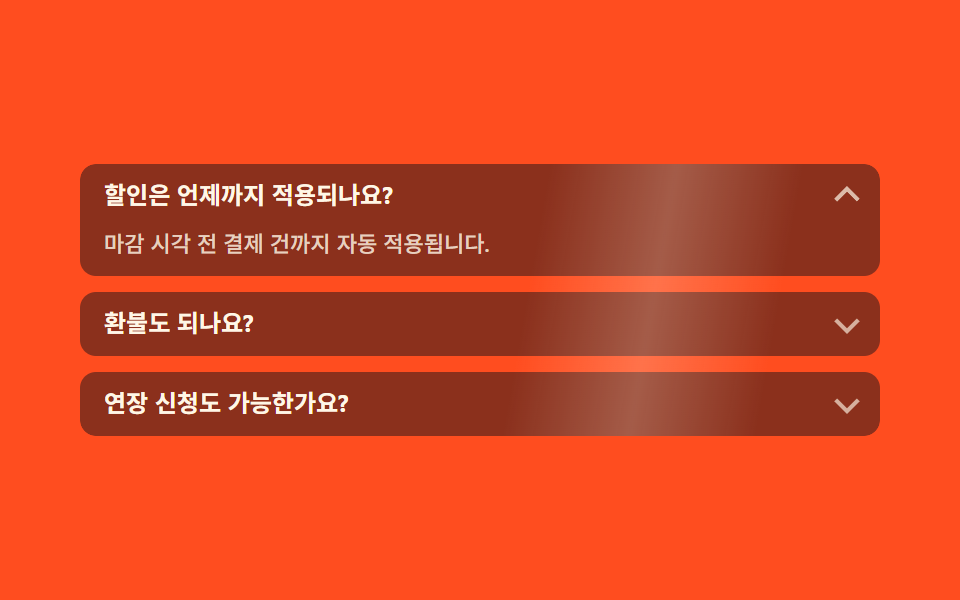
質問をクリックするとその項目だけが実際に開き、ほかは閉じます(単一オープン)。
<main class="stage">
  <section class="pf">
    <ul class="pf__list">
      <span class="pf__scan" aria-hidden="true"></span>
      <li class="pf__item is-open">
        <button type="button" class="pf__q" aria-expanded="true">割引はいつまで適用されますか?</button>
        <div class="pf__a"><p>締切前の決済には自動的に適用されます。</p></div>
      </li>
      <li class="pf__item">
        <button type="button" class="pf__q" aria-expanded="false">返金はできますか?</button>
        <div class="pf__a"><p>決済後7日以内は全額返金されます。</p></div>
      </li>
      <li class="pf__item">
        <button type="button" class="pf__q" aria-expanded="false">延長のお願いはできますか?</button>
        <div class="pf__a"><p>締切前に再アクセスすると延長案内が自動で表示されます。</p></div>
      </li>
    </ul>
  </section>
</main>
@use "../../../../site/static/demo-tokens" as *;
// ── 변수 3개 ──────────────────────────────────────────
$duration: $dur-base; // 답변 펼침
$easing: $ease-spring;
$color: $subject-blue;
@include stage($stage-orange);
.pf { width: min(400px, 96vw); }
.pf__list { position: relative; list-style: none; margin: 0; padding: 0; display: flex; flex-direction: column; gap: $sp-2; overflow: hidden; border-radius: $r-sm; }
// 무대 장식: 목록 전체를 가로지르는 하이라이트 띠. 화살표 넛지(작은 요소)만으로는 픽셀문턱을 겨우 넘거나 못 넘었다(실측 0.05%) — 면적이 큰 띠를 더했다
.pf__scan {
position: absolute;
inset: 0;
z-index: 1;
pointer-events: none;
background: linear-gradient(100deg, transparent 35%, rgba(255, 247, 230, .22) 50%, transparent 65%);
animation: pf-scan 2.4s linear infinite;
}
@keyframes pf-scan {
0% { transform: translateX(-120%); }
100% { transform: translateX(120%); }
}
.pf__item {
border-radius: $r-sm;
background: rgba($subject-ink, .5);
overflow: hidden;
}
.pf__q {
position: relative;
display: block;
width: 100%;
box-sizing: border-box;
border: 0;
cursor: pointer;
text-align: left;
padding: $sp-2 $sp-8 $sp-2 $sp-3;
background: transparent;
color: $subject-cream;
font-weight: 700; font-size: 12px; line-height: 1.3; font-family: inherit;
}
.pf__q::after {
content: "";
position: absolute;
right: $sp-3;
top: 50%;
width: 7px; height: 7px;
border-right: 2px solid rgba(255, 247, 230, .7);
border-bottom: 2px solid rgba(255, 247, 230, .7);
transform: translateY(-65%) rotate(45deg);
transition: transform $duration $easing;
animation: pf-nudge 2.2s ease-in-out infinite;
}
.pf__item.is-open .pf__q::after { transform: translateY(-35%) rotate(-135deg); animation: none; }
@keyframes pf-nudge {
0%, 100% { opacity: .55; }
50% { opacity: 1; }
}
.pf__a {
display: grid;
grid-template-rows: 0fr;
// 접힌 답변은 높이 0 으로 잘려 눈에 안 보인다 — visibility 로 못 읽게까지 막는다 (스크린리더·대비 스캐너 둘 다)
visibility: hidden;
transition: grid-template-rows $duration $easing, visibility 0s linear $duration;
}
.pf__item.is-open .pf__a { grid-template-rows: 1fr; visibility: visible; transition: grid-template-rows $duration $easing, visibility 0s; }
.pf__a p {
margin: 0;
min-height: 0;
overflow: hidden;
padding: 0 $sp-3;
font-weight: 500; font-size: 11px; line-height: 1.5; font-family: inherit;
color: rgba(255, 247, 230, .8); // 펼쳐지면 어두운 항목 면(rgba(ink,.5)) 위 5.56:1 — 접혀 있을 때만 무대 주황이 뒤로 읽힌다
}
.pf__item.is-open .pf__a p { padding: 0 $sp-3 $sp-2; }
// ── 접근성 ──────────────────────────────────────────
@media (prefers-reduced-motion: reduce) {
.pf__q::after { animation: none !important; transition: none !important; }
.pf__a { transition: none !important; }
.pf__scan { animation: none !important; }
}
// ── 반응형(320×200) ──────────────────────────────────
@media (max-width: 340px), (max-height: 220px) {
.pf__list { gap: $sp-1; }
.pf__q { padding: $sp-1 $sp-8 $sp-1 $sp-2; }
}html, body {
margin: 0;
overflow: hidden;
}
.stage {
box-sizing: border-box;
min-height: 100vh;
display: grid;
place-items: center;
margin: 0;
background: #ff4d1f;
font-family: -apple-system, "Segoe UI", "Noto Sans KR", sans-serif;
padding: clamp(8px, 4vw, 24px);
}
.pf {
width: min(400px, 96vw);
}
.pf__list {
position: relative;
list-style: none;
margin: 0;
padding: 0;
display: flex;
flex-direction: column;
gap: 8px;
overflow: hidden;
border-radius: 8px;
}
.pf__scan {
position: absolute;
inset: 0;
z-index: 1;
pointer-events: none;
background: linear-gradient(100deg, transparent 35%, rgba(255, 247, 230, 0.22) 50%, transparent 65%);
animation: pf-scan 2.4s linear infinite;
}
@keyframes pf-scan {
0% {
transform: translateX(-120%);
}
100% {
transform: translateX(120%);
}
}
.pf__item {
border-radius: 8px;
background: rgba(23, 20, 26, 0.5);
overflow: hidden;
}
.pf__q {
position: relative;
display: block;
width: 100%;
box-sizing: border-box;
border: 0;
cursor: pointer;
text-align: left;
padding: 8px 32px 8px 12px;
background: transparent;
color: #fff7e6;
font-weight: 700;
font-size: 12px;
line-height: 1.3;
font-family: inherit;
}
.pf__q::after {
content: "";
position: absolute;
right: 12px;
top: 50%;
width: 7px;
height: 7px;
border-right: 2px solid rgba(255, 247, 230, 0.7);
border-bottom: 2px solid rgba(255, 247, 230, 0.7);
transform: translateY(-65%) rotate(45deg);
transition: transform 300ms cubic-bezier(0.2, 0.8, 0.2, 1);
animation: pf-nudge 2.2s ease-in-out infinite;
}
.pf__item.is-open .pf__q::after {
transform: translateY(-35%) rotate(-135deg);
animation: none;
}
@keyframes pf-nudge {
0%, 100% {
opacity: 0.55;
}
50% {
opacity: 1;
}
}
.pf__a {
display: grid;
grid-template-rows: 0fr;
visibility: hidden;
transition: grid-template-rows 300ms cubic-bezier(0.2, 0.8, 0.2, 1), visibility 0s linear 300ms;
}
.pf__item.is-open .pf__a {
grid-template-rows: 1fr;
visibility: visible;
transition: grid-template-rows 300ms cubic-bezier(0.2, 0.8, 0.2, 1), visibility 0s;
}
.pf__a p {
margin: 0;
min-height: 0;
overflow: hidden;
padding: 0 12px;
font-weight: 500;
font-size: 11px;
line-height: 1.5;
font-family: inherit;
color: rgba(255, 247, 230, 0.8);
}
.pf__item.is-open .pf__a p {
padding: 0 12px 8px;
}
@media (prefers-reduced-motion: reduce) {
.pf__q::after {
animation: none !important;
transition: none !important;
}
.pf__a {
transition: none !important;
}
.pf__scan {
animation: none !important;
}
}
@media (max-width: 340px), (max-height: 220px) {
.pf__list {
gap: 4px;
}
.pf__q {
padding: 4px 32px 4px 8px;
}
}// 실제 동작: 질문을 클릭하면 그 항목만 실제로 펼쳐지고 나머지는 닫힌다(단일 오픈).
var items = document.querySelectorAll('.pf__item');
items.forEach(function (item) {
  var q = item.querySelector('.pf__q');
  q.addEventListener('click', function () {
    var willOpen = !item.classList.contains('is-open');
    items.forEach(function (i) {
      i.classList.remove('is-open');
      i.querySelector('.pf__q').setAttribute('aria-expanded', 'false');
    });
    if (willOpen) { item.classList.add('is-open'); q.setAttribute('aria-expanded', 'true'); }
  });
});import { useState } from "react";
import type { CSSProperties } from "react";
import styles from "./PromoFaq.module.scss";
export type PromoFaqProps = { duration?: number; easing?: string; color?: string };
type Vars = CSSProperties & { "--duration"?: string; "--easing"?: string; "--color"?: string };
const ITEMS = [
{ q: "할인은 언제까지 적용되나요?", a: "마감 시각 전 결제 건까지 자동 적용됩니다." },
{ q: "환불도 되나요?", a: "결제 후 7일 이내 전액 환불됩니다." },
{ q: "연장 신청도 가능한가요?", a: "마감 전 재접속하면 자동으로 연장 안내가 뜹니다." },
];
export default function PromoFaq({ duration = 300, easing = "cubic-bezier(.2,.8,.2,1)", color = "#2f6df6" }: PromoFaqProps) {
const [open, setOpen] = useState(0);
const vars: Vars = { "--duration": `${duration}ms`, "--easing": easing, "--color": color };
return (
<section className={styles.pf} style={vars}>
<ul className={styles.list}>
<span className={styles.scan} aria-hidden="true" />
{ITEMS.map((item, i) => (
<li key={item.q} className={`${styles.item} ${open === i ? styles.isOpen : ""}`}>
<button
type="button"
className={styles.q}
aria-expanded={open === i}
onClick={() => setOpen(open === i ? -1 : i)}
>
{item.q}
</button>
<div className={styles.a}><p>{item.a}</p></div>
</li>
))}
</ul>
</section>
);
}07 · プロモFAQ — 計測 累積面積 36.616% · 動いたフレーム 17/23GODRICH オリジナル · SCSS と React は zip に同梱 · パスワードを見る
閉じた矢印も揺れる
閉じた項目の矢印は、開閉の状態に関係なく常に控えめに揺れ続けます。案内をスクロールに載せて場面のように送りたいなら、スクロールテリングのセクションがその演出を引き受けます。
items.forEach(function (item) {
var q = item.querySelector('.pf__q');
q.addEventListener('click', function () {
var willOpen = !item.classList.contains('is-open');
items.forEach(function (i) {
i.classList.remove('is-open');
i.querySelector('.pf__q').setAttribute('aria-expanded', 'false');
});
if (willOpen) { item.classList.add('is-open'); q.setAttribute('aria-expanded', 'true'); }
});
});
08申込フォーム
正規表現で形式を検証する
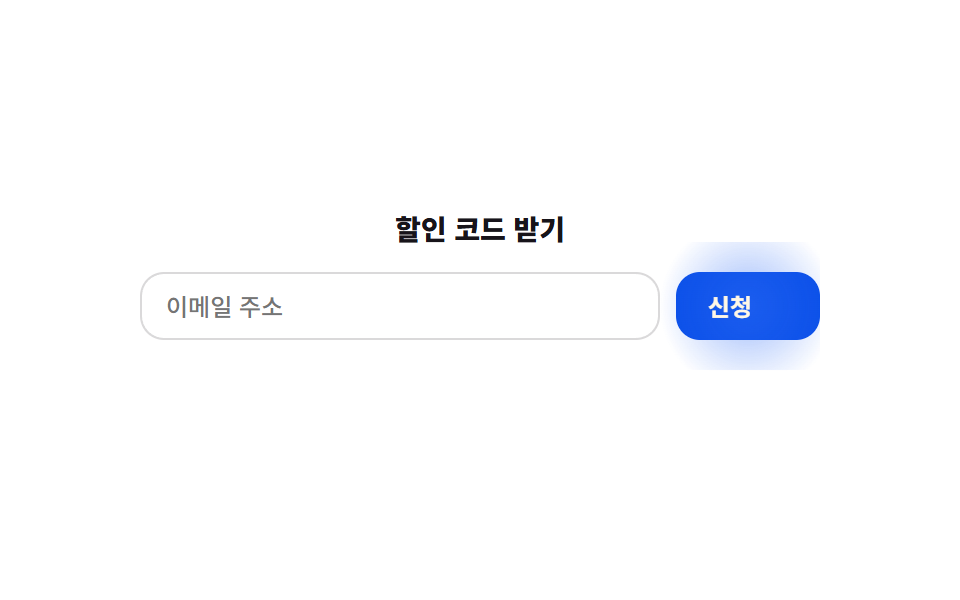
メールアドレスを入れて申込ボタンを押すと、正規表現で実際に形式を検証します。
<main class="stage">
  <form class="sf" novalidate>
    <p class="sf__title">割引コードを受け取る</p>
    <div class="sf__row">
      <input class="sf__input" type="email" placeholder="メールアドレス" aria-label="メールアドレス">
      <button type="submit" class="sf__btn">
        <span class="sf__btn-label">申し込む</span>
        <svg class="sf__check" viewBox="0 0 24 24" width="14" height="14" aria-hidden="true">
          <polyline points="4,13 9,18 20,6" />
        </svg>
      </button>
    </div>
    <p class="sf__status" role="status" aria-live="polite"></p>
  </form>
</main>
@use "../../../../site/static/demo-tokens" as *;
// ── 변수 3개 ──────────────────────────────────────────
$duration: $dur-base; // 체크 드로잉
$easing: $ease-pop;
$color: $subject-blue;
@include stage($stage-paper);
.sf { width: min(340px, 94vw); overflow: hidden; } // 버튼 글로우(::before, inset:-10px)가 320px 에서 바깥으로 번져 body.scrollWidth 를 넘겼다 — 실측 2026-09-10
.sf__title { margin: 0 0 $sp-3; font-weight: 800; font-size: 14px; line-height: 1.3; font-family: inherit; color: $subject-ink; text-align: center; }
.sf__row { display: flex; gap: $sp-2; }
.sf__input {
flex: 1 1 auto;
min-width: 0;
box-sizing: border-box;
padding: $sp-2 $sp-3;
border: 1px solid rgba(23, 20, 26, .16);
border-radius: $r-control;
font-weight: 500; font-size: 12px; line-height: 1; font-family: inherit;
color: $subject-ink;
background: #fff;
}
.sf__input.shake { animation: sf-shake .4s $easing; }
@keyframes sf-shake {
0%, 100% { transform: translateX(0); }
25% { transform: translateX(-6px); }
75% { transform: translateX(6px); }
}
.sf__btn {
position: relative;
isolation: isolate; // z-index:-1 글로우를 이 컨텍스트 안에 가둔다(없으면 무대 배경 아래로 가라앉는다)
flex: 0 0 auto;
display: flex;
align-items: center;
gap: $sp-1;
border: 0;
cursor: pointer;
padding: $sp-2 $sp-4;
border-radius: $r-control;
background: $subject-blue-deep;
color: $subject-cream;
font-weight: 700; font-size: 12px; line-height: 1; font-family: inherit;
}
// 무대 장식: 버튼 바깥으로 번지는 글로우 링. 처음엔 .sf__btn 에 overflow:hidden 을 줬더니
// 불투명한 배경과 같은 박스 안에서 글로우가 그대로 가려져 측정값이 0 이었다 — overflow 를 없애고 밖으로 번지게 뒀다.
.sf__btn::before {
content: "";
position: absolute;
inset: -10px;
z-index: -1;
border-radius: inherit;
background: radial-gradient(circle, rgba(47, 109, 246, .55), transparent 70%);
animation: sf-glow 1.8s ease-in-out infinite;
}
@keyframes sf-glow {
0%, 100% { opacity: .35; transform: scale(1); }
50% { opacity: 1; transform: scale(1.25); }
}
.sf__check { position: relative; z-index: 1; }
.sf__btn.is-done { background: #51a477; }
.sf__check { stroke: currentColor; stroke-width: 3; fill: none; stroke-linecap: round; stroke-linejoin: round; stroke-dasharray: 24; stroke-dashoffset: 24; }
.sf__btn.is-done .sf__check { animation: sf-check $duration $easing forwards; }
@keyframes sf-check { to { stroke-dashoffset: 0; } }
.sf__status { min-height: 16px; margin: $sp-2 0 0; font-weight: 600; font-size: 11px; line-height: 1.4; font-family: inherit; color: rgba(23, 20, 26, .6); text-align: center; }
// ── 접근성 ──────────────────────────────────────────
@media (prefers-reduced-motion: reduce) {
.sf__btn::before, .sf__input.shake, .sf__btn.is-done .sf__check { animation: none !important; }
.sf__btn.is-done .sf__check { stroke-dashoffset: 0; }
}
// ── 반응형(320×200) ──────────────────────────────────
@media (max-width: 340px), (max-height: 220px) {
.sf__title { margin-bottom: $sp-2; }
}html, body {
margin: 0;
overflow: hidden;
}
.stage {
box-sizing: border-box;
min-height: 100vh;
display: grid;
place-items: center;
margin: 0;
background: #ffffff;
font-family: -apple-system, "Segoe UI", "Noto Sans KR", sans-serif;
padding: clamp(8px, 4vw, 24px);
}
.sf {
width: min(340px, 94vw);
overflow: hidden;
}
.sf__title {
margin: 0 0 12px;
font-weight: 800;
font-size: 14px;
line-height: 1.3;
font-family: inherit;
color: #17141a;
text-align: center;
}
.sf__row {
display: flex;
gap: 8px;
}
.sf__input {
flex: 1 1 auto;
min-width: 0;
box-sizing: border-box;
padding: 8px 12px;
border: 1px solid rgba(23, 20, 26, 0.16);
border-radius: 12px;
font-weight: 500;
font-size: 12px;
line-height: 1;
font-family: inherit;
color: #17141a;
background: #fff;
}
.sf__input.shake {
animation: sf-shake 0.4s cubic-bezier(0.2, 1.4, 0.4, 1);
}
@keyframes sf-shake {
0%, 100% {
transform: translateX(0);
}
25% {
transform: translateX(-6px);
}
75% {
transform: translateX(6px);
}
}
.sf__btn {
position: relative;
isolation: isolate;
flex: 0 0 auto;
display: flex;
align-items: center;
gap: 4px;
border: 0;
cursor: pointer;
padding: 8px 16px;
border-radius: 12px;
background: #0a4fe8;
color: #fff7e6;
font-weight: 700;
font-size: 12px;
line-height: 1;
font-family: inherit;
}
.sf__btn::before {
content: "";
position: absolute;
inset: -10px;
z-index: -1;
border-radius: inherit;
background: radial-gradient(circle, rgba(47, 109, 246, 0.55), transparent 70%);
animation: sf-glow 1.8s ease-in-out infinite;
}
@keyframes sf-glow {
0%, 100% {
opacity: 0.35;
transform: scale(1);
}
50% {
opacity: 1;
transform: scale(1.25);
}
}
.sf__check {
position: relative;
z-index: 1;
}
.sf__btn.is-done {
background: #51a477;
}
.sf__check {
stroke: currentColor;
stroke-width: 3;
fill: none;
stroke-linecap: round;
stroke-linejoin: round;
stroke-dasharray: 24;
stroke-dashoffset: 24;
}
.sf__btn.is-done .sf__check {
animation: sf-check 300ms cubic-bezier(0.2, 1.4, 0.4, 1) forwards;
}
@keyframes sf-check {
to {
stroke-dashoffset: 0;
}
}
.sf__status {
min-height: 16px;
margin: 8px 0 0;
font-weight: 600;
font-size: 11px;
line-height: 1.4;
font-family: inherit;
color: rgba(23, 20, 26, 0.6);
text-align: center;
}
@media (prefers-reduced-motion: reduce) {
.sf__btn::before, .sf__input.shake, .sf__btn.is-done .sf__check {
animation: none !important;
}
.sf__btn.is-done .sf__check {
stroke-dashoffset: 0;
}
}
@media (max-width: 340px), (max-height: 220px) {
.sf__title {
margin-bottom: 8px;
}
}// 실제 동작: 제출 時 정규식으로 이메일 형식을 검사한다. 통과하면 SVG 체크가 stroke-dashoffset 으로 그려지고, 실패하면 입력칸이 좌우로 흔들린다.
var form = document.querySelector('.sf');
var input = document.querySelector('.sf__input');
var btn = document.querySelector('.sf__btn');
var status = document.querySelector('.sf__status');
var RE = /^[^\s@]+@[^\s@]+\.[^\s@]+$/;
form.addEventListener('submit', function (e) {
e.preventDefault();
if (RE.test(input.value)) {
btn.classList.remove('is-error');
btn.classList.add('is-done');
status.textContent = '申し込み完了 — コードがまもなく届きます';
} else {
btn.classList.remove('is-done');
input.classList.remove('shake'); void input.offsetWidth;
input.classList.add('shake');
status.textContent = 'メールアドレスの形式をご確認ください';
}
});import { useState } from "react";
import type { CSSProperties } from "react";
import styles from "./SignupForm.module.scss";
export type SignupFormProps = { duration?: number; easing?: string; color?: string };
type Vars = CSSProperties & { "--duration"?: string; "--easing"?: string; "--color"?: string };
const RE = /^[^\s@]+@[^\s@]+\.[^\s@]+$/;
export default function SignupForm({ duration = 300, easing = "cubic-bezier(.2,1.4,.4,1)", color = "#0a4fe8" }: SignupFormProps) {
const [email, setEmail] = useState("");
const [status, setStatus] = useState<"idle" | "error" | "done">("idle");
const [shakeKey, setShakeKey] = useState(0);
const vars: Vars = { "--duration": `${duration}ms`, "--easing": easing, "--color": color };
function onSubmit(e: any) {
e.preventDefault();
if (RE.test(email)) {
setStatus("done");
} else {
setStatus("error");
setShakeKey((k) => k + 1);
}
}
return (
<form className={styles.sf} style={vars} onSubmit={onSubmit}>
<p className={styles.title}>할인 코드 받기</p>
<div className={styles.row}>
<input
key={shakeKey}
className={`${styles.input} ${status === "error" ? styles.shake : ""}`}
type="email"
placeholder="이메일 주소"
aria-label="이메일 주소"
value={email}
onChange={(e: any) => setEmail(e.target.value)}
/>
<button type="submit" className={`${styles.btn} ${status === "done" ? styles.done : ""}`}>
<span className={styles.btnLabel}>신청</span>
<svg className={styles.check} viewBox="0 0 24 24" width="14" height="14" aria-hidden="true">
<polyline points="4,13 9,18 20,6" />
</svg>
</button>
</div>
<p className={styles.status} role="status" aria-live="polite">
{status === "done" ? "신청 완료 — 코드가 곧 도착합니다" : status === "error" ? "이메일 형식을 확인해 주세요" : ""}
</p>
</form>
);
}08 · 申込フォーム — 計測 累積面積 1.704% · 動いたフレーム 11/23GODRICH オリジナル · SCSS と React は zip に同梱 · パスワードを見る
通過と失敗の合図
通過するとSVGチェックがstroke-dashoffsetで描かれ、失敗すると入力欄が左右に短く揺れます。
.sf__btn {
  position: relative;
  isolation: isolate;                    // z-index:-1のグローをこのコンテキストに閉じ込める
}
// 舞台装飾: ボタンの外へにじむグローリング。最初は overflow: hidden を与えたところ、
// 不透明な背景と同じ箱の中でグローがそのまま隠れて測定値が0だった。overflowを外して外へにじませた。
.sf__btn::before {
  content: "";
  position: absolute;
  inset: -10px;
  z-index: -1;
  background: radial-gradient(circle, rgba(47, 109, 246, .55), transparent 70%);
  animation: sf-glow 1.8s ease-in-out infinite;
}
@keyframes sf-glow {
  0%, 100% { opacity: .35; transform: scale(1); }
  50%      { opacity: 1; transform: scale(1.25); }
}
09プロモフッター
一覧が折りたたまれる
ショートカットの開閉ボタンを押すとリンク一覧が実際に折りたたまれたり開いたりします。
<main class="stage">
  <footer class="pt">
    <span class="pt__sheen" aria-hidden="true"></span>
    <div class="pt__top">
      <span class="pt__mark" aria-hidden="true"></span>
      <p class="pt__tagline">キャンペーン後もずっと使えます</p>
    </div>
    <div class="pt__group">
      <button type="button" class="pt__group-toggle" aria-expanded="true">ショートカット</button>
      <div class="pt__links-wrap is-open">
        <ul class="pt__links">
          <li><a href="#">料金プラン</a></li>
          <li><a href="#">利用規約</a></li>
          <li><a href="#">お問い合わせ</a></li>
        </ul>
      </div>
    </div>
  </footer>
</main>
@use "../../../../site/static/demo-tokens" as *;
// ── 변수 3개 ──────────────────────────────────────────
$duration: $dur-base; // 링크 목록 펼침
$easing: $ease-spring;
$color: $subject-blue;
@include stage($stage-ink);
.pt {
position: relative;
width: min(400px, 96vw);
padding-top: $sp-4;
overflow: hidden;
}
.pt__sheen {
position: absolute;
top: 0; left: 0; right: 0;
height: 2px;
background: linear-gradient(90deg, transparent, $subject-blue, transparent);
animation: pt-sheen 2.6s linear infinite;
}
@keyframes pt-sheen {
0% { transform: translateX(-100%); opacity: 0; }
15% { opacity: 1; }
85% { opacity: 1; }
100% { transform: translateX(100%); opacity: 0; }
}
.pt__top { display: flex; align-items: center; gap: $sp-2; margin-bottom: $sp-3; }
.pt__mark { width: 22px; height: 22px; border-radius: $r-sm; background: $subject-blue; }
.pt__tagline { margin: 0; font-weight: 600; font-size: 11px; line-height: 1.3; font-family: inherit; color: rgba(255, 247, 230, .55); }
.pt__group { border-top: 1px solid rgba(255, 247, 230, .12); padding-top: $sp-2; }
.pt__group-toggle {
display: block;
width: 100%;
box-sizing: border-box;
text-align: left;
border: 0;
cursor: pointer;
padding: $sp-1 0;
background: transparent;
color: $subject-cream;
font-weight: 700; font-size: 11px; line-height: 1; font-family: inherit;
letter-spacing: .04em;
}
.pt__links-wrap {
display: grid;
grid-template-rows: 0fr;
transition: grid-template-rows $duration $easing;
}
.pt__links-wrap.is-open { grid-template-rows: 1fr; }
.pt__links { list-style: none; margin: 0; padding: 0; overflow: hidden; }
.pt__links li { padding-top: $sp-2; }
.pt__links a {
color: rgba(255, 247, 230, .68);
text-decoration: none;
font-weight: 500; font-size: 12px; line-height: 1.6; font-family: inherit;
}
// ── 접근성 ──────────────────────────────────────────
@media (prefers-reduced-motion: reduce) {
.pt__sheen { animation: none !important; opacity: 0 !important; }
.pt__links-wrap { transition: none !important; }
}
// ── 반응형(320×200) ──────────────────────────────────
@media (max-width: 340px), (max-height: 220px) {
.pt__tagline, .pt__mark { display: none; }
.pt { padding-top: $sp-2; }
.pt__top { margin-bottom: $sp-2; }
.pt__group { padding-top: $sp-1; }
.pt__links li { padding-top: $sp-1; }
.pt__links a { font-size: 11px; }
}html, body {
margin: 0;
overflow: hidden;
}
.stage {
box-sizing: border-box;
min-height: 100vh;
display: grid;
place-items: center;
margin: 0;
background: #17141a;
font-family: -apple-system, "Segoe UI", "Noto Sans KR", sans-serif;
padding: clamp(8px, 4vw, 24px);
}
.pt {
position: relative;
width: min(400px, 96vw);
padding-top: 16px;
overflow: hidden;
}
.pt__sheen {
position: absolute;
top: 0;
left: 0;
right: 0;
height: 2px;
background: linear-gradient(90deg, transparent, #2f6df6, transparent);
animation: pt-sheen 2.6s linear infinite;
}
@keyframes pt-sheen {
0% {
transform: translateX(-100%);
opacity: 0;
}
15% {
opacity: 1;
}
85% {
opacity: 1;
}
100% {
transform: translateX(100%);
opacity: 0;
}
}
.pt__top {
display: flex;
align-items: center;
gap: 8px;
margin-bottom: 12px;
}
.pt__mark {
width: 22px;
height: 22px;
border-radius: 8px;
background: #2f6df6;
}
.pt__tagline {
margin: 0;
font-weight: 600;
font-size: 11px;
line-height: 1.3;
font-family: inherit;
color: rgba(255, 247, 230, 0.55);
}
.pt__group {
border-top: 1px solid rgba(255, 247, 230, 0.12);
padding-top: 8px;
}
.pt__group-toggle {
display: block;
width: 100%;
box-sizing: border-box;
text-align: left;
border: 0;
cursor: pointer;
padding: 4px 0;
background: transparent;
color: #fff7e6;
font-weight: 700;
font-size: 11px;
line-height: 1;
font-family: inherit;
letter-spacing: 0.04em;
}
.pt__links-wrap {
display: grid;
grid-template-rows: 0fr;
transition: grid-template-rows 300ms cubic-bezier(0.2, 0.8, 0.2, 1);
}
.pt__links-wrap.is-open {
grid-template-rows: 1fr;
}
.pt__links {
list-style: none;
margin: 0;
padding: 0;
overflow: hidden;
}
.pt__links li {
padding-top: 8px;
}
.pt__links a {
color: rgba(255, 247, 230, 0.68);
text-decoration: none;
font-weight: 500;
font-size: 12px;
line-height: 1.6;
font-family: inherit;
}
@media (prefers-reduced-motion: reduce) {
.pt__sheen {
animation: none !important;
opacity: 0 !important;
}
.pt__links-wrap {
transition: none !important;
}
}
@media (max-width: 340px), (max-height: 220px) {
.pt__tagline, .pt__mark {
display: none;
}
.pt {
padding-top: 8px;
}
.pt__top {
margin-bottom: 8px;
}
.pt__group {
padding-top: 4px;
}
.pt__links li {
padding-top: 4px;
}
.pt__links a {
font-size: 11px;
}
}// 실제 동작: "ショートカット" 를 누르면 aria-expanded 가 바뀌고 링크 목록이 실제로 접히고 펼쳐진다(모바일 푸터 패턴).
var toggle = document.querySelector('.pt__group-toggle');
var links = document.querySelector('.pt__links-wrap');
toggle.addEventListener('click', function () {
  var open = toggle.getAttribute('aria-expanded') === 'true';
  toggle.setAttribute('aria-expanded', String(!open));
  links.classList.toggle('is-open', !open);
});import { useState } from "react";
import type { CSSProperties } from "react";
import styles from "./PromoFooter.module.scss";
export type PromoFooterProps = { duration?: number; easing?: string; color?: string };
type Vars = CSSProperties & { "--duration"?: string; "--easing"?: string; "--color"?: string };
export default function PromoFooter({ duration = 300, easing = "cubic-bezier(.2,.8,.2,1)", color = "#2f6df6" }: PromoFooterProps) {
const [open, setOpen] = useState(true);
const vars: Vars = { "--duration": `${duration}ms`, "--easing": easing, "--color": color };
return (
<footer className={styles.pt} style={vars}>
<span className={styles.sheen} aria-hidden="true" />
<div className={styles.top}>
<span className={styles.mark} aria-hidden="true" />
<p className={styles.tagline}>캠페인이 끝나도 계속 씁니다</p>
</div>
<div className={styles.group}>
<button type="button" className={styles.groupToggle} aria-expanded={open} onClick={() => setOpen((v) => !v)}>
바로가기
</button>
<div className={`${styles.linksWrap} ${open ? styles.isOpen : ""}`}>
<ul className={styles.links}>
<li><a href="#">요금제</a></li>
<li><a href="#">이용약관</a></li>
<li><a href="#">문의하기</a></li>
</ul>
</div>
</div>
</footer>
);
}09 · フッター — 計測 累積面積 0.556% · 動いたフレーム 22/23GODRICH オリジナル · SCSS と React は zip に同梱 · パスワードを見る
上部のハイライト線
上部の細いハイライト線は、開閉の状態に関係なく常に左右へすっと流れ続けます。
var toggle = document.querySelector('.pt__group-toggle');
var links = document.querySelector('.pt__links-wrap');
toggle.addEventListener('click', function () {
var open = toggle.getAttribute('aria-expanded') === 'true';
toggle.setAttribute('aria-expanded', String(!open));
links.classList.toggle('is-open', !open);
});
どこで壊れるか — 落とし穴
グローがボタンの下に隠れた
九つを仕上げる途中、実際に同じ系統の不具合へ三回引っかかりました。ひとつ目は申込フォーム(08)です。ボタンの外へにじむグローリングにoverflow: hiddenを与えたところ、不透明な青いボタン背景の下にグローがそのまま隠れ、画面は普通に見えるのに実測した変化はゼロでした。overflowを外してisolation: isolateで重なりの範囲だけを区切ると、リングが表に出てきました。
ハイライトがパネルごと消えた
ふたつ目はビフォーアフター(02)です。最初、対角線のハイライトをアフターパネルの内側に置いていましたが、そのパネルは初期状態でopacity: 0なので、ハイライトごと画面から消えていました。パネルの兄弟要素として外に出し、フレームの一番上に常時描かれるようにして解決しました。
transform を二つで取り合った
みっつ目は特典ハイライト(03)で、性質の違う不具合に出会いました。スポットライトの位置を動かすtranslateYと、装飾用パルスのscaleXを同じ要素のtransformに同居させたところ、パルスの@keyframesが周期ごとにtransform全体を書き直し、位置が0へ巻き戻っていました。位置用の外側要素と、パルス用の内側の子要素へ二重に分けたところ直りました。計測時はいつも先頭の行が選ばれた状態だったため偶然表面化しませんでしたが、実際に別の行をクリックした瞬間に見えていたはずの不具合です。zipの中身は、この三つを直した後の最新のコードです。
締め切りを数える部品が訪問者ごとに違って見える問題は、入力した瞬間に結果を返すコマンドパレットの検索UIでも同じ時刻基準の問題として現れます。
アクセシビリティ
装飾だけ止めて状態は残す
九つとも、zipを3jnnueudで開いて受け取るコードそのままの状態で、prefers-reduced-motion: reduceの環境では常時再生の装飾だけを止め、状態そのものは保ったまま表示します。カウントダウン(01)は秒カードの弾みを止めても数字の更新は続き、ソーシャルプルーフ(04)のカウントアップも情報なので変わらず動きます。
役割と状態属性
特典ハイライト(03)の各行はrole="button"とaria-pressedで、割引料金(05)のスイッチはrole="switch"とaria-checkedで状態を伝えます。締切バナー(06)の進捗バーはrole="progressbar"とaria-valuenow、プロモFAQ(07)とプロモフッター(09)はどちらもaria-expandedで開閉を知らせ、申込フォーム(08)の結果文はrole="status"(aria-live="polite")なので成功・失敗がすぐ読み上げられます。
isolation の使いどころ
申込フォーム(08)のグローリングに使ったisolation: isolateは、MDNのisolationプロパティ解説にある通り、overflowに触れずに新しい重なりコンテキストだけを作る手段です。ここで使った以外のランディングページ用セクションはテンプレートカテゴリーにまとめてあり、サイト運営者の情報はサイト紹介ページで確認できます。
FAQ
この lp テンプレート html のカウントダウンは本当に動いていますか?
実際に動いています。ページを開いてからの経過時間ではなく、Date.now()で計算した目標時刻までsetInterval(1000)で毎秒数え直して表示しています。targetの計算に使う日数・時間・分・秒を実際のキャンペーン締切に合わせて差し替えるだけでそのまま使えます。
React版はCSS版と動作が違いますか?
いいえ、動作は同じです。選んだパネル・スイッチのオン/オフ・開いたFAQ項目のような状態はuseStateで保持し、変数3つ(duration・easing・color)はpropsで受け取ってCSS変数(--duration・--easing・--color)へそのまま橋渡しします。ソーシャルプルーフ(04)のカウントアップもuseEffectの中で同じrequestAnimationFrameの処理をそのまま使います。
申込フォーム(08)は実際にメールを送信しますか?
いいえ、正規表現による形式チェックとSVGチェックの描画までが実際に動く範囲で、送信先のサーバーはつながっていません。submitイベントを検査するところまでがこのテンプレートの役目で、実際に使うときはその内側に本物のAPI呼び出しを足せば、検証・シェイク・チェック描画のロジックはそのまま再利用できます。
こんな記事もどうぞ
 LPセクション【コピペOK】信頼を作るLPパーツ9選
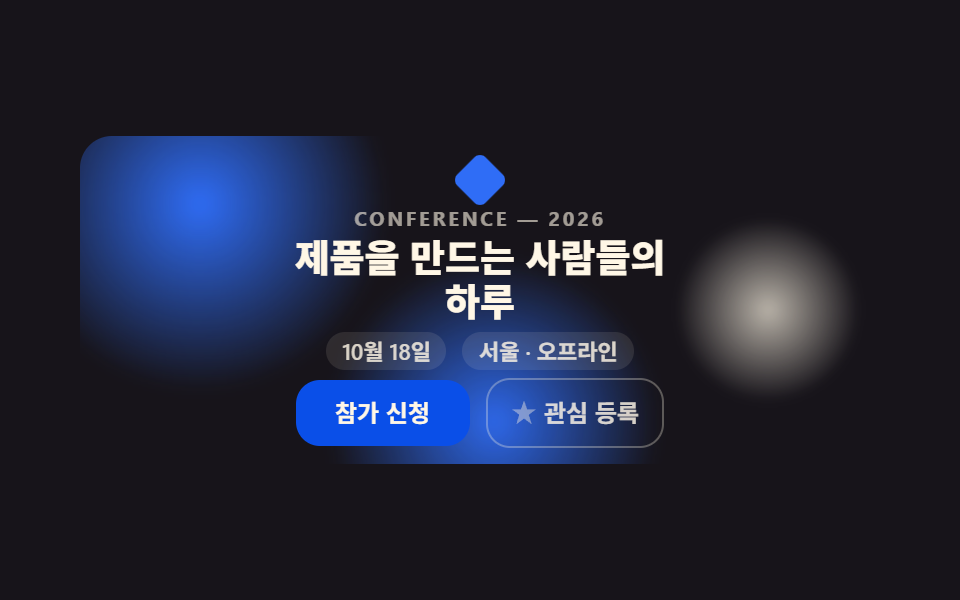 LPセクション【コピペOK】カンファレンス LP セクション テンプレート9選
 LPセクションプレスキット テンプレート付き プレスルームセクション9選
 LPセクションポートフォリオサイト テンプレート9選 — プロジェクト紹介セクション
 LPセクションランディングページ 改善に直結するセクション9選
 LPセクションファーストビュー デザイン 9パターン、コピペで置ける
 LPセクションお客様の声 デザインの型9選、そのまま貼れる
 LPセクションフッター デザイン コピペで終わるパターン9選
 LPセクション引用 デザイン CSS 9選 — コピペで決まる引用ブロック
 LPセクションcss カード デザイン 9種 — 街・チーム・ショートカット