【コピペOK】信頼を作るLPパーツ9選
LPパーツは、統計カウンターやロゴバーから比較表・問い合わせフォームまで、ランディングページのあちこちに散らばっていた信頼づくりの部品をひとまとめにしたコード集です。LPにそのまま貼れる九つのうち一つは、ページが開いた瞬間に数字が実際に0から目標値まで上がります。
 01 stats-metrics-showcase
 02 logo-cloud-trusted-by
 03 feature-comparison-table
 04 team-members-grid
 05 newsletter-signup-band
 06 integration-partners-grid
 07 timeline-roadmap
 08 awards-press-mentions
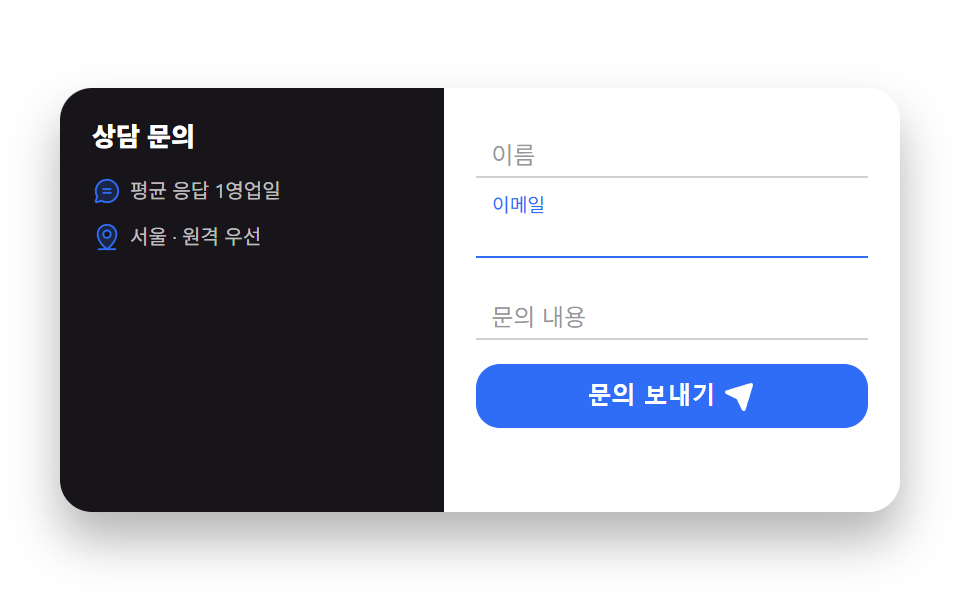 09 contact-form-split
自動再生 · タイルを押すとその項目へ · すべて1つのzip
- 01 主要指標カウンター
- 02 導入企業ロゴバー
- 03 機能比較表
- 04 チームメンバーグリッド
- 05 ニュースレター登録バンド
- 06 連携サービスグリッド
- 07 ロードマップタイムライン
- 08 受賞・メディア掲載
- 09 分割型お問い合わせフォーム
lp パーツ 参考として集めた九つは、知名度順ではなく、訪問者の信頼が積み上がっていく順番に並べました。まず数字で規模を見せ(主要指標カウンター)、すでに使っている会社の名前を流し(導入企業ロゴバー)、料金の違いを表で見せ(機能比較表)、実際に働く人を見せ(チームメンバーグリッド)、次の情報を受け取ってもらい(ニュースレター登録バンド)、つながるサービスを並べ(連携サービスグリッド)、これまでの道とこれからの道を見せ(ロードマップタイムライン)、第三者の評価を根拠として示し(受賞・メディア掲載)、最後に実際の問い合わせを受け取ります(お問い合わせフォーム)。ロゴ・アバター・媒体名はすべてこのサイト共通のインク・ブルー・クリームのトークンだけで組んだ図形で、実際のロゴファイルに差し替えてもグリッドと配置はそのまま保たれます。同じセクション組み立てでも期間限定の販売を押す型はプロモ LP テンプレートにまとめてあり、信頼を人の顔で見せる部品はプロフィールカード デザインのほうが詳しいです。
01主要指標カウンター
lp パーツ デザインとして何が見えるか
三つの数字はページが開いた瞬間、requestAnimationFrameで実際に0から目標値までカウントアップします。
<main class="stage">
  <section class="stats" aria-label="主要指標">
    <div class="stats__item">
      <span class="stats__icon" aria-hidden="true"><svg viewBox="0 0 256 256" width="22" height="22"><g fill="currentColor"><path d="M232 56v64l-64-64Z" opacity=".2"/><path d="M232 48h-64a8 8 0 0 0-5.66 13.66L188.69 88L136 140.69l-34.34-34.35a8 8 0 0 0-11.32 0l-72 72a8 8 0 0 0 11.32 11.32L96 123.31l34.34 34.35a8 8 0 0 0 11.32 0L200 99.31l26.34 26.35A8 8 0 0 0 240 120V56a8 8 0 0 0-8-8m-8 52.69L187.31 64H224Z"/></g></svg></span>
      <p class="stats__num"><span class="stats__n" data-target="128400" data-suffix="+">0</span></p>
      <p class="stats__label">累計訪問者</p>
    </div>
    <div class="stats__item">
      <span class="stats__icon" aria-hidden="true"><svg viewBox="0 0 256 256" width="22" height="22"><g fill="currentColor"><path d="M232 56v64l-64-64Z" opacity=".2"/><path d="M232 48h-64a8 8 0 0 0-5.66 13.66L188.69 88L136 140.69l-34.34-34.35a8 8 0 0 0-11.32 0l-72 72a8 8 0 0 0 11.32 11.32L96 123.31l34.34 34.35a8 8 0 0 0 11.32 0L200 99.31l26.34 26.35A8 8 0 0 0 240 120V56a8 8 0 0 0-8-8m-8 52.69L187.31 64H224Z"/></g></svg></span>
      <p class="stats__num"><span class="stats__n" data-target="98" data-suffix="%">0</span></p>
      <p class="stats__label">顧客満足度</p>
    </div>
    <div class="stats__item">
      <span class="stats__icon" aria-hidden="true"><svg viewBox="0 0 256 256" width="22" height="22"><g fill="currentColor"><path d="M232 56v64l-64-64Z" opacity=".2"/><path d="M232 48h-64a8 8 0 0 0-5.66 13.66L188.69 88L136 140.69l-34.34-34.35a8 8 0 0 0-11.32 0l-72 72a8 8 0 0 0 11.32 11.32L96 123.31l34.34 34.35a8 8 0 0 0 11.32 0L200 99.31l26.34 26.35A8 8 0 0 0 240 120V56a8 8 0 0 0-8-8m-8 52.69L187.31 64H224Z"/></g></svg></span>
      <p class="stats__num"><span class="stats__n" data-target="1200" data-decimals="1" data-scale="0.001" data-suffix="秒">0</span></p>
      <p class="stats__label">平均応答</p>
    </div>
  </section>
</main>
@use "../../../../site/static/demo-tokens" as *;
// ── 변수 3개 ──────────────────────────────────────────
$duration: $dur-loop;
$easing: $ease-out;
$color: $subject-blue;
@include stage($stage-ink);
.stats { display: flex; gap: $sp-8; width: min(420px, 94vw); justify-content: center; }
.stats__item { display: flex; flex-direction: column; align-items: center; text-align: center; }
.stats__icon {
display: grid; place-items: center;
width: 36px; height: 36px;
border-radius: $r-control;
background: rgba(47, 109, 246, .18);
color: $color;
margin-bottom: $sp-2;
animation: stats-float $duration $easing infinite;
}
.stats__item:nth-child(2) .stats__icon { animation-delay: -.5s; color: $stage-yellow; background: rgba(255, 210, 63, .16); }
.stats__item:nth-child(3) .stats__icon { animation-delay: -1s; color: #90c8b5; background: rgba(76, 212, 166, .16); }
@keyframes stats-float {
0%, 100% { transform: translateY(0); }
50% { transform: translateY(-5px); }
}
.stats__num { margin: 0; font-family: inherit; }
.stats__n {
font-weight: 800;
font-size: clamp(20px, 6vw, 26px);
line-height: 1.1;
font-variant-numeric: tabular-nums;
color: $stage-paper;
}
.stats__label { margin: $sp-1 0 0; font-weight: 600; font-size: 11px; line-height: 1.3; font-family: inherit; color: rgba(255, 255, 255, .58); }
// ── 접근성 ──────────────────────────────────────────
@media (prefers-reduced-motion: reduce) {
.stats__icon { animation: none !important; }
}
// ── 반응형(320px) ────────────────────────────────────
@media (max-width: 340px), (max-height: 220px) {
.stats { gap: $sp-4; }
.stats__icon { width: 30px; height: 30px; }
}html, body {
margin: 0;
overflow: hidden;
}
.stage {
box-sizing: border-box;
min-height: 100vh;
display: grid;
place-items: center;
margin: 0;
background: #17141a;
font-family: -apple-system, "Segoe UI", "Noto Sans KR", sans-serif;
padding: clamp(8px, 4vw, 24px);
}
.stats {
display: flex;
gap: 32px;
width: min(420px, 94vw);
justify-content: center;
}
.stats__item {
display: flex;
flex-direction: column;
align-items: center;
text-align: center;
}
.stats__icon {
display: grid;
place-items: center;
width: 36px;
height: 36px;
border-radius: 12px;
background: rgba(47, 109, 246, 0.18);
color: #2f6df6;
margin-bottom: 8px;
animation: stats-float 2s ease-out infinite;
}
.stats__item:nth-child(2) .stats__icon {
animation-delay: -0.5s;
color: #ffd23f;
background: rgba(255, 210, 63, 0.16);
}
.stats__item:nth-child(3) .stats__icon {
animation-delay: -1s;
color: #90c8b5;
background: rgba(76, 212, 166, 0.16);
}
@keyframes stats-float {
0%, 100% {
transform: translateY(0);
}
50% {
transform: translateY(-5px);
}
}
.stats__num {
margin: 0;
font-family: inherit;
}
.stats__n {
font-weight: 800;
font-size: clamp(20px, 6vw, 26px);
line-height: 1.1;
font-variant-numeric: tabular-nums;
color: #ffffff;
}
.stats__label {
margin: 4px 0 0;
font-weight: 600;
font-size: 11px;
line-height: 1.3;
font-family: inherit;
color: rgba(255, 255, 255, 0.58);
}
@media (prefers-reduced-motion: reduce) {
.stats__icon {
animation: none !important;
}
}
@media (max-width: 340px), (max-height: 220px) {
.stats {
gap: 16px;
}
.stats__icon {
width: 30px;
height: 30px;
}
}// 실제 동작: 화면에 뜨자마자 숫자 3개가 각각 0 → 실측 목표값까지 requestAnimationFrame 으로 카운트업된다. 아이콘은 CSS 로 계속 위아래 스친다.
document.querySelectorAll('.stats__n').forEach(function (el, i) {
var target = Number(el.getAttribute('data-target'));
var scale = Number(el.getAttribute('data-scale')) || 1;
var decimals = Number(el.getAttribute('data-decimals')) || 0;
var suffix = el.getAttribute('data-suffix') || '';
var DUR = 1100, start = null, delay = i * 140;
function frame(ts) {
if (!start) start = ts;
var t = Math.max(0, ts - start - delay);
var p = Math.min(1, t / DUR);
var eased = 1 - Math.pow(1 - p, 3);
var val = eased * target * scale;
el.textContent = (decimals ? val.toFixed(decimals) : Math.round(val)).toLocaleString('ko-KR') + suffix;
if (p < 1) requestAnimationFrame(frame);
}
requestAnimationFrame(frame);
});import { useEffect, useState } from "react";
import type { CSSProperties } from "react";
import styles from "./StatsMetrics.module.scss";
export type StatsMetricsProps = { duration?: number; easing?: string; color?: string };
type Vars = CSSProperties & { "--duration"?: string; "--easing"?: string; "--color"?: string };
type Stat = { target: number; label: string; decimals?: number; scale?: number; suffix?: string };
const STATS: Stat[] = [
{ target: 128400, label: "누적 방문자", suffix: "+" },
{ target: 98, label: "고객 만족도", suffix: "%" },
{ target: 1200, label: "평균 응답", decimals: 1, scale: 0.001, suffix: "초" },
];
function Counter({ target, decimals = 0, scale = 1, suffix = "", delay }: Stat & { delay: number }) {
const [val, setVal] = useState(0);
useEffect(() => {
let raf = 0;
let start: number | null = null;
const DUR = 1100;
function frame(ts: number) {
if (start === null) start = ts;
const t = Math.max(0, ts - start - delay);
const p = Math.min(1, t / DUR);
const eased = 1 - Math.pow(1 - p, 3);
setVal(eased * target * scale);
if (p < 1) raf = requestAnimationFrame(frame);
}
raf = requestAnimationFrame(frame);
return () => cancelAnimationFrame(raf);
}, [target, scale, delay]);
const text = (decimals ? val.toFixed(decimals) : Math.round(val)).toLocaleString("ko-KR") + suffix;
return <span className={styles.n}>{text}</span>;
}
export default function StatsMetrics({ duration = 2000, easing = "ease-out", color = "#2f6df6" }: StatsMetricsProps) {
const vars: Vars = { "--duration": `${duration}ms`, "--easing": easing, "--color": color };
return (
<section className={styles.stats} style={vars} aria-label="핵심 지표">
{STATS.map((s, i) => (
<div className={styles.item} key={s.label}>
<span className={styles.icon} aria-hidden="true">
<svg viewBox="0 0 256 256" width="22" height="22">
<g fill="currentColor">
<path d="M232 56v64l-64-64Z" opacity=".2" />
<path d="M232 48h-64a8 8 0 0 0-5.66 13.66L188.69 88L136 140.69l-34.34-34.35a8 8 0 0 0-11.32 0l-72 72a8 8 0 0 0 11.32 11.32L96 123.31l34.34 34.35a8 8 0 0 0 11.32 0L200 99.31l26.34 26.35A8 8 0 0 0 240 120V56a8 8 0 0 0-8-8m-8 52.69L187.31 64H224Z" />
</g>
</svg>
</span>
<p className={styles.num}><Counter {...s} delay={i * 140} /></p>
<p className={styles.label}>{s.label}</p>
</div>
))}
</section>
);
}01 · 主要指標カウンター — 計測 累積面積 6.406% · 動いたフレーム 23/23GODRICH オリジナル · SCSS と React は zip に同梱 · パスワードを見る
コードのどこを見るか
アイコンは常に静かに上下へ揺れ、行全体が動いている印象を保ちます。
document.querySelectorAll('.stats__n').forEach(function (el, i) {
  var target = Number(el.getAttribute('data-target'));
  var DUR = 1100, start = null, delay = i * 140;
  function frame(ts) {
    if (!start) start = ts;
    var t = Math.max(0, ts - start - delay);
    var p = Math.min(1, t / DUR);
    var eased = 1 - Math.pow(1 - p, 3);
    el.textContent = Math.round(eased * target).toLocaleString('ja-JP');
    if (p < 1) requestAnimationFrame(frame);
  }
  requestAnimationFrame(frame);
});
02導入企業ロゴバー
画面で起きること
ロゴの列は切れ目なく流れ続け、ボタンを押すとaria-pressedが切り替わって実際に止まり、もう一度押すとまた流れます。
<main class="stage">
  <section class="lc">
    <p class="lc__label">
      <span class="lc__badge" aria-hidden="true"><svg viewBox="0 0 256 256" width="16" height="16"><g fill="currentColor"><path d="M232 128c0 12.51-17.82 21.95-22.68 33.69c-4.68 11.32 1.42 30.65-7.78 39.85s-28.53 3.1-39.85 7.78C150 214.18 140.5 232 128 232s-22-17.82-33.69-22.68c-11.32-4.68-30.65 1.42-39.85-7.78s-3.1-28.53-7.78-39.85C41.82 150 24 140.5 24 128s17.82-22 22.68-33.69c4.68-11.31-1.42-30.65 7.78-39.85s28.54-3.1 39.85-7.78C106.05 41.82 115.5 24 128 24s22 17.82 33.69 22.68c11.32 4.68 30.65-1.42 39.85 7.78s3.1 28.53 7.78 39.85C214.18 106.05 232 115.5 232 128" opacity=".2"/><path d="m165.66 98.34a8 8 0 0 1 0 11.32l-56 56a8 8 0 0 1-11.32 0l-24-24a8 8 0 0 1 11.32-11.32L104 148.69l50.34-50.35a8 8 0 0 1 11.32 0"/></g></svg></span>
      500以上のチームが導入中
    </p>
    <button type="button" class="lc__toggle" aria-pressed="false">一時停止</button>
    <div class="lc__viewport">
      <ul class="lc__track" aria-hidden="true">
        <li>NORTHWARD</li><li>ORBITAL</li><li>VESTA LABS</li><li>KAIROS</li><li>ATLAS CO</li><li>LUMEN</li>
        <li>NORTHWARD</li><li>ORBITAL</li><li>VESTA LABS</li><li>KAIROS</li><li>ATLAS CO</li><li>LUMEN</li>
      </ul>
    </div>
    <p class="sr-only">導入企業: Northward, Orbital, Vesta Labs, Kairos, Atlas Co, Lumen</p>
  </section>
</main>
@use "../../../../site/static/demo-tokens" as *;
// ── 변수 3개 ──────────────────────────────────────────
$duration: 9s;
$easing: linear;
$color: $subject-ink;
@include stage($stage-paper);
.lc { width: min(420px, 94vw); text-align: center; }
.lc__label {
display: flex; align-items: center; justify-content: center; gap: $sp-1;
margin: 0 0 $sp-2; font-weight: 700; font-size: 12px; line-height: 1.3; font-family: inherit;
color: $subject-ink;
}
.lc__badge { display: grid; place-items: center; color: #50a26e; flex: 0 0 auto; }
.lc__toggle {
display: inline-block; margin: 0 0 $sp-4;
padding: $sp-2 $sp-3;
border: 1px solid rgba(23, 20, 26, .18);
border-radius: $r-pill;
background: $stage-paper;
color: $subject-ink;
font-weight: 700; font-size: 11px; line-height: 1;
cursor: pointer;
}
.lc__toggle[aria-pressed="true"] { background: $subject-ink; color: $stage-paper; border-color: $subject-ink; }
.lc__viewport { overflow: hidden; width: 100%; -webkit-mask-image: linear-gradient(90deg, transparent, #000 12%, #000 88%, transparent); mask-image: linear-gradient(90deg, transparent, #000 12%, #000 88%, transparent); }
// 무한 루프 트랙 — flex gap 대신 margin-right (BD15). 12개(6종×2) 중 -50% 는 정확히 앞 6개 끝.
.lc__track {
display: flex; list-style: none; margin: 0; padding: 0;
width: max-content;
animation: lc-scroll $duration $easing infinite;
}
.lc__track li {
flex: 0 0 auto;
margin-right: $sp-6;
padding: $sp-2 $sp-4;
border: 1px solid rgba(23, 20, 26, .12);
border-radius: $r-sm;
background: rgba(23, 20, 26, .04);
color: rgba(23, 20, 26, .72);
font-weight: 800; font-size: 11px; letter-spacing: .04em; font-family: inherit;
white-space: nowrap;
}
@keyframes lc-scroll {
from { transform: translateX(0); }
to { transform: translateX(-50%); }
}
.sr-only {
position: absolute; width: 1px; height: 1px; padding: 0; margin: -1px;
overflow: hidden; clip: rect(0, 0, 0, 0); white-space: nowrap; border: 0;
}
// ── 접근성 ──────────────────────────────────────────
@media (prefers-reduced-motion: reduce) {
.lc__track { animation: none !important; }
}
// ── 반응형(320px) ────────────────────────────────────
@media (max-width: 340px), (max-height: 220px) {
.lc__track li { margin-right: $sp-4; padding: $sp-1 $sp-3; }
}html, body {
margin: 0;
overflow: hidden;
}
.stage {
box-sizing: border-box;
min-height: 100vh;
display: grid;
place-items: center;
margin: 0;
background: #ffffff;
font-family: -apple-system, "Segoe UI", "Noto Sans KR", sans-serif;
padding: clamp(8px, 4vw, 24px);
}
.lc {
width: min(420px, 94vw);
text-align: center;
}
.lc__label {
display: flex;
align-items: center;
justify-content: center;
gap: 4px;
margin: 0 0 8px;
font-weight: 700;
font-size: 12px;
line-height: 1.3;
font-family: inherit;
color: #17141a;
}
.lc__badge {
display: grid;
place-items: center;
color: #50a26e;
flex: 0 0 auto;
}
.lc__toggle {
display: inline-block;
margin: 0 0 16px;
padding: 8px 12px;
border: 1px solid rgba(23, 20, 26, 0.18);
border-radius: 999px;
background: #ffffff;
color: #17141a;
font-weight: 700;
font-size: 11px;
line-height: 1;
cursor: pointer;
}
.lc__toggle[aria-pressed=true] {
background: #17141a;
color: #ffffff;
border-color: #17141a;
}
.lc__viewport {
overflow: hidden;
width: 100%;
-webkit-mask-image: linear-gradient(90deg, transparent, #000 12%, #000 88%, transparent);
mask-image: linear-gradient(90deg, transparent, #000 12%, #000 88%, transparent);
}
.lc__track {
display: flex;
list-style: none;
margin: 0;
padding: 0;
width: max-content;
animation: lc-scroll 9s linear infinite;
}
.lc__track li {
flex: 0 0 auto;
margin-right: 24px;
padding: 8px 16px;
border: 1px solid rgba(23, 20, 26, 0.12);
border-radius: 8px;
background: rgba(23, 20, 26, 0.04);
color: rgba(23, 20, 26, 0.72);
font-weight: 800;
font-size: 11px;
letter-spacing: 0.04em;
font-family: inherit;
white-space: nowrap;
}
@keyframes lc-scroll {
from {
transform: translateX(0);
}
to {
transform: translateX(-50%);
}
}
.sr-only {
position: absolute;
width: 1px;
height: 1px;
padding: 0;
margin: -1px;
overflow: hidden;
clip: rect(0, 0, 0, 0);
white-space: nowrap;
border: 0;
}
@media (prefers-reduced-motion: reduce) {
.lc__track {
animation: none !important;
}
}
@media (max-width: 340px), (max-height: 220px) {
.lc__track li {
margin-right: 16px;
padding: 4px 12px;
}
}// 실제 동작: 버튼을 누르면 aria-pressed 가 바뀌며 흐르는 로고 줄이 실제로 멈추고 다시 누르면 이어서 흐른다.
var track = document.querySelector('.lc__track');
var btn = document.querySelector('.lc__toggle');
btn.addEventListener('click', function () {
var paused = btn.getAttribute('aria-pressed') === 'true';
btn.setAttribute('aria-pressed', String(!paused));
btn.textContent = paused ? '一時停止' : '再生';
track.style.animationPlayState = paused ? 'running' : 'paused';
});import { useState } from "react";
import type { CSSProperties } from "react";
import styles from "./LogoCloud.module.scss";
export type LogoCloudProps = { duration?: number; easing?: string; color?: string; names?: string[] };
type Vars = CSSProperties & { "--duration"?: string; "--easing"?: string; "--color"?: string };
const DEFAULT_NAMES = ["NORTHWARD", "ORBITAL", "VESTA LABS", "KAIROS", "ATLAS CO", "LUMEN"];
export default function LogoCloud({ duration = 9000, easing = "linear", color = "#17141a", names = DEFAULT_NAMES }: LogoCloudProps) {
const [paused, setPaused] = useState(false);
const vars: Vars = { "--duration": `${duration}ms`, "--easing": easing, "--color": color };
const track = [...names, ...names];
return (
<section className={styles.lc} style={vars}>
<p className={styles.label}>
<span className={styles.badge} aria-hidden="true">
<svg viewBox="0 0 256 256" width="16" height="16">
<g fill="currentColor">
<path d="M232 128c0 12.51-17.82 21.95-22.68 33.69c-4.68 11.32 1.42 30.65-7.78 39.85s-28.53 3.1-39.85 7.78C150 214.18 140.5 232 128 232s-22-17.82-33.69-22.68c-11.32-4.68-30.65 1.42-39.85-7.78s-3.1-28.53-7.78-39.85C41.82 150 24 140.5 24 128s17.82-22 22.68-33.69c4.68-11.31-1.42-30.65 7.78-39.85s28.54-3.1 39.85-7.78C106.05 41.82 115.5 24 128 24s22 17.82 33.69 22.68c11.32 4.68 30.65-1.42 39.85 7.78s3.1 28.53 7.78 39.85C214.18 106.05 232 115.5 232 128" opacity=".2" />
<path d="m165.66 98.34a8 8 0 0 1 0 11.32l-56 56a8 8 0 0 1-11.32 0l-24-24a8 8 0 0 1 11.32-11.32L104 148.69l50.34-50.35a8 8 0 0 1 11.32 0" />
</g>
</svg>
</span>
500개 넘는 팀이 이미 쓰고 있어요
</p>
<button type="button" className={styles.toggle} aria-pressed={paused} onClick={() => setPaused((p) => !p)}>
{paused ? "재생" : "일시정지"}
</button>
<div className={styles.viewport}>
<ul className={styles.track} aria-hidden="true" data-paused={paused}>
{track.map((n, i) => <li key={i}>{n}</li>)}
</ul>
</div>
<p className={styles.srOnly}>함께하는 회사: {names.join(", ")}</p>
</section>
);
}02 · 導入企業ロゴバー — 計測 累積面積 5.088% · 動いたフレーム 23/23GODRICH オリジナル · SCSS と React は zip に同梱 · パスワードを見る
コードの読み方
トラックは同じ六つのロゴをもう一度つなげただけなので、つなぎ目が見えません。
.lc__track {
  display: flex;
  width: max-content;
  animation: lc-scroll 9s linear infinite;
}
.lc__track li {
  flex: 0 0 auto;
  margin-right: 24px; // gap の代わりに margin-right
}
@keyframes lc-scroll {
  from { transform: translateX(0); }
  to   { transform: translateX(-50%); }
}
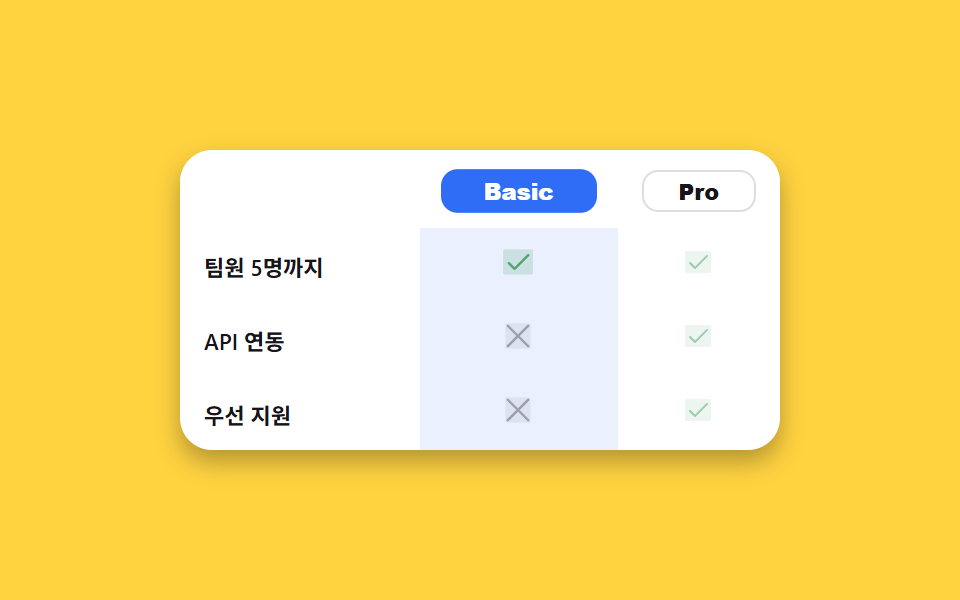
03機能比較表
どんな動きか
プラン名をクリックするとaria-pressedが切り替わり、その列のチェック・バツのアイコンが実際に拡大して強調されます。
<main class="stage">
  <table class="fc">
    <caption class="sr-only">プラン別機能比較</caption>
    <thead>
      <tr>
        <th scope="col"></th>
        <th scope="col"><button type="button" class="fc__plan" data-plan="basic" aria-pressed="false">Basic</button></th>
        <th scope="col"><button type="button" class="fc__plan is-on" data-plan="pro" aria-pressed="true">Pro</button></th>
      </tr>
    </thead>
    <tbody>
      <tr>
        <th scope="row">チーム5名まで</th>
        <td class="fc__cell" data-plan="basic"><span class="fc__ic fc__ic--yes" aria-hidden="true"><svg viewBox="0 0 256 256" width="16" height="16"><g fill="currentColor"><path d="M232 56v144a16 16 0 0 1-16 16H40a16 16 0 0 1-16-16V56a16 16 0 0 1 16-16h176a16 16 0 0 1 16 16" opacity=".2"/><path d="m205.66 85.66l-96 96a8 8 0 0 1-11.32 0l-40-40a8 8 0 0 1 11.32-11.32L104 164.69l90.34-90.35a8 8 0 0 1 11.32 11.32"/></g></svg></span><span class="sr-only">あり</span></td>
        <td class="fc__cell" data-plan="pro"><span class="fc__ic fc__ic--yes" aria-hidden="true"><svg viewBox="0 0 256 256" width="16" height="16"><g fill="currentColor"><path d="M232 56v144a16 16 0 0 1-16 16H40a16 16 0 0 1-16-16V56a16 16 0 0 1 16-16h176a16 16 0 0 1 16 16" opacity=".2"/><path d="m205.66 85.66l-96 96a8 8 0 0 1-11.32 0l-40-40a8 8 0 0 1 11.32-11.32L104 164.69l90.34-90.35a8 8 0 0 1 11.32 11.32"/></g></svg></span><span class="sr-only">あり</span></td>
      </tr>
      <tr>
        <th scope="row">API連携</th>
        <td class="fc__cell" data-plan="basic"><span class="fc__ic fc__ic--no" aria-hidden="true"><svg viewBox="0 0 256 256" width="16" height="16"><g fill="currentColor"><path d="M216 56v144a16 16 0 0 1-16 16H56a16 16 0 0 1-16-16V56a16 16 0 0 1 16-16h144a16 16 0 0 1 16 16" opacity=".2"/><path d="M205.66 194.34a8 8 0 0 1-11.32 11.32L128 139.31l-66.34 66.35a8 8 0 0 1-11.32-11.32L116.69 128L50.34 61.66a8 8 0 0 1 11.32-11.32L128 116.69l66.34-66.35a8 8 0 0 1 11.32 11.32L139.31 128Z"/></g></svg></span><span class="sr-only">なし</span></td>
        <td class="fc__cell" data-plan="pro"><span class="fc__ic fc__ic--yes" aria-hidden="true"><svg viewBox="0 0 256 256" width="16" height="16"><g fill="currentColor"><path d="M232 56v144a16 16 0 0 1-16 16H40a16 16 0 0 1-16-16V56a16 16 0 0 1 16-16h176a16 16 0 0 1 16 16" opacity=".2"/><path d="m205.66 85.66l-96 96a8 8 0 0 1-11.32 0l-40-40a8 8 0 0 1 11.32-11.32L104 164.69l90.34-90.35a8 8 0 0 1 11.32 11.32"/></g></svg></span><span class="sr-only">あり</span></td>
      </tr>
      <tr>
        <th scope="row">優先サポート</th>
        <td class="fc__cell" data-plan="basic"><span class="fc__ic fc__ic--no" aria-hidden="true"><svg viewBox="0 0 256 256" width="16" height="16"><g fill="currentColor"><path d="M216 56v144a16 16 0 0 1-16 16H56a16 16 0 0 1-16-16V56a16 16 0 0 1 16-16h144a16 16 0 0 1 16 16" opacity=".2"/><path d="M205.66 194.34a8 8 0 0 1-11.32 11.32L128 139.31l-66.34 66.35a8 8 0 0 1-11.32-11.32L116.69 128L50.34 61.66a8 8 0 0 1 11.32-11.32L128 116.69l66.34-66.35a8 8 0 0 1 11.32 11.32L139.31 128Z"/></g></svg></span><span class="sr-only">なし</span></td>
        <td class="fc__cell" data-plan="pro"><span class="fc__ic fc__ic--yes" aria-hidden="true"><svg viewBox="0 0 256 256" width="16" height="16"><g fill="currentColor"><path d="M232 56v144a16 16 0 0 1-16 16H40a16 16 0 0 1-16-16V56a16 16 0 0 1 16-16h176a16 16 0 0 1 16 16" opacity=".2"/><path d="m205.66 85.66l-96 96a8 8 0 0 1-11.32 0l-40-40a8 8 0 0 1 11.32-11.32L104 164.69l90.34-90.35a8 8 0 0 1 11.32 11.32"/></g></svg></span><span class="sr-only">あり</span></td>
      </tr>
    </tbody>
  </table>
</main>@use "../../../../site/static/demo-tokens" as *;
// ── 변수 3개 ──────────────────────────────────────────
$duration: $dur-base;
$easing: $ease-spring;
$color: $subject-blue;
@include stage($stage-yellow);
.fc { width: min(300px, 92vw); border-collapse: collapse; background: $stage-paper; border-radius: $r-card; overflow: hidden; box-shadow: $shadow-press; }
.fc th, .fc td { padding: $sp-2 $sp-3; text-align: center; font-family: inherit; }
.fc thead th:first-child { width: 40%; }
.fc tbody th { text-align: left; font-weight: 600; font-size: 11px; color: $subject-ink; }
.fc__plan {
width: 100%;
padding: $sp-1 $sp-2;
border: 1px solid rgba(23, 20, 26, .14);
border-radius: $r-sm;
background: $stage-paper;
color: $subject-ink;
font-weight: 800; font-size: 11px; line-height: 1;
cursor: pointer;
transition: background $duration $easing, color $duration $easing, transform $duration $easing;
}
.fc__plan.is-on { background: $color; color: $stage-paper; border-color: $color; transform: scale(1.04); }
.fc__cell { transition: background $duration $easing, opacity $duration $easing; opacity: .55; }
.fc__cell.is-on { background: rgba(47, 109, 246, .1); opacity: 1; }
.fc__ic { display: inline-grid; place-items: center; transition: transform $duration $easing; }
.fc__cell.is-on .fc__ic { transform: scale(1.15); }
.fc__ic--yes { color: #50a26e; }
.fc__ic--no { color: rgba(23, 20, 26, .32); }
.sr-only {
position: absolute; width: 1px; height: 1px; padding: 0; margin: -1px;
overflow: hidden; clip: rect(0, 0, 0, 0); white-space: nowrap; border: 0;
}
// ── 접근성 ──────────────────────────────────────────
@media (prefers-reduced-motion: reduce) {
.fc__plan, .fc__cell, .fc__ic { transition: none !important; }
}
// ── 반응형(320px) ────────────────────────────────────
@media (max-width: 340px), (max-height: 220px) {
.fc th, .fc td { padding: $sp-1 $sp-2; }
.fc__plan { font-size: 10px; }
}html, body {
margin: 0;
overflow: hidden;
}
.stage {
box-sizing: border-box;
min-height: 100vh;
display: grid;
place-items: center;
margin: 0;
background: #ffd23f;
font-family: -apple-system, "Segoe UI", "Noto Sans KR", sans-serif;
padding: clamp(8px, 4vw, 24px);
}
.fc {
width: min(300px, 92vw);
border-collapse: collapse;
background: #ffffff;
border-radius: 16px;
overflow: hidden;
box-shadow: 0 6px 12px rgba(23, 20, 26, 0.32);
}
.fc th, .fc td {
padding: 8px 12px;
text-align: center;
font-family: inherit;
}
.fc thead th:first-child {
width: 40%;
}
.fc tbody th {
text-align: left;
font-weight: 600;
font-size: 11px;
color: #17141a;
}
.fc__plan {
width: 100%;
padding: 4px 8px;
border: 1px solid rgba(23, 20, 26, 0.14);
border-radius: 8px;
background: #ffffff;
color: #17141a;
font-weight: 800;
font-size: 11px;
line-height: 1;
cursor: pointer;
transition: background 300ms cubic-bezier(0.2, 0.8, 0.2, 1), color 300ms cubic-bezier(0.2, 0.8, 0.2, 1), transform 300ms cubic-bezier(0.2, 0.8, 0.2, 1);
}
.fc__plan.is-on {
background: #2f6df6;
color: #ffffff;
border-color: #2f6df6;
transform: scale(1.04);
}
.fc__cell {
transition: background 300ms cubic-bezier(0.2, 0.8, 0.2, 1), opacity 300ms cubic-bezier(0.2, 0.8, 0.2, 1);
opacity: 0.55;
}
.fc__cell.is-on {
background: rgba(47, 109, 246, 0.1);
opacity: 1;
}
.fc__ic {
display: inline-grid;
place-items: center;
transition: transform 300ms cubic-bezier(0.2, 0.8, 0.2, 1);
}
.fc__cell.is-on .fc__ic {
transform: scale(1.15);
}
.fc__ic--yes {
color: #50a26e;
}
.fc__ic--no {
color: rgba(23, 20, 26, 0.32);
}
.sr-only {
position: absolute;
width: 1px;
height: 1px;
padding: 0;
margin: -1px;
overflow: hidden;
clip: rect(0, 0, 0, 0);
white-space: nowrap;
border: 0;
}
@media (prefers-reduced-motion: reduce) {
.fc__plan, .fc__cell, .fc__ic {
transition: none !important;
}
}
@media (max-width: 340px), (max-height: 220px) {
.fc th, .fc td {
padding: 4px 8px;
}
.fc__plan {
font-size: 10px;
}
}// 실제 동작: 요금제 이름을 누르면 aria-pressed 가 바뀌며 그 열이 실제로 강조되고(배경·아이콘 확대), 다른 열은 옅어진다.
// .is-demo 자동 再生: 1초마다 basic·pro 를 번갈아 강조해 데모 렌더에서도 움직임이 보인다.
function select(plan) {
  document.querySelectorAll('.fc__plan').forEach(function (b) {
    var on = b.getAttribute('data-plan') === plan;
    b.classList.toggle('is-on', on);
    b.setAttribute('aria-pressed', String(on));
  });
  document.querySelectorAll('.fc__cell').forEach(function (c) {
    c.classList.toggle('is-on', c.getAttribute('data-plan') === plan);
  });
}
document.querySelectorAll('.fc__plan').forEach(function (btn) {
btn.addEventListener('click', function () { select(btn.getAttribute('data-plan')); restart(); });
});
var order = ['pro', 'basic'], oi = 0, timer = null;
function tick() { oi = (oi + 1) % order.length; select(order[oi]); }
function restart() { if (timer) clearInterval(timer); timer = setInterval(tick, 1000); }
restart();import { useEffect, useState } from "react";
import type { CSSProperties } from "react";
import styles from "./FeatureComparison.module.scss";
export type FeatureComparisonProps = { duration?: number; easing?: string; color?: string };
type Vars = CSSProperties & { "--duration"?: string; "--easing"?: string; "--color"?: string };
const ROWS: { label: string; basic: boolean; pro: boolean }[] = [
{ label: "팀원 5명까지", basic: true, pro: true },
{ label: "API 연동", basic: false, pro: true },
{ label: "우선 지원", basic: false, pro: true },
];
function Check() {
return (
<svg viewBox="0 0 256 256" width="16" height="16">
<g fill="currentColor">
<path d="M232 56v144a16 16 0 0 1-16 16H40a16 16 0 0 1-16-16V56a16 16 0 0 1 16-16h176a16 16 0 0 1 16 16" opacity=".2" />
<path d="m205.66 85.66l-96 96a8 8 0 0 1-11.32 0l-40-40a8 8 0 0 1 11.32-11.32L104 164.69l90.34-90.35a8 8 0 0 1 11.32 11.32" />
</g>
</svg>
);
}
function Cross() {
return (
<svg viewBox="0 0 256 256" width="16" height="16">
<g fill="currentColor">
<path d="M216 56v144a16 16 0 0 1-16 16H56a16 16 0 0 1-16-16V56a16 16 0 0 1 16-16h144a16 16 0 0 1 16 16" opacity=".2" />
<path d="M205.66 194.34a8 8 0 0 1-11.32 11.32L128 139.31l-66.34 66.35a8 8 0 0 1-11.32-11.32L116.69 128L50.34 61.66a8 8 0 0 1 11.32-11.32L128 116.69l66.34-66.35a8 8 0 0 1 11.32 11.32L139.31 128Z" />
</g>
</svg>
);
}
export default function FeatureComparison({ duration = 300, easing = "cubic-bezier(.2,.8,.2,1)", color = "#2f6df6" }: FeatureComparisonProps) {
const [plan, setPlan] = useState<"basic" | "pro">("pro");
const vars: Vars = { "--duration": `${duration}ms`, "--easing": easing, "--color": color };
// 자동 재생: 1초마다 basic·pro 를 번갈아 강조 (사용자가 직접 눌러도 즉시 반영된다)
useEffect(() => {
const id = setInterval(() => setPlan((p) => (p === "pro" ? "basic" : "pro")), 1000);
return () => clearInterval(id);
}, []);
return (
<table className={styles.fc} style={vars}>
<caption className={styles.srOnly}>요금제별 기능 비교</caption>
<thead>
<tr>
<th scope="col" />
{(["basic", "pro"] as const).map((p) => (
<th scope="col" key={p}>
<button
type="button"
className={`${styles.plan} ${plan === p ? styles.on : ""}`}
aria-pressed={plan === p}
onClick={() => setPlan(p)}
>
{p === "basic" ? "Basic" : "Pro"}
</button>
</th>
))}
</tr>
</thead>
<tbody>
{ROWS.map((r) => (
<tr key={r.label}>
<th scope="row">{r.label}</th>
{(["basic", "pro"] as const).map((p) => {
const has = p === "basic" ? r.basic : r.pro;
return (
<td key={p} className={`${styles.cell} ${plan === p ? styles.on : ""}`}>
<span className={has ? styles.yes : styles.no} aria-hidden="true">{has ? <Check /> : <Cross />}</span>
<span className={styles.srOnly}>{has ? "있음" : "없음"}</span>
</td>
);
})}
</tr>
))}
</tbody>
</table>
);
}03 · 機能比較表 — 計測 累積面積 15.99% · 動いたフレーム 7/23GODRICH オリジナル · SCSS と React は zip に同梱 · パスワードを見る
どこを変えるか
二つの列は1秒ごとに自動でも交互に強調されるので、押さなくても違いを目で追えます。
function select(plan) {
document.querySelectorAll('.fc__plan').forEach(function (b) {
var on = b.getAttribute('data-plan') === plan;
b.classList.toggle('is-on', on);
b.setAttribute('aria-pressed', String(on));
});
document.querySelectorAll('.fc__cell').forEach(function (c) {
c.classList.toggle('is-on', c.getAttribute('data-plan') === plan);
});
}
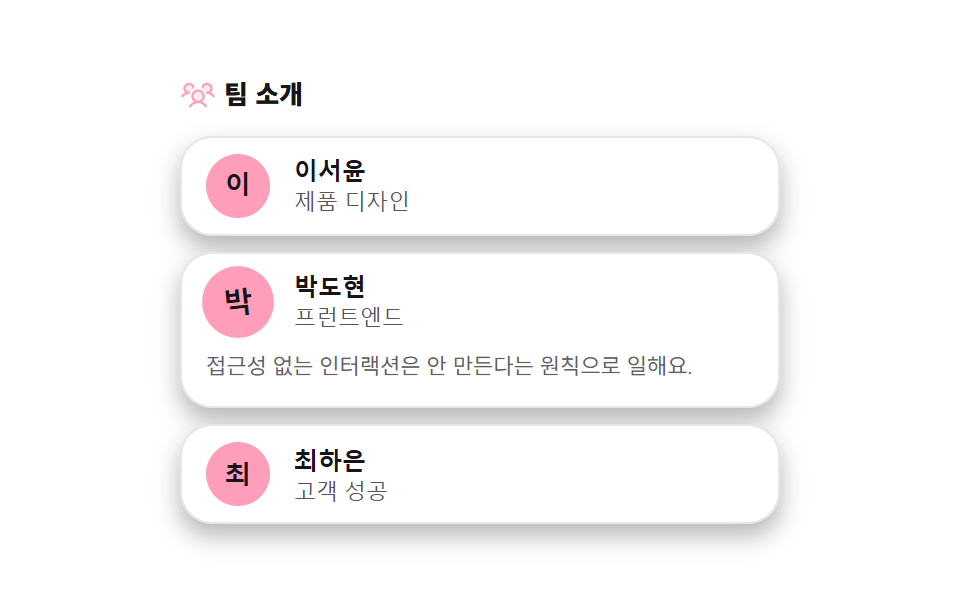
04チームメンバーグリッド
何が見えるか
メンバーカードをクリックするか Enter を押すとaria-expandedが切り替わり、一行紹介がgrid-template-rowsで実際に開きます。
<main class="stage">
  <section class="tm">
    <p class="tm__title">
      <span class="tm__ic" aria-hidden="true"><svg viewBox="0 0 256 256" width="18" height="18"><g fill="currentColor"><path d="M168 144a40 40 0 1 1-40-40a40 40 0 0 1 40 40M64 56a32 32 0 1 0 32 32a32 32 0 0 0-32-32m128 0a32 32 0 1 0 32 32a32 32 0 0 0-32-32" opacity=".2"/><path d="M244.8 150.4a8 8 0 0 1-11.2-1.6A51.6 51.6 0 0 0 192 128a8 8 0 0 1 0-16a24 24 0 1 0-23.24-30a8 8 0 1 1-15.5-4A40 40 0 1 1 219 117.51a67.94 67.94 0 0 1 27.43 21.68a8 8 0 0 1-1.63 11.21M190.92 212a8 8 0 1 1-13.85 8a57 57 0 0 0-98.15 0a8 8 0 1 1-13.84-8a72.06 72.06 0 0 1 33.74-29.92a48 48 0 1 1 58.36 0A72.06 72.06 0 0 1 190.92 212M128 176a32 32 0 1 0-32-32a32 32 0 0 0 32 32m-56-56a8 8 0 0 0-8-8a24 24 0 1 1 23.24-30a8 8 0 1 0 15.5-4A40 40 0 1 0 37 117.51a67.94 67.94 0 0 0-27.4 21.68a8 8 0 1 0 12.8 9.61A51.6 51.6 0 0 1 64 128a8 8 0 0 0 8-8"/></g></svg></span>
      チーム紹介
    </p>
    <ul class="tm__grid">
      <li class="tm__card">
        <button type="button" class="tm__head" aria-expanded="false">
          <span class="tm__avatar">田</span>
          <span class="tm__meta"><b>田中彩</b><i>プロダクトデザイン</i></span>
        </button>
        <div class="tm__bio"><p>3年間コンポーネントライブラリを磨いています。コーヒーよりグリッド派。</p></div>
      </li>
      <li class="tm__card">
        <button type="button" class="tm__head" aria-expanded="false">
          <span class="tm__avatar">佐</span>
          <span class="tm__meta"><b>佐藤蓮</b><i>フロントエンド</i></span>
        </button>
        <div class="tm__bio"><p>アクセシビリティのないUIは作らない主義です。</p></div>
      </li>
      <li class="tm__card">
        <button type="button" class="tm__head" aria-expanded="false">
          <span class="tm__avatar">鈴</span>
          <span class="tm__meta"><b>鈴木陽菜</b><i>カスタマーサクセス</i></span>
        </button>
        <div class="tm__bio"><p>導入初週が一番大事だと思っています。質問はいつでも歓迎。</p></div>
      </li>
    </ul>
  </section>
</main>@use "../../../../site/static/demo-tokens" as *;
// ── 변수 3개 ──────────────────────────────────────────
$duration: $dur-enter;
$easing: $ease-spring;
$color: $subject-pink;
@include stage($stage-paper);
.tm { width: min(300px, 94vw); }
.tm__title { display: flex; align-items: center; gap: $sp-1; margin: 0 0 $sp-3; font-weight: 800; font-size: 13px; line-height: 1.2; font-family: inherit; color: $subject-ink; }
.tm__ic { display: grid; place-items: center; color: $color; }
.tm__grid { list-style: none; margin: 0; padding: 0; display: flex; flex-direction: column; gap: $sp-2; }
.tm__card { border: 1px solid rgba(23, 20, 26, .1); border-radius: $r-card; background: $stage-paper; box-shadow: $shadow-press; overflow: hidden; }
.tm__head {
display: flex; align-items: center; gap: $sp-3; width: 100%;
padding: $sp-2 $sp-3;
border: 0; background: transparent; cursor: pointer; text-align: left;
}
.tm__avatar {
display: grid; place-items: center; flex: 0 0 auto;
width: 32px; height: 32px; border-radius: 50%;
background: $color; color: $subject-ink; // 핑크 면 위 흰 글자 1.93:1 — 잉크 9.43:1
font-weight: 800; font-size: 13px; line-height: 1;
transition: transform $duration $easing;
}
.tm__card.is-open .tm__avatar { transform: scale(1.12) rotate(-6deg); }
.tm__meta { display: flex; flex-direction: column; font-family: inherit; }
.tm__meta b { font-size: 12px; color: $subject-ink; }
.tm__meta i { font-style: normal; font-size: 11px; color: rgba(23, 20, 26, .72); }
.tm__bio {
display: grid; grid-template-rows: 0fr; transition: grid-template-rows $duration $easing;
}
.tm__card.is-open .tm__bio { grid-template-rows: 1fr; }
.tm__bio p { margin: 0; overflow: hidden; padding: 0 $sp-3; font-size: 11px; line-height: 1.5; color: rgba(23, 20, 26, .68); font-family: inherit; }
.tm__card.is-open .tm__bio p { padding: 0 $sp-3 $sp-3; }
// ── 접근성 ──────────────────────────────────────────
@media (prefers-reduced-motion: reduce) {
.tm__avatar, .tm__bio { transition: none !important; }
}
// ── 반응형(320×200) ──────────────────────────────────
@media (max-width: 340px), (max-height: 220px) {
.tm { width: min(260px, 92vw); }
.tm__title { margin: 0 0 4px; font-size: 11px; }
.tm__grid { gap: 4px; }
.tm__head { padding: $sp-1 $sp-2; gap: $sp-2; }
.tm__avatar { width: 20px; height: 20px; font-size: 9px; }
.tm__meta b { font-size: 10px; }
.tm__meta i { font-size: 9px; }
.tm__bio p {
font-size: 9px; line-height: 1.3;
display: -webkit-box; -webkit-line-clamp: 1; -webkit-box-orient: vertical;
}
.tm__card.is-open .tm__bio p { padding: 0 $sp-2 4px; }
}html, body {
margin: 0;
overflow: hidden;
}
.stage {
box-sizing: border-box;
min-height: 100vh;
display: grid;
place-items: center;
margin: 0;
background: #ffffff;
font-family: -apple-system, "Segoe UI", "Noto Sans KR", sans-serif;
padding: clamp(8px, 4vw, 24px);
}
.tm {
width: min(300px, 94vw);
}
.tm__title {
display: flex;
align-items: center;
gap: 4px;
margin: 0 0 12px;
font-weight: 800;
font-size: 13px;
line-height: 1.2;
font-family: inherit;
color: #17141a;
}
.tm__ic {
display: grid;
place-items: center;
color: #ff9ebb;
}
.tm__grid {
list-style: none;
margin: 0;
padding: 0;
display: flex;
flex-direction: column;
gap: 8px;
}
.tm__card {
border: 1px solid rgba(23, 20, 26, 0.1);
border-radius: 16px;
background: #ffffff;
box-shadow: 0 6px 12px rgba(23, 20, 26, 0.32);
overflow: hidden;
}
.tm__head {
display: flex;
align-items: center;
gap: 12px;
width: 100%;
padding: 8px 12px;
border: 0;
background: transparent;
cursor: pointer;
text-align: left;
}
.tm__avatar {
display: grid;
place-items: center;
flex: 0 0 auto;
width: 32px;
height: 32px;
border-radius: 50%;
background: #ff9ebb;
color: #17141a;
font-weight: 800;
font-size: 13px;
line-height: 1;
transition: transform 600ms cubic-bezier(0.2, 0.8, 0.2, 1);
}
.tm__card.is-open .tm__avatar {
transform: scale(1.12) rotate(-6deg);
}
.tm__meta {
display: flex;
flex-direction: column;
font-family: inherit;
}
.tm__meta b {
font-size: 12px;
color: #17141a;
}
.tm__meta i {
font-style: normal;
font-size: 11px;
color: rgba(23, 20, 26, 0.72);
}
.tm__bio {
display: grid;
grid-template-rows: 0fr;
transition: grid-template-rows 600ms cubic-bezier(0.2, 0.8, 0.2, 1);
}
.tm__card.is-open .tm__bio {
grid-template-rows: 1fr;
}
.tm__bio p {
margin: 0;
overflow: hidden;
padding: 0 12px;
font-size: 11px;
line-height: 1.5;
color: rgba(23, 20, 26, 0.68);
font-family: inherit;
}
.tm__card.is-open .tm__bio p {
padding: 0 12px 12px;
}
@media (prefers-reduced-motion: reduce) {
.tm__avatar, .tm__bio {
transition: none !important;
}
}
@media (max-width: 340px), (max-height: 220px) {
.tm {
width: min(260px, 92vw);
}
.tm__title {
margin: 0 0 4px;
font-size: 11px;
}
.tm__grid {
gap: 4px;
}
.tm__head {
padding: 4px 8px;
gap: 8px;
}
.tm__avatar {
width: 20px;
height: 20px;
font-size: 9px;
}
.tm__meta b {
font-size: 10px;
}
.tm__meta i {
font-size: 9px;
}
.tm__bio p {
font-size: 9px;
line-height: 1.3;
display: -webkit-box;
-webkit-line-clamp: 1;
-webkit-box-orient: vertical;
}
.tm__card.is-open .tm__bio p {
padding: 0 8px 4px;
}
}// 실제 동작: 카드를 클릭하거나 Enter/Space 를 누르면 aria-expanded 가 바뀌며 그 카드의 한줄 소개가 grid-template-rows 로 실제로 펼쳐지고, 다시 누르면 접힌다.
// .is-demo 자동 再生: 카드를 하나씩 돌아가며 자동으로 펼쳐 보여준다(900ms 마다).
var cards = document.querySelectorAll('.tm__card');
function openOnly(idx) {
cards.forEach(function (c, n) {
var on = n === idx;
c.classList.toggle('is-open', on);
c.querySelector('.tm__head').setAttribute('aria-expanded', String(on));
});
}
cards.forEach(function (card, idx) {
card.querySelector('.tm__head').addEventListener('click', function () {
var open = card.classList.contains('is-open');
openOnly(open ? -1 : idx);
restart();
});
});
var ti = 0, timer = null;
function tick() { ti = (ti + 1) % cards.length; openOnly(ti); }
function restart() { if (timer) clearInterval(timer); timer = setInterval(tick, 900); }
openOnly(0);
restart();import { useEffect, useState } from "react";
import type { CSSProperties } from "react";
import styles from "./TeamMembersGrid.module.scss";
export type TeamMembersGridProps = { duration?: number; easing?: string; color?: string };
type Vars = CSSProperties & { "--duration"?: string; "--easing"?: string; "--color"?: string };
const MEMBERS = [
{ initial: "이", name: "이서윤", role: "제품 디자인", bio: "3년째 컴포넌트 라이브러리를 다듬고 있어요. 커피보다 그리드를 더 좋아해요." },
{ initial: "박", name: "박도현", role: "프런트엔드", bio: "접근성 없는 인터랙션은 안 만든다는 원칙으로 일해요." },
{ initial: "최", name: "최하은", role: "고객 성공", bio: "도입 첫 주를 가장 중요하게 생각해요. 질문은 언제나 환영이에요." },
];
export default function TeamMembersGrid({ duration = 600, easing = "cubic-bezier(.2,.8,.2,1)", color = "#ff9ebb" }: TeamMembersGridProps) {
const [open, setOpen] = useState<number | null>(0);
const vars: Vars = { "--duration": `${duration}ms`, "--easing": easing, "--color": color };
// 자동 재생: 900ms 마다 다음 멤버를 돌아가며 펼쳐 보여준다
useEffect(() => {
const id = setInterval(() => setOpen((o) => ((o ?? -1) + 1) % MEMBERS.length), 900);
return () => clearInterval(id);
}, []);
return (
<section className={styles.tm} style={vars}>
<p className={styles.title}>
<span className={styles.ic} aria-hidden="true">
<svg viewBox="0 0 256 256" width="18" height="18">
<g fill="currentColor">
<path d="M168 144a40 40 0 1 1-40-40a40 40 0 0 1 40 40M64 56a32 32 0 1 0 32 32a32 32 0 0 0-32-32m128 0a32 32 0 1 0 32 32a32 32 0 0 0-32-32" opacity=".2" />
<path d="M244.8 150.4a8 8 0 0 1-11.2-1.6A51.6 51.6 0 0 0 192 128a8 8 0 0 1 0-16a24 24 0 1 0-23.24-30a8 8 0 1 1-15.5-4A40 40 0 1 1 219 117.51a67.94 67.94 0 0 1 27.43 21.68a8 8 0 0 1-1.63 11.21M190.92 212a8 8 0 1 1-13.85 8a57 57 0 0 0-98.15 0a8 8 0 1 1-13.84-8a72.06 72.06 0 0 1 33.74-29.92a48 48 0 1 1 58.36 0A72.06 72.06 0 0 1 190.92 212M128 176a32 32 0 1 0-32-32a32 32 0 0 0 32 32m-56-56a8 8 0 0 0-8-8a24 24 0 1 1 23.24-30a8 8 0 1 0 15.5-4A40 40 0 1 0 37 117.51a67.94 67.94 0 0 0-27.4 21.68a8 8 0 1 0 12.8 9.61A51.6 51.6 0 0 1 64 128a8 8 0 0 0 8-8" />
</g>
</svg>
</span>
팀 소개
</p>
<ul className={styles.grid}>
{MEMBERS.map((m, i) => {
const isOpen = open === i;
return (
<li key={m.name} className={`${styles.card} ${isOpen ? styles.isOpen : ""}`}>
<button type="button" className={styles.head} aria-expanded={isOpen} onClick={() => setOpen(isOpen ? null : i)}>
<span className={styles.avatar}>{m.initial}</span>
<span className={styles.meta}><b>{m.name}</b><i>{m.role}</i></span>
</button>
<div className={styles.bio}><p>{m.bio}</p></div>
</li>
);
})}
</ul>
</section>
);
}04 · チームメンバーグリッド — 計測 累積面積 35.494% · 動いたフレーム 13/23GODRICH オリジナル · SCSS と React は zip に同梱 · パスワードを見る
コードのどこを見るか
開いているカードのアバターは少し拡大して傾き、どのメンバーが開いているかが一目で分かります。
document.querySelectorAll('.tm__head').forEach(function (btn) {
  btn.addEventListener('click', function () {
    var card = btn.closest('.tm__card');
    var open = btn.getAttribute('aria-expanded') === 'true';
    btn.setAttribute('aria-expanded', String(!open));
    card.classList.toggle('is-open', !open);
  });
});
05ニュースレター登録バンド
画面で起きること
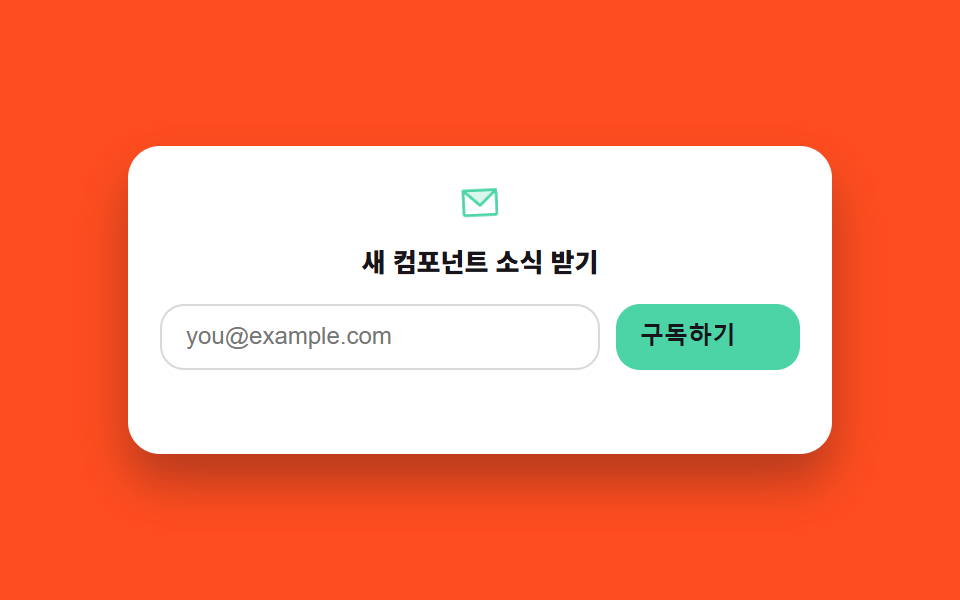
メールアドレスを入力して登録すると正規表現で実際に形式を検査し、通過するとstroke-dashoffsetでチェックが実際に描かれ、ボタンの文字が「登録完了」に変わります。
<main class="stage">
  <form class="nl" novalidate>
    <span class="nl__ic" aria-hidden="true"><svg viewBox="0 0 256 256" width="22" height="22"><g fill="currentColor"><path d="m224 56l-96 88l-96-88Z" opacity=".2"/><path d="M224 48H32a8 8 0 0 0-8 8v136a16 16 0 0 0 16 16h176a16 16 0 0 0 16-16V56a8 8 0 0 0-8-8m-20.57 16L128 133.15L52.57 64ZM216 192H40V74.19l82.59 75.71a8 8 0 0 0 10.82 0L216 74.19z"/></g></svg></span>
    <p class="nl__title">新コンポーネント情報を受け取る</p>
    <div class="nl__row">
      <label for="nl-email" class="sr-only">メールアドレス</label>
      <input id="nl-email" class="nl__input" type="email" placeholder="[email protected]" autocomplete="email">
      <button type="submit" class="nl__submit">
        <span class="nl__submit-text">購読する</span>
        <svg class="nl__check" viewBox="0 0 24 24" width="16" height="16" aria-hidden="true"><polyline points="4 12 9 17 20 6" fill="none" stroke="currentColor" stroke-width="3" stroke-linecap="round" stroke-linejoin="round"/></svg>
      </button>
    </div>
    <p class="nl__msg" role="status"></p>
  </form>
</main>
@use "../../../../site/static/demo-tokens" as *;
// ── 변수 3개 ──────────────────────────────────────────
$duration: $dur-loop;
$easing: $ease-spring;
$color: $subject-mint;
@include stage($stage-orange);
.nl { width: min(320px, 94vw); text-align: center; background: $stage-paper; border-radius: $r-card; padding: $sp-5 $sp-4; box-shadow: $shadow-raised; }
.nl__ic { display: grid; place-items: center; margin: 0 auto $sp-2; color: $color; animation: nl-bob $duration $easing infinite; }
@keyframes nl-bob {
0%, 100% { transform: translateY(0) rotate(0deg); }
50% { transform: translateY(-4px) rotate(-4deg); }
}
.nl__title { margin: 0 0 $sp-3; font-weight: 800; font-size: 13px; line-height: 1.3; font-family: inherit; color: $subject-ink; }
.nl__row { display: flex; gap: $sp-2; }
.nl__input {
flex: 1 1 auto; min-width: 0;
padding: $sp-2 $sp-3;
border: 1.5px solid rgba(23, 20, 26, .16);
border-radius: $r-control;
font-weight: 500; font-size: 12px; line-height: 1.2;
color: $subject-ink;
}
.nl__input:focus-visible { outline: 2px solid $subject-blue; outline-offset: 1px; }
.nl__input.is-shake { animation: nl-shake .32s $ease-out; }
@keyframes nl-shake {
0%, 100% { transform: translateX(0); }
25% { transform: translateX(-5px); }
75% { transform: translateX(5px); }
}
.nl__submit {
flex: 0 0 auto; display: inline-flex; align-items: center; gap: $sp-1;
padding: $sp-2 $sp-3;
border: 0; border-radius: $r-control;
background: $color; color: $subject-ink;
font-weight: 800; font-size: 12px; line-height: 1;
cursor: pointer;
}
.nl__check {
color: $subject-ink;
stroke-dasharray: 28; stroke-dashoffset: 28;
transition: stroke-dashoffset $duration $easing;
}
.nl.is-done .nl__check { stroke-dashoffset: 0; }
.nl.is-done .nl__submit { background: #50a26e; color: $stage-paper; }
.nl__msg { margin: $sp-2 0 0; min-height: 14px; font-size: 11px; line-height: 1.3; color: rgba(23, 20, 26, .6); font-family: inherit; }
.sr-only {
position: absolute; width: 1px; height: 1px; padding: 0; margin: -1px;
overflow: hidden; clip: rect(0, 0, 0, 0); white-space: nowrap; border: 0;
}
// ── 접근성 ──────────────────────────────────────────
@media (prefers-reduced-motion: reduce) {
.nl__ic, .nl__input.is-shake, .nl__check { animation: none !important; transition: none !important; }
}
// ── 반응형(320×200) ──────────────────────────────────
@media (max-width: 340px), (max-height: 220px) {
.nl { padding: $sp-2 $sp-2; width: min(280px, 92vw); }
.nl__ic { margin: 0 auto $sp-1; }
.nl__ic svg { width: 16px; height: 16px; }
.nl__title { margin: 0 0 $sp-1; font-size: 11px; }
.nl__row { gap: 4px; }
.nl__input { padding: 4px $sp-2; font-size: 10px; }
.nl__submit { padding: 4px $sp-2; font-size: 10px; }
.nl__msg { margin-top: $sp-1; min-height: 0; font-size: 9px; }
}html, body {
margin: 0;
overflow: hidden;
}
.stage {
box-sizing: border-box;
min-height: 100vh;
display: grid;
place-items: center;
margin: 0;
background: #ff4d1f;
font-family: -apple-system, "Segoe UI", "Noto Sans KR", sans-serif;
padding: clamp(8px, 4vw, 24px);
}
.nl {
width: min(320px, 94vw);
text-align: center;
background: #ffffff;
border-radius: 16px;
padding: 20px 16px;
box-shadow: 0 14px 24px rgba(23, 20, 26, 0.32);
}
.nl__ic {
display: grid;
place-items: center;
margin: 0 auto 8px;
color: #4cd4a6;
animation: nl-bob 2s cubic-bezier(0.2, 0.8, 0.2, 1) infinite;
}
@keyframes nl-bob {
0%, 100% {
transform: translateY(0) rotate(0deg);
}
50% {
transform: translateY(-4px) rotate(-4deg);
}
}
.nl__title {
margin: 0 0 12px;
font-weight: 800;
font-size: 13px;
line-height: 1.3;
font-family: inherit;
color: #17141a;
}
.nl__row {
display: flex;
gap: 8px;
}
.nl__input {
flex: 1 1 auto;
min-width: 0;
padding: 8px 12px;
border: 1.5px solid rgba(23, 20, 26, 0.16);
border-radius: 12px;
font-weight: 500;
font-size: 12px;
line-height: 1.2;
color: #17141a;
}
.nl__input:focus-visible {
outline: 2px solid #2f6df6;
outline-offset: 1px;
}
.nl__input.is-shake {
animation: nl-shake 0.32s ease-out;
}
@keyframes nl-shake {
0%, 100% {
transform: translateX(0);
}
25% {
transform: translateX(-5px);
}
75% {
transform: translateX(5px);
}
}
.nl__submit {
flex: 0 0 auto;
display: inline-flex;
align-items: center;
gap: 4px;
padding: 8px 12px;
border: 0;
border-radius: 12px;
background: #4cd4a6;
color: #17141a;
font-weight: 800;
font-size: 12px;
line-height: 1;
cursor: pointer;
}
.nl__check {
color: #17141a;
stroke-dasharray: 28;
stroke-dashoffset: 28;
transition: stroke-dashoffset 2s cubic-bezier(0.2, 0.8, 0.2, 1);
}
.nl.is-done .nl__check {
stroke-dashoffset: 0;
}
.nl.is-done .nl__submit {
background: #50a26e;
color: #ffffff;
}
.nl__msg {
margin: 8px 0 0;
min-height: 14px;
font-size: 11px;
line-height: 1.3;
color: rgba(23, 20, 26, 0.6);
font-family: inherit;
}
.sr-only {
position: absolute;
width: 1px;
height: 1px;
padding: 0;
margin: -1px;
overflow: hidden;
clip: rect(0, 0, 0, 0);
white-space: nowrap;
border: 0;
}
@media (prefers-reduced-motion: reduce) {
.nl__ic, .nl__input.is-shake, .nl__check {
animation: none !important;
transition: none !important;
}
}
@media (max-width: 340px), (max-height: 220px) {
.nl {
padding: 8px 8px;
width: min(280px, 92vw);
}
.nl__ic {
margin: 0 auto 4px;
}
.nl__ic svg {
width: 16px;
height: 16px;
}
.nl__title {
margin: 0 0 4px;
font-size: 11px;
}
.nl__row {
gap: 4px;
}
.nl__input {
padding: 4px 8px;
font-size: 10px;
}
.nl__submit {
padding: 4px 8px;
font-size: 10px;
}
.nl__msg {
margin-top: 4px;
min-height: 0;
font-size: 9px;
}
}// 실제 동작: メール 형식을 정규식으로 검사해 통과하면 버튼 글자가 "購読完了"로 바뀌며 체크가 stroke-dashoffset 으로 실제로 그려지고, 틀리면 입력칸이 좌우로 짧게 흔들린다.
var form = document.querySelector('.nl');
var input = document.getElementById('nl-email');
var btn = document.querySelector('.nl__submit');
var msg = document.querySelector('.nl__msg');
var RE = /^[^\s@]+@[^\s@]+\.[^\s@]+$/;
form.addEventListener('submit', function (e) {
e.preventDefault();
if (RE.test(input.value)) {
form.classList.add('is-done');
btn.querySelector('.nl__submit-text').textContent = '購読完了';
msg.textContent = input.value + ' に確認メールを送りました。';
} else {
input.classList.remove('is-shake');
void input.offsetWidth;
input.classList.add('is-shake');
msg.textContent = 'メールアドレスの形式をご確認ください。';
}
});import { useState } from "react";
import type { CSSProperties } from "react";
import styles from "./NewsletterBand.module.scss";
export type NewsletterBandProps = { duration?: number; easing?: string; color?: string };
type Vars = CSSProperties & { "--duration"?: string; "--easing"?: string; "--color"?: string };
const RE = /^[^\s@]+@[^\s@]+\.[^\s@]+$/;
export default function NewsletterBand({ duration = 2000, easing = "cubic-bezier(.2,.8,.2,1)", color = "#4cd4a6" }: NewsletterBandProps) {
const [email, setEmail] = useState("");
const [done, setDone] = useState(false);
const [shake, setShake] = useState(false);
const [msg, setMsg] = useState("");
const vars: Vars = { "--duration": `${duration}ms`, "--easing": easing, "--color": color };
function onSubmit(e: any) {
e.preventDefault();
if (RE.test(email)) {
setDone(true);
setMsg(`${email} 주소로 확인 메일을 보냈어요.`);
} else {
setShake(false);
requestAnimationFrame(() => setShake(true));
setMsg("이메일 형식을 다시 확인해 주세요.");
}
}
return (
<form className={styles.nl} style={vars} onSubmit={onSubmit} noValidate>
<span className={styles.ic} aria-hidden="true">
<svg viewBox="0 0 256 256" width="22" height="22">
<g fill="currentColor">
<path d="m224 56l-96 88l-96-88Z" opacity=".2" />
<path d="M224 48H32a8 8 0 0 0-8 8v136a16 16 0 0 0 16 16h176a16 16 0 0 0 16-16V56a8 8 0 0 0-8-8m-20.57 16L128 133.15L52.57 64ZM216 192H40V74.19l82.59 75.71a8 8 0 0 0 10.82 0L216 74.19z" />
</g>
</svg>
</span>
<p className={styles.title}>새 컴포넌트 소식 받기</p>
<div className={styles.row}>
<label htmlFor="nl-email-r" className={styles.srOnly}>이메일 주소</label>
<input
id="nl-email-r"
className={`${styles.input} ${shake ? styles.shake : ""}`}
type="email"
placeholder="[email protected]"
autoComplete="email"
value={email}
onChange={(e: any) => setEmail(e.target.value)}
onAnimationEnd={() => setShake(false)}
/>
<button type="submit" className={`${styles.submit} ${done ? styles.done : ""}`}>
<span>{done ? "구독 완료" : "구독하기"}</span>
<svg className={styles.check} viewBox="0 0 24 24" width="16" height="16" aria-hidden="true">
<polyline points="4 12 9 17 20 6" fill="none" stroke="currentColor" strokeWidth={3} strokeLinecap="round" strokeLinejoin="round" />
</svg>
</button>
</div>
<p className={styles.msg} role="status">{msg}</p>
</form>
);
}05 · ニュースレター登録バンド — 計測 累積面積 0.22% · 動いたフレーム 16/23GODRICH オリジナル · SCSS と React は zip に同梱 · パスワードを見る
コードの読み方
形式が違うと入力欄が左右に短く揺れ、どこが間違っているかがすぐ分かります。
var RE = /^[^\s@]+@[^\s@]+\.[^\s@]+$/;
form.addEventListener('submit', function (e) {
  e.preventDefault();
  if (RE.test(input.value)) {
    form.classList.add('is-done');
    msg.textContent = input.value + ' 宛に確認メールを送りました。';
  } else {
    input.classList.add('is-shake');
    msg.textContent = 'メールの形式を確認してください。';
  }
});
06連携サービスグリッド
どんな動きか
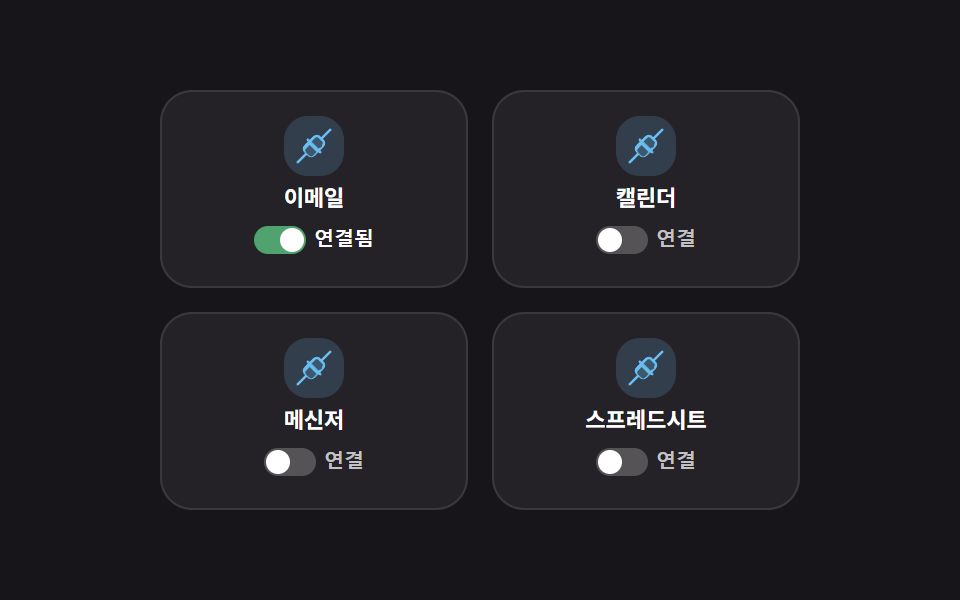
接続ボタンを押すとaria-pressedが切り替わり、丸い点が実際に右へスライドして文字が「連携済み」に変わります。
<main class="stage">
  <ul class="ig">
    <li class="ig__tile">
      <span class="ig__ic" aria-hidden="true"><svg viewBox="0 0 256 256" width="20" height="20"><g fill="currentColor"><path d="m185 127l-58 58a24 24 0 0 1-33.94 0L71 162.91A24 24 0 0 1 71 129l58-58a24 24 0 0 1 33.94 0L185 93.09a24 24 0 0 1 0 33.91" opacity=".2"/><path d="M237.66 18.34a8 8 0 0 0-11.32 0l-52.4 52.41l-5.37-5.38a32.05 32.05 0 0 0-45.26 0L100 88.69l-6.34-6.35a8 8 0 0 0-11.32 11.32l6.35 6.34l-23.32 23.31a32 32 0 0 0 0 45.26l5.38 5.37l-52.41 52.4a8 8 0 0 0 11.32 11.32l52.4-52.41l5.37 5.38a32.06 32.06 0 0 0 45.26 0L156 167.31l6.34 6.35a8 8 0 0 0 11.32-11.32l-6.35-6.34l23.32-23.31a32 32 0 0 0 0-45.26l-5.38-5.37l52.41-52.4a8 8 0 0 0 0-11.32M121.37 190.06a16 16 0 0 1-22.62 0l-22.06-22.09a16 16 0 0 1 0-22.62L100 121.31L144.69 166Zm57.94-57.94L156 144.69L111.31 100l23.32-23.31a16 16 0 0 1 22.62 0l22.06 22a16 16 0 0 1 0 22.63Z"/></g></svg></span>
      <p class="ig__name">メール</p>
      <button type="button" class="ig__toggle" aria-pressed="true"><span class="ig__track"><span class="ig__dot"></span></span><span class="ig__state">連携済み</span></button>
    </li>
    <li class="ig__tile">
      <span class="ig__ic" aria-hidden="true"><svg viewBox="0 0 256 256" width="20" height="20"><g fill="currentColor"><path d="m185 127l-58 58a24 24 0 0 1-33.94 0L71 162.91A24 24 0 0 1 71 129l58-58a24 24 0 0 1 33.94 0L185 93.09a24 24 0 0 1 0 33.91" opacity=".2"/><path d="M237.66 18.34a8 8 0 0 0-11.32 0l-52.4 52.41l-5.37-5.38a32.05 32.05 0 0 0-45.26 0L100 88.69l-6.34-6.35a8 8 0 0 0-11.32 11.32l6.35 6.34l-23.32 23.31a32 32 0 0 0 0 45.26l5.38 5.37l-52.41 52.4a8 8 0 0 0 11.32 11.32l52.4-52.41l5.37 5.38a32.06 32.06 0 0 0 45.26 0L156 167.31l6.34 6.35a8 8 0 0 0 11.32-11.32l-6.35-6.34l23.32-23.31a32 32 0 0 0 0-45.26l-5.38-5.37l52.41-52.4a8 8 0 0 0 0-11.32M121.37 190.06a16 16 0 0 1-22.62 0l-22.06-22.09a16 16 0 0 1 0-22.62L100 121.31L144.69 166Zm57.94-57.94L156 144.69L111.31 100l23.32-23.31a16 16 0 0 1 22.62 0l22.06 22a16 16 0 0 1 0 22.63Z"/></g></svg></span>
      <p class="ig__name">カレンダー</p>
      <button type="button" class="ig__toggle" aria-pressed="false"><span class="ig__track"><span class="ig__dot"></span></span><span class="ig__state">連携する</span></button>
    </li>
    <li class="ig__tile">
      <span class="ig__ic" aria-hidden="true"><svg viewBox="0 0 256 256" width="20" height="20"><g fill="currentColor"><path d="m185 127l-58 58a24 24 0 0 1-33.94 0L71 162.91A24 24 0 0 1 71 129l58-58a24 24 0 0 1 33.94 0L185 93.09a24 24 0 0 1 0 33.91" opacity=".2"/><path d="M237.66 18.34a8 8 0 0 0-11.32 0l-52.4 52.41l-5.37-5.38a32.05 32.05 0 0 0-45.26 0L100 88.69l-6.34-6.35a8 8 0 0 0-11.32 11.32l6.35 6.34l-23.32 23.31a32 32 0 0 0 0 45.26l5.38 5.37l-52.41 52.4a8 8 0 0 0 11.32 11.32l52.4-52.41l5.37 5.38a32.06 32.06 0 0 0 45.26 0L156 167.31l6.34 6.35a8 8 0 0 0 11.32-11.32l-6.35-6.34l23.32-23.31a32 32 0 0 0 0-45.26l-5.38-5.37l52.41-52.4a8 8 0 0 0 0-11.32M121.37 190.06a16 16 0 0 1-22.62 0l-22.06-22.09a16 16 0 0 1 0-22.62L100 121.31L144.69 166Zm57.94-57.94L156 144.69L111.31 100l23.32-23.31a16 16 0 0 1 22.62 0l22.06 22a16 16 0 0 1 0 22.63Z"/></g></svg></span>
      <p class="ig__name">メッセンジャー</p>
      <button type="button" class="ig__toggle" aria-pressed="false"><span class="ig__track"><span class="ig__dot"></span></span><span class="ig__state">連携する</span></button>
    </li>
    <li class="ig__tile">
      <span class="ig__ic" aria-hidden="true"><svg viewBox="0 0 256 256" width="20" height="20"><g fill="currentColor"><path d="m185 127l-58 58a24 24 0 0 1-33.94 0L71 162.91A24 24 0 0 1 71 129l58-58a24 24 0 0 1 33.94 0L185 93.09a24 24 0 0 1 0 33.91" opacity=".2"/><path d="M237.66 18.34a8 8 0 0 0-11.32 0l-52.4 52.41l-5.37-5.38a32.05 32.05 0 0 0-45.26 0L100 88.69l-6.34-6.35a8 8 0 0 0-11.32 11.32l6.35 6.34l-23.32 23.31a32 32 0 0 0 0 45.26l5.38 5.37l-52.41 52.4a8 8 0 0 0 11.32 11.32l52.4-52.41l5.37 5.38a32.06 32.06 0 0 0 45.26 0L156 167.31l6.34 6.35a8 8 0 0 0 11.32-11.32l-6.35-6.34l23.32-23.31a32 32 0 0 0 0-45.26l-5.38-5.37l52.41-52.4a8 8 0 0 0 0-11.32M121.37 190.06a16 16 0 0 1-22.62 0l-22.06-22.09a16 16 0 0 1 0-22.62L100 121.31L144.69 166Zm57.94-57.94L156 144.69L111.31 100l23.32-23.31a16 16 0 0 1 22.62 0l22.06 22a16 16 0 0 1 0 22.63Z"/></g></svg></span>
      <p class="ig__name">スプレッドシート</p>
      <button type="button" class="ig__toggle" aria-pressed="false"><span class="ig__track"><span class="ig__dot"></span></span><span class="ig__state">連携する</span></button>
    </li>
  </ul>
</main>
@use "../../../../site/static/demo-tokens" as *;
// ── 변수 3개 ──────────────────────────────────────────
$duration: $dur-quick;
$easing: $ease-spring;
$color: $subject-sky;
@include stage($stage-ink);
.ig { width: min(320px, 94vw); list-style: none; margin: 0; padding: 0; display: grid; grid-template-columns: repeat(2, 1fr); gap: $sp-3; }
.ig__tile {
display: flex; flex-direction: column; align-items: center; gap: $sp-1;
padding: $sp-3 $sp-2;
border-radius: $r-card;
background: rgba(255, 255, 255, .06);
border: 1px solid rgba(255, 255, 255, .1);
}
.ig__ic { display: grid; place-items: center; width: 30px; height: 30px; border-radius: $r-control; background: rgba(110, 200, 255, .18); color: $color; animation: ig-pulse $duration ease-in-out infinite alternate; }
@keyframes ig-pulse {
from { opacity: .75; }
to { opacity: 1; }
}
.ig__name { margin: 0; font-weight: 700; font-size: 11px; line-height: 1.2; font-family: inherit; color: $stage-paper; }
.ig__toggle {
display: inline-flex; align-items: center; gap: $sp-1;
padding: $sp-1 0;
border: 0; background: transparent;
color: rgba(255, 255, 255, .72);
font-weight: 700; font-size: 10px; line-height: 1;
cursor: pointer;
}
.ig__toggle[aria-pressed="true"] { color: $stage-paper; }
.ig__track {
position: relative; flex: 0 0 auto;
width: 26px; height: 14px; border-radius: $r-pill;
background: rgba(255, 255, 255, .22);
transition: background $duration $easing;
}
.ig__toggle[aria-pressed="true"] .ig__track { background: #50a26e; }
.ig__dot {
position: absolute; top: 1px; left: 1px;
width: 12px; height: 12px; border-radius: 50%;
background: $stage-paper;
transform: translateX(0);
transition: transform $duration $easing;
}
.ig__toggle[aria-pressed="true"] .ig__dot { transform: translateX(12px); }
// ── 접근성 ──────────────────────────────────────────
@media (prefers-reduced-motion: reduce) {
.ig__ic, .ig__toggle, .ig__dot { animation: none !important; transition: none !important; }
}
// ── 반응형(320×200) ──────────────────────────────────
@media (max-width: 340px), (max-height: 220px) {
.ig { width: min(260px, 92vw); gap: $sp-1; }
.ig__tile { padding: $sp-2 $sp-1; gap: $sp-1; }
.ig__ic { width: 20px; height: 20px; }
.ig__ic svg { width: 13px; height: 13px; }
.ig__name { font-size: 9px; }
.ig__toggle { font-size: 8px; gap: $sp-1; }
.ig__track { width: 20px; height: 11px; }
.ig__dot { width: 9px; height: 9px; }
.ig__toggle[aria-pressed="true"] .ig__dot { transform: translateX(9px); }
}html, body {
margin: 0;
overflow: hidden;
}
.stage {
box-sizing: border-box;
min-height: 100vh;
display: grid;
place-items: center;
margin: 0;
background: #17141a;
font-family: -apple-system, "Segoe UI", "Noto Sans KR", sans-serif;
padding: clamp(8px, 4vw, 24px);
}
.ig {
width: min(320px, 94vw);
list-style: none;
margin: 0;
padding: 0;
display: grid;
grid-template-columns: repeat(2, 1fr);
gap: 12px;
}
.ig__tile {
display: flex;
flex-direction: column;
align-items: center;
gap: 4px;
padding: 12px 8px;
border-radius: 16px;
background: rgba(255, 255, 255, 0.06);
border: 1px solid rgba(255, 255, 255, 0.1);
}
.ig__ic {
display: grid;
place-items: center;
width: 30px;
height: 30px;
border-radius: 12px;
background: rgba(110, 200, 255, 0.18);
color: #6ec8ff;
animation: ig-pulse 220ms ease-in-out infinite alternate;
}
@keyframes ig-pulse {
from {
opacity: 0.75;
}
to {
opacity: 1;
}
}
.ig__name {
margin: 0;
font-weight: 700;
font-size: 11px;
line-height: 1.2;
font-family: inherit;
color: #ffffff;
}
.ig__toggle {
display: inline-flex;
align-items: center;
gap: 4px;
padding: 4px 0;
border: 0;
background: transparent;
color: rgba(255, 255, 255, 0.72);
font-weight: 700;
font-size: 10px;
line-height: 1;
cursor: pointer;
}
.ig__toggle[aria-pressed=true] {
color: #ffffff;
}
.ig__track {
position: relative;
flex: 0 0 auto;
width: 26px;
height: 14px;
border-radius: 999px;
background: rgba(255, 255, 255, 0.22);
transition: background 220ms cubic-bezier(0.2, 0.8, 0.2, 1);
}
.ig__toggle[aria-pressed=true] .ig__track {
background: #50a26e;
}
.ig__dot {
position: absolute;
top: 1px;
left: 1px;
width: 12px;
height: 12px;
border-radius: 50%;
background: #ffffff;
transform: translateX(0);
transition: transform 220ms cubic-bezier(0.2, 0.8, 0.2, 1);
}
.ig__toggle[aria-pressed=true] .ig__dot {
transform: translateX(12px);
}
@media (prefers-reduced-motion: reduce) {
.ig__ic, .ig__toggle, .ig__dot {
animation: none !important;
transition: none !important;
}
}
@media (max-width: 340px), (max-height: 220px) {
.ig {
width: min(260px, 92vw);
gap: 4px;
}
.ig__tile {
padding: 8px 4px;
gap: 4px;
}
.ig__ic {
width: 20px;
height: 20px;
}
.ig__ic svg {
width: 13px;
height: 13px;
}
.ig__name {
font-size: 9px;
}
.ig__toggle {
font-size: 8px;
gap: 4px;
}
.ig__track {
width: 20px;
height: 11px;
}
.ig__dot {
width: 9px;
height: 9px;
}
.ig__toggle[aria-pressed=true] .ig__dot {
transform: translateX(9px);
}
}// 실제 동작: "連携する" 버튼을 누르면 aria-pressed 가 바뀌며 점이 실제로 오른쪽으로 슬라이드되고 글자가 "連携済み"으로 바뀐다. 다시 누르면 되돌아간다.
document.querySelectorAll('.ig__toggle').forEach(function (btn) {
btn.addEventListener('click', function () {
var on = btn.getAttribute('aria-pressed') === 'true';
btn.setAttribute('aria-pressed', String(!on));
btn.querySelector('.ig__state').textContent = on ? '連携する' : '連携済み';
});
});import { useState } from "react";
import type { CSSProperties } from "react";
import styles from "./IntegrationGrid.module.scss";
export type IntegrationGridProps = { duration?: number; easing?: string; color?: string };
type Vars = CSSProperties & { "--duration"?: string; "--easing"?: string; "--color"?: string };
const APPS = [
{ name: "이메일", connected: true },
{ name: "캘린더", connected: false },
{ name: "메신저", connected: false },
{ name: "스프레드시트", connected: false },
];
function PlugIcon() {
return (
<svg viewBox="0 0 256 256" width="20" height="20">
<g fill="currentColor">
<path d="m185 127l-58 58a24 24 0 0 1-33.94 0L71 162.91A24 24 0 0 1 71 129l58-58a24 24 0 0 1 33.94 0L185 93.09a24 24 0 0 1 0 33.91" opacity=".2" />
<path d="M237.66 18.34a8 8 0 0 0-11.32 0l-52.4 52.41l-5.37-5.38a32.05 32.05 0 0 0-45.26 0L100 88.69l-6.34-6.35a8 8 0 0 0-11.32 11.32l6.35 6.34l-23.32 23.31a32 32 0 0 0 0 45.26l5.38 5.37l-52.41 52.4a8 8 0 0 0 11.32 11.32l52.4-52.41l5.37 5.38a32.06 32.06 0 0 0 45.26 0L156 167.31l6.34 6.35a8 8 0 0 0 11.32-11.32l-6.35-6.34l23.32-23.31a32 32 0 0 0 0-45.26l-5.38-5.37l52.41-52.4a8 8 0 0 0 0-11.32M121.37 190.06a16 16 0 0 1-22.62 0l-22.06-22.09a16 16 0 0 1 0-22.62L100 121.31L144.69 166Zm57.94-57.94L156 144.69L111.31 100l23.32-23.31a16 16 0 0 1 22.62 0l22.06 22a16 16 0 0 1 0 22.63Z" />
</g>
</svg>
);
}
export default function IntegrationGrid({ duration = 220, easing = "cubic-bezier(.2,.8,.2,1)", color = "#6ec8ff" }: IntegrationGridProps) {
const [apps, setApps] = useState(APPS);
const vars: Vars = { "--duration": `${duration}ms`, "--easing": easing, "--color": color };
function toggle(i: number) {
setApps((prev) => prev.map((a, idx) => (idx === i ? { ...a, connected: !a.connected } : a)));
}
return (
<ul className={styles.ig} style={vars}>
{apps.map((a, i) => (
<li key={a.name} className={styles.tile}>
<span className={styles.ic} aria-hidden="true"><PlugIcon /></span>
<p className={styles.name}>{a.name}</p>
<button type="button" className={styles.toggle} aria-pressed={a.connected} onClick={() => toggle(i)}>
<span className={styles.track}><span className={styles.dot} /></span>
<span>{a.connected ? "연결됨" : "연결"}</span>
</button>
</li>
))}
</ul>
);
}06 · 連携サービスグリッド — 計測 累積面積 0.339% · 動いたフレーム 16/23GODRICH オリジナル · SCSS と React は zip に同梱 · パスワードを見る
どこを変えるか
点は自分専用のトラックの中だけで動くので、隣の文字と重なりません。
document.querySelectorAll('.ig__toggle').forEach(function (btn) {
  btn.addEventListener('click', function () {
    var on = btn.getAttribute('aria-pressed') === 'true';
    btn.setAttribute('aria-pressed', String(!on));
    btn.querySelector('.ig__state').textContent = on ? '連携' : '連携済み';
  });
});
07ロードマップタイムライン
何が見えるか
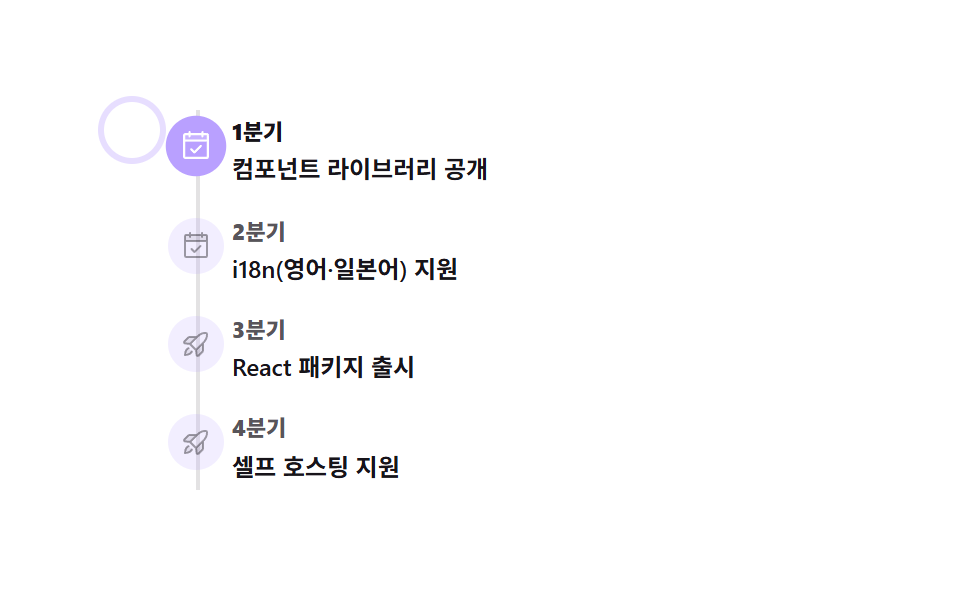
スポットライトは自動で次の四半期へ移り、項目をクリックするか Tab でフォーカスを移すと、実測した位置までtranslateYで実際に移動します。
<main class="stage">
  <ol class="rm">
    <li class="rm__step" tabindex="0">
      <span class="rm__marker" aria-hidden="true"><svg viewBox="0 0 256 256" width="16" height="16"><g fill="currentColor"><path d="M216 48v40H40V48a8 8 0 0 1 8-8h160a8 8 0 0 1 8 8" opacity=".2"/><path d="M208 32h-24v-8a8 8 0 0 0-16 0v8H88v-8a8 8 0 0 0-16 0v8H48a16 16 0 0 0-16 16v160a16 16 0 0 0 16 16h160a16 16 0 0 0 16-16V48a16 16 0 0 0-16-16M72 48v8a8 8 0 0 0 16 0v-8h80v8a8 8 0 0 0 16 0v-8h24v32H48V48Zm136 160H48V96h160zm-38.34-85.66a8 8 0 0 1 0 11.32l-48 48a8 8 0 0 1-11.32 0l-24-24a8 8 0 0 1 11.32-11.32L116 164.69l42.34-42.35a8 8 0 0 1 11.32 0"/></g></svg></span>
      <p class="rm__q">1四半期</p><p class="rm__t">コンポーネントライブラリ公開</p>
    </li>
    <li class="rm__step" tabindex="0">
      <span class="rm__marker" aria-hidden="true"><svg viewBox="0 0 256 256" width="16" height="16"><g fill="currentColor"><path d="M216 48v40H40V48a8 8 0 0 1 8-8h160a8 8 0 0 1 8 8" opacity=".2"/><path d="M208 32h-24v-8a8 8 0 0 0-16 0v8H88v-8a8 8 0 0 0-16 0v8H48a16 16 0 0 0-16 16v160a16 16 0 0 0 16 16h160a16 16 0 0 0 16-16V48a16 16 0 0 0-16-16M72 48v8a8 8 0 0 0 16 0v-8h80v8a8 8 0 0 0 16 0v-8h24v32H48V48Zm136 160H48V96h160zm-38.34-85.66a8 8 0 0 1 0 11.32l-48 48a8 8 0 0 1-11.32 0l-24-24a8 8 0 0 1 11.32-11.32L116 164.69l42.34-42.35a8 8 0 0 1 11.32 0"/></g></svg></span>
      <p class="rm__q">2四半期</p><p class="rm__t">i18n対応(英語・日本語)</p>
    </li>
    <li class="rm__step" tabindex="0">
      <span class="rm__marker" aria-hidden="true"><svg viewBox="0 0 256 256" width="16" height="16"><g fill="currentColor"><path d="M184 120v61.65a8 8 0 0 1-2.34 5.65l-34.35 34.35a8 8 0 0 1-13.57-4.53L128 176Zm-48-48H74.35a8 8 0 0 0-5.65 2.34l-34.35 34.35a8 8 0 0 0 4.53 13.57L80 128ZM40 216c37.65 0 50.69-19.69 54.56-28.18l-26.38-26.38C59.69 165.31 40 178.35 40 216" opacity=".2"/><path d="M223.85 47.12a16 16 0 0 0-15-15c-12.58-.75-44.73.4-71.41 27.07L132.69 64H74.36A15.9 15.9 0 0 0 63 68.68L28.7 103a16 16 0 0 0 9.07 27.16l38.47 5.37l44.21 44.21l5.37 38.49a15.94 15.94 0 0 0 10.78 12.92a16.1 16.1 0 0 0 5.1.83a15.9 15.9 0 0 0 11.3-4.68l34.32-34.3a15.9 15.9 0 0 0 4.68-11.36v-58.33l4.77-4.77c26.68-26.68 27.83-58.83 27.08-71.42M74.36 80h42.33l-39.53 39.52L40 114.34Zm74.41-9.45a76.65 76.65 0 0 1 59.11-22.47a76.46 76.46 0 0 1-22.42 59.16L128 164.68L91.32 128ZM176 181.64L141.67 216l-5.19-37.17L176 139.31Zm-74.16 9.5C97.34 201 82.29 224 40 224a8 8 0 0 1-8-8c0-42.29 23-57.34 32.86-61.85a8 8 0 0 1 6.64 14.56c-6.43 2.93-20.62 12.36-23.12 38.91c26.55-2.5 36-16.69 38.91-23.12a8 8 0 1 1 14.56 6.64Z"/></g></svg></span>
      <p class="rm__q">3四半期</p><p class="rm__t">Reactパッケージ公開</p>
    </li>
    <li class="rm__step" tabindex="0">
      <span class="rm__marker" aria-hidden="true"><svg viewBox="0 0 256 256" width="16" height="16"><g fill="currentColor"><path d="M184 120v61.65a8 8 0 0 1-2.34 5.65l-34.35 34.35a8 8 0 0 1-13.57-4.53L128 176Zm-48-48H74.35a8 8 0 0 0-5.65 2.34l-34.35 34.35a8 8 0 0 0 4.53 13.57L80 128ZM40 216c37.65 0 50.69-19.69 54.56-28.18l-26.38-26.38C59.69 165.31 40 178.35 40 216" opacity=".2"/><path d="M223.85 47.12a16 16 0 0 0-15-15c-12.58-.75-44.73.4-71.41 27.07L132.69 64H74.36A15.9 15.9 0 0 0 63 68.68L28.7 103a16 16 0 0 0 9.07 27.16l38.47 5.37l44.21 44.21l5.37 38.49a15.94 15.94 0 0 0 10.78 12.92a16.1 16.1 0 0 0 5.1.83a15.9 15.9 0 0 0 11.3-4.68l34.32-34.3a15.9 15.9 0 0 0 4.68-11.36v-58.33l4.77-4.77c26.68-26.68 27.83-58.83 27.08-71.42M74.36 80h42.33l-39.53 39.52L40 114.34Zm74.41-9.45a76.65 76.65 0 0 1 59.11-22.47a76.46 76.46 0 0 1-22.42 59.16L128 164.68L91.32 128ZM176 181.64L141.67 216l-5.19-37.17L176 139.31Zm-74.16 9.5C97.34 201 82.29 224 40 224a8 8 0 0 1-8-8c0-42.29 23-57.34 32.86-61.85a8 8 0 0 1 6.64 14.56c-6.43 2.93-20.62 12.36-23.12 38.91c26.55-2.5 36-16.69 38.91-23.12a8 8 0 1 1 14.56 6.64Z"/></g></svg></span>
      <p class="rm__q">4四半期</p><p class="rm__t">セルフホスティング対応</p>
    </li>
    <li class="rm__spot" aria-hidden="true"></li>
  </ol>
</main>
@use "../../../../site/static/demo-tokens" as *;
// ── 변수 3개 ──────────────────────────────────────────
$duration: $dur-base;
$easing: $ease-spring;
$color: $subject-lilac;
@include stage($stage-paper);
.rm { position: relative; width: min(280px, 92vw); list-style: none; margin: 0; padding: 0 0 0 $sp-8; }
.rm::before { content: ""; position: absolute; left: 14px; top: 4px; bottom: 4px; width: 2px; background: rgba(23, 20, 26, .12); }
.rm__step {
position: relative; padding: $sp-2 0; cursor: pointer;
outline: none;
}
.rm__step:focus-visible .rm__q { color: $subject-ink; }
.rm__marker {
position: absolute; left: -#{$sp-8}; top: $sp-2;
display: grid; place-items: center;
width: 28px; height: 28px; border-radius: 50%;
background: rgba(185, 160, 255, .18);
color: rgba(23, 20, 26, .4);
transition: color $duration $easing, background $duration $easing, transform $duration $easing;
}
.rm__step.is-active .rm__marker { background: $color; color: $stage-paper; transform: scale(1.08); }
.rm__q { margin: 0; font-weight: 800; font-size: 11px; line-height: 1.2; font-family: inherit; color: rgba(23, 20, 26, .72); transition: color $duration $easing; }
.rm__t { margin: $sp-1 0 0; font-weight: 600; font-size: 12px; line-height: 1.35; font-family: inherit; color: $subject-ink; }
.rm__step.is-active .rm__q { color: $subject-ink; } // 활성 분기 라벨 — 라일락 글자는 페이퍼 위 2.26:1
.rm__spot {
position: absolute; left: 0; top: 0;
width: 28px; height: 28px; margin-left: -#{$sp-8};
border-radius: 50%;
box-shadow: 0 0 0 3px rgba(185, 160, 255, .35);
transition: transform $duration $easing;
pointer-events: none;
}
// ── 접근성 ──────────────────────────────────────────
@media (prefers-reduced-motion: reduce) {
.rm__spot, .rm__marker, .rm__q { transition: none !important; }
}
// ── 반응형(320×200) ──────────────────────────────────
@media (max-width: 340px), (max-height: 220px) {
.rm { padding-left: $sp-6; width: min(230px, 90vw); }
.rm::before { left: 8px; }
.rm__step { padding: $sp-1 0; }
.rm__marker { left: -#{$sp-6}; top: 3px; width: 18px; height: 18px; }
.rm__marker svg { width: 11px; height: 11px; }
.rm__q { font-size: 9px; }
.rm__t { font-size: 10px; line-height: 1.2; }
.rm__spot { width: 18px; height: 18px; margin-left: -#{$sp-6}; }
}html, body {
margin: 0;
overflow: hidden;
}
.stage {
box-sizing: border-box;
min-height: 100vh;
display: grid;
place-items: center;
margin: 0;
background: #ffffff;
font-family: -apple-system, "Segoe UI", "Noto Sans KR", sans-serif;
padding: clamp(8px, 4vw, 24px);
}
.rm {
position: relative;
width: min(280px, 92vw);
list-style: none;
margin: 0;
padding: 0 0 0 32px;
}
.rm::before {
content: "";
position: absolute;
left: 14px;
top: 4px;
bottom: 4px;
width: 2px;
background: rgba(23, 20, 26, 0.12);
}
.rm__step {
position: relative;
padding: 8px 0;
cursor: pointer;
outline: none;
}
.rm__step:focus-visible .rm__q {
color: #17141a;
}
.rm__marker {
position: absolute;
left: -32px;
top: 8px;
display: grid;
place-items: center;
width: 28px;
height: 28px;
border-radius: 50%;
background: rgba(185, 160, 255, 0.18);
color: rgba(23, 20, 26, 0.4);
transition: color 300ms cubic-bezier(0.2, 0.8, 0.2, 1), background 300ms cubic-bezier(0.2, 0.8, 0.2, 1), transform 300ms cubic-bezier(0.2, 0.8, 0.2, 1);
}
.rm__step.is-active .rm__marker {
background: #b9a0ff;
color: #ffffff;
transform: scale(1.08);
}
.rm__q {
margin: 0;
font-weight: 800;
font-size: 11px;
line-height: 1.2;
font-family: inherit;
color: rgba(23, 20, 26, 0.72);
transition: color 300ms cubic-bezier(0.2, 0.8, 0.2, 1);
}
.rm__t {
margin: 4px 0 0;
font-weight: 600;
font-size: 12px;
line-height: 1.35;
font-family: inherit;
color: #17141a;
}
.rm__step.is-active .rm__q {
color: #17141a;
}
.rm__spot {
position: absolute;
left: 0;
top: 0;
width: 28px;
height: 28px;
margin-left: -32px;
border-radius: 50%;
box-shadow: 0 0 0 3px rgba(185, 160, 255, 0.35);
transition: transform 300ms cubic-bezier(0.2, 0.8, 0.2, 1);
pointer-events: none;
}
@media (prefers-reduced-motion: reduce) {
.rm__spot, .rm__marker, .rm__q {
transition: none !important;
}
}
@media (max-width: 340px), (max-height: 220px) {
.rm {
padding-left: 24px;
width: min(230px, 90vw);
}
.rm::before {
left: 8px;
}
.rm__step {
padding: 4px 0;
}
.rm__marker {
left: -24px;
top: 3px;
width: 18px;
height: 18px;
}
.rm__marker svg {
width: 11px;
height: 11px;
}
.rm__q {
font-size: 9px;
}
.rm__t {
font-size: 10px;
line-height: 1.2;
}
.rm__spot {
width: 18px;
height: 18px;
margin-left: -24px;
}
}// 실제 동작: 1.6초마다 스포트라이트가 자동으로 다음 분기로 옮겨가고, 항목을 클릭하거나 포커스하면(Tab) 그 자리로 실측한 위치만큼 translateY 로 바로 이동한다.
var steps = document.querySelectorAll('.rm__step');
var spot = document.querySelector('.rm__spot');
var list = document.querySelector('.rm');
var i = 0, timer = null;
function moveTo(idx) {
  i = idx;
  var top = steps[idx].getBoundingClientRect().top - list.getBoundingClientRect().top;
  spot.style.transform = 'translateY(' + top + 'px)';
  steps.forEach(function (s, n) { s.classList.toggle('is-active', n === idx); });
}
function tick() { moveTo((i + 1) % steps.length); }
function restart() { if (timer) clearInterval(timer); timer = setInterval(tick, 400); }
steps.forEach(function (s, idx) {
s.addEventListener('click', function () { moveTo(idx); restart(); });
s.addEventListener('focus', function () { moveTo(idx); restart(); });
});
moveTo(0);
restart();import { useEffect, useRef, useState } from "react";
import type { CSSProperties } from "react";
import styles from "./TimelineRoadmap.module.scss";
export type TimelineRoadmapProps = { duration?: number; easing?: string; color?: string };
type Vars = CSSProperties & { "--duration"?: string; "--easing"?: string; "--color"?: string };
const STEPS = [
{ q: "1분기", t: "컴포넌트 라이브러리 공개", done: true },
{ q: "2분기", t: "i18n(영어·일본어) 지원", done: true },
{ q: "3분기", t: "React 패키지 출시", done: false },
{ q: "4분기", t: "셀프 호스팅 지원", done: false },
];
function CalendarCheck() {
return (
<svg viewBox="0 0 256 256" width="16" height="16">
<g fill="currentColor">
<path d="M216 48v40H40V48a8 8 0 0 1 8-8h160a8 8 0 0 1 8 8" opacity=".2" />
<path d="M208 32h-24v-8a8 8 0 0 0-16 0v8H88v-8a8 8 0 0 0-16 0v8H48a16 16 0 0 0-16 16v160a16 16 0 0 0 16 16h160a16 16 0 0 0 16-16V48a16 16 0 0 0-16-16M72 48v8a8 8 0 0 0 16 0v-8h80v8a8 8 0 0 0 16 0v-8h24v32H48V48Zm136 160H48V96h160zm-38.34-85.66a8 8 0 0 1 0 11.32l-48 48a8 8 0 0 1-11.32 0l-24-24a8 8 0 0 1 11.32-11.32L116 164.69l42.34-42.35a8 8 0 0 1 11.32 0" />
</g>
</svg>
);
}
function RocketLaunch() {
return (
<svg viewBox="0 0 256 256" width="16" height="16">
<g fill="currentColor">
<path d="M184 120v61.65a8 8 0 0 1-2.34 5.65l-34.35 34.35a8 8 0 0 1-13.57-4.53L128 176Zm-48-48H74.35a8 8 0 0 0-5.65 2.34l-34.35 34.35a8 8 0 0 0 4.53 13.57L80 128ZM40 216c37.65 0 50.69-19.69 54.56-28.18l-26.38-26.38C59.69 165.31 40 178.35 40 216" opacity=".2" />
<path d="M223.85 47.12a16 16 0 0 0-15-15c-12.58-.75-44.73.4-71.41 27.07L132.69 64H74.36A15.9 15.9 0 0 0 63 68.68L28.7 103a16 16 0 0 0 9.07 27.16l38.47 5.37l44.21 44.21l5.37 38.49a15.94 15.94 0 0 0 10.78 12.92a16.1 16.1 0 0 0 5.1.83a15.9 15.9 0 0 0 11.3-4.68l34.32-34.3a15.9 15.9 0 0 0 4.68-11.36v-58.33l4.77-4.77c26.68-26.68 27.83-58.83 27.08-71.42M74.36 80h42.33l-39.53 39.52L40 114.34Zm74.41-9.45a76.65 76.65 0 0 1 59.11-22.47a76.46 76.46 0 0 1-22.42 59.16L128 164.68L91.32 128ZM176 181.64L141.67 216l-5.19-37.17L176 139.31Zm-74.16 9.5C97.34 201 82.29 224 40 224a8 8 0 0 1-8-8c0-42.29 23-57.34 32.86-61.85a8 8 0 0 1 6.64 14.56c-6.43 2.93-20.62 12.36-23.12 38.91c26.55-2.5 36-16.69 38.91-23.12a8 8 0 1 1 14.56 6.64Z" />
</g>
</svg>
);
}
export default function TimelineRoadmap({ duration = 300, easing = "cubic-bezier(.2,.8,.2,1)", color = "#b9a0ff" }: TimelineRoadmapProps) {
const [active, setActive] = useState(0);
const [top, setTop] = useState(0);
const listRef = useRef<HTMLOListElement>(null);
const stepRefs = useRef<(HTMLLIElement | null)[]>([]);
const vars: Vars = { "--duration": `${duration}ms`, "--easing": easing, "--color": color };
function moveTo(idx: number) {
setActive(idx);
const list = listRef.current;
const refs = stepRefs.current || [];
const step = refs[idx];
if (list && step) setTop(step.getBoundingClientRect().top - list.getBoundingClientRect().top);
}
useEffect(() => {
moveTo(0);
const id = setInterval(() => setActive((a) => (a + 1) % STEPS.length), 400);
return () => clearInterval(id);
// eslint-disable-next-line react-hooks/exhaustive-deps
}, []);
useEffect(() => { moveTo(active); /* eslint-disable-next-line react-hooks/exhaustive-deps */ }, [active]);
return (
<ol className={styles.rm} style={vars} ref={listRef}>
{STEPS.map((s, i) => (
<li
key={s.q}
ref={(el: HTMLLIElement | null) => { const refs = stepRefs.current; if (refs) refs[i] = el; }}
className={`${styles.step} ${active === i ? styles.isActive : ""}`}
tabIndex={0}
onClick={() => moveTo(i)}
onFocus={() => moveTo(i)}
>
<span className={styles.marker} aria-hidden="true">{s.done ? <CalendarCheck /> : <RocketLaunch />}</span>
<p className={styles.q}>{s.q}</p>
<p className={styles.t}>{s.t}</p>
</li>
))}
<li className={styles.spot} aria-hidden="true" style={{ transform: `translateY(${top}px)` }} />
</ol>
);
}07 · ロードマップタイムライン — 計測 累積面積 4.467% · 動いたフレーム 6/23GODRICH オリジナル · SCSS と React は zip に同梱 · パスワードを見る
コードのどこを見るか
完了した四半期と予定の四半期は別のアイコンで区別されます。
function moveTo(idx) {
i = idx;
var top = steps[idx].getBoundingClientRect().top - list.getBoundingClientRect().top;
spot.style.transform = 'translateY(' + top + 'px)';
steps.forEach(function (s, n) { s.classList.toggle('is-active', n === idx); });
}
08受賞・メディア掲載
画面で起きること
媒体名をクリックするとaria-expandedが切り替わり、その媒体の引用文が実際に開き、一度に一つだけ開きます。
<main class="stage">
  <section class="ap">
    <p class="ap__title">
      <span class="ap__ic" aria-hidden="true"><svg viewBox="0 0 256 256" width="18" height="18"><g fill="currentColor"><path d="M200 48v63.1c0 39.7-31.75 72.6-71.45 72.9A72 72 0 0 1 56 112V48Z" opacity=".2"/><path d="M232 64h-24V48a8 8 0 0 0-8-8H56a8 8 0 0 0-8 8v16H24A16 16 0 0 0 8 80v16a40 40 0 0 0 40 40h3.65A80.13 80.13 0 0 0 120 191.61V216H96a8 8 0 0 0 0 16h64a8 8 0 0 0 0-16h-24v-24.42c31.94-3.23 58.44-25.64 68.08-55.58H208a40 40 0 0 0 40-40V80a16 16 0 0 0-16-16M48 120a24 24 0 0 1-24-24V80h24v32q0 4 .39 8Zm144-8.9c0 35.52-29 64.64-64 64.9a64 64 0 0 1-64-64V56h128ZM232 96a24 24 0 0 1-24 24h-.5a82 82 0 0 0 .5-8.9V80h24Z"/></g></svg></span>
      3つのメディアで紹介されました
    </p>
    <ul class="ap__grid">
      <li class="ap__badge">
        <button type="button" class="ap__btn" aria-expanded="false">
          <span class="ap__ic-sm" aria-hidden="true"><svg viewBox="0 0 256 256" width="14" height="14"><g fill="currentColor"><path d="M224 64v120a16 16 0 0 1-16 16H32a16 16 0 0 1 16-16V64a8 8 0 0 1 8-8h160a8 8 0 0 1 8 8" opacity=".2"/><path d="M88 112a8 8 0 0 1 8-8h80a8 8 0 0 1 0 16H96a8 8 0 0 1-8-8m8 40h80a8 8 0 0 0 0-16H96a8 8 0 0 0 0 16m136-88v120a24 24 0 0 1-24 24H32a24 24 0 0 1-24-23.89V88a8 8 0 0 1 16 0v96a8 8 0 0 0 16 0V64a16 16 0 0 1 16-16h160a16 16 0 0 1 16 16m-16 0H56v120a23.8 23.8 0 0 1-1.37 8H208a8 8 0 0 0 8-8Z"/></g></svg></span>
          THE DAILY BRIEF
        </button>
        <div class="ap__reveal"><p class="ap__cap">「今年一番実用的なCSSツール」</p></div>
      </li>
      <li class="ap__badge">
        <button type="button" class="ap__btn" aria-expanded="false">
          <span class="ap__ic-sm" aria-hidden="true"><svg viewBox="0 0 256 256" width="14" height="14"><g fill="currentColor"><path d="M224 64v120a16 16 0 0 1-16 16H32a16 16 0 0 1 16-16V64a8 8 0 0 1 8-8h160a8 8 0 0 1 8 8" opacity=".2"/><path d="M88 112a8 8 0 0 1 8-8h80a8 8 0 0 1 0 16H96a8 8 0 0 1-8-8m8 40h80a8 8 0 0 0 0-16H96a8 8 0 0 0 0 16m136-88v120a24 24 0 0 1-24 24H32a24 24 0 0 1-24-23.89V88a8 8 0 0 1 16 0v96a8 8 0 0 0 16 0V64a16 16 0 0 1 16-16h160a16 16 0 0 1 16 16m-16 0H56v120a23.8 23.8 0 0 1-1.37 8H208a8 8 0 0 0 8-8Z"/></g></svg></span>
          TECH WEEKLY
        </button>
        <div class="ap__reveal"><p class="ap__cap">「バイブコーダー必見の逸品」</p></div>
      </li>
      <li class="ap__badge">
        <button type="button" class="ap__btn" aria-expanded="false">
          <span class="ap__ic-sm" aria-hidden="true"><svg viewBox="0 0 256 256" width="14" height="14"><g fill="currentColor"><path d="M224 64v120a16 16 0 0 1-16 16H32a16 16 0 0 1 16-16V64a8 8 0 0 1 8-8h160a8 8 0 0 1 8 8" opacity=".2"/><path d="M88 112a8 8 0 0 1 8-8h80a8 8 0 0 1 0 16H96a8 8 0 0 1-8-8m8 40h80a8 8 0 0 0 0-16H96a8 8 0 0 0 0 16m136-88v120a24 24 0 0 1-24 24H32a24 24 0 0 1-24-23.89V88a8 8 0 0 1 16 0v96a8 8 0 0 0 16 0V64a16 16 0 0 1 16-16h160a16 16 0 0 1 16 16m-16 0H56v120a23.8 23.8 0 0 1-1.37 8H208a8 8 0 0 0 8-8Z"/></g></svg></span>
          STARTUP REVIEW
        </button>
        <div class="ap__reveal"><p class="ap__cap">「圧倒的なデモの完成度」</p></div>
      </li>
    </ul>
  </section>
</main>@use "../../../../site/static/demo-tokens" as *;
// ── 변수 3개 ──────────────────────────────────────────
$duration: $dur-enter;
$easing: $ease-spring;
$color: $subject-blue;
@include stage($stage-yellow);
.ap { width: min(320px, 94vw); }
.ap__title { display: flex; align-items: center; gap: $sp-1; margin: 0 0 $sp-3; font-weight: 800; font-size: 13px; line-height: 1.2; font-family: inherit; color: $subject-ink; }
.ap__ic { display: grid; place-items: center; color: #a89053; }
.ap__grid { list-style: none; margin: 0; padding: 0; display: flex; flex-direction: column; gap: $sp-2; }
.ap__badge { border: 1px solid rgba(23, 20, 26, .1); border-radius: $r-control; background: $stage-paper; overflow: hidden; }
.ap__btn {
display: flex; align-items: center; gap: $sp-2; width: 100%;
padding: $sp-2 $sp-3;
border: 0; background: transparent; cursor: pointer; text-align: left;
color: $subject-ink; font-weight: 800; font-size: 11px; line-height: 1.2; letter-spacing: .02em;
}
.ap__ic-sm { display: grid; place-items: center; color: $color; flex: 0 0 auto; }
.ap__reveal { display: grid; grid-template-rows: 0fr; transition: grid-template-rows $duration $easing; }
.ap__badge.is-open .ap__reveal { grid-template-rows: 1fr; }
.ap__cap { margin: 0; overflow: hidden; padding: 0 $sp-3; font-size: 11px; line-height: 1.5; color: rgba(23, 20, 26, .72); font-family: inherit; } // 옐로 무대 위 6.06:1
.ap__badge.is-open .ap__cap { padding: 0 $sp-3 $sp-2; }
// ── 접근성 ──────────────────────────────────────────
@media (prefers-reduced-motion: reduce) {
.ap__cap { transition: none !important; }
}
// ── 반응형(320px) ────────────────────────────────────
@media (max-width: 340px), (max-height: 220px) {
.ap__btn { padding: $sp-1 $sp-2; font-size: 10px; }
}html, body {
margin: 0;
overflow: hidden;
}
.stage {
box-sizing: border-box;
min-height: 100vh;
display: grid;
place-items: center;
margin: 0;
background: #ffd23f;
font-family: -apple-system, "Segoe UI", "Noto Sans KR", sans-serif;
padding: clamp(8px, 4vw, 24px);
}
.ap {
width: min(320px, 94vw);
}
.ap__title {
display: flex;
align-items: center;
gap: 4px;
margin: 0 0 12px;
font-weight: 800;
font-size: 13px;
line-height: 1.2;
font-family: inherit;
color: #17141a;
}
.ap__ic {
display: grid;
place-items: center;
color: #a89053;
}
.ap__grid {
list-style: none;
margin: 0;
padding: 0;
display: flex;
flex-direction: column;
gap: 8px;
}
.ap__badge {
border: 1px solid rgba(23, 20, 26, 0.1);
border-radius: 12px;
background: #ffffff;
overflow: hidden;
}
.ap__btn {
display: flex;
align-items: center;
gap: 8px;
width: 100%;
padding: 8px 12px;
border: 0;
background: transparent;
cursor: pointer;
text-align: left;
color: #17141a;
font-weight: 800;
font-size: 11px;
line-height: 1.2;
letter-spacing: 0.02em;
}
.ap__ic-sm {
display: grid;
place-items: center;
color: #2f6df6;
flex: 0 0 auto;
}
.ap__reveal {
display: grid;
grid-template-rows: 0fr;
transition: grid-template-rows 600ms cubic-bezier(0.2, 0.8, 0.2, 1);
}
.ap__badge.is-open .ap__reveal {
grid-template-rows: 1fr;
}
.ap__cap {
margin: 0;
overflow: hidden;
padding: 0 12px;
font-size: 11px;
line-height: 1.5;
color: rgba(23, 20, 26, 0.72);
font-family: inherit;
}
.ap__badge.is-open .ap__cap {
padding: 0 12px 8px;
}
@media (prefers-reduced-motion: reduce) {
.ap__cap {
transition: none !important;
}
}
@media (max-width: 340px), (max-height: 220px) {
.ap__btn {
padding: 4px 8px;
font-size: 10px;
}
}// 실제 동작: 매체 이름을 클릭하거나 Enter 를 누르면 aria-expanded 가 바뀌며 그 매체의 인용 문구가 실제로 펼쳐진다. 한 번에 하나만 열린다.
// .is-demo 자동 再生: 900ms 마다 다음 매체를 돌아가며 펼쳐 보여준다.
var btns = document.querySelectorAll('.ap__btn');
function openOnly(idx) {
  btns.forEach(function (b, n) {
    var on = n === idx;
    b.setAttribute('aria-expanded', String(on));
    b.closest('.ap__badge').classList.toggle('is-open', on);
  });
}
btns.forEach(function (btn, idx) {
btn.addEventListener('click', function () {
var open = btn.getAttribute('aria-expanded') === 'true';
openOnly(open ? -1 : idx);
restart();
});
});
var ai = 0, timer = null;
function tick() { ai = (ai + 1) % btns.length; openOnly(ai); }
function restart() { if (timer) clearInterval(timer); timer = setInterval(tick, 900); }
openOnly(0);
restart();import { useEffect, useState } from "react";
import type { CSSProperties } from "react";
import styles from "./AwardsPress.module.scss";
export type AwardsPressProps = { duration?: number; easing?: string; color?: string };
type Vars = CSSProperties & { "--duration"?: string; "--easing"?: string; "--color"?: string };
const OUTLETS = [
{ name: "THE DAILY BRIEF", quote: `"올해 나온 CSS 도구 중 가장 실용적"` },
{ name: "TECH WEEKLY", quote: `"바이브코더를 위한 최고의 발견"` },
{ name: "STARTUP REVIEW", quote: `"압도적인 실측 데모 품질"` },
];
export default function AwardsPress({ duration = 600, easing = "cubic-bezier(.2,.8,.2,1)", color = "#2f6df6" }: AwardsPressProps) {
const [open, setOpen] = useState<number | null>(0);
const vars: Vars = { "--duration": `${duration}ms`, "--easing": easing, "--color": color };
// 자동 재생: 900ms 마다 다음 매체를 돌아가며 펼쳐 보여준다
useEffect(() => {
const id = setInterval(() => setOpen((o) => ((o ?? -1) + 1) % OUTLETS.length), 900);
return () => clearInterval(id);
}, []);
return (
<section className={styles.ap} style={vars}>
<p className={styles.title}>
<span className={styles.ic} aria-hidden="true">
<svg viewBox="0 0 256 256" width="18" height="18">
<g fill="currentColor">
<path d="M200 48v63.1c0 39.7-31.75 72.6-71.45 72.9A72 72 0 0 1 56 112V48Z" opacity=".2" />
<path d="M232 64h-24V48a8 8 0 0 0-8-8H56a8 8 0 0 0-8 8v16H24A16 16 0 0 0 8 80v16a40 40 0 0 0 40 40h3.65A80.13 80.13 0 0 0 120 191.61V216H96a8 8 0 0 0 0 16h64a8 8 0 0 0 0-16h-24v-24.42c31.94-3.23 58.44-25.64 68.08-55.58H208a40 40 0 0 0 40-40V80a16 16 0 0 0-16-16M48 120a24 24 0 0 1-24-24V80h24v32q0 4 .39 8Zm144-8.9c0 35.52-29 64.64-64 64.9a64 64 0 0 1-64-64V56h128ZM232 96a24 24 0 0 1-24 24h-.5a82 82 0 0 0 .5-8.9V80h24Z" />
</g>
</svg>
</span>
3개 매체가 소개했어요
</p>
<ul className={styles.grid}>
{OUTLETS.map((o, i) => {
const isOpen = open === i;
return (
<li key={o.name} className={`${styles.badge} ${isOpen ? styles.isOpen : ""}`}>
<button type="button" className={styles.btn} aria-expanded={isOpen} onClick={() => setOpen(isOpen ? null : i)}>
<span className={styles.icSm} aria-hidden="true">
<svg viewBox="0 0 256 256" width="14" height="14">
<g fill="currentColor">
<path d="M224 64v120a16 16 0 0 1-16 16H32a16 16 0 0 1 16-16V64a8 8 0 0 1 8-8h160a8 8 0 0 1 8 8" opacity=".2" />
<path d="M88 112a8 8 0 0 1 8-8h80a8 8 0 0 1 0 16H96a8 8 0 0 1-8-8m8 40h80a8 8 0 0 0 0-16H96a8 8 0 0 0 0 16m136-88v120a24 24 0 0 1-24 24H32a24 24 0 0 1-24-23.89V88a8 8 0 0 1 16 0v96a8 8 0 0 0 16 0V64a16 16 0 0 1 16-16h160a16 16 0 0 1 16 16m-16 0H56v120a23.8 23.8 0 0 1-1.37 8H208a8 8 0 0 0 8-8Z" />
</g>
</svg>
</span>
{o.name}
</button>
<div className={styles.reveal}><p className={styles.cap}>{o.quote}</p></div>
</li>
);
})}
</ul>
</section>
);
}08 · 受賞・メディア掲載 — 計測 累積面積 20.544% · 動いたフレーム 11/23GODRICH オリジナル · SCSS と React は zip に同梱 · パスワードを見る
コードの読み方
媒体は自動でも一つずつ順番に開くので、何も押さなくても引用文をすべて見られます。
function openOnly(idx) {
btns.forEach(function (b, n) {
var on = n === idx;
b.setAttribute('aria-expanded', String(on));
b.closest('.ap__badge').classList.toggle('is-open', on);
});
}
09分割型お問い合わせフォーム
どんな動きか
名前・メール・お問い合わせ内容をすべて入力して送信すると、紙飛行機のアイコンが実際に飛んで消え、ボタンの文字が「送信完了」に変わります。
<main class="stage">
  <section class="cf">
    <div class="cf__info">
      <p class="cf__info-t">お問い合わせ</p>
      <p class="cf__info-row"><span aria-hidden="true"><svg viewBox="0 0 256 256" width="15" height="15"><g fill="currentColor"><path d="M224 128a96 96 0 0 1-144.07 83.11l-37.39 12.47a8 8 0 0 1-10.12-10.12l12.47-37.39A96 96 0 1 1 224 128" opacity=".2"/><path d="M128 24a104 104 0 0 0-91.82 152.88l-11.35 34.05a16 16 0 0 0 20.24 20.24l34.05-11.35A104 104 0 1 0 128 24m0 192a87.87 87.87 0 0 1-44.06-11.81a8 8 0 0 0-4-1.08a7.9 7.9 0 0 0-2.53.42L40 216l12.47-37.4a8 8 0 0 0-.66-6.54A88 88 0 1 1 128 216m40-104a8 8 0 0 1-8 8H96a8 8 0 0 1 0-16h64a8 8 0 0 1 8 8m0 32a8 8 0 0 1-8 8H96a8 8 0 0 1 0-16h64a8 8 0 0 1 8 8"/></g></svg></span>平均1営業日で返信</p>
      <p class="cf__info-row"><span aria-hidden="true"><svg viewBox="0 0 256 256" width="15" height="15"><g fill="currentColor"><path d="M128 24a80 80 0 0 0-80 80c0 72 80 128 80 128s80-56 80-128a80 80 0 0 0-80-80m0 112a32 32 0 1 1 32-32a32 32 0 0 1-32 32" opacity=".2"/><path d="M200 224h-49.46A267 267 0 0 0 174 200.25c27.45-31.57 42-64.85 42-96.25a88 88 0 0 0-176 0c0 31.4 14.51 64.68 42 96.25A267 267 0 0 0 105.46 224H56a8 8 0 0 0 0 16h144a8 8 0 0 0 0-16M56 104a72 72 0 0 1 144 0c0 57.23-55.47 105-72 118c-16.53-13-72-60.77-72-118m112 0a40 40 0 1 0-40 40a40 40 0 0 0 40-40m-64 0a24 24 0 1 1 24 24a24 24 0 0 1-24-24"/></g></svg></span>ソウル・リモート中心</p>
    </div>
    <form class="cf__form" novalidate>
      <label class="cf__field">
        <input type="text" required placeholder=" ">
        <span>お名前</span>
      </label>
      <label class="cf__field">
        <input type="email" required placeholder=" ">
        <span>メール</span>
      </label>
      <label class="cf__field">
        <input type="text" required placeholder=" ">
        <span>お問い合わせ内容</span>
      </label>
      <button type="submit" class="cf__send">
        <span class="cf__send-text">送信する</span>
        <svg class="cf__plane" viewBox="0 0 256 256" width="16" height="16" aria-hidden="true"><g fill="currentColor"><path d="m223.69 42.18l-58.22 192a8 8 0 0 1-14.92 1.25L108 148l-87.42-42.55a8 8 0 0 1 1.25-14.92l192-58.22a8 8 0 0 1 9.86 9.87" opacity=".2"/><path d="M227.32 28.68a16 16 0 0 0-15.66-4.08h-.15L19.57 82.84a16 16 0 0 0-2.49 29.8L102 154l41.3 84.87a15.86 15.86 0 0 0 14.44 9.13q.69 0 1.38-.06a15.88 15.88 0 0 0 14-11.51l58.2-191.94v-.15a16 16 0 0 0-4-15.66"/></g></svg>
      </button>
      <p class="cf__msg" role="status"></p>
    </form>
  </section>
</main>@use "../../../../site/static/demo-tokens" as *;
// ── 변수 3개 ──────────────────────────────────────────
$duration: $dur-quick;
$easing: $ease-spring;
$color: $subject-blue;
@include stage($stage-paper);
.cf { display: flex; width: min(420px, 94vw); border-radius: $r-card; overflow: hidden; box-shadow: $shadow-raised; }
.cf__info {
flex: 0 0 38%;
background: $subject-ink;
color: $stage-paper;
padding: $sp-4;
}
.cf__info-t { margin: 0 0 $sp-3; font-weight: 800; font-size: 13px; line-height: 1.2; font-family: inherit; }
.cf__info-row { display: flex; align-items: center; gap: $sp-1; margin: 0 0 $sp-2; font-size: 10px; line-height: 1.3; font-family: inherit; color: rgba(255, 255, 255, .72); }
.cf__info-row span { color: $color; flex: 0 0 auto; display: grid; place-items: center; }
.cf__form { flex: 1 1 auto; background: $stage-paper; padding: $sp-4; display: flex; flex-direction: column; gap: $sp-3; }
.cf__field { position: relative; display: block; }
.cf__field input {
width: 100%; box-sizing: border-box;
padding: $sp-2 $sp-2 4px;
border: 0; border-bottom: 1.5px solid rgba(23, 20, 26, .2);
font-weight: 500; font-size: 12px; line-height: 1.3;
color: $subject-ink;
background: transparent;
}
.cf__field input:focus-visible { outline: none; border-color: $color; }
.cf__field span {
position: absolute; left: $sp-2; top: $sp-2;
font-size: 12px; color: rgba(23, 20, 26, .45); font-family: inherit;
transform-origin: left top; // 규칙8: 라벨 좌상단 앵커 계산
transition: transform $duration $easing, color $duration $easing;
pointer-events: none;
}
.cf__field input:focus + span,
.cf__field input:not(:placeholder-shown) + span {
transform: translateY(-14px) scale(.8);
color: $color;
}
.cf__field input.is-shake { animation: cf-shake .32s $ease-out; }
@keyframes cf-shake {
0%, 100% { transform: translateX(0); }
25% { transform: translateX(-4px); }
75% { transform: translateX(4px); }
}
.cf__send {
display: inline-flex; align-items: center; justify-content: center; gap: $sp-1;
padding: $sp-2 $sp-3;
border: 0; border-radius: $r-control;
background: $color; color: $stage-paper;
font-weight: 800; font-size: 12px; line-height: 1;
cursor: pointer;
}
.cf__plane { transition: transform $duration $easing, opacity $duration $easing; }
.cf__form.is-sent .cf__plane { transform: translate(6px, -4px); opacity: 0; }
.cf__form.is-sent .cf__send { background: #50a26e; }
.cf__msg { margin: 0; min-height: 14px; font-size: 10px; line-height: 1.3; color: rgba(23, 20, 26, .6); font-family: inherit; }
// ── 접근성 ──────────────────────────────────────────
@media (prefers-reduced-motion: reduce) {
.cf__field span, .cf__field input.is-shake, .cf__plane { transition: none !important; animation: none !important; }
}
// ── 반응형(320×200) ──────────────────────────────────
// 스택(column)으로 바꾸면 패널이 위아래로 쌓여 320×200 안에 못 들어간다 — 좌우 분할을 유지하고 안쪽만 줄인다.
@media (max-width: 340px), (max-height: 220px) {
.cf { width: min(290px, 92vw); }
.cf__info { padding: $sp-2; }
.cf__info-t { margin: 0 0 4px; font-size: 10px; }
.cf__info-row { margin: 0 0 $sp-1; font-size: 8px; gap: $sp-1; }
.cf__form { padding: $sp-2; gap: $sp-2; }
.cf__field input { padding: 4px $sp-1 $sp-1; font-size: 10px; }
.cf__field span { left: $sp-1; top: 4px; font-size: 10px; }
.cf__send { padding: 4px $sp-2; font-size: 10px; }
.cf__msg { min-height: 0; font-size: 8px; }
}html, body {
margin: 0;
overflow: hidden;
}
.stage {
box-sizing: border-box;
min-height: 100vh;
display: grid;
place-items: center;
margin: 0;
background: #ffffff;
font-family: -apple-system, "Segoe UI", "Noto Sans KR", sans-serif;
padding: clamp(8px, 4vw, 24px);
}
.cf {
display: flex;
width: min(420px, 94vw);
border-radius: 16px;
overflow: hidden;
box-shadow: 0 14px 24px rgba(23, 20, 26, 0.32);
}
.cf__info {
flex: 0 0 38%;
background: #17141a;
color: #ffffff;
padding: 16px;
}
.cf__info-t {
margin: 0 0 12px;
font-weight: 800;
font-size: 13px;
line-height: 1.2;
font-family: inherit;
}
.cf__info-row {
display: flex;
align-items: center;
gap: 4px;
margin: 0 0 8px;
font-size: 10px;
line-height: 1.3;
font-family: inherit;
color: rgba(255, 255, 255, 0.72);
}
.cf__info-row span {
color: #2f6df6;
flex: 0 0 auto;
display: grid;
place-items: center;
}
.cf__form {
flex: 1 1 auto;
background: #ffffff;
padding: 16px;
display: flex;
flex-direction: column;
gap: 12px;
}
.cf__field {
position: relative;
display: block;
}
.cf__field input {
width: 100%;
box-sizing: border-box;
padding: 8px 8px 4px;
border: 0;
border-bottom: 1.5px solid rgba(23, 20, 26, 0.2);
font-weight: 500;
font-size: 12px;
line-height: 1.3;
color: #17141a;
background: transparent;
}
.cf__field input:focus-visible {
outline: none;
border-color: #2f6df6;
}
.cf__field span {
position: absolute;
left: 8px;
top: 8px;
font-size: 12px;
color: rgba(23, 20, 26, 0.45);
font-family: inherit;
transform-origin: left top;
transition: transform 220ms cubic-bezier(0.2, 0.8, 0.2, 1), color 220ms cubic-bezier(0.2, 0.8, 0.2, 1);
pointer-events: none;
}
.cf__field input:focus + span,
.cf__field input:not(:placeholder-shown) + span {
transform: translateY(-14px) scale(0.8);
color: #2f6df6;
}
.cf__field input.is-shake {
animation: cf-shake 0.32s ease-out;
}
@keyframes cf-shake {
0%, 100% {
transform: translateX(0);
}
25% {
transform: translateX(-4px);
}
75% {
transform: translateX(4px);
}
}
.cf__send {
display: inline-flex;
align-items: center;
justify-content: center;
gap: 4px;
padding: 8px 12px;
border: 0;
border-radius: 12px;
background: #2f6df6;
color: #ffffff;
font-weight: 800;
font-size: 12px;
line-height: 1;
cursor: pointer;
}
.cf__plane {
transition: transform 220ms cubic-bezier(0.2, 0.8, 0.2, 1), opacity 220ms cubic-bezier(0.2, 0.8, 0.2, 1);
}
.cf__form.is-sent .cf__plane {
transform: translate(6px, -4px);
opacity: 0;
}
.cf__form.is-sent .cf__send {
background: #50a26e;
}
.cf__msg {
margin: 0;
min-height: 14px;
font-size: 10px;
line-height: 1.3;
color: rgba(23, 20, 26, 0.6);
font-family: inherit;
}
@media (prefers-reduced-motion: reduce) {
.cf__field span, .cf__field input.is-shake, .cf__plane {
transition: none !important;
animation: none !important;
}
}
@media (max-width: 340px), (max-height: 220px) {
.cf {
width: min(290px, 92vw);
}
.cf__info {
padding: 8px;
}
.cf__info-t {
margin: 0 0 4px;
font-size: 10px;
}
.cf__info-row {
margin: 0 0 4px;
font-size: 8px;
gap: 4px;
}
.cf__form {
padding: 8px;
gap: 8px;
}
.cf__field input {
padding: 4px 4px 4px;
font-size: 10px;
}
.cf__field span {
left: 4px;
top: 4px;
font-size: 10px;
}
.cf__send {
padding: 4px 8px;
font-size: 10px;
}
.cf__msg {
min-height: 0;
font-size: 8px;
}
}// 실제 동작: お名前·メール·문의 내용을 다 채우고 보내면 종이비행기 아이콘이 실제로 translateX+opacity 로 날아가며 "送信完了"로 바뀐다. 빈 칸이 있으면 그 칸이 흔들린다.
var form = document.querySelector('.cf__form');
var msg = document.querySelector('.cf__msg');
form.addEventListener('submit', function (e) {
e.preventDefault();
var inputs = form.querySelectorAll('input');
var ok = true;
inputs.forEach(function (inp) {
if (!inp.value.trim() || (inp.type === 'email' && !/^[^\s@]+@[^\s@]+\.[^\s@]+$/.test(inp.value))) {
ok = false;
inp.classList.remove('is-shake'); void inp.offsetWidth; inp.classList.add('is-shake');
}
});
if (ok) {
form.classList.add('is-sent');
form.querySelector('.cf__send-text').textContent = '送信完了';
msg.textContent = 'お問い合わせを受け付けました。1営業日以内にご返信します。';
} else {
msg.textContent = 'すべての項目を入力してください。';
}
});
// .is-demo 자동 再生: 입력칸을 하나씩 돌아가며 focus 해 라벨이 위로 떠오르는 모습을 보여준다. preventScroll 로 부모 페이지를 끌어당기지 않는다(BD18).
var fields = form.querySelectorAll('input');
var fi = 0;
setInterval(function () {
fields[fi].blur();
fi = (fi + 1) % fields.length;
fields[fi].focus({ preventScroll: true });
}, 900);import { useEffect, useRef, useState } from "react";
import type { CSSProperties } from "react";
import styles from "./ContactFormSplit.module.scss";
export type ContactFormSplitProps = { duration?: number; easing?: string; color?: string };
type Vars = CSSProperties & { "--duration"?: string; "--easing"?: string; "--color"?: string };
const RE = /^[^\s@]+@[^\s@]+\.[^\s@]+$/;
export default function ContactFormSplit({ duration = 220, easing = "cubic-bezier(.2,.8,.2,1)", color = "#2f6df6" }: ContactFormSplitProps) {
const [name, setName] = useState("");
const [email, setEmail] = useState("");
const [message, setMessage] = useState("");
const [sent, setSent] = useState(false);
const [shake, setShake] = useState({ name: false, email: false, message: false });
const [msg, setMsg] = useState("");
const vars: Vars = { "--duration": `${duration}ms`, "--easing": easing, "--color": color };
const fieldRefs = useRef<(HTMLInputElement | null)[]>([]);
// 자동 재생: 입력칸을 하나씩 돌아가며 focus 해 라벨이 떠오르는 모습을 보여준다. preventScroll 로 부모 페이지를 끌어당기지 않는다(BD18).
useEffect(() => {
let fi = 0;
const id = setInterval(() => {
const refs = fieldRefs.current || [];
refs[fi]?.blur();
fi = (fi + 1) % refs.length;
refs[fi]?.focus({ preventScroll: true });
}, 900);
return () => clearInterval(id);
}, []);
function onSubmit(e: any) {
e.preventDefault();
const bad = { name: !name.trim(), email: !RE.test(email), message: !message.trim() };
if (bad.name || bad.email || bad.message) {
setShake({ name: false, email: false, message: false });
requestAnimationFrame(() => setShake(bad));
setMsg("빈 칸을 모두 채워 주세요.");
return;
}
setSent(true);
setMsg("문의가 접수됐어요. 1영업일 안에 답장 드려요.");
}
return (
<section className={styles.cf} style={vars}>
<div className={styles.info}>
<p className={styles.infoT}>상담 문의</p>
<p className={styles.infoRow}><span aria-hidden="true">⏱</span>평균 응답 1영업일</p>
<p className={styles.infoRow}><span aria-hidden="true">📍</span>서울 · 원격 우선</p>
</div>
<form className={`${styles.form} ${sent ? styles.sent : ""}`} onSubmit={onSubmit} noValidate>
<label className={styles.field}>
<input type="text" placeholder=" " value={name} onChange={(e: any) => setName(e.target.value)}
ref={(el: HTMLInputElement | null) => { const r = fieldRefs.current; if (r) r[0] = el; }}
className={shake.name ? styles.shake : ""} onAnimationEnd={() => setShake((s) => ({ ...s, name: false }))} />
<span>이름</span>
</label>
<label className={styles.field}>
<input type="email" placeholder=" " value={email} onChange={(e: any) => setEmail(e.target.value)}
ref={(el: HTMLInputElement | null) => { const r = fieldRefs.current; if (r) r[1] = el; }}
className={shake.email ? styles.shake : ""} onAnimationEnd={() => setShake((s) => ({ ...s, email: false }))} />
<span>이메일</span>
</label>
<label className={styles.field}>
<input type="text" placeholder=" " value={message} onChange={(e: any) => setMessage(e.target.value)}
ref={(el: HTMLInputElement | null) => { const r = fieldRefs.current; if (r) r[2] = el; }}
className={shake.message ? styles.shake : ""} onAnimationEnd={() => setShake((s) => ({ ...s, message: false }))} />
<span>문의 내용</span>
</label>
<button type="submit" className={styles.send}>
<span>{sent ? "전송 완료" : "문의 보내기"}</span>
<svg className={styles.plane} viewBox="0 0 256 256" width="16" height="16" aria-hidden="true">
<g fill="currentColor">
<path d="m223.69 42.18l-58.22 192a8 8 0 0 1-14.92 1.25L108 148l-87.42-42.55a8 8 0 0 1 1.25-14.92l192-58.22a8 8 0 0 1 9.86 9.87" opacity=".2" />
<path d="M227.32 28.68a16 16 0 0 0-15.66-4.08h-.15L19.57 82.84a16 16 0 0 0-2.49 29.8L102 154l41.3 84.87a15.86 15.86 0 0 0 14.44 9.13q.69 0 1.38-.06a15.88 15.88 0 0 0 14-11.51l58.2-191.94v-.15a16 16 0 0 0-4-15.66" />
</g>
</svg>
</button>
<p className={styles.msg} role="status">{msg}</p>
</form>
</section>
);
}09 · 分割型お問い合わせフォーム — 計測 累積面積 1.571% · 動いたフレーム 7/23GODRICH オリジナル · SCSS と React は zip に同梱 · パスワードを見る
どこを変えるか
空欄があるか、メールの形式が違うと、その欄だけが短く揺れます。
inputs.forEach(function (inp) {
  if (!inp.value.trim() || (inp.type === 'email' && !RE.test(inp.value))) {
    ok = false;
    inp.classList.add('is-shake');
  }
});
if (ok) {
  form.classList.add('is-sent');
  msg.textContent = 'お問い合わせを受け付けました。1営業日以内にご連絡します。';
}
どこで壊れるか — 落とし穴
九つを作る間に、実際に三回つまずきました。一つ目は導入企業ロゴバー(02)です。六つのロゴを二回つなげてtranslateX(-50%)で無限に流していたのですが、最初は項目の間隔をgapで指定していました。ロゴが十二個あると間隔は十一個しかなく、-50%の地点が間隔の半分だけ足りずに、一周するたびにロゴの列が少しだけ跳ねていました。gapをやめて項目ごとにmargin-rightを指定すると、つなぎ目が完全に消えました。
二つ目は幅320px・高さ200pxの画面確認で見つかりました。チームメンバーグリッド(04)とお問い合わせフォーム(09)は最初、狭い画面で縦に積む(flex-direction: column)ようにしていたのですが、むしろ縦に長くなって実測値が画面の高さを超えてしまいました。積むのをやめて文字サイズと余白だけを縮めると、両方とも画面に収まりました。
三つ目は連携サービスグリッド(06)の接続トグルです。丸い点を「連携」「連携済み」の文字と同じ行に並べ、transform: translateXだけで動かしていたところ、オンになった瞬間に点が文字の上に実際に重なっていました。点を専用の小さなトラックに入れ、トラックごと配置し直すと重なりが消えました。
アクセシビリティ
数字で継続を証明するやり方は習慣トラッカー UIで草グリッドとして作り直しました。九つ全部、zip をrghhpe4vで開いて受け取るコードそのままで、prefers-reduced-motion: reduceでは装飾アニメーションだけを止め、状態自体は残します。主要指標カウンター(01)はアイコンの揺れだけを止め、数字のカウントアップは情報なのでそのまま残し、導入企業ロゴバー(02)の流れも止まりますが一時停止ボタンはそのまま動きます。機能比較表(03)と連携サービスグリッド(06)の状態はaria-pressedで、チームメンバーグリッド(04)と受賞・メディア掲載(08)の開閉状態はaria-expandedで伝えます。ニュースレター登録バンド(05)とお問い合わせフォーム(09)の結果文言はrole="status"なので、スクリーンリーダーが成功・失敗をすぐ読み上げます。開閉アニメーションに使ったgrid-template-rows: 0fr → 1frの遷移はMDNのgrid-template-rowsのページにある標準のトラックサイズ構文をそのまま使い、prefers-reduced-motion自体はMDNの資料に沿っています。
イベント・プレスルームのセクションが気になる方はテンプレート一覧もあわせてご覧ください。このサイトを作っている人の情報はサイト紹介ページにあります。
FAQ
lp パーツ 名称でいう導入企業ロゴバー(02)は実際に自動で流れますか、それとも静止画ですか?
実際に流れます。translateX(-50%)の CSS アニメーションで無限にループし、ロゴの一覧をちょうど一回多くつなげているので、ループの地点につなぎ目が見えません。一時停止ボタンを押すとanimation-play-stateが実際にpausedに変わります。報道の実績を信頼の根拠として積む方法はプレスルームセクションに整理してあります。
React 版も CSS 版と同じ動きをしますか?
はい、同じです。開閉・連携・強調といった状態はすべてuseStateで管理し、変数三つ(duration・easing・color)は props として受け取り、そのまま CSS 変数に渡します。ロードマップ(07)の自動移動とお問い合わせフォーム(09)の自動フォーカスも、useEffectの中で同じロジックを使います。
お問い合わせフォーム(09)は実際にメールをどこかへ送りますか?
いいえ、このデモ自体は形式の検査と送信完了の表示までしか実際には動作せず、本物の送信サーバーはつながっていません。formのsubmitイベントを受け取って正規表現で検査する部分までがこのテンプレートの役割で、実際に使うときはその場所に本物の API 呼び出しを足すだけで、検査・表示のロジックはそのまま使い回せます。
こんな記事もどうぞ
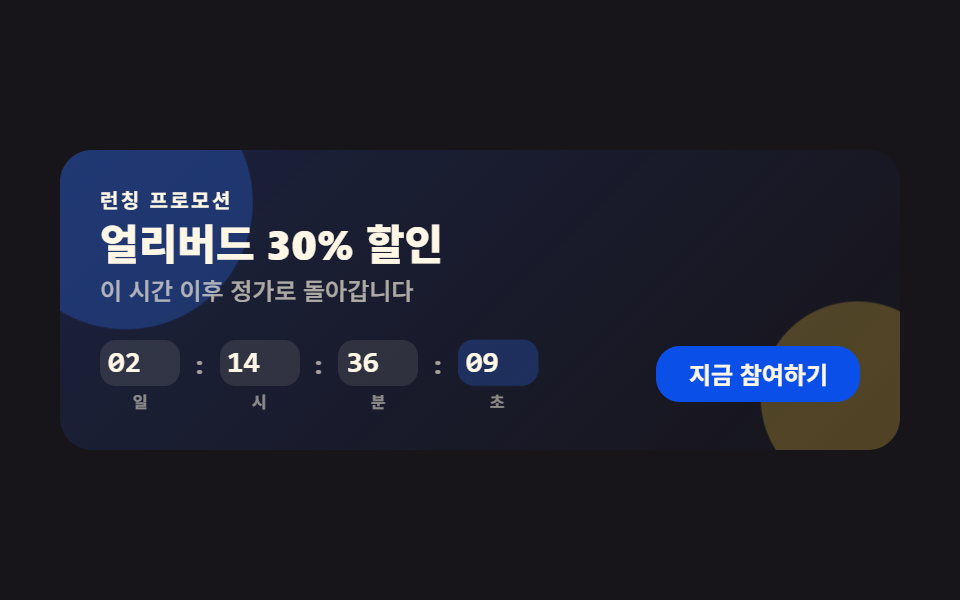 LPセクション【コピペOK】プロモ LP テンプレート9選
 LPセクション【コピペOK】カンファレンス LP セクション テンプレート9選
 LPセクションプレスキット テンプレート付き プレスルームセクション9選
 LPセクションポートフォリオサイト テンプレート9選 — プロジェクト紹介セクション
 LPセクションランディングページ 改善に直結するセクション9選
 LPセクションファーストビュー デザイン 9パターン、コピペで置ける
 LPセクションお客様の声 デザインの型9選、そのまま貼れる
 LPセクションフッター デザイン コピペで終わるパターン9選
 LPセクション引用 デザイン CSS 9選 — コピペで決まる引用ブロック
 LPセクションcss カード デザイン 9種 — 街・チーム・ショートカット