CSS 背景アニメーション 星 9選 — 一行でコピペOK
css 背景アニメーション 星のような検索でたどり着く人が本当に探しているのは、雪や星、雨、紙吹雪、泡、蛍、花びら、霧のように小さな粒を画面全体にばらまいて動かす背景の作り方です。
 01 particle-background-snow-fall
 02 particle-background-stars-twinkle
 03 particle-background-wave-svg
 04 particle-background-rain-lines
 05 particle-background-confetti-css
 06 particle-background-bubbles-rise
 07 particle-background-fireflies
 08 particle-background-sakura-petals
 09 particle-background-fog-drift
自動再生 · タイルを押すとその項目へ · すべて1つのzip
9個は「css 背景アニメーション おしゃれ」のような派手さの順ではなく、粒がどちらへ動くかという基準で並べています。上から下へ落ちるもの(01・04・05・08)、その場で明滅したり横に流れたりするもの(02・03)、下から上へ浮かぶもの(06)、その場を漂うもの(07)、画面全体が往復するもの(09)という順です。コードは粒を何個・どう散らしたかが要点なので、その部分だけを載せていて、完全なファイル一式はzipに入っています。 動く方向よりも反応が基準になるなら、CSS 3Dキューブの傾きでカーソルに応じる軸を先に触れますし、背景全体ではなくボタンひとつを動かせばよい場面では、Tailwindアニメーションの方が近道です。
この9個が使っているのはtransform・opacity・@keyframes・:nth-child()・CSSカスタムプロパティ(var())だけで、どれもBaseline(幅広く利用可能)に達した機能です。唯一09だけが使うfilter: blur()は、caniuseのcss-filtersページによるとベンダー接頭辞なしでChrome 53以降・Safari 9.1以降・Firefox 35以降に対応しています。
01雪が降る
「雪が降る css」の落とし方
円形のspanを24個並べ、画面の外側からtranslateYで静かに落としていく背景です。--iカスタムプロパティはanimation-delayにだけ使い、負の遅延値で24個の位相をばらけさせています。年末プロモーションや冬のイベントページのヒーロー背景に向いています。
<main class="stage">
  <div class="field" aria-hidden="true">
    <span class="p" style="--i:0"></span>
    <span class="p" style="--i:1"></span>
    <span class="p" style="--i:2"></span>
    <span class="p" style="--i:3"></span>
    <span class="p" style="--i:4"></span>
    <span class="p" style="--i:5"></span>
    <span class="p" style="--i:6"></span>
    <span class="p" style="--i:7"></span>
    <span class="p" style="--i:8"></span>
    <span class="p" style="--i:9"></span>
    <span class="p" style="--i:10"></span>
    <span class="p" style="--i:11"></span>
    <span class="p" style="--i:12"></span>
    <span class="p" style="--i:13"></span>
    <span class="p" style="--i:14"></span>
    <span class="p" style="--i:15"></span>
    <span class="p" style="--i:16"></span>
    <span class="p" style="--i:17"></span>
    <span class="p" style="--i:18"></span>
    <span class="p" style="--i:19"></span>
    <span class="p" style="--i:20"></span>
    <span class="p" style="--i:21"></span>
    <span class="p" style="--i:22"></span>
    <span class="p" style="--i:23"></span>
  </div>
  <p class="caption">年末セール</p>
</main>@use "../../../../site/static/demo-tokens" as *;
// ── 변수 3개 ──────────────────────────────
$duration: $dur-loop * 3; // 6s — 눈송이가 위에서 아래까지 떨어지는 기준 시간
$easing: linear; // 일정한 속도로 낙하 (spring 은 눈에 안 맞는다)
$color: $subject-cream;
// ── 데모 무대 ───────────────────────────────
@include stage($stage-ink);
.field { position: absolute; inset: 0; overflow: hidden; pointer-events: none; }
.caption {
position: relative; z-index: 1; margin: 0;
color: $subject-cream; font-weight: 700; font-size: clamp(16px, 5vw, 22px); line-height: 1; font-family: inherit;
text-shadow: 0 2px 8px rgba($stage-ink, .6);
}
.p {
position: absolute;
top: -8%;
left: 0;
width: 6px; height: 6px;
border-radius: 50%;
background: $color;
opacity: 0;
animation: fall $duration $easing infinite;
animation-delay: calc(var(--i) * -0.28s); // 음수 지연 — 처음부터 이미 흩어져 떨어지고 있는 것처럼
}
// nth-child 로 항목마다 다른 가로 위치·크기·속도 (SCSS 컴파일 시 고정, --i 는 지연에만 쓴다)
@for $i from 1 through 24 {
.p:nth-child(#{$i}) {
left: ((($i * 53) % 97)) * 1%;
$s: 4px + ($i % 4) * 2px;
width: $s; height: $s;
animation-duration: $duration + ($i % 5) * .6s;
}
}
@keyframes fall {
0% { transform: translateY(0) translateX(0); opacity: 0; }
8% { opacity: .9; }
92% { opacity: .85; }
100% { transform: translateY(340px) translateX(14px); opacity: 0; }
}
// ── 접근성: 움직임 줄이기 설정이면 제자리에 흐릿하게만 ────────────
@media (prefers-reduced-motion: reduce) {
.p { animation: none; opacity: .35; top: 40%; }
}html, body {
margin: 0;
overflow: hidden;
}
.stage {
box-sizing: border-box;
min-height: 100vh;
display: grid;
place-items: center;
margin: 0;
background: #17141a;
font-family: -apple-system, "Segoe UI", "Noto Sans KR", sans-serif;
padding: clamp(8px, 4vw, 24px);
}
.field {
position: absolute;
inset: 0;
overflow: hidden;
pointer-events: none;
}
.caption {
position: relative;
z-index: 1;
margin: 0;
color: #fff7e6;
font-weight: 700;
font-size: clamp(16px, 5vw, 22px);
line-height: 1;
font-family: inherit;
text-shadow: 0 2px 8px rgba(23, 20, 26, 0.6);
}
.p {
position: absolute;
top: -8%;
left: 0;
width: 6px;
height: 6px;
border-radius: 50%;
background: #fff7e6;
opacity: 0;
animation: fall 6s linear infinite;
animation-delay: calc(var(--i) * -0.28s);
}
.p:nth-child(1) {
left: 53%;
width: 6px;
height: 6px;
animation-duration: 6.6s;
}
.p:nth-child(2) {
left: 9%;
width: 8px;
height: 8px;
animation-duration: 7.2s;
}
.p:nth-child(3) {
left: 62%;
width: 10px;
height: 10px;
animation-duration: 7.8s;
}
.p:nth-child(4) {
left: 18%;
width: 4px;
height: 4px;
animation-duration: 8.4s;
}
.p:nth-child(5) {
left: 71%;
width: 6px;
height: 6px;
animation-duration: 6s;
}
.p:nth-child(6) {
left: 27%;
width: 8px;
height: 8px;
animation-duration: 6.6s;
}
.p:nth-child(7) {
left: 80%;
width: 10px;
height: 10px;
animation-duration: 7.2s;
}
.p:nth-child(8) {
left: 36%;
width: 4px;
height: 4px;
animation-duration: 7.8s;
}
.p:nth-child(9) {
left: 89%;
width: 6px;
height: 6px;
animation-duration: 8.4s;
}
.p:nth-child(10) {
left: 45%;
width: 8px;
height: 8px;
animation-duration: 6s;
}
.p:nth-child(11) {
left: 1%;
width: 10px;
height: 10px;
animation-duration: 6.6s;
}
.p:nth-child(12) {
left: 54%;
width: 4px;
height: 4px;
animation-duration: 7.2s;
}
.p:nth-child(13) {
left: 10%;
width: 6px;
height: 6px;
animation-duration: 7.8s;
}
.p:nth-child(14) {
left: 63%;
width: 8px;
height: 8px;
animation-duration: 8.4s;
}
.p:nth-child(15) {
left: 19%;
width: 10px;
height: 10px;
animation-duration: 6s;
}
.p:nth-child(16) {
left: 72%;
width: 4px;
height: 4px;
animation-duration: 6.6s;
}
.p:nth-child(17) {
left: 28%;
width: 6px;
height: 6px;
animation-duration: 7.2s;
}
.p:nth-child(18) {
left: 81%;
width: 8px;
height: 8px;
animation-duration: 7.8s;
}
.p:nth-child(19) {
left: 37%;
width: 10px;
height: 10px;
animation-duration: 8.4s;
}
.p:nth-child(20) {
left: 90%;
width: 4px;
height: 4px;
animation-duration: 6s;
}
.p:nth-child(21) {
left: 46%;
width: 6px;
height: 6px;
animation-duration: 6.6s;
}
.p:nth-child(22) {
left: 2%;
width: 8px;
height: 8px;
animation-duration: 7.2s;
}
.p:nth-child(23) {
left: 55%;
width: 10px;
height: 10px;
animation-duration: 7.8s;
}
.p:nth-child(24) {
left: 11%;
width: 4px;
height: 4px;
animation-duration: 8.4s;
}
@keyframes fall {
0% {
transform: translateY(0) translateX(0);
opacity: 0;
}
8% {
opacity: 0.9;
}
92% {
opacity: 0.85;
}
100% {
transform: translateY(340px) translateX(14px);
opacity: 0;
}
}
@media (prefers-reduced-motion: reduce) {
.p {
animation: none;
opacity: 0.35;
top: 40%;
}
}import type { CSSProperties } from "react";
import styles from "./SnowFall.module.scss";
export type SnowFallProps = {
/** 애니메이션 기준 시간(ms) */
duration?: number;
/** CSS easing */
easing?: string;
/** 피사체 색 */
color?: string;
};
type Vars = CSSProperties & { "--i"?: number };
const COUNT = 24;
export default function SnowFall({
duration = 6000,
easing = "linear",
color = "#fff7e6",
}: SnowFallProps) {
const vars = {
"--duration": `${duration}ms`,
"--easing": easing,
"--color": color,
} as CSSProperties;
return (
<div className={styles.field} style={vars} aria-hidden="true">
{Array.from({ length: COUNT }, (_, i) => (
<span key={i} className={styles.p} style={{ "--i": i } as Vars} />
))}
</div>
);
}01 · 雪が降る — 計測 累積面積 11.553% · 動いたフレーム 23/23GODRICH オリジナル · SCSS と React は zip に同梱 · パスワードを見る
年末プロモーションの背景に
.p {
  position: absolute; top: -8%; left: 0;
  width: 6px; height: 6px; border-radius: 50%;
  animation: fall 6s linear infinite;
  animation-delay: calc(var(--i) * -0.28s);
}
@for $i from 1 through 24 {
  .p:nth-child(#{$i}) { left: #{($i * 53) % 97}%; }
}
@keyframes fall {
  0%   { transform: translateY(0); opacity: 0; }
  100% { transform: translateY(340px); opacity: 0; }
}
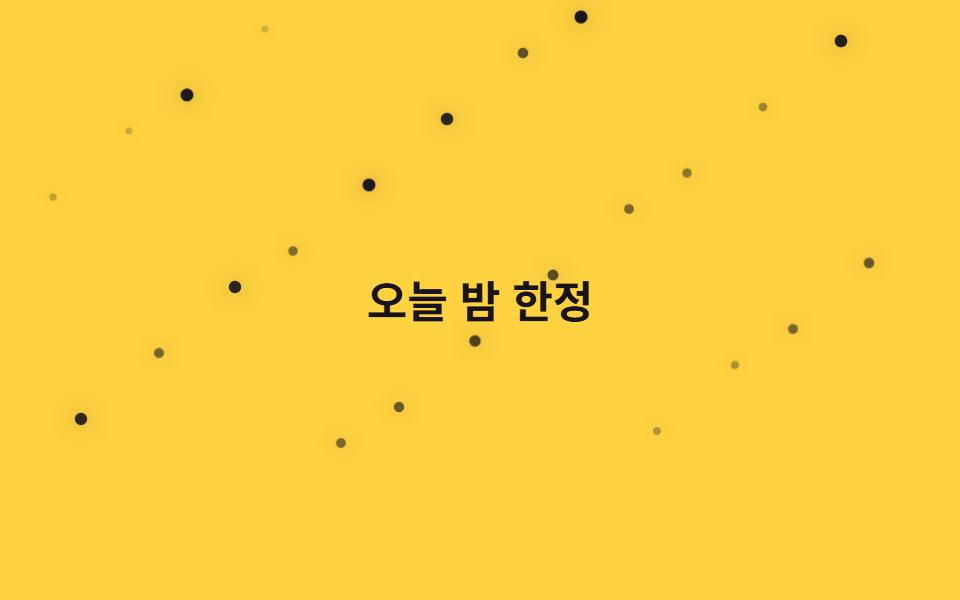
02星がまたたく
24個を別々の時計で瞬かせる
「css アニメーション 星」でよく見る形で、小さな点を24個画面全体に散らし、box-shadowの光彩とopacity・scaleを同時に動かして瞬かせています。位置はnth-childで41と67という異なる倍数の剰余を使い、格子状に整列して見えないようにしています。ダークモードのヒーローや夜テーマのイベントページに向いています。
<main class="stage">
  <div class="field" aria-hidden="true">
    <span class="p" style="--i:0"></span>
    <span class="p" style="--i:1"></span>
    <span class="p" style="--i:2"></span>
    <span class="p" style="--i:3"></span>
    <span class="p" style="--i:4"></span>
    <span class="p" style="--i:5"></span>
    <span class="p" style="--i:6"></span>
    <span class="p" style="--i:7"></span>
    <span class="p" style="--i:8"></span>
    <span class="p" style="--i:9"></span>
    <span class="p" style="--i:10"></span>
    <span class="p" style="--i:11"></span>
    <span class="p" style="--i:12"></span>
    <span class="p" style="--i:13"></span>
    <span class="p" style="--i:14"></span>
    <span class="p" style="--i:15"></span>
    <span class="p" style="--i:16"></span>
    <span class="p" style="--i:17"></span>
    <span class="p" style="--i:18"></span>
    <span class="p" style="--i:19"></span>
    <span class="p" style="--i:20"></span>
    <span class="p" style="--i:21"></span>
    <span class="p" style="--i:22"></span>
    <span class="p" style="--i:23"></span>
  </div>
  <p class="caption">今夜限定</p>
</main>@use "../../../../site/static/demo-tokens" as *;
// ── 변수 3개 ──────────────────────────────
$duration: $dur-base * 6; // 1.8s 기준 — 항목마다 다르게 늘려 불규칙해 보이게 한다
$easing: ease-in-out;
$color: $subject-ink;
// ── 데모 무대 ───────────────────────────────
@include stage($stage-yellow);
.field { position: absolute; inset: 0; overflow: hidden; pointer-events: none; }
.caption {
position: relative; z-index: 1; margin: 0;
color: $subject-ink; font-weight: 700; font-size: clamp(16px, 5vw, 22px); line-height: 1; font-family: inherit;
}
.p {
position: absolute;
width: 5px; height: 5px;
border-radius: 50%;
background: $color;
box-shadow: 0 0 10px rgba($color, .55);
opacity: .2;
animation: twinkle $duration $easing infinite;
animation-delay: calc(var(--i) * -0.31s);
}
@for $i from 1 through 24 {
.p:nth-child(#{$i}) {
left: ((($i * 41) % 93)) * 1%;
top: ((($i * 67) % 80)) * 1%;
animation-duration: $duration + ($i % 5) * .35s;
}
}
@keyframes twinkle {
0%, 100% { transform: scale(.7); opacity: .2; }
50% { transform: scale(1.3); opacity: 1; }
}
// ── 접근성: 반짝임을 끄고 희미한 별만 남긴다 ────────────
@media (prefers-reduced-motion: reduce) {
.p { animation: none; opacity: .55; }
}html, body {
margin: 0;
overflow: hidden;
}
.stage {
box-sizing: border-box;
min-height: 100vh;
display: grid;
place-items: center;
margin: 0;
background: #ffd23f;
font-family: -apple-system, "Segoe UI", "Noto Sans KR", sans-serif;
padding: clamp(8px, 4vw, 24px);
}
.field {
position: absolute;
inset: 0;
overflow: hidden;
pointer-events: none;
}
.caption {
position: relative;
z-index: 1;
margin: 0;
color: #17141a;
font-weight: 700;
font-size: clamp(16px, 5vw, 22px);
line-height: 1;
font-family: inherit;
}
.p {
position: absolute;
width: 5px;
height: 5px;
border-radius: 50%;
background: #17141a;
box-shadow: 0 0 10px rgba(23, 20, 26, 0.55);
opacity: 0.2;
animation: twinkle 1800ms ease-in-out infinite;
animation-delay: calc(var(--i) * -0.31s);
}
.p:nth-child(1) {
left: 41%;
top: 67%;
animation-duration: 2150ms;
}
.p:nth-child(2) {
left: 82%;
top: 54%;
animation-duration: 2500ms;
}
.p:nth-child(3) {
left: 30%;
top: 41%;
animation-duration: 2850ms;
}
.p:nth-child(4) {
left: 71%;
top: 28%;
animation-duration: 3200ms;
}
.p:nth-child(5) {
left: 19%;
top: 15%;
animation-duration: 1800ms;
}
.p:nth-child(6) {
left: 60%;
top: 2%;
animation-duration: 2150ms;
}
.p:nth-child(7) {
left: 8%;
top: 69%;
animation-duration: 2500ms;
}
.p:nth-child(8) {
left: 49%;
top: 56%;
animation-duration: 2850ms;
}
.p:nth-child(9) {
left: 90%;
top: 43%;
animation-duration: 3200ms;
}
.p:nth-child(10) {
left: 38%;
top: 30%;
animation-duration: 1800ms;
}
.p:nth-child(11) {
left: 79%;
top: 17%;
animation-duration: 2150ms;
}
.p:nth-child(12) {
left: 27%;
top: 4%;
animation-duration: 2500ms;
}
.p:nth-child(13) {
left: 68%;
top: 71%;
animation-duration: 2850ms;
}
.p:nth-child(14) {
left: 16%;
top: 58%;
animation-duration: 3200ms;
}
.p:nth-child(15) {
left: 57%;
top: 45%;
animation-duration: 1800ms;
}
.p:nth-child(16) {
left: 5%;
top: 32%;
animation-duration: 2150ms;
}
.p:nth-child(17) {
left: 46%;
top: 19%;
animation-duration: 2500ms;
}
.p:nth-child(18) {
left: 87%;
top: 6%;
animation-duration: 2850ms;
}
.p:nth-child(19) {
left: 35%;
top: 73%;
animation-duration: 3200ms;
}
.p:nth-child(20) {
left: 76%;
top: 60%;
animation-duration: 1800ms;
}
.p:nth-child(21) {
left: 24%;
top: 47%;
animation-duration: 2150ms;
}
.p:nth-child(22) {
left: 65%;
top: 34%;
animation-duration: 2500ms;
}
.p:nth-child(23) {
left: 13%;
top: 21%;
animation-duration: 2850ms;
}
.p:nth-child(24) {
left: 54%;
top: 8%;
animation-duration: 3200ms;
}
@keyframes twinkle {
0%, 100% {
transform: scale(0.7);
opacity: 0.2;
}
50% {
transform: scale(1.3);
opacity: 1;
}
}
@media (prefers-reduced-motion: reduce) {
.p {
animation: none;
opacity: 0.55;
}
}import type { CSSProperties } from "react";
import styles from "./StarsTwinkle.module.scss";
export type StarsTwinkleProps = {
/** 애니메이션 기준 시간(ms) */
duration?: number;
/** CSS easing */
easing?: string;
/** 피사체 색 */
color?: string;
};
type Vars = CSSProperties & { "--i"?: number };
const COUNT = 24;
export default function StarsTwinkle({
duration = 1800,
easing = "ease-in-out",
color = "#17141a",
}: StarsTwinkleProps) {
const vars = {
"--duration": `${duration}ms`,
"--easing": easing,
"--color": color,
} as CSSProperties;
return (
<div className={styles.field} style={vars} aria-hidden="true">
{Array.from({ length: COUNT }, (_, i) => (
<span key={i} className={styles.p} style={{ "--i": i } as Vars} />
))}
</div>
);
}02 · 星がまたたく — 計測 累積面積 0.894% · 動いたフレーム 23/23GODRICH オリジナル · SCSS と React は zip に同梱 · パスワードを見る
ダークモードのヒーローに
.p {
  position: absolute; width: 5px; height: 5px; border-radius: 50%;
  box-shadow: 0 0 10px rgba(23, 20, 26, .55);
  animation: twinkle 1.8s ease-in-out infinite;
  animation-delay: calc(var(--i) * -0.31s);
}
@keyframes twinkle {
  0%, 100% { transform: scale(.7); opacity: .2; }
  50%      { transform: scale(1.3); opacity: 1; }
}
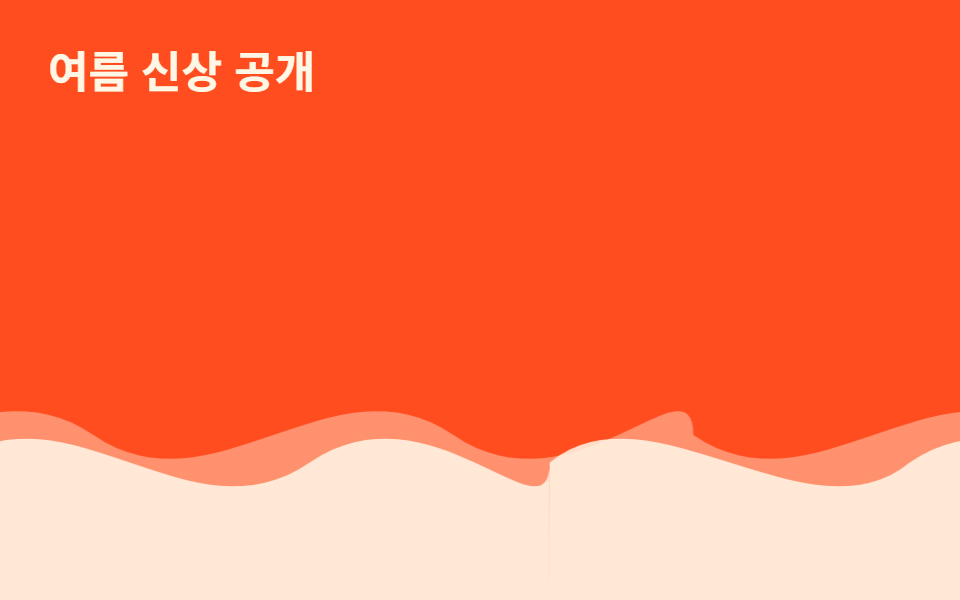
03SVGの波
つなぎ目が見えない理由
同じ波形の<path>を2枚並べて幅200%のレイヤーを作り、translateXで半分だけ動かすことでつなぎ目のない循環にしています。奥のレイヤーと手前のレイヤーで速度と不透明度を変え、視差で奥行きを出しています。製品紹介セクションの下部区切りや、海・旅行系ランディングの背景に使えます。
<main class="stage">
  <div class="waves" aria-hidden="true">
  <div class="layer layer--back">
    <svg class="wave" viewBox="0 0 480 120" preserveAspectRatio="none" aria-hidden="true"><path d="M0,60 C60,90 120,30 180,60 C240,90 300,30 360,60 C420,90 480,30 480,60 L480,120 L0,120 Z"/></svg>
    <svg class="wave" viewBox="0 0 480 120" preserveAspectRatio="none" aria-hidden="true"><path d="M0,60 C60,90 120,30 180,60 C240,90 300,30 360,60 C420,90 480,30 480,60 L480,120 L0,120 Z"/></svg>
  </div>
  <div class="layer layer--front">
    <svg class="wave" viewBox="0 0 480 120" preserveAspectRatio="none" aria-hidden="true"><path d="M0,70 C50,40 130,100 180,70 C240,40 300,100 360,70 C420,40 480,100 480,70 L480,120 L0,120 Z"/></svg>
    <svg class="wave" viewBox="0 0 480 120" preserveAspectRatio="none" aria-hidden="true"><path d="M0,70 C50,40 130,100 180,70 C240,40 300,100 360,70 C420,40 480,100 480,70 L480,120 L0,120 Z"/></svg>
  </div>
  </div>
  <p class="caption">夏の新作</p>
</main>
@use "../../../../site/static/demo-tokens" as *;
// ── 변수 3개 ──────────────────────────────
$duration: $dur-loop * 3; // 6s — 뒤 레이어 한 바퀴
$easing: linear;
$color: $subject-cream;
// ── 데모 무대 ───────────────────────────────
@include stage($stage-orange);
.caption {
position: absolute; z-index: 1; top: $sp-6; left: $sp-6; margin: 0;
color: $subject-cream; font-weight: 700; font-size: clamp(16px, 5vw, 22px); line-height: 1; font-family: inherit;
}
// .layer 는 폭 200%로 뷰포트 밖까지 나간다 — 문서 스크롤을 부풀리지 않도록 .waves 로 먼저 가둔다 (BD8)
.waves { position: absolute; inset: 0; overflow: hidden; }
// 물결은 같은 SVG 를 두 장 나란히(각 50%) 붙여 폭 200%로 만들고, 정확히 -50% 만큼 옮기면
// 이어붙인 자리가 서로 같은 그림이라 이음새 없이 반복된다 (마퀴와 같은 원리, flex gap 은 안 쓴다)
.layer {
position: absolute; left: 0; right: 0; bottom: 0; height: 55%;
display: flex; width: 200%;
}
.wave { width: 50%; height: 100%; flex: none; display: block; fill: $color; }
.layer--back {
opacity: .4;
animation: drift $duration $easing infinite;
}
.layer--front {
opacity: .85;
animation: drift ($duration * .65) $easing infinite;
}
@keyframes drift {
from { transform: translateX(0); }
to { transform: translateX(-50%); }
}
// ── 접근성: 물결을 멈추고 정지 이미지로 ────────────
@media (prefers-reduced-motion: reduce) {
.layer { animation: none; }
}html, body {
margin: 0;
overflow: hidden;
}
.stage {
box-sizing: border-box;
min-height: 100vh;
display: grid;
place-items: center;
margin: 0;
background: #ff4d1f;
font-family: -apple-system, "Segoe UI", "Noto Sans KR", sans-serif;
padding: clamp(8px, 4vw, 24px);
}
.caption {
position: absolute;
z-index: 1;
top: 24px;
left: 24px;
margin: 0;
color: #fff7e6;
font-weight: 700;
font-size: clamp(16px, 5vw, 22px);
line-height: 1;
font-family: inherit;
}
.waves {
position: absolute;
inset: 0;
overflow: hidden;
}
.layer {
position: absolute;
left: 0;
right: 0;
bottom: 0;
height: 55%;
display: flex;
width: 200%;
}
.wave {
width: 50%;
height: 100%;
flex: none;
display: block;
fill: #fff7e6;
}
.layer--back {
opacity: 0.4;
animation: drift 6s linear infinite;
}
.layer--front {
opacity: 0.85;
animation: drift 3.9s linear infinite;
}
@keyframes drift {
from {
transform: translateX(0);
}
to {
transform: translateX(-50%);
}
}
@media (prefers-reduced-motion: reduce) {
.layer {
animation: none;
}
}import type { CSSProperties } from "react";
import styles from "./SvgWave.module.scss";
export type SvgWaveProps = {
/** 애니메이션 기준 시간(ms) */
duration?: number;
/** CSS easing */
easing?: string;
/** 피사체 색 */
color?: string;
};
type Vars = CSSProperties & { "--i"?: number };
const COUNT = 4;
export default function SvgWave({
duration = 6000,
easing = "linear",
color = "#fff7e6",
}: SvgWaveProps) {
const vars = {
"--duration": `${duration}ms`,
"--easing": easing,
"--color": color,
} as CSSProperties;
return (
<div className={styles.stage} style={vars}>
<div className={styles.layerBack}>
<svg className={styles.wave} viewBox="0 0 480 120" preserveAspectRatio="none" aria-hidden="true"><path d="M0,60 C60,90 120,30 180,60 C240,90 300,30 360,60 C420,90 480,30 480,60 L480,120 L0,120 Z" /></svg>
<svg className={styles.wave} viewBox="0 0 480 120" preserveAspectRatio="none" aria-hidden="true"><path d="M0,60 C60,90 120,30 180,60 C240,90 300,30 360,60 C420,90 480,30 480,60 L480,120 L0,120 Z" /></svg>
</div>
<div className={styles.layerFront}>
<svg className={styles.wave} viewBox="0 0 480 120" preserveAspectRatio="none" aria-hidden="true"><path d="M0,70 C50,40 130,100 180,70 C240,40 300,100 360,70 C420,40 480,100 480,70 L480,120 L0,120 Z" /></svg>
<svg className={styles.wave} viewBox="0 0 480 120" preserveAspectRatio="none" aria-hidden="true"><path d="M0,70 C50,40 130,100 180,70 C240,40 300,100 360,70 C420,40 480,100 480,70 L480,120 L0,120 Z" /></svg>
</div>
</div>
);
}03 · SVGの波 — 計測 累積面積 12.781% · 動いたフレーム 23/23GODRICH オリジナル · SCSS と React は zip に同梱 · パスワードを見る
区切りと旅行系ランディングに
.layer { position: absolute; left: 0; right: 0; bottom: 0; display: flex; width: 200%; }
.wave { width: 50%; flex: none; }
.layer--back  { animation: drift 6s linear infinite; }
.layer--front { animation: drift 3.9s linear infinite; }
@keyframes drift {
  from { transform: translateX(0); }
  to   { transform: translateX(-50%); }
}
04雨が降る
傾けたまま対角線に落とす
細い線を22本並べ、rotate(12deg)で傾けたまま対角線状にtranslateで落下させています。nth-childごとに開始位置と落下時間を少しずつずらし、束になった雨粒のように見せています。梅雨のプロモーションや天気アプリの紹介画面に向いています。
<main class="stage">
  <div class="field" aria-hidden="true">
    <span class="p" style="--i:0"></span>
    <span class="p" style="--i:1"></span>
    <span class="p" style="--i:2"></span>
    <span class="p" style="--i:3"></span>
    <span class="p" style="--i:4"></span>
    <span class="p" style="--i:5"></span>
    <span class="p" style="--i:6"></span>
    <span class="p" style="--i:7"></span>
    <span class="p" style="--i:8"></span>
    <span class="p" style="--i:9"></span>
    <span class="p" style="--i:10"></span>
    <span class="p" style="--i:11"></span>
    <span class="p" style="--i:12"></span>
    <span class="p" style="--i:13"></span>
    <span class="p" style="--i:14"></span>
    <span class="p" style="--i:15"></span>
    <span class="p" style="--i:16"></span>
    <span class="p" style="--i:17"></span>
    <span class="p" style="--i:18"></span>
    <span class="p" style="--i:19"></span>
    <span class="p" style="--i:20"></span>
    <span class="p" style="--i:21"></span>
  </div>
  <p class="caption">梅雨セール</p>
</main>@use "../../../../site/static/demo-tokens" as *;
// ── 변수 3개 ──────────────────────────────
$duration: $dur-base * 2; // .6s 기준 — 빗줄기 한 번 떨어지는 시간
$easing: linear;
$color: $subject-blue;
// ── 데모 무대 ───────────────────────────────
@include stage($stage-paper);
.field { position: absolute; inset: 0; overflow: hidden; pointer-events: none; }
.caption {
position: relative; z-index: 1; margin: 0;
color: $subject-ink; font-weight: 700; font-size: clamp(16px, 5vw, 22px); line-height: 1; font-family: inherit;
}
.p {
position: absolute;
top: -12%;
width: 2px; height: 22px;
border-radius: $r-xs;
background: linear-gradient(rgba($color, 0), $color);
opacity: .7;
transform: rotate(12deg);
animation: rain $duration $easing infinite;
animation-delay: calc(var(--i) * -0.07s);
}
@for $i from 1 through 22 {
.p:nth-child(#{$i}) {
left: ((($i * 37) % 96)) * 1%;
animation-duration: $duration + ($i % 4) * .1s;
}
}
@keyframes rain {
0% { transform: translateY(0) translateX(0) rotate(12deg); opacity: .7; }
100% { transform: translateY(380px) translateX(60px) rotate(12deg); opacity: .3; }
}
// ── 접근성: 대각선 낙하를 멈추고 흐린 선만 남긴다 ────────────
@media (prefers-reduced-motion: reduce) {
.p { animation: none; opacity: .25; top: 45%; }
}html, body {
margin: 0;
overflow: hidden;
}
.stage {
box-sizing: border-box;
min-height: 100vh;
display: grid;
place-items: center;
margin: 0;
background: #ffffff;
font-family: -apple-system, "Segoe UI", "Noto Sans KR", sans-serif;
padding: clamp(8px, 4vw, 24px);
}
.field {
position: absolute;
inset: 0;
overflow: hidden;
pointer-events: none;
}
.caption {
position: relative;
z-index: 1;
margin: 0;
color: #17141a;
font-weight: 700;
font-size: clamp(16px, 5vw, 22px);
line-height: 1;
font-family: inherit;
}
.p {
position: absolute;
top: -12%;
width: 2px;
height: 22px;
border-radius: 4px;
background: linear-gradient(rgba(47, 109, 246, 0), #2f6df6);
opacity: 0.7;
transform: rotate(12deg);
animation: rain 600ms linear infinite;
animation-delay: calc(var(--i) * -0.07s);
}
.p:nth-child(1) {
left: 37%;
animation-duration: 700ms;
}
.p:nth-child(2) {
left: 74%;
animation-duration: 800ms;
}
.p:nth-child(3) {
left: 15%;
animation-duration: 900ms;
}
.p:nth-child(4) {
left: 52%;
animation-duration: 600ms;
}
.p:nth-child(5) {
left: 89%;
animation-duration: 700ms;
}
.p:nth-child(6) {
left: 30%;
animation-duration: 800ms;
}
.p:nth-child(7) {
left: 67%;
animation-duration: 900ms;
}
.p:nth-child(8) {
left: 8%;
animation-duration: 600ms;
}
.p:nth-child(9) {
left: 45%;
animation-duration: 700ms;
}
.p:nth-child(10) {
left: 82%;
animation-duration: 800ms;
}
.p:nth-child(11) {
left: 23%;
animation-duration: 900ms;
}
.p:nth-child(12) {
left: 60%;
animation-duration: 600ms;
}
.p:nth-child(13) {
left: 1%;
animation-duration: 700ms;
}
.p:nth-child(14) {
left: 38%;
animation-duration: 800ms;
}
.p:nth-child(15) {
left: 75%;
animation-duration: 900ms;
}
.p:nth-child(16) {
left: 16%;
animation-duration: 600ms;
}
.p:nth-child(17) {
left: 53%;
animation-duration: 700ms;
}
.p:nth-child(18) {
left: 90%;
animation-duration: 800ms;
}
.p:nth-child(19) {
left: 31%;
animation-duration: 900ms;
}
.p:nth-child(20) {
left: 68%;
animation-duration: 600ms;
}
.p:nth-child(21) {
left: 9%;
animation-duration: 700ms;
}
.p:nth-child(22) {
left: 46%;
animation-duration: 800ms;
}
@keyframes rain {
0% {
transform: translateY(0) translateX(0) rotate(12deg);
opacity: 0.7;
}
100% {
transform: translateY(380px) translateX(60px) rotate(12deg);
opacity: 0.3;
}
}
@media (prefers-reduced-motion: reduce) {
.p {
animation: none;
opacity: 0.25;
top: 45%;
}
}import type { CSSProperties } from "react";
import styles from "./RainLines.module.scss";
export type RainLinesProps = {
/** 애니메이션 기준 시간(ms) */
duration?: number;
/** CSS easing */
easing?: string;
/** 피사체 색 */
color?: string;
};
type Vars = CSSProperties & { "--i"?: number };
const COUNT = 22;
export default function RainLines({
duration = 600,
easing = "linear",
color = "#2f6df6",
}: RainLinesProps) {
const vars = {
"--duration": `${duration}ms`,
"--easing": easing,
"--color": color,
} as CSSProperties;
return (
<div className={styles.field} style={vars} aria-hidden="true">
{Array.from({ length: COUNT }, (_, i) => (
<span key={i} className={styles.p} style={{ "--i": i } as Vars} />
))}
</div>
);
}04 · 雨が降る — 計測 累積面積 12.851% · 動いたフレーム 23/23GODRICH オリジナル · SCSS と React は zip に同梱 · パスワードを見る
梅雨のプロモーションに
.p {
  position: absolute; top: -12%; width: 2px; height: 22px;
  transform: rotate(12deg);
  animation: rain .6s linear infinite;
  animation-delay: calc(var(--i) * -0.07s);
}
@keyframes rain {
  0%   { transform: translateY(0) translateX(0) rotate(12deg); opacity: .7; }
  100% { transform: translateY(380px) translateX(60px) rotate(12deg); opacity: .3; }
}
05紙吹雪
右回りと左回りを半々に
四角いspanを26個落下させながらrotate(var(--spin))で回転させ、2つ目の@forで偶数番目と奇数番目に逆符号を与えて右回りと左回りを半々に分けています。nth-child(3n)で3個ごとに背景色をクリーム系と青系で切り替えています。決済完了や会員登録完了のお祝い画面、当選イベントページに向いています。
<main class="stage">
  <div class="field" aria-hidden="true">
    <span class="p" style="--i:0"></span>
    <span class="p" style="--i:1"></span>
    <span class="p" style="--i:2"></span>
    <span class="p" style="--i:3"></span>
    <span class="p" style="--i:4"></span>
    <span class="p" style="--i:5"></span>
    <span class="p" style="--i:6"></span>
    <span class="p" style="--i:7"></span>
    <span class="p" style="--i:8"></span>
    <span class="p" style="--i:9"></span>
    <span class="p" style="--i:10"></span>
    <span class="p" style="--i:11"></span>
    <span class="p" style="--i:12"></span>
    <span class="p" style="--i:13"></span>
    <span class="p" style="--i:14"></span>
    <span class="p" style="--i:15"></span>
    <span class="p" style="--i:16"></span>
    <span class="p" style="--i:17"></span>
    <span class="p" style="--i:18"></span>
    <span class="p" style="--i:19"></span>
    <span class="p" style="--i:20"></span>
    <span class="p" style="--i:21"></span>
    <span class="p" style="--i:22"></span>
    <span class="p" style="--i:23"></span>
    <span class="p" style="--i:24"></span>
    <span class="p" style="--i:25"></span>
  </div>
  <p class="caption">登録ありがとう</p>
</main>@use "../../../../site/static/demo-tokens" as *;
// ── 변수 3개 ──────────────────────────────
$duration: $dur-enter * 4; // 2.4s 기준
$easing: linear;
$color: $subject-cream;
// ── 데모 무대 ───────────────────────────────
@include stage($stage-ink);
.field { position: absolute; inset: 0; overflow: hidden; pointer-events: none; }
.caption {
position: relative; z-index: 1; margin: 0;
color: $subject-cream; font-weight: 700; font-size: clamp(16px, 5vw, 22px); line-height: 1; font-family: inherit;
}
.p {
position: absolute;
top: -10%;
width: 7px; height: 11px;
background: $color;
opacity: .95;
animation: confetti $duration $easing infinite;
animation-delay: calc(var(--i) * -0.2s);
}
// 3개마다 색을 cream ↔ blue 로 번갈아 섞는다 (팔레트 안에서만)
.p:nth-child(3n) { background: $subject-blue; }
@for $i from 1 through 26 {
.p:nth-child(#{$i}) {
left: ((($i * 31) % 94)) * 1%;
animation-duration: $duration + ($i % 5) * .3s;
}
}
@for $i from 1 through 13 {
.p:nth-child(#{$i * 2}) {
--spin: #{240deg + ($i % 6) * 60deg};
}
.p:nth-child(#{$i * 2 - 1}) {
--spin: #{-1 * (240deg + ($i % 6) * 60deg)};
}
}
@keyframes confetti {
0% { transform: translateY(0) rotate(0deg); opacity: 0; }
8% { opacity: .95; }
100% { transform: translateY(360px) rotate(var(--spin, 360deg)); opacity: .85; }
}
// ── 접근성: 회전·낙하를 멈추고 흐린 조각만 남긴다 ────────────
@media (prefers-reduced-motion: reduce) {
.p { animation: none; opacity: .3; top: 45%; }
}html, body {
margin: 0;
overflow: hidden;
}
.stage {
box-sizing: border-box;
min-height: 100vh;
display: grid;
place-items: center;
margin: 0;
background: #17141a;
font-family: -apple-system, "Segoe UI", "Noto Sans KR", sans-serif;
padding: clamp(8px, 4vw, 24px);
}
.field {
position: absolute;
inset: 0;
overflow: hidden;
pointer-events: none;
}
.caption {
position: relative;
z-index: 1;
margin: 0;
color: #fff7e6;
font-weight: 700;
font-size: clamp(16px, 5vw, 22px);
line-height: 1;
font-family: inherit;
}
.p {
position: absolute;
top: -10%;
width: 7px;
height: 11px;
background: #fff7e6;
opacity: 0.95;
animation: confetti 2400ms linear infinite;
animation-delay: calc(var(--i) * -0.2s);
}
.p:nth-child(3n) {
background: #2f6df6;
}
.p:nth-child(1) {
left: 31%;
animation-duration: 2700ms;
}
.p:nth-child(2) {
left: 62%;
animation-duration: 3000ms;
}
.p:nth-child(3) {
left: 93%;
animation-duration: 3300ms;
}
.p:nth-child(4) {
left: 30%;
animation-duration: 3600ms;
}
.p:nth-child(5) {
left: 61%;
animation-duration: 2400ms;
}
.p:nth-child(6) {
left: 92%;
animation-duration: 2700ms;
}
.p:nth-child(7) {
left: 29%;
animation-duration: 3000ms;
}
.p:nth-child(8) {
left: 60%;
animation-duration: 3300ms;
}
.p:nth-child(9) {
left: 91%;
animation-duration: 3600ms;
}
.p:nth-child(10) {
left: 28%;
animation-duration: 2400ms;
}
.p:nth-child(11) {
left: 59%;
animation-duration: 2700ms;
}
.p:nth-child(12) {
left: 90%;
animation-duration: 3000ms;
}
.p:nth-child(13) {
left: 27%;
animation-duration: 3300ms;
}
.p:nth-child(14) {
left: 58%;
animation-duration: 3600ms;
}
.p:nth-child(15) {
left: 89%;
animation-duration: 2400ms;
}
.p:nth-child(16) {
left: 26%;
animation-duration: 2700ms;
}
.p:nth-child(17) {
left: 57%;
animation-duration: 3000ms;
}
.p:nth-child(18) {
left: 88%;
animation-duration: 3300ms;
}
.p:nth-child(19) {
left: 25%;
animation-duration: 3600ms;
}
.p:nth-child(20) {
left: 56%;
animation-duration: 2400ms;
}
.p:nth-child(21) {
left: 87%;
animation-duration: 2700ms;
}
.p:nth-child(22) {
left: 24%;
animation-duration: 3000ms;
}
.p:nth-child(23) {
left: 55%;
animation-duration: 3300ms;
}
.p:nth-child(24) {
left: 86%;
animation-duration: 3600ms;
}
.p:nth-child(25) {
left: 23%;
animation-duration: 2400ms;
}
.p:nth-child(26) {
left: 54%;
animation-duration: 2700ms;
}
.p:nth-child(2) {
--spin: 300deg;
}
.p:nth-child(1) {
--spin: -300deg;
}
.p:nth-child(4) {
--spin: 360deg;
}
.p:nth-child(3) {
--spin: -360deg;
}
.p:nth-child(6) {
--spin: 420deg;
}
.p:nth-child(5) {
--spin: -420deg;
}
.p:nth-child(8) {
--spin: 480deg;
}
.p:nth-child(7) {
--spin: -480deg;
}
.p:nth-child(10) {
--spin: 540deg;
}
.p:nth-child(9) {
--spin: -540deg;
}
.p:nth-child(12) {
--spin: 240deg;
}
.p:nth-child(11) {
--spin: -240deg;
}
.p:nth-child(14) {
--spin: 300deg;
}
.p:nth-child(13) {
--spin: -300deg;
}
.p:nth-child(16) {
--spin: 360deg;
}
.p:nth-child(15) {
--spin: -360deg;
}
.p:nth-child(18) {
--spin: 420deg;
}
.p:nth-child(17) {
--spin: -420deg;
}
.p:nth-child(20) {
--spin: 480deg;
}
.p:nth-child(19) {
--spin: -480deg;
}
.p:nth-child(22) {
--spin: 540deg;
}
.p:nth-child(21) {
--spin: -540deg;
}
.p:nth-child(24) {
--spin: 240deg;
}
.p:nth-child(23) {
--spin: -240deg;
}
.p:nth-child(26) {
--spin: 300deg;
}
.p:nth-child(25) {
--spin: -300deg;
}
@keyframes confetti {
0% {
transform: translateY(0) rotate(0deg);
opacity: 0;
}
8% {
opacity: 0.95;
}
100% {
transform: translateY(360px) rotate(var(--spin, 360deg));
opacity: 0.85;
}
}
@media (prefers-reduced-motion: reduce) {
.p {
animation: none;
opacity: 0.3;
top: 45%;
}
}import type { CSSProperties } from "react";
import styles from "./ConfettiFall.module.scss";
export type ConfettiFallProps = {
/** 애니메이션 기준 시간(ms) */
duration?: number;
/** CSS easing */
easing?: string;
/** 피사체 색 */
color?: string;
};
type Vars = CSSProperties & { "--i"?: number };
const COUNT = 26;
export default function ConfettiFall({
duration = 2400,
easing = "linear",
color = "#fff7e6",
}: ConfettiFallProps) {
const vars = {
"--duration": `${duration}ms`,
"--easing": easing,
"--color": color,
} as CSSProperties;
return (
<div className={styles.field} style={vars} aria-hidden="true">
{Array.from({ length: COUNT }, (_, i) => (
<span key={i} className={styles.p} style={{ "--i": i } as Vars} />
))}
</div>
);
}05 · 紙吹雪 — 計測 累積面積 23.881% · 動いたフレーム 23/23GODRICH オリジナル · SCSS と React は zip に同梱 · パスワードを見る
お祝い画面に
.p { position: absolute; top: -10%; width: 7px; height: 11px; }
.p:nth-child(3n) { background: #2f6df6; }
@keyframes confetti {
  0%   { transform: translateY(0) rotate(0deg); opacity: 0; }
  100% { transform: translateY(360px) rotate(var(--spin, 360deg)); opacity: .85; }
}
06泡が上る
上がるほど勢いを弱める
枠線だけの円を20個並べ、translateYで画面の下から上へ持ち上げながらscaleを大きく小さく脈打たせています。動きにはcubic-bezier(.2,.8,.2,1)のイージングを使い、上がるほど勢いが弱まるようにしています。飲料・酒類ブランドのヒーローや、ウォーターパーク・スパの紹介背景に使えます。
<main class="stage">
  <div class="field" aria-hidden="true">
    <span class="p" style="--i:0"></span>
    <span class="p" style="--i:1"></span>
    <span class="p" style="--i:2"></span>
    <span class="p" style="--i:3"></span>
    <span class="p" style="--i:4"></span>
    <span class="p" style="--i:5"></span>
    <span class="p" style="--i:6"></span>
    <span class="p" style="--i:7"></span>
    <span class="p" style="--i:8"></span>
    <span class="p" style="--i:9"></span>
    <span class="p" style="--i:10"></span>
    <span class="p" style="--i:11"></span>
    <span class="p" style="--i:12"></span>
    <span class="p" style="--i:13"></span>
    <span class="p" style="--i:14"></span>
    <span class="p" style="--i:15"></span>
    <span class="p" style="--i:16"></span>
    <span class="p" style="--i:17"></span>
    <span class="p" style="--i:18"></span>
    <span class="p" style="--i:19"></span>
  </div>
  <p class="caption">爽やかな夏</p>
</main>@use "../../../../site/static/demo-tokens" as *;
// ── 변수 3개 ──────────────────────────────
$duration: $dur-loop * 2; // 4s 기준
$easing: $ease-out;
$color: $subject-ink;
// ── 데모 무대 ───────────────────────────────
@include stage($stage-yellow);
.field { position: absolute; inset: 0; overflow: hidden; pointer-events: none; }
.caption {
position: relative; z-index: 1; margin: 0;
color: $subject-ink; font-weight: 700; font-size: clamp(16px, 5vw, 22px); line-height: 1; font-family: inherit;
}
.p {
position: absolute;
bottom: -10%;
width: 10px; height: 10px;
border-radius: 50%;
border: 1.5px solid $color;
background: rgba($color, .1);
opacity: 0;
animation: rise $duration $easing infinite;
animation-delay: calc(var(--i) * -0.24s);
}
@for $i from 1 through 20 {
.p:nth-child(#{$i}) {
left: ((($i * 43) % 92)) * 1%;
$s: 6px + ($i % 5) * 2px;
width: $s; height: $s;
animation-duration: $duration + ($i % 4) * .5s;
}
}
@keyframes rise {
0% { transform: translateY(0) scale(.6); opacity: 0; }
12% { opacity: .8; }
55% { transform: translateY(-170px) scale(1.15); }
100% { transform: translateY(-360px) scale(.8); opacity: 0; }
}
// ── 접근성: 상승을 멈추고 제자리 거품만 남긴다 ────────────
@media (prefers-reduced-motion: reduce) {
.p { animation: none; opacity: .4; bottom: 20%; }
}html, body {
margin: 0;
overflow: hidden;
}
.stage {
box-sizing: border-box;
min-height: 100vh;
display: grid;
place-items: center;
margin: 0;
background: #ffd23f;
font-family: -apple-system, "Segoe UI", "Noto Sans KR", sans-serif;
padding: clamp(8px, 4vw, 24px);
}
.field {
position: absolute;
inset: 0;
overflow: hidden;
pointer-events: none;
}
.caption {
position: relative;
z-index: 1;
margin: 0;
color: #17141a;
font-weight: 700;
font-size: clamp(16px, 5vw, 22px);
line-height: 1;
font-family: inherit;
}
.p {
position: absolute;
bottom: -10%;
width: 10px;
height: 10px;
border-radius: 50%;
border: 1.5px solid #17141a;
background: rgba(23, 20, 26, 0.1);
opacity: 0;
animation: rise 4s ease-out infinite;
animation-delay: calc(var(--i) * -0.24s);
}
.p:nth-child(1) {
left: 43%;
width: 8px;
height: 8px;
animation-duration: 4.5s;
}
.p:nth-child(2) {
left: 86%;
width: 10px;
height: 10px;
animation-duration: 5s;
}
.p:nth-child(3) {
left: 37%;
width: 12px;
height: 12px;
animation-duration: 5.5s;
}
.p:nth-child(4) {
left: 80%;
width: 14px;
height: 14px;
animation-duration: 4s;
}
.p:nth-child(5) {
left: 31%;
width: 6px;
height: 6px;
animation-duration: 4.5s;
}
.p:nth-child(6) {
left: 74%;
width: 8px;
height: 8px;
animation-duration: 5s;
}
.p:nth-child(7) {
left: 25%;
width: 10px;
height: 10px;
animation-duration: 5.5s;
}
.p:nth-child(8) {
left: 68%;
width: 12px;
height: 12px;
animation-duration: 4s;
}
.p:nth-child(9) {
left: 19%;
width: 14px;
height: 14px;
animation-duration: 4.5s;
}
.p:nth-child(10) {
left: 62%;
width: 6px;
height: 6px;
animation-duration: 5s;
}
.p:nth-child(11) {
left: 13%;
width: 8px;
height: 8px;
animation-duration: 5.5s;
}
.p:nth-child(12) {
left: 56%;
width: 10px;
height: 10px;
animation-duration: 4s;
}
.p:nth-child(13) {
left: 7%;
width: 12px;
height: 12px;
animation-duration: 4.5s;
}
.p:nth-child(14) {
left: 50%;
width: 14px;
height: 14px;
animation-duration: 5s;
}
.p:nth-child(15) {
left: 1%;
width: 6px;
height: 6px;
animation-duration: 5.5s;
}
.p:nth-child(16) {
left: 44%;
width: 8px;
height: 8px;
animation-duration: 4s;
}
.p:nth-child(17) {
left: 87%;
width: 10px;
height: 10px;
animation-duration: 4.5s;
}
.p:nth-child(18) {
left: 38%;
width: 12px;
height: 12px;
animation-duration: 5s;
}
.p:nth-child(19) {
left: 81%;
width: 14px;
height: 14px;
animation-duration: 5.5s;
}
.p:nth-child(20) {
left: 32%;
width: 6px;
height: 6px;
animation-duration: 4s;
}
@keyframes rise {
0% {
transform: translateY(0) scale(0.6);
opacity: 0;
}
12% {
opacity: 0.8;
}
55% {
transform: translateY(-170px) scale(1.15);
}
100% {
transform: translateY(-360px) scale(0.8);
opacity: 0;
}
}
@media (prefers-reduced-motion: reduce) {
.p {
animation: none;
opacity: 0.4;
bottom: 20%;
}
}import type { CSSProperties } from "react";
import styles from "./BubblesRise.module.scss";
export type BubblesRiseProps = {
/** 애니메이션 기준 시간(ms) */
duration?: number;
/** CSS easing */
easing?: string;
/** 피사체 색 */
color?: string;
};
type Vars = CSSProperties & { "--i"?: number };
const COUNT = 20;
export default function BubblesRise({
duration = 4000,
easing = "cubic-bezier(.2,.8,.2,1)",
color = "#17141a",
}: BubblesRiseProps) {
const vars = {
"--duration": `${duration}ms`,
"--easing": easing,
"--color": color,
} as CSSProperties;
return (
<div className={styles.field} style={vars} aria-hidden="true">
{Array.from({ length: COUNT }, (_, i) => (
<span key={i} className={styles.p} style={{ "--i": i } as Vars} />
))}
</div>
);
}06 · 泡が上る — 計測 累積面積 12.542% · 動いたフレーム 23/23GODRICH オリジナル · SCSS と React は zip に同梱 · パスワードを見る
飲料ブランドのヒーローに
.p {
  position: absolute; bottom: -10%; width: 10px; height: 10px;
  border: 1.5px solid currentColor; border-radius: 50%;
  animation: rise 4s cubic-bezier(.2, .8, .2, 1) infinite;
}
@keyframes rise {
  0%   { transform: translateY(0) scale(.6); opacity: 0; }
  55%  { transform: translateY(-170px) scale(1.15); }
  100% { transform: translateY(-360px) scale(.8); opacity: 0; }
}
07蛍
直線ではない光の軌道
ぼんやり光る点を16個置き、box-shadowの光彩とopacityの明滅に加え、0・20・35・55・70・85・100%の多段キーフレームでtranslateの向きを何度も切り替えています。直線的な軌道ではなく、不規則に方向転換する光の粒として動きます。自然・キャンプ系ブランドの背景や、感性重視のポートフォリオヒーローに向いています。
<main class="stage">
  <div class="field" aria-hidden="true">
    <span class="p" style="--i:0"></span>
    <span class="p" style="--i:1"></span>
    <span class="p" style="--i:2"></span>
    <span class="p" style="--i:3"></span>
    <span class="p" style="--i:4"></span>
    <span class="p" style="--i:5"></span>
    <span class="p" style="--i:6"></span>
    <span class="p" style="--i:7"></span>
    <span class="p" style="--i:8"></span>
    <span class="p" style="--i:9"></span>
    <span class="p" style="--i:10"></span>
    <span class="p" style="--i:11"></span>
    <span class="p" style="--i:12"></span>
    <span class="p" style="--i:13"></span>
    <span class="p" style="--i:14"></span>
    <span class="p" style="--i:15"></span>
  </div>
  <p class="caption">夏の夜キャンプ</p>
</main>
@use "../../../../site/static/demo-tokens" as *;
// ── 변수 3개 ──────────────────────────────
$duration: $dur-loop * 1.75; // 3.5s 기준
$easing: ease-in-out;
$color: $subject-cream;
// ── 데모 무대 ───────────────────────────────
@include stage($stage-orange);
.field { position: absolute; inset: 0; overflow: hidden; pointer-events: none; }
.caption {
position: relative; z-index: 1; margin: 0;
color: $subject-cream; font-weight: 700; font-size: clamp(16px, 5vw, 22px); line-height: 1; font-family: inherit;
}
.p {
position: absolute;
width: 4px; height: 4px;
border-radius: 50%;
background: $color;
box-shadow: 0 0 12px rgba($color, .8);
opacity: 0;
animation: drift $duration $easing infinite;
animation-delay: calc(var(--i) * -0.37s);
}
@for $i from 1 through 16 {
.p:nth-child(#{$i}) {
left: ((($i * 29) % 90)) * 1%;
top: ((($i * 61) % 78)) * 1%;
animation-duration: $duration + ($i % 4) * .4s;
}
}
// 짧게 방향을 바꾸며 떠다니는 불규칙한 궤적 (transform 만)
@keyframes drift {
0% { transform: translate(0, 0); opacity: 0; }
20% { opacity: .9; }
35% { transform: translate(14px, -10px); }
55% { transform: translate(-8px, -20px); opacity: .3; }
70% { opacity: .85; }
85% { transform: translate(10px, -6px); }
100% { transform: translate(0, 0); opacity: 0; }
}
// ── 접근성: 깜빡임·이동을 멈추고 흐린 점만 남긴다 ────────────
@media (prefers-reduced-motion: reduce) {
.p { animation: none; opacity: .45; }
}html, body {
margin: 0;
overflow: hidden;
}
.stage {
box-sizing: border-box;
min-height: 100vh;
display: grid;
place-items: center;
margin: 0;
background: #ff4d1f;
font-family: -apple-system, "Segoe UI", "Noto Sans KR", sans-serif;
padding: clamp(8px, 4vw, 24px);
}
.field {
position: absolute;
inset: 0;
overflow: hidden;
pointer-events: none;
}
.caption {
position: relative;
z-index: 1;
margin: 0;
color: #fff7e6;
font-weight: 700;
font-size: clamp(16px, 5vw, 22px);
line-height: 1;
font-family: inherit;
}
.p {
position: absolute;
width: 4px;
height: 4px;
border-radius: 50%;
background: #fff7e6;
box-shadow: 0 0 12px rgba(255, 247, 230, 0.8);
opacity: 0;
animation: drift 3.5s ease-in-out infinite;
animation-delay: calc(var(--i) * -0.37s);
}
.p:nth-child(1) {
left: 29%;
top: 61%;
animation-duration: 3.9s;
}
.p:nth-child(2) {
left: 58%;
top: 44%;
animation-duration: 4.3s;
}
.p:nth-child(3) {
left: 87%;
top: 27%;
animation-duration: 4.7s;
}
.p:nth-child(4) {
left: 26%;
top: 10%;
animation-duration: 3.5s;
}
.p:nth-child(5) {
left: 55%;
top: 71%;
animation-duration: 3.9s;
}
.p:nth-child(6) {
left: 84%;
top: 54%;
animation-duration: 4.3s;
}
.p:nth-child(7) {
left: 23%;
top: 37%;
animation-duration: 4.7s;
}
.p:nth-child(8) {
left: 52%;
top: 20%;
animation-duration: 3.5s;
}
.p:nth-child(9) {
left: 81%;
top: 3%;
animation-duration: 3.9s;
}
.p:nth-child(10) {
left: 20%;
top: 64%;
animation-duration: 4.3s;
}
.p:nth-child(11) {
left: 49%;
top: 47%;
animation-duration: 4.7s;
}
.p:nth-child(12) {
left: 78%;
top: 30%;
animation-duration: 3.5s;
}
.p:nth-child(13) {
left: 17%;
top: 13%;
animation-duration: 3.9s;
}
.p:nth-child(14) {
left: 46%;
top: 74%;
animation-duration: 4.3s;
}
.p:nth-child(15) {
left: 75%;
top: 57%;
animation-duration: 4.7s;
}
.p:nth-child(16) {
left: 14%;
top: 40%;
animation-duration: 3.5s;
}
@keyframes drift {
0% {
transform: translate(0, 0);
opacity: 0;
}
20% {
opacity: 0.9;
}
35% {
transform: translate(14px, -10px);
}
55% {
transform: translate(-8px, -20px);
opacity: 0.3;
}
70% {
opacity: 0.85;
}
85% {
transform: translate(10px, -6px);
}
100% {
transform: translate(0, 0);
opacity: 0;
}
}
@media (prefers-reduced-motion: reduce) {
.p {
animation: none;
opacity: 0.45;
}
}import type { CSSProperties } from "react";
import styles from "./Fireflies.module.scss";
export type FirefliesProps = {
/** 애니메이션 기준 시간(ms) */
duration?: number;
/** CSS easing */
easing?: string;
/** 피사체 색 */
color?: string;
};
type Vars = CSSProperties & { "--i"?: number };
const COUNT = 16;
export default function Fireflies({
duration = 3500,
easing = "ease-in-out",
color = "#fff7e6",
}: FirefliesProps) {
const vars = {
"--duration": `${duration}ms`,
"--easing": easing,
"--color": color,
} as CSSProperties;
return (
<div className={styles.field} style={vars} aria-hidden="true">
{Array.from({ length: COUNT }, (_, i) => (
<span key={i} className={styles.p} style={{ "--i": i } as Vars} />
))}
</div>
);
}07 · 蛍 — 計測 累積面積 1.859% · 動いたフレーム 23/23GODRICH オリジナル · SCSS と React は zip に同梱 · パスワードを見る
キャンプ系ブランドの背景に
.p {
  position: absolute; width: 4px; height: 4px; border-radius: 50%;
  box-shadow: 0 0 12px rgba(255, 247, 230, .8);
  animation: drift 3.5s ease-in-out infinite;
}
@keyframes drift {
  0%  { transform: translate(0, 0); opacity: 0; }
  35% { transform: translate(14px, -10px); opacity: .9; }
  55% { transform: translate(-8px, -20px); opacity: .3; }
  100% { transform: translate(0, 0); opacity: 0; }
}
08桜の花びら
落下に回転と揺れを重ねる
楕円のspanを18個並べ、30・60・100%のキーフレームで落下・回転・左右の揺れを同時に加えています。パレットにピンクが無いため、色は$subject-blueで代用しています。春のプロモーションや、ウェディング・ビューティー系ブランドのヒーローに使えます。
<main class="stage">
  <div class="field" aria-hidden="true">
    <span class="p" style="--i:0"></span>
    <span class="p" style="--i:1"></span>
    <span class="p" style="--i:2"></span>
    <span class="p" style="--i:3"></span>
    <span class="p" style="--i:4"></span>
    <span class="p" style="--i:5"></span>
    <span class="p" style="--i:6"></span>
    <span class="p" style="--i:7"></span>
    <span class="p" style="--i:8"></span>
    <span class="p" style="--i:9"></span>
    <span class="p" style="--i:10"></span>
    <span class="p" style="--i:11"></span>
    <span class="p" style="--i:12"></span>
    <span class="p" style="--i:13"></span>
    <span class="p" style="--i:14"></span>
    <span class="p" style="--i:15"></span>
    <span class="p" style="--i:16"></span>
    <span class="p" style="--i:17"></span>
  </div>
  <p class="caption">春の新作</p>
</main>
@use "../../../../site/static/demo-tokens" as *;
// ── 변수 3개 ──────────────────────────────
$duration: $dur-loop * 1.4; // 2.8s 기준
$easing: ease-in-out;
$color: $subject-blue; // 팔레트에 분홍이 없어 blue 로 대신한다 (사실.md 참고)
// ── 데모 무대 ───────────────────────────────
@include stage($stage-paper);
.field { position: absolute; inset: 0; overflow: hidden; pointer-events: none; }
.caption {
position: relative; z-index: 1; margin: 0;
color: $subject-ink; font-weight: 700; font-size: clamp(16px, 5vw, 22px); line-height: 1; font-family: inherit;
}
.p {
position: absolute;
top: -10%;
width: 10px; height: 6px;
border-radius: 50%;
background: $color;
opacity: 0;
animation: petal $duration $easing infinite;
animation-delay: calc(var(--i) * -0.28s);
}
@for $i from 1 through 18 {
.p:nth-child(#{$i}) {
left: ((($i * 47) % 95)) * 1%;
animation-duration: $duration + ($i % 5) * .4s;
}
}
// 낙하 + 회전 + 좌우 흔들림, 전부 transform 안에서만
@keyframes petal {
0% { transform: translate(0, 0) rotate(0deg); opacity: 0; }
10% { opacity: .85; }
30% { transform: translate(18px, 110px) rotate(120deg); }
60% { transform: translate(-14px, 240px) rotate(240deg); }
100% { transform: translate(10px, 380px) rotate(360deg); opacity: .3; }
}
// ── 접근성: 회전·낙하를 멈추고 옅은 꽃잎만 남긴다 ────────────
@media (prefers-reduced-motion: reduce) {
.p { animation: none; opacity: .3; top: 45%; }
}html, body {
margin: 0;
overflow: hidden;
}
.stage {
box-sizing: border-box;
min-height: 100vh;
display: grid;
place-items: center;
margin: 0;
background: #ffffff;
font-family: -apple-system, "Segoe UI", "Noto Sans KR", sans-serif;
padding: clamp(8px, 4vw, 24px);
}
.field {
position: absolute;
inset: 0;
overflow: hidden;
pointer-events: none;
}
.caption {
position: relative;
z-index: 1;
margin: 0;
color: #17141a;
font-weight: 700;
font-size: clamp(16px, 5vw, 22px);
line-height: 1;
font-family: inherit;
}
.p {
position: absolute;
top: -10%;
width: 10px;
height: 6px;
border-radius: 50%;
background: #2f6df6;
opacity: 0;
animation: petal 2.8s ease-in-out infinite;
animation-delay: calc(var(--i) * -0.28s);
}
.p:nth-child(1) {
left: 47%;
animation-duration: 3.2s;
}
.p:nth-child(2) {
left: 94%;
animation-duration: 3.6s;
}
.p:nth-child(3) {
left: 46%;
animation-duration: 4s;
}
.p:nth-child(4) {
left: 93%;
animation-duration: 4.4s;
}
.p:nth-child(5) {
left: 45%;
animation-duration: 2.8s;
}
.p:nth-child(6) {
left: 92%;
animation-duration: 3.2s;
}
.p:nth-child(7) {
left: 44%;
animation-duration: 3.6s;
}
.p:nth-child(8) {
left: 91%;
animation-duration: 4s;
}
.p:nth-child(9) {
left: 43%;
animation-duration: 4.4s;
}
.p:nth-child(10) {
left: 90%;
animation-duration: 2.8s;
}
.p:nth-child(11) {
left: 42%;
animation-duration: 3.2s;
}
.p:nth-child(12) {
left: 89%;
animation-duration: 3.6s;
}
.p:nth-child(13) {
left: 41%;
animation-duration: 4s;
}
.p:nth-child(14) {
left: 88%;
animation-duration: 4.4s;
}
.p:nth-child(15) {
left: 40%;
animation-duration: 2.8s;
}
.p:nth-child(16) {
left: 87%;
animation-duration: 3.2s;
}
.p:nth-child(17) {
left: 39%;
animation-duration: 3.6s;
}
.p:nth-child(18) {
left: 86%;
animation-duration: 4s;
}
@keyframes petal {
0% {
transform: translate(0, 0) rotate(0deg);
opacity: 0;
}
10% {
opacity: 0.85;
}
30% {
transform: translate(18px, 110px) rotate(120deg);
}
60% {
transform: translate(-14px, 240px) rotate(240deg);
}
100% {
transform: translate(10px, 380px) rotate(360deg);
opacity: 0.3;
}
}
@media (prefers-reduced-motion: reduce) {
.p {
animation: none;
opacity: 0.3;
top: 45%;
}
}import type { CSSProperties } from "react";
import styles from "./SakuraPetals.module.scss";
export type SakuraPetalsProps = {
/** 애니메이션 기준 시간(ms) */
duration?: number;
/** CSS easing */
easing?: string;
/** 피사체 색 */
color?: string;
};
type Vars = CSSProperties & { "--i"?: number };
const COUNT = 18;
export default function SakuraPetals({
duration = 2800,
easing = "ease-in-out",
color = "#2f6df6",
}: SakuraPetalsProps) {
const vars = {
"--duration": `${duration}ms`,
"--easing": easing,
"--color": color,
} as CSSProperties;
return (
<div className={styles.field} style={vars} aria-hidden="true">
{Array.from({ length: COUNT }, (_, i) => (
<span key={i} className={styles.p} style={{ "--i": i } as Vars} />
))}
</div>
);
}08 · 桜の花びら — 計測 累積面積 9.572% · 動いたフレーム 23/23GODRICH オリジナル · SCSS と React は zip に同梱 · パスワードを見る
春のプロモーションに
.p { position: absolute; top: -10%; width: 10px; height: 6px; border-radius: 50%; }
@keyframes petal {
  0%   { transform: translate(0, 0) rotate(0deg); opacity: 0; }
  30%  { transform: translate(18px, 110px) rotate(120deg); }
  60%  { transform: translate(-14px, 240px) rotate(240deg); }
  100% { transform: translate(10px, 380px) rotate(360deg); opacity: .3; }
}
09霧の流れ
位相だけをずらした帯3枚
幅140%・高さ34%のぼやけた帯を3枚重ね、同じlinearのduration(2秒)のままanimation-delayを0・-33%・-66%でずらして位相だけ変えています。translateXの往復とopacityの増減をalternateで行うため、逆再生用のつなぎ目を別に用意する必要がありません。ミステリー系コンテンツのヒーローや、山岳・アウトドアブランドの背景に向いています。
<main class="stage">
  <div class="field" aria-hidden="true">
    <span class="p" style="--i:0"></span>
    <span class="p" style="--i:1"></span>
    <span class="p" style="--i:2"></span>
  </div>
  <p class="caption">謎が近づく</p>
</main>
@use "../../../../site/static/demo-tokens" as *;
// ── 변수 3개 ──────────────────────────────
$duration: $dur-loop; // 2s 기준 — 캡처 구간과 맞춰야 한 번의 이동이 가득 잡힌다
$easing: linear; // 일정한 속도라야 프레임마다 이동량이 고르게 나온다 (ease 는 시작·끝이 너무 느려 측정에 안 걸렸다)
$color: $subject-cream;
// ── 데모 무대 ───────────────────────────────
@include stage($stage-ink);
.field { position: absolute; inset: 0; overflow: hidden; pointer-events: none; }
.caption {
position: relative; z-index: 1; margin: 0;
color: $subject-cream; font-weight: 700; font-size: clamp(16px, 5vw, 22px); line-height: 1; font-family: inherit;
}
// 층마다 폭이 넓은 흐릿한 띠. gap 없이 절대 위치로만 겹친다
// blur 를 세게 주면 가장자리 전이 구간이 넓어져, 몇 px 이동해도 픽셀당 변화가 문턱(12)을 못 넘는다 —
// blur 를 줄이고 이동 폭을 크게 줘야 프레임마다 실제로 측정 가능한 변화가 된다 (실측)
.p {
position: absolute;
left: -20%;
width: 140%;
height: 34%;
border-radius: $r-card;
background: $color;
opacity: .3;
filter: blur(6px); // 정적. 애니메이션은 transform·opacity 만
animation: driftx $duration $easing infinite alternate; // 왕복이라 이음새가 필요 없다
}
.p:nth-child(1) { top: 8%; animation-delay: 0s; }
.p:nth-child(2) { top: 38%; animation-delay: $duration * -.33; }
.p:nth-child(3) { top: 64%; animation-delay: $duration * -.66; }
@keyframes driftx {
from { transform: translateX(-30%); opacity: .18; }
to { transform: translateX(30%); opacity: .42; }
}
// ── 접근성: 흐름을 멈추고 고정된 안개층만 남긴다 ────────────
@media (prefers-reduced-motion: reduce) {
.p { animation: none; }
}html, body {
margin: 0;
overflow: hidden;
}
.stage {
box-sizing: border-box;
min-height: 100vh;
display: grid;
place-items: center;
margin: 0;
background: #17141a;
font-family: -apple-system, "Segoe UI", "Noto Sans KR", sans-serif;
padding: clamp(8px, 4vw, 24px);
}
.field {
position: absolute;
inset: 0;
overflow: hidden;
pointer-events: none;
}
.caption {
position: relative;
z-index: 1;
margin: 0;
color: #fff7e6;
font-weight: 700;
font-size: clamp(16px, 5vw, 22px);
line-height: 1;
font-family: inherit;
}
.p {
position: absolute;
left: -20%;
width: 140%;
height: 34%;
border-radius: 16px;
background: #fff7e6;
opacity: 0.3;
filter: blur(6px);
animation: driftx 2s linear infinite alternate;
}
.p:nth-child(1) {
top: 8%;
animation-delay: 0s;
}
.p:nth-child(2) {
top: 38%;
animation-delay: -0.66s;
}
.p:nth-child(3) {
top: 64%;
animation-delay: -1.32s;
}
@keyframes driftx {
from {
transform: translateX(-30%);
opacity: 0.18;
}
to {
transform: translateX(30%);
opacity: 0.42;
}
}
@media (prefers-reduced-motion: reduce) {
.p {
animation: none;
}
}import type { CSSProperties } from "react";
import styles from "./FogDrift.module.scss";
export type FogDriftProps = {
/** 애니메이션 기준 시간(ms) */
duration?: number;
/** CSS easing */
easing?: string;
/** 피사체 색 */
color?: string;
};
type Vars = CSSProperties & { "--i"?: number };
const COUNT = 3;
export default function FogDrift({
duration = 2000,
easing = "linear",
color = "#fff7e6",
}: FogDriftProps) {
const vars = {
"--duration": `${duration}ms`,
"--easing": easing,
"--color": color,
} as CSSProperties;
return (
<div className={styles.field} style={vars} aria-hidden="true">
<span className={styles.p} />
<span className={styles.p} />
<span className={styles.p} />
</div>
);
}09 · 霧の流れ — 計測 累積面積 90.962% · 動いたフレーム 23/23GODRICH オリジナル · SCSS と React は zip に同梱 · パスワードを見る
ミステリー系ヒーローに
.p {
  position: absolute; left: -20%; width: 140%; height: 34%;
  filter: blur(6px);
  animation: driftx 2s linear infinite alternate;
}
.p:nth-child(2) { animation-delay: -0.66s; }
.p:nth-child(3) { animation-delay: -1.32s; }
@keyframes driftx {
  from { transform: translateX(-30%); opacity: .18; }
  to   { transform: translateX(30%);  opacity: .42; }
}
どこで壊れるか
同じspanをばらまく型を9回繰り返しただけに見えますが、実際に組んでみると3か所でつまずきました。
translateの%は要素自身が基準
1つ目は、transform: translate()の%が舞台ではなく要素自身の大きさを基準に計算されるという点です。雪・雨・紙吹雪・泡・桜の花びらの5つを最初translateY(370%)のように書いたところ、実際には6〜22pxしか動かず、01の累積面積は0.15%にとどまりました。px値に置き換えてから、ようやく画面を実際に横切るようになりました。
ぼかしが強いと動いて見えない
2つ目は、blurを強くかけすぎるとフレーム間で変わるピクセルの割合が測定のしきい値を下回ることです。09を最初blur(16px)とopacityだけで作ったとき、累積面積は94%あるのに強度と動いたフレーム数はどちらも0でした。1/12秒ごとの変化があまりに細かく刻まれ、しきい値(12)を超えられなかったためです。ぼかしを弱め、移動距離を広げてから直りました。
撮影区間より長いdurationの罠
3つ目は、ease-in-outのような緩急のあるイージングに、撮影区間(2.0秒)よりずっと長いdurationを組み合わせることです。曲線のゆるやかな立ち上がり部分しか撮れず、ほぼ静止して見えてしまいます。09を10秒にしたとき実測は0で、durationを撮影区間の約数に近づけてから流れが正しく見えるようになりました。この3つをすでに直した9本のファイルをまとめたzipを開くパスワードはfjv3dy5xです。
この霧の帯(09)で実際に引っかかった「撮影区間より長いループ」の罠は、大きな面積が往復する図ほど踏みやすくなります。メンフィスデザインのLPパーツの波のセクションも、往復が撮影区間を超えると同じ理由で静止フレームとして測定されます。
アクセシビリティ
動きを消しても粒は残す
OSの「視差効果を減らす」設定を有効にしている人には、9個すべてにprefers-reduced-motion: reduceのブロックがかかります。01・04・05・08は落下や回転を止めて薄いopacityの粒だけを残し、02・07は明滅と移動を止めて固定のopacityだけを残し、03・09は流れ自体を止めて静止した帯を見せ、06は上昇を止めてbottom: 20%の位置に固定します。動きは消しても粒がそこにあるという事実だけは残す作りです。
@media (prefers-reduced-motion: reduce) {
  .p { animation: none; opacity: .35; top: 40%; }   // 01 雪
  .p { animation: none; opacity: .55; }              // 02 星
  .layer { animation: none; }                        // 03 波
  .p { animation: none; opacity: .4; bottom: 20%; }  // 06 泡
}
次に読む
prefers-reduced-motionのブラウザ対応表はMDNのドキュメントにまとまっています。背景・粒以外のCSSアニメーションを探しているならCSSカテゴリー一覧を、このサイトが初めてなら紹介ページを先にご覧ください。
FAQ
「パーティクル アニメーション css」の粒はいくつまで散らしていいですか?
この記事は項目ごとに3〜26個を使っています。40個を超えるとtransform・opacityだけでも合成すべきレイヤーが増え、非力な端末でカクつくことがあります。背景用途なら20〜30個ほどで十分に密に見え、それ以上増やしても見た目の違いはあまり大きくありません。
JavaScriptなしで粒ごとに速度を変える仕組みは何ですか?
SCSSの@forでnth-childごとに異なる倍数の剰余を計算し、位置・大きさ・持続時間を固定値として埋め込んでいます。--iカスタムプロパティはanimation-delayにだけ使い、同じキーフレームを粒ごとに違う時点から始めさせています。どちらもコンパイル・レンダリングの時点で終わる計算なので、実行時のJavaScriptは要りません。 コンパイル時に散らし方を固定するこの発想は、シード値ひとつで同じ模様を引き直すCSS背景パターン9種でもそのまま使われています。
桜の花びらが青いのはなぜですか?
このサイトのデモ配色にピンクが無いため、$subject-blueで代用しています。zipを開けばSCSS変数$colorを1つ書き換えるだけで、好きな色にすぐ変更できます。
こんな記事もどうぞ
 フィードバックCSS 背景 アニメーション 9選 — 一行でコピペOK
 フィードバックCSS テキスト グラデーション アニメーション 9選 — 一行でコピペOK
 フィードバック「カーソル エフェクト css」9選 — 一行でコピペOK
 フィードバックCSS タイピング アニメーション 9選 — 一行でコピペOK
 フィードバックCSS 文字 アニメーション 9選 — 一行でコピペOK
 フィードバックCSS キーフレーム アニメーション 9選 — 一行でコピペOK
 フィードバック【一行でコピペOK】CSS 3D アニメーション9選
 フィードバック【コピペOK】css テキスト アニメーション 9選
 フィードバックcss テキスト エフェクト 9選 — デコード演出
 フィードバック【コピペOK】css バッジ デザイン 9選 — NEW・SALE・認証バッジ