【コピペOK】料金表 CSSアニメーション9選
サブスクの料金プランを比較するとき、カードにマウスを乗せた瞬間にふわっと浮かんだり、金額の表示がパッと切り替わったりするページを見たことはありませんか。どのプランを選ぶか迷っているその一瞬に、こうした小さな動きが視線を誘導してくれます。
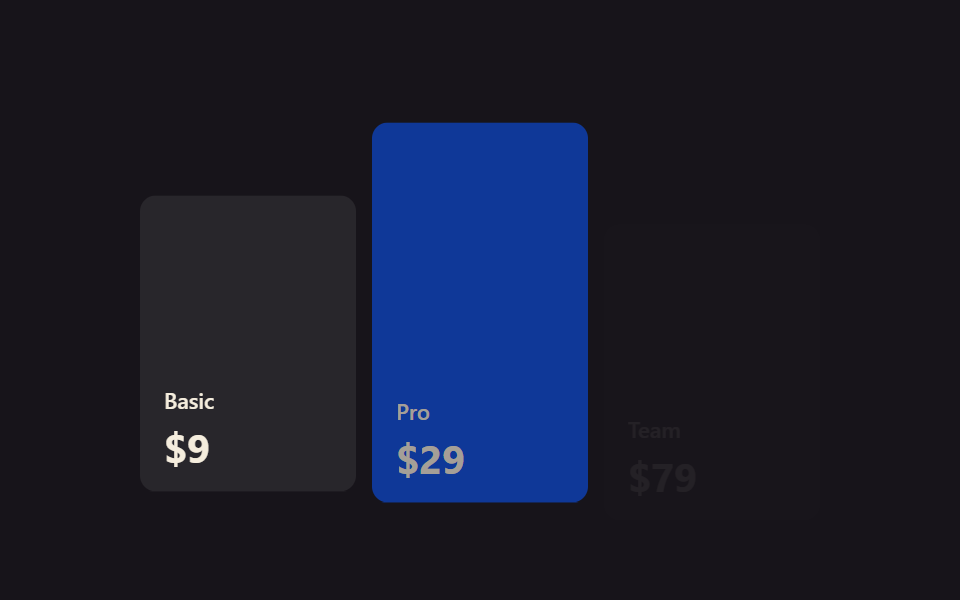 01 pricing-table-animation-scroll-reveal-plans
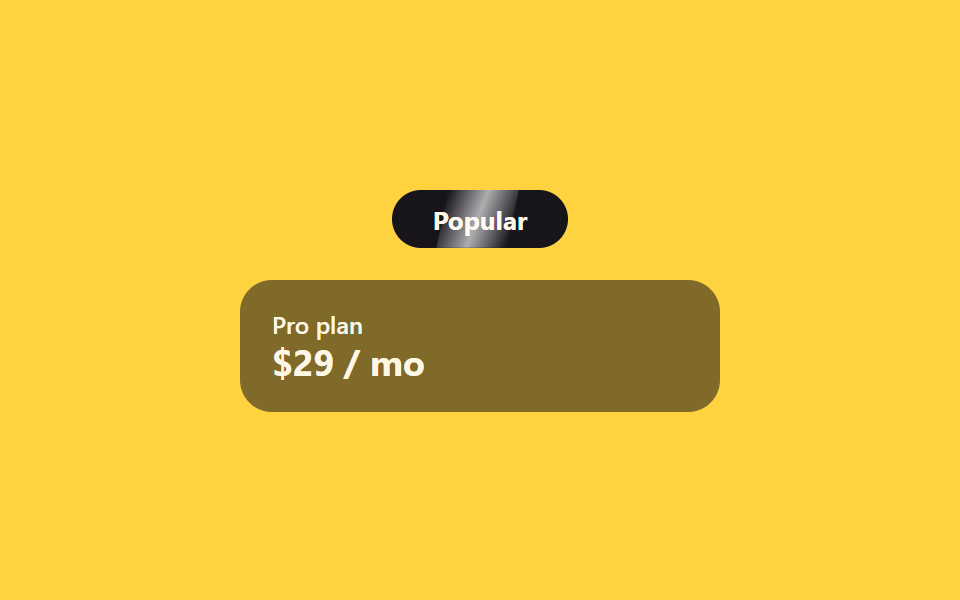 02 pricing-table-animation-badge-shine-sweep
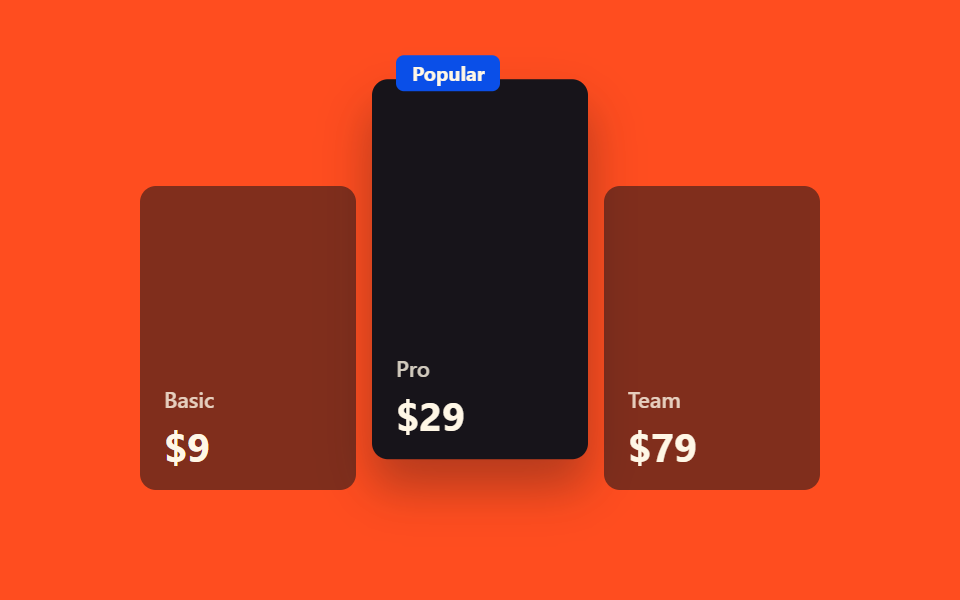 03 pricing-table-animation-popular-plan-lift
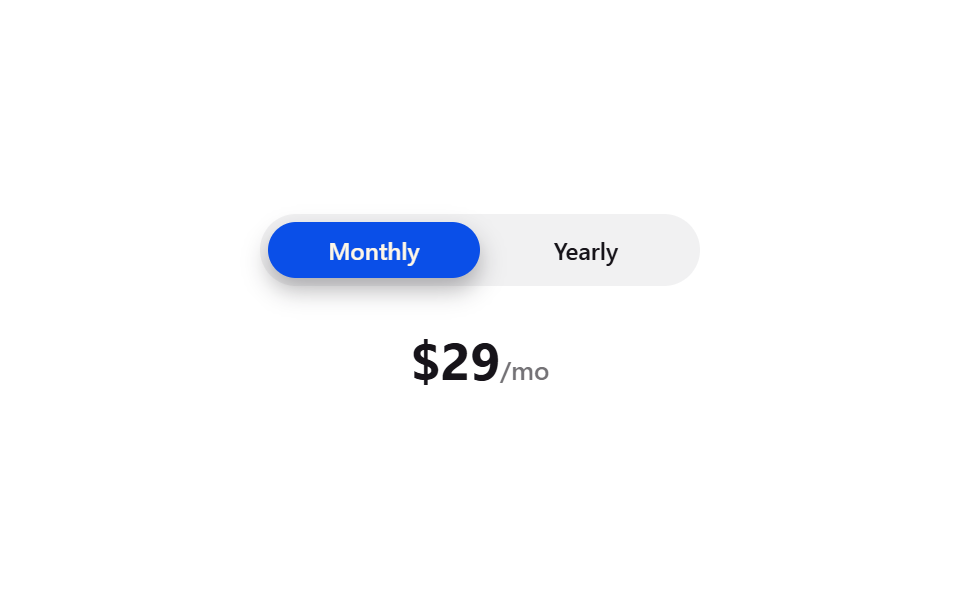 04 pricing-table-animation-monthly-yearly-toggle
 05 pricing-table-animation-price-flip-digit
 06 pricing-table-animation-has-checked-price-swap
 07 pricing-table-animation-feature-check-stagger
 08 pricing-table-animation-compare-highlight
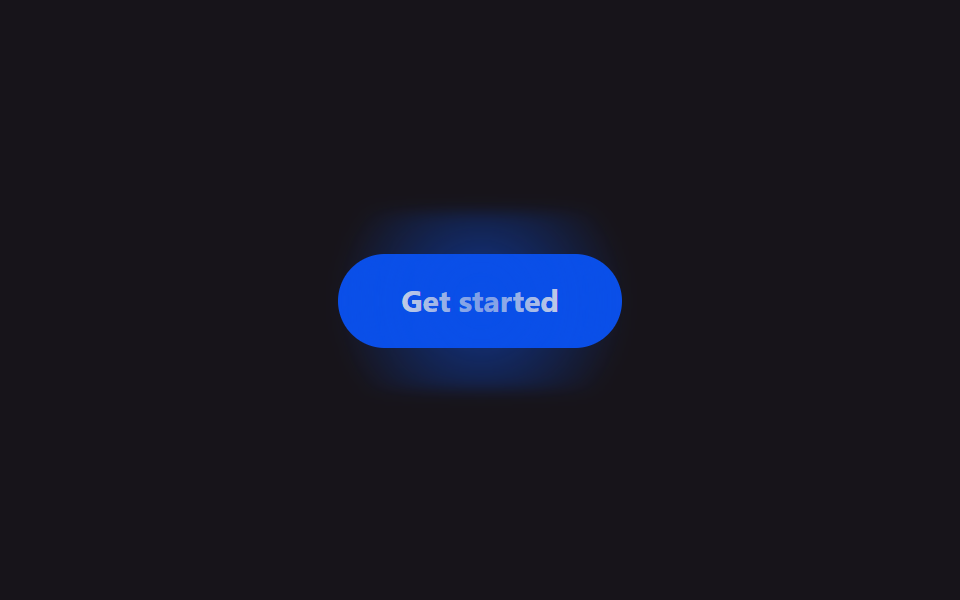 09 pricing-table-animation-cta-glow
自動再生 · タイルを押すとその項目へ · すべて1つのzip
- 01 スクロールでプランがリビール
- 02 バッジ光沢スイープ
- 03 人気プランの浮き上がり強調
- 04 月額/年額トグル
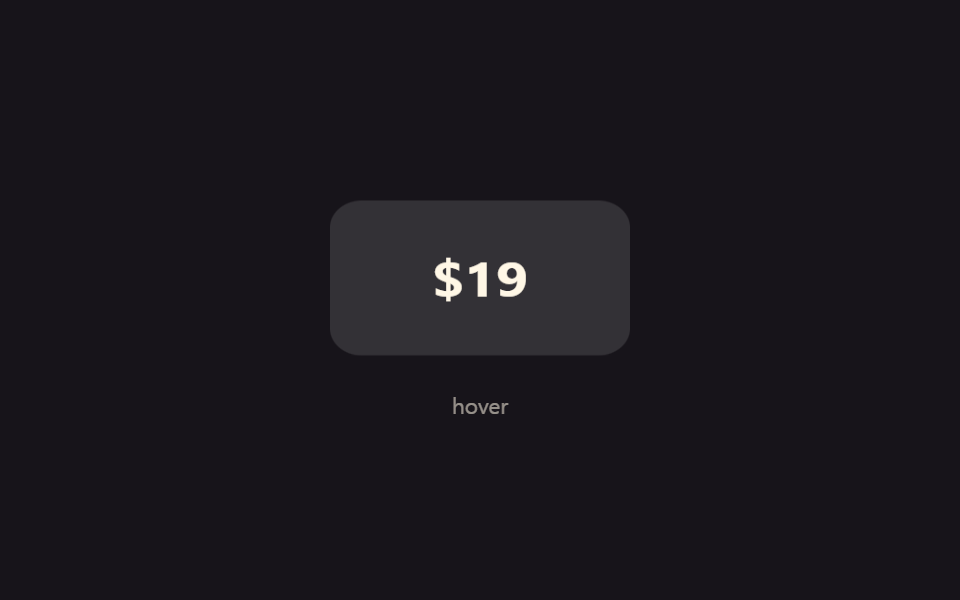
- 05 価格数字フリップ
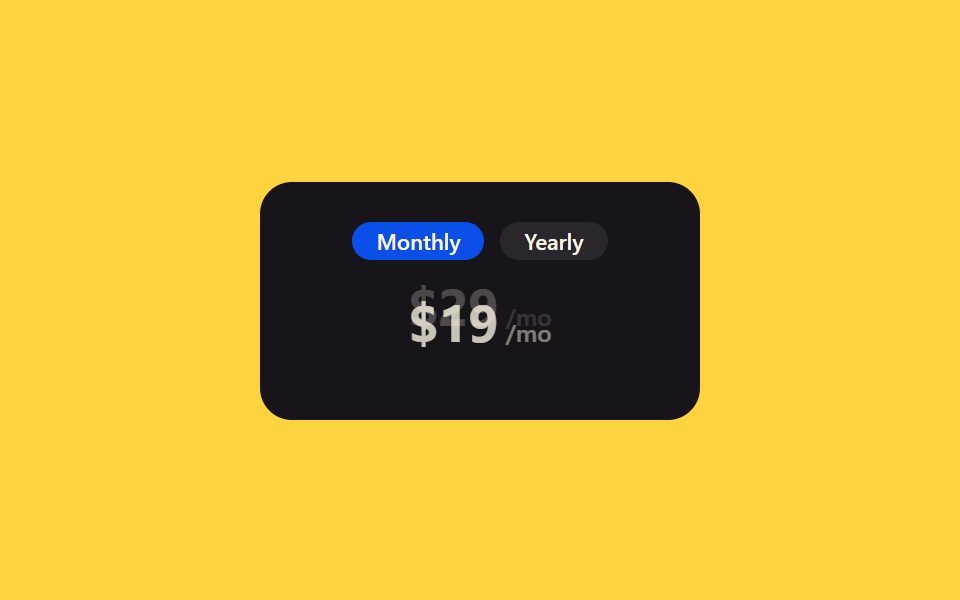
- 06 :has(:checked)でJS0価格切替
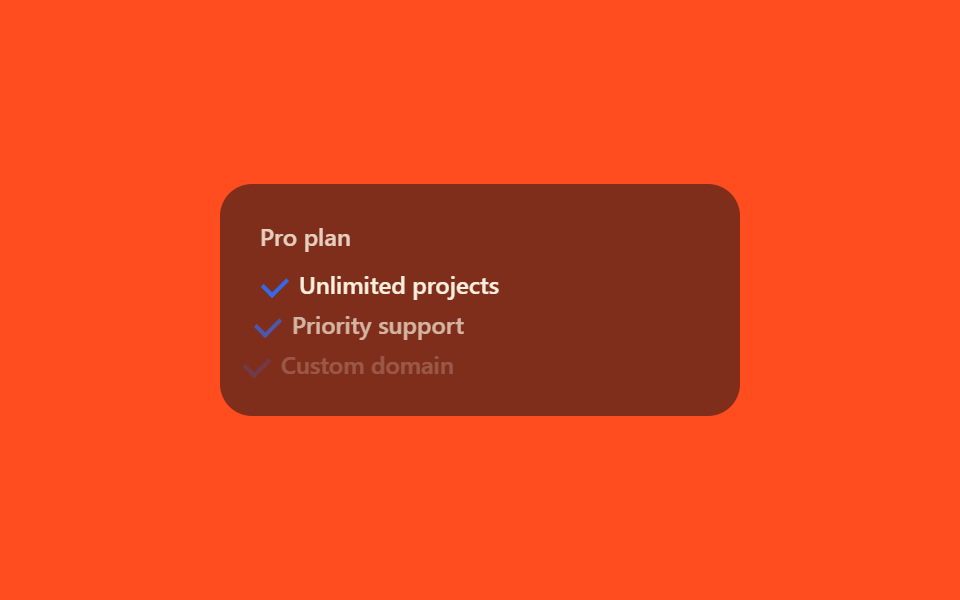
- 07 機能チェックが順番に表示
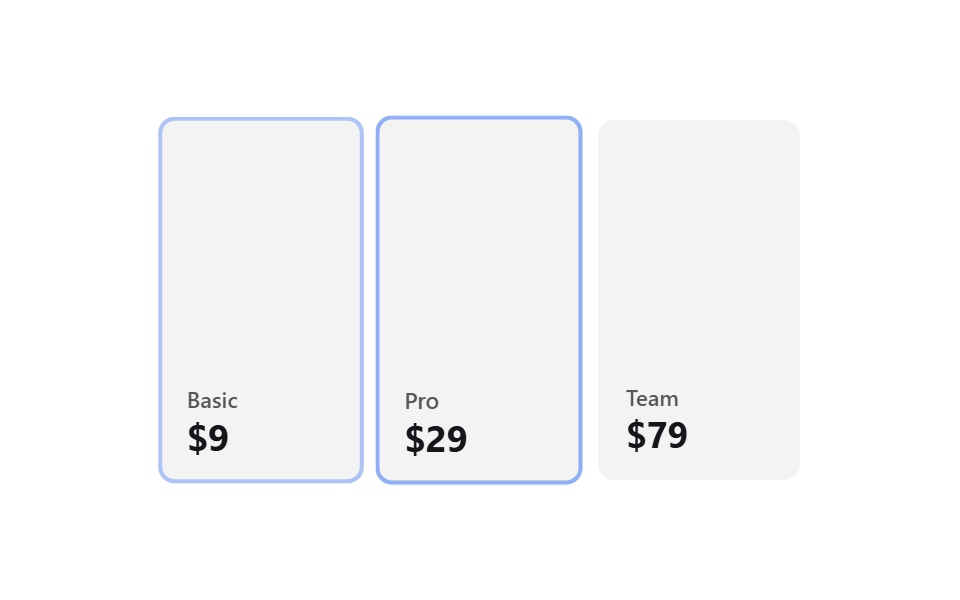
- 08 比較列ハイライト
- 09 CTAグロー
9個は人気順ではなく、訪問者が料金表を見ていく順番に並べています。まずスクロールして画面に入ってきたときに自然と目に留まる01〜03、次に実際に指を動かして支払い周期を切り替える04〜06、そのあとプランに含まれる機能を確認したり他のプランと見比べたりする07〜08、最後に申し込みボタンへ視線を導く09という流れです。同じ表をコンポーネントの状態で動かす方法はライブラリなしのReact CSSアニメーションにまとめてあり、料金表の横に写真のスライドを付ける予定ならCSS画像スライドアニメーションが相棒になります。
01スクロールでプランがリビール
料金表 デザイン css をどこで使うか
料金表のあるページをスクロールしていくと、プランのカードが一度に出てくるのではなく順番に一枚ずつ浮かび上がって表示されます。
<main class="stage">
  <div class="sr-grid is-demo">
    <div class="sr-card">
      <span class="sr-card__tag">Basic</span>
      <span class="sr-card__price">$9</span>
    </div>
    <div class="sr-card sr-card--mid">
      <span class="sr-card__tag">Pro</span>
      <span class="sr-card__price">$29</span>
    </div>
    <div class="sr-card">
      <span class="sr-card__tag">Team</span>
      <span class="sr-card__price">$79</span>
    </div>
  </div>
</main>
@use "../../../../site/static/demo-tokens" as *;
// ── 변수 3개 ──────────────────────────────────────────
$duration: $dur-loop;
$easing: $ease-out;
$color: $subject-blue;
@include stage($stage-ink);
.sr-grid {
width: min(340px, 90vw);
aspect-ratio: 340 / 190;
display: flex;
align-items: flex-end;
gap: $sp-2;
}
.sr-card {
flex: 1 1 0;
height: 78%;
border-radius: $r-sm;
box-sizing: border-box;
padding: $sp-3;
display: flex;
flex-direction: column;
justify-content: flex-end;
gap: $sp-1;
color: $subject-cream;
background: rgba(255, 255, 255, .08);
font: 600 12px/1 -apple-system, "Segoe UI", sans-serif;
}
.sr-card--mid {
height: 100%;
background: $subject-blue-deep; // 크림 글자가 얹히므로 진한 파랑
}
.sr-card__tag { opacity: 1; font-size: 11px; } // AA: 진한 파랑 면 위 크림 100% — 5.98:1
.sr-card__price { font-size: 20px; font-weight: 700; margin-top: $sp-1; }
// 실사용: IntersectionObserver 가 .sr-grid 에 .in 을 붙이면 카드가 순서대로 떠오른다
.sr-card {
opacity: 0;
transform: translateY($sp-4);
transition: opacity 400ms $easing, transform 400ms $easing;
}
.sr-grid.in .sr-card { opacity: 1; transform: none; }
.sr-grid.in .sr-card:nth-child(2) { transition-delay: 140ms; }
.sr-grid.in .sr-card:nth-child(3) { transition-delay: 280ms; }
// 데모 루프: is-demo 는 실사용 경로(.in, 실제 스크롤 진입)와 별개로 keyframes 로 반복 재생 (캡처용)
@keyframes sr-rise {
0% { opacity: 0; transform: translateY($sp-4); }
20%, 85% { opacity: 1; transform: none; }
100% { opacity: 0; transform: translateY($sp-4); }
}
.sr-grid.is-demo .sr-card { animation: sr-rise $duration $easing infinite; }
.sr-grid.is-demo .sr-card:nth-child(2) { animation-delay: 160ms; }
.sr-grid.is-demo .sr-card:nth-child(3) { animation-delay: 320ms; }
@media (prefers-reduced-motion: reduce) {
.sr-card,
.sr-grid.is-demo .sr-card {
animation: none !important;
transition: none !important;
opacity: 1 !important;
transform: none !important;
}
}html, body {
margin: 0;
overflow: hidden;
}
.stage {
box-sizing: border-box;
min-height: 100vh;
display: grid;
place-items: center;
margin: 0;
background: #17141a;
font-family: -apple-system, "Segoe UI", "Noto Sans KR", sans-serif;
padding: clamp(8px, 4vw, 24px);
}
.sr-grid {
width: min(340px, 90vw);
aspect-ratio: 340/190;
display: flex;
align-items: flex-end;
gap: 8px;
}
.sr-card {
flex: 1 1 0;
height: 78%;
border-radius: 8px;
box-sizing: border-box;
padding: 12px;
display: flex;
flex-direction: column;
justify-content: flex-end;
gap: 4px;
color: #fff7e6;
background: rgba(255, 255, 255, 0.08);
font: 600 12px/1 -apple-system, "Segoe UI", sans-serif;
}
.sr-card--mid {
height: 100%;
background: #0a4fe8;
}
.sr-card__tag {
opacity: 1;
font-size: 11px;
}
.sr-card__price {
font-size: 20px;
font-weight: 700;
margin-top: 4px;
}
.sr-card {
opacity: 0;
transform: translateY(16px);
transition: opacity 400ms ease-out, transform 400ms ease-out;
}
.sr-grid.in .sr-card {
opacity: 1;
transform: none;
}
.sr-grid.in .sr-card:nth-child(2) {
transition-delay: 140ms;
}
.sr-grid.in .sr-card:nth-child(3) {
transition-delay: 280ms;
}
@keyframes sr-rise {
0% {
opacity: 0;
transform: translateY(16px);
}
20%, 85% {
opacity: 1;
transform: none;
}
100% {
opacity: 0;
transform: translateY(16px);
}
}
.sr-grid.is-demo .sr-card {
animation: sr-rise 2s ease-out infinite;
}
.sr-grid.is-demo .sr-card:nth-child(2) {
animation-delay: 160ms;
}
.sr-grid.is-demo .sr-card:nth-child(3) {
animation-delay: 320ms;
}
@media (prefers-reduced-motion: reduce) {
.sr-card,
.sr-grid.is-demo .sr-card {
animation: none !important;
transition: none !important;
opacity: 1 !important;
transform: none !important;
}
}var grid = document.querySelector('.sr-grid');
var io = new IntersectionObserver(function (entries) {
entries.forEach(function (e) {
if (e.isIntersecting) { grid.classList.add('in'); io.unobserve(grid); }
});
}, { threshold: 0.3 });
io.observe(grid);import { CSSProperties, useEffect, useRef, useState } from "react";
import styles from "./PlansRevealOnScroll.module.scss";
export interface PlansRevealOnScrollProps {
duration?: string;
easing?: string;
stagger?: string;
}
const PLANS = [
{ tag: "Basic", price: "$9" },
{ tag: "Pro", price: "$29" },
{ tag: "Team", price: "$79" },
];
// 실사용: 진짜 IntersectionObserver 가 그리드가 뷰포트에 들어올 때 in 을 켠다. 카드마다 transition-delay 만 다르다.
export default function PlansRevealOnScroll({
duration = "400ms",
easing = "ease-out",
stagger = "140ms",
}: PlansRevealOnScrollProps) {
const gridRef = useRef<HTMLDivElement>(null);
const [inView, setInView] = useState(false);
useEffect(() => {
const el = gridRef.current;
if (!el) return;
const io = new IntersectionObserver((entries) => {
entries.forEach((e) => { if (e.isIntersecting) { setInView(true); io.unobserve(e.target); } });
}, { threshold: 0.3 });
io.observe(el);
return () => io.disconnect();
}, []);
const style = { "--duration": duration, "--easing": easing } as CSSProperties;
return (
<div className={styles.grid} style={style} ref={gridRef}>
{PLANS.map((p, i) => (
<div
key={p.tag}
className={`${styles.card} ${i === 1 ? styles.mid : ""} ${inView ? styles.in : ""}`}
style={{ transitionDelay: inView ? `calc(${stagger} * ${i})` : undefined }}
>
<span className={styles.tag}>{p.tag}</span>
<span className={styles.price}>{p.price}</span>
</div>
))}
</div>
);
}01 · スクロールでプランがリビール — 計測 累積面積 37.606% · 動いたフレーム 12/23GODRICH オリジナル · SCSS と React は zip に同梱 · パスワードを見る
実装の核
IntersectionObserverがグリッド全体の画面到達を検知してinクラスを付け、カードごとにtransition-delayだけを変えることで同じ動きを時間差で繰り返しています。
var grid = document.querySelector('.sr-grid');
  var io = new IntersectionObserver(function (entries) {
    entries.forEach(function (e) {
      if (e.isIntersecting) { grid.classList.add('in'); io.unobserve(grid); }
    });
  }, { threshold: 0.3 });
  io.observe(grid);
02バッジ光沢スイープ
どんな場面か
「人気」バッジの上を細い光の帯が数秒おきに流れていき、マウスを乗せなくても自然と目が向きます。
<main class="stage">
  <div class="sh-wrap">
    <span class="sh-badge">Popular</span>
    <div class="sh-card">
      <span class="sh-card__tag">Pro plan</span>
      <span class="sh-card__price">$29 / mo</span>
    </div>
  </div>
</main>
@use "../../../../site/static/demo-tokens" as *;
// ── 변수 3개 ──────────────────────────────────────────
$duration: 2.4s;
$easing: ease-in-out;
$color: $subject-blue;
@include stage($stage-yellow);
.sh-wrap {
width: min(240px, 84vw);
display: flex;
flex-direction: column;
align-items: center;
gap: $sp-4;
}
.sh-badge {
position: relative;
overflow: hidden;
display: inline-block;
border-radius: $r-pill;
padding: $sp-2 $sp-5;
background: $subject-ink;
color: $subject-cream;
font: 700 13px/1 -apple-system, "Segoe UI", sans-serif;
}
// 광택 띠 — 폭 고정, transform 만 움직인다 (그라디언트 자체는 정적)
.sh-badge::after {
content: "";
position: absolute;
top: 0;
left: 0;
width: 40%;
height: 100%;
background: linear-gradient(100deg, transparent, rgba(255, 255, 255, .65), transparent);
transform: translateX(-260%) skewX(-12deg);
}
// 자동 재생 (호버 불필요) — badge 는 항상 스윕한다
.sh-badge::after {
animation: sh-sweep $duration $easing infinite;
}
@keyframes sh-sweep {
0% { transform: translateX(-260%) skewX(-12deg); }
60%, 100% { transform: translateX(360%) skewX(-12deg); }
}
.sh-card {
width: 100%;
box-sizing: border-box;
border-radius: $r-card;
padding: $sp-4;
background: rgba(23, 20, 26, .55);
color: $subject-cream;
display: flex;
flex-direction: column;
gap: $sp-1;
font: 600 12px/1 -apple-system, "Segoe UI", sans-serif;
}
.sh-card__tag { opacity: 1; } // AA: 뱃지 면(잉크 55% 옐로 겹침) 위 크림 100% — 4.89:1
.sh-card__price { font-size: 18px; font-weight: 700; }
@media (prefers-reduced-motion: reduce) {
.sh-badge::after { animation: none !important; opacity: 0 !important; }
}html, body {
margin: 0;
overflow: hidden;
}
.stage {
box-sizing: border-box;
min-height: 100vh;
display: grid;
place-items: center;
margin: 0;
background: #ffd23f;
font-family: -apple-system, "Segoe UI", "Noto Sans KR", sans-serif;
padding: clamp(8px, 4vw, 24px);
}
.sh-wrap {
width: min(240px, 84vw);
display: flex;
flex-direction: column;
align-items: center;
gap: 16px;
}
.sh-badge {
position: relative;
overflow: hidden;
display: inline-block;
border-radius: 999px;
padding: 8px 20px;
background: #17141a;
color: #fff7e6;
font: 700 13px/1 -apple-system, "Segoe UI", sans-serif;
}
.sh-badge::after {
content: "";
position: absolute;
top: 0;
left: 0;
width: 40%;
height: 100%;
background: linear-gradient(100deg, transparent, rgba(255, 255, 255, 0.65), transparent);
transform: translateX(-260%) skewX(-12deg);
}
.sh-badge::after {
animation: sh-sweep 2.4s ease-in-out infinite;
}
@keyframes sh-sweep {
0% {
transform: translateX(-260%) skewX(-12deg);
}
60%, 100% {
transform: translateX(360%) skewX(-12deg);
}
}
.sh-card {
width: 100%;
box-sizing: border-box;
border-radius: 16px;
padding: 16px;
background: rgba(23, 20, 26, 0.55);
color: #fff7e6;
display: flex;
flex-direction: column;
gap: 4px;
font: 600 12px/1 -apple-system, "Segoe UI", sans-serif;
}
.sh-card__tag {
opacity: 1;
}
.sh-card__price {
font-size: 18px;
font-weight: 700;
}
@media (prefers-reduced-motion: reduce) {
.sh-badge::after {
animation: none !important;
opacity: 0 !important;
}
}import { CSSProperties } from "react";
import styles from "./BadgeShineSweep.module.scss";
export interface BadgeShineSweepProps {
duration?: string;
easing?: string;
tag?: string;
}
export default function BadgeShineSweep({
duration = "2.4s",
easing = "ease-in-out",
tag = "Popular",
}: BadgeShineSweepProps) {
const style = { "--duration": duration, "--easing": easing } as CSSProperties;
return (
<div className={styles.wrap} style={style}>
<span className={styles.badge}>{tag}</span>
<div className={styles.card}>
<span className={styles.tag}>Pro plan</span>
<span className={styles.price}>$29 / mo</span>
</div>
</div>
);
}02 · バッジ光沢スイープ — 計測 累積面積 1.628% · 動いたフレーム 7/23GODRICH オリジナル · SCSS と React は zip に同梱 · パスワードを見る
何が肝心か
バッジにoverflow: hiddenをかけたうえで内側のグラデーションの帯だけをtransform: translateXで動かしているため、バッジ自体の大きさは変わりません。
.sh-badge { position: relative; overflow: hidden; }
.sh-badge::after {
  content: "";
  position: absolute;
  top: 0; left: 0;
  width: 40%; height: 100%;
  background: linear-gradient(100deg, transparent, rgba(255, 255, 255, .65), transparent);
  animation: sh-sweep 2.4s ease-in-out infinite;
}
@keyframes sh-sweep {
  0% { transform: translateX(-260%) skewX(-12deg); }
  60%, 100% { transform: translateX(360%) skewX(-12deg); }
}
03人気プランの浮き上がり強調
何が起きるか
枠と色ですでに強調されている人気プランのカードにマウスを乗せると、カードがもう一段浮き上がり影が深くなります。
<main class="stage">
  <div class="pl-grid is-demo">
    <div class="pl-card">
      <span class="pl-card__tag">Basic</span>
      <span class="pl-card__price">$9</span>
    </div>
    <div class="pl-card pl-card--popular pl-focal">
      <span class="pl-card__badge">Popular</span>
      <span class="pl-card__tag">Pro</span>
      <span class="pl-card__price">$29</span>
    </div>
    <div class="pl-card">
      <span class="pl-card__tag">Team</span>
      <span class="pl-card__price">$79</span>
    </div>
  </div>
</main>
@use "../../../../site/static/demo-tokens" as *;
// ── 변수 3개 ──────────────────────────────────────────
$duration: $dur-base;
$easing: $ease-spring;
$color: $subject-blue-deep; // 크림 글자가 얹히므로 진한 파랑
@include stage($stage-orange);
.pl-grid {
width: min(340px, 90vw);
aspect-ratio: 340 / 190;
display: flex;
align-items: flex-end;
gap: $sp-2;
}
.pl-card {
flex: 1 1 0;
height: 80%;
border-radius: $r-sm;
box-sizing: border-box;
padding: $sp-3;
display: flex;
flex-direction: column;
justify-content: flex-end;
gap: $sp-1;
position: relative;
color: $subject-cream;
background: rgba(23, 20, 26, .55);
font: 600 12px/1 -apple-system, "Segoe UI", sans-serif;
}
.pl-card--popular {
height: 100%;
background: $subject-ink;
box-shadow: $shadow-press;
transition: transform $duration $easing, box-shadow $duration $easing;
}
.pl-card--popular:hover {
transform: translateY(-#{$sp-4});
box-shadow: $shadow-raised;
}
.pl-card__badge {
position: absolute;
top: -#{$sp-3};
left: $sp-3;
border-radius: $r-xs;
background: $color;
color: $subject-cream;
padding: $sp-1 $sp-2;
font-size: 10px;
font-weight: 700;
}
.pl-card__tag { opacity: .8; font-size: 11px; }
.pl-card__price { font-size: 20px; font-weight: 700; margin-top: $sp-1; }
// 데모 루프: is-demo 는 같은 들림을 무한 재생 (캡처용)
@keyframes pl-lift {
0%, 100% { transform: translateY(0); box-shadow: $shadow-press; }
50% { transform: translateY(-#{$sp-4}); box-shadow: $shadow-raised; }
}
.pl-grid.is-demo .pl-focal { animation: pl-lift $duration $easing infinite; }
@media (prefers-reduced-motion: reduce) {
.pl-card--popular:hover,
.pl-grid.is-demo .pl-focal { animation: none !important; transform: none !important; box-shadow: $shadow-press !important; }
}html, body {
margin: 0;
overflow: hidden;
}
.stage {
box-sizing: border-box;
min-height: 100vh;
display: grid;
place-items: center;
margin: 0;
background: #ff4d1f;
font-family: -apple-system, "Segoe UI", "Noto Sans KR", sans-serif;
padding: clamp(8px, 4vw, 24px);
}
.pl-grid {
width: min(340px, 90vw);
aspect-ratio: 340/190;
display: flex;
align-items: flex-end;
gap: 8px;
}
.pl-card {
flex: 1 1 0;
height: 80%;
border-radius: 8px;
box-sizing: border-box;
padding: 12px;
display: flex;
flex-direction: column;
justify-content: flex-end;
gap: 4px;
position: relative;
color: #fff7e6;
background: rgba(23, 20, 26, 0.55);
font: 600 12px/1 -apple-system, "Segoe UI", sans-serif;
}
.pl-card--popular {
height: 100%;
background: #17141a;
box-shadow: 0 6px 12px rgba(23, 20, 26, 0.32);
transition: transform 300ms cubic-bezier(0.2, 0.8, 0.2, 1), box-shadow 300ms cubic-bezier(0.2, 0.8, 0.2, 1);
}
.pl-card--popular:hover {
transform: translateY(-16px);
box-shadow: 0 14px 24px rgba(23, 20, 26, 0.32);
}
.pl-card__badge {
position: absolute;
top: -12px;
left: 12px;
border-radius: 4px;
background: #0a4fe8;
color: #fff7e6;
padding: 4px 8px;
font-size: 10px;
font-weight: 700;
}
.pl-card__tag {
opacity: 0.8;
font-size: 11px;
}
.pl-card__price {
font-size: 20px;
font-weight: 700;
margin-top: 4px;
}
@keyframes pl-lift {
0%, 100% {
transform: translateY(0);
box-shadow: 0 6px 12px rgba(23, 20, 26, 0.32);
}
50% {
transform: translateY(-16px);
box-shadow: 0 14px 24px rgba(23, 20, 26, 0.32);
}
}
.pl-grid.is-demo .pl-focal {
animation: pl-lift 300ms cubic-bezier(0.2, 0.8, 0.2, 1) infinite;
}
@media (prefers-reduced-motion: reduce) {
.pl-card--popular:hover,
.pl-grid.is-demo .pl-focal {
animation: none !important;
transform: none !important;
box-shadow: 0 6px 12px rgba(23, 20, 26, 0.32) !important;
}
}import { CSSProperties } from "react";
import styles from "./PopularPlanLift.module.scss";
export interface PopularPlanLiftProps {
duration?: string;
easing?: string;
color?: string;
}
const SIDE = [
{ tag: "Basic", price: "$9" },
{ tag: "Team", price: "$79" },
];
export default function PopularPlanLift({
duration = "300ms",
easing = "cubic-bezier(.2, .8, .2, 1)",
color = "#0a4fe8",
}: PopularPlanLiftProps) {
const style = { "--duration": duration, "--easing": easing, "--color": color } as CSSProperties;
return (
<div className={styles.grid} style={style}>
<div className={styles.card}>
<span className={styles.tag}>{SIDE[0].tag}</span>
<span className={styles.price}>{SIDE[0].price}</span>
</div>
<div className={`${styles.card} ${styles.popular}`}>
<span className={styles.badge}>Popular</span>
<span className={styles.tag}>Pro</span>
<span className={styles.price}>$29</span>
</div>
<div className={styles.card}>
<span className={styles.tag}>{SIDE[1].tag}</span>
<span className={styles.price}>{SIDE[1].price}</span>
</div>
</div>
);
}03 · 人気プランの浮き上がり強調 — 計測 累積面積 5.008% · 動いたフレーム 23/23GODRICH オリジナル · SCSS と React は zip に同梱 · パスワードを見る
押さえておく点
動かしているのはtransform: translateYとbox-shadowだけなので、隣に並ぶ他のカードは影響を受けません。
.pl-card--popular {
  box-shadow: $shadow-press;
  transition: transform $duration $easing, box-shadow $duration $easing;
}
.pl-card--popular:hover {
  transform: translateY(-16px);
  box-shadow: $shadow-raised;
}
04月額/年額トグル
画面で起きること
MonthlyとYearlyのボタンの間を、ピル形の背景がなめらかに移動して今どちらを選んでいるかを示します。
<main class="stage">
  <div class="mt-wrap">
    <div class="mt-toggle is-demo">
      <input type="radio" name="mt-period" id="mt-monthly" class="mt-radio mt-radio--m" checked>
      <input type="radio" name="mt-period" id="mt-yearly" class="mt-radio mt-radio--y">
      <label class="mt-option" for="mt-monthly">Monthly</label>
      <label class="mt-option" for="mt-yearly">Yearly</label>
      <span class="mt-indicator" aria-hidden="true"></span>
    </div>
    <div class="mt-price">$29<span class="mt-price__unit">/mo</span></div>
  </div>
</main>
@use "../../../../site/static/demo-tokens" as *;
// ── 변수 3개 ──────────────────────────────────────────
$duration: $dur-base;
$easing: $ease-spring;
$color: $subject-blue-deep; // 크림 글자가 얹히므로 진한 파랑
@include stage($stage-paper);
.mt-wrap {
display: flex;
flex-direction: column;
align-items: center;
gap: $sp-6;
}
.mt-toggle {
position: relative;
display: flex;
width: min(220px, 78vw);
border-radius: $r-pill;
background: rgba(23, 20, 26, .06);
padding: $sp-1;
box-sizing: border-box;
}
.mt-radio { position: absolute; opacity: 0; pointer-events: none; }
.mt-option {
position: relative;
z-index: 1;
flex: 1 1 0;
text-align: center;
padding: $sp-2 0;
border-radius: $r-pill;
cursor: pointer;
color: $subject-ink;
font: 600 12px/1 -apple-system, "Segoe UI", sans-serif;
}
// 인디케이터는 두 옵션과 같은 50/50 분할을 쓴다 — flex 로 갈린 실제 폭을 짐작한 px 로 흉내내지 않는다 (BD19)
.mt-indicator {
position: absolute;
top: $sp-1;
left: $sp-1;
width: calc(50% - #{$sp-1});
height: calc(100% - #{$sp-1} * 2);
border-radius: $r-pill;
background: $color;
box-shadow: $shadow-press;
transition: transform $duration $easing;
}
#mt-yearly:checked ~ .mt-indicator { transform: translateX(100%); }
#mt-yearly:checked ~ .mt-option[for="mt-yearly"] { color: $subject-cream; }
#mt-monthly:checked ~ .mt-option[for="mt-monthly"] { color: $subject-cream; }
.mt-price { font: 700 26px/1 -apple-system, "Segoe UI", sans-serif; color: $subject-ink; }
.mt-price__unit { font-size: 13px; font-weight: 500; opacity: .6; }
// 데모 루프: 헤드리스는 라디오를 못 눌러 is-demo 가 같은 이동을 keyframes 로 반복한다 (캡처용)
@keyframes mt-slide {
0%, 40% { transform: translateX(0); }
60%, 100% { transform: translateX(100%); }
}
.mt-toggle.is-demo .mt-indicator { animation: mt-slide $duration * 3 $easing infinite; }
@media (prefers-reduced-motion: reduce) {
.mt-indicator,
.mt-toggle.is-demo .mt-indicator { animation: none !important; transition: none !important; }
}html, body {
margin: 0;
overflow: hidden;
}
.stage {
box-sizing: border-box;
min-height: 100vh;
display: grid;
place-items: center;
margin: 0;
background: #ffffff;
font-family: -apple-system, "Segoe UI", "Noto Sans KR", sans-serif;
padding: clamp(8px, 4vw, 24px);
}
.mt-wrap {
display: flex;
flex-direction: column;
align-items: center;
gap: 24px;
}
.mt-toggle {
position: relative;
display: flex;
width: min(220px, 78vw);
border-radius: 999px;
background: rgba(23, 20, 26, 0.06);
padding: 4px;
box-sizing: border-box;
}
.mt-radio {
position: absolute;
opacity: 0;
pointer-events: none;
}
.mt-option {
position: relative;
z-index: 1;
flex: 1 1 0;
text-align: center;
padding: 8px 0;
border-radius: 999px;
cursor: pointer;
color: #17141a;
font: 600 12px/1 -apple-system, "Segoe UI", sans-serif;
}
.mt-indicator {
position: absolute;
top: 4px;
left: 4px;
width: calc(50% - 4px);
height: calc(100% - 4px * 2);
border-radius: 999px;
background: #0a4fe8;
box-shadow: 0 6px 12px rgba(23, 20, 26, 0.32);
transition: transform 300ms cubic-bezier(0.2, 0.8, 0.2, 1);
}
#mt-yearly:checked ~ .mt-indicator {
transform: translateX(100%);
}
#mt-yearly:checked ~ .mt-option[for=mt-yearly] {
color: #fff7e6;
}
#mt-monthly:checked ~ .mt-option[for=mt-monthly] {
color: #fff7e6;
}
.mt-price {
font: 700 26px/1 -apple-system, "Segoe UI", sans-serif;
color: #17141a;
}
.mt-price__unit {
font-size: 13px;
font-weight: 500;
opacity: 0.6;
}
@keyframes mt-slide {
0%, 40% {
transform: translateX(0);
}
60%, 100% {
transform: translateX(100%);
}
}
.mt-toggle.is-demo .mt-indicator {
animation: mt-slide 900ms cubic-bezier(0.2, 0.8, 0.2, 1) infinite;
}
@media (prefers-reduced-motion: reduce) {
.mt-indicator,
.mt-toggle.is-demo .mt-indicator {
animation: none !important;
transition: none !important;
}
}import { CSSProperties } from "react";
import styles from "./MonthlyYearlyToggle.module.scss";
export interface MonthlyYearlyToggleProps {
duration?: string;
easing?: string;
color?: string;
name?: string;
}
// 실사용: 숨긴 라디오 두 개 + 일반 형제 선택자. 자바스크립트로 상태를 들지 않는다.
export default function MonthlyYearlyToggle({
duration = "300ms",
easing = "cubic-bezier(.2, .8, .2, 1)",
color = "#0a4fe8",
name = "mt-period",
}: MonthlyYearlyToggleProps) {
const monthlyId = `${name}-monthly`;
const yearlyId = `${name}-yearly`;
const style = { "--duration": duration, "--easing": easing, "--color": color } as CSSProperties;
return (
<div className={styles.wrap} style={style}>
<div className={styles.toggle}>
<input type="radio" name={name} id={monthlyId} className={styles.radio} defaultChecked />
<input type="radio" name={name} id={yearlyId} className={styles.radio} />
<label className={styles.option} htmlFor={monthlyId}>Monthly</label>
<label className={styles.option} htmlFor={yearlyId}>Yearly</label>
<span className={styles.indicator} aria-hidden="true" />
</div>
<div className={styles.price}>$29<span className={styles.unit}>/mo</span></div>
</div>
);
}04 · 月額/年額トグル — 計測 累積面積 5.783% · 動いたフレーム 8/23GODRICH オリジナル · SCSS と React は zip に同梱 · パスワードを見る
どう作るか
隠しラジオボタンの:checked状態を兄弟要素セレクターで読み取って背景を動かしているだけなので、JavaScriptは一行も使っていません。
.mt-indicator {
  position: absolute;
  width: calc(50% - #{$sp-1});
  height: calc(100% - #{$sp-1} * 2);
  transition: transform $duration $easing;
}
#mt-yearly:checked ~ .mt-indicator { transform: translateX(100%); }
05価格数字フリップ
見え方
価格の数字にマウスを乗せると、カードのように回転して裏側に書かれた別の金額が現れます。
<main class="stage">
  <div class="pf-scene is-demo">
    <div class="pf-flip">
      <div class="pf-flip__inner">
        <div class="pf-flip__face pf-flip__face--front">$29</div>
        <div class="pf-flip__face pf-flip__face--back">$19</div>
      </div>
    </div>
    <span class="pf-hint">hover</span>
  </div>
</main>
@use "../../../../site/static/demo-tokens" as *;
// ── 변수 3개 ──────────────────────────────────────────
$duration: $dur-enter;
$easing: $ease-spring;
$color: $subject-blue;
@include stage($stage-ink);
.pf-scene {
perspective: 600px;
display: flex;
flex-direction: column;
align-items: center;
gap: $sp-3;
}
.pf-flip { width: 150px; height: 92px; }
.pf-flip__inner {
position: relative;
width: 100%;
height: 100%;
transform-style: preserve-3d;
transition: transform $duration $easing;
}
.pf-flip:hover .pf-flip__inner { transform: rotateX(180deg); }
.pf-flip__face {
position: absolute;
inset: 0;
display: flex;
align-items: center;
justify-content: center;
border-radius: $r-card;
backface-visibility: hidden;
font: 700 28px/1 -apple-system, "Segoe UI", sans-serif;
color: $subject-cream;
}
.pf-flip__face--front { background: $subject-blue-deep; } // 크림 글자가 얹히므로 진한 파랑
.pf-flip__face--back { background: rgba(255, 255, 255, .12); transform: rotateX(180deg); }
.pf-hint { color: $subject-cream; opacity: .55; font: 500 11px/1 -apple-system, sans-serif; }
// 데모 루프: is-demo 는 같은 회전을 무한 재생 (캡처용) — 실사용 경로(:hover)와 별개
@keyframes pf-flip {
0%, 40% { transform: rotateX(0); }
60%, 100% { transform: rotateX(180deg); }
}
.pf-scene.is-demo .pf-flip__inner { animation: pf-flip $duration * 2 $easing infinite; }
@media (prefers-reduced-motion: reduce) {
.pf-flip:hover .pf-flip__inner,
.pf-scene.is-demo .pf-flip__inner { animation: none !important; transition: none !important; transform: none !important; }
}html, body {
margin: 0;
overflow: hidden;
}
.stage {
box-sizing: border-box;
min-height: 100vh;
display: grid;
place-items: center;
margin: 0;
background: #17141a;
font-family: -apple-system, "Segoe UI", "Noto Sans KR", sans-serif;
padding: clamp(8px, 4vw, 24px);
}
.pf-scene {
perspective: 600px;
display: flex;
flex-direction: column;
align-items: center;
gap: 12px;
}
.pf-flip {
width: 150px;
height: 92px;
}
.pf-flip__inner {
position: relative;
width: 100%;
height: 100%;
transform-style: preserve-3d;
transition: transform 600ms cubic-bezier(0.2, 0.8, 0.2, 1);
}
.pf-flip:hover .pf-flip__inner {
transform: rotateX(180deg);
}
.pf-flip__face {
position: absolute;
inset: 0;
display: flex;
align-items: center;
justify-content: center;
border-radius: 16px;
backface-visibility: hidden;
font: 700 28px/1 -apple-system, "Segoe UI", sans-serif;
color: #fff7e6;
}
.pf-flip__face--front {
background: #0a4fe8;
}
.pf-flip__face--back {
background: rgba(255, 255, 255, 0.12);
transform: rotateX(180deg);
}
.pf-hint {
color: #fff7e6;
opacity: 0.55;
font: 500 11px/1 -apple-system, sans-serif;
}
@keyframes pf-flip {
0%, 40% {
transform: rotateX(0);
}
60%, 100% {
transform: rotateX(180deg);
}
}
.pf-scene.is-demo .pf-flip__inner {
animation: pf-flip 1200ms cubic-bezier(0.2, 0.8, 0.2, 1) infinite;
}
@media (prefers-reduced-motion: reduce) {
.pf-flip:hover .pf-flip__inner,
.pf-scene.is-demo .pf-flip__inner {
animation: none !important;
transition: none !important;
transform: none !important;
}
}import { CSSProperties } from "react";
import styles from "./PriceDigitFlip.module.scss";
export interface PriceDigitFlipProps {
duration?: string;
easing?: string;
front?: string;
back?: string;
}
export default function PriceDigitFlip({
duration = "600ms",
easing = "cubic-bezier(.2, .8, .2, 1)",
front = "$29",
back = "$19",
}: PriceDigitFlipProps) {
const style = { "--duration": duration, "--easing": easing } as CSSProperties;
return (
<div className={styles.scene} style={style}>
<div className={styles.flip}>
<div className={styles.inner}>
<div className={`${styles.face} ${styles.front}`}>{front}</div>
<div className={`${styles.face} ${styles.back}`}>{back}</div>
</div>
</div>
<span className={styles.hint}>hover</span>
</div>
);
}05 · 価格数字フリップ — 計測 累積面積 9.398% · 動いたフレーム 6/23GODRICH オリジナル · SCSS と React は zip に同梱 · パスワードを見る
コードの読み方
perspectiveを与えた親要素の中でbackface-visibility: hiddenを持つ二枚の面を重ねておき、内側のレイヤーだけをrotateXで回転させる仕組みです。
.pf-flip__inner {
  transform-style: preserve-3d;
  transition: transform $duration $easing;
}
.pf-flip:hover .pf-flip__inner { transform: rotateX(180deg); }
.pf-flip__face { position: absolute; inset: 0; backface-visibility: hidden; }
.pf-flip__face--back { transform: rotateX(180deg); }
06:has(:checked)でJS0価格切替
いつ使うか
見た目は04のトグルと似ていますが、こちらは隠しラジオボタンの状態をカード全体から:has()で読み取り、月額・年額二つの価格行をopacityとtranslateYでクロスフェードさせます。
<main class="stage">
  <div class="hc-card is-demo">
    <div class="hc-toggle">
      <input type="radio" name="hc-period" id="hc-monthly" class="hc-radio hc-radio--m" checked>
      <input type="radio" name="hc-period" id="hc-yearly" class="hc-radio hc-radio--y">
      <label for="hc-monthly">Monthly</label>
      <label for="hc-yearly">Yearly</label>
    </div>
    <div class="hc-price-stack">
      <div class="hc-price hc-price--monthly">$29<span>/mo</span></div>
      <div class="hc-price hc-price--yearly">$19<span>/mo</span></div>
    </div>
  </div>
</main>
@use "../../../../site/static/demo-tokens" as *;
// ── 변수 3개 ──────────────────────────────────────────
$duration: $dur-base;
$easing: $ease-out;
$color: $subject-blue-deep; // 크림 글자가 얹히므로 진한 파랑
@include stage($stage-yellow);
.hc-card {
width: min(220px, 80vw);
box-sizing: border-box;
border-radius: $r-card;
padding: $sp-5;
background: $subject-ink;
display: flex;
flex-direction: column;
align-items: center;
gap: $sp-4;
}
.hc-toggle {
display: flex;
gap: $sp-2;
}
.hc-radio { position: absolute; opacity: 0; pointer-events: none; }
.hc-toggle label {
padding: $sp-1 $sp-3;
border-radius: $r-pill;
cursor: pointer;
color: $subject-cream;
background: rgba(255, 255, 255, .08);
font: 600 11px/1 -apple-system, "Segoe UI", sans-serif;
transition: background $duration $easing;
}
// 순수 CSS: 숨긴 라디오의 :checked 상태를 :has() 로 읽어 카드 전체에서 판단한다 (JS 0)
.hc-card:has(.hc-radio--m:checked) label[for="hc-monthly"],
.hc-card:has(.hc-radio--y:checked) label[for="hc-yearly"] {
background: $color;
}
.hc-price-stack { position: relative; width: 100%; height: 44px; }
.hc-price {
position: absolute;
inset: 0;
display: flex;
align-items: baseline;
justify-content: center;
gap: $sp-1;
color: $subject-cream;
font: 700 26px/1 -apple-system, "Segoe UI", sans-serif;
opacity: 0;
transform: translateY($sp-2);
transition: opacity $duration $easing, transform $duration $easing;
}
.hc-price span { font-size: 12px; font-weight: 500; opacity: .6; }
.hc-price--monthly { opacity: 1; transform: none; }
.hc-card:has(.hc-radio--y:checked) .hc-price--monthly { opacity: 0; transform: translateY(-#{$sp-2}); }
.hc-card:has(.hc-radio--y:checked) .hc-price--yearly { opacity: 1; transform: none; }
// 데모 루프: 헤드리스는 :has(:checked) 를 못 걸어 is-demo 가 같은 크로스페이드를 keyframes 로 반복한다
@keyframes hc-cross-a {
0%, 40% { opacity: 1; transform: none; }
50%, 90% { opacity: 0; transform: translateY(-#{$sp-2}); }
100% { opacity: 1; transform: none; }
}
@keyframes hc-cross-b {
0%, 40% { opacity: 0; transform: translateY($sp-2); }
50%, 90% { opacity: 1; transform: none; }
100% { opacity: 0; transform: translateY($sp-2); }
}
.hc-card.is-demo .hc-price--monthly { animation: hc-cross-a $duration * 4 $easing infinite; }
.hc-card.is-demo .hc-price--yearly { animation: hc-cross-b $duration * 4 $easing infinite; }
@media (prefers-reduced-motion: reduce) {
.hc-price,
.hc-card.is-demo .hc-price { animation: none !important; transition: none !important; }
}html, body {
margin: 0;
overflow: hidden;
}
.stage {
box-sizing: border-box;
min-height: 100vh;
display: grid;
place-items: center;
margin: 0;
background: #ffd23f;
font-family: -apple-system, "Segoe UI", "Noto Sans KR", sans-serif;
padding: clamp(8px, 4vw, 24px);
}
.hc-card {
width: min(220px, 80vw);
box-sizing: border-box;
border-radius: 16px;
padding: 20px;
background: #17141a;
display: flex;
flex-direction: column;
align-items: center;
gap: 16px;
}
.hc-toggle {
display: flex;
gap: 8px;
}
.hc-radio {
position: absolute;
opacity: 0;
pointer-events: none;
}
.hc-toggle label {
padding: 4px 12px;
border-radius: 999px;
cursor: pointer;
color: #fff7e6;
background: rgba(255, 255, 255, 0.08);
font: 600 11px/1 -apple-system, "Segoe UI", sans-serif;
transition: background 300ms ease-out;
}
.hc-card:has(.hc-radio--m:checked) label[for=hc-monthly],
.hc-card:has(.hc-radio--y:checked) label[for=hc-yearly] {
background: #0a4fe8;
}
.hc-price-stack {
position: relative;
width: 100%;
height: 44px;
}
.hc-price {
position: absolute;
inset: 0;
display: flex;
align-items: baseline;
justify-content: center;
gap: 4px;
color: #fff7e6;
font: 700 26px/1 -apple-system, "Segoe UI", sans-serif;
opacity: 0;
transform: translateY(8px);
transition: opacity 300ms ease-out, transform 300ms ease-out;
}
.hc-price span {
font-size: 12px;
font-weight: 500;
opacity: 0.6;
}
.hc-price--monthly {
opacity: 1;
transform: none;
}
.hc-card:has(.hc-radio--y:checked) .hc-price--monthly {
opacity: 0;
transform: translateY(-8px);
}
.hc-card:has(.hc-radio--y:checked) .hc-price--yearly {
opacity: 1;
transform: none;
}
@keyframes hc-cross-a {
0%, 40% {
opacity: 1;
transform: none;
}
50%, 90% {
opacity: 0;
transform: translateY(-8px);
}
100% {
opacity: 1;
transform: none;
}
}
@keyframes hc-cross-b {
0%, 40% {
opacity: 0;
transform: translateY(8px);
}
50%, 90% {
opacity: 1;
transform: none;
}
100% {
opacity: 0;
transform: translateY(8px);
}
}
.hc-card.is-demo .hc-price--monthly {
animation: hc-cross-a 1200ms ease-out infinite;
}
.hc-card.is-demo .hc-price--yearly {
animation: hc-cross-b 1200ms ease-out infinite;
}
@media (prefers-reduced-motion: reduce) {
.hc-price,
.hc-card.is-demo .hc-price {
animation: none !important;
transition: none !important;
}
}import { CSSProperties } from "react";
import styles from "./PriceSwapHasChecked.module.scss";
export interface PriceSwapHasCheckedProps {
duration?: string;
easing?: string;
monthly?: string;
yearly?: string;
name?: string;
}
// 실사용: 숨긴 라디오 상태를 :has() 로 카드 전체에서 읽는다. 자바스크립트 0.
export default function PriceSwapHasChecked({
duration = "300ms",
easing = "ease-out",
monthly = "$29",
yearly = "$19",
name = "hc-period",
}: PriceSwapHasCheckedProps) {
const style = { "--duration": duration, "--easing": easing } as CSSProperties;
return (
<div className={styles.card} style={style}>
<div className={styles.toggle}>
<input type="radio" name={name} id={`${name}-m`} className={styles.radioM} defaultChecked />
<input type="radio" name={name} id={`${name}-y`} className={styles.radioY} />
<label htmlFor={`${name}-m`}>Monthly</label>
<label htmlFor={`${name}-y`}>Yearly</label>
</div>
<div className={styles.stack}>
<div className={`${styles.price} ${styles.priceMonthly}`}>{monthly}<span>/mo</span></div>
<div className={`${styles.price} ${styles.priceYearly}`}>{yearly}<span>/mo</span></div>
</div>
</div>
);
}06 · :has(:checked)でJS0価格切替 — 計測 累積面積 1.061% · 動いたフレーム 8/23GODRICH オリジナル · SCSS と React は zip に同梱 · パスワードを見る
コードの要点
値を入れ替える処理がセレクター一つで完結するため、JavaScriptを足す必要がありません。
.hc-price { position: absolute; inset: 0; opacity: 0; transform: translateY($sp-2); }
.hc-price--monthly { opacity: 1; transform: none; }
.hc-card:has(.hc-radio--y:checked) .hc-price--monthly {
  opacity: 0;
  transform: translateY(-#{$sp-2});
}
.hc-card:has(.hc-radio--y:checked) .hc-price--yearly { opacity: 1; transform: none; }
07機能チェックが順番に表示
どの画面か
カードにマウスを乗せると、含まれる機能一覧のチェック印が上から一行ずつ時間差をつけて現れます。
<main class="stage">
  <div class="fc-card is-demo">
    <span class="fc-card__tag">Pro plan</span>
    <ul class="fc-list">
      <li class="fc-row"><span class="fc-check"></span>Unlimited projects</li>
      <li class="fc-row"><span class="fc-check"></span>Priority support</li>
      <li class="fc-row"><span class="fc-check"></span>Custom domain</li>
    </ul>
  </div>
</main>
@use "../../../../site/static/demo-tokens" as *;
// ── 변수 3개 ──────────────────────────────────────────
$duration: 320ms;
$easing: $ease-out;
$color: $subject-blue;
@include stage($stage-orange);
.fc-card {
width: min(260px, 84vw);
box-sizing: border-box;
border-radius: $r-card;
padding: $sp-5;
background: rgba(23, 20, 26, .55);
display: flex;
flex-direction: column;
gap: $sp-3;
}
.fc-card__tag {
color: $subject-cream;
opacity: .8;
font: 600 12px/1 -apple-system, "Segoe UI", sans-serif;
}
.fc-list { list-style: none; margin: 0; padding: 0; display: flex; flex-direction: column; gap: $sp-2; }
.fc-row {
display: flex;
align-items: center;
gap: $sp-2;
color: $subject-cream;
font: 500 12px/1 -apple-system, "Segoe UI", sans-serif;
opacity: 0;
transform: translateX(-#{$sp-3});
transition: opacity $duration $easing, transform $duration $easing;
}
// 체크 아이콘 — 한 요소를 border-right+border-bottom 으로 L자로 그린 뒤 45deg 회전 (두 막대 방식보다 안전, BD16)
.fc-check {
flex: 0 0 auto;
width: 6px;
height: 10px;
border-right: 2px solid $color;
border-bottom: 2px solid $color;
transform: rotate(45deg);
margin-left: $sp-1;
}
// 실사용: 카드에 마우스를 올리면 체크 목록이 위에서부터 시차를 두고 나타난다
.fc-card:hover .fc-row { opacity: 1; transform: none; }
.fc-card:hover .fc-row:nth-child(2) { transition-delay: 120ms; }
.fc-card:hover .fc-row:nth-child(3) { transition-delay: 240ms; }
// 데모 루프: is-demo 는 같은 등장을 keyframes 로 반복 재생 (캡처용)
@keyframes fc-in {
0% { opacity: 0; transform: translateX(-#{$sp-3}); }
20%, 85% { opacity: 1; transform: none; }
100% { opacity: 0; transform: translateX(-#{$sp-3}); }
}
.fc-card.is-demo .fc-row { animation: fc-in $dur-loop $easing infinite; }
.fc-card.is-demo .fc-row:nth-child(2) { animation-delay: 140ms; }
.fc-card.is-demo .fc-row:nth-child(3) { animation-delay: 280ms; }
@media (prefers-reduced-motion: reduce) {
.fc-row,
.fc-card.is-demo .fc-row { animation: none !important; transition: none !important; opacity: 1 !important; transform: none !important; }
}html, body {
margin: 0;
overflow: hidden;
}
.stage {
box-sizing: border-box;
min-height: 100vh;
display: grid;
place-items: center;
margin: 0;
background: #ff4d1f;
font-family: -apple-system, "Segoe UI", "Noto Sans KR", sans-serif;
padding: clamp(8px, 4vw, 24px);
}
.fc-card {
width: min(260px, 84vw);
box-sizing: border-box;
border-radius: 16px;
padding: 20px;
background: rgba(23, 20, 26, 0.55);
display: flex;
flex-direction: column;
gap: 12px;
}
.fc-card__tag {
color: #fff7e6;
opacity: 0.8;
font: 600 12px/1 -apple-system, "Segoe UI", sans-serif;
}
.fc-list {
list-style: none;
margin: 0;
padding: 0;
display: flex;
flex-direction: column;
gap: 8px;
}
.fc-row {
display: flex;
align-items: center;
gap: 8px;
color: #fff7e6;
font: 500 12px/1 -apple-system, "Segoe UI", sans-serif;
opacity: 0;
transform: translateX(-12px);
transition: opacity 320ms ease-out, transform 320ms ease-out;
}
.fc-check {
flex: 0 0 auto;
width: 6px;
height: 10px;
border-right: 2px solid #2f6df6;
border-bottom: 2px solid #2f6df6;
transform: rotate(45deg);
margin-left: 4px;
}
.fc-card:hover .fc-row {
opacity: 1;
transform: none;
}
.fc-card:hover .fc-row:nth-child(2) {
transition-delay: 120ms;
}
.fc-card:hover .fc-row:nth-child(3) {
transition-delay: 240ms;
}
@keyframes fc-in {
0% {
opacity: 0;
transform: translateX(-12px);
}
20%, 85% {
opacity: 1;
transform: none;
}
100% {
opacity: 0;
transform: translateX(-12px);
}
}
.fc-card.is-demo .fc-row {
animation: fc-in 2s ease-out infinite;
}
.fc-card.is-demo .fc-row:nth-child(2) {
animation-delay: 140ms;
}
.fc-card.is-demo .fc-row:nth-child(3) {
animation-delay: 280ms;
}
@media (prefers-reduced-motion: reduce) {
.fc-row,
.fc-card.is-demo .fc-row {
animation: none !important;
transition: none !important;
opacity: 1 !important;
transform: none !important;
}
}import { CSSProperties } from "react";
import styles from "./FeatureCheckStagger.module.scss";
export interface FeatureCheckStaggerProps {
duration?: string;
easing?: string;
features?: string[];
}
export default function FeatureCheckStagger({
duration = "320ms",
easing = "ease-out",
features = ["Unlimited projects", "Priority support", "Custom domain"],
}: FeatureCheckStaggerProps) {
const style = { "--duration": duration, "--easing": easing } as CSSProperties;
return (
<div className={styles.card} style={style}>
<span className={styles.tag}>Pro plan</span>
<ul className={styles.list}>
{features.map((f) => (
<li key={f} className={styles.row}>
<span className={styles.check} />{f}
</li>
))}
</ul>
</div>
);
}07 · 機能チェックが順番に表示 — 計測 累積面積 2.008% · 動いたフレーム 11/23GODRICH オリジナル · SCSS と React は zip に同梱 · パスワードを見る
動く仕組み
チェックのアイコンは線を二本別々に描くのではなく、一つの要素をborder-rightとborder-bottomでL字に組んでから45度回転させているので、線の継ぎ目がずれる心配がありません。
.fc-check {
  width: 6px;
  height: 10px;
  border-right: 2px solid $color;
  border-bottom: 2px solid $color;
  transform: rotate(45deg);
}
.fc-row { opacity: 0; transform: translateX(-#{$sp-3}); transition: opacity 320ms $ease-out, transform 320ms $ease-out; }
.fc-card:hover .fc-row { opacity: 1; transform: none; }
.fc-card:hover .fc-row:nth-child(2) { transition-delay: 120ms; }
.fc-card:hover .fc-row:nth-child(3) { transition-delay: 240ms; }
08比較列ハイライト
何が動くか
複数のプランを並べた比較表で、マウスを乗せた列だけ枠が明るくなりわずかに拡大され、今どの列を見ているかがはっきりします。
<main class="stage">
  <div class="ch-table is-demo">
    <div class="ch-col">
      <span class="ch-col__tag">Basic</span>
      <span class="ch-col__price">$9</span>
    </div>
    <div class="ch-col">
      <span class="ch-col__tag">Pro</span>
      <span class="ch-col__price">$29</span>
    </div>
    <div class="ch-col">
      <span class="ch-col__tag">Team</span>
      <span class="ch-col__price">$79</span>
    </div>
  </div>
</main>
@use "../../../../site/static/demo-tokens" as *;
// ── 변수 3개 ──────────────────────────────────────────
$duration: 180ms;
$easing: $ease-out;
$color: $subject-blue;
@include stage($stage-paper);
.ch-table {
width: min(320px, 88vw);
aspect-ratio: 320 / 180;
display: flex;
gap: $sp-2;
}
.ch-col {
flex: 1 1 0;
box-sizing: border-box;
border-radius: $r-sm;
border: 2px solid transparent;
padding: $sp-3;
display: flex;
flex-direction: column;
justify-content: flex-end;
gap: $sp-1;
background: rgba(23, 20, 26, .05);
color: $subject-ink;
font: 600 12px/1 -apple-system, "Segoe UI", sans-serif;
transition: transform $duration $easing, border-color $duration $easing, background $duration $easing;
}
.ch-col__tag { opacity: .7; font-size: 11px; }
.ch-col__price { font-size: 18px; font-weight: 700; }
// 실사용: 마우스를 올린 열만 확대 + 테두리
.ch-col:hover {
transform: scale(1.05);
border-color: $color;
background: rgba(23, 20, 26, .08);
}
// 데모 루프: is-demo 는 열마다 순서대로 같은 강조를 반복 재생 (캡처용)
@keyframes ch-pulse {
0%, 66%, 100% { transform: scale(1); border-color: transparent; }
16% { transform: scale(1.05); border-color: $color; }
}
.ch-table.is-demo .ch-col { animation: ch-pulse $dur-loop * 1.5 $easing infinite; }
.ch-table.is-demo .ch-col:nth-child(2) { animation-delay: #{$dur-loop * 0.5}; }
.ch-table.is-demo .ch-col:nth-child(3) { animation-delay: #{$dur-loop}; }
@media (prefers-reduced-motion: reduce) {
.ch-col:hover,
.ch-table.is-demo .ch-col { animation: none !important; transform: none !important; border-color: transparent !important; }
}html, body {
margin: 0;
overflow: hidden;
}
.stage {
box-sizing: border-box;
min-height: 100vh;
display: grid;
place-items: center;
margin: 0;
background: #ffffff;
font-family: -apple-system, "Segoe UI", "Noto Sans KR", sans-serif;
padding: clamp(8px, 4vw, 24px);
}
.ch-table {
width: min(320px, 88vw);
aspect-ratio: 320/180;
display: flex;
gap: 8px;
}
.ch-col {
flex: 1 1 0;
box-sizing: border-box;
border-radius: 8px;
border: 2px solid transparent;
padding: 12px;
display: flex;
flex-direction: column;
justify-content: flex-end;
gap: 4px;
background: rgba(23, 20, 26, 0.05);
color: #17141a;
font: 600 12px/1 -apple-system, "Segoe UI", sans-serif;
transition: transform 180ms ease-out, border-color 180ms ease-out, background 180ms ease-out;
}
.ch-col__tag {
opacity: 0.7;
font-size: 11px;
}
.ch-col__price {
font-size: 18px;
font-weight: 700;
}
.ch-col:hover {
transform: scale(1.05);
border-color: #2f6df6;
background: rgba(23, 20, 26, 0.08);
}
@keyframes ch-pulse {
0%, 66%, 100% {
transform: scale(1);
border-color: transparent;
}
16% {
transform: scale(1.05);
border-color: #2f6df6;
}
}
.ch-table.is-demo .ch-col {
animation: ch-pulse 3s ease-out infinite;
}
.ch-table.is-demo .ch-col:nth-child(2) {
animation-delay: 1s;
}
.ch-table.is-demo .ch-col:nth-child(3) {
animation-delay: 2s;
}
@media (prefers-reduced-motion: reduce) {
.ch-col:hover,
.ch-table.is-demo .ch-col {
animation: none !important;
transform: none !important;
border-color: transparent !important;
}
}import { CSSProperties } from "react";
import styles from "./CompareColumnHighlight.module.scss";
export interface CompareColumnHighlightProps {
duration?: string;
easing?: string;
color?: string;
}
const COLS = [
{ tag: "Basic", price: "$9" },
{ tag: "Pro", price: "$29" },
{ tag: "Team", price: "$79" },
];
export default function CompareColumnHighlight({
duration = "180ms",
easing = "ease-out",
color = "#2f6df6",
}: CompareColumnHighlightProps) {
const style = { "--duration": duration, "--easing": easing, "--color": color } as CSSProperties;
return (
<div className={styles.table} style={style}>
{COLS.map((c) => (
<div key={c.tag} className={styles.col}>
<span className={styles.tag}>{c.tag}</span>
<span className={styles.price}>{c.price}</span>
</div>
))}
</div>
);
}08 · 比較列ハイライト — 計測 累積面積 5.153% · 動いたフレーム 23/23GODRICH オリジナル · SCSS と React は zip に同梱 · パスワードを見る
組み立て方
04や06のような:has()は使わず、素直な:hoverだけで一列ずつ切り替わる作りです。
.ch-col {
  border: 2px solid transparent;
  transition: transform 180ms $ease-out, border-color 180ms $ease-out, background 180ms $ease-out;
}
.ch-col:hover {
  transform: scale(1.05);
  border-color: $color;
  background: rgba(23, 20, 26, .08);
}
09CTAグロー
どこで使うか
決済ボタンの背後で柔らかい光が膨らんではしぼみを繰り返し、クリックする場所を静かに示します。
<main class="stage">
  <button class="cg-btn" type="button">Get started</button>
</main>
@use "../../../../site/static/demo-tokens" as *;
// ── 변수 3개 ──────────────────────────────────────────
$duration: 1.8s;
$easing: $ease-spring;
$color: $subject-blue-deep; // 크림 글자가 얹히므로 진한 파랑
@include stage($stage-ink);
.cg-btn {
position: relative;
border: 0;
border-radius: $r-pill;
padding: $sp-4 $sp-8;
background: $color;
color: $subject-cream;
font: 700 15px/1 -apple-system, "Segoe UI", sans-serif;
cursor: pointer;
}
// 글로우 — 버튼 뒤에 흐린 원, opacity·scale 만 움직인다 (filter 값 자체는 고정)
.cg-btn::before {
content: "";
position: absolute;
inset: -#{$sp-3};
border-radius: $r-pill;
background: radial-gradient(circle, rgba($color, .9), transparent 65%);
filter: blur(3px);
opacity: .2;
transform: scale(1);
}
// 자동 재생 — 결제 버튼은 항상 은은하게 맥동한다
.cg-btn::before {
animation: cg-pulse $duration $easing infinite;
}
@keyframes cg-pulse {
0%, 100% { transform: scale(1); opacity: .2; }
50% { transform: scale(1.45); opacity: .95; }
}
@media (prefers-reduced-motion: reduce) {
.cg-btn::before { animation: none !important; opacity: .2 !important; transform: scale(1) !important; }
}html, body {
margin: 0;
overflow: hidden;
}
.stage {
box-sizing: border-box;
min-height: 100vh;
display: grid;
place-items: center;
margin: 0;
background: #17141a;
font-family: -apple-system, "Segoe UI", "Noto Sans KR", sans-serif;
padding: clamp(8px, 4vw, 24px);
}
.cg-btn {
position: relative;
border: 0;
border-radius: 999px;
padding: 16px 32px;
background: #0a4fe8;
color: #fff7e6;
font: 700 15px/1 -apple-system, "Segoe UI", sans-serif;
cursor: pointer;
}
.cg-btn::before {
content: "";
position: absolute;
inset: -12px;
border-radius: 999px;
background: radial-gradient(circle, rgba(10, 79, 232, 0.9), transparent 65%);
filter: blur(3px);
opacity: 0.2;
transform: scale(1);
}
.cg-btn::before {
animation: cg-pulse 1.8s cubic-bezier(0.2, 0.8, 0.2, 1) infinite;
}
@keyframes cg-pulse {
0%, 100% {
transform: scale(1);
opacity: 0.2;
}
50% {
transform: scale(1.45);
opacity: 0.95;
}
}
@media (prefers-reduced-motion: reduce) {
.cg-btn::before {
animation: none !important;
opacity: 0.2 !important;
transform: scale(1) !important;
}
}import { CSSProperties } from "react";
import styles from "./CtaGlow.module.scss";
export interface CtaGlowProps {
duration?: string;
easing?: string;
label?: string;
}
export default function CtaGlow({
duration = "1.8s",
easing = "cubic-bezier(.2, 1.4, .4, 1)",
label = "Get started",
}: CtaGlowProps) {
const style = { "--duration": duration, "--easing": easing } as CSSProperties;
return (
<button className={styles.btn} style={style} type="button">
{label}
</button>
);
}09 · CTAグロー — 計測 累積面積 6.998% · 動いたフレーム 9/23GODRICH オリジナル · SCSS と React は zip に同梱 · パスワードを見る
なぜこう書くか
02番のバッジ光沢スイープと同じくマウスを乗せなくても常に動いている項目で、scaleとopacityだけを1.8秒周期でゆっくり変化させています。
.cg-btn::before {
  content: "";
  position: absolute;
  inset: -#{$sp-3};
  background: radial-gradient(circle, rgba(47, 109, 246, .9), transparent 65%);
  filter: blur(3px);
  animation: cg-pulse 1.8s $ease-spring infinite;
}
@keyframes cg-pulse {
  0%, 100% { transform: scale(1); opacity: .2; }
  50% { transform: scale(1.45); opacity: .95; }
}
料金表アニメーションはどこで壊れるか
何が問題か
プライシングテーブル を9個に分けて作るなかで、最初につまずいたのは09番でした。光をボタンの後ろへ送ろうと何気なくz-index: -1を指定したところ、.cg-btn自体にはz-indexの指定がなく新しいスタッキングコンテキストが生まれないため、その-1は一番近い祖先であるステージの背景よりもさらに下へ適用され、光が完全に見えなくなってしまいました。累積面積も強度も0のまま測定され、原因はすぐには分かりませんでした。z-indexの指定を外すと、::beforeはボタン自身の背景の上、つまり本来あるべき場所に戻り、数値も正常に測定されました。
どう避けるか
影がにじまなければ表が読めるという原則は、影をあえて枠線として使うネオブルータリズムのLPパーツでは突き詰めた形で現れます。
06番で使った:has()セレクターにも注意点があり、ChromeやEdge、最新のSafariとFirefoxでは問題なく動きますが、対応していない古いブラウザはこの規則ごと無視するため、価格の表示は月額のまま切り替わらずに止まります——数値そのものが崩れるわけではなく演出だけが消える程度なので、実務上の影響は大きくありません。zipを解凍するときに求められるパスワードはprqmpcmjで、この段落をゆっくり読めば見つかります。奥行きを出すためだけにz-indexを書くクセがある人は、負の値を使う前にその要素へposition以外のスタッキングの根拠——isolation: isolateやz-index: 0——があるかを先に確かめておくと、同じ失敗を避けられます。
アクセシビリティ — 9個がreduced-motionで残すもの
reduced-motion で残るもの
OSで動作を減らす設定をオンにすると、9個ともprefers-reduced-motion: reduceでアニメーションとトランジションが止まります。02番のバッジスイープと09番のCTAグローのようにホバーなしで常に動いていた項目は、光が止まった状態で表示されても情報が欠けることはありません。01番と07番のように現れること自体が情報になっている項目は、動きの代わりに最初からopacity: 1に固定され、カードとチェック一覧がそのまま全部見える状態になります。04・05・06番は切り替わった後の値(月額・年額の金額)が重要なので、遷移の速さだけを消して最終状態はそのまま見せています。
あわせて読みたい
ラジオボタンと:checkedで状態を切り替える別の例はCSSトグルスイッチの記事にもまとめてあり、一覧はCSSカテゴリーから見られます。:has()の対応状況はMDNのドキュメントで確認できます。
FAQ
料金プラン デザイン にアニメーションを付けると本当に成約率が上がりますか?
アニメーションそのものが購入を決めるわけではありません。ただ、人気プランや決済ボタンのようにもともと目立たせたかった要素に自然な動きを添えると、そこへ視線を先に誘導する助けにはなります。
04番のトグルと06番の:has()、どちらを使えばいいですか?
金額はそのままでボタンの形だけ切り替わればよい単純な画面なら04番のトグルで十分です。月額・年額の数字自体を同じ場所で本当に入れ替えたいなら、06番のように:has()で値の切り替えまでCSSの中で終わらせるとJavaScriptを一行も増やさずに済みます。
zipの中のvanillaとreactのコードは違いますか?
画面に見える動きは同じです。vanilla側のSCSS変数($duration``$easing``$colorなど項目ごとの対応する変数)を、React版ではコンポーネントのpropsとしてそのまま受け取り、内部でCSSカスタムプロパティに変換して渡す仕組みだけが異なります。トグルを超えて月次・年次の計算や決済ボタンまで動く表が要るなら、料金表デザインの実装がその次の規模です。
こんな記事もどうぞ
 フィードバック【一行でコピペOK】CSS ダークモード 切り替え アニメーション9選
 フィードバックマイクロインタラクション CSS 9選 — 一行でコピペOK
 フィードバックCSS ツールチップ 吹き出しアニメーション9選 一行でコピペOK
 フィードバック「カーソル エフェクト css」9選 — 一行でコピペOK
 フィードバックCSS タイピング アニメーション 9選 — 一行でコピペOK
 フィードバックCSS 文字 アニメーション 9選 — 一行でコピペOK
 フィードバックCSS 画像 ホバー エフェクト 9選 — 一行でコピペOK
 フィードバックCSS 数字 カウントアップ アニメーション9選 — 一行でコピペOK
 フィードバックチャット 吹き出し css アニメーション9選 — 一行でコピペOK
 フィードバック一行でコピペOK ― CSS カード ホバー アニメーション9選