天気 ウィジェット 9選 — 温度・時計・アイコンをコピペOK
天気 ウィジェットとは、今の空・温度・時刻を一枚の小さなカードにまとめてページへ貼る表示部品のことです。九つともHTML・SCSS・数行のJavaScriptだけで作ってあり、貼った場所でそのまま動くコピペOKの部品で、天気のAPIは一つも使いません。九つのうち一つは、実際の時計が空の色と挨拶を一日分進めていきます。
 01 weather-current-card
 02 weather-icon-animations
 03 weather-hourly-strip
 04 weather-daily-range
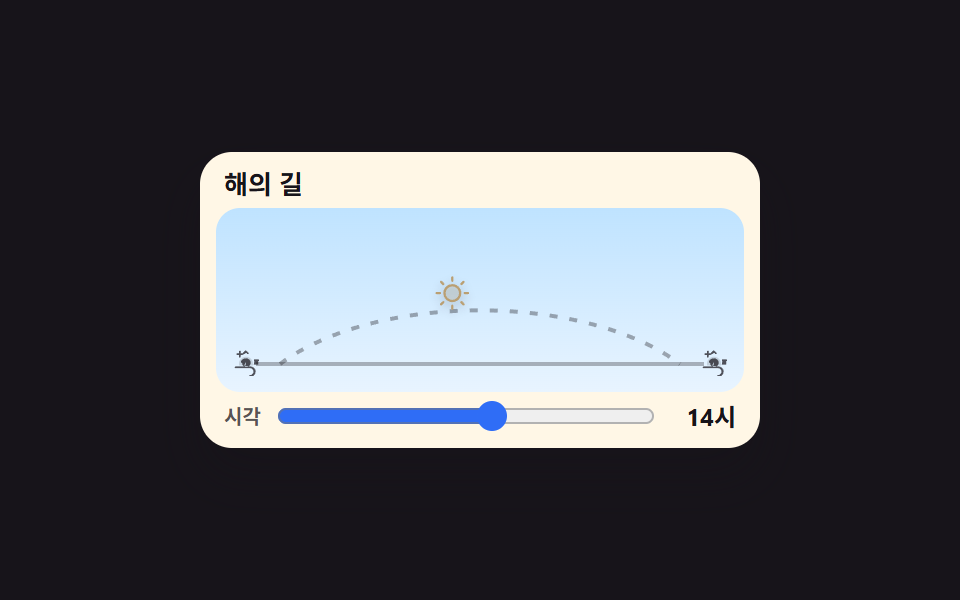 05 weather-sun-arc
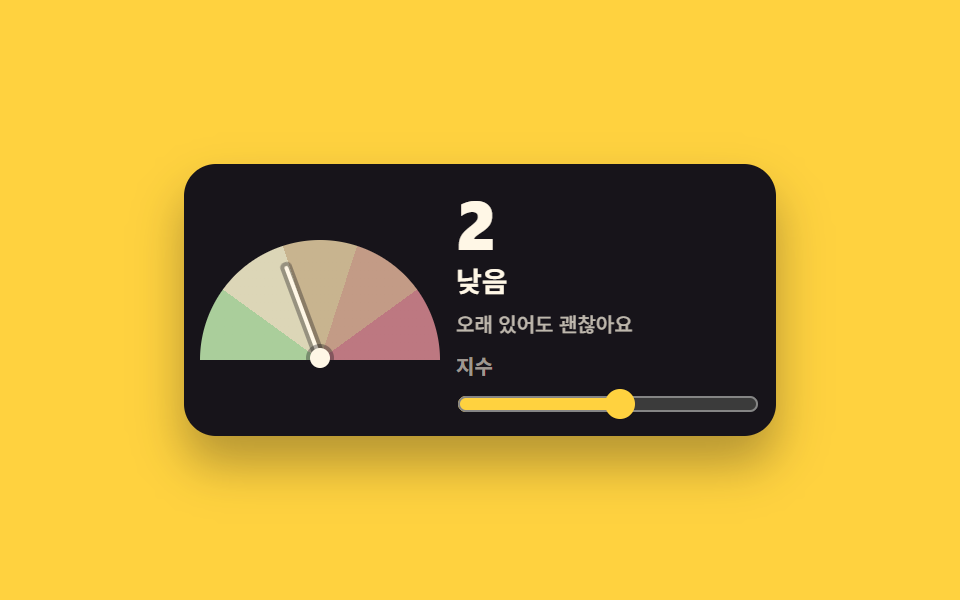 06 weather-uv-gauge
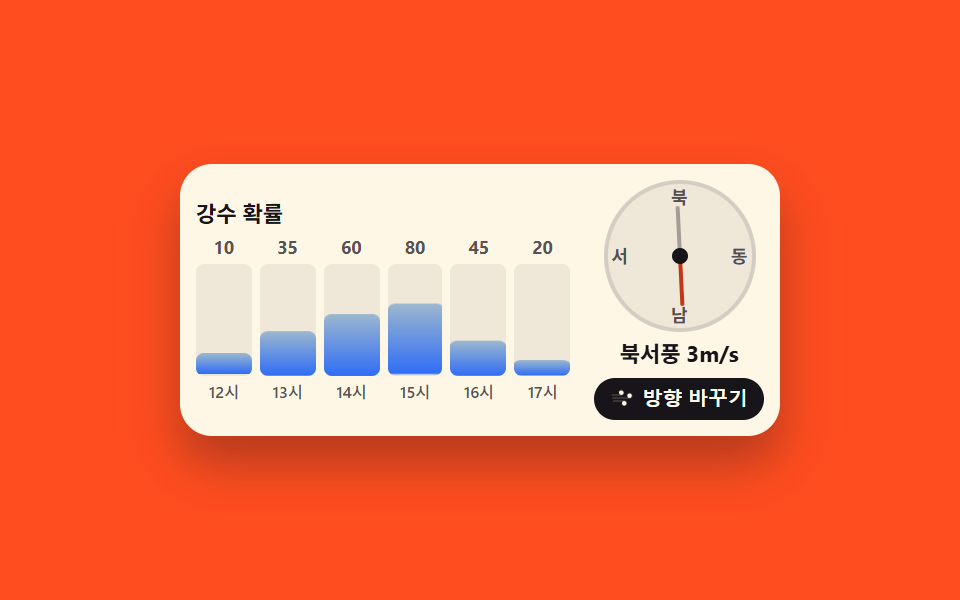 07 weather-precip-wind
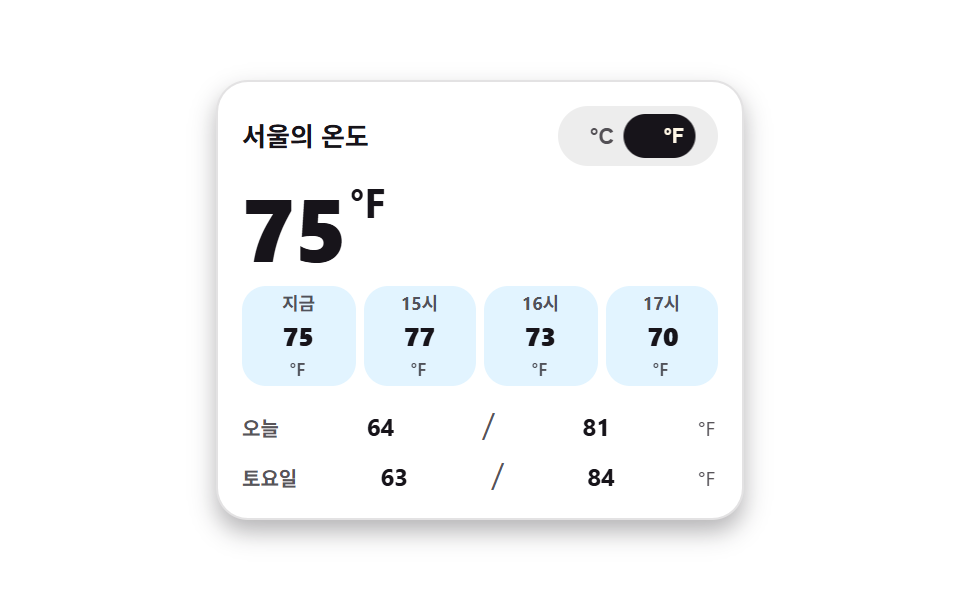 08 weather-unit-toggle
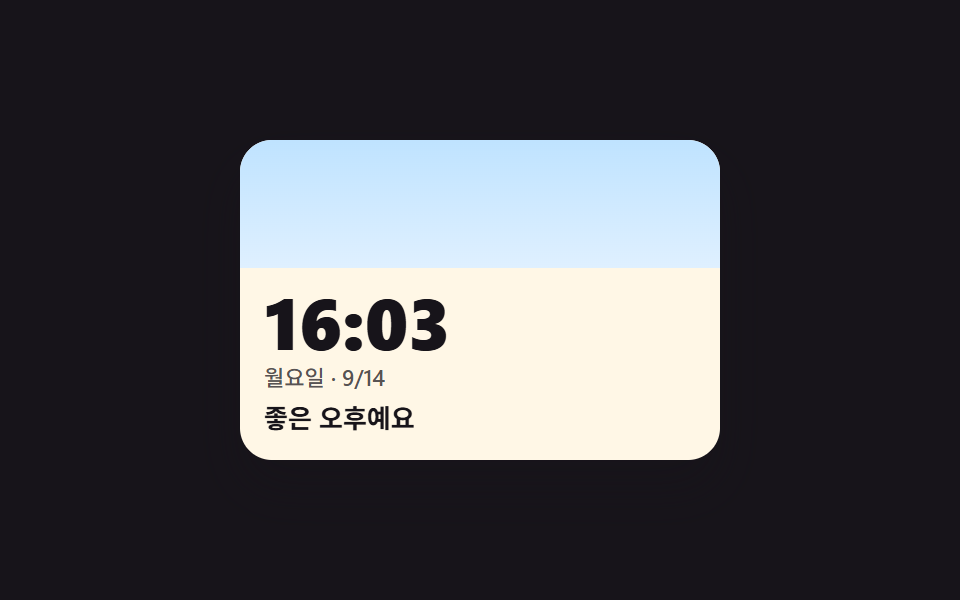 09 weather-live-clock-theme
自動再生 · タイルを押すとその項目へ · すべて1つのzip
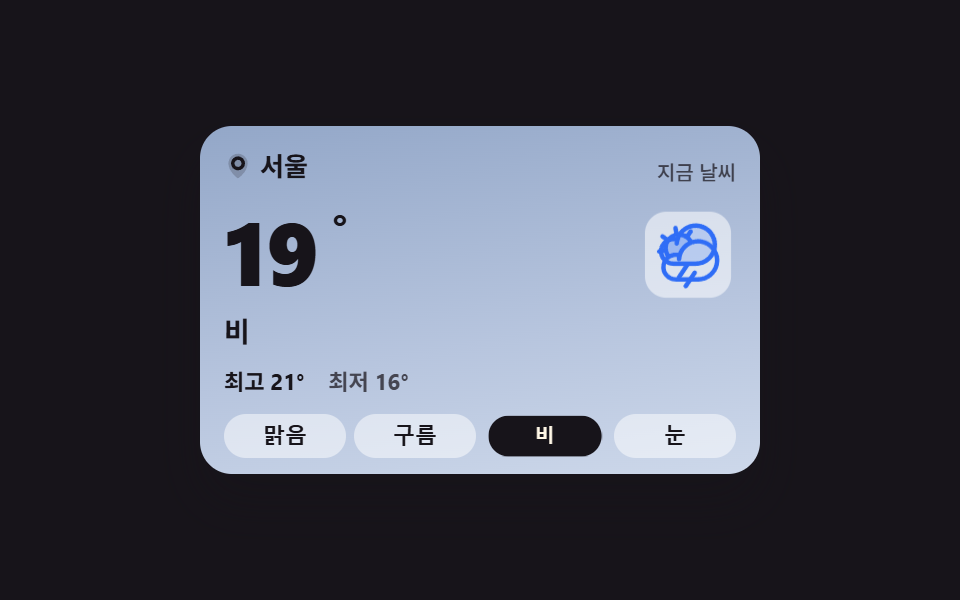
- 01 条件を変えると空色も文面も一緒に変わる現在のカード
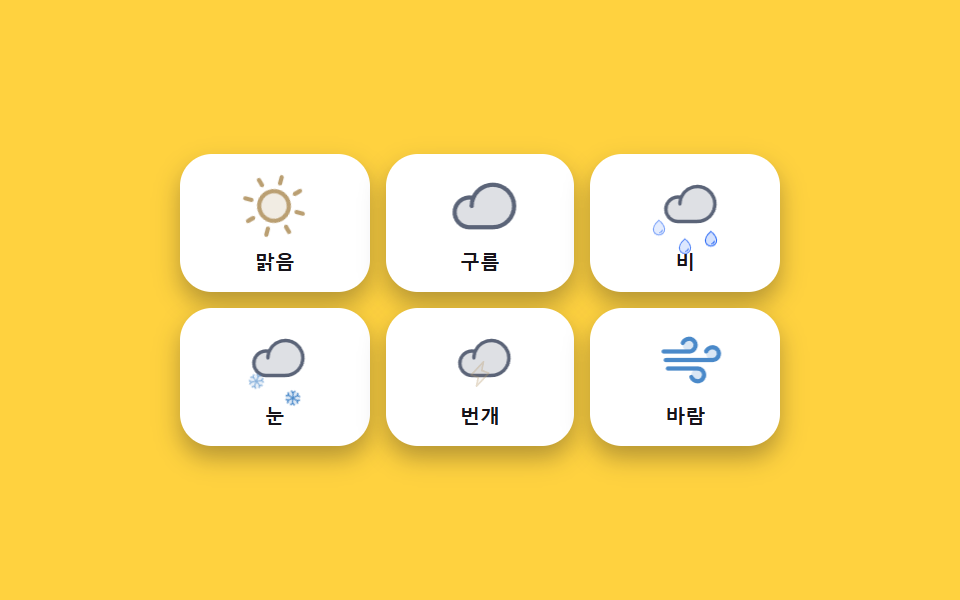
- 02 止まっていない天気アイコン — 太陽・雲・雨・雪
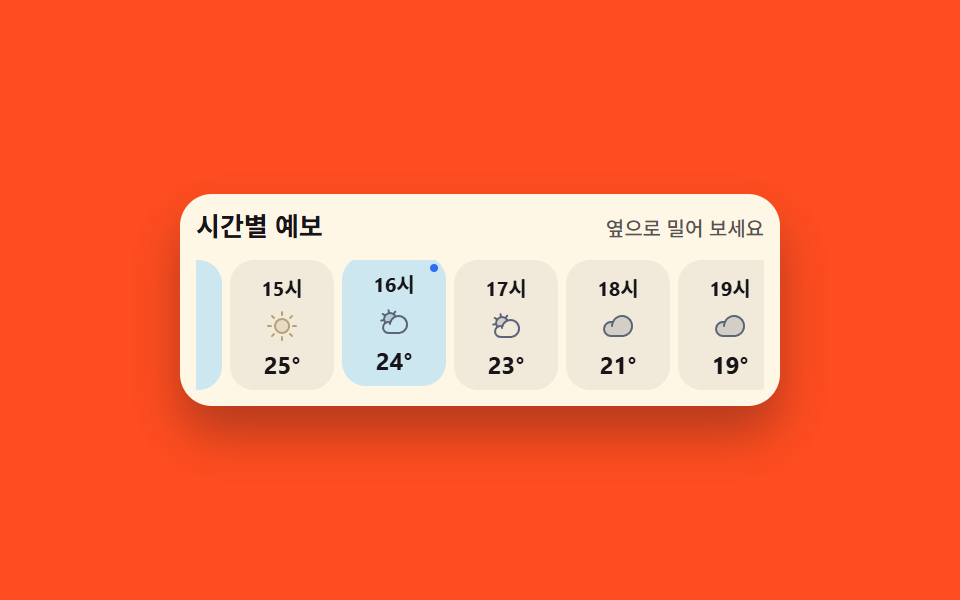
- 03 今の時間のマスに灯がつく時間ごとの帯
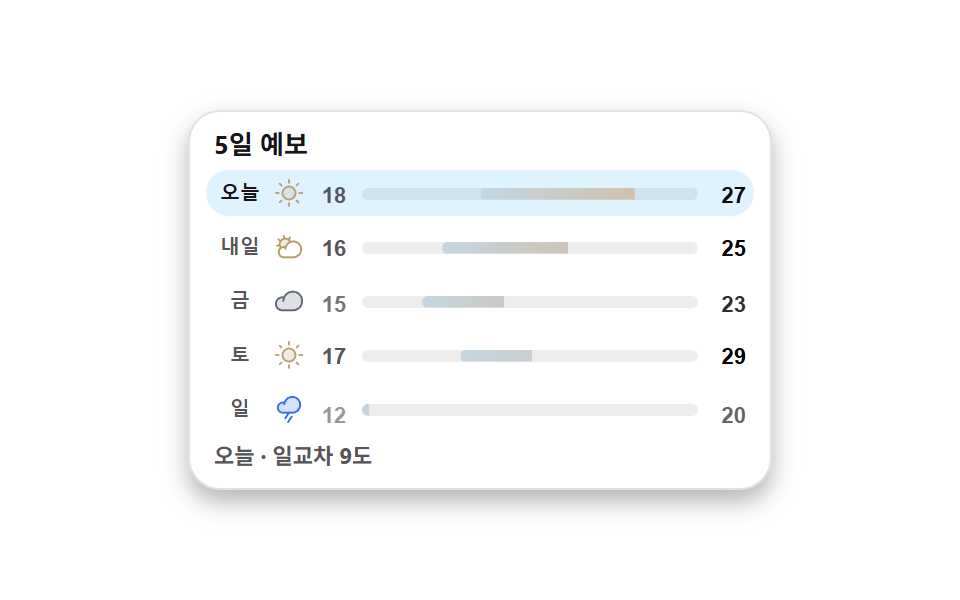
- 04 一週間の範囲の中で場所を見つける5日予報の帯
- 05 一日の太陽がアーチを上りまた沈む道
- 06 針が等級の帯を指して止まる紫外線ゲージ
- 07 降水確率が育つ棒と風向を指すコンパス
- 08 一度押せばカード内の全温度が換算される単位トグル
- 09 実際の時間が進むと空も挨拶も変わる時計ウィジェット
並びは ダッシュボード ウィジェット の作りの難しさではなく、一日が進む順です。今の空を一枚で伝えるカード(01)で始まり、条件を絵で示すアイコン(02)が続き、時間ごとの帯(03)が今夜までを、5日の帯(04)が一週間の先までを受け持ちます。太陽の道(05)で日の出から日の入りをたどり、紫外線のゲージ(06)と雨・風のカード(07)で外の様子を確かめ、単位の切り替え(08)で旅先の温度表記に合わせると、最後の時計(09)で一日がまた動き出します。九つは同じ色・間隔・動きの速さの値を共有しているので、何枚かを一枚の画面に混ぜて貼っても、まとまりは崩れません。同じ枠に収まる隣人としては活動フィードのウィジェットと、黒い地のターミナル風 UIがあり、明暗の両端を一列で並べられます。
01条件を変えると空色も文面も一緒に変わる現在のカード
天気 ウィジェット おすすめ の一枚で何が見えるか
晴れ・曇り・雨・雪の四つのボタンから空の状態を選ぶと、重ねた二枚の下地が入れ替わってカードの空が変わり、アイコンと温度・状態の文・最高最低の数字も同じ瞬間にそろって切り替わります。空の入れ替えはopacityをsteps(1, end)のカットで行うので二つの空が半透明に重なって見えるコマがなく、ボタンを押したときはアイコンが一度沈んでから跳ね上がって戻ります。
<main class="stage stage--ink">
  <section class="wc is-demo" id="wc" aria-label="現在の天気カード">
    <span class="wc__sky wc__sky--a" aria-hidden="true"></span>
    <span class="wc__sky wc__sky--b" aria-hidden="true"></span>
    <div class="wc__body">
      <header class="wc__head">
        <p class="wc__loc"><svg viewBox="0 0 256 256" width="14" height="14" fill="currentColor" aria-hidden="true"><path d="M128,16a88,88,0,0,0-88,88c0,75.3,80,132.17,83.41,134.55a8,8,0,0,0,9.18,0C136,236.17,216,179.3,216,104A88,88,0,0,0,128,16Z" opacity="0.2"/><path d="M128,40a64,64,0,1,0,64,64A64.07,64.07,0,0,0,128,40Zm0,96a32,32,0,1,1,32-32A32,32,0,0,1,128,136Z"/></svg>ソウル</p>
        <p class="wc__label">今の天気</p>
      </header>
      <div class="wc__now">
        <p class="wc__temp">
          <span class="wc__swap"><span class="wc__v">24</span><span class="wc__alt" aria-hidden="true">19</span></span><span class="wc__deg">°</span>
        </p>
        <span class="wc__art" aria-hidden="true">
          <span class="wc__glyph wc__glyph--sunny"><svg viewBox="0 0 256 256" width="40" height="40" fill="currentColor"><path d="M184,128a56,56,0,1,1-56-56A56,56,0,0,1,184,128Z" opacity="0.2"/><path d="M120,40V16a8,8,0,0,1,16,0V40a8,8,0,0,1-16,0Zm72,88a64,64,0,1,1-64-64A64.07,64.07,0,0,1,192,128Zm-16,0a48,48,0,1,0-48,48A48.05,48.05,0,0,0,176,128ZM58.34,69.66A8,8,0,0,0,69.66,58.34l-16-16A8,8,0,0,0,42.34,53.66Zm0,116.68-16,16a8,8,0,0,0,11.32,11.32l16-16a8,8,0,0,0-11.32-11.32ZM192,72a8,8,0,0,0,5.66-2.34l16-16a8,8,0,0,0-11.32-11.32l-16,16A8,8,0,0,0,192,72Zm5.66,114.34a8,8,0,0,0-11.32,11.32l16,16a8,8,0,0,0,11.32-11.32ZM48,128a8,8,0,0,0-8-8H16a8,8,0,0,0,0,16H40A8,8,0,0,0,48,128Zm80,80a8,8,0,0,0-8,8v24a8,8,0,0,0,16,0V216A8,8,0,0,0,128,208Zm112-88H216a8,8,0,0,0,0,16h24a8,8,0,0,0,0-16Z"/></svg></span>
          <span class="wc__glyph wc__glyph--cloudy"><svg viewBox="0 0 256 256" width="40" height="40" fill="currentColor"><path d="M139.84,84.41v0a68.22,68.22,0,0,0-41.65,46v-.11a44.08,44.08,0,0,0-38.54,5h0a48,48,0,1,1,80.19-50.94Z" opacity="0.2"/><path d="M164,72a76.2,76.2,0,0,0-20.26,2.73,55.63,55.63,0,0,0-9.41-11.54l9.51-13.57a8,8,0,1,0-13.11-9.18L121.22,54A55.9,55.9,0,0,0,96,48c-.58,0-1.16,0-1.74,0L91.37,31.71a8,8,0,1,0-15.75,2.77L78.5,50.82A56.1,56.1,0,0,0,55.23,65.67L41.61,56.14a8,8,0,1,0-9.17,13.11L46,78.77A55.55,55.55,0,0,0,40,104c0,.57,0,1.15,0,1.72L23.71,108.6a8,8,0,0,0,1.38,15.88,8.24,8.24,0,0,0,1.39-.12l16.32-2.88a55.74,55.74,0,0,0,5.86,12.42A52,52,0,0,0,84,224h80a76,76,0,0,0,0-152ZM56,104a40,40,0,0,1,72.54-23.24,76.26,76.26,0,0,0-35.62,40,52.14,52.14,0,0,0-31,4.17A40,40,0,0,1,56,104ZM164,208H84a36,36,0,1,1,4.78-71.69c-.37,2.37-.63,4.79-.77,7.23a8,8,0,0,0,16,.92,58.91,58.91,0,0,1,1.88-11.81c0-.16.09-.32.12-.48A60.06,60.06,0,1,1,164,208Z"/></svg></span>
          <span class="wc__glyph wc__glyph--rainy"><svg viewBox="0 0 256 256" width="40" height="40" fill="currentColor"><path d="M224,92a68,68,0,0,1-68,68H76A44,44,0,1,1,90.2,74.34v.11A68.06,68.06,0,0,1,224,92Z" opacity="0.2"/><path d="M158.66,196.44l-32,48a8,8,0,1,1-13.32-8.88l32-48a8,8,0,0,1,13.32,8.88ZM232,92a76.08,76.08,0,0,1-76,76H132.28l-29.62,44.44a8,8,0,1,1-13.32-8.88L113.05,168H76A52,52,0,1,1,76,64a53.26,53.26,0,0,1,8.92.76A76.08,76.08,0,0,1,232,92Zm-16,0A60.06,60.06,0,0,0,96,88.46a8,8,0,0,1-16-.92q.21-3.66.77-7.23A38.11,38.11,0,0,0,76,80a36,36,0,0,0,0,72h80A60.07,60.07,0,0,0,216,92Z"/></svg></span>
          <span class="wc__glyph wc__glyph--snowy"><svg viewBox="0 0 256 256" width="40" height="40" fill="currentColor"><path d="M220,128a92,92,0,1,1-92-92A92.1,92.1,0,0,1,220,128Z" opacity="0.2"/><path d="M223.77,150.09a8,8,0,0,1-5.86,9.68l-24.64,6,6.46,24.11a8,8,0,0,1-5.66,9.8A8.25,8.25,0,0,1,192,200a8,8,0,0,1-7.72-5.93l-7.72-28.8L136,141.86v46.83l21.66,21.65a8,8,0,0,1-11.32,11.32L128,203.31l-18.34,18.35a8,8,0,0,1-11.32-11.32L120,188.69V141.86L79.45,165.27l-7.72,28.8A8,8,0,0,1,64,200a8.25,8.25,0,0,1-2.08-.27,8,8,0,0,1-5.66-9.8l6.46-24.11-24.64-6a8,8,0,0,1,3.82-15.54l29.45,7.23L112,128,71.36,104.54l-29.45,7.23A7.85,7.85,0,0,1,40,112a8,8,0,0,1-1.91-15.77l24.64-6L56.27,66.07a8,8,0,0,1,15.46-4.14l7.72,28.8L120,114.14V67.31L98.34,45.66a8,8,0,0,1,11.32-11.32L128,52.69l18.34-18.35a8,8,0,0,1,11.32,11.32L136,67.31v46.83l40.55-23.41,7.72-28.8a8,8,0,0,1,15.46,4.14l-6.46,24.11,24.64,6A8,8,0,0,1,216,112a7.85,7.85,0,0,1-1.91-.23l-29.45-7.23L144,128l40.64,23.46,29.45-7.23A8,8,0,0,1,223.77,150.09Z"/></svg></span>
        </span>
        <p class="wc__word wc__swap"><span class="wc__v">晴れ</span><span class="wc__alt" aria-hidden="true">雨</span></p>
      </div>
      <p class="wc__range">
        <span class="wc__hi">最高 <span class="wc__swap"><span class="wc__v">27</span><span class="wc__alt" aria-hidden="true">21</span></span>°</span>
        <span class="wc__lo">最低 <span class="wc__swap"><span class="wc__v">18</span><span class="wc__alt" aria-hidden="true">16</span></span>°</span>
      </p>
      <div class="wc__conds" role="group" aria-label="空の状態を選ぶ">
        <button class="wc__c is-on" type="button" data-cond="sunny" aria-pressed="true">晴れ</button>
        <button class="wc__c" type="button" data-cond="cloudy" aria-pressed="false">曇り</button>
        <button class="wc__c" type="button" data-cond="rainy" aria-pressed="false">雨</button>
        <button class="wc__c" type="button" data-cond="snowy" aria-pressed="false">雪</button>
      </div>
    </div>
  </section>
</main>@use "../../../../site/static/demo-tokens" as *;
// 하늘 상태를 고르면 카드 전체 — 하늘 배경·아이콘·온도·최고최저 — 가 한 세트로 맞바뀐다.
// 상태 교체는 steps(1, end) 컷: 크로스페이드로 겹치면 대표 이미지에 두 하늘이 반투명하게 겹친다(237 실측).
// 아이콘이 솟았다 내려앉는 pop 만 transform — 컷만으로는 움직인 프레임이 모자란다(252 실측).
$duration: $dur-loop;
$easing: $ease-spring;
$color: $subject-blue;
@include stage($stage-ink);
.wc {
position: relative;
box-sizing: border-box;
width: min(280px, 92vw);
overflow: hidden;
border-radius: $r-card;
color: $subject-ink;
box-shadow: $shadow-raised;
}
.wc * { box-sizing: border-box; }
// 두 하늘 겹 — 맑음(a)과 비(b). 기본은 a.
.wc__sky {
position: absolute;
inset: 0;
pointer-events: none;
}
.wc__sky--a { background: linear-gradient(170deg, #bfe3ff 0%, #dcefff 46%, #ffe9b0 100%); }
.wc__sky--b { background: linear-gradient(170deg, #93a7c8 0%, #b7c5de 60%, #cdd8ea 100%); opacity: 0; }
.wc__body {
position: relative;
display: grid;
gap: $sp-2;
padding: $sp-3 $sp-3 $sp-2;
}
.wc__head {
display: flex;
align-items: baseline;
justify-content: space-between;
gap: $sp-2;
}
.wc__loc {
display: inline-flex;
align-items: center;
gap: $sp-1;
margin: 0;
font-size: 13px;
font-weight: 700;
line-height: 1.3;
}
.wc__label {
margin: 0;
font-size: 10px;
font-weight: 500;
line-height: 1.3;
color: rgba($subject-ink, .72);
}
.wc__now {
display: grid;
grid-template-columns: 1fr auto;
align-items: center;
gap: $sp-2;
}
.wc__temp {
display: flex;
align-items: flex-start;
margin: 0;
font-size: 44px;
font-weight: 800;
line-height: 1;
font-variant-numeric: tabular-nums;
}
.wc__deg { font-size: 22px; font-weight: 700; }
.wc__word {
grid-column: 1 / -1;
margin: 0;
font-size: 14px;
font-weight: 700;
line-height: 1.3;
}
// 아이콘 네 겹 — 상태 클래스가 한 개만 보이게 한다
.wc__art {
position: relative;
display: grid;
place-items: center;
width: 48px;
height: 48px;
border-radius: $r-control;
background: rgba(255, 255, 255, .55);
}
.wc__glyph {
grid-area: 1 / 1;
display: grid;
place-items: center;
color: $subject-blue;
transition: none;
}
.wc__glyph--sunny { color: #ba9f72; }
.wc__glyph--rainy { opacity: 0; }
.wc__glyph--snowy { opacity: 0; color: #4a89c9; }
.wc.is-cloudy .wc__glyph--sunny,
.wc.is-rainy .wc__glyph--sunny,
.wc.is-snowy .wc__glyph--sunny { opacity: 0; }
.wc.is-cloudy .wc__glyph--cloudy { opacity: 1; }
.wc.is-rainy .wc__glyph--rainy { opacity: 1; }
.wc.is-snowy .wc__glyph--snowy { opacity: 1; }
.wc.is-cloudy .wc__sky--a,
.wc.is-rainy .wc__sky--a,
.wc.is-snowy .wc__sky--a { opacity: 0; }
.wc.is-cloudy .wc__sky--b,
.wc.is-rainy .wc__sky--b,
.wc.is-snowy .wc__sky--b { opacity: 1; }
// 실제 클릭: 아이콘이 한 번 솟았다 내려앉는다
@keyframes wc-pop {
0% { transform: translateY(3px) scale(.88); }
55% { transform: translateY(-3px) scale(1.04); }
100% { transform: translateY(0) scale(1); }
}
.wc__art.is-pop { animation-name: wc-pop; animation-duration: $dur-quick; animation-timing-function: $easing; animation-iteration-count: 1; }
.wc__range {
display: flex;
gap: $sp-3;
margin: 0;
font-size: 11px;
font-weight: 700;
line-height: 1.4;
font-variant-numeric: tabular-nums;
}
.wc__lo { color: rgba($subject-ink, .72); }
// 겹쳐 둔 두 번째 값 — 미리보기 루프에서만 보인다
.wc__swap { position: relative; display: inline-block; }
.wc__alt {
position: absolute;
inset: 0;
opacity: 0;
}
.wc__conds {
display: grid;
grid-template-columns: repeat(4, 1fr);
gap: $sp-1;
}
.wc__c {
padding: $sp-1 0;
border: 0;
border-radius: $r-control;
background: rgba(255, 255, 255, .5);
color: $subject-ink;
font-size: 11px;
font-weight: 700;
line-height: 1.3;
cursor: pointer;
&:focus-visible { outline: 2px solid $subject-blue; outline-offset: 2px; }
&.is-on { background: $subject-ink; color: $subject-cream; }
}
// ── 격자 미리보기 루프 (2초) ──
// 0~44% 맑음 → 45% 컷으로 비(아이콘 pop 함께) → 88% 맑음 복귀(90% 안)
@keyframes wc-a { 0%, 44% { opacity: 1; } 45%, 87% { opacity: 0; } 88%, 100% { opacity: 1; } }
@keyframes wc-b { 0%, 44% { opacity: 0; } 45%, 87% { opacity: 1; } 88%, 100% { opacity: 0; } }
@keyframes wc-va { 0%, 44% { opacity: 1; } 45%, 87% { opacity: 0; } 88%, 100% { opacity: 1; } }
@keyframes wc-vb { 0%, 44% { opacity: 0; } 45%, 87% { opacity: 1; } 88%, 100% { opacity: 0; } }
@keyframes wc-poploop {
0%, 42% { transform: translateY(0) scale(1); }
45% { transform: translateY(3px) scale(.88); }
58% { transform: translateY(-3px) scale(1.04); }
70%, 85% { transform: translateY(0) scale(1); }
88% { transform: translateY(3px) scale(.88); }
97%, 100% { transform: translateY(0) scale(1); }
}
@keyframes wc-press {
0%, 41% { transform: scale(1); }
45% { transform: scale(.9); }
57%, 100% { transform: scale(1); }
}
// 루프에서는 고른 단추의 강조도 상태와 함께 맞바뀐다 — 컷으로
@keyframes wc-on-a {
0%, 44% { background-color: $subject-ink; color: $subject-cream; }
45%, 87% { background-color: rgba(255, 255, 255, .5); color: $subject-ink; }
88%, 100% { background-color: $subject-ink; color: $subject-cream; }
}
@keyframes wc-on-b {
0%, 44% { background-color: rgba(255, 255, 255, .5); color: $subject-ink; }
45%, 87% { background-color: $subject-ink; color: $subject-cream; }
88%, 100% { background-color: rgba(255, 255, 255, .5); color: $subject-ink; }
}
.wc.is-demo {
.wc__sky--a { animation-name: wc-a; }
.wc__sky--b { animation-name: wc-b; }
.wc__glyph--sunny { animation-name: wc-a; }
.wc__glyph--rainy { animation-name: wc-b; }
.wc__sky--a, .wc__sky--b,
.wc__glyph--sunny, .wc__glyph--rainy {
animation-duration: $duration;
animation-timing-function: steps(1, end);
animation-iteration-count: infinite;
animation-fill-mode: backwards;
}
.wc__swap .wc__v { animation-name: wc-va; }
.wc__swap .wc__alt { animation-name: wc-vb; }
.wc__swap .wc__v, .wc__swap .wc__alt {
animation-duration: $duration;
animation-timing-function: steps(1, end);
animation-iteration-count: infinite;
animation-fill-mode: backwards;
}
.wc__art { animation-name: wc-poploop; animation-duration: $duration; animation-timing-function: $ease-out; animation-iteration-count: infinite; animation-fill-mode: backwards; }
.wc__c:nth-child(3) { animation-name: wc-press, wc-on-b; }
.wc__c:nth-child(1) { animation-name: wc-on-a; }
.wc__c:nth-child(1), .wc__c:nth-child(3) {
animation-duration: $duration, $duration;
animation-timing-function: $easing, steps(1, end);
animation-iteration-count: infinite, infinite;
animation-fill-mode: backwards, backwards;
}
}
@media (max-width: 340px) {
.wc__body { padding: $sp-2 $sp-2 $sp-1; }
.wc__temp { font-size: 36px; }
.wc__art { width: 40px; height: 40px; }
.wc__art svg { width: 32px; height: 32px; }
}
@media (prefers-reduced-motion: reduce) {
.wc.is-demo .wc__sky--a, .wc.is-demo .wc__sky--b,
.wc.is-demo .wc__glyph, .wc.is-demo .wc__swap .wc__v, .wc.is-demo .wc__swap .wc__alt,
.wc.is-demo .wc__art, .wc.is-demo .wc__c {
animation: none !important;
transform: none !important;
}
.wc.is-demo .wc__sky--a, .wc.is-demo .wc__glyph--sunny,
.wc.is-demo .wc__swap .wc__v { opacity: 1 !important; }
.wc.is-demo .wc__sky--b, .wc.is-demo .wc__glyph--rainy,
.wc.is-demo .wc__swap .wc__alt { opacity: 0 !important; }
.wc__art.is-pop { animation: none !important; }
}html, body {
margin: 0;
overflow: hidden;
}
.stage {
box-sizing: border-box;
min-height: 100vh;
display: grid;
place-items: center;
margin: 0;
background: #17141a;
font-family: -apple-system, "Segoe UI", "Noto Sans KR", sans-serif;
padding: clamp(8px, 4vw, 24px);
}
.wc {
position: relative;
box-sizing: border-box;
width: min(280px, 92vw);
overflow: hidden;
border-radius: 16px;
color: #17141a;
box-shadow: 0 14px 24px rgba(23, 20, 26, 0.32);
}
.wc * {
box-sizing: border-box;
}
.wc__sky {
position: absolute;
inset: 0;
pointer-events: none;
}
.wc__sky--a {
background: linear-gradient(170deg, #bfe3ff 0%, #dcefff 46%, #ffe9b0 100%);
}
.wc__sky--b {
background: linear-gradient(170deg, #93a7c8 0%, #b7c5de 60%, #cdd8ea 100%);
opacity: 0;
}
.wc__body {
position: relative;
display: grid;
gap: 8px;
padding: 12px 12px 8px;
}
.wc__head {
display: flex;
align-items: baseline;
justify-content: space-between;
gap: 8px;
}
.wc__loc {
display: inline-flex;
align-items: center;
gap: 4px;
margin: 0;
font-size: 13px;
font-weight: 700;
line-height: 1.3;
}
.wc__label {
margin: 0;
font-size: 10px;
font-weight: 500;
line-height: 1.3;
color: rgba(23, 20, 26, 0.72);
}
.wc__now {
display: grid;
grid-template-columns: 1fr auto;
align-items: center;
gap: 8px;
}
.wc__temp {
display: flex;
align-items: flex-start;
margin: 0;
font-size: 44px;
font-weight: 800;
line-height: 1;
font-variant-numeric: tabular-nums;
}
.wc__deg {
font-size: 22px;
font-weight: 700;
}
.wc__word {
grid-column: 1/-1;
margin: 0;
font-size: 14px;
font-weight: 700;
line-height: 1.3;
}
.wc__art {
position: relative;
display: grid;
place-items: center;
width: 48px;
height: 48px;
border-radius: 12px;
background: rgba(255, 255, 255, 0.55);
}
.wc__glyph {
grid-area: 1/1;
display: grid;
place-items: center;
color: #2f6df6;
transition: none;
}
.wc__glyph--sunny {
color: #ba9f72;
}
.wc__glyph--rainy {
opacity: 0;
}
.wc__glyph--snowy {
opacity: 0;
color: #4a89c9;
}
.wc.is-cloudy .wc__glyph--sunny,
.wc.is-rainy .wc__glyph--sunny,
.wc.is-snowy .wc__glyph--sunny {
opacity: 0;
}
.wc.is-cloudy .wc__glyph--cloudy {
opacity: 1;
}
.wc.is-rainy .wc__glyph--rainy {
opacity: 1;
}
.wc.is-snowy .wc__glyph--snowy {
opacity: 1;
}
.wc.is-cloudy .wc__sky--a,
.wc.is-rainy .wc__sky--a,
.wc.is-snowy .wc__sky--a {
opacity: 0;
}
.wc.is-cloudy .wc__sky--b,
.wc.is-rainy .wc__sky--b,
.wc.is-snowy .wc__sky--b {
opacity: 1;
}
@keyframes wc-pop {
0% {
transform: translateY(3px) scale(0.88);
}
55% {
transform: translateY(-3px) scale(1.04);
}
100% {
transform: translateY(0) scale(1);
}
}
.wc__art.is-pop {
animation-name: wc-pop;
animation-duration: 220ms;
animation-timing-function: cubic-bezier(0.2, 0.8, 0.2, 1);
animation-iteration-count: 1;
}
.wc__range {
display: flex;
gap: 12px;
margin: 0;
font-size: 11px;
font-weight: 700;
line-height: 1.4;
font-variant-numeric: tabular-nums;
}
.wc__lo {
color: rgba(23, 20, 26, 0.72);
}
.wc__swap {
position: relative;
display: inline-block;
}
.wc__alt {
position: absolute;
inset: 0;
opacity: 0;
}
.wc__conds {
display: grid;
grid-template-columns: repeat(4, 1fr);
gap: 4px;
}
.wc__c {
padding: 4px 0;
border: 0;
border-radius: 12px;
background: rgba(255, 255, 255, 0.5);
color: #17141a;
font-size: 11px;
font-weight: 700;
line-height: 1.3;
cursor: pointer;
}
.wc__c:focus-visible {
outline: 2px solid #2f6df6;
outline-offset: 2px;
}
.wc__c.is-on {
background: #17141a;
color: #fff7e6;
}
@keyframes wc-a {
0%, 44% {
opacity: 1;
}
45%, 87% {
opacity: 0;
}
88%, 100% {
opacity: 1;
}
}
@keyframes wc-b {
0%, 44% {
opacity: 0;
}
45%, 87% {
opacity: 1;
}
88%, 100% {
opacity: 0;
}
}
@keyframes wc-va {
0%, 44% {
opacity: 1;
}
45%, 87% {
opacity: 0;
}
88%, 100% {
opacity: 1;
}
}
@keyframes wc-vb {
0%, 44% {
opacity: 0;
}
45%, 87% {
opacity: 1;
}
88%, 100% {
opacity: 0;
}
}
@keyframes wc-poploop {
0%, 42% {
transform: translateY(0) scale(1);
}
45% {
transform: translateY(3px) scale(0.88);
}
58% {
transform: translateY(-3px) scale(1.04);
}
70%, 85% {
transform: translateY(0) scale(1);
}
88% {
transform: translateY(3px) scale(0.88);
}
97%, 100% {
transform: translateY(0) scale(1);
}
}
@keyframes wc-press {
0%, 41% {
transform: scale(1);
}
45% {
transform: scale(0.9);
}
57%, 100% {
transform: scale(1);
}
}
@keyframes wc-on-a {
0%, 44% {
background-color: #17141a;
color: #fff7e6;
}
45%, 87% {
background-color: rgba(255, 255, 255, 0.5);
color: #17141a;
}
88%, 100% {
background-color: #17141a;
color: #fff7e6;
}
}
@keyframes wc-on-b {
0%, 44% {
background-color: rgba(255, 255, 255, 0.5);
color: #17141a;
}
45%, 87% {
background-color: #17141a;
color: #fff7e6;
}
88%, 100% {
background-color: rgba(255, 255, 255, 0.5);
color: #17141a;
}
}
.wc.is-demo .wc__sky--a {
animation-name: wc-a;
}
.wc.is-demo .wc__sky--b {
animation-name: wc-b;
}
.wc.is-demo .wc__glyph--sunny {
animation-name: wc-a;
}
.wc.is-demo .wc__glyph--rainy {
animation-name: wc-b;
}
.wc.is-demo .wc__sky--a, .wc.is-demo .wc__sky--b,
.wc.is-demo .wc__glyph--sunny, .wc.is-demo .wc__glyph--rainy {
animation-duration: 2s;
animation-timing-function: steps(1, end);
animation-iteration-count: infinite;
animation-fill-mode: backwards;
}
.wc.is-demo .wc__swap .wc__v {
animation-name: wc-va;
}
.wc.is-demo .wc__swap .wc__alt {
animation-name: wc-vb;
}
.wc.is-demo .wc__swap .wc__v, .wc.is-demo .wc__swap .wc__alt {
animation-duration: 2s;
animation-timing-function: steps(1, end);
animation-iteration-count: infinite;
animation-fill-mode: backwards;
}
.wc.is-demo .wc__art {
animation-name: wc-poploop;
animation-duration: 2s;
animation-timing-function: ease-out;
animation-iteration-count: infinite;
animation-fill-mode: backwards;
}
.wc.is-demo .wc__c:nth-child(3) {
animation-name: wc-press, wc-on-b;
}
.wc.is-demo .wc__c:nth-child(1) {
animation-name: wc-on-a;
}
.wc.is-demo .wc__c:nth-child(1), .wc.is-demo .wc__c:nth-child(3) {
animation-duration: 2s, 2s;
animation-timing-function: cubic-bezier(0.2, 0.8, 0.2, 1), steps(1, end);
animation-iteration-count: infinite, infinite;
animation-fill-mode: backwards, backwards;
}
@media (max-width: 340px) {
.wc__body {
padding: 8px 8px 4px;
}
.wc__temp {
font-size: 36px;
}
.wc__art {
width: 40px;
height: 40px;
}
.wc__art svg {
width: 32px;
height: 32px;
}
}
@media (prefers-reduced-motion: reduce) {
.wc.is-demo .wc__sky--a, .wc.is-demo .wc__sky--b,
.wc.is-demo .wc__glyph, .wc.is-demo .wc__swap .wc__v, .wc.is-demo .wc__swap .wc__alt,
.wc.is-demo .wc__art, .wc.is-demo .wc__c {
animation: none !important;
transform: none !important;
}
.wc.is-demo .wc__sky--a, .wc.is-demo .wc__glyph--sunny,
.wc.is-demo .wc__swap .wc__v {
opacity: 1 !important;
}
.wc.is-demo .wc__sky--b, .wc.is-demo .wc__glyph--rainy,
.wc.is-demo .wc__swap .wc__alt {
opacity: 0 !important;
}
.wc__art.is-pop {
animation: none !important;
}
}// 하늘 상태를 고르면 카드 전체(하늘·아이콘·온도·최고최저)가 한 세트로 맞바뀐다.
// 값은 데이터 속성에 들어 있고, 화면 글자는 언어팩이 바꾼 텍스트 노드만 고친다.
var wcRoot = document.getElementById('wc');
// 상태 문구도 한 세트다 — 언어팩 사본이 이 한국어 글자를 통째로 바꾼다(04 의 drDetails 와 같은 방식)
var wcData = {
sunny: { temp: 24, hi: 27, lo: 18, word: '晴れ' },
cloudy: { temp: 21, hi: 24, lo: 17, word: '曇り' },
rainy: { temp: 19, hi: 21, lo: 16, word: '雨' },
snowy: { temp: -2, hi: 1, lo: -5, word: '雪' }
};
var wcSwaps = [
{ box: '.wc__temp .wc__swap', key: 'temp' },
{ box: '.wc__word', key: 'word' },
{ box: '.wc__hi .wc__swap', key: 'hi' },
{ box: '.wc__lo .wc__swap', key: 'lo' }
];
function wcApply(cond) {
wcRoot.classList.remove('is-sunny', 'is-cloudy', 'is-rainy', 'is-snowy');
wcRoot.classList.add('is-' + cond);
for (var i = 0; i < wcSwaps.length; i++) {
var box = wcRoot.querySelector(wcSwaps[i].box);
box.querySelector('.wc__v').textContent = String(wcData[cond][wcSwaps[i].key]);
}
var btns = wcRoot.querySelectorAll('.wc__c');
for (var j = 0; j < btns.length; j++) {
var on = btns[j].getAttribute('data-cond') === cond;
btns[j].setAttribute('aria-pressed', on ? 'true' : 'false');
btns[j].classList.toggle('is-on', on);
}
// 아이콘이 한 번 솟았다 내려앉는다 — 상태가 바뀌었다는 피드백
var art = wcRoot.querySelector('.wc__art');
art.classList.remove('is-pop');
void art.offsetWidth;
art.classList.add('is-pop');
}
wcRoot.addEventListener('click', function (e) {
var btn = e.target.closest('.wc__c');
if (!btn) return;
wcRoot.classList.remove('is-demo');
wcApply(btn.getAttribute('data-cond'));
});import { useState } from "react";
import type { CSSProperties } from "react";
import styles from "./WeatherCurrentCard.module.scss";
// vanilla 판(run/281/demo/01-weather-current-card/index.html) 의 React 포트.
// 하늘 상태를 고르면 카드 전체(하늘·아이콘·온도·최고최저)가 한 세트로 맞바뀐다.
export type WcCondition = {
id: string;
/** 단추에 쓰는 낱말 — 언어팩이 통째로 바꾼다 */
label: string;
/** 큰 온도 아래 붙는 하늘 낱말 */
word: string;
temp: number;
hi: number;
lo: number;
};
export type WeatherCurrentCardProps = {
location?: string;
label?: string;
hiLabel?: string;
loLabel?: string;
groupLabel?: string;
condsLabel?: string;
conditions?: WcCondition[];
/** 격자 미리보기 루프가 컷으로 맞바꾸는 두 번째 하늘 상태 */
loopTo?: string;
/** 격자 미리보기 2초 자동 루프. 사람이 손대면 꺼진다 */
demo?: boolean;
duration?: number;
easing?: string;
color?: string;
};
type Vars = CSSProperties & { "--duration"?: string; "--easing"?: string; "--color"?: string };
const DEFAULT_CONDITIONS: WcCondition[] = [
{ id: "sunny", label: "맑음", word: "맑음", temp: 24, hi: 27, lo: 18 },
{ id: "cloudy", label: "구름", word: "구름", temp: 21, hi: 24, lo: 17 },
{ id: "rainy", label: "비", word: "비", temp: 19, hi: 21, lo: 16 },
{ id: "snowy", label: "눈", word: "눈", temp: -2, hi: 1, lo: -5 },
];
function PinIcon() {
return (
<svg viewBox="0 0 256 256" width="14" height="14" fill="currentColor" aria-hidden="true"><path d="M128,16a88,88,0,0,0-88,88c0,75.3,80,132.17,83.41,134.55a8,8,0,0,0,9.18,0C136,236.17,216,179.3,216,104A88,88,0,0,0,128,16Z" opacity="0.2"/><path d="M128,40a64,64,0,1,0,64,64A64.07,64.07,0,0,0,128,40Zm0,96a32,32,0,1,1,32-32A32,32,0,0,1,128,136Z"/></svg>
);
}
function SunGlyph() {
return (
<svg viewBox="0 0 256 256" width="40" height="40" fill="currentColor"><path d="M184,128a56,56,0,1,1-56-56A56,56,0,0,1,184,128Z" opacity="0.2"/><path d="M120,40V16a8,8,0,0,1,16,0V40a8,8,0,0,1-16,0Zm72,88a64,64,0,1,1-64-64A64.07,64.07,0,0,1,192,128Zm-16,0a48,48,0,1,0-48,48A48.05,48.05,0,0,0,176,128ZM58.34,69.66A8,8,0,0,0,69.66,58.34l-16-16A8,8,0,0,0,42.34,53.66Zm0,116.68-16,16a8,8,0,0,0,11.32,11.32l16-16a8,8,0,0,0-11.32-11.32ZM192,72a8,8,0,0,0,5.66-2.34l16-16a8,8,0,0,0-11.32-11.32l-16,16A8,8,0,0,0,192,72Zm5.66,114.34a8,8,0,0,0-11.32,11.32l16,16a8,8,0,0,0,11.32-11.32ZM48,128a8,8,0,0,0-8-8H16a8,8,0,0,0,0,16H40A8,8,0,0,0,48,128Zm80,80a8,8,0,0,0-8,8v24a8,8,0,0,0,16,0V216A8,8,0,0,0,128,208Zm112-88H216a8,8,0,0,0,0,16h24a8,8,0,0,0,0-16Z"/></svg>
);
}
function CloudGlyph() {
return (
<svg viewBox="0 0 256 256" width="40" height="40" fill="currentColor"><path d="M139.84,84.41v0a68.22,68.22,0,0,0-41.65,46v-.11a44.08,44.08,0,0,0-38.54,5h0a48,48,0,1,1,80.19-50.94Z" opacity="0.2"/><path d="M164,72a76.2,76.2,0,0,0-20.26,2.73,55.63,55.63,0,0,0-9.41-11.54l9.51-13.57a8,8,0,1,0-13.11-9.18L121.22,54A55.9,55.9,0,0,0,96,48c-.58,0-1.16,0-1.74,0L91.37,31.71a8,8,0,1,0-15.75,2.77L78.5,50.82A56.1,56.1,0,0,0,55.23,65.67L41.61,56.14a8,8,0,1,0-9.17,13.11L46,78.77A55.55,55.55,0,0,0,40,104c0,.57,0,1.15,0,1.72L23.71,108.6a8,8,0,0,0,1.38,15.88,8.24,8.24,0,0,0,1.39-.12l16.32-2.88a55.74,55.74,0,0,0,5.86,12.42A52,52,0,0,0,84,224h80a76,76,0,0,0,0-152ZM56,104a40,40,0,0,1,72.54-23.24,76.26,76.26,0,0,0-35.62,40,52.14,52.14,0,0,0-31,4.17A40,40,0,0,1,56,104ZM164,208H84a36,36,0,1,1,4.78-71.69c-.37,2.37-.63,4.79-.77,7.23a8,8,0,0,0,16,.92,58.91,58.91,0,0,1,1.88-11.81c0-.16.09-.32.12-.48A60.06,60.06,0,1,1,164,208Z"/></svg>
);
}
function RainGlyph() {
return (
<svg viewBox="0 0 256 256" width="40" height="40" fill="currentColor"><path d="M224,92a68,68,0,0,1-68,68H76A44,44,0,1,1,90.2,74.34v.11A68.06,68.06,0,0,1,224,92Z" opacity="0.2"/><path d="M158.66,196.44l-32,48a8,8,0,1,1-13.32-8.88l32-48a8,8,0,0,1,13.32,8.88ZM232,92a76.08,76.08,0,0,1-76,76H132.28l-29.62,44.44a8,8,0,1,1-13.32-8.88L113.05,168H76A52,52,0,1,1,76,64a53.26,53.26,0,0,1,8.92.76A76.08,76.08,0,0,1,232,92Zm-16,0A60.06,60.06,0,0,0,96,88.46a8,8,0,0,1-16-.92q.21-3.66.77-7.23A38.11,38.11,0,0,0,76,80a36,36,0,0,0,0,72h80A60.07,60.07,0,0,0,216,92Z"/></svg>
);
}
function SnowGlyph() {
return (
<svg viewBox="0 0 256 256" width="40" height="40" fill="currentColor"><path d="M220,128a92,92,0,1,1-92-92A92.1,92.1,0,0,1,220,128Z" opacity="0.2"/><path d="M223.77,150.09a8,8,0,0,1-5.86,9.68l-24.64,6,6.46,24.11a8,8,0,0,1-5.66,9.8A8.25,8.25,0,0,1,192,200a8,8,0,0,1-7.72-5.93l-7.72-28.8L136,141.86v46.83l21.66,21.65a8,8,0,0,1-11.32,11.32L128,203.31l-18.34,18.35a8,8,0,0,1-11.32-11.32L120,188.69V141.86L79.45,165.27l-7.72,28.8A8,8,0,0,1,64,200a8.25,8.25,0,0,1-2.08-.27,8,8,0,0,1-5.66-9.8l6.46-24.11-24.64-6a8,8,0,0,1,3.82-15.54l29.45,7.23L112,128,71.36,104.54l-29.45,7.23A7.85,7.85,0,0,1,40,112a8,8,0,0,1-1.91-15.77l24.64-6L56.27,66.07a8,8,0,0,1,15.46-4.14l7.72,28.8L120,114.14V67.31L98.34,45.66a8,8,0,0,1,11.32-11.32L128,52.69l18.34-18.35a8,8,0,0,1,11.32,11.32L136,67.31v46.83l40.55-23.41,7.72-28.8a8,8,0,0,1,15.46,4.14l-6.46,24.11,24.64,6A8,8,0,0,1,216,112a7.85,7.85,0,0,1-1.91-.23l-29.45-7.23L144,128l40.64,23.46,29.45-7.23A8,8,0,0,1,223.77,150.09Z"/></svg>
);
}
// 상태 클래스 — 바닐라의 .is-sunny … 를 모듈 클래스로
const STATE_CLASS: { [k: string]: string } = {
sunny: styles.isSunny,
cloudy: styles.isCloudy,
rainy: styles.isRainy,
snowy: styles.isSnowy,
};
export default function WeatherCurrentCard({
location = "서울",
label = "지금 날씨",
hiLabel = "최고",
loLabel = "최저",
groupLabel = "현재 날씨 카드",
condsLabel = "하늘 상태 고르기",
conditions = DEFAULT_CONDITIONS,
loopTo = "rainy",
demo = true,
duration = 2000,
easing = "cubic-bezier(.2,.8,.2,1)",
color = "#2f6df6",
}: WeatherCurrentCardProps) {
const [cond, setCond] = useState("sunny");
const [live, setLive] = useState(demo);
// 아이콘이 솟았다 내려앉는 pop 을 다시 튜닌다 — key 를 바꿔 한 번짜리 애니메이션을 처음부터 돌린다
const [popTick, setPopTick] = useState(0);
const vars: Vars = { "--duration": `${duration}ms`, "--easing": easing, "--color": color };
const cur = conditions.filter((c: WcCondition) => c.id === cond)[0];
const alt = conditions.filter((c: WcCondition) => c.id === loopTo)[0];
function pick(id: string): void {
setLive(false);
setCond(id);
setPopTick((n: number) => n + 1);
}
const cls = [styles.wc, live ? styles.isDemo : "", STATE_CLASS[cond] || ""].filter(Boolean).join(" ");
return (
<main className={styles.stage}>
<section className={cls} style={vars} aria-label={groupLabel}>
<span className={`${styles.sky} ${styles["sky--a"]}`} aria-hidden="true" />
<span className={`${styles.sky} ${styles["sky--b"]}`} aria-hidden="true" />
<div className={styles.body}>
<header className={styles.head}>
<p className={styles.loc}><PinIcon />{location}</p>
<p className={styles.label}>{label}</p>
</header>
<div className={styles.now}>
<p className={styles.temp}>
<span className={styles.swap}><span className={styles.v}>{cur.temp}</span><span className={styles.alt} aria-hidden="true">{alt.temp}</span></span>
<span className={styles.deg}>°</span>
</p>
<span className={[styles.art, popTick > 0 ? styles.isPop : ""].filter(Boolean).join(" ")} key={popTick} aria-hidden="true">
<span className={`${styles.glyph} ${styles["glyph--sunny"]}`}><SunGlyph /></span>
<span className={`${styles.glyph} ${styles["glyph--cloudy"]}`}><CloudGlyph /></span>
<span className={`${styles.glyph} ${styles["glyph--rainy"]}`}><RainGlyph /></span>
<span className={`${styles.glyph} ${styles["glyph--snowy"]}`}><SnowGlyph /></span>
</span>
<p className={`${styles.word} ${styles.swap}`}><span className={styles.v}>{cur.word}</span><span className={styles.alt} aria-hidden="true">{alt.word}</span></p>
</div>
<p className={styles.range}>
<span className={styles.hi}>{hiLabel} <span className={styles.swap}><span className={styles.v}>{cur.hi}</span><span className={styles.alt} aria-hidden="true">{alt.hi}</span></span>°</span>
<span className={styles.lo}>{loLabel} <span className={styles.swap}><span className={styles.v}>{cur.lo}</span><span className={styles.alt} aria-hidden="true">{alt.lo}</span></span>°</span>
</p>
<div className={styles.conds} role="group" aria-label={condsLabel}>
{conditions.map((c: WcCondition) => (
<button
key={c.id}
className={[styles.c, c.id === cond ? styles.isOn : ""].filter(Boolean).join(" ")}
type="button"
aria-pressed={c.id === cond ? "true" : "false"}
onClick={() => pick(c.id)}
>{c.label}</button>
))}
</div>
</div>
</section>
</main>
);
}01 · 条件を変えると空色も文面も一緒に変わる現在のカード — 計測 累積面積 33.206% · 動いたフレーム 11/23GODRICH オリジナル · SCSS と React は zip に同梱 · パスワードを見る
コードのどこを見るか
測定では24コマのうち11コマに動きがあり、累積面積は33.206%・強度の平均56.6で、ダッシュボード上部の天気のまとめや、旅行・屋外イベントのページに貼る一枚です。
// 空の下地を二枚重ねる — 晴れ(a)と雨(b)。既定はa。
.wc__sky {
  position: absolute;
  inset: 0;
  pointer-events: none;
}
.wc__sky--a { background: linear-gradient(170deg, #bfe3ff 0%, #dcefff 46%, #ffe9b0 100%); }
.wc__sky--b { background: linear-gradient(170deg, #93a7c8 0%, #b7c5de 60%, #cdd8ea 100%); opacity: 0; }
.wc.is-cloudy .wc__sky--a,
.wc.is-rainy .wc__sky--a,
.wc.is-snowy .wc__sky--a { opacity: 0; }
.wc.is-cloudy .wc__sky--b,
.wc.is-rainy .wc__sky--b,
.wc.is-snowy .wc__sky--b { opacity: 1; }
02止まっていない天気アイコン — 太陽・雲・雨・雪
画面で起きること
六つのアイコンが一つの格子の中で、それぞれの周期で動き続けます。太陽は光条がその場で一回転し、雲は横へ流れ、雨粒は三つが少しずつ遅れて落ちながら端で薄れて消え、雪片は落ちながら半回転ほど回り、雷は薄く灯ったまま休んでから二度だけ光り、風は右へ流れて戻ります。
<main class="stage stage--yellow">
  <section class="wi is-demo" id="wi" aria-label="動く天気アイコン">
    <button class="wi__tile" type="button" aria-label="晴れアイコンをもう一度再生">
      <span class="wi__fx wi__sun"><svg viewBox="0 0 256 256" width="34" height="34" fill="currentColor" aria-hidden="true"><path d="M184,128a56,56,0,1,1-56-56A56,56,0,0,1,184,128Z" opacity="0.2"/><path d="M120,40V16a8,8,0,0,1,16,0V40a8,8,0,0,1-16,0Zm72,88a64,64,0,1,1-64-64A64.07,64.07,0,0,1,192,128Zm-16,0a48,48,0,1,0-48,48A48.05,48.05,0,0,0,176,128ZM58.34,69.66A8,8,0,0,0,69.66,58.34l-16-16A8,8,0,0,0,42.34,53.66Zm0,116.68-16,16a8,8,0,0,0,11.32,11.32l16-16a8,8,0,0,0-11.32-11.32ZM192,72a8,8,0,0,0,5.66-2.34l16-16a8,8,0,0,0-11.32-11.32l-16,16A8,8,0,0,0,192,72Zm5.66,114.34a8,8,0,0,0-11.32,11.32l16,16a8,8,0,0,0,11.32-11.32ZM48,128a8,8,0,0,0-8-8H16a8,8,0,0,0,0,16H40A8,8,0,0,0,48,128Zm80,80a8,8,0,0,0-8,8v24a8,8,0,0,0,16,0V216A8,8,0,0,0,128,208Zm112-88H216a8,8,0,0,0,0,16h24a8,8,0,0,0,0-16Z"/></svg></span>
      <span class="wi__name">晴れ</span>
    </button>
    <button class="wi__tile" type="button" aria-label="曇りアイコンをもう一度再生">
      <span class="wi__fx wi__drift"><svg viewBox="0 0 256 256" width="34" height="34" fill="currentColor" aria-hidden="true"><path d="M240,128a80,80,0,0,1-80,80H72A56,56,0,1,1,85.92,97.74l0,.1A80,80,0,0,1,240,128Z" opacity="0.2"/><path d="M160,40A88.09,88.09,0,0,0,81.29,88.67,64,64,0,1,0,72,216h88a88,88,0,0,0,0-176Zm0,160H72a48,48,0,0,1,0-96c1.1,0,2.2,0,3.29.11A88,88,0,0,0,72,128a8,8,0,0,0,16,0,72,72,0,1,1,72,72Z"/></svg></span>
      <span class="wi__name">曇り</span>
    </button>
    <button class="wi__tile" type="button" aria-label="雨アイコンをもう一度再生">
      <span class="wi__scene">
        <span class="wi__fx wi__drift wi__cloud-s"><svg viewBox="0 0 256 256" width="28" height="28" fill="currentColor" aria-hidden="true"><path d="M240,128a80,80,0,0,1-80,80H72A56,56,0,1,1,85.92,97.74l0,.1A80,80,0,0,1,240,128Z" opacity="0.2"/><path d="M160,40A88.09,88.09,0,0,0,81.29,88.67,64,64,0,1,0,72,216h88a88,88,0,0,0,0-176Zm0,160H72a48,48,0,0,1,0-96c1.1,0,2.2,0,3.29.11A88,88,0,0,0,72,128a8,8,0,0,0,16,0,72,72,0,1,1,72,72Z"/></svg></span>
        <span class="wi__fx wi__drop wi__drop--1"><svg viewBox="0 0 256 256" width="9" height="9" fill="currentColor" aria-hidden="true"><path d="M208,144a80,80,0,0,1-160,0c0-72,80-128,80-128S208,72,208,144Z" opacity="0.2"/><path d="M174,47.75a254.19,254.19,0,0,0-41.45-38.3,8,8,0,0,0-9.18,0A254.19,254.19,0,0,0,82,47.75C54.51,79.32,40,112.6,40,144a88,88,0,0,0,176,0C216,112.6,201.49,79.32,174,47.75ZM128,216a72.08,72.08,0,0,1-72-72c0-57.23,55.47-105,72-118,16.53,13,72,60.75,72,118A72.08,72.08,0,0,1,128,216Zm55.89-62.66a57.6,57.6,0,0,1-46.56,46.55A8.75,8.75,0,0,1,136,200a8,8,0,0,1-1.32-15.89c16.57-2.79,30.63-16.85,33.44-33.45a8,8,0,0,1,15.78,2.68Z"/></svg></span>
        <span class="wi__fx wi__drop wi__drop--2"><svg viewBox="0 0 256 256" width="9" height="9" fill="currentColor" aria-hidden="true"><path d="M208,144a80,80,0,0,1-160,0c0-72,80-128,80-128S208,72,208,144Z" opacity="0.2"/><path d="M174,47.75a254.19,254.19,0,0,0-41.45-38.3,8,8,0,0,0-9.18,0A254.19,254.19,0,0,0,82,47.75C54.51,79.32,40,112.6,40,144a88,88,0,0,0,176,0C216,112.6,201.49,79.32,174,47.75ZM128,216a72.08,72.08,0,0,1-72-72c0-57.23,55.47-105,72-118,16.53,13,72,60.75,72,118A72.08,72.08,0,0,1,128,216Zm55.89-62.66a57.6,57.6,0,0,1-46.56,46.55A8.75,8.75,0,0,1,136,200a8,8,0,0,1-1.32-15.89c16.57-2.79,30.63-16.85,33.44-33.45a8,8,0,0,1,15.78,2.68Z"/></svg></span>
        <span class="wi__fx wi__drop wi__drop--3"><svg viewBox="0 0 256 256" width="9" height="9" fill="currentColor" aria-hidden="true"><path d="M208,144a80,80,0,0,1-160,0c0-72,80-128,80-128S208,72,208,144Z" opacity="0.2"/><path d="M174,47.75a254.19,254.19,0,0,0-41.45-38.3,8,8,0,0,0-9.18,0A254.19,254.19,0,0,0,82,47.75C54.51,79.32,40,112.6,40,144a88,88,0,0,0,176,0C216,112.6,201.49,79.32,174,47.75ZM128,216a72.08,72.08,0,0,1-72-72c0-57.23,55.47-105,72-118,16.53,13,72,60.75,72,118A72.08,72.08,0,0,1,128,216Zm55.89-62.66a57.6,57.6,0,0,1-46.56,46.55A8.75,8.75,0,0,1,136,200a8,8,0,0,1-1.32-15.89c16.57-2.79,30.63-16.85,33.44-33.45a8,8,0,0,1,15.78,2.68Z"/></svg></span>
      </span>
      <span class="wi__name">雨</span>
    </button>
    <button class="wi__tile" type="button" aria-label="雪アイコンをもう一度再生">
      <span class="wi__scene">
        <span class="wi__fx wi__drift wi__cloud-s"><svg viewBox="0 0 256 256" width="28" height="28" fill="currentColor" aria-hidden="true"><path d="M240,128a80,80,0,0,1-80,80H72A56,56,0,1,1,85.92,97.74l0,.1A80,80,0,0,1,240,128Z" opacity="0.2"/><path d="M160,40A88.09,88.09,0,0,0,81.29,88.67,64,64,0,1,0,72,216h88a88,88,0,0,0,0-176Zm0,160H72a48,48,0,0,1,0-96c1.1,0,2.2,0,3.29.11A88,88,0,0,0,72,128a8,8,0,0,0,16,0,72,72,0,1,1,72,72Z"/></svg></span>
        <span class="wi__fx wi__flake wi__flake--1"><svg viewBox="0 0 256 256" width="10" height="10" fill="currentColor" aria-hidden="true"><path d="M220,128a92,92,0,1,1-92-92A92.1,92.1,0,0,1,220,128Z" opacity="0.2"/><path d="M223.77,150.09a8,8,0,0,1-5.86,9.68l-24.64,6,6.46,24.11a8,8,0,0,1-5.66,9.8A8.25,8.25,0,0,1,192,200a8,8,0,0,1-7.72-5.93l-7.72-28.8L136,141.86v46.83l21.66,21.65a8,8,0,0,1-11.32,11.32L128,203.31l-18.34,18.35a8,8,0,0,1-11.32-11.32L120,188.69V141.86L79.45,165.27l-7.72,28.8A8,8,0,0,1,64,200a8.25,8.25,0,0,1-2.08-.27,8,8,0,0,1-5.66-9.8l6.46-24.11-24.64-6a8,8,0,0,1,3.82-15.54l29.45,7.23L112,128,71.36,104.54l-29.45,7.23A7.85,7.85,0,0,1,40,112a8,8,0,0,1-1.91-15.77l24.64-6L56.27,66.07a8,8,0,0,1,15.46-4.14l7.72,28.8L120,114.14V67.31L98.34,45.66a8,8,0,0,1,11.32-11.32L128,52.69l18.34-18.35a8,8,0,0,1,11.32,11.32L136,67.31v46.83l40.55-23.41,7.72-28.8a8,8,0,0,1,15.46,4.14l-6.46,24.11,24.64,6A8,8,0,0,1,216,112a7.85,7.85,0,0,1-1.91-.23l-29.45-7.23L144,128l40.64,23.46,29.45-7.23A8,8,0,0,1,223.77,150.09Z"/></svg></span>
        <span class="wi__fx wi__flake wi__flake--2"><svg viewBox="0 0 256 256" width="10" height="10" fill="currentColor" aria-hidden="true"><path d="M220,128a92,92,0,1,1-92-92A92.1,92.1,0,0,1,220,128Z" opacity="0.2"/><path d="M223.77,150.09a8,8,0,0,1-5.86,9.68l-24.64,6,6.46,24.11a8,8,0,0,1-5.66,9.8A8.25,8.25,0,0,1,192,200a8,8,0,0,1-7.72-5.93l-7.72-28.8L136,141.86v46.83l21.66,21.65a8,8,0,0,1-11.32,11.32L128,203.31l-18.34,18.35a8,8,0,0,1-11.32-11.32L120,188.69V141.86L79.45,165.27l-7.72,28.8A8,8,0,0,1,64,200a8.25,8.25,0,0,1-2.08-.27,8,8,0,0,1-5.66-9.8l6.46-24.11-24.64-6a8,8,0,0,1,3.82-15.54l29.45,7.23L112,128,71.36,104.54l-29.45,7.23A7.85,7.85,0,0,1,40,112a8,8,0,0,1-1.91-15.77l24.64-6L56.27,66.07a8,8,0,0,1,15.46-4.14l7.72,28.8L120,114.14V67.31L98.34,45.66a8,8,0,0,1,11.32-11.32L128,52.69l18.34-18.35a8,8,0,0,1,11.32,11.32L136,67.31v46.83l40.55-23.41,7.72-28.8a8,8,0,0,1,15.46,4.14l-6.46,24.11,24.64,6A8,8,0,0,1,216,112a7.85,7.85,0,0,1-1.91-.23l-29.45-7.23L144,128l40.64,23.46,29.45-7.23A8,8,0,0,1,223.77,150.09Z"/></svg></span>
      </span>
      <span class="wi__name">雪</span>
    </button>
    <button class="wi__tile" type="button" aria-label="雷アイコンをもう一度再生">
      <span class="wi__scene">
        <span class="wi__fx wi__drift wi__cloud-s"><svg viewBox="0 0 256 256" width="28" height="28" fill="currentColor" aria-hidden="true"><path d="M240,128a80,80,0,0,1-80,80H72A56,56,0,1,1,85.92,97.74l0,.1A80,80,0,0,1,240,128Z" opacity="0.2"/><path d="M160,40A88.09,88.09,0,0,0,81.29,88.67,64,64,0,1,0,72,216h88a88,88,0,0,0,0-176Zm0,160H72a48,48,0,0,1,0-96c1.1,0,2.2,0,3.29.11A88,88,0,0,0,72,128a8,8,0,0,0,16,0,72,72,0,1,1,72,72Z"/></svg></span>
        <span class="wi__fx wi__bolt"><svg viewBox="0 0 256 256" width="14" height="14" fill="currentColor" aria-hidden="true"><path d="M96,240l16-80L48,136,160,16,144,96l64,24Z" opacity="0.2"/><path d="M215.79,118.17a8,8,0,0,0-5-5.66L153.18,90.9l14.66-73.33a8,8,0,0,0-13.69-7l-112,120a8,8,0,0,0,3,13l57.63,21.61L88.16,238.43a8,8,0,0,0,13.69,7l112-120A8,8,0,0,0,215.79,118.17ZM109.37,214l10.47-52.38a8,8,0,0,0-5-9.06L62,132.71l84.62-90.66L136.16,94.43a8,8,0,0,0,5,9.06l52.8,19.8Z"/></svg></span>
      </span>
      <span class="wi__name">雷</span>
    </button>
    <button class="wi__tile" type="button" aria-label="風アイコンをもう一度再生">
      <span class="wi__fx wi__windfx"><svg viewBox="0 0 256 256" width="34" height="34" fill="currentColor" aria-hidden="true"><path d="M120,96a24,24,0,1,1,24-24A24,24,0,0,1,120,96Zm88-16a24,24,0,1,0,24,24A24,24,0,0,0,208,80Zm-56,80a24,24,0,1,0,24,24A24,24,0,0,0,152,160Z" opacity="0.2"/><path d="M184,184a32,32,0,0,1-32,32c-13.7,0-26.95-8.93-31.5-21.22a8,8,0,0,1,15-5.56C137.74,195.27,145,200,152,200a16,16,0,0,0,0-32H40a8,8,0,0,1,0-16H152A32,32,0,0,1,184,184Zm-64-80a32,32,0,0,0,0-64c-13.7,0-26.95,8.93-31.5,21.22a8,8,0,0,0,15,5.56C105.74,60.73,113,56,120,56a16,16,0,0,1,0,32H24a8,8,0,0,0,0,16Zm88-32c-13.7,0-26.95,8.93-31.5,21.22a8,8,0,0,0,15,5.56C193.74,92.73,201,88,208,88a16,16,0,0,1,0,32H32a8,8,0,0,0,0,16H208a32,32,0,0,0,0-64Z"/></svg></span>
      <span class="wi__name">風</span>
    </button>
  </section>
</main>@use "../../../../site/static/demo-tokens" as *;
// 날씨 아이콘 여섯 개가 한 격자 안에서 각자의 주기로 움직인다.
// 주기는 전부 설정 초(2s)의 약수 — 2초 캡처 창 안에 한 바퀴가 온전히 담긴다(271 실측).
// 딜레이가 걸린 루프에는 animation-fill-mode: backwards 를 붙인다(252 실측: 첫 프레임 번쩍임).
$duration: $dur-loop;
$easing: $ease-out;
$color: $subject-blue;
@include stage($stage-yellow);
.wi {
box-sizing: border-box;
display: grid;
grid-template-columns: repeat(3, 1fr);
gap: $sp-2;
width: min(300px, 92vw);
}
.wi * { box-sizing: border-box; }
.wi__tile {
display: grid;
justify-items: center;
gap: $sp-1;
padding: $sp-2 $sp-1;
border: 0;
border-radius: $r-card;
background: $stage-paper;
color: $subject-ink;
box-shadow: $shadow-press;
cursor: pointer;
&:focus-visible { outline: 2px solid $color; outline-offset: 2px; }
}
.wi__name {
font-size: 10px;
font-weight: 700;
line-height: 1.3;
}
.wi__tile > .wi__fx,
.wi__scene {
height: 36px;
display: grid;
place-items: center;
}
.wi__scene { position: relative; width: 64px; }
.wi__cloud-s { color: #5b6478; }
.wi__drift { color: #5b6478; }
.wi__sun { color: #ba9f72; }
.wi__windfx { color: #4a89c9; }
// ── 여섯 개의 움직임 ──
// 해: 광선이 제자리에서 한 바퀴 — 원은 대칭이라 아이콘 전체를 돌려도 어색하지 않다
@keyframes wi-spin {
from { transform: rotate(0deg); }
to { transform: rotate(360deg); }
}
.wi__sun { animation-name: wi-spin; animation-duration: $duration; animation-timing-function: linear; animation-iteration-count: infinite; }
// 구름·장면의 구름: 좌우로 살랑(2초 한 바퀴)
@keyframes wi-drift {
0%, 100% { transform: translateX(-3px); }
50% { transform: translateX(3px); }
}
.wi__drift { animation-name: wi-drift; animation-duration: $duration; animation-timing-function: $easing; animation-iteration-count: infinite; }
// 빗방울 세 개: 1초 주기, 딜레이로 엇갈린다 — 끝에서 옅어져 사라지는 것까지 포함
@keyframes wi-dropfall {
0% { transform: translateY(0); opacity: 0; }
18% { opacity: 1; }
72% { opacity: 1; }
100% { transform: translateY(12px); opacity: 0; }
}
.wi__drop {
position: absolute;
top: 20px;
color: $color;
animation-name: wi-dropfall;
animation-duration: 1s;
animation-timing-function: $easing;
animation-iteration-count: infinite;
animation-fill-mode: backwards;
}
.wi__drop--1 { left: 14px; }
.wi__drop--2 { left: 27px; animation-delay: .33s; }
.wi__drop--3 { left: 40px; animation-delay: .66s; }
// 눈송이 두 개: 떨어지며 반 바퀴 돈다
@keyframes wi-flakefall {
0% { transform: translateY(0) rotate(0deg); opacity: 0; }
18% { opacity: 1; }
72% { opacity: 1; }
100% { transform: translateY(12px) rotate(160deg); opacity: 0; }
}
.wi__flake {
position: absolute;
top: 20px;
color: #4a89c9;
animation-name: wi-flakefall;
animation-duration: 1s;
animation-timing-function: $easing;
animation-iteration-count: infinite;
animation-fill-mode: backwards;
}
.wi__flake--1 { left: 18px; }
.wi__flake--2 { left: 36px; animation-delay: .5s; }
// 번개: 쉬었다 두 번 번쩍 — steps 컷으로 중간 밝기가 없게 한다. 쉴 때도 흐릿하게 남아 있어 번개 칸임이 보인다
@keyframes wi-flash {
0%, 20% { opacity: .35; }
22%, 28% { opacity: 1; }
30%, 44% { opacity: .35; }
46%, 52% { opacity: 1; }
54%, 100% { opacity: .35; }
}
.wi__bolt {
position: absolute;
top: 18px;
left: 50%;
margin-left: -7px;
color: #ba9f72;
animation-name: wi-flash;
animation-duration: $duration;
animation-timing-function: steps(1, end);
animation-iteration-count: infinite;
animation-fill-mode: backwards;
}
// 바람: 오른쪽으로 밀렸다 돌아오는 흐름
@keyframes wi-gust {
0%, 100% { transform: translateX(-4px); }
45% { transform: translateX(5px); }
}
.wi__windfx { animation-name: wi-gust; animation-duration: $duration; animation-timing-function: $easing; animation-iteration-count: infinite; }
@media (max-width: 340px) {
.wi { gap: $sp-1; }
.wi__tile { padding: $sp-1 0; border-radius: $r-control; }
.wi__scene { width: 56px; }
}
@media (prefers-reduced-motion: reduce) {
.wi__fx { animation: none !important; transform: none !important; }
// 정지 상태에서도 아이콘과 장면 전체가 보인다 — 빗방울·눈송이·번개만 바닥에 얹어 둔다
.wi__drop, .wi__flake { opacity: 1 !important; }
.wi__bolt { opacity: 1 !important; }
}html, body {
margin: 0;
overflow: hidden;
}
.stage {
box-sizing: border-box;
min-height: 100vh;
display: grid;
place-items: center;
margin: 0;
background: #ffd23f;
font-family: -apple-system, "Segoe UI", "Noto Sans KR", sans-serif;
padding: clamp(8px, 4vw, 24px);
}
.wi {
box-sizing: border-box;
display: grid;
grid-template-columns: repeat(3, 1fr);
gap: 8px;
width: min(300px, 92vw);
}
.wi * {
box-sizing: border-box;
}
.wi__tile {
display: grid;
justify-items: center;
gap: 4px;
padding: 8px 4px;
border: 0;
border-radius: 16px;
background: #ffffff;
color: #17141a;
box-shadow: 0 6px 12px rgba(23, 20, 26, 0.32);
cursor: pointer;
}
.wi__tile:focus-visible {
outline: 2px solid #2f6df6;
outline-offset: 2px;
}
.wi__name {
font-size: 10px;
font-weight: 700;
line-height: 1.3;
}
.wi__tile > .wi__fx,
.wi__scene {
height: 36px;
display: grid;
place-items: center;
}
.wi__scene {
position: relative;
width: 64px;
}
.wi__cloud-s {
color: #5b6478;
}
.wi__drift {
color: #5b6478;
}
.wi__sun {
color: #ba9f72;
}
.wi__windfx {
color: #4a89c9;
}
@keyframes wi-spin {
from {
transform: rotate(0deg);
}
to {
transform: rotate(360deg);
}
}
.wi__sun {
animation-name: wi-spin;
animation-duration: 2s;
animation-timing-function: linear;
animation-iteration-count: infinite;
}
@keyframes wi-drift {
0%, 100% {
transform: translateX(-3px);
}
50% {
transform: translateX(3px);
}
}
.wi__drift {
animation-name: wi-drift;
animation-duration: 2s;
animation-timing-function: ease-out;
animation-iteration-count: infinite;
}
@keyframes wi-dropfall {
0% {
transform: translateY(0);
opacity: 0;
}
18% {
opacity: 1;
}
72% {
opacity: 1;
}
100% {
transform: translateY(12px);
opacity: 0;
}
}
.wi__drop {
position: absolute;
top: 20px;
color: #2f6df6;
animation-name: wi-dropfall;
animation-duration: 1s;
animation-timing-function: ease-out;
animation-iteration-count: infinite;
animation-fill-mode: backwards;
}
.wi__drop--1 {
left: 14px;
}
.wi__drop--2 {
left: 27px;
animation-delay: 0.33s;
}
.wi__drop--3 {
left: 40px;
animation-delay: 0.66s;
}
@keyframes wi-flakefall {
0% {
transform: translateY(0) rotate(0deg);
opacity: 0;
}
18% {
opacity: 1;
}
72% {
opacity: 1;
}
100% {
transform: translateY(12px) rotate(160deg);
opacity: 0;
}
}
.wi__flake {
position: absolute;
top: 20px;
color: #4a89c9;
animation-name: wi-flakefall;
animation-duration: 1s;
animation-timing-function: ease-out;
animation-iteration-count: infinite;
animation-fill-mode: backwards;
}
.wi__flake--1 {
left: 18px;
}
.wi__flake--2 {
left: 36px;
animation-delay: 0.5s;
}
@keyframes wi-flash {
0%, 20% {
opacity: 0.35;
}
22%, 28% {
opacity: 1;
}
30%, 44% {
opacity: 0.35;
}
46%, 52% {
opacity: 1;
}
54%, 100% {
opacity: 0.35;
}
}
.wi__bolt {
position: absolute;
top: 18px;
left: 50%;
margin-left: -7px;
color: #ba9f72;
animation-name: wi-flash;
animation-duration: 2s;
animation-timing-function: steps(1, end);
animation-iteration-count: infinite;
animation-fill-mode: backwards;
}
@keyframes wi-gust {
0%, 100% {
transform: translateX(-4px);
}
45% {
transform: translateX(5px);
}
}
.wi__windfx {
animation-name: wi-gust;
animation-duration: 2s;
animation-timing-function: ease-out;
animation-iteration-count: infinite;
}
@media (max-width: 340px) {
.wi {
gap: 4px;
}
.wi__tile {
padding: 4px 0;
border-radius: 12px;
}
.wi__scene {
width: 56px;
}
}
@media (prefers-reduced-motion: reduce) {
.wi__fx {
animation: none !important;
transform: none !important;
}
.wi__drop, .wi__flake {
opacity: 1 !important;
}
.wi__bolt {
opacity: 1 !important;
}
}// 아이콘 여섯 개가 각자의 주기로 움직인다 — 누르면 그 아이콘만 처음부터 다시 재생된다.
var wiRoot = document.getElementById('wi');
wiRoot.addEventListener('click', function (e) {
var tile = e.target.closest('.wi__tile');
if (!tile) return;
var fxs = tile.querySelectorAll('.wi__fx');
for (var i = 0; i < fxs.length; i++) {
fxs[i].style.animation = 'none';
}
void tile.offsetWidth;
for (var j = 0; j < fxs.length; j++) {
fxs[j].style.animation = '';
}
});import { useState } from "react";
import type { CSSProperties } from "react";
import styles from "./WeatherIconAnimations.module.scss";
// vanilla 판(run/281/demo/02-weather-icon-animations/index.html) 의 React 포트.
// 아이콘 여섯 개가 각자의 주기로 움직인다 — 누르면 그 타일만 key 를 바꿔 처음부터 다시 재생된다.
export type WiTile = {
id: string;
/** 타일 아래 붙는 낱말 — 언어팩이 통째로 바꾼다 */
name: string;
};
export type WeatherIconAnimationsProps = {
tiles?: WiTile[];
groupLabel?: string;
/** 자동 재생 표시(이 데모의 움직임은 루프가 아니라 상시 재생이라 화면 변화는 없다) */
demo?: boolean;
duration?: number;
easing?: string;
color?: string;
};
type Vars = CSSProperties & { "--duration"?: string; "--easing"?: string; "--color"?: string };
const DEFAULT_TILES: WiTile[] = [
{ id: "sun", name: "맑음" },
{ id: "cloud", name: "구름" },
{ id: "rain", name: "비" },
{ id: "snow", name: "눈" },
{ id: "storm", name: "번개" },
{ id: "wind", name: "바람" },
];
function SunIcon() {
return (
<svg viewBox="0 0 256 256" width="34" height="34" fill="currentColor" aria-hidden="true"><path d="M184,128a56,56,0,1,1-56-56A56,56,0,0,1,184,128Z" opacity="0.2"/><path d="M120,40V16a8,8,0,0,1,16,0V40a8,8,0,0,1-16,0Zm72,88a64,64,0,1,1-64-64A64.07,64.07,0,0,1,192,128Zm-16,0a48,48,0,1,0-48,48A48.05,48.05,0,0,0,176,128ZM58.34,69.66A8,8,0,0,0,69.66,58.34l-16-16A8,8,0,0,0,42.34,53.66Zm0,116.68-16,16a8,8,0,0,0,11.32,11.32l16-16a8,8,0,0,0-11.32-11.32ZM192,72a8,8,0,0,0,5.66-2.34l16-16a8,8,0,0,0-11.32-11.32l-16,16A8,8,0,0,0,192,72Zm5.66,114.34a8,8,0,0,0-11.32,11.32l16,16a8,8,0,0,0,11.32-11.32ZM48,128a8,8,0,0,0-8-8H16a8,8,0,0,0,0,16H40A8,8,0,0,0,48,128Zm80,80a8,8,0,0,0-8,8v24a8,8,0,0,0,16,0V216A8,8,0,0,0,128,208Zm112-88H216a8,8,0,0,0,0,16h24a8,8,0,0,0,0-16Z"/></svg>
);
}
function CloudIcon({ size = 34 }: { size?: number }) {
return (
<svg viewBox="0 0 256 256" width={size} height={size} fill="currentColor" aria-hidden="true"><path d="M240,128a80,80,0,0,1-80,80H72A56,56,0,1,1,85.92,97.74l0,.1A80,80,0,0,1,240,128Z" opacity="0.2"/><path d="M160,40A88.09,88.09,0,0,0,81.29,88.67,64,64,0,1,0,72,216h88a88,88,0,0,0,0-176Zm0,160H72a48,48,0,0,1,0-96c1.1,0,2.2,0,3.29.11A88,88,0,0,0,72,128a8,8,0,0,0,16,0,72,72,0,1,1,72,72Z"/></svg>
);
}
function DropIcon() {
return (
<svg viewBox="0 0 256 256" width="9" height="9" fill="currentColor" aria-hidden="true"><path d="M208,144a80,80,0,0,1-160,0c0-72,80-128,80-128S208,72,208,144Z" opacity="0.2"/><path d="M174,47.75a254.19,254.19,0,0,0-41.45-38.3,8,8,0,0,0-9.18,0A254.19,254.19,0,0,0,82,47.75C54.51,79.32,40,112.6,40,144a88,88,0,0,0,176,0C216,112.6,201.49,79.32,174,47.75ZM128,216a72.08,72.08,0,0,1-72-72c0-57.23,55.47-105,72-118,16.53,13,72,60.75,72,118A72.08,72.08,0,0,1,128,216Zm55.89-62.66a57.6,57.6,0,0,1-46.56,46.55A8.75,8.75,0,0,1,136,200a8,8,0,0,1-1.32-15.89c16.57-2.79,30.63-16.85,33.44-33.45a8,8,0,0,1,15.78,2.68Z"/></svg>
);
}
function FlakeIcon() {
return (
<svg viewBox="0 0 256 256" width="10" height="10" fill="currentColor" aria-hidden="true"><path d="M220,128a92,92,0,1,1-92-92A92.1,92.1,0,0,1,220,128Z" opacity="0.2"/><path d="M223.77,150.09a8,8,0,0,1-5.86,9.68l-24.64,6,6.46,24.11a8,8,0,0,1-5.66,9.8A8.25,8.25,0,0,1,192,200a8,8,0,0,1-7.72-5.93l-7.72-28.8L136,141.86v46.83l21.66,21.65a8,8,0,0,1-11.32,11.32L128,203.31l-18.34,18.35a8,8,0,0,1-11.32-11.32L120,188.69V141.86L79.45,165.27l-7.72,28.8A8,8,0,0,1,64,200a8.25,8.25,0,0,1-2.08-.27,8,8,0,0,1-5.66-9.8l6.46-24.11-24.64-6a8,8,0,0,1,3.82-15.54l29.45,7.23L112,128,71.36,104.54l-29.45,7.23A7.85,7.85,0,0,1,40,112a8,8,0,0,1-1.91-15.77l24.64-6L56.27,66.07a8,8,0,0,1,15.46-4.14l7.72,28.8L120,114.14V67.31L98.34,45.66a8,8,0,0,1,11.32-11.32L128,52.69l18.34-18.35a8,8,0,0,1,11.32,11.32L136,67.31v46.83l40.55-23.41,7.72-28.8a8,8,0,0,1,15.46,4.14l-6.46,24.11,24.64,6A8,8,0,0,1,216,112a7.85,7.85,0,0,1-1.91-.23l-29.45-7.23L144,128l40.64,23.46,29.45-7.23A8,8,0,0,1,223.77,150.09Z"/></svg>
);
}
function BoltIcon() {
return (
<svg viewBox="0 0 256 256" width="14" height="14" fill="currentColor" aria-hidden="true"><path d="M96,240l16-80L48,136,160,16,144,96l64,24Z" opacity="0.2"/><path d="M215.79,118.17a8,8,0,0,0-5-5.66L153.18,90.9l14.66-73.33a8,8,0,0,0-13.69-7l-112,120a8,8,0,0,0,3,13l57.63,21.61L88.16,238.43a8,8,0,0,0,13.69,7l112-120A8,8,0,0,0,215.79,118.17ZM109.37,214l10.47-52.38a8,8,0,0,0-5-9.06L62,132.71l84.62-90.66L136.16,94.43a8,8,0,0,0,5,9.06l52.8,19.8Z"/></svg>
);
}
function WindIcon() {
return (
<svg viewBox="0 0 256 256" width="34" height="34" fill="currentColor" aria-hidden="true"><path d="M120,96a24,24,0,1,1,24-24A24,24,0,0,1,120,96Zm88-16a24,24,0,1,0,24,24A24,24,0,0,0,208,80Zm-56,80a24,24,0,1,0,24,24A24,24,0,0,0,152,160Z" opacity="0.2"/><path d="M184,184a32,32,0,0,1-32,32c-13.7,0-26.95-8.93-31.5-21.22a8,8,0,0,1,15-5.56C137.74,195.27,145,200,152,200a16,16,0,0,0,0-32H40a8,8,0,0,1,0-16H152A32,32,0,0,1,184,184Zm-64-80a32,32,0,0,0,0-64c-13.7,0-26.95,8.93-31.5,21.22a8,8,0,0,0,15,5.56C105.74,60.73,113,56,120,56a16,16,0,0,1,0,32H24a8,8,0,0,0,0,16Zm88-32c-13.7,0-26.95,8.93-31.5,21.22a8,8,0,0,0,15,5.56C193.74,92.73,201,88,208,88a16,16,0,0,1,0,32H32a8,8,0,0,0,0,16H208a32,32,0,0,0,0-64Z"/></svg>
);
}
// 타일 한 개의 그림 — 아이디마다 장면이 다르다
function TileArt({ id }: { id: string }) {
if (id === "sun") return <span className={`${styles.fx} ${styles.sun}`}><SunIcon /></span>;
if (id === "cloud") return <span className={`${styles.fx} ${styles.drift}`}><CloudIcon /></span>;
if (id === "rain") {
return (
<span className={styles.scene}>
<span className={`${styles.fx} ${styles.drift} ${styles.cloudS}`}><CloudIcon size={28} /></span>
<span className={`${styles.fx} ${styles.drop} ${styles["drop--1"]}`}><DropIcon /></span>
<span className={`${styles.fx} ${styles.drop} ${styles["drop--2"]}`}><DropIcon /></span>
<span className={`${styles.fx} ${styles.drop} ${styles["drop--3"]}`}><DropIcon /></span>
</span>
);
}
if (id === "snow") {
return (
<span className={styles.scene}>
<span className={`${styles.fx} ${styles.drift} ${styles.cloudS}`}><CloudIcon size={28} /></span>
<span className={`${styles.fx} ${styles.flake} ${styles["flake--1"]}`}><FlakeIcon /></span>
<span className={`${styles.fx} ${styles.flake} ${styles["flake--2"]}`}><FlakeIcon /></span>
</span>
);
}
if (id === "storm") {
return (
<span className={styles.scene}>
<span className={`${styles.fx} ${styles.drift} ${styles.cloudS}`}><CloudIcon size={28} /></span>
<span className={`${styles.fx} ${styles.bolt}`}><BoltIcon /></span>
</span>
);
}
return <span className={`${styles.fx} ${styles.windfx}`}><WindIcon /></span>;
}
export default function WeatherIconAnimations({
tiles = DEFAULT_TILES,
groupLabel = "움직이는 날씨 아이콘",
demo = true,
duration = 2000,
easing = "ease-out",
color = "#2f6df6",
}: WeatherIconAnimationsProps) {
const [live, setLive] = useState(demo);
// 타일마다 재생 회수 — 누르면 그 타일의 key 가 바뀌어 애니메이션이 처음부터 다시 돈다
const [gens, setGens] = useState<number[]>(tiles.map(() => 0));
const vars: Vars = { "--duration": `${duration}ms`, "--easing": easing, "--color": color };
function replay(index: number): void {
setLive(false);
setGens((prev: number[]) => prev.map((g: number, k: number) => (k === index ? g + 1 : g)));
}
const cls = [styles.wi, live ? styles.isDemo : ""].filter(Boolean).join(" ");
return (
<main className={styles.stage}>
<section className={cls} style={vars} aria-label={groupLabel}>
{tiles.map((tile: WiTile, i: number) => (
<button
key={`${tile.id}-${gens[i]}`}
className={styles.tile}
type="button"
aria-label={`${tile.name} 아이콘 다시 재생`}
onClick={() => replay(i)}
>
<TileArt id={tile.id} />
<span className={styles.name}>{tile.name}</span>
</button>
))}
</section>
</main>
);
}02 · 止まっていない天気アイコン — 太陽・雲・雨・雪 — 計測 累積面積 2.385% · 動いたフレーム 23/23GODRICH オリジナル · SCSS と React は zip に同梱 · パスワードを見る
コードの読み方
周期はどれも設定の2秒の約数に揃えてあるので2秒の収録に一周分が収まり、測定では24コマのうち23コマに動きがあって累積面積は2.385%・強度の平均48.0で、予報リストの条件を示すアイコンや天気アプリの最初の画面に向きます。
// 雨粒は三つ: 1秒周期、ディレイでずらす — 終わりで薄れて消えるところまで含める
@keyframes wi-dropfall {
  0% { transform: translateY(0); opacity: 0; }
  18% { opacity: 1; }
  72% { opacity: 1; }
  100% { transform: translateY(12px); opacity: 0; }
}
.wi__drop {
  position: absolute;
  top: 20px;
  color: $subject-blue;
  animation-name: wi-dropfall;
  animation-duration: 1s;
  animation-timing-function: $easing;
  animation-iteration-count: infinite;
  animation-fill-mode: backwards;
}
.wi__drop--1 { left: 14px; }
.wi__drop--2 { left: 27px; animation-delay: .33s; }
.wi__drop--3 { left: 40px; animation-delay: .66s; }
03今の時間のマスに灯がつく時間ごとの帯
どんな動きか
これから夜までの時間のマスが横に並び、開いた時刻に一番近いマスに点が灯って、そのマスだけが少し前に出ます。横のスクロールはoverflow-x: autoの窓が受け持ち、scroll-snap-type: x mandatoryがマスの幅ごとにぴたりと止め、今のマスはJavaScriptが時刻との差が一番小さいマスを選んでaria-currentで示します。
<main class="stage stage--orange">
  <section class="hs is-demo" id="hs" aria-label="時間ごとの予報帯">
    <header class="hs__head">
      <p class="hs__title">時間ごとの予報</p>
      <p class="hs__hint">横にスワイプしてみて</p>
    </header>
    <div class="hs__viewport" tabindex="0" aria-label="時間ごとの気温リスト">
      <ul class="hs__track">
        <li class="hs__cell" data-hour="14"><span class="hs__dot" aria-hidden="true"></span><span class="hs__h">今</span><svg viewBox="0 0 256 256" width="16" height="16" fill="currentColor" aria-hidden="true" class="hs__i"><path d="M184,128a56,56,0,1,1-56-56A56,56,0,0,1,184,128Z" opacity="0.2"/><path d="M120,40V16a8,8,0,0,1,16,0V40a8,8,0,0,1-16,0Zm72,88a64,64,0,1,1-64-64A64.07,64.07,0,0,1,192,128Zm-16,0a48,48,0,1,0-48,48A48.05,48.05,0,0,0,176,128ZM58.34,69.66A8,8,0,0,0,69.66,58.34l-16-16A8,8,0,0,0,42.34,53.66Zm0,116.68-16,16a8,8,0,0,0,11.32,11.32l16-16a8,8,0,0,0-11.32-11.32ZM192,72a8,8,0,0,0,5.66-2.34l16-16a8,8,0,0,0-11.32-11.32l-16,16A8,8,0,0,0,192,72Zm5.66,114.34a8,8,0,0,0-11.32,11.32l16,16a8,8,0,0,0,11.32-11.32ZM48,128a8,8,0,0,0-8-8H16a8,8,0,0,0,0,16H40A8,8,0,0,0,48,128Zm80,80a8,8,0,0,0-8,8v24a8,8,0,0,0,16,0V216A8,8,0,0,0,128,208Zm112-88H216a8,8,0,0,0,0,16h24a8,8,0,0,0,0-16Z"/></svg><span class="hs__t">24°</span></li>
        <li class="hs__cell" data-hour="15"><span class="hs__dot" aria-hidden="true"></span><span class="hs__h">15時</span><svg viewBox="0 0 256 256" width="16" height="16" fill="currentColor" aria-hidden="true" class="hs__i"><path d="M184,128a56,56,0,1,1-56-56A56,56,0,0,1,184,128Z" opacity="0.2"/><path d="M120,40V16a8,8,0,0,1,16,0V40a8,8,0,0,1-16,0Zm72,88a64,64,0,1,1-64-64A64.07,64.07,0,0,1,192,128Zm-16,0a48,48,0,1,0-48,48A48.05,48.05,0,0,0,176,128ZM58.34,69.66A8,8,0,0,0,69.66,58.34l-16-16A8,8,0,0,0,42.34,53.66Zm0,116.68-16,16a8,8,0,0,0,11.32,11.32l16-16a8,8,0,0,0-11.32-11.32ZM192,72a8,8,0,0,0,5.66-2.34l16-16a8,8,0,0,0-11.32-11.32l-16,16A8,8,0,0,0,192,72Zm5.66,114.34a8,8,0,0,0-11.32,11.32l16,16a8,8,0,0,0,11.32-11.32ZM48,128a8,8,0,0,0-8-8H16a8,8,0,0,0,0,16H40A8,8,0,0,0,48,128Zm80,80a8,8,0,0,0-8,8v24a8,8,0,0,0,16,0V216A8,8,0,0,0,128,208Zm112-88H216a8,8,0,0,0,0,16h24a8,8,0,0,0,0-16Z"/></svg><span class="hs__t">25°</span></li>
        <li class="hs__cell" data-hour="16"><span class="hs__dot" aria-hidden="true"></span><span class="hs__h">16時</span><svg viewBox="0 0 256 256" width="16" height="16" fill="currentColor" aria-hidden="true" class="hs__i hs__i--cloud"><path d="M139.84,84.41v0a68.22,68.22,0,0,0-41.65,46v-.11a44.08,44.08,0,0,0-38.54,5h0a48,48,0,1,1,80.19-50.94Z" opacity="0.2"/><path d="M164,72a76.2,76.2,0,0,0-20.26,2.73,55.63,55.63,0,0,0-9.41-11.54l9.51-13.57a8,8,0,1,0-13.11-9.18L121.22,54A55.9,55.9,0,0,0,96,48c-.58,0-1.16,0-1.74,0L91.37,31.71a8,8,0,1,0-15.75,2.77L78.5,50.82A56.1,56.1,0,0,0,55.23,65.67L41.61,56.14a8,8,0,1,0-9.17,13.11L46,78.77A55.55,55.55,0,0,0,40,104c0,.57,0,1.15,0,1.72L23.71,108.6a8,8,0,0,0,1.38,15.88,8.24,8.24,0,0,0,1.39-.12l16.32-2.88a55.74,55.74,0,0,0,5.86,12.42A52,52,0,0,0,84,224h80a76,76,0,0,0,0-152ZM56,104a40,40,0,0,1,72.54-23.24,76.26,76.26,0,0,0-35.62,40,52.14,52.14,0,0,0-31,4.17A40,40,0,0,1,56,104ZM164,208H84a36,36,0,1,1,4.78-71.69c-.37,2.37-.63,4.79-.77,7.23a8,8,0,0,0,16,.92,58.91,58.91,0,0,1,1.88-11.81c0-.16.09-.32.12-.48A60.06,60.06,0,1,1,164,208Z"/></svg><span class="hs__t">24°</span></li>
        <li class="hs__cell" data-hour="17"><span class="hs__dot" aria-hidden="true"></span><span class="hs__h">17時</span><svg viewBox="0 0 256 256" width="16" height="16" fill="currentColor" aria-hidden="true" class="hs__i hs__i--cloud"><path d="M139.84,84.41v0a68.22,68.22,0,0,0-41.65,46v-.11a44.08,44.08,0,0,0-38.54,5h0a48,48,0,1,1,80.19-50.94Z" opacity="0.2"/><path d="M164,72a76.2,76.2,0,0,0-20.26,2.73,55.63,55.63,0,0,0-9.41-11.54l9.51-13.57a8,8,0,1,0-13.11-9.18L121.22,54A55.9,55.9,0,0,0,96,48c-.58,0-1.16,0-1.74,0L91.37,31.71a8,8,0,1,0-15.75,2.77L78.5,50.82A56.1,56.1,0,0,0,55.23,65.67L41.61,56.14a8,8,0,1,0-9.17,13.11L46,78.77A55.55,55.55,0,0,0,40,104c0,.57,0,1.15,0,1.72L23.71,108.6a8,8,0,0,0,1.38,15.88,8.24,8.24,0,0,0,1.39-.12l16.32-2.88a55.74,55.74,0,0,0,5.86,12.42A52,52,0,0,0,84,224h80a76,76,0,0,0,0-152ZM56,104a40,40,0,0,1,72.54-23.24,76.26,76.26,0,0,0-35.62,40,52.14,52.14,0,0,0-31,4.17A40,40,0,0,1,56,104ZM164,208H84a36,36,0,1,1,4.78-71.69c-.37,2.37-.63,4.79-.77,7.23a8,8,0,0,0,16,.92,58.91,58.91,0,0,1,1.88-11.81c0-.16.09-.32.12-.48A60.06,60.06,0,1,1,164,208Z"/></svg><span class="hs__t">23°</span></li>
        <li class="hs__cell" data-hour="18"><span class="hs__dot" aria-hidden="true"></span><span class="hs__h">18時</span><svg viewBox="0 0 256 256" width="16" height="16" fill="currentColor" aria-hidden="true" class="hs__i hs__i--cloud"><path d="M240,128a80,80,0,0,1-80,80H72A56,56,0,1,1,85.92,97.74l0,.1A80,80,0,0,1,240,128Z" opacity="0.2"/><path d="M160,40A88.09,88.09,0,0,0,81.29,88.67,64,64,0,1,0,72,216h88a88,88,0,0,0,0-176Zm0,160H72a48,48,0,0,1,0-96c1.1,0,2.2,0,3.29.11A88,88,0,0,0,72,128a8,8,0,0,0,16,0,72,72,0,1,1,72,72Z"/></svg><span class="hs__t">21°</span></li>
        <li class="hs__cell" data-hour="19"><span class="hs__dot" aria-hidden="true"></span><span class="hs__h">19時</span><svg viewBox="0 0 256 256" width="16" height="16" fill="currentColor" aria-hidden="true" class="hs__i hs__i--cloud"><path d="M240,128a80,80,0,0,1-80,80H72A56,56,0,1,1,85.92,97.74l0,.1A80,80,0,0,1,240,128Z" opacity="0.2"/><path d="M160,40A88.09,88.09,0,0,0,81.29,88.67,64,64,0,1,0,72,216h88a88,88,0,0,0,0-176Zm0,160H72a48,48,0,0,1,0-96c1.1,0,2.2,0,3.29.11A88,88,0,0,0,72,128a8,8,0,0,0,16,0,72,72,0,1,1,72,72Z"/></svg><span class="hs__t">19°</span></li>
        <li class="hs__cell" data-hour="20"><span class="hs__dot" aria-hidden="true"></span><span class="hs__h">20時</span><svg viewBox="0 0 256 256" width="16" height="16" fill="currentColor" aria-hidden="true" class="hs__i hs__i--rain"><path d="M224,92a68,68,0,0,1-68,68H76A44,44,0,1,1,90.2,74.34v.11A68.06,68.06,0,0,1,224,92Z" opacity="0.2"/><path d="M158.66,196.44l-32,48a8,8,0,1,1-13.32-8.88l32-48a8,8,0,0,1,13.32,8.88ZM232,92a76.08,76.08,0,0,1-76,76H132.28l-29.62,44.44a8,8,0,1,1-13.32-8.88L113.05,168H76A52,52,0,1,1,76,64a53.26,53.26,0,0,1,8.92.76A76.08,76.08,0,0,1,232,92Zm-16,0A60.06,60.06,0,0,0,96,88.46a8,8,0,0,1-16-.92q.21-3.66.77-7.23A38.11,38.11,0,0,0,76,80a36,36,0,0,0,0,72h80A60.07,60.07,0,0,0,216,92Z"/></svg><span class="hs__t">18°</span></li>
        <li class="hs__cell" data-hour="21"><span class="hs__dot" aria-hidden="true"></span><span class="hs__h">21時</span><svg viewBox="0 0 256 256" width="16" height="16" fill="currentColor" aria-hidden="true" class="hs__i hs__i--rain"><path d="M224,92a68,68,0,0,1-68,68H76A44,44,0,1,1,90.2,74.34v.11A68.06,68.06,0,0,1,224,92Z" opacity="0.2"/><path d="M158.66,196.44l-32,48a8,8,0,1,1-13.32-8.88l32-48a8,8,0,0,1,13.32,8.88ZM232,92a76.08,76.08,0,0,1-76,76H132.28l-29.62,44.44a8,8,0,1,1-13.32-8.88L113.05,168H76A52,52,0,1,1,76,64a53.26,53.26,0,0,1,8.92.76A76.08,76.08,0,0,1,232,92Zm-16,0A60.06,60.06,0,0,0,96,88.46a8,8,0,0,1-16-.92q.21-3.66.77-7.23A38.11,38.11,0,0,0,76,80a36,36,0,0,0,0,72h80A60.07,60.07,0,0,0,216,92Z"/></svg><span class="hs__t">17°</span></li>
        <li class="hs__cell" data-hour="22"><span class="hs__dot" aria-hidden="true"></span><span class="hs__h">22時</span><svg viewBox="0 0 256 256" width="16" height="16" fill="currentColor" aria-hidden="true" class="hs__i hs__i--rain"><path d="M224,92a68,68,0,0,1-68,68H76A44,44,0,1,1,90.2,74.34v.11A68.06,68.06,0,0,1,224,92Z" opacity="0.2"/><path d="M158.66,196.44l-32,48a8,8,0,1,1-13.32-8.88l32-48a8,8,0,0,1,13.32,8.88ZM232,92a76.08,76.08,0,0,1-76,76H132.28l-29.62,44.44a8,8,0,1,1-13.32-8.88L113.05,168H76A52,52,0,1,1,76,64a53.26,53.26,0,0,1,8.92.76A76.08,76.08,0,0,1,232,92Zm-16,0A60.06,60.06,0,0,0,96,88.46a8,8,0,0,1-16-.92q.21-3.66.77-7.23A38.11,38.11,0,0,0,76,80a36,36,0,0,0,0,72h80A60.07,60.07,0,0,0,216,92Z"/></svg><span class="hs__t">17°</span></li>
      </ul>
    </div>
  </section>
</main>
@use "../../../../site/static/demo-tokens" as *;
// 시간별 띠 — 스크롤 상자(viewport)와 칸 줄(track)을 분리한다(051 실측).
// .is-demo 동안에는 스냅을 끈다: mandatory 스냅이 트랙 transform 을 다시 붙잡아 움직임을 먹는다(262 실측).
$duration: $dur-loop;
$easing: $ease-spring;
$color: $subject-blue;
@include stage($stage-orange);
.hs {
box-sizing: border-box;
width: min(300px, 92vw);
padding: $sp-2;
border-radius: $r-card;
background: $subject-cream;
color: $subject-ink;
box-shadow: $shadow-raised;
}
.hs * { box-sizing: border-box; }
.hs__head {
display: flex;
align-items: baseline;
justify-content: space-between;
gap: $sp-2;
}
.hs__title {
margin: 0;
font-size: 13px;
font-weight: 700;
line-height: 1.3;
}
.hs__hint {
margin: 0;
font-size: 10px;
font-weight: 500;
line-height: 1.3;
color: rgba($subject-ink, .72);
}
.hs__viewport {
  margin-top: $sp-2;
  overflow-x: auto;
  scroll-snap-type: x mandatory;
  scrollbar-width: none;
  &::-webkit-scrollbar { display: none; }
  &:focus-visible { outline: 2px solid $subject-blue; outline-offset: 2px; border-radius: $r-control; }
}
.hs__track {
display: grid;
grid-auto-flow: column;
grid-auto-columns: 52px;
gap: $sp-1;
margin: 0;
padding: 0;
list-style: none;
}
.hs__cell {
  position: relative;
  display: grid;
  justify-items: center;
  gap: $sp-1;
  padding: $sp-2 0 $sp-1;
  border-radius: $r-control;
  background: rgba(23, 20, 26, .06);
  scroll-snap-align: start;
  font-variant-numeric: tabular-nums;
}
.hs__h {
font-size: 10px;
font-weight: 700;
line-height: 1.3;
// 셀 면이 주황 무대 위 얇은 오버레이라 합성 배경이 #c49387 다 — 알파 .72 로는 4.0 에 그친다
color: $subject-ink;
}
.hs__i { color: #ba9f72; }
.hs__i--cloud { color: #5b6478; }
.hs__i--rain { color: $subject-blue; }
.hs__t {
font-size: 12px;
font-weight: 700;
line-height: 1.3;
}
.hs__dot {
position: absolute;
top: $sp-1;
right: $sp-1;
width: 4px;
height: 4px;
border-radius: 50%;
background: rgba(23, 20, 26, 0);
}
// 지금 칸 — 점이 켜지고 칸이 살짝 앞으로 나온다
.hs__cell.is-now {
background: rgba(110, 200, 255, .35);
// 실제 조작 경로에서도 지금 칸은 2px 앞으로 — 미리보기 루프(hs-pop)가 이 값을 이어받는다
transform: translateY(-2px);
.hs__dot { background: $subject-blue; }
.hs__h { color: $subject-ink; }
}
// ── 격자 미리보기 루프 (2초) ──
// 트랙이 한 칸 미끄러졌다 돌아오고(85% 안), 그 사이 지금 칸의 불은 컷으로 다음 칸으로 넘어간다.
@keyframes hs-slide {
0%, 30% { transform: translateX(0); }
44%, 80% { transform: translateX(-52px); }
90%, 100% { transform: translateX(0); }
}
@keyframes hs-lita { 0%, 43% { background-color: rgba(110, 200, 255, .35); } 44%, 87% { background-color: rgba(23, 20, 26, .06); } 88%, 100% { background-color: rgba(110, 200, 255, .35); } }
@keyframes hs-litb { 0%, 43% { background-color: rgba(23, 20, 26, .06); } 44%, 87% { background-color: rgba(110, 200, 255, .35); } 88%, 100% { background-color: rgba(23, 20, 26, .06); } }
@keyframes hs-dota { 0%, 43% { opacity: 1; } 44%, 87% { opacity: 0; } 88%, 100% { opacity: 1; } }
@keyframes hs-dotb { 0%, 43% { opacity: 0; } 44%, 87% { opacity: 1; } 88%, 100% { opacity: 0; } }
@keyframes hs-pop {
0%, 41% { transform: translateY(0); }
44% { transform: translateY(-2px); }
58%, 85% { transform: translateY(-2px); }
88% { transform: translateY(0); }
100% { transform: translateY(0); }
}
@keyframes hs-dotpulse {
0%, 100% { transform: scale(1); }
50% { transform: scale(1.6); }
}
.hs.is-demo {
.hs__viewport { scroll-snap-type: none; }
.hs__track {
animation-name: hs-slide;
animation-duration: $duration;
animation-timing-function: $easing;
animation-iteration-count: infinite;
animation-fill-mode: backwards;
}
// 렌더러가 시각에 따라 어느 칸이든 지금 칸으로 골랐을 수 있으니 첫 두 칸을 순서대로 켠다
.hs__cell:nth-child(1) { animation-name: hs-lita, hs-pop; }
.hs__cell:nth-child(2) { animation-name: hs-litb; }
.hs__cell:nth-child(1), .hs__cell:nth-child(2) {
animation-duration: $duration, $duration;
animation-timing-function: steps(1, end), $ease-out;
animation-iteration-count: infinite, infinite;
animation-fill-mode: backwards, backwards;
}
.hs__cell:nth-child(1) .hs__dot { animation-name: hs-dota, hs-dotpulse; animation-duration: $duration, 1s; animation-timing-function: steps(1, end), $ease-out; animation-iteration-count: infinite, infinite; animation-fill-mode: backwards, backwards; }
.hs__cell:nth-child(2) .hs__dot { animation-name: hs-dotb; animation-duration: $duration; animation-timing-function: steps(1, end); animation-iteration-count: infinite; animation-fill-mode: backwards; }
}
@media (max-width: 340px) {
.hs { padding: $sp-2 $sp-1; }
.hs__track { grid-auto-columns: 48px; }
}
@media (prefers-reduced-motion: reduce) {
.hs.is-demo .hs__track,
.hs.is-demo .hs__cell,
.hs.is-demo .hs__dot {
animation: none !important;
transform: none !important;
}
// 미리보기 루프 규칙과 같은 특이도로 되돌린다 — 정지 상태에서도 지금 칸은 색·점·2px 앞으로가 남는다
.hs__cell.is-now,
.hs.is-demo .hs__cell.is-now { background: rgba(110, 200, 255, .35) !important; transform: translateY(-2px) !important; }
.hs__cell.is-now .hs__dot { opacity: 1 !important; }
}html, body {
margin: 0;
overflow: hidden;
}
.stage {
box-sizing: border-box;
min-height: 100vh;
display: grid;
place-items: center;
margin: 0;
background: #ff4d1f;
font-family: -apple-system, "Segoe UI", "Noto Sans KR", sans-serif;
padding: clamp(8px, 4vw, 24px);
}
.hs {
box-sizing: border-box;
width: min(300px, 92vw);
padding: 8px;
border-radius: 16px;
background: #fff7e6;
color: #17141a;
box-shadow: 0 14px 24px rgba(23, 20, 26, 0.32);
}
.hs * {
box-sizing: border-box;
}
.hs__head {
display: flex;
align-items: baseline;
justify-content: space-between;
gap: 8px;
}
.hs__title {
margin: 0;
font-size: 13px;
font-weight: 700;
line-height: 1.3;
}
.hs__hint {
margin: 0;
font-size: 10px;
font-weight: 500;
line-height: 1.3;
color: rgba(23, 20, 26, 0.72);
}
.hs__viewport {
margin-top: 8px;
overflow-x: auto;
scroll-snap-type: x mandatory;
scrollbar-width: none;
}
.hs__viewport::-webkit-scrollbar {
display: none;
}
.hs__viewport:focus-visible {
outline: 2px solid #2f6df6;
outline-offset: 2px;
border-radius: 12px;
}
.hs__track {
display: grid;
grid-auto-flow: column;
grid-auto-columns: 52px;
gap: 4px;
margin: 0;
padding: 0;
list-style: none;
}
.hs__cell {
position: relative;
display: grid;
justify-items: center;
gap: 4px;
padding: 8px 0 4px;
border-radius: 12px;
background: rgba(23, 20, 26, 0.06);
scroll-snap-align: start;
font-variant-numeric: tabular-nums;
}
.hs__h {
font-size: 10px;
font-weight: 700;
line-height: 1.3;
color: #17141a;
}
.hs__i {
color: #ba9f72;
}
.hs__i--cloud {
color: #5b6478;
}
.hs__i--rain {
color: #2f6df6;
}
.hs__t {
font-size: 12px;
font-weight: 700;
line-height: 1.3;
}
.hs__dot {
position: absolute;
top: 4px;
right: 4px;
width: 4px;
height: 4px;
border-radius: 50%;
background: rgba(23, 20, 26, 0);
}
.hs__cell.is-now {
background: rgba(110, 200, 255, 0.35);
transform: translateY(-2px);
}
.hs__cell.is-now .hs__dot {
background: #2f6df6;
}
.hs__cell.is-now .hs__h {
color: #17141a;
}
@keyframes hs-slide {
0%, 30% {
transform: translateX(0);
}
44%, 80% {
transform: translateX(-52px);
}
90%, 100% {
transform: translateX(0);
}
}
@keyframes hs-lita {
0%, 43% {
background-color: rgba(110, 200, 255, 0.35);
}
44%, 87% {
background-color: rgba(23, 20, 26, 0.06);
}
88%, 100% {
background-color: rgba(110, 200, 255, 0.35);
}
}
@keyframes hs-litb {
0%, 43% {
background-color: rgba(23, 20, 26, 0.06);
}
44%, 87% {
background-color: rgba(110, 200, 255, 0.35);
}
88%, 100% {
background-color: rgba(23, 20, 26, 0.06);
}
}
@keyframes hs-dota {
0%, 43% {
opacity: 1;
}
44%, 87% {
opacity: 0;
}
88%, 100% {
opacity: 1;
}
}
@keyframes hs-dotb {
0%, 43% {
opacity: 0;
}
44%, 87% {
opacity: 1;
}
88%, 100% {
opacity: 0;
}
}
@keyframes hs-pop {
0%, 41% {
transform: translateY(0);
}
44% {
transform: translateY(-2px);
}
58%, 85% {
transform: translateY(-2px);
}
88% {
transform: translateY(0);
}
100% {
transform: translateY(0);
}
}
@keyframes hs-dotpulse {
0%, 100% {
transform: scale(1);
}
50% {
transform: scale(1.6);
}
}
.hs.is-demo .hs__viewport {
scroll-snap-type: none;
}
.hs.is-demo .hs__track {
animation-name: hs-slide;
animation-duration: 2s;
animation-timing-function: cubic-bezier(0.2, 0.8, 0.2, 1);
animation-iteration-count: infinite;
animation-fill-mode: backwards;
}
.hs.is-demo .hs__cell:nth-child(1) {
animation-name: hs-lita, hs-pop;
}
.hs.is-demo .hs__cell:nth-child(2) {
animation-name: hs-litb;
}
.hs.is-demo .hs__cell:nth-child(1), .hs.is-demo .hs__cell:nth-child(2) {
animation-duration: 2s, 2s;
animation-timing-function: steps(1, end), ease-out;
animation-iteration-count: infinite, infinite;
animation-fill-mode: backwards, backwards;
}
.hs.is-demo .hs__cell:nth-child(1) .hs__dot {
animation-name: hs-dota, hs-dotpulse;
animation-duration: 2s, 1s;
animation-timing-function: steps(1, end), ease-out;
animation-iteration-count: infinite, infinite;
animation-fill-mode: backwards, backwards;
}
.hs.is-demo .hs__cell:nth-child(2) .hs__dot {
animation-name: hs-dotb;
animation-duration: 2s;
animation-timing-function: steps(1, end);
animation-iteration-count: infinite;
animation-fill-mode: backwards;
}
@media (max-width: 340px) {
.hs {
padding: 8px 4px;
}
.hs__track {
grid-auto-columns: 48px;
}
}
@media (prefers-reduced-motion: reduce) {
.hs.is-demo .hs__track,
.hs.is-demo .hs__cell,
.hs.is-demo .hs__dot {
animation: none !important;
transform: none !important;
}
.hs__cell.is-now,
.hs.is-demo .hs__cell.is-now {
background: rgba(110, 200, 255, 0.35) !important;
transform: translateY(-2px) !important;
}
.hs__cell.is-now .hs__dot {
opacity: 1 !important;
}
}// 실제 시각과 가장 가까운 칸을 찾아 점을 켜고 aria-current 를 붙인다.
var hsRoot = document.getElementById('hs');
var hsCells = hsRoot.querySelectorAll('.hs__cell');
var hsNow = new Date().getHours();
var hsBest = 0;
var hsGap = 99;
for (var i = 0; i < hsCells.length; i++) {
var gap = Math.abs(Number(hsCells[i].getAttribute('data-hour')) - hsNow);
if (gap < hsGap) { hsGap = gap; hsBest = i; }
}
var hsTarget = hsCells[hsBest];
hsTarget.classList.add('is-now');
hsTarget.setAttribute('aria-current', 'true');
// 칸을 누르면 미리보기 루프를 그만두고 진짜 스크롤로 쓰게 둔다
hsRoot.addEventListener('pointerdown', function () {
hsRoot.classList.remove('is-demo');
}, { once: true });import { useState } from "react";
import type { CSSProperties } from "react";
import styles from "./WeatherHourlyStrip.module.scss";
// vanilla 판(run/281/demo/03-weather-hourly-strip/index.html) 의 React 포트.
// 실제 시각과 가장 가까운 칸을 찾아 점을 켜고 aria-current 를 붙인다.
// 칸에 손을 대면 미리보기 루프를 그만두고 진짜 스크롤로 쓰게 둔다.
export type HsHour = {
hour: number;
/** 칸 위 라벨("지금", "15시" …) — 언어팩이 통째로 바꾼다 */
label: string;
icon: "sun" | "cloudsun" | "cloud" | "rain";
/** 온도 글자 그대로("24°") */
temp: string;
};
export type WeatherHourlyStripProps = {
title?: string;
hint?: string;
groupLabel?: string;
viewportLabel?: string;
hours?: HsHour[];
/** 격자 미리보기 2초 자동 루프. 사람이 손대면 꺼진다 */
demo?: boolean;
duration?: number;
easing?: string;
color?: string;
};
type Vars = CSSProperties & { "--duration"?: string; "--easing"?: string; "--color"?: string };
const DEFAULT_HOURS: HsHour[] = [
{ hour: 14, label: "지금", icon: "sun", temp: "24°" },
{ hour: 15, label: "15시", icon: "sun", temp: "25°" },
{ hour: 16, label: "16시", icon: "cloudsun", temp: "24°" },
{ hour: 17, label: "17시", icon: "cloudsun", temp: "23°" },
{ hour: 18, label: "18시", icon: "cloud", temp: "21°" },
{ hour: 19, label: "19시", icon: "cloud", temp: "19°" },
{ hour: 20, label: "20시", icon: "rain", temp: "18°" },
{ hour: 21, label: "21시", icon: "rain", temp: "17°" },
{ hour: 22, label: "22시", icon: "rain", temp: "17°" },
];
function SunIcon() {
return (
<svg viewBox="0 0 256 256" width="16" height="16" fill="currentColor" aria-hidden="true"><path d="M184,128a56,56,0,1,1-56-56A56,56,0,0,1,184,128Z" opacity="0.2"/><path d="M120,40V16a8,8,0,0,1,16,0V40a8,8,0,0,1-16,0Zm72,88a64,64,0,1,1-64-64A64.07,64.07,0,0,1,192,128Zm-16,0a48,48,0,1,0-48,48A48.05,48.05,0,0,0,176,128ZM58.34,69.66A8,8,0,0,0,69.66,58.34l-16-16A8,8,0,0,0,42.34,53.66Zm0,116.68-16,16a8,8,0,0,0,11.32,11.32l16-16a8,8,0,0,0-11.32-11.32ZM192,72a8,8,0,0,0,5.66-2.34l16-16a8,8,0,0,0-11.32-11.32l-16,16A8,8,0,0,0,192,72Zm5.66,114.34a8,8,0,0,0-11.32,11.32l16,16a8,8,0,0,0,11.32-11.32ZM48,128a8,8,0,0,0-8-8H16a8,8,0,0,0,0,16H40A8,8,0,0,0,48,128Zm80,80a8,8,0,0,0-8,8v24a8,8,0,0,0,16,0V216A8,8,0,0,0,128,208Zm112-88H216a8,8,0,0,0,0,16h24a8,8,0,0,0,0-16Z"/></svg>
);
}
function CloudSunIcon() {
return (
<svg viewBox="0 0 256 256" width="16" height="16" fill="currentColor" aria-hidden="true"><path d="M139.84,84.41v0a68.22,68.22,0,0,0-41.65,46v-.11a44.08,44.08,0,0,0-38.54,5h0a48,48,0,1,1,80.19-50.94Z" opacity="0.2"/><path d="M164,72a76.2,76.2,0,0,0-20.26,2.73,55.63,55.63,0,0,0-9.41-11.54l9.51-13.57a8,8,0,1,0-13.11-9.18L121.22,54A55.9,55.9,0,0,0,96,48c-.58,0-1.16,0-1.74,0L91.37,31.71a8,8,0,1,0-15.75,2.77L78.5,50.82A56.1,56.1,0,0,0,55.23,65.67L41.61,56.14a8,8,0,1,0-9.17,13.11L46,78.77A55.55,55.55,0,0,0,40,104c0,.57,0,1.15,0,1.72L23.71,108.6a8,8,0,0,0,1.38,15.88,8.24,8.24,0,0,0,1.39-.12l16.32-2.88a55.74,55.74,0,0,0,5.86,12.42A52,52,0,0,0,84,224h80a76,76,0,0,0,0-152ZM56,104a40,40,0,0,1,72.54-23.24,76.26,76.26,0,0,0-35.62,40,52.14,52.14,0,0,0-31,4.17A40,40,0,0,1,56,104ZM164,208H84a36,36,0,1,1,4.78-71.69c-.37,2.37-.63,4.79-.77,7.23a8,8,0,0,0,16,.92,58.91,58.91,0,0,1,1.88-11.81c0-.16.09-.32.12-.48A60.06,60.06,0,1,1,164,208Z"/></svg>
);
}
function CloudIcon() {
return (
<svg viewBox="0 0 256 256" width="16" height="16" fill="currentColor" aria-hidden="true"><path d="M240,128a80,80,0,0,1-80,80H72A56,56,0,1,1,85.92,97.74l0,.1A80,80,0,0,1,240,128Z" opacity="0.2"/><path d="M160,40A88.09,88.09,0,0,0,81.29,88.67,64,64,0,1,0,72,216h88a88,88,0,0,0,0-176Zm0,160H72a48,48,0,0,1,0-96c1.1,0,2.2,0,3.29.11A88,88,0,0,0,72,128a8,8,0,0,0,16,0,72,72,0,1,1,72,72Z"/></svg>
);
}
function RainIcon() {
return (
<svg viewBox="0 0 256 256" width="16" height="16" fill="currentColor" aria-hidden="true"><path d="M224,92a68,68,0,0,1-68,68H76A44,44,0,1,1,90.2,74.34v.11A68.06,68.06,0,0,1,224,92Z" opacity="0.2"/><path d="M158.66,196.44l-32,48a8,8,0,1,1-13.32-8.88l32-48a8,8,0,0,1,13.32,8.88ZM232,92a76.08,76.08,0,0,1-76,76H132.28l-29.62,44.44a8,8,0,1,1-13.32-8.88L113.05,168H76A52,52,0,1,1,76,64a53.26,53.26,0,0,1,8.92.76A76.08,76.08,0,0,1,232,92Zm-16,0A60.06,60.06,0,0,0,96,88.46a8,8,0,0,1-16-.92q.21-3.66.77-7.23A38.11,38.11,0,0,0,76,80a36,36,0,0,0,0,72h80A60.07,60.07,0,0,0,216,92Z"/></svg>
);
}
function HourIcon({ kind }: { kind: HsHour["icon"] }) {
if (kind === "cloudsun") return <CloudSunIcon />;
if (kind === "cloud") return <CloudIcon />;
if (kind === "rain") return <RainIcon />;
return <SunIcon />;
}
export default function WeatherHourlyStrip({
title = "시간별 예보",
hint = "옆으로 밀어 보세요",
groupLabel = "시간별 예보 띠",
viewportLabel = "시간별 온도 목록",
hours = DEFAULT_HOURS,
demo = true,
duration = 2000,
easing = "cubic-bezier(.2,.8,.2,1)",
color = "#2f6df6",
}: WeatherHourlyStripProps) {
const [live, setLive] = useState(demo);
// 실제 시각과 가장 가까운 칸 — 마운트 때 한 번 정한다
const [nowIdx] = useState(() => {
const nowHour = new Date().getHours();
let best = 0;
let gap = 99;
hours.forEach((h: HsHour, i: number) => {
const g = Math.abs(h.hour - nowHour);
if (g < gap) { gap = g; best = i; }
});
return best;
});
const vars: Vars = { "--duration": `${duration}ms`, "--easing": easing, "--color": color };
const cls = [styles.hs, live ? styles.isDemo : ""].filter(Boolean).join(" ");
const iconCls = (kind: HsHour["icon"]): string => {
if (kind === "cloud") return `${styles.i} ${styles["i--cloud"]}`;
if (kind === "rain") return `${styles.i} ${styles["i--rain"]}`;
return styles.i;
};
return (
<main className={styles.stage}>
<section className={cls} style={vars} aria-label={groupLabel}>
<header className={styles.head}>
<p className={styles.title}>{title}</p>
<p className={styles.hint}>{hint}</p>
</header>
<div
className={styles.viewport}
tabIndex={0}
aria-label={viewportLabel}
onPointerDown={() => setLive(false)}
>
<ul className={styles.track}>
{hours.map((h: HsHour, i: number) => (
<li
key={h.hour}
className={[styles.cell, i === nowIdx ? styles.isNow : ""].filter(Boolean).join(" ")}
aria-current={i === nowIdx ? "true" : undefined}
>
<span className={styles.dot} aria-hidden="true" />
<span className={styles.h}>{h.label}</span>
<span className={iconCls(h.icon)} aria-hidden="true"><HourIcon kind={h.icon} /></span>
<span className={styles.t}>{h.temp}</span>
</li>
))}
</ul>
</div>
</section>
</main>
);
}03 · 今の時間のマスに灯がつく時間ごとの帯 — 計測 累積面積 10.719% · 動いたフレーム 7/23GODRICH オリジナル · SCSS と React は zip に同梱 · パスワードを見る
どこを変えるか
測定では24コマのうち7コマに動きがあり、累積面積は10.719%・強度の平均53.1で、時間ごとの予報や、登下校の時間帯の案内に向きます。
.hs__viewport {
margin-top: $sp-2;
overflow-x: auto;
scroll-snap-type: x mandatory;
scrollbar-width: none;
&::-webkit-scrollbar { display: none; }
&:focus-visible { outline: 2px solid $subject-blue; outline-offset: 2px; border-radius: $r-control; }
}
.hs__cell {
position: relative;
display: grid;
justify-items: center;
gap: $sp-1;
padding: $sp-2 0 $sp-1;
border-radius: $r-control;
background: rgba(23, 20, 26, .06);
scroll-snap-align: start;
font-variant-numeric: tabular-nums;
}
04一週間の範囲の中で場所を見つける5日予報の帯
何が見えるか
五つの日付の最低から最高までの温度帯が、一週間全体の最も低い値から最も高い値までの範囲の中でそれぞれの場所に収まり、振れの大きい日は帯がその分だけ長く伸びます。場所はJavaScriptがleftとwidthを週の範囲に対する割合で計算して静かに置くので値を差し替えても並びが自動でそろい、帯の登場はwidthでもscaleXでもなくclip-pathの幕開けにして幅の再計算も丸い端の潰れも避けてあり、五つの行が0.12秒ずつ遅れて開きます。
<main class="stage stage--paper">
  <section class="dr is-demo" id="dr" aria-label="5日予報">
    <p class="dr__title">5日予報</p>
    <ul class="dr__list">
      <li><button class="dr__row is-sel" type="button" data-lo="18" data-hi="27" aria-pressed="true" aria-label="今日、最低18度、最高27度">
        <span class="dr__day">今日</span>
        <svg viewBox="0 0 256 256" width="15" height="15" fill="currentColor" aria-hidden="true" class="dr__i dr__i--sun"><path d="M184,128a56,56,0,1,1-56-56A56,56,0,0,1,184,128Z" opacity="0.2"/><path d="M120,40V16a8,8,0,0,1,16,0V40a8,8,0,0,1-16,0Zm72,88a64,64,0,1,1-64-64A64.07,64.07,0,0,1,192,128Zm-16,0a48,48,0,1,0-48,48A48.05,48.05,0,0,0,176,128ZM58.34,69.66A8,8,0,0,0,69.66,58.34l-16-16A8,8,0,0,0,42.34,53.66Zm0,116.68-16,16a8,8,0,0,0,11.32,11.32l16-16a8,8,0,0,0-11.32-11.32ZM192,72a8,8,0,0,0,5.66-2.34l16-16a8,8,0,0,0-11.32-11.32l-16,16A8,8,0,0,0,192,72Zm5.66,114.34a8,8,0,0,0-11.32,11.32l16,16a8,8,0,0,0,11.32-11.32ZM48,128a8,8,0,0,0-8-8H16a8,8,0,0,0,0,16H40A8,8,0,0,0,48,128Zm80,80a8,8,0,0,0-8,8v24a8,8,0,0,0,16,0V216A8,8,0,0,0,128,208Zm112-88H216a8,8,0,0,0,0,16h24a8,8,0,0,0,0-16Z"/></svg>
        <span class="dr__lo">18</span><span class="dr__track"><span class="dr__bar"></span></span><span class="dr__hi">27</span>
      </button></li>
      <li><button class="dr__row" type="button" data-lo="16" data-hi="25" aria-pressed="false" aria-label="明日、最低16度、最高25度">
        <span class="dr__day">明日</span>
        <svg viewBox="0 0 256 256" width="15" height="15" fill="currentColor" aria-hidden="true" class="dr__i dr__i--cloudsun"><path d="M139.84,84.41v0a68.22,68.22,0,0,0-41.65,46v-.11a44.08,44.08,0,0,0-38.54,5h0a48,48,0,1,1,80.19-50.94Z" opacity="0.2"/><path d="M164,72a76.2,76.2,0,0,0-20.26,2.73,55.63,55.63,0,0,0-9.41-11.54l9.51-13.57a8,8,0,1,0-13.11-9.18L121.22,54A55.9,55.9,0,0,0,96,48c-.58,0-1.16,0-1.74,0L91.37,31.71a8,8,0,1,0-15.75,2.77L78.5,50.82A56.1,56.1,0,0,0,55.23,65.67L41.61,56.14a8,8,0,1,0-9.17,13.11L46,78.77A55.55,55.55,0,0,0,40,104c0,.57,0,1.15,0,1.72L23.71,108.6a8,8,0,0,0,1.38,15.88,8.24,8.24,0,0,0,1.39-.12l16.32-2.88a55.74,55.74,0,0,0,5.86,12.42A52,52,0,0,0,84,224h80a76,76,0,0,0,0-152ZM56,104a40,40,0,0,1,72.54-23.24,76.26,76.26,0,0,0-35.62,40,52.14,52.14,0,0,0-31,4.17A40,40,0,0,1,56,104ZM164,208H84a36,36,0,1,1,4.78-71.69c-.37,2.37-.63,4.79-.77,7.23a8,8,0,0,0,16,.92,58.91,58.91,0,0,1,1.88-11.81c0-.16.09-.32.12-.48A60.06,60.06,0,1,1,164,208Z"/></svg>
        <span class="dr__lo">16</span><span class="dr__track"><span class="dr__bar"></span></span><span class="dr__hi">25</span>
      </button></li>
      <li><button class="dr__row" type="button" data-lo="15" data-hi="23" aria-pressed="false" aria-label="金曜日、最低15度、最高23度">
        <span class="dr__day">金</span>
        <svg viewBox="0 0 256 256" width="15" height="15" fill="currentColor" aria-hidden="true" class="dr__i dr__i--cloud"><path d="M240,128a80,80,0,0,1-80,80H72A56,56,0,1,1,85.92,97.74l0,.1A80,80,0,0,1,240,128Z" opacity="0.2"/><path d="M160,40A88.09,88.09,0,0,0,81.29,88.67,64,64,0,1,0,72,216h88a88,88,0,0,0,0-176Zm0,160H72a48,48,0,0,1,0-96c1.1,0,2.2,0,3.29.11A88,88,0,0,0,72,128a8,8,0,0,0,16,0,72,72,0,1,1,72,72Z"/></svg>
        <span class="dr__lo">15</span><span class="dr__track"><span class="dr__bar"></span></span><span class="dr__hi">23</span>
      </button></li>
      <li><button class="dr__row" type="button" data-lo="17" data-hi="29" aria-pressed="false" aria-label="土曜日、最低17度、最高29度">
        <span class="dr__day">土</span>
        <svg viewBox="0 0 256 256" width="15" height="15" fill="currentColor" aria-hidden="true" class="dr__i dr__i--sun"><path d="M184,128a56,56,0,1,1-56-56A56,56,0,0,1,184,128Z" opacity="0.2"/><path d="M120,40V16a8,8,0,0,1,16,0V40a8,8,0,0,1-16,0Zm72,88a64,64,0,1,1-64-64A64.07,64.07,0,0,1,192,128Zm-16,0a48,48,0,1,0-48,48A48.05,48.05,0,0,0,176,128ZM58.34,69.66A8,8,0,0,0,69.66,58.34l-16-16A8,8,0,0,0,42.34,53.66Zm0,116.68-16,16a8,8,0,0,0,11.32,11.32l16-16a8,8,0,0,0-11.32-11.32ZM192,72a8,8,0,0,0,5.66-2.34l16-16a8,8,0,0,0-11.32-11.32l-16,16A8,8,0,0,0,192,72Zm5.66,114.34a8,8,0,0,0-11.32,11.32l16,16a8,8,0,0,0,11.32-11.32ZM48,128a8,8,0,0,0-8-8H16a8,8,0,0,0,0,16H40A8,8,0,0,0,48,128Zm80,80a8,8,0,0,0-8,8v24a8,8,0,0,0,16,0V216A8,8,0,0,0,128,208Zm112-88H216a8,8,0,0,0,0,16h24a8,8,0,0,0,0-16Z"/></svg>
        <span class="dr__lo">17</span><span class="dr__track"><span class="dr__bar"></span></span><span class="dr__hi">29</span>
      </button></li>
      <li><button class="dr__row" type="button" data-lo="12" data-hi="20" aria-pressed="false" aria-label="日曜日、最低12度、最高20度">
        <span class="dr__day">日</span>
        <svg viewBox="0 0 256 256" width="15" height="15" fill="currentColor" aria-hidden="true" class="dr__i dr__i--rain"><path d="M224,92a68,68,0,0,1-68,68H76A44,44,0,1,1,90.2,74.34v.11A68.06,68.06,0,0,1,224,92Z" opacity="0.2"/><path d="M158.66,196.44l-32,48a8,8,0,1,1-13.32-8.88l32-48a8,8,0,0,1,13.32,8.88ZM232,92a76.08,76.08,0,0,1-76,76H132.28l-29.62,44.44a8,8,0,1,1-13.32-8.88L113.05,168H76A52,52,0,1,1,76,64a53.26,53.26,0,0,1,8.92.76A76.08,76.08,0,0,1,232,92Zm-16,0A60.06,60.06,0,0,0,96,88.46a8,8,0,0,1-16-.92q.21-3.66.77-7.23A38.11,38.11,0,0,0,76,80a36,36,0,0,0,0,72h80A60.07,60.07,0,0,0,216,92Z"/></svg>
        <span class="dr__lo">12</span><span class="dr__track"><span class="dr__bar"></span></span><span class="dr__hi">20</span>
      </button></li>
    </ul>
    <p class="dr__detail" aria-live="polite">今日・高低差9度</p>
  </section>
</main>@use "../../../../site/static/demo-tokens" as *;
// 5일 예보 — 막대의 left/width 는 JS 가 주간 범위 안 비율로 계산해 정적으로 놓는다(레이아웃 애니메이션 아님).
// 등장은 clip-path 위프: width 를 물리면 레이아웃이 다시 계산되고, scaleX 로 물리면 둥근 끝이 눌린다.
$duration: $dur-loop;
$easing: $ease-out;
$color: $subject-blue;
@include stage($stage-paper);
.dr {
box-sizing: border-box;
display: grid;
gap: $sp-1;
width: min(292px, 92vw);
padding: $sp-2;
border: 1px solid rgba(23, 20, 26, .12);
border-radius: $r-card;
background: $stage-paper;
color: $subject-ink;
box-shadow: $shadow-press;
}
.dr * { box-sizing: border-box; }
.dr__title {
margin: 0;
padding: 0 $sp-1;
font-size: 13px;
font-weight: 700;
line-height: 1.3;
}
.dr__list {
display: grid;
gap: $sp-1;
margin: 0;
padding: 0;
list-style: none;
}
.dr__row {
display: grid;
// 버튼은 display:grid 여도 폭이 fit-content 라 li 를 못 채운다 — 1fr 트랙이 0 으로 접혀 막대가 사라진다
width: 100%;
grid-template-columns: 26px 16px 20px 1fr 20px;
align-items: center;
gap: $sp-1;
padding: $sp-1;
border: 0;
border-radius: $r-control;
background: rgba(23, 20, 26, 0);
font-variant-numeric: tabular-nums;
cursor: pointer;
&:focus-visible { outline: 2px solid $subject-blue; outline-offset: 2px; }
&.is-sel { background: rgba(110, 200, 255, .22); }
}
.dr__day {
font-size: 10px;
font-weight: 700;
line-height: 1.3;
color: rgba($subject-ink, .72);
}
.is-sel .dr__day { color: $subject-ink; }
.dr__i--sun { color: #ba9f72; }
.dr__i--cloudsun { color: #b59c6a; }
.dr__i--cloud { color: #5b6478; }
.dr__i--rain { color: $subject-blue; }
.dr__lo, .dr__hi {
font-size: 11px;
font-weight: 700;
line-height: 1.3;
}
.dr__hi { text-align: right; }
.dr__lo { color: rgba($subject-ink, .72); }
// 온도 범위 트랙 — 막대는 안쪽 비율로 놓인다
.dr__track {
position: relative;
height: 6px;
border-radius: $r-pill;
background: rgba(23, 20, 26, .08);
}
.dr__bar {
position: absolute;
top: 0;
bottom: 0;
border-radius: $r-pill;
background: linear-gradient(90deg, #c4d6e2, #d2bea4);
}
.dr__detail {
margin: 0;
padding: 0 $sp-1;
font-size: 11px;
font-weight: 700;
line-height: 1.4;
color: rgba($subject-ink, .72);
}
// ── 격자 미리보기 루프 (2초) ──
// 다섯 막대가 시차를 두고 좌에서 우로 펴지고(0~44%), 88% 에 컷으로 접힌 뒤 다시 시작 — 복귀는 90% 안.
@keyframes dr-wipe {
0% { clip-path: inset(0 100% 0 0); }
36%, 86% { clip-path: inset(0 0 0 0); }
88%, 100% { clip-path: inset(0 100% 0 0); }
}
@keyframes dr-num {
0% { transform: translateY(6px); opacity: 0; }
30%, 86% { transform: translateY(0); opacity: 1; }
88%, 100% { transform: translateY(6px); opacity: 0; }
}
.dr.is-demo {
// 차례는 li 로 센다 — .dr__row 는 li 의 유일한 자식이라 :nth-child 를 버튼에 걸면 전부 1번이 된다
.dr__list > li:nth-child(1) .dr__bar { animation-name: dr-wipe; animation-delay: 0s; }
.dr__list > li:nth-child(2) .dr__bar { animation-name: dr-wipe; animation-delay: .12s; }
.dr__list > li:nth-child(3) .dr__bar { animation-name: dr-wipe; animation-delay: .24s; }
.dr__list > li:nth-child(4) .dr__bar { animation-name: dr-wipe; animation-delay: .36s; }
.dr__list > li:nth-child(5) .dr__bar { animation-name: dr-wipe; animation-delay: .48s; }
.dr__bar {
animation-duration: $duration;
animation-timing-function: $easing;
animation-iteration-count: infinite;
animation-fill-mode: backwards;
}
.dr__list > li:nth-child(1) .dr__hi, .dr__list > li:nth-child(1) .dr__lo { animation-name: dr-num; animation-delay: 0s; }
.dr__list > li:nth-child(3) .dr__hi, .dr__list > li:nth-child(3) .dr__lo { animation-name: dr-num; animation-delay: .12s; }
.dr__list > li:nth-child(5) .dr__hi, .dr__list > li:nth-child(5) .dr__lo { animation-name: dr-num; animation-delay: .24s; }
.dr__lo, .dr__hi {
animation-duration: $duration;
animation-timing-function: $ease-out;
animation-iteration-count: infinite;
animation-fill-mode: backwards;
}
}
@media (max-width: 340px) {
.dr { padding: $sp-1; }
.dr__row { grid-template-columns: 22px 14px 18px 1fr 18px; padding: 0 $sp-1; }
}
@media (prefers-reduced-motion: reduce) {
.dr.is-demo .dr__bar,
.dr.is-demo .dr__lo,
.dr.is-demo .dr__hi {
animation: none !important;
transform: none !important;
opacity: 1 !important;
clip-path: none !important;
}
}html, body {
margin: 0;
overflow: hidden;
}
.stage {
box-sizing: border-box;
min-height: 100vh;
display: grid;
place-items: center;
margin: 0;
background: #ffffff;
font-family: -apple-system, "Segoe UI", "Noto Sans KR", sans-serif;
padding: clamp(8px, 4vw, 24px);
}
.dr {
box-sizing: border-box;
display: grid;
gap: 4px;
width: min(292px, 92vw);
padding: 8px;
border: 1px solid rgba(23, 20, 26, 0.12);
border-radius: 16px;
background: #ffffff;
color: #17141a;
box-shadow: 0 6px 12px rgba(23, 20, 26, 0.32);
}
.dr * {
box-sizing: border-box;
}
.dr__title {
margin: 0;
padding: 0 4px;
font-size: 13px;
font-weight: 700;
line-height: 1.3;
}
.dr__list {
display: grid;
gap: 4px;
margin: 0;
padding: 0;
list-style: none;
}
.dr__row {
display: grid;
width: 100%;
grid-template-columns: 26px 16px 20px 1fr 20px;
align-items: center;
gap: 4px;
padding: 4px;
border: 0;
border-radius: 12px;
background: rgba(23, 20, 26, 0);
font-variant-numeric: tabular-nums;
cursor: pointer;
}
.dr__row:focus-visible {
outline: 2px solid #2f6df6;
outline-offset: 2px;
}
.dr__row.is-sel {
background: rgba(110, 200, 255, 0.22);
}
.dr__day {
font-size: 10px;
font-weight: 700;
line-height: 1.3;
color: rgba(23, 20, 26, 0.72);
}
.is-sel .dr__day {
color: #17141a;
}
.dr__i--sun {
color: #ba9f72;
}
.dr__i--cloudsun {
color: #b59c6a;
}
.dr__i--cloud {
color: #5b6478;
}
.dr__i--rain {
color: #2f6df6;
}
.dr__lo, .dr__hi {
font-size: 11px;
font-weight: 700;
line-height: 1.3;
}
.dr__hi {
text-align: right;
}
.dr__lo {
color: rgba(23, 20, 26, 0.72);
}
.dr__track {
position: relative;
height: 6px;
border-radius: 999px;
background: rgba(23, 20, 26, 0.08);
}
.dr__bar {
position: absolute;
top: 0;
bottom: 0;
border-radius: 999px;
background: linear-gradient(90deg, #c4d6e2, #d2bea4);
}
.dr__detail {
margin: 0;
padding: 0 4px;
font-size: 11px;
font-weight: 700;
line-height: 1.4;
color: rgba(23, 20, 26, 0.72);
}
@keyframes dr-wipe {
0% {
clip-path: inset(0 100% 0 0);
}
36%, 86% {
clip-path: inset(0 0 0 0);
}
88%, 100% {
clip-path: inset(0 100% 0 0);
}
}
@keyframes dr-num {
0% {
transform: translateY(6px);
opacity: 0;
}
30%, 86% {
transform: translateY(0);
opacity: 1;
}
88%, 100% {
transform: translateY(6px);
opacity: 0;
}
}
.dr.is-demo .dr__list > li:nth-child(1) .dr__bar {
animation-name: dr-wipe;
animation-delay: 0s;
}
.dr.is-demo .dr__list > li:nth-child(2) .dr__bar {
animation-name: dr-wipe;
animation-delay: 0.12s;
}
.dr.is-demo .dr__list > li:nth-child(3) .dr__bar {
animation-name: dr-wipe;
animation-delay: 0.24s;
}
.dr.is-demo .dr__list > li:nth-child(4) .dr__bar {
animation-name: dr-wipe;
animation-delay: 0.36s;
}
.dr.is-demo .dr__list > li:nth-child(5) .dr__bar {
animation-name: dr-wipe;
animation-delay: 0.48s;
}
.dr.is-demo .dr__bar {
animation-duration: 2s;
animation-timing-function: ease-out;
animation-iteration-count: infinite;
animation-fill-mode: backwards;
}
.dr.is-demo .dr__list > li:nth-child(1) .dr__hi, .dr.is-demo .dr__list > li:nth-child(1) .dr__lo {
animation-name: dr-num;
animation-delay: 0s;
}
.dr.is-demo .dr__list > li:nth-child(3) .dr__hi, .dr.is-demo .dr__list > li:nth-child(3) .dr__lo {
animation-name: dr-num;
animation-delay: 0.12s;
}
.dr.is-demo .dr__list > li:nth-child(5) .dr__hi, .dr.is-demo .dr__list > li:nth-child(5) .dr__lo {
animation-name: dr-num;
animation-delay: 0.24s;
}
.dr.is-demo .dr__lo, .dr.is-demo .dr__hi {
animation-duration: 2s;
animation-timing-function: ease-out;
animation-iteration-count: infinite;
animation-fill-mode: backwards;
}
@media (max-width: 340px) {
.dr {
padding: 4px;
}
.dr__row {
grid-template-columns: 22px 14px 18px 1fr 18px;
padding: 0 4px;
}
}
@media (prefers-reduced-motion: reduce) {
.dr.is-demo .dr__bar,
.dr.is-demo .dr__lo,
.dr.is-demo .dr__hi {
animation: none !important;
transform: none !important;
opacity: 1 !important;
clip-path: none !important;
}
}// 막대의 left/width 는 주간 전체 범위 안에서 비율로 계산한다 — 값이 바뀌어도 자리가 저절로 맞는다.
var drRoot = document.getElementById('dr');
var drRows = drRoot.querySelectorAll('.dr__row');
var drMin = Infinity;
var drMax = -Infinity;
var drDays = [];
for (var i = 0; i < drRows.length; i++) {
var lo = Number(drRows[i].getAttribute('data-lo'));
var hi = Number(drRows[i].getAttribute('data-hi'));
drDays.push({ row: drRows[i], lo: lo, hi: hi });
drMin = Math.min(drMin, lo);
drMax = Math.max(drMax, hi);
}
var drSpan = drMax - drMin;
for (var j = 0; j < drDays.length; j++) {
var d = drDays[j];
var bar = d.row.querySelector('.dr__bar');
bar.style.left = ((d.lo - drMin) / drSpan * 100) + '%';
bar.style.width = ((d.hi - d.lo) / drSpan * 100) + '%';
}
// 상세 문장은 날짜마다 미리 써 둔 전체 문장에서 뽑는다 — 언어팩 사본에서 통째로 바뀐다
var drDetails = [
'今日・高低差9度',
'明日・高低差9度',
'金曜日・高低差8度',
'土曜日・高低差12度',
'日曜日・高低差8度'
];
function drPick(idx) {
for (var k = 0; k < drRows.length; k++) {
var on = k === idx;
drRows[k].classList.toggle('is-sel', on);
drRows[k].setAttribute('aria-pressed', on ? 'true' : 'false');
}
drRoot.querySelector('.dr__detail').textContent = drDetails[idx];
}
drRoot.addEventListener('click', function (e) {
var row = e.target.closest('.dr__row');
if (!row) return;
drRoot.classList.remove('is-demo');
for (var m = 0; m < drDays.length; m++) {
if (drDays[m].row === row) { drPick(m); break; }
}
});import { useState } from "react";
import type { CSSProperties } from "react";
import styles from "./WeatherDailyRange.module.scss";
// vanilla 판(run/281/demo/04-weather-daily-range/index.html) 의 React 포트.
// 막대의 left/width 는 주간 전체 범위 안에서 비율로 계산한다 — 값이 바뀌어도 자리가 저절로 맞는다.
export type DrDay = {
/** 날짜 낱말("오늘", "금" …) — 언어팩이 통째로 바꾼다 */
day: string;
icon: "sun" | "cloudsun" | "cloud" | "rain";
lo: number;
hi: number;
/** 아래 상세 문장 전체 — 날짜마다 미리 써 둔다 */
detail: string;
/** 낭독기용 전체 문장 */
ariaLabel: string;
};
export type WeatherDailyRangeProps = {
title?: string;
groupLabel?: string;
days?: DrDay[];
/** 격자 미리보기 2초 자동 루프. 사람이 손대면 꺼진다 */
demo?: boolean;
duration?: number;
easing?: string;
color?: string;
};
type Vars = CSSProperties & { "--duration"?: string; "--easing"?: string; "--color"?: string };
const DEFAULT_DAYS: DrDay[] = [
{ day: "오늘", icon: "sun", lo: 18, hi: 27, detail: "오늘 · 일교차 9도", ariaLabel: "오늘, 최저 18도, 최고 27도" },
{ day: "내일", icon: "cloudsun", lo: 16, hi: 25, detail: "내일 · 일교차 9도", ariaLabel: "내일, 최저 16도, 최고 25도" },
{ day: "금", icon: "cloud", lo: 15, hi: 23, detail: "금요일 · 일교차 8도", ariaLabel: "금요일, 최저 15도, 최고 23도" },
{ day: "토", icon: "sun", lo: 17, hi: 29, detail: "토요일 · 일교차 12도", ariaLabel: "토요일, 최저 17도, 최고 29도" },
{ day: "일", icon: "rain", lo: 12, hi: 20, detail: "일요일 · 일교차 8도", ariaLabel: "일요일, 최저 12도, 최고 20도" },
];
function SunIcon() {
return (
<svg viewBox="0 0 256 256" width="15" height="15" fill="currentColor" aria-hidden="true"><path d="M184,128a56,56,0,1,1-56-56A56,56,0,0,1,184,128Z" opacity="0.2"/><path d="M120,40V16a8,8,0,0,1,16,0V40a8,8,0,0,1-16,0Zm72,88a64,64,0,1,1-64-64A64.07,64.07,0,0,1,192,128Zm-16,0a48,48,0,1,0-48,48A48.05,48.05,0,0,0,176,128ZM58.34,69.66A8,8,0,0,0,69.66,58.34l-16-16A8,8,0,0,0,42.34,53.66Zm0,116.68-16,16a8,8,0,0,0,11.32,11.32l16-16a8,8,0,0,0-11.32-11.32ZM192,72a8,8,0,0,0,5.66-2.34l16-16a8,8,0,0,0-11.32-11.32l-16,16A8,8,0,0,0,192,72Zm5.66,114.34a8,8,0,0,0-11.32,11.32l16,16a8,8,0,0,0,11.32-11.32ZM48,128a8,8,0,0,0-8-8H16a8,8,0,0,0,0,16H40A8,8,0,0,0,48,128Zm80,80a8,8,0,0,0-8,8v24a8,8,0,0,0,16,0V216A8,8,0,0,0,128,208Zm112-88H216a8,8,0,0,0,0,16h24a8,8,0,0,0,0-16Z"/></svg>
);
}
function CloudSunIcon() {
return (
<svg viewBox="0 0 256 256" width="15" height="15" fill="currentColor" aria-hidden="true"><path d="M139.84,84.41v0a68.22,68.22,0,0,0-41.65,46v-.11a44.08,44.08,0,0,0-38.54,5h0a48,48,0,1,1,80.19-50.94Z" opacity="0.2"/><path d="M164,72a76.2,76.2,0,0,0-20.26,2.73,55.63,55.63,0,0,0-9.41-11.54l9.51-13.57a8,8,0,1,0-13.11-9.18L121.22,54A55.9,55.9,0,0,0,96,48c-.58,0-1.16,0-1.74,0L91.37,31.71a8,8,0,1,0-15.75,2.77L78.5,50.82A56.1,56.1,0,0,0,55.23,65.67L41.61,56.14a8,8,0,1,0-9.17,13.11L46,78.77A55.55,55.55,0,0,0,40,104c0,.57,0,1.15,0,1.72L23.71,108.6a8,8,0,0,0,1.38,15.88,8.24,8.24,0,0,0,1.39-.12l16.32-2.88a55.74,55.74,0,0,0,5.86,12.42A52,52,0,0,0,84,224h80a76,76,0,0,0,0-152ZM56,104a40,40,0,0,1,72.54-23.24,76.26,76.26,0,0,0-35.62,40,52.14,52.14,0,0,0-31,4.17A40,40,0,0,1,56,104ZM164,208H84a36,36,0,1,1,4.78-71.69c-.37,2.37-.63,4.79-.77,7.23a8,8,0,0,0,16,.92,58.91,58.91,0,0,1,1.88-11.81c0-.16.09-.32.12-.48A60.06,60.06,0,1,1,164,208Z"/></svg>
);
}
function CloudIcon() {
return (
<svg viewBox="0 0 256 256" width="15" height="15" fill="currentColor" aria-hidden="true"><path d="M240,128a80,80,0,0,1-80,80H72A56,56,0,1,1,85.92,97.74l0,.1A80,80,0,0,1,240,128Z" opacity="0.2"/><path d="M160,40A88.09,88.09,0,0,0,81.29,88.67,64,64,0,1,0,72,216h88a88,88,0,0,0,0-176Zm0,160H72a48,48,0,0,1,0-96c1.1,0,2.2,0,3.29.11A88,88,0,0,0,72,128a8,8,0,0,0,16,0,72,72,0,1,1,72,72Z"/></svg>
);
}
function RainIcon() {
return (
<svg viewBox="0 0 256 256" width="15" height="15" fill="currentColor" aria-hidden="true"><path d="M224,92a68,68,0,0,1-68,68H76A44,44,0,1,1,90.2,74.34v.11A68.06,68.06,0,0,1,224,92Z" opacity="0.2"/><path d="M158.66,196.44l-32,48a8,8,0,1,1-13.32-8.88l32-48a8,8,0,0,1,13.32,8.88ZM232,92a76.08,76.08,0,0,1-76,76H132.28l-29.62,44.44a8,8,0,1,1-13.32-8.88L113.05,168H76A52,52,0,1,1,76,64a53.26,53.26,0,0,1,8.92.76A76.08,76.08,0,0,1,232,92Zm-16,0A60.06,60.06,0,0,0,96,88.46a8,8,0,0,1-16-.92q.21-3.66.77-7.23A38.11,38.11,0,0,0,76,80a36,36,0,0,0,0,72h80A60.07,60.07,0,0,0,216,92Z"/></svg>
);
}
function DayIcon({ kind }: { kind: DrDay["icon"] }) {
if (kind === "cloudsun") return <CloudSunIcon />;
if (kind === "cloud") return <CloudIcon />;
if (kind === "rain") return <RainIcon />;
return <SunIcon />;
}
export default function WeatherDailyRange({
title = "5일 예보",
groupLabel = "5일 예보",
days = DEFAULT_DAYS,
demo = true,
duration = 2000,
easing = "ease-out",
color = "#2f6df6",
}: WeatherDailyRangeProps) {
const [sel, setSel] = useState(0);
const [live, setLive] = useState(demo);
const vars: Vars = { "--duration": `${duration}ms`, "--easing": easing, "--color": color };
// 주간 전체 범위 안 비율 — 값이 바뀌어도 자리가 저절로 맞는다
const min = days.reduce((m: number, d: DrDay) => Math.min(m, d.lo), Infinity);
const max = days.reduce((m: number, d: DrDay) => Math.max(m, d.hi), -Infinity);
const span = max - min;
const barVars = (d: DrDay): Vars => ({
left: `${((d.lo - min) / span) * 100}%`,
width: `${((d.hi - d.lo) / span) * 100}%`,
});
const iconCls = (kind: DrDay["icon"]): string => {
if (kind === "sun") return `${styles.i} ${styles["i--sun"]}`;
if (kind === "cloudsun") return `${styles.i} ${styles["i--cloudsun"]}`;
if (kind === "cloud") return `${styles.i} ${styles["i--cloud"]}`;
return `${styles.i} ${styles["i--rain"]}`;
};
function pick(index: number): void {
setLive(false);
setSel(index);
}
const cls = [styles.dr, live ? styles.isDemo : ""].filter(Boolean).join(" ");
return (
<main className={styles.stage}>
<section className={cls} style={vars} aria-label={groupLabel}>
<p className={styles.title}>{title}</p>
<ul className={styles.list}>
{days.map((d: DrDay, i: number) => (
<li key={d.day}>
<button
className={[styles.row, i === sel ? styles.isSel : ""].filter(Boolean).join(" ")}
type="button"
aria-pressed={i === sel ? "true" : "false"}
aria-label={d.ariaLabel}
onClick={() => pick(i)}
>
<span className={styles.day}>{d.day}</span>
<span className={iconCls(d.icon)} aria-hidden="true"><DayIcon kind={d.icon} /></span>
<span className={styles.lo}>{d.lo}</span>
<span className={styles.track}><span className={styles.bar} style={barVars(d)} /></span>
<span className={styles.hi}>{d.hi}</span>
</button>
</li>
))}
</ul>
<p className={styles.detail} aria-live="polite">{days[sel].detail}</p>
</section>
</main>
);
}04 · 一週間の範囲の中で場所を見つける5日予報の帯 — 計測 累積面積 2.409% · 動いたフレーム 18/23GODRICH オリジナル · SCSS と React は zip に同梱 · パスワードを見る
コードのどこを見るか
測定では24コマのうち18コマに動きがあり、累積面積は2.409%・強度の平均46.9で、週間予報のリストや、服装・荷物の準備の案内に貼ります。
// 温度の範囲トラック — 棒は内側の割合で置く
.dr__track {
  position: relative;
  height: 6px;
  border-radius: $r-pill;
  background: rgba(23, 20, 26, .08);
}
.dr__bar {
  position: absolute;
  top: 0;
  bottom: 0;
  border-radius: $r-pill;
  background: linear-gradient(90deg, #7cc3f2, #f2a94c);
}
var drSpan = drMax - drMin;
for (var j = 0; j < drDays.length; j++) {
  var d = drDays[j];
  var bar = d.row.querySelector('.dr__bar');
  bar.style.left = ((d.lo - drMin) / drSpan * 100) + '%';
  bar.style.width = ((d.hi - d.lo) / drSpan * 100) + '%';
}
05一日の太陽がアーチを上りまた沈む道
画面で起きること
アーチの上の太陽が選んだ時刻の高さに張り付き、時刻を動かすと太陽がアーチを転がって、下の空が朝・昼・夕の三つの色に切り替わります。位置をtopやleftで三角関数から求める必要はなく、offset-path: path("M 20 71 A 120 60 0 0 1 220 71")がアーチの曲線をそのまま道にしてoffset-distanceだけが進み、offset-rotate: 0degが太陽の傾きを止め、空の入れ替えはカットです。道の二つの半径と両端のxは下に描いたSVGのアーチと同じで、yだけを太陽アイコン18pxの半分にあたる9px持ち上げてあるので、アイコンの中心が線の上を転がります。
<main class="stage stage--ink">
  <section class="sa is-demo" id="sa" aria-label="太陽の道">
    <p class="sa__title">太陽の道</p>
    <div class="sa__skywrap">
      <span class="sa__band sa__band--morning" aria-hidden="true"></span>
      <span class="sa__band sa__band--noon" aria-hidden="true"></span>
      <span class="sa__band sa__band--evening" aria-hidden="true"></span>
      <svg class="sa__arc" viewBox="0 0 240 90" aria-hidden="true">
        <path class="sa__path" d="M 20 80 A 120 60 0 0 1 220 80" fill="none" stroke="rgba(23,20,26,.35)" stroke-width="2" stroke-dasharray="4 6"/>
        <line x1="8" y1="80" x2="232" y2="80" stroke="rgba(23,20,26,.3)" stroke-width="2"/>
      </svg>
      <span class="sa__sun" aria-hidden="true"><svg viewBox="0 0 256 256" width="18" height="18" fill="currentColor"><path d="M184,128a56,56,0,1,1-56-56A56,56,0,0,1,184,128Z" opacity="0.2"/><path d="M120,40V16a8,8,0,0,1,16,0V40a8,8,0,0,1-16,0Zm72,88a64,64,0,1,1-64-64A64.07,64.07,0,0,1,192,128Zm-16,0a48,48,0,1,0-48,48A48.05,48.05,0,0,0,176,128ZM58.34,69.66A8,8,0,0,0,69.66,58.34l-16-16A8,8,0,0,0,42.34,53.66Zm0,116.68-16,16a8,8,0,0,0,11.32,11.32l16-16a8,8,0,0,0-11.32-11.32ZM192,72a8,8,0,0,0,5.66-2.34l16-16a8,8,0,0,0-11.32-11.32l-16,16A8,8,0,0,0,192,72Zm5.66,114.34a8,8,0,0,0-11.32,11.32l16,16a8,8,0,0,0,11.32-11.32ZM48,128a8,8,0,0,0-8-8H16a8,8,0,0,0,0,16H40A8,8,0,0,0,48,128Zm80,80a8,8,0,0,0-8,8v24a8,8,0,0,0,16,0V216A8,8,0,0,0,128,208Zm112-88H216a8,8,0,0,0,0,16h24a8,8,0,0,0,0-16Z"/></svg></span>
      <span class="sa__rise" aria-hidden="true"><svg viewBox="0 0 256 256" width="14" height="14" fill="currentColor"><path d="M192,144a64.33,64.33,0,0,1-2,16H66a64,64,0,1,1,126-16Z" opacity="0.2"/><path d="M240,152H199.55a73.54,73.54,0,0,0,0-48H240a8,8,0,0,1,0,16ZM117.66,53.66,128,43.31l10.34,10.35a8,8,0,0,0,11.32-11.32l-18-18a8,8,0,0,0-11.32,0l-18,18a8,8,0,0,0,11.32,11.32ZM72,24a8,8,0,0,0-8,8V48H48a8,8,0,0,0,0,16h16v16a8,8,0,0,0,16,0V64h16a8,8,0,0,0,0-16H80V32A8,8,0,0,0,72,24ZM168,184H32a8,8,0,0,1,0-16H168a48,48,0,0,1,0,96h-4.6a8,8,0,1,1-3.2-15.68c1.28-.26,2.53-.32,3.8-.32a32,32,0,0,0,0-64ZM120,96a40,40,0,0,0-38.66,29.76A8,8,0,0,0,88.9,136a8.14,8.14,0,0,0,2.22-.31A40,40,0,1,0,120,96Zm0,64a24,24,0,0,1-8.69-1.63,56,56,0,0,1,15.06-25.74A23.94,23.94,0,0,1,120,160Z"/></svg></span>
      <span class="sa__set" aria-hidden="true"><svg viewBox="0 0 256 256" width="14" height="14" fill="currentColor"><path d="M192,144a64.33,64.33,0,0,1-2,16H66a64,64,0,1,1,126-16Z" opacity="0.2"/><path d="M240,152H199.55a73.54,73.54,0,0,0,0-48H240a8,8,0,0,1,0,16ZM117.66,53.66,128,43.31l10.34,10.35a8,8,0,0,0,11.32-11.32l-18-18a8,8,0,0,0-11.32,0l-18,18a8,8,0,0,0,11.32,11.32ZM72,24a8,8,0,0,0-8,8V48H48a8,8,0,0,0,0,16h16v16a8,8,0,0,0,16,0V64h16a8,8,0,0,0,0-16H80V32A8,8,0,0,0,72,24ZM168,184H32a8,8,0,0,1,0-16H168a48,48,0,0,1,0,96h-4.6a8,8,0,1,1-3.2-15.68c1.28-.26,2.53-.32,3.8-.32a32,32,0,0,0,0-64ZM120,96a40,40,0,0,0-38.66,29.76A8,8,0,0,0,88.9,136a8.14,8.14,0,0,0,2.22-.31A40,40,0,1,0,120,96Zm0,64a24,24,0,0,1-8.69-1.63,56,56,0,0,1,15.06-25.74A23.94,23.94,0,0,1,120,160Z"/></svg></span>
    </div>
    <div class="sa__ctrl">
      <label class="sa__lab" for="sa-hour">時刻</label>
      <input class="sa__range" id="sa-hour" type="range" min="6" max="20" step="1" value="14" aria-label="時間帯を選ぶ">
      <output class="sa__time" id="sa-time" for="sa-hour">14時</output>
    </div>
  </section>
</main>
@use "../../../../site/static/demo-tokens" as *;
// 해의 길 — 해가 offset-path 로 타원 아치를 따라 굴러간다. top/left 계산이 사라진다.
// 하늘 밴드 교체는 steps(1, end) 컷 — 세 하늘이 반투명하게 겹치는 프레임을 만들지 않는다.
$duration: $dur-loop;
$easing: $ease-out;
$color: #ba9f72;
@include stage($stage-ink);
.sa {
box-sizing: border-box;
display: grid;
gap: $sp-1;
width: min(280px, 92vw);
padding: $sp-2;
border-radius: $r-card;
background: $subject-cream;
color: $subject-ink;
box-shadow: $shadow-raised;
}
.sa * { box-sizing: border-box; }
.sa__title {
margin: 0;
padding: 0 $sp-1;
font-size: 13px;
font-weight: 700;
line-height: 1.3;
}
.sa__skywrap {
position: relative;
height: 92px;
border-radius: $r-control;
overflow: hidden;
}
.sa__band {
position: absolute;
inset: 0;
pointer-events: none;
}
.sa__band--morning { background: linear-gradient(180deg, #ffd9a3 0%, #ffeccc 100%); opacity: 0; }
.sa__band--noon { background: linear-gradient(180deg, #bfe3ff 0%, #e8f4ff 100%); opacity: 0; }
.sa__band--evening { background: linear-gradient(180deg, #ddc9b9 0%, #ffd9b8 100%); opacity: 0; }
.sa.is-morning .sa__band--morning { opacity: 1; }
.sa.is-noon .sa__band--noon { opacity: 1; }
.sa.is-evening .sa__band--evening { opacity: 1; }
.sa__arc {
position: absolute;
left: 50%;
bottom: $sp-1;
width: 240px;
height: 90px;
margin-left: -120px;
}
.sa__sun {
position: absolute;
left: 50%;
bottom: $sp-1;
width: 240px;
height: 90px;
margin-left: -120px;
pointer-events: none;
color: #ba9f72;
// 아치를 따라가는 길 — SVG 아치(M 20 80 A 120 60 0 0 1 220 80)와 반지름·시작끝 x 는 같고
// y 만 9px(해 아이콘 18px 의 절반) 올렸다. 해 심이 길 위에 놓이므로 아이콘이 선을 타고 굴러간다.
// 좁은 화면(340px) 길은 아래 미디어쿼리에 같은 방식으로 손으로 한 벌 더 적어 둔다 — 자동 추종이 아니다
offset-path: path("M 20 71 A 120 60 0 0 1 220 71");
offset-distance: 57%;
offset-rotate: 0deg;
display: grid;
place-items: center;
filter: drop-shadow(0 2px 2px rgba(23, 20, 26, .25));
}
.sa__rise, .sa__set {
position: absolute;
bottom: $sp-1;
color: rgba($subject-ink, .72);
}
.sa__rise { left: $sp-2; }
.sa__set { right: $sp-2; }
.sa__ctrl {
display: grid;
grid-template-columns: auto 1fr auto;
align-items: center;
gap: $sp-2;
padding: 0 $sp-1;
}
.sa__lab {
font-size: 10px;
font-weight: 700;
line-height: 1.3;
color: rgba($subject-ink, .72);
}
.sa__range {
width: 100%;
margin: 0;
accent-color: $subject-blue;
&:focus-visible { outline: 2px solid $subject-blue; outline-offset: 2px; }
}
.sa__time {
min-width: 32px;
font-size: 12px;
font-weight: 700;
line-height: 1.3;
font-variant-numeric: tabular-nums;
text-align: right;
}
// ── 격자 미리보기 루프 (2초) ──
// 해가 일출에서 일몰까지 아치를 한 바퀴(2s) 돌고, 루프 처음으로 컷 복귀 — 다음 일출이다.
@keyframes sa-travel {
from { offset-distance: 0%; }
to { offset-distance: 100%; }
}
@keyframes sa-morning { 0%, 27% { opacity: 1; } 28%, 100% { opacity: 0; } }
@keyframes sa-noon { 0%, 27% { opacity: 0; } 28%, 65% { opacity: 1; } 66%, 100% { opacity: 0; } }
@keyframes sa-evening { 0%, 65% { opacity: 0; } 66%, 100% { opacity: 1; } }
.sa.is-demo {
.sa__sun {
animation-name: sa-travel;
animation-duration: $duration;
animation-timing-function: $easing;
animation-iteration-count: infinite;
animation-fill-mode: backwards;
}
.sa__band--morning { animation-name: sa-morning; animation-duration: $duration; animation-timing-function: steps(1, end); animation-iteration-count: infinite; animation-fill-mode: backwards; }
.sa__band--noon { animation-name: sa-noon; animation-duration: $duration; animation-timing-function: steps(1, end); animation-iteration-count: infinite; animation-fill-mode: backwards; }
.sa__band--evening { animation-name: sa-evening; animation-duration: $duration; animation-timing-function: steps(1, end); animation-iteration-count: infinite; animation-fill-mode: backwards; }
}
@media (max-width: 340px) {
.sa { padding: $sp-1; }
.sa__skywrap { height: 84px; }
.sa__arc, .sa__sun { width: 216px; height: 81px; margin-left: -108px; }
.sa__sun { offset-path: path("M 16 64 A 108 54 0 0 1 200 64"); }
}
@media (prefers-reduced-motion: reduce) {
.sa.is-demo .sa__sun,
.sa.is-demo .sa__band {
animation: none !important;
}
// 정지 상태에서도 해는 아치 위, 하늘은 한 밴드 — 실제 조작 경로(is-*)가 값을 준다
.sa.is-demo .sa__band--noon { opacity: 1 !important; }
}html, body {
margin: 0;
overflow: hidden;
}
.stage {
box-sizing: border-box;
min-height: 100vh;
display: grid;
place-items: center;
margin: 0;
background: #17141a;
font-family: -apple-system, "Segoe UI", "Noto Sans KR", sans-serif;
padding: clamp(8px, 4vw, 24px);
}
.sa {
box-sizing: border-box;
display: grid;
gap: 4px;
width: min(280px, 92vw);
padding: 8px;
border-radius: 16px;
background: #fff7e6;
color: #17141a;
box-shadow: 0 14px 24px rgba(23, 20, 26, 0.32);
}
.sa * {
box-sizing: border-box;
}
.sa__title {
margin: 0;
padding: 0 4px;
font-size: 13px;
font-weight: 700;
line-height: 1.3;
}
.sa__skywrap {
position: relative;
height: 92px;
border-radius: 12px;
overflow: hidden;
}
.sa__band {
position: absolute;
inset: 0;
pointer-events: none;
}
.sa__band--morning {
background: linear-gradient(180deg, #ffd9a3 0%, #ffeccc 100%);
opacity: 0;
}
.sa__band--noon {
background: linear-gradient(180deg, #bfe3ff 0%, #e8f4ff 100%);
opacity: 0;
}
.sa__band--evening {
background: linear-gradient(180deg, #ddc9b9 0%, #ffd9b8 100%);
opacity: 0;
}
.sa.is-morning .sa__band--morning {
opacity: 1;
}
.sa.is-noon .sa__band--noon {
opacity: 1;
}
.sa.is-evening .sa__band--evening {
opacity: 1;
}
.sa__arc {
position: absolute;
left: 50%;
bottom: 4px;
width: 240px;
height: 90px;
margin-left: -120px;
}
.sa__sun {
position: absolute;
left: 50%;
bottom: 4px;
width: 240px;
height: 90px;
margin-left: -120px;
pointer-events: none;
color: #ba9f72;
offset-path: path("M 20 71 A 120 60 0 0 1 220 71");
offset-distance: 57%;
offset-rotate: 0deg;
display: grid;
place-items: center;
filter: drop-shadow(0 2px 2px rgba(23, 20, 26, 0.25));
}
.sa__rise, .sa__set {
position: absolute;
bottom: 4px;
color: rgba(23, 20, 26, 0.72);
}
.sa__rise {
left: 8px;
}
.sa__set {
right: 8px;
}
.sa__ctrl {
display: grid;
grid-template-columns: auto 1fr auto;
align-items: center;
gap: 8px;
padding: 0 4px;
}
.sa__lab {
font-size: 10px;
font-weight: 700;
line-height: 1.3;
color: rgba(23, 20, 26, 0.72);
}
.sa__range {
width: 100%;
margin: 0;
accent-color: #2f6df6;
}
.sa__range:focus-visible {
outline: 2px solid #2f6df6;
outline-offset: 2px;
}
.sa__time {
min-width: 32px;
font-size: 12px;
font-weight: 700;
line-height: 1.3;
font-variant-numeric: tabular-nums;
text-align: right;
}
@keyframes sa-travel {
from {
offset-distance: 0%;
}
to {
offset-distance: 100%;
}
}
@keyframes sa-morning {
0%, 27% {
opacity: 1;
}
28%, 100% {
opacity: 0;
}
}
@keyframes sa-noon {
0%, 27% {
opacity: 0;
}
28%, 65% {
opacity: 1;
}
66%, 100% {
opacity: 0;
}
}
@keyframes sa-evening {
0%, 65% {
opacity: 0;
}
66%, 100% {
opacity: 1;
}
}
.sa.is-demo .sa__sun {
animation-name: sa-travel;
animation-duration: 2s;
animation-timing-function: ease-out;
animation-iteration-count: infinite;
animation-fill-mode: backwards;
}
.sa.is-demo .sa__band--morning {
animation-name: sa-morning;
animation-duration: 2s;
animation-timing-function: steps(1, end);
animation-iteration-count: infinite;
animation-fill-mode: backwards;
}
.sa.is-demo .sa__band--noon {
animation-name: sa-noon;
animation-duration: 2s;
animation-timing-function: steps(1, end);
animation-iteration-count: infinite;
animation-fill-mode: backwards;
}
.sa.is-demo .sa__band--evening {
animation-name: sa-evening;
animation-duration: 2s;
animation-timing-function: steps(1, end);
animation-iteration-count: infinite;
animation-fill-mode: backwards;
}
@media (max-width: 340px) {
.sa {
padding: 4px;
}
.sa__skywrap {
height: 84px;
}
.sa__arc, .sa__sun {
width: 216px;
height: 81px;
margin-left: -108px;
}
.sa__sun {
offset-path: path("M 16 64 A 108 54 0 0 1 200 64");
}
}
@media (prefers-reduced-motion: reduce) {
.sa.is-demo .sa__sun,
.sa.is-demo .sa__band {
animation: none !important;
}
.sa.is-demo .sa__band--noon {
opacity: 1 !important;
}
}// 해는 아치를 따라 굴러가고(offset-path), 시각을 고르면 그 높이에 멈춘다.
// 하늘색은 아침/낮/저녁 세 밴드 — 실제 조작에서는 클래스로, 루프에서는 컷으로 맞바뀐다.
var saRoot = document.getElementById('sa');
var saSun = saRoot.querySelector('.sa__sun');
var saRange = document.getElementById('sa-hour');
var saTime = document.getElementById('sa-time');
// 時刻 낱말은 배열 리터럴에서 뽑는다 — 언어팩 사본에서 배열 안 글자가 통째로 바뀐다
var saHours = ['6時', '7時', '8時', '9時', '10時', '11時', '12時', '13時', '14時', '15時', '16時', '17時', '18時', '19時', '20時'];
function saBandClass(t) {
if (t < 0.25) return 'is-morning';
if (t < 0.72) return 'is-noon';
return 'is-evening';
}
function saApply(hour) {
var t = (hour - 6) / 14;
saSun.style.offsetDistance = (t * 100) + '%';
saRoot.classList.remove('is-morning', 'is-noon', 'is-evening');
saRoot.classList.add(saBandClass(t));
saTime.textContent = saHours[hour - 6];
saRange.setAttribute('aria-valuenow', String(hour));
}
saRange.addEventListener('input', function () {
saRoot.classList.remove('is-demo');
saApply(Number(saRange.value));
});
saApply(Number(saRange.value));import { useState } from "react";
import type { CSSProperties } from "react";
import styles from "./WeatherSunArc.module.scss";
// vanilla 판(run/281/demo/05-weather-sun-arc/index.html) 의 React 포트.
// 해는 아치를 따라 굴러가고(offset-path), 시각을 고르면 그 높이에 멈춘다.
// 하늘색은 아침/낮/저녁 세 밴드 — 실제 조작에서는 클래스로, 루프에서는 컷으로 맞바뀐다.
export type WeatherSunArcProps = {
title?: string;
groupLabel?: string;
hourLabel?: string;
rangeAria?: string;
/** 시각 낱말("6시" … "20시") — 언어팩이 배열째로 바꾼다 */
hourWords?: string[];
/** 처음에 골라 둔 시각 */
hour?: number;
min?: number;
max?: number;
/** 격자 미리보기 2초 자동 루프. 사람이 손대면 꺼진다 */
demo?: boolean;
duration?: number;
easing?: string;
color?: string;
};
type Vars = CSSProperties & { "--duration"?: string; "--easing"?: string; "--color"?: string };
// 해 심의 아치 위치 — inline style 로 넣는다
type SunVars = CSSProperties & { offsetDistance?: string };
const DEFAULT_HOUR_WORDS: string[] = [
"6시", "7시", "8시", "9시", "10시", "11시", "12시", "13시", "14시",
"15시", "16시", "17시", "18시", "19시", "20시",
];
const BAND_CLASS: { [k: string]: string } = {
morning: styles.isMorning,
noon: styles.isNoon,
evening: styles.isEvening,
};
function SunOrb() {
return (
<svg viewBox="0 0 256 256" width="18" height="18" fill="currentColor"><path d="M184,128a56,56,0,1,1-56-56A56,56,0,0,1,184,128Z" opacity="0.2"/><path d="M120,40V16a8,8,0,0,1,16,0V40a8,8,0,0,1-16,0Zm72,88a64,64,0,1,1-64-64A64.07,64.07,0,0,1,192,128Zm-16,0a48,48,0,1,0-48,48A48.05,48.05,0,0,0,176,128ZM58.34,69.66A8,8,0,0,0,69.66,58.34l-16-16A8,8,0,0,0,42.34,53.66Zm0,116.68-16,16a8,8,0,0,0,11.32,11.32l16-16a8,8,0,0,0-11.32-11.32ZM192,72a8,8,0,0,0,5.66-2.34l16-16a8,8,0,0,0-11.32-11.32l-16,16A8,8,0,0,0,192,72Zm5.66,114.34a8,8,0,0,0-11.32,11.32l16,16a8,8,0,0,0,11.32-11.32ZM48,128a8,8,0,0,0-8-8H16a8,8,0,0,0,0,16H40A8,8,0,0,0,48,128Zm80,80a8,8,0,0,0-8,8v24a8,8,0,0,0,16,0V216A8,8,0,0,0,128,208Zm112-88H216a8,8,0,0,0,0,16h24a8,8,0,0,0,0-16Z"/></svg>
);
}
function SunRiseIcon() {
return (
<svg viewBox="0 0 256 256" width="14" height="14" fill="currentColor"><path d="M192,144a64.33,64.33,0,0,1-2,16H66a64,64,0,1,1,126-16Z" opacity="0.2"/><path d="M240,152H199.55a73.54,73.54,0,0,0,0-48H240a8,8,0,0,1,0,16ZM117.66,53.66,128,43.31l10.34,10.35a8,8,0,0,0,11.32-11.32l-18-18a8,8,0,0,0-11.32,0l-18,18a8,8,0,0,0,11.32,11.32ZM72,24a8,8,0,0,0-8,8V48H48a8,8,0,0,0,0,16h16v16a8,8,0,0,0,16,0V64h16a8,8,0,0,0,0-16H80V32A8,8,0,0,0,72,24ZM168,184H32a8,8,0,0,1,0-16H168a48,48,0,0,1,0,96h-4.6a8,8,0,1,1-3.2-15.68c1.28-.26,2.53-.32,3.8-.32a32,32,0,0,0,0-64ZM120,96a40,40,0,0,0-38.66,29.76A8,8,0,0,0,88.9,136a8.14,8.14,0,0,0,2.22-.31A40,40,0,1,0,120,96Zm0,64a24,24,0,0,1-8.69-1.63,56,56,0,0,1,15.06-25.74A23.94,23.94,0,0,1,120,160Z"/></svg>
);
}
export default function WeatherSunArc({
title = "해의 길",
groupLabel = "해의 길",
hourLabel = "시각",
rangeAria = "하루 시각 고르기",
hourWords = DEFAULT_HOUR_WORDS,
hour = 14,
min = 6,
max = 20,
demo = true,
duration = 2000,
easing = "ease-out",
color = "#e8960c",
}: WeatherSunArcProps) {
const [now, setNow] = useState(hour);
const [live, setLive] = useState(demo);
const vars: Vars = { "--duration": `${duration}ms`, "--easing": easing, "--color": color };
const span = max - min;
const t = (now - min) / span;
const sunVars: SunVars = { offsetDistance: `${t * 100}%` };
// 하늘 밴드 — 시각 비율로 고른다
const band = t < 0.25 ? "morning" : t < 0.72 ? "noon" : "evening";
const word = hourWords[now - min] || "";
function slide(e: { target: { value: string } }): void {
setLive(false);
setNow(Number(e.target.value));
}
const cls = [styles.sa, live ? styles.isDemo : "", BAND_CLASS[band] || ""].filter(Boolean).join(" ");
return (
<main className={styles.stage}>
<section className={cls} style={vars} aria-label={groupLabel}>
<p className={styles.title}>{title}</p>
<div className={styles.skywrap}>
<span className={`${styles.band} ${styles["band--morning"]}`} aria-hidden="true" />
<span className={`${styles.band} ${styles["band--noon"]}`} aria-hidden="true" />
<span className={`${styles.band} ${styles["band--evening"]}`} aria-hidden="true" />
<svg className={styles.arc} viewBox="0 0 240 90" aria-hidden="true">
<path className={styles.path} d="M 20 80 A 120 60 0 0 1 220 80" fill="none" stroke="rgba(23,20,26,.35)" strokeWidth="2" strokeDasharray="4 6" />
<line x1="8" y1="80" x2="232" y2="80" stroke="rgba(23,20,26,.3)" strokeWidth="2" />
</svg>
<span className={styles.sun} style={sunVars} aria-hidden="true"><SunOrb /></span>
<span className={styles.rise} aria-hidden="true"><SunRiseIcon /></span>
<span className={styles.set} aria-hidden="true"><SunRiseIcon /></span>
</div>
<div className={styles.ctrl}>
<label className={styles.lab} htmlFor="sa-hour">{hourLabel}</label>
<input
className={styles.range}
id="sa-hour"
type="range"
min={min}
max={max}
step={1}
value={now}
aria-label={rangeAria}
aria-valuenow={now}
onChange={slide}
/>
<output className={styles.time} htmlFor="sa-hour">{word}</output>
</div>
</section>
</main>
);
}05 · 一日の太陽がアーチを上りまた沈む道 — 計測 累積面積 16.797% · 動いたフレーム 23/23GODRICH オリジナル · SCSS と React は zip に同梱 · パスワードを見る
コードの読み方
測定では24コマのうち23コマに動きがあり、累積面積は16.797%・強度の平均46.2で、日の出・日の入りのカードや、屋外撮影の時間の案内に使えます。
.sa__sun {
  position: absolute;
  left: 50%;
  bottom: $sp-1;
  width: 240px;
  height: 90px;
  margin-left: -120px;
  pointer-events: none;
  color: #e8960c;
  // アーチをたどる道 — SVGのアーチ(M 20 80 A 120 60 0 0 1 220 80)と半径・両端のxは同じで
  // yだけを9px(太陽アイコン18pxの半分)持ち上げた。太陽の中心が道に乗るので、アイコンが線をたどって転がる。
  // 狭い画面(340px)の道は下のメディアクエリに同じやり方で手で一組書いておく — 自動で追従はしない
  offset-path: path("M 20 71 A 120 60 0 0 1 220 71");
  offset-distance: 57%;
  offset-rotate: 0deg;
  display: grid;
  place-items: center;
  filter: drop-shadow(0 2px 2px rgba(23, 20, 26, .25));
}
06針が等級の帯を指して止まる紫外線ゲージ
どんな動きか
半円の文字盤に「低い」から「危険」まで五段階の色帯が並び、値を動かすと針が角度を取って該当する帯に止まり、等級名と助言の文が一緒に替わります。文字盤は正方形の円盤にconic-gradientで36度ずつの五帯を描いて上の半分だけを見せたもので、針の動きはtransform-originをハブの中心(針の足より1px上)に置いたrotateだけです。
<main class="stage stage--yellow">
  <section class="uv is-demo" id="uv" aria-label="紫外線指数ゲージ">
    <div class="uv__dial" role="img" aria-label="紫外線指数の目盛り">
      <span class="uv__disc" aria-hidden="true"></span>
      <span class="uv__needle" aria-hidden="true"></span>
      <span class="uv__hub" aria-hidden="true"></span>
    </div>
    <div class="uv__panel">
      <p class="uv__value"><output id="uv-num" class="uv__swap"><span class="uv__v">6</span><span class="uv__alt" aria-hidden="true">2</span></output></p>
      <p class="uv__grade" id="uv-grade"><span class="uv__swap"><span class="uv__v">高い</span><span class="uv__alt" aria-hidden="true">低い</span></span></p>
      <p class="uv__advice" id="uv-advice"><span class="uv__swap"><span class="uv__v">日焼け止めを塗り帽子をかぶって</span><span class="uv__alt" aria-hidden="true">長くいても大丈夫です</span></span></p>
      <label class="uv__lab" for="uv-range">指数</label>
      <input class="uv__range" id="uv-range" type="range" min="0" max="11" step="1" value="6" aria-label="紫外線指数を選ぶ">
    </div>
  </section>
</main>
@use "../../../../site/static/demo-tokens" as *;
// 자외선 게이지 — 눈금 반원은 conic-gradient 다섯 등급 띠, 바늘은 transform: rotate 뿐.
// 카드는 grid 2열(auto 1fr) 배치, 다섯 등급 띠는 conic-gradient 정지점으로 나눈다 — 칸 요소가 따로 없다.
$duration: $dur-loop;
$easing: $ease-spring;
$color: $subject-blue;
@include stage($stage-yellow);
.uv {
box-sizing: border-box;
display: grid;
grid-template-columns: auto 1fr;
gap: $sp-2;
align-items: center;
width: min(296px, 92vw);
padding: $sp-3 $sp-2 $sp-2;
border-radius: $r-card;
background: $subject-ink;
color: $subject-cream;
box-shadow: $shadow-raised;
}
.uv * { box-sizing: border-box; }
// 반원 다이얼 — 정사각 원반을 border-radius: 50% 로 그리고 conic 다섯 등급 띠를 입힌 뒤
// clip-path 로 위쪽 절반만 보여준다(수평선 아래 슬리브가 남지 않게 중심선까지 자른다)
.uv__dial {
position: relative;
width: 120px;
height: 64px;
}
.uv__disc {
position: absolute;
top: 0;
left: 0;
width: 120px;
height: 120px;
border-radius: 50%;
background: conic-gradient(from 270deg at 50% 50%,
#aace9b 0 36deg, #dcd6b7 36deg 72deg, #c8b48f 72deg 108deg, #c39b86 108deg 144deg, #bd7881 144deg 180deg,
rgba(255, 247, 230, 0) 180deg 360deg);
clip-path: inset(0 0 60px 0);
}
.uv__needle {
position: absolute;
left: calc(50% - 1px);
bottom: 4px;
width: 2px;
height: 50px;
border-radius: $r-pill;
background: $subject-cream;
transform-origin: 50% calc(100% - 1px); // 규칙8: 경첩·피벗 — 바늘이 붙는 지점은 허브 중심(바닥에서 5px, 바늘 발보다 1px 위)이다
transform: rotate(8deg);
box-shadow: 0 0 0 2px rgba(23, 20, 26, .35);
}
.uv__hub {
position: absolute;
left: calc(50% - 5px);
bottom: 0;
width: 10px;
height: 10px;
border-radius: 50%;
background: $subject-cream;
box-shadow: 0 0 0 2px rgba(23, 20, 26, .35);
}
.uv__panel {
display: grid;
gap: $sp-1;
min-width: 0;
}
.uv__value {
margin: 0;
font-size: 34px;
font-weight: 800;
line-height: 1;
font-variant-numeric: tabular-nums;
}
.uv__grade {
margin: 0;
font-size: 14px;
font-weight: 700;
line-height: 1.3;
}
.uv__advice {
margin: 0;
font-size: 10px;
font-weight: 500;
line-height: 1.4;
color: rgba(255, 247, 230, .72);
}
.uv__lab {
margin-top: $sp-1;
font-size: 10px;
font-weight: 700;
line-height: 1.3;
color: rgba(255, 247, 230, .58);
}
.uv__range {
width: 100%;
margin: 0;
accent-color: $stage-yellow;
&:focus-visible { outline: 2px solid $stage-yellow; outline-offset: 2px; }
}
// 겹쳐 둔 두 번째 값 — 미리보기 루프에서만 보인다
.uv__swap { position: relative; display: inline-block; }
.uv__alt {
position: absolute;
inset: 0;
opacity: 0;
white-space: nowrap;
}
// ── 격자 미리보기 루프 (2초) ──
// 바늘이 낮음쪽으로 내려갔다(0~44%) 높음쪽으로 되돌아온다(88% 안). 값 글자는 컷으로 맞바뀐다.
@keyframes uv-swing {
0%, 12% { transform: rotate(8deg); }
34% { transform: rotate(-68deg); }
50% { transform: rotate(-20deg); }
62% { transform: rotate(-68deg); }
74% { transform: rotate(-45deg); }
86% { transform: rotate(-68deg); }
88%, 100% { transform: rotate(8deg); }
}
@keyframes uv-va { 0%, 44% { opacity: 1; } 45%, 87% { opacity: 0; } 88%, 100% { opacity: 1; } }
@keyframes uv-vb { 0%, 44% { opacity: 0; } 45%, 87% { opacity: 1; } 88%, 100% { opacity: 0; } }
.uv.is-demo {
.uv__needle {
animation-name: uv-swing;
animation-duration: $duration;
animation-timing-function: $easing;
animation-iteration-count: infinite;
animation-fill-mode: backwards;
}
.uv__swap .uv__v { animation-name: uv-va; }
.uv__swap .uv__alt { animation-name: uv-vb; }
.uv__swap .uv__v, .uv__swap .uv__alt {
animation-duration: $duration;
animation-timing-function: steps(1, end);
animation-iteration-count: infinite;
animation-fill-mode: backwards;
}
}
@media (max-width: 340px) {
.uv { padding: $sp-2 $sp-1 $sp-1; gap: $sp-2; }
.uv__dial { width: 96px; height: 52px; }
.uv__disc { width: 96px; height: 96px; clip-path: inset(0 0 44px 0); }
.uv__needle { height: 40px; }
.uv__value { font-size: 28px; }
}
@media (prefers-reduced-motion: reduce) {
.uv.is-demo .uv__needle,
.uv.is-demo .uv__swap .uv__v,
.uv.is-demo .uv__swap .uv__alt {
animation: none !important;
transform: none !important;
}
// 정지 상태: 실제 조작 경로가 지켰던 각도(8deg)를 그대로 보여준다
.uv.is-demo .uv__needle { transform: rotate(8deg) !important; }
.uv.is-demo .uv__swap .uv__v { opacity: 1 !important; }
.uv.is-demo .uv__swap .uv__alt { opacity: 0 !important; }
.uv__needle { transition: none !important; }
}html, body {
margin: 0;
overflow: hidden;
}
.stage {
box-sizing: border-box;
min-height: 100vh;
display: grid;
place-items: center;
margin: 0;
background: #ffd23f;
font-family: -apple-system, "Segoe UI", "Noto Sans KR", sans-serif;
padding: clamp(8px, 4vw, 24px);
}
.uv {
box-sizing: border-box;
display: grid;
grid-template-columns: auto 1fr;
gap: 8px;
align-items: center;
width: min(296px, 92vw);
padding: 12px 8px 8px;
border-radius: 16px;
background: #17141a;
color: #fff7e6;
box-shadow: 0 14px 24px rgba(23, 20, 26, 0.32);
}
.uv * {
box-sizing: border-box;
}
.uv__dial {
position: relative;
width: 120px;
height: 64px;
}
.uv__disc {
position: absolute;
top: 0;
left: 0;
width: 120px;
height: 120px;
border-radius: 50%;
background: conic-gradient(from 270deg at 50% 50%, #aace9b 0 36deg, #dcd6b7 36deg 72deg, #c8b48f 72deg 108deg, #c39b86 108deg 144deg, #bd7881 144deg 180deg, rgba(255, 247, 230, 0) 180deg 360deg);
clip-path: inset(0 0 60px 0);
}
.uv__needle {
position: absolute;
left: calc(50% - 1px);
bottom: 4px;
width: 2px;
height: 50px;
border-radius: 999px;
background: #fff7e6;
transform-origin: 50% calc(100% - 1px);
transform: rotate(8deg);
box-shadow: 0 0 0 2px rgba(23, 20, 26, 0.35);
}
.uv__hub {
position: absolute;
left: calc(50% - 5px);
bottom: 0;
width: 10px;
height: 10px;
border-radius: 50%;
background: #fff7e6;
box-shadow: 0 0 0 2px rgba(23, 20, 26, 0.35);
}
.uv__panel {
display: grid;
gap: 4px;
min-width: 0;
}
.uv__value {
margin: 0;
font-size: 34px;
font-weight: 800;
line-height: 1;
font-variant-numeric: tabular-nums;
}
.uv__grade {
margin: 0;
font-size: 14px;
font-weight: 700;
line-height: 1.3;
}
.uv__advice {
margin: 0;
font-size: 10px;
font-weight: 500;
line-height: 1.4;
color: rgba(255, 247, 230, 0.72);
}
.uv__lab {
margin-top: 4px;
font-size: 10px;
font-weight: 700;
line-height: 1.3;
color: rgba(255, 247, 230, 0.58);
}
.uv__range {
width: 100%;
margin: 0;
accent-color: #ffd23f;
}
.uv__range:focus-visible {
outline: 2px solid #ffd23f;
outline-offset: 2px;
}
.uv__swap {
position: relative;
display: inline-block;
}
.uv__alt {
position: absolute;
inset: 0;
opacity: 0;
white-space: nowrap;
}
@keyframes uv-swing {
0%, 12% {
transform: rotate(8deg);
}
34% {
transform: rotate(-68deg);
}
50% {
transform: rotate(-20deg);
}
62% {
transform: rotate(-68deg);
}
74% {
transform: rotate(-45deg);
}
86% {
transform: rotate(-68deg);
}
88%, 100% {
transform: rotate(8deg);
}
}
@keyframes uv-va {
0%, 44% {
opacity: 1;
}
45%, 87% {
opacity: 0;
}
88%, 100% {
opacity: 1;
}
}
@keyframes uv-vb {
0%, 44% {
opacity: 0;
}
45%, 87% {
opacity: 1;
}
88%, 100% {
opacity: 0;
}
}
.uv.is-demo .uv__needle {
animation-name: uv-swing;
animation-duration: 2s;
animation-timing-function: cubic-bezier(0.2, 0.8, 0.2, 1);
animation-iteration-count: infinite;
animation-fill-mode: backwards;
}
.uv.is-demo .uv__swap .uv__v {
animation-name: uv-va;
}
.uv.is-demo .uv__swap .uv__alt {
animation-name: uv-vb;
}
.uv.is-demo .uv__swap .uv__v, .uv.is-demo .uv__swap .uv__alt {
animation-duration: 2s;
animation-timing-function: steps(1, end);
animation-iteration-count: infinite;
animation-fill-mode: backwards;
}
@media (max-width: 340px) {
.uv {
padding: 8px 4px 4px;
gap: 8px;
}
.uv__dial {
width: 96px;
height: 52px;
}
.uv__disc {
width: 96px;
height: 96px;
clip-path: inset(0 0 44px 0);
}
.uv__needle {
height: 40px;
}
.uv__value {
font-size: 28px;
}
}
@media (prefers-reduced-motion: reduce) {
.uv.is-demo .uv__needle,
.uv.is-demo .uv__swap .uv__v,
.uv.is-demo .uv__swap .uv__alt {
animation: none !important;
transform: none !important;
}
.uv.is-demo .uv__needle {
transform: rotate(8deg) !important;
}
.uv.is-demo .uv__swap .uv__v {
opacity: 1 !important;
}
.uv.is-demo .uv__swap .uv__alt {
opacity: 0 !important;
}
.uv__needle {
transition: none !important;
}
}// 바늘은 0~11 을 -90도~+90도로 바꿔 돈다. 등급과 지침 문장이 값에 함께 따라온다.
var uvRoot = document.getElementById('uv');
var uvRange = document.getElementById('uv-range');
var uvNeedle = uvRoot.querySelector('.uv__needle');
var uvNum = document.getElementById('uv-num');
var uvGrade = document.getElementById('uv-grade');
var uvAdvice = document.getElementById('uv-advice');
var uvLevels = [
{ max: 2, grade: '低い', advice: '長くいても大丈夫です' },
{ max: 5, grade: '普通', advice: '日陰で休みを挟んで' },
{ max: 7, grade: '高い', advice: '日焼け止めを塗り帽子をかぶって' },
{ max: 10, grade: '非常に高い', advice: '真昼は室内に避けて' },
{ max: 11, grade: '危険', advice: '外出を控えて' }
];
function uvLevel(v) {
for (var i = 0; i < uvLevels.length; i++) {
if (v <= uvLevels[i].max) return uvLevels[i];
}
return uvLevels[uvLevels.length - 1];
}
function uvApply(v) {
uvNeedle.style.transform = 'rotate(' + (v / 11 * 180 - 90) + 'deg)';
uvNum.querySelector('.uv__v').textContent = String(v);
var lv = uvLevel(v);
uvGrade.querySelector('.uv__v').textContent = lv.grade;
uvAdvice.querySelector('.uv__v').textContent = lv.advice;
uvRange.setAttribute('aria-valuenow', String(v));
}
uvRange.addEventListener('input', function () {
uvRoot.classList.remove('is-demo');
uvApply(Number(uvRange.value));
});
uvApply(Number(uvRange.value));import { useState } from "react";
import type { CSSProperties } from "react";
import styles from "./WeatherUvGauge.module.scss";
// vanilla 판(run/281/demo/06-weather-uv-gauge/index.html) 의 React 포트.
// 바늘은 0~11 을 -90도~+90도로 바꿔 돈다. 등급과 지침 문장이 값에 함께 따라온다.
export type UvLevel = {
max: number;
grade: string;
advice: string;
};
export type WeatherUvGaugeProps = {
groupLabel?: string;
dialLabel?: string;
indexLabel?: string;
rangeAria?: string;
levels?: UvLevel[];
/** 처음에 골라 둔 지수 */
value?: number;
/** 지수 최대(눈금 폭) */
scaleMax?: number;
/** 격자 미리보기 루프가 컷으로 맞바꾸는 두 번째 지수 */
loopTo?: number;
/** 격자 미리보기 2초 자동 루프. 사람이 손대면 꺼진다 */
demo?: boolean;
duration?: number;
easing?: string;
color?: string;
};
type Vars = CSSProperties & { "--duration"?: string; "--easing"?: string; "--color"?: string };
// 바늘 각도 — inline style 로 넣는다
type NeedleVars = CSSProperties & { transform?: string };
const DEFAULT_LEVELS: UvLevel[] = [
{ max: 2, grade: "낮음", advice: "오래 있어도 괜찮아요" },
{ max: 5, grade: "보통", advice: "그늘을 섞어 쉬세요" },
{ max: 7, grade: "높음", advice: "선크림을 바르고 모자를 쓰세요" },
{ max: 10, grade: "매우 높음", advice: "한낮에는 실내로 피하세요" },
{ max: 11, grade: "위험", advice: "외출을 줄이세요" },
];
function levelOf(v: number, levels: UvLevel[]): UvLevel {
for (let i = 0; i < levels.length; i++) {
if (v <= levels[i].max) return levels[i];
}
return levels[levels.length - 1];
}
export default function WeatherUvGauge({
groupLabel = "자외선 지수 게이지",
dialLabel = "자외선 지수 눈금",
indexLabel = "지수",
rangeAria = "자외선 지수 고르기",
levels = DEFAULT_LEVELS,
value = 6,
scaleMax = 11,
loopTo = 2,
demo = true,
duration = 2000,
easing = "cubic-bezier(.2,.8,.2,1)",
color = "#2f6df6",
}: WeatherUvGaugeProps) {
const [now, setNow] = useState(value);
const [live, setLive] = useState(demo);
const vars: Vars = { "--duration": `${duration}ms`, "--easing": easing, "--color": color };
const needleVars: NeedleVars = { transform: `rotate(${(now / scaleMax) * 180 - 90}deg)` };
const cur = levelOf(now, levels);
const alt = levelOf(loopTo, levels);
function slide(e: { target: { value: string } }): void {
setLive(false);
setNow(Number(e.target.value));
}
const cls = [styles.uv, live ? styles.isDemo : ""].filter(Boolean).join(" ");
return (
<main className={styles.stage}>
<section className={cls} style={vars} aria-label={groupLabel}>
<div className={styles.dial} role="img" aria-label={dialLabel}>
<span className={styles.disc} aria-hidden="true" />
<span className={styles.needle} style={needleVars} aria-hidden="true" />
<span className={styles.hub} aria-hidden="true" />
</div>
<div className={styles.panel}>
<p className={styles.value}>
<output className={styles.swap}>
<span className={styles.v}>{now}</span>
<span className={styles.alt} aria-hidden="true">{loopTo}</span>
</output>
</p>
<p className={styles.grade}>
<span className={styles.swap}>
<span className={styles.v}>{cur.grade}</span>
<span className={styles.alt} aria-hidden="true">{alt.grade}</span>
</span>
</p>
<p className={styles.advice}>
<span className={styles.swap}>
<span className={styles.v}>{cur.advice}</span>
<span className={styles.alt} aria-hidden="true">{alt.advice}</span>
</span>
</p>
<label className={styles.lab} htmlFor="uv-range">{indexLabel}</label>
<input
className={styles.range}
id="uv-range"
type="range"
min={0}
max={scaleMax}
step={1}
value={now}
aria-label={rangeAria}
aria-valuenow={now}
onChange={slide}
/>
</div>
</section>
</main>
);
}06 · 針が等級の帯を指して止まる紫外線ゲージ — 計測 累積面積 2.11% · 動いたフレーム 20/23GODRICH オリジナル · SCSS と React は zip に同梱 · パスワードを見る
どこを変えるか
測定では24コマのうち20コマに動きがあり、累積面積は2.11%・強度の平均55.0で、紫外線・大気指数のカードや、屋外活動の案内に貼る部品です。
// 半円ダイヤル — 正方形の円盤をborder-radius: 50%で描き、conicで五段階の帯を入れたうえで
// clip-pathで上半分だけを見せる(水平線の下にすき間が残らないよう中心線まで切る)
.uv__dial {
  position: relative;
  width: 120px;
  height: 64px;
}
.uv__disc {
  position: absolute;
  top: 0;
  left: 0;
  width: 120px;
  height: 120px;
  border-radius: 50%;
  background: conic-gradient(from 270deg at 50% 50%,
    #7ed957 0 36deg, #ffe45c 36deg 72deg, #ffb020 72deg 108deg, #f2691f 108deg 144deg, #d7263d 144deg 180deg,
    rgba(255, 247, 230, 0) 180deg 360deg);
  clip-path: inset(0 0 60px 0);
}
07降水確率が育つ棒と風向を指すコンパス
何が見えるか
時間ごとの降水確率の棒が下から順に伸び上がり、隣のコンパスの針は風の方位へ回って、速度の数字と方位の名前が同じ瞬間に替わります。棒の高さは--hに静的に置いて伸びる動きだけをtransform-origin: bottomのscaleYが担い、針は北を指す半分だけを赤く塗ってあるので向きが遠くからでも読めます。
<main class="stage stage--orange">
  <section class="pw is-demo" id="pw" aria-label="降水確率と風">
    <div class="pw__rain">
      <p class="pw__rt">降水確率</p>
      <div class="pw__cols" role="img" aria-label="時間ごとの降水確率バー">
        <div class="pw__col"><span class="pw__pct">10</span><span class="pw__barwrap"><span class="pw__bar" style="--h: 20%"></span></span><span class="pw__hr">12時</span></div>
        <div class="pw__col"><span class="pw__pct">35</span><span class="pw__barwrap"><span class="pw__bar" style="--h: 44%"></span></span><span class="pw__hr">13時</span></div>
        <div class="pw__col"><span class="pw__pct">60</span><span class="pw__barwrap"><span class="pw__bar" style="--h: 68%"></span></span><span class="pw__hr">14時</span></div>
        <div class="pw__col"><span class="pw__pct">80</span><span class="pw__barwrap"><span class="pw__bar" style="--h: 88%"></span></span><span class="pw__hr">15時</span></div>
        <div class="pw__col"><span class="pw__pct">45</span><span class="pw__barwrap"><span class="pw__bar" style="--h: 52%"></span></span><span class="pw__hr">16時</span></div>
        <div class="pw__col"><span class="pw__pct">20</span><span class="pw__barwrap"><span class="pw__bar" style="--h: 28%"></span></span><span class="pw__hr">17時</span></div>
      </div>
    </div>
    <div class="pw__wind">
      <div class="pw__compass" aria-hidden="true">
        <span class="pw__tick pw__tick--n">北</span>
        <span class="pw__tick pw__tick--e">東</span>
        <span class="pw__tick pw__tick--s">南</span>
        <span class="pw__tick pw__tick--w">西</span>
        <span class="pw__needle"></span>
        <span class="pw__hub"></span>
      </div>
      <p class="pw__wlab" aria-live="polite"><span class="pw__swap"><span class="pw__v">北西の風 3m/s</span><span class="pw__alt" aria-hidden="true">北西の風 5m/s</span></span></p>
      <button class="pw__btn" type="button" id="pw-turn"><svg viewBox="0 0 256 256" width="12" height="12" fill="currentColor" aria-hidden="true"><path d="M184,184a32,32,0,0,1-32,32c-13.7,0-26.95-8.93-31.5-21.22a8,8,0,0,1,15-5.56C137.74,195.27,145,200,152,200a16,16,0,0,0,0-32H40a8,8,0,0,1,0-16H152A32,32,0,0,1,184,184Zm-64-80a32,32,0,0,0,0-64c-13.7,0-26.95,8.93-31.5,21.22a8,8,0,0,0,15,5.56C105.74,60.73,113,56,120,56a16,16,0,0,1,0,32H24a8,8,0,0,0,0,16Zm88-32c-13.7,0-26.95,8.93-31.5,21.22a8,8,0,0,0,15,5.56C193.74,92.73,201,88,208,88a16,16,0,0,1,0,32H32a8,8,0,0,0,0,16H208a32,32,0,0,0,0-64Z" opacity="0.2"/><path d="M120,96a24,24,0,1,1,24-24A24,24,0,0,1,120,96Zm88-16a24,24,0,1,0,24,24A24,24,0,0,0,208,80Zm-56,80a24,24,0,1,0,24,24A24,24,0,0,0,152,160Z"/></svg>方向を変える</button>
    </div>
  </section>
</main>@use "../../../../site/static/demo-tokens" as *;
// 강수 막대 — 여섯 칸은 grid-template-columns: repeat(6, 1fr) (게이지는 grid, BD19 오탐 회피).
// 막대 성장은 scaleY (transform-origin: bottom), 높이값 자체는 --h 에 정적으로.
$duration: $dur-loop;
$easing: $ease-out;
$color: $subject-blue;
@include stage($stage-orange);
.pw {
box-sizing: border-box;
display: grid;
grid-template-columns: 1fr auto;
gap: $sp-3;
align-items: center;
width: min(300px, 92vw);
padding: $sp-2;
border-radius: $r-card;
background: $subject-cream;
color: $subject-ink;
box-shadow: $shadow-raised;
}
.pw * { box-sizing: border-box; }
.pw__rt {
margin: 0 0 $sp-1;
font-size: 11px;
font-weight: 700;
line-height: 1.3;
}
.pw__cols {
display: grid;
grid-template-columns: repeat(6, 1fr);
gap: $sp-1;
align-items: end;
}
.pw__col {
display: grid;
justify-items: center;
gap: $sp-1;
}
.pw__pct {
font-size: 9px;
font-weight: 700;
line-height: 1;
font-variant-numeric: tabular-nums;
color: rgba($subject-ink, .72);
}
.pw__barwrap {
position: relative;
display: block;
width: 100%;
height: 56px;
border-radius: $r-xs;
background: rgba(23, 20, 26, .07);
overflow: hidden;
}
.pw__bar {
position: absolute;
left: 0;
right: 0;
bottom: 0;
height: var(--h);
border-radius: $r-xs $r-xs 0 0;
transform-origin: bottom; // 규칙8: 채움 방향 — 막대는 바닥에서 자란다(기본 50% 50% 면 가운데서 벌어진다)
background: linear-gradient(180deg, #9cb7ce, $subject-blue);
}
.pw__hr {
font-size: 8px;
font-weight: 500;
line-height: 1;
color: rgba($subject-ink, .72);
}
// 나침반
.pw__wind {
display: grid;
justify-items: center;
gap: $sp-1;
}
.pw__compass {
position: relative;
width: 76px;
height: 76px;
border-radius: 50%;
background: rgba(23, 20, 26, .07);
box-shadow: inset 0 0 0 2px rgba(23, 20, 26, .12);
}
.pw__tick {
position: absolute;
font-size: 9px;
font-weight: 700;
line-height: 1;
color: rgba($subject-ink, .72);
}
.pw__tick--n { top: $sp-1; left: 50%; transform: translateX(-50%); }
.pw__tick--s { bottom: $sp-1; left: 50%; transform: translateX(-50%); }
.pw__tick--w { left: $sp-1; top: 50%; transform: translateY(-50%); }
.pw__tick--e { right: $sp-1; top: 50%; transform: translateY(-50%); }
.pw__needle {
position: absolute;
left: calc(50% - 1px);
top: calc(50% - 25px);
width: 2px;
height: 50px;
border-radius: $r-pill;
background: linear-gradient(180deg, $error 0 50%, rgba(23, 20, 26, .35) 50% 100%);
transform-origin: 50% 50%;
transform: rotate(315deg);
}
.pw__hub {
position: absolute;
left: calc(50% - 4px);
top: calc(50% - 4px);
width: 8px;
height: 8px;
border-radius: 50%;
background: $subject-ink;
}
.pw__wlab {
margin: 0;
font-size: 11px;
font-weight: 700;
line-height: 1.3;
font-variant-numeric: tabular-nums;
}
.pw__btn {
display: inline-flex;
align-items: center;
gap: $sp-1;
padding: $sp-1 $sp-2;
border: 0;
border-radius: $r-control;
background: $subject-ink;
color: $subject-cream;
font-size: 10px;
font-weight: 700;
line-height: 1.3;
cursor: pointer;
&:focus-visible { outline: 2px solid $subject-blue; outline-offset: 2px; }
}
// 겹쳐 둔 두 번째 값 — 미리보기 루프에서만 보인다
.pw__swap { position: relative; display: inline-block; }
.pw__alt {
position: absolute;
inset: 0;
opacity: 0;
white-space: nowrap;
}
// ── 격자 미리보기 루프 (2초) ──
// 여섯 막대가 시차를 두고 자라 오르고(0~48%), 88% 에 접힌다 — 복귀는 90% 안.
// 바늘은 북서(315도)에서 북(0도)으로 크게 한 바퀴 감아 돌아간 뒤 제자리.
@keyframes pw-grow {
0% { transform: scaleY(0); }
40%, 86% { transform: scaleY(1); }
88%, 100% { transform: scaleY(0); }
}
@keyframes pw-va { 0%, 44% { opacity: 1; } 45%, 87% { opacity: 0; } 88%, 100% { opacity: 1; } }
@keyframes pw-vb { 0%, 44% { opacity: 0; } 45%, 87% { opacity: 1; } 88%, 100% { opacity: 0; } }
@keyframes pw-swing {
0%, 30% { transform: rotate(315deg); }
55% { transform: rotate(45deg); }
88%, 100% { transform: rotate(315deg); }
}
.pw.is-demo {
.pw__col:nth-child(1) .pw__bar { animation-name: pw-grow; animation-delay: 0s; }
.pw__col:nth-child(2) .pw__bar { animation-name: pw-grow; animation-delay: .08s; }
.pw__col:nth-child(3) .pw__bar { animation-name: pw-grow; animation-delay: .16s; }
.pw__col:nth-child(4) .pw__bar { animation-name: pw-grow; animation-delay: .24s; }
.pw__col:nth-child(5) .pw__bar { animation-name: pw-grow; animation-delay: .32s; }
.pw__col:nth-child(6) .pw__bar { animation-name: pw-grow; animation-delay: .4s; }
.pw__bar {
animation-duration: $duration;
animation-timing-function: $easing;
animation-iteration-count: infinite;
animation-fill-mode: backwards;
}
.pw__needle {
animation-name: pw-swing;
animation-duration: $duration;
animation-timing-function: $ease-spring;
animation-iteration-count: infinite;
animation-fill-mode: backwards;
}
.pw__swap .pw__v { animation-name: pw-va; }
.pw__swap .pw__alt { animation-name: pw-vb; }
.pw__swap .pw__v, .pw__swap .pw__alt {
animation-duration: $duration;
animation-timing-function: steps(1, end);
animation-iteration-count: infinite;
animation-fill-mode: backwards;
}
}
@media (max-width: 340px) {
.pw { padding: $sp-1; gap: $sp-2; }
.pw__barwrap { height: 44px; }
.pw__compass { width: 64px; height: 64px; }
.pw__needle { height: 42px; top: calc(50% - 21px); }
.pw__tick { font-size: 8px; }
}
@media (prefers-reduced-motion: reduce) {
.pw.is-demo .pw__bar,
.pw.is-demo .pw__needle,
.pw.is-demo .pw__swap .pw__v,
.pw.is-demo .pw__swap .pw__alt {
animation: none !important;
transform: none !important;
}
// 정지 상태: 막대는 다 자란 모습, 바늘은 실제 풍향각
.pw.is-demo .pw__bar { transform: scaleY(1) !important; }
.pw.is-demo .pw__needle { transform: rotate(315deg) !important; }
.pw.is-demo .pw__swap .pw__v { opacity: 1 !important; }
.pw.is-demo .pw__swap .pw__alt { opacity: 0 !important; }
}html, body {
margin: 0;
overflow: hidden;
}
.stage {
box-sizing: border-box;
min-height: 100vh;
display: grid;
place-items: center;
margin: 0;
background: #ff4d1f;
font-family: -apple-system, "Segoe UI", "Noto Sans KR", sans-serif;
padding: clamp(8px, 4vw, 24px);
}
.pw {
box-sizing: border-box;
display: grid;
grid-template-columns: 1fr auto;
gap: 12px;
align-items: center;
width: min(300px, 92vw);
padding: 8px;
border-radius: 16px;
background: #fff7e6;
color: #17141a;
box-shadow: 0 14px 24px rgba(23, 20, 26, 0.32);
}
.pw * {
box-sizing: border-box;
}
.pw__rt {
margin: 0 0 4px;
font-size: 11px;
font-weight: 700;
line-height: 1.3;
}
.pw__cols {
display: grid;
grid-template-columns: repeat(6, 1fr);
gap: 4px;
align-items: end;
}
.pw__col {
display: grid;
justify-items: center;
gap: 4px;
}
.pw__pct {
font-size: 9px;
font-weight: 700;
line-height: 1;
font-variant-numeric: tabular-nums;
color: rgba(23, 20, 26, 0.72);
}
.pw__barwrap {
position: relative;
display: block;
width: 100%;
height: 56px;
border-radius: 4px;
background: rgba(23, 20, 26, 0.07);
overflow: hidden;
}
.pw__bar {
position: absolute;
left: 0;
right: 0;
bottom: 0;
height: var(--h);
border-radius: 4px 4px 0 0;
transform-origin: bottom;
background: linear-gradient(180deg, #9cb7ce, #2f6df6);
}
.pw__hr {
font-size: 8px;
font-weight: 500;
line-height: 1;
color: rgba(23, 20, 26, 0.72);
}
.pw__wind {
display: grid;
justify-items: center;
gap: 4px;
}
.pw__compass {
position: relative;
width: 76px;
height: 76px;
border-radius: 50%;
background: rgba(23, 20, 26, 0.07);
box-shadow: inset 0 0 0 2px rgba(23, 20, 26, 0.12);
}
.pw__tick {
position: absolute;
font-size: 9px;
font-weight: 700;
line-height: 1;
color: rgba(23, 20, 26, 0.72);
}
.pw__tick--n {
top: 4px;
left: 50%;
transform: translateX(-50%);
}
.pw__tick--s {
bottom: 4px;
left: 50%;
transform: translateX(-50%);
}
.pw__tick--w {
left: 4px;
top: 50%;
transform: translateY(-50%);
}
.pw__tick--e {
right: 4px;
top: 50%;
transform: translateY(-50%);
}
.pw__needle {
position: absolute;
left: calc(50% - 1px);
top: calc(50% - 25px);
width: 2px;
height: 50px;
border-radius: 999px;
background: linear-gradient(180deg, #c2361a 0 50%, rgba(23, 20, 26, 0.35) 50% 100%);
transform-origin: 50% 50%;
transform: rotate(315deg);
}
.pw__hub {
position: absolute;
left: calc(50% - 4px);
top: calc(50% - 4px);
width: 8px;
height: 8px;
border-radius: 50%;
background: #17141a;
}
.pw__wlab {
margin: 0;
font-size: 11px;
font-weight: 700;
line-height: 1.3;
font-variant-numeric: tabular-nums;
}
.pw__btn {
display: inline-flex;
align-items: center;
gap: 4px;
padding: 4px 8px;
border: 0;
border-radius: 12px;
background: #17141a;
color: #fff7e6;
font-size: 10px;
font-weight: 700;
line-height: 1.3;
cursor: pointer;
}
.pw__btn:focus-visible {
outline: 2px solid #2f6df6;
outline-offset: 2px;
}
.pw__swap {
position: relative;
display: inline-block;
}
.pw__alt {
position: absolute;
inset: 0;
opacity: 0;
white-space: nowrap;
}
@keyframes pw-grow {
0% {
transform: scaleY(0);
}
40%, 86% {
transform: scaleY(1);
}
88%, 100% {
transform: scaleY(0);
}
}
@keyframes pw-va {
0%, 44% {
opacity: 1;
}
45%, 87% {
opacity: 0;
}
88%, 100% {
opacity: 1;
}
}
@keyframes pw-vb {
0%, 44% {
opacity: 0;
}
45%, 87% {
opacity: 1;
}
88%, 100% {
opacity: 0;
}
}
@keyframes pw-swing {
0%, 30% {
transform: rotate(315deg);
}
55% {
transform: rotate(45deg);
}
88%, 100% {
transform: rotate(315deg);
}
}
.pw.is-demo .pw__col:nth-child(1) .pw__bar {
animation-name: pw-grow;
animation-delay: 0s;
}
.pw.is-demo .pw__col:nth-child(2) .pw__bar {
animation-name: pw-grow;
animation-delay: 0.08s;
}
.pw.is-demo .pw__col:nth-child(3) .pw__bar {
animation-name: pw-grow;
animation-delay: 0.16s;
}
.pw.is-demo .pw__col:nth-child(4) .pw__bar {
animation-name: pw-grow;
animation-delay: 0.24s;
}
.pw.is-demo .pw__col:nth-child(5) .pw__bar {
animation-name: pw-grow;
animation-delay: 0.32s;
}
.pw.is-demo .pw__col:nth-child(6) .pw__bar {
animation-name: pw-grow;
animation-delay: 0.4s;
}
.pw.is-demo .pw__bar {
animation-duration: 2s;
animation-timing-function: ease-out;
animation-iteration-count: infinite;
animation-fill-mode: backwards;
}
.pw.is-demo .pw__needle {
animation-name: pw-swing;
animation-duration: 2s;
animation-timing-function: cubic-bezier(0.2, 0.8, 0.2, 1);
animation-iteration-count: infinite;
animation-fill-mode: backwards;
}
.pw.is-demo .pw__swap .pw__v {
animation-name: pw-va;
}
.pw.is-demo .pw__swap .pw__alt {
animation-name: pw-vb;
}
.pw.is-demo .pw__swap .pw__v, .pw.is-demo .pw__swap .pw__alt {
animation-duration: 2s;
animation-timing-function: steps(1, end);
animation-iteration-count: infinite;
animation-fill-mode: backwards;
}
@media (max-width: 340px) {
.pw {
padding: 4px;
gap: 8px;
}
.pw__barwrap {
height: 44px;
}
.pw__compass {
width: 64px;
height: 64px;
}
.pw__needle {
height: 42px;
top: calc(50% - 21px);
}
.pw__tick {
font-size: 8px;
}
}
@media (prefers-reduced-motion: reduce) {
.pw.is-demo .pw__bar,
.pw.is-demo .pw__needle,
.pw.is-demo .pw__swap .pw__v,
.pw.is-demo .pw__swap .pw__alt {
animation: none !important;
transform: none !important;
}
.pw.is-demo .pw__bar {
transform: scaleY(1) !important;
}
.pw.is-demo .pw__needle {
transform: rotate(315deg) !important;
}
.pw.is-demo .pw__swap .pw__v {
opacity: 1 !important;
}
.pw.is-demo .pw__swap .pw__alt {
opacity: 0 !important;
}
}// 강수 막대는 scaleY 로 아래에서 자라고(높이값은 --h 로 정적으로 들어 있다),
// 나침반 바늘은 풍향 각도로 돈다 — 누르면 여덟 방향을 돌아가며 바꾼다.
var pwRoot = document.getElementById('pw');
var pwDirs = [
{ deg: 0, name: '北の風', speed: 2 },
{ deg: 45, name: '北東の風', speed: 3 },
{ deg: 90, name: '東の風', speed: 4 },
{ deg: 135, name: '南東の風', speed: 3 },
{ deg: 180, name: '南の風', speed: 2 },
{ deg: 225, name: '南西の風', speed: 4 },
{ deg: 270, name: '西の風', speed: 5 },
{ deg: 315, name: '北西の風', speed: 3 }
];
var pwIdx = 7;
var pwNeedle = pwRoot.querySelector('.pw__needle');
var pwLabel = pwRoot.querySelector('.pw__wlab');
function pwApply(i) {
var d = pwDirs[i];
pwNeedle.style.transform = 'rotate(' + d.deg + 'deg)';
pwLabel.querySelector('.pw__v').textContent = d.name + ' ' + d.speed + 'm/s';
}
document.getElementById('pw-turn').addEventListener('click', function () {
pwRoot.classList.remove('is-demo');
pwIdx = (pwIdx + 1) % pwDirs.length;
pwApply(pwIdx);
});
pwApply(pwIdx);import { useState } from "react";
import type { CSSProperties } from "react";
import styles from "./WeatherPrecipWind.module.scss";
// vanilla 판(run/281/demo/07-weather-precip-wind/index.html) 의 React 포트.
// 강수 막대는 scaleY 로 아래에서 자라고(높이값은 --h 로 정적으로 들어 있다),
// 나침반 바늘은 풍향 각도로 돈다 — 누르면 여덟 방향을 돌아가며 바꾼다.
export type PwBar = {
/** 퍼센트 숫자 */
pct: number;
/** 막대 높이 — CSS 변수 --h 값 그대로("20%") */
h: string;
/** 밑 라벨("12시") — 언어팩이 통째로 바꾼다 */
hour: string;
};
export type PwDir = {
deg: number;
name: string;
speed: number;
};
export type WeatherPrecipWindProps = {
groupLabel?: string;
rainTitle?: string;
barsAria?: string;
buttonLabel?: string;
bars?: PwBar[];
dirs?: PwDir[];
/** 겹쳐 둔 두 번째 풍문 글자 — 미리보기 루프에서만 보인다 */
altLabel?: string;
/** 처음에 골라 둔 풍향 인덱스 */
startIdx?: number;
/** 격자 미리보기 2초 자동 루프. 사람이 손대면 꺼진다 */
demo?: boolean;
duration?: number;
easing?: string;
color?: string;
};
type Vars = CSSProperties & { "--duration"?: string; "--easing"?: string; "--color"?: string };
// 막대 높이 — CSS 변수로만 전달한다
type BarVars = CSSProperties & { "--h"?: string };
// 바늘 각도 — inline style 로 넣는다
type NeedleVars = CSSProperties & { transform?: string };
const DEFAULT_BARS: PwBar[] = [
{ pct: 10, h: "20%", hour: "12시" },
{ pct: 35, h: "44%", hour: "13시" },
{ pct: 60, h: "68%", hour: "14시" },
{ pct: 80, h: "88%", hour: "15시" },
{ pct: 45, h: "52%", hour: "16시" },
{ pct: 20, h: "28%", hour: "17시" },
];
const DEFAULT_DIRS: PwDir[] = [
{ deg: 0, name: "북풍", speed: 2 },
{ deg: 45, name: "북동풍", speed: 3 },
{ deg: 90, name: "동풍", speed: 4 },
{ deg: 135, name: "남동풍", speed: 3 },
{ deg: 180, name: "남풍", speed: 2 },
{ deg: 225, name: "남서풍", speed: 4 },
{ deg: 270, name: "서풍", speed: 5 },
{ deg: 315, name: "북서풍", speed: 3 },
];
function WindMarkIcon() {
return (
<svg viewBox="0 0 256 256" width="12" height="12" fill="currentColor" aria-hidden="true"><path d="M184,184a32,32,0,0,1-32,32c-13.7,0-26.95-8.93-31.5-21.22a8,8,0,0,1,15-5.56C137.74,195.27,145,200,152,200a16,16,0,0,0,0-32H40a8,8,0,0,1,0-16H152A32,32,0,0,1,184,184Zm-64-80a32,32,0,0,0,0-64c-13.7,0-26.95,8.93-31.5,21.22a8,8,0,0,0,15,5.56C105.74,60.73,113,56,120,56a16,16,0,0,1,0,32H24a8,8,0,0,0,0,16Zm88-32c-13.7,0-26.95,8.93-31.5,21.22a8,8,0,0,0,15,5.56C193.74,92.73,201,88,208,88a16,16,0,0,1,0,32H32a8,8,0,0,0,0,16H208a32,32,0,0,0,0-64Z" opacity="0.2"/><path d="M120,96a24,24,0,1,1,24-24A24,24,0,0,1,120,96Zm88-16a24,24,0,1,0,24,24A24,24,0,0,0,208,80Zm-56,80a24,24,0,1,0,24,24A24,24,0,0,0,152,160Z"/></svg>
);
}
export default function WeatherPrecipWind({
groupLabel = "강수 확률과 바람",
rainTitle = "강수 확률",
barsAria = "시간별 강수 확률 막대",
buttonLabel = "방향 바꾸기",
bars = DEFAULT_BARS,
dirs = DEFAULT_DIRS,
altLabel = "북서풍 5m/s",
startIdx = 7,
demo = true,
duration = 2000,
easing = "ease-out",
color = "#2f6df6",
}: WeatherPrecipWindProps) {
const [idx, setIdx] = useState(startIdx);
const [live, setLive] = useState(demo);
const vars: Vars = { "--duration": `${duration}ms`, "--easing": easing, "--color": color };
const dir = dirs[idx % dirs.length];
const needleVars: NeedleVars = { transform: `rotate(${dir.deg}deg)` };
const windWord = `${dir.name} ${dir.speed}m/s`;
function turn(): void {
setLive(false);
setIdx((prev: number) => (prev + 1) % dirs.length);
}
const cls = [styles.pw, live ? styles.isDemo : ""].filter(Boolean).join(" ");
return (
<main className={styles.stage}>
<section className={cls} style={vars} aria-label={groupLabel}>
<div className={styles.rain}>
<p className={styles.rt}>{rainTitle}</p>
<div className={styles.cols} role="img" aria-label={barsAria}>
{bars.map((b: PwBar) => (
<div className={styles.col} key={b.hour}>
<span className={styles.pct}>{b.pct}</span>
<span className={styles.barwrap}><span className={styles.bar} style={({ "--h": b.h } as BarVars)} /></span>
<span className={styles.hr}>{b.hour}</span>
</div>
))}
</div>
</div>
<div className={styles.wind}>
<div className={styles.compass} aria-hidden="true">
<span className={`${styles.tick} ${styles["tick--n"]}`}>북</span>
<span className={`${styles.tick} ${styles["tick--e"]}`}>동</span>
<span className={`${styles.tick} ${styles["tick--s"]}`}>남</span>
<span className={`${styles.tick} ${styles["tick--w"]}`}>서</span>
<span className={styles.needle} style={needleVars} />
<span className={styles.hub} />
</div>
<p className={styles.wlab} aria-live="polite">
<span className={styles.swap}>
<span className={styles.v}>{windWord}</span>
<span className={styles.alt} aria-hidden="true">{altLabel}</span>
</span>
</p>
<button className={styles.btn} type="button" onClick={turn}><WindMarkIcon />{buttonLabel}</button>
</div>
</section>
</main>
);
}07 · 降水確率が育つ棒と風向を指すコンパス — 計測 累積面積 3.967% · 動いたフレーム 23/23GODRICH オリジナル · SCSS と React は zip に同梱 · パスワードを見る
コードのどこを見るか
測定では24コマのうち23コマに動きがあり、累積面積は3.967%・強度の平均76.4で、降水確率と風のカード、洗濯や屋外の予定を決めるときの案内に使います。
.pw__bar {
  position: absolute;
  left: 0;
  right: 0;
  bottom: 0;
  height: var(--h);
  border-radius: $r-xs $r-xs 0 0;
  // 伸びる起点 — 棒は底から育つ(既定の50% 50%だと真ん中から広がる)
  transform-origin: bottom;
  background: linear-gradient(180deg, #4a9fe8, $subject-blue);
}
.pw__needle {
  position: absolute;
  left: calc(50% - 1px);
  top: calc(50% - 25px);
  width: 2px;
  height: 50px;
  border-radius: $r-pill;
  background: linear-gradient(180deg, $error 0 50%, rgba(23, 20, 26, .35) 50% 100%);
  transform-origin: 50% 50%;
  transform: rotate(315deg);
}
08一度押せばカード内の全温度が換算される単位トグル
画面で起きること
摂氏・華氏のどちらかを押すと、大きい温度・時間ごとのマス・週間の行の数字が同じ瞬間にすべて換算され、目印のつまみが枠の中を滑って移ります。元の値はどの要素もdata-cに摂氏で持たせてあり、華氏への換算はMath.round(c * 9 / 5 + 32)の一行だけで、選んだ単位はlocalStorageに保存して次に開いたときに読み戻します。
<main class="stage stage--paper">
  <section class="ut is-demo" id="ut" aria-label="温度の単位を選ぶ">
    <header class="ut__head">
      <p class="ut__title">ソウルの気温</p>
      <div class="ut__seg" role="group" aria-label="温度の単位">
        <span class="ut__thumb" aria-hidden="true"></span>
        <button class="ut__u is-on" type="button" data-unit="c" aria-pressed="true">°C</button>
        <button class="ut__u" type="button" data-unit="f" aria-pressed="false">°F</button>
      </div>
    </header>
    <p class="ut__big"><output class="ut__swap"><span class="ut__v ut-c" data-c="24">24</span><span class="ut__alt" aria-hidden="true">75</span></output><span class="ut__deg ut__swap"><span class="ut__v ut-suffix">°C</span><span class="ut__alt" aria-hidden="true">°F</span></span></p>
    <ul class="ut__hours">
      <li class="ut__h"><span class="ut__hl">今</span><span class="ut__ht ut__swap"><span class="ut__v ut-c" data-c="24">24</span><span class="ut__alt" aria-hidden="true">75</span></span><span class="ut__hs ut__swap"><span class="ut__v ut-suffix">°C</span><span class="ut__alt" aria-hidden="true">°F</span></span></li>
      <li class="ut__h"><span class="ut__hl">15時</span><span class="ut__ht ut__swap"><span class="ut__v ut-c" data-c="25">25</span><span class="ut__alt" aria-hidden="true">77</span></span><span class="ut__hs ut__swap"><span class="ut__v ut-suffix">°C</span><span class="ut__alt" aria-hidden="true">°F</span></span></li>
      <li class="ut__h"><span class="ut__hl">16時</span><span class="ut__ht ut__swap"><span class="ut__v ut-c" data-c="23">23</span><span class="ut__alt" aria-hidden="true">73</span></span><span class="ut__hs ut__swap"><span class="ut__v ut-suffix">°C</span><span class="ut__alt" aria-hidden="true">°F</span></span></li>
      <li class="ut__h"><span class="ut__hl">17時</span><span class="ut__ht ut__swap"><span class="ut__v ut-c" data-c="21">21</span><span class="ut__alt" aria-hidden="true">70</span></span><span class="ut__hs ut__swap"><span class="ut__v ut-suffix">°C</span><span class="ut__alt" aria-hidden="true">°F</span></span></li>
    </ul>
    <ul class="ut__days">
      <li class="ut__d"><span class="ut__dl">今日</span><span class="ut__dv ut__swap"><span class="ut__v ut-c" data-c="18">18</span><span class="ut__alt" aria-hidden="true">64</span></span><span class="ut__dd">/</span><span class="ut__dv ut__swap"><span class="ut__v ut-c" data-c="27">27</span><span class="ut__alt" aria-hidden="true">81</span></span><span class="ut__ds ut__swap"><span class="ut__v ut-suffix">°C</span><span class="ut__alt" aria-hidden="true">°F</span></span></li>
      <li class="ut__d"><span class="ut__dl">土曜日</span><span class="ut__dv ut__swap"><span class="ut__v ut-c" data-c="17">17</span><span class="ut__alt" aria-hidden="true">63</span></span><span class="ut__dd">/</span><span class="ut__dv ut__swap"><span class="ut__v ut-c" data-c="29">29</span><span class="ut__alt" aria-hidden="true">84</span></span><span class="ut__ds ut__swap"><span class="ut__v ut-suffix">°C</span><span class="ut__alt" aria-hidden="true">°F</span></span></li>
    </ul>
  </section>
</main>
@use "../../../../site/static/demo-tokens" as *;
// 단위 토글 — 고르면 카드 안 모든 숫자가 같은 순간에 환산된다.
// 미리보기 루프도 카드의 모든 숫자·접미사를 한 컷(steps(1,end))에 같이 바꾼다 — 큰 온도만 바꾸면
// 「75°F 옆에 24°C 칸」이라는 실사용에 없는 장면이 poster 로 뽑힌다. 실제 환산은 JS 가 전 칸에 한다.
$duration: $dur-loop;
$easing: $ease-spring;
$color: $subject-blue;
@include stage($stage-paper);
.ut {
box-sizing: border-box;
display: grid;
gap: $sp-2;
width: min(264px, 92vw);
padding: $sp-3;
border: 1px solid rgba(23, 20, 26, .12);
border-radius: $r-card;
background: $stage-paper;
color: $subject-ink;
box-shadow: $shadow-press;
}
.ut * { box-sizing: border-box; }
.ut__head {
display: flex;
align-items: center;
justify-content: space-between;
gap: $sp-2;
}
.ut__title {
margin: 0;
font-size: 13px;
font-weight: 700;
line-height: 1.3;
}
// 두 단위 세그먼트 — 엄지가 칸을 옮겨 다닌다 (translateX 고정폭, 칸은 2칸 grid)
.ut__seg {
position: relative;
display: grid;
grid-template-columns: repeat(2, 36px);
padding: $sp-1;
border-radius: $r-pill;
background: rgba(23, 20, 26, .08);
}
.ut__thumb {
position: absolute;
top: $sp-1;
left: $sp-1;
width: 36px;
height: calc(100% - 8px);
border-radius: $r-pill;
background: $subject-ink;
transition: transform $dur-quick $easing;
}
.ut.is-f .ut__thumb { transform: translateX(36px); }
.ut__u {
position: relative;
z-index: 1;
padding: $sp-1 0;
border: 0;
background: none;
color: rgba($subject-ink, .72);
font-size: 11px;
font-weight: 700;
line-height: 1.3;
font-variant-numeric: tabular-nums;
cursor: pointer;
&:focus-visible { outline: 2px solid $subject-blue; outline-offset: 2px; border-radius: $r-pill; }
&.is-on { color: $subject-cream; }
}
.ut__big {
display: flex;
align-items: flex-start;
margin: 0;
font-size: 44px;
font-weight: 800;
line-height: 1;
font-variant-numeric: tabular-nums;
}
.ut__deg {
font-size: 20px;
font-weight: 700;
}
.ut__hours {
display: grid;
grid-template-columns: repeat(4, 1fr);
gap: $sp-1;
margin: 0;
padding: 0;
list-style: none;
}
.ut__h {
display: grid;
justify-items: center;
gap: $sp-1;
padding: $sp-1 0;
border-radius: $r-control;
background: rgba(110, 200, 255, .2);
font-variant-numeric: tabular-nums;
}
.ut__hl {
font-size: 9px;
font-weight: 700;
line-height: 1;
color: rgba($subject-ink, .72);
}
.ut__ht {
font-size: 13px;
font-weight: 800;
line-height: 1.2;
}
.ut__hs {
font-size: 9px;
font-weight: 500;
line-height: 1;
color: rgba($subject-ink, .72);
}
.ut__days {
display: grid;
gap: $sp-1;
margin: 0;
padding: 0;
list-style: none;
}
.ut__d {
display: flex;
align-items: baseline;
justify-content: space-between;
gap: $sp-2;
font-variant-numeric: tabular-nums;
}
.ut__dl {
font-size: 10px;
font-weight: 700;
line-height: 1.3;
color: rgba($subject-ink, .72);
}
.ut__dv {
font-size: 12px;
font-weight: 700;
line-height: 1.3;
}
.ut__dd { color: rgba($subject-ink, .72); }
.ut__ds {
font-size: 10px;
color: rgba($subject-ink, .72);
}
// 겹쳐 둔 두 번째 값 — 미리보기 루프에서만 보인다
.ut__swap { position: relative; display: inline-block; }
.ut__alt {
position: absolute;
inset: 0;
opacity: 0;
}
// ── 격자 미리보기 루프 (2초) ──
// 0~44% 섭씨 → 45% 컷으로 화씨(엄지 이동·강조 맞바뀜 함께) → 88% 섭씨 복귀.
@keyframes ut-va { 0%, 44% { opacity: 1; } 45%, 87% { opacity: 0; } 88%, 100% { opacity: 1; } }
@keyframes ut-vb { 0%, 44% { opacity: 0; } 45%, 87% { opacity: 1; } 88%, 100% { opacity: 0; } }
@keyframes ut-thumb {
0%, 42% { transform: translateX(0); }
56%, 84% { transform: translateX(36px); }
96%, 100% { transform: translateX(0); }
}
@keyframes ut-suffix {
0%, 44% { opacity: 1; }
45%, 87% { opacity: 0; }
88%, 100% { opacity: 1; }
}
@keyframes ut-pressf {
0%, 41% { transform: scale(1); }
45% { transform: scale(.9); }
57%, 100% { transform: scale(1); }
}
// 강조도 같은 컷에 맞바뀐다 — 엄지만 옮기면 엄지 밑 글자가 어두운 채로 묻히고
// 반대쪽 크림 글자는 밝은 바닥에서 사라져 토글이 빈 알약으로 찍힌다(poster 실측).
@keyframes ut-labelc {
0%, 44% { color: $subject-cream; }
45%, 87% { color: rgba($subject-ink, .72); }
88%, 100% { color: $subject-cream; }
}
@keyframes ut-labelf {
0%, 44% { color: rgba($subject-ink, .72); }
45%, 87% { color: $subject-cream; }
88%, 100% { color: rgba($subject-ink, .72); }
}
.ut.is-demo {
.ut__swap .ut__v { animation-name: ut-va; }
.ut__swap .ut__alt { animation-name: ut-vb; }
.ut__swap .ut__v, .ut__swap .ut__alt {
animation-duration: $duration;
animation-timing-function: steps(1, end);
animation-iteration-count: infinite;
animation-fill-mode: backwards;
}
.ut__thumb {
animation-name: ut-thumb;
animation-duration: $duration;
animation-timing-function: $easing;
animation-iteration-count: infinite;
animation-fill-mode: backwards;
}
// 접미사 °C/°F 도 숫자와 같은 컷 스왑 — 겹쳐 보이는 순간이 없게
.ut__deg .ut__v, .ut__deg .ut__alt {
animation-name: ut-va, ut-vb;
animation-duration: $duration, $duration;
animation-timing-function: steps(1, end), steps(1, end);
animation-iteration-count: infinite, infinite;
animation-fill-mode: backwards, backwards;
}
.ut__deg .ut__v { animation-name: ut-va; }
.ut__deg .ut__alt { animation-name: ut-vb; }
.ut__seg .ut__u[data-unit='c'] {
animation-name: ut-labelc;
animation-duration: $duration;
animation-timing-function: steps(1, end);
animation-iteration-count: infinite;
animation-fill-mode: backwards;
}
.ut__seg .ut__u[data-unit='f'] {
animation-name: ut-pressf, ut-labelf;
animation-duration: $duration, $duration;
animation-timing-function: $easing, steps(1, end);
animation-iteration-count: infinite, infinite;
animation-fill-mode: backwards, backwards;
}
}
@media (max-width: 340px) {
.ut { padding: $sp-1 $sp-2; gap: $sp-1; }
.ut__big { font-size: 30px; }
.ut__deg { font-size: 16px; }
.ut__h { padding: 0; }
.ut__d { gap: $sp-1; }
.ut__dv { font-size: 11px; }
}
@media (prefers-reduced-motion: reduce) {
.ut.is-demo .ut__swap .ut__v,
.ut.is-demo .ut__swap .ut__alt,
.ut.is-demo .ut__thumb,
.ut.is-demo .ut__u {
animation: none !important;
transform: none !important;
}
.ut.is-demo .ut__swap .ut__v { opacity: 1 !important; }
.ut.is-demo .ut__swap .ut__alt { opacity: 0 !important; }
.ut__thumb { transition: none !important; }
}html, body {
margin: 0;
overflow: hidden;
}
.stage {
box-sizing: border-box;
min-height: 100vh;
display: grid;
place-items: center;
margin: 0;
background: #ffffff;
font-family: -apple-system, "Segoe UI", "Noto Sans KR", sans-serif;
padding: clamp(8px, 4vw, 24px);
}
.ut {
box-sizing: border-box;
display: grid;
gap: 8px;
width: min(264px, 92vw);
padding: 12px;
border: 1px solid rgba(23, 20, 26, 0.12);
border-radius: 16px;
background: #ffffff;
color: #17141a;
box-shadow: 0 6px 12px rgba(23, 20, 26, 0.32);
}
.ut * {
box-sizing: border-box;
}
.ut__head {
display: flex;
align-items: center;
justify-content: space-between;
gap: 8px;
}
.ut__title {
margin: 0;
font-size: 13px;
font-weight: 700;
line-height: 1.3;
}
.ut__seg {
position: relative;
display: grid;
grid-template-columns: repeat(2, 36px);
padding: 4px;
border-radius: 999px;
background: rgba(23, 20, 26, 0.08);
}
.ut__thumb {
position: absolute;
top: 4px;
left: 4px;
width: 36px;
height: calc(100% - 8px);
border-radius: 999px;
background: #17141a;
transition: transform 220ms cubic-bezier(0.2, 0.8, 0.2, 1);
}
.ut.is-f .ut__thumb {
transform: translateX(36px);
}
.ut__u {
position: relative;
z-index: 1;
padding: 4px 0;
border: 0;
background: none;
color: rgba(23, 20, 26, 0.72);
font-size: 11px;
font-weight: 700;
line-height: 1.3;
font-variant-numeric: tabular-nums;
cursor: pointer;
}
.ut__u:focus-visible {
outline: 2px solid #2f6df6;
outline-offset: 2px;
border-radius: 999px;
}
.ut__u.is-on {
color: #fff7e6;
}
.ut__big {
display: flex;
align-items: flex-start;
margin: 0;
font-size: 44px;
font-weight: 800;
line-height: 1;
font-variant-numeric: tabular-nums;
}
.ut__deg {
font-size: 20px;
font-weight: 700;
}
.ut__hours {
display: grid;
grid-template-columns: repeat(4, 1fr);
gap: 4px;
margin: 0;
padding: 0;
list-style: none;
}
.ut__h {
display: grid;
justify-items: center;
gap: 4px;
padding: 4px 0;
border-radius: 12px;
background: rgba(110, 200, 255, 0.2);
font-variant-numeric: tabular-nums;
}
.ut__hl {
font-size: 9px;
font-weight: 700;
line-height: 1;
color: rgba(23, 20, 26, 0.72);
}
.ut__ht {
font-size: 13px;
font-weight: 800;
line-height: 1.2;
}
.ut__hs {
font-size: 9px;
font-weight: 500;
line-height: 1;
color: rgba(23, 20, 26, 0.72);
}
.ut__days {
display: grid;
gap: 4px;
margin: 0;
padding: 0;
list-style: none;
}
.ut__d {
display: flex;
align-items: baseline;
justify-content: space-between;
gap: 8px;
font-variant-numeric: tabular-nums;
}
.ut__dl {
font-size: 10px;
font-weight: 700;
line-height: 1.3;
color: rgba(23, 20, 26, 0.72);
}
.ut__dv {
font-size: 12px;
font-weight: 700;
line-height: 1.3;
}
.ut__dd {
color: rgba(23, 20, 26, 0.72);
}
.ut__ds {
font-size: 10px;
color: rgba(23, 20, 26, 0.72);
}
.ut__swap {
position: relative;
display: inline-block;
}
.ut__alt {
position: absolute;
inset: 0;
opacity: 0;
}
@keyframes ut-va {
0%, 44% {
opacity: 1;
}
45%, 87% {
opacity: 0;
}
88%, 100% {
opacity: 1;
}
}
@keyframes ut-vb {
0%, 44% {
opacity: 0;
}
45%, 87% {
opacity: 1;
}
88%, 100% {
opacity: 0;
}
}
@keyframes ut-thumb {
0%, 42% {
transform: translateX(0);
}
56%, 84% {
transform: translateX(36px);
}
96%, 100% {
transform: translateX(0);
}
}
@keyframes ut-suffix {
0%, 44% {
opacity: 1;
}
45%, 87% {
opacity: 0;
}
88%, 100% {
opacity: 1;
}
}
@keyframes ut-pressf {
0%, 41% {
transform: scale(1);
}
45% {
transform: scale(0.9);
}
57%, 100% {
transform: scale(1);
}
}
@keyframes ut-labelc {
0%, 44% {
color: #fff7e6;
}
45%, 87% {
color: rgba(23, 20, 26, 0.72);
}
88%, 100% {
color: #fff7e6;
}
}
@keyframes ut-labelf {
0%, 44% {
color: rgba(23, 20, 26, 0.72);
}
45%, 87% {
color: #fff7e6;
}
88%, 100% {
color: rgba(23, 20, 26, 0.72);
}
}
.ut.is-demo .ut__swap .ut__v {
animation-name: ut-va;
}
.ut.is-demo .ut__swap .ut__alt {
animation-name: ut-vb;
}
.ut.is-demo .ut__swap .ut__v, .ut.is-demo .ut__swap .ut__alt {
animation-duration: 2s;
animation-timing-function: steps(1, end);
animation-iteration-count: infinite;
animation-fill-mode: backwards;
}
.ut.is-demo .ut__thumb {
animation-name: ut-thumb;
animation-duration: 2s;
animation-timing-function: cubic-bezier(0.2, 0.8, 0.2, 1);
animation-iteration-count: infinite;
animation-fill-mode: backwards;
}
.ut.is-demo .ut__deg .ut__v, .ut.is-demo .ut__deg .ut__alt {
animation-name: ut-va, ut-vb;
animation-duration: 2s, 2s;
animation-timing-function: steps(1, end), steps(1, end);
animation-iteration-count: infinite, infinite;
animation-fill-mode: backwards, backwards;
}
.ut.is-demo .ut__deg .ut__v {
animation-name: ut-va;
}
.ut.is-demo .ut__deg .ut__alt {
animation-name: ut-vb;
}
.ut.is-demo .ut__seg .ut__u[data-unit=c] {
animation-name: ut-labelc;
animation-duration: 2s;
animation-timing-function: steps(1, end);
animation-iteration-count: infinite;
animation-fill-mode: backwards;
}
.ut.is-demo .ut__seg .ut__u[data-unit=f] {
animation-name: ut-pressf, ut-labelf;
animation-duration: 2s, 2s;
animation-timing-function: cubic-bezier(0.2, 0.8, 0.2, 1), steps(1, end);
animation-iteration-count: infinite, infinite;
animation-fill-mode: backwards, backwards;
}
@media (max-width: 340px) {
.ut {
padding: 4px 8px;
gap: 4px;
}
.ut__big {
font-size: 30px;
}
.ut__deg {
font-size: 16px;
}
.ut__h {
padding: 0;
}
.ut__d {
gap: 4px;
}
.ut__dv {
font-size: 11px;
}
}
@media (prefers-reduced-motion: reduce) {
.ut.is-demo .ut__swap .ut__v,
.ut.is-demo .ut__swap .ut__alt,
.ut.is-demo .ut__thumb,
.ut.is-demo .ut__u {
animation: none !important;
transform: none !important;
}
.ut.is-demo .ut__swap .ut__v {
opacity: 1 !important;
}
.ut.is-demo .ut__swap .ut__alt {
opacity: 0 !important;
}
.ut__thumb {
transition: none !important;
}
}// 단위를 고르면 카드 안 모든 온도가 같은 순간에 환산되고, 고른 값은 저장돼 다음에 열어도 그대로다.
var utRoot = document.getElementById('ut');
var utCells = utRoot.querySelectorAll('.ut-c');
var utSuffixes = utRoot.querySelectorAll('.ut-suffix');
var utButtons = utRoot.querySelectorAll('.ut__u');
function utShow(unit) {
for (var i = 0; i < utCells.length; i++) {
var c = Number(utCells[i].getAttribute('data-c'));
utCells[i].textContent = unit === 'f' ? String(Math.round(c * 9 / 5 + 32)) : String(c);
}
for (var j = 0; j < utSuffixes.length; j++) {
utSuffixes[j].textContent = unit === 'f' ? '°F' : '°C';
}
for (var k = 0; k < utButtons.length; k++) {
var on = utButtons[k].getAttribute('data-unit') === unit;
utButtons[k].classList.toggle('is-on', on);
utButtons[k].setAttribute('aria-pressed', on ? 'true' : 'false');
}
utRoot.classList.toggle('is-f', unit === 'f');
}
function utRemember(unit) {
try { localStorage.setItem('ut-unit', unit); } catch (err) { /* 저장이 막힌 창에서는 이번 화면만 */ }
}
utRoot.addEventListener('click', function (e) {
var btn = e.target.closest('.ut__u');
if (!btn) return;
utRoot.classList.remove('is-demo');
var unit = btn.getAttribute('data-unit');
utShow(unit);
utRemember(unit);
});
// 저장돼 있던 단위를 되살린다 — 없으면 섭씨
var utSaved = null;
try { utSaved = localStorage.getItem('ut-unit'); } catch (err2) { utSaved = null; }
utShow(utSaved === 'f' ? 'f' : 'c');import { useEffect, useState } from "react";
import type { CSSProperties } from "react";
import styles from "./WeatherUnitToggle.module.scss";
// vanilla 판(run/281/demo/08-weather-unit-toggle/index.html) 의 React 포트.
// 단위를 고르면 카드 안 모든 온도가 같은 순간에 환산되고, 고른 값은 저장돼 다음에 열어도 그대로다.
export type UtHour = {
/** 칸 라벨("지금", "15시" …) — 언어팩이 통째로 바꾼다 */
label: string;
/** 섭씨 원본값 */
c: number;
};
export type UtDay = {
label: string;
lo: number;
hi: number;
};
export type WeatherUnitToggleProps = {
title?: string;
groupLabel?: string;
segLabel?: string;
celsiusLabel?: string;
fahrenheitLabel?: string;
/** 큰 온도 — 섭씨 원본값 */
big?: number;
hours?: UtHour[];
days?: UtDay[];
/** 저장 열쇠 — 브라우저마다 이 이름으로 단위를 기억한다 */
storageKey?: string;
/** 격자 미리보기 2초 자동 루프. 사람이 손대면 꺼진다 */
demo?: boolean;
duration?: number;
easing?: string;
color?: string;
};
type Vars = CSSProperties & { "--duration"?: string; "--easing"?: string; "--color"?: string };
const DEFAULT_HOURS: UtHour[] = [
{ label: "지금", c: 24 },
{ label: "15시", c: 25 },
{ label: "16시", c: 23 },
{ label: "17시", c: 21 },
];
const DEFAULT_DAYS: UtDay[] = [
{ label: "오늘", lo: 18, hi: 27 },
{ label: "토요일", lo: 17, hi: 29 },
];
function toF(c: number): number {
return Math.round((c * 9) / 5 + 32);
}
function loadUnit(key: string): string {
try {
return localStorage.getItem(key) || "";
} catch (e) {
// 저장이 막힌 창에서는 이번 화면만
return "";
}
}
function saveUnit(key: string, unit: string): void {
try {
localStorage.setItem(key, unit);
} catch (e) {
/* 저장이 막힌 창에서는 이번 화면만 */
}
}
export default function WeatherUnitToggle({
title = "서울의 온도",
groupLabel = "온도 단위 고르기",
segLabel = "온도 단위",
celsiusLabel = "°C",
fahrenheitLabel = "°F",
big = 24,
hours = DEFAULT_HOURS,
days = DEFAULT_DAYS,
storageKey = "ut-unit",
demo = true,
duration = 2000,
easing = "cubic-bezier(.2,.8,.2,1)",
color = "#2f6df6",
}: WeatherUnitToggleProps) {
const [unit, setUnit] = useState("c");
const [live, setLive] = useState(demo);
// 저장돼 있던 단위를 되살린다 — 없으면 섭씨
useEffect(() => {
if (loadUnit(storageKey) === "f") setUnit("f");
}, []);
const vars: Vars = { "--duration": `${duration}ms`, "--easing": easing, "--color": color };
const isF = unit === "f";
const suffix = isF ? fahrenheitLabel : celsiusLabel;
const show = (c: number): number => (isF ? toF(c) : c);
function pick(next: string): void {
setLive(false);
setUnit(next);
saveUnit(storageKey, next);
}
const cls = [styles.ut, live ? styles.isDemo : "", isF ? styles.isF : ""].filter(Boolean).join(" ");
return (
<main className={styles.stage}>
<section className={cls} style={vars} aria-label={groupLabel}>
<header className={styles.head}>
<p className={styles.title}>{title}</p>
<div className={styles.seg} role="group" aria-label={segLabel}>
<span className={styles.thumb} aria-hidden="true" />
<button
className={[styles.u, styles.uC, !isF ? styles.isOn : ""].filter(Boolean).join(" ")}
type="button"
aria-pressed={!isF ? "true" : "false"}
onClick={() => pick("c")}
>{celsiusLabel}</button>
<button
className={[styles.u, styles.uF, isF ? styles.isOn : ""].filter(Boolean).join(" ")}
type="button"
aria-pressed={isF ? "true" : "false"}
onClick={() => pick("f")}
>{fahrenheitLabel}</button>
</div>
</header>
<p className={styles.big}>
<output className={styles.swap}>
<span className={styles.v}>{show(big)}</span>
<span className={styles.alt} aria-hidden="true">{isF ? big : toF(big)}</span>
</output>
<span className={`${styles.deg} ${styles.swap}`}>
<span className={styles.v}>{suffix}</span>
<span className={styles.alt} aria-hidden="true">{isF ? celsiusLabel : fahrenheitLabel}</span>
</span>
</p>
<ul className={styles.hours}>
{hours.map((h: UtHour) => (
<li className={styles.h} key={h.label}>
<span className={styles.hl}>{h.label}</span>
<span className={`${styles.ht} ${styles.swap}`}>
<span className={styles.v}>{show(h.c)}</span>
<span className={styles.alt} aria-hidden="true">{isF ? h.c : toF(h.c)}</span>
</span>
<span className={`${styles.hs} ${styles.swap}`}>
<span className={styles.v}>{suffix}</span>
<span className={styles.alt} aria-hidden="true">{isF ? celsiusLabel : fahrenheitLabel}</span>
</span>
</li>
))}
</ul>
<ul className={styles.days}>
{days.map((d: UtDay) => (
<li className={styles.d} key={d.label}>
<span className={styles.dl}>{d.label}</span>
<span className={`${styles.dv} ${styles.swap}`}>
<span className={styles.v}>{show(d.lo)}</span>
<span className={styles.alt} aria-hidden="true">{isF ? d.lo : toF(d.lo)}</span>
</span>
<span className={styles.dd}>/</span>
<span className={`${styles.dv} ${styles.swap}`}>
<span className={styles.v}>{show(d.hi)}</span>
<span className={styles.alt} aria-hidden="true">{isF ? d.hi : toF(d.hi)}</span>
</span>
<span className={`${styles.ds} ${styles.swap}`}>
<span className={styles.v}>{suffix}</span>
<span className={styles.alt} aria-hidden="true">{isF ? celsiusLabel : fahrenheitLabel}</span>
</span>
</li>
))}
</ul>
</section>
</main>
);
}08 · 一度押せばカード内の全温度が換算される単位トグル — 計測 累積面積 2.162% · 動いたフレーム 8/23GODRICH オリジナル · SCSS と React は zip に同梱 · パスワードを見る
コードの読み方
測定では24コマのうち8コマに動きがあり、累積面積は2.162%・強度の平均108.1で、単位が国ごとに分かれるサービスの設定や、旅行者向けの天気カードに向きます。
// 単位を選ぶとカード内の全温度が同じ瞬間に換算され、選んだ値は保存されて次に開いてもそのまま。
function utShow(unit) {
  for (var i = 0; i < utCells.length; i++) {
    var c = Number(utCells[i].getAttribute('data-c'));
    utCells[i].textContent = unit === 'f' ? String(Math.round(c * 9 / 5 + 32)) : String(c);
  }
  for (var j = 0; j < utSuffixes.length; j++) {
    utSuffixes[j].textContent = unit === 'f' ? '°F' : '°C';
  }
  for (var k = 0; k < utButtons.length; k++) {
    var on = utButtons[k].getAttribute('data-unit') === unit;
    utButtons[k].classList.toggle('is-on', on);
    utButtons[k].setAttribute('aria-pressed', on ? 'true' : 'false');
  }
  utRoot.classList.toggle('is-f', unit === 'f');
}
function utRemember(unit) {
  try { localStorage.setItem('ut-unit', unit); } catch (err) { /* 保存が禁じられた窓ではこの画面だけ */ }
}
09実際の時間が進むと空も挨拶も変わる時計ウィジェット
どんな動きか
setIntervalは毎秒回りますが、文字が書き換わるのは分が変わる瞬間だけで、時刻に合わせて空の色が朝・昼・夕・夜の四つに移り変わり、挨拶の文と曜日も同じ瞬間に替わります。昼は太陽の光条が回り、夜は月が静かに上下し、空の帯がカードの幅いっぱいに広がって時間帯ごとに丸ごと色が替わるため、測定の累積面積は11.155%に届き、強度の平均は84.3、24コマのうち16コマに動きがありました。
<main class="stage stage--ink">
  <section class="lc is-demo" id="lc" aria-label="リアルタイム時計と一日のテーマ">
    <div class="lc__skywrap" aria-hidden="true">
      <span class="lc__band lc__band--morning"></span>
      <span class="lc__band lc__band--noon"></span>
      <span class="lc__band lc__band--evening"></span>
      <span class="lc__band lc__band--night"></span>
      <span class="lc__orb lc__orb--sun"><svg viewBox="0 0 256 256" width="22" height="22" fill="currentColor"><path d="M184,128a56,56,0,1,1-56-56A56,56,0,0,1,184,128Z" opacity="0.2"/><path d="M120,40V16a8,8,0,0,1,16,0V40a8,8,0,0,1-16,0Zm72,88a64,64,0,1,1-64-64A64.07,64.07,0,0,1,192,128Zm-16,0a48,48,0,1,0-48,48A48.05,48.05,0,0,0,176,128ZM58.34,69.66A8,8,0,0,0,69.66,58.34l-16-16A8,8,0,0,0,42.34,53.66Zm0,116.68-16,16a8,8,0,0,0,11.32,11.32l16-16a8,8,0,0,0-11.32-11.32ZM192,72a8,8,0,0,0,5.66-2.34l16-16a8,8,0,0,0-11.32-11.32l-16,16A8,8,0,0,0,192,72Zm5.66,114.34a8,8,0,0,0-11.32,11.32l16,16a8,8,0,0,0,11.32-11.32ZM48,128a8,8,0,0,0-8-8H16a8,8,0,0,0,0,16H40A8,8,0,0,0,48,128Zm80,80a8,8,0,0,0-8,8v24a8,8,0,0,0,16,0V216A8,8,0,0,0,128,208Zm112-88H216a8,8,0,0,0,0,16h24a8,8,0,0,0,0-16Z"/></svg></span>
      <span class="lc__orb lc__orb--moon"><svg viewBox="0 0 256 256" width="20" height="20" fill="currentColor"><path d="M210.69,158.18A88,88,0,1,1,97.82,45.31,96.08,96.08,0,0,0,192,160,96.78,96.78,0,0,0,210.69,158.18Z" opacity="0.2"/><path d="M240,96a8,8,0,0,1-8,8H216v16a8,8,0,0,1-16,0V104H184a8,8,0,0,1,0-16h16V72a8,8,0,0,1,16,0V88h16A8,8,0,0,1,240,96ZM144,56h8v8a8,8,0,0,0,16,0V56h8a8,8,0,0,0,0-16h-8V32a8,8,0,0,0-16,0v8h-8a8,8,0,0,0,0,16Zm72.77,97a8,8,0,0,1,1.43,8A96,96,0,1,1,95.07,37.8a8,8,0,0,1,10.6,9.06A88.07,88.07,0,0,0,209.14,150.33,8,8,0,0,1,216.77,153Zm-19.39,14.88c-1.79.09-3.59.14-5.38.14A104.11,104.11,0,0,1,88,64c0-1.79,0-3.59.14-5.38A80,80,0,1,0,197.38,167.86Z"/></svg></span>
    </div>
    <div class="lc__body">
      <p class="lc__clock" role="timer" aria-live="off" aria-label="現在の時刻"><span class="lc__swap"><span class="lc__v" id="lc-now">14:32</span><span class="lc__alt" aria-hidden="true">14:33</span></span></p>
      <p class="lc__date" id="lc-date">土・9/12</p>
      <p class="lc__hi"><span class="lc__swap"><span class="lc__v" id="lc-hi-v">こんにちは</span><span class="lc__alt" aria-hidden="true">こんばんは</span></span></p>
    </div>
  </section>
</main>
@use "../../../../site/static/demo-tokens" as *;
// 실시간 시계 — 분이 바뀌는 순간만 글자가 바뀌고, 시간대가 하늘 색과 인사말을 이어 받는다.
// 하늘·인사말 교체는 steps(1, end) 컷, 시계 글자도 컷 — 반투명 유령 프레임을 만들지 않는다.
$duration: $dur-loop;
$easing: $ease-out;
$color: $subject-blue;
@include stage($stage-ink);
.lc {
box-sizing: border-box;
display: grid;
width: min(240px, 92vw);
overflow: hidden;
border-radius: $r-card;
background: $subject-cream;
color: $subject-ink;
box-shadow: $shadow-raised;
}
.lc * { box-sizing: border-box; }
.lc__skywrap {
position: relative;
height: 64px;
}
.lc__band {
position: absolute;
inset: 0;
opacity: 0;
}
.lc__band--morning { background: linear-gradient(180deg, #ffd9a3 0%, #ffe9c8 100%); }
.lc__band--noon { background: linear-gradient(180deg, #bfe3ff 0%, #dff0ff 100%); }
.lc__band--evening { background: linear-gradient(180deg, #ddc9b9 0%, #ffd9b8 100%); }
.lc__band--night { background: linear-gradient(180deg, #3d4460 0%, #6c7794 100%); }
.lc.is-morning .lc__band--morning { opacity: 1; }
.lc.is-noon .lc__band--noon { opacity: 1; }
.lc.is-evening .lc__band--evening { opacity: 1; }
.lc.is-night .lc__band--night { opacity: 1; }
// 해와 달 — 시간대가 바뀌면 맞바뀐다. 해는 광선이 늘 돌고 달은 살짝 떠 있는다(2초·1초 = 2s 약수)
.lc__orb {
position: absolute;
top: $sp-2;
display: grid;
place-items: center;
}
.lc__orb svg { display: block; }
.lc__orb--sun { right: $sp-3; color: #ba9f72; }
.lc__orb--sun svg {
animation-name: lc-spin;
animation-duration: $duration;
animation-timing-function: linear;
animation-iteration-count: infinite;
}
@keyframes lc-spin {
from { transform: rotate(0deg); }
to { transform: rotate(360deg); }
}
.lc__orb--moon { right: $sp-3; color: #f4f0e4; opacity: 0; }
.lc__orb--moon svg {
animation-name: lc-bob;
animation-duration: 1s;
animation-timing-function: $ease-out;
animation-iteration-count: infinite;
}
@keyframes lc-bob {
0%, 100% { transform: translateY(-2px); }
50% { transform: translateY(2px); }
}
.lc.is-night .lc__orb--sun { opacity: 0; }
.lc.is-night .lc__orb--moon { opacity: 1; }
.lc.is-evening .lc__orb--sun { opacity: 0; }
.lc.is-evening .lc__orb--moon { opacity: 1; }
.lc__body {
display: grid;
gap: $sp-1;
padding: $sp-2 $sp-3 $sp-3;
}
.lc__clock {
margin: 0;
font-size: 36px;
font-weight: 800;
line-height: 1;
font-variant-numeric: tabular-nums;
}
.lc__date {
margin: 0;
font-size: 11px;
font-weight: 500;
line-height: 1.3;
color: rgba($subject-ink, .72);
}
.lc__hi {
margin: 0;
font-size: 13px;
font-weight: 700;
line-height: 1.3;
}
// 겹쳐 둔 두 번째 값 — 미리보기 루프에서만 보인다
.lc__swap { position: relative; display: inline-block; }
.lc__alt {
position: absolute;
inset: 0;
opacity: 0;
}
// ── 격자 미리보기 루프 (2초) ──
// 낮(0~33%) → 저녁(34~66%) → 밤(67~87%) → 낮 복귀(88%, 90% 안). 분 글자는 45% 에 한 번 컷.
@keyframes lc-noon { 0%, 33% { opacity: 1; } 34%, 87% { opacity: 0; } 88%, 100% { opacity: 1; } }
@keyframes lc-evening { 0%, 33% { opacity: 0; } 34%, 66% { opacity: 1; } 67%, 100% { opacity: 0; } }
@keyframes lc-night { 0%, 66% { opacity: 0; } 67%, 87% { opacity: 1; } 88%, 100% { opacity: 0; } }
@keyframes lc-va { 0%, 44% { opacity: 1; } 45%, 87% { opacity: 0; } 88%, 100% { opacity: 1; } }
@keyframes lc-vb { 0%, 44% { opacity: 0; } 45%, 87% { opacity: 1; } 88%, 100% { opacity: 0; } }
@keyframes lc-suna { 0%, 33% { opacity: 1; } 34%, 100% { opacity: 0; } }
@keyframes lc-moonb { 0%, 33% { opacity: 0; } 34%, 66% { opacity: 0; } 67%, 87% { opacity: 1; } 88%, 100% { opacity: 0; } }
.lc.is-demo {
.lc__band--noon { animation-name: lc-noon; animation-duration: $duration; animation-timing-function: steps(1, end); animation-iteration-count: infinite; animation-fill-mode: backwards; }
.lc__band--evening { animation-name: lc-evening; animation-duration: $duration; animation-timing-function: steps(1, end); animation-iteration-count: infinite; animation-fill-mode: backwards; }
.lc__band--night { animation-name: lc-night; animation-duration: $duration; animation-timing-function: steps(1, end); animation-iteration-count: infinite; animation-fill-mode: backwards; }
.lc__band--morning { opacity: 0; }
.lc__orb--sun { animation-name: lc-suna; animation-duration: $duration; animation-timing-function: steps(1, end); animation-iteration-count: infinite; animation-fill-mode: backwards; }
.lc__orb--moon { animation-name: lc-moonb; animation-duration: $duration; animation-timing-function: steps(1, end); animation-iteration-count: infinite; animation-fill-mode: backwards; }
.lc__swap .lc__v { animation-name: lc-va; }
.lc__swap .lc__alt { animation-name: lc-vb; }
.lc__swap .lc__v, .lc__swap .lc__alt {
animation-duration: $duration;
animation-timing-function: steps(1, end);
animation-iteration-count: infinite;
animation-fill-mode: backwards;
}
}
@media (max-width: 340px) {
.lc__body { padding: $sp-2 $sp-2 $sp-2; }
.lc__clock { font-size: 30px; }
}
@media (prefers-reduced-motion: reduce) {
.lc.is-demo .lc__band,
.lc.is-demo .lc__orb,
.lc.is-demo .lc__swap .lc__v,
.lc.is-demo .lc__swap .lc__alt {
animation: none !important;
}
.lc__orb--sun svg, .lc__orb--moon svg { animation: none !important; transform: none !important; }
// 정지 상태: 실제 조작(시간 경과)이 정해 둔 시간대가 보인다
.lc.is-demo .lc__swap .lc__v { opacity: 1 !important; }
.lc.is-demo .lc__swap .lc__alt { opacity: 0 !important; }
// 해·달은 시간대 반 클래스를 따른다 — 밤에 해를 붙박아 두면 정지 화면이 거짓말을 한다
.lc.is-demo:not(.is-evening):not(.is-night) .lc__orb--sun { opacity: 1 !important; }
.lc.is-demo:not(.is-evening):not(.is-night) .lc__orb--moon { opacity: 0 !important; }
.lc.is-demo.is-evening .lc__orb--sun,
.lc.is-demo.is-night .lc__orb--sun { opacity: 0 !important; }
.lc.is-demo.is-evening .lc__orb--moon,
.lc.is-demo.is-night .lc__orb--moon { opacity: 1 !important; }
}html, body {
margin: 0;
overflow: hidden;
}
.stage {
box-sizing: border-box;
min-height: 100vh;
display: grid;
place-items: center;
margin: 0;
background: #17141a;
font-family: -apple-system, "Segoe UI", "Noto Sans KR", sans-serif;
padding: clamp(8px, 4vw, 24px);
}
.lc {
box-sizing: border-box;
display: grid;
width: min(240px, 92vw);
overflow: hidden;
border-radius: 16px;
background: #fff7e6;
color: #17141a;
box-shadow: 0 14px 24px rgba(23, 20, 26, 0.32);
}
.lc * {
box-sizing: border-box;
}
.lc__skywrap {
position: relative;
height: 64px;
}
.lc__band {
position: absolute;
inset: 0;
opacity: 0;
}
.lc__band--morning {
background: linear-gradient(180deg, #ffd9a3 0%, #ffe9c8 100%);
}
.lc__band--noon {
background: linear-gradient(180deg, #bfe3ff 0%, #dff0ff 100%);
}
.lc__band--evening {
background: linear-gradient(180deg, #ddc9b9 0%, #ffd9b8 100%);
}
.lc__band--night {
background: linear-gradient(180deg, #3d4460 0%, #6c7794 100%);
}
.lc.is-morning .lc__band--morning {
opacity: 1;
}
.lc.is-noon .lc__band--noon {
opacity: 1;
}
.lc.is-evening .lc__band--evening {
opacity: 1;
}
.lc.is-night .lc__band--night {
opacity: 1;
}
.lc__orb {
position: absolute;
top: 8px;
display: grid;
place-items: center;
}
.lc__orb svg {
display: block;
}
.lc__orb--sun {
right: 12px;
color: #ba9f72;
}
.lc__orb--sun svg {
animation-name: lc-spin;
animation-duration: 2s;
animation-timing-function: linear;
animation-iteration-count: infinite;
}
@keyframes lc-spin {
from {
transform: rotate(0deg);
}
to {
transform: rotate(360deg);
}
}
.lc__orb--moon {
right: 12px;
color: #f4f0e4;
opacity: 0;
}
.lc__orb--moon svg {
animation-name: lc-bob;
animation-duration: 1s;
animation-timing-function: ease-out;
animation-iteration-count: infinite;
}
@keyframes lc-bob {
0%, 100% {
transform: translateY(-2px);
}
50% {
transform: translateY(2px);
}
}
.lc.is-night .lc__orb--sun {
opacity: 0;
}
.lc.is-night .lc__orb--moon {
opacity: 1;
}
.lc.is-evening .lc__orb--sun {
opacity: 0;
}
.lc.is-evening .lc__orb--moon {
opacity: 1;
}
.lc__body {
display: grid;
gap: 4px;
padding: 8px 12px 12px;
}
.lc__clock {
margin: 0;
font-size: 36px;
font-weight: 800;
line-height: 1;
font-variant-numeric: tabular-nums;
}
.lc__date {
margin: 0;
font-size: 11px;
font-weight: 500;
line-height: 1.3;
color: rgba(23, 20, 26, 0.72);
}
.lc__hi {
margin: 0;
font-size: 13px;
font-weight: 700;
line-height: 1.3;
}
.lc__swap {
position: relative;
display: inline-block;
}
.lc__alt {
position: absolute;
inset: 0;
opacity: 0;
}
@keyframes lc-noon {
0%, 33% {
opacity: 1;
}
34%, 87% {
opacity: 0;
}
88%, 100% {
opacity: 1;
}
}
@keyframes lc-evening {
0%, 33% {
opacity: 0;
}
34%, 66% {
opacity: 1;
}
67%, 100% {
opacity: 0;
}
}
@keyframes lc-night {
0%, 66% {
opacity: 0;
}
67%, 87% {
opacity: 1;
}
88%, 100% {
opacity: 0;
}
}
@keyframes lc-va {
0%, 44% {
opacity: 1;
}
45%, 87% {
opacity: 0;
}
88%, 100% {
opacity: 1;
}
}
@keyframes lc-vb {
0%, 44% {
opacity: 0;
}
45%, 87% {
opacity: 1;
}
88%, 100% {
opacity: 0;
}
}
@keyframes lc-suna {
0%, 33% {
opacity: 1;
}
34%, 100% {
opacity: 0;
}
}
@keyframes lc-moonb {
0%, 33% {
opacity: 0;
}
34%, 66% {
opacity: 0;
}
67%, 87% {
opacity: 1;
}
88%, 100% {
opacity: 0;
}
}
.lc.is-demo .lc__band--noon {
animation-name: lc-noon;
animation-duration: 2s;
animation-timing-function: steps(1, end);
animation-iteration-count: infinite;
animation-fill-mode: backwards;
}
.lc.is-demo .lc__band--evening {
animation-name: lc-evening;
animation-duration: 2s;
animation-timing-function: steps(1, end);
animation-iteration-count: infinite;
animation-fill-mode: backwards;
}
.lc.is-demo .lc__band--night {
animation-name: lc-night;
animation-duration: 2s;
animation-timing-function: steps(1, end);
animation-iteration-count: infinite;
animation-fill-mode: backwards;
}
.lc.is-demo .lc__band--morning {
opacity: 0;
}
.lc.is-demo .lc__orb--sun {
animation-name: lc-suna;
animation-duration: 2s;
animation-timing-function: steps(1, end);
animation-iteration-count: infinite;
animation-fill-mode: backwards;
}
.lc.is-demo .lc__orb--moon {
animation-name: lc-moonb;
animation-duration: 2s;
animation-timing-function: steps(1, end);
animation-iteration-count: infinite;
animation-fill-mode: backwards;
}
.lc.is-demo .lc__swap .lc__v {
animation-name: lc-va;
}
.lc.is-demo .lc__swap .lc__alt {
animation-name: lc-vb;
}
.lc.is-demo .lc__swap .lc__v, .lc.is-demo .lc__swap .lc__alt {
animation-duration: 2s;
animation-timing-function: steps(1, end);
animation-iteration-count: infinite;
animation-fill-mode: backwards;
}
@media (max-width: 340px) {
.lc__body {
padding: 8px 8px 8px;
}
.lc__clock {
font-size: 30px;
}
}
@media (prefers-reduced-motion: reduce) {
.lc.is-demo .lc__band,
.lc.is-demo .lc__orb,
.lc.is-demo .lc__swap .lc__v,
.lc.is-demo .lc__swap .lc__alt {
animation: none !important;
}
.lc__orb--sun svg, .lc__orb--moon svg {
animation: none !important;
transform: none !important;
}
.lc.is-demo .lc__swap .lc__v {
opacity: 1 !important;
}
.lc.is-demo .lc__swap .lc__alt {
opacity: 0 !important;
}
.lc.is-demo:not(.is-evening):not(.is-night) .lc__orb--sun {
opacity: 1 !important;
}
.lc.is-demo:not(.is-evening):not(.is-night) .lc__orb--moon {
opacity: 0 !important;
}
.lc.is-demo.is-evening .lc__orb--sun,
.lc.is-demo.is-night .lc__orb--sun {
opacity: 0 !important;
}
.lc.is-demo.is-evening .lc__orb--moon,
.lc.is-demo.is-night .lc__orb--moon {
opacity: 1 !important;
}
}// 실제 시계 — 매초 돌되 분이 바뀔 때만 글자를 고친다.
// 낭독기가 매초 소리치지 않게 role="timer" + aria-live="off" 로 묵음한다.
// 인사말·요일은 전체 문장 배열에서 뽑는다 — 언어팩 사본에서는 배열 안 글자가 통째로 바뀐다.
var lcRoot = document.getElementById('lc');
var lcNow = document.getElementById('lc-now');
var lcDate = document.getElementById('lc-date');
var lcHi = document.getElementById('lc-hi-v');
var lcWeek = ['日曜日', '月曜日', '火曜日', '水曜日', '木曜日', '金曜日', '土曜日'];
var lcHiWords = ['おはようございます', 'こんにちは', 'こんばんは', 'おやすみなさい'];
var lcLastMinute = -1;
function lcTheme(h) {
if (h >= 5 && h < 12) return 'is-morning';
if (h < 18) return 'is-noon';
if (h < 22) return 'is-evening';
return 'is-night';
}
function lcGreeting(h) {
if (h >= 5 && h < 12) return lcHiWords[0];
if (h < 18) return lcHiWords[1];
if (h < 22) return lcHiWords[2];
return lcHiWords[3];
}
function lcPad(n) { return n < 10 ? '0' + n : String(n); }
function lcTick() {
var d = new Date();
if (d.getMinutes() !== lcLastMinute) {
lcLastMinute = d.getMinutes();
lcNow.textContent = lcPad(d.getHours()) + ':' + lcPad(d.getMinutes());
lcDate.textContent = lcWeek[d.getDay()] + ' · ' + (d.getMonth() + 1) + '/' + d.getDate();
lcHi.textContent = lcGreeting(d.getHours());
lcRoot.classList.remove('is-morning', 'is-noon', 'is-evening', 'is-night');
lcRoot.classList.add(lcTheme(d.getHours()));
// 격자 루프에 겹쳐 둔 다음 분 글자도 진짜 시각에서 만든다 — 맞지 않는 시간이 화면에 남지 않게
var nx = new Date(d.getTime() + 60000);
var alt = lcRoot.querySelector('.lc__swap .lc__alt');
if (alt) { alt.textContent = lcPad(nx.getHours()) + ':' + lcPad(nx.getMinutes()); }
}
}
setInterval(lcTick, 1000);
lcTick();import { useEffect, useState } from "react";
import type { CSSProperties } from "react";
import styles from "./WeatherLiveClockTheme.module.scss";
// vanilla 판(run/281/demo/09-weather-live-clock-theme/index.html) 의 React 포트.
// 실제 시계 — 매초 돌되 분이 바뀔 때만 글자를 고친다.
// 낭독기가 매초 소리치지 않게 role="timer" + aria-live="off" 로 묵음한다.
export type WeatherLiveClockThemeProps = {
groupLabel?: string;
clockLabel?: string;
/** 요일 낱말 — 일요일부터. 언어팩이 배열째로 바꾼다 */
weekWords?: string[];
/** 인사말 — 아침·오후·저녁·밤 순 */
greetings?: string[];
/** 날짜 표기 사이 구분 글자 */
dateSep?: string;
/** 격자 미리보기 2초 자동 루프 */
demo?: boolean;
duration?: number;
easing?: string;
color?: string;
};
type Vars = CSSProperties & { "--duration"?: string; "--easing"?: string; "--color"?: string };
const DEFAULT_WEEK: string[] = ["일요일", "월요일", "화요일", "수요일", "목요일", "금요일", "토요일"];
const DEFAULT_GREETINGS: string[] = ["좋은 아침이에요", "좋은 오후예요", "좋은 저녁이에요", "좋은 밤이에요"];
const THEME_CLASS: { [k: string]: string } = {
morning: styles.isMorning,
noon: styles.isNoon,
evening: styles.isEvening,
night: styles.isNight,
};
function pad(n: number): string {
return n < 10 ? `0${n}` : String(n);
}
function themeOf(h: number): string {
if (h >= 5 && h < 12) return "morning";
if (h < 18) return "noon";
if (h < 22) return "evening";
return "night";
}
function greetingIndex(h: number): number {
if (h >= 5 && h < 12) return 0;
if (h < 18) return 1;
if (h < 22) return 2;
return 3;
}
type ClockState = {
now: string;
/** 겹쳐 둔 다음 분 글자 — 격자 루프에서만 보인다 */
next: string;
date: string;
greeting: string;
theme: string;
};
function readClock(weekWords: string[], greetings: string[], sep: string): ClockState {
const d = new Date();
const nx = new Date(d.getTime() + 60000);
return {
now: `${pad(d.getHours())}:${pad(d.getMinutes())}`,
next: `${pad(nx.getHours())}:${pad(nx.getMinutes())}`,
date: `${weekWords[d.getDay()]} ${sep} ${d.getMonth() + 1}/${d.getDate()}`,
greeting: greetings[greetingIndex(d.getHours())],
theme: themeOf(d.getHours()),
};
}
function SunOrb() {
return (
<svg viewBox="0 0 256 256" width="22" height="22" fill="currentColor"><path d="M184,128a56,56,0,1,1-56-56A56,56,0,0,1,184,128Z" opacity="0.2"/><path d="M120,40V16a8,8,0,0,1,16,0V40a8,8,0,0,1-16,0Zm72,88a64,64,0,1,1-64-64A64.07,64.07,0,0,1,192,128Zm-16,0a48,48,0,1,0-48,48A48.05,48.05,0,0,0,176,128ZM58.34,69.66A8,8,0,0,0,69.66,58.34l-16-16A8,8,0,0,0,42.34,53.66Zm0,116.68-16,16a8,8,0,0,0,11.32,11.32l16-16a8,8,0,0,0-11.32-11.32ZM192,72a8,8,0,0,0,5.66-2.34l16-16a8,8,0,0,0-11.32-11.32l-16,16A8,8,0,0,0,192,72Zm5.66,114.34a8,8,0,0,0-11.32,11.32l16,16a8,8,0,0,0,11.32-11.32ZM48,128a8,8,0,0,0-8-8H16a8,8,0,0,0,0,16H40A8,8,0,0,0,48,128Zm80,80a8,8,0,0,0-8,8v24a8,8,0,0,0,16,0V216A8,8,0,0,0,128,208Zm112-88H216a8,8,0,0,0,0,16h24a8,8,0,0,0,0-16Z"/></svg>
);
}
function MoonOrb() {
return (
<svg viewBox="0 0 256 256" width="20" height="20" fill="currentColor"><path d="M210.69,158.18A88,88,0,1,1,97.82,45.31,96.08,96.08,0,0,0,192,160,96.78,96.78,0,0,0,210.69,158.18Z" opacity="0.2"/><path d="M240,96a8,8,0,0,1-8,8H216v16a8,8,0,0,1-16,0V104H184a8,8,0,0,1,0-16h16V72a8,8,0,0,1,16,0V88h16A8,8,0,0,1,240,96ZM144,56h8v8a8,8,0,0,0,16,0V56h8a8,8,0,0,0,0-16h-8V32a8,8,0,0,0-16,0v8h-8a8,8,0,0,0,0,16Zm72.77,97a8,8,0,0,1,1.43,8A96,96,0,1,1,95.07,37.8a8,8,0,0,1,10.6,9.06A88.07,88.07,0,0,0,209.14,150.33,8,8,0,0,1,216.77,153Zm-19.39,14.88c-1.79.09-3.59.14-5.38.14A104.11,104.11,0,0,1,88,64c0-1.79,0-3.59.14-5.38A80,80,0,1,0,197.38,167.86Z"/></svg>
);
}
export default function WeatherLiveClockTheme({
groupLabel = "실시간 시계와 하루 테마",
clockLabel = "현재 시각",
weekWords = DEFAULT_WEEK,
greetings = DEFAULT_GREETINGS,
dateSep = "·",
demo = true,
duration = 2000,
easing = "ease-out",
color = "#2f6df6",
}: WeatherLiveClockThemeProps) {
const [clock, setClock] = useState<ClockState>(() => readClock(weekWords, greetings, dateSep));
// 매초 돌되 분이 바뀔 때만 글자를 고친다
useEffect(() => {
const id = setInterval(() => {
setClock((prev: ClockState) => {
const next = readClock(weekWords, greetings, dateSep);
return next.now === prev.now ? prev : next;
});
}, 1000);
return () => clearInterval(id);
}, []);
const vars: Vars = { "--duration": `${duration}ms`, "--easing": easing, "--color": color };
const cls = [styles.lc, demo ? styles.isDemo : "", THEME_CLASS[clock.theme] || ""].filter(Boolean).join(" ");
return (
<main className={styles.stage}>
<section className={cls} style={vars} aria-label={groupLabel}>
<div className={styles.skywrap} aria-hidden="true">
<span className={`${styles.band} ${styles["band--morning"]}`} />
<span className={`${styles.band} ${styles["band--noon"]}`} />
<span className={`${styles.band} ${styles["band--evening"]}`} />
<span className={`${styles.band} ${styles["band--night"]}`} />
<span className={`${styles.orb} ${styles["orb--sun"]}`}><SunOrb /></span>
<span className={`${styles.orb} ${styles["orb--moon"]}`}><MoonOrb /></span>
</div>
<div className={styles.body}>
<p className={styles.clock} role="timer" aria-live="off" aria-label={clockLabel}>
<span className={styles.swap}>
<span className={styles.v}>{clock.now}</span>
<span className={styles.alt} aria-hidden="true">{clock.next}</span>
</span>
</p>
<p className={styles.date}>{clock.date}</p>
<p className={styles.hi}>
<span className={styles.swap}>
<span className={styles.v}>{clock.greeting}</span>
<span className={styles.alt} aria-hidden="true">{greetings[2]}</span>
</span>
</p>
</div>
</section>
</main>
);
}09 · 実際の時間が進むと空も挨拶も変わる時計ウィジェット — 計測 累積面積 11.155% · 動いたフレーム 16/23GODRICH オリジナル · SCSS と React は zip に同梱 · パスワードを見る
どこを変えるか
ダッシュボード上部の時計・挨拶や、キオスクの待ち画面に置く一枚です。
function lcTick() {
  var d = new Date();
  if (d.getMinutes() !== lcLastMinute) {
    lcLastMinute = d.getMinutes();
    lcNow.textContent = lcPad(d.getHours()) + ':' + lcPad(d.getMinutes());
    lcDate.textContent = lcWeek[d.getDay()] + ' · ' + (d.getMonth() + 1) + '/' + d.getDate();
    lcHi.textContent = lcGreeting(d.getHours());
    lcRoot.classList.remove('is-morning', 'is-noon', 'is-evening', 'is-night');
    lcRoot.classList.add(lcTheme(d.getHours()));
    // 格子ループに重ねた次の分の文字も本物の時刻から作る — 合わない時間が画面に残らないように
    var nx = new Date(d.getTime() + 60000);
    var alt = lcRoot.querySelector('.lc__swap .lc__alt');
    if (alt) { alt.textContent = lcPad(nx.getHours()) + ':' + lcPad(nx.getMinutes()); }
  }
}
setInterval(lcTick, 1000);
lcTick();
どこで壊れるか — 落とし穴
最初に手間取ったのは、06の紫外線ゲージの水平線でした。conic-gradientは円盤の中心から全周へ色を配る性質なので、上の半分だけを見せようと円盤の高さを半分に縮めると、水平線の下に薄く色の付いたすき間が一本残ります。直し方は、円盤を正方形のまま作ることでした。五つの帯を描いた円盤をclip-path: inset(0 0 60px 0)で中心線まで切り落とすと、すき間は消えて等級の帯だけがきれいに半円へ並びます。
二番目は、08の°記号の重なりでした。°C/°Fの接尾辞を最初は::afterの重ねで置いていたのですが、数字と記号の替わる瞬間がずれ、代表として選ばれたコマには、華氏に替わった数字の上へ摂氏の記号が重なって、75°Cという実在しない温度が写りました。直し方は、接尾辞も数字と同じ作りにそろえることでした。二つの値を重ねて置いたvとaltの組をsteps(1, end)のカットで同時に入れ替えると、重なって見える瞬間が消えます。
三番目は、03の帯を動かす仕組みそのものでした。scroll-snap-type: x mandatoryは、中の要素が少しでも動くと最も近いマスの位置へ引き寄せ直す性質を持ちます。プレビューのループが枠をtranslateXで滑らせても、スナップがそれを捕まえてマスの位置へ戻すので、動きが丸ごと見えなくなりました。.is-demoのあいだだけ窓をscroll-snap-type: noneに切り替え、人が実際に触る経路ではマス単位の止まり方を生かすように二つの状況を分けました。
四番目は、遅れを持つループの最初のコマです。animation-delayの待ち時間のあいだ、要素はアニメーションが始まる前の、自分そのままの姿で待っています。雨粒や帯の幕開けのように最初の姿と完成した姿が違う動きに遅れを付けると、0コマ目に完成した姿がちらりと写ってしまいます。animation-fill-mode: backwardsを遅れの付いたループすべてに足して、待ち時間のあいだも最初の姿を保たせました。
九つが頼りにする三つの性質の対応は、2026年9月12日時点のcaniuseでこう並んでいます。offset-pathはChrome 46+・Safari 16+・Firefox 72+・Edge 79+で全体の96.35%(CSS Motion Path)、scroll-snap-typeはChrome 69+・Safari 11+・Firefox 68+・Edge 79+で96.8%(Scroll Snap)、conic-gradientはChrome 69+・Safari 12.1+・Firefox 83+・Edge 79+で96.44%(Conic Gradients)です。単位の接尾辞や挨拶のように言語で分かれる文字が、辞書の差し替えのあとでスクリプトに書き戻される問題は、言語パックJSONの検証が検査の側で拾います。九つのソースはこの記事に書いた値のまま圧縮ファイルに入っており、開くときのパスワードは639h7wyhです。
アクセシビリティ
動きを減らしてほしいという設定(prefers-reduced-motion: reduce)では、九つとも自動で回る動きを止めて、今の値と状態だけを残します。01は選ばれた空と温度を、02は静止したアイコンを、03は灯の付いた今のマスを、04は伸びきった帯を、05は選んだ時刻の高さの太陽を、06は止まった角度の針を、07は伸びきった棒と風の方位を、08は選ばれた単位を、09は今の時刻の空と時計を、それぞれ静止して見せます。この設定の宣言にはすべて!importantが付いています。プレビューのループの規則がクラスを重ねた形で書かれていて、通常の書き方では詳細度で負けて中途半端に動き続けてしまうからです。
読み上げの備えも項目ごとに違います。09の時計はrole="timer"にaria-live="off"を組み合わせ、毎秒の書き換えが読み上げの嵐にならないように黙らせてあります。08の単位と01の空の状態のボタンはaria-pressedが押された側を伝え、03の今のマスはaria-currentが位置を示します。ボタン・帯の窓・時刻のつまみには:focus-visibleの枠が付き、キーボードだけで操作していても今どこにいるかが分かります。
FAQ
天気 ウィジェット 無料 で使うのに天気APIは必要ですか?
いいえ、九つともAPIも通信も使いません。温度も降水確率も、HTMLのdata-c・data-lo・data-hiのような属性に書いた値で動きます。手元の数字に差し替えて貼るだけで動き、後からAPIの値を流し込む形に組み替えることもできます。値を見せるのではなく人から受け取る画面なら、入力欄 デザインが同じ寸法のフォーム部品を集めています。
offset-pathはSafariで動きますか?
動きます。Safariは16から対応し、Chromeは46+、Firefoxは72+、Edgeは79+で、caniuseの全体対応は96.35%です。05の太陽の道はoffset-pathとoffset-distanceだけで転がるので、対応している環境なら追加の準備は要りません。
単位の選択はどう保存されますか?
localStorageにut-unitというキーで保存し、次に開いたときに読み戻します。保存も読み出しもtry/catchで囲ってあり、シークレットウィンドウのように保存が禁じられた環境ではその場の表示だけが変わります。保存がないときは摂氏に戻ります。
変種 — 値をひとつだけ変える
九つは設定の値をひとつ差し替えるだけで顔が変わります。差し替える場所はどれも一箇所です。
| 変種 | 変える値 | 様子 |
|---|---|---|
| 倍速のループ | $duration 2s → 1s |
アイコンと時計の周期が半分に縮み、画面が忙しい朝の空気になります |
| 計器の針 | $ease-spring → linear |
針とつまみから跳ねが消え、精密機器のような無機質な動きになります |
| 夕の空 | 01の空の青 #bfe3ff → オレンジ系 |
晴れのカードが昼から夕の顔に変わり、温度の数字まで暖かく見えます |
貼る場所に迷ったら、埋め込みウィジェットのパターンを集めた隣の記事が同じ土台の作りを紹介しています。活動の流れを見せるフィードの部品や単独で立つダッシュボードの部品も同じ色と間隔で作ってあるので、混ぜて並べられます。まずは今の空の一枚(01)を画面のいちばん上に置き、その隣に時計(09)を足すところから始めるのが整えやすい並びです。
こんな記事もどうぞ
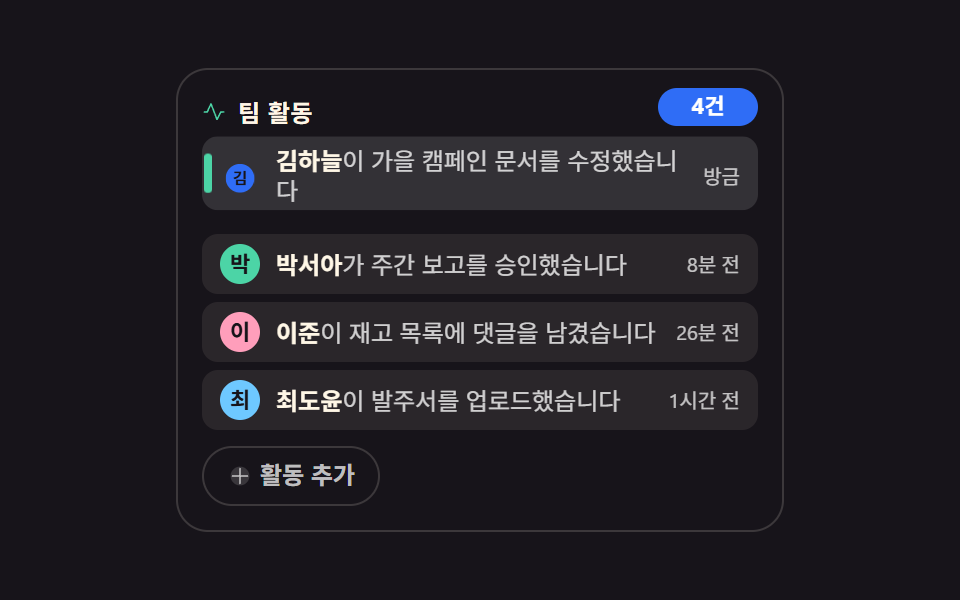 埋め込み通知 ui 9選 — サイドバーに置ける活動フィードウィジェット
 埋め込み【コピペOK】シェアボタン デザイン 9選 — 埋め込みウィジェット
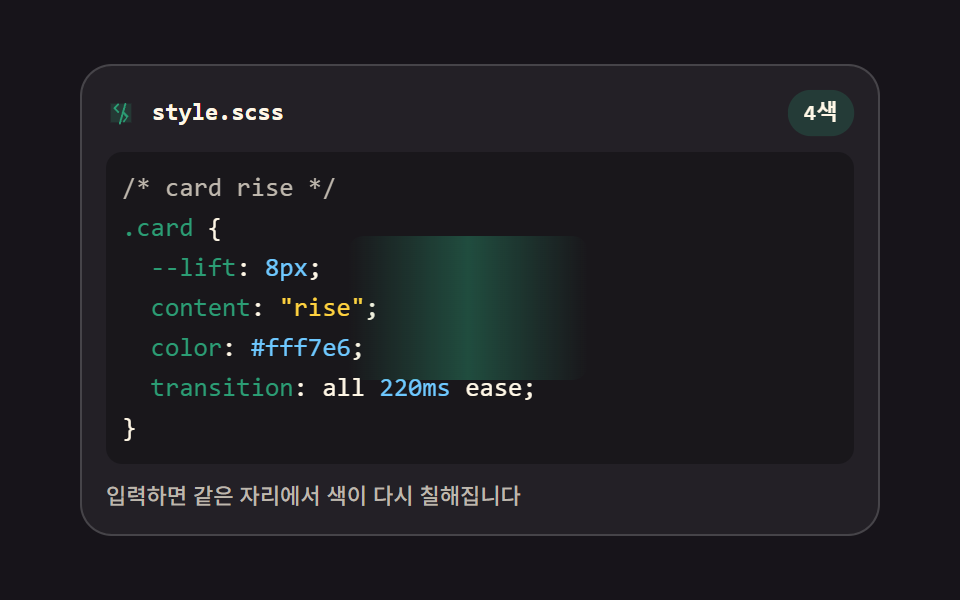 埋め込みhtml css エディタ UI 9選 — コードエディタ 作り方の基本
 埋め込みコードブロック UI 9選 — ハイライターなしで作るコード窓
 埋め込みターミナル風 UI 9選 — コピペで動くCLIパーツ
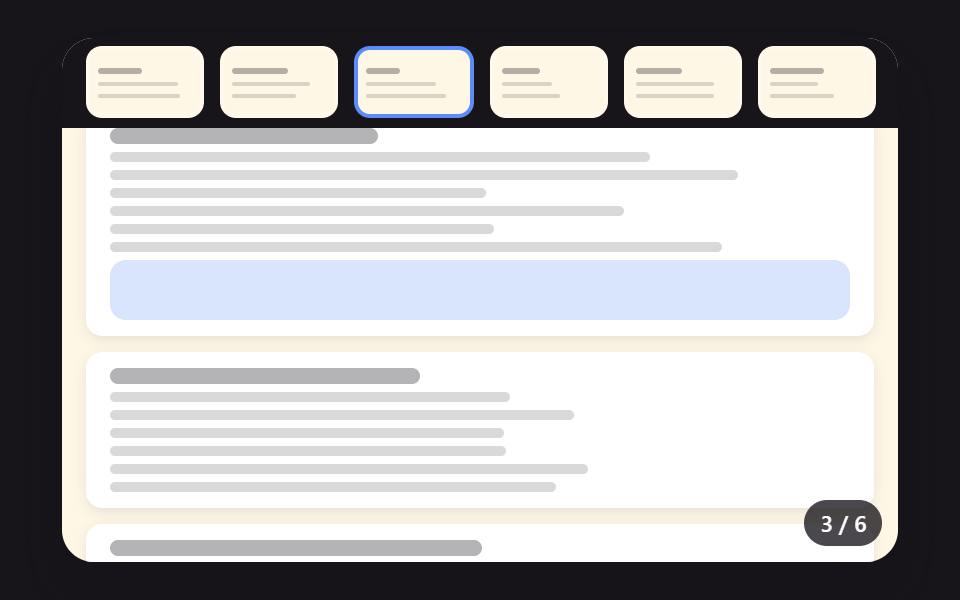 埋め込みpdf 表示 js 実装 9パターン — スクロールでページを計算するビューア
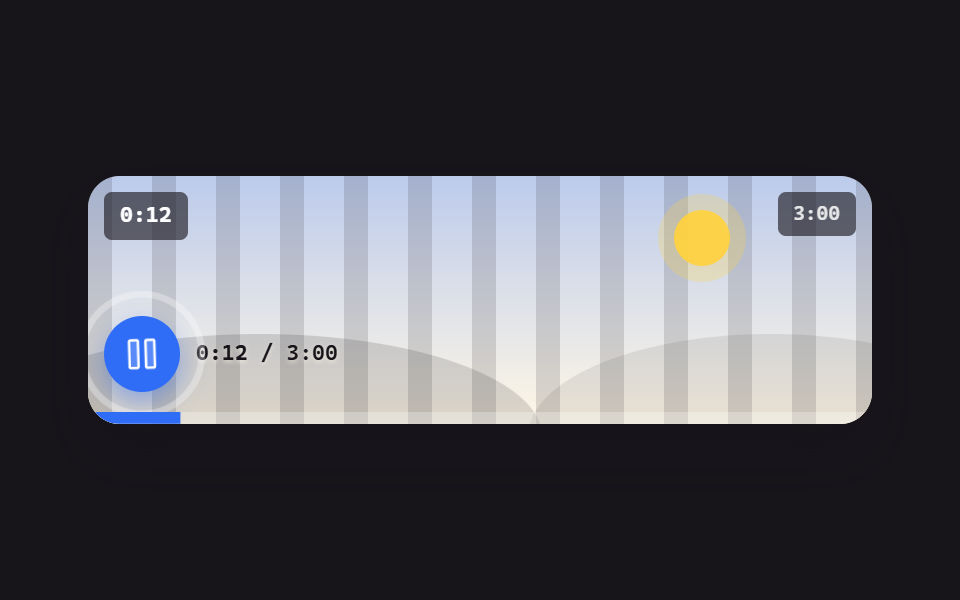 埋め込みvideo player css で組む カスタム動画プレーヤー 9選 — 動画ファイルなしで動く
 ダッシュボードUIティッカー ui で作るリアルタイム株価表示9種 — APIキー不要
 埋め込みyoutube 埋め込みコード UI 9選 — SNSカードもコピペOK
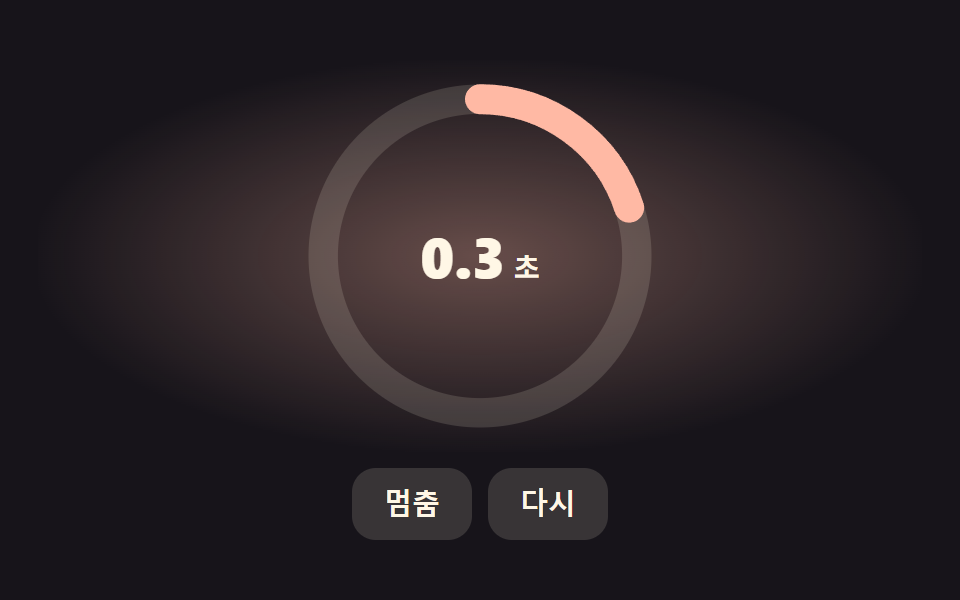 ダッシュボードUIcss countdown timer 9パターン — 残り時間がリング・砂・導火線で減るタイマー