css ジェネレーター 9種 — スライダーで作る css 影のつけ方
css ジェネレーター とは、CSS の値を画面の上でつまんで決める道具のことです — スライダーを動かすとコードが変わります。影・グラデーション・角丸・タイミングを目で合わせ、下のコード欄からそのまま貼って使えます。9つを自作し、グリッドで今動いています。
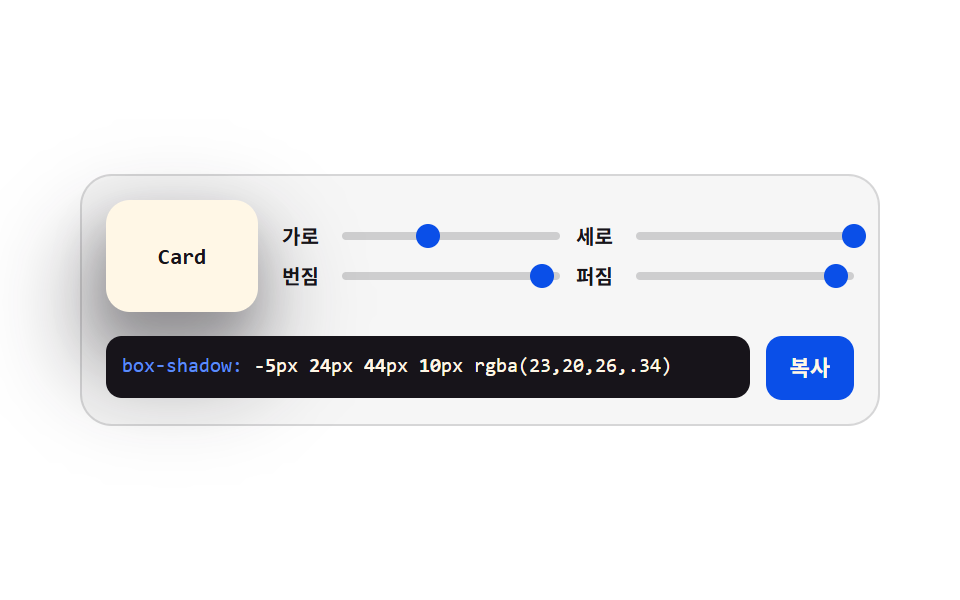 01 gen-box-shadow-stack
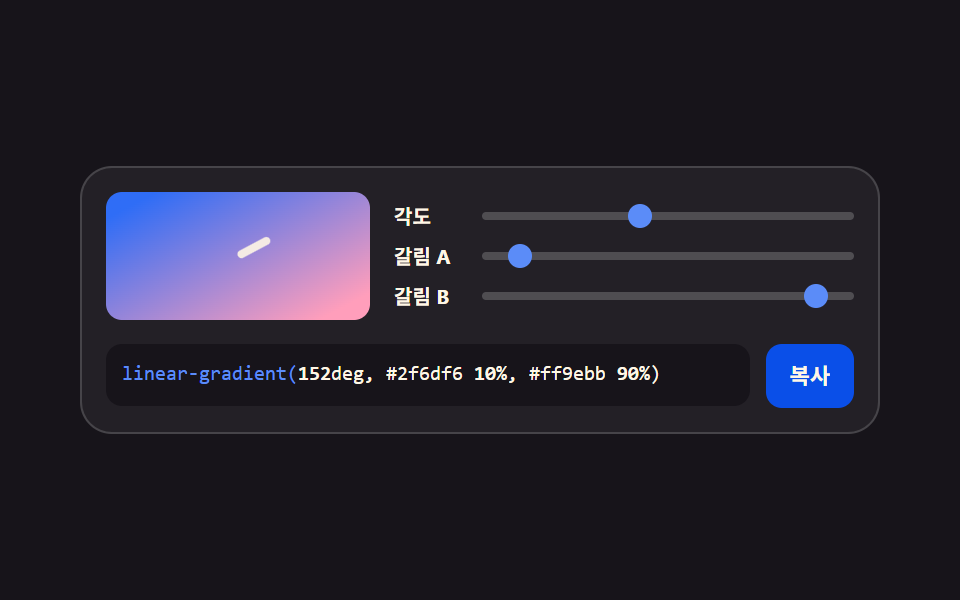 02 gen-gradient-angle-stops
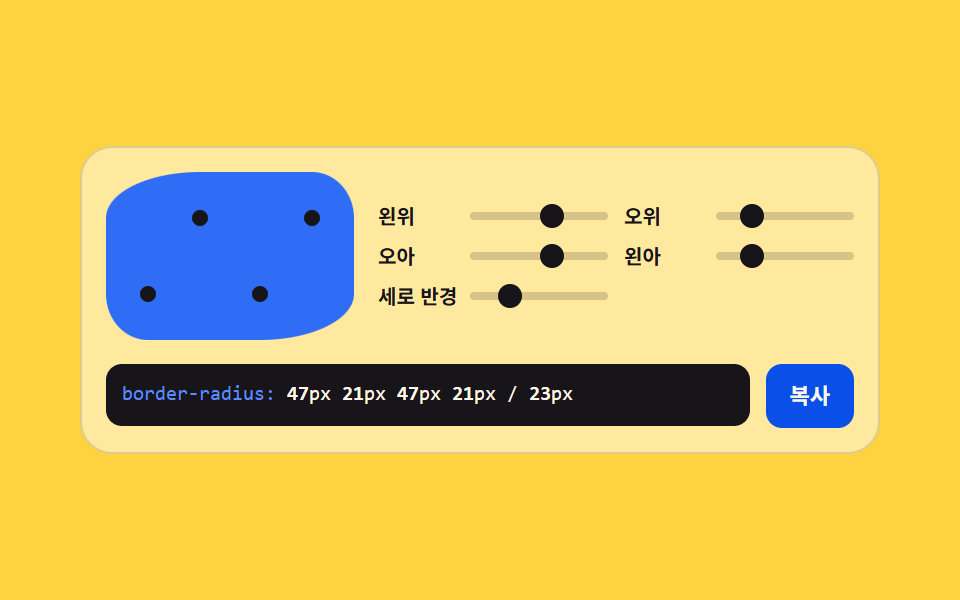 03 gen-border-radius-8handles
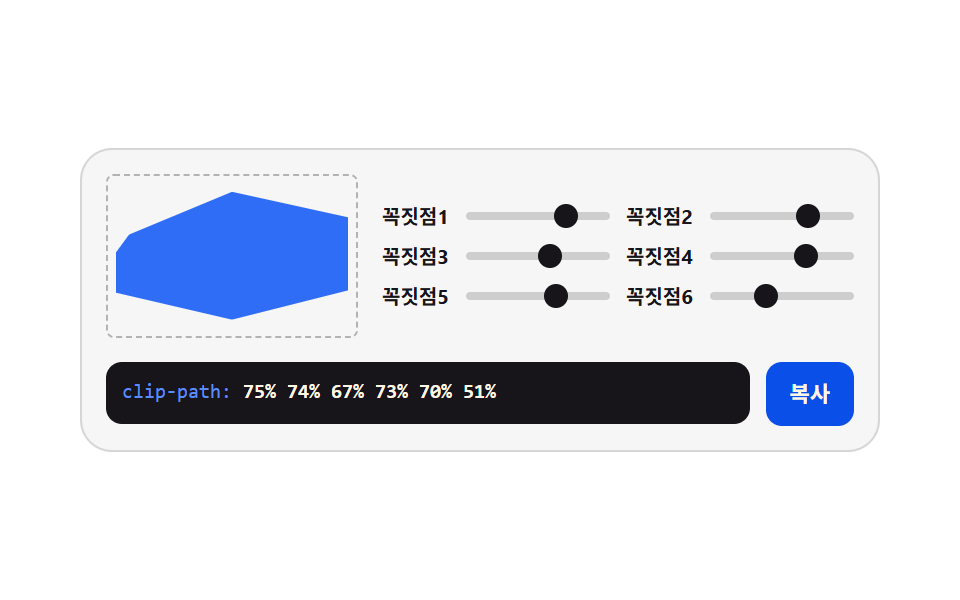 04 gen-clip-path-polygon
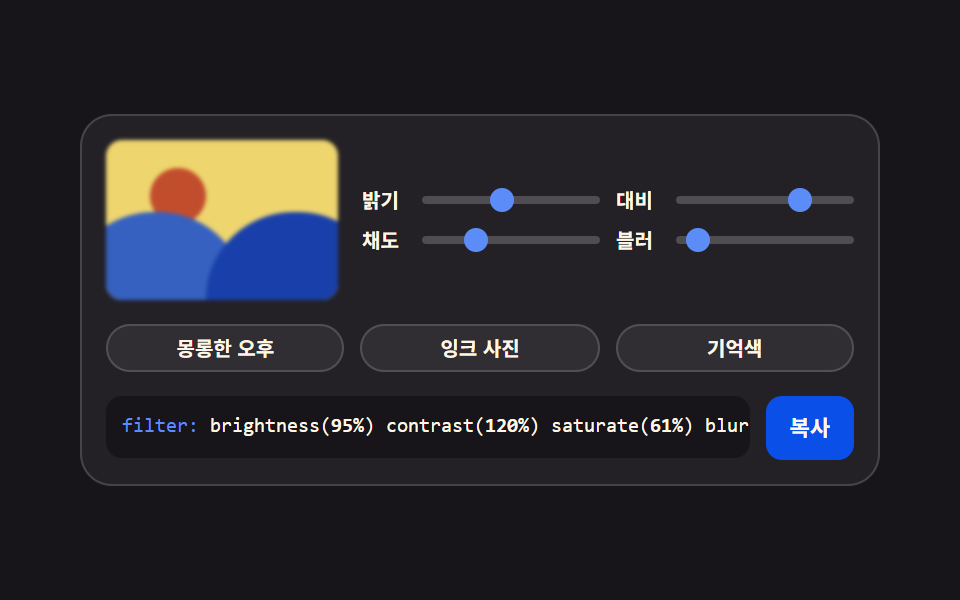 05 gen-filter-chain-presets
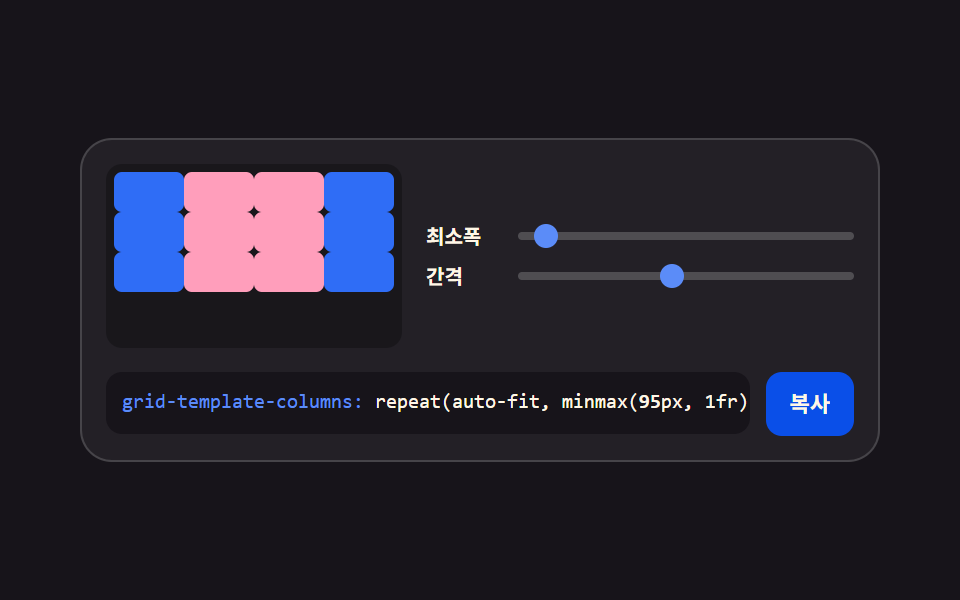 06 gen-grid-columns-gap
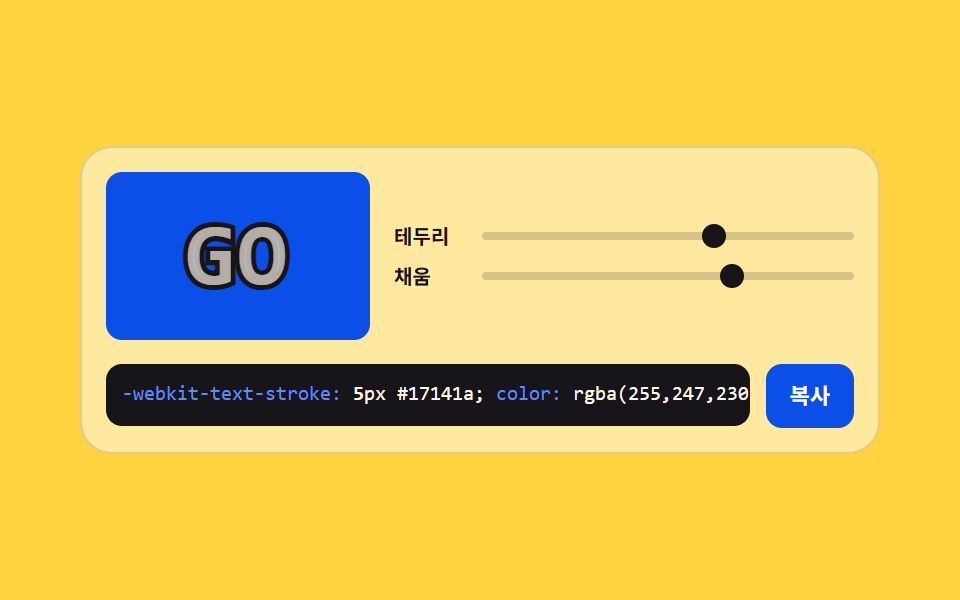 07 gen-text-stroke-outline
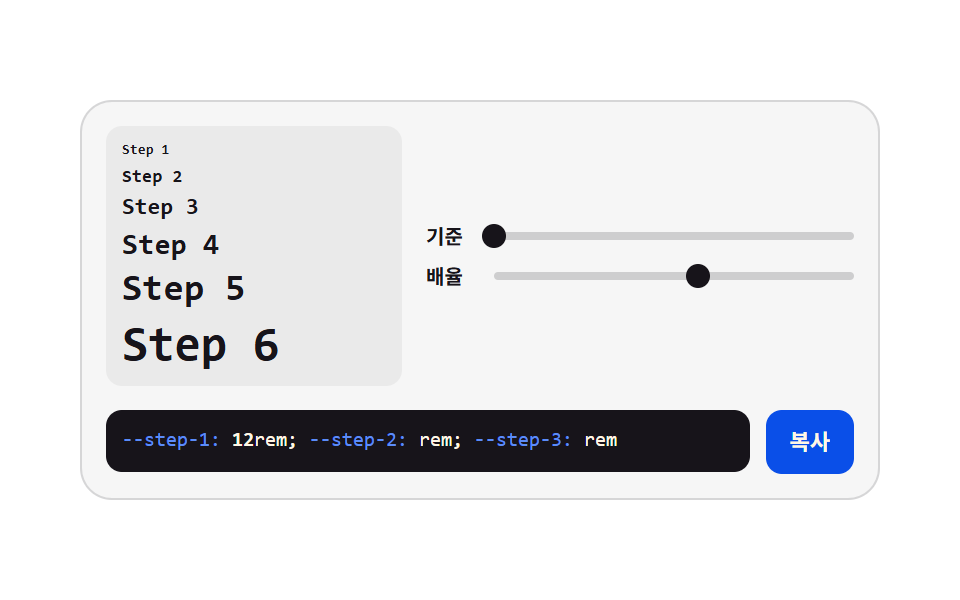 08 gen-type-scale-ratio
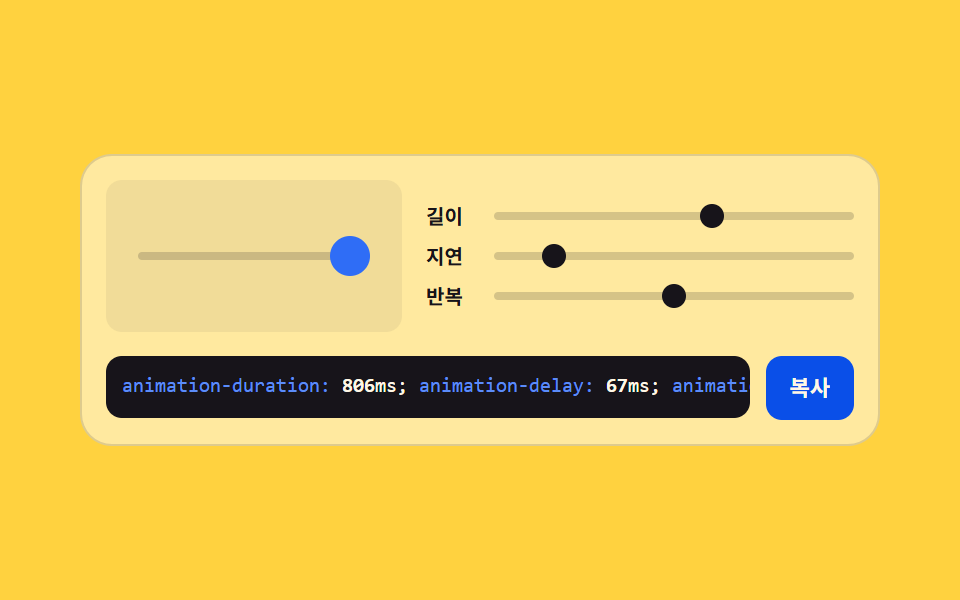 09 gen-animation-timing-preview
自動再生 · タイルを押すとその項目へ · すべて1つのzip
- 01 影の重ね積み
- 02 角度と停止点のグラデーション
- 03 八つのつまみの角丸
- 04 多角形の頂点クリップ
- 05 フィルターチェーンのプリセット
- 06 グリッドの列と間隔
- 07 文字の縁取りの太さ
- 08 タイポ倍率のはしご
- 09 タイミング値のプレビュー
並びは画面を組み立てていく順です。まずカードを浮かせる影を敷き(01)、背景に色の流れを置き(02)、角をやわらかく整え(03)、写真を形に切り抜き(04)、トーンを揃え(05)、枠を列に割り(06)、文字に縁を付け(07)、文字サイズの段を決め(08)、最後に動きの速さを合わせます(09)。9つとも値はカスタムプロパティの一か所に留まり、プレビューとつまみとコード欄が同じ値を読む点が骨格です。同じ creative 柱では、種から模様を生やすcss 背景 パターン ジェネレーター 自作9種と、手で物理を操る物理シミュレーション 作り方 9選が隣に並んでいます。
01影の重ね積み
横・縦・ぼかし・広がりの四軸をスライダーで持ち、同じ影を二枚重ねて深さを作る、カードとボタンの影の段階を決めるための道具です。
<main class="stage">
<div class="gen is-demo" id="gen">
  <div class="gen__top">
    <div class="gen__preview" aria-hidden="true"><span class="gen__chip">Card</span></div>
    <div class="gen__grid">
      <label class="gen__row">
        <span class="gen__lab">横</span>
        <span class="gen__slot">
          <input class="gen__rng" type="range" min="-24" max="24" step="2" value="0" data-var="--shadow-x" aria-label="横方向の距離">
          <span class="gen__thumb" aria-hidden="true"></span>
        </span>
      </label>
      <label class="gen__row">
        <span class="gen__lab">縦</span>
        <span class="gen__slot">
          <input class="gen__rng" type="range" min="-24" max="24" step="2" value="10" data-var="--shadow-y" aria-label="縦方向の距離">
          <span class="gen__thumb" aria-hidden="true"></span>
        </span>
      </label>
      <label class="gen__row">
        <span class="gen__lab">ぼかし</span>
        <span class="gen__slot">
          <input class="gen__rng" type="range" min="0" max="48" step="2" value="20" data-var="--shadow-blur" aria-label="ぼかし量">
          <span class="gen__thumb" aria-hidden="true"></span>
        </span>
      </label>
      <label class="gen__row">
        <span class="gen__lab">広がり</span>
        <span class="gen__slot">
          <input class="gen__rng" type="range" min="-12" max="12" step="2" value="-4" data-var="--shadow-spread" aria-label="広がり量">
          <span class="gen__thumb" aria-hidden="true"></span>
        </span>
      </label>
    </div>
  </div>
  <div class="gen__out">
    <code class="gen__code"><span class="gen__prop">box-shadow:</span> <span class="gen__v gen__v--x"></span>px <span class="gen__v gen__v--y"></span>px <span class="gen__v gen__v--blur"></span>px <span class="gen__v gen__v--spread"></span>px rgba(23,20,26,.34)</code>
    <button class="gen__copy" type="button" id="copy">コピー</button>
  </div>
</div>
</main>@use "../../../../site/static/demo-tokens" as *;
// 그림자 겹쳐 쌓기 — 네 축을 사용자 지정 속성 네 개에 모으고, 미리보기 카드와 코드 상자가
// **같은 속성**을 읽는다. 슬라이더를 끌면 JS 가 속성을 갱신하고, 격자 미리보기(.is-demo)는
// 같은 속성을 CSS 키프레임으로 움직인다 — 그래서 손으로 만질 때와 자동 재생이 같은 그림이다.
// 네이티브 thumb 은 투명으로 두고 손잡이는 `.gen__thumb` 이 그린다. 값이 속성 하나라
// 자동 재생에서도 손잡이가 같이 움직인다 (input 의 value 는 CSS 로 못 움직인다).
$duration: $dur-loop;
$easing: $ease-spring;
$color: $subject-blue-deep;
$mono: ui-monospace, SFMono-Regular, "SF Mono", Consolas, "Liberation Mono", monospace;
$line: rgba(23, 20, 26, .14);
$track: rgba(23, 20, 26, .18);
$rail: 4px;
$thumb: 12px;
// 네 축을 정수로 등록한다. 등록해야 키프레임에서 보간되고 counter() 로도 읽힌다
@property --shadow-x { syntax: "<integer>"; inherits: true; initial-value: 0; }
@property --shadow-y { syntax: "<integer>"; inherits: true; initial-value: 10; }
@property --shadow-blur { syntax: "<integer>"; inherits: true; initial-value: 20; }
@property --shadow-spread { syntax: "<integer>"; inherits: true; initial-value: -4; }
@include stage($stage-paper);
.gen {
min-width: 0; // stage grid item 의 자동 최소폭(min-content) 을 끊는다 — BD9
--shadow-x: 0;
--shadow-y: 10;
--shadow-blur: 20;
--shadow-spread: -4;
display: flex; flex-direction: column; gap: $sp-3;
box-sizing: border-box; width: min(100%, 400px);
padding: $sp-3; border: 1px solid $line; border-radius: $r-card;
background: rgba(23, 20, 26, .04);
}
.gen__top { display: flex; align-items: center; gap: $sp-3; }
// ── 미리보기 — 네 속성을 그대로 box-shadow 로 읽는다
.gen__preview {
flex: 0 0 auto;
display: grid; place-items: center;
box-sizing: border-box; width: 76px; height: 56px;
border-radius: $r-control;
background: $subject-cream;
box-shadow:
calc(var(--shadow-x) * 1px) calc(var(--shadow-y) * 1px) calc(var(--shadow-blur) * 1px) calc(var(--shadow-spread) * 1px) rgba(23, 20, 26, .34),
calc(var(--shadow-x) * .5px) calc(var(--shadow-y) * .5px) calc(var(--shadow-blur) * .5px) 0 rgba(23, 20, 26, .22);
}
.gen__chip {
color: $subject-ink;
font-family: $mono; font-weight: 700; font-size: 11px; line-height: 1.4;
}
// ── 슬라이더 네 줄 (2열)
.gen__grid { flex: 1 1 auto; min-width: 0; display: grid; grid-template-columns: repeat(2, minmax(0, 1fr)); gap: $sp-1 $sp-2; }
.gen__row { display: flex; align-items: center; gap: $sp-1; cursor: pointer; }
.gen__lab {
flex: 0 0 auto; width: 26px;
color: $subject-ink;
font-weight: 700; font-size: 10px; line-height: 1.4;
}
.gen__slot {
position: relative; flex: 1 1 auto; min-width: 0;
display: grid; align-items: center; height: 16px;
}
.gen__slot::before {
content: ""; grid-area: 1 / 1;
height: $rail; border-radius: $r-pill; background: $track;
}
.gen__rng {
grid-area: 1 / 1; appearance: none; -webkit-appearance: none;
width: 100%; min-width: 0; height: 16px; margin: 0; background: transparent;
cursor: pointer;
}
.gen__rng::-webkit-slider-thumb {
-webkit-appearance: none; appearance: none;
width: $thumb; height: $thumb; border: 0; border-radius: 50%;
background: transparent;
}
.gen__rng::-moz-range-thumb {
width: $thumb; height: $thumb; border: 0; border-radius: 50%;
background: transparent;
}
.gen__rng:focus-visible { outline: 2px solid $color; outline-offset: 2px; border-radius: $r-pill; }
// 손잡이 — 값(사용자 지정 속성)에서 위치를 계산한다. 축마다 최소·최대가 달라 --pct 를 줄마다 준다
.gen__thumb {
position: absolute; top: 50%; left: calc(var(--pct) * 1%);
width: $thumb; height: $thumb; margin-top: -($thumb * .5); margin-left: -($thumb * .5);
border-radius: 50%; background: $color;
pointer-events: none;
}
.gen__row:nth-child(1) .gen__thumb { --pct: calc((var(--shadow-x) + 24) / 48 * 100); }
.gen__row:nth-child(2) .gen__thumb { --pct: calc((var(--shadow-y) + 24) / 48 * 100); }
.gen__row:nth-child(3) .gen__thumb { --pct: calc(var(--shadow-blur) / 48 * 100); }
.gen__row:nth-child(4) .gen__thumb { --pct: calc((var(--shadow-spread) + 12) / 24 * 100); }
// ── 코드 출력
.gen__out { display: flex; align-items: flex-start; gap: $sp-2; }
.gen__code {
flex: 1 1 auto; min-width: 0;
padding: $sp-2; border-radius: $r-sm;
background: $subject-ink; color: $subject-cream;
font-family: $mono; font-weight: 500; font-size: 10px; line-height: 1.5;
white-space: nowrap; overflow: hidden;
}
.gen__prop { color: $subject-blue-light; }
// 코드 숫자는 counter() 로 그린다 — 속성이 곧 글자라 자동 재생에서도 숫자가 같이 바뀐다.
// textContent 로 쓰면 JS 가 도는 순간에만 바뀌어 미리보기 루프와 코드가 갈라진다
.gen__v { font-weight: 700; }
.gen__v--x::after { counter-reset: v var(--shadow-x); content: counter(v); }
.gen__v--y::after { counter-reset: v var(--shadow-y); content: counter(v); }
.gen__v--blur::after { counter-reset: v var(--shadow-blur); content: counter(v); }
.gen__v--spread::after { counter-reset: v var(--shadow-spread); content: counter(v); }
.gen__copy {
flex: 0 0 auto;
padding: $sp-2 $sp-3; border: 0; border-radius: $r-sm;
background: $subject-blue-deep; color: $subject-cream;
font-family: inherit; font-weight: 700; font-size: 11px; line-height: 1.4;
cursor: pointer;
}
.gen__copy:focus-visible { outline: 2px solid $color; outline-offset: 2px; }
// ── 격자 미리보기 — 네 속성을 그대로 움직인다. 미리보기·손잡이·코드 숫자가 한 소스에서 나온다
@keyframes shadowX { 0%, 100% { --shadow-x: 0; } 30% { --shadow-x: -18; } 65% { --shadow-x: 16; } }
@keyframes shadowY { 0%, 100% { --shadow-y: 10; } 40% { --shadow-y: 24; } 80% { --shadow-y: 2; } }
@keyframes shadowBlur { 0%, 100% { --shadow-blur: 20; } 45% { --shadow-blur: 44; } 85% { --shadow-blur: 6; } }
@keyframes shadowSpread { 0%, 100% { --shadow-spread: -4; } 50% { --shadow-spread: 10; } }
.gen.is-demo {
animation-name: shadowX, shadowY, shadowBlur, shadowSpread;
animation-duration: $duration;
animation-timing-function: $easing;
animation-iteration-count: infinite;
}
@media (prefers-reduced-motion: reduce) {
.gen.is-demo { animation: none !important; }
}
@media (max-width: 340px) {
.gen { gap: $sp-2; padding: $sp-2; }
.gen__top { gap: $sp-2; }
.gen__preview { width: 64px; height: 48px; }
.gen__code { font-size: 9px; }
}@property --shadow-x {
syntax: "<integer>";
inherits: true;
initial-value: 0;
}
@property --shadow-y {
syntax: "<integer>";
inherits: true;
initial-value: 10;
}
@property --shadow-blur {
syntax: "<integer>";
inherits: true;
initial-value: 20;
}
@property --shadow-spread {
syntax: "<integer>";
inherits: true;
initial-value: -4;
}
html, body {
margin: 0;
overflow: hidden;
}
.stage {
box-sizing: border-box;
min-height: 100vh;
display: grid;
place-items: center;
margin: 0;
background: #ffffff;
font-family: -apple-system, "Segoe UI", "Noto Sans KR", sans-serif;
padding: clamp(8px, 4vw, 24px);
}
.gen {
min-width: 0;
--shadow-x: 0;
--shadow-y: 10;
--shadow-blur: 20;
--shadow-spread: -4;
display: flex;
flex-direction: column;
gap: 12px;
box-sizing: border-box;
width: min(100%, 400px);
padding: 12px;
border: 1px solid rgba(23, 20, 26, 0.14);
border-radius: 16px;
background: rgba(23, 20, 26, 0.04);
}
.gen__top {
display: flex;
align-items: center;
gap: 12px;
}
.gen__preview {
flex: 0 0 auto;
display: grid;
place-items: center;
box-sizing: border-box;
width: 76px;
height: 56px;
border-radius: 12px;
background: #fff7e6;
box-shadow: calc(var(--shadow-x) * 1px) calc(var(--shadow-y) * 1px) calc(var(--shadow-blur) * 1px) calc(var(--shadow-spread) * 1px) rgba(23, 20, 26, 0.34), calc(var(--shadow-x) * 0.5px) calc(var(--shadow-y) * 0.5px) calc(var(--shadow-blur) * 0.5px) 0 rgba(23, 20, 26, 0.22);
}
.gen__chip {
color: #17141a;
font-family: ui-monospace, SFMono-Regular, "SF Mono", Consolas, "Liberation Mono", monospace;
font-weight: 700;
font-size: 11px;
line-height: 1.4;
}
.gen__grid {
flex: 1 1 auto;
min-width: 0;
display: grid;
grid-template-columns: repeat(2, minmax(0, 1fr));
gap: 4px 8px;
}
.gen__row {
display: flex;
align-items: center;
gap: 4px;
cursor: pointer;
}
.gen__lab {
flex: 0 0 auto;
width: 26px;
color: #17141a;
font-weight: 700;
font-size: 10px;
line-height: 1.4;
}
.gen__slot {
position: relative;
flex: 1 1 auto;
min-width: 0;
display: grid;
align-items: center;
height: 16px;
}
.gen__slot::before {
content: "";
grid-area: 1/1;
height: 4px;
border-radius: 999px;
background: rgba(23, 20, 26, 0.18);
}
.gen__rng {
grid-area: 1/1;
appearance: none;
-webkit-appearance: none;
width: 100%;
min-width: 0;
height: 16px;
margin: 0;
background: transparent;
cursor: pointer;
}
.gen__rng::-webkit-slider-thumb {
-webkit-appearance: none;
appearance: none;
width: 12px;
height: 12px;
border: 0;
border-radius: 50%;
background: transparent;
}
.gen__rng::-moz-range-thumb {
width: 12px;
height: 12px;
border: 0;
border-radius: 50%;
background: transparent;
}
.gen__rng:focus-visible {
outline: 2px solid #0a4fe8;
outline-offset: 2px;
border-radius: 999px;
}
.gen__thumb {
position: absolute;
top: 50%;
left: calc(var(--pct) * 1%);
width: 12px;
height: 12px;
margin-top: -6px;
margin-left: -6px;
border-radius: 50%;
background: #0a4fe8;
pointer-events: none;
}
.gen__row:nth-child(1) .gen__thumb {
--pct: calc((var(--shadow-x) + 24) / 48 * 100);
}
.gen__row:nth-child(2) .gen__thumb {
--pct: calc((var(--shadow-y) + 24) / 48 * 100);
}
.gen__row:nth-child(3) .gen__thumb {
--pct: calc(var(--shadow-blur) / 48 * 100);
}
.gen__row:nth-child(4) .gen__thumb {
--pct: calc((var(--shadow-spread) + 12) / 24 * 100);
}
.gen__out {
display: flex;
align-items: flex-start;
gap: 8px;
}
.gen__code {
flex: 1 1 auto;
min-width: 0;
padding: 8px;
border-radius: 8px;
background: #17141a;
color: #fff7e6;
font-family: ui-monospace, SFMono-Regular, "SF Mono", Consolas, "Liberation Mono", monospace;
font-weight: 500;
font-size: 10px;
line-height: 1.5;
white-space: nowrap;
overflow: hidden;
}
.gen__prop {
color: #5b8cf8;
}
.gen__v {
font-weight: 700;
}
.gen__v--x::after {
counter-reset: v var(--shadow-x);
content: counter(v);
}
.gen__v--y::after {
counter-reset: v var(--shadow-y);
content: counter(v);
}
.gen__v--blur::after {
counter-reset: v var(--shadow-blur);
content: counter(v);
}
.gen__v--spread::after {
counter-reset: v var(--shadow-spread);
content: counter(v);
}
.gen__copy {
flex: 0 0 auto;
padding: 8px 12px;
border: 0;
border-radius: 8px;
background: #0a4fe8;
color: #fff7e6;
font-family: inherit;
font-weight: 700;
font-size: 11px;
line-height: 1.4;
cursor: pointer;
}
.gen__copy:focus-visible {
outline: 2px solid #0a4fe8;
outline-offset: 2px;
}
@keyframes shadowX {
0%, 100% {
--shadow-x: 0;
}
30% {
--shadow-x: -18;
}
65% {
--shadow-x: 16;
}
}
@keyframes shadowY {
0%, 100% {
--shadow-y: 10;
}
40% {
--shadow-y: 24;
}
80% {
--shadow-y: 2;
}
}
@keyframes shadowBlur {
0%, 100% {
--shadow-blur: 20;
}
45% {
--shadow-blur: 44;
}
85% {
--shadow-blur: 6;
}
}
@keyframes shadowSpread {
0%, 100% {
--shadow-spread: -4;
}
50% {
--shadow-spread: 10;
}
}
.gen.is-demo {
animation-name: shadowX, shadowY, shadowBlur, shadowSpread;
animation-duration: 2s;
animation-timing-function: cubic-bezier(0.2, 0.8, 0.2, 1);
animation-iteration-count: infinite;
}
@media (prefers-reduced-motion: reduce) {
.gen.is-demo {
animation: none !important;
}
}
@media (max-width: 340px) {
.gen {
gap: 8px;
padding: 8px;
}
.gen__top {
gap: 8px;
}
.gen__preview {
width: 64px;
height: 48px;
}
.gen__code {
font-size: 9px;
}
}var gen = document.getElementById('gen');
var copyBtn = document.getElementById('copy');
var ranges = Array.prototype.slice.call(gen.querySelectorAll('.gen__rng'));
var COPY_LABEL = 'コピー';
var DONE_LABEL = 'コピーしました';
// 슬라이더 값은 전부 gen 요소의 사용자 지정 속성 네 개에 모인다. 미리보기 카드의 box-shadow 도,
// 코드 상자의 숫자(counter() 로 그린다)도, 손잡이 위치도 같은 속성을 읽는다 — 그래서 자동 재생
// 루프가 속성만 움직여도 셋이 함께 바뀐다. JS 는 조작할 때 속성을 넣고 복사용 문자열만 만든다.
function readVar(name) {
return parseInt(getComputedStyle(gen).getPropertyValue(name), 10) || 0;
}
function shadowText() {
var x = readVar('--shadow-x'), y = readVar('--shadow-y');
var blur = readVar('--shadow-blur'), spread = readVar('--shadow-spread');
// 두 겹 중 아래 겹은 절반 거리·절반 번짐으로 깔아 깊이를 만든다
return 'box-shadow: ' + x + 'px ' + y + 'px ' + blur + 'px ' + spread + 'px rgba(23,20,26,.34),\n'
+ ' ' + Math.round(x / 2) + 'px ' + Math.round(y / 2) + 'px ' + Math.round(blur / 2) + 'px 0 rgba(23,20,26,.22);';
}
ranges.forEach(function (input) {
input.addEventListener('input', function () {
gen.classList.remove('is-demo');
gen.style.setProperty(input.dataset.var, input.value);
});
input.addEventListener('pointerdown', function () { gen.classList.remove('is-demo'); });
});
// 클립보드는 iframe·http 환경에서 막힐 수 있다. writeText 는 **거부된 프로미스**를 돌려주므로
// try/catch 로는 못 잡는다 — 반드시 catch 를 달아 선택 방식으로 떨어뜨린다 (조작 실측에서 잡았다)
function fallbackCopy(text) {
var area = document.createElement('textarea');
area.value = text;
area.setAttribute('readonly', '');
area.style.position = 'fixed';
area.style.opacity = '0';
document.body.appendChild(area);
area.select();
try { document.execCommand('copy'); } catch (err) { /* 여기까지 막히면 조용히 포기한다 */ }
document.body.removeChild(area);
}
copyBtn.addEventListener('click', function () {
gen.classList.remove('is-demo');
var text = shadowText();
if (navigator.clipboard && navigator.clipboard.writeText) {
navigator.clipboard.writeText(text).catch(function () { fallbackCopy(text); });
} else {
fallbackCopy(text);
}
copyBtn.textContent = DONE_LABEL;
setTimeout(function () { copyBtn.textContent = COPY_LABEL; }, 1200);
});import { useState, useMemo } from 'react';
import styles from './ShadowStack.module.scss';
type Axis = { key: string; cssVar: string; label: string; min: number; max: number };
// ambient 선언에 React 이벤트 제네릭이 없어 로컬 타입으로 받는다 (blog-demo TS7006 항)
type RangeEvt = { target: { value: string } };
// 바닐라 판과 같은 네 축. 값은 사용자 지정 속성으로 내려보내고 미리보기·손잡이·코드가 함께 읽는다
const AXES: Axis[] = [
{ key: 'x', cssVar: '--shadow-x', label: '가로', min: -24, max: 24 },
{ key: 'y', cssVar: '--shadow-y', label: '세로', min: -24, max: 24 },
{ key: 'blur', cssVar: '--shadow-blur', label: '번짐', min: 0, max: 48 },
{ key: 'spread', cssVar: '--shadow-spread', label: '퍼짐', min: -12, max: 12 }
];
export type ShadowStackProps = {
duration?: string;
easing?: string;
color?: string;
};
export default function ShadowStack({ duration = '2s', easing = 'cubic-bezier(.2, .8, .2, 1)', color = '#5b8cf8' }: ShadowStackProps) {
const [values, setValues] = useState<Record<string, number>>({ x: 0, y: 10, blur: 20, spread: -4 });
const [live, setLive] = useState(true);
const codeText = useMemo(() => {
const { x, y, blur, spread } = values;
return `box-shadow: ${x}px ${y}px ${blur}px ${spread}px rgba(23,20,26,.34),\n ${Math.round(x / 2)}px ${Math.round(y / 2)}px ${Math.round(blur / 2)}px 0 rgba(23,20,26,.22);`;
}, [values]);
const style = {
'--dur-loop': duration,
'--ease-spring': easing,
'--accent': color,
'--shadow-x': values.x,
'--shadow-y': values.y,
'--shadow-blur': values.blur,
'--shadow-spread': values.spread
} as Record<string, string | number>;
function copy() {
setLive(false);
try {
navigator.clipboard.writeText(codeText);
} catch (err) {
/* 클립보드가 막힌 환경에서는 조용히 넘어간다 */
}
}
return (
<div className={live ? `${styles.gen} ${styles.isDemo}` : styles.gen} style={style}>
<div className={styles.top}>
<div className={styles.preview} aria-hidden="true"><span className={styles.chip}>Card</span></div>
<div className={styles.grid}>
{AXES.map((axis) => (
<label className={styles.row} key={axis.key}>
<span className={styles.lab}>{axis.label}</span>
<span className={styles.slot}>
<input
className={styles.rng}
type="range"
min={axis.min}
max={axis.max}
step={2}
value={values[axis.key]}
aria-label={axis.label}
onChange={(e: RangeEvt) => {
setLive(false);
setValues((v) => ({ ...v, [axis.key]: Number(e.target.value) }));
}}
/>
<span
className={styles.thumb}
aria-hidden="true"
style={{ left: `${((values[axis.key] - axis.min) / (axis.max - axis.min)) * 100}%` }}
/>
</span>
</label>
))}
</div>
</div>
<div className={styles.out}>
<code className={styles.code}>
<span className={styles.prop}>box-shadow:</span> {values.x}px {values.y}px {values.blur}px {values.spread}px rgba(23,20,26,.34)
</code>
<button className={styles.copy} type="button" onClick={copy}>복사</button>
</div>
</div>
);
}01 · 影の重ね積み — 計測 累積面積 10.931% · 動いたフレーム 23/23GODRICH オリジナル · SCSS と React は zip に同梱 · パスワードを見る
四つの値がひとつの場所に留まる仕組み
// 四軸を整数として登録します。登録するとキーフレームで補間され、counter() でも読めます
@property --shadow-x { syntax: "<integer>"; inherits: true; initial-value: 0; }
@property --shadow-y { syntax: "<integer>"; inherits: true; initial-value: 10; }
@property --shadow-blur { syntax: "<integer>"; inherits: true; initial-value: 20; }
@property --shadow-spread { syntax: "<integer>"; inherits: true; initial-value: -4; }

// コード欄の数字も同じプロパティをカウンターとして読みます — 画面とコードが一つの値を見ます
.gen__v--x::after { counter-reset: v var(--shadow-x); content: counter(v); }
値が登録済みの四つのプロパティにだけ留まるので、プレビューカードの box-shadow とつまみの位置とコード欄の数字が全部同じ場所を見ており、グリッドのプレビューはこのプロパティをそのままキーフレームで動かして累積面積 10.93%・強度 110.3・動いたフレーム 23/23 が測定されました。
二枚重ねで深さを作る書き方
box-shadow:
  calc(var(--shadow-x) * 1px) calc(var(--shadow-y) * 1px) calc(var(--shadow-blur) * 1px) calc(var(--shadow-spread) * 1px) rgba(23, 20, 26, .34),
  calc(var(--shadow-x) * .5px) calc(var(--shadow-y) * .5px) calc(var(--shadow-blur) * .5px) 0 rgba(23, 20, 26, .22);
下の一枚は距離とぼかしを半分にした同じ影なので、一枚のときより値を大きくしても輪郭がにじまず、デザインシステムの影の段階を決めるときの基準に置けます。
02角度と停止点のグラデーション
角度スライダーが linear-gradient の方向を回転させ、停止点スライダー二つが色の境目の位置を動かす、ヒーロー背景やボタンの塗りに使う css グラデーション ジェネレーター です。
<main class="stage">
<div class="gen is-demo" id="gen">
  <div class="gen__top">
    <div class="gen__preview" aria-hidden="true"><span class="gen__angle-mark"></span></div>
    <div class="gen__grid">
      <label class="gen__row">
        <span class="gen__lab">角度</span>
        <span class="gen__slot">
          <input class="gen__rng" type="range" min="0" max="360" step="5" value="45" data-var="--grad-angle" aria-label="グラデーションの角度">
          <span class="gen__thumb" aria-hidden="true"></span>
        </span>
      </label>
      <label class="gen__row">
        <span class="gen__lab">停止点 A</span>
        <span class="gen__slot">
          <input class="gen__rng" type="range" min="0" max="100" step="5" value="30" data-var="--grad-stop-a" aria-label="一色目の停止位置">
          <span class="gen__thumb" aria-hidden="true"></span>
        </span>
      </label>
      <label class="gen__row">
        <span class="gen__lab">停止点 B</span>
        <span class="gen__slot">
          <input class="gen__rng" type="range" min="0" max="100" step="5" value="75" data-var="--grad-stop-b" aria-label="二色目の停止位置">
          <span class="gen__thumb" aria-hidden="true"></span>
        </span>
      </label>
    </div>
  </div>
  <div class="gen__out">
    <code class="gen__code"><span class="gen__prop">linear-gradient(</span><span class="gen__v gen__v--angle"></span>deg, #2f6df6 <span class="gen__v gen__v--a"></span>%, #ff9ebb <span class="gen__v gen__v--b"></span>%)</code>
    <button class="gen__copy" type="button" id="copy">コピー</button>
  </div>
</div>
</main>@use "../../../../site/static/demo-tokens" as *;
// 각도와 정지점 그라디언트 — 각도·갈림 두 지점을 사용자 지정 속성 셋에 모은다.
// 미리보기·손잡이·코드 숫자 전부 같은 속성을 읽는다(01 과 같은 체계).
// 각도 눈금 마크가 미리보기 모서리를 따라 돈다 — 값이 방향이라는 걸 눈으로 보여 준다.
$duration: $dur-loop;
$easing: $ease-spring;
$color: $subject-blue-light;
$mono: ui-monospace, SFMono-Regular, "SF Mono", Consolas, "Liberation Mono", monospace;
$line: rgba(255, 255, 255, .16);
$track: rgba(255, 255, 255, .2);
$rail: 4px;
$thumb: 12px;
@property --grad-angle { syntax: "<integer>"; inherits: true; initial-value: 45; }
@property --grad-stop-a { syntax: "<integer>"; inherits: true; initial-value: 30; }
@property --grad-stop-b { syntax: "<integer>"; inherits: true; initial-value: 75; }
@include stage($stage-ink);
.gen {
min-width: 0; // stage grid item 의 자동 최소폭(min-content) 을 끊는다 — BD9
--grad-angle: 45;
--grad-stop-a: 30;
--grad-stop-b: 75;
display: flex; flex-direction: column; gap: $sp-3;
box-sizing: border-box; width: min(100%, 400px);
padding: $sp-3; border: 1px solid $line; border-radius: $r-card;
background: rgba(255, 255, 255, .05);
}
.gen__top { display: flex; align-items: center; gap: $sp-3; }
// ── 미리보기 — 각도가 속성 하나로 방향을 돌린다
.gen__preview {
position: relative; flex: 0 0 auto;
box-sizing: border-box; width: 132px; height: 64px;
border-radius: $r-sm; overflow: hidden;
background: linear-gradient(calc(var(--grad-angle) * 1deg), $subject-blue calc(var(--grad-stop-a) * 1%), $subject-pink calc(var(--grad-stop-b) * 1%));
}
// 각도 눈금 — 미리보기 왼쪽 위 모서리에서 회전하는 짧은 막대
.gen__angle-mark {
position: absolute; left: 50%; top: 50%;
width: 18px; height: 4px; margin: -2px 0 0 -18px;
border-radius: $r-pill; background: $subject-cream;
transform-origin: 18px 2px;
transform: rotate(calc(var(--grad-angle) * 1deg));
opacity: .9;
}
.gen__grid { flex: 1 1 auto; min-width: 0; display: grid; grid-template-columns: minmax(0, 1fr); gap: $sp-1; }
.gen__row { display: flex; align-items: center; gap: $sp-1; cursor: pointer; }
.gen__lab {
flex: 0 0 auto; width: 40px;
color: $subject-cream;
font-weight: 700; font-size: 10px; line-height: 1.4;
}
.gen__slot {
position: relative; flex: 1 1 auto; min-width: 0;
display: grid; align-items: center; height: 16px;
}
.gen__slot::before {
content: ""; grid-area: 1 / 1;
height: $rail; border-radius: $r-pill; background: $track;
}
.gen__rng {
grid-area: 1 / 1; appearance: none; -webkit-appearance: none;
width: 100%; min-width: 0; height: 16px; margin: 0; background: transparent;
cursor: pointer;
}
.gen__rng::-webkit-slider-thumb {
-webkit-appearance: none; appearance: none;
width: $thumb; height: $thumb; border: 0; border-radius: 50%;
background: transparent;
}
.gen__rng::-moz-range-thumb {
width: $thumb; height: $thumb; border: 0; border-radius: 50%;
background: transparent;
}
.gen__rng:focus-visible { outline: 2px solid $color; outline-offset: 2px; border-radius: $r-pill; }
.gen__thumb {
position: absolute; top: 50%; left: calc(var(--pct) * 1%);
width: $thumb; height: $thumb; margin-top: -($thumb * .5); margin-left: -($thumb * .5);
border-radius: 50%; background: $color;
pointer-events: none;
}
.gen__row:nth-child(1) .gen__thumb { --pct: calc(var(--grad-angle) / 360 * 100); }
.gen__row:nth-child(2) .gen__thumb { --pct: var(--grad-stop-a); }
.gen__row:nth-child(3) .gen__thumb { --pct: var(--grad-stop-b); }
.gen__out { display: flex; align-items: flex-start; gap: $sp-2; }
.gen__code {
flex: 1 1 auto; min-width: 0;
padding: $sp-2; border-radius: $r-sm;
background: $subject-ink; color: $subject-cream;
font-family: $mono; font-weight: 500; font-size: 10px; line-height: 1.5;
white-space: nowrap; overflow: hidden;
}
.gen__prop { color: $subject-blue-light; }
.gen__v { font-weight: 700; }
.gen__v--angle::after { counter-reset: v var(--grad-angle); content: counter(v); }
.gen__v--a::after { counter-reset: v var(--grad-stop-a); content: counter(v); }
.gen__v--b::after { counter-reset: v var(--grad-stop-b); content: counter(v); }
.gen__copy {
flex: 0 0 auto;
padding: $sp-2 $sp-3; border: 0; border-radius: $r-sm;
background: $subject-blue-deep; color: $subject-cream;
font-family: inherit; font-weight: 700; font-size: 11px; line-height: 1.4;
cursor: pointer;
}
.gen__copy:focus-visible { outline: 2px solid $color; outline-offset: 2px; }
// ── 격자 미리보기
@keyframes gradAngle { 0%, 100% { --grad-angle: 45; } 35% { --grad-angle: 210; } 70% { --grad-angle: 315; } }
@keyframes gradStopA { 0%, 100% { --grad-stop-a: 30; } 40% { --grad-stop-a: 45; } 80% { --grad-stop-a: 10; } }
@keyframes gradStopB { 0%, 100% { --grad-stop-b: 75; } 50% { --grad-stop-b: 55; } 85% { --grad-stop-b: 90; } }
.gen.is-demo {
animation-name: gradAngle, gradStopA, gradStopB;
animation-duration: $duration;
animation-timing-function: $easing;
animation-iteration-count: infinite;
}
@media (prefers-reduced-motion: reduce) {
.gen.is-demo { animation: none !important; }
}
@media (max-width: 340px) {
.gen { gap: $sp-2; padding: $sp-2; }
.gen__top { gap: $sp-2; }
.gen__preview { width: 104px; height: 56px; }
.gen__code { font-size: 9px; }
}@property --grad-angle {
syntax: "<integer>";
inherits: true;
initial-value: 45;
}
@property --grad-stop-a {
syntax: "<integer>";
inherits: true;
initial-value: 30;
}
@property --grad-stop-b {
syntax: "<integer>";
inherits: true;
initial-value: 75;
}
html, body {
margin: 0;
overflow: hidden;
}
.stage {
box-sizing: border-box;
min-height: 100vh;
display: grid;
place-items: center;
margin: 0;
background: #17141a;
font-family: -apple-system, "Segoe UI", "Noto Sans KR", sans-serif;
padding: clamp(8px, 4vw, 24px);
}
.gen {
min-width: 0;
--grad-angle: 45;
--grad-stop-a: 30;
--grad-stop-b: 75;
display: flex;
flex-direction: column;
gap: 12px;
box-sizing: border-box;
width: min(100%, 400px);
padding: 12px;
border: 1px solid rgba(255, 255, 255, 0.16);
border-radius: 16px;
background: rgba(255, 255, 255, 0.05);
}
.gen__top {
display: flex;
align-items: center;
gap: 12px;
}
.gen__preview {
position: relative;
flex: 0 0 auto;
box-sizing: border-box;
width: 132px;
height: 64px;
border-radius: 8px;
overflow: hidden;
background: linear-gradient(calc(var(--grad-angle) * 1deg), #2f6df6 calc(var(--grad-stop-a) * 1%), #ff9ebb calc(var(--grad-stop-b) * 1%));
}
.gen__angle-mark {
position: absolute;
left: 50%;
top: 50%;
width: 18px;
height: 4px;
margin: -2px 0 0 -18px;
border-radius: 999px;
background: #fff7e6;
transform-origin: 18px 2px;
transform: rotate(calc(var(--grad-angle) * 1deg));
opacity: 0.9;
}
.gen__grid {
flex: 1 1 auto;
min-width: 0;
display: grid;
grid-template-columns: minmax(0, 1fr);
gap: 4px;
}
.gen__row {
display: flex;
align-items: center;
gap: 4px;
cursor: pointer;
}
.gen__lab {
flex: 0 0 auto;
width: 40px;
color: #fff7e6;
font-weight: 700;
font-size: 10px;
line-height: 1.4;
}
.gen__slot {
position: relative;
flex: 1 1 auto;
min-width: 0;
display: grid;
align-items: center;
height: 16px;
}
.gen__slot::before {
content: "";
grid-area: 1/1;
height: 4px;
border-radius: 999px;
background: rgba(255, 255, 255, 0.2);
}
.gen__rng {
grid-area: 1/1;
appearance: none;
-webkit-appearance: none;
width: 100%;
min-width: 0;
height: 16px;
margin: 0;
background: transparent;
cursor: pointer;
}
.gen__rng::-webkit-slider-thumb {
-webkit-appearance: none;
appearance: none;
width: 12px;
height: 12px;
border: 0;
border-radius: 50%;
background: transparent;
}
.gen__rng::-moz-range-thumb {
width: 12px;
height: 12px;
border: 0;
border-radius: 50%;
background: transparent;
}
.gen__rng:focus-visible {
outline: 2px solid #5b8cf8;
outline-offset: 2px;
border-radius: 999px;
}
.gen__thumb {
position: absolute;
top: 50%;
left: calc(var(--pct) * 1%);
width: 12px;
height: 12px;
margin-top: -6px;
margin-left: -6px;
border-radius: 50%;
background: #5b8cf8;
pointer-events: none;
}
.gen__row:nth-child(1) .gen__thumb {
--pct: calc(var(--grad-angle) / 360 * 100);
}
.gen__row:nth-child(2) .gen__thumb {
--pct: var(--grad-stop-a);
}
.gen__row:nth-child(3) .gen__thumb {
--pct: var(--grad-stop-b);
}
.gen__out {
display: flex;
align-items: flex-start;
gap: 8px;
}
.gen__code {
flex: 1 1 auto;
min-width: 0;
padding: 8px;
border-radius: 8px;
background: #17141a;
color: #fff7e6;
font-family: ui-monospace, SFMono-Regular, "SF Mono", Consolas, "Liberation Mono", monospace;
font-weight: 500;
font-size: 10px;
line-height: 1.5;
white-space: nowrap;
overflow: hidden;
}
.gen__prop {
color: #5b8cf8;
}
.gen__v {
font-weight: 700;
}
.gen__v--angle::after {
counter-reset: v var(--grad-angle);
content: counter(v);
}
.gen__v--a::after {
counter-reset: v var(--grad-stop-a);
content: counter(v);
}
.gen__v--b::after {
counter-reset: v var(--grad-stop-b);
content: counter(v);
}
.gen__copy {
flex: 0 0 auto;
padding: 8px 12px;
border: 0;
border-radius: 8px;
background: #0a4fe8;
color: #fff7e6;
font-family: inherit;
font-weight: 700;
font-size: 11px;
line-height: 1.4;
cursor: pointer;
}
.gen__copy:focus-visible {
outline: 2px solid #5b8cf8;
outline-offset: 2px;
}
@keyframes gradAngle {
0%, 100% {
--grad-angle: 45;
}
35% {
--grad-angle: 210;
}
70% {
--grad-angle: 315;
}
}
@keyframes gradStopA {
0%, 100% {
--grad-stop-a: 30;
}
40% {
--grad-stop-a: 45;
}
80% {
--grad-stop-a: 10;
}
}
@keyframes gradStopB {
0%, 100% {
--grad-stop-b: 75;
}
50% {
--grad-stop-b: 55;
}
85% {
--grad-stop-b: 90;
}
}
.gen.is-demo {
animation-name: gradAngle, gradStopA, gradStopB;
animation-duration: 2s;
animation-timing-function: cubic-bezier(0.2, 0.8, 0.2, 1);
animation-iteration-count: infinite;
}
@media (prefers-reduced-motion: reduce) {
.gen.is-demo {
animation: none !important;
}
}
@media (max-width: 340px) {
.gen {
gap: 8px;
padding: 8px;
}
.gen__top {
gap: 8px;
}
.gen__preview {
width: 104px;
height: 56px;
}
.gen__code {
font-size: 9px;
}
}var gen = document.getElementById('gen');
var copyBtn = document.getElementById('copy');
var ranges = Array.prototype.slice.call(gen.querySelectorAll('.gen__rng'));
var COPY_LABEL = 'コピー';
var DONE_LABEL = 'コピーしました';
// 세 값 모두 gen 의 사용자 지정 속성 — 미리보기·손잡이·코드 숫자가 같은 곳을 읽는다
function readVar(name) {
return parseInt(getComputedStyle(gen).getPropertyValue(name), 10) || 0;
}
function gradientText() {
return 'linear-gradient(' + readVar('--grad-angle') + 'deg, #2f6df6 ' + readVar('--grad-stop-a') + '%, #ff9ebb ' + readVar('--grad-stop-b') + '%);';
}
// 클립보드는 iframe·http 환경에서 막힐 수 있다 — 거부된 프로미스를 반드시 catch 로 받아 선택 방식으로 떨어진다
function fallbackCopy(text) {
var area = document.createElement('textarea');
area.value = text;
area.setAttribute('readonly', '');
area.style.position = 'fixed';
area.style.opacity = '0';
document.body.appendChild(area);
area.select();
try { document.execCommand('copy'); } catch (err) { /* 여기까지 막히면 조용히 포기한다 */ }
document.body.removeChild(area);
}
ranges.forEach(function (input) {
input.addEventListener('input', function () {
gen.classList.remove('is-demo');
gen.style.setProperty(input.dataset.var, input.value);
});
input.addEventListener('pointerdown', function () { gen.classList.remove('is-demo'); });
});
copyBtn.addEventListener('click', function () {
gen.classList.remove('is-demo');
var text = gradientText();
if (navigator.clipboard && navigator.clipboard.writeText) {
navigator.clipboard.writeText(text).catch(function () { fallbackCopy(text); });
} else {
fallbackCopy(text);
}
copyBtn.textContent = DONE_LABEL;
setTimeout(function () { copyBtn.textContent = COPY_LABEL; }, 1200);
});import { useState, useMemo } from 'react';
import styles from './GradientStops.module.scss';
type Axis = { key: string; cssVar: string; label: string; min: number; max: number };
// ambient 선언에 React 이벤트 제네릭이 없어 로컬 타입으로 받는다 (blog-demo TS7006 항)
type RangeEvt = { target: { value: string } };
const AXES: Axis[] = [
{ key: 'angle', cssVar: '--grad-angle', label: '각도', min: 0, max: 360 },
{ key: 'stopA', cssVar: '--grad-stop-a', label: '갈림 A', min: 0, max: 100 },
{ key: 'stopB', cssVar: '--grad-stop-b', label: '갈림 B', min: 0, max: 100 }
];
export type GradientStopsProps = {
duration?: string;
easing?: string;
color?: string;
};
export default function GradientStops({ duration = '2s', easing = 'cubic-bezier(.2, .8, .2, 1)', color = '#5b8cf8' }: GradientStopsProps) {
const [values, setValues] = useState<Record<string, number>>({ angle: 45, stopA: 30, stopB: 75 });
const [live, setLive] = useState(true);
const codeText = useMemo(() => {
return `linear-gradient(${values.angle}deg, #2f6df6 ${values.stopA}%, #ff9ebb ${values.stopB}%);`;
}, [values]);
const style = {
'--dur-loop': duration,
'--ease-spring': easing,
'--accent': color,
'--grad-angle': values.angle,
'--grad-stop-a': values.stopA,
'--grad-stop-b': values.stopB
} as Record<string, string | number>;
function copy() {
setLive(false);
try {
navigator.clipboard.writeText(codeText);
} catch (err) {
/* 클립보드가 막힌 환경에서는 조용히 넘어간다 */
}
}
return (
<div className={live ? `${styles.gen} ${styles.isDemo}` : styles.gen} style={style}>
<div className={styles.top}>
<div className={styles.preview} aria-hidden="true"><span className={styles.angleMark}></span></div>
<div className={styles.grid}>
{AXES.map((axis) => (
<label className={styles.row} key={axis.key}>
<span className={styles.lab}>{axis.label}</span>
<span className={styles.slot}>
<input
className={styles.rng}
type="range"
min={axis.min}
max={axis.max}
step={5}
value={values[axis.key]}
aria-label={axis.label}
onChange={(e: RangeEvt) => {
setLive(false);
setValues((v) => ({ ...v, [axis.key]: Number(e.target.value) }));
}}
/>
<span
className={styles.thumb}
aria-hidden="true"
style={{ left: `${((values[axis.key] - axis.min) / (axis.max - axis.min)) * 100}%` }}
/>
</span>
</label>
))}
</div>
</div>
<div className={styles.out}>
<code className={styles.code}>
<span className={styles.prop}>linear-gradient(</span>{values.angle}deg, #2f6df6 {values.stopA}%, #ff9ebb {values.stopB}%)
</code>
<button className={styles.copy} type="button" onClick={copy}>복사</button>
</div>
</div>
);
}02 · 角度と停止点のグラデーション — 計測 累積面積 8.818% · 動いたフレーム 23/23GODRICH オリジナル · SCSS と React は zip に同梱 · パスワードを見る
角度ひとつが向きを決める
// 角度は整数ひとつ。calc が度の単位を付け、停止点二つが色の境目を押します
.gen__preview {
  background: linear-gradient(
    calc(var(--grad-angle) * 1deg),
    $subject-blue calc(var(--grad-stop-a) * 1%),
    $subject-pink calc(var(--grad-stop-b) * 1%)
  );
}
角度は --grad-angle という整数ひとつで calc が度の単位を付けており、45 度から 210 度を通って 315 度まで回る間の測定は累積面積 8.82%・強度 70.1・動いたフレーム 23/23 で、面全体の色が一度に押し流されるぶん明るさの変化が大きく出ます。
つまみの位置も同じ値から出る
.gen__row:nth-child(1) .gen__thumb { --pct: calc(var(--grad-angle) / 360 * 100); }
.gen__row:nth-child(2) .gen__thumb { --pct: var(--grad-stop-a); }
.gen__row:nth-child(3) .gen__thumb { --pct: var(--grad-stop-b); }
つまみの位置も同じプロパティから計算していて、停止点 A を 0 寄りに、B を 100 寄りに離すと二色が広く混ざるので、css グラデーション おしゃれ に見せたいときは境目を離し、線のような区切りが欲しいときは二点を近づけます。
03八つのつまみの角丸
四隅の横半径と共通の縦半径を別々に持ち、スラッシュ構文で書き出す、やわらかい水滴形を作るための道具です。
<main class="stage">
<div class="gen is-demo" id="gen">
  <div class="gen__top">
    <div class="gen__preview-wrap" aria-hidden="true">
      <div class="gen__preview"></div>
      <span class="gen__dot gen__dot--tl"></span><span class="gen__dot gen__dot--tr"></span>
      <span class="gen__dot gen__dot--br"></span><span class="gen__dot gen__dot--bl"></span>
    </div>
    <div class="gen__grid">
      <label class="gen__row">
        <span class="gen__lab">左上</span>
        <span class="gen__slot">
          <input class="gen__rng" type="range" min="0" max="80" step="4" value="12" data-var="--r-tl" aria-label="左上の角の半径">
          <span class="gen__thumb" aria-hidden="true"></span>
        </span>
      </label>
      <label class="gen__row">
        <span class="gen__lab">右上</span>
        <span class="gen__slot">
          <input class="gen__rng" type="range" min="0" max="80" step="4" value="48" data-var="--r-tr" aria-label="右上の角の半径">
          <span class="gen__thumb" aria-hidden="true"></span>
        </span>
      </label>
      <label class="gen__row">
        <span class="gen__lab">右下</span>
        <span class="gen__slot">
          <input class="gen__rng" type="range" min="0" max="80" step="4" value="12" data-var="--r-br" aria-label="右下の角の半径">
          <span class="gen__thumb" aria-hidden="true"></span>
        </span>
      </label>
      <label class="gen__row">
        <span class="gen__lab">左下</span>
        <span class="gen__slot">
          <input class="gen__rng" type="range" min="0" max="80" step="4" value="48" data-var="--r-bl" aria-label="左下の角の半径">
          <span class="gen__thumb" aria-hidden="true"></span>
        </span>
      </label>
      <label class="gen__row">
        <span class="gen__lab">縦半径</span>
        <span class="gen__slot">
          <input class="gen__rng" type="range" min="0" max="80" step="4" value="28" data-var="--r-vy" aria-label="角の縦半径">
          <span class="gen__thumb" aria-hidden="true"></span>
        </span>
      </label>
    </div>
  </div>
  <div class="gen__out">
    <code class="gen__code"><span class="gen__prop">border-radius:</span> <span class="gen__v gen__v--tl"></span>px <span class="gen__v gen__v--tr"></span>px <span class="gen__v gen__v--br"></span>px <span class="gen__v gen__v--bl"></span>px / <span class="gen__v gen__v--vy"></span>px</code>
    <button class="gen__copy" type="button" id="copy">コピー</button>
  </div>
</div>
</main>@use "../../../../site/static/demo-tokens" as *;
// 여덟 손잡이 모서리 — 네 모서리 가로 반경 + 공통 세로 반경을 사용자 지정 속성에 모은다.
// 슬래시 문법(/ 뒤 세로 반경)이 비대칭 블롭을 만든다. 모서리 점 네 개가 미리보기 위에
// 반경 값을 따라 붙는다 — 어느 모서리가 움직이는지 눈으로 보인다.
$duration: $dur-loop;
$easing: $ease-spring;
$color: $subject-ink;
$mono: ui-monospace, SFMono-Regular, "SF Mono", Consolas, "Liberation Mono", monospace;
$line: rgba(23, 20, 26, .14);
$track: rgba(23, 20, 26, .18);
$rail: 4px;
$thumb: 12px;
@property --r-tl { syntax: "<integer>"; inherits: true; initial-value: 12; }
@property --r-tr { syntax: "<integer>"; inherits: true; initial-value: 48; }
@property --r-br { syntax: "<integer>"; inherits: true; initial-value: 12; }
@property --r-bl { syntax: "<integer>"; inherits: true; initial-value: 48; }
@property --r-vy { syntax: "<integer>"; inherits: true; initial-value: 28; }
@include stage($stage-yellow);
.gen {
min-width: 0; // stage grid item 의 자동 최소폭(min-content) 을 끊는다 — BD9
--r-tl: 12;
--r-tr: 48;
--r-br: 12;
--r-bl: 48;
--r-vy: 28;
display: flex; flex-direction: column; gap: $sp-3;
box-sizing: border-box; width: min(100%, 400px);
padding: $sp-3; border: 1px solid $line; border-radius: $r-card;
background: rgba(255, 255, 255, .5);
}
.gen__top { display: flex; align-items: center; gap: $sp-3; }
// ── 미리보기 — 슬래시 문법 그대로
.gen__preview-wrap { position: relative; flex: 0 0 auto; width: 124px; height: 84px; }
.gen__preview {
box-sizing: border-box; width: 124px; height: 84px;
background: $subject-blue;
// 모서리별 longhand 두 값(가로 세로)은 슬래시 문법과 동치다 — 값이 속성마다 붙어 있어
// 어느 모서리가 움직이는지 읽기도 쉽다
border-top-left-radius: calc(var(--r-tl) * 1px) calc(var(--r-vy) * 1px);
border-top-right-radius: calc(var(--r-tr) * 1px) calc(var(--r-vy) * 1px);
border-bottom-right-radius: calc(var(--r-br) * 1px) calc(var(--r-vy) * 1px);
border-bottom-left-radius: calc(var(--r-bl) * 1px) calc(var(--r-vy) * 1px);
}
// 모서리 점 — 각 모서리 반경만큼 안쪽으로 붙는다
.gen__dot {
position: absolute; width: 8px; height: 8px; margin: -4px;
border-radius: 50%; background: $subject-ink;
}
.gen__dot--tl { left: calc(var(--r-tl) * 1px); top: calc(var(--r-vy) * 1px); }
.gen__dot--tr { right: calc(var(--r-tr) * 1px); top: calc(var(--r-vy) * 1px); }
.gen__dot--br { right: calc(var(--r-br) * 1px); bottom: calc(var(--r-vy) * 1px); }
.gen__dot--bl { left: calc(var(--r-bl) * 1px); bottom: calc(var(--r-vy) * 1px); }
.gen__grid { flex: 1 1 auto; min-width: 0; display: grid; grid-template-columns: repeat(2, minmax(0, 1fr)); gap: $sp-1 $sp-2; }
.gen__row { display: flex; align-items: center; gap: $sp-1; cursor: pointer; }
.gen__lab {
flex: 0 0 auto; width: 42px;
color: $subject-ink;
font-weight: 700; font-size: 10px; line-height: 1.4;
}
.gen__slot {
position: relative; flex: 1 1 auto; min-width: 0;
display: grid; align-items: center; height: 16px;
}
.gen__slot::before {
content: ""; grid-area: 1 / 1;
height: $rail; border-radius: $r-pill; background: $track;
}
.gen__rng {
grid-area: 1 / 1; appearance: none; -webkit-appearance: none;
width: 100%; min-width: 0; height: 16px; margin: 0; background: transparent;
cursor: pointer;
}
.gen__rng::-webkit-slider-thumb {
-webkit-appearance: none; appearance: none;
width: $thumb; height: $thumb; border: 0; border-radius: 50%;
background: transparent;
}
.gen__rng::-moz-range-thumb {
width: $thumb; height: $thumb; border: 0; border-radius: 50%;
background: transparent;
}
.gen__rng:focus-visible { outline: 2px solid $color; outline-offset: 2px; border-radius: $r-pill; }
.gen__thumb {
position: absolute; top: 50%; left: calc(var(--pct) * 1%);
width: $thumb; height: $thumb; margin-top: -($thumb * .5); margin-left: -($thumb * .5);
border-radius: 50%; background: $color;
pointer-events: none;
}
.gen__row:nth-child(1) .gen__thumb { --pct: calc(var(--r-tl) / 80 * 100); }
.gen__row:nth-child(2) .gen__thumb { --pct: calc(var(--r-tr) / 80 * 100); }
.gen__row:nth-child(3) .gen__thumb { --pct: calc(var(--r-br) / 80 * 100); }
.gen__row:nth-child(4) .gen__thumb { --pct: calc(var(--r-bl) / 80 * 100); }
.gen__row:nth-child(5) .gen__thumb { --pct: calc(var(--r-vy) / 80 * 100); }
.gen__out { display: flex; align-items: flex-start; gap: $sp-2; }
.gen__code {
flex: 1 1 auto; min-width: 0;
padding: $sp-2; border-radius: $r-sm;
background: $subject-ink; color: $subject-cream;
font-family: $mono; font-weight: 500; font-size: 10px; line-height: 1.5;
white-space: nowrap; overflow: hidden;
}
.gen__prop { color: $subject-blue-light; }
.gen__v { font-weight: 700; }
.gen__v--tl::after { counter-reset: v var(--r-tl); content: counter(v); }
.gen__v--tr::after { counter-reset: v var(--r-tr); content: counter(v); }
.gen__v--br::after { counter-reset: v var(--r-br); content: counter(v); }
.gen__v--bl::after { counter-reset: v var(--r-bl); content: counter(v); }
.gen__v--vy::after { counter-reset: v var(--r-vy); content: counter(v); }
.gen__copy {
flex: 0 0 auto;
padding: $sp-2 $sp-3; border: 0; border-radius: $r-sm;
background: $subject-blue-deep; color: $subject-cream;
font-family: inherit; font-weight: 700; font-size: 11px; line-height: 1.4;
cursor: pointer;
}
.gen__copy:focus-visible { outline: 2px solid $color; outline-offset: 2px; }
// ── 격자 미리보기 — 왼위/오아 가 한 쌍, 오위/왼아 가 다른 쌍으로 엇갈려 찌그러진다
@keyframes rTL { 0%, 100% { --r-tl: 12; } 50% { --r-tl: 64; } }
@keyframes rTR { 0%, 100% { --r-tr: 48; } 50% { --r-tr: 8; } }
@keyframes rBR { 0%, 100% { --r-br: 12; } 50% { --r-br: 64; } }
@keyframes rBL { 0%, 100% { --r-bl: 48; } 50% { --r-bl: 8; } }
@keyframes rVY { 0%, 100% { --r-vy: 28; } 40% { --r-vy: 68; } 80% { --r-vy: 16; } }
.gen.is-demo {
animation-name: rTL, rTR, rBR, rBL, rVY;
animation-duration: $duration;
animation-timing-function: $easing;
animation-iteration-count: infinite;
}
@media (prefers-reduced-motion: reduce) {
.gen.is-demo { animation: none !important; }
}
@media (max-width: 340px) {
.gen { gap: $sp-2; padding: $sp-2; }
.gen__top { gap: $sp-2; }
.gen__preview-wrap, .gen__preview { width: 100px; height: 72px; }
.gen__code { font-size: 9px; }
}@property --r-tl {
syntax: "<integer>";
inherits: true;
initial-value: 12;
}
@property --r-tr {
syntax: "<integer>";
inherits: true;
initial-value: 48;
}
@property --r-br {
syntax: "<integer>";
inherits: true;
initial-value: 12;
}
@property --r-bl {
syntax: "<integer>";
inherits: true;
initial-value: 48;
}
@property --r-vy {
syntax: "<integer>";
inherits: true;
initial-value: 28;
}
html, body {
margin: 0;
overflow: hidden;
}
.stage {
box-sizing: border-box;
min-height: 100vh;
display: grid;
place-items: center;
margin: 0;
background: #ffd23f;
font-family: -apple-system, "Segoe UI", "Noto Sans KR", sans-serif;
padding: clamp(8px, 4vw, 24px);
}
.gen {
min-width: 0;
--r-tl: 12;
--r-tr: 48;
--r-br: 12;
--r-bl: 48;
--r-vy: 28;
display: flex;
flex-direction: column;
gap: 12px;
box-sizing: border-box;
width: min(100%, 400px);
padding: 12px;
border: 1px solid rgba(23, 20, 26, 0.14);
border-radius: 16px;
background: rgba(255, 255, 255, 0.5);
}
.gen__top {
display: flex;
align-items: center;
gap: 12px;
}
.gen__preview-wrap {
position: relative;
flex: 0 0 auto;
width: 124px;
height: 84px;
}
.gen__preview {
box-sizing: border-box;
width: 124px;
height: 84px;
background: #2f6df6;
border-top-left-radius: calc(var(--r-tl) * 1px) calc(var(--r-vy) * 1px);
border-top-right-radius: calc(var(--r-tr) * 1px) calc(var(--r-vy) * 1px);
border-bottom-right-radius: calc(var(--r-br) * 1px) calc(var(--r-vy) * 1px);
border-bottom-left-radius: calc(var(--r-bl) * 1px) calc(var(--r-vy) * 1px);
}
.gen__dot {
position: absolute;
width: 8px;
height: 8px;
margin: -4px;
border-radius: 50%;
background: #17141a;
}
.gen__dot--tl {
left: calc(var(--r-tl) * 1px);
top: calc(var(--r-vy) * 1px);
}
.gen__dot--tr {
right: calc(var(--r-tr) * 1px);
top: calc(var(--r-vy) * 1px);
}
.gen__dot--br {
right: calc(var(--r-br) * 1px);
bottom: calc(var(--r-vy) * 1px);
}
.gen__dot--bl {
left: calc(var(--r-bl) * 1px);
bottom: calc(var(--r-vy) * 1px);
}
.gen__grid {
flex: 1 1 auto;
min-width: 0;
display: grid;
grid-template-columns: repeat(2, minmax(0, 1fr));
gap: 4px 8px;
}
.gen__row {
display: flex;
align-items: center;
gap: 4px;
cursor: pointer;
}
.gen__lab {
flex: 0 0 auto;
width: 42px;
color: #17141a;
font-weight: 700;
font-size: 10px;
line-height: 1.4;
}
.gen__slot {
position: relative;
flex: 1 1 auto;
min-width: 0;
display: grid;
align-items: center;
height: 16px;
}
.gen__slot::before {
content: "";
grid-area: 1/1;
height: 4px;
border-radius: 999px;
background: rgba(23, 20, 26, 0.18);
}
.gen__rng {
grid-area: 1/1;
appearance: none;
-webkit-appearance: none;
width: 100%;
min-width: 0;
height: 16px;
margin: 0;
background: transparent;
cursor: pointer;
}
.gen__rng::-webkit-slider-thumb {
-webkit-appearance: none;
appearance: none;
width: 12px;
height: 12px;
border: 0;
border-radius: 50%;
background: transparent;
}
.gen__rng::-moz-range-thumb {
width: 12px;
height: 12px;
border: 0;
border-radius: 50%;
background: transparent;
}
.gen__rng:focus-visible {
outline: 2px solid #17141a;
outline-offset: 2px;
border-radius: 999px;
}
.gen__thumb {
position: absolute;
top: 50%;
left: calc(var(--pct) * 1%);
width: 12px;
height: 12px;
margin-top: -6px;
margin-left: -6px;
border-radius: 50%;
background: #17141a;
pointer-events: none;
}
.gen__row:nth-child(1) .gen__thumb {
--pct: calc(var(--r-tl) / 80 * 100);
}
.gen__row:nth-child(2) .gen__thumb {
--pct: calc(var(--r-tr) / 80 * 100);
}
.gen__row:nth-child(3) .gen__thumb {
--pct: calc(var(--r-br) / 80 * 100);
}
.gen__row:nth-child(4) .gen__thumb {
--pct: calc(var(--r-bl) / 80 * 100);
}
.gen__row:nth-child(5) .gen__thumb {
--pct: calc(var(--r-vy) / 80 * 100);
}
.gen__out {
display: flex;
align-items: flex-start;
gap: 8px;
}
.gen__code {
flex: 1 1 auto;
min-width: 0;
padding: 8px;
border-radius: 8px;
background: #17141a;
color: #fff7e6;
font-family: ui-monospace, SFMono-Regular, "SF Mono", Consolas, "Liberation Mono", monospace;
font-weight: 500;
font-size: 10px;
line-height: 1.5;
white-space: nowrap;
overflow: hidden;
}
.gen__prop {
color: #5b8cf8;
}
.gen__v {
font-weight: 700;
}
.gen__v--tl::after {
counter-reset: v var(--r-tl);
content: counter(v);
}
.gen__v--tr::after {
counter-reset: v var(--r-tr);
content: counter(v);
}
.gen__v--br::after {
counter-reset: v var(--r-br);
content: counter(v);
}
.gen__v--bl::after {
counter-reset: v var(--r-bl);
content: counter(v);
}
.gen__v--vy::after {
counter-reset: v var(--r-vy);
content: counter(v);
}
.gen__copy {
flex: 0 0 auto;
padding: 8px 12px;
border: 0;
border-radius: 8px;
background: #0a4fe8;
color: #fff7e6;
font-family: inherit;
font-weight: 700;
font-size: 11px;
line-height: 1.4;
cursor: pointer;
}
.gen__copy:focus-visible {
outline: 2px solid #17141a;
outline-offset: 2px;
}
@keyframes rTL {
0%, 100% {
--r-tl: 12;
}
50% {
--r-tl: 64;
}
}
@keyframes rTR {
0%, 100% {
--r-tr: 48;
}
50% {
--r-tr: 8;
}
}
@keyframes rBR {
0%, 100% {
--r-br: 12;
}
50% {
--r-br: 64;
}
}
@keyframes rBL {
0%, 100% {
--r-bl: 48;
}
50% {
--r-bl: 8;
}
}
@keyframes rVY {
0%, 100% {
--r-vy: 28;
}
40% {
--r-vy: 68;
}
80% {
--r-vy: 16;
}
}
.gen.is-demo {
animation-name: rTL, rTR, rBR, rBL, rVY;
animation-duration: 2s;
animation-timing-function: cubic-bezier(0.2, 0.8, 0.2, 1);
animation-iteration-count: infinite;
}
@media (prefers-reduced-motion: reduce) {
.gen.is-demo {
animation: none !important;
}
}
@media (max-width: 340px) {
.gen {
gap: 8px;
padding: 8px;
}
.gen__top {
gap: 8px;
}
.gen__preview-wrap, .gen__preview {
width: 100px;
height: 72px;
}
.gen__code {
font-size: 9px;
}
}var gen = document.getElementById('gen');
var copyBtn = document.getElementById('copy');
var ranges = Array.prototype.slice.call(gen.querySelectorAll('.gen__rng'));
var COPY_LABEL = 'コピー';
var DONE_LABEL = 'コピーしました';
// 네 모서리 横 반경 + 공통 縦半径 — 다섯 값이면 슬래시 문법이 성립한다
function readVar(name) {
return parseInt(getComputedStyle(gen).getPropertyValue(name), 10) || 0;
}
function radiusText() {
return 'border-radius: ' + readVar('--r-tl') + 'px ' + readVar('--r-tr') + 'px ' + readVar('--r-br') + 'px ' + readVar('--r-bl') + 'px / ' + readVar('--r-vy') + 'px;';
}
// 클립보드는 iframe·http 환경에서 막힐 수 있다 — 거부된 프로미스를 반드시 catch 로 받아 선택 방식으로 떨어진다
function fallbackCopy(text) {
var area = document.createElement('textarea');
area.value = text;
area.setAttribute('readonly', '');
area.style.position = 'fixed';
area.style.opacity = '0';
document.body.appendChild(area);
area.select();
try { document.execCommand('copy'); } catch (err) { /* 여기까지 막히면 조용히 포기한다 */ }
document.body.removeChild(area);
}
ranges.forEach(function (input) {
input.addEventListener('input', function () {
gen.classList.remove('is-demo');
gen.style.setProperty(input.dataset.var, input.value);
});
input.addEventListener('pointerdown', function () { gen.classList.remove('is-demo'); });
});
copyBtn.addEventListener('click', function () {
gen.classList.remove('is-demo');
var text = radiusText();
if (navigator.clipboard && navigator.clipboard.writeText) {
navigator.clipboard.writeText(text).catch(function () { fallbackCopy(text); });
} else {
fallbackCopy(text);
}
copyBtn.textContent = DONE_LABEL;
setTimeout(function () { copyBtn.textContent = COPY_LABEL; }, 1200);
});import { useState, useMemo } from 'react';
import styles from './RadiusHandles.module.scss';
type Axis = { key: string; label: string; min: number; max: number };
// ambient 선언에 React 이벤트 제네릭이 없어 로컬 타입으로 받는다 (blog-demo TS7006 항)
type RangeEvt = { target: { value: string } };
const AXES: Axis[] = [
{ key: 'tl', label: '왼위', min: 0, max: 80 },
{ key: 'tr', label: '오위', min: 0, max: 80 },
{ key: 'br', label: '오아', min: 0, max: 80 },
{ key: 'bl', label: '왼아', min: 0, max: 80 },
{ key: 'vy', label: '세로 반경', min: 0, max: 80 }
];
export type RadiusHandlesProps = {
duration?: string;
easing?: string;
color?: string;
};
export default function RadiusHandles({ duration = '2s', easing = 'cubic-bezier(.2, .8, .2, 1)', color = '#17141a' }: RadiusHandlesProps) {
const [values, setValues] = useState<Record<string, number>>({ tl: 12, tr: 48, br: 12, bl: 48, vy: 28 });
const [live, setLive] = useState(true);
const codeText = useMemo(() => {
return `border-radius: ${values.tl}px ${values.tr}px ${values.br}px ${values.bl}px / ${values.vy}px;`;
}, [values]);
const style = {
'--dur-loop': duration,
'--ease-spring': easing,
'--accent': color,
'--r-tl': values.tl,
'--r-tr': values.tr,
'--r-br': values.br,
'--r-bl': values.bl,
'--r-vy': values.vy
} as Record<string, string | number>;
function copy() {
setLive(false);
try {
navigator.clipboard.writeText(codeText);
} catch (err) {
/* 클립보드가 막힌 환경에서는 조용히 넘어간다 */
}
}
return (
<div className={live ? `${styles.gen} ${styles.isDemo}` : styles.gen} style={style}>
<div className={styles.top}>
<div className={styles.previewWrap} aria-hidden="true">
<div className={styles.preview}></div>
<span className={styles.dot} style={{ left: values.tl, top: values.vy }}></span>
<span className={styles.dot} style={{ right: values.tr, top: values.vy }}></span>
<span className={styles.dot} style={{ right: values.br, bottom: values.vy }}></span>
<span className={styles.dot} style={{ left: values.bl, bottom: values.vy }}></span>
</div>
<div className={styles.grid}>
{AXES.map((axis) => (
<label className={styles.row} key={axis.key}>
<span className={styles.lab}>{axis.label}</span>
<span className={styles.slot}>
<input
className={styles.rng}
type="range"
min={axis.min}
max={axis.max}
step={4}
value={values[axis.key]}
aria-label={axis.label}
onChange={(e: RangeEvt) => {
setLive(false);
setValues((v) => ({ ...v, [axis.key]: Number(e.target.value) }));
}}
/>
<span
className={styles.thumb}
aria-hidden="true"
style={{ left: `${(values[axis.key] / axis.max) * 100}%` }}
/>
</span>
</label>
))}
</div>
</div>
<div className={styles.out}>
<code className={styles.code}>
<span className={styles.prop}>border-radius:</span> {values.tl}px {values.tr}px {values.br}px {values.bl}px / {values.vy}px
</code>
<button className={styles.copy} type="button" onClick={copy}>복사</button>
</div>
</div>
);
}03 · 八つのつまみの角丸 — 計測 累積面積 5.821% · 動いたフレーム 22/23GODRICH オリジナル · SCSS と React は zip に同梱 · パスワードを見る
角ごとの longhand がスラッシュ構文と同じ意味になる
// 角ごとの longhand 二値(横 縦)はスラッシュ構文と同じ意味です — 値がプロパティごとに付くので
// どの角が動いているのかも読み取りやすくなります
border-top-left-radius: calc(var(--r-tl) * 1px) calc(var(--r-vy) * 1px);
border-top-right-radius: calc(var(--r-tr) * 1px) calc(var(--r-vy) * 1px);
border-bottom-right-radius: calc(var(--r-br) * 1px) calc(var(--r-vy) * 1px);
border-bottom-left-radius: calc(var(--r-bl) * 1px) calc(var(--r-vy) * 1px);
右上と左下を大きく、左上と右下を小さくすると水滴のように傾いた形になり、コード欄は border-radius: 12px 48px 12px 48px / 28px という短い構文で出しつつ、プレビュー側は上のように角ごとに展開した形で持っています。
角の点が値に付いて動く
.gen__dot--tl { left: calc(var(--r-tl) * 1px); top: calc(var(--r-vy) * 1px); }
.gen__dot--tr { right: calc(var(--r-tr) * 1px); top: calc(var(--r-vy) * 1px); }
.gen__dot--br { right: calc(var(--r-br) * 1px); bottom: calc(var(--r-vy) * 1px); }
.gen__dot--bl { left: calc(var(--r-bl) * 1px); bottom: calc(var(--r-vy) * 1px); }
黒い点が四つ、半径のぶんだけ内側へ寄ってどの角が動いたかを示し、測定は累積面積 5.82%・強度 133.6・動いたフレーム 22/23 でした。
04多角形の頂点クリップ
六つの頂点の半径をスライダーで動かすとその場で画像が切り抜かれ、座標の並びがそのまま clip-path のコードになる道具です。
<main class="stage">
<div class="gen is-demo" id="gen">
  <div class="gen__top">
    <div class="gen__preview-frame" aria-hidden="true"><div class="gen__preview"></div></div>
    <div class="gen__grid">
      <label class="gen__row">
        <span class="gen__lab">頂点1</span>
        <span class="gen__slot">
          <input class="gen__rng" type="range" min="20" max="100" step="5" value="90" data-var="--v0" aria-label="一つ目の頂点の半径">
          <span class="gen__thumb" aria-hidden="true"></span>
        </span>
      </label>
      <label class="gen__row">
        <span class="gen__lab">頂点2</span>
        <span class="gen__slot">
          <input class="gen__rng" type="range" min="20" max="100" step="5" value="60" data-var="--v1" aria-label="二つ目の頂点の半径">
          <span class="gen__thumb" aria-hidden="true"></span>
        </span>
      </label>
      <label class="gen__row">
        <span class="gen__lab">頂点3</span>
        <span class="gen__slot">
          <input class="gen__rng" type="range" min="20" max="100" step="5" value="80" data-var="--v2" aria-label="三つ目の頂点の半径">
          <span class="gen__thumb" aria-hidden="true"></span>
        </span>
      </label>
      <label class="gen__row">
        <span class="gen__lab">頂点4</span>
        <span class="gen__slot">
          <input class="gen__rng" type="range" min="20" max="100" step="5" value="60" data-var="--v3" aria-label="四つ目の頂点の半径">
          <span class="gen__thumb" aria-hidden="true"></span>
        </span>
      </label>
      <label class="gen__row">
        <span class="gen__lab">頂点5</span>
        <span class="gen__slot">
          <input class="gen__rng" type="range" min="20" max="100" step="5" value="85" data-var="--v4" aria-label="五つ目の頂点の半径">
          <span class="gen__thumb" aria-hidden="true"></span>
        </span>
      </label>
      <label class="gen__row">
        <span class="gen__lab">頂点6</span>
        <span class="gen__slot">
          <input class="gen__rng" type="range" min="20" max="100" step="5" value="65" data-var="--v5" aria-label="六つ目の頂点の半径">
          <span class="gen__thumb" aria-hidden="true"></span>
        </span>
      </label>
    </div>
  </div>
  <div class="gen__out">
    <code class="gen__code"><span class="gen__prop">clip-path:</span> <span class="gen__v gen__v--c0"></span>% <span class="gen__v gen__v--c1"></span>% <span class="gen__v gen__v--c2"></span>% <span class="gen__v gen__v--c3"></span>% <span class="gen__v gen__v--c4"></span>% <span class="gen__v gen__v--c5"></span>%</code>
    <button class="gen__copy" type="button" id="copy">コピー</button>
  </div>
</div>
</main>@use "../../../../site/static/demo-tokens" as *;
// 다각형 꼭짓점 자르기 — 여섯 꼭짓점이 60도 간격 고정이고 각 꼭짓점의 반경만 속성 여섯 개로 조절된다.
// 미리보기의 clip-path 를 **CSS calc 로 직접** 계산한다(아래 계수표) — JS 의 clipText() 도 같은 계수표로
// 복사용 문자열을 만든다. 두 판이 같은 표를 공유하므로 화면 모양과 복사한 코드가 어긋나지 않는다.
// 세로 계수 0.6 은 미리보기 상자 비율(124×76)로 납작하게 누르는 값이다.
$duration: $dur-loop;
$easing: $ease-spring;
$color: $subject-ink;
$mono: ui-monospace, SFMono-Regular, "SF Mono", Consolas, "Liberation Mono", monospace;
$line: rgba(23, 20, 26, .14);
$track: rgba(23, 20, 26, .18);
$rail: 4px;
$thumb: 12px;
@property --v0 { syntax: "<integer>"; inherits: true; initial-value: 90; }
@property --v1 { syntax: "<integer>"; inherits: true; initial-value: 60; }
@property --v2 { syntax: "<integer>"; inherits: true; initial-value: 80; }
@property --v3 { syntax: "<integer>"; inherits: true; initial-value: 60; }
@property --v4 { syntax: "<integer>"; inherits: true; initial-value: 85; }
@property --v5 { syntax: "<integer>"; inherits: true; initial-value: 65; }
@include stage($stage-paper);
.gen {
min-width: 0; // stage grid item 의 자동 최소폭(min-content) 을 끊는다 — BD9
--v0: 90;
--v1: 60;
--v2: 80;
--v3: 60;
--v4: 85;
--v5: 65;
display: flex; flex-direction: column; gap: $sp-3;
box-sizing: border-box; width: min(100%, 400px);
padding: $sp-3; border: 1px solid $line; border-radius: $r-card;
background: rgba(23, 20, 26, .04);
}
.gen__top { display: flex; align-items: center; gap: $sp-3; }
// ── 미리보기 — 계수표: (dx, dy) = 위(0,-1) · 오위(0.87,-0.5) · 오아(0.87,0.5) · 아래(0,1) · 왼아(-0.87,0.5) · 왼위(-0.87,-0.5)
.gen__preview-frame { flex: 0 0 auto; padding: 4px; border: 1px dashed rgba(23, 20, 26, .3); border-radius: $r-xs; }
.gen__preview {
box-sizing: border-box; width: 116px; height: 72px;
background: $subject-blue;
clip-path: polygon(
calc(50% + 0 * var(--v0) * 1%) calc(50% + -1 * var(--v0) * 0.6 * 1%),
calc(50% + 0.87 * var(--v1) * 1%) calc(50% + -0.5 * var(--v1) * 0.6 * 1%),
calc(50% + 0.87 * var(--v2) * 1%) calc(50% + 0.5 * var(--v2) * 0.6 * 1%),
calc(50% + 0 * var(--v3) * 1%) calc(50% + 1 * var(--v3) * 0.6 * 1%),
calc(50% + -0.87 * var(--v4) * 1%) calc(50% + 0.5 * var(--v4) * 0.6 * 1%),
calc(50% + -0.87 * var(--v5) * 1%) calc(50% + -0.5 * var(--v5) * 0.6 * 1%)
);
}
.gen__grid { flex: 1 1 auto; min-width: 0; display: grid; grid-template-columns: repeat(2, minmax(0, 1fr)); gap: $sp-1 $sp-2; }
.gen__row { display: flex; align-items: center; gap: $sp-1; cursor: pointer; }
.gen__lab {
flex: 0 0 auto; width: 38px;
color: $subject-ink;
font-weight: 700; font-size: 10px; line-height: 1.4;
}
.gen__slot {
position: relative; flex: 1 1 auto; min-width: 0;
display: grid; align-items: center; height: 16px;
}
.gen__slot::before {
content: ""; grid-area: 1 / 1;
height: $rail; border-radius: $r-pill; background: $track;
}
.gen__rng {
grid-area: 1 / 1; appearance: none; -webkit-appearance: none;
width: 100%; min-width: 0; height: 16px; margin: 0; background: transparent;
cursor: pointer;
}
.gen__rng::-webkit-slider-thumb {
-webkit-appearance: none; appearance: none;
width: $thumb; height: $thumb; border: 0; border-radius: 50%;
background: transparent;
}
.gen__rng::-moz-range-thumb {
width: $thumb; height: $thumb; border: 0; border-radius: 50%;
background: transparent;
}
.gen__rng:focus-visible { outline: 2px solid $color; outline-offset: 2px; border-radius: $r-pill; }
.gen__thumb {
position: absolute; top: 50%; left: calc(var(--pct) * 1%);
width: $thumb; height: $thumb; margin-top: -($thumb * .5); margin-left: -($thumb * .5);
border-radius: 50%; background: $color;
pointer-events: none;
}
.gen__row:nth-child(1) .gen__thumb { --pct: calc((var(--v0) - 20) / 80 * 100); }
.gen__row:nth-child(2) .gen__thumb { --pct: calc((var(--v1) - 20) / 80 * 100); }
.gen__row:nth-child(3) .gen__thumb { --pct: calc((var(--v2) - 20) / 80 * 100); }
.gen__row:nth-child(4) .gen__thumb { --pct: calc((var(--v3) - 20) / 80 * 100); }
.gen__row:nth-child(5) .gen__thumb { --pct: calc((var(--v4) - 20) / 80 * 100); }
.gen__row:nth-child(6) .gen__thumb { --pct: calc((var(--v5) - 20) / 80 * 100); }
.gen__out { display: flex; align-items: flex-start; gap: $sp-2; }
.gen__code {
flex: 1 1 auto; min-width: 0;
padding: $sp-2; border-radius: $r-sm;
background: $subject-ink; color: $subject-cream;
font-family: $mono; font-weight: 500; font-size: 10px; line-height: 1.5;
white-space: nowrap; overflow: hidden;
}
.gen__prop { color: $subject-blue-light; }
.gen__v { font-weight: 700; }
.gen__v--c0::after { counter-reset: v var(--v0); content: counter(v); }
.gen__v--c1::after { counter-reset: v var(--v1); content: counter(v); }
.gen__v--c2::after { counter-reset: v var(--v2); content: counter(v); }
.gen__v--c3::after { counter-reset: v var(--v3); content: counter(v); }
.gen__v--c4::after { counter-reset: v var(--v4); content: counter(v); }
.gen__v--c5::after { counter-reset: v var(--v5); content: counter(v); }
.gen__copy {
flex: 0 0 auto;
padding: $sp-2 $sp-3; border: 0; border-radius: $r-sm;
background: $subject-blue-deep; color: $subject-cream;
font-family: inherit; font-weight: 700; font-size: 11px; line-height: 1.4;
cursor: pointer;
}
.gen__copy:focus-visible { outline: 2px solid $color; outline-offset: 2px; }
// ── 격자 미리보기 — 여섯 반경이 엇갈려 오가면 육각형이 별처럼 숨쉰다
@keyframes pv0 { 0%, 100% { --v0: 90; } 50% { --v0: 45; } }
@keyframes pv1 { 0%, 100% { --v1: 60; } 40% { --v1: 95; } 80% { --v1: 35; } }
@keyframes pv2 { 0%, 100% { --v2: 80; } 50% { --v2: 40; } }
@keyframes pv3 { 0%, 100% { --v3: 60; } 45% { --v3: 95; } 85% { --v3: 40; } }
@keyframes pv4 { 0%, 100% { --v4: 85; } 50% { --v4: 40; } }
@keyframes pv5 { 0%, 100% { --v5: 65; } 40% { --v5: 30; } 80% { --v5: 90; } }
.gen.is-demo {
animation-name: pv0, pv1, pv2, pv3, pv4, pv5;
animation-duration: $duration;
animation-timing-function: $easing;
animation-iteration-count: infinite;
}
@media (prefers-reduced-motion: reduce) {
.gen.is-demo { animation: none !important; }
}
@media (max-width: 340px) {
.gen { gap: $sp-2; padding: $sp-2; }
.gen__top { gap: $sp-2; }
.gen__preview { width: 96px; height: 60px; }
.gen__code { font-size: 9px; }
}@property --v0 {
syntax: "<integer>";
inherits: true;
initial-value: 90;
}
@property --v1 {
syntax: "<integer>";
inherits: true;
initial-value: 60;
}
@property --v2 {
syntax: "<integer>";
inherits: true;
initial-value: 80;
}
@property --v3 {
syntax: "<integer>";
inherits: true;
initial-value: 60;
}
@property --v4 {
syntax: "<integer>";
inherits: true;
initial-value: 85;
}
@property --v5 {
syntax: "<integer>";
inherits: true;
initial-value: 65;
}
html, body {
margin: 0;
overflow: hidden;
}
.stage {
box-sizing: border-box;
min-height: 100vh;
display: grid;
place-items: center;
margin: 0;
background: #ffffff;
font-family: -apple-system, "Segoe UI", "Noto Sans KR", sans-serif;
padding: clamp(8px, 4vw, 24px);
}
.gen {
min-width: 0;
--v0: 90;
--v1: 60;
--v2: 80;
--v3: 60;
--v4: 85;
--v5: 65;
display: flex;
flex-direction: column;
gap: 12px;
box-sizing: border-box;
width: min(100%, 400px);
padding: 12px;
border: 1px solid rgba(23, 20, 26, 0.14);
border-radius: 16px;
background: rgba(23, 20, 26, 0.04);
}
.gen__top {
display: flex;
align-items: center;
gap: 12px;
}
.gen__preview-frame {
flex: 0 0 auto;
padding: 4px;
border: 1px dashed rgba(23, 20, 26, 0.3);
border-radius: 4px;
}
.gen__preview {
box-sizing: border-box;
width: 116px;
height: 72px;
background: #2f6df6;
clip-path: polygon(calc(50% + 0 * var(--v0) * 1%) calc(50% + -1 * var(--v0) * 0.6 * 1%), calc(50% + 0.87 * var(--v1) * 1%) calc(50% + -0.5 * var(--v1) * 0.6 * 1%), calc(50% + 0.87 * var(--v2) * 1%) calc(50% + 0.5 * var(--v2) * 0.6 * 1%), calc(50% + 0 * var(--v3) * 1%) calc(50% + 1 * var(--v3) * 0.6 * 1%), calc(50% + -0.87 * var(--v4) * 1%) calc(50% + 0.5 * var(--v4) * 0.6 * 1%), calc(50% + -0.87 * var(--v5) * 1%) calc(50% + -0.5 * var(--v5) * 0.6 * 1%));
}
.gen__grid {
flex: 1 1 auto;
min-width: 0;
display: grid;
grid-template-columns: repeat(2, minmax(0, 1fr));
gap: 4px 8px;
}
.gen__row {
display: flex;
align-items: center;
gap: 4px;
cursor: pointer;
}
.gen__lab {
flex: 0 0 auto;
width: 38px;
color: #17141a;
font-weight: 700;
font-size: 10px;
line-height: 1.4;
}
.gen__slot {
position: relative;
flex: 1 1 auto;
min-width: 0;
display: grid;
align-items: center;
height: 16px;
}
.gen__slot::before {
content: "";
grid-area: 1/1;
height: 4px;
border-radius: 999px;
background: rgba(23, 20, 26, 0.18);
}
.gen__rng {
grid-area: 1/1;
appearance: none;
-webkit-appearance: none;
width: 100%;
min-width: 0;
height: 16px;
margin: 0;
background: transparent;
cursor: pointer;
}
.gen__rng::-webkit-slider-thumb {
-webkit-appearance: none;
appearance: none;
width: 12px;
height: 12px;
border: 0;
border-radius: 50%;
background: transparent;
}
.gen__rng::-moz-range-thumb {
width: 12px;
height: 12px;
border: 0;
border-radius: 50%;
background: transparent;
}
.gen__rng:focus-visible {
outline: 2px solid #17141a;
outline-offset: 2px;
border-radius: 999px;
}
.gen__thumb {
position: absolute;
top: 50%;
left: calc(var(--pct) * 1%);
width: 12px;
height: 12px;
margin-top: -6px;
margin-left: -6px;
border-radius: 50%;
background: #17141a;
pointer-events: none;
}
.gen__row:nth-child(1) .gen__thumb {
--pct: calc((var(--v0) - 20) / 80 * 100);
}
.gen__row:nth-child(2) .gen__thumb {
--pct: calc((var(--v1) - 20) / 80 * 100);
}
.gen__row:nth-child(3) .gen__thumb {
--pct: calc((var(--v2) - 20) / 80 * 100);
}
.gen__row:nth-child(4) .gen__thumb {
--pct: calc((var(--v3) - 20) / 80 * 100);
}
.gen__row:nth-child(5) .gen__thumb {
--pct: calc((var(--v4) - 20) / 80 * 100);
}
.gen__row:nth-child(6) .gen__thumb {
--pct: calc((var(--v5) - 20) / 80 * 100);
}
.gen__out {
display: flex;
align-items: flex-start;
gap: 8px;
}
.gen__code {
flex: 1 1 auto;
min-width: 0;
padding: 8px;
border-radius: 8px;
background: #17141a;
color: #fff7e6;
font-family: ui-monospace, SFMono-Regular, "SF Mono", Consolas, "Liberation Mono", monospace;
font-weight: 500;
font-size: 10px;
line-height: 1.5;
white-space: nowrap;
overflow: hidden;
}
.gen__prop {
color: #5b8cf8;
}
.gen__v {
font-weight: 700;
}
.gen__v--c0::after {
counter-reset: v var(--v0);
content: counter(v);
}
.gen__v--c1::after {
counter-reset: v var(--v1);
content: counter(v);
}
.gen__v--c2::after {
counter-reset: v var(--v2);
content: counter(v);
}
.gen__v--c3::after {
counter-reset: v var(--v3);
content: counter(v);
}
.gen__v--c4::after {
counter-reset: v var(--v4);
content: counter(v);
}
.gen__v--c5::after {
counter-reset: v var(--v5);
content: counter(v);
}
.gen__copy {
flex: 0 0 auto;
padding: 8px 12px;
border: 0;
border-radius: 8px;
background: #0a4fe8;
color: #fff7e6;
font-family: inherit;
font-weight: 700;
font-size: 11px;
line-height: 1.4;
cursor: pointer;
}
.gen__copy:focus-visible {
outline: 2px solid #17141a;
outline-offset: 2px;
}
@keyframes pv0 {
0%, 100% {
--v0: 90;
}
50% {
--v0: 45;
}
}
@keyframes pv1 {
0%, 100% {
--v1: 60;
}
40% {
--v1: 95;
}
80% {
--v1: 35;
}
}
@keyframes pv2 {
0%, 100% {
--v2: 80;
}
50% {
--v2: 40;
}
}
@keyframes pv3 {
0%, 100% {
--v3: 60;
}
45% {
--v3: 95;
}
85% {
--v3: 40;
}
}
@keyframes pv4 {
0%, 100% {
--v4: 85;
}
50% {
--v4: 40;
}
}
@keyframes pv5 {
0%, 100% {
--v5: 65;
}
40% {
--v5: 30;
}
80% {
--v5: 90;
}
}
.gen.is-demo {
animation-name: pv0, pv1, pv2, pv3, pv4, pv5;
animation-duration: 2s;
animation-timing-function: cubic-bezier(0.2, 0.8, 0.2, 1);
animation-iteration-count: infinite;
}
@media (prefers-reduced-motion: reduce) {
.gen.is-demo {
animation: none !important;
}
}
@media (max-width: 340px) {
.gen {
gap: 8px;
padding: 8px;
}
.gen__top {
gap: 8px;
}
.gen__preview {
width: 96px;
height: 60px;
}
.gen__code {
font-size: 9px;
}
}var gen = document.getElementById('gen');
var copyBtn = document.getElementById('copy');
var ranges = Array.prototype.slice.call(gen.querySelectorAll('.gen__rng'));
var COPY_LABEL = 'コピー';
var DONE_LABEL = 'コピーしました';
// 여섯 꼭짓점은 60도 間隔 고정. 각 꼭짓점의 (dx, dy) 계수표 — CSS 와 JS 가 같은 표를 공유한다
// (60도 間隔 여섯 방향의 단위원 좌표, 소수 셋째에서 반올림). 중심 50% 에서 계수만큼 뻗는다.
var DIRS = [
[0, -1], [0.87, -0.5], [0.87, 0.5], [0, 1], [-0.87, 0.5], [-0.87, -0.5]
];
function readVar(name) {
return parseInt(getComputedStyle(gen).getPropertyValue(name), 10) || 0;
}
// 복사용 문자열 — 실제 polygon 전체 좌표. 미리보기는 CSS 가 같은 계수표로 그린다(주석 참조)
function clipText() {
var pts = DIRS.map(function (d, i) {
var r = readVar('--v' + i);
var x = Math.round(50 + d[0] * r);
var y = Math.round(50 + d[1] * r * 0.6);
return x + '% ' + y + '%';
});
return 'clip-path: polygon(' + pts.join(', ') + ');';
}
// 클립보드는 iframe·http 환경에서 막힐 수 있다 — 거부된 프로미스를 반드시 catch 로 받아 선택 방식으로 떨어진다
function fallbackCopy(text) {
var area = document.createElement('textarea');
area.value = text;
area.setAttribute('readonly', '');
area.style.position = 'fixed';
area.style.opacity = '0';
document.body.appendChild(area);
area.select();
try { document.execCommand('copy'); } catch (err) { /* 여기까지 막히면 조용히 포기한다 */ }
document.body.removeChild(area);
}
ranges.forEach(function (input) {
input.addEventListener('input', function () {
gen.classList.remove('is-demo');
gen.style.setProperty(input.dataset.var, input.value);
});
input.addEventListener('pointerdown', function () { gen.classList.remove('is-demo'); });
});
copyBtn.addEventListener('click', function () {
gen.classList.remove('is-demo');
var text = clipText();
if (navigator.clipboard && navigator.clipboard.writeText) {
navigator.clipboard.writeText(text).catch(function () { fallbackCopy(text); });
} else {
fallbackCopy(text);
}
copyBtn.textContent = DONE_LABEL;
setTimeout(function () { copyBtn.textContent = COPY_LABEL; }, 1200);
});import { useState, useMemo } from 'react';
import styles from './ClipPolygon.module.scss';
// 60도 간격 여섯 방향의 계수표 — vanilla scss 의 clip-path calc 와 같은 표를 공유한다
const DIRS: Array<[number, number]> = [
[0, -1], [0.87, -0.5], [0.87, 0.5], [0, 1], [-0.87, 0.5], [-0.87, -0.5]
];
// ambient 선언에 React 이벤트 제네릭이 없어 로컬 타입으로 받는다 (blog-demo TS7006 항)
type RangeEvt = { target: { value: string } };
export type ClipPolygonProps = {
duration?: string;
easing?: string;
color?: string;
};
export default function ClipPolygon({ duration = '2s', easing = 'cubic-bezier(.2, .8, .2, 1)', color = '#17141a' }: ClipPolygonProps) {
const [values, setValues] = useState<number[]>([90, 60, 80, 60, 85, 65]);
const [live, setLive] = useState(true);
const clipStyle = useMemo(() => {
const pts = DIRS.map((d, i) => {
const x = 50 + d[0] * values[i];
const y = 50 + d[1] * values[i] * 0.6;
return `${x.toFixed(0)}% ${y.toFixed(0)}%`;
});
return `polygon(${pts.join(', ')})`;
}, [values]);
const codeText = useMemo(() => {
const pts = DIRS.map((d, i) => {
const x = Math.round(50 + d[0] * values[i]);
const y = Math.round(50 + d[1] * values[i] * 0.6);
return `${x}% ${y}%`;
});
return `clip-path: ${clipStyle};`;
}, [values, clipStyle]);
const style = {
'--dur-loop': duration,
'--ease-spring': easing,
'--accent': color
} as Record<string, string | number>;
function copy() {
setLive(false);
try {
navigator.clipboard.writeText(codeText);
} catch (err) {
/* 클립보드가 막힌 환경에서는 조용히 넘어간다 */
}
}
return (
<div className={live ? `${styles.gen} ${styles.isDemo}` : styles.gen} style={style}>
<div className={styles.top}>
<div className={styles.previewFrame} aria-hidden="true">
<div className={styles.preview} style={{ clipPath: clipStyle }}></div>
</div>
<div className={styles.grid}>
{DIRS.map((_, i) => (
<label className={styles.row} key={i}>
<span className={styles.lab}>{'꼭짓점' + (i + 1)}</span>
<span className={styles.slot}>
<input
className={styles.rng}
type="range"
min={20}
max={100}
step={5}
value={values[i]}
aria-label={(i + 1) + ' 번째 꼭짓점 반경'}
onChange={(e: RangeEvt) => {
setLive(false);
setValues((v) => v.map((x, j) => (j === i ? Number(e.target.value) : x)));
}}
/>
<span className={styles.thumb} aria-hidden="true" style={{ left: `${((values[i] - 20) / 80) * 100}%` }} />
</span>
</label>
))}
</div>
</div>
<div className={styles.out}>
<code className={styles.code}>
<span className={styles.prop}>clip-path:</span> {values[0]}% {values[1]}% {values[2]}% {values[3]}% {values[4]}% {values[5]}%
</code>
<button className={styles.copy} type="button" onClick={copy}>복사</button>
</div>
</div>
);
}04 · 多角形の頂点クリップ — 計測 累積面積 6.233% · 動いたフレーム 23/23GODRICH オリジナル · SCSS と React は zip に同梱 · パスワードを見る
CSS と JS が同じ係数表を共有する
// 六つの頂点は 60 度間隔で固定。各頂点の (dx, dy) 係数表 — CSS と JS が同じ表を共有します
// (60 度間隔の六方向の単位円座標、小数第三位で四捨五入)。中心 50% から係数のぶんだけ伸びます
var DIRS = [
  [0, -1], [0.87, -0.5], [0.87, 0.5], [0, 1], [-0.87, 0.5], [-0.87, -0.5]
];
プレビューの切り抜きは scss の calc が描き、コピーされる文字列は JS が組み立てますが、二つが同じ係数表を読むので画面とコピーしたコードが食い違わず、頂点の半径を互い違いに動かすと六角形が星のように呼吸して測定は累積面積 6.23%・強度 127.8・動いたフレーム 23/23 でした。
縦の係数で平たく押さえる
.gen__preview {
  box-sizing: border-box; width: 116px; height: 72px;
  background: $subject-blue;
  clip-path: polygon(
    calc(50% + 0 * var(--v0) * 1%) calc(50% + -1 * var(--v0) * 0.6 * 1%),
    calc(50% + 0.87 * var(--v1) * 1%) calc(50% + -0.5 * var(--v1) * 0.6 * 1%),
    calc(50% + 0.87 * var(--v2) * 1%) calc(50% + 0.5 * var(--v2) * 0.6 * 1%)
  );
}
縦の座標に 0.6 を掛けてプレビュー枠の比率に合わせ(六頂点とも同じ係数です)、破線の枠が切り抜かれる前の大きさを残すので、どこが切り落とされたのかを目で追えます。
05フィルターチェーンのプリセット
明るさ・コントラスト・彩度・ぼかしを一行につなぎ、プリセットボタンが四つの値を一度に動かす、写真ギャラリーのトーンを決める道具です。
<main class="stage">
<div class="gen is-demo" id="gen">
  <div class="gen__top">
    <div class="gen__preview" aria-hidden="true">
      <span class="gen__sun"></span>
      <span class="gen__hill gen__hill--a"></span>
      <span class="gen__hill gen__hill--b"></span>
    </div>
    <div class="gen__grid">
      <label class="gen__row">
        <span class="gen__lab">明るさ</span>
        <span class="gen__slot">
          <input class="gen__rng" type="range" min="50" max="150" step="5" value="100" data-var="--f-bri" aria-label="明るさ">
          <span class="gen__thumb" aria-hidden="true"></span>
        </span>
      </label>
      <label class="gen__row">
        <span class="gen__lab">コントラスト</span>
        <span class="gen__slot">
          <input class="gen__rng" type="range" min="50" max="150" step="5" value="110" data-var="--f-con" aria-label="コントラスト">
          <span class="gen__thumb" aria-hidden="true"></span>
        </span>
      </label>
      <label class="gen__row">
        <span class="gen__lab">彩度</span>
        <span class="gen__slot">
          <input class="gen__rng" type="range" min="0" max="200" step="10" value="130" data-var="--f-sat" aria-label="彩度">
          <span class="gen__thumb" aria-hidden="true"></span>
        </span>
      </label>
      <label class="gen__row">
        <span class="gen__lab">ぼかし</span>
        <span class="gen__slot">
          <input class="gen__rng" type="range" min="0" max="8" step="1" value="0" data-var="--f-blur" aria-label="ぼかし">
          <span class="gen__thumb" aria-hidden="true"></span>
        </span>
      </label>
    </div>
  </div>
  <div class="gen__presets">
    <button class="gen__preset" type="button" data-preset="100,110,130,0">うつらうつらの午後</button>
    <button class="gen__preset" type="button" data-preset="100,115,0,0">インク写真</button>
    <button class="gen__preset" type="button" data-preset="85,140,180,2">記憶色</button>
  </div>
  <div class="gen__out">
    <code class="gen__code"><span class="gen__prop">filter:</span> brightness(<span class="gen__v gen__v--bri"></span>%) contrast(<span class="gen__v gen__v--con"></span>%) saturate(<span class="gen__v gen__v--sat"></span>%) blur(<span class="gen__v gen__v--blur"></span>px)</code>
    <button class="gen__copy" type="button" id="copy">コピー</button>
  </div>
</div>
</main>@use "../../../../site/static/demo-tokens" as *;
// 필터 체인 프리셋 — 밝기·대비·채도·블러 네 값을 사용자 지정 속성에 모으고
// 미리보기 그림(해와 언덕)이 filter 한 줄로 전부 받는다. 프리셋 단추는 네 속성을 한꺼번에 옮긴다.
// 필터는 순서를 바꾸면 결과가 달라진다 — brightness 부터 blur 까지 이 순서가 정석이다(본문 참조).
$duration: $dur-loop;
$easing: $ease-spring;
$color: $subject-blue-light;
$mono: ui-monospace, SFMono-Regular, "SF Mono", Consolas, "Liberation Mono", monospace;
$line: rgba(255, 255, 255, .16);
$track: rgba(255, 255, 255, .2);
$rail: 4px;
$thumb: 12px;
@property --f-bri { syntax: "<integer>"; inherits: true; initial-value: 100; }
@property --f-con { syntax: "<integer>"; inherits: true; initial-value: 110; }
@property --f-sat { syntax: "<integer>"; inherits: true; initial-value: 130; }
@property --f-blur { syntax: "<integer>"; inherits: true; initial-value: 0; }
@include stage($stage-ink);
.gen {
min-width: 0; // stage grid item 의 자동 최소폭(min-content) 을 끊는다 — BD9
--f-bri: 100;
--f-con: 110;
--f-sat: 130;
--f-blur: 0;
display: flex; flex-direction: column; gap: $sp-3;
box-sizing: border-box; width: min(100%, 400px);
padding: $sp-3; border: 1px solid $line; border-radius: $r-card;
background: rgba(255, 255, 255, .05);
}
.gen__top { display: flex; align-items: center; gap: $sp-3; }
// ── 미리보기 — 해와 언덕. 채도가 0 이 되면 회색으로 가라앉고 블러가 번진다
.gen__preview {
position: relative; flex: 0 0 auto; overflow: hidden;
box-sizing: border-box; width: 116px; height: 80px;
border-radius: $r-sm;
background: $stage-yellow;
filter:
  brightness(calc(var(--f-bri) * 1%))
  contrast(calc(var(--f-con) * 1%))
  saturate(calc(var(--f-sat) * 1%))
  blur(calc(var(--f-blur) * 1px));
}
.gen__sun {
position: absolute; left: 22px; top: 14px;
width: 28px; height: 28px; border-radius: 50%;
background: $stage-orange;
}
.gen__hill { position: absolute; bottom: 0; width: 90px; height: 44px; border-radius: $r-pill $r-pill 0 0; }
.gen__hill--a { left: -20px; background: $subject-blue; }
.gen__hill--b { right: -24px; background: $subject-blue-deep; }
.gen__grid { flex: 1 1 auto; min-width: 0; display: grid; grid-template-columns: repeat(2, minmax(0, 1fr)); gap: $sp-1 $sp-2; }
.gen__row { display: flex; align-items: center; gap: $sp-1; cursor: pointer; }
.gen__lab {
flex: 0 0 auto; width: 26px;
color: $subject-cream;
font-weight: 700; font-size: 10px; line-height: 1.4;
}
.gen__slot {
position: relative; flex: 1 1 auto; min-width: 0;
display: grid; align-items: center; height: 16px;
}
.gen__slot::before {
content: ""; grid-area: 1 / 1;
height: $rail; border-radius: $r-pill; background: $track;
}
.gen__rng {
grid-area: 1 / 1; appearance: none; -webkit-appearance: none;
width: 100%; min-width: 0; height: 16px; margin: 0; background: transparent;
cursor: pointer;
}
.gen__rng::-webkit-slider-thumb {
-webkit-appearance: none; appearance: none;
width: $thumb; height: $thumb; border: 0; border-radius: 50%;
background: transparent;
}
.gen__rng::-moz-range-thumb {
width: $thumb; height: $thumb; border: 0; border-radius: 50%;
background: transparent;
}
.gen__rng:focus-visible { outline: 2px solid $color; outline-offset: 2px; border-radius: $r-pill; }
.gen__thumb {
position: absolute; top: 50%; left: calc(var(--pct) * 1%);
width: $thumb; height: $thumb; margin-top: -($thumb * .5); margin-left: -($thumb * .5);
border-radius: 50%; background: $color;
pointer-events: none;
}
.gen__row:nth-child(1) .gen__thumb { --pct: calc((var(--f-bri) - 50) / 100 * 100); }
.gen__row:nth-child(2) .gen__thumb { --pct: calc((var(--f-con) - 50) / 100 * 100); }
.gen__row:nth-child(3) .gen__thumb { --pct: calc(var(--f-sat) / 200 * 100); }
.gen__row:nth-child(4) .gen__thumb { --pct: calc(var(--f-blur) / 8 * 100); }
// ── 프리셋 단추 줄
.gen__presets { display: flex; gap: $sp-2; }
.gen__preset {
flex: 1 1 0;
padding: $sp-1 $sp-2; border: 1px solid $line; border-radius: $r-pill;
background: rgba(255, 255, 255, .06); color: $subject-cream;
font-family: inherit; font-weight: 700; font-size: 10px; line-height: 1.4;
cursor: pointer;
}
.gen__preset:hover { background: rgba(255, 255, 255, .12); }
.gen__preset:focus-visible { outline: 2px solid $color; outline-offset: 2px; }
.gen__out { display: flex; align-items: flex-start; gap: $sp-2; }
.gen__code {
flex: 1 1 auto; min-width: 0;
padding: $sp-2; border-radius: $r-sm;
background: $subject-ink; color: $subject-cream;
font-family: $mono; font-weight: 500; font-size: 10px; line-height: 1.5;
white-space: nowrap; overflow: hidden;
}
.gen__prop { color: $subject-blue-light; }
.gen__v { font-weight: 700; }
.gen__v--bri::after { counter-reset: v var(--f-bri); content: counter(v); }
.gen__v--con::after { counter-reset: v var(--f-con); content: counter(v); }
.gen__v--sat::after { counter-reset: v var(--f-sat); content: counter(v); }
.gen__v--blur::after { counter-reset: v var(--f-blur); content: counter(v); }
.gen__copy {
flex: 0 0 auto;
padding: $sp-2 $sp-3; border: 0; border-radius: $r-sm;
background: $subject-blue-deep; color: $subject-cream;
font-family: inherit; font-weight: 700; font-size: 11px; line-height: 1.4;
cursor: pointer;
}
.gen__copy:focus-visible { outline: 2px solid $color; outline-offset: 2px; }
// ── 격자 미리보기 — 채도가 꺼졌다 켜지고 블러가 번졌다 잡힌다 (프리셋 사이를 오가는 느낌)
@keyframes fBri { 0%, 100% { --f-bri: 100; } 50% { --f-bri: 85; } }
@keyframes fCon { 0%, 100% { --f-con: 110; } 50% { --f-con: 140; } }
@keyframes fSat { 0%, 100% { --f-sat: 130; } 30% { --f-sat: 0; } 70% { --f-sat: 180; } }
@keyframes fBlur { 0%, 100% { --f-blur: 0; } 45% { --f-blur: 2; } 85% { --f-blur: 0; } }
.gen.is-demo {
animation-name: fBri, fCon, fSat, fBlur;
animation-duration: $duration;
animation-timing-function: $easing;
animation-iteration-count: infinite;
}
@media (prefers-reduced-motion: reduce) {
.gen.is-demo { animation: none !important; }
}
@media (max-width: 340px) {
.gen { gap: $sp-2; padding: $sp-2; }
.gen__top { gap: $sp-2; }
.gen__preview { width: 96px; height: 68px; }
.gen__preset { font-size: 9px; }
.gen__code { font-size: 9px; }
}@property --f-bri {
syntax: "<integer>";
inherits: true;
initial-value: 100;
}
@property --f-con {
syntax: "<integer>";
inherits: true;
initial-value: 110;
}
@property --f-sat {
syntax: "<integer>";
inherits: true;
initial-value: 130;
}
@property --f-blur {
syntax: "<integer>";
inherits: true;
initial-value: 0;
}
html, body {
margin: 0;
overflow: hidden;
}
.stage {
box-sizing: border-box;
min-height: 100vh;
display: grid;
place-items: center;
margin: 0;
background: #17141a;
font-family: -apple-system, "Segoe UI", "Noto Sans KR", sans-serif;
padding: clamp(8px, 4vw, 24px);
}
.gen {
min-width: 0;
--f-bri: 100;
--f-con: 110;
--f-sat: 130;
--f-blur: 0;
display: flex;
flex-direction: column;
gap: 12px;
box-sizing: border-box;
width: min(100%, 400px);
padding: 12px;
border: 1px solid rgba(255, 255, 255, 0.16);
border-radius: 16px;
background: rgba(255, 255, 255, 0.05);
}
.gen__top {
display: flex;
align-items: center;
gap: 12px;
}
.gen__preview {
position: relative;
flex: 0 0 auto;
overflow: hidden;
box-sizing: border-box;
width: 116px;
height: 80px;
border-radius: 8px;
background: #ffd23f;
filter: brightness(calc(var(--f-bri) * 1%)) contrast(calc(var(--f-con) * 1%)) saturate(calc(var(--f-sat) * 1%)) blur(calc(var(--f-blur) * 1px));
}
.gen__sun {
position: absolute;
left: 22px;
top: 14px;
width: 28px;
height: 28px;
border-radius: 50%;
background: #ff4d1f;
}
.gen__hill {
position: absolute;
bottom: 0;
width: 90px;
height: 44px;
border-radius: 999px 999px 0 0;
}
.gen__hill--a {
left: -20px;
background: #2f6df6;
}
.gen__hill--b {
right: -24px;
background: #0a4fe8;
}
.gen__grid {
flex: 1 1 auto;
min-width: 0;
display: grid;
grid-template-columns: repeat(2, minmax(0, 1fr));
gap: 4px 8px;
}
.gen__row {
display: flex;
align-items: center;
gap: 4px;
cursor: pointer;
}
.gen__lab {
flex: 0 0 auto;
width: 26px;
color: #fff7e6;
font-weight: 700;
font-size: 10px;
line-height: 1.4;
}
.gen__slot {
position: relative;
flex: 1 1 auto;
min-width: 0;
display: grid;
align-items: center;
height: 16px;
}
.gen__slot::before {
content: "";
grid-area: 1/1;
height: 4px;
border-radius: 999px;
background: rgba(255, 255, 255, 0.2);
}
.gen__rng {
grid-area: 1/1;
appearance: none;
-webkit-appearance: none;
width: 100%;
min-width: 0;
height: 16px;
margin: 0;
background: transparent;
cursor: pointer;
}
.gen__rng::-webkit-slider-thumb {
-webkit-appearance: none;
appearance: none;
width: 12px;
height: 12px;
border: 0;
border-radius: 50%;
background: transparent;
}
.gen__rng::-moz-range-thumb {
width: 12px;
height: 12px;
border: 0;
border-radius: 50%;
background: transparent;
}
.gen__rng:focus-visible {
outline: 2px solid #5b8cf8;
outline-offset: 2px;
border-radius: 999px;
}
.gen__thumb {
position: absolute;
top: 50%;
left: calc(var(--pct) * 1%);
width: 12px;
height: 12px;
margin-top: -6px;
margin-left: -6px;
border-radius: 50%;
background: #5b8cf8;
pointer-events: none;
}
.gen__row:nth-child(1) .gen__thumb {
--pct: calc((var(--f-bri) - 50) / 100 * 100);
}
.gen__row:nth-child(2) .gen__thumb {
--pct: calc((var(--f-con) - 50) / 100 * 100);
}
.gen__row:nth-child(3) .gen__thumb {
--pct: calc(var(--f-sat) / 200 * 100);
}
.gen__row:nth-child(4) .gen__thumb {
--pct: calc(var(--f-blur) / 8 * 100);
}
.gen__presets {
display: flex;
gap: 8px;
}
.gen__preset {
flex: 1 1 0;
padding: 4px 8px;
border: 1px solid rgba(255, 255, 255, 0.16);
border-radius: 999px;
background: rgba(255, 255, 255, 0.06);
color: #fff7e6;
font-family: inherit;
font-weight: 700;
font-size: 10px;
line-height: 1.4;
cursor: pointer;
}
.gen__preset:hover {
background: rgba(255, 255, 255, 0.12);
}
.gen__preset:focus-visible {
outline: 2px solid #5b8cf8;
outline-offset: 2px;
}
.gen__out {
display: flex;
align-items: flex-start;
gap: 8px;
}
.gen__code {
flex: 1 1 auto;
min-width: 0;
padding: 8px;
border-radius: 8px;
background: #17141a;
color: #fff7e6;
font-family: ui-monospace, SFMono-Regular, "SF Mono", Consolas, "Liberation Mono", monospace;
font-weight: 500;
font-size: 10px;
line-height: 1.5;
white-space: nowrap;
overflow: hidden;
}
.gen__prop {
color: #5b8cf8;
}
.gen__v {
font-weight: 700;
}
.gen__v--bri::after {
counter-reset: v var(--f-bri);
content: counter(v);
}
.gen__v--con::after {
counter-reset: v var(--f-con);
content: counter(v);
}
.gen__v--sat::after {
counter-reset: v var(--f-sat);
content: counter(v);
}
.gen__v--blur::after {
counter-reset: v var(--f-blur);
content: counter(v);
}
.gen__copy {
flex: 0 0 auto;
padding: 8px 12px;
border: 0;
border-radius: 8px;
background: #0a4fe8;
color: #fff7e6;
font-family: inherit;
font-weight: 700;
font-size: 11px;
line-height: 1.4;
cursor: pointer;
}
.gen__copy:focus-visible {
outline: 2px solid #5b8cf8;
outline-offset: 2px;
}
@keyframes fBri {
0%, 100% {
--f-bri: 100;
}
50% {
--f-bri: 85;
}
}
@keyframes fCon {
0%, 100% {
--f-con: 110;
}
50% {
--f-con: 140;
}
}
@keyframes fSat {
0%, 100% {
--f-sat: 130;
}
30% {
--f-sat: 0;
}
70% {
--f-sat: 180;
}
}
@keyframes fBlur {
0%, 100% {
--f-blur: 0;
}
45% {
--f-blur: 2;
}
85% {
--f-blur: 0;
}
}
.gen.is-demo {
animation-name: fBri, fCon, fSat, fBlur;
animation-duration: 2s;
animation-timing-function: cubic-bezier(0.2, 0.8, 0.2, 1);
animation-iteration-count: infinite;
}
@media (prefers-reduced-motion: reduce) {
.gen.is-demo {
animation: none !important;
}
}
@media (max-width: 340px) {
.gen {
gap: 8px;
padding: 8px;
}
.gen__top {
gap: 8px;
}
.gen__preview {
width: 96px;
height: 68px;
}
.gen__preset {
font-size: 9px;
}
.gen__code {
font-size: 9px;
}
}var gen = document.getElementById('gen');
var copyBtn = document.getElementById('copy');
var ranges = Array.prototype.slice.call(gen.querySelectorAll('.gen__rng'));
var VARS = ['--f-bri', '--f-con', '--f-sat', '--f-blur'];
var COPY_LABEL = 'コピー';
var DONE_LABEL = 'コピーしました';
// 네 값은 @property 등록 정수 — 미리보기·손잡이·코드 숫자가 전부 여기에 매달린다
function readVar(name) {
return parseInt(getComputedStyle(gen).getPropertyValue(name), 10) || 0;
}
function filterText() {
return 'filter: brightness(' + readVar('--f-bri') + '%) contrast(' + readVar('--f-con') + '%) saturate(' + readVar('--f-sat') + '%) blur(' + readVar('--f-blur') + 'px);';
}
// 클립보드는 iframe·http 환경에서 막힐 수 있다 — 거부된 프로미스를 반드시 catch 로 받아 선택 방식으로 떨어진다
function fallbackCopy(text) {
var area = document.createElement('textarea');
area.value = text;
area.setAttribute('readonly', '');
area.style.position = 'fixed';
area.style.opacity = '0';
document.body.appendChild(area);
area.select();
try { document.execCommand('copy'); } catch (err) { /* 여기까지 막히면 조용히 포기한다 */ }
document.body.removeChild(area);
}
ranges.forEach(function (input) {
input.addEventListener('input', function () {
gen.classList.remove('is-demo');
gen.style.setProperty(input.dataset.var, input.value);
});
input.addEventListener('pointerdown', function () { gen.classList.remove('is-demo'); });
});
// 프리셋 단추 — 네 값을 한꺼번에 속성에 넣는다. 단추가 값의 출처라는 걸 data-preset 으로 보여 준다
Array.prototype.forEach.call(gen.querySelectorAll('.gen__preset'), function (btn) {
btn.addEventListener('click', function () {
gen.classList.remove('is-demo');
btn.dataset.preset.split(',').forEach(function (val, i) {
gen.style.setProperty(VARS[i], val);
ranges[i].value = val;
});
});
});
copyBtn.addEventListener('click', function () {
gen.classList.remove('is-demo');
var text = filterText();
if (navigator.clipboard && navigator.clipboard.writeText) {
navigator.clipboard.writeText(text).catch(function () { fallbackCopy(text); });
} else {
fallbackCopy(text);
}
copyBtn.textContent = DONE_LABEL;
setTimeout(function () { copyBtn.textContent = COPY_LABEL; }, 1200);
});import { useState, useMemo } from 'react';
import styles from './FilterPresets.module.scss';
type Axis = { key: string; label: string; min: number; max: number; step: number };
// ambient 선언에 React 이벤트 제네릭이 없어 로컬 타입으로 받는다 (blog-demo TS7006 항)
type RangeEvt = { target: { value: string } };
const AXES: Axis[] = [
{ key: 'bri', label: '밝기', min: 50, max: 150, step: 5 },
{ key: 'con', label: '대비', min: 50, max: 150, step: 5 },
{ key: 'sat', label: '채도', min: 0, max: 200, step: 10 },
{ key: 'blur', label: '블러', min: 0, max: 8, step: 1 }
];
const PRESETS: Array<{ name: string; values: Record<string, number> }> = [
{ name: '몽롱한 오후', values: { bri: 100, con: 110, sat: 130, blur: 0 } },
{ name: '잉크 사진', values: { bri: 100, con: 115, sat: 0, blur: 0 } },
{ name: '기억색', values: { bri: 85, con: 140, sat: 180, blur: 2 } }
];
export type FilterPresetsProps = {
duration?: string;
easing?: string;
color?: string;
};
export default function FilterPresets({ duration = '2s', easing = 'cubic-bezier(.2, .8, .2, 1)', color = '#5b8cf8' }: FilterPresetsProps) {
const [values, setValues] = useState<Record<string, number>>({ bri: 100, con: 110, sat: 130, blur: 0 });
const [live, setLive] = useState(true);
const filterStyle = useMemo(() => {
return `brightness(${values.bri}%) contrast(${values.con}%) saturate(${values.sat}%) blur(${values.blur}px)`;
}, [values]);
const style = {
'--dur-loop': duration,
'--ease-spring': easing,
'--accent': color
} as Record<string, string | number>;
function copy() {
setLive(false);
const text = `filter: ${filterStyle};`;
try {
navigator.clipboard.writeText(text);
} catch (err) {
/* 클립보드가 막힌 환경에서는 조용히 넘어간다 */
}
}
return (
<div className={live ? `${styles.gen} ${styles.isDemo}` : styles.gen} style={style}>
<div className={styles.top}>
<div className={styles.preview} aria-hidden="true" style={{ filter: filterStyle }}>
<span className={styles.sun}></span>
<span className={`${styles.hill} ${styles.hillA}`}></span>
<span className={`${styles.hill} ${styles.hillB}`}></span>
</div>
<div className={styles.grid}>
{AXES.map((axis) => (
<label className={styles.row} key={axis.key}>
<span className={styles.lab}>{axis.label}</span>
<span className={styles.slot}>
<input
className={styles.rng}
type="range"
min={axis.min}
max={axis.max}
step={axis.step}
value={values[axis.key]}
aria-label={axis.label}
onChange={(e: RangeEvt) => {
setLive(false);
setValues((v) => ({ ...v, [axis.key]: Number(e.target.value) }));
}}
/>
<span
className={styles.thumb}
aria-hidden="true"
style={{ left: `${((values[axis.key] - axis.min) / (axis.max - axis.min)) * 100}%` }}
/>
</span>
</label>
))}
</div>
</div>
<div className={styles.presets}>
{PRESETS.map((p) => (
<button key={p.name} className={styles.preset} type="button" onClick={() => { setLive(false); setValues(p.values); }}>
{p.name}
</button>
))}
</div>
<div className={styles.out}>
<code className={styles.code}>
<span className={styles.prop}>filter:</span> brightness({values.bri}%) contrast({values.con}%) saturate({values.sat}%) blur({values.blur}px)
</code>
<button className={styles.copy} type="button" onClick={copy}>복사</button>
</div>
</div>
);
}05 · フィルターチェーンのプリセット — 計測 累積面積 9.446% · 動いたフレーム 23/23GODRICH オリジナル · SCSS と React は zip に同梱 · パスワードを見る
順番が変わると結果も変わる
filter:
brightness(calc(var(--f-bri) * 1%))
contrast(calc(var(--f-con) * 1%))
saturate(calc(var(--f-sat) * 1%))
blur(calc(var(--f-blur) * 1px));
フィルターは左から順に掛かるので blur を先頭へ置けばぼけた上にコントラストが乗って結果が変わりますが、brightness から blur までがよく使われる並びで、彩度が 0 まで落ちる瞬間を含む測定は累積面積 9.45%・強度 96.3・動いたフレーム 23/23 でした。
プリセットは四つの値を一度に入れる
// プリセットボタン — 四つの値を一度にプロパティへ入れます。値の出どころがボタンだと data-preset で示します
Array.prototype.forEach.call(gen.querySelectorAll('.gen__preset'), function (btn) {
  btn.addEventListener('click', function () {
    gen.classList.remove('is-demo');
    btn.dataset.preset.split(',').forEach(function (val, i) {
      gen.style.setProperty(VARS[i], val);
      ranges[i].value = val;
    });
  });
});
data-preset 属性に四つの値がカンマ区切りで入っているのでボタン一つがそのまま保存済みの値一式になり、操作実測ではボタンを押した瞬間にスライダー四本とコード欄が一緒に変わることを確かめました。
06グリッドの列と間隔
最小幅と間隔をスライダーで持つと repeat() 構文がそのまま書き出され、auto-fit が列の数を画面幅に任せるレスポンシブなグリッドの道具です。
<main class="stage">
<div class="gen is-demo" id="gen">
  <div class="gen__top">
    <div class="gen__preview" aria-hidden="true">
      <span class="gen__cell gen__cell--a"></span><span class="gen__cell gen__cell--b"></span>
      <span class="gen__cell gen__cell--b"></span><span class="gen__cell gen__cell--a"></span>
      <span class="gen__cell gen__cell--a"></span><span class="gen__cell gen__cell--b"></span>
      <span class="gen__cell gen__cell--b"></span><span class="gen__cell gen__cell--a"></span>
      <span class="gen__cell gen__cell--a"></span><span class="gen__cell gen__cell--b"></span>
      <span class="gen__cell gen__cell--b"></span><span class="gen__cell gen__cell--a"></span>
    </div>
    <div class="gen__grid">
      <label class="gen__row">
        <span class="gen__lab">最小幅</span>
        <span class="gen__slot">
          <input class="gen__rng" type="range" min="80" max="260" step="20" value="120" data-var="--g-min" aria-label="列の最小幅">
          <span class="gen__thumb" aria-hidden="true"></span>
        </span>
      </label>
      <label class="gen__row">
        <span class="gen__lab">間隔</span>
        <span class="gen__slot">
          <input class="gen__rng" type="range" min="0" max="24" step="4" value="8" data-var="--g-gap" aria-label="列の間隔">
          <span class="gen__thumb" aria-hidden="true"></span>
        </span>
      </label>
    </div>
  </div>
  <div class="gen__out">
    <code class="gen__code"><span class="gen__prop">grid-template-columns:</span> repeat(auto-fit, minmax(<span class="gen__v gen__v--min"></span>px, 1fr)); <span class="gen__prop">gap:</span> <span class="gen__v gen__v--gap"></span>px</code>
    <button class="gen__copy" type="button" id="copy">コピー</button>
  </div>
</div>
</main>@use "../../../../site/static/demo-tokens" as *;
// 격자 열과 간격 — auto-fit 반응형 격자의 최소 폭과 간격을 사용자 지정 속성 둘로 잡는다.
// 열 개수 슬라이더가 없는 게 핵심이다: minmax 의 최소 폭이 열 개수를 화면 폭에 맞춰 스스로 정한다.
// 미리보기에서 칸들이 최소 폭이 커지면 한 줄로 펴졌다 작아지면 여러 줄로 접힌다.
$duration: $dur-loop;
$easing: $ease-spring;
$color: $subject-blue-light;
$mono: ui-monospace, SFMono-Regular, "SF Mono", Consolas, "Liberation Mono", monospace;
$line: rgba(255, 255, 255, .16);
$track: rgba(255, 255, 255, .2);
$rail: 4px;
$thumb: 12px;
@property --g-min { syntax: "<integer>"; inherits: true; initial-value: 120; }
@property --g-gap { syntax: "<integer>"; inherits: true; initial-value: 8; }
@include stage($stage-ink);
.gen {
min-width: 0; // stage grid item 의 자동 최소폭(min-content) 을 끊는다 — BD9
--g-min: 120;
--g-gap: 8;
display: flex; flex-direction: column; gap: $sp-3;
box-sizing: border-box; width: min(100%, 400px);
padding: $sp-3; border: 1px solid $line; border-radius: $r-card;
background: rgba(255, 255, 255, .05);
}
.gen__top { display: flex; align-items: center; gap: $sp-3; }
// ── 미리보기 — 카드 12장이 auto-fit 으로 접히고 펴진다
.gen__preview {
flex: 0 0 auto; box-sizing: border-box;
width: 148px; height: 92px; padding: 4px;
border-radius: $r-sm;
background: rgba(0, 0, 0, .28);
display: grid; align-content: start;
grid-template-columns: repeat(auto-fit, minmax(calc(var(--g-min) * 0.32px), 1fr));
gap: 0;
overflow: hidden;
}
// 미리보기 상자가 실제 사용 폭보다 작으므로 계수 0.32 로 눈금만 줄인다 — 칸 수 변화는 그대로 보인다
// 칸 간격은 gap 이 아니라 투명 border 로 준다(297 선례) — 칸 자신의 일부라
// 값이 소수 px 이 되어도 격자 눈금 규칙을 어기지 않는다. 좌우 상하 반씩 나눠 붙인다
.gen__cell {
height: 20px; border-radius: $r-xs; box-sizing: border-box;
border: calc(var(--g-gap) * 0.32px / 2) solid transparent;
background-clip: padding-box;
}
.gen__cell--a { background: $subject-blue; }
.gen__cell--b { background: $subject-pink; }
.gen__grid { flex: 1 1 auto; min-width: 0; display: grid; grid-template-columns: minmax(0, 1fr); gap: $sp-1; }
.gen__row { display: flex; align-items: center; gap: $sp-1; cursor: pointer; }
.gen__lab {
flex: 0 0 auto; width: 42px;
color: $subject-cream;
font-weight: 700; font-size: 10px; line-height: 1.4;
}
.gen__slot {
position: relative; flex: 1 1 auto; min-width: 0;
display: grid; align-items: center; height: 16px;
}
.gen__slot::before {
content: ""; grid-area: 1 / 1;
height: $rail; border-radius: $r-pill; background: $track;
}
.gen__rng {
grid-area: 1 / 1; appearance: none; -webkit-appearance: none;
width: 100%; min-width: 0; height: 16px; margin: 0; background: transparent;
cursor: pointer;
}
.gen__rng::-webkit-slider-thumb {
-webkit-appearance: none; appearance: none;
width: $thumb; height: $thumb; border: 0; border-radius: 50%;
background: transparent;
}
.gen__rng::-moz-range-thumb {
width: $thumb; height: $thumb; border: 0; border-radius: 50%;
background: transparent;
}
.gen__rng:focus-visible { outline: 2px solid $color; outline-offset: 2px; border-radius: $r-pill; }
.gen__thumb {
position: absolute; top: 50%; left: calc(var(--pct) * 1%);
width: $thumb; height: $thumb; margin-top: -($thumb * .5); margin-left: -($thumb * .5);
border-radius: 50%; background: $color;
pointer-events: none;
}
.gen__row:nth-child(1) .gen__thumb { --pct: calc((var(--g-min) - 80) / 180 * 100); }
.gen__row:nth-child(2) .gen__thumb { --pct: calc(var(--g-gap) / 24 * 100); }
.gen__out { display: flex; align-items: flex-start; gap: $sp-2; }
.gen__code {
flex: 1 1 auto; min-width: 0;
padding: $sp-2; border-radius: $r-sm;
background: $subject-ink; color: $subject-cream;
font-family: $mono; font-weight: 500; font-size: 10px; line-height: 1.5;
white-space: nowrap; overflow: hidden;
}
.gen__prop { color: $subject-blue-light; }
.gen__v { font-weight: 700; }
.gen__v--min::after { counter-reset: v var(--g-min); content: counter(v); }
.gen__v--gap::after { counter-reset: v var(--g-gap); content: counter(v); }
.gen__copy {
flex: 0 0 auto;
padding: $sp-2 $sp-3; border: 0; border-radius: $r-sm;
background: $subject-blue-deep; color: $subject-cream;
font-family: inherit; font-weight: 700; font-size: 11px; line-height: 1.4;
cursor: pointer;
}
.gen__copy:focus-visible { outline: 2px solid $color; outline-offset: 2px; }
// ── 격자 미리보기 — 최소 폭이 오가면 칸이 여러 줄로 접혔다 한 줄로 펴진다
@keyframes gMin { 0%, 100% { --g-min: 120; } 40% { --g-min: 240; } 75% { --g-min: 80; } }
@keyframes gGap { 0%, 100% { --g-gap: 8; } 50% { --g-gap: 20; } 85% { --g-gap: 0; } }
.gen.is-demo {
animation-name: gMin, gGap;
animation-duration: $duration;
animation-timing-function: $easing;
animation-iteration-count: infinite;
}
@media (prefers-reduced-motion: reduce) {
.gen.is-demo { animation: none !important; }
}
@media (max-width: 340px) {
.gen { gap: $sp-2; padding: $sp-2; }
.gen__top { gap: $sp-2; }
.gen__preview { width: 116px; height: 84px; }
.gen__code { font-size: 9px; }
}@property --g-min {
syntax: "<integer>";
inherits: true;
initial-value: 120;
}
@property --g-gap {
syntax: "<integer>";
inherits: true;
initial-value: 8;
}
html, body {
margin: 0;
overflow: hidden;
}
.stage {
box-sizing: border-box;
min-height: 100vh;
display: grid;
place-items: center;
margin: 0;
background: #17141a;
font-family: -apple-system, "Segoe UI", "Noto Sans KR", sans-serif;
padding: clamp(8px, 4vw, 24px);
}
.gen {
min-width: 0;
--g-min: 120;
--g-gap: 8;
display: flex;
flex-direction: column;
gap: 12px;
box-sizing: border-box;
width: min(100%, 400px);
padding: 12px;
border: 1px solid rgba(255, 255, 255, 0.16);
border-radius: 16px;
background: rgba(255, 255, 255, 0.05);
}
.gen__top {
display: flex;
align-items: center;
gap: 12px;
}
.gen__preview {
flex: 0 0 auto;
box-sizing: border-box;
width: 148px;
height: 92px;
padding: 4px;
border-radius: 8px;
background: rgba(0, 0, 0, 0.28);
display: grid;
align-content: start;
grid-template-columns: repeat(auto-fit, minmax(calc(var(--g-min) * 0.32px), 1fr));
gap: 0;
overflow: hidden;
}
.gen__cell {
height: 20px;
border-radius: 4px;
box-sizing: border-box;
border: calc(var(--g-gap) * 0.32px / 2) solid transparent;
background-clip: padding-box;
}
.gen__cell--a {
background: #2f6df6;
}
.gen__cell--b {
background: #ff9ebb;
}
.gen__grid {
flex: 1 1 auto;
min-width: 0;
display: grid;
grid-template-columns: minmax(0, 1fr);
gap: 4px;
}
.gen__row {
display: flex;
align-items: center;
gap: 4px;
cursor: pointer;
}
.gen__lab {
flex: 0 0 auto;
width: 42px;
color: #fff7e6;
font-weight: 700;
font-size: 10px;
line-height: 1.4;
}
.gen__slot {
position: relative;
flex: 1 1 auto;
min-width: 0;
display: grid;
align-items: center;
height: 16px;
}
.gen__slot::before {
content: "";
grid-area: 1/1;
height: 4px;
border-radius: 999px;
background: rgba(255, 255, 255, 0.2);
}
.gen__rng {
grid-area: 1/1;
appearance: none;
-webkit-appearance: none;
width: 100%;
min-width: 0;
height: 16px;
margin: 0;
background: transparent;
cursor: pointer;
}
.gen__rng::-webkit-slider-thumb {
-webkit-appearance: none;
appearance: none;
width: 12px;
height: 12px;
border: 0;
border-radius: 50%;
background: transparent;
}
.gen__rng::-moz-range-thumb {
width: 12px;
height: 12px;
border: 0;
border-radius: 50%;
background: transparent;
}
.gen__rng:focus-visible {
outline: 2px solid #5b8cf8;
outline-offset: 2px;
border-radius: 999px;
}
.gen__thumb {
position: absolute;
top: 50%;
left: calc(var(--pct) * 1%);
width: 12px;
height: 12px;
margin-top: -6px;
margin-left: -6px;
border-radius: 50%;
background: #5b8cf8;
pointer-events: none;
}
.gen__row:nth-child(1) .gen__thumb {
--pct: calc((var(--g-min) - 80) / 180 * 100);
}
.gen__row:nth-child(2) .gen__thumb {
--pct: calc(var(--g-gap) / 24 * 100);
}
.gen__out {
display: flex;
align-items: flex-start;
gap: 8px;
}
.gen__code {
flex: 1 1 auto;
min-width: 0;
padding: 8px;
border-radius: 8px;
background: #17141a;
color: #fff7e6;
font-family: ui-monospace, SFMono-Regular, "SF Mono", Consolas, "Liberation Mono", monospace;
font-weight: 500;
font-size: 10px;
line-height: 1.5;
white-space: nowrap;
overflow: hidden;
}
.gen__prop {
color: #5b8cf8;
}
.gen__v {
font-weight: 700;
}
.gen__v--min::after {
counter-reset: v var(--g-min);
content: counter(v);
}
.gen__v--gap::after {
counter-reset: v var(--g-gap);
content: counter(v);
}
.gen__copy {
flex: 0 0 auto;
padding: 8px 12px;
border: 0;
border-radius: 8px;
background: #0a4fe8;
color: #fff7e6;
font-family: inherit;
font-weight: 700;
font-size: 11px;
line-height: 1.4;
cursor: pointer;
}
.gen__copy:focus-visible {
outline: 2px solid #5b8cf8;
outline-offset: 2px;
}
@keyframes gMin {
0%, 100% {
--g-min: 120;
}
40% {
--g-min: 240;
}
75% {
--g-min: 80;
}
}
@keyframes gGap {
0%, 100% {
--g-gap: 8;
}
50% {
--g-gap: 20;
}
85% {
--g-gap: 0;
}
}
.gen.is-demo {
animation-name: gMin, gGap;
animation-duration: 2s;
animation-timing-function: cubic-bezier(0.2, 0.8, 0.2, 1);
animation-iteration-count: infinite;
}
@media (prefers-reduced-motion: reduce) {
.gen.is-demo {
animation: none !important;
}
}
@media (max-width: 340px) {
.gen {
gap: 8px;
padding: 8px;
}
.gen__top {
gap: 8px;
}
.gen__preview {
width: 116px;
height: 84px;
}
.gen__code {
font-size: 9px;
}
}var gen = document.getElementById('gen');
var copyBtn = document.getElementById('copy');
var ranges = Array.prototype.slice.call(gen.querySelectorAll('.gen__rng'));
var COPY_LABEL = 'コピー';
var DONE_LABEL = 'コピーしました';
// auto-fit + minmax 는 칸 수를 직접 세지 않고 최소 폭이 정하도록 두는 반응형 격자다.
// 그래서 슬라이더는 열 개수가 아니라 최소 폭과 간격만 잡는다 — 칸 수는 화면이 결정한다
function readVar(name) {
return parseInt(getComputedStyle(gen).getPropertyValue(name), 10) || 0;
}
function gridText() {
return 'grid-template-columns: repeat(auto-fit, minmax(' + readVar('--g-min') + 'px, 1fr));\ngap: ' + readVar('--g-gap') + 'px;';
}
// 클립보드는 iframe·http 환경에서 막힐 수 있다 — 거부된 프로미스를 반드시 catch 로 받아 선택 방식으로 떨어진다
function fallbackCopy(text) {
var area = document.createElement('textarea');
area.value = text;
area.setAttribute('readonly', '');
area.style.position = 'fixed';
area.style.opacity = '0';
document.body.appendChild(area);
area.select();
try { document.execCommand('copy'); } catch (err) { /* 여기까지 막히면 조용히 포기한다 */ }
document.body.removeChild(area);
}
ranges.forEach(function (input) {
input.addEventListener('input', function () {
gen.classList.remove('is-demo');
gen.style.setProperty(input.dataset.var, input.value);
});
input.addEventListener('pointerdown', function () { gen.classList.remove('is-demo'); });
});
copyBtn.addEventListener('click', function () {
gen.classList.remove('is-demo');
var text = gridText();
if (navigator.clipboard && navigator.clipboard.writeText) {
navigator.clipboard.writeText(text).catch(function () { fallbackCopy(text); });
} else {
fallbackCopy(text);
}
copyBtn.textContent = DONE_LABEL;
setTimeout(function () { copyBtn.textContent = COPY_LABEL; }, 1200);
});import { useState, useMemo } from 'react';
import styles from './GridColumns.module.scss';
type Axis = { key: string; label: string; min: number; max: number; step: number };
// ambient 선언에 React 이벤트 제네릭이 없어 로컬 타입으로 받는다 (blog-demo TS7006 항)
type RangeEvt = { target: { value: string } };
const AXES: Axis[] = [
{ key: 'min', label: '최소폭', min: 80, max: 260, step: 20 },
{ key: 'gap', label: '간격', min: 0, max: 24, step: 4 }
];
export type GridColumnsProps = {
duration?: string;
easing?: string;
color?: string;
};
export default function GridColumns({ duration = '2s', easing = 'cubic-bezier(.2, .8, .2, 1)', color = '#5b8cf8' }: GridColumnsProps) {
const [values, setValues] = useState<Record<string, number>>({ min: 120, gap: 8 });
const [live, setLive] = useState(true);
const codeText = useMemo(() => {
return `grid-template-columns: repeat(auto-fit, minmax(${values.min}px, 1fr));\ngap: ${values.gap}px;`;
}, [values]);
const gridStyle = useMemo(() => {
// 미리보기 상자가 실제 사용 폭보다 작으므로 계수 0.32 로 눈금만 줄인다 — 칸 수 변화는 그대로 보인다
return {
gridTemplateColumns: `repeat(auto-fit, minmax(${values.min * 0.32}px, 1fr))`,
gap: `${values.gap * 0.32}px`
} as Record<string, string>;
}, [values]);
const style = {
'--dur-loop': duration,
'--ease-spring': easing,
'--accent': color
} as Record<string, string | number>;
function copy() {
setLive(false);
try {
navigator.clipboard.writeText(codeText);
} catch (err) {
/* 클립보드가 막힌 환경에서는 조용히 넘어간다 */
}
}
return (
<div className={live ? `${styles.gen} ${styles.isDemo}` : styles.gen} style={style}>
<div className={styles.top}>
<div className={styles.preview} aria-hidden="true" style={gridStyle}>
{[0, 1, 2, 3, 4, 5, 6, 7, 8, 9, 10, 11].map((i) => (
<span key={i} className={i % 2 === 0 ? styles.cellA : styles.cellB}></span>
))}
</div>
<div className={styles.grid}>
{AXES.map((axis) => (
<label className={styles.row} key={axis.key}>
<span className={styles.lab}>{axis.label}</span>
<span className={styles.slot}>
<input
className={styles.rng}
type="range"
min={axis.min}
max={axis.max}
step={axis.step}
value={values[axis.key]}
aria-label={axis.label}
onChange={(e: RangeEvt) => {
setLive(false);
setValues((v) => ({ ...v, [axis.key]: Number(e.target.value) }));
}}
/>
<span
className={styles.thumb}
aria-hidden="true"
style={{ left: `${((values[axis.key] - axis.min) / (axis.max - axis.min)) * 100}%` }}
/>
</span>
</label>
))}
</div>
</div>
<div className={styles.out}>
<code className={styles.code}>
<span className={styles.prop}>grid-template-columns:</span> repeat(auto-fit, minmax({values.min}px, 1fr)); <span className={styles.prop}>gap:</span> {values.gap}px
</code>
<button className={styles.copy} type="button" onClick={copy}>복사</button>
</div>
</div>
);
}06 · グリッドの列と間隔 — 計測 累積面積 10.212% · 動いたフレーム 22/23GODRICH オリジナル · SCSS と React は zip に同梱 · パスワードを見る
列数のスライダーを置かない理由
.gen__preview {
  display: grid; align-content: start;
  grid-template-columns: repeat(auto-fit, minmax(calc(var(--g-min) * 0.32px), 1fr));
  gap: 0;
  overflow: hidden;
}
auto-fit と minmax は列の数を数えずに最小幅に任せる書き方なので、スライダーは最小幅と間隔だけを持ち、最小幅が大きくなると列が何行かに折り返し、小さくすると一行に伸びて測定は累積面積 10.21%・強度 169.7・動いたフレーム 22/23 でした。
列の間隔は列自身の枠で作る
// 桁の間隔は gap ではなく透明な border で与えます(297 の先例) — 桁自身の一部なので
// 値が小数 px になってもグリッドの目盛り規則を破りません。左右と上下へ半分ずつ分けて付けます
.gen__cell {
  height: 20px; border-radius: $r-xs; box-sizing: border-box;
  border: calc(var(--g-gap) * 0.32px / 2) solid transparent;
  background-clip: padding-box;
}
間隔の値を列ごとの透明な枠に分けて付けると小数ピクセルになっても並びが均一に保たれ、プレビューの係数 0.32 は枠が実寸より小さいための表示倍率であって、列の数の変化はそのまま見えます。
07文字の縁取りの太さ
縁の太さと塗りの不透明度をスライダーで持ち、中を抜くとステッカーのような文字になる、写真の上の大見出し向けの道具です。
<main class="stage">
<div class="gen is-demo" id="gen">
  <div class="gen__top">
    <div class="gen__preview" aria-hidden="true"><span class="gen__word">GO</span></div>
    <div class="gen__grid">
      <label class="gen__row">
        <span class="gen__lab">縁取り</span>
        <span class="gen__slot">
          <input class="gen__rng" type="range" min="0" max="8" step="1" value="3" data-var="--t-sw" aria-label="縁取りの太さ">
          <span class="gen__thumb" aria-hidden="true"></span>
        </span>
      </label>
      <label class="gen__row">
        <span class="gen__lab">塗り</span>
        <span class="gen__slot">
          <input class="gen__rng" type="range" min="0" max="100" step="10" value="100" data-var="--t-fill" aria-label="塗りの不透明度">
          <span class="gen__thumb" aria-hidden="true"></span>
        </span>
      </label>
    </div>
  </div>
  <div class="gen__out">
    <code class="gen__code"><span class="gen__prop">-webkit-text-stroke:</span> <span class="gen__v gen__v--sw"></span>px #17141a; <span class="gen__prop">color:</span> rgba(255,247,230,<span class="gen__v gen__v--fill"></span>%)</code>
    <button class="gen__copy" type="button" id="copy">コピー</button>
  </div>
</div>
</main>@use "../../../../site/static/demo-tokens" as *;
// 글자 테두리 두께 — -webkit-text-stroke 두께와 채움 불투명도를 속성 둘로 잡는다.
// 채움을 0 으로 내리면 속이 빈 스티커 글자가 된다. paint-order 로 스트로크를 글자 안쪽에
// 그리면 얇은 글자가 뭉개지지 않는다(SVG 관용을 CSS 가 물려받은 속성).
$duration: $dur-loop;
$easing: $ease-spring;
$color: $subject-ink;
$mono: ui-monospace, SFMono-Regular, "SF Mono", Consolas, "Liberation Mono", monospace;
$line: rgba(23, 20, 26, .14);
$track: rgba(23, 20, 26, .18);
$rail: 4px;
$thumb: 12px;
@property --t-sw { syntax: "<integer>"; inherits: true; initial-value: 3; }
@property --t-fill { syntax: "<integer>"; inherits: true; initial-value: 100; }
@include stage($stage-yellow);
.gen {
min-width: 0; // stage grid item 의 자동 최소폭(min-content) 을 끊는다 — BD9
--t-sw: 3;
--t-fill: 100;
display: flex; flex-direction: column; gap: $sp-3;
box-sizing: border-box; width: min(100%, 400px);
padding: $sp-3; border: 1px solid $line; border-radius: $r-card;
background: rgba(255, 255, 255, .5);
}
.gen__top { display: flex; align-items: center; gap: $sp-3; }
// ── 미리보기 — 큰 글자 두 개
.gen__preview {
flex: 0 0 auto;
display: grid; place-items: center;
box-sizing: border-box; width: 132px; height: 84px;
// 크림 채움(4.5:1 미달)을 깔개로 살린다 — 크림 글자 5.98:1, 잉크 테두리도 남색 위에서 보인다 (BD25)
background: $subject-blue-deep; border-radius: $r-sm;
}
.gen__word {
color: rgba(255, 247, 230, calc(var(--t-fill) * 1%));
-webkit-text-stroke: calc(var(--t-sw) * 1px) $subject-ink;
paint-order: stroke fill;
font-family: $mono; font-weight: 900; font-size: 44px; line-height: 1;
letter-spacing: 0.04em;
}
.gen__grid { flex: 1 1 auto; min-width: 0; display: grid; grid-template-columns: minmax(0, 1fr); gap: $sp-1; }
.gen__row { display: flex; align-items: center; gap: $sp-1; cursor: pointer; }
.gen__lab {
flex: 0 0 auto; width: 40px;
color: $subject-ink;
font-weight: 700; font-size: 10px; line-height: 1.4;
}
.gen__slot {
position: relative; flex: 1 1 auto; min-width: 0;
display: grid; align-items: center; height: 16px;
}
.gen__slot::before {
content: ""; grid-area: 1 / 1;
height: $rail; border-radius: $r-pill; background: $track;
}
.gen__rng {
grid-area: 1 / 1; appearance: none; -webkit-appearance: none;
width: 100%; min-width: 0; height: 16px; margin: 0; background: transparent;
cursor: pointer;
}
.gen__rng::-webkit-slider-thumb {
-webkit-appearance: none; appearance: none;
width: $thumb; height: $thumb; border: 0; border-radius: 50%;
background: transparent;
}
.gen__rng::-moz-range-thumb {
width: $thumb; height: $thumb; border: 0; border-radius: 50%;
background: transparent;
}
.gen__rng:focus-visible { outline: 2px solid $color; outline-offset: 2px; border-radius: $r-pill; }
.gen__thumb {
position: absolute; top: 50%; left: calc(var(--pct) * 1%);
width: $thumb; height: $thumb; margin-top: -($thumb * .5); margin-left: -($thumb * .5);
border-radius: 50%; background: $color;
pointer-events: none;
}
.gen__row:nth-child(1) .gen__thumb { --pct: calc(var(--t-sw) / 8 * 100); }
.gen__row:nth-child(2) .gen__thumb { --pct: var(--t-fill); }
.gen__out { display: flex; align-items: flex-start; gap: $sp-2; }
.gen__code {
flex: 1 1 auto; min-width: 0;
padding: $sp-2; border-radius: $r-sm;
background: $subject-ink; color: $subject-cream;
font-family: $mono; font-weight: 500; font-size: 10px; line-height: 1.5;
white-space: nowrap; overflow: hidden;
}
.gen__prop { color: $subject-blue-light; }
.gen__v { font-weight: 700; }
.gen__v--sw::after { counter-reset: v var(--t-sw); content: counter(v); }
.gen__v--fill::after { counter-reset: v var(--t-fill); content: counter(v); }
.gen__copy {
flex: 0 0 auto;
padding: $sp-2 $sp-3; border: 0; border-radius: $r-sm;
background: $subject-blue-deep; color: $subject-cream;
font-family: inherit; font-weight: 700; font-size: 11px; line-height: 1.4;
cursor: pointer;
}
.gen__copy:focus-visible { outline: 2px solid $color; outline-offset: 2px; }
// ── 격자 미리보기 — 테두리가 굵어졌다 얇아지고 채움이 비었다 차오른다
@keyframes tSw { 0%, 100% { --t-sw: 3; } 40% { --t-sw: 7; } 80% { --t-sw: 1; } }
@keyframes tFill { 0%, 100% { --t-fill: 100; } 50% { --t-fill: 0; } }
.gen.is-demo {
animation-name: tSw, tFill;
animation-duration: $duration;
animation-timing-function: $easing;
animation-iteration-count: infinite;
}
@media (prefers-reduced-motion: reduce) {
.gen.is-demo { animation: none !important; }
}
@media (max-width: 340px) {
.gen { gap: $sp-2; padding: $sp-2; }
.gen__top { gap: $sp-2; }
.gen__word { font-size: 36px; }
.gen__code { font-size: 9px; }
}@property --t-sw {
syntax: "<integer>";
inherits: true;
initial-value: 3;
}
@property --t-fill {
syntax: "<integer>";
inherits: true;
initial-value: 100;
}
html, body {
margin: 0;
overflow: hidden;
}
.stage {
box-sizing: border-box;
min-height: 100vh;
display: grid;
place-items: center;
margin: 0;
background: #ffd23f;
font-family: -apple-system, "Segoe UI", "Noto Sans KR", sans-serif;
padding: clamp(8px, 4vw, 24px);
}
.gen {
min-width: 0;
--t-sw: 3;
--t-fill: 100;
display: flex;
flex-direction: column;
gap: 12px;
box-sizing: border-box;
width: min(100%, 400px);
padding: 12px;
border: 1px solid rgba(23, 20, 26, 0.14);
border-radius: 16px;
background: rgba(255, 255, 255, 0.5);
}
.gen__top {
display: flex;
align-items: center;
gap: 12px;
}
.gen__preview {
flex: 0 0 auto;
display: grid;
place-items: center;
box-sizing: border-box;
width: 132px;
height: 84px;
background: #0a4fe8;
border-radius: 8px;
}
.gen__word {
color: rgba(255, 247, 230, calc(var(--t-fill) * 1%));
-webkit-text-stroke: calc(var(--t-sw) * 1px) #17141a;
paint-order: stroke fill;
font-family: ui-monospace, SFMono-Regular, "SF Mono", Consolas, "Liberation Mono", monospace;
font-weight: 900;
font-size: 44px;
line-height: 1;
letter-spacing: 0.04em;
}
.gen__grid {
flex: 1 1 auto;
min-width: 0;
display: grid;
grid-template-columns: minmax(0, 1fr);
gap: 4px;
}
.gen__row {
display: flex;
align-items: center;
gap: 4px;
cursor: pointer;
}
.gen__lab {
flex: 0 0 auto;
width: 40px;
color: #17141a;
font-weight: 700;
font-size: 10px;
line-height: 1.4;
}
.gen__slot {
position: relative;
flex: 1 1 auto;
min-width: 0;
display: grid;
align-items: center;
height: 16px;
}
.gen__slot::before {
content: "";
grid-area: 1/1;
height: 4px;
border-radius: 999px;
background: rgba(23, 20, 26, 0.18);
}
.gen__rng {
grid-area: 1/1;
appearance: none;
-webkit-appearance: none;
width: 100%;
min-width: 0;
height: 16px;
margin: 0;
background: transparent;
cursor: pointer;
}
.gen__rng::-webkit-slider-thumb {
-webkit-appearance: none;
appearance: none;
width: 12px;
height: 12px;
border: 0;
border-radius: 50%;
background: transparent;
}
.gen__rng::-moz-range-thumb {
width: 12px;
height: 12px;
border: 0;
border-radius: 50%;
background: transparent;
}
.gen__rng:focus-visible {
outline: 2px solid #17141a;
outline-offset: 2px;
border-radius: 999px;
}
.gen__thumb {
position: absolute;
top: 50%;
left: calc(var(--pct) * 1%);
width: 12px;
height: 12px;
margin-top: -6px;
margin-left: -6px;
border-radius: 50%;
background: #17141a;
pointer-events: none;
}
.gen__row:nth-child(1) .gen__thumb {
--pct: calc(var(--t-sw) / 8 * 100);
}
.gen__row:nth-child(2) .gen__thumb {
--pct: var(--t-fill);
}
.gen__out {
display: flex;
align-items: flex-start;
gap: 8px;
}
.gen__code {
flex: 1 1 auto;
min-width: 0;
padding: 8px;
border-radius: 8px;
background: #17141a;
color: #fff7e6;
font-family: ui-monospace, SFMono-Regular, "SF Mono", Consolas, "Liberation Mono", monospace;
font-weight: 500;
font-size: 10px;
line-height: 1.5;
white-space: nowrap;
overflow: hidden;
}
.gen__prop {
color: #5b8cf8;
}
.gen__v {
font-weight: 700;
}
.gen__v--sw::after {
counter-reset: v var(--t-sw);
content: counter(v);
}
.gen__v--fill::after {
counter-reset: v var(--t-fill);
content: counter(v);
}
.gen__copy {
flex: 0 0 auto;
padding: 8px 12px;
border: 0;
border-radius: 8px;
background: #0a4fe8;
color: #fff7e6;
font-family: inherit;
font-weight: 700;
font-size: 11px;
line-height: 1.4;
cursor: pointer;
}
.gen__copy:focus-visible {
outline: 2px solid #17141a;
outline-offset: 2px;
}
@keyframes tSw {
0%, 100% {
--t-sw: 3;
}
40% {
--t-sw: 7;
}
80% {
--t-sw: 1;
}
}
@keyframes tFill {
0%, 100% {
--t-fill: 100;
}
50% {
--t-fill: 0;
}
}
.gen.is-demo {
animation-name: tSw, tFill;
animation-duration: 2s;
animation-timing-function: cubic-bezier(0.2, 0.8, 0.2, 1);
animation-iteration-count: infinite;
}
@media (prefers-reduced-motion: reduce) {
.gen.is-demo {
animation: none !important;
}
}
@media (max-width: 340px) {
.gen {
gap: 8px;
padding: 8px;
}
.gen__top {
gap: 8px;
}
.gen__word {
font-size: 36px;
}
.gen__code {
font-size: 9px;
}
}var gen = document.getElementById('gen');
var copyBtn = document.getElementById('copy');
var ranges = Array.prototype.slice.call(gen.querySelectorAll('.gen__rng'));
var COPY_LABEL = 'コピー';
var DONE_LABEL = 'コピーしました';
// 縁取り 두께와 塗りの不透明度 — 속성 둘로 글자 하나를 통째로 다룬다.
// -webkit-text-stroke 는 접두사 그대로 쓰는 게 실무 표준이고, 구형 브라우저 대체는
// 여러 겹의 text-shadow 로 같은 굵기의 테두리를 흉내 낸다(아래 fallbackText)
function readVar(name) {
return parseInt(getComputedStyle(gen).getPropertyValue(name), 10) || 0;
}
function strokeText() {
return '-webkit-text-stroke: ' + readVar('--t-sw') + 'px #17141a;\ncolor: rgba(255,247,230,' + readVar('--t-fill') + '%);';
}
function fallbackText() {
var sw = readVar('--t-sw');
// 네 방향(대각선 포함 여덟 방향) 같은 오프셋의 그림자로 테두리를 흉내 낸다
var shades = [];
for (var dx = -1; dx <= 1; dx++) {
for (var dy = -1; dy <= 1; dy++) {
if (dx === 0 && dy === 0) continue;
shades.push((dx * sw) + 'px ' + (dy * sw) + 'px 0 #17141a');
}
}
return 'text-shadow: ' + shades.join(', ') + ';';
}
// 클립보드는 iframe·http 환경에서 막힐 수 있다 — 거부된 프로미스를 반드시 catch 로 받아 선택 방식으로 떨어진다
function fallbackCopy(text) {
var area = document.createElement('textarea');
area.value = text;
area.setAttribute('readonly', '');
area.style.position = 'fixed';
area.style.opacity = '0';
document.body.appendChild(area);
area.select();
try { document.execCommand('copy'); } catch (err) { /* 여기까지 막히면 조용히 포기한다 */ }
document.body.removeChild(area);
}
ranges.forEach(function (input) {
input.addEventListener('input', function () {
gen.classList.remove('is-demo');
gen.style.setProperty(input.dataset.var, input.value);
});
input.addEventListener('pointerdown', function () { gen.classList.remove('is-demo'); });
});
copyBtn.addEventListener('click', function () {
gen.classList.remove('is-demo');
var text = strokeText() + '\n' + fallbackText();
if (navigator.clipboard && navigator.clipboard.writeText) {
navigator.clipboard.writeText(text).catch(function () { fallbackCopy(text); });
} else {
fallbackCopy(text);
}
copyBtn.textContent = DONE_LABEL;
setTimeout(function () { copyBtn.textContent = COPY_LABEL; }, 1200);
});import { useState, useMemo } from 'react';
import styles from './TextOutline.module.scss';
type Axis = { key: string; label: string; min: number; max: number; step: number };
// ambient 선언에 React 이벤트 제네릭이 없어 로컬 타입으로 받는다 (blog-demo TS7006 항)
type RangeEvt = { target: { value: string } };
const AXES: Axis[] = [
{ key: 'sw', label: '테두리', min: 0, max: 8, step: 1 },
{ key: 'fill', label: '채움', min: 0, max: 100, step: 10 }
];
export type TextOutlineProps = {
duration?: string;
easing?: string;
color?: string;
};
export default function TextOutline({ duration = '2s', easing = 'cubic-bezier(.2, .8, .2, 1)', color = '#17141a' }: TextOutlineProps) {
const [values, setValues] = useState<Record<string, number>>({ sw: 3, fill: 100 });
const [live, setLive] = useState(true);
const codeText = useMemo(() => {
return `-webkit-text-stroke: ${values.sw}px #17141a;\ncolor: rgba(255,247,230,${values.fill}%);`;
}, [values]);
const wordStyle = useMemo(() => {
return {
color: `rgba(255,247,230,${values.fill}%)`,
WebkitTextStroke: `${values.sw}px #17141a`
} as Record<string, string>;
}, [values]);
const style = {
'--dur-loop': duration,
'--ease-spring': easing,
'--accent': color
} as Record<string, string | number>;
function copy() {
setLive(false);
try {
navigator.clipboard.writeText(codeText);
} catch (err) {
/* 클립보드가 막힌 환경에서는 조용히 넘어간다 */
}
}
return (
<div className={live ? `${styles.gen} ${styles.isDemo}` : styles.gen} style={style}>
<div className={styles.top}>
<div className={styles.preview} aria-hidden="true"><span className={styles.word} style={wordStyle}>GO</span></div>
<div className={styles.grid}>
{AXES.map((axis) => (
<label className={styles.row} key={axis.key}>
<span className={styles.lab}>{axis.label}</span>
<span className={styles.slot}>
<input
className={styles.rng}
type="range"
min={axis.min}
max={axis.max}
step={axis.step}
value={values[axis.key]}
aria-label={axis.label}
onChange={(e: RangeEvt) => {
setLive(false);
setValues((v) => ({ ...v, [axis.key]: Number(e.target.value) }));
}}
/>
<span
className={styles.thumb}
aria-hidden="true"
style={{ left: `${((values[axis.key] - axis.min) / (axis.max - axis.min)) * 100}%` }}
/>
</span>
</label>
))}
</div>
</div>
<div className={styles.out}>
<code className={styles.code}>
<span className={styles.prop}>-webkit-text-stroke:</span> {values.sw}px #17141a; <span className={styles.prop}>color:</span> rgba(255,247,230,{values.fill}%)
</code>
<button className={styles.copy} type="button" onClick={copy}>복사</button>
</div>
</div>
);
}07 · 文字の縁取りの太さ — 計測 累積面積 2.958% · 動いたフレーム 22/23GODRICH オリジナル · SCSS と React は zip に同梱 · パスワードを見る
縁を内側に描く paint-order
.gen__word {
  color: rgba(255, 247, 230, calc(var(--t-fill) * 1%));
  -webkit-text-stroke: calc(var(--t-sw) * 1px) $subject-ink;
  paint-order: stroke fill;
  font-family: $mono; font-weight: 900; font-size: 44px; line-height: 1;
}
paint-order: stroke fill は SVG の作法を CSS が受け継いだプロパティで、縁を文字の内側へ描いて細い字が潰れないようにし、塗りを 0 まで下げると中抜きの文字になって測定は累積面積 2.96%・強度 123.8・動いたフレーム 22/23 でした。
古いブラウザ向けの影による代替
// 四方向(斜めを含む八方向)へ同じオフセットの影を置いて縁取りを真似ます
var shades = [];
for (var dx = -1; dx <= 1; dx++) {
  for (var dy = -1; dy <= 1; dy++) {
    if (dx === 0 && dy === 0) continue;
    shades.push((dx * sw) + 'px ' + (dy * sw) + 'px 0 #17141a');
  }
}
return 'text-shadow: ' + shades.join(', ') + ';';
-webkit-text-stroke が効かない環境では八方向へ同じオフセットの text-shadow を置いて同じ太さを真似ており、コピーボタンを押すと二つのコードが一緒に入るので貼った先で選んで使えます。
08タイポ倍率のはしご
基準サイズと倍率ひとつで六段階を計算してはしごで見せ、その値がカスタムプロパティの一覧として出てくる、文字サイズを決めるための道具です。
<main class="stage">
<div class="gen is-demo" id="gen">
  <div class="gen__top">
    <div class="gen__preview" aria-hidden="true">
      <span class="gen__step gen__step--1">Step 1</span>
      <span class="gen__step gen__step--2">Step 2</span>
      <span class="gen__step gen__step--3">Step 3</span>
      <span class="gen__step gen__step--4">Step 4</span>
      <span class="gen__step gen__step--5">Step 5</span>
      <span class="gen__step gen__step--6">Step 6</span>
    </div>
    <div class="gen__grid">
      <label class="gen__row">
        <span class="gen__lab">基準</span>
        <span class="gen__slot">
          <input class="gen__rng" type="range" min="12" max="16" step="1" value="14" data-var="--s-base" aria-label="基準の文字サイズ">
          <span class="gen__thumb" aria-hidden="true"></span>
        </span>
      </label>
      <label class="gen__row">
        <span class="gen__lab">倍率</span>
        <span class="gen__slot">
          <input class="gen__rng" type="range" min="110" max="140" step="5" value="120" data-var="--s-ratio" aria-label="段階の倍率">
          <span class="gen__thumb" aria-hidden="true"></span>
        </span>
      </label>
    </div>
  </div>
  <div class="gen__out">
    <code class="gen__code"><span class="gen__prop">--step-1:</span> <span class="gen__v gen__v--s1"></span>rem; <span class="gen__prop">--step-2:</span> <span class="gen__v gen__v--s2"></span>rem; <span class="gen__prop">--step-3:</span> <span class="gen__v gen__v--s3"></span>rem</code>
    <button class="gen__copy" type="button" id="copy">コピー</button>
  </div>
</div>
</main>@use "../../../../site/static/demo-tokens" as *;
// 타이포 배율 사다리 — 기준 크기와 배율 하나로 여섯 단계가 calc 곱으로 저절로 계산된다.
// 배율은 백분율 정수(125 = 1.25 배)로 등록하고 calc 안에서 0.01 을 곱해 쓴다.
// 몇 곱이 되는지만 단계마다 다르지 식은 하나다 — JS 의 scaleText() 도 같은 식으로 rem 값을 만든다.
// 미리보기 계수 0.6 은 사다리 여섯 단계를 무대(480×300) 안에 들어가게 하는 표시 배율이다 —
// 단계 사이 비율은 그대로다(06 미리보기의 0.32 계수와 같은 관례). 복사 코드는 실제 px 값.
$duration: $dur-loop;
$easing: $ease-spring;
$color: $subject-ink;
$mono: ui-monospace, SFMono-Regular, "SF Mono", Consolas, "Liberation Mono", monospace;
$line: rgba(23, 20, 26, .14);
$track: rgba(23, 20, 26, .18);
$rail: 4px;
$thumb: 12px;
@property --s-base { syntax: "<integer>"; inherits: true; initial-value: 14; }
@property --s-ratio { syntax: "<integer>"; inherits: true; initial-value: 120; }
@include stage($stage-paper);
.gen {
min-width: 0; // stage grid item 의 자동 최소폭(min-content) 을 끊는다 — BD9
--s-base: 14;
--s-ratio: 120;
display: flex; flex-direction: column; gap: $sp-3;
box-sizing: border-box; width: min(100%, 400px);
padding: $sp-3; border: 1px solid $line; border-radius: $r-card;
background: rgba(23, 20, 26, .04);
}
.gen__top { display: flex; align-items: center; gap: $sp-3; }
// ── 미리보기 — 여섯 단계 사다리. calc 곱의 개수만 단계마다 다르다
.gen__preview {
flex: 0 0 auto;
display: flex; flex-direction: column; align-items: flex-start; gap: $sp-1;
box-sizing: border-box; width: 148px; padding: $sp-2;
border-radius: $r-sm;
background: rgba(23, 20, 26, .05);
overflow: hidden;
}
.gen__step {
display: block; white-space: nowrap;
color: $subject-ink;
font-family: $mono; font-weight: 700; line-height: 1.1;
}
.gen__step--1 { font-size: calc(var(--s-base) * 0.6px); }
.gen__step--2 { font-size: calc(var(--s-base) * 0.6px * var(--s-ratio) * 0.01); }
.gen__step--3 { font-size: calc(var(--s-base) * 0.6px * var(--s-ratio) * var(--s-ratio) * 0.0001); }
.gen__step--4 { font-size: calc(var(--s-base) * 0.6px * var(--s-ratio) * var(--s-ratio) * var(--s-ratio) * 0.000001); }
.gen__step--5 { font-size: calc(var(--s-base) * 0.6px * var(--s-ratio) * var(--s-ratio) * var(--s-ratio) * var(--s-ratio) * 0.00000001); }
.gen__step--6 { font-size: calc(var(--s-base) * 0.6px * var(--s-ratio) * var(--s-ratio) * var(--s-ratio) * var(--s-ratio) * var(--s-ratio) * 0.0000000001); }
.gen__grid { flex: 1 1 auto; min-width: 0; display: grid; grid-template-columns: minmax(0, 1fr); gap: $sp-1; }
.gen__row { display: flex; align-items: center; gap: $sp-1; cursor: pointer; }
.gen__lab {
flex: 0 0 auto; width: 30px;
color: $subject-ink;
font-weight: 700; font-size: 10px; line-height: 1.4;
}
.gen__slot {
position: relative; flex: 1 1 auto; min-width: 0;
display: grid; align-items: center; height: 16px;
}
.gen__slot::before {
content: ""; grid-area: 1 / 1;
height: $rail; border-radius: $r-pill; background: $track;
}
.gen__rng {
grid-area: 1 / 1; appearance: none; -webkit-appearance: none;
width: 100%; min-width: 0; height: 16px; margin: 0; background: transparent;
cursor: pointer;
}
.gen__rng::-webkit-slider-thumb {
-webkit-appearance: none; appearance: none;
width: $thumb; height: $thumb; border: 0; border-radius: 50%;
background: transparent;
}
.gen__rng::-moz-range-thumb {
width: $thumb; height: $thumb; border: 0; border-radius: 50%;
background: transparent;
}
.gen__rng:focus-visible { outline: 2px solid $color; outline-offset: 2px; border-radius: $r-pill; }
.gen__thumb {
position: absolute; top: 50%; left: calc(var(--pct) * 1%);
width: $thumb; height: $thumb; margin-top: -($thumb * .5); margin-left: -($thumb * .5);
border-radius: 50%; background: $color;
pointer-events: none;
}
.gen__row:nth-child(1) .gen__thumb { --pct: calc((var(--s-base) - 12) / 4 * 100); }
.gen__row:nth-child(2) .gen__thumb { --pct: calc((var(--s-ratio) - 110) / 30 * 100); }
.gen__out { display: flex; align-items: flex-start; gap: $sp-2; }
.gen__code {
flex: 1 1 auto; min-width: 0;
padding: $sp-2; border-radius: $r-sm;
background: $subject-ink; color: $subject-cream;
font-family: $mono; font-weight: 500; font-size: 10px; line-height: 1.5;
white-space: nowrap; overflow: hidden;
}
.gen__prop { color: $subject-blue-light; }
// 코드 숫자는 rem 세 자리 소수라 counter 정수로 못 쓴다 — 첫 단계 px 값만 표시하고
// 나머지는 미리보기 사다리가 그대로 보여 준다(전체 목록은 복사로 얻는다)
.gen__v { font-weight: 700; }
.gen__v--s1::after { counter-reset: v var(--s-base); content: counter(v); }
.gen__copy {
flex: 0 0 auto;
padding: $sp-2 $sp-3; border: 0; border-radius: $r-sm;
background: $subject-blue-deep; color: $subject-cream;
font-family: inherit; font-weight: 700; font-size: 11px; line-height: 1.4;
cursor: pointer;
}
.gen__copy:focus-visible { outline: 2px solid $color; outline-offset: 2px; }
// ── 격자 미리보기 — 기준과 배율이 오가면 사다리 전체가 숨쉰다
@keyframes sBase { 0%, 100% { --s-base: 14; } 40% { --s-base: 16; } 75% { --s-base: 12; } }
@keyframes sRatio { 0%, 100% { --s-ratio: 120; } 50% { --s-ratio: 140; } 85% { --s-ratio: 112; } }
.gen.is-demo {
animation-name: sBase, sRatio;
animation-duration: $duration;
animation-timing-function: $easing;
animation-iteration-count: infinite;
}
@media (prefers-reduced-motion: reduce) {
.gen.is-demo { animation: none !important; }
}
@media (max-width: 340px) {
.gen { gap: $sp-2; padding: $sp-2; }
.gen__top { gap: $sp-2; }
// 폰 높이(200px) 안에 들어가게 사다리 아래쪽을 자른다 — 비율은 그대로다
.gen__preview { width: 116px; height: 92px; }
.gen__code { font-size: 9px; }
}@property --s-base {
syntax: "<integer>";
inherits: true;
initial-value: 14;
}
@property --s-ratio {
syntax: "<integer>";
inherits: true;
initial-value: 120;
}
html, body {
margin: 0;
overflow: hidden;
}
.stage {
box-sizing: border-box;
min-height: 100vh;
display: grid;
place-items: center;
margin: 0;
background: #ffffff;
font-family: -apple-system, "Segoe UI", "Noto Sans KR", sans-serif;
padding: clamp(8px, 4vw, 24px);
}
.gen {
min-width: 0;
--s-base: 14;
--s-ratio: 120;
display: flex;
flex-direction: column;
gap: 12px;
box-sizing: border-box;
width: min(100%, 400px);
padding: 12px;
border: 1px solid rgba(23, 20, 26, 0.14);
border-radius: 16px;
background: rgba(23, 20, 26, 0.04);
}
.gen__top {
display: flex;
align-items: center;
gap: 12px;
}
.gen__preview {
flex: 0 0 auto;
display: flex;
flex-direction: column;
align-items: flex-start;
gap: 4px;
box-sizing: border-box;
width: 148px;
padding: 8px;
border-radius: 8px;
background: rgba(23, 20, 26, 0.05);
overflow: hidden;
}
.gen__step {
display: block;
white-space: nowrap;
color: #17141a;
font-family: ui-monospace, SFMono-Regular, "SF Mono", Consolas, "Liberation Mono", monospace;
font-weight: 700;
line-height: 1.1;
}
.gen__step--1 {
font-size: calc(var(--s-base) * 0.6px);
}
.gen__step--2 {
font-size: calc(var(--s-base) * 0.6px * var(--s-ratio) * 0.01);
}
.gen__step--3 {
font-size: calc(var(--s-base) * 0.6px * var(--s-ratio) * var(--s-ratio) * 0.0001);
}
.gen__step--4 {
font-size: calc(var(--s-base) * 0.6px * var(--s-ratio) * var(--s-ratio) * var(--s-ratio) * 0.000001);
}
.gen__step--5 {
font-size: calc(var(--s-base) * 0.6px * var(--s-ratio) * var(--s-ratio) * var(--s-ratio) * var(--s-ratio) * 0.00000001);
}
.gen__step--6 {
font-size: calc(var(--s-base) * 0.6px * var(--s-ratio) * var(--s-ratio) * var(--s-ratio) * var(--s-ratio) * var(--s-ratio) * 0.0000000001);
}
.gen__grid {
flex: 1 1 auto;
min-width: 0;
display: grid;
grid-template-columns: minmax(0, 1fr);
gap: 4px;
}
.gen__row {
display: flex;
align-items: center;
gap: 4px;
cursor: pointer;
}
.gen__lab {
flex: 0 0 auto;
width: 30px;
color: #17141a;
font-weight: 700;
font-size: 10px;
line-height: 1.4;
}
.gen__slot {
position: relative;
flex: 1 1 auto;
min-width: 0;
display: grid;
align-items: center;
height: 16px;
}
.gen__slot::before {
content: "";
grid-area: 1/1;
height: 4px;
border-radius: 999px;
background: rgba(23, 20, 26, 0.18);
}
.gen__rng {
grid-area: 1/1;
appearance: none;
-webkit-appearance: none;
width: 100%;
min-width: 0;
height: 16px;
margin: 0;
background: transparent;
cursor: pointer;
}
.gen__rng::-webkit-slider-thumb {
-webkit-appearance: none;
appearance: none;
width: 12px;
height: 12px;
border: 0;
border-radius: 50%;
background: transparent;
}
.gen__rng::-moz-range-thumb {
width: 12px;
height: 12px;
border: 0;
border-radius: 50%;
background: transparent;
}
.gen__rng:focus-visible {
outline: 2px solid #17141a;
outline-offset: 2px;
border-radius: 999px;
}
.gen__thumb {
position: absolute;
top: 50%;
left: calc(var(--pct) * 1%);
width: 12px;
height: 12px;
margin-top: -6px;
margin-left: -6px;
border-radius: 50%;
background: #17141a;
pointer-events: none;
}
.gen__row:nth-child(1) .gen__thumb {
--pct: calc((var(--s-base) - 12) / 4 * 100);
}
.gen__row:nth-child(2) .gen__thumb {
--pct: calc((var(--s-ratio) - 110) / 30 * 100);
}
.gen__out {
display: flex;
align-items: flex-start;
gap: 8px;
}
.gen__code {
flex: 1 1 auto;
min-width: 0;
padding: 8px;
border-radius: 8px;
background: #17141a;
color: #fff7e6;
font-family: ui-monospace, SFMono-Regular, "SF Mono", Consolas, "Liberation Mono", monospace;
font-weight: 500;
font-size: 10px;
line-height: 1.5;
white-space: nowrap;
overflow: hidden;
}
.gen__prop {
color: #5b8cf8;
}
.gen__v {
font-weight: 700;
}
.gen__v--s1::after {
counter-reset: v var(--s-base);
content: counter(v);
}
.gen__copy {
flex: 0 0 auto;
padding: 8px 12px;
border: 0;
border-radius: 8px;
background: #0a4fe8;
color: #fff7e6;
font-family: inherit;
font-weight: 700;
font-size: 11px;
line-height: 1.4;
cursor: pointer;
}
.gen__copy:focus-visible {
outline: 2px solid #17141a;
outline-offset: 2px;
}
@keyframes sBase {
0%, 100% {
--s-base: 14;
}
40% {
--s-base: 16;
}
75% {
--s-base: 12;
}
}
@keyframes sRatio {
0%, 100% {
--s-ratio: 120;
}
50% {
--s-ratio: 140;
}
85% {
--s-ratio: 112;
}
}
.gen.is-demo {
animation-name: sBase, sRatio;
animation-duration: 2s;
animation-timing-function: cubic-bezier(0.2, 0.8, 0.2, 1);
animation-iteration-count: infinite;
}
@media (prefers-reduced-motion: reduce) {
.gen.is-demo {
animation: none !important;
}
}
@media (max-width: 340px) {
.gen {
gap: 8px;
padding: 8px;
}
.gen__top {
gap: 8px;
}
.gen__preview {
width: 116px;
height: 92px;
}
.gen__code {
font-size: 9px;
}
}var gen = document.getElementById('gen');
var copyBtn = document.getElementById('copy');
var ranges = Array.prototype.slice.call(gen.querySelectorAll('.gen__rng'));
var COPY_LABEL = 'コピー';
var DONE_LABEL = 'コピーしました';
// 基準 크기와 倍率 — 다섯 단계 사다리가 calc 곱으로 저절로 따라온다(scss 의 calc 랑 같은 식).
// 속성은 --s-base(정수 px) 와 --s-ratio(백분율 정수) 둘뿐이다
function readVar(name) {
return parseInt(getComputedStyle(gen).getPropertyValue(name), 10) || 0;
}
function scaleText() {
var base = readVar('--s-base');
var ratio = readVar('--s-ratio') / 100;
var lines = [];
for (var i = 1; i <= 6; i++) {
lines.push('--step-' + i + ': ' + (Math.round(base * Math.pow(ratio, i - 1) * 100) / 100 / 16).toFixed(3) + 'rem;');
}
return ':root {\n ' + lines.join('\n ') + '\n}';
}
// 클립보드는 iframe·http 환경에서 막힐 수 있다 — 거부된 프로미스를 반드시 catch 로 받아 선택 방식으로 떨어진다
function fallbackCopy(text) {
var area = document.createElement('textarea');
area.value = text;
area.setAttribute('readonly', '');
area.style.position = 'fixed';
area.style.opacity = '0';
document.body.appendChild(area);
area.select();
try { document.execCommand('copy'); } catch (err) { /* 여기까지 막히면 조용히 포기한다 */ }
document.body.removeChild(area);
}
ranges.forEach(function (input) {
input.addEventListener('input', function () {
gen.classList.remove('is-demo');
gen.style.setProperty(input.dataset.var, input.value);
});
input.addEventListener('pointerdown', function () { gen.classList.remove('is-demo'); });
});
copyBtn.addEventListener('click', function () {
gen.classList.remove('is-demo');
var text = scaleText();
if (navigator.clipboard && navigator.clipboard.writeText) {
navigator.clipboard.writeText(text).catch(function () { fallbackCopy(text); });
} else {
fallbackCopy(text);
}
copyBtn.textContent = DONE_LABEL;
setTimeout(function () { copyBtn.textContent = COPY_LABEL; }, 1200);
});import { useState, useMemo } from 'react';
import styles from './TypeScale.module.scss';
type Axis = { key: string; label: string; min: number; max: number; step: number };
// ambient 선언에 React 이벤트 제네릭이 없어 로컬 타입으로 받는다 (blog-demo TS7006 항)
type RangeEvt = { target: { value: string } };
const AXES: Axis[] = [
{ key: 'base', label: '기준', min: 12, max: 16, step: 1 },
{ key: 'ratio', label: '배율', min: 110, max: 140, step: 5 }
];
export type TypeScaleProps = {
duration?: string;
easing?: string;
color?: string;
};
export default function TypeScale({ duration = '2s', easing = 'cubic-bezier(.2, .8, .2, 1)', color = '#17141a' }: TypeScaleProps) {
const [values, setValues] = useState<Record<string, number>>({ base: 14, ratio: 120 });
const [live, setLive] = useState(true);
const codeText = useMemo(() => {
const ratio = values.ratio / 100;
const lines: string[] = [];
for (let i = 1; i <= 6; i++) {
lines.push(`--step-${i}: ${(values.base * Math.pow(ratio, i - 1) / 16).toFixed(3)}rem;`);
}
return `:root {\n ${lines.join('\n ')}\n}`;
}, [values]);
const stepSizes = useMemo(() => {
// 미리보기 계수 0.6 은 사다리를 무대 안에 들어가게 하는 표시 배율이다 — 단계 비율은 그대로다
const sizes: number[] = [];
for (let i = 0; i < 6; i++) {
sizes.push(values.base * Math.pow(values.ratio / 100, i) * 0.6);
}
return sizes;
}, [values]);
const style = {
'--dur-loop': duration,
'--ease-spring': easing,
'--accent': color
} as Record<string, string | number>;
function copy() {
setLive(false);
try {
navigator.clipboard.writeText(codeText);
} catch (err) {
/* 클립보드가 막힌 환경에서는 조용히 넘어간다 */
}
}
return (
<div className={live ? `${styles.gen} ${styles.isDemo}` : styles.gen} style={style}>
<div className={styles.top}>
<div className={styles.preview} aria-hidden="true">
{stepSizes.map((size, i) => (
<span key={i} style={{ fontSize: `${size.toFixed(2)}px` }}>{'Step ' + (i + 1)}</span>
))}
</div>
<div className={styles.grid}>
{AXES.map((axis) => (
<label className={styles.row} key={axis.key}>
<span className={styles.lab}>{axis.label}</span>
<span className={styles.slot}>
<input
className={styles.rng}
type="range"
min={axis.min}
max={axis.max}
step={axis.step}
value={values[axis.key]}
aria-label={axis.label}
onChange={(e: RangeEvt) => {
setLive(false);
setValues((v) => ({ ...v, [axis.key]: Number(e.target.value) }));
}}
/>
<span
className={styles.thumb}
aria-hidden="true"
style={{ left: `${((values[axis.key] - axis.min) / (axis.max - axis.min)) * 100}%` }}
/>
</span>
</label>
))}
</div>
</div>
<div className={styles.out}>
<code className={styles.code}>
<span className={styles.prop}>--step-1:</span> {(values.base / 16).toFixed(3)}rem; <span className={styles.prop}>--step-2:</span> {(values.base * values.ratio / 100 / 16).toFixed(3)}rem; <span className={styles.prop}>--step-3:</span> {(values.base * Math.pow(values.ratio / 100, 2) / 16).toFixed(3)}rem
</code>
<button className={styles.copy} type="button" onClick={copy}>복사</button>
</div>
</div>
);
}08 · タイポ倍率のはしご — 計測 累積面積 42.674% · 動いたフレーム 21/23GODRICH オリジナル · SCSS と React は zip に同梱 · パスワードを見る
掛ける回数だけが段ごとに違う
.gen__step--1 { font-size: calc(var(--s-base) * 0.6px); }
.gen__step--2 { font-size: calc(var(--s-base) * 0.6px * var(--s-ratio) * 0.01); }
.gen__step--3 { font-size: calc(var(--s-base) * 0.6px * var(--s-ratio) * var(--s-ratio) * 0.0001); }
.gen__step--4 { font-size: calc(var(--s-base) * 0.6px * var(--s-ratio) * var(--s-ratio) * var(--s-ratio) * 0.000001); }
CSS の calc には累乗がないので倍率を掛ける回数だけ書き並べますが、式は一つで掛ける回数だけが段ごとに違うため、倍率を一つ動かすとはしご全体が一緒に呼吸し、六行すべてがサイズを変えるので測定は累積面積 42.67%・強度 153.5・動いたフレーム 21/23 でした。
コピーされるのは rem の一覧
// 基準サイズと倍率 — 六段のはしごが calc の掛け算で自然に追従します(scss の calc と同じ式)。
// プロパティは --s-base(整数 px) と --s-ratio(百分率の整数) の二つだけです
var base = readVar('--s-base');
var ratio = readVar('--s-ratio') / 100;
var lines = [];
for (var i = 1; i <= 6; i++) {
  lines.push('--step-' + i + ': ' + (Math.round(base * Math.pow(ratio, i - 1) * 100) / 100 / 16).toFixed(3) + 'rem;');
}
コピーボタンを押すと --step-1 から --step-6 までの rem 値が :root のブロックとして出てきて、プレビューの 0.6 という係数は六段を枠内へ収めるための表示倍率にすぎず、段と段の比率はそのまま保たれます。
09タイミング値のプレビュー
長さ・遅延・繰り返しをスライダーで持つと、横のボールがその値ですぐに跳ね直る、アニメーションの速さを決めるための道具です。
<main class="stage">
<div class="gen is-demo" id="gen">
  <div class="gen__top">
    <div class="gen__preview" aria-hidden="true">
      <span class="gen__track-line"></span>
      <span class="gen__ball"></span>
    </div>
    <div class="gen__grid">
      <label class="gen__row">
        <span class="gen__lab">長さ</span>
        <span class="gen__slot">
          <input class="gen__rng" type="range" min="200" max="1200" step="100" value="600" data-var="--a-dur" aria-label="アニメーションの長さ">
          <span class="gen__thumb" aria-hidden="true"></span>
        </span>
      </label>
      <label class="gen__row">
        <span class="gen__lab">遅延</span>
        <span class="gen__slot">
          <input class="gen__rng" type="range" min="0" max="400" step="50" value="0" data-var="--a-delay" aria-label="開始遅延">
          <span class="gen__thumb" aria-hidden="true"></span>
        </span>
      </label>
      <label class="gen__row">
        <span class="gen__lab">繰り返し</span>
        <span class="gen__slot">
          <input class="gen__rng" type="range" min="1" max="5" step="1" value="2" data-var="--a-iter" aria-label="繰り返し回数">
          <span class="gen__thumb" aria-hidden="true"></span>
        </span>
      </label>
    </div>
  </div>
  <div class="gen__out">
    <code class="gen__code"><span class="gen__prop">animation-duration:</span> <span class="gen__v gen__v--dur"></span>ms; <span class="gen__prop">animation-delay:</span> <span class="gen__v gen__v--delay"></span>ms; <span class="gen__prop">animation-iteration-count:</span> <span class="gen__v gen__v--iter"></span></code>
    <button class="gen__copy" type="button" id="copy">コピー</button>
  </div>
</div>
</main>@use "../../../../site/static/demo-tokens" as *;
// 타이밍 값 미리보기 — 길이·지연·반복 세 값이 공의 animation 낱개 속성을 그대로 움직인다.
// animation 단축이 아니라 낱개 속성을 쓰는 게 이 데모의 주제이기도 하다: 단축은 자리에 없는
// 하위 속성을 초기값(0s) 으로 리셋하므로, delay 를 따로 두는 순간 단축이 그걸 지운다.
// 미리보기(.is-demo)는 세 속성을 그대로 오가게 둔다 — 공의 duration 이 매 순간 바뀌는 것도
// 제너레이터가 보여 주려는 값의 효과 그 자체다.
$duration: $dur-loop;
$easing: $ease-pop;
$color: $subject-ink;
$mono: ui-monospace, SFMono-Regular, "SF Mono", Consolas, "Liberation Mono", monospace;
$line: rgba(23, 20, 26, .14);
$track: rgba(23, 20, 26, .18);
$rail: 4px;
$thumb: 12px;
@property --a-dur { syntax: "<integer>"; inherits: true; initial-value: 600; }
@property --a-delay { syntax: "<integer>"; inherits: true; initial-value: 0; }
@property --a-iter { syntax: "<integer>"; inherits: true; initial-value: 2; }
@include stage($stage-yellow);
.gen {
min-width: 0; // stage grid item 의 자동 최소폭(min-content) 을 끊는다 — BD9
--a-dur: 600;
--a-delay: 0;
--a-iter: 2;
display: flex; flex-direction: column; gap: $sp-3;
box-sizing: border-box; width: min(100%, 400px);
padding: $sp-3; border: 1px solid $line; border-radius: $r-card;
background: rgba(255, 255, 255, .5);
}
.gen__top { display: flex; align-items: center; gap: $sp-3; }
// ── 미리보기 — 공이 트랙을 왕복한다. 세 속성이 그대로 반영된다
.gen__preview {
position: relative; flex: 0 0 auto;
box-sizing: border-box; width: 148px; height: 76px;
border-radius: $r-sm;
background: rgba(23, 20, 26, .06);
}
.gen__track-line {
position: absolute; left: 16px; right: 16px; top: 50%;
height: $rail; margin-top: -($rail * .5);
border-radius: $r-pill; background: rgba(23, 20, 26, .18);
}
.gen__ball {
position: absolute; left: 16px; top: 50%;
width: 20px; height: 20px; margin-top: -10px;
border-radius: 50%; background: $subject-blue;
// 낱개 속성 — 단축이 delay 를 리셋하는 함정을 피한다
animation-name: ballRun;
animation-duration: calc(var(--a-dur) * 1ms);
animation-delay: calc(var(--a-delay) * 1ms);
animation-iteration-count: var(--a-iter);
animation-timing-function: $easing;
animation-direction: alternate;
animation-fill-mode: both;
}
@keyframes ballRun { from { transform: translateX(0); } to { transform: translateX(96px); } }
.gen__grid { flex: 1 1 auto; min-width: 0; display: grid; grid-template-columns: minmax(0, 1fr); gap: $sp-1; }
.gen__row { display: flex; align-items: center; gap: $sp-1; cursor: pointer; }
.gen__lab {
flex: 0 0 auto; width: 30px;
color: $subject-ink;
font-weight: 700; font-size: 10px; line-height: 1.4;
}
.gen__slot {
position: relative; flex: 1 1 auto; min-width: 0;
display: grid; align-items: center; height: 16px;
}
.gen__slot::before {
content: ""; grid-area: 1 / 1;
height: $rail; border-radius: $r-pill; background: $track;
}
.gen__rng {
grid-area: 1 / 1; appearance: none; -webkit-appearance: none;
width: 100%; min-width: 0; height: 16px; margin: 0; background: transparent;
cursor: pointer;
}
.gen__rng::-webkit-slider-thumb {
-webkit-appearance: none; appearance: none;
width: $thumb; height: $thumb; border: 0; border-radius: 50%;
background: transparent;
}
.gen__rng::-moz-range-thumb {
width: $thumb; height: $thumb; border: 0; border-radius: 50%;
background: transparent;
}
.gen__rng:focus-visible { outline: 2px solid $color; outline-offset: 2px; border-radius: $r-pill; }
.gen__thumb {
position: absolute; top: 50%; left: calc(var(--pct) * 1%);
width: $thumb; height: $thumb; margin-top: -($thumb * .5); margin-left: -($thumb * .5);
border-radius: 50%; background: $color;
pointer-events: none;
}
.gen__row:nth-child(1) .gen__thumb { --pct: calc((var(--a-dur) - 200) / 1000 * 100); }
.gen__row:nth-child(2) .gen__thumb { --pct: calc(var(--a-delay) / 400 * 100); }
.gen__row:nth-child(3) .gen__thumb { --pct: calc((var(--a-iter) - 1) / 4 * 100); }
.gen__out { display: flex; align-items: flex-start; gap: $sp-2; }
.gen__code {
flex: 1 1 auto; min-width: 0;
padding: $sp-2; border-radius: $r-sm;
background: $subject-ink; color: $subject-cream;
font-family: $mono; font-weight: 500; font-size: 10px; line-height: 1.5;
white-space: nowrap; overflow: hidden;
}
.gen__prop { color: $subject-blue-light; }
.gen__v { font-weight: 700; }
.gen__v--dur::after { counter-reset: v var(--a-dur); content: counter(v); }
.gen__v--delay::after { counter-reset: v var(--a-delay); content: counter(v); }
.gen__v--iter::after { counter-reset: v var(--a-iter); content: counter(v); }
.gen__copy {
flex: 0 0 auto;
padding: $sp-2 $sp-3; border: 0; border-radius: $r-sm;
background: $subject-blue-deep; color: $subject-cream;
font-family: inherit; font-weight: 700; font-size: 11px; line-height: 1.4;
cursor: pointer;
}
.gen__copy:focus-visible { outline: 2px solid $color; outline-offset: 2px; }
// ── 격자 미리보기 — 세 속성이 오가는 동안 공은 계속 값대로 왕복한다
@keyframes aDur { 0%, 100% { --a-dur: 600; } 40% { --a-dur: 1100; } 75% { --a-dur: 300; } }
@keyframes aDelay { 0%, 100% { --a-delay: 0; } 50% { --a-delay: 200; } }
@keyframes aIter { 0%, 100% { --a-iter: 2; } 45% { --a-iter: 4; } 80% { --a-iter: 1; } }
.gen.is-demo {
animation-name: aDur, aDelay, aIter;
animation-duration: $duration;
animation-timing-function: $ease-spring;
animation-iteration-count: infinite;
}
// reduce 에서는 속성 순환과 공 모두 멈춘다 — 공은 시작 위치에 남긴다
@media (prefers-reduced-motion: reduce) {
.gen.is-demo { animation: none !important; }
.gen__ball { animation-name: none; }
}
@media (max-width: 340px) {
.gen { gap: $sp-2; padding: $sp-2; }
.gen__top { gap: $sp-2; }
.gen__preview { width: 116px; }
.gen__code { font-size: 9px; }
}@property --a-dur {
syntax: "<integer>";
inherits: true;
initial-value: 600;
}
@property --a-delay {
syntax: "<integer>";
inherits: true;
initial-value: 0;
}
@property --a-iter {
syntax: "<integer>";
inherits: true;
initial-value: 2;
}
html, body {
margin: 0;
overflow: hidden;
}
.stage {
box-sizing: border-box;
min-height: 100vh;
display: grid;
place-items: center;
margin: 0;
background: #ffd23f;
font-family: -apple-system, "Segoe UI", "Noto Sans KR", sans-serif;
padding: clamp(8px, 4vw, 24px);
}
.gen {
min-width: 0;
--a-dur: 600;
--a-delay: 0;
--a-iter: 2;
display: flex;
flex-direction: column;
gap: 12px;
box-sizing: border-box;
width: min(100%, 400px);
padding: 12px;
border: 1px solid rgba(23, 20, 26, 0.14);
border-radius: 16px;
background: rgba(255, 255, 255, 0.5);
}
.gen__top {
display: flex;
align-items: center;
gap: 12px;
}
.gen__preview {
position: relative;
flex: 0 0 auto;
box-sizing: border-box;
width: 148px;
height: 76px;
border-radius: 8px;
background: rgba(23, 20, 26, 0.06);
}
.gen__track-line {
position: absolute;
left: 16px;
right: 16px;
top: 50%;
height: 4px;
margin-top: -2px;
border-radius: 999px;
background: rgba(23, 20, 26, 0.18);
}
.gen__ball {
position: absolute;
left: 16px;
top: 50%;
width: 20px;
height: 20px;
margin-top: -10px;
border-radius: 50%;
background: #2f6df6;
animation-name: ballRun;
animation-duration: calc(var(--a-dur) * 1ms);
animation-delay: calc(var(--a-delay) * 1ms);
animation-iteration-count: var(--a-iter);
animation-timing-function: cubic-bezier(0.2, 1.4, 0.4, 1);
animation-direction: alternate;
animation-fill-mode: both;
}
@keyframes ballRun {
from {
transform: translateX(0);
}
to {
transform: translateX(96px);
}
}
.gen__grid {
flex: 1 1 auto;
min-width: 0;
display: grid;
grid-template-columns: minmax(0, 1fr);
gap: 4px;
}
.gen__row {
display: flex;
align-items: center;
gap: 4px;
cursor: pointer;
}
.gen__lab {
flex: 0 0 auto;
width: 30px;
color: #17141a;
font-weight: 700;
font-size: 10px;
line-height: 1.4;
}
.gen__slot {
position: relative;
flex: 1 1 auto;
min-width: 0;
display: grid;
align-items: center;
height: 16px;
}
.gen__slot::before {
content: "";
grid-area: 1/1;
height: 4px;
border-radius: 999px;
background: rgba(23, 20, 26, 0.18);
}
.gen__rng {
grid-area: 1/1;
appearance: none;
-webkit-appearance: none;
width: 100%;
min-width: 0;
height: 16px;
margin: 0;
background: transparent;
cursor: pointer;
}
.gen__rng::-webkit-slider-thumb {
-webkit-appearance: none;
appearance: none;
width: 12px;
height: 12px;
border: 0;
border-radius: 50%;
background: transparent;
}
.gen__rng::-moz-range-thumb {
width: 12px;
height: 12px;
border: 0;
border-radius: 50%;
background: transparent;
}
.gen__rng:focus-visible {
outline: 2px solid #17141a;
outline-offset: 2px;
border-radius: 999px;
}
.gen__thumb {
position: absolute;
top: 50%;
left: calc(var(--pct) * 1%);
width: 12px;
height: 12px;
margin-top: -6px;
margin-left: -6px;
border-radius: 50%;
background: #17141a;
pointer-events: none;
}
.gen__row:nth-child(1) .gen__thumb {
--pct: calc((var(--a-dur) - 200) / 1000 * 100);
}
.gen__row:nth-child(2) .gen__thumb {
--pct: calc(var(--a-delay) / 400 * 100);
}
.gen__row:nth-child(3) .gen__thumb {
--pct: calc((var(--a-iter) - 1) / 4 * 100);
}
.gen__out {
display: flex;
align-items: flex-start;
gap: 8px;
}
.gen__code {
flex: 1 1 auto;
min-width: 0;
padding: 8px;
border-radius: 8px;
background: #17141a;
color: #fff7e6;
font-family: ui-monospace, SFMono-Regular, "SF Mono", Consolas, "Liberation Mono", monospace;
font-weight: 500;
font-size: 10px;
line-height: 1.5;
white-space: nowrap;
overflow: hidden;
}
.gen__prop {
color: #5b8cf8;
}
.gen__v {
font-weight: 700;
}
.gen__v--dur::after {
counter-reset: v var(--a-dur);
content: counter(v);
}
.gen__v--delay::after {
counter-reset: v var(--a-delay);
content: counter(v);
}
.gen__v--iter::after {
counter-reset: v var(--a-iter);
content: counter(v);
}
.gen__copy {
flex: 0 0 auto;
padding: 8px 12px;
border: 0;
border-radius: 8px;
background: #0a4fe8;
color: #fff7e6;
font-family: inherit;
font-weight: 700;
font-size: 11px;
line-height: 1.4;
cursor: pointer;
}
.gen__copy:focus-visible {
outline: 2px solid #17141a;
outline-offset: 2px;
}
@keyframes aDur {
0%, 100% {
--a-dur: 600;
}
40% {
--a-dur: 1100;
}
75% {
--a-dur: 300;
}
}
@keyframes aDelay {
0%, 100% {
--a-delay: 0;
}
50% {
--a-delay: 200;
}
}
@keyframes aIter {
0%, 100% {
--a-iter: 2;
}
45% {
--a-iter: 4;
}
80% {
--a-iter: 1;
}
}
.gen.is-demo {
animation-name: aDur, aDelay, aIter;
animation-duration: 2s;
animation-timing-function: cubic-bezier(0.2, 0.8, 0.2, 1);
animation-iteration-count: infinite;
}
@media (prefers-reduced-motion: reduce) {
.gen.is-demo {
animation: none !important;
}
.gen__ball {
animation-name: none;
}
}
@media (max-width: 340px) {
.gen {
gap: 8px;
padding: 8px;
}
.gen__top {
gap: 8px;
}
.gen__preview {
width: 116px;
}
.gen__code {
font-size: 9px;
}
}var gen = document.getElementById('gen');
var copyBtn = document.getElementById('copy');
var ranges = Array.prototype.slice.call(gen.querySelectorAll('.gen__rng'));
var ball = gen.querySelector('.gen__ball');
var COPY_LABEL = 'コピー';
var DONE_LABEL = 'コピーしました';
// 長さ·遅延·繰り返し 세 값 — 미리보기 공의 animation 낱개 속성이 전부 여기서 나온다.
// 단축(animation:)은 쓰지 않는다: 단축은 delay 를 0 으로 리셋하는 함정이 있다(scss 주석 참조)
function readVar(name) {
return parseInt(getComputedStyle(gen).getPropertyValue(name), 10) || 0;
}
function timingText() {
return 'animation-duration: ' + readVar('--a-dur') + 'ms;\nanimation-delay: ' + readVar('--a-delay') + 'ms;\nanimation-iteration-count: ' + readVar('--a-iter') + ';';
}
// 값이 바뀌면 공의 애니메이션을 새로 띄운다 — getAnimations 으로 잡아 시계를 0 에 되돌린다
function restartBall() {
ball.getAnimations().forEach(function (a) {
a.cancel();
});
// cancel 뒤 같은 이름의 애니메이션이 다시 만들어진다 — CSS 시트가 그대로 있으므로
}
// 클립보드는 iframe·http 환경에서 막힐 수 있다 — 거부된 프로미스를 반드시 catch 로 받아 선택 방식으로 떨어진다
function fallbackCopy(text) {
var area = document.createElement('textarea');
area.value = text;
area.setAttribute('readonly', '');
area.style.position = 'fixed';
area.style.opacity = '0';
document.body.appendChild(area);
area.select();
try { document.execCommand('copy'); } catch (err) { /* 여기까지 막히면 조용히 포기한다 */ }
document.body.removeChild(area);
}
ranges.forEach(function (input) {
input.addEventListener('input', function () {
gen.classList.remove('is-demo');
gen.style.setProperty(input.dataset.var, input.value);
restartBall();
});
input.addEventListener('pointerdown', function () { gen.classList.remove('is-demo'); });
});
copyBtn.addEventListener('click', function () {
gen.classList.remove('is-demo');
var text = timingText();
if (navigator.clipboard && navigator.clipboard.writeText) {
navigator.clipboard.writeText(text).catch(function () { fallbackCopy(text); });
} else {
fallbackCopy(text);
}
copyBtn.textContent = DONE_LABEL;
setTimeout(function () { copyBtn.textContent = COPY_LABEL; }, 1200);
});import { useState, useMemo } from 'react';
import styles from './TimingPreview.module.scss';
type Axis = { key: string; label: string; min: number; max: number; step: number };
// ambient 선언에 React 이벤트 제네릭이 없어 로컬 타입으로 받는다 (blog-demo TS7006 항)
type RangeEvt = { target: { value: string } };
const AXES: Axis[] = [
{ key: 'dur', label: '길이', min: 200, max: 1200, step: 100 },
{ key: 'delay', label: '지연', min: 0, max: 400, step: 50 },
{ key: 'iter', label: '반복', min: 1, max: 5, step: 1 }
];
export type TimingPreviewProps = {
duration?: string;
easing?: string;
color?: string;
};
export default function TimingPreview({ duration = '2s', easing = 'cubic-bezier(.2, 1.4, .4, 1)', color = '#17141a' }: TimingPreviewProps) {
const [values, setValues] = useState<Record<string, number>>({ dur: 600, delay: 0, iter: 2 });
const [live, setLive] = useState(true);
const codeText = useMemo(() => {
return `animation-duration: ${values.dur}ms;\nanimation-delay: ${values.delay}ms;\nanimation-iteration-count: ${values.iter};`;
}, [values]);
// 값이 바뀔 때마다 key 를 바꿔 애니메이션을 새로 띄운다 — CSS cancel 에 해당하는 React 관용
const animKey = useMemo(() => `${values.dur}-${values.delay}-${values.iter}`, [values]);
const style = {
'--dur-loop': duration,
'--ease-spring': easing,
'--accent': color,
'--a-dur': values.dur,
'--a-delay': values.delay,
'--a-iter': values.iter
} as Record<string, string | number>;
function copy() {
setLive(false);
try {
navigator.clipboard.writeText(codeText);
} catch (err) {
/* 클립보드가 막힌 환경에서는 조용히 넘어간다 */
}
}
return (
<div className={live ? `${styles.gen} ${styles.isDemo}` : styles.gen} style={style}>
<div className={styles.top}>
<div className={styles.preview} aria-hidden="true">
<span className={styles.trackLine}></span>
<span key={animKey} className={styles.ball}></span>
</div>
<div className={styles.grid}>
{AXES.map((axis) => (
<label className={styles.row} key={axis.key}>
<span className={styles.lab}>{axis.label}</span>
<span className={styles.slot}>
<input
className={styles.rng}
type="range"
min={axis.min}
max={axis.max}
step={axis.step}
value={values[axis.key]}
aria-label={axis.label}
onChange={(e: RangeEvt) => {
setLive(false);
setValues((v) => ({ ...v, [axis.key]: Number(e.target.value) }));
}}
/>
<span
className={styles.thumb}
aria-hidden="true"
style={{ left: `${((values[axis.key] - axis.min) / (axis.max - axis.min)) * 100}%` }}
/>
</span>
</label>
))}
</div>
</div>
<div className={styles.out}>
<code className={styles.code}>
<span className={styles.prop}>animation-duration:</span> {values.dur}ms; <span className={styles.prop}>animation-delay:</span> {values.delay}ms; <span className={styles.prop}>animation-iteration-count:</span> {values.iter}
</code>
<button className={styles.copy} type="button" onClick={copy}>복사</button>
</div>
</div>
);
}09 · タイミング値のプレビュー — 計測 累積面積 3.245% · 動いたフレーム 23/23GODRICH オリジナル · SCSS と React は zip に同梱 · パスワードを見る
一括指定ではなく個別プロパティを使う理由
// 個別プロパティ — 一括指定が delay をリセットする落とし穴を避けます
animation-name: ballRun;
animation-duration: calc(var(--a-dur) * 1ms);
animation-delay: calc(var(--a-delay) * 1ms);
animation-iteration-count: var(--a-iter);
animation-timing-function: $easing;
animation-direction: alternate;
animation-fill-mode: both;
animation: の一括指定は書かれていない個別プロパティを初期値へ戻すため、遅延を別に持たせた瞬間にそれを消してしまうので、この道具は最初から個別プロパティで書いており、値が行き来する間もボールはその値のまま往復して測定は累積面積 3.25%・強度 146.0・動いたフレーム 23/23 でした。
値を変えたらボールを立て直す
// 値が変わったらボールのアニメーションを作り直します — getAnimations で掴んで時計を 0 に戻します
function restartBall() {
  ball.getAnimations().forEach(function (a) {
    a.cancel();
  });
  // cancel のあと同じ名前のアニメーションが作り直されます — CSS シートがそのまま残っているからです
}
スライダーを動かすと getAnimations() で掴んだアニメーションを取り消し、CSS 側の定義は残っているので同じ名前で作り直され、新しい duration で 0 から始まります。
css 影 ジェネレーター はスライダー何本で作れるか?
影を決める値は横・縦・ぼかし・広がり・色の五つですが、色はデザインシステムが先に決めている場合が多いため、この道具は四本のスライダーから始めます。感覚で 16px と打つより、スライダーを 2px ずつ往復させてカードが浮いて見える位置を探すほうが早いです。二枚重ねの下の一枚は上の半分の値で付いてくるので、実際に触る軸は四本で足ります。
九つの調整値と出てくるコード
| 項目 | 調整値 | 出てくるコード |
|---|---|---|
| 01 影 | 横・縦・ぼかし・広がり | box-shadow 二枚 |
| 02 グラデーション | 角度・停止点 A・停止点 B | linear-gradient |
| 03 角丸 | 四隅の横半径・共通の縦半径 | border-radius スラッシュ |
| 04 多角形 | 六頂点の半径 | clip-path: polygon |
| 05 フィルター | 明るさ・コントラスト・彩度・ぼかし | filter チェーン |
| 06 グリッド | 最小幅・間隔 | grid-template-columns |
| 07 文字の縁 | 太さ・塗り | -webkit-text-stroke と color |
| 08 タイポ | 基準・倍率 | --step-1 から --step-6 |
| 09 タイミング | 長さ・遅延・繰り返し | animation- の個別プロパティ |
値はすべてカスタムプロパティを通じて流れるので、一つの項目のプレビューとつまみとコード欄がずれることはありません。操作実測でも9項目ともスライダーを動かすと値・プレビュー・コードが一緒に動きました(run/073/_조작실측.json)。
どこで壊れるか — 落とし穴
最初に壊れたのは 320px 幅でした。input[type=range] は自前の最小幅を持っていて、その幅がグリッドのトラックごとにカードを押し広げ、狭い画面で本文の枠からはみ出しました。直し方は三段階です。トラックを repeat(2, minmax(0, 1fr)) にして最小値を 0 に落とし、スライダーの列と入力に min-width: 0 を与え、カード自身もステージのグリッド項目なので自動最小幅を打ち消しました。直したあとは9つとも本文の 320×200 に収まり、モバイル幅のはみ出しは9件とも 0 です。
二つ目はコード欄の数字でした。値が CSS カウンターで描かれる場所は textContent に出てこず、計算値を取得しても counter(v) という文字列がそのまま返ってきます。操作実測のプローブは結局、コード欄を撮ったピクセルのハッシュで数字が変わったことを示しました。目に見えるものと機械が読むものが違う典型です。三つ目はクリップボードでした。iframe の中では navigator.clipboard.writeText が拒否されたプロミスを返し、try/catch だけでは捕まらないので、.catch で選択によるコピー(画面外の textarea を選んでコピー)へ切り替えています。9ファイルとも同じ形です。この9ファイルをまとめた zip のパスワードは ycejvu79 で、開くと vanilla 版と React 版が一緒に入っています。
アクセシビリティ
prefers-reduced-motion が有効な環境では、グリッドのプレビューの値の巡回が止まり、09 のボールも開始位置で止まります。要素そのものが消えることはありません。スライダーはネイティブの input[type=range] なので矢印キーで値が動き(操作実測もキーボードで行いました)、ラベルは aria-label で付いており、フォーカスリングは focus-visible ではっきり出ます。コピーボタンを押したあとは文字が短く変わるので、結果を目で確かめられます。
FAQ
css 影のつけ方 として二行そのままコピーしてもよいか
大丈夫です。一行目が主の影、二行目が半分の値で支える影です。カード一枚なら一行目だけで足りますし、浮いている感じを強めたいときに二行を一緒に使ってください。
コード欄の数字が変な単位に見えるのは直すべきか
いいえ。コード欄の数字は画面と同じカスタムプロパティを読むカウンターなので、出力される文字列と同じ値です。コピーボタンを押せば JS が組み立てた完全なコードが入るので、そのまま貼って使えます。
linear-gradient を radial や conic に変えたいとき
02 のコードの linear-gradient(角度, 色 停止点) を radial-gradient(原点, 色 停止点) や conic-gradient(開始角, 色 停止点) へ名前だけ変えれば動きます。停止点の構文は三つとも同じなので、境目の値はそのまま移せます。
参考
こんな記事もどうぞ
 クリエイティブUIフローチャート デザイン 9種 — ノードを線でつなぐ画面
 クリエイティブUIcanvas 手書きサインと描画UI 9選 — ライブラリなし
 クリエイティブUI画像 編集 javascript のトリミングUI 9選
 クリエイティブUIドラッグ ハンドル 9種 — キャンバスの自由変形ツールキット
 クリエイティブUIcss 背景 パターン ジェネレーター 自作9種
 クリエイティブUIリサージュ曲線 作り方9選 — 波の干渉で描くキャンバス
 クリエイティブUI物理エンジン 作り方 9選 — Verletロープからラグドールまで
 クリエイティブUI流体シミュレーション9種 — canvas の煙・インク格子計算 (WebGLなし)
 クリエイティブUIネットワークグラフ9種 — 力で押し引きし自ら並ぶキャンバス
 クリエイティブUI万華鏡 アプリ — 鏡の角度で描く対称お絵かき9種