css crt effect 9選 — レトロOS UI をコピペで
css crt effect は、Windows 98 の画面を HTML・SCSS・JS だけで組み直すレトロ UI の定番です。ここに並べた9つの部品はあの頃の机の上をそのまま再現していて、ウィンドウは本当に動いて最小化します。
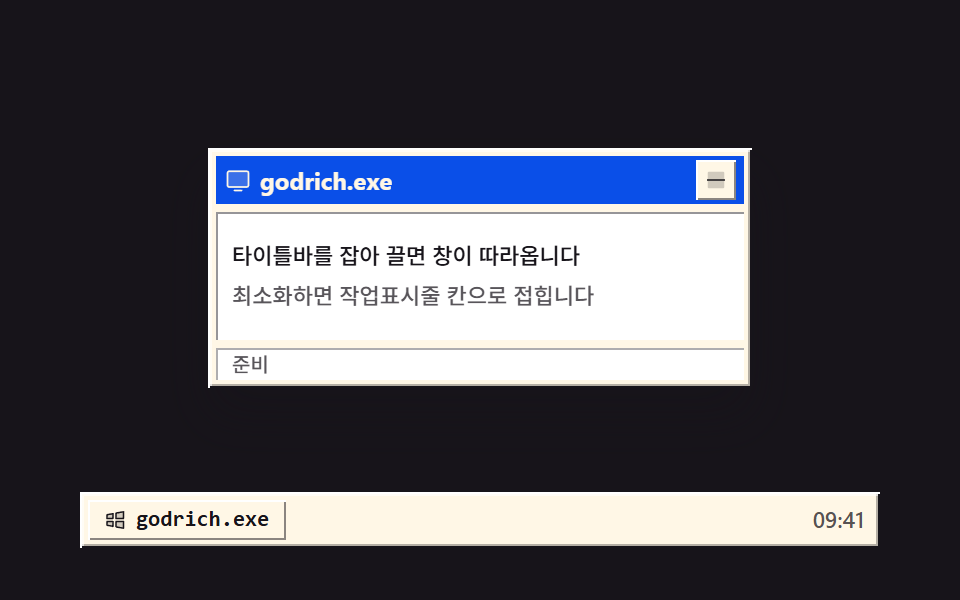 01 os-window-titlebar-minimize
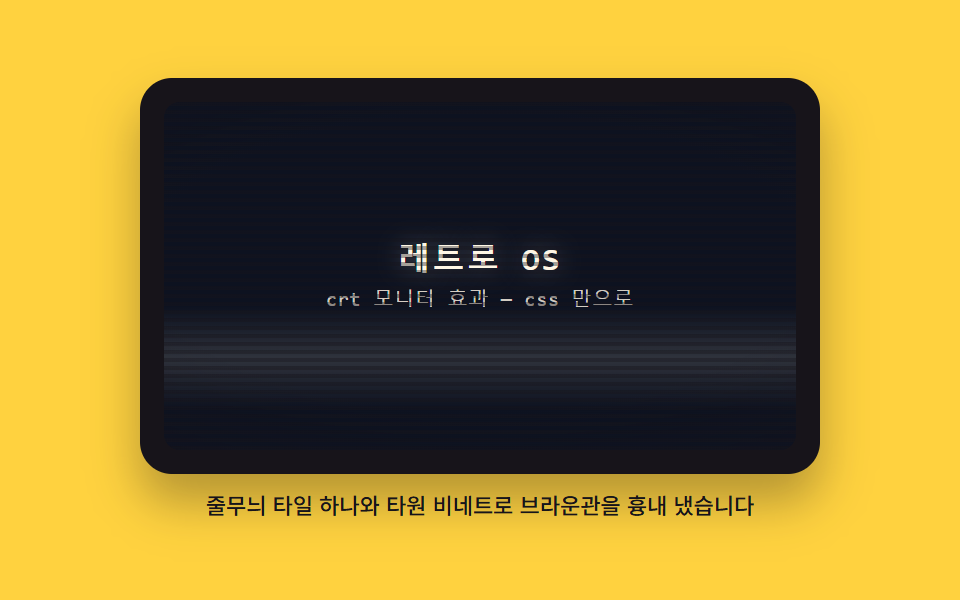 02 os-crt-scanline-curve
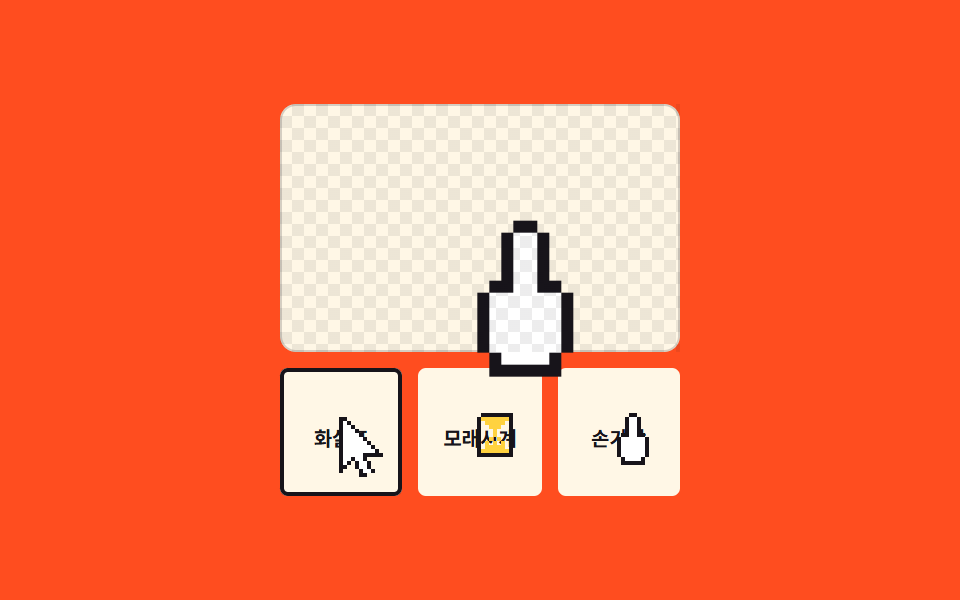 03 os-pixel-cursor-set
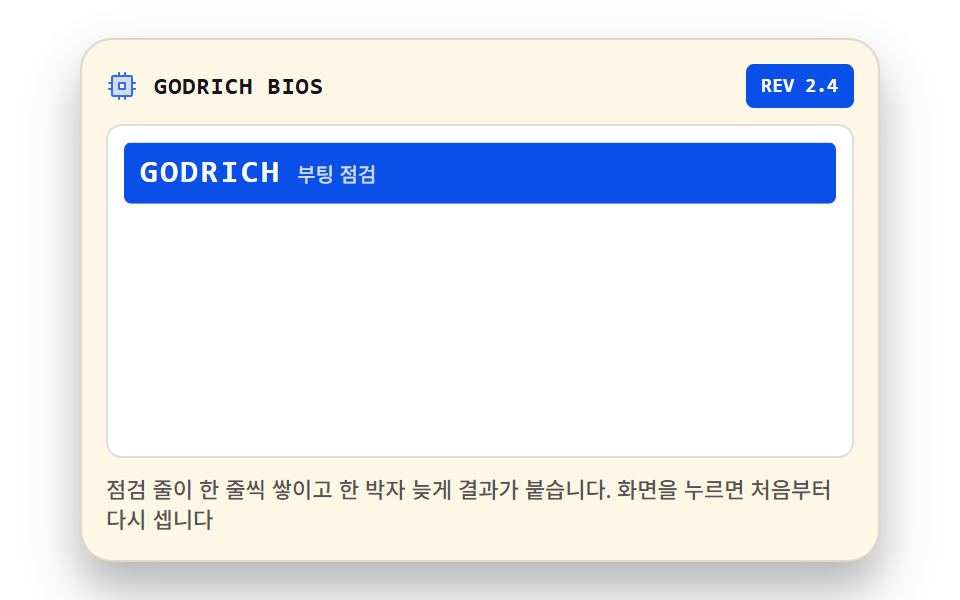 04 os-boot-sequence-lines
 05 os-desktop-icon-doubleclick
 06 os-start-menu-accordion
 07 os-taskbar-clock-tray
 08 os-install-progress-steps
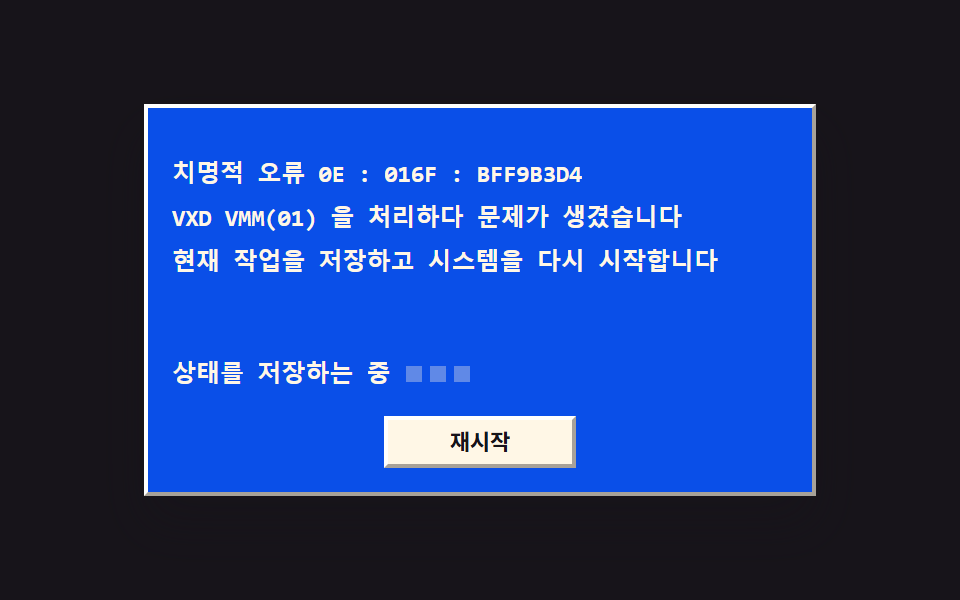 09 os-bluescreen-reboot
自動再生 · タイルを押すとその項目へ · すべて1つのzip
- 01 ドラッグできるウィンドウと最小化
- 02 CRT 走査線と曲面ビネット
- 03 ピクセルカーソル3種
- 04 起動チェック行の出力
- 05 ダブルクリックで開くデスクトップアイコン
- 06 スタートメニューの展開
- 07 タスクバーの時計とトレイ
- 08 インストール進捗バーと段階の文言
- 09 青いエラー画面と再起動
9つの並び順は、昔のパソコンの一日の流れです。最初の3つは電源を入れる前の部品で、手でつかむウィンドウ(01)、目で見るブラウン管(02)、画面の中を動き回るカーソル(03)です。電源が入ると点検の行が流れ始め(04)、デスクトップのアイコン(05)、スタートメニュー(06)、タスクバーの時計(07)が順に息を吹き返し、インストールを待つ時間(08)を経て、青いエラー画面と再起動(09)で一日が閉じます。舞台の色もこの流れに合わせて、インク・イエロー・オレンジ・ペーパーが2周してインクで終わります。手触りをさらに強めたい方向けの姉妹編がスキューモーフィックなコントロールボタン9選で、同じ時代の派手な側がY2Kクローム・ホログラムのランディングです。04 がタイピングカーソルと ASCII の進捗バーをあえて使っていないのはターミナル UI 9選とCSS タイピング演出9選と重ならないためで、文字がひと字ずつ打たれる側が必要ならその2編をご覧ください。
01ドラッグできるウィンドウと最小化
タイトルバーをつかむとウィンドウが指先に付いてきます
タイトルバーをつかんで引くと、指がウィンドウの外へ出ても setPointerCapture がポインタを離さず、pointermove が届くたびに translate でウィンドウを動かします(MDN の Pointer Events)。動かせる範囲は領域とウィンドウの幅の差の半分までに制限してあって画面の外へは出ないので、ウィンドウをいくつも重ねて見せる紹介画面に載せれば、スライドではなく触れる板になります。
<main class="stage">
<div class="dt is-demo" id="dt">
  <div class="dt__area" id="area">
    <section class="win" id="win" aria-label="サンプル窓">
      <header class="win__bar" id="bar" tabindex="0" aria-label="窓の移動 — ドラッグか方向キーで動かせます">
        <span class="win__ico" aria-hidden="true"><svg xmlns="http://www.w3.org/2000/svg" width="1em" height="1em" viewBox="0 0 256 256"><g fill="currentColor"><path d="M224 64v112a16 16 0 0 1-16 16H48a16 16 0 0 1-16-16V64a16 16 0 0 1 16-16h160a16 16 0 0 1 16 16" opacity=".2"/><path d="M208 40H48a24 24 0 0 0-24 24v112a24 24 0 0 0 24 24h160a24 24 0 0 0 24-24V64a24 24 0 0 0-24-24m8 136a8 8 0 0 1-8 8H48a8 8 0 0 1-8-8V64a8 8 0 0 1 8-8h160a8 8 0 0 1 8 8Zm-48 48a8 8 0 0 1-8 8H96a8 8 0 0 1 0-16h64a8 8 0 0 1 8 8"/></g></svg></span>
        <span class="win__title">godrich.exe</span>
        <button class="win__min" id="minBtn" type="button" aria-label="最小化"><svg xmlns="http://www.w3.org/2000/svg" width="1em" height="1em" viewBox="0 0 256 256"><g fill="currentColor"><path d="M216 56v144a16 16 0 0 1-16 16H56a16 16 0 0 1-16-16V56a16 16 0 0 1 16-16h144a16 16 0 0 1 16 16" opacity=".2"/><path d="M224 128a8 8 0 0 1-8 8H40a8 8 0 0 1 0-16h176a8 8 0 0 1 8 8"/></g></svg></button>
      </header>
      <div class="win__panel">
        <p class="win__line">タイトルバーをつかむと窓が付いてきます</p>
        <p class="win__line win__line--dim">最小化するとタスクバーの枠に畳まれます</p>
      </div>
      <p class="win__status" aria-hidden="true">準備完了</p>
    </section>
  </div>
  <nav class="dt__bar" aria-label="タスクバー">
    <button class="dt__slot" id="slot" type="button" aria-label="窓を元に戻す">
      <span class="dt__slotIco" aria-hidden="true"><svg xmlns="http://www.w3.org/2000/svg" width="1em" height="1em" viewBox="0 0 256 256"><g fill="currentColor"><path d="M128 144h80v72l-80-14.55Zm-96 40l64 11.64V144H32Zm96-129.45V112h80V40ZM32 112h64V60.36L32 72Z" opacity=".2"/><path d="M208 136h-80a8 8 0 0 0-8 8v57.45a8 8 0 0 0 6.57 7.88l80 14.54a7.6 7.6 0 0 0 1.43.13a8 8 0 0 0 8-8v-72a8 8 0 0 0-8-8m-8 70.41l-64-11.63V152h64ZM96 136H32a8 8 0 0 0-8 8v40a8 8 0 0 0 6.57 7.87l64 11.64a8.5 8.5 0 0 0 1.43.13a8 8 0 0 0 8-8V144a8 8 0 0 0-8-8m-8 50.05l-48-8.73V152h48ZM213.13 33.86a8 8 0 0 0-6.56-1.73l-80 14.55a8 8 0 0 0-6.57 7.87V112a8 8 0 0 0 8 8h80a8 8 0 0 0 8-8V40a8 8 0 0 0-2.87-6.14M200 104h-64V61.22l64-11.63Zm-98.87-49.78a8 8 0 0 0-6.56-1.73l-64 11.64A8 8 0 0 0 24 72v40a8 8 0 0 0 8 8h64a8 8 0 0 0 8-8V60.36a8 8 0 0 0-2.87-6.14M88 104H40V78.68L88 70Z"/></g></svg></span>
      <span class="dt__slotTitle">godrich.exe</span>
    </button>
    <span class="dt__clock" aria-hidden="true">09:41</span>
  </nav>
</div>
</main>@use "../../../../site/static/demo-tokens" as *;
// 끌어 옮기는 창과 최소화 — 타이틀바를 setPointerCapture 로 잡아 pointermove 마다 translate 로 옮기고,
// 최소화하면 창이 작업표시줄 칸 중심으로 scale .12 로 접혔다가 칸을 누르면 원래 자리로 돌아온다.
// 바깥 테두리는 밝은 면과 어두운 면을 두 겹 쌓은 box-shadow 로 튀어나온 느낌을 낸다.
// 격자 미리보기(.is-demo)는 오른쪽 아래로 끌었다가 칸으로 접히고 다시 펴지는 컷을 2초에 한 바퀴 돌린다.
$duration: $dur-base;
$easing: $ease-spring;
$color: $subject-blue-deep;
$mono: ui-monospace, SFMono-Regular, "SF Mono", Consolas, "Liberation Mono", monospace;
$bevel-l1: $stage-paper; // 바깥 밝은 면
$bevel-d1: $subject-ink; // 바깥 어두운 면
$bevel-l2: rgba($stage-paper, .6); // 안쪽 밝은 면
$bevel-d2: rgba($subject-ink, .32); // 안쪽 어두운 면
$bevel-raise: inset 1px 1px 0 0 $bevel-l1, inset -1px -1px 0 0 $bevel-d1, inset 2px 2px 0 0 $bevel-l2, inset -2px -2px 0 0 $bevel-d2;
$bevel-btn: inset 1px 1px 0 0 $bevel-l1, inset -1px -1px 0 0 rgba($subject-ink, .5);
$bevel-btn-press: inset 1px 1px 0 0 rgba($subject-ink, .5), inset -1px -1px 0 0 $bevel-l1;
$muted: rgba($subject-ink, .72);
@include stage($stage-ink);
// ── 바탕화면: 창이 다니는 영역(여기서 벗어나면 잘린다)과 작업표시줄
.dt {
display: flex; flex-direction: column; gap: $sp-1;
width: min(100%, 400px); height: 248px;
}
.dt__area {
position: relative; flex: 1 1 auto;
display: grid; place-items: center;
overflow: hidden; // 창이 영역 밖으로 나가면 화면 끝에서 잘린다 — 문서 넘침으로 새지 않는다
}
.dt__bar {
display: flex; align-items: center; gap: $sp-1;
box-sizing: border-box; height: 28px; padding: 0 $sp-1; flex: 0 0 auto;
background: $subject-cream;
box-shadow: $bevel-raise;
}
.dt__slot {
display: inline-flex; align-items: center; gap: $sp-1;
box-sizing: border-box; height: 20px; padding: 0 $sp-2; border: 0;
background: $subject-cream; color: $subject-ink;
font-family: $mono; font-weight: 700; font-size: 11px; line-height: 1.4;
white-space: nowrap; cursor: pointer;
box-shadow: $bevel-btn;
}
.dt__slot:active { box-shadow: $bevel-btn-press; }
// 창이 접혀 있을 때 칸 — 눌린 오목한 면과 파란 배경으로 켜진다
.dt__slot.is-min {
background: $color; color: $subject-cream;
box-shadow: $bevel-btn-press;
}
.dt__slotIco { display: grid; place-items: center; font-size: 12px; }
.dt__slotTitle { white-space: nowrap; }
.dt__clock { margin-left: auto; padding-right: $sp-1; color: $muted; font-weight: 500; font-size: 11px; line-height: 1.4; }
// ── 창 — translate 로만 움직인다(top/left 를 다시 계산하지 않는다)
.win {
position: relative; box-sizing: border-box;
width: min(100%, 272px); height: 120px; padding: $sp-1;
display: flex; flex-direction: column; gap: $sp-1;
background: $subject-cream;
box-shadow: $bevel-raise, $shadow-raised;
}
// 접기/펴기 트랜지션은 이 상태일 때만 — 드래그 중에는 translate 가 즉시 따라와야 한다
.win.is-flying { transition: translate $duration $easing, scale $duration $easing, opacity $duration $easing; }
.win.is-min { opacity: 0; scale: .12; pointer-events: none; }
.win__bar {
display: flex; align-items: center; gap: $sp-1;
height: 24px; padding: 0 $sp-1; flex: 0 0 auto;
background: $color; color: $subject-cream;
cursor: grab; user-select: none; touch-action: none;
}
.win__bar:active { cursor: grabbing; }
.win__bar:focus-visible { outline: 2px solid $stage-paper; outline-offset: -2px; }
.win__ico { display: grid; place-items: center; font-size: 14px; }
.win__title {
flex: 1 1 auto; font-weight: 700; font-size: 12px; line-height: 1.4;
white-space: nowrap; overflow: hidden;
}
.win__min {
display: grid; place-items: center; width: 20px; height: 20px;
box-sizing: border-box; padding: 0; border: 0; flex: 0 0 auto;
background: $subject-cream; color: $subject-ink;
font-size: 12px; line-height: 1; cursor: pointer;
box-shadow: $bevel-btn;
}
.win__min:active { box-shadow: $bevel-btn-press; }
.win__panel {
flex: 1 1 auto; display: flex; flex-direction: column; justify-content: center; gap: $sp-1;
padding: $sp-2; background: $stage-paper;
box-shadow: inset 1px 1px 0 0 rgba($subject-ink, .45), inset -1px -1px 0 0 $stage-paper;
}
.win__line { margin: 0; color: $subject-ink; font-weight: 500; font-size: 11px; line-height: 1.5; }
.win__line--dim { color: $muted; }
.win__status {
margin: 0; flex: 0 0 auto; height: 16px; padding: 0 $sp-2;
display: flex; align-items: center;
background: $stage-paper; color: $muted;
font-weight: 500; font-size: 10px; line-height: 1.4;
box-shadow: inset 1px 1px 0 0 rgba($subject-ink, .35), inset -1px -1px 0 0 $stage-paper;
}
// ── 격자 미리보기 루프 (2초)
// 8% 에 끌기 시작해 30% 까지 오른쪽 아래로 이동, 41% 부터 칸 쪽으로 접혀 51% 에 사라지고,
// 74% 에 다시 펴져 86% 에 제자리로 돌아온다(복귀는 90% 안에 끝난다). 칸 상태는 steps 컷으로 갈아 낀다.
.dt.is-demo .win {
animation-name: winFly;
animation-duration: $dur-loop;
animation-timing-function: $ease-out;
animation-iteration-count: infinite;
animation-fill-mode: backwards;
}
.dt.is-demo .dt__slot {
animation-name: dtSlotCut;
animation-duration: $dur-loop;
animation-timing-function: steps(1, end);
animation-iteration-count: infinite;
animation-fill-mode: backwards;
}
@keyframes winFly {
0%, 8% { translate: 0 0; scale: 1; opacity: 1; }
30%, 41% { translate: 24px 12px; scale: 1; opacity: 1; }
51%, 74% { translate: -104px 64px; scale: .12; opacity: 0; }
86%, 100% { translate: 0 0; scale: 1; opacity: 1; }
}
// 칸의 켜짐 교체 — 배경·글자색이지만 steps(1, end) 컷이라 중간값이 없다(두 번의 이산 전환)
@keyframes dtSlotCut {
0%, 50% {
background: $subject-cream; color: $subject-ink; box-shadow: $bevel-btn;
}
51%, 85% {
background: $color; color: $subject-cream; box-shadow: $bevel-btn-press;
}
86%, 100% {
background: $subject-cream; color: $subject-ink; box-shadow: $bevel-btn;
}
}
// ── 좁은 화면: 창과 표시줄을 줄여 무대 안에 들어온다
@media (max-width: 340px) {
.dt { height: 174px; }
.win { height: 104px; }
.win__bar { height: 20px; }
.win__line { font-size: 10px; }
.win__status { font-size: 9px; }
.dt__slot { height: 18px; font-size: 10px; }
.dt__clock { font-size: 10px; }
}
@media (prefers-reduced-motion: reduce) {
.dt.is-demo .win, .dt.is-demo .dt__slot { animation: none !important; }
.win.is-flying { transition: none !important; }
}html, body {
margin: 0;
overflow: hidden;
}
.stage {
box-sizing: border-box;
min-height: 100vh;
display: grid;
place-items: center;
margin: 0;
background: #17141a;
font-family: -apple-system, "Segoe UI", "Noto Sans KR", sans-serif;
padding: clamp(8px, 4vw, 24px);
}
.dt {
display: flex;
flex-direction: column;
gap: 4px;
width: min(100%, 400px);
height: 248px;
}
.dt__area {
position: relative;
flex: 1 1 auto;
display: grid;
place-items: center;
overflow: hidden;
}
.dt__bar {
display: flex;
align-items: center;
gap: 4px;
box-sizing: border-box;
height: 28px;
padding: 0 4px;
flex: 0 0 auto;
background: #fff7e6;
box-shadow: inset 1px 1px 0 0 #ffffff, inset -1px -1px 0 0 #17141a, inset 2px 2px 0 0 rgba(255, 255, 255, 0.6), inset -2px -2px 0 0 rgba(23, 20, 26, 0.32);
}
.dt__slot {
display: inline-flex;
align-items: center;
gap: 4px;
box-sizing: border-box;
height: 20px;
padding: 0 8px;
border: 0;
background: #fff7e6;
color: #17141a;
font-family: ui-monospace, SFMono-Regular, "SF Mono", Consolas, "Liberation Mono", monospace;
font-weight: 700;
font-size: 11px;
line-height: 1.4;
white-space: nowrap;
cursor: pointer;
box-shadow: inset 1px 1px 0 0 #ffffff, inset -1px -1px 0 0 rgba(23, 20, 26, 0.5);
}
.dt__slot:active {
box-shadow: inset 1px 1px 0 0 rgba(23, 20, 26, 0.5), inset -1px -1px 0 0 #ffffff;
}
.dt__slot.is-min {
background: #0a4fe8;
color: #fff7e6;
box-shadow: inset 1px 1px 0 0 rgba(23, 20, 26, 0.5), inset -1px -1px 0 0 #ffffff;
}
.dt__slotIco {
display: grid;
place-items: center;
font-size: 12px;
}
.dt__slotTitle {
white-space: nowrap;
}
.dt__clock {
margin-left: auto;
padding-right: 4px;
color: rgba(23, 20, 26, 0.72);
font-weight: 500;
font-size: 11px;
line-height: 1.4;
}
.win {
position: relative;
box-sizing: border-box;
width: min(100%, 272px);
height: 120px;
padding: 4px;
display: flex;
flex-direction: column;
gap: 4px;
background: #fff7e6;
box-shadow: inset 1px 1px 0 0 #ffffff, inset -1px -1px 0 0 #17141a, inset 2px 2px 0 0 rgba(255, 255, 255, 0.6), inset -2px -2px 0 0 rgba(23, 20, 26, 0.32), 0 14px 24px rgba(23, 20, 26, 0.32);
}
.win.is-flying {
transition: translate 300ms cubic-bezier(0.2, 0.8, 0.2, 1), scale 300ms cubic-bezier(0.2, 0.8, 0.2, 1), opacity 300ms cubic-bezier(0.2, 0.8, 0.2, 1);
}
.win.is-min {
opacity: 0;
scale: 0.12;
pointer-events: none;
}
.win__bar {
display: flex;
align-items: center;
gap: 4px;
height: 24px;
padding: 0 4px;
flex: 0 0 auto;
background: #0a4fe8;
color: #fff7e6;
cursor: grab;
user-select: none;
touch-action: none;
}
.win__bar:active {
cursor: grabbing;
}
.win__bar:focus-visible {
outline: 2px solid #ffffff;
outline-offset: -2px;
}
.win__ico {
display: grid;
place-items: center;
font-size: 14px;
}
.win__title {
flex: 1 1 auto;
font-weight: 700;
font-size: 12px;
line-height: 1.4;
white-space: nowrap;
overflow: hidden;
}
.win__min {
display: grid;
place-items: center;
width: 20px;
height: 20px;
box-sizing: border-box;
padding: 0;
border: 0;
flex: 0 0 auto;
background: #fff7e6;
color: #17141a;
font-size: 12px;
line-height: 1;
cursor: pointer;
box-shadow: inset 1px 1px 0 0 #ffffff, inset -1px -1px 0 0 rgba(23, 20, 26, 0.5);
}
.win__min:active {
box-shadow: inset 1px 1px 0 0 rgba(23, 20, 26, 0.5), inset -1px -1px 0 0 #ffffff;
}
.win__panel {
flex: 1 1 auto;
display: flex;
flex-direction: column;
justify-content: center;
gap: 4px;
padding: 8px;
background: #ffffff;
box-shadow: inset 1px 1px 0 0 rgba(23, 20, 26, 0.45), inset -1px -1px 0 0 #ffffff;
}
.win__line {
margin: 0;
color: #17141a;
font-weight: 500;
font-size: 11px;
line-height: 1.5;
}
.win__line--dim {
color: rgba(23, 20, 26, 0.72);
}
.win__status {
margin: 0;
flex: 0 0 auto;
height: 16px;
padding: 0 8px;
display: flex;
align-items: center;
background: #ffffff;
color: rgba(23, 20, 26, 0.72);
font-weight: 500;
font-size: 10px;
line-height: 1.4;
box-shadow: inset 1px 1px 0 0 rgba(23, 20, 26, 0.35), inset -1px -1px 0 0 #ffffff;
}
.dt.is-demo .win {
animation-name: winFly;
animation-duration: 2s;
animation-timing-function: ease-out;
animation-iteration-count: infinite;
animation-fill-mode: backwards;
}
.dt.is-demo .dt__slot {
animation-name: dtSlotCut;
animation-duration: 2s;
animation-timing-function: steps(1, end);
animation-iteration-count: infinite;
animation-fill-mode: backwards;
}
@keyframes winFly {
0%, 8% {
translate: 0 0;
scale: 1;
opacity: 1;
}
30%, 41% {
translate: 24px 12px;
scale: 1;
opacity: 1;
}
51%, 74% {
translate: -104px 64px;
scale: 0.12;
opacity: 0;
}
86%, 100% {
translate: 0 0;
scale: 1;
opacity: 1;
}
}
@keyframes dtSlotCut {
0%, 50% {
background: #fff7e6;
color: #17141a;
box-shadow: inset 1px 1px 0 0 #ffffff, inset -1px -1px 0 0 rgba(23, 20, 26, 0.5);
}
51%, 85% {
background: #0a4fe8;
color: #fff7e6;
box-shadow: inset 1px 1px 0 0 rgba(23, 20, 26, 0.5), inset -1px -1px 0 0 #ffffff;
}
86%, 100% {
background: #fff7e6;
color: #17141a;
box-shadow: inset 1px 1px 0 0 #ffffff, inset -1px -1px 0 0 rgba(23, 20, 26, 0.5);
}
}
@media (max-width: 340px) {
.dt {
height: 174px;
}
.win {
height: 104px;
}
.win__bar {
height: 20px;
}
.win__line {
font-size: 10px;
}
.win__status {
font-size: 9px;
}
.dt__slot {
height: 18px;
font-size: 10px;
}
.dt__clock {
font-size: 10px;
}
}
@media (prefers-reduced-motion: reduce) {
.dt.is-demo .win, .dt.is-demo .dt__slot {
animation: none !important;
}
.win.is-flying {
transition: none !important;
}
}var dt = document.getElementById('dt');
var area = document.getElementById('area');
var win = document.getElementById('win');
var bar = document.getElementById('bar');
var minBtn = document.getElementById('minBtn');
var slot = document.getElementById('slot');
var px = 0, py = 0, savedX = 0, savedY = 0, min = false;
function place() { win.style.translate = px + 'px ' + py + 'px'; }
function clampNum(v, lo, hi) { return Math.max(lo, Math.min(hi, v)); }
function dragBounds() {
return {
x: Math.max(0, (area.clientWidth - win.offsetWidth) / 2),
y: Math.max(0, (area.clientHeight - win.offsetHeight) / 2)
};
}
// 접기/펴기 — 접힐 때 칸 중심으로 translate 를 옮기고 scale 을 줄인다. 원래 자리는 saved 에 둔다
function setMin(on) {
min = on;
win.classList.toggle('is-min', on);
slot.classList.toggle('is-min', on);
win.classList.add('is-flying');
if (on) {
savedX = px; savedY = py;
var wr = win.getBoundingClientRect(), sr = slot.getBoundingClientRect();
px += (sr.left + sr.width / 2) - (wr.left + wr.width / 2);
py += (sr.top + sr.height / 2) - (wr.top + wr.height / 2);
} else {
px = savedX; py = savedY;
}
place();
window.setTimeout(function () { win.classList.remove('is-flying'); }, 320);
}
dt.addEventListener('pointerdown', function () { dt.classList.remove('is-demo'); });
bar.addEventListener('pointerdown', function (e) {
if (min || e.target.closest('.win__min')) return;
e.preventDefault();
bar.setPointerCapture(e.pointerId);
var ox = px - e.clientX, oy = py - e.clientY;
function mv(ev) {
var b = dragBounds();
px = clampNum(ev.clientX + ox, -b.x, b.x);
py = clampNum(ev.clientY + oy, -b.y, b.y);
place();
}
bar.addEventListener('pointermove', mv);
bar.addEventListener('pointerup', function () { bar.removeEventListener('pointermove', mv); }, { once: true });
bar.addEventListener('pointercancel', function () { bar.removeEventListener('pointermove', mv); }, { once: true });
});
bar.addEventListener('keydown', function (e) {
if (e.key === 'Escape') { dt.classList.remove('is-demo'); setMin(true); return; }
if (min || e.key.indexOf('Arrow') !== 0) return;
e.preventDefault();
dt.classList.remove('is-demo');
var b = dragBounds(), d = e.shiftKey ? 16 : 4;
if (e.key === 'ArrowLeft') px = clampNum(px - d, -b.x, b.x);
if (e.key === 'ArrowRight') px = clampNum(px + d, -b.x, b.x);
if (e.key === 'ArrowUp') py = clampNum(py - d, -b.y, b.y);
if (e.key === 'ArrowDown') py = clampNum(py + d, -b.y, b.y);
place();
});
minBtn.addEventListener('click', function () { dt.classList.remove('is-demo'); setMin(true); });
slot.addEventListener('click', function () { dt.classList.remove('is-demo'); setMin(false); });// RetroWindow — vanilla 판(run/023/demo/01-os-window-titlebar-minimize/index.html) 의 React 포트.
// 타이틀바를 setPointerCapture 로 잡아 pointermove 마다 translate 로 옮기고, 최소화하면 창이
// 작업표시줄 칸 중심으로 scale .12 로 접혔다가 칸을 누르면 원래 자리로 돌아온다.
// 이동량은 ref 하나가 들고 있고 상태는 미리보기·접힘 두 개뿐이다(드래그마다 재렌더하지 않는다).
import { useRef, useState } from "react";
import type { CSSProperties } from "react";
import styles from "./RetroWindow.module.scss";
export type RetroWindowProps = {
duration?: number;
easing?: string;
color?: string;
};
type Vars = CSSProperties & { "--duration"?: string; "--easing"?: string; "--color"?: string };
// ambient 타입에 React 이벤트 제네릭이 없다 — 쓰는 것만 로컬 타입으로 선언한다
type PtrEvt = {
pointerId: number;
clientX: number;
clientY: number;
target: { closest(sel: string): Element | null };
preventDefault(): void;
};
type KeyEvt = { key: string; shiftKey?: boolean; preventDefault(): void };
// 초기값을 준 useRef 는 실제로 null 이 되지 않는다 — 값 상자(Box)로 좁혀 쓴다
type XY = { x: number; y: number };
type Box<T> = { current: T };
const TITLE = "godrich.exe";
const STATUS = "준비";
const CLOCK = "09:41";
const LINE1 = "타이틀바를 잡아 끌면 창이 따라옵니다";
const LINE2 = "최소화하면 작업표시줄 칸으로 접힙니다";
const ARIA_WIN = "예제 창";
const ARIA_BAR = "창 이동 — 잡아 끌거나 방향키로 옮기세요";
const ARIA_MIN = "최소화";
const ARIA_SLOT = "창 다시 펼치기";
const ARIA_TASKBAR = "작업표시줄";
const ICON_WIN = (
<svg xmlns="http://www.w3.org/2000/svg" width="1em" height="1em" viewBox="0 0 256 256"><g fill="currentColor"><path d="M224 64v112a16 16 0 0 1-16 16H48a16 16 0 0 1-16-16V64a16 16 0 0 1 16-16h160a16 16 0 0 1 16 16" opacity=".2"/><path d="M208 40H48a24 24 0 0 0-24 24v112a24 24 0 0 0 24 24h160a24 24 0 0 0 24-24V64a24 24 0 0 0-24-24m8 136a8 8 0 0 1-8 8H48a8 8 0 0 1-8-8V64a8 8 0 0 1 8-8h160a8 8 0 0 1 8 8Zm-48 48a8 8 0 0 1-8 8H96a8 8 0 0 1 0-16h64a8 8 0 0 1 8 8"/></g></svg>
);
const ICON_MIN = (
<svg xmlns="http://www.w3.org/2000/svg" width="1em" height="1em" viewBox="0 0 256 256"><g fill="currentColor"><path d="M216 56v144a16 16 0 0 1-16 16H56a16 16 0 0 1-16-16V56a16 16 0 0 1 16-16h144a16 16 0 0 1 16 16" opacity=".2"/><path d="M224 128a8 8 0 0 1-8 8H40a8 8 0 0 1 0-16h176a8 8 0 0 1 8 8"/></g></svg>
);
const ICON_LOGO = (
<svg xmlns="http://www.w3.org/2000/svg" width="1em" height="1em" viewBox="0 0 256 256"><g fill="currentColor"><path d="M128 144h80v72l-80-14.55Zm-96 40l64 11.64V144H32Zm96-129.45V112h80V40ZM32 112h64V60.36L32 72Z" opacity=".2"/><path d="M208 136h-80a8 8 0 0 0-8 8v57.45a8 8 0 0 0 6.57 7.88l80 14.54a7.6 7.6 0 0 0 1.43.13a8 8 0 0 0 8-8v-72a8 8 0 0 0-8-8m-8 70.41l-64-11.63V152h64ZM96 136H32a8 8 0 0 0-8 8v40a8 8 0 0 0 6.57 7.87l64 11.64a8.5 8.5 0 0 0 1.43.13a8 8 0 0 0 8-8V144a8 8 0 0 0-8-8m-8 50.05l-48-8.73V152h48ZM213.13 33.86a8 8 0 0 0-6.56-1.73l-80 14.55a8 8 0 0 0-6.57 7.87V112a8 8 0 0 0 8 8h80a8 8 0 0 0 8-8V40a8 8 0 0 0-2.87-6.14M200 104h-64V61.22l64-11.63Zm-98.87-49.78a8 8 0 0 0-6.56-1.73l-64 11.64A8 8 0 0 0 24 72v40a8 8 0 0 0 8 8h64a8 8 0 0 0 8-8V60.36a8 8 0 0 0-2.87-6.14M88 104H40V78.68L88 70Z"/></g></svg>
);
function clampNum(v: number, lo: number, hi: number) {
return Math.max(lo, Math.min(hi, v));
}
export default function RetroWindow(props: RetroWindowProps) {
const duration = props.duration ?? 300;
const easing = props.easing ?? "cubic-bezier(.2, .8, .2, 1)";
const color = props.color ?? "#0a4fe8";
const vars: Vars = { "--duration": duration + "ms", "--easing": easing, "--color": color };
const [preview, setPreview] = useState<boolean>(true);
const [min, setMin] = useState<boolean>(false);
const [flying, setFlying] = useState<boolean>(false);
const pos = useRef<XY>({ x: 0, y: 0 }) as Box<XY>;
const saved = useRef<XY>({ x: 0, y: 0 }) as Box<XY>;
const areaRef = useRef<HTMLDivElement>(null);
const winRef = useRef<HTMLElement>(null);
const barRef = useRef<HTMLElement>(null);
const slotRef = useRef<HTMLButtonElement>(null);
const flyTimer = useRef<number | null>(null);
const place = () => {
const win = winRef.current;
if (win) win.style.translate = pos.current.x + "px " + pos.current.y + "px";
};
const dragBounds = () => {
const area = areaRef.current;
const win = winRef.current;
if (!area || !win) return { x: 0, y: 0 };
return {
x: Math.max(0, (area.clientWidth - win.offsetWidth) / 2),
y: Math.max(0, (area.clientHeight - win.offsetHeight) / 2)
};
};
// 접기/펴기 — 접힐 때 칸 중심으로 translate 를 옮기고 scale 을 줄인다. 원래 자리는 saved 에 둔다
const setMinState = (on: boolean) => {
const win = winRef.current;
const slot = slotRef.current;
setMin(on);
setFlying(true);
if (on) {
saved.current = { ...pos.current };
if (win && slot) {
const wr = win.getBoundingClientRect();
const sr = slot.getBoundingClientRect();
pos.current.x += sr.left + sr.width / 2 - (wr.left + wr.width / 2);
pos.current.y += sr.top + sr.height / 2 - (wr.top + wr.height / 2);
}
} else {
pos.current = { ...saved.current };
}
place();
if (flyTimer.current !== null) window.clearTimeout(flyTimer.current);
flyTimer.current = window.setTimeout(() => setFlying(false), duration + 20);
};
const onBarDown = (e: PtrEvt) => {
setPreview(false);
if (min || e.target.closest("." + (styles.winMin || "winMin"))) return;
e.preventDefault();
const bar = barRef.current;
if (!bar) return;
bar.setPointerCapture(e.pointerId);
const ox = pos.current.x - e.clientX;
const oy = pos.current.y - e.clientY;
// 여기서부터는 React 합성 이벤트가 아니라 DOM 이 직접 주는 PointerEvent 다
const mv = (ev: PointerEvent) => {
const b = dragBounds();
pos.current.x = clampNum(ev.clientX + ox, -b.x, b.x);
pos.current.y = clampNum(ev.clientY + oy, -b.y, b.y);
place();
};
bar.addEventListener("pointermove", mv);
bar.addEventListener(
"pointerup",
() => bar.removeEventListener("pointermove", mv),
{ once: true } as AddEventListenerOptions
);
bar.addEventListener(
"pointercancel",
() => bar.removeEventListener("pointermove", mv),
{ once: true } as AddEventListenerOptions
);
};
const onBarKey = (e: KeyEvt) => {
if (e.key === "Escape") {
setPreview(false);
setMinState(true);
return;
}
if (min || e.key.indexOf("Arrow") !== 0) return;
e.preventDefault();
setPreview(false);
const b = dragBounds();
const d = e.shiftKey ? 16 : 4;
if (e.key === "ArrowLeft") pos.current.x = clampNum(pos.current.x - d, -b.x, b.x);
if (e.key === "ArrowRight") pos.current.x = clampNum(pos.current.x + d, -b.x, b.x);
if (e.key === "ArrowUp") pos.current.y = clampNum(pos.current.y - d, -b.y, b.y);
if (e.key === "ArrowDown") pos.current.y = clampNum(pos.current.y + d, -b.y, b.y);
place();
};
return (
<main className={styles.stage}>
<div
className={styles.dt + (preview ? " " + styles.isDemo : "")}
style={vars}
onPointerDown={() => setPreview(false)}
>
<div className={styles.area} ref={areaRef}>
<section
className={
styles.win + (min ? " " + styles.isMin : "") + (flying ? " " + styles.isFlying : "")
}
ref={winRef}
aria-label={ARIA_WIN}
>
<header
className={styles.bar}
ref={barRef}
tabIndex={0}
aria-label={ARIA_BAR}
onPointerDown={onBarDown}
onKeyDown={onBarKey}
>
<span className={styles.ico} aria-hidden="true">{ICON_WIN}</span>
<span className={styles.title}>{TITLE}</span>
<button
className={styles.winMin}
type="button"
aria-label={ARIA_MIN}
onClick={() => {
setPreview(false);
setMinState(true);
}}
>
{ICON_MIN}
</button>
</header>
<div className={styles.panel}>
<p className={styles.line}>{LINE1}</p>
<p className={styles.lineDim}>{LINE2}</p>
</div>
<p className={styles.status} aria-hidden="true">{STATUS}</p>
</section>
</div>
<nav className={styles.taskbar} aria-label={ARIA_TASKBAR}>
<button
className={styles.slot + (min ? " " + styles.slotOn : "")}
ref={slotRef}
type="button"
aria-label={ARIA_SLOT}
onClick={() => {
setPreview(false);
setMinState(false);
}}
>
<span className={styles.slotIco} aria-hidden="true">{ICON_LOGO}</span>
<span className={styles.slotTitle}>{TITLE}</span>
</button>
<span className={styles.clock} aria-hidden="true">{CLOCK}</span>
</nav>
</div>
</main>
);
}01 · ドラッグできるウィンドウと最小化 — 計測 累積面積 28.026% · 動いたフレーム 15/23GODRICH オリジナル · SCSS と React は zip に同梱 · パスワードを見る
// 畳む/展開 — 畳むとき枠の中心へ translate を移し scale を縮める。元の位置は saved に置く
function setMin(on) {
  min = on;
  win.classList.toggle('is-min', on);
  slot.classList.toggle('is-min', on);
  win.classList.add('is-flying');
  if (on) {
    savedX = px; savedY = py;
    var wr = win.getBoundingClientRect(), sr = slot.getBoundingClientRect();
    px += (sr.left + sr.width / 2) - (wr.left + wr.width / 2);
    py += (sr.top + sr.height / 2) - (wr.top + wr.height / 2);
  } else {
    px = savedX; py = savedY;
  }
  place();
  window.setTimeout(function () { win.classList.remove('is-flying'); }, 320);
}
畳む瞬間に枠の中心を計算し直す理由
最小化を押すと、ウィンドウの中心とタスクバーの枠の中心の差をその瞬間に計算し直し、その枠へ scale .12 で吸い込まれるように畳まれて、枠をもう一度押すと保存しておいた位置へ戻ります。外枠は明るい面と暗い面を4枚重ねた box-shadow で盛り上がって見えます。ボタン単体なら明暗1組で足り、これが windows 98 button css の基本的な凹凸の作り方です。
02CRT 走査線と曲面ビネット
縞タイル1枚と楕円の影1枚
横縞は repeating-linear-gradient のタイル1枚(2px の線 + 2px の透過)がすべてで、background-size 100% 4px で画面全体に繰り返されます。その上に、端へ行くほど暗くなる楕円の radial-gradient を重ねてブラウン管の曲面ガラスを真似ていて、明るい帯が1本、上から下へ流れます。帯の始点と終点はどちらも画面の外なので、ループが閉じる継ぎ目は見えません。
<main class="stage">
<figure class="crt">
  <div class="crt__bezel">
    <div class="crt__screen">
      <div class="crt__content">
        <p class="crt__title">レトロOS</p>
        <p class="crt__sub">CRTモニター効果 — CSSだけで</p>
      </div>
      <span class="crt__band" aria-hidden="true"></span>
      <span class="crt__lines" aria-hidden="true"></span>
      <span class="crt__vig" aria-hidden="true"></span>
    </div>
  </div>
  <figcaption class="crt__cap">縞タイル1枚と楕円ビネットでブラウン管を真似ました</figcaption>
</figure>
</main>
@use "../../../../site/static/demo-tokens" as *;
// CRT 스캔라인과 곡면 비네트 — 가로 줄무늬를 타일 하나(4px, 그 안 줄 위치 0 부터 2px)로 정의해
// background-size 로 반복시키고, radial-gradient 타원으로 가장자리로 갈수록 어두워지는 유리를 얹는다.
// 밝은 띠 하나가 translateY 로 위에서 아래로 흐른다. 화면 안쪽 바탕은 비토큰 배경 픽셀(짙은 남색)이다.
$duration: $dur-loop;
$easing: $ease-out;
$color: $subject-cream;
$mono: ui-monospace, SFMono-Regular, "SF Mono", Consolas, "Liberation Mono", monospace;
$glass: #0d1220; // 비토큰 배경 픽셀 — 브라운관 형광면의 짙은 남색 바탕(주변 토큰으로는 없는 색)
@include stage($stage-yellow);
.crt {
display: flex; flex-direction: column; gap: $sp-2;
width: min(100%, 340px); margin: 0;
}
// ── 모니터 껍데기
.crt__bezel {
box-sizing: border-box; padding: $sp-3;
background: $subject-ink; border-radius: $r-card;
box-shadow: $shadow-raised;
}
// ── 유리면 — 안의 도형은 전부 이 상자에 absolute 로 겹친다. 밖으로 나가면 잘린다
.crt__screen {
position: relative; overflow: hidden;
display: grid; place-items: center;
height: clamp(112px, 58vh, 196px);
background: $glass;
border-radius: $r-sm;
}
.crt__content {
position: relative; z-index: 1;
display: grid; gap: $sp-1; justify-items: center;
padding: $sp-2; text-align: center;
}
.crt__title {
margin: 0; color: $color;
font-family: $mono; font-weight: 700;
font-size: clamp(16px, 4.2vh, 22px); line-height: 1.2;
letter-spacing: .08em;
text-shadow: 0 0 12px rgba($subject-cream, .35); // 형광체 빛 번짐
}
.crt__sub {
margin: 0; color: rgba($subject-cream, .82);
font-family: $mono; font-weight: 500;
font-size: clamp(10px, 2.6vh, 12px); line-height: 1.4;
letter-spacing: .04em;
}
// ── 위에서 아래로 흐르는 밝은 띠 — transform 만 움직인다
.crt__band {
position: absolute; left: 0; right: 0; top: 0; z-index: 2;
height: 30%; pointer-events: none;
background: linear-gradient(to bottom,
transparent,
rgba($subject-cream, .08) 28%,
rgba($subject-cream, .14) 50%,
rgba($subject-cream, .08) 72%,
transparent);
animation-name: crtBand;
animation-duration: $duration;
animation-timing-function: linear;
animation-iteration-count: infinite;
}
// ── 스캔라인 — 타일(4px)을 background-size 로 정의하고 그 안에 줄 위치를 둔다
.crt__lines {
position: absolute; inset: 0; z-index: 3; pointer-events: none;
background-image: repeating-linear-gradient(to bottom,
rgba($subject-ink, .38) 0 2px,
transparent 2px 4px);
background-size: 100% 4px;
}
// ── 곡면 비네트 — 타원으로 가장자리가 감아 들어가는 유리
.crt__vig {
position: absolute; inset: 0; z-index: 4; pointer-events: none;
border-radius: inherit;
background: radial-gradient(ellipse 130% 105% at 50% 46%,
transparent 40%,
rgba($subject-ink, .18) 64%,
rgba($subject-ink, .55) 100%);
}
.crt__cap {
margin: 0; color: $subject-ink;
font-weight: 500; font-size: 11px; line-height: 1.4;
text-align: center;
}
// 띠는 화면 높이의 넉 배 남짓을 지나가므로 시작과 끝이 모두 화면 밖 — 루프 이음새가 보이지 않는다
@keyframes crtBand {
0% { transform: translateY(-110%); }
100% { transform: translateY(500%); }
}
// ── 좁은 화면: 껍데기와 캡션을 줄인다(화면 높이는 vh 기준이라 함께 줄어든다)
@media (max-width: 340px) {
.crt { gap: $sp-1; }
.crt__bezel { padding: $sp-2; }
.crt__cap { font-size: 10px; }
}
@media (prefers-reduced-motion: reduce) {
.crt__band { animation: none !important; }
}html, body {
margin: 0;
overflow: hidden;
}
.stage {
box-sizing: border-box;
min-height: 100vh;
display: grid;
place-items: center;
margin: 0;
background: #ffd23f;
font-family: -apple-system, "Segoe UI", "Noto Sans KR", sans-serif;
padding: clamp(8px, 4vw, 24px);
}
.crt {
display: flex;
flex-direction: column;
gap: 8px;
width: min(100%, 340px);
margin: 0;
}
.crt__bezel {
box-sizing: border-box;
padding: 12px;
background: #17141a;
border-radius: 16px;
box-shadow: 0 14px 24px rgba(23, 20, 26, 0.32);
}
.crt__screen {
position: relative;
overflow: hidden;
display: grid;
place-items: center;
height: clamp(112px, 58vh, 196px);
background: #0d1220;
border-radius: 8px;
}
.crt__content {
position: relative;
z-index: 1;
display: grid;
gap: 4px;
justify-items: center;
padding: 8px;
text-align: center;
}
.crt__title {
margin: 0;
color: #fff7e6;
font-family: ui-monospace, SFMono-Regular, "SF Mono", Consolas, "Liberation Mono", monospace;
font-weight: 700;
font-size: clamp(16px, 4.2vh, 22px);
line-height: 1.2;
letter-spacing: 0.08em;
text-shadow: 0 0 12px rgba(255, 247, 230, 0.35);
}
.crt__sub {
margin: 0;
color: rgba(255, 247, 230, 0.82);
font-family: ui-monospace, SFMono-Regular, "SF Mono", Consolas, "Liberation Mono", monospace;
font-weight: 500;
font-size: clamp(10px, 2.6vh, 12px);
line-height: 1.4;
letter-spacing: 0.04em;
}
.crt__band {
position: absolute;
left: 0;
right: 0;
top: 0;
z-index: 2;
height: 30%;
pointer-events: none;
background: linear-gradient(to bottom, transparent, rgba(255, 247, 230, 0.08) 28%, rgba(255, 247, 230, 0.14) 50%, rgba(255, 247, 230, 0.08) 72%, transparent);
animation-name: crtBand;
animation-duration: 2s;
animation-timing-function: linear;
animation-iteration-count: infinite;
}
.crt__lines {
position: absolute;
inset: 0;
z-index: 3;
pointer-events: none;
background-image: repeating-linear-gradient(to bottom, rgba(23, 20, 26, 0.38) 0 2px, transparent 2px 4px);
background-size: 100% 4px;
}
.crt__vig {
position: absolute;
inset: 0;
z-index: 4;
pointer-events: none;
border-radius: inherit;
background: radial-gradient(ellipse 130% 105% at 50% 46%, transparent 40%, rgba(23, 20, 26, 0.18) 64%, rgba(23, 20, 26, 0.55) 100%);
}
.crt__cap {
margin: 0;
color: #17141a;
font-weight: 500;
font-size: 11px;
line-height: 1.4;
text-align: center;
}
@keyframes crtBand {
0% {
transform: translateY(-110%);
}
100% {
transform: translateY(500%);
}
}
@media (max-width: 340px) {
.crt {
gap: 4px;
}
.crt__bezel {
padding: 8px;
}
.crt__cap {
font-size: 10px;
}
}
@media (prefers-reduced-motion: reduce) {
.crt__band {
animation: none !important;
}
}// CrtScreen — vanilla 판(run/023/demo/02-os-crt-scanline-curve/index.html) 의 React 포트.
// 가로 줄무늬를 타일 하나(4px)로 정의해 background-size 로 반복하고 radial-gradient 타원 비네트를
// 얹는다. 밝은 띠가 translateY 로 위에서 아래로 흐른다. 조작 상태가 없어 그림만 그린다.
import type { CSSProperties } from "react";
import styles from "./CrtScreen.module.scss";
export type CrtScreenProps = {
duration?: number;
easing?: string;
color?: string;
title?: string;
subtitle?: string;
caption?: string;
};
type Vars = CSSProperties & { "--duration"?: string; "--easing"?: string; "--color"?: string };
export default function CrtScreen(props: CrtScreenProps) {
const vars: Vars = {
"--duration": (props.duration ?? 2000) + "ms",
"--easing": props.easing ?? "ease-out",
"--color": props.color ?? "#fff7e6"
};
return (
<main className={styles.stage}>
<figure className={styles.crt} style={vars}>
<div className={styles.bezel}>
<div className={styles.screen}>
<div className={styles.content}>
<p className={styles.title}>{props.title ?? "레트로 OS"}</p>
<p className={styles.sub}>{props.subtitle ?? "crt 모니터 효과 — css 만으로"}</p>
</div>
<span className={styles.band} aria-hidden="true" />
<span className={styles.lines} aria-hidden="true" />
<span className={styles.vig} aria-hidden="true" />
</div>
</div>
<figcaption className={styles.cap}>
{props.caption ?? "줄무늬 타일 하나와 타원 비네트로 브라운관을 흉내 냈습니다"}
</figcaption>
</figure>
</main>
);
}02 · CRT 走査線と曲面ビネット — 計測 累積面積 37.75% · 動いたフレーム 16/23GODRICH オリジナル · SCSS と React は zip に同梱 · パスワードを見る
// ── 走査線 — タイル(4px)を background-size で定義し、その中に線の位置を置く
.crt__lines {
  position: absolute; inset: 0; z-index: 3; pointer-events: none;
  background-image: repeating-linear-gradient(to bottom,
    rgba($subject-ink, .38) 0 2px,
    transparent 2px 4px);
  background-size: 100% 4px;
}

// ── 曲面ビネット — 楕円で縁が内へ巻き込まれるガラス
.crt__vig {
  position: absolute; inset: 0; z-index: 4; pointer-events: none;
  border-radius: inherit;
  background: radial-gradient(ellipse 130% 105% at 50% 46%,
    transparent 40%,
    rgba($subject-ink, .18) 64%,
    rgba($subject-ink, .55) 100%);
}
一番広く動いて一番静かな面
計測値は累積面積 37.75% で9つの中で最も広い一方、強度の平均は 16.3 と最も静かです。レトロな色調を敷きたいヒーロー背景に使っても、手前に置いた文字を邪魔しません。
03ピクセルカーソル3種
box-shadow で描くドット絵
矢印・砂時計・指差しの3つのカーソルがチェッカーボードの格子の上で steps(1, end) のカットで順に入れ替わり、砂時計はその場で180度反転します。絵は pxRuns 関数が横一行の座標(x y 幅)を box-shadow の影へ展開したドット絵で、拡大は整数倍(scale 6)だけに限り、image-rendering に pixelated を指定してあるので、ピクセルカーソルは大きくしても輪郭がにじみません。
<main class="stage">
<div class="pxc is-demo" id="pxc">
  <div class="pxc__slot" id="slot" data-cur="arrow" aria-label="カーソルのプレビュー">
    <span class="px pxc__cur pxc__cur--arrow" aria-hidden="true"></span>
    <span class="px pxc__cur pxc__cur--hour" aria-hidden="true"></span>
    <span class="px pxc__cur pxc__cur--hand" aria-hidden="true"></span>
    <span class="pxc__grid" aria-hidden="true"></span>
  </div>
  <div class="pxc__row" role="group" aria-label="カーソルを選ぶ">
    <button class="pxc__pick is-on" type="button" data-set="arrow" aria-pressed="true">
      <span class="px pxc__mini pxc__mini--arrow" aria-hidden="true"></span>
      <span class="pxc__lbl">矢印</span>
    </button>
    <button class="pxc__pick" type="button" data-set="hour" aria-pressed="false">
      <span class="px pxc__mini pxc__mini--hour" aria-hidden="true"></span>
      <span class="pxc__lbl">砂時計</span>
    </button>
    <button class="pxc__pick" type="button" data-set="hand" aria-pressed="false">
      <span class="px pxc__mini pxc__mini--hand" aria-hidden="true"></span>
      <span class="pxc__lbl">指差し</span>
    </button>
  </div>
</div>
</main>
@use "sass:list";
@use "../../../../site/static/demo-tokens" as *;
// 픽셀 커서 세 종류 — 화살표·모래시계·손가락을 1px 칸의 격자 그림(box-shadow 픽셀)으로 그리고
// scale 로 정수배만 확대해 픽셀 경계를 그대로 지킨다. 칸의 격자 무늬는 conic-gradient 체커보드다.
// 미리보기(.is-demo)에서는 세 커서가 steps(1, end) 컷으로 차례로 바뀌고 모래시계는 제자리에서 뒤집힌다.
$duration: $dur-loop;
$easing: $ease-out;
$color: $stage-yellow;
// ── 픽셀 그림 — 가로 줄 runs (x y 폭). K 는 검은 외곽선, W 는 흰 채움, S 는 모래
@function pxRuns($runs, $c) {
$s: ();
@each $r in $runs {
@for $i from 0 through list.nth($r, 3) - 1 {
$s: list.append($s, ((list.nth($r, 1) + $i) * 1px) (list.nth($r, 2) * 1px) 0 0 $c, comma);
}
}
@return $s;
}
// 화살표 11x16
$arrow-k: (0 0 1), (0 1 2), (0 2 1), (2 2 1), (0 3 1), (3 3 1), (0 4 1), (4 4 1), (0 5 1), (5 5 1),
(0 6 1), (6 6 1), (0 7 1), (7 7 1), (0 8 1), (8 8 1), (0 9 1), (9 9 1),
(0 10 1), (6 10 5), (0 11 1), (3 11 1), (6 11 1), (0 12 1), (2 12 1), (4 12 1), (7 12 1),
(0 13 2), (4 13 1), (7 13 1), (0 14 1), (5 14 1), (8 14 1), (5 15 2);
$arrow-w: (1 2 1), (1 3 2), (1 4 3), (1 5 4), (1 6 5), (1 7 6), (1 8 7), (1 9 8), (1 10 5),
(1 11 2), (4 11 2), (1 12 1), (5 12 2), (5 13 2), (6 14 2);
// 모래시계 9x11
$hour-k: (0 0 9), (0 1 1), (8 1 1), (0 2 1), (8 2 1), (0 3 1), (8 3 1), (0 4 1), (8 4 1),
(0 5 1), (8 5 1), (0 6 1), (8 6 1), (0 7 1), (8 7 1), (0 8 1), (8 8 1), (0 9 1), (8 9 1), (0 10 9);
$hour-s: (1 1 7), (2 2 5), (3 3 3), (4 4 1), (4 5 1), (3 6 1), (5 6 1),
(2 7 1), (4 7 1), (6 7 1), (2 8 5), (1 9 7);
// 손가락 8x13
$hand-k: (3 0 2), (2 1 1), (5 1 1), (2 2 1), (5 2 1), (2 3 1), (5 3 1), (2 4 1), (5 4 1),
(1 5 2), (5 5 2), (0 6 1), (7 6 1), (0 7 1), (7 7 1), (0 8 1), (7 8 1), (0 9 1), (7 9 1),
(0 10 1), (7 10 1), (1 11 1), (6 11 1), (1 12 6);
$hand-w: (3 1 2), (3 2 2), (3 3 2), (3 4 2), (3 5 2), (1 6 6), (1 7 6), (1 8 6), (1 9 6),
(1 10 6), (2 11 4);
$arrow-art: list.join(pxRuns($arrow-k, $subject-ink), pxRuns($arrow-w, $stage-paper));
$hour-art: list.join(pxRuns($hour-k, $subject-ink), pxRuns($hour-s, $color));
$hand-art: list.join(pxRuns($hand-k, $subject-ink), pxRuns($hand-w, $stage-paper));
@include stage($stage-orange);
.pxc {
display: flex; flex-direction: column; gap: $sp-2;
width: min(100%, 200px);
}
// ── 픽셀 그림 바탕 — 1px 칸 하나. 픽셀 그림 요소에는 image-rendering: pixelated 를 기본으로 심는다
// (그림을 배경 이미지·캔버스로 바꿔 확대해도 보간으로 흐려지지 않는다)
.px {
display: block; width: 1px; height: 1px;
image-rendering: pixelated;
}
// ── 큰 미리보기 칸 — conic-gradient 체커보드 격자 위에 세 커서를 한 칸에 겹쳐 둔다
.pxc__slot {
position: relative;
display: grid; place-items: center;
height: 124px;
background: $subject-cream; border-radius: $r-sm;
box-shadow: inset 0 0 0 1px rgba($subject-ink, .18);
}
.pxc__slot > .px { grid-area: 1 / 1; }
.pxc__grid {
position: absolute; inset: 0; pointer-events: none;
background-image: conic-gradient(
rgba($subject-ink, .08) 25%,
transparent 0 50%,
rgba($subject-ink, .08) 0 75%,
transparent 0);
background-size: 12px 12px; // 격자 한 칸 12px = 커서 픽셀(6px) 두 칸
}
.pxc__cur { scale: 6; opacity: 0; }
.pxc__cur--arrow { box-shadow: $arrow-art; }
.pxc__cur--hour { box-shadow: $hour-art; }
.pxc__cur--hand { box-shadow: $hand-art; }
// 정적 경로(사람이 고른 커서) — data-cur 값이 곧 보이는 커서다
.pxc__slot[data-cur="arrow"] .pxc__cur--arrow { opacity: 1; }
.pxc__slot[data-cur="hour"] .pxc__cur--hour { opacity: 1; }
.pxc__slot[data-cur="hand"] .pxc__cur--hand { opacity: 1; }
// ── 고르기 단추 — 실제 크기(2배) 커서와 이름
.pxc__row { display: grid; grid-template-columns: repeat(3, 1fr); gap: $sp-2; }
.pxc__pick {
display: grid; justify-items: center; align-content: center; gap: $sp-1;
box-sizing: border-box; height: 64px; padding: $sp-1; border: 0;
background: $subject-cream; color: $subject-ink; border-radius: $r-xs;
font-family: inherit; font-weight: 700; font-size: 10px; line-height: 1.4;
cursor: pointer;
}
.pxc__pick.is-on { box-shadow: inset 0 0 0 2px $subject-ink; }
.pxc__mini { scale: 2; }
.pxc__mini--arrow { box-shadow: $arrow-art; }
.pxc__mini--hour { box-shadow: $hour-art; }
.pxc__mini--hand { box-shadow: $hand-art; }
// ── 격자 미리보기 루프 (2초)
// 0-29% 화살표(마우스를 옮기듯 작게 배회), 30-62% 모래시계(제자리에서 180 도 뒤집힘),
// 63-88% 손가락(살짝 흔들림). 교체는 전부 steps(1, end) 컷이고 89% 안에 화살표로 돌아온다.
.pxc.is-demo .pxc__cur {
animation-duration: $duration;
animation-iteration-count: infinite;
animation-fill-mode: backwards;
}
.pxc.is-demo .pxc__cur--arrow {
animation-name: pxcArrowO, pxcArrowM;
animation-timing-function: steps(1, end), $easing;
}
.pxc.is-demo .pxc__cur--hour {
animation-name: pxcHourO, pxcHourR;
animation-timing-function: steps(1, end), linear;
}
.pxc.is-demo .pxc__cur--hand {
animation-name: pxcHandO, pxcHandM;
animation-timing-function: steps(1, end), $easing;
}
@keyframes pxcArrowO {
0%, 29% { opacity: 1; }
30%, 88% { opacity: 0; }
89%, 100% { opacity: 1; }
}
@keyframes pxcArrowM {
0% { translate: 0 0; }
10% { translate: 3px 2px; }
20% { translate: -2px 4px; }
29%, 100% { translate: 0 0; }
}
@keyframes pxcHourO {
0%, 29% { opacity: 0; }
30%, 62% { opacity: 1; }
63%, 100% { opacity: 0; }
}
@keyframes pxcHourR {
0%, 30% { rotate: 0deg; }
62%, 100% { rotate: 180deg; }
}
@keyframes pxcHandO {
0%, 62% { opacity: 0; }
63%, 88% { opacity: 1; }
89%, 100% { opacity: 0; }
}
@keyframes pxcHandM {
0%, 63% { translate: 0 0; }
72% { translate: 2px -2px; }
80% { translate: -2px 0; }
88%, 100% { translate: 0 0; }
}
// ── 좁은 화면: 큰 칸과 그림 배율을 줄인다(정수 배율만 — 픽셀 경계 유지)
@media (max-width: 340px) {
.pxc { gap: $sp-1; }
.pxc__slot { height: 88px; }
.pxc__cur { scale: 4; }
.pxc__grid { background-size: 8px 8px; }
.pxc__pick { height: 52px; }
.pxc__mini { scale: 1; }
}
@media (prefers-reduced-motion: reduce) {
.pxc.is-demo .pxc__cur { animation: none !important; }
}html, body {
margin: 0;
overflow: hidden;
}
.stage {
box-sizing: border-box;
min-height: 100vh;
display: grid;
place-items: center;
margin: 0;
background: #ff4d1f;
font-family: -apple-system, "Segoe UI", "Noto Sans KR", sans-serif;
padding: clamp(8px, 4vw, 24px);
}
.pxc {
display: flex;
flex-direction: column;
gap: 8px;
width: min(100%, 200px);
}
.px {
display: block;
width: 1px;
height: 1px;
image-rendering: pixelated;
}
.pxc__slot {
position: relative;
display: grid;
place-items: center;
height: 124px;
background: #fff7e6;
border-radius: 8px;
box-shadow: inset 0 0 0 1px rgba(23, 20, 26, 0.18);
}
.pxc__slot > .px {
grid-area: 1/1;
}
.pxc__grid {
position: absolute;
inset: 0;
pointer-events: none;
background-image: conic-gradient(rgba(23, 20, 26, 0.08) 25%, transparent 0 50%, rgba(23, 20, 26, 0.08) 0 75%, transparent 0);
background-size: 12px 12px;
}
.pxc__cur {
scale: 6;
opacity: 0;
}
.pxc__cur--arrow {
box-shadow: 0px 0px 0 0 #17141a, 0px 1px 0 0 #17141a, 1px 1px 0 0 #17141a, 0px 2px 0 0 #17141a, 2px 2px 0 0 #17141a, 0px 3px 0 0 #17141a, 3px 3px 0 0 #17141a, 0px 4px 0 0 #17141a, 4px 4px 0 0 #17141a, 0px 5px 0 0 #17141a, 5px 5px 0 0 #17141a, 0px 6px 0 0 #17141a, 6px 6px 0 0 #17141a, 0px 7px 0 0 #17141a, 7px 7px 0 0 #17141a, 0px 8px 0 0 #17141a, 8px 8px 0 0 #17141a, 0px 9px 0 0 #17141a, 9px 9px 0 0 #17141a, 0px 10px 0 0 #17141a, 6px 10px 0 0 #17141a, 7px 10px 0 0 #17141a, 8px 10px 0 0 #17141a, 9px 10px 0 0 #17141a, 10px 10px 0 0 #17141a, 0px 11px 0 0 #17141a, 3px 11px 0 0 #17141a, 6px 11px 0 0 #17141a, 0px 12px 0 0 #17141a, 2px 12px 0 0 #17141a, 4px 12px 0 0 #17141a, 7px 12px 0 0 #17141a, 0px 13px 0 0 #17141a, 1px 13px 0 0 #17141a, 4px 13px 0 0 #17141a, 7px 13px 0 0 #17141a, 0px 14px 0 0 #17141a, 5px 14px 0 0 #17141a, 8px 14px 0 0 #17141a, 5px 15px 0 0 #17141a, 6px 15px 0 0 #17141a, 1px 2px 0 0 #ffffff, 1px 3px 0 0 #ffffff, 2px 3px 0 0 #ffffff, 1px 4px 0 0 #ffffff, 2px 4px 0 0 #ffffff, 3px 4px 0 0 #ffffff, 1px 5px 0 0 #ffffff, 2px 5px 0 0 #ffffff, 3px 5px 0 0 #ffffff, 4px 5px 0 0 #ffffff, 1px 6px 0 0 #ffffff, 2px 6px 0 0 #ffffff, 3px 6px 0 0 #ffffff, 4px 6px 0 0 #ffffff, 5px 6px 0 0 #ffffff, 1px 7px 0 0 #ffffff, 2px 7px 0 0 #ffffff, 3px 7px 0 0 #ffffff, 4px 7px 0 0 #ffffff, 5px 7px 0 0 #ffffff, 6px 7px 0 0 #ffffff, 1px 8px 0 0 #ffffff, 2px 8px 0 0 #ffffff, 3px 8px 0 0 #ffffff, 4px 8px 0 0 #ffffff, 5px 8px 0 0 #ffffff, 6px 8px 0 0 #ffffff, 7px 8px 0 0 #ffffff, 1px 9px 0 0 #ffffff, 2px 9px 0 0 #ffffff, 3px 9px 0 0 #ffffff, 4px 9px 0 0 #ffffff, 5px 9px 0 0 #ffffff, 6px 9px 0 0 #ffffff, 7px 9px 0 0 #ffffff, 8px 9px 0 0 #ffffff, 1px 10px 0 0 #ffffff, 2px 10px 0 0 #ffffff, 3px 10px 0 0 #ffffff, 4px 10px 0 0 #ffffff, 5px 10px 0 0 #ffffff, 1px 11px 0 0 #ffffff, 2px 11px 0 0 #ffffff, 4px 11px 0 0 #ffffff, 5px 11px 0 0 #ffffff, 1px 12px 0 0 #ffffff, 5px 12px 0 0 #ffffff, 6px 12px 0 0 #ffffff, 5px 13px 0 0 #ffffff, 6px 13px 0 0 #ffffff, 6px 14px 0 0 #ffffff, 7px 14px 0 0 #ffffff;
}
.pxc__cur--hour {
box-shadow: 0px 0px 0 0 #17141a, 1px 0px 0 0 #17141a, 2px 0px 0 0 #17141a, 3px 0px 0 0 #17141a, 4px 0px 0 0 #17141a, 5px 0px 0 0 #17141a, 6px 0px 0 0 #17141a, 7px 0px 0 0 #17141a, 8px 0px 0 0 #17141a, 0px 1px 0 0 #17141a, 8px 1px 0 0 #17141a, 0px 2px 0 0 #17141a, 8px 2px 0 0 #17141a, 0px 3px 0 0 #17141a, 8px 3px 0 0 #17141a, 0px 4px 0 0 #17141a, 8px 4px 0 0 #17141a, 0px 5px 0 0 #17141a, 8px 5px 0 0 #17141a, 0px 6px 0 0 #17141a, 8px 6px 0 0 #17141a, 0px 7px 0 0 #17141a, 8px 7px 0 0 #17141a, 0px 8px 0 0 #17141a, 8px 8px 0 0 #17141a, 0px 9px 0 0 #17141a, 8px 9px 0 0 #17141a, 0px 10px 0 0 #17141a, 1px 10px 0 0 #17141a, 2px 10px 0 0 #17141a, 3px 10px 0 0 #17141a, 4px 10px 0 0 #17141a, 5px 10px 0 0 #17141a, 6px 10px 0 0 #17141a, 7px 10px 0 0 #17141a, 8px 10px 0 0 #17141a, 1px 1px 0 0 #ffd23f, 2px 1px 0 0 #ffd23f, 3px 1px 0 0 #ffd23f, 4px 1px 0 0 #ffd23f, 5px 1px 0 0 #ffd23f, 6px 1px 0 0 #ffd23f, 7px 1px 0 0 #ffd23f, 2px 2px 0 0 #ffd23f, 3px 2px 0 0 #ffd23f, 4px 2px 0 0 #ffd23f, 5px 2px 0 0 #ffd23f, 6px 2px 0 0 #ffd23f, 3px 3px 0 0 #ffd23f, 4px 3px 0 0 #ffd23f, 5px 3px 0 0 #ffd23f, 4px 4px 0 0 #ffd23f, 4px 5px 0 0 #ffd23f, 3px 6px 0 0 #ffd23f, 5px 6px 0 0 #ffd23f, 2px 7px 0 0 #ffd23f, 4px 7px 0 0 #ffd23f, 6px 7px 0 0 #ffd23f, 2px 8px 0 0 #ffd23f, 3px 8px 0 0 #ffd23f, 4px 8px 0 0 #ffd23f, 5px 8px 0 0 #ffd23f, 6px 8px 0 0 #ffd23f, 1px 9px 0 0 #ffd23f, 2px 9px 0 0 #ffd23f, 3px 9px 0 0 #ffd23f, 4px 9px 0 0 #ffd23f, 5px 9px 0 0 #ffd23f, 6px 9px 0 0 #ffd23f, 7px 9px 0 0 #ffd23f;
}
.pxc__cur--hand {
box-shadow: 3px 0px 0 0 #17141a, 4px 0px 0 0 #17141a, 2px 1px 0 0 #17141a, 5px 1px 0 0 #17141a, 2px 2px 0 0 #17141a, 5px 2px 0 0 #17141a, 2px 3px 0 0 #17141a, 5px 3px 0 0 #17141a, 2px 4px 0 0 #17141a, 5px 4px 0 0 #17141a, 1px 5px 0 0 #17141a, 2px 5px 0 0 #17141a, 5px 5px 0 0 #17141a, 6px 5px 0 0 #17141a, 0px 6px 0 0 #17141a, 7px 6px 0 0 #17141a, 0px 7px 0 0 #17141a, 7px 7px 0 0 #17141a, 0px 8px 0 0 #17141a, 7px 8px 0 0 #17141a, 0px 9px 0 0 #17141a, 7px 9px 0 0 #17141a, 0px 10px 0 0 #17141a, 7px 10px 0 0 #17141a, 1px 11px 0 0 #17141a, 6px 11px 0 0 #17141a, 1px 12px 0 0 #17141a, 2px 12px 0 0 #17141a, 3px 12px 0 0 #17141a, 4px 12px 0 0 #17141a, 5px 12px 0 0 #17141a, 6px 12px 0 0 #17141a, 3px 1px 0 0 #ffffff, 4px 1px 0 0 #ffffff, 3px 2px 0 0 #ffffff, 4px 2px 0 0 #ffffff, 3px 3px 0 0 #ffffff, 4px 3px 0 0 #ffffff, 3px 4px 0 0 #ffffff, 4px 4px 0 0 #ffffff, 3px 5px 0 0 #ffffff, 4px 5px 0 0 #ffffff, 1px 6px 0 0 #ffffff, 2px 6px 0 0 #ffffff, 3px 6px 0 0 #ffffff, 4px 6px 0 0 #ffffff, 5px 6px 0 0 #ffffff, 6px 6px 0 0 #ffffff, 1px 7px 0 0 #ffffff, 2px 7px 0 0 #ffffff, 3px 7px 0 0 #ffffff, 4px 7px 0 0 #ffffff, 5px 7px 0 0 #ffffff, 6px 7px 0 0 #ffffff, 1px 8px 0 0 #ffffff, 2px 8px 0 0 #ffffff, 3px 8px 0 0 #ffffff, 4px 8px 0 0 #ffffff, 5px 8px 0 0 #ffffff, 6px 8px 0 0 #ffffff, 1px 9px 0 0 #ffffff, 2px 9px 0 0 #ffffff, 3px 9px 0 0 #ffffff, 4px 9px 0 0 #ffffff, 5px 9px 0 0 #ffffff, 6px 9px 0 0 #ffffff, 1px 10px 0 0 #ffffff, 2px 10px 0 0 #ffffff, 3px 10px 0 0 #ffffff, 4px 10px 0 0 #ffffff, 5px 10px 0 0 #ffffff, 6px 10px 0 0 #ffffff, 2px 11px 0 0 #ffffff, 3px 11px 0 0 #ffffff, 4px 11px 0 0 #ffffff, 5px 11px 0 0 #ffffff;
}
.pxc__slot[data-cur=arrow] .pxc__cur--arrow {
opacity: 1;
}
.pxc__slot[data-cur=hour] .pxc__cur--hour {
opacity: 1;
}
.pxc__slot[data-cur=hand] .pxc__cur--hand {
opacity: 1;
}
.pxc__row {
display: grid;
grid-template-columns: repeat(3, 1fr);
gap: 8px;
}
.pxc__pick {
display: grid;
justify-items: center;
align-content: center;
gap: 4px;
box-sizing: border-box;
height: 64px;
padding: 4px;
border: 0;
background: #fff7e6;
color: #17141a;
border-radius: 4px;
font-family: inherit;
font-weight: 700;
font-size: 10px;
line-height: 1.4;
cursor: pointer;
}
.pxc__pick.is-on {
box-shadow: inset 0 0 0 2px #17141a;
}
.pxc__mini {
scale: 2;
}
.pxc__mini--arrow {
box-shadow: 0px 0px 0 0 #17141a, 0px 1px 0 0 #17141a, 1px 1px 0 0 #17141a, 0px 2px 0 0 #17141a, 2px 2px 0 0 #17141a, 0px 3px 0 0 #17141a, 3px 3px 0 0 #17141a, 0px 4px 0 0 #17141a, 4px 4px 0 0 #17141a, 0px 5px 0 0 #17141a, 5px 5px 0 0 #17141a, 0px 6px 0 0 #17141a, 6px 6px 0 0 #17141a, 0px 7px 0 0 #17141a, 7px 7px 0 0 #17141a, 0px 8px 0 0 #17141a, 8px 8px 0 0 #17141a, 0px 9px 0 0 #17141a, 9px 9px 0 0 #17141a, 0px 10px 0 0 #17141a, 6px 10px 0 0 #17141a, 7px 10px 0 0 #17141a, 8px 10px 0 0 #17141a, 9px 10px 0 0 #17141a, 10px 10px 0 0 #17141a, 0px 11px 0 0 #17141a, 3px 11px 0 0 #17141a, 6px 11px 0 0 #17141a, 0px 12px 0 0 #17141a, 2px 12px 0 0 #17141a, 4px 12px 0 0 #17141a, 7px 12px 0 0 #17141a, 0px 13px 0 0 #17141a, 1px 13px 0 0 #17141a, 4px 13px 0 0 #17141a, 7px 13px 0 0 #17141a, 0px 14px 0 0 #17141a, 5px 14px 0 0 #17141a, 8px 14px 0 0 #17141a, 5px 15px 0 0 #17141a, 6px 15px 0 0 #17141a, 1px 2px 0 0 #ffffff, 1px 3px 0 0 #ffffff, 2px 3px 0 0 #ffffff, 1px 4px 0 0 #ffffff, 2px 4px 0 0 #ffffff, 3px 4px 0 0 #ffffff, 1px 5px 0 0 #ffffff, 2px 5px 0 0 #ffffff, 3px 5px 0 0 #ffffff, 4px 5px 0 0 #ffffff, 1px 6px 0 0 #ffffff, 2px 6px 0 0 #ffffff, 3px 6px 0 0 #ffffff, 4px 6px 0 0 #ffffff, 5px 6px 0 0 #ffffff, 1px 7px 0 0 #ffffff, 2px 7px 0 0 #ffffff, 3px 7px 0 0 #ffffff, 4px 7px 0 0 #ffffff, 5px 7px 0 0 #ffffff, 6px 7px 0 0 #ffffff, 1px 8px 0 0 #ffffff, 2px 8px 0 0 #ffffff, 3px 8px 0 0 #ffffff, 4px 8px 0 0 #ffffff, 5px 8px 0 0 #ffffff, 6px 8px 0 0 #ffffff, 7px 8px 0 0 #ffffff, 1px 9px 0 0 #ffffff, 2px 9px 0 0 #ffffff, 3px 9px 0 0 #ffffff, 4px 9px 0 0 #ffffff, 5px 9px 0 0 #ffffff, 6px 9px 0 0 #ffffff, 7px 9px 0 0 #ffffff, 8px 9px 0 0 #ffffff, 1px 10px 0 0 #ffffff, 2px 10px 0 0 #ffffff, 3px 10px 0 0 #ffffff, 4px 10px 0 0 #ffffff, 5px 10px 0 0 #ffffff, 1px 11px 0 0 #ffffff, 2px 11px 0 0 #ffffff, 4px 11px 0 0 #ffffff, 5px 11px 0 0 #ffffff, 1px 12px 0 0 #ffffff, 5px 12px 0 0 #ffffff, 6px 12px 0 0 #ffffff, 5px 13px 0 0 #ffffff, 6px 13px 0 0 #ffffff, 6px 14px 0 0 #ffffff, 7px 14px 0 0 #ffffff;
}
.pxc__mini--hour {
box-shadow: 0px 0px 0 0 #17141a, 1px 0px 0 0 #17141a, 2px 0px 0 0 #17141a, 3px 0px 0 0 #17141a, 4px 0px 0 0 #17141a, 5px 0px 0 0 #17141a, 6px 0px 0 0 #17141a, 7px 0px 0 0 #17141a, 8px 0px 0 0 #17141a, 0px 1px 0 0 #17141a, 8px 1px 0 0 #17141a, 0px 2px 0 0 #17141a, 8px 2px 0 0 #17141a, 0px 3px 0 0 #17141a, 8px 3px 0 0 #17141a, 0px 4px 0 0 #17141a, 8px 4px 0 0 #17141a, 0px 5px 0 0 #17141a, 8px 5px 0 0 #17141a, 0px 6px 0 0 #17141a, 8px 6px 0 0 #17141a, 0px 7px 0 0 #17141a, 8px 7px 0 0 #17141a, 0px 8px 0 0 #17141a, 8px 8px 0 0 #17141a, 0px 9px 0 0 #17141a, 8px 9px 0 0 #17141a, 0px 10px 0 0 #17141a, 1px 10px 0 0 #17141a, 2px 10px 0 0 #17141a, 3px 10px 0 0 #17141a, 4px 10px 0 0 #17141a, 5px 10px 0 0 #17141a, 6px 10px 0 0 #17141a, 7px 10px 0 0 #17141a, 8px 10px 0 0 #17141a, 1px 1px 0 0 #ffd23f, 2px 1px 0 0 #ffd23f, 3px 1px 0 0 #ffd23f, 4px 1px 0 0 #ffd23f, 5px 1px 0 0 #ffd23f, 6px 1px 0 0 #ffd23f, 7px 1px 0 0 #ffd23f, 2px 2px 0 0 #ffd23f, 3px 2px 0 0 #ffd23f, 4px 2px 0 0 #ffd23f, 5px 2px 0 0 #ffd23f, 6px 2px 0 0 #ffd23f, 3px 3px 0 0 #ffd23f, 4px 3px 0 0 #ffd23f, 5px 3px 0 0 #ffd23f, 4px 4px 0 0 #ffd23f, 4px 5px 0 0 #ffd23f, 3px 6px 0 0 #ffd23f, 5px 6px 0 0 #ffd23f, 2px 7px 0 0 #ffd23f, 4px 7px 0 0 #ffd23f, 6px 7px 0 0 #ffd23f, 2px 8px 0 0 #ffd23f, 3px 8px 0 0 #ffd23f, 4px 8px 0 0 #ffd23f, 5px 8px 0 0 #ffd23f, 6px 8px 0 0 #ffd23f, 1px 9px 0 0 #ffd23f, 2px 9px 0 0 #ffd23f, 3px 9px 0 0 #ffd23f, 4px 9px 0 0 #ffd23f, 5px 9px 0 0 #ffd23f, 6px 9px 0 0 #ffd23f, 7px 9px 0 0 #ffd23f;
}
.pxc__mini--hand {
box-shadow: 3px 0px 0 0 #17141a, 4px 0px 0 0 #17141a, 2px 1px 0 0 #17141a, 5px 1px 0 0 #17141a, 2px 2px 0 0 #17141a, 5px 2px 0 0 #17141a, 2px 3px 0 0 #17141a, 5px 3px 0 0 #17141a, 2px 4px 0 0 #17141a, 5px 4px 0 0 #17141a, 1px 5px 0 0 #17141a, 2px 5px 0 0 #17141a, 5px 5px 0 0 #17141a, 6px 5px 0 0 #17141a, 0px 6px 0 0 #17141a, 7px 6px 0 0 #17141a, 0px 7px 0 0 #17141a, 7px 7px 0 0 #17141a, 0px 8px 0 0 #17141a, 7px 8px 0 0 #17141a, 0px 9px 0 0 #17141a, 7px 9px 0 0 #17141a, 0px 10px 0 0 #17141a, 7px 10px 0 0 #17141a, 1px 11px 0 0 #17141a, 6px 11px 0 0 #17141a, 1px 12px 0 0 #17141a, 2px 12px 0 0 #17141a, 3px 12px 0 0 #17141a, 4px 12px 0 0 #17141a, 5px 12px 0 0 #17141a, 6px 12px 0 0 #17141a, 3px 1px 0 0 #ffffff, 4px 1px 0 0 #ffffff, 3px 2px 0 0 #ffffff, 4px 2px 0 0 #ffffff, 3px 3px 0 0 #ffffff, 4px 3px 0 0 #ffffff, 3px 4px 0 0 #ffffff, 4px 4px 0 0 #ffffff, 3px 5px 0 0 #ffffff, 4px 5px 0 0 #ffffff, 1px 6px 0 0 #ffffff, 2px 6px 0 0 #ffffff, 3px 6px 0 0 #ffffff, 4px 6px 0 0 #ffffff, 5px 6px 0 0 #ffffff, 6px 6px 0 0 #ffffff, 1px 7px 0 0 #ffffff, 2px 7px 0 0 #ffffff, 3px 7px 0 0 #ffffff, 4px 7px 0 0 #ffffff, 5px 7px 0 0 #ffffff, 6px 7px 0 0 #ffffff, 1px 8px 0 0 #ffffff, 2px 8px 0 0 #ffffff, 3px 8px 0 0 #ffffff, 4px 8px 0 0 #ffffff, 5px 8px 0 0 #ffffff, 6px 8px 0 0 #ffffff, 1px 9px 0 0 #ffffff, 2px 9px 0 0 #ffffff, 3px 9px 0 0 #ffffff, 4px 9px 0 0 #ffffff, 5px 9px 0 0 #ffffff, 6px 9px 0 0 #ffffff, 1px 10px 0 0 #ffffff, 2px 10px 0 0 #ffffff, 3px 10px 0 0 #ffffff, 4px 10px 0 0 #ffffff, 5px 10px 0 0 #ffffff, 6px 10px 0 0 #ffffff, 2px 11px 0 0 #ffffff, 3px 11px 0 0 #ffffff, 4px 11px 0 0 #ffffff, 5px 11px 0 0 #ffffff;
}
.pxc.is-demo .pxc__cur {
animation-duration: 2s;
animation-iteration-count: infinite;
animation-fill-mode: backwards;
}
.pxc.is-demo .pxc__cur--arrow {
animation-name: pxcArrowO, pxcArrowM;
animation-timing-function: steps(1, end), ease-out;
}
.pxc.is-demo .pxc__cur--hour {
animation-name: pxcHourO, pxcHourR;
animation-timing-function: steps(1, end), linear;
}
.pxc.is-demo .pxc__cur--hand {
animation-name: pxcHandO, pxcHandM;
animation-timing-function: steps(1, end), ease-out;
}
@keyframes pxcArrowO {
0%, 29% {
opacity: 1;
}
30%, 88% {
opacity: 0;
}
89%, 100% {
opacity: 1;
}
}
@keyframes pxcArrowM {
0% {
translate: 0 0;
}
10% {
translate: 3px 2px;
}
20% {
translate: -2px 4px;
}
29%, 100% {
translate: 0 0;
}
}
@keyframes pxcHourO {
0%, 29% {
opacity: 0;
}
30%, 62% {
opacity: 1;
}
63%, 100% {
opacity: 0;
}
}
@keyframes pxcHourR {
0%, 30% {
rotate: 0deg;
}
62%, 100% {
rotate: 180deg;
}
}
@keyframes pxcHandO {
0%, 62% {
opacity: 0;
}
63%, 88% {
opacity: 1;
}
89%, 100% {
opacity: 0;
}
}
@keyframes pxcHandM {
0%, 63% {
translate: 0 0;
}
72% {
translate: 2px -2px;
}
80% {
translate: -2px 0;
}
88%, 100% {
translate: 0 0;
}
}
@media (max-width: 340px) {
.pxc {
gap: 4px;
}
.pxc__slot {
height: 88px;
}
.pxc__cur {
scale: 4;
}
.pxc__grid {
background-size: 8px 8px;
}
.pxc__pick {
height: 52px;
}
.pxc__mini {
scale: 1;
}
}
@media (prefers-reduced-motion: reduce) {
.pxc.is-demo .pxc__cur {
animation: none !important;
}
}var pxc = document.getElementById('pxc');
var slot = document.getElementById('slot');
var picks = [].slice.call(document.querySelectorAll('.pxc__pick'));
picks.forEach(function (btn) {
btn.addEventListener('click', function () {
pxc.classList.remove('is-demo');
slot.dataset.cur = btn.dataset.set;
picks.forEach(function (other) {
var on = other === btn;
other.classList.toggle('is-on', on);
other.setAttribute('aria-pressed', on ? 'true' : 'false');
});
});
});// PixelCursors — vanilla 판(run/023/demo/03-os-pixel-cursor-set/index.html) 의 React 포트.
// 화살표·모래시계·손가락을 1px 격자 그림으로 그려 scale 로 정수배 확대한다. 고르기 단추가
// data-cur 값을 바꿔 큰 칸의 커서를 갈아 낀다. 미리보기 루프는 CSS keyframes 그대로다.
import { useState } from "react";
import type { CSSProperties } from "react";
import styles from "./PixelCursors.module.scss";
export type PixelCursorsProps = {
duration?: number;
easing?: string;
color?: string;
};
type Vars = CSSProperties & { "--duration"?: string; "--easing"?: string; "--color"?: string };
const PICKS: { set: string; label: string }[] = [
{ set: "arrow", label: "화살표" },
{ set: "hour", label: "모래시계" },
{ set: "hand", label: "손가락" }
];
const ARIA_SLOT = "커서 미리보기";
const ARIA_GROUP = "커서 고르기";
export default function PixelCursors(props: PixelCursorsProps) {
const vars: Vars = {
"--duration": (props.duration ?? 2000) + "ms",
"--easing": props.easing ?? "ease-out",
"--color": props.color ?? "#ffd23f"
};
const [preview, setPreview] = useState<boolean>(true);
const [cur, setCur] = useState<string>("arrow");
return (
<main className={styles.stage}>
<div
className={styles.pxc + (preview ? " " + styles.isDemo : "")}
style={vars}
onPointerDown={() => setPreview(false)}
>
<div className={styles.slot} data-cur={cur} aria-label={ARIA_SLOT}>
<span className={styles.px + " " + styles.curArrow} aria-hidden="true" />
<span className={styles.px + " " + styles.curHour} aria-hidden="true" />
<span className={styles.px + " " + styles.curHand} aria-hidden="true" />
<span className={styles.grid} aria-hidden="true" />
</div>
<div className={styles.row} role="group" aria-label={ARIA_GROUP}>
{PICKS.map((p) => (
<button
key={p.set}
type="button"
className={styles.pick + (cur === p.set ? " " + styles.pickOn : "")}
aria-pressed={cur === p.set}
onClick={() => {
setPreview(false);
setCur(p.set);
}}
>
<span
className={
styles.px + " " + styles.mini + " " + styles["mini" + p.set.charAt(0).toUpperCase() + p.set.slice(1)]
}
aria-hidden="true"
/>
<span className={styles.lbl}>{p.label}</span>
</button>
))}
</div>
</div>
</main>
);
}03 · ピクセルカーソル3種 — 計測 累積面積 9.179% · 動いたフレーム 22/23GODRICH オリジナル · SCSS と React は zip に同梱 · パスワードを見る
// ── pixel の絵 — 横一行の runs (x y 幅)。K は黒の輪郭、W は白の塗り、S は砂
@function pxRuns($runs, $c) {
  $s: ();
  @each $r in $runs {
    @for $i from 0 through list.nth($r, 3) - 1 {
      $s: list.append($s, ((list.nth($r, 1) + $i) * 1px) (list.nth($r, 2) * 1px) 0 0 $c, comma);
    }
  }
  @return $s;
}
一番細かく動く入れ替え
ボタンごとに実寸の2倍のプレビューを添えてあり、動いたフレームは 22/24 で9つの中で最も細かく動きます。カーソルまで差し替えるテーマページにそのまま使えます。
04起動チェック行の出力
行がひとつずつ積まれ、結果が一拍遅れて付く
MS-DOS の画面を思わせるデバイス点検の行が5つ、clip-path を右へ開く動きで一行ずつ下に積まれ、各行の右端には結果の文字が一拍遅れてカットで現れた後、8px 横から定位置へ滑り込みます。最後の行まで埋まると画面が一度消え、最初から数え直します。
<main class="stage">
<div class="bl is-demo" id="bl">
  <div class="bl__bar">
    <span class="bl__ico" aria-hidden="true"><svg xmlns="http://www.w3.org/2000/svg" width="1em" height="1em" viewBox="0 0 256 256"><g fill="currentColor"><path d="M200 48H56a8 8 0 0 0-8 8v144a8 8 0 0 0 8 8h144a8 8 0 0 0 8-8V56a8 8 0 0 0-8-8m-48 104h-48v-48h48Z" opacity=".2"/><path d="M152 96h-48a8 8 0 0 0-8 8v48a8 8 0 0 0 8 8h48a8 8 0 0 0 8-8v-48a8 8 0 0 0-8-8m-8 48h-32v-32h32Zm88 0h-16v-32h16a8 8 0 0 0 0-16h-16V56a16 16 0 0 0-16-16h-40V24a8 8 0 0 0-16 0v16h-32V24a8 8 0 0 0-16 0v16H56a16 16 0 0 0-16 16v40H24a8 8 0 0 0 0 16h16v32H24a8 8 0 0 0 0 16h16v40a16 16 0 0 0 16 16h40v16a8 8 0 0 0 16 0v-16h32v16a8 8 0 0 0 16 0v-16h40a16 16 0 0 0 16-16v-40h16a8 8 0 0 0 0-16m-32 56H56V56h144z"/></g></svg></span>
    <span class="bl__name">GODRICH BIOS</span>
    <span class="bl__rev">REV 2.4</span>
  </div>
  <div class="bl__scr" id="scr" tabindex="0" role="button" aria-label="起動チェックを最初から">
    <div class="bl__logo" aria-hidden="true">
      <span class="bl__lg1">GODRICH</span>
      <span class="bl__lg2">起動チェック</span>
    </div>
    <ul class="bl__lines">
      <li class="bl__row bl__row--1"><span class="bl__lab">メモリ検査</span><span class="bl__res">65,536 KB</span></li>
      <li class="bl__row bl__row--2"><span class="bl__lab">メインディスク</span><span class="bl__res">準備完了</span></li>
      <li class="bl__row bl__row--3"><span class="bl__lab">キーボード</span><span class="bl__res">確認</span></li>
      <li class="bl__row bl__row--4"><span class="bl__lab">ディスプレイ</span><span class="bl__res">640×480</span></li>
      <li class="bl__row bl__row--5"><span class="bl__lab">起動デバイス</span><span class="bl__res">OK</span></li>
    </ul>
  </div>
  <p class="bl__note">行がひとつずつ積まれ、結果が一拍遅れて付きます。画面を押すと最初から数え直します</p>
</div>
</main>
@use "../../../../site/static/demo-tokens" as *;
// 부팅 점검 줄 출력 — 장치 점검 줄이 한 줄씩 아래로 쌓이고, 각 줄 오른쪽 끝에 결과 글자가
// 한 박자 늦게 붙는다. 마지막 줄까지 차면 화면이 한 번 비워지고(로고가 컷으로 돌아온 뒤 사라진다)
// 처음부터 다시 센다. 줄 등장은 clip-path 오른쪽 밀기, 결과는 컷 + 8px transform 정착.
// 타이핑 커서 점멸이나 아스키 진행바는 쓰지 않는다(294 터미널 편과 겹치지 않게).
$duration: $dur-loop;
$easing: $ease-out;
$color: $subject-blue-deep;
$mono: ui-monospace, SFMono-Regular, "SF Mono", Consolas, "Liberation Mono", monospace;
$edge: rgba(23, 20, 26, .14);
$muted: rgba(23, 20, 26, .72);
$fs: 13px;
$lh: 22px;
@include stage($stage-paper);
.bl {
display: flex; flex-direction: column; gap: $sp-2;
box-sizing: border-box; width: min(100%, 400px);
padding: $sp-3; border: 1px solid $edge; border-radius: $r-card;
background: $subject-cream; box-shadow: $shadow-raised;
}
// ── 머리 줄: BIOS 이름과 판번호
.bl__bar { display: flex; align-items: center; gap: $sp-2; }
.bl__ico { display: grid; place-items: center; color: $subject-blue; font-size: 16px; }
.bl__name {
flex: 1 1 auto; color: $subject-ink;
font-family: $mono; font-weight: 700; font-size: 12px; line-height: 1.4;
letter-spacing: 0.04em;
}
.bl__rev {
padding: $sp-1 $sp-2; border-radius: $r-xs;
background: $color; color: $stage-paper;
font-family: $mono; font-weight: 700; font-size: 10px; line-height: 1.4;
}
// ── 화면: 로고 블록과 점검 줄이 사는 곳. 누르면 처음부터 다시 센다
.bl__scr {
display: flex; flex-direction: column; gap: $sp-2;
box-sizing: border-box; padding: $sp-2;
background: $stage-paper; border: 1px solid $edge; border-radius: $r-sm;
}
.bl__scr:focus-visible { outline: 2px solid $color; outline-offset: 2px; }
// 로고 블록 — 루프에서만 잠깐 보이는 상태이므로 기본은 가려둔다(정적 경로는 줄이 채운다)
.bl__logo {
display: flex; align-items: baseline; gap: $sp-2;
padding: $sp-1 $sp-2; border-radius: $r-xs;
background: $color; color: $stage-paper;
clip-path: inset(0 100% 0 0);
}
.bl__lg1 {
font-family: $mono; font-weight: 700; font-size: 16px; line-height: 1.4;
letter-spacing: 0.08em;
}
.bl__lg2 { color: rgba(255, 255, 255, .8); font-weight: 500; font-size: 10px; line-height: 1.4; }
// ── 점검 줄: 왼쪽 장치 이름, 오른쪽 끝 결과 글자
.bl__lines { display: flex; flex-direction: column; margin: 0; padding: 0; list-style: none; }
.bl__row {
display: flex; align-items: center; justify-content: space-between;
height: $lh;
font-family: $mono; font-weight: 500; font-size: $fs; line-height: $lh;
}
.bl__lab { color: $subject-ink; white-space: nowrap; }
.bl__res { color: $color; font-weight: 700; white-space: nowrap; }
.bl__note { margin: 0; color: $muted; font-weight: 500; font-size: 11px; line-height: 1.4; }
// ── 격자 미리보기 루프(2초)
// 0% 로고가 오른쪽에서 밀려 들어오고 6% 에 완전히 나타난다. 8% 부터 왼쪽으로 빠지며
// 줄이 한 줄씩 쌓인다(12·24·36·48·60%), 결과는 각 줄이 끝난 한 박자 뒤에 컷으로 붙고
// 8px 옆에서 제자리로 미끄러져 정착한다. 75% 에 마지막 줄까지 찼다면 76% 에 줄 전체가
// 비워지며 로고가 다시 컷 인 — 이 프레임이 poster 다. 88% 부터 로고는 오른쪽으로 빠져
// 90% 이후 잠깐 빈 화면(한 번 비워지는 박자)이 되고 100% 에 이르러 처음으로 돌아온다.
.bl.is-demo .bl__logo {
animation-name: blLogo;
animation-duration: $duration; animation-timing-function: $easing;
animation-iteration-count: infinite; animation-fill-mode: backwards;
}
.bl.is-demo .bl__row {
animation-duration: $duration; animation-timing-function: $easing;
animation-iteration-count: infinite; animation-fill-mode: backwards;
}
.bl.is-demo .bl__res {
animation-duration: $duration; animation-timing-function: $easing;
animation-iteration-count: infinite; animation-fill-mode: backwards;
}
// 줄마다 등장 시각은 nth-child 지연 대신 개별 키프레임으로 나눈다 — 애니메이션 단축은
// delay 를 0 으로 되돌리므로 낱개 속성만 쓴다(240 실측)
.bl.is-demo .bl__row--1 { animation-name: blRow1; }
.bl.is-demo .bl__row--1 .bl__res { animation-name: blRes1; }
.bl.is-demo .bl__row--2 { animation-name: blRow2; }
.bl.is-demo .bl__row--2 .bl__res { animation-name: blRes2; }
.bl.is-demo .bl__row--3 { animation-name: blRow3; }
.bl.is-demo .bl__row--3 .bl__res { animation-name: blRes3; }
.bl.is-demo .bl__row--4 { animation-name: blRow4; }
.bl.is-demo .bl__row--4 .bl__res { animation-name: blRes4; }
.bl.is-demo .bl__row--5 { animation-name: blRow5; }
.bl.is-demo .bl__row--5 .bl__res { animation-name: blRes5; }
@keyframes blLogo {
  0% { clip-path: inset(0 100% 0 0); }
  6%, 8% { clip-path: inset(0 0 0 0); }
  14%, 75% { clip-path: inset(0 0 0 100%); }
  76%, 88% { clip-path: inset(0 0 0 0); }
  90%, 100% { clip-path: inset(0 100% 0 0); }
}
@keyframes blRow1 {
  0%, 12% { clip-path: inset(0 100% 0 0); }
  17%, 75% { clip-path: inset(0 0 0 0); }
  76%, 100% { clip-path: inset(0 100% 0 0); }
}
@keyframes blRow2 {
0%, 24% { clip-path: inset(0 100% 0 0); }
29%, 75% { clip-path: inset(0 0 0 0); }
76%, 100% { clip-path: inset(0 100% 0 0); }
}
@keyframes blRow3 {
0%, 36% { clip-path: inset(0 100% 0 0); }
41%, 75% { clip-path: inset(0 0 0 0); }
76%, 100% { clip-path: inset(0 100% 0 0); }
}
@keyframes blRow4 {
0%, 48% { clip-path: inset(0 100% 0 0); }
53%, 75% { clip-path: inset(0 0 0 0); }
76%, 100% { clip-path: inset(0 100% 0 0); }
}
@keyframes blRow5 {
0%, 60% { clip-path: inset(0 100% 0 0); }
65%, 75% { clip-path: inset(0 0 0 0); }
76%, 100% { clip-path: inset(0 100% 0 0); }
}
// 결과 — 컷으로 붙고(1% 안에 opacity 0→1) 이어서 8px 옆에서 제자리로 정착한다
@keyframes blRes1 {
0%, 17% { opacity: 0; transform: translateX(8px); }
18% { opacity: 1; transform: translateX(8px); }
21%, 75% { opacity: 1; transform: translateX(0); }
76%, 100% { opacity: 0; transform: translateX(0); }
}
@keyframes blRes2 {
0%, 29% { opacity: 0; transform: translateX(8px); }
30% { opacity: 1; transform: translateX(8px); }
33%, 75% { opacity: 1; transform: translateX(0); }
76%, 100% { opacity: 0; transform: translateX(0); }
}
@keyframes blRes3 {
0%, 41% { opacity: 0; transform: translateX(8px); }
42% { opacity: 1; transform: translateX(8px); }
45%, 75% { opacity: 1; transform: translateX(0); }
76%, 100% { opacity: 0; transform: translateX(0); }
}
@keyframes blRes4 {
0%, 53% { opacity: 0; transform: translateX(8px); }
54% { opacity: 1; transform: translateX(8px); }
57%, 75% { opacity: 1; transform: translateX(0); }
76%, 100% { opacity: 0; transform: translateX(0); }
}
@keyframes blRes5 {
0%, 65% { opacity: 0; transform: translateX(8px); }
66% { opacity: 1; transform: translateX(8px); }
69%, 75% { opacity: 1; transform: translateX(0); }
76%, 100% { opacity: 0; transform: translateX(0); }
}
// ── 좁은 화면: 글자와 줄 높이를 줄여 무대 안에 들어온다
@media (max-width: 340px) {
.bl { gap: $sp-1; padding: $sp-2; }
.bl__ico { font-size: 13px; }
.bl__name { font-size: 10px; }
.bl__rev { padding: 0 $sp-1; font-size: 9px; }
.bl__scr { gap: $sp-1; padding: $sp-1; }
.bl__logo { padding: 0 $sp-1; }
.bl__lg1 { font-size: 12px; }
.bl__lg2 { font-size: 9px; }
.bl__row { height: 13px; font-size: 10px; line-height: 13px; }
.bl__note { font-size: 9px; line-height: 1.3; }
}
@media (prefers-reduced-motion: reduce) {
.bl.is-demo .bl__logo, .bl.is-demo .bl__row, .bl.is-demo .bl__res {
animation: none !important;
}
// 줄은 그대로 보이고(정적 경로와 같은 모습) 로고만 가려진 채 머무른다
.bl.is-demo .bl__row { clip-path: none !important; }
.bl.is-demo .bl__res { opacity: 1 !important; transform: none !important; }
.bl.is-demo .bl__logo { clip-path: inset(0 100% 0 0) !important; }
}html, body {
margin: 0;
overflow: hidden;
}
.stage {
box-sizing: border-box;
min-height: 100vh;
display: grid;
place-items: center;
margin: 0;
background: #ffffff;
font-family: -apple-system, "Segoe UI", "Noto Sans KR", sans-serif;
padding: clamp(8px, 4vw, 24px);
}
.bl {
display: flex;
flex-direction: column;
gap: 8px;
box-sizing: border-box;
width: min(100%, 400px);
padding: 12px;
border: 1px solid rgba(23, 20, 26, 0.14);
border-radius: 16px;
background: #fff7e6;
box-shadow: 0 14px 24px rgba(23, 20, 26, 0.32);
}
.bl__bar {
display: flex;
align-items: center;
gap: 8px;
}
.bl__ico {
display: grid;
place-items: center;
color: #2f6df6;
font-size: 16px;
}
.bl__name {
flex: 1 1 auto;
color: #17141a;
font-family: ui-monospace, SFMono-Regular, "SF Mono", Consolas, "Liberation Mono", monospace;
font-weight: 700;
font-size: 12px;
line-height: 1.4;
letter-spacing: 0.04em;
}
.bl__rev {
padding: 4px 8px;
border-radius: 4px;
background: #0a4fe8;
color: #ffffff;
font-family: ui-monospace, SFMono-Regular, "SF Mono", Consolas, "Liberation Mono", monospace;
font-weight: 700;
font-size: 10px;
line-height: 1.4;
}
.bl__scr {
display: flex;
flex-direction: column;
gap: 8px;
box-sizing: border-box;
padding: 8px;
background: #ffffff;
border: 1px solid rgba(23, 20, 26, 0.14);
border-radius: 8px;
}
.bl__scr:focus-visible {
outline: 2px solid #0a4fe8;
outline-offset: 2px;
}
.bl__logo {
display: flex;
align-items: baseline;
gap: 8px;
padding: 4px 8px;
border-radius: 4px;
background: #0a4fe8;
color: #ffffff;
clip-path: inset(0 100% 0 0);
}
.bl__lg1 {
font-family: ui-monospace, SFMono-Regular, "SF Mono", Consolas, "Liberation Mono", monospace;
font-weight: 700;
font-size: 16px;
line-height: 1.4;
letter-spacing: 0.08em;
}
.bl__lg2 {
color: rgba(255, 255, 255, 0.8);
font-weight: 500;
font-size: 10px;
line-height: 1.4;
}
.bl__lines {
display: flex;
flex-direction: column;
margin: 0;
padding: 0;
list-style: none;
}
.bl__row {
display: flex;
align-items: center;
justify-content: space-between;
height: 22px;
font-family: ui-monospace, SFMono-Regular, "SF Mono", Consolas, "Liberation Mono", monospace;
font-weight: 500;
font-size: 13px;
line-height: 22px;
}
.bl__lab {
color: #17141a;
white-space: nowrap;
}
.bl__res {
color: #0a4fe8;
font-weight: 700;
white-space: nowrap;
}
.bl__note {
margin: 0;
color: rgba(23, 20, 26, 0.72);
font-weight: 500;
font-size: 11px;
line-height: 1.4;
}
.bl.is-demo .bl__logo {
animation-name: blLogo;
animation-duration: 2s;
animation-timing-function: ease-out;
animation-iteration-count: infinite;
animation-fill-mode: backwards;
}
.bl.is-demo .bl__row {
animation-duration: 2s;
animation-timing-function: ease-out;
animation-iteration-count: infinite;
animation-fill-mode: backwards;
}
.bl.is-demo .bl__res {
animation-duration: 2s;
animation-timing-function: ease-out;
animation-iteration-count: infinite;
animation-fill-mode: backwards;
}
.bl.is-demo .bl__row--1 {
animation-name: blRow1;
}
.bl.is-demo .bl__row--1 .bl__res {
animation-name: blRes1;
}
.bl.is-demo .bl__row--2 {
animation-name: blRow2;
}
.bl.is-demo .bl__row--2 .bl__res {
animation-name: blRes2;
}
.bl.is-demo .bl__row--3 {
animation-name: blRow3;
}
.bl.is-demo .bl__row--3 .bl__res {
animation-name: blRes3;
}
.bl.is-demo .bl__row--4 {
animation-name: blRow4;
}
.bl.is-demo .bl__row--4 .bl__res {
animation-name: blRes4;
}
.bl.is-demo .bl__row--5 {
animation-name: blRow5;
}
.bl.is-demo .bl__row--5 .bl__res {
animation-name: blRes5;
}
@keyframes blLogo {
0% {
clip-path: inset(0 100% 0 0);
}
6%, 8% {
clip-path: inset(0 0 0 0);
}
14%, 75% {
clip-path: inset(0 0 0 100%);
}
76%, 88% {
clip-path: inset(0 0 0 0);
}
90%, 100% {
clip-path: inset(0 100% 0 0);
}
}
@keyframes blRow1 {
0%, 12% {
clip-path: inset(0 100% 0 0);
}
17%, 75% {
clip-path: inset(0 0 0 0);
}
76%, 100% {
clip-path: inset(0 100% 0 0);
}
}
@keyframes blRow2 {
0%, 24% {
clip-path: inset(0 100% 0 0);
}
29%, 75% {
clip-path: inset(0 0 0 0);
}
76%, 100% {
clip-path: inset(0 100% 0 0);
}
}
@keyframes blRow3 {
0%, 36% {
clip-path: inset(0 100% 0 0);
}
41%, 75% {
clip-path: inset(0 0 0 0);
}
76%, 100% {
clip-path: inset(0 100% 0 0);
}
}
@keyframes blRow4 {
0%, 48% {
clip-path: inset(0 100% 0 0);
}
53%, 75% {
clip-path: inset(0 0 0 0);
}
76%, 100% {
clip-path: inset(0 100% 0 0);
}
}
@keyframes blRow5 {
0%, 60% {
clip-path: inset(0 100% 0 0);
}
65%, 75% {
clip-path: inset(0 0 0 0);
}
76%, 100% {
clip-path: inset(0 100% 0 0);
}
}
@keyframes blRes1 {
0%, 17% {
opacity: 0;
transform: translateX(8px);
}
18% {
opacity: 1;
transform: translateX(8px);
}
21%, 75% {
opacity: 1;
transform: translateX(0);
}
76%, 100% {
opacity: 0;
transform: translateX(0);
}
}
@keyframes blRes2 {
0%, 29% {
opacity: 0;
transform: translateX(8px);
}
30% {
opacity: 1;
transform: translateX(8px);
}
33%, 75% {
opacity: 1;
transform: translateX(0);
}
76%, 100% {
opacity: 0;
transform: translateX(0);
}
}
@keyframes blRes3 {
0%, 41% {
opacity: 0;
transform: translateX(8px);
}
42% {
opacity: 1;
transform: translateX(8px);
}
45%, 75% {
opacity: 1;
transform: translateX(0);
}
76%, 100% {
opacity: 0;
transform: translateX(0);
}
}
@keyframes blRes4 {
0%, 53% {
opacity: 0;
transform: translateX(8px);
}
54% {
opacity: 1;
transform: translateX(8px);
}
57%, 75% {
opacity: 1;
transform: translateX(0);
}
76%, 100% {
opacity: 0;
transform: translateX(0);
}
}
@keyframes blRes5 {
0%, 65% {
opacity: 0;
transform: translateX(8px);
}
66% {
opacity: 1;
transform: translateX(8px);
}
69%, 75% {
opacity: 1;
transform: translateX(0);
}
76%, 100% {
opacity: 0;
transform: translateX(0);
}
}
@media (max-width: 340px) {
.bl {
gap: 4px;
padding: 8px;
}
.bl__ico {
font-size: 13px;
}
.bl__name {
font-size: 10px;
}
.bl__rev {
padding: 0 4px;
font-size: 9px;
}
.bl__scr {
gap: 4px;
padding: 4px;
}
.bl__logo {
padding: 0 4px;
}
.bl__lg1 {
font-size: 12px;
}
.bl__lg2 {
font-size: 9px;
}
.bl__row {
height: 13px;
font-size: 10px;
line-height: 13px;
}
.bl__note {
font-size: 9px;
line-height: 1.3;
}
}
@media (prefers-reduced-motion: reduce) {
.bl.is-demo .bl__logo, .bl.is-demo .bl__row, .bl.is-demo .bl__res {
animation: none !important;
}
.bl.is-demo .bl__row {
clip-path: none !important;
}
.bl.is-demo .bl__res {
opacity: 1 !important;
transform: none !important;
}
.bl.is-demo .bl__logo {
clip-path: inset(0 100% 0 0) !important;
}
}var bl = document.getElementById('bl');
var scr = document.getElementById('scr');
// 화면을 누르면(또는 Enter·Space) 루프를 처음부터 다시 돌린다 — 클래스를 떼었다 붙이며 再起動
function restart() {
bl.classList.remove('is-demo');
void bl.offsetWidth;
bl.classList.add('is-demo');
}
scr.addEventListener('click', restart);
scr.addEventListener('keydown', function (e) {
if (e.key === 'Enter' || e.key === ' ') { e.preventDefault(); restart(); }
});// BootLines — vanilla 판(run/023/demo/04-os-boot-sequence-lines/index.html) 의 React 포트.
// 점검 줄이 한 줄씩 쌓이고 결과가 한 박자 늦게 붙는다. 마지막 줄 뒤 화면이 한 번 비워지고
// 다시 센다. 화면을 누르면 key 를 바꿔 통째로 다시 마운트해 루프를 처음부터 돌린다.
import { useState } from "react";
import type { CSSProperties } from "react";
import styles from "./BootLines.module.scss";
export type BootLinesProps = {
duration?: number;
easing?: string;
color?: string;
};
type Vars = CSSProperties & { "--duration"?: string; "--easing"?: string; "--color"?: string };
// ambient 타입에 React 이벤트 제네릭이 없다 — 쓰는 것만 로컬 타입으로 선언한다
type KeyEvt = { key: string; preventDefault(): void };
const SCR_ARIA = "부팅 점검 다시 시작";
const LOGO_SUB = "부팅 점검";
const NOTE = "점검 줄이 한 줄씩 쌓이고 한 박자 늦게 결과가 붙습니다. 화면을 누르면 처음부터 다시 셉니다";
const ROWS = [
{ lab: "메모리 검사", res: "65,536 KB" },
{ lab: "주 디스크", res: "준비" },
{ lab: "키보드 연결", res: "확인" },
{ lab: "디스플레이", res: "640×480" },
{ lab: "부팅 장치", res: "OK" }
];
const CPU_ICON = (
<svg xmlns="http://www.w3.org/2000/svg" width="1em" height="1em" viewBox="0 0 256 256">
<g fill="currentColor">
<path d="M200 48H56a8 8 0 0 0-8 8v144a8 8 0 0 0 8 8h144a8 8 0 0 0 8-8V56a8 8 0 0 0-8-8m-48 104h-48v-48h48Z" opacity=".2" />
<path d="M152 96h-48a8 8 0 0 0-8 8v48a8 8 0 0 0 8 8h48a8 8 0 0 0 8-8v-48a8 8 0 0 0-8-8m-8 48h-32v-32h32Zm88 0h-16v-32h16a8 8 0 0 0 0-16h-16V56a16 16 0 0 0-16-16h-40V24a8 8 0 0 0-16 0v16h-32V24a8 8 0 0 0-16 0v16H56a16 16 0 0 0-16 16v40H24a8 8 0 0 0 0 16h16v32H24a8 8 0 0 0 0 16h16v40a16 16 0 0 0 16 16h40v16a8 8 0 0 0 16 0v-16h32v16a8 8 0 0 0 16 0v-16h40a16 16 0 0 0 16-16v-40h16a8 8 0 0 0 0-16m-32 56H56V56h144z" />
</g>
</svg>
);
export default function BootLines(props: BootLinesProps) {
const duration = props.duration ?? 2000;
const easing = props.easing ?? "cubic-bezier(.2, .8, .2, 1)";
const color = props.color ?? "#0a4fe8";
const [run, setRun] = useState(0);
const vars: Vars = { "--duration": duration + "ms", "--easing": easing, "--color": color };
const restart = () => setRun((r: number) => r + 1);
const onKeyDown = (e: KeyEvt) => {
if (e.key === "Enter" || e.key === " ") {
e.preventDefault();
restart();
}
};
return (
<main className={styles.stage}>
<div key={run} className={styles.root + " " + styles.isDemo} style={vars}>
<div className={styles.bar}>
<span className={styles.ico} aria-hidden="true">{CPU_ICON}</span>
<span className={styles.name}>GODRICH BIOS</span>
<span className={styles.rev}>REV 2.4</span>
</div>
<div className={styles.scr} tabIndex={0} role="button" aria-label={SCR_ARIA}
onClick={restart} onKeyDown={onKeyDown}>
<div className={styles.logo} aria-hidden="true">
<span className={styles.lg1}>GODRICH</span>
<span className={styles.lg2}>{LOGO_SUB}</span>
</div>
<ul className={styles.lines}>
{ROWS.map((row, i) => (
<li key={i} className={styles.row + " " + styles["row" + (i + 1)]}>
<span className={styles.lab}>{row.lab}</span>
<span className={styles.res}>{row.res}</span>
</li>
))}
</ul>
</div>
<p className={styles.note}>{NOTE}</p>
</div>
</main>
);
}04 · 起動チェック行の出力 — 計測 累積面積 9.339% · 動いたフレーム 19/23GODRICH オリジナル · SCSS と React は zip に同梱 · パスワードを見る
@keyframes blLogo {
0% { clip-path: inset(0 100% 0 0); }
6%, 8% { clip-path: inset(0 0 0 0); }
14%, 75% { clip-path: inset(0 0 0 100%); }
76%, 88% { clip-path: inset(0 0 0 0); }
90%, 100% { clip-path: inset(0 100% 0 0); }
}
@keyframes blRow1 {
0%, 12% { clip-path: inset(0 100% 0 0); }
17%, 75% { clip-path: inset(0 0 0 0); }
76%, 100% { clip-path: inset(0 100% 0 0); }
}
点検の行がそのままローディングの文言になる面
画面をクリックしても Enter・Space キーでも、いつでも最初から数え直せます。待ち時間を物語で埋めるローディング画面にそのまま載せられます。
05ダブルクリックで開くデスクトップアイコン
一度押せば選択、短い間に二度押せば開く
一度押すとラベルだけが選択色に変わり、短い間に二度押すとアイコンが自分の中心で一度大きくなってウィンドウが開きます。ダブルクリックの判定は click イベントの e.detail(同じ場所で続けて押した回数)で行い、タッチではこの値が常に1なので、400ms 以内に同じアイコンをもう一度押したかどうかを判定の補助にします。
<main class="stage">
<div class="dt is-demo" id="dt">
  <div class="dt__icons" id="list" role="listbox" aria-label="デスクトップアイコン" tabindex="0">
    <button type="button" class="dt__ico dt__ico--0" role="option" aria-selected="false" tabindex="-1">
      <span class="dt__glyph" aria-hidden="true"><svg xmlns="http://www.w3.org/2000/svg" width="1em" height="1em" viewBox="0 0 256 256"><g fill="currentColor"><path d="M128 80H32V56a8 8 0 0 1 8-8h52.69a8 8 0 0 1 5.65 2.34Z" opacity=".2"/><path d="M216 72h-84.69L104 44.69A15.86 15.86 0 0 0 92.69 40H40a16 16 0 0 0-16 16v144.62A15.4 15.4 0 0 0 39.38 216h177.51A15.13 15.13 0 0 0 232 200.89V88a16 16 0 0 0-16-16M92.69 56l16 16H40V56ZM216 200H40V88h176Z"/></g></svg></span>
      <span class="dt__label">マイドキュメント</span>
    </button>
    <button type="button" class="dt__ico dt__ico--1" role="option" aria-selected="false" tabindex="-1">
      <span class="dt__glyph" aria-hidden="true"><svg xmlns="http://www.w3.org/2000/svg" width="1em" height="1em" viewBox="0 0 256 256"><g fill="currentColor"><path d="M224 56v122.06l-39.72-39.72a8 8 0 0 0-11.31 0L147.31 164l-49.65-49.66a8 8 0 0 0-11.32 0L32 168.69V56a8 8 0 0 1 8-8h176a8 8 0 0 1 8 8" opacity=".2"/><path d="M216 40H40a16 16 0 0 0-16 16v144a16 16 0 0 0 16 16h176a16 16 0 0 0 16-16V56a16 16 0 0 0-16-16m0 16v102.75l-26.07-26.06a16 16 0 0 0-22.63 0l-20 20l-44-44a16 16 0 0 0-22.62 0L40 149.37V56ZM40 172l52-52l80 80H40Zm176 28h-21.37l-36-36l20-20L216 181.38zm-72-100a12 12 0 1 1 12 12a12 12 0 0 1-12-12"/></g></svg></span>
      <span class="dt__label">フォト</span>
    </button>
    <button type="button" class="dt__ico dt__ico--2" role="option" aria-selected="false" tabindex="-1">
      <span class="dt__glyph" aria-hidden="true"><svg xmlns="http://www.w3.org/2000/svg" width="1em" height="1em" viewBox="0 0 256 256"><g fill="currentColor"><path d="m230.1 108.76l-31.85-18.14c-.64-1.16-1.31-2.29-2-3.41l-.12-36A104.6 104.6 0 0 0 162 32l-32 17.89h-4L94 32a104.6 104.6 0 0 0-34.11 19.25l-.16 36c-.7 1.12-1.37 2.26-2 3.41l-31.84 18.1a99.2 99.2 0 0 0 0 38.46l31.85 18.14c.64 1.16 1.31 2.29 2 3.41l.12 36A104.6 104.6 0 0 0 94 224l32-17.87h4L162 224a104.6 104.6 0 0 0 34.08-19.25l.16-36c.7-1.12 1.37-2.26 2-3.41l31.84-18.1a99.2 99.2 0 0 0 .02-38.48M128 168a40 40 0 1 1 40-40a40 40 0 0 1-40 40" opacity=".2"/><path d="M128 80a48 48 0 1 0 48 48a48.05 48.05 0 0 0-48-48m0 80a32 32 0 1 1 32-32a32 32 0 0 1-32 32m109.94-52.79a8 8 0 0 0-3.89-5.4l-29.83-17l-.12-33.62a8 8 0 0 0-2.83-6.08a111.9 111.9 0 0 0-36.72-20.67a8 8 0 0 0-6.46.59L128 41.85L97.88 25a8 8 0 0 0-6.47-.6a111.9 111.9 0 0 0-36.68 20.75a8 8 0 0 0-2.83 6.07l-.15 33.65l-29.83 17a8 8 0 0 0-3.89 5.4a106.5 106.5 0 0 0 0 41.56a8 8 0 0 0 3.89 5.4l29.83 17l.12 33.63a8 8 0 0 0 2.83 6.08a111.9 111.9 0 0 0 36.72 20.67a8 8 0 0 0 6.46-.59L128 214.15L158.12 231a7.9 7.9 0 0 0 3.9 1a8.1 8.1 0 0 0 2.57-.42a112.1 112.1 0 0 0 36.68-20.73a8 8 0 0 0 2.83-6.07l.15-33.65l29.83-17a8 8 0 0 0 3.89-5.4a106.5 106.5 0 0 0-.03-41.52m-15 34.91l-28.57 16.25a8 8 0 0 0-3 3c-.58 1-1.19 2.06-1.81 3.06a7.94 7.94 0 0 0-1.22 4.21l-.15 32.25a95.9 95.9 0 0 1-25.37 14.3L134 199.13a8 8 0 0 0-3.91-1h-3.83a8.1 8.1 0 0 0-4.1 1l-28.84 16.1A96 96 0 0 1 67.88 201l-.11-32.2a8 8 0 0 0-1.22-4.22c-.62-1-1.23-2-1.8-3.06a8.1 8.1 0 0 0-3-3.06l-28.6-16.29a90.5 90.5 0 0 1 0-28.26l28.52-16.28a8 8 0 0 0 3-3c.58-1 1.19-2.06 1.81-3.06a7.94 7.94 0 0 0 1.22-4.21l.15-32.25a95.9 95.9 0 0 1 25.37-14.3L122 56.87a8 8 0 0 0 4.1 1h3.64a8 8 0 0 0 4.1-1l28.84-16.1A96 96 0 0 1 188.12 55l.11 32.2a8 8 0 0 0 1.22 4.22c.62 1 1.23 2 1.8 3.06a8.1 8.1 0 0 0 3 3.06l28.6 16.29a90.5 90.5 0 0 1 .05 28.29Z"/></g></svg></span>
      <span class="dt__label">設定</span>
    </button>
  </div>
  <section class="dt__win" id="win" aria-hidden="true">
    <header class="dt__tbar">
      <span class="dt__tico" aria-hidden="true"><svg xmlns="http://www.w3.org/2000/svg" width="1em" height="1em" viewBox="0 0 256 256"><g fill="currentColor"><path d="M128 80H32V56a8 8 0 0 1 8-8h52.69a8 8 0 0 1 5.65 2.34Z" opacity=".2"/><path d="M216 72h-84.69L104 44.69A15.86 15.86 0 0 0 92.69 40H40a16 16 0 0 0-16 16v144.62A15.4 15.4 0 0 0 39.38 216h177.51A15.13 15.13 0 0 0 232 200.89V88a16 16 0 0 0-16-16M92.69 56l16 16H40V56ZM216 200H40V88h176Z"/></g></svg></span>
      <span class="dt__ttl" id="ttl">マイドキュメント</span>
      <button type="button" class="dt__x" id="x" aria-label="ウィンドウを閉じる"><svg xmlns="http://www.w3.org/2000/svg" width="1em" height="1em" viewBox="0 0 256 256"><g fill="currentColor"><path d="M216 56v144a16 16 0 0 1-16 16H56a16 16 0 0 1-16-16V56a16 16 0 0 1 16-16h144a16 16 0 0 1 16 16" opacity=".2"/><path d="M205.66 194.34a8 8 0 0 1-11.32 11.32L128 139.31l-66.34 66.35a8 8 0 0 1-11.32-11.32L116.69 128L50.34 61.66a8 8 0 0 1 11.32-11.32L128 116.69l66.34-66.35a8 8 0 0 1 11.32 11.32L139.31 128Z"/></g></svg></button>
    </header>
    <p class="dt__body" id="wbody">ドキュメントアイコンをダブルクリックして開いたウィンドウです</p>
  </section>
  <p class="dt__hint">一度クリックで選択、素早く二度クリックで開きます。矢印キーでも移動できます</p>
</div>
</main>@use "../../../../site/static/demo-tokens" as *;
// 두 번 눌러 여는 바탕화면 아이콘 — 한 번 누르면 이름표만 선택 색으로 바뀌고, 짧은 사이에
// 두 번 누르면 아이콘이 자기 중심에서 한 번 커졌다가 창이 열린다. 방향키로도 선택이 옮겨 다닌다.
// 두 번 누르기 판정은 click 이벤트의 e.detail(같은 자리 연달아 누른 횟수) — 터치는 시간차로 보조한다.
$duration: $dur-quick;
$easing: $ease-pop;
$color: $subject-blue-deep;
$cream: rgba(255, 247, 230, .72);
@include stage($stage-ink);
.dt {
position: relative; box-sizing: border-box;
width: min(100%, 432px); padding: $sp-3;
}
// ── 아이콘 세로줄
.dt__icons { display: flex; flex-direction: column; gap: $sp-3; width: max-content; }
.dt__ico {
display: flex; flex-direction: column; align-items: center; gap: $sp-1;
width: 80px; padding: $sp-1 0; margin: 0;
border: 0; border-radius: $r-xs; background: transparent; cursor: pointer;
font-family: inherit;
}
.dt__ico:focus-visible { outline: 2px solid $subject-blue-light; outline-offset: 2px; }
// 아이콘 몸 — 커질 땐 반드시 자기 중심에서(규칙 8: 스스로 완결한 요소의 기본 원점)
.dt__glyph {
display: block; color: $subject-cream; font-size: 30px; line-height: 1;
transform-origin: 50% 50%;
}
.dt__label {
padding: 0 $sp-1; border-radius: $r-xs;
color: $subject-cream; font-weight: 700; font-size: 11px; line-height: 16px;
white-space: nowrap;
}
// 한 번 누르기 — 이름표만 선택 색으로
.dt__ico[aria-selected="true"] .dt__label {
background: $color; color: $stage-paper;
}
// 두 번 누르기 — 아이콘이 한 번 커졌다가 제자리로(원점은 중심 그대로)
.dt__ico.is-pop .dt__glyph {
animation-name: dtPopOnce;
animation-duration: 300ms; animation-timing-function: $easing;
animation-iteration-count: 1;
}
// ── 열리는 창
.dt__win {
position: absolute; top: $sp-3; right: $sp-3; width: min(58%, 236px);
border-radius: $r-card; background: $stage-paper; box-shadow: $shadow-raised;
opacity: 0; pointer-events: none;
transition: opacity $duration $easing, transform $duration $easing;
}
.dt__win.is-open { opacity: 1; pointer-events: auto; }
.dt__tbar {
display: flex; align-items: center; gap: $sp-2;
padding: $sp-1 $sp-2; border-radius: $r-card $r-card 0 0;
background: $color; color: $stage-paper;
}
.dt__tico { display: grid; place-items: center; font-size: 13px; }
.dt__ttl { flex: 1 1 auto; font-weight: 700; font-size: 12px; line-height: 1.4; }
.dt__x {
display: grid; place-items: center; width: 20px; height: 20px; margin: 0;
border: 0; border-radius: $r-xs; background: rgba(255, 255, 255, .18);
color: $stage-paper; font-family: inherit; font-size: 11px; line-height: 1; cursor: pointer;
}
.dt__x:hover { background: rgba(255, 255, 255, .32); }
.dt__x:focus-visible { outline: 2px solid $stage-paper; outline-offset: 1px; }
.dt__body { margin: 0; padding: $sp-3; color: $subject-ink; font-weight: 500; font-size: 12px; line-height: 1.6; }
.dt__hint { margin: $sp-2 0 0; color: $cream; font-weight: 500; font-size: 11px; line-height: 1.4; }
// ── 격자 미리보기 루프(2초)
// 8% 첫 아이콘 이름표가 선택 색으로 컷, 16% 아이콘이 한 번 커졌다가, 22% 창이 컷으로 열리며
// 14px 아래에서 제자리로 정착한다. 60% 창이 닫히고 68% 방향키로 옮긴 듯 둘째 아이콘이 선택,
// 84% 선택이 풀려 처음 모습으로 돌아온다. 창이 열리는 프레임이 닫히는 프레임보다 앞이라
// poster 는 열린 창이 잡힌다.
.dt.is-demo .dt__ico--0 .dt__label {
animation-name: dtSelA;
animation-duration: $dur-loop; animation-timing-function: steps(1, end);
animation-iteration-count: infinite; animation-fill-mode: backwards;
}
.dt.is-demo .dt__ico--1 .dt__label {
animation-name: dtSelB;
animation-duration: $dur-loop; animation-timing-function: steps(1, end);
animation-iteration-count: infinite; animation-fill-mode: backwards;
}
.dt.is-demo .dt__ico--0 .dt__glyph {
animation-name: dtPopLoop;
animation-duration: $dur-loop; animation-timing-function: $easing;
animation-iteration-count: infinite; animation-fill-mode: backwards;
}
.dt.is-demo .dt__win {
animation-name: dtWinO, dtWinY;
animation-duration: $dur-loop, $dur-loop;
animation-timing-function: steps(1, end), $easing;
animation-iteration-count: infinite, infinite;
animation-fill-mode: backwards, backwards;
transition: none;
}
@keyframes dtSelA {
0%, 7.9% { background: transparent; color: $subject-cream; }
8%, 59.9% { background: $color; color: $stage-paper; }
60%, 100% { background: transparent; color: $subject-cream; }
}
@keyframes dtSelB {
0%, 67% { background: transparent; color: $subject-cream; }
68%, 83% { background: $color; color: $stage-paper; }
84%, 100% { background: transparent; color: $subject-cream; }
}
@keyframes dtPopLoop {
0%, 16% { transform: scale(1); }
19% { transform: scale(1.16); }
23%, 100% { transform: scale(1); }
}
@keyframes dtPopOnce {
0% { transform: scale(1); }
40% { transform: scale(1.18); }
100% { transform: scale(1); }
}
@keyframes dtWinO {
0%, 21% { opacity: 0; }
22%, 59% { opacity: 1; }
60%, 100% { opacity: 0; }
}
@keyframes dtWinY {
0%, 22% { transform: translateY(14px); }
29%, 100% { transform: translateY(0); }
}
// ── 좁은 화면: 아이콘 줄을 가로로 눕히고 창을 아이콘 위에 겹쳐 연다.
// 세로 한 줄이면 아이콘 셋만으로 155px — 320×200 무대에 남는 높이가 없다(2026-09-13 실측).
@media (max-width: 340px) {
.dt { padding: $sp-2; }
.dt__icons { flex-direction: row; justify-content: center; width: 100%; gap: $sp-2; }
.dt__ico { width: 64px; padding: 0; }
.dt__glyph { font-size: 20px; }
.dt__label { font-size: 11px; line-height: 13px; }
.dt__win { top: $sp-2; right: $sp-2; left: $sp-2; width: auto; }
.dt__body { padding: $sp-2; font-size: 11px; }
.dt__hint { margin-top: $sp-1; font-size: 10px; }
}
@media (prefers-reduced-motion: reduce) {
.dt.is-demo .dt__label, .dt.is-demo .dt__glyph, .dt.is-demo .dt__win {
animation: none !important;
transition: none !important;
}
// 루프를 끊으면 정적 모습 — 첫 아이콘이 선택돼 있고 창은 열려 있다(화면이 비지 않게)
.dt.is-demo .dt__ico--0 .dt__label { background: $color !important; color: $stage-paper !important; }
.dt.is-demo .dt__win { opacity: 1 !important; transform: none !important; }
}html, body {
margin: 0;
overflow: hidden;
}
.stage {
box-sizing: border-box;
min-height: 100vh;
display: grid;
place-items: center;
margin: 0;
background: #17141a;
font-family: -apple-system, "Segoe UI", "Noto Sans KR", sans-serif;
padding: clamp(8px, 4vw, 24px);
}
.dt {
position: relative;
box-sizing: border-box;
width: min(100%, 432px);
padding: 12px;
}
.dt__icons {
display: flex;
flex-direction: column;
gap: 12px;
width: max-content;
}
.dt__ico {
display: flex;
flex-direction: column;
align-items: center;
gap: 4px;
width: 80px;
padding: 4px 0;
margin: 0;
border: 0;
border-radius: 4px;
background: transparent;
cursor: pointer;
font-family: inherit;
}
.dt__ico:focus-visible {
outline: 2px solid #5b8cf8;
outline-offset: 2px;
}
.dt__glyph {
display: block;
color: #fff7e6;
font-size: 30px;
line-height: 1;
transform-origin: 50% 50%;
}
.dt__label {
padding: 0 4px;
border-radius: 4px;
color: #fff7e6;
font-weight: 700;
font-size: 11px;
line-height: 16px;
white-space: nowrap;
}
.dt__ico[aria-selected=true] .dt__label {
background: #0a4fe8;
color: #ffffff;
}
.dt__ico.is-pop .dt__glyph {
animation-name: dtPopOnce;
animation-duration: 300ms;
animation-timing-function: cubic-bezier(0.2, 1.4, 0.4, 1);
animation-iteration-count: 1;
}
.dt__win {
position: absolute;
top: 12px;
right: 12px;
width: min(58%, 236px);
border-radius: 16px;
background: #ffffff;
box-shadow: 0 14px 24px rgba(23, 20, 26, 0.32);
opacity: 0;
pointer-events: none;
transition: opacity 220ms cubic-bezier(0.2, 1.4, 0.4, 1), transform 220ms cubic-bezier(0.2, 1.4, 0.4, 1);
}
.dt__win.is-open {
opacity: 1;
pointer-events: auto;
}
.dt__tbar {
display: flex;
align-items: center;
gap: 8px;
padding: 4px 8px;
border-radius: 16px 16px 0 0;
background: #0a4fe8;
color: #ffffff;
}
.dt__tico {
display: grid;
place-items: center;
font-size: 13px;
}
.dt__ttl {
flex: 1 1 auto;
font-weight: 700;
font-size: 12px;
line-height: 1.4;
}
.dt__x {
display: grid;
place-items: center;
width: 20px;
height: 20px;
margin: 0;
border: 0;
border-radius: 4px;
background: rgba(255, 255, 255, 0.18);
color: #ffffff;
font-family: inherit;
font-size: 11px;
line-height: 1;
cursor: pointer;
}
.dt__x:hover {
background: rgba(255, 255, 255, 0.32);
}
.dt__x:focus-visible {
outline: 2px solid #ffffff;
outline-offset: 1px;
}
.dt__body {
margin: 0;
padding: 12px;
color: #17141a;
font-weight: 500;
font-size: 12px;
line-height: 1.6;
}
.dt__hint {
margin: 8px 0 0;
color: rgba(255, 247, 230, 0.72);
font-weight: 500;
font-size: 11px;
line-height: 1.4;
}
.dt.is-demo .dt__ico--0 .dt__label {
animation-name: dtSelA;
animation-duration: 2s;
animation-timing-function: steps(1, end);
animation-iteration-count: infinite;
animation-fill-mode: backwards;
}
.dt.is-demo .dt__ico--1 .dt__label {
animation-name: dtSelB;
animation-duration: 2s;
animation-timing-function: steps(1, end);
animation-iteration-count: infinite;
animation-fill-mode: backwards;
}
.dt.is-demo .dt__ico--0 .dt__glyph {
animation-name: dtPopLoop;
animation-duration: 2s;
animation-timing-function: cubic-bezier(0.2, 1.4, 0.4, 1);
animation-iteration-count: infinite;
animation-fill-mode: backwards;
}
.dt.is-demo .dt__win {
animation-name: dtWinO, dtWinY;
animation-duration: 2s, 2s;
animation-timing-function: steps(1, end), cubic-bezier(0.2, 1.4, 0.4, 1);
animation-iteration-count: infinite, infinite;
animation-fill-mode: backwards, backwards;
transition: none;
}
@keyframes dtSelA {
0%, 7.9% {
background: transparent;
color: #fff7e6;
}
8%, 59.9% {
background: #0a4fe8;
color: #ffffff;
}
60%, 100% {
background: transparent;
color: #fff7e6;
}
}
@keyframes dtSelB {
0%, 67% {
background: transparent;
color: #fff7e6;
}
68%, 83% {
background: #0a4fe8;
color: #ffffff;
}
84%, 100% {
background: transparent;
color: #fff7e6;
}
}
@keyframes dtPopLoop {
0%, 16% {
transform: scale(1);
}
19% {
transform: scale(1.16);
}
23%, 100% {
transform: scale(1);
}
}
@keyframes dtPopOnce {
0% {
transform: scale(1);
}
40% {
transform: scale(1.18);
}
100% {
transform: scale(1);
}
}
@keyframes dtWinO {
0%, 21% {
opacity: 0;
}
22%, 59% {
opacity: 1;
}
60%, 100% {
opacity: 0;
}
}
@keyframes dtWinY {
0%, 22% {
transform: translateY(14px);
}
29%, 100% {
transform: translateY(0);
}
}
@media (max-width: 340px) {
.dt {
padding: 8px;
}
.dt__icons {
flex-direction: row;
justify-content: center;
width: 100%;
gap: 8px;
}
.dt__ico {
width: 64px;
padding: 0;
}
.dt__glyph {
font-size: 20px;
}
.dt__label {
font-size: 11px;
line-height: 13px;
}
.dt__win {
top: 8px;
right: 8px;
left: 8px;
width: auto;
}
.dt__body {
padding: 8px;
font-size: 11px;
}
.dt__hint {
margin-top: 4px;
font-size: 10px;
}
}
@media (prefers-reduced-motion: reduce) {
.dt.is-demo .dt__label, .dt.is-demo .dt__glyph, .dt.is-demo .dt__win {
animation: none !important;
transition: none !important;
}
.dt.is-demo .dt__ico--0 .dt__label {
background: #0a4fe8 !important;
color: #ffffff !important;
}
.dt.is-demo .dt__win {
opacity: 1 !important;
transform: none !important;
}
}var dt = document.getElementById('dt');
var list = document.getElementById('list');
var icons = [].slice.call(document.querySelectorAll('.dt__ico'));
var win = document.getElementById('win');
var ttl = document.getElementById('ttl');
var wbody = document.getElementById('wbody');
var lastTap = 0;
var lastIdx = -1;
var META = [
{ t: 'マイドキュメント', b: 'ドキュメントアイコンをダブルクリックして開いたウィンドウです' },
{ t: 'フォト', b: 'フォトアイコンをダブルクリックして開いたウィンドウです' },
{ t: '設定', b: '設定アイコンをダブルクリックして開いたウィンドウです' }
];
function select(i, grab) {
icons.forEach(function (b, k) { b.setAttribute('aria-selected', k === i ? 'true' : 'false'); });
if (grab && icons[i]) icons[i].focus({ preventScroll: true });
}
function openWin(i) {
ttl.textContent = META[i].t;
wbody.textContent = META[i].b;
win.classList.add('is-open');
win.setAttribute('aria-hidden', 'false');
icons[i].classList.remove('is-pop');
void icons[i].offsetWidth;
icons[i].classList.add('is-pop');
}
function closeWin() {
win.classList.remove('is-open');
win.setAttribute('aria-hidden', 'true');
}
icons.forEach(function (b, i) {
b.addEventListener('click', function (e) {
dt.classList.remove('is-demo');
select(i, false);
// e.detail 은 같은 자리에서 연달아 누른 횟수 — 2 이상이면 두 번 누르기다.
// 터치는 detail 이 항상 1 이라 시간차(400ms)로 판정한다
if (e.detail >= 2 || (i === lastIdx && Date.now() - lastTap < 400)) openWin(i);
lastTap = Date.now();
lastIdx = i;
});
});
list.addEventListener('keydown', function (e) {
dt.classList.remove('is-demo');
var k = e.key;
var cur = -1;
icons.forEach(function (b, i) { if (b.getAttribute('aria-selected') === 'true') cur = i; });
if (k === 'ArrowDown' || k === 'ArrowRight') { e.preventDefault(); select((cur + 1) % icons.length, true); }
else if (k === 'ArrowUp' || k === 'ArrowLeft') { e.preventDefault(); select((cur - 1 + icons.length) % icons.length, true); }
else if (k === 'Enter' || k === ' ') { e.preventDefault(); if (cur < 0) cur = 0; select(cur, false); openWin(cur); }
else if (k === 'Escape') closeWin();
});
document.getElementById('x').addEventListener('click', closeWin);
dt.addEventListener('pointerdown', function (e) {
if (e.target === dt) { dt.classList.remove('is-demo'); select(-1, false); closeWin(); }
});// DesktopIcons — vanilla 판(run/023/demo/05-os-desktop-icon-doubleclick/index.html) 의 React 포트.
// 한 번 누르면 이름표만 선택 샅, 짧은 사이 두 번 누르면 아이콘이 한 번 커졌다가 창이 열린다.
// 두 번 누르기 판정은 click 이벤트의 e.detail — 터치는 시간차(400ms)로 보조한다.
// 방향키로 선택이 옮겨 다니고 Enter 로 연다.
import { useRef, useState } from "react";
import type { CSSProperties, ReactNode } from "react";
import styles from "./DesktopIcons.module.scss";
export type DesktopIconsProps = {
duration?: number;
easing?: string;
color?: string;
};
type Vars = CSSProperties & { "--duration"?: string; "--easing"?: string; "--color"?: string };
// ambient 타입에 React 이벤트 제네릭이 없다 — 쓰는 것만 로컬 타입으로 선언한다
type KeyEvt = { key: string; preventDefault(): void };
type ClickEvt = { detail: number; stopPropagation(): void };
type PtrEvt = { target: Node | null; currentTarget: Node | null };
type BtnBox = { current: Array<HTMLButtonElement | null> };
type NumBox = { current: number };
const LIST_ARIA = "바탕화면 아이콘";
const CLOSE_ARIA = "창 닫기";
const HINT = "한 번 누르면 선택, 빠르게 두 번 누르면 열립니다. 방향키로도 옮깁니다";
const META = [
{ icon: "folder", t: "내 문서", b: "문서 아이콘을 두 번 눌러 연 창입니다" },
{ icon: "image", t: "사진첩", b: "사진첩 아이콘을 두 번 눌러 연 창입니다" },
{ icon: "gear", t: "설정", b: "설정 아이콘을 두 번 눌러 연 창입니다" }
];
const ICONS: { [k: string]: ReactNode } = {
folder: (
<svg xmlns="http://www.w3.org/2000/svg" width="1em" height="1em" viewBox="0 0 256 256"><g fill="currentColor"><path d="M128 80H32V56a8 8 0 0 1 8-8h52.69a8 8 0 0 1 5.65 2.34Z" opacity=".2" /><path d="M216 72h-84.69L104 44.69A15.86 15.86 0 0 0 92.69 40H40a16 16 0 0 0-16 16v144.62A15.4 15.4 0 0 0 39.38 216h177.51A15.13 15.13 0 0 0 232 200.89V88a16 16 0 0 0-16-16M92.69 56l16 16H40V56ZM216 200H40V88h176Z" /></g></svg>
),
image: (
<svg xmlns="http://www.w3.org/2000/svg" width="1em" height="1em" viewBox="0 0 256 256"><g fill="currentColor"><path d="M224 56v122.06l-39.72-39.72a8 8 0 0 0-11.31 0L147.31 164l-49.65-49.66a8 8 0 0 0-11.32 0L32 168.69V56a8 8 0 0 1 8-8h176a8 8 0 0 1 8 8" opacity=".2" /><path d="M216 40H40a16 16 0 0 0-16 16v144a16 16 0 0 0 16 16h176a16 16 0 0 0 16-16V56a16 16 0 0 0-16-16m0 16v102.75l-26.07-26.06a16 16 0 0 0-22.63 0l-20 20l-44-44a16 16 0 0 0-22.62 0L40 149.37V56ZM40 172l52-52l80 80H40Zm176 28h-21.37l-36-36l20-20L216 181.38zm-72-100a12 12 0 1 1 12 12a12 12 0 0 1-12-12" /></g></svg>
),
gear: (
<svg xmlns="http://www.w3.org/2000/svg" width="1em" height="1em" viewBox="0 0 256 256"><g fill="currentColor"><path d="m230.1 108.76l-31.85-18.14c-.64-1.16-1.31-2.29-2-3.41l-.12-36A104.6 104.6 0 0 0 162 32l-32 17.89h-4L94 32a104.6 104.6 0 0 0-34.11 19.25l-.16 36c-.7 1.12-1.37 2.26-2 3.41l-31.84 18.1a99.2 99.2 0 0 0 0 38.46l31.85 18.14c.64 1.16 1.31 2.29 2 3.41l.12 36A104.6 104.6 0 0 0 94 224l32-17.87h4L162 224a104.6 104.6 0 0 0 34.08-19.25l.16-36c.7-1.12 1.37-2.26 2-3.41l31.84-18.1a99.2 99.2 0 0 0 .02-38.48M128 168a40 40 0 1 1 40-40a40 40 0 0 1-40 40" opacity=".2" /><path d="M128 80a48 48 0 1 0 48 48a48.05 48.05 0 0 0-48-48m0 80a32 32 0 1 1 32-32a32 32 0 0 1-32 32m109.94-52.79a8 8 0 0 0-3.89-5.4l-29.83-17l-.12-33.62a8 8 0 0 0-2.83-6.08a111.9 111.9 0 0 0-36.72-20.67a8 8 0 0 0-6.46.59L128 41.85L97.88 25a8 8 0 0 0-6.47-.6a111.9 111.9 0 0 0-36.68 20.75a8 8 0 0 0-2.83 6.07l-.15 33.65l-29.83 17a8 8 0 0 0-3.89 5.4a106.5 106.5 0 0 0 0 41.56a8 8 0 0 0 3.89 5.4l29.83 17l.12 33.63a8 8 0 0 0 2.83 6.08a111.9 111.9 0 0 0 36.72 20.67a8 8 0 0 0 6.46-.59L128 214.15L158.12 231a7.9 7.9 0 0 0 3.9 1a8.1 8.1 0 0 0 2.57-.42a112.1 112.1 0 0 0 36.68-20.73a8 8 0 0 0 2.83-6.07l.15-33.65l29.83-17a8 8 0 0 0 3.89-5.4a106.5 106.5 0 0 0-.03-41.52m-15 34.91l-28.57 16.25a8 8 0 0 0-3 3c-.58 1-1.19 2.06-1.81 3.06a7.94 7.94 0 0 0-1.22 4.21l-.15 32.25a95.9 95.9 0 0 1-25.37 14.3L134 199.13a8 8 0 0 0-3.91-1h-3.83a8.1 8.1 0 0 0-4.1 1l-28.84 16.1A96 96 0 0 1 67.88 201l-.11-32.2a8 8 0 0 0-1.22-4.22c-.62-1-1.23-2-1.8-3.06a8.1 8.1 0 0 0-3-3.06l-28.6-16.29a90.5 90.5 0 0 1 0-28.26l28.52-16.28a8 8 0 0 0 3-3c.58-1 1.19-2.06 1.81-3.06a7.94 7.94 0 0 0 1.22-4.21l.15-32.25a95.9 95.9 0 0 1 25.37-14.3L122 56.87a8 8 0 0 0 4.1 1h3.64a8 8 0 0 0 4.1-1l28.84-16.1A96 96 0 0 1 188.12 55l.11 32.2a8 8 0 0 0 1.22 4.22c.62 1 1.23 2 1.8 3.06a8.1 8.1 0 0 0 3 3.06l28.6 16.29a90.5 90.5 0 0 1 .05 28.29Z" /></g></svg>
)
};
export default function DesktopIcons(props: DesktopIconsProps) {
const duration = props.duration ?? 220;
const easing = props.easing ?? "cubic-bezier(.2, 1.4, .4, 1)";
const color = props.color ?? "#0a4fe8";
const [preview, setPreview] = useState(true);
const [sel, setSel] = useState(-1);
const [winIdx, setWinIdx] = useState(-1);
const [pop, setPop] = useState({ idx: -1, key: 0 });
const btnBox = useRef<Array<HTMLButtonElement | null>>([]) as BtnBox;
const lastTap = useRef(0) as NumBox;
const lastIdx = useRef(-1) as NumBox;
const vars: Vars = { "--duration": duration + "ms", "--easing": easing, "--color": color };
const select = (i: number, grab: boolean) => {
setSel(i);
if (grab && btnBox.current[i]) btnBox.current[i].focus({ preventScroll: true });
};
const openWin = (i: number) => {
setWinIdx(i);
setPop((p: { idx: number; key: number }) => ({ idx: i, key: p.key + 1 }));
};
const closeWin = () => setWinIdx(-1);
const onClick = (i: number, e: ClickEvt) => {
setPreview(false);
select(i, false);
// e.detail 은 같은 자리에서 연달아 누른 횟수 — 2 이상이면 두 번 누르기다
if (e.detail >= 2 || (i === lastIdx.current && Date.now() - lastTap.current < 400)) openWin(i);
lastTap.current = Date.now();
lastIdx.current = i;
};
const onKeyDown = (e: KeyEvt) => {
setPreview(false);
const k = e.key;
if (k === "ArrowDown" || k === "ArrowRight") {
e.preventDefault();
select((sel + 1) % META.length, true);
} else if (k === "ArrowUp" || k === "ArrowLeft") {
e.preventDefault();
select((sel - 1 + META.length) % META.length, true);
} else if (k === "Enter" || k === " ") {
e.preventDefault();
const cur = sel < 0 ? 0 : sel;
select(cur, false);
openWin(cur);
} else if (k === "Escape") {
closeWin();
}
};
return (
<main className={styles.stage}>
<div
className={styles.root + (preview ? " " + styles.isDemo : "")}
style={vars}
onPointerDown={(e: PtrEvt) => {
if (e.target === e.currentTarget) {
setPreview(false);
select(-1, false);
closeWin();
}
}}
>
<div className={styles.icons} role="listbox" aria-label={LIST_ARIA} tabIndex={0} onKeyDown={onKeyDown}>
{META.map((m, i) => (
<button
key={i}
type="button"
ref={(el: HTMLButtonElement | null) => { btnBox.current[i] = el; }}
className={styles.ico + " " + styles["i" + i]}
role="option"
aria-selected={sel === i}
tabIndex={-1}
onClick={(e: ClickEvt) => onClick(i, e)}
>
<span key={pop.idx === i ? pop.key : "idle"} className={styles.glyph + (pop.idx === i ? " " + styles.isPop : "")} aria-hidden="true">
{ICONS[m.icon]}
</span>
<span className={styles.label}>{m.t}</span>
</button>
))}
</div>
<section className={styles.win + (winIdx >= 0 ? " " + styles.isOpen : "")} aria-hidden={winIdx < 0}>
<header className={styles.tbar}>
<span className={styles.tico} aria-hidden="true">{ICONS.folder}</span>
<span className={styles.ttl}>{winIdx >= 0 ? META[winIdx].t : META[0].t}</span>
<button type="button" className={styles.x} aria-label={CLOSE_ARIA} onClick={closeWin}>
<svg xmlns="http://www.w3.org/2000/svg" width="1em" height="1em" viewBox="0 0 256 256"><g fill="currentColor"><path d="M216 56v144a16 16 0 0 1-16 16H56a16 16 0 0 1-16-16V56a16 16 0 0 1 16-16h144a16 16 0 0 1 16 16" opacity=".2" /><path d="M205.66 194.34a8 8 0 0 1-11.32 11.32L128 139.31l-66.34 66.35a8 8 0 0 1-11.32-11.32L116.69 128L50.34 61.66a8 8 0 0 1 11.32-11.32L128 116.69l66.34-66.35a8 8 0 0 1 11.32 11.32L139.31 128Z" /></g></svg>
</button>
</header>
<p className={styles.body}>{winIdx >= 0 ? META[winIdx].b : META[0].b}</p>
</section>
<p className={styles.hint}>{HINT}</p>
</div>
</main>
);
}05 · ダブルクリックで開くデスクトップアイコン — 計測 累積面積 12.865% · 動いたフレーム 8/23GODRICH オリジナル · SCSS と React は zip に同梱 · パスワードを見る
icons.forEach(function (b, i) {
  b.addEventListener('click', function (e) {
    dt.classList.remove('is-demo');
    select(i, false);
    // e.detail は同じ場所で続けて押した回数 — 2 以上ならダブルクリック
    // タッチでは detail が常に1なので時間差(400ms)で判定する
    if (e.detail >= 2 || (i === lastIdx && Date.now() - lastTap < 400)) openWin(i);
    lastTap = Date.now();
    lastIdx = i;
  });
});
方向キーでも歩けるアイコンの格子
方向キーで選択が移り、選択状態は aria-selected で読み上げにも伝わります。項目をアイコンの格子から選ぶ画面にそのまま使えます。
06スタートメニューの展開
下から上へ開き、横へ続いて開くメニュー
左に縦帯(writing-mode の縦書き)の付いたメニューがタスクバーの上で下辺を支点に開き、矢印のある行にポインタを重ねると下位メニューが右へ続いて開きます。下位メニューを開いた後に getBoundingClientRect で実測し、右端が画面の外へ出るようなら左へ折り返し、折り返すと左が切れる場合は元の向きのままにします。
<main class="stage">
<div class="sm is-demo" id="sm">
  <p class="sm__hint">矢印のある行に重ねると下位メニューが右へ開き、画面外に出る向きなら左へ折り返します</p>
  <div class="sm__desk" aria-hidden="true">
    <div class="sm__dwin">
      <div class="sm__dttl">管理コンソール</div>
      <div class="sm__drow"></div>
      <div class="sm__drow sm__drow--s"></div>
      <div class="sm__drow sm__drow--m"></div>
    </div>
  </div>
  <nav class="sm__menu" id="menu" aria-label="スタートメニュー">
    <div class="sm__band" aria-hidden="true">GODRICH 98</div>
    <div class="sm__rows">
      <button type="button" class="sm__row" data-sub="0">
        <span class="sm__rico" aria-hidden="true"><svg xmlns="http://www.w3.org/2000/svg" width="1em" height="1em" viewBox="0 0 256 256"><g fill="currentColor"><path d="M128 80H32V56a8 8 0 0 1 8-8h52.69a8 8 0 0 1 5.65 2.34Z" opacity=".2"/><path d="M216 72h-84.69L104 44.69A15.86 15.86 0 0 0 92.69 40H40a16 16 0 0 0-16 16v144.62A15.4 15.4 0 0 0 39.38 216h177.51A15.13 15.13 0 0 0 232 200.89V88a16 16 0 0 0-16-16M92.69 56l16 16H40V56ZM216 200H40V88h176Z"/></g></svg></span>
        <span class="sm__rtxt">プログラム</span>
        <span class="sm__rarr" aria-hidden="true"><svg xmlns="http://www.w3.org/2000/svg" width="1em" height="1em" viewBox="0 0 256 256"><g fill="currentColor"><path d="m176 128l-80 80V48Z" opacity=".2"/><path d="m181.66 122.34l-80-80A8 8 0 0 0 88 48v160a8 8 0 0 0 13.66 5.66l80-80a8 8 0 0 0 0-11.32M104 188.69V67.31L164.69 128Z"/></g></svg></span>
      </button>
      <button type="button" class="sm__row">
        <span class="sm__rico" aria-hidden="true"><svg xmlns="http://www.w3.org/2000/svg" width="1em" height="1em" viewBox="0 0 256 256"><g fill="currentColor"><path d="M224 56v122.06l-39.72-39.72a8 8 0 0 0-11.31 0L147.31 164l-49.65-49.66a8 8 0 0 0-11.32 0L32 168.69V56a8 8 0 0 1 8-8h176a8 8 0 0 1 8 8" opacity=".2"/><path d="M216 40H40a16 16 0 0 0-16 16v144a16 16 0 0 0 16 16h176a16 16 0 0 0 16-16V56a16 16 0 0 0-16-16m0 16v102.75l-26.07-26.06a16 16 0 0 0-22.63 0l-20 20l-44-44a16 16 0 0 0-22.62 0L40 149.37V56ZM40 172l52-52l80 80H40Zm176 28h-21.37l-36-36l20-20L216 181.38zm-72-100a12 12 0 1 1 12 12a12 12 0 0 1-12-12"/></g></svg></span>
        <span class="sm__rtxt">ドキュメント</span>
      </button>
      <button type="button" class="sm__row" data-sub="1">
        <span class="sm__rico" aria-hidden="true"><svg xmlns="http://www.w3.org/2000/svg" width="1em" height="1em" viewBox="0 0 256 256"><g fill="currentColor"><path d="m230.1 108.76l-31.85-18.14c-.64-1.16-1.31-2.29-2-3.41l-.12-36A104.6 104.6 0 0 0 162 32l-32 17.89h-4L94 32a104.6 104.6 0 0 0-34.11 19.25l-.16 36c-.7 1.12-1.37 2.26-2 3.41l-31.84 18.1a99.2 99.2 0 0 0 0 38.46l31.85 18.14c.64 1.16 1.31 2.29 2 3.41l.12 36A104.6 104.6 0 0 0 94 224l32-17.87h4L162 224a104.6 104.6 0 0 0 34.08-19.25l.16-36c.7-1.12 1.37-2.26 2-3.41l31.84-18.1a99.2 99.2 0 0 0 .02-38.48M128 168a40 40 0 1 1 40-40a40 40 0 0 1-40 40" opacity=".2"/><path d="M128 80a48 48 0 1 0 48 48a48.05 48.05 0 0 0-48-48m0 80a32 32 0 1 1 32-32a32 32 0 0 1-32 32m109.94-52.79a8 8 0 0 0-3.89-5.4l-29.83-17l-.12-33.62a8 8 0 0 0-2.83-6.08a111.9 111.9 0 0 0-36.72-20.67a8 8 0 0 0-6.46.59L128 41.85L97.88 25a8 8 0 0 0-6.47-.6a111.9 111.9 0 0 0-36.68 20.75a8 8 0 0 0-2.83 6.07l-.15 33.65l-29.83 17a8 8 0 0 0-3.89 5.4a106.5 106.5 0 0 0 0 41.56a8 8 0 0 0 3.89 5.4l29.83 17l.12 33.63a8 8 0 0 0 2.83 6.08a111.9 111.9 0 0 0 36.72 20.67a8 8 0 0 0 6.46-.59L128 214.15L158.12 231a7.9 7.9 0 0 0 3.9 1a8.1 8.1 0 0 0 2.57-.42a112.1 112.1 0 0 0 36.68-20.73a8 8 0 0 0 2.83-6.07l.15-33.65l29.83-17a8 8 0 0 0 3.89-5.4a106.5 106.5 0 0 0-.03-41.52m-15 34.91l-28.57 16.25a8 8 0 0 0-3 3c-.58 1-1.19 2.06-1.81 3.06a7.94 7.94 0 0 0-1.22 4.21l-.15 32.25a95.9 95.9 0 0 1-25.37 14.3L134 199.13a8 8 0 0 0-3.91-1h-3.83a8.1 8.1 0 0 0-4.1 1l-28.84 16.1A96 96 0 0 1 67.88 201l-.11-32.2a8 8 0 0 0-1.22-4.22c-.62-1-1.23-2-1.8-3.06a8.1 8.1 0 0 0-3-3.06l-28.6-16.29a90.5 90.5 0 0 1 0-28.26l28.52-16.28a8 8 0 0 0 3-3c.58-1 1.19-2.06 1.81-3.06a7.94 7.94 0 0 0 1.22-4.21l.15-32.25a95.9 95.9 0 0 1 25.37-14.3L122 56.87a8 8 0 0 0 4.1 1h3.64a8 8 0 0 0 4.1-1l28.84-16.1A96 96 0 0 1 188.12 55l.11 32.2a8 8 0 0 0 1.22 4.22c.62 1 1.23 2 1.8 3.06a8.1 8.1 0 0 0 3 3.06l28.6 16.29a90.5 90.5 0 0 1 .05 28.29Z"/></g></svg></span>
        <span class="sm__rtxt">設定</span>
        <span class="sm__rarr" aria-hidden="true"><svg xmlns="http://www.w3.org/2000/svg" width="1em" height="1em" viewBox="0 0 256 256"><g fill="currentColor"><path d="m176 128l-80 80V48Z" opacity=".2"/><path d="m181.66 122.34l-80-80A8 8 0 0 0 88 48v160a8 8 0 0 0 13.66 5.66l80-80a8 8 0 0 0 0-11.32M104 188.69V67.31L164.69 128Z"/></g></svg></span>
      </button>
      <div class="sm__sep" aria-hidden="true"></div>
      <button type="button" class="sm__row sm__row--power">
        <span class="sm__rico" aria-hidden="true"><svg xmlns="http://www.w3.org/2000/svg" width="1em" height="1em" viewBox="0 0 256 256"><g fill="currentColor"><path d="M216 128a88 88 0 1 1-88-88a88 88 0 0 1 88 88" opacity=".2"/><path d="M120 128V48a8 8 0 0 1 16 0v80a8 8 0 0 1-16 0m60.37-78.7a8 8 0 0 0-8.74 13.4C194.74 77.77 208 101.57 208 128a80 80 0 0 1-160 0c0-26.43 13.26-50.23 36.37-65.3a8 8 0 0 0-8.74-13.4C47.9 67.38 32 96.06 32 128a96 96 0 0 0 192 0c0-31.94-15.9-60.62-43.63-78.7"/></g></svg></span>
        <span class="sm__rtxt">電源</span>
      </button>
    </div>
    <div class="sm__sub sm__sub--1" id="sub0">
      <button type="button" class="sm__sitem">メモ帳</button>
      <button type="button" class="sm__sitem">ペイント</button>
      <button type="button" class="sm__sitem">電卓</button>
    </div>
    <div class="sm__sub sm__sub--2" id="sub1">
      <button type="button" class="sm__sitem">ディスプレイ</button>
      <button type="button" class="sm__sitem">ユーザー</button>
      <button type="button" class="sm__sitem">ネットワーク</button>
    </div>
  </nav>
  <div class="sm__bar">
    <span class="sm__app" aria-hidden="true"><svg xmlns="http://www.w3.org/2000/svg" width="1em" height="1em" viewBox="0 0 256 256"><g fill="currentColor"><path d="M200 48H56a8 8 0 0 0-8 8v144a8 8 0 0 0 8 8h144a8 8 0 0 0 8-8V56a8 8 0 0 0-8-8m-48 104h-48v-48h48Z" opacity=".2"/><path d="M152 96h-48a8 8 0 0 0-8 8v48a8 8 0 0 0 8 8h48a8 8 0 0 0 8-8v-48a8 8 0 0 0-8-8m-8 48h-32v-32h32Zm88 0h-16v-32h16a8 8 0 0 0 0-16h-16V56a16 16 0 0 0-16-16h-40V24a8 8 0 0 0-16 0v16h-32V24a8 8 0 0 0-16 0v16H56a16 16 0 0 0-16 16v40H24a8 8 0 0 0 0 16h16v32H24a8 8 0 0 0 0 16h16v40a16 16 0 0 0 16 16h40v16a8 8 0 0 0 16 0v-16h32v16a8 8 0 0 0 16 0v-16h40a16 16 0 0 0 16-16v-40h16a8 8 0 0 0 0-16m-32 56H56V56h144z"/></g></svg></span>
    <span class="sm__app" aria-hidden="true"><svg xmlns="http://www.w3.org/2000/svg" width="1em" height="1em" viewBox="0 0 256 256"><g fill="currentColor"><path d="M192 96a64 64 0 1 1-64-64a64 64 0 0 1 64 64" opacity=".2"/><path d="M230.92 212c-15.23-26.33-38.7-45.21-66.09-54.16a72 72 0 1 0-73.66 0c-27.39 8.94-50.86 27.82-66.09 54.16a8 8 0 1 0 13.85 8c18.84-32.56 52.14-52 89.07-52s70.23 19.44 89.07 52a8 8 0 1 0 13.85-8M72 96a56 56 0 1 1 56 56a56.06 56.06 0 0 1-56-56"/></g></svg></span>
    <button type="button" class="sm__start" id="start" aria-expanded="false" aria-haspopup="true">
      <span class="sm__sico" aria-hidden="true"><svg xmlns="http://www.w3.org/2000/svg" width="1em" height="1em" viewBox="0 0 256 256"><g fill="currentColor"><path d="M128 144h80v72l-80-14.55Zm-96 40l64 11.64V144H32Zm96-129.45V112h80V40ZM32 112h64V60.36L32 72Z" opacity=".2"/><path d="M208 136h-80a8 8 0 0 0-8 8v57.45a8 8 0 0 0 6.57 7.88l80 14.54a7.6 7.6 0 0 0 1.43.13a8 8 0 0 0 8-8v-72a8 8 0 0 0-8-8m-8 70.41l-64-11.63V152h64ZM96 136H32a8 8 0 0 0-8 8v40a8 8 0 0 0 6.57 7.87l64 11.64a8.5 8.5 0 0 0 1.43.13a8 8 0 0 0 8-8V144a8 8 0 0 0-8-8m-8 50.05l-48-8.73V152h48ZM213.13 33.86a8 8 0 0 0-6.56-1.73l-80 14.55a8 8 0 0 0-6.57 7.87V112a8 8 0 0 0 8 8h80a8 8 0 0 0 8-8V40a8 8 0 0 0-2.87-6.14M200 104h-64V61.22l64-11.63Zm-98.87-49.78a8 8 0 0 0-6.56-1.73l-64 11.64A8 8 0 0 0 24 72v40a8 8 0 0 0 8 8h64a8 8 0 0 0 8-8V60.36a8 8 0 0 0-2.87-6.14M88 104H40V78.68L88 70Z"/></g></svg></span>
      <span class="sm__stxt">スタート</span>
    </button>
    <span class="sm__grow" aria-hidden="true"></span>
    <span class="sm__clock" aria-hidden="true">12:04</span>
  </div>
</div>
</main>@use "../../../../site/static/demo-tokens" as *;
// 시작 메뉴 펼침 — 왼쪽 세로 띠(writing-mode 로 세로 글자)가 붙은 메뉴가 작업줄 위에서
// 아래에서 위로 열린다. 화살표가 있는 줄에 올리면 하위 메뉴가 오른쪽으로 이어 열리고,
// 펼친 뒤 실측해 오른쪽이 화면을 나갈 방향이면 왼쪽으로 접어 넣는다(JS 가 is-flip 을 단다).
// 미리보기 루프는 두 방향을 모두 보여준다: 첫 하위 메뉴는 오른쪽, 둘째는 왼쪽 접힘.
$duration: $dur-quick;
$easing: $ease-out;
$color: $subject-blue-deep;
$mono: ui-monospace, SFMono-Regular, "SF Mono", Consolas, "Liberation Mono", monospace;
$edge: rgba(23, 20, 26, .14);
$muted: rgba(23, 20, 26, .72);
$cream: rgba(255, 247, 230, .72);
@include stage($stage-yellow);
.sm {
--menu-w: 176px;
position: relative; box-sizing: border-box;
width: min(100%, 448px); height: 236px; padding: $sp-3;
border: 1px solid $edge; border-radius: $r-card;
background: $stage-paper; box-shadow: $shadow-raised;
}
// ── 뒤에 깔린 관리 화면(장식)과 안내 문구
.sm__desk { position: absolute; top: $sp-3; right: $sp-3; width: 180px; }
.sm__dwin { padding: $sp-2; border: 1px solid $edge; border-radius: $r-sm; background: $subject-cream; }
.sm__dttl { color: $subject-ink; font-weight: 700; font-size: 11px; line-height: 1.4; }
.sm__drow { height: 8px; margin-top: $sp-2; border-radius: $r-xs; background: rgba(23, 20, 26, .12); }
.sm__drow--s { width: 72%; }
.sm__drow--m { width: 48%; }
.sm__hint {
position: absolute; top: $sp-3; left: $sp-3; width: 192px; margin: 0;
color: $muted; font-weight: 500; font-size: 10px; line-height: 1.5;
}
// ── 메뉴 본체: 세로 띠 + 줄. 작업줄에 붙어 위로 열리므로 원점은 아래 변(규칙 8 예외: 붙는 지점)
.sm__menu {
position: absolute; left: 120px; bottom: 56px; width: var(--menu-w);
display: none; z-index: 3;
border: 1px solid $edge; border-radius: $r-sm;
background: $stage-paper; box-shadow: $shadow-raised;
transform-origin: 50% 100%;
}
.sm__menu.is-open { display: flex; }
// 실제로 열릴 때(사람 조작) — 아래 변을 원점으로 한 번 자라난다
.sm__menu.is-open {
animation-name: smMenuOnce;
animation-duration: $duration; animation-timing-function: $easing;
animation-iteration-count: 1;
}
.sm__band {
display: grid; place-items: center; width: 28px;
padding: $sp-1 0; border-radius: $r-sm 0 0 $r-sm;
background: $color; color: $stage-paper;
writing-mode: vertical-rl;
font-weight: 700; font-size: 10px; line-height: 1.4; letter-spacing: 0.14em;
white-space: nowrap;
}
.sm__rows { display: flex; flex-direction: column; flex: 1 1 auto; padding: $sp-2; }
.sm__row {
display: flex; align-items: center; gap: $sp-2;
height: 32px; padding: 0 $sp-2; margin: 0;
border: 0; border-radius: $r-xs; background: transparent;
color: $subject-ink; font-family: inherit; font-weight: 500; font-size: 13px; line-height: 1;
cursor: pointer; text-align: left;
}
.sm__row:hover, .sm__row:focus-visible, .sm__row.is-hot { background: $color; color: $stage-paper; }
.sm__row:focus-visible { outline: 2px solid $subject-blue; outline-offset: -2px; }
.sm__rico { display: grid; place-items: center; font-size: 15px; }
.sm__rtxt { flex: 1 1 auto; }
.sm__rarr { display: grid; place-items: center; font-size: 12px; }
.sm__sep { height: 1px; margin: $sp-1 $sp-2; background: $edge; }
.sm__row--power { color: $error; }
.sm__row--power:hover, .sm__row--power:focus-visible, .sm__row--power.is-hot {
background: $error; color: $stage-paper;
}
// ── 하위 메뉴: 메뉴의 오른쪽 변에 붙는다(원점은 붙는 쪽 변 — 규칙 8 예외)
.sm__sub {
position: absolute; top: 6px; left: 100%; width: 104px;
display: none; padding: $sp-1;
border: 1px solid $edge; border-radius: $r-sm;
background: $stage-paper; box-shadow: $shadow-raised;
}
.sm__sub--1 { top: 6px; transform-origin: 0 50%; }
.sm__sub--2 { top: 64px; transform-origin: 100% 50%; }
.sm__sub.is-on { display: block; }
.sm__sub.is-on {
animation-name: smSubOnce;
animation-duration: $duration; animation-timing-function: $easing;
animation-iteration-count: 1;
}
.sm__sub.is-flip { left: auto; right: 100%; }
.sm__sitem {
display: block; width: 100%; height: 28px; padding: 0 $sp-2; margin: 0;
border: 0; border-radius: $r-xs; background: transparent;
color: $subject-ink; font-family: inherit; font-weight: 500; font-size: 12px; line-height: 28px;
cursor: pointer; text-align: left; white-space: nowrap;
}
.sm__sitem:hover, .sm__sitem:focus-visible { background: $color; color: $stage-paper; }
.sm__sitem:focus-visible { outline: 2px solid $subject-blue; outline-offset: -2px; }
// ── 작업줄
.sm__bar {
position: absolute; left: $sp-3; right: $sp-3; bottom: $sp-3; height: 40px;
display: flex; align-items: center; gap: $sp-1; padding: 0 $sp-2;
border-radius: $r-xs; background: $subject-ink; z-index: 2;
}
.sm__app {
display: grid; place-items: center; width: 46px; height: 28px;
border-radius: $r-xs; color: $subject-cream; font-size: 14px;
}
.sm__start {
display: flex; align-items: center; gap: $sp-1;
height: 28px; padding: 0 $sp-3; margin: 0;
border: 0; border-radius: $r-xs; background: $color;
color: $stage-paper; font-family: inherit; font-weight: 700; font-size: 12px; line-height: 1;
cursor: pointer;
}
.sm__start:focus-visible { outline: 2px solid $stage-paper; outline-offset: 1px; }
.sm__sico { display: grid; place-items: center; font-size: 14px; }
.sm__grow { flex: 1 1 auto; }
.sm__clock {
padding-right: $sp-1; color: $cream;
font-family: $mono; font-weight: 500; font-size: 11px; line-height: 1;
}
// ── 격자 미리보기 루프(2초)
// 6% 시작 단추가 눌리고 메뉴가 아래에서 위로 열린다(12%). 18% 첫째 줄이 두드러지며 하위 메뉴가
// 오른쪽으로 이어 열리고, 46% 셋째 줄로 옮겨 하위 메뉴가 왼쪽으로 접혀 열린다(방향 전환 시연).
// 77% 메뉴가 아래로 접히고 83% 부터 닫힌 모습으로 쉰다.
.sm.is-demo .sm__menu {
display: flex;
animation-name: smMenuO;
animation-duration: $dur-loop; animation-timing-function: $easing;
animation-iteration-count: infinite; animation-fill-mode: backwards;
}
.sm.is-demo .sm__sub { display: block; opacity: 0; }
.sm.is-demo .sm__sub--1 {
animation-name: smSub1O, smSub1X;
animation-duration: $dur-loop, $dur-loop;
animation-timing-function: steps(1, end), $easing;
animation-iteration-count: infinite, infinite;
animation-fill-mode: backwards, backwards;
}
.sm.is-demo .sm__sub--2 {
animation-name: smSub2O, smSub2F;
animation-duration: $dur-loop, $dur-loop;
animation-timing-function: steps(1, end), $easing;
animation-iteration-count: infinite, infinite;
animation-fill-mode: backwards, backwards;
}
.sm.is-demo .sm__rows .sm__row:nth-child(1) {
animation-name: smRowA;
animation-duration: $dur-loop; animation-timing-function: steps(1, end);
animation-iteration-count: infinite; animation-fill-mode: backwards;
}
.sm.is-demo .sm__rows .sm__row:nth-child(3) {
animation-name: smRowB;
animation-duration: $dur-loop; animation-timing-function: steps(1, end);
animation-iteration-count: infinite; animation-fill-mode: backwards;
}
.sm.is-demo .sm__start {
animation-name: smBtnY;
animation-duration: $dur-loop; animation-timing-function: $easing;
animation-iteration-count: infinite; animation-fill-mode: backwards;
}
@keyframes smMenuO {
0%, 6% { clip-path: inset(100% 0 0 0); }
12%, 77% { clip-path: inset(0 0 0 0); }
83%, 100% { clip-path: inset(100% 0 0 0); }
}
@keyframes smMenuOnce {
0% { transform: scaleY(0.6); }
100% { transform: scaleY(1); }
}
@keyframes smRowA {
0%, 17.9% { background: transparent; color: $subject-ink; }
18%, 43.9% { background: $color; color: $stage-paper; }
44%, 100% { background: transparent; color: $subject-ink; }
}
@keyframes smRowB {
0%, 45.9% { background: transparent; color: $subject-ink; }
46%, 67.9% { background: $color; color: $stage-paper; }
68%, 100% { background: transparent; color: $subject-ink; }
}
@keyframes smSub1O {
0%, 17.9% { opacity: 0; clip-path: inset(0 100% 0 0); }
18%, 43.9% { opacity: 1; clip-path: inset(0 0 0 0); }
44%, 100% { opacity: 0; clip-path: inset(0 100% 0 0); }
}
@keyframes smSub1X {
0%, 18% { transform: translateX(-10px) scaleX(0.92); }
25%, 100% { transform: translateX(0) scaleX(1); }
}
// 둘째 하위 메뉴는 왼쪽 접힘 — 오른쪽 변(100% 50%) 을 원점으로 왼쪽으로 자라며,
// 이동량은 제 폭(100%) 에 메뉴 폭(var(--menu-w)) 을 더한 만큼이라 calc 로 묶는다
@keyframes smSub2O {
0%, 45.9% { opacity: 0; clip-path: inset(0 0 0 100%); }
46%, 67.9% { opacity: 1; clip-path: inset(0 0 0 0); }
68%, 100% { opacity: 0; clip-path: inset(0 0 0 100%); }
}
@keyframes smSub2F {
0%, 46% { transform: translateX(calc(-100% - var(--menu-w) + 12px)) scaleX(0.92); }
53%, 100% { transform: translateX(calc(-100% - var(--menu-w))) scaleX(1); }
}
@keyframes smBtnY {
0%, 5.9% { transform: translateY(0); }
6%, 8% { transform: translateY(1px); }
9%, 100% { transform: translateY(0); }
}
@keyframes smSubOnce {
0% { opacity: 0; clip-path: inset(0 100% 0 0); }
100% { opacity: 1; clip-path: inset(0 0 0 0); }
}
// ── 좁은 화면: 관리 화면 장식을 치우고 메뉴·하위 메뉴를 줄인다.
// 하위 메뉴 폭까지 합쳐 무대 안에 들어온다(시작 단추가 왼쪽 끝으로 붙으므로 오른쪽 펼침이 기본)
@media (max-width: 340px) {
.sm { --menu-w: 136px; height: 166px; padding: $sp-2; }
.sm__desk { display: none; }
.sm__hint { top: $sp-2; left: $sp-2; width: 150px; font-size: 9px; }
.sm__menu { left: 16px; bottom: 34px; }
.sm__row { height: 22px; gap: $sp-1; padding: 0 $sp-1; font-size: 11px; }
.sm__rico { font-size: 12px; }
.sm__rarr { font-size: 10px; }
.sm__band { width: 18px; font-size: 8px; }
.sm__sub { width: 84px; }
.sm__sub--2 { top: 44px; }
.sm__sitem { height: 22px; padding: 0 $sp-1; font-size: 10px; line-height: 22px; }
.sm__bar { left: $sp-2; right: $sp-2; bottom: $sp-2; height: 26px; padding: 0 $sp-1; }
.sm__app { display: none; }
.sm__start { height: 22px; padding: 0 $sp-2; font-size: 11px; }
.sm__sico { font-size: 12px; }
.sm__clock { font-size: 10px; }
}
@media (prefers-reduced-motion: reduce) {
.sm.is-demo .sm__menu, .sm.is-demo .sm__sub--1, .sm.is-demo .sm__sub--2,
.sm.is-demo .sm__rows .sm__row:nth-child(1), .sm.is-demo .sm__rows .sm__row:nth-child(3),
.sm.is-demo .sm__start {
animation: none !important;
}
// 루프를 끊으면 정적 모습 — 메뉴는 열린 채 머물고 하위 메뉴는 감춘다(화면이 비지 않게)
.sm.is-demo .sm__menu { clip-path: none !important; }
.sm.is-demo .sm__sub { opacity: 0 !important; clip-path: inset(0 100% 0 0) !important; }
}html, body {
margin: 0;
overflow: hidden;
}
.stage {
box-sizing: border-box;
min-height: 100vh;
display: grid;
place-items: center;
margin: 0;
background: #ffd23f;
font-family: -apple-system, "Segoe UI", "Noto Sans KR", sans-serif;
padding: clamp(8px, 4vw, 24px);
}
.sm {
--menu-w: 176px;
position: relative;
box-sizing: border-box;
width: min(100%, 448px);
height: 236px;
padding: 12px;
border: 1px solid rgba(23, 20, 26, 0.14);
border-radius: 16px;
background: #ffffff;
box-shadow: 0 14px 24px rgba(23, 20, 26, 0.32);
}
.sm__desk {
position: absolute;
top: 12px;
right: 12px;
width: 180px;
}
.sm__dwin {
padding: 8px;
border: 1px solid rgba(23, 20, 26, 0.14);
border-radius: 8px;
background: #fff7e6;
}
.sm__dttl {
color: #17141a;
font-weight: 700;
font-size: 11px;
line-height: 1.4;
}
.sm__drow {
height: 8px;
margin-top: 8px;
border-radius: 4px;
background: rgba(23, 20, 26, 0.12);
}
.sm__drow--s {
width: 72%;
}
.sm__drow--m {
width: 48%;
}
.sm__hint {
position: absolute;
top: 12px;
left: 12px;
width: 192px;
margin: 0;
color: rgba(23, 20, 26, 0.72);
font-weight: 500;
font-size: 10px;
line-height: 1.5;
}
.sm__menu {
position: absolute;
left: 120px;
bottom: 56px;
width: var(--menu-w);
display: none;
z-index: 3;
border: 1px solid rgba(23, 20, 26, 0.14);
border-radius: 8px;
background: #ffffff;
box-shadow: 0 14px 24px rgba(23, 20, 26, 0.32);
transform-origin: 50% 100%;
}
.sm__menu.is-open {
display: flex;
}
.sm__menu.is-open {
animation-name: smMenuOnce;
animation-duration: 220ms;
animation-timing-function: ease-out;
animation-iteration-count: 1;
}
.sm__band {
display: grid;
place-items: center;
width: 28px;
padding: 4px 0;
border-radius: 8px 0 0 8px;
background: #0a4fe8;
color: #ffffff;
writing-mode: vertical-rl;
font-weight: 700;
font-size: 10px;
line-height: 1.4;
letter-spacing: 0.14em;
white-space: nowrap;
}
.sm__rows {
display: flex;
flex-direction: column;
flex: 1 1 auto;
padding: 8px;
}
.sm__row {
display: flex;
align-items: center;
gap: 8px;
height: 32px;
padding: 0 8px;
margin: 0;
border: 0;
border-radius: 4px;
background: transparent;
color: #17141a;
font-family: inherit;
font-weight: 500;
font-size: 13px;
line-height: 1;
cursor: pointer;
text-align: left;
}
.sm__row:hover, .sm__row:focus-visible, .sm__row.is-hot {
background: #0a4fe8;
color: #ffffff;
}
.sm__row:focus-visible {
outline: 2px solid #2f6df6;
outline-offset: -2px;
}
.sm__rico {
display: grid;
place-items: center;
font-size: 15px;
}
.sm__rtxt {
flex: 1 1 auto;
}
.sm__rarr {
display: grid;
place-items: center;
font-size: 12px;
}
.sm__sep {
height: 1px;
margin: 4px 8px;
background: rgba(23, 20, 26, 0.14);
}
.sm__row--power {
color: #c2361a;
}
.sm__row--power:hover, .sm__row--power:focus-visible, .sm__row--power.is-hot {
background: #c2361a;
color: #ffffff;
}
.sm__sub {
position: absolute;
top: 6px;
left: 100%;
width: 104px;
display: none;
padding: 4px;
border: 1px solid rgba(23, 20, 26, 0.14);
border-radius: 8px;
background: #ffffff;
box-shadow: 0 14px 24px rgba(23, 20, 26, 0.32);
}
.sm__sub--1 {
top: 6px;
transform-origin: 0 50%;
}
.sm__sub--2 {
top: 64px;
transform-origin: 100% 50%;
}
.sm__sub.is-on {
display: block;
}
.sm__sub.is-on {
animation-name: smSubOnce;
animation-duration: 220ms;
animation-timing-function: ease-out;
animation-iteration-count: 1;
}
.sm__sub.is-flip {
left: auto;
right: 100%;
}
.sm__sitem {
display: block;
width: 100%;
height: 28px;
padding: 0 8px;
margin: 0;
border: 0;
border-radius: 4px;
background: transparent;
color: #17141a;
font-family: inherit;
font-weight: 500;
font-size: 12px;
line-height: 28px;
cursor: pointer;
text-align: left;
white-space: nowrap;
}
.sm__sitem:hover, .sm__sitem:focus-visible {
background: #0a4fe8;
color: #ffffff;
}
.sm__sitem:focus-visible {
outline: 2px solid #2f6df6;
outline-offset: -2px;
}
.sm__bar {
position: absolute;
left: 12px;
right: 12px;
bottom: 12px;
height: 40px;
display: flex;
align-items: center;
gap: 4px;
padding: 0 8px;
border-radius: 4px;
background: #17141a;
z-index: 2;
}
.sm__app {
display: grid;
place-items: center;
width: 46px;
height: 28px;
border-radius: 4px;
color: #fff7e6;
font-size: 14px;
}
.sm__start {
display: flex;
align-items: center;
gap: 4px;
height: 28px;
padding: 0 12px;
margin: 0;
border: 0;
border-radius: 4px;
background: #0a4fe8;
color: #ffffff;
font-family: inherit;
font-weight: 700;
font-size: 12px;
line-height: 1;
cursor: pointer;
}
.sm__start:focus-visible {
outline: 2px solid #ffffff;
outline-offset: 1px;
}
.sm__sico {
display: grid;
place-items: center;
font-size: 14px;
}
.sm__grow {
flex: 1 1 auto;
}
.sm__clock {
padding-right: 4px;
color: rgba(255, 247, 230, 0.72);
font-family: ui-monospace, SFMono-Regular, "SF Mono", Consolas, "Liberation Mono", monospace;
font-weight: 500;
font-size: 11px;
line-height: 1;
}
.sm.is-demo .sm__menu {
display: flex;
animation-name: smMenuO;
animation-duration: 2s;
animation-timing-function: ease-out;
animation-iteration-count: infinite;
animation-fill-mode: backwards;
}
.sm.is-demo .sm__sub {
display: block;
opacity: 0;
}
.sm.is-demo .sm__sub--1 {
animation-name: smSub1O, smSub1X;
animation-duration: 2s, 2s;
animation-timing-function: steps(1, end), ease-out;
animation-iteration-count: infinite, infinite;
animation-fill-mode: backwards, backwards;
}
.sm.is-demo .sm__sub--2 {
animation-name: smSub2O, smSub2F;
animation-duration: 2s, 2s;
animation-timing-function: steps(1, end), ease-out;
animation-iteration-count: infinite, infinite;
animation-fill-mode: backwards, backwards;
}
.sm.is-demo .sm__rows .sm__row:nth-child(1) {
animation-name: smRowA;
animation-duration: 2s;
animation-timing-function: steps(1, end);
animation-iteration-count: infinite;
animation-fill-mode: backwards;
}
.sm.is-demo .sm__rows .sm__row:nth-child(3) {
animation-name: smRowB;
animation-duration: 2s;
animation-timing-function: steps(1, end);
animation-iteration-count: infinite;
animation-fill-mode: backwards;
}
.sm.is-demo .sm__start {
animation-name: smBtnY;
animation-duration: 2s;
animation-timing-function: ease-out;
animation-iteration-count: infinite;
animation-fill-mode: backwards;
}
@keyframes smMenuO {
0%, 6% {
clip-path: inset(100% 0 0 0);
}
12%, 77% {
clip-path: inset(0 0 0 0);
}
83%, 100% {
clip-path: inset(100% 0 0 0);
}
}
@keyframes smMenuOnce {
0% {
transform: scaleY(0.6);
}
100% {
transform: scaleY(1);
}
}
@keyframes smRowA {
0%, 17.9% {
background: transparent;
color: #17141a;
}
18%, 43.9% {
background: #0a4fe8;
color: #ffffff;
}
44%, 100% {
background: transparent;
color: #17141a;
}
}
@keyframes smRowB {
0%, 45.9% {
background: transparent;
color: #17141a;
}
46%, 67.9% {
background: #0a4fe8;
color: #ffffff;
}
68%, 100% {
background: transparent;
color: #17141a;
}
}
@keyframes smSub1O {
0%, 17.9% {
opacity: 0;
clip-path: inset(0 100% 0 0);
}
18%, 43.9% {
opacity: 1;
clip-path: inset(0 0 0 0);
}
44%, 100% {
opacity: 0;
clip-path: inset(0 100% 0 0);
}
}
@keyframes smSub1X {
0%, 18% {
transform: translateX(-10px) scaleX(0.92);
}
25%, 100% {
transform: translateX(0) scaleX(1);
}
}
@keyframes smSub2O {
0%, 45.9% {
opacity: 0;
clip-path: inset(0 0 0 100%);
}
46%, 67.9% {
opacity: 1;
clip-path: inset(0 0 0 0);
}
68%, 100% {
opacity: 0;
clip-path: inset(0 0 0 100%);
}
}
@keyframes smSub2F {
0%, 46% {
transform: translateX(calc(-100% - var(--menu-w) + 12px)) scaleX(0.92);
}
53%, 100% {
transform: translateX(calc(-100% - var(--menu-w))) scaleX(1);
}
}
@keyframes smBtnY {
0%, 5.9% {
transform: translateY(0);
}
6%, 8% {
transform: translateY(1px);
}
9%, 100% {
transform: translateY(0);
}
}
@keyframes smSubOnce {
0% {
opacity: 0;
clip-path: inset(0 100% 0 0);
}
100% {
opacity: 1;
clip-path: inset(0 0 0 0);
}
}
@media (max-width: 340px) {
.sm {
--menu-w: 136px;
height: 166px;
padding: 8px;
}
.sm__desk {
display: none;
}
.sm__hint {
top: 8px;
left: 8px;
width: 150px;
font-size: 9px;
}
.sm__menu {
left: 16px;
bottom: 34px;
}
.sm__row {
height: 22px;
gap: 4px;
padding: 0 4px;
font-size: 11px;
}
.sm__rico {
font-size: 12px;
}
.sm__rarr {
font-size: 10px;
}
.sm__band {
width: 18px;
font-size: 8px;
}
.sm__sub {
width: 84px;
}
.sm__sub--2 {
top: 44px;
}
.sm__sitem {
height: 22px;
padding: 0 4px;
font-size: 10px;
line-height: 22px;
}
.sm__bar {
left: 8px;
right: 8px;
bottom: 8px;
height: 26px;
padding: 0 4px;
}
.sm__app {
display: none;
}
.sm__start {
height: 22px;
padding: 0 8px;
font-size: 11px;
}
.sm__sico {
font-size: 12px;
}
.sm__clock {
font-size: 10px;
}
}
@media (prefers-reduced-motion: reduce) {
.sm.is-demo .sm__menu, .sm.is-demo .sm__sub--1, .sm.is-demo .sm__sub--2,
.sm.is-demo .sm__rows .sm__row:nth-child(1), .sm.is-demo .sm__rows .sm__row:nth-child(3),
.sm.is-demo .sm__start {
animation: none !important;
}
.sm.is-demo .sm__menu {
clip-path: none !important;
}
.sm.is-demo .sm__sub {
opacity: 0 !important;
clip-path: inset(0 100% 0 0) !important;
}
}var sm = document.getElementById('sm');
var btn = document.getElementById('start');
var menu = document.getElementById('menu');
var rows = [].slice.call(document.querySelectorAll('.sm__row'));
var subs = [].slice.call(document.querySelectorAll('.sm__sub'));
function hideSubs() {
subs.forEach(function (s) { s.classList.remove('is-on', 'is-flip'); });
}
function setOpen(on) {
menu.classList.toggle('is-open', on);
btn.setAttribute('aria-expanded', on ? 'true' : 'false');
if (!on) hideSubs();
}
// 하위 메뉴를 펼친 뒤 실측해 오른쪽이 화면 밖으로 나가면 왼쪽으로 접어 넣는다.
// 왼쪽마저 잘리면 원래 방향을 지킨다(양쪽 다 못 채우는 좁이는 없다고 본다)
function showSub(sub) {
hideSubs();
sub.classList.add('is-on');
var r = sub.getBoundingClientRect();
if (r.right > window.innerWidth - 8) {
sub.classList.add('is-flip');
if (sub.getBoundingClientRect().left < 8) sub.classList.remove('is-flip');
}
}
function touch() { sm.classList.remove('is-demo'); }
btn.addEventListener('click', function () { touch(); setOpen(!menu.classList.contains('is-open')); });
rows.forEach(function (row) {
var idx = row.getAttribute('data-sub');
var sub = idx ? subs[+idx] : null;
function activate() {
if (!menu.classList.contains('is-open')) return;
if (sub) showSub(sub); else hideSubs();
}
row.addEventListener('pointerenter', activate);
row.addEventListener('focus', activate);
row.addEventListener('click', function (e) {
touch();
if (!menu.classList.contains('is-open')) setOpen(true);
activate();
e.stopPropagation();
});
});
menu.addEventListener('keydown', function (e) {
if (e.key !== 'ArrowDown' && e.key !== 'ArrowUp') return;
e.preventDefault();
var k = 0;
rows.forEach(function (r, i) { if (document.activeElement === r) k = i; });
var n = (k + (e.key === 'ArrowDown' ? 1 : -1) + rows.length) % rows.length;
rows[n].focus({ preventScroll: true });
});
document.addEventListener('click', function (e) { if (!sm.contains(e.target)) setOpen(false); });
document.addEventListener('keydown', function (e) { if (e.key === 'Escape') setOpen(false); });// StartMenu — vanilla 판(run/023/demo/06-os-start-menu-accordion/index.html) 의 React 포트.
// 세로 띠가 붙은 메뉴가 작업줄 위에서 아래로 열린다. 화살표 줄에 올리면 하위 메뉴가 오른쪽으로,
// 펼친 뒤 실측해 오른쪽이 화면을 나갈 방향이면 왼쪽으로 접어 넣는다(useEffect 에서 재 측정).
import { useEffect, useRef, useState } from "react";
import type { CSSProperties, ReactNode } from "react";
import styles from "./StartMenu.module.scss";
export type StartMenuProps = {
duration?: number;
easing?: string;
color?: string;
};
type Vars = CSSProperties & { "--duration"?: string; "--easing"?: string; "--color"?: string };
// ambient 타입에 React 이벤트 제네릭이 없다 — 쓰는 것만 로컬 타입으로 선언한다
type KeyEvt = { key: string; preventDefault(): void };
type ClickEvt = { stopPropagation(): void };
type SubBox = { current: Array<HTMLDivElement | null> };
type RootBox = { current: HTMLDivElement | null };
const MENU_ARIA = "시작 메뉴";
const START = "시작";
const HINT = "화살표가 있는 줄에 올리면 하위 메뉴가 오른쪽으로 이어 열리고, 그 방향이 화면을 나가면 왼쪽으로 접어 넣습니다";
const CONSOLE = "관리 콘솔";
// 줄: 화살표가 있으면 sub 인덱스, 없으면 null
const ROWS: Array<{ icon: string; t: string; sub: number | null }> = [
{ icon: "folder", t: "프로그램", sub: 0 },
{ icon: "image", t: "문서", sub: null },
{ icon: "gear", t: "설정", sub: 1 },
{ icon: "power", t: "전원", sub: null }
];
const SUBS: Array<Array<string>> = [
["메모장", "그림판", "계산기"],
["디스플레이", "사용자", "네트워크"]
];
const SVG: { [k: string]: ReactNode } = {
folder: <svg xmlns="http://www.w3.org/2000/svg" width="1em" height="1em" viewBox="0 0 256 256"><g fill="currentColor"><path d="M128 80H32V56a8 8 0 0 1 8-8h52.69a8 8 0 0 1 5.65 2.34Z" opacity=".2" /><path d="M216 72h-84.69L104 44.69A15.86 15.86 0 0 0 92.69 40H40a16 16 0 0 0-16 16v144.62A15.4 15.4 0 0 0 39.38 216h177.51A15.13 15.13 0 0 0 232 200.89V88a16 16 0 0 0-16-16M92.69 56l16 16H40V56ZM216 200H40V88h176Z" /></g></svg>,
image: <svg xmlns="http://www.w3.org/2000/svg" width="1em" height="1em" viewBox="0 0 256 256"><g fill="currentColor"><path d="M224 56v122.06l-39.72-39.72a8 8 0 0 0-11.31 0L147.31 164l-49.65-49.66a8 8 0 0 0-11.32 0L32 168.69V56a8 8 0 0 1 8-8h176a8 8 0 0 1 8 8" opacity=".2" /><path d="M216 40H40a16 16 0 0 0-16 16v144a16 16 0 0 0 16 16h176a16 16 0 0 0 16-16V56a16 16 0 0 0-16-16m0 16v102.75l-26.07-26.06a16 16 0 0 0-22.63 0l-20 20l-44-44a16 16 0 0 0-22.62 0L40 149.37V56ZM40 172l52-52l80 80H40Zm176 28h-21.37l-36-36l20-20L216 181.38zm-72-100a12 12 0 1 1 12 12a12 12 0 0 1-12-12" /></g></svg>,
gear: <svg xmlns="http://www.w3.org/2000/svg" width="1em" height="1em" viewBox="0 0 256 256"><g fill="currentColor"><path d="m230.1 108.76l-31.85-18.14c-.64-1.16-1.31-2.29-2-3.41l-.12-36A104.6 104.6 0 0 0 162 32l-32 17.89h-4L94 32a104.6 104.6 0 0 0-34.11 19.25l-.16 36c-.7 1.12-1.37 2.26-2 3.41l-31.84 18.1a99.2 99.2 0 0 0 0 38.46l31.85 18.14c.64 1.16 1.31 2.29 2 3.41l.12 36A104.6 104.6 0 0 0 94 224l32-17.87h4L162 224a104.6 104.6 0 0 0 34.08-19.25l.16-36c.7-1.12 1.37-2.26 2-3.41l31.84-18.1a99.2 99.2 0 0 0 .02-38.48M128 168a40 40 0 1 1 40-40a40 40 0 0 1-40 40" opacity=".2" /><path d="M128 80a48 48 0 1 0 48 48a48.05 48.05 0 0 0-48-48m0 80a32 32 0 1 1 32-32a32 32 0 0 1-32 32m109.94-52.79a8 8 0 0 0-3.89-5.4l-29.83-17l-.12-33.62a8 8 0 0 0-2.83-6.08a111.9 111.9 0 0 0-36.72-20.67a8 8 0 0 0-6.46.59L128 41.85L97.88 25a8 8 0 0 0-6.47-.6a111.9 111.9 0 0 0-36.68 20.75a8 8 0 0 0-2.83 6.07l-.15 33.65l-29.83 17a8 8 0 0 0-3.89 5.4a106.5 106.5 0 0 0 0 41.56a8 8 0 0 0 3.89 5.4l29.83 17l.12 33.63a8 8 0 0 0 2.83 6.08a111.9 111.9 0 0 0 36.72 20.67a8 8 0 0 0 6.46-.59L128 214.15L158.12 231a7.9 7.9 0 0 0 3.9 1a8.1 8.1 0 0 0 2.57-.42a112.1 112.1 0 0 0 36.68-20.73a8 8 0 0 0 2.83-6.07l.15-33.65l29.83-17a8 8 0 0 0 3.89-5.4a106.5 106.5 0 0 0-.03-41.52m-15 34.91l-28.57 16.25a8 8 0 0 0-3 3c-.58 1-1.19 2.06-1.81 3.06a7.94 7.94 0 0 0-1.22 4.21l-.15 32.25a95.9 95.9 0 0 1-25.37 14.3L134 199.13a8 8 0 0 0-3.91-1h-3.83a8.1 8.1 0 0 0-4.1 1l-28.84 16.1A96 96 0 0 1 67.88 201l-.11-32.2a8 8 0 0 0-1.22-4.22c-.62-1-1.23-2-1.8-3.06a8.1 8.1 0 0 0-3-3.06l-28.6-16.29a90.5 90.5 0 0 1 0-28.26l28.52-16.28a8 8 0 0 0 3-3c.58-1 1.19-2.06 1.81-3.06a7.94 7.94 0 0 0 1.22-4.21l.15-32.25a95.9 95.9 0 0 1 25.37-14.3L122 56.87a8 8 0 0 0 4.1 1h3.64a8 8 0 0 0 4.1-1l28.84-16.1A96 96 0 0 1 188.12 55l.11 32.2a8 8 0 0 0 1.22 4.22c.62 1 1.23 2 1.8 3.06a8.1 8.1 0 0 0 3 3.06l28.6 16.29a90.5 90.5 0 0 1 .05 28.29Z" /></g></svg>,
power: <svg xmlns="http://www.w3.org/2000/svg" width="1em" height="1em" viewBox="0 0 256 256"><g fill="currentColor"><path d="M216 128a88 88 0 1 1-88-88a88 88 0 0 1 88 88" opacity=".2" /><path d="M120 128V48a8 8 0 0 1 16 0v80a8 8 0 0 1-16 0m60.37-78.7a8 8 0 0 0-8.74 13.4C194.74 77.77 208 101.57 208 128a80 80 0 0 1-160 0c0-26.43 13.26-50.23 36.37-65.3a8 8 0 0 0-8.74-13.4C47.9 67.38 32 96.06 32 128a96 96 0 0 0 192 0c0-31.94-15.9-60.62-43.63-78.7" /></g></svg>,
cpu: <svg xmlns="http://www.w3.org/2000/svg" width="1em" height="1em" viewBox="0 0 256 256"><g fill="currentColor"><path d="M200 48H56a8 8 0 0 0-8 8v144a8 8 0 0 0 8 8h144a8 8 0 0 0 8-8V56a8 8 0 0 0-8-8m-48 104h-48v-48h48Z" opacity=".2" /><path d="M152 96h-48a8 8 0 0 0-8 8v48a8 8 0 0 0 8 8h48a8 8 0 0 0 8-8v-48a8 8 0 0 0-8-8m-8 48h-32v-32h32Zm88 0h-16v-32h16a8 8 0 0 0 0-16h-16V56a16 16 0 0 0-16-16h-40V24a8 8 0 0 0-16 0v16h-32V24a8 8 0 0 0-16 0v16H56a16 16 0 0 0-16 16v40H24a8 8 0 0 0 0 16h16v32H24a8 8 0 0 0 0 16h16v40a16 16 0 0 0 16 16h40v16a8 8 0 0 0 16 0v-16h32v16a8 8 0 0 0 16 0v-16h40a16 16 0 0 0 16-16v-40h16a8 8 0 0 0 0-16m-32 56H56V56h144z" /></g></svg>,
user: <svg xmlns="http://www.w3.org/2000/svg" width="1em" height="1em" viewBox="0 0 256 256"><g fill="currentColor"><path d="M192 96a64 64 0 1 1-64-64a64 64 0 0 1 64 64" opacity=".2" /><path d="M230.92 212c-15.23-26.33-38.7-45.21-66.09-54.16a72 72 0 1 0-73.66 0c-27.39 8.94-50.86 27.82-66.09 54.16a8 8 0 1 0 13.85 8c18.84-32.56 52.14-52 89.07-52s70.23 19.44 89.07 52a8 8 0 1 0 13.85-8M72 96a56 56 0 1 1 56 56a56.06 56.06 0 0 1-56-56" /></g></svg>,
win: <svg xmlns="http://www.w3.org/2000/svg" width="1em" height="1em" viewBox="0 0 256 256"><g fill="currentColor"><path d="M128 144h80v72l-80-14.55Zm-96 40l64 11.64V144H32Zm96-129.45V112h80V40ZM32 112h64V60.36L32 72Z" opacity=".2" /><path d="M208 136h-80a8 8 0 0 0-8 8v57.45a8 8 0 0 0 6.57 7.88l80 14.54a7.6 7.6 0 0 0 1.43.13a8 8 0 0 0 8-8v-72a8 8 0 0 0-8-8m-8 70.41l-64-11.63V152h64ZM96 136H32a8 8 0 0 0-8 8v40a8 8 0 0 0 6.57 7.87l64 11.64a8.5 8.5 0 0 0 1.43.13a8 8 0 0 0 8-8V144a8 8 0 0 0-8-8m-8 50.05l-48-8.73V152h48ZM213.13 33.86a8 8 0 0 0-6.56-1.73l-80 14.55a8 8 0 0 0-6.57 7.87V112a8 8 0 0 0 8 8h80a8 8 0 0 0 8-8V40a8 8 0 0 0-2.87-6.14M200 104h-64V61.22l64-11.63Zm-98.87-49.78a8 8 0 0 0-6.56-1.73l-64 11.64A8 8 0 0 0 24 72v40a8 8 0 0 0 8 8h64a8 8 0 0 0 8-8V60.36a8 8 0 0 0-2.87-6.14M88 104H40V78.68L88 70Z" /></g></svg>,
caret: <svg xmlns="http://www.w3.org/2000/svg" width="1em" height="1em" viewBox="0 0 256 256"><g fill="currentColor"><path d="m176 128l-80 80V48Z" opacity=".2" /><path d="m181.66 122.34l-80-80A8 8 0 0 0 88 48v160a8 8 0 0 0 13.66 5.66l80-80a8 8 0 0 0 0-11.32M104 188.69V67.31L164.69 128Z" /></g></svg>
};
export default function StartMenu(props: StartMenuProps) {
const duration = props.duration ?? 300;
const easing = props.easing ?? "ease-out";
const color = props.color ?? "#0a4fe8";
const [preview, setPreview] = useState(true);
const [open, setOpen] = useState(false);
const [subOn, setSubOn] = useState<number | null>(null);
const [flip, setFlip] = useState(false);
const subBox = useRef<Array<HTMLDivElement | null>>([]) as SubBox;
const rootBox = useRef<HTMLDivElement>(null) as RootBox;
// 하위 메뉴를 펼친 뒤 실측해 오른쪽이 화면 밖으로 나가면 왼쪽으로 접어 넣는다
useEffect(() => {
if (subOn === null) return;
const el = subBox.current[subOn];
if (!el) return;
if (el.getBoundingClientRect().right > window.innerWidth - 8) setFlip(true);
else setFlip(false);
}, [subOn]);
// 왼쪽마저 잘리면 원래 방향을 지킨다
useEffect(() => {
if (!flip || subOn === null) return;
const el = subBox.current[subOn];
if (el && el.getBoundingClientRect().left < 8) setFlip(false);
}, [flip]);
// 바깥 클릭과 Esc 로 닫는다
useEffect(() => {
const onDoc = (e: MouseEvent) => {
if (rootBox.current && e.target instanceof Node && !rootBox.current.contains(e.target)) setOpen(false);
};
const onKey = (e: KeyboardEvent) => { if (e.key === "Escape") setOpen(false); };
document.addEventListener("click", onDoc);
document.addEventListener("keydown", onKey);
return () => {
document.removeEventListener("click", onDoc);
document.removeEventListener("keydown", onKey);
};
}, []);
const activate = (rowIdx: number) => {
if (!open) return;
const sub = ROWS[rowIdx].sub;
if (sub === null) setSubOn(null);
else setSubOn(sub);
};
const toggleMenu = () => {
setPreview(false);
const next = !open;
setOpen(next);
if (!next) setSubOn(null);
};
const onRowKey = (e: KeyEvt) => {
if (e.key !== "ArrowDown" && e.key !== "ArrowUp") return;
e.preventDefault();
let k = 0;
rowBtns.forEach((b, i) => { if (b === document.activeElement) k = i; });
const n = (k + (e.key === "ArrowDown" ? 1 : -1) + rowBtns.length) % rowBtns.length;
if (rowBtns[n]) rowBtns[n].focus({ preventScroll: true });
};
// 줄 단추들을 담아 두는 배열 — roving 초점용
const rowBtns: Array<HTMLButtonElement | null> = [];
const vars: Vars = { "--duration": duration + "ms", "--easing": easing, "--color": color };
return (
<main className={styles.stage}>
<div ref={rootBox} className={styles.root + (preview ? " " + styles.isDemo : "")} style={vars}>
<p className={styles.hint}>{HINT}</p>
<div className={styles.desk} aria-hidden="true">
<div className={styles.dwin}>
<div className={styles.dttl}>{CONSOLE}</div>
<div className={styles.drow}></div>
<div className={styles.drow + " " + styles.drowS}></div>
<div className={styles.drow + " " + styles.drowM}></div>
</div>
</div>
<nav className={styles.menu + (open ? " " + styles.isOpen : "")} aria-label={MENU_ARIA}>
<div className={styles.band} aria-hidden="true">GODRICH 98</div>
<div className={styles.rows} onKeyDown={onRowKey}>
{ROWS.map((row, i) => [
i === ROWS.length - 1 ? (
<div key={"sep" + i} className={styles.sep} aria-hidden="true"></div>
) : null,
<button
key={i}
type="button"
ref={(el: HTMLButtonElement | null) => { rowBtns[i] = el; }}
className={styles.row + (row.icon === "power" ? " " + styles.power : "")}
onClick={(e: ClickEvt) => {
setPreview(false);
if (!open) setOpen(true);
const sub = ROWS[i].sub;
if (sub === null) setSubOn(null); else setSubOn(sub);
e.stopPropagation();
}}
onPointerEnter={() => activate(i)}
onFocus={() => activate(i)}
>
<span className={styles.rico} aria-hidden="true">{SVG[row.icon]}</span>
<span className={styles.rtxt}>{row.t}</span>
{row.sub !== null ? <span className={styles.rarr} aria-hidden="true">{SVG.caret}</span> : null}
</button>
])}
</div>
{SUBS.map((items, i) => (
<div
key={i}
ref={(el: HTMLDivElement | null) => { subBox.current[i] = el; }}
className={styles.sub + " " + styles["sub" + (i + 1)] + (subOn === i ? " " + styles.on : "") + (subOn === i && flip ? " " + styles.flipped : "")}
>
{items.map((t, j) => (
<button key={j} type="button" className={styles.sitem}>{t}</button>
))}
</div>
))}
</nav>
<div className={styles.bar}>
<span className={styles.app} aria-hidden="true">{SVG.cpu}</span>
<span className={styles.app} aria-hidden="true">{SVG.user}</span>
<button
type="button"
className={styles.start}
aria-expanded={open}
aria-haspopup="true"
onClick={toggleMenu}
>
<span className={styles.sico} aria-hidden="true">{SVG.win}</span>
<span className={styles.stxt}>{START}</span>
</button>
<span className={styles.grow} aria-hidden="true"></span>
<span className={styles.clock} aria-hidden="true">12:04</span>
</div>
</div>
</main>
);
}06 · スタートメニューの展開 — 計測 累積面積 11.544% · 動いたフレーム 10/23GODRICH オリジナル · SCSS と React は zip に同梱 · パスワードを見る
// 下位メニューを展開した後に実測し、右が画面の外へ出るなら左へ折り返す。
// 左まで切れるなら元の向きを守る(両側を満たせない幅はないとみなす)
function showSub(sub) {
  hideSubs();
  sub.classList.add('is-on');
  var r = sub.getBoundingClientRect();
  if (r.right > window.innerWidth - 8) {
    sub.classList.add('is-flip');
    if (sub.getBoundingClientRect().left < 8) sub.classList.remove('is-flip');
  }
}
折り返す向きまで自分で選ぶ構造
下位メニューが画面の外へはみ出さないよう、開く向きを自分で選びます。項目の多い管理画面のメニューに載せても、狭いウィンドウで崩れません。
07タスクバーの時計とトレイ
実際の時刻を分単位で数える時計
時計は toLocaleTimeString でページの言語に合わせて実際の時刻を分単位で表示し、5秒ごとに確かめ直します。ウィンドウボタンは押された状態と浮いた状態で border-color の明るい面と暗い面が互いに逆向きへ入れ替わり、押すと translateY(1px) で1px 沈むので、画像がなくても凹凸が伝わります。
<main class="stage">
<div class="tb is-demo" id="tb">
  <div class="tb__desk">
    <div class="tb__win">
      <div class="tb__title">
        <span class="tb__tico" aria-hidden="true"><svg xmlns="http://www.w3.org/2000/svg" width="14" height="14" viewBox="0 0 256 256"><g fill="currentColor"><path d="M128 144h80v72l-80-14.55Zm-96 40l64 11.64V144H32Zm96-129.45V112h80V40ZM32 112h64V60.36L32 72Z" opacity=".2"/><path d="M208 136h-80a8 8 0 0 0-8 8v57.45a8 8 0 0 0 6.57 7.88l80 14.54a7.6 7.6 0 0 0 1.43.13a8 8 0 0 0 8-8v-72a8 8 0 0 0-8-8m-8 70.41l-64-11.63V152h64ZM96 136H32a8 8 0 0 0-8 8v40a8 8 0 0 0 6.57 7.87l64 11.64a8.5 8.5 0 0 0 1.43.13a8 8 0 0 0 8-8V144a8 8 0 0 0-8-8m-8 50.05l-48-8.73V152h48ZM213.13 33.86a8 8 0 0 0-6.56-1.73l-80 14.55a8 8 0 0 0-6.57 7.87V112a8 8 0 0 0 8 8h80a8 8 0 0 0 8-8V40a8 8 0 0 0-2.87-6.14M200 104h-64V61.22l64-11.63Zm-98.87-49.78a8 8 0 0 0-6.56-1.73l-64 11.64A8 8 0 0 0 24 72v40a8 8 0 0 0 8 8h64a8 8 0 0 0 8-8V60.36a8 8 0 0 0-2.87-6.14M88 104H40V78.68L88 70Z"/></g></svg></span>
        <span class="tb__tname">メモ帳</span>
        <span class="tb__tbtns" aria-hidden="true"><span class="tb__gb tb__gb--min"></span><span class="tb__gb"></span></span>
      </div>
      <div class="tb__body">
        <p class="tb__line">下部バーの時計は今の時刻を分単位で数えます</p>
        <p class="tb__line tb__line--mute">ベルの通知を押すと吹き出しが出ます</p>
      </div>
    </div>
  </div>
  <div class="tb__bar">
    <span class="tb__start" aria-hidden="true"><svg xmlns="http://www.w3.org/2000/svg" width="16" height="16" viewBox="0 0 256 256"><g fill="currentColor"><path d="M128 144h80v72l-80-14.55Zm-96 40l64 11.64V144H32Zm96-129.45V112h80V40ZM32 112h64V60.36L32 72Z" opacity=".2"/><path d="M208 136h-80a8 8 0 0 0-8 8v57.45a8 8 0 0 0 6.57 7.88l80 14.54a7.6 7.6 0 0 0 1.43.13a8 8 0 0 0 8-8v-72a8 8 0 0 0-8-8m-8 70.41l-64-11.63V152h64ZM96 136H32a8 8 0 0 0-8 8v40a8 8 0 0 0 6.57 7.87l64 11.64a8.5 8.5 0 0 0 1.43.13a8 8 0 0 0 8-8V144a8 8 0 0 0-8-8m-8 50.05l-48-8.73V152h48ZM213.13 33.86a8 8 0 0 0-6.56-1.73l-80 14.55a8 8 0 0 0-6.57 7.87V112a8 8 0 0 0 8 8h80a8 8 0 0 0 8-8V40a8 8 0 0 0-2.87-6.14M200 104h-64V61.22l64-11.63Zm-98.87-49.78a8 8 0 0 0-6.56-1.73l-64 11.64A8 8 0 0 0 24 72v40a8 8 0 0 0 8 8h64a8 8 0 0 0 8-8V60.36a8 8 0 0 0-2.87-6.14M88 104H40V78.68L88 70Z"/></g></svg></span>
    <button type="button" class="tb__task" id="task1" aria-pressed="true">メモ帳</button>
    <button type="button" class="tb__task" id="task2" aria-pressed="false">ペイント</button>
    <div class="tb__tray">
      <span class="tb__spk" aria-hidden="true"><svg xmlns="http://www.w3.org/2000/svg" width="14" height="14" viewBox="0 0 256 256"><g fill="currentColor"><path d="M80 88v80H32a8 8 0 0 1-8-8V96a8 8 0 0 1 8-8Z" opacity=".2"/><path d="M155.51 24.81a8 8 0 0 0-8.42.88L77.25 80H32a16 16 0 0 0-16 16v64a16 16 0 0 0 16 16h45.25l69.84 54.31A8 8 0 0 0 160 224V32a8 8 0 0 0-4.49-7.19M32 96h40v64H32Zm112 111.64l-56-43.55V91.91l56-43.55Zm54-106.08a40 40 0 0 1 0 52.88a8 8 0 0 1-12-10.58a24 24 0 0 0 0-31.72a8 8 0 0 1 12-10.58M248 128a79.9 79.9 0 0 1-20.37 53.34a8 8 0 0 1-11.92-10.67a64 64 0 0 0 0-85.33a8 8 0 1 1 11.92-10.67A79.83 79.83 0 0 1 248 128"/></g></svg></span>
      <button type="button" class="tb__bell" id="bell" aria-pressed="false" aria-label="通知"><svg xmlns="http://www.w3.org/2000/svg" width="14" height="14" viewBox="0 0 256 256"><g fill="currentColor"><path d="M208 192H48a8 8 0 0 1-6.88-12C47.71 168.6 56 139.81 56 104a72 72 0 0 1 144 0c0 35.82 8.3 64.6 14.9 76a8 8 0 0 1-6.9 12" opacity=".2"/><path d="M221.8 175.94c-5.55-9.56-13.8-36.61-13.8-71.94a80 80 0 1 0-160 0c0 35.34-8.26 62.38-13.81 71.94A16 16 0 0 0 48 200h40.81a40 40 0 0 0 78.38 0H208a16 16 0 0 0 13.8-24.06M128 216a24 24 0 0 1-22.62-16h45.24A24 24 0 0 1 128 216m-80-32c7.7-13.24 16-43.92 16-80a64 64 0 1 1 128 0c0 36.05 8.28 66.73 16 80Z"/></g></svg></button>
      <span class="tb__clock">
        <span class="tb__clockreal" id="clockreal">午後9:41</span>
        <span class="tb__clockpre" aria-hidden="true"><span class="tb__ck tb__ck--1">午後9:41</span><span class="tb__ck tb__ck--2">午後9:42</span></span>
      </span>
      <span class="tb__balloon">アップデートの準備ができました</span>
    </div>
  </div>
</div>
</main>@use "../../../../site/static/demo-tokens" as *;
// 작업표시줄 시계와 알림 칸 — 오른쪽 끝 시계가 toLocaleTimeString 으로 실제 시각을 분 단위로 세고,
// 종 모양 알림 칸을 누르면 그 위로 말풍선이 오른다. 창 단추는 눌림(어두운 면이 위·왼쪽)과
// 올라옴(밝은 면이 위·왼쪽)에서 border-color 의 밝은 면과 어두운 면 방향이 서로 반대로 뒤집힌다.
// 격자 미리보기(.is-demo)는 종이 켜지고 말풍선이 떴다 지는 2초 루프다.
$duration: $dur-quick;
$easing: $ease-pop;
$color: $subject-blue-deep;
$mono: ui-monospace, SFMono-Regular, "SF Mono", Consolas, "Liberation Mono", monospace;
$edge: rgba(23, 20, 26, .38);
$lite: rgba(255, 255, 255, .95);
$muted: rgba(23, 20, 26, .72);
@include stage($stage-orange);
// ── 화면 패널: 먹 바탕 화면 + 크림 작업표시줄
.tb {
position: relative; display: flex; flex-direction: column;
box-sizing: border-box; width: min(100%, 392px);
height: 204px; max-height: calc(100vh - 32px);
border: 2px solid; border-color: $lite $edge $edge $lite;
background: $subject-ink;
}
.tb button { font-family: inherit; cursor: pointer; }
.tb button:focus-visible { outline: 2px solid $color; outline-offset: 1px; }
// ── 화면 안의 창
.tb__desk { flex: 1 1 auto; display: grid; place-items: center; padding: $sp-2; min-height: 0; }
.tb__win { width: min(100%, 236px); }
.tb__title {
display: flex; align-items: center; gap: $sp-1;
height: 24px; padding: 0 $sp-1; box-sizing: border-box;
background: $color; color: $subject-cream;
}
.tb__tico { display: grid; place-items: center; }
.tb__tname { flex: 1 1 auto; font-weight: 700; font-size: 12px; line-height: 1.4; white-space: nowrap; overflow: hidden; }
// 제목줄 장식 글리프 — 밑줄(최소화)과 네모(최대화). 누르면 변하는 게 아니므로 장식이다
.tb__tbtns { display: flex; align-items: center; gap: $sp-1; }
.tb__gb { width: 14px; height: 13px; box-sizing: border-box; border: 2px solid rgba(255, 247, 230, .85); }
.tb__gb--min { border: 0; border-bottom: 2px solid rgba(255, 247, 230, .85); width: 12px; align-self: flex-end; }
.tb__body {
padding: $sp-2;
border: 2px solid; border-color: $lite $edge $edge $lite;
background: $subject-cream;
}
.tb__line { margin: 0; font-weight: 500; font-size: 11px; line-height: 1.45; color: $subject-ink; }
.tb__line + .tb__line { margin-top: $sp-1; }
.tb__line--mute { color: $muted; }
// ── 작업표시줄
.tb__bar {
display: flex; align-items: center; gap: $sp-1;
height: 34px; padding: 0 $sp-1; box-sizing: border-box;
background: $subject-cream; border-top: 1px solid rgba(23, 20, 26, .3);
}
.tb__start { display: grid; place-items: center; width: 26px; height: 26px; color: $subject-ink; }
// 창 단추 — 올라온 상태는 밝은 면이 위·왼쪽
.tb__task {
height: 26px; padding: 0 $sp-2; box-sizing: border-box;
background: $subject-cream; color: $subject-ink;
border: 2px solid; border-color: $lite $edge $edge $lite;
font-weight: 500; font-size: 11px; line-height: 1.4; white-space: nowrap;
transition: transform $duration $ease-out, background-color $duration $ease-out;
}
// 눌린 상태는 border-color 의 밝은 면과 어두운 면이 반대 방향
.tb__task[aria-pressed="true"] {
border-color: $edge $lite $lite $edge;
background: rgba(23, 20, 26, .07);
font-weight: 700; transform: translateY(1px);
}
// ── 트레이 — 눌려 들어간 칸에 소리·알림·시계가 산다
.tb__tray {
position: relative; display: flex; align-items: center; gap: $sp-1;
margin-left: auto; height: 26px; padding: 0 $sp-1; box-sizing: border-box;
border: 2px solid; border-color: $edge $lite $lite $edge;
background: rgba(23, 20, 26, .05);
}
.tb__spk { display: grid; place-items: center; color: $subject-ink; }
.tb__bell {
display: grid; place-items: center; padding: 0; border: 0; background: none;
color: $subject-ink; transition: color $duration $ease-out;
}
.tb__bell[aria-pressed="true"] { color: $subject-orange-deep; }
// 시계 — 실제 값은 JS 가 채우고, 미리보기에서는 겹켜진 값 장이 컷으로 갈아 끼운다
.tb__clock { display: grid; justify-items: center; min-width: 62px; }
.tb__clock > * { grid-area: 1 / 1; }
.tb__clockreal, .tb__ck {
font-family: $mono; font-weight: 700; font-size: 12px; line-height: 1.4;
color: $subject-ink; white-space: nowrap;
}
.tb__clockpre { display: grid; justify-items: center; }
.tb__ck { opacity: 0; }
// 말풍선 — 트레이 위로 오른다. 종이 켜지면(via 형제 선택자) 보인다
.tb__balloon {
position: absolute; inset: auto 0 calc(100% + #{$sp-1}) auto;
box-sizing: border-box; padding: $sp-1 $sp-2;
background: $stage-paper; border: 1px solid $subject-ink; border-radius: $r-sm;
box-shadow: $shadow-press;
font-weight: 600; font-size: 11px; line-height: 1.4; color: $subject-ink; white-space: nowrap;
opacity: 0; visibility: hidden; pointer-events: none;
transform: translateY(5px) scale(.94);
transition: opacity $duration $easing, transform $duration $easing, visibility $duration;
}
.tb__bell[aria-pressed="true"] ~ .tb__balloon { opacity: 1; visibility: visible; transform: none; }
.tb__balloon::after {
content: ""; position: absolute; right: 20px; bottom: -4px;
width: 8px; height: 8px; background: $stage-paper;
border-right: 1px solid $subject-ink; border-bottom: 1px solid $subject-ink;
transform: rotate(45deg);
}
// ── 격자 미리보기 루프 (2초): 16% 에 종이 켜지며 말풍선이 뜨고, 40% 에 창 단추 두 개의
// 눌림이 서로 맞바뀌고, 76% 에 말풍선이 지고 80% 에 종이 꺼진 뒤 90% 안에 처음으로 돌아온다.
.tb.is-demo .tb__clockreal { color: transparent; }
.tb.is-demo .tb__ck {
animation-duration: $dur-loop; animation-timing-function: steps(1, end);
animation-iteration-count: infinite; animation-fill-mode: backwards;
}
.tb.is-demo .tb__ck--1 { animation-name: tbCk1; }
.tb.is-demo .tb__ck--2 { animation-name: tbCk2; }
.tb.is-demo .tb__bell {
animation-name: tbBell;
animation-duration: $dur-loop; animation-timing-function: steps(1, end);
animation-iteration-count: infinite; animation-fill-mode: backwards;
}
// 말풍선 — 보임은 steps 컷, 자리 잡음은 transform 팝: 두 애니메이션을 나란히 돌린다
.tb.is-demo .tb__balloon {
visibility: visible; transition: none;
animation-name: tbBalO, tbBalX;
animation-duration: $dur-loop, $dur-loop;
animation-timing-function: steps(1, end), $easing;
animation-iteration-count: infinite, infinite;
animation-fill-mode: backwards, backwards;
}
.tb.is-demo .tb__task {
transition: none;
animation-duration: $dur-loop; animation-timing-function: steps(1, end);
animation-iteration-count: infinite; animation-fill-mode: backwards;
}
.tb.is-demo #task1 { animation-name: tbT1; }
.tb.is-demo #task2 { animation-name: tbT2; }
@keyframes tbCk1 {
0%, 29% { opacity: 1; }
30%, 100% { opacity: 0; }
}
@keyframes tbCk2 {
0%, 29% { opacity: 0; }
30%, 100% { opacity: 1; }
}
@keyframes tbBell {
0%, 15% { color: $subject-ink; }
16%, 79% { color: $subject-orange-deep; }
80%, 100% { color: $subject-ink; }
}
@keyframes tbBalO {
0%, 15% { opacity: 0; }
16%, 75% { opacity: 1; }
76%, 100% { opacity: 0; }
}
@keyframes tbBalX {
0%, 16% { transform: translateY(5px) scale(.94); }
24%, 75% { transform: none; }
76%, 100% { transform: translateY(5px) scale(.94); }
}
@keyframes tbT1 {
0%, 39% { border-color: $edge $lite $lite $edge; background: rgba(23, 20, 26, .07); font-weight: 700; transform: translateY(1px); }
40%, 86% { border-color: $lite $edge $edge $lite; background: $subject-cream; font-weight: 500; transform: translateY(0); }
87%, 100% { border-color: $edge $lite $lite $edge; background: rgba(23, 20, 26, .07); font-weight: 700; transform: translateY(1px); }
}
@keyframes tbT2 {
0%, 39% { border-color: $lite $edge $edge $lite; background: $subject-cream; font-weight: 500; transform: translateY(0); }
40%, 86% { border-color: $edge $lite $lite $edge; background: rgba(23, 20, 26, .07); font-weight: 700; transform: translateY(1px); }
87%, 100% { border-color: $lite $edge $edge $lite; background: $subject-cream; font-weight: 500; transform: translateY(0); }
}
// ── 좁은 화면: 창과 시계 칸을 줄여 무대 안에 들어온다
@media (max-width: 340px) {
.tb { height: 168px; }
.tb__win { width: min(100%, 216px); }
.tb__task { padding: 0 $sp-1; }
.tb__clock { min-width: 54px; }
}
@media (prefers-reduced-motion: reduce) {
.tb.is-demo .tb__ck, .tb.is-demo .tb__bell, .tb.is-demo .tb__balloon, .tb.is-demo .tb__task {
animation: none !important;
}
.tb.is-demo .tb__clockreal { color: $subject-ink !important; }
.tb.is-demo .tb__ck { opacity: 0 !important; }
.tb.is-demo .tb__balloon { opacity: 0 !important; visibility: hidden !important; }
.tb.is-demo .tb__task { transition: none !important; }
}html, body {
margin: 0;
overflow: hidden;
}
.stage {
box-sizing: border-box;
min-height: 100vh;
display: grid;
place-items: center;
margin: 0;
background: #ff4d1f;
font-family: -apple-system, "Segoe UI", "Noto Sans KR", sans-serif;
padding: clamp(8px, 4vw, 24px);
}
.tb {
position: relative;
display: flex;
flex-direction: column;
box-sizing: border-box;
width: min(100%, 392px);
height: 204px;
max-height: calc(100vh - 32px);
border: 2px solid;
border-color: rgba(255, 255, 255, 0.95) rgba(23, 20, 26, 0.38) rgba(23, 20, 26, 0.38) rgba(255, 255, 255, 0.95);
background: #17141a;
}
.tb button {
font-family: inherit;
cursor: pointer;
}
.tb button:focus-visible {
outline: 2px solid #0a4fe8;
outline-offset: 1px;
}
.tb__desk {
flex: 1 1 auto;
display: grid;
place-items: center;
padding: 8px;
min-height: 0;
}
.tb__win {
width: min(100%, 236px);
}
.tb__title {
display: flex;
align-items: center;
gap: 4px;
height: 24px;
padding: 0 4px;
box-sizing: border-box;
background: #0a4fe8;
color: #fff7e6;
}
.tb__tico {
display: grid;
place-items: center;
}
.tb__tname {
flex: 1 1 auto;
font-weight: 700;
font-size: 12px;
line-height: 1.4;
white-space: nowrap;
overflow: hidden;
}
.tb__tbtns {
display: flex;
align-items: center;
gap: 4px;
}
.tb__gb {
width: 14px;
height: 13px;
box-sizing: border-box;
border: 2px solid rgba(255, 247, 230, 0.85);
}
.tb__gb--min {
border: 0;
border-bottom: 2px solid rgba(255, 247, 230, 0.85);
width: 12px;
align-self: flex-end;
}
.tb__body {
padding: 8px;
border: 2px solid;
border-color: rgba(255, 255, 255, 0.95) rgba(23, 20, 26, 0.38) rgba(23, 20, 26, 0.38) rgba(255, 255, 255, 0.95);
background: #fff7e6;
}
.tb__line {
margin: 0;
font-weight: 500;
font-size: 11px;
line-height: 1.45;
color: #17141a;
}
.tb__line + .tb__line {
margin-top: 4px;
}
.tb__line--mute {
color: rgba(23, 20, 26, 0.72);
}
.tb__bar {
display: flex;
align-items: center;
gap: 4px;
height: 34px;
padding: 0 4px;
box-sizing: border-box;
background: #fff7e6;
border-top: 1px solid rgba(23, 20, 26, 0.3);
}
.tb__start {
display: grid;
place-items: center;
width: 26px;
height: 26px;
color: #17141a;
}
.tb__task {
height: 26px;
padding: 0 8px;
box-sizing: border-box;
background: #fff7e6;
color: #17141a;
border: 2px solid;
border-color: rgba(255, 255, 255, 0.95) rgba(23, 20, 26, 0.38) rgba(23, 20, 26, 0.38) rgba(255, 255, 255, 0.95);
font-weight: 500;
font-size: 11px;
line-height: 1.4;
white-space: nowrap;
transition: transform 220ms ease-out, background-color 220ms ease-out;
}
.tb__task[aria-pressed=true] {
border-color: rgba(23, 20, 26, 0.38) rgba(255, 255, 255, 0.95) rgba(255, 255, 255, 0.95) rgba(23, 20, 26, 0.38);
background: rgba(23, 20, 26, 0.07);
font-weight: 700;
transform: translateY(1px);
}
.tb__tray {
position: relative;
display: flex;
align-items: center;
gap: 4px;
margin-left: auto;
height: 26px;
padding: 0 4px;
box-sizing: border-box;
border: 2px solid;
border-color: rgba(23, 20, 26, 0.38) rgba(255, 255, 255, 0.95) rgba(255, 255, 255, 0.95) rgba(23, 20, 26, 0.38);
background: rgba(23, 20, 26, 0.05);
}
.tb__spk {
display: grid;
place-items: center;
color: #17141a;
}
.tb__bell {
display: grid;
place-items: center;
padding: 0;
border: 0;
background: none;
color: #17141a;
transition: color 220ms ease-out;
}
.tb__bell[aria-pressed=true] {
color: #c93000;
}
.tb__clock {
display: grid;
justify-items: center;
min-width: 62px;
}
.tb__clock > * {
grid-area: 1/1;
}
.tb__clockreal, .tb__ck {
font-family: ui-monospace, SFMono-Regular, "SF Mono", Consolas, "Liberation Mono", monospace;
font-weight: 700;
font-size: 12px;
line-height: 1.4;
color: #17141a;
white-space: nowrap;
}
.tb__clockpre {
display: grid;
justify-items: center;
}
.tb__ck {
opacity: 0;
}
.tb__balloon {
position: absolute;
inset: auto 0 calc(100% + 4px) auto;
box-sizing: border-box;
padding: 4px 8px;
background: #ffffff;
border: 1px solid #17141a;
border-radius: 8px;
box-shadow: 0 6px 12px rgba(23, 20, 26, 0.32);
font-weight: 600;
font-size: 11px;
line-height: 1.4;
color: #17141a;
white-space: nowrap;
opacity: 0;
visibility: hidden;
pointer-events: none;
transform: translateY(5px) scale(0.94);
transition: opacity 220ms cubic-bezier(0.2, 1.4, 0.4, 1), transform 220ms cubic-bezier(0.2, 1.4, 0.4, 1), visibility 220ms;
}
.tb__bell[aria-pressed=true] ~ .tb__balloon {
opacity: 1;
visibility: visible;
transform: none;
}
.tb__balloon::after {
content: "";
position: absolute;
right: 20px;
bottom: -4px;
width: 8px;
height: 8px;
background: #ffffff;
border-right: 1px solid #17141a;
border-bottom: 1px solid #17141a;
transform: rotate(45deg);
}
.tb.is-demo .tb__clockreal {
color: transparent;
}
.tb.is-demo .tb__ck {
animation-duration: 2s;
animation-timing-function: steps(1, end);
animation-iteration-count: infinite;
animation-fill-mode: backwards;
}
.tb.is-demo .tb__ck--1 {
animation-name: tbCk1;
}
.tb.is-demo .tb__ck--2 {
animation-name: tbCk2;
}
.tb.is-demo .tb__bell {
animation-name: tbBell;
animation-duration: 2s;
animation-timing-function: steps(1, end);
animation-iteration-count: infinite;
animation-fill-mode: backwards;
}
.tb.is-demo .tb__balloon {
visibility: visible;
transition: none;
animation-name: tbBalO, tbBalX;
animation-duration: 2s, 2s;
animation-timing-function: steps(1, end), cubic-bezier(0.2, 1.4, 0.4, 1);
animation-iteration-count: infinite, infinite;
animation-fill-mode: backwards, backwards;
}
.tb.is-demo .tb__task {
transition: none;
animation-duration: 2s;
animation-timing-function: steps(1, end);
animation-iteration-count: infinite;
animation-fill-mode: backwards;
}
.tb.is-demo #task1 {
animation-name: tbT1;
}
.tb.is-demo #task2 {
animation-name: tbT2;
}
@keyframes tbCk1 {
0%, 29% {
opacity: 1;
}
30%, 100% {
opacity: 0;
}
}
@keyframes tbCk2 {
0%, 29% {
opacity: 0;
}
30%, 100% {
opacity: 1;
}
}
@keyframes tbBell {
0%, 15% {
color: #17141a;
}
16%, 79% {
color: #c93000;
}
80%, 100% {
color: #17141a;
}
}
@keyframes tbBalO {
0%, 15% {
opacity: 0;
}
16%, 75% {
opacity: 1;
}
76%, 100% {
opacity: 0;
}
}
@keyframes tbBalX {
0%, 16% {
transform: translateY(5px) scale(0.94);
}
24%, 75% {
transform: none;
}
76%, 100% {
transform: translateY(5px) scale(0.94);
}
}
@keyframes tbT1 {
0%, 39% {
border-color: rgba(23, 20, 26, 0.38) rgba(255, 255, 255, 0.95) rgba(255, 255, 255, 0.95) rgba(23, 20, 26, 0.38);
background: rgba(23, 20, 26, 0.07);
font-weight: 700;
transform: translateY(1px);
}
40%, 86% {
border-color: rgba(255, 255, 255, 0.95) rgba(23, 20, 26, 0.38) rgba(23, 20, 26, 0.38) rgba(255, 255, 255, 0.95);
background: #fff7e6;
font-weight: 500;
transform: translateY(0);
}
87%, 100% {
border-color: rgba(23, 20, 26, 0.38) rgba(255, 255, 255, 0.95) rgba(255, 255, 255, 0.95) rgba(23, 20, 26, 0.38);
background: rgba(23, 20, 26, 0.07);
font-weight: 700;
transform: translateY(1px);
}
}
@keyframes tbT2 {
0%, 39% {
border-color: rgba(255, 255, 255, 0.95) rgba(23, 20, 26, 0.38) rgba(23, 20, 26, 0.38) rgba(255, 255, 255, 0.95);
background: #fff7e6;
font-weight: 500;
transform: translateY(0);
}
40%, 86% {
border-color: rgba(23, 20, 26, 0.38) rgba(255, 255, 255, 0.95) rgba(255, 255, 255, 0.95) rgba(23, 20, 26, 0.38);
background: rgba(23, 20, 26, 0.07);
font-weight: 700;
transform: translateY(1px);
}
87%, 100% {
border-color: rgba(255, 255, 255, 0.95) rgba(23, 20, 26, 0.38) rgba(23, 20, 26, 0.38) rgba(255, 255, 255, 0.95);
background: #fff7e6;
font-weight: 500;
transform: translateY(0);
}
}
@media (max-width: 340px) {
.tb {
height: 168px;
}
.tb__win {
width: min(100%, 216px);
}
.tb__task {
padding: 0 4px;
}
.tb__clock {
min-width: 54px;
}
}
@media (prefers-reduced-motion: reduce) {
.tb.is-demo .tb__ck, .tb.is-demo .tb__bell, .tb.is-demo .tb__balloon, .tb.is-demo .tb__task {
animation: none !important;
}
.tb.is-demo .tb__clockreal {
color: #17141a !important;
}
.tb.is-demo .tb__ck {
opacity: 0 !important;
}
.tb.is-demo .tb__balloon {
opacity: 0 !important;
visibility: hidden !important;
}
.tb.is-demo .tb__task {
transition: none !important;
}
}var root = document.getElementById('tb');
var clockReal = document.getElementById('clockreal');
// 시계 — 페이지 언어를 따라가는 toLocaleTimeString 으로 실제 시각을 분 단위로 찍는다
function tick() {
var lang = document.documentElement.lang || 'ko';
var text = new Date().toLocaleTimeString(lang, { hour: 'numeric', minute: '2-digit' });
if (clockReal.textContent !== text) clockReal.textContent = text;
}
tick();
setInterval(tick, 5000);
// 사람 손이 닿으면 격자 미리보기 루프를 끊고 실제 조작 경로로 돌아간다
root.addEventListener('pointerdown', function () { root.classList.remove('is-demo'); });
// 단추 상태 토글 — 눌림/올라옴은 aria-pressed 로 CSS 가 읽는다
function flip(btn) {
var on = btn.getAttribute('aria-pressed') === 'true';
btn.setAttribute('aria-pressed', on ? 'false' : 'true');
}
document.getElementById('bell').addEventListener('click', function () { flip(this); });
document.getElementById('task1').addEventListener('click', function () { flip(this); });
document.getElementById('task2').addEventListener('click', function () { flip(this); });// TaskbarTray — vanilla 판(run/023/demo/07-os-taskbar-clock-tray/index.html) 의 React 포트.
// 오른쪽 끝 시계가 toLocaleTimeString 으로 실제 시각을 분 단위로 세고, 종 모양 알림 칸을
// 누르면 그 위로 말풍선이 오른다. 창 단추는 눌림과 올라옴에서 border-color 의 밝은 면과
// 어두운 면 방향이 서로 반대로 뒤집힌다(상태는 aria-pressed 로 CSS 가 읽는다).
import { useEffect, useState } from "react";
import type { CSSProperties } from "react";
import styles from "./TaskbarTray.module.scss";
export type TaskbarTrayProps = {
duration?: number;
easing?: string;
color?: string;
winName?: string;
taskA?: string;
taskB?: string;
balloonText?: string;
};
type Vars = CSSProperties & { "--duration"?: string; "--easing"?: string; "--color"?: string };
const NOTE_A = "하단 바의 시계는 지금 시각을 분 단위로 셉니다";
const NOTE_B = "종 모양 알림을 누르면 말풍선이 뜹니다";
const CLOCK_FALLBACK = "오후 9:41";
const CLOCK_PREVIEW_1 = "오후 9:41";
const CLOCK_PREVIEW_2 = "오후 9:42";
const ARIA_ALERT = "알림";
function nowText(): string {
const lang = document.documentElement.lang || "ko";
return new Date().toLocaleTimeString(lang, { hour: "numeric", minute: "2-digit" });
}
export default function TaskbarTray(props: TaskbarTrayProps) {
const duration = props.duration ?? 220;
const easing = props.easing ?? "cubic-bezier(.2, 1.4, .4, 1)";
const color = props.color ?? "#0a4fe8";
const winName = props.winName ?? "메모장";
const taskA = props.taskA ?? "메모장";
const taskB = props.taskB ?? "그림판";
const balloonText = props.balloonText ?? "업데이트가 준비되었습니다";
const [preview, setPreview] = useState<boolean>(true);
const [time, setTime] = useState<string>(CLOCK_FALLBACK);
const [alertOn, setAlertOn] = useState<boolean>(false);
const [aOn, setAOn] = useState<boolean>(true);
const [bOn, setBOn] = useState<boolean>(false);
useEffect(() => {
setTime(nowText());
const timer = window.setInterval(() => setTime(nowText()), 5000);
return () => window.clearInterval(timer);
}, []);
const leave = () => setPreview(false);
const vars: Vars = { "--duration": duration + "ms", "--easing": easing, "--color": color };
return (
<main className={styles.stage}>
<div
className={styles.root + (preview ? " " + styles.isDemo : "")}
style={vars}
onPointerDown={leave}
>
<div className={styles.desk}>
<div className={styles.win}>
<div className={styles.title}>
<span className={styles.tico} aria-hidden="true">
<svg xmlns="http://www.w3.org/2000/svg" width="14" height="14" viewBox="0 0 256 256">
<g fill="currentColor">
<path d="M128 144h80v72l-80-14.55Zm-96 40l64 11.64V144H32Zm96-129.45V112h80V40ZM32 112h64V60.36L32 72Z" opacity=".2" />
<path d="M208 136h-80a8 8 0 0 0-8 8v57.45a8 8 0 0 0 6.57 7.88l80 14.54a7.6 7.6 0 0 0 1.43.13a8 8 0 0 0 8-8v-72a8 8 0 0 0-8-8m-8 70.41l-64-11.63V152h64ZM96 136H32a8 8 0 0 0-8 8v40a8 8 0 0 0 6.57 7.87l64 11.64a8.5 8.5 0 0 0 1.43.13a8 8 0 0 0 8-8V144a8 8 0 0 0-8-8m-8 50.05l-48-8.73V152h48ZM213.13 33.86a8 8 0 0 0-6.56-1.73l-80 14.55a8 8 0 0 0-6.57 7.87V112a8 8 0 0 0 8 8h80a8 8 0 0 0 8-8V40a8 8 0 0 0-2.87-6.14M200 104h-64V61.22l64-11.63Zm-98.87-49.78a8 8 0 0 0-6.56-1.73l-64 11.64A8 8 0 0 0 24 72v40a8 8 0 0 0 8 8h64a8 8 0 0 0 8-8V60.36a8 8 0 0 0-2.87-6.14M88 104H40V78.68L88 70Z" />
</g>
</svg>
</span>
<span className={styles.tname}>{winName}</span>
<span className={styles.tbtns} aria-hidden="true">
<span className={styles.gb + " " + styles.gbMin} />
<span className={styles.gb} />
</span>
</div>
<div className={styles.wbody}>
<p className={styles.line}>{NOTE_A}</p>
<p className={styles.line + " " + styles.lineMute}>{NOTE_B}</p>
</div>
</div>
</div>
<div className={styles.bar}>
<span className={styles.start} aria-hidden="true">
<svg xmlns="http://www.w3.org/2000/svg" width="16" height="16" viewBox="0 0 256 256">
<g fill="currentColor">
<path d="M128 144h80v72l-80-14.55Zm-96 40l64 11.64V144H32Zm96-129.45V112h80V40ZM32 112h64V60.36L32 72Z" opacity=".2" />
<path d="M208 136h-80a8 8 0 0 0-8 8v57.45a8 8 0 0 0 6.57 7.88l80 14.54a7.6 7.6 0 0 0 1.43.13a8 8 0 0 0 8-8v-72a8 8 0 0 0-8-8m-8 70.41l-64-11.63V152h64ZM96 136H32a8 8 0 0 0-8 8v40a8 8 0 0 0 6.57 7.87l64 11.64a8.5 8.5 0 0 0 1.43.13a8 8 0 0 0 8-8V144a8 8 0 0 0-8-8m-8 50.05l-48-8.73V152h48ZM213.13 33.86a8 8 0 0 0-6.56-1.73l-80 14.55a8 8 0 0 0-6.57 7.87V112a8 8 0 0 0 8 8h80a8 8 0 0 0 8-8V40a8 8 0 0 0-2.87-6.14M200 104h-64V61.22l64-11.63Zm-98.87-49.78a8 8 0 0 0-6.56-1.73l-64 11.64A8 8 0 0 0 24 72v40a8 8 0 0 0 8 8h64a8 8 0 0 0 8-8V60.36a8 8 0 0 0-2.87-6.14M88 104H40V78.68L88 70Z" />
</g>
</svg>
</span>
<button type="button" className={styles.task} aria-pressed={aOn} onClick={() => setAOn((v) => !v)}>
{taskA}
</button>
<button type="button" className={styles.task} aria-pressed={bOn} onClick={() => setBOn((v) => !v)}>
{taskB}
</button>
<div className={styles.tray}>
<span className={styles.spk} aria-hidden="true">
<svg xmlns="http://www.w3.org/2000/svg" width="14" height="14" viewBox="0 0 256 256">
<g fill="currentColor">
<path d="M80 88v80H32a8 8 0 0 1-8-8V96a8 8 0 0 1 8-8Z" opacity=".2" />
<path d="M155.51 24.81a8 8 0 0 0-8.42.88L77.25 80H32a16 16 0 0 0-16 16v64a16 16 0 0 0 16 16h45.25l69.84 54.31A8 8 0 0 0 160 224V32a8 8 0 0 0-4.49-7.19M32 96h40v64H32Zm112 111.64l-56-43.55V91.91l56-43.55Zm54-106.08a40 40 0 0 1 0 52.88a8 8 0 0 1-12-10.58a24 24 0 0 0 0-31.72a8 8 0 0 1 12-10.58M248 128a79.9 79.9 0 0 1-20.37 53.34a8 8 0 0 1-11.92-10.67a64 64 0 0 0 0-85.33a8 8 0 1 1 11.92-10.67A79.83 79.83 0 0 1 248 128" />
</g>
</svg>
</span>
<button
type="button"
className={styles.bell}
aria-pressed={alertOn}
aria-label={ARIA_ALERT}
onClick={() => setAlertOn((v) => !v)}
>
<svg xmlns="http://www.w3.org/2000/svg" width="14" height="14" viewBox="0 0 256 256">
<g fill="currentColor">
<path d="M208 192H48a8 8 0 0 1-6.88-12C47.71 168.6 56 139.81 56 104a72 72 0 0 1 144 0c0 35.82 8.3 64.6 14.9 76a8 8 0 0 1-6.9 12" opacity=".2" />
<path d="M221.8 175.94c-5.55-9.56-13.8-36.61-13.8-71.94a80 80 0 1 0-160 0c0 35.34-8.26 62.38-13.81 71.94A16 16 0 0 0 48 200h40.81a40 40 0 0 0 78.38 0H208a16 16 0 0 0 13.8-24.06M128 216a24 24 0 0 1-22.62-16h45.24A24 24 0 0 1 128 216m-80-32c7.7-13.24 16-43.92 16-80a64 64 0 1 1 128 0c0 36.05 8.28 66.73 16 80Z" />
</g>
</svg>
</button>
<span className={styles.clock}>
<span className={styles.clockReal}>{time}</span>
<span className={styles.clockPre} aria-hidden="true">
<span className={styles.ck + " " + styles.ck1}>{CLOCK_PREVIEW_1}</span>
<span className={styles.ck + " " + styles.ck2}>{CLOCK_PREVIEW_2}</span>
</span>
</span>
<span className={styles.balloon}>{balloonText}</span>
</div>
</div>
</div>
</main>
);
}07 · タスクバーの時計とトレイ — 計測 累積面積 5.797% · 動いたフレーム 8/23GODRICH オリジナル · SCSS と React は zip に同梱 · パスワードを見る
// 時計 — ページの言語に従う toLocaleTimeString で実際の時刻を分単位で打つ
function tick() {
  var lang = document.documentElement.lang || 'ko';
  var text = new Date().toLocaleTimeString(lang, { hour: 'numeric', minute: '2-digit' });
  if (clockReal.textContent !== text) clockReal.textContent = text;
}
tick();
setInterval(tick, 5000);
兄弟セレクタ1つで浮かぶ吹き出し
通知のベルが点くと吹き出しがトレイの上へ浮かぶところまで CSS の兄弟セレクタ1つでできているので、常に状態を見せる下部バーにそのまま貼れます。ウィンドウボタンを縁の4か所の色の入れ替えだけで凹ませる作りは windows 98 taskbar css を組むときの定番の形で、針の角度まで数える時計はJavaScript のアナログ時計9選が受け持ちます。
08インストール進捗バーと段階の文言
滑らかに伸びない12のマス
進捗バーは、linear-gradient 1つを 80% のマス + 20% のすき間の比率で定義して background-size 20px のタイルとして敷いたマスの型の上で、トラック色の覆いを steps(12, end) で縮めながら四角いマスを左からひとつずつ現します。マスの拍に合わせて下の文言5枚と残り容量の数字12枚がカットで差し替わり、埋まり切ると完了の印が一度跳ねます。
<main class="stage">
<div class="ip is-demo" id="ip">
  <div class="ip__title">
    <span class="ip__tico" aria-hidden="true"><svg xmlns="http://www.w3.org/2000/svg" width="14" height="14" viewBox="0 0 256 256"><g fill="currentColor"><path d="M216 152v48a8 8 0 0 1-8 8H48a8 8 0 0 1-8-8v-48a8 8 0 0 1 8-8h160a8 8 0 0 1 8 8m-8-104H48a8 8 0 0 0-8 8v48a8 8 0 0 0 8 8h160a8 8 0 0 0 8-8V56a8 8 0 0 0-8-8" opacity=".2"/><path d="M208 136H48a16 16 0 0 0-16 16v48a16 16 0 0 0 16 16h160a16 16 0 0 0 16-16v-48a16 16 0 0 0-16-16m0 64H48v-48h160zm0-160H48a16 16 0 0 0-16 16v48a16 16 0 0 0 16 16h160a16 16 0 0 0 16-16V56a16 16 0 0 0-16-16m0 64H48V56h160zm-16-24a12 12 0 1 1-12-12a12 12 0 0 1 12 12m0 96a12 12 0 1 1-12-12a12 12 0 0 1 12 12"/></g></svg></span>
    <span class="ip__tname">セットアップウィザード</span>
    <span class="ip__tbtns" aria-hidden="true"><span class="ip__gb ip__gb--min"></span><span class="ip__gb"></span></span>
  </div>
  <div class="ip__body">
    <div class="ip__track">
      <span class="ip__fill" aria-hidden="true"></span>
      <span class="ip__cover" aria-hidden="true"></span>
      <span class="ip__done" aria-hidden="true"><svg xmlns="http://www.w3.org/2000/svg" width="14" height="14" viewBox="0 0 256 256"><g fill="currentColor"><path d="M224 128a96 96 0 1 1-96-96a96 96 0 0 1 96 96" opacity=".2"/><path d="M173.66 98.34a8 8 0 0 1 0 11.32l-56 56a8 8 0 0 1-11.32 0l-24-24a8 8 0 0 1 11.32-11.32L112 148.69l50.34-50.35a8 8 0 0 1 11.32 0M232 128A104 104 0 1 1 128 24a104.11 104.11 0 0 1 104 104m-16 0a88 88 0 1 0-88 88a88.1 88.1 0 0 0 88-88"/></g></svg></span>
    </div>
    <div class="ip__meta">
      <span class="ip__phrases" aria-hidden="true">
        <span class="ip__sv ip__sv--1">ファイルの準備</span>
        <span class="ip__sv ip__sv--2">コピー中</span>
        <span class="ip__sv ip__sv--3">設定の保存</span>
        <span class="ip__sv ip__sv--4">仕上げ中</span>
        <span class="ip__sv ip__sv--5">インストール完了</span>
      </span>
      <span class="ip__nums" aria-hidden="true">
        <span class="ip__nm ip__nm--1">812 MB</span>
        <span class="ip__nm ip__nm--2">744 MB</span>
        <span class="ip__nm ip__nm--3">663 MB</span>
        <span class="ip__nm ip__nm--4">581 MB</span>
        <span class="ip__nm ip__nm--5">502 MB</span>
        <span class="ip__nm ip__nm--6">421 MB</span>
        <span class="ip__nm ip__nm--7">340 MB</span>
        <span class="ip__nm ip__nm--8">262 MB</span>
        <span class="ip__nm ip__nm--9">183 MB</span>
        <span class="ip__nm ip__nm--10">102 MB</span>
        <span class="ip__nm ip__nm--11">47 MB</span>
        <span class="ip__nm ip__nm--12">0 MB</span>
      </span>
    </div>
    <div class="ip__actions">
      <button type="button" class="ip__btn" id="retry">もう一度インストール</button>
    </div>
  </div>
</div>
</main>@use "../../../../site/static/demo-tokens" as *;
// 설치 진행 막대와 단계 문구 — 막대가 매끄럽게 늘지 않는다. linear-gradient 하나를
// 칸(타일) 도안으로 정의하고 background-size 로 타일 폭을 박은 뒤(정지점은 타일 비율:
// 80% 블록 + 20% 줄), 그 위에 트랙색 덮개를 transform: scaleX 로 steps(12, end) 만큼
// 줄여 칸을 하나씩 드러낸다. 칸이 넘어갈 때마다 문구와 남은 용량 숫자가 같은 박자로 컷으로
// 갈아 끼워지고(음수 animation-delay 로 위상을 밀어 한 줄의 키프레임을 열두 장이 나눠 쓴다),
// 다 차면 완료 표시가 한 번 튀어오른다.
$duration: $dur-quick;
$easing: $ease-pop;
$color: $subject-blue-deep;
$tile: 20px; // 칸 한 칸 = 블록 16px + 줄 4px
$cells: 12; // 트랙 안 칸 수 — steps(12, end) 의 박자와 1:1 이다
$mono: ui-monospace, SFMono-Regular, "SF Mono", Consolas, "Liberation Mono", monospace;
$edge: rgba(23, 20, 26, .38);
$lite: rgba(255, 255, 255, .95);
$muted: rgba(23, 20, 26, .72);
@include stage($stage-paper);
// ── 설치 대화상자
.ip {
box-sizing: border-box; width: min(100%, 276px);
border: 2px solid; border-color: $lite $edge $edge $lite;
background: $subject-cream; box-shadow: $shadow-raised;
}
.ip button { font-family: inherit; cursor: pointer; }
.ip button:focus-visible { outline: 2px solid $color; outline-offset: 1px; }
// ── 제목줄
.ip__title {
display: flex; align-items: center; gap: $sp-1;
height: 24px; padding: 0 $sp-1; box-sizing: border-box;
background: $color; color: $subject-cream;
}
.ip__tico { display: grid; place-items: center; }
.ip__tname { flex: 1 1 auto; font-weight: 700; font-size: 12px; line-height: 1.4; white-space: nowrap; overflow: hidden; }
.ip__tbtns { display: flex; align-items: center; gap: $sp-1; }
.ip__gb { width: 14px; height: 13px; box-sizing: border-box; border: 2px solid rgba(255, 247, 230, .85); }
.ip__gb--min { border: 0; border-bottom: 2px solid rgba(255, 247, 230, .85); width: 12px; align-self: flex-end; }
// ── 본문
.ip__body { display: flex; flex-direction: column; gap: $sp-2; padding: $sp-3; }
// 진행 트랙 — 눌려 들어간 칸(어두운 면이 위·왼쪽). 안은 정확히 칸 12개 폭이다
.ip__track {
position: relative; align-self: center; box-sizing: content-box;
width: $tile * $cells; height: 20px;
border: 2px solid; border-color: $edge $lite $lite $edge;
background: $stage-paper;
}
// 칸 도안 — 타일 하나(20px)를 background-size 로 정의하고 정지점은 타일 비율로 준다.
// 정지점만 픽셀로 주면 타일이 아니라 요소 전체 폭의 그라디언트가 된다(실패표 269).
.ip__fill {
position: absolute; inset: 0;
background-image: linear-gradient(90deg, $color 0 80%, transparent 80% 100%);
background-size: $tile 100%;
background-repeat: repeat-x;
}
// 트랙색 덮개 — 오른쪽에 붙어 scaleX 로 줄어들며 칸을 왼쪽부터 드러낸다.
// 채움 시작 변에 붙어야 하므로 transform-origin 을 오른쪽 가운데로 둔다(중심 아님의 이유)
.ip__cover {
position: absolute; inset: 0;
background: $stage-paper;
transform-origin: right center;
transform: scaleX(0);
}
// 완료 표시 — 트랙 오른쪽 끝에 얹힌 체크. 정적 기본값은 보임(완료 상태)
.ip__done {
position: absolute; top: 2px; right: 2px; width: 16px; height: 16px;
display: grid; place-items: center; color: $stage-paper; z-index: 1;
}
// ── 문구·숫자 줄 — 겹켜진 값 장을 컷으로 갈아 끼운다(정적 기본값은 마지막 장)
.ip__meta {
display: flex; align-items: baseline; justify-content: space-between;
align-self: center; width: $tile * $cells;
}
.ip__phrases, .ip__nums { display: grid; }
.ip__phrases > *, .ip__nums > * { grid-area: 1 / 1; }
.ip__phrases { justify-items: start; }
.ip__nums { justify-items: end; }
.ip__sv { font-weight: 700; font-size: 11px; line-height: 1.4; color: $subject-ink; white-space: nowrap; }
.ip__nm { font-family: $mono; font-weight: 700; font-size: 11px; line-height: 1.4; color: $muted; white-space: nowrap; }
.ip__sv, .ip__nm { opacity: 0; }
.ip__sv--5, .ip__nm--12 { opacity: 1; }
// ── 단추
.ip__actions { display: flex; justify-content: flex-end; }
.ip__btn {
min-width: 88px; height: 26px; box-sizing: border-box; padding: 0 $sp-2;
background: $subject-cream; color: $subject-ink;
border: 2px solid; border-color: $lite $edge $edge $lite;
font-weight: 700; font-size: 11px; line-height: 1.4;
transition: transform $duration $ease-out;
}
.ip__btn:active { border-color: $edge $lite $lite $edge; transform: translateY(1px); }
// ── 격자 미리보기 루프 (2초): 덮개가 steps(12, end) 로 0 부터 75% 사이에 칸을 하나씩 드러내고
// (칸 박자 6.25% 간격), 문구는 네 박자, 숫자는 칸 박자에 맞춘다. 75% 부터 88% 사이에 완료 표시가
// 튀고, 90% 안에 모든 연출이 빠져 다음 바퀴를 준비한다.
.ip.is-demo .ip__cover {
animation-name: ipCover;
animation-duration: $dur-loop; animation-timing-function: steps(12, end);
animation-iteration-count: infinite; animation-fill-mode: backwards;
}
.ip.is-demo .ip__sv, .ip.is-demo .ip__nm {
animation-name: ipSv; // 문구 장: 제자리에서 18.75% 동안 켜진다(네 박자)
animation-duration: $dur-loop; animation-timing-function: steps(1, end);
animation-iteration-count: infinite; animation-fill-mode: backwards;
}
.ip.is-demo .ip__nm { animation-name: ipNm; } // 숫자 장: 6.25% 동안 켜진다(칸 박자)
// 음수 animation-delay — 같은 키프레임을 각자의 박자로 위상 이동해 쓴다(루프마다 같은 간격 유지)
.ip.is-demo .ip__sv--1 { animation-delay: 0ms; }
.ip.is-demo .ip__sv--2 { animation-delay: -1625ms; }
.ip.is-demo .ip__sv--3 { animation-delay: -1250ms; }
.ip.is-demo .ip__sv--4 { animation-delay: -875ms; }
.ip.is-demo .ip__sv--5 { animation-delay: -500ms; }
.ip.is-demo .ip__nm--1 { animation-delay: 0ms; }
.ip.is-demo .ip__nm--2 { animation-delay: -1875ms; }
.ip.is-demo .ip__nm--3 { animation-delay: -1750ms; }
.ip.is-demo .ip__nm--4 { animation-delay: -1625ms; }
.ip.is-demo .ip__nm--5 { animation-delay: -1500ms; }
.ip.is-demo .ip__nm--6 { animation-delay: -1375ms; }
.ip.is-demo .ip__nm--7 { animation-delay: -1250ms; }
.ip.is-demo .ip__nm--8 { animation-delay: -1125ms; }
.ip.is-demo .ip__nm--9 { animation-delay: -1000ms; }
.ip.is-demo .ip__nm--10 { animation-delay: -875ms; }
.ip.is-demo .ip__nm--11 { animation-delay: -750ms; }
.ip.is-demo .ip__nm--12 { animation-delay: -625ms; }
// 완료 표시 — 스스로 완결한 요소라 자기 중심에서 커진다
.ip.is-demo .ip__done {
animation-name: ipDone;
animation-duration: $dur-loop; animation-timing-function: $easing;
animation-iteration-count: infinite; animation-fill-mode: backwards;
}
@keyframes ipCover {
0% { transform: scaleX(1); }
75%, 100% { transform: scaleX(0); }
}
@keyframes ipSv {
0%, 18.75% { opacity: 1; }
18.76%, 100% { opacity: 0; }
}
@keyframes ipNm {
0%, 6.25% { opacity: 1; }
6.26%, 100% { opacity: 0; }
}
@keyframes ipDone {
0%, 74% { opacity: 0; transform: scale(.3); }
75% { opacity: 1; transform: scale(.4); }
80% { transform: scale(1.3); }
84%, 86% { opacity: 1; transform: scale(1); }
87%, 100% { opacity: 0; transform: scale(1); }
}
// ── 좁은 화면: 본문 여백을 줄인다(트랙 폭 240px 는 고정 — 칸 도안의 기준이라 못 줄인다)
@media (max-width: 340px) {
.ip__body { gap: $sp-1; padding: $sp-2; }
}
@media (prefers-reduced-motion: reduce) {
.ip.is-demo .ip__cover, .ip.is-demo .ip__sv, .ip.is-demo .ip__nm, .ip.is-demo .ip__done {
animation: none !important;
}
.ip.is-demo .ip__cover { transform: scaleX(0) !important; }
.ip.is-demo .ip__sv, .ip.is-demo .ip__nm { opacity: 0 !important; }
.ip.is-demo .ip__sv--5, .ip.is-demo .ip__nm--12 { opacity: 1 !important; }
.ip.is-demo .ip__done { opacity: 1 !important; transform: none !important; }
}html, body {
margin: 0;
overflow: hidden;
}
.stage {
box-sizing: border-box;
min-height: 100vh;
display: grid;
place-items: center;
margin: 0;
background: #ffffff;
font-family: -apple-system, "Segoe UI", "Noto Sans KR", sans-serif;
padding: clamp(8px, 4vw, 24px);
}
.ip {
box-sizing: border-box;
width: min(100%, 276px);
border: 2px solid;
border-color: rgba(255, 255, 255, 0.95) rgba(23, 20, 26, 0.38) rgba(23, 20, 26, 0.38) rgba(255, 255, 255, 0.95);
background: #fff7e6;
box-shadow: 0 14px 24px rgba(23, 20, 26, 0.32);
}
.ip button {
font-family: inherit;
cursor: pointer;
}
.ip button:focus-visible {
outline: 2px solid #0a4fe8;
outline-offset: 1px;
}
.ip__title {
display: flex;
align-items: center;
gap: 4px;
height: 24px;
padding: 0 4px;
box-sizing: border-box;
background: #0a4fe8;
color: #fff7e6;
}
.ip__tico {
display: grid;
place-items: center;
}
.ip__tname {
flex: 1 1 auto;
font-weight: 700;
font-size: 12px;
line-height: 1.4;
white-space: nowrap;
overflow: hidden;
}
.ip__tbtns {
display: flex;
align-items: center;
gap: 4px;
}
.ip__gb {
width: 14px;
height: 13px;
box-sizing: border-box;
border: 2px solid rgba(255, 247, 230, 0.85);
}
.ip__gb--min {
border: 0;
border-bottom: 2px solid rgba(255, 247, 230, 0.85);
width: 12px;
align-self: flex-end;
}
.ip__body {
display: flex;
flex-direction: column;
gap: 8px;
padding: 12px;
}
.ip__track {
position: relative;
align-self: center;
box-sizing: content-box;
width: 240px;
height: 20px;
border: 2px solid;
border-color: rgba(23, 20, 26, 0.38) rgba(255, 255, 255, 0.95) rgba(255, 255, 255, 0.95) rgba(23, 20, 26, 0.38);
background: #ffffff;
}
.ip__fill {
position: absolute;
inset: 0;
background-image: linear-gradient(90deg, #0a4fe8 0 80%, transparent 80% 100%);
background-size: 20px 100%;
background-repeat: repeat-x;
}
.ip__cover {
position: absolute;
inset: 0;
background: #ffffff;
transform-origin: right center;
transform: scaleX(0);
}
.ip__done {
position: absolute;
top: 2px;
right: 2px;
width: 16px;
height: 16px;
display: grid;
place-items: center;
color: #ffffff;
z-index: 1;
}
.ip__meta {
display: flex;
align-items: baseline;
justify-content: space-between;
align-self: center;
width: 240px;
}
.ip__phrases, .ip__nums {
display: grid;
}
.ip__phrases > *, .ip__nums > * {
grid-area: 1/1;
}
.ip__phrases {
justify-items: start;
}
.ip__nums {
justify-items: end;
}
.ip__sv {
font-weight: 700;
font-size: 11px;
line-height: 1.4;
color: #17141a;
white-space: nowrap;
}
.ip__nm {
font-family: ui-monospace, SFMono-Regular, "SF Mono", Consolas, "Liberation Mono", monospace;
font-weight: 700;
font-size: 11px;
line-height: 1.4;
color: rgba(23, 20, 26, 0.72);
white-space: nowrap;
}
.ip__sv, .ip__nm {
opacity: 0;
}
.ip__sv--5, .ip__nm--12 {
opacity: 1;
}
.ip__actions {
display: flex;
justify-content: flex-end;
}
.ip__btn {
min-width: 88px;
height: 26px;
box-sizing: border-box;
padding: 0 8px;
background: #fff7e6;
color: #17141a;
border: 2px solid;
border-color: rgba(255, 255, 255, 0.95) rgba(23, 20, 26, 0.38) rgba(23, 20, 26, 0.38) rgba(255, 255, 255, 0.95);
font-weight: 700;
font-size: 11px;
line-height: 1.4;
transition: transform 220ms ease-out;
}
.ip__btn:active {
border-color: rgba(23, 20, 26, 0.38) rgba(255, 255, 255, 0.95) rgba(255, 255, 255, 0.95) rgba(23, 20, 26, 0.38);
transform: translateY(1px);
}
.ip.is-demo .ip__cover {
animation-name: ipCover;
animation-duration: 2s;
animation-timing-function: steps(12, end);
animation-iteration-count: infinite;
animation-fill-mode: backwards;
}
.ip.is-demo .ip__sv, .ip.is-demo .ip__nm {
animation-name: ipSv;
animation-duration: 2s;
animation-timing-function: steps(1, end);
animation-iteration-count: infinite;
animation-fill-mode: backwards;
}
.ip.is-demo .ip__nm {
animation-name: ipNm;
}
.ip.is-demo .ip__sv--1 {
animation-delay: 0ms;
}
.ip.is-demo .ip__sv--2 {
animation-delay: -1625ms;
}
.ip.is-demo .ip__sv--3 {
animation-delay: -1250ms;
}
.ip.is-demo .ip__sv--4 {
animation-delay: -875ms;
}
.ip.is-demo .ip__sv--5 {
animation-delay: -500ms;
}
.ip.is-demo .ip__nm--1 {
animation-delay: 0ms;
}
.ip.is-demo .ip__nm--2 {
animation-delay: -1875ms;
}
.ip.is-demo .ip__nm--3 {
animation-delay: -1750ms;
}
.ip.is-demo .ip__nm--4 {
animation-delay: -1625ms;
}
.ip.is-demo .ip__nm--5 {
animation-delay: -1500ms;
}
.ip.is-demo .ip__nm--6 {
animation-delay: -1375ms;
}
.ip.is-demo .ip__nm--7 {
animation-delay: -1250ms;
}
.ip.is-demo .ip__nm--8 {
animation-delay: -1125ms;
}
.ip.is-demo .ip__nm--9 {
animation-delay: -1000ms;
}
.ip.is-demo .ip__nm--10 {
animation-delay: -875ms;
}
.ip.is-demo .ip__nm--11 {
animation-delay: -750ms;
}
.ip.is-demo .ip__nm--12 {
animation-delay: -625ms;
}
.ip.is-demo .ip__done {
animation-name: ipDone;
animation-duration: 2s;
animation-timing-function: cubic-bezier(0.2, 1.4, 0.4, 1);
animation-iteration-count: infinite;
animation-fill-mode: backwards;
}
@keyframes ipCover {
0% {
transform: scaleX(1);
}
75%, 100% {
transform: scaleX(0);
}
}
@keyframes ipSv {
0%, 18.75% {
opacity: 1;
}
18.76%, 100% {
opacity: 0;
}
}
@keyframes ipNm {
0%, 6.25% {
opacity: 1;
}
6.26%, 100% {
opacity: 0;
}
}
@keyframes ipDone {
0%, 74% {
opacity: 0;
transform: scale(0.3);
}
75% {
opacity: 1;
transform: scale(0.4);
}
80% {
transform: scale(1.3);
}
84%, 86% {
opacity: 1;
transform: scale(1);
}
87%, 100% {
opacity: 0;
transform: scale(1);
}
}
@media (max-width: 340px) {
.ip__body {
gap: 4px;
padding: 8px;
}
}
@media (prefers-reduced-motion: reduce) {
.ip.is-demo .ip__cover, .ip.is-demo .ip__sv, .ip.is-demo .ip__nm, .ip.is-demo .ip__done {
animation: none !important;
}
.ip.is-demo .ip__cover {
transform: scaleX(0) !important;
}
.ip.is-demo .ip__sv, .ip.is-demo .ip__nm {
opacity: 0 !important;
}
.ip.is-demo .ip__sv--5, .ip.is-demo .ip__nm--12 {
opacity: 1 !important;
}
.ip.is-demo .ip__done {
opacity: 1 !important;
transform: none !important;
}
}var root = document.getElementById('ip');
var retry = document.getElementById('retry');
// 사람 손이 닿으면 격자 미리보기 루프를 끊고 완료 상태(정적 기본값)로 돌아간다
root.addEventListener('pointerdown', function () { root.classList.remove('is-demo'); });
// もう一度インストール — 같은 2초 루프를 한 바퀴 돌게 했다가 95% 지점(막대가 다 찬 뒤)에 뗀다
retry.addEventListener('click', function () {
root.classList.add('is-demo');
clearTimeout(retry.timer);
retry.timer = setTimeout(function () { root.classList.remove('is-demo'); }, 1900);
});// InstallProgress — vanilla 판(run/023/demo/08-os-install-progress-steps/index.html) 의 React 포트.
// 칸 도안은 linear-gradient 하나가 background-size 타일(20px)로 정의하고, 트랙색 덮개가
// transform: scaleX 를 steps(12, end) 만큼 줄여 칸을 하나씩 드러낸다. 문구와 남은 용량 숫자는
// 겹켜진 값 장을 음수 animation-delay 위상으로 컷 갈아 끼운다. 다시 설치 단추는 같은 루프를
// 한 바퀴 돌게 했다가 95% 지점에 뗀다.
import { useEffect, useRef, useState } from "react";
import type { CSSProperties } from "react";
import styles from "./InstallProgress.module.scss";
export type InstallProgressProps = {
duration?: number;
easing?: string;
color?: string;
titleText?: string;
retryText?: string;
};
type Vars = CSSProperties & { "--duration"?: string; "--easing"?: string; "--color"?: string };
// useRef<number> 는 { current: number | null } 을 돌려준다 — ambient 타입에 맞춘 상자 타입
type Box<T> = { current: T | null };
const TITLE = "설치 마법사";
const RETRY = "다시 설치";
const PHRASES = ["파일 준비", "복사 중", "설정 저장", "마무리 중", "설치 완료"];
const REMAINS = ["812 MB", "744 MB", "663 MB", "581 MB", "502 MB", "421 MB", "340 MB", "262 MB", "183 MB", "102 MB", "47 MB", "0 MB"];
const REPLAY_MS = 1900;
export default function InstallProgress(props: InstallProgressProps) {
const duration = props.duration ?? 220;
const easing = props.easing ?? "cubic-bezier(.2, 1.4, .4, 1)";
const color = props.color ?? "#0a4fe8";
const titleText = props.titleText ?? TITLE;
const retryText = props.retryText ?? RETRY;
const [preview, setPreview] = useState<boolean>(true);
const timer = useRef<number>(null) as Box<number>;
useEffect(() => {
return () => {
if (timer.current !== null) window.clearTimeout(timer.current);
};
}, []);
const leave = () => setPreview(false);
const onRetry = () => {
// 같은 2초 루프를 한 바퀴 돌게 했다가 95% 지점(막대가 다 찬 뒤)에 뗀다
setPreview(true);
if (timer.current !== null) window.clearTimeout(timer.current);
timer.current = window.setTimeout(() => setPreview(false), REPLAY_MS);
};
const vars: Vars = { "--duration": duration + "ms", "--easing": easing, "--color": color };
return (
<main className={styles.stage}>
<div
className={styles.root + (preview ? " " + styles.isDemo : "")}
style={vars}
onPointerDown={leave}
>
<div className={styles.title}>
<span className={styles.tico} aria-hidden="true">
<svg xmlns="http://www.w3.org/2000/svg" width="14" height="14" viewBox="0 0 256 256">
<g fill="currentColor">
<path d="M216 152v48a8 8 0 0 1-8 8H48a8 8 0 0 1-8-8v-48a8 8 0 0 1 8-8h160a8 8 0 0 1 8 8m-8-104H48a8 8 0 0 0-8 8v48a8 8 0 0 0 8 8h160a8 8 0 0 0 8-8V56a8 8 0 0 0-8-8" opacity=".2" />
<path d="M208 136H48a16 16 0 0 0-16 16v48a16 16 0 0 0 16 16h160a16 16 0 0 0 16-16v-48a16 16 0 0 0-16-16m0 64H48v-48h160zm0-160H48a16 16 0 0 0-16 16v48a16 16 0 0 0 16 16h160a16 16 0 0 0 16-16V56a16 16 0 0 0-16-16m0 64H48V56h160zm-16-24a12 12 0 1 1-12-12a12 12 0 0 1 12 12m0 96a12 12 0 1 1-12-12a12 12 0 0 1 12 12" />
</g>
</svg>
</span>
<span className={styles.tname}>{titleText}</span>
<span className={styles.tbtns} aria-hidden="true">
<span className={styles.gb + " " + styles.gbMin} />
<span className={styles.gb} />
</span>
</div>
<div className={styles.body}>
<div className={styles.track}>
<span className={styles.fill} aria-hidden="true" />
<span className={styles.cover} aria-hidden="true" />
<span className={styles.done} aria-hidden="true">
<svg xmlns="http://www.w3.org/2000/svg" width="14" height="14" viewBox="0 0 256 256">
<g fill="currentColor">
<path d="M224 128a96 96 0 1 1-96-96a96 96 0 0 1 96 96" opacity=".2" />
<path d="M173.66 98.34a8 8 0 0 1 0 11.32l-56 56a8 8 0 0 1-11.32 0l-24-24a8 8 0 0 1 11.32-11.32L112 148.69l50.34-50.35a8 8 0 0 1 11.32 0M232 128A104 104 0 1 1 128 24a104.11 104.11 0 0 1 104 104m-16 0a88 88 0 1 0-88 88a88.1 88.1 0 0 0 88-88" />
</g>
</svg>
</span>
</div>
<div className={styles.meta}>
<span className={styles.phrases} aria-hidden="true">
{PHRASES.map((text, i) => (
<span key={i} className={styles.sv + " " + styles["sv" + (i + 1)]}>
{text}
</span>
))}
</span>
<span className={styles.nums} aria-hidden="true">
{REMAINS.map((text, i) => (
<span key={i} className={styles.nm + " " + styles["nm" + (i + 1)]}>
{text}
</span>
))}
</span>
</div>
<div className={styles.actions}>
<button type="button" className={styles.btn} onClick={onRetry}>
{retryText}
</button>
</div>
</div>
</div>
</main>
);
}08 · インストール進捗バーと段階の文言 — 計測 累積面積 2.866% · 動いたフレーム 20/23GODRICH オリジナル · SCSS と React は zip に同梱 · パスワードを見る
.ip__fill {
  position: absolute; inset: 0;
  background-image: linear-gradient(90deg, $color 0 80%, transparent 80% 100%);
  background-size: $tile 100%;
  background-repeat: repeat-x;
}
// トラック色の覆い — 右に張り付いて scaleX で縮み、マスを左から現す。
// 埋まり始める辺に付くため transform-origin を右の中央に置く(中心ではない理由)
.ip__cover {
  position: absolute; inset: 0;
  background: $stage-paper;
  transform-origin: right center;
  transform: scaleX(0);
}
キーフレーム1つを17枚が分け合う負の遅延
文言も数字も、同じキーフレームを負の animation-delay で位相だけずらして使い回します。この組み方なので、時間のかかる処理の待機画面に載せても拍がずれません。
09青いエラー画面と再起動
1フレームでまとめて現れる青いエラー
エラーの文言はフェードなしの steps(1, end) のカットで1フレームにまとめて現れ、案内の行の点3つが順に点いたまま残ります。再起動を押すと clip-path のワイプで画面が上から下へ拭き取られ、元のウィンドウが現れて transitionend の後に状態が片付きます。
<main class="stage">
<div class="bs is-demo" id="bs">
  <div class="bs__win">
    <div class="bs__title">
      <span class="bs__tico" aria-hidden="true"><svg xmlns="http://www.w3.org/2000/svg" width="14" height="14" viewBox="0 0 256 256"><g fill="currentColor"><path d="M128 144h80v72l-80-14.55Zm-96 40l64 11.64V144H32Zm96-129.45V112h80V40ZM32 112h64V60.36L32 72Z" opacity=".2"/><path d="M208 136h-80a8 8 0 0 0-8 8v57.45a8 8 0 0 0 6.57 7.88l80 14.54a7.6 7.6 0 0 0 1.43.13a8 8 0 0 0 8-8v-72a8 8 0 0 0-8-8m-8 70.41l-64-11.63V152h64ZM96 136H32a8 8 0 0 0-8 8v40a8 8 0 0 0 6.57 7.87l64 11.64a8.5 8.5 0 0 0 1.43.13a8 8 0 0 0 8-8V144a8 8 0 0 0-8-8m-8 50.05l-48-8.73V152h48ZM213.13 33.86a8 8 0 0 0-6.56-1.73l-80 14.55a8 8 0 0 0-6.57 7.87V112a8 8 0 0 0 8 8h80a8 8 0 0 0 8-8V40a8 8 0 0 0-2.87-6.14M200 104h-64V61.22l64-11.63Zm-98.87-49.78a8 8 0 0 0-6.56-1.73l-64 11.64A8 8 0 0 0 24 72v40a8 8 0 0 0 8 8h64a8 8 0 0 0 8-8V60.36a8 8 0 0 0-2.87-6.14M88 104H40V78.68L88 70Z"/></g></svg></span>
      <span class="bs__tname">システム情報</span>
      <span class="bs__tbtns" aria-hidden="true"><span class="bs__gb bs__gb--min"></span><span class="bs__gb"></span></span>
    </div>
    <div class="bs__body">
      <p class="bs__row"><span class="bs__k">プロセッサ</span><span class="bs__v">486DX2 66MHz</span></p>
      <p class="bs__row"><span class="bs__k">メモリ</span><span class="bs__v">16 MB</span></p>
      <p class="bs__row"><span class="bs__k">ディスク</span><span class="bs__v">540 MB</span></p>
      <div class="bs__actions">
        <button type="button" class="bs__btn" id="crash">システムエラー</button>
      </div>
    </div>
  </div>
  <div class="bs__screen" id="screen">
    <div class="bs__err">
      <p class="bs__eline">致命的エラー 0E : 016F : BFF9B3D4</p>
      <p class="bs__eline">VXD VMM(01) の処理中に問題が発生しました</p>
      <p class="bs__eline">作業を保存してシステムを再起動します</p>
    </div>
    <div class="bs__guide">
      <span class="bs__gtext">状態を保存中</span>
      <span class="bs__dots" aria-hidden="true"><span class="bs__dot"></span><span class="bs__dot"></span><span class="bs__dot"></span></span>
    </div>
    <div class="bs__sact">
      <button type="button" class="bs__btn bs__btn--s" id="restart">再起動</button>
    </div>
  </div>
</div>
</main>@use "../../../../site/static/demo-tokens" as *;
// 파란 오류 화면과 재시작 — 오류 문구는 steps(1, end) 컷으로 한 프레임에 통째로 나타난다
// (0%{A} 100%{B} 한 구간이면 end 타이밍이 구간 끝에서만 바뀌어 2초 내내 A 만 보이므로
// 컷 지점을 7%·8% 중간 키프레임으로 넣는다). 안내 줄의 점 세 개는 음수 animation-delay 로
// 위상을 밀어 20%·30%·40% 에 차례로 켜지고 켜진 채로 남는다. 재시작을 누르면 화면이
// clip-path 위프로 위에서 아래로 쓸려 사라지는데, 위프는 steps 와 섞지 않고 이징 짝
// 애니메이션으로 분리했다(실패표 266). 루프에서는 쓸려 나간 자리에 원래 창이 그대로
// 드러나 화면이 비지 않는다(실패표 255).
$duration: $dur-enter;
$easing: $ease-spring;
$color: $subject-blue-deep; // 크림 글자를 얹는 파란 면은 한 단계 진한 쪽(5.98:1)
$mono: ui-monospace, SFMono-Regular, "SF Mono", Consolas, "Liberation Mono", monospace;
$edge: rgba(23, 20, 26, .38);
$lite: rgba(255, 255, 255, .95);
$muted: rgba(23, 20, 26, .72);
@include stage($stage-ink);
// ── 원래 창
.bs {
position: relative;
box-sizing: border-box; width: min(100%, 336px); height: 196px;
max-height: calc(100vh - 32px);
border: 2px solid; border-color: $lite $edge $edge $lite;
background: $subject-cream; box-shadow: $shadow-raised;
}
.bs button { font-family: inherit; cursor: pointer; }
.bs button:focus-visible { outline: 2px solid $stage-yellow; outline-offset: 1px; }
.bs__win { display: flex; flex-direction: column; height: 100%; }
.bs__title {
display: flex; align-items: center; gap: $sp-1;
height: 24px; padding: 0 $sp-1; box-sizing: border-box;
background: $color; color: $subject-cream;
}
.bs__tico { display: grid; place-items: center; }
.bs__tname { flex: 1 1 auto; font-weight: 700; font-size: 12px; line-height: 1.4; white-space: nowrap; overflow: hidden; }
.bs__tbtns { display: flex; align-items: center; gap: $sp-1; }
.bs__gb { width: 14px; height: 13px; box-sizing: border-box; border: 2px solid rgba(255, 247, 230, .85); }
.bs__gb--min { border: 0; border-bottom: 2px solid rgba(255, 247, 230, .85); width: 12px; align-self: flex-end; }
.bs__body { display: flex; flex-direction: column; gap: $sp-1; padding: $sp-3; }
.bs__row { margin: 0; display: flex; align-items: baseline; justify-content: space-between; gap: $sp-2; }
.bs__k { font-weight: 500; font-size: 12px; line-height: 1.5; color: $muted; }
.bs__v { font-family: $mono; font-weight: 700; font-size: 12px; line-height: 1.5; color: $subject-ink; }
.bs__actions { display: flex; justify-content: flex-end; margin-top: $sp-2; }
// ── 단추 — 올라온 상태는 밝은 면이 위·왼쪽, 눌림은 반대
.bs__btn {
min-width: 96px; height: 26px; box-sizing: border-box; padding: 0 $sp-2;
background: $subject-cream; color: $subject-ink;
border: 2px solid; border-color: $lite $edge $edge $lite;
font-weight: 700; font-size: 11px; line-height: 1.4;
transition: transform $dur-quick $ease-out;
}
.bs__btn:active { border-color: $edge $lite $lite $edge; transform: translateY(1px); }
// ── 파란 오류 화면 — 창을 통째로 덮는다. 숨김은 visibility 로(탭 순서에서도 빠진다)
.bs__screen {
position: absolute; inset: 0; z-index: 2; box-sizing: border-box;
display: flex; flex-direction: column; gap: $sp-3; padding: $sp-3;
background: $color; clip-path: inset(0 0 0 0);
opacity: 0; visibility: hidden; pointer-events: none;
}
.bs__screen.is-crash { opacity: 1; visibility: visible; pointer-events: auto; transition: clip-path $duration $easing; }
// 재시작 — 위쪽 inset 이 100% 로 자라며 파란 면이 위에서 아래로 쓸려 나간다
.bs__screen.is-crash.is-wiped { clip-path: inset(100% 0 0 0); }
.bs__err { margin-top: $sp-3; display: flex; flex-direction: column; gap: $sp-1; }
.bs__eline { margin: 0; font-family: $mono; font-weight: 600; font-size: 12px; line-height: 1.5; color: $subject-cream; }
.bs__guide { display: flex; align-items: center; gap: $sp-2; margin-top: auto; }
.bs__gtext { font-family: $mono; font-weight: 600; font-size: 12px; line-height: 1.5; color: $subject-cream; }
.bs__dots { display: flex; align-items: center; gap: $sp-1; }
.bs__dot { width: 8px; height: 8px; background: rgba(255, 247, 230, .35); }
.bs__sact { display: flex; justify-content: center; }
// ── 격자 미리보기 루프 (2초): 8% 에 파란 화면이 컷으로 들어오고, 점이 20%·30%·40% 에
// 차례로 켜진 뒤 켜진 채로 남는다. 58% 부터 70% 까지 위프로 쓸려 나가 원래 창이 드러나고,
// 바퀴가 돌아갈 동안 화면이 비는 순간은 없다.
.bs.is-demo .bs__screen {
visibility: visible; opacity: 1; pointer-events: none;
animation-name: bsCut, bsWipe;
animation-duration: $dur-loop, $dur-loop;
animation-timing-function: steps(1, end), $easing;
animation-iteration-count: infinite, infinite;
animation-fill-mode: backwards, backwards;
}
// 점 세 개 — 같은 키프레임을 음수 animation-delay 로 위상 이동해 차례로 켠다.
// 켜진 뒤에는 자기 위상의 50% 까지(=화면이 쓸려 나간 뒤까지) 켜진 채로 남는다
.bs.is-demo .bs__dot {
animation-name: bsDot;
animation-duration: $dur-loop; animation-timing-function: steps(1, end);
animation-iteration-count: infinite; animation-fill-mode: backwards;
}
.bs.is-demo .bs__dot:nth-child(1) { animation-delay: -1600ms; }
.bs.is-demo .bs__dot:nth-child(2) { animation-delay: -1400ms; }
.bs.is-demo .bs__dot:nth-child(3) { animation-delay: -1200ms; }
// 등장 컷 — 중간 키프레임(7%)을 둬야 8% 지점에서 한 프레임에 바뀐다
@keyframes bsCut {
0%, 7% { opacity: 0; }
8%, 100% { opacity: 1; }
}
// 퇴장 위프 — steps 가 아니라 이징으로 보간되는 짝 애니메이션이다
@keyframes bsWipe {
0%, 58% { clip-path: inset(0 0 0 0); }
70%, 100% { clip-path: inset(100% 0 0 0); }
}
@keyframes bsDot {
0%, 50% { background: $stage-yellow; }
51%, 100% { background: rgba(255, 247, 230, .35); }
}
// ── 좁은 화면: 줄 글자를 한 단계 줄여 무대 안에 들어온다
@media (max-width: 340px) {
.bs { height: 168px; }
.bs__k, .bs__v { font-size: 11px; }
.bs__eline, .bs__gtext { font-size: 11px; }
.bs__err { margin-top: 0; }
.bs__body { padding: $sp-2; gap: 0; }
.bs__row + .bs__row { margin-top: $sp-1; }
}
@media (prefers-reduced-motion: reduce) {
.bs.is-demo .bs__screen, .bs.is-demo .bs__dot {
animation: none !important;
}
.bs.is-demo .bs__screen { opacity: 0 !important; visibility: hidden !important; clip-path: none !important; }
.bs.is-demo .bs__dot { background: rgba(255, 247, 230, .35) !important; }
}html, body {
margin: 0;
overflow: hidden;
}
.stage {
box-sizing: border-box;
min-height: 100vh;
display: grid;
place-items: center;
margin: 0;
background: #17141a;
font-family: -apple-system, "Segoe UI", "Noto Sans KR", sans-serif;
padding: clamp(8px, 4vw, 24px);
}
.bs {
position: relative;
box-sizing: border-box;
width: min(100%, 336px);
height: 196px;
max-height: calc(100vh - 32px);
border: 2px solid;
border-color: rgba(255, 255, 255, 0.95) rgba(23, 20, 26, 0.38) rgba(23, 20, 26, 0.38) rgba(255, 255, 255, 0.95);
background: #fff7e6;
box-shadow: 0 14px 24px rgba(23, 20, 26, 0.32);
}
.bs button {
font-family: inherit;
cursor: pointer;
}
.bs button:focus-visible {
outline: 2px solid #ffd23f;
outline-offset: 1px;
}
.bs__win {
display: flex;
flex-direction: column;
height: 100%;
}
.bs__title {
display: flex;
align-items: center;
gap: 4px;
height: 24px;
padding: 0 4px;
box-sizing: border-box;
background: #0a4fe8;
color: #fff7e6;
}
.bs__tico {
display: grid;
place-items: center;
}
.bs__tname {
flex: 1 1 auto;
font-weight: 700;
font-size: 12px;
line-height: 1.4;
white-space: nowrap;
overflow: hidden;
}
.bs__tbtns {
display: flex;
align-items: center;
gap: 4px;
}
.bs__gb {
width: 14px;
height: 13px;
box-sizing: border-box;
border: 2px solid rgba(255, 247, 230, 0.85);
}
.bs__gb--min {
border: 0;
border-bottom: 2px solid rgba(255, 247, 230, 0.85);
width: 12px;
align-self: flex-end;
}
.bs__body {
display: flex;
flex-direction: column;
gap: 4px;
padding: 12px;
}
.bs__row {
margin: 0;
display: flex;
align-items: baseline;
justify-content: space-between;
gap: 8px;
}
.bs__k {
font-weight: 500;
font-size: 12px;
line-height: 1.5;
color: rgba(23, 20, 26, 0.72);
}
.bs__v {
font-family: ui-monospace, SFMono-Regular, "SF Mono", Consolas, "Liberation Mono", monospace;
font-weight: 700;
font-size: 12px;
line-height: 1.5;
color: #17141a;
}
.bs__actions {
display: flex;
justify-content: flex-end;
margin-top: 8px;
}
.bs__btn {
min-width: 96px;
height: 26px;
box-sizing: border-box;
padding: 0 8px;
background: #fff7e6;
color: #17141a;
border: 2px solid;
border-color: rgba(255, 255, 255, 0.95) rgba(23, 20, 26, 0.38) rgba(23, 20, 26, 0.38) rgba(255, 255, 255, 0.95);
font-weight: 700;
font-size: 11px;
line-height: 1.4;
transition: transform 220ms ease-out;
}
.bs__btn:active {
border-color: rgba(23, 20, 26, 0.38) rgba(255, 255, 255, 0.95) rgba(255, 255, 255, 0.95) rgba(23, 20, 26, 0.38);
transform: translateY(1px);
}
.bs__screen {
position: absolute;
inset: 0;
z-index: 2;
box-sizing: border-box;
display: flex;
flex-direction: column;
gap: 12px;
padding: 12px;
background: #0a4fe8;
clip-path: inset(0 0 0 0);
opacity: 0;
visibility: hidden;
pointer-events: none;
}
.bs__screen.is-crash {
opacity: 1;
visibility: visible;
pointer-events: auto;
transition: clip-path 600ms cubic-bezier(0.2, 0.8, 0.2, 1);
}
.bs__screen.is-crash.is-wiped {
clip-path: inset(100% 0 0 0);
}
.bs__err {
margin-top: 12px;
display: flex;
flex-direction: column;
gap: 4px;
}
.bs__eline {
margin: 0;
font-family: ui-monospace, SFMono-Regular, "SF Mono", Consolas, "Liberation Mono", monospace;
font-weight: 600;
font-size: 12px;
line-height: 1.5;
color: #fff7e6;
}
.bs__guide {
display: flex;
align-items: center;
gap: 8px;
margin-top: auto;
}
.bs__gtext {
font-family: ui-monospace, SFMono-Regular, "SF Mono", Consolas, "Liberation Mono", monospace;
font-weight: 600;
font-size: 12px;
line-height: 1.5;
color: #fff7e6;
}
.bs__dots {
display: flex;
align-items: center;
gap: 4px;
}
.bs__dot {
width: 8px;
height: 8px;
background: rgba(255, 247, 230, 0.35);
}
.bs__sact {
display: flex;
justify-content: center;
}
.bs.is-demo .bs__screen {
visibility: visible;
opacity: 1;
pointer-events: none;
animation-name: bsCut, bsWipe;
animation-duration: 2s, 2s;
animation-timing-function: steps(1, end), cubic-bezier(0.2, 0.8, 0.2, 1);
animation-iteration-count: infinite, infinite;
animation-fill-mode: backwards, backwards;
}
.bs.is-demo .bs__dot {
animation-name: bsDot;
animation-duration: 2s;
animation-timing-function: steps(1, end);
animation-iteration-count: infinite;
animation-fill-mode: backwards;
}
.bs.is-demo .bs__dot:nth-child(1) {
animation-delay: -1600ms;
}
.bs.is-demo .bs__dot:nth-child(2) {
animation-delay: -1400ms;
}
.bs.is-demo .bs__dot:nth-child(3) {
animation-delay: -1200ms;
}
@keyframes bsCut {
0%, 7% {
opacity: 0;
}
8%, 100% {
opacity: 1;
}
}
@keyframes bsWipe {
0%, 58% {
clip-path: inset(0 0 0 0);
}
70%, 100% {
clip-path: inset(100% 0 0 0);
}
}
@keyframes bsDot {
0%, 50% {
background: #ffd23f;
}
51%, 100% {
background: rgba(255, 247, 230, 0.35);
}
}
@media (max-width: 340px) {
.bs {
height: 168px;
}
.bs__k, .bs__v {
font-size: 11px;
}
.bs__eline, .bs__gtext {
font-size: 11px;
}
.bs__err {
margin-top: 0;
}
.bs__body {
padding: 8px;
gap: 0;
}
.bs__row + .bs__row {
margin-top: 4px;
}
}
@media (prefers-reduced-motion: reduce) {
.bs.is-demo .bs__screen, .bs.is-demo .bs__dot {
animation: none !important;
}
.bs.is-demo .bs__screen {
opacity: 0 !important;
visibility: hidden !important;
clip-path: none !important;
}
.bs.is-demo .bs__dot {
background: rgba(255, 247, 230, 0.35) !important;
}
}var root = document.getElementById('bs');
var screen = document.getElementById('screen');
var crash = document.getElementById('crash');
var restart = document.getElementById('restart');
// 사람 손이 닿으면 격자 미리보기 루프를 끊고 실제 조작 경로로 돌아간다
root.addEventListener('pointerdown', function () { root.classList.remove('is-demo'); });
// システムエラー — 파란 화면이 한 프레임에 통째로 뜬다(전환이라 트랜지션 없이 클래스만)
crash.addEventListener('click', function () {
screen.classList.remove('is-wiped');
screen.classList.add('is-crash');
restart.focus({ preventScroll: true });
});
// 再起動 — 화면이 위에서 아래로 쓸려 사라지고 원래 창이 드러난다
restart.addEventListener('click', function () { screen.classList.add('is-wiped'); });
screen.addEventListener('transitionend', function (e) {
if (e.propertyName !== 'clip-path') return;
screen.classList.remove('is-crash', 'is-wiped');
});// BlueScreen — vanilla 판(run/023/demo/09-os-bluescreen-reboot/index.html) 의 React 포트.
// 오류 문구는 steps(1, end) 컷으로 한 프레임에 통째로 나타나고(중간 키프레임 7%·8% 가 컷 지점),
// 안내 줄의 점 세 개는 음수 animation-delay 로 위상을 밀어 차례로 켜진 뒤 켜진 채로 남는다.
// 재시작을 누르면 clip-path 위프(이징 짝 애니메이션)로 위에서 아래로 쓸려 사라지고 원래 창이
// 드러난다 — 퇴장이 주제여도 루프에서 화면이 비는 순간은 없다.
import { useRef, useState } from "react";
import type { CSSProperties } from "react";
import styles from "./BlueScreen.module.scss";
export type BlueScreenProps = {
duration?: number;
easing?: string;
color?: string;
winTitle?: string;
crashText?: string;
restartText?: string;
};
type Vars = CSSProperties & { "--duration"?: string; "--easing"?: string; "--color"?: string };
// ambient 타입에 TransitionEvent 가 없다 — 쓰는 속성만 로컬 타입으로 선언한다
type TransEvt = { propertyName: string };
// useRef<T> 는 { current: T | null } 을 돌려준다 — ambient 타입에 맞춘 상자 타입
type Box<T> = { current: T | null };
const WIN_TITLE = "시스템 정보";
const CRASH = "시스템 오류";
const RESTART = "재시작";
const ROWS: { k: string; v: string }[] = [
{ k: "프로세서", v: "486DX2 66MHz" },
{ k: "메모리", v: "16 MB" },
{ k: "디스크", v: "540 MB" },
];
const ERR_LINES = [
"치명적 오류 0E : 016F : BFF9B3D4",
"VXD VMM(01) 을 처리하다 문제가 생겼습니다",
"현재 작업을 저장하고 시스템을 다시 시작합니다",
];
const GUIDE = "상태를 저장하는 중";
export default function BlueScreen(props: BlueScreenProps) {
const duration = props.duration ?? 600;
const easing = props.easing ?? "cubic-bezier(.2, .8, .2, 1)";
const color = props.color ?? "#0a4fe8";
const winTitle = props.winTitle ?? WIN_TITLE;
const crashText = props.crashText ?? CRASH;
const restartText = props.restartText ?? RESTART;
const [preview, setPreview] = useState<boolean>(true);
const [crashed, setCrashed] = useState<boolean>(false);
const [wiped, setWiped] = useState<boolean>(false);
const restartRef = useRef<HTMLButtonElement>(null) as Box<HTMLButtonElement>;
const leave = () => setPreview(false);
// 시스템 오류 — 파란 화면이 한 프레임에 통째로 뜬다(전환이라 트랜지션 없이 상태만).
// 포커스는 iframe 안 데모라 부모 스크롤을 밀지 않도록 preventScroll 과 함께
const onCrash = () => {
setWiped(false);
setCrashed(true);
if (restartRef.current) restartRef.current.focus({ preventScroll: true });
};
// 재시작 — 화면이 위에서 아래로 쓸려 사라지고 원래 창이 드러난다
const onRestart = () => setWiped(true);
const onWipeEnd = (e: TransEvt) => {
if (e.propertyName !== "clip-path") return;
setCrashed(false);
setWiped(false);
};
const vars: Vars = { "--duration": duration + "ms", "--easing": easing, "--color": color };
return (
<main className={styles.stage}>
<div
className={styles.root + (preview ? " " + styles.isDemo : "")}
style={vars}
onPointerDown={leave}
>
<div className={styles.win}>
<div className={styles.title}>
<span className={styles.tico} aria-hidden="true">
<svg xmlns="http://www.w3.org/2000/svg" width="14" height="14" viewBox="0 0 256 256">
<g fill="currentColor">
<path d="M128 144h80v72l-80-14.55Zm-96 40l64 11.64V144H32Zm96-129.45V112h80V40ZM32 112h64V60.36L32 72Z" opacity=".2" />
<path d="M208 136h-80a8 8 0 0 0-8 8v57.45a8 8 0 0 0 6.57 7.88l80 14.54a7.6 7.6 0 0 0 1.43.13a8 8 0 0 0 8-8v-72a8 8 0 0 0-8-8m-8 70.41l-64-11.63V152h64ZM96 136H32a8 8 0 0 0-8 8v40a8 8 0 0 0 6.57 7.87l64 11.64a8.5 8.5 0 0 0 1.43.13a8 8 0 0 0 8-8V144a8 8 0 0 0-8-8m-8 50.05l-48-8.73V152h48ZM213.13 33.86a8 8 0 0 0-6.56-1.73l-80 14.55a8 8 0 0 0-6.57 7.87V112a8 8 0 0 0 8 8h80a8 8 0 0 0 8-8V40a8 8 0 0 0-2.87-6.14M200 104h-64V61.22l64-11.63Zm-98.87-49.78a8 8 0 0 0-6.56-1.73l-64 11.64A8 8 0 0 0 24 72v40a8 8 0 0 0 8 8h64a8 8 0 0 0 8-8V60.36a8 8 0 0 0-2.87-6.14M88 104H40V78.68L88 70Z" />
</g>
</svg>
</span>
<span className={styles.tname}>{winTitle}</span>
<span className={styles.tbtns} aria-hidden="true">
<span className={styles.gb + " " + styles.gbMin} />
<span className={styles.gb} />
</span>
</div>
<div className={styles.wbody}>
{ROWS.map((row, i) => (
<p key={i} className={styles.row + (i > 0 ? " " + styles.rowGap : "")}>
<span className={styles.k}>{row.k}</span>
<span className={styles.v}>{row.v}</span>
</p>
))}
<div className={styles.actions}>
<button type="button" className={styles.btn} onClick={onCrash}>
{crashText}
</button>
</div>
</div>
</div>
<div
className={
styles.screen +
(crashed ? " " + styles.isCrash : "") +
(wiped ? " " + styles.isWiped : "")
}
onTransitionEnd={onWipeEnd}
>
<div className={styles.err}>
{ERR_LINES.map((text, i) => (
<p key={i} className={styles.eline}>
{text}
</p>
))}
</div>
<div className={styles.guide}>
<span className={styles.gtext}>{GUIDE}</span>
<span className={styles.dots} aria-hidden="true">
<span className={styles.dot} />
<span className={styles.dot} />
<span className={styles.dot} />
</span>
</div>
<div className={styles.sact}>
<button
type="button"
className={styles.btn + " " + styles.btnS}
ref={restartRef}
onClick={onRestart}
>
{restartText}
</button>
</div>
</div>
</div>
</main>
);
}09 · 青いエラー画面と再起動 — 計測 累積面積 36.953% · 動いたフレーム 8/23GODRICH オリジナル · SCSS と React は zip に同梱 · パスワードを見る
// 登場のカット — 中間キーフレーム(7%)を置かないと8% の地点で1フレームに変わらない
@keyframes bsCut {
  0%, 7% { opacity: 0; }
  8%, 100% { opacity: 1; }
}
// 退場のワイプ — steps ではなくイージングで補間される対のアニメーション
@keyframes bsWipe {
  0%, 58% { clip-path: inset(0 0 0 0); }
  70%, 100% { clip-path: inset(100% 0 0 0); }
}
計測でも最も重い面
累積面積 36.953% と面積の最大 36.953% が同じ数字なのは、動きのすべてが、青い面がウィンドウを覆う一度の切り替えから来ているからです。致命的なエラーを大きく知らせる画面としては、9つの中で最も重い部類になります。
crt scanline effect css はCSSだけでどこまでできるか?
縞はタイル1枚がすべてです
走査線の太さ・間隔・色は4px のタイル1枚がすべて決めていて、background-size でタイルの大きさを指定しておけば、画面がどれだけ大きくなっても模様が伸びずに本数だけが増えます。08 のマスのバーの型も同じ理屈で、グラデーションのカラーストップは px ではなくタイルの中の比率で与えます。px で与えるとタイルではなく要素全体の幅を一度に敷くグラデーションになって、マス模様が消えます。
曲面ガラスは暗さの重ねで畳みます
膨らんだガラスは、実際には画面を歪めません。radial-gradient の楕円で縁を暗く敷けば目が勝手に曲面だと解釈しますし(02)、蛍光体のにじみは画像ではなく text-shadow 1行、上から降りてくる逆光は半透明の帯の縦の流れで真似ました。本物のブラウン管の樽形歪みのように画面の端が曲がって見える幾何学的な歪みまで欲しければ、CSS だけでは足りず SVG フィルタか canvas が必要になります。この9つは、その手前の質感までを狙っています。
画像ファイルは1枚もありません
9つを通して画像ファイルは0枚です。ピクセルカーソル(03)は box-shadow のドット絵、チェッカーボードの格子は conic-gradient、モニターの筐体は色面と影なので、絵が必要な場所をすべて値に置き換えました。受け取ったフォルダの中はコードだけで、ドット絵は倍率を変えても描き直されるのでにじみません。画面の背景の濃紺(#0d1220)だけがトークンの外の色で、ブラウン管の蛍光面の地は既存のパレットにない色なので、ここ1か所だけ直接指定しました。
どこで壊れるか — 落とし穴
キーフレーム2枚だけのカットは見えません
steps(1, end) のカットに 0%{非表示} 100%{表示} の2枚だけを入れると、値が区間の最後でのみ変わるため、2秒間ずっと非表示の面だけを見ることになります。カットはループが閉じるその瞬間に起きて画面の中では見えないので、09 の青い画面はカット位置を 7%・8% の中間キーフレームの組に置いて初めて1フレームで現れました。状態が2つだけのほかの面も同じ理由で中間キーフレームを置いています。01 のタスクバー枠は 50%・51%・85%・86% の地点に、07 の通知ベルは 15%・16%・79%・80% にカットを置きました。
短くて便利な一括指定が遅延を消します
animation の一括指定を使った瞬間、animation-delay は0へ戻ります。行ごとに拍の違う 04 のような面で一括指定に書き直すと遅延が消えて5行が一度に流れてくるので、この9つで遅延を使う場所(08 の数字12枚、09 の点3つ)は名前・長さ・タイミングをすべて個別のプロパティで書きます。この9つの完成版と React 版をまとめた zip は sqx22eqz をパスワードにして展開でき、エディタがなくてもブラウザで開いてすぐ試せます。
3つのバリエーションとアクセシビリティ
変数3つで9つをまとめて変える
各デモの SCSS の先頭にある変数をいくつか変えるだけで、舞台全体が付いてきます。変数はデモごとに1組なので、ファイルを1つだけ触り、残り8つはそのまま残して見比べられます。
| 名前 | 変える値 | 感じ |
|---|---|---|
| duration | $dur-loop 2s → 1s |
起動の行とインストールのマスの拍が2倍速くなります |
| easing | $ease-spring → $ease-pop |
ウィンドウが畳まれるときとエラー画面が拭われるときに、もう一度跳ねます |
| color | $color $subject-blue-deep → $subject-orange-deep |
選択色とタイトルバーが青系から橙系に変わります |
動きを減らしたときに残るもの
prefers-reduced-motion: reduce では、9つがそれぞれ違う1枚を残します。01 は畳まれていないウィンドウを1枚、02 は縞とビネット(帯だけ止まります)、03 は矢印カーソル、04 は点検の行が埋まった画面、05 は最初のアイコンが選ばれてウィンドウが開いた姿、06 はメニューが開いたまま下位を隠した姿、07 は実際の時刻を示す時計、08 はバーが埋まった完了状態、09 はエラー画面を消した元のウィンドウです。そのブロックの宣言に1つずつ !important を付けてあるのは、.is-demo の付いたセレクタのほうが詳細度で勝つためです。07 の時計はループを止めても tick が実際の時刻を更新し続けるので、止まった画面が古い時刻を示すことがありません。
キーボードと色以外の信号
マウスがなくても使えます。01 のタイトルバーは方向キーで動かせて(Shift を押しながらなら16px)、Escape で畳めます。05 は listbox の中で方向キーと Enter、06 は方向キーで行を渡って Escape で閉じ、09 はエラー画面が現れた瞬間に再起動ボタンへフォーカスを移します。色だけに頼ってもいません。07 の押された状態は縁取りの向きの反転に文字の太さと1px の沈み込みが重なり、05 の選択は aria-selected とラベルの背景が同時に変わり、03 はカーソルの形の横にラベルを添えてあります。
FAQ
crt text effect css のように文字だけを蛍光させたい場合は何を残しますか
文字への text-shadow 1行と、文字の上に重ねる縞のタイルだけを残します。02 の4枚の層のうち帯とビネットを外せば、画面全体ではなく文字だけを光らせる部品になります。にじみが強すぎると感じたら、まず影の色の不透明度を下げてください。縞が濃いと感じたら、走査線の1色目の不透明度 .38 を下げると、目への負担がすぐに減ります。
モバイルでもウィンドウのドラッグとダブルクリックは動きますか
どちらも動きます。01 のタイトルバーには touch-action: none を指定し、Pointer Events でドラッグを受け取るので、指がウィンドウの外へ出ても離しません。05 のダブルクリックは、タッチでは e.detail が常に1のため、400ms 以内に同じアイコンをもう一度押したかどうかで判定します。340px より狭い画面では各デモが自分で縮んで収まり、05 は縦に並んでいたアイコンが横並びに変わります。
ピクセルフォントを別にダウンロードする必要はありますか
いいえ。9つともシステムの等幅フォントのスタック(ui-monospace 系)1つで組んであり、Web フォントは1つも使いません。ピクセル感が要る場所(03 のカーソル)はフォントではなく box-shadow のドット絵なので拡大してもにじまず、システムフォントなので最初の描画までの待ちも短く、待機画面に向いています。等幅フォントを選んだのは、点検の行・残り容量・時計のように桁がずれてはいけない文字が多いためです。プロポーショナルフォントに変えると数字が揺れて、昔の画面の整った感じが消えます。
こんな記事もどうぞ
 トランジションメガメニュー css 9選 — リンクの羅列からサイトの地図へ
 ボタン【コピペOK】CSS ボタン アニメーション 9選(SCSS + React)
 トランジション【コピペOK】CSS モーダル アニメーション 9選(dialog 対応)
 デザイントレンド【コピペOK】ベントグリッド 今どきのLPパーツ9選
 デザイントレンド現場で使う ダークモード デザインシステム LPパーツ9選
 デザイントレンドキネティックタイポグラフィをコードで分解してみた
 デザイントレンドクレイモーフィズムとは?丸くてぷっくりしたLPパーツ9選
 デザイントレンドメッシュグラデーションの上に、あえてグレインを残す
 デザイントレンドネオブルータリズム UI キット、影がにじまないLPパーツ9選
 デザイントレンドy2k webデザインとは?クロムとホログラフィックのLPパーツ9選