CSS スイッチボタン 9選 — レバー・ダイヤル・イジェクト、本物の感触
css スイッチボタンとは、画面上のオン・オフをレバー・ロッカー・ダイヤルの本物の感触で見せるボタンのことです。9つともライブラリなしのSCSSと短いJSだけで組んであり、押せばその場で傾き、回り、飛び出し、スクリーンリーダーにも状態が伝わります。
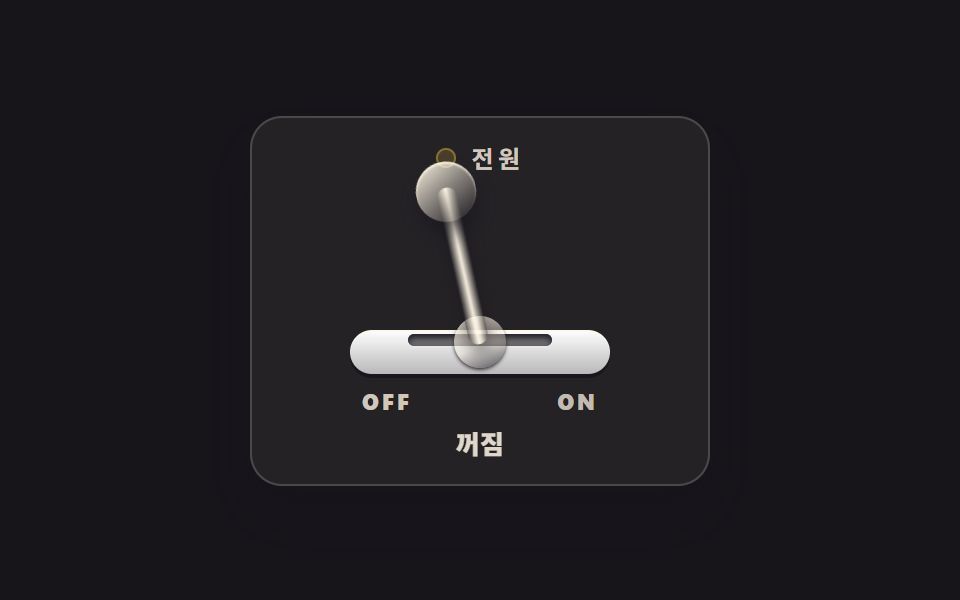 01 skeuo-toggle-lever
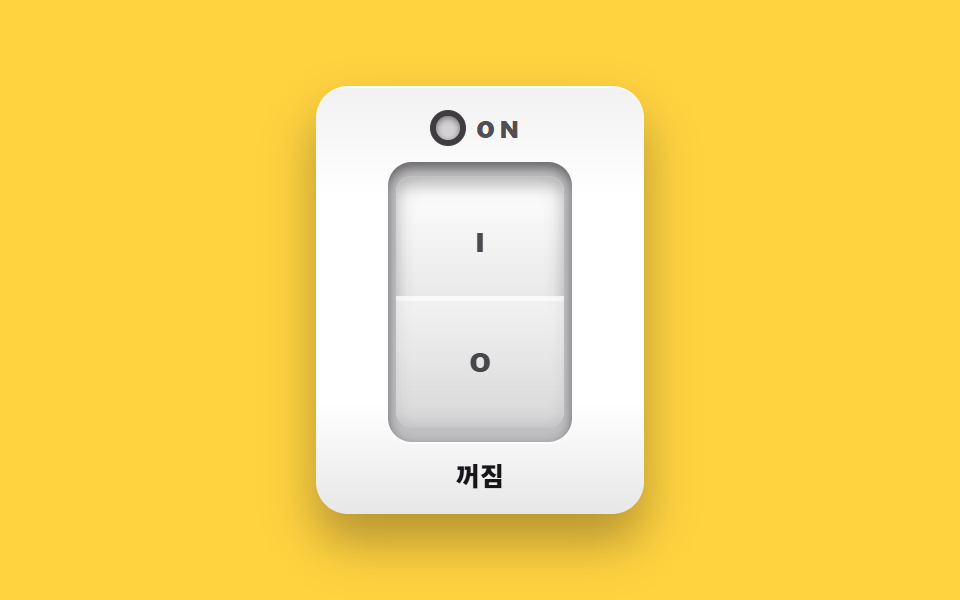 02 skeuo-rocker-switch
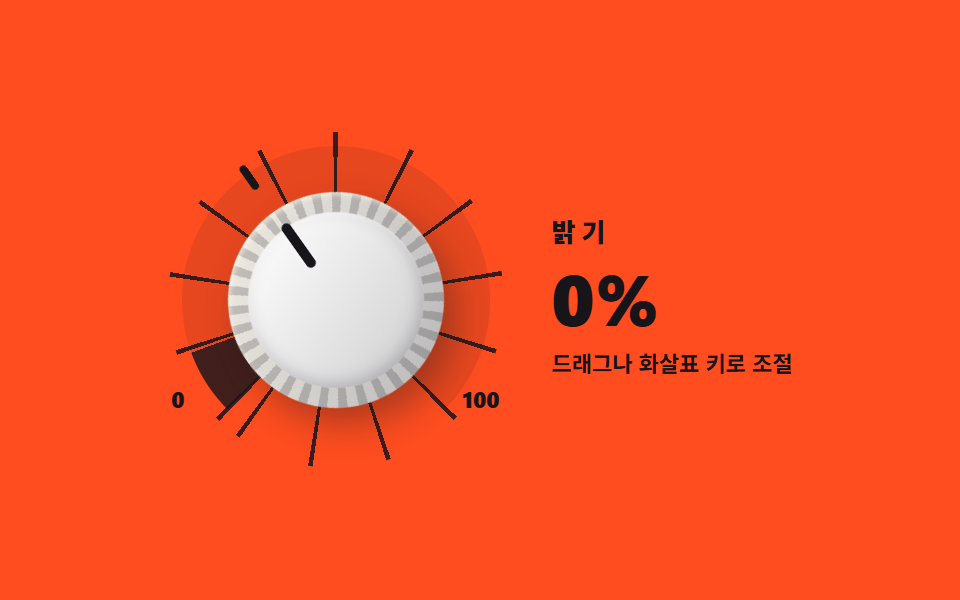 03 skeuo-dial-knob
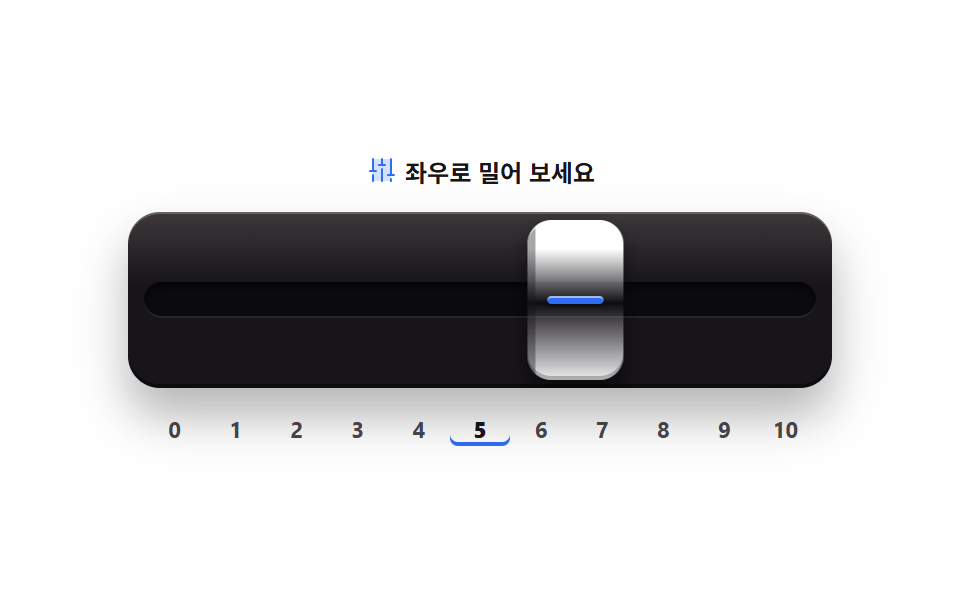 04 skeuo-push-slider
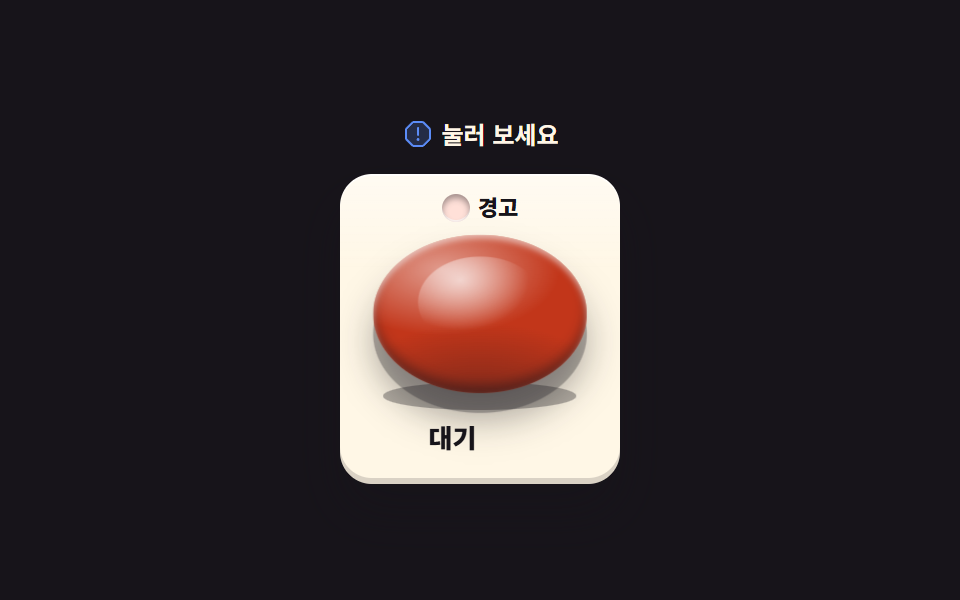 05 skeuo-bang-button
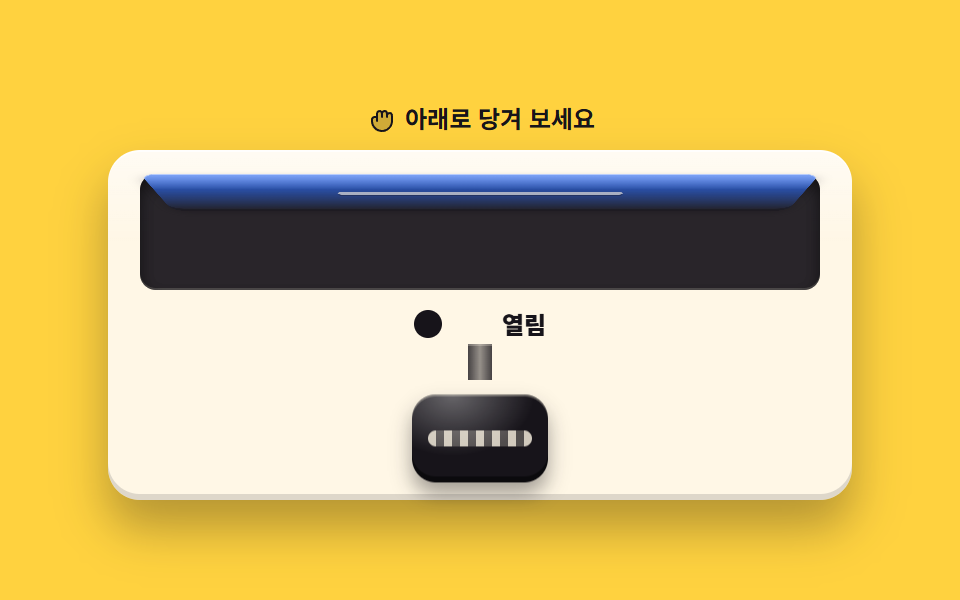 06 skeuo-pull-knob
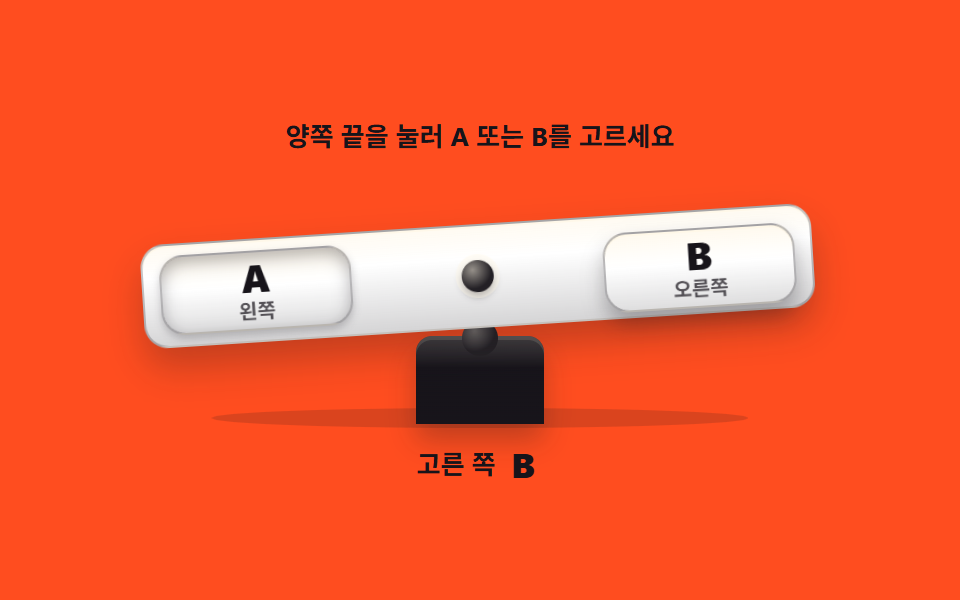 07 skeuo-seesaw-switch
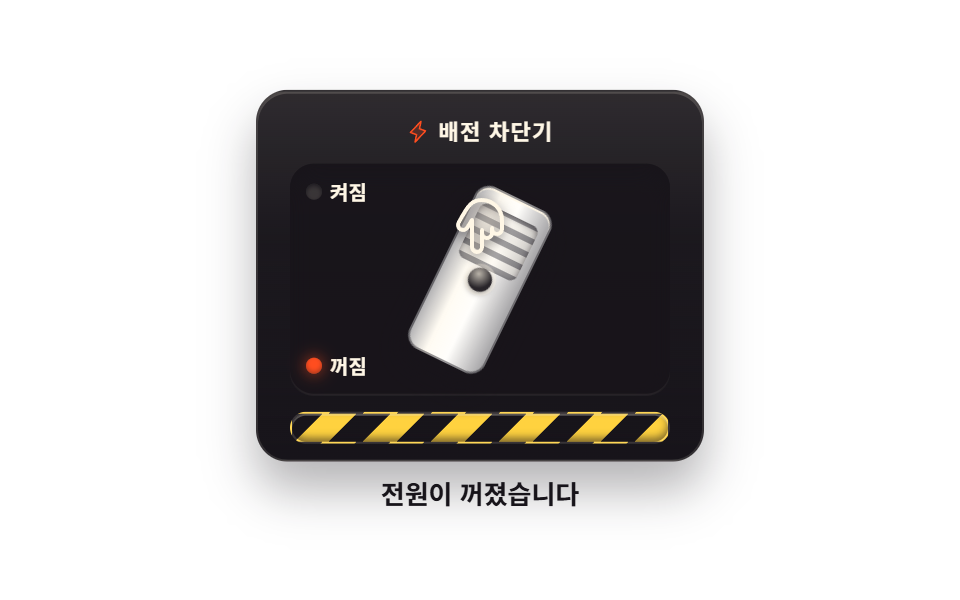 08 skeuo-breaker-switch
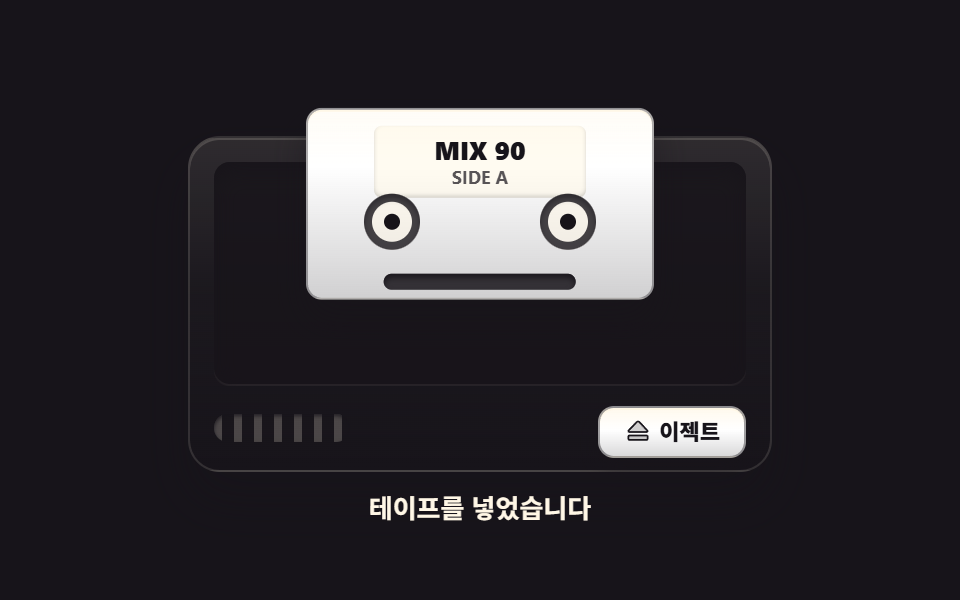 09 skeuo-cassette-eject
自動再生 · タイルを押すとその項目へ · すべて1つのzip
- 01 レバートグルスイッチ
- 02 ロッカー電源スイッチ
- 03 回転ダイヤルノブ
- 04 プッシュフェーダー
- 05 緊急バングボタン
- 06 引いて開けるプルノブ
- 07 シーソースイッチ
- 08 ブレーカースイッチ
- 09 カセットイジェクトボタン
9つをこの順に並べた基準は、手の動きです。最初の2つ(01・02)は一度押してオン・オフを切り替える電源で、css on off スイッチ として探されるいちばん素朴な形がここにあります。続く2つ(03・04)は値を連続的に決める調節器、真ん中の2つ(05・06)は押す・引くという大きな動作で状態を変える部品、後ろの2つ(07・08)は板とハンドルを倒して選ぶ・落とす物で、最後の09は取り出す動作で締めくくります。舞台の色は墨・ペーパー・イエロー・オレンジの4種を順に回し、オレンジの舞台に載る文字はすべて墨で打ちました。押した瞬間の動きを足したいならCSS ボタン アニメーション 9選、押したあとの見せ方が気になるならcss ボタン 押したら変わる 9選が隣に並び、同じスイッチでももっと薄く平らな作りが欲しいときはCSS トグルスイッチ 9選が近道です。
01レバートグルスイッチ
金属レバーが支点を軸に左右へ傾いてオン・オフを切り替えるスイッチで、オーディオラックの電源パネルや機器設定画面のモード切替に似合います。
<main class="stage">
<div class="tl is-demo" id="tl">
  <section class="tl__panel">
    <p class="tl__head"><span class="tl__led" aria-hidden="true"></span><span class="tl__name">電源</span></p>
    <div class="tl__assembly">
      <span class="tl__bracket" aria-hidden="true"></span>
      <span class="tl__slot" aria-hidden="true"></span>
      <span class="tl__dome" aria-hidden="true"></span>
      <button class="tl__hit" id="tlLever" type="button" role="switch" aria-checked="false" aria-label="電源レバー">
        <span class="tl__armWrap" aria-hidden="true"><span class="tl__grip"></span></span>
      </button>
    </div>
    <p class="tl__marks" aria-hidden="true"><span class="tl__mark tl__mark--off">OFF</span><span class="tl__mark tl__mark--on">ON</span></p>
    <p class="tl__state" role="status"><span class="tl__wordOff">切</span><span class="tl__wordOn">入</span></p>
  </section>
</div>
</main>
@use "../../../../site/static/demo-tokens" as *;
// 토글 레버 스위치 — 금속 레버가 관절(돔)을 축으로 좌우로 기울어 on·off 를 가른다.
// 손을 떼는 순간의 스프링 튕김은 $easing(오버슈트 베지에)이 transition 한 번으로 만든다.
// 켜짐은 LED 점과 ON 글자 둘로 알린다(색만으로 상태를 말하지 않는다). role="switch" + aria-checked.
// 미리보기(.is-demo)는 레버가 좌우로 왕복하며 LED·글자가 steps(1,end) 컷으로 따라 바뀐다.
$duration: $dur-quick;
$easing: cubic-bezier(.2, 1.4, .4, 1); // = $ease-pop — 칩 값 그대로 노출
$color: $stage-paper;
@include stage($stage-ink);
.tl { display: grid; place-items: center; width: 100%; }
.tl__panel {
box-sizing: border-box; width: clamp(190px, 60vw, 230px);
display: flex; flex-direction: column; align-items: center; gap: $sp-2;
padding: $sp-3; border-radius: $r-card;
background: rgba($subject-cream, .06);
border: 1px solid rgba($subject-cream, .18);
box-shadow: $shadow-raised;
}
.tl__head { display: flex; align-items: center; gap: $sp-2; margin: 0; height: 16px; }
.tl__led {
width: 10px; height: 10px; border-radius: 50%; flex: 0 0 auto;
background: rgba($stage-yellow, .16);
box-shadow: inset 0 0 0 1px rgba($stage-yellow, .35);
}
.tl__name {
font-weight: 700; font-size: clamp(10px, 2.6vw, 12px); line-height: 1;
letter-spacing: .18em; color: rgba($subject-cream, .78);
}
// ── 레버 어셈블리 ────────────────────────────────────────────
.tl__assembly { position: relative; width: 130px; height: 92px; }
.tl__bracket {
position: absolute; left: 0; bottom: 0; width: 130px; height: 22px;
border-radius: $r-control;
background: linear-gradient(180deg, $color, rgba($subject-ink, .30)), $color;
box-shadow: 0 2px 0 rgba($stage-ink, .8), inset 0 1px 0 rgba($subject-cream, .8);
}
.tl__slot {
position: absolute; left: 50%; top: 72px; width: 72px; height: 6px;
margin-left: -36px; border-radius: $r-pill; background: rgba($stage-ink, .6);
box-shadow: inset 0 2px 3px rgba($stage-ink, .9), 0 1px 0 rgba($subject-cream, .16);
}
.tl__dome {
position: absolute; left: calc(50% - 13px); bottom: 3px; width: 26px; height: 26px;
border-radius: 50%;
background: linear-gradient(155deg, rgba($subject-cream, .95), rgba($subject-cream, .35) 55%, rgba($stage-ink, .65));
box-shadow: 0 1px 2px rgba($stage-ink, .9);
}
.tl__hit {
position: absolute; inset: 0; z-index: 5; margin: 0; padding: 0;
border: 0; background: transparent; cursor: pointer;
}
.tl__hit:focus-visible { outline: 2px solid $stage-yellow; outline-offset: 2px; border-radius: $r-control; }
// 레버 팔 — transform-origin 을 팔 밑(돔 중심)에 두고 좌우로 기울어진다
.tl__armWrap {
  position: absolute; left: calc(50% - 5px); bottom: 15px; width: 10px; height: 80px;
  border-radius: $r-pill; transform-origin: 50% 100%; transform: rotate(-24deg);
  transition: transform $duration $easing;
  background: linear-gradient(90deg,
    rgba($stage-ink, .55), rgba($subject-cream, .82) 42%,
    rgba($subject-cream, .95) 50%, rgba($subject-cream, .70) 62%, rgba($stage-ink, .50));
  box-shadow: 0 4px 8px rgba($stage-ink, .55);
}
.tl__grip {
position: absolute; top: -13px; left: calc(50% - 15px); width: 30px; height: 30px;
border-radius: 50%;
background: linear-gradient(150deg, rgba($subject-cream, .96), rgba($subject-cream, .45) 48%, rgba($stage-ink, .55));
box-shadow: 0 6px 10px rgba($stage-ink, .6), inset 0 1px 1px rgba($subject-cream, .9);
}
// ── 상태 ─────────────────────────────────────────────────────
.tl__marks { display: flex; justify-content: space-between; width: 118px; margin: 0; }
.tl__mark {
font-weight: 800; font-size: clamp(9px, 2.4vw, 11px); line-height: 1; letter-spacing: .14em;
}
.tl__mark--off { color: rgba($subject-cream, .78); }
.tl__mark--on { color: rgba($subject-cream, .72); }
.tl__state { position: relative; margin: 0; width: 60px; height: 16px; }
.tl__wordOff, .tl__wordOn {
position: absolute; inset: 0; display: flex; align-items: center; justify-content: center;
font-weight: 800; font-size: clamp(11px, 2.8vw, 13px); line-height: 1;
}
.tl__wordOff { color: rgba($subject-cream, .85); }
.tl__wordOn { color: $stage-yellow; display: none; }
// 켜짐 — 레버 기울기 · LED · ON 글자 · 상태 단어가 함께 바뀐다
.tl.is-on .tl__armWrap { transform: rotate(24deg); }
.tl.is-on .tl__led {
background: $stage-yellow;
box-shadow: 0 0 10px rgba($stage-yellow, .85), 0 0 0 3px rgba($stage-yellow, .25);
}
.tl.is-on .tl__mark--on { color: $stage-yellow; }
.tl.is-on .tl__mark--off { color: rgba($subject-cream, .72); }
.tl.is-on .tl__wordOn { display: flex; }
.tl.is-on .tl__wordOff { display: none; }
// ── 미리보기 루프(2초 한 바퀴) ────────────────────────────────
// 레버는 오버슈트를 넣었다가 제자리로 돌아온다. LED·글자는 steps(1,end) 컷.
.tl.is-demo .tl__armWrap {
animation-name: tlSwing; animation-duration: $dur-loop;
animation-timing-function: $easing; animation-iteration-count: infinite;
}
@keyframes tlSwing {
  0%   { transform: rotate(-24deg); }
  8%   { transform: rotate(-24deg); }
  38%  { transform: rotate(28deg); }
  44%  { transform: rotate(23deg); }
  48%  { transform: rotate(24deg); }
  68%  { transform: rotate(24deg); }
  88%  { transform: rotate(-28deg); }
  94%  { transform: rotate(-23deg); }
  97%  { transform: rotate(-24deg); }
  100% { transform: rotate(-24deg); }
}
.tl.is-demo .tl__led {
animation-name: tlLed; animation-duration: $dur-loop;
animation-timing-function: steps(1, end); animation-iteration-count: infinite;
}
@keyframes tlLed {
0% { background: rgba($stage-yellow, .16); box-shadow: inset 0 0 0 1px rgba($stage-yellow, .35); }
46% { background: $stage-yellow; box-shadow: 0 0 10px rgba($stage-yellow, .85), 0 0 0 3px rgba($stage-yellow, .25); }
70% { background: rgba($stage-yellow, .16); box-shadow: inset 0 0 0 1px rgba($stage-yellow, .35); }
100% { background: rgba($stage-yellow, .16); box-shadow: inset 0 0 0 1px rgba($stage-yellow, .35); }
}
.tl.is-demo .tl__mark--on {
animation-name: tlMarkOn; animation-duration: $dur-loop;
animation-timing-function: steps(1, end); animation-iteration-count: infinite;
}
@keyframes tlMarkOn {
0% { color: rgba($subject-cream, .72); }
46% { color: $stage-yellow; }
70% { color: rgba($subject-cream, .72); }
100% { color: rgba($subject-cream, .72); }
}
.tl.is-demo .tl__mark--off {
animation-name: tlMarkOff; animation-duration: $dur-loop;
animation-timing-function: steps(1, end); animation-iteration-count: infinite;
}
@keyframes tlMarkOff {
0% { color: rgba($subject-cream, .78); }
46% { color: rgba($subject-cream, .72); }
70% { color: rgba($subject-cream, .78); }
100% { color: rgba($subject-cream, .78); }
}
// 상태 단어는 루프에서 둘 다 띄운 뒤 opacity 컷으로 갈아 낀다(정적 규칙의 display 는 건드리지 않는다)
.tl.is-demo .tl__wordOn { display: flex; opacity: 0; }
.tl.is-demo .tl__wordOff { opacity: 1; }
.tl.is-demo .tl__wordOn {
animation-name: tlWordOn; animation-duration: $dur-loop;
animation-timing-function: steps(1, end); animation-iteration-count: infinite;
}
@keyframes tlWordOn {
0% { opacity: 0; }
46% { opacity: 1; }
70% { opacity: 0; }
100% { opacity: 0; }
}
.tl.is-demo .tl__wordOff {
animation-name: tlWordOff; animation-duration: $dur-loop;
animation-timing-function: steps(1, end); animation-iteration-count: infinite;
}
@keyframes tlWordOff {
0% { opacity: 1; }
46% { opacity: 0; }
70% { opacity: 1; }
100% { opacity: 1; }
}
@media (max-width: 340px) {
.tl__panel { gap: $sp-1; padding: $sp-2; }
.tl__assembly { width: 110px; height: 66px; }
.tl__bracket { width: 110px; height: 18px; }
.tl__slot { top: 52px; left: calc(50% - 30px); width: 60px; }
.tl__dome { width: 20px; height: 20px; left: calc(50% - 10px); bottom: 2px; }
.tl__armWrap { height: 56px; bottom: 11px; }
.tl__grip { width: 24px; height: 24px; left: calc(50% - 12px); top: -10px; }
.tl__marks { width: 100px; }
.tl__state { height: 14px; }
}
@media (prefers-reduced-motion: reduce) {
.tl.is-demo .tl__armWrap { animation: none !important; transform: rotate(-24deg) !important; }
.tl.is-demo .tl__led { animation: none !important; }
.tl.is-demo .tl__mark--on { animation: none !important; }
.tl.is-demo .tl__mark--off { animation: none !important; }
.tl.is-demo .tl__wordOn { animation: none !important; opacity: 0 !important; }
.tl.is-demo .tl__wordOff { animation: none !important; opacity: 1 !important; }
}html, body {
margin: 0;
overflow: hidden;
}
.stage {
box-sizing: border-box;
min-height: 100vh;
display: grid;
place-items: center;
margin: 0;
background: #17141a;
font-family: -apple-system, "Segoe UI", "Noto Sans KR", sans-serif;
padding: clamp(8px, 4vw, 24px);
}
.tl {
display: grid;
place-items: center;
width: 100%;
}
.tl__panel {
box-sizing: border-box;
width: clamp(190px, 60vw, 230px);
display: flex;
flex-direction: column;
align-items: center;
gap: 8px;
padding: 12px;
border-radius: 16px;
background: rgba(255, 247, 230, 0.06);
border: 1px solid rgba(255, 247, 230, 0.18);
box-shadow: 0 14px 24px rgba(23, 20, 26, 0.32);
}
.tl__head {
display: flex;
align-items: center;
gap: 8px;
margin: 0;
height: 16px;
}
.tl__led {
width: 10px;
height: 10px;
border-radius: 50%;
flex: 0 0 auto;
background: rgba(255, 210, 63, 0.16);
box-shadow: inset 0 0 0 1px rgba(255, 210, 63, 0.35);
}
.tl__name {
font-weight: 700;
font-size: clamp(10px, 2.6vw, 12px);
line-height: 1;
letter-spacing: 0.18em;
color: rgba(255, 247, 230, 0.78);
}
.tl__assembly {
position: relative;
width: 130px;
height: 92px;
}
.tl__bracket {
position: absolute;
left: 0;
bottom: 0;
width: 130px;
height: 22px;
border-radius: 12px;
background: linear-gradient(180deg, #ffffff, rgba(23, 20, 26, 0.3)), #ffffff;
box-shadow: 0 2px 0 rgba(23, 20, 26, 0.8), inset 0 1px 0 rgba(255, 247, 230, 0.8);
}
.tl__slot {
position: absolute;
left: 50%;
top: 72px;
width: 72px;
height: 6px;
margin-left: -36px;
border-radius: 999px;
background: rgba(23, 20, 26, 0.6);
box-shadow: inset 0 2px 3px rgba(23, 20, 26, 0.9), 0 1px 0 rgba(255, 247, 230, 0.16);
}
.tl__dome {
position: absolute;
left: calc(50% - 13px);
bottom: 3px;
width: 26px;
height: 26px;
border-radius: 50%;
background: linear-gradient(155deg, rgba(255, 247, 230, 0.95), rgba(255, 247, 230, 0.35) 55%, rgba(23, 20, 26, 0.65));
box-shadow: 0 1px 2px rgba(23, 20, 26, 0.9);
}
.tl__hit {
position: absolute;
inset: 0;
z-index: 5;
margin: 0;
padding: 0;
border: 0;
background: transparent;
cursor: pointer;
}
.tl__hit:focus-visible {
outline: 2px solid #ffd23f;
outline-offset: 2px;
border-radius: 12px;
}
.tl__armWrap {
position: absolute;
left: calc(50% - 5px);
bottom: 15px;
width: 10px;
height: 80px;
border-radius: 999px;
transform-origin: 50% 100%;
transform: rotate(-24deg);
transition: transform 220ms cubic-bezier(0.2, 1.4, 0.4, 1);
background: linear-gradient(90deg, rgba(23, 20, 26, 0.55), rgba(255, 247, 230, 0.82) 42%, rgba(255, 247, 230, 0.95) 50%, rgba(255, 247, 230, 0.7) 62%, rgba(23, 20, 26, 0.5));
box-shadow: 0 4px 8px rgba(23, 20, 26, 0.55);
}
.tl__grip {
position: absolute;
top: -13px;
left: calc(50% - 15px);
width: 30px;
height: 30px;
border-radius: 50%;
background: linear-gradient(150deg, rgba(255, 247, 230, 0.96), rgba(255, 247, 230, 0.45) 48%, rgba(23, 20, 26, 0.55));
box-shadow: 0 6px 10px rgba(23, 20, 26, 0.6), inset 0 1px 1px rgba(255, 247, 230, 0.9);
}
.tl__marks {
display: flex;
justify-content: space-between;
width: 118px;
margin: 0;
}
.tl__mark {
font-weight: 800;
font-size: clamp(9px, 2.4vw, 11px);
line-height: 1;
letter-spacing: 0.14em;
}
.tl__mark--off {
color: rgba(255, 247, 230, 0.78);
}
.tl__mark--on {
color: rgba(255, 247, 230, 0.72);
}
.tl__state {
position: relative;
margin: 0;
width: 60px;
height: 16px;
}
.tl__wordOff, .tl__wordOn {
position: absolute;
inset: 0;
display: flex;
align-items: center;
justify-content: center;
font-weight: 800;
font-size: clamp(11px, 2.8vw, 13px);
line-height: 1;
}
.tl__wordOff {
color: rgba(255, 247, 230, 0.85);
}
.tl__wordOn {
color: #ffd23f;
display: none;
}
.tl.is-on .tl__armWrap {
transform: rotate(24deg);
}
.tl.is-on .tl__led {
background: #ffd23f;
box-shadow: 0 0 10px rgba(255, 210, 63, 0.85), 0 0 0 3px rgba(255, 210, 63, 0.25);
}
.tl.is-on .tl__mark--on {
color: #ffd23f;
}
.tl.is-on .tl__mark--off {
color: rgba(255, 247, 230, 0.72);
}
.tl.is-on .tl__wordOn {
display: flex;
}
.tl.is-on .tl__wordOff {
display: none;
}
.tl.is-demo .tl__armWrap {
animation-name: tlSwing;
animation-duration: 2s;
animation-timing-function: cubic-bezier(0.2, 1.4, 0.4, 1);
animation-iteration-count: infinite;
}
@keyframes tlSwing {
0% {
transform: rotate(-24deg);
}
8% {
transform: rotate(-24deg);
}
38% {
transform: rotate(28deg);
}
44% {
transform: rotate(23deg);
}
48% {
transform: rotate(24deg);
}
68% {
transform: rotate(24deg);
}
88% {
transform: rotate(-28deg);
}
94% {
transform: rotate(-23deg);
}
97% {
transform: rotate(-24deg);
}
100% {
transform: rotate(-24deg);
}
}
.tl.is-demo .tl__led {
animation-name: tlLed;
animation-duration: 2s;
animation-timing-function: steps(1, end);
animation-iteration-count: infinite;
}
@keyframes tlLed {
0% {
background: rgba(255, 210, 63, 0.16);
box-shadow: inset 0 0 0 1px rgba(255, 210, 63, 0.35);
}
46% {
background: #ffd23f;
box-shadow: 0 0 10px rgba(255, 210, 63, 0.85), 0 0 0 3px rgba(255, 210, 63, 0.25);
}
70% {
background: rgba(255, 210, 63, 0.16);
box-shadow: inset 0 0 0 1px rgba(255, 210, 63, 0.35);
}
100% {
background: rgba(255, 210, 63, 0.16);
box-shadow: inset 0 0 0 1px rgba(255, 210, 63, 0.35);
}
}
.tl.is-demo .tl__mark--on {
animation-name: tlMarkOn;
animation-duration: 2s;
animation-timing-function: steps(1, end);
animation-iteration-count: infinite;
}
@keyframes tlMarkOn {
0% {
color: rgba(255, 247, 230, 0.72);
}
46% {
color: #ffd23f;
}
70% {
color: rgba(255, 247, 230, 0.72);
}
100% {
color: rgba(255, 247, 230, 0.72);
}
}
.tl.is-demo .tl__mark--off {
animation-name: tlMarkOff;
animation-duration: 2s;
animation-timing-function: steps(1, end);
animation-iteration-count: infinite;
}
@keyframes tlMarkOff {
0% {
color: rgba(255, 247, 230, 0.78);
}
46% {
color: rgba(255, 247, 230, 0.72);
}
70% {
color: rgba(255, 247, 230, 0.78);
}
100% {
color: rgba(255, 247, 230, 0.78);
}
}
.tl.is-demo .tl__wordOn {
display: flex;
opacity: 0;
}
.tl.is-demo .tl__wordOff {
opacity: 1;
}
.tl.is-demo .tl__wordOn {
animation-name: tlWordOn;
animation-duration: 2s;
animation-timing-function: steps(1, end);
animation-iteration-count: infinite;
}
@keyframes tlWordOn {
0% {
opacity: 0;
}
46% {
opacity: 1;
}
70% {
opacity: 0;
}
100% {
opacity: 0;
}
}
.tl.is-demo .tl__wordOff {
animation-name: tlWordOff;
animation-duration: 2s;
animation-timing-function: steps(1, end);
animation-iteration-count: infinite;
}
@keyframes tlWordOff {
0% {
opacity: 1;
}
46% {
opacity: 0;
}
70% {
opacity: 1;
}
100% {
opacity: 1;
}
}
@media (max-width: 340px) {
.tl__panel {
gap: 4px;
padding: 8px;
}
.tl__assembly {
width: 110px;
height: 66px;
}
.tl__bracket {
width: 110px;
height: 18px;
}
.tl__slot {
top: 52px;
left: calc(50% - 30px);
width: 60px;
}
.tl__dome {
width: 20px;
height: 20px;
left: calc(50% - 10px);
bottom: 2px;
}
.tl__armWrap {
height: 56px;
bottom: 11px;
}
.tl__grip {
width: 24px;
height: 24px;
left: calc(50% - 12px);
top: -10px;
}
.tl__marks {
width: 100px;
}
.tl__state {
height: 14px;
}
}
@media (prefers-reduced-motion: reduce) {
.tl.is-demo .tl__armWrap {
animation: none !important;
transform: rotate(-24deg) !important;
}
.tl.is-demo .tl__led {
animation: none !important;
}
.tl.is-demo .tl__mark--on {
animation: none !important;
}
.tl.is-demo .tl__mark--off {
animation: none !important;
}
.tl.is-demo .tl__wordOn {
animation: none !important;
opacity: 0 !important;
}
.tl.is-demo .tl__wordOff {
animation: none !important;
opacity: 1 !important;
}
}var root = document.getElementById('tl');
var lever = document.getElementById('tlLever');
function setOn(on) {
lever.setAttribute('aria-checked', on ? 'true' : 'false');
root.classList.toggle('is-on', on);
}
function toggle() {
root.classList.remove('is-demo');
setOn(lever.getAttribute('aria-checked') !== 'true');
}
lever.addEventListener('pointerdown', function () { root.classList.remove('is-demo'); });
lever.addEventListener('click', toggle);// ToggleLever — vanilla 판(run/013/demo/01-skeuo-toggle-lever/index.html) 의 React 포트.
// 금속 레버가 관절을 축으로 좌우로 기울어 on·off 를 가르고, transition 이 오버슈트로 한 번 튕긴다.
// 값·키프레임은 vanilla 와 같다(다시 타이핑하지 않는다). 클릭하면 미리보기 루프를 뗀다.
import { useState } from "react";
import styles from "./ToggleLever.module.scss";
export type ToggleLeverProps = {
duration?: number;
easing?: string;
color?: string;
};
type Vars = { [k: string]: any };
const NAME_TEXT = "전원";
const STATE_OFF = "꺼짐";
const STATE_ON = "켜짐";
const LEVER_LABEL = "전원 레버";
export default function ToggleLever({
duration = 220,
easing = "cubic-bezier(.2, 1.4, .4, 1)", // = $ease-pop
color = "#ffffff",
}: ToggleLeverProps) {
const [on, setOn] = useState(false);
const [demo, setDemo] = useState(true);
const vars: Vars = {
"--duration": `${duration}ms`,
"--easing": easing,
"--color": color,
};
const cls = [styles.root, demo ? styles.isDemo : "", on ? styles.isOn : ""].filter(Boolean).join(" ");
function toggle() {
setDemo(false);
setOn((prev) => !prev);
}
function wake() {
setDemo(false);
}
return (
<main className={styles.stage}>
<div className={cls} style={vars}>
<section className={styles.panel}>
<p className={styles.head}><span className={styles.led} aria-hidden="true"></span><span className={styles.name}>{NAME_TEXT}</span></p>
<div className={styles.assembly}>
<span className={styles.bracket} aria-hidden="true"></span>
<span className={styles.slot} aria-hidden="true"></span>
<span className={styles.dome} aria-hidden="true"></span>
<button
className={styles.hit}
type="button"
role="switch"
aria-checked={on}
aria-label={LEVER_LABEL}
onPointerDown={wake}
onClick={toggle}
>
<span className={styles.armWrap} aria-hidden="true"><span className={styles.grip}></span></span>
</button>
</div>
<p className={styles.marks} aria-hidden="true">
<span className={`${styles.mark} ${styles.markOff}`}>OFF</span>
<span className={`${styles.mark} ${styles.markOn}`}>ON</span>
</p>
<p className={styles.state} role="status">
<span className={styles.wordOff}>{STATE_OFF}</span>
<span className={styles.wordOn}>{STATE_ON}</span>
</p>
</section>
</div>
</main>
);
}01 · レバートグルスイッチ — 計測 累積面積 4.119% · 動いたフレーム 18/23GODRICH オリジナル · SCSS と React は zip に同梱 · パスワードを見る
支点の上で回るレバーアーム
レバーアーム(.tl__armWrap)は transform-origin: 50% 100% で根元のドームの中心を軸に据え、rotate(-24deg) と rotate(24deg) の間だけを往復し、点灯するとLEDの点とONの文字、状態を表す語がそろって変わります。
.tl__armWrap {
position: absolute; left: calc(50% - 5px); bottom: 15px; width: 10px; height: 80px;
border-radius: $r-pill; transform-origin: 50% 100%; transform: rotate(-24deg);
transition: transform $duration $easing;
background: linear-gradient(90deg,
rgba($stage-ink, .55), rgba($subject-cream, .82) 42%,
rgba($subject-cream, .95) 50%, rgba($subject-cream, .70) 62%, rgba($stage-ink, .50));
box-shadow: 0 4px 8px rgba($stage-ink, .55);
}
オーバーシュートで生きるスプリングの手応え
指を離した瞬間の弾みは cubic-bezier(.2, 1.4, .4, 1) のオーバーシュート1回で作られ、プレビューでも38%で28度を行き過ぎてから48%で24度へ戻る手応えがそのまま入っています(動いたフレーム18/23)。
@keyframes tlSwing {
0% { transform: rotate(-24deg); }
8% { transform: rotate(-24deg); }
38% { transform: rotate(28deg); }
44% { transform: rotate(23deg); }
48% { transform: rotate(24deg); }
68% { transform: rotate(24deg); }
88% { transform: rotate(-28deg); }
94% { transform: rotate(-23deg); }
97% { transform: rotate(-24deg); }
100% { transform: rotate(-24deg); }
}
02ロッカー電源スイッチ
上面にI、下面にOを持つ2つのキャップでできた実物どおりの電源スイッチのモックアップで、機器の裏面スイッチやワイヤレスマウスの設定カードに合わせた手触りです。
<main class="stage">
<div class="rs is-demo" id="rs">
  <section class="rs__plate">
    <p class="rs__head"><span class="rs__lamp" aria-hidden="true"></span><span class="rs__onWord">ON</span></p>
    <div class="rs__bezel">
      <button class="rs__rocker" id="rsRocker" type="button" role="switch" aria-checked="false" aria-label="電源ロッカー">
        <span class="rs__cap rs__capTop"><b class="rs__io">I</b></span>
        <span class="rs__cap rs__capBottom"><b class="rs__io">O</b></span>
      </button>
    </div>
    <p class="rs__state" role="status"><span class="rs__wordOff">切</span><span class="rs__wordOn">入</span></p>
  </section>
</div>
</main>
@use "../../../../site/static/demo-tokens" as *;
// 로커 전원 스위치 — 윗면(I)을 누르면 누른 쪽이 translateY 로 가라앉으며
// inset 그림자가 깊어지고 반대쪽(O)이 떠오른다. 두 cap 의 그림자 리스트는
// 구조를 맞춰(둘 다 inset 2장) 보간이 되게 했다. 켜짐은 주황 표시등과 ON 글자로 —
// 색만으로 상태를 알리지 않는다. role="switch" + aria-checked.
// 미리보기(.is-demo)는 위·아래를 번갈아 눌러 보고 LED·단어는 steps(1,end) 컷.
$duration: $dur-quick;
$easing: $ease-spring;
$color: $stage-paper;
@include stage($stage-yellow);
.rs { display: grid; place-items: center; width: 100%; }
.rs__plate {
box-sizing: border-box; width: clamp(136px, 44vw, 164px);
display: flex; flex-direction: column; align-items: center; gap: $sp-2;
padding: $sp-3; border-radius: $r-card;
background: linear-gradient(180deg, rgba($subject-ink, .06), rgba($subject-ink, 0) 26%, rgba($subject-ink, 0) 74%, rgba($subject-ink, .10)), $color;
box-shadow: $shadow-raised, inset 0 1px 0 rgba($stage-paper, .9);
}
.rs__head { display: flex; align-items: center; gap: $sp-2; margin: 0; height: 18px; }
.rs__lamp {
width: 12px; height: 12px; border-radius: 50%; flex: 0 0 auto;
background: rgba($subject-ink, .16);
box-shadow: inset 0 1px 3px rgba($subject-ink, .5), 0 0 0 3px rgba($subject-ink, .82);
}
.rs__onWord {
font-weight: 800; font-size: clamp(10px, 2.6vw, 12px); line-height: 1;
letter-spacing: .2em; color: rgba($subject-ink, .74);
}
// ── 로커 ─────────────────────────────────────────────────────
.rs__bezel {
padding: $sp-1; border-radius: $r-control;
background: rgba($subject-ink, .26);
box-shadow: inset 0 3px 6px rgba($subject-ink, .55), 0 1px 0 rgba($stage-paper, .8);
}
.rs__rocker {
display: flex; flex-direction: column; margin: 0; padding: 0; border: 0;
width: 84px; height: 132px; background: transparent; cursor: pointer;
}
.rs__rocker:focus-visible { outline: 2px solid $subject-ink; outline-offset: 2px; border-radius: $r-control; }
.rs__cap {
display: flex; align-items: center; justify-content: center;
width: 84px; height: 66px;
transition: transform $duration $easing, box-shadow $duration $easing;
}
.rs__capTop {
  border-radius: $r-sm $r-sm 0 0;
  background: linear-gradient(180deg, $color, rgba($subject-ink, .10)), $color;
  transform: translateY(-3px);
  box-shadow: inset 0 -3px 6px rgba($subject-ink, .10), inset 0 2px 0 rgba($stage-paper, .85);
}
.rs__capBottom {
  border-radius: 0 0 $r-sm $r-sm;
  background: linear-gradient(180deg, rgba($subject-ink, .05), rgba($subject-ink, .17)), $color;
  transform: translateY(3px);
  box-shadow: inset 0 4px 8px rgba($subject-ink, .32), inset 0 -1px 0 rgba($stage-paper, .40);
}
.rs__io {
font-weight: 800; font-size: 13px; line-height: 1; color: rgba($subject-ink, .76);
}
// 켜짐 — 윗 cap 이 가라앉고 아랫cap 이 뜬다. 표시등·ON 글자·상태 단어가 함께 바뀐다
.rs.is-on .rs__capTop {
transform: translateY(3px);
box-shadow: inset 0 4px 8px rgba($subject-ink, .32), inset 0 -1px 0 rgba($stage-paper, .40);
}
.rs.is-on .rs__capBottom {
transform: translateY(-3px);
box-shadow: inset 0 -3px 6px rgba($subject-ink, .10), inset 0 2px 0 rgba($stage-paper, .85);
}
.rs.is-on .rs__lamp {
background: $stage-orange;
box-shadow: 0 0 12px rgba($stage-orange, .8), 0 0 0 3px rgba($subject-ink, .82);
}
.rs.is-on .rs__onWord { color: $subject-orange-deep; }
.rs__state { position: relative; margin: 0; width: 60px; height: 16px; }
.rs__wordOff, .rs__wordOn {
position: absolute; inset: 0; display: flex; align-items: center; justify-content: center;
font-weight: 800; font-size: clamp(11px, 2.8vw, 13px); line-height: 1;
}
.rs__wordOff { color: $subject-ink; }
.rs__wordOn { display: none; }
.rs.is-on .rs__wordOn { display: flex; }
.rs.is-on .rs__wordOff { display: none; }
// ── 미리보기 루프(2초 한 바퀴) ────────────────────────────────
// 위를 누름(오버슈트 4px) → 유지 → 놓음(튕겨 올라옴) → 유지. 컷 요소는 steps(1,end).
.rs.is-demo .rs__capTop {
animation-name: rsPressTop; animation-duration: $dur-loop;
animation-timing-function: $easing; animation-iteration-count: infinite;
}
@keyframes rsPressTop {
  0%   { transform: translateY(-3px); box-shadow: inset 0 -3px 6px rgba($subject-ink, .10), inset 0 2px 0 rgba($stage-paper, .85); }
  12%  { transform: translateY(4px);  box-shadow: inset 0 5px 9px rgba($subject-ink, .38), inset 0 -1px 0 rgba($stage-paper, .35); }
  18%  { transform: translateY(3px);  box-shadow: inset 0 4px 8px rgba($subject-ink, .32), inset 0 -1px 0 rgba($stage-paper, .40); }
  46%  { transform: translateY(3px);  box-shadow: inset 0 4px 8px rgba($subject-ink, .32), inset 0 -1px 0 rgba($stage-paper, .40); }
  58%  { transform: translateY(-4px); box-shadow: inset 0 -4px 7px rgba($subject-ink, .08), inset 0 3px 0 rgba($stage-paper, .9); }
  64%  { transform: translateY(-3px); box-shadow: inset 0 -3px 6px rgba($subject-ink, .10), inset 0 2px 0 rgba($stage-paper, .85); }
  100% { transform: translateY(-3px); box-shadow: inset 0 -3px 6px rgba($subject-ink, .10), inset 0 2px 0 rgba($stage-paper, .85); }
}
.rs.is-demo .rs__capBottom {
animation-name: rsPressBottom; animation-duration: $dur-loop;
animation-timing-function: $easing; animation-iteration-count: infinite;
}
@keyframes rsPressBottom {
0% { transform: translateY(3px); box-shadow: inset 0 4px 8px rgba($subject-ink, .32), inset 0 -1px 0 rgba($stage-paper, .40); }
12% { transform: translateY(-4px); box-shadow: inset 0 -4px 7px rgba($subject-ink, .08), inset 0 3px 0 rgba($stage-paper, .9); }
18% { transform: translateY(-3px); box-shadow: inset 0 -3px 6px rgba($subject-ink, .10), inset 0 2px 0 rgba($stage-paper, .85); }
46% { transform: translateY(-3px); box-shadow: inset 0 -3px 6px rgba($subject-ink, .10), inset 0 2px 0 rgba($stage-paper, .85); }
58% { transform: translateY(4px); box-shadow: inset 0 5px 9px rgba($subject-ink, .38), inset 0 -1px 0 rgba($stage-paper, .35); }
64% { transform: translateY(3px); box-shadow: inset 0 4px 8px rgba($subject-ink, .32), inset 0 -1px 0 rgba($stage-paper, .40); }
100% { transform: translateY(3px); box-shadow: inset 0 4px 8px rgba($subject-ink, .32), inset 0 -1px 0 rgba($stage-paper, .40); }
}
.rs.is-demo .rs__lamp {
animation-name: rsLamp; animation-duration: $dur-loop;
animation-timing-function: steps(1, end); animation-iteration-count: infinite;
}
@keyframes rsLamp {
0% { background: rgba($subject-ink, .16); box-shadow: inset 0 1px 3px rgba($subject-ink, .5), 0 0 0 3px rgba($subject-ink, .82); }
16% { background: $stage-orange; box-shadow: 0 0 12px rgba($stage-orange, .8), 0 0 0 3px rgba($subject-ink, .82); }
62% { background: rgba($subject-ink, .16); box-shadow: inset 0 1px 3px rgba($subject-ink, .5), 0 0 0 3px rgba($subject-ink, .82); }
100% { background: rgba($subject-ink, .16); box-shadow: inset 0 1px 3px rgba($subject-ink, .5), 0 0 0 3px rgba($subject-ink, .82); }
}
.rs.is-demo .rs__onWord {
animation-name: rsOnWord; animation-duration: $dur-loop;
animation-timing-function: steps(1, end); animation-iteration-count: infinite;
}
@keyframes rsOnWord {
0% { color: rgba($subject-ink, .74); }
16% { color: $subject-orange-deep; }
62% { color: rgba($subject-ink, .74); }
100% { color: rgba($subject-ink, .74); }
}
.rs.is-demo .rs__wordOn { display: flex; opacity: 0; }
.rs.is-demo .rs__wordOff { opacity: 1; }
.rs.is-demo .rs__wordOn {
animation-name: rsWordOn; animation-duration: $dur-loop;
animation-timing-function: steps(1, end); animation-iteration-count: infinite;
}
@keyframes rsWordOn {
0% { opacity: 0; }
16% { opacity: 1; }
62% { opacity: 0; }
100% { opacity: 0; }
}
.rs.is-demo .rs__wordOff {
animation-name: rsWordOff; animation-duration: $dur-loop;
animation-timing-function: steps(1, end); animation-iteration-count: infinite;
}
@keyframes rsWordOff {
0% { opacity: 1; }
16% { opacity: 0; }
62% { opacity: 1; }
100% { opacity: 1; }
}
@media (max-width: 340px) {
.rs__plate { gap: $sp-1; padding: $sp-2; }
.rs__head { height: 14px; }
.rs__rocker { width: 68px; height: 104px; }
.rs__cap { width: 68px; height: 52px; }
.rs__io { font-size: 11px; }
.rs__state { height: 14px; }
}
@media (prefers-reduced-motion: reduce) {
.rs.is-demo .rs__capTop { animation: none !important; transform: translateY(-3px) !important; }
.rs.is-demo .rs__capBottom { animation: none !important; transform: translateY(3px) !important; }
.rs.is-demo .rs__lamp { animation: none !important; }
.rs.is-demo .rs__onWord { animation: none !important; }
.rs.is-demo .rs__wordOn { animation: none !important; opacity: 0 !important; }
.rs.is-demo .rs__wordOff { animation: none !important; opacity: 1 !important; }
}html, body {
margin: 0;
overflow: hidden;
}
.stage {
box-sizing: border-box;
min-height: 100vh;
display: grid;
place-items: center;
margin: 0;
background: #ffd23f;
font-family: -apple-system, "Segoe UI", "Noto Sans KR", sans-serif;
padding: clamp(8px, 4vw, 24px);
}
.rs {
display: grid;
place-items: center;
width: 100%;
}
.rs__plate {
box-sizing: border-box;
width: clamp(136px, 44vw, 164px);
display: flex;
flex-direction: column;
align-items: center;
gap: 8px;
padding: 12px;
border-radius: 16px;
background: linear-gradient(180deg, rgba(23, 20, 26, 0.06), rgba(23, 20, 26, 0) 26%, rgba(23, 20, 26, 0) 74%, rgba(23, 20, 26, 0.1)), #ffffff;
box-shadow: 0 14px 24px rgba(23, 20, 26, 0.32), inset 0 1px 0 rgba(255, 255, 255, 0.9);
}
.rs__head {
display: flex;
align-items: center;
gap: 8px;
margin: 0;
height: 18px;
}
.rs__lamp {
width: 12px;
height: 12px;
border-radius: 50%;
flex: 0 0 auto;
background: rgba(23, 20, 26, 0.16);
box-shadow: inset 0 1px 3px rgba(23, 20, 26, 0.5), 0 0 0 3px rgba(23, 20, 26, 0.82);
}
.rs__onWord {
font-weight: 800;
font-size: clamp(10px, 2.6vw, 12px);
line-height: 1;
letter-spacing: 0.2em;
color: rgba(23, 20, 26, 0.74);
}
.rs__bezel {
padding: 4px;
border-radius: 12px;
background: rgba(23, 20, 26, 0.26);
box-shadow: inset 0 3px 6px rgba(23, 20, 26, 0.55), 0 1px 0 rgba(255, 255, 255, 0.8);
}
.rs__rocker {
display: flex;
flex-direction: column;
margin: 0;
padding: 0;
border: 0;
width: 84px;
height: 132px;
background: transparent;
cursor: pointer;
}
.rs__rocker:focus-visible {
outline: 2px solid #17141a;
outline-offset: 2px;
border-radius: 12px;
}
.rs__cap {
display: flex;
align-items: center;
justify-content: center;
width: 84px;
height: 66px;
transition: transform 220ms cubic-bezier(0.2, 0.8, 0.2, 1), box-shadow 220ms cubic-bezier(0.2, 0.8, 0.2, 1);
}
.rs__capTop {
border-radius: 8px 8px 0 0;
background: linear-gradient(180deg, #ffffff, rgba(23, 20, 26, 0.1)), #ffffff;
transform: translateY(-3px);
box-shadow: inset 0 -3px 6px rgba(23, 20, 26, 0.1), inset 0 2px 0 rgba(255, 255, 255, 0.85);
}
.rs__capBottom {
border-radius: 0 0 8px 8px;
background: linear-gradient(180deg, rgba(23, 20, 26, 0.05), rgba(23, 20, 26, 0.17)), #ffffff;
transform: translateY(3px);
box-shadow: inset 0 4px 8px rgba(23, 20, 26, 0.32), inset 0 -1px 0 rgba(255, 255, 255, 0.4);
}
.rs__io {
font-weight: 800;
font-size: 13px;
line-height: 1;
color: rgba(23, 20, 26, 0.76);
}
.rs.is-on .rs__capTop {
transform: translateY(3px);
box-shadow: inset 0 4px 8px rgba(23, 20, 26, 0.32), inset 0 -1px 0 rgba(255, 255, 255, 0.4);
}
.rs.is-on .rs__capBottom {
transform: translateY(-3px);
box-shadow: inset 0 -3px 6px rgba(23, 20, 26, 0.1), inset 0 2px 0 rgba(255, 255, 255, 0.85);
}
.rs.is-on .rs__lamp {
background: #ff4d1f;
box-shadow: 0 0 12px rgba(255, 77, 31, 0.8), 0 0 0 3px rgba(23, 20, 26, 0.82);
}
.rs.is-on .rs__onWord {
color: #c93000;
}
.rs__state {
position: relative;
margin: 0;
width: 60px;
height: 16px;
}
.rs__wordOff, .rs__wordOn {
position: absolute;
inset: 0;
display: flex;
align-items: center;
justify-content: center;
font-weight: 800;
font-size: clamp(11px, 2.8vw, 13px);
line-height: 1;
}
.rs__wordOff {
color: #17141a;
}
.rs__wordOn {
display: none;
}
.rs.is-on .rs__wordOn {
display: flex;
}
.rs.is-on .rs__wordOff {
display: none;
}
.rs.is-demo .rs__capTop {
animation-name: rsPressTop;
animation-duration: 2s;
animation-timing-function: cubic-bezier(0.2, 0.8, 0.2, 1);
animation-iteration-count: infinite;
}
@keyframes rsPressTop {
0% {
transform: translateY(-3px);
box-shadow: inset 0 -3px 6px rgba(23, 20, 26, 0.1), inset 0 2px 0 rgba(255, 255, 255, 0.85);
}
12% {
transform: translateY(4px);
box-shadow: inset 0 5px 9px rgba(23, 20, 26, 0.38), inset 0 -1px 0 rgba(255, 255, 255, 0.35);
}
18% {
transform: translateY(3px);
box-shadow: inset 0 4px 8px rgba(23, 20, 26, 0.32), inset 0 -1px 0 rgba(255, 255, 255, 0.4);
}
46% {
transform: translateY(3px);
box-shadow: inset 0 4px 8px rgba(23, 20, 26, 0.32), inset 0 -1px 0 rgba(255, 255, 255, 0.4);
}
58% {
transform: translateY(-4px);
box-shadow: inset 0 -4px 7px rgba(23, 20, 26, 0.08), inset 0 3px 0 rgba(255, 255, 255, 0.9);
}
64% {
transform: translateY(-3px);
box-shadow: inset 0 -3px 6px rgba(23, 20, 26, 0.1), inset 0 2px 0 rgba(255, 255, 255, 0.85);
}
100% {
transform: translateY(-3px);
box-shadow: inset 0 -3px 6px rgba(23, 20, 26, 0.1), inset 0 2px 0 rgba(255, 255, 255, 0.85);
}
}
.rs.is-demo .rs__capBottom {
animation-name: rsPressBottom;
animation-duration: 2s;
animation-timing-function: cubic-bezier(0.2, 0.8, 0.2, 1);
animation-iteration-count: infinite;
}
@keyframes rsPressBottom {
0% {
transform: translateY(3px);
box-shadow: inset 0 4px 8px rgba(23, 20, 26, 0.32), inset 0 -1px 0 rgba(255, 255, 255, 0.4);
}
12% {
transform: translateY(-4px);
box-shadow: inset 0 -4px 7px rgba(23, 20, 26, 0.08), inset 0 3px 0 rgba(255, 255, 255, 0.9);
}
18% {
transform: translateY(-3px);
box-shadow: inset 0 -3px 6px rgba(23, 20, 26, 0.1), inset 0 2px 0 rgba(255, 255, 255, 0.85);
}
46% {
transform: translateY(-3px);
box-shadow: inset 0 -3px 6px rgba(23, 20, 26, 0.1), inset 0 2px 0 rgba(255, 255, 255, 0.85);
}
58% {
transform: translateY(4px);
box-shadow: inset 0 5px 9px rgba(23, 20, 26, 0.38), inset 0 -1px 0 rgba(255, 255, 255, 0.35);
}
64% {
transform: translateY(3px);
box-shadow: inset 0 4px 8px rgba(23, 20, 26, 0.32), inset 0 -1px 0 rgba(255, 255, 255, 0.4);
}
100% {
transform: translateY(3px);
box-shadow: inset 0 4px 8px rgba(23, 20, 26, 0.32), inset 0 -1px 0 rgba(255, 255, 255, 0.4);
}
}
.rs.is-demo .rs__lamp {
animation-name: rsLamp;
animation-duration: 2s;
animation-timing-function: steps(1, end);
animation-iteration-count: infinite;
}
@keyframes rsLamp {
0% {
background: rgba(23, 20, 26, 0.16);
box-shadow: inset 0 1px 3px rgba(23, 20, 26, 0.5), 0 0 0 3px rgba(23, 20, 26, 0.82);
}
16% {
background: #ff4d1f;
box-shadow: 0 0 12px rgba(255, 77, 31, 0.8), 0 0 0 3px rgba(23, 20, 26, 0.82);
}
62% {
background: rgba(23, 20, 26, 0.16);
box-shadow: inset 0 1px 3px rgba(23, 20, 26, 0.5), 0 0 0 3px rgba(23, 20, 26, 0.82);
}
100% {
background: rgba(23, 20, 26, 0.16);
box-shadow: inset 0 1px 3px rgba(23, 20, 26, 0.5), 0 0 0 3px rgba(23, 20, 26, 0.82);
}
}
.rs.is-demo .rs__onWord {
animation-name: rsOnWord;
animation-duration: 2s;
animation-timing-function: steps(1, end);
animation-iteration-count: infinite;
}
@keyframes rsOnWord {
0% {
color: rgba(23, 20, 26, 0.74);
}
16% {
color: #c93000;
}
62% {
color: rgba(23, 20, 26, 0.74);
}
100% {
color: rgba(23, 20, 26, 0.74);
}
}
.rs.is-demo .rs__wordOn {
display: flex;
opacity: 0;
}
.rs.is-demo .rs__wordOff {
opacity: 1;
}
.rs.is-demo .rs__wordOn {
animation-name: rsWordOn;
animation-duration: 2s;
animation-timing-function: steps(1, end);
animation-iteration-count: infinite;
}
@keyframes rsWordOn {
0% {
opacity: 0;
}
16% {
opacity: 1;
}
62% {
opacity: 0;
}
100% {
opacity: 0;
}
}
.rs.is-demo .rs__wordOff {
animation-name: rsWordOff;
animation-duration: 2s;
animation-timing-function: steps(1, end);
animation-iteration-count: infinite;
}
@keyframes rsWordOff {
0% {
opacity: 1;
}
16% {
opacity: 0;
}
62% {
opacity: 1;
}
100% {
opacity: 1;
}
}
@media (max-width: 340px) {
.rs__plate {
gap: 4px;
padding: 8px;
}
.rs__head {
height: 14px;
}
.rs__rocker {
width: 68px;
height: 104px;
}
.rs__cap {
width: 68px;
height: 52px;
}
.rs__io {
font-size: 11px;
}
.rs__state {
height: 14px;
}
}
@media (prefers-reduced-motion: reduce) {
.rs.is-demo .rs__capTop {
animation: none !important;
transform: translateY(-3px) !important;
}
.rs.is-demo .rs__capBottom {
animation: none !important;
transform: translateY(3px) !important;
}
.rs.is-demo .rs__lamp {
animation: none !important;
}
.rs.is-demo .rs__onWord {
animation: none !important;
}
.rs.is-demo .rs__wordOn {
animation: none !important;
opacity: 0 !important;
}
.rs.is-demo .rs__wordOff {
animation: none !important;
opacity: 1 !important;
}
}var root = document.getElementById('rs');
var rocker = document.getElementById('rsRocker');
function setOn(on) {
rocker.setAttribute('aria-checked', on ? 'true' : 'false');
root.classList.toggle('is-on', on);
}
function toggle() {
root.classList.remove('is-demo');
setOn(rocker.getAttribute('aria-checked') !== 'true');
}
rocker.addEventListener('pointerdown', function () { root.classList.remove('is-demo'); });
rocker.addEventListener('click', toggle);// RockerSwitch — vanilla 판(run/013/demo/02-skeuo-rocker-switch/index.html) 의 React 포트.
// 윗면(I)을 누르면 그쪽이 가라앉고 반대쪽(O)이 뜬다. 값·키프레임은 vanilla 와 같다.
import { useState } from "react";
import styles from "./RockerSwitch.module.scss";
export type RockerSwitchProps = {
duration?: number;
easing?: string;
color?: string;
};
type Vars = { [k: string]: any };
const ROCKER_LABEL = "전원 로커";
const STATE_OFF = "꺼짐";
const STATE_ON = "켜짐";
export default function RockerSwitch({
duration = 220,
easing = "cubic-bezier(.2, .8, .2, 1)", // = $ease-spring
color = "#ffffff",
}: RockerSwitchProps) {
const [on, setOn] = useState(false);
const [demo, setDemo] = useState(true);
const vars: Vars = {
"--duration": `${duration}ms`,
"--easing": easing,
"--color": color,
};
const cls = [styles.root, demo ? styles.isDemo : "", on ? styles.isOn : ""].filter(Boolean).join(" ");
function toggle() {
setDemo(false);
setOn((prev) => !prev);
}
function wake() {
setDemo(false);
}
return (
<main className={styles.stage}>
<div className={cls} style={vars}>
<section className={styles.plate}>
<p className={styles.head}><span className={styles.lamp} aria-hidden="true"></span><span className={styles.onWord}>ON</span></p>
<div className={styles.bezel}>
<button
className={styles.rocker}
type="button"
role="switch"
aria-checked={on}
aria-label={ROCKER_LABEL}
onPointerDown={wake}
onClick={toggle}
>
<span className={`${styles.cap} ${styles.capTop}`}><b className={styles.io}>I</b></span>
<span className={`${styles.cap} ${styles.capBottom}`}><b className={styles.io}>O</b></span>
</button>
</div>
<p className={styles.state} role="status">
<span className={styles.wordOff}>{STATE_OFF}</span>
<span className={styles.wordOn}>{STATE_ON}</span>
</p>
</section>
</div>
</main>
);
}02 · ロッカー電源スイッチ — 計測 累積面積 3.633% · 動いたフレーム 8/23GODRICH オリジナル · SCSS と React は zip に同梱 · パスワードを見る
押した側が沈み反対側が浮く構造
2つのキャップの初期値は translateY(-3px) と translateY(3px) で、オンのときにこの2値がちょうど入れ替わり、影のほうも内側に2枚という同じ構成のまま互いに反転します。
.rs__capTop {
border-radius: $r-sm $r-sm 0 0;
background: linear-gradient(180deg, $color, rgba($subject-ink, .10)), $color;
transform: translateY(-3px);
box-shadow: inset 0 -3px 6px rgba($subject-ink, .10), inset 0 2px 0 rgba($stage-paper, .85);
}
.rs__capBottom {
border-radius: 0 0 $r-sm $r-sm;
background: linear-gradient(180deg, rgba($subject-ink, .05), rgba($subject-ink, .17)), $color;
transform: translateY(3px);
box-shadow: inset 0 4px 8px rgba($subject-ink, .32), inset 0 -1px 0 rgba($stage-paper, .40);
}
8フレームだけ動く短い呼吸
プレビューの時間表は12〜18%の押し込みと58〜64%の戻しにだけ動きを寄せ、残りの区間はホールドの時間なので、この面は動いたフレームが8/23と9つの中でいちばん静かです。
@keyframes rsPressTop {
0% { transform: translateY(-3px); box-shadow: inset 0 -3px 6px rgba($subject-ink, .10), inset 0 2px 0 rgba($stage-paper, .85); }
12% { transform: translateY(4px); box-shadow: inset 0 5px 9px rgba($subject-ink, .38), inset 0 -1px 0 rgba($stage-paper, .35); }
18% { transform: translateY(3px); box-shadow: inset 0 4px 8px rgba($subject-ink, .32), inset 0 -1px 0 rgba($stage-paper, .40); }
46% { transform: translateY(3px); box-shadow: inset 0 4px 8px rgba($subject-ink, .32), inset 0 -1px 0 rgba($stage-paper, .40); }
58% { transform: translateY(-4px); box-shadow: inset 0 -4px 7px rgba($subject-ink, .08), inset 0 3px 0 rgba($stage-paper, .9); }
64% { transform: translateY(-3px); box-shadow: inset 0 -3px 6px rgba($subject-ink, .10), inset 0 2px 0 rgba($stage-paper, .85); }
100% { transform: translateY(-3px); box-shadow: inset 0 -3px 6px rgba($subject-ink, .10), inset 0 2px 0 rgba($stage-paper, .85); }
}
03回転ダイヤルノブ
ノブをドラッグするか矢印キーで回して明るさを0から100まで選ぶ調節器で、role="slider" が最小・最大・現在値をまとめて読み上げます。
<main class="stage">
<div class="dk is-demo" id="dk">
  <div class="dk__ring" id="dkRing">
    <span class="dk__ticks" aria-hidden="true"></span>
    <span class="dk__arc" aria-hidden="true"></span>
    <span class="dk__needle" aria-hidden="true"></span>
    <div class="dk__knobWrap">
      <button class="dk__knob" id="dkKnob" type="button" role="slider" aria-label="明るさダイヤル"
        aria-valuemin="0" aria-valuemax="100" aria-valuenow="0" aria-valuetext="0%"></button>
    </div>
    <span class="dk__scaleMin" aria-hidden="true">0</span>
    <span class="dk__scaleMax" aria-hidden="true">100</span>
  </div>
  <div class="dk__side">
    <p class="dk__label">明るさ</p>
    <p class="dk__readout">
      <b class="dk__value" id="dkValue">0%</b>
      <span class="dk__demoDigits" aria-hidden="true"><i class="dk__digit dk__digit--0">0%</i><i class="dk__digit dk__digit--1">20%</i><i class="dk__digit dk__digit--2">40%</i><i class="dk__digit dk__digit--3">60%</i><i class="dk__digit dk__digit--4">80%</i><i class="dk__digit dk__digit--5">100%</i></span>
    </p>
    <p class="dk__hint">ドラッグか矢印キーで調節</p>
  </div>
</div>
</main>
@use "../../../../site/static/demo-tokens" as *;
// 회전 다이얼 노브 — 노브를 드래그해 돌리면 각도만큼 값이 오르내린다.
// 눈금 링은 repeating-conic-gradient(눈금 11개, 27도 간격), 진행 호는 conic-gradient 가
// --fill(0~1) 에 따라 채운다. 바늘과 노브 각인은 같은 각도로 돈다.
// role="slider" + aria-valuemin/max/now, 화살표 키·Home·End 지원. 드래그는 pointermove.
// 미리보기(.is-demo)는 노브가 좌우로 왕복 트는 것을 CSS 로 재생하고 값 글자는 steps(1,end) 컷.
// 진행 호를 애니메이션하려면 --fill 이 숫자로 등록되어 있어야 한다(262-08 실측 계열)
@property --fill {
syntax: '<number>';
inherits: true;
initial-value: 0;
}
$duration: $dur-quick;
$easing: $ease-spring;
$color: $stage-paper;
@include stage($stage-orange);
.dk { display: flex; align-items: center; justify-content: center; gap: $sp-6; width: 100%; }
// ── 눈금 링 + 노브 ───────────────────────────────────────────
.dk__ring { position: relative; width: 168px; height: 168px; flex: 0 0 auto; }
.dk__ticks {
  position: absolute; inset: 0; border-radius: 50%;
  background: repeating-conic-gradient(from 224deg,
    rgba($subject-ink, .85) 0 1.6deg, rgba($subject-ink, 0) 1.6deg 27deg);
}
.dk__arc {
  position: absolute; inset: 7px; border-radius: 50%;
  background: conic-gradient(from 225deg,
    rgba($subject-ink, .82) 0 calc(var(--fill, 0) * 270deg),
    rgba($subject-ink, .10) calc(var(--fill, 0) * 270deg) 270deg,
    rgba($subject-ink, 0) 270deg 360deg);
}
.dk__needle { position: absolute; inset: 0; transform: rotate(calc(var(--angle, -135) * 1deg)); }
.dk__needle::before {
content: ""; position: absolute; top: 2px; left: calc(50% - 2px); width: 4px; height: 14px;
border-radius: $r-pill; background: $subject-ink;
}
.dk__knobWrap {
position: absolute; inset: 30px; display: grid; place-items: center;
}
.dk__knob {
position: relative; width: 108px; height: 108px; margin: 0; padding: 0; border: 0; border-radius: 50%;
cursor: grab; touch-action: none; font-family: inherit;
transform: rotate(calc(var(--angle, -135) * 1deg));
transition: transform $duration $easing;
background: repeating-conic-gradient(rgba($subject-ink, .24) 0 5deg, rgba($subject-ink, .05) 5deg 11deg),
linear-gradient(145deg, rgba($subject-cream, .55), rgba($subject-ink, .28)), $color;
box-shadow: 0 10px 18px rgba($subject-ink, .35), inset 0 2px 2px rgba($subject-cream, .55);
}
.dk__knob:active { cursor: grabbing; }
.dk__knob:focus-visible { outline: 2px solid $subject-ink; outline-offset: 3px; }
// 노브 얼굴 — 새김 눈금(위쪽 각인)은 ::after, 얼굴면은 ::before
.dk__knob::before {
content: ""; position: absolute; inset: 10px; border-radius: 50%;
background: linear-gradient(160deg, rgba($stage-paper, .95), rgba($subject-ink, .20)), $color;
box-shadow: inset 0 -3px 8px rgba($subject-ink, .22), inset 0 2px 2px rgba($stage-paper, .8);
}
.dk__knob::after {
content: ""; position: absolute; top: 8px; left: calc(50% - 2.5px); width: 5px; height: 26px;
border-radius: $r-pill; background: $subject-ink;
}
.dk__scaleMin, .dk__scaleMax {
position: absolute; top: 128px; font-weight: 800; font-size: 11px; line-height: 1; color: $subject-ink;
}
.dk__scaleMin { left: 2px; }
.dk__scaleMax { right: 2px; }
// ── 값 판 ────────────────────────────────────────────────────
.dk__side { display: flex; flex-direction: column; align-items: flex-start; gap: $sp-1; }
.dk__label {
margin: 0; font-weight: 800; font-size: clamp(11px, 2.8vw, 13px); line-height: 1;
letter-spacing: .22em; color: $subject-ink;
}
.dk__readout { position: relative; margin: 0; height: 44px; min-width: 108px; }
.dk__value {
display: flex; align-items: center; font-weight: 800;
font-size: clamp(28px, 7.5vw, 38px); line-height: 1; color: $subject-ink;
}
// 루프용 값 글자 — 정적 경로에서는 실제 값(.dk__value)이 자리를 지킨다
.dk__demoDigits { display: none; position: absolute; inset: 0; }
.dk__digit {
position: absolute; inset: 0; display: flex; align-items: center;
margin: 0; padding: 0; font-style: normal; font-weight: 800;
font-size: clamp(28px, 7.5vw, 38px); line-height: 1; color: $subject-ink;
}
.dk__hint {
margin: 0; font-weight: 700; font-size: clamp(9px, 2.4vw, 11px); line-height: 1.5;
color: $subject-ink;
}
// ── 미리보기 루프(2초 한 바퀴) ────────────────────────────────
// 바늘·노브는 -135도 에서 135도 로 트고 돌아온다. 호(--fill)와 값 글자가 같은 시간표를 따른다.
.dk.is-demo .dk__needle, .dk.is-demo .dk__knob {
animation-name: dkSweep; animation-duration: $dur-loop;
animation-timing-function: $easing; animation-iteration-count: infinite;
}
@keyframes dkSweep {
0% { transform: rotate(-135deg); }
45% { transform: rotate(135deg); }
50% { transform: rotate(135deg); }
95% { transform: rotate(-135deg); }
100% { transform: rotate(-135deg); }
}
.dk.is-demo {
animation-name: dkFill; animation-duration: $dur-loop;
animation-timing-function: linear; animation-iteration-count: infinite;
}
@keyframes dkFill {
0% { --fill: 0; }
45% { --fill: 1; }
50% { --fill: 1; }
95% { --fill: 0; }
100% { --fill: 0; }
}
// 루프에서는 실제 값 글자를 비우고(공간은 유지) 6단계 값 글자가 컷으로 갈아 낀다
.dk.is-demo .dk__value { visibility: hidden; }
.dk.is-demo .dk__demoDigits { display: block; }
.dk.is-demo .dk__digit {
opacity: 0;
animation-duration: $dur-loop;
animation-timing-function: steps(1, end);
animation-iteration-count: infinite;
}
.dk.is-demo .dk__digit--0 { animation-name: dkDigit-0; }
.dk.is-demo .dk__digit--1 { animation-name: dkDigit-1; }
.dk.is-demo .dk__digit--2 { animation-name: dkDigit-2; }
.dk.is-demo .dk__digit--3 { animation-name: dkDigit-3; }
.dk.is-demo .dk__digit--4 { animation-name: dkDigit-4; }
.dk.is-demo .dk__digit--5 { animation-name: dkDigit-5; }
// 45% 까지 올라갔다 50% 부터 내려오는 트는 시간표에 맞춘 값 창(위 [9i, 9(i+1)) · 아래 (95-9(i+1), 95-9i])
@keyframes dkDigit-0 {
0% { opacity: 1; }
9% { opacity: 0; }
86% { opacity: 1; }
100% { opacity: 1; }
}
@keyframes dkDigit-1 {
0% { opacity: 0; }
9% { opacity: 1; }
18% { opacity: 0; }
77% { opacity: 1; }
86% { opacity: 0; }
100% { opacity: 0; }
}
@keyframes dkDigit-2 {
0% { opacity: 0; }
18% { opacity: 1; }
27% { opacity: 0; }
68% { opacity: 1; }
77% { opacity: 0; }
100% { opacity: 0; }
}
@keyframes dkDigit-3 {
0% { opacity: 0; }
27% { opacity: 1; }
36% { opacity: 0; }
59% { opacity: 1; }
68% { opacity: 0; }
100% { opacity: 0; }
}
@keyframes dkDigit-4 {
0% { opacity: 0; }
36% { opacity: 1; }
45% { opacity: 0; }
50% { opacity: 1; }
59% { opacity: 0; }
100% { opacity: 0; }
}
@keyframes dkDigit-5 {
0% { opacity: 0; }
45% { opacity: 1; }
50% { opacity: 0; }
100% { opacity: 0; }
}
@media (max-width: 340px) {
.dk { gap: $sp-3; }
.dk__ring { width: 128px; height: 128px; }
.dk__arc { inset: 5px; }
.dk__knobWrap { inset: 24px; }
.dk__knob { width: 80px; height: 80px; }
.dk__knob::after { height: 19px; top: 6px; }
.dk__needle::before { height: 11px; }
.dk__scaleMin, .dk__scaleMax { top: 98px; font-size: 9px; }
.dk__readout { height: 36px; min-width: 84px; }
}
@media (prefers-reduced-motion: reduce) {
.dk.is-demo .dk__needle { animation: none !important; transform: rotate(-135deg) !important; }
.dk.is-demo .dk__knob { animation: none !important; transform: rotate(calc(var(--angle, -135) * 1deg)) !important; }
.dk.is-demo { animation: none !important; --fill: 0 !important; }
.dk.is-demo .dk__value { visibility: visible !important; }
.dk.is-demo .dk__demoDigits { display: none !important; }
}@property --fill {
syntax: "<number>";
inherits: true;
initial-value: 0;
}
html, body {
margin: 0;
overflow: hidden;
}
.stage {
box-sizing: border-box;
min-height: 100vh;
display: grid;
place-items: center;
margin: 0;
background: #ff4d1f;
font-family: -apple-system, "Segoe UI", "Noto Sans KR", sans-serif;
padding: clamp(8px, 4vw, 24px);
}
.dk {
display: flex;
align-items: center;
justify-content: center;
gap: 24px;
width: 100%;
}
.dk__ring {
position: relative;
width: 168px;
height: 168px;
flex: 0 0 auto;
}
.dk__ticks {
position: absolute;
inset: 0;
border-radius: 50%;
background: repeating-conic-gradient(from 224deg, rgba(23, 20, 26, 0.85) 0 1.6deg, rgba(23, 20, 26, 0) 1.6deg 27deg);
}
.dk__arc {
position: absolute;
inset: 7px;
border-radius: 50%;
background: conic-gradient(from 225deg, rgba(23, 20, 26, 0.82) 0 calc(var(--fill, 0) * 270deg), rgba(23, 20, 26, 0.1) calc(var(--fill, 0) * 270deg) 270deg, rgba(23, 20, 26, 0) 270deg 360deg);
}
.dk__needle {
position: absolute;
inset: 0;
transform: rotate(calc(var(--angle, -135) * 1deg));
}
.dk__needle::before {
content: "";
position: absolute;
top: 2px;
left: calc(50% - 2px);
width: 4px;
height: 14px;
border-radius: 999px;
background: #17141a;
}
.dk__knobWrap {
position: absolute;
inset: 30px;
display: grid;
place-items: center;
}
.dk__knob {
position: relative;
width: 108px;
height: 108px;
margin: 0;
padding: 0;
border: 0;
border-radius: 50%;
cursor: grab;
touch-action: none;
font-family: inherit;
transform: rotate(calc(var(--angle, -135) * 1deg));
transition: transform 220ms cubic-bezier(0.2, 0.8, 0.2, 1);
background: repeating-conic-gradient(rgba(23, 20, 26, 0.24) 0 5deg, rgba(23, 20, 26, 0.05) 5deg 11deg), linear-gradient(145deg, rgba(255, 247, 230, 0.55), rgba(23, 20, 26, 0.28)), #ffffff;
box-shadow: 0 10px 18px rgba(23, 20, 26, 0.35), inset 0 2px 2px rgba(255, 247, 230, 0.55);
}
.dk__knob:active {
cursor: grabbing;
}
.dk__knob:focus-visible {
outline: 2px solid #17141a;
outline-offset: 3px;
}
.dk__knob::before {
content: "";
position: absolute;
inset: 10px;
border-radius: 50%;
background: linear-gradient(160deg, rgba(255, 255, 255, 0.95), rgba(23, 20, 26, 0.2)), #ffffff;
box-shadow: inset 0 -3px 8px rgba(23, 20, 26, 0.22), inset 0 2px 2px rgba(255, 255, 255, 0.8);
}
.dk__knob::after {
content: "";
position: absolute;
top: 8px;
left: calc(50% - 2.5px);
width: 5px;
height: 26px;
border-radius: 999px;
background: #17141a;
}
.dk__scaleMin, .dk__scaleMax {
position: absolute;
top: 128px;
font-weight: 800;
font-size: 11px;
line-height: 1;
color: #17141a;
}
.dk__scaleMin {
left: 2px;
}
.dk__scaleMax {
right: 2px;
}
.dk__side {
display: flex;
flex-direction: column;
align-items: flex-start;
gap: 4px;
}
.dk__label {
margin: 0;
font-weight: 800;
font-size: clamp(11px, 2.8vw, 13px);
line-height: 1;
letter-spacing: 0.22em;
color: #17141a;
}
.dk__readout {
position: relative;
margin: 0;
height: 44px;
min-width: 108px;
}
.dk__value {
display: flex;
align-items: center;
font-weight: 800;
font-size: clamp(28px, 7.5vw, 38px);
line-height: 1;
color: #17141a;
}
.dk__demoDigits {
display: none;
position: absolute;
inset: 0;
}
.dk__digit {
position: absolute;
inset: 0;
display: flex;
align-items: center;
margin: 0;
padding: 0;
font-style: normal;
font-weight: 800;
font-size: clamp(28px, 7.5vw, 38px);
line-height: 1;
color: #17141a;
}
.dk__hint {
margin: 0;
font-weight: 700;
font-size: clamp(9px, 2.4vw, 11px);
line-height: 1.5;
color: #17141a;
}
.dk.is-demo .dk__needle, .dk.is-demo .dk__knob {
animation-name: dkSweep;
animation-duration: 2s;
animation-timing-function: cubic-bezier(0.2, 0.8, 0.2, 1);
animation-iteration-count: infinite;
}
@keyframes dkSweep {
0% {
transform: rotate(-135deg);
}
45% {
transform: rotate(135deg);
}
50% {
transform: rotate(135deg);
}
95% {
transform: rotate(-135deg);
}
100% {
transform: rotate(-135deg);
}
}
.dk.is-demo {
animation-name: dkFill;
animation-duration: 2s;
animation-timing-function: linear;
animation-iteration-count: infinite;
}
@keyframes dkFill {
0% {
--fill: 0;
}
45% {
--fill: 1;
}
50% {
--fill: 1;
}
95% {
--fill: 0;
}
100% {
--fill: 0;
}
}
.dk.is-demo .dk__value {
visibility: hidden;
}
.dk.is-demo .dk__demoDigits {
display: block;
}
.dk.is-demo .dk__digit {
opacity: 0;
animation-duration: 2s;
animation-timing-function: steps(1, end);
animation-iteration-count: infinite;
}
.dk.is-demo .dk__digit--0 {
animation-name: dkDigit-0;
}
.dk.is-demo .dk__digit--1 {
animation-name: dkDigit-1;
}
.dk.is-demo .dk__digit--2 {
animation-name: dkDigit-2;
}
.dk.is-demo .dk__digit--3 {
animation-name: dkDigit-3;
}
.dk.is-demo .dk__digit--4 {
animation-name: dkDigit-4;
}
.dk.is-demo .dk__digit--5 {
animation-name: dkDigit-5;
}
@keyframes dkDigit-0 {
0% {
opacity: 1;
}
9% {
opacity: 0;
}
86% {
opacity: 1;
}
100% {
opacity: 1;
}
}
@keyframes dkDigit-1 {
0% {
opacity: 0;
}
9% {
opacity: 1;
}
18% {
opacity: 0;
}
77% {
opacity: 1;
}
86% {
opacity: 0;
}
100% {
opacity: 0;
}
}
@keyframes dkDigit-2 {
0% {
opacity: 0;
}
18% {
opacity: 1;
}
27% {
opacity: 0;
}
68% {
opacity: 1;
}
77% {
opacity: 0;
}
100% {
opacity: 0;
}
}
@keyframes dkDigit-3 {
0% {
opacity: 0;
}
27% {
opacity: 1;
}
36% {
opacity: 0;
}
59% {
opacity: 1;
}
68% {
opacity: 0;
}
100% {
opacity: 0;
}
}
@keyframes dkDigit-4 {
0% {
opacity: 0;
}
36% {
opacity: 1;
}
45% {
opacity: 0;
}
50% {
opacity: 1;
}
59% {
opacity: 0;
}
100% {
opacity: 0;
}
}
@keyframes dkDigit-5 {
0% {
opacity: 0;
}
45% {
opacity: 1;
}
50% {
opacity: 0;
}
100% {
opacity: 0;
}
}
@media (max-width: 340px) {
.dk {
gap: 12px;
}
.dk__ring {
width: 128px;
height: 128px;
}
.dk__arc {
inset: 5px;
}
.dk__knobWrap {
inset: 24px;
}
.dk__knob {
width: 80px;
height: 80px;
}
.dk__knob::after {
height: 19px;
top: 6px;
}
.dk__needle::before {
height: 11px;
}
.dk__scaleMin, .dk__scaleMax {
top: 98px;
font-size: 9px;
}
.dk__readout {
height: 36px;
min-width: 84px;
}
}
@media (prefers-reduced-motion: reduce) {
.dk.is-demo .dk__needle {
animation: none !important;
transform: rotate(-135deg) !important;
}
.dk.is-demo .dk__knob {
animation: none !important;
transform: rotate(calc(var(--angle, -135) * 1deg)) !important;
}
.dk.is-demo {
animation: none !important;
--fill: 0 !important;
}
.dk.is-demo .dk__value {
visibility: visible !important;
}
.dk.is-demo .dk__demoDigits {
display: none !important;
}
}var root = document.getElementById('dk');
var ring = document.getElementById('dkRing');
var knob = document.getElementById('dkKnob');
var valueEl = document.getElementById('dkValue');
var MIN = -135, MAX = 135; // 도(°). 0도는 정위(12시 방향)
var VAL_TEXT = '{v}%';
var value = 0;
var dragging = false;
function apply() {
var angle = MIN + (MAX - MIN) * value / 100; // 백분율 값을 각도로
root.style.setProperty('--angle', String(Math.round(angle)));
root.style.setProperty('--fill', (value / 100).toFixed(3));
knob.setAttribute('aria-valuenow', String(value));
knob.setAttribute('aria-valuetext', VAL_TEXT.replace('{v}', String(value)));
valueEl.textContent = value + '%';
}
function angleOf(x, y) {
var r = ring.getBoundingClientRect();
var cx = r.left + r.width / 2, cy = r.top + r.height / 2;
var deg = Math.atan2(x - cx, cy - y) * 180 / Math.PI; // 정위가 0도, 시계 방향이 양수
return Math.max(MIN, Math.min(MAX, deg));
}
knob.addEventListener('pointerdown', function (e) {
root.classList.remove('is-demo');
dragging = true;
knob.setPointerCapture(e.pointerId);
value = Math.round((angleOf(e.clientX, e.clientY) - MIN) / (MAX - MIN) * 100);
apply();
});
knob.addEventListener('pointermove', function (e) {
if (!dragging) { root.classList.remove('is-demo'); return; }
value = Math.round((angleOf(e.clientX, e.clientY) - MIN) / (MAX - MIN) * 100);
apply();
});
knob.addEventListener('pointerup', function () { dragging = false; });
knob.addEventListener('pointercancel', function () { dragging = false; });
knob.addEventListener('keydown', function (e) {
var step = e.shiftKey ? 10 : 5;
if (e.key === 'ArrowRight' || e.key === 'ArrowUp') { value = Math.min(100, value + step); }
else if (e.key === 'ArrowLeft' || e.key === 'ArrowDown') { value = Math.max(0, value - step); }
else if (e.key === 'Home') { value = 0; }
else if (e.key === 'End') { value = 100; }
else { return; }
e.preventDefault();
root.classList.remove('is-demo');
apply();
});
apply();// DialKnob — vanilla 판(run/013/demo/03-skeuo-dial-knob/index.html) 의 React 포트.
// 노브를 드래그해 돌리면 각도만큼 값이 오르내리고 눈금 링의 바늘이 따라 섭니다.
// role="slider" + aria-valuemin/max/now, 화살표 키·Home·End 지원. 값·키프레임은 vanilla 와 같다.
// 이벤트 제네릭 대신 로컬 타입으로 선언한다(ambient 타입만 있어 implicit any 를 피한다).
import { useRef, useState } from "react";
import styles from "./DialKnob.module.scss";
export type DialKnobProps = {
duration?: number;
easing?: string;
color?: string;
};
type Vars = { [k: string]: any };
type PtrEvt = {
clientX: number;
clientY: number;
pointerId: number;
currentTarget: { setPointerCapture: (id: number) => void };
};
type KeyEvt = { key: string; shiftKey: boolean; preventDefault: () => void };
const MIN = -135; // 도(°). 0도는 정위(12시 방향)
const MAX = 135;
const KNOB_LABEL = "밝기 조절 다이얼";
const LABEL_TEXT = "밝기";
const HINT_TEXT = "드래그나 화살표 키로 조절";
const VAL_TEXT = "{v}퍼센트";
const DIGITS = ["0%", "20%", "40%", "60%", "80%", "100%"];
export default function DialKnob({
duration = 220,
easing = "cubic-bezier(.2, .8, .2, 1)", // = $ease-spring
color = "#ffffff",
}: DialKnobProps) {
const [value, setValue] = useState(0);
const [demo, setDemo] = useState(true);
const ringRef = useRef<HTMLDivElement | null>(null);
const dragging = useRef(false);
const angle = Math.round(MIN + (MAX - MIN) * value / 100); // 백분율 값을 각도로
const vars: Vars = {
"--duration": `${duration}ms`,
"--easing": easing,
"--color": color,
"--angle": String(angle),
"--fill": (value / 100).toFixed(3),
};
const cls = [styles.root, demo ? styles.isDemo : ""].filter(Boolean).join(" ");
function angleOf(x: number, y: number): number {
const el = ringRef.current;
if (!el) { return MIN; }
const r = el.getBoundingClientRect();
const cx = r.left + r.width / 2;
const cy = r.top + r.height / 2;
const deg = Math.atan2(x - cx, cy - y) * 180 / Math.PI; // 정위가 0도, 시계 방향이 양수
return Math.max(MIN, Math.min(MAX, deg));
}
function valueAt(x: number, y: number): number {
return Math.round((angleOf(x, y) - MIN) / (MAX - MIN) * 100);
}
function onPointerDown(e: PtrEvt) {
setDemo(false);
dragging.current = true;
e.currentTarget.setPointerCapture(e.pointerId);
setValue(valueAt(e.clientX, e.clientY));
}
function onPointerMove(e: PtrEvt) {
if (!dragging.current) {
setDemo(false);
return;
}
setValue(valueAt(e.clientX, e.clientY));
}
function onPointerUp() {
dragging.current = false;
}
function onKeyDown(e: KeyEvt) {
const step = e.shiftKey ? 10 : 5;
if (e.key === "ArrowRight" || e.key === "ArrowUp") {
setValue((v) => Math.min(100, v + step));
} else if (e.key === "ArrowLeft" || e.key === "ArrowDown") {
setValue((v) => Math.max(0, v - step));
} else if (e.key === "Home") {
setValue(0);
} else if (e.key === "End") {
setValue(100);
} else {
return;
}
e.preventDefault();
setDemo(false);
}
return (
<main className={styles.stage}>
<div className={cls} style={vars}>
<div className={styles.ring} ref={ringRef}>
<span className={styles.ticks} aria-hidden="true"></span>
<span className={styles.arc} aria-hidden="true"></span>
<span className={styles.needle} aria-hidden="true"></span>
<div className={styles.knobWrap}>
<button
className={styles.knob}
type="button"
role="slider"
aria-label={KNOB_LABEL}
aria-valuemin={0}
aria-valuemax={100}
aria-valuenow={value}
aria-valuetext={VAL_TEXT.replace("{v}", String(value))}
onPointerDown={onPointerDown}
onPointerMove={onPointerMove}
onPointerUp={onPointerUp}
onPointerCancel={onPointerUp}
onKeyDown={onKeyDown}
></button>
</div>
<span className={styles.scaleMin} aria-hidden="true">0</span>
<span className={styles.scaleMax} aria-hidden="true">100</span>
</div>
<div className={styles.side}>
<p className={styles.label}>{LABEL_TEXT}</p>
<p className={styles.readout}>
<b className={styles.value}>{value}%</b>
<span className={styles.demoDigits} aria-hidden="true">
{DIGITS.map((d, i) => (
<i className={`${styles.digit} ${styles["digit" + String(i)]}`} key={d}>{d}</i>
))}
</span>
</p>
<p className={styles.hint}>{HINT_TEXT}</p>
</div>
</div>
</main>
);
}03 · 回転ダイヤルノブ — 計測 累積面積 13.382% · 動いたフレーム 23/23GODRICH オリジナル · SCSS と React は zip に同梱 · パスワードを見る
conic-gradient で描く目盛りリングと進行アーク
目盛りは repeating-conic-gradient が27度間隔で打って可動幅の両端まで11本並び、進行アークは conic-gradient が --fill(0〜1)の分だけ270度の扇を埋めますが、--fill は @property で数値として登録してあるので値が数値のまま補間されます。
.dk__ticks {
position: absolute; inset: 0; border-radius: 50%;
background: repeating-conic-gradient(from 224deg,
rgba($subject-ink, .85) 0 1.6deg, rgba($subject-ink, 0) 1.6deg 27deg);
}
.dk__arc {
position: absolute; inset: 7px; border-radius: 50%;
background: conic-gradient(from 225deg,
rgba($subject-ink, .82) 0 calc(var(--fill, 0) * 270deg),
rgba($subject-ink, .10) calc(var(--fill, 0) * 270deg) 270deg,
rgba($subject-ink, 0) 270deg 360deg);
}
atan2 の引数を入れ替える理由
針の角度は Math.atan2(x - cx, cy - y) で真上を0度・時計回りを正に合わせており、引数を元の順のままにすると角度の原点と向きが画面とずれます(この面のアニメーションは9本で9つの中で最多、累積面積は13.382%です)。
function apply() {
  var angle = MIN + (MAX - MIN) * value / 100; // パーセント値を角度へ
  root.style.setProperty('--angle', String(Math.round(angle)));
  root.style.setProperty('--fill', (value / 100).toFixed(3));
  knob.setAttribute('aria-valuenow', String(value));
  knob.setAttribute('aria-valuetext', VAL_TEXT.replace('{v}', String(value)));
  valueEl.textContent = value + '%';
}
function angleOf(x, y) {
  var r = ring.getBoundingClientRect();
  var cx = r.left + r.width / 2, cy = r.top + r.height / 2;
  var deg = Math.atan2(x - cx, cy - y) * 180 / Math.PI; // 真上が0度、時計回りが正
  return Math.max(MIN, Math.min(MAX, deg));
}
04プッシュフェーダー
チャンネルフェーダーを左右へ押すミキサーコンソールの調節器で、0から10までの値は aria-valuenow と目盛りの下の数字の両方に現れます。
<svg width="0" height="0" style="position:absolute" aria-hidden="true">
  <defs>
    <symbol id="ico-faders" viewBox="0 0 256 256" fill="currentColor"><g><path d="M200 40v176H56V40Z" opacity=".2"/><path d="M136 120v96a8 8 0 0 1-16 0v-96a8 8 0 0 1 16 0m64 72a8 8 0 0 0-8 8v16a8 8 0 0 0 16 0v-16a8 8 0 0 0-8-8m24-32h-16V40a8 8 0 0 0-16 0v120h-16a8 8 0 0 0 0 16h48a8 8 0 0 0 0-16m-168 0a8 8 0 0 0-8 8v48a8 8 0 0 0 16 0v-48a8 8 0 0 0-8-8m24-32H64V40a8 8 0 0 0-16 0v88H32a8 8 0 0 0 0 16h48a8 8 0 0 0 0-16m72-48h-16V40a8 8 0 0 0-16 0v40h-16a8 8 0 0 0 0 16h48a8 8 0 0 0 0-16"/></g></symbol>
  </defs>
</svg>
<main class="stage">
<div class="pf is-demo" id="pf">
  <p class="pf__hint">
    <svg class="pf__ico" aria-hidden="true"><use href="#ico-faders"/></svg>
    <span>左右に押してみてください</span>
  </p>
  <button class="pf__well" id="well" type="button" role="slider" tabindex="0"
          aria-label="チャンネルフェーダー" aria-orientation="horizontal"
          aria-valuemin="0" aria-valuemax="10" aria-valuenow="5">
    <span class="pf__slot"></span>
    <span class="pf__capWrap" id="capWrap"><span class="pf__cap"><i class="pf__stripe"></i></span></span>
  </button>
  <div class="pf__scale" aria-hidden="true">
    <span class="pf__num">0</span><span class="pf__num">1</span><span class="pf__num">2</span><span class="pf__num">3</span><span class="pf__num">4</span><span class="pf__num">5</span><span class="pf__num">6</span><span class="pf__num">7</span><span class="pf__num">8</span><span class="pf__num">9</span><span class="pf__num">10</span>
  </div>
</div>
</main>
@use "../../../../site/static/demo-tokens" as *;
// 밀기 페이더 슬라이더 — 믹서 채널 페이더를 좌우로 민다. 끝에 닿으면 쿠션 이징($easing)으로
// 캡이 살짝 눌렸다(scaleX) 멈춘다. 값은 눈금 아래 숫자 0 부터 10 까지 + aria-valuenow 로 읽힌다.
// 재질감은 그라디언트 하이라이트와 inset 그림자로: 잉크 패널 위 크림빛 캡, 가운데 파란 줄.
// .is-demo 루프는 캡이 왼쪽 끝에서 오른쪽 끝으로 갔다 돌아오고 양 끝에서 눌린다(2초 한 바퀴).
// 사람이 포인터나 키로 만지면 JS 가 .is-demo 를 뗀다.
$duration: $dur-quick;
$easing: $ease-spring;
$color: $stage-paper;
@include stage($stage-paper);
.pf { display: flex; flex-direction: column; align-items: center; gap: $sp-3; width: 100%; max-width: 352px; }
.pf__hint {
display: flex; align-items: center; gap: $sp-1; margin: 0;
font-weight: 700; font-size: clamp(10px, 2.8vw, 12px); color: $subject-ink;
}
.pf__ico { width: 16px; height: 16px; flex: 0 0 auto; color: $subject-blue; }
// 채널 패널 — 잉크 몸체에 위에서 비친 하이라이트 한 줄
.pf__well {
position: relative; overflow: hidden; width: 100%; height: clamp(72px, 20vw, 88px);
border: 0; border-radius: $r-card; padding: 0; cursor: grab; touch-action: none;
background: linear-gradient(180deg, rgba($subject-cream, .16), rgba($subject-cream, 0) 42%), $subject-ink;
box-shadow: $shadow-raised, inset 0 1px 0 rgba($subject-cream, .22), inset 0 -2px 0 rgba(0, 0, 0, .45);
}
.pf__well:focus-visible { outline: 2px solid $subject-blue; outline-offset: 2px; }
.pf__well:active { cursor: grabbing; }
// 홈이 팬 슬롯 — 페이더 캡이 다니는 길
.pf__slot {
position: absolute; left: $sp-2; right: $sp-2; top: 50%; height: clamp(14px, 4vw, 18px);
transform: translateY(-50%); border-radius: $r-pill;
background: rgba(0, 0, 0, .5);
box-shadow: inset 0 2px 4px rgba(0, 0, 0, .7), inset 0 -1px 0 rgba($subject-cream, .14);
}
// 캡 래퍼는 슬롯 전체 폭. translateX 의 % 기준을 슬롯 폭으로 잡기 위해 분리했다
.pf__capWrap {
position: absolute; left: $sp-2; right: $sp-2; top: $sp-1; bottom: $sp-1;
transform: translateX(calc(var(--x, 0px)));
}
.pf__cap {
position: absolute; left: 0; top: 0; width: 48px; height: 100%;
border-radius: $r-control;
background:
linear-gradient(90deg, rgba($subject-ink, .38) 0 4px, rgba($subject-ink, 0) 4px 10px),
linear-gradient(180deg, rgba($stage-paper, 1) 0 18%, rgba($subject-ink, .22) 52%, rgba($stage-paper, .92) 100%);
box-shadow: 0 6px 10px rgba(0, 0, 0, .5), inset 0 1px 0 rgba(255, 255, 255, .9), inset 0 -2px 0 rgba(0, 0, 0, .25);
transition: transform $duration $easing;
}
// 캡은 스스로 완결한 요소라 눌림(scaleX)도 자기 중심에서 일어난다
.pf__cap.is-press { transform: scaleX(.82); }
.pf__stripe {
position: absolute; left: 10px; right: 10px; top: 50%; height: 4px;
transform: translateY(-50%); border-radius: $r-pill;
background: $subject-blue; box-shadow: inset 0 1px 0 rgba($subject-cream, .55), 0 1px 2px rgba(0, 0, 0, .4);
}
// 눈금 아래 숫자 — 값은 여기에도 표시된다(색만이 아니라 숫자로)
.pf__scale { display: flex; width: 100%; padding: 0 $sp-2; box-sizing: border-box; }
.pf__num {
flex: 1; text-align: center; margin: 0; border-radius: $r-xs;
font-weight: 700; font-size: clamp(9px, 2.4vw, 11px); line-height: 1.6; color: rgba($subject-ink, .78);
}
.pf__num.is-on { font-weight: 800; color: $subject-ink; box-shadow: inset 0 -2px 0 $subject-blue; }
// ── 미리보기 루프(2초 한 바퀴) ─────────────────────────────────────
// 이동(래퍼)과 쿠션 눌림(캡)을 분리: 래퍼를 scaleX 하면 끝에 있는 캡이 중심쪽으로 밀려
// 눌림이 아니라 옆걸음처럼 보인다. 낱개 속성으로 쓴다(단축은 delay 를 0 으로 리셋한다).
.pf.is-demo .pf__capWrap {
animation-name: pfTravel; animation-duration: $dur-loop;
animation-timing-function: $easing; animation-iteration-count: infinite;
}
.pf.is-demo .pf__cap {
animation-name: pfCushion; animation-duration: $dur-loop;
animation-timing-function: $easing; animation-iteration-count: infinite;
}
@keyframes pfTravel {
  0%   { transform: translateX(0); }
  5%   { transform: translateX(0); }
  44%  { transform: translateX(calc(100% - 48px)); }
  55%  { transform: translateX(calc(100% - 48px)); }
  89%  { transform: translateX(0); }
  100% { transform: translateX(0); }
}
@keyframes pfCushion {
  0%   { transform: scaleX(1); }
  3%   { transform: scaleX(.82); }
  9%   { transform: scaleX(1); }
  44%  { transform: scaleX(1); }
  48%  { transform: scaleX(.82); }
  54%  { transform: scaleX(1); }
  89%  { transform: scaleX(1); }
  93%  { transform: scaleX(.82); }
  97%  { transform: scaleX(1); }
  100% { transform: scaleX(1); }
}
@media (max-width: 340px) {
.pf { gap: $sp-2; }
.pf__well { height: 64px; }
.pf__slot { height: 12px; }
}
// reduce 에서는 루프를 끄고 가운데 값의 정적 한 장으로 둔다
@media (prefers-reduced-motion: reduce) {
.pf.is-demo .pf__capWrap { animation: none !important; }
.pf.is-demo .pf__cap { animation: none !important; }
.pf__cap { transition: none !important; }
}html, body {
margin: 0;
overflow: hidden;
}
.stage {
box-sizing: border-box;
min-height: 100vh;
display: grid;
place-items: center;
margin: 0;
background: #ffffff;
font-family: -apple-system, "Segoe UI", "Noto Sans KR", sans-serif;
padding: clamp(8px, 4vw, 24px);
}
.pf {
display: flex;
flex-direction: column;
align-items: center;
gap: 12px;
width: 100%;
max-width: 352px;
}
.pf__hint {
display: flex;
align-items: center;
gap: 4px;
margin: 0;
font-weight: 700;
font-size: clamp(10px, 2.8vw, 12px);
color: #17141a;
}
.pf__ico {
width: 16px;
height: 16px;
flex: 0 0 auto;
color: #2f6df6;
}
.pf__well {
position: relative;
overflow: hidden;
width: 100%;
height: clamp(72px, 20vw, 88px);
border: 0;
border-radius: 16px;
padding: 0;
cursor: grab;
touch-action: none;
background: linear-gradient(180deg, rgba(255, 247, 230, 0.16), rgba(255, 247, 230, 0) 42%), #17141a;
box-shadow: 0 14px 24px rgba(23, 20, 26, 0.32), inset 0 1px 0 rgba(255, 247, 230, 0.22), inset 0 -2px 0 rgba(0, 0, 0, 0.45);
}
.pf__well:focus-visible {
outline: 2px solid #2f6df6;
outline-offset: 2px;
}
.pf__well:active {
cursor: grabbing;
}
.pf__slot {
position: absolute;
left: 8px;
right: 8px;
top: 50%;
height: clamp(14px, 4vw, 18px);
transform: translateY(-50%);
border-radius: 999px;
background: rgba(0, 0, 0, 0.5);
box-shadow: inset 0 2px 4px rgba(0, 0, 0, 0.7), inset 0 -1px 0 rgba(255, 247, 230, 0.14);
}
.pf__capWrap {
position: absolute;
left: 8px;
right: 8px;
top: 4px;
bottom: 4px;
transform: translateX(calc(var(--x, 0px)));
}
.pf__cap {
position: absolute;
left: 0;
top: 0;
width: 48px;
height: 100%;
border-radius: 12px;
background: linear-gradient(90deg, rgba(23, 20, 26, 0.38) 0 4px, rgba(23, 20, 26, 0) 4px 10px), linear-gradient(180deg, white 0 18%, rgba(23, 20, 26, 0.22) 52%, rgba(255, 255, 255, 0.92) 100%);
box-shadow: 0 6px 10px rgba(0, 0, 0, 0.5), inset 0 1px 0 rgba(255, 255, 255, 0.9), inset 0 -2px 0 rgba(0, 0, 0, 0.25);
transition: transform 220ms cubic-bezier(0.2, 0.8, 0.2, 1);
}
.pf__cap.is-press {
transform: scaleX(0.82);
}
.pf__stripe {
position: absolute;
left: 10px;
right: 10px;
top: 50%;
height: 4px;
transform: translateY(-50%);
border-radius: 999px;
background: #2f6df6;
box-shadow: inset 0 1px 0 rgba(255, 247, 230, 0.55), 0 1px 2px rgba(0, 0, 0, 0.4);
}
.pf__scale {
display: flex;
width: 100%;
padding: 0 8px;
box-sizing: border-box;
}
.pf__num {
flex: 1;
text-align: center;
margin: 0;
border-radius: 4px;
font-weight: 700;
font-size: clamp(9px, 2.4vw, 11px);
line-height: 1.6;
color: rgba(23, 20, 26, 0.78);
}
.pf__num.is-on {
font-weight: 800;
color: #17141a;
box-shadow: inset 0 -2px 0 #2f6df6;
}
.pf.is-demo .pf__capWrap {
animation-name: pfTravel;
animation-duration: 2s;
animation-timing-function: cubic-bezier(0.2, 0.8, 0.2, 1);
animation-iteration-count: infinite;
}
.pf.is-demo .pf__cap {
animation-name: pfCushion;
animation-duration: 2s;
animation-timing-function: cubic-bezier(0.2, 0.8, 0.2, 1);
animation-iteration-count: infinite;
}
@keyframes pfTravel {
0% {
transform: translateX(0);
}
5% {
transform: translateX(0);
}
44% {
transform: translateX(calc(100% - 48px));
}
55% {
transform: translateX(calc(100% - 48px));
}
89% {
transform: translateX(0);
}
100% {
transform: translateX(0);
}
}
@keyframes pfCushion {
0% {
transform: scaleX(1);
}
3% {
transform: scaleX(0.82);
}
9% {
transform: scaleX(1);
}
44% {
transform: scaleX(1);
}
48% {
transform: scaleX(0.82);
}
54% {
transform: scaleX(1);
}
89% {
transform: scaleX(1);
}
93% {
transform: scaleX(0.82);
}
97% {
transform: scaleX(1);
}
100% {
transform: scaleX(1);
}
}
@media (max-width: 340px) {
.pf {
gap: 8px;
}
.pf__well {
height: 64px;
}
.pf__slot {
height: 12px;
}
}
@media (prefers-reduced-motion: reduce) {
.pf.is-demo .pf__capWrap {
animation: none !important;
}
.pf.is-demo .pf__cap {
animation: none !important;
}
.pf__cap {
transition: none !important;
}
}(function () {
var root = document.getElementById('pf');
var well = document.getElementById('well');
var wrap = document.getElementById('capWrap');
var cap = wrap.querySelector('.pf__cap');
var nums = [].slice.call(document.querySelectorAll('.pf__num'));
var MIN = 0, MAX = 10;
var value = 5;
var lastPx = 0;
var pressTimer = 0;
  function travel() { return Math.max(0, wrap.clientWidth - cap.offsetWidth); }
  function human() { root.classList.remove('is-demo'); }
  function cushion() {
    cap.classList.add('is-press');
    clearTimeout(pressTimer);
    pressTimer = setTimeout(function () { cap.classList.remove('is-press'); }, 180);
  }
  function apply(px) {
    wrap.style.setProperty('--x', px + 'px');
    lastPx = px;
    value = travel() > 0 ? Math.round(px / travel() * MAX) : 0;
    well.setAttribute('aria-valuenow', String(value));
    nums.forEach(function (n, i) { n.classList.toggle('is-on', i === value); });
  }
  apply(value / MAX * travel());
var startX = 0, startPx = 0;
well.addEventListener('pointerdown', function (e) {
human();
well.setPointerCapture(e.pointerId);
startX = e.clientX;
startPx = lastPx;
e.preventDefault();
});
well.addEventListener('pointermove', function (e) {
if (!well.hasPointerCapture(e.pointerId)) { return; }
var t = travel();
var px = Math.min(t, Math.max(0, startPx + (e.clientX - startX)));
if ((px === 0 && lastPx > 0) || (px === t && lastPx < t)) { cushion(); }
apply(px);
});
well.addEventListener('pointerup', function (e) {
if (well.hasPointerCapture(e.pointerId)) { well.releasePointerCapture(e.pointerId); }
});
well.addEventListener('keydown', function (e) {
var next = null;
if (e.key === 'ArrowRight' || e.key === 'ArrowUp') { next = Math.min(MAX, value + 1); }
else if (e.key === 'ArrowLeft' || e.key === 'ArrowDown') { next = Math.max(MIN, value - 1); }
else if (e.key === 'Home') { next = MIN; }
else if (e.key === 'End') { next = MAX; }
if (next === null) { return; }
e.preventDefault();
human();
if (next === MIN || next === MAX) { cushion(); }
apply(next / MAX * travel());
});
})();// PushFader — vanilla 판(run/013/demo/04-skeuo-push-slider) 의 React 포트.
// 좌우 드래그·화살표로 캡을 밀고 끝에서 쿠션 눌림이 일어난다. 값·타이밍은 vanilla 와 같다.
// duration·easing·color 는 props 로 받아 CSS 변수로 들어간다(기본값은 vanilla 의 토큰값).
import { useEffect, useRef, useState } from "react";
import type { CSSProperties, PointerEvent as ReactPointerEvent } from "react";
import styles from "./PushFader.module.scss";
export type PushFaderProps = {
duration?: number;
easing?: string;
color?: string;
};
type Vars = CSSProperties & { "--duration"?: string; "--easing"?: string; "--color"?: string };
type WrapRef = { current: HTMLSpanElement | null };
type DragState = { current: { startX: number; startPx: number; lastPx: number; active: boolean } };
type PtrEvt = ReactPointerEvent<HTMLButtonElement>;
type KeyEvt = { key: string; preventDefault(): void };
const MAX = 10;
const CAP_W = 48; // .cap 의 고정 폭(vanilla 와 같은 값)
const HINT = "좌우로 밀어 보세요";
const ARIA_LABEL = "채널 페이더";
export default function PushFader({
duration = 220,
easing = "cubic-bezier(.2, .8, .2, 1)",
color = "#ffffff",
}: PushFaderProps) {
const wrapRef = useRef(null) as WrapRef;
const drag = useRef({ startX: 0, startPx: 0, lastPx: 0, active: false }) as DragState;
const [demo, setDemo] = useState(true);
const [value, setValue] = useState(5);
const [press, setPress] = useState(false);
const vars: Vars = { "--duration": `${duration}ms`, "--easing": easing, "--color": color };
function travelPx(): number {
const wrap = wrapRef.current;
return wrap ? Math.max(0, wrap.clientWidth - CAP_W) : 0;
}
function applyPx(px: number) {
const wrap = wrapRef.current;
if (wrap) { wrap.style.setProperty("--x", `${px}px`); }
drag.current.lastPx = px;
const t = travelPx();
setValue(t > 0 ? Math.round((px / t) * MAX) : 0);
}
function cushion() {
setPress(true);
window.setTimeout(() => { setPress(false); }, 180);
}
useEffect(() => {
applyPx((5 / MAX) * travelPx());
}, []);
function onPointerDown(e: PtrEvt) {
setDemo(false);
drag.current = { startX: e.clientX, startPx: drag.current.lastPx, lastPx: drag.current.lastPx, active: true };
e.currentTarget.setPointerCapture(e.pointerId);
e.preventDefault();
}
function onPointerMove(e: PtrEvt) {
if (!drag.current.active) { return; }
const t = travelPx();
const px = Math.min(t, Math.max(0, drag.current.startPx + (e.clientX - drag.current.startX)));
if ((px === 0 && drag.current.lastPx > 0) || (px === t && drag.current.lastPx < t)) { cushion(); }
applyPx(px);
}
function onPointerUp(e: PtrEvt) {
if (!drag.current.active) { return; }
drag.current.active = false;
if (e.currentTarget.hasPointerCapture(e.pointerId)) { e.currentTarget.releasePointerCapture(e.pointerId); }
}
function onKeyDown(e: KeyEvt) {
let next: number | null = null;
if (e.key === "ArrowRight" || e.key === "ArrowUp") { next = Math.min(MAX, value + 1); }
else if (e.key === "ArrowLeft" || e.key === "ArrowDown") { next = Math.max(0, value - 1); }
else if (e.key === "Home") { next = 0; }
else if (e.key === "End") { next = MAX; }
if (next === null) { return; }
e.preventDefault();
setDemo(false);
if (next === 0 || next === MAX) { cushion(); }
applyPx((next / MAX) * travelPx());
}
const nums: number[] = [];
for (let i = 0; i <= MAX; i++) { nums.push(i); }
const cls = [styles.root, demo ? styles.isDemo : ""].filter(Boolean).join(" ");
return (
<main className={styles.stage}>
<svg width="0" height="0" style={{ position: "absolute" }} aria-hidden="true">
<defs>
<symbol id="ico-faders" viewBox="0 0 256 256" fill="currentColor"><g><path d="M200 40v176H56V40Z" opacity=".2"/><path d="M136 120v96a8 8 0 0 1-16 0v-96a8 8 0 0 1 16 0m64 72a8 8 0 0 0-8 8v16a8 8 0 0 0 16 0v-16a8 8 0 0 0-8-8m24-32h-16V40a8 8 0 0 0-16 0v120h-16a8 8 0 0 0 0 16h48a8 8 0 0 0 0-16m-168 0a8 8 0 0 0-8 8v48a8 8 0 0 0 16 0v-48a8 8 0 0 0-8-8m24-32H64V40a8 8 0 0 0-16 0v88H32a8 8 0 0 0 0 16h48a8 8 0 0 0 0-16m72-48h-16V40a8 8 0 0 0-16 0v40h-16a8 8 0 0 0 0 16h48a8 8 0 0 0 0-16"/></g></symbol>
</defs>
</svg>
<div className={cls} style={vars}>
<p className={styles.hint}>
<svg className={styles.ico} aria-hidden="true"><use href="#ico-faders" /></svg>
<span>{HINT}</span>
</p>
<button
className={styles.well}
type="button"
role="slider"
tabIndex={0}
aria-label={ARIA_LABEL}
aria-orientation="horizontal"
aria-valuemin={0}
aria-valuemax={MAX}
aria-valuenow={value}
onPointerDown={onPointerDown}
onPointerMove={onPointerMove}
onPointerUp={onPointerUp}
onKeyDown={onKeyDown}
>
<span className={styles.slot} />
<span className={styles.capWrap} ref={wrapRef}>
<span className={press ? `${styles.cap} ${styles.press}` : styles.cap}>
<i className={styles.stripe} />
</span>
</span>
</button>
<div className={styles.scale} aria-hidden="true">
{nums.map((n) => (
<span key={n} className={n === value ? `${styles.num} ${styles.on}` : styles.num}>{n}</span>
))}
</div>
</div>
</main>
);
}04 · プッシュフェーダー — 計測 累積面積 16.537% · 動いたフレーム 23/23GODRICH オリジナル · SCSS と React は zip に同梱 · パスワードを見る
移動と潰れを2つの要素へ分けた設計
キャップの移動はラッパーの translateX、端でのクッションの潰れはキャップ自身の scaleX(.82) に分けてあり、scaleX が自分の中心を基準に効く性質があるため1つの要素へまとめると端の潰れが中央側へ寄った見た目になります。
@keyframes pfTravel {
0% { transform: translateX(0); }
5% { transform: translateX(0); }
44% { transform: translateX(calc(100% - 48px)); }
55% { transform: translateX(calc(100% - 48px)); }
89% { transform: translateX(0); }
100% { transform: translateX(0); }
}
@keyframes pfCushion {
0% { transform: scaleX(1); }
3% { transform: scaleX(.82); }
9% { transform: scaleX(1); }
44% { transform: scaleX(1); }
48% { transform: scaleX(.82); }
54% { transform: scaleX(1); }
89% { transform: scaleX(1); }
93% { transform: scaleX(.82); }
97% { transform: scaleX(1); }
100% { transform: scaleX(1); }
}
端に触れたときだけ鳴るクッション
クッションはポインターが実際に端へ届いた瞬間だけ180msのあいだ付いてから離れ、累積面積16.537%は2つの調節器のうち広く動くほうの値です。
function travel() { return Math.max(0, wrap.clientWidth - cap.offsetWidth); }
function human() { root.classList.remove('is-demo'); }
function cushion() {
cap.classList.add('is-press');
clearTimeout(pressTimer);
pressTimer = setTimeout(function () { cap.classList.remove('is-press'); }, 180);
}
function apply(px) {
wrap.style.setProperty('--x', px + 'px');
lastPx = px;
value = travel() > 0 ? Math.round(px / travel() * MAX) : 0;
well.setAttribute('aria-valuenow', String(value));
nums.forEach(function (n, i) { n.classList.toggle('is-on', i === value); });
}
apply(value / MAX * travel());
05緊急バングボタン
赤いドームを押すと遠近の効いたシーンの奥へ translateZ(-120px) で沈み、警告灯が点き、押されたことは待機・作動の文字と aria-pressed で伝わります。
<svg width="0" height="0" style="position:absolute" aria-hidden="true">
  <defs>
    <symbol id="ico-warning" viewBox="0 0 256 256" fill="currentColor"><g><path d="M224 91.55v72.9a8 8 0 0 1-2.34 5.66l-51.55 51.55a8 8 0 0 1-5.66 2.34h-72.9a8 8 0 0 1-5.66-2.34l-51.55-51.55a8 8 0 0 1-2.34-5.66v-72.9a8 8 0 0 1 2.34-5.66l51.55-51.55A8 8 0 0 1 91.55 32h72.9a8 8 0 0 1 5.66 2.34l51.55 51.55a8 8 0 0 1 2.34 5.66" opacity=".2"/><path d="M120 136V80a8 8 0 0 1 16 0v56a8 8 0 0 1-16 0m112-44.45v72.9a15.86 15.86 0 0 1-4.69 11.31l-51.55 51.55a15.86 15.86 0 0 1-11.31 4.69h-72.9a15.86 15.86 0 0 1-11.31-4.69l-51.55-51.55A15.86 15.86 0 0 1 24 164.45v-72.9a15.86 15.86 0 0 1 4.69-11.31l51.55-51.55A15.86 15.86 0 0 1 91.55 24h72.9a15.86 15.86 0 0 1 11.31 4.69l51.55 51.55A15.86 15.86 0 0 1 232 91.55m-16 0L164.45 40h-72.9L40 91.55v72.9L91.55 216h72.9L216 164.45ZM128 160a12 12 0 1 0 12 12a12 12 0 0 0-12-12"/></g></symbol>
  </defs>
</svg>
<main class="stage">
<div class="bb is-demo" id="bb">
  <p class="bb__hint">
    <svg class="bb__ico" aria-hidden="true"><use href="#ico-warning"/></svg>
    <span>押してみてください</span>
  </p>
  <div class="bb__scene">
    <div class="bb__panel">
      <span class="bb__lampWrap">
        <i class="bb__lamp"><i class="bb__lampGlow"></i></i>
        <span class="bb__lampText">警告</span>
      </span>
      <div class="bb__well">
        <i class="bb__shadow"></i>
        <button class="bb__btn" id="btn" type="button" aria-pressed="false" aria-label="非常停止ボタン">
          <i class="bb__dome"></i>
        </button>
      </div>
      <p class="bb__state">
        <span class="bb__stateIdle">待機</span>
        <span class="bb__stateHit">作動</span>
      </p>
    </div>
  </div>
</div>
</main>@use "../../../../site/static/demo-tokens" as *;
// 비상 뱅 버튼 — 붉은 버튼을 누르면 원근 장면(perspective) 안으로 깊이 가라앉는다(translateZ).
// 가라앉으며 받침 그림자가 좁아지고(scaleX) 경고등이 켠다. 눌림은 색이 아니라 글자(대기/가동)와
// aria-pressed 로도 전달된다. 정적 경로는 transition 으로, 격자 미리보기(.is-demo)만 루프 키프레임.
// 사람이 버튼을 누르면 JS 가 .is-demo 를 뗀다.
$duration: $dur-quick;
$easing: $ease-spring;
$color: $error;
@include stage($stage-ink);
.bb { display: flex; flex-direction: column; align-items: center; gap: $sp-3; width: 100%; max-width: 340px; }
.bb__hint {
display: flex; align-items: center; gap: $sp-1; margin: 0;
font-weight: 700; font-size: clamp(10px, 2.8vw, 12px); color: $subject-cream;
}
.bb__ico { width: 16px; height: 16px; flex: 0 0 auto; color: $subject-blue-light; }
.bb__scene { display: flex; justify-content: center; }
.bb__panel {
display: flex; flex-direction: column; align-items: center; gap: $sp-1;
border-radius: $r-card; padding: $sp-2 $sp-4 $sp-3;
background: linear-gradient(180deg, rgba($stage-paper, .5), rgba($stage-paper, 0) 30%), $subject-cream;
box-shadow: $shadow-raised, inset 0 1px 0 rgba(255, 255, 255, .8), inset 0 -3px 0 rgba($subject-ink, .16);
}
.bb__lampWrap { display: inline-flex; align-items: center; gap: $sp-1; }
.bb__lamp {
position: relative; width: 14px; height: 14px; border-radius: 50%;
background: $error-soft; box-shadow: inset 0 2px 3px rgba($subject-ink, .4), inset 0 -1px 0 rgba(255, 255, 255, .7);
transition: background $duration $easing, box-shadow $duration $easing;
}
.bb__lampGlow {
position: absolute; inset: -4px; border-radius: 50%;
background: radial-gradient(circle, rgba($color, .85), rgba($color, 0) 70%);
opacity: 0;
}
.bb__lampText {
font-weight: 800; font-size: clamp(9px, 2.4vw, 11px); line-height: 1.6; color: $subject-ink;
}
.bb.is-on .bb__lamp {
background: $color;
box-shadow: 0 0 0 2px rgba($color, .28), 0 0 14px 2px rgba($color, .65), inset 0 2px 3px rgba($subject-ink, .35);
}
// 우물 — 버튼이 들어앉은 받침. perspective 는 이 상자에 걸고 버튼은 직계 자식이어야 원근이 먹는다
.bb__well { position: relative; display: flex; justify-content: center; perspective: 600px; }
.bb__shadow {
  position: absolute; left: 50%; bottom: -8px; width: 92%; height: 14px;
  transform: translateX(-50%) scaleX(1); border-radius: 50%;
  background: rgba($subject-ink, .34);
  transition: transform $duration $easing, opacity $duration $easing;
}
.bb__btn {
  position: relative; display: block; width: clamp(88px, 24vw, 108px); height: clamp(64px, 17vw, 80px);
  border: 0; border-radius: 50%; padding: 0; cursor: pointer; touch-action: manipulation;
  background:
    radial-gradient(120% 90% at 32% 22%, rgba(255, 255, 255, .5), rgba(255, 255, 255, 0) 46%),
    radial-gradient(140% 120% at 50% 118%, rgba($subject-ink, .5), rgba($subject-ink, 0) 52%),
    $color;
  box-shadow: 0 10px 0 rgba($subject-ink, .3), 0 14px 18px rgba($subject-ink, .35), inset 0 2px 3px rgba(255, 255, 255, .55), inset 0 -4px 6px rgba($subject-ink, .45);
  transition: transform $duration $easing, box-shadow $duration $easing;
}
.bb__btn:focus-visible { outline: 2px solid $subject-blue-light; outline-offset: 3px; }
.bb__dome {
position: absolute; left: 50%; top: 14%; width: 58%; height: 58%;
transform: translateX(-50%); border-radius: 50%;
background: radial-gradient(100% 100% at 34% 26%, rgba(255, 255, 255, .65), rgba(255, 255, 255, 0) 55%);
}
// 눌림 — 장면 깊이로 가라앉는다. 받침 그림자는 같은 타이밍에 좁아진다
.bb__btn[aria-pressed="true"] { transform: translateZ(-120px); }
.bb.is-on .bb__shadow { transform: translateX(-50%) scaleX(.55); opacity: .55; }
.bb__state { margin: $sp-2 0 0; font-weight: 800; font-size: clamp(11px, 3vw, 13px); line-height: 1.6; }
.bb__stateIdle { color: $subject-ink; }
.bb__stateHit { color: $error; }
.bb:not(.is-on) .bb__stateHit { display: none; }
.bb.is-on .bb__stateIdle { display: none; }
// ── 미리보기 루프(2초 한 바퀴) ─────────────────────────────────────
// 가라앉기(6% 부터) → 점등 hold 와 경고등 깜빡임 → 46% 부터 돌아온다(복귀는 90% 안에).
// 상태 글자 교체는 steps(1,end) 로 한 프레임에 컷 — 반투명 유령 프레임을 만들지 않는다.
.bb.is-demo .bb__btn {
animation-name: bbSink; animation-duration: $dur-loop;
animation-timing-function: $easing; animation-iteration-count: infinite;
}
.bb.is-demo .bb__shadow {
animation-name: bbShadow; animation-duration: $dur-loop;
animation-timing-function: $easing; animation-iteration-count: infinite;
}
.bb.is-demo .bb__lampGlow {
animation-name: bbBlink; animation-duration: $dur-loop;
animation-timing-function: linear; animation-iteration-count: infinite;
}
.bb.is-demo .bb__stateIdle, .bb.is-demo .bb__stateHit { display: inline; }
.bb.is-demo .bb__stateIdle {
animation-name: bbIdleCut; animation-duration: $dur-loop;
animation-timing-function: steps(1, end); animation-iteration-count: infinite;
}
.bb.is-demo .bb__stateHit {
animation-name: bbHitCut; animation-duration: $dur-loop;
animation-timing-function: steps(1, end); animation-iteration-count: infinite;
}
@keyframes bbSink {
  0%, 6%   { transform: translateZ(0); }
  14%, 46% { transform: translateZ(-120px); }
  54%, 100% { transform: translateZ(0); }
}
@keyframes bbShadow {
  0%, 6%   { transform: translateX(-50%) scaleX(1); opacity: 1; }
  14%, 46% { transform: translateX(-50%) scaleX(.55); opacity: .55; }
  54%, 100% { transform: translateX(-50%) scaleX(1); opacity: 1; }
}
@keyframes bbBlink {
0%, 9% { opacity: 0; }
12% { opacity: .45; }
18% { opacity: 1; }
24% { opacity: .5; }
30% { opacity: 1; }
36% { opacity: .5; }
42% { opacity: 1; }
47%, 100% { opacity: 0; }
}
@keyframes bbIdleCut {
0%, 13% { opacity: 1; }
14%, 46% { opacity: 0; }
47%, 100% { opacity: 1; }
}
@keyframes bbHitCut {
0%, 13% { opacity: 0; }
14%, 46% { opacity: 1; }
47%, 100% { opacity: 0; }
}
@media (max-width: 340px) {
.bb { gap: $sp-2; }
.bb__panel { padding: $sp-2 $sp-3; gap: 0; }
.bb__shadow { bottom: -4px; height: 10px; }
}
// reduce 에서는 루프를 끄고 버튼이 올라온 정적 한 장으로 둔다
@media (prefers-reduced-motion: reduce) {
.bb.is-demo .bb__btn { animation: none !important; }
.bb.is-demo .bb__shadow { animation: none !important; }
.bb.is-demo .bb__lampGlow { animation: none !important; opacity: 0 !important; }
.bb.is-demo .bb__stateIdle { animation: none !important; }
.bb.is-demo .bb__stateHit { animation: none !important; }
.bb__btn { transition: none !important; }
.bb__shadow { transition: none !important; }
}html, body {
margin: 0;
overflow: hidden;
}
.stage {
box-sizing: border-box;
min-height: 100vh;
display: grid;
place-items: center;
margin: 0;
background: #17141a;
font-family: -apple-system, "Segoe UI", "Noto Sans KR", sans-serif;
padding: clamp(8px, 4vw, 24px);
}
.bb {
display: flex;
flex-direction: column;
align-items: center;
gap: 12px;
width: 100%;
max-width: 340px;
}
.bb__hint {
display: flex;
align-items: center;
gap: 4px;
margin: 0;
font-weight: 700;
font-size: clamp(10px, 2.8vw, 12px);
color: #fff7e6;
}
.bb__ico {
width: 16px;
height: 16px;
flex: 0 0 auto;
color: #5b8cf8;
}
.bb__scene {
display: flex;
justify-content: center;
}
.bb__panel {
display: flex;
flex-direction: column;
align-items: center;
gap: 4px;
border-radius: 16px;
padding: 8px 16px 12px;
background: linear-gradient(180deg, rgba(255, 255, 255, 0.5), rgba(255, 255, 255, 0) 30%), #fff7e6;
box-shadow: 0 14px 24px rgba(23, 20, 26, 0.32), inset 0 1px 0 rgba(255, 255, 255, 0.8), inset 0 -3px 0 rgba(23, 20, 26, 0.16);
}
.bb__lampWrap {
display: inline-flex;
align-items: center;
gap: 4px;
}
.bb__lamp {
position: relative;
width: 14px;
height: 14px;
border-radius: 50%;
background: #ffe0d8;
box-shadow: inset 0 2px 3px rgba(23, 20, 26, 0.4), inset 0 -1px 0 rgba(255, 255, 255, 0.7);
transition: background 220ms cubic-bezier(0.2, 0.8, 0.2, 1), box-shadow 220ms cubic-bezier(0.2, 0.8, 0.2, 1);
}
.bb__lampGlow {
position: absolute;
inset: -4px;
border-radius: 50%;
background: radial-gradient(circle, rgba(194, 54, 26, 0.85), rgba(194, 54, 26, 0) 70%);
opacity: 0;
}
.bb__lampText {
font-weight: 800;
font-size: clamp(9px, 2.4vw, 11px);
line-height: 1.6;
color: #17141a;
}
.bb.is-on .bb__lamp {
background: #c2361a;
box-shadow: 0 0 0 2px rgba(194, 54, 26, 0.28), 0 0 14px 2px rgba(194, 54, 26, 0.65), inset 0 2px 3px rgba(23, 20, 26, 0.35);
}
.bb__well {
position: relative;
display: flex;
justify-content: center;
perspective: 600px;
}
.bb__shadow {
position: absolute;
left: 50%;
bottom: -8px;
width: 92%;
height: 14px;
transform: translateX(-50%) scaleX(1);
border-radius: 50%;
background: rgba(23, 20, 26, 0.34);
transition: transform 220ms cubic-bezier(0.2, 0.8, 0.2, 1), opacity 220ms cubic-bezier(0.2, 0.8, 0.2, 1);
}
.bb__btn {
position: relative;
display: block;
width: clamp(88px, 24vw, 108px);
height: clamp(64px, 17vw, 80px);
border: 0;
border-radius: 50%;
padding: 0;
cursor: pointer;
touch-action: manipulation;
background: radial-gradient(120% 90% at 32% 22%, rgba(255, 255, 255, 0.5), rgba(255, 255, 255, 0) 46%), radial-gradient(140% 120% at 50% 118%, rgba(23, 20, 26, 0.5), rgba(23, 20, 26, 0) 52%), #c2361a;
box-shadow: 0 10px 0 rgba(23, 20, 26, 0.3), 0 14px 18px rgba(23, 20, 26, 0.35), inset 0 2px 3px rgba(255, 255, 255, 0.55), inset 0 -4px 6px rgba(23, 20, 26, 0.45);
transition: transform 220ms cubic-bezier(0.2, 0.8, 0.2, 1), box-shadow 220ms cubic-bezier(0.2, 0.8, 0.2, 1);
}
.bb__btn:focus-visible {
outline: 2px solid #5b8cf8;
outline-offset: 3px;
}
.bb__dome {
position: absolute;
left: 50%;
top: 14%;
width: 58%;
height: 58%;
transform: translateX(-50%);
border-radius: 50%;
background: radial-gradient(100% 100% at 34% 26%, rgba(255, 255, 255, 0.65), rgba(255, 255, 255, 0) 55%);
}
.bb__btn[aria-pressed=true] {
transform: translateZ(-120px);
}
.bb.is-on .bb__shadow {
transform: translateX(-50%) scaleX(0.55);
opacity: 0.55;
}
.bb__state {
margin: 8px 0 0;
font-weight: 800;
font-size: clamp(11px, 3vw, 13px);
line-height: 1.6;
}
.bb__stateIdle {
color: #17141a;
}
.bb__stateHit {
color: #c2361a;
}
.bb:not(.is-on) .bb__stateHit {
display: none;
}
.bb.is-on .bb__stateIdle {
display: none;
}
.bb.is-demo .bb__btn {
animation-name: bbSink;
animation-duration: 2s;
animation-timing-function: cubic-bezier(0.2, 0.8, 0.2, 1);
animation-iteration-count: infinite;
}
.bb.is-demo .bb__shadow {
animation-name: bbShadow;
animation-duration: 2s;
animation-timing-function: cubic-bezier(0.2, 0.8, 0.2, 1);
animation-iteration-count: infinite;
}
.bb.is-demo .bb__lampGlow {
animation-name: bbBlink;
animation-duration: 2s;
animation-timing-function: linear;
animation-iteration-count: infinite;
}
.bb.is-demo .bb__stateIdle, .bb.is-demo .bb__stateHit {
display: inline;
}
.bb.is-demo .bb__stateIdle {
animation-name: bbIdleCut;
animation-duration: 2s;
animation-timing-function: steps(1, end);
animation-iteration-count: infinite;
}
.bb.is-demo .bb__stateHit {
animation-name: bbHitCut;
animation-duration: 2s;
animation-timing-function: steps(1, end);
animation-iteration-count: infinite;
}
@keyframes bbSink {
0%, 6% {
transform: translateZ(0);
}
14%, 46% {
transform: translateZ(-120px);
}
54%, 100% {
transform: translateZ(0);
}
}
@keyframes bbShadow {
0%, 6% {
transform: translateX(-50%) scaleX(1);
opacity: 1;
}
14%, 46% {
transform: translateX(-50%) scaleX(0.55);
opacity: 0.55;
}
54%, 100% {
transform: translateX(-50%) scaleX(1);
opacity: 1;
}
}
@keyframes bbBlink {
0%, 9% {
opacity: 0;
}
12% {
opacity: 0.45;
}
18% {
opacity: 1;
}
24% {
opacity: 0.5;
}
30% {
opacity: 1;
}
36% {
opacity: 0.5;
}
42% {
opacity: 1;
}
47%, 100% {
opacity: 0;
}
}
@keyframes bbIdleCut {
0%, 13% {
opacity: 1;
}
14%, 46% {
opacity: 0;
}
47%, 100% {
opacity: 1;
}
}
@keyframes bbHitCut {
0%, 13% {
opacity: 0;
}
14%, 46% {
opacity: 1;
}
47%, 100% {
opacity: 0;
}
}
@media (max-width: 340px) {
.bb {
gap: 8px;
}
.bb__panel {
padding: 8px 12px;
gap: 0;
}
.bb__shadow {
bottom: -4px;
height: 10px;
}
}
@media (prefers-reduced-motion: reduce) {
.bb.is-demo .bb__btn {
animation: none !important;
}
.bb.is-demo .bb__shadow {
animation: none !important;
}
.bb.is-demo .bb__lampGlow {
animation: none !important;
opacity: 0 !important;
}
.bb.is-demo .bb__stateIdle {
animation: none !important;
}
.bb.is-demo .bb__stateHit {
animation: none !important;
}
.bb__btn {
transition: none !important;
}
.bb__shadow {
transition: none !important;
}
}(function () {
var root = document.getElementById('bb');
var btn = document.getElementById('btn');
btn.addEventListener('click', function () {
root.classList.remove('is-demo');
var on = btn.getAttribute('aria-pressed') === 'true';
btn.setAttribute('aria-pressed', on ? 'false' : 'true');
root.classList.toggle('is-on', !on);
});
})();// BangButton — vanilla 판(run/013/demo/05-skeuo-bang-button) 의 React 포트.
// 누르면 원근 장면 안으로 translateZ 깊이 가라앉고 받침 그림자가 좁아지며 경고등이 켠다.
// 눌림은 aria-pressed 와 글자(대기/가동) 둘로 전달된다. 값·타이밍은 vanilla 와 같다.
import { useState } from "react";
import type { CSSProperties } from "react";
import styles from "./BangButton.module.scss";
export type BangButtonProps = {
duration?: number;
easing?: string;
color?: string;
};
type Vars = CSSProperties & { "--duration"?: string; "--easing"?: string; "--color"?: string };
const HINT = "눌러 보세요";
const ARIA_LABEL = "비상 정지 버튼";
const LAMP_TEXT = "경고";
const STATE_IDLE = "대기";
const STATE_HIT = "가동";
export default function BangButton({
duration = 220,
easing = "cubic-bezier(.2, .8, .2, 1)",
color = "#c2361a",
}: BangButtonProps) {
const [on, setOn] = useState(false);
const [demo, setDemo] = useState(true);
const vars: Vars = { "--duration": `${duration}ms`, "--easing": easing, "--color": color };
function press() {
setDemo(false);
setOn((v) => !v);
}
const cls = [styles.root, demo ? styles.isDemo : "", on ? styles.isOn : ""].filter(Boolean).join(" ");
return (
<main className={styles.stage}>
<svg width="0" height="0" style={{ position: "absolute" }} aria-hidden="true">
<defs>
<symbol id="ico-warning" viewBox="0 0 256 256" fill="currentColor"><g><path d="M224 91.55v72.9a8 8 0 0 1-2.34 5.66l-51.55 51.55a8 8 0 0 1-5.66 2.34h-72.9a8 8 0 0 1-5.66-2.34l-51.55-51.55a8 8 0 0 1-2.34-5.66v-72.9a8 8 0 0 1 2.34-5.66l51.55-51.55A8 8 0 0 1 91.55 32h72.9a8 8 0 0 1 5.66 2.34l51.55 51.55a8 8 0 0 1 2.34 5.66" opacity=".2"/><path d="M120 136V80a8 8 0 0 1 16 0v56a8 8 0 0 1-16 0m112-44.45v72.9a15.86 15.86 0 0 1-4.69 11.31l-51.55 51.55a15.86 15.86 0 0 1-11.31 4.69h-72.9a15.86 15.86 0 0 1-11.31-4.69l-51.55-51.55A15.86 15.86 0 0 1 24 164.45v-72.9a15.86 15.86 0 0 1 4.69-11.31l51.55-51.55A15.86 15.86 0 0 1 91.55 24h72.9a15.86 15.86 0 0 1 11.31 4.69l51.55 51.55A15.86 15.86 0 0 1 232 91.55m-16 0L164.45 40h-72.9L40 91.55v72.9L91.55 216h72.9L216 164.45ZM128 160a12 12 0 1 0 12 12a12 12 0 0 0-12-12"/></g></symbol>
</defs>
</svg>
<div className={cls} style={vars}>
<p className={styles.hint}>
<svg className={styles.ico} aria-hidden="true"><use href="#ico-warning" /></svg>
<span>{HINT}</span>
</p>
<div className={styles.scene}>
<div className={styles.panel}>
<span className={styles.lampWrap}>
<i className={styles.lamp}><i className={styles.lampGlow} /></i>
<span className={styles.lampText}>{LAMP_TEXT}</span>
</span>
<div className={styles.well}>
<i className={styles.shadow} />
<button className={styles.btn} type="button" aria-pressed={on} aria-label={ARIA_LABEL} onClick={press}>
<i className={styles.dome} />
</button>
</div>
<p className={styles.state}>
<span className={styles.stateIdle}>{STATE_IDLE}</span>
<span className={styles.stateHit}>{STATE_HIT}</span>
</p>
</div>
</div>
</div>
</main>
);
}05 · 緊急バングボタン — 計測 累積面積 4.902% · 動いたフレーム 11/23GODRICH オリジナル · SCSS と React は zip に同梱 · パスワードを見る
シーンの奥行きを作る3枚
ボタンのプラスチックの質感はハイライトの radial-gradient 2枚と厚い box-shadow で積み重ねてあり、台座の影はボタンと同じタイミングで scaleX(.55) へ縮んで奥行きを一緒に語ります。
.bb__well { position: relative; display: flex; justify-content: center; perspective: 600px; }
.bb__shadow {
position: absolute; left: 50%; bottom: -8px; width: 92%; height: 14px;
transform: translateX(-50%) scaleX(1); border-radius: 50%;
background: rgba($subject-ink, .34);
transition: transform $duration $easing, opacity $duration $easing;
}
.bb__btn {
position: relative; display: block; width: clamp(88px, 24vw, 108px); height: clamp(64px, 17vw, 80px);
border: 0; border-radius: 50%; padding: 0; cursor: pointer; touch-action: manipulation;
background:
radial-gradient(120% 90% at 32% 22%, rgba(255, 255, 255, .5), rgba(255, 255, 255, 0) 46%),
radial-gradient(140% 120% at 50% 118%, rgba($subject-ink, .5), rgba($subject-ink, 0) 52%),
$color;
box-shadow: 0 10px 0 rgba($subject-ink, .3), 0 14px 18px rgba($subject-ink, .35), inset 0 2px 3px rgba(255, 255, 255, .55), inset 0 -4px 6px rgba($subject-ink, .45);
transition: transform $duration $easing, box-shadow $duration $easing;
}
沈んで戻る時間表
プレビューではボタンが6%で降り始めて14%で底に触れ、警告灯の点滅(12〜47%)が続きますが、強度平均35.4という落ち着いたテンポは非常停止のコントロールによく合います。
@keyframes bbSink {
0%, 6% { transform: translateZ(0); }
14%, 46% { transform: translateZ(-120px); }
54%, 100% { transform: translateZ(0); }
}
@keyframes bbShadow {
0%, 6% { transform: translateX(-50%) scaleX(1); opacity: 1; }
14%, 46% { transform: translateX(-50%) scaleX(.55); opacity: .55; }
54%, 100% { transform: translateX(-50%) scaleX(1); opacity: 1; }
}
06引いて開けるプルノブ
ノブを下へ引くと軸が伸び、引きが30ピクセルを超えるとロックが外れて蓋が開き、指を離すと元へ戻る、機械の蓋や金庫のロック解除ウィジェット向けの手触りです。
<svg width="0" height="0" style="position:absolute" aria-hidden="true">
  <defs>
    <symbol id="ico-hand" viewBox="0 0 256 256" fill="currentColor"><g><path d="M208 108v44a80 80 0 0 1-160 0v-12a20 20 0 0 1 20-20h20V92a20 20 0 0 1 40 0a20 20 0 0 1 40 0v16a20 20 0 0 1 40 0" opacity=".2"/><path d="M188 80a27.8 27.8 0 0 0-13.36 3.4a28 28 0 0 0-46.64-11A28 28 0 0 0 80 92v20H68a28 28 0 0 0-28 28v12a88 88 0 0 0 176 0v-44a28 28 0 0 0-28-28m12 72a72 72 0 0 1-144 0v-12a12 12 0 0 1 12-12h12v24a8 8 0 0 0 16 0V92a12 12 0 0 1 24 0v28a8 8 0 0 0 16 0V92a12 12 0 0 1 24 0v28a8 8 0 0 0 16 0v-12a12 12 0 0 1 24 0Z"/></g></symbol>
  </defs>
</svg>
<main class="stage">
<div class="pk is-demo" id="pk">
  <p class="pk__hint">
    <svg class="pk__ico" aria-hidden="true"><use href="#ico-hand"/></svg>
    <span>下に引いてみてください</span>
  </p>
  <div class="pk__body">
    <div class="pk__lidWrap">
      <div class="pk__mouth"></div>
      <div class="pk__lid" id="lid"><i class="pk__lidFace"></i></div>
    </div>
    <p class="pk__state">
      <i class="pk__dot"></i>
      <span class="pk__stateLock">ロック</span>
      <span class="pk__stateOpen">開</span>
    </p>
    <div class="pk__neck">
      <i class="pk__stem"></i>
      <button class="pk__knob" id="knob" type="button" aria-expanded="false" aria-controls="lid" aria-label="引いて開けるロックノブ">
        <i class="pk__grip"></i>
      </button>
    </div>
  </div>
</div>
</main>@use "../../../../site/static/demo-tokens" as *;
// 당겨 여는 풀 노브 — 노브를 아래로 당기면 잠깐 늘어났다가(scaleY, 줄기에 붙어 있으니 원점은 위)
// 잠금이 풀리며 덮개가 열리고(lid, rotateX + perspective), 손을 놓으면 제자리로 돌아간다(transition).
// 열림은 글자(잠김/열림)와 aria-expanded 로도 전달된다. 정적 드래그는 --pull 변수 하나로 당김+늘어남을
// 함께 구동하고, 격자 미리보기(.is-demo)만 루프 키프레임. 사람이 노브를 만지면 JS 가 .is-demo 를 뗀다.
$duration: $dur-quick;
$easing: $ease-spring;
$color: $subject-blue;
@include stage($stage-yellow);
.pk { display: flex; flex-direction: column; align-items: center; gap: $sp-2; width: 100%; max-width: 340px; }
.pk__hint {
display: flex; align-items: center; gap: $sp-1; margin: 0;
font-weight: 700; font-size: clamp(10px, 2.8vw, 12px); color: $subject-ink;
}
.pk__ico { width: 16px; height: 16px; flex: 0 0 auto; color: $subject-ink; }
.pk__body {
display: flex; flex-direction: column; align-items: center; width: 100%;
border-radius: $r-card; padding: $sp-3 $sp-4 $sp-2;
background: linear-gradient(180deg, rgba($stage-paper, .55), rgba($stage-paper, 0) 26%), $subject-cream;
box-shadow: $shadow-raised, inset 0 1px 0 rgba(255, 255, 255, .8), inset 0 -3px 0 rgba($subject-ink, .14);
}
// 덮개 — 위 경첩(transform-origin 50% 0)으로 열린다. 붙는 지점이 있는 요소라 비중심 원점을 쓴다
.pk__lidWrap { position: relative; perspective: 520px; width: 100%; }
.pk__mouth {
height: clamp(44px, 12vw, 60px); border-radius: $r-sm;
background: rgba($subject-ink, .92);
box-shadow: inset 0 4px 8px rgba(0, 0, 0, .6), inset 0 -1px 0 rgba($subject-cream, .18);
}
.pk__lid {
position: absolute; inset: 0; border-radius: $r-sm; transform-origin: 50% 0;
transform: rotateX(0deg);
transition: transform $dur-base $ease-pop;
background:
linear-gradient(180deg, rgba($stage-paper, .4), rgba($stage-paper, 0) 40%),
linear-gradient(180deg, $color, rgba($subject-ink, .35));
box-shadow: 0 4px 8px rgba($subject-ink, .35), inset 0 1px 0 rgba(255, 255, 255, .45), inset 0 -4px 0 rgba($subject-ink, .4);
}
.pk__lidFace {
position: absolute; left: 50%; top: 50%; width: 44%; height: 4px;
transform: translate(-50%, -50%); border-radius: $r-pill;
background: rgba($subject-cream, .6); box-shadow: 0 2px 0 rgba($subject-ink, .3);
}
.pk.is-open .pk__lid { transform: rotateX(-76deg); }
// 목 — 줄기와 노브. 당김값 하나(--pull)이 이동과 늘어남을 함께 구동한다.
// 상태 줄은 노브 위(슬롯 아래)에 둔다 — 노브가 아래로 당겨져도 글자를 덮지 않게.
.pk__neck {
display: flex; flex-direction: column; align-items: center; gap: 0;
margin-top: -$sp-1; padding: 0 $sp-3 $sp-2;
}
.pk__stem {
width: 12px; height: clamp(14px, 4vw, 18px);
background: linear-gradient(90deg, rgba($subject-ink, .8), rgba($subject-ink, .45) 50%, rgba($subject-ink, .8));
box-shadow: inset 0 1px 0 rgba($subject-cream, .25);
}
.pk__knob {
position: relative; width: clamp(56px, 15vw, 68px); height: clamp(36px, 10vw, 44px);
border: 0; border-radius: $r-control; padding: 0; cursor: grab; touch-action: none;
transform-origin: 50% 0; // 줄기에 붙어 있어 늘어남은 위 원점에서(비중심 원점 사유)
transform: translateY(calc(var(--pull, 0) * 1px)) scale(1, calc(1 + var(--pull, 0) / 220));
background:
radial-gradient(120% 140% at 30% 0%, rgba($stage-paper, .35), rgba($stage-paper, 0) 50%),
$subject-ink;
box-shadow: 0 6px 10px rgba($subject-ink, .4), inset 0 1px 0 rgba($subject-cream, .3), inset 0 -3px 0 rgba(0, 0, 0, .5);
transition: transform $dur-base $easing;
}
.pk__knob:focus-visible { outline: 2px solid $subject-ink; outline-offset: 2px; }
.pk.is-drag .pk__knob { transition: none; cursor: grabbing; }
.pk__grip {
position: absolute; left: $sp-2; right: $sp-2; top: 50%; height: 8px;
transform: translateY(-50%); border-radius: $r-pill;
background:
repeating-linear-gradient(90deg, rgba($subject-cream, .8) 0 4px, rgba($subject-cream, .25) 4px 8px);
}
// 상태 — 점 모양 + 글자 둘로 알린다(색만으로 상태를 알리지 않는다)
.pk__state { display: inline-flex; align-items: center; gap: $sp-1; margin: $sp-2 0 $sp-1; }
.pk__dot {
width: 10px; height: 10px; border-radius: 50%;
border: 2px solid $subject-ink; background: transparent;
transition: background $duration $easing;
}
.pk.is-open .pk__dot { background: $subject-ink; }
.pk__stateLock, .pk__stateOpen {
font-weight: 800; font-size: clamp(10px, 2.6vw, 12px); line-height: 1.6; color: $subject-ink;
}
.pk:not(.is-open) .pk__stateOpen { display: none; }
.pk.is-open .pk__stateLock { display: none; }
// ── 미리보기 루프(2초 한 바퀴) ─────────────────────────────────────
// 당김(5 부터 14%) → 늘어남 홀드(잠깐 늘어났다가) → 잠금 풀림과 복귀(23 부터 43%) →
// 덮개는 26% 에 열려 76% 까지 버티고 88% 안에 닫힌다. 상태 글자는 steps(1,end) 로 컷.
.pk.is-demo .pk__knob {
animation-name: pkKnob; animation-duration: $dur-loop;
animation-timing-function: $easing; animation-iteration-count: infinite;
}
.pk.is-demo .pk__lid {
animation-name: pkLid; animation-duration: $dur-loop;
animation-timing-function: $ease-pop; animation-iteration-count: infinite;
}
.pk.is-demo .pk__stateLock, .pk.is-demo .pk__stateOpen { display: inline; }
.pk.is-demo .pk__stateLock {
animation-name: pkLockCut; animation-duration: $dur-loop;
animation-timing-function: steps(1, end); animation-iteration-count: infinite;
}
.pk.is-demo .pk__stateOpen {
animation-name: pkOpenCut; animation-duration: $dur-loop;
animation-timing-function: steps(1, end); animation-iteration-count: infinite;
}
.pk.is-demo .pk__dot {
animation-name: pkDotCut; animation-duration: $dur-loop;
animation-timing-function: steps(1, end); animation-iteration-count: infinite;
}
@keyframes pkKnob {
0%, 5% { transform: translateY(0) scale(1, 1); }
14% { transform: translateY(44px) scale(.93, 1.26); }
19% { transform: translateY(44px) scale(.93, 1.26); }
23% { transform: translateY(44px) scale(1, 1); }
43%, 100% { transform: translateY(0) scale(1, 1); }
}
@keyframes pkLid {
0%, 26% { transform: rotateX(0deg); }
38%, 76% { transform: rotateX(-76deg); }
88%, 100% { transform: rotateX(0deg); }
}
@keyframes pkLockCut {
0%, 25% { opacity: 1; }
26%, 87% { opacity: 0; }
88%, 100% { opacity: 1; }
}
@keyframes pkOpenCut {
0%, 25% { opacity: 0; }
26%, 87% { opacity: 1; }
88%, 100% { opacity: 0; }
}
@keyframes pkDotCut {
0%, 25% { background: transparent; }
26%, 87% { background: $subject-ink; }
88%, 100% { background: transparent; }
}
@media (max-width: 340px) {
// 320x200 에서 노브 당김(44px)+늘어남이 뷰포트를 넘지 않게 위쪽 높이를 내린다(올리지 않는다)
.pk { gap: 0; }
.pk__body { padding: $sp-1 $sp-3 $sp-1; }
.pk__mouth { height: 36px; }
.pk__state { margin: $sp-1 0 0; }
.pk__stem { height: 8px; }
.pk__knob { height: 32px; }
.pk__neck { padding: 0 $sp-3 $sp-1; }
}
// reduce 에서는 루프를 끄고 닫힌 정적 한 장으로 둔다
@media (prefers-reduced-motion: reduce) {
.pk.is-demo .pk__knob { animation: none !important; }
.pk.is-demo .pk__lid { animation: none !important; }
.pk.is-demo .pk__stateLock { animation: none !important; }
.pk.is-demo .pk__stateOpen { animation: none !important; }
.pk.is-demo .pk__dot { animation: none !important; }
.pk__knob { transition: none !important; }
.pk__lid { transition: none !important; }
.pk__dot { transition: none !important; }
}html, body {
margin: 0;
overflow: hidden;
}
.stage {
box-sizing: border-box;
min-height: 100vh;
display: grid;
place-items: center;
margin: 0;
background: #ffd23f;
font-family: -apple-system, "Segoe UI", "Noto Sans KR", sans-serif;
padding: clamp(8px, 4vw, 24px);
}
.pk {
display: flex;
flex-direction: column;
align-items: center;
gap: 8px;
width: 100%;
max-width: 340px;
}
.pk__hint {
display: flex;
align-items: center;
gap: 4px;
margin: 0;
font-weight: 700;
font-size: clamp(10px, 2.8vw, 12px);
color: #17141a;
}
.pk__ico {
width: 16px;
height: 16px;
flex: 0 0 auto;
color: #17141a;
}
.pk__body {
display: flex;
flex-direction: column;
align-items: center;
width: 100%;
border-radius: 16px;
padding: 12px 16px 8px;
background: linear-gradient(180deg, rgba(255, 255, 255, 0.55), rgba(255, 255, 255, 0) 26%), #fff7e6;
box-shadow: 0 14px 24px rgba(23, 20, 26, 0.32), inset 0 1px 0 rgba(255, 255, 255, 0.8), inset 0 -3px 0 rgba(23, 20, 26, 0.14);
}
.pk__lidWrap {
position: relative;
perspective: 520px;
width: 100%;
}
.pk__mouth {
height: clamp(44px, 12vw, 60px);
border-radius: 8px;
background: rgba(23, 20, 26, 0.92);
box-shadow: inset 0 4px 8px rgba(0, 0, 0, 0.6), inset 0 -1px 0 rgba(255, 247, 230, 0.18);
}
.pk__lid {
position: absolute;
inset: 0;
border-radius: 8px;
transform-origin: 50% 0;
transform: rotateX(0deg);
transition: transform 300ms cubic-bezier(0.2, 1.4, 0.4, 1);
background: linear-gradient(180deg, rgba(255, 255, 255, 0.4), rgba(255, 255, 255, 0) 40%), linear-gradient(180deg, #2f6df6, rgba(23, 20, 26, 0.35));
box-shadow: 0 4px 8px rgba(23, 20, 26, 0.35), inset 0 1px 0 rgba(255, 255, 255, 0.45), inset 0 -4px 0 rgba(23, 20, 26, 0.4);
}
.pk__lidFace {
position: absolute;
left: 50%;
top: 50%;
width: 44%;
height: 4px;
transform: translate(-50%, -50%);
border-radius: 999px;
background: rgba(255, 247, 230, 0.6);
box-shadow: 0 2px 0 rgba(23, 20, 26, 0.3);
}
.pk.is-open .pk__lid {
transform: rotateX(-76deg);
}
.pk__neck {
display: flex;
flex-direction: column;
align-items: center;
gap: 0;
margin-top: -4px;
padding: 0 12px 8px;
}
.pk__stem {
width: 12px;
height: clamp(14px, 4vw, 18px);
background: linear-gradient(90deg, rgba(23, 20, 26, 0.8), rgba(23, 20, 26, 0.45) 50%, rgba(23, 20, 26, 0.8));
box-shadow: inset 0 1px 0 rgba(255, 247, 230, 0.25);
}
.pk__knob {
position: relative;
width: clamp(56px, 15vw, 68px);
height: clamp(36px, 10vw, 44px);
border: 0;
border-radius: 12px;
padding: 0;
cursor: grab;
touch-action: none;
transform-origin: 50% 0;
transform: translateY(calc(var(--pull, 0) * 1px)) scale(1, calc(1 + var(--pull, 0) / 220));
background: radial-gradient(120% 140% at 30% 0%, rgba(255, 255, 255, 0.35), rgba(255, 255, 255, 0) 50%), #17141a;
box-shadow: 0 6px 10px rgba(23, 20, 26, 0.4), inset 0 1px 0 rgba(255, 247, 230, 0.3), inset 0 -3px 0 rgba(0, 0, 0, 0.5);
transition: transform 300ms cubic-bezier(0.2, 0.8, 0.2, 1);
}
.pk__knob:focus-visible {
outline: 2px solid #17141a;
outline-offset: 2px;
}
.pk.is-drag .pk__knob {
transition: none;
cursor: grabbing;
}
.pk__grip {
position: absolute;
left: 8px;
right: 8px;
top: 50%;
height: 8px;
transform: translateY(-50%);
border-radius: 999px;
background: repeating-linear-gradient(90deg, rgba(255, 247, 230, 0.8) 0 4px, rgba(255, 247, 230, 0.25) 4px 8px);
}
.pk__state {
display: inline-flex;
align-items: center;
gap: 4px;
margin: 8px 0 4px;
}
.pk__dot {
width: 10px;
height: 10px;
border-radius: 50%;
border: 2px solid #17141a;
background: transparent;
transition: background 220ms cubic-bezier(0.2, 0.8, 0.2, 1);
}
.pk.is-open .pk__dot {
background: #17141a;
}
.pk__stateLock, .pk__stateOpen {
font-weight: 800;
font-size: clamp(10px, 2.6vw, 12px);
line-height: 1.6;
color: #17141a;
}
.pk:not(.is-open) .pk__stateOpen {
display: none;
}
.pk.is-open .pk__stateLock {
display: none;
}
.pk.is-demo .pk__knob {
animation-name: pkKnob;
animation-duration: 2s;
animation-timing-function: cubic-bezier(0.2, 0.8, 0.2, 1);
animation-iteration-count: infinite;
}
.pk.is-demo .pk__lid {
animation-name: pkLid;
animation-duration: 2s;
animation-timing-function: cubic-bezier(0.2, 1.4, 0.4, 1);
animation-iteration-count: infinite;
}
.pk.is-demo .pk__stateLock, .pk.is-demo .pk__stateOpen {
display: inline;
}
.pk.is-demo .pk__stateLock {
animation-name: pkLockCut;
animation-duration: 2s;
animation-timing-function: steps(1, end);
animation-iteration-count: infinite;
}
.pk.is-demo .pk__stateOpen {
animation-name: pkOpenCut;
animation-duration: 2s;
animation-timing-function: steps(1, end);
animation-iteration-count: infinite;
}
.pk.is-demo .pk__dot {
animation-name: pkDotCut;
animation-duration: 2s;
animation-timing-function: steps(1, end);
animation-iteration-count: infinite;
}
@keyframes pkKnob {
0%, 5% {
transform: translateY(0) scale(1, 1);
}
14% {
transform: translateY(44px) scale(0.93, 1.26);
}
19% {
transform: translateY(44px) scale(0.93, 1.26);
}
23% {
transform: translateY(44px) scale(1, 1);
}
43%, 100% {
transform: translateY(0) scale(1, 1);
}
}
@keyframes pkLid {
0%, 26% {
transform: rotateX(0deg);
}
38%, 76% {
transform: rotateX(-76deg);
}
88%, 100% {
transform: rotateX(0deg);
}
}
@keyframes pkLockCut {
0%, 25% {
opacity: 1;
}
26%, 87% {
opacity: 0;
}
88%, 100% {
opacity: 1;
}
}
@keyframes pkOpenCut {
0%, 25% {
opacity: 0;
}
26%, 87% {
opacity: 1;
}
88%, 100% {
opacity: 0;
}
}
@keyframes pkDotCut {
0%, 25% {
background: transparent;
}
26%, 87% {
background: #17141a;
}
88%, 100% {
background: transparent;
}
}
@media (max-width: 340px) {
.pk {
gap: 0;
}
.pk__body {
padding: 4px 12px 4px;
}
.pk__mouth {
height: 36px;
}
.pk__state {
margin: 4px 0 0;
}
.pk__stem {
height: 8px;
}
.pk__knob {
height: 32px;
}
.pk__neck {
padding: 0 12px 4px;
}
}
@media (prefers-reduced-motion: reduce) {
.pk.is-demo .pk__knob {
animation: none !important;
}
.pk.is-demo .pk__lid {
animation: none !important;
}
.pk.is-demo .pk__stateLock {
animation: none !important;
}
.pk.is-demo .pk__stateOpen {
animation: none !important;
}
.pk.is-demo .pk__dot {
animation: none !important;
}
.pk__knob {
transition: none !important;
}
.pk__lid {
transition: none !important;
}
.pk__dot {
transition: none !important;
}
}(function () {
var root = document.getElementById('pk');
var knob = document.getElementById('knob');
var PULL_MAX = 44;
var THRESHOLD = 30;
function human() { root.classList.remove('is-demo'); }
function setPull(px) { root.style.setProperty('--pull', String(px)); }
function setOpen(open) {
knob.setAttribute('aria-expanded', open ? 'true' : 'false');
root.classList.toggle('is-open', open);
}
var startY = 0, dragging = false;
knob.addEventListener('pointerdown', function (e) {
human();
dragging = true;
startY = e.clientY;
root.classList.add('is-drag');
knob.setPointerCapture(e.pointerId);
e.preventDefault();
});
knob.addEventListener('pointermove', function (e) {
if (!dragging) { return; }
var dy = e.clientY - startY;
setPull(Math.min(PULL_MAX, Math.max(0, dy)));
});
knob.addEventListener('pointerup', function (e) {
if (!dragging) { return; }
dragging = false;
var moved = e.clientY - startY;
root.classList.remove('is-drag');
setPull(0);
if (moved >= THRESHOLD) { setOpen(true); }
else if (moved >= -6 && moved < 6) { setOpen(knob.getAttribute('aria-expanded') !== 'true'); }
if (knob.hasPointerCapture(e.pointerId)) { knob.releasePointerCapture(e.pointerId); }
});
knob.addEventListener('pointercancel', function () {
dragging = false;
root.classList.remove('is-drag');
setPull(0);
});
knob.addEventListener('keydown', function (e) {
if (e.key === 'Enter' || e.key === ' ') {
e.preventDefault();
human();
setOpen(knob.getAttribute('aria-expanded') !== 'true');
}
});
})();// PullKnob — vanilla 판(run/013/demo/06-skeuo-pull-knob) 의 React 포트.
// 노브를 아래로 당기면 잠깐 늘어났다가 잠금이 풀리며 덮개가 열리고 손을 놓으면 제자리로 돌아간다.
// 당김값 --pull(단위 없는 수) 하나가 이동과 늘어남을 함께 구동한다. 값·타이밍은 vanilla 와 같다.
import { useRef, useState } from "react";
import type { CSSProperties, PointerEvent as ReactPointerEvent } from "react";
import styles from "./PullKnob.module.scss";
export type PullKnobProps = {
duration?: number;
easing?: string;
color?: string;
};
type Vars = CSSProperties & { "--duration"?: string; "--easing"?: string; "--color"?: string; "--pull"?: string };
type Start = { y: number; active: boolean };
type PtrEvt = ReactPointerEvent<HTMLButtonElement>;
type KeyEvt = { key: string; preventDefault(): void };
const PULL_MAX = 44;
const THRESHOLD = 30;
const HINT = "아래로 당겨 보세요";
const ARIA_LABEL = "당겨 여는 잠금 노브";
const STATE_LOCK = "잠김";
const STATE_OPEN = "열림";
export default function PullKnob({
duration = 220,
easing = "cubic-bezier(.2, .8, .2, 1)",
color = "#2f6df6",
}: PullKnobProps) {
const [open, setOpen] = useState(false);
const [demo, setDemo] = useState(true);
const [dragging, setDragging] = useState(false);
const [pull, setPull] = useState(0);
const startRef = useRef<Start | null>(null);
const vars: Vars = {
"--duration": `${duration}ms`,
"--easing": easing,
"--color": color,
"--pull": String(pull),
};
function onPointerDown(e: PtrEvt) {
setDemo(false);
setDragging(true);
startRef.current = { y: e.clientY, active: true };
e.currentTarget.setPointerCapture(e.pointerId);
e.preventDefault();
}
function onPointerMove(e: PtrEvt) {
const st = startRef.current;
if (!st || !st.active) { return; }
const dy = e.clientY - st.y;
setPull(Math.min(PULL_MAX, Math.max(0, dy)));
}
function onPointerUp(e: PtrEvt) {
const st = startRef.current;
if (!st || !st.active) { return; }
st.active = false;
const moved = e.clientY - st.y;
setDragging(false);
setPull(0);
if (moved >= THRESHOLD) { setOpen(true); }
else if (moved >= -6 && moved < 6) { setOpen((v) => !v); }
}
function onKeyDown(e: KeyEvt) {
if (e.key === "Enter" || e.key === " ") {
e.preventDefault();
setDemo(false);
setOpen((v) => !v);
}
}
const cls = [
styles.root,
demo ? styles.isDemo : "",
open ? styles.isOpen : "",
dragging ? styles.isDrag : "",
].filter(Boolean).join(" ");
return (
<main className={styles.stage}>
<svg width="0" height="0" style={{ position: "absolute" }} aria-hidden="true">
<defs>
<symbol id="ico-hand" viewBox="0 0 256 256" fill="currentColor"><g><path d="M208 108v44a80 80 0 0 1-160 0v-12a20 20 0 0 1 20-20h20V92a20 20 0 0 1 40 0a20 20 0 0 1 40 0v16a20 20 0 0 1 40 0" opacity=".2"/><path d="M188 80a27.8 27.8 0 0 0-13.36 3.4a28 28 0 0 0-46.64-11A28 28 0 0 0 80 92v20H68a28 28 0 0 0-28 28v12a88 88 0 0 0 176 0v-44a28 28 0 0 0-28-28m12 72a72 72 0 0 1-144 0v-12a12 12 0 0 1 12-12h12v24a8 8 0 0 0 16 0V92a12 12 0 0 1 24 0v28a8 8 0 0 0 16 0V92a12 12 0 0 1 24 0v28a8 8 0 0 0 16 0v-12a12 12 0 0 1 24 0Z"/></g></symbol>
</defs>
</svg>
<div className={cls} style={vars}>
<p className={styles.hint}>
<svg className={styles.ico} aria-hidden="true"><use href="#ico-hand" /></svg>
<span>{HINT}</span>
</p>
<div className={styles.body}>
<div className={styles.lidWrap}>
<div className={styles.mouth} />
<div className={styles.lid} id="lid"><i className={styles.lidFace} /></div>
</div>
<p className={styles.state}>
<i className={styles.dot} />
<span className={styles.stateLock}>{STATE_LOCK}</span>
<span className={styles.stateOpen}>{STATE_OPEN}</span>
</p>
<div className={styles.neck}>
<i className={styles.stem} />
<button
className={styles.knob}
type="button"
aria-expanded={open}
aria-controls="lid"
aria-label={ARIA_LABEL}
onPointerDown={onPointerDown}
onPointerMove={onPointerMove}
onPointerUp={onPointerUp}
onKeyDown={onKeyDown}
>
<i className={styles.grip} />
</button>
</div>
</div>
</div>
</main>
);
}06 · 引いて開けるプルノブ — 計測 累積面積 20.842% · 動いたフレーム 12/23GODRICH オリジナル · SCSS と React は zip に同梱 · パスワードを見る
引き1つが動かす移動と伸び
カスタムプロパティ --pull ひとつが translateY でノブを下ろすと同時に、scale(1, calc(1 + var(--pull) / 220)) で上の原点(transform-origin: 50% 0)から縦へ伸ばします。
.pk__knob {
  position: relative; width: clamp(56px, 15vw, 68px); height: clamp(36px, 10vw, 44px);
  border: 0; border-radius: $r-control; padding: 0; cursor: grab; touch-action: none;
  transform-origin: 50% 0; // 軸に付いているので伸びは上の原点から(非中心原点の理由)
  transform: translateY(calc(var(--pull, 0) * 1px)) scale(1, calc(1 + var(--pull, 0) / 220));
  background:
    radial-gradient(120% 140% at 30% 0%, rgba($stage-paper, .35), rgba($stage-paper, 0) 50%),
    $subject-ink;
  box-shadow: 0 6px 10px rgba($subject-ink, .4), inset 0 1px 0 rgba($subject-cream, .3), inset 0 -3px 0 rgba(0, 0, 0, .5);
  transition: transform $dur-base $easing;
}
しきい値とタップを分ける境目
ドラッグがいちばん深いときこの面は一瞬で面積18.543%を占めて9つの中で最も広く、しきい値の30ピクセルを超えて初めてロックが外れ、±6ピクセル以内の動きはタップとして開閉を切り替えます。
  knob.addEventListener('pointermove', function (e) {
    if (!dragging) { return; }
    var dy = e.clientY - startY;
    setPull(Math.min(PULL_MAX, Math.max(0, dy)));
  });
  knob.addEventListener('pointerup', function (e) {
    if (!dragging) { return; }
    dragging = false;
    var moved = e.clientY - startY;
    root.classList.remove('is-drag');
    setPull(0);
    if (moved >= THRESHOLD) { setOpen(true); }
    else if (moved >= -6 && moved < 6) { setOpen(knob.getAttribute('aria-expanded') !== 'true'); }
    if (knob.hasPointerCapture(e.pointerId)) { knob.releasePointerCapture(e.pointerId); }
  });
07シーソースイッチ
中央に支点を置き、左右のパッドを交互に押してAとBを選ぶ選択器で、選択は傾いた角度・沈んだパッド・下の文字の3つで読めます。
<main class="stage">
  <div class="ss is-demo" id="ss" data-side="a">
    <p class="ss__hint">両端を押してAかBを選びます</p>
    <div class="ss__scene">
      <div class="ss__ground" aria-hidden="true"></div>
      <div class="ss__plinth" aria-hidden="true"></div>
      <div class="ss__plank">
        <button class="ss__pad ss__pad--a" id="padA" type="button" aria-pressed="true">
          <b class="ss__key">A</b><span class="ss__sub">左</span>
        </button>
        <span class="ss__bolt" aria-hidden="true"></span>
        <button class="ss__pad ss__pad--b" id="padB" type="button" aria-pressed="false">
          <b class="ss__key">B</b><span class="ss__sub">右</span>
        </button>
      </div>
    </div>
    <p class="ss__out">
      <span class="ss__outLabel">選択</span>
      <span class="ss__outVal">
        <b class="ss__letter ss__letter--a">A</b>
        <b class="ss__letter ss__letter--b">B</b>
      </span>
    </p>
  </div>
</main>@use "../../../../site/static/demo-tokens" as *;
// 시소 틸트 스위치 — 중앙 볼트가 축. 양쪽 패드(둘 다 진짜 button)를 누르면 판이 그쪽으로
// 기울고 눌린 쪽 패드가 움푹 들어간다. 선택은 셋으로 알린다 — 기울어진 각도, 가라앉은 패드,
// 아래 글월의 A 또는 B. 색만으로 상태를 알리는 수단은 없다(WCAG 1.4.1).
// 재질은 실물 플라스틱 판이 갖는 위 하이라이트·아래 그늘(linear-gradient + inset box-shadow)로.
// 무대(주황) 위 글자는 전부 먹 — 크림은 대비 3.11 로 AA 미달이라 못 쓴다.
// 격자 미리보기(.is-demo)는 좌우를 번갈아 누르는 장면을 2초에 한 바퀴 돌린다.
$duration: $dur-quick;
$easing: $ease-spring;
$color: $stage-paper;
@include stage($stage-orange);
.ss { display: flex; flex-direction: column; align-items: center; gap: $sp-2; width: 100%; max-width: 400px; }
.ss__hint {
margin: 0; font-weight: 700; font-size: clamp(11px, 3vw, 13px); line-height: 1.5;
color: $subject-ink;
}
.ss__scene { position: relative; width: min(336px, 92vw); height: clamp(104px, 30vw, 128px); }
.ss__ground {
position: absolute; left: 10%; right: 10%; bottom: 0; height: 10px;
border-radius: 50%; background: rgba($subject-ink, .16);
}
// 받침대 — 먹 플라스틱 기둥. 위쪽 반구(가상 요소)가 판이 얹혀 도는 축이다.
.ss__plinth {
position: absolute; left: 50%; bottom: 2px; width: clamp(52px, 16vw, 64px); height: clamp(34px, 10vw, 44px);
transform: translateX(-50%);
background: linear-gradient(180deg, rgba($subject-cream, .2), rgba($subject-cream, 0) 36%, rgba($stage-ink, .55)), $subject-ink;
border-radius: $r-sm $r-sm 0 0;
box-shadow: inset 0 2px 0 rgba($subject-cream, .14), 0 8px 14px rgba($stage-ink, .28);
}
.ss__plinth::before {
content: ""; position: absolute; left: 50%; top: -8px; width: 18px; height: 18px;
transform: translateX(-50%); border-radius: 50%;
background: radial-gradient(circle at 35% 30%, rgba($subject-cream, .4), rgba($subject-cream, .06) 60%), $subject-ink;
}
// 판 — 축은 중앙 볼트가 받침 반구에 닿는 지점이라 transform-origin 을 아래쪽 가운데로 뒀다
// (붙는 지점이 있는 요소의 비중심 origin. 규칙 8 참고).
.ss__plank {
  position: absolute; left: 0; right: 0; top: clamp(20px, 6.5vw, 26px); height: clamp(42px, 12vw, 52px);
  display: flex; align-items: center; justify-content: space-between; box-sizing: border-box;
  padding: 0 $sp-2;
  background: linear-gradient(180deg, rgba($subject-cream, .55), rgba($subject-cream, 0) 32%, rgba($stage-ink, .18)), $color;
  border: 1px solid rgba($stage-ink, .25); border-radius: $r-control;
  box-shadow: 0 10px 18px rgba($stage-ink, .26), inset 0 1px 0 rgba($subject-cream, .7);
  transform: rotate(-8deg);
  transform-origin: 50% 84%;
  transition: transform $duration $easing;
}
.ss[data-side="b"] .ss__plank { transform: rotate(8deg); }
.ss__bolt {
flex: 0 0 auto; width: 16px; height: 16px; border-radius: 50%;
background: radial-gradient(circle at 35% 30%, rgba($subject-cream, .55), rgba($subject-cream, .05) 62%), $subject-ink;
box-shadow: 0 0 0 3px rgba($subject-cream, .4), 0 2px 4px rgba($stage-ink, .5);
}
.ss__pad {
display: flex; flex-direction: column; align-items: center; justify-content: center;
width: clamp(76px, 23vw, 96px); height: clamp(32px, 9vw, 40px);
border: 1px solid rgba($stage-ink, .3); border-radius: $r-control; cursor: pointer;
background: linear-gradient(180deg, rgba($subject-cream, .65), rgba($subject-cream, 0) 44%, rgba($stage-ink, .14)), $color;
box-shadow: 0 6px 10px rgba($stage-ink, .3), inset 0 1px 0 rgba($subject-cream, .8);
font-family: inherit; color: $subject-ink;
transition: transform $duration $easing, box-shadow $duration $easing;
}
.ss__key { font-weight: 800; font-size: clamp(15px, 4.6vw, 19px); line-height: 1.1; }
.ss__sub { font-weight: 700; font-size: clamp(9px, 2.6vw, 10px); line-height: 1.3; color: rgba($subject-ink, .72); }
.ss__pad:focus-visible { outline: 2px solid $subject-ink; outline-offset: 3px; }
.ss__pad:active {
transform: translateY(2px);
box-shadow: 0 2px 4px rgba($stage-ink, .3), inset 0 2px 6px rgba($stage-ink, .28);
}
// 골라진(내려앉은) 쪽 패드 — 움푹 들어간 그림자로 눌림을 표시
.ss[data-side="a"] .ss__pad--a,
.ss[data-side="b"] .ss__pad--b {
transform: translateY(3px);
box-shadow: 0 2px 4px rgba($stage-ink, .22), inset 0 3px 8px rgba($stage-ink, .32);
}
.ss__out {
display: flex; align-items: center; gap: $sp-2; margin: 0;
font-weight: 700; font-size: clamp(11px, 3vw, 13px); line-height: 1.5; color: $subject-ink;
}
.ss__outVal { position: relative; width: 16px; height: 20px; }
.ss__letter {
position: absolute; inset: 0; font-weight: 800;
font-size: clamp(14px, 4vw, 17px); line-height: 20px; color: $subject-ink;
}
.ss__letter--b { visibility: hidden; }
.ss[data-side="b"] .ss__letter--b { visibility: visible; }
.ss[data-side="b"] .ss__letter--a { visibility: hidden; }
// ── 격자 미리보기: 좌우를 번갈아 누른다 ──────────────────────────────
// 왕복을 2초 안에 끝내고 마지막 20% 는 왼쪽 눌림 그대로 멈춘다(루프 복귀는 90% 안).
// 애니메이션은 낱개 속성으로만 — 단축을 쓰면 delay 가 리셋된다.
.ss.is-demo .ss__plank {
animation-name: ssTilt; animation-duration: $dur-loop;
animation-timing-function: $easing; animation-iteration-count: infinite;
}
.ss.is-demo .ss__pad--a {
animation-name: ssPressA; animation-duration: $dur-loop;
animation-timing-function: $easing; animation-iteration-count: infinite;
}
.ss.is-demo .ss__pad--b {
animation-name: ssPressB; animation-duration: $dur-loop;
animation-timing-function: $easing; animation-iteration-count: infinite;
}
.ss.is-demo .ss__letter--a { animation-name: ssShowA; animation-duration: $dur-loop; animation-iteration-count: infinite; }
.ss.is-demo .ss__letter--b { animation-name: ssShowB; animation-duration: $dur-loop; animation-iteration-count: infinite; }
@keyframes ssTilt {
0%, 10% { transform: rotate(-8deg); }
38%, 52% { transform: rotate(8deg); }
80%, 100% { transform: rotate(-8deg); }
}
@keyframes ssPressA {
0%, 12% { transform: translateY(3px); }
26%, 74% { transform: translateY(0); }
84%, 100% { transform: translateY(3px); }
}
@keyframes ssPressB {
0%, 26% { transform: translateY(0); }
38%, 62% { transform: translateY(3px); }
76%, 100% { transform: translateY(0); }
}
// 글월 교체는 visibility 컷 — 반투명 유령 프레임이 생기지 않는다
@keyframes ssShowA {
0%, 23% { visibility: visible; }
25%, 75% { visibility: hidden; }
77%, 100% { visibility: visible; }
}
@keyframes ssShowB {
0%, 23% { visibility: hidden; }
25%, 75% { visibility: visible; }
77%, 100% { visibility: hidden; }
}
@media (max-width: 340px) {
.ss { gap: $sp-1; }
.ss__scene { height: 102px; }
.ss__plank { top: 20px; height: 38px; }
.ss__outVal { height: 18px; }
.ss__letter { line-height: 18px; }
}
// reduce 에서는 시소가 왼쪽으로 기운 한 장으로 선다 — 정적 경로가 화면을 채운다
@media (prefers-reduced-motion: reduce) {
.ss.is-demo .ss__plank,
.ss.is-demo .ss__pad--a,
.ss.is-demo .ss__pad--b,
.ss.is-demo .ss__letter--a,
.ss.is-demo .ss__letter--b { animation: none !important; }
.ss__plank, .ss__pad { transition: none !important; }
}html, body {
margin: 0;
overflow: hidden;
}
.stage {
box-sizing: border-box;
min-height: 100vh;
display: grid;
place-items: center;
margin: 0;
background: #ff4d1f;
font-family: -apple-system, "Segoe UI", "Noto Sans KR", sans-serif;
padding: clamp(8px, 4vw, 24px);
}
.ss {
display: flex;
flex-direction: column;
align-items: center;
gap: 8px;
width: 100%;
max-width: 400px;
}
.ss__hint {
margin: 0;
font-weight: 700;
font-size: clamp(11px, 3vw, 13px);
line-height: 1.5;
color: #17141a;
}
.ss__scene {
position: relative;
width: min(336px, 92vw);
height: clamp(104px, 30vw, 128px);
}
.ss__ground {
position: absolute;
left: 10%;
right: 10%;
bottom: 0;
height: 10px;
border-radius: 50%;
background: rgba(23, 20, 26, 0.16);
}
.ss__plinth {
position: absolute;
left: 50%;
bottom: 2px;
width: clamp(52px, 16vw, 64px);
height: clamp(34px, 10vw, 44px);
transform: translateX(-50%);
background: linear-gradient(180deg, rgba(255, 247, 230, 0.2), rgba(255, 247, 230, 0) 36%, rgba(23, 20, 26, 0.55)), #17141a;
border-radius: 8px 8px 0 0;
box-shadow: inset 0 2px 0 rgba(255, 247, 230, 0.14), 0 8px 14px rgba(23, 20, 26, 0.28);
}
.ss__plinth::before {
content: "";
position: absolute;
left: 50%;
top: -8px;
width: 18px;
height: 18px;
transform: translateX(-50%);
border-radius: 50%;
background: radial-gradient(circle at 35% 30%, rgba(255, 247, 230, 0.4), rgba(255, 247, 230, 0.06) 60%), #17141a;
}
.ss__plank {
position: absolute;
left: 0;
right: 0;
top: clamp(20px, 6.5vw, 26px);
height: clamp(42px, 12vw, 52px);
display: flex;
align-items: center;
justify-content: space-between;
box-sizing: border-box;
padding: 0 8px;
background: linear-gradient(180deg, rgba(255, 247, 230, 0.55), rgba(255, 247, 230, 0) 32%, rgba(23, 20, 26, 0.18)), #ffffff;
border: 1px solid rgba(23, 20, 26, 0.25);
border-radius: 12px;
box-shadow: 0 10px 18px rgba(23, 20, 26, 0.26), inset 0 1px 0 rgba(255, 247, 230, 0.7);
transform: rotate(-8deg);
transform-origin: 50% 84%;
transition: transform 220ms cubic-bezier(0.2, 0.8, 0.2, 1);
}
.ss[data-side=b] .ss__plank {
transform: rotate(8deg);
}
.ss__bolt {
flex: 0 0 auto;
width: 16px;
height: 16px;
border-radius: 50%;
background: radial-gradient(circle at 35% 30%, rgba(255, 247, 230, 0.55), rgba(255, 247, 230, 0.05) 62%), #17141a;
box-shadow: 0 0 0 3px rgba(255, 247, 230, 0.4), 0 2px 4px rgba(23, 20, 26, 0.5);
}
.ss__pad {
display: flex;
flex-direction: column;
align-items: center;
justify-content: center;
width: clamp(76px, 23vw, 96px);
height: clamp(32px, 9vw, 40px);
border: 1px solid rgba(23, 20, 26, 0.3);
border-radius: 12px;
cursor: pointer;
background: linear-gradient(180deg, rgba(255, 247, 230, 0.65), rgba(255, 247, 230, 0) 44%, rgba(23, 20, 26, 0.14)), #ffffff;
box-shadow: 0 6px 10px rgba(23, 20, 26, 0.3), inset 0 1px 0 rgba(255, 247, 230, 0.8);
font-family: inherit;
color: #17141a;
transition: transform 220ms cubic-bezier(0.2, 0.8, 0.2, 1), box-shadow 220ms cubic-bezier(0.2, 0.8, 0.2, 1);
}
.ss__key {
font-weight: 800;
font-size: clamp(15px, 4.6vw, 19px);
line-height: 1.1;
}
.ss__sub {
font-weight: 700;
font-size: clamp(9px, 2.6vw, 10px);
line-height: 1.3;
color: rgba(23, 20, 26, 0.72);
}
.ss__pad:focus-visible {
outline: 2px solid #17141a;
outline-offset: 3px;
}
.ss__pad:active {
transform: translateY(2px);
box-shadow: 0 2px 4px rgba(23, 20, 26, 0.3), inset 0 2px 6px rgba(23, 20, 26, 0.28);
}
.ss[data-side=a] .ss__pad--a,
.ss[data-side=b] .ss__pad--b {
transform: translateY(3px);
box-shadow: 0 2px 4px rgba(23, 20, 26, 0.22), inset 0 3px 8px rgba(23, 20, 26, 0.32);
}
.ss__out {
display: flex;
align-items: center;
gap: 8px;
margin: 0;
font-weight: 700;
font-size: clamp(11px, 3vw, 13px);
line-height: 1.5;
color: #17141a;
}
.ss__outVal {
position: relative;
width: 16px;
height: 20px;
}
.ss__letter {
position: absolute;
inset: 0;
font-weight: 800;
font-size: clamp(14px, 4vw, 17px);
line-height: 20px;
color: #17141a;
}
.ss__letter--b {
visibility: hidden;
}
.ss[data-side=b] .ss__letter--b {
visibility: visible;
}
.ss[data-side=b] .ss__letter--a {
visibility: hidden;
}
.ss.is-demo .ss__plank {
animation-name: ssTilt;
animation-duration: 2s;
animation-timing-function: cubic-bezier(0.2, 0.8, 0.2, 1);
animation-iteration-count: infinite;
}
.ss.is-demo .ss__pad--a {
animation-name: ssPressA;
animation-duration: 2s;
animation-timing-function: cubic-bezier(0.2, 0.8, 0.2, 1);
animation-iteration-count: infinite;
}
.ss.is-demo .ss__pad--b {
animation-name: ssPressB;
animation-duration: 2s;
animation-timing-function: cubic-bezier(0.2, 0.8, 0.2, 1);
animation-iteration-count: infinite;
}
.ss.is-demo .ss__letter--a {
animation-name: ssShowA;
animation-duration: 2s;
animation-iteration-count: infinite;
}
.ss.is-demo .ss__letter--b {
animation-name: ssShowB;
animation-duration: 2s;
animation-iteration-count: infinite;
}
@keyframes ssTilt {
0%, 10% {
transform: rotate(-8deg);
}
38%, 52% {
transform: rotate(8deg);
}
80%, 100% {
transform: rotate(-8deg);
}
}
@keyframes ssPressA {
0%, 12% {
transform: translateY(3px);
}
26%, 74% {
transform: translateY(0);
}
84%, 100% {
transform: translateY(3px);
}
}
@keyframes ssPressB {
0%, 26% {
transform: translateY(0);
}
38%, 62% {
transform: translateY(3px);
}
76%, 100% {
transform: translateY(0);
}
}
@keyframes ssShowA {
0%, 23% {
visibility: visible;
}
25%, 75% {
visibility: hidden;
}
77%, 100% {
visibility: visible;
}
}
@keyframes ssShowB {
0%, 23% {
visibility: hidden;
}
25%, 75% {
visibility: visible;
}
77%, 100% {
visibility: hidden;
}
}
@media (max-width: 340px) {
.ss {
gap: 4px;
}
.ss__scene {
height: 102px;
}
.ss__plank {
top: 20px;
height: 38px;
}
.ss__outVal {
height: 18px;
}
.ss__letter {
line-height: 18px;
}
}
@media (prefers-reduced-motion: reduce) {
.ss.is-demo .ss__plank,
.ss.is-demo .ss__pad--a,
.ss.is-demo .ss__pad--b,
.ss.is-demo .ss__letter--a,
.ss.is-demo .ss__letter--b {
animation: none !important;
}
.ss__plank, .ss__pad {
transition: none !important;
}
}var root = document.getElementById('ss');
var padA = document.getElementById('padA');
var padB = document.getElementById('padB');
// 각도·눌림·글월은 전부 data-side 하나로 갈린다. 화면 글자를 JS 가 건드리지 않는다.
function pick(side) {
  root.classList.remove('is-demo');
  root.setAttribute('data-side', side);
  padA.setAttribute('aria-pressed', side === 'a' ? 'true' : 'false');
  padB.setAttribute('aria-pressed', side === 'b' ? 'true' : 'false');
}
padA.addEventListener('click', function () { pick('a'); });
padB.addEventListener('click', function () { pick('b'); });
root.addEventListener('pointerdown', function () { root.classList.remove('is-demo'); });// SeesawSwitch — vanilla 판(run/013/demo/07-skeuo-seesaw-switch) 의 React 포트.
// 각도·눌림·글월은 전부 side 상태 하나로 갈린다. 값·키프레임은 vanilla 와 같다.
import { useState } from "react";
import type { CSSProperties } from "react";
import styles from "./SeesawSwitch.module.scss";
export type SeesawSwitchProps = {
duration?: number;
easing?: string;
color?: string;
};
type Vars = CSSProperties & { "--duration"?: string; "--easing"?: string; "--color"?: string };
const HINT = "양쪽 끝을 눌러 A 또는 B를 고르세요";
const SUB_A = "왼쪽";
const SUB_B = "오른쪽";
const OUT_LABEL = "고른 쪽";
export default function SeesawSwitch({
duration = 220,
easing = "cubic-bezier(.2, .8, .2, 1)",
color = "#ffffff",
}: SeesawSwitchProps) {
const [side, setSide] = useState<"a" | "b">("a");
const [demo, setDemo] = useState(true);
const vars: Vars = { "--duration": `${duration}ms`, "--easing": easing, "--color": color };
function pick(next: "a" | "b") {
setDemo(false);
setSide(next);
}
const cls = [styles.root, demo ? styles.isDemo : ""].filter(Boolean).join(" ");
const pressedA = side === "a";
return (
<main className={styles.stage}>
<div className={cls} data-side={side} style={vars}>
<p className={styles.hint}>{HINT}</p>
<div className={styles.scene}>
<div className={styles.ground} aria-hidden="true"></div>
<div className={styles.plinth} aria-hidden="true"></div>
<div className={styles.plank}>
<button
className={`${styles.pad} ${styles.padA}`}
type="button"
aria-pressed={pressedA}
onClick={() => pick("a")}
>
<b className={styles.key}>A</b>
<span className={styles.sub}>{SUB_A}</span>
</button>
<span className={styles.bolt} aria-hidden="true"></span>
<button
className={`${styles.pad} ${styles.padB}`}
type="button"
aria-pressed={!pressedA}
onClick={() => pick("b")}
>
<b className={styles.key}>B</b>
<span className={styles.sub}>{SUB_B}</span>
</button>
</div>
</div>
<p className={styles.out}>
<span className={styles.outLabel}>{OUT_LABEL}</span>
<span className={styles.outVal}>
<b className={`${styles.letter} ${styles.letterA}`}>A</b>
<b className={`${styles.letter} ${styles.letterB}`}>B</b>
</span>
</p>
</div>
</main>
);
}07 · シーソースイッチ — 計測 累積面積 19.144% · 動いたフレーム 15/23GODRICH オリジナル · SCSS と React は zip に同梱 · パスワードを見る
板が回る軸の位置
板の回転軸は transform-origin: 50% 84%、つまり台座の半球に触れる点に取ってあり、左右±8度の回転そのものが選択を示します。
.ss__plank {
position: absolute; left: 0; right: 0; top: clamp(20px, 6.5vw, 26px); height: clamp(42px, 12vw, 52px);
display: flex; align-items: center; justify-content: space-between; box-sizing: border-box;
padding: 0 $sp-2;
background: linear-gradient(180deg, rgba($subject-cream, .55), rgba($subject-cream, 0) 32%, rgba($stage-ink, .18)), $color;
border: 1px solid rgba($stage-ink, .25); border-radius: $r-control;
box-shadow: 0 10px 18px rgba($stage-ink, .26), inset 0 1px 0 rgba($subject-cream, .7);
transform: rotate(-8deg);
transform-origin: 50% 84%;
transition: transform $duration $easing;
}
data-side ひとつで分かれる画面
角度もパッドの沈みも文字も data-side 属性ひとつから分かれるのでJSが画面の文字を直接触らずに済み、累積面積19.144%のゆとりある動きがA/Bの選択器に合っています。
function pick(side) {
root.classList.remove('is-demo');
root.setAttribute('data-side', side);
padA.setAttribute('aria-pressed', side === 'a' ? 'true' : 'false');
padB.setAttribute('aria-pressed', side === 'b' ? 'true' : 'false');
}
padA.addEventListener('click', function () { pick('a'); });
padB.addEventListener('click', function () { pick('b'); });
root.addEventListener('pointerdown', function () { root.classList.remove('is-demo'); });
08ブレーカースイッチ
配電盤モジュール全体がひとつの role="switch" ボタンなのでハンドルを倒す行為がそのままクリックになり、倒せば一度引っかかってから重く落ちてOFF表示が点きます。
<main class="stage">
  <div class="bkWrap is-demo" id="bkWrap" data-on="true">
    <button class="bk" id="bk" type="button" role="switch" aria-checked="true" aria-label="電源ブレーカー">
      <span class="bk__plate">
        <span class="bk__brand">
          <svg class="bk__spark" viewBox="0 0 256 256" aria-hidden="true" fill="currentColor"><g><path d="m96 240l16-80l-64-24L160 16l-16 80l64 24Z" opacity=".2"/><path d="M215.79 118.17a8 8 0 0 0-5-5.66L153.18 90.9l14.66-73.33a8 8 0 0 0-13.69-7l-112 120a8 8 0 0 0 3 13l57.63 21.61l-14.62 73.25a8 8 0 0 0 13.69 7l112-120a8 8 0 0 0 1.94-7.26M109.37 214l10.47-52.38a8 8 0 0 0-5-9.06L62 132.71l84.62-90.66l-10.46 52.38a8 8 0 0 0 5 9.06l52.8 19.8Z"/></g></svg>
          <span>配電ブレーカー</span>
        </span>
        <span class="bk__slot">
          <span class="bk__mark bk__mark--on"><i class="bk__led"></i>入</span>
          <span class="bk__mark bk__mark--off"><i class="bk__led"></i>切</span>
          <span class="bk__lever"><span class="bk__grip" aria-hidden="true"></span></span>
        </span>
        <span class="bk__hazard" aria-hidden="true"></span>
      </span>
      <span class="bk__hand" aria-hidden="true">
        <svg class="bk__handIco" viewBox="0 0 256 256" fill="currentColor"><g><path d="M216 116v36a80 80 0 0 1-80 80c-44.18 0-55.81-24-93.32-90a20 20 0 0 1 34.64-20L96 152V44a20 20 0 0 1 40 0v56a20 20 0 0 1 40 0v16a20 20 0 0 1 40 0" opacity=".2"/><path d="M196 88a27.86 27.86 0 0 0-13.35 3.39A28 28 0 0 0 144 74.7V44a28 28 0 0 0-56 0v80l-3.82-6.13A28 28 0 0 0 35.73 146l4.67 8.23C74.81 214.89 89.05 240 136 240a88.1 88.1 0 0 0 88-88v-36a28 28 0 0 0-28-28m12 64a72.08 72.08 0 0 1-72 72c-37.63 0-47.84-18-81.68-77.68l-4.69-8.27V138A12 12 0 0 1 54 121.61a11.9 11.9 0 0 1 6-1.6a12 12 0 0 1 10.41 6a2 2 0 0 0 .14.23l18.67 30A8 8 0 0 0 104 152V44a12 12 0 0 1 24 0v68a8 8 0 0 0 16 0v-12a12 12 0 0 1 24 0v20a8 8 0 0 0 16 0v-4a12 12 0 0 1 24 0Z"/></g></svg>
      </span>
    </button>
    <p class="bk__status">
      <span class="bk__state bk__state--on">電源が入りました</span>
      <span class="bk__state bk__state--off">電源が切れました</span>
    </p>
  </div>
</main>@use "../../../../site/static/demo-tokens" as *;
// 차단기 브레이커 스위치 — 배반판 모듈 전체가 하나의 button(role="switch"). 손잡이를 아래로
// 젖히면(=클릭하면) 무게에 눌려 한 번 멈칫하다가 떨어져 내려간다. 그 멈칫함은 steps(1,end)
// 한 단계 이징으로 담는다 — 손이 다 눌리고도 손잡이가 잠깐 버티다가 스르록 떨어진다.
// 켜짐·꺼짐은 표시등(색) + 손잡이 각도(위치) + 아래 글월(글자) 셋으로 알리므로 색만으로는
// 알리지 않는다. 격자 미리보기(.is-demo)는 손이 내려와 두 번 누르는 장면을 2초에 한 바퀴.
// 페이페이 흉내가 아니라 재질 — 판은 먹 플라스틱, 손잡이는 $color 캡, 홈은 깎인 그림자.
$duration: $dur-quick;
$easing: $ease-spring;
$color: $stage-paper;
@include stage($stage-paper);
.bkWrap { display: flex; flex-direction: column; align-items: center; gap: $sp-2; }
.bk {
position: relative; display: block; margin: 0; padding: 0; border: 0; background: none;
font-family: inherit; cursor: pointer;
}
.bk:focus-visible { outline: 2px solid $subject-blue; outline-offset: 4px; }
.bk__plate {
display: flex; flex-direction: column; box-sizing: border-box;
width: clamp(200px, 54vw, 224px); padding: $sp-3 0 $sp-2;
background: linear-gradient(180deg, rgba($subject-cream, .1), rgba($subject-cream, .02) 40%, rgba($stage-ink, .4)), $subject-ink;
border: 1px solid rgba($subject-cream, .12); border-radius: $r-card;
box-shadow: 0 14px 24px rgba(23, 20, 26, .32), inset 0 1px 0 rgba($subject-cream, .16);
}
.bk__brand {
display: flex; align-items: center; justify-content: center; gap: $sp-1;
font-weight: 700; font-size: clamp(10px, 2.8vw, 11px); line-height: 1.4;
letter-spacing: .06em; color: $subject-cream;
}
.bk__spark { width: 12px; height: 12px; flex: 0 0 auto; color: $stage-orange; }
// 손잡이 슬롯 — 판보다 한 단계 깊게 파인 구멍
.bk__slot {
position: relative; height: clamp(96px, 26vw, 116px); margin: $sp-2 $sp-4 0;
background: rgba($stage-ink, .85); border-radius: $r-control;
box-shadow: inset 0 4px 10px rgba($stage-ink, .9), inset 0 -1px 0 rgba($subject-cream, .08);
}
// 켜짐·꺼짐 표시 — 슬롯 왼쪽에 세로로. 표시등은 색, 글자는 글자로 각자 역할
.bk__mark {
position: absolute; left: $sp-2; z-index: 1;
display: flex; align-items: center; gap: $sp-1;
font-weight: 700; font-size: clamp(9px, 2.6vw, 10px); line-height: 1.3; color: $subject-cream;
}
.bk__mark--on { top: $sp-2; }
.bk__mark--off { bottom: $sp-2; }
.bk__led {
position: relative; width: 8px; height: 8px; border-radius: 50%; flex: 0 0 auto;
background: rgba($subject-cream, .14); box-shadow: inset 0 1px 2px rgba($stage-ink, .8);
}
// 켜진 쪽 빛 점 — 주황 점 + 번짐을 가상 요소로 분리해 visibility 컷으로만 켠다.
// 상태는 여기에만 색을 쓴다(각도·글자와 함께 세 가지 신호 중 하나)
.bk__led::after {
content: ""; position: absolute; inset: 0; border-radius: 50%;
background: $stage-orange;
box-shadow: 0 0 8px rgba($stage-orange, .8), inset 0 -1px 2px rgba($stage-ink, .35);
visibility: hidden;
}
.bkWrap[data-on="true"] .bk__mark--on .bk__led::after,
.bkWrap[data-on="false"] .bk__mark--off .bk__led::after { visibility: visible; }
// 손잡이 — 가운데 핀을 축으로 ±26 도. 실제 조작은 steps(1,end) 전환 한 번으로 떨어뜨린다
.bk__lever {
  position: absolute; left: 50%; top: 50%; width: clamp(34px, 9vw, 40px); height: clamp(76px, 20vw, 88px);
  background: linear-gradient(90deg, rgba($stage-ink, .32), rgba($subject-cream, .5) 28%, rgba($subject-cream, .16) 55%, rgba($stage-ink, .38)), $color;
  border: 1px solid rgba($stage-ink, .45); border-radius: $r-sm;
  box-shadow: 0 8px 14px rgba($stage-ink, .55), inset 0 1px 0 rgba($subject-cream, .85);
  transform: translate(-50%, -50%) rotate(-26deg);
  transform-origin: 50% 50%;
  transition: transform $duration steps(1,end);
}
.bkWrap[data-on="false"] .bk__lever { transform: translate(-50%, -50%) rotate(26deg); }
// 잡는 홈 — 손가락이 걸리는 가로줄
.bk__grip {
position: absolute; left: $sp-1; right: $sp-1; top: $sp-2; height: 34%;
border-radius: $r-xs;
background: repeating-linear-gradient(0deg, rgba($stage-ink, .38) 0 3px, rgba($subject-cream, .28) 3px 7px);
box-shadow: inset 0 1px 3px rgba($stage-ink, .5);
}
// 축 핀 — 손잡이 한가운데 박힌 금속못
.bk__lever::after {
content: ""; position: absolute; left: 50%; top: 50%; width: 12px; height: 12px;
transform: translate(-50%, -50%); border-radius: 50%;
background: radial-gradient(circle at 35% 30%, rgba($subject-cream, .7), rgba($subject-cream, .08) 62%), $subject-ink;
box-shadow: 0 0 0 2px rgba($subject-cream, .35), 0 1px 3px rgba($stage-ink, .7);
}
// 경고 줄무늬 — 노랑과 먹의 사선 반복
.bk__hazard {
height: 14px; margin: $sp-2 $sp-4 0; border-radius: $r-pill;
background: repeating-linear-gradient(-45deg, $stage-yellow 0 12px, rgba($stage-ink, .92) 12px 24px);
border: 1px solid rgba($subject-cream, .14);
box-shadow: inset 0 -2px 4px rgba($stage-ink, .55), inset 0 1px 0 rgba($subject-cream, .3);
}
// 누르는 손 — 세로 반전한 Phosphor 손가락. 손끝이 손잡이에 닿는다
.bk__hand {
position: absolute; left: 50%; top: clamp(46px, 13vw, 54px); z-index: 2;
width: 32px; height: 32px; margin-left: -16px; pointer-events: none;
color: $subject-cream; filter: drop-shadow(0 2px 3px rgba($stage-ink, .6));
transform: translateY(-20px);
}
.bk__handIco { width: 100%; height: 100%; transform: scaleY(-1); }
.bk__status {
position: relative; margin: 0; width: 200px; height: 20px;
font-weight: 700; font-size: clamp(11px, 3vw, 13px); line-height: 20px; color: $subject-ink;
}
.bk__state { position: absolute; inset: 0; text-align: center; }
.bk__state--off { visibility: hidden; }
.bkWrap[data-on="false"] .bk__state--off { visibility: visible; }
.bkWrap[data-on="false"] .bk__state--on { visibility: hidden; }
// ── 격자 미리보기: 손이 내려와 두 번 누른다 ─────────────────────────
// 손이 완전히 눌리는 22% 와 64% 에서 잠깐 멈칫하다가(멈칫 = steps 구간) 27% · 70% 에
// 손잡이가 떨어진다. 복귀는 84% 안에 끝나고 마지막 16% 는 켜짐 그대로 멈춘다.
.bkWrap.is-demo .bk__lever {
animation-name: bkLever; animation-duration: $dur-loop;
animation-timing-function: steps(1,end); animation-iteration-count: infinite;
}
.bkWrap.is-demo .bk__hand {
animation-name: bkHand; animation-duration: $dur-loop;
animation-timing-function: $easing; animation-iteration-count: infinite;
}
.bkWrap.is-demo .bk__plate {
animation-name: bkThud; animation-duration: $dur-loop;
animation-timing-function: $ease-out; animation-iteration-count: infinite;
}
.bkWrap.is-demo .bk__mark--on .bk__led::after,
.bkWrap.is-demo .bk__state--on { animation-name: bkShowOn; animation-duration: $dur-loop; animation-iteration-count: infinite; }
.bkWrap.is-demo .bk__mark--off .bk__led::after,
.bkWrap.is-demo .bk__state--off { animation-name: bkShowOff; animation-duration: $dur-loop; animation-iteration-count: infinite; }
// steps(1,end) 는 구간 끝에서야 값을 바꾼다 — 컷 지점을 중간 키프레임(27% · 70%)으로 둬야
// 2초 내내 첫 값만 보이는 정지화가 되지 않는다. 27% 와 70% 는 12fps 샘플 시점(25.0 · 29.17 ·
// 66.67 · 70.83%) 사이의 빈칸이라 손잡이·표시등·글월이 같은 간격 안에서 함께 뒤집힌다.
@keyframes bkLever {
  0%, 25%   { transform: translate(-50%, -50%) rotate(-26deg); }
  27%, 68%  { transform: translate(-50%, -50%) rotate(26deg); }
  70%, 100% { transform: translate(-50%, -50%) rotate(-26deg); }
}
@keyframes bkHand {
  0%        { transform: translateY(-20px); }
  12%       { transform: translateY(0); }
  22%       { transform: translateY(16px); }
  30%, 52%  { transform: translateY(0); }
  64%       { transform: translateY(16px); }
  72%       { transform: translateY(0); }
  84%, 100% { transform: translateY(-20px); }
}
// 떨어질 때 판이 한 번 가라앉는다 — 무게
@keyframes bkThud {
0%, 25% { transform: translateY(0); }
29% { transform: translateY(2px); }
33%, 70% { transform: translateY(0); }
74% { transform: translateY(2px); }
78%, 100% { transform: translateY(0); }
}
// 표시등과 글월은 visibility 컷 — 반투명 유령 프레임이 없다(짝 키프레임의 한가운데서 뒤집힌다)
@keyframes bkShowOn {
0%, 26% { visibility: visible; }
28%, 69% { visibility: hidden; }
71%, 100% { visibility: visible; }
}
@keyframes bkShowOff {
0%, 26% { visibility: hidden; }
28%, 69% { visibility: visible; }
71%, 100% { visibility: hidden; }
}
@media (max-width: 340px) {
.bkWrap { gap: $sp-1; }
.bk__plate { padding-top: $sp-2; padding-bottom: $sp-1; }
.bk__slot { height: 88px; margin-top: $sp-1; }
.bk__hazard { height: 12px; margin-top: $sp-1; }
.bk__hand { top: 42px; }
.bk__status { height: 16px; line-height: 16px; }
}
// reduce 에서는 켜짐(손잡이 위) 한 장으로 선다 — 정적 경로가 화면을 채운다
@media (prefers-reduced-motion: reduce) {
.bkWrap.is-demo .bk__lever,
.bkWrap.is-demo .bk__hand,
.bkWrap.is-demo .bk__plate,
.bkWrap.is-demo .bk__mark--on .bk__led::after,
.bkWrap.is-demo .bk__mark--off .bk__led::after,
.bkWrap.is-demo .bk__state--on,
.bkWrap.is-demo .bk__state--off { animation: none !important; }
.bk__lever { transition: none !important; }
}html, body {
margin: 0;
overflow: hidden;
}
.stage {
box-sizing: border-box;
min-height: 100vh;
display: grid;
place-items: center;
margin: 0;
background: #ffffff;
font-family: -apple-system, "Segoe UI", "Noto Sans KR", sans-serif;
padding: clamp(8px, 4vw, 24px);
}
.bkWrap {
display: flex;
flex-direction: column;
align-items: center;
gap: 8px;
}
.bk {
position: relative;
display: block;
margin: 0;
padding: 0;
border: 0;
background: none;
font-family: inherit;
cursor: pointer;
}
.bk:focus-visible {
outline: 2px solid #2f6df6;
outline-offset: 4px;
}
.bk__plate {
display: flex;
flex-direction: column;
box-sizing: border-box;
width: clamp(200px, 54vw, 224px);
padding: 12px 0 8px;
background: linear-gradient(180deg, rgba(255, 247, 230, 0.1), rgba(255, 247, 230, 0.02) 40%, rgba(23, 20, 26, 0.4)), #17141a;
border: 1px solid rgba(255, 247, 230, 0.12);
border-radius: 16px;
box-shadow: 0 14px 24px rgba(23, 20, 26, 0.32), inset 0 1px 0 rgba(255, 247, 230, 0.16);
}
.bk__brand {
display: flex;
align-items: center;
justify-content: center;
gap: 4px;
font-weight: 700;
font-size: clamp(10px, 2.8vw, 11px);
line-height: 1.4;
letter-spacing: 0.06em;
color: #fff7e6;
}
.bk__spark {
width: 12px;
height: 12px;
flex: 0 0 auto;
color: #ff4d1f;
}
.bk__slot {
position: relative;
height: clamp(96px, 26vw, 116px);
margin: 8px 16px 0;
background: rgba(23, 20, 26, 0.85);
border-radius: 12px;
box-shadow: inset 0 4px 10px rgba(23, 20, 26, 0.9), inset 0 -1px 0 rgba(255, 247, 230, 0.08);
}
.bk__mark {
position: absolute;
left: 8px;
z-index: 1;
display: flex;
align-items: center;
gap: 4px;
font-weight: 700;
font-size: clamp(9px, 2.6vw, 10px);
line-height: 1.3;
color: #fff7e6;
}
.bk__mark--on {
top: 8px;
}
.bk__mark--off {
bottom: 8px;
}
.bk__led {
position: relative;
width: 8px;
height: 8px;
border-radius: 50%;
flex: 0 0 auto;
background: rgba(255, 247, 230, 0.14);
box-shadow: inset 0 1px 2px rgba(23, 20, 26, 0.8);
}
.bk__led::after {
content: "";
position: absolute;
inset: 0;
border-radius: 50%;
background: #ff4d1f;
box-shadow: 0 0 8px rgba(255, 77, 31, 0.8), inset 0 -1px 2px rgba(23, 20, 26, 0.35);
visibility: hidden;
}
.bkWrap[data-on=true] .bk__mark--on .bk__led::after,
.bkWrap[data-on=false] .bk__mark--off .bk__led::after {
visibility: visible;
}
.bk__lever {
position: absolute;
left: 50%;
top: 50%;
width: clamp(34px, 9vw, 40px);
height: clamp(76px, 20vw, 88px);
background: linear-gradient(90deg, rgba(23, 20, 26, 0.32), rgba(255, 247, 230, 0.5) 28%, rgba(255, 247, 230, 0.16) 55%, rgba(23, 20, 26, 0.38)), #ffffff;
border: 1px solid rgba(23, 20, 26, 0.45);
border-radius: 8px;
box-shadow: 0 8px 14px rgba(23, 20, 26, 0.55), inset 0 1px 0 rgba(255, 247, 230, 0.85);
transform: translate(-50%, -50%) rotate(-26deg);
transform-origin: 50% 50%;
transition: transform 220ms steps(1, end);
}
.bkWrap[data-on=false] .bk__lever {
transform: translate(-50%, -50%) rotate(26deg);
}
.bk__grip {
position: absolute;
left: 4px;
right: 4px;
top: 8px;
height: 34%;
border-radius: 4px;
background: repeating-linear-gradient(0deg, rgba(23, 20, 26, 0.38) 0 3px, rgba(255, 247, 230, 0.28) 3px 7px);
box-shadow: inset 0 1px 3px rgba(23, 20, 26, 0.5);
}
.bk__lever::after {
content: "";
position: absolute;
left: 50%;
top: 50%;
width: 12px;
height: 12px;
transform: translate(-50%, -50%);
border-radius: 50%;
background: radial-gradient(circle at 35% 30%, rgba(255, 247, 230, 0.7), rgba(255, 247, 230, 0.08) 62%), #17141a;
box-shadow: 0 0 0 2px rgba(255, 247, 230, 0.35), 0 1px 3px rgba(23, 20, 26, 0.7);
}
.bk__hazard {
height: 14px;
margin: 8px 16px 0;
border-radius: 999px;
background: repeating-linear-gradient(-45deg, #ffd23f 0 12px, rgba(23, 20, 26, 0.92) 12px 24px);
border: 1px solid rgba(255, 247, 230, 0.14);
box-shadow: inset 0 -2px 4px rgba(23, 20, 26, 0.55), inset 0 1px 0 rgba(255, 247, 230, 0.3);
}
.bk__hand {
position: absolute;
left: 50%;
top: clamp(46px, 13vw, 54px);
z-index: 2;
width: 32px;
height: 32px;
margin-left: -16px;
pointer-events: none;
color: #fff7e6;
filter: drop-shadow(0 2px 3px rgba(23, 20, 26, 0.6));
transform: translateY(-20px);
}
.bk__handIco {
width: 100%;
height: 100%;
transform: scaleY(-1);
}
.bk__status {
position: relative;
margin: 0;
width: 200px;
height: 20px;
font-weight: 700;
font-size: clamp(11px, 3vw, 13px);
line-height: 20px;
color: #17141a;
}
.bk__state {
position: absolute;
inset: 0;
text-align: center;
}
.bk__state--off {
visibility: hidden;
}
.bkWrap[data-on=false] .bk__state--off {
visibility: visible;
}
.bkWrap[data-on=false] .bk__state--on {
visibility: hidden;
}
.bkWrap.is-demo .bk__lever {
animation-name: bkLever;
animation-duration: 2s;
animation-timing-function: steps(1, end);
animation-iteration-count: infinite;
}
.bkWrap.is-demo .bk__hand {
animation-name: bkHand;
animation-duration: 2s;
animation-timing-function: cubic-bezier(0.2, 0.8, 0.2, 1);
animation-iteration-count: infinite;
}
.bkWrap.is-demo .bk__plate {
animation-name: bkThud;
animation-duration: 2s;
animation-timing-function: ease-out;
animation-iteration-count: infinite;
}
.bkWrap.is-demo .bk__mark--on .bk__led::after,
.bkWrap.is-demo .bk__state--on {
animation-name: bkShowOn;
animation-duration: 2s;
animation-iteration-count: infinite;
}
.bkWrap.is-demo .bk__mark--off .bk__led::after,
.bkWrap.is-demo .bk__state--off {
animation-name: bkShowOff;
animation-duration: 2s;
animation-iteration-count: infinite;
}
@keyframes bkLever {
0%, 25% {
transform: translate(-50%, -50%) rotate(-26deg);
}
27%, 68% {
transform: translate(-50%, -50%) rotate(26deg);
}
70%, 100% {
transform: translate(-50%, -50%) rotate(-26deg);
}
}
@keyframes bkHand {
0% {
transform: translateY(-20px);
}
12% {
transform: translateY(0);
}
22% {
transform: translateY(16px);
}
30%, 52% {
transform: translateY(0);
}
64% {
transform: translateY(16px);
}
72% {
transform: translateY(0);
}
84%, 100% {
transform: translateY(-20px);
}
}
@keyframes bkThud {
0%, 25% {
transform: translateY(0);
}
29% {
transform: translateY(2px);
}
33%, 70% {
transform: translateY(0);
}
74% {
transform: translateY(2px);
}
78%, 100% {
transform: translateY(0);
}
}
@keyframes bkShowOn {
0%, 26% {
visibility: visible;
}
28%, 69% {
visibility: hidden;
}
71%, 100% {
visibility: visible;
}
}
@keyframes bkShowOff {
0%, 26% {
visibility: hidden;
}
28%, 69% {
visibility: visible;
}
71%, 100% {
visibility: hidden;
}
}
@media (max-width: 340px) {
.bkWrap {
gap: 4px;
}
.bk__plate {
padding-top: 8px;
padding-bottom: 4px;
}
.bk__slot {
height: 88px;
margin-top: 4px;
}
.bk__hazard {
height: 12px;
margin-top: 4px;
}
.bk__hand {
top: 42px;
}
.bk__status {
height: 16px;
line-height: 16px;
}
}
@media (prefers-reduced-motion: reduce) {
.bkWrap.is-demo .bk__lever,
.bkWrap.is-demo .bk__hand,
.bkWrap.is-demo .bk__plate,
.bkWrap.is-demo .bk__mark--on .bk__led::after,
.bkWrap.is-demo .bk__mark--off .bk__led::after,
.bkWrap.is-demo .bk__state--on,
.bkWrap.is-demo .bk__state--off {
animation: none !important;
}
.bk__lever {
transition: none !important;
}
}var wrap = document.getElementById('bkWrap');
var sw = document.getElementById('bk');
// 손잡이·표시등·글월은 전부 data-on 하나로 갈린다. 화면 글자를 JS 가 건드리지 않는다.
sw.addEventListener('click', function () {
wrap.classList.remove('is-demo');
var on = sw.getAttribute('aria-checked') !== 'true';
sw.setAttribute('aria-checked', on ? 'true' : 'false');
wrap.setAttribute('data-on', on ? 'true' : 'false');
});
wrap.addEventListener('pointerdown', function () { wrap.classList.remove('is-demo'); });// BreakerSwitch — vanilla 판(run/013/demo/08-skeuo-breaker-switch) 의 React 포트.
// 손잡이·표시등·글월은 전부 on 상태 하나로 갈린다. 값·키프레임은 vanilla 와 같다.
import { useState } from "react";
import type { CSSProperties } from "react";
import styles from "./BreakerSwitch.module.scss";
export type BreakerSwitchProps = {
duration?: number;
easing?: string;
color?: string;
};
type Vars = CSSProperties & { "--duration"?: string; "--easing"?: string; "--color"?: string };
const BRAND = "배전 차단기";
const MARK_ON = "켜짐";
const MARK_OFF = "꺼짐";
const STATE_ON = "전원이 켜졌습니다";
const STATE_OFF = "전원이 꺼졌습니다";
const ARIA_LABEL = "전원 차단기";
export default function BreakerSwitch({
duration = 220,
easing = "cubic-bezier(.2, .8, .2, 1)",
color = "#ffffff",
}: BreakerSwitchProps) {
const [on, setOn] = useState(true);
const [demo, setDemo] = useState(true);
const vars: Vars = { "--duration": `${duration}ms`, "--easing": easing, "--color": color };
function toggle() {
setDemo(false);
setOn(!on);
}
const cls = [styles.root, demo ? styles.isDemo : ""].filter(Boolean).join(" ");
return (
<main className={styles.stage}>
<div className={cls} data-on={on ? "true" : "false"} style={vars}>
<button
className={styles.switch}
type="button"
role="switch"
aria-checked={on}
aria-label={ARIA_LABEL}
onClick={toggle}
>
<span className={styles.plate}>
<span className={styles.brand}>
<svg className={styles.spark} viewBox="0 0 256 256" aria-hidden="true" fill="currentColor"><g><path d="m96 240l16-80l-64-24L160 16l-16 80l64 24Z" opacity=".2"/><path d="M215.79 118.17a8 8 0 0 0-5-5.66L153.18 90.9l14.66-73.33a8 8 0 0 0-13.69-7l-112 120a8 8 0 0 0 3 13l57.63 21.61l-14.62 73.25a8 8 0 0 0 13.69 7l112-120a8 8 0 0 0 1.94-7.26M109.37 214l10.47-52.38a8 8 0 0 0-5-9.06L62 132.71l84.62-90.66l-10.46 52.38a8 8 0 0 0 5 9.06l52.8 19.8Z"/></g></svg>
<span>{BRAND}</span>
</span>
<span className={styles.slot}>
<span className={`${styles.mark} ${styles.markOn}`}><i className={styles.led}></i>{MARK_ON}</span>
<span className={`${styles.mark} ${styles.markOff}`}><i className={styles.led}></i>{MARK_OFF}</span>
<span className={styles.lever}><span className={styles.grip} aria-hidden="true"></span></span>
</span>
<span className={styles.hazard} aria-hidden="true"></span>
</span>
<span className={styles.hand} aria-hidden="true">
<svg className={styles.handIco} viewBox="0 0 256 256" fill="currentColor"><g><path d="M216 116v36a80 80 0 0 1-80 80c-44.18 0-55.81-24-93.32-90a20 20 0 0 1 34.64-20L96 152V44a20 20 0 0 1 40 0v56a20 20 0 0 1 40 0v16a20 20 0 0 1 40 0" opacity=".2"/><path d="M196 88a27.86 27.86 0 0 0-13.35 3.39A28 28 0 0 0 144 74.7V44a28 28 0 0 0-56 0v80l-3.82-6.13A28 28 0 0 0 35.73 146l4.67 8.23C74.81 214.89 89.05 240 136 240a88.1 88.1 0 0 0 88-88v-36a28 28 0 0 0-28-28m12 64a72.08 72.08 0 0 1-72 72c-37.63 0-47.84-18-81.68-77.68l-4.69-8.27V138A12 12 0 0 1 54 121.61a11.9 11.9 0 0 1 6-1.6a12 12 0 0 1 10.41 6a2 2 0 0 0 .14.23l18.67 30A8 8 0 0 0 104 152V44a12 12 0 0 1 24 0v68a8 8 0 0 0 16 0v-12a12 12 0 0 1 24 0v20a8 8 0 0 0 16 0v-4a12 12 0 0 1 24 0Z"/></g></svg>
</span>
</button>
<p className={styles.status}>
<span className={`${styles.state} ${styles.stateOn}`}>{STATE_ON}</span>
<span className={`${styles.state} ${styles.stateOff}`}>{STATE_OFF}</span>
</p>
</div>
</main>
);
}08 · ブレーカースイッチ — 計測 累積面積 7.954% · 動いたフレーム 16/23GODRICH オリジナル · SCSS と React は zip に同梱 · パスワードを見る
steps 一段で作る重さ
ハンドルの実際の動きは transition のタイミングを steps(1,end) の1段へ置いて落としており、連続イージングにすると手が押し切ったあともハンドルが少し耐えてからするりと下りる機械の重さが消えます。
.bk__lever {
position: absolute; left: 50%; top: 50%; width: clamp(34px, 9vw, 40px); height: clamp(76px, 20vw, 88px);
background: linear-gradient(90deg, rgba($stage-ink, .32), rgba($subject-cream, .5) 28%, rgba($subject-cream, .16) 55%, rgba($stage-ink, .38)), $color;
border: 1px solid rgba($stage-ink, .45); border-radius: $r-sm;
box-shadow: 0 8px 14px rgba($stage-ink, .55), inset 0 1px 0 rgba($subject-cream, .85);
transform: translate(-50%, -50%) rotate(-26deg);
transform-origin: 50% 50%;
transition: transform $duration steps(1,end);
}
カット地点を真ん中へ置いた時間表
プレビューでは手が22%と64%でハンドルを押し切り、ハンドルは27%と70%のカットで±26度を反転し、板が2ピクセル沈む bkThud が重さを加えます(動いたフレーム16/23)。
@keyframes bkLever {
0%, 25% { transform: translate(-50%, -50%) rotate(-26deg); }
27%, 68% { transform: translate(-50%, -50%) rotate(26deg); }
70%, 100% { transform: translate(-50%, -50%) rotate(-26deg); }
}
@keyframes bkHand {
0% { transform: translateY(-20px); }
12% { transform: translateY(0); }
22% { transform: translateY(16px); }
30%, 52% { transform: translateY(0); }
64% { transform: translateY(16px); }
72% { transform: translateY(0); }
84%, 100% { transform: translateY(-20px); }
}
09カセットイジェクトボタン
イジェクトキーを押すとテープが飛び出して一度揺れて止まり、もう一度押すと収まる、レトロなミュージックプレイヤーの出し入れのインタラクションです。
<main class="stage">
  <div class="cs is-demo" id="cs" data-out="false">
    <div class="cs__deck">
      <div class="cs__bay">
        <div class="cs__tape">
          <div class="cs__label"><b>MIX 90</b><span>SIDE A</span></div>
          <span class="cs__reel cs__reel--l" aria-hidden="true"></span>
          <span class="cs__reel cs__reel--r" aria-hidden="true"></span>
          <span class="cs__mouth" aria-hidden="true"></span>
        </div>
      </div>
      <div class="cs__panel">
        <span class="cs__vents" aria-hidden="true"></span>
        <button class="cs__key" id="key" type="button" aria-pressed="false">
          <svg class="cs__ejectIco" viewBox="0 0 256 256" aria-hidden="true" fill="currentColor"><g><path d="M216 168v24a8 8 0 0 1-8 8H48a8 8 0 0 1-8-8v-24a8 8 0 0 1 8-8h160a8 8 0 0 1 8 8M48.23 128h159.54c7.16 0 10.89-8.27 6-13.37l-73.74-77.5a16.76 16.76 0 0 0-24.14 0l-73.74 77.5c-4.81 5.1-1.08 13.37 6.08 13.37" opacity=".2"/><path d="M208 152H48a16 16 0 0 0-16 16v24a16 16 0 0 0 16 16h160a16 16 0 0 0 16-16v-24a16 16 0 0 0-16-16m0 40H48v-24h160ZM48.24 136h159.52a16.18 16.18 0 0 0 14.93-9.76a15.59 15.59 0 0 0-3.1-17.12l-73.73-77.51a24.76 24.76 0 0 0-35.72 0l-73.73 77.51a15.59 15.59 0 0 0-3.1 17.12A16.18 16.18 0 0 0 48.24 136m73.49-93.36a8.77 8.77 0 0 1 12.54 0L207.85 120H48.14Z"/></g></svg>
          <span>イジェクト</span>
        </button>
      </div>
    </div>
    <p class="cs__status">
      <span class="cs__state cs__state--in">テープを入れました</span>
      <span class="cs__state cs__state--out">テープを取り出しました</span>
    </p>
  </div>
</main>@use "../../../../site/static/demo-tokens" as *;
// 카세트 이젝트 버튼 — 이젝트 키(진짜 button, aria-pressed)를 누르면 테이프가 튀어나와
// 한 번 흔들리며 멈추고, 다시 누르면 들어간다. 튀어나오는 힘은 cubic-bezier(.2,1.8,.3,1)
// 의 과돌(overshoot)이 만든다 — 첫 젖힘이 목표를 지나쳤다가 제자리로 되돌아온다.
// 뽑혀 있는지는 테이프의 위치(모양) + 키 눌림 + 아래 글월(글자)로 알린다.
// 격자 미리보기(.is-demo)는 꺼냄·넣음을 한 번씩 보여주는 장면을 2초에 한 바퀴.
$duration: $dur-quick;
$easing: $ease-spring;
$color: $stage-paper;
@include stage($stage-ink);
.cs {
--pop: -46px; // 테이프가 튀어나와 멈추는 높이. 좁은 화면에서는 더 얕게
display: flex; flex-direction: column; align-items: center; gap: $sp-2;
padding-top: $sp-8; width: 100%; max-width: 360px; box-sizing: border-box;
}
.cs__deck {
width: clamp(252px, 64vw, 292px); box-sizing: border-box;
padding-bottom: $sp-2;
background: linear-gradient(180deg, rgba($subject-cream, .1), rgba($subject-cream, .02) 46%, rgba($stage-ink, .35)), $subject-ink;
border: 1px solid rgba($subject-cream, .12); border-radius: $r-card;
box-shadow: 0 14px 24px rgba(23, 20, 26, .32), inset 0 1px 0 rgba($subject-cream, .16);
}
// 테이프가 앉는 자리 — 패널보다 한 단계 깊게 파인 바이
.cs__bay {
position: relative; height: clamp(92px, 26vw, 112px); margin: $sp-3 $sp-3 0;
background: rgba($stage-ink, .85); border-radius: $r-sm;
box-shadow: inset 0 4px 10px rgba($stage-ink, .9), inset 0 -1px 0 rgba($subject-cream, .08);
}
.cs__tape {
position: absolute; left: 50%; bottom: $sp-2;
width: clamp(150px, 42vw, 174px); height: clamp(84px, 23vw, 96px); box-sizing: border-box;
background: linear-gradient(180deg, rgba($subject-cream, .35), rgba($subject-cream, 0) 30%, rgba($stage-ink, .2)), $color;
border: 1px solid rgba($stage-ink, .35); border-radius: $r-sm;
box-shadow: 0 10px 16px rgba($stage-ink, .5), inset 0 1px 0 rgba($subject-cream, .9);
transform: translateX(-50%);
// 들어감(0) 에서 뽑힘(var(--pop)) — 과돌 이징이 흔들림을 만든다
transition: transform $duration cubic-bezier(.2,1.8,.3,1);
}
.cs[data-out="true"] .cs__tape { transform: translateX(-50%) translateY(var(--pop)); }
.cs__label {
margin: $sp-2 auto 0; width: 62%; text-align: center;
background: rgba($subject-cream, .55); border-radius: $r-xs;
padding: $sp-1 0; color: $subject-ink;
box-shadow: inset 0 -1px 2px rgba($stage-ink, .18);
}
.cs__label b { display: block; font-weight: 800; font-size: clamp(11px, 3.2vw, 13px); line-height: 1.2; }
.cs__label span { display: block; font-weight: 700; font-size: clamp(8px, 2.4vw, 9px); line-height: 1.3; color: rgba($subject-ink, .72); }
.cs__reel {
position: absolute; top: 44%; width: clamp(24px, 7vw, 28px); height: clamp(24px, 7vw, 28px);
border-radius: 50%; background: rgba($subject-cream, .5);
box-shadow: inset 0 0 0 4px rgba($stage-ink, .8), inset 0 2px 3px rgba($stage-ink, .5);
}
.cs__reel::after {
content: ""; position: absolute; left: 50%; top: 50%; width: 8px; height: 8px;
transform: translate(-50%, -50%); border-radius: 50%; background: $subject-ink;
}
.cs__reel--l { left: 16%; }
.cs__reel--r { right: 16%; }
.cs__mouth {
position: absolute; left: 50%; bottom: $sp-1; width: 56%; height: $sp-2;
transform: translateX(-50%); border-radius: $r-xs;
background: rgba($stage-ink, .85); box-shadow: inset 0 2px 3px rgba($stage-ink, .9);
}
.cs__panel {
display: flex; align-items: center; justify-content: space-between;
margin: $sp-2 $sp-3 0;
}
.cs__vents {
width: clamp(56px, 16vw, 68px); height: 14px; border-radius: $r-pill;
background: repeating-linear-gradient(90deg, rgba($subject-cream, .22) 0 4px, rgba($subject-cream, 0) 4px 10px);
box-shadow: inset 0 1px 2px rgba($stage-ink, .8);
}
.cs__key {
display: inline-flex; align-items: center; gap: $sp-1; cursor: pointer;
padding: $sp-1 $sp-3; border-radius: $r-sm;
background: linear-gradient(180deg, rgba($subject-cream, .7), rgba($subject-cream, 0) 46%, rgba($stage-ink, .16)), $color;
border: 1px solid rgba($stage-ink, .4);
box-shadow: 0 6px 10px rgba($stage-ink, .55), inset 0 1px 0 rgba($subject-cream, .9);
font-family: inherit; font-weight: 800; font-size: clamp(10px, 2.8vw, 11px); line-height: 1.4; color: $subject-ink;
transition: transform $duration $easing, box-shadow $duration $easing;
}
.cs__ejectIco { width: 14px; height: 14px; flex: 0 0 auto; }
.cs__key:focus-visible { outline: 2px solid $subject-cream; outline-offset: 3px; }
.cs__key:active { transform: translateY(2px); box-shadow: 0 2px 4px rgba($stage-ink, .5), inset 0 2px 6px rgba($stage-ink, .3); }
// 테이프가 나와 있으면 키도 눌려 있다
.cs[data-out="true"] .cs__key {
transform: translateY(2px);
box-shadow: 0 2px 4px rgba($stage-ink, .5), inset 0 2px 6px rgba($stage-ink, .3);
}
.cs__status {
position: relative; margin: 0; width: 220px; height: 20px;
font-weight: 700; font-size: clamp(11px, 3vw, 13px); line-height: 20px; color: $subject-cream;
}
.cs__state { position: absolute; inset: 0; text-align: center; }
.cs__state--out { visibility: hidden; }
.cs[data-out="true"] .cs__state--out { visibility: visible; }
.cs[data-out="true"] .cs__state--in { visibility: hidden; }
// ── 격자 미리보기: 꺼냄 한 번, 넣음 한 번 ─────────────────────────────
// 6% 에 키가 눌리고 20% 까지 튀어올라 42% 부터 멈춰 선다(한 번 흔들림은 20 부터 36 까지).
// 72% 에 다시 눌려 86% 에 완전히 들어가고 마지막 14% 는 들어감 그대로 멈춘다(복귀 90% 안).
.cs.is-demo .cs__tape {
animation-name: csPop; animation-duration: $dur-loop;
animation-timing-function: $easing; animation-iteration-count: infinite;
}
.cs.is-demo .cs__key {
animation-name: csKey; animation-duration: $dur-loop;
animation-timing-function: $easing; animation-iteration-count: infinite;
}
.cs.is-demo .cs__state--in { animation-name: csShowIn; animation-duration: $dur-loop; animation-iteration-count: infinite; }
.cs.is-demo .cs__state--out { animation-name: csShowOut; animation-duration: $dur-loop; animation-iteration-count: infinite; }
@keyframes csPop {
0%, 6% { transform: translateX(-50%) translateY(0); }
20% { transform: translateX(-50%) translateY(calc(var(--pop) - 12px)); }
28% { transform: translateX(-50%) translateY(calc(var(--pop) + 6px)); }
36% { transform: translateX(-50%) translateY(calc(var(--pop) - 4px)); }
42%, 72% { transform: translateX(-50%) translateY(var(--pop)); }
86%, 100% { transform: translateX(-50%) translateY(0); }
}
@keyframes csKey {
0%, 4% { transform: translateY(0); }
8%, 16% { transform: translateY(2px); }
24%, 68% { transform: translateY(0); }
72%, 80% { transform: translateY(2px); }
86%, 100% { transform: translateY(0); }
}
// 글월 교체는 visibility 컷 — 반투명 유령 프레임이 없다. 키가 완전히 눌린 뒤 기구가 물리는
// 10% 에 꺼냄으로, 테이프가 자리에 닿는 85% 에 넣음으로 돌아온다. 둘 다 12fps 샘플 시점
// (8.33 · 12.5 · 83.33 · 87.5%) 사이의 빈칸에서 뒤집힌다.
@keyframes csShowIn {
0%, 9% { visibility: visible; }
11%, 77% { visibility: hidden; }
79%, 100% { visibility: visible; }
}
@keyframes csShowOut {
0%, 9% { visibility: hidden; }
11%, 77% { visibility: visible; }
79%, 100% { visibility: hidden; }
}
@media (max-width: 340px) {
.cs { --pop: -26px; padding-top: $sp-4; gap: $sp-1; }
.cs__bay { height: 84px; margin-top: $sp-2; }
.cs__tape { height: 74px; }
.cs__panel { margin-top: $sp-1; }
.cs__status { height: 16px; line-height: 16px; }
}
// reduce 에서는 테이프가 들어간 한 장으로 선다 — 정적 경로가 화면을 채운다
@media (prefers-reduced-motion: reduce) {
.cs.is-demo .cs__tape,
.cs.is-demo .cs__key,
.cs.is-demo .cs__state--in,
.cs.is-demo .cs__state--out { animation: none !important; }
.cs__tape, .cs__key { transition: none !important; }
}html, body {
margin: 0;
overflow: hidden;
}
.stage {
box-sizing: border-box;
min-height: 100vh;
display: grid;
place-items: center;
margin: 0;
background: #17141a;
font-family: -apple-system, "Segoe UI", "Noto Sans KR", sans-serif;
padding: clamp(8px, 4vw, 24px);
}
.cs {
--pop: -46px;
display: flex;
flex-direction: column;
align-items: center;
gap: 8px;
padding-top: 32px;
width: 100%;
max-width: 360px;
box-sizing: border-box;
}
.cs__deck {
width: clamp(252px, 64vw, 292px);
box-sizing: border-box;
padding-bottom: 8px;
background: linear-gradient(180deg, rgba(255, 247, 230, 0.1), rgba(255, 247, 230, 0.02) 46%, rgba(23, 20, 26, 0.35)), #17141a;
border: 1px solid rgba(255, 247, 230, 0.12);
border-radius: 16px;
box-shadow: 0 14px 24px rgba(23, 20, 26, 0.32), inset 0 1px 0 rgba(255, 247, 230, 0.16);
}
.cs__bay {
position: relative;
height: clamp(92px, 26vw, 112px);
margin: 12px 12px 0;
background: rgba(23, 20, 26, 0.85);
border-radius: 8px;
box-shadow: inset 0 4px 10px rgba(23, 20, 26, 0.9), inset 0 -1px 0 rgba(255, 247, 230, 0.08);
}
.cs__tape {
position: absolute;
left: 50%;
bottom: 8px;
width: clamp(150px, 42vw, 174px);
height: clamp(84px, 23vw, 96px);
box-sizing: border-box;
background: linear-gradient(180deg, rgba(255, 247, 230, 0.35), rgba(255, 247, 230, 0) 30%, rgba(23, 20, 26, 0.2)), #ffffff;
border: 1px solid rgba(23, 20, 26, 0.35);
border-radius: 8px;
box-shadow: 0 10px 16px rgba(23, 20, 26, 0.5), inset 0 1px 0 rgba(255, 247, 230, 0.9);
transform: translateX(-50%);
transition: transform 220ms cubic-bezier(0.2, 1.8, 0.3, 1);
}
.cs[data-out=true] .cs__tape {
transform: translateX(-50%) translateY(var(--pop));
}
.cs__label {
margin: 8px auto 0;
width: 62%;
text-align: center;
background: rgba(255, 247, 230, 0.55);
border-radius: 4px;
padding: 4px 0;
color: #17141a;
box-shadow: inset 0 -1px 2px rgba(23, 20, 26, 0.18);
}
.cs__label b {
display: block;
font-weight: 800;
font-size: clamp(11px, 3.2vw, 13px);
line-height: 1.2;
}
.cs__label span {
display: block;
font-weight: 700;
font-size: clamp(8px, 2.4vw, 9px);
line-height: 1.3;
color: rgba(23, 20, 26, 0.72);
}
.cs__reel {
position: absolute;
top: 44%;
width: clamp(24px, 7vw, 28px);
height: clamp(24px, 7vw, 28px);
border-radius: 50%;
background: rgba(255, 247, 230, 0.5);
box-shadow: inset 0 0 0 4px rgba(23, 20, 26, 0.8), inset 0 2px 3px rgba(23, 20, 26, 0.5);
}
.cs__reel::after {
content: "";
position: absolute;
left: 50%;
top: 50%;
width: 8px;
height: 8px;
transform: translate(-50%, -50%);
border-radius: 50%;
background: #17141a;
}
.cs__reel--l {
left: 16%;
}
.cs__reel--r {
right: 16%;
}
.cs__mouth {
position: absolute;
left: 50%;
bottom: 4px;
width: 56%;
height: 8px;
transform: translateX(-50%);
border-radius: 4px;
background: rgba(23, 20, 26, 0.85);
box-shadow: inset 0 2px 3px rgba(23, 20, 26, 0.9);
}
.cs__panel {
display: flex;
align-items: center;
justify-content: space-between;
margin: 8px 12px 0;
}
.cs__vents {
width: clamp(56px, 16vw, 68px);
height: 14px;
border-radius: 999px;
background: repeating-linear-gradient(90deg, rgba(255, 247, 230, 0.22) 0 4px, rgba(255, 247, 230, 0) 4px 10px);
box-shadow: inset 0 1px 2px rgba(23, 20, 26, 0.8);
}
.cs__key {
display: inline-flex;
align-items: center;
gap: 4px;
cursor: pointer;
padding: 4px 12px;
border-radius: 8px;
background: linear-gradient(180deg, rgba(255, 247, 230, 0.7), rgba(255, 247, 230, 0) 46%, rgba(23, 20, 26, 0.16)), #ffffff;
border: 1px solid rgba(23, 20, 26, 0.4);
box-shadow: 0 6px 10px rgba(23, 20, 26, 0.55), inset 0 1px 0 rgba(255, 247, 230, 0.9);
font-family: inherit;
font-weight: 800;
font-size: clamp(10px, 2.8vw, 11px);
line-height: 1.4;
color: #17141a;
transition: transform 220ms cubic-bezier(0.2, 0.8, 0.2, 1), box-shadow 220ms cubic-bezier(0.2, 0.8, 0.2, 1);
}
.cs__ejectIco {
width: 14px;
height: 14px;
flex: 0 0 auto;
}
.cs__key:focus-visible {
outline: 2px solid #fff7e6;
outline-offset: 3px;
}
.cs__key:active {
transform: translateY(2px);
box-shadow: 0 2px 4px rgba(23, 20, 26, 0.5), inset 0 2px 6px rgba(23, 20, 26, 0.3);
}
.cs[data-out=true] .cs__key {
transform: translateY(2px);
box-shadow: 0 2px 4px rgba(23, 20, 26, 0.5), inset 0 2px 6px rgba(23, 20, 26, 0.3);
}
.cs__status {
position: relative;
margin: 0;
width: 220px;
height: 20px;
font-weight: 700;
font-size: clamp(11px, 3vw, 13px);
line-height: 20px;
color: #fff7e6;
}
.cs__state {
position: absolute;
inset: 0;
text-align: center;
}
.cs__state--out {
visibility: hidden;
}
.cs[data-out=true] .cs__state--out {
visibility: visible;
}
.cs[data-out=true] .cs__state--in {
visibility: hidden;
}
.cs.is-demo .cs__tape {
animation-name: csPop;
animation-duration: 2s;
animation-timing-function: cubic-bezier(0.2, 0.8, 0.2, 1);
animation-iteration-count: infinite;
}
.cs.is-demo .cs__key {
animation-name: csKey;
animation-duration: 2s;
animation-timing-function: cubic-bezier(0.2, 0.8, 0.2, 1);
animation-iteration-count: infinite;
}
.cs.is-demo .cs__state--in {
animation-name: csShowIn;
animation-duration: 2s;
animation-iteration-count: infinite;
}
.cs.is-demo .cs__state--out {
animation-name: csShowOut;
animation-duration: 2s;
animation-iteration-count: infinite;
}
@keyframes csPop {
0%, 6% {
transform: translateX(-50%) translateY(0);
}
20% {
transform: translateX(-50%) translateY(calc(var(--pop) - 12px));
}
28% {
transform: translateX(-50%) translateY(calc(var(--pop) + 6px));
}
36% {
transform: translateX(-50%) translateY(calc(var(--pop) - 4px));
}
42%, 72% {
transform: translateX(-50%) translateY(var(--pop));
}
86%, 100% {
transform: translateX(-50%) translateY(0);
}
}
@keyframes csKey {
0%, 4% {
transform: translateY(0);
}
8%, 16% {
transform: translateY(2px);
}
24%, 68% {
transform: translateY(0);
}
72%, 80% {
transform: translateY(2px);
}
86%, 100% {
transform: translateY(0);
}
}
@keyframes csShowIn {
0%, 9% {
visibility: visible;
}
11%, 77% {
visibility: hidden;
}
79%, 100% {
visibility: visible;
}
}
@keyframes csShowOut {
0%, 9% {
visibility: hidden;
}
11%, 77% {
visibility: visible;
}
79%, 100% {
visibility: hidden;
}
}
@media (max-width: 340px) {
.cs {
--pop: -26px;
padding-top: 16px;
gap: 4px;
}
.cs__bay {
height: 84px;
margin-top: 8px;
}
.cs__tape {
height: 74px;
}
.cs__panel {
margin-top: 4px;
}
.cs__status {
height: 16px;
line-height: 16px;
}
}
@media (prefers-reduced-motion: reduce) {
.cs.is-demo .cs__tape,
.cs.is-demo .cs__key,
.cs.is-demo .cs__state--in,
.cs.is-demo .cs__state--out {
animation: none !important;
}
.cs__tape, .cs__key {
transition: none !important;
}
}var root = document.getElementById('cs');
var key = document.getElementById('key');
// 테이프·키·글월은 전부 data-out 하나로 갈린다. 화면 글자를 JS 가 건드리지 않는다.
key.addEventListener('click', function () {
root.classList.remove('is-demo');
var out = root.getAttribute('data-out') !== 'true';
root.setAttribute('data-out', out ? 'true' : 'false');
key.setAttribute('aria-pressed', out ? 'true' : 'false');
});
root.addEventListener('pointerdown', function () { root.classList.remove('is-demo'); });// CassetteEject — vanilla 판(run/013/demo/09-skeuo-cassette-eject) 의 React 포트.
// 테이프·키·글월은 전부 out 상태 하나로 갈린다. 값·키프레임은 vanilla 와 같다.
import { useState } from "react";
import type { CSSProperties } from "react";
import styles from "./CassetteEject.module.scss";
export type CassetteEjectProps = {
duration?: number;
easing?: string;
color?: string;
};
type Vars = CSSProperties & { "--duration"?: string; "--easing"?: string; "--color"?: string };
const LABEL_TITLE = "MIX 90";
const LABEL_SIDE = "SIDE A";
const KEY_TEXT = "이젝트";
const STATE_IN = "테이프를 넣었습니다";
const STATE_OUT = "테이프를 꺼냈습니다";
export default function CassetteEject({
duration = 220,
easing = "cubic-bezier(.2, .8, .2, 1)",
color = "#ffffff",
}: CassetteEjectProps) {
const [out, setOut] = useState(false);
const [demo, setDemo] = useState(true);
const vars: Vars = { "--duration": `${duration}ms`, "--easing": easing, "--color": color };
function toggle() {
setDemo(false);
setOut(!out);
}
const cls = [styles.root, demo ? styles.isDemo : ""].filter(Boolean).join(" ");
return (
<main className={styles.stage}>
<div className={cls} data-out={out ? "true" : "false"} style={vars}>
<div className={styles.deck}>
<div className={styles.bay}>
<div className={styles.tape}>
<div className={styles.label}><b>{LABEL_TITLE}</b><span>{LABEL_SIDE}</span></div>
<span className={`${styles.reel} ${styles.reelL}`} aria-hidden="true"></span>
<span className={`${styles.reel} ${styles.reelR}`} aria-hidden="true"></span>
<span className={styles.mouth} aria-hidden="true"></span>
</div>
</div>
<div className={styles.panel}>
<span className={styles.vents} aria-hidden="true"></span>
<button className={styles.key} type="button" aria-pressed={out} onClick={toggle}>
<svg className={styles.ejectIco} viewBox="0 0 256 256" aria-hidden="true" fill="currentColor"><g><path d="M216 168v24a8 8 0 0 1-8 8H48a8 8 0 0 1-8-8v-24a8 8 0 0 1 8-8h160a8 8 0 0 1 8 8M48.23 128h159.54c7.16 0 10.89-8.27 6-13.37l-73.74-77.5a16.76 16.76 0 0 0-24.14 0l-73.74 77.5c-4.81 5.1-1.08 13.37 6.08 13.37" opacity=".2"/><path d="M208 152H48a16 16 0 0 0-16 16v24a16 16 0 0 0 16 16h160a16 16 0 0 0 16-16v-24a16 16 0 0 0-16-16m0 40H48v-24h160ZM48.24 136h159.52a16.18 16.18 0 0 0 14.93-9.76a15.59 15.59 0 0 0-3.1-17.12l-73.73-77.51a24.76 24.76 0 0 0-35.72 0l-73.73 77.51a15.59 15.59 0 0 0-3.1 17.12A16.18 16.18 0 0 0 48.24 136m73.49-93.36a8.77 8.77 0 0 1 12.54 0L207.85 120H48.14Z"/></g></svg>
<span>{KEY_TEXT}</span>
</button>
</div>
</div>
<p className={styles.status}>
<span className={`${styles.state} ${styles.stateIn}`}>{STATE_IN}</span>
<span className={`${styles.state} ${styles.stateOut}`}>{STATE_OUT}</span>
</p>
</div>
</main>
);
}09 · カセットイジェクトボタン — 計測 累積面積 19.301% · 動いたフレーム 15/23GODRICH オリジナル · SCSS と React は zip に同梱 · パスワードを見る
オーバーシュートが作る揺れ
飛び出す力は cubic-bezier(.2, 1.8, .3, 1) のオーバーシュートで、最初の弾みが目標の高さ --pop(-46px)を行き過ぎてから戻り、狭い画面(340px以下)では --pop が-26pxと浅くなります。
.cs__tape {
  position: absolute; left: 50%; bottom: $sp-2;
  width: clamp(150px, 42vw, 174px); height: clamp(84px, 23vw, 96px); box-sizing: border-box;
  background: linear-gradient(180deg, rgba($subject-cream, .35), rgba($subject-cream, 0) 30%, rgba($stage-ink, .2)), $color;
  border: 1px solid rgba($stage-ink, .35); border-radius: $r-sm;
  box-shadow: 0 10px 16px rgba($stage-ink, .5), inset 0 1px 0 rgba($subject-cream, .9);
  transform: translateX(-50%);
  // 収納(0)から取り出し(var(--pop))へ — オーバーシュートのイージングが揺れを作る
  transition: transform $duration cubic-bezier(.2,1.8,.3,1);
}
取り出しと収納の時間表
プレビューは20%・28%・36%の3度の揺れを経て42%で止まり86%で完全に収まりますが、強度平均113.7は9つの中でいちばん強い値です。
@keyframes csPop {
  0%, 6%    { transform: translateX(-50%) translateY(0); }
  20%       { transform: translateX(-50%) translateY(calc(var(--pop) - 12px)); }
  28%       { transform: translateX(-50%) translateY(calc(var(--pop) + 6px)); }
  36%       { transform: translateX(-50%) translateY(calc(var(--pop) - 4px)); }
  42%, 72%  { transform: translateX(-50%) translateY(var(--pop)); }
  86%, 100% { transform: translateX(-50%) translateY(0); }
}
どこで壊れるか — コードを移すと死ぬ動き
遠近は直接の親へ掛けないと効かない
05の沈み込みを作る宣言は transform: translateZ(-120px) の1行ですが、この1行は観察者までの距離を決める perspective がなければ画面上では何も起こしません。ソースでは perspective: 600px がボタンを直接抱える .bb__well に、06の蓋が回る perspective: 520px が .pk__lidWrap に掛かっています。CSSの perspective は直接の子にしか効かないので、コードを写すときにボタンをもう1枚の要素で包んだり、遠近をさらに上の祖先へ移した瞬間に沈み込みがまるごと消えます。1段はさむなら、その箱に transform-style: preserve-3d を設定する必要があります。実際に .is-demo を外した05を押して読んだ値もこの道筋どおりで、ボタンの変換行列は matrix3d(1, 0, 0, 0, 0, 1, 0, 0, 0, 0, 1, 0, 0, 0, -120, 1) とZ軸-120を含み、もう一度押すと none へ戻ります(run/013/_probe/interact_04_06.json)。根拠はMDN の perspective 文書です。
ドラッグがスクロールと争う場所
03・04・06のように指に追従して動く操作要素には touch-action: none が1行ずつ添えてあります。この1行がないと、タッチでドラッグを始めた瞬間にブラウザがスクロールを奪いにきて pointermove が数フレームで切れ、ポインターキャプチャもこの争いを解決してはくれません(MDN Pointer events)。css 切り替え スイッチ を他所のレイアウトへ移し替えるときは、こうして添えてある1行まで一緒に持っていってはじめて生きたまま動きます。06を実際に引いてみると、ノブが44ピクセル下りて縦に1.2倍伸びたあと元へ戻るところまで同じファイルに記録されています。コントラストも .is-demo を外した状態で文字36か所を測り直した結果、AA(4.5:1)を下回る場所は一つもありませんでした(測定スクリプトは run/013/_probe_contrast/contrast.py)。
| 測った場所 | 文字 | 背景 | コントラスト | 判定 |
|---|---|---|---|---|
| 01 状態語「切」 | #ded7c9 | #252226 | 11.03:1 | AA |
| 03 目盛りの数字 0 | #17141a | #ff4d1f | 5.5:1 | AA |
| 04 点灯した目盛りの数字 5 | #17141a | #ffffff | 18.24:1 | AA |
| 05 警告灯の文字 | #17141a | #fff7e6 | 17.11:1 | AA |
| 07 パッド下の文字 | #58565a | #ffffff | 7.27:1 | AA |
いちばん低いのは03・07のオレンジ舞台(#ff4d1f)に載る墨(#17141a)の文字で5.5:1、2面とも舞台上の文字を丸ごと墨で打ったおかげで基準を超えました。9つのSCSS原本とコンパイル済みのCSS、項目ごとのReact版を収めた圧縮ファイルのパスワードは 8a45qw2n です。
差し替え3つとアクセシビリティ
SCSS 冒頭の変数3行で雰囲気を替える
9つの style.scss は頭に同じ変数3行($duration・$easing・$color)を置き、下の宣言はすべてこの3つだけを参照します。01はイージングの枠に $ease-pop の値 cubic-bezier(.2, 1.4, .4, 1) を直接書き、05と06は3つめの枠をそれぞれ $error・$subject-blue として使っています。
| 名前 | 替える値 | 感触 |
|---|---|---|
| duration | $dur-quick 220ms → 120ms |
レバーとロッカーが機械部品のようにパキッと切れて落ちる |
| easing | $ease-spring → $ease-pop |
イジェクトとバングボタンが飛び出す力がひと回り強くなる |
| color | $stage-paper → $stage-yellow |
プラスチックの本体がクリームから工業用イエローへ変わる |
動きを減らしたときに残る一枚
prefers-reduced-motion: reduce では9つのループがすべて止まり、それぞれ別の静止画が残ります。01は左へ傾いたレバーと消えたLED、02は上面が浮いた既定のロッカー、03は0%の針と実際の値の文字、04は真ん中の値5のキャップ、05は上がったままのボタン、06は閉じた蓋、07は左へ傾いた板、08は入(ハンドルは上)、09は収まったテープです。reduce ブロックの宣言ごとに !important を付けた理由は .is-demo が付く側のセレクタのほうが詳細度が高いからで、基準はWCAG 2.2 の相互作用アニメーション解説にあります。
色がなくても読める仕掛け
9つとも色を抜いた画面で状態が読めます。01・02はLEDの点とON・OFFの文字に状態語を role="status" で添え、03・04は値を数字と aria-valuenow で、03はさらに aria-valuetext が「0%」の形で読み上げられます。05は待機・作動の文字に aria-pressed、06はロック・開の文字に aria-expanded、07は傾きと沈みとA/Bの文字に aria-pressed を持たせ、08・09はハンドルの角度とテープの位置に状態の一文を添えました。スイッチとスライダーの役割の定義はMDN switch roleとMDN slider roleにそのまま従っています。
よくある質問
html css スイッチ のコードをそのままコピーして使えますか
使えます。圧縮ファイルには項目ごとにSCSS原本、コンパイル済みのCSS、HTML、React版(コンポーネントと module.scss)が入っているので、貼り付ければそのまま動きます。SCSS原本を使うときはファイル冒頭の @use のパスだけプロジェクトへ合わせれば十分で、アイコンだけの小さなボタンが必要になったらフローティング ボタン アイコン 9選が相方です。
フォーム送信にはどうつなぎますか
このコントロールの状態は、見た目を分ける属性ひとつだけで切り替わります。01・02・08は aria-checked、03・04は aria-valuenow、05・07・09は aria-pressed、06は aria-expanded なので、送信の時点でこの値を読んで隠しinputへ移せば済みます。JSなしでフォームだけで済ませたいなら、<input type="checkbox"> をラベルで包んでチェック状態を見た目に映す作りへ差し替えてください。書式全体を同じ手触りでそろえるときは入力欄 デザイン 9選が続きになります。
ダイヤルの回転範囲を270度より広げるには
3か所が一緒に動く必要があります。JSの MIN・MAX 定数(-135・135)が針と値の範囲で、目盛りリングの repeating-conic-gradient(27度間隔、目盛り11本)と進行アークの conic-gradient(270度の扇)が描き出す範囲です。この設計は下側の90度を空けてあるため、360度近くまで広げるとノブが下の数字を隠してしまいます。範囲を広げるときは、目盛りの数字を値の面へ移す作業まで一緒に計画しておくと安全です。
こんな記事もどうぞ
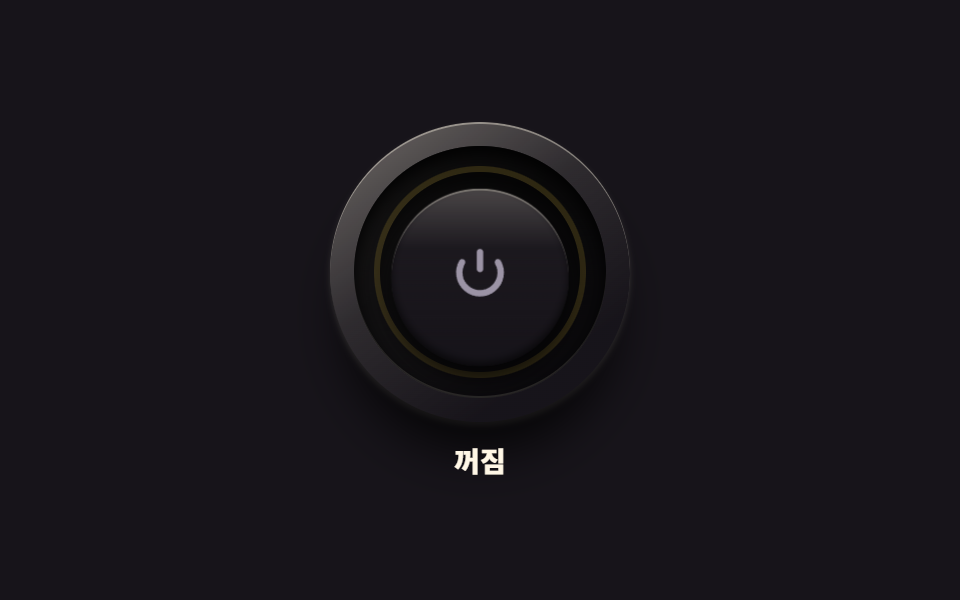 ボタンcss トグルスイッチ 9選 — 実物みたいなスイッチをコピペで
 ボタン【コピペOK】CSS ボタン アニメーション 9選(SCSS + React)
 ボタンcss ボタン 押したら変わる 9選 — 状態遷移の実装
 ボタンcss ボタン デザイン 9選 — キャンディグラデ・押し込み・ローディング
 ボタンcss ボタン ホバー アニメーション 9選 — 受賞級の定番テク
 ボタンcss 開閉 ボタン 9選 — ボタンの形が変わる9つの方式
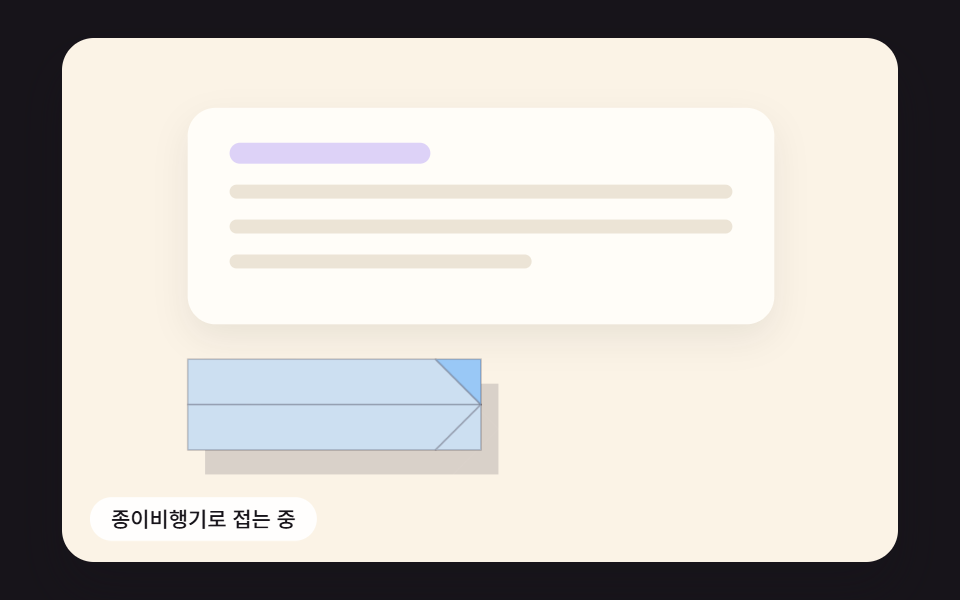 ボタン送信ボタン css 9種 — 紙飛行機に折れて飛ぶボタン
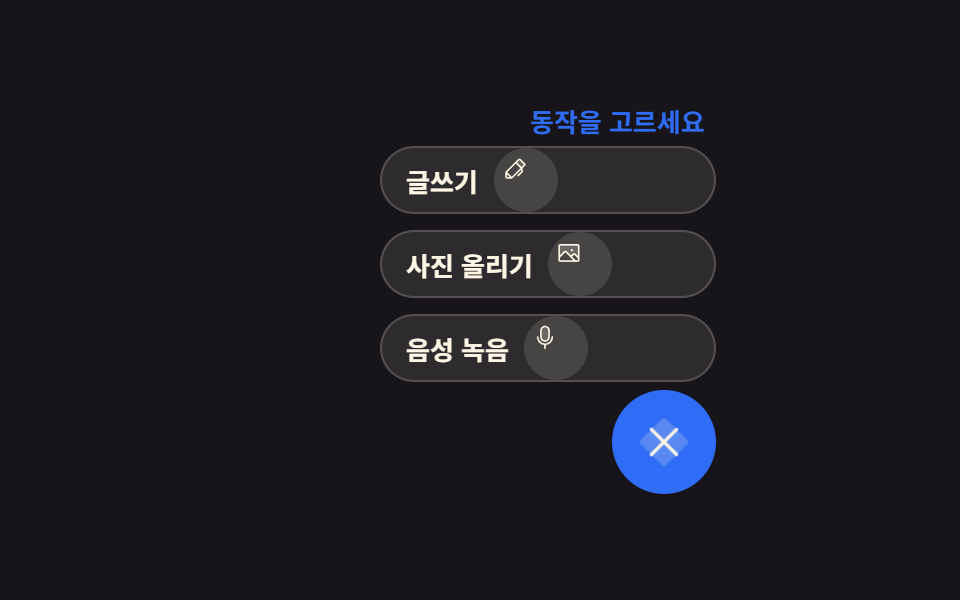 ボタンフローティング ボタン アイコン 9選 — 押す・広がる・動かす
 ボタンCTA ボタン デザイン 9選 — 伸びる影から跳ねるバーまで
 ボタンボタン 押し込み UI 9選 — 押し込みの値が戻る計算の9通り