css トグルスイッチ 9選 — 実物みたいなスイッチをコピペで
css トグルスイッチは、画面の中で電源を入れたり切ったりする小さな切り替えのことです。9 つすべてをライブラリなし、チェックボックス1つで作りました。下のグリッドで今動いており、クリック・Space・ドラッグはどれも本物です。
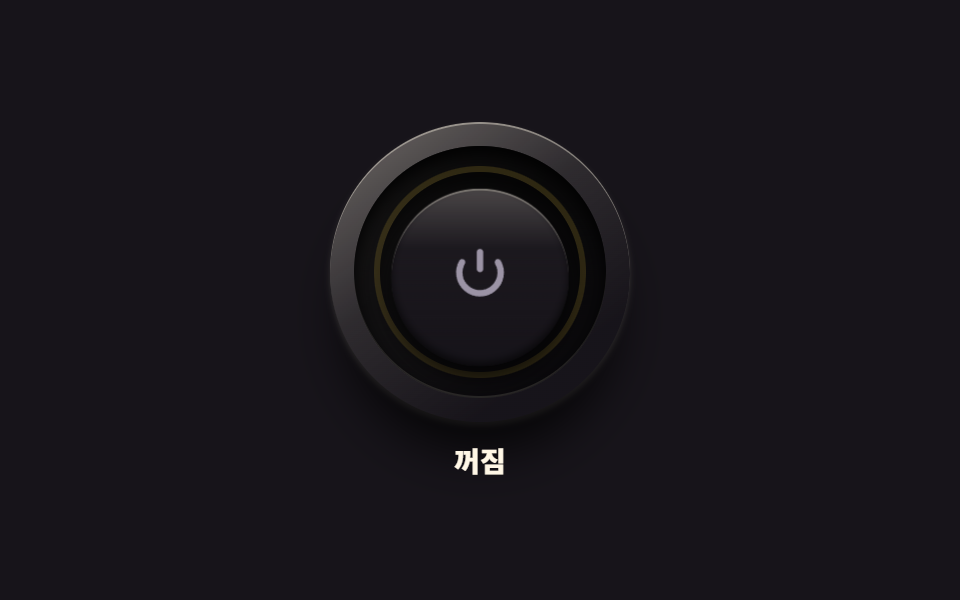 01 real-power-led-button
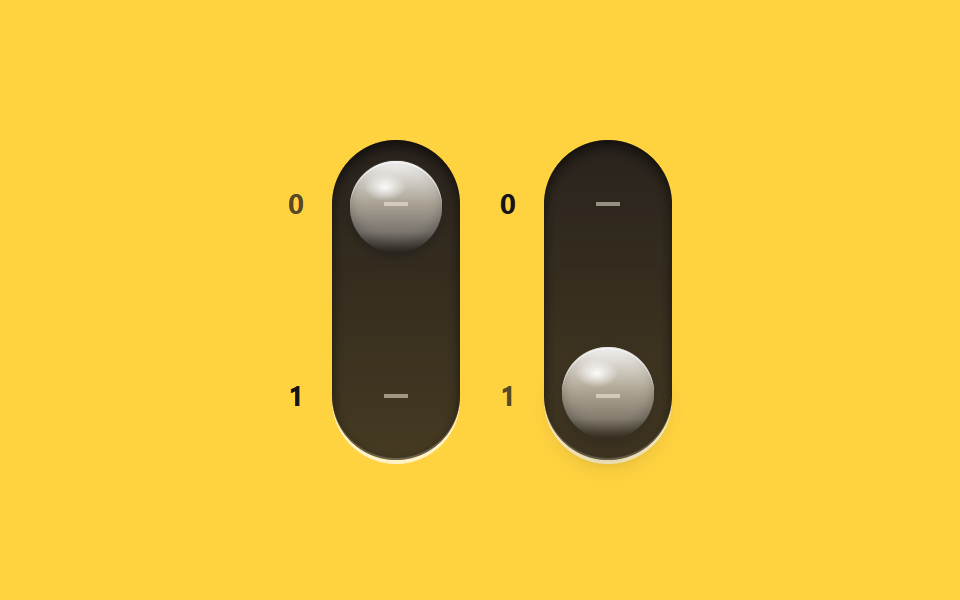 02 real-glass-toggle-pair
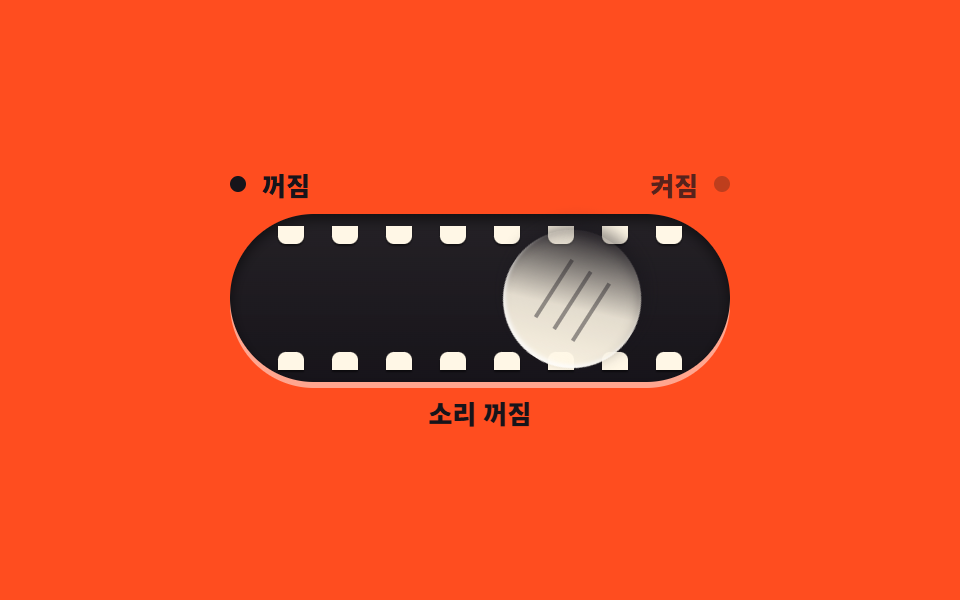 03 real-playful-morph-toggle
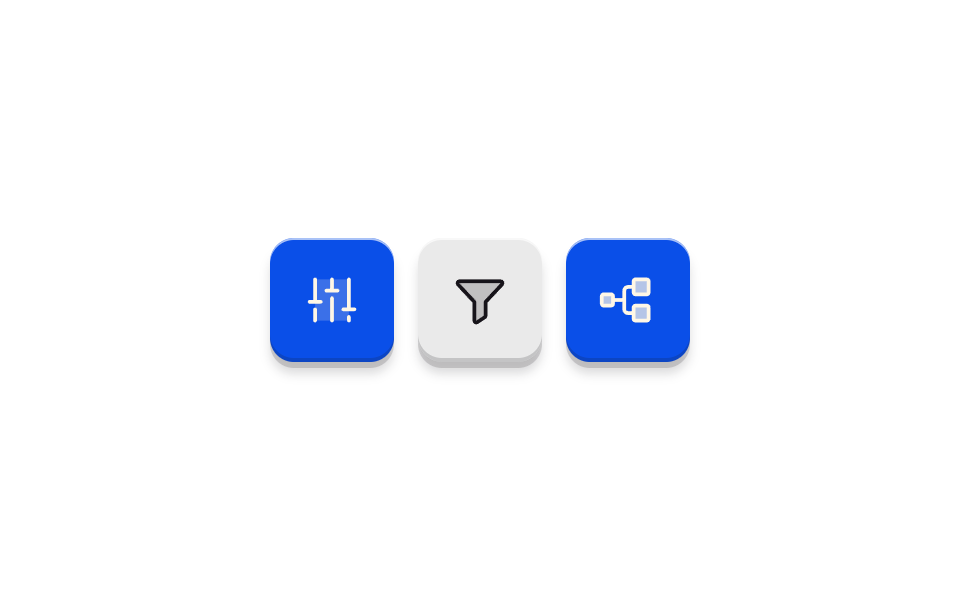 04 real-soft-plastic-toggle
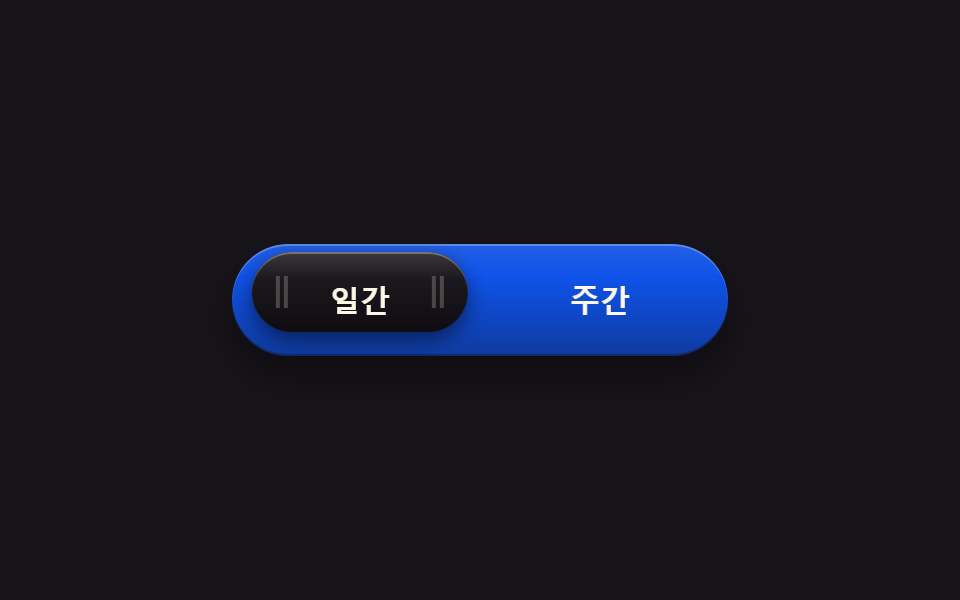 05 real-metal-segment-switch
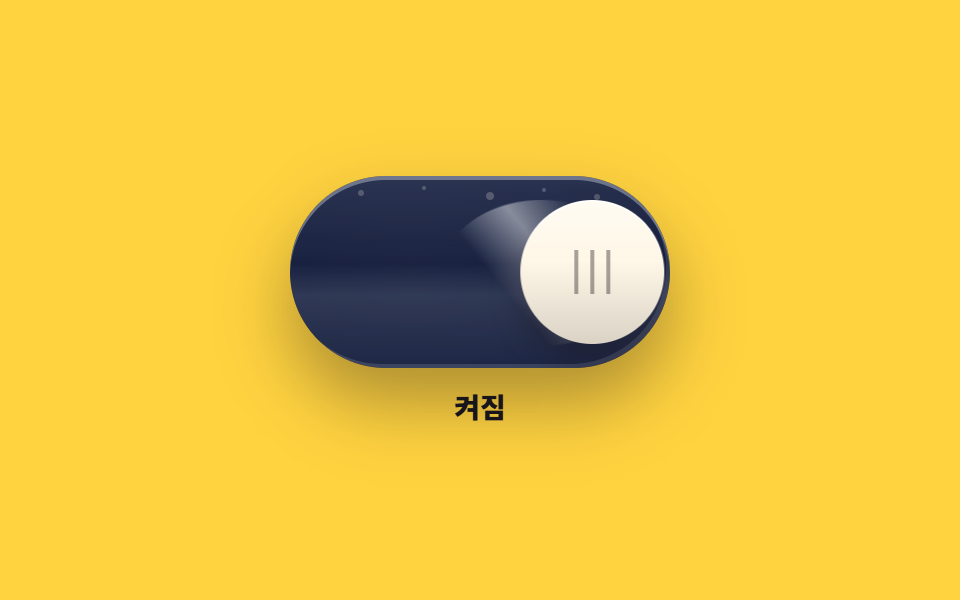 06 real-oneui-toggle
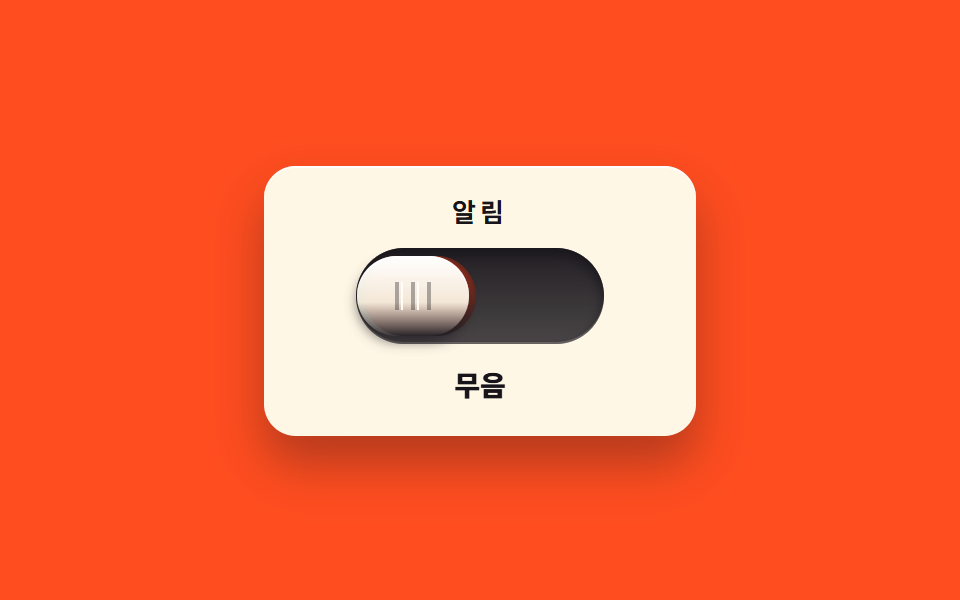 07 real-slide-mute-switch
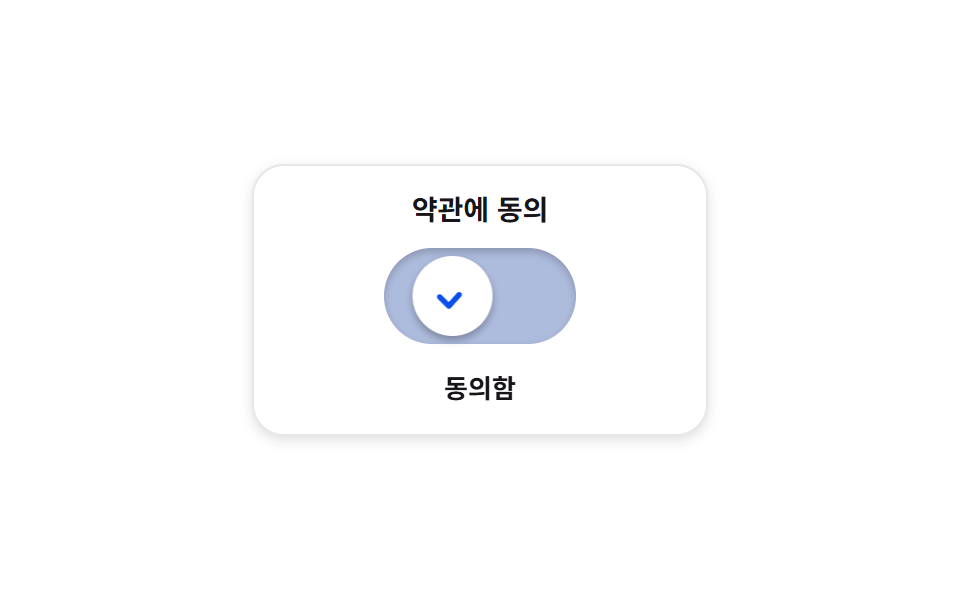 08 real-check-morph-switch
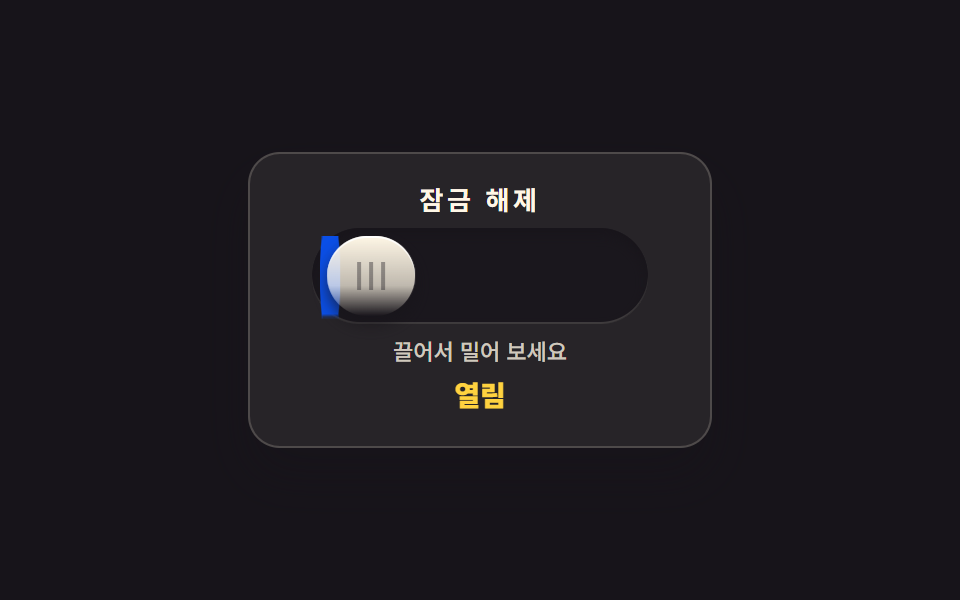 09 real-inertia-drag-toggle
自動再生 · タイルを押すとその項目へ · すべて1つのzip
- 01 電源ボタンと LED リング
- 02 ガラス光沢の縦トグル 2 連
- 03 転がって目を開けるトグル
- 04 つや消しキーキャップトグル 3 連
- 05 2 コマを滑る選択ピル
- 06 光が流れるガラストグル
- 07 スライドさせるミュートスイッチ
- 08 チェックに固まる確認トグル
- 09 ドラッグして放す慣性トグル
並び順は人気順ではなく、スイッチが実物らしくなっていく順です。まず押し心地と光が生まれ(01)、ガラスの光沢が乗り(02)、個性が加わり(03)、つや消しで落ち着き(04)、2 コマから選ぶ形ができ(05)、光が流れ(06)、隠れていた帯が現れ(07)、チェックで確定し(08)、最後に指を追う慣性がつきます(09)。8 つは role="switch" と aria-checked で、2 コマから選ぶ 05 だけは aria-pressed で状態を知らせ、色だけでなく位置・文字・光でもオンが読めるようにしました。同じ button 系ではレバー・ダイヤル部品を扱う CSS スイッチボタン 9 選と、平面トグルの基本をまとめた CSS トグルスイッチ 9 選がこの記事の隣です。
01電源ボタンと LED リング
同心円のベベルを重ねた丸いボタンが押されると沈み、縁の電源記号リングに光がにじむ、機器コントロールパネルの主電源です。
<main class="stage">
<div class="pw is-demo" id="pw">
  <div class="pw__col">
  <div class="pw__assembly">
    <span class="pw__bezel" aria-hidden="true"></span>
    <span class="pw__groove" aria-hidden="true"></span>
    <button class="pw__cap" id="pwCap" type="button" role="switch" aria-checked="false" aria-label="電源">
      <svg class="pw__mark" viewBox="0 0 24 24" aria-hidden="true" focusable="false">
        <path d="M12 3v6" fill="none" stroke="currentColor" stroke-width="2.3" stroke-linecap="round"></path>
        <path d="M18.4 6.6a7.4 7.4 0 1 1-12.8 0" fill="none" stroke="currentColor" stroke-width="2.3" stroke-linecap="round"></path>
      </svg>
    </button>
    <span class="pw__led" aria-hidden="true"></span>
    <span class="pw__shade" aria-hidden="true"></span>
  </div>
  <p class="pw__state" role="status"><span class="pw__wordOn">オン</span><span class="pw__wordOff">オフ</span></p>
  </div>
</div>
</main>
@use "../../../../site/static/demo-tokens" as *;
// 전원 버튼과 LED 링 — 베벨 링·어두운 그루브·캡의 3중 동심원. 캡 중앙의 전원 기호(IEC 5009)는 음각.
// 누르면 캡이 안으로 들어가고 그루브 위쪽 그림자가 짙어진다. 놓으면 캡이 먼저 돌아오고($duration),
// LED 링은 그 뒤에 서서히 켜진다 — 비대칭 타이밍. 끌 때는 반대로 LED 가 먼저 꺼지고 캡이 돌아온다.
// 켜짐은 색만으로 말하지 않는다: 링의 빛·기호의 발색·상태 글자가 함께 바뀐다. role="switch" + aria-checked.
// 미리보기(.is-demo)는 눌림 → 복귀 → 점등 유지 → 재눌림 → 소등을 2초에 한 바퀴 돈다.
$duration: $dur-quick;
$easing: $ease-spring;
$color: $stage-yellow;
@include stage($stage-ink);
.pw { display: grid; place-items: center; width: 100%; }
.pw__col { display: flex; flex-direction: column; align-items: center; gap: $sp-3; }
// ── 버튼 어셈블리(베벨 링 · 그루브 · 캡 · LED 링) ────────────
.pw__assembly { position: relative; width: 150px; height: 150px; }
// 바깥 베벨 링 — 위에서 비치는 금속성 테두리와 6시 방향 소프트 드롭섀도
.pw__bezel {
position: absolute; inset: 0; border-radius: 50%; pointer-events: none;
background: linear-gradient(145deg, rgba($subject-cream, .38), rgba($subject-cream, .1) 42%, rgba($stage-ink, .9) 78%), $subject-ink;
box-shadow: 0 22px 26px -8px rgba(0, 0, 0, .8), 0 2px 3px rgba($subject-cream, .18), inset 0 1px 0 rgba($subject-cream, .4);
}
// 어두운 그루브 링 — 캡이 들어가는 홈, 그림자로 깊이를 만든다
.pw__groove {
position: absolute; inset: 12px; border-radius: 50%; pointer-events: none;
background: linear-gradient(180deg, rgba(0, 0, 0, .85), rgba(0, 0, 0, .55));
box-shadow: inset 0 4px 8px rgba(0, 0, 0, .9), inset 0 -1px 0 rgba($subject-cream, .14);
}
// 캡(지름 60%) — 실제 누르는 면. 전원 기호는 SVG 로 직접 그렸다(아이콘 세트에 없는 정밀 기호 예외)
.pw__cap {
position: absolute; inset: 30px; z-index: 5;
display: flex; align-items: center; justify-content: center;
margin: 0; padding: 0; border: 0; border-radius: 50%; cursor: pointer;
background: linear-gradient(180deg, rgba($subject-cream, .22), rgba($subject-cream, .02) 34%, rgba($stage-ink, .5) 88%), $subject-ink;
box-shadow: 0 6px 10px rgba(0, 0, 0, .66), inset 0 1px 0 rgba($subject-cream, .3), inset 0 -2px 4px rgba(0, 0, 0, .6);
transform: translateY(0) scale(1);
transition: transform $duration $easing, box-shadow $duration $easing;
}
.pw__cap:active {
transform: translateY(4px) scale(.98);
box-shadow: 0 2px 4px rgba(0, 0, 0, .6), inset 0 1px 0 rgba($subject-cream, .22), inset 0 -2px 4px rgba(0, 0, 0, .6);
}
.pw__cap:focus-visible { outline: 2px solid $stage-yellow; outline-offset: 3px; }
// 전원 기호 — 꺼짐은 낮은 대비의 음각 회색, 켜지면 $color 로 밝아진다
.pw__mark { width: 34px; height: 34px; color: $tick-mute; transition: color $dur-quick $ease-out; }
// LED 링 — 그루브 위를 도는 빛. 켜질 때는 캡 복귀 뒤 $dur-quick 늦게 $dur-base 에 걸쳐 번지고,
// 꺼질 때는 지연 없이 빠르게 사그라든다(방향마다 transition 규칙을 다르게 둔 한 방향 트릭).
.pw__led {
position: absolute; inset: 22px; z-index: 2; border-radius: 50%; pointer-events: none;
box-shadow: inset 0 0 0 3px rgba($color, .14);
transition: box-shadow $dur-quick $ease-out;
}
// 그루브 위쪽 내그림자 — 누르는 동안 짙어진다(캡보다 뒤에 두어 캡은 덮지 않는다)
.pw__shade {
position: absolute; inset: 25px; z-index: 3; border-radius: 50%; pointer-events: none;
box-shadow: inset 0 7px 9px rgba(0, 0, 0, .75);
opacity: .3; transition: opacity $duration $easing;
}
.pw__cap:active ~ .pw__shade { opacity: .8; }
// ── 켜짐 상태 ────────────────────────────────────────────────
.pw.is-on .pw__led {
box-shadow: inset 0 0 0 3px $color, 0 0 16px rgba($color, .6), 0 0 34px rgba($color, .28);
transition: box-shadow $dur-base $ease-out $duration;
}
.pw.is-on .pw__mark { color: $color; transition: color $dur-base $ease-out $duration; }
// ── 상태 글자 ────────────────────────────────────────────────
.pw__state { position: relative; margin: 0; width: 60px; height: 16px; }
.pw__wordOn, .pw__wordOff {
position: absolute; inset: 0; display: flex; align-items: center; justify-content: center;
font-weight: 800; font-size: clamp(12px, 3vw, 14px); line-height: 1; color: $subject-cream;
}
.pw__wordOn { display: none; color: $stage-yellow; }
.pw.is-on .pw__wordOn { display: flex; }
.pw.is-on .pw__wordOff { display: none; }
// ── 미리보기 루프(2초 한 바퀴) ────────────────────────────────
// 캡 눌림은 transform 키프레임(움직임 축), LED 점등은 box-shadow·색 키프레임(상태 변화라 번지는 게 맞다).
.pw.is-demo .pw__cap {
animation-name: pwPress; animation-duration: $dur-loop;
animation-timing-function: $easing; animation-iteration-count: infinite;
}
@keyframes pwPress {
0%, 6% { transform: translateY(0) scale(1); }
11% { transform: translateY(4px) scale(.98); }
16% { transform: translateY(0) scale(1); }
57% { transform: translateY(0) scale(1); }
62% { transform: translateY(4px) scale(.98); }
68%, 100% { transform: translateY(0) scale(1); }
}
.pw.is-demo .pw__shade {
animation-name: pwShade; animation-duration: $dur-loop;
animation-timing-function: steps(1, end); animation-iteration-count: infinite;
}
@keyframes pwShade {
0% { opacity: .3; }
7% { opacity: .8; }
16% { opacity: .3; }
57% { opacity: .8; }
68% { opacity: .3; }
100% { opacity: .3; }
}
.pw.is-demo .pw__led {
animation-name: pwLed; animation-duration: $dur-loop;
animation-timing-function: ease; animation-iteration-count: infinite;
}
@keyframes pwLed {
0%, 16% { box-shadow: inset 0 0 0 3px rgba($color, .14); }
28%, 58% { box-shadow: inset 0 0 0 3px $color, 0 0 16px rgba($color, .6), 0 0 34px rgba($color, .28); }
63%, 100% { box-shadow: inset 0 0 0 3px rgba($color, .14); }
}
.pw.is-demo .pw__mark {
animation-name: pwMark; animation-duration: $dur-loop;
animation-timing-function: ease; animation-iteration-count: infinite;
}
@keyframes pwMark {
0%, 16% { color: $tick-mute; }
28%, 58% { color: $color; }
63%, 100% { color: $tick-mute; }
}
// 상태 글자는 steps(1, end) 컷 — 반투명하게 겹치는 유령 프레임이 생기지 않는다
.pw.is-demo .pw__wordOn { display: flex; opacity: 0; }
.pw.is-demo .pw__wordOff { opacity: 1; }
.pw.is-demo .pw__wordOn {
animation-name: pwWordOn; animation-duration: $dur-loop;
animation-timing-function: steps(1, end); animation-iteration-count: infinite;
}
@keyframes pwWordOn {
0%, 18% { opacity: 0; }
24% { opacity: 1; }
60% { opacity: 0; }
100% { opacity: 0; }
}
.pw.is-demo .pw__wordOff {
animation-name: pwWordOff; animation-duration: $dur-loop;
animation-timing-function: steps(1, end); animation-iteration-count: infinite;
}
@keyframes pwWordOff {
0%, 18% { opacity: 1; }
24% { opacity: 0; }
60% { opacity: 1; }
100% { opacity: 1; }
}
@media (max-width: 340px) {
.pw__col { gap: $sp-2; }
.pw__assembly { width: 118px; height: 118px; }
.pw__groove { inset: 10px; }
.pw__cap { inset: 24px; }
.pw__led { inset: 18px; }
.pw__shade { inset: 20px; }
.pw__mark { width: 26px; height: 26px; }
.pw__state { width: 48px; height: 14px; }
}
@media (prefers-reduced-motion: reduce) {
.pw .pw__cap { transition: none !important; }
.pw .pw__shade { transition: none !important; }
.pw.is-demo .pw__cap { animation: none !important; transform: translateY(0) scale(1) !important; }
.pw.is-demo .pw__shade { animation: none !important; opacity: .3 !important; }
.pw.is-demo .pw__led { animation: none !important; }
.pw.is-demo .pw__mark { animation: none !important; }
.pw.is-demo .pw__wordOn { animation: none !important; opacity: 0 !important; }
.pw.is-demo .pw__wordOff { animation: none !important; opacity: 1 !important; }
}html, body {
margin: 0;
overflow: hidden;
}
.stage {
box-sizing: border-box;
min-height: 100vh;
display: grid;
place-items: center;
margin: 0;
background: #17141a;
font-family: -apple-system, "Segoe UI", "Noto Sans KR", sans-serif;
padding: clamp(8px, 4vw, 24px);
}
.pw {
display: grid;
place-items: center;
width: 100%;
}
.pw__col {
display: flex;
flex-direction: column;
align-items: center;
gap: 12px;
}
.pw__assembly {
position: relative;
width: 150px;
height: 150px;
}
.pw__bezel {
position: absolute;
inset: 0;
border-radius: 50%;
pointer-events: none;
background: linear-gradient(145deg, rgba(255, 247, 230, 0.38), rgba(255, 247, 230, 0.1) 42%, rgba(23, 20, 26, 0.9) 78%), #17141a;
box-shadow: 0 22px 26px -8px rgba(0, 0, 0, 0.8), 0 2px 3px rgba(255, 247, 230, 0.18), inset 0 1px 0 rgba(255, 247, 230, 0.4);
}
.pw__groove {
position: absolute;
inset: 12px;
border-radius: 50%;
pointer-events: none;
background: linear-gradient(180deg, rgba(0, 0, 0, 0.85), rgba(0, 0, 0, 0.55));
box-shadow: inset 0 4px 8px rgba(0, 0, 0, 0.9), inset 0 -1px 0 rgba(255, 247, 230, 0.14);
}
.pw__cap {
position: absolute;
inset: 30px;
z-index: 5;
display: flex;
align-items: center;
justify-content: center;
margin: 0;
padding: 0;
border: 0;
border-radius: 50%;
cursor: pointer;
background: linear-gradient(180deg, rgba(255, 247, 230, 0.22), rgba(255, 247, 230, 0.02) 34%, rgba(23, 20, 26, 0.5) 88%), #17141a;
box-shadow: 0 6px 10px rgba(0, 0, 0, 0.66), inset 0 1px 0 rgba(255, 247, 230, 0.3), inset 0 -2px 4px rgba(0, 0, 0, 0.6);
transform: translateY(0) scale(1);
transition: transform 220ms cubic-bezier(0.2, 0.8, 0.2, 1), box-shadow 220ms cubic-bezier(0.2, 0.8, 0.2, 1);
}
.pw__cap:active {
transform: translateY(4px) scale(0.98);
box-shadow: 0 2px 4px rgba(0, 0, 0, 0.6), inset 0 1px 0 rgba(255, 247, 230, 0.22), inset 0 -2px 4px rgba(0, 0, 0, 0.6);
}
.pw__cap:focus-visible {
outline: 2px solid #ffd23f;
outline-offset: 3px;
}
.pw__mark {
width: 34px;
height: 34px;
color: #9a93a6;
transition: color 220ms ease-out;
}
.pw__led {
position: absolute;
inset: 22px;
z-index: 2;
border-radius: 50%;
pointer-events: none;
box-shadow: inset 0 0 0 3px rgba(255, 210, 63, 0.14);
transition: box-shadow 220ms ease-out;
}
.pw__shade {
position: absolute;
inset: 25px;
z-index: 3;
border-radius: 50%;
pointer-events: none;
box-shadow: inset 0 7px 9px rgba(0, 0, 0, 0.75);
opacity: 0.3;
transition: opacity 220ms cubic-bezier(0.2, 0.8, 0.2, 1);
}
.pw__cap:active ~ .pw__shade {
opacity: 0.8;
}
.pw.is-on .pw__led {
box-shadow: inset 0 0 0 3px #ffd23f, 0 0 16px rgba(255, 210, 63, 0.6), 0 0 34px rgba(255, 210, 63, 0.28);
transition: box-shadow 300ms ease-out 220ms;
}
.pw.is-on .pw__mark {
color: #ffd23f;
transition: color 300ms ease-out 220ms;
}
.pw__state {
position: relative;
margin: 0;
width: 60px;
height: 16px;
}
.pw__wordOn, .pw__wordOff {
position: absolute;
inset: 0;
display: flex;
align-items: center;
justify-content: center;
font-weight: 800;
font-size: clamp(12px, 3vw, 14px);
line-height: 1;
color: #fff7e6;
}
.pw__wordOn {
display: none;
color: #ffd23f;
}
.pw.is-on .pw__wordOn {
display: flex;
}
.pw.is-on .pw__wordOff {
display: none;
}
.pw.is-demo .pw__cap {
animation-name: pwPress;
animation-duration: 2s;
animation-timing-function: cubic-bezier(0.2, 0.8, 0.2, 1);
animation-iteration-count: infinite;
}
@keyframes pwPress {
0%, 6% {
transform: translateY(0) scale(1);
}
11% {
transform: translateY(4px) scale(0.98);
}
16% {
transform: translateY(0) scale(1);
}
57% {
transform: translateY(0) scale(1);
}
62% {
transform: translateY(4px) scale(0.98);
}
68%, 100% {
transform: translateY(0) scale(1);
}
}
.pw.is-demo .pw__shade {
animation-name: pwShade;
animation-duration: 2s;
animation-timing-function: steps(1, end);
animation-iteration-count: infinite;
}
@keyframes pwShade {
0% {
opacity: 0.3;
}
7% {
opacity: 0.8;
}
16% {
opacity: 0.3;
}
57% {
opacity: 0.8;
}
68% {
opacity: 0.3;
}
100% {
opacity: 0.3;
}
}
.pw.is-demo .pw__led {
animation-name: pwLed;
animation-duration: 2s;
animation-timing-function: ease;
animation-iteration-count: infinite;
}
@keyframes pwLed {
0%, 16% {
box-shadow: inset 0 0 0 3px rgba(255, 210, 63, 0.14);
}
28%, 58% {
box-shadow: inset 0 0 0 3px #ffd23f, 0 0 16px rgba(255, 210, 63, 0.6), 0 0 34px rgba(255, 210, 63, 0.28);
}
63%, 100% {
box-shadow: inset 0 0 0 3px rgba(255, 210, 63, 0.14);
}
}
.pw.is-demo .pw__mark {
animation-name: pwMark;
animation-duration: 2s;
animation-timing-function: ease;
animation-iteration-count: infinite;
}
@keyframes pwMark {
0%, 16% {
color: #9a93a6;
}
28%, 58% {
color: #ffd23f;
}
63%, 100% {
color: #9a93a6;
}
}
.pw.is-demo .pw__wordOn {
display: flex;
opacity: 0;
}
.pw.is-demo .pw__wordOff {
opacity: 1;
}
.pw.is-demo .pw__wordOn {
animation-name: pwWordOn;
animation-duration: 2s;
animation-timing-function: steps(1, end);
animation-iteration-count: infinite;
}
@keyframes pwWordOn {
0%, 18% {
opacity: 0;
}
24% {
opacity: 1;
}
60% {
opacity: 0;
}
100% {
opacity: 0;
}
}
.pw.is-demo .pw__wordOff {
animation-name: pwWordOff;
animation-duration: 2s;
animation-timing-function: steps(1, end);
animation-iteration-count: infinite;
}
@keyframes pwWordOff {
0%, 18% {
opacity: 1;
}
24% {
opacity: 0;
}
60% {
opacity: 1;
}
100% {
opacity: 1;
}
}
@media (max-width: 340px) {
.pw__col {
gap: 8px;
}
.pw__assembly {
width: 118px;
height: 118px;
}
.pw__groove {
inset: 10px;
}
.pw__cap {
inset: 24px;
}
.pw__led {
inset: 18px;
}
.pw__shade {
inset: 20px;
}
.pw__mark {
width: 26px;
height: 26px;
}
.pw__state {
width: 48px;
height: 14px;
}
}
@media (prefers-reduced-motion: reduce) {
.pw .pw__cap {
transition: none !important;
}
.pw .pw__shade {
transition: none !important;
}
.pw.is-demo .pw__cap {
animation: none !important;
transform: translateY(0) scale(1) !important;
}
.pw.is-demo .pw__shade {
animation: none !important;
opacity: 0.3 !important;
}
.pw.is-demo .pw__led {
animation: none !important;
}
.pw.is-demo .pw__mark {
animation: none !important;
}
.pw.is-demo .pw__wordOn {
animation: none !important;
opacity: 0 !important;
}
.pw.is-demo .pw__wordOff {
animation: none !important;
opacity: 1 !important;
}
}var pwRoot = document.getElementById('pw');
var pwCap = document.getElementById('pwCap');
function pwSet(on) {
pwCap.setAttribute('aria-checked', on ? 'true' : 'false');
pwRoot.classList.toggle('is-on', on);
}
pwCap.addEventListener('pointerdown', function () { pwRoot.classList.remove('is-demo'); });
pwCap.addEventListener('click', function () {
pwRoot.classList.remove('is-demo');
pwSet(pwCap.getAttribute('aria-checked') !== 'true');
});// PowerLedButton — vanilla 판(run/076/demo/01-real-power-led-button/index.html) 의 React 포트.
// 누르면 캡이 안으로 들어가고, 놓으면 캡이 먼저 돌아오고 LED 링은 그 뒤에 서서히 켜진다(비대칭 타이밍).
// 값·키프레임은 vanilla 와 같다(다시 타이핑하지 않는다). 누르면 미리보기 루프를 뗀다.
import { useState } from "react";
import styles from "./PowerLedButton.module.scss";
export type PowerLedButtonProps = {
duration?: number;
easing?: string;
color?: string;
};
type Vars = { [k: string]: any };
const ARIA_LABEL = "전원";
const STATE_ON = "켜짐";
const STATE_OFF = "꺼짐";
export default function PowerLedButton({
duration = 220,
easing = "cubic-bezier(.2, .8, .2, 1)", // = $ease-spring
color = "#ffd23f",
}: PowerLedButtonProps) {
const [on, setOn] = useState(false);
const [demo, setDemo] = useState(true);
const vars: Vars = {
"--duration": `${duration}ms`,
"--easing": easing,
"--color": color,
};
const cls = [styles.root, demo ? styles.isDemo : "", on ? styles.isOn : ""].filter(Boolean).join(" ");
function wake() {
setDemo(false);
}
function toggle() {
setDemo(false);
setOn((prev) => !prev);
}
return (
<main className={styles.stage}>
<div className={cls} style={vars}>
<div className={styles.col}>
<div className={styles.assembly}>
<span className={styles.bezel} aria-hidden="true"></span>
<span className={styles.groove} aria-hidden="true"></span>
<button
className={styles.cap}
type="button"
role="switch"
aria-checked={on}
aria-label={ARIA_LABEL}
onPointerDown={wake}
onClick={toggle}
>
<svg className={styles.mark} viewBox="0 0 24 24" aria-hidden="true" focusable="false">
<path d="M12 3v6" fill="none" stroke="currentColor" stroke-width="2.3" stroke-linecap="round"></path>
<path d="M18.4 6.6a7.4 7.4 0 1 1-12.8 0" fill="none" stroke="currentColor" stroke-width="2.3" stroke-linecap="round"></path>
</svg>
</button>
<span className={styles.led} aria-hidden="true"></span>
<span className={styles.shade} aria-hidden="true"></span>
</div>
<p className={styles.state} role="status">
<span className={styles.wordOn}>{STATE_ON}</span>
<span className={styles.wordOff}>{STATE_OFF}</span>
</p>
</div>
</div>
</main>
);
}01 · 電源ボタンと LED リング — 計測 累積面積 5.355% · 動いたフレーム 9/23GODRICH オリジナル · SCSS と React は zip に同梱 · パスワードを見る
オンとオフで時間が違う
// LED リング — オンの時はキャップが戻った 220ms 後から 300ms かけてにじみ、
// オフの時は遅延なく素早く消える(方向ごとに transition 規則を変える一方通行の技法)。
.pw__led {
  position: absolute; inset: 22px; z-index: 2; border-radius: 50%; pointer-events: none;
  box-shadow: inset 0 0 0 3px rgba($color, .14);
  transition: box-shadow $dur-quick $ease-out;
}
.pw.is-on .pw__led {
  box-shadow: inset 0 0 0 3px $color, 0 0 16px rgba($color, .6), 0 0 34px rgba($color, .28);
  transition: box-shadow $dur-base $ease-out $duration;
}
基本の規則がオフ方向(短く遅延なし)、.is-on の規則がオン方向(ボタンが戻ってから広がる)を上書きするので、状態ごとに delay を変えるだけで実物の非対称が生まれます。
押し込みは影も一緒に深くなる
.pw__cap:active {
  transform: translateY(4px) scale(.98);
  box-shadow: 0 2px 4px rgba(0, 0, 0, .6), inset 0 1px 0 rgba($subject-cream, .22), inset 0 -2px 4px rgba(0, 0, 0, .6);
}
キャップが 4px 沈むと同時に外側の影も縮みます。押し込みの深さは目よりも手が先に気づく情報なので、transform と box-shadow は同じ時間に束ねています。
02ガラス光沢の縦トグル 2 連
縦に立った溝の中をガラス光沢のノブが上下に滑る、機材パネルの 2 チャンネル分です — 2 つが逆の状態で並ぶので 0 と 1 を見比べられます。
<main class="stage">
<div class="ch is-demo" id="ch">
  <div class="ch__unit ch__unit--a">
    <input class="ch__input" id="chA" type="checkbox" role="switch" aria-label="チャンネル 1">
    <div class="ch__scale" aria-hidden="true">
      <span class="ch__num ch__num--zero">0</span>
      <span class="ch__num ch__num--one">1</span>
    </div>
    <div class="ch__track">
      <span class="ch__detent ch__detent--top" aria-hidden="true"></span>
      <span class="ch__detent ch__detent--bottom" aria-hidden="true"></span>
      <span class="ch__knob" aria-hidden="true"></span>
    </div>
  </div>
  <div class="ch__unit ch__unit--b">
    <input class="ch__input" id="chB" type="checkbox" role="switch" aria-label="チャンネル 2" checked>
    <div class="ch__scale" aria-hidden="true">
      <span class="ch__num ch__num--zero">0</span>
      <span class="ch__num ch__num--one">1</span>
    </div>
    <div class="ch__track">
      <span class="ch__detent ch__detent--top" aria-hidden="true"></span>
      <span class="ch__detent ch__detent--bottom" aria-hidden="true"></span>
      <span class="ch__knob" aria-hidden="true"></span>
    </div>
  </div>
</div>
</main>@use "../../../../site/static/demo-tokens" as *;
// 유리 광택 세로 토글 두 개 — 세로로 선 어두운 홈을 유리 노브가 위아래로 미끄러진다.
// 두 채널은 서로 반대 상태로 놓여 0 과 1 을 나란히 견준다. 상태는 위치·그림자·숫자 강조 세 가지로 읽힌다.
// 노브가 내려앉을수록 그림자가 넓게 번진다(box-shadow 두 벌을 상태마다 갈아 낀다).
// 딱 끊기는 성격에 살짝 오버슈트 — $ease-pop 이 트랜지션 한 번으로 만든다.
// 입력은 체크박스에 role="switch"(aria-checked 는 native 노출). CSS 는 :checked 로만 상태를 만든다.
// 미리보기(.is-demo)는 두 노브가 엇갈려 왕복하고 숫자 강조는 steps(1, end) 로 컷된다.
$duration: $dur-quick;
$easing: $ease-pop;
$color: $subject-cream;
@include stage($stage-yellow);
.ch { display: flex; align-items: center; justify-content: center; gap: $sp-5; width: 100%; }
.ch__unit { position: relative; display: flex; gap: $sp-2; }
// 입력은 눈에 보이지 않지만 단위 전체를 덮는다(클림 영역이 홈보다 넓다)
.ch__input { position: absolute; inset: 0; z-index: 10; margin: 0; opacity: 0; cursor: pointer; }
// ── 숫자 눈금(0 은 상단 높이, 1 은 하단 높이) ────────────────
.ch__scale { position: relative; width: 14px; height: 160px; }
.ch__num {
position: absolute; left: 0;
font-weight: 700; font-size: 14px; line-height: 1;
color: rgba($subject-ink, .72);
}
.ch__num--zero { top: 25px; color: $subject-ink; }
.ch__num--one { bottom: 25px; }
// 현재 값만 진하게 — 체크되면 강조가 0 에서 1 로 옮겨 간다
.ch__input:checked ~ .ch__scale .ch__num--zero { color: rgba($subject-ink, .72); }
.ch__input:checked ~ .ch__scale .ch__num--one { color: $subject-ink; }
// ── 홈(트랙) ─────────────────────────────────────────────────
.ch__track {
--travel: 96px; // 노브가 반대쪽 끝까지 가는 거리(세로 160 − 노브 46 − 위아래 여백 18)
position: relative; width: 64px; height: 160px; border-radius: $r-pill;
background: linear-gradient(180deg, rgba($subject-ink, .92), rgba($subject-ink, .8));
box-shadow: inset 0 3px 6px rgba(0, 0, 0, .6), inset 0 -1px 0 rgba($color, .25), 0 2px 0 rgba($stage-paper, .7);
}
.ch__input:focus-visible ~ .ch__track { outline: 2px solid $subject-ink; outline-offset: 3px; }
// 위·아래 정지점(디텐트) — 노브가 닿는 높이의 짧은 광택 줄
.ch__detent {
position: absolute; left: 26px; width: 12px; height: 2px; border-radius: 0;
background: rgba($color, .5);
}
.ch__detent--top { top: 31px; }
.ch__detent--bottom { bottom: 31px; }
// ── 유리 노브 ────────────────────────────────────────────────
.ch__knob {
position: absolute; left: 9px; top: 9px; width: 46px; height: 46px; border-radius: 50%;
background: linear-gradient(180deg, rgba($stage-paper, .95), rgba($color, .6) 45%, rgba($stage-paper, .35) 78%, rgba($subject-ink, .22));
box-shadow: 0 3px 5px rgba($stage-ink, .4), inset 0 -3px 6px rgba($stage-ink, .28), inset 0 1px 0 rgba($stage-paper, .9);
transform: translateY(0);
transition: transform $duration $easing, box-shadow $duration $easing;
}
// 좌상단 타원 스펙큘러 — 유리가 갖는 한 점의 하이라이트
.ch__knob::before {
content: ""; position: absolute; left: 16%; top: 12%; width: 44%; height: 32%;
border-radius: 50%;
background: radial-gradient(closest-side, rgba($stage-paper, .95), rgba($stage-paper, 0));
}
// 내려앉은 상태 — 그림자가 멀리 넓게 번진다(위에서 뜬 상태의 좁은 그림자와 갈린다)
.ch__input:checked ~ .ch__track .ch__knob {
  transform: translateY(var(--travel));
  box-shadow: 0 9px 14px rgba($stage-ink, .34), inset 0 -3px 6px rgba($stage-ink, .28), inset 0 1px 0 rgba($stage-paper, .9);
}
// ── 미리보기 루프(2초 한 바퀴) ────────────────────────────────
// 두 노브는 같은 키프레임 각도로 엇갈리게 왕복한다(왼쪽은 내려갔다, 오른쪽은 올라갔다).
.ch.is-demo .ch__knob {
animation-duration: $dur-loop;
animation-timing-function: $easing; animation-iteration-count: infinite;
}
.ch.is-demo .ch__unit--a .ch__knob { animation-name: chSlideDown; }
.ch.is-demo .ch__unit--b .ch__knob { animation-name: chSlideUp; }
@keyframes chSlideDown {
0%, 8% { transform: translateY(0); }
36% { transform: translateY(calc(var(--travel) + 4px)); }
42% { transform: translateY(calc(var(--travel) - 3px)); }
46%, 60% { transform: translateY(var(--travel)); }
86% { transform: translateY(-4px); }
90% { transform: translateY(2px); }
94%, 100% { transform: translateY(0); }
}
@keyframes chSlideUp {
0%, 8% { transform: translateY(var(--travel)); }
36% { transform: translateY(-4px); }
42% { transform: translateY(3px); }
46%, 60% { transform: translateY(0); }
86% { transform: translateY(calc(var(--travel) + 4px)); }
90% { transform: translateY(calc(var(--travel) - 3px)); }
94%, 100% { transform: translateY(var(--travel)); }
}
// 숫자 강조 컷 — 도착 순간(46%)과 복귀 순간(90%)에 한 프레임으로 갈린다
.ch.is-demo .ch__num {
animation-duration: $dur-loop;
animation-timing-function: steps(1, end); animation-iteration-count: infinite;
}
.ch.is-demo .ch__unit--a .ch__num--zero { animation-name: chEmphA; }
.ch.is-demo .ch__unit--a .ch__num--one { animation-name: chEmphB; }
.ch.is-demo .ch__unit--b .ch__num--zero { animation-name: chEmphB; }
.ch.is-demo .ch__unit--b .ch__num--one { animation-name: chEmphA; }
@keyframes chEmphA {
0% { color: $subject-ink; }
46% { color: rgba($subject-ink, .72); }
90% { color: $subject-ink; }
100% { color: $subject-ink; }
}
@keyframes chEmphB {
0% { color: rgba($subject-ink, .72); }
46% { color: $subject-ink; }
90% { color: rgba($subject-ink, .72); }
100% { color: rgba($subject-ink, .72); }
}
@media (max-width: 340px) {
.ch { gap: $sp-3; }
.ch__unit { gap: $sp-1; }
.ch__scale { width: 12px; height: 120px; }
.ch__num { font-size: 12px; }
.ch__num--zero { top: 18px; }
.ch__num--one { bottom: 18px; }
.ch__track { --travel: 72px; width: 48px; height: 120px; }
.ch__detent { left: 18px; }
.ch__detent--top { top: 23px; }
.ch__detent--bottom { bottom: 23px; }
.ch__knob { left: 7px; top: 7px; width: 34px; height: 34px; }
}
@media (prefers-reduced-motion: reduce) {
.ch .ch__knob { transition: none !important; }
.ch.is-demo .ch__knob { animation: none !important; }
.ch.is-demo .ch__unit--a .ch__knob { transform: translateY(0) !important; }
.ch.is-demo .ch__unit--b .ch__knob { transform: translateY(var(--travel)) !important; }
.ch.is-demo .ch__num { animation: none !important; }
}html, body {
margin: 0;
overflow: hidden;
}
.stage {
box-sizing: border-box;
min-height: 100vh;
display: grid;
place-items: center;
margin: 0;
background: #ffd23f;
font-family: -apple-system, "Segoe UI", "Noto Sans KR", sans-serif;
padding: clamp(8px, 4vw, 24px);
}
.ch {
display: flex;
align-items: center;
justify-content: center;
gap: 20px;
width: 100%;
}
.ch__unit {
position: relative;
display: flex;
gap: 8px;
}
.ch__input {
position: absolute;
inset: 0;
z-index: 10;
margin: 0;
opacity: 0;
cursor: pointer;
}
.ch__scale {
position: relative;
width: 14px;
height: 160px;
}
.ch__num {
position: absolute;
left: 0;
font-weight: 700;
font-size: 14px;
line-height: 1;
color: rgba(23, 20, 26, 0.72);
}
.ch__num--zero {
top: 25px;
color: #17141a;
}
.ch__num--one {
bottom: 25px;
}
.ch__input:checked ~ .ch__scale .ch__num--zero {
color: rgba(23, 20, 26, 0.72);
}
.ch__input:checked ~ .ch__scale .ch__num--one {
color: #17141a;
}
.ch__track {
--travel: 96px;
position: relative;
width: 64px;
height: 160px;
border-radius: 999px;
background: linear-gradient(180deg, rgba(23, 20, 26, 0.92), rgba(23, 20, 26, 0.8));
box-shadow: inset 0 3px 6px rgba(0, 0, 0, 0.6), inset 0 -1px 0 rgba(255, 247, 230, 0.25), 0 2px 0 rgba(255, 255, 255, 0.7);
}
.ch__input:focus-visible ~ .ch__track {
outline: 2px solid #17141a;
outline-offset: 3px;
}
.ch__detent {
position: absolute;
left: 26px;
width: 12px;
height: 2px;
border-radius: 0;
background: rgba(255, 247, 230, 0.5);
}
.ch__detent--top {
top: 31px;
}
.ch__detent--bottom {
bottom: 31px;
}
.ch__knob {
position: absolute;
left: 9px;
top: 9px;
width: 46px;
height: 46px;
border-radius: 50%;
background: linear-gradient(180deg, rgba(255, 255, 255, 0.95), rgba(255, 247, 230, 0.6) 45%, rgba(255, 255, 255, 0.35) 78%, rgba(23, 20, 26, 0.22));
box-shadow: 0 3px 5px rgba(23, 20, 26, 0.4), inset 0 -3px 6px rgba(23, 20, 26, 0.28), inset 0 1px 0 rgba(255, 255, 255, 0.9);
transform: translateY(0);
transition: transform 220ms cubic-bezier(0.2, 1.4, 0.4, 1), box-shadow 220ms cubic-bezier(0.2, 1.4, 0.4, 1);
}
.ch__knob::before {
content: "";
position: absolute;
left: 16%;
top: 12%;
width: 44%;
height: 32%;
border-radius: 50%;
background: radial-gradient(closest-side, rgba(255, 255, 255, 0.95), rgba(255, 255, 255, 0));
}
.ch__input:checked ~ .ch__track .ch__knob {
transform: translateY(var(--travel));
box-shadow: 0 9px 14px rgba(23, 20, 26, 0.34), inset 0 -3px 6px rgba(23, 20, 26, 0.28), inset 0 1px 0 rgba(255, 255, 255, 0.9);
}
.ch.is-demo .ch__knob {
animation-duration: 2s;
animation-timing-function: cubic-bezier(0.2, 1.4, 0.4, 1);
animation-iteration-count: infinite;
}
.ch.is-demo .ch__unit--a .ch__knob {
animation-name: chSlideDown;
}
.ch.is-demo .ch__unit--b .ch__knob {
animation-name: chSlideUp;
}
@keyframes chSlideDown {
0%, 8% {
transform: translateY(0);
}
36% {
transform: translateY(calc(var(--travel) + 4px));
}
42% {
transform: translateY(calc(var(--travel) - 3px));
}
46%, 60% {
transform: translateY(var(--travel));
}
86% {
transform: translateY(-4px);
}
90% {
transform: translateY(2px);
}
94%, 100% {
transform: translateY(0);
}
}
@keyframes chSlideUp {
0%, 8% {
transform: translateY(var(--travel));
}
36% {
transform: translateY(-4px);
}
42% {
transform: translateY(3px);
}
46%, 60% {
transform: translateY(0);
}
86% {
transform: translateY(calc(var(--travel) + 4px));
}
90% {
transform: translateY(calc(var(--travel) - 3px));
}
94%, 100% {
transform: translateY(var(--travel));
}
}
.ch.is-demo .ch__num {
animation-duration: 2s;
animation-timing-function: steps(1, end);
animation-iteration-count: infinite;
}
.ch.is-demo .ch__unit--a .ch__num--zero {
animation-name: chEmphA;
}
.ch.is-demo .ch__unit--a .ch__num--one {
animation-name: chEmphB;
}
.ch.is-demo .ch__unit--b .ch__num--zero {
animation-name: chEmphB;
}
.ch.is-demo .ch__unit--b .ch__num--one {
animation-name: chEmphA;
}
@keyframes chEmphA {
0% {
color: #17141a;
}
46% {
color: rgba(23, 20, 26, 0.72);
}
90% {
color: #17141a;
}
100% {
color: #17141a;
}
}
@keyframes chEmphB {
0% {
color: rgba(23, 20, 26, 0.72);
}
46% {
color: #17141a;
}
90% {
color: rgba(23, 20, 26, 0.72);
}
100% {
color: rgba(23, 20, 26, 0.72);
}
}
@media (max-width: 340px) {
.ch {
gap: 12px;
}
.ch__unit {
gap: 4px;
}
.ch__scale {
width: 12px;
height: 120px;
}
.ch__num {
font-size: 12px;
}
.ch__num--zero {
top: 18px;
}
.ch__num--one {
bottom: 18px;
}
.ch__track {
--travel: 72px;
width: 48px;
height: 120px;
}
.ch__detent {
left: 18px;
}
.ch__detent--top {
top: 23px;
}
.ch__detent--bottom {
bottom: 23px;
}
.ch__knob {
left: 7px;
top: 7px;
width: 34px;
height: 34px;
}
}
@media (prefers-reduced-motion: reduce) {
.ch .ch__knob {
transition: none !important;
}
.ch.is-demo .ch__knob {
animation: none !important;
}
.ch.is-demo .ch__unit--a .ch__knob {
transform: translateY(0) !important;
}
.ch.is-demo .ch__unit--b .ch__knob {
transform: translateY(var(--travel)) !important;
}
.ch.is-demo .ch__num {
animation: none !important;
}
}var chRoot = document.getElementById('ch');
// 켜고 끄는 것은 체크박스 스스로 한다(role="switch" 입력은 aria-checked 를 native 로 노출한다).
// 스크립트는 손이 닿으면 미리보기 루프를 멈추는 역할만 한다.
chRoot.addEventListener('pointerdown', function () { chRoot.classList.remove('is-demo'); });// GlassTogglePair — vanilla 판(run/076/demo/02-real-glass-toggle-pair/index.html) 의 React 포트.
// 세로로 선 어두운 홈을 유리 노브가 위아래로 미끄러진다. 두 채널은 서로 반대 상태로 놓여 0 과 1 을 견준다.
// 값·키프레임은 vanilla 와 같다(다시 타이핑하지 않는다). 손이 닿으면 미리보기 루프를 뗀다.
import { useState } from "react";
import styles from "./GlassTogglePair.module.scss";
export type GlassTogglePairProps = {
duration?: number;
easing?: string;
color?: string;
};
type Vars = { [k: string]: any };
const CH_A_LABEL = "채널 1";
const CH_B_LABEL = "채널 2";
export default function GlassTogglePair({
duration = 220,
easing = "cubic-bezier(.2, 1.4, .4, 1)", // = $ease-pop
color = "#fff7e6",
}: GlassTogglePairProps) {
const [demo, setDemo] = useState(true);
const [a, setA] = useState(false);
const [b, setB] = useState(true);
const vars: Vars = {
"--duration": `${duration}ms`,
"--easing": easing,
"--color": color,
};
const cls = [styles.root, demo ? styles.isDemo : ""].filter(Boolean).join(" ");
function wake() {
setDemo(false);
}
function flipA() {
setDemo(false);
setA((prev) => !prev);
}
function flipB() {
setDemo(false);
setB((prev) => !prev);
}
return (
<main className={styles.stage}>
<div className={cls} style={vars} onPointerDown={wake}>
<div className={[styles.unit, styles.unitA].join(" ")}>
<input
className={styles.input}
type="checkbox"
role="switch"
aria-label={CH_A_LABEL}
checked={a}
onChange={flipA}
/>
<div className={styles.scale} aria-hidden="true">
<span className={[styles.num, styles.numZero].join(" ")}>0</span>
<span className={[styles.num, styles.numOne].join(" ")}>1</span>
</div>
<div className={styles.track}>
<span className={[styles.detent, styles.detentTop].join(" ")} aria-hidden="true"></span>
<span className={[styles.detent, styles.detentBottom].join(" ")} aria-hidden="true"></span>
<span className={styles.knob} aria-hidden="true"></span>
</div>
</div>
<div className={[styles.unit, styles.unitB].join(" ")}>
<input
className={styles.input}
type="checkbox"
role="switch"
aria-label={CH_B_LABEL}
checked={b}
onChange={flipB}
/>
<div className={styles.scale} aria-hidden="true">
<span className={[styles.num, styles.numZero].join(" ")}>0</span>
<span className={[styles.num, styles.numOne].join(" ")}>1</span>
</div>
<div className={styles.track}>
<span className={[styles.detent, styles.detentTop].join(" ")} aria-hidden="true"></span>
<span className={[styles.detent, styles.detentBottom].join(" ")} aria-hidden="true"></span>
<span className={styles.knob} aria-hidden="true"></span>
</div>
</div>
</div>
</main>
);
}02 · ガラス光沢の縦トグル 2 連 — 計測 累積面積 10.045% · 動いたフレーム 20/23GODRICH オリジナル · SCSS と React は zip に同梱 · パスワードを見る
チェックボックス自身が状態を決める
.ch__input:checked ~ .ch__track .ch__knob {
transform: translateY(var(--travel));
box-shadow: 0 9px 14px rgba($stage-ink, .34), inset 0 -3px 6px rgba($stage-ink, .28), inset 0 1px 0 rgba($stage-paper, .9);
}
入力は <input type="checkbox" role="switch"> 1 つなので、トグル用の JS は 0 行で、:checked の兄弟セレクタがノブの位置・影・数字の強調を一度に切り替え、Space もチェックボックスが受け持ちます。
ガラスはスペキュラ 1 点で読める
.ch__knob {
  position: absolute; left: 9px; top: 9px; width: 46px; height: 46px; border-radius: 50%;
  background: linear-gradient(180deg, rgba($stage-paper, .95), rgba($color, .6) 45%, rgba($stage-paper, .35) 78%, rgba($subject-ink, .22));
  box-shadow: 0 3px 5px rgba($stage-ink, .4), inset 0 -3px 6px rgba($stage-ink, .28), inset 0 1px 0 rgba($stage-paper, .9);
  transform: translateY(0);
  transition: transform $duration $easing, box-shadow $duration $easing;
}
.ch__knob::before {
  content: ""; position: absolute; left: 16%; top: 12%; width: 44%; height: 32%;
  border-radius: 50%;
  background: radial-gradient(closest-side, rgba($stage-paper, .95), rgba($stage-paper, 0));
}
縦グラデーションに左上の楕円ハイライトを 1 つ乗せるだけでガラスに読めます。着地した状態の影は浮いた状態より遠くに広がり、その幅が溝の底に届いたという手がかりです。
03転がって目を開けるトグル
ノブが滑る代わりに一回転して反対側へ行き、着いたところで閉じていた両目が開く、子ども向けアプリの音トグルです。
<main class="stage">
<div class="tr is-demo" id="tr">
  <div class="tr__unit">
    <div class="tr__head" aria-hidden="true">
      <span class="tr__side tr__side--off"><span class="tr__dot"></span><span class="tr__word">オフ</span></span>
      <span class="tr__side tr__side--on"><span class="tr__word">オン</span><span class="tr__dot"></span></span>
    </div>
    <div class="tr__track">
      <span class="tr__rack tr__rack--top" aria-hidden="true">
        <span class="tr__tooth"></span><span class="tr__tooth"></span><span class="tr__tooth"></span><span class="tr__tooth"></span><span class="tr__tooth"></span><span class="tr__tooth"></span><span class="tr__tooth"></span><span class="tr__tooth"></span>
      </span>
      <span class="tr__rack tr__rack--bottom" aria-hidden="true">
        <span class="tr__tooth"></span><span class="tr__tooth"></span><span class="tr__tooth"></span><span class="tr__tooth"></span><span class="tr__tooth"></span><span class="tr__tooth"></span><span class="tr__tooth"></span><span class="tr__tooth"></span>
      </span>
      <span class="tr__knob" aria-hidden="true">
        <span class="tr__roll"><span class="tr__grip"></span></span>
        <span class="tr__eyes"><span class="tr__eye"></span><span class="tr__eye"></span></span>
      </span>
      <button class="tr__hit" id="trHit" type="button" role="switch" aria-checked="false" aria-label="サウンド"></button>
    </div>
    <p class="tr__state" role="status"><span class="tr__wordOn">サウンド オン</span><span class="tr__wordOff">サウンド オフ</span></p>
  </div>
</div>
</main>
@use "../../../../site/static/demo-tokens" as *;
// 굴러가며 눈을 뜨는 토글 — 노브는 미끄러지는 대신 굴러서 반대편으로 간다.
// translateX(이동)와 rotate(회전)를 같은 시간에 놓아 바퀴가 도는 착각을 만든다(회전각은 근사 — 아래 주석).
// 도착하면 감겨 있던 두 눈이 위아래로 벌어지고, 꺼질 때는 굴러 돌아오며 다시 감긴다.
// 트랙 안쪽 위·아래 벽에는 크림색 이빨이 한 줄씩 — 노브가 기어(rack)를 지나는 셈이다.
// 라벨·상태점·상태 글자는 steps(1, end) 컷으로 교차한다. role="switch" + aria-checked.
$duration: $dur-base;
$easing: cubic-bezier(.2, 1.4, .4, 1); // = $ease-pop — 칩 값 그대로 노출
$color: $subject-cream;
@include stage($stage-orange);
.tr { display: grid; place-items: center; width: 100%; }
.tr__unit { display: flex; flex-direction: column; align-items: center; gap: $sp-2; }
// ── 위 줄: 상태점 두 개와 라벨 ────────────────────────────────
.tr__head { display: flex; justify-content: space-between; width: 250px; }
.tr__side { display: flex; align-items: center; gap: $sp-2; }
.tr__dot { width: 8px; height: 8px; border-radius: 50%; background: rgba($subject-ink, .28); }
.tr__word { font-weight: 800; font-size: 13px; line-height: 1; color: rgba($subject-ink, .72); }
// 기본(꺼짐)은 왼쪽 점·글자가 켜져 있다
.tr__side--off .tr__dot { background: $subject-ink; }
.tr__side--off .tr__word { color: $subject-ink; }
.tr.is-on .tr__side--off .tr__dot { background: rgba($subject-ink, .28); }
.tr.is-on .tr__side--off .tr__word { color: rgba($subject-ink, .72); }
.tr.is-on .tr__side--on .tr__dot { background: $subject-ink; }
.tr.is-on .tr__side--on .tr__word { color: $subject-ink; }
// ── 트랙(기어 랙) ────────────────────────────────────────────
.tr__track {
--travel: 163px; // 이동거리: 250 − 노브 69 − 좌우 여백 18
--roll: 271deg; // 회전각 근사: 이동 163px ÷ 반지름 34.5px ≈ 4.7rad ≈ 271deg
position: relative; width: 250px; height: 84px; border-radius: $r-pill;
background: linear-gradient(180deg, rgba($color, .06), rgba($stage-ink, .25)), $subject-ink;
box-shadow: inset 0 3px 6px rgba(0, 0, 0, .5), 0 3px 0 rgba($stage-paper, .5);
}
// 이빨 한 줄 — 위 벽과 아래 벽을 따라 8개씩. 안쪽 모서리만 둥글게
.tr__rack {
position: absolute; left: 24px; right: 24px; height: 9px;
display: flex; justify-content: space-between;
}
.tr__rack--top { top: 6px; }
.tr__rack--bottom { bottom: 6px; }
.tr__tooth { width: 13px; height: 100%; background: $color; box-shadow: 0 1px 1px rgba(0, 0, 0, .5); }
.tr__rack--top .tr__tooth { border-radius: 0 0 $r-xs $r-xs; }
.tr__rack--bottom .tr__tooth { border-radius: $r-xs $r-xs 0 0; }
// ── 노브(굴러가는 디스크) ────────────────────────────────────
// tr__knob 은 이동만, tr__roll 은 회전만 — 눈(tr__eyes)은 회전에서 빼 둥근 채 도착하게 한다.
.tr__knob {
position: absolute; left: 9px; top: 8px; width: 69px; height: 69px;
transform: translateX(0);
transition: transform $duration $easing;
}
.tr__roll {
position: absolute; inset: 0; border-radius: 50%;
background: linear-gradient(160deg, $color, rgba($color, .88) 45%, rgba($subject-ink, .16) 92%);
box-shadow: 0 4px 8px rgba($stage-ink, .45), inset 0 2px 2px rgba($stage-paper, .8), inset 0 -3px 5px rgba($stage-ink, .22);
transform: rotate(0deg);
transition: transform $duration $easing;
}
// 표면 세로 3줄 그립 눈금 — 회전하면 굴러가는 게 보인다
.tr__grip {
position: absolute; left: 22px; top: 17px; width: 24px; height: 34px;
background: linear-gradient(90deg, rgba($subject-ink, .42) 0 2px, transparent 2px 11px) 0 0 / 11px 100%;
}
// 두 눈 — 감김 = scaleY(0) 의 가는 선, 뜸 = scaleY(1) 의 동그라미
.tr__eyes {
position: absolute; inset: 0;
display: flex; align-items: center; justify-content: center; gap: $sp-2;
}
.tr__eye {
width: 8px; height: 8px; border-radius: 50%; background: $subject-ink;
transform: scaleY(0);
transition: transform $dur-quick $ease-pop;
}
// 켤 때는 도착한 뒤에 뜬다(지연 $duration), 끌 때는 굴러 돌아오며 곧바로 감긴다(지연 없음)
.tr.is-on .tr__eye { transform: scaleY(1); transition: transform $dur-quick $ease-pop $duration; }
.tr.is-on .tr__knob { transform: translateX(var(--travel)); }
.tr.is-on .tr__roll { transform: rotate(var(--roll)); }
// 트랙 전체가 클릭 면적
.tr__hit {
position: absolute; inset: 0; z-index: 10;
margin: 0; padding: 0; border: 0; border-radius: $r-pill;
background: transparent; cursor: pointer;
}
.tr__hit:focus-visible { outline: 2px solid $subject-ink; outline-offset: 3px; }
// ── 상태 글자 ────────────────────────────────────────────────
.tr__state { position: relative; margin: 0; width: 72px; height: 16px; }
.tr__wordOn, .tr__wordOff {
position: absolute; inset: 0; display: flex; align-items: center; justify-content: center;
font-weight: 800; font-size: 13px; line-height: 1; color: $subject-ink;
}
.tr__wordOn { display: none; }
.tr.is-on .tr__wordOn { display: flex; }
.tr.is-on .tr__wordOff { display: none; }
// ── 미리보기 루프(2초 한 바퀴) ────────────────────────────────
// 굴러가기(이동+회전 동시) → 눈 뜨기 → 유지 → 눈 감기 → 굴러오기. 라벨·상태점은 steps(1, end) 컷.
.tr.is-demo .tr__knob, .tr.is-demo .tr__roll {
animation-duration: $dur-loop;
animation-timing-function: $easing; animation-iteration-count: infinite;
}
.tr.is-demo .tr__knob { animation-name: trRollX; }
.tr.is-demo .tr__roll { animation-name: trRollSpin; }
@keyframes trRollX {
0%, 8% { transform: translateX(0); }
36% { transform: translateX(calc(var(--travel) + 5px)); }
42% { transform: translateX(calc(var(--travel) - 3px)); }
46%, 66% { transform: translateX(var(--travel)); }
88% { transform: translateX(-4px); }
92% { transform: translateX(2px); }
96%, 100% { transform: translateX(0); }
}
@keyframes trRollSpin {
0%, 8% { transform: rotate(0deg); }
36% { transform: rotate(calc(var(--roll) + 9deg)); }
42% { transform: rotate(calc(var(--roll) - 5deg)); }
46%, 66% { transform: rotate(var(--roll)); }
88% { transform: rotate(-7deg); }
92% { transform: rotate(3deg); }
96%, 100% { transform: rotate(0deg); }
}
.tr.is-demo .tr__eye {
animation-name: trEyeLoop; animation-duration: $dur-loop;
animation-timing-function: $ease-pop; animation-iteration-count: infinite;
}
@keyframes trEyeLoop {
0%, 46% { transform: scaleY(0); }
52%, 64% { transform: scaleY(1); }
69%, 100% { transform: scaleY(0); }
}
// 상태점·라벨 컷 — 도착(46%)과 복귀(92%)에 한 프레임으로 갈린다
.tr.is-demo .tr__side--off .tr__dot {
animation-name: trDotOff; animation-duration: $dur-loop;
animation-timing-function: steps(1, end); animation-iteration-count: infinite;
}
@keyframes trDotOff {
0% { background-color: $subject-ink; }
46% { background-color: rgba($subject-ink, .28); }
92% { background-color: $subject-ink; }
100% { background-color: $subject-ink; }
}
.tr.is-demo .tr__side--on .tr__dot {
animation-name: trDotOn; animation-duration: $dur-loop;
animation-timing-function: steps(1, end); animation-iteration-count: infinite;
}
@keyframes trDotOn {
0% { background-color: rgba($subject-ink, .28); }
46% { background-color: $subject-ink; }
92% { background-color: rgba($subject-ink, .28); }
100% { background-color: rgba($subject-ink, .28); }
}
.tr.is-demo .tr__side--off .tr__word {
animation-name: trLitOff; animation-duration: $dur-loop;
animation-timing-function: steps(1, end); animation-iteration-count: infinite;
}
@keyframes trLitOff {
0% { color: $subject-ink; }
46% { color: rgba($subject-ink, .72); }
92% { color: $subject-ink; }
100% { color: $subject-ink; }
}
.tr.is-demo .tr__side--on .tr__word {
animation-name: trLitOn; animation-duration: $dur-loop;
animation-timing-function: steps(1, end); animation-iteration-count: infinite;
}
@keyframes trLitOn {
0% { color: rgba($subject-ink, .72); }
46% { color: $subject-ink; }
92% { color: rgba($subject-ink, .72); }
100% { color: rgba($subject-ink, .72); }
}
// 상태 글자는 둘 다 띄워 두고 opacity 컷으로 갈아 낀다(정적 규칙의 display 는 건드리지 않는다)
.tr.is-demo .tr__wordOn { display: flex; opacity: 0; }
.tr.is-demo .tr__wordOff { opacity: 1; }
.tr.is-demo .tr__wordOn {
animation-name: trWordOn; animation-duration: $dur-loop;
animation-timing-function: steps(1, end); animation-iteration-count: infinite;
}
@keyframes trWordOn {
0%, 46% { opacity: 0; }
50% { opacity: 1; }
92% { opacity: 0; }
100% { opacity: 0; }
}
.tr.is-demo .tr__wordOff {
animation-name: trWordOff; animation-duration: $dur-loop;
animation-timing-function: steps(1, end); animation-iteration-count: infinite;
}
@keyframes trWordOff {
0%, 46% { opacity: 1; }
50% { opacity: 0; }
92% { opacity: 1; }
100% { opacity: 1; }
}
@media (max-width: 340px) {
.tr__unit { gap: $sp-1; }
.tr__head { width: 210px; }
.tr__word { font-size: 11px; }
.tr__track { --travel: 142px; --roll: 313deg; width: 210px; height: 64px; }
.tr__rack { left: 20px; right: 20px; height: 7px; }
.tr__rack--top { top: 4px; }
.tr__rack--bottom { bottom: 4px; }
.tr__tooth { width: 11px; }
.tr__knob { left: 8px; top: 6px; width: 52px; height: 52px; }
.tr__grip { left: 17px; top: 13px; width: 18px; height: 26px;
background: linear-gradient(90deg, rgba($subject-ink, .42) 0 2px, transparent 2px 8px) 0 0 / 8px 100%; }
.tr__eye { width: 6px; height: 6px; }
.tr__state { width: 60px; height: 14px; }
.tr__wordOn, .tr__wordOff { font-size: 11px; }
}
@media (prefers-reduced-motion: reduce) {
.tr .tr__knob { transition: none !important; }
.tr .tr__roll { transition: none !important; }
.tr .tr__eye { transition: none !important; }
.tr.is-demo .tr__knob { animation: none !important; transform: translateX(0) !important; }
.tr.is-demo .tr__roll { animation: none !important; transform: rotate(0deg) !important; }
.tr.is-demo .tr__eye { animation: none !important; transform: scaleY(0) !important; }
.tr.is-demo .tr__dot { animation: none !important; }
.tr.is-demo .tr__word { animation: none !important; }
.tr.is-demo .tr__wordOn { animation: none !important; opacity: 0 !important; }
.tr.is-demo .tr__wordOff { animation: none !important; opacity: 1 !important; }
}html, body {
margin: 0;
overflow: hidden;
}
.stage {
box-sizing: border-box;
min-height: 100vh;
display: grid;
place-items: center;
margin: 0;
background: #ff4d1f;
font-family: -apple-system, "Segoe UI", "Noto Sans KR", sans-serif;
padding: clamp(8px, 4vw, 24px);
}
.tr {
display: grid;
place-items: center;
width: 100%;
}
.tr__unit {
display: flex;
flex-direction: column;
align-items: center;
gap: 8px;
}
.tr__head {
display: flex;
justify-content: space-between;
width: 250px;
}
.tr__side {
display: flex;
align-items: center;
gap: 8px;
}
.tr__dot {
width: 8px;
height: 8px;
border-radius: 50%;
background: rgba(23, 20, 26, 0.28);
}
.tr__word {
font-weight: 800;
font-size: 13px;
line-height: 1;
color: rgba(23, 20, 26, 0.72);
}
.tr__side--off .tr__dot {
background: #17141a;
}
.tr__side--off .tr__word {
color: #17141a;
}
.tr.is-on .tr__side--off .tr__dot {
background: rgba(23, 20, 26, 0.28);
}
.tr.is-on .tr__side--off .tr__word {
color: rgba(23, 20, 26, 0.72);
}
.tr.is-on .tr__side--on .tr__dot {
background: #17141a;
}
.tr.is-on .tr__side--on .tr__word {
color: #17141a;
}
.tr__track {
--travel: 163px;
--roll: 271deg;
position: relative;
width: 250px;
height: 84px;
border-radius: 999px;
background: linear-gradient(180deg, rgba(255, 247, 230, 0.06), rgba(23, 20, 26, 0.25)), #17141a;
box-shadow: inset 0 3px 6px rgba(0, 0, 0, 0.5), 0 3px 0 rgba(255, 255, 255, 0.5);
}
.tr__rack {
position: absolute;
left: 24px;
right: 24px;
height: 9px;
display: flex;
justify-content: space-between;
}
.tr__rack--top {
top: 6px;
}
.tr__rack--bottom {
bottom: 6px;
}
.tr__tooth {
width: 13px;
height: 100%;
background: #fff7e6;
box-shadow: 0 1px 1px rgba(0, 0, 0, 0.5);
}
.tr__rack--top .tr__tooth {
border-radius: 0 0 4px 4px;
}
.tr__rack--bottom .tr__tooth {
border-radius: 4px 4px 0 0;
}
.tr__knob {
position: absolute;
left: 9px;
top: 8px;
width: 69px;
height: 69px;
transform: translateX(0);
transition: transform 300ms cubic-bezier(0.2, 1.4, 0.4, 1);
}
.tr__roll {
position: absolute;
inset: 0;
border-radius: 50%;
background: linear-gradient(160deg, #fff7e6, rgba(255, 247, 230, 0.88) 45%, rgba(23, 20, 26, 0.16) 92%);
box-shadow: 0 4px 8px rgba(23, 20, 26, 0.45), inset 0 2px 2px rgba(255, 255, 255, 0.8), inset 0 -3px 5px rgba(23, 20, 26, 0.22);
transform: rotate(0deg);
transition: transform 300ms cubic-bezier(0.2, 1.4, 0.4, 1);
}
.tr__grip {
position: absolute;
left: 22px;
top: 17px;
width: 24px;
height: 34px;
background: linear-gradient(90deg, rgba(23, 20, 26, 0.42) 0 2px, transparent 2px 11px) 0 0/11px 100%;
}
.tr__eyes {
position: absolute;
inset: 0;
display: flex;
align-items: center;
justify-content: center;
gap: 8px;
}
.tr__eye {
width: 8px;
height: 8px;
border-radius: 50%;
background: #17141a;
transform: scaleY(0);
transition: transform 220ms cubic-bezier(0.2, 1.4, 0.4, 1);
}
.tr.is-on .tr__eye {
transform: scaleY(1);
transition: transform 220ms cubic-bezier(0.2, 1.4, 0.4, 1) 300ms;
}
.tr.is-on .tr__knob {
transform: translateX(var(--travel));
}
.tr.is-on .tr__roll {
transform: rotate(var(--roll));
}
.tr__hit {
position: absolute;
inset: 0;
z-index: 10;
margin: 0;
padding: 0;
border: 0;
border-radius: 999px;
background: transparent;
cursor: pointer;
}
.tr__hit:focus-visible {
outline: 2px solid #17141a;
outline-offset: 3px;
}
.tr__state {
position: relative;
margin: 0;
width: 72px;
height: 16px;
}
.tr__wordOn, .tr__wordOff {
position: absolute;
inset: 0;
display: flex;
align-items: center;
justify-content: center;
font-weight: 800;
font-size: 13px;
line-height: 1;
color: #17141a;
}
.tr__wordOn {
display: none;
}
.tr.is-on .tr__wordOn {
display: flex;
}
.tr.is-on .tr__wordOff {
display: none;
}
.tr.is-demo .tr__knob, .tr.is-demo .tr__roll {
animation-duration: 2s;
animation-timing-function: cubic-bezier(0.2, 1.4, 0.4, 1);
animation-iteration-count: infinite;
}
.tr.is-demo .tr__knob {
animation-name: trRollX;
}
.tr.is-demo .tr__roll {
animation-name: trRollSpin;
}
@keyframes trRollX {
0%, 8% {
transform: translateX(0);
}
36% {
transform: translateX(calc(var(--travel) + 5px));
}
42% {
transform: translateX(calc(var(--travel) - 3px));
}
46%, 66% {
transform: translateX(var(--travel));
}
88% {
transform: translateX(-4px);
}
92% {
transform: translateX(2px);
}
96%, 100% {
transform: translateX(0);
}
}
@keyframes trRollSpin {
0%, 8% {
transform: rotate(0deg);
}
36% {
transform: rotate(calc(var(--roll) + 9deg));
}
42% {
transform: rotate(calc(var(--roll) - 5deg));
}
46%, 66% {
transform: rotate(var(--roll));
}
88% {
transform: rotate(-7deg);
}
92% {
transform: rotate(3deg);
}
96%, 100% {
transform: rotate(0deg);
}
}
.tr.is-demo .tr__eye {
animation-name: trEyeLoop;
animation-duration: 2s;
animation-timing-function: cubic-bezier(0.2, 1.4, 0.4, 1);
animation-iteration-count: infinite;
}
@keyframes trEyeLoop {
0%, 46% {
transform: scaleY(0);
}
52%, 64% {
transform: scaleY(1);
}
69%, 100% {
transform: scaleY(0);
}
}
.tr.is-demo .tr__side--off .tr__dot {
animation-name: trDotOff;
animation-duration: 2s;
animation-timing-function: steps(1, end);
animation-iteration-count: infinite;
}
@keyframes trDotOff {
0% {
background-color: #17141a;
}
46% {
background-color: rgba(23, 20, 26, 0.28);
}
92% {
background-color: #17141a;
}
100% {
background-color: #17141a;
}
}
.tr.is-demo .tr__side--on .tr__dot {
animation-name: trDotOn;
animation-duration: 2s;
animation-timing-function: steps(1, end);
animation-iteration-count: infinite;
}
@keyframes trDotOn {
0% {
background-color: rgba(23, 20, 26, 0.28);
}
46% {
background-color: #17141a;
}
92% {
background-color: rgba(23, 20, 26, 0.28);
}
100% {
background-color: rgba(23, 20, 26, 0.28);
}
}
.tr.is-demo .tr__side--off .tr__word {
animation-name: trLitOff;
animation-duration: 2s;
animation-timing-function: steps(1, end);
animation-iteration-count: infinite;
}
@keyframes trLitOff {
0% {
color: #17141a;
}
46% {
color: rgba(23, 20, 26, 0.72);
}
92% {
color: #17141a;
}
100% {
color: #17141a;
}
}
.tr.is-demo .tr__side--on .tr__word {
animation-name: trLitOn;
animation-duration: 2s;
animation-timing-function: steps(1, end);
animation-iteration-count: infinite;
}
@keyframes trLitOn {
0% {
color: rgba(23, 20, 26, 0.72);
}
46% {
color: #17141a;
}
92% {
color: rgba(23, 20, 26, 0.72);
}
100% {
color: rgba(23, 20, 26, 0.72);
}
}
.tr.is-demo .tr__wordOn {
display: flex;
opacity: 0;
}
.tr.is-demo .tr__wordOff {
opacity: 1;
}
.tr.is-demo .tr__wordOn {
animation-name: trWordOn;
animation-duration: 2s;
animation-timing-function: steps(1, end);
animation-iteration-count: infinite;
}
@keyframes trWordOn {
0%, 46% {
opacity: 0;
}
50% {
opacity: 1;
}
92% {
opacity: 0;
}
100% {
opacity: 0;
}
}
.tr.is-demo .tr__wordOff {
animation-name: trWordOff;
animation-duration: 2s;
animation-timing-function: steps(1, end);
animation-iteration-count: infinite;
}
@keyframes trWordOff {
0%, 46% {
opacity: 1;
}
50% {
opacity: 0;
}
92% {
opacity: 1;
}
100% {
opacity: 1;
}
}
@media (max-width: 340px) {
.tr__unit {
gap: 4px;
}
.tr__head {
width: 210px;
}
.tr__word {
font-size: 11px;
}
.tr__track {
--travel: 142px;
--roll: 313deg;
width: 210px;
height: 64px;
}
.tr__rack {
left: 20px;
right: 20px;
height: 7px;
}
.tr__rack--top {
top: 4px;
}
.tr__rack--bottom {
bottom: 4px;
}
.tr__tooth {
width: 11px;
}
.tr__knob {
left: 8px;
top: 6px;
width: 52px;
height: 52px;
}
.tr__grip {
left: 17px;
top: 13px;
width: 18px;
height: 26px;
background: linear-gradient(90deg, rgba(23, 20, 26, 0.42) 0 2px, transparent 2px 8px) 0 0/8px 100%;
}
.tr__eye {
width: 6px;
height: 6px;
}
.tr__state {
width: 60px;
height: 14px;
}
.tr__wordOn, .tr__wordOff {
font-size: 11px;
}
}
@media (prefers-reduced-motion: reduce) {
.tr .tr__knob {
transition: none !important;
}
.tr .tr__roll {
transition: none !important;
}
.tr .tr__eye {
transition: none !important;
}
.tr.is-demo .tr__knob {
animation: none !important;
transform: translateX(0) !important;
}
.tr.is-demo .tr__roll {
animation: none !important;
transform: rotate(0deg) !important;
}
.tr.is-demo .tr__eye {
animation: none !important;
transform: scaleY(0) !important;
}
.tr.is-demo .tr__dot {
animation: none !important;
}
.tr.is-demo .tr__word {
animation: none !important;
}
.tr.is-demo .tr__wordOn {
animation: none !important;
opacity: 0 !important;
}
.tr.is-demo .tr__wordOff {
animation: none !important;
opacity: 1 !important;
}
}var trRoot = document.getElementById('tr');
var trHit = document.getElementById('trHit');
function trSet(on) {
trHit.setAttribute('aria-checked', on ? 'true' : 'false');
trRoot.classList.toggle('is-on', on);
}
trHit.addEventListener('pointerdown', function () { trRoot.classList.remove('is-demo'); });
trHit.addEventListener('click', function () {
trRoot.classList.remove('is-demo');
trSet(trHit.getAttribute('aria-checked') !== 'true');
});// PlayfulMorphToggle — vanilla 판(run/076/demo/03-real-playful-morph-toggle/index.html) 의 React 포트.
// 노브는 미끄러지는 대신 굴러서 반대편으로 간다(translateX + rotate 동시). 도착하면 감겨 있던 두 눈이 벌어진다.
// 값·키프레임은 vanilla 와 같다(다시 타이핑하지 않는다). 누르면 미리보기 루프를 뗀다.
import { useState } from "react";
import styles from "./PlayfulMorphToggle.module.scss";
export type PlayfulMorphToggleProps = {
duration?: number;
easing?: string;
color?: string;
};
type Vars = { [k: string]: any };
const SIDE_OFF = "꺼짐";
const SIDE_ON = "켜짐";
const ARIA_LABEL = "소리";
const STATE_ON = "소리 켜짐";
const STATE_OFF = "소리 꺼짐";
const TOOTH_COUNT = 8; // 위·아래 랙의 이빨 수(vanilla 와 같다)
export default function PlayfulMorphToggle({
duration = 300,
easing = "cubic-bezier(.2, 1.4, .4, 1)", // = $ease-pop — 칩 값 그대로 노출
color = "#fff7e6",
}: PlayfulMorphToggleProps) {
const [on, setOn] = useState(false);
const [demo, setDemo] = useState(true);
const vars: Vars = {
"--duration": `${duration}ms`,
"--easing": easing,
"--color": color,
};
const cls = [styles.root, demo ? styles.isDemo : "", on ? styles.isOn : ""].filter(Boolean).join(" ");
const teeth: number[] = [];
for (let i = 0; i < TOOTH_COUNT; i++) { teeth.push(i); }
function wake() {
setDemo(false);
}
function toggle() {
setDemo(false);
setOn((prev) => !prev);
}
return (
<main className={styles.stage}>
<div className={cls} style={vars}>
<div className={styles.unit}>
<div className={styles.head} aria-hidden="true">
<span className={[styles.side, styles.sideOff].join(" ")}>
<span className={styles.dot}></span>
<span className={styles.word}>{SIDE_OFF}</span>
</span>
<span className={[styles.side, styles.sideOn].join(" ")}>
<span className={styles.word}>{SIDE_ON}</span>
<span className={styles.dot}></span>
</span>
</div>
<div className={styles.track}>
<span className={[styles.rack, styles.rackTop].join(" ")} aria-hidden="true">
{teeth.map((i) => <span key={i} className={styles.tooth}></span>)}
</span>
<span className={[styles.rack, styles.rackBottom].join(" ")} aria-hidden="true">
{teeth.map((i) => <span key={`b${i}`} className={styles.tooth}></span>)}
</span>
<span className={styles.knob} aria-hidden="true">
<span className={styles.roll}><span className={styles.grip}></span></span>
<span className={styles.eyes}><span className={styles.eye}></span><span className={styles.eye}></span></span>
</span>
<button
className={styles.hit}
type="button"
role="switch"
aria-checked={on}
aria-label={ARIA_LABEL}
onPointerDown={wake}
onClick={toggle}
></button>
</div>
<p className={styles.state} role="status">
<span className={styles.wordOn}>{STATE_ON}</span>
<span className={styles.wordOff}>{STATE_OFF}</span>
</p>
</div>
</div>
</main>
);
}03 · 転がって目を開けるトグル — 計測 累積面積 9.99% · 動いたフレーム 21/23GODRICH オリジナル · SCSS と React は zip に同梱 · パスワードを見る
移動と回転を 2 層に分ける
// tr__knob は移動だけ、tr__roll は回転だけ — 目(tr__eyes)は回転の外に置いて
// 丸ごと転がっても起きて着くようにする。
.tr__knob {
  position: absolute; left: 9px; top: 8px; width: 69px; height: 69px;
  transform: translateX(0);
  transition: transform $duration $easing;
}
.tr__roll {
  position: absolute; inset: 0; border-radius: 50%;
  background: linear-gradient(160deg, $color, rgba($color, .88) 45%, rgba($subject-ink, .16) 92%);
  box-shadow: 0 4px 8px rgba($stage-ink, .45), inset 0 2px 2px rgba($stage-paper, .8), inset 0 -3px 5px rgba($stage-ink, .22);
  transform: rotate(0deg);
  transition: transform $duration $easing;
}
.tr.is-on .tr__knob { transform: translateX(var(--travel)); }
.tr.is-on .tr__roll { transform: rotate(var(--roll)); }
外側の層が translateX で 163px 進み、内側の層が同じ時間に 271 度回ります。角度は移動距離 ÷ 半径の近似値なので厳密でなくても、2 つの動きが同時に終われば車輪に読めます。
目は回転軸から外に置く
.tr__eye {
  width: 8px; height: 8px; border-radius: 50%; background: $subject-ink;
  transform: scaleY(0);
  transition: transform $dur-quick $ease-pop;
}
.tr.is-on .tr__eye { transform: scaleY(1); }
目は回転する層ではなくその上の層に置くので、ノブが転がっても起きたまま着きます。閉じは scaleY(0) の細い線なので、回転と重なっても形が崩れません。
04つや消しキーキャップトグル 3 連
正方形に近いキーキャップが 3 つ並び、押すと沈みながらキャップが青く満ちる、ツールバーのオンオフボタンです。
<main class="stage">
<div class="eq is-demo" id="eq">
  <button class="eq__key" id="eqKeyEq" type="button" role="switch" aria-checked="false" aria-label="イコライザー">
    <svg class="eq__icon" viewBox="0 0 256 256" aria-hidden="true" focusable="false"><g fill="currentColor"><path d="M200 40v176H56V40Z" opacity=".2"/><path d="M136 120v96a8 8 0 0 1-16 0v-96a8 8 0 0 1 16 0m64 72a8 8 0 0 0-8 8v16a8 8 0 0 0 16 0v-16a8 8 0 0 0-8-8m24-32h-16V40a8 8 0 0 0-16 0v120h-16a8 8 0 0 0 0 16h48a8 8 0 0 0 0-16m-168 0a8 8 0 0 0-8 8v48a8 8 0 0 0 16 0v-48a8 8 0 0 0-8-8m24-32H64V40a8 8 0 0 0-16 0v88H32a8 8 0 0 0 0 16h48a8 8 0 0 0 0-16m72-48h-16V40a8 8 0 0 0-16 0v40h-16a8 8 0 0 0 0 16h48a8 8 0 0 0 0-16"/></g></svg>
  </button>
  <button class="eq__key" id="eqKeyFilter" type="button" role="switch" aria-checked="false" aria-label="フィルター">
    <svg class="eq__icon" viewBox="0 0 256 256" aria-hidden="true" focusable="false"><g fill="currentColor"><path d="M221.9 61.38L152 136v58.65a8 8 0 0 1-3.56 6.66l-32 21.33A8 8 0 0 1 104 216v-80L34.1 61.38A8 8 0 0 1 40 48h176a8 8 0 0 1 5.9 13.38" opacity=".2"/><path d="M230.6 49.53A15.81 15.81 0 0 0 216 40H40a16 16 0 0 0-11.81 26.76l.08.09L96 139.17V216a16 16 0 0 0 24.87 13.32l32-21.34a16 16 0 0 0 7.13-13.32v-55.49l67.74-72.32l.08-.09a15.8 15.8 0 0 0 2.78-17.23m-84.42 81.05A8 8 0 0 0 144 136v58.66L112 216v-80a8 8 0 0 0-2.16-5.47L40 56h176Z"/></g></svg>
  </button>
  <button class="eq__key is-on" id="eqKeyBranch" type="button" role="switch" aria-checked="true" aria-label="ブランチ">
    <svg class="eq__icon" viewBox="0 0 256 256" aria-hidden="true" focusable="false"><g fill="currentColor"><path d="M64 112v32a8 8 0 0 1-8 8H24a8 8 0 0 1-8-8v-32a8 8 0 0 1 8-8h32a8 8 0 0 1 8 8m144-72h-48a8 8 0 0 0-8 8v48a8 8 0 0 0 8 8h48a8 8 0 0 0 8-8V48a8 8 0 0 0-8-8m0 112h-48a8 8 0 0 0-8 8v48a8 8 0 0 0 8 8h48a8 8 0 0 0 8-8v-48a8 8 0 0 0-8-8" opacity=".2"/><path d="M160 112h48a16 16 0 0 0 16-16V48a16 16 0 0 0-16-16h-48a16 16 0 0 0-16 16v16h-16a24 24 0 0 0-24 24v32H72v-8a16 16 0 0 0-16-16H24a16 16 0 0 0-16 16v32a16 16 0 0 0 16 16h32a16 16 0 0 0 16-16v-8h32v32a24 24 0 0 0 24 24h16v16a16 16 0 0 0 16 16h48a16 16 0 0 0 16-16v-48a16 16 0 0 0-16-16h-48a16 16 0 0 0-16 16v16h-16a8 8 0 0 1-8-8V88a8 8 0 0 1 8-8h16v16a16 16 0 0 0 16 16M56 144H24v-32h32zm104 16h48v48h-48Zm0-112h48v48h-48Z"/></g></svg>
  </button>
</div>
</main>
@use "../../../../site/static/demo-tokens" as *;
// 무광 키캡 토글 세 개 — 위 광원을 받은 볼록 캡. 광택 스펙큘러를 아예 두지 않고
// 위 1px 하이라이트 줄 · 아래 2px 어두운 줄 · 아래쪽 벽과 흐린 드롭섀도 세 가지 선으로만 볼록함을 만든다.
// 눌림(transform·box-shadow)은 $dur-instant, 색 충전(background-color·아이콘 color)은 $duration(220ms) —
// 축이 다르니 시간을 갈라 놓아 "탁 눌리고 색이 뒤따라 차오른다"는 순서가 생긴다.
// 아이콘은 Phosphor Duotone(faders·funnel·git-branch, MIT) 을 인라인으로 박았고 currentColor 로 캡 색을 따라간다.
// 세 키는 독립 토글(role="switch" + aria-checked)이고 화면 글자는 없다 — 상태는 색과 눌린 깊이로만 읽힌다.
// 미리보기(.is-demo)는 세 키가 3분의 1주기씩 시차(음수 delay)로 눌리고 차오르고 풀린다.
$duration: $dur-quick;
$easing: $ease-spring;
$color: $subject-blue-deep;
@include stage($stage-paper);
// 캡 두 상태의 그림자 — 꺼짐(쉴 때) 과 눌림. 벽(0 3px 0) 이 얇아지며 캡이 들어가 보인다
$cap-rest-shadow: inset 0 1px 0 rgba($stage-paper, .65), inset 0 -2px 0 rgba($subject-ink, .18), 0 3px 0 rgba($subject-ink, .16), 0 6px 5px rgba($subject-ink, .15);
$cap-press-shadow: inset 0 1px 0 rgba($stage-paper, .65), inset 0 -2px 0 rgba($subject-ink, .18), 0 1px 0 rgba($subject-ink, .16), 0 2px 2px rgba($subject-ink, .12);
$cap-off: rgba($subject-ink, .09);
.eq { display: flex; align-items: center; justify-content: center; gap: $sp-3; }
// 정사각에 가까운 키캡 — 표면은 무광 단색. 상태 글자 없음(참조 구도)
.eq__key {
display: flex; align-items: center; justify-content: center;
width: 62px; height: 62px; margin: 0; padding: 0;
border: 0; border-radius: $r-control; cursor: pointer;
color: $subject-ink; // 아이콘(currentColor) 은 키에서 물려받는다 — eqIcon 키프레임이 이 color 를 움직인다
background-color: $cap-off;
box-shadow: $cap-rest-shadow;
transform: translateY(0);
transition: transform $dur-instant $easing, box-shadow $dur-instant $easing, background-color $duration $ease-out, color $duration $ease-out;
}
.eq__key:active {
transform: translateY(2px);
box-shadow: $cap-press-shadow;
}
.eq__key:focus-visible { outline: 2px solid $subject-blue-deep; outline-offset: 3px; }
// 켜짐 — 캡이 $color 로 충전되고 아이콘이 잉크에서 크림으로 뒤집힌다(파란 면 위 크림은 AA 통과 조합)
.eq__key.is-on { background-color: $color; color: $subject-cream; }
// 아이콘 — duotone 뒷면(opacity .2 path) 이 currentColor 로 캡 색을 그대로 물들인다.
// color 를 여기에 두지 않는다: 자식의 직접 선언이 부모의 애니메이션 상속을 이겨 eqIcon 이 죽는다(포스터 육안 실측)
.eq__icon { width: 30px; height: 30px; }
// duotone 뒷면(opacity .2) 은 파란 캡 위 크림에서 거의 안 보인다(육안 실측) — 켜짐 캡에서만 반투명도를 올린다
.eq__key.is-on .eq__icon path[opacity=".2"] { opacity: .7; }
// ── 미리보기 루프(2초 한 바퀴) ────────────────────────────────
// 눌림과 색 충전은 축이 다르니 애니메이션을 갈라 놓고, 세 키는 같은 키프레임을 음수 delay 로
// 3분의 1주기씩 어긋나게 돌린다(음수 delay 는 시작 전 구간이 없어 fill-mode 가 필요 없다).
// delay 를 단축이 아닌 낱개 속성으로 뒤·높은 특이도에 두는 것은 단축 리셋 함정(240) 을 피하는 길이다.
.eq.is-demo .eq__key {
animation-name: eqPress, eqFill, eqIcon;
animation-duration: $dur-loop;
animation-timing-function: $easing, steps(1, end), steps(1, end);
animation-iteration-count: infinite;
}
.eq.is-demo .eq__key:nth-child(2) { animation-delay: calc(#{$dur-loop} / -3 * 2); }
.eq.is-demo .eq__key:nth-child(3) { animation-delay: calc(#{$dur-loop} / -3); }
@keyframes eqPress {
0% { transform: translateY(0); box-shadow: $cap-rest-shadow; }
3% { transform: translateY(2px); box-shadow: $cap-press-shadow; }
8%, 100% { transform: translateY(0); box-shadow: $cap-rest-shadow; }
}
@keyframes eqFill {
0%, 4% { background-color: $cap-off; }
10%, 40% { background-color: $color; }
46%, 100% { background-color: $cap-off; }
}
// 캡 색과 아이콘 샅은 같은 지점에서 steps(1,end) 컷으로 함께 뒤집는다 — 페이드의 중간 톤에서
// 어두운 아이콘이 반쯤 찬 파란 캡 위에 옅게 뜨는 프레임이 포스터로 뽑혔다(육안 실측).
// 실제 클릭은 정적 규칙의 transition(220ms 페이드) 그대로다 — 컷은 격자 미리보기 루프만.
@keyframes eqIcon {
0%, 4% { color: $subject-ink; }
10% { color: $subject-cream; }
46%, 100% { color: $subject-ink; }
}
@media (max-width: 340px) {
.eq__key { width: 48px; height: 48px; }
.eq__icon { width: 20px; height: 20px; }
}
@media (prefers-reduced-motion: reduce) {
.eq .eq__key { transition: none !important; }
.eq.is-demo .eq__key { animation: none !important; }
}html, body {
margin: 0;
overflow: hidden;
}
.stage {
box-sizing: border-box;
min-height: 100vh;
display: grid;
place-items: center;
margin: 0;
background: #ffffff;
font-family: -apple-system, "Segoe UI", "Noto Sans KR", sans-serif;
padding: clamp(8px, 4vw, 24px);
}
.eq {
display: flex;
align-items: center;
justify-content: center;
gap: 12px;
}
.eq__key {
display: flex;
align-items: center;
justify-content: center;
width: 62px;
height: 62px;
margin: 0;
padding: 0;
border: 0;
border-radius: 12px;
cursor: pointer;
color: #17141a;
background-color: rgba(23, 20, 26, 0.09);
box-shadow: inset 0 1px 0 rgba(255, 255, 255, 0.65), inset 0 -2px 0 rgba(23, 20, 26, 0.18), 0 3px 0 rgba(23, 20, 26, 0.16), 0 6px 5px rgba(23, 20, 26, 0.15);
transform: translateY(0);
transition: transform 140ms cubic-bezier(0.2, 0.8, 0.2, 1), box-shadow 140ms cubic-bezier(0.2, 0.8, 0.2, 1), background-color 220ms ease-out, color 220ms ease-out;
}
.eq__key:active {
transform: translateY(2px);
box-shadow: inset 0 1px 0 rgba(255, 255, 255, 0.65), inset 0 -2px 0 rgba(23, 20, 26, 0.18), 0 1px 0 rgba(23, 20, 26, 0.16), 0 2px 2px rgba(23, 20, 26, 0.12);
}
.eq__key:focus-visible {
outline: 2px solid #0a4fe8;
outline-offset: 3px;
}
.eq__key.is-on {
background-color: #0a4fe8;
color: #fff7e6;
}
.eq__icon {
width: 30px;
height: 30px;
}
.eq__key.is-on .eq__icon path[opacity=".2"] {
opacity: 0.7;
}
.eq.is-demo .eq__key {
animation-name: eqPress, eqFill, eqIcon;
animation-duration: 2s;
animation-timing-function: cubic-bezier(0.2, 0.8, 0.2, 1), steps(1, end), steps(1, end);
animation-iteration-count: infinite;
}
.eq.is-demo .eq__key:nth-child(2) {
animation-delay: calc(2s / -3 * 2);
}
.eq.is-demo .eq__key:nth-child(3) {
animation-delay: calc(2s / -3);
}
@keyframes eqPress {
0% {
transform: translateY(0);
box-shadow: inset 0 1px 0 rgba(255, 255, 255, 0.65), inset 0 -2px 0 rgba(23, 20, 26, 0.18), 0 3px 0 rgba(23, 20, 26, 0.16), 0 6px 5px rgba(23, 20, 26, 0.15);
}
3% {
transform: translateY(2px);
box-shadow: inset 0 1px 0 rgba(255, 255, 255, 0.65), inset 0 -2px 0 rgba(23, 20, 26, 0.18), 0 1px 0 rgba(23, 20, 26, 0.16), 0 2px 2px rgba(23, 20, 26, 0.12);
}
8%, 100% {
transform: translateY(0);
box-shadow: inset 0 1px 0 rgba(255, 255, 255, 0.65), inset 0 -2px 0 rgba(23, 20, 26, 0.18), 0 3px 0 rgba(23, 20, 26, 0.16), 0 6px 5px rgba(23, 20, 26, 0.15);
}
}
@keyframes eqFill {
0%, 4% {
background-color: rgba(23, 20, 26, 0.09);
}
10%, 40% {
background-color: #0a4fe8;
}
46%, 100% {
background-color: rgba(23, 20, 26, 0.09);
}
}
@keyframes eqIcon {
0%, 4% {
color: #17141a;
}
10% {
color: #fff7e6;
}
46%, 100% {
color: #17141a;
}
}
@media (max-width: 340px) {
.eq__key {
width: 48px;
height: 48px;
}
.eq__icon {
width: 20px;
height: 20px;
}
}
@media (prefers-reduced-motion: reduce) {
.eq .eq__key {
transition: none !important;
}
.eq.is-demo .eq__key {
animation: none !important;
}
}var eqRoot = document.getElementById('eq');
var eqKeys = eqRoot.querySelectorAll('.eq__key');
// 손이 닿으면 미리보기 루프를 멈춘다(01 電源 버튼과 같은 규칙). 세 키는 각자 독립 토글이다.
eqRoot.addEventListener('pointerdown', function () { eqRoot.classList.remove('is-demo'); });
for (var i = 0; i < eqKeys.length; i++) {
eqKeys[i].addEventListener('click', function () {
var on = this.getAttribute('aria-checked') !== 'true';
this.setAttribute('aria-checked', on ? 'true' : 'false');
this.classList.toggle('is-on', on);
});
}// SoftPlasticToggle — vanilla 판(run/076/demo/04-real-soft-plastic-toggle/index.html) 의 React 포트.
// 위 광원을 받은 볼록 무광 키캡 세 개. 눌림은 짧게, 색 충전은 그 뒤에 차오른다(축이 다르니 시간을 갈라 둔다).
// 값·키프레임은 vanilla 와 같다(다시 타이핑하지 않는다). 손이 닿으면 미리보기 루프를 뗀다.
import { useState } from "react";
import styles from "./SoftPlasticToggle.module.scss";
export type SoftPlasticToggleProps = {
duration?: number;
easing?: string;
color?: string;
};
type Vars = { [k: string]: any };
const LABEL_EQ = "이퀄라이저";
const LABEL_FILTER = "필터";
const LABEL_BRANCH = "분기";
export default function SoftPlasticToggle({
duration = 220,
easing = "cubic-bezier(.2, .8, .2, 1)", // = $ease-spring
color = "#0a4fe8",
}: SoftPlasticToggleProps) {
const [demo, setDemo] = useState(true);
const [on, setOn] = useState([false, false, true]);
const vars: Vars = {
"--duration": `${duration}ms`,
"--easing": easing,
"--color": color,
};
const cls = [styles.root, demo ? styles.isDemo : ""].filter(Boolean).join(" ");
function wake() {
setDemo(false);
}
function toggle(i: number) {
setDemo(false);
setOn((prev) => prev.map((v, j) => (j === i ? !v : v)));
}
return (
<main className={styles.stage}>
<div className={cls} style={vars} onPointerDown={wake}>
<button
className={[styles.key, on[0] ? styles.isOn : ""].filter(Boolean).join(" ")}
type="button"
role="switch"
aria-checked={on[0]}
aria-label={LABEL_EQ}
onClick={() => toggle(0)}
>
<svg className={styles.icon} viewBox="0 0 256 256" aria-hidden="true" focusable="false"><g fill="currentColor"><path d="M64 112v32a8 8 0 0 1-8 8H24a8 8 0 0 1-8-8v-32a8 8 0 0 1 8-8h32a8 8 0 0 1 8 8m144-72h-48a8 8 0 0 0-8 8v48a8 8 0 0 0 8 8h48a8 8 0 0 0 8-8V48a8 8 0 0 0-8-8m0 112h-48a8 8 0 0 0-8 8v48a8 8 0 0 0 8 8h48a8 8 0 0 0 8-8v-48a8 8 0 0 0-8-8" opacity=".2"/><path d="M160 112h48a16 16 0 0 0 16-16V48a16 16 0 0 0-16-16h-48a16 16 0 0 0-16 16v16h-16a24 24 0 0 0-24 24v32H72v-8a16 16 0 0 0-16-16H24a16 16 0 0 0-16 16v32a16 16 0 0 0 16 16h32a16 16 0 0 0 16-16v-8h32v32a24 24 0 0 0 24 24h16v16a16 16 0 0 0 16 16h48a16 16 0 0 0 16-16v-48a16 16 0 0 0-16-16h-48a16 16 0 0 0-16 16v16h-16a8 8 0 0 1-8-8V88a8 8 0 0 1 8-8h16v16a16 16 0 0 0 16 16M56 144H24v-32h32zm104 16h48v48h-48Zm0-112h48v48h-48Z"/></g></svg>
</button>
<button
className={[styles.key, on[1] ? styles.isOn : ""].filter(Boolean).join(" ")}
type="button"
role="switch"
aria-checked={on[1]}
aria-label={LABEL_FILTER}
onClick={() => toggle(1)}
>
<svg className={styles.icon} viewBox="0 0 256 256" aria-hidden="true" focusable="false"><g fill="currentColor"><path d="M221.9 61.38L152 136v58.65a8 8 0 0 1-3.56 6.66l-32 21.33A8 8 0 0 1 104 216v-80L34.1 61.38A8 8 0 0 1 40 48h176a8 8 0 0 1 5.9 13.38" opacity=".2"/><path d="M230.6 49.53A15.81 15.81 0 0 0 216 40H40a16 16 0 0 0-11.81 26.76l.08.09L96 139.17V216a16 16 0 0 0 24.87 13.32l32-21.34a16 16 0 0 0 7.13-13.32v-55.49l67.74-72.32l.08-.09a15.8 15.8 0 0 0 2.78-17.23m-84.42 81.05A8 8 0 0 0 144 136v58.66L112 216v-80a8 8 0 0 0-2.16-5.47L40 56h176Z"/></g></svg>
</button>
<button
className={[styles.key, on[2] ? styles.isOn : ""].filter(Boolean).join(" ")}
type="button"
role="switch"
aria-checked={on[2]}
aria-label={LABEL_BRANCH}
onClick={() => toggle(2)}
>
<svg className={styles.icon} viewBox="0 0 256 256" aria-hidden="true" focusable="false"><g fill="currentColor"><path d="M224 64a24 24 0 1 1-24-24a24 24 0 0 1 24 24" opacity=".2"/><path d="M232 64a32 32 0 1 0-40 31v17a8 8 0 0 1-8 8H96a23.8 23.8 0 0 0-8 1.38V95a32 32 0 1 0-16 0v66a32 32 0 1 0 16 0v-17a8 8 0 0 1 8-8h88a24 24 0 0 0 24-24V95a32.06 32.06 0 0 0 24-31M64 64a16 16 0 1 1 16 16a16 16 0 0 1-16-16m32 128a16 16 0 1 1-16-16a16 16 0 0 1 16 16M200 80a16 16 0 1 1 16-16a16 16 0 0 1-16 16"/></g></svg>
</button>
</div>
</main>
);
}04 · つや消しキーキャップトグル 3 連 — 計測 累積面積 7.817% · 動いたフレーム 12/23GODRICH オリジナル · SCSS と React は zip に同梱 · パスワードを見る
押し込みと色の充填は時間を分ける
.eq__key {
  display: flex; align-items: center; justify-content: center;
  width: 62px; height: 62px; margin: 0; padding: 0;
  border: 0; border-radius: $r-control; cursor: pointer;
  color: $subject-ink; // アイコン(currentColor)はキーから受け継ぐ — eqIcon キーフレームがこの color を動かす
  background-color: $cap-off;
  box-shadow: $cap-rest-shadow;
  transform: translateY(0);
  transition: transform $dur-instant $easing, box-shadow $dur-instant $easing, background-color $duration $ease-out, color $duration $ease-out;
}
.eq__key.is-on { background-color: $color; color: $subject-cream; }
押し込み(transform・box-shadow)は 140ms、色の充填は 220ms に分けました。ぱっと沈んで、色が後から追う順序が生まれます。
3 キーは同じキーフレームに負の遅延だけ違う値
.eq.is-demo .eq__key {
  animation-name: eqPress, eqFill, eqIcon;
  animation-duration: $dur-loop;
  animation-timing-function: $easing, steps(1, end), steps(1, end);
  animation-iteration-count: infinite;
}
.eq.is-demo .eq__key:nth-child(2) { animation-delay: calc(#{$dur-loop} / -3 * 2); }
.eq.is-demo .eq__key:nth-child(3) { animation-delay: calc(#{$dur-loop} / -3); }
キーフレームは 1 組のままで animation-delay を周期の 3 分の 1 ずつ負にずらし、3 キーが順に点きます。負の遅延には待ち時間がないので fill-mode も要りません。
052 コマを滑る選択ピル
長いピル型トラックの中を濃いピルが 2 つのラベルの間で滑り、乗ったほうの文字だけ色が反転する、日・週のような期間の二択です — コマは均等グリッドなので、ピルがラベルを外しません。
<main class="stage">
<div class="sg is-demo" id="sg">
  <div class="sg__track">
    <span class="sg__knob" aria-hidden="true"></span>
    <button class="sg__cell" id="sgDay" type="button" aria-pressed="true">日別</button>
    <button class="sg__cell" id="sgWeek" type="button" aria-pressed="false">週別</button>
  </div>
</div>
</main>
@use "../../../../site/static/demo-tokens" as *;
// 두 칸 선택 알약 — 파란 면($subject-blue-deep) 트랙 안을 짙은 잉크 알약 노브가 좌우로 미끄러진다.
// 칸은 grid repeat(2, 1fr) 로 균등해야 translateX(칸 폭 고정 px) 가 라벨을 빗나가지 않는다(BD19 함정).
// 노브 이동은 $ease-pop 의 오버슈트 한 번, 글자 반전은 steps(1, end) 컷 — 부드러움과 딱 끊김이 역할을 나눈다.
// 금속감은 무대를 단색으로 두고 재질로만: 트랙 위 얇은 하이라이트(inset), 노브 양 끝의 세로 그립 줄.
// 비선택 글자 rgba($subject-cream, .85) — 파란 면 위 약 4.7:1 로 AA 를 지킨다(알파를 더 내리면 4.5 아래로 떨어진다).
$duration: $dur-base;
$easing: $ease-pop;
$color: $subject-blue-deep;
@include stage($stage-ink);
.sg { display: grid; place-items: center; width: 100%; }
// ── 트랙(파란 면) ────────────────────────────────────────────
.sg__track {
--travel: 116px; // 칸 폭 = 트랙 240 − 좌우 패딩 8 을 2 로 나눈 값. 좁은 화면에서는 96px
position: relative;
display: grid; grid-template-columns: repeat(2, 1fr);
width: 240px; height: 48px; padding: $sp-1;
border-radius: $r-pill;
background: linear-gradient(180deg, rgba($subject-cream, .1), rgba($subject-cream, .02) 30%, rgba($subject-ink, .35)), $color;
box-shadow: inset 0 1px 0 rgba($subject-cream, .28), inset 0 -1px 0 rgba($subject-ink, .45), 0 10px 22px rgba(0, 0, 0, .4);
}
// 짙은 잉크 알약 노브 — 위가 밝고 아래가 어두운 금속 면, 양 끝에 세로 그립 줄 두 쌍
.sg__knob {
position: absolute; left: 8px; top: 4px;
width: 108px; height: 40px; border-radius: $r-pill;
background: linear-gradient(180deg, rgba($subject-cream, .16), rgba($subject-cream, .02) 34%, rgba(0, 0, 0, .38)), $subject-ink;
box-shadow: inset 0 1px 0 rgba($subject-cream, .3), 0 4px 10px rgba(0, 0, 0, .5);
transform: translateX(0);
transition: transform $duration $easing;
}
.sg__knob::before, .sg__knob::after {
content: ""; position: absolute; top: 12px; width: 6px; height: 16px;
background-image: linear-gradient(90deg, rgba($subject-cream, .22) 0 2px, transparent 2px 4px, rgba($subject-cream, .22) 4px 6px);
}
.sg__knob::before { left: 12px; }
.sg__knob::after { right: 12px; }
// ── 두 칸(라벨 버튼) — 노브 위에 올라앉는다(position 으로 노브보다 위에 그린다) ──
.sg__cell {
position: relative; z-index: 1;
margin: 0; padding: 0; border: 0; border-radius: $r-pill;
background: none; cursor: pointer;
font-weight: 700; font-size: 15px; line-height: 1;
color: rgba($subject-cream, .85);
}
.sg__cell[aria-pressed="true"] { color: $subject-cream; }
.sg__cell:focus-visible { outline: 2px solid $stage-yellow; outline-offset: 2px; }
// 주간 선택 — 알약이 오른쪽 칸 폭만큼 미끄러진다
.sg.is-week .sg__knob { transform: translateX(var(--travel)); }
// ── 미리보기 루프(2초 한 바퀴) ────────────────────────────────
// 알약은 왕복(오버슈트 포함), 글자 반전은 노브가 자리를 잡은 뒤(30%) 한 프레임 컷.
.sg.is-demo .sg__knob {
animation-name: sgSweep;
animation-duration: $dur-loop;
animation-timing-function: $easing;
animation-iteration-count: infinite;
}
@keyframes sgSweep {
0%, 8% { transform: translateX(0); }
24% { transform: translateX(calc(var(--travel) + 4px)); }
30%, 50% { transform: translateX(var(--travel)); }
66% { transform: translateX(-4px); }
72%, 100% { transform: translateX(0); }
}
.sg.is-demo .sg__cell {
animation-duration: $dur-loop;
animation-timing-function: steps(1, end);
animation-iteration-count: infinite;
}
.sg.is-demo .sg__cell:first-child { animation-name: sgDayCut; }
.sg.is-demo .sg__cell:last-child { animation-name: sgWeekCut; }
@keyframes sgDayCut {
0%, 30% { color: $subject-cream; }
34%, 72% { color: rgba($subject-cream, .85); }
76%, 100% { color: $subject-cream; }
}
@keyframes sgWeekCut {
0%, 30% { color: rgba($subject-cream, .85); }
34%, 72% { color: $subject-cream; }
76%, 100% { color: rgba($subject-cream, .85); }
}
@media (max-width: 340px) {
.sg__track { --travel: 96px; width: 200px; height: 44px; }
.sg__knob { width: 88px; height: 36px; }
.sg__knob::before, .sg__knob::after { top: 10px; height: 14px; }
.sg__cell { font-size: 14px; }
}
@media (prefers-reduced-motion: reduce) {
.sg .sg__knob { transition: none !important; }
.sg.is-demo .sg__knob { animation: none !important; }
.sg.is-demo .sg__cell { animation: none !important; }
}html, body {
margin: 0;
overflow: hidden;
}
.stage {
box-sizing: border-box;
min-height: 100vh;
display: grid;
place-items: center;
margin: 0;
background: #17141a;
font-family: -apple-system, "Segoe UI", "Noto Sans KR", sans-serif;
padding: clamp(8px, 4vw, 24px);
}
.sg {
display: grid;
place-items: center;
width: 100%;
}
.sg__track {
--travel: 116px;
position: relative;
display: grid;
grid-template-columns: repeat(2, 1fr);
width: 240px;
height: 48px;
padding: 4px;
border-radius: 999px;
background: linear-gradient(180deg, rgba(255, 247, 230, 0.1), rgba(255, 247, 230, 0.02) 30%, rgba(23, 20, 26, 0.35)), #0a4fe8;
box-shadow: inset 0 1px 0 rgba(255, 247, 230, 0.28), inset 0 -1px 0 rgba(23, 20, 26, 0.45), 0 10px 22px rgba(0, 0, 0, 0.4);
}
.sg__knob {
position: absolute;
left: 8px;
top: 4px;
width: 108px;
height: 40px;
border-radius: 999px;
background: linear-gradient(180deg, rgba(255, 247, 230, 0.16), rgba(255, 247, 230, 0.02) 34%, rgba(0, 0, 0, 0.38)), #17141a;
box-shadow: inset 0 1px 0 rgba(255, 247, 230, 0.3), 0 4px 10px rgba(0, 0, 0, 0.5);
transform: translateX(0);
transition: transform 300ms cubic-bezier(0.2, 1.4, 0.4, 1);
}
.sg__knob::before, .sg__knob::after {
content: "";
position: absolute;
top: 12px;
width: 6px;
height: 16px;
background-image: linear-gradient(90deg, rgba(255, 247, 230, 0.22) 0 2px, transparent 2px 4px, rgba(255, 247, 230, 0.22) 4px 6px);
}
.sg__knob::before {
left: 12px;
}
.sg__knob::after {
right: 12px;
}
.sg__cell {
position: relative;
z-index: 1;
margin: 0;
padding: 0;
border: 0;
border-radius: 999px;
background: none;
cursor: pointer;
font-weight: 700;
font-size: 15px;
line-height: 1;
color: rgba(255, 247, 230, 0.85);
}
.sg__cell[aria-pressed=true] {
color: #fff7e6;
}
.sg__cell:focus-visible {
outline: 2px solid #ffd23f;
outline-offset: 2px;
}
.sg.is-week .sg__knob {
transform: translateX(var(--travel));
}
.sg.is-demo .sg__knob {
animation-name: sgSweep;
animation-duration: 2s;
animation-timing-function: cubic-bezier(0.2, 1.4, 0.4, 1);
animation-iteration-count: infinite;
}
@keyframes sgSweep {
0%, 8% {
transform: translateX(0);
}
24% {
transform: translateX(calc(var(--travel) + 4px));
}
30%, 50% {
transform: translateX(var(--travel));
}
66% {
transform: translateX(-4px);
}
72%, 100% {
transform: translateX(0);
}
}
.sg.is-demo .sg__cell {
animation-duration: 2s;
animation-timing-function: steps(1, end);
animation-iteration-count: infinite;
}
.sg.is-demo .sg__cell:first-child {
animation-name: sgDayCut;
}
.sg.is-demo .sg__cell:last-child {
animation-name: sgWeekCut;
}
@keyframes sgDayCut {
0%, 30% {
color: #fff7e6;
}
34%, 72% {
color: rgba(255, 247, 230, 0.85);
}
76%, 100% {
color: #fff7e6;
}
}
@keyframes sgWeekCut {
0%, 30% {
color: rgba(255, 247, 230, 0.85);
}
34%, 72% {
color: #fff7e6;
}
76%, 100% {
color: rgba(255, 247, 230, 0.85);
}
}
@media (max-width: 340px) {
.sg__track {
--travel: 96px;
width: 200px;
height: 44px;
}
.sg__knob {
width: 88px;
height: 36px;
}
.sg__knob::before, .sg__knob::after {
top: 10px;
height: 14px;
}
.sg__cell {
font-size: 14px;
}
}
@media (prefers-reduced-motion: reduce) {
.sg .sg__knob {
transition: none !important;
}
.sg.is-demo .sg__knob {
animation: none !important;
}
.sg.is-demo .sg__cell {
animation: none !important;
}
}var sgRoot = document.getElementById('sg');
var sgCells = sgRoot.querySelectorAll('.sg__cell');
// 두 칸 중 하나 고르기 — 이미 눌린 칸이면 그대로 두고, 아니면 알약을 옮긴다.
// 칸은 button 이라 탭과 엔터로도 전환된다(aria-pressed 로 선택 상태를 알린다).
function sgSelect(cell) {
for (var i = 0; i < sgCells.length; i++) {
sgCells[i].setAttribute('aria-pressed', sgCells[i] === cell ? 'true' : 'false');
}
sgRoot.classList.toggle('is-week', cell.id === 'sgWeek');
}
sgRoot.addEventListener('pointerdown', function () { sgRoot.classList.remove('is-demo'); });
for (var j = 0; j < sgCells.length; j++) {
sgCells[j].addEventListener('click', function () { sgSelect(this); });
}// MetalSegmentSwitch — vanilla 판(run/076/demo/05-real-metal-segment-switch/index.html) 의 React 포트.
// 파란 면 트랙 안을 짙은 잉크 알약 노브가 좌우로 미끄러진다. 이미 눌린 칸이면 그대로 둔다.
// 값·키프레임은 vanilla 와 같다(다시 타이핑하지 않는다). 손이 닿으면 미리보기 루프를 뗀다.
import { useState } from "react";
import styles from "./MetalSegmentSwitch.module.scss";
export type MetalSegmentSwitchProps = {
duration?: number;
easing?: string;
color?: string;
};
type Vars = { [k: string]: any };
const LABEL_DAY = "일간";
const LABEL_WEEK = "주간";
export default function MetalSegmentSwitch({
duration = 300,
easing = "cubic-bezier(.2, 1.4, .4, 1)", // = $ease-pop
color = "#0a4fe8",
}: MetalSegmentSwitchProps) {
const [demo, setDemo] = useState(true);
const [week, setWeek] = useState(false);
const vars: Vars = {
"--duration": `${duration}ms`,
"--easing": easing,
"--color": color,
};
const cls = [styles.root, demo ? styles.isDemo : "", week ? styles.isWeek : ""].filter(Boolean).join(" ");
function wake() {
setDemo(false);
}
function pick(next: boolean) {
setDemo(false);
setWeek(next);
}
return (
<main className={styles.stage}>
<div className={cls} style={vars} onPointerDown={wake}>
<div className={styles.track}>
<span className={styles.knob} aria-hidden="true"></span>
<button
className={styles.cell}
type="button"
aria-pressed={!week}
onClick={() => pick(false)}
>
{LABEL_DAY}
</button>
<button
className={styles.cell}
type="button"
aria-pressed={week}
onClick={() => pick(true)}
>
{LABEL_WEEK}
</button>
</div>
</div>
</main>
);
}05 · 2 コマを滑る選択ピル — 計測 累積面積 8.249% · 動いたフレーム 12/23GODRICH オリジナル · SCSS と React は zip に同梱 · パスワードを見る
コマは均等グリッド、移動は固定距離
.sg__track {
  --travel: 116px; // コマ幅 = トラック 240 − 左右パディング 8 を半分にした値。狭い画面では 96px
  display: grid; grid-template-columns: repeat(2, 1fr);
  position: relative;
  width: 240px; height: 48px; padding: $sp-1;
  border-radius: $r-pill;
  background: $subject-blue-deep;
}
.sg.is-week .sg__knob { transform: translateX(var(--travel)); }
インジケーターが固定 px で動くので、2 コマは repeat(2, 1fr) の均等グリッドで組み、flex: 1 1 0 のコマは実際の幅が固定値とずれてピルがラベルを外すため、狭い画面では --travel だけ縮めます。
金属面は上が明るく下が暗い 1 層
.sg__knob {
  position: absolute; left: 8px; top: 4px;
  width: 108px; height: 40px; border-radius: $r-pill;
  background: linear-gradient(180deg, rgba($subject-cream, .16), rgba($subject-cream, .02) 34%, rgba(0, 0, 0, .38)), $subject-ink;
  box-shadow: inset 0 1px 0 rgba($subject-cream, .3), 0 4px 10px rgba(0, 0, 0, .5);
  transform: translateX(0);
  transition: transform $duration $easing;
}
.sg__cell[aria-pressed="true"] { color: $subject-cream; }
ピルのノブはインクの地に上部の光沢 1 層と両端の縦グリップです。コマは <button aria-pressed> なので Tab と Enter でも切り替わり、ピルが着くとそのコマの文字だけ濃くなります。
06光が流れるガラストグル
ノブが渡る間にガラス表面の光のかたまりが斜めに流れ、星の点がノブの到着に合わせて明るくなる、暗い画面の中央に置く大きめのナイトモードスイッチです。
<main class="stage">
<div class="onx is-demo" id="onx">
  <div class="onx__col">
    <button class="onx__track" id="onxSwitch" type="button" role="switch" aria-checked="false" aria-label="ナイトモード">
      <span class="onx__light" aria-hidden="true"></span>
      <span class="onx__sweep" aria-hidden="true"></span>
      <span class="onx__star onx__star--1" aria-hidden="true"></span>
      <span class="onx__star onx__star--2" aria-hidden="true"></span>
      <span class="onx__star onx__star--3" aria-hidden="true"></span>
      <span class="onx__star onx__star--4" aria-hidden="true"></span>
      <span class="onx__star onx__star--5" aria-hidden="true"></span>
      <span class="onx__knob" aria-hidden="true"><span class="onx__grip" aria-hidden="true"></span></span>
    </button>
    <p class="onx__state" role="status"><span class="onx__wordOn">オン</span><span class="onx__wordOff">オフ</span></p>
  </div>
</div>
</main>
@use "../../../../site/static/demo-tokens" as *;
// 빛이 쓸려 가는 유리 토글 — 노란 무대 위에 뒤집힌 짙은 잉크 유리(어두운 면이 무대와 대비된다).
// 켜질 때 트랙 안 빛이 $subject-blue-deep 면에서 밝은 중심으로 차오르고(radial-gradient 층, opacity 축),
// 사선 반사광 덩어리(sweep)는 노브와 별개 요소로 반대편으로 천천히 흘러 간다($dur-enter 성격의 light sweep).
// 별 점 다섯 개는 노브 도착 시점에 steps(1, end) 컷으로 밝아지고, 상태 글자(꺼짐/켜짐)도 같은 컷.
// 림 라이트는 위·우하 가장자리의 inset 줄, 바깥 글로우는 상태별 box-shadow 두 벌.
$duration: $dur-base;
$easing: $ease-pop;
$color: $subject-blue;
@include stage($stage-yellow);
.onx { display: grid; place-items: center; width: 100%; }
.onx__col { display: flex; flex-direction: column; align-items: center; gap: $sp-3; }
// ── 유리 트랭(= 스위치 버튼) ────────────────────────────────
.onx__track {
--travel: 94px; // 트랙 190 − 노브 72 − 좌우 여백 24. 좁은 화면에서는 74px
position: relative;
display: block; overflow: hidden;
width: 190px; height: 96px; margin: 0; padding: 0;
border: 0; border-radius: $r-pill; cursor: pointer;
background: linear-gradient(180deg, rgba($subject-cream, .1), rgba($subject-cream, 0) 46%, rgba($subject-cream, .12) 62%, rgba($subject-cream, .03)), $subject-ink;
box-shadow: inset 0 2px 0 rgba($subject-cream, .4), inset -2px -2px 0 rgba($subject-cream, .16), 0 18px 34px rgba($subject-ink, .35);
transition: box-shadow $duration $ease-out;
}
.onx__track:focus-visible { outline: 2px solid $subject-ink; outline-offset: 3px; }
// 안쪽 빛 — 꺼짐에는 완전히 비어 있고 켜지면 진한 파란 면 위 밝은 중심이 차오른다
.onx__light {
position: absolute; inset: 0; border-radius: inherit; pointer-events: none;
background: radial-gradient(120% 150% at 32% 50%, rgba($color, .96), rgba($subject-blue-deep, .92) 62%, rgba($subject-blue-deep, .8));
opacity: 0;
transition: opacity $dur-enter $ease-out;
}
// 사선 반사광 덩어리 — 곡면을 따라 휘는 타원 띠. 켜지면 반대편(왼쪽) 으로 천천히 밀린다
.onx__sweep {
position: absolute; left: 44%; top: 12%; width: 52%; height: 76%;
border-radius: 50%; pointer-events: none;
background: linear-gradient(52deg, rgba($stage-paper, 0) 34%, rgba($stage-paper, .46) 56%, rgba($stage-paper, 0) 78%);
transform: translateX(0) rotate(0deg);
transition: transform $dur-enter $ease-out;
}
// 별 점 다섯 개 — 노브 위단(노브 시작 y 12) 위쪽 띠에 흩뿌려 어느 상태에서든 보인다
.onx__star {
position: absolute; border-radius: 50%; pointer-events: none;
background-color: rgba($subject-cream, .22);
transition: background-color $dur-quick $ease-out, box-shadow $dur-quick $ease-out;
}
.onx__star--1 { left: 34px; top: 7px; width: 3px; height: 3px; }
.onx__star--2 { left: 66px; top: 5px; width: 2px; height: 2px; }
.onx__star--3 { left: 98px; top: 8px; width: 4px; height: 4px; }
.onx__star--4 { left: 126px; top: 6px; width: 2px; height: 2px; }
.onx__star--5 { left: 152px; top: 9px; width: 3px; height: 3px; }
// 큰 노브(트랙 높이의 75%) — 유리 위를 건너가는 크림 원. 표면에 세로 3줄 그립
.onx__knob {
position: absolute; left: 12px; top: 12px;
display: flex; align-items: center; justify-content: center;
width: 72px; height: 72px; border-radius: 50%;
background: linear-gradient(180deg, rgba($stage-paper, .5), rgba($stage-paper, .05) 42%, rgba($subject-ink, .16)), $subject-cream;
box-shadow: 0 10px 18px rgba($subject-ink, .42), inset 0 1px 0 rgba($stage-paper, .9);
transform: translateX(0);
transition: transform $duration $easing;
}
.onx__grip {
width: 18px; height: 22px;
background-image: linear-gradient(90deg, rgba($subject-ink, .38) 0 2px, transparent 2px 8px, rgba($subject-ink, .38) 8px 10px, transparent 10px 16px, rgba($subject-ink, .38) 16px 18px);
}
// ── 켜짐 ────────────────────────────────────────────────────
.onx.is-on .onx__track {
box-shadow: inset 0 2px 0 rgba($subject-cream, .4), inset -2px -2px 0 rgba($subject-cream, .16), 0 18px 34px rgba($subject-ink, .35), 0 0 34px rgba($color, .55);
}
.onx.is-on .onx__knob { transform: translateX(var(--travel)); }
.onx.is-on .onx__light { opacity: 1; }
.onx.is-on .onx__sweep { transform: translateX(-76%) rotate(-9deg); }
.onx.is-on .onx__star { background-color: rgba($stage-paper, .95); box-shadow: 0 0 6px rgba($stage-paper, .75); }
// ── 상태 글자(노란 무대 위 잉크) ─────────────────────────────
.onx__state { position: relative; margin: 0; width: 60px; height: 16px; }
.onx__wordOn, .onx__wordOff {
position: absolute; inset: 0; display: flex; align-items: center; justify-content: center;
font-weight: 800; font-size: clamp(12px, 3vw, 14px); line-height: 1; color: rgba($subject-ink, .72);
}
.onx__wordOn { display: none; color: $subject-ink; }
.onx.is-on .onx__wordOn { display: flex; }
.onx.is-on .onx__wordOff { display: none; }
// ── 미리보기 루프(2초 한 바퀴) ────────────────────────────────
// 노브(탄성) → 빛 채움·스윕(길고 유체) → 별 점등 컷 → 글자 컷. 복귀는 90% 안에 끝난다.
.onx.is-demo .onx__knob {
animation-name: onxKnobLoop; animation-duration: $dur-loop;
animation-timing-function: $easing; animation-iteration-count: infinite;
}
@keyframes onxKnobLoop {
0%, 6% { transform: translateX(0); }
19% { transform: translateX(calc(var(--travel) + 4px)); }
25%, 56% { transform: translateX(var(--travel)); }
69% { transform: translateX(-4px); }
75%, 100% { transform: translateX(0); }
}
.onx.is-demo .onx__light {
animation-name: onxLightLoop; animation-duration: $dur-loop;
animation-timing-function: $ease-out; animation-iteration-count: infinite;
}
@keyframes onxLightLoop {
0%, 8% { opacity: 0; }
46%, 58% { opacity: 1; }
88%, 100% { opacity: 0; }
}
.onx.is-demo .onx__sweep {
animation-name: onxSweepLoop; animation-duration: $dur-loop;
animation-timing-function: $ease-out; animation-iteration-count: infinite;
}
@keyframes onxSweepLoop {
0%, 10% { transform: translateX(0) rotate(0deg); }
48%, 58% { transform: translateX(-76%) rotate(-9deg); }
86%, 100% { transform: translateX(0) rotate(0deg); }
}
// 별 점등 — 노브 도착(25%) 뒤 컷으로 밝아지고, 끄기 시작(56~58%) 과 함께 컷으로 든다
.onx.is-demo .onx__star {
animation-name: onxStarLoop; animation-duration: $dur-loop;
animation-timing-function: steps(1, end); animation-iteration-count: infinite;
}
@keyframes onxStarLoop {
0%, 28% { background-color: rgba($subject-cream, .22); box-shadow: 0 0 0 rgba($stage-paper, 0); }
32%, 58% { background-color: rgba($stage-paper, .95); box-shadow: 0 0 6px rgba($stage-paper, .75); }
62%, 100% { background-color: rgba($subject-cream, .22); box-shadow: 0 0 0 rgba($stage-paper, 0); }
}
// 상태 글자 컷 — 겹치는 유령 프레임이 없게 steps 로 한 프레임에 갈린다
.onx.is-demo .onx__wordOn { display: flex; opacity: 0; }
.onx.is-demo .onx__wordOff { opacity: 1; }
.onx.is-demo .onx__wordOn {
animation-name: onxWordOnLoop; animation-duration: $dur-loop;
animation-timing-function: steps(1, end); animation-iteration-count: infinite;
}
@keyframes onxWordOnLoop {
0%, 8% { opacity: 0; }
12%, 58% { opacity: 1; }
62%, 100% { opacity: 0; }
}
.onx.is-demo .onx__wordOff {
animation-name: onxWordOffLoop; animation-duration: $dur-loop;
animation-timing-function: steps(1, end); animation-iteration-count: infinite;
}
@keyframes onxWordOffLoop {
0%, 8% { opacity: 1; }
12%, 58% { opacity: 0; }
62%, 100% { opacity: 1; }
}
@media (max-width: 340px) {
.onx__col { gap: $sp-2; }
.onx__track { --travel: 74px; width: 150px; height: 76px; }
.onx__knob { left: 10px; top: 10px; width: 56px; height: 56px; }
.onx__grip { width: 14px; height: 18px; }
.onx__star--1 { left: 26px; top: 5px; }
.onx__star--2 { left: 48px; top: 4px; }
.onx__star--3 { left: 72px; top: 6px; }
.onx__star--4 { left: 94px; top: 4px; }
.onx__star--5 { left: 114px; top: 6px; }
.onx__state { width: 48px; height: 14px; }
}
@media (prefers-reduced-motion: reduce) {
.onx .onx__track { transition: none !important; }
.onx .onx__knob { transition: none !important; }
.onx .onx__light { transition: none !important; }
.onx .onx__sweep { transition: none !important; }
.onx .onx__star { transition: none !important; }
.onx.is-demo .onx__knob { animation: none !important; }
.onx.is-demo .onx__light { animation: none !important; }
.onx.is-demo .onx__sweep { animation: none !important; }
.onx.is-demo .onx__star { animation: none !important; }
.onx.is-demo .onx__wordOn { animation: none !important; opacity: 0 !important; }
.onx.is-demo .onx__wordOff { animation: none !important; opacity: 1 !important; }
}html, body {
margin: 0;
overflow: hidden;
}
.stage {
box-sizing: border-box;
min-height: 100vh;
display: grid;
place-items: center;
margin: 0;
background: #ffd23f;
font-family: -apple-system, "Segoe UI", "Noto Sans KR", sans-serif;
padding: clamp(8px, 4vw, 24px);
}
.onx {
display: grid;
place-items: center;
width: 100%;
}
.onx__col {
display: flex;
flex-direction: column;
align-items: center;
gap: 12px;
}
.onx__track {
--travel: 94px;
position: relative;
display: block;
overflow: hidden;
width: 190px;
height: 96px;
margin: 0;
padding: 0;
border: 0;
border-radius: 999px;
cursor: pointer;
background: linear-gradient(180deg, rgba(255, 247, 230, 0.1), rgba(255, 247, 230, 0) 46%, rgba(255, 247, 230, 0.12) 62%, rgba(255, 247, 230, 0.03)), #17141a;
box-shadow: inset 0 2px 0 rgba(255, 247, 230, 0.4), inset -2px -2px 0 rgba(255, 247, 230, 0.16), 0 18px 34px rgba(23, 20, 26, 0.35);
transition: box-shadow 300ms ease-out;
}
.onx__track:focus-visible {
outline: 2px solid #17141a;
outline-offset: 3px;
}
.onx__light {
position: absolute;
inset: 0;
border-radius: inherit;
pointer-events: none;
background: radial-gradient(120% 150% at 32% 50%, rgba(47, 109, 246, 0.96), rgba(10, 79, 232, 0.92) 62%, rgba(10, 79, 232, 0.8));
opacity: 0;
transition: opacity 600ms ease-out;
}
.onx__sweep {
position: absolute;
left: 44%;
top: 12%;
width: 52%;
height: 76%;
border-radius: 50%;
pointer-events: none;
background: linear-gradient(52deg, rgba(255, 255, 255, 0) 34%, rgba(255, 255, 255, 0.46) 56%, rgba(255, 255, 255, 0) 78%);
transform: translateX(0) rotate(0deg);
transition: transform 600ms ease-out;
}
.onx__star {
position: absolute;
border-radius: 50%;
pointer-events: none;
background-color: rgba(255, 247, 230, 0.22);
transition: background-color 220ms ease-out, box-shadow 220ms ease-out;
}
.onx__star--1 {
left: 34px;
top: 7px;
width: 3px;
height: 3px;
}
.onx__star--2 {
left: 66px;
top: 5px;
width: 2px;
height: 2px;
}
.onx__star--3 {
left: 98px;
top: 8px;
width: 4px;
height: 4px;
}
.onx__star--4 {
left: 126px;
top: 6px;
width: 2px;
height: 2px;
}
.onx__star--5 {
left: 152px;
top: 9px;
width: 3px;
height: 3px;
}
.onx__knob {
position: absolute;
left: 12px;
top: 12px;
display: flex;
align-items: center;
justify-content: center;
width: 72px;
height: 72px;
border-radius: 50%;
background: linear-gradient(180deg, rgba(255, 255, 255, 0.5), rgba(255, 255, 255, 0.05) 42%, rgba(23, 20, 26, 0.16)), #fff7e6;
box-shadow: 0 10px 18px rgba(23, 20, 26, 0.42), inset 0 1px 0 rgba(255, 255, 255, 0.9);
transform: translateX(0);
transition: transform 300ms cubic-bezier(0.2, 1.4, 0.4, 1);
}
.onx__grip {
width: 18px;
height: 22px;
background-image: linear-gradient(90deg, rgba(23, 20, 26, 0.38) 0 2px, transparent 2px 8px, rgba(23, 20, 26, 0.38) 8px 10px, transparent 10px 16px, rgba(23, 20, 26, 0.38) 16px 18px);
}
.onx.is-on .onx__track {
box-shadow: inset 0 2px 0 rgba(255, 247, 230, 0.4), inset -2px -2px 0 rgba(255, 247, 230, 0.16), 0 18px 34px rgba(23, 20, 26, 0.35), 0 0 34px rgba(47, 109, 246, 0.55);
}
.onx.is-on .onx__knob {
transform: translateX(var(--travel));
}
.onx.is-on .onx__light {
opacity: 1;
}
.onx.is-on .onx__sweep {
transform: translateX(-76%) rotate(-9deg);
}
.onx.is-on .onx__star {
background-color: rgba(255, 255, 255, 0.95);
box-shadow: 0 0 6px rgba(255, 255, 255, 0.75);
}
.onx__state {
position: relative;
margin: 0;
width: 60px;
height: 16px;
}
.onx__wordOn, .onx__wordOff {
position: absolute;
inset: 0;
display: flex;
align-items: center;
justify-content: center;
font-weight: 800;
font-size: clamp(12px, 3vw, 14px);
line-height: 1;
color: rgba(23, 20, 26, 0.72);
}
.onx__wordOn {
display: none;
color: #17141a;
}
.onx.is-on .onx__wordOn {
display: flex;
}
.onx.is-on .onx__wordOff {
display: none;
}
.onx.is-demo .onx__knob {
animation-name: onxKnobLoop;
animation-duration: 2s;
animation-timing-function: cubic-bezier(0.2, 1.4, 0.4, 1);
animation-iteration-count: infinite;
}
@keyframes onxKnobLoop {
0%, 6% {
transform: translateX(0);
}
19% {
transform: translateX(calc(var(--travel) + 4px));
}
25%, 56% {
transform: translateX(var(--travel));
}
69% {
transform: translateX(-4px);
}
75%, 100% {
transform: translateX(0);
}
}
.onx.is-demo .onx__light {
animation-name: onxLightLoop;
animation-duration: 2s;
animation-timing-function: ease-out;
animation-iteration-count: infinite;
}
@keyframes onxLightLoop {
0%, 8% {
opacity: 0;
}
46%, 58% {
opacity: 1;
}
88%, 100% {
opacity: 0;
}
}
.onx.is-demo .onx__sweep {
animation-name: onxSweepLoop;
animation-duration: 2s;
animation-timing-function: ease-out;
animation-iteration-count: infinite;
}
@keyframes onxSweepLoop {
0%, 10% {
transform: translateX(0) rotate(0deg);
}
48%, 58% {
transform: translateX(-76%) rotate(-9deg);
}
86%, 100% {
transform: translateX(0) rotate(0deg);
}
}
.onx.is-demo .onx__star {
animation-name: onxStarLoop;
animation-duration: 2s;
animation-timing-function: steps(1, end);
animation-iteration-count: infinite;
}
@keyframes onxStarLoop {
0%, 28% {
background-color: rgba(255, 247, 230, 0.22);
box-shadow: 0 0 0 rgba(255, 255, 255, 0);
}
32%, 58% {
background-color: rgba(255, 255, 255, 0.95);
box-shadow: 0 0 6px rgba(255, 255, 255, 0.75);
}
62%, 100% {
background-color: rgba(255, 247, 230, 0.22);
box-shadow: 0 0 0 rgba(255, 255, 255, 0);
}
}
.onx.is-demo .onx__wordOn {
display: flex;
opacity: 0;
}
.onx.is-demo .onx__wordOff {
opacity: 1;
}
.onx.is-demo .onx__wordOn {
animation-name: onxWordOnLoop;
animation-duration: 2s;
animation-timing-function: steps(1, end);
animation-iteration-count: infinite;
}
@keyframes onxWordOnLoop {
0%, 8% {
opacity: 0;
}
12%, 58% {
opacity: 1;
}
62%, 100% {
opacity: 0;
}
}
.onx.is-demo .onx__wordOff {
animation-name: onxWordOffLoop;
animation-duration: 2s;
animation-timing-function: steps(1, end);
animation-iteration-count: infinite;
}
@keyframes onxWordOffLoop {
0%, 8% {
opacity: 1;
}
12%, 58% {
opacity: 0;
}
62%, 100% {
opacity: 1;
}
}
@media (max-width: 340px) {
.onx__col {
gap: 8px;
}
.onx__track {
--travel: 74px;
width: 150px;
height: 76px;
}
.onx__knob {
left: 10px;
top: 10px;
width: 56px;
height: 56px;
}
.onx__grip {
width: 14px;
height: 18px;
}
.onx__star--1 {
left: 26px;
top: 5px;
}
.onx__star--2 {
left: 48px;
top: 4px;
}
.onx__star--3 {
left: 72px;
top: 6px;
}
.onx__star--4 {
left: 94px;
top: 4px;
}
.onx__star--5 {
left: 114px;
top: 6px;
}
.onx__state {
width: 48px;
height: 14px;
}
}
@media (prefers-reduced-motion: reduce) {
.onx .onx__track {
transition: none !important;
}
.onx .onx__knob {
transition: none !important;
}
.onx .onx__light {
transition: none !important;
}
.onx .onx__sweep {
transition: none !important;
}
.onx .onx__star {
transition: none !important;
}
.onx.is-demo .onx__knob {
animation: none !important;
}
.onx.is-demo .onx__light {
animation: none !important;
}
.onx.is-demo .onx__sweep {
animation: none !important;
}
.onx.is-demo .onx__star {
animation: none !important;
}
.onx.is-demo .onx__wordOn {
animation: none !important;
opacity: 0 !important;
}
.onx.is-demo .onx__wordOff {
animation: none !important;
opacity: 1 !important;
}
}var onxRoot = document.getElementById('onx');
var onxSwitch = document.getElementById('onxSwitch');
function onxSet(on) {
onxSwitch.setAttribute('aria-checked', on ? 'true' : 'false');
onxRoot.classList.toggle('is-on', on);
}
onxSwitch.addEventListener('pointerdown', function () { onxRoot.classList.remove('is-demo'); });
onxSwitch.addEventListener('click', function () {
onxRoot.classList.remove('is-demo');
onxSet(onxSwitch.getAttribute('aria-checked') !== 'true');
});// LightSweepGlassToggle — vanilla 판(run/076/demo/06-real-oneui-toggle/index.html) 의 React 포트.
// 켜질 때 트랙 안 빛이 차오르고 사선 반사광 덩어리(sweep)는 노브와 별개로 반대편으로 흘러 간다.
// 값·키프레임은 vanilla 와 같다(다시 타이핑하지 않는다). 누르면 미리보기 루프를 뗀다.
import { useState } from "react";
import styles from "./LightSweepGlassToggle.module.scss";
export type LightSweepGlassToggleProps = {
duration?: number;
easing?: string;
color?: string;
};
type Vars = { [k: string]: any };
const ARIA_LABEL = "야간 모드";
const STATE_ON = "켜짐";
const STATE_OFF = "꺼짐";
export default function LightSweepGlassToggle({
duration = 300,
easing = "cubic-bezier(.2, 1.4, .4, 1)", // = $ease-pop
color = "#2f6df6",
}: LightSweepGlassToggleProps) {
const [on, setOn] = useState(false);
const [demo, setDemo] = useState(true);
const vars: Vars = {
"--duration": `${duration}ms`,
"--easing": easing,
"--color": color,
};
const cls = [styles.root, demo ? styles.isDemo : "", on ? styles.isOn : ""].filter(Boolean).join(" ");
function wake() {
setDemo(false);
}
function toggle() {
setDemo(false);
setOn((prev) => !prev);
}
return (
<main className={styles.stage}>
<div className={cls} style={vars}>
<div className={styles.col}>
<button
className={styles.track}
type="button"
role="switch"
aria-checked={on}
aria-label={ARIA_LABEL}
onPointerDown={wake}
onClick={toggle}
>
<span className={styles.light} aria-hidden="true"></span>
<span className={styles.sweep} aria-hidden="true"></span>
<span className={[styles.star, styles.star1].join(" ")} aria-hidden="true"></span>
<span className={[styles.star, styles.star2].join(" ")} aria-hidden="true"></span>
<span className={[styles.star, styles.star3].join(" ")} aria-hidden="true"></span>
<span className={[styles.star, styles.star4].join(" ")} aria-hidden="true"></span>
<span className={[styles.star, styles.star5].join(" ")} aria-hidden="true"></span>
<span className={styles.knob} aria-hidden="true"><span className={styles.grip} aria-hidden="true"></span></span>
</button>
<p className={styles.state} role="status">
<span className={styles.wordOn}>{STATE_ON}</span>
<span className={styles.wordOff}>{STATE_OFF}</span>
</p>
</div>
</div>
</main>
);
}06 · 光が流れるガラストグル — 計測 累積面積 11.507% · 動いたフレーム 19/23GODRICH オリジナル · SCSS と React は zip に同梱 · パスワードを見る
光は空のトラックに重なる
.onx__light {
  position: absolute; inset: 0; border-radius: inherit; pointer-events: none;
  background: radial-gradient(120% 150% at 32% 50%, rgba($color, .96), rgba($subject-blue-deep, .92) 62%, rgba($subject-blue-deep, .8));
  opacity: 0;
  transition: opacity $dur-enter $ease-out;
}
.onx.is-on .onx__light { opacity: 1; }
オフではトラックが空で、オンになると明るい中心を持つ放射グラデーションが 600ms かけて満ちます。トラック・光・ノブは別々の層なので、色がスイッチ自体に滲みません。
反射光は反対側へゆっくり流れる
.onx__sweep {
  position: absolute; left: 44%; top: 12%; width: 52%; height: 76%;
  border-radius: 50%; pointer-events: none;
  background: linear-gradient(52deg, rgba($stage-paper, 0) 34%, rgba($stage-paper, .46) 56%, rgba($stage-paper, 0) 78%);
  transform: translateX(0) rotate(0deg);
  transition: transform $dur-enter $ease-out;
}
.onx.is-on .onx__sweep { transform: translateX(-76%) rotate(-9deg); }
斜めの帯の反射光がオンの瞬間に左へ流れて 9 度傾き、光源が動いたように読めます。星の点 5 つは到着時に点灯し、黄色いステージの状態文字はインクで対比を保っています。
07スライドさせるミュートスイッチ
ハンドルを端まで押すと溝の奥に隠れていたオレンジの帯が現れる、通知オフのような戻しやすい遮断スイッチです。
<main class="stage">
<div class="sm is-demo" id="sm">
  <section class="sm__panel">
    <p class="sm__label">通知</p>
    <div class="sm__rail">
      <span class="sm__band" aria-hidden="true"></span>
      <button class="sm__handle" id="smHandle" type="button" role="switch" aria-checked="false" aria-label="通知のミュート">
        <span class="sm__grip" aria-hidden="true"></span>
      </button>
    </div>
    <p class="sm__state" role="status"><span class="sm__wordOn">サウンド オン</span><span class="sm__wordOff">ミュート</span></p>
  </section>
</div>
</main>
@use "../../../../site/static/demo-tokens" as *;
// 밀어 젖히는 무음 스위치 — 레일 안쪽에 숨어 있던 띠가, 손잡이가 비켜난 만큼 드러난다.
// 손잡이는 중간에 서지 않는다: transition 한 번으로 반대쪽 끝까지 가고 $easing 이 끝에서 한 번 튕긴다.
// 색만으로 상태를 말하지 않는다 — 띠가 드러나는 것과 상태 글자가 함께 바뀐다. role="switch" + aria-checked.
// 미리보기(.is-demo)는 손잡이가 좌우로 왕복하고 상태 글자는 steps(1, end) 로 컷으로 갈린다.
$duration: $dur-base;
$easing: $ease-pop;
$color: $error;
@include stage($stage-orange);
.sm { display: grid; place-items: center; width: 100%; }
.sm__panel {
box-sizing: border-box; width: clamp(184px, 58vw, 216px);
display: flex; flex-direction: column; align-items: center; gap: $sp-3;
padding: $sp-4; border-radius: $r-card;
background: $subject-cream;
box-shadow: $shadow-raised, inset 0 1px 0 rgba($stage-paper, .9);
}
.sm__label {
margin: 0; font-weight: 700; font-size: clamp(11px, 2.8vw, 13px); line-height: 1;
letter-spacing: .16em; color: $subject-ink;
}
// ── 레일과 손잡이 ────────────────────────────────────────────
.sm__rail {
position: relative; box-sizing: border-box;
width: 124px; height: 48px; border-radius: $r-pill;
background: linear-gradient(180deg, rgba($subject-ink, .95), rgba($subject-ink, .78));
box-shadow: inset 0 3px 6px rgba($stage-ink, .9), inset 0 -1px 0 rgba($subject-cream, .22);
}
// 숨어 있는 띠 — 손잡이가 오른쪽으로 가면 이 자리가 드러난다
.sm__band {
position: absolute; left: 4px; top: 4px; width: 56px; height: 40px;
border-radius: $r-pill;
background: linear-gradient(180deg, $color, rgba($stage-ink, .55));
box-shadow: inset 0 2px 3px rgba($stage-ink, .5);
}
.sm__handle {
--travel: 56px; // 손잡이가 반대쪽 끝 칸까지 가는 거리. 좁은 화면에서는 아래 미디어쿼리가 줄인다
position: absolute; left: 4px; top: 4px; z-index: 2;
box-sizing: border-box; width: 56px; height: 40px;
margin: 0; padding: 0; border: 0; cursor: pointer;
border-radius: $r-pill;
background: linear-gradient(180deg, $stage-paper, rgba($subject-cream, .92) 58%, rgba($subject-ink, .22));
box-shadow: 0 3px 6px rgba($stage-ink, .55), inset 0 1px 0 rgba($stage-paper, .95);
transform: translateX(0);
transition: transform $duration $easing;
}
.sm__handle:focus-visible { outline: 2px solid $stage-yellow; outline-offset: 2px; }
// 손잡이 위 미끄럼 방지 눈금 — 음각 느낌의 세 줄
.sm__grip {
position: absolute; left: calc(50% - 9px); top: calc(50% - 7px); width: 18px; height: 14px;
background:
linear-gradient(90deg, rgba($subject-ink, .34) 2px, transparent 2px) 0 0 / 8px 100% repeat-x,
linear-gradient(90deg, rgba($stage-paper, .9) 1px, transparent 1px) 3px 0 / 8px 100% repeat-x;
}
// ── 상태 ─────────────────────────────────────────────────────
.sm__state { position: relative; margin: 0; width: 108px; height: 18px; }
.sm__wordOn, .sm__wordOff {
position: absolute; inset: 0; display: flex; align-items: center; justify-content: center;
font-weight: 800; font-size: clamp(12px, 3vw, 14px); line-height: 1;
color: $subject-ink;
}
.sm__wordOff { display: none; }
// 무음 — 손잡이가 끝 칸으로 붙고 띠가 드러난다
.sm.is-muted .sm__handle { transform: translateX(var(--travel)); }
.sm.is-muted .sm__wordOn { display: none; }
.sm.is-muted .sm__wordOff { display: flex; }
// ── 미리보기 루프(2초 한 바퀴) ────────────────────────────────
// 손잡이는 끝에서 한 번 튕겼다가 붙는다. 상태 글자는 steps(1, end) 컷이라 반투명하게 겹치지 않는다.
.sm.is-demo .sm__handle {
animation-name: smSlide; animation-duration: $dur-loop;
animation-timing-function: $easing; animation-iteration-count: infinite;
}
@keyframes smSlide {
0% { transform: translateX(0); }
8% { transform: translateX(0); }
36% { transform: translateX(calc(var(--travel) + 4px)); }
42% { transform: translateX(calc(var(--travel) - 2px)); }
46% { transform: translateX(var(--travel)); }
72% { transform: translateX(var(--travel)); }
82% { transform: translateX(-4px); }
86% { transform: translateX(2px); }
90% { transform: translateX(0); }
100% { transform: translateX(0); }
}
// 루프에서는 두 글자를 둘 다 띄워 두고 opacity 로 컷한다(정적 규칙의 display 는 건드리지 않는다)
.sm.is-demo .sm__wordOff { display: flex; opacity: 0; }
.sm.is-demo .sm__wordOn { opacity: 1; }
.sm.is-demo .sm__wordOff {
animation-name: smWordOff; animation-duration: $dur-loop;
animation-timing-function: steps(1, end); animation-iteration-count: infinite;
}
@keyframes smWordOff {
0% { opacity: 0; }
40% { opacity: 1; }
84% { opacity: 0; }
100% { opacity: 0; }
}
.sm.is-demo .sm__wordOn {
animation-name: smWordOn; animation-duration: $dur-loop;
animation-timing-function: steps(1, end); animation-iteration-count: infinite;
}
@keyframes smWordOn {
0% { opacity: 1; }
40% { opacity: 0; }
84% { opacity: 1; }
100% { opacity: 1; }
}
@media (max-width: 340px) {
.sm__panel { gap: $sp-2; padding: $sp-3; width: clamp(160px, 82vw, 184px); }
.sm__rail { width: 108px; height: 40px; }
.sm__band { width: 48px; height: 32px; }
.sm__handle { --travel: 52px; width: 48px; height: 32px; }
.sm__state { width: 96px; height: 16px; }
}
@media (prefers-reduced-motion: reduce) {
.sm .sm__handle { transition: none !important; }
.sm.is-demo .sm__handle { animation: none !important; transform: translateX(0) !important; }
.sm.is-demo .sm__wordOff { animation: none !important; opacity: 0 !important; }
.sm.is-demo .sm__wordOn { animation: none !important; opacity: 1 !important; }
}html, body {
margin: 0;
overflow: hidden;
}
.stage {
box-sizing: border-box;
min-height: 100vh;
display: grid;
place-items: center;
margin: 0;
background: #ff4d1f;
font-family: -apple-system, "Segoe UI", "Noto Sans KR", sans-serif;
padding: clamp(8px, 4vw, 24px);
}
.sm {
display: grid;
place-items: center;
width: 100%;
}
.sm__panel {
box-sizing: border-box;
width: clamp(184px, 58vw, 216px);
display: flex;
flex-direction: column;
align-items: center;
gap: 12px;
padding: 16px;
border-radius: 16px;
background: #fff7e6;
box-shadow: 0 14px 24px rgba(23, 20, 26, 0.32), inset 0 1px 0 rgba(255, 255, 255, 0.9);
}
.sm__label {
margin: 0;
font-weight: 700;
font-size: clamp(11px, 2.8vw, 13px);
line-height: 1;
letter-spacing: 0.16em;
color: #17141a;
}
.sm__rail {
position: relative;
box-sizing: border-box;
width: 124px;
height: 48px;
border-radius: 999px;
background: linear-gradient(180deg, rgba(23, 20, 26, 0.95), rgba(23, 20, 26, 0.78));
box-shadow: inset 0 3px 6px rgba(23, 20, 26, 0.9), inset 0 -1px 0 rgba(255, 247, 230, 0.22);
}
.sm__band {
position: absolute;
left: 4px;
top: 4px;
width: 56px;
height: 40px;
border-radius: 999px;
background: linear-gradient(180deg, #c2361a, rgba(23, 20, 26, 0.55));
box-shadow: inset 0 2px 3px rgba(23, 20, 26, 0.5);
}
.sm__handle {
--travel: 56px;
position: absolute;
left: 4px;
top: 4px;
z-index: 2;
box-sizing: border-box;
width: 56px;
height: 40px;
margin: 0;
padding: 0;
border: 0;
cursor: pointer;
border-radius: 999px;
background: linear-gradient(180deg, #ffffff, rgba(255, 247, 230, 0.92) 58%, rgba(23, 20, 26, 0.22));
box-shadow: 0 3px 6px rgba(23, 20, 26, 0.55), inset 0 1px 0 rgba(255, 255, 255, 0.95);
transform: translateX(0);
transition: transform 300ms cubic-bezier(0.2, 1.4, 0.4, 1);
}
.sm__handle:focus-visible {
outline: 2px solid #ffd23f;
outline-offset: 2px;
}
.sm__grip {
position: absolute;
left: calc(50% - 9px);
top: calc(50% - 7px);
width: 18px;
height: 14px;
background: linear-gradient(90deg, rgba(23, 20, 26, 0.34) 2px, transparent 2px) 0 0/8px 100% repeat-x, linear-gradient(90deg, rgba(255, 255, 255, 0.9) 1px, transparent 1px) 3px 0/8px 100% repeat-x;
}
.sm__state {
position: relative;
margin: 0;
width: 108px;
height: 18px;
}
.sm__wordOn, .sm__wordOff {
position: absolute;
inset: 0;
display: flex;
align-items: center;
justify-content: center;
font-weight: 800;
font-size: clamp(12px, 3vw, 14px);
line-height: 1;
color: #17141a;
}
.sm__wordOff {
display: none;
}
.sm.is-muted .sm__handle {
transform: translateX(var(--travel));
}
.sm.is-muted .sm__wordOn {
display: none;
}
.sm.is-muted .sm__wordOff {
display: flex;
}
.sm.is-demo .sm__handle {
animation-name: smSlide;
animation-duration: 2s;
animation-timing-function: cubic-bezier(0.2, 1.4, 0.4, 1);
animation-iteration-count: infinite;
}
@keyframes smSlide {
0% {
transform: translateX(0);
}
8% {
transform: translateX(0);
}
36% {
transform: translateX(calc(var(--travel) + 4px));
}
42% {
transform: translateX(calc(var(--travel) - 2px));
}
46% {
transform: translateX(var(--travel));
}
72% {
transform: translateX(var(--travel));
}
82% {
transform: translateX(-4px);
}
86% {
transform: translateX(2px);
}
90% {
transform: translateX(0);
}
100% {
transform: translateX(0);
}
}
.sm.is-demo .sm__wordOff {
display: flex;
opacity: 0;
}
.sm.is-demo .sm__wordOn {
opacity: 1;
}
.sm.is-demo .sm__wordOff {
animation-name: smWordOff;
animation-duration: 2s;
animation-timing-function: steps(1, end);
animation-iteration-count: infinite;
}
@keyframes smWordOff {
0% {
opacity: 0;
}
40% {
opacity: 1;
}
84% {
opacity: 0;
}
100% {
opacity: 0;
}
}
.sm.is-demo .sm__wordOn {
animation-name: smWordOn;
animation-duration: 2s;
animation-timing-function: steps(1, end);
animation-iteration-count: infinite;
}
@keyframes smWordOn {
0% {
opacity: 1;
}
40% {
opacity: 0;
}
84% {
opacity: 1;
}
100% {
opacity: 1;
}
}
@media (max-width: 340px) {
.sm__panel {
gap: 8px;
padding: 12px;
width: clamp(160px, 82vw, 184px);
}
.sm__rail {
width: 108px;
height: 40px;
}
.sm__band {
width: 48px;
height: 32px;
}
.sm__handle {
--travel: 52px;
width: 48px;
height: 32px;
}
.sm__state {
width: 96px;
height: 16px;
}
}
@media (prefers-reduced-motion: reduce) {
.sm .sm__handle {
transition: none !important;
}
.sm.is-demo .sm__handle {
animation: none !important;
transform: translateX(0) !important;
}
.sm.is-demo .sm__wordOff {
animation: none !important;
opacity: 0 !important;
}
.sm.is-demo .sm__wordOn {
animation: none !important;
opacity: 1 !important;
}
}var smRoot = document.getElementById('sm');
var smHandle = document.getElementById('smHandle');
function smSet(muted) {
smHandle.setAttribute('aria-checked', muted ? 'true' : 'false');
smRoot.classList.toggle('is-muted', muted);
}
smHandle.addEventListener('pointerdown', function () { smRoot.classList.remove('is-demo'); });
smHandle.addEventListener('click', function () {
smRoot.classList.remove('is-demo');
smSet(smHandle.getAttribute('aria-checked') !== 'true');
});// SlideMuteSwitch — vanilla 판(run/076/demo/07-real-slide-mute-switch/index.html) 의 React 포트.
// 레일 안쪽에 숨어 있던 띠가 손잡이가 비켜난 만큼 드러나고, 손잡이는 중간에 서지 않는다.
// 값·키프레임은 vanilla 와 같다(다시 타이핑하지 않는다). 클릭하면 미리보기 루프를 뗀다.
import { useState } from "react";
import styles from "./SlideMuteSwitch.module.scss";
export type SlideMuteSwitchProps = {
duration?: number;
easing?: string;
color?: string;
};
type Vars = { [k: string]: any };
const LABEL_TEXT = "알림";
const HANDLE_LABEL = "알림 무음";
const STATE_ON = "소리 켜짐";
const STATE_OFF = "무음";
export default function SlideMuteSwitch({
duration = 300,
easing = "cubic-bezier(.2, 1.4, .4, 1)", // = $ease-pop
color = "#c2361a",
}: SlideMuteSwitchProps) {
const [muted, setMuted] = useState(false);
const [demo, setDemo] = useState(true);
const vars: Vars = {
"--duration": `${duration}ms`,
"--easing": easing,
"--color": color,
};
const cls = [styles.root, demo ? styles.isDemo : "", muted ? styles.isMuted : ""].filter(Boolean).join(" ");
function toggle() {
setDemo(false);
setMuted((prev) => !prev);
}
function wake() {
setDemo(false);
}
return (
<main className={styles.stage}>
<div className={cls} style={vars}>
<section className={styles.panel}>
<p className={styles.label}>{LABEL_TEXT}</p>
<div className={styles.rail}>
<span className={styles.band} aria-hidden="true"></span>
<button
className={styles.handle}
type="button"
role="switch"
aria-checked={muted}
aria-label={HANDLE_LABEL}
onPointerDown={wake}
onClick={toggle}
>
<span className={styles.grip} aria-hidden="true"></span>
</button>
</div>
<p className={styles.state} role="status">
<span className={styles.wordOn}>{STATE_ON}</span>
<span className={styles.wordOff}>{STATE_OFF}</span>
</p>
</section>
</div>
</main>
);
}07 · スライドさせるミュートスイッチ — 計測 累積面積 4.199% · 動いたフレーム 15/23GODRICH オリジナル · SCSS と React は zip に同梱 · パスワードを見る
隠れていた帯が状態を語る
.sm__rail {
  position: relative; box-sizing: border-box;
  width: 124px; height: 48px; border-radius: $r-pill;
  background: linear-gradient(180deg, rgba($subject-ink, .95), rgba($subject-ink, .78));
  box-shadow: inset 0 3px 6px rgba($stage-ink, .9), inset 0 -1px 0 rgba($subject-cream, .22);
}
.sm__band {
  position: absolute; left: 4px; top: 4px; width: 56px; height: 40px;
  border-radius: $r-pill;
  background: linear-gradient(180deg, $color, rgba($stage-ink, .55));
  box-shadow: inset 0 2px 3px rgba($stage-ink, .5);
}
帯は最初から溝の内側に敷かれており、ハンドルが覆っているだけです。ハンドルが端へ行くとその場所が現れ、ミュートを色ではなく「現れたこと」で知らせます。
端のコマで一度弾んで収まる
.sm__handle {
  --travel: 56px; // ハンドルが反対側の端まで行く距離。狭い画面では下のメディアクエリが縮める
  transition: transform $duration $easing;
}
.sm.is-muted .sm__handle { transform: translateX(var(--travel)); }
$ease-pop のオーバーシュートがハンドルを端より 4px 先へ運んでから戻します。ハードウェアのスライドは途中で止まらないので、移動は 1 回の遷移で終え、--travel 変数だけで狭い画面でも同じ性格を保ちます。
08チェックに固まる確認トグル
ノブが反対側に着いた後でのみチェック線が一筆で描かれる、規約同意のように確定が大事な場所のトグルです。
<main class="stage">
<div class="cm is-demo" id="cm">
  <section class="cm__panel">
    <p class="cm__label">規約に同意する</p>
    <button class="cm__switch" id="cmSwitch" type="button" role="switch" aria-checked="false" aria-label="規約の同意">
      <span class="cm__knob" aria-hidden="true">
        <svg class="cm__check" viewBox="0 0 24 24" aria-hidden="true">
          <polyline points="5,12.5 10,17.5 19,7.5"></polyline>
        </svg>
      </span>
    </button>
    <p class="cm__state" role="status"><span class="cm__wordOff">まだ同意していません</span><span class="cm__wordOn">同意しました</span></p>
  </section>
</div>
</main>
@use "../../../../site/static/demo-tokens" as *;
// 체크로 굳는 확인 토글 — 노브가 반대쪽에 "도착한 다음에야" 체크 선이 그려진다.
// 두 신호를 겹치지 않게 떼어 놓는 장치가 animation-delay 하나다: 이동은 $duration, 그리기는 그 뒤.
// 체크는 div 를 겹쳐 흉내 내지 않고 SVG polyline 을 stroke-dashoffset 으로 한 획에 긋는다(BD16 계열 함정 회피).
// role="switch" + aria-checked, 상태 글자도 함께 바뀐다 — 색만으로 말하지 않는다.
$duration: $dur-base;
$easing: $ease-spring;
$color: $subject-blue-deep;
@include stage($stage-paper);
.cm { display: grid; place-items: center; width: 100%; }
.cm__panel {
box-sizing: border-box; width: clamp(196px, 60vw, 228px);
display: flex; flex-direction: column; align-items: center; gap: $sp-3;
padding: $sp-4; border-radius: $r-card;
background: $stage-paper;
box-shadow: 0 2px 6px rgba($subject-ink, .14), inset 0 0 0 1px rgba($subject-ink, .10);
}
.cm__label {
margin: 0; font-weight: 700; font-size: clamp(12px, 3vw, 14px); line-height: 1;
color: $subject-ink;
}
// ── 트랙과 노브 ──────────────────────────────────────────────
.cm__switch {
--travel: 48px; // 노브가 건너가는 거리
position: relative; box-sizing: border-box;
width: 96px; height: 48px; margin: 0; padding: 0; border: 0; cursor: pointer;
border-radius: $r-pill;
background: rgba($subject-ink, .16);
box-shadow: inset 0 2px 4px rgba($subject-ink, .22);
transition: background-color $duration $easing;
}
.cm__switch:focus-visible { outline: 2px solid $color; outline-offset: 2px; }
.cm__knob {
position: absolute; left: 4px; top: 4px; display: grid; place-items: center;
width: 40px; height: 40px; border-radius: 50%;
background: $stage-paper;
box-shadow: 0 2px 4px rgba($subject-ink, .34);
transform: translateX(0);
transition: transform $duration $easing;
}
.cm__check { width: 22px; height: 22px; overflow: visible; }
.cm__check polyline {
fill: none; stroke: $color; stroke-width: 3;
stroke-linecap: round; stroke-linejoin: round;
stroke-dasharray: 26; stroke-dashoffset: 26;
transition: stroke-dashoffset $dur-quick $ease-out;
}
// ── 동의함 ───────────────────────────────────────────────────
// 노브가 먼저 건너가고(=$duration), 체크는 그 뒤에 그려진다
.cm.is-agreed .cm__switch { background: $color; }
.cm.is-agreed .cm__knob { transform: translateX(var(--travel)); }
.cm.is-agreed .cm__check polyline { stroke-dashoffset: 0; transition-delay: $duration; }
.cm.is-agreed .cm__wordOff { display: none; }
.cm.is-agreed .cm__wordOn { display: flex; }
// ── 상태 글자 ────────────────────────────────────────────────
.cm__state { position: relative; margin: 0; width: 128px; height: 18px; }
.cm__wordOff, .cm__wordOn {
position: absolute; inset: 0; display: flex; align-items: center; justify-content: center;
font-weight: 700; font-size: clamp(11px, 2.8vw, 13px); line-height: 1;
color: $subject-ink;
}
.cm__wordOn { display: none; }
// ── 미리보기 루프(2초 한 바퀴) ────────────────────────────────
// 이동 → (도착 후) 그리기 → 지우기 → 되돌아오기. 체크 그리기는 animation-delay 로 이동 뒤에 붙는다.
.cm.is-demo .cm__knob {
animation-name: cmSlide; animation-duration: $dur-loop;
animation-timing-function: $easing; animation-iteration-count: infinite;
}
@keyframes cmSlide {
0% { transform: translateX(0); }
8% { transform: translateX(0); }
28% { transform: translateX(var(--travel)); }
76% { transform: translateX(var(--travel)); }
88% { transform: translateX(0); }
100% { transform: translateX(0); }
}
.cm.is-demo .cm__switch {
animation-name: cmFill; animation-duration: $dur-loop;
animation-timing-function: $easing; animation-iteration-count: infinite;
}
@keyframes cmFill {
0% { background: rgba($subject-ink, .16); }
28% { background: $color; }
76% { background: $color; }
88% { background: rgba($subject-ink, .16); }
100% { background: rgba($subject-ink, .16); }
}
// 그리기는 도착(28%) 뒤에 시작한다 — animation-delay 로 이동 시간만큼 밀어 둔다
.cm.is-demo .cm__check polyline {
animation-name: cmDraw; animation-duration: $dur-loop;
animation-timing-function: $ease-out; animation-iteration-count: infinite;
animation-delay: $duration; animation-fill-mode: backwards;
}
@keyframes cmDraw {
0% { stroke-dashoffset: 26; }
16% { stroke-dashoffset: 0; }
62% { stroke-dashoffset: 0; }
70% { stroke-dashoffset: 26; }
100% { stroke-dashoffset: 26; }
}
.cm.is-demo .cm__wordOn { display: flex; opacity: 0; }
.cm.is-demo .cm__wordOff { opacity: 1; }
.cm.is-demo .cm__wordOn {
animation-name: cmWordOn; animation-duration: $dur-loop;
animation-timing-function: steps(1, end); animation-iteration-count: infinite;
}
@keyframes cmWordOn {
0% { opacity: 0; }
46% { opacity: 1; }
80% { opacity: 0; }
100% { opacity: 0; }
}
.cm.is-demo .cm__wordOff {
animation-name: cmWordOff; animation-duration: $dur-loop;
animation-timing-function: steps(1, end); animation-iteration-count: infinite;
}
@keyframes cmWordOff {
0% { opacity: 1; }
46% { opacity: 0; }
80% { opacity: 1; }
100% { opacity: 1; }
}
@media (max-width: 340px) {
.cm__panel { gap: $sp-2; padding: $sp-3; width: clamp(164px, 84vw, 196px); }
.cm__switch { --travel: 40px; width: 80px; height: 40px; }
.cm__knob { width: 32px; height: 32px; }
.cm__check { width: 18px; height: 18px; }
.cm__state { width: 112px; height: 16px; }
}
@media (prefers-reduced-motion: reduce) {
.cm .cm__knob { transition: none !important; }
.cm .cm__switch { transition: none !important; }
.cm .cm__check polyline { transition: none !important; }
.cm.is-demo .cm__knob { animation: none !important; transform: translateX(0) !important; }
.cm.is-demo .cm__switch { animation: none !important; }
.cm.is-demo .cm__check polyline { animation: none !important; stroke-dashoffset: 26 !important; }
.cm.is-demo .cm__wordOn { animation: none !important; opacity: 0 !important; }
.cm.is-demo .cm__wordOff { animation: none !important; opacity: 1 !important; }
}html, body {
margin: 0;
overflow: hidden;
}
.stage {
box-sizing: border-box;
min-height: 100vh;
display: grid;
place-items: center;
margin: 0;
background: #ffffff;
font-family: -apple-system, "Segoe UI", "Noto Sans KR", sans-serif;
padding: clamp(8px, 4vw, 24px);
}
.cm {
display: grid;
place-items: center;
width: 100%;
}
.cm__panel {
box-sizing: border-box;
width: clamp(196px, 60vw, 228px);
display: flex;
flex-direction: column;
align-items: center;
gap: 12px;
padding: 16px;
border-radius: 16px;
background: #ffffff;
box-shadow: 0 2px 6px rgba(23, 20, 26, 0.14), inset 0 0 0 1px rgba(23, 20, 26, 0.1);
}
.cm__label {
margin: 0;
font-weight: 700;
font-size: clamp(12px, 3vw, 14px);
line-height: 1;
color: #17141a;
}
.cm__switch {
--travel: 48px;
position: relative;
box-sizing: border-box;
width: 96px;
height: 48px;
margin: 0;
padding: 0;
border: 0;
cursor: pointer;
border-radius: 999px;
background: rgba(23, 20, 26, 0.16);
box-shadow: inset 0 2px 4px rgba(23, 20, 26, 0.22);
transition: background-color 300ms cubic-bezier(0.2, 0.8, 0.2, 1);
}
.cm__switch:focus-visible {
outline: 2px solid #0a4fe8;
outline-offset: 2px;
}
.cm__knob {
position: absolute;
left: 4px;
top: 4px;
display: grid;
place-items: center;
width: 40px;
height: 40px;
border-radius: 50%;
background: #ffffff;
box-shadow: 0 2px 4px rgba(23, 20, 26, 0.34);
transform: translateX(0);
transition: transform 300ms cubic-bezier(0.2, 0.8, 0.2, 1);
}
.cm__check {
width: 22px;
height: 22px;
overflow: visible;
}
.cm__check polyline {
fill: none;
stroke: #0a4fe8;
stroke-width: 3;
stroke-linecap: round;
stroke-linejoin: round;
stroke-dasharray: 26;
stroke-dashoffset: 26;
transition: stroke-dashoffset 220ms ease-out;
}
.cm.is-agreed .cm__switch {
background: #0a4fe8;
}
.cm.is-agreed .cm__knob {
transform: translateX(var(--travel));
}
.cm.is-agreed .cm__check polyline {
stroke-dashoffset: 0;
transition-delay: 300ms;
}
.cm.is-agreed .cm__wordOff {
display: none;
}
.cm.is-agreed .cm__wordOn {
display: flex;
}
.cm__state {
position: relative;
margin: 0;
width: 128px;
height: 18px;
}
.cm__wordOff, .cm__wordOn {
position: absolute;
inset: 0;
display: flex;
align-items: center;
justify-content: center;
font-weight: 700;
font-size: clamp(11px, 2.8vw, 13px);
line-height: 1;
color: #17141a;
}
.cm__wordOn {
display: none;
}
.cm.is-demo .cm__knob {
animation-name: cmSlide;
animation-duration: 2s;
animation-timing-function: cubic-bezier(0.2, 0.8, 0.2, 1);
animation-iteration-count: infinite;
}
@keyframes cmSlide {
0% {
transform: translateX(0);
}
8% {
transform: translateX(0);
}
28% {
transform: translateX(var(--travel));
}
76% {
transform: translateX(var(--travel));
}
88% {
transform: translateX(0);
}
100% {
transform: translateX(0);
}
}
.cm.is-demo .cm__switch {
animation-name: cmFill;
animation-duration: 2s;
animation-timing-function: cubic-bezier(0.2, 0.8, 0.2, 1);
animation-iteration-count: infinite;
}
@keyframes cmFill {
0% {
background: rgba(23, 20, 26, 0.16);
}
28% {
background: #0a4fe8;
}
76% {
background: #0a4fe8;
}
88% {
background: rgba(23, 20, 26, 0.16);
}
100% {
background: rgba(23, 20, 26, 0.16);
}
}
.cm.is-demo .cm__check polyline {
animation-name: cmDraw;
animation-duration: 2s;
animation-timing-function: ease-out;
animation-iteration-count: infinite;
animation-delay: 300ms;
animation-fill-mode: backwards;
}
@keyframes cmDraw {
0% {
stroke-dashoffset: 26;
}
16% {
stroke-dashoffset: 0;
}
62% {
stroke-dashoffset: 0;
}
70% {
stroke-dashoffset: 26;
}
100% {
stroke-dashoffset: 26;
}
}
.cm.is-demo .cm__wordOn {
display: flex;
opacity: 0;
}
.cm.is-demo .cm__wordOff {
opacity: 1;
}
.cm.is-demo .cm__wordOn {
animation-name: cmWordOn;
animation-duration: 2s;
animation-timing-function: steps(1, end);
animation-iteration-count: infinite;
}
@keyframes cmWordOn {
0% {
opacity: 0;
}
46% {
opacity: 1;
}
80% {
opacity: 0;
}
100% {
opacity: 0;
}
}
.cm.is-demo .cm__wordOff {
animation-name: cmWordOff;
animation-duration: 2s;
animation-timing-function: steps(1, end);
animation-iteration-count: infinite;
}
@keyframes cmWordOff {
0% {
opacity: 1;
}
46% {
opacity: 0;
}
80% {
opacity: 1;
}
100% {
opacity: 1;
}
}
@media (max-width: 340px) {
.cm__panel {
gap: 8px;
padding: 12px;
width: clamp(164px, 84vw, 196px);
}
.cm__switch {
--travel: 40px;
width: 80px;
height: 40px;
}
.cm__knob {
width: 32px;
height: 32px;
}
.cm__check {
width: 18px;
height: 18px;
}
.cm__state {
width: 112px;
height: 16px;
}
}
@media (prefers-reduced-motion: reduce) {
.cm .cm__knob {
transition: none !important;
}
.cm .cm__switch {
transition: none !important;
}
.cm .cm__check polyline {
transition: none !important;
}
.cm.is-demo .cm__knob {
animation: none !important;
transform: translateX(0) !important;
}
.cm.is-demo .cm__switch {
animation: none !important;
}
.cm.is-demo .cm__check polyline {
animation: none !important;
stroke-dashoffset: 26 !important;
}
.cm.is-demo .cm__wordOn {
animation: none !important;
opacity: 0 !important;
}
.cm.is-demo .cm__wordOff {
animation: none !important;
opacity: 1 !important;
}
}var cmRoot = document.getElementById('cm');
var cmSwitch = document.getElementById('cmSwitch');
function cmSet(agreed) {
cmSwitch.setAttribute('aria-checked', agreed ? 'true' : 'false');
cmRoot.classList.toggle('is-agreed', agreed);
}
cmSwitch.addEventListener('pointerdown', function () { cmRoot.classList.remove('is-demo'); });
cmSwitch.addEventListener('click', function () {
cmRoot.classList.remove('is-demo');
cmSet(cmSwitch.getAttribute('aria-checked') !== 'true');
});// CheckMorphSwitch — vanilla 판(run/076/demo/08-real-check-morph-switch/index.html) 의 React 포트.
// 노브가 도착한 다음에야 체크 선이 그려진다 — 이동과 확인 신호를 animation-delay 하나로 뗀다.
// 값·키프레임은 vanilla 와 같다(다시 타이핑하지 않는다). 클릭하면 미리보기 루프를 뗀다.
import { useState } from "react";
import styles from "./CheckMorphSwitch.module.scss";
export type CheckMorphSwitchProps = {
duration?: number;
easing?: string;
color?: string;
};
type Vars = { [k: string]: any };
const LABEL_TEXT = "약관에 동의";
const SWITCH_LABEL = "약관 동의";
const STATE_OFF = "아직 동의 전";
const STATE_ON = "동의함";
export default function CheckMorphSwitch({
duration = 300,
easing = "cubic-bezier(.2, .8, .2, 1)", // = $ease-spring
color = "#0a4fe8",
}: CheckMorphSwitchProps) {
const [agreed, setAgreed] = useState(false);
const [demo, setDemo] = useState(true);
const vars: Vars = {
"--duration": `${duration}ms`,
"--easing": easing,
"--color": color,
};
const cls = [styles.root, demo ? styles.isDemo : "", agreed ? styles.isAgreed : ""].filter(Boolean).join(" ");
function toggle() {
setDemo(false);
setAgreed((prev) => !prev);
}
function wake() {
setDemo(false);
}
return (
<main className={styles.stage}>
<div className={cls} style={vars}>
<section className={styles.panel}>
<p className={styles.label}>{LABEL_TEXT}</p>
<button
className={styles.switch}
type="button"
role="switch"
aria-checked={agreed}
aria-label={SWITCH_LABEL}
onPointerDown={wake}
onClick={toggle}
>
<span className={styles.knob} aria-hidden="true">
<svg className={styles.check} viewBox="0 0 24 24" aria-hidden="true">
<polyline points="5,12.5 10,17.5 19,7.5"></polyline>
</svg>
</span>
</button>
<p className={styles.state} role="status">
<span className={styles.wordOff}>{STATE_OFF}</span>
<span className={styles.wordOn}>{STATE_ON}</span>
</p>
</section>
</div>
</main>
);
}08 · チェックに固まる確認トグル — 計測 累積面積 3.276% · 動いたフレーム 11/23GODRICH オリジナル · SCSS と React は zip に同梱 · パスワードを見る
チェックは SVG の一筆
<button class="cm__switch" id="cmSwitch" type="button" role="switch" aria-checked="false" aria-label="規約の同意">
  <span class="cm__knob" aria-hidden="true">
    <svg class="cm__check" viewBox="0 0 24 24" aria-hidden="true">
      <polyline points="5,12.5 10,17.5 19,7.5"></polyline>
    </svg>
  </span>
</button>
チェックを 2 本の棒で作ると始点がずれて 1 本の斜め線に読まれがちですが、SVG polyline 1 本の stroke-dashoffset を 26 から 0 へ減らすと折れ点が正確な一筆になります。
描き始めは移動が終わってから
.cm__knob {
  position: absolute; left: 4px; top: 4px; display: grid; place-items: center;
  width: 40px; height: 40px; border-radius: 50%;
  background: $stage-paper;
  box-shadow: 0 2px 4px rgba($subject-ink, .34);
  transform: translateX(0);
  transition: transform $duration $easing;
}
.cm.is-agreed .cm__knob { transform: translateX(var(--travel)); }
.cm.is-agreed .cm__check polyline { stroke-dashoffset: 0; transition-delay: $duration; }
「到着」と「確認」は別の合図なので重ねません。チェックの transition に transition-delay: $duration を置き、ノブが完全に着いた後に線が描かれます。切る時は遅延なくチェックが先に消えます。
09ドラッグして放す慣性トグル
ノブを指でドラッグすると指先に付いてきて、半分を越えて放すと残りを慣性で走り切る、誤操作で入ると困るロック解除スイッチです。
<main class="stage">
<div class="dt is-demo" id="dt">
  <section class="dt__panel">
    <p class="dt__label">ロック解除</p>
    <div class="dt__track" id="dtTrack">
      <span class="dt__fill" aria-hidden="true"></span>
      <button class="dt__knob" id="dtKnob" type="button" role="switch" aria-checked="false" aria-label="ロック解除スイッチ">
        <span class="dt__grip" aria-hidden="true"></span>
      </button>
    </div>
    <p class="dt__hint">ドラッグして押してみてください</p>
    <p class="dt__state" role="status"><span class="dt__wordOff">ロック中</span><span class="dt__wordOn">解錠</span></p>
  </section>
</div>
</main>
@use "../../../../site/static/demo-tokens" as *;
// 끌었다 놓는 관성 토글 — 끄는 동안은 손끝을 그대로 따라오고(transition 없음), 놓는 순간에만 관성이 붙는다.
// 그 두 구간을 가르는 것이 .is-dragging 하나다: 끌 때는 transition 을 끄고, 놓으면 $easing 이 남은 거리를 달린다.
// 포인터는 setPointerCapture 로 노브에 묶어 트랙 밖으로 손이 나가도 끊기지 않게 한다.
// 클릭·Space 로도 같은 동작이 되고(버튼), role="switch" + aria-checked 로 상태를 읽어 준다.
$duration: $dur-base;
$easing: $ease-pop;
$color: $subject-blue-deep;
@include stage($stage-ink);
.dt { display: grid; place-items: center; width: 100%; }
.dt__panel {
box-sizing: border-box; width: clamp(196px, 62vw, 232px);
display: flex; flex-direction: column; align-items: center; gap: $sp-2;
padding: $sp-4; border-radius: $r-card;
background: rgba($subject-cream, .07);
border: 1px solid rgba($subject-cream, .18);
box-shadow: $shadow-raised;
}
.dt__label {
margin: 0; font-weight: 700; font-size: clamp(11px, 2.8vw, 13px); line-height: 1;
letter-spacing: .14em; color: $subject-cream;
}
// ── 트랙 ─────────────────────────────────────────────────────
.dt__track {
position: relative; box-sizing: border-box;
width: 168px; height: 48px; border-radius: $r-pill;
background: rgba($stage-ink, .8);
box-shadow: inset 0 3px 6px rgba($stage-ink, .9), inset 0 -1px 0 rgba($subject-cream, .18);
}
// 노브가 지나온 만큼 차오르는 자국
.dt__fill {
position: absolute; left: 4px; top: 4px; width: 160px; height: 40px;
border-radius: $r-pill; background: $color;
transform: scaleX(0); transform-origin: left center; // 왼쪽 변에서 자라는 채움 막대
transition: transform $duration $easing;
}
.dt__knob {
position: absolute; left: 4px; top: 4px; z-index: 2;
box-sizing: border-box; width: 44px; height: 40px;
margin: 0; padding: 0; border: 0; cursor: grab;
border-radius: $r-pill; touch-action: none;
background: linear-gradient(180deg, $subject-cream, rgba($subject-cream, .72) 62%, rgba($stage-ink, .45));
box-shadow: 0 4px 8px rgba($stage-ink, .7), inset 0 1px 0 rgba($stage-paper, .9);
transform: translateX(0);
transition: transform $duration $easing;
}
.dt__knob:focus-visible { outline: 2px solid $stage-yellow; outline-offset: 2px; }
// 끄는 동안에는 손끝과 노브가 어긋나면 안 되므로 전환을 끈다
.dt.is-dragging .dt__knob { transition: none; cursor: grabbing; }
.dt.is-dragging .dt__fill { transition: none; }
.dt__grip {
position: absolute; left: calc(50% - 7px); top: calc(50% - 7px); width: 14px; height: 14px;
background:
linear-gradient(90deg, rgba($subject-ink, .38) 2px, transparent 2px) 0 0 / 6px 100% repeat-x;
}
.dt__hint {
margin: 0; font-weight: 500; font-size: clamp(10px, 2.4vw, 11px); line-height: 1;
color: rgba($subject-cream, .78);
}
.dt__state { position: relative; margin: 0; width: 96px; height: 18px; }
.dt__wordOff, .dt__wordOn {
position: absolute; inset: 0; display: flex; align-items: center; justify-content: center;
font-weight: 800; font-size: clamp(12px, 3vw, 14px); line-height: 1;
color: $subject-cream;
}
.dt__wordOn { display: none; color: $stage-yellow; }
// ── 열림 ─────────────────────────────────────────────────────
.dt.is-open .dt__knob { transform: translateX(116px); }
.dt.is-open .dt__fill { transform: scaleX(1); }
.dt.is-open .dt__wordOff { display: none; }
.dt.is-open .dt__wordOn { display: flex; }
// ── 미리보기 루프(2초 한 바퀴) ────────────────────────────────
// 끄는 손을 흉내 낸다: 천천히 끌려가다(등속) 절반을 넘긴 뒤 놓으면 나머지를 관성으로 달린다.
.dt.is-demo .dt__knob {
animation-name: dtDrag; animation-duration: $dur-loop;
animation-timing-function: $easing; animation-iteration-count: infinite;
}
@keyframes dtDrag {
0% { transform: translateX(0); }
8% { transform: translateX(0); }
28% { transform: translateX(64px); }
40% { transform: translateX(122px); }
46% { transform: translateX(116px); }
72% { transform: translateX(116px); }
84% { transform: translateX(-4px); }
88% { transform: translateX(0); }
100% { transform: translateX(0); }
}
.dt.is-demo .dt__fill {
animation-name: dtFill; animation-duration: $dur-loop;
animation-timing-function: $easing; animation-iteration-count: infinite;
}
@keyframes dtFill {
0% { transform: scaleX(0); }
8% { transform: scaleX(0); }
28% { transform: scaleX(.42); }
40% { transform: scaleX(1); }
72% { transform: scaleX(1); }
84% { transform: scaleX(0); }
100% { transform: scaleX(0); }
}
.dt.is-demo .dt__wordOn { display: flex; opacity: 0; }
.dt.is-demo .dt__wordOff { opacity: 1; }
.dt.is-demo .dt__wordOn {
animation-name: dtWordOn; animation-duration: $dur-loop;
animation-timing-function: steps(1, end); animation-iteration-count: infinite;
}
@keyframes dtWordOn {
0% { opacity: 0; }
42% { opacity: 1; }
82% { opacity: 0; }
100% { opacity: 0; }
}
.dt.is-demo .dt__wordOff {
animation-name: dtWordOff; animation-duration: $dur-loop;
animation-timing-function: steps(1, end); animation-iteration-count: infinite;
}
@keyframes dtWordOff {
0% { opacity: 1; }
42% { opacity: 0; }
82% { opacity: 1; }
100% { opacity: 1; }
}
@media (max-width: 340px) {
.dt__panel { gap: $sp-1; padding: $sp-3; width: clamp(168px, 86vw, 196px); }
.dt__track { width: 144px; height: 40px; }
.dt__fill { width: 136px; height: 32px; }
.dt__knob { width: 40px; height: 32px; }
.dt.is-open .dt__knob { transform: translateX(96px); }
.dt__state { width: 84px; height: 16px; }
}
@media (prefers-reduced-motion: reduce) {
.dt .dt__knob { transition: none !important; }
.dt .dt__fill { transition: none !important; }
.dt.is-demo .dt__knob { animation: none !important; transform: translateX(0) !important; }
.dt.is-demo .dt__fill { animation: none !important; transform: scaleX(0) !important; }
.dt.is-demo .dt__wordOn { animation: none !important; opacity: 0 !important; }
.dt.is-demo .dt__wordOff { animation: none !important; opacity: 1 !important; }
}html, body {
margin: 0;
overflow: hidden;
}
.stage {
box-sizing: border-box;
min-height: 100vh;
display: grid;
place-items: center;
margin: 0;
background: #17141a;
font-family: -apple-system, "Segoe UI", "Noto Sans KR", sans-serif;
padding: clamp(8px, 4vw, 24px);
}
.dt {
display: grid;
place-items: center;
width: 100%;
}
.dt__panel {
box-sizing: border-box;
width: clamp(196px, 62vw, 232px);
display: flex;
flex-direction: column;
align-items: center;
gap: 8px;
padding: 16px;
border-radius: 16px;
background: rgba(255, 247, 230, 0.07);
border: 1px solid rgba(255, 247, 230, 0.18);
box-shadow: 0 14px 24px rgba(23, 20, 26, 0.32);
}
.dt__label {
margin: 0;
font-weight: 700;
font-size: clamp(11px, 2.8vw, 13px);
line-height: 1;
letter-spacing: 0.14em;
color: #fff7e6;
}
.dt__track {
position: relative;
box-sizing: border-box;
width: 168px;
height: 48px;
border-radius: 999px;
background: rgba(23, 20, 26, 0.8);
box-shadow: inset 0 3px 6px rgba(23, 20, 26, 0.9), inset 0 -1px 0 rgba(255, 247, 230, 0.18);
}
.dt__fill {
position: absolute;
left: 4px;
top: 4px;
width: 160px;
height: 40px;
border-radius: 999px;
background: #0a4fe8;
transform: scaleX(0);
transform-origin: left center;
transition: transform 300ms cubic-bezier(0.2, 1.4, 0.4, 1);
}
.dt__knob {
position: absolute;
left: 4px;
top: 4px;
z-index: 2;
box-sizing: border-box;
width: 44px;
height: 40px;
margin: 0;
padding: 0;
border: 0;
cursor: grab;
border-radius: 999px;
touch-action: none;
background: linear-gradient(180deg, #fff7e6, rgba(255, 247, 230, 0.72) 62%, rgba(23, 20, 26, 0.45));
box-shadow: 0 4px 8px rgba(23, 20, 26, 0.7), inset 0 1px 0 rgba(255, 255, 255, 0.9);
transform: translateX(0);
transition: transform 300ms cubic-bezier(0.2, 1.4, 0.4, 1);
}
.dt__knob:focus-visible {
outline: 2px solid #ffd23f;
outline-offset: 2px;
}
.dt.is-dragging .dt__knob {
transition: none;
cursor: grabbing;
}
.dt.is-dragging .dt__fill {
transition: none;
}
.dt__grip {
position: absolute;
left: calc(50% - 7px);
top: calc(50% - 7px);
width: 14px;
height: 14px;
background: linear-gradient(90deg, rgba(23, 20, 26, 0.38) 2px, transparent 2px) 0 0/6px 100% repeat-x;
}
.dt__hint {
margin: 0;
font-weight: 500;
font-size: clamp(10px, 2.4vw, 11px);
line-height: 1;
color: rgba(255, 247, 230, 0.78);
}
.dt__state {
position: relative;
margin: 0;
width: 96px;
height: 18px;
}
.dt__wordOff, .dt__wordOn {
position: absolute;
inset: 0;
display: flex;
align-items: center;
justify-content: center;
font-weight: 800;
font-size: clamp(12px, 3vw, 14px);
line-height: 1;
color: #fff7e6;
}
.dt__wordOn {
display: none;
color: #ffd23f;
}
.dt.is-open .dt__knob {
transform: translateX(116px);
}
.dt.is-open .dt__fill {
transform: scaleX(1);
}
.dt.is-open .dt__wordOff {
display: none;
}
.dt.is-open .dt__wordOn {
display: flex;
}
.dt.is-demo .dt__knob {
animation-name: dtDrag;
animation-duration: 2s;
animation-timing-function: cubic-bezier(0.2, 1.4, 0.4, 1);
animation-iteration-count: infinite;
}
@keyframes dtDrag {
0% {
transform: translateX(0);
}
8% {
transform: translateX(0);
}
28% {
transform: translateX(64px);
}
40% {
transform: translateX(122px);
}
46% {
transform: translateX(116px);
}
72% {
transform: translateX(116px);
}
84% {
transform: translateX(-4px);
}
88% {
transform: translateX(0);
}
100% {
transform: translateX(0);
}
}
.dt.is-demo .dt__fill {
animation-name: dtFill;
animation-duration: 2s;
animation-timing-function: cubic-bezier(0.2, 1.4, 0.4, 1);
animation-iteration-count: infinite;
}
@keyframes dtFill {
0% {
transform: scaleX(0);
}
8% {
transform: scaleX(0);
}
28% {
transform: scaleX(0.42);
}
40% {
transform: scaleX(1);
}
72% {
transform: scaleX(1);
}
84% {
transform: scaleX(0);
}
100% {
transform: scaleX(0);
}
}
.dt.is-demo .dt__wordOn {
display: flex;
opacity: 0;
}
.dt.is-demo .dt__wordOff {
opacity: 1;
}
.dt.is-demo .dt__wordOn {
animation-name: dtWordOn;
animation-duration: 2s;
animation-timing-function: steps(1, end);
animation-iteration-count: infinite;
}
@keyframes dtWordOn {
0% {
opacity: 0;
}
42% {
opacity: 1;
}
82% {
opacity: 0;
}
100% {
opacity: 0;
}
}
.dt.is-demo .dt__wordOff {
animation-name: dtWordOff;
animation-duration: 2s;
animation-timing-function: steps(1, end);
animation-iteration-count: infinite;
}
@keyframes dtWordOff {
0% {
opacity: 1;
}
42% {
opacity: 0;
}
82% {
opacity: 1;
}
100% {
opacity: 1;
}
}
@media (max-width: 340px) {
.dt__panel {
gap: 4px;
padding: 12px;
width: clamp(168px, 86vw, 196px);
}
.dt__track {
width: 144px;
height: 40px;
}
.dt__fill {
width: 136px;
height: 32px;
}
.dt__knob {
width: 40px;
height: 32px;
}
.dt.is-open .dt__knob {
transform: translateX(96px);
}
.dt__state {
width: 84px;
height: 16px;
}
}
@media (prefers-reduced-motion: reduce) {
.dt .dt__knob {
transition: none !important;
}
.dt .dt__fill {
transition: none !important;
}
.dt.is-demo .dt__knob {
animation: none !important;
transform: translateX(0) !important;
}
.dt.is-demo .dt__fill {
animation: none !important;
transform: scaleX(0) !important;
}
.dt.is-demo .dt__wordOn {
animation: none !important;
opacity: 0 !important;
}
.dt.is-demo .dt__wordOff {
animation: none !important;
opacity: 1 !important;
}
}var dtRoot = document.getElementById('dt');
var dtTrack = document.getElementById('dtTrack');
var dtKnob = document.getElementById('dtKnob');
var dragging = false;
var startX = 0;
var startOffset = 0;
var offset = 0;
var suppressClick = false; // 끌기가 일어난 뒤 따라오는 click 은 토글이 아니라 끌기의 끝이다
function travel() {
// 노브가 갈 수 있는 최대 거리 = 트랙 안폭 - 노브 폭 (레일 여백 4px 씩)
return dtTrack.clientWidth - dtKnob.offsetWidth - 8;
}
function place(px) {
offset = Math.max(0, Math.min(travel(), px));
dtKnob.style.transform = 'translateX(' + offset + 'px)';
}
function settle(open) {
dtKnob.style.transform = '';
dtKnob.setAttribute('aria-checked', open ? 'true' : 'false');
dtRoot.classList.toggle('is-open', open);
offset = open ? travel() : 0;
}
function onDown(e) {
dtRoot.classList.remove('is-demo');
dragging = true;
startX = e.clientX;
startOffset = dtRoot.classList.contains('is-open') ? travel() : 0;
dtRoot.classList.add('is-dragging');
dtKnob.setPointerCapture(e.pointerId);
}
function onMove(e) {
if (!dragging) return;
if (Math.abs(e.clientX - startX) > 6) suppressClick = true;
place(startOffset + (e.clientX - startX));
}
function onUp() {
if (!dragging) return;
dragging = false;
dtRoot.classList.remove('is-dragging');
// 절반을 넘겼으면 남은 거리를 관성으로 마저 달리고, 못 넘겼으면 제자리로 돌아온다
settle(offset > travel() / 2);
}
dtKnob.addEventListener('pointerdown', onDown);
dtKnob.addEventListener('pointermove', onMove);
dtKnob.addEventListener('pointerup', onUp);
dtKnob.addEventListener('pointercancel', onUp);
dtKnob.addEventListener('click', function () {
dtRoot.classList.remove('is-demo');
if (suppressClick) { suppressClick = false; return; } // 끌기 직후의 click 은 무시한다
settle(dtKnob.getAttribute('aria-checked') !== 'true');
});// InertiaDragToggle — vanilla 판(run/076/demo/09-real-inertia-drag-toggle/index.html) 의 React 포트.
// 끄는 동안은 손끝을 그대로 따라오고(transition 없음), 놓는 순간에만 관성이 붙는다.
// 값·키프레임은 vanilla 와 같다(다시 타이핑하지 않는다). 드래그·클릭 모두 미리보기 루프를 뗀다.
import { useRef, useState } from "react";
import type { PointerEvent as ReactPointerEvent } from "react";
import styles from "./InertiaDragToggle.module.scss";
export type InertiaDragToggleProps = {
duration?: number;
easing?: string;
color?: string;
};
type Vars = { [k: string]: any };
type PtrEvt = ReactPointerEvent<HTMLButtonElement>;
const LABEL_TEXT = "잠금 해제";
const SWITCH_LABEL = "잠금 해제 스위치";
const HINT_TEXT = "끌어서 밀어 보세요";
const STATE_OFF = "잠김";
const STATE_ON = "열림";
export default function InertiaDragToggle({
duration = 300,
easing = "cubic-bezier(.2, 1.4, .4, 1)", // = $ease-pop
color = "#0a4fe8",
}: InertiaDragToggleProps) {
const [open, setOpen] = useState(false);
const [demo, setDemo] = useState(true);
const [dragging, setDragging] = useState(false);
const trackRef = useRef<HTMLDivElement>(null);
const knobRef = useRef<HTMLButtonElement>(null);
const drag = useRef({ on: false, startX: 0, startOffset: 0, offset: 0, moved: false });
const vars: Vars = {
"--duration": `${duration}ms`,
"--easing": easing,
"--color": color,
};
const cls = [
styles.root,
demo ? styles.isDemo : "",
open ? styles.isOpen : "",
dragging ? styles.isDragging : "",
].filter(Boolean).join(" ");
function travel(): number {
// 노브가 갈 수 있는 최대 거리 = 트랙 안폭 - 노브 폭 (레일 여백 4px 씩)
const track = trackRef.current;
const knob = knobRef.current;
if (!track || !knob) return 0;
return track.clientWidth - knob.offsetWidth - 8;
}
function place(px: number) {
const knob = knobRef.current;
const d = drag.current;
if (!knob || !d) return;
d.offset = Math.max(0, Math.min(travel(), px));
knob.style.transform = "translateX(" + d.offset + "px)";
}
function settle(next: boolean) {
const knob = knobRef.current;
const d = drag.current;
if (knob) knob.style.transform = "";
setOpen(next);
if (d) d.offset = next ? travel() : 0;
}
function onDown(e: PtrEvt) {
const d = drag.current;
if (!d) return;
setDemo(false);
d.on = true;
d.moved = false;
d.startX = e.clientX;
d.startOffset = open ? travel() : 0;
setDragging(true);
e.currentTarget.setPointerCapture(e.pointerId);
}
function onMove(e: PtrEvt) {
const d = drag.current;
if (!d || !d.on) return;
// 끌기가 일어난 뒤 따라오는 click 은 토글이 아니라 끌기의 끝이다
if (Math.abs(e.clientX - d.startX) > 6) d.moved = true;
place(d.startOffset + (e.clientX - d.startX));
}
function onUp() {
const d = drag.current;
if (!d || !d.on) return;
d.on = false;
setDragging(false);
// 절반을 넘겼으면 남은 거리를 관성으로 마저 달리고, 못 넘겼으면 제자리로 돌아온다
settle(d.offset > travel() / 2);
}
function onKey() {
const d = drag.current;
setDemo(false);
if (d && d.moved) {
d.moved = false;
return; // 끌기 직후의 click 은 무시한다
}
settle(!open);
}
return (
<main className={styles.stage}>
<div className={cls} style={vars}>
<section className={styles.panel}>
<p className={styles.label}>{LABEL_TEXT}</p>
<div className={styles.track} ref={trackRef}>
<span className={styles.fill} aria-hidden="true"></span>
<button
className={styles.knob}
type="button"
role="switch"
aria-checked={open}
aria-label={SWITCH_LABEL}
ref={knobRef}
onPointerDown={onDown}
onPointerMove={onMove}
onPointerUp={onUp}
onPointerCancel={onUp}
onClick={onKey}
>
<span className={styles.grip} aria-hidden="true"></span>
</button>
</div>
<p className={styles.hint}>{HINT_TEXT}</p>
<p className={styles.state} role="status">
<span className={styles.wordOff}>{STATE_OFF}</span>
<span className={styles.wordOn}>{STATE_ON}</span>
</p>
</section>
</div>
</main>
);
}09 · ドラッグして放す慣性トグル — 計測 累積面積 5.107% · 動いたフレーム 14/23GODRICH オリジナル · SCSS と React は zip に同梱 · パスワードを見る
ドラッグ中だけ遷移を切る
.dt.is-dragging .dt__knob { transition: none; cursor: grabbing; }
.dt.is-dragging .dt__fill { transition: none; }
ドラッグ中は指先とノブがずれてはいけないので、.is-dragging が transition を切ります。手を離した瞬間にクラスが外れて遷移が戻り、その時に $ease-pop が残りの距離を走ります。
半分を越えたかどうかで着地が決まる
function settle(open) {
  dtKnob.style.transform = '';
  dtKnob.setAttribute('aria-checked', open ? 'true' : 'false');
  dtRoot.classList.toggle('is-open', open);
  offset = open ? travel() : 0;
}
function onUp() {
  if (!dragging) return;
  dragging = false;
  dtRoot.classList.remove('is-dragging');
  // 半分を越えていれば慣性で残りを走り、届かななければ元の位置へ戻る
  settle(offset > travel() / 2);
}
放した位置が半分を越えたかだけを見ます。ポインターは setPointerCapture でノブに縛り、トラックの外に出てもドラッグが切れないようにし、クリック・Space も同じ settle() を呼ぶので、キーボードだけでロックが解けます。
css チェック ボックス スイッチはどこまでできるか?
ここまでできます。状態はチェックボックスか aria-checked 1 つに置き、質感はグラデーションと box-shadow の数枚で、性格はイージングと時間の配分で作ると、電源ボタンから慣性トグルまで全部 css スイッチとしてライブラリなしで成り立ちます。ただし 3 つだけ別の規則があって、03 の回転・08 の一筆描き・09 のドラッグは状態ではなく動きそのものなので、プレビューのループと実際の入力経路を必ず分けて検証します。
どこで壊れるか — グリッドでだけ動くスイッチ
ドラッグ直後の click が状態を反転させた
09 の初版を Playwright で 30px ドラッグして放すと、aria-checked が true に反転していました。ドラッグが終わった場所で同じ要素に click イベントがもう 1 回飛び、トグルの処理が新しいクリックとして読んだのです。6px 以上動いた事実を覚えて続く click を飲み込む 2 行で直しました。計測はプレビューのループしか見ないので、入力経路のあるスイッチは必ず手で動かします。
子の color 宣言が親のアニメーションを殺した
04 はアイコンの色を .eq__icon { color: $subject-ink } で直接指定していたのに、3 つ目のキーのアイコンがプレビューのループ中ずっとオンの色のまま固まっていました。アニメーションは親キーの color を動かしますが、子の直接宣言が継承に勝ったのです。色をキーに移して受け継がせると 3 キーとも元の動きに戻りました。計算値をフレームごとに吐くまで、ソースのどこにも間違いは見えませんでした。
半分だけ色がついたキャップが代表画像になった
ポスターをレンダー済みフレームとピクセル単位で比べると、灰色と青の中間で色が半分だけさめたフレームが選ばれており、その上の暗いアイコンが薄く浮いて見えました。イージングの充填は中間色のフレームを数枚作るため、キャップとアイコンの色を同じキーフレームで steps(1, end) のカットとして一緒に反転させました。実際のクリックは静的規則の 220ms フェードのままなので、手触りは変わりません。9 ファイルの圧縮パスワードは 3hntnd6x で、9 つすべてクリック・Space・ドラッグを数値に残してあります。
3 つのバリエーションとアクセシビリティ
| 名前 | 変える値 | 感じ |
|---|---|---|
| duration | $dur-base 300ms → $dur-instant 140ms |
ノブが滑らず機械部品のようにぴたりと収まる |
| easing | $ease-spring → $ease-pop |
ノブが反対側の端で一度弾んでから定まる |
| color | $subject-blue-deep → $stage-orange |
オンの色が青からオレンジになり警告スイッチに読める |
8 つには role="switch" を付け(02 はチェックボックスが aria-checked を自然に公開)、2 コマ選択の 05 は aria-pressed を使います。状態は色だけでなくノブの位置・状態文字・帯の露出でも伝えるので、色の見え方に癖があってもオンが読めます。09 はポインターとキーボードが同じ settle() で終わり、prefers-reduced-motion: reduce ではプレビューのループが止まり、オフ位置の読みやすい静止画が 1 枚残ります。
さらに読む:CSS スイッチボタン 9 選はレバー・ロッカー・ダイヤル部品を、ボタンアニメーションガイドは時間とイージングの基準を扱います。仕様は MDN の switch roleと :checkedを見てください。
FAQ
トグルスイッチ html css を組むとき button と checkbox のどちらを使うべきですか
状態を自分で保持する必要があるなら、チェックボックスに role="switch" を乗せます(02 番)。Space とフォーム送信がそのまま付いてきます。アプリが状態を管理するなら、button の aria-checked を自分で保ちます(01・07・08・09 番)。
アイコンのスイッチは色だけでオンを示してもいいですか
04 番のように色が主な手がかりでも、押し込みの深さとアイコンの色反転が一緒にあります。青と灰色の見分けがつきにくい目もあるので、可能なら位置や文字など 2 つ目の手がかりを足す方が安全です。
ドラッグのトグルはタッチ画面でも動きますか
動きます。09 番は setPointerCapture でマウス・タッチ・ペンを 1 つの経路で受け、touch-action: none でドラッグ中のスクロールを止めています。指はちょうど半分の位置で止まりにくいので、半分の規則が意図通りに着地するか手で確かめてください。
こんな記事もどうぞ
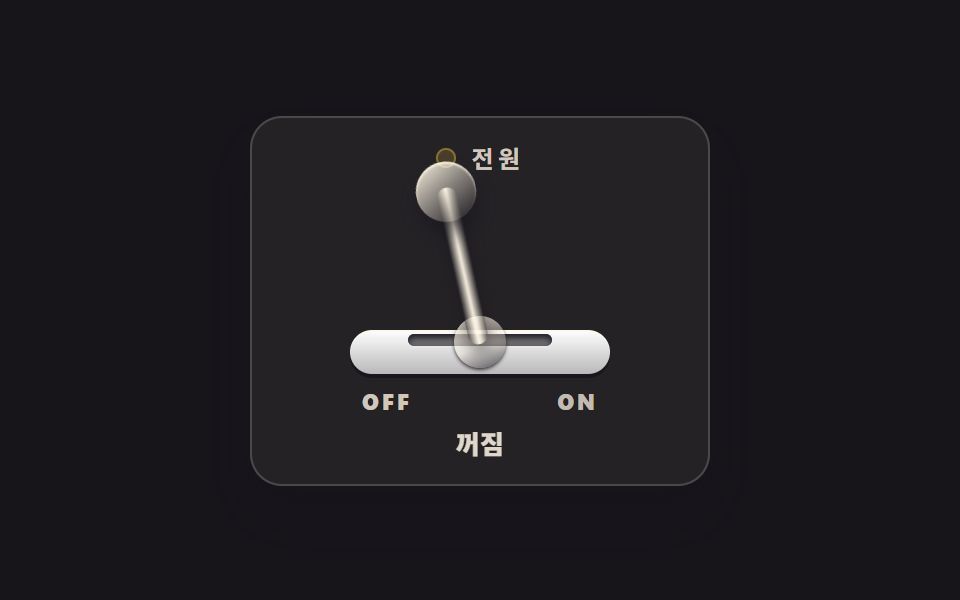 ボタンCSS スイッチボタン 9選 — レバー・ダイヤル・イジェクト、本物の感触
 ボタン【コピペOK】CSS ボタン アニメーション 9選(SCSS + React)
 ボタンcss ボタン 押したら変わる 9選 — 状態遷移の実装
 ボタンcss ボタン デザイン 9選 — キャンディグラデ・押し込み・ローディング
 ボタンcss ボタン ホバー アニメーション 9選 — 受賞級の定番テク
 ボタンcss 開閉 ボタン 9選 — ボタンの形が変わる9つの方式
 ボタン送信ボタン css 9種 — 紙飛行機に折れて飛ぶボタン
 ボタンフローティング ボタン アイコン 9選 — 押す・広がる・動かす
 ボタンCTA ボタン デザイン 9選 — 伸びる影から跳ねるバーまで
 ボタンボタン 押し込み UI 9選 — 押し込みの値が戻る計算の9通り