css 開閉 ボタン 9選 — ボタンの形が変わる9つの方式
css 開閉 ボタン:9つのうち1つは開く値が変わるとボタンの角の丸み値が一緒に大きくなり、1つは閉じる値がオンになるとプラス記号が回転して閉じる記号に変わり、もう1つは展開値が伸びる間、幅の値が目標を少し越えてから戻ります。
 01 btn-shape-accordion-reveal
 02 btn-shape-plus-to-close
 03 btn-shape-corner-round-grow
 04 btn-shape-width-expand-inline
 05 btn-shape-split-dual-reveal
 06 btn-shape-pill-to-bar-search
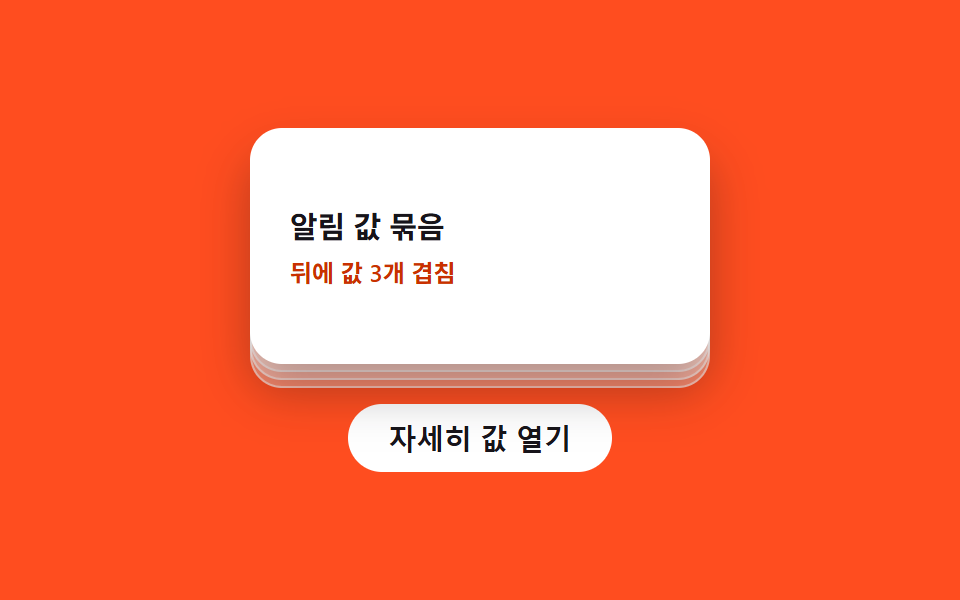 07 btn-shape-stack-card-lift
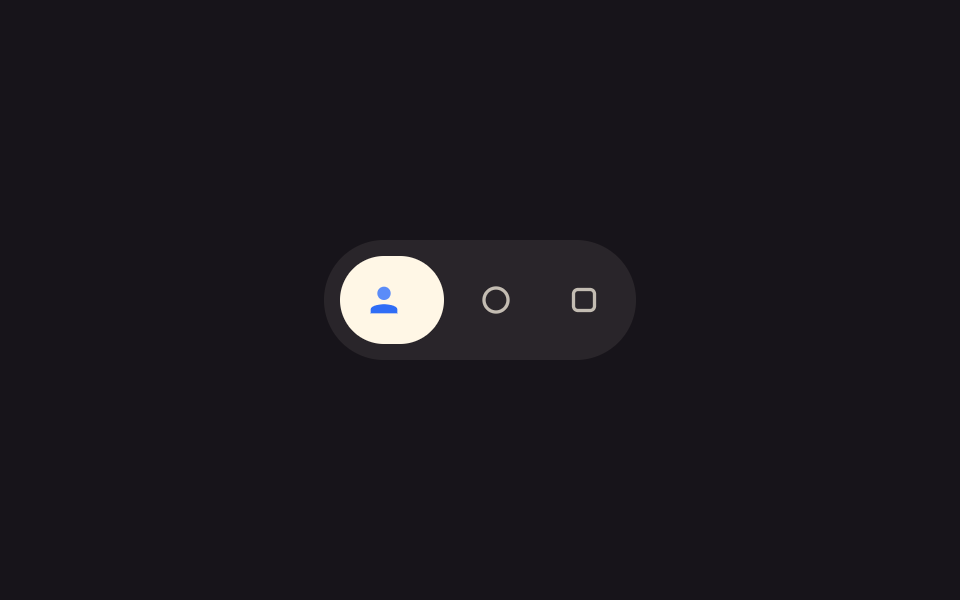 08 btn-shape-icon-grow-label
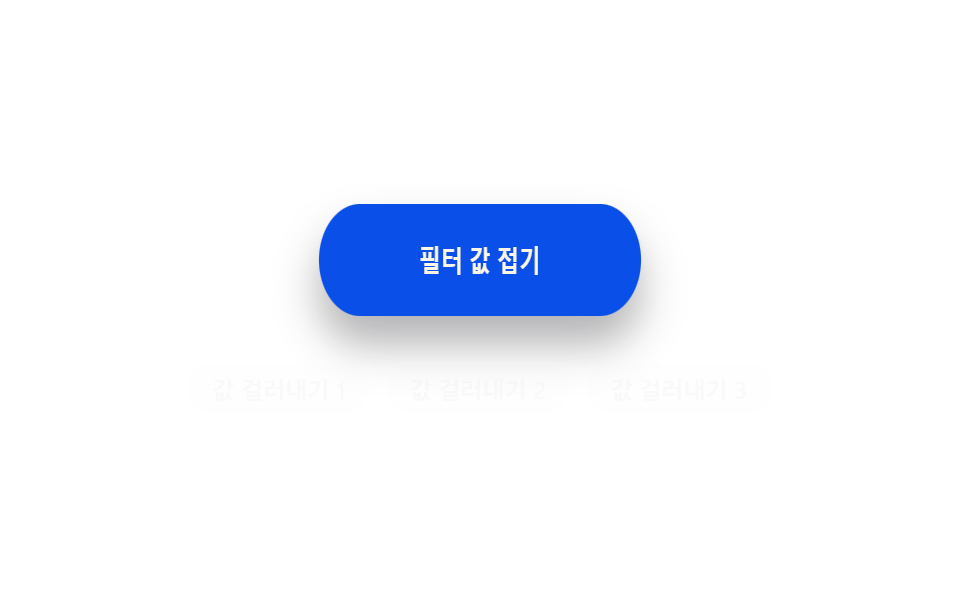 09 btn-shape-elastic-snap-back
自動再生 · タイルを押すとその項目へ · すべて1つのzip
- 01 アコーディオン表示切替 — ボタンの開く値が変わると丸み値と影の値が一緒に変わり、下の内容を差し出す方式
- 02 プラス回転切替 — 閉じる値がオンになるとプラス記号が回転して閉じる記号に変わる方式
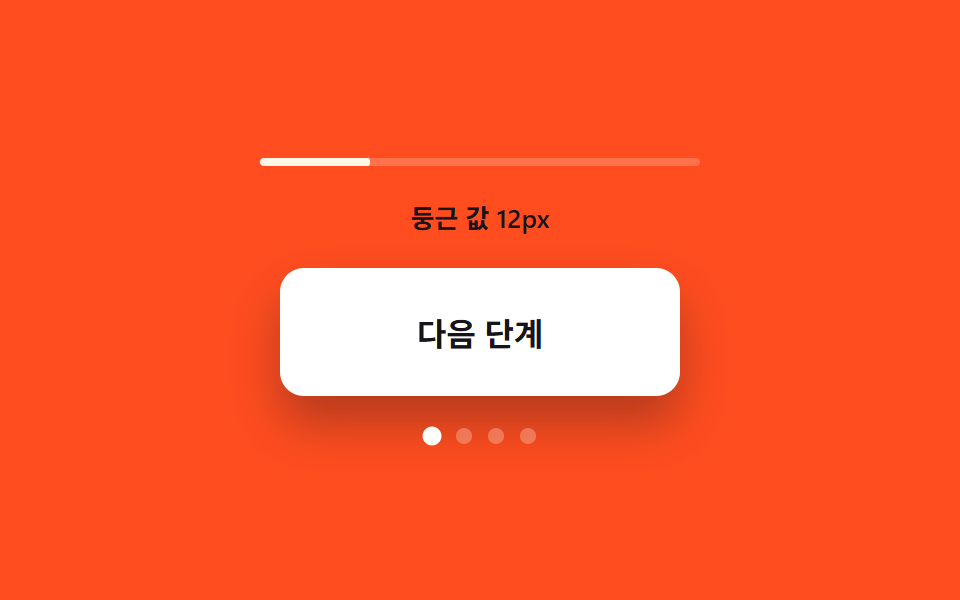
- 03 角丸値の成長 — 開く値が大きくなるほどボタンの角の丸み値が一緒に大きくなる方式
- 04 幅の慣性切替 — 展開値が伸びる間、幅の値が目標を少し越えてから戻る方式
- 05 二つ割れ切替 — 確定値がオンになるとボタンが二つの破片に割れ、それぞれ別の値を現す方式
- 06 丸薬から帯への切替 — 検索値がオンになると丸薬形の値が帯形の値に変わり、入力の場所が生まれる方式
- 07 重ね持ち上げ切替 — 詳細値がオンになると後ろに重なっていた同じ形の値が上へ順に持ち上がる方式
- 08 アイコン成長ラベル切替 — 焦点値がオンになるとアイコンの大きさの値が大きくなり名前の幅の値が伸びる方式
- 09 弾性戻り切替 — 折りたたみ値がオンになると形の値が縮み、反対に少し伸びてから元の形に戻る方式
この9つのデモはどれもサーバーと通信せず、localStorage にも触れず、乱数も使いません。06番のヒント一覧は本物の検索APIではなく固定された3つの文字列の配列から読んでおり、それ以外の項目はどれも一つの真偽値か数値の状態と、その値の変化がどう見えるかを決めるいくつかの定数だけで成り立っています。この狭い範囲こそが、こうした形が変わるボタンの集まりをチェックリストのように読めるようにしています——切り替わった値の名前さえ言えれば、コードを開く前に方式そのものの見分けがつきます。
9つのパターンの解剖 — どの形の値がいつ変わるか
9つのうち requestAnimationFrame ループを回すのは2つだけです。04番の幅切替は毎フレーム a = -K*(cur-target) - D*vel を積分し、展開した幅が REST_W を一度越えてから収まります。09番の折りたたみ切替も同じばねの式を、幅ではなく scaleX の値に対して走らせています。02番は $ease-elastic の曲線に乗った一回きりのCSS transitionで似た行き過ぎを演出しているだけなので、SPIN_DEG と OVER_MS という定数は毎フレーム計算される値ではなく、狙った角度と時間を示すための値にとどまります。9つのうち5つは描く前に実際のレイアウトを実測します——01番は各リスト項目の getBoundingClientRect().height を合計して --panel-h に渡し、04番と08番はともにラベルを一瞬 width: auto にして自然な幅を読み取り、05番はシェルの幅を --shell-w として読み、06番は開いた時点で入力欄の幅を --input-w として読みます。実測に基づくこのような作りと、固定のピクセル値に賭けるだけのメニュー 開閉 ボタンとの違いは、フォントや文言が変わったときにこそ表れます。残る02・03・07・09番は RADII・STEP_PX・K・D といった固定の定数だけで動き、DOM実測の呼び出しを一切しないため、フォントサイズや内容の長さに合わせて形の計算が変わることはありません。リスナーはどれも実際の操作に応えます——01・02・04・07番は click を、03番は独自の role="button" div に対して click と、EnterとSpaceのための keydown を、05番はシェルと二つの確認ボタンにまたがる click を、06番は閉じるボタンの click と入力欄の input・focus を、08番は pointerenter・pointerleave・click・focus を、そして09番だけが pointerdown と pointerup を中心に組まれており、これは押して離す動作そのものに跳ね返りが依存しているためです。
パターン別コード
01アコーディオン表示切替 — ボタンの開く値が変わると丸み値と影の値が一緒に変わり、下の内容を差し出す方式
開く値が変わるとボタンの角の丸み値が大きくなり影の値が深くなって、下の内容がその下に現れます。FAQ項目の開閉や設定グループの展開に向いており、表示そのものが少し重みを持って感じられます。
<main class="stage">
<div class="ba is-demo" id="ba">
  <button type="button" class="ba__btn" id="baBtn" aria-expanded="false" aria-controls="baPanel">
    <span class="ba__label">開く値を展開</span>
    <span class="ba__mark" aria-hidden="true">
      <svg viewBox="0 0 16 16" width="14" height="14"><path d="M3 6l5 5 5-5" fill="none" stroke="currentColor" stroke-width="2" stroke-linecap="round" stroke-linejoin="round"/></svg>
    </span>
  </button>
  <div class="ba__panel" id="baPanel" role="region">
    <ul class="ba__list" id="baList">
      <li class="ba__item">回答値 1</li>
      <li class="ba__item">回答値 2</li>
      <li class="ba__item">回答値 3</li>
    </ul>
  </div>
</div>
</main>
@use "../../../../site/static/demo-tokens" as *;
// 계산 겹: 하위 항목 노출 높이를 getBoundingClientRect 로 실측해 --panel-h 로 넘기고(index.html),
// 항목마다 순서 * STAGGER_MS 산술로 transition-delay 를 준다.
@include stage($stage-ink);
.ba {
width: 100%;
max-width: 300px;
}
.ba__btn {
display: flex;
align-items: center;
justify-content: space-between;
gap: $sp-3;
width: 100%;
box-sizing: border-box;
padding: $sp-3 $sp-4;
border: 0;
border-radius: $r-control $r-control 0 0;
background: $subject-cream;
color: $subject-ink;
font-weight: 600;
font-size: 15px;
box-shadow: $shadow-press;
transition: border-radius $dur-base $ease-out, box-shadow $dur-base $ease-out;
cursor: pointer;
}
.ba__mark {
display: inline-flex;
transition: transform $dur-base $ease-out;
}
.ba__panel {
overflow: hidden;
max-height: 0;
border-radius: 0 0 $r-control $r-control;
background: rgba($subject-cream, .92);
transition: max-height $dur-enter $ease-spring;
}
.ba__list {
list-style: none;
margin: 0;
padding: $sp-3 $sp-4;
display: grid;
gap: $sp-2;
}
.ba__item {
color: $subject-ink;
font-size: 13px;
opacity: 0;
transform: translateY(-6px);
transition: opacity $dur-quick $ease-out, transform $dur-quick $ease-out;
}
.ba--open {
.ba__btn { border-radius: $r-control $r-control 0 0; box-shadow: $shadow-raised; }
.ba__mark { transform: rotate(180deg); }
.ba__panel { max-height: var(--panel-h, 160px); }
.ba__item { opacity: 1; transform: translateY(0); }
}
@media (max-width: 340px) {
.ba__btn { padding: $sp-2 $sp-3; font-size: 14px; }
.ba__list { padding: $sp-2 $sp-3; }
}
@media (prefers-reduced-motion: reduce) {
.ba__btn, .ba__mark, .ba__panel, .ba__item { transition: none; }
}html, body {
margin: 0;
overflow: hidden;
}
.stage {
box-sizing: border-box;
min-height: 100vh;
display: grid;
place-items: center;
margin: 0;
background: #17141a;
font-family: -apple-system, "Segoe UI", "Noto Sans KR", sans-serif;
padding: clamp(8px, 4vw, 24px);
}
.ba {
width: 100%;
max-width: 300px;
}
.ba__btn {
display: flex;
align-items: center;
justify-content: space-between;
gap: 12px;
width: 100%;
box-sizing: border-box;
padding: 12px 16px;
border: 0;
border-radius: 12px 12px 0 0;
background: #fff7e6;
color: #17141a;
font-weight: 600;
font-size: 15px;
box-shadow: 0 6px 12px rgba(23, 20, 26, 0.32);
transition: border-radius 300ms ease-out, box-shadow 300ms ease-out;
cursor: pointer;
}
.ba__mark {
display: inline-flex;
transition: transform 300ms ease-out;
}
.ba__panel {
overflow: hidden;
max-height: 0;
border-radius: 0 0 12px 12px;
background: rgba(255, 247, 230, 0.92);
transition: max-height 600ms cubic-bezier(0.2, 0.8, 0.2, 1);
}
.ba__list {
list-style: none;
margin: 0;
padding: 12px 16px;
display: grid;
gap: 8px;
}
.ba__item {
color: #17141a;
font-size: 13px;
opacity: 0;
transform: translateY(-6px);
transition: opacity 220ms ease-out, transform 220ms ease-out;
}
.ba--open .ba__btn {
border-radius: 12px 12px 0 0;
box-shadow: 0 14px 24px rgba(23, 20, 26, 0.32);
}
.ba--open .ba__mark {
transform: rotate(180deg);
}
.ba--open .ba__panel {
max-height: var(--panel-h, 160px);
}
.ba--open .ba__item {
opacity: 1;
transform: translateY(0);
}
@media (max-width: 340px) {
.ba__btn {
padding: 8px 12px;
font-size: 14px;
}
.ba__list {
padding: 8px 12px;
}
}
@media (prefers-reduced-motion: reduce) {
.ba__btn, .ba__mark, .ba__panel, .ba__item {
transition: none;
}
}(function () {
var root = document.getElementById('ba');
var btn = document.getElementById('baBtn');
var panel = document.getElementById('baPanel');
var items = panel.querySelectorAll('.ba__item');
var STAGGER_MS = 70; // 계산 겹: 항목 순서 * 이 값만큼 늦게 나타난다
// 계산 겹: 하위 항목이 실제로 차지하는 노출 높이를 getBoundingClientRect 로 실측해
// panel 의 --panel-h 로 넘긴다 — 짐작한 고정값이 아니라 지금 폰트·내용 기준 값이다.
function measure() {
var h = 0;
items.forEach(function (li) { h += li.getBoundingClientRect().height; });
panel.style.setProperty('--panel-h', h + 'px');
}
items.forEach(function (li, i) {
li.style.transitionDelay = (i * STAGGER_MS) + 'ms';
});
var open = false;
function paint() {
measure();
root.classList.toggle('ba--open', open);
btn.setAttribute('aria-expanded', String(open));
}
function toggle() {
open = !open;
paint();
}
btn.addEventListener('click', function () {
root.classList.remove('is-demo');
stopAutoplay();
toggle();
});
var autoTimer = null;
function stopAutoplay() { if (autoTimer) { clearInterval(autoTimer); autoTimer = null; } }
var reduce = window.matchMedia('(prefers-reduced-motion: reduce)').matches;
measure();
if (!reduce) { toggle(); autoTimer = setInterval(toggle, 800); }
else { open = true; paint(); }
})();import { useEffect, useRef } from "react";
import styles from "./AccordionReveal.module.scss";
type Box<T> = { current: T };
const STAGGER_MS = 70; // 계산 겹: 항목 순서 * 이 값만큼 늦게 나타난다
export default function AccordionReveal() {
const rootRef = useRef(null) as unknown as Box<HTMLDivElement | null>;
useEffect(() => {
const root = rootRef.current;
if (!root) return;
const btn = root.querySelector(`.${styles.btn}`) as HTMLButtonElement | null;
const panel = root.querySelector(`.${styles.panel}`) as HTMLElement | null;
const items = root.querySelectorAll(`.${styles.item}`);
if (!btn || !panel) return;
items.forEach((li, i) => {
(li as HTMLElement).style.transitionDelay = (i * STAGGER_MS) + "ms";
});
function measure() {
let h = 0;
items.forEach((li) => { h += li.getBoundingClientRect().height; });
panel!.style.setProperty("--panel-h", h + "px");
}
let open = false;
function paint() {
measure();
root!.classList.toggle(styles["root--open"], open);
btn!.setAttribute("aria-expanded", String(open));
}
function toggle() {
open = !open;
paint();
}
function onClick() {
root!.classList.remove(styles["is-demo"]);
stopAutoplay();
toggle();
}
btn.addEventListener("click", onClick);
let autoTimer: number | null = null;
function stopAutoplay() { if (autoTimer !== null) { window.clearInterval(autoTimer); autoTimer = null; } }
const reduce = window.matchMedia("(prefers-reduced-motion: reduce)").matches;
measure();
if (!reduce) { toggle(); autoTimer = window.setInterval(toggle, 800); }
else { open = true; paint(); }
return () => {
stopAutoplay();
btn.removeEventListener("click", onClick);
};
}, []);
return (
<div ref={rootRef} className={`${styles.stage} ${styles.ba} ${styles["is-demo"]}`}>
<button type="button" className={styles.btn} aria-expanded="false">
<span className={styles.label}>열림 값 펼치기</span>
<span className={styles.mark} aria-hidden="true">
<svg viewBox="0 0 16 16" width="14" height="14"><path d="M3 6l5 5 5-5" fill="none" stroke="currentColor" strokeWidth="2" strokeLinecap="round" strokeLinejoin="round" /></svg>
</span>
</button>
<div className={styles.panel} role="region">
<ul className={styles.list}>
<li className={styles.item}>답변 값 1</li>
<li className={styles.item}>답변 값 2</li>
<li className={styles.item}>답변 값 3</li>
</ul>
</div>
</div>
);
}01 · アコーディオン表示切替 — ボタンの開く値が変わると丸み値と影の値が一緒に変わり、下の内容を差し出す方式 — 計測 累積面積 18.301% · 動いたフレーム 8/23GODRICH オリジナル · SCSS と React は zip に同梱 · パスワードを見る
  var STAGGER_MS = 70; // 計算層: 項目の順番 * この値だけ遅れて現れる

  // 計算層: 下位項目が実際に占める表示高さを getBoundingClientRect で実測し、
  // panel の --panel-h に渡す — 推測の固定値ではなく今のフォント・内容基準の値。
  function measure() {
    var h = 0;
    items.forEach(function (li) { h += li.getBoundingClientRect().height; });
    panel.style.setProperty('--panel-h', h + 'px');
  }
  items.forEach(function (li, i) {
    li.style.transitionDelay = (i * STAGGER_MS) + 'ms';
  });
数字が語ること
01番は面積を累計18.3%埋め、平均強度154.3で23フレーム中8フレームが動いています。ずれの仕組みが3つの項目の表示を一度にではなく順番に間隔を空けて見せています。
02プラス回転切替 — 閉じる値がオンになるとプラス記号が回転して閉じる記号に変わる方式
閉じる値がオンになるとプラス記号が回転して閉じる記号に変わり、回転が目標の角度を少し越えてから戻ります。項目追加ボタンやフィルターを開くボタンに自然に使え、アイコン自体が動作を伝えます。
<main class="stage">
<div class="pc is-demo" id="pc">
  <button type="button" class="pc__btn" id="pcBtn" aria-pressed="false">
    <span class="pc__label">項目値を追加</span>
    <span class="pc__disc" aria-hidden="true">
      <svg class="pc__icon" viewBox="0 0 24 24" width="22" height="22">
        <!-- 세로 막대 — 닫힘 값이 켜지면 stroke-dashoffset 으로 선분이 그려진 채 사라진다 -->
        <line class="pc__v" x1="12" y1="5" x2="12" y2="19" />
        <!-- 가로 막대 — 원래 있던 선. 두 막대가 같은 중심(12,12)에서 만난다 -->
        <line class="pc__h" x1="5" y1="12" x2="19" y2="12" />
      </svg>
    </span>
  </button>
</div>
</main>
@use "../../../../site/static/demo-tokens" as *;
// 계산 겹: 아이콘이 SPIN_DEG(135도) 만큼 회전하며 동시에 세로 막대의 stroke-dashoffset 이
// 선분 길이만큼 물러나 path morph 로 닫기 표시가 된다(index.html 주석 참조).
@include stage($stage-yellow);
.pc {
display: grid;
gap: $sp-4;
justify-items: center;
}
.pc__btn {
display: inline-flex;
align-items: center;
gap: $sp-3;
border: 0;
border-radius: $r-pill;
background: $subject-ink;
color: $subject-cream;
padding: $sp-3 $sp-5;
font-weight: 600;
font-size: 16px;
cursor: pointer;
transition: background-color $dur-quick $ease-out;
}
.pc__disc {
display: grid;
place-items: center;
width: 34px;
height: 34px;
border-radius: 50%;
background: rgba($stage-yellow, .18);
}
.pc__icon {
display: block;
transition: transform 360ms $ease-elastic;
}
.pc__v, .pc__h {
stroke: $stage-yellow;
stroke-width: 2.4;
stroke-linecap: round;
fill: none;
}
// 선분 그리기: 세로 막대는 pathLength 1 기준으로 dashoffset 0 → 1 사라진다
.pc__v {
stroke-dasharray: 1;
stroke-dashoffset: 0;
transition: stroke-dashoffset 270ms $ease-out;
}
.pc--closed {
.pc__icon { transform: rotate(135deg); }
.pc__v { stroke-dashoffset: 1; }
.pc__disc { background: rgba($stage-yellow, .32); }
}
@media (max-width: 340px) {
.pc__btn { padding: $sp-2 $sp-4; font-size: 14px; }
}
@media (prefers-reduced-motion: reduce) {
.pc__icon, .pc__v { transition: none; }
}html, body {
margin: 0;
overflow: hidden;
}
.stage {
box-sizing: border-box;
min-height: 100vh;
display: grid;
place-items: center;
margin: 0;
background: #ffd23f;
font-family: -apple-system, "Segoe UI", "Noto Sans KR", sans-serif;
padding: clamp(8px, 4vw, 24px);
}
.pc {
display: grid;
gap: 16px;
justify-items: center;
}
.pc__btn {
display: inline-flex;
align-items: center;
gap: 12px;
border: 0;
border-radius: 999px;
background: #17141a;
color: #fff7e6;
padding: 12px 20px;
font-weight: 600;
font-size: 16px;
cursor: pointer;
transition: background-color 220ms ease-out;
}
.pc__disc {
display: grid;
place-items: center;
width: 34px;
height: 34px;
border-radius: 50%;
background: rgba(255, 210, 63, 0.18);
}
.pc__icon {
display: block;
transition: transform 360ms cubic-bezier(0.34, 1.56, 0.64, 1);
}
.pc__v, .pc__h {
stroke: #ffd23f;
stroke-width: 2.4;
stroke-linecap: round;
fill: none;
}
.pc__v {
stroke-dasharray: 1;
stroke-dashoffset: 0;
transition: stroke-dashoffset 270ms ease-out;
}
.pc--closed .pc__icon {
transform: rotate(135deg);
}
.pc--closed .pc__v {
stroke-dashoffset: 1;
}
.pc--closed .pc__disc {
background: rgba(255, 210, 63, 0.32);
}
@media (max-width: 340px) {
.pc__btn {
padding: 8px 16px;
font-size: 14px;
}
}
@media (prefers-reduced-motion: reduce) {
.pc__icon, .pc__v {
transition: none;
}
}(function () {
var root = document.getElementById('pc');
var btn = document.getElementById('pcBtn');
var SPIN_DEG = 135; // 계산 겹: 회전 목표 각도 값 — 90도가 아니라 지나쳤다가 되돌아오는 각도
var OVER_MS = 90; // 계산 겹: 목표 각도를 넘겼다 되돌리는 여분 시간
var closed = false;
function paint() {
root.classList.toggle('pc--closed', closed);
btn.setAttribute('aria-pressed', String(closed));
}
function toggle() {
closed = !closed;
paint();
}
btn.addEventListener('click', function () {
root.classList.remove('is-demo');
stopAutoplay();
toggle();
});
var autoTimer = null;
function stopAutoplay() { if (autoTimer) { clearInterval(autoTimer); autoTimer = null; } }
var reduce = window.matchMedia('(prefers-reduced-motion: reduce)').matches;
if (!reduce) { autoTimer = setInterval(toggle, 1100); }
else { closed = true; paint(); }
})();import { useEffect, useRef } from "react";
import styles from "./PlusToClose.module.scss";
type Box<T> = { current: T };
const SPIN_DEG = 135; // 계산 겹: 회전 목표 각도 값 — 90도가 아니라 지나쳤다가 되돌아오는 각도
const OVER_MS = 90; // 계산 겹: 목표 각도를 넘겼다 되돌리는 여분 시간
export default function PlusToClose() {
const rootRef = useRef(null) as unknown as Box<HTMLDivElement | null>;
useEffect(() => {
const root = rootRef.current;
if (!root) return;
const btn = root.querySelector(`.${styles.btn}`) as HTMLButtonElement | null;
if (!btn) return;
let closed = false;
function paint() {
root!.classList.toggle(styles["root--closed"], closed);
btn!.setAttribute("aria-pressed", String(closed));
}
function toggle() {
closed = !closed;
paint();
}
function onClick() {
root!.classList.remove(styles["is-demo"]);
stopAutoplay();
toggle();
}
btn.addEventListener("click", onClick);
let autoTimer: number | null = null;
function stopAutoplay() { if (autoTimer !== null) { window.clearInterval(autoTimer); autoTimer = null; } }
const reduce = window.matchMedia("(prefers-reduced-motion: reduce)").matches;
if (!reduce) { autoTimer = window.setInterval(toggle, 1100); }
else { closed = true; paint(); }
return () => {
stopAutoplay();
btn.removeEventListener("click", onClick);
};
}, []);
return (
<div ref={rootRef} className={`${styles.stage} ${styles.pc} ${styles["is-demo"]}`}>
<button type="button" className={styles.btn} aria-pressed="false">
<span className={styles.label}>항목 값 추가</span>
<span className={styles.disc} aria-hidden="true">
<svg className={styles.icon} viewBox="0 0 24 24" width="22" height="22">
<line className={styles.v} x1="12" y1="5" x2="12" y2="19" />
<line className={styles.h} x1="5" y1="12" x2="19" y2="12" />
</svg>
</span>
</button>
</div>
);
}02 · プラス回転切替 — 閉じる値がオンになるとプラス記号が回転して閉じる記号に変わる方式 — 計測 累積面積 0.642% · 動いたフレーム 8/23GODRICH オリジナル · SCSS と React は zip に同梱 · パスワードを見る
.pc__icon {
  display: block;
  transition: transform 360ms $ease-elastic;
}

.pc__v, .pc__h {
  stroke: $stage-yellow;
  stroke-width: 2.4;
  stroke-linecap: round;
  fill: none;
}

// 線を描く: 縦棒は pathLength 1 基準で dashoffset が 0 → 1 になり消える
.pc__v {
  stroke-dasharray: 1;
  stroke-dashoffset: 0;
  transition: stroke-dashoffset 270ms $ease-out;
}

.pc--closed {
  .pc__icon { transform: rotate(135deg); }
  .pc__v { stroke-dashoffset: 1; }
  .pc__disc { background: rgba($stage-yellow, .32); }
}
数字が語ること
02番は面積をわずか0.64%しか埋めず、平均強度56.7で23フレーム中8フレームが動いています。アイコンがその場で回転するだけなので、パネルが開く動きよりずっと小さい面積しか動きません。
03角丸値の成長 — 開く値が大きくなるほどボタンの角の丸み値が一緒に大きくなる方式
開く値が段階ごとに大きくなるたび角の丸み値が同じ幅で大きくなり、ボタンがだんだん柔らかい形に変わります。多段階フォームの次へボタンや段階選択カードは、この形の変化を新しい文字を足さずに状態の進行として使えます。
<main class="stage">
<div class="cr is-demo" id="cr">
  <div class="cr__meter" aria-hidden="true">
    <div class="cr__meterFill" id="crFill"></div>
  </div>
  <p class="cr__read" id="crRead">丸み値 12px</p>
  <div class="cr__btn" id="crBtn" role="button" tabindex="0" aria-label="段階値を上げる">
    <span class="cr__label">次の段階</span>
  </div>
  <div class="cr__steps" aria-hidden="true">
    <span class="cr__dot"></span>
    <span class="cr__dot"></span>
    <span class="cr__dot"></span>
    <span class="cr__dot"></span>
  </div>
</div>
</main>
@use "../../../../site/static/demo-tokens" as *;
// 계산 겹: 단계 값마다 둥근 반경이 RADII 산술(12→16→24→알약)으로 커지고(index.html),
// 크기 성장 곡선이 같은 transition 에 물려 함께 이어진다.
@include stage($stage-orange);
.cr {
display: grid;
gap: $sp-4;
justify-items: center;
}
.cr__meter {
width: 220px;
height: $sp-1;
border-radius: $r-xs;
background: rgba($subject-cream, .22);
overflow: hidden;
}
.cr__meterFill {
width: 100%;
height: 100%;
border-radius: $r-xs;
background: $subject-cream;
transform-origin: left center;
transform: scaleX(.25);
transition: transform $dur-base $ease-out;
}
.cr__read {
margin: 0;
color: $subject-ink;
font-size: 13px;
font-weight: 600;
}
.cr__btn {
display: grid;
place-items: center;
width: 200px;
height: 64px;
border-radius: $r-control;
background: $stage-paper;
color: $subject-ink;
box-shadow: $shadow-raised;
cursor: pointer;
transition: border-radius $dur-enter $ease-elastic, width $dur-enter $ease-elastic, height $dur-enter $ease-elastic;
}
.cr__label {
font-weight: 700;
font-size: 16px;
}
.cr__steps {
display: flex;
gap: $sp-2;
}
.cr__dot {
width: $sp-2;
height: $sp-2;
border-radius: 50%;
background: rgba($subject-cream, .28);
transition: background-color $dur-quick $ease-out, transform $dur-quick $ease-elastic;
}
.cr__dot--on {
background: $stage-paper;
transform: scale(1.18);
}
@media (max-width: 340px) {
.cr__btn { width: 180px; height: 56px; }
.cr__meter { width: 180px; }
}
@media (prefers-reduced-motion: reduce) {
.cr__btn, .cr__meterFill, .cr__dot { transition: none; }
}html, body {
margin: 0;
overflow: hidden;
}
.stage {
box-sizing: border-box;
min-height: 100vh;
display: grid;
place-items: center;
margin: 0;
background: #ff4d1f;
font-family: -apple-system, "Segoe UI", "Noto Sans KR", sans-serif;
padding: clamp(8px, 4vw, 24px);
}
.cr {
display: grid;
gap: 16px;
justify-items: center;
}
.cr__meter {
width: 220px;
height: 4px;
border-radius: 4px;
background: rgba(255, 247, 230, 0.22);
overflow: hidden;
}
.cr__meterFill {
width: 100%;
height: 100%;
border-radius: 4px;
background: #fff7e6;
transform-origin: left center;
transform: scaleX(0.25);
transition: transform 300ms ease-out;
}
.cr__read {
margin: 0;
color: #17141a;
font-size: 13px;
font-weight: 600;
}
.cr__btn {
display: grid;
place-items: center;
width: 200px;
height: 64px;
border-radius: 12px;
background: #ffffff;
color: #17141a;
box-shadow: 0 14px 24px rgba(23, 20, 26, 0.32);
cursor: pointer;
transition: border-radius 600ms cubic-bezier(0.34, 1.56, 0.64, 1), width 600ms cubic-bezier(0.34, 1.56, 0.64, 1), height 600ms cubic-bezier(0.34, 1.56, 0.64, 1);
}
.cr__label {
font-weight: 700;
font-size: 16px;
}
.cr__steps {
display: flex;
gap: 8px;
}
.cr__dot {
width: 8px;
height: 8px;
border-radius: 50%;
background: rgba(255, 247, 230, 0.28);
transition: background-color 220ms ease-out, transform 220ms cubic-bezier(0.34, 1.56, 0.64, 1);
}
.cr__dot--on {
background: #ffffff;
transform: scale(1.18);
}
@media (max-width: 340px) {
.cr__btn {
width: 180px;
height: 56px;
}
.cr__meter {
width: 180px;
}
}
@media (prefers-reduced-motion: reduce) {
.cr__btn, .cr__meterFill, .cr__dot {
transition: none;
}
}(function () {
var root = document.getElementById('cr');
var btn = document.getElementById('crBtn');
var fill = document.getElementById('crFill');
var read = document.getElementById('crRead');
var dots = root.querySelectorAll('.cr__dot');
var RADII = [12, 16, 24, 999]; // 계산 겹: 단계마다 커지는 둥근 값(px) — 마지막은 ピル
var RADII_TEXT = ['丸み値 12px', '丸み値 16px', '丸み値 24px', '丸み値 ピル'];
var step = 0;
function paint() {
var r = RADII[step];
// 둥근 값은 % 가 아니라 px 로 보간해야 성장이 선형으로 보인다 — 999px 는 ピル 표기
btn.style.borderRadius = (r === 999 ? '999px' : r + 'px');
read.textContent = RADII_TEXT[step];
fill.style.transform = 'scaleX(' + ((step + 1) / RADII.length) + ')';
dots.forEach(function (d, i) {
d.classList.toggle('cr__dot--on', i <= step);
});
}
function advance() {
step = (step + 1) % RADII.length;
paint();
}
function human() {
root.classList.remove('is-demo');
stopAutoplay();
advance();
}
btn.addEventListener('click', human);
btn.addEventListener('keydown', function (e) {
if (e.key === 'Enter' || e.key === ' ') { e.preventDefault(); human(); }
});
var autoTimer = null;
function stopAutoplay() { if (autoTimer) { clearInterval(autoTimer); autoTimer = null; } }
var reduce = window.matchMedia('(prefers-reduced-motion: reduce)').matches;
paint();
if (!reduce) { autoTimer = setInterval(advance, 900); }
})();import { useEffect, useRef } from "react";
import styles from "./CornerRoundGrow.module.scss";
type Box<T> = { current: T };
const RADII = [12, 16, 24, 999]; // 계산 겹: 단계마다 커지는 둥근 값(px) — 마지막은 알약
const RADII_TEXT = ["둥근 값 12px", "둥근 값 16px", "둥근 값 24px", "둥근 값 알약"];
export default function CornerRoundGrow() {
const rootRef = useRef(null) as unknown as Box<HTMLDivElement | null>;
useEffect(() => {
const root = rootRef.current;
if (!root) return;
const btn = root.querySelector(`.${styles.btn}`) as HTMLElement | null;
const fill = root.querySelector(`.${styles.fill}`) as HTMLElement | null;
const read = root.querySelector(`.${styles.read}`) as HTMLElement | null;
const dots = root.querySelectorAll(`.${styles.dot}`);
if (!btn || !fill || !read) return;
let step = 0;
function paint() {
const r = RADII[step];
btn!.style.borderRadius = (r === 999 ? "999px" : r + "px");
read!.textContent = RADII_TEXT[step];
fill!.style.transform = "scaleX(" + ((step + 1) / RADII.length) + ")";
dots.forEach((d, i) => {
d.classList.toggle(styles["dot--on"], i <= step);
});
}
function advance() {
step = (step + 1) % RADII.length;
paint();
}
function human() {
root!.classList.remove(styles["is-demo"]);
stopAutoplay();
advance();
}
function onClick() { human(); }
function onKey(e: KeyboardEvent) {
if (e.key === "Enter" || e.key === " ") { e.preventDefault(); human(); }
}
btn.addEventListener("click", onClick);
btn.addEventListener("keydown", onKey);
let autoTimer: number | null = null;
function stopAutoplay() { if (autoTimer !== null) { window.clearInterval(autoTimer); autoTimer = null; } }
const reduce = window.matchMedia("(prefers-reduced-motion: reduce)").matches;
paint();
if (!reduce) { autoTimer = window.setInterval(advance, 900); }
return () => {
stopAutoplay();
btn.removeEventListener("click", onClick);
btn.removeEventListener("keydown", onKey);
};
}, []);
return (
<div ref={rootRef} className={`${styles.stage} ${styles.cr} ${styles["is-demo"]}`}>
<div className={styles.meter} aria-hidden="true">
<div className={styles.fill} />
</div>
<p className={styles.read}>둥근 값 12px</p>
<div className={styles.btn} role="button" tabIndex={0} aria-label="단계 값 올리기">
<span className={styles.label}>다음 단계</span>
</div>
<div className={styles.steps} aria-hidden="true">
<span className={styles.dot} />
<span className={styles.dot} />
<span className={styles.dot} />
<span className={styles.dot} />
</div>
</div>
);
}03 · 角丸値の成長 — 開く値が大きくなるほどボタンの角の丸み値が一緒に大きくなる方式 — 計測 累積面積 1.665% · 動いたフレーム 15/23GODRICH オリジナル · SCSS と React は zip に同梱 · パスワードを見る
  var RADII = [12, 16, 24, 999]; // 計算層: 段階ごとに大きくなる丸み値(px) — 最後はピル
  var RADII_TEXT = ['丸み値 12px', '丸み値 16px', '丸み値 24px', '丸み値 ピル'];
  var step = 0;

  function paint() {
    var r = RADII[step];
    // 丸み値は % ではなく px で補間しないと成長が直線に見えない — 999px はピル表記
    btn.style.borderRadius = (r === 999 ? '999px' : r + 'px');
    read.textContent = RADII_TEXT[step];
    fill.style.transform = 'scaleX(' + ((step + 1) / RADII.length) + ')';
    dots.forEach(function (d, i) {
      d.classList.toggle('cr__dot--on', i <= step);
    });
  }

  function advance() {
    step = (step + 1) % RADII.length;
    paint();
  }
数字が語ること
03番は面積を1.67%埋め、平均強度68.6で23フレーム中15フレームが動いており、これはこの9つの中で最も多いフレーム数です。4段階の自動再生が進むたびborder-radius・fillバー・ドット列をすべて描き直すためです。
04幅の慣性切替 — 展開値が伸びる間、幅の値が目標を少し越えてから戻る方式
展開値が伸びると幅の値が目標より少し越し、それから戻ってくるため、伸びることに重みがあるように見えます。本文中のもっと見るボタンやインラインツールバーの展開は、この重みのある収まり方が瞬時の切替より丁寧に見えます。
<main class="stage">
<div class="we is-demo" id="we">
  <p class="we__line">本文の一行が流れる場所です。下のボタンがこの行を濁さないように控えめに伸びます。</p>
  <button type="button" class="we__btn" id="weBtn" aria-expanded="false">
    <span class="we__base">もっと見る</span>
    <span class="we__more" id="weMore">全文値を見る</span>
  </button>
</div>
</main>
@use "../../../../site/static/demo-tokens" as *;
// 계산 겹: 너비가 CSS transition 이 아니라 index.html 의 스프링 감쇠 계산(K·D)으로 매 프레임
// 결정된다 — 목표를 넘었다가 되돌아오는 관성. more 글자는 진행률 p 로만 얹힌다.
@include stage($stage-paper);
.we {
width: 100%;
max-width: 340px;
display: grid;
gap: $sp-4;
justify-items: start;
}
.we__line {
margin: 0;
color: $subject-ink;
font-size: 13px;
line-height: 1.7;
}
.we__btn {
position: relative;
display: inline-flex;
align-items: center;
justify-content: flex-start;
height: 44px;
padding: 0 $sp-4;
box-sizing: border-box;
border: 0;
border-radius: $r-pill;
background: $subject-blue-deep;
color: $subject-cream;
font-weight: 600;
font-size: 14px;
cursor: pointer;
overflow: hidden;
white-space: nowrap;
will-change: width;
}
.we__more {
margin-left: $sp-2;
opacity: 0;
white-space: nowrap;
font-weight: 600;
}
@media (max-width: 340px) {
.we { max-width: 280px; }
.we__btn { height: 40px; font-size: 13px; }
}
@media (prefers-reduced-motion: reduce) {
.we__more { transition: none; }
}html, body {
margin: 0;
overflow: hidden;
}
.stage {
box-sizing: border-box;
min-height: 100vh;
display: grid;
place-items: center;
margin: 0;
background: #ffffff;
font-family: -apple-system, "Segoe UI", "Noto Sans KR", sans-serif;
padding: clamp(8px, 4vw, 24px);
}
.we {
width: 100%;
max-width: 340px;
display: grid;
gap: 16px;
justify-items: start;
}
.we__line {
margin: 0;
color: #17141a;
font-size: 13px;
line-height: 1.7;
}
.we__btn {
position: relative;
display: inline-flex;
align-items: center;
justify-content: flex-start;
height: 44px;
padding: 0 16px;
box-sizing: border-box;
border: 0;
border-radius: 999px;
background: #0a4fe8;
color: #fff7e6;
font-weight: 600;
font-size: 14px;
cursor: pointer;
overflow: hidden;
white-space: nowrap;
will-change: width;
}
.we__more {
margin-left: 8px;
opacity: 0;
white-space: nowrap;
font-weight: 600;
}
@media (max-width: 340px) {
.we {
max-width: 280px;
}
.we__btn {
height: 40px;
font-size: 13px;
}
}
@media (prefers-reduced-motion: reduce) {
.we__more {
transition: none;
}
}(function () {
var root = document.getElementById('we');
var btn = document.getElementById('weBtn');
var more = document.getElementById('weMore');
var REST_W = 104; // 접힘 너비(px) — getBoundingClientRect 로 실측해 갱신한다
var K = 170, D = 12; // 스프링 상수·감쇠 — 목표를 넘었다가 되돌아오는 관성 값
// 계산 겹: 목표 폭을 getBoundingClientRect 로 실측한다(짐작 px 아님).
// 늘어난 상태의 텍스트를 잠깐 펼쳐 재고 다시 접는다 — 글꼴마다 값이 다르다.
function measure() {
var prev = more.style.width;
more.style.width = 'auto';
var w = more.getBoundingClientRect().width;
more.style.width = prev || '0px';
return Math.ceil(w);
}
var openW = measure() + REST_W + 24; // 24 = 기준 너비에 더할 여유
var open = false;
var cur = REST_W, vel = 0, target = REST_W;
var raf = null;
// 스프링 감쇠 계산: 매 프레임 a = -K*(cur-target) - D*vel — 오버슈트 후 안착
function tick() {
var a = -K * (cur - target) * 0.001 - D * vel * 0.01;
vel += a;
cur += vel;
if (Math.abs(cur - target) < 0.4 && Math.abs(vel) < 0.05) { cur = target; vel = 0; }
btn.style.width = cur.toFixed(1) + 'px';
var p = Math.max(0, Math.min(1, (cur - REST_W) / (openW - REST_W)));
more.style.opacity = String(p);
raf = requestAnimationFrame(tick);
}
function toggle() {
open = !open;
target = open ? openW : REST_W;
btn.setAttribute('aria-expanded', String(open));
}
btn.addEventListener('click', function () {
root.classList.remove('is-demo');
stopAutoplay();
toggle();
});
raf = requestAnimationFrame(tick);
var autoTimer = null;
function stopAutoplay() { if (autoTimer) { clearInterval(autoTimer); autoTimer = null; } }
var reduce = window.matchMedia('(prefers-reduced-motion: reduce)').matches;
if (!reduce) { autoTimer = setInterval(toggle, 1300); }
else { open = true; target = openW; cur = openW; btn.style.width = openW + 'px'; more.style.opacity = '1'; }
})();import { useEffect, useRef } from "react";
import styles from "./WidthExpandInline.module.scss";
type Box<T> = { current: T };
const REST_W = 104; // 접힘 너비(px) — getBoundingClientRect 로 실측해 갱신한다
const K = 170, D = 12; // 스프링 상수·감쇠 — 목표를 넘었다가 되돌아오는 관성 값
export default function WidthExpandInline() {
const rootRef = useRef(null) as unknown as Box<HTMLDivElement | null>;
useEffect(() => {
const root = rootRef.current;
if (!root) return;
const btn = root.querySelector(`.${styles.btn}`) as HTMLButtonElement | null;
const more = root.querySelector(`.${styles.more}`) as HTMLElement | null;
if (!btn || !more) return;
// 계산 겹: 목표 폭을 getBoundingClientRect 로 실측한다(짐작 px 아님).
function measure() {
const prev = more!.style.width;
more!.style.width = "auto";
const w = more!.getBoundingClientRect().width;
more!.style.width = prev || "0px";
return Math.ceil(w);
}
const openW = measure() + REST_W + 24; // 24 = 기준 너비에 더할 여유
let open = false;
let cur = REST_W, vel = 0, target = REST_W;
let raf: number | null = null;
function tick() {
const a = -K * (cur - target) * 0.001 - D * vel * 0.01;
vel += a;
cur += vel;
if (Math.abs(cur - target) < 0.4 && Math.abs(vel) < 0.05) { cur = target; vel = 0; }
btn!.style.width = cur.toFixed(1) + "px";
const p = Math.max(0, Math.min(1, (cur - REST_W) / (openW - REST_W)));
more!.style.opacity = String(p);
raf = requestAnimationFrame(tick);
}
function toggle() {
open = !open;
target = open ? openW : REST_W;
btn!.setAttribute("aria-expanded", String(open));
}
function onClick() {
root!.classList.remove(styles["is-demo"]);
stopAutoplay();
toggle();
}
btn.addEventListener("click", onClick);
raf = requestAnimationFrame(tick);
let autoTimer: number | null = null;
function stopAutoplay() { if (autoTimer !== null) { window.clearInterval(autoTimer); autoTimer = null; } }
const reduce = window.matchMedia("(prefers-reduced-motion: reduce)").matches;
if (!reduce) { autoTimer = window.setInterval(toggle, 1300); }
else {
open = true; target = openW; cur = openW;
btn!.style.width = openW + "px"; more!.style.opacity = "1";
}
return () => {
stopAutoplay();
if (raf !== null) cancelAnimationFrame(raf);
btn.removeEventListener("click", onClick);
};
}, []);
return (
<div ref={rootRef} className={`${styles.stage} ${styles.we} ${styles["is-demo"]}`}>
<p className={styles.line}>본문 한 줄이 흐르는 자리에 있습니다. 아래 단추가 그 줄을 흐리지 않게 절제되게 늘어납니다.</p>
<button type="button" className={styles.btn} aria-expanded="false">
<span className={styles.base}>더 보기</span>
<span className={styles.more}>전문 값 보기</span>
</button>
</div>
);
}04 · 幅の慣性切替 — 展開値が伸びる間、幅の値が目標を少し越えてから戻る方式 — 計測 累積面積 4.333% · 動いたフレーム 14/23GODRICH オリジナル · SCSS と React は zip に同梱 · パスワードを見る
  function measure() {
    var prev = more.style.width;
    more.style.width = 'auto';
    var w = more.getBoundingClientRect().width;
    more.style.width = prev || '0px';
    return Math.ceil(w);
  }
  var openW = measure() + REST_W + 24; // 24 = 基準幅に足す余裕分

  var open = false;
  var cur = REST_W, vel = 0, target = REST_W;
  var raf = null;

  // ばね減衰計算: 毎フレーム a = -K*(cur-target) - D*vel — 行き過ぎてから収まる
  function tick() {
    var a = -K * (cur - target) * 0.001 - D * vel * 0.01;
    vel += a;
    cur += vel;
    if (Math.abs(cur - target) < 0.4 && Math.abs(vel) < 0.05) { cur = target; vel = 0; }
    btn.style.width = cur.toFixed(1) + 'px';
    var p = Math.max(0, Math.min(1, (cur - REST_W) / (openW - REST_W)));
    more.style.opacity = String(p);
    raf = requestAnimationFrame(tick);
  }
数字が語ること
04番は面積を4.33%埋め、平均強度164.3——この9つの中で最も高い値——で23フレーム中14フレームが動いています。ばねの行き過ぎと収まりが、単発の遷移より長くボタンの端を動かし続けています。
05二つ割れ切替 — 確定値がオンになるとボタンが二つの破片に割れ、それぞれ別の値を現す方式
確定値がオンになるとボタンが二つに割れ、それぞれの破片が反対方向に開いて中の値を現します。削除確認ボタンや二択の確認は、割れること自体が選択を求めているという合図になります。
<main class="stage">
<div class="sd is-demo" id="sd">
  <div class="sd__shell" id="sdShell">
    <div class="sd__half sd__half--l" aria-hidden="true"></div>
    <div class="sd__half sd__half--r" aria-hidden="true"></div>
    <div class="sd__face sd__face--rest" id="sdRest">
      <span class="sd__label">項目値を削除</span>
    </div>
    <div class="sd__face sd__face--split" id="sdSplit">
      <button type="button" class="sd__choice" id="sdNo">やめる</button>
      <button type="button" class="sd__choice sd__choice--danger" id="sdYes">消す</button>
    </div>
  </div>
</div>
</main>
@use "../../../../site/static/demo-tokens" as *;
// 계산 겹: 두 절반이 PART_PX(26px) 만큼 각자 바깥으로 벌어지고(translateX ±), 그 사이로
// 안의 선택 값 두 개가 크로스페이드로 뒤바뀐다(index.html). 절반 폭은 셸 폭 50% 실측.
@include stage($stage-ink);
.sd {
display: grid;
justify-items: center;
}
.sd__shell {
position: relative;
width: 240px;
height: 56px;
cursor: pointer;
}
.sd__half {
position: absolute;
top: 0;
width: calc(var(--shell-w, 240px) / 2);
height: 100%;
border-radius: $r-pill;
background: $error-soft;
transition: transform $dur-enter $ease-elastic, background-color $dur-quick $ease-out;
&--l { left: 0; border-top-right-radius: 0; border-bottom-right-radius: 0; }
&--r { right: 0; border-top-left-radius: 0; border-bottom-left-radius: 0; }
}
.sd__face {
position: absolute;
inset: 0;
display: flex;
align-items: center;
justify-content: center;
gap: $sp-3;
}
.sd__face--rest {
transition: opacity $dur-quick $ease-out;
}
.sd__label {
color: $error;
font-weight: 700;
font-size: 16px;
}
.sd__face--split {
opacity: 0;
transition: opacity $dur-quick $ease-out;
}
.sd__choice {
border: 0;
border-radius: $r-pill;
background: $stage-paper;
color: $subject-ink;
font-weight: 600;
font-size: 13px;
padding: $sp-2 $sp-4;
cursor: pointer;
&--danger { background: $error; color: $subject-cream; }
}
.sd--split {
.sd__half--l { transform: translateX(-26px); background: $error-soft; }
.sd__half--r { transform: translateX(26px); }
.sd__face--rest { opacity: 0; }
.sd__face--split { opacity: 1; }
}
@media (max-width: 340px) {
.sd__shell { width: 210px; height: 52px; }
}
@media (prefers-reduced-motion: reduce) {
.sd__half, .sd__face--rest, .sd__face--split { transition: none; }
}html, body {
margin: 0;
overflow: hidden;
}
.stage {
box-sizing: border-box;
min-height: 100vh;
display: grid;
place-items: center;
margin: 0;
background: #17141a;
font-family: -apple-system, "Segoe UI", "Noto Sans KR", sans-serif;
padding: clamp(8px, 4vw, 24px);
}
.sd {
display: grid;
justify-items: center;
}
.sd__shell {
position: relative;
width: 240px;
height: 56px;
cursor: pointer;
}
.sd__half {
position: absolute;
top: 0;
width: calc(var(--shell-w, 240px) / 2);
height: 100%;
border-radius: 999px;
background: #ffe0d8;
transition: transform 600ms cubic-bezier(0.34, 1.56, 0.64, 1), background-color 220ms ease-out;
}
.sd__half--l {
left: 0;
border-top-right-radius: 0;
border-bottom-right-radius: 0;
}
.sd__half--r {
right: 0;
border-top-left-radius: 0;
border-bottom-left-radius: 0;
}
.sd__face {
position: absolute;
inset: 0;
display: flex;
align-items: center;
justify-content: center;
gap: 12px;
}
.sd__face--rest {
transition: opacity 220ms ease-out;
}
.sd__label {
color: #c2361a;
font-weight: 700;
font-size: 16px;
}
.sd__face--split {
opacity: 0;
transition: opacity 220ms ease-out;
}
.sd__choice {
border: 0;
border-radius: 999px;
background: #ffffff;
color: #17141a;
font-weight: 600;
font-size: 13px;
padding: 8px 16px;
cursor: pointer;
}
.sd__choice--danger {
background: #c2361a;
color: #fff7e6;
}
.sd--split .sd__half--l {
transform: translateX(-26px);
background: #ffe0d8;
}
.sd--split .sd__half--r {
transform: translateX(26px);
}
.sd--split .sd__face--rest {
opacity: 0;
}
.sd--split .sd__face--split {
opacity: 1;
}
@media (max-width: 340px) {
.sd__shell {
width: 210px;
height: 52px;
}
}
@media (prefers-reduced-motion: reduce) {
.sd__half, .sd__face--rest, .sd__face--split {
transition: none;
}
}(function () {
var root = document.getElementById('sd');
var shell = document.getElementById('sdShell');
var PART_PX = 26; // 계산 겹: 두 절반이 벌어지는 거리(px) — 셸 폭 절반 기준 산술
// 계산 겹: 셸 폭을 getBoundingClientRect 로 실측해 --shell-w 로 넘긴다.
// 절반은 각자 셸 폭의 50% 로 그려지므로 벌어짐 거리도 이 값에 맞춘다.
function measure() {
shell.style.setProperty('--shell-w', shell.getBoundingClientRect().width + 'px');
}
var split = false;
function paint() {
root.classList.toggle('sd--split', split);
shell.setAttribute('aria-expanded', String(split));
}
function toggle() {
split = !split;
paint();
}
shell.addEventListener('click', function (e) {
if (e.target.closest('.sd__choice')) return;
root.classList.remove('is-demo');
stopAutoplay();
if (!split) toggle();
});
document.getElementById('sdNo').addEventListener('click', function () {
root.classList.remove('is-demo');
stopAutoplay();
if (split) toggle();
});
document.getElementById('sdYes').addEventListener('click', function () {
root.classList.remove('is-demo');
stopAutoplay();
if (split) toggle();
});
var autoTimer = null;
function stopAutoplay() { if (autoTimer) { clearInterval(autoTimer); autoTimer = null; } }
var reduce = window.matchMedia('(prefers-reduced-motion: reduce)').matches;
measure();
if (!reduce) { autoTimer = setInterval(toggle, 1400); }
else { split = true; paint(); }
})();import { useEffect, useRef } from "react";
import styles from "./SplitDualReveal.module.scss";
type Box<T> = { current: T };
const PART_PX = 26; // 계산 겹: 두 절반이 벌어지는 거리(px) — 셸 폭 절반 기준 산술
export default function SplitDualReveal() {
const rootRef = useRef(null) as unknown as Box<HTMLDivElement | null>;
useEffect(() => {
const root = rootRef.current;
if (!root) return;
const shell = root.querySelector(`.${styles.shell}`) as HTMLElement | null;
if (!shell) return;
function measure() {
shell!.style.setProperty("--shell-w", shell!.getBoundingClientRect().width + "px");
}
let split = false;
function paint() {
root!.classList.toggle(styles["root--split"], split);
shell!.setAttribute("aria-expanded", String(split));
}
function toggle() {
split = !split;
paint();
}
function onShellClick(e: Event) {
const t = e.target as HTMLElement;
if (t.closest("." + styles.choice)) return;
root!.classList.remove(styles["is-demo"]);
stopAutoplay();
if (!split) toggle();
}
function onChoice() {
root!.classList.remove(styles["is-demo"]);
stopAutoplay();
if (split) toggle();
}
shell.addEventListener("click", onShellClick);
root.querySelectorAll("." + styles.choice).forEach((b) => {
b.addEventListener("click", onChoice);
});
let autoTimer: number | null = null;
function stopAutoplay() { if (autoTimer !== null) { window.clearInterval(autoTimer); autoTimer = null; } }
const reduce = window.matchMedia("(prefers-reduced-motion: reduce)").matches;
measure();
if (!reduce) { autoTimer = window.setInterval(toggle, 1400); }
else { split = true; paint(); }
return () => {
stopAutoplay();
shell.removeEventListener("click", onShellClick);
root.querySelectorAll("." + styles.choice).forEach((b) => {
b.removeEventListener("click", onChoice);
});
};
}, []);
return (
<div ref={rootRef} className={`${styles.stage} ${styles.sd} ${styles["is-demo"]}`}>
<div className={styles.shell} aria-expanded="false">
<div className={`${styles.half} ${styles["half--l"]}`} aria-hidden="true" />
<div className={`${styles.half} ${styles["half--r"]}`} aria-hidden="true" />
<div className={`${styles.face} ${styles["face--rest"]}`}>
<span className={styles.label}>항목 값 삭제</span>
</div>
<div className={`${styles.face} ${styles["face--split"]}`}>
<button type="button" className={styles.choice}>그만두기</button>
<button type="button" className={`${styles.choice} ${styles["choice--danger"]}`}>지우기</button>
</div>
</div>
</div>
);
}05 · 二つ割れ切替 — 確定値がオンになるとボタンが二つの破片に割れ、それぞれ別の値を現す方式 — 計測 累積面積 6.995% · 動いたフレーム 7/23GODRICH オリジナル · SCSS と React は zip に同梱 · パスワードを見る
  var PART_PX = 26; // 計算層: 二つの半分が開く距離(px) — シェル幅の半分基準の算術

  // 計算層: シェル幅を getBoundingClientRect で実測し --shell-w に渡す。
  // 半分はそれぞれシェル幅の50%で描かれるため、開く距離もこの値に合わせる。
  function measure() {
    shell.style.setProperty('--shell-w', shell.getBoundingClientRect().width + 'px');
  }

  var split = false;
  function paint() {
    root.classList.toggle('sd--split', split);
    shell.setAttribute('aria-expanded', String(split));
  }

  function toggle() {
    split = !split;
    paint();
  }
数字が語ること
05番は面積を7.0%埋め、平均強度はちょうど100.0で23フレーム中7フレームが動いており、二つの半分が一度の遷移で反対の端へ分かれます。
06丸薬から帯への切替 — 検索値がオンになると丸薬形の値が帯形の値に変わり、入力の場所が生まれる方式
検索値がオンになると丸薬形が帯形に伸びて入力の場所が現れ、オフになると再び丸薬に縮みます。ヘッダーの検索ボタンや狭い画面の検索展開に向いており、下のヒント一覧は実際に何かを検索するわけではなく固定のままです。
<main class="stage">
<div class="ps is-demo" id="ps">
  <div class="ps__bar" id="psBar">
    <span class="ps__icon" aria-hidden="true">
      <svg viewBox="0 0 24 24" width="16" height="16"><circle cx="10.5" cy="10.5" r="6.5" fill="none" stroke="currentColor" stroke-width="2.4"/><line x1="15.5" y1="15.5" x2="21" y2="21" stroke="currentColor" stroke-width="2.4" stroke-linecap="round"/></svg>
    </span>
    <input class="ps__input" id="psInput" type="text" placeholder="検索値を入力" aria-label="検索値入力">
    <button type="button" class="ps__close" id="psClose" aria-label="検索値を閉じる">
      <svg viewBox="0 0 24 24" width="14" height="14"><line x1="5" y1="5" x2="19" y2="19" stroke="currentColor" stroke-width="2.4" stroke-linecap="round"/><line x1="19" y1="5" x2="5" y2="19" stroke="currentColor" stroke-width="2.4" stroke-linecap="round"/></svg>
    </button>
  </div>
  <ul class="ps__hints" id="psHints" aria-hidden="true">
    <li class="ps__hint">サンプル値 1</li>
    <li class="ps__hint">サンプル値 2</li>
  </ul>
</div>
</main>
@use "../../../../site/static/demo-tokens" as *;
// 계산 겹: 폭 확장은 transition(width) 이 아니라 index.html 이 실측한 --input-w 값으로
// 커서 자리를 잡고, 힌트 목록은 시드 고정 로컬 배열로만 그린다(실 fetch 0).
@include stage($stage-yellow);
.ps {
display: grid;
gap: $sp-2;
justify-items: center;
}
.ps__bar {
display: inline-flex;
align-items: center;
gap: $sp-2;
width: 56px;
height: 44px;
padding: 0 $sp-2;
box-sizing: border-box;
border-radius: $r-pill;
background: $subject-ink;
overflow: hidden;
transition: width 700ms $ease-spring, padding 700ms $ease-spring;
cursor: pointer;
}
.ps--open .ps__bar {
width: 320px;
padding: 0 $sp-3;
cursor: default;
}
.ps__icon {
display: inline-flex;
color: $stage-yellow;
flex: 0 0 auto;
}
.ps__input {
flex: 1 1 auto;
min-width: 0;
border: 0;
background: transparent;
color: $subject-cream;
font-size: 14px;
font-weight: 500;
opacity: 0;
transition: opacity $dur-quick $ease-out;
}
.ps__input:focus { outline: none; }
.ps--open .ps__input { opacity: 1; }
.ps__input::placeholder { color: rgba($subject-cream, .72); }
.ps.is-demo .ps__input::placeholder { color: transparent; }
.ps__close {
display: grid;
place-items: center;
width: 28px;
height: 28px;
flex: 0 0 auto;
border: 0;
border-radius: 50%;
background: rgba($stage-yellow, .18);
color: $stage-yellow;
cursor: pointer;
opacity: 0;
transform: rotate(-90deg);
transition: opacity $dur-quick $ease-out, transform $dur-base $ease-elastic;
}
.ps--open .ps__close { opacity: 1; transform: rotate(0deg); }
.ps__hints {
list-style: none;
margin: 0;
padding: 0;
display: grid;
gap: $sp-1;
width: 320px;
}
.ps__hint {
padding: $sp-2 $sp-3;
border-radius: $r-control;
background: rgba($subject-ink, .9);
color: $subject-cream;
font-size: 13px;
opacity: 0;
transform: translateY(-4px);
transition: opacity $dur-quick $ease-out, transform $dur-quick $ease-out;
}
.ps__hint--on { opacity: 1; transform: translateY(0); }
@media (max-width: 340px) {
.ps--open .ps__bar { width: 260px; }
.ps__hints { width: 260px; }
}
@media (prefers-reduced-motion: reduce) {
.ps__bar, .ps__input, .ps__close, .ps__hint { transition: none; }
}html, body {
margin: 0;
overflow: hidden;
}
.stage {
box-sizing: border-box;
min-height: 100vh;
display: grid;
place-items: center;
margin: 0;
background: #ffd23f;
font-family: -apple-system, "Segoe UI", "Noto Sans KR", sans-serif;
padding: clamp(8px, 4vw, 24px);
}
.ps {
display: grid;
gap: 8px;
justify-items: center;
}
.ps__bar {
display: inline-flex;
align-items: center;
gap: 8px;
width: 56px;
height: 44px;
padding: 0 8px;
box-sizing: border-box;
border-radius: 999px;
background: #17141a;
overflow: hidden;
transition: width 700ms cubic-bezier(0.2, 0.8, 0.2, 1), padding 700ms cubic-bezier(0.2, 0.8, 0.2, 1);
cursor: pointer;
}
.ps--open .ps__bar {
width: 320px;
padding: 0 12px;
cursor: default;
}
.ps__icon {
display: inline-flex;
color: #ffd23f;
flex: 0 0 auto;
}
.ps__input {
flex: 1 1 auto;
min-width: 0;
border: 0;
background: transparent;
color: #fff7e6;
font-size: 14px;
font-weight: 500;
opacity: 0;
transition: opacity 220ms ease-out;
}
.ps__input:focus {
outline: none;
}
.ps--open .ps__input {
opacity: 1;
}
.ps__input::placeholder {
color: rgba(255, 247, 230, 0.72);
}
.ps.is-demo .ps__input::placeholder {
color: transparent;
}
.ps__close {
display: grid;
place-items: center;
width: 28px;
height: 28px;
flex: 0 0 auto;
border: 0;
border-radius: 50%;
background: rgba(255, 210, 63, 0.18);
color: #ffd23f;
cursor: pointer;
opacity: 0;
transform: rotate(-90deg);
transition: opacity 220ms ease-out, transform 300ms cubic-bezier(0.34, 1.56, 0.64, 1);
}
.ps--open .ps__close {
opacity: 1;
transform: rotate(0deg);
}
.ps__hints {
list-style: none;
margin: 0;
padding: 0;
display: grid;
gap: 4px;
width: 320px;
}
.ps__hint {
padding: 8px 12px;
border-radius: 12px;
background: rgba(23, 20, 26, 0.9);
color: #fff7e6;
font-size: 13px;
opacity: 0;
transform: translateY(-4px);
transition: opacity 220ms ease-out, transform 220ms ease-out;
}
.ps__hint--on {
opacity: 1;
transform: translateY(0);
}
@media (max-width: 340px) {
.ps--open .ps__bar {
width: 260px;
}
.ps__hints {
width: 260px;
}
}
@media (prefers-reduced-motion: reduce) {
.ps__bar, .ps__input, .ps__close, .ps__hint {
transition: none;
}
}(function () {
var root = document.getElementById('ps');
var bar = document.getElementById('psBar');
var input = document.getElementById('psInput');
var closeBtn = document.getElementById('psClose');
var BAR_W = 320; // 목표 막대 폭(px)
// 계산 겹: 열릴 때 입력 폭을 getBoundingClientRect 로 실측해 커서가 놓일 자리를 잡는다.
// 폰트·패딩이 달라져도 열림 폭이 글자보다 좁아지지 않게 max 로 비교한다.
var open = false;
function paint() {
root.classList.toggle('ps--open', open);
bar.setAttribute('aria-expanded', String(open));
if (open) {
// 열린 직후 실측: 입력 요소 폭이 0 이면(아직 숨김) 측정을 다음 프레임으로 미룬다
var w = input.getBoundingClientRect().width || 1;
bar.style.setProperty('--input-w', w + 'px');
input.focus({ preventScroll: true });
}
}
function toggle() {
open = !open;
paint();
}
closeBtn.addEventListener('click', function () {
root.classList.remove('is-demo');
stopAutoplay();
if (open) toggle();
});
input.addEventListener('input', function () {
root.classList.remove('is-demo');
stopAutoplay();
paintHints();
});
input.addEventListener('focus', function () {
root.classList.remove('is-demo');
stopAutoplay();
});
// 시드 고정 로컬 값 — 실제 검색 API 는 쓰지 않는다
var SEEDS = ['サンプル値 1', 'サンプル値 2', 'サンプル値 3'];
function paintHints() {
var hints = root.querySelectorAll('.ps__hint');
var q = input.value.trim();
var n = q ? Math.min(2, SEEDS.length) : 0;
hints.forEach(function (h, i) {
h.classList.toggle('ps__hint--on', i < n);
if (i < n) h.textContent = SEEDS[i];
});
}
var autoTimer = null;
function stopAutoplay() { if (autoTimer) { clearInterval(autoTimer); autoTimer = null; } }
var reduce = window.matchMedia('(prefers-reduced-motion: reduce)').matches;
if (!reduce) {
var step = 0;
var TYPES = ['', 'サ', ''];
autoTimer = setInterval(function () {
open = (step % 2 === 0);
input.value = TYPES[(step >> 1) % TYPES.length];
paint();
paintHints();
step++;
}, 1300);
} else { open = true; input.value = ''; paint(); }
})();import { useEffect, useRef } from "react";
import styles from "./PillToBarSearch.module.scss";
type Box<T> = { current: T };
// 시드 고정 로컬 값 — 실제 검색 API 는 쓰지 않는다
const SEEDS = ["샘플 값 1", "샘플 값 2", "샘플 값 3"];
export default function PillToBarSearch() {
const rootRef = useRef(null) as unknown as Box<HTMLDivElement | null>;
useEffect(() => {
const root = rootRef.current;
if (!root) return;
const bar = root.querySelector(`.${styles.bar}`) as HTMLElement | null;
const input = root.querySelector(`.${styles.input}`) as HTMLInputElement | null;
const closeBtn = root.querySelector(`.${styles.close}`) as HTMLButtonElement | null;
if (!bar || !input || !closeBtn) return;
let open = false;
function paint() {
root!.classList.toggle(styles["root--open"], open);
bar!.setAttribute("aria-expanded", String(open));
if (open) {
const w = input!.getBoundingClientRect().width || 1;
bar!.style.setProperty("--input-w", w + "px");
input!.focus({ preventScroll: true });
}
}
function toggle() {
open = !open;
paint();
}
function paintHints() {
const hints = root!.querySelectorAll("." + styles.hint);
const q = input!.value.trim();
const n = q ? Math.min(2, SEEDS.length) : 0;
hints.forEach((h, i) => {
h.classList.toggle(styles["hint--on"], i < n);
if (i < n) (h as HTMLElement).textContent = SEEDS[i];
});
}
function onClose() {
root!.classList.remove(styles["is-demo"]);
stopAutoplay();
if (open) toggle();
}
function onInput() {
root!.classList.remove(styles["is-demo"]);
stopAutoplay();
paintHints();
}
function onFocus() {
root!.classList.remove(styles["is-demo"]);
stopAutoplay();
}
closeBtn.addEventListener("click", onClose);
input.addEventListener("input", onInput);
input.addEventListener("focus", onFocus);
let autoTimer: number | null = null;
function stopAutoplay() { if (autoTimer !== null) { window.clearInterval(autoTimer); autoTimer = null; } }
const reduce = window.matchMedia("(prefers-reduced-motion: reduce)").matches;
if (!reduce) {
let step = 0;
const TYPES = ["", "샘", ""];
autoTimer = window.setInterval(() => {
open = (step % 2 === 0);
input!.value = TYPES[(step >> 1) % TYPES.length];
paint();
paintHints();
step++;
}, 1300);
} else { open = true; input!.value = ""; paint(); }
return () => {
stopAutoplay();
closeBtn.removeEventListener("click", onClose);
input.removeEventListener("input", onInput);
input.removeEventListener("focus", onFocus);
};
}, []);
return (
<div ref={rootRef} className={`${styles.stage} ${styles.ps} ${styles["is-demo"]}`}>
<div className={styles.bar} aria-expanded="false">
<span className={styles.icon} aria-hidden="true">
<svg viewBox="0 0 24 24" width="16" height="16"><circle cx="10.5" cy="10.5" r="6.5" fill="none" stroke="currentColor" strokeWidth="2.4" /><line x1="15.5" y1="15.5" x2="21" y2="21" stroke="currentColor" strokeWidth="2.4" strokeLinecap="round" /></svg>
</span>
<input className={styles.input} type="text" placeholder="찾기 값을 입력" aria-label="찾기 값 입력" />
<button type="button" className={styles.close} aria-label="찾기 값 닫기">
<svg viewBox="0 0 24 24" width="14" height="14"><line x1="5" y1="5" x2="19" y2="19" stroke="currentColor" strokeWidth="2.4" strokeLinecap="round" /><line x1="19" y1="5" x2="5" y2="19" stroke="currentColor" strokeWidth="2.4" strokeLinecap="round" /></svg>
</button>
</div>
<ul className={styles.hints} aria-hidden="true">
<li className={styles.hint}>샘플 값 1</li>
<li className={styles.hint}>샘플 값 2</li>
</ul>
</div>
);
}06 · 丸薬から帯への切替 — 検索値がオンになると丸薬形の値が帯形の値に変わり、入力の場所が生まれる方式 — 計測 累積面積 8.393% · 動いたフレーム 7/23GODRICH オリジナル · SCSS と React は zip に同梱 · パスワードを見る
  // シード固定のローカル値 — 実際の検索APIは使わない
  var SEEDS = ['サンプル値 1', 'サンプル値 2', 'サンプル値 3'];
  function paintHints() {
    var hints = root.querySelectorAll('.ps__hint');
    var q = input.value.trim();
    var n = q ? Math.min(2, SEEDS.length) : 0;
    hints.forEach(function (h, i) {
      h.classList.toggle('ps__hint--on', i < n);
      if (i < n) h.textContent = SEEDS[i];
    });
  }
数字が語ること
06番は面積を8.39%埋め、平均強度141.9で23フレーム中7フレームが動いています。丸薬から帯形への幅の変化と現れる入力欄が、その面積のほとんどを占めています。
07重ね持ち上げ切替 — 詳細値がオンになると後ろに重なっていた同じ形の値が上へ順に持ち上がる方式
詳細値がオンになるとボタンの後ろに重なっていた同じ形が一拍ずつずれて上に持ち上がり、オフになると順に下がります。カード重なりのもっと見るボタンや通知一覧の展開は、このずれた持ち上がりで後ろに何個控えているかを匂わせます。
<main class="stage">
<div class="sl is-demo" id="sl">
  <div class="sl__pile" id="slPile">
    <div class="sl__ghost" style="--n: 3"></div>
    <div class="sl__ghost" style="--n: 2"></div>
    <div class="sl__ghost" style="--n: 1"></div>
    <div class="sl__card">
      <span class="sl__title">通知値のまとまり</span>
      <span class="sl__sub">後ろに値3つ重なり</span>
    </div>
  </div>
  <button type="button" class="sl__btn" id="slBtn" aria-expanded="false">
    <span class="sl__label">詳細値を開く</span>
  </button>
</div>
</main>
@use "../../../../site/static/demo-tokens" as *;
// 계산 겹: 겹친 카드의 y 오프셋이 --n(뒤에서부터의 차례) * STEP_PX(34px) 산술로 결정되고,
// 들림은 $ease-lerp-settle 표본곡선(오버슈트 후 빠른 정착)으로 스프링 감쇠를 흉내낸다.
@include stage($stage-orange);
.sl {
display: grid;
gap: $sp-5;
justify-items: center;
}
.sl__pile {
position: relative;
width: 230px;
height: 118px;
}
.sl__ghost {
position: absolute;
inset: 0;
border-radius: $r-card;
background: rgba($stage-paper, .35);
border: 1px solid rgba($stage-paper, .5);
transform: translateY(calc((4 - var(--n)) * 4px));
transition: transform $dur-enter $ease-lerp-settle;
}
.sl__card {
position: absolute;
inset: 0;
border-radius: $r-card;
background: $stage-paper;
box-shadow: $shadow-raised;
display: grid;
align-content: center;
gap: $sp-1;
padding: 0 $sp-5;
box-sizing: border-box;
}
.sl__title {
color: $subject-ink;
font-weight: 700;
font-size: 15px;
}
.sl__sub {
color: $subject-orange-deep;
font-weight: 600;
font-size: 12px;
}
.sl__btn {
border: 0;
border-radius: $r-pill;
background: $stage-paper;
color: $subject-ink;
padding: $sp-2 $sp-5;
font-weight: 600;
font-size: 14px;
cursor: pointer;
}
.sl--open {
.sl__ghost {
transform: translateY(calc(-1 * var(--n) * 34px)) scale(calc(1 - var(--n) * .03));
}
}
@media (max-width: 340px) {
.sl__pile { width: 200px; height: 108px; }
}
@media (prefers-reduced-motion: reduce) {
.sl__ghost { transition: none; }
}html, body {
margin: 0;
overflow: hidden;
}
.stage {
box-sizing: border-box;
min-height: 100vh;
display: grid;
place-items: center;
margin: 0;
background: #ff4d1f;
font-family: -apple-system, "Segoe UI", "Noto Sans KR", sans-serif;
padding: clamp(8px, 4vw, 24px);
}
.sl {
display: grid;
gap: 20px;
justify-items: center;
}
.sl__pile {
position: relative;
width: 230px;
height: 118px;
}
.sl__ghost {
position: absolute;
inset: 0;
border-radius: 16px;
background: rgba(255, 255, 255, 0.35);
border: 1px solid rgba(255, 255, 255, 0.5);
transform: translateY(calc((4 - var(--n)) * 4px));
transition: transform 600ms linear(0, 0.051, 0.176, 0.341, 0.518, 0.685, 0.831, 0.947, 1.032, 1.087, 1.117, 1.126, 1.121, 1.105, 1.085, 1.062, 1.041, 1.022, 1.008, 0.997, 1);
}
.sl__card {
position: absolute;
inset: 0;
border-radius: 16px;
background: #ffffff;
box-shadow: 0 14px 24px rgba(23, 20, 26, 0.32);
display: grid;
align-content: center;
gap: 4px;
padding: 0 20px;
box-sizing: border-box;
}
.sl__title {
color: #17141a;
font-weight: 700;
font-size: 15px;
}
.sl__sub {
color: #c93000;
font-weight: 600;
font-size: 12px;
}
.sl__btn {
border: 0;
border-radius: 999px;
background: #ffffff;
color: #17141a;
padding: 8px 20px;
font-weight: 600;
font-size: 14px;
cursor: pointer;
}
.sl--open .sl__ghost {
transform: translateY(calc(-1 * var(--n) * 34px)) scale(calc(1 - var(--n) * 0.03));
}
@media (max-width: 340px) {
.sl__pile {
width: 200px;
height: 108px;
}
}
@media (prefers-reduced-motion: reduce) {
.sl__ghost {
transition: none;
}
}(function () {
var root = document.getElementById('sl');
var btn = document.getElementById('slBtn');
var ghosts = root.querySelectorAll('.sl__ghost');
var sub = root.querySelector('.sl__sub');
var STEP_PX = 34; // 계산 겹: 겹침 카드 하나가 위로 들리는 y 오프셋(px) — 스프링 감쇠로 산출
var STAGGER_MS = 80; // 계산 겹: 뒤 카드부터 이 값씩 늦게 들린다
ghosts.forEach(function (g, i) {
g.style.transitionDelay = ((ghosts.length - 1 - i) * STAGGER_MS) + 'ms';
});
var open = false;
function paint() {
root.classList.toggle('sl--open', open);
btn.setAttribute('aria-expanded', String(open));
sub.textContent = open ? '値3つ展開' : '後ろに値3つ重なり';
}
function toggle() {
open = !open;
paint();
}
btn.addEventListener('click', function () {
root.classList.remove('is-demo');
stopAutoplay();
toggle();
});
var autoTimer = null;
function stopAutoplay() { if (autoTimer) { clearInterval(autoTimer); autoTimer = null; } }
var reduce = window.matchMedia('(prefers-reduced-motion: reduce)').matches;
if (!reduce) { autoTimer = setInterval(toggle, 1400); }
else { open = true; paint(); }
})();import { useEffect, useRef } from "react";
import type { CSSProperties } from "react";
import styles from "./StackCardLift.module.scss";
type Box<T> = { current: T };
const STEP_PX = 34; // 계산 겹: 겹침 카드 하나가 위로 들리는 y 오프셋(px) — 스프링 감쇠로 산출
const STAGGER_MS = 80; // 계산 겹: 뒤 카드부터 이 값씩 늦게 들린다
export default function StackCardLift() {
const rootRef = useRef(null) as unknown as Box<HTMLDivElement | null>;
useEffect(() => {
const root = rootRef.current;
if (!root) return;
const btn = root.querySelector(`.${styles.btn}`) as HTMLButtonElement | null;
const ghosts = root.querySelectorAll(`.${styles.ghost}`);
const sub = root.querySelector(`.${styles.sub}`) as HTMLElement | null;
if (!btn) return;
ghosts.forEach((g, i) => {
(g as HTMLElement).style.transitionDelay = ((ghosts.length - 1 - i) * STAGGER_MS) + "ms";
});
let open = false;
function paint() {
root!.classList.toggle(styles["root--open"], open);
btn!.setAttribute("aria-expanded", String(open));
if (sub) sub.textContent = open ? "값 3개 펼침" : "뒤에 값 3개 겹침";
}
function toggle() {
open = !open;
paint();
}
function onClick() {
root!.classList.remove(styles["is-demo"]);
stopAutoplay();
toggle();
}
btn.addEventListener("click", onClick);
let autoTimer: number | null = null;
function stopAutoplay() { if (autoTimer !== null) { window.clearInterval(autoTimer); autoTimer = null; } }
const reduce = window.matchMedia("(prefers-reduced-motion: reduce)").matches;
if (!reduce) { autoTimer = window.setInterval(toggle, 1400); }
else { open = true; paint(); }
return () => {
stopAutoplay();
btn.removeEventListener("click", onClick);
};
}, []);
return (
<div ref={rootRef} className={`${styles.stage} ${styles.sl} ${styles["is-demo"]}`}>
<div className={styles.pile}>
<div className={styles.ghost} style={{ "--n": 3 } as CSSProperties} />
<div className={styles.ghost} style={{ "--n": 2 } as CSSProperties} />
<div className={styles.ghost} style={{ "--n": 1 } as CSSProperties} />
<div className={styles.card}>
<span className={styles.title}>알림 값 묶음</span>
<span className={styles.sub}>뒤에 값 3개 겹침</span>
</div>
</div>
<button type="button" className={styles.btn} aria-expanded="false">
<span className={styles.label}>자세히 값 열기</span>
</button>
</div>
);
}07 · 重ね持ち上げ切替 — 詳細値がオンになると後ろに重なっていた同じ形の値が上へ順に持ち上がる方式 — 計測 累積面積 12.562% · 動いたフレーム 8/23GODRICH オリジナル · SCSS と React は zip に同梱 · パスワードを見る
  var STEP_PX = 34; // 計算層: 重なりカード一枚が上へ持ち上がるyオフセット(px) — ばね減衰で算出
  var STAGGER_MS = 80; // 計算層: 後ろのカードほどこの値ぶん遅れて持ち上がる

  ghosts.forEach(function (g, i) {
    g.style.transitionDelay = ((ghosts.length - 1 - i) * STAGGER_MS) + 'ms';
  });

  var open = false;
  function paint() {
    root.classList.toggle('sl--open', open);
    btn.setAttribute('aria-expanded', String(open));
    sub.textContent = open ? '値3つ展開' : '後ろに値3つ重なり';
  }

  function toggle() {
    open = !open;
    paint();
  }
数字が語ること
07番は面積を12.56%埋め、平均強度59.5で23フレーム中8フレームが動いています。3枚のゴーストカードが手前のカードの後ろで順にずれながら持ち上がります。
08アイコン成長ラベル切替 — 焦点値がオンになるとアイコンの大きさの値が大きくなり名前の幅の値が伸びる方式
焦点値がオンになるとアイコンの大きさの値が大きくなり、続いて名前の幅の値が伸び、オフになると両方縮みます。丸いツールボタンや名前が現れるアクションバーに合い、名前は注目が集まった時だけ場所を必要とします。
<main class="stage">
<div class="ig is-demo" id="ig">
  <div class="ig__bar" role="toolbar" aria-label="動作値の集まり">
    <button type="button" class="ig__tool" id="igTool" aria-pressed="false">
      <span class="ig__ic" aria-hidden="true">
        <svg viewBox="0 0 24 24" width="20" height="20">
          <path class="ig__body" d="M4 20h16v-2.2c0-1.9-3.6-3.3-8-3.3s-8 1.4-8 3.3V20z" />
          <circle class="ig__head" cx="12" cy="8" r="4" />
        </svg>
      </span>
      <span class="ig__label" id="igLabel">プロフィール値</span>
    </button>
    <span class="ig__peer" aria-hidden="true">
      <svg viewBox="0 0 24 24" width="18" height="18"><circle cx="12" cy="12" r="8" fill="none" stroke="currentColor" stroke-width="2.2"/></svg>
    </span>
    <span class="ig__peer" aria-hidden="true">
      <svg viewBox="0 0 24 24" width="18" height="18"><rect x="5" y="5" width="14" height="14" rx="3" fill="none" stroke="currentColor" stroke-width="2.2"/></svg>
    </span>
  </div>
</div>
</main>
@use "../../../../site/static/demo-tokens" as *;
// 계산 겹: 표시 스케일(ICON_ON 1.25 곱)과 라벨 폭(실측 --label-w)이 초점 값에 따라
// 같은 easing 으로 이어져 늘어난다(index.html). 라벨은 폭 안에서 mask 로 밀려난다.
@include stage($stage-ink);
.ig {
display: grid;
justify-items: center;
}
.ig__bar {
display: inline-flex;
align-items: center;
gap: $sp-2;
padding: $sp-2;
border-radius: $r-pill;
background: rgba($subject-cream, .08);
}
.ig__tool {
display: inline-flex;
align-items: center;
gap: $sp-2;
border: 0;
border-radius: $r-pill;
background: $subject-cream;
color: $subject-ink;
padding: $sp-2;
cursor: pointer;
transition: padding $dur-enter $ease-elastic, background-color $dur-quick $ease-out;
}
.ig__ic {
display: grid;
place-items: center;
width: 28px;
height: 28px;
transition: transform $dur-base $ease-elastic;
}
.ig--on .ig__ic { transform: scale(1.25); }
.ig__body { fill: $subject-blue; }
.ig__head { fill: $subject-blue-light; }
.ig__label {
max-width: 0;
overflow: hidden;
white-space: nowrap;
font-weight: 600;
font-size: 13px;
opacity: 0;
transition: max-width $dur-enter $ease-elastic, opacity $dur-quick $ease-out, padding $dur-enter $ease-elastic;
}
.ig--on .ig__label {
max-width: var(--label-w, 96px);
opacity: 1;
padding-right: $sp-2;
}
.ig__peer {
display: grid;
place-items: center;
width: 36px;
height: 36px;
border-radius: 50%;
color: rgba($subject-cream, .72);
}
@media (max-width: 340px) {
.ig__bar { gap: $sp-1; }
}
@media (prefers-reduced-motion: reduce) {
.ig__tool, .ig__ic, .ig__label { transition: none; }
}html, body {
margin: 0;
overflow: hidden;
}
.stage {
box-sizing: border-box;
min-height: 100vh;
display: grid;
place-items: center;
margin: 0;
background: #17141a;
font-family: -apple-system, "Segoe UI", "Noto Sans KR", sans-serif;
padding: clamp(8px, 4vw, 24px);
}
.ig {
display: grid;
justify-items: center;
}
.ig__bar {
display: inline-flex;
align-items: center;
gap: 8px;
padding: 8px;
border-radius: 999px;
background: rgba(255, 247, 230, 0.08);
}
.ig__tool {
display: inline-flex;
align-items: center;
gap: 8px;
border: 0;
border-radius: 999px;
background: #fff7e6;
color: #17141a;
padding: 8px;
cursor: pointer;
transition: padding 600ms cubic-bezier(0.34, 1.56, 0.64, 1), background-color 220ms ease-out;
}
.ig__ic {
display: grid;
place-items: center;
width: 28px;
height: 28px;
transition: transform 300ms cubic-bezier(0.34, 1.56, 0.64, 1);
}
.ig--on .ig__ic {
transform: scale(1.25);
}
.ig__body {
fill: #2f6df6;
}
.ig__head {
fill: #5b8cf8;
}
.ig__label {
max-width: 0;
overflow: hidden;
white-space: nowrap;
font-weight: 600;
font-size: 13px;
opacity: 0;
transition: max-width 600ms cubic-bezier(0.34, 1.56, 0.64, 1), opacity 220ms ease-out, padding 600ms cubic-bezier(0.34, 1.56, 0.64, 1);
}
.ig--on .ig__label {
max-width: var(--label-w, 96px);
opacity: 1;
padding-right: 8px;
}
.ig__peer {
display: grid;
place-items: center;
width: 36px;
height: 36px;
border-radius: 50%;
color: rgba(255, 247, 230, 0.72);
}
@media (max-width: 340px) {
.ig__bar {
gap: 4px;
}
}
@media (prefers-reduced-motion: reduce) {
.ig__tool, .ig__ic, .ig__label {
transition: none;
}
}(function () {
var root = document.getElementById('ig');
var tool = document.getElementById('igTool');
var label = document.getElementById('igLabel');
var ICON_ON = 1.25, ICON_OFF = 1; // 계산 겹: 표시 스케일 값 — 초점 값에 따라 곱해진다
// 계산 겹: 라벨 폭을 getBoundingClientRect 로 실측해 --label-w 로 넘긴다.
// max-width 전환은 실측 폭과 짝이어야 글자가 중간에 잘리지 않는다.
function measure() {
var prev = label.style.maxWidth;
label.style.maxWidth = 'none';
var w = Math.ceil(label.getBoundingClientRect().width);
label.style.maxWidth = prev || '0px';
tool.style.setProperty('--label-w', w + 'px');
}
var on = false;
function paint() {
measure();
root.classList.toggle('ig--on', on);
tool.setAttribute('aria-pressed', String(on));
}
function toggle() {
on = !on;
paint();
}
tool.addEventListener('pointerenter', function () {
root.classList.remove('is-demo');
stopAutoplay();
if (!on) toggle();
});
tool.addEventListener('pointerleave', function () {
if (autoTimer === null && on) toggle();
});
tool.addEventListener('click', function () {
root.classList.remove('is-demo');
stopAutoplay();
toggle();
});
tool.addEventListener('focus', function () {
root.classList.remove('is-demo');
stopAutoplay();
});
var autoTimer = null;
function stopAutoplay() { if (autoTimer) { clearInterval(autoTimer); autoTimer = null; } }
var reduce = window.matchMedia('(prefers-reduced-motion: reduce)').matches;
if (!reduce) { autoTimer = setInterval(toggle, 1300); }
else { on = true; paint(); }
})();import { useEffect, useRef } from "react";
import styles from "./IconGrowLabel.module.scss";
type Box<T> = { current: T };
const ICON_ON = 1.25, ICON_OFF = 1; // 계산 겹: 표시 스케일 값 — 초점 값에 따라 곱해진다
export default function IconGrowLabel() {
const rootRef = useRef(null) as unknown as Box<HTMLDivElement | null>;
useEffect(() => {
const root = rootRef.current;
if (!root) return;
const tool = root.querySelector(`.${styles.tool}`) as HTMLButtonElement | null;
const label = root.querySelector(`.${styles.label}`) as HTMLElement | null;
if (!tool || !label) return;
function measure() {
const prev = label!.style.maxWidth;
label!.style.maxWidth = "none";
const w = Math.ceil(label!.getBoundingClientRect().width);
label!.style.maxWidth = prev || "0px";
tool!.style.setProperty("--label-w", w + "px");
}
let on = false;
function paint() {
measure();
root!.classList.toggle(styles["root--on"], on);
tool!.setAttribute("aria-pressed", String(on));
}
function toggle() {
on = !on;
paint();
}
function onEnter() {
root!.classList.remove(styles["is-demo"]);
stopAutoplay();
if (!on) toggle();
}
function onLeave() {
if (autoTimer === null && on) toggle();
}
function onClick() {
root!.classList.remove(styles["is-demo"]);
stopAutoplay();
toggle();
}
function onFocus() {
root!.classList.remove(styles["is-demo"]);
stopAutoplay();
}
tool.addEventListener("pointerenter", onEnter);
tool.addEventListener("pointerleave", onLeave);
tool.addEventListener("click", onClick);
tool.addEventListener("focus", onFocus);
let autoTimer: number | null = null;
function stopAutoplay() { if (autoTimer !== null) { window.clearInterval(autoTimer); autoTimer = null; } }
const reduce = window.matchMedia("(prefers-reduced-motion: reduce)").matches;
if (!reduce) { autoTimer = window.setInterval(toggle, 1300); }
else { on = true; paint(); }
return () => {
stopAutoplay();
tool.removeEventListener("pointerenter", onEnter);
tool.removeEventListener("pointerleave", onLeave);
tool.removeEventListener("click", onClick);
tool.removeEventListener("focus", onFocus);
};
}, []);
return (
<div ref={rootRef} className={`${styles.stage} ${styles.ig} ${styles["is-demo"]}`}>
<div className={styles.bar} role="toolbar" aria-label="동작 값 모음">
<button type="button" className={styles.tool} aria-pressed="false">
<span className={styles.ic} aria-hidden="true">
<svg viewBox="0 0 24 24" width="20" height="20">
<path className={styles.body} d="M4 20h16v-2.2c0-1.9-3.6-3.3-8-3.3s-8 1.4-8 3.3V20z" />
<circle className={styles.head} cx="12" cy="8" r="4" />
</svg>
</span>
<span className={styles.label}>프로필 값</span>
</button>
<span className={styles.peer} aria-hidden="true">
<svg viewBox="0 0 24 24" width="18" height="18"><circle cx="12" cy="12" r="8" fill="none" stroke="currentColor" strokeWidth="2.2" /></svg>
</span>
<span className={styles.peer} aria-hidden="true">
<svg viewBox="0 0 24 24" width="18" height="18"><rect x="5" y="5" width="14" height="14" rx="3" fill="none" stroke="currentColor" strokeWidth="2.2" /></svg>
</span>
</div>
</div>
);
}08 · アイコン成長ラベル切替 — 焦点値がオンになるとアイコンの大きさの値が大きくなり名前の幅の値が伸びる方式 — 計測 累積面積 1.013% · 動いたフレーム 8/23GODRICH オリジナル · SCSS と React は zip に同梱 · パスワードを見る
  var ICON_ON = 1.25, ICON_OFF = 1; // 計算層: 表示スケール値 — 焦点値に応じて掛け合わされる

  // 計算層: ラベル幅を getBoundingClientRect で実測し --label-w に渡す。
  // max-width の遷移は実測幅と対にしないと文字が途中で切れる。
  function measure() {
    var prev = label.style.maxWidth;
    label.style.maxWidth = 'none';
    var w = Math.ceil(label.getBoundingClientRect().width);
    label.style.maxWidth = prev || '0px';
    tool.style.setProperty('--label-w', w + 'px');
  }

  var on = false;
  function paint() {
    measure();
    root.classList.toggle('ig--on', on);
    tool.setAttribute('aria-pressed', String(on));
  }
数字が語ること
08番は面積をわずか1.01%しか埋めず、平均強度68.6で23フレーム中8フレームが動いています。アイコンの拡大とラベルの幅だけが変わり、ツールバー自体は固定されたままです。
09弾性戻り切替 — 折りたたみ値がオンになると形の値が縮み、反対に少し伸びてから元の形に戻る方式
折りたたみ値がオンになると形の値が縮み、反対方向に少し伸びてから元の形に戻り、畳みに弾力が感じられます。フィルター折りたたみボタンやコメント欄を閉じる操作は、この戻りが押して離す動作への直接の反応として読めます。
<main class="stage">
<div class="eb is-demo" id="eb">
  <button type="button" class="eb__btn" id="ebBtn" aria-pressed="false">
    <span class="eb__label">フィルター値を折る</span>
  </button>
  <div class="eb__chipRow" id="ebRow" aria-hidden="true">
    <span class="eb__chip">濾し値 1</span>
    <span class="eb__chip">濾し値 2</span>
    <span class="eb__chip">濾し値 3</span>
  </div>
</div>
</main>
@use "../../../../site/static/demo-tokens" as *;
// 계산 겹: 형태 값(scaleX)이 CSS transition 이 아니라 index.html 의 스프링 감쇠 계산(K·D)으로
// 매 프레임 결정된다 — 줄어들었다가 반대로 살짝 늘었다가 제 형태로 되돌아온다.
@include stage($stage-paper);
.eb {
display: grid;
gap: $sp-4;
justify-items: center;
}
.eb__btn {
display: inline-grid;
place-items: center;
width: 220px;
height: 56px;
border: 0;
border-radius: $r-pill;
background: $subject-blue-deep;
color: $subject-cream;
font-weight: 700;
font-size: 15px;
cursor: pointer;
box-shadow: $shadow-raised;
will-change: transform;
transform-origin: center;
}
.eb__label {
pointer-events: none;
}
.eb__chipRow {
display: flex;
gap: $sp-2;
opacity: calc(1 - var(--press, 0));
transform: translateY(calc(var(--press, 0) * 8px));
transition: opacity $dur-quick $ease-out;
}
.eb__chip {
padding: $sp-1 $sp-3;
border-radius: $r-pill;
background: rgba($subject-blue-deep, .12);
color: $subject-ink;
font-weight: 600;
font-size: 12px;
}
@media (max-width: 340px) {
.eb__btn { width: 190px; height: 50px; }
.eb__chipRow { flex-wrap: wrap; justify-content: center; }
}
@media (prefers-reduced-motion: reduce) {
.eb__chipRow { transition: none; }
}html, body {
margin: 0;
overflow: hidden;
}
.stage {
box-sizing: border-box;
min-height: 100vh;
display: grid;
place-items: center;
margin: 0;
background: #ffffff;
font-family: -apple-system, "Segoe UI", "Noto Sans KR", sans-serif;
padding: clamp(8px, 4vw, 24px);
}
.eb {
display: grid;
gap: 16px;
justify-items: center;
}
.eb__btn {
display: inline-grid;
place-items: center;
width: 220px;
height: 56px;
border: 0;
border-radius: 999px;
background: #0a4fe8;
color: #fff7e6;
font-weight: 700;
font-size: 15px;
cursor: pointer;
box-shadow: 0 14px 24px rgba(23, 20, 26, 0.32);
will-change: transform;
transform-origin: center;
}
.eb__label {
pointer-events: none;
}
.eb__chipRow {
display: flex;
gap: 8px;
opacity: calc(1 - var(--press, 0));
transform: translateY(calc(var(--press, 0) * 8px));
transition: opacity 220ms ease-out;
}
.eb__chip {
padding: 4px 12px;
border-radius: 999px;
background: rgba(10, 79, 232, 0.12);
color: #17141a;
font-weight: 600;
font-size: 12px;
}
@media (max-width: 340px) {
.eb__btn {
width: 190px;
height: 50px;
}
.eb__chipRow {
flex-wrap: wrap;
justify-content: center;
}
}
@media (prefers-reduced-motion: reduce) {
.eb__chipRow {
transition: none;
}
}(function () {
var root = document.getElementById('eb');
var btn = document.getElementById('ebBtn');
var K = 190, D = 14; // 계산 겹: 스프링 상수·감쇠 — 눌렀다 놓는 순간의 되튐 값을 정한다
var collapsed = false;
var cur = 1, vel = 0, target = 1;
var raf = null;
// 스프링 감쇠 계산: 매 프레임 a = -K*(cur-target) - D*vel — 줄어들었다가 반대로 살짝 늘었다가 제 형태
function tick() {
var a = -K * (cur - target) * 0.001 - D * vel * 0.01;
vel += a;
cur += vel;
if (Math.abs(cur - target) < 0.004 && Math.abs(vel) < 0.005) { cur = target; vel = 0; }
btn.style.transform = 'scaleX(' + cur.toFixed(3) + ')';
var p = Math.max(0, Math.min(1, (1 - cur) / 0.28));
root.style.setProperty('--press', p.toFixed(3));
raf = requestAnimationFrame(tick);
}
function toggle() {
collapsed = !collapsed;
target = collapsed ? 0.72 : 1;
btn.setAttribute('aria-pressed', String(collapsed));
root.classList.toggle('eb--collapsed', collapsed);
}
btn.addEventListener('pointerdown', function () {
root.classList.remove('is-demo');
stopAutoplay();
target = Math.min(target, 0.86); // 누르는 순간 살짝 줄어든다
});
btn.addEventListener('pointerup', function () {
root.classList.remove('is-demo');
stopAutoplay();
toggle();
});
btn.addEventListener('click', function () {
root.classList.remove('is-demo');
stopAutoplay();
toggle();
});
raf = requestAnimationFrame(tick);
var autoTimer = null;
function stopAutoplay() { if (autoTimer) { clearInterval(autoTimer); autoTimer = null; } }
var reduce = window.matchMedia('(prefers-reduced-motion: reduce)').matches;
if (!reduce) { autoTimer = setInterval(toggle, 1200); }
else { collapsed = true; target = 0.72; cur = 0.72; btn.style.transform = 'scaleX(0.72)'; root.classList.add('eb--collapsed'); btn.setAttribute('aria-pressed', 'true'); }
})();import { useEffect, useRef } from "react";
import styles from "./ElasticSnapBack.module.scss";
type Box<T> = { current: T };
const K = 190, D = 14; // 계산 겹: 스프링 상수·감쇠 — 눌렀다 놓는 순간의 되튐 값을 정한다
export default function ElasticSnapBack() {
const rootRef = useRef(null) as unknown as Box<HTMLDivElement | null>;
useEffect(() => {
const root = rootRef.current;
if (!root) return;
const btn = root.querySelector(`.${styles.btn}`) as HTMLButtonElement | null;
if (!btn) return;
let collapsed = false;
let cur = 1, vel = 0, target = 1;
let raf: number | null = null;
function tick() {
const a = -K * (cur - target) * 0.001 - D * vel * 0.01;
vel += a;
cur += vel;
if (Math.abs(cur - target) < 0.004 && Math.abs(vel) < 0.005) { cur = target; vel = 0; }
btn!.style.transform = "scaleX(" + cur.toFixed(3) + ")";
const p = Math.max(0, Math.min(1, (1 - cur) / 0.28));
root!.style.setProperty("--press", p.toFixed(3));
raf = requestAnimationFrame(tick);
}
function toggle() {
collapsed = !collapsed;
target = collapsed ? 0.72 : 1;
btn!.setAttribute("aria-pressed", String(collapsed));
root!.classList.toggle(styles["root--collapsed"], collapsed);
}
function onDown() {
root!.classList.remove(styles["is-demo"]);
stopAutoplay();
target = Math.min(target, 0.86); // 누르는 순간 살짝 줄어든다
}
function onUp() {
root!.classList.remove(styles["is-demo"]);
stopAutoplay();
toggle();
}
function onClick() {
root!.classList.remove(styles["is-demo"]);
stopAutoplay();
toggle();
}
btn.addEventListener("pointerdown", onDown);
btn.addEventListener("pointerup", onUp);
btn.addEventListener("click", onClick);
raf = requestAnimationFrame(tick);
let autoTimer: number | null = null;
function stopAutoplay() { if (autoTimer !== null) { window.clearInterval(autoTimer); autoTimer = null; } }
const reduce = window.matchMedia("(prefers-reduced-motion: reduce)").matches;
if (!reduce) { autoTimer = window.setInterval(toggle, 1200); }
else {
collapsed = true; target = 0.72; cur = 0.72;
btn!.style.transform = "scaleX(0.72)";
root!.classList.add(styles["root--collapsed"]);
btn!.setAttribute("aria-pressed", "true");
}
return () => {
stopAutoplay();
if (raf !== null) cancelAnimationFrame(raf);
btn.removeEventListener("pointerdown", onDown);
btn.removeEventListener("pointerup", onUp);
btn.removeEventListener("click", onClick);
};
}, []);
return (
<div ref={rootRef} className={`${styles.stage} ${styles.eb} ${styles["is-demo"]}`}>
<button type="button" className={styles.btn} aria-pressed="false">
<span className={styles.label}>필터 값 접기</span>
</button>
<div className={styles.chipRow} aria-hidden="true">
<span className={styles.chip}>값 걸러내기 1</span>
<span className={styles.chip}>값 걸러내기 2</span>
<span className={styles.chip}>값 걸러내기 3</span>
</div>
</div>
);
}09 · 弾性戻り切替 — 折りたたみ値がオンになると形の値が縮み、反対に少し伸びてから元の形に戻る方式 — 計測 累積面積 11.242% · 動いたフレーム 12/23GODRICH オリジナル · SCSS と React は zip に同梱 · パスワードを見る
  var K = 190, D = 14; // 計算層: ばね定数・減衰 — 押して離す瞬間の跳ね返り値を決める

  var collapsed = false;
  var cur = 1, vel = 0, target = 1;
  var raf = null;

  // ばね減衰計算: 毎フレーム a = -K*(cur-target) - D*vel — 縮んでから反対に少し伸び、元の形に収まる
  function tick() {
    var a = -K * (cur - target) * 0.001 - D * vel * 0.01;
    vel += a;
    cur += vel;
    if (Math.abs(cur - target) < 0.004 && Math.abs(vel) < 0.005) { cur = target; vel = 0; }
    btn.style.transform = 'scaleX(' + cur.toFixed(3) + ')';
    var p = Math.max(0, Math.min(1, (1 - cur) / 0.28));
    root.style.setProperty('--press', p.toFixed(3));
    raf = requestAnimationFrame(tick);
  }

  function toggle() {
    collapsed = !collapsed;
    target = collapsed ? 0.72 : 1;
    btn.setAttribute('aria-pressed', String(collapsed));
    root.classList.toggle('eb--collapsed', collapsed);
  }
数字が語ること
09番は面積を11.24%埋め、平均強度79.3で23フレーム中12フレームが動いています。押して離すたびにばねが0.72の目標を一度越えてから戻ります。
値がパターンを変える基準 — 角丸・回転角・幅の基準
アコーディオン表示切替の STAGGER_MS、70から140へ — 01番の各項目が現れる間隔を二倍にし、パネルの中身が一つの塊としてではなく一つずつ順番に埋まっていくのがはっきり見えるようになります。
幅の慣性切替の K、170から90へ — 04番のばね定数を弱め、目標幅を越える行き過ぎが大きくなり収まるまでの時間も伸びます。同じ展開の重みが軽快さより弾力寄りに感じられるようになります。
弾性戻り切替の D、14から22へ — 09番の減衰比を上げ、跳ね返りがより少ない周期で収まり、たたむ動きが緩やかではなく短く硬く感じられるようになります。
この記事のほかに、【コピペOK】CSS ボタン アニメーション 9選(SCSS + React) はホバー軸を扱っています——ボタン自身の中身や形は変えず、色や大きさだけがトゥイーンする9つです。CSS アコーディオン アニメーション 9選 — JS最小・CSSだけ は内容軸を扱っています——高さが決まっていない大きなパネル全体が開閉し、ここでの01番はその開閉をボタン一つの範囲に絞った例にあたります。フローティング ボタン アイコン 9選 — 押す・広がる・動かす はアイコンだけのボタンを押す・引く・広がる状態でまとめており、02番のプラスから閉じるへの回転はアイコン自身の外にはみ出さない点でその集合に最も近い位置にあります。この3本を並べて見比べることが、CSSを一行書く前にどの軸の話をしているのか見極める一番早い方法です。
どこで壊れるか — 文字幅が変わる瞬間・狭い画面・モーション削減
文字幅が変わる瞬間
04番と08番はどちらも、読み込み時に一度だけラベルを width: auto にして getBoundingClientRect() で自然な幅を測ります。もしその実測のあとにWebフォントが差し替わって再レイアウトが起きると、保存された幅は今必要な幅より短すぎたり長すぎたりし、遷移が広いラベルを切り詰めたり、次に測り直すまで狭いラベルの周りに余白が残ったりします。01番にも似た、より穏やかな弱点があります——measure() はトグルのたびに一度だけリスト項目の高さを合計するため、パネルが開いている最中にフォントサイズが変わっても、パネルを一度閉じて開き直すまでその変化は反映されません。html プラス ボタン 展開のような実測ベースの実装ほど、このタイミング依存を意識して作る価値があります。
狭い画面
9つとも @media (max-width: 340px) をSCSSに持ち、狭い画面でアニメーション経路を切り替えるものはありません。04番はコンテナにも max-width: 340px の上限を持たせ、インラインの成長が行を折り返させないようにしており、残りは単にpaddingとフォントサイズを詰めて同じ遷移をその下で動かし続けます。この9つのソース全部は上のzipに入っていて、pv87z5gpを入力すれば開きます。
モーション削減
9つとも自動再生を始める前にJavaScriptで matchMedia('(prefers-reduced-motion: reduce)') を確認し、9つとも CSS の @media (prefers-reduced-motion: reduce) ブロックを備えていますが、それぞれが落ち着く先は異なります。01・02・04・05・07・08・09番はアニメーションせずに開閉済みの状態へ直接移り、03番は setInterval のループを始めず最初に描かれたフレームのまま止まり、06番はループの代わりに open = true; paint() で開いた状態へ直接移ります。09番だけは特筆に値します——止まるのは自動再生のタイマーだけなので、モーション削減を有効にした訪問者が実際にボタンを押せば同じ requestAnimationFrame のばねがそのまま動き、外れるのはCSSの遷移だけでポインター駆動の物理演算は外れません。
3つのバリエーションとアクセシビリティ
| バリエーション | 変わるところ | 変わらないところ |
|---|---|---|
アコーディオン表示切替、広い間隔(STAGGER_MS 70から140) |
01番の項目ごとの表示間隔だけ | measure()、パネルのマークアップ、影の値 |
幅の慣性切替、柔らかいばね(K 170から90) |
04番の行き過ぎと収まる時間だけ | REST_W、D、実測される openW の目標値 |
弾性戻り切替、速い減衰(D 14から22) |
09番の跳ね返りの収まり方だけ | K、0.72の折りたたみ目標値、aria-pressed |
9つを通して、伝えられる状態はネイティブな意味づけに近いところにとどまります。01・04・05番(シェル経由)・07番は aria-expanded を持ち、02・08・09番は aria-pressed を持ちます。03番だけが独自のコントロールで、role="button" の div に tabindex="0" と aria-label を添え、keydown ハンドラーがEnterとSpaceに応えることでネイティブなボタンと同じ振る舞いをただで補っています。01・02・05・07・09番の装飾的なSVGアイコンは aria-hidden で、06番の入力欄は独自の aria-label を持ち閉じるボタンにもラベルが付いています——9つのどれも disabled やカスタムの tabindex には頼っておらず、キーボードのフォーカス順はどの形の状態が今表示されているかに左右されません。
FAQ
なぜ人は自分で書かずに「開閉 ボタン デザイン」を検索するのですか
面白いのはCSSそのものではなく、どの一つの状態値をトグルし、その値がどこまで動くかをどの定数が決めているかだからです。解決済みの9つの例を並べて見るほうが、白紙のファイルからばねの数式や実測の幅のパターンを導き出すより速く済みます。
この9つのうちどれかが本物の検索やフォームAPIを呼びますか
いいえ——検索欄の形をしているのは06番だけで、そのヒント一覧も固定の SEEDS 配列から読んでいるだけでネットワーク通信は一切行いません。他の項目の「値」もローカルな真偽値・番号・ばねの位置にすぎず、入出力は伴いません。
09番の跳ね返りはCSSアニメーションと物理演算ライブラリのどちらで作られていますか
どちらでもありません——tick() が毎フレーム a = -K*(cur-target) - D*vel を二つの定数と二つの累積変数だけで手計算しており、それがばねのすべてです。この9つの中でその行き過ぎを得るためにアニメーションや物理演算のライブラリを読み込んでいるものはありません。
出典: MDN — Using CSS transitions · MDN — Window: requestAnimationFrame() method · MDN — prefers-reduced-motion · MDN — button role
こんな記事もどうぞ
 ボタン【コピペOK】CSS ボタン アニメーション 9選(SCSS + React)
 ボタンcss ボタン 押したら変わる 9選 — 状態遷移の実装
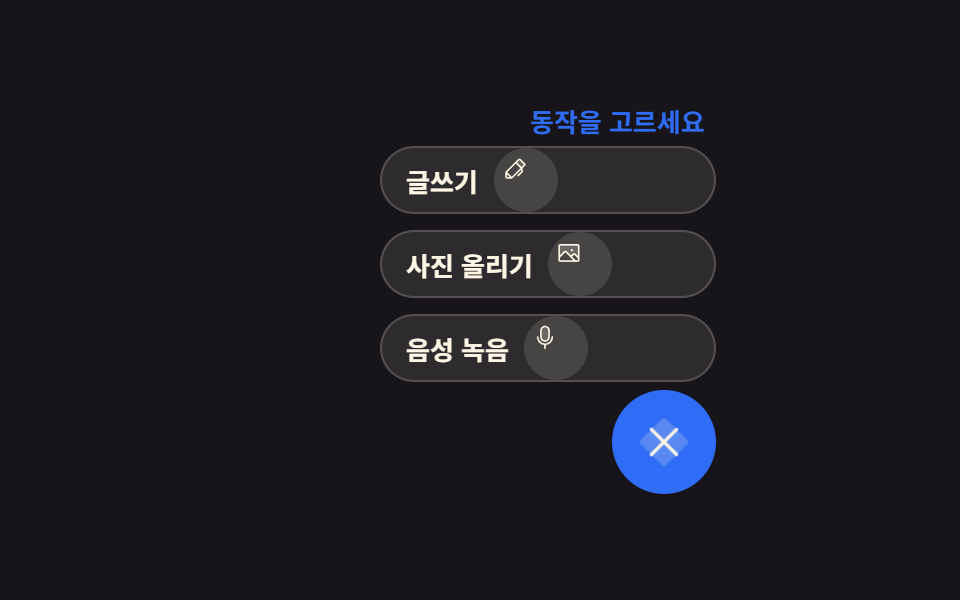 ボタンフローティング ボタン アイコン 9選 — 押す・広がる・動かす
 ボタンボタン グループ ui 9選 — 隣り合うボタンが一つに動く仕組み
 ボタンブックマーク ボタン html 実装 9パターン
 ボタン送信ボタン css 9種 — 紙飛行機に折れて飛ぶボタン
 ボタンcss ボタン ホバー アニメーション 9選 — 受賞級の定番テク
 ボタンCSS スイッチボタン 9選 — レバー・ダイヤル・イジェクト、本物の感触
 ボタンcss トグルスイッチ 9選 — 実物みたいなスイッチをコピペで
 ボタンCTA ボタン デザイン 9選 — 伸びる影から跳ねるバーまで