カード番号 入力 UI 9選 — 桁ごとに反応が変わる9つの方式
カード番号 入力 UI:9つのうち1つは入力された数字値が4桁に達するたびその間の間隔値が自動的に生まれ、1つは桁の値が埋まるたびに番号全体の有効性値が再計算されて表示値が変わり、もう1つはポインターの位置の値が変わるとカードの絵の傾きの値がその値についてきます。
 01 card-input-auto-space-groups
 02 card-input-expiry-auto-slash
 03 card-input-cvc-flip-reveal
 04 card-input-mask-toggle-reveal
 05 card-input-luhn-live-checkmark
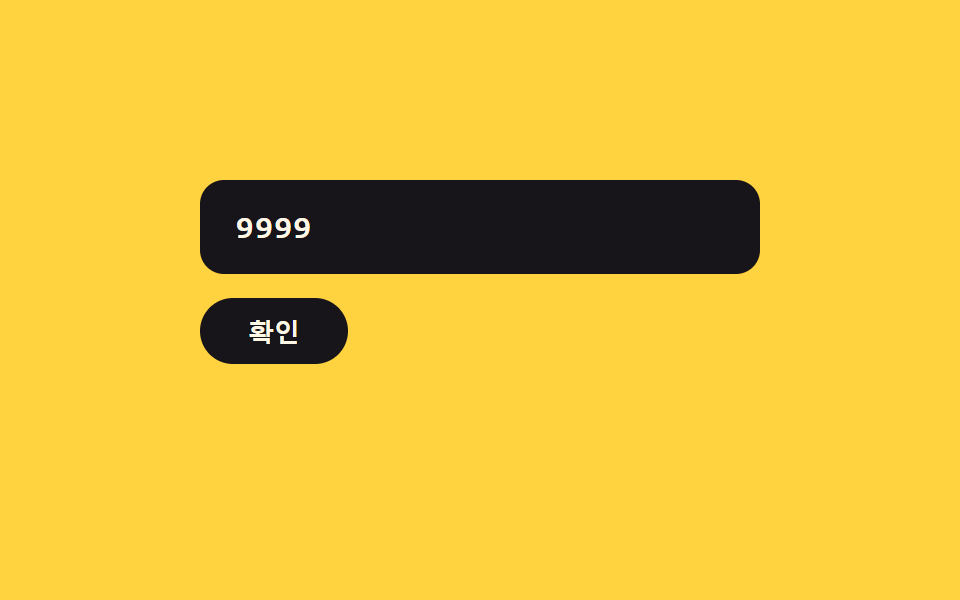 06 card-input-error-shake-clear
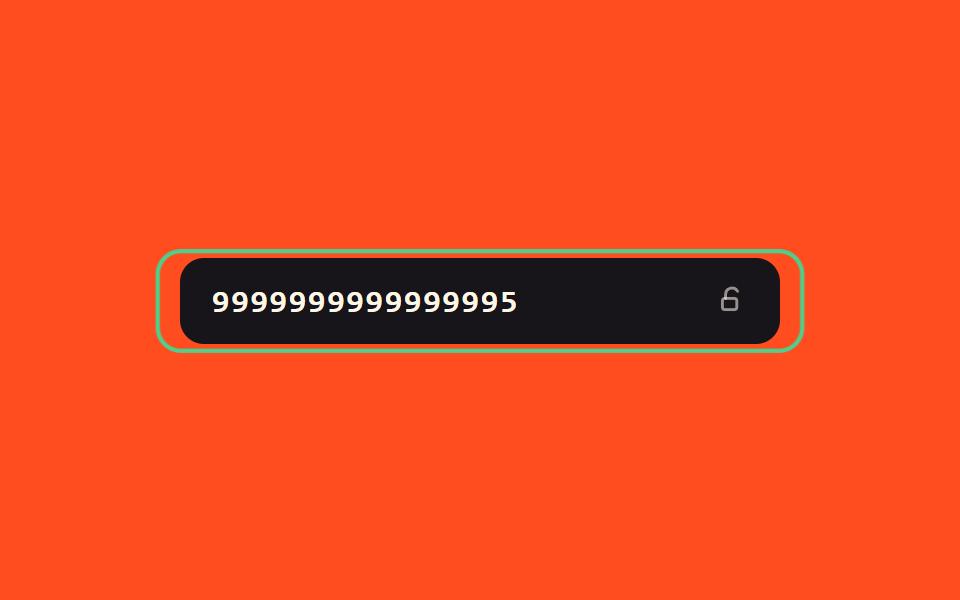 07 card-input-success-glow-lock
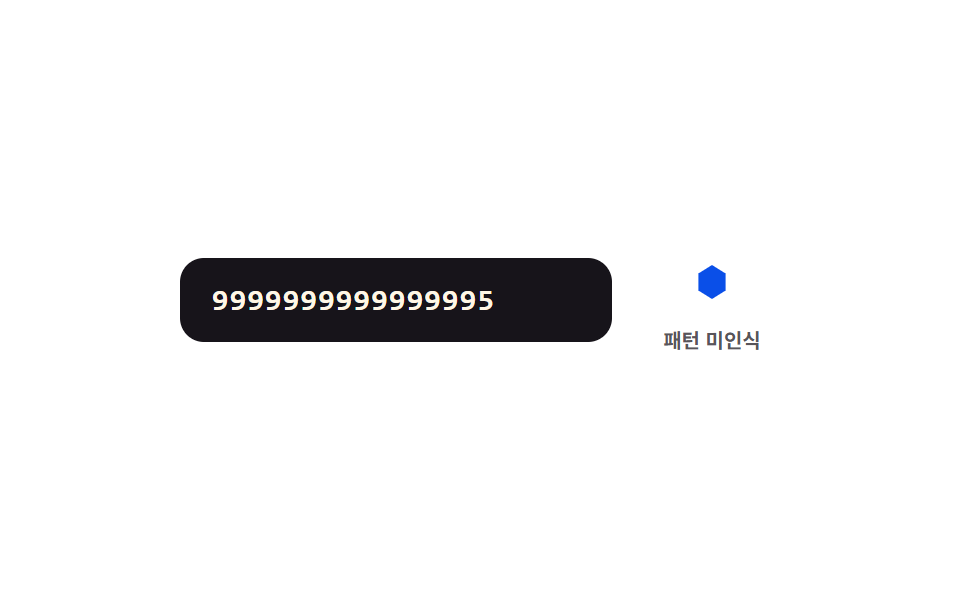 08 card-input-network-icon-morph
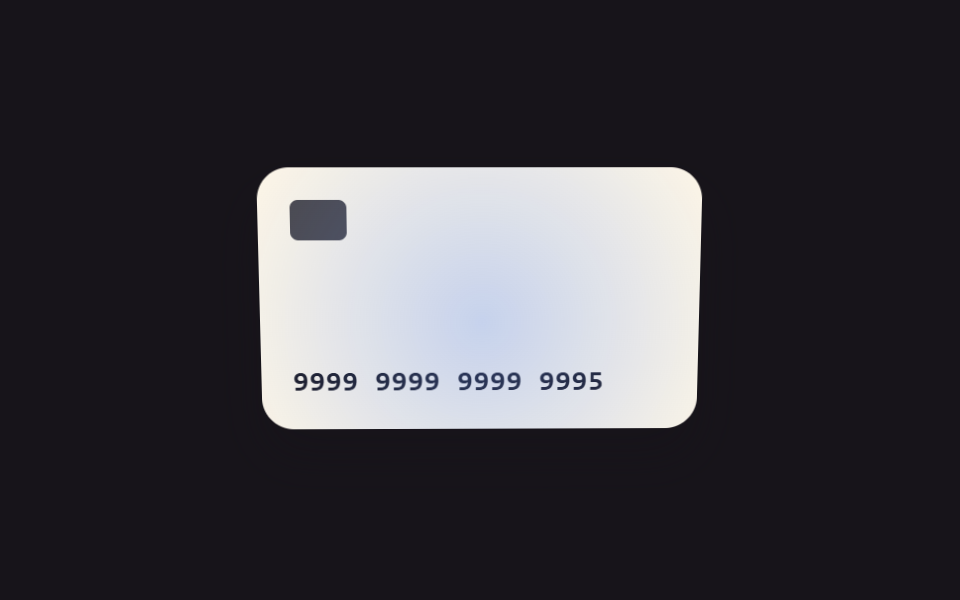 09 card-input-focus-tilt-3d
自動再生 · タイルを押すとその項目へ · すべて1つのzip
- 01 桁グループ値切替 — 入力された数字値が4桁ごとにその間の間隔値が自動的に生まれる方式
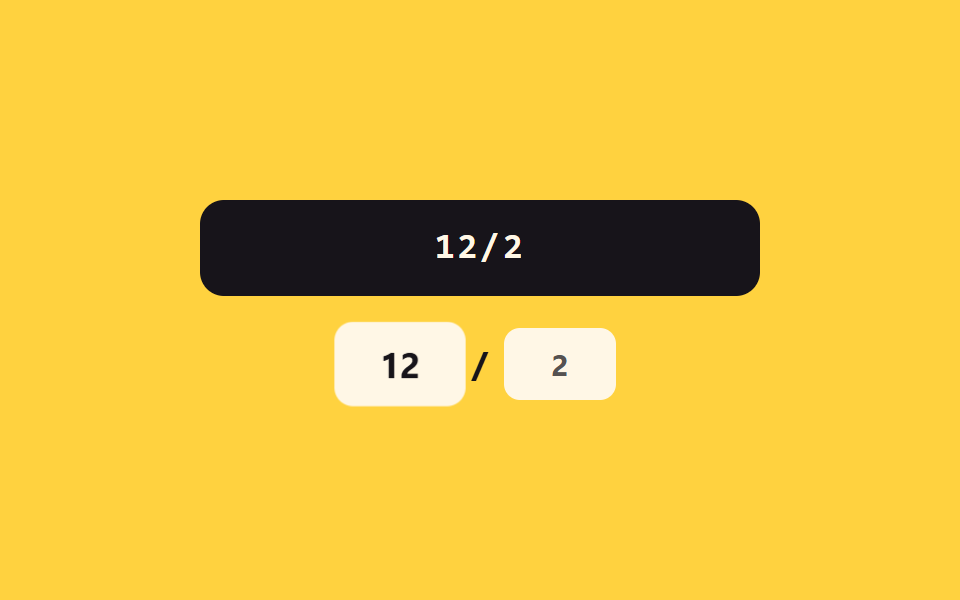
- 02 有効期限区切り値切替 — 月と年の桁の値が埋まるとその間の区切り値が自動的に現れる方式
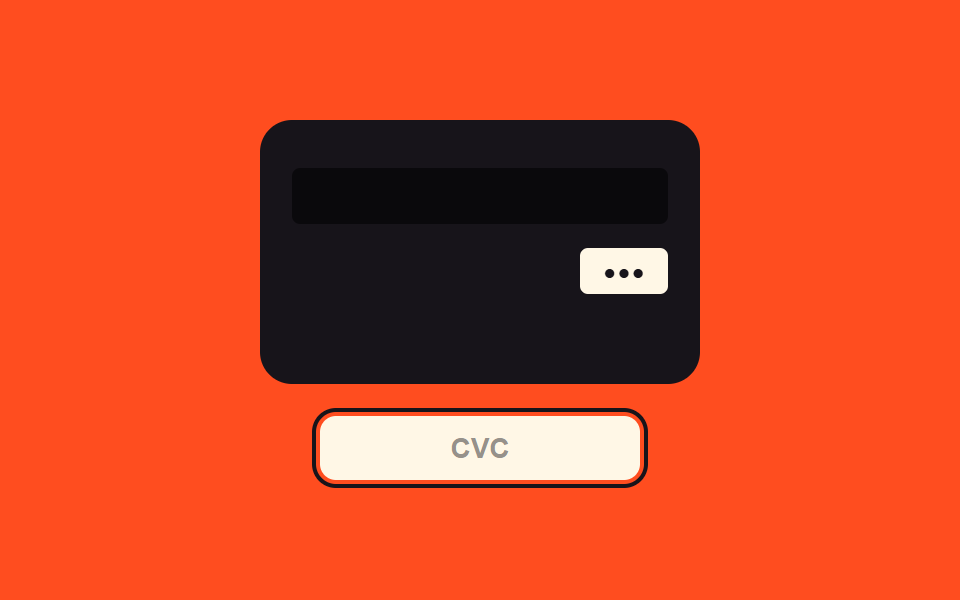
- 03 セキュリティコード焦点値切替 — セキュリティコード欄の焦点値がオンになるとカードの裏面を見せる値に画面が変わる方式
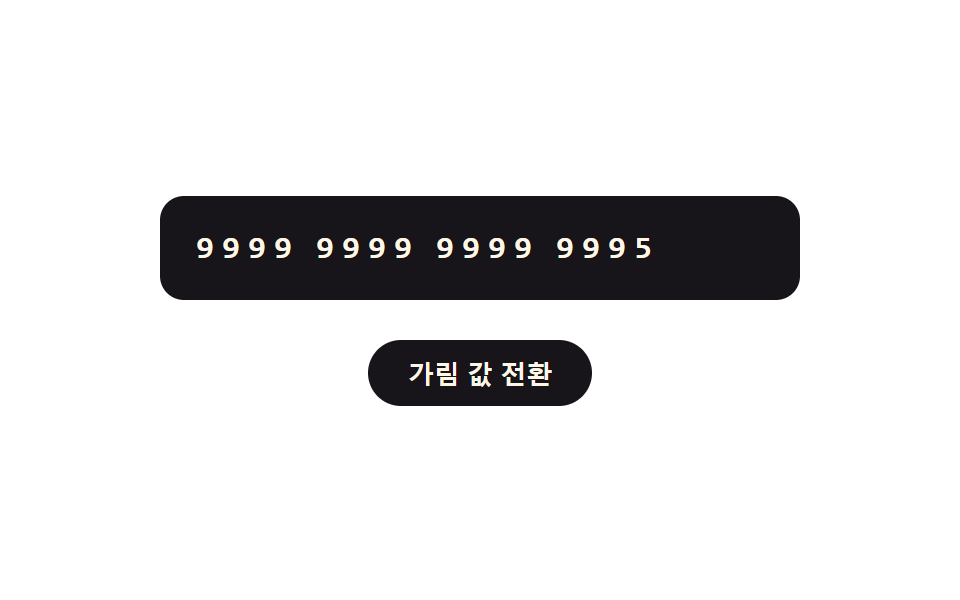
- 04 マスク値切替 — マスクの値がオンになると先頭の数桁を残し残りの桁の値が記号値に変わる方式
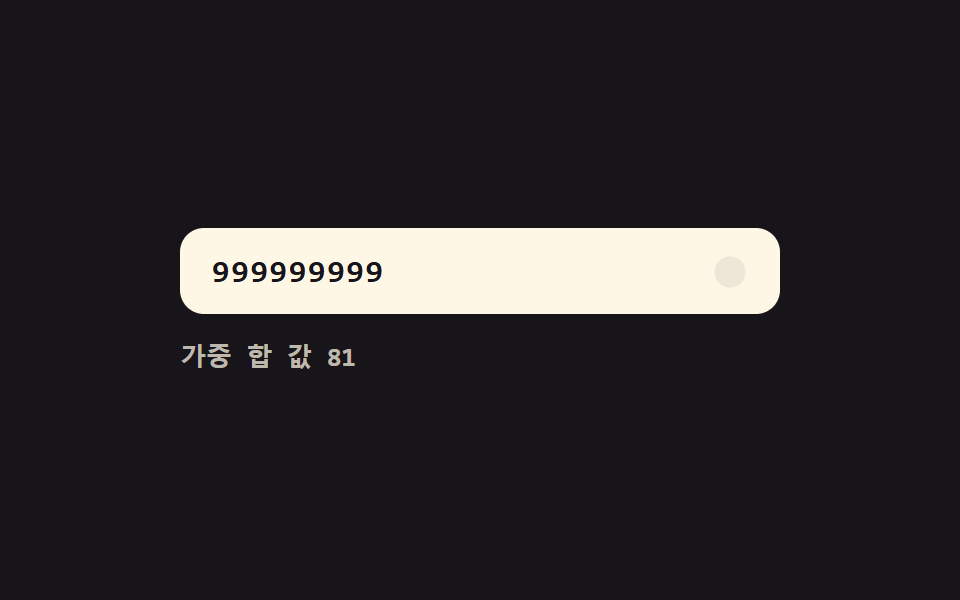
- 05 有効性値のリアルタイム切替 — 桁の値が埋まるたびに番号全体の有効性値が計算され表示値が変わる方式
- 06 エラー値の揺れ切替 — 番号のエラー値がオンになると欄の揺れ値が大きくなってから収まり、入力値が消える方式
- 07 完了値の輝き切替 — 番号の完了値がオンになると縁の輝きの値が徐々に上がり、欄がロックの値に変わる方式
- 08 パターン一致値切替 — 先頭の数字値が決まったパターンの値に合うと横の図形値が別の形へなめらかに変わる方式
- 09 焦点値と傾き値の連動 — 欄の焦点位置の値が動くとカードの絵の傾き値も一緒についてくる方式
この9つのデモはどれもサーバーと通信せず、localStorage にも触れず、乱数も使いません。画面に出る番号はすべて合成値です — シード 9999999999999995 はデモが計算するチェックサムを通り、9999999999999990 は通りません。08番の図形ラベルも実在のカード会社を示すものではなく、中立なA/B/Cの幾何学図形です。どのパターンも1つの状態値が切り替わり、いくつかの定数がその切り替わり方を決めているだけなので、変わった値の名前さえ言えれば方式そのものの見分けがつきます。
9つのパターンの解剖 — どの値がいつ変わるか
requestAnimationFrame のループを回す方式は9つ中2つだけです — 08番の変形は先頭の数字が変わるたびに6つの頂点座標を目標の図形へ補間し、09番の傾きループはポインターから求めた目標値へ毎フレーム一定の比率で近づきます。残り7つは一度きりのCSSで動きます — 03番の180度反転はイージングトークンに乗った1本のtransitionが行き過ぎてから戻って収まり、04番の数字↔記号切替は各セルのtransition-delayで時間差をつけ、06番はキーフレームアニメーションで揺れ、それ以外は入力イベントのたびにクラスを一度だけ切り替えます。実物の入力欄(type="text"+inputmode="numeric")を持つのは7つで、04番は入力欄の代わりに固定の数字spanとトグルボタンに置き換え、09番はそもそもタイピングをやめてポインターパッドに置き換えています。
パターン別コード
01桁グループ値切替 — 入力された数字値が4桁ごとにその間の間隔値が自動的に生まれる方式
入力イベントのたびに数字以外を取り除いて4桁ずつ再グループ化し、値を入れ直します。その前に digitsBefore() が古いカーソル位置を桁数に変換しておくことで、挿入された間隔値の分だけカーソル位置を補正でき、単純な再代入ならカーソルが末尾へ飛んでしまう問題を避けています。欄の下では paintTrack() が4本の帯を g[i].length / 4 の比率で伸縮させ、桁がグループの境界を越えるたびに区切りマーカーを点灯させます。
<main class="stage">
<div class="ci is-demo" id="ci">
  <label class="ci__field">
    <input class="ci__input" id="ciInput" type="text" inputmode="numeric" autocomplete="off" spellcheck="false" maxlength="19" value="">
  </label>
  <div class="ci__track" id="ciTrack" aria-hidden="true">
    <span class="ci__seg" data-g="0"><span class="ci__segFill"></span></span>
    <span class="ci__gap" data-gap="0"></span>
    <span class="ci__seg" data-g="1"><span class="ci__segFill"></span></span>
    <span class="ci__gap" data-gap="1"></span>
    <span class="ci__seg" data-g="2"><span class="ci__segFill"></span></span>
    <span class="ci__gap" data-gap="2"></span>
    <span class="ci__seg" data-g="3"><span class="ci__segFill"></span></span>
  </div>
</div>
</main>
@use "../../../../site/static/demo-tokens" as *;
// 계산 겹: 커서 위치 값을 digit count 로 환산해 간격 값 삽입 개수만큼 보정한다(index.html).
@include stage($stage-ink);
.ci {
width: 100%;
max-width: 320px;
display: grid;
gap: $sp-4;
}
.ci__field { display: block; }
.ci__input {
width: 100%;
box-sizing: border-box;
padding: $sp-3 $sp-4;
border-radius: $r-control;
border: 0;
background: $subject-cream;
color: $subject-ink;
font-weight: 600;
font-size: 18px;
line-height: 1.3;
font-family: "SFMono-Regular", Consolas, monospace;
letter-spacing: .06em;
&:focus { outline: 2px solid $subject-blue-light; outline-offset: 2px; }
}
.ci__track {
display: flex;
align-items: center;
gap: $sp-1;
}
.ci__seg {
flex: 1;
height: $sp-1;
border-radius: $r-xs;
background: rgba($subject-cream, .16);
overflow: hidden;
}
.ci__segFill {
display: block;
width: 100%;
height: 100%;
border-radius: $r-xs;
background: $subject-blue-light;
transform: scaleX(0);
transform-origin: left center;
transition: transform $dur-quick $ease-out;
}
.ci__gap {
width: $sp-1;
height: $sp-1;
border-radius: 50%;
background: rgba($subject-cream, .16);
transform: scale(.4);
opacity: 0;
transition: transform $dur-quick $ease-elastic, opacity $dur-quick $ease-out, background-color $dur-quick $ease-out;
}
.ci__gap--on {
opacity: 1;
transform: scale(1);
background: $subject-blue-light;
}
@media (max-width: 340px) {
.ci__input { padding: $sp-2 $sp-3; font-size: 16px; }
}
@media (prefers-reduced-motion: reduce) {
.ci__segFill, .ci__gap { transition: none; }
}html, body {
margin: 0;
overflow: hidden;
}
.stage {
box-sizing: border-box;
min-height: 100vh;
display: grid;
place-items: center;
margin: 0;
background: #17141a;
font-family: -apple-system, "Segoe UI", "Noto Sans KR", sans-serif;
padding: clamp(8px, 4vw, 24px);
}
.ci {
width: 100%;
max-width: 320px;
display: grid;
gap: 16px;
}
.ci__field {
display: block;
}
.ci__input {
width: 100%;
box-sizing: border-box;
padding: 12px 16px;
border-radius: 12px;
border: 0;
background: #fff7e6;
color: #17141a;
font-weight: 600;
font-size: 18px;
line-height: 1.3;
font-family: "SFMono-Regular", Consolas, monospace;
letter-spacing: 0.06em;
}
.ci__input:focus {
outline: 2px solid #5b8cf8;
outline-offset: 2px;
}
.ci__track {
display: flex;
align-items: center;
gap: 4px;
}
.ci__seg {
flex: 1;
height: 4px;
border-radius: 4px;
background: rgba(255, 247, 230, 0.16);
overflow: hidden;
}
.ci__segFill {
display: block;
width: 100%;
height: 100%;
border-radius: 4px;
background: #5b8cf8;
transform: scaleX(0);
transform-origin: left center;
transition: transform 220ms ease-out;
}
.ci__gap {
width: 4px;
height: 4px;
border-radius: 50%;
background: rgba(255, 247, 230, 0.16);
transform: scale(0.4);
opacity: 0;
transition: transform 220ms cubic-bezier(0.34, 1.56, 0.64, 1), opacity 220ms ease-out, background-color 220ms ease-out;
}
.ci__gap--on {
opacity: 1;
transform: scale(1);
background: #5b8cf8;
}
@media (max-width: 340px) {
.ci__input {
padding: 8px 12px;
font-size: 16px;
}
}
@media (prefers-reduced-motion: reduce) {
.ci__segFill, .ci__gap {
transition: none;
}
}(function () {
var root = document.getElementById('ci');
var input = document.getElementById('ciInput');
var track = document.getElementById('ciTrack');
var segFills = track.querySelectorAll('.ci__segFill');
var gaps = track.querySelectorAll('.ci__gap');
// 계산 겹: 자릿수 값을 4개씩 묶어 다시 조립하고, 커서 위치 값을 digit count 로
// 환산해 삽입된 간격 값 개수만큼 보정한다 — 그냥 재대입하면 커서가 맨 끝으로 튄다.
function digitsBefore(str, upto) { return str.slice(0, upto).replace(/\D/g, '').length; }
function groupsOf(rawDigits) {
var g = rawDigits.match(/.{1,4}/g) || [];
while (g.length < 4) g.push('');
return g;
}
function paintTrack(rawDigits) {
var g = groupsOf(rawDigits);
for (var i = 0; i < 4; i++) {
segFills[i].style.transform = 'scaleX(' + (g[i].length / 4) + ')';
}
for (var j = 0; j < 3; j++) {
var on = rawDigits.length > (j + 1) * 4;
gaps[j].classList.toggle('ci__gap--on', on);
}
}
function reformat(prevCaret) {
var prevDigits = digitsBefore(input.value, prevCaret);
var rawDigits = input.value.replace(/\D/g, '').slice(0, 16);
var groups = rawDigits.match(/.{1,4}/g) || [];
input.value = groups.join(' ');
// 커서 위치 보정: 앞선 자릿수 값 개수 + 그 앞에 이미 생긴 간격 값 개수(4자리마다 1개)
var spacesBefore = Math.floor(Math.max(prevDigits - 1, 0) / 4);
var newCaret = Math.min(prevDigits + spacesBefore, input.value.length);
input.setSelectionRange(newCaret, newCaret);
paintTrack(rawDigits);
}
input.addEventListener('input', function () {
root.classList.remove('is-demo');
stopAutoplay();
reformat(input.selectionStart);
});
// 자동 루프: 시드 고정 자릿수 값을 한 자리씩 늘렸다 줄인다.
var FULL = '9999999999999995';
var SEQ = [];
for (var i = 0; i <= FULL.length; i++) SEQ.push(FULL.slice(0, i));
for (var k = FULL.length - 1; k >= 0; k--) SEQ.push(FULL.slice(0, k));
var si = 0;
var autoTimer = null;
function autoTick() {
var rawDigits = SEQ[si];
var groups = rawDigits.match(/.{1,4}/g) || [];
input.value = groups.join(' ');
paintTrack(rawDigits);
si = (si + 1) % SEQ.length;
}
function stopAutoplay() { if (autoTimer) { clearInterval(autoTimer); autoTimer = null; } }
var reduce = window.matchMedia('(prefers-reduced-motion: reduce)').matches;
if (!reduce) { autoTimer = setInterval(autoTick, 160); autoTick(); }
else { autoTick(); }
})();import { useEffect, useRef } from "react";
import styles from "./AutoSpaceGroups.module.scss";
type Box<T> = { current: T };
export default function AutoSpaceGroups() {
const rootRef = useRef(null) as unknown as Box<HTMLDivElement | null>;
useEffect(() => {
const root = rootRef.current;
if (!root) return;
const input = root.querySelector(`.${styles.input}`) as HTMLInputElement | null;
const segFills = root.querySelectorAll(`.${styles.segFill}`);
const gaps = root.querySelectorAll(`.${styles.gap}`);
if (!input || segFills.length === 0) return;
// 계산 겹: 자릿수 값을 4개씩 묶어 다시 조립하고, 커서 위치 값을 digit count 로
// 환산해 삽입된 간격 값 개수만큼 보정한다 — 그냥 재대입하면 커서가 맨 끝으로 튄다.
function digitsBefore(str: string, upto: number) {
return str.slice(0, upto).replace(/\D/g, "").length;
}
function groupsOf(rawDigits: string) {
const g: string[] = rawDigits.match(/.{1,4}/g) || [];
while (g.length < 4) g.push("");
return g;
}
function paintTrack(rawDigits: string) {
const g = groupsOf(rawDigits);
for (let i = 0; i < 4; i++) {
(segFills[i] as HTMLElement).style.transform = "scaleX(" + g[i].length / 4 + ")";
}
for (let j = 0; j < 3; j++) {
const on = rawDigits.length > (j + 1) * 4;
gaps[j].classList.toggle(styles["gap--on"], on);
}
}
function reformat(prevCaret: number) {
const prevDigits = digitsBefore(input!.value, prevCaret);
const rawDigits = input!.value.replace(/\D/g, "").slice(0, 16);
const groups = rawDigits.match(/.{1,4}/g) || [];
input!.value = groups.join(" ");
// 커서 위치 보정: 앞선 자릿수 값 개수 + 그 앞에 이미 생긴 간격 값 개수(4자리마다 1개)
const spacesBefore = Math.floor(Math.max(prevDigits - 1, 0) / 4);
const newCaret = Math.min(prevDigits + spacesBefore, input!.value.length);
input!.setSelectionRange(newCaret, newCaret);
paintTrack(rawDigits);
}
function onInput() {
root!.classList.remove(styles["is-demo"]);
stopAutoplay();
reformat(input!.selectionStart || 0);
}
input.addEventListener("input", onInput);
// 자동 루프: 시드 고정 자릿수 값을 한 자리씩 늘렸다 줄인다.
const FULL = "9999999999999995";
const SEQ: string[] = [];
for (let i = 0; i <= FULL.length; i++) SEQ.push(FULL.slice(0, i));
for (let k = FULL.length - 1; k >= 0; k--) SEQ.push(FULL.slice(0, k));
let si = 0;
let autoTimer: number | null = null;
function autoTick() {
const rawDigits = SEQ[si];
const groups = rawDigits.match(/.{1,4}/g) || [];
input!.value = groups.join(" ");
paintTrack(rawDigits);
si = (si + 1) % SEQ.length;
}
function stopAutoplay() {
if (autoTimer !== null) { window.clearInterval(autoTimer); autoTimer = null; }
}
const reduce = window.matchMedia("(prefers-reduced-motion: reduce)").matches;
if (!reduce) { autoTimer = window.setInterval(autoTick, 160); autoTick(); }
else { autoTick(); }
return () => {
stopAutoplay();
input.removeEventListener("input", onInput);
};
}, []);
return (
<div ref={rootRef} className={`${styles.stage} ${styles.ci} ${styles["is-demo"]}`}>
<label className={styles.field}>
<input className={styles.input} type="text" inputMode="numeric" autoComplete="off" spellCheck={false} maxLength={19} defaultValue="" />
</label>
<div className={styles.track} aria-hidden="true">
<span className={styles.seg}><span className={styles.segFill} /></span>
<span className={styles.gap} />
<span className={styles.seg}><span className={styles.segFill} /></span>
<span className={styles.gap} />
<span className={styles.seg}><span className={styles.segFill} /></span>
<span className={styles.gap} />
<span className={styles.seg}><span className={styles.segFill} /></span>
</div>
</div>
);
}01 · 桁グループ値切替 — 入力された数字値が4桁ごとにその間の間隔値が自動的に生まれる方式 — 計測 累積面積 0.912% · 動いたフレーム 15/23GODRICH オリジナル · SCSS と React は zip に同梱 · パスワードを見る
  // 計算層: 数字値を4個ずつ再グループ化し、カーソル位置の値を桁数に
  // 換算して挿入された間隔値の個数ぶん補正する — そのまま入れ直すとカーソルが末尾へ飛ぶ。
  function digitsBefore(str, upto) { return str.slice(0, upto).replace(/\D/g, '').length; }

  function groupsOf(rawDigits) {
    var g = rawDigits.match(/.{1,4}/g) || [];
    while (g.length < 4) g.push('');
    return g;
  }

  function paintTrack(rawDigits) {
    var g = groupsOf(rawDigits);
    for (var i = 0; i < 4; i++) {
      segFills[i].style.transform = 'scaleX(' + (g[i].length / 4) + ')';
    }
    for (var j = 0; j < 3; j++) {
      var on = rawDigits.length > (j + 1) * 4;
      gaps[j].classList.toggle('ci__gap--on', on);
    }
  }
数字が語ること
01番は平均で画面の0.9%を占め、強度163.0、実測23フレーム中15フレームで動きます — 自動ループが1桁ずつ打ち込むたびに間隔値も帯も同時に描き直されるためです。
02有効期限区切り値切替 — 月と年の桁の値が埋まるとその間の区切り値が自動的に現れる方式
build() は月の値を01から12の範囲にclampします — 00と打てば01に、13以上なら12に丸められます — 月の桁が2つ埋まった瞬間、表示値にスラッシュが自動で加わります。pulse() は強制リフロー(void el.offsetWidth)でクラスを付け直し、連続したサイクルでも同じアニメーションを毎回発火させます。
<main class="stage">
<div class="ce is-demo" id="ce">
  <label class="ce__field">
    <input class="ce__input" id="ceInput" type="text" inputmode="numeric" autocomplete="off" spellcheck="false" maxlength="5" value="" placeholder="MM/YY">
  </label>
  <div class="ce__chips" id="ceChips" aria-hidden="true">
    <span class="ce__chip" id="ceMm">MM</span>
    <span class="ce__slash" id="ceSlash">/</span>
    <span class="ce__chip" id="ceYy">YY</span>
  </div>
</div>
</main>
@use "../../../../site/static/demo-tokens" as *;
// 계산 겹: 월 값을 01~12 로 clamp 하고, 완료 시 구분자 값을 자동 삽입한다(index.html).
@include stage($stage-yellow);
.ce {
width: 100%;
max-width: 280px;
display: grid;
gap: $sp-4;
justify-items: center;
}
.ce__field { display: block; width: 100%; }
.ce__input {
width: 100%;
box-sizing: border-box;
padding: $sp-3 $sp-4;
border-radius: $r-control;
border: 0;
background: $subject-ink;
color: $subject-cream;
font-weight: 600;
font-size: 18px;
line-height: 1.3;
font-family: "SFMono-Regular", Consolas, monospace;
letter-spacing: .08em;
text-align: center;
&::placeholder { color: rgba($subject-cream, .5); }
&:focus { outline: 2px solid $subject-blue-deep; outline-offset: 2px; }
}
.ce__chips {
display: flex;
align-items: center;
gap: $sp-2;
}
.ce__chip {
min-width: 56px;
box-sizing: border-box;
padding: $sp-2 $sp-3;
border-radius: $r-sm;
background: $subject-cream;
color: rgba($subject-ink, .4);
font-weight: 700;
font-size: 15px;
text-align: center;
transition: color $dur-quick $ease-out;
}
.ce__chip--on { color: $subject-ink; }
.ce__chip--pulse { animation: cePulse $dur-enter $ease-elastic; }
.ce__slash {
font-weight: 700;
font-size: 18px;
color: rgba($subject-ink, .35);
transform: scale(.4);
opacity: 0;
transition: transform $dur-quick $ease-elastic, opacity $dur-quick $ease-out;
}
.ce__slash--on {
transform: scale(1);
opacity: 1;
color: $subject-ink;
}
@keyframes cePulse {
0% { transform: scale(1); }
30% { transform: scale(1.16); }
60% { transform: scale(.96); }
100% { transform: scale(1); }
}
@media (max-width: 340px) {
.ce { max-width: 240px; }
.ce__input { padding: $sp-2 $sp-3; font-size: 16px; }
.ce__chip { min-width: 48px; font-size: 13px; }
}
@media (prefers-reduced-motion: reduce) {
.ce__slash { transition: none; }
.ce__chip--pulse { animation: none; }
.ce__chip { transition: none; }
}html, body {
margin: 0;
overflow: hidden;
}
.stage {
box-sizing: border-box;
min-height: 100vh;
display: grid;
place-items: center;
margin: 0;
background: #ffd23f;
font-family: -apple-system, "Segoe UI", "Noto Sans KR", sans-serif;
padding: clamp(8px, 4vw, 24px);
}
.ce {
width: 100%;
max-width: 280px;
display: grid;
gap: 16px;
justify-items: center;
}
.ce__field {
display: block;
width: 100%;
}
.ce__input {
width: 100%;
box-sizing: border-box;
padding: 12px 16px;
border-radius: 12px;
border: 0;
background: #17141a;
color: #fff7e6;
font-weight: 600;
font-size: 18px;
line-height: 1.3;
font-family: "SFMono-Regular", Consolas, monospace;
letter-spacing: 0.08em;
text-align: center;
}
.ce__input::placeholder {
color: rgba(255, 247, 230, 0.5);
}
.ce__input:focus {
outline: 2px solid #0a4fe8;
outline-offset: 2px;
}
.ce__chips {
display: flex;
align-items: center;
gap: 8px;
}
.ce__chip {
min-width: 56px;
box-sizing: border-box;
padding: 8px 12px;
border-radius: 8px;
background: #fff7e6;
color: rgba(23, 20, 26, 0.4);
font-weight: 700;
font-size: 15px;
text-align: center;
transition: color 220ms ease-out;
}
.ce__chip--on {
color: #17141a;
}
.ce__chip--pulse {
animation: cePulse 600ms cubic-bezier(0.34, 1.56, 0.64, 1);
}
.ce__slash {
font-weight: 700;
font-size: 18px;
color: rgba(23, 20, 26, 0.35);
transform: scale(0.4);
opacity: 0;
transition: transform 220ms cubic-bezier(0.34, 1.56, 0.64, 1), opacity 220ms ease-out;
}
.ce__slash--on {
transform: scale(1);
opacity: 1;
color: #17141a;
}
@keyframes cePulse {
0% {
transform: scale(1);
}
30% {
transform: scale(1.16);
}
60% {
transform: scale(0.96);
}
100% {
transform: scale(1);
}
}
@media (max-width: 340px) {
.ce {
max-width: 240px;
}
.ce__input {
padding: 8px 12px;
font-size: 16px;
}
.ce__chip {
min-width: 48px;
font-size: 13px;
}
}
@media (prefers-reduced-motion: reduce) {
.ce__slash {
transition: none;
}
.ce__chip--pulse {
animation: none;
}
.ce__chip {
transition: none;
}
}(function () {
var root = document.getElementById('ce');
var input = document.getElementById('ceInput');
var mmChip = document.getElementById('ceMm');
var yyChip = document.getElementById('ceYy');
var slash = document.getElementById('ceSlash');
// 계산 겹: 월 값의 범위를 01~12 로 clamp 하고, 월 자릿수 값이 2자리를 채우면
// 구분자(슬래시) 값을 자동으로 끼운다.
function digitsOnly(str) { return str.replace(/\D/g, '').slice(0, 4); }
function build(rawDigits) {
var mm = rawDigits.slice(0, 2);
var yy = rawDigits.slice(2, 4);
var clamped = false;
if (mm.length === 2) {
var n = parseInt(mm, 10);
if (n === 0) { mm = '01'; clamped = true; }
else if (n > 12) { mm = '12'; clamped = true; }
}
var slashOn = mm.length === 2;
return { display: mm + (slashOn ? '/' : '') + yy, mm: mm, yy: yy, slashOn: slashOn, clamped: clamped };
}
function pulse(el) {
el.classList.remove('ce__chip--pulse');
void el.offsetWidth;
el.classList.add('ce__chip--pulse');
}
function paint(r) {
mmChip.textContent = r.mm || 'MM';
mmChip.classList.toggle('ce__chip--on', r.mm.length > 0);
yyChip.textContent = r.yy || 'YY';
yyChip.classList.toggle('ce__chip--on', r.yy.length > 0);
slash.classList.toggle('ce__slash--on', r.slashOn);
if (r.clamped) pulse(mmChip);
}
function digitsBefore(str, upto) { return str.slice(0, upto).replace(/\D/g, '').length; }
input.addEventListener('input', function () {
root.classList.remove('is-demo');
stopAutoplay();
var prevDigits = digitsBefore(input.value, input.selectionStart);
var rawDigits = digitsOnly(input.value);
var r = build(rawDigits);
input.value = r.display;
var newCaret = Math.min(prevDigits + (r.slashOn && prevDigits >= 2 ? 1 : 0), input.value.length);
input.setSelectionRange(newCaret, newCaret);
paint(r);
});
// 자동 루프: 시드 고정 자릿수 값 — "13" 을 쳐서 월 범위 clamp("12")가 걸리는 장면 포함.
var SEQ = ['', '1', '13', '132', '1329', '132', '13', '1', ''];
var si = 0;
var autoTimer = null;
function autoTick() {
var rawDigits = SEQ[si];
var r = build(rawDigits);
input.value = r.display;
paint(r);
si = (si + 1) % SEQ.length;
}
function stopAutoplay() { if (autoTimer) { clearInterval(autoTimer); autoTimer = null; } }
var reduce = window.matchMedia('(prefers-reduced-motion: reduce)').matches;
if (!reduce) { autoTimer = setInterval(autoTick, 340); autoTick(); }
else { autoTick(); }
})();import { useEffect, useRef } from "react";
import styles from "./ExpiryAutoSlash.module.scss";
type Box<T> = { current: T };
type Built = { display: string; mm: string; yy: string; slashOn: boolean; clamped: boolean };
export default function ExpiryAutoSlash() {
const rootRef = useRef(null) as unknown as Box<HTMLDivElement | null>;
useEffect(() => {
const root = rootRef.current;
if (!root) return;
const input = root.querySelector(`.${styles.input}`) as HTMLInputElement | null;
const mmChip = root.querySelector(`.${styles.mm}`) as HTMLElement | null;
const yyChip = root.querySelector(`.${styles.yy}`) as HTMLElement | null;
const slash = root.querySelector(`.${styles.slash}`) as HTMLElement | null;
if (!input || !mmChip || !yyChip || !slash) return;
// 계산 겹: 월 값의 범위를 01~12 로 clamp 하고, 월 자릿수 값이 2자리를 채우면
// 구분자(슬래시) 값을 자동으로 끼운다.
function digitsOnly(str: string) { return str.replace(/\D/g, "").slice(0, 4); }
function build(rawDigits: string): Built {
let mm = rawDigits.slice(0, 2);
const yy = rawDigits.slice(2, 4);
let clamped = false;
if (mm.length === 2) {
const n = parseInt(mm, 10);
if (n === 0) { mm = "01"; clamped = true; }
else if (n > 12) { mm = "12"; clamped = true; }
}
const slashOn = mm.length === 2;
return { display: mm + (slashOn ? "/" : "") + yy, mm, yy, slashOn, clamped };
}
function pulse(el: HTMLElement) {
el.classList.remove(styles["chip--pulse"]);
void el.offsetWidth;
el.classList.add(styles["chip--pulse"]);
}
function paint(r: Built) {
mmChip!.textContent = r.mm || "MM";
mmChip!.classList.toggle(styles["chip--on"], r.mm.length > 0);
yyChip!.textContent = r.yy || "YY";
yyChip!.classList.toggle(styles["chip--on"], r.yy.length > 0);
slash!.classList.toggle(styles["slash--on"], r.slashOn);
if (r.clamped) pulse(mmChip!);
}
function digitsBefore(str: string, upto: number) {
return str.slice(0, upto).replace(/\D/g, "").length;
}
function onInput() {
root!.classList.remove(styles["is-demo"]);
stopAutoplay();
const prevDigits = digitsBefore(input!.value, input!.selectionStart || 0);
const rawDigits = digitsOnly(input!.value);
const r = build(rawDigits);
input!.value = r.display;
const newCaret = Math.min(prevDigits + (r.slashOn && prevDigits >= 2 ? 1 : 0), input!.value.length);
input!.setSelectionRange(newCaret, newCaret);
paint(r);
}
input.addEventListener("input", onInput);
// 자동 루프: 시드 고정 자릿수 값 — "13" 을 쳐서 월 범위 clamp("12")가 걸리는 장면 포함.
const SEQ = ["", "1", "13", "132", "1329", "132", "13", "1", ""];
let si = 0;
let autoTimer: number | null = null;
function autoTick() {
const rawDigits = SEQ[si];
const r = build(rawDigits);
input!.value = r.display;
paint(r);
si = (si + 1) % SEQ.length;
}
function stopAutoplay() {
if (autoTimer !== null) { window.clearInterval(autoTimer); autoTimer = null; }
}
const reduce = window.matchMedia("(prefers-reduced-motion: reduce)").matches;
if (!reduce) { autoTimer = window.setInterval(autoTick, 340); autoTick(); }
else { autoTick(); }
return () => {
stopAutoplay();
input.removeEventListener("input", onInput);
};
}, []);
return (
<div ref={rootRef} className={`${styles.stage} ${styles.ce} ${styles["is-demo"]}`}>
<label className={styles.field}>
<input className={styles.input} type="text" inputMode="numeric" autoComplete="off" spellCheck={false} maxLength={5} defaultValue="" placeholder="MM/YY" />
</label>
<div className={styles.chips} aria-hidden="true">
<span className={`${styles.chip} ${styles.mm}`}>MM</span>
<span className={styles.slash}>/</span>
<span className={`${styles.chip} ${styles.yy}`}>YY</span>
</div>
</div>
);
}02 · 有効期限区切り値切替 — 月と年の桁の値が埋まるとその間の区切り値が自動的に現れる方式 — 計測 累積面積 1.644% · 動いたフレーム 21/23GODRICH オリジナル · SCSS と React は zip に同梱 · パスワードを見る
  // 計算層: 月の値の範囲を01~12にclampし、月の桁の値が2桁を埋めると
  // 区切り(スラッシュ)値を自動で挟み込む。
  function digitsOnly(str) { return str.replace(/\D/g, '').slice(0, 4); }

  function build(rawDigits) {
    var mm = rawDigits.slice(0, 2);
    var yy = rawDigits.slice(2, 4);
    var clamped = false;
    if (mm.length === 2) {
      var n = parseInt(mm, 10);
      if (n === 0) { mm = '01'; clamped = true; }
      else if (n > 12) { mm = '12'; clamped = true; }
    }
    var slashOn = mm.length === 2;
    return { display: mm + (slashOn ? '/' : '') + yy, mm: mm, yy: yy, slashOn: slashOn, clamped: clamped };
  }

  function pulse(el) {
    el.classList.remove('ce__chip--pulse');
    void el.offsetWidth;
    el.classList.add('ce__chip--pulse');
  }
数字が語ること
02番は累積面積1.6%・強度105.5、実測23フレーム中21フレームとほぼ動き続けます — 自動ループが1文字ずつ打ち込み直し、そのたびにチップも点滅するためです。
03セキュリティコード焦点値切替 — セキュリティコード欄の焦点値がオンになるとカードの裏面を見せる値に画面が変わる方式
欄はfocusとblurだけを聞いています — focusでフリップ用クラスが付き、$ease-lerp-settle というイージングトークンに乗った1本のCSS transitionでカードが裏面へ回転し、180度を行き過ぎてから戻って収まります。blurで表面に戻ります。裏面を見せている間は入力イベントのたびにコード欄が更新され、打ち込んだ桁を3文字の•まで埋めます。
<main class="stage">
<div class="cv is-demo" id="cv">
  <div class="cv__scene">
    <div class="cv__card" id="cvCard">
      <div class="cv__face cv__face--front">
        <span class="cv__chipIcon"></span>
        <span class="cv__num">9999 99•• •••• 9995</span>
        <span class="cv__exp">12/29</span>
      </div>
      <div class="cv__face cv__face--back">
        <span class="cv__strip"></span>
        <span class="cv__cvcRow"><span class="cv__cvcBox" id="cvBox">•••</span></span>
      </div>
    </div>
  </div>
  <label class="cv__field">
    <input class="cv__input" id="cvInput" type="text" inputmode="numeric" autocomplete="off" spellcheck="false" maxlength="3" placeholder="CVC">
  </label>
</div>
</main>
@use "../../../../site/static/demo-tokens" as *;
// 계산 겹: 초점 값 on/off → 3D 회전 각 값이 스프링 곡선을 타고 넘겼다가 정착한다(index.html).
@include stage($stage-orange);
.cv {
width: 100%;
max-width: 300px;
display: grid;
gap: $sp-4;
justify-items: center;
}
.cv__scene {
width: 220px;
height: 132px;
perspective: 800px;
}
.cv__card {
position: relative;
width: 100%;
height: 100%;
transform-style: preserve-3d;
transform: rotateY(0deg);
transition: transform $dur-enter $ease-lerp-settle;
}
.cv__card--flipped { transform: rotateY(180deg); }
.cv__face {
position: absolute;
inset: 0;
box-sizing: border-box;
border-radius: $r-card;
backface-visibility: hidden;
padding: $sp-4;
display: grid;
color: $subject-cream;
}
.cv__face--front {
background: $subject-ink;
align-content: space-between;
}
.cv__face--back {
background: $subject-ink;
transform: rotateY(180deg);
align-content: start;
gap: $sp-3;
}
.cv__chipIcon {
width: 28px;
height: 20px;
border-radius: $r-xs;
background: rgba($subject-cream, .7);
}
.cv__num {
font-family: "SFMono-Regular", Consolas, monospace;
font-weight: 600;
font-size: 15px;
letter-spacing: .05em;
}
.cv__exp {
font-family: "SFMono-Regular", Consolas, monospace;
font-weight: 600;
font-size: 12px;
color: rgba($subject-cream, .7);
}
.cv__strip {
display: block;
width: 100%;
height: 28px;
margin-top: $sp-2;
background: rgba(0, 0, 0, .55);
border-radius: $r-xs;
}
.cv__cvcRow { display: flex; justify-content: flex-end; }
.cv__cvcBox {
min-width: 44px;
box-sizing: border-box;
padding: $sp-1 $sp-2;
border-radius: $r-xs;
background: $subject-cream;
color: $subject-ink;
font-family: "SFMono-Regular", Consolas, monospace;
font-weight: 700;
font-size: 13px;
text-align: center;
}
.cv__field { width: 100%; max-width: 160px; }
.cv__input {
width: 100%;
box-sizing: border-box;
padding: $sp-2 $sp-3;
border-radius: $r-sm;
border: 0;
background: $subject-cream;
color: $subject-ink;
font-weight: 600;
font-size: 14px;
text-align: center;
&::placeholder { color: rgba($subject-ink, .45); }
&:focus, &.cv__input--focus { outline: 2px solid $subject-ink; outline-offset: 2px; }
}
@media (max-width: 340px) {
.cv__scene { width: 190px; height: 114px; }
}
@media (prefers-reduced-motion: reduce) {
.cv__card { transition: none; }
}html, body {
margin: 0;
overflow: hidden;
}
.stage {
box-sizing: border-box;
min-height: 100vh;
display: grid;
place-items: center;
margin: 0;
background: #ff4d1f;
font-family: -apple-system, "Segoe UI", "Noto Sans KR", sans-serif;
padding: clamp(8px, 4vw, 24px);
}
.cv {
width: 100%;
max-width: 300px;
display: grid;
gap: 16px;
justify-items: center;
}
.cv__scene {
width: 220px;
height: 132px;
perspective: 800px;
}
.cv__card {
position: relative;
width: 100%;
height: 100%;
transform-style: preserve-3d;
transform: rotateY(0deg);
transition: transform 600ms linear(0, 0.051, 0.176, 0.341, 0.518, 0.685, 0.831, 0.947, 1.032, 1.087, 1.117, 1.126, 1.121, 1.105, 1.085, 1.062, 1.041, 1.022, 1.008, 0.997, 1);
}
.cv__card--flipped {
transform: rotateY(180deg);
}
.cv__face {
position: absolute;
inset: 0;
box-sizing: border-box;
border-radius: 16px;
backface-visibility: hidden;
padding: 16px;
display: grid;
color: #fff7e6;
}
.cv__face--front {
background: #17141a;
align-content: space-between;
}
.cv__face--back {
background: #17141a;
transform: rotateY(180deg);
align-content: start;
gap: 12px;
}
.cv__chipIcon {
width: 28px;
height: 20px;
border-radius: 4px;
background: rgba(255, 247, 230, 0.7);
}
.cv__num {
font-family: "SFMono-Regular", Consolas, monospace;
font-weight: 600;
font-size: 15px;
letter-spacing: 0.05em;
}
.cv__exp {
font-family: "SFMono-Regular", Consolas, monospace;
font-weight: 600;
font-size: 12px;
color: rgba(255, 247, 230, 0.7);
}
.cv__strip {
display: block;
width: 100%;
height: 28px;
margin-top: 8px;
background: rgba(0, 0, 0, 0.55);
border-radius: 4px;
}
.cv__cvcRow {
display: flex;
justify-content: flex-end;
}
.cv__cvcBox {
min-width: 44px;
box-sizing: border-box;
padding: 4px 8px;
border-radius: 4px;
background: #fff7e6;
color: #17141a;
font-family: "SFMono-Regular", Consolas, monospace;
font-weight: 700;
font-size: 13px;
text-align: center;
}
.cv__field {
width: 100%;
max-width: 160px;
}
.cv__input {
width: 100%;
box-sizing: border-box;
padding: 8px 12px;
border-radius: 8px;
border: 0;
background: #fff7e6;
color: #17141a;
font-weight: 600;
font-size: 14px;
text-align: center;
}
.cv__input::placeholder {
color: rgba(23, 20, 26, 0.45);
}
.cv__input:focus, .cv__input.cv__input--focus {
outline: 2px solid #17141a;
outline-offset: 2px;
}
@media (max-width: 340px) {
.cv__scene {
width: 190px;
height: 114px;
}
}
@media (prefers-reduced-motion: reduce) {
.cv__card {
transition: none;
}
}(function () {
var root = document.getElementById('cv');
var input = document.getElementById('cvInput');
var card = document.getElementById('cvCard');
var box = document.getElementById('cvBox');
// 계산 겹: 초점 값 on/off 에 따라 카드의 3D 회전 각 값이 스프링 곡선($ease-lerp-settle)을
// 타고 180deg 를 넘겼다가 되돌아와 정착한다 — 등속 회전이 아니라 관성 있는 회전.
function setFlipped(on) { card.classList.toggle('cv__card--flipped', on); }
input.addEventListener('focus', function () { root.classList.remove('is-demo'); stopAutoplay(); setFlipped(true); });
input.addEventListener('blur', function () { setFlipped(false); });
input.addEventListener('input', function () {
box.textContent = (input.value.replace(/\D/g, '').slice(0, 3) || '').padEnd(3, '•');
});
// 자동 루프: 초점 on/off 를 시드 간격으로 오간다.
var SEQ = [true, true, false, false];
var si = 0;
var autoTimer = null;
function autoTick() {
var on = SEQ[si];
setFlipped(on);
input.classList.toggle('cv__input--focus', on);
si = (si + 1) % SEQ.length;
}
function stopAutoplay() { if (autoTimer) { clearInterval(autoTimer); autoTimer = null; } }
var reduce = window.matchMedia('(prefers-reduced-motion: reduce)').matches;
if (!reduce) { autoTimer = setInterval(autoTick, 900); autoTick(); }
})();import { useEffect, useRef } from "react";
import styles from "./CvcFlipReveal.module.scss";
type Box<T> = { current: T };
export default function CvcFlipReveal() {
const rootRef = useRef(null) as unknown as Box<HTMLDivElement | null>;
useEffect(() => {
const root = rootRef.current;
if (!root) return;
const input = root.querySelector(`.${styles.input}`) as HTMLInputElement | null;
const card = root.querySelector(`.${styles.card}`) as HTMLElement | null;
const box = root.querySelector(`.${styles.cvcBox}`) as HTMLElement | null;
if (!input || !card || !box) return;
// 계산 겹: 초점 값 on/off 에 따라 카드의 3D 회전 각 값이 스프링 곡선($ease-lerp-settle)을
// 타고 180deg 를 넘겼다가 되돌아와 정착한다 — 등속 회전이 아니라 관성 있는 회전.
function setFlipped(on: boolean) { card!.classList.toggle(styles["card--flipped"], on); }
function onFocus() { root!.classList.remove(styles["is-demo"]); stopAutoplay(); setFlipped(true); }
function onBlur() { setFlipped(false); }
function onInput() {
box!.textContent = (input!.value.replace(/\D/g, "").slice(0, 3) || "").padEnd(3, "•");
}
input.addEventListener("focus", onFocus);
input.addEventListener("blur", onBlur);
input.addEventListener("input", onInput);
// 자동 루프: 초점 on/off 를 시드 간격으로 오간다.
const SEQ = [true, true, false, false];
let si = 0;
let autoTimer: number | null = null;
function autoTick() {
const on = SEQ[si];
setFlipped(on);
input!.classList.toggle(styles["input--focus"], on);
si = (si + 1) % SEQ.length;
}
function stopAutoplay() {
if (autoTimer !== null) { window.clearInterval(autoTimer); autoTimer = null; }
}
const reduce = window.matchMedia("(prefers-reduced-motion: reduce)").matches;
if (!reduce) { autoTimer = window.setInterval(autoTick, 900); autoTick(); }
return () => {
stopAutoplay();
input.removeEventListener("focus", onFocus);
input.removeEventListener("blur", onBlur);
input.removeEventListener("input", onInput);
};
}, []);
return (
<div ref={rootRef} className={`${styles.stage} ${styles.cv} ${styles["is-demo"]}`}>
<div className={styles.scene}>
<div className={styles.card}>
<div className={`${styles.face} ${styles["face--front"]}`}>
<span className={styles.chipIcon} />
<span className={styles.num}>9999 99•• •••• 9995</span>
<span className={styles.exp}>12/29</span>
</div>
<div className={`${styles.face} ${styles["face--back"]}`}>
<span className={styles.strip} />
<span className={styles.cvcRow}><span className={styles.cvcBox}>•••</span></span>
</div>
</div>
</div>
<label className={styles.field}>
<input className={styles.input} type="text" inputMode="numeric" autoComplete="off" spellCheck={false} maxLength={3} placeholder="CVC" />
</label>
</div>
);
}03 · セキュリティコード焦点値切替 — セキュリティコード欄の焦点値がオンになるとカードの裏面を見せる値に画面が変わる方式 — 計測 累積面積 17.101% · 動いたフレーム 6/23GODRICH オリジナル · SCSS と React は zip に同梱 · パスワードを見る
  // 計算層: 焦点値のオン/オフに応じてカードの3D回転角の値がばね状のイージング曲線
  // ($ease-lerp-settle)に乗って180degを超えてから戻って収まる — 等速回転ではなく慣性のある回転。
  function setFlipped(on) { card.classList.toggle('cv__card--flipped', on); }

  input.addEventListener('focus', function () { root.classList.remove('is-demo'); stopAutoplay(); setFlipped(true); });
  input.addEventListener('blur', function () { setFlipped(false); });
  input.addEventListener('input', function () {
    box.textContent = (input.value.replace(/\D/g, '').slice(0, 3) || '').padEnd(3, '•');
  });

  // 自動ループ: 焦点値のオン/オフをシードの間隔で行き来する。
  var SEQ = [true, true, false, false];
  var si = 0;
  var autoTimer = null;
  function autoTick() {
    var on = SEQ[si];
    setFlipped(on);
    input.classList.toggle('cv__input--focus', on);
    si = (si + 1) % SEQ.length;
  }
数字が語ること
03番は累積面積17.1%・強度149.4に達しますが、実測23フレーム中6フレームでしか動きません — 大きく速い回転が起きたあとは、ほとんどの時間片面で静止しています。
04マスク値切替 — マスクの値がオンになると先頭の数桁を残し残りの桁の値が記号値に変わる方式
ここには入力欄そのものがありません — 16個の数字spanを一度だけ作り、先頭のKEEP(4)桁は常にそのまま、それ以降の各セルには•のマスクspanを重ねておき、ルートのクラス1つでクロスフェードさせます。各セルはインデックスをカスタムプロパティとして持ち、SCSS側でtransition-delay: calc(var(--i, 0) * 45ms)に変換されるため、マスク解除は1桁ずつ時間差で広がります。
<main class="stage">
<div class="cm is-demo" id="cm">
  <div class="cm__row" id="cmRow"></div>
  <button type="button" class="cm__toggle" id="cmToggle" aria-pressed="false">マスク値切替</button>
</div>
</main>
@use "../../../../site/static/demo-tokens" as *;
// 계산 겹: 가림 값 전환이 자릿수 값 순서대로 STAGGER_MS 씩 늦게 퍼진다(index.html --i, transition-delay).
@include stage($stage-paper);
.cm {
width: 100%;
max-width: 320px;
display: grid;
gap: $sp-5;
justify-items: center;
}
.cm__row {
display: flex;
align-items: center;
background: $subject-ink;
border-radius: $r-control;
padding: $sp-4;
box-sizing: border-box;
width: 100%;
}
.cm__group {
position: relative;
width: 13px;
height: 20px;
margin-right: 0;
&--gap { margin-left: $sp-2; }
}
.cm__digit,
.cm__mask {
position: absolute;
inset: 0;
display: grid;
place-items: center;
font-family: "SFMono-Regular", Consolas, monospace;
font-weight: 600;
font-size: 16px;
color: $subject-cream;
transition: transform $dur-quick $ease-spring, opacity $dur-quick $ease-out;
transition-delay: calc(var(--i, 0) * 45ms);
}
.cm__digit--fixed { position: static; transition: none; }
.cm__mask {
opacity: 0;
transform: scale(.4);
}
.cm--masked {
.cm__digit:not(.cm__digit--fixed) { opacity: 0; transform: scale(.4); }
.cm__mask { opacity: 1; transform: scale(1); }
}
.cm__toggle {
border: 0;
border-radius: $r-pill;
padding: $sp-2 $sp-5;
background: $subject-ink;
color: $subject-cream;
font-weight: 700;
font-size: 13px;
cursor: pointer;
transition: transform $dur-instant $ease-out;
&:active { transform: scale(.95); }
&:focus-visible { outline: 2px solid $subject-blue-deep; outline-offset: 2px; }
}
@media (max-width: 340px) {
.cm__row { padding: $sp-3; }
.cm__group { width: 11px; }
.cm__digit, .cm__mask { font-size: 14px; }
}
@media (prefers-reduced-motion: reduce) {
.cm__digit, .cm__mask { transition: none; transition-delay: 0ms; }
.cm__toggle { transition: none; }
}html, body {
margin: 0;
overflow: hidden;
}
.stage {
box-sizing: border-box;
min-height: 100vh;
display: grid;
place-items: center;
margin: 0;
background: #ffffff;
font-family: -apple-system, "Segoe UI", "Noto Sans KR", sans-serif;
padding: clamp(8px, 4vw, 24px);
}
.cm {
width: 100%;
max-width: 320px;
display: grid;
gap: 20px;
justify-items: center;
}
.cm__row {
display: flex;
align-items: center;
background: #17141a;
border-radius: 12px;
padding: 16px;
box-sizing: border-box;
width: 100%;
}
.cm__group {
position: relative;
width: 13px;
height: 20px;
margin-right: 0;
}
.cm__group--gap {
margin-left: 8px;
}
.cm__digit,
.cm__mask {
position: absolute;
inset: 0;
display: grid;
place-items: center;
font-family: "SFMono-Regular", Consolas, monospace;
font-weight: 600;
font-size: 16px;
color: #fff7e6;
transition: transform 220ms cubic-bezier(0.2, 0.8, 0.2, 1), opacity 220ms ease-out;
transition-delay: calc(var(--i, 0) * 45ms);
}
.cm__digit--fixed {
position: static;
transition: none;
}
.cm__mask {
opacity: 0;
transform: scale(0.4);
}
.cm--masked .cm__digit:not(.cm__digit--fixed) {
opacity: 0;
transform: scale(0.4);
}
.cm--masked .cm__mask {
opacity: 1;
transform: scale(1);
}
.cm__toggle {
border: 0;
border-radius: 999px;
padding: 8px 20px;
background: #17141a;
color: #fff7e6;
font-weight: 700;
font-size: 13px;
cursor: pointer;
transition: transform 140ms ease-out;
}
.cm__toggle:active {
transform: scale(0.95);
}
.cm__toggle:focus-visible {
outline: 2px solid #0a4fe8;
outline-offset: 2px;
}
@media (max-width: 340px) {
.cm__row {
padding: 12px;
}
.cm__group {
width: 11px;
}
.cm__digit, .cm__mask {
font-size: 14px;
}
}
@media (prefers-reduced-motion: reduce) {
.cm__digit, .cm__mask {
transition: none;
transition-delay: 0ms;
}
.cm__toggle {
transition: none;
}
}(function () {
var root = document.getElementById('cm');
var row = document.getElementById('cmRow');
var btn = document.getElementById('cmToggle');
var DIGITS = '9999999999999995';
var KEEP = 4; // 앞의 몇 자리 값은 항상 그대로
var STAGGER_MS = 45; // 계산 겹: 자릿수 값마다 이만큼씩 늦게 전환된다
var cells = [];
DIGITS.split('').forEach(function (ch, i) {
var group = document.createElement('span');
group.className = 'cm__group';
if (i > 0 && i % 4 === 0) group.classList.add('cm__group--gap');
if (i < KEEP) {
group.innerHTML = '<span class="cm__digit cm__digit--fixed">' + ch + '</span>';
} else {
var idx = i - KEEP;
group.style.setProperty('--i', idx);
group.innerHTML =
'<span class="cm__digit">' + ch + '</span>' +
'<span class="cm__mask">•</span>';
cells.push(group);
}
row.appendChild(group);
});
var masked = false;
function paint() {
root.classList.toggle('cm--masked', masked);
btn.setAttribute('aria-pressed', String(masked));
}
function toggle() {
masked = !masked;
paint();
}
btn.addEventListener('click', function () {
root.classList.remove('is-demo');
stopAutoplay();
toggle();
});
var autoTimer = null;
function stopAutoplay() { if (autoTimer) { clearInterval(autoTimer); autoTimer = null; } }
var reduce = window.matchMedia('(prefers-reduced-motion: reduce)').matches;
if (!reduce) { autoTimer = setInterval(toggle, 1500); }
else { masked = true; paint(); }
})();import { useEffect, useRef } from "react";
import type { CSSProperties } from "react";
import styles from "./MaskToggleReveal.module.scss";
type Box<T> = { current: T };
const DIGITS = "9999999999999995";
const KEEP = 4; // 앞의 몇 자리 값은 항상 그대로
const STAGGER_MS = 45; // 계산 겹: 자릿수 값마다 이만큼씩 늦게 전환된다
export default function MaskToggleReveal() {
const rootRef = useRef(null) as unknown as Box<HTMLDivElement | null>;
useEffect(() => {
const root = rootRef.current;
if (!root) return;
const btn = root.querySelector(`.${styles.toggle}`) as HTMLButtonElement | null;
if (!btn) return;
let masked = false;
function paint() {
root!.classList.toggle(styles["root--masked"], masked);
btn!.setAttribute("aria-pressed", String(masked));
}
function toggle() { masked = !masked; paint(); }
function onClick() {
root!.classList.remove(styles["is-demo"]);
stopAutoplay();
toggle();
}
btn.addEventListener("click", onClick);
let autoTimer: number | null = null;
function stopAutoplay() {
if (autoTimer !== null) { window.clearInterval(autoTimer); autoTimer = null; }
}
const reduce = window.matchMedia("(prefers-reduced-motion: reduce)").matches;
if (!reduce) { autoTimer = window.setInterval(toggle, 1500); }
else { masked = true; paint(); }
return () => {
stopAutoplay();
btn.removeEventListener("click", onClick);
};
}, []);
const cells = DIGITS.split("").map((ch, i) => ({
ch,
gapBefore: i > 0 && i % 4 === 0,
fixed: i < KEEP,
idx: i - KEEP,
}));
return (
<div ref={rootRef} className={`${styles.stage} ${styles.cm} ${styles["is-demo"]}`}>
<div className={styles.row}>
{cells.map((c, i) => (
<span key={i} className={`${styles.group} ${c.gapBefore ? styles["group--gap"] : ""}`}>
{c.fixed ? (
<span className={`${styles.digit} ${styles["digit--fixed"]}`}>{c.ch}</span>
) : (
<>
<span className={styles.digit} style={{ transitionDelay: `${c.idx * STAGGER_MS}ms` } as CSSProperties}>{c.ch}</span>
<span className={styles.mask} style={{ transitionDelay: `${c.idx * STAGGER_MS}ms` } as CSSProperties}>•</span>
</>
)}
</span>
))}
</div>
<button type="button" className={styles.toggle} aria-pressed="false">가림 값 전환</button>
</div>
);
}04 · マスク値切替 — マスクの値がオンになると先頭の数桁を残し残りの桁の値が記号値に変わる方式 — 計測 累積面積 0.732% · 動いたフレーム 7/23GODRICH オリジナル · SCSS と React は zip に同梱 · パスワードを見る
  var DIGITS = '9999999999999995';
  var KEEP = 4; // 先頭の何桁を常にそのまま見せておくか
  var STAGGER_MS = 45; // 計算層: 各桁の値がこの分だけ遅れて切り替わる

  var cells = [];
  DIGITS.split('').forEach(function (ch, i) {
    var group = document.createElement('span');
    group.className = 'cm__group';
    if (i > 0 && i % 4 === 0) group.classList.add('cm__group--gap');
    if (i < KEEP) {
      group.innerHTML = '<span class="cm__digit cm__digit--fixed">' + ch + '</span>';
    } else {
      var idx = i - KEEP;
      group.style.setProperty('--i', idx);
      group.innerHTML =
        '<span class="cm__digit">' + ch + '</span>' +
        '<span class="cm__mask">•</span>';
      cells.push(group);
    }
    row.appendChild(group);
  });
数字が語ること
04番は累積面積0.7%・強度107.3、実測23フレーム中7フレームで動きます — 時間差の分だけ面積は小さくなりますが、その代わり1桁ずつの切り替わりが読み取りやすくなります。
05有効性値のリアルタイム切替 — 桁の値が埋まるたびに番号全体の有効性値が計算され表示値が変わる方式
luhnSum() は右から桁を辿り、1つおきに値を2倍にして9を超えた分を折り返し、paint() が入力のたびにそれを再計算します。有効性の条件はlength >= 13 && sum % 10 === 0で、バッジはpathLength="1"を持つパス上のstroke-dashoffsetをアニメーションさせてチェックマークを描きます。欄の横のラベルは生の加重合計値をそのまま表示し続け、計算過程を隠しません。
<main class="stage">
<div class="cl is-demo" id="cl">
  <label class="cl__field">
    <input class="cl__input" id="clInput" type="text" inputmode="numeric" autocomplete="off" spellcheck="false" maxlength="16" value="">
    <span class="cl__badge" id="clBadge">
      <svg viewBox="0 0 20 20" width="14" height="14" aria-hidden="true">
        <path id="clCheck" d="M4 10.5l3.5 3.5L16 5.5" fill="none" stroke="currentColor" stroke-width="2.6" stroke-linecap="round" stroke-linejoin="round" pathLength="1" stroke-dasharray="1" stroke-dashoffset="1"/>
      </svg>
    </span>
  </label>
  <div class="cl__sum" id="clSum">加重合計値 0</div>
</div>
</main>
@use "../../../../site/static/demo-tokens" as *;
// 계산 겹: 자리별 가중 합(룬 체크섬)을 매 입력마다 다시 계산해 유효성 값을 판정한다(index.html).
@include stage($stage-ink);
.cl {
width: 100%;
max-width: 300px;
display: grid;
gap: $sp-3;
}
.cl__field {
position: relative;
display: block;
}
.cl__input {
width: 100%;
box-sizing: border-box;
padding: $sp-3 $sp-10 $sp-3 $sp-4;
border-radius: $r-control;
border: 0;
background: $subject-cream;
color: $subject-ink;
font-family: "SFMono-Regular", Consolas, monospace;
font-weight: 600;
font-size: 16px;
letter-spacing: .05em;
&:focus { outline: 2px solid $subject-blue-light; outline-offset: 2px; }
}
.cl__badge {
position: absolute;
right: $sp-3;
top: 50%;
transform: translateY(-50%) scale(.6);
width: 26px;
height: 26px;
border-radius: 50%;
background: rgba($subject-ink, .14);
color: transparent;
display: grid;
place-items: center;
opacity: .5;
transition: transform $dur-quick $ease-spring, background-color $dur-quick $ease-out, color $dur-quick $ease-out, opacity $dur-quick $ease-out;
#clCheck { transition: stroke-dashoffset $dur-enter $ease-out; }
}
.cl__badge--on {
background: $tick-up;
color: $subject-ink;
opacity: 1;
transform: translateY(-50%) scale(1);
#clCheck { stroke-dashoffset: 0; }
}
.cl__sum {
color: rgba($subject-cream, .72);
font-weight: 600;
font-size: 13px;
font-family: "SFMono-Regular", Consolas, monospace;
}
@media (max-width: 340px) {
.cl__input { padding: $sp-2 $sp-8 $sp-2 $sp-3; font-size: 14px; }
}
@media (prefers-reduced-motion: reduce) {
.cl__badge, .cl__badge #clCheck { transition: none; }
}html, body {
margin: 0;
overflow: hidden;
}
.stage {
box-sizing: border-box;
min-height: 100vh;
display: grid;
place-items: center;
margin: 0;
background: #17141a;
font-family: -apple-system, "Segoe UI", "Noto Sans KR", sans-serif;
padding: clamp(8px, 4vw, 24px);
}
.cl {
width: 100%;
max-width: 300px;
display: grid;
gap: 12px;
}
.cl__field {
position: relative;
display: block;
}
.cl__input {
width: 100%;
box-sizing: border-box;
padding: 12px 40px 12px 16px;
border-radius: 12px;
border: 0;
background: #fff7e6;
color: #17141a;
font-family: "SFMono-Regular", Consolas, monospace;
font-weight: 600;
font-size: 16px;
letter-spacing: 0.05em;
}
.cl__input:focus {
outline: 2px solid #5b8cf8;
outline-offset: 2px;
}
.cl__badge {
position: absolute;
right: 12px;
top: 50%;
transform: translateY(-50%) scale(0.6);
width: 26px;
height: 26px;
border-radius: 50%;
background: rgba(23, 20, 26, 0.14);
color: transparent;
display: grid;
place-items: center;
opacity: 0.5;
transition: transform 220ms cubic-bezier(0.2, 0.8, 0.2, 1), background-color 220ms ease-out, color 220ms ease-out, opacity 220ms ease-out;
}
.cl__badge #clCheck {
transition: stroke-dashoffset 600ms ease-out;
}
.cl__badge--on {
background: #3ddc97;
color: #17141a;
opacity: 1;
transform: translateY(-50%) scale(1);
}
.cl__badge--on #clCheck {
stroke-dashoffset: 0;
}
.cl__sum {
color: rgba(255, 247, 230, 0.72);
font-weight: 600;
font-size: 13px;
font-family: "SFMono-Regular", Consolas, monospace;
}
@media (max-width: 340px) {
.cl__input {
padding: 8px 32px 8px 12px;
font-size: 14px;
}
}
@media (prefers-reduced-motion: reduce) {
.cl__badge, .cl__badge #clCheck {
transition: none;
}
}(function () {
var root = document.getElementById('cl');
var input = document.getElementById('clInput');
var badge = document.getElementById('clBadge');
var sumLabel = document.getElementById('clSum');
// 계산 겹: 자리별 가중 합(오른쪽부터 한 자리씩 건너 2배) — 룬 체크섬을 매 입력마다 다시 계산한다.
function luhnSum(digits) {
var sum = 0, dbl = false;
for (var i = digits.length - 1; i >= 0; i--) {
var d = digits.charCodeAt(i) - 48;
if (dbl) { d *= 2; if (d > 9) d -= 9; }
sum += d;
dbl = !dbl;
}
return sum;
}
function paint(digits) {
var sum = digits.length ? luhnSum(digits) : 0;
var valid = digits.length >= 13 && sum % 10 === 0;
sumLabel.textContent = '加重合計値 ' + sum;
badge.classList.toggle('cl__badge--on', valid);
}
input.addEventListener('input', function () {
root.classList.remove('is-demo');
stopAutoplay();
var digits = input.value.replace(/\D/g, '').slice(0, 16);
input.value = digits;
paint(digits);
});
// 자동 루프: 유효 번호를 한 자리씩 채웠다가, 마지막 자리를 잘못된 값으로 바꿔 무효 상태도 보여준다.
var VALID = '9999999999999995';
var INVALID = '9999999999999990';
var SEQ = [];
for (var i = 0; i <= VALID.length; i++) SEQ.push(VALID.slice(0, i));
SEQ.push(INVALID);
SEQ.push(VALID);
for (var k = VALID.length - 1; k >= 0; k--) SEQ.push(VALID.slice(0, k));
var si = 0;
var autoTimer = null;
function autoTick() {
var digits = SEQ[si];
input.value = digits;
paint(digits);
si = (si + 1) % SEQ.length;
}
function stopAutoplay() { if (autoTimer) { clearInterval(autoTimer); autoTimer = null; } }
var reduce = window.matchMedia('(prefers-reduced-motion: reduce)').matches;
if (!reduce) { autoTimer = setInterval(autoTick, 180); autoTick(); }
else { autoTick(); }
})();import { useEffect, useRef } from "react";
import styles from "./LuhnLiveCheckmark.module.scss";
type Box<T> = { current: T };
const CHECK_PATH = "M4 10.5l3.5 3.5L16 5.5";
export default function LuhnLiveCheckmark() {
const rootRef = useRef(null) as unknown as Box<HTMLDivElement | null>;
useEffect(() => {
const root = rootRef.current;
if (!root) return;
const input = root.querySelector(`.${styles.input}`) as HTMLInputElement | null;
const badge = root.querySelector(`.${styles.badge}`) as HTMLElement | null;
const sumLabel = root.querySelector(`.${styles.sum}`) as HTMLElement | null;
if (!input || !badge || !sumLabel) return;
// 계산 겹: 자리별 가중 합(오른쪽부터 한 자리씩 건너 2배) — 룬 체크섬을 매 입력마다 다시 계산한다.
function luhnSum(digits: string) {
let sum = 0, dbl = false;
for (let i = digits.length - 1; i >= 0; i--) {
let d = digits.charCodeAt(i) - 48;
if (dbl) { d *= 2; if (d > 9) d -= 9; }
sum += d;
dbl = !dbl;
}
return sum;
}
function paint(digits: string) {
const sum = digits.length ? luhnSum(digits) : 0;
const valid = digits.length >= 13 && sum % 10 === 0;
sumLabel!.textContent = "가중 합 값 " + sum;
badge!.classList.toggle(styles["badge--on"], valid);
}
function onInput() {
root!.classList.remove(styles["is-demo"]);
stopAutoplay();
const digits = input!.value.replace(/\D/g, "").slice(0, 16);
input!.value = digits;
paint(digits);
}
input.addEventListener("input", onInput);
// 자동 루프: 유효 번호를 한 자리씩 채웠다가, 마지막 자리를 잘못된 값으로 바꿔 무효 상태도 보여준다.
const VALID = "9999999999999995";
const INVALID = "9999999999999990";
const SEQ: string[] = [];
for (let i = 0; i <= VALID.length; i++) SEQ.push(VALID.slice(0, i));
SEQ.push(INVALID);
SEQ.push(VALID);
for (let k = VALID.length - 1; k >= 0; k--) SEQ.push(VALID.slice(0, k));
let si = 0;
let autoTimer: number | null = null;
function autoTick() {
const digits = SEQ[si];
input!.value = digits;
paint(digits);
si = (si + 1) % SEQ.length;
}
function stopAutoplay() {
if (autoTimer !== null) { window.clearInterval(autoTimer); autoTimer = null; }
}
const reduce = window.matchMedia("(prefers-reduced-motion: reduce)").matches;
if (!reduce) { autoTimer = window.setInterval(autoTick, 180); autoTick(); }
else { autoTick(); }
return () => {
stopAutoplay();
input.removeEventListener("input", onInput);
};
}, []);
return (
<div ref={rootRef} className={`${styles.stage} ${styles.cl} ${styles["is-demo"]}`}>
<label className={styles.field}>
<input className={styles.input} type="text" inputMode="numeric" autoComplete="off" spellCheck={false} maxLength={16} defaultValue="" />
<span className={styles.badge}>
<svg viewBox="0 0 20 20" width="14" height="14" aria-hidden="true">
<path className={styles.check} d={CHECK_PATH} fill="none" stroke="currentColor" strokeWidth={2.6} strokeLinecap="round" strokeLinejoin="round" pathLength={1} strokeDasharray={1} strokeDashoffset={1} />
</svg>
</span>
</label>
<div className={styles.sum}>가중 합 값 0</div>
</div>
);
}05 · 有効性値のリアルタイム切替 — 桁の値が埋まるたびに番号全体の有効性値が計算され表示値が変わる方式 — 計測 累積面積 0.766% · 動いたフレーム 14/23GODRICH オリジナル · SCSS と React は zip に同梱 · パスワードを見る
  // 計算層: 桁ごとの加重合計(右から1桁おきに2倍) — ルーンのチェックサムを入力のたびに再計算する。
  function luhnSum(digits) {
    var sum = 0, dbl = false;
    for (var i = digits.length - 1; i >= 0; i--) {
      var d = digits.charCodeAt(i) - 48;
      if (dbl) { d *= 2; if (d > 9) d -= 9; }
      sum += d;
      dbl = !dbl;
    }
    return sum;
  }

  function paint(digits) {
    var sum = digits.length ? luhnSum(digits) : 0;
    var valid = digits.length >= 13 && sum % 10 === 0;
    sumLabel.textContent = '加重合計値 ' + sum;
    badge.classList.toggle('cl__badge--on', valid);
  }
数字が語ること
05番は累積面積0.8%・強度144.7、実測23フレーム中14フレームで動きます — 面積は小さいものの1フレームごとの変化は強く、合計値ラベルとバッジが桁ごとに切り替わるためです。
06エラー値の揺れ切替 — 番号のエラー値がオンになると欄の揺れ値が大きくなってから収まり、入力値が消える方式
verify() は確認ボタンから呼ばれ、条件はただ1つ — 桁数がちょうど16かどうかだけです。それ以外ならaria-live="polite"のメッセージを出し、強制リフローでckShakeキーフレームを付け直し、AUTO_CLEAR_MS後に欄を空にします。この方式が知っているのはチェックサムではなく桁数だけです。
<main class="stage">
<div class="ck is-demo" id="ck">
  <label class="ck__field">
    <input class="ck__input" id="ckInput" type="text" inputmode="numeric" autocomplete="off" spellcheck="false" maxlength="16" value="">
  </label>
  <button type="button" class="ck__btn" id="ckBtn">確認</button>
  <p class="ck__msg" id="ckMsg" aria-live="polite"></p>
</div>
</main>
@use "../../../../site/static/demo-tokens" as *;
// 계산 겹: 감쇠 사인파(A0=9px · k=3.0 · w=2π×2.2, 10% 간격 표본)로 흔들림 폭이 줄어든다.
@include stage($stage-yellow);
.ck {
width: 100%;
max-width: 280px;
display: grid;
gap: $sp-3;
justify-items: start;
}
.ck__field { display: block; width: 100%; }
.ck__input {
width: 100%;
box-sizing: border-box;
padding: $sp-3 $sp-4;
border-radius: $r-control;
border: 2px solid transparent;
background: $subject-ink;
color: $subject-cream;
font-family: "SFMono-Regular", Consolas, monospace;
font-weight: 600;
font-size: 16px;
letter-spacing: .05em;
transition: border-color $dur-quick $ease-out;
&:focus { outline: 2px solid $subject-ink; outline-offset: 2px; }
}
.ck__field--error {
animation: ckShake $dur-enter $ease-out;
.ck__input { border-color: $error; }
}
@keyframes ckShake {
0% { transform: translateX(0); }
10% { transform: translateX(6.5px); }
20% { transform: translateX(1.8px); }
30% { transform: translateX(-3.1px); }
40% { transform: translateX(-1.9px); }
50% { transform: translateX(1.2px); }
60% { transform: translateX(1.4px); }
70% { transform: translateX(-0.3px); }
80% { transform: translateX(-0.8px); }
90% { transform: translateX(-0.1px); }
100% { transform: translateX(0); }
}
.ck__btn {
border: 0;
border-radius: $r-pill;
padding: $sp-2 $sp-6;
background: $subject-ink;
color: $subject-cream;
font-weight: 700;
font-size: 13px;
cursor: pointer;
transition: transform $dur-instant $ease-out;
&:active { transform: scale(.95); }
}
.ck__msg {
margin: 0;
min-height: 16px;
color: $subject-ink;
font-weight: 700;
font-size: 12px;
}
@media (max-width: 340px) {
.ck__input { padding: $sp-2 $sp-3; font-size: 14px; }
}
@media (prefers-reduced-motion: reduce) {
.ck__field--error { animation: none; }
.ck__input { transition: none; }
}html, body {
margin: 0;
overflow: hidden;
}
.stage {
box-sizing: border-box;
min-height: 100vh;
display: grid;
place-items: center;
margin: 0;
background: #ffd23f;
font-family: -apple-system, "Segoe UI", "Noto Sans KR", sans-serif;
padding: clamp(8px, 4vw, 24px);
}
.ck {
width: 100%;
max-width: 280px;
display: grid;
gap: 12px;
justify-items: start;
}
.ck__field {
display: block;
width: 100%;
}
.ck__input {
width: 100%;
box-sizing: border-box;
padding: 12px 16px;
border-radius: 12px;
border: 2px solid transparent;
background: #17141a;
color: #fff7e6;
font-family: "SFMono-Regular", Consolas, monospace;
font-weight: 600;
font-size: 16px;
letter-spacing: 0.05em;
transition: border-color 220ms ease-out;
}
.ck__input:focus {
outline: 2px solid #17141a;
outline-offset: 2px;
}
.ck__field--error {
animation: ckShake 600ms ease-out;
}
.ck__field--error .ck__input {
border-color: #c2361a;
}
@keyframes ckShake {
0% {
transform: translateX(0);
}
10% {
transform: translateX(6.5px);
}
20% {
transform: translateX(1.8px);
}
30% {
transform: translateX(-3.1px);
}
40% {
transform: translateX(-1.9px);
}
50% {
transform: translateX(1.2px);
}
60% {
transform: translateX(1.4px);
}
70% {
transform: translateX(-0.3px);
}
80% {
transform: translateX(-0.8px);
}
90% {
transform: translateX(-0.1px);
}
100% {
transform: translateX(0);
}
}
.ck__btn {
border: 0;
border-radius: 999px;
padding: 8px 24px;
background: #17141a;
color: #fff7e6;
font-weight: 700;
font-size: 13px;
cursor: pointer;
transition: transform 140ms ease-out;
}
.ck__btn:active {
transform: scale(0.95);
}
.ck__msg {
margin: 0;
min-height: 16px;
color: #17141a;
font-weight: 700;
font-size: 12px;
}
@media (max-width: 340px) {
.ck__input {
padding: 8px 12px;
font-size: 14px;
}
}
@media (prefers-reduced-motion: reduce) {
.ck__field--error {
animation: none;
}
.ck__input {
transition: none;
}
}(function () {
var root = document.getElementById('ck');
var input = document.getElementById('ckInput');
var field = input.parentElement;
var btn = document.getElementById('ckBtn');
var msg = document.getElementById('ckMsg');
var AUTO_CLEAR_MS = 700; // 계산 겹: 흔들림 애니메이션이 잦아든 뒤 입력 값을 비우는 지연
function shake() {
field.classList.remove('ck__field--error');
void field.offsetWidth;
field.classList.add('ck__field--error');
}
function verify() {
var digits = input.value.replace(/\D/g, '');
if (digits.length === 16) {
msg.textContent = '';
return true;
}
msg.textContent = '16桁の値ではありません';
shake();
setTimeout(function () {
input.value = '';
msg.textContent = '';
}, AUTO_CLEAR_MS);
return false;
}
input.addEventListener('input', function () {
root.classList.remove('is-demo');
stopAutoplay();
input.value = input.value.replace(/\D/g, '').slice(0, 16);
});
btn.addEventListener('click', function () {
root.classList.remove('is-demo');
stopAutoplay();
verify();
});
// 자동 루프: 16자리에 못 미치는 값을 타이핑해 確認 버튼을 누르면 흔들림 뒤 자동으로 지워진다.
var TYPED = '9999';
var stopped = false;
var autoHandle = null;
function stopAutoplay() { stopped = true; if (autoHandle) { clearTimeout(autoHandle); autoHandle = null; } }
function typeStep(i) {
if (stopped) return;
input.value = TYPED.slice(0, i);
if (i < TYPED.length) { autoHandle = setTimeout(function () { typeStep(i + 1); }, 220); }
else { autoHandle = setTimeout(doVerify, 500); }
}
function doVerify() {
if (stopped) return;
verify();
autoHandle = setTimeout(function () { typeStep(0); }, AUTO_CLEAR_MS + 700);
}
var reduce = window.matchMedia('(prefers-reduced-motion: reduce)').matches;
if (!reduce) { typeStep(0); }
else { input.value = TYPED; }
})();import { useEffect, useRef } from "react";
import styles from "./ErrorShakeClear.module.scss";
type Box<T> = { current: T };
const AUTO_CLEAR_MS = 700; // 계산 겹: 흔들림 애니메이션이 잦아든 뒤 입력 값을 비우는 지연
export default function ErrorShakeClear() {
const rootRef = useRef(null) as unknown as Box<HTMLDivElement | null>;
useEffect(() => {
const root = rootRef.current;
if (!root) return;
const input = root.querySelector(`.${styles.input}`) as HTMLInputElement | null;
const field = root.querySelector(`.${styles.field}`) as HTMLElement | null;
const btn = root.querySelector(`.${styles.btn}`) as HTMLButtonElement | null;
const msg = root.querySelector(`.${styles.msg}`) as HTMLElement | null;
if (!input || !field || !btn || !msg) return;
function shake() {
field!.classList.remove(styles["field--error"]);
void field!.offsetWidth;
field!.classList.add(styles["field--error"]);
}
let clearHandle: number | null = null;
function verify() {
const digits = input!.value.replace(/\D/g, "");
if (digits.length === 16) {
msg!.textContent = "";
return true;
}
msg!.textContent = "16자리 값이 아닙니다";
shake();
clearHandle = window.setTimeout(function () {
input!.value = "";
msg!.textContent = "";
}, AUTO_CLEAR_MS);
return false;
}
function onInput() {
root!.classList.remove(styles["is-demo"]);
stopAutoplay();
input!.value = input!.value.replace(/\D/g, "").slice(0, 16);
}
function onClick() {
root!.classList.remove(styles["is-demo"]);
stopAutoplay();
verify();
}
input.addEventListener("input", onInput);
btn.addEventListener("click", onClick);
// 자동 루프: 16자리에 못 미치는 값을 타이핑해 확인 버튼을 누르면 흔들림 뒤 자동으로 지워진다.
const TYPED = "9999";
let stopped = false;
let autoHandle: number | null = null;
function stopAutoplay() {
stopped = true;
if (autoHandle !== null) { window.clearTimeout(autoHandle); autoHandle = null; }
if (clearHandle !== null) { window.clearTimeout(clearHandle); clearHandle = null; }
}
function typeStep(i: number) {
if (stopped) return;
input!.value = TYPED.slice(0, i);
if (i < TYPED.length) { autoHandle = window.setTimeout(function () { typeStep(i + 1); }, 220); }
else { autoHandle = window.setTimeout(doVerify, 500); }
}
function doVerify() {
if (stopped) return;
verify();
autoHandle = window.setTimeout(function () { typeStep(0); }, AUTO_CLEAR_MS + 700);
}
const reduce = window.matchMedia("(prefers-reduced-motion: reduce)").matches;
if (!reduce) { typeStep(0); } else { input.value = TYPED; }
return () => {
stopAutoplay();
input.removeEventListener("input", onInput);
btn.removeEventListener("click", onClick);
};
}, []);
return (
<div ref={rootRef} className={`${styles.stage} ${styles.ck} ${styles["is-demo"]}`}>
<label className={styles.field}>
<input className={styles.input} type="text" inputMode="numeric" autoComplete="off" spellCheck={false} maxLength={16} defaultValue="" />
</label>
<button type="button" className={styles.btn}>확인</button>
<p className={styles.msg} aria-live="polite"></p>
</div>
);
}06 · エラー値の揺れ切替 — 番号のエラー値がオンになると欄の揺れ値が大きくなってから収まり、入力値が消える方式 — 計測 累積面積 2.292% · 動いたフレーム 11/23GODRICH オリジナル · SCSS と React は zip に同梱 · パスワードを見る
  var AUTO_CLEAR_MS = 700; // 計算層: 揺れが収まった後、入力値を空にするまでの遅延

  function shake() {
    field.classList.remove('ck__field--error');
    void field.offsetWidth;
    field.classList.add('ck__field--error');
  }

  function verify() {
    var digits = input.value.replace(/\D/g, '');
    if (digits.length === 16) {
      msg.textContent = '';
      return true;
    }
    msg.textContent = '16桁の値ではありません';
    shake();
    setTimeout(function () {
      input.value = '';
      msg.textContent = '';
    }, AUTO_CLEAR_MS);
    return false;
  }
数字が語ること
06番は累積面積2.3%・強度127.1、実測23フレーム中11フレームで動きます — 揺れそのものは短く、その後の静止フレームも設計どおりです。
07完了値の輝き切替 — 番号の完了値がオンになると縁の輝きの値が徐々に上がり、欄がロックの値に変わる方式
tryLock() は入力のたびに呼ばれ、16桁であることとluhnSum(digits) % 10 === 0であることの両方を満たしたときだけ輝きを付け直します。GLOW_MSが過ぎるとロック用クラスが付き、入力欄はreadonlyになります。輝きそのものは縁を3回パルスさせるcgGlowキーフレームアニメーションです。
<main class="stage">
<div class="cg is-demo" id="cg">
  <div class="cg__field">
    <span class="cg__glow" id="cgGlow" aria-hidden="true"></span>
    <input class="cg__input" id="cgInput" type="text" inputmode="numeric" autocomplete="off" spellcheck="false" maxlength="16" value="">
    <span class="cg__icon" id="cgIcon">
      <svg class="cg__open" viewBox="0 0 20 20" width="16" height="16" aria-hidden="true">
        <path d="M6 9V6.5a4 4 0 0 1 7.5-1.9" fill="none" stroke="currentColor" stroke-width="1.8" stroke-linecap="round"/>
        <rect x="4" y="9" width="9" height="7" rx="1.6" fill="none" stroke="currentColor" stroke-width="1.8"/>
      </svg>
      <svg class="cg__closed" viewBox="0 0 20 20" width="16" height="16" aria-hidden="true">
        <path d="M6.5 9V6.5a3.5 3.5 0 0 1 7 0V9" fill="none" stroke="currentColor" stroke-width="1.8" stroke-linecap="round"/>
        <rect x="4.5" y="9" width="11" height="7.5" rx="1.6" fill="none" stroke="currentColor" stroke-width="1.8"/>
      </svg>
    </span>
  </div>
</div>
</main>
@use "../../../../site/static/demo-tokens" as *;
// 계산 겹: 빛남 값이 감쇠 포락선(A(t)=e^(-1.1n), n=펄스 순번)으로 3번 펄스치며 잦아든다.
@include stage($stage-orange);
.cg {
width: 100%;
max-width: 300px;
}
.cg__field {
position: relative;
border-radius: $r-control;
}
.cg__glow {
position: absolute;
inset: -3px;
border-radius: $r-control;
border: 2px solid $tick-up;
opacity: 0;
transform: scale(1);
pointer-events: none;
}
.cg__glow--on { animation: cgGlow $dur-loop $ease-out; }
@keyframes cgGlow {
0% { opacity: 0; transform: scale(1); }
15% { opacity: .9; transform: scale(1.06); }
30% { opacity: .1; transform: scale(1.01); }
45% { opacity: .3; transform: scale(1.035); }
60% { opacity: .05; transform: scale(1.005); }
75% { opacity: .1; transform: scale(1.015); }
100% { opacity: 0; transform: scale(1); }
}
.cg__input {
width: 100%;
box-sizing: border-box;
padding: $sp-3 $sp-10 $sp-3 $sp-4;
border-radius: $r-control;
border: 0;
background: $subject-ink;
color: $subject-cream;
font-family: "SFMono-Regular", Consolas, monospace;
font-weight: 600;
font-size: 16px;
letter-spacing: .05em;
position: relative;
&:focus { outline: 2px solid $subject-ink; outline-offset: 2px; }
&[readonly] { color: $tick-up; }
}
.cg__icon {
position: absolute;
right: $sp-4;
top: 50%;
transform: translateY(-50%);
color: rgba($subject-cream, .55);
display: grid;
place-items: center;
svg { grid-area: 1 / 1; transition: opacity $dur-quick $ease-out, transform $dur-quick $ease-spring; }
.cg__closed { opacity: 0; transform: scale(.5); }
}
.cg__field--locked .cg__icon {
color: $tick-up;
.cg__open { opacity: 0; transform: scale(.5); }
.cg__closed { opacity: 1; transform: scale(1); }
}
@media (max-width: 340px) {
.cg__input { padding: $sp-2 $sp-8 $sp-2 $sp-3; font-size: 14px; }
}
@media (prefers-reduced-motion: reduce) {
.cg__glow--on { animation: none; }
.cg__icon svg { transition: none; }
}html, body {
margin: 0;
overflow: hidden;
}
.stage {
box-sizing: border-box;
min-height: 100vh;
display: grid;
place-items: center;
margin: 0;
background: #ff4d1f;
font-family: -apple-system, "Segoe UI", "Noto Sans KR", sans-serif;
padding: clamp(8px, 4vw, 24px);
}
.cg {
width: 100%;
max-width: 300px;
}
.cg__field {
position: relative;
border-radius: 12px;
}
.cg__glow {
position: absolute;
inset: -3px;
border-radius: 12px;
border: 2px solid #3ddc97;
opacity: 0;
transform: scale(1);
pointer-events: none;
}
.cg__glow--on {
animation: cgGlow 2s ease-out;
}
@keyframes cgGlow {
0% {
opacity: 0;
transform: scale(1);
}
15% {
opacity: 0.9;
transform: scale(1.06);
}
30% {
opacity: 0.1;
transform: scale(1.01);
}
45% {
opacity: 0.3;
transform: scale(1.035);
}
60% {
opacity: 0.05;
transform: scale(1.005);
}
75% {
opacity: 0.1;
transform: scale(1.015);
}
100% {
opacity: 0;
transform: scale(1);
}
}
.cg__input {
width: 100%;
box-sizing: border-box;
padding: 12px 40px 12px 16px;
border-radius: 12px;
border: 0;
background: #17141a;
color: #fff7e6;
font-family: "SFMono-Regular", Consolas, monospace;
font-weight: 600;
font-size: 16px;
letter-spacing: 0.05em;
position: relative;
}
.cg__input:focus {
outline: 2px solid #17141a;
outline-offset: 2px;
}
.cg__input[readonly] {
color: #3ddc97;
}
.cg__icon {
position: absolute;
right: 16px;
top: 50%;
transform: translateY(-50%);
color: rgba(255, 247, 230, 0.55);
display: grid;
place-items: center;
}
.cg__icon svg {
grid-area: 1/1;
transition: opacity 220ms ease-out, transform 220ms cubic-bezier(0.2, 0.8, 0.2, 1);
}
.cg__icon .cg__closed {
opacity: 0;
transform: scale(0.5);
}
.cg__field--locked .cg__icon {
color: #3ddc97;
}
.cg__field--locked .cg__icon .cg__open {
opacity: 0;
transform: scale(0.5);
}
.cg__field--locked .cg__icon .cg__closed {
opacity: 1;
transform: scale(1);
}
@media (max-width: 340px) {
.cg__input {
padding: 8px 32px 8px 12px;
font-size: 14px;
}
}
@media (prefers-reduced-motion: reduce) {
.cg__glow--on {
animation: none;
}
.cg__icon svg {
transition: none;
}
}(function () {
var root = document.getElementById('cg');
var field = root.querySelector('.cg__field');
var input = document.getElementById('cgInput');
var glow = document.getElementById('cgGlow');
var GLOW_MS = 900; // 계산 겹: 빛남 값이 3번 펄스로 잦아드는 데 걸리는 시간(감쇠 포락선)
function luhnSum(digits) {
var sum = 0, dbl = false;
for (var i = digits.length - 1; i >= 0; i--) {
var d = digits.charCodeAt(i) - 48;
if (dbl) { d *= 2; if (d > 9) d -= 9; }
sum += d;
dbl = !dbl;
}
return sum;
}
function tryLock() {
var digits = input.value.replace(/\D/g, '');
if (digits.length === 16 && luhnSum(digits) % 10 === 0) {
glow.classList.remove('cg__glow--on');
void glow.offsetWidth;
glow.classList.add('cg__glow--on');
setTimeout(function () {
field.classList.add('cg__field--locked');
input.setAttribute('readonly', 'readonly');
}, GLOW_MS);
}
}
input.addEventListener('input', function () {
root.classList.remove('is-demo');
stopAutoplay();
input.value = input.value.replace(/\D/g, '').slice(0, 16);
tryLock();
});
// 자동 루프: 유효 번호를 채워 빛남 → 잠금까지 보여준 뒤 리셋한다.
var VALID = '9999999999999995';
var stopped = false;
var handle = null;
function stopAutoplay() { stopped = true; if (handle) { clearTimeout(handle); handle = null; } }
function typeStep(i) {
if (stopped) return;
input.value = VALID.slice(0, i);
if (i < VALID.length) { handle = setTimeout(function () { typeStep(i + 1); }, 90); }
else { tryLock(); handle = setTimeout(reset, GLOW_MS + 1400); }
}
function reset() {
if (stopped) return;
field.classList.remove('cg__field--locked');
input.removeAttribute('readonly');
input.value = '';
handle = setTimeout(function () { typeStep(0); }, 260);
}
var reduce = window.matchMedia('(prefers-reduced-motion: reduce)').matches;
if (!reduce) { typeStep(0); }
else { input.value = VALID; field.classList.add('cg__field--locked'); input.setAttribute('readonly', 'readonly'); }
})();import { useEffect, useRef } from "react";
import styles from "./SuccessGlowLock.module.scss";
type Box<T> = { current: T };
const GLOW_MS = 900; // 계산 겹: 빛남 값이 3번 펄스로 잦아드는 데 걸리는 시간(감쇠 포락선)
export default function SuccessGlowLock() {
const rootRef = useRef(null) as unknown as Box<HTMLDivElement | null>;
useEffect(() => {
const root = rootRef.current;
if (!root) return;
const field = root.querySelector(`.${styles.field}`) as HTMLElement | null;
const input = root.querySelector(`.${styles.input}`) as HTMLInputElement | null;
const glow = root.querySelector(`.${styles.glow}`) as HTMLElement | null;
if (!field || !input || !glow) return;
function luhnSum(digits: string) {
let sum = 0, dbl = false;
for (let i = digits.length - 1; i >= 0; i--) {
let d = digits.charCodeAt(i) - 48;
if (dbl) { d *= 2; if (d > 9) d -= 9; }
sum += d;
dbl = !dbl;
}
return sum;
}
let lockHandle: number | null = null;
function tryLock() {
const digits = input!.value.replace(/\D/g, "");
if (digits.length === 16 && luhnSum(digits) % 10 === 0) {
glow!.classList.remove(styles["glow--on"]);
void glow!.offsetWidth;
glow!.classList.add(styles["glow--on"]);
lockHandle = window.setTimeout(function () {
field!.classList.add(styles["field--locked"]);
input!.setAttribute("readonly", "readonly");
}, GLOW_MS);
}
}
function onInput() {
root!.classList.remove(styles["is-demo"]);
stopAutoplay();
input!.value = input!.value.replace(/\D/g, "").slice(0, 16);
tryLock();
}
input.addEventListener("input", onInput);
// 자동 루프: 유효 번호를 채워 빛남 → 잠금까지 보여준 뒤 리셋한다.
const VALID = "9999999999999995";
let stopped = false;
let handle: number | null = null;
function stopAutoplay() {
stopped = true;
if (handle !== null) { window.clearTimeout(handle); handle = null; }
if (lockHandle !== null) { window.clearTimeout(lockHandle); lockHandle = null; }
}
function typeStep(i: number) {
if (stopped) return;
input!.value = VALID.slice(0, i);
if (i < VALID.length) { handle = window.setTimeout(function () { typeStep(i + 1); }, 90); }
else { tryLock(); handle = window.setTimeout(reset, GLOW_MS + 1400); }
}
function reset() {
if (stopped) return;
field!.classList.remove(styles["field--locked"]);
input!.removeAttribute("readonly");
input!.value = "";
handle = window.setTimeout(function () { typeStep(0); }, 260);
}
const reduce = window.matchMedia("(prefers-reduced-motion: reduce)").matches;
if (!reduce) { typeStep(0); }
else {
input.value = VALID;
field.classList.add(styles["field--locked"]);
input.setAttribute("readonly", "readonly");
}
return () => {
stopAutoplay();
input.removeEventListener("input", onInput);
};
}, []);
return (
<div ref={rootRef} className={`${styles.stage} ${styles.cg} ${styles["is-demo"]}`}>
<div className={styles.field}>
<span className={styles.glow} aria-hidden="true" />
<input className={styles.input} type="text" inputMode="numeric" autoComplete="off" spellCheck={false} maxLength={16} defaultValue="" />
<span className={styles.icon}>
<svg className={styles.open} viewBox="0 0 20 20" width="16" height="16" aria-hidden="true">
<path d="M6 9V6.5a4 4 0 0 1 7.5-1.9" fill="none" stroke="currentColor" strokeWidth={1.8} strokeLinecap="round" />
<rect x={4} y={9} width={9} height={7} rx={1.6} fill="none" stroke="currentColor" strokeWidth={1.8} />
</svg>
<svg className={styles.closed} viewBox="0 0 20 20" width="16" height="16" aria-hidden="true">
<path d="M6.5 9V6.5a3.5 3.5 0 0 1 7 0V9" fill="none" stroke="currentColor" strokeWidth={1.8} strokeLinecap="round" />
<rect x={4.5} y={9} width={11} height={7.5} rx={1.6} fill="none" stroke="currentColor" strokeWidth={1.8} />
</svg>
</span>
</div>
</div>
);
}07 · 完了値の輝き切替 — 番号の完了値がオンになると縁の輝きの値が徐々に上がり、欄がロックの値に変わる方式 — 計測 累積面積 3.308% · 動いたフレーム 20/23GODRICH オリジナル · SCSS と React は zip に同梱 · パスワードを見る
  var GLOW_MS = 900; // 計算層: 輝き値が3回のパルスで収まるまでの時間(減衰包絡線)

  function luhnSum(digits) {
    var sum = 0, dbl = false;
    for (var i = digits.length - 1; i >= 0; i--) {
      var d = digits.charCodeAt(i) - 48;
      if (dbl) { d *= 2; if (d > 9) d -= 9; }
      sum += d;
      dbl = !dbl;
    }
    return sum;
  }

  function tryLock() {
    var digits = input.value.replace(/\D/g, '');
    if (digits.length === 16 && luhnSum(digits) % 10 === 0) {
      glow.classList.remove('cg__glow--on');
      void glow.offsetWidth;
      glow.classList.add('cg__glow--on');
      setTimeout(function () {
        field.classList.add('cg__field--locked');
        input.setAttribute('readonly', 'readonly');
      }, GLOW_MS);
    }
  }
数字が語ること
07番は累積面積3.3%・強度118.4、実測23フレーム中20フレームで動きます — 自動ループが有効な番号を1桁ずつ打ち込むため、パルスの連続がサンプルの後半に集中します。
08パターン一致値切替 — 先頭の数字値が決まったパターンの値に合うと横の図形値が別の形へなめらかに変わる方式
paint()は先頭の1文字だけを見てPREFIX_MAPで3つの中立な図形のいずれかへ対応させ、キーが変わるとmorphTo()がeaseOut(t)を使ってMORPH_MSの間に6つの頂点座標すべてを新しい目標へなめらかに補間します。図形の横のタグに出るのはパターンの文字だけで、実在のカード会社名は一切表示しません。
<main class="stage">
<div class="cn is-demo" id="cn">
  <label class="cn__field">
    <input class="cn__input" id="cnInput" type="text" inputmode="numeric" autocomplete="off" spellcheck="false" maxlength="16" value="">
  </label>
  <div class="cn__shapeBox">
    <svg viewBox="0 0 40 40" width="34" height="34" aria-hidden="true">
      <polygon class="cn__poly" id="cnPoly" points="20,10 28,15 28,25 20,30 12,25 12,15"/>
    </svg>
    <span class="cn__tag" id="cnTag">パターン未認識</span>
  </div>
</div>
</main>
@use "../../../../site/static/demo-tokens" as *;
// 계산 겹: 앞자리 패턴 값 → 가상 도형 A/B/C 점 배열을 rAF 로 보간한다(index.html, 6점 폴리곤).
@include stage($stage-paper);
.cn {
width: 100%;
max-width: 300px;
display: flex;
align-items: center;
gap: $sp-4;
}
.cn__field { flex: 1; display: block; }
.cn__input {
width: 100%;
box-sizing: border-box;
padding: $sp-3 $sp-4;
border-radius: $r-control;
border: 0;
background: $subject-ink;
color: $subject-cream;
font-family: "SFMono-Regular", Consolas, monospace;
font-weight: 600;
font-size: 15px;
letter-spacing: .04em;
&:focus { outline: 2px solid $subject-ink; outline-offset: 2px; }
}
.cn__shapeBox {
display: grid;
justify-items: center;
gap: $sp-1;
width: 68px;
}
.cn__poly { fill: $subject-blue-deep; }
.cn__tag {
font-weight: 700;
font-size: 10px;
color: rgba($subject-ink, .72);
white-space: nowrap;
}
@media (max-width: 340px) {
.cn { gap: $sp-2; }
.cn__input { padding: $sp-2 $sp-3; font-size: 13px; }
.cn__shapeBox { width: 56px; }
}
@media (prefers-reduced-motion: reduce) {
// 도형 보간은 JS rAF 로 계산되므로 reduce 시 매 프레임 목표값으로 즉시 스냅한다(index.html MORPH_MS 분기 없음 — 코멘트 유지용)
.cn__poly { transition: none; }
}html, body {
margin: 0;
overflow: hidden;
}
.stage {
box-sizing: border-box;
min-height: 100vh;
display: grid;
place-items: center;
margin: 0;
background: #ffffff;
font-family: -apple-system, "Segoe UI", "Noto Sans KR", sans-serif;
padding: clamp(8px, 4vw, 24px);
}
.cn {
width: 100%;
max-width: 300px;
display: flex;
align-items: center;
gap: 16px;
}
.cn__field {
flex: 1;
display: block;
}
.cn__input {
width: 100%;
box-sizing: border-box;
padding: 12px 16px;
border-radius: 12px;
border: 0;
background: #17141a;
color: #fff7e6;
font-family: "SFMono-Regular", Consolas, monospace;
font-weight: 600;
font-size: 15px;
letter-spacing: 0.04em;
}
.cn__input:focus {
outline: 2px solid #17141a;
outline-offset: 2px;
}
.cn__shapeBox {
display: grid;
justify-items: center;
gap: 4px;
width: 68px;
}
.cn__poly {
fill: #0a4fe8;
}
.cn__tag {
font-weight: 700;
font-size: 10px;
color: rgba(23, 20, 26, 0.72);
white-space: nowrap;
}
@media (max-width: 340px) {
.cn {
gap: 8px;
}
.cn__input {
padding: 8px 12px;
font-size: 13px;
}
.cn__shapeBox {
width: 56px;
}
}
@media (prefers-reduced-motion: reduce) {
.cn__poly {
transition: none;
}
}(function () {
var root = document.getElementById('cn');
var input = document.getElementById('cnInput');
var poly = document.getElementById('cnPoly');
var tag = document.getElementById('cnTag');
var MORPH_MS = 420; // 계산 겹: 앞자리 パターン 값이 바뀔 때 도형 점을 이만큼 동안 보간한다
// 가상 도형 3종(A/B/C) — 실제 카드사 로고·BIN 범위와 무관한 중립 라벨.
var SHAPES = {
A: [[20, 4], [33.9, 12], [33.9, 28], [20, 36], [6.1, 28], [6.1, 12]],
B: [[29, 4.4], [33, 20], [29, 35.6], [13.5, 31.3], [2, 20], [13.5, 8.7]],
C: [[20, 1], [26.9, 16], [36.5, 29.5], [20, 28], [3.5, 29.5], [13.1, 16]],
N: [[20, 10], [28, 15], [28, 25], [20, 30], [12, 25], [12, 15]]
};
var PREFIX_MAP = { '3': 'C', '4': 'A', '5': 'B' };
var current = SHAPES.N.map(function (p) { return p.slice(); });
var raf = null;
function easeOut(t) { return 1 - Math.pow(1 - t, 3); }
function morphTo(key) {
var target = SHAPES[key];
var start = current.map(function (p) { return p.slice(); });
var t0 = performance.now();
if (raf) cancelAnimationFrame(raf);
function step(now) {
var t = Math.min((now - t0) / MORPH_MS, 1);
var e = easeOut(t);
var pts = start.map(function (p, i) {
var x = p[0] + (target[i][0] - p[0]) * e;
var y = p[1] + (target[i][1] - p[1]) * e;
return x.toFixed(1) + ',' + y.toFixed(1);
});
poly.setAttribute('points', pts.join(' '));
if (t < 1) { raf = requestAnimationFrame(step); }
else { current = target.map(function (p) { return p.slice(); }); }
}
raf = requestAnimationFrame(step);
}
var lastKey = 'N';
function paint(value) {
var lead = value.charAt(0);
var key = PREFIX_MAP[lead] || 'N';
if (key !== lastKey) {
morphTo(key);
lastKey = key;
}
tag.textContent = key === 'N' ? 'パターン未認識' : ('パターン ' + key);
}
input.addEventListener('input', function () {
root.classList.remove('is-demo');
stopAutoplay();
input.value = input.value.replace(/\D/g, '').slice(0, 16);
paint(input.value);
});
// 자동 루프: 앞자리 값을 바꿔가며 세 패턴을 순서대로 보여준다.
var SEQ = ['', '9999999999999995', '5399148803436467', '3739148803436', '', '9999999999999995'];
var si = 0;
var autoTimer = null;
function autoTick() {
input.value = SEQ[si];
paint(SEQ[si]);
si = (si + 1) % SEQ.length;
}
function stopAutoplay() { if (autoTimer) { clearInterval(autoTimer); autoTimer = null; } if (raf) { cancelAnimationFrame(raf); raf = null; } }
var reduce = window.matchMedia('(prefers-reduced-motion: reduce)').matches;
if (!reduce) { autoTimer = setInterval(autoTick, 1100); autoTick(); }
else { input.value = SEQ[1]; paint(SEQ[1]); }
})();import { useEffect, useRef } from "react";
import styles from "./NetworkIconMorph.module.scss";
type Box<T> = { current: T };
const MORPH_MS = 420; // 계산 겹: 앞자리 패턴 값이 바뀔 때 도형 점을 이만큼 동안 보간한다
// 가상 도형 3종(A/B/C) — 실제 카드사 로고·BIN 범위와 무관한 중립 라벨.
const SHAPES: Record<string, number[][]> = {
A: [[20, 4], [33.9, 12], [33.9, 28], [20, 36], [6.1, 28], [6.1, 12]],
B: [[29, 4.4], [33, 20], [29, 35.6], [13.5, 31.3], [2, 20], [13.5, 8.7]],
C: [[20, 1], [26.9, 16], [36.5, 29.5], [20, 28], [3.5, 29.5], [13.1, 16]],
N: [[20, 10], [28, 15], [28, 25], [20, 30], [12, 25], [12, 15]],
};
const PREFIX_MAP: Record<string, string> = { "3": "C", "4": "A", "5": "B" };
export default function NetworkIconMorph() {
const rootRef = useRef(null) as unknown as Box<HTMLDivElement | null>;
useEffect(() => {
const root = rootRef.current;
if (!root) return;
const input = root.querySelector(`.${styles.input}`) as HTMLInputElement | null;
const poly = root.querySelector(`.${styles.poly}`) as SVGPolygonElement | null;
const tag = root.querySelector(`.${styles.tag}`) as HTMLElement | null;
if (!input || !poly || !tag) return;
let current = SHAPES.N.map((p) => p.slice());
let raf: number | null = null;
function easeOut(t: number) { return 1 - Math.pow(1 - t, 3); }
function morphTo(key: string) {
const target = SHAPES[key];
const start = current.map((p) => p.slice());
const t0 = performance.now();
if (raf !== null) cancelAnimationFrame(raf);
function step(now: number) {
const t = Math.min((now - t0) / MORPH_MS, 1);
const e = easeOut(t);
const pts = start.map((p, i) => {
const x = p[0] + (target[i][0] - p[0]) * e;
const y = p[1] + (target[i][1] - p[1]) * e;
return x.toFixed(1) + "," + y.toFixed(1);
});
poly!.setAttribute("points", pts.join(" "));
if (t < 1) { raf = requestAnimationFrame(step); }
else { current = target.map((p) => p.slice()); }
}
raf = requestAnimationFrame(step);
}
let lastKey = "N";
function paint(value: string) {
const lead = value.charAt(0);
const key = PREFIX_MAP[lead] || "N";
if (key !== lastKey) {
morphTo(key);
lastKey = key;
}
tag!.textContent = key === "N" ? "패턴 미인식" : "패턴 " + key;
}
function onInput() {
root!.classList.remove(styles["is-demo"]);
stopAutoplay();
input!.value = input!.value.replace(/\D/g, "").slice(0, 16);
paint(input!.value);
}
input.addEventListener("input", onInput);
// 자동 루프: 앞자리 값을 바꿔가며 세 패턴을 순서대로 보여준다.
const SEQ = ["", "9999999999999995", "5399148803436467", "3739148803436", "", "9999999999999995"];
let si = 0;
let autoTimer: number | null = null;
function autoTick() {
input!.value = SEQ[si];
paint(SEQ[si]);
si = (si + 1) % SEQ.length;
}
function stopAutoplay() {
if (autoTimer !== null) { window.clearInterval(autoTimer); autoTimer = null; }
if (raf !== null) { cancelAnimationFrame(raf); raf = null; }
}
const reduce = window.matchMedia("(prefers-reduced-motion: reduce)").matches;
if (!reduce) { autoTimer = window.setInterval(autoTick, 1100); autoTick(); }
else { input.value = SEQ[1]; paint(SEQ[1]); }
return () => {
stopAutoplay();
input.removeEventListener("input", onInput);
};
}, []);
return (
<div ref={rootRef} className={`${styles.stage} ${styles.cn} ${styles["is-demo"]}`}>
<label className={styles.field}>
<input className={styles.input} type="text" inputMode="numeric" autoComplete="off" spellCheck={false} maxLength={16} defaultValue="" />
</label>
<div className={styles.shapeBox}>
<svg viewBox="0 0 40 40" width="34" height="34" aria-hidden="true">
<polygon className={styles.poly} points="20,10 28,15 28,25 20,30 12,25 12,15" />
</svg>
<span className={styles.tag}>패턴 미인식</span>
</div>
</div>
);
}08 · パターン一致値切替 — 先頭の数字値が決まったパターンの値に合うと横の図形値が別の形へなめらかに変わる方式 — 計測 累積面積 1.34% · 動いたフレーム 6/23GODRICH オリジナル · SCSS と React は zip に同梱 · パスワードを見る
  var MORPH_MS = 420; // 計算層: 先頭のパターン値が変わったとき図形の頂点をこの時間かけて補間する

  // 仮想図形3種(A/B/C) — 実在のカード会社ロゴやBIN範囲とは無関係な中立ラベル。
  var SHAPES = {
    A: [[20, 4], [33.9, 12], [33.9, 28], [20, 36], [6.1, 28], [6.1, 12]],
    B: [[29, 4.4], [33, 20], [29, 35.6], [13.5, 31.3], [2, 20], [13.5, 8.7]],
    C: [[20, 1], [26.9, 16], [36.5, 29.5], [20, 28], [3.5, 29.5], [13.1, 16]],
    N: [[20, 10], [28, 15], [28, 25], [20, 30], [12, 25], [12, 15]]
  };
  var PREFIX_MAP = { '3': 'C', '4': 'A', '5': 'B' };

  var current = SHAPES.N.map(function (p) { return p.slice(); });
  var raf = null;

  function easeOut(t) { return 1 - Math.pow(1 - t, 3); }
数字が語ること
08番は累積面積1.3%・強度120.4、実測23フレーム中わずか6フレームで動きます — 420ミリ秒の変形が長い静止の合間に挟まる構成です。
09焦点値と傾き値の連動 — 欄の焦点位置の値が動くとカードの絵の傾き値も一緒についてくる方式
ここでもタイピングはなく、パッドがpointermoveを聞くだけです。setTargetFromPoint()はポインター位置を-0.5から0.5の座標に変換し、MAX_DEG * 2倍します。常時動き続けるrequestAnimationFrameループがcurX/curYをLERPの比率で目標値へ近づけ、perspective(600px) rotateX() rotateY()のtransformを書き込み、光沢は傾きの1.4倍の速さで移動します。
<main class="stage">
<div class="ct is-demo" id="ct">
  <div class="ct__pad" id="ctPad">
    <div class="ct__card" id="ctCard">
      <span class="ct__chip"></span>
      <span class="ct__num">9999 9999 9999 9995</span>
      <span class="ct__sheen" id="ctSheen"></span>
    </div>
  </div>
</div>
</main>
@use "../../../../site/static/demo-tokens" as *;
// 계산 겹: 포인터 좌표 값 → 목표 기울기 값을 매 프레임 LERP 비율만큼만 따라가는 관성 보간(index.html).
@include stage($stage-ink);
.ct {
width: 100%;
max-width: 300px;
}
.ct__pad {
width: 100%;
height: 168px;
display: grid;
place-items: center;
touch-action: none;
}
.ct__card {
position: relative;
width: 220px;
height: 132px;
border-radius: $r-card;
background: $subject-cream;
box-shadow: $shadow-raised;
display: grid;
align-content: space-between;
padding: $sp-4;
box-sizing: border-box;
overflow: hidden;
will-change: transform;
}
.ct__chip {
width: 28px;
height: 20px;
border-radius: $r-xs;
background: rgba($subject-ink, .78);
}
.ct__num {
font-family: "SFMono-Regular", Consolas, monospace;
font-weight: 600;
font-size: 14px;
letter-spacing: .04em;
color: $subject-ink;
}
.ct__sheen {
position: absolute;
inset: -40%;
background: radial-gradient(circle, rgba($subject-blue-light, .35), transparent 60%);
pointer-events: none;
}
@media (max-width: 340px) {
.ct__card { width: 190px; height: 114px; }
.ct__pad { height: 148px; }
}
@media (prefers-reduced-motion: reduce) {
.ct__card, .ct__sheen { transition: none; }
}html, body {
margin: 0;
overflow: hidden;
}
.stage {
box-sizing: border-box;
min-height: 100vh;
display: grid;
place-items: center;
margin: 0;
background: #17141a;
font-family: -apple-system, "Segoe UI", "Noto Sans KR", sans-serif;
padding: clamp(8px, 4vw, 24px);
}
.ct {
width: 100%;
max-width: 300px;
}
.ct__pad {
width: 100%;
height: 168px;
display: grid;
place-items: center;
touch-action: none;
}
.ct__card {
position: relative;
width: 220px;
height: 132px;
border-radius: 16px;
background: #fff7e6;
box-shadow: 0 14px 24px rgba(23, 20, 26, 0.32);
display: grid;
align-content: space-between;
padding: 16px;
box-sizing: border-box;
overflow: hidden;
will-change: transform;
}
.ct__chip {
width: 28px;
height: 20px;
border-radius: 4px;
background: rgba(23, 20, 26, 0.78);
}
.ct__num {
font-family: "SFMono-Regular", Consolas, monospace;
font-weight: 600;
font-size: 14px;
letter-spacing: 0.04em;
color: #17141a;
}
.ct__sheen {
position: absolute;
inset: -40%;
background: radial-gradient(circle, rgba(91, 140, 248, 0.35), transparent 60%);
pointer-events: none;
}
@media (max-width: 340px) {
.ct__card {
width: 190px;
height: 114px;
}
.ct__pad {
height: 148px;
}
}
@media (prefers-reduced-motion: reduce) {
.ct__card, .ct__sheen {
transition: none;
}
}(function () {
var root = document.getElementById('ct');
var pad = document.getElementById('ctPad');
var card = document.getElementById('ctCard');
var sheen = document.getElementById('ctSheen');
var MAX_DEG = 14;
var LERP = 0.14; // 계산 겹: 목표 기울기 값으로 매 프레임 이 비율만큼만 다가가는 관성 보간
var targetX = 0, targetY = 0, curX = 0, curY = 0;
var raf = null;
function apply() {
curX += (targetX - curX) * LERP;
curY += (targetY - curY) * LERP;
card.style.transform = 'perspective(600px) rotateX(' + curX.toFixed(2) + 'deg) rotateY(' + curY.toFixed(2) + 'deg)';
sheen.style.transform = 'translate(' + (curY * 1.4).toFixed(1) + 'px,' + (curX * -1.4).toFixed(1) + 'px)';
raf = requestAnimationFrame(apply);
}
raf = requestAnimationFrame(apply);
function setTargetFromPoint(px, py) {
var r = pad.getBoundingClientRect();
var nx = (px - r.left) / r.width - 0.5;
var ny = (py - r.top) / r.height - 0.5;
targetY = nx * MAX_DEG * 2;
targetX = -ny * MAX_DEG * 2;
}
pad.addEventListener('pointermove', function (e) {
root.classList.remove('is-demo');
stopAutoplay();
setTargetFromPoint(e.clientX, e.clientY);
});
pad.addEventListener('pointerleave', function () {
if (autoTimer === null) { targetX = 0; targetY = 0; }
});
// 자동 루프: 포인터 좌표 값이 원을 그리며 도는 것을 흉내낸다.
var t = 0;
var autoTimer = null;
function autoTick() {
var r = pad.getBoundingClientRect();
t += 0.12;
var cx = r.left + r.width / 2 + Math.cos(t) * r.width * 0.32;
var cy = r.top + r.height / 2 + Math.sin(t * 1.3) * r.height * 0.32;
setTargetFromPoint(cx, cy);
}
function stopAutoplay() { if (autoTimer) { clearInterval(autoTimer); autoTimer = null; } }
var reduce = window.matchMedia('(prefers-reduced-motion: reduce)').matches;
if (!reduce) { autoTimer = setInterval(autoTick, 60); }
})();import { useEffect, useRef } from "react";
import styles from "./FocusTilt3d.module.scss";
type Box<T> = { current: T };
const MAX_DEG = 14;
const LERP = 0.14; // 계산 겹: 목표 기울기 값으로 매 프레임 이 비율만큼만 다가가는 관성 보간
export default function FocusTilt3d() {
const rootRef = useRef(null) as unknown as Box<HTMLDivElement | null>;
useEffect(() => {
const root = rootRef.current;
if (!root) return;
const pad = root.querySelector(`.${styles.pad}`) as HTMLElement | null;
const card = root.querySelector(`.${styles.card}`) as HTMLElement | null;
const sheen = root.querySelector(`.${styles.sheen}`) as HTMLElement | null;
if (!pad || !card || !sheen) return;
let targetX = 0, targetY = 0, curX = 0, curY = 0;
let raf: number | null = null;
function apply() {
curX += (targetX - curX) * LERP;
curY += (targetY - curY) * LERP;
card!.style.transform = "perspective(600px) rotateX(" + curX.toFixed(2) + "deg) rotateY(" + curY.toFixed(2) + "deg)";
sheen!.style.transform = "translate(" + (curY * 1.4).toFixed(1) + "px," + (curX * -1.4).toFixed(1) + "px)";
raf = requestAnimationFrame(apply);
}
raf = requestAnimationFrame(apply);
function setTargetFromPoint(px: number, py: number) {
const r = pad!.getBoundingClientRect();
const nx = (px - r.left) / r.width - 0.5;
const ny = (py - r.top) / r.height - 0.5;
targetY = nx * MAX_DEG * 2;
targetX = -ny * MAX_DEG * 2;
}
function onPointerMove(e: PointerEvent) {
root!.classList.remove(styles["is-demo"]);
stopAutoplay();
setTargetFromPoint(e.clientX, e.clientY);
}
function onPointerLeave() {
if (autoTimer === null) { targetX = 0; targetY = 0; }
}
pad.addEventListener("pointermove", onPointerMove);
pad.addEventListener("pointerleave", onPointerLeave);
// 자동 루프: 포인터 좌표 값이 원을 그리며 도는 것을 흉내낸다.
let t = 0;
let autoTimer: number | null = null;
function autoTick() {
const r = pad!.getBoundingClientRect();
t += 0.12;
const cx = r.left + r.width / 2 + Math.cos(t) * r.width * 0.32;
const cy = r.top + r.height / 2 + Math.sin(t * 1.3) * r.height * 0.32;
setTargetFromPoint(cx, cy);
}
function stopAutoplay() {
if (autoTimer !== null) { window.clearInterval(autoTimer); autoTimer = null; }
}
const reduce = window.matchMedia("(prefers-reduced-motion: reduce)").matches;
if (!reduce) { autoTimer = window.setInterval(autoTick, 60); }
return () => {
stopAutoplay();
if (raf !== null) cancelAnimationFrame(raf);
pad.removeEventListener("pointermove", onPointerMove);
pad.removeEventListener("pointerleave", onPointerLeave);
};
}, []);
return (
<div ref={rootRef} className={`${styles.stage} ${styles.ct} ${styles["is-demo"]}`}>
<div className={styles.pad}>
<div className={styles.card}>
<span className={styles.chip} />
<span className={styles.num}>9999 9999 9999 9995</span>
<span className={styles.sheen} />
</div>
</div>
</div>
);
}09 · 焦点値と傾き値の連動 — 欄の焦点位置の値が動くとカードの絵の傾き値も一緒についてくる方式 — 計測 累積面積 3.647% · 動いたフレーム 23/23GODRICH オリジナル · SCSS と React は zip に同梱 · パスワードを見る
  var MAX_DEG = 14;
  var LERP = 0.14; // 計算層: 目標の傾き値へ毎フレームこの比率だけ近づく慣性補間

  var targetX = 0, targetY = 0, curX = 0, curY = 0;
  var raf = null;

  function apply() {
    curX += (targetX - curX) * LERP;
    curY += (targetY - curY) * LERP;
    card.style.transform = 'perspective(600px) rotateX(' + curX.toFixed(2) + 'deg) rotateY(' + curY.toFixed(2) + 'deg)';
    sheen.style.transform = 'translate(' + (curY * 1.4).toFixed(1) + 'px,' + (curX * -1.4).toFixed(1) + 'px)';
    raf = requestAnimationFrame(apply);
  }
  raf = requestAnimationFrame(apply);

  function setTargetFromPoint(px, py) {
    var r = pad.getBoundingClientRect();
    var nx = (px - r.left) / r.width - 0.5;
    var ny = (py - r.top) / r.height - 0.5;
    targetY = nx * MAX_DEG * 2;
    targetX = -ny * MAX_DEG * 2;
  }
数字が語ること
09番は実測23フレーム全てで動く唯一の方式で、累積面積は3.6%です — 一度も完全に静止しませんが、強度は55.0とこの9つの中で最も穏やかです。
値がパターンを変える基準 — 間隔の基準・有効性計算・傾きの感度
マスク値切替のSTAGGER_MSを45から90へ上げると、04番のマスク解除は1桁あたりの遅延が倍になり、グループの切り替わりが波ではなく1つずつの出来事として読めるようになります。
焦点値と傾き値のLERPを0.14から0.28へ上げると、09番のカードは毎フレームでポインター位置の残り距離を2倍のペースで詰めるようになり、幅広のショーケースパネルよりも小さな登録カードに合う、より即応的な追従になります。
完了値の輝きのGLOW_MSを900から1800へ上げると、07番の3パルス包絡線が2倍の長さに伸び、readonlyのロックが掛かるまで欄がより長く呼吸しているように感じられます。
この1本を離れて見ると、入力欄 デザイン 9選 — コピペで動くフォーム部品(210番)は入力欄一般の縁取り・フォーカスリング・プレースホルダーというスタイリングの軸を扱っていて、01番はそのカード形の一例に過ぎません。フォーム バリデーション UI 9選 — 打ち込んだ瞬間に判定するエラー表示(254番)はフィードバックの軸を扱い、05番が計算過程そのものを表示するのに対し06番は桁数だけに絞るという対比が同じ軸の上にあります。決済画面 デザイン 9選 — カートから支払いまでコピペOK(278番)は画面全体をカートを軸に組み立てる特集で、実際のクレジット カード 入力 フォームはこの3つの軸を同時に借りることが多く、番号欄は01番の間隔、エラー文言は06番の揺れ、完了状態は07番の輝きに相当します。3本を並べて読んだあと、実際の登録画面がこれらをどう組み合わせているかを見るのが自然な次の一歩でを見るのが自然な次の一歩です。
どこで壊れるか — 貼り付けの瞬間・狭い画面・モーション削減
貼り付けの瞬間
05番から08番はいずれも数字専用のカード番号 入力方法としてmaxlength="16"を持ち、ブラウザはどの入力イベントよりも先にこの上限を適用します。区切り付きの9999 9999 9999 9995(19文字)を貼り付けると末尾のグループが黙って切り落とされ、05番はその欠けた値でチェックサムを計算するため、バッジは決して点灯しません。01番はまさにこの貼り付けのために作られていて、maxlengthは16桁+区切り3文字ちょうどの19なので、区切り付きの値がそのまま収まり、整形の処理が数字だけを取り出して再グループ化できます。 この9つのソース全部は上のzipに入っていて、krbccgxcを入力すれば開きます。
狭い画面
9つ全てのSCSSに@media (max-width: 340px)のルールがあり、どれもこの幅でアニメーションの経路を変えません — 09番はカードを220x132から190x114へ縮め、パッドの高さも詰めますが、他は幅とパディングを詰めるだけで同じtransitionが動き続けます。
モーション削減
9つ全てが自動ループを始める前にJavaScriptでmatchMedia('(prefers-reduced-motion: reduce)')を確認し、9つ全てがCSS側にも@media (prefers-reduced-motion: reduce)のブロックを持っています — ただし、その確認が何を止めるかは方式ごとに違います。01・02・05・08番はティックを1回だけ呼んで動かさず、アニメーションせずに落ち着いた状態へ直接移ります。04番はマスク済みの状態を即座にセットし、07番は有効な番号を入れて欄をロックしたまま輝きは出しません。03・06番はそもそもタイマーを開始しません。09番だけは60ミリ秒ごとの目標サンプリング用タイマーだけを止め、requestAnimationFrameの補間ループ自体は止めないため、モーション削減を選んだ人でもCSSのtransitionは切れたままポインターに応じた傾きだけは残ります。
3つのバリエーションとアクセシビリティ
| バリエーション | 変わるもの | 変わらないもの |
|---|---|---|
マスク値切替、広い時間差(STAGGER_MS 45→90) |
04番の桁ごとの遅延だけ | KEEP・16個の固定数字span・マークアップ |
焦点値と傾き値、硬い追従(LERP 0.14→0.28) |
09番の接近比率だけ | MAX_DEG・setTargetFromPoint()の座標計算 |
完了値の輝き、長い減衰(GLOW_MS 900→1800) |
07番のパルス持続時間だけ | luhnSum()・readonlyのロック・欄のマークアップ |
9つの中でアナウンスされる状態はもともと少なく設計されています — 04番のトグルボタンだけがaria-pressedを持ち、06番のメッセージ領域だけがaria-live="polite"を持ち、01・02・05・07・08番の装飾的なSVGはaria-hiddenで、03・09番にはARIA属性が一切ありません。実在する7つの入力欄はすべてtype="text"+inputmode="numeric"にautocomplete="off"・spellcheck="false"を添えていて、disabledやtabindexを使う箇所は9つの中に1つもありません — 状態は見える値そのもので語られ、フォーカス順序では語られません。
FAQ
01番のmaxlengthが19で、05番から08番が16なのはなぜですか
01番の欄は整形済みの値 — 16桁の数字値+3つの区切り値 — をそのまま保持するのに対し、他の4つは数字以外を取り除いて生の16桁だけを保つからです。同じ区切り付きの貼り付けが01番ではそのまま収まり、他では切り詰められます。
05番と07番のルーンのチェックサムは実在のカード会社を判定していますか
いいえ — luhnSum()は入力された桁の純粋な算術で、この9つのどれもサーバーや決済事業者へ通信しません。08番のA/B/Cの図形も文字ラベルだけの中立な幾何学図形で、実在のカード会社を識別するものではありません。
09番の傾きはCSSとJavaScriptのどちらでアニメーションしていますか
JavaScriptです — apply()がrequestAnimationFrameのループを回し、ポインターから求めた目標値へcurX・curYをLERPの比率で近づけていて、スタイルシート側はカードの寸法だけを決め、transformを一切transitionさせていません。レイアウトを宣言的に、動きを命令的に分けるこの構造は、クレジット カード 入力 UIの多くが保っている境界線です。
Sources: MDN — input maxlength · MDN — Window: requestAnimationFrame() method · MDN — prefers-reduced-motion
こんな記事もどうぞ
 入力UI決済画面 デザイン 9選 — カートから支払いまでコピペOK
 入力UIオートコンプリート 実装 — ハイライト・デバウンス・編集距離を重ねた9種
 入力UIレンジスライダー ui 9種 — ハンドルが交差しない計算まで
 入力UIcss 電卓 デザイン9種 — 入力フォーム デザインが値を描く
 入力UI入力欄 デザイン 9選 — コピペで動くフォーム部品
 入力UIフォーム バリデーション UI 9選 — 打ち込んだ瞬間に判定するエラー表示
 入力UIフォーム ステップ ui 9選 — 分岐と再開まで
 入力UI数値ステッパー UI 9選 — 長押しから目盛りスナップまで
 入力UIパスワード強度チェック UI 9選 — 強度の値が計算される仕組み
 入力UIチェックボックス ui 9選 — チェック値で変わる9つの方式