チェックボックス ui 9選 — チェック値で変わる9つの方式
チェックボックス ui: 9つのうち1つはチェック値がオンになるとチェックマークの線の長さの値が0から最後まで描かれ、1つは同じ値が変わった瞬間にボックスの大きさの値が一瞬大きくなってから跳ねるように収まり、もう1つは親ボックスの値が変わると全ての子ボックスのチェック値がすぐに一緒に変わります。
 01 custom-checkbox-check-draw
 02 custom-checkbox-indeterminate-dash
 03 custom-checkbox-spring-pop
 04 custom-checkbox-count-badge-roll
 05 custom-checkbox-select-all-cascade
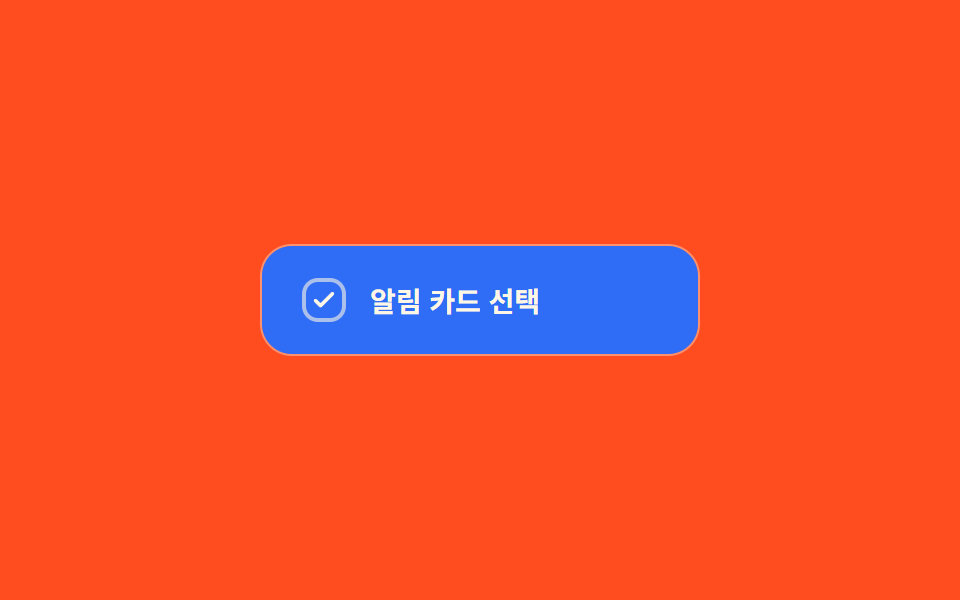 06 custom-checkbox-color-fill-wipe
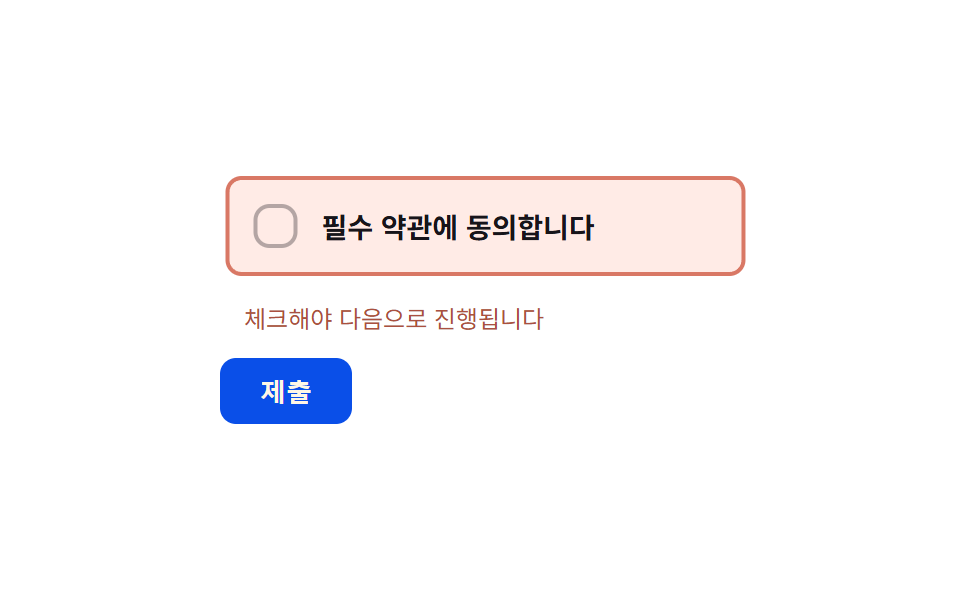 07 custom-checkbox-error-shake-required
 08 custom-checkbox-disabled-dim-lock
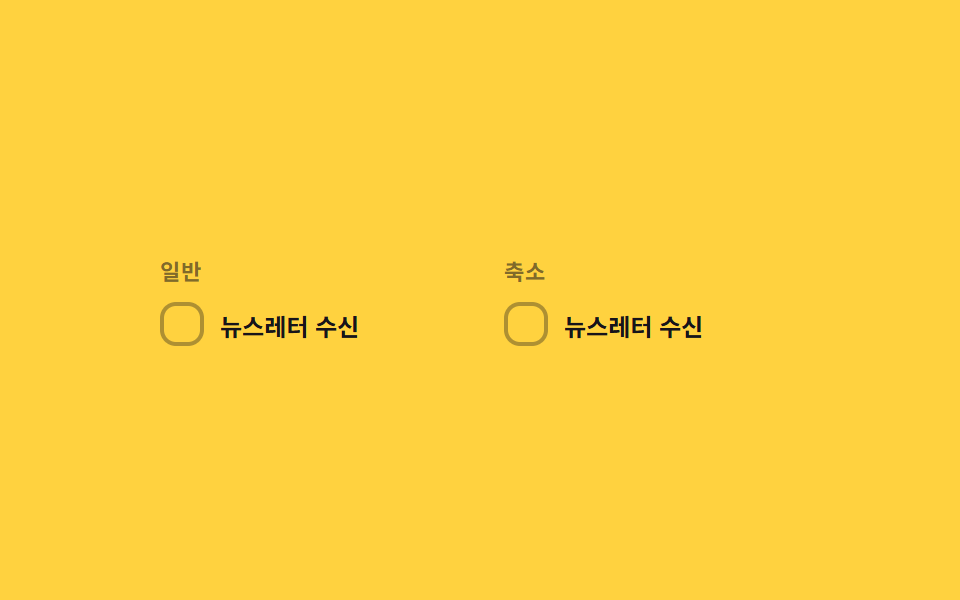 09 custom-checkbox-reduced-motion-static
自動再生 · タイルを押すとその項目へ · すべて1つのzip
- 01 チェック線描画切替 — チェック値がオンになるとチェックマークの線の長さの値が0から最後まで順に描かれる方式
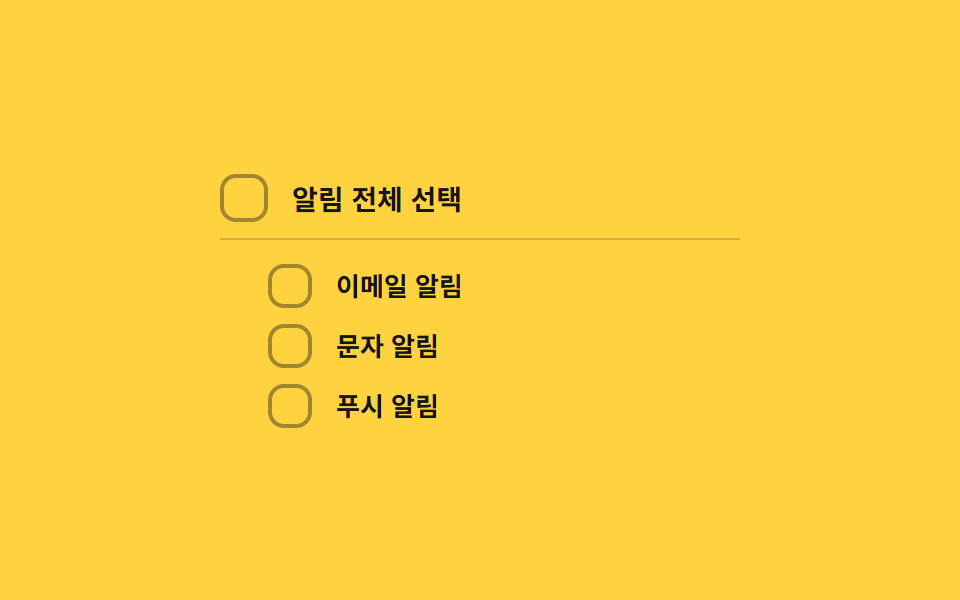
- 02 不確定ダッシュ切替 — 下位項目が一部だけ選択されると上位ボックスの表示値がダッシュ形状に変わる方式
- 03 スプリング弾み切替 — チェック値が変わった瞬間ボックスの大きさの値が目標より大きく飛び出し弾むように収まる方式
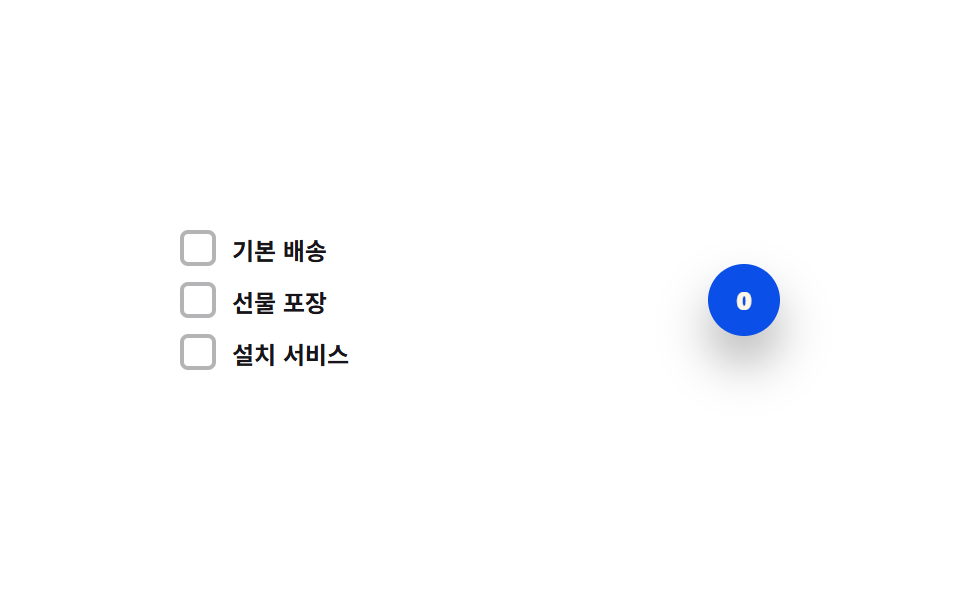
- 04 選択件数ロール切替 — 選択件数の値が上下するたびバッジ数字の桁位置の値が上下に転がるように変わる方式
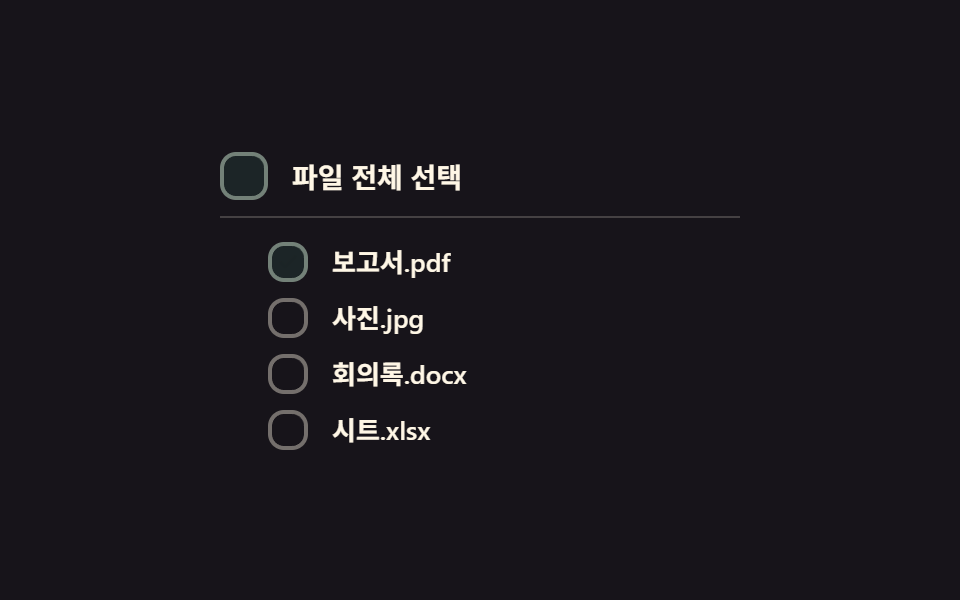
- 05 全選択カスケード切替 — 上位ボックスの全選択値がオンになると下位ボックスのチェック値が順に短い間隔で変わる方式
- 06 塗りワイプ切替 — チェック値がオンになるとボックスの背景塗りの値が一方の角から反対側へ広がるように変わる方式
- 07 必須エラー振動切替 — 必須ボックスが空のまま送信を試みるとボックスの横位置の値が短く左右に揺れる方式
- 08 無効ディム固定切替 — 無効値がオンになるとボックスの明るさの値が下がりチェック値が変化しなくなる方式
- 09 モーション削減対応比較切替 — 同じチェック値の変化を一般パネルは線の長さの値を描いて、削減パネルは中間段階なしにそのまま見せる方式
9つのどれもサーバーに問い合わせず、localStorage に書き込まず、スクリプトのどこでも Math.random を呼びません — それぞれは、チェック値・不確定値・選択数のいずれか一つの状態値と、その値が変わったときに画面がどう見えるかを決める短い定数リストだけで組まれた、小さく自己完結したチェックボックスです。この範囲の狭さのおかげで、実際にどの値が動くのか——チェックの反転か、部分選択の比率か、それとも件数か——を名指しするだけで、コードを開く前にどの9パターンが目的のフォームに合うかが分かります。
9つのパターンの解剖 — どの値がいつ変わるか
9つのうち8つが自動再生ループのために少なくとも一度は requestAnimationFrame を呼びますが、実際にそのループの中で毎フレーム値を計算し直しているのは7つ——01・03・04・06・07・08・09——だけです。01の currentOffset() は、いま実際にある位置から0か getTotalLength() で測った線の全長までストローク・ダッシュオフセットを補間し、03の popScale() は Math.exp ベースの SPRING_ZETA 減衰に POP_FREQ のコサインを掛けて、SCALE_OVERSHOOT の分だけ必ず1を超えて跳ねてから収まる値を作ります。04の currentPos() は数字帯を -count * ROW_H へ向けて補間し、06のループは実測したカードの対角線 diag に対して easeOutCubic(t) * diag から clip-path: circle() の半径を求め、07の shakeOffset() は SHAKE_MS の間に振動が正確に5回になるよう周波数を合わせた減衰サイン波を計算し、08は固定ピボットを中心にシャックルの回転を UNLOCK_ANGLE へ補間し、09は一般パネルで同じ描画計算を走らせつつ削減パネルは目標へ直接飛びます。02は requestAnimationFrame を一度も呼びません——自動再生は素の setInterval で動き、計算される値は背景アルファ一つ、MIX_ALPHA + (1 - MIX_ALPHA) * ratio だけで、値が変わるたびに一度セットされたあとはブラウザ自身の CSS トランジションに任されます。05も requestAnimationFrame を呼びますが、それは自動再生の時計を進めるためだけで、階段状の見え方自体は各子ボックスに一度だけ設定される index * STAGGER_MS の transition-delay から生まれます——毎フレームのループではなくネイティブの CSS トランジションが、いつ各子ボックスが見えるようになるかを決めています。9つのどれも Math.random を呼ばず、チェックボックス アニメーション css を探して自分のコードを書く前に確かめたい人にとっても、ここにある9本のスクリプトはどれも省略のない全文のままです。リスナーはどれも本物の操作に答えます——01・02・03・04・05・09の6つは自分の <input type="checkbox"> に対する素の change だけを聞き、06は同じ change にカードを再測定する resize を組み合わせ、07は change と送信ボタンの click を組み合わせ、08だけが例外で、チェックボックス自体ではなく別のロック切替に対する click だけで動きます。prefers-reduced-motion: reduce の下では、01・03・04・06・07・08の6つが同じ計算をそのまま保ちながら持続時間の定数を 1 に落として中間フレームだけを飛ばし、02と05はもともと動きが CSS 側だったため scss で transition: none を設定するだけで、09は一般パネルと削減パネルを同じチェック値の下で並べて見せるためだけに存在します。
パターン別コード
01チェック線描画切替 — チェック値がオンになるとチェックマークの線の長さの値が0から最後まで順に描かれる方式
チェック値がオンになった瞬間、チェックマークの線の長さの値が0から最後まで描かれ、オフになると逆順に消えます。利用規約同意の項目やタスクリストの完了表示に向いた方式で、getTotalLength() がチェックマークの実際の経路長を測るため、アイコンのサイズが変わってもストロークは常にちょうど一本分で描き切れます。
<main class="stage">
<label class="cbd is-demo" id="cbd">
  <input type="checkbox" class="cbd__input" id="cbdInput">
  <span class="cbd__box" id="cbdBox" aria-hidden="true">
    <svg class="cbd__svg" viewBox="0 0 20 20" width="14" height="14">
      <path id="cbdCheck" class="cbd__path" d="M4 10.5l3.5 3.5L16 5.5" fill="none" stroke="currentColor" stroke-width="2.6" stroke-linecap="round" stroke-linejoin="round"/>
    </svg>
  </span>
  <span class="cbd__text">利用規約に同意します</span>
</label>
</main>
@use "../../../../site/static/demo-tokens" as *;
// 계산 겹: index.html 이 SVG path.getTotalLength() 로 체크 표시의 실제 선 길이를 측정해
// stroke-dasharray 를 만들고, easeOutCubic 을 rAF 로 직접 적분해 stroke-dashoffset 을
// 0(그려짐)과 길이값(안 그려짐) 사이로 보간한다 — CSS transition 이 아니라 계산이 선을 그린다.
@include stage($stage-ink);
.cbd {
display: flex;
align-items: center;
gap: $sp-3;
cursor: pointer;
user-select: none;
}
.cbd__input {
position: absolute;
width: 1px;
height: 1px;
opacity: 0;
pointer-events: none;
}
.cbd__box {
flex: 0 0 auto;
width: 26px;
height: 26px;
border-radius: $r-sm;
background: transparent;
border: 2px solid rgba($subject-cream, .5);
color: transparent;
display: grid;
place-items: center;
box-sizing: border-box;
transition: background-color $dur-quick $ease-out, border-color $dur-quick $ease-out, color $dur-quick $ease-out;
}
.cbd__box--on {
background: $subject-blue;
border-color: $subject-blue;
color: $subject-cream;
}
.cbd__input:focus-visible + .cbd__box {
outline: 2px solid $subject-blue-light;
outline-offset: 2px;
}
.cbd__text {
color: $subject-cream;
font-size: 14px;
font-weight: 600;
}
@media (max-width: 340px) {
.cbd__text { font-size: 13px; }
}
@media (prefers-reduced-motion: reduce) {
.cbd__box { transition: none; }
}html, body {
margin: 0;
overflow: hidden;
}
.stage {
box-sizing: border-box;
min-height: 100vh;
display: grid;
place-items: center;
margin: 0;
background: #17141a;
font-family: -apple-system, "Segoe UI", "Noto Sans KR", sans-serif;
padding: clamp(8px, 4vw, 24px);
}
.cbd {
display: flex;
align-items: center;
gap: 12px;
cursor: pointer;
user-select: none;
}
.cbd__input {
position: absolute;
width: 1px;
height: 1px;
opacity: 0;
pointer-events: none;
}
.cbd__box {
flex: 0 0 auto;
width: 26px;
height: 26px;
border-radius: 8px;
background: transparent;
border: 2px solid rgba(255, 247, 230, 0.5);
color: transparent;
display: grid;
place-items: center;
box-sizing: border-box;
transition: background-color 220ms ease-out, border-color 220ms ease-out, color 220ms ease-out;
}
.cbd__box--on {
background: #2f6df6;
border-color: #2f6df6;
color: #fff7e6;
}
.cbd__input:focus-visible + .cbd__box {
outline: 2px solid #5b8cf8;
outline-offset: 2px;
}
.cbd__text {
color: #fff7e6;
font-size: 14px;
font-weight: 600;
}
@media (max-width: 340px) {
.cbd__text {
font-size: 13px;
}
}
@media (prefers-reduced-motion: reduce) {
.cbd__box {
transition: none;
}
}(function () {
var DRAW_MS = 460; // 계산 겹 상수: 체크 선이 0에서 끝까지 그려지는 데 걸리는 실제 시간(ms)
var CYCLE_MS = 640; // 자동 루프가 체크·해제를 오가는 간격
var reduce = window.matchMedia('(prefers-reduced-motion: reduce)').matches;
var root = document.getElementById('cbd');
var input = document.getElementById('cbdInput');
var box = document.getElementById('cbdBox');
var path = document.getElementById('cbdCheck');
// 계산 겹: SVG path 의 실제 길이를 getTotalLength() 로 측정해 stroke-dasharray 를 만든다 — 짐작 px 를 쓰지 않는다
var LEN = path.getTotalLength();
path.style.strokeDasharray = String(LEN);
var isDemo = true;
var drawing = false, drawStart = 0, drawFrom = LEN, drawTo = LEN;
path.style.setProperty('stroke-dashoffset', String(LEN));
function easeOutCubic(t) { return 1 - Math.pow(1 - t, 3); }
function currentOffset(ts) {
if (!drawing) return drawTo;
var t = Math.min(1, (ts - drawStart) / DRAW_MS);
return drawFrom + (drawTo - drawFrom) * easeOutCubic(t);
}
function setChecked(next, ts) {
input.checked = next;
box.classList.toggle('cbd__box--on', next);
drawFrom = currentOffset(ts);
drawTo = next ? 0 : LEN;
drawStart = ts;
drawing = true;
}
function human() {
if (isDemo) { root.classList.remove('is-demo'); isDemo = false; }
}
input.addEventListener('change', function () {
human();
setChecked(input.checked, performance.now());
});
var cycleStart = 0;
var lastState = false;
function loop(ts) {
if (!cycleStart) cycleStart = ts;
if (isDemo) {
var step = Math.floor((ts - cycleStart) / CYCLE_MS) % 2 === 1;
if (step !== lastState) { lastState = step; setChecked(step, ts); }
}
if (drawing) {
var off = currentOffset(ts);
path.style.setProperty('stroke-dashoffset', off.toFixed(2));
if (Math.abs(off - drawTo) < 0.05) { path.style.setProperty('stroke-dashoffset', String(drawTo)); drawing = false; }
}
requestAnimationFrame(loop);
}
if (reduce) {
// 계산 자체는 유지하되 중간 프레임 없이 목표 값으로 바로 놓는다
DRAW_MS = 1;
}
requestAnimationFrame(loop);
})();// CheckDraw — vanilla 판(run/368/demo/01-custom-checkbox-check-draw/index.html) 의 React 포트.
// path.getTotalLength() 로 실측한 체크 선 길이를 easeOutCubic 로 rAF 적분해 strokeDashoffset 을
// 그린다 — CSS transition 이 아니라 계산으로 선을 그린다.
import { useEffect, useRef } from "react";
import styles from "./CheckDraw.module.scss";
type Box<T> = { current: T };
export default function CheckDraw() {
const rootRef = useRef(null) as unknown as Box<HTMLLabelElement>;
const inputRef = useRef(null) as unknown as Box<HTMLInputElement>;
const boxRef = useRef(null) as unknown as Box<HTMLSpanElement>;
const pathRef = useRef(null) as unknown as Box<SVGPathElement>;
const rafRef = useRef(0) as unknown as Box<number>;
useEffect(() => {
let DRAW_MS = 460; // 계산 겹 상수: 체크 선이 0에서 끝까지 그려지는 데 걸리는 실제 시간(ms)
const CYCLE_MS = 640; // 자동 루프가 체크·해제를 오가는 간격
const reduce = window.matchMedia("(prefers-reduced-motion: reduce)").matches;
const input = inputRef.current;
const path = pathRef.current;
if (!input || !path) return;
let isDemo = true;
const LEN = path.getTotalLength();
path.style.strokeDasharray = String(LEN);
path.style.setProperty("stroke-dashoffset", String(LEN));
let drawing = false, drawStart = 0, drawFrom = LEN, drawTo = LEN;
function easeOutCubic(t: number) { return 1 - Math.pow(1 - t, 3); }
function currentOffset(ts: number) {
if (!drawing) return drawTo;
const t = Math.min(1, (ts - drawStart) / DRAW_MS);
return drawFrom + (drawTo - drawFrom) * easeOutCubic(t);
}
function human() {
if (isDemo) { rootRef.current?.classList.remove(styles.isDemo); isDemo = false; }
}
function setChecked(next: boolean, ts: number) {
input!.checked = next;
boxRef.current?.classList.toggle(styles.boxOn, next);
drawFrom = currentOffset(ts);
drawTo = next ? 0 : LEN;
drawStart = ts;
drawing = true;
}
function onChange() { human(); setChecked(input!.checked, performance.now()); }
input.addEventListener("change", onChange);
let cycleStart = 0;
let lastState = false;
function loop(ts: number) {
if (!cycleStart) cycleStart = ts;
if (isDemo) {
const step = Math.floor((ts - cycleStart) / CYCLE_MS) % 2 === 1;
if (step !== lastState) { lastState = step; setChecked(step, ts); }
}
if (drawing) {
const off = currentOffset(ts);
path!.style.setProperty("stroke-dashoffset", String(off));
if (Math.abs(off - drawTo) < 0.05) drawing = false;
}
rafRef.current = requestAnimationFrame(loop);
}
if (reduce) { DRAW_MS = 1; }
rafRef.current = requestAnimationFrame(loop);
return () => {
input.removeEventListener("change", onChange);
cancelAnimationFrame(rafRef.current);
};
}, []);
return (
<main className={styles.stage}>
<label className={styles.cbd + " " + styles.isDemo} ref={rootRef}>
<input type="checkbox" className={styles.cbdInput} ref={inputRef} />
<span className={styles.cbdBox} ref={boxRef} aria-hidden="true">
<svg className={styles.cbdSvg} viewBox="0 0 20 20" width={14} height={14}>
<path ref={pathRef} className={styles.cbdPath} d="M4 10.5l3.5 3.5L16 5.5" fill="none" stroke="currentColor" strokeWidth={2.6} strokeLinecap="round" strokeLinejoin="round" />
</svg>
</span>
<span className={styles.cbdText}>약관에 동의합니다</span>
</label>
</main>
);
}01 · チェック線描画切替 — チェック値がオンになるとチェックマークの線の長さの値が0から最後まで順に描かれる方式 — 計測 累積面積 0.442% · 動いたフレーム 14/23GODRICH オリジナル · SCSS と React は zip に同梱 · パスワードを見る
  // 計算層: getTotalLength() で SVG パスの実際の長さを測り stroke-dasharray を作る — 当て推量の px は使わない
  var LEN = path.getTotalLength();
  path.style.strokeDasharray = String(LEN);

  var isDemo = true;
  var drawing = false, drawStart = 0, drawFrom = LEN, drawTo = LEN;
  path.style.setProperty('stroke-dashoffset', String(LEN));

  function easeOutCubic(t) { return 1 - Math.pow(1 - t, 3); }

  function currentOffset(ts) {
    if (!drawing) return drawTo;
    var t = Math.min(1, (ts - drawStart) / DRAW_MS);
    return drawFrom + (drawTo - drawFrom) * easeOutCubic(t);
  }

  function setChecked(next, ts) {
    input.checked = next;
    box.classList.toggle('cbd__box--on', next);
    drawFrom = currentOffset(ts);
    drawTo = next ? 0 : LEN;
    drawStart = ts;
    drawing = true;
  }
数値が語ること
01番は23フレーム中14フレームで動きながら、累積面積0.44%・平均強度73.0を記録します。currentOffset() がストロークをゼロからではなく現在実際にある位置から再開するため——drawFrom = currentOffset(ts)——描画途中で切り替えても線は途切れず連続したまま繋がります。
02不確定ダッシュ切替 — 下位項目が一部だけ選択されると上位ボックスの表示値がダッシュ形状に変わる方式
下位の選択件数の値が全部と0の間にある間、上位ボックスの表示値はチェックでも空でもなくダッシュになります。グループ選択があるファイルリストや下位オプションを持つ設定項目に向いた方式で、paintParent() が選択件数からネイティブの indeterminate プロパティを直接設定するため、CSS クラスの切り替えだけに頼らず、スクリーンリーダーにも部分選択状態が正しく伝わります。
<main class="stage">
<div class="cbi is-demo" id="cbi">
  <label class="cbi__row cbi__row--parent">
    <input type="checkbox" class="cbi__input" id="cbiParent">
    <span class="cbi__box" id="cbiParentBox" aria-hidden="true">
      <svg class="cbi__svg" viewBox="0 0 20 20" width="14" height="14">
        <path class="cbi__check" d="M4 10.5l3.5 3.5L16 5.5" fill="none" stroke="currentColor" stroke-width="2.6" stroke-linecap="round" stroke-linejoin="round"/>
        <line class="cbi__dash" x1="5" y1="10" x2="15" y2="10" stroke="currentColor" stroke-width="2.6" stroke-linecap="round"/>
      </svg>
    </span>
    <span class="cbi__text">通知を全選択</span>
  </label>
  <div class="cbi__children">
    <label class="cbi__row">
      <input type="checkbox" class="cbi__input" id="cbiChild0">
      <span class="cbi__box" id="cbiChildBox0" aria-hidden="true">
        <svg class="cbi__svg" viewBox="0 0 20 20" width="12" height="12">
          <path class="cbi__check" d="M4 10.5l3.5 3.5L16 5.5" fill="none" stroke="currentColor" stroke-width="2.6" stroke-linecap="round" stroke-linejoin="round"/>
        </svg>
      </span>
      <span class="cbi__text">メール通知</span>
    </label>
    <label class="cbi__row">
      <input type="checkbox" class="cbi__input" id="cbiChild1">
      <span class="cbi__box" id="cbiChildBox1" aria-hidden="true">
        <svg class="cbi__svg" viewBox="0 0 20 20" width="12" height="12">
          <path class="cbi__check" d="M4 10.5l3.5 3.5L16 5.5" fill="none" stroke="currentColor" stroke-width="2.6" stroke-linecap="round" stroke-linejoin="round"/>
        </svg>
      </span>
      <span class="cbi__text">SMS通知</span>
    </label>
    <label class="cbi__row">
      <input type="checkbox" class="cbi__input" id="cbiChild2">
      <span class="cbi__box" id="cbiChildBox2" aria-hidden="true">
        <svg class="cbi__svg" viewBox="0 0 20 20" width="12" height="12">
          <path class="cbi__check" d="M4 10.5l3.5 3.5L16 5.5" fill="none" stroke="currentColor" stroke-width="2.6" stroke-linecap="round" stroke-linejoin="round"/>
        </svg>
      </span>
      <span class="cbi__text">プッシュ通知</span>
    </label>
  </div>
</div>
</main>@use "../../../../site/static/demo-tokens" as *;
// 계산 겹: index.html paintParent() 가 자식 선택 개수 ÷ 전체 개수로 선택 비율 값을 만들고,
// 그 값을 --cbi-alpha 로 사영해 부모 박스 배경의 실제 투명도를 만든다 — 체크·빈칸 두 상태만
// 있는 on/off 토글이 아니라 비율 값이 배경 진하기를 연속으로 결정한다.
@include stage($stage-yellow);
.cbi {
display: grid;
gap: $sp-3;
width: 100%;
max-width: 260px;
}
.cbi__row {
display: flex;
align-items: center;
gap: $sp-3;
cursor: pointer;
user-select: none;
}
.cbi__row--parent {
padding-bottom: $sp-2;
border-bottom: 1px solid rgba($subject-ink, .18);
}
.cbi__children {
display: grid;
gap: $sp-2;
padding-left: $sp-6;
}
.cbi__input {
position: absolute;
width: 1px;
height: 1px;
opacity: 0;
pointer-events: none;
}
.cbi__box {
--cbi-alpha: 0;
flex: 0 0 auto;
width: 22px;
height: 22px;
border-radius: $r-sm;
border: 2px solid rgba($subject-ink, .4);
background: rgba(#{red($subject-blue)}, #{green($subject-blue)}, #{blue($subject-blue)}, var(--cbi-alpha));
color: $subject-cream;
display: grid;
place-items: center;
box-sizing: border-box;
transition: border-color $dur-quick $ease-out, background-color $dur-quick $ease-out;
}
.cbi__row--parent .cbi__box {
width: 24px;
height: 24px;
}
.cbi__check, .cbi__dash {
opacity: 0;
transition: opacity $dur-quick $ease-out;
}
.cbi__box--on {
border-color: $subject-blue;
.cbi__check { opacity: 1; }
}
.cbi__box--mixed {
border-color: $subject-blue;
.cbi__dash { opacity: 1; }
}
.cbi__input:focus-visible + .cbi__box {
outline: 2px solid $subject-blue-light;
outline-offset: 2px;
}
.cbi__text {
color: $subject-ink;
font-size: 13px;
font-weight: 600;
}
.cbi__row--parent .cbi__text {
font-size: 14px;
font-weight: 700;
}
@media (max-width: 340px) {
.cbi__children { padding-left: $sp-4; }
.cbi__text { font-size: 12px; }
}
@media (prefers-reduced-motion: reduce) {
.cbi__box, .cbi__check, .cbi__dash { transition: none; }
}html, body {
margin: 0;
overflow: hidden;
}
.stage {
box-sizing: border-box;
min-height: 100vh;
display: grid;
place-items: center;
margin: 0;
background: #ffd23f;
font-family: -apple-system, "Segoe UI", "Noto Sans KR", sans-serif;
padding: clamp(8px, 4vw, 24px);
}
.cbi {
display: grid;
gap: 12px;
width: 100%;
max-width: 260px;
}
.cbi__row {
display: flex;
align-items: center;
gap: 12px;
cursor: pointer;
user-select: none;
}
.cbi__row--parent {
padding-bottom: 8px;
border-bottom: 1px solid rgba(23, 20, 26, 0.18);
}
.cbi__children {
display: grid;
gap: 8px;
padding-left: 24px;
}
.cbi__input {
position: absolute;
width: 1px;
height: 1px;
opacity: 0;
pointer-events: none;
}
.cbi__box {
--cbi-alpha: 0;
flex: 0 0 auto;
width: 22px;
height: 22px;
border-radius: 8px;
border: 2px solid rgba(23, 20, 26, 0.4);
background: rgba(47, 109, 246, var(--cbi-alpha));
color: #fff7e6;
display: grid;
place-items: center;
box-sizing: border-box;
transition: border-color 220ms ease-out, background-color 220ms ease-out;
}
.cbi__row--parent .cbi__box {
width: 24px;
height: 24px;
}
.cbi__check, .cbi__dash {
opacity: 0;
transition: opacity 220ms ease-out;
}
.cbi__box--on {
border-color: #2f6df6;
}
.cbi__box--on .cbi__check {
opacity: 1;
}
.cbi__box--mixed {
border-color: #2f6df6;
}
.cbi__box--mixed .cbi__dash {
opacity: 1;
}
.cbi__input:focus-visible + .cbi__box {
outline: 2px solid #5b8cf8;
outline-offset: 2px;
}
.cbi__text {
color: #17141a;
font-size: 13px;
font-weight: 600;
}
.cbi__row--parent .cbi__text {
font-size: 14px;
font-weight: 700;
}
@media (max-width: 340px) {
.cbi__children {
padding-left: 16px;
}
.cbi__text {
font-size: 12px;
}
}
@media (prefers-reduced-motion: reduce) {
.cbi__box, .cbi__check, .cbi__dash {
transition: none;
}
}(function () {
var MIX_ALPHA = .22; // 계산 겹 상수: 자식이 0개 선택됐을 때도 남기는 최소 배경 알파
var CYCLE_MS = 520; // 자동 루프가 자식 하나씩 상태를 바꾸는 간격
var reduce = window.matchMedia('(prefers-reduced-motion: reduce)').matches;
var root = document.getElementById('cbi');
var parent = document.getElementById('cbiParent');
var parentBox = document.getElementById('cbiParentBox');
var children = [
document.getElementById('cbiChild0'),
document.getElementById('cbiChild1'),
document.getElementById('cbiChild2')
];
var childBoxes = [
document.getElementById('cbiChildBox0'),
document.getElementById('cbiChildBox1'),
document.getElementById('cbiChildBox2')
];
var isDemo = true;
function human() {
if (isDemo) { root.classList.remove('is-demo'); isDemo = false; }
}
function paintChildren() {
children.forEach(function (c, i) { childBoxes[i].classList.toggle('cbi__box--on', c.checked); });
}
function paintParent() {
paintChildren();
var checkedCount = children.filter(function (c) { return c.checked; }).length;
var ratio = checkedCount / children.length; // 계산 겹: 선택 비율 값
var all = ratio === 1, none = ratio === 0;
parent.checked = all;
parent.indeterminate = !all && !none;
parentBox.classList.toggle('cbi__box--on', all);
parentBox.classList.toggle('cbi__box--mixed', !all && !none);
// 계산 겹: 선택 비율을 배경 알파로 직접 사영한다(MIX_ALPHA 를 바닥으로 두고 남은 폭을 ratio 만큼 채움)
var alpha = none ? 0 : (MIX_ALPHA + (1 - MIX_ALPHA) * ratio);
parentBox.style.setProperty('--cbi-alpha', alpha.toFixed(3));
}
function setChild(idx, val) {
children[idx].checked = val;
paintParent();
}
children.forEach(function (c) {
c.addEventListener('change', function () { human(); paintParent(); });
});
parent.addEventListener('change', function () {
human();
var next = parent.checked;
children.forEach(function (c) { c.checked = next; });
paintParent();
});
// 자동 루프: 자식을 하나씩 켜서 없음 → 부분 → 전체를 보여주고, 다시 하나씩 끈다
var SEQ = [
[false, false, false], [true, false, false], [true, true, false], [true, true, true],
[true, true, false], [true, false, false], [false, false, false]
];
var si = 0;
var autoTimer = null;
function autoTick() {
var state = SEQ[si];
children.forEach(function (c, i) { c.checked = state[i]; });
paintParent();
si = (si + 1) % SEQ.length;
}
if (!reduce) { autoTimer = setInterval(autoTick, CYCLE_MS); autoTick(); }
else { autoTick(); }
})();// IndeterminateDash — vanilla 판(run/368/demo/02-custom-checkbox-indeterminate-dash/index.html) 의 React 포트.
// 자식 선택 비율(ratio)을 계산해 네이티브 indeterminate 값과 배경 알파(--cbi-alpha)를 함께 만든다.
import { useEffect, useRef } from "react";
import styles from "./IndeterminateDash.module.scss";
type Box<T> = { current: T };
const CHILDREN = [
{ id: "child0", label: "이메일 알림" },
{ id: "child1", label: "문자 알림" },
{ id: "child2", label: "푸시 알림" },
];
export default function IndeterminateDash() {
const rootRef = useRef(null) as unknown as Box<HTMLDivElement>;
const parentRef = useRef(null) as unknown as Box<HTMLInputElement>;
const parentBoxRef = useRef(null) as unknown as Box<HTMLSpanElement>;
const childRefs = useRef([null, null, null]) as unknown as Box<(HTMLInputElement | null)[]>;
const childBoxRefs = useRef([null, null, null]) as unknown as Box<(HTMLSpanElement | null)[]>;
const timerRef = useRef(0) as unknown as Box<number>;
useEffect(() => {
const MIX_ALPHA = 0.22; // 계산 겹 상수: 자식이 0개 선택됐을 때도 남기는 최소 배경 알파
const CYCLE_MS = 520; // 자동 루프가 자식 하나씩 상태를 바꾸는 간격
const reduce = window.matchMedia("(prefers-reduced-motion: reduce)").matches;
const root = rootRef.current;
const parent = parentRef.current;
const parentBox = parentBoxRef.current;
const children = childRefs.current;
const childBoxes = childBoxRefs.current;
if (!root || !parent || !parentBox) return;
let isDemo = true;
function human() {
if (isDemo) { root!.classList.remove(styles.isDemo); isDemo = false; }
}
function paintChildren() {
children.forEach((c, i) => { childBoxes[i]?.classList.toggle(styles.boxOn, c ? c.checked : false); });
}
function paintParent() {
paintChildren();
const checkedCount = children.filter((c) => c?.checked).length;
const ratio = checkedCount / children.length; // 계산 겹: 선택 비율 값
const all = ratio === 1, none = ratio === 0;
parent!.checked = all;
parent!.indeterminate = !all && !none;
parentBox!.classList.toggle(styles.boxOn, all);
parentBox!.classList.toggle(styles.boxMixed, !all && !none);
// 계산 겹: 선택 비율을 배경 알파로 직접 사영한다(MIX_ALPHA 를 바닥으로 두고 남은 폭을 ratio 만큼 채움)
const alpha = none ? 0 : (MIX_ALPHA + (1 - MIX_ALPHA) * ratio);
parentBox!.style.setProperty("--cbi-alpha", alpha.toFixed(3));
}
const childHandlers = children.map((c) => {
const fn = () => { human(); paintParent(); };
c?.addEventListener("change", fn);
return fn;
});
function onParentChange() {
human();
const next = parent!.checked;
children.forEach((c) => { if (c) c.checked = next; });
paintParent();
}
parent.addEventListener("change", onParentChange);
const SEQ = [
[false, false, false], [true, false, false], [true, true, false], [true, true, true],
[true, true, false], [true, false, false], [false, false, false],
];
let si = 0;
function autoTick() {
const state = SEQ[si];
children.forEach((c, i) => { if (c) c.checked = state[i]; });
paintParent();
si = (si + 1) % SEQ.length;
}
if (!reduce) { timerRef.current = window.setInterval(autoTick, CYCLE_MS); autoTick(); }
else { autoTick(); }
return () => {
children.forEach((c, i) => c?.removeEventListener("change", childHandlers[i]));
parent.removeEventListener("change", onParentChange);
window.clearInterval(timerRef.current);
};
}, []);
return (
<main className={styles.stage}>
<div className={styles.cbi + " " + styles.isDemo} ref={rootRef}>
<label className={styles.cbiRow + " " + styles.cbiRowParent}>
<input type="checkbox" className={styles.cbiInput} ref={parentRef} />
<span className={styles.cbiBox} ref={parentBoxRef} aria-hidden="true">
<svg className={styles.cbiSvg} viewBox="0 0 20 20" width={14} height={14}>
<path className={styles.cbiCheck} d="M4 10.5l3.5 3.5L16 5.5" fill="none" stroke="currentColor" strokeWidth={2.6} strokeLinecap="round" strokeLinejoin="round" />
<line className={styles.cbiDash} x1={5} y1={10} x2={15} y2={10} stroke="currentColor" strokeWidth={2.6} strokeLinecap="round" />
</svg>
</span>
<span className={styles.cbiText}>알림 전체 선택</span>
</label>
<div className={styles.cbiChildren}>
{CHILDREN.map((c, i) => (
<label className={styles.cbiRow} key={c.id}>
<input
type="checkbox"
className={styles.cbiInput}
ref={(el: HTMLInputElement | null) => { childRefs.current[i] = el; }}
/>
<span
className={styles.cbiBox}
ref={(el: HTMLSpanElement | null) => { childBoxRefs.current[i] = el; }}
aria-hidden="true"
>
<svg className={styles.cbiSvg} viewBox="0 0 20 20" width={12} height={12}>
<path className={styles.cbiCheck} d="M4 10.5l3.5 3.5L16 5.5" fill="none" stroke="currentColor" strokeWidth={2.6} strokeLinecap="round" strokeLinejoin="round" />
</svg>
</span>
<span className={styles.cbiText}>{c.label}</span>
</label>
))}
</div>
</div>
</main>
);
}02 · 不確定ダッシュ切替 — 下位項目が一部だけ選択されると上位ボックスの表示値がダッシュ形状に変わる方式 — 計測 累積面積 1.703% · 動いたフレーム 15/23GODRICH オリジナル · SCSS と React は zip に同梱 · パスワードを見る
  function paintChildren() {
    children.forEach(function (c, i) { childBoxes[i].classList.toggle('cbi__box--on', c.checked); });
  }

  function paintParent() {
    paintChildren();
    var checkedCount = children.filter(function (c) { return c.checked; }).length;
    var ratio = checkedCount / children.length; // 計算層: 選択比率の値
    var all = ratio === 1, none = ratio === 0;
    parent.checked = all;
    parent.indeterminate = !all && !none;
    parentBox.classList.toggle('cbi__box--on', all);
    parentBox.classList.toggle('cbi__box--mixed', !all && !none);
    // 計算層: 選択比率を背景アルファへそのまま射影する(MIX_ALPHA を底にして残りの幅を ratio で埋める)
    var alpha = none ? 0 : (MIX_ALPHA + (1 - MIX_ALPHA) * ratio);
    parentBox.style.setProperty('--cbi-alpha', alpha.toFixed(3));
  }
数値が語ること
02番は23フレーム中15フレームで動き、累積面積1.70%・平均強度48.4を記録します。塗りの色そのものが計算値——MIX_ALPHA + (1 - MIX_ALPHA) * ratio——なので、上位ボックスの背景アルファは二色の切り替えではなく、実際の選択比率をそのままなぞります。
03スプリング弾み切替 — チェック値が変わった瞬間ボックスの大きさの値が目標より大きく飛び出し弾むように収まる方式
チェック値が変わった瞬間、ボックスの大きさの値が目標をわずかに超えて大きくなり、2〜3回弾んで元の大きさに収まります。チェック反応をはっきり見せたい選択項目やゲーム化されたチェックリストに向いた方式で、popScale() が減衰コサインに SCALE_OVERSHOOT を掛けるため、ボックスは毎回同じ比率でスケール1を超えて弾んでから戻ります。
<main class="stage">
<label class="cbs is-demo" id="cbs">
  <input type="checkbox" class="cbs__input" id="cbsInput">
  <span class="cbs__box" id="cbsBox" aria-hidden="true">
    <svg class="cbs__svg" viewBox="0 0 20 20" width="14" height="14">
      <path d="M4 10.5l3.5 3.5L16 5.5" fill="none" stroke="currentColor" stroke-width="2.6" stroke-linecap="round" stroke-linejoin="round"/>
    </svg>
  </span>
  <span class="cbs__text">ミッション完了</span>
</label>
</main>
@use "../../../../site/static/demo-tokens" as *;
// 계산 겹: index.html popScale() 이 감쇠 코사인 진동(SPRING_ZETA·SCALE_OVERSHOOT)으로
// 매 프레임 배율 값을 계산해 박스의 transform: scale() 에 직접 적용한다 — CSS transition
// 이 아니라 물리 적분이 튐과 잦아듦을 만든다.
@include stage($stage-orange);
.cbs {
display: flex;
align-items: center;
gap: $sp-3;
cursor: pointer;
user-select: none;
}
.cbs__input {
position: absolute;
width: 1px;
height: 1px;
opacity: 0;
pointer-events: none;
}
.cbs__box {
flex: 0 0 auto;
width: 28px;
height: 28px;
border-radius: $r-control;
background: $subject-cream;
border: 2px solid rgba($subject-ink, .3);
color: transparent;
display: grid;
place-items: center;
box-sizing: border-box;
transform-origin: 50% 50%;
transition: background-color $dur-quick $ease-out, border-color $dur-quick $ease-out, color $dur-quick $ease-out;
}
.cbs__box--on {
background: $subject-blue;
border-color: $subject-blue;
color: $subject-cream;
}
.cbs__input:focus-visible + .cbs__box {
outline: 2px solid $subject-blue-light;
outline-offset: 2px;
}
.cbs__text {
color: $subject-ink;
font-size: 14px;
font-weight: 700;
}
@media (max-width: 340px) {
.cbs__text { font-size: 13px; }
}
@media (prefers-reduced-motion: reduce) {
.cbs__box { transition: none; }
}html, body {
margin: 0;
overflow: hidden;
}
.stage {
box-sizing: border-box;
min-height: 100vh;
display: grid;
place-items: center;
margin: 0;
background: #ff4d1f;
font-family: -apple-system, "Segoe UI", "Noto Sans KR", sans-serif;
padding: clamp(8px, 4vw, 24px);
}
.cbs {
display: flex;
align-items: center;
gap: 12px;
cursor: pointer;
user-select: none;
}
.cbs__input {
position: absolute;
width: 1px;
height: 1px;
opacity: 0;
pointer-events: none;
}
.cbs__box {
flex: 0 0 auto;
width: 28px;
height: 28px;
border-radius: 12px;
background: #fff7e6;
border: 2px solid rgba(23, 20, 26, 0.3);
color: transparent;
display: grid;
place-items: center;
box-sizing: border-box;
transform-origin: 50% 50%;
transition: background-color 220ms ease-out, border-color 220ms ease-out, color 220ms ease-out;
}
.cbs__box--on {
background: #2f6df6;
border-color: #2f6df6;
color: #fff7e6;
}
.cbs__input:focus-visible + .cbs__box {
outline: 2px solid #5b8cf8;
outline-offset: 2px;
}
.cbs__text {
color: #17141a;
font-size: 14px;
font-weight: 700;
}
@media (max-width: 340px) {
.cbs__text {
font-size: 13px;
}
}
@media (prefers-reduced-motion: reduce) {
.cbs__box {
transition: none;
}
}(function () {
var POP_MS = 480; // 계산 겹 상수: 스프링 튐이 잦아드는 데 걸리는 실제 시간(ms)
var SPRING_ZETA = 3.4; // 계산 겹: 감쇠 상수 — 낮을수록 더 오래 튕긴다
var SCALE_OVERSHOOT = .34; // 계산 겹: 목표(scale 1)를 넘어서는 최대 배율
var POP_FREQ = 2 * Math.PI * 2.1 / POP_MS; // 계산 겹: 튐 각속도
var CYCLE_MS = 900; // 자동 루프가 체크·해제를 오가는 간격
var reduce = window.matchMedia('(prefers-reduced-motion: reduce)').matches;
var root = document.getElementById('cbs');
var input = document.getElementById('cbsInput');
var box = document.getElementById('cbsBox');
var isDemo = true;
var popStart = -99999;
function human() {
if (isDemo) { root.classList.remove('is-demo'); isDemo = false; }
}
function popScale(t) {
// 계산 겹: 감쇠 코사인 진동 — t=0 에서 SCALE_OVERSHOOT 만큼 튀어 오른 뒤 1로 잦아든다
if (t < 0 || t > POP_MS) return 1;
var amp = Math.exp(-SPRING_ZETA * (t / POP_MS));
return 1 + amp * SCALE_OVERSHOOT * Math.cos(POP_FREQ * t);
}
function setChecked(next, ts) {
input.checked = next;
box.classList.toggle('cbs__box--on', next);
popStart = ts;
}
input.addEventListener('change', function () {
human();
setChecked(input.checked, performance.now());
});
var cycleStart = 0;
var lastState = false;
function loop(ts) {
if (!cycleStart) cycleStart = ts;
if (isDemo) {
var step = Math.floor((ts - cycleStart) / CYCLE_MS) % 2 === 1;
if (step !== lastState) { lastState = step; setChecked(step, ts); }
}
var s = popScale(ts - popStart);
box.style.transform = 'scale(' + s.toFixed(3) + ')';
requestAnimationFrame(loop);
}
if (reduce) { POP_MS = 1; }
requestAnimationFrame(loop);
})();// SpringPop — vanilla 판(run/368/demo/03-custom-checkbox-spring-pop/index.html) 의 React 포트.
// 감쇠 코사인 진동(exp(-SPRING_ZETA·t)·cos(POP_FREQ·t))을 매 프레임 계산해 scale() 값을 만든다.
import { useEffect, useRef } from "react";
import styles from "./SpringPop.module.scss";
type Box<T> = { current: T };
export default function SpringPop() {
const rootRef = useRef(null) as unknown as Box<HTMLLabelElement>;
const inputRef = useRef(null) as unknown as Box<HTMLInputElement>;
const boxRef = useRef(null) as unknown as Box<HTMLSpanElement>;
const rafRef = useRef(0) as unknown as Box<number>;
useEffect(() => {
let POP_MS = 480; // 계산 겹 상수: 스프링 튐이 잦아드는 데 걸리는 실제 시간(ms)
const SPRING_ZETA = 3.4; // 계산 겹: 감쇠 상수 — 낮을수록 더 오래 튕긴다
const SCALE_OVERSHOOT = 0.34; // 계산 겹: 목표(scale 1)를 넘어서는 최대 배율
const POP_FREQ = (2 * Math.PI * 2.1) / POP_MS; // 계산 겹: 튐 각속도
const CYCLE_MS = 900; // 자동 루프가 체크·해제를 오가는 간격
const reduce = window.matchMedia("(prefers-reduced-motion: reduce)").matches;
const root = rootRef.current;
const input = inputRef.current;
const box = boxRef.current;
if (!root || !input || !box) return;
let isDemo = true;
let popStart = -99999;
function human() {
if (isDemo) { root!.classList.remove(styles.isDemo); isDemo = false; }
}
function popScale(t: number) {
// 계산 겹: 감쇠 코사인 진동 — t=0 에서 SCALE_OVERSHOOT 만큼 튀어 오른 뒤 1로 잦아든다
if (t < 0 || t > POP_MS) return 1;
const amp = Math.exp(-SPRING_ZETA * (t / POP_MS));
return 1 + amp * SCALE_OVERSHOOT * Math.cos(POP_FREQ * t);
}
function setChecked(next: boolean, ts: number) {
input!.checked = next;
box!.classList.toggle(styles.boxOn, next);
popStart = ts;
}
function onChange() { human(); setChecked(input!.checked, performance.now()); }
input.addEventListener("change", onChange);
let cycleStart = 0;
let lastState = false;
function loop(ts: number) {
if (!cycleStart) cycleStart = ts;
if (isDemo) {
const step = Math.floor((ts - cycleStart) / CYCLE_MS) % 2 === 1;
if (step !== lastState) { lastState = step; setChecked(step, ts); }
}
const s = popScale(ts - popStart);
box!.style.transform = "scale(" + s.toFixed(3) + ")";
rafRef.current = requestAnimationFrame(loop);
}
if (reduce) { POP_MS = 1; }
rafRef.current = requestAnimationFrame(loop);
return () => {
input.removeEventListener("change", onChange);
cancelAnimationFrame(rafRef.current);
};
}, []);
return (
<main className={styles.stage}>
<label className={styles.cbs + " " + styles.isDemo} ref={rootRef}>
<input type="checkbox" className={styles.cbsInput} ref={inputRef} />
<span className={styles.cbsBox} ref={boxRef} aria-hidden="true">
<svg className={styles.cbsSvg} viewBox="0 0 20 20" width={14} height={14}>
<path d="M4 10.5l3.5 3.5L16 5.5" fill="none" stroke="currentColor" strokeWidth={2.6} strokeLinecap="round" strokeLinejoin="round" />
</svg>
</span>
<span className={styles.cbsText}>미션 완료</span>
</label>
</main>
);
}03 · スプリング弾み切替 — チェック値が変わった瞬間ボックスの大きさの値が目標より大きく飛び出し弾むように収まる方式 — 計測 累積面積 0.544% · 動いたフレーム 11/23GODRICH オリジナル · SCSS と React は zip に同梱 · パスワードを見る
  function popScale(t) {
    // 計算層: 減衰コサイン振動 — t=0 で SCALE_OVERSHOOT だけ跳ね上がり、その後1へ収まる
    if (t < 0 || t > POP_MS) return 1;
    var amp = Math.exp(-SPRING_ZETA * (t / POP_MS));
    return 1 + amp * SCALE_OVERSHOOT * Math.cos(POP_FREQ * t);
  }

  function setChecked(next, ts) {
    input.checked = next;
    box.classList.toggle('cbs__box--on', next);
    popStart = ts;
  }
数値が語ること
03番は23フレーム中11フレームで動き、累積面積0.54%・平均強度82.7を記録します。popStart はどのトグルでも前の弾みの進み具合を無視して現在時刻へ無条件にリセットされるため、速く連続でクリックすると全振幅から弾みが再スタートし、目に見えるスナップが起きます。
04選択件数ロール切替 — 選択件数の値が上下するたびバッジ数字の桁位置の値が上下に転がるように変わる方式
選択件数の値が1つ増減するたび、バッジ数字の縦位置の値が次の数字へ転がるように変わります。複数項目を選んでまとめるリストや選択数をリアルタイムで示すフィルターに向いた方式で、目標オフセットは単純に -count * ROW_H なので、数字帯の位置は補間の当て推量ではなく行の高さの直接の倍数になります。
<main class="stage">
<div class="cbc is-demo" id="cbc">
  <div class="cbc__list">
    <label class="cbc__row">
      <input type="checkbox" class="cbc__input" id="cbcItem0">
      <span class="cbc__box" id="cbcBox0" aria-hidden="true">
        <svg viewBox="0 0 20 20" width="12" height="12"><path d="M4 10.5l3.5 3.5L16 5.5" fill="none" stroke="currentColor" stroke-width="2.6" stroke-linecap="round" stroke-linejoin="round"/></svg>
      </span>
      <span class="cbc__text">基本配送</span>
    </label>
    <label class="cbc__row">
      <input type="checkbox" class="cbc__input" id="cbcItem1">
      <span class="cbc__box" id="cbcBox1" aria-hidden="true">
        <svg viewBox="0 0 20 20" width="12" height="12"><path d="M4 10.5l3.5 3.5L16 5.5" fill="none" stroke="currentColor" stroke-width="2.6" stroke-linecap="round" stroke-linejoin="round"/></svg>
      </span>
      <span class="cbc__text">ギフト包装</span>
    </label>
    <label class="cbc__row">
      <input type="checkbox" class="cbc__input" id="cbcItem2">
      <span class="cbc__box" id="cbcBox2" aria-hidden="true">
        <svg viewBox="0 0 20 20" width="12" height="12"><path d="M4 10.5l3.5 3.5L16 5.5" fill="none" stroke="currentColor" stroke-width="2.6" stroke-linecap="round" stroke-linejoin="round"/></svg>
      </span>
      <span class="cbc__text">設置サービス</span>
    </label>
  </div>
  <span class="cbc__badge">
    <span class="cbc__window">
      <span class="cbc__strip" id="cbcStrip">
        <span>0</span><span>1</span><span>2</span><span>3</span>
      </span>
    </span>
  </span>
</div>
</main>@use "../../../../site/static/demo-tokens" as *;
// 계산 겹: index.html paint() 가 체크된 개수 → 목표 translateY 값을 만들고, easeOutCubic 을
// rAF 로 직접 적분해 숫자 strip 을 다음 칸으로 굴린다 — clip-path 가 그 칸 하나만 보이는
// 창을 만든다(overflow:hidden 이 아니라 계산된 사각 경계로 자른다).
@include stage($stage-paper);
.cbc {
display: flex;
align-items: center;
gap: $sp-6;
width: 100%;
max-width: 300px;
}
.cbc__list {
display: grid;
gap: $sp-2;
flex: 1 1 auto;
}
.cbc__row {
display: flex;
align-items: center;
gap: $sp-2;
cursor: pointer;
user-select: none;
}
.cbc__input {
position: absolute;
width: 1px;
height: 1px;
opacity: 0;
pointer-events: none;
}
.cbc__box {
flex: 0 0 auto;
width: 18px;
height: 18px;
border-radius: $r-xs;
border: 2px solid rgba($subject-ink, .32);
background: transparent;
color: transparent;
display: grid;
place-items: center;
box-sizing: border-box;
transition: background-color $dur-quick $ease-out, border-color $dur-quick $ease-out, color $dur-quick $ease-out;
}
.cbc__box--on {
background: $subject-blue;
border-color: $subject-blue;
color: $subject-cream;
}
.cbc__input:focus-visible + .cbc__box {
outline: 2px solid $subject-blue-light;
outline-offset: 2px;
}
.cbc__text {
color: $subject-ink;
font-size: 12px;
font-weight: 600;
}
.cbc__badge {
flex: 0 0 auto;
width: 36px;
height: 36px;
border-radius: $r-pill;
background: $subject-blue-deep;
display: grid;
place-items: center;
box-shadow: $shadow-raised;
}
.cbc__window {
display: block;
width: 14px;
height: 18px;
overflow: hidden;
clip-path: inset(0 0 0 0 round $r-xs);
}
.cbc__strip {
display: flex;
flex-direction: column;
align-items: center;
will-change: transform;
span {
height: 18px;
line-height: 18px;
color: $subject-cream;
font-weight: 800;
font-size: 13px;
}
}
@media (max-width: 340px) {
.cbc { gap: $sp-4; }
.cbc__text { font-size: 11px; }
}
@media (prefers-reduced-motion: reduce) {
.cbc__box { transition: none; }
}html, body {
margin: 0;
overflow: hidden;
}
.stage {
box-sizing: border-box;
min-height: 100vh;
display: grid;
place-items: center;
margin: 0;
background: #ffffff;
font-family: -apple-system, "Segoe UI", "Noto Sans KR", sans-serif;
padding: clamp(8px, 4vw, 24px);
}
.cbc {
display: flex;
align-items: center;
gap: 24px;
width: 100%;
max-width: 300px;
}
.cbc__list {
display: grid;
gap: 8px;
flex: 1 1 auto;
}
.cbc__row {
display: flex;
align-items: center;
gap: 8px;
cursor: pointer;
user-select: none;
}
.cbc__input {
position: absolute;
width: 1px;
height: 1px;
opacity: 0;
pointer-events: none;
}
.cbc__box {
flex: 0 0 auto;
width: 18px;
height: 18px;
border-radius: 4px;
border: 2px solid rgba(23, 20, 26, 0.32);
background: transparent;
color: transparent;
display: grid;
place-items: center;
box-sizing: border-box;
transition: background-color 220ms ease-out, border-color 220ms ease-out, color 220ms ease-out;
}
.cbc__box--on {
background: #2f6df6;
border-color: #2f6df6;
color: #fff7e6;
}
.cbc__input:focus-visible + .cbc__box {
outline: 2px solid #5b8cf8;
outline-offset: 2px;
}
.cbc__text {
color: #17141a;
font-size: 12px;
font-weight: 600;
}
.cbc__badge {
flex: 0 0 auto;
width: 36px;
height: 36px;
border-radius: 999px;
background: #0a4fe8;
display: grid;
place-items: center;
box-shadow: 0 14px 24px rgba(23, 20, 26, 0.32);
}
.cbc__window {
display: block;
width: 14px;
height: 18px;
overflow: hidden;
clip-path: inset(0 0 0 0 round 4px);
}
.cbc__strip {
display: flex;
flex-direction: column;
align-items: center;
will-change: transform;
}
.cbc__strip span {
height: 18px;
line-height: 18px;
color: #fff7e6;
font-weight: 800;
font-size: 13px;
}
@media (max-width: 340px) {
.cbc {
gap: 16px;
}
.cbc__text {
font-size: 11px;
}
}
@media (prefers-reduced-motion: reduce) {
.cbc__box {
transition: none;
}
}(function () {
var ROW_H = 18; // px, 숫자 롤 한 칸 높이
var ROLL_MS = 260; // 계산 겹 상수: 숫자가 다음 칸으로 굴러가는 데 걸리는 실제 시간(ms)
var CYCLE_MS = 560; // 자동 루프가 항목을 하나씩 체크하는 간격
var reduce = window.matchMedia('(prefers-reduced-motion: reduce)').matches;
var root = document.getElementById('cbc');
var strip = document.getElementById('cbcStrip');
var inputs = [document.getElementById('cbcItem0'), document.getElementById('cbcItem1'), document.getElementById('cbcItem2')];
var boxes = [document.getElementById('cbcBox0'), document.getElementById('cbcBox1'), document.getElementById('cbcBox2')];
var isDemo = true;
var pos = 0, from = 0, to = 0, rollStart = 0, rolling = false;
function human() {
if (isDemo) { root.classList.remove('is-demo'); isDemo = false; }
}
function easeOutCubic(t) { return 1 - Math.pow(1 - t, 3); }
  function currentPos(ts) {
    if (!rolling) return to;
    var t = Math.min(1, (ts - rollStart) / ROLL_MS);
    return from + (to - from) * easeOutCubic(t);
  }

  function paint(ts) {
    inputs.forEach(function (inp, i) { boxes[i].classList.toggle('cbc__box--on', inp.checked); });
    var count = inputs.filter(function (i) { return i.checked; }).length;
    var target = -count * ROW_H;
    if (target !== to) {
      from = currentPos(ts);
      to = target;
      rollStart = ts;
      rolling = true;
    }
  }
inputs.forEach(function (inp) {
inp.addEventListener('change', function () { human(); paint(performance.now()); });
});
var cycleStart = 0;
var lastN = -1;
var SEQ = [[false, false, false], [true, false, false], [true, true, false], [true, true, true], [true, true, false], [true, false, false], [false, false, false]];
function loop(ts) {
if (!cycleStart) cycleStart = ts;
if (isDemo) {
var n = Math.floor((ts - cycleStart) / CYCLE_MS) % SEQ.length;
if (n !== lastN) {
lastN = n;
var state = SEQ[n];
inputs.forEach(function (inp, i) { inp.checked = state[i]; });
paint(ts);
}
}
pos = currentPos(ts);
strip.style.transform = 'translateY(' + pos.toFixed(2) + 'px)';
requestAnimationFrame(loop);
}
if (reduce) { ROLL_MS = 1; }
requestAnimationFrame(loop);
})();// CountBadgeRoll — vanilla 판(run/368/demo/04-custom-checkbox-count-badge-roll/index.html) 의 React 포트.
// 체크된 개수 → 목표 translateY 값을 만들고 easeOutCubic 을 rAF 로 직접 적분해 숫자 strip 을
// 다음 칸으로 굴린다. clip-path 가 그 칸 하나만 보이는 창을 만든다.
import { useEffect, useRef } from "react";
import styles from "./CountBadgeRoll.module.scss";
type Box<T> = { current: T };
const ITEMS = [
{ id: "item0", label: "기본 배송" },
{ id: "item1", label: "선물 포장" },
{ id: "item2", label: "설치 서비스" },
];
export default function CountBadgeRoll() {
const rootRef = useRef(null) as unknown as Box<HTMLDivElement>;
const stripRef = useRef(null) as unknown as Box<HTMLSpanElement>;
const inputRefs = useRef([null, null, null]) as unknown as Box<(HTMLInputElement | null)[]>;
const boxRefs = useRef([null, null, null]) as unknown as Box<(HTMLSpanElement | null)[]>;
const rafRef = useRef(0) as unknown as Box<number>;
useEffect(() => {
const ROW_H = 18; // px, 숫자 롤 한 칸 높이
let ROLL_MS = 260; // 계산 겹 상수: 숫자가 다음 칸으로 굴러가는 데 걸리는 실제 시간(ms)
const CYCLE_MS = 560; // 자동 루프가 항목을 하나씩 체크하는 간격
const reduce = window.matchMedia("(prefers-reduced-motion: reduce)").matches;
const root = rootRef.current;
const strip = stripRef.current;
const inputs = inputRefs.current;
const boxes = boxRefs.current;
if (!root || !strip) return;
let isDemo = true;
let pos = 0, from = 0, to = 0, rollStart = 0, rolling = false;
function human() {
if (isDemo) { root!.classList.remove(styles.isDemo); isDemo = false; }
}
function easeOutCubic(t: number) { return 1 - Math.pow(1 - t, 3); }
function currentPos(ts: number) {
if (!rolling) return to;
const t = Math.min(1, (ts - rollStart) / ROLL_MS);
return from + (to - from) * easeOutCubic(t);
}
function paint(ts: number) {
inputs.forEach((inp, i) => { boxes[i]?.classList.toggle(styles.boxOn, inp ? inp.checked : false); });
const count = inputs.filter((i) => i?.checked).length;
const target = -count * ROW_H;
if (target !== to) {
from = currentPos(ts);
to = target;
rollStart = ts;
rolling = true;
}
}
const handlers = inputs.map((inp) => {
const fn = () => { human(); paint(performance.now()); };
inp?.addEventListener("change", fn);
return fn;
});
let cycleStart = 0;
let lastN = -1;
const SEQ = [
[false, false, false], [true, false, false], [true, true, false], [true, true, true],
[true, true, false], [true, false, false], [false, false, false],
];
function loop(ts: number) {
if (!cycleStart) cycleStart = ts;
if (isDemo) {
const n = Math.floor((ts - cycleStart) / CYCLE_MS) % SEQ.length;
if (n !== lastN) {
lastN = n;
const state = SEQ[n];
inputs.forEach((inp, i) => { if (inp) inp.checked = state[i]; });
paint(ts);
}
}
pos = currentPos(ts);
strip!.style.transform = "translateY(" + pos.toFixed(2) + "px)";
rafRef.current = requestAnimationFrame(loop);
}
if (reduce) { ROLL_MS = 1; }
rafRef.current = requestAnimationFrame(loop);
return () => {
inputs.forEach((inp, i) => inp?.removeEventListener("change", handlers[i]));
cancelAnimationFrame(rafRef.current);
};
}, []);
return (
<main className={styles.stage}>
<div className={styles.cbc + " " + styles.isDemo} ref={rootRef}>
<div className={styles.cbcList}>
{ITEMS.map((it, i) => (
<label className={styles.cbcRow} key={it.id}>
<input
type="checkbox"
className={styles.cbcInput}
ref={(el: HTMLInputElement | null) => { inputRefs.current[i] = el; }}
/>
<span
className={styles.cbcBox}
ref={(el: HTMLSpanElement | null) => { boxRefs.current[i] = el; }}
aria-hidden="true"
>
<svg viewBox="0 0 20 20" width={12} height={12}>
<path d="M4 10.5l3.5 3.5L16 5.5" fill="none" stroke="currentColor" strokeWidth={2.6} strokeLinecap="round" strokeLinejoin="round" />
</svg>
</span>
<span className={styles.cbcText}>{it.label}</span>
</label>
))}
</div>
<span className={styles.cbcBadge}>
<span className={styles.cbcWindow}>
<span className={styles.cbcStrip} ref={stripRef}>
<span>0</span><span>1</span><span>2</span><span>3</span>
</span>
</span>
</span>
</div>
</main>
);
}04 · 選択件数ロール切替 — 選択件数の値が上下するたびバッジ数字の桁位置の値が上下に転がるように変わる方式 — 計測 累積面積 0.765% · 動いたフレーム 13/23GODRICH オリジナル · SCSS と React は zip に同梱 · パスワードを見る
function currentPos(ts) {
if (!rolling) return to;
var t = Math.min(1, (ts - rollStart) / ROLL_MS);
return from + (to - from) * easeOutCubic(t);
}
function paint(ts) {
inputs.forEach(function (inp, i) { boxes[i].classList.toggle('cbc__box--on', inp.checked); });
var count = inputs.filter(function (i) { return i.checked; }).length;
var target = -count * ROW_H;
if (target !== to) {
from = currentPos(ts);
to = target;
rollStart = ts;
rolling = true;
}
}
数値が語ること
04番は23フレーム中13フレームで動き、累積面積0.77%・平均強度83.4を記録します。currentPos() も現在実際にある位置から easeOutCubic の補間を再開するため、短い間隔で2つ連続してチェックしても、飛ばした数字の上をなめらかに転がっていきます。
05全選択カスケード切替 — 上位ボックスの全選択値がオンになると下位ボックスのチェック値が順に短い間隔で変わる方式
上位の全選択値がオンになった瞬間、下位ボックスのチェック値が上から短い間隔を置いて順に変わります。全選択ボタンがある表や一括処理を控えた項目リストに向いた方式で、各子ボックスに index * STAGGER_MS の transition-delay が一度だけ設定されるため、毎フレームのループではなくブラウザ自身の CSS トランジションが階段状のタイミングを描きます。
<main class="stage">
<div class="cba is-demo" id="cba">
  <label class="cba__row cba__row--parent">
    <input type="checkbox" class="cba__input" id="cbaParent">
    <span class="cba__box" id="cbaParentBox" aria-hidden="true">
      <svg viewBox="0 0 20 20" width="14" height="14">
        <path class="cba__check" d="M4 10.5l3.5 3.5L16 5.5" fill="none" stroke="currentColor" stroke-width="2.6" stroke-linecap="round" stroke-linejoin="round"/>
        <line class="cba__dash" x1="5" y1="10" x2="15" y2="10" stroke="currentColor" stroke-width="2.6" stroke-linecap="round"/>
      </svg>
    </span>
    <span class="cba__text">ファイルを全選択</span>
  </label>
  <div class="cba__children" id="cbaChildren">
    <label class="cba__row"><input type="checkbox" class="cba__input"><span class="cba__box" aria-hidden="true"><svg viewBox="0 0 20 20" width="12" height="12"><path d="M4 10.5l3.5 3.5L16 5.5" fill="none" stroke="currentColor" stroke-width="2.6" stroke-linecap="round" stroke-linejoin="round"/></svg></span><span class="cba__text">レポート.pdf</span></label>
    <label class="cba__row"><input type="checkbox" class="cba__input"><span class="cba__box" aria-hidden="true"><svg viewBox="0 0 20 20" width="12" height="12"><path d="M4 10.5l3.5 3.5L16 5.5" fill="none" stroke="currentColor" stroke-width="2.6" stroke-linecap="round" stroke-linejoin="round"/></svg></span><span class="cba__text">写真.jpg</span></label>
    <label class="cba__row"><input type="checkbox" class="cba__input"><span class="cba__box" aria-hidden="true"><svg viewBox="0 0 20 20" width="12" height="12"><path d="M4 10.5l3.5 3.5L16 5.5" fill="none" stroke="currentColor" stroke-width="2.6" stroke-linecap="round" stroke-linejoin="round"/></svg></span><span class="cba__text">議事録.docx</span></label>
    <label class="cba__row"><input type="checkbox" class="cba__input"><span class="cba__box" aria-hidden="true"><svg viewBox="0 0 20 20" width="12" height="12"><path d="M4 10.5l3.5 3.5L16 5.5" fill="none" stroke="currentColor" stroke-width="2.6" stroke-linecap="round" stroke-linejoin="round"/></svg></span><span class="cba__text">シート.xlsx</span></label>
  </div>
</div>
</main>
@use "../../../../site/static/demo-tokens" as *;
// 계산 겹: index.html 이 자식 박스마다 transition-delay 를 인덱스 × STAGGER_MS 로 계산해 심는다 —
// 부모 값이 바뀌는 순간 모든 자식의 checked 값은 동시에 바뀌지만, 화면의 배경색 전환은
// 그 계산된 지연만큼씩 늦게 시작해 계단처럼 보인다.
@include stage($stage-ink);
.cba {
display: grid;
gap: $sp-3;
width: 100%;
max-width: 260px;
}
.cba__row {
display: flex;
align-items: center;
gap: $sp-3;
cursor: pointer;
user-select: none;
}
.cba__row--parent {
padding-bottom: $sp-2;
border-bottom: 1px solid rgba($subject-cream, .2);
}
.cba__children {
display: grid;
gap: $sp-2;
padding-left: $sp-6;
}
.cba__input {
position: absolute;
width: 1px;
height: 1px;
opacity: 0;
pointer-events: none;
}
.cba__box {
flex: 0 0 auto;
width: 20px;
height: 20px;
border-radius: $r-sm;
border: 2px solid rgba($subject-cream, .4);
background: transparent;
color: transparent;
display: grid;
place-items: center;
box-sizing: border-box;
transition: background-color $dur-base $ease-out, border-color $dur-base $ease-out, color $dur-base $ease-out;
}
.cba__row--parent .cba__box {
width: 24px;
height: 24px;
}
.cba__check, .cba__dash {
opacity: 0;
transition: opacity $dur-quick $ease-out;
}
.cba__box--on {
background: $subject-mint;
border-color: $subject-mint;
color: $subject-ink;
.cba__check { opacity: 1; }
}
.cba__box--mixed {
border-color: $subject-mint;
.cba__dash { opacity: 1; }
}
.cba__input:focus-visible + .cba__box {
outline: 2px solid $subject-blue-light;
outline-offset: 2px;
}
.cba__text {
color: $subject-cream;
font-size: 13px;
font-weight: 600;
}
.cba__row--parent .cba__text {
font-size: 14px;
font-weight: 700;
}
@media (max-width: 340px) {
.cba__children { padding-left: $sp-4; }
.cba__text { font-size: 12px; }
}
@media (prefers-reduced-motion: reduce) {
.cba__box, .cba__check, .cba__dash { transition: none; }
}html, body {
margin: 0;
overflow: hidden;
}
.stage {
box-sizing: border-box;
min-height: 100vh;
display: grid;
place-items: center;
margin: 0;
background: #17141a;
font-family: -apple-system, "Segoe UI", "Noto Sans KR", sans-serif;
padding: clamp(8px, 4vw, 24px);
}
.cba {
display: grid;
gap: 12px;
width: 100%;
max-width: 260px;
}
.cba__row {
display: flex;
align-items: center;
gap: 12px;
cursor: pointer;
user-select: none;
}
.cba__row--parent {
padding-bottom: 8px;
border-bottom: 1px solid rgba(255, 247, 230, 0.2);
}
.cba__children {
display: grid;
gap: 8px;
padding-left: 24px;
}
.cba__input {
position: absolute;
width: 1px;
height: 1px;
opacity: 0;
pointer-events: none;
}
.cba__box {
flex: 0 0 auto;
width: 20px;
height: 20px;
border-radius: 8px;
border: 2px solid rgba(255, 247, 230, 0.4);
background: transparent;
color: transparent;
display: grid;
place-items: center;
box-sizing: border-box;
transition: background-color 300ms ease-out, border-color 300ms ease-out, color 300ms ease-out;
}
.cba__row--parent .cba__box {
width: 24px;
height: 24px;
}
.cba__check, .cba__dash {
opacity: 0;
transition: opacity 220ms ease-out;
}
.cba__box--on {
background: #4cd4a6;
border-color: #4cd4a6;
color: #17141a;
}
.cba__box--on .cba__check {
opacity: 1;
}
.cba__box--mixed {
border-color: #4cd4a6;
}
.cba__box--mixed .cba__dash {
opacity: 1;
}
.cba__input:focus-visible + .cba__box {
outline: 2px solid #5b8cf8;
outline-offset: 2px;
}
.cba__text {
color: #fff7e6;
font-size: 13px;
font-weight: 600;
}
.cba__row--parent .cba__text {
font-size: 14px;
font-weight: 700;
}
@media (max-width: 340px) {
.cba__children {
padding-left: 16px;
}
.cba__text {
font-size: 12px;
}
}
@media (prefers-reduced-motion: reduce) {
.cba__box, .cba__check, .cba__dash {
transition: none;
}
}(function () {
var STAGGER_MS = 90; // 계산 겹 상수: 하위 박스가 한 칸씩 늦게 바뀌는 간격
var CYCLE_MS = 700; // 자동 루프가 전체선택을 켜고 끄는 간격
var reduce = window.matchMedia('(prefers-reduced-motion: reduce)').matches;
var root = document.getElementById('cba');
var parent = document.getElementById('cbaParent');
var parentBox = document.getElementById('cbaParentBox');
var childrenWrap = document.getElementById('cbaChildren');
var childInputs = Array.prototype.slice.call(childrenWrap.querySelectorAll('.cba__input'));
var childBoxes = Array.prototype.slice.call(childrenWrap.querySelectorAll('.cba__box'));
var isDemo = true;
function human() {
if (isDemo) { root.classList.remove('is-demo'); isDemo = false; }
}
// 계산 겹: 각 자식 박스의 transition-delay 를 인덱스 × STAGGER_MS 로 만든다 — 값 자체는
// 동시에 바뀌지만 화면에 드러나는 시점이 계단처럼 순서를 갖는다
childBoxes.forEach(function (b, i) {
b.style.setProperty('transition-delay', (i * STAGGER_MS) + 'ms');
});
function paintParent() {
var count = childInputs.filter(function (c) { return c.checked; }).length;
var all = count === childInputs.length, none = count === 0;
parent.checked = all;
parent.indeterminate = !all && !none;
parentBox.classList.toggle('cba__box--on', all);
parentBox.classList.toggle('cba__box--mixed', !all && !none);
}
function paintChildren() {
childInputs.forEach(function (c, i) { childBoxes[i].classList.toggle('cba__box--on', c.checked); });
}
childInputs.forEach(function (c) {
c.addEventListener('change', function () { human(); paintChildren(); paintParent(); });
});
parent.addEventListener('change', function () {
human();
var next = parent.checked;
childInputs.forEach(function (c) { c.checked = next; });
paintChildren();
paintParent();
});
var cycleStart = 0;
var lastState = false;
function loop(ts) {
if (!cycleStart) cycleStart = ts;
if (isDemo) {
var step = Math.floor((ts - cycleStart) / CYCLE_MS) % 2 === 1;
if (step !== lastState) {
lastState = step;
childInputs.forEach(function (c) { c.checked = step; });
paintChildren();
paintParent();
}
}
requestAnimationFrame(loop);
}
requestAnimationFrame(loop);
})();// SelectAllCascade — vanilla 판(run/368/demo/05-custom-checkbox-select-all-cascade/index.html) 의 React 포트.
// 각 자식 박스의 transition-delay 를 인덱스 × STAGGER_MS 로 계산해 심는다 — 값 자체는 동시에
// 바뀌지만 화면에 드러나는 시점이 계단처럼 순서를 갖는다.
import { useEffect, useRef } from "react";
import styles from "./SelectAllCascade.module.scss";
type Box<T> = { current: T };
const CHILDREN = [
{ id: "child0", label: "보고서.pdf" },
{ id: "child1", label: "사진.jpg" },
{ id: "child2", label: "회의록.docx" },
{ id: "child3", label: "시트.xlsx" },
];
export default function SelectAllCascade() {
const rootRef = useRef(null) as unknown as Box<HTMLDivElement>;
const parentRef = useRef(null) as unknown as Box<HTMLInputElement>;
const parentBoxRef = useRef(null) as unknown as Box<HTMLSpanElement>;
const childRefs = useRef([null, null, null, null]) as unknown as Box<(HTMLInputElement | null)[]>;
const childBoxRefs = useRef([null, null, null, null]) as unknown as Box<(HTMLSpanElement | null)[]>;
useEffect(() => {
const STAGGER_MS = 90; // 계산 겹 상수: 하위 박스가 한 칸씩 늦게 바뀌는 간격
const CYCLE_MS = 700; // 자동 루프가 전체선택을 켜고 끄는 간격
const reduce = window.matchMedia("(prefers-reduced-motion: reduce)").matches;
const root = rootRef.current;
const parent = parentRef.current;
const parentBox = parentBoxRef.current;
const childInputs = childRefs.current;
const childBoxes = childBoxRefs.current;
if (!root || !parent || !parentBox) return;
let isDemo = true;
function human() {
if (isDemo) { root!.classList.remove(styles.isDemo); isDemo = false; }
}
// 계산 겹: 각 자식 박스의 transition-delay 를 인덱스 × STAGGER_MS 로 만든다
childBoxes.forEach((b, i) => {
if (b) b.style.setProperty("transition-delay", i * STAGGER_MS + "ms");
});
function paintChildren() {
childInputs.forEach((c, i) => { childBoxes[i]?.classList.toggle(styles.boxOn, c ? c.checked : false); });
}
function paintParent() {
const count = childInputs.filter((c) => c?.checked).length;
const all = count === childInputs.length, none = count === 0;
parent!.checked = all;
parent!.indeterminate = !all && !none;
parentBox!.classList.toggle(styles.boxOn, all);
parentBox!.classList.toggle(styles.boxMixed, !all && !none);
}
const childHandlers = childInputs.map((c) => {
const fn = () => { human(); paintChildren(); paintParent(); };
c?.addEventListener("change", fn);
return fn;
});
function onParentChange() {
human();
const next = parent!.checked;
childInputs.forEach((c) => { if (c) c.checked = next; });
paintChildren();
paintParent();
}
parent.addEventListener("change", onParentChange);
let cycleStart = 0;
let lastState = false;
let rafId = 0;
function loop(ts: number) {
if (!cycleStart) cycleStart = ts;
if (isDemo) {
const step = Math.floor((ts - cycleStart) / CYCLE_MS) % 2 === 1;
if (step !== lastState) {
lastState = step;
childInputs.forEach((c) => { if (c) c.checked = step; });
paintChildren();
paintParent();
}
}
rafId = requestAnimationFrame(loop);
}
rafId = requestAnimationFrame(loop);
return () => {
childInputs.forEach((c, i) => c?.removeEventListener("change", childHandlers[i]));
parent.removeEventListener("change", onParentChange);
cancelAnimationFrame(rafId);
};
}, []);
return (
<main className={styles.stage}>
<div className={styles.cba + " " + styles.isDemo} ref={rootRef}>
<label className={styles.cbaRow + " " + styles.cbaRowParent}>
<input type="checkbox" className={styles.cbaInput} ref={parentRef} />
<span className={styles.cbaBox} ref={parentBoxRef} aria-hidden="true">
<svg viewBox="0 0 20 20" width={14} height={14}>
<path className={styles.cbaCheck} d="M4 10.5l3.5 3.5L16 5.5" fill="none" stroke="currentColor" strokeWidth={2.6} strokeLinecap="round" strokeLinejoin="round" />
<line className={styles.cbaDash} x1={5} y1={10} x2={15} y2={10} stroke="currentColor" strokeWidth={2.6} strokeLinecap="round" />
</svg>
</span>
<span className={styles.cbaText}>파일 전체 선택</span>
</label>
<div className={styles.cbaChildren}>
{CHILDREN.map((c, i) => (
<label className={styles.cbaRow} key={c.id}>
<input
type="checkbox"
className={styles.cbaInput}
ref={(el: HTMLInputElement | null) => { childRefs.current[i] = el; }}
/>
<span
className={styles.cbaBox}
ref={(el: HTMLSpanElement | null) => { childBoxRefs.current[i] = el; }}
aria-hidden="true"
>
<svg viewBox="0 0 20 20" width={12} height={12}>
<path d="M4 10.5l3.5 3.5L16 5.5" fill="none" stroke="currentColor" strokeWidth={2.6} strokeLinecap="round" strokeLinejoin="round" />
</svg>
</span>
<span className={styles.cbaText}>{c.label}</span>
</label>
))}
</div>
</div>
</main>
);
}05 · 全選択カスケード切替 — 上位ボックスの全選択値がオンになると下位ボックスのチェック値が順に短い間隔で変わる方式 — 計測 累積面積 2.429% · 動いたフレーム 20/23GODRICH オリジナル · SCSS と React は zip に同梱 · パスワードを見る
  // 計算層: 各子ボックスの transition-delay を index × STAGGER_MS として作る — 値そのものは
  // 一斉に変わるが、画面に見える時点だけが階段状の順序を持つ
  childBoxes.forEach(function (b, i) {
    b.style.setProperty('transition-delay', (i * STAGGER_MS) + 'ms');
  });

  function paintParent() {
    var count = childInputs.filter(function (c) { return c.checked; }).length;
    var all = count === childInputs.length, none = count === 0;
    parent.checked = all;
    parent.indeterminate = !all && !none;
    parentBox.classList.toggle('cba__box--on', all);
    parentBox.classList.toggle('cba__box--mixed', !all && !none);
  }

  function paintChildren() {
    childInputs.forEach(function (c, i) { childBoxes[i].classList.toggle('cba__box--on', c.checked); });
  }
数値が語ること
05番は23フレーム中20フレームで動き、累積面積2.43%・平均強度50.6を記録します。4つの子のチェック値は DOM 上で同じ瞬間に一斉に変わる一方、transition-delay は各子がいつ見えるようになるかだけを変えるので、値そのものとその見える時点は別のものとして扱われています。
06塗りワイプ切替 — チェック値がオンになるとボックスの背景塗りの値が一方の角から反対側へ広がるように変わる方式
チェック値がオンになった瞬間、ボックスの塗りの値が一方の角から始まり反対側の角まで広がります。アクセントカラーを強調したい選択項目やカード型の選択リストに向いた方式で、measure() がカードの実測 getBoundingClientRect() 対角線を読むため、clip-path: circle() の半径はカードのサイズが変わってもちょうど反対側の角まで届きます。
<main class="stage">
<label class="cbw is-demo" id="cbw">
  <input type="checkbox" class="cbw__input" id="cbwInput">
  <span class="cbw__card" id="cbwCard">
    <span class="cbw__fill" id="cbwFill" aria-hidden="true"></span>
    <span class="cbw__box" aria-hidden="true">
      <svg viewBox="0 0 20 20" width="14" height="14"><path d="M4 10.5l3.5 3.5L16 5.5" fill="none" stroke="currentColor" stroke-width="2.6" stroke-linecap="round" stroke-linejoin="round"/></svg>
    </span>
    <span class="cbw__text">通知カードを選択</span>
  </span>
</label>
</main>
@use "../../../../site/static/demo-tokens" as *;
// 계산 겹: index.html measure() 가 카드의 실측 대각선 길이(getBoundingClientRect)를 재고,
// clip-path circle() 반지름을 easeOutCubic 로 그 길이까지 rAF 적분해 한쪽 모서리에서
// 반대쪽 모서리까지 채움 배경이 번지는 값을 만든다.
@include stage($stage-orange);
.cbw {
cursor: pointer;
user-select: none;
display: block;
}
.cbw__input {
position: absolute;
width: 1px;
height: 1px;
opacity: 0;
pointer-events: none;
}
.cbw__card {
position: relative;
display: flex;
align-items: center;
gap: $sp-3;
width: 220px;
padding: $sp-4 $sp-5;
border-radius: $r-card;
background: rgba($subject-cream, .14);
border: 1px solid rgba($subject-cream, .3);
overflow: hidden;
box-sizing: border-box;
}
.cbw__fill {
position: absolute;
inset: 0;
background: $subject-blue;
clip-path: circle(0px at 0% 100%);
pointer-events: none;
}
.cbw__box {
position: relative;
z-index: 1;
flex: 0 0 auto;
width: 22px;
height: 22px;
border-radius: $r-sm;
border: 2px solid rgba($subject-cream, .6);
color: $subject-cream;
display: grid;
place-items: center;
box-sizing: border-box;
svg {
opacity: 0;
transition: opacity $dur-quick $ease-out;
}
}
.cbw__input:checked ~ .cbw__card .cbw__box svg {
opacity: 1;
}
.cbw__text {
position: relative;
z-index: 1;
color: $subject-cream;
font-size: 14px;
font-weight: 600;
}
.cbw__input:focus-visible ~ .cbw__card {
outline: 2px solid $subject-blue-light;
outline-offset: 2px;
}
@media (max-width: 340px) {
.cbw__card { width: 100%; max-width: 220px; }
.cbw__text { font-size: 13px; }
}
@media (prefers-reduced-motion: reduce) {
.cbw__fill { transition: none; }
.cbw__box svg { transition: none; }
}html, body {
margin: 0;
overflow: hidden;
}
.stage {
box-sizing: border-box;
min-height: 100vh;
display: grid;
place-items: center;
margin: 0;
background: #ff4d1f;
font-family: -apple-system, "Segoe UI", "Noto Sans KR", sans-serif;
padding: clamp(8px, 4vw, 24px);
}
.cbw {
cursor: pointer;
user-select: none;
display: block;
}
.cbw__input {
position: absolute;
width: 1px;
height: 1px;
opacity: 0;
pointer-events: none;
}
.cbw__card {
position: relative;
display: flex;
align-items: center;
gap: 12px;
width: 220px;
padding: 16px 20px;
border-radius: 16px;
background: rgba(255, 247, 230, 0.14);
border: 1px solid rgba(255, 247, 230, 0.3);
overflow: hidden;
box-sizing: border-box;
}
.cbw__fill {
position: absolute;
inset: 0;
background: #2f6df6;
clip-path: circle(0px at 0% 100%);
pointer-events: none;
}
.cbw__box {
position: relative;
z-index: 1;
flex: 0 0 auto;
width: 22px;
height: 22px;
border-radius: 8px;
border: 2px solid rgba(255, 247, 230, 0.6);
color: #fff7e6;
display: grid;
place-items: center;
box-sizing: border-box;
}
.cbw__box svg {
opacity: 0;
transition: opacity 220ms ease-out;
}
.cbw__input:checked ~ .cbw__card .cbw__box svg {
opacity: 1;
}
.cbw__text {
position: relative;
z-index: 1;
color: #fff7e6;
font-size: 14px;
font-weight: 600;
}
.cbw__input:focus-visible ~ .cbw__card {
outline: 2px solid #5b8cf8;
outline-offset: 2px;
}
@media (max-width: 340px) {
.cbw__card {
width: 100%;
max-width: 220px;
}
.cbw__text {
font-size: 13px;
}
}
@media (prefers-reduced-motion: reduce) {
.cbw__fill {
transition: none;
}
.cbw__box svg {
transition: none;
}
}(function () {
var WIPE_MS = 420; // 계산 겹 상수: 채움이 한쪽 모서리에서 반대쪽까지 번지는 데 걸리는 실제 시간(ms)
var CYCLE_MS = 900; // 자동 루프가 체크·해제를 오가는 간격
var reduce = window.matchMedia('(prefers-reduced-motion: reduce)').matches;
var root = document.getElementById('cbw');
var input = document.getElementById('cbwInput');
var card = document.getElementById('cbwCard');
var fill = document.getElementById('cbwFill');
var isDemo = true;
var diag = 0;
var wiping = false, wipeStart = 0, wipeDir = 1;
function measure() {
// 계산 겹: 카드 실측 대각선 길이 — 채움 원이 반대쪽 모서리에 정확히 닿는 반지름 값
var r = card.getBoundingClientRect();
diag = Math.sqrt(r.width * r.width + r.height * r.height);
}
function easeOutCubic(t) { return 1 - Math.pow(1 - t, 3); }
function human() {
if (isDemo) { root.classList.remove('is-demo'); isDemo = false; }
}
function setChecked(next, ts) {
input.checked = next;
wipeDir = next ? 1 : -1;
wipeStart = ts;
wiping = true;
}
input.addEventListener('change', function () {
human();
setChecked(input.checked, performance.now());
});
var cycleStart = 0;
var lastState = false;
function loop(ts) {
if (!cycleStart) cycleStart = ts;
if (!diag) measure();
if (isDemo) {
var step = Math.floor((ts - cycleStart) / CYCLE_MS) % 2 === 1;
if (step !== lastState) { lastState = step; setChecked(step, ts); }
}
if (wiping) {
var t = Math.min(1, (ts - wipeStart) / WIPE_MS);
var p = easeOutCubic(t);
var r = wipeDir === 1 ? p * diag : (1 - p) * diag;
fill.style.clipPath = 'circle(' + r.toFixed(1) + 'px at 0% 100%)';
if (t >= 1) wiping = false;
}
requestAnimationFrame(loop);
}
window.addEventListener('resize', measure);
measure();
if (reduce) { WIPE_MS = 1; }
requestAnimationFrame(loop);
})();// ColorFillWipe — vanilla 판(run/368/demo/06-custom-checkbox-color-fill-wipe/index.html) 의 React 포트.
// 카드의 실측 대각선 길이(getBoundingClientRect)를 재고, clip-path circle() 반지름을
// easeOutCubic 로 그 길이까지 rAF 적분해 한쪽 모서리에서 반대쪽까지 채움 배경을 만든다.
import { useEffect, useRef } from "react";
import styles from "./ColorFillWipe.module.scss";
type Box<T> = { current: T };
export default function ColorFillWipe() {
const rootRef = useRef(null) as unknown as Box<HTMLLabelElement>;
const inputRef = useRef(null) as unknown as Box<HTMLInputElement>;
const cardRef = useRef(null) as unknown as Box<HTMLSpanElement>;
const fillRef = useRef(null) as unknown as Box<HTMLSpanElement>;
const rafRef = useRef(0) as unknown as Box<number>;
useEffect(() => {
let WIPE_MS = 420; // 계산 겹 상수: 채움이 한쪽 모서리에서 반대쪽까지 번지는 데 걸리는 실제 시간(ms)
const CYCLE_MS = 900; // 자동 루프가 체크·해제를 오가는 간격
const reduce = window.matchMedia("(prefers-reduced-motion: reduce)").matches;
const root = rootRef.current;
const input = inputRef.current;
const card = cardRef.current;
const fill = fillRef.current;
if (!root || !input || !card || !fill) return;
let isDemo = true;
let diag = 0;
let wiping = false, wipeStart = 0, wipeDir = 1;
function measure() {
// 계산 겹: 카드 실측 대각선 길이 — 채움 원이 반대쪽 모서리에 정확히 닿는 반지름 값
const r = card!.getBoundingClientRect();
diag = Math.sqrt(r.width * r.width + r.height * r.height);
}
function easeOutCubic(t: number) { return 1 - Math.pow(1 - t, 3); }
function human() {
if (isDemo) { root!.classList.remove(styles.isDemo); isDemo = false; }
}
function setChecked(next: boolean, ts: number) {
input!.checked = next;
wipeDir = next ? 1 : -1;
wipeStart = ts;
wiping = true;
}
function onChange() { human(); setChecked(input!.checked, performance.now()); }
input.addEventListener("change", onChange);
let cycleStart = 0;
let lastState = false;
function loop(ts: number) {
if (!cycleStart) cycleStart = ts;
if (!diag) measure();
if (isDemo) {
const step = Math.floor((ts - cycleStart) / CYCLE_MS) % 2 === 1;
if (step !== lastState) { lastState = step; setChecked(step, ts); }
}
if (wiping) {
const t = Math.min(1, (ts - wipeStart) / WIPE_MS);
const p = easeOutCubic(t);
const r = wipeDir === 1 ? p * diag : (1 - p) * diag;
fill!.style.clipPath = "circle(" + r.toFixed(1) + "px at 0% 100%)";
if (t >= 1) wiping = false;
}
rafRef.current = requestAnimationFrame(loop);
}
function onResize() { measure(); }
window.addEventListener("resize", onResize);
measure();
if (reduce) { WIPE_MS = 1; }
rafRef.current = requestAnimationFrame(loop);
return () => {
input.removeEventListener("change", onChange);
window.removeEventListener("resize", onResize);
cancelAnimationFrame(rafRef.current);
};
}, []);
return (
<main className={styles.stage}>
<label className={styles.cbw + " " + styles.isDemo} ref={rootRef}>
<input type="checkbox" className={styles.cbwInput} ref={inputRef} />
<span className={styles.cbwCard} ref={cardRef}>
<span className={styles.cbwFill} ref={fillRef} aria-hidden="true" />
<span className={styles.cbwBox} aria-hidden="true">
<svg viewBox="0 0 20 20" width={14} height={14}>
<path d="M4 10.5l3.5 3.5L16 5.5" fill="none" stroke="currentColor" strokeWidth={2.6} strokeLinecap="round" strokeLinejoin="round" />
</svg>
</span>
<span className={styles.cbwText}>알림 카드 선택</span>
</span>
</label>
</main>
);
}06 · 塗りワイプ切替 — チェック値がオンになるとボックスの背景塗りの値が一方の角から反対側へ広がるように変わる方式 — 計測 累積面積 7.924% · 動いたフレーム 8/23GODRICH オリジナル · SCSS と React は zip に同梱 · パスワードを見る
  function measure() {
    // 計算層: カードの実測対角線 — 塗りの円が反対側の角にちょうど届く半径の値
    var r = card.getBoundingClientRect();
    diag = Math.sqrt(r.width * r.width + r.height * r.height);
  }

  function easeOutCubic(t) { return 1 - Math.pow(1 - t, 3); }

  function human() {
    if (isDemo) { root.classList.remove('is-demo'); isDemo = false; }
  }

  function setChecked(next, ts) {
    input.checked = next;
    wipeDir = next ? 1 : -1;
    wipeStart = ts;
    wiping = true;
  }
数値が語ること
06番は23フレーム中8フレームでしか動きませんが——9項目中でも動いたフレームが少ない部類でありながら——累積面積7.92%・平均強度199.6という9項目中もっとも強い変化を記録します。動いたフレームそれぞれで小さなボックスを揺らすのではなく、大きく塗られた円をまるごと描き直しているためです。
07必須エラー振動切替 — 必須ボックスが空のまま送信を試みるとボックスの横位置の値が短く左右に揺れる方式
送信試行の値が入った瞬間、空の必須ボックスの横位置の値が短く左右に揺れ、枠線の色の値が赤に変わります。必須同意がある登録フォームや送信前に確認が必要なチェック項目に向いた方式で、shakeOffset() は SHAKE_MS の間にちょうど5回振動するよう周波数を合わせた減衰サイン波を計算するため、警告は必ず揺れとして読め、一度きりの衝撃には見えません。
<main class="stage">
<div class="cbe is-demo" id="cbe">
  <label class="cbe__row" id="cbeRow">
    <input type="checkbox" class="cbe__input" id="cbeInput" required>
    <span class="cbe__box" id="cbeBox" aria-hidden="true">
      <svg viewBox="0 0 20 20" width="14" height="14"><path d="M4 10.5l3.5 3.5L16 5.5" fill="none" stroke="currentColor" stroke-width="2.6" stroke-linecap="round" stroke-linejoin="round"/></svg>
    </span>
    <span class="cbe__text">必須の利用規約に同意します</span>
  </label>
  <p class="cbe__hint" id="cbeHint">チェックしないと次に進めません</p>
  <button type="button" class="cbe__submit" id="cbeSubmit">送信</button>
</div>
</main>
@use "../../../../site/static/demo-tokens" as *;
// 계산 겹: index.html shakeOffset() 이 감쇠 사인 진동(exp(-ZETA·t)·sin(FREQ·t))을 직접 계산해
// translateX 값으로 삼는다 — 트윈 하나로 끝내지 않고 매 프레임 진폭이 줄어드는 물리량을 적분한다.
@include stage($stage-paper);
.cbe {
display: grid;
gap: $sp-3;
width: 100%;
max-width: 260px;
}
.cbe__row {
display: flex;
align-items: center;
gap: $sp-3;
padding: $sp-3;
border-radius: $r-sm;
border: 2px solid transparent;
cursor: pointer;
user-select: none;
transition: border-color $dur-quick $ease-out, background-color $dur-quick $ease-out;
}
.cbe__row--error {
border-color: $error;
background: $error-soft;
}
.cbe__input {
position: absolute;
width: 1px;
height: 1px;
opacity: 0;
pointer-events: none;
}
.cbe__box {
flex: 0 0 auto;
width: 22px;
height: 22px;
border-radius: $r-sm;
border: 2px solid rgba($subject-ink, .32);
color: $subject-cream;
display: grid;
place-items: center;
box-sizing: border-box;
transition: background-color $dur-quick $ease-out, border-color $dur-quick $ease-out;
svg { opacity: 0; transition: opacity $dur-quick $ease-out; }
}
.cbe__input:checked + .cbe__box {
background: $subject-blue;
border-color: $subject-blue;
svg { opacity: 1; }
}
.cbe__input:focus-visible + .cbe__box {
outline: 2px solid $subject-blue-light;
outline-offset: 2px;
}
.cbe__text {
color: $subject-ink;
font-size: 14px;
font-weight: 600;
}
.cbe__hint {
margin: 0;
padding-left: $sp-3;
color: rgba($subject-ink, .55);
font-size: 12px;
transition: color $dur-quick $ease-out, opacity $dur-quick $ease-out;
}
.cbe__hint--error {
color: $error;
opacity: 1;
}
.cbe__submit {
justify-self: start;
padding: $sp-2 $sp-5;
border: none;
border-radius: $r-sm;
background: $subject-blue-deep;
color: $subject-cream;
font-size: 13px;
font-weight: 700;
cursor: pointer;
}
@media (max-width: 340px) {
.cbe { max-width: 100%; }
.cbe__text { font-size: 13px; }
}
@media (prefers-reduced-motion: reduce) {
.cbe__row, .cbe__box, .cbe__box svg, .cbe__hint { transition: none; }
}html, body {
margin: 0;
overflow: hidden;
}
.stage {
box-sizing: border-box;
min-height: 100vh;
display: grid;
place-items: center;
margin: 0;
background: #ffffff;
font-family: -apple-system, "Segoe UI", "Noto Sans KR", sans-serif;
padding: clamp(8px, 4vw, 24px);
}
.cbe {
display: grid;
gap: 12px;
width: 100%;
max-width: 260px;
}
.cbe__row {
display: flex;
align-items: center;
gap: 12px;
padding: 12px;
border-radius: 8px;
border: 2px solid transparent;
cursor: pointer;
user-select: none;
transition: border-color 220ms ease-out, background-color 220ms ease-out;
}
.cbe__row--error {
border-color: #c2361a;
background: #ffe0d8;
}
.cbe__input {
position: absolute;
width: 1px;
height: 1px;
opacity: 0;
pointer-events: none;
}
.cbe__box {
flex: 0 0 auto;
width: 22px;
height: 22px;
border-radius: 8px;
border: 2px solid rgba(23, 20, 26, 0.32);
color: #fff7e6;
display: grid;
place-items: center;
box-sizing: border-box;
transition: background-color 220ms ease-out, border-color 220ms ease-out;
}
.cbe__box svg {
opacity: 0;
transition: opacity 220ms ease-out;
}
.cbe__input:checked + .cbe__box {
background: #2f6df6;
border-color: #2f6df6;
}
.cbe__input:checked + .cbe__box svg {
opacity: 1;
}
.cbe__input:focus-visible + .cbe__box {
outline: 2px solid #5b8cf8;
outline-offset: 2px;
}
.cbe__text {
color: #17141a;
font-size: 14px;
font-weight: 600;
}
.cbe__hint {
margin: 0;
padding-left: 12px;
color: rgba(23, 20, 26, 0.55);
font-size: 12px;
transition: color 220ms ease-out, opacity 220ms ease-out;
}
.cbe__hint--error {
color: #c2361a;
opacity: 1;
}
.cbe__submit {
justify-self: start;
padding: 8px 20px;
border: none;
border-radius: 8px;
background: #0a4fe8;
color: #fff7e6;
font-size: 13px;
font-weight: 700;
cursor: pointer;
}
@media (max-width: 340px) {
.cbe {
max-width: 100%;
}
.cbe__text {
font-size: 13px;
}
}
@media (prefers-reduced-motion: reduce) {
.cbe__row, .cbe__box, .cbe__box svg, .cbe__hint {
transition: none;
}
}(function () {
var SHAKE_MS = 420; // 계산 겹 상수: 흔들림 감쇠가 끝나는 데 걸리는 실제 시간(ms)
var SHAKE_FREQ = 2 * Math.PI * 5 / SHAKE_MS; // 흔들림 진동 주파수
var SHAKE_ZETA = 4.2; // 감쇠 계수
var SHAKE_AMP = 8; // px, 최대 흔들림 폭
var CYCLE_MS = 480;
var reduce = window.matchMedia('(prefers-reduced-motion: reduce)').matches;
var root = document.getElementById('cbe');
var input = document.getElementById('cbeInput');
var box = document.getElementById('cbeBox');
var row = document.getElementById('cbeRow');
var hint = document.getElementById('cbeHint');
var submit = document.getElementById('cbeSubmit');
var isDemo = true;
var shaking = false, shakeStart = 0;
function human() {
if (isDemo) { root.classList.remove('is-demo'); isDemo = false; }
}
function shakeOffset(t) {
// 계산 겹: 감쇠 사인 진동 — 시간이 지날수록 진폭이 줄어드는 흔들림 값을 직접 계산
var amp = Math.exp(-SHAKE_ZETA * (t / SHAKE_MS));
return SHAKE_AMP * amp * Math.sin(SHAKE_FREQ * t);
}
function triggerError() {
row.classList.add('cbe__row--error');
hint.classList.add('cbe__hint--error');
shakeStart = performance.now();
shaking = true;
}
function clearError() {
row.classList.remove('cbe__row--error');
hint.classList.remove('cbe__hint--error');
}
input.addEventListener('change', function () {
human();
if (input.checked) clearError();
});
submit.addEventListener('click', function () {
human();
if (!input.checked) { triggerError(); } else { clearError(); }
});
var cycleStart = 0;
var lastStep = -1;
function loop(ts) {
if (!cycleStart) cycleStart = ts;
if (isDemo) {
var step = Math.floor((ts - cycleStart) / CYCLE_MS) % 3;
if (step !== lastStep) {
lastStep = step;
if (step === 0) { input.checked = false; clearError(); }
else if (step === 1) { triggerError(); }
else { input.checked = true; clearError(); }
}
}
if (shaking) {
var t = ts - shakeStart;
if (t >= SHAKE_MS) {
shaking = false;
row.style.transform = '';
} else {
row.style.transform = 'translateX(' + shakeOffset(t).toFixed(2) + 'px)';
}
}
requestAnimationFrame(loop);
}
if (reduce) { SHAKE_MS = 1; }
requestAnimationFrame(loop);
})();// ErrorShakeRequired — vanilla 판(run/368/demo/07-custom-checkbox-error-shake-required/index.html)
// 의 React 포트. 감쇠 사인 진동(exp(-SHAKE_ZETA·t)·sin(SHAKE_FREQ·t))을 직접 계산해 translateX
// 값으로 삼는다 — 트윈 하나로 끝내지 않고 매 프레임 진폭이 줄어드는 물리량을 적분한다.
import { useEffect, useRef } from "react";
import styles from "./ErrorShakeRequired.module.scss";
type Box<T> = { current: T };
export default function ErrorShakeRequired() {
const rootRef = useRef(null) as unknown as Box<HTMLDivElement>;
const inputRef = useRef(null) as unknown as Box<HTMLInputElement>;
const rowRef = useRef(null) as unknown as Box<HTMLLabelElement>;
const hintRef = useRef(null) as unknown as Box<HTMLParagraphElement>;
const submitRef = useRef(null) as unknown as Box<HTMLButtonElement>;
const rafRef = useRef(0) as unknown as Box<number>;
useEffect(() => {
let SHAKE_MS = 420; // 계산 겹 상수: 흔들림 감쇠가 끝나는 데 걸리는 실제 시간(ms)
const SHAKE_FREQ = (2 * Math.PI * 5) / SHAKE_MS; // 흔들림 진동 주파수
const SHAKE_ZETA = 4.2; // 감쇠 계수
const SHAKE_AMP = 8; // px, 최대 흔들림 폭
const CYCLE_MS = 480;
const reduce = window.matchMedia("(prefers-reduced-motion: reduce)").matches;
const root = rootRef.current;
const input = inputRef.current;
const row = rowRef.current;
const hint = hintRef.current;
const submit = submitRef.current;
if (!root || !input || !row || !hint || !submit) return;
let isDemo = true;
let shaking = false, shakeStart = 0;
function human() {
if (isDemo) { root!.classList.remove(styles.isDemo); isDemo = false; }
}
function shakeOffset(t: number) {
// 계산 겹: 감쇠 사인 진동 — 시간이 지날수록 진폭이 줄어드는 흔들림 값을 직접 계산
const amp = Math.exp(-SHAKE_ZETA * (t / SHAKE_MS));
return SHAKE_AMP * amp * Math.sin(SHAKE_FREQ * t);
}
function triggerError() {
row!.classList.add(styles.rowError);
hint!.classList.add(styles.hintError);
shakeStart = performance.now();
shaking = true;
}
function clearError() {
row!.classList.remove(styles.rowError);
hint!.classList.remove(styles.hintError);
}
function onInputChange() { human(); if (input!.checked) clearError(); }
input.addEventListener("change", onInputChange);
function onSubmitClick() {
human();
if (!input!.checked) { triggerError(); } else { clearError(); }
}
submit.addEventListener("click", onSubmitClick);
let cycleStart = 0;
let lastStep = -1;
function loop(ts: number) {
if (!cycleStart) cycleStart = ts;
if (isDemo) {
const step = Math.floor((ts - cycleStart) / CYCLE_MS) % 3;
if (step !== lastStep) {
lastStep = step;
if (step === 0) { input!.checked = false; clearError(); }
else if (step === 1) { triggerError(); }
else { input!.checked = true; clearError(); }
}
}
if (shaking) {
const t = ts - shakeStart;
if (t >= SHAKE_MS) {
shaking = false;
row!.style.transform = "";
} else {
row!.style.transform = "translateX(" + shakeOffset(t).toFixed(2) + "px)";
}
}
rafRef.current = requestAnimationFrame(loop);
}
if (reduce) { SHAKE_MS = 1; }
rafRef.current = requestAnimationFrame(loop);
return () => {
input.removeEventListener("change", onInputChange);
submit.removeEventListener("click", onSubmitClick);
cancelAnimationFrame(rafRef.current);
};
}, []);
return (
<main className={styles.stage}>
<div className={styles.cbe + " " + styles.isDemo} ref={rootRef}>
<label className={styles.cbeRow} ref={rowRef}>
<input type="checkbox" className={styles.cbeInput} ref={inputRef} required />
<span className={styles.cbeBox} aria-hidden="true">
<svg viewBox="0 0 20 20" width={14} height={14}>
<path d="M4 10.5l3.5 3.5L16 5.5" fill="none" stroke="currentColor" strokeWidth={2.6} strokeLinecap="round" strokeLinejoin="round" />
</svg>
</span>
<span className={styles.cbeText}>필수 약관에 동의합니다</span>
</label>
<p className={styles.cbeHint} ref={hintRef}>체크해야 다음으로 진행됩니다</p>
<button type="button" className={styles.cbeSubmit} ref={submitRef}>제출</button>
</div>
</main>
);
}07 · 必須エラー振動切替 — 必須ボックスが空のまま送信を試みるとボックスの横位置の値が短く左右に揺れる方式 — 計測 累積面積 9.7% · 動いたフレーム 16/23GODRICH オリジナル · SCSS と React は zip に同梱 · パスワードを見る
  function shakeOffset(t) {
    // 計算層: 減衰サイン振動 — 時間が経つほど振幅が小さくなる揺れの値を直接計算する
    var amp = Math.exp(-SHAKE_ZETA * (t / SHAKE_MS));
    return SHAKE_AMP * amp * Math.sin(SHAKE_FREQ * t);
  }

  function triggerError() {
    row.classList.add('cbe__row--error');
    hint.classList.add('cbe__hint--error');
    shakeStart = performance.now();
    shaking = true;
  }

  function clearError() {
    row.classList.remove('cbe__row--error');
    hint.classList.remove('cbe__hint--error');
  }
数値が語ること
07番は23フレーム中16フレームで動き、累積面積9.70%・平均強度60.3を記録します。揺れを開始する submit クリックハンドラ自体が、ボックスのチェック値が true になった瞬間に clearError() へ切り替えるため、警告が直った後まで残ることはありません。
08無効ディム固定切替 — 無効値がオンになるとボックスの明るさの値が下がりチェック値が変化しなくなる方式
無効値がオンになった瞬間、ボックスの明るさの値が下がり、その後はクリックが来てもチェック値は変わりません。条件がまだ満たされていないオプションや他の項目に従属する選択肢に向いた方式で、チェックボックス自体ではなく別のロック切替が input.disabled を動かすため、ロックされている間はチェックボックス自身の change イベントが呼ばれることはありません。
<main class="stage">
<div class="cbl is-demo" id="cbl">
  <label class="cbl__row" id="cblRow">
    <input type="checkbox" class="cbl__input" id="cblInput" disabled checked>
    <span class="cbl__box" aria-hidden="true">
      <svg viewBox="0 0 20 20" width="14" height="14"><path d="M4 10.5l3.5 3.5L16 5.5" fill="none" stroke="currentColor" stroke-width="2.6" stroke-linecap="round" stroke-linejoin="round"/></svg>
    </span>
    <span class="cbl__text">管理者専用設定</span>
  </label>
  <button type="button" class="cbl__toggle" id="cblToggle" aria-pressed="true">
    <svg class="cbl__lock" viewBox="0 0 24 24" width="16" height="16">
      <rect x="5" y="11" width="14" height="10" rx="2" fill="currentColor"/>
      <path id="cblShackle" class="cbl__shackle" d="M8 11V7a4 4 0 0 1 8 0v4" fill="none" stroke="currentColor" stroke-width="2.4" stroke-linecap="round"/>
    </svg>
    <span id="cblToggleText">ロック解除</span>
  </button>
</div>
</main>
@use "../../../../site/static/demo-tokens" as *;
// 계산 겹: index.html 이 자물쇠 걸쇠(shackle)의 회전각을 고정 축 기준으로 easeOutCubic 적분해
// rotate() 값을 만든다 — 잠금 해제 버튼을 누르면 몸통은 그대로, 걸쇠만 계산된 각도로 열린다.
@include stage($stage-ink);
.cbl {
display: grid;
gap: $sp-4;
width: 100%;
max-width: 260px;
}
.cbl__row {
display: flex;
align-items: center;
gap: $sp-3;
padding: $sp-3;
border-radius: $r-sm;
transition: filter $dur-base $ease-out;
}
.cbl__row--locked {
filter: grayscale(.6) brightness(.7) blur(.3px);
pointer-events: none;
}
.cbl__input {
position: absolute;
width: 1px;
height: 1px;
opacity: 0;
}
.cbl__box {
flex: 0 0 auto;
width: 22px;
height: 22px;
border-radius: $r-sm;
border: 2px solid rgba($subject-cream, .4);
color: $subject-cream;
display: grid;
place-items: center;
box-sizing: border-box;
svg { opacity: 0; }
}
.cbl__input:checked + .cbl__box {
background: $subject-blue;
border-color: $subject-blue;
svg { opacity: 1; }
}
.cbl__text {
color: $subject-cream;
font-size: 14px;
font-weight: 600;
}
.cbl__toggle {
justify-self: start;
display: flex;
align-items: center;
gap: $sp-2;
padding: $sp-2 $sp-4;
border: 1px solid rgba($subject-cream, .3);
border-radius: $r-sm;
background: transparent;
color: $subject-cream;
font-size: 12px;
font-weight: 600;
cursor: pointer;
}
.cbl__lock {
color: $subject-cream;
}
.cbl__shackle {
will-change: transform;
}
@media (max-width: 340px) {
.cbl__text { font-size: 13px; }
}
@media (prefers-reduced-motion: reduce) {
.cbl__row, .cbl__shackle { transition: none; }
}html, body {
margin: 0;
overflow: hidden;
}
.stage {
box-sizing: border-box;
min-height: 100vh;
display: grid;
place-items: center;
margin: 0;
background: #17141a;
font-family: -apple-system, "Segoe UI", "Noto Sans KR", sans-serif;
padding: clamp(8px, 4vw, 24px);
}
.cbl {
display: grid;
gap: 16px;
width: 100%;
max-width: 260px;
}
.cbl__row {
display: flex;
align-items: center;
gap: 12px;
padding: 12px;
border-radius: 8px;
transition: filter 300ms ease-out;
}
.cbl__row--locked {
filter: grayscale(0.6) brightness(0.7) blur(0.3px);
pointer-events: none;
}
.cbl__input {
position: absolute;
width: 1px;
height: 1px;
opacity: 0;
}
.cbl__box {
flex: 0 0 auto;
width: 22px;
height: 22px;
border-radius: 8px;
border: 2px solid rgba(255, 247, 230, 0.4);
color: #fff7e6;
display: grid;
place-items: center;
box-sizing: border-box;
}
.cbl__box svg {
opacity: 0;
}
.cbl__input:checked + .cbl__box {
background: #2f6df6;
border-color: #2f6df6;
}
.cbl__input:checked + .cbl__box svg {
opacity: 1;
}
.cbl__text {
color: #fff7e6;
font-size: 14px;
font-weight: 600;
}
.cbl__toggle {
justify-self: start;
display: flex;
align-items: center;
gap: 8px;
padding: 8px 16px;
border: 1px solid rgba(255, 247, 230, 0.3);
border-radius: 8px;
background: transparent;
color: #fff7e6;
font-size: 12px;
font-weight: 600;
cursor: pointer;
}
.cbl__lock {
color: #fff7e6;
}
.cbl__shackle {
will-change: transform;
}
@media (max-width: 340px) {
.cbl__text {
font-size: 13px;
}
}
@media (prefers-reduced-motion: reduce) {
.cbl__row, .cbl__shackle {
transition: none;
}
}(function () {
var LOCK_MS = 360; // 계산 겹 상수: 걸쇠가 열리는 회전이 끝나는 데 걸리는 실제 시간(ms)
var UNLOCK_ANGLE = -42; // deg, 걸쇠가 열릴 때 돌아가는 최대 각도
var SHACKLE_PIVOT_X = 8, SHACKLE_PIVOT_Y = 11; // svg 좌표계 안의 회전 축(걸쇠 아래쪽 끝)
var CYCLE_MS = 1300;
var reduce = window.matchMedia('(prefers-reduced-motion: reduce)').matches;
var root = document.getElementById('cbl');
var row = document.getElementById('cblRow');
var input = document.getElementById('cblInput');
var toggle = document.getElementById('cblToggle');
var toggleText = document.getElementById('cblToggleText');
var shackle = document.getElementById('cblShackle');
var isDemo = true;
var locked = true;
var animating = false, animStart = 0, angleFrom = 0, angleTo = 0;
function human() {
if (isDemo) { root.classList.remove('is-demo'); isDemo = false; }
}
function easeOutCubic(t) { return 1 - Math.pow(1 - t, 3); }
  function currentAngle(ts) {
    if (!animating) return angleTo;
    var t = Math.min(1, (ts - animStart) / LOCK_MS);
    return angleFrom + (angleTo - angleFrom) * easeOutCubic(t);
  }

  function apply(nextLocked, ts) {
    locked = nextLocked;
    input.disabled = locked;
    row.classList.toggle('cbl__row--locked', locked);
    toggle.setAttribute('aria-pressed', String(locked));
    toggleText.textContent = locked ? 'ロック解除' : 'ロック';
    angleFrom = currentAngle(ts);
    angleTo = locked ? 0 : UNLOCK_ANGLE;
    animStart = ts;
    animating = true;
  }
toggle.addEventListener('click', function () {
human();
apply(!locked, performance.now());
});
var cycleStart = 0;
var lastState = true;
function loop(ts) {
if (!cycleStart) { cycleStart = ts; apply(true, ts); }
if (isDemo) {
var step = Math.floor((ts - cycleStart) / CYCLE_MS) % 2 === 1;
if (step !== lastState) { lastState = step; apply(!step, ts); }
}
var angle = currentAngle(ts);
// 계산 겹: 걸쇠 회전을 고정 축(SHACKLE_PIVOT_X, Y) 기준으로 계산해 자물쇠 몸통은 그대로,
// 걸쇠만 열리는 자연스러운 회전을 만든다
shackle.style.transform = 'rotate(' + angle.toFixed(2) + 'deg)';
shackle.style.transformOrigin = SHACKLE_PIVOT_X + 'px ' + SHACKLE_PIVOT_Y + 'px';
if (animating && Math.abs(angle - angleTo) < 0.01) animating = false;
requestAnimationFrame(loop);
}
if (reduce) { LOCK_MS = 1; }
requestAnimationFrame(loop);
})();// DisabledDimLock — vanilla 판(run/368/demo/08-custom-checkbox-disabled-dim-lock/index.html) 의
// React 포트. 자물쇠 걸쇠(shackle)의 회전각을 고정 축 기준으로 easeOutCubic 적분해 rotate() 값을
// 만든다 — 잠금 해제 버튼을 누르면 몸통은 그대로, 걸쇠만 계산된 각도로 열린다.
import { useEffect, useRef } from "react";
import styles from "./DisabledDimLock.module.scss";
type Box<T> = { current: T };
export default function DisabledDimLock() {
const rootRef = useRef(null) as unknown as Box<HTMLDivElement>;
const rowRef = useRef(null) as unknown as Box<HTMLLabelElement>;
const inputRef = useRef(null) as unknown as Box<HTMLInputElement>;
const toggleRef = useRef(null) as unknown as Box<HTMLButtonElement>;
const toggleTextRef = useRef(null) as unknown as Box<HTMLSpanElement>;
const shackleRef = useRef(null) as unknown as Box<SVGPathElement>;
const rafRef = useRef(0) as unknown as Box<number>;
useEffect(() => {
let LOCK_MS = 360; // 계산 겹 상수: 걸쇠가 열리는 회전이 끝나는 데 걸리는 실제 시간(ms)
const UNLOCK_ANGLE = -42; // deg, 걸쇠가 열릴 때 돌아가는 최대 각도
const SHACKLE_PIVOT_X = 8, SHACKLE_PIVOT_Y = 11; // svg 좌표계 안의 회전 축(걸쇠 아래쪽 끝)
const CYCLE_MS = 1300;
const reduce = window.matchMedia("(prefers-reduced-motion: reduce)").matches;
const root = rootRef.current;
const row = rowRef.current;
const input = inputRef.current;
const toggle = toggleRef.current;
const toggleText = toggleTextRef.current;
const shackle = shackleRef.current;
if (!root || !row || !input || !toggle || !toggleText || !shackle) return;
let isDemo = true;
let locked = true;
let animating = false, animStart = 0, angleFrom = 0, angleTo = 0;
function human() {
if (isDemo) { root!.classList.remove(styles.isDemo); isDemo = false; }
}
function easeOutCubic(t: number) { return 1 - Math.pow(1 - t, 3); }
function currentAngle(ts: number) {
if (!animating) return angleTo;
const t = Math.min(1, (ts - animStart) / LOCK_MS);
return angleFrom + (angleTo - angleFrom) * easeOutCubic(t);
}
function apply(nextLocked: boolean, ts: number) {
locked = nextLocked;
input!.disabled = locked;
row!.classList.toggle(styles.rowLocked, locked);
toggle!.setAttribute("aria-pressed", String(locked));
toggleText!.textContent = locked ? "잠금 해제" : "잠금";
angleFrom = currentAngle(ts);
angleTo = locked ? 0 : UNLOCK_ANGLE;
animStart = ts;
animating = true;
}
function onToggleClick() { human(); apply(!locked, performance.now()); }
toggle.addEventListener("click", onToggleClick);
let cycleStart = 0;
let lastState = true;
function loop(ts: number) {
if (!cycleStart) { cycleStart = ts; apply(true, ts); }
if (isDemo) {
const step = Math.floor((ts - cycleStart) / CYCLE_MS) % 2 === 1;
if (step !== lastState) { lastState = step; apply(!step, ts); }
}
const angle = currentAngle(ts);
// 계산 겹: 걸쇠 회전을 고정 축(SHACKLE_PIVOT_X, Y) 기준으로 계산해 자물쇠 몸통은 그대로,
// 걸쇠만 열리는 자연스러운 회전을 만든다
shackle!.style.transform = "rotate(" + angle.toFixed(2) + "deg)";
shackle!.style.transformOrigin = SHACKLE_PIVOT_X + "px " + SHACKLE_PIVOT_Y + "px";
if (animating && Math.abs(angle - angleTo) < 0.01) animating = false;
rafRef.current = requestAnimationFrame(loop);
}
if (reduce) { LOCK_MS = 1; }
rafRef.current = requestAnimationFrame(loop);
return () => {
toggle.removeEventListener("click", onToggleClick);
cancelAnimationFrame(rafRef.current);
};
}, []);
return (
<main className={styles.stage}>
<div className={styles.cbl + " " + styles.isDemo} ref={rootRef}>
<label className={styles.cblRow} ref={rowRef}>
<input type="checkbox" className={styles.cblInput} ref={inputRef} disabled defaultChecked />
<span className={styles.cblBox} aria-hidden="true">
<svg viewBox="0 0 20 20" width={14} height={14}>
<path d="M4 10.5l3.5 3.5L16 5.5" fill="none" stroke="currentColor" strokeWidth={2.6} strokeLinecap="round" strokeLinejoin="round" />
</svg>
</span>
<span className={styles.cblText}>관리자 전용 설정</span>
</label>
<button type="button" className={styles.cblToggle} ref={toggleRef} aria-pressed="true">
<svg className={styles.cblLock} viewBox="0 0 24 24" width={16} height={16}>
<rect x={5} y={11} width={14} height={10} rx={2} fill="currentColor" />
<path ref={shackleRef} className={styles.cblShackle} d="M8 11V7a4 4 0 0 1 8 0v4" fill="none" stroke="currentColor" strokeWidth={2.4} strokeLinecap="round" />
</svg>
<span ref={toggleTextRef}>잠금 해제</span>
</button>
</div>
</main>
);
}08 · 無効ディム固定切替 — 無効値がオンになるとボックスの明るさの値が下がりチェック値が変化しなくなる方式 — 計測 累積面積 1.173% · 動いたフレーム 7/23GODRICH オリジナル · SCSS と React は zip に同梱 · パスワードを見る
function currentAngle(ts) {
if (!animating) return angleTo;
var t = Math.min(1, (ts - animStart) / LOCK_MS);
return angleFrom + (angleTo - angleFrom) * easeOutCubic(t);
}
function apply(nextLocked, ts) {
locked = nextLocked;
input.disabled = locked;
row.classList.toggle('cbl__row--locked', locked);
toggle.setAttribute('aria-pressed', String(locked));
toggleText.textContent = locked ? 'ロック解除' : 'ロック';
angleFrom = currentAngle(ts);
angleTo = locked ? 0 : UNLOCK_ANGLE;
animStart = ts;
animating = true;
}
数値が語ること
08番は23フレーム中7フレームでしか動きません——9項目中もっとも動いたフレームが少ない——累積面積1.17%・平均強度44.1を記録します。動いているのはシャックルの回転だけで、固定された (8, 11) の点を中心に回るため、ロック本体自体は一度も再描画されません。
09モーション削減対応比較切替 — 同じチェック値の変化を一般パネルは線の長さの値を描いて、削減パネルは中間段階なしにそのまま見せる方式
同じチェック値が変わるとき、一般パネルは線の長さの値が描かれるように変わり、削減パネルは中間段階なしに目標値へ直接変わります。アクセシビリティ設定をオンにしたユーザーの画面やアニメーションを減らしたいフォームに向いた方式で、両方のパネルが同じ DURATION_MS の計算を走らせつつ、削減パネル側の change ハンドラだけが補間せずに checked ? 0 : LEN へ直接飛びます。
<main class="stage">
<div class="cbr is-demo" id="cbr">
  <div class="cbr__panel">
    <p class="cbr__label">一般</p>
    <label class="cbr__row">
      <input type="checkbox" class="cbr__input" id="cbrNormalInput">
      <span class="cbr__box" id="cbrNormalBox" aria-hidden="true">
        <svg viewBox="0 0 20 20" width="14" height="14"><path id="cbrNormalPath" class="cbr__path" d="M4 10.5l3.5 3.5L16 5.5" fill="none" stroke="currentColor" stroke-width="2.6" stroke-linecap="round" stroke-linejoin="round"/></svg>
      </span>
      <span class="cbr__text">ニュースレター受信</span>
    </label>
  </div>
  <div class="cbr__panel">
    <p class="cbr__label">削減</p>
    <label class="cbr__row">
      <input type="checkbox" class="cbr__input" id="cbrReducedInput">
      <span class="cbr__box cbr__box--instant" id="cbrReducedBox" aria-hidden="true">
        <svg viewBox="0 0 20 20" width="14" height="14"><path class="cbr__check" d="M4 10.5l3.5 3.5L16 5.5" fill="none" stroke="currentColor" stroke-width="2.6" stroke-linecap="round" stroke-linejoin="round"/></svg>
      </span>
      <span class="cbr__text">ニュースレター受信</span>
    </label>
  </div>
</div>
</main>
@use "../../../../site/static/demo-tokens" as *;
// 계산 겹: 일반 판은 getTotalLength() 로 실측한 체크 선 길이를 easeOutCubic 로 rAF 적분해
// strokeDashoffset 을 그린다. 축소 판은 같은 change 로직에서 중간 프레임 계산을 건너뛰고
// 목표 클래스만 즉시 토글한다 — 두 판이 "matchMedia 분기"를 나란히 보여준다.
@include stage($stage-yellow);
.cbr {
display: flex;
gap: $sp-6;
width: 100%;
max-width: 320px;
}
.cbr__panel {
flex: 1 1 0;
display: grid;
gap: $sp-2;
}
.cbr__label {
margin: 0;
color: rgba($subject-ink, .55);
font-size: 11px;
font-weight: 700;
text-transform: uppercase;
letter-spacing: .04em;
}
.cbr__row {
display: flex;
align-items: center;
gap: $sp-2;
cursor: pointer;
user-select: none;
}
.cbr__input {
position: absolute;
width: 1px;
height: 1px;
opacity: 0;
pointer-events: none;
}
.cbr__box {
flex: 0 0 auto;
width: 22px;
height: 22px;
border-radius: $r-sm;
border: 2px solid rgba($subject-ink, .35);
color: $subject-cream;
display: grid;
place-items: center;
box-sizing: border-box;
transition: background-color $dur-quick $ease-out, border-color $dur-quick $ease-out;
}
.cbr__box--on {
background: $subject-blue;
border-color: $subject-blue;
}
.cbr__box--instant {
transition: none;
}
.cbr__path {
opacity: 1;
}
.cbr__check {
opacity: 0;
}
.cbr__box--on .cbr__check {
opacity: 1;
}
.cbr__box--instant .cbr__check {
transition: none;
}
.cbr__input:focus-visible + .cbr__box {
outline: 2px solid $subject-blue-light;
outline-offset: 2px;
}
.cbr__text {
color: $subject-ink;
font-size: 12px;
font-weight: 600;
}
@media (max-width: 340px) {
.cbr { gap: $sp-4; }
.cbr__text { font-size: 11px; }
}
@media (prefers-reduced-motion: reduce) {
.cbr__box { transition: none; }
}html, body {
margin: 0;
overflow: hidden;
}
.stage {
box-sizing: border-box;
min-height: 100vh;
display: grid;
place-items: center;
margin: 0;
background: #ffd23f;
font-family: -apple-system, "Segoe UI", "Noto Sans KR", sans-serif;
padding: clamp(8px, 4vw, 24px);
}
.cbr {
display: flex;
gap: 24px;
width: 100%;
max-width: 320px;
}
.cbr__panel {
flex: 1 1 0;
display: grid;
gap: 8px;
}
.cbr__label {
margin: 0;
color: rgba(23, 20, 26, 0.55);
font-size: 11px;
font-weight: 700;
text-transform: uppercase;
letter-spacing: 0.04em;
}
.cbr__row {
display: flex;
align-items: center;
gap: 8px;
cursor: pointer;
user-select: none;
}
.cbr__input {
position: absolute;
width: 1px;
height: 1px;
opacity: 0;
pointer-events: none;
}
.cbr__box {
flex: 0 0 auto;
width: 22px;
height: 22px;
border-radius: 8px;
border: 2px solid rgba(23, 20, 26, 0.35);
color: #fff7e6;
display: grid;
place-items: center;
box-sizing: border-box;
transition: background-color 220ms ease-out, border-color 220ms ease-out;
}
.cbr__box--on {
background: #2f6df6;
border-color: #2f6df6;
}
.cbr__box--instant {
transition: none;
}
.cbr__path {
opacity: 1;
}
.cbr__check {
opacity: 0;
}
.cbr__box--on .cbr__check {
opacity: 1;
}
.cbr__box--instant .cbr__check {
transition: none;
}
.cbr__input:focus-visible + .cbr__box {
outline: 2px solid #5b8cf8;
outline-offset: 2px;
}
.cbr__text {
color: #17141a;
font-size: 12px;
font-weight: 600;
}
@media (max-width: 340px) {
.cbr {
gap: 16px;
}
.cbr__text {
font-size: 11px;
}
}
@media (prefers-reduced-motion: reduce) {
.cbr__box {
transition: none;
}
}(function () {
var DURATION_MS = 460; // 계산 겹 상수: 一般 판에서 체크 선이 그려지는 데 걸리는 실제 시간(ms)
var CYCLE_MS = 900; // 자동 루프가 두 판을 함께 켜고 끄는 간격
var systemReduce = window.matchMedia('(prefers-reduced-motion: reduce)').matches;
var root = document.getElementById('cbr');
var normalInput = document.getElementById('cbrNormalInput');
var normalBox = document.getElementById('cbrNormalBox');
var normalPath = document.getElementById('cbrNormalPath');
var reducedInput = document.getElementById('cbrReducedInput');
var reducedBox = document.getElementById('cbrReducedBox');
var isDemo = true;
var LEN = normalPath.getTotalLength();
normalPath.style.strokeDasharray = String(LEN);
normalPath.style.strokeDashoffset = String(LEN);
var drawing = false, drawStart = 0, drawFrom = LEN, drawTo = LEN;
function human() {
if (isDemo) { root.classList.remove('is-demo'); isDemo = false; }
}
function easeOutCubic(t) { return 1 - Math.pow(1 - t, 3); }
function currentOffset(ts) {
if (!drawing) return drawTo;
var t = Math.min(1, (ts - drawStart) / DURATION_MS);
return drawFrom + (drawTo - drawFrom) * easeOutCubic(t);
}
function setState(next, ts) {
// 一般 판: DURATION_MS 동안 draw-on 을 실측 길이 기준으로 보간(matchMedia 가 false 일 때의 실제 경로)
normalInput.checked = next;
normalBox.classList.toggle('cbr__box--on', next);
drawFrom = currentOffset(ts);
drawTo = next ? 0 : LEN;
drawStart = ts;
drawing = true;
// 削減 판: matchMedia 결과와 같은 논리 분기로, 중간 프레임 없이 즉시 목표 상태로 점프
reducedInput.checked = next;
reducedBox.classList.toggle('cbr__box--on', next);
}
normalInput.addEventListener('change', function () { human(); setState(normalInput.checked, performance.now()); });
reducedInput.addEventListener('change', function () {
human();
reducedBox.classList.toggle('cbr__box--on', reducedInput.checked);
normalInput.checked = reducedInput.checked;
normalBox.classList.toggle('cbr__box--on', reducedInput.checked);
normalPath.style.strokeDashoffset = reducedInput.checked ? '0' : String(LEN);
drawTo = reducedInput.checked ? 0 : LEN;
drawing = false;
});
var cycleStart = 0;
var lastState = false;
function loop(ts) {
if (!cycleStart) cycleStart = ts;
if (isDemo && !systemReduce) {
var step = Math.floor((ts - cycleStart) / CYCLE_MS) % 2 === 1;
if (step !== lastState) { lastState = step; setState(step, ts); }
}
if (drawing) {
var off = currentOffset(ts);
normalPath.style.strokeDashoffset = String(off);
if (Math.abs(off - drawTo) < 0.05) drawing = false;
}
requestAnimationFrame(loop);
}
// 一般 판의 draw-on 계산(DURATION_MS)은 matchMedia 값과 무관하게 항상 그대로 수행한다 —
// 실제 OS/브라우저가 reduce 라면 위 자동 루프 자체가 멈춰(강제 모션 없음) 데모가 클릭을
// 기다리고, 클릭 시에는 여전히 두 판의 차이(그리기 vs 즉시 점프)가 그대로 보인다.
requestAnimationFrame(loop);
})();// ReducedMotionStatic — vanilla 판(run/368/demo/09-custom-checkbox-reduced-motion-static/index.html)
// 의 React 포트. 일반 판은 getTotalLength() 실측 길이를 easeOutCubic 로 rAF 적분해
// strokeDashoffset 을 그리고, 축소 판은 같은 change 로직에서 중간 프레임을 건너뛰고 즉시 점프한다.
import { useEffect, useRef } from "react";
import styles from "./ReducedMotionStatic.module.scss";
type Box<T> = { current: T };
export default function ReducedMotionStatic() {
const rootRef = useRef(null) as unknown as Box<HTMLDivElement>;
const normalInputRef = useRef(null) as unknown as Box<HTMLInputElement>;
const normalBoxRef = useRef(null) as unknown as Box<HTMLSpanElement>;
const normalPathRef = useRef(null) as unknown as Box<SVGPathElement>;
const reducedInputRef = useRef(null) as unknown as Box<HTMLInputElement>;
const reducedBoxRef = useRef(null) as unknown as Box<HTMLSpanElement>;
const rafRef = useRef(0) as unknown as Box<number>;
useEffect(() => {
const DURATION_MS = 460; // 계산 겹 상수: 일반 판에서 체크 선이 그려지는 데 걸리는 실제 시간(ms)
const CYCLE_MS = 900; // 자동 루프가 두 판을 함께 켜고 끄는 간격
const systemReduce = window.matchMedia("(prefers-reduced-motion: reduce)").matches;
const root = rootRef.current;
const normalInput = normalInputRef.current;
const normalBox = normalBoxRef.current;
const normalPath = normalPathRef.current;
const reducedInput = reducedInputRef.current;
const reducedBox = reducedBoxRef.current;
if (!root || !normalInput || !normalBox || !normalPath || !reducedInput || !reducedBox) return;
let isDemo = true;
const LEN = normalPath.getTotalLength();
normalPath.style.strokeDasharray = String(LEN);
normalPath.style.strokeDashoffset = String(LEN);
let drawing = false, drawStart = 0, drawFrom = LEN, drawTo = LEN;
function human() {
if (isDemo) { root!.classList.remove(styles.isDemo); isDemo = false; }
}
function easeOutCubic(t: number) { return 1 - Math.pow(1 - t, 3); }
function currentOffset(ts: number) {
if (!drawing) return drawTo;
const t = Math.min(1, (ts - drawStart) / DURATION_MS);
return drawFrom + (drawTo - drawFrom) * easeOutCubic(t);
}
function setState(next: boolean, ts: number) {
// 일반 판: DURATION_MS 동안 draw-on 을 실측 길이 기준으로 보간(matchMedia 가 false 일 때의 실제 경로)
normalInput!.checked = next;
normalBox!.classList.toggle(styles.boxOn, next);
drawFrom = currentOffset(ts);
drawTo = next ? 0 : LEN;
drawStart = ts;
drawing = true;
// 축소 판: matchMedia 결과와 같은 논리 분기로, 중간 프레임 없이 즉시 목표 상태로 점프
reducedInput!.checked = next;
reducedBox!.classList.toggle(styles.boxOn, next);
}
function onNormalChange() { human(); setState(normalInput!.checked, performance.now()); }
normalInput.addEventListener("change", onNormalChange);
function onReducedChange() {
human();
reducedBox!.classList.toggle(styles.boxOn, reducedInput!.checked);
normalInput!.checked = reducedInput!.checked;
normalBox!.classList.toggle(styles.boxOn, reducedInput!.checked);
normalPath!.style.strokeDashoffset = reducedInput!.checked ? "0" : String(LEN);
drawTo = reducedInput!.checked ? 0 : LEN;
drawing = false;
}
reducedInput.addEventListener("change", onReducedChange);
let cycleStart = 0;
let lastState = false;
function loop(ts: number) {
if (!cycleStart) cycleStart = ts;
if (isDemo && !systemReduce) {
const step = Math.floor((ts - cycleStart) / CYCLE_MS) % 2 === 1;
if (step !== lastState) { lastState = step; setState(step, ts); }
}
if (drawing) {
const off = currentOffset(ts);
normalPath!.style.strokeDashoffset = String(off);
if (Math.abs(off - drawTo) < 0.05) drawing = false;
}
rafRef.current = requestAnimationFrame(loop);
}
// 일반 판의 draw-on 계산(DURATION_MS)은 matchMedia 값과 무관하게 항상 그대로 수행한다 —
// 실제 OS/브라우저가 reduce 라면 위 자동 루프 자체가 멈춰(강제 모션 없음) 데모가 클릭을
// 기다리고, 클릭 시에는 여전히 두 판의 차이(그리기 vs 즉시 점프)가 그대로 보인다.
rafRef.current = requestAnimationFrame(loop);
return () => {
normalInput.removeEventListener("change", onNormalChange);
reducedInput.removeEventListener("change", onReducedChange);
cancelAnimationFrame(rafRef.current);
};
}, []);
return (
<main className={styles.stage}>
<div className={styles.cbr + " " + styles.isDemo} ref={rootRef}>
<div className={styles.cbrPanel}>
<p className={styles.cbrLabel}>일반</p>
<label className={styles.cbrRow}>
<input type="checkbox" className={styles.cbrInput} ref={normalInputRef} />
<span className={styles.cbrBox} ref={normalBoxRef} aria-hidden="true">
<svg viewBox="0 0 20 20" width={14} height={14}>
<path ref={normalPathRef} className={styles.cbrPath} d="M4 10.5l3.5 3.5L16 5.5" fill="none" stroke="currentColor" strokeWidth={2.6} strokeLinecap="round" strokeLinejoin="round" />
</svg>
</span>
<span className={styles.cbrText}>뉴스레터 수신</span>
</label>
</div>
<div className={styles.cbrPanel}>
<p className={styles.cbrLabel}>축소</p>
<label className={styles.cbrRow}>
<input type="checkbox" className={styles.cbrInput} ref={reducedInputRef} />
<span className={styles.cbrBox + " " + styles.boxInstant} ref={reducedBoxRef} aria-hidden="true">
<svg viewBox="0 0 20 20" width={14} height={14}>
<path className={styles.cbrCheck} d="M4 10.5l3.5 3.5L16 5.5" fill="none" stroke="currentColor" strokeWidth={2.6} strokeLinecap="round" strokeLinejoin="round" />
</svg>
</span>
<span className={styles.cbrText}>뉴스레터 수신</span>
</label>
</div>
</div>
</main>
);
}09 · モーション削減対応比較切替 — 同じチェック値の変化を一般パネルは線の長さの値を描いて、削減パネルは中間段階なしにそのまま見せる方式 — 計測 累積面積 0.617% · 動いたフレーム 11/23GODRICH オリジナル · SCSS と React は zip に同梱 · パスワードを見る
  function currentOffset(ts) {
    if (!drawing) return drawTo;
    var t = Math.min(1, (ts - drawStart) / DURATION_MS);
    return drawFrom + (drawTo - drawFrom) * easeOutCubic(t);
  }

  function setState(next, ts) {
    // 一般パネル: DURATION_MS の間、実測した長さを基準に draw-on を補間する(matchMedia が false のときの実際の経路)
    normalInput.checked = next;
    normalBox.classList.toggle('cbr__box--on', next);
    drawFrom = currentOffset(ts);
    drawTo = next ? 0 : LEN;
    drawStart = ts;
    drawing = true;

    // 削減パネル: matchMedia の結果と同じ分岐の論理で、中間フレームなしに目標状態へ即座に飛ぶ
    reducedInput.checked = next;
    reducedBox.classList.toggle('cbr__box--on', next);
  }
数値が語ること
09番は23フレーム中11フレームで動き、累積面積0.62%・平均強度96.7を記録します——シーンとしてではなく、比較対象のペアとして読む数値です。二つのパネルはフレームを埋めるためではなく、並べて見比べられるために存在しています。
値が形と色を変える基準 — チェック値・不確定値・件数値
チェックボックス uiデザインと言うと単なる色替えを想像しがちですが、9つのうち3つはそれよりもう一歩先まで踏み込んでいます。06番の clip-path: circle() は色を測定した距離へ直接結びつけます。塗りの半径は easeOutCubic(t) * diag で、diag はカード自身の getBoundingClientRect() 対角線から来るため、カードの幅が変わってもチェックの色は必ず正確に反対側の角まで届いて止まります。02番の背景アルファはここでもっとも分かりやすい「比率から色」の例です。MIX_ALPHA + (1 - MIX_ALPHA) * ratio は選択件数がゼロでも22%の不透明度を底として保ち、比率が1に近づくほど残りの幅を埋めていくので、上位ボックスの濃さは常にグループの実際の選択割合と一致します。04番の数字帯は逆に、色ではなく形と位置が変わる例です。件数の値は -count * ROW_H へそのまま写されるだけで、バッジはどの数字を表示すべきか教えられているわけではなく、どこに座るべきかだけを教えられており、行の高さがどの数字が窓から見えるかを決めています。
チェック値・不確定値・件数値というこの区別は、この方式がこのページを離れて実際の設定画面で使われるときにこそ意味を持ちます。CSS トグルスイッチ 9選 — 一行でコピペOK はチェック・不確定・件数の三択ではなく一本のトラック上のハンドル位置だけを計算します——スイッチには置く場所が二つしかないからです。css トグルスイッチ 9選 — 実物みたいなスイッチをコピペで も同じハンドル位置の軸を共有しつつ、物理的に押し込まれたように見せる影とハイライトの値を重ねますが、三つ目の状態は持ちません。フォーム バリデーション UI 9選 — 打ち込んだ瞬間に判定するエラー表示 はここの07番にもっとも近い位置にありますが、その表示軸は送信時のチェック値ではなくキー入力のたびに判定される妥当性です。zip を一度開けて ukycae87 を取り出せば、9つのパターンすべてが同時に解錠されるので、項目ごとに開け直す必要はありません。
どこで壊れるか — 連続トグル、必須項目、モーション削減
それぞれ自前のタイミングを計算する9つのパターンは、実際のユーザーが一つずつ丁寧にクリックしなくなった瞬間、9つそれぞれ違う形で壊れます。
弾みや描画が収まる前の連続トグル
03番の popStart はどの change イベントでも前の弾みがどこまで進んでいたかを無視して現在時刻へ無条件にリセットされるため、十分速くダブルクリックすると全振幅から弾みが再スタートし、なめらかな継続ではなく目に見えるスナップが起きます。01番と04番はまさにこの点を避けていて、新しい目標を設定する前に currentOffset() / currentPos() を読むため、同じように速く連続トグルしても線や数字帯はゼロへ戻らず、いま実際にある位置から続きます。
必須かつ無効な項目
07番の送信ハンドラは input.checked を直接見るだけで、ブラウザ自身の reportValidity() を一度も呼ばないため、この揺れを実際のフォームへ組み込むにはネイティブの検証バブルを一緒に出すためにその呼び出しを別途加える必要があります。07番の必須項目と08番のロックを組み合わせる場合も注意が必要です——無効化されたチェックボックスはネイティブの制約検証から完全に外れるため、必須かつロック済みの項目が、本来止めるべきフォームをそのまま通してしまう可能性があります。
モーション削減、二つの異なる方法
9つのうち01・03・04・06・07・08の6つは prefers-reduced-motion: reduce の下でも同じ計算をそのまま保ち、持続時間の定数を 1 に設定するだけで、計算自体は走りながら中間フレームだけを飛ばします。02番と05番は逆の道を取ります——もともとの動きが JS のループではなくブラウザ自身の CSS トランジションだったため、scss で transition: none を設定するだけで同じ効果が得られます。09番は同じチェック値のもとで両方のアプローチを一つのデモの中に並べるためだけに存在し、一方は描き、もう一方は飛びます。
3つのバリエーションとアクセシビリティ
03番のオーバーシュート値を0.34→0.55に上げると、ボックスが目標サイズをずっと大きく超えて弾んでから収まり、反応がより遊び心のあるものになります。07番の振動の振幅を8→3pxに減らすと、空の必須ボックスの警告がずっと控えめになり、画面が騒がしくなくなります。06番の塗りの時間を420→900msに延ばすと、角から広がっていく過程がはっきり見えるようになり、チェックの瞬間の重みが増します。
| バリエーション | 変わるもの | 触れないもの |
|---|---|---|
| スプリングのオーバーシュート率 | SCALE_OVERSHOOT 0.34 → 0.55 |
popScale() の式・POP_MS・チェック値そのもの |
| 必須エラー振動の振幅 | SHAKE_AMP 8 → 3 |
SHAKE_FREQ・SHAKE_ZETA・送信ハンドラ |
| 塗りワイプの時間 | WIPE_MS 420 → 900 |
clip-path の形状・実測した対角線・チェック値 |
9つ全てが、クリックハンドラ付きの <div> ではなく本物の <input type="checkbox"> を装飾用ボックスの下に保っているため、余分なコードなしにスペースキーとタブキーがそのまま動き、ブラウザ自身が設定するので aria-checked も自動的に一致します。02番と05番はさらに一歩進んで、ネイティブの indeterminate と checked プロパティをスクリプトから直接設定するため、スクリーンリーダーはカスタムの CSS クラスだけを見るのではなく、部分選択と全選択の状態を正しく読み上げます。08番のロックは本物の disabled プロパティも切り替え、これが pointer-events だけでなく、ロックされたチェックボックスをキーボードフォーカスとネイティブのフォーム送信の両方から外している理由です。
FAQ
なぜ一つのチェックボックスに9つも違うトグル方式が必要なのですか
変わっている値そのものがいつも同じではないからです。01・03・06のような項目は単純なチェックの反転に向いていて、02や05のような項目は不確定な比率に向いており、04は件数に向いているため、一つの軸のために作られた方式は別の軸に無理に当てはめると大抵見た目が合いません。
これは「チェックボックス 全選択 ui」を含む9パターンの自動生成ですか、それぞれ手書きされたものですか
それぞれ独立して手書きされた9パターンです——上のデモ一つ一つが自前の定数セットを持つ自己完結したスクリプトで、隣のコードフェンスは変数を差し替えて生成したテンプレートではなく、実際にそれを動かしているブロックそのものです。
02番のダッシュはネイティブの :indeterminate CSS セレクタから来ているのですか、それともスクリプトで描かれているのですか
両方が関わっています——paintParent() は本物の indeterminate プロパティを <input> に設定するため、支援技術や他の場所にある :indeterminate セレクタも正しくそれを見ますが、ダッシュ自体の背景アルファと形は、CSS の疑似クラスだけに任されるのではなく、スクリプト内で計算された ratio の値から描かれます。
Sources: MDN — <input type="checkbox"> · MDN — :indeterminate · MDN — prefers-reduced-motion · MDN — ARIA checkbox role
こんな記事もどうぞ
 入力UIフォーム バリデーション UI 9選 — 打ち込んだ瞬間に判定するエラー表示
 入力UIフォーム ステップ ui 9選 — 分岐と再開まで
 入力UI決済画面 デザイン 9選 — カートから支払いまでコピペOK
 入力UI数値ステッパー UI 9選 — 長押しから目盛りスナップまで
 入力UIパスワード強度チェック UI 9選 — 強度の値が計算される仕組み
 入力UIレンジスライダー ui 9種 — ハンドルが交差しない計算まで
 入力UI認証コード 入力画面が直面する9つの状況 バリデーションまで対応
 入力UI入力欄 デザイン 9選 — コピペで動くフォーム部品
 入力UI会員登録 フォーム デザイン 入力欄9選 — キーボード操作対応
 入力UIオートコンプリート 実装 — ハイライト・デバウンス・編集距離を重ねた9種