ボトムナビゲーション 9選 — 状態値で変わる9つの転換パターン
CSS ボトムナビゲーション:9つのうち1つは選択値が変わると強調表示の位置と幅の値が新しい場所へ一緒に移動し、1つは通知件数の値が上がるとその表示の大きさの値が一瞬大きくなってから収まり、もう1つはスクロール方向の値が変わるとバー全体の縦位置の値が画面外と元の位置の間を行き来します。
 01 bottom-nav-bar-indicator-slide-morph
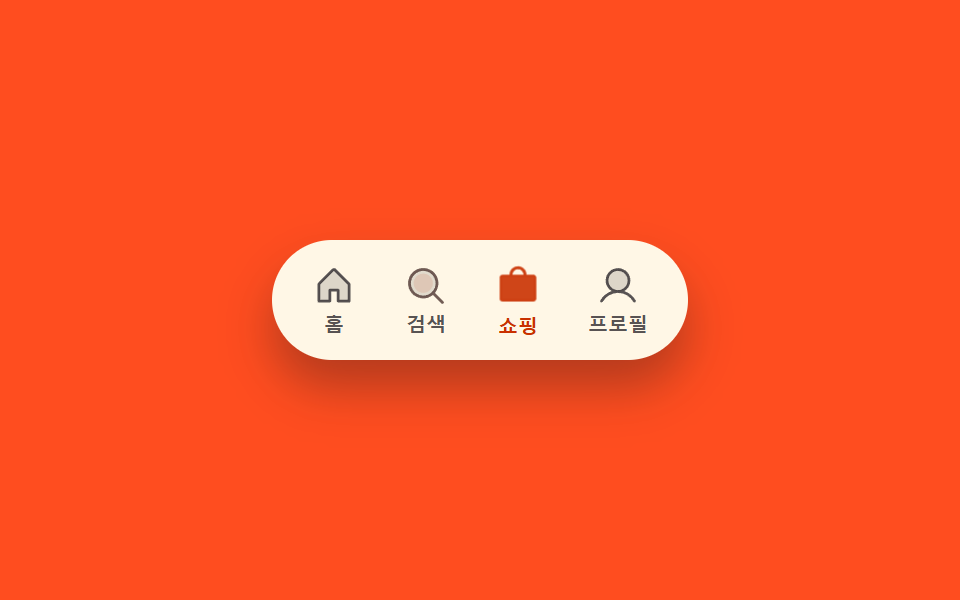 02 bottom-nav-bar-icon-fill-swap
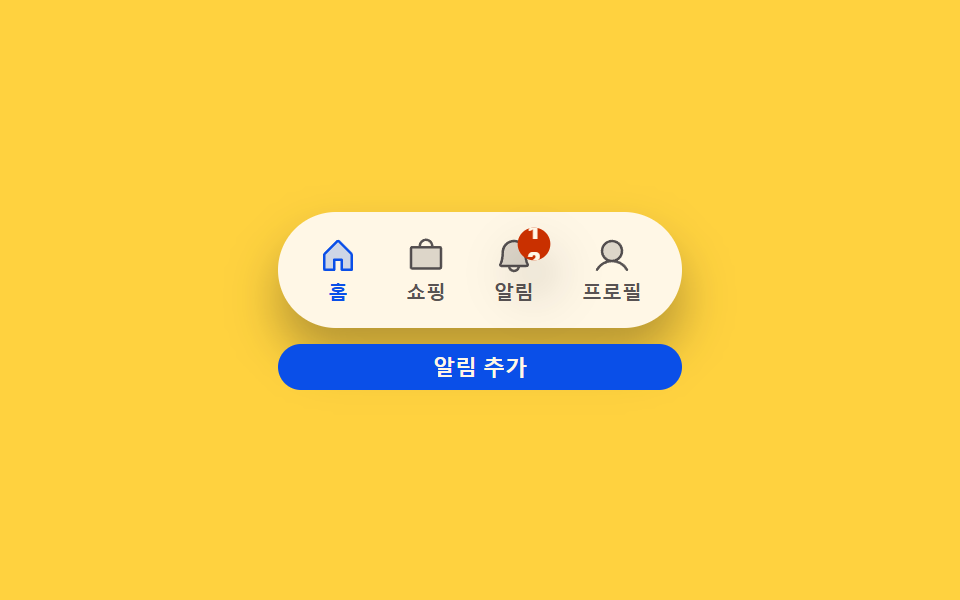 03 bottom-nav-bar-badge-count-bump
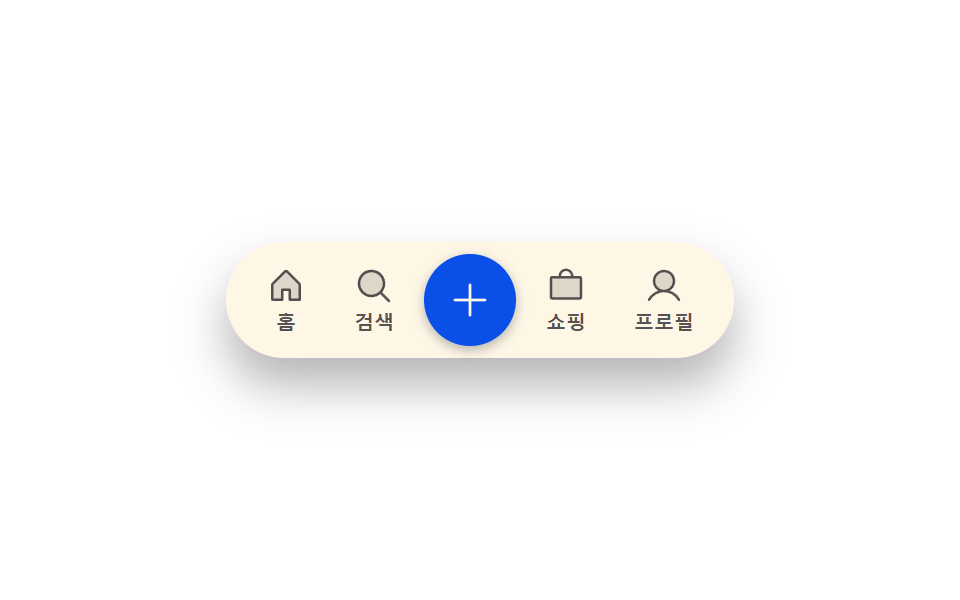 04 bottom-nav-bar-center-lift-scale
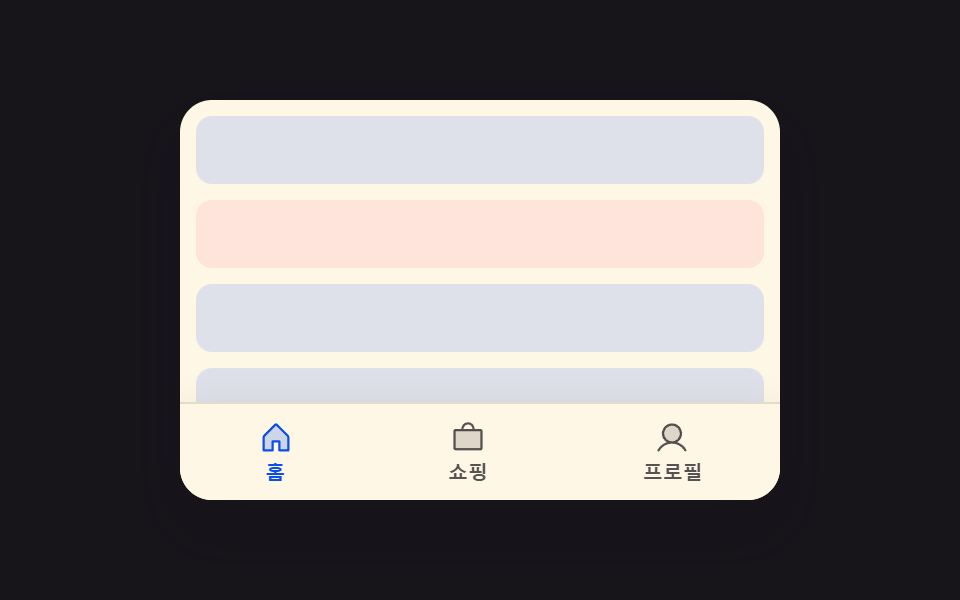 05 bottom-nav-bar-scroll-hide-reveal
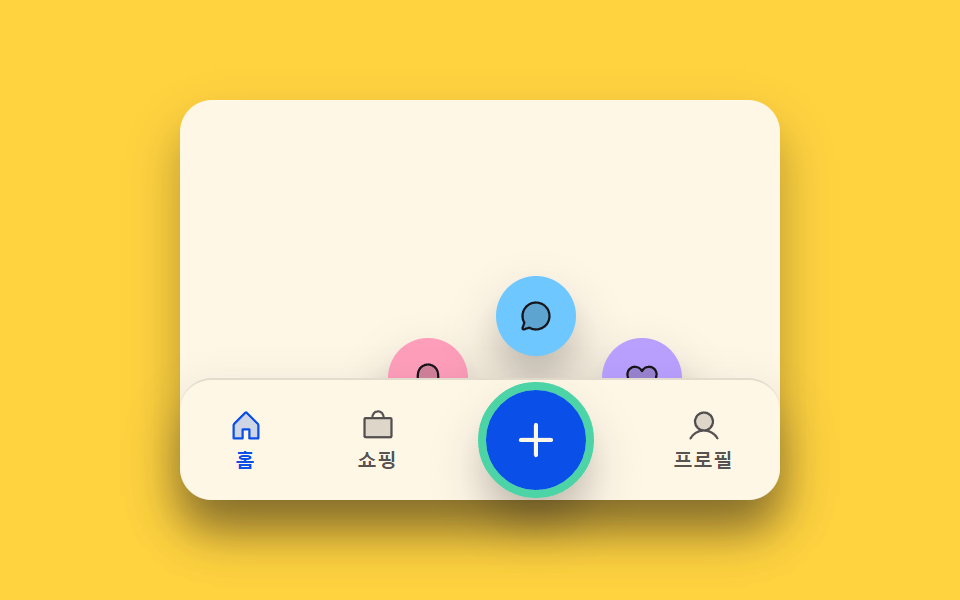 06 bottom-nav-bar-longpress-reveal
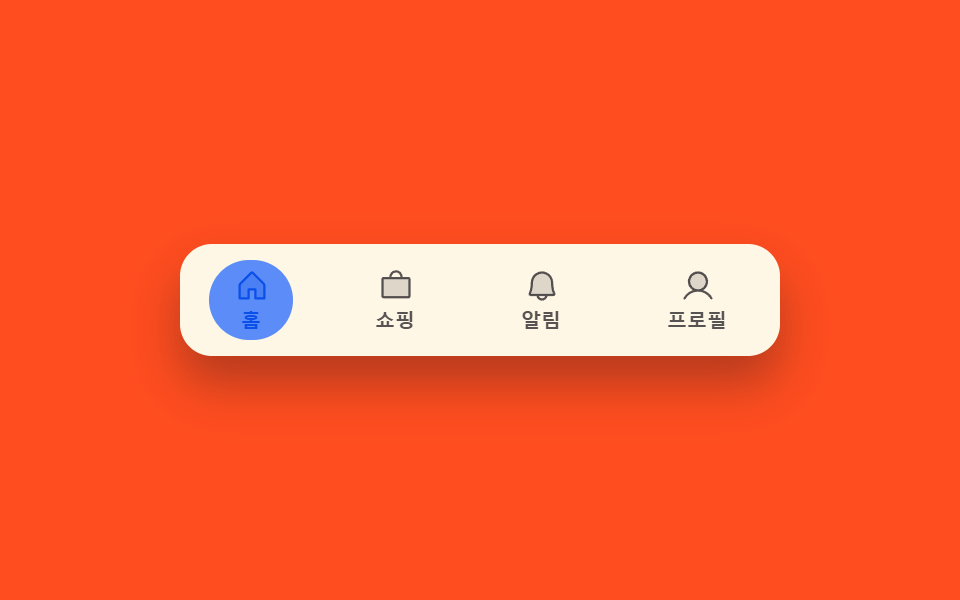 07 bottom-nav-bar-swipe-follow
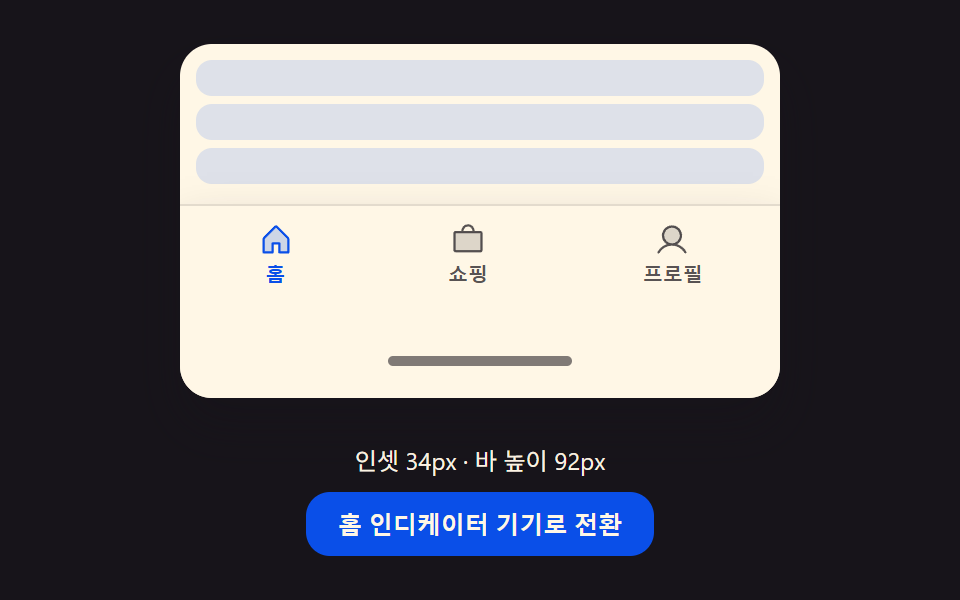 08 bottom-nav-bar-safe-area-inset-resize
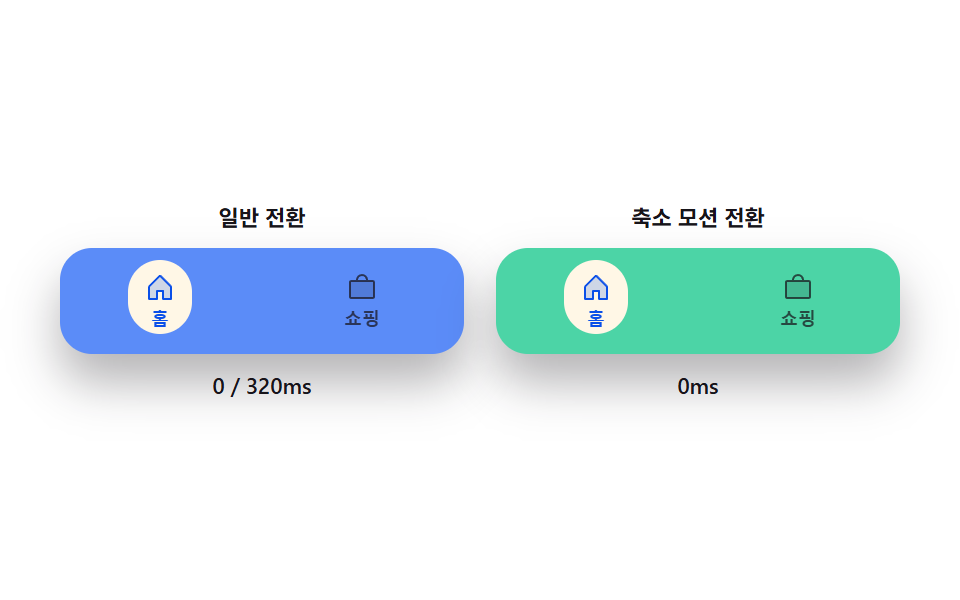 09 bottom-nav-bar-reduced-motion-instant
自動再生 · タイルを押すとその項目へ · すべて1つのzip
- 01 アクティブ表示移動切替 — 選択タブが変わると強調表示の位置と幅の値が古い場所から新しい場所へ一緒に変わる方式
- 02 アイコン塗り切替 — 選択タブが変わるとその場所の塗り具合の値が低い状態から満ちた状態へ変わる方式
- 03 バッジ件数バウンド切替 — 通知件数の値が上がるたびその表示の大きさの値が一度大きくなってから戻る方式
- 04 中央浮上切替 — 中央タブの選択値がオンになるとその場所だけ高さの値が背景より大きくなり浮き上がる方式
- 05 スクロール方向非表示切替 — スクロール方向の値が下向きだとバー全体が画面外へ隠れ、上向きだと再び現れる方式
- 06 長押し展開切替 — 押下時間の値がしきい値を超えるとその場所上の展開度の値が増え追加の場所が現れる方式
- 07 スワイプ追従切替 — 横方向の移動距離の値が増える間、強調表示の位置の値がその割合分だけ隣のタブ側へ追従する方式
- 08 下部余白対応切替 — 画面下部の余白の値が増えるとバーの全体の高さと内側余白の値がその差分だけ一緒に増える方式
- 09 モーション削減即時切替 — モーション削減設定がオンだと前の8方式の切替が全て中間段階なしに目標値へ変わる方式
九つのどれもサーバーへ通信したり、localStorageに書き込んだり、スクリプトのどこかでMath.randomを呼んだりすることはありません。どれも一つの状態値(どのタブが選ばれているか・押し続けた時間・スクロールの方向・機器のセーフエリアの余白がどれだけあるか)と、その値の変化が画面上でどう見えるかを決める少数の定数だけで作られた、小さく自己完結したボトムナビゲーション デザインです。この範囲の狭さのおかげで、実際に動いている値が何か — 選択の番号か、件数か、スクロールの方向か、ピクセル単位の余白か — を名付けるだけで、コードを開く前にこの9つのどれが今の画面に合うかが分かります。
9つのパターンの解剖 — どの値がいつ変わるか
9つすべてが自前のrequestAnimationFrameループで動いており、どれもMath.randomを呼ぶことはありません — すべてが乱数のスクリプトではなく実際の操作から一歩ずつ進むため、同じデモは訪れるたびに同じように再生されます。いくつかの項目はCSSトランジションだけに頼らず、フレームごとに実際のばねや減衰を計算しています。01番のspringTo()は共通のSPRING_K210・SPRING_C19のペアでインジケーターの位置と幅の両方をアクティブなタブへ引き寄せ、03番のbumpScale()はMath.expによるBUMP_ZETA4.8の減衰とBUMP_FREQのコサインを掛け合わせてバッジの一瞬の跳ね上がりを作り、04番のrender()は一つのliftTの値だけで高さ・拡大率・そしてSHADOW_BLUR_GAIN20を含む影を同時に動かし、05番のonScrollFrame()はscrollTopの変化量から実際の速度を求めて非対称なVEL_HIDE90・VEL_SHOW40のしきい値と比較し、06番のplaceActions()はFAN_ANGLES配列に実際の三角関数を適用して3つのボタンを実際のFAN_Rの半径上に配置し、07番のドラッグは指を離した後にインジケーターを最も近いタブへ引き寄せる別のばね(SPRING_K240)を持ち、08番のrender()はフレームごとにLERP_RATE10で緩和されるリアルタイムの余白値からバー全体の高さを再計算します。02番はFILL_RATEという一つの指数平滑の値だけで二つのタブの間を切り替え、09番はこの比較そのものを目的としています — 通常側のパネルはDURATION_MS320で緩和し、モーション削減側のパートナーは中間段階を挟まず同じ目標値を直接代入します。すべてのリスナーは実際の操作に応えるものであり、自動再生のスクリプトからは一つも来ません。02・04・09番はただのclickに応え、03・08番はEnterやSpaceのためのkeydownをclickと組み合わせ、01・05番はclickにresizeを加え、06番はclick・pointerdown・resizeを組み合わせ、07番だけが例外で、pointermove・pointerup・pointercancelをclick・pointerdown・resizeにさらに加えることで、ドラッグ全体がタップと同じように扱われます。9つすべてがisDemoという自動再生の状態から始まり、最初のクリック・ポインター操作・キー入力がhuman()を呼ぶまでその状態が続きます。human()はis-demoクラスを外し、台本通りの自動再生を完全に止めます。01番から05番はそれぞれ読み込み時に一度だけmatchMedia('(prefers-reduced-motion: reduce)')を確認し、一致すればループの開始そのものを飛ばしますが、06番から09番は同じフラグをループの起動には使わずisDemo && !reduceで自動再生の分岐だけを止めます — 09番だけはこの仕組みをモーション削減が何を変えるかを見せる比較そのものに使っている点が異なります。
パターン別コード
01アクティブ表示移動切替 — 選択タブが変わると強調表示の位置と幅の値が古い場所から新しい場所へ一緒に変わる方式
選択値が変わった瞬間、強調表示の横位置と幅の値が新しいタブの場所へ一緒に移動します。下部タブを切り替えるモバイル画面に向いており、共通のSPRING_KとSPRING_Cのペアが同じばねの式で短い移動も長い移動も同じように語ってくれるからです。
<main class="stage">
<div class="bn is-demo" id="bn">
  <div class="bn__phone">
    <div class="bn__track" id="bnTrack">
      <span class="bn__indicator" id="bnIndicator"></span>
      <button type="button" class="bn__tab is-active" data-idx="0" id="bnTab0" aria-current="true">
        <svg class="bn__icon" viewBox="0 0 256 256" aria-hidden="true"><g fill="currentColor"><path d="M216 120v96h-64v-64h-48v64H40v-96a8 8 0 0 1 2.34-5.66l80-80a8 8 0 0 1 11.32 0l80 80A8 8 0 0 1 216 120" opacity=".2"/><path d="m219.31 108.68l-80-80a16 16 0 0 0-22.62 0l-80 80A15.87 15.87 0 0 0 32 120v96a8 8 0 0 0 8 8h64a8 8 0 0 0 8-8v-56h32v56a8 8 0 0 0 8 8h64a8 8 0 0 0 8-8v-96a15.87 15.87 0 0 0-4.69-11.32M208 208h-48v-56a8 8 0 0 0-8-8h-48a8 8 0 0 0-8 8v56H48v-88l80-80l80 80Z"/></g></svg>
        <span class="bn__label">ホーム</span>
      </button>
      <button type="button" class="bn__tab" data-idx="1" id="bnTab1">
        <svg class="bn__icon" viewBox="0 0 256 256" aria-hidden="true"><g fill="currentColor"><path d="M192 112a80 80 0 1 1-80-80a80 80 0 0 1 80 80" opacity=".2"/><path d="m229.66 218.34l-50.06-50.06a88.21 88.21 0 1 0-11.32 11.31l50.06 50.07a8 8 0 0 0 11.32-11.32M40 112a72 72 0 1 1 72 72a72.08 72.08 0 0 1-72-72"/></g></svg>
        <span class="bn__label">検索</span>
      </button>
      <button type="button" class="bn__tab" data-idx="2" id="bnTab2">
        <svg class="bn__icon" viewBox="0 0 256 256" aria-hidden="true"><g fill="currentColor"><path d="M224 80v120a8 8 0 0 1-8 8H40a8 8 0 0 1-8-8V80a8 8 0 0 1 8-8h176a8 8 0 0 1 8 8" opacity=".2"/><path d="M216 64h-40a48 48 0 0 0-96 0H40a16 16 0 0 0-16 16v120a16 16 0 0 0 16 16h176a16 16 0 0 0 16-16V80a16 16 0 0 0-16-16m-88-32a32 32 0 0 1 32 32H96a32 32 0 0 1 32-32m88 168H40V80h176Z"/></g></svg>
        <span class="bn__label">ショッピング</span>
      </button>
      <button type="button" class="bn__tab" data-idx="3" id="bnTab3">
        <svg class="bn__icon" viewBox="0 0 256 256" aria-hidden="true"><g fill="currentColor"><path d="M192 96a64 64 0 1 1-64-64a64 64 0 0 1 64 64" opacity=".2"/><path d="M230.92 212c-15.23-26.33-38.7-45.21-66.09-54.16a72 72 0 1 0-73.66 0c-27.39 8.94-50.86 27.82-66.09 54.16a8 8 0 1 0 13.85 8c18.84-32.56 52.14-52 89.07-52s70.23 19.44 89.07 52a8 8 0 1 0 13.85-8M72 96a56 56 0 1 1 56 56a56.06 56.06 0 0 1-56-56"/></g></svg>
        <span class="bn__label">プロフィール</span>
      </button>
    </div>
  </div>
</div>
</main>@use "../../../../site/static/demo-tokens" as *;
// 계산 겹: index.html measure() 가 Playwright/브라우저 실측(getBoundingClientRect)으로 탭 폭·좌표를
// 얻고, springTo() 가 감쇠 조화진동자로 인디케이터 위치·너비를 매 프레임 목표로 당긴다(오버슛 포함).
@include stage($stage-ink);
.bn__phone { width: 100%; max-width: 300px; }
.bn__track {
position: relative; display: flex; background: $subject-cream; border-radius: $r-pill;
box-shadow: $shadow-raised; padding: $sp-1; box-sizing: border-box;
}
.bn__indicator {
position: absolute; top: $sp-1; left: 0; height: calc(100% - #{$sp-1} * 2);
border-radius: $r-pill; background: rgba($subject-blue, .16);
will-change: transform, width;
}
.bn__tab {
position: relative; flex: 0 0 auto; display: flex; flex-direction: column; align-items: center;
gap: $sp-1; border: none; background: transparent; cursor: pointer;
padding: $sp-2 $sp-3; color: rgba($subject-ink, .72); z-index: 1;
}
.bn__icon { width: 20px; height: 20px; }
.bn__label { font-size: 10px; font-weight: 700; line-height: 1; }
.bn__tab.is-active { color: $subject-blue-deep; }
@media (max-width: 340px) {
.bn__phone { max-width: 230px; }
.bn__tab { padding: $sp-1 $sp-2; }
.bn__icon { width: 18px; height: 18px; }
}
@media (prefers-reduced-motion: reduce) {
.bn__indicator { transition: none; }
}html, body {
margin: 0;
overflow: hidden;
}
.stage {
box-sizing: border-box;
min-height: 100vh;
display: grid;
place-items: center;
margin: 0;
background: #17141a;
font-family: -apple-system, "Segoe UI", "Noto Sans KR", sans-serif;
padding: clamp(8px, 4vw, 24px);
}
.bn__phone {
width: 100%;
max-width: 300px;
}
.bn__track {
position: relative;
display: flex;
background: #fff7e6;
border-radius: 999px;
box-shadow: 0 14px 24px rgba(23, 20, 26, 0.32);
padding: 4px;
box-sizing: border-box;
}
.bn__indicator {
position: absolute;
top: 4px;
left: 0;
height: calc(100% - 4px * 2);
border-radius: 999px;
background: rgba(47, 109, 246, 0.16);
will-change: transform, width;
}
.bn__tab {
position: relative;
flex: 0 0 auto;
display: flex;
flex-direction: column;
align-items: center;
gap: 4px;
border: none;
background: transparent;
cursor: pointer;
padding: 8px 12px;
color: rgba(23, 20, 26, 0.72);
z-index: 1;
}
.bn__icon {
width: 20px;
height: 20px;
}
.bn__label {
font-size: 10px;
font-weight: 700;
line-height: 1;
}
.bn__tab.is-active {
color: #0a4fe8;
}
@media (max-width: 340px) {
.bn__phone {
max-width: 230px;
}
.bn__tab {
padding: 4px 8px;
}
.bn__icon {
width: 18px;
height: 18px;
}
}
@media (prefers-reduced-motion: reduce) {
.bn__indicator {
transition: none;
}
}(function () {
var HOLD_MS = 650; // 계산 겹 상수: 자동 루프가 각 탭에 머무는 시간
var SPRING_K = 210; // 계산 겹: 스프링 상수(위치·너비 공용) — 값이 클수록 빨리 목표에 붙는다
var SPRING_C = 19; // 계산 겹: 감쇠 상수 — 낮을수록 목표를 지나쳤다 되돌아오는 정도가 크다
var TAB_COUNT = 4;
var reduce = window.matchMedia('(prefers-reduced-motion: reduce)').matches;
var bn = document.getElementById('bn');
var track = document.getElementById('bnTrack');
var indicator = document.getElementById('bnIndicator');
var tabs = [0, 1, 2, 3].map(function (i) { return document.getElementById('bnTab' + i); });
var isDemo = true;
var activeIdx = 0;
var rects = [];
var posX = 0, velX = 0, posW = 0, velW = 0;
var lastTs = 0;
var cycleStart = 0;
function measure() {
// 계산 겹: 탭 폭·위치를 실측해 인디케이터 목표 좌표를 만든다 — 짐작 px 를 쓰지 않는다
var tRect = track.getBoundingClientRect();
rects = tabs.map(function (t) {
var r = t.getBoundingClientRect();
return { x: r.left - tRect.left, w: r.width };
});
if (!posW) { posX = rects[0].x; posW = rects[0].w; }
}
function setActive(idx) {
activeIdx = idx;
tabs.forEach(function (t, i) {
t.classList.toggle('is-active', i === idx);
t.setAttribute('aria-current', i === idx ? 'true' : 'false');
});
}
  function springTo(pos, vel, target, dt) {
    var acc = (target - pos) * SPRING_K - vel * SPRING_C;
    vel += acc * dt;
    pos += vel * dt;
    return [pos, vel];
  }

  function render() {
    indicator.style.transform = 'translateX(' + posX.toFixed(2) + 'px)';
    indicator.style.width = posW.toFixed(2) + 'px';
  }
function human() {
if (isDemo) { bn.classList.remove('is-demo'); isDemo = false; }
}
tabs.forEach(function (t, i) {
t.addEventListener('click', function () { human(); setActive(i); });
});
function loop(ts) {
if (!lastTs) { lastTs = ts; cycleStart = ts; }
var dt = Math.min(0.05, (ts - lastTs) / 1000);
lastTs = ts;
if (isDemo) {
var elapsed = ts - cycleStart;
var idx = Math.floor(elapsed / HOLD_MS) % TAB_COUNT;
if (idx !== activeIdx) setActive(idx);
}
var target = rects[activeIdx] || rects[0] || { x: posX, w: posW };
var rx = springTo(posX, velX, target.x, dt);
posX = rx[0]; velX = rx[1];
var rw = springTo(posW, velW, target.w, dt);
posW = rw[0]; velW = rw[1];
render();
requestAnimationFrame(loop);
}
window.addEventListener('resize', measure);
measure();
render();
if (!reduce) {
requestAnimationFrame(loop);
}
})();// IndicatorSlideMorph — vanilla 판(run/367/demo/01-bottom-nav-bar-indicator-slide-morph/index.html) 의 React 포트.
// 탭 폭·좌표를 getBoundingClientRect 로 실측하고, springTo() 감쇠 조화진동자가 인디케이터의
// x·width 를 매 프레임 목표로 당긴다(오버슛 포함) — CSS transition 이 아니라 rAF 계산이 위치를 만든다.
import { useEffect, useRef } from "react";
import styles from "./IndicatorSlideMorph.module.scss";
type Box<T> = { current: T };
type ClickEvt = { preventDefault(): void };
const HOLD_MS = 650; // 계산 겹 상수: 자동 루프가 각 탭에 머무는 시간
const SPRING_K = 210; // 계산 겹: 스프링 상수(위치·너비 공용)
const SPRING_C = 19; // 계산 겹: 감쇠 상수
const TABS = [
{ label: "홈", d: "M216 120v96h-64v-64h-48v64H40v-96a8 8 0 0 1 2.34-5.66l80-80a8 8 0 0 1 11.32 0l80 80A8 8 0 0 1 216 120|.2#m219.31 108.68l-80-80a16 16 0 0 0-22.62 0l-80 80A15.87 15.87 0 0 0 32 120v96a8 8 0 0 0 8 8h64a8 8 0 0 0 8-8v-56h32v56a8 8 0 0 0 8 8h64a8 8 0 0 0 8-8v-96a15.87 15.87 0 0 0-4.69-11.32M208 208h-48v-56a8 8 0 0 0-8-8h-48a8 8 0 0 0-8 8v56H48v-88l80-80l80 80Z" },
{ label: "검색", d: "M192 112a80 80 0 1 1-80-80a80 80 0 0 1 80 80|.2#m229.66 218.34l-50.06-50.06a88.21 88.21 0 1 0-11.32 11.31l50.06 50.07a8 8 0 0 0 11.32-11.32M40 112a72 72 0 1 1 72 72a72.08 72.08 0 0 1-72-72" },
{ label: "쇼핑", d: "M224 80v120a8 8 0 0 1-8 8H40a8 8 0 0 1-8-8V80a8 8 0 0 1 8-8h176a8 8 0 0 1 8 8|.2#M216 64h-40a48 48 0 0 0-96 0H40a16 16 0 0 0-16 16v120a16 16 0 0 0 16 16h176a16 16 0 0 0 16-16V80a16 16 0 0 0-16-16m-88-32a32 32 0 0 1 32 32H96a32 32 0 0 1 32-32m88 168H40V80h176Z" },
{ label: "프로필", d: "M192 96a64 64 0 1 1-64-64a64 64 0 0 1 64 64|.2#M230.92 212c-15.23-26.33-38.7-45.21-66.09-54.16a72 72 0 1 0-73.66 0c-27.39 8.94-50.86 27.82-66.09 54.16a8 8 0 1 0 13.85 8c18.84-32.56 52.14-52 89.07-52s70.23 19.44 89.07 52a8 8 0 1 0 13.85-8M72 96a56 56 0 1 1 56 56a56.06 56.06 0 0 1-56-56" },
];
function Icon({ spec }: { spec: string }) {
const [a, b] = spec.split("#");
const [pathA, opacity] = a.split("|");
return (
<svg className={styles.icon} viewBox="0 0 256 256" aria-hidden="true">
<g fill="currentColor">
<path d={pathA} opacity={opacity} />
<path d={b} />
</g>
</svg>
);
}
export default function IndicatorSlideMorph() {
const rootRef = useRef(null) as unknown as Box<HTMLDivElement>;
const trackRef = useRef(null) as unknown as Box<HTMLDivElement>;
const indicatorRef = useRef(null) as unknown as Box<HTMLSpanElement>;
const tabRefs = useRef([null, null, null, null]) as unknown as Box<(HTMLButtonElement | null)[]>;
const rafRef = useRef(0) as unknown as Box<number>;
useEffect(() => {
const reduce = window.matchMedia("(prefers-reduced-motion: reduce)").matches;
let isDemo = true;
let activeIdx = 0;
let rects: { x: number; w: number }[] = [];
let posX = 0, velX = 0, posW = 0, velW = 0;
let lastTs = 0, cycleStart = 0;
function measure() {
const track = trackRef.current;
if (!track) return;
const tRect = track.getBoundingClientRect();
rects = tabRefs.current.map((t) => {
if (!t) return { x: 0, w: 0 };
const r = t.getBoundingClientRect();
return { x: r.left - tRect.left, w: r.width };
});
if (!posW) { posX = rects[0].x; posW = rects[0].w; }
}
function setActive(idx: number) {
activeIdx = idx;
tabRefs.current.forEach((t, i) => {
if (!t) return;
t.classList.toggle(styles.isActive, i === idx);
t.setAttribute("aria-current", i === idx ? "true" : "false");
});
}
function springTo(pos: number, vel: number, target: number, dt: number): [number, number] {
const acc = (target - pos) * SPRING_K - vel * SPRING_C;
vel += acc * dt;
pos += vel * dt;
return [pos, vel];
}
function render() {
const ind = indicatorRef.current;
if (!ind) return;
ind.style.transform = "translateX(" + posX.toFixed(2) + "px)";
ind.style.width = posW.toFixed(2) + "px";
}
function human() {
if (isDemo) { rootRef.current?.classList.remove(styles.isDemo); isDemo = false; }
}
function onTabClick(i: number) { return () => { human(); setActive(i); }; }
const handlers = TABS.map((_, i) => onTabClick(i));
tabRefs.current.forEach((t, i) => t?.addEventListener("click", handlers[i]));
function loop(ts: number) {
if (!lastTs) { lastTs = ts; cycleStart = ts; }
const dt = Math.min(0.05, (ts - lastTs) / 1000);
lastTs = ts;
if (isDemo) {
const elapsed = ts - cycleStart;
const idx = Math.floor(elapsed / HOLD_MS) % TABS.length;
if (idx !== activeIdx) setActive(idx);
}
const target = rects[activeIdx] || rects[0] || { x: posX, w: posW };
const rx = springTo(posX, velX, target.x, dt); posX = rx[0]; velX = rx[1];
const rw = springTo(posW, velW, target.w, dt); posW = rw[0]; velW = rw[1];
render();
rafRef.current = requestAnimationFrame(loop);
}
function onResize() { measure(); }
window.addEventListener("resize", onResize);
measure();
render();
if (!reduce) { rafRef.current = requestAnimationFrame(loop); }
return () => {
window.removeEventListener("resize", onResize);
cancelAnimationFrame(rafRef.current);
tabRefs.current.forEach((t, i) => t?.removeEventListener("click", handlers[i]));
};
}, []);
return (
<main className={styles.stage}>
<div className={styles.root + " " + styles.isDemo} ref={rootRef}>
<div className={styles.phone}>
<div className={styles.track} ref={trackRef}>
<span className={styles.indicator} ref={indicatorRef} />
{TABS.map((t, i) => (
<button
key={t.label}
type="button"
className={styles.tab + (i === 0 ? " " + styles.isActive : "")}
aria-current={i === 0 ? "true" : undefined}
ref={(el: HTMLButtonElement | null) => { tabRefs.current[i] = el; }}
>
<Icon spec={t.d} />
<span className={styles.label}>{t.label}</span>
</button>
))}
</div>
</div>
</div>
</main>
);
}01 · アクティブ表示移動切替 — 選択タブが変わると強調表示の位置と幅の値が古い場所から新しい場所へ一緒に変わる方式 — 計測 累積面積 6.096% · 動いたフレーム 17/23GODRICH オリジナル · SCSS と React は zip に同梱 · パスワードを見る
function springTo(pos, vel, target, dt) {
var acc = (target - pos) * SPRING_K - vel * SPRING_C;
vel += acc * dt;
pos += vel * dt;
return [pos, vel];
}
function render() {
indicator.style.transform = 'translateX(' + posX.toFixed(2) + 'px)';
indicator.style.width = posW.toFixed(2) + 'px';
}
数値が語ること
01番はフレーム全体の6.10%を累積で占め、平均強度32.0で、サンプリングした23フレームのうち17フレームで動いています。これはspringTo()がposXとposWの両方を、ばねが収まるまで毎フレーム同じSPRING_K210・SPRING_C19のペアから再計算するためで、インジケーターの移動とリサイズが別々にずれることなく同じ拍で揺れ動くからです。
02アイコン塗り切替 — 選択タブが変わるとその場所の塗り具合の値が低い状態から満ちた状態へ変わる方式
選択値がオンになった瞬間、その場所の塗り具合の値が最大まで上がり、他の場所の値は逆に下がります。アイコン中心の下部ナビゲーションに向いており、塗りと輪郭が入れ替わることで二つのアイコンが別々に点滅するのではなく一つの受け渡しに見えるからです。
<main class="stage">
<div class="bf is-demo" id="bf">
  <div class="bf__phone">
    <div class="bf__track">
      <button type="button" class="bf__tab is-active" data-idx="0" id="bfTab0" aria-current="true">
        <span class="bf__iconWrap" id="bfIcon0">
          <svg class="bf__icon bf__icon--outline" viewBox="0 0 256 256" aria-hidden="true"><g fill="currentColor"><path d="M216 120v96h-64v-64h-48v64H40v-96a8 8 0 0 1 2.34-5.66l80-80a8 8 0 0 1 11.32 0l80 80A8 8 0 0 1 216 120" opacity=".2"/><path d="m219.31 108.68l-80-80a16 16 0 0 0-22.62 0l-80 80A15.87 15.87 0 0 0 32 120v96a8 8 0 0 0 8 8h64a8 8 0 0 0 8-8v-56h32v56a8 8 0 0 0 8 8h64a8 8 0 0 0 8-8v-96a15.87 15.87 0 0 0-4.69-11.32M208 208h-48v-56a8 8 0 0 0-8-8h-48a8 8 0 0 0-8 8v56H48v-88l80-80l80 80Z"/></g></svg>
          <svg class="bf__icon bf__icon--fill" viewBox="0 0 256 256" aria-hidden="true"><path fill="currentColor" d="M224 120v96a8 8 0 0 1-8 8h-56a8 8 0 0 1-8-8v-52a4 4 0 0 0-4-4h-40a4 4 0 0 0-4 4v52a8 8 0 0 1-8 8H40a8 8 0 0 1-8-8v-96a16 16 0 0 1 4.69-11.31l80-80a16 16 0 0 1 22.62 0l80 80A16 16 0 0 1 224 120"/></svg>
        </span>
        <span class="bf__label">ホーム</span>
      </button>
      <button type="button" class="bf__tab" data-idx="1" id="bfTab1">
        <span class="bf__iconWrap" id="bfIcon1">
          <svg class="bf__icon bf__icon--outline" viewBox="0 0 256 256" aria-hidden="true"><g fill="currentColor"><path d="M192 112a80 80 0 1 1-80-80a80 80 0 0 1 80 80" opacity=".2"/><path d="m229.66 218.34l-50.06-50.06a88.21 88.21 0 1 0-11.32 11.31l50.06 50.07a8 8 0 0 0 11.32-11.32M40 112a72 72 0 1 1 72 72a72.08 72.08 0 0 1-72-72"/></g></svg>
          <svg class="bf__icon bf__icon--fill" viewBox="0 0 256 256" aria-hidden="true"><path fill="currentColor" d="M168 112a56 56 0 1 1-56-56a56 56 0 0 1 56 56m61.66 117.66a8 8 0 0 1-11.32 0l-50.06-50.07a88 88 0 1 1 11.32-11.31l50.06 50.06a8 8 0 0 1 0 11.32M112 184a72 72 0 1 0-72-72a72.08 72.08 0 0 0 72 72"/></svg>
        </span>
        <span class="bf__label">検索</span>
      </button>
      <button type="button" class="bf__tab" data-idx="2" id="bfTab2">
        <span class="bf__iconWrap" id="bfIcon2">
          <svg class="bf__icon bf__icon--outline" viewBox="0 0 256 256" aria-hidden="true"><g fill="currentColor"><path d="M224 80v120a8 8 0 0 1-8 8H40a8 8 0 0 1-8-8V80a8 8 0 0 1 8-8h176a8 8 0 0 1 8 8" opacity=".2"/><path d="M216 64h-40a48 48 0 0 0-96 0H40a16 16 0 0 0-16 16v120a16 16 0 0 0 16 16h176a16 16 0 0 0 16-16V80a16 16 0 0 0-16-16m-88-32a32 32 0 0 1 32 32H96a32 32 0 0 1 32-32m88 168H40V80h176Z"/></g></svg>
          <svg class="bf__icon bf__icon--fill" viewBox="0 0 256 256" aria-hidden="true"><path fill="currentColor" d="M216 64h-40a48 48 0 0 0-96 0H40a16 16 0 0 0-16 16v120a16 16 0 0 0 16 16h176a16 16 0 0 0 16-16V80a16 16 0 0 0-16-16m-88-32a32 32 0 0 1 32 32H96a32 32 0 0 1 32-32"/></svg>
        </span>
        <span class="bf__label">ショッピング</span>
      </button>
      <button type="button" class="bf__tab" data-idx="3" id="bfTab3">
        <span class="bf__iconWrap" id="bfIcon3">
          <svg class="bf__icon bf__icon--outline" viewBox="0 0 256 256" aria-hidden="true"><g fill="currentColor"><path d="M192 96a64 64 0 1 1-64-64a64 64 0 0 1 64 64" opacity=".2"/><path d="M230.92 212c-15.23-26.33-38.7-45.21-66.09-54.16a72 72 0 1 0-73.66 0c-27.39 8.94-50.86 27.82-66.09 54.16a8 8 0 1 0 13.85 8c18.84-32.56 52.14-52 89.07-52s70.23 19.44 89.07 52a8 8 0 1 0 13.85-8M72 96a56 56 0 1 1 56 56a56.06 56.06 0 0 1-56-56"/></g></svg>
          <svg class="bf__icon bf__icon--fill" viewBox="0 0 256 256" aria-hidden="true"><path fill="currentColor" d="M230.93 220a8 8 0 0 1-6.93 4H32a8 8 0 0 1-6.92-12c15.23-26.33 38.7-45.21 66.09-54.16a72 72 0 1 1 73.66 0c27.39 8.95 50.86 27.83 66.09 54.16a8 8 0 0 1 .01 8"/></svg>
        </span>
        <span class="bf__label">プロフィール</span>
      </button>
    </div>
  </div>
</div>
</main>@use "../../../../site/static/demo-tokens" as *;
// 계산 겹: index.html 이 채움 정도(fillAmt)를 지수 평활로 목표(0/1)에 붙이고, 활성화 순간엔
// pulseScale() 감쇠 코사인 진동으로 아이콘이 살짝 튀어올랐다 가라앉는 스케일 펄스를 얹는다.
@include stage($stage-orange);
.bf__phone { width: 100%; max-width: 300px; }
.bf__track {
display: flex; justify-content: space-between; background: $subject-cream; border-radius: $r-pill;
box-shadow: $shadow-raised; padding: $sp-1 $sp-2; box-sizing: border-box;
}
.bf__tab {
flex: 0 0 auto; display: flex; flex-direction: column; align-items: center; gap: $sp-1;
border: none; background: transparent; cursor: pointer; padding: $sp-2 $sp-3; color: rgba($subject-ink, .72);
}
.bf__iconWrap { position: relative; width: 22px; height: 22px; transform-origin: 50% 50%; }
.bf__icon { position: absolute; inset: 0; width: 22px; height: 22px; will-change: opacity; }
.bf__icon--fill { opacity: 0; color: $subject-orange-deep; }
.bf__icon--outline { opacity: 1; }
.bf__label { font-size: 10px; font-weight: 700; line-height: 1; }
.bf__tab.is-active { color: $subject-orange-deep; }
.bf__tab.is-active .bf__label { font-weight: 800; }
@media (max-width: 340px) {
.bf__phone { max-width: 230px; }
.bf__tab { padding: $sp-1 $sp-2; }
.bf__iconWrap, .bf__icon { width: 19px; height: 19px; }
}
@media (prefers-reduced-motion: reduce) {
.bf__icon, .bf__iconWrap { transition: none; }
}html, body {
margin: 0;
overflow: hidden;
}
.stage {
box-sizing: border-box;
min-height: 100vh;
display: grid;
place-items: center;
margin: 0;
background: #ff4d1f;
font-family: -apple-system, "Segoe UI", "Noto Sans KR", sans-serif;
padding: clamp(8px, 4vw, 24px);
}
.bf__phone {
width: 100%;
max-width: 300px;
}
.bf__track {
display: flex;
justify-content: space-between;
background: #fff7e6;
border-radius: 999px;
box-shadow: 0 14px 24px rgba(23, 20, 26, 0.32);
padding: 4px 8px;
box-sizing: border-box;
}
.bf__tab {
flex: 0 0 auto;
display: flex;
flex-direction: column;
align-items: center;
gap: 4px;
border: none;
background: transparent;
cursor: pointer;
padding: 8px 12px;
color: rgba(23, 20, 26, 0.72);
}
.bf__iconWrap {
position: relative;
width: 22px;
height: 22px;
transform-origin: 50% 50%;
}
.bf__icon {
position: absolute;
inset: 0;
width: 22px;
height: 22px;
will-change: opacity;
}
.bf__icon--fill {
opacity: 0;
color: #c93000;
}
.bf__icon--outline {
opacity: 1;
}
.bf__label {
font-size: 10px;
font-weight: 700;
line-height: 1;
}
.bf__tab.is-active {
color: #c93000;
}
.bf__tab.is-active .bf__label {
font-weight: 800;
}
@media (max-width: 340px) {
.bf__phone {
max-width: 230px;
}
.bf__tab {
padding: 4px 8px;
}
.bf__iconWrap, .bf__icon {
width: 19px;
height: 19px;
}
}
@media (prefers-reduced-motion: reduce) {
.bf__icon, .bf__iconWrap {
transition: none;
}
}(function () {
var HOLD_MS = 650; // 계산 겹 상수: 자동 루프가 각 탭에 머무는 시간
var FILL_RATE = 0.012; // 계산 겹: 채움 정도 지수 평활 상수(ms 기준)
var PULSE_DUR = 360; // ms, 활성화 순간 스케일 펄스 지속
var PULSE_FREQ = 2 * Math.PI * 1.6 / PULSE_DUR; // 계산 겹: 펄스 각속도
var PULSE_ZETA = 4.4; // 계산 겹: 펄스 감쇠 상수
var TAB_COUNT = 4;
var reduce = window.matchMedia('(prefers-reduced-motion: reduce)').matches;
var bf = document.getElementById('bf');
var tabs = [0, 1, 2, 3].map(function (i) { return document.getElementById('bfTab' + i); });
var wraps = [0, 1, 2, 3].map(function (i) { return document.getElementById('bfIcon' + i); });
var isDemo = true;
var activeIdx = 0;
var fillAmt = [1, 0, 0, 0];
var pulseStart = [-9999, -9999, -9999, -9999];
var cycleStart = 0;
var lastTs = 0;
function pulseScale(t) {
// 계산 겹: 활성화 순간의 스케일 펄스 — 감쇠 코사인 진동으로 목표를 넘어섰다 되돌아온다
if (t < 0 || t > PULSE_DUR) return 1;
var amp = Math.exp(-PULSE_ZETA * (t / PULSE_DUR));
return 1 + amp * (1 - Math.cos(PULSE_FREQ * t)) * 0.16;
}
function setActive(idx, ts) {
if (idx === activeIdx) return;
activeIdx = idx;
pulseStart[idx] = ts;
tabs.forEach(function (t, i) {
t.classList.toggle('is-active', i === idx);
t.setAttribute('aria-current', i === idx ? 'true' : 'false');
});
}
function render(ts) {
wraps.forEach(function (w, i) {
var outline = w.children[0], fill = w.children[1];
var f = fillAmt[i];
fill.style.opacity = f.toFixed(3);
outline.style.opacity = (1 - f * 0.85).toFixed(3);
var s = pulseScale(ts - pulseStart[i]);
w.style.transform = 'scale(' + s.toFixed(3) + ')';
});
}
function human() {
if (isDemo) { bf.classList.remove('is-demo'); isDemo = false; }
}
tabs.forEach(function (t, i) {
t.addEventListener('click', function () { human(); setActive(i, performance.now()); });
});
  function loop(ts) {
    if (!lastTs) { lastTs = ts; cycleStart = ts; }
    var dt = ts - lastTs;
    lastTs = ts;

    if (isDemo) {
      var elapsed = ts - cycleStart;
      var idx = Math.floor(elapsed / HOLD_MS) % TAB_COUNT;
      if (idx !== activeIdx) setActive(idx, ts);
    }

    for (var i = 0; i < TAB_COUNT; i++) {
      var target = i === activeIdx ? 1 : 0;
      fillAmt[i] += (target - fillAmt[i]) * (1 - Math.exp(-FILL_RATE * dt));
    }

    render(ts);
    requestAnimationFrame(loop);
  }
render(0);
if (!reduce) {
requestAnimationFrame(loop);
}
})();// IconFillSwap — vanilla 판(run/367/demo/02-bottom-nav-bar-icon-fill-swap/index.html) 의 React 포트.
// fillAmt(0~1) 를 지수 평활로 목표까지 움직이고, 활성화 순간엔 pulseScale() 감쇠 코사인
// 진동으로 아이콘이 살짝 튀어올랐다 가라앉는다 — 둘 다 rAF 계산, CSS transition 아님.
import { useEffect, useRef } from "react";
import styles from "./IconFillSwap.module.scss";
type Box<T> = { current: T };
const HOLD_MS = 650; // 계산 겹 상수: 자동 루프가 각 탭에 머무는 시간
const FILL_RATE = 0.012; // 계산 겹: 채움 정도 지수 평활 상수(ms 기준)
const PULSE_DUR = 360; // ms, 활성화 순간 스케일 펄스 지속
const PULSE_FREQ = (2 * Math.PI * 1.6) / PULSE_DUR; // 계산 겹: 펄스 각속도
const PULSE_ZETA = 4.4; // 계산 겹: 펄스 감쇠 상수
const TABS = [
{ label: "홈",
outline: ["M216 120v96h-64v-64h-48v64H40v-96a8 8 0 0 1 2.34-5.66l80-80a8 8 0 0 1 11.32 0l80 80A8 8 0 0 1 216 120", "m219.31 108.68l-80-80a16 16 0 0 0-22.62 0l-80 80A15.87 15.87 0 0 0 32 120v96a8 8 0 0 0 8 8h64a8 8 0 0 0 8-8v-56h32v56a8 8 0 0 0 8 8h64a8 8 0 0 0 8-8v-96a15.87 15.87 0 0 0-4.69-11.32M208 208h-48v-56a8 8 0 0 0-8-8h-48a8 8 0 0 0-8 8v56H48v-88l80-80l80 80Z"],
fill: "M224 120v96a8 8 0 0 1-8 8h-56a8 8 0 0 1-8-8v-52a4 4 0 0 0-4-4h-40a4 4 0 0 0-4 4v52a8 8 0 0 1-8 8H40a8 8 0 0 1-8-8v-96a16 16 0 0 1 4.69-11.31l80-80a16 16 0 0 1 22.62 0l80 80A16 16 0 0 1 224 120" },
{ label: "검색",
outline: ["M192 112a80 80 0 1 1-80-80a80 80 0 0 1 80 80", "m229.66 218.34l-50.06-50.06a88.21 88.21 0 1 0-11.32 11.31l50.06 50.07a8 8 0 0 0 11.32-11.32M40 112a72 72 0 1 1 72 72a72.08 72.08 0 0 1-72-72"],
fill: "M168 112a56 56 0 1 1-56-56a56 56 0 0 1 56 56m61.66 117.66a8 8 0 0 1-11.32 0l-50.06-50.07a88 88 0 1 1 11.32-11.31l50.06 50.06a8 8 0 0 1 0 11.32M112 184a72 72 0 1 0-72-72a72.08 72.08 0 0 0 72 72" },
{ label: "쇼핑",
outline: ["M224 80v120a8 8 0 0 1-8 8H40a8 8 0 0 1-8-8V80a8 8 0 0 1 8-8h176a8 8 0 0 1 8 8", "M216 64h-40a48 48 0 0 0-96 0H40a16 16 0 0 0-16 16v120a16 16 0 0 0 16 16h176a16 16 0 0 0 16-16V80a16 16 0 0 0-16-16m-88-32a32 32 0 0 1 32 32H96a32 32 0 0 1 32-32m88 168H40V80h176Z"],
fill: "M216 64h-40a48 48 0 0 0-96 0H40a16 16 0 0 0-16 16v120a16 16 0 0 0 16 16h176a16 16 0 0 0 16-16V80a16 16 0 0 0-16-16m-88-32a32 32 0 0 1 32 32H96a32 32 0 0 1 32-32" },
{ label: "프로필",
outline: ["M192 96a64 64 0 1 1-64-64a64 64 0 0 1 64 64", "M230.92 212c-15.23-26.33-38.7-45.21-66.09-54.16a72 72 0 1 0-73.66 0c-27.39 8.94-50.86 27.82-66.09 54.16a8 8 0 1 0 13.85 8c18.84-32.56 52.14-52 89.07-52s70.23 19.44 89.07 52a8 8 0 1 0 13.85-8M72 96a56 56 0 1 1 56 56a56.06 56.06 0 0 1-56-56"],
fill: "M230.93 220a8 8 0 0 1-6.93 4H32a8 8 0 0 1-6.92-12c15.23-26.33 38.7-45.21 66.09-54.16a72 72 0 1 1 73.66 0c27.39 8.95 50.86 27.83 66.09 54.16a8 8 0 0 1 .01 8" },
];
function pulseScale(t: number): number {
if (t < 0 || t > PULSE_DUR) return 1;
const amp = Math.exp(-PULSE_ZETA * (t / PULSE_DUR));
return 1 + amp * (1 - Math.cos(PULSE_FREQ * t)) * 0.16;
}
export default function IconFillSwap() {
const rootRef = useRef(null) as unknown as Box<HTMLDivElement>;
const tabRefs = useRef([null, null, null, null]) as unknown as Box<(HTMLButtonElement | null)[]>;
const wrapRefs = useRef([null, null, null, null]) as unknown as Box<(HTMLSpanElement | null)[]>;
const rafRef = useRef(0) as unknown as Box<number>;
useEffect(() => {
const reduce = window.matchMedia("(prefers-reduced-motion: reduce)").matches;
let isDemo = true;
let activeIdx = 0;
const fillAmt = [1, 0, 0, 0];
const pulseStart = [-9999, -9999, -9999, -9999];
let cycleStart = 0, lastTs = 0;
function setActive(idx: number, ts: number) {
if (idx === activeIdx) return;
activeIdx = idx;
pulseStart[idx] = ts;
tabRefs.current.forEach((t, i) => {
if (!t) return;
t.classList.toggle(styles.isActive, i === idx);
t.setAttribute("aria-current", i === idx ? "true" : "false");
});
}
function render(ts: number) {
wrapRefs.current.forEach((w, i) => {
if (!w) return;
const outline = w.children[0] as HTMLElement;
const fill = w.children[1] as HTMLElement;
const f = fillAmt[i];
fill.style.opacity = f.toFixed(3);
outline.style.opacity = (1 - f * 0.85).toFixed(3);
const s = pulseScale(ts - pulseStart[i]);
w.style.transform = "scale(" + s.toFixed(3) + ")";
});
}
function human() {
if (isDemo) { rootRef.current?.classList.remove(styles.isDemo); isDemo = false; }
}
const handlers = TABS.map((_, i) => () => { human(); setActive(i, performance.now()); });
tabRefs.current.forEach((t, i) => t?.addEventListener("click", handlers[i]));
function loop(ts: number) {
if (!lastTs) { lastTs = ts; cycleStart = ts; }
const dt = ts - lastTs;
lastTs = ts;
if (isDemo) {
const elapsed = ts - cycleStart;
const idx = Math.floor(elapsed / HOLD_MS) % TABS.length;
if (idx !== activeIdx) setActive(idx, ts);
}
for (let i = 0; i < TABS.length; i++) {
const target = i === activeIdx ? 1 : 0;
fillAmt[i] += (target - fillAmt[i]) * (1 - Math.exp(-FILL_RATE * dt));
}
render(ts);
rafRef.current = requestAnimationFrame(loop);
}
render(0);
if (!reduce) { rafRef.current = requestAnimationFrame(loop); }
return () => {
cancelAnimationFrame(rafRef.current);
tabRefs.current.forEach((t, i) => t?.removeEventListener("click", handlers[i]));
};
}, []);
return (
<main className={styles.stage}>
<div className={styles.root + " " + styles.isDemo} ref={rootRef}>
<div className={styles.phone}>
<div className={styles.track}>
{TABS.map((t, i) => (
<button
key={t.label}
type="button"
className={styles.tab + (i === 0 ? " " + styles.isActive : "")}
aria-current={i === 0 ? "true" : undefined}
ref={(el: HTMLButtonElement | null) => { tabRefs.current[i] = el; }}
>
<span className={styles.iconWrap} ref={(el: HTMLSpanElement | null) => { wrapRefs.current[i] = el; }}>
<svg className={styles.icon + " " + styles.iconOutline} viewBox="0 0 256 256" aria-hidden="true">
<g fill="currentColor"><path d={t.outline[0]} opacity=".2" /><path d={t.outline[1]} /></g>
</svg>
<svg className={styles.icon + " " + styles.iconFill} viewBox="0 0 256 256" aria-hidden="true">
<path fill="currentColor" d={t.fill} />
</svg>
</span>
<span className={styles.label}>{t.label}</span>
</button>
))}
</div>
</div>
</div>
</main>
);
}02 · アイコン塗り切替 — 選択タブが変わるとその場所の塗り具合の値が低い状態から満ちた状態へ変わる方式 — 計測 累積面積 1.267% · 動いたフレーム 14/23GODRICH オリジナル · SCSS と React は zip に同梱 · パスワードを見る
function loop(ts) {
if (!lastTs) { lastTs = ts; cycleStart = ts; }
var dt = ts - lastTs;
lastTs = ts;
if (isDemo) {
var elapsed = ts - cycleStart;
var idx = Math.floor(elapsed / HOLD_MS) % TAB_COUNT;
if (idx !== activeIdx) setActive(idx, ts);
}
for (var i = 0; i < TAB_COUNT; i++) {
var target = i === activeIdx ? 1 : 0;
fillAmt[i] += (target - fillAmt[i]) * (1 - Math.exp(-FILL_RATE * dt));
}
render(ts);
requestAnimationFrame(loop);
}
数値が語ること
02番はフレーム全体の1.27%を累積で占め、平均強度56.3で、23フレームのうち14フレームで動いています。これはfillAmt配列だけが変わり、一つの値が同じ指数的なFILL_RATEで1へ上がる間、残りの値が0へ下がるためで、タブが切り替わるたびに起きても小さく収まった変化にとどまるからです。
03バッジ件数バウンド切替 — 通知件数の値が上がるたびその表示の大きさの値が一度大きくなってから戻る方式
件数の値が上がった瞬間、その表示の大きさの値が一瞬大きくなり、元の大きさに戻ります。未読通知数を示すタブに向いており、この一瞬の跳ね上がり自体が件数が変わったことを伝える唯一の手がかりになり、数字を読み直す必要がないからです。
<main class="stage">
<div class="bg is-demo" id="bg">
  <div class="bg__phone">
    <div class="bg__track">
      <button type="button" class="bg__tab is-active" data-idx="0">
        <svg class="bg__icon" viewBox="0 0 256 256" aria-hidden="true"><g fill="currentColor"><path d="M216 120v96h-64v-64h-48v64H40v-96a8 8 0 0 1 2.34-5.66l80-80a8 8 0 0 1 11.32 0l80 80A8 8 0 0 1 216 120" opacity=".2"/><path d="m219.31 108.68l-80-80a16 16 0 0 0-22.62 0l-80 80A15.87 15.87 0 0 0 32 120v96a8 8 0 0 0 8 8h64a8 8 0 0 0 8-8v-56h32v56a8 8 0 0 0 8 8h64a8 8 0 0 0 8-8v-96a15.87 15.87 0 0 0-4.69-11.32M208 208h-48v-56a8 8 0 0 0-8-8h-48a8 8 0 0 0-8 8v56H48v-88l80-80l80 80Z"/></g></svg>
        <span class="bg__label">ホーム</span>
      </button>
      <button type="button" class="bg__tab" data-idx="1">
        <svg class="bg__icon" viewBox="0 0 256 256" aria-hidden="true"><g fill="currentColor"><path d="M224 80v120a8 8 0 0 1-8 8H40a8 8 0 0 1-8-8V80a8 8 0 0 1 8-8h176a8 8 0 0 1 8 8" opacity=".2"/><path d="M216 64h-40a48 48 0 0 0-96 0H40a16 16 0 0 0-16 16v120a16 16 0 0 0 16 16h176a16 16 0 0 0 16-16V80a16 16 0 0 0-16-16m-88-32a32 32 0 0 1 32 32H96a32 32 0 0 1 32-32m88 168H40V80h176Z"/></g></svg>
        <span class="bg__label">ショッピング</span>
      </button>
      <button type="button" class="bg__tab" data-idx="2" id="bgAlertTab">
        <span class="bg__iconWrap">
          <svg class="bg__icon" viewBox="0 0 256 256" aria-hidden="true"><g fill="currentColor"><path d="M208 192H48a8 8 0 0 1-6.88-12C47.71 168.6 56 139.81 56 104a72 72 0 0 1 144 0c0 35.82 8.3 64.6 14.9 76a8 8 0 0 1-6.9 12" opacity=".2"/><path d="M221.8 175.94c-5.55-9.56-13.8-36.61-13.8-71.94a80 80 0 1 0-160 0c0 35.34-8.26 62.38-13.81 71.94A16 16 0 0 0 48 200h40.81a40 40 0 0 0 78.38 0H208a16 16 0 0 0 13.8-24.06M128 216a24 24 0 0 1-22.62-16h45.24A24 24 0 0 1 128 216m-80-32c7.7-13.24 16-43.92 16-80a64 64 0 1 1 128 0c0 36.05 8.28 66.73 16 80Z"/></g></svg>
          <span class="bg__badge" id="bgBadge">
            <span class="bg__strip" id="bgStrip">
              <span>0</span><span>1</span><span>2</span><span>3</span><span>4</span><span>5</span><span>6</span><span>7</span><span>8</span><span>9</span>
            </span>
          </span>
        </span>
        <span class="bg__label">通知</span>
      </button>
      <button type="button" class="bg__tab" data-idx="3">
        <svg class="bg__icon" viewBox="0 0 256 256" aria-hidden="true"><g fill="currentColor"><path d="M192 96a64 64 0 1 1-64-64a64 64 0 0 1 64 64" opacity=".2"/><path d="M230.92 212c-15.23-26.33-38.7-45.21-66.09-54.16a72 72 0 1 0-73.66 0c-27.39 8.94-50.86 27.82-66.09 54.16a8 8 0 1 0 13.85 8c18.84-32.56 52.14-52 89.07-52s70.23 19.44 89.07 52a8 8 0 1 0 13.85-8M72 96a56 56 0 1 1 56 56a56.06 56.06 0 0 1-56-56"/></g></svg>
        <span class="bg__label">プロフィール</span>
      </button>
    </div>
    <button type="button" class="bg__hit" id="bgAdd">通知を追加</button>
  </div>
</div>
</main>@use "../../../../site/static/demo-tokens" as *;
// 계산 겹: index.html increment() 가 카운트를 올릴 때마다 springTo 감쇠 조화진동자가
// 숫자 롤(strip)의 translateY 를 목표 칸으로 당기고(오버슛 포함), badge 자체는
// bumpScale() 감쇠 코사인 진동으로 짧게 튀어올랐다 가라앉는다.
@include stage($stage-yellow);
.bg__phone { width: 100%; max-width: 300px; }
.bg__track {
display: flex; justify-content: space-between; background: $subject-cream; border-radius: $r-pill;
box-shadow: $shadow-raised; padding: $sp-1 $sp-2; box-sizing: border-box;
}
.bg__tab {
position: relative; flex: 0 0 auto; display: flex; flex-direction: column; align-items: center;
gap: $sp-1; border: none; background: transparent; cursor: pointer; padding: $sp-2 $sp-3;
color: rgba($subject-ink, .72);
}
.bg__tab.is-active { color: $subject-blue-deep; }
.bg__icon { width: 20px; height: 20px; }
.bg__label { font-size: 10px; font-weight: 700; line-height: 1; }
.bg__iconWrap { position: relative; display: inline-flex; }
.bg__badge {
position: absolute; top: -4px; right: -8px; min-width: $sp-4; height: $sp-4;
border-radius: $r-pill; background: $subject-orange-deep; color: $subject-cream;
display: none; align-items: center; justify-content: center; overflow: hidden;
box-shadow: $shadow-raised; transform-origin: 50% 50%;
}
.bg__strip {
display: flex; flex-direction: column; align-items: center; line-height: 14px;
font-size: 10px; font-weight: 800;
span { height: 14px; display: block; }
}
.bg__hit {
margin-top: $sp-2; width: 100%; border: none; border-radius: $r-control;
background: $subject-blue-deep; color: $subject-cream; font-weight: 700; font-size: 11px;
padding: $sp-1 0; cursor: pointer;
}
@media (max-width: 340px) {
.bg__phone { max-width: 230px; }
.bg__tab { padding: $sp-1 $sp-2; }
.bg__icon { width: 18px; height: 18px; }
}
@media (prefers-reduced-motion: reduce) {
.bg__badge, .bg__strip { transition: none; }
}html, body {
margin: 0;
overflow: hidden;
}
.stage {
box-sizing: border-box;
min-height: 100vh;
display: grid;
place-items: center;
margin: 0;
background: #ffd23f;
font-family: -apple-system, "Segoe UI", "Noto Sans KR", sans-serif;
padding: clamp(8px, 4vw, 24px);
}
.bg__phone {
width: 100%;
max-width: 300px;
}
.bg__track {
display: flex;
justify-content: space-between;
background: #fff7e6;
border-radius: 999px;
box-shadow: 0 14px 24px rgba(23, 20, 26, 0.32);
padding: 4px 8px;
box-sizing: border-box;
}
.bg__tab {
position: relative;
flex: 0 0 auto;
display: flex;
flex-direction: column;
align-items: center;
gap: 4px;
border: none;
background: transparent;
cursor: pointer;
padding: 8px 12px;
color: rgba(23, 20, 26, 0.72);
}
.bg__tab.is-active {
color: #0a4fe8;
}
.bg__icon {
width: 20px;
height: 20px;
}
.bg__label {
font-size: 10px;
font-weight: 700;
line-height: 1;
}
.bg__iconWrap {
position: relative;
display: inline-flex;
}
.bg__badge {
position: absolute;
top: -4px;
right: -8px;
min-width: 16px;
height: 16px;
border-radius: 999px;
background: #c93000;
color: #fff7e6;
display: none;
align-items: center;
justify-content: center;
overflow: hidden;
box-shadow: 0 14px 24px rgba(23, 20, 26, 0.32);
transform-origin: 50% 50%;
}
.bg__strip {
display: flex;
flex-direction: column;
align-items: center;
line-height: 14px;
font-size: 10px;
font-weight: 800;
}
.bg__strip span {
height: 14px;
display: block;
}
.bg__hit {
margin-top: 8px;
width: 100%;
border: none;
border-radius: 12px;
background: #0a4fe8;
color: #fff7e6;
font-weight: 700;
font-size: 11px;
padding: 4px 0;
cursor: pointer;
}
@media (max-width: 340px) {
.bg__phone {
max-width: 230px;
}
.bg__tab {
padding: 4px 8px;
}
.bg__icon {
width: 18px;
height: 18px;
}
}
@media (prefers-reduced-motion: reduce) {
.bg__badge, .bg__strip {
transition: none;
}
}(function () {
var ROW_H = 14; // px, 숫자 롤 한 칸 높이
var INCR_MS = 520; // 계산 겹 상수: 자동 루프가 수량을 올리는 간격
var SPRING_K = 260; // 계산 겹: 숫자 롤 스프링 상수
var SPRING_C = 22; // 계산 겹: 숫자 롤 감쇠 상수
var BUMP_DUR = 320; // ms, 배지 bump 지속
var BUMP_FREQ = 2 * Math.PI * 1.8 / BUMP_DUR; // 계산 겹: bump 각속도
var BUMP_ZETA = 4.8; // 계산 겹: bump 감쇠 상수
var reduce = window.matchMedia('(prefers-reduced-motion: reduce)').matches;
var bg = document.getElementById('bg');
var badge = document.getElementById('bgBadge');
var strip = document.getElementById('bgStrip');
var addBtn = document.getElementById('bgAdd');
var alertTab = document.getElementById('bgAlertTab');
var isDemo = true;
var count = 0;
var pos = 0, vel = 0;
var bumpStart = -9999;
var lastTs = 0;
var cycleStart = 0;
function bumpScale(t) {
// 계산 겹: 배지 bump — 감쇠 코사인 진동
if (t < 0 || t > BUMP_DUR) return 1;
var amp = Math.exp(-BUMP_ZETA * (t / BUMP_DUR));
return 1 + amp * (1 - Math.cos(BUMP_FREQ * t)) * 0.5;
}
function bump(ts) {
bumpStart = ts;
}
function increment(ts) {
count = (count + 1) % 10;
badge.style.display = 'inline-flex';
bump(ts);
}
function render(ts) {
var s = bumpScale(ts - bumpStart);
badge.style.transform = 'scale(' + s.toFixed(3) + ')';
strip.style.transform = 'translateY(' + (-pos).toFixed(2) + 'px)';
}
function human() {
if (isDemo) { bg.classList.remove('is-demo'); isDemo = false; }
}
addBtn.addEventListener('click', function () { human(); increment(performance.now()); });
addBtn.addEventListener('keydown', function (ev) {
if (ev.key !== 'Enter' && ev.key !== ' ') return;
ev.preventDefault();
addBtn.click();
});
alertTab.addEventListener('click', function () { human(); });
function loop(ts) {
if (!lastTs) { lastTs = ts; cycleStart = ts; }
var dt = Math.min(0.05, (ts - lastTs) / 1000);
lastTs = ts;
if (isDemo) {
var n = Math.floor((ts - cycleStart) / INCR_MS);
if (n > loop._lastN) {
loop._lastN = n;
increment(ts);
}
}
var target = -count * ROW_H;
var acc = (target - pos) * SPRING_K - vel * SPRING_C;
vel += acc * dt;
pos += vel * dt;
render(ts);
requestAnimationFrame(loop);
}
loop._lastN = -1;
render(0);
if (!reduce) {
requestAnimationFrame(loop);
}
})();// BadgeCountBump — vanilla 판(run/367/demo/03-bottom-nav-bar-badge-count-bump/index.html) 의 React 포트.
// increment() 가 카운트를 올릴 때마다 springTo 감쇠 조화진동자가 숫자 롤(strip)의
// translateY 를 목표 칸으로 당기고(오버슛 포함), badge 자체는 bumpScale() 감쇠 코사인
// 진동으로 짧게 튀어올랐다 가라앉는다 — 둘 다 rAF 계산, CSS transition 아님.
import { useEffect, useRef } from "react";
import styles from "./BadgeCountBump.module.scss";
type Box<T> = { current: T };
const ROW_H = 14; // px, 숫자 롤 한 칸 높이
const INCR_MS = 520; // 계산 겹 상수: 자동 루프가 수량을 올리는 간격
const SPRING_K = 260; // 계산 겹: 숫자 롤 스프링 상수
const SPRING_C = 22; // 계산 겹: 숫자 롤 감쇠 상수
const BUMP_DUR = 320; // ms, 배지 bump 지속
const BUMP_FREQ = (2 * Math.PI * 1.8) / BUMP_DUR; // 계산 겹: bump 각속도
const BUMP_ZETA = 4.8; // 계산 겹: bump 감쇠 상수
const TABS = [
{ label: "홈", d: "M216 120v96h-64v-64h-48v64H40v-96a8 8 0 0 1 2.34-5.66l80-80a8 8 0 0 1 11.32 0l80 80A8 8 0 0 1 216 120|.2#m219.31 108.68l-80-80a16 16 0 0 0-22.62 0l-80 80A15.87 15.87 0 0 0 32 120v96a8 8 0 0 0 8 8h64a8 8 0 0 0 8-8v-56h32v56a8 8 0 0 0 8 8h64a8 8 0 0 0 8-8v-96a15.87 15.87 0 0 0-4.69-11.32M208 208h-48v-56a8 8 0 0 0-8-8h-48a8 8 0 0 0-8 8v56H48v-88l80-80l80 80Z" },
{ label: "쇼핑", d: "M224 80v120a8 8 0 0 1-8 8H40a8 8 0 0 1-8-8V80a8 8 0 0 1 8-8h176a8 8 0 0 1 8 8|.2#M216 64h-40a48 48 0 0 0-96 0H40a16 16 0 0 0-16 16v120a16 16 0 0 0 16 16h176a16 16 0 0 0 16-16V80a16 16 0 0 0-16-16m-88-32a32 32 0 0 1 32 32H96a32 32 0 0 1 32-32m88 168H40V80h176Z" },
{ label: "프로필", d: "M192 96a64 64 0 1 1-64-64a64 64 0 0 1 64 64|.2#M230.92 212c-15.23-26.33-38.7-45.21-66.09-54.16a72 72 0 1 0-73.66 0c-27.39 8.94-50.86 27.82-66.09 54.16a8 8 0 1 0 13.85 8c18.84-32.56 52.14-52 89.07-52s70.23 19.44 89.07 52a8 8 0 1 0 13.85-8M72 96a56 56 0 1 1 56 56a56.06 56.06 0 0 1-56-56" },
];
const ALERT_D = "M208 192H48a8 8 0 0 1-6.88-12C47.71 168.6 56 139.81 56 104a72 72 0 0 1 144 0c0 35.82 8.3 64.6 14.9 76a8 8 0 0 1-6.9 12|.2#M221.8 175.94c-5.55-9.56-13.8-36.61-13.8-71.94a80 80 0 1 0-160 0c0 35.34-8.26 62.38-13.81 71.94A16 16 0 0 0 48 200h40.81a40 40 0 0 0 78.38 0H208a16 16 0 0 0 13.8-24.06M128 216a24 24 0 0 1-22.62-16h45.24A24 24 0 0 1 128 216m-80-32c7.7-13.24 16-43.92 16-80a64 64 0 1 1 128 0c0 36.05 8.28 66.73 16 80Z";
function Icon({ spec, className }: { spec: string; className?: string }) {
const [a, b] = spec.split("#");
const [pathA, opacity] = a.split("|");
return (
<svg className={className || styles.icon} viewBox="0 0 256 256" aria-hidden="true">
<g fill="currentColor">
<path d={pathA} opacity={opacity} />
<path d={b} />
</g>
</svg>
);
}
function bumpScale(t: number): number {
if (t < 0 || t > BUMP_DUR) return 1;
const amp = Math.exp(-BUMP_ZETA * (t / BUMP_DUR));
return 1 + amp * (1 - Math.cos(BUMP_FREQ * t)) * 0.5;
}
export default function BadgeCountBump() {
const rootRef = useRef(null) as unknown as Box<HTMLDivElement>;
const badgeRef = useRef(null) as unknown as Box<HTMLSpanElement>;
const stripRef = useRef(null) as unknown as Box<HTMLSpanElement>;
const addRef = useRef(null) as unknown as Box<HTMLButtonElement>;
const alertTabRef = useRef(null) as unknown as Box<HTMLButtonElement>;
const rafRef = useRef(0) as unknown as Box<number>;
useEffect(() => {
const reduce = window.matchMedia("(prefers-reduced-motion: reduce)").matches;
let isDemo = true;
let count = 0;
let pos = 0, vel = 0;
let bumpStart = -9999;
let lastTs = 0, cycleStart = 0;
let lastN = -1;
function bump(ts: number) { bumpStart = ts; }
function increment(ts: number) {
count = (count + 1) % 10;
const badge = badgeRef.current;
if (badge) badge.style.display = "inline-flex";
bump(ts);
}
function render(ts: number) {
const badge = badgeRef.current;
const strip = stripRef.current;
if (!badge || !strip) return;
const s = bumpScale(ts - bumpStart);
badge.style.transform = "scale(" + s.toFixed(3) + ")";
strip.style.transform = "translateY(" + (-pos).toFixed(2) + "px)";
}
function human() {
if (isDemo) { rootRef.current?.classList.remove(styles.isDemo); isDemo = false; }
}
function onAddClick() { human(); increment(performance.now()); }
function onAddKeydown(ev: KeyboardEvent) {
if (ev.key !== "Enter" && ev.key !== " ") return;
ev.preventDefault();
addRef.current?.click();
}
function onAlertClick() { human(); }
addRef.current?.addEventListener("click", onAddClick);
addRef.current?.addEventListener("keydown", onAddKeydown);
alertTabRef.current?.addEventListener("click", onAlertClick);
function loop(ts: number) {
if (!lastTs) { lastTs = ts; cycleStart = ts; }
const dt = Math.min(0.05, (ts - lastTs) / 1000);
lastTs = ts;
if (isDemo) {
const n = Math.floor((ts - cycleStart) / INCR_MS);
if (n > lastN) { lastN = n; increment(ts); }
}
const target = -count * ROW_H;
const acc = (target - pos) * SPRING_K - vel * SPRING_C;
vel += acc * dt;
pos += vel * dt;
render(ts);
rafRef.current = requestAnimationFrame(loop);
}
render(0);
if (!reduce) { rafRef.current = requestAnimationFrame(loop); }
return () => {
cancelAnimationFrame(rafRef.current);
addRef.current?.removeEventListener("click", onAddClick);
addRef.current?.removeEventListener("keydown", onAddKeydown);
alertTabRef.current?.removeEventListener("click", onAlertClick);
};
}, []);
return (
<main className={styles.stage}>
<div className={styles.root + " " + styles.isDemo} ref={rootRef}>
<div className={styles.phone}>
<div className={styles.track}>
{TABS.slice(0, 2).map((t, i) => (
<button key={t.label} type="button"
className={styles.tab + (i === 0 ? " " + styles.isActive : "")}
aria-current={i === 0 ? "true" : undefined}>
<Icon spec={t.d} />
<span className={styles.label}>{t.label}</span>
</button>
))}
<button type="button" className={styles.tab} ref={alertTabRef}>
<span className={styles.iconWrap}>
<Icon spec={ALERT_D} />
<span className={styles.badge} ref={badgeRef}>
<span className={styles.strip} ref={stripRef}>
<span>0</span><span>1</span><span>2</span><span>3</span><span>4</span>
<span>5</span><span>6</span><span>7</span><span>8</span><span>9</span>
</span>
</span>
</span>
<span className={styles.label}>알림</span>
</button>
<button type="button" className={styles.tab}>
<Icon spec={TABS[2].d} />
<span className={styles.label}>{TABS[2].label}</span>
</button>
</div>
<button type="button" className={styles.hit} ref={addRef}>알림 추가</button>
</div>
</div>
</main>
);
}03 · バッジ件数バウンド切替 — 通知件数の値が上がるたびその表示の大きさの値が一度大きくなってから戻る方式 — 計測 累積面積 0.217% · 動いたフレーム 20/23GODRICH オリジナル · SCSS と React は zip に同梱 · パスワードを見る
  function bumpScale(t) {
    // 計算層: バッジのバンプ — 減衰コサイン振動
    if (t < 0 || t > BUMP_DUR) return 1;
    var amp = Math.exp(-BUMP_ZETA * (t / BUMP_DUR));
    return 1 + amp * (1 - Math.cos(BUMP_FREQ * t)) * 0.5;
  }

  function bump(ts) {
    bumpStart = ts;
  }

  function increment(ts) {
    count = (count + 1) % 10;
    badge.style.display = 'inline-flex';
    bump(ts);
  }

  function render(ts) {
    var s = bumpScale(ts - bumpStart);
    badge.style.transform = 'scale(' + s.toFixed(3) + ')';
    strip.style.transform = 'translateY(' + (-pos).toFixed(2) + 'px)';
  }
数値が語ること
03番はフレーム全体の0.22%を累積で占め、平均強度97.3で、23フレームのうち20フレームで動いています。これはbumpScale()がincrement()が呼ばれた直後のBUMP_DUR320msという短い時間だけバッジを持ち上げ、BUMP_ZETA4.8の減衰とBUMP_FREQのコサインが掛け合わさっているためで、長く続く変化ではなく短く強い一撃になっているからです。
04中央浮上切替 — 中央タブの選択値がオンになるとその場所だけ高さの値が背景より大きくなり浮き上がる方式
中央の選択値がオンになった瞬間、その場所の高さと大きさの値が一緒に増え、他の場所より目立ちます。中央に主要機能を置いた下部ナビゲーションに向いており、一つのliftTの値が高さ・拡大率・影の三つを同時に動かすことで、単に大きくなるのではなく本当に浮き上がって見えるからです。
<main class="stage">
<div class="cl is-demo" id="cl">
  <div class="cl__phone">
    <div class="cl__track">
      <button type="button" class="cl__tab is-active" data-idx="0">
        <svg class="cl__icon" viewBox="0 0 256 256" aria-hidden="true"><g fill="currentColor"><path d="M216 120v96h-64v-64h-48v64H40v-96a8 8 0 0 1 2.34-5.66l80-80a8 8 0 0 1 11.32 0l80 80A8 8 0 0 1 216 120" opacity=".2"/><path d="m219.31 108.68l-80-80a16 16 0 0 0-22.62 0l-80 80A15.87 15.87 0 0 0 32 120v96a8 8 0 0 0 8 8h64a8 8 0 0 0 8-8v-56h32v56a8 8 0 0 0 8 8h64a8 8 0 0 0 8-8v-96a15.87 15.87 0 0 0-4.69-11.32M208 208h-48v-56a8 8 0 0 0-8-8h-48a8 8 0 0 0-8 8v56H48v-88l80-80l80 80Z"/></g></svg>
        <span class="cl__label">ホーム</span>
      </button>
      <button type="button" class="cl__tab" data-idx="1">
        <svg class="cl__icon" viewBox="0 0 256 256" aria-hidden="true"><g fill="currentColor"><path d="M192 112a80 80 0 1 1-80-80a80 80 0 0 1 80 80" opacity=".2"/><path d="m229.66 218.34l-50.06-50.06a88.21 88.21 0 1 0-11.32 11.31l50.06 50.07a8 8 0 0 0 11.32-11.32M40 112a72 72 0 1 1 72 72a72.08 72.08 0 0 1-72-72"/></g></svg>
        <span class="cl__label">検索</span>
      </button>
      <div class="cl__centerSlot">
        <button type="button" class="cl__center" id="clCenter" data-idx="2">
          <svg class="cl__centerIcon" viewBox="0 0 256 256" aria-hidden="true"><path fill="currentColor" d="M224 128a8 8 0 0 1-8 8h-80v80a8 8 0 0 1-16 0v-80H40a8 8 0 0 1 0-16h80V40a8 8 0 0 1 16 0v80h80a8 8 0 0 1 8 8"/></svg>
        </button>
      </div>
      <button type="button" class="cl__tab" data-idx="3">
        <svg class="cl__icon" viewBox="0 0 256 256" aria-hidden="true"><g fill="currentColor"><path d="M224 80v120a8 8 0 0 1-8 8H40a8 8 0 0 1-8-8V80a8 8 0 0 1 8-8h176a8 8 0 0 1 8 8" opacity=".2"/><path d="M216 64h-40a48 48 0 0 0-96 0H40a16 16 0 0 0-16 16v120a16 16 0 0 0 16 16h176a16 16 0 0 0 16-16V80a16 16 0 0 0-16-16m-88-32a32 32 0 0 1 32 32H96a32 32 0 0 1 32-32m88 168H40V80h176Z"/></g></svg>
        <span class="cl__label">ショッピング</span>
      </button>
      <button type="button" class="cl__tab" data-idx="4">
        <svg class="cl__icon" viewBox="0 0 256 256" aria-hidden="true"><g fill="currentColor"><path d="M192 96a64 64 0 1 1-64-64a64 64 0 0 1 64 64" opacity=".2"/><path d="M230.92 212c-15.23-26.33-38.7-45.21-66.09-54.16a72 72 0 1 0-73.66 0c-27.39 8.94-50.86 27.82-66.09 54.16a8 8 0 1 0 13.85 8c18.84-32.56 52.14-52 89.07-52s70.23 19.44 89.07 52a8 8 0 1 0 13.85-8M72 96a56 56 0 1 1 56 56a56.06 56.06 0 0 1-56-56"/></g></svg>
        <span class="cl__label">プロフィール</span>
      </button>
    </div>
  </div>
</div>
</main>@use "../../../../site/static/demo-tokens" as *;
// 계산 겹: index.html 이 liftT(0~1) 를 springTo 감쇠 조화진동자로 목표까지 당기고,
// 그 값으로 translateY·scale 뿐 아니라 box-shadow 의 blur·y오프셋·alpha 까지 매 프레임 다시 계산한다
// (들릴수록 그림자가 커지고 옅어지는 물리적 높이감).
@include stage($stage-paper);
.cl__phone { width: 100%; max-width: 300px; }
.cl__track {
position: relative; display: flex; align-items: center; justify-content: space-between;
background: $subject-cream; border-radius: $r-pill; box-shadow: $shadow-raised;
padding: $sp-1 $sp-2; box-sizing: border-box;
}
.cl__tab {
flex: 0 0 auto; display: flex; flex-direction: column; align-items: center; gap: $sp-1;
border: none; background: transparent; cursor: pointer; padding: $sp-2 $sp-3;
color: rgba($subject-ink, .72);
}
.cl__tab.is-active { color: $subject-blue-deep; }
.cl__icon { width: 20px; height: 20px; }
.cl__label { font-size: 10px; font-weight: 700; line-height: 1; }
.cl__centerSlot { flex: 0 0 auto; width: 52px; display: flex; justify-content: center; }
.cl__center {
width: 46px; height: 46px; border-radius: 50%; border: none; cursor: pointer;
background: $subject-blue-deep; color: $subject-cream; display: flex; align-items: center;
justify-content: center; transform-origin: 50% 50%; will-change: transform, box-shadow;
box-shadow: 0 2px 6px rgba(10, 20, 40, .32);
}
.cl__center.is-lifted { background: $subject-orange-deep; }
.cl__centerIcon { width: 22px; height: 22px; }
@media (max-width: 340px) {
.cl__phone { max-width: 230px; }
.cl__tab { padding: $sp-1 $sp-2; }
.cl__icon { width: 18px; height: 18px; }
.cl__center { width: 40px; height: 40px; }
}
@media (prefers-reduced-motion: reduce) {
.cl__center { transition: none; }
}html, body {
margin: 0;
overflow: hidden;
}
.stage {
box-sizing: border-box;
min-height: 100vh;
display: grid;
place-items: center;
margin: 0;
background: #ffffff;
font-family: -apple-system, "Segoe UI", "Noto Sans KR", sans-serif;
padding: clamp(8px, 4vw, 24px);
}
.cl__phone {
width: 100%;
max-width: 300px;
}
.cl__track {
position: relative;
display: flex;
align-items: center;
justify-content: space-between;
background: #fff7e6;
border-radius: 999px;
box-shadow: 0 14px 24px rgba(23, 20, 26, 0.32);
padding: 4px 8px;
box-sizing: border-box;
}
.cl__tab {
flex: 0 0 auto;
display: flex;
flex-direction: column;
align-items: center;
gap: 4px;
border: none;
background: transparent;
cursor: pointer;
padding: 8px 12px;
color: rgba(23, 20, 26, 0.72);
}
.cl__tab.is-active {
color: #0a4fe8;
}
.cl__icon {
width: 20px;
height: 20px;
}
.cl__label {
font-size: 10px;
font-weight: 700;
line-height: 1;
}
.cl__centerSlot {
flex: 0 0 auto;
width: 52px;
display: flex;
justify-content: center;
}
.cl__center {
width: 46px;
height: 46px;
border-radius: 50%;
border: none;
cursor: pointer;
background: #0a4fe8;
color: #fff7e6;
display: flex;
align-items: center;
justify-content: center;
transform-origin: 50% 50%;
will-change: transform, box-shadow;
box-shadow: 0 2px 6px rgba(10, 20, 40, 0.32);
}
.cl__center.is-lifted {
background: #c93000;
}
.cl__centerIcon {
width: 22px;
height: 22px;
}
@media (max-width: 340px) {
.cl__phone {
max-width: 230px;
}
.cl__tab {
padding: 4px 8px;
}
.cl__icon {
width: 18px;
height: 18px;
}
.cl__center {
width: 40px;
height: 40px;
}
}
@media (prefers-reduced-motion: reduce) {
.cl__center {
transition: none;
}
}(function () {
var HOLD_MS = 900; // 계산 겹 상수: 자동 루프가 각 상태에 머무는 시간
var LIFT_PX = 22; // px, 완전히 들렸을 때 위로 이동하는 거리
var SCALE_MAX = 1.14; // 완전히 들렸을 때 배율
var SHADOW_BLUR_BASE = 6, SHADOW_BLUR_GAIN = 20; // 계산 겹: 들림 정도(liftT)에 따라 blur 를 늘린다
var SHADOW_Y_BASE = 2, SHADOW_Y_GAIN = 14; // 계산 겹: 들림 정도에 따라 그림자 y 오프셋을 늘린다(높이감)
var SHADOW_ALPHA_BASE = 0.32, SHADOW_ALPHA_GAIN = -0.10; // 계산 겹: 들릴수록 그림자가 옅어진다(광원과 멀어짐)
var SPRING_K = 190, SPRING_C = 18; // 계산 겹: liftT 스프링 상수·감쇠
var cl = document.getElementById('cl');
var center = document.getElementById('clCenter');
var tabs = Array.prototype.slice.call(document.querySelectorAll('.cl__tab'));
var reduce = window.matchMedia('(prefers-reduced-motion: reduce)').matches;
var isDemo = true;
var lifted = false;
var liftT = 0, liftV = 0;
var lastTs = 0;
var cycleStart = 0;
function setLifted(v) {
lifted = v;
center.classList.toggle('is-lifted', v);
tabs.forEach(function (t) { t.classList.toggle('is-active', false); });
}
function render() {
// 계산 겹: 물리 그림자 근사 — 들린 높이(liftT)가 클수록 blur·y오프셋은 커지고 alpha는 옅어진다
var ty = -(LIFT_PX * liftT);
var scale = 1 + (SCALE_MAX - 1) * liftT;
var blur = SHADOW_BLUR_BASE + SHADOW_BLUR_GAIN * liftT;
var y = SHADOW_Y_BASE + SHADOW_Y_GAIN * liftT;
var alpha = Math.max(0.08, SHADOW_ALPHA_BASE + SHADOW_ALPHA_GAIN * liftT);
center.style.transform = 'translateY(' + ty.toFixed(2) + 'px) scale(' + scale.toFixed(3) + ')';
center.style.boxShadow = '0 ' + y.toFixed(1) + 'px ' + blur.toFixed(1) + 'px rgba(10, 20, 40,' + alpha.toFixed(3) + ')';
}
function human() {
if (isDemo) { cl.classList.remove('is-demo'); isDemo = false; }
}
center.addEventListener('click', function () { human(); setLifted(!lifted); });
tabs.forEach(function (t) {
t.addEventListener('click', function () { human(); setLifted(false); tabs.forEach(function (o) { o.classList.remove('is-active'); }); t.classList.add('is-active'); });
});
function loop(ts) {
if (!lastTs) { lastTs = ts; cycleStart = ts; }
var dt = Math.min(0.05, (ts - lastTs) / 1000);
lastTs = ts;
if (isDemo) {
var phase = Math.floor((ts - cycleStart) / HOLD_MS) % 2;
setLifted(phase === 1);
}
var target = lifted ? 1 : 0;
var acc = (target - liftT) * SPRING_K - liftV * SPRING_C;
liftV += acc * dt;
liftT += liftV * dt;
render();
requestAnimationFrame(loop);
}
render();
if (!reduce) {
requestAnimationFrame(loop);
}
})();// CenterLiftScale — vanilla 판(run/367/demo/04-bottom-nav-bar-center-lift-scale/index.html) 의 React 포트.
// liftT(0~1) 를 springTo 감쇠 조화진동자로 목표까지 당기고, 그 값으로 translateY·scale 뿐 아니라
// box-shadow 의 blur·y오프셋·alpha 까지 매 프레임 다시 계산한다(들릴수록 그림자가 커지고 옅어지는
// 물리적 높이감) — CSS transition 이 아니라 rAF 계산이 만든다.
import { useEffect, useRef } from "react";
import styles from "./CenterLiftScale.module.scss";
type Box<T> = { current: T };
const HOLD_MS = 900; // 계산 겹 상수: 자동 루프가 각 상태에 머무는 시간
const LIFT_PX = 22; // px, 완전히 들렸을 때 위로 이동하는 거리
const SCALE_MAX = 1.14; // 완전히 들렸을 때 배율
const SHADOW_BLUR_BASE = 6, SHADOW_BLUR_GAIN = 20; // 계산 겹: 들림 정도(liftT)에 따라 blur 를 늘린다
const SHADOW_Y_BASE = 2, SHADOW_Y_GAIN = 14; // 계산 겹: 들림 정도에 따라 그림자 y 오프셋을 늘린다(높이감)
const SHADOW_ALPHA_BASE = 0.32, SHADOW_ALPHA_GAIN = -0.10; // 계산 겹: 들릴수록 그림자가 옅어진다(광원과 멀어짐)
const SPRING_K = 190, SPRING_C = 18; // 계산 겹: liftT 스프링 상수·감쇠
const TABS = [
{ label: "홈", d: "M216 120v96h-64v-64h-48v64H40v-96a8 8 0 0 1 2.34-5.66l80-80a8 8 0 0 1 11.32 0l80 80A8 8 0 0 1 216 120|.2#m219.31 108.68l-80-80a16 16 0 0 0-22.62 0l-80 80A15.87 15.87 0 0 0 32 120v96a8 8 0 0 0 8 8h64a8 8 0 0 0 8-8v-56h32v56a8 8 0 0 0 8 8h64a8 8 0 0 0 8-8v-96a15.87 15.87 0 0 0-4.69-11.32M208 208h-48v-56a8 8 0 0 0-8-8h-48a8 8 0 0 0-8 8v56H48v-88l80-80l80 80Z" },
{ label: "검색", d: "M192 112a80 80 0 1 1-80-80a80 80 0 0 1 80 80|.2#m229.66 218.34l-50.06-50.06a88.21 88.21 0 1 0-11.32 11.31l50.06 50.07a8 8 0 0 0 11.32-11.32M40 112a72 72 0 1 1 72 72a72.08 72.08 0 0 1-72-72" },
{ label: "쇼핑", d: "M224 80v120a8 8 0 0 1-8 8H40a8 8 0 0 1-8-8V80a8 8 0 0 1 8-8h176a8 8 0 0 1 8 8|.2#M216 64h-40a48 48 0 0 0-96 0H40a16 16 0 0 0-16 16v120a16 16 0 0 0 16 16h176a16 16 0 0 0 16-16V80a16 16 0 0 0-16-16m-88-32a32 32 0 0 1 32 32H96a32 32 0 0 1 32-32m88 168H40V80h176Z" },
{ label: "프로필", d: "M192 96a64 64 0 1 1-64-64a64 64 0 0 1 64 64|.2#M230.92 212c-15.23-26.33-38.7-45.21-66.09-54.16a72 72 0 1 0-73.66 0c-27.39 8.94-50.86 27.82-66.09 54.16a8 8 0 1 0 13.85 8c18.84-32.56 52.14-52 89.07-52s70.23 19.44 89.07 52a8 8 0 1 0 13.85-8M72 96a56 56 0 1 1 56 56a56.06 56.06 0 0 1-56-56" },
];
function Icon({ spec, className }: { spec: string; className?: string }) {
const [a, b] = spec.split("#");
const [pathA, opacity] = a.split("|");
return (
<svg className={className || styles.icon} viewBox="0 0 256 256" aria-hidden="true">
<g fill="currentColor">
<path d={pathA} opacity={opacity} />
<path d={b} />
</g>
</svg>
);
}
export default function CenterLiftScale() {
const rootRef = useRef(null) as unknown as Box<HTMLDivElement>;
const centerRef = useRef(null) as unknown as Box<HTMLButtonElement>;
const tabRefs = useRef([null, null, null, null]) as unknown as Box<(HTMLButtonElement | null)[]>;
const rafRef = useRef(0) as unknown as Box<number>;
useEffect(() => {
const reduce = window.matchMedia("(prefers-reduced-motion: reduce)").matches;
let isDemo = true;
let lifted = false;
let liftT = 0, liftV = 0;
let lastTs = 0, cycleStart = 0;
function setLifted(v: boolean) {
lifted = v;
centerRef.current?.classList.toggle(styles.isLifted, v);
tabRefs.current.forEach((t) => t?.classList.toggle(styles.isActive, false));
}
function render() {
const center = centerRef.current;
if (!center) return;
const ty = -(LIFT_PX * liftT);
const scale = 1 + (SCALE_MAX - 1) * liftT;
const blur = SHADOW_BLUR_BASE + SHADOW_BLUR_GAIN * liftT;
const y = SHADOW_Y_BASE + SHADOW_Y_GAIN * liftT;
const alpha = Math.max(0.08, SHADOW_ALPHA_BASE + SHADOW_ALPHA_GAIN * liftT);
center.style.transform = "translateY(" + ty.toFixed(2) + "px) scale(" + scale.toFixed(3) + ")";
center.style.boxShadow = "0 " + y.toFixed(1) + "px " + blur.toFixed(1) + "px rgba(10, 20, 40," + alpha.toFixed(3) + ")";
}
function human() {
if (isDemo) { rootRef.current?.classList.remove(styles.isDemo); isDemo = false; }
}
function onCenterClick() { human(); setLifted(!lifted); }
centerRef.current?.addEventListener("click", onCenterClick);
const tabHandlers = tabRefs.current.map((_, i) => () => {
human(); setLifted(false);
tabRefs.current.forEach((o) => o?.classList.remove(styles.isActive));
tabRefs.current[i]?.classList.add(styles.isActive);
});
tabRefs.current.forEach((t, i) => t?.addEventListener("click", tabHandlers[i]));
function loop(ts: number) {
if (!lastTs) { lastTs = ts; cycleStart = ts; }
const dt = Math.min(0.05, (ts - lastTs) / 1000);
lastTs = ts;
if (isDemo) {
const phase = Math.floor((ts - cycleStart) / HOLD_MS) % 2;
setLifted(phase === 1);
}
const target = lifted ? 1 : 0;
const acc = (target - liftT) * SPRING_K - liftV * SPRING_C;
liftV += acc * dt;
liftT += liftV * dt;
render();
rafRef.current = requestAnimationFrame(loop);
}
render();
if (!reduce) { rafRef.current = requestAnimationFrame(loop); }
return () => {
cancelAnimationFrame(rafRef.current);
centerRef.current?.removeEventListener("click", onCenterClick);
tabRefs.current.forEach((t, i) => t?.removeEventListener("click", tabHandlers[i]));
};
}, []);
return (
<main className={styles.stage}>
<div className={styles.root + " " + styles.isDemo} ref={rootRef}>
<div className={styles.phone}>
<div className={styles.track}>
{TABS.slice(0, 2).map((t, i) => (
<button key={t.label} type="button"
className={styles.tab + (i === 0 ? " " + styles.isActive : "")}
aria-current={i === 0 ? "true" : undefined}
ref={(el: HTMLButtonElement | null) => { tabRefs.current[i] = el; }}>
<Icon spec={t.d} />
<span className={styles.label}>{t.label}</span>
</button>
))}
<div className={styles.centerSlot}>
<button type="button" className={styles.center} ref={centerRef}>
<svg className={styles.centerIcon} viewBox="0 0 256 256" aria-hidden="true">
<path fill="currentColor" d="M224 128a8 8 0 0 1-8 8h-80v80a8 8 0 0 1-16 0v-80H40a8 8 0 0 1 0-16h80V40a8 8 0 0 1 16 0v80h80a8 8 0 0 1 8 8" />
</svg>
</button>
</div>
{TABS.slice(2).map((t, i) => (
<button key={t.label} type="button"
className={styles.tab}
ref={(el: HTMLButtonElement | null) => { tabRefs.current[i + 2] = el; }}>
<Icon spec={t.d} />
<span className={styles.label}>{t.label}</span>
</button>
))}
</div>
</div>
</div>
</main>
);
}04 · 中央浮上切替 — 中央タブの選択値がオンになるとその場所だけ高さの値が背景より大きくなり浮き上がる方式 — 計測 累積面積 2.599% · 動いたフレーム 12/23GODRICH オリジナル · SCSS と React は zip に同梱 · パスワードを見る
  function render() {
    // 計算層: 物理的な影の近似 — 浮き上がる高さ(liftT)が大きいほどblur・yオフセットは大きくなり、alphaは薄くなる
    var ty = -(LIFT_PX * liftT);
    var scale = 1 + (SCALE_MAX - 1) * liftT;
    var blur = SHADOW_BLUR_BASE + SHADOW_BLUR_GAIN * liftT;
    var y = SHADOW_Y_BASE + SHADOW_Y_GAIN * liftT;
    var alpha = Math.max(0.08, SHADOW_ALPHA_BASE + SHADOW_ALPHA_GAIN * liftT);
    center.style.transform = 'translateY(' + ty.toFixed(2) + 'px) scale(' + scale.toFixed(3) + ')';
    center.style.boxShadow = '0 ' + y.toFixed(1) + 'px ' + blur.toFixed(1) + 'px rgba(10, 20, 40,' + alpha.toFixed(3) + ')';
  }
数値が語ること
04番はフレーム全体の2.60%を累積で占め、平均強度116.0で、23フレームのうち12フレームで動いています。これはliftTがtranslateY・scale・そしてSHADOW_BLUR_GAIN20を含む影のブラー・yオフセット・不透明度を一つの値でまとめて動かすためで、中央のタブが単に大きくなるのではなく本当に手前に浮き上がって見えるからです。
05スクロール方向非表示切替 — スクロール方向の値が下向きだとバー全体が画面外へ隠れ、上向きだと再び現れる方式
スクロール方向の値が変わった瞬間、バーの縦位置の値が画面外と元の位置の間を行き来します。本文を広く見せたい画面に向いており、VEL_HIDE90とVEL_SHOW40というしきい値の非対称さのおかげで、バーは隠れるときは慎重で、戻るときは素早く反応するからです。
<main class="stage">
<div class="sh is-demo" id="sh">
  <div class="sh__phone">
    <div class="sh__scrollArea" id="shScroll">
      <div class="sh__row" data-n="1"></div>
      <div class="sh__row" data-n="2"></div>
      <div class="sh__row" data-n="3"></div>
      <div class="sh__row" data-n="4"></div>
      <div class="sh__row" data-n="5"></div>
      <div class="sh__row" data-n="6"></div>
      <div class="sh__row" data-n="7"></div>
      <div class="sh__row" data-n="8"></div>
      <div class="sh__row" data-n="9"></div>
    </div>
    <div class="sh__track" id="shTrack">
      <button type="button" class="sh__tab is-active" data-idx="0">
        <svg class="sh__icon" viewBox="0 0 256 256" aria-hidden="true"><g fill="currentColor"><path d="M216 120v96h-64v-64h-48v64H40v-96a8 8 0 0 1 2.34-5.66l80-80a8 8 0 0 1 11.32 0l80 80A8 8 0 0 1 216 120" opacity=".2"/><path d="m219.31 108.68l-80-80a16 16 0 0 0-22.62 0l-80 80A15.87 15.87 0 0 0 32 120v96a8 8 0 0 0 8 8h64a8 8 0 0 0 8-8v-56h32v56a8 8 0 0 0 8 8h64a8 8 0 0 0 8-8v-96a15.87 15.87 0 0 0-4.69-11.32M208 208h-48v-56a8 8 0 0 0-8-8h-48a8 8 0 0 0-8 8v56H48v-88l80-80l80 80Z"/></g></svg>
        <span class="sh__label">ホーム</span>
      </button>
      <button type="button" class="sh__tab" data-idx="1">
        <svg class="sh__icon" viewBox="0 0 256 256" aria-hidden="true"><g fill="currentColor"><path d="M224 80v120a8 8 0 0 1-8 8H40a8 8 0 0 1-8-8V80a8 8 0 0 1 8-8h176a8 8 0 0 1 8 8" opacity=".2"/><path d="M216 64h-40a48 48 0 0 0-96 0H40a16 16 0 0 0-16 16v120a16 16 0 0 0 16 16h176a16 16 0 0 0 16-16V80a16 16 0 0 0-16-16m-88-32a32 32 0 0 1 32 32H96a32 32 0 0 1 32-32m88 168H40V80h176Z"/></g></svg>
        <span class="sh__label">ショッピング</span>
      </button>
      <button type="button" class="sh__tab" data-idx="2">
        <svg class="sh__icon" viewBox="0 0 256 256" aria-hidden="true"><g fill="currentColor"><path d="M192 96a64 64 0 1 1-64-64a64 64 0 0 1 64 64" opacity=".2"/><path d="M230.92 212c-15.23-26.33-38.7-45.21-66.09-54.16a72 72 0 1 0-73.66 0c-27.39 8.94-50.86 27.82-66.09 54.16a8 8 0 1 0 13.85 8c18.84-32.56 52.14-52 89.07-52s70.23 19.44 89.07 52a8 8 0 1 0 13.85-8M72 96a56 56 0 1 1 56 56a56.06 56.06 0 0 1-56-56"/></g></svg>
        <span class="sh__label">プロフィール</span>
      </button>
    </div>
  </div>
</div>
</main>@use "../../../../site/static/demo-tokens" as *;
// 계산 겹: 자기 완결 스크롤 상자(shScroll) 의 실제 scrollTop 변화량으로 속도(px/s)를 구하고,
// 비대칭 임계(VEL_HIDE·VEL_SHOW)와 비교해 목표를 정한 뒤 지수 평활(LERP_RATE)로 translateY 를 따라간다.
@include stage($stage-ink);
// .sh 는 is-demo 클래스만 들고 있는 래퍼 — 상자를 만들면 .stage 의 grid
// place-items:center 밑에서 .sh__phone 의 width:100% 가 부모(래퍼)의
// 그리드-아이템 자동 크기(고유 크기)에 걸려 0으로 무너진다. display:contents
// 로 래퍼를 트리에서만 지워 .sh__phone 이 다시 직계 그리드 아이템이 되게 한다.
.sh { display: contents; }
.sh__phone {
width: 100%; max-width: 300px; position: relative; height: 200px;
border-radius: $r-card; overflow: hidden; box-shadow: $shadow-raised; background: $subject-cream;
}
.sh__scrollArea {
position: absolute; inset: 0; overflow-y: auto; padding: $sp-2; box-sizing: border-box;
display: flex; flex-direction: column; gap: $sp-2;
scrollbar-width: none;
&::-webkit-scrollbar { display: none; }
}
.sh__row {
flex: 0 0 auto; height: 34px; border-radius: $r-sm; background: rgba($subject-blue, .16);
&[data-n="3"], &[data-n="6"] { background: rgba($subject-pink, .22); }
}
.sh__track {
position: absolute; left: 0; right: 0; bottom: 0; display: flex; justify-content: space-around;
background: $subject-cream; border-top: 1px solid rgba($subject-ink, .12);
padding: $sp-1 0; will-change: transform; box-shadow: $shadow-raised;
}
.sh__tab {
flex: 0 0 auto; display: flex; flex-direction: column; align-items: center; gap: $sp-1;
border: none; background: transparent; cursor: pointer; padding: $sp-1 $sp-3;
color: rgba($subject-ink, .72);
}
.sh__tab.is-active { color: $subject-blue-deep; }
.sh__icon { width: 18px; height: 18px; }
.sh__label { font-size: 10px; font-weight: 700; line-height: 1; }
@media (max-width: 340px) {
// 320px 뷰포트 예산(174.4px = 200 - stage 패딩 2×12.8) 안에 들어오도록 축소 (BD9 실측)
.sh__phone { max-width: 230px; height: 160px; }
}
@media (prefers-reduced-motion: reduce) {
.sh__track { transition: none; }
}html, body {
margin: 0;
overflow: hidden;
}
.stage {
box-sizing: border-box;
min-height: 100vh;
display: grid;
place-items: center;
margin: 0;
background: #17141a;
font-family: -apple-system, "Segoe UI", "Noto Sans KR", sans-serif;
padding: clamp(8px, 4vw, 24px);
}
.sh {
display: contents;
}
.sh__phone {
width: 100%;
max-width: 300px;
position: relative;
height: 200px;
border-radius: 16px;
overflow: hidden;
box-shadow: 0 14px 24px rgba(23, 20, 26, 0.32);
background: #fff7e6;
}
.sh__scrollArea {
position: absolute;
inset: 0;
overflow-y: auto;
padding: 8px;
box-sizing: border-box;
display: flex;
flex-direction: column;
gap: 8px;
scrollbar-width: none;
}
.sh__scrollArea::-webkit-scrollbar {
display: none;
}
.sh__row {
flex: 0 0 auto;
height: 34px;
border-radius: 8px;
background: rgba(47, 109, 246, 0.16);
}
.sh__row[data-n="3"], .sh__row[data-n="6"] {
background: rgba(255, 158, 187, 0.22);
}
.sh__track {
position: absolute;
left: 0;
right: 0;
bottom: 0;
display: flex;
justify-content: space-around;
background: #fff7e6;
border-top: 1px solid rgba(23, 20, 26, 0.12);
padding: 4px 0;
will-change: transform;
box-shadow: 0 14px 24px rgba(23, 20, 26, 0.32);
}
.sh__tab {
flex: 0 0 auto;
display: flex;
flex-direction: column;
align-items: center;
gap: 4px;
border: none;
background: transparent;
cursor: pointer;
padding: 4px 12px;
color: rgba(23, 20, 26, 0.72);
}
.sh__tab.is-active {
color: #0a4fe8;
}
.sh__icon {
width: 18px;
height: 18px;
}
.sh__label {
font-size: 10px;
font-weight: 700;
line-height: 1;
}
@media (max-width: 340px) {
.sh__phone {
max-width: 230px;
height: 160px;
}
}
@media (prefers-reduced-motion: reduce) {
.sh__track {
transition: none;
}
}(function () {
var BAR_H = 58; // px, 숨을 때 내려가는 거리(바 자신의 높이)
var VEL_HIDE = 90; // px/s, 이 이상 빠르게 내려 스크롤하면 숨긴다
var VEL_SHOW = 40; // px/s, 이 이상 빠르게 올려 스크롤하면 보인다(임계가 비대칭 — 덜 민감하게 다시 나타남)
var LERP_RATE = 14; // 계산 겹: navY 목표 추종 지수 평활 상수(1/s)
var CYCLE_MS = 2200; // 계산 겹: 자동 루프 왕복 주기
var reduce = window.matchMedia('(prefers-reduced-motion: reduce)').matches;
var sh = document.getElementById('sh');
var scrollArea = document.getElementById('shScroll');
var track = document.getElementById('shTrack');
var tabs = Array.prototype.slice.call(document.querySelectorAll('.sh__tab'));
var isDemo = true;
var hiddenTarget = 0;
var navY = 0;
var lastScrollTop = 0;
var lastTs = 0;
var cycleStart = 0;
var maxScroll = 1;
function measure() {
maxScroll = Math.max(1, scrollArea.scrollHeight - scrollArea.clientHeight);
}
function onScrollFrame(scrollTop, dtSec) {
// 계산 겹: 실제 scrollTop 변화량으로 속도(px/s)를 구해 비대칭 임계와 비교한다
if (dtSec <= 0) return;
var delta = scrollTop - lastScrollTop;
lastScrollTop = scrollTop;
var vel = delta / dtSec;
if (scrollTop <= 2) {
hiddenTarget = 0;
} else if (vel > VEL_HIDE) {
hiddenTarget = 1;
} else if (vel < -VEL_SHOW) {
hiddenTarget = 0;
}
}
function render(dtSec) {
navY += (hiddenTarget * BAR_H - navY) * (1 - Math.exp(-LERP_RATE * dtSec));
track.style.transform = 'translateY(' + navY.toFixed(2) + 'px)';
}
function human() {
if (isDemo) { sh.classList.remove('is-demo'); isDemo = false; }
}
['wheel', 'touchstart', 'pointerdown'].forEach(function (evt) {
scrollArea.addEventListener(evt, human, { passive: true });
});
tabs.forEach(function (t) {
t.addEventListener('click', function () {
human();
tabs.forEach(function (o) { o.classList.remove('is-active'); });
t.classList.add('is-active');
});
});
function triangle(t) {
// 0..1..0 삼각파 — 내려갔다 다시 올라오는 스크롤을 흉내낸다
var x = (t % CYCLE_MS) / CYCLE_MS;
return x < 0.5 ? x * 2 : 2 - x * 2;
}
function loop(ts) {
if (!lastTs) { lastTs = ts; cycleStart = ts; }
var dtSec = Math.min(0.05, (ts - lastTs) / 1000);
lastTs = ts;
if (isDemo) {
var st = triangle(ts - cycleStart) * maxScroll;
scrollArea.scrollTop = st;
}
onScrollFrame(scrollArea.scrollTop, dtSec);
render(dtSec);
requestAnimationFrame(loop);
}
measure();
window.addEventListener('resize', measure);
render(0);
if (!reduce) {
requestAnimationFrame(loop);
}
})();// ScrollHideReveal — vanilla 판(run/367/demo/05-bottom-nav-bar-scroll-hide-reveal/index.html) 의 React 포트.
// 자기 완결 스크롤 상자의 실제 scrollTop 변화량으로 속도(px/s)를 구하고, 비대칭 임계
// (VEL_HIDE·VEL_SHOW)와 비교해 목표를 정한 뒤 지수 평활(LERP_RATE)로 translateY 를 따라간다.
import { useEffect, useRef } from "react";
import styles from "./ScrollHideReveal.module.scss";
type Box<T> = { current: T };
const BAR_H = 58; // px, 숨을 때 내려가는 거리(바 자신의 높이)
const VEL_HIDE = 90; // px/s, 이 이상 빠르게 내려 스크롤하면 숨긴다
const VEL_SHOW = 40; // px/s, 이 이상 빠르게 올려 스크롤하면 보인다(임계가 비대칭 — 덜 민감하게 다시 나타남)
const LERP_RATE = 14; // 계산 겹: navY 목표 추종 지수 평활 상수(1/s)
const CYCLE_MS = 2200; // 계산 겹: 자동 루프 왕복 주기
const TABS = [
{ label: "홈", d: "M216 120v96h-64v-64h-48v64H40v-96a8 8 0 0 1 2.34-5.66l80-80a8 8 0 0 1 11.32 0l80 80A8 8 0 0 1 216 120|.2#m219.31 108.68l-80-80a16 16 0 0 0-22.62 0l-80 80A15.87 15.87 0 0 0 32 120v96a8 8 0 0 0 8 8h64a8 8 0 0 0 8-8v-56h32v56a8 8 0 0 0 8 8h64a8 8 0 0 0 8-8v-96a15.87 15.87 0 0 0-4.69-11.32M208 208h-48v-56a8 8 0 0 0-8-8h-48a8 8 0 0 0-8 8v56H48v-88l80-80l80 80Z" },
{ label: "쇼핑", d: "M224 80v120a8 8 0 0 1-8 8H40a8 8 0 0 1-8-8V80a8 8 0 0 1 8-8h176a8 8 0 0 1 8 8|.2#M216 64h-40a48 48 0 0 0-96 0H40a16 16 0 0 0-16 16v120a16 16 0 0 0 16 16h176a16 16 0 0 0 16-16V80a16 16 0 0 0-16-16m-88-32a32 32 0 0 1 32 32H96a32 32 0 0 1 32-32m88 168H40V80h176Z" },
{ label: "프로필", d: "M192 96a64 64 0 1 1-64-64a64 64 0 0 1 64 64|.2#M230.92 212c-15.23-26.33-38.7-45.21-66.09-54.16a72 72 0 1 0-73.66 0c-27.39 8.94-50.86 27.82-66.09 54.16a8 8 0 1 0 13.85 8c18.84-32.56 52.14-52 89.07-52s70.23 19.44 89.07 52a8 8 0 1 0 13.85-8M72 96a56 56 0 1 1 56 56a56.06 56.06 0 0 1-56-56" },
];
function Icon({ spec }: { spec: string }) {
const [a, b] = spec.split("#");
const [pathA, opacity] = a.split("|");
return (
<svg className={styles.icon} viewBox="0 0 256 256" aria-hidden="true">
<g fill="currentColor">
<path d={pathA} opacity={opacity} />
<path d={b} />
</g>
</svg>
);
}
function triangle(t: number): number {
const x = (t % CYCLE_MS) / CYCLE_MS;
return x < 0.5 ? x * 2 : 2 - x * 2;
}
export default function ScrollHideReveal() {
const rootRef = useRef(null) as unknown as Box<HTMLDivElement>;
const scrollRef = useRef(null) as unknown as Box<HTMLDivElement>;
const trackRef = useRef(null) as unknown as Box<HTMLDivElement>;
const tabRefs = useRef([null, null, null]) as unknown as Box<(HTMLButtonElement | null)[]>;
const rafRef = useRef(0) as unknown as Box<number>;
useEffect(() => {
const reduce = window.matchMedia("(prefers-reduced-motion: reduce)").matches;
let isDemo = true;
let hiddenTarget = 0;
let navY = 0;
let lastScrollTop = 0;
let lastTs = 0, cycleStart = 0;
let maxScroll = 1;
function measure() {
const el = scrollRef.current;
if (!el) return;
maxScroll = Math.max(1, el.scrollHeight - el.clientHeight);
}
function onScrollFrame(scrollTop: number, dtSec: number) {
if (dtSec <= 0) return;
const delta = scrollTop - lastScrollTop;
lastScrollTop = scrollTop;
const vel = delta / dtSec;
if (scrollTop <= 2) {
hiddenTarget = 0;
} else if (vel > VEL_HIDE) {
hiddenTarget = 1;
} else if (vel < -VEL_SHOW) {
hiddenTarget = 0;
}
}
function render(dtSec: number) {
const track = trackRef.current;
if (!track) return;
navY += (hiddenTarget * BAR_H - navY) * (1 - Math.exp(-LERP_RATE * dtSec));
track.style.transform = "translateY(" + navY.toFixed(2) + "px)";
}
function human() {
if (isDemo) { rootRef.current?.classList.remove(styles.isDemo); isDemo = false; }
}
const scrollEl = scrollRef.current;
["wheel", "touchstart", "pointerdown"].forEach((evt) => {
scrollEl?.addEventListener(evt, human, { passive: true });
});
const tabHandlers = tabRefs.current.map((_, i) => () => {
human();
tabRefs.current.forEach((o) => o?.classList.remove(styles.isActive));
tabRefs.current[i]?.classList.add(styles.isActive);
});
tabRefs.current.forEach((t, i) => t?.addEventListener("click", tabHandlers[i]));
function loop(ts: number) {
if (!lastTs) { lastTs = ts; cycleStart = ts; }
const dtSec = Math.min(0.05, (ts - lastTs) / 1000);
lastTs = ts;
const el = scrollRef.current;
if (isDemo && el) {
const st = triangle(ts - cycleStart) * maxScroll;
el.scrollTop = st;
}
if (el) onScrollFrame(el.scrollTop, dtSec);
render(dtSec);
rafRef.current = requestAnimationFrame(loop);
}
function onResize() { measure(); }
measure();
window.addEventListener("resize", onResize);
render(0);
if (!reduce) { rafRef.current = requestAnimationFrame(loop); }
return () => {
window.removeEventListener("resize", onResize);
cancelAnimationFrame(rafRef.current);
["wheel", "touchstart", "pointerdown"].forEach((evt) => {
scrollEl?.removeEventListener(evt, human);
});
tabRefs.current.forEach((t, i) => t?.removeEventListener("click", tabHandlers[i]));
};
}, []);
return (
<main className={styles.stage}>
<div className={styles.root + " " + styles.isDemo} ref={rootRef}>
<div className={styles.phone}>
<div className={styles.scrollArea} ref={scrollRef}>
<div className={styles.row} />
<div className={styles.row} />
<div className={styles.row + " " + styles.rowPink} />
<div className={styles.row} />
<div className={styles.row} />
<div className={styles.row + " " + styles.rowPink} />
<div className={styles.row} />
<div className={styles.row} />
<div className={styles.row} />
</div>
<div className={styles.track} ref={trackRef}>
{TABS.map((t, i) => (
<button key={t.label} type="button"
className={styles.tab + (i === 0 ? " " + styles.isActive : "")}
aria-current={i === 0 ? "true" : undefined}
ref={(el: HTMLButtonElement | null) => { tabRefs.current[i] = el; }}>
<Icon spec={t.d} />
<span className={styles.label}>{t.label}</span>
</button>
))}
</div>
</div>
</div>
</main>
);
}05 · スクロール方向非表示切替 — スクロール方向の値が下向きだとバー全体が画面外へ隠れ、上向きだと再び現れる方式 — 計測 累積面積 39.533% · 動いたフレーム 23/23GODRICH オリジナル · SCSS と React は zip に同梱 · パスワードを見る
  function onScrollFrame(scrollTop, dtSec) {
    // 計算層: 実際のscrollTopの変化量から速度(px/s)を求め、非対称のしきい値と比較する
    if (dtSec <= 0) return;
    var delta = scrollTop - lastScrollTop;
    lastScrollTop = scrollTop;
    var vel = delta / dtSec;
    if (scrollTop <= 2) {
      hiddenTarget = 0;
    } else if (vel > VEL_HIDE) {
      hiddenTarget = 1;
    } else if (vel < -VEL_SHOW) {
      hiddenTarget = 0;
    }
  }

  function render(dtSec) {
    navY += (hiddenTarget * BAR_H - navY) * (1 - Math.exp(-LERP_RATE * dtSec));
    track.style.transform = 'translateY(' + navY.toFixed(2) + 'px)';
  }
数値が語ること
05番はフレーム全体の39.53%を累積で占め、平均強度30.5で、23フレームのうち23フレーム全てで動いています。これはonScrollFrame()がhiddenTargetがそのフレームで実際に切り替わるかどうかに関わらず、scrollTopの変化量から毎フレーム実際の速度を求め続け、render()のLERP_RATE14による緩和が切り替わりのたびにnavYを数フレーム調整し続けるためで、9つの中で最も広く、最も途切れず動く項目です。
06長押し展開切替 — 押下時間の値がしきい値を超えるとその場所上の展開度の値が増え追加の場所が現れる方式
押下時間の値がしきい値を超えた瞬間、その場所上の展開度の値が0から最大に変わります。タブごとに下位選択肢を隠したナビゲーションに向いており、リングが満ちるまでのHOLD_MS650msという時間そのものが、誤操作を取り消せる猶予にもなっているからです。
<main class="stage">
<div class="lp is-demo" id="lp">
  <div class="lp__phone">
    <div class="lp__menu" id="lpMenu">
      <button type="button" class="lp__action" data-i="0" aria-label="通知">
        <svg viewBox="0 0 256 256" aria-hidden="true"><g fill="currentColor"><path d="M208 192H48a8 8 0 0 1-6.88-12C47.71 168.6 56 139.81 56 104a72 72 0 0 1 144 0c0 35.82 8.3 64.6 14.9 76a8 8 0 0 1-6.9 12" opacity=".2"/><path d="M221.8 175.94c-5.55-9.56-13.8-36.61-13.8-71.94a80 80 0 1 0-160 0c0 35.34-8.26 62.38-13.81 71.94A16 16 0 0 0 48 200h40.81a40 40 0 0 0 78.38 0H208a16 16 0 0 0 13.8-24.06M128 216a24 24 0 0 1-22.62-16h45.24A24 24 0 0 1 128 216m-80-32c7.7-13.24 16-43.92 16-80a64 64 0 1 1 128 0c0 36.05 8.28 66.73 16 80Z"/></g></svg>
      </button>
      <button type="button" class="lp__action" data-i="1" aria-label="メッセージ">
        <svg viewBox="0 0 256 256" aria-hidden="true"><g fill="currentColor"><path d="M224 128a96 96 0 0 1-144.07 83.11l-37.39 12.47a8 8 0 0 1-10.12-10.12l12.47-37.39A96 96 0 1 1 224 128" opacity=".2"/><path d="M128 24a104 104 0 0 0-91.82 152.88l-11.35 34.05a16 16 0 0 0 20.24 20.24l34.05-11.35A104 104 0 1 0 128 24m0 192a87.87 87.87 0 0 1-44.06-11.81a8 8 0 0 0-6.54-.67L40 216l12.47-37.4a8 8 0 0 0-.66-6.54A88 88 0 1 1 128 216"/></g></svg>
      </button>
      <button type="button" class="lp__action" data-i="2" aria-label="いいね">
        <svg viewBox="0 0 256 256" aria-hidden="true"><g fill="currentColor"><path d="M232 102c0 66-104 122-104 122S24 168 24 102a54 54 0 0 1 54-54c22.59 0 41.94 12.31 50 32c8.06-19.69 27.41-32 50-32a54 54 0 0 1 54 54" opacity=".2"/><path d="M178 40c-20.65 0-38.73 8.88-50 23.89C116.73 48.88 98.65 40 78 40a62.07 62.07 0 0 0-62 62c0 70 103.79 126.66 108.21 129a8 8 0 0 0 7.58 0C136.21 228.66 240 172 240 102a62.07 62.07 0 0 0-62-62m-50 174.8c-18.26-10.64-96-59.11-96-112.8a46.06 46.06 0 0 1 46-46c19.45 0 35.78 10.36 42.6 27a8 8 0 0 0 14.8 0c6.82-16.67 23.15-27 42.6-27a46.06 46.06 0 0 1 46 46c0 53.61-77.76 102.15-96 112.8"/></g></svg>
      </button>
    </div>
    <div class="lp__track">
      <button type="button" class="lp__tab is-active" data-idx="0">
        <svg class="lp__icon" viewBox="0 0 256 256" aria-hidden="true"><g fill="currentColor"><path d="M216 120v96h-64v-64h-48v64H40v-96a8 8 0 0 1 2.34-5.66l80-80a8 8 0 0 1 11.32 0l80 80A8 8 0 0 1 216 120" opacity=".2"/><path d="m219.31 108.68l-80-80a16 16 0 0 0-22.62 0l-80 80A15.87 15.87 0 0 0 32 120v96a8 8 0 0 0 8 8h64a8 8 0 0 0 8-8v-56h32v56a8 8 0 0 0 8 8h64a8 8 0 0 0 8-8v-96a15.87 15.87 0 0 0-4.69-11.32M208 208h-48v-56a8 8 0 0 0-8-8h-48a8 8 0 0 0-8 8v56H48v-88l80-80l80 80Z"/></g></svg>
        <span class="lp__label">ホーム</span>
      </button>
      <button type="button" class="lp__tab" data-idx="1">
        <svg class="lp__icon" viewBox="0 0 256 256" aria-hidden="true"><g fill="currentColor"><path d="M224 80v120a8 8 0 0 1-8 8H40a8 8 0 0 1-8-8V80a8 8 0 0 1 8-8h176a8 8 0 0 1 8 8" opacity=".2"/><path d="M216 64h-40a48 48 0 0 0-96 0H40a16 16 0 0 0-16 16v120a16 16 0 0 0 16 16h176a16 16 0 0 0 16-16V80a16 16 0 0 0-16-16m-88-32a32 32 0 0 1 32 32H96a32 32 0 0 1 32-32m88 168H40V80h176Z"/></g></svg>
        <span class="lp__label">ショッピング</span>
      </button>
      <button type="button" class="lp__fab" id="lpFab" aria-label="長押しでクイックメニュー">
        <svg class="lp__ring" viewBox="0 0 64 64" aria-hidden="true">
          <circle class="lp__ringTrack" cx="32" cy="32" r="27"/>
          <circle class="lp__ringProgress" id="lpRingProgress" cx="32" cy="32" r="27"/>
        </svg>
        <svg class="lp__fabIcon" viewBox="0 0 256 256" aria-hidden="true"><path fill="currentColor" d="M228 128a12 12 0 0 1-12 12h-76v76a12 12 0 0 1-24 0v-76H40a12 12 0 0 1 0-24h76V40a12 12 0 0 1 24 0v76h76a12 12 0 0 1 12 12"/></svg>
      </button>
      <button type="button" class="lp__tab" data-idx="2">
        <svg class="lp__icon" viewBox="0 0 256 256" aria-hidden="true"><g fill="currentColor"><path d="M192 96a64 64 0 1 1-64-64a64 64 0 0 1 64 64" opacity=".2"/><path d="M230.92 212c-15.23-26.33-38.7-45.21-66.09-54.16a72 72 0 1 0-73.66 0c-27.39 8.94-50.86 27.82-66.09 54.16a8 8 0 1 0 13.85 8c18.84-32.56 52.14-52 89.07-52s70.23 19.44 89.07 52a8 8 0 1 0 13.85-8M72 96a56 56 0 1 1 56 56a56.06 56.06 0 0 1-56-56"/></g></svg>
        <span class="lp__label">プロフィール</span>
      </button>
    </div>
  </div>
</div>
</main>@use "../../../../site/static/demo-tokens" as *;
// 계산 겹: 누른 시간(ms)을 HOLD_MS 로 나눈 비율을 svg 원의 실제 둘레(2*PI*r)에
// 곱해 stroke-dashoffset 을 계산하고, 다 차면(1) 메뉴를 연다. 메뉴 3항목의 위치는
// FAB 중심에서 각도(FAN_ANGLES)를 sin/cos 로 변환해 자리를 잡는다.
@include stage($stage-yellow);
// .lp 는 is-demo 클래스만 들고 있는 래퍼 — 상자를 만들면 .stage 의 grid
// place-items:center 밑에서 .lp__phone 의 width:100% 가 래퍼의 그리드-아이템
// 고유 크기에 걸려 0으로 무너진다(367-05 실측). display:contents 로 트리에서
// 지워 .lp__phone 이 직계 그리드 아이템이 되게 한다.
.lp { display: contents; }
.lp__phone {
width: 100%; max-width: 300px; position: relative; height: 200px;
border-radius: $r-card; overflow: visible; box-shadow: $shadow-raised; background: $subject-cream;
}
.lp__track {
position: absolute; left: 0; right: 0; bottom: 0; display: flex; align-items: center;
justify-content: space-around; background: $subject-cream; border-radius: $r-card;
border-top: 1px solid rgba($subject-ink, .12); padding: $sp-1 0; box-shadow: $shadow-raised;
}
.lp__tab {
flex: 0 0 auto; display: flex; flex-direction: column; align-items: center; gap: $sp-1;
border: none; background: transparent; cursor: pointer; padding: $sp-1 $sp-3;
color: rgba($subject-ink, .72);
}
.lp__tab.is-active { color: $subject-blue-deep; }
.lp__icon { width: 18px; height: 18px; }
.lp__label { font-size: 10px; font-weight: 700; line-height: 1; }
.lp__fab {
flex: 0 0 auto; position: relative; width: 52px; height: 52px; margin: 0 $sp-2;
border: none; border-radius: $r-pill; background: $subject-blue-deep; color: $subject-cream;
display: flex; align-items: center; justify-content: center; cursor: pointer;
box-shadow: $shadow-raised;
}
.lp__ring {
position: absolute; inset: -6px; width: 64px; height: 64px; transform: rotate(-90deg);
pointer-events: none;
}
.lp__ringTrack, .lp__ringProgress {
fill: none; stroke-width: 4px;
}
.lp__ringTrack { stroke: rgba($subject-cream, .3); }
.lp__ringProgress { stroke: $subject-mint; stroke-dashoffset: 999px; stroke-linecap: round; }
.lp__fabIcon { width: 22px; height: 22px; }
.lp__menu {
position: absolute; inset: 0; opacity: 0; pointer-events: none;
}
.lp__action {
position: absolute; left: 0; top: 0; width: 40px; height: 40px; border: none;
border-radius: $r-pill; background: $subject-blue-light; color: $subject-blue-deep;
display: flex; align-items: center; justify-content: center; cursor: pointer;
box-shadow: $shadow-raised; transform: translate(-50%, -50%) scale(.6);
}
.lp__action svg { width: 18px; height: 18px; }
.lp__action[data-i="0"] { background: $subject-pink; color: $subject-ink; }
.lp__action[data-i="1"] { background: $subject-sky; color: $subject-ink; }
.lp__action[data-i="2"] { background: $subject-lilac; color: $subject-ink; }
@media (max-width: 340px) {
// 320px 뷰포트 예산(174.4px) 안에 들어오도록 축소 (BD9 실측)
.lp__phone { max-width: 230px; height: 160px; }
.lp__fab { width: 46px; height: 46px; }
}
@media (prefers-reduced-motion: reduce) {
.lp__ringProgress, .lp__action { transition: none; }
}html, body {
margin: 0;
overflow: hidden;
}
.stage {
box-sizing: border-box;
min-height: 100vh;
display: grid;
place-items: center;
margin: 0;
background: #ffd23f;
font-family: -apple-system, "Segoe UI", "Noto Sans KR", sans-serif;
padding: clamp(8px, 4vw, 24px);
}
.lp {
display: contents;
}
.lp__phone {
width: 100%;
max-width: 300px;
position: relative;
height: 200px;
border-radius: 16px;
overflow: visible;
box-shadow: 0 14px 24px rgba(23, 20, 26, 0.32);
background: #fff7e6;
}
.lp__track {
position: absolute;
left: 0;
right: 0;
bottom: 0;
display: flex;
align-items: center;
justify-content: space-around;
background: #fff7e6;
border-radius: 16px;
border-top: 1px solid rgba(23, 20, 26, 0.12);
padding: 4px 0;
box-shadow: 0 14px 24px rgba(23, 20, 26, 0.32);
}
.lp__tab {
flex: 0 0 auto;
display: flex;
flex-direction: column;
align-items: center;
gap: 4px;
border: none;
background: transparent;
cursor: pointer;
padding: 4px 12px;
color: rgba(23, 20, 26, 0.72);
}
.lp__tab.is-active {
color: #0a4fe8;
}
.lp__icon {
width: 18px;
height: 18px;
}
.lp__label {
font-size: 10px;
font-weight: 700;
line-height: 1;
}
.lp__fab {
flex: 0 0 auto;
position: relative;
width: 52px;
height: 52px;
margin: 0 8px;
border: none;
border-radius: 999px;
background: #0a4fe8;
color: #fff7e6;
display: flex;
align-items: center;
justify-content: center;
cursor: pointer;
box-shadow: 0 14px 24px rgba(23, 20, 26, 0.32);
}
.lp__ring {
position: absolute;
inset: -6px;
width: 64px;
height: 64px;
transform: rotate(-90deg);
pointer-events: none;
}
.lp__ringTrack, .lp__ringProgress {
fill: none;
stroke-width: 4px;
}
.lp__ringTrack {
stroke: rgba(255, 247, 230, 0.3);
}
.lp__ringProgress {
stroke: #4cd4a6;
stroke-dashoffset: 999px;
stroke-linecap: round;
}
.lp__fabIcon {
width: 22px;
height: 22px;
}
.lp__menu {
position: absolute;
inset: 0;
opacity: 0;
pointer-events: none;
}
.lp__action {
position: absolute;
left: 0;
top: 0;
width: 40px;
height: 40px;
border: none;
border-radius: 999px;
background: #5b8cf8;
color: #0a4fe8;
display: flex;
align-items: center;
justify-content: center;
cursor: pointer;
box-shadow: 0 14px 24px rgba(23, 20, 26, 0.32);
transform: translate(-50%, -50%) scale(0.6);
}
.lp__action svg {
width: 18px;
height: 18px;
}
.lp__action[data-i="0"] {
background: #ff9ebb;
color: #17141a;
}
.lp__action[data-i="1"] {
background: #6ec8ff;
color: #17141a;
}
.lp__action[data-i="2"] {
background: #b9a0ff;
color: #17141a;
}
@media (max-width: 340px) {
.lp__phone {
max-width: 230px;
height: 160px;
}
.lp__fab {
width: 46px;
height: 46px;
}
}
@media (prefers-reduced-motion: reduce) {
.lp__ringProgress, .lp__action {
transition: none;
}
}(function () {
var HOLD_MS = 650; // 계산 겹: 이 길이만큼 눌러야 링이 다 차서 메뉴가 열린다
var OPEN_MS = 900; // 열린 채로 머무는 시간(자동 루프용)
var CYCLE_MS = 2600; // 자동 루프 왕복 주기
var RING_R = 27; // svg 링 반지름(px, viewBox 좌표) — 원둘레 계산의 재료
var RING_CIRC = 2 * Math.PI * RING_R; // 계산 겹: 원둘레를 실제로 계산해 stroke-dashoffset 에 쓴다
var SPRING_RATE = 16; // 지수 평활 상수(1/s) — 뗄 때 링이 되돌아가는 속도
var MENU_RATE = 20; // 메뉴 등장/퇴장 지수 평활 상수(1/s)
var FAN_R = 62; // 부채꼴 반경(px) — 액션 버튼이 FAB 로부터 떨어지는 거리
var FAN_ANGLES = [-150, -90, -30]; // 계산 겹: 각 액션 버튼의 각도(도) — sin/cos 로 좌표를 만든다
var reduce = window.matchMedia('(prefers-reduced-motion: reduce)').matches;
var lp = document.getElementById('lp');
var fab = document.getElementById('lpFab');
var ring = document.getElementById('lpRingProgress');
var menu = document.getElementById('lpMenu');
var actions = Array.prototype.slice.call(menu.querySelectorAll('.lp__action'));
var tabs = Array.prototype.slice.call(document.querySelectorAll('.lp__tab'));
var isDemo = true;
var isPressing = false;
var pressStart = 0;
var opened = false;
var progress = 0; // 0..1, 링이 찬 비율
var menuT = 0; // 0..1, 메뉴 등장 비율
var lastTs = 0;
var cycleStart = 0;
var closeTimer = null;
ring.style.strokeDasharray = RING_CIRC.toFixed(2);
function human() {
if (isDemo) { lp.classList.remove('is-demo'); isDemo = false; }
}
function placeActions() {
// 계산 겹: FAB 중심을 기준으로 각도(FAN_ANGLES)를 실제 삼각함수로 좌표 변환한다
var fabRect = fab.getBoundingClientRect();
var phoneRect = fab.closest('.lp__phone').getBoundingClientRect();
var cx = fabRect.left + fabRect.width / 2 - phoneRect.left;
var cy = fabRect.top + fabRect.height / 2 - phoneRect.top;
actions.forEach(function (btn, i) {
var rad = FAN_ANGLES[i] * Math.PI / 180;
var x = cx + FAN_R * Math.cos(rad);
var y = cy + FAN_R * Math.sin(rad);
btn.style.left = x.toFixed(1) + 'px';
btn.style.top = y.toFixed(1) + 'px';
});
}
function openMenu() {
opened = true;
placeActions();
clearTimeout(closeTimer);
closeTimer = setTimeout(closeMenu, OPEN_MS);
}
function closeMenu() {
opened = false;
isPressing = false;
clearTimeout(closeTimer);
}
fab.addEventListener('pointerdown', function (e) {
human();
if (opened) { closeMenu(); return; }
isPressing = true;
pressStart = performance.now();
});
['pointerup', 'pointercancel', 'pointerleave'].forEach(function (evt) {
fab.addEventListener(evt, function () {
if (!opened) { isPressing = false; }
});
});
actions.forEach(function (btn) {
btn.addEventListener('click', function () { human(); closeMenu(); });
});
tabs.forEach(function (t) {
t.addEventListener('click', function () {
human();
tabs.forEach(function (o) { o.classList.remove('is-active'); });
t.classList.add('is-active');
});
});
function demoPhase(cycleT) {
if (cycleT < HOLD_MS) { return { pressing: true, held: cycleT, opened: false }; }
if (cycleT < HOLD_MS + OPEN_MS) { return { pressing: false, held: HOLD_MS, opened: true }; }
return { pressing: false, held: 0, opened: false };
}
function tick(ts) {
if (!lastTs) { lastTs = ts; cycleStart = ts; }
var dt = Math.min(0.05, (ts - lastTs) / 1000);
lastTs = ts;
if (isDemo && !reduce) {
var cycleT = (ts - cycleStart) % CYCLE_MS;
var phase = demoPhase(cycleT);
if (phase.pressing) {
progress = Math.min(1, phase.held / HOLD_MS);
if (progress >= 1 && !opened) { openMenu(); }
} else if (phase.opened) {
if (!opened) { openMenu(); }
progress = 1;
} else {
if (opened) { closeMenu(); }
progress += (0 - progress) * (1 - Math.exp(-SPRING_RATE * dt));
}
} else if (isPressing) {
var heldMs = ts - pressStart;
progress = Math.min(1, heldMs / HOLD_MS);
if (progress >= 1 && !opened) { openMenu(); }
} else if (opened) {
progress = 1;
} else {
progress += (0 - progress) * (1 - Math.exp(-SPRING_RATE * dt));
}
var menuTarget = opened ? 1 : 0;
menuT += (menuTarget - menuT) * (1 - Math.exp(-MENU_RATE * dt));
ring.style.strokeDashoffset = (RING_CIRC * (1 - progress)).toFixed(2);
menu.style.opacity = menuT.toFixed(3);
var menuScale = 0.6 + 0.4 * menuT;
actions.forEach(function (btn) {
btn.style.transform = 'translate(-50%, -50%) scale(' + menuScale.toFixed(3) + ')';
});
menu.style.pointerEvents = menuT > 0.5 ? 'auto' : 'none';
requestAnimationFrame(tick);
}
placeActions();
window.addEventListener('resize', placeActions);
requestAnimationFrame(tick);
})();// LongpressReveal — vanilla 판(run/367/demo/06-bottom-nav-bar-longpress-reveal/index.html) 의 React 포트.
// 누른 시간(ms)을 HOLD_MS 로 나눈 비율을 svg 원의 실제 둘레(2*PI*r)에 곱해 stroke-dashoffset 을
// 계산하고, 다 차면(1) 메뉴를 연다. 메뉴 3항목의 위치는 FAB 중심에서 각도(FAN_ANGLES)를
// sin/cos 로 변환해 자리를 잡는다 — 전부 rAF 계산, CSS transition 아님.
import { useEffect, useRef } from "react";
import styles from "./LongpressReveal.module.scss";
type Box<T> = { current: T };
type PtrEvt = { clientX: number; clientY: number; pointerId: number };
const HOLD_MS = 650; // 계산 겹: 이 길이만큼 눌러야 링이 다 차서 메뉴가 열린다
const OPEN_MS = 900; // 열린 채로 머무는 시간(자동 루프용)
const CYCLE_MS = 2600; // 자동 루프 왕복 주기
const RING_R = 27; // svg 링 반지름(px, viewBox 좌표) — 원둘레 계산의 재료
const RING_CIRC = 2 * Math.PI * RING_R; // 계산 겹: 원둘레를 실제로 계산해 stroke-dashoffset 에 쓴다
const SPRING_RATE = 16; // 지수 평활 상수(1/s) — 뗄 때 링이 되돌아가는 속도
const MENU_RATE = 20; // 메뉴 등장/퇴장 지수 평활 상수(1/s)
const FAN_R = 62; // 부채꼴 반경(px) — 액션 버튼이 FAB 로부터 떨어지는 거리
const FAN_ANGLES = [-150, -90, -30]; // 계산 겹: 각 액션 버튼의 각도(도) — sin/cos 로 좌표를 만든다
const ACTIONS = [
{ label: "알림", d: "M208 192H48a8 8 0 0 1-6.88-12C47.71 168.6 56 139.81 56 104a72 72 0 0 1 144 0c0 35.82 8.3 64.6 14.9 76a8 8 0 0 1-6.9 12|.2#M221.8 175.94c-5.55-9.56-13.8-36.61-13.8-71.94a80 80 0 1 0-160 0c0 35.34-8.26 62.38-13.81 71.94A16 16 0 0 0 48 200h40.81a40 40 0 0 0 78.38 0H208a16 16 0 0 0 13.8-24.06M128 216a24 24 0 0 1-22.62-16h45.24A24 24 0 0 1 128 216m-80-32c7.7-13.24 16-43.92 16-80a64 64 0 1 1 128 0c0 36.05 8.28 66.73 16 80Z" },
{ label: "메시지", d: "M224 128a96 96 0 0 1-144.07 83.11l-37.39 12.47a8 8 0 0 1-10.12-10.12l12.47-37.39A96 96 0 1 1 224 128|.2#M128 24a104 104 0 0 0-91.82 152.88l-11.35 34.05a16 16 0 0 0 20.24 20.24l34.05-11.35A104 104 0 1 0 128 24m0 192a87.87 87.87 0 0 1-44.06-11.81a8 8 0 0 0-6.54-.67L40 216l12.47-37.4a8 8 0 0 0-.66-6.54A88 88 0 1 1 128 216" },
{ label: "좋아요", d: "M232 102c0 66-104 122-104 122S24 168 24 102a54 54 0 0 1 54-54c22.59 0 41.94 12.31 50 32c8.06-19.69 27.41-32 50-32a54 54 0 0 1 54 54|.2#M178 40c-20.65 0-38.73 8.88-50 23.89C116.73 48.88 98.65 40 78 40a62.07 62.07 0 0 0-62 62c0 70 103.79 126.66 108.21 129a8 8 0 0 0 7.58 0C136.21 228.66 240 172 240 102a62.07 62.07 0 0 0-62-62m-50 174.8c-18.26-10.64-96-59.11-96-112.8a46.06 46.06 0 0 1 46-46c19.45 0 35.78 10.36 42.6 27a8 8 0 0 0 14.8 0c6.82-16.67 23.15-27 42.6-27a46.06 46.06 0 0 1 46 46c0 53.61-77.76 102.15-96 112.8" },
];
const TABS = [
{ label: "홈", d: "M216 120v96h-64v-64h-48v64H40v-96a8 8 0 0 1 2.34-5.66l80-80a8 8 0 0 1 11.32 0l80 80A8 8 0 0 1 216 120|.2#m219.31 108.68l-80-80a16 16 0 0 0-22.62 0l-80 80A15.87 15.87 0 0 0 32 120v96a8 8 0 0 0 8 8h64a8 8 0 0 0 8-8v-56h32v56a8 8 0 0 0 8 8h64a8 8 0 0 0 8-8v-96a15.87 15.87 0 0 0-4.69-11.32M208 208h-48v-56a8 8 0 0 0-8-8h-48a8 8 0 0 0-8 8v56H48v-88l80-80l80 80Z" },
{ label: "쇼핑", d: "M224 80v120a8 8 0 0 1-8 8H40a8 8 0 0 1-8-8V80a8 8 0 0 1 8-8h176a8 8 0 0 1 8 8|.2#M216 64h-40a48 48 0 0 0-96 0H40a16 16 0 0 0-16 16v120a16 16 0 0 0 16 16h176a16 16 0 0 0 16-16V80a16 16 0 0 0-16-16m-88-32a32 32 0 0 1 32 32H96a32 32 0 0 1 32-32m88 168H40V80h176Z" },
{ label: "프로필", d: "M192 96a64 64 0 1 1-64-64a64 64 0 0 1 64 64|.2#M230.92 212c-15.23-26.33-38.7-45.21-66.09-54.16a72 72 0 1 0-73.66 0c-27.39 8.94-50.86 27.82-66.09 54.16a8 8 0 1 0 13.85 8c18.84-32.56 52.14-52 89.07-52s70.23 19.44 89.07 52a8 8 0 1 0 13.85-8M72 96a56 56 0 1 1 56 56a56.06 56.06 0 0 1-56-56" },
];
function Icon({ spec, cls }: { spec: string; cls?: string }) {
const [a, b] = spec.split("#");
const [pathA, opacity] = a.split("|");
return (
<svg className={cls} viewBox="0 0 256 256" aria-hidden="true">
<g fill="currentColor">
<path d={pathA} opacity={opacity} />
<path d={b} />
</g>
</svg>
);
}
export default function LongpressReveal() {
const rootRef = useRef(null) as unknown as Box<HTMLDivElement>;
const phoneRef = useRef(null) as unknown as Box<HTMLDivElement>;
const fabRef = useRef(null) as unknown as Box<HTMLButtonElement>;
const ringRef = useRef(null) as unknown as Box<SVGCircleElement>;
const menuRef = useRef(null) as unknown as Box<HTMLDivElement>;
const actionRefs = useRef([null, null, null]) as unknown as Box<(HTMLButtonElement | null)[]>;
const tabRefs = useRef([null, null, null]) as unknown as Box<(HTMLButtonElement | null)[]>;
const rafRef = useRef(0) as unknown as Box<number>;
useEffect(() => {
const reduce = window.matchMedia("(prefers-reduced-motion: reduce)").matches;
let isDemo = true;
let isPressing = false;
let pressStart = 0;
let opened = false;
let progress = 0;
let menuT = 0;
let lastTs = 0, cycleStart = 0;
let closeTimer: number | undefined;
const ring = ringRef.current;
if (ring) ring.style.strokeDasharray = RING_CIRC.toFixed(2);
function human() {
if (isDemo) { rootRef.current?.classList.remove(styles.isDemo); isDemo = false; }
}
function placeActions() {
const fab = fabRef.current;
const phone = phoneRef.current;
if (!fab || !phone) return;
const fabRect = fab.getBoundingClientRect();
const phoneRect = phone.getBoundingClientRect();
const cx = fabRect.left + fabRect.width / 2 - phoneRect.left;
const cy = fabRect.top + fabRect.height / 2 - phoneRect.top;
actionRefs.current.forEach((btn, i) => {
if (!btn) return;
const rad = (FAN_ANGLES[i] * Math.PI) / 180;
const x = cx + FAN_R * Math.cos(rad);
const y = cy + FAN_R * Math.sin(rad);
btn.style.left = x.toFixed(1) + "px";
btn.style.top = y.toFixed(1) + "px";
});
}
function openMenu() {
opened = true;
placeActions();
window.clearTimeout(closeTimer);
closeTimer = window.setTimeout(closeMenu, OPEN_MS);
}
function closeMenu() {
opened = false;
isPressing = false;
window.clearTimeout(closeTimer);
}
function onFabPointerDown() {
human();
if (opened) { closeMenu(); return; }
isPressing = true;
pressStart = performance.now();
}
function onFabRelease() {
if (!opened) { isPressing = false; }
}
fabRef.current?.addEventListener("pointerdown", onFabPointerDown);
["pointerup", "pointercancel", "pointerleave"].forEach((evt) => {
fabRef.current?.addEventListener(evt, onFabRelease);
});
const actionHandlers = actionRefs.current.map(() => () => { human(); closeMenu(); });
actionRefs.current.forEach((btn, i) => btn?.addEventListener("click", actionHandlers[i]));
const tabHandlers = tabRefs.current.map((_, i) => () => {
human();
tabRefs.current.forEach((o) => o?.classList.remove(styles.isActive));
tabRefs.current[i]?.classList.add(styles.isActive);
});
tabRefs.current.forEach((t, i) => t?.addEventListener("click", tabHandlers[i]));
function demoPhase(cycleT: number) {
if (cycleT < HOLD_MS) return { pressing: true, held: cycleT, opened: false };
if (cycleT < HOLD_MS + OPEN_MS) return { pressing: false, held: HOLD_MS, opened: true };
return { pressing: false, held: 0, opened: false };
}
function tick(ts: number) {
if (!lastTs) { lastTs = ts; cycleStart = ts; }
const dt = Math.min(0.05, (ts - lastTs) / 1000);
lastTs = ts;
if (isDemo && !reduce) {
const cycleT = (ts - cycleStart) % CYCLE_MS;
const phase = demoPhase(cycleT);
if (phase.pressing) {
progress = Math.min(1, phase.held / HOLD_MS);
if (progress >= 1 && !opened) openMenu();
} else if (phase.opened) {
if (!opened) openMenu();
progress = 1;
} else {
if (opened) closeMenu();
progress += (0 - progress) * (1 - Math.exp(-SPRING_RATE * dt));
}
} else if (isPressing) {
const heldMs = ts - pressStart;
progress = Math.min(1, heldMs / HOLD_MS);
if (progress >= 1 && !opened) openMenu();
} else if (opened) {
progress = 1;
} else {
progress += (0 - progress) * (1 - Math.exp(-SPRING_RATE * dt));
}
const menuTarget = opened ? 1 : 0;
menuT += (menuTarget - menuT) * (1 - Math.exp(-MENU_RATE * dt));
if (ring) ring.style.strokeDashoffset = (RING_CIRC * (1 - progress)).toFixed(2);
const menu = menuRef.current;
if (menu) {
menu.style.opacity = menuT.toFixed(3);
menu.style.pointerEvents = menuT > 0.5 ? "auto" : "none";
}
const menuScale = 0.6 + 0.4 * menuT;
actionRefs.current.forEach((btn) => {
if (btn) btn.style.transform = "translate(-50%, -50%) scale(" + menuScale.toFixed(3) + ")";
});
rafRef.current = requestAnimationFrame(tick);
}
function onResize() { placeActions(); }
placeActions();
window.addEventListener("resize", onResize);
rafRef.current = requestAnimationFrame(tick);
return () => {
window.removeEventListener("resize", onResize);
window.clearTimeout(closeTimer);
cancelAnimationFrame(rafRef.current);
fabRef.current?.removeEventListener("pointerdown", onFabPointerDown);
["pointerup", "pointercancel", "pointerleave"].forEach((evt) => {
fabRef.current?.removeEventListener(evt, onFabRelease);
});
actionRefs.current.forEach((btn, i) => btn?.removeEventListener("click", actionHandlers[i]));
tabRefs.current.forEach((t, i) => t?.removeEventListener("click", tabHandlers[i]));
};
}, []);
return (
<main className={styles.stage}>
<div className={styles.root + " " + styles.isDemo} ref={rootRef}>
<div className={styles.phone} ref={phoneRef}>
<div className={styles.menu} ref={menuRef}>
{ACTIONS.map((a, i) => (
<button key={a.label} type="button"
className={styles.action}
data-i={i}
aria-label={a.label}
ref={(el: HTMLButtonElement | null) => { actionRefs.current[i] = el; }}>
<Icon spec={a.d} />
</button>
))}
</div>
<div className={styles.track}>
<button type="button"
className={styles.tab + " " + styles.isActive}
aria-current="true"
ref={(el: HTMLButtonElement | null) => { tabRefs.current[0] = el; }}>
<Icon spec={TABS[0].d} cls={styles.icon} />
<span className={styles.label}>{TABS[0].label}</span>
</button>
<button type="button" className={styles.tab} ref={(el: HTMLButtonElement | null) => { tabRefs.current[1] = el; }}>
<Icon spec={TABS[1].d} cls={styles.icon} />
<span className={styles.label}>{TABS[1].label}</span>
</button>
<button type="button" className={styles.fab} aria-label="빠른메뉴 길게 누르기" ref={fabRef}>
<svg className={styles.ring} viewBox="0 0 64 64" aria-hidden="true">
<circle className={styles.ringTrack} cx={32} cy={32} r={RING_R} />
<circle className={styles.ringProgress} ref={ringRef} cx={32} cy={32} r={RING_R} />
</svg>
<svg className={styles.fabIcon} viewBox="0 0 256 256" aria-hidden="true">
<path fill="currentColor" d="M228 128a12 12 0 0 1-12 12h-76v76a12 12 0 0 1-24 0v-76H40a12 12 0 0 1 0-24h76V40a12 12 0 0 1 24 0v76h76a12 12 0 0 1 12 12" />
</svg>
</button>
<button type="button" className={styles.tab} ref={(el: HTMLButtonElement | null) => { tabRefs.current[2] = el; }}>
<Icon spec={TABS[2].d} cls={styles.icon} />
<span className={styles.label}>{TABS[2].label}</span>
</button>
</div>
</div>
</div>
</main>
);
}06 · 長押し展開切替 — 押下時間の値がしきい値を超えるとその場所上の展開度の値が増え追加の場所が現れる方式 — 計測 累積面積 3.297% · 動いたフレーム 16/23GODRICH オリジナル · SCSS と React は zip に同梱 · パスワードを見る
  function placeActions() {
    // 計算層: FABの中心を基準に角度(FAN_ANGLES)を実際の三角関数で座標に変換する
    var fabRect = fab.getBoundingClientRect();
    var phoneRect = fab.closest('.lp__phone').getBoundingClientRect();
    var cx = fabRect.left + fabRect.width / 2 - phoneRect.left;
    var cy = fabRect.top + fabRect.height / 2 - phoneRect.top;
    actions.forEach(function (btn, i) {
      var rad = FAN_ANGLES[i] * Math.PI / 180;
      var x = cx + FAN_R * Math.cos(rad);
      var y = cy + FAN_R * Math.sin(rad);
      btn.style.left = x.toFixed(1) + 'px';
      btn.style.top = y.toFixed(1) + 'px';
    });
  }
数値が語ること
06番はフレーム全体の3.30%を累積で占め、平均強度74.2で、23フレームのうち16フレームで動いています。これはplaceActions()がリングがHOLD_MSのしきい値を超えた時だけ各アクションのx・yを再計算し、FAN_ANGLES配列(-150度・-90度・-30度)を実際のFAN_R62pxの半径に基づく座標へ変換するためで、常時かかる負荷ではなく一瞬の三角関数の計算にとどまっているからです。
07スワイプ追従切替 — 横方向の移動距離の値が増える間、強調表示の位置の値がその割合分だけ隣のタブ側へ追従する方式
移動距離の値が増える間、強調表示の位置の値がその割合の分だけ隣のタブ側へ一緒に動きます。画面を横にスワイプしてタブを切り替えるモバイルナビゲーションに向いており、強調表示が指を離した後ではなく、ドラッグしている最中からリアルタイムに追いかけてくるからです。
<main class="stage">
<div class="sf is-demo" id="sf">
  <div class="sf__phone">
    <div class="sf__track" id="sfTrack">
      <div class="sf__indicator" id="sfIndicator"></div>
      <button type="button" class="sf__tab is-active" data-idx="0">
        <svg class="sf__icon" viewBox="0 0 256 256" aria-hidden="true"><g fill="currentColor"><path d="M216 120v96h-64v-64h-48v64H40v-96a8 8 0 0 1 2.34-5.66l80-80a8 8 0 0 1 11.32 0l80 80A8 8 0 0 1 216 120" opacity=".2"/><path d="m219.31 108.68l-80-80a16 16 0 0 0-22.62 0l-80 80A15.87 15.87 0 0 0 32 120v96a8 8 0 0 0 8 8h64a8 8 0 0 0 8-8v-56h32v56a8 8 0 0 0 8 8h64a8 8 0 0 0 8-8v-96a15.87 15.87 0 0 0-4.69-11.32M208 208h-48v-56a8 8 0 0 0-8-8h-48a8 8 0 0 0-8 8v56H48v-88l80-80l80 80Z"/></g></svg>
        <span class="sf__label">ホーム</span>
      </button>
      <button type="button" class="sf__tab" data-idx="1">
        <svg class="sf__icon" viewBox="0 0 256 256" aria-hidden="true"><g fill="currentColor"><path d="M224 80v120a8 8 0 0 1-8 8H40a8 8 0 0 1-8-8V80a8 8 0 0 1 8-8h176a8 8 0 0 1 8 8" opacity=".2"/><path d="M216 64h-40a48 48 0 0 0-96 0H40a16 16 0 0 0-16 16v120a16 16 0 0 0 16 16h176a16 16 0 0 0 16-16V80a16 16 0 0 0-16-16m-88-32a32 32 0 0 1 32 32H96a32 32 0 0 1 32-32m88 168H40V80h176Z"/></g></svg>
        <span class="sf__label">ショッピング</span>
      </button>
      <button type="button" class="sf__tab" data-idx="2">
        <svg class="sf__icon" viewBox="0 0 256 256" aria-hidden="true"><g fill="currentColor"><path d="M208 192H48a8 8 0 0 1-6.88-12C47.71 168.6 56 139.81 56 104a72 72 0 0 1 144 0c0 35.82 8.3 64.6 14.9 76a8 8 0 0 1-6.9 12" opacity=".2"/><path d="M221.8 175.94c-5.55-9.56-13.8-36.61-13.8-71.94a80 80 0 1 0-160 0c0 35.34-8.26 62.38-13.81 71.94A16 16 0 0 0 48 200h40.81a40 40 0 0 0 78.38 0H208a16 16 0 0 0 13.8-24.06M128 216a24 24 0 0 1-22.62-16h45.24A24 24 0 0 1 128 216m-80-32c7.7-13.24 16-43.92 16-80a64 64 0 1 1 128 0c0 36.05 8.28 66.73 16 80Z"/></g></svg>
        <span class="sf__label">通知</span>
      </button>
      <button type="button" class="sf__tab" data-idx="3">
        <svg class="sf__icon" viewBox="0 0 256 256" aria-hidden="true"><g fill="currentColor"><path d="M192 96a64 64 0 1 1-64-64a64 64 0 0 1 64 64" opacity=".2"/><path d="M230.92 212c-15.23-26.33-38.7-45.21-66.09-54.16a72 72 0 1 0-73.66 0c-27.39 8.94-50.86 27.82-66.09 54.16a8 8 0 1 0 13.85 8c18.84-32.56 52.14-52 89.07-52s70.23 19.44 89.07 52a8 8 0 1 0 13.85-8M72 96a56 56 0 1 1 56 56a56.06 56.06 0 0 1-56-56"/></g></svg>
        <span class="sf__label">プロフィール</span>
      </button>
    </div>
  </div>
</div>
</main>@use "../../../../site/static/demo-tokens" as *;
// 계산 겹: 드래그 중엔 포인터 x 를 그대로 clamp 해 인디케이터가 1:1 로 따라오고,
// 놓으면 가장 가까운 탭의 실측 rect(getBoundingClientRect) 로 스프링(SPRING_K·C) 정착한다.
@include stage($stage-orange);
// .sf 는 is-demo 클래스만 들고 있는 래퍼 — display:contents 로 트리에서 지워
// .sf__phone 이 .stage 그리드의 직계 아이템이 되게 한다(367-05 실측 버그 회피).
.sf { display: contents; }
.sf__phone {
width: 100%; max-width: 300px; position: relative; height: 96px;
display: flex; align-items: center;
}
.sf__track {
position: relative; width: 100%; display: flex; justify-content: space-around;
background: $subject-cream; border-radius: $r-card; padding: $sp-2 0;
box-shadow: $shadow-raised; touch-action: none; cursor: grab;
}
.sf__indicator {
position: absolute; left: 0; top: 8px;
border-radius: $r-pill; background: $subject-blue-light; will-change: transform;
}
.sf__tab {
position: relative; z-index: 1; flex: 0 0 auto; display: flex; flex-direction: column;
align-items: center; gap: $sp-1; border: none; background: transparent; cursor: pointer;
padding: $sp-1 $sp-3; color: rgba($subject-ink, .72);
}
.sf__tab.is-active { color: $subject-blue-deep; }
.sf__icon { width: 18px; height: 18px; }
.sf__label { font-size: 10px; font-weight: 700; line-height: 1; }
@media (max-width: 340px) {
.sf__phone { max-width: 230px; }
.sf__tab { padding: $sp-1 $sp-2; }
}
@media (prefers-reduced-motion: reduce) {
.sf__indicator { transition: none; }
}html, body {
margin: 0;
overflow: hidden;
}
.stage {
box-sizing: border-box;
min-height: 100vh;
display: grid;
place-items: center;
margin: 0;
background: #ff4d1f;
font-family: -apple-system, "Segoe UI", "Noto Sans KR", sans-serif;
padding: clamp(8px, 4vw, 24px);
}
.sf {
display: contents;
}
.sf__phone {
width: 100%;
max-width: 300px;
position: relative;
height: 96px;
display: flex;
align-items: center;
}
.sf__track {
position: relative;
width: 100%;
display: flex;
justify-content: space-around;
background: #fff7e6;
border-radius: 16px;
padding: 8px 0;
box-shadow: 0 14px 24px rgba(23, 20, 26, 0.32);
touch-action: none;
cursor: grab;
}
.sf__indicator {
position: absolute;
left: 0;
top: 8px;
border-radius: 999px;
background: #5b8cf8;
will-change: transform;
}
.sf__tab {
position: relative;
z-index: 1;
flex: 0 0 auto;
display: flex;
flex-direction: column;
align-items: center;
gap: 4px;
border: none;
background: transparent;
cursor: pointer;
padding: 4px 12px;
color: rgba(23, 20, 26, 0.72);
}
.sf__tab.is-active {
color: #0a4fe8;
}
.sf__icon {
width: 18px;
height: 18px;
}
.sf__label {
font-size: 10px;
font-weight: 700;
line-height: 1;
}
@media (max-width: 340px) {
.sf__phone {
max-width: 230px;
}
.sf__tab {
padding: 4px 8px;
}
}
@media (prefers-reduced-motion: reduce) {
.sf__indicator {
transition: none;
}
}(function () {
var SPRING_K = 240; // 계산 겹: 정착(settle) 스프링 상수 — 드래그를 놓은 뒤 가장 가까운 탭으로 당긴다
var SPRING_C = 20; // 감쇠 상수
var DRAG_MS = 520; // 자동 루프에서 가상 손가락이 다음 탭까지 이동하는 시간
var WAIT_MS = 700; // 정착 뒤 머무는 시간
var reduce = window.matchMedia('(prefers-reduced-motion: reduce)').matches;
var sf = document.getElementById('sf');
var track = document.getElementById('sfTrack');
var indicator = document.getElementById('sfIndicator');
var tabs = Array.prototype.slice.call(document.querySelectorAll('.sf__tab'));
var isDemo = true;
var geo = []; // 계산 겹: 탭마다 실제 렌더 폭·left 오프셋(getBoundingClientRect 실측)
var maxX = 0;
var indW = 0, indH = 0;
var activeIdx = 0;
var posX = 0; // 인디케이터 현재 x(px)
var vel = 0; // 정착 스프링 속도
var settling = false;
var settleTarget = 0;
var dragging = false;
var dragStartClientX = 0;
var dragStartX = 0;
var lastTs = 0;
function measure() {
var trackRect = track.getBoundingClientRect();
geo = tabs.map(function (t) {
var r = t.getBoundingClientRect();
return { left: r.left - trackRect.left, width: r.width, height: r.height };
});
var first = geo[0];
indW = first.width; indH = first.height;
indicator.style.width = indW + 'px';
indicator.style.height = indH + 'px';
maxX = geo[geo.length - 1].left;
posX = geo[activeIdx].left;
indicator.style.transform = 'translateX(' + posX.toFixed(1) + 'px)';
}
function human() {
if (isDemo) { sf.classList.remove('is-demo'); isDemo = false; }
}
function nearestIndex(centerX) {
var best = 0, bestDist = Infinity;
geo.forEach(function (g, i) {
var c = g.left + g.width / 2;
var d = Math.abs(c - centerX);
if (d < bestDist) { bestDist = d; best = i; }
});
return best;
}
function setActive(idx) {
activeIdx = idx;
tabs.forEach(function (t, i) { t.classList.toggle('is-active', i === idx); });
}
  function onPointerDown(e) {
    human();
    dragging = true;
    settling = false;
    dragStartClientX = e.clientX;
    dragStartX = posX;
    track.setPointerCapture && e.pointerId != null && track.setPointerCapture(e.pointerId);
  }
  function onPointerMove(e) {
    if (!dragging) return;
    var dx = e.clientX - dragStartClientX;
    posX = Math.max(0, Math.min(maxX, dragStartX + dx));
    indicator.style.transform = 'translateX(' + posX.toFixed(1) + 'px)';
  }
  function onPointerUp() {
    if (!dragging) return;
    dragging = false;
    var idx = nearestIndex(posX + indW / 2);
    setActive(idx);
    settling = true;
    settleTarget = geo[idx].left;
    vel = 0;
  }
track.addEventListener('pointerdown', onPointerDown);
window.addEventListener('pointermove', onPointerMove);
window.addEventListener('pointerup', onPointerUp);
window.addEventListener('pointercancel', onPointerUp);
tabs.forEach(function (t, i) {
t.addEventListener('click', function () {
human();
if (dragging) return;
setActive(i);
settling = true;
settleTarget = geo[i].left;
vel = 0;
});
});
var demoOrder = [2, 1, 3, 0]; // 자동 루프가 방문할 탭 순서
var demoStep = 0;
var demoPhase = 'wait'; // 'drag' | 'settle' | 'wait'
var demoElapsed = 0;
var demoFromIdx = 0;
function tick(ts) {
if (!lastTs) { lastTs = ts; }
var dt = Math.min(0.05, (ts - lastTs) / 1000);
lastTs = ts;
if (isDemo && !reduce && !dragging) {
demoElapsed += dt * 1000;
if (demoPhase === 'drag') {
var t = Math.min(1, demoElapsed / DRAG_MS);
var toIdx = demoOrder[demoStep];
var fromCenter = geo[demoFromIdx].left + indW / 2;
var toCenter = geo[toIdx].left + indW / 2;
var virtualCenter = fromCenter + (toCenter - fromCenter) * t;
posX = Math.max(0, Math.min(maxX, virtualCenter - indW / 2));
indicator.style.transform = 'translateX(' + posX.toFixed(1) + 'px)';
if (t >= 1) {
setActive(toIdx);
settling = true; settleTarget = geo[toIdx].left; vel = 0;
demoPhase = 'settle'; demoElapsed = 0;
}
} else if (demoPhase === 'settle') {
if (!settling) {
demoPhase = 'wait'; demoElapsed = 0;
}
} else if (demoPhase === 'wait') {
if (demoElapsed >= WAIT_MS) {
demoFromIdx = demoOrder[demoStep];
demoStep = (demoStep + 1) % demoOrder.length;
demoPhase = 'drag'; demoElapsed = 0;
}
}
}
if (settling) {
var acc = (settleTarget - posX) * SPRING_K - vel * SPRING_C;
vel += acc * dt;
posX += vel * dt;
if (Math.abs(settleTarget - posX) < 0.4 && Math.abs(vel) < 4) {
posX = settleTarget; vel = 0; settling = false;
}
indicator.style.transform = 'translateX(' + posX.toFixed(1) + 'px)';
}
requestAnimationFrame(tick);
}
measure();
window.addEventListener('resize', measure);
requestAnimationFrame(tick);
})();// SwipeFollow — vanilla 판(run/367/demo/07-bottom-nav-bar-swipe-follow/index.html) 의 React 포트.
// 드래그 중엔 포인터 x 를 그대로 clamp 해 인디케이터가 1:1 로 따라오고, 놓으면 가장 가까운
// 탭의 실측 rect(getBoundingClientRect) 로 스프링(SPRING_K·C) 정착한다.
import { useEffect, useRef } from "react";
import styles from "./SwipeFollow.module.scss";
type Box<T> = { current: T };
type Geo = { left: number; width: number; height: number };
const SPRING_K = 240; // 계산 겹: 정착(settle) 스프링 상수 — 드래그를 놓은 뒤 가장 가까운 탭으로 당긴다
const SPRING_C = 20; // 감쇠 상수
const DRAG_MS = 520; // 자동 루프에서 가상 손가락이 다음 탭까지 이동하는 시간
const WAIT_MS = 700; // 정착 뒤 머무는 시간
const TABS = [
{ label: "홈", d: "M216 120v96h-64v-64h-48v64H40v-96a8 8 0 0 1 2.34-5.66l80-80a8 8 0 0 1 11.32 0l80 80A8 8 0 0 1 216 120|.2#m219.31 108.68l-80-80a16 16 0 0 0-22.62 0l-80 80A15.87 15.87 0 0 0 32 120v96a8 8 0 0 0 8 8h64a8 8 0 0 0 8-8v-56h32v56a8 8 0 0 0 8 8h64a8 8 0 0 0 8-8v-96a15.87 15.87 0 0 0-4.69-11.32M208 208h-48v-56a8 8 0 0 0-8-8h-48a8 8 0 0 0-8 8v56H48v-88l80-80l80 80Z" },
{ label: "쇼핑", d: "M224 80v120a8 8 0 0 1-8 8H40a8 8 0 0 1-8-8V80a8 8 0 0 1 8-8h176a8 8 0 0 1 8 8|.2#M216 64h-40a48 48 0 0 0-96 0H40a16 16 0 0 0-16 16v120a16 16 0 0 0 16 16h176a16 16 0 0 0 16-16V80a16 16 0 0 0-16-16m-88-32a32 32 0 0 1 32 32H96a32 32 0 0 1 32-32m88 168H40V80h176Z" },
{ label: "알림", d: "M208 192H48a8 8 0 0 1-6.88-12C47.71 168.6 56 139.81 56 104a72 72 0 0 1 144 0c0 35.82 8.3 64.6 14.9 76a8 8 0 0 1-6.9 12|.2#M221.8 175.94c-5.55-9.56-13.8-36.61-13.8-71.94a80 80 0 1 0-160 0c0 35.34-8.26 62.38-13.81 71.94A16 16 0 0 0 48 200h40.81a40 40 0 0 0 78.38 0H208a16 16 0 0 0 13.8-24.06M128 216a24 24 0 0 1-22.62-16h45.24A24 24 0 0 1 128 216m-80-32c7.7-13.24 16-43.92 16-80a64 64 0 1 1 128 0c0 36.05 8.28 66.73 16 80Z" },
{ label: "프로필", d: "M192 96a64 64 0 1 1-64-64a64 64 0 0 1 64 64|.2#M230.92 212c-15.23-26.33-38.7-45.21-66.09-54.16a72 72 0 1 0-73.66 0c-27.39 8.94-50.86 27.82-66.09 54.16a8 8 0 1 0 13.85 8c18.84-32.56 52.14-52 89.07-52s70.23 19.44 89.07 52a8 8 0 1 0 13.85-8M72 96a56 56 0 1 1 56 56a56.06 56.06 0 0 1-56-56" },
];
function Icon({ spec }: { spec: string }) {
const [a, b] = spec.split("#");
const [pathA, opacity] = a.split("|");
return (
<svg className={styles.icon} viewBox="0 0 256 256" aria-hidden="true">
<g fill="currentColor">
<path d={pathA} opacity={opacity} />
<path d={b} />
</g>
</svg>
);
}
export default function SwipeFollow() {
const rootRef = useRef(null) as unknown as Box<HTMLDivElement>;
const trackRef = useRef(null) as unknown as Box<HTMLDivElement>;
const indicatorRef = useRef(null) as unknown as Box<HTMLDivElement>;
const tabRefs = useRef([null, null, null, null]) as unknown as Box<(HTMLButtonElement | null)[]>;
const rafRef = useRef(0) as unknown as Box<number>;
useEffect(() => {
const reduce = window.matchMedia("(prefers-reduced-motion: reduce)").matches;
const track = trackRef.current;
const indicator = indicatorRef.current;
const tabs = tabRefs.current;
if (!track || !indicator) return;
let isDemo = true;
let geo: Geo[] = [];
let maxX = 0, indW = 0, indH = 0;
let activeIdx = 0;
let posX = 0;
let vel = 0;
let settling = false;
let settleTarget = 0;
let dragging = false;
let dragStartClientX = 0;
let dragStartX = 0;
let lastTs = 0;
function measure() {
const trackRect = track!.getBoundingClientRect();
geo = tabs.map((t) => {
const r = t!.getBoundingClientRect();
return { left: r.left - trackRect.left, width: r.width, height: r.height };
});
const first = geo[0];
indW = first.width; indH = first.height;
indicator!.style.width = indW + "px";
indicator!.style.height = indH + "px";
maxX = geo[geo.length - 1].left;
posX = geo[activeIdx].left;
indicator!.style.transform = "translateX(" + posX.toFixed(1) + "px)";
}
function human() {
if (isDemo) { rootRef.current?.classList.remove(styles.isDemo); isDemo = false; }
}
function nearestIndex(centerX: number) {
let best = 0, bestDist = Infinity;
geo.forEach((g, i) => {
const c = g.left + g.width / 2;
const d = Math.abs(c - centerX);
if (d < bestDist) { bestDist = d; best = i; }
});
return best;
}
function setActive(idx: number) {
activeIdx = idx;
tabs.forEach((t, i) => t?.classList.toggle(styles.isActive, i === idx));
}
function onPointerDown(e: PointerEvent) {
human();
dragging = true;
settling = false;
dragStartClientX = e.clientX;
dragStartX = posX;
if (e.pointerId != null) {
try { track!.setPointerCapture(e.pointerId); } catch { /* noop */ }
}
}
function onPointerMove(e: PointerEvent) {
if (!dragging) return;
const dx = e.clientX - dragStartClientX;
posX = Math.max(0, Math.min(maxX, dragStartX + dx));
indicator!.style.transform = "translateX(" + posX.toFixed(1) + "px)";
}
function onPointerUp() {
if (!dragging) return;
dragging = false;
const idx = nearestIndex(posX + indW / 2);
setActive(idx);
settling = true;
settleTarget = geo[idx].left;
vel = 0;
}
track.addEventListener("pointerdown", onPointerDown);
window.addEventListener("pointermove", onPointerMove);
window.addEventListener("pointerup", onPointerUp);
window.addEventListener("pointercancel", onPointerUp);
const tabHandlers = tabs.map((_, i) => () => {
human();
if (dragging) return;
setActive(i);
settling = true;
settleTarget = geo[i].left;
vel = 0;
});
tabs.forEach((t, i) => t?.addEventListener("click", tabHandlers[i]));
const demoOrder = [2, 1, 3, 0]; // 자동 루프가 방문할 탭 순서
let demoStep = 0;
let demoPhase: "drag" | "settle" | "wait" = "wait";
let demoElapsed = 0;
let demoFromIdx = 0;
function tick(ts: number) {
if (!lastTs) { lastTs = ts; }
const dt = Math.min(0.05, (ts - lastTs) / 1000);
lastTs = ts;
if (isDemo && !reduce && !dragging) {
demoElapsed += dt * 1000;
if (demoPhase === "drag") {
const t = Math.min(1, demoElapsed / DRAG_MS);
const toIdx = demoOrder[demoStep];
const fromCenter = geo[demoFromIdx].left + indW / 2;
const toCenter = geo[toIdx].left + indW / 2;
const virtualCenter = fromCenter + (toCenter - fromCenter) * t;
posX = Math.max(0, Math.min(maxX, virtualCenter - indW / 2));
indicator!.style.transform = "translateX(" + posX.toFixed(1) + "px)";
if (t >= 1) {
setActive(toIdx);
settling = true; settleTarget = geo[toIdx].left; vel = 0;
demoPhase = "settle"; demoElapsed = 0;
}
} else if (demoPhase === "settle") {
if (!settling) { demoPhase = "wait"; demoElapsed = 0; }
} else if (demoPhase === "wait") {
if (demoElapsed >= WAIT_MS) {
demoFromIdx = demoOrder[demoStep];
demoStep = (demoStep + 1) % demoOrder.length;
demoPhase = "drag"; demoElapsed = 0;
}
}
}
if (settling) {
const acc = (settleTarget - posX) * SPRING_K - vel * SPRING_C;
vel += acc * dt;
posX += vel * dt;
if (Math.abs(settleTarget - posX) < 0.4 && Math.abs(vel) < 4) {
posX = settleTarget; vel = 0; settling = false;
}
indicator!.style.transform = "translateX(" + posX.toFixed(1) + "px)";
}
rafRef.current = requestAnimationFrame(tick);
}
function onResize() { measure(); }
measure();
window.addEventListener("resize", onResize);
rafRef.current = requestAnimationFrame(tick);
return () => {
window.removeEventListener("resize", onResize);
cancelAnimationFrame(rafRef.current);
track.removeEventListener("pointerdown", onPointerDown);
window.removeEventListener("pointermove", onPointerMove);
window.removeEventListener("pointerup", onPointerUp);
window.removeEventListener("pointercancel", onPointerUp);
tabs.forEach((t, i) => t?.removeEventListener("click", tabHandlers[i]));
};
}, []);
return (
<main className={styles.stage}>
<div className={styles.root + " " + styles.isDemo} ref={rootRef}>
<div className={styles.phone}>
<div className={styles.track} ref={trackRef}>
<div className={styles.indicator} ref={indicatorRef} />
{TABS.map((t, i) => (
<button key={t.label} type="button"
className={styles.tab + (i === 0 ? " " + styles.isActive : "")}
aria-current={i === 0 ? "true" : undefined}
ref={(el: HTMLButtonElement | null) => { tabRefs.current[i] = el; }}>
<Icon spec={t.d} />
<span className={styles.label}>{t.label}</span>
</button>
))}
</div>
</div>
</div>
</main>
);
}07 · スワイプ追従切替 — 横方向の移動距離の値が増える間、強調表示の位置の値がその割合分だけ隣のタブ側へ追従する方式 — 計測 累積面積 5.814% · 動いたフレーム 10/23GODRICH オリジナル · SCSS と React は zip に同梱 · パスワードを見る
function onPointerDown(e) {
human();
dragging = true;
settling = false;
dragStartClientX = e.clientX;
dragStartX = posX;
track.setPointerCapture && e.pointerId != null && track.setPointerCapture(e.pointerId);
}
function onPointerMove(e) {
if (!dragging) return;
var dx = e.clientX - dragStartClientX;
posX = Math.max(0, Math.min(maxX, dragStartX + dx));
indicator.style.transform = 'translateX(' + posX.toFixed(1) + 'px)';
}
function onPointerUp() {
if (!dragging) return;
dragging = false;
var idx = nearestIndex(posX + indW / 2);
setActive(idx);
settling = true;
settleTarget = geo[idx].left;
vel = 0;
}
数値が語ること
07番はフレーム全体の5.81%を累積で占め、平均強度141.6と9つの中で最も高く、23フレームのうち10フレームで動いています。これはposXがポインターが実際に押されている間か、指を離した後にgeo[idx].leftへ引き寄せる別のばね(SPRING_K240)がまだ収まっていない間にしか変わらないためで、動いた10フレームがドラッグと収束の窓に集中していて、サンプル全体に均等に広がっているわけではないからです。
08下部余白対応切替 — 画面下部の余白の値が増えるとバーの全体の高さと内側余白の値がその差分だけ一緒に増える方式
下部余白の値が増えた瞬間、バーの全体の高さの値と内側余白の値がその分だけ一緒に増えます。機種ごとに異なる下部余白に合わせるナビゲーションに向いており、バーの高さを緩和する同じLERP_RATE10がインジケーターも緩和するため、どちらかだけが先に飛び出すことがないからです。
<main class="stage">
<div class="ai is-demo" id="ai">
  <div class="ai__phone">
    <div class="ai__screen">
      <div class="ai__row"></div>
      <div class="ai__row"></div>
      <div class="ai__row"></div>
    </div>
    <div class="ai__nav" id="aiNav">
      <button type="button" class="ai__tab is-active" data-idx="0">
        <svg class="ai__icon" viewBox="0 0 256 256" aria-hidden="true"><g fill="currentColor"><path d="M216 120v96h-64v-64h-48v64H40v-96a8 8 0 0 1 2.34-5.66l80-80a8 8 0 0 1 11.32 0l80 80A8 8 0 0 1 216 120" opacity=".2"/><path d="m219.31 108.68l-80-80a16 16 0 0 0-22.62 0l-80 80A15.87 15.87 0 0 0 32 120v96a8 8 0 0 0 8 8h64a8 8 0 0 0 8-8v-56h32v56a8 8 0 0 0 8 8h64a8 8 0 0 0 8-8v-96a15.87 15.87 0 0 0-4.69-11.32M208 208h-48v-56a8 8 0 0 0-8-8h-48a8 8 0 0 0-8 8v56H48v-88l80-80l80 80Z"/></g></svg>
        <span class="ai__label">ホーム</span>
      </button>
      <button type="button" class="ai__tab" data-idx="1">
        <svg class="ai__icon" viewBox="0 0 256 256" aria-hidden="true"><g fill="currentColor"><path d="M224 80v120a8 8 0 0 1-8 8H40a8 8 0 0 1-8-8V80a8 8 0 0 1 8-8h176a8 8 0 0 1 8 8" opacity=".2"/><path d="M216 64h-40a48 48 0 0 0-96 0H40a16 16 0 0 0-16 16v120a16 16 0 0 0 16 16h176a16 16 0 0 0 16-16V80a16 16 0 0 0-16-16m-88-32a32 32 0 0 1 32 32H96a32 32 0 0 1 32-32m88 168H40V80h176Z"/></g></svg>
        <span class="ai__label">ショッピング</span>
      </button>
      <button type="button" class="ai__tab" data-idx="2">
        <svg class="ai__icon" viewBox="0 0 256 256" aria-hidden="true"><g fill="currentColor"><path d="M192 96a64 64 0 1 1-64-64a64 64 0 0 1 64 64" opacity=".2"/><path d="M230.92 212c-15.23-26.33-38.7-45.21-66.09-54.16a72 72 0 1 0-73.66 0c-27.39 8.94-50.86 27.82-66.09 54.16a8 8 0 1 0 13.85 8c18.84-32.56 52.14-52 89.07-52s70.23 19.44 89.07 52a8 8 0 1 0 13.85-8M72 96a56 56 0 1 1 56 56a56.06 56.06 0 0 1-56-56"/></g></svg>
        <span class="ai__label">プロフィール</span>
      </button>
      <div class="ai__inset" id="aiInset">
        <span class="ai__homeIndicator" id="aiIndicator"></span>
      </div>
    </div>
  </div>
  <div class="ai__info">
    <span id="aiReadout">インセット0px・バー高さ58px</span>
    <button type="button" class="ai__toggle" id="aiToggle">ホームインジケーター機器に切り替え</button>
  </div>
</div>
</main>@use "../../../../site/static/demo-tokens" as *;
// 계산 겹: 안전영역 인셋 값(0↔34px)을 지수 평활로 따라가며, 바의 총 높이를
// "콘텐츠 높이 + 인셋" 으로 매 프레임 다시 계산해 style.height 에 직접 쓴다.
@include stage($stage-ink);
// .ai 는 is-demo 클래스만 들고 있는 래퍼 — display:contents 로 트리에서 지워
// .stage 그리드의 직계 아이템이 되게 한다(367-05 실측 버그 회피).
.ai { display: contents; }
.ai__phone {
width: 100%; max-width: 300px; position: relative;
border-radius: $r-card; overflow: hidden; box-shadow: $shadow-raised; background: $subject-cream;
display: flex; flex-direction: column;
}
.ai__screen {
flex: 0 0 64px; padding: $sp-2; display: flex; flex-direction: column; gap: $sp-1;
}
.ai__row {
flex: 0 0 auto; height: 18px; border-radius: $r-sm; background: rgba($subject-blue, .16);
}
.ai__nav {
flex: 0 0 auto; position: relative; display: flex; justify-content: space-around;
align-items: flex-start; padding-top: $sp-1; background: $subject-cream;
border-top: 1px solid rgba($subject-ink, .12); box-shadow: $shadow-raised; will-change: height;
}
.ai__tab {
flex: 0 0 auto; display: flex; flex-direction: column; align-items: center; gap: $sp-1;
border: none; background: transparent; cursor: pointer; padding: $sp-1 $sp-3;
color: rgba($subject-ink, .72);
}
.ai__tab.is-active { color: $subject-blue-deep; }
.ai__icon { width: 18px; height: 18px; }
.ai__label { font-size: 10px; font-weight: 700; line-height: 1; }
.ai__inset {
position: absolute; left: 0; right: 0; bottom: 0; display: flex; align-items: center;
justify-content: center; will-change: height; overflow: hidden;
}
.ai__homeIndicator {
width: 92px; height: 5px; border-radius: $r-pill; background: rgba($subject-ink, .55);
margin-bottom: $sp-1;
}
.ai__info {
display: flex; flex-direction: column; align-items: center; gap: $sp-2; margin-top: $sp-4;
color: $subject-cream; font-size: 12px; text-align: center;
}
.ai__toggle {
border: none; border-radius: $r-control; background: $subject-blue-deep; color: $subject-cream;
padding: $sp-2 $sp-4; font-size: 12px; font-weight: 700; cursor: pointer;
}
@media (max-width: 340px) {
// .ai 는 display:contents 로 .ai__phone·.ai__info 둘 다 .stage 의 직계 그리드 아이템이라
// 두 블록 높이 합이 320px 예산(174.4px) 안에 들어와야 한다. .ai__nav 의 최대 높이(BASE_H+INSET_ON
// 실측 약 97px, JS 실측값이라 안 줄인다)는 고정이므로 .ai__screen·.ai__info 를 인셋 최대 상태로
// Playwright 실측해 더 줄였다 — 패딩·행간격 0, 행 높이 8px, info 는 세로 2줄 대신 가로 1줄 (BD9 재실측).
.ai__phone { max-width: 230px; }
.ai__screen { flex: 0 0 auto; padding: 0; gap: 0; }
.ai__row { height: 8px; }
.ai__info {
flex-direction: row; align-items: center; justify-content: center;
margin-top: $sp-1; gap: $sp-1; font-size: 10px;
}
.ai__toggle { padding: $sp-1 $sp-2; font-size: 10px; }
}
@media (prefers-reduced-motion: reduce) {
.ai__nav, .ai__inset, .ai__homeIndicator { transition: none; }
}html, body {
margin: 0;
overflow: hidden;
}
.stage {
box-sizing: border-box;
min-height: 100vh;
display: grid;
place-items: center;
margin: 0;
background: #17141a;
font-family: -apple-system, "Segoe UI", "Noto Sans KR", sans-serif;
padding: clamp(8px, 4vw, 24px);
}
.ai {
display: contents;
}
.ai__phone {
width: 100%;
max-width: 300px;
position: relative;
border-radius: 16px;
overflow: hidden;
box-shadow: 0 14px 24px rgba(23, 20, 26, 0.32);
background: #fff7e6;
display: flex;
flex-direction: column;
}
.ai__screen {
flex: 0 0 64px;
padding: 8px;
display: flex;
flex-direction: column;
gap: 4px;
}
.ai__row {
flex: 0 0 auto;
height: 18px;
border-radius: 8px;
background: rgba(47, 109, 246, 0.16);
}
.ai__nav {
flex: 0 0 auto;
position: relative;
display: flex;
justify-content: space-around;
align-items: flex-start;
padding-top: 4px;
background: #fff7e6;
border-top: 1px solid rgba(23, 20, 26, 0.12);
box-shadow: 0 14px 24px rgba(23, 20, 26, 0.32);
will-change: height;
}
.ai__tab {
flex: 0 0 auto;
display: flex;
flex-direction: column;
align-items: center;
gap: 4px;
border: none;
background: transparent;
cursor: pointer;
padding: 4px 12px;
color: rgba(23, 20, 26, 0.72);
}
.ai__tab.is-active {
color: #0a4fe8;
}
.ai__icon {
width: 18px;
height: 18px;
}
.ai__label {
font-size: 10px;
font-weight: 700;
line-height: 1;
}
.ai__inset {
position: absolute;
left: 0;
right: 0;
bottom: 0;
display: flex;
align-items: center;
justify-content: center;
will-change: height;
overflow: hidden;
}
.ai__homeIndicator {
width: 92px;
height: 5px;
border-radius: 999px;
background: rgba(23, 20, 26, 0.55);
margin-bottom: 4px;
}
.ai__info {
display: flex;
flex-direction: column;
align-items: center;
gap: 8px;
margin-top: 16px;
color: #fff7e6;
font-size: 12px;
text-align: center;
}
.ai__toggle {
border: none;
border-radius: 12px;
background: #0a4fe8;
color: #fff7e6;
padding: 8px 16px;
font-size: 12px;
font-weight: 700;
cursor: pointer;
}
@media (max-width: 340px) {
.ai__phone {
max-width: 230px;
}
.ai__screen {
flex: 0 0 auto;
padding: 0;
gap: 0;
}
.ai__row {
height: 8px;
}
.ai__info {
flex-direction: row;
align-items: center;
justify-content: center;
margin-top: 4px;
gap: 4px;
font-size: 10px;
}
.ai__toggle {
padding: 4px 8px;
font-size: 10px;
}
}
@media (prefers-reduced-motion: reduce) {
.ai__nav, .ai__inset, .ai__homeIndicator {
transition: none;
}
}(function () {
var BASE_H = 58; // px, インセット 0일 때 바 콘텐츠 높이 — 계산 겹의 기준값
var INSET_ON = 34; // px, 계산 겹: ホーム 인디케이터가 있는 기기의 안전영역 インセット(데모용 가정값)
var LERP_RATE = 10; // インセット 값이 목표로 지수 평활되는 속도(1/s)
var CYCLE_MS = 2600; // 자동 루프 왕복 주기
var reduce = window.matchMedia('(prefers-reduced-motion: reduce)').matches;
var ai = document.getElementById('ai');
var nav = document.getElementById('aiNav');
var inset = document.getElementById('aiInset');
var indicator = document.getElementById('aiIndicator');
var readout = document.getElementById('aiReadout');
var toggle = document.getElementById('aiToggle');
var tabs = Array.prototype.slice.call(document.querySelectorAll('.ai__tab'));
var isDemo = true;
var manualOn = false;
var insetTarget = 0;
var insetPx = 0;
var lastTs = 0;
var cycleStart = 0;
function human() {
if (isDemo) { ai.classList.remove('is-demo'); isDemo = false; }
}
function render() {
// 계산 겹: 바 전체 높이는 콘텐츠 높이(BASE_H) + 실시간 インセット 값을 더해 매번 다시 계산한다
var totalH = BASE_H + insetPx;
nav.style.height = totalH.toFixed(1) + 'px';
inset.style.height = insetPx.toFixed(1) + 'px';
var t = insetPx / INSET_ON;
indicator.style.opacity = t.toFixed(3);
indicator.style.transform = 'translateY(' + ((1 - t) * 6).toFixed(1) + 'px) scaleX(' + (0.6 + 0.4 * t).toFixed(3) + ')';
readout.textContent = 'インセット ' + Math.round(insetPx) + 'px・バー高さ ' + Math.round(totalH) + 'px';
}
toggle.addEventListener('click', function () {
human();
manualOn = !manualOn;
insetTarget = manualOn ? INSET_ON : 0;
toggle.textContent = manualOn ? 'ホームボタン機器に切り替え' : 'ホームインジケーター機器に切り替え';
});
toggle.addEventListener('keydown', function (e) {
if (e.key === 'Enter' || e.key === ' ') { e.preventDefault(); toggle.click(); }
});
tabs.forEach(function (t) {
t.addEventListener('click', function () {
human();
tabs.forEach(function (o) { o.classList.remove('is-active'); });
t.classList.add('is-active');
});
});
function tick(ts) {
if (!lastTs) { lastTs = ts; cycleStart = ts; }
var dt = Math.min(0.05, (ts - lastTs) / 1000);
lastTs = ts;
if (isDemo && !reduce) {
var cycleT = (ts - cycleStart) % CYCLE_MS;
insetTarget = cycleT < CYCLE_MS / 2 ? INSET_ON : 0;
}
insetPx += (insetTarget - insetPx) * (1 - Math.exp(-LERP_RATE * dt));
render();
requestAnimationFrame(tick);
}
render();
requestAnimationFrame(tick);
})();// SafeAreaInsetResize — vanilla 판(run/367/demo/08-bottom-nav-bar-safe-area-inset-resize/index.html) 의
// React 포트. 계산 겹: 안전영역 인셋 값(0↔34px)을 지수 평활로 따라가며, 바의 총 높이를
// "콘텐츠 높이 + 인셋" 으로 매 프레임 다시 계산해 style.height 에 직접 쓴다.
import { useEffect, useRef } from "react";
import styles from "./SafeAreaInsetResize.module.scss";
type Box<T> = { current: T };
const BASE_H = 58; // px, 인셋 0일 때 바 콘텐츠 높이 — 계산 겹의 기준값
const INSET_ON = 34; // px, 계산 겹: 홈 인디케이터가 있는 기기의 안전영역 인셋(데모용 가정값)
const LERP_RATE = 10; // 인셋 값이 목표로 지수 평활되는 속도(1/s)
const CYCLE_MS = 2600; // 자동 루프 왕복 주기
const TABS = [
{ label: "홈", d: "M216 120v96h-64v-64h-48v64H40v-96a8 8 0 0 1 2.34-5.66l80-80a8 8 0 0 1 11.32 0l80 80A8 8 0 0 1 216 120|.2#m219.31 108.68l-80-80a16 16 0 0 0-22.62 0l-80 80A15.87 15.87 0 0 0 32 120v96a8 8 0 0 0 8 8h64a8 8 0 0 0 8-8v-56h32v56a8 8 0 0 0 8 8h64a8 8 0 0 0 8-8v-96a15.87 15.87 0 0 0-4.69-11.32M208 208h-48v-56a8 8 0 0 0-8-8h-48a8 8 0 0 0-8 8v56H48v-88l80-80l80 80Z" },
{ label: "쇼핑", d: "M224 80v120a8 8 0 0 1-8 8H40a8 8 0 0 1-8-8V80a8 8 0 0 1 8-8h176a8 8 0 0 1 8 8|.2#M216 64h-40a48 48 0 0 0-96 0H40a16 16 0 0 0-16 16v120a16 16 0 0 0 16 16h176a16 16 0 0 0 16-16V80a16 16 0 0 0-16-16m-88-32a32 32 0 0 1 32 32H96a32 32 0 0 1 32-32m88 168H40V80h176Z" },
{ label: "프로필", d: "M192 96a64 64 0 1 1-64-64a64 64 0 0 1 64 64|.2#M230.92 212c-15.23-26.33-38.7-45.21-66.09-54.16a72 72 0 1 0-73.66 0c-27.39 8.94-50.86 27.82-66.09 54.16a8 8 0 1 0 13.85 8c18.84-32.56 52.14-52 89.07-52s70.23 19.44 89.07 52a8 8 0 1 0 13.85-8M72 96a56 56 0 1 1 56 56a56.06 56.06 0 0 1-56-56" },
];
function Icon({ spec }: { spec: string }) {
const [a, b] = spec.split("#");
const [pathA, opacity] = a.split("|");
return (
<svg className={styles.icon} viewBox="0 0 256 256" aria-hidden="true">
<g fill="currentColor">
<path d={pathA} opacity={opacity} />
<path d={b} />
</g>
</svg>
);
}
export default function SafeAreaInsetResize() {
const rootRef = useRef(null) as unknown as Box<HTMLDivElement>;
const navRef = useRef(null) as unknown as Box<HTMLDivElement>;
const insetRef = useRef(null) as unknown as Box<HTMLDivElement>;
const indicatorRef = useRef(null) as unknown as Box<HTMLSpanElement>;
const readoutRef = useRef(null) as unknown as Box<HTMLSpanElement>;
const toggleRef = useRef(null) as unknown as Box<HTMLButtonElement>;
const tabRefs = useRef([null, null, null]) as unknown as Box<(HTMLButtonElement | null)[]>;
const rafRef = useRef(0) as unknown as Box<number>;
useEffect(() => {
const reduce = window.matchMedia("(prefers-reduced-motion: reduce)").matches;
let isDemo = true;
let manualOn = false;
let insetTarget = 0;
let insetPx = 0;
let lastTs = 0, cycleStart = 0;
function human() {
if (isDemo) { rootRef.current?.classList.remove(styles.isDemo); isDemo = false; }
}
function render() {
const nav = navRef.current, inset = insetRef.current;
const indicator = indicatorRef.current, readout = readoutRef.current;
if (!nav || !inset || !indicator || !readout) return;
const totalH = BASE_H + insetPx;
nav.style.height = totalH.toFixed(1) + "px";
inset.style.height = insetPx.toFixed(1) + "px";
const t = insetPx / INSET_ON;
indicator.style.opacity = t.toFixed(3);
indicator.style.transform = "translateY(" + ((1 - t) * 6).toFixed(1) + "px) scaleX(" + (0.6 + 0.4 * t).toFixed(3) + ")";
readout.textContent = "인셋 " + Math.round(insetPx) + "px · 바 높이 " + Math.round(totalH) + "px";
}
function onToggleClick() {
human();
manualOn = !manualOn;
insetTarget = manualOn ? INSET_ON : 0;
if (toggleRef.current) {
toggleRef.current.textContent = manualOn ? "홈 버튼 기기로 전환" : "홈 인디케이터 기기로 전환";
}
}
function onToggleKeydown(e: KeyboardEvent) {
if (e.key === "Enter" || e.key === " ") { e.preventDefault(); toggleRef.current?.click(); }
}
toggleRef.current?.addEventListener("click", onToggleClick);
toggleRef.current?.addEventListener("keydown", onToggleKeydown);
const tabHandlers = tabRefs.current.map((_, i) => () => {
human();
tabRefs.current.forEach((o) => o?.classList.remove(styles.isActive));
tabRefs.current[i]?.classList.add(styles.isActive);
});
tabRefs.current.forEach((t, i) => t?.addEventListener("click", tabHandlers[i]));
function tick(ts: number) {
if (!lastTs) { lastTs = ts; cycleStart = ts; }
const dt = Math.min(0.05, (ts - lastTs) / 1000);
lastTs = ts;
if (isDemo && !reduce) {
const cycleT = (ts - cycleStart) % CYCLE_MS;
insetTarget = cycleT < CYCLE_MS / 2 ? INSET_ON : 0;
}
insetPx += (insetTarget - insetPx) * (1 - Math.exp(-LERP_RATE * dt));
render();
rafRef.current = requestAnimationFrame(tick);
}
render();
rafRef.current = requestAnimationFrame(tick);
return () => {
cancelAnimationFrame(rafRef.current);
toggleRef.current?.removeEventListener("click", onToggleClick);
toggleRef.current?.removeEventListener("keydown", onToggleKeydown);
tabRefs.current.forEach((t, i) => t?.removeEventListener("click", tabHandlers[i]));
};
}, []);
return (
<main className={styles.stage}>
<div className={styles.root + " " + styles.isDemo} ref={rootRef}>
<div className={styles.phone}>
<div className={styles.screen}>
<div className={styles.row} />
<div className={styles.row} />
<div className={styles.row} />
</div>
<div className={styles.nav} ref={navRef}>
{TABS.map((t, i) => (
<button key={t.label} type="button"
className={styles.tab + (i === 0 ? " " + styles.isActive : "")}
aria-current={i === 0 ? "true" : undefined}
ref={(el: HTMLButtonElement | null) => { tabRefs.current[i] = el; }}>
<Icon spec={t.d} />
<span className={styles.label}>{t.label}</span>
</button>
))}
<div className={styles.inset} ref={insetRef}>
<span className={styles.homeIndicator} ref={indicatorRef} />
</div>
</div>
</div>
<div className={styles.info}>
<span ref={readoutRef}>인셋 0px · 바 높이 58px</span>
<button type="button" className={styles.toggle} ref={toggleRef}>홈 인디케이터 기기로 전환</button>
</div>
</div>
</main>
);
}08 · 下部余白対応切替 — 画面下部の余白の値が増えるとバーの全体の高さと内側余白の値がその差分だけ一緒に増える方式 — 計測 累積面積 22.792% · 動いたフレーム 17/23GODRICH オリジナル · SCSS と React は zip に同梱 · パスワードを見る
  function render() {
    // 計算層: バー全体の高さはBASE_H(コンテンツ高さ)+リアルタイムのインセット値を足して毎フレーム再計算する
    var totalH = BASE_H + insetPx;
    nav.style.height = totalH.toFixed(1) + 'px';
    inset.style.height = insetPx.toFixed(1) + 'px';
    var t = insetPx / INSET_ON;
    indicator.style.opacity = t.toFixed(3);
    indicator.style.transform = 'translateY(' + ((1 - t) * 6).toFixed(1) + 'px) scaleX(' + (0.6 + 0.4 * t).toFixed(3) + ')';
    readout.textContent = 'インセット' + Math.round(insetPx) + 'px・バー高さ' + Math.round(totalH) + 'px';
  }

  toggle.addEventListener('click', function () {
    human();
    manualOn = !manualOn;
    insetTarget = manualOn ? INSET_ON : 0;
    toggle.textContent = manualOn ? 'ホームボタン機器に切り替え' : 'ホームインジケーター機器に切り替え';
  });
数値が語ること
08番はフレーム全体の22.79%を累積で占め、平均強度89.8で、23フレームのうち17フレームで動いています。これはrender()が余白の値がINSET_ON34へ向かって、あるいは0へ戻ろうと緩和し続けている間、毎フレームBASE_H58とリアルタイムのinsetPxからtotalHを再計算し続けるためで、そのLERP_RATEの追いつきが続く限りバー自身の高さが動き続けるからです。
09モーション削減即時切替 — モーション削減設定がオンだと前の8方式の切替が全て中間段階なしに目標値へ変わる方式
モーション削減の値がオンのとき、前の8つの場所はすべて中間段階なしに目標値へ直接切り替わります。アクセシビリティ設定をオンにしたユーザーの画面に向いており、二つのパネルを並べて見せることこそが、前の8方式がモーション削減で何を失うのかを示す一番はっきりした方法だからです。
<main class="stage">
<div class="rm is-demo" id="rm">
  <div class="rm__panel" data-role="normal">
    <p class="rm__caption">通常トランジション</p>
    <div class="rm__track" id="rmTrackA">
      <div class="rm__indicator rm__indicator--a" id="rmIndicatorA"></div>
      <button type="button" class="rm__tab is-active" data-idx="0">
        <svg class="rm__icon" viewBox="0 0 256 256" aria-hidden="true"><g fill="currentColor"><path d="M216 120v96h-64v-64h-48v64H40v-96a8 8 0 0 1 2.34-5.66l80-80a8 8 0 0 1 11.32 0l80 80A8 8 0 0 1 216 120" opacity=".2"/><path d="m219.31 108.68l-80-80a16 16 0 0 0-22.62 0l-80 80A15.87 15.87 0 0 0 32 120v96a8 8 0 0 0 8 8h64a8 8 0 0 0 8-8v-56h32v56a8 8 0 0 0 8 8h64a8 8 0 0 0 8-8v-96a15.87 15.87 0 0 0-4.69-11.32M208 208h-48v-56a8 8 0 0 0-8-8h-48a8 8 0 0 0-8 8v56H48v-88l80-80l80 80Z"/></g></svg>
        <span class="rm__label">ホーム</span>
      </button>
      <button type="button" class="rm__tab" data-idx="1">
        <svg class="rm__icon" viewBox="0 0 256 256" aria-hidden="true"><g fill="currentColor"><path d="M224 80v120a8 8 0 0 1-8 8H40a8 8 0 0 1-8-8V80a8 8 0 0 1 8-8h176a8 8 0 0 1 8 8" opacity=".2"/><path d="M216 64h-40a48 48 0 0 0-96 0H40a16 16 0 0 0-16 16v120a16 16 0 0 0 16 16h176a16 16 0 0 0 16-16V80a16 16 0 0 0-16-16m-88-32a32 32 0 0 1 32 32H96a32 32 0 0 1 32-32m88 168H40V80h176Z"/></g></svg>
        <span class="rm__label">ショッピング</span>
      </button>
    </div>
    <p class="rm__readout" id="rmReadoutA">0 / 320ms</p>
  </div>
  <div class="rm__panel" data-role="reduced">
    <p class="rm__caption">モーション削減トランジション</p>
    <div class="rm__track" id="rmTrackB">
      <div class="rm__indicator rm__indicator--b" id="rmIndicatorB"></div>
      <button type="button" class="rm__tab is-active" data-idx="0">
        <svg class="rm__icon" viewBox="0 0 256 256" aria-hidden="true"><g fill="currentColor"><path d="M216 120v96h-64v-64h-48v64H40v-96a8 8 0 0 1 2.34-5.66l80-80a8 8 0 0 1 11.32 0l80 80A8 8 0 0 1 216 120" opacity=".2"/><path d="m219.31 108.68l-80-80a16 16 0 0 0-22.62 0l-80 80A15.87 15.87 0 0 0 32 120v96a8 8 0 0 0 8 8h64a8 8 0 0 0 8-8v-56h32v56a8 8 0 0 0 8 8h64a8 8 0 0 0 8-8v-96a15.87 15.87 0 0 0-4.69-11.32M208 208h-48v-56a8 8 0 0 0-8-8h-48a8 8 0 0 0-8 8v56H48v-88l80-80l80 80Z"/></g></svg>
        <span class="rm__label">ホーム</span>
      </button>
      <button type="button" class="rm__tab" data-idx="1">
        <svg class="rm__icon" viewBox="0 0 256 256" aria-hidden="true"><g fill="currentColor"><path d="M224 80v120a8 8 0 0 1-8 8H40a8 8 0 0 1-8-8V80a8 8 0 0 1 8-8h176a8 8 0 0 1 8 8" opacity=".2"/><path d="M216 64h-40a48 48 0 0 0-96 0H40a16 16 0 0 0-16 16v120a16 16 0 0 0 16 16h176a16 16 0 0 0 16-16V80a16 16 0 0 0-16-16m-88-32a32 32 0 0 1 32 32H96a32 32 0 0 1 32-32m88 168H40V80h176Z"/></g></svg>
        <span class="rm__label">ショッピング</span>
      </button>
    </div>
    <p class="rm__readout" id="rmReadoutB">0ms</p>
  </div>
</div>
</main>@use "../../../../site/static/demo-tokens" as *;
// 계산 겹: 일반 패널은 easeOutCubic 을 rAF 로 직접 적분해 실제 경과시간(ms)을
// 화면에 그대로 찍고, 축소 패널은 보간 없이 즉시 놓은 뒤 perf.now 차로 실제
// 지연시간을 측정해 찍는다 — 두 패널 다 CSS transition 이 아니라 계산이 위치를 만든다.
@include stage($stage-paper);
// .rm 은 is-demo 클래스와 실제 레이아웃 규칙(너비·flex)을 함께 들고 있는 그리드
// 직계 아이템이다 — is-demo 만 들고 아무 규칙도 없는 빈 래퍼를 한 겹 더 두면
// .stage 의 grid place-items:center 밑에서 자식 width:100% 가 0으로 무너진다
// (367-05 실측). 여기서는 그 빈 래퍼 자체를 두지 않는다.
.rm {
width: 100%; max-width: 420px; display: flex; gap: $sp-4; justify-content: center;
}
.rm__panel {
flex: 1 1 0; min-width: 0; display: flex; flex-direction: column; align-items: center; gap: $sp-2;
}
.rm__caption { font-size: 11px; font-weight: 700; color: $subject-ink; margin: 0; }
.rm__track {
position: relative; width: 100%; display: flex; justify-content: space-around;
background: $subject-blue-light; border-radius: $r-card; padding: $sp-2 0;
box-shadow: $shadow-raised;
}
.rm__panel[data-role="reduced"] .rm__track { background: $subject-mint; }
.rm__indicator {
position: absolute; left: 0; top: 6px; border-radius: $r-pill; background: $subject-cream;
will-change: transform;
}
.rm__tab {
position: relative; z-index: 1; flex: 0 0 auto; display: flex; flex-direction: column;
align-items: center; gap: $sp-1; border: none; background: transparent; cursor: pointer;
padding: $sp-1 $sp-2; color: rgba($subject-ink, .72); transition: color .15s ease;
}
.rm__tab.is-active { color: $subject-blue-deep; }
.rm__icon { width: 16px; height: 16px; }
.rm__label { font-size: 9px; font-weight: 700; line-height: 1; }
.rm__readout { font-size: 11px; color: $subject-ink; margin: 0; font-weight: 600; }
@media (max-width: 340px) {
.rm { gap: $sp-2; }
.rm__tab { padding: $sp-1; }
}
// 장식 요소(탭 글자색 전환)만 줄인다 — 일반 패널의 비교용 이동 자체는 rAF 계산이라
// 이 블록과 무관하게 항상 그대로 재생된다(비교를 보여주는 목적이 실제 설정보다 먼저다).
@media (prefers-reduced-motion: reduce) {
.rm__tab { transition: none; }
}html, body {
margin: 0;
overflow: hidden;
}
.stage {
box-sizing: border-box;
min-height: 100vh;
display: grid;
place-items: center;
margin: 0;
background: #ffffff;
font-family: -apple-system, "Segoe UI", "Noto Sans KR", sans-serif;
padding: clamp(8px, 4vw, 24px);
}
.rm {
width: 100%;
max-width: 420px;
display: flex;
gap: 16px;
justify-content: center;
}
.rm__panel {
flex: 1 1 0;
min-width: 0;
display: flex;
flex-direction: column;
align-items: center;
gap: 8px;
}
.rm__caption {
font-size: 11px;
font-weight: 700;
color: #17141a;
margin: 0;
}
.rm__track {
position: relative;
width: 100%;
display: flex;
justify-content: space-around;
background: #5b8cf8;
border-radius: 16px;
padding: 8px 0;
box-shadow: 0 14px 24px rgba(23, 20, 26, 0.32);
}
.rm__panel[data-role=reduced] .rm__track {
background: #4cd4a6;
}
.rm__indicator {
position: absolute;
left: 0;
top: 6px;
border-radius: 999px;
background: #fff7e6;
will-change: transform;
}
.rm__tab {
position: relative;
z-index: 1;
flex: 0 0 auto;
display: flex;
flex-direction: column;
align-items: center;
gap: 4px;
border: none;
background: transparent;
cursor: pointer;
padding: 4px 8px;
color: rgba(23, 20, 26, 0.72);
transition: color 0.15s ease;
}
.rm__tab.is-active {
color: #0a4fe8;
}
.rm__icon {
width: 16px;
height: 16px;
}
.rm__label {
font-size: 9px;
font-weight: 700;
line-height: 1;
}
.rm__readout {
font-size: 11px;
color: #17141a;
margin: 0;
font-weight: 600;
}
@media (max-width: 340px) {
.rm {
gap: 8px;
}
.rm__tab {
padding: 4px;
}
}
@media (prefers-reduced-motion: reduce) {
.rm__tab {
transition: none;
}
}(function () {
var DURATION_MS = 320; // 계산 겹: 일반 패널의 전환 실제 시간(ms) — CSS transition 이 아니라 rAF 로 직접 적분
var CYCLE_MS = 700; // 자동 루프가 좌우 탭을 오가는 간격
var reduce = window.matchMedia('(prefers-reduced-motion: reduce)').matches;
var rm = document.getElementById('rm');
var trackA = document.getElementById('rmTrackA');
var indicatorA = document.getElementById('rmIndicatorA');
var readoutA = document.getElementById('rmReadoutA');
var trackB = document.getElementById('rmTrackB');
var indicatorB = document.getElementById('rmIndicatorB');
var readoutB = document.getElementById('rmReadoutB');
var tabsA = Array.prototype.slice.call(trackA.querySelectorAll('.rm__tab'));
var tabsB = Array.prototype.slice.call(trackB.querySelectorAll('.rm__tab'));
var isDemo = true;
function human() {
if (isDemo) { rm.classList.remove('is-demo'); isDemo = false; }
}
function measure(track, tabs) {
var trackRect = track.getBoundingClientRect();
return tabs.map(function (t) {
var r = t.getBoundingClientRect();
return { left: r.left - trackRect.left, width: r.width, height: r.height };
});
}
// ---- 패널 A: 通常トランジション — easeOutCubic 을 rAF 로 직접 적분해 진짜 경과시간을 잰다.
// 실제 OS/브라우저의 prefers-reduced-motion 설정과 무관하게 항상 이 계산을 수행한다.
var geoA = measure(trackA, tabsA);
indicatorA.style.width = geoA[0].width + 'px';
indicatorA.style.height = geoA[0].height + 'px';
var activeA = 0;
var fromXA = geoA[0].left, toXA = geoA[0].left;
var transStartA = 0;
var transitioningA = false;
indicatorA.style.transform = 'translateX(' + geoA[0].left.toFixed(1) + 'px)';
function easeOutCubic(t) { return 1 - Math.pow(1 - t, 3); }
  function goToA(idx, ts) {
    activeA = idx;
    tabsA.forEach(function (t, i) { t.classList.toggle('is-active', i === idx); });
    fromXA = currentXA(ts);
    toXA = geoA[idx].left;
    transStartA = ts;
    transitioningA = true;
  }
  function currentXA(ts) {
    if (!transitioningA) return toXA;
    var t = Math.min(1, (ts - transStartA) / DURATION_MS);
    return fromXA + (toXA - fromXA) * easeOutCubic(t);
  }
// ---- 패널 B: モーション削減トランジション — 보간 없이 즉시 위치를 놓고, 실제 지연시간(perf.now 차)만 잰다.
// 이 패널은 늘 즉시 전환한다는 사실을 보여주는 쪽이라 실제 설정과 무관하게 동작을 고정한다.
var geoB = measure(trackB, tabsB);
indicatorB.style.width = geoB[0].width + 'px';
indicatorB.style.height = geoB[0].height + 'px';
var activeB = 0;
var switchAtB = 0;
var latencyMeasured = true;
indicatorB.style.transform = 'translateX(' + geoB[0].left.toFixed(1) + 'px)';
function goToB(idx, ts) {
activeB = idx;
tabsB.forEach(function (t, i) { t.classList.toggle('is-active', i === idx); });
indicatorB.style.transform = 'translateX(' + geoB[idx].left.toFixed(1) + 'px)';
switchAtB = ts;
latencyMeasured = false;
}
tabsA.forEach(function (t, i) {
t.addEventListener('click', function () { human(); if (i !== activeA) goToA(i, performance.now()); });
});
tabsB.forEach(function (t, i) {
t.addEventListener('click', function () { human(); if (i !== activeB) goToB(i, performance.now()); });
});
var cycleStart = 0;
var lastCycleIdx = 0;
function tick(ts) {
if (!cycleStart) cycleStart = ts;
if (isDemo && !reduce) {
var step = Math.floor((ts - cycleStart) / CYCLE_MS);
var idx = step % 2;
if (idx !== lastCycleIdx) {
lastCycleIdx = idx;
if (idx !== activeA) goToA(idx, ts);
if (idx !== activeB) goToB(idx, ts);
}
}
if (transitioningA) {
var x = currentXA(ts);
indicatorA.style.transform = 'translateX(' + x.toFixed(1) + 'px)';
var elapsed = Math.min(DURATION_MS, ts - transStartA);
readoutA.textContent = Math.round(elapsed) + ' / ' + DURATION_MS + 'ms';
if (elapsed >= DURATION_MS) { transitioningA = false; }
}
if (!latencyMeasured) {
var lat = ts - switchAtB;
readoutB.textContent = Math.round(lat) + 'ms(1フレーム)';
latencyMeasured = true;
}
requestAnimationFrame(tick);
}
requestAnimationFrame(tick);
})();// ReducedMotionInstant — vanilla 판(run/367/demo/09-bottom-nav-bar-reduced-motion-instant/index.html) 의
// React 포트. 패널 A(일반)는 easeOutCubic 을 rAF 로 직접 적분해 실제 경과시간(ms)을 화면에
// 그대로 찍고, 패널 B(축소)는 보간 없이 즉시 놓은 뒤 perf.now 차로 실제 지연시간을 측정해
// 찍는다 — 두 패널 다 CSS transition 이 아니라 계산이 위치를 만든다.
import { useEffect, useRef } from "react";
import styles from "./ReducedMotionInstant.module.scss";
type Box<T> = { current: T };
type Geo = { left: number; width: number; height: number };
const DURATION_MS = 320; // 계산 겹: 일반 패널의 전환 실제 시간(ms) — CSS transition 이 아니라 rAF 로 직접 적분
const CYCLE_MS = 700; // 자동 루프가 좌우 탭을 오가는 간격
const TABS = [
{ label: "홈", d: "M216 120v96h-64v-64h-48v64H40v-96a8 8 0 0 1 2.34-5.66l80-80a8 8 0 0 1 11.32 0l80 80A8 8 0 0 1 216 120|.2#m219.31 108.68l-80-80a16 16 0 0 0-22.62 0l-80 80A15.87 15.87 0 0 0 32 120v96a8 8 0 0 0 8 8h64a8 8 0 0 0 8-8v-56h32v56a8 8 0 0 0 8 8h64a8 8 0 0 0 8-8v-96a15.87 15.87 0 0 0-4.69-11.32M208 208h-48v-56a8 8 0 0 0-8-8h-48a8 8 0 0 0-8 8v56H48v-88l80-80l80 80Z" },
{ label: "쇼핑", d: "M224 80v120a8 8 0 0 1-8 8H40a8 8 0 0 1-8-8V80a8 8 0 0 1 8-8h176a8 8 0 0 1 8 8|.2#M216 64h-40a48 48 0 0 0-96 0H40a16 16 0 0 0-16 16v120a16 16 0 0 0 16 16h176a16 16 0 0 0 16-16V80a16 16 0 0 0-16-16m-88-32a32 32 0 0 1 32 32H96a32 32 0 0 1 32-32m88 168H40V80h176Z" },
];
function Icon({ spec }: { spec: string }) {
const [a, b] = spec.split("#");
const [pathA, opacity] = a.split("|");
return (
<svg className={styles.icon} viewBox="0 0 256 256" aria-hidden="true">
<g fill="currentColor">
<path d={pathA} opacity={opacity} />
<path d={b} />
</g>
</svg>
);
}
function easeOutCubic(t: number): number { return 1 - Math.pow(1 - t, 3); }
export default function ReducedMotionInstant() {
const rootRef = useRef(null) as unknown as Box<HTMLDivElement>;
const trackARef = useRef(null) as unknown as Box<HTMLDivElement>;
const indicatorARef = useRef(null) as unknown as Box<HTMLDivElement>;
const readoutARef = useRef(null) as unknown as Box<HTMLParagraphElement>;
const tabARefs = useRef([null, null]) as unknown as Box<(HTMLButtonElement | null)[]>;
const trackBRef = useRef(null) as unknown as Box<HTMLDivElement>;
const indicatorBRef = useRef(null) as unknown as Box<HTMLDivElement>;
const readoutBRef = useRef(null) as unknown as Box<HTMLParagraphElement>;
const tabBRefs = useRef([null, null]) as unknown as Box<(HTMLButtonElement | null)[]>;
const rafRef = useRef(0) as unknown as Box<number>;
useEffect(() => {
const reduce = window.matchMedia("(prefers-reduced-motion: reduce)").matches;
const trackA = trackARef.current, indicatorA = indicatorARef.current, readoutA = readoutARef.current;
const trackB = trackBRef.current, indicatorB = indicatorBRef.current, readoutB = readoutBRef.current;
const tabsA = tabARefs.current, tabsB = tabBRefs.current;
if (!trackA || !indicatorA || !readoutA || !trackB || !indicatorB || !readoutB) return;
let isDemo = true;
function human() {
if (isDemo) { rootRef.current?.classList.remove(styles.isDemo); isDemo = false; }
}
function measure(track: HTMLDivElement, tabs: (HTMLButtonElement | null)[]): Geo[] {
const trackRect = track.getBoundingClientRect();
return tabs.map((t) => {
const r = t!.getBoundingClientRect();
return { left: r.left - trackRect.left, width: r.width, height: r.height };
});
}
// ---- 패널 A: 일반 전환
const geoA = measure(trackA, tabsA);
indicatorA.style.width = geoA[0].width + "px";
indicatorA.style.height = geoA[0].height + "px";
let activeA = 0;
let fromXA = geoA[0].left, toXA = geoA[0].left;
let transStartA = 0;
let transitioningA = false;
indicatorA.style.transform = "translateX(" + geoA[0].left.toFixed(1) + "px)";
function currentXA(ts: number) {
if (!transitioningA) return toXA;
const t = Math.min(1, (ts - transStartA) / DURATION_MS);
return fromXA + (toXA - fromXA) * easeOutCubic(t);
}
function goToA(idx: number, ts: number) {
activeA = idx;
tabsA.forEach((t, i) => t?.classList.toggle(styles.isActive, i === idx));
fromXA = currentXA(ts);
toXA = geoA[idx].left;
transStartA = ts;
transitioningA = true;
}
// ---- 패널 B: 축소 모션 전환
const geoB = measure(trackB, tabsB);
indicatorB.style.width = geoB[0].width + "px";
indicatorB.style.height = geoB[0].height + "px";
let activeB = 0;
let switchAtB = 0;
let latencyMeasured = true;
indicatorB.style.transform = "translateX(" + geoB[0].left.toFixed(1) + "px)";
function goToB(idx: number, ts: number) {
activeB = idx;
tabsB.forEach((t, i) => t?.classList.toggle(styles.isActive, i === idx));
indicatorB.style.transform = "translateX(" + geoB[idx].left.toFixed(1) + "px)";
switchAtB = ts;
latencyMeasured = false;
}
const handlersA = tabsA.map((_, i) => () => { human(); if (i !== activeA) goToA(i, performance.now()); });
tabsA.forEach((t, i) => t?.addEventListener("click", handlersA[i]));
const handlersB = tabsB.map((_, i) => () => { human(); if (i !== activeB) goToB(i, performance.now()); });
tabsB.forEach((t, i) => t?.addEventListener("click", handlersB[i]));
let cycleStart = 0;
let lastCycleIdx = 0;
function tick(ts: number) {
if (!cycleStart) cycleStart = ts;
if (isDemo && !reduce) {
const step = Math.floor((ts - cycleStart) / CYCLE_MS);
const idx = step % 2;
if (idx !== lastCycleIdx) {
lastCycleIdx = idx;
if (idx !== activeA) goToA(idx, ts);
if (idx !== activeB) goToB(idx, ts);
}
}
if (transitioningA) {
const x = currentXA(ts);
indicatorA.style.transform = "translateX(" + x.toFixed(1) + "px)";
const elapsed = Math.min(DURATION_MS, ts - transStartA);
readoutA.textContent = Math.round(elapsed) + " / " + DURATION_MS + "ms";
if (elapsed >= DURATION_MS) { transitioningA = false; }
}
if (!latencyMeasured) {
const lat = ts - switchAtB;
readoutB.textContent = Math.round(lat) + "ms (1프레임)";
latencyMeasured = true;
}
rafRef.current = requestAnimationFrame(tick);
}
rafRef.current = requestAnimationFrame(tick);
return () => {
cancelAnimationFrame(rafRef.current);
tabsA.forEach((t, i) => t?.removeEventListener("click", handlersA[i]));
tabsB.forEach((t, i) => t?.removeEventListener("click", handlersB[i]));
};
}, []);
return (
<main className={styles.stage}>
<div className={styles.root + " " + styles.isDemo} ref={rootRef}>
<div className={styles.panel}>
<p className={styles.caption}>일반 전환</p>
<div className={styles.track} ref={trackARef}>
<div className={styles.indicatorA} ref={indicatorARef} />
{TABS.map((t, i) => (
<button key={t.label} type="button"
className={styles.tab + (i === 0 ? " " + styles.isActive : "")}
aria-current={i === 0 ? "true" : undefined}
ref={(el: HTMLButtonElement | null) => { tabARefs.current[i] = el; }}>
<Icon spec={t.d} />
<span className={styles.label}>{t.label}</span>
</button>
))}
</div>
<p className={styles.readout} ref={readoutARef}>0 / 320ms</p>
</div>
<div className={styles.panel}>
<p className={styles.caption}>축소 모션 전환</p>
<div className={styles.track + " " + styles.trackReduced} ref={trackBRef}>
<div className={styles.indicatorB} ref={indicatorBRef} />
{TABS.map((t, i) => (
<button key={t.label} type="button"
className={styles.tab + (i === 0 ? " " + styles.isActive : "")}
aria-current={i === 0 ? "true" : undefined}
ref={(el: HTMLButtonElement | null) => { tabBRefs.current[i] = el; }}>
<Icon spec={t.d} />
<span className={styles.label}>{t.label}</span>
</button>
))}
</div>
<p className={styles.readout} ref={readoutBRef}>0ms</p>
</div>
</div>
</main>
);
}09 · モーション削減即時切替 — モーション削減設定がオンだと前の8方式の切替が全て中間段階なしに目標値へ変わる方式 — 計測 累積面積 5.072% · 動いたフレーム 12/23GODRICH オリジナル · SCSS と React は zip に同梱 · パスワードを見る
function goToA(idx, ts) {
activeA = idx;
tabsA.forEach(function (t, i) { t.classList.toggle('is-active', i === idx); });
fromXA = currentXA(ts);
toXA = geoA[idx].left;
transStartA = ts;
transitioningA = true;
}
function currentXA(ts) {
if (!transitioningA) return toXA;
var t = Math.min(1, (ts - transStartA) / DURATION_MS);
return fromXA + (toXA - fromXA) * easeOutCubic(t);
}
数値が語ること
09番はフレーム全体の5.07%を累積で占め、平均強度133.8で、23フレームのうち12フレームで動いています。これはcurrentXA()がDURATION_MS320とeaseOutCubicの曲線で通常側のパネルをtoXAへ緩和させる一方、モーション削減側のパートナーは同じ目標値を直接代入するだけのためで、ここで動いたフレームはすべてその緩和する側から来ていて、即時に切り替わる比較相手からではないからです。
値が位置と大きさを変える基準 — 選択値・件数値・スクロール方向値
01番のspringTo()とSPRING_K210・SPRING_C19のペアが、一つの共有されたばねで位置と幅を同時に動かす仕組みを支えています。ばねが収まっていない間は毎フレーム同じ加速度の式がposXとposWの両方に反映されるため、インジケーターの移動とリサイズは常に同じ拍で終わり、二つの緩和が別々にずれていくことはありません。
06番のplaceActions()とFAN_ANGLES配列が、追加のアクションの単なる一覧を本物の扇形に変えています。[-150, -90, -30]度という各角度が実際のサインとコサインを通ってFAN_R62pxの半径に基づく座標になるため、3つのボタンはただ曲がって見える一列ではなく、FABを囲む本物の弧の上に並びます。
08番のrender()とINSET_ON34・BASE_H58のペアが、バー自身の高さを一つの固定された定数ではなく実際のセーフエリアの余白に追従させています。totalHは毎フレームBASE_Hに緩和された余白を足して再計算されるため、余白が大きい機器では見た目のパディングが増えるだけでなく、バーそのものが本当に大きくなります。
この1本だけでなく他の記事も見てみると、CSS タブ 切り替え アニメーション9選 — JS最小・CSSだけは違う軸を扱っています — こちらは下部バーの状態値が動く9通りではなく、タブバー自身が切り替わる瞬間の演出を9通り見せる記事です。フローティングメニュー デザイン9選 — ホバーで隣まで膨らむは「一列に並んだ行き先」という発想はこの記事に近いものの、固定された下部バーの代わりに、状態の変化ではなくホバーで浮き上がり形を変えるドックに置き換えています。メガメニュー css 9選 — リンクの羅列からサイトの地図へは一列という制約そのものを外し、9つの値駆動のバーではなく、サイト全体の地図を一つの開いたパネルにまとめています。この3本と上の9つのパターンを比べてみると、今の画面にとってどの軸が本当に大事なのかが一番早く分かります。
どこで壊れるか — 連続切替、余白値、モーション削減
9つのどれも自分の外から値を読み込むことはありません — すべての変化はデモ自身のクリック・ポインター・キーボードのハンドラーから来ており、これがアプリ ボトムナビゲーションをこれほど検証しやすく、決定論的にしている理由です。内側の動きが実際のばね・減衰・三角関数の計算で動いているとしても、それは変わりません。
連続切替とばねが収まる前のタップ
01番のspringTo()は、最初の切り替えがまだ収まっていない間に二回目の選択変更が来ても止めることはありません。訪問者が4つのタブを続けてすばやくタップすると、加速度の式はposX・posWが今ある場所からそのまま再スタートするため、インジケーターは一つ前に向かっていた2番目のタブに実際に着く前に、3番目のタブへ向かい始めることがあります。
余白値が割り切れないピクセルで止まる
08番のINSET_ON34という目標値はデモ上の仮定であり、実測値ではありません。実際の機器のセーフエリアの余白はその間のどんな値にもなり得ますし、LERP_RATE10がinsetPxを瞬時に切り替えず緩和させ続けるため、余白が変わり続けている間はtotalHとインジケーターのscaleXも小数のままの高さで止まります。ここでは正常な動きですが、実際の製品ではその生の浮動小数点をそのまま信じるのではなく、意図的に丸めておく価値があります。
モーション削減
01番から05番はそれぞれ読み込み時に一度だけmatchMedia('(prefers-reduced-motion: reduce)')を確認し、一致すればループの開始そのものを飛ばします — 静止した1フレームだけが描かれ、バーはそこで止まったままになります。06番から09番は同じフラグをループの起動には使わず、tick()自体は止めずにisDemo && !reduce(07番だけは&& !draggingも加わる)で自動再生の分岐だけを止めます。システムの設定が何であっても、09番の二つのパネルは訪問者自身のクリックに実際に応える必要があり、それらを並べて比べることは両方が動き続けてこそ意味を持つからです。この9項目分のソースはひとまとめのzipに収められていて、zwxer7f5さえ入れればすぐに展開できます。
3つのバリエーションとアクセシビリティ
中央浮上の拡大率を上げる(SCALE_MAX 1.14から1.28) — 拡大率を1.14から1.28に上げると、中央タブが選択された瞬間にずっと大きく浮き上がり、主要操作という印象が強まります。
長押しのしきい値時間を延ばす(HOLD_MS 650から1200) — しきい値を650msから1200msに延ばすと、リングが満ちるまでほぼ2倍かかるようになり、誤操作でメニューが開くことが減ります。
インセット反応速度を遅くする(LERP_RATE 10から4) — 平滑化速度を10から4に下げると、バーの高さが目標値に向かってずっとゆったり伸びるようになり、余白の変化が急に感じられなくなります。
| バリエーション | 変わるもの | 変わらないもの |
|---|---|---|
中央浮上の拡大率を上げる(SCALE_MAX 1.14→1.28) |
04番の中央タブの浮上の大きさだけ | LIFT_PX・SHADOW_BLUR_GAIN・HOLD_MS |
長押しのしきい値時間を延ばす(HOLD_MS 650→1200) |
06番のリングが満ちるまでの時間だけ | FAN_ANGLES・RING_CIRC・FAN_R |
インセット反応速度を遅くする(LERP_RATE 10→4) |
08番の余白が緩和される速さだけ | BASE_H・INSET_ON・matchMedia |
9つのうち01番と02番の二つだけが、選択が変わるたびに各タブのボタンでaria-currentの値を'true'と'false'の間で切り替えています。これにより、スライドするインジケーターや塗りの入れ替わりを目で見ている訪問者と同じ「どのタブが選ばれているか」という情報が、スクリーンリーダーの訪問者にも伝わります。残りの7つはこの属性を持っていないため、03番から09番のどれかを実際のサイトのナビゲーションに組み込む場合は、aria-current(あるいは対になったtablist・tabのロール)を自分で追加する必要があります。9つすべてが装飾用の<div>ではなく本物の<button>要素で操作部分を作っており、どの項目もdisabled属性を一度も設定しないため、バーがどの段階にあってもタブの順序やキーボードフォーカスがずれることはありません。
FAQ
ボトムナビゲーションバーになぜ1つの汎用バーではなく9通りの転換パターンが必要なのか
下部バーを動かす値は毎回同じ意味を持つとは限らないからです。選択の番号・増え続ける件数・スクロールの方向・押し続けた時間・セーフエリアの余白は、それぞれ違う変換を必要とします。まず今動いている値が何なのか — 選択か、件数か、余白か — を先に名付けることが、コードを1行もコピーする前に、この9つのうちどれが今の画面に合うのかを教えてくれます。
06番の長押しリングはCSSの@keyframesで動いていますか、それとも計算で作られていますか
計算で作られています。ポインターが押されている間、毎フレームリングのstroke-dashoffsetは押し続けた時間をHOLD_MSと比較して直接導き出され、RING_CIRC自体も決まった数値ではなく2 * Math.PI * RING_Rから求められているため、リングの半径が変わっても同じ式がそのまま成り立ちます。
この9つの中に上部に固定されたタブバーは含まれていますか、それとも全部下部に固定されていますか
いいえ、この9つはすべて下部に固定されています。どれもコンテンツの下に置かれた固定バーを前提にしていて、上部や側面に固定されたバーは含まれていません。上でリンクしたCSS タブ 切り替え アニメーション9選 — JS最小・CSSだけは、画面の特定の辺に縛られないタブバーを集めた記事です。
Sources: MDN — Using CSS transitions · MDN — prefers-reduced-motion · MDN — env() · MDN — ARIA tablist role
こんな記事もどうぞ
 トランジションメガメニュー css 9選 — リンクの羅列からサイトの地図へ
 トランジションカート ドロワー UIパターン9選 — スプリングからバッジ慣性まで
 トランジションコンテキストメニュー UI 9選 — クリック座標の値でメニューが決まる仕組み
 トランジション【コピペOK】CSS モーダル アニメーション 9選(dialog 対応)
 トランジション【JS最小・CSSだけ】css ページ遷移 アニメーション9選
 トランジション【JS最小・CSSだけ】css ハンバーガーメニュー アニメーション9選
 トランジションCSS ドロップダウン メニュー アニメーション 9選 — JS最小・CSSだけ
 トランジションcss ドロワー メニュー スライド9選 — JS最小・CSSだけ
 トランジション絞り込み ui9選 — パネルスライドからチップ削除まで
 トランジションアコーディオン テーブル 9選 — 行が開閉する9つの方式