アコーディオン テーブル 9選 — 行が開閉する9つの方式
このアコーディオン テーブル特集では、9つのうち1つは行の展開値が変わるとその下の詳細領域の高さ値が一緒に伸び、1つは行の存在値が消える瞬間その行の高さ値が0まで縮んで下の行の位置値が空いた場所を埋め、もう1つはスクロール位置値が基準を超えると見出しの影の値が濃くなって固定されます。
 01 table-row-expand-detail
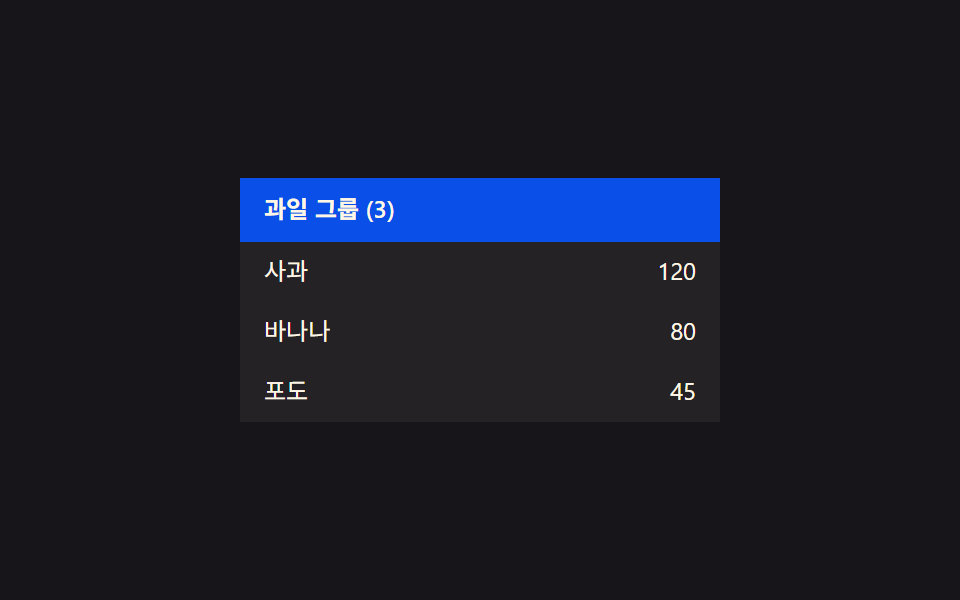 02 table-row-group-collapse
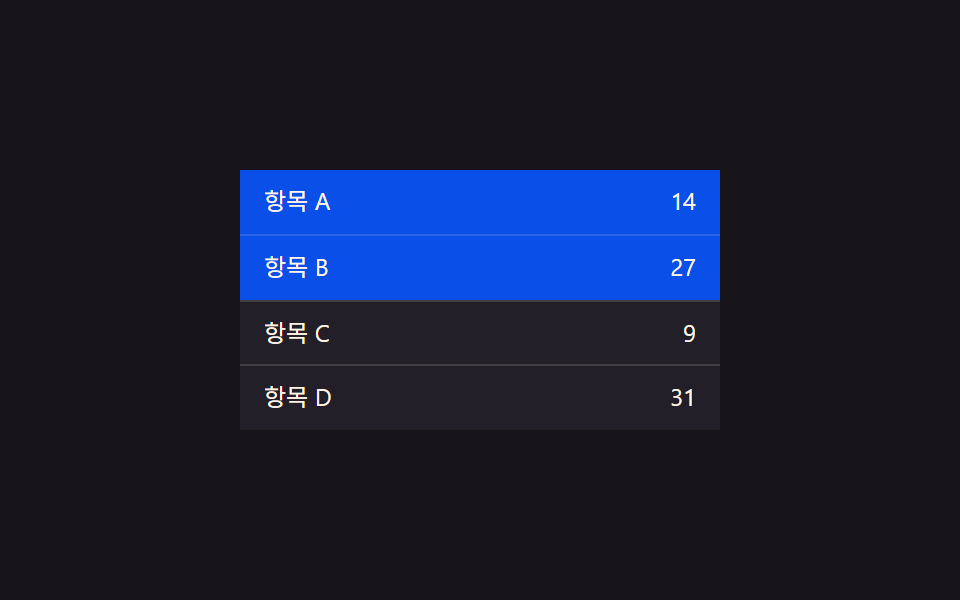 03 table-row-select-highlight
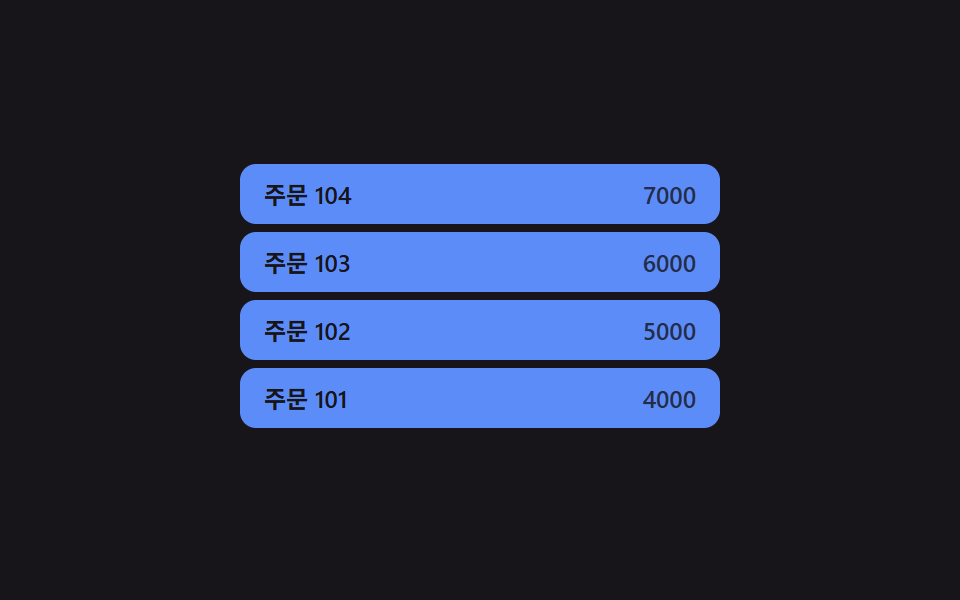 04 table-row-insert-slide-in
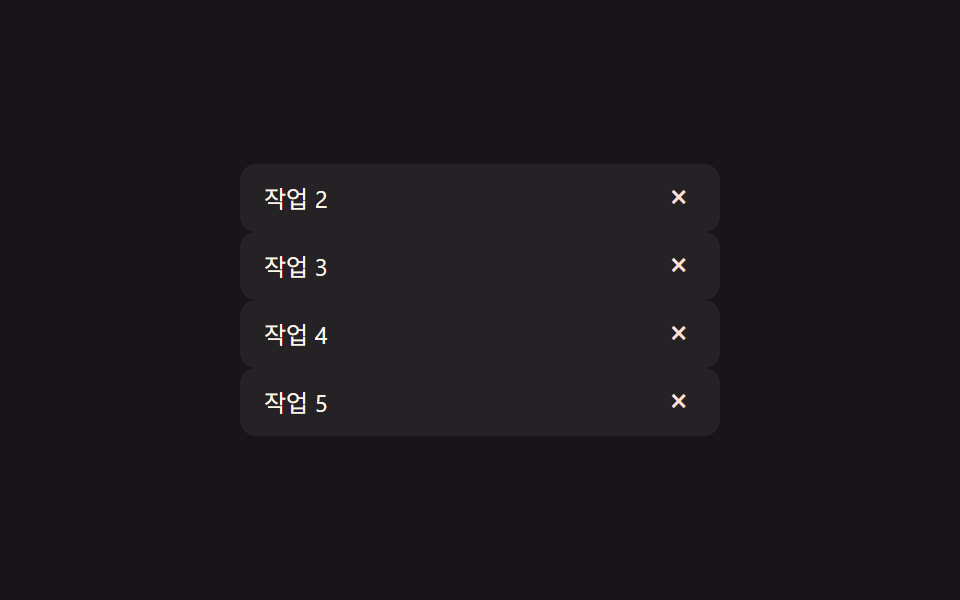 05 table-row-delete-collapse
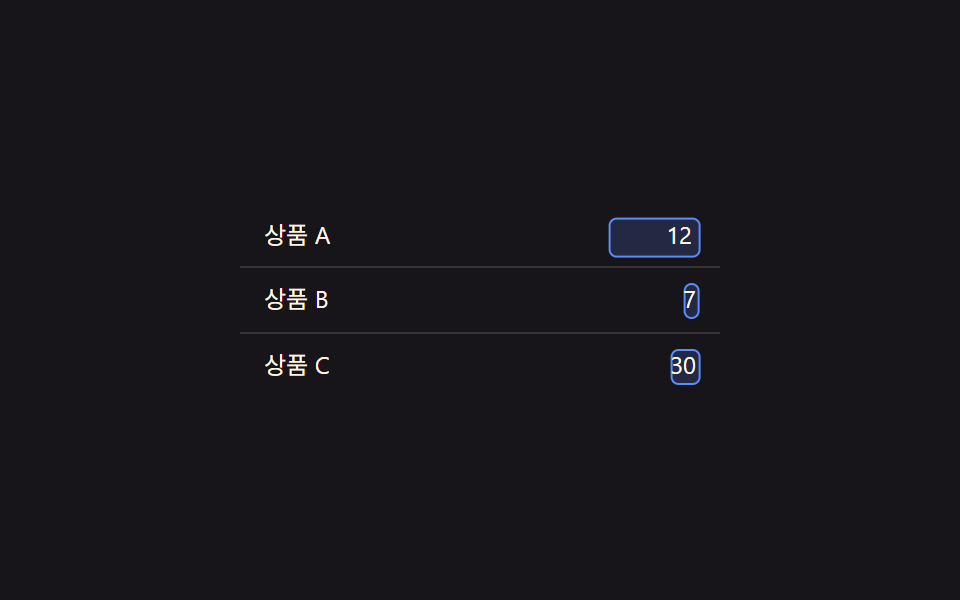 06 table-row-inline-edit-morph
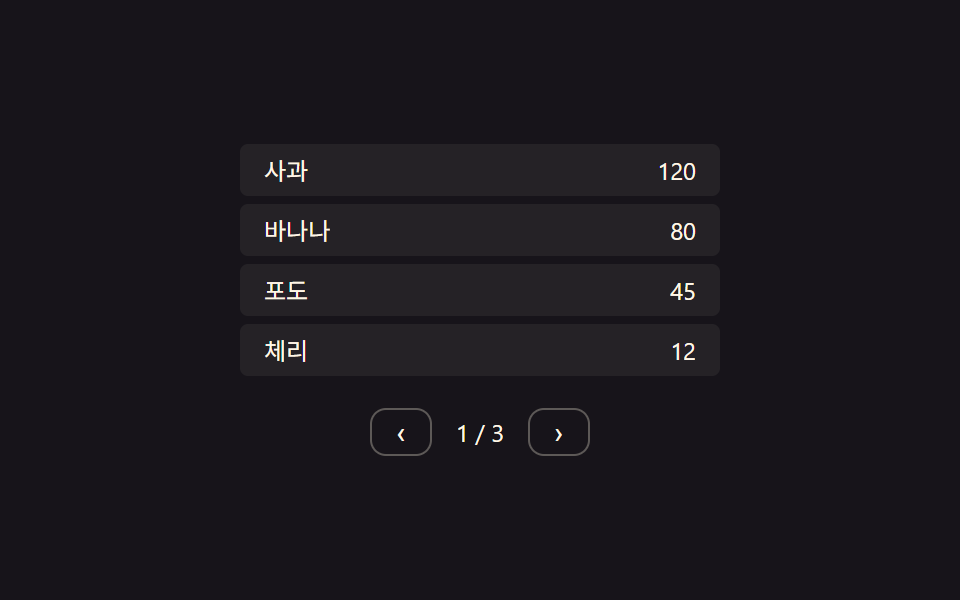 07 table-row-pagination-slide
 08 table-row-empty-state-fade
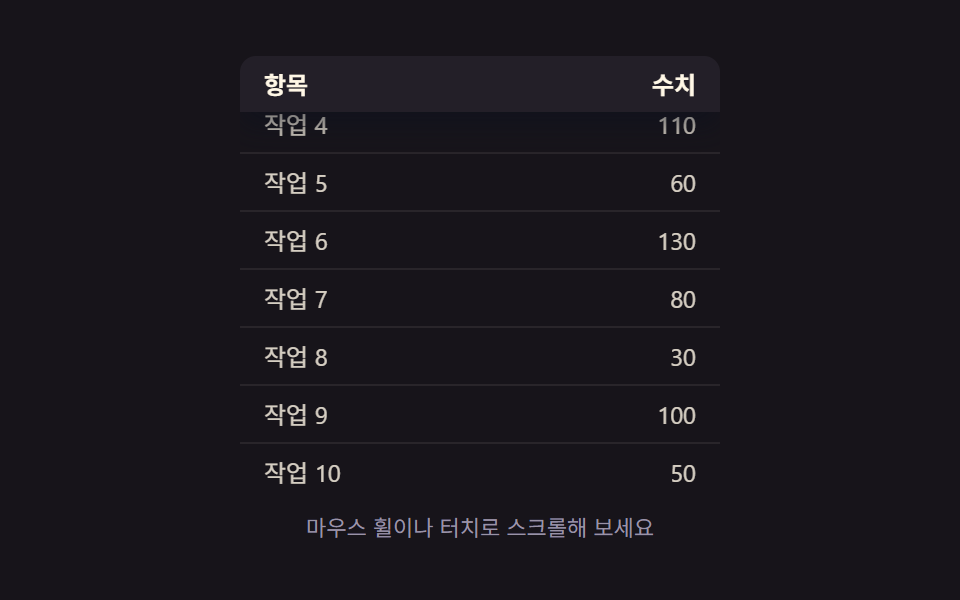 09 table-row-sticky-header-shadow
自動再生 · タイルを押すとその項目へ · すべて1つのzip
- 01 行の展開値切替 — 項目の展開値が変わると、その下の詳細領域の高さ値も一緒に伸び縮みする方式
- 02 グループ折りたたみ値切替 — グループ見出しの折りたたみ値が変わると、その下の複数行の表示値が一斉に変わる方式
- 03 選択値の強調切替 — 行の選択値がオンになるとその行の強調色値が濃くなり、オフになると元の値に戻る方式
- 04 行追加値と位置値の同時変化 — 新しい行が加わるとその行の位置値が場所に収まる間、下の行の位置値も一緒に押し出される方式
- 05 行削除値と高さ値の同時変化 — 行の存在値が消えるとその行の高さ値が0まで縮み、下の行の位置値がその空いた場所を埋める方式
- 06 編集状態値の切替 — セルの編集状態値が変わると文言値の場所が入力欄値に切り替わる方式
- 07 ページ値切替と行位置値の移動 — ページ値が変わると前の行の位置値が抜け、新しい行の位置値が入ってくる方式
- 08 空リスト状態値の切替 — 表示する行が1つもない状態値がオンになると空状態文言の出現値が徐々に上がる方式
- 09 スクロール位置値と影値の連動 — スクロール位置値が基準を超えると見出しが固定され、影の値が濃くなる方式
以下の9つのデモはどれもサーバーと通信せず、localStorage に何も保存せず、乱数も使いません。画面上の変化はすべて1つの状態値の切り替わりと、補間速度・stagger 間隔・ばねの剛性と減衰といった少数の定数だけで決まります。この制約のおかげで、どの値が変わったかさえ追えれば、9つのうちどのパターンを見ているのかが分かるようになっています。
9つのパターンの解剖 — どの値がいつ変わるか
9つのうち8つは毎フレーム動く requestAnimationFrame ループを使い、状態から導いた目標値へ現在値を少しずつ補間します(展開の高さ・選択強調のばね・挿入位置・削除の高さ・インライン編集のモーフ・ページ送りのスライド・空状態のフェード・固定見出しの影)。残る1つ(グループ折りたたみ)だけは普通の CSS transition に近い形で、apply() が height・opacity・transform の目標値と transitionDelay をイベントごとに1回だけ書き換え、実際の動きはその遅延時刻以降 style.scss の CSS transition が進めます。テーブルの行は横に細長い帯なので、この9つはどれも高さ・縦位置・影や色の値にだけ動きの予算を使い、回転したり1を超えて拡大したり紙吹雪を飛ばしたりはしません。
パターン別コード
01行の展開値切替 — 項目の展開値が変わると、その下の詳細領域の高さ値も一緒に伸び縮みする方式
行をクリックすると openIdx フラグが切り替わり、retarget() がその行の実際の scrollHeight を測り直すので、目標の高さは推測値ではありません。毎フレーム LERP の0.22で現在の高さをその目標へ引き寄せるため、パネルは瞬間的に開くのではなく、じわりと開きます。
<main class="stage">
<table class="tre is-demo" id="tre">
  <tbody>
    <tr class="tre__row" data-idx="0" id="treRow0">
      <td class="tre__cell">注文 A</td>
      <td class="tre__cell tre__cell--num">32,000</td>
    </tr>
    <tr class="tre__detail-row" id="treDetailRow0">
      <td colspan="2">
        <div class="tre__detail" id="treDetail0">配送先ソウル · カード決済</div>
      </td>
    </tr>
    <tr class="tre__row" data-idx="1" id="treRow1">
      <td class="tre__cell">注文 B</td>
      <td class="tre__cell tre__cell--num">18,500</td>
    </tr>
    <tr class="tre__detail-row" id="treDetailRow1">
      <td colspan="2">
        <div class="tre__detail" id="treDetail1">配送先釜山 · 銀行振込</div>
      </td>
    </tr>
    <tr class="tre__row" data-idx="2" id="treRow2">
      <td class="tre__cell">注文 C</td>
      <td class="tre__cell tre__cell--num">7,200</td>
    </tr>
    <tr class="tre__detail-row" id="treDetailRow2">
      <td colspan="2">
        <div class="tre__detail" id="treDetail2">配送先大田 · カード決済</div>
      </td>
    </tr>
  </tbody>
</table>
</main>@use "../../../../site/static/demo-tokens" as *;
// 계산 겹: 행의 열림 값이 바뀌면 상세 영역 높이를 scrollHeight 로 실측해 목표로 삼고,
// 매 프레임 남은 거리의 22%씩 다가가는 보간(lerp) — index.html retarget()/tick() 참조
@include stage($stage-ink);
.tre {
width: 100%;
max-width: 260px;
border-collapse: collapse;
font: 400 12px/1.3 -apple-system, "Segoe UI", "Noto Sans KR", sans-serif;
color: $subject-cream;
}
.tre__row {
cursor: pointer;
}
.tre__row:not(:first-child) .tre__cell {
border-top: 1px solid rgba(255, 247, 230, .14);
}
.tre__cell {
padding: $sp-2 $sp-3;
background: rgba(255, 247, 230, .06);
transition: background $dur-quick $ease-out;
}
.tre__row--open .tre__cell {
background: rgba(91, 140, 248, .22);
}
.tre__cell--num {
text-align: right;
font-variant-numeric: tabular-nums;
}
.tre__detail-row td {
padding: 0;
}
.tre__detail {
overflow: hidden;
height: 0;
box-sizing: border-box;
padding: 0 $sp-3;
background: rgba(23, 20, 26, .5);
color: $tick-mute;
font-size: 11px;
display: flex;
align-items: center;
}
@media (max-width: 340px) {
.tre { max-width: 220px; font-size: 11px; }
.tre__cell { padding: $sp-1 $sp-2; }
}
@media (prefers-reduced-motion: reduce) {
.tre__cell { transition: none; }
}html, body {
margin: 0;
overflow: hidden;
}
.stage {
box-sizing: border-box;
min-height: 100vh;
display: grid;
place-items: center;
margin: 0;
background: #17141a;
font-family: -apple-system, "Segoe UI", "Noto Sans KR", sans-serif;
padding: clamp(8px, 4vw, 24px);
}
.tre {
width: 100%;
max-width: 260px;
border-collapse: collapse;
font: 400 12px/1.3 -apple-system, "Segoe UI", "Noto Sans KR", sans-serif;
color: #fff7e6;
}
.tre__row {
cursor: pointer;
}
.tre__row:not(:first-child) .tre__cell {
border-top: 1px solid rgba(255, 247, 230, 0.14);
}
.tre__cell {
padding: 8px 12px;
background: rgba(255, 247, 230, 0.06);
transition: background 220ms ease-out;
}
.tre__row--open .tre__cell {
background: rgba(91, 140, 248, 0.22);
}
.tre__cell--num {
text-align: right;
font-variant-numeric: tabular-nums;
}
.tre__detail-row td {
padding: 0;
}
.tre__detail {
overflow: hidden;
height: 0;
box-sizing: border-box;
padding: 0 12px;
background: rgba(23, 20, 26, 0.5);
color: #9a93a6;
font-size: 11px;
display: flex;
align-items: center;
}
@media (max-width: 340px) {
.tre {
max-width: 220px;
font-size: 11px;
}
.tre__cell {
padding: 4px 8px;
}
}
@media (prefers-reduced-motion: reduce) {
.tre__cell {
transition: none;
}
}(function () {
var root = document.getElementById('tre');
var rows = [0, 1, 2].map(function (i) { return document.getElementById('treRow' + i); });
var details = [0, 1, 2].map(function (i) { return document.getElementById('treDetail' + i); });
// 상수: 상세 영역 진입 상한(px, 넉넉히 잡고 실측 scrollHeight 로 대체) · 보간 속도 · 자동 루프 간격
var MAX_H = 80;
var LERP = 0.22;
var AUTO_TOGGLE_MS = 1100;
var openIdx = [false, false, false];
var h = [0, 0, 0]; // 각 상세 영역의 현재(보간 중) 높이값
var target = [0, 0, 0];
// 계산 겹: 열림 값이 바뀌면 목표 높이를 그 행의 실측 scrollHeight 로 다시 잰다
function retarget(i) {
if (openIdx[i]) {
details[i].style.height = 'auto';
var natural = Math.min(MAX_H, details[i].scrollHeight);
details[i].style.height = h[i].toFixed(1) + 'px';
target[i] = natural;
} else {
target[i] = 0;
}
}
function tick() {
for (var i = 0; i < 3; i++) {
h[i] += (target[i] - h[i]) * LERP;
if (Math.abs(target[i] - h[i]) < 0.3) h[i] = target[i];
details[i].style.height = h[i].toFixed(1) + 'px';
details[i].style.opacity = String(Math.min(1, h[i] / Math.max(1, target[i] || MAX_H)));
}
requestAnimationFrame(tick);
}
requestAnimationFrame(tick);
function toggle(i) {
openIdx[i] = !openIdx[i];
rows[i].classList.toggle('tre__row--open', openIdx[i]);
retarget(i);
}
rows.forEach(function (el, i) {
el.addEventListener('click', function () {
root.classList.remove('is-demo');
toggle(i);
});
});
// 자동 루프: 행의 확장 값을 순서대로 열고 닫는다
var autoI = 0;
function autoStep() {
if (root.classList.contains('is-demo')) {
toggle(autoI % 3);
}
autoI++;
setTimeout(autoStep, AUTO_TOGGLE_MS);
}
setTimeout(autoStep, AUTO_TOGGLE_MS);
})();import { useEffect, useRef } from "react";
import styles from "./TableRowExpandDetail.module.scss";
type Box<T> = { current: T };
export default function TableRowExpandDetail() {
const rootRef = useRef(null) as unknown as Box<HTMLTableElement | null>;
useEffect(() => {
const root = rootRef.current;
if (!root) return;
const rows = [0, 1, 2].map((i) => root.querySelector(`.${styles["row" + i]}`) as HTMLElement | null);
const details = [0, 1, 2].map((i) => root.querySelector(`.${styles["detail" + i]}`) as HTMLElement | null);
if (rows.some((el) => !el) || details.some((el) => !el)) return;
// 상수: 상세 영역 진입 상한(px, 넉넉히 잡고 실측 scrollHeight 로 대체) · 보간 속도 · 자동 루프 간격
const MAX_H = 80;
const LERP = 0.22;
const AUTO_TOGGLE_MS = 1100;
const openIdx = [false, false, false];
const h = [0, 0, 0];
const target = [0, 0, 0];
let stopped = false;
let rafId = 0;
let autoTimer = 0;
function retarget(i: number) {
const d = details[i]!;
if (openIdx[i]) {
d.style.height = "auto";
const natural = Math.min(MAX_H, d.scrollHeight);
d.style.height = h[i].toFixed(1) + "px";
target[i] = natural;
} else {
target[i] = 0;
}
}
function tick() {
if (stopped) return;
for (let i = 0; i < 3; i++) {
h[i] += (target[i] - h[i]) * LERP;
if (Math.abs(target[i] - h[i]) < 0.3) h[i] = target[i];
details[i]!.style.height = h[i].toFixed(1) + "px";
details[i]!.style.opacity = String(Math.min(1, h[i] / Math.max(1, target[i] || MAX_H)));
}
rafId = requestAnimationFrame(tick);
}
rafId = requestAnimationFrame(tick);
function toggle(i: number) {
openIdx[i] = !openIdx[i];
rows[i]!.classList.toggle(styles["row--open"], openIdx[i]);
retarget(i);
}
const cleanups: Array<() => void> = [];
rows.forEach((el, i) => {
function onClick() {
root!.classList.remove(styles["is-demo"]);
toggle(i);
}
el!.addEventListener("click", onClick);
cleanups.push(() => el!.removeEventListener("click", onClick));
});
let autoI = 0;
function autoStep() {
if (stopped) return;
if (root!.classList.contains(styles["is-demo"])) {
toggle(autoI % 3);
}
autoI++;
autoTimer = window.setTimeout(autoStep, AUTO_TOGGLE_MS);
}
autoTimer = window.setTimeout(autoStep, AUTO_TOGGLE_MS);
return () => {
stopped = true;
cancelAnimationFrame(rafId);
window.clearTimeout(autoTimer);
cleanups.forEach((fn) => fn());
};
}, []);
return (
<table ref={rootRef} className={`${styles.stage} ${styles.tre} ${styles["is-demo"]}`}>
<tbody>
<tr className={`${styles.row} ${styles.row0}`}>
<td className={styles.cell}>주문 A</td>
<td className={`${styles.cell} ${styles.cellNum}`}>32,000</td>
</tr>
<tr className={styles.detailRow}>
<td colSpan={2}>
<div className={`${styles.detail} ${styles.detail0}`}>배송지 서울 · 결제 카드</div>
</td>
</tr>
<tr className={`${styles.row} ${styles.row1}`}>
<td className={styles.cell}>주문 B</td>
<td className={`${styles.cell} ${styles.cellNum}`}>18,500</td>
</tr>
<tr className={styles.detailRow}>
<td colSpan={2}>
<div className={`${styles.detail} ${styles.detail1}`}>배송지 부산 · 결제 계좌</div>
</td>
</tr>
<tr className={`${styles.row} ${styles.row2}`}>
<td className={styles.cell}>주문 C</td>
<td className={`${styles.cell} ${styles.cellNum}`}>7,200</td>
</tr>
<tr className={styles.detailRow}>
<td colSpan={2}>
<div className={`${styles.detail} ${styles.detail2}`}>배송지 대전 · 결제 카드</div>
</td>
</tr>
</tbody>
</table>
);
}01 · 行の展開値切替 — 項目の展開値が変わると、その下の詳細領域の高さ値も一緒に伸び縮みする方式 — 計測 累積面積 19.903% · 動いたフレーム 6/23GODRICH オリジナル · SCSS と React は zip に同梱 · パスワードを見る
  // 定数: 詳細領域の進入上限(px、余裕を持たせ実測 scrollHeight で置き換える) · 補間速度 · 自動ループ間隔
  var MAX_H = 80;
  var LERP = 0.22;
  var AUTO_TOGGLE_MS = 1100;

  var openIdx = [false, false, false];
  var h = [0, 0, 0]; // 各詳細領域の現在(補間中)の高さ値
  var target = [0, 0, 0];

  // 計算層: 開閉値が変わると、目標の高さをその行の実測 scrollHeight で測り直す
  function retarget(i) {
    if (openIdx[i]) {
      details[i].style.height = 'auto';
      var natural = Math.min(MAX_H, details[i].scrollHeight);
      details[i].style.height = h[i].toFixed(1) + 'px';
      target[i] = natural;
    } else {
      target[i] = 0;
    }
  }
数字が語ること
01番は平均で画面の19.9%を占め、実測23フレーム中6フレームで動きます。高さの補間が遅く、ほとんどの時間は静止した値に落ち着いていることを示す数字です。
02グループ折りたたみ値切替 — グループ見出しの折りたたみ値が変わると、その下の複数行の表示値が一斉に変わる方式
子行はすべて同じ真偽値を共有していますが、apply() は i * STAGGER_MS で計算した異なる transitionDelay を各行に与えるので、1つの折りたたみ値が段差のあるカスケードへと広がり、全行が同時には動きません。
<main class="stage">
<table class="tgc is-demo" id="tgc">
  <tbody>
    <tr class="tgc__group" id="tgcGroup">
      <td colspan="2">果物グループ (3)</td>
    </tr>
    <tr class="tgc__child" data-i="0" id="tgcChild0">
      <td class="tgc__cell">りんご</td>
      <td class="tgc__cell tgc__cell--num">120</td>
    </tr>
    <tr class="tgc__child" data-i="1" id="tgcChild1">
      <td class="tgc__cell">バナナ</td>
      <td class="tgc__cell tgc__cell--num">80</td>
    </tr>
    <tr class="tgc__child" data-i="2" id="tgcChild2">
      <td class="tgc__cell">ぶどう</td>
      <td class="tgc__cell tgc__cell--num">45</td>
    </tr>
  </tbody>
</table>
</main>
@use "../../../../site/static/demo-tokens" as *;
// 계산 겹: 접힘 값이 바뀌면 자식 행 개수만큼 stagger(70ms×i)로 전환 시각을 나눠 건다 — index.html apply() 참조
@include stage($stage-ink);
.tgc {
width: 100%;
max-width: 240px;
border-collapse: collapse;
font: 400 12px/1.3 -apple-system, "Segoe UI", "Noto Sans KR", sans-serif;
color: $subject-cream;
}
.tgc__group {
cursor: pointer;
background: $subject-blue-deep;
color: $subject-cream;
font-weight: 600;
}
.tgc__group td {
padding: $sp-2 $sp-3;
}
.tgc__group--collapsed {
border-radius: $r-xs;
}
.tgc__child {
overflow: hidden;
height: 30px;
opacity: 1;
transition: height $dur-base $ease-out, opacity $dur-base $ease-out, transform $dur-base $ease-out;
}
.tgc__cell {
padding: $sp-1 $sp-3;
background: rgba(255, 247, 230, .06);
box-sizing: border-box;
}
.tgc__cell--num {
text-align: right;
font-variant-numeric: tabular-nums;
}
@media (max-width: 340px) {
.tgc { max-width: 200px; font-size: 11px; }
.tgc__cell, .tgc__group td { padding: $sp-1 $sp-2; }
}
@media (prefers-reduced-motion: reduce) {
.tgc__child { transition: none; }
}html, body {
margin: 0;
overflow: hidden;
}
.stage {
box-sizing: border-box;
min-height: 100vh;
display: grid;
place-items: center;
margin: 0;
background: #17141a;
font-family: -apple-system, "Segoe UI", "Noto Sans KR", sans-serif;
padding: clamp(8px, 4vw, 24px);
}
.tgc {
width: 100%;
max-width: 240px;
border-collapse: collapse;
font: 400 12px/1.3 -apple-system, "Segoe UI", "Noto Sans KR", sans-serif;
color: #fff7e6;
}
.tgc__group {
cursor: pointer;
background: #0a4fe8;
color: #fff7e6;
font-weight: 600;
}
.tgc__group td {
padding: 8px 12px;
}
.tgc__group--collapsed {
border-radius: 4px;
}
.tgc__child {
overflow: hidden;
height: 30px;
opacity: 1;
transition: height 300ms ease-out, opacity 300ms ease-out, transform 300ms ease-out;
}
.tgc__cell {
padding: 4px 12px;
background: rgba(255, 247, 230, 0.06);
box-sizing: border-box;
}
.tgc__cell--num {
text-align: right;
font-variant-numeric: tabular-nums;
}
@media (max-width: 340px) {
.tgc {
max-width: 200px;
font-size: 11px;
}
.tgc__cell, .tgc__group td {
padding: 4px 8px;
}
}
@media (prefers-reduced-motion: reduce) {
.tgc__child {
transition: none;
}
}(function () {
var root = document.getElementById('tgc');
var group = document.getElementById('tgcGroup');
var children = [0, 1, 2].map(function (i) { return document.getElementById('tgcChild' + i); });
// 상수: 자식 행 높이(px) · 자식 사이 stagger 간격(ms) · 자동 루프 간격
var CHILD_H = 30;
var STAGGER_MS = 70;
var AUTO_TOGGLE_MS = 1300;
var collapsed = false;
// 계산 겹: 접힘 값이 켜지면 자식 행 수 × stagger 로 각 행의 표시 값 전환 시각을 다르게 건다
function apply() {
children.forEach(function (el, i) {
var delay = i * STAGGER_MS;
el.style.transitionDelay = delay + 'ms';
if (collapsed) {
el.style.height = '0px';
el.style.opacity = '0';
el.style.transform = 'translateY(-' + (CHILD_H * 0.3).toFixed(1) + 'px)';
} else {
el.style.height = CHILD_H + 'px';
el.style.opacity = '1';
el.style.transform = 'translateY(0px)';
}
});
group.classList.toggle('tgc__group--collapsed', collapsed);
}
apply();
function toggle() {
collapsed = !collapsed;
apply();
}
group.addEventListener('click', function () {
root.classList.remove('is-demo');
toggle();
});
// 자동 루프: 그룹의 접힘 값을 주기적으로 켜고 끈다
function autoStep() {
if (root.classList.contains('is-demo')) toggle();
setTimeout(autoStep, AUTO_TOGGLE_MS);
}
setTimeout(autoStep, AUTO_TOGGLE_MS);
})();import { useEffect, useRef } from "react";
import styles from "./TableRowGroupCollapse.module.scss";
type Box<T> = { current: T };
export default function TableRowGroupCollapse() {
const rootRef = useRef(null) as unknown as Box<HTMLTableElement | null>;
useEffect(() => {
const root = rootRef.current;
if (!root) return;
const group = root.querySelector(`.${styles.group}`) as HTMLElement | null;
const children = [0, 1, 2].map((i) => root.querySelector(`.${styles["child" + i]}`) as HTMLElement | null);
if (!group || children.some((el) => !el)) return;
// 상수: 자식 행 높이(px) · 자식 사이 stagger 간격(ms) · 자동 루프 간격
const CHILD_H = 30;
const STAGGER_MS = 70;
const AUTO_TOGGLE_MS = 1300;
let collapsed = false;
let stopped = false;
let autoTimer = 0;
function apply() {
children.forEach((el, i) => {
const delay = i * STAGGER_MS;
el!.style.transitionDelay = delay + "ms";
if (collapsed) {
el!.style.height = "0px";
el!.style.opacity = "0";
el!.style.transform = "translateY(-" + (CHILD_H * 0.3).toFixed(1) + "px)";
} else {
el!.style.height = CHILD_H + "px";
el!.style.opacity = "1";
el!.style.transform = "translateY(0px)";
}
});
group!.classList.toggle(styles["group--collapsed"], collapsed);
}
apply();
function toggle() {
collapsed = !collapsed;
apply();
}
function onClick() {
root!.classList.remove(styles["is-demo"]);
toggle();
}
group.addEventListener("click", onClick);
function autoStep() {
if (stopped) return;
if (root!.classList.contains(styles["is-demo"])) toggle();
autoTimer = window.setTimeout(autoStep, AUTO_TOGGLE_MS);
}
autoTimer = window.setTimeout(autoStep, AUTO_TOGGLE_MS);
return () => {
stopped = true;
window.clearTimeout(autoTimer);
group.removeEventListener("click", onClick);
};
}, []);
return (
<table ref={rootRef} className={`${styles.stage} ${styles.tgc} ${styles["is-demo"]}`}>
<tbody>
<tr className={styles.group}>
<td colSpan={2}>과일 그룹 (3)</td>
</tr>
<tr className={`${styles.child} ${styles.child0}`}>
<td className={styles.cell}>사과</td>
<td className={`${styles.cell} ${styles.cellNum}`}>120</td>
</tr>
<tr className={`${styles.child} ${styles.child1}`}>
<td className={styles.cell}>바나나</td>
<td className={`${styles.cell} ${styles.cellNum}`}>80</td>
</tr>
<tr className={`${styles.child} ${styles.child2}`}>
<td className={styles.cell}>포도</td>
<td className={`${styles.cell} ${styles.cellNum}`}>45</td>
</tr>
</tbody>
</table>
);
}02 · グループ折りたたみ値切替 — グループ見出しの折りたたみ値が変わると、その下の複数行の表示値が一斉に変わる方式 — 計測 累積面積 17.353% · 動いたフレーム 7/23GODRICH オリジナル · SCSS と React は zip に同梱 · パスワードを見る
  // 定数: 子行の高さ(px) · 子行同士の stagger 間隔(ms) · 自動ループ間隔
  var CHILD_H = 30;
  var STAGGER_MS = 70;
  var AUTO_TOGGLE_MS = 1300;

  var collapsed = false;

  // 計算層: 折りたたみ値がオンになると、子行数 x stagger で各行の表示切替時刻が変わる
  function apply() {
    children.forEach(function (el, i) {
      var delay = i * STAGGER_MS;
      el.style.transitionDelay = delay + 'ms';
      if (collapsed) {
        el.style.height = '0px';
        el.style.opacity = '0';
        el.style.transform = 'translateY(-' + (CHILD_H * 0.3).toFixed(1) + 'px)';
      } else {
        el.style.height = CHILD_H + 'px';
        el.style.opacity = '1';
        el.style.transform = 'translateY(0px)';
      }
    });
    group.classList.toggle('tgc__group--collapsed', collapsed);
  }
数字が語ること
02番は累積面積17.4%・平均強度77.3・実測23フレーム中7フレーム動きます。01番より動く時間は短いものの、複数行が同時に動く分1フレームあたりの変化は強めです。
03選択値の強調切替 — 行の選択値がオンになるとその行の強調色値が濃くなり、オフになると元の値に戻る方式
tick() は色を単純にクロスフェードするのではなく、毎フレームばね方程式(acc = -K*(pos-target) - D*vel)を積分します。そのため強調色の背景は最終的な色をわずかに超えてから戻ってきます — これは普通の CSS transition では作れない動きです。
<main class="stage">
<table class="tsh is-demo" id="tsh">
  <tbody>
    <tr class="tsh__row" id="tshRow0"><td class="tsh__cell">項目 A</td><td class="tsh__cell tsh__cell--num">14</td></tr>
    <tr class="tsh__row" id="tshRow1"><td class="tsh__cell">項目 B</td><td class="tsh__cell tsh__cell--num">27</td></tr>
    <tr class="tsh__row" id="tshRow2"><td class="tsh__cell">項目 C</td><td class="tsh__cell tsh__cell--num">9</td></tr>
    <tr class="tsh__row" id="tshRow3"><td class="tsh__cell">項目 D</td><td class="tsh__cell tsh__cell--num">31</td></tr>
  </tbody>
</table>
</main>
@use "../../../../site/static/demo-tokens" as *;
// 계산 겹: 선택 값 → 목표(0/1), 실제 강조 값은 스프링 방정식(k=.26·d=.62)을 매 프레임 적분해
// 1을 살짝 넘겼다 되돌아오는 오버슛으로 색을 섞는다 — index.html tick() 참조. reduce 시 k=d=1(오버슛 없음)
@include stage($stage-ink);
.tsh {
width: 100%;
max-width: 240px;
border-collapse: collapse;
font: 400 12px/1.3 -apple-system, "Segoe UI", "Noto Sans KR", sans-serif;
color: $subject-cream;
}
.tsh__row {
cursor: pointer;
}
.tsh__row:not(:first-child) .tsh__cell {
border-top: 1px solid rgba(255, 247, 230, .14);
}
.tsh__cell {
padding: $sp-2 $sp-3;
box-sizing: border-box;
}
.tsh__cell--num {
text-align: right;
font-variant-numeric: tabular-nums;
}
@media (max-width: 340px) {
.tsh { max-width: 200px; font-size: 11px; }
.tsh__cell { padding: $sp-1 $sp-2; }
}
@media (prefers-reduced-motion: reduce) {
.tsh__row { transition: none; }
}html, body {
margin: 0;
overflow: hidden;
}
.stage {
box-sizing: border-box;
min-height: 100vh;
display: grid;
place-items: center;
margin: 0;
background: #17141a;
font-family: -apple-system, "Segoe UI", "Noto Sans KR", sans-serif;
padding: clamp(8px, 4vw, 24px);
}
.tsh {
width: 100%;
max-width: 240px;
border-collapse: collapse;
font: 400 12px/1.3 -apple-system, "Segoe UI", "Noto Sans KR", sans-serif;
color: #fff7e6;
}
.tsh__row {
cursor: pointer;
}
.tsh__row:not(:first-child) .tsh__cell {
border-top: 1px solid rgba(255, 247, 230, 0.14);
}
.tsh__cell {
padding: 8px 12px;
box-sizing: border-box;
}
.tsh__cell--num {
text-align: right;
font-variant-numeric: tabular-nums;
}
@media (max-width: 340px) {
.tsh {
max-width: 200px;
font-size: 11px;
}
.tsh__cell {
padding: 4px 8px;
}
}
@media (prefers-reduced-motion: reduce) {
.tsh__row {
transition: none;
}
}(function () {
var root = document.getElementById('tsh');
var rows = [0, 1, 2, 3].map(function (i) { return document.getElementById('tshRow' + i); });
// 상수: 스프링 강성(k) · 감쇠(d) · 프레임당 시간 스텝 · 자동 루프 간격
var REDUCE = !!(window.matchMedia && window.matchMedia('(prefers-reduced-motion: reduce)').matches);
var K = REDUCE ? 1 : 0.26;
var D = REDUCE ? 1 : 0.62;
var DT = 1;
var AUTO_SELECT_MS = 550;
var selected = [false, false, false, false];
var pos = [0, 0, 0, 0]; // 강조 진행 값(0~1+overshoot)
var vel = [0, 0, 0, 0];
function baseColor() { return [35, 31, 40]; } // tick-panel
function hiColor() { return [10, 79, 232]; } // subject-blue-deep
// 계산 겹: 목표(0 또는 1)로 스프링 방정식(가속도 = -k*(pos-target) - d*vel)을 매 프레임 적분해
// 값이 1을 살짝 넘겼다 되돌아오는 오버슛을 만든다(단순 트윈이 아니다)
function tick() {
for (var i = 0; i < 4; i++) {
var target = selected[i] ? 1 : 0;
var acc = -K * (pos[i] - target) - D * vel[i];
vel[i] += acc * DT;
pos[i] += vel[i] * DT;
var clampedForColor = Math.max(0, Math.min(1, pos[i]));
var over = Math.max(0, pos[i] - 1);
var b = baseColor(), h = hiColor();
var r = b[0] + (h[0] - b[0]) * clampedForColor;
var g = b[1] + (h[1] - b[1]) * clampedForColor;
var bl = b[2] + (h[2] - b[2]) * clampedForColor;
rows[i].style.background = 'rgb(' + r.toFixed(0) + ',' + g.toFixed(0) + ',' + bl.toFixed(0) + ')';
rows[i].style.boxShadow = over > 0.001 ? ('inset 0 0 0 ' + (over * 6).toFixed(1) + 'px rgba(255,255,255,' + Math.min(0.6, over).toFixed(2) + ')') : 'none';
}
requestAnimationFrame(tick);
}
requestAnimationFrame(tick);
function select(i) {
selected[i] = !selected[i];
}
rows.forEach(function (el, i) {
el.addEventListener('click', function () {
root.classList.remove('is-demo');
select(i);
});
});
// 자동 루프: 선택 값을 순서대로 켜고 끈다
var autoI = 0;
var autoSeq = [0, 1, 2, 3, 0, 1, 2, 3];
function autoStep() {
if (root.classList.contains('is-demo')) {
select(autoSeq[autoI % autoSeq.length]);
}
autoI++;
setTimeout(autoStep, AUTO_SELECT_MS);
}
setTimeout(autoStep, AUTO_SELECT_MS);
})();import { useEffect, useRef } from "react";
import styles from "./TableRowSelectHighlight.module.scss";
type Box<T> = { current: T };
export default function TableRowSelectHighlight() {
const rootRef = useRef(null) as unknown as Box<HTMLTableElement | null>;
useEffect(() => {
const root = rootRef.current;
if (!root) return;
const rows = [0, 1, 2, 3].map((i) => root.querySelector(`.${styles["row" + i]}`) as HTMLElement | null);
if (rows.some((el) => !el)) return;
// 상수: 스프링 강성(k) · 감쇠(d) · 프레임당 시간 스텝 · 자동 루프 간격
const REDUCE = !!(window.matchMedia && window.matchMedia("(prefers-reduced-motion: reduce)").matches);
const K = REDUCE ? 1 : 0.26;
const D = REDUCE ? 1 : 0.62;
const DT = 1;
const AUTO_SELECT_MS = 550;
const selected = [false, false, false, false];
const pos = [0, 0, 0, 0];
const vel = [0, 0, 0, 0];
let stopped = false;
let rafId = 0;
let autoTimer = 0;
function baseColor() { return [35, 31, 40]; }
function hiColor() { return [10, 79, 232]; }
function tick() {
if (stopped) return;
for (let i = 0; i < 4; i++) {
const target = selected[i] ? 1 : 0;
const acc = -K * (pos[i] - target) - D * vel[i];
vel[i] += acc * DT;
pos[i] += vel[i] * DT;
const clampedForColor = Math.max(0, Math.min(1, pos[i]));
const over = Math.max(0, pos[i] - 1);
const b = baseColor(), h = hiColor();
const r = b[0] + (h[0] - b[0]) * clampedForColor;
const g = b[1] + (h[1] - b[1]) * clampedForColor;
const bl = b[2] + (h[2] - b[2]) * clampedForColor;
rows[i]!.style.background = "rgb(" + r.toFixed(0) + "," + g.toFixed(0) + "," + bl.toFixed(0) + ")";
rows[i]!.style.boxShadow = over > 0.001 ? ("inset 0 0 0 " + (over * 6).toFixed(1) + "px rgba(255,255,255," + Math.min(0.6, over).toFixed(2) + ")") : "none";
}
rafId = requestAnimationFrame(tick);
}
rafId = requestAnimationFrame(tick);
function select(i: number) {
selected[i] = !selected[i];
}
const cleanups: Array<() => void> = [];
rows.forEach((el, i) => {
function onClick() {
root!.classList.remove(styles["is-demo"]);
select(i);
}
el!.addEventListener("click", onClick);
cleanups.push(() => el!.removeEventListener("click", onClick));
});
let autoI = 0;
const autoSeq = [0, 1, 2, 3, 0, 1, 2, 3];
function autoStep() {
if (stopped) return;
if (root!.classList.contains(styles["is-demo"])) {
select(autoSeq[autoI % autoSeq.length]);
}
autoI++;
autoTimer = window.setTimeout(autoStep, AUTO_SELECT_MS);
}
autoTimer = window.setTimeout(autoStep, AUTO_SELECT_MS);
return () => {
stopped = true;
cancelAnimationFrame(rafId);
window.clearTimeout(autoTimer);
cleanups.forEach((fn) => fn());
};
}, []);
return (
<table ref={rootRef} className={`${styles.stage} ${styles.tsh} ${styles["is-demo"]}`}>
<tbody>
<tr className={`${styles.row} ${styles.row0}`}><td className={styles.cell}>항목 A</td><td className={`${styles.cell} ${styles.cellNum}`}>14</td></tr>
<tr className={`${styles.row} ${styles.row1}`}><td className={styles.cell}>항목 B</td><td className={`${styles.cell} ${styles.cellNum}`}>27</td></tr>
<tr className={`${styles.row} ${styles.row2}`}><td className={styles.cell}>항목 C</td><td className={`${styles.cell} ${styles.cellNum}`}>9</td></tr>
<tr className={`${styles.row} ${styles.row3}`}><td className={styles.cell}>항목 D</td><td className={`${styles.cell} ${styles.cellNum}`}>31</td></tr>
</tbody>
</table>
);
}03 · 選択値の強調切替 — 行の選択値がオンになるとその行の強調色値が濃くなり、オフになると元の値に戻る方式 — 計測 累積面積 21.536% · 動いたフレーム 8/23GODRICH オリジナル · SCSS と React は zip に同梱 · パスワードを見る
  // 計算層: 毎フレーム、目標値(0または1)へ向けてばね方程式を積分する(acc = -k*(pos-target) - d*vel)
  // これにより1をわずかに超えてから戻るオーバーシュートが生まれる — 単純なトゥイーンではない
  function tick() {
    for (var i = 0; i < 4; i++) {
      var target = selected[i] ? 1 : 0;
      var acc = -K * (pos[i] - target) - D * vel[i];
      vel[i] += acc * DT;
      pos[i] += vel[i] * DT;
      var clampedForColor = Math.max(0, Math.min(1, pos[i]));
      var over = Math.max(0, pos[i] - 1);
      var b = baseColor(), h = hiColor();
      var r = b[0] + (h[0] - b[0]) * clampedForColor;
      var g = b[1] + (h[1] - b[1]) * clampedForColor;
      var bl = b[2] + (h[2] - b[2]) * clampedForColor;
      rows[i].style.background = 'rgb(' + r.toFixed(0) + ',' + g.toFixed(0) + ',' + bl.toFixed(0) + ')';
      rows[i].style.boxShadow = over > 0.001 ? ('inset 0 0 0 ' + (over * 6).toFixed(1) + 'px rgba(255,255,255,' + Math.min(0.6, over).toFixed(2) + ')') : 'none';
    }
    requestAnimationFrame(tick);
  }
  requestAnimationFrame(tick);
数字が語ること
03番は9つの中で最も密度が高く、累積面積21.5%・平均強度117.9・23フレーム中8フレーム動きます。ばねのオーバーシュートは、クリックが終わった後も色と影を計算し続けます。
04行追加値と位置値の同時変化 — 新しい行が加わるとその行の位置値が場所に収まる間、下の行の位置値も一緒に押し出される方式
各行は自分の order インデックスしか知りません。tick() が各行の y を order * ROW_H へ補間するので、先頭に行を挿入するのは実際には1つの order 値が変わるだけの出来事であり、他の行の位置値もそれぞれの目標値が動いたことで追随します。
<main class="stage">
<div class="tis is-demo" id="tis" role="table" aria-label="新規注文表"></div>
</main>
@use "../../../../site/static/demo-tokens" as *;
// 계산 겹: 새 행이 더해지면 기존 행의 슬롯(순서) 값을 하나씩 밀어 목표 y 를 다시 계산하고,
// 실제 위치는 매 프레임 남은 거리의 24%씩 다가가는 보간(lerp) — index.html tick() 참조
@include stage($stage-ink);
.tis {
position: relative;
width: 100%;
max-width: 240px;
overflow: hidden;
}
.tis__row {
position: absolute;
top: 0;
left: 0;
width: 100%;
height: 30px;
box-sizing: border-box;
display: flex;
align-items: center;
justify-content: space-between;
padding: 0 $sp-3;
border-radius: $r-sm;
background: $subject-blue-light;
color: $stage-ink;
font: 600 12px/1 -apple-system, "Segoe UI", "Noto Sans KR", sans-serif;
}
.tis__cell--num {
font-variant-numeric: tabular-nums;
opacity: .8;
}
@media (max-width: 340px) {
.tis { max-width: 200px; }
.tis__row { height: 28px; font-size: 11px; }
}
@media (prefers-reduced-motion: reduce) {
.tis__row { transition: none; }
}html, body {
margin: 0;
overflow: hidden;
}
.stage {
box-sizing: border-box;
min-height: 100vh;
display: grid;
place-items: center;
margin: 0;
background: #17141a;
font-family: -apple-system, "Segoe UI", "Noto Sans KR", sans-serif;
padding: clamp(8px, 4vw, 24px);
}
.tis {
position: relative;
width: 100%;
max-width: 240px;
overflow: hidden;
}
.tis__row {
position: absolute;
top: 0;
left: 0;
width: 100%;
height: 30px;
box-sizing: border-box;
display: flex;
align-items: center;
justify-content: space-between;
padding: 0 12px;
border-radius: 8px;
background: #5b8cf8;
color: #17141a;
font: 600 12px/1 -apple-system, "Segoe UI", "Noto Sans KR", sans-serif;
}
.tis__cell--num {
font-variant-numeric: tabular-nums;
opacity: 0.8;
}
@media (max-width: 340px) {
.tis {
max-width: 200px;
}
.tis__row {
height: 28px;
font-size: 11px;
}
}
@media (prefers-reduced-motion: reduce) {
.tis__row {
transition: none;
}
}(function () {
var root = document.getElementById('tis');
// 상수: 행 높이(px) · 보간 속도 · 표시 슬롯 수 · 자동 삽입 간격
var ROW_H = 34;
var LERP = 0.24;
var SLOTS = 4;
var AUTO_INSERT_MS = 1200;
var seq = 100;
var rows = []; // {el, order(현재 슬롯 index, SLOTS 이상=아래로 퇴장 중), y}
function makeRow(label, amount) {
var el = document.createElement('div');
el.className = 'tis__row';
el.setAttribute('role', 'row');
var c1 = document.createElement('span');
c1.className = 'tis__cell';
c1.setAttribute('role', 'cell');
c1.textContent = '注文 ' + label;
var c2 = document.createElement('span');
c2.className = 'tis__cell tis__cell--num';
c2.setAttribute('role', 'cell');
c2.textContent = amount;
el.appendChild(c1);
el.appendChild(c2);
root.appendChild(el);
return el;
}
function insert() {
seq++;
var el = makeRow(seq, ((seq % 7) + 1) * 1000);
var entry = { el: el, order: -1, y: -ROW_H };
// 계산 겹: 기존 행의 슬롯(순서) 값을 하나씩 뒤로 밀어 목표 y 를 다시 계산한다
rows.forEach(function (r) { r.order += 1; });
rows.unshift(entry);
entry.order = 0;
el.style.transform = 'translateY(' + entry.y.toFixed(1) + 'px)';
}
  function tick() {
    rows.forEach(function (r) {
      var target = r.order * ROW_H;
      r.y += (target - r.y) * LERP;
      var opacity = r.order >= SLOTS ? Math.max(0, 1 - (r.y - (SLOTS - 1) * ROW_H) / ROW_H) : 1;
      r.el.style.transform = 'translateY(' + r.y.toFixed(1) + 'px)';
      r.el.style.opacity = opacity.toFixed(2);
    });
    for (var i = rows.length - 1; i >= 0; i--) {
      var r = rows[i];
      if (r.order >= SLOTS && Math.abs(r.order * ROW_H - r.y) < 1) {
        r.el.remove();
        rows.splice(i, 1);
      }
    }
    requestAnimationFrame(tick);
  }
  requestAnimationFrame(tick);
insert(); insert(); insert(); insert();
// 초기 4행은 진입 애니메이션 없이 바로 자리에
rows.forEach(function (r) { r.y = r.order * ROW_H; r.el.style.transform = 'translateY(' + r.y + 'px)'; });
root.style.height = (SLOTS * ROW_H) + 'px';
root.addEventListener('click', function () {
root.classList.remove('is-demo');
insert();
});
// 자동 루프: 새 행을 주기적으로 추가한다
function autoStep() {
if (root.classList.contains('is-demo')) insert();
setTimeout(autoStep, AUTO_INSERT_MS);
}
setTimeout(autoStep, AUTO_INSERT_MS);
})();import { useEffect, useRef } from "react";
import styles from "./TableRowInsertSlideIn.module.scss";
type Box<T> = { current: T };
type Row = { el: HTMLDivElement; order: number; y: number };
export default function TableRowInsertSlideIn() {
const rootRef = useRef(null) as unknown as Box<HTMLDivElement | null>;
useEffect(() => {
const root = rootRef.current;
if (!root) return;
// 상수: 행 높이(px) · 보간 속도 · 표시 슬롯 수 · 자동 삽입 간격
const ROW_H = 34;
const LERP = 0.24;
const SLOTS = 4;
const AUTO_INSERT_MS = 1200;
let seq = 100;
const rows: Row[] = [];
let stopped = false;
let rafId = 0;
let autoTimer = 0;
function makeRow(label: number, amount: number) {
const el = document.createElement("div");
el.className = styles.row;
el.setAttribute("role", "row");
const c1 = document.createElement("span");
c1.className = styles.cell;
c1.setAttribute("role", "cell");
c1.textContent = "주문 " + label;
const c2 = document.createElement("span");
c2.className = `${styles.cell} ${styles.cellNum}`;
c2.setAttribute("role", "cell");
c2.textContent = String(amount);
el.appendChild(c1);
el.appendChild(c2);
root!.appendChild(el);
return el;
}
function insert() {
seq++;
const el = makeRow(seq, ((seq % 7) + 1) * 1000);
const entry: Row = { el, order: -1, y: -ROW_H };
// 계산 겹: 기존 행의 슬롯(순서) 값을 하나씩 뒤로 밀어 목표 y 를 다시 계산한다
rows.forEach((r) => { r.order += 1; });
rows.unshift(entry);
entry.order = 0;
el.style.transform = "translateY(" + entry.y.toFixed(1) + "px)";
}
function tick() {
if (stopped) return;
rows.forEach((r) => {
const target = r.order * ROW_H;
r.y += (target - r.y) * LERP;
const opacity = r.order >= SLOTS ? Math.max(0, 1 - (r.y - (SLOTS - 1) * ROW_H) / ROW_H) : 1;
r.el.style.transform = "translateY(" + r.y.toFixed(1) + "px)";
r.el.style.opacity = opacity.toFixed(2);
});
for (let i = rows.length - 1; i >= 0; i--) {
const r = rows[i];
if (r.order >= SLOTS && Math.abs(r.order * ROW_H - r.y) < 1) {
r.el.remove();
rows.splice(i, 1);
}
}
rafId = requestAnimationFrame(tick);
}
rafId = requestAnimationFrame(tick);
insert(); insert(); insert(); insert();
rows.forEach((r) => { r.y = r.order * ROW_H; r.el.style.transform = "translateY(" + r.y + "px)"; });
root.style.height = (SLOTS * ROW_H) + "px";
function onClick() {
root!.classList.remove(styles["is-demo"]);
insert();
}
root.addEventListener("click", onClick);
function autoStep() {
if (stopped) return;
if (root!.classList.contains(styles["is-demo"])) insert();
autoTimer = window.setTimeout(autoStep, AUTO_INSERT_MS);
}
autoTimer = window.setTimeout(autoStep, AUTO_INSERT_MS);
return () => {
stopped = true;
cancelAnimationFrame(rafId);
window.clearTimeout(autoTimer);
root!.removeEventListener("click", onClick);
rows.forEach((r) => r.el.remove());
};
}, []);
return <div ref={rootRef} className={`${styles.stage} ${styles.tis} ${styles["is-demo"]}`} role="table" aria-label="신규 주문 표" />;
}04 · 行追加値と位置値の同時変化 — 新しい行が加わるとその行の位置値が場所に収まる間、下の行の位置値も一緒に押し出される方式 — 計測 累積面積 11.482% · 動いたフレーム 10/23GODRICH オリジナル · SCSS と React は zip に同梱 · パスワードを見る
function tick() {
rows.forEach(function (r) {
var target = r.order * ROW_H;
r.y += (target - r.y) * LERP;
var opacity = r.order >= SLOTS ? Math.max(0, 1 - (r.y - (SLOTS - 1) * ROW_H) / ROW_H) : 1;
r.el.style.transform = 'translateY(' + r.y.toFixed(1) + 'px)';
r.el.style.opacity = opacity.toFixed(2);
});
for (var i = rows.length - 1; i >= 0; i--) {
var r = rows[i];
if (r.order >= SLOTS && Math.abs(r.order * ROW_H - r.y) < 1) {
r.el.remove();
rows.splice(i, 1);
}
}
requestAnimationFrame(tick);
}
requestAnimationFrame(tick);
数字が語ること
04番は23フレーム中10フレームで動き、9つの中で最も動く回数が多いパターンです。累積面積11.5%・平均強度103.8で、行の位置が挿入のたびに数フレームかけて落ち着き直すためです。
05行削除値と高さ値の同時変化 — 行の存在値が消えるとその行の高さ値が0まで縮み、下の行の位置値がその空いた場所を埋める方式
行を削除してもすぐには消えません。r.removing が true になり、r.h が H_LERP で0へ補間され、その高さ値が0.5を下回った時点で初めて要素が実際に DOM から取り除かれます。だからこそ下の行が飛び跳ねずに空いた場所へ滑り込むように見えます。
<main class="stage">
<div class="tdc is-demo" id="tdc" role="table" aria-label="削除できるタスク表"></div>
</main>
@use "../../../../site/static/demo-tokens" as *;
// 계산 겹: 삭제 값이 켜지면 그 행의 높이 값이 0으로 줄고(H_LERP), 아래 행들의 순서(슬롯) 값이
// 하나씩 당겨져 목표 y 가 다시 계산되어 위치 값이 보간(POS_LERP)으로 채운다 — index.html remove()/tick() 참조
@include stage($stage-ink);
.tdc {
position: relative;
width: 100%;
max-width: 240px;
overflow: hidden;
}
.tdc__row {
position: absolute;
top: 0;
left: 0;
width: 100%;
}
.tdc__inner {
overflow: hidden;
box-sizing: border-box;
height: 34px;
display: flex;
align-items: center;
justify-content: space-between;
padding: 0 $sp-3;
background: rgba(255, 247, 230, .06);
border-radius: $r-sm;
color: $subject-cream;
font: 400 12px/1 -apple-system, "Segoe UI", "Noto Sans KR", sans-serif;
}
.tdc__x {
border: 0;
background: transparent;
color: $error-soft;
font-size: 16px;
line-height: 1;
cursor: pointer;
padding: $sp-1;
}
@media (max-width: 340px) {
.tdc { max-width: 200px; }
.tdc__inner { height: 30px; font-size: 11px; }
}
@media (prefers-reduced-motion: reduce) {
.tdc__row { transition: none; }
}html, body {
margin: 0;
overflow: hidden;
}
.stage {
box-sizing: border-box;
min-height: 100vh;
display: grid;
place-items: center;
margin: 0;
background: #17141a;
font-family: -apple-system, "Segoe UI", "Noto Sans KR", sans-serif;
padding: clamp(8px, 4vw, 24px);
}
.tdc {
position: relative;
width: 100%;
max-width: 240px;
overflow: hidden;
}
.tdc__row {
position: absolute;
top: 0;
left: 0;
width: 100%;
}
.tdc__inner {
overflow: hidden;
box-sizing: border-box;
height: 34px;
display: flex;
align-items: center;
justify-content: space-between;
padding: 0 12px;
background: rgba(255, 247, 230, 0.06);
border-radius: 8px;
color: #fff7e6;
font: 400 12px/1 -apple-system, "Segoe UI", "Noto Sans KR", sans-serif;
}
.tdc__x {
border: 0;
background: transparent;
color: #ffe0d8;
font-size: 16px;
line-height: 1;
cursor: pointer;
padding: 4px;
}
@media (max-width: 340px) {
.tdc {
max-width: 200px;
}
.tdc__inner {
height: 30px;
font-size: 11px;
}
}
@media (prefers-reduced-motion: reduce) {
.tdc__row {
transition: none;
}
}(function () {
var root = document.getElementById('tdc');
// 상수: 행 높이(px) · 위치 보간 속도 · 높이 보간 속도 · 슬롯 수 · 자동 削除 간격
var ROW_H = 34;
var POS_LERP = 0.22;
var H_LERP = 0.26;
var SLOTS = 4;
var AUTO_DELETE_MS = 1300;
var seq = 0;
var rows = []; // {el, inner, order, y, h, removing, entering}
function makeRow(label) {
var el = document.createElement('div');
el.className = 'tdc__row';
var inner = document.createElement('div');
inner.className = 'tdc__inner';
var cell = document.createElement('span');
cell.className = 'tdc__cell';
cell.textContent = 'タスク ' + label;
var btn = document.createElement('button');
btn.className = 'tdc__x';
btn.type = 'button';
btn.setAttribute('aria-label', '削除');
btn.textContent = '×';
inner.appendChild(cell);
inner.appendChild(btn);
el.appendChild(inner);
root.appendChild(el);
return { el: el, inner: inner };
}
function addRow(entering) {
seq++;
var made = makeRow(seq);
var order = rows.filter(function (r) { return !r.removing; }).length;
var entry = { el: made.el, inner: made.inner, order: order, y: order * ROW_H, h: entering ? 0 : ROW_H, removing: false, entering: !!entering };
made.inner.querySelector('.tdc__x').addEventListener('click', function (e) {
e.stopPropagation();
root.classList.remove('is-demo');
remove(entry);
});
rows.push(entry);
return entry;
}
// 계산 겹: 削除 값이 켜지면 그 행의 높이 값이 0으로 줄고, 아래 행들의 순서(슬롯) 값이 하나씩 당겨져
// 목표 y 가 다시 계산된다
function remove(entry) {
if (entry.removing) return;
entry.removing = true;
rows.forEach(function (r) {
if (!r.removing && r.order > entry.order) r.order -= 1;
});
}
  function tick() {
    for (var i = rows.length - 1; i >= 0; i--) {
      var r = rows[i];
      var targetY = r.order * ROW_H;
      r.y += (targetY - r.y) * POS_LERP;
      var targetH = r.removing ? 0 : ROW_H;
      r.h += (targetH - r.h) * H_LERP;
      r.el.style.transform = 'translateY(' + r.y.toFixed(1) + 'px)';
      r.inner.style.height = Math.max(0, r.h).toFixed(1) + 'px';
      r.inner.style.opacity = (r.h / ROW_H).toFixed(2);
      if (r.removing && r.h < 0.5) {
        r.el.remove();
        rows.splice(i, 1);
      }
    }
    requestAnimationFrame(tick);
  }
  requestAnimationFrame(tick);
addRow(false); addRow(false); addRow(false); addRow(false);
root.style.height = (SLOTS * ROW_H) + 'px';
// 자동 루프: 맨 위 행을 지우고 새 행을 아래에 채운다
function autoStep() {
if (root.classList.contains('is-demo') && rows.length) {
remove(rows[0]);
addRow(true);
}
setTimeout(autoStep, AUTO_DELETE_MS);
}
setTimeout(autoStep, AUTO_DELETE_MS);
})();import { useEffect, useRef } from "react";
import styles from "./TableRowDeleteCollapse.module.scss";
type Box<T> = { current: T };
type Row = { el: HTMLDivElement; inner: HTMLDivElement; order: number; y: number; h: number; removing: boolean };
export default function TableRowDeleteCollapse() {
const rootRef = useRef(null) as unknown as Box<HTMLDivElement | null>;
useEffect(() => {
const root = rootRef.current;
if (!root) return;
// 상수: 행 높이(px) · 위치 보간 속도 · 높이 보간 속도 · 슬롯 수 · 자동 삭제 간격
const ROW_H = 34;
const POS_LERP = 0.22;
const H_LERP = 0.26;
const SLOTS = 4;
const AUTO_DELETE_MS = 1300;
let seq = 0;
const rows: Row[] = [];
let stopped = false;
let rafId = 0;
let autoTimer = 0;
const cleanups: Array<() => void> = [];
function makeRow(label: number) {
const el = document.createElement("div");
el.className = styles.row;
const inner = document.createElement("div");
inner.className = styles.inner;
const cell = document.createElement("span");
cell.className = styles.cell;
cell.textContent = "작업 " + label;
const btn = document.createElement("button");
btn.className = styles.x;
btn.type = "button";
btn.setAttribute("aria-label", "삭제");
btn.textContent = "×";
inner.appendChild(cell);
inner.appendChild(btn);
el.appendChild(inner);
root!.appendChild(el);
return { el, inner };
}
function remove(entry: Row) {
if (entry.removing) return;
entry.removing = true;
rows.forEach((r) => {
if (!r.removing && r.order > entry.order) r.order -= 1;
});
}
function addRow(entering: boolean) {
seq++;
const made = makeRow(seq);
const order = rows.filter((r) => !r.removing).length;
const entry: Row = { el: made.el, inner: made.inner, order, y: order * ROW_H, h: entering ? 0 : ROW_H, removing: false };
const btn = made.inner.querySelector(`.${styles.x}`) as HTMLButtonElement;
function onClick(e: Event) {
e.stopPropagation();
root!.classList.remove(styles["is-demo"]);
remove(entry);
}
btn.addEventListener("click", onClick);
cleanups.push(() => btn.removeEventListener("click", onClick));
rows.push(entry);
return entry;
}
function tick() {
if (stopped) return;
for (let i = rows.length - 1; i >= 0; i--) {
const r = rows[i];
const targetY = r.order * ROW_H;
r.y += (targetY - r.y) * POS_LERP;
const targetH = r.removing ? 0 : ROW_H;
r.h += (targetH - r.h) * H_LERP;
r.el.style.transform = "translateY(" + r.y.toFixed(1) + "px)";
r.inner.style.height = Math.max(0, r.h).toFixed(1) + "px";
r.inner.style.opacity = (r.h / ROW_H).toFixed(2);
if (r.removing && r.h < 0.5) {
r.el.remove();
rows.splice(i, 1);
}
}
rafId = requestAnimationFrame(tick);
}
rafId = requestAnimationFrame(tick);
addRow(false); addRow(false); addRow(false); addRow(false);
root.style.height = (SLOTS * ROW_H) + "px";
function autoStep() {
if (stopped) return;
if (root!.classList.contains(styles["is-demo"]) && rows.length) {
remove(rows[0]);
addRow(true);
}
autoTimer = window.setTimeout(autoStep, AUTO_DELETE_MS);
}
autoTimer = window.setTimeout(autoStep, AUTO_DELETE_MS);
return () => {
stopped = true;
cancelAnimationFrame(rafId);
window.clearTimeout(autoTimer);
cleanups.forEach((fn) => fn());
rows.forEach((r) => r.el.remove());
};
}, []);
return <div ref={rootRef} className={`${styles.stage} ${styles.tdc} ${styles["is-demo"]}`} role="table" aria-label="삭제 가능한 작업 표" />;
}05 · 行削除値と高さ値の同時変化 — 行の存在値が消えるとその行の高さ値が0まで縮み、下の行の位置値がその空いた場所を埋める方式 — 計測 累積面積 5.46% · 動いたフレーム 6/23GODRICH オリジナル · SCSS と React は zip に同梱 · パスワードを見る
function tick() {
for (var i = rows.length - 1; i >= 0; i--) {
var r = rows[i];
var targetY = r.order * ROW_H;
r.y += (targetY - r.y) * POS_LERP;
var targetH = r.removing ? 0 : ROW_H;
r.h += (targetH - r.h) * H_LERP;
r.el.style.transform = 'translateY(' + r.y.toFixed(1) + 'px)';
r.inner.style.height = Math.max(0, r.h).toFixed(1) + 'px';
r.inner.style.opacity = (r.h / ROW_H).toFixed(2);
if (r.removing && r.h < 0.5) {
r.el.remove();
rows.splice(i, 1);
}
}
requestAnimationFrame(tick);
}
requestAnimationFrame(tick);
数字が語ること
05番は累積面積5.5%・平均強度75.5・23フレーム中6フレーム動きます。1行の高さだけが縮む処理なので、全行が位置を再計算する04番より軽い数字です。
06編集状態値の切替 — セルの編集状態値が変わると文言値の場所が入力欄値に切り替わる方式
セルをクリックすると c.editing が true になり、tick() が毎フレーム measure() で文言要素と入力欄要素それぞれの位置・サイズを getBoundingClientRect() で実測し、その2つの矩形を LERP(0.25) で補間したボックスを描きます。入力欄からフォーカスが外れる(blur)と c.editing が false に戻って同じ tick() が逆向きに補間し、入力欄内で Enter を押すと blur() が呼ばれて同じ経路をたどります。01番から05番と同じ rAF ループを共有しつつ、動く範囲が1セル分の矩形だけに閉じているのがこの06番の違いです。
<main class="stage">
<table class="tie is-demo" id="tie">
  <tbody>
    <tr class="tie__row">
      <td class="tie__label">商品 A</td>
      <td class="tie__editcell" id="tieCell0">
        <span class="tie__box" id="tieBox0"></span>
        <span class="tie__text" id="tieText0">12</span>
        <input class="tie__input" id="tieInput0" type="text" value="12">
      </td>
    </tr>
    <tr class="tie__row">
      <td class="tie__label">商品 B</td>
      <td class="tie__editcell" id="tieCell1">
        <span class="tie__box" id="tieBox1"></span>
        <span class="tie__text" id="tieText1">7</span>
        <input class="tie__input" id="tieInput1" type="text" value="7">
      </td>
    </tr>
    <tr class="tie__row">
      <td class="tie__label">商品 C</td>
      <td class="tie__editcell" id="tieCell2">
        <span class="tie__box" id="tieBox2"></span>
        <span class="tie__text" id="tieText2">30</span>
        <input class="tie__input" id="tieInput2" type="text" value="30">
      </td>
    </tr>
  </tbody>
</table>
</main>@use "../../../../site/static/demo-tokens" as *;
// 계산 겹: 문구·입력 칸의 자연 크기를 getBoundingClientRect 로 실측해 편집 상태 값의 진행도만큼
// 두 크기 사이를 보간한 박스를 그린다(속성 트윈이 아니라 계산) — index.html measure()/tick() 참조
@include stage($stage-ink);
.tie {
width: 100%;
max-width: 240px;
border-collapse: collapse;
font: 400 12px/1.3 -apple-system, "Segoe UI", "Noto Sans KR", sans-serif;
color: $subject-cream;
}
.tie__row:not(:first-child) td {
border-top: 1px solid rgba(255, 247, 230, .14);
}
.tie__label {
padding: $sp-2 $sp-3;
}
.tie__editcell {
position: relative;
padding: $sp-2 $sp-3;
text-align: right;
cursor: pointer;
}
.tie__box {
position: absolute;
top: 0;
left: 0;
background: rgba(91, 140, 248, .18);
border: 1px solid $subject-blue-light;
border-radius: $r-xs;
pointer-events: none;
}
.tie__text {
position: relative;
font-variant-numeric: tabular-nums;
}
.tie__input {
position: absolute;
right: $sp-3;
top: 50%;
transform: translateY(-50%);
width: 44px;
box-sizing: border-box;
background: transparent;
border: 0;
color: $subject-cream;
font: 400 12px/1 -apple-system, "Segoe UI", "Noto Sans KR", sans-serif;
text-align: right;
font-variant-numeric: tabular-nums;
}
.tie__input:focus {
outline: none;
}
@media (max-width: 340px) {
.tie { max-width: 200px; font-size: 11px; }
.tie__label, .tie__editcell { padding: $sp-1 $sp-2; }
}
@media (prefers-reduced-motion: reduce) {
.tie__box { transition: none; }
}html, body {
margin: 0;
overflow: hidden;
}
.stage {
box-sizing: border-box;
min-height: 100vh;
display: grid;
place-items: center;
margin: 0;
background: #17141a;
font-family: -apple-system, "Segoe UI", "Noto Sans KR", sans-serif;
padding: clamp(8px, 4vw, 24px);
}
.tie {
width: 100%;
max-width: 240px;
border-collapse: collapse;
font: 400 12px/1.3 -apple-system, "Segoe UI", "Noto Sans KR", sans-serif;
color: #fff7e6;
}
.tie__row:not(:first-child) td {
border-top: 1px solid rgba(255, 247, 230, 0.14);
}
.tie__label {
padding: 8px 12px;
}
.tie__editcell {
position: relative;
padding: 8px 12px;
text-align: right;
cursor: pointer;
}
.tie__box {
position: absolute;
top: 0;
left: 0;
background: rgba(91, 140, 248, 0.18);
border: 1px solid #5b8cf8;
border-radius: 4px;
pointer-events: none;
}
.tie__text {
position: relative;
font-variant-numeric: tabular-nums;
}
.tie__input {
position: absolute;
right: 12px;
top: 50%;
transform: translateY(-50%);
width: 44px;
box-sizing: border-box;
background: transparent;
border: 0;
color: #fff7e6;
font: 400 12px/1 -apple-system, "Segoe UI", "Noto Sans KR", sans-serif;
text-align: right;
font-variant-numeric: tabular-nums;
}
.tie__input:focus {
outline: none;
}
@media (max-width: 340px) {
.tie {
max-width: 200px;
font-size: 11px;
}
.tie__label, .tie__editcell {
padding: 4px 8px;
}
}
@media (prefers-reduced-motion: reduce) {
.tie__box {
transition: none;
}
}(function () {
var root = document.getElementById('tie');
// 상수: 모프 보간 속도 · 자동 루프 간격
var LERP = 0.25;
var AUTO_TOGGLE_MS = 1200;
var cells = [0, 1, 2].map(function (i) {
return {
cell: document.getElementById('tieCell' + i),
box: document.getElementById('tieBox' + i),
text: document.getElementById('tieText' + i),
input: document.getElementById('tieInput' + i),
editing: false,
prog: 0
};
});
// 계산 겹: 문구 값의 자연 크기와 입력 칸 값의 자연 크기를 실측(offsetWidth/Height)해
// 편집 상태 값의 진행도(prog)만큼 두 크기 사이를 보간한 박스를 그린다
function measure(c) {
var tr = c.text.getBoundingClientRect();
var ir = c.input.getBoundingClientRect();
var pr = c.cell.getBoundingClientRect();
return {
textRect: { l: tr.left - pr.left, t: tr.top - pr.top, w: tr.width, h: tr.height },
inputRect: { l: ir.left - pr.left, t: ir.top - pr.top, w: ir.width, h: ir.height }
};
}
function tick() {
cells.forEach(function (c) {
var target = c.editing ? 1 : 0;
c.prog += (target - c.prog) * LERP;
if (Math.abs(target - c.prog) < 0.01) c.prog = target;
var m = measure(c);
var t = m.textRect, i = m.inputRect;
var l = t.l + (i.l - t.l) * c.prog;
var top = t.t + (i.t - t.t) * c.prog;
var w = t.w + (i.w - t.w) * c.prog;
var h = t.h + (i.h - t.h) * c.prog;
c.box.style.transform = 'translate(' + l.toFixed(1) + 'px,' + top.toFixed(1) + 'px)';
c.box.style.width = w.toFixed(1) + 'px';
c.box.style.height = h.toFixed(1) + 'px';
c.text.style.opacity = (1 - c.prog).toFixed(2);
c.input.style.opacity = c.prog.toFixed(2);
c.input.style.pointerEvents = c.prog > 0.6 ? 'auto' : 'none';
});
requestAnimationFrame(tick);
}
requestAnimationFrame(tick);
  cells.forEach(function (c) {
    c.cell.addEventListener('click', function (e) {
      if (c.editing) return;
      root.classList.remove('is-demo');
      c.editing = true;
    });
    c.input.addEventListener('blur', function () { c.editing = false; });
    c.input.addEventListener('keydown', function (e) {
      if (e.key === 'Enter') c.input.blur();
    });
  });
// 자동 루프: 편집 상태 값을 순서대로 켜고 끈다
var autoI = 0;
function autoStep() {
if (root.classList.contains('is-demo')) {
var c = cells[autoI % cells.length];
c.editing = !c.editing;
}
autoI++;
setTimeout(autoStep, AUTO_TOGGLE_MS);
}
setTimeout(autoStep, AUTO_TOGGLE_MS);
})();import { useEffect, useRef } from "react";
import styles from "./TableRowInlineEditMorph.module.scss";
type Box<T> = { current: T };
export default function TableRowInlineEditMorph() {
const rootRef = useRef(null) as unknown as Box<HTMLTableElement | null>;
useEffect(() => {
const root = rootRef.current;
if (!root) return;
// 상수: 모프 보간 속도 · 자동 루프 간격
const LERP = 0.25;
const AUTO_TOGGLE_MS = 1200;
const cells = [0, 1, 2].map((i) => ({
cell: root.querySelector(`.${styles["cell" + i]}`) as HTMLElement,
box: root.querySelector(`.${styles["box" + i]}`) as HTMLElement,
text: root.querySelector(`.${styles["text" + i]}`) as HTMLElement,
input: root.querySelector(`.${styles["input" + i]}`) as HTMLInputElement,
editing: false,
prog: 0,
}));
if (cells.some((c) => !c.cell || !c.box || !c.text || !c.input)) return;
let stopped = false;
let rafId = 0;
let autoTimer = 0;
const cleanups: Array<() => void> = [];
// 계산 겹: 문구 값의 자연 크기와 입력 칸 값의 자연 크기를 실측(getBoundingClientRect)해
// 편집 상태 값의 진행도(prog)만큼 두 크기 사이를 보간한 박스를 그린다
function measure(c: typeof cells[number]) {
const tr = c.text.getBoundingClientRect();
const ir = c.input.getBoundingClientRect();
const pr = c.cell.getBoundingClientRect();
return {
textRect: { l: tr.left - pr.left, t: tr.top - pr.top, w: tr.width, h: tr.height },
inputRect: { l: ir.left - pr.left, t: ir.top - pr.top, w: ir.width, h: ir.height },
};
}
function tick() {
if (stopped) return;
cells.forEach((c) => {
const target = c.editing ? 1 : 0;
c.prog += (target - c.prog) * LERP;
if (Math.abs(target - c.prog) < 0.01) c.prog = target;
const m = measure(c);
const t = m.textRect, i = m.inputRect;
const l = t.l + (i.l - t.l) * c.prog;
const top = t.t + (i.t - t.t) * c.prog;
const w = t.w + (i.w - t.w) * c.prog;
const h = t.h + (i.h - t.h) * c.prog;
c.box.style.transform = "translate(" + l.toFixed(1) + "px," + top.toFixed(1) + "px)";
c.box.style.width = w.toFixed(1) + "px";
c.box.style.height = h.toFixed(1) + "px";
c.text.style.opacity = (1 - c.prog).toFixed(2);
c.input.style.opacity = c.prog.toFixed(2);
c.input.style.pointerEvents = c.prog > 0.6 ? "auto" : "none";
});
rafId = requestAnimationFrame(tick);
}
rafId = requestAnimationFrame(tick);
cells.forEach((c) => {
function onCellClick() {
if (c.editing) return;
root!.classList.remove(styles["is-demo"]);
c.editing = true;
}
function onBlur() { c.editing = false; }
function onKeydown(e: KeyboardEvent) {
if (e.key === "Enter") c.input.blur();
}
c.cell.addEventListener("click", onCellClick);
c.input.addEventListener("blur", onBlur);
c.input.addEventListener("keydown", onKeydown);
cleanups.push(() => {
c.cell.removeEventListener("click", onCellClick);
c.input.removeEventListener("blur", onBlur);
c.input.removeEventListener("keydown", onKeydown);
});
});
let autoI = 0;
function autoStep() {
if (stopped) return;
if (root!.classList.contains(styles["is-demo"])) {
const c = cells[autoI % cells.length];
c.editing = !c.editing;
}
autoI++;
autoTimer = window.setTimeout(autoStep, AUTO_TOGGLE_MS);
}
autoTimer = window.setTimeout(autoStep, AUTO_TOGGLE_MS);
return () => {
stopped = true;
cancelAnimationFrame(rafId);
window.clearTimeout(autoTimer);
cleanups.forEach((fn) => fn());
};
}, []);
return (
<table ref={rootRef} className={`${styles.stage} ${styles.tie} ${styles["is-demo"]}`}>
<tbody>
<tr className={styles.row}>
<td className={styles.label}>상품 A</td>
<td className={`${styles.editcell} ${styles.cell0}`}>
<span className={`${styles.box} ${styles.box0}`} />
<span className={`${styles.text} ${styles.text0}`}>12</span>
<input className={`${styles.input} ${styles.input0}`} type="text" defaultValue="12" />
</td>
</tr>
<tr className={styles.row}>
<td className={styles.label}>상품 B</td>
<td className={`${styles.editcell} ${styles.cell1}`}>
<span className={`${styles.box} ${styles.box1}`} />
<span className={`${styles.text} ${styles.text1}`}>7</span>
<input className={`${styles.input} ${styles.input1}`} type="text" defaultValue="7" />
</td>
</tr>
<tr className={styles.row}>
<td className={styles.label}>상품 C</td>
<td className={`${styles.editcell} ${styles.cell2}`}>
<span className={`${styles.box} ${styles.box2}`} />
<span className={`${styles.text} ${styles.text2}`}>30</span>
<input className={`${styles.input} ${styles.input2}`} type="text" defaultValue="30" />
</td>
</tr>
</tbody>
</table>
);
}06 · 編集状態値の切替 — セルの編集状態値が変わると文言値の場所が入力欄値に切り替わる方式 — 計測 累積面積 1.251% · 動いたフレーム 8/23GODRICH オリジナル · SCSS と React は zip に同梱 · パスワードを見る
cells.forEach(function (c) {
c.cell.addEventListener('click', function (e) {
if (c.editing) return;
root.classList.remove('is-demo');
c.editing = true;
});
c.input.addEventListener('blur', function () { c.editing = false; });
c.input.addEventListener('keydown', function (e) {
if (e.key === 'Enter') c.input.blur();
});
});
数字が語ること
06番は累積面積わずか1.3%・平均強度68.3・23フレーム中8フレームです。tick() が動かすのは1セル分の文言・入力欄の矩形だけなので、rAF ループを使いながらも面積は9つの中で最小の数字になっています。
07ページ値切替と行位置値の移動 — ページ値が変わると前の行の位置値が抜け、新しい行の位置値が入ってくる方式
表示中の各行は targetX と delayUntil というタイムスタンプを持ちます。ページを変えると新しい目標位置が設定され、行ごとに delayUntil がずらされるので、tick() は自分の遅延時刻が来るまでその行を完全に無視します。これによりページ全体が1枚の板のように同時にスライドすることを防いでいます。
<main class="stage">
<div class="tps">
  <div class="tps__viewport is-demo" id="tpsViewport"></div>
  <div class="tps__nav">
    <button class="tps__btn" id="tpsPrev" type="button" aria-label="前のページ">‹</button>
    <span class="tps__page" id="tpsPageLabel">1 / 3</span>
    <button class="tps__btn" id="tpsNext" type="button" aria-label="次のページ">›</button>
  </div>
</div>
</main>
@use "../../../../site/static/demo-tokens" as *;
// 계산 겹: 페이지 전환 방향(dir) 값에 따라 나가는/들어오는 행에 순서×STAGGER_MS 시작 지연을 걸고
// 남은 거리의 28%씩 다가가는 보간(lerp)으로 x 를 움직인다 — index.html goTo()/tick() 참조
@include stage($stage-ink);
.tps {
width: 100%;
max-width: 240px;
}
.tps__viewport {
position: relative;
overflow: hidden;
width: 100%;
}
.tps__row {
position: absolute;
left: 0;
width: 100%;
height: 26px;
box-sizing: border-box;
display: flex;
align-items: center;
justify-content: space-between;
padding: 0 $sp-3;
background: rgba(255, 247, 230, .06);
border-radius: $r-xs;
color: $subject-cream;
font: 400 12px/1 -apple-system, "Segoe UI", "Noto Sans KR", sans-serif;
}
.tps__cell--num {
font-variant-numeric: tabular-nums;
}
.tps__nav {
display: flex;
align-items: center;
justify-content: center;
gap: $sp-3;
margin-top: $sp-3;
}
.tps__btn {
border: 1px solid rgba(255, 247, 230, .3);
background: transparent;
color: $subject-cream;
border-radius: $r-sm;
padding: $sp-1 $sp-3;
cursor: pointer;
font-size: 14px;
line-height: 1;
}
.tps__page {
color: $subject-cream;
font-size: 12px;
font-variant-numeric: tabular-nums;
}
@media (max-width: 340px) {
.tps { max-width: 200px; }
.tps__row { height: 24px; font-size: 11px; }
}
@media (prefers-reduced-motion: reduce) {
.tps__row { transition: none; }
}html, body {
margin: 0;
overflow: hidden;
}
.stage {
box-sizing: border-box;
min-height: 100vh;
display: grid;
place-items: center;
margin: 0;
background: #17141a;
font-family: -apple-system, "Segoe UI", "Noto Sans KR", sans-serif;
padding: clamp(8px, 4vw, 24px);
}
.tps {
width: 100%;
max-width: 240px;
}
.tps__viewport {
position: relative;
overflow: hidden;
width: 100%;
}
.tps__row {
position: absolute;
left: 0;
width: 100%;
height: 26px;
box-sizing: border-box;
display: flex;
align-items: center;
justify-content: space-between;
padding: 0 12px;
background: rgba(255, 247, 230, 0.06);
border-radius: 4px;
color: #fff7e6;
font: 400 12px/1 -apple-system, "Segoe UI", "Noto Sans KR", sans-serif;
}
.tps__cell--num {
font-variant-numeric: tabular-nums;
}
.tps__nav {
display: flex;
align-items: center;
justify-content: center;
gap: 12px;
margin-top: 12px;
}
.tps__btn {
border: 1px solid rgba(255, 247, 230, 0.3);
background: transparent;
color: #fff7e6;
border-radius: 8px;
padding: 4px 12px;
cursor: pointer;
font-size: 14px;
line-height: 1;
}
.tps__page {
color: #fff7e6;
font-size: 12px;
font-variant-numeric: tabular-nums;
}
@media (max-width: 340px) {
.tps {
max-width: 200px;
}
.tps__row {
height: 24px;
font-size: 11px;
}
}
@media (prefers-reduced-motion: reduce) {
.tps__row {
transition: none;
}
}(function () {
var root = document.querySelector('.tps');
var viewport = document.getElementById('tpsViewport');
var pageLabel = document.getElementById('tpsPageLabel');
// 상수: 컨테이너 폭(px) · 행 높이(px) · stagger 간격(ms) · 보간 속도 · 자동 전환 간격
var W = 240;
var ROW_H = 30;
var STAGGER_MS = 60;
var LERP = 0.28;
var AUTO_PAGE_MS = 1600;
var pages = [
[['りんご', 120], ['バナナ', 80], ['ぶどう', 45], ['さくらんぼ', 12]],
[['なし', 33], ['すもも', 21], ['すいか', 5], ['まくわうり', 18]],
[['キウイ', 60], ['マンゴー', 40], ['いちご', 90], ['ブルーベリー', 27]]
];
var pageIndex = 0;
var live = []; // 현재 화면에 존재하는 모든 행 {el, x, targetX, delayUntil}
var transitioning = false;
function makeRow(item) {
var el = document.createElement('div');
el.className = 'tps__row';
el.innerHTML = '<span class="tps__cell">' + item[0] + '</span><span class="tps__cell tps__cell--num">' + item[1] + '</span>';
viewport.appendChild(el);
return el;
}
function renderInitial() {
pages[pageIndex].forEach(function (item) {
var el = makeRow(item);
live.push({ el: el, x: 0, targetX: 0, delayUntil: 0, role: 'stay' });
});
layoutStay();
pageLabel.textContent = (pageIndex + 1) + ' / ' + pages.length;
}
function layoutStay() {
var i = 0;
live.forEach(function (r) {
r.el.style.top = (i * ROW_H) + 'px';
i++;
});
}
// 계산 겹: 페이지 값이 바뀌면 방향 값(dir)에 따라 나가는 행·들어오는 행에 행 순서 × STAGGER_MS 만큼
// 시작 시각을 다르게 걸어(stagger) 목표 x 로 보간한다
function goTo(newIndex) {
if (transitioning || newIndex < 0 || newIndex >= pages.length || newIndex === pageIndex) return;
transitioning = true;
var dir = newIndex > pageIndex ? 1 : -1;
var now = performance.now();
var outgoing = live.slice();
outgoing.forEach(function (r, i) {
r.role = 'out';
r.targetX = -dir * W;
r.delayUntil = now + i * STAGGER_MS;
});
var incoming = pages[newIndex].map(function (item, i) {
var el = makeRow(item);
el.style.top = (i * ROW_H) + 'px';
el.style.transform = 'translateX(' + (dir * W) + 'px)';
return { el: el, x: dir * W, targetX: 0, delayUntil: now + i * STAGGER_MS, role: 'in' };
});
live = outgoing.concat(incoming);
pageIndex = newIndex;
pageLabel.textContent = (pageIndex + 1) + ' / ' + pages.length;
setTimeout(function () {
outgoing.forEach(function (r) { r.el.remove(); });
live = live.filter(function (r) { return r.role !== 'out'; });
live.forEach(function (r) { r.role = 'stay'; });
transitioning = false;
}, 900);
}
  function tick() {
    var now = performance.now();
    live.forEach(function (r) {
      if (now < r.delayUntil) return;
      r.x += (r.targetX - r.x) * LERP;
      r.el.style.transform = 'translateX(' + r.x.toFixed(1) + 'px)';
      r.el.style.opacity = String(Math.max(0, 1 - Math.abs(r.x) / W));
    });
    requestAnimationFrame(tick);
  }
  requestAnimationFrame(tick);

  renderInitial();
  viewport.style.height = (4 * ROW_H) + 'px';

  document.getElementById('tpsPrev').addEventListener('click', function () {
    viewport.classList.remove('is-demo');
    goTo(pageIndex - 1);
  });
document.getElementById('tpsNext').addEventListener('click', function () {
viewport.classList.remove('is-demo');
goTo(pageIndex + 1);
});
// 자동 루프: 페이지 값을 순환하며 다음으로 넘긴다
function autoStep() {
if (viewport.classList.contains('is-demo')) {
goTo((pageIndex + 1) % pages.length);
}
setTimeout(autoStep, AUTO_PAGE_MS);
}
setTimeout(autoStep, AUTO_PAGE_MS);
})();import { useEffect, useRef } from "react";
import styles from "./TableRowPaginationSlide.module.scss";
type Box<T> = { current: T };
type LiveRow = { el: HTMLDivElement; x: number; targetX: number; delayUntil: number; role: "stay" | "out" | "in" };
export default function TableRowPaginationSlide() {
const rootRef = useRef(null) as unknown as Box<HTMLDivElement | null>;
const viewportRef = useRef(null) as unknown as Box<HTMLDivElement | null>;
const labelRef = useRef(null) as unknown as Box<HTMLSpanElement | null>;
useEffect(() => {
const root = rootRef.current;
const viewport = viewportRef.current;
const pageLabel = labelRef.current;
if (!root || !viewport || !pageLabel) return;
// 상수: 컨테이너 폭(px) · 행 높이(px) · stagger 간격(ms) · 보간 속도 · 자동 전환 간격
const W = 240;
const ROW_H = 30;
const STAGGER_MS = 60;
const LERP = 0.28;
const AUTO_PAGE_MS = 1600;
const pages: [string, number][][] = [
[["사과", 120], ["바나나", 80], ["포도", 45], ["체리", 12]],
[["배", 33], ["자두", 21], ["수박", 5], ["참외", 18]],
[["키위", 60], ["망고", 40], ["딸기", 90], ["블루베리", 27]],
];
let pageIndex = 0;
let live: LiveRow[] = [];
let transitioning = false;
let stopped = false;
let rafId = 0;
const timers: number[] = [];
function makeRow(item: [string, number]) {
const el = document.createElement("div");
el.className = styles.row;
el.innerHTML = `<span class="${styles.cell}">${item[0]}</span><span class="${styles.cell} ${styles.cellNum}">${item[1]}</span>`;
viewport!.appendChild(el);
return el;
}
function renderInitial() {
pages[pageIndex].forEach((item) => {
const el = makeRow(item);
live.push({ el, x: 0, targetX: 0, delayUntil: 0, role: "stay" });
});
layoutStay();
pageLabel!.textContent = (pageIndex + 1) + " / " + pages.length;
}
function layoutStay() {
let i = 0;
live.forEach((r) => {
r.el.style.top = (i * ROW_H) + "px";
i++;
});
}
// 계산 겹: 페이지 값이 바뀌면 방향 값(dir)에 따라 나가는 행·들어오는 행에 행 순서 × STAGGER_MS 만큼
// 시작 시각을 다르게 걸어(stagger) 목표 x 로 보간한다
function goTo(newIndex: number) {
if (transitioning || newIndex < 0 || newIndex >= pages.length || newIndex === pageIndex) return;
transitioning = true;
const dir = newIndex > pageIndex ? 1 : -1;
const now = performance.now();
const outgoing = live.slice();
outgoing.forEach((r, i) => {
r.role = "out";
r.targetX = -dir * W;
r.delayUntil = now + i * STAGGER_MS;
});
const incoming: LiveRow[] = pages[newIndex].map((item, i) => {
const el = makeRow(item);
el.style.top = (i * ROW_H) + "px";
el.style.transform = "translateX(" + (dir * W) + "px)";
return { el, x: dir * W, targetX: 0, delayUntil: now + i * STAGGER_MS, role: "in" };
});
live = outgoing.concat(incoming);
pageIndex = newIndex;
pageLabel!.textContent = (pageIndex + 1) + " / " + pages.length;
const tid = window.setTimeout(() => {
outgoing.forEach((r) => r.el.remove());
live = live.filter((r) => r.role !== "out");
live.forEach((r) => { r.role = "stay"; });
transitioning = false;
}, 900);
timers.push(tid);
}
function tick() {
if (stopped) return;
const now = performance.now();
live.forEach((r) => {
if (now < r.delayUntil) return;
r.x += (r.targetX - r.x) * LERP;
r.el.style.transform = "translateX(" + r.x.toFixed(1) + "px)";
r.el.style.opacity = String(Math.max(0, 1 - Math.abs(r.x) / W));
});
rafId = requestAnimationFrame(tick);
}
rafId = requestAnimationFrame(tick);
renderInitial();
viewport.style.height = (4 * ROW_H) + "px";
const prevBtn = root.querySelector(`.${styles.btn}[data-dir="prev"]`) as HTMLButtonElement;
const nextBtn = root.querySelector(`.${styles.btn}[data-dir="next"]`) as HTMLButtonElement;
function onPrev() {
viewport!.classList.remove(styles["is-demo"]);
goTo(pageIndex - 1);
}
function onNext() {
viewport!.classList.remove(styles["is-demo"]);
goTo(pageIndex + 1);
}
prevBtn.addEventListener("click", onPrev);
nextBtn.addEventListener("click", onNext);
function autoStep() {
if (stopped) return;
if (viewport!.classList.contains(styles["is-demo"])) {
goTo((pageIndex + 1) % pages.length);
}
const tid = window.setTimeout(autoStep, AUTO_PAGE_MS);
timers.push(tid);
}
const firstTid = window.setTimeout(autoStep, AUTO_PAGE_MS);
timers.push(firstTid);
return () => {
stopped = true;
cancelAnimationFrame(rafId);
timers.forEach((t) => window.clearTimeout(t));
prevBtn.removeEventListener("click", onPrev);
nextBtn.removeEventListener("click", onNext);
live.forEach((r) => r.el.remove());
};
}, []);
return (
<div className={styles.stage}>
<div ref={rootRef} className={styles.tps}>
<div ref={viewportRef} className={`${styles.viewport} ${styles["is-demo"]}`} />
<div className={styles.nav}>
<button className={styles.btn} data-dir="prev" type="button" aria-label="이전 페이지">‹</button>
<span ref={labelRef} className={styles.page}>1 / 3</span>
<button className={styles.btn} data-dir="next" type="button" aria-label="다음 페이지">›</button>
</div>
</div>
</div>
);
}07 · ページ値切替と行位置値の移動 — ページ値が変わると前の行の位置値が抜け、新しい行の位置値が入ってくる方式 — 計測 累積面積 2.208% · 動いたフレーム 6/23GODRICH オリジナル · SCSS と React は zip に同梱 · パスワードを見る
function tick() {
var now = performance.now();
live.forEach(function (r) {
if (now < r.delayUntil) return;
r.x += (r.targetX - r.x) * LERP;
r.el.style.transform = 'translateX(' + r.x.toFixed(1) + 'px)';
r.el.style.opacity = String(Math.max(0, 1 - Math.abs(r.x) / W));
});
requestAnimationFrame(tick);
}
requestAnimationFrame(tick);
renderInitial();
viewport.style.height = (4 * ROW_H) + 'px';
document.getElementById('tpsPrev').addEventListener('click', function () {
viewport.classList.remove('is-demo');
goTo(pageIndex - 1);
});
数字が語ること
07番は累積面積2.2%・平均強度91.9・23フレーム中6フレームで、9つの中で稼働時間が最も短いパターンです。行ごとの遅延によって、自分の番が来るまでほとんどの行が静止しているためです。
08空リスト状態値の切替 — 表示する行が1つもない状態値がオンになると空状態文言の出現値が徐々に上がる方式
tick() は毎フレーム rows.length === 0 を調べ、emptyProg という1つの値を1または0へ補間します。空状態のメッセージはただ現れるのではなく、透明度とわずかな上方向のスライドの両方が、この1つの補間値をなぞっています。
<main class="stage">
<div class="tef is-demo" id="tef">
  <div class="tef__list" id="tefList"></div>
  <div class="tef__empty" id="tefEmpty">表示する項目がありません</div>
</div>
</main>
@use "../../../../site/static/demo-tokens" as *;
// 계산 겹: 행이 하나도 없는 상태 값이 켜지면 빈 화면 문구의 등장 값(emptyProg)이 0에서
// 매 프레임 남은 거리의 20%씩 올라간다 — index.html tick() 참조
@include stage($stage-ink);
.tef {
position: relative;
width: 100%;
max-width: 220px;
cursor: pointer;
}
.tef__list {
display: flex;
flex-direction: column;
gap: $sp-2;
}
.tef__row {
overflow: hidden;
box-sizing: border-box;
height: 32px;
display: flex;
align-items: center;
padding: 0 $sp-3;
background: rgba(255, 247, 230, .06);
border-radius: $r-sm;
color: $subject-cream;
font: 400 12px/1 -apple-system, "Segoe UI", "Noto Sans KR", sans-serif;
}
.tef__empty {
position: absolute;
top: 0;
left: 0;
width: 100%;
text-align: center;
padding: $sp-6 $sp-3;
color: $tick-mute;
font: 400 12px/1.4 -apple-system, "Segoe UI", "Noto Sans KR", sans-serif;
opacity: 0;
pointer-events: none;
}
@media (max-width: 340px) {
.tef { max-width: 190px; }
.tef__row { height: 28px; font-size: 11px; }
}
@media (prefers-reduced-motion: reduce) {
.tef__row, .tef__empty { transition: none; }
}html, body {
margin: 0;
overflow: hidden;
}
.stage {
box-sizing: border-box;
min-height: 100vh;
display: grid;
place-items: center;
margin: 0;
background: #17141a;
font-family: -apple-system, "Segoe UI", "Noto Sans KR", sans-serif;
padding: clamp(8px, 4vw, 24px);
}
.tef {
position: relative;
width: 100%;
max-width: 220px;
cursor: pointer;
}
.tef__list {
display: flex;
flex-direction: column;
gap: 8px;
}
.tef__row {
overflow: hidden;
box-sizing: border-box;
height: 32px;
display: flex;
align-items: center;
padding: 0 12px;
background: rgba(255, 247, 230, 0.06);
border-radius: 8px;
color: #fff7e6;
font: 400 12px/1 -apple-system, "Segoe UI", "Noto Sans KR", sans-serif;
}
.tef__empty {
position: absolute;
top: 0;
left: 0;
width: 100%;
text-align: center;
padding: 24px 12px;
color: #9a93a6;
font: 400 12px/1.4 -apple-system, "Segoe UI", "Noto Sans KR", sans-serif;
opacity: 0;
pointer-events: none;
}
@media (max-width: 340px) {
.tef {
max-width: 190px;
}
.tef__row {
height: 28px;
font-size: 11px;
}
}
@media (prefers-reduced-motion: reduce) {
.tef__row, .tef__empty {
transition: none;
}
}(function () {
var root = document.getElementById('tef');
var list = document.getElementById('tefList');
var empty = document.getElementById('tefEmpty');
// 상수: 행 높이(px) · 등장 값 보간 속도 · 자동 루프 간격
var ROW_H = 32;
var LERP = 0.2;
var AUTO_STEP_MS = 900;
var REFILL_LABELS = ['在庫 A', '在庫 B', '在庫 C'];
var rows = [];
var emptyProg = 0; // 빈 상태 등장 값(0~1)
function makeRow(label) {
var el = document.createElement('div');
el.className = 'tef__row';
el.textContent = label;
list.appendChild(el);
return { el: el, removing: false, h: ROW_H };
}
function refill() {
REFILL_LABELS.forEach(function (label) { rows.push(makeRow(label)); });
}
refill();
function removeLast() {
for (var i = rows.length - 1; i >= 0; i--) {
if (!rows[i].removing) { rows[i].removing = true; return; }
}
}
// 계산 겹: 행이 하나도 없는 상태 값이 켜지면 빈 화면 문구의 등장 값(emptyProg)이 0에서
// 매 프레임 남은 거리의 20%씩 올라간다 — index.html tick() 참조
function tick() {
for (var i = rows.length - 1; i >= 0; i--) {
var r = rows[i];
var targetH = r.removing ? 0 : ROW_H;
r.h += (targetH - r.h) * LERP;
r.el.style.height = Math.max(0, r.h).toFixed(1) + 'px';
r.el.style.opacity = (r.h / ROW_H).toFixed(2);
if (r.removing && r.h < 0.5) {
r.el.remove();
rows.splice(i, 1);
}
}
var noRows = rows.length === 0;
var target = noRows ? 1 : 0;
emptyProg += (target - emptyProg) * LERP;
empty.style.opacity = emptyProg.toFixed(2);
empty.style.transform = 'translateY(' + ((1 - emptyProg) * 10).toFixed(1) + 'px)';
requestAnimationFrame(tick);
}
requestAnimationFrame(tick);
root.addEventListener('click', function () {
root.classList.remove('is-demo');
if (rows.length) removeLast(); else refill();
});
// 자동 루프: 행을 하나씩 지우다가 비면 잠시 뒤 다시 채운다
function autoStep() {
if (root.classList.contains('is-demo')) {
if (rows.length) removeLast();
else refill();
}
setTimeout(autoStep, AUTO_STEP_MS);
}
setTimeout(autoStep, AUTO_STEP_MS);
})();import { useEffect, useRef } from "react";
import styles from "./TableRowEmptyStateFade.module.scss";
type Box<T> = { current: T };
type Row = { el: HTMLDivElement; removing: boolean; h: number };
export default function TableRowEmptyStateFade() {
const rootRef = useRef(null) as unknown as Box<HTMLDivElement | null>;
const listRef = useRef(null) as unknown as Box<HTMLDivElement | null>;
const emptyRef = useRef(null) as unknown as Box<HTMLDivElement | null>;
useEffect(() => {
const root = rootRef.current;
const list = listRef.current;
const empty = emptyRef.current;
if (!root || !list || !empty) return;
// 상수: 행 높이(px) · 등장 값 보간 속도 · 자동 루프 간격
const ROW_H = 32;
const LERP = 0.2;
const AUTO_STEP_MS = 900;
const REFILL_LABELS = ["재고 A", "재고 B", "재고 C"];
let rows: Row[] = [];
let emptyProg = 0;
let stopped = false;
let rafId = 0;
let autoTimer = 0;
function makeRow(label: string): Row {
const el = document.createElement("div");
el.className = styles.row;
el.textContent = label;
list!.appendChild(el);
return { el, removing: false, h: ROW_H };
}
function refill() {
REFILL_LABELS.forEach((label) => rows.push(makeRow(label)));
}
refill();
function removeLast() {
for (let i = rows.length - 1; i >= 0; i--) {
if (!rows[i].removing) { rows[i].removing = true; return; }
}
}
// 계산 겹: 행이 하나도 없는 상태 값이 켜지면 빈 화면 문구의 등장 값(emptyProg)이 0에서
// 매 프레임 남은 거리의 20%씩 올라간다
function tick() {
if (stopped) return;
for (let i = rows.length - 1; i >= 0; i--) {
const r = rows[i];
const targetH = r.removing ? 0 : ROW_H;
r.h += (targetH - r.h) * LERP;
r.el.style.height = Math.max(0, r.h).toFixed(1) + "px";
r.el.style.opacity = (r.h / ROW_H).toFixed(2);
if (r.removing && r.h < 0.5) {
r.el.remove();
rows.splice(i, 1);
}
}
const noRows = rows.length === 0;
const target = noRows ? 1 : 0;
emptyProg += (target - emptyProg) * LERP;
empty!.style.opacity = emptyProg.toFixed(2);
empty!.style.transform = "translateY(" + ((1 - emptyProg) * 10).toFixed(1) + "px)";
rafId = requestAnimationFrame(tick);
}
rafId = requestAnimationFrame(tick);
function onClick() {
root!.classList.remove(styles["is-demo"]);
if (rows.length) removeLast(); else refill();
}
root.addEventListener("click", onClick);
function autoStep() {
if (stopped) return;
if (root!.classList.contains(styles["is-demo"])) {
if (rows.length) removeLast();
else refill();
}
autoTimer = window.setTimeout(autoStep, AUTO_STEP_MS);
}
autoTimer = window.setTimeout(autoStep, AUTO_STEP_MS);
return () => {
stopped = true;
cancelAnimationFrame(rafId);
window.clearTimeout(autoTimer);
root!.removeEventListener("click", onClick);
rows.forEach((r) => r.el.remove());
};
}, []);
return (
<div ref={rootRef} className={`${styles.stage} ${styles.tef} ${styles["is-demo"]}`}>
<div ref={listRef} className={styles.list} />
<div ref={emptyRef} className={styles.empty}>표시할 항목이 없습니다</div>
</div>
);
}08 · 空リスト状態値の切替 — 表示する行が1つもない状態値がオンになると空状態文言の出現値が徐々に上がる方式 — 計測 累積面積 17.008% · 動いたフレーム 9/23GODRICH オリジナル · SCSS と React は zip に同梱 · パスワードを見る
  // 計算層: 行が1つもない状態値がオンになると、空メッセージの出現値(emptyProg)が
  // 毎フレーム残り距離の20%ずつ0から上がる — index.html の tick() を参照
  function tick() {
    for (var i = rows.length - 1; i >= 0; i--) {
      var r = rows[i];
      var targetH = r.removing ? 0 : ROW_H;
      r.h += (targetH - r.h) * LERP;
      r.el.style.height = Math.max(0, r.h).toFixed(1) + 'px';
      r.el.style.opacity = (r.h / ROW_H).toFixed(2);
      if (r.removing && r.h < 0.5) {
        r.el.remove();
        rows.splice(i, 1);
      }
    }
    var noRows = rows.length === 0;
    var target = noRows ? 1 : 0;
    emptyProg += (target - emptyProg) * LERP;
    empty.style.opacity = emptyProg.toFixed(2);
    empty.style.transform = 'translateY(' + ((1 - emptyProg) * 10).toFixed(1) + 'px)';
    requestAnimationFrame(tick);
  }
  requestAnimationFrame(tick);
数字が語ること
08番は累積面積17.0%・平均強度33.6・23フレーム中9フレームです。1行だけが跳ねるのではなく空状態のブロック全体がフェードするため、広いけれど穏やかな動きになっています。
09スクロール位置と影値の連動 — スクロール位置値が基準を超えると見出しが固定され、影の値が濃くなる方式
measure() は生のスクロール位置を0から1の ratio に変換しますが、pinTarget に反映されるのはその中の0.18から0.5の帯だけです。0.18未満では見出しに影は一切なく、0.5を超えると影値はすでに最大なので、実際に変化して見える区間はスクロール範囲そのものより狭くなっています。
<main class="stage">
<div class="tss is-demo" id="tss">
  <div class="tss__viewport" id="tssViewport">
    <table class="tss__table">
      <thead class="tss__head" id="tssHead">
        <tr><th class="tss__th">項目</th><th class="tss__th tss__th--num">数値</th></tr>
      </thead>
      <tbody id="tssBody"></tbody>
    </table>
  </div>
  <p class="tss__hint">ホイールやタッチでスクロールしてみてください</p>
</div>
</main>
@use "../../../../site/static/demo-tokens" as *;
// 계산 겹: 스크롤 위치 값(scrollTop / maxScroll)에서 0.18~0.5 구간만 걸러 머리글 고정 값(pin)을
// 만들고 그 값으로 그림자를 보간한다 — index.html tick() 참조
@include stage($stage-ink);
.tss {
width: 100%;
max-width: 240px;
}
.tss__viewport {
overflow-y: auto;
height: 216px;
border-radius: $r-sm;
scrollbar-width: none;
&::-webkit-scrollbar { display: none; }
}
.tss__table {
width: 100%;
border-collapse: collapse;
}
.tss__head {
position: sticky;
top: 0;
background: rgba(35, 31, 40, .94);
}
.tss__th {
padding: $sp-2 $sp-3;
text-align: left;
color: $subject-cream;
font: 600 12px/1 -apple-system, "Segoe UI", "Noto Sans KR", sans-serif;
border-bottom: 1px solid rgba(91, 140, 248, .35);
}
.tss__th--num {
text-align: right;
}
.tss__td {
padding: $sp-2 $sp-3;
color: rgba(255, 247, 230, .82);
font: 400 12px/1 -apple-system, "Segoe UI", "Noto Sans KR", sans-serif;
border-bottom: 1px solid rgba(255, 247, 230, .08);
}
.tss__td--num {
text-align: right;
font-variant-numeric: tabular-nums;
}
.tss__hint {
margin: $sp-3 0 0;
text-align: center;
color: $tick-mute;
font: 400 11px/1.4 -apple-system, "Segoe UI", "Noto Sans KR", sans-serif;
}
@media (max-width: 340px) {
.tss { max-width: 200px; }
.tss__viewport { height: 140px; }
.tss__th, .tss__td { font-size: 11px; }
}
@media (prefers-reduced-motion: reduce) {
.tss__head { transition: none; }
}html, body {
margin: 0;
overflow: hidden;
}
.stage {
box-sizing: border-box;
min-height: 100vh;
display: grid;
place-items: center;
margin: 0;
background: #17141a;
font-family: -apple-system, "Segoe UI", "Noto Sans KR", sans-serif;
padding: clamp(8px, 4vw, 24px);
}
.tss {
width: 100%;
max-width: 240px;
}
.tss__viewport {
overflow-y: auto;
height: 216px;
border-radius: 8px;
scrollbar-width: none;
}
.tss__viewport::-webkit-scrollbar {
display: none;
}
.tss__table {
width: 100%;
border-collapse: collapse;
}
.tss__head {
position: sticky;
top: 0;
background: rgba(35, 31, 40, 0.94);
}
.tss__th {
padding: 8px 12px;
text-align: left;
color: #fff7e6;
font: 600 12px/1 -apple-system, "Segoe UI", "Noto Sans KR", sans-serif;
border-bottom: 1px solid rgba(91, 140, 248, 0.35);
}
.tss__th--num {
text-align: right;
}
.tss__td {
padding: 8px 12px;
color: rgba(255, 247, 230, 0.82);
font: 400 12px/1 -apple-system, "Segoe UI", "Noto Sans KR", sans-serif;
border-bottom: 1px solid rgba(255, 247, 230, 0.08);
}
.tss__td--num {
text-align: right;
font-variant-numeric: tabular-nums;
}
.tss__hint {
margin: 12px 0 0;
text-align: center;
color: #9a93a6;
font: 400 11px/1.4 -apple-system, "Segoe UI", "Noto Sans KR", sans-serif;
}
@media (max-width: 340px) {
.tss {
max-width: 200px;
}
.tss__viewport {
height: 140px;
}
.tss__th, .tss__td {
font-size: 11px;
}
}
@media (prefers-reduced-motion: reduce) {
.tss__head {
transition: none;
}
}(function () {
var root = document.getElementById('tss');
var viewport = document.getElementById('tssViewport');
var head = document.getElementById('tssHead');
var body = document.getElementById('tssBody');
// 상수: 표시할 행 수 · 그림자 보간 속도 · 자동 스크롤 속도(px/초)
var N_ROWS = 10;
var LERP = 0.18;
var AUTO_SPEED = 46;
var names = [];
for (var ni = 1; ni <= N_ROWS; ni++) names.push('タスク ' + ni);
for (var i = 0; i < N_ROWS; i++) {
var tr = document.createElement('tr');
var tdName = document.createElement('td');
tdName.className = 'tss__td';
tdName.textContent = names[i];
var tdVal = document.createElement('td');
tdVal.className = 'tss__td tss__td--num';
tdVal.textContent = ((i * 7) % 12 + 2) * 10;
tr.appendChild(tdName);
tr.appendChild(tdVal);
body.appendChild(tr);
}
var shadow = 0; // 그림자 값(0~1) — 스크롤 위치에 반응해 보간된다
var maxScroll = 1;
function measure() {
maxScroll = Math.max(1, viewport.scrollHeight - viewport.clientHeight);
}
measure();
// 계산 겹: 스크롤 위치 값(scrollTop / maxScroll)에서 0.18~0.5 구간만 걸러 머리글 고정 값(pin)을
// 만들고, 그 값으로 그림자 번짐·내림을 매 프레임 남은 거리의 18%씩 보간한다
function tick() {
measure();
var ratio = viewport.scrollTop / maxScroll;
var pinTarget = ratio < 0.18 ? 0 : ratio > 0.5 ? 1 : (ratio - 0.18) / 0.32;
shadow += (pinTarget - shadow) * LERP;
var blur = (shadow * 14).toFixed(1);
var drop = (shadow * 6).toFixed(1);
var alpha = (shadow * 0.5).toFixed(2);
head.style.boxShadow = '0 ' + drop + 'px ' + blur + 'px rgba(10, 15, 30, ' + alpha + ')';
head.style.backgroundColor = 'rgba(35, 31, 40, ' + (0.94 + shadow * 0.06).toFixed(2) + ')';
requestAnimationFrame(tick);
}
requestAnimationFrame(tick);
// 자동 루프가 viewport.scrollTop 을 바꿀 때도 scroll 이벤트는 발생한다(비동기 디스패치).
// 자동 스크롤 프레임마다 가드 스탬프(autoUntil)를 찍고, 이벤트가 그 짧은 창 안에서 오면
// 무시한다 — 사용자 스크롤만 is-demo 를 끊는다
var autoUntil = 0;
viewport.addEventListener('scroll', function () {
if (performance.now() < autoUntil) return;
root.classList.remove('is-demo');
});
// 자동 루프: 사용자가 손을 대기 전까지 왕복 스크롤로 고정→해제를 반복한다
var dir = 1;
var lastT = performance.now();
function autoTick(now) {
var dt = Math.min(0.05, (now - lastT) / 1000);
lastT = now;
if (root.classList.contains('is-demo')) {
autoUntil = now + 80;
viewport.scrollTop += AUTO_SPEED * dt * dir;
if (viewport.scrollTop >= maxScroll - 1) dir = -1;
if (viewport.scrollTop <= 1) dir = 1;
}
requestAnimationFrame(autoTick);
}
requestAnimationFrame(autoTick);
})();import { useEffect, useRef } from "react";
import styles from "./TableRowStickyHeaderShadow.module.scss";
type Box<T> = { current: T };
export default function TableRowStickyHeaderShadow() {
const rootRef = useRef(null) as unknown as Box<HTMLDivElement | null>;
const viewportRef = useRef(null) as unknown as Box<HTMLDivElement | null>;
const headRef = useRef(null) as unknown as Box<HTMLTableSectionElement | null>;
const bodyRef = useRef(null) as unknown as Box<HTMLTableSectionElement | null>;
useEffect(() => {
const root = rootRef.current;
const viewport = viewportRef.current;
const head = headRef.current;
const body = bodyRef.current;
if (!root || !viewport || !head || !body) return;
// 상수: 표시할 행 수 · 그림자 보간 속도 · 자동 스크롤 속도(px/초)
const N_ROWS = 10;
const LERP = 0.18;
const AUTO_SPEED = 46;
const names: string[] = [];
for (let ni = 1; ni <= N_ROWS; ni++) names.push("작업 " + ni);
for (let i = 0; i < N_ROWS; i++) {
const tr = document.createElement("tr");
const tdName = document.createElement("td");
tdName.className = styles.td;
tdName.textContent = names[i];
const tdVal = document.createElement("td");
tdVal.className = `${styles.td} ${styles.tdNum}`;
tdVal.textContent = String(((i * 7) % 12 + 2) * 10);
tr.appendChild(tdName);
tr.appendChild(tdVal);
body!.appendChild(tr);
}
let shadow = 0; // 그림자 값(0~1) — 스크롤 위치에 반응해 보간된다
let maxScroll = 1;
function measure() {
maxScroll = Math.max(1, viewport!.scrollHeight - viewport!.clientHeight);
}
measure();
// 계산 겹: 스크롤 위치 값(scrollTop / maxScroll)에서 0.18~0.5 구간만 걸러 머리글 고정 값(pin)을
// 만들고, 그 값으로 그림자 번짐·내림을 매 프레임 남은 거리의 18%씩 보간한다
function tick() {
measure();
const ratio = viewport!.scrollTop / maxScroll;
const pinTarget = ratio < 0.18 ? 0 : ratio > 0.5 ? 1 : (ratio - 0.18) / 0.32;
shadow += (pinTarget - shadow) * LERP;
const blur = (shadow * 14).toFixed(1);
const drop = (shadow * 6).toFixed(1);
const alpha = (shadow * 0.5).toFixed(2);
head!.style.boxShadow = "0 " + drop + "px " + blur + "px rgba(10, 15, 30, " + alpha + ")";
head!.style.backgroundColor = "rgba(35, 31, 40, " + (0.94 + shadow * 0.06).toFixed(2) + ")";
rafId = requestAnimationFrame(tick);
}
let rafId = requestAnimationFrame(tick);
// 자동 루프가 viewport.scrollTop 을 바꿀 때도 scroll 이벤트는 발생한다(비동기 디스패치).
// 자동 스크롤 프레임마다 가드 스탬프(autoUntil)를 찍고, 이벤트가 그 짧은 창 안에서 오면
// 무시한다 — 사용자 스크롤만 is-demo 를 끊는다
let autoUntil = 0;
function onScroll() {
if (performance.now() < autoUntil) return;
root!.classList.remove(styles["is-demo"]);
}
viewport!.addEventListener("scroll", onScroll);
// 자동 루프: 사용자가 손을 대기 전까지 왕복 스크롤로 고정→해제를 반복한다
let dir = 1;
let lastT = performance.now();
function autoTick(now: number) {
const dt = Math.min(0.05, (now - lastT) / 1000);
lastT = now;
if (root!.classList.contains(styles["is-demo"])) {
autoUntil = now + 80;
viewport!.scrollTop += AUTO_SPEED * dt * dir;
if (viewport!.scrollTop >= maxScroll - 1) dir = -1;
if (viewport!.scrollTop <= 1) dir = 1;
}
rafId = requestAnimationFrame(autoTick);
}
rafId = requestAnimationFrame(autoTick);
return () => {
cancelAnimationFrame(rafId);
viewport!.removeEventListener("scroll", onScroll);
};
}, []);
return (
<div className={styles.stage}>
<div ref={rootRef} className={`${styles.tss} ${styles["is-demo"]}`}>
<div ref={viewportRef} className={styles.viewport}>
<table className={styles.table}>
<thead ref={headRef} className={styles.head}>
<tr>
<th className={styles.th}>항목</th>
<th className={`${styles.th} ${styles.thNum}`}>수치</th>
</tr>
</thead>
<tbody ref={bodyRef} />
</table>
</div>
<p className={styles.hint}>마우스 휠이나 터치로 스크롤해 보세요</p>
</div>
</div>
);
}09 · スクロール位置値と影値の連動 — スクロール位置値が基準を超えると見出しが固定され、影の値が濃くなる方式 — 計測 累積面積 22.126% · 動いたフレーム 23/23GODRICH オリジナル · SCSS と React は zip に同梱 · パスワードを見る
  // 計算層: スクロール位置値(scrollTop / maxScroll)のうち0.18〜0.5の帯だけを取り出して
  // 見出し固定値(pin)を作り、その値で影のぼかし・下方向を毎フレーム残り距離の18%ずつ補間する
  function tick() {
    measure();
    var ratio = viewport.scrollTop / maxScroll;
    var pinTarget = ratio < 0.18 ? 0 : ratio > 0.5 ? 1 : (ratio - 0.18) / 0.32;
    shadow += (pinTarget - shadow) * LERP;
    var blur = (shadow * 14).toFixed(1);
    var drop = (shadow * 6).toFixed(1);
    var alpha = (shadow * 0.5).toFixed(2);
    head.style.boxShadow = '0 ' + drop + 'px ' + blur + 'px rgba(10, 15, 30, ' + alpha + ')';
    head.style.backgroundColor = 'rgba(35, 31, 40, ' + (0.94 + shadow * 0.06).toFixed(2) + ')';
    requestAnimationFrame(tick);
  }
  requestAnimationFrame(tick);
数字が語ること
09番はこの中で最大の累積面積22.1%を記録し、実測23フレームすべてで動きます。ふつうにスクロールしているだけで ratio が0.18〜0.5の帯の中で揺れ続けるため、見出しの影が完全に静止する瞬間がありません。
値がパターンを変える基準 — 展開の高さ・削除の持続時間・スクロールのしきい値
行の展開値切替の LERP を0.22から0.08へ下げると、01番の開く動きはクリック後もしばらく詳細領域が伸び続けるほど引き延ばされます。短い要約より長文の詳細を抱える行に向いた、重みのある落ち着いた印象になります。
グループ折りたたみ値切替の STAGGER_MS を70から220へ上げると、02番のカスケードは滝のような表情に近づきます。各子行が持つ transitionDelay の差が十分に開くため、5行のグループが一斉にではなく一段ずつ折りたたまれていきます。
選択値の強調切替の D(減衰)を0.62から0.18へ下げると、03番のばねはエネルギーを多く残したまま動くため、強調色は目標値を大きく超えてから2〜3回弾むように揺れます。滑らかな一発フェードではなく、跳ねる印象に変わります。
この3つの定数はどれも行の見た目を直接いじるものではなく、値の変化が畳み込まれる速さだけを変えます。同じ考え方で K や H_LERP の値を書き換えれば、ばねの弾み方や削除の縮み方も同じ土台の上で調整できます。この定数こそが、単に背景色をクロスフェードするだけの実装と、実際の物理を必要とする実装を分けるものです — ばねを省いても背景色の切り替えだけなら成立しますが、03番はクリックイベントが終わった後も数フレームにわたって pos と vel を計算し続けます。
この1本を離れて見ると、テーブル UI デザイン 9選 — 列幅ドラッグと範囲選択まで(257番)は同じテーブルという土俵で別の軸を扱っています — 行の位置は展開や削除の値ではなく並べ替え・幅変更・列の並び替えで動くので、そこでのクリックは高さではなく列の境界を動かします。ダッシュボード コンポーネント9選 — 画面ごとじゃなくこの部品だけ(226番)はウィジェットの軸を扱い、08番がここで空リスト状態を切り替えるのと同じ発想で、カードの読み込み・空・更新済みの状態を切り替えますが、対象は1行ではなくダッシュボード全体のパネルです。ドラッグアンドドロップ 並び替えリスト — 挿入先インデックス計算を重ねた9種(336番)は04番の挿入と位置シフトの計算に最も近い親戚ですが、位置値が変わる理由がポインタでドラッグされたからか、新しい行が0番目に挿入されたからかという点だけが異なり、order へ向けた補間の式そのものは同じです。3本とも行そのものの見た目ではなく、行を取り巻く値の計算方法そのものを変える方向の特集なので、同じテーブルの上でどの値が・いつ・どんな定数で変わるかを比べて読みたいときは、この362と並べて開くのが一番の近道になります。ピボットテーブル 行 展開 のような実装で order や target の値が実際にどう割り当てられているかを読むのは、zip を開いた後のもう一段小さな一歩で、その一歩を開けるのが r3p62vhd です。
どこで壊れるか
空リストに変わる瞬間
05番の自動ループは is-demo クラスが付いている間だけ行を補充します。人が実際に削除ボタンをクリックした瞬間にそのクラスは外れるので、手動ですべての行を消すとテーブルは永久に空のままになり、行を呼び戻すボタンも残りません。08番はまさにこの瞬間のために作られていて、クリックのたびに rows.length を確認し、0になった時点で refill() を呼びます。05番を閉じ込めるのと同じ「テーブルに何も残っていない」状態こそが、08番が存在する理由です。
狭い画面
9つのデモすべての SCSS に @media (max-width: 340px) の規則があり、どのパターンも動きが高さ・縦位置・影のいずれかに収まっているため、横方向の transform を使うものがなく、狭いスマホ幅で別の動きの経路を用意する必要がありません。同じ tick() や transition がそのまま動き続け、変わるのは行自体の幅と余白だけです。
モーション削減
9つすべてが CSS の prefers-reduced-motion: reduce の下で transition: none を設定する(またはアニメーション対象のプロパティを外す)作りになっています。03番だけはさらに一歩進んで JavaScript 側でも matchMedia('(prefers-reduced-motion: reduce)') を確認し、CSS transition を短くするのではなくばねの積分そのものを丸ごとスキップします。モーション削減で動く関数自体が変わるのは、この9つの中で03番だけです。
3つのバリエーションとアクセシビリティ
| バリエーション | 変わるもの | 変わらないもの |
|---|---|---|
行の展開値切替、ゆっくり開く(LERP 0.22 → 0.08) |
01番の開く速度だけ | retarget() の scrollHeight 測定、01番のマークアップ |
グループ折りたたみ値切替、滝のような段差(STAGGER_MS 70 → 220) |
02番の子行ごとの遅延間隔だけ | apply() の高さ・透明度・transform の値、グループのマークアップ |
選択値の強調、弾む強調(D 0.62 → 0.18) |
03番のばねの減衰だけ | K の剛性、baseColor()/hiColor()、行のマークアップ |
9つ全体を見ると、ARIA 属性は本当に状態を知らせる必要がある04番・05番・07番にだけ付いていて、disabled や tabindex を使うものは1つもなく、keydown を聞いているのは06番の入力欄だけです。9つのどれもデータを取得せず、ストレージの読み書きも Math.random の呼び出しもしないので、これらの遷移を動かしている値はすべてマークアップとその上の定数にそのまま見えている状態そのものです。
FAQ
アコーディオン テーブル html は本物の CSS transition なのか、それとも JavaScript アニメーションなのか
このセットには両方あります。02番だけは apply() が高さ・不透明度・transform の目標値と子行ごとの transitionDelay を一度書き換えたあと、実際の動きを普通の CSS transition に任せる純粋な CSS 駆動です。残る8つ(01番の詳細領域の高さもここに含みます)はばねやスクロール比率で動くテーブル アコーディオン css の例も含め、毎フレームの requestAnimationFrame ループで値を計算します — 01番だけは行が開くときにセル背景がふわっと明るくなる装飾にもう1本、別の CSS transition を重ねています。1本の CSS transition だけではばね方程式を積分したり、スクロール比率を1つの帯だけに絞り込んだりできないためです。
html テーブル 開閉 の詳細領域が毎回違う高さまで開くのはなぜか
retarget() が定数ではなく各行の実際の scrollHeight を読んでいるためです。詳細テキストが3行ある行と1行しかない行では開く高さの値が異なり、アニメーションは常に推測値ではなく実測した目標値へ補間しています。
ピボットテーブル 行 展開 のようなばねのオーバーシュートに物理演算ライブラリは必要か
必要ありません。tick() は acc = -K*(pos-target) - D*vel を2つの定数と2つの累積変数だけで毎フレーム手計算しており、それがばね表現のすべてです。オーバーシュートを作るために物理やアニメーションのライブラリを呼び出している箇所はどこにもありません。
Sources: MDN — Window: requestAnimationFrame() method · MDN — prefers-reduced-motion · MDN — transition-delay
こんな記事もどうぞ
 トランジションメガメニュー css 9選 — リンクの羅列からサイトの地図へ
 トランジション絞り込み ui9選 — パネルスライドからチップ削除まで
 トランジションコンテキストメニュー UI 9選 — クリック座標の値でメニューが決まる仕組み
 トランジション【コピペOK】CSS モーダル アニメーション 9選(dialog 対応)
 トランジショントースト通知 css アニメーション9選 — JS最小・CSSだけ
 トランジションCSS タブ 切り替え アニメーション9選 — JS最小・CSSだけ
 トランジションカート ドロワー UIパターン9選 — スプリングからバッジ慣性まで
 トランジションボトムナビゲーション 9選 — 状態値で変わる9つの転換パターン
 トランジションカルーセル スライド 9種 — 慣性ドラッグから3D遠近切替まで
 トランジション画像 切り替え エフェクト 9種 — キャンバスが計算するリビール