カルーセル スライド 9種 — 慣性ドラッグから3D遠近切替まで
カルーセル スライド9種のうち、1つはカードが切り替わるたびに慣性で少し滑ってから止まり、1つは端に触れるたびにゴムのように弾んで戻り、1つはカードが3D遠近で曲がりながら横へ通り過ぎます。
 01 carousel-slide-drag-momentum
 02 carousel-slide-rubber-band-edge
 03 carousel-slide-coverflow-perspective
 04 carousel-slide-infinite-loop-wrap
 05 carousel-slide-autoplay-pause-hover
 06 carousel-slide-thumbnail-sync
 07 carousel-slide-snap-points
 08 carousel-slide-vertical-stack
 09 carousel-slide-fade-crossfade-depth
自動再生 · タイルを押すとその項目へ · すべて1つのzip
- 01 ドラッグを離すと慣性でさらに滑るカルーセル
- 02 端に触れるとゴムのように弾んで戻るカルーセル
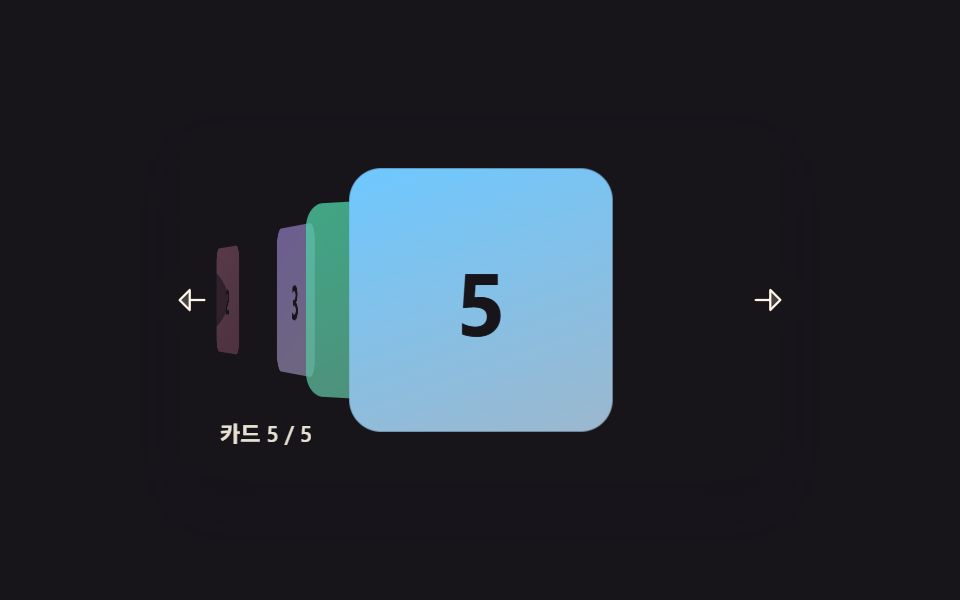
- 03 カードが3D遠近で曲がりながら通り過ぎるカルーセル
- 04 最後まで行くと最初へつながる無限ループカルーセル
- 05 自動で切り替わりマウスを乗せると止まるカルーセル
- 06 下のサムネイルが現在のカードに合わせて明るくなるカルーセル
- 07 手を離すと常にカード1枚にぴったり止まるカルーセル
- 08 カードが上下に重なって進む縦型カルーセル
- 09 カードがぼやけながら奥へ下がるクロスフェード カルーセル
9つ並べておくと、画像 スライダー デザインとして実際に必要な幅を、同じ発想を繰り返さずに一通り押さえられます。3つはポインターの速度を物理ループへ読み込み、3つはカードごと・フレームごとに3D寄りの値を計算し、残る3つはその境界に立つ存在です — 継ぎ目のないループ、常に中央へ寄るサムネイル帯、タイマー駆動の自動再生です。以下の並び順は、最も手を動かす操作性の高いパターン(ドラッグ慣性)から、最も動きが控えめなパターン(クロスフェード)へと進みます。
デモ
<main class="stage">
<section class="carousel is-demo" id="carousel" role="region" aria-roledescription="carousel" aria-label="カードカルーセル">
  <div class="viewport" id="viewport">
    <div class="track" id="track">
      <div class="card card--0"><span class="num">1</span></div>
      <div class="card card--1"><span class="num">2</span></div>
      <div class="card card--2"><span class="num">3</span></div>
      <div class="card card--3"><span class="num">4</span></div>
      <div class="card card--4"><span class="num">5</span></div>
    </div>
  </div>
  <button type="button" class="navBtn navBtn--prev" id="prevBtn" aria-label="前のカード">
    <svg viewBox="0 0 256 256" width="18" height="18" aria-hidden="true"><g fill="currentColor"><path d="M112 56v144l-72-72Z" opacity=".2"/><path d="M216 120h-96V56a8 8 0 0 0-13.66-5.66l-72 72a8 8 0 0 0 0 11.32l72 72A8 8 0 0 0 120 200v-64h96a8 8 0 0 0 0-16m-112 60.69L51.31 128L104 75.31Z"/></g></svg>
  </button>
  <button type="button" class="navBtn navBtn--next" id="nextBtn" aria-label="次のカード">
    <svg viewBox="0 0 256 256" width="18" height="18" aria-hidden="true"><g fill="currentColor"><path d="m216 128l-72 72V56Z" opacity=".2"/><path d="m221.66 122.34l-72-72A8 8 0 0 0 136 56v64H40a8 8 0 0 0 0 16h96v64a8 8 0 0 0 13.66 5.66l72-72a8 8 0 0 0 0-11.32M152 180.69V75.31L204.69 128Z"/></g></svg>
  </button>
  <div class="readout" id="readout" aria-live="polite"></div>
</section>
</main>
@use "../../../../site/static/demo-tokens" as *;
// 변수 3개
$duration: $dur-base;
$easing: $ease-out;
$color: $subject-blue-deep;
// 계산 겹: index.html 의 settle() 이 포인터 릴리스 속도에 감쇠 계수를 매 프레임 곱해
// pos·velocity 를 산술로 굳힌다 — CSS 트랜지션이 아니라 requestAnimationFrame 물리다.
@include stage($stage-ink);
.carousel {
position: relative;
width: 300px;
}
.viewport {
position: relative;
width: 300px;
height: 168px;
border-radius: $r-card;
overflow: hidden;
box-shadow: $shadow-raised;
background: $stage-ink;
outline: none;
}
.track {
display: flex;
height: 100%;
will-change: transform;
touch-action: none;
cursor: grab;
&.isDragging { cursor: grabbing; }
}
.card {
flex: 0 0 200px;
height: 100%;
margin-right: $sp-4;
border-radius: $r-card;
display: grid;
place-items: center;
&:last-child { margin-right: 0; }
.num {
font-weight: 700;
font-size: 56px;
line-height: 1;
}
}
.card--0 { background: linear-gradient(160deg, $subject-blue-deep, #475690); .num { color: $subject-cream; } }
.card--1 { background: linear-gradient(160deg, $subject-pink, #d97fa0); .num { color: $subject-ink; } }
.card--2 { background: linear-gradient(160deg, $subject-mint, #63b299); .num { color: $subject-ink; } }
.card--3 { background: linear-gradient(160deg, $subject-lilac, #bdb3da); .num { color: $subject-ink; } }
.card--4 { background: linear-gradient(160deg, $subject-sky, #9cb8ce); .num { color: $subject-ink; } }
.navBtn {
position: absolute;
top: 50%;
margin-top: -18px;
width: 36px;
height: 36px;
border-radius: $r-pill;
border: none;
display: grid;
place-items: center;
background: rgba($stage-ink, .6);
color: $subject-cream;
cursor: pointer;
&:focus-visible { outline: 2px solid $color; outline-offset: 2px; }
}
.navBtn--prev { left: -($sp-3); }
.navBtn--next { right: -($sp-3); }
.readout {
position: absolute;
left: $sp-3;
bottom: $sp-3;
padding: $sp-1 $sp-2;
border-radius: $r-pill;
background: rgba($stage-ink, .6);
color: rgba($subject-cream, .9);
font-size: 11px;
font-weight: 600;
line-height: 1;
font-variant-numeric: tabular-nums;
}
@media (max-width: 340px) {
.carousel { width: 220px; }
.viewport { width: 220px; height: 106px; }
.card { flex-basis: 148px; margin-right: $sp-2; .num { font-size: 36px; } }
.navBtn { width: 28px; height: 28px; margin-top: -14px; }
.readout { font-size: 9px; }
}
@media (prefers-reduced-motion: reduce) {
// 실사용 경로 적용 — 드래그·키보드·버튼 플릭은 index.html 이 그대로 물리 계산을 돌린다.
// scss 만: 포커스 아웃라인 전환만 꺼서 잔여 트랜지션을 없앤다.
.navBtn { transition: none; }
}html, body {
margin: 0;
overflow: hidden;
}
.stage {
box-sizing: border-box;
min-height: 100vh;
display: grid;
place-items: center;
margin: 0;
background: #17141a;
font-family: -apple-system, "Segoe UI", "Noto Sans KR", sans-serif;
padding: clamp(8px, 4vw, 24px);
}
.carousel {
position: relative;
width: 300px;
}
.viewport {
position: relative;
width: 300px;
height: 168px;
border-radius: 16px;
overflow: hidden;
box-shadow: 0 14px 24px rgba(23, 20, 26, 0.32);
background: #17141a;
outline: none;
}
.track {
display: flex;
height: 100%;
will-change: transform;
touch-action: none;
cursor: grab;
}
.track.isDragging {
cursor: grabbing;
}
.card {
flex: 0 0 200px;
height: 100%;
margin-right: 16px;
border-radius: 16px;
display: grid;
place-items: center;
}
.card:last-child {
margin-right: 0;
}
.card .num {
font-weight: 700;
font-size: 56px;
line-height: 1;
}
.card--0 {
background: linear-gradient(160deg, #0a4fe8, #475690);
}
.card--0 .num {
color: #fff7e6;
}
.card--1 {
background: linear-gradient(160deg, #ff9ebb, #d97fa0);
}
.card--1 .num {
color: #17141a;
}
.card--2 {
background: linear-gradient(160deg, #4cd4a6, #63b299);
}
.card--2 .num {
color: #17141a;
}
.card--3 {
background: linear-gradient(160deg, #b9a0ff, #bdb3da);
}
.card--3 .num {
color: #17141a;
}
.card--4 {
background: linear-gradient(160deg, #6ec8ff, #9cb8ce);
}
.card--4 .num {
color: #17141a;
}
.navBtn {
position: absolute;
top: 50%;
margin-top: -18px;
width: 36px;
height: 36px;
border-radius: 999px;
border: none;
display: grid;
place-items: center;
background: rgba(23, 20, 26, 0.6);
color: #fff7e6;
cursor: pointer;
}
.navBtn:focus-visible {
outline: 2px solid #0a4fe8;
outline-offset: 2px;
}
.navBtn--prev {
left: -12px;
}
.navBtn--next {
right: -12px;
}
.readout {
position: absolute;
left: 12px;
bottom: 12px;
padding: 4px 8px;
border-radius: 999px;
background: rgba(23, 20, 26, 0.6);
color: rgba(255, 247, 230, 0.9);
font-size: 11px;
font-weight: 600;
line-height: 1;
font-variant-numeric: tabular-nums;
}
@media (max-width: 340px) {
.carousel {
width: 220px;
}
.viewport {
width: 220px;
height: 106px;
}
.card {
flex-basis: 148px;
margin-right: 8px;
}
.card .num {
font-size: 36px;
}
.navBtn {
width: 28px;
height: 28px;
margin-top: -14px;
}
.readout {
font-size: 9px;
}
}
@media (prefers-reduced-motion: reduce) {
.navBtn {
transition: none;
}
}(function () {
var STEP_MS = 16.6667;
// 관성 감쇠 계수 — 프레임(16.6667ms)마다 이 비율만큼 속도가 깎인다. 낮출수록 손을 뗀 뒤
// 카드가 더 오래·더 멀리 미끄러진다(변형 1). 높이면 짧게 미끄러지다 빨리 멈춘다.
var MOMENTUM_FRICTION = 0.10;
var VELOCITY_STOP = 0.02; // px/ms 미만이면 정지로 본다
var SAMPLE_WINDOW_MS = 110; // 이 시간 안의 포인터 표본만 속도 계산에 쓴다
var KEY_FLICK_VELOCITY = 0.62; // 화살표 키 한 번 = 이 속도의 플릭
var DEMO_FLICKS = [-0.85, 0.5, -0.62, 0.78]; // 자동 시연이 번갈아 쏘는 플릭 속도(px/ms) — 크기가 다르므로 미끄러지는 거리도 다르다
var DEMO_HOLD_MS = 260;
var carousel = document.getElementById('carousel');
var viewport = document.getElementById('viewport');
var track = document.getElementById('track');
var readout = document.getElementById('readout');
var prevBtn = document.getElementById('prevBtn');
var nextBtn = document.getElementById('nextBtn');
var reduce = window.matchMedia('(prefers-reduced-motion: reduce)').matches;
var TOTAL = 5;
var LABEL_PREFIX = 'カード ';
var LABEL_SEP = ' / ';
var pos = 0; // 현재 translateX (px)
var velocity = 0; // px/ms
var minX = 0, maxX = 0;
var dragging = false;
var samples = [];
var settleFrame = null;
var demoTimers = [];
function bounds() {
maxX = 0;
minX = Math.min(0, viewport.clientWidth - track.scrollWidth);
}
function clamp(v, lo, hi) { return Math.min(hi, Math.max(lo, v)); }
function paint() {
track.style.transform = 'translate3d(' + pos.toFixed(1) + 'px,0,0)';
var step = track.scrollWidth / TOTAL;
var idx = clamp(Math.round(-pos / step), 0, TOTAL - 1);
readout.textContent = LABEL_PREFIX + (idx + 1) + LABEL_SEP + TOTAL;
}
function stopSettle() {
if (settleFrame) { cancelAnimationFrame(settleFrame); settleFrame = null; }
}
function human() {
if (carousel.classList.contains('is-demo')) {
carousel.classList.remove('is-demo');
demoTimers.forEach(function (t) { clearTimeout(t); });
demoTimers = [];
}
}
// 관성 감쇠 루프 — 매 프레임 pos += velocity*dt, velocity *= (1-MOMENTUM_FRICTION)^(dt/16.6667).
// 경계에 닿으면 그 자리에서 속도를 0으로 끊는다(되튕김은 이 항목의 역할이 아니다 — 02가 담당).
function settle() {
var last = performance.now();
function frame(now) {
var dt = Math.min(40, now - last);
last = now;
pos = clamp(pos + velocity * dt, minX, maxX);
var decay = Math.pow(1 - MOMENTUM_FRICTION, dt / STEP_MS);
velocity *= decay;
if (pos === minX || pos === maxX) velocity = 0;
paint();
if (Math.abs(velocity) > VELOCITY_STOP) {
settleFrame = requestAnimationFrame(frame);
} else {
velocity = 0;
settleFrame = null;
}
}
settleFrame = requestAnimationFrame(frame);
}
function pushSample(t, x) {
samples.push({ t: t, x: x });
while (samples.length && t - samples[0].t > SAMPLE_WINDOW_MS) samples.shift();
}
function releaseVelocity() {
if (samples.length < 2) return 0;
var a = samples[0], b = samples[samples.length - 1];
var dt = b.t - a.t;
if (dt <= 0) return 0;
return (b.x - a.x) / dt;
}
function onPointerDown(e) {
human();
stopSettle();
dragging = true;
velocity = 0;
samples = [];
track.classList.add('isDragging');
viewport.setPointerCapture(e.pointerId);
pushSample(performance.now(), e.clientX);
carousel._originPos = pos;
carousel._startX = e.clientX;
}
function onPointerMove(e) {
if (!dragging) return;
var dx = e.clientX - carousel._startX;
pos = clamp(carousel._originPos + dx, minX, maxX);
pushSample(performance.now(), e.clientX);
paint();
}
function onPointerUp(e) {
if (!dragging) return;
dragging = false;
track.classList.remove('isDragging');
try { viewport.releasePointerCapture(e.pointerId); } catch (err) {}
velocity = releaseVelocity();
settle();
}
function flick(v) {
human();
stopSettle();
velocity = v;
settle();
}
function onKeydown(e) {
if (e.key === 'ArrowLeft') { flick(-KEY_FLICK_VELOCITY); e.preventDefault(); }
else if (e.key === 'ArrowRight') { flick(KEY_FLICK_VELOCITY); e.preventDefault(); }
}
viewport.addEventListener('pointerdown', onPointerDown);
viewport.addEventListener('pointermove', onPointerMove);
viewport.addEventListener('pointerup', onPointerUp);
viewport.addEventListener('pointercancel', onPointerUp);
viewport.addEventListener('keydown', onKeydown);
viewport.tabIndex = 0;
prevBtn.addEventListener('click', function () { flick(-KEY_FLICK_VELOCITY); });
nextBtn.addEventListener('click', function () { flick(KEY_FLICK_VELOCITY); });
// reduce: 실사용 경로 적용 — 드래그·키보드·버튼 플릭은 위 리스너가 그대로 물리 계산을 돌린다.
// 아래 demoCycle() 은 시연 게이트만이고 reduce 에서는 돌지 않는다.
function demoCycle(i) {
if (!carousel.classList.contains('is-demo')) return;
velocity = DEMO_FLICKS[i % DEMO_FLICKS.length];
stopSettle();
settle();
demoTimers.push(setTimeout(function () {
demoTimers.push(setTimeout(function () { demoCycle(i + 1); }, DEMO_HOLD_MS));
}, 40));
}
function init() {
bounds();
paint();
if (!reduce) demoCycle(0);
}
window.addEventListener('resize', bounds);
init();
})();import { useEffect, useRef } from 'react';
import styles from './CarouselDragMomentum.module.scss';
// 상수 — vanilla demo 01 (run/384/demo/01-carousel-slide-drag-momentum/index.html) 과 동일
const STEP_MS = 16.6667;
// 관성 감쇠 계수 — 프레임(16.6667ms)마다 이 비율만큼 속도가 깎인다. 낮출수록 손을 뗀 뒤
// 카드가 더 오래·더 멀리 미끄러진다(변형 1). 높이면 짧게 미끄러지다 빨리 멈춘다.
const MOMENTUM_FRICTION = 0.10;
const VELOCITY_STOP = 0.02; // px/ms 미만이면 정지로 본다
const SAMPLE_WINDOW_MS = 110; // 이 시간 안의 포인터 표본만 속도 계산에 쓴다
const KEY_FLICK_VELOCITY = 0.62; // 화살표 키 한 번 = 이 속도의 플릭
const DEMO_FLICKS = [-0.85, 0.5, -0.62, 0.78]; // 자동 시연이 번갈아 쏘는 플릭 속도(px/ms)
const DEMO_HOLD_MS = 260;
const TOTAL = 5;
const LABEL_PREFIX = '카드 ';
const LABEL_SEP = ' / ';
export default function CarouselDragMomentum() {
const carouselRef = useRef<HTMLElement>(null);
useEffect(() => {
const carousel = carouselRef.current;
if (!carousel) return undefined;
const viewport = carousel.querySelector<HTMLDivElement>('.' + styles.viewport);
const track = carousel.querySelector<HTMLDivElement>('.' + styles.track);
const readout = carousel.querySelector<HTMLDivElement>('.' + styles.readout);
const prevBtn = carousel.querySelector<HTMLButtonElement>('.' + styles['navBtn--prev']);
const nextBtn = carousel.querySelector<HTMLButtonElement>('.' + styles['navBtn--next']);
if (!viewport || !track || !readout || !prevBtn || !nextBtn) return undefined;
let pos = 0; // 현재 translateX (px)
let velocity = 0; // px/ms
let minX = 0, maxX = 0;
let dragging = false;
let samples: { t: number; x: number }[] = [];
let settleFrame = 0;
let demoTimers: number[] = [];
let originPos = 0, startX = 0;
function clamp(v: number, lo: number, hi: number) { return Math.min(hi, Math.max(lo, v)); }
function bounds() {
maxX = 0;
minX = Math.min(0, viewport!.clientWidth - track!.scrollWidth);
}
function paint() {
track!.style.transform = 'translate3d(' + pos.toFixed(1) + 'px,0,0)';
const step = track!.scrollWidth / TOTAL;
const idx = clamp(Math.round(-pos / step), 0, TOTAL - 1);
readout!.textContent = LABEL_PREFIX + (idx + 1) + LABEL_SEP + TOTAL;
}
function stopSettle() {
if (settleFrame) { cancelAnimationFrame(settleFrame); settleFrame = 0; }
}
function human() {
if (carousel!.classList.contains(styles['is-demo'])) {
carousel!.classList.remove(styles['is-demo']);
demoTimers.forEach((t) => window.clearTimeout(t));
demoTimers = [];
}
}
// 관성 감쇠 루프 — 매 프레임 pos += velocity*dt, velocity *= (1-MOMENTUM_FRICTION)^(dt/16.6667).
// 경계에 닿으면 그 자리에서 속도를 0으로 끊는다(되튕김은 이 항목의 역할이 아니다 — 02가 담당).
function settle() {
let last = performance.now();
function frame(now: number) {
const dt = Math.min(40, now - last);
last = now;
pos = clamp(pos + velocity * dt, minX, maxX);
const decay = Math.pow(1 - MOMENTUM_FRICTION, dt / STEP_MS);
velocity *= decay;
if (pos === minX || pos === maxX) velocity = 0;
paint();
if (Math.abs(velocity) > VELOCITY_STOP) {
settleFrame = requestAnimationFrame(frame);
} else {
velocity = 0;
settleFrame = 0;
}
}
settleFrame = requestAnimationFrame(frame);
}
function pushSample(t: number, x: number) {
samples.push({ t, x });
while (samples.length && t - samples[0].t > SAMPLE_WINDOW_MS) samples.shift();
}
function releaseVelocity() {
if (samples.length < 2) return 0;
const a = samples[0], b = samples[samples.length - 1];
const dt = b.t - a.t;
if (dt <= 0) return 0;
return (b.x - a.x) / dt;
}
function onPointerDown(e: PointerEvent) {
human();
stopSettle();
dragging = true;
velocity = 0;
samples = [];
track!.classList.add(styles.isDragging);
viewport!.setPointerCapture(e.pointerId);
pushSample(performance.now(), e.clientX);
originPos = pos;
startX = e.clientX;
}
function onPointerMove(e: PointerEvent) {
if (!dragging) return;
const dx = e.clientX - startX;
pos = clamp(originPos + dx, minX, maxX);
pushSample(performance.now(), e.clientX);
paint();
}
function onPointerUp(e: PointerEvent) {
if (!dragging) return;
dragging = false;
track!.classList.remove(styles.isDragging);
try { viewport!.releasePointerCapture(e.pointerId); } catch { /* 캡처가 이미 풀린 경우 */ }
velocity = releaseVelocity();
settle();
}
function flick(v: number) {
human();
stopSettle();
velocity = v;
settle();
}
function onKeydown(e: KeyboardEvent) {
if (e.key === 'ArrowLeft') { flick(-KEY_FLICK_VELOCITY); e.preventDefault(); }
else if (e.key === 'ArrowRight') { flick(KEY_FLICK_VELOCITY); e.preventDefault(); }
}
function onPrev() { flick(-KEY_FLICK_VELOCITY); }
function onNext() { flick(KEY_FLICK_VELOCITY); }
function onResize() { bounds(); }
viewport.addEventListener('pointerdown', onPointerDown);
viewport.addEventListener('pointermove', onPointerMove);
viewport.addEventListener('pointerup', onPointerUp);
viewport.addEventListener('pointercancel', onPointerUp);
viewport.addEventListener('keydown', onKeydown);
prevBtn.addEventListener('click', onPrev);
nextBtn.addEventListener('click', onNext);
window.addEventListener('resize', onResize);
const reduce = window.matchMedia('(prefers-reduced-motion: reduce)').matches;
// reduce: 실사용 경로 적용 — 드래그·키보드·버튼 플릭은 위 리스너가 그대로 물리 계산을 돌린다.
// 아래 demoCycle() 은 시연 게이트만이고 reduce 에서는 돌지 않는다.
function demoCycle(i: number) {
if (!carousel!.classList.contains(styles['is-demo'])) return;
velocity = DEMO_FLICKS[i % DEMO_FLICKS.length];
stopSettle();
settle();
demoTimers.push(window.setTimeout(() => {
demoTimers.push(window.setTimeout(() => demoCycle(i + 1), DEMO_HOLD_MS));
}, 40));
}
bounds();
paint();
if (!reduce) demoCycle(0);
return () => {
viewport.removeEventListener('pointerdown', onPointerDown);
viewport.removeEventListener('pointermove', onPointerMove);
viewport.removeEventListener('pointerup', onPointerUp);
viewport.removeEventListener('pointercancel', onPointerUp);
viewport.removeEventListener('keydown', onKeydown);
prevBtn.removeEventListener('click', onPrev);
nextBtn.removeEventListener('click', onNext);
window.removeEventListener('resize', onResize);
demoTimers.forEach((t) => window.clearTimeout(t));
stopSettle();
};
}, []);
return (
<main className={styles.stage}>
<section
className={styles.carousel + ' ' + styles['is-demo']}
ref={carouselRef}
role="region"
aria-roledescription="carousel"
aria-label="카드 캐러셀"
>
<div className={styles.viewport} tabIndex={0}>
<div className={styles.track}>
<div className={styles.card + ' ' + styles['card--0']}><span className={styles.num}>1</span></div>
<div className={styles.card + ' ' + styles['card--1']}><span className={styles.num}>2</span></div>
<div className={styles.card + ' ' + styles['card--2']}><span className={styles.num}>3</span></div>
<div className={styles.card + ' ' + styles['card--3']}><span className={styles.num}>4</span></div>
<div className={styles.card + ' ' + styles['card--4']}><span className={styles.num}>5</span></div>
</div>
</div>
<button type="button" className={styles.navBtn + ' ' + styles['navBtn--prev']} aria-label="이전 카드">
<svg viewBox="0 0 256 256" width={18} height={18} aria-hidden="true"><g fill="currentColor"><path d="M112 56v144l-72-72Z" opacity=".2" /><path d="M216 120h-96V56a8 8 0 0 0-13.66-5.66l-72 72a8 8 0 0 0 0 11.32l72 72A8 8 0 0 0 120 200v-64h96a8 8 0 0 0 0-16m-112 60.69L51.31 128L104 75.31Z" /></g></svg>
</button>
<button type="button" className={styles.navBtn + ' ' + styles['navBtn--next']} aria-label="다음 카드">
<svg viewBox="0 0 256 256" width={18} height={18} aria-hidden="true"><g fill="currentColor"><path d="m216 128l-72 72V56Z" opacity=".2" /><path d="m221.66 122.34l-72-72A8 8 0 0 0 136 56v64H40a8 8 0 0 0 0 16h96v64a8 8 0 0 0 13.66 5.66l72-72a8 8 0 0 0 0-11.32M152 180.69V75.31L204.69 128Z" /></g></svg>
</button>
<div className={styles.readout} aria-live="polite"></div>
</section>
</main>
);
}01 · ドラッグを離すと慣性でさらに滑るカルーセル — 計測 累積面積 27.174% · 動いたフレーム 23/23GODRICH オリジナル · SCSS と React は zip に同梱 · パスワードを見る
9つの遷移の解剖 — どこで計算の一層が回るか
各パターンは、ふつうのCSS transformの上にもう一層の計算を足しており、その一層こそが、ありふれた回転動作を9つのはっきり違う遷移に変えています。九分割した面積・強度・動いたフレーム数は、その一層が画面のどれだけを実際に動かしているかを示す実測値です。
| # | パターン | 累積面積 | 平均強度 | 動いたフレーム |
|---|---|---|---|---|
| 01 | ドラッグ慣性 | 27.2% | 174.3 | 23/23 |
| 02 | ゴムの跳ね返り | 34.8% | 132.2 | 23/23 |
| 03 | 3D遠近カバーフロー | 19.7% | 76.6 | 22/23 |
| 04 | 無限ループ | 34.8% | 145.9 | 9/23 |
| 05 | 自動再生とホバー停止 | 34.8% | 108.8 | 20/23 |
| 06 | サムネイル同期 | 33.9% | 55.5 | 22/23 |
| 07 | スナップポイント | 34.8% | 129.1 | 18/23 |
| 08 | 縦型スタック | 40.4% | 84.2 | 18/23 |
| 09 | クロスフェード | 34.8% | 58.0 | 22/23 |
面積が一番小さいのは03のカバーフローです。角度がついたカードの多くが画面の端で小さく縮んでいるため、動いている領域自体が狭いのであって、計算が軽いわけではありません。動いたフレームが9/23と際立って少ないのは04の無限ループで、これは境界を越えたときだけwrapIfNeeded()が発火する構造上、自然な回数です。
パターン別コード
9つそれぞれの核になる関数を、実際に動いているソースからそのまま切り出しています。
01ドラッグを離すと慣性でさらに滑るカルーセル
カードを横にドラッグして手を離すと、離した瞬間の速度のままカードが滑り続けて徐々に減速し、強く動かすほど遠くまで進みます。pushSample()が直近のポインター位置を一定の時間窓で記録し、releaseVelocity()がその窓から指を離した瞬間の初速を割り出します。その一つの数値がsettle()の中で毎フレーム減衰し、十分小さくなった時点で止まります。
<main class="stage">
<section class="carousel is-demo" id="carousel" role="region" aria-roledescription="carousel" aria-label="カードカルーセル">
  <div class="viewport" id="viewport">
    <div class="track" id="track">
      <div class="card card--0"><span class="num">1</span></div>
      <div class="card card--1"><span class="num">2</span></div>
      <div class="card card--2"><span class="num">3</span></div>
      <div class="card card--3"><span class="num">4</span></div>
      <div class="card card--4"><span class="num">5</span></div>
    </div>
  </div>
  <button type="button" class="navBtn navBtn--prev" id="prevBtn" aria-label="前のカード">
    <svg viewBox="0 0 256 256" width="18" height="18" aria-hidden="true"><g fill="currentColor"><path d="M112 56v144l-72-72Z" opacity=".2"/><path d="M216 120h-96V56a8 8 0 0 0-13.66-5.66l-72 72a8 8 0 0 0 0 11.32l72 72A8 8 0 0 0 120 200v-64h96a8 8 0 0 0 0-16m-112 60.69L51.31 128L104 75.31Z"/></g></svg>
  </button>
  <button type="button" class="navBtn navBtn--next" id="nextBtn" aria-label="次のカード">
    <svg viewBox="0 0 256 256" width="18" height="18" aria-hidden="true"><g fill="currentColor"><path d="m216 128l-72 72V56Z" opacity=".2"/><path d="m221.66 122.34l-72-72A8 8 0 0 0 136 56v64H40a8 8 0 0 0 0 16h96v64a8 8 0 0 0 13.66 5.66l72-72a8 8 0 0 0 0-11.32M152 180.69V75.31L204.69 128Z"/></g></svg>
  </button>
  <div class="readout" id="readout" aria-live="polite"></div>
</section>
</main>
@use "../../../../site/static/demo-tokens" as *;
// 변수 3개
$duration: $dur-base;
$easing: $ease-out;
$color: $subject-blue-deep;
// 계산 겹: index.html 의 settle() 이 포인터 릴리스 속도에 감쇠 계수를 매 프레임 곱해
// pos·velocity 를 산술로 굳힌다 — CSS 트랜지션이 아니라 requestAnimationFrame 물리다.
@include stage($stage-ink);
.carousel {
position: relative;
width: 300px;
}
.viewport {
position: relative;
width: 300px;
height: 168px;
border-radius: $r-card;
overflow: hidden;
box-shadow: $shadow-raised;
background: $stage-ink;
outline: none;
}
.track {
display: flex;
height: 100%;
will-change: transform;
touch-action: none;
cursor: grab;
&.isDragging { cursor: grabbing; }
}
.card {
flex: 0 0 200px;
height: 100%;
margin-right: $sp-4;
border-radius: $r-card;
display: grid;
place-items: center;
&:last-child { margin-right: 0; }
.num {
font-weight: 700;
font-size: 56px;
line-height: 1;
}
}
.card--0 { background: linear-gradient(160deg, $subject-blue-deep, #475690); .num { color: $subject-cream; } }
.card--1 { background: linear-gradient(160deg, $subject-pink, #d97fa0); .num { color: $subject-ink; } }
.card--2 { background: linear-gradient(160deg, $subject-mint, #63b299); .num { color: $subject-ink; } }
.card--3 { background: linear-gradient(160deg, $subject-lilac, #bdb3da); .num { color: $subject-ink; } }
.card--4 { background: linear-gradient(160deg, $subject-sky, #9cb8ce); .num { color: $subject-ink; } }
.navBtn {
position: absolute;
top: 50%;
margin-top: -18px;
width: 36px;
height: 36px;
border-radius: $r-pill;
border: none;
display: grid;
place-items: center;
background: rgba($stage-ink, .6);
color: $subject-cream;
cursor: pointer;
&:focus-visible { outline: 2px solid $color; outline-offset: 2px; }
}
.navBtn--prev { left: -($sp-3); }
.navBtn--next { right: -($sp-3); }
.readout {
position: absolute;
left: $sp-3;
bottom: $sp-3;
padding: $sp-1 $sp-2;
border-radius: $r-pill;
background: rgba($stage-ink, .6);
color: rgba($subject-cream, .9);
font-size: 11px;
font-weight: 600;
line-height: 1;
font-variant-numeric: tabular-nums;
}
@media (max-width: 340px) {
.carousel { width: 220px; }
.viewport { width: 220px; height: 106px; }
.card { flex-basis: 148px; margin-right: $sp-2; .num { font-size: 36px; } }
.navBtn { width: 28px; height: 28px; margin-top: -14px; }
.readout { font-size: 9px; }
}
@media (prefers-reduced-motion: reduce) {
// 실사용 경로 적용 — 드래그·키보드·버튼 플릭은 index.html 이 그대로 물리 계산을 돌린다.
// scss 만: 포커스 아웃라인 전환만 꺼서 잔여 트랜지션을 없앤다.
.navBtn { transition: none; }
}html, body {
margin: 0;
overflow: hidden;
}
.stage {
box-sizing: border-box;
min-height: 100vh;
display: grid;
place-items: center;
margin: 0;
background: #17141a;
font-family: -apple-system, "Segoe UI", "Noto Sans KR", sans-serif;
padding: clamp(8px, 4vw, 24px);
}
.carousel {
position: relative;
width: 300px;
}
.viewport {
position: relative;
width: 300px;
height: 168px;
border-radius: 16px;
overflow: hidden;
box-shadow: 0 14px 24px rgba(23, 20, 26, 0.32);
background: #17141a;
outline: none;
}
.track {
display: flex;
height: 100%;
will-change: transform;
touch-action: none;
cursor: grab;
}
.track.isDragging {
cursor: grabbing;
}
.card {
flex: 0 0 200px;
height: 100%;
margin-right: 16px;
border-radius: 16px;
display: grid;
place-items: center;
}
.card:last-child {
margin-right: 0;
}
.card .num {
font-weight: 700;
font-size: 56px;
line-height: 1;
}
.card--0 {
background: linear-gradient(160deg, #0a4fe8, #475690);
}
.card--0 .num {
color: #fff7e6;
}
.card--1 {
background: linear-gradient(160deg, #ff9ebb, #d97fa0);
}
.card--1 .num {
color: #17141a;
}
.card--2 {
background: linear-gradient(160deg, #4cd4a6, #63b299);
}
.card--2 .num {
color: #17141a;
}
.card--3 {
background: linear-gradient(160deg, #b9a0ff, #bdb3da);
}
.card--3 .num {
color: #17141a;
}
.card--4 {
background: linear-gradient(160deg, #6ec8ff, #9cb8ce);
}
.card--4 .num {
color: #17141a;
}
.navBtn {
position: absolute;
top: 50%;
margin-top: -18px;
width: 36px;
height: 36px;
border-radius: 999px;
border: none;
display: grid;
place-items: center;
background: rgba(23, 20, 26, 0.6);
color: #fff7e6;
cursor: pointer;
}
.navBtn:focus-visible {
outline: 2px solid #0a4fe8;
outline-offset: 2px;
}
.navBtn--prev {
left: -12px;
}
.navBtn--next {
right: -12px;
}
.readout {
position: absolute;
left: 12px;
bottom: 12px;
padding: 4px 8px;
border-radius: 999px;
background: rgba(23, 20, 26, 0.6);
color: rgba(255, 247, 230, 0.9);
font-size: 11px;
font-weight: 600;
line-height: 1;
font-variant-numeric: tabular-nums;
}
@media (max-width: 340px) {
.carousel {
width: 220px;
}
.viewport {
width: 220px;
height: 106px;
}
.card {
flex-basis: 148px;
margin-right: 8px;
}
.card .num {
font-size: 36px;
}
.navBtn {
width: 28px;
height: 28px;
margin-top: -14px;
}
.readout {
font-size: 9px;
}
}
@media (prefers-reduced-motion: reduce) {
.navBtn {
transition: none;
}
}(function () {
var STEP_MS = 16.6667;
// 관성 감쇠 계수 — 프레임(16.6667ms)마다 이 비율만큼 속도가 깎인다. 낮출수록 손을 뗀 뒤
// 카드가 더 오래·더 멀리 미끄러진다(변형 1). 높이면 짧게 미끄러지다 빨리 멈춘다.
var MOMENTUM_FRICTION = 0.10;
var VELOCITY_STOP = 0.02; // px/ms 미만이면 정지로 본다
var SAMPLE_WINDOW_MS = 110; // 이 시간 안의 포인터 표본만 속도 계산에 쓴다
var KEY_FLICK_VELOCITY = 0.62; // 화살표 키 한 번 = 이 속도의 플릭
var DEMO_FLICKS = [-0.85, 0.5, -0.62, 0.78]; // 자동 시연이 번갈아 쏘는 플릭 속도(px/ms) — 크기가 다르므로 미끄러지는 거리도 다르다
var DEMO_HOLD_MS = 260;
var carousel = document.getElementById('carousel');
var viewport = document.getElementById('viewport');
var track = document.getElementById('track');
var readout = document.getElementById('readout');
var prevBtn = document.getElementById('prevBtn');
var nextBtn = document.getElementById('nextBtn');
var reduce = window.matchMedia('(prefers-reduced-motion: reduce)').matches;
var TOTAL = 5;
var LABEL_PREFIX = 'カード ';
var LABEL_SEP = ' / ';
var pos = 0; // 현재 translateX (px)
var velocity = 0; // px/ms
var minX = 0, maxX = 0;
var dragging = false;
var samples = [];
var settleFrame = null;
var demoTimers = [];
function bounds() {
maxX = 0;
minX = Math.min(0, viewport.clientWidth - track.scrollWidth);
}
function clamp(v, lo, hi) { return Math.min(hi, Math.max(lo, v)); }
function paint() {
track.style.transform = 'translate3d(' + pos.toFixed(1) + 'px,0,0)';
var step = track.scrollWidth / TOTAL;
var idx = clamp(Math.round(-pos / step), 0, TOTAL - 1);
readout.textContent = LABEL_PREFIX + (idx + 1) + LABEL_SEP + TOTAL;
}
function stopSettle() {
if (settleFrame) { cancelAnimationFrame(settleFrame); settleFrame = null; }
}
function human() {
if (carousel.classList.contains('is-demo')) {
carousel.classList.remove('is-demo');
demoTimers.forEach(function (t) { clearTimeout(t); });
demoTimers = [];
}
}
// 관성 감쇠 루프 — 매 프레임 pos += velocity*dt, velocity *= (1-MOMENTUM_FRICTION)^(dt/16.6667).
// 경계에 닿으면 그 자리에서 속도를 0으로 끊는다(되튕김은 이 항목의 역할이 아니다 — 02가 담당).
  function settle() {
    var last = performance.now();
    function frame(now) {
      var dt = Math.min(40, now - last);
      last = now;
      pos = clamp(pos + velocity * dt, minX, maxX);
      var decay = Math.pow(1 - MOMENTUM_FRICTION, dt / STEP_MS);
      velocity *= decay;
      if (pos === minX || pos === maxX) velocity = 0;
      paint();
      if (Math.abs(velocity) > VELOCITY_STOP) {
        settleFrame = requestAnimationFrame(frame);
      } else {
        velocity = 0;
        settleFrame = null;
      }
    }
    settleFrame = requestAnimationFrame(frame);
  }
function pushSample(t, x) {
samples.push({ t: t, x: x });
while (samples.length && t - samples[0].t > SAMPLE_WINDOW_MS) samples.shift();
}
function releaseVelocity() {
if (samples.length < 2) return 0;
var a = samples[0], b = samples[samples.length - 1];
var dt = b.t - a.t;
if (dt <= 0) return 0;
return (b.x - a.x) / dt;
}
function onPointerDown(e) {
human();
stopSettle();
dragging = true;
velocity = 0;
samples = [];
track.classList.add('isDragging');
viewport.setPointerCapture(e.pointerId);
pushSample(performance.now(), e.clientX);
carousel._originPos = pos;
carousel._startX = e.clientX;
}
function onPointerMove(e) {
if (!dragging) return;
var dx = e.clientX - carousel._startX;
pos = clamp(carousel._originPos + dx, minX, maxX);
pushSample(performance.now(), e.clientX);
paint();
}
function onPointerUp(e) {
if (!dragging) return;
dragging = false;
track.classList.remove('isDragging');
try { viewport.releasePointerCapture(e.pointerId); } catch (err) {}
velocity = releaseVelocity();
settle();
}
function flick(v) {
human();
stopSettle();
velocity = v;
settle();
}
function onKeydown(e) {
if (e.key === 'ArrowLeft') { flick(-KEY_FLICK_VELOCITY); e.preventDefault(); }
else if (e.key === 'ArrowRight') { flick(KEY_FLICK_VELOCITY); e.preventDefault(); }
}
viewport.addEventListener('pointerdown', onPointerDown);
viewport.addEventListener('pointermove', onPointerMove);
viewport.addEventListener('pointerup', onPointerUp);
viewport.addEventListener('pointercancel', onPointerUp);
viewport.addEventListener('keydown', onKeydown);
viewport.tabIndex = 0;
prevBtn.addEventListener('click', function () { flick(-KEY_FLICK_VELOCITY); });
nextBtn.addEventListener('click', function () { flick(KEY_FLICK_VELOCITY); });
// reduce: 실사용 경로 적용 — 드래그·키보드·버튼 플릭은 위 리스너가 그대로 물리 계산을 돌린다.
// 아래 demoCycle() 은 시연 게이트만이고 reduce 에서는 돌지 않는다.
function demoCycle(i) {
if (!carousel.classList.contains('is-demo')) return;
velocity = DEMO_FLICKS[i % DEMO_FLICKS.length];
stopSettle();
settle();
demoTimers.push(setTimeout(function () {
demoTimers.push(setTimeout(function () { demoCycle(i + 1); }, DEMO_HOLD_MS));
}, 40));
}
function init() {
bounds();
paint();
if (!reduce) demoCycle(0);
}
window.addEventListener('resize', bounds);
init();
})();import { useEffect, useRef } from 'react';
import styles from './CarouselDragMomentum.module.scss';
// 상수 — vanilla demo 01 (run/384/demo/01-carousel-slide-drag-momentum/index.html) 과 동일
const STEP_MS = 16.6667;
// 관성 감쇠 계수 — 프레임(16.6667ms)마다 이 비율만큼 속도가 깎인다. 낮출수록 손을 뗀 뒤
// 카드가 더 오래·더 멀리 미끄러진다(변형 1). 높이면 짧게 미끄러지다 빨리 멈춘다.
const MOMENTUM_FRICTION = 0.10;
const VELOCITY_STOP = 0.02; // px/ms 미만이면 정지로 본다
const SAMPLE_WINDOW_MS = 110; // 이 시간 안의 포인터 표본만 속도 계산에 쓴다
const KEY_FLICK_VELOCITY = 0.62; // 화살표 키 한 번 = 이 속도의 플릭
const DEMO_FLICKS = [-0.85, 0.5, -0.62, 0.78]; // 자동 시연이 번갈아 쏘는 플릭 속도(px/ms)
const DEMO_HOLD_MS = 260;
const TOTAL = 5;
const LABEL_PREFIX = '카드 ';
const LABEL_SEP = ' / ';
export default function CarouselDragMomentum() {
const carouselRef = useRef<HTMLElement>(null);
useEffect(() => {
const carousel = carouselRef.current;
if (!carousel) return undefined;
const viewport = carousel.querySelector<HTMLDivElement>('.' + styles.viewport);
const track = carousel.querySelector<HTMLDivElement>('.' + styles.track);
const readout = carousel.querySelector<HTMLDivElement>('.' + styles.readout);
const prevBtn = carousel.querySelector<HTMLButtonElement>('.' + styles['navBtn--prev']);
const nextBtn = carousel.querySelector<HTMLButtonElement>('.' + styles['navBtn--next']);
if (!viewport || !track || !readout || !prevBtn || !nextBtn) return undefined;
let pos = 0; // 현재 translateX (px)
let velocity = 0; // px/ms
let minX = 0, maxX = 0;
let dragging = false;
let samples: { t: number; x: number }[] = [];
let settleFrame = 0;
let demoTimers: number[] = [];
let originPos = 0, startX = 0;
function clamp(v: number, lo: number, hi: number) { return Math.min(hi, Math.max(lo, v)); }
function bounds() {
maxX = 0;
minX = Math.min(0, viewport!.clientWidth - track!.scrollWidth);
}
function paint() {
track!.style.transform = 'translate3d(' + pos.toFixed(1) + 'px,0,0)';
const step = track!.scrollWidth / TOTAL;
const idx = clamp(Math.round(-pos / step), 0, TOTAL - 1);
readout!.textContent = LABEL_PREFIX + (idx + 1) + LABEL_SEP + TOTAL;
}
function stopSettle() {
if (settleFrame) { cancelAnimationFrame(settleFrame); settleFrame = 0; }
}
function human() {
if (carousel!.classList.contains(styles['is-demo'])) {
carousel!.classList.remove(styles['is-demo']);
demoTimers.forEach((t) => window.clearTimeout(t));
demoTimers = [];
}
}
// 관성 감쇠 루프 — 매 프레임 pos += velocity*dt, velocity *= (1-MOMENTUM_FRICTION)^(dt/16.6667).
// 경계에 닿으면 그 자리에서 속도를 0으로 끊는다(되튕김은 이 항목의 역할이 아니다 — 02가 담당).
function settle() {
let last = performance.now();
function frame(now: number) {
const dt = Math.min(40, now - last);
last = now;
pos = clamp(pos + velocity * dt, minX, maxX);
const decay = Math.pow(1 - MOMENTUM_FRICTION, dt / STEP_MS);
velocity *= decay;
if (pos === minX || pos === maxX) velocity = 0;
paint();
if (Math.abs(velocity) > VELOCITY_STOP) {
settleFrame = requestAnimationFrame(frame);
} else {
velocity = 0;
settleFrame = 0;
}
}
settleFrame = requestAnimationFrame(frame);
}
function pushSample(t: number, x: number) {
samples.push({ t, x });
while (samples.length && t - samples[0].t > SAMPLE_WINDOW_MS) samples.shift();
}
function releaseVelocity() {
if (samples.length < 2) return 0;
const a = samples[0], b = samples[samples.length - 1];
const dt = b.t - a.t;
if (dt <= 0) return 0;
return (b.x - a.x) / dt;
}
function onPointerDown(e: PointerEvent) {
human();
stopSettle();
dragging = true;
velocity = 0;
samples = [];
track!.classList.add(styles.isDragging);
viewport!.setPointerCapture(e.pointerId);
pushSample(performance.now(), e.clientX);
originPos = pos;
startX = e.clientX;
}
function onPointerMove(e: PointerEvent) {
if (!dragging) return;
const dx = e.clientX - startX;
pos = clamp(originPos + dx, minX, maxX);
pushSample(performance.now(), e.clientX);
paint();
}
function onPointerUp(e: PointerEvent) {
if (!dragging) return;
dragging = false;
track!.classList.remove(styles.isDragging);
try { viewport!.releasePointerCapture(e.pointerId); } catch { /* 캡처가 이미 풀린 경우 */ }
velocity = releaseVelocity();
settle();
}
function flick(v: number) {
human();
stopSettle();
velocity = v;
settle();
}
function onKeydown(e: KeyboardEvent) {
if (e.key === 'ArrowLeft') { flick(-KEY_FLICK_VELOCITY); e.preventDefault(); }
else if (e.key === 'ArrowRight') { flick(KEY_FLICK_VELOCITY); e.preventDefault(); }
}
function onPrev() { flick(-KEY_FLICK_VELOCITY); }
function onNext() { flick(KEY_FLICK_VELOCITY); }
function onResize() { bounds(); }
viewport.addEventListener('pointerdown', onPointerDown);
viewport.addEventListener('pointermove', onPointerMove);
viewport.addEventListener('pointerup', onPointerUp);
viewport.addEventListener('pointercancel', onPointerUp);
viewport.addEventListener('keydown', onKeydown);
prevBtn.addEventListener('click', onPrev);
nextBtn.addEventListener('click', onNext);
window.addEventListener('resize', onResize);
const reduce = window.matchMedia('(prefers-reduced-motion: reduce)').matches;
// reduce: 실사용 경로 적용 — 드래그·키보드·버튼 플릭은 위 리스너가 그대로 물리 계산을 돌린다.
// 아래 demoCycle() 은 시연 게이트만이고 reduce 에서는 돌지 않는다.
function demoCycle(i: number) {
if (!carousel!.classList.contains(styles['is-demo'])) return;
velocity = DEMO_FLICKS[i % DEMO_FLICKS.length];
stopSettle();
settle();
demoTimers.push(window.setTimeout(() => {
demoTimers.push(window.setTimeout(() => demoCycle(i + 1), DEMO_HOLD_MS));
}, 40));
}
bounds();
paint();
if (!reduce) demoCycle(0);
return () => {
viewport.removeEventListener('pointerdown', onPointerDown);
viewport.removeEventListener('pointermove', onPointerMove);
viewport.removeEventListener('pointerup', onPointerUp);
viewport.removeEventListener('pointercancel', onPointerUp);
viewport.removeEventListener('keydown', onKeydown);
prevBtn.removeEventListener('click', onPrev);
nextBtn.removeEventListener('click', onNext);
window.removeEventListener('resize', onResize);
demoTimers.forEach((t) => window.clearTimeout(t));
stopSettle();
};
}, []);
return (
<main className={styles.stage}>
<section
className={styles.carousel + ' ' + styles['is-demo']}
ref={carouselRef}
role="region"
aria-roledescription="carousel"
aria-label="카드 캐러셀"
>
<div className={styles.viewport} tabIndex={0}>
<div className={styles.track}>
<div className={styles.card + ' ' + styles['card--0']}><span className={styles.num}>1</span></div>
<div className={styles.card + ' ' + styles['card--1']}><span className={styles.num}>2</span></div>
<div className={styles.card + ' ' + styles['card--2']}><span className={styles.num}>3</span></div>
<div className={styles.card + ' ' + styles['card--3']}><span className={styles.num}>4</span></div>
<div className={styles.card + ' ' + styles['card--4']}><span className={styles.num}>5</span></div>
</div>
</div>
<button type="button" className={styles.navBtn + ' ' + styles['navBtn--prev']} aria-label="이전 카드">
<svg viewBox="0 0 256 256" width={18} height={18} aria-hidden="true"><g fill="currentColor"><path d="M112 56v144l-72-72Z" opacity=".2" /><path d="M216 120h-96V56a8 8 0 0 0-13.66-5.66l-72 72a8 8 0 0 0 0 11.32l72 72A8 8 0 0 0 120 200v-64h96a8 8 0 0 0 0-16m-112 60.69L51.31 128L104 75.31Z" /></g></svg>
</button>
<button type="button" className={styles.navBtn + ' ' + styles['navBtn--next']} aria-label="다음 카드">
<svg viewBox="0 0 256 256" width={18} height={18} aria-hidden="true"><g fill="currentColor"><path d="m216 128l-72 72V56Z" opacity=".2" /><path d="m221.66 122.34l-72-72A8 8 0 0 0 136 56v64H40a8 8 0 0 0 0 16h96v64a8 8 0 0 0 13.66 5.66l72-72a8 8 0 0 0 0-11.32M152 180.69V75.31L204.69 128Z" /></g></svg>
</button>
<div className={styles.readout} aria-live="polite"></div>
</section>
</main>
);
}01 · ドラッグを離すと慣性でさらに滑るカルーセル — 計測 累積面積 27.174% · 動いたフレーム 23/23GODRICH オリジナル · SCSS と React は zip に同梱 · パスワードを見る
タッチやマウスのドラッグでめくる商品画像カルーセルに向いています。
function settle() {
var last = performance.now();
function frame(now) {
var dt = Math.min(40, now - last);
last = now;
pos = clamp(pos + velocity * dt, minX, maxX);
var decay = Math.pow(1 - MOMENTUM_FRICTION, dt / STEP_MS);
velocity *= decay;
if (pos === minX || pos === maxX) velocity = 0;
paint();
if (Math.abs(velocity) > VELOCITY_STOP) {
settleFrame = requestAnimationFrame(frame);
} else {
velocity = 0;
settleFrame = null;
}
}
settleFrame = requestAnimationFrame(frame);
}
02端に触れるとゴムのように弾んで戻るカルーセル
最初や最後のカードでさらに押すと、カードが少し伸びるように付いてきて、手を離した瞬間ゴムのように弾んで元の位置へ戻ります。rawToVisual()が境界を越えた距離をrubber()という曲線で圧縮するため引っ張るほど抵抗が強く感じられ、手を離すとspringBackIfNeeded()が力と減衰のループでカードを引き戻します。スマートフォンのホーム画面を端まで送ったときに返ってくる、あの手応えと同じ仕組みです。
<main class="stage">
<section class="carousel is-demo" id="carousel" role="region" aria-roledescription="carousel" aria-label="カードカルーセル">
  <div class="viewport" id="viewport" tabindex="0">
    <div class="track" id="track">
      <div class="card card--0"><span class="num">1</span></div>
      <div class="card card--1"><span class="num">2</span></div>
      <div class="card card--2"><span class="num">3</span></div>
      <div class="card card--3"><span class="num">4</span></div>
      <div class="card card--4"><span class="num">5</span></div>
    </div>
  </div>
  <button type="button" class="navBtn navBtn--prev" id="prevBtn" aria-label="前のカード">
    <svg viewBox="0 0 256 256" width="18" height="18" aria-hidden="true"><g fill="currentColor"><path d="M112 56v144l-72-72Z" opacity=".2"/><path d="M216 120h-96V56a8 8 0 0 0-13.66-5.66l-72 72a8 8 0 0 0 0 11.32l72 72A8 8 0 0 0 120 200v-64h96a8 8 0 0 0 0-16m-112 60.69L51.31 128L104 75.31Z"/></g></svg>
  </button>
  <button type="button" class="navBtn navBtn--next" id="nextBtn" aria-label="次のカード">
    <svg viewBox="0 0 256 256" width="18" height="18" aria-hidden="true"><g fill="currentColor"><path d="m216 128l-72 72V56Z" opacity=".2"/><path d="m221.66 122.34l-72-72A8 8 0 0 0 136 56v64H40a8 8 0 0 0 0 16h96v64a8 8 0 0 0 13.66 5.66l72-72a8 8 0 0 0 0-11.32M152 180.69V75.31L204.69 128Z"/></g></svg>
  </button>
  <div class="readout" id="readout" aria-live="polite"></div>
</section>
</main>
@use "../../../../site/static/demo-tokens" as *;
// 변수 3개
$duration: $dur-base;
$easing: $ease-out;
$color: $subject-orange-deep;
// 계산 겹: index.html 의 rubber() 가 경계를 넘은 거리를 점근 곡선으로 눌러주고,
// springBackIfNeeded() 가 힘·감쇠를 매 프레임 더하는 스프링 물리로 경계까지 되돌린다.
@include stage($stage-ink);
.carousel {
position: relative;
width: 300px;
}
.viewport {
position: relative;
width: 300px;
height: 168px;
border-radius: $r-card;
overflow: hidden;
box-shadow: $shadow-raised;
background: $stage-ink;
outline: none;
}
.track {
display: flex;
height: 100%;
will-change: transform;
touch-action: none;
cursor: grab;
&.isDragging { cursor: grabbing; }
}
.card {
flex: 0 0 200px;
height: 100%;
margin-right: $sp-4;
border-radius: $r-card;
display: grid;
place-items: center;
&:last-child { margin-right: 0; }
.num {
font-weight: 700;
font-size: 56px;
line-height: 1;
}
}
.card--0 { background: linear-gradient(160deg, $subject-orange-deep, #905b47); .num { color: $subject-ink; } }
.card--1 { background: linear-gradient(160deg, $subject-pink, #d97fa0); .num { color: $subject-ink; } }
.card--2 { background: linear-gradient(160deg, $subject-mint, #63b299); .num { color: $subject-ink; } }
.card--3 { background: linear-gradient(160deg, $subject-lilac, #bdb3da); .num { color: $subject-ink; } }
.card--4 { background: linear-gradient(160deg, $subject-blue-deep, #475690); .num { color: $subject-cream; } }
.navBtn {
position: absolute;
top: 50%;
margin-top: -18px;
width: 36px;
height: 36px;
border-radius: $r-pill;
border: none;
display: grid;
place-items: center;
background: rgba($stage-ink, .6);
color: $subject-cream;
cursor: pointer;
&:focus-visible { outline: 2px solid $color; outline-offset: 2px; }
}
.navBtn--prev { left: -($sp-3); }
.navBtn--next { right: -($sp-3); }
.readout {
position: absolute;
left: $sp-3;
bottom: $sp-3;
padding: $sp-1 $sp-2;
border-radius: $r-pill;
background: rgba($stage-ink, .6);
color: rgba($subject-cream, .9);
font-size: 11px;
font-weight: 600;
line-height: 1;
font-variant-numeric: tabular-nums;
}
@media (max-width: 340px) {
.carousel { width: 220px; }
.viewport { width: 220px; height: 106px; }
.card { flex-basis: 148px; margin-right: $sp-2; .num { font-size: 36px; } }
.navBtn { width: 28px; height: 28px; margin-top: -14px; }
.readout { font-size: 9px; }
}
@media (prefers-reduced-motion: reduce) {
// 실사용 경로 적용 — 드래그·키보드·버튼은 index.html 이 그대로 고무줄·스프링 계산을 돌린다.
// scss 만: 포커스 아웃라인 전환만 꺼서 잔여 트랜지션을 없앤다.
.navBtn { transition: none; }
}html, body {
margin: 0;
overflow: hidden;
}
.stage {
box-sizing: border-box;
min-height: 100vh;
display: grid;
place-items: center;
margin: 0;
background: #17141a;
font-family: -apple-system, "Segoe UI", "Noto Sans KR", sans-serif;
padding: clamp(8px, 4vw, 24px);
}
.carousel {
position: relative;
width: 300px;
}
.viewport {
position: relative;
width: 300px;
height: 168px;
border-radius: 16px;
overflow: hidden;
box-shadow: 0 14px 24px rgba(23, 20, 26, 0.32);
background: #17141a;
outline: none;
}
.track {
display: flex;
height: 100%;
will-change: transform;
touch-action: none;
cursor: grab;
}
.track.isDragging {
cursor: grabbing;
}
.card {
flex: 0 0 200px;
height: 100%;
margin-right: 16px;
border-radius: 16px;
display: grid;
place-items: center;
}
.card:last-child {
margin-right: 0;
}
.card .num {
font-weight: 700;
font-size: 56px;
line-height: 1;
}
.card--0 {
background: linear-gradient(160deg, #c93000, #905b47);
}
.card--0 .num {
color: #17141a;
}
.card--1 {
background: linear-gradient(160deg, #ff9ebb, #d97fa0);
}
.card--1 .num {
color: #17141a;
}
.card--2 {
background: linear-gradient(160deg, #4cd4a6, #63b299);
}
.card--2 .num {
color: #17141a;
}
.card--3 {
background: linear-gradient(160deg, #b9a0ff, #bdb3da);
}
.card--3 .num {
color: #17141a;
}
.card--4 {
background: linear-gradient(160deg, #0a4fe8, #475690);
}
.card--4 .num {
color: #fff7e6;
}
.navBtn {
position: absolute;
top: 50%;
margin-top: -18px;
width: 36px;
height: 36px;
border-radius: 999px;
border: none;
display: grid;
place-items: center;
background: rgba(23, 20, 26, 0.6);
color: #fff7e6;
cursor: pointer;
}
.navBtn:focus-visible {
outline: 2px solid #c93000;
outline-offset: 2px;
}
.navBtn--prev {
left: -12px;
}
.navBtn--next {
right: -12px;
}
.readout {
position: absolute;
left: 12px;
bottom: 12px;
padding: 4px 8px;
border-radius: 999px;
background: rgba(23, 20, 26, 0.6);
color: rgba(255, 247, 230, 0.9);
font-size: 11px;
font-weight: 600;
line-height: 1;
font-variant-numeric: tabular-nums;
}
@media (max-width: 340px) {
.carousel {
width: 220px;
}
.viewport {
width: 220px;
height: 106px;
}
.card {
flex-basis: 148px;
margin-right: 8px;
}
.card .num {
font-size: 36px;
}
.navBtn {
width: 28px;
height: 28px;
margin-top: -14px;
}
.readout {
font-size: 9px;
}
}
@media (prefers-reduced-motion: reduce) {
.navBtn {
transition: none;
}
}(function () {
// 고무줄 저항 범위 — 경계를 넘는 거리가 아무리 커져도 시각적으로는 이 값(px)에 점근한다.
var RUBBER_BAND_RANGE = 64;
var SPRING_STIFFNESS = 0.22; // 목표까지 당기는 힘의 비율
var SPRING_DAMPING = 0.72; // 매 프레임 속도에 곱하는 감쇠(마찰)
var SPRING_STOP = 0.4; // 이 이하로 좁혀지면 스프링 정지
var STEP_MS = 16.6667;
var DEMO_PUSH_PX = 46;
var DEMO_HOLD_MS = 260;
var carousel = document.getElementById('carousel');
var viewport = document.getElementById('viewport');
var track = document.getElementById('track');
var readout = document.getElementById('readout');
var prevBtn = document.getElementById('prevBtn');
var nextBtn = document.getElementById('nextBtn');
var reduce = window.matchMedia('(prefers-reduced-motion: reduce)').matches;
var TOTAL = 5;
var LABEL_PREFIX = 'カード ';
var LABEL_SEP = ' / ';
var pos = 0, minX = 0, maxX = 0;
var dragging = false;
var springFrame = null;
var demoTimers = [];
function bounds() {
maxX = 0;
minX = Math.min(0, viewport.clientWidth - track.scrollWidth);
}
function clamp(v, lo, hi) { return Math.min(hi, Math.max(lo, v)); }
// 고무줄 감쇠 함수 — 넘어간 거리 o(항상 0 이상)를 RUBBER_BAND_RANGE 에 점근하는 곡선으로 눌러준다.
function rubber(o) {
return RUBBER_BAND_RANGE * o / (RUBBER_BAND_RANGE + o);
}
function rawToVisual(raw) {
if (raw > maxX) return maxX + rubber(raw - maxX);
if (raw < minX) return minX - rubber(minX - raw);
return raw;
}
function paint() {
track.style.transform = 'translate3d(' + pos.toFixed(1) + 'px,0,0)';
var step = track.scrollWidth / TOTAL;
var idx = clamp(Math.round(-clamp(pos, minX, maxX) / step), 0, TOTAL - 1);
readout.textContent = LABEL_PREFIX + (idx + 1) + LABEL_SEP + TOTAL;
}
function stopSpring() {
if (springFrame) { cancelAnimationFrame(springFrame); springFrame = null; }
}
// 스프링 복귀 — pos 가 경계를 넘은 채로 있을 때만 목표(가까운 경계)까지 힘·감쇠로 당겨 돌아온다.
function springBackIfNeeded() {
var target = pos > maxX ? maxX : (pos < minX ? minX : null);
if (target === null) return;
var velocity = 0;
function frame() {
var force = (target - pos) * SPRING_STIFFNESS;
velocity = (velocity + force) * SPRING_DAMPING;
pos += velocity;
paint();
if (Math.abs(velocity) > SPRING_STOP || Math.abs(target - pos) > SPRING_STOP) {
springFrame = requestAnimationFrame(frame);
} else {
pos = target;
paint();
springFrame = null;
}
}
springFrame = requestAnimationFrame(frame);
}
function human() {
if (carousel.classList.contains('is-demo')) {
carousel.classList.remove('is-demo');
demoTimers.forEach(function (t) { clearTimeout(t); });
demoTimers = [];
}
}
function onPointerDown(e) {
human();
stopSpring();
dragging = true;
track.classList.add('isDragging');
viewport.setPointerCapture(e.pointerId);
carousel._originPos = pos;
carousel._startX = e.clientX;
}
function onPointerMove(e) {
if (!dragging) return;
var dx = e.clientX - carousel._startX;
pos = rawToVisual(carousel._originPos + dx);
paint();
}
function onPointerUp(e) {
if (!dragging) return;
dragging = false;
track.classList.remove('isDragging');
try { viewport.releasePointerCapture(e.pointerId); } catch (err) {}
springBackIfNeeded();
}
function step(dir) {
human();
stopSpring();
var stepPx = track.scrollWidth / TOTAL;
pos = rawToVisual(clamp(pos + dir * -stepPx, minX - RUBBER_BAND_RANGE, maxX + RUBBER_BAND_RANGE));
paint();
springBackIfNeeded();
}
function onKeydown(e) {
if (e.key === 'ArrowLeft') { step(-1); e.preventDefault(); }
else if (e.key === 'ArrowRight') { step(1); e.preventDefault(); }
}
viewport.addEventListener('pointerdown', onPointerDown);
viewport.addEventListener('pointermove', onPointerMove);
viewport.addEventListener('pointerup', onPointerUp);
viewport.addEventListener('pointercancel', onPointerUp);
viewport.addEventListener('keydown', onKeydown);
prevBtn.addEventListener('click', function () { step(-1); });
nextBtn.addEventListener('click', function () { step(1); });
// reduce: 실사용 경로 적용 — 드래그·키보드·버튼은 위 리스너가 그대로 고무줄 계산을 돌린다.
// 아래 demoCycle() 은 시연 게이트만이고 reduce 에서는 돌지 않는다.
function pushAndRelease(target, onDone) {
var start = performance.now();
var from = pos;
function frame(now) {
if (!carousel.classList.contains('is-demo')) return;
var p = Math.min(1, (now - start) / 220);
pos = from + (target - from) * p;
paint();
if (p < 1) requestAnimationFrame(frame);
else {
springBackIfNeeded();
demoTimers.push(setTimeout(onDone, DEMO_HOLD_MS + 260));
}
}
requestAnimationFrame(frame);
}
function demoCycle(i) {
if (!carousel.classList.contains('is-demo')) return;
if (i % 2 === 0) {
pos = maxX; paint();
pushAndRelease(maxX + DEMO_PUSH_PX, function () { demoCycle(i + 1); });
} else {
pos = minX; paint();
pushAndRelease(minX - DEMO_PUSH_PX, function () { demoCycle(i + 1); });
}
}
function init() {
bounds();
paint();
if (!reduce) demoCycle(0);
}
window.addEventListener('resize', bounds);
init();
})();import { useEffect, useRef } from 'react';
import styles from './CarouselRubberBandEdge.module.scss';
// 상수 — vanilla demo 02 (run/384/demo/02-carousel-slide-rubber-band-edge/index.html) 과 동일
// 고무줄 저항 범위 — 경계를 넘는 거리가 아무리 커져도 시각적으로는 이 값(px)에 점근한다.
const RUBBER_BAND_RANGE = 64;
const SPRING_STIFFNESS = 0.22; // 목표까지 당기는 힘의 비율
const SPRING_DAMPING = 0.72; // 매 프레임 속도에 곱하는 감쇠(마찰)
const SPRING_STOP = 0.4; // 이 이하로 좁혀지면 스프링 정지
const DEMO_PUSH_PX = 46;
const DEMO_HOLD_MS = 260;
const TOTAL = 5;
const LABEL_PREFIX = '카드 ';
const LABEL_SEP = ' / ';
export default function CarouselRubberBandEdge() {
const carouselRef = useRef<HTMLElement>(null);
useEffect(() => {
const carousel = carouselRef.current;
if (!carousel) return undefined;
const viewport = carousel.querySelector<HTMLDivElement>('.' + styles.viewport);
const track = carousel.querySelector<HTMLDivElement>('.' + styles.track);
const readout = carousel.querySelector<HTMLDivElement>('.' + styles.readout);
const prevBtn = carousel.querySelector<HTMLButtonElement>('.' + styles['navBtn--prev']);
const nextBtn = carousel.querySelector<HTMLButtonElement>('.' + styles['navBtn--next']);
if (!viewport || !track || !readout || !prevBtn || !nextBtn) return undefined;
let pos = 0, minX = 0, maxX = 0;
let dragging = false;
let springFrame = 0;
let demoTimers: number[] = [];
let originPos = 0, startX = 0;
function bounds() {
maxX = 0;
minX = Math.min(0, viewport!.clientWidth - track!.scrollWidth);
}
function clamp(v: number, lo: number, hi: number) { return Math.min(hi, Math.max(lo, v)); }
// 고무줄 감쇠 함수 — 넘어간 거리 o(항상 0 이상)를 RUBBER_BAND_RANGE 에 점근하는 곡선으로 눌러준다.
function rubber(o: number) {
return RUBBER_BAND_RANGE * o / (RUBBER_BAND_RANGE + o);
}
function rawToVisual(raw: number) {
if (raw > maxX) return maxX + rubber(raw - maxX);
if (raw < minX) return minX - rubber(minX - raw);
return raw;
}
function paint() {
track!.style.transform = 'translate3d(' + pos.toFixed(1) + 'px,0,0)';
const step = track!.scrollWidth / TOTAL;
const idx = clamp(Math.round(-clamp(pos, minX, maxX) / step), 0, TOTAL - 1);
readout!.textContent = LABEL_PREFIX + (idx + 1) + LABEL_SEP + TOTAL;
}
function stopSpring() {
if (springFrame) { cancelAnimationFrame(springFrame); springFrame = 0; }
}
// 스프링 복귀 — pos 가 경계를 넘은 채로 있을 때만 목표(가까운 경계)까지 힘·감쇠로 당겨 돌아온다.
function springBackIfNeeded() {
const target = pos > maxX ? maxX : (pos < minX ? minX : null);
if (target === null) return;
const t: number = target;
let velocity = 0;
function frame() {
const force = (t - pos) * SPRING_STIFFNESS;
velocity = (velocity + force) * SPRING_DAMPING;
pos += velocity;
paint();
if (Math.abs(velocity) > SPRING_STOP || Math.abs(t - pos) > SPRING_STOP) {
springFrame = requestAnimationFrame(frame);
} else {
pos = t;
paint();
springFrame = 0;
}
}
springFrame = requestAnimationFrame(frame);
}
function human() {
if (carousel!.classList.contains(styles['is-demo'])) {
carousel!.classList.remove(styles['is-demo']);
demoTimers.forEach((t) => window.clearTimeout(t));
demoTimers = [];
}
}
function onPointerDown(e: PointerEvent) {
human();
stopSpring();
dragging = true;
track!.classList.add(styles.isDragging);
viewport!.setPointerCapture(e.pointerId);
originPos = pos;
startX = e.clientX;
}
function onPointerMove(e: PointerEvent) {
if (!dragging) return;
const dx = e.clientX - startX;
pos = rawToVisual(originPos + dx);
paint();
}
function onPointerUp(e: PointerEvent) {
if (!dragging) return;
dragging = false;
track!.classList.remove(styles.isDragging);
try { viewport!.releasePointerCapture(e.pointerId); } catch { /* 캡처가 이미 풀린 경우 */ }
springBackIfNeeded();
}
function step(dir: number) {
human();
stopSpring();
const stepPx = track!.scrollWidth / TOTAL;
pos = rawToVisual(clamp(pos + dir * -stepPx, minX - RUBBER_BAND_RANGE, maxX + RUBBER_BAND_RANGE));
paint();
springBackIfNeeded();
}
function onKeydown(e: KeyboardEvent) {
if (e.key === 'ArrowLeft') { step(-1); e.preventDefault(); }
else if (e.key === 'ArrowRight') { step(1); e.preventDefault(); }
}
function onPrev() { step(-1); }
function onNext() { step(1); }
function onResize() { bounds(); }
viewport.addEventListener('pointerdown', onPointerDown);
viewport.addEventListener('pointermove', onPointerMove);
viewport.addEventListener('pointerup', onPointerUp);
viewport.addEventListener('pointercancel', onPointerUp);
viewport.addEventListener('keydown', onKeydown);
prevBtn.addEventListener('click', onPrev);
nextBtn.addEventListener('click', onNext);
window.addEventListener('resize', onResize);
const reduce = window.matchMedia('(prefers-reduced-motion: reduce)').matches;
// reduce: 실사용 경로 적용 — 드래그·키보드·버튼은 위 리스너가 그대로 고무줄 계산을 돌린다.
// 아래 demoCycle() 은 시연 게이트만이고 reduce 에서는 돌지 않는다.
function pushAndRelease(target: number, onDone: () => void) {
const start = performance.now();
const from = pos;
function frame(now: number) {
if (!carousel!.classList.contains(styles['is-demo'])) return;
const p = Math.min(1, (now - start) / 220);
pos = from + (target - from) * p;
paint();
if (p < 1) requestAnimationFrame(frame);
else {
springBackIfNeeded();
demoTimers.push(window.setTimeout(onDone, DEMO_HOLD_MS + 260));
}
}
requestAnimationFrame(frame);
}
function demoCycle(i: number) {
if (!carousel!.classList.contains(styles['is-demo'])) return;
if (i % 2 === 0) {
pos = maxX; paint();
pushAndRelease(maxX + DEMO_PUSH_PX, () => demoCycle(i + 1));
} else {
pos = minX; paint();
pushAndRelease(minX - DEMO_PUSH_PX, () => demoCycle(i + 1));
}
}
bounds();
paint();
if (!reduce) demoCycle(0);
return () => {
viewport.removeEventListener('pointerdown', onPointerDown);
viewport.removeEventListener('pointermove', onPointerMove);
viewport.removeEventListener('pointerup', onPointerUp);
viewport.removeEventListener('pointercancel', onPointerUp);
viewport.removeEventListener('keydown', onKeydown);
prevBtn.removeEventListener('click', onPrev);
nextBtn.removeEventListener('click', onNext);
window.removeEventListener('resize', onResize);
demoTimers.forEach((t) => window.clearTimeout(t));
stopSpring();
};
}, []);
return (
<main className={styles.stage}>
<section
className={styles.carousel + ' ' + styles['is-demo']}
ref={carouselRef}
role="region"
aria-roledescription="carousel"
aria-label="카드 캐러셀"
>
<div className={styles.viewport} tabIndex={0}>
<div className={styles.track}>
<div className={styles.card + ' ' + styles['card--0']}><span className={styles.num}>1</span></div>
<div className={styles.card + ' ' + styles['card--1']}><span className={styles.num}>2</span></div>
<div className={styles.card + ' ' + styles['card--2']}><span className={styles.num}>3</span></div>
<div className={styles.card + ' ' + styles['card--3']}><span className={styles.num}>4</span></div>
<div className={styles.card + ' ' + styles['card--4']}><span className={styles.num}>5</span></div>
</div>
</div>
<button type="button" className={styles.navBtn + ' ' + styles['navBtn--prev']} aria-label="이전 카드">
<svg viewBox="0 0 256 256" width={18} height={18} aria-hidden="true"><g fill="currentColor"><path d="M112 56v144l-72-72Z" opacity=".2" /><path d="M216 120h-96V56a8 8 0 0 0-13.66-5.66l-72 72a8 8 0 0 0 0 11.32l72 72A8 8 0 0 0 120 200v-64h96a8 8 0 0 0 0-16m-112 60.69L51.31 128L104 75.31Z" /></g></svg>
</button>
<button type="button" className={styles.navBtn + ' ' + styles['navBtn--next']} aria-label="다음 카드">
<svg viewBox="0 0 256 256" width={18} height={18} aria-hidden="true"><g fill="currentColor"><path d="m216 128l-72 72V56Z" opacity=".2" /><path d="m221.66 122.34l-72-72A8 8 0 0 0 136 56v64H40a8 8 0 0 0 0 16h96v64a8 8 0 0 0 13.66 5.66l72-72a8 8 0 0 0 0-11.32M152 180.69V75.31L204.69 128Z" /></g></svg>
</button>
<div className={styles.readout} aria-live="polite"></div>
</section>
</main>
);
}02 · 端に触れるとゴムのように弾んで戻るカルーセル — 計測 累積面積 34.824% · 動いたフレーム 23/23GODRICH オリジナル · SCSS と React は zip に同梱 · パスワードを見る
これ以上ページがないことを指先ですぐ伝えるギャラリーに向いています。
  // スプリング復帰 — pos が境界を越えたままのときだけ、目標(近い方の境界)まで力と減衰で引き戻す。
  function springBackIfNeeded() {
    var target = pos > maxX ? maxX : (pos < minX ? minX : null);
    if (target === null) return;
    var velocity = 0;
    function frame() {
      var force = (target - pos) * SPRING_STIFFNESS;
      velocity = (velocity + force) * SPRING_DAMPING;
      pos += velocity;
      paint();
      if (Math.abs(velocity) > SPRING_STOP || Math.abs(target - pos) > SPRING_STOP) {
        springFrame = requestAnimationFrame(frame);
      } else {
        pos = target;
        paint();
        springFrame = null;
      }
    }
    springFrame = requestAnimationFrame(frame);
  }
03カードが3D遠近で曲がりながら通り過ぎるカルーセル
中央のカードは正面を向いて大きく立ち、両脇のカードは角度が傾いたまま小さく奥へ下がるため、カードの列全体が緩やかな曲線を描いて回ります。render()はドラッグした距離からカードごとの角度・奥行き・拡大率を毎フレーム計算し直しており、これは角度の計算を持たないscroll-snapだけのカバーフローとは異なる方式です。この毎フレームの計算があるからこそ、ポートフォリオやアルバム表紙を見渡す画面が段階的ではなく連続的に感じられます。
<main class="stage">
<section class="carousel is-demo" id="carousel" role="region" aria-roledescription="carousel" aria-label="カードカルーセル">
  <div class="viewport" id="viewport" tabindex="0">
    <div class="track" id="track">
      <div class="card card--0" data-i="0"><span class="num">1</span></div>
      <div class="card card--1" data-i="1"><span class="num">2</span></div>
      <div class="card card--2" data-i="2"><span class="num">3</span></div>
      <div class="card card--3" data-i="3"><span class="num">4</span></div>
      <div class="card card--4" data-i="4"><span class="num">5</span></div>
    </div>
  </div>
  <button type="button" class="navBtn navBtn--prev" id="prevBtn" aria-label="前のカード">
    <svg viewBox="0 0 256 256" width="18" height="18" aria-hidden="true"><g fill="currentColor"><path d="M112 56v144l-72-72Z" opacity=".2"/><path d="M216 120h-96V56a8 8 0 0 0-13.66-5.66l-72 72a8 8 0 0 0 0 11.32l72 72A8 8 0 0 0 120 200v-64h96a8 8 0 0 0 0-16m-112 60.69L51.31 128L104 75.31Z"/></g></svg>
  </button>
  <button type="button" class="navBtn navBtn--next" id="nextBtn" aria-label="次のカード">
    <svg viewBox="0 0 256 256" width="18" height="18" aria-hidden="true"><g fill="currentColor"><path d="m216 128l-72 72V56Z" opacity=".2"/><path d="m221.66 122.34l-72-72A8 8 0 0 0 136 56v64H40a8 8 0 0 0 0 16h96v64a8 8 0 0 0 13.66 5.66l72-72a8 8 0 0 0 0-11.32M152 180.69V75.31L204.69 128Z"/></g></svg>
  </button>
  <div class="readout" id="readout" aria-live="polite"></div>
</section>
</main>
@use "../../../../site/static/demo-tokens" as *;
// 변수 3개
$duration: $dur-base;
$easing: $ease-out;
$color: $subject-lilac;
// 계산 겹: index.html 의 render() 가 카드마다 중심 인덱스까지의 실수 거리를
// rotateY·translateZ·scale·opacity 로 매 프레임 산술 변환한다 — CSS 트랜지션이 아니다.
@include stage($stage-ink);
.carousel {
position: relative;
width: 300px;
}
.viewport {
position: relative;
width: 300px;
height: 176px;
border-radius: $r-card;
overflow: hidden;
box-shadow: $shadow-raised;
background: $stage-ink;
outline: none;
perspective: 720px;
}
.track {
position: relative;
width: 100%;
height: 100%;
transform-style: preserve-3d;
cursor: grab;
&.isDragging { cursor: grabbing; }
}
.card {
position: absolute;
top: 50%;
left: 50%;
width: 132px;
height: 132px;
margin: -66px 0 0 -66px;
border-radius: $r-card;
display: grid;
place-items: center;
will-change: transform, opacity;
.num {
font-weight: 700;
font-size: 44px;
line-height: 1;
}
}
.card--0 { background: linear-gradient(160deg, $subject-blue-deep, #475690); .num { color: $subject-cream; } }
.card--1 { background: linear-gradient(160deg, $subject-pink, #d97fa0); .num { color: $subject-ink; } }
.card--2 { background: linear-gradient(160deg, $subject-lilac, #bdb3da); .num { color: $subject-ink; } }
.card--3 { background: linear-gradient(160deg, $subject-mint, #63b299); .num { color: $subject-ink; } }
.card--4 { background: linear-gradient(160deg, $subject-sky, #9cb8ce); .num { color: $subject-ink; } }
.navBtn {
position: absolute;
top: 50%;
margin-top: -18px;
width: 36px;
height: 36px;
border-radius: $r-pill;
border: none;
display: grid;
place-items: center;
background: rgba($stage-ink, .6);
color: $subject-cream;
cursor: pointer;
z-index: 200;
&:focus-visible { outline: 2px solid $color; outline-offset: 2px; }
}
.navBtn--prev { left: -($sp-3); }
.navBtn--next { right: -($sp-3); }
.readout {
position: absolute;
left: $sp-3;
bottom: $sp-3;
padding: $sp-1 $sp-2;
border-radius: $r-pill;
background: rgba($stage-ink, .6);
color: rgba($subject-cream, .9);
font-size: 11px;
font-weight: 600;
line-height: 1;
font-variant-numeric: tabular-nums;
z-index: 200;
}
@media (max-width: 340px) {
.carousel { width: 220px; }
.viewport { width: 220px; height: 128px; }
.card { width: 92px; height: 92px; margin: -46px 0 0 -46px; .num { font-size: 30px; } }
.navBtn { width: 28px; height: 28px; margin-top: -14px; }
.readout { font-size: 9px; }
}
@media (prefers-reduced-motion: reduce) {
// 실사용 경로 적용 — 드래그·키보드·버튼은 index.html 이 그대로 거리 계산을 돌린다.
// scss 만: 포커스 아웃라인 전환만 꺼서 잔여 트랜지션을 없앤다.
.navBtn { transition: none; }
}html, body {
margin: 0;
overflow: hidden;
}
.stage {
box-sizing: border-box;
min-height: 100vh;
display: grid;
place-items: center;
margin: 0;
background: #17141a;
font-family: -apple-system, "Segoe UI", "Noto Sans KR", sans-serif;
padding: clamp(8px, 4vw, 24px);
}
.carousel {
position: relative;
width: 300px;
}
.viewport {
position: relative;
width: 300px;
height: 176px;
border-radius: 16px;
overflow: hidden;
box-shadow: 0 14px 24px rgba(23, 20, 26, 0.32);
background: #17141a;
outline: none;
perspective: 720px;
}
.track {
position: relative;
width: 100%;
height: 100%;
transform-style: preserve-3d;
cursor: grab;
}
.track.isDragging {
cursor: grabbing;
}
.card {
position: absolute;
top: 50%;
left: 50%;
width: 132px;
height: 132px;
margin: -66px 0 0 -66px;
border-radius: 16px;
display: grid;
place-items: center;
will-change: transform, opacity;
}
.card .num {
font-weight: 700;
font-size: 44px;
line-height: 1;
}
.card--0 {
background: linear-gradient(160deg, #0a4fe8, #475690);
}
.card--0 .num {
color: #fff7e6;
}
.card--1 {
background: linear-gradient(160deg, #ff9ebb, #d97fa0);
}
.card--1 .num {
color: #17141a;
}
.card--2 {
background: linear-gradient(160deg, #b9a0ff, #bdb3da);
}
.card--2 .num {
color: #17141a;
}
.card--3 {
background: linear-gradient(160deg, #4cd4a6, #63b299);
}
.card--3 .num {
color: #17141a;
}
.card--4 {
background: linear-gradient(160deg, #6ec8ff, #9cb8ce);
}
.card--4 .num {
color: #17141a;
}
.navBtn {
position: absolute;
top: 50%;
margin-top: -18px;
width: 36px;
height: 36px;
border-radius: 999px;
border: none;
display: grid;
place-items: center;
background: rgba(23, 20, 26, 0.6);
color: #fff7e6;
cursor: pointer;
z-index: 200;
}
.navBtn:focus-visible {
outline: 2px solid #b9a0ff;
outline-offset: 2px;
}
.navBtn--prev {
left: -12px;
}
.navBtn--next {
right: -12px;
}
.readout {
position: absolute;
left: 12px;
bottom: 12px;
padding: 4px 8px;
border-radius: 999px;
background: rgba(23, 20, 26, 0.6);
color: rgba(255, 247, 230, 0.9);
font-size: 11px;
font-weight: 600;
line-height: 1;
font-variant-numeric: tabular-nums;
z-index: 200;
}
@media (max-width: 340px) {
.carousel {
width: 220px;
}
.viewport {
width: 220px;
height: 128px;
}
.card {
width: 92px;
height: 92px;
margin: -46px 0 0 -46px;
}
.card .num {
font-size: 30px;
}
.navBtn {
width: 28px;
height: 28px;
margin-top: -14px;
}
.readout {
font-size: 9px;
}
}
@media (prefers-reduced-motion: reduce) {
.navBtn {
transition: none;
}
}(function () {
var TOTAL = 5;
var CARD_SPACING = 92; // 드래그 1px 당 인덱스 변화 계산에 쓰는 カード 간격(px)
var ANGLE_STEP = 38; // 중심에서 カード 1개 멀어질 때마다 더해지는 회전각(deg)
var MAX_ANGLE = 68;
var DEPTH_STEP = 90; // カード 1개 멀어질 때마다 밀어내는 translateZ(px)
var SCALE_STEP = 0.15;
var SCALE_FLOOR = 0.55;
var OPACITY_STEP = 0.24;
var OPACITY_FLOOR = 0.28;
var SNAP_EASE = 0.22; // 릴리스 후 가장 가까운 정수 인덱스로 당기는 보간 비율(프레임당)
var SNAP_STOP = 0.004;
var DEMO_HOLD_MS = 520;
var carousel = document.getElementById('carousel');
var viewport = document.getElementById('viewport');
var track = document.getElementById('track');
var readout = document.getElementById('readout');
var prevBtn = document.getElementById('prevBtn');
var nextBtn = document.getElementById('nextBtn');
var cards = Array.prototype.slice.call(track.querySelectorAll('.card'));
var reduce = window.matchMedia('(prefers-reduced-motion: reduce)').matches;
var LABEL_PREFIX = 'カード ';
var LABEL_SEP = ' / ';
var index = 0; // 실수 인덱스 — 드래그 중에는 소수점 그대로 반영된다
var dragging = false;
var dragOriginIndex = 0;
var startX = 0;
var snapFrame = null;
var demoTimers = [];
function clamp(v, lo, hi) { return Math.min(hi, Math.max(lo, v)); }
// 계산 겹 — 카드마다 중심(index)까지의 거리(소수 가능)를 회전각·깊이·크기·투명도로 매핑한다.
  function render() {
    for (var n = 0; n < cards.length; n++) {
      var dist = n - index;
      var absDist = Math.abs(dist);
      var angle = clamp(dist * ANGLE_STEP, -MAX_ANGLE, MAX_ANGLE);
      var z = -absDist * DEPTH_STEP;
      var scale = Math.max(SCALE_FLOOR, 1 - absDist * SCALE_STEP);
      var opacity = Math.max(OPACITY_FLOOR, 1 - absDist * OPACITY_STEP);
      var x = dist * 58;
      cards[n].style.transform = 'translateX(' + x.toFixed(1) + 'px) translateZ(' + z.toFixed(1) + 'px) rotateY(' + angle.toFixed(1) + 'deg) scale(' + scale.toFixed(3) + ')';
      cards[n].style.opacity = opacity.toFixed(2);
      cards[n].style.zIndex = String(100 - Math.round(absDist * 10));
    }
    var shown = clamp(Math.round(index), 0, TOTAL - 1);
    readout.textContent = LABEL_PREFIX + (shown + 1) + LABEL_SEP + TOTAL;
  }
function stopSnap() {
if (snapFrame) { cancelAnimationFrame(snapFrame); snapFrame = null; }
}
// 릴리스 후 가장 가까운 정수 인덱스로, 또는 지정한 목표 인덱스로 매 프레임 SNAP_EASE 비율만큼 당겨 붙인다.
function animateIndexTo(target) {
target = clamp(target, 0, TOTAL - 1);
function frame() {
index += (target - index) * SNAP_EASE;
render();
if (Math.abs(target - index) > SNAP_STOP) {
snapFrame = requestAnimationFrame(frame);
} else {
index = target;
render();
snapFrame = null;
}
}
snapFrame = requestAnimationFrame(frame);
}
function human() {
if (carousel.classList.contains('is-demo')) {
carousel.classList.remove('is-demo');
demoTimers.forEach(function (t) { clearTimeout(t); });
demoTimers = [];
}
}
function onPointerDown(e) {
human();
stopSnap();
dragging = true;
dragOriginIndex = index;
startX = e.clientX;
viewport.setPointerCapture(e.pointerId);
track.classList.add('isDragging');
}
function onPointerMove(e) {
if (!dragging) return;
var dx = e.clientX - startX;
index = clamp(dragOriginIndex - dx / CARD_SPACING, 0, TOTAL - 1);
render();
}
function onPointerUp(e) {
if (!dragging) return;
dragging = false;
track.classList.remove('isDragging');
try { viewport.releasePointerCapture(e.pointerId); } catch (err) {}
animateIndexTo(Math.round(index));
}
function go(dir) {
human();
stopSnap();
animateIndexTo(clamp(Math.round(index) + dir, 0, TOTAL - 1));
}
function onKeydown(e) {
if (e.key === 'ArrowLeft') { go(-1); e.preventDefault(); }
else if (e.key === 'ArrowRight') { go(1); e.preventDefault(); }
}
viewport.addEventListener('pointerdown', onPointerDown);
viewport.addEventListener('pointermove', onPointerMove);
viewport.addEventListener('pointerup', onPointerUp);
viewport.addEventListener('pointercancel', onPointerUp);
viewport.addEventListener('keydown', onKeydown);
prevBtn.addEventListener('click', function () { go(-1); });
nextBtn.addEventListener('click', function () { go(1); });
// reduce: 실사용 경로 적용 — 드래그·키보드·버튼은 위 리스너가 그대로 거리 계산을 돌린다.
// 아래 demoCycle() 은 시연 게이트만이고 reduce 에서는 돌지 않는다.
var DEMO_SEQUENCE = [1, 2, 3, 4, 2, 0];
function demoCycle(i) {
if (!carousel.classList.contains('is-demo')) return;
animateIndexTo(DEMO_SEQUENCE[i % DEMO_SEQUENCE.length]);
demoTimers.push(setTimeout(function () { demoCycle(i + 1); }, DEMO_HOLD_MS));
}
function init() {
render();
if (!reduce) demoCycle(0);
}
init();
})();import { useEffect, useRef } from 'react';
import styles from './CarouselCoverflowPerspective.module.scss';
// 상수 — vanilla demo 03 (run/384/demo/03-carousel-slide-coverflow-perspective/index.html) 과 동일
const TOTAL = 5;
const CARD_SPACING = 92; // 드래그 1px 당 인덱스 변화 계산에 쓰는 카드 간격(px)
const ANGLE_STEP = 38; // 중심에서 카드 1개 멀어질 때마다 더해지는 회전각(deg)
const MAX_ANGLE = 68;
const DEPTH_STEP = 90; // 카드 1개 멀어질 때마다 밀어내는 translateZ(px)
const SCALE_STEP = 0.15;
const SCALE_FLOOR = 0.55;
const OPACITY_STEP = 0.24;
const OPACITY_FLOOR = 0.28;
const SNAP_EASE = 0.22; // 릴리스 후 가장 가까운 정수 인덱스로 당기는 보간 비율(프레임당)
const SNAP_STOP = 0.004;
const DEMO_HOLD_MS = 520;
const LABEL_PREFIX = '카드 ';
const LABEL_SEP = ' / ';
const DEMO_SEQUENCE = [1, 2, 3, 4, 2, 0];
export default function CarouselCoverflowPerspective() {
const carouselRef = useRef<HTMLElement>(null);
useEffect(() => {
const carousel = carouselRef.current;
if (!carousel) return undefined;
const viewport = carousel.querySelector<HTMLDivElement>('.' + styles.viewport);
const track = carousel.querySelector<HTMLDivElement>('.' + styles.track);
const readout = carousel.querySelector<HTMLDivElement>('.' + styles.readout);
const prevBtn = carousel.querySelector<HTMLButtonElement>('.' + styles['navBtn--prev']);
const nextBtn = carousel.querySelector<HTMLButtonElement>('.' + styles['navBtn--next']);
if (!viewport || !track || !readout || !prevBtn || !nextBtn) return undefined;
const cards = Array.prototype.slice.call(
track.querySelectorAll<HTMLDivElement>('.' + styles.card)
) as HTMLDivElement[];
let index = 0; // 실수 인덱스 — 드래그 중에는 소수점 그대로 반영된다
let dragging = false;
let dragOriginIndex = 0;
let startX = 0;
let snapFrame = 0;
let demoTimers: number[] = [];
function clamp(v: number, lo: number, hi: number) { return Math.min(hi, Math.max(lo, v)); }
// 계산 겹 — 카드마다 중심(index)까지의 거리(소수 가능)를 회전각·깊이·크기·투명도로 매핑한다.
function render() {
for (let n = 0; n < cards.length; n++) {
const dist = n - index;
const absDist = Math.abs(dist);
const angle = clamp(dist * ANGLE_STEP, -MAX_ANGLE, MAX_ANGLE);
const z = -absDist * DEPTH_STEP;
const scale = Math.max(SCALE_FLOOR, 1 - absDist * SCALE_STEP);
const opacity = Math.max(OPACITY_FLOOR, 1 - absDist * OPACITY_STEP);
const x = dist * 58;
cards[n].style.transform = 'translateX(' + x.toFixed(1) + 'px) translateZ(' + z.toFixed(1) + 'px) rotateY(' + angle.toFixed(1) + 'deg) scale(' + scale.toFixed(3) + ')';
cards[n].style.opacity = opacity.toFixed(2);
cards[n].style.zIndex = String(100 - Math.round(absDist * 10));
}
const shown = clamp(Math.round(index), 0, TOTAL - 1);
readout!.textContent = LABEL_PREFIX + (shown + 1) + LABEL_SEP + TOTAL;
}
function stopSnap() {
if (snapFrame) { cancelAnimationFrame(snapFrame); snapFrame = 0; }
}
// 릴리스 후 가장 가까운 정수 인덱스로, 또는 지정한 목표 인덱스로 매 프레임 SNAP_EASE 비율만큼 당겨 붙인다.
function animateIndexTo(targetIn: number) {
const target = clamp(targetIn, 0, TOTAL - 1);
function frame() {
index += (target - index) * SNAP_EASE;
render();
if (Math.abs(target - index) > SNAP_STOP) {
snapFrame = requestAnimationFrame(frame);
} else {
index = target;
render();
snapFrame = 0;
}
}
snapFrame = requestAnimationFrame(frame);
}
function human() {
if (carousel!.classList.contains(styles['is-demo'])) {
carousel!.classList.remove(styles['is-demo']);
demoTimers.forEach((t) => window.clearTimeout(t));
demoTimers = [];
}
}
function onPointerDown(e: PointerEvent) {
human();
stopSnap();
dragging = true;
dragOriginIndex = index;
startX = e.clientX;
viewport!.setPointerCapture(e.pointerId);
track!.classList.add(styles.isDragging);
}
function onPointerMove(e: PointerEvent) {
if (!dragging) return;
const dx = e.clientX - startX;
index = clamp(dragOriginIndex - dx / CARD_SPACING, 0, TOTAL - 1);
render();
}
function onPointerUp(e: PointerEvent) {
if (!dragging) return;
dragging = false;
track!.classList.remove(styles.isDragging);
try { viewport!.releasePointerCapture(e.pointerId); } catch { /* 캡처가 이미 풀린 경우 */ }
animateIndexTo(Math.round(index));
}
function go(dir: number) {
human();
stopSnap();
animateIndexTo(clamp(Math.round(index) + dir, 0, TOTAL - 1));
}
function onKeydown(e: KeyboardEvent) {
if (e.key === 'ArrowLeft') { go(-1); e.preventDefault(); }
else if (e.key === 'ArrowRight') { go(1); e.preventDefault(); }
}
function onPrev() { go(-1); }
function onNext() { go(1); }
viewport.addEventListener('pointerdown', onPointerDown);
viewport.addEventListener('pointermove', onPointerMove);
viewport.addEventListener('pointerup', onPointerUp);
viewport.addEventListener('pointercancel', onPointerUp);
viewport.addEventListener('keydown', onKeydown);
prevBtn.addEventListener('click', onPrev);
nextBtn.addEventListener('click', onNext);
const reduce = window.matchMedia('(prefers-reduced-motion: reduce)').matches;
// reduce: 실사용 경로 적용 — 드래그·키보드·버튼은 위 리스너가 그대로 거리 계산을 돌린다.
// 아래 demoCycle() 은 시연 게이트만이고 reduce 에서는 돌지 않는다.
function demoCycle(i: number) {
if (!carousel!.classList.contains(styles['is-demo'])) return;
animateIndexTo(DEMO_SEQUENCE[i % DEMO_SEQUENCE.length]);
demoTimers.push(window.setTimeout(() => demoCycle(i + 1), DEMO_HOLD_MS));
}
render();
if (!reduce) demoCycle(0);
return () => {
viewport.removeEventListener('pointerdown', onPointerDown);
viewport.removeEventListener('pointermove', onPointerMove);
viewport.removeEventListener('pointerup', onPointerUp);
viewport.removeEventListener('pointercancel', onPointerUp);
viewport.removeEventListener('keydown', onKeydown);
prevBtn.removeEventListener('click', onPrev);
nextBtn.removeEventListener('click', onNext);
demoTimers.forEach((t) => window.clearTimeout(t));
stopSnap();
};
}, []);
return (
<main className={styles.stage}>
<section
className={styles.carousel + ' ' + styles['is-demo']}
ref={carouselRef}
role="region"
aria-roledescription="carousel"
aria-label="카드 캐러셀"
>
<div className={styles.viewport} tabIndex={0}>
<div className={styles.track}>
<div className={styles.card + ' ' + styles['card--0']} data-i={0}><span className={styles.num}>1</span></div>
<div className={styles.card + ' ' + styles['card--1']} data-i={1}><span className={styles.num}>2</span></div>
<div className={styles.card + ' ' + styles['card--2']} data-i={2}><span className={styles.num}>3</span></div>
<div className={styles.card + ' ' + styles['card--3']} data-i={3}><span className={styles.num}>4</span></div>
<div className={styles.card + ' ' + styles['card--4']} data-i={4}><span className={styles.num}>5</span></div>
</div>
</div>
<button type="button" className={styles.navBtn + ' ' + styles['navBtn--prev']} aria-label="이전 카드">
<svg viewBox="0 0 256 256" width={18} height={18} aria-hidden="true"><g fill="currentColor"><path d="M112 56v144l-72-72Z" opacity=".2" /><path d="M216 120h-96V56a8 8 0 0 0-13.66-5.66l-72 72a8 8 0 0 0 0 11.32l72 72A8 8 0 0 0 120 200v-64h96a8 8 0 0 0 0-16m-112 60.69L51.31 128L104 75.31Z" /></g></svg>
</button>
<button type="button" className={styles.navBtn + ' ' + styles['navBtn--next']} aria-label="다음 카드">
<svg viewBox="0 0 256 256" width={18} height={18} aria-hidden="true"><g fill="currentColor"><path d="m216 128l-72 72V56Z" opacity=".2" /><path d="m221.66 122.34l-72-72A8 8 0 0 0 136 56v64H40a8 8 0 0 0 0 16h96v64a8 8 0 0 0 13.66 5.66l72-72a8 8 0 0 0 0-11.32M152 180.69V75.31L204.69 128Z" /></g></svg>
</button>
<div className={styles.readout} aria-live="polite"></div>
</section>
</main>
);
}03 · カードが3D遠近で曲がりながら通り過ぎるカルーセル — 計測 累積面積 19.651% · 動いたフレーム 22/23GODRICH オリジナル · SCSS と React は zip に同梱 · パスワードを見る
ポートフォリオ・アルバム表紙を見渡す画面に向いています。
function render() {
for (var n = 0; n < cards.length; n++) {
var dist = n - index;
var absDist = Math.abs(dist);
var angle = clamp(dist * ANGLE_STEP, -MAX_ANGLE, MAX_ANGLE);
var z = -absDist * DEPTH_STEP;
var scale = Math.max(SCALE_FLOOR, 1 - absDist * SCALE_STEP);
var opacity = Math.max(OPACITY_FLOOR, 1 - absDist * OPACITY_STEP);
var x = dist * 58;
cards[n].style.transform = 'translateX(' + x.toFixed(1) + 'px) translateZ(' + z.toFixed(1) + 'px) rotateY(' + angle.toFixed(1) + 'deg) scale(' + scale.toFixed(3) + ')';
cards[n].style.opacity = opacity.toFixed(2);
cards[n].style.zIndex = String(100 - Math.round(absDist * 10));
}
var shown = clamp(Math.round(index), 0, TOTAL - 1);
readout.textContent = LABEL_PREFIX + (shown + 1) + LABEL_SEP + TOTAL;
}
04最後まで行くと最初へつながる無限ループカルーセル
最後のカードのすぐ後ろに最初のカードの複製をあらかじめ並べておき、その境界を越えた瞬間にwrapIfNeeded()が見た目には分からないよう実際のカードの位置へそっと戻します。この複製とモジュロ演算を組み合わせた仕組みは、クローンとモジュロ折り返しを併せ持つ点で他のどのカルーセルとも重ならず、ブランドロゴの帯を1枚目に戻る瞬間を見せずに回し続けられる理由です。onTransitionEnd()が、CSSのtransitionが終わったちょうどその瞬間にこの見えないリセットを合わせています。
<main class="stage">
<section class="carousel is-demo" id="carousel" role="region" aria-roledescription="carousel" aria-label="カードカルーセル">
  <div class="viewport" id="viewport" tabindex="0">
    <div class="track" id="track"></div>
  </div>
  <button type="button" class="navBtn navBtn--prev" id="prevBtn" aria-label="前のカード">
    <svg viewBox="0 0 256 256" width="18" height="18" aria-hidden="true"><g fill="currentColor"><path d="M112 56v144l-72-72Z" opacity=".2"/><path d="M216 120h-96V56a8 8 0 0 0-13.66-5.66l-72 72a8 8 0 0 0 0 11.32l72 72A8 8 0 0 0 120 200v-64h96a8 8 0 0 0 0-16m-112 60.69L51.31 128L104 75.31Z"/></g></svg>
  </button>
  <button type="button" class="navBtn navBtn--next" id="nextBtn" aria-label="次のカード">
    <svg viewBox="0 0 256 256" width="18" height="18" aria-hidden="true"><g fill="currentColor"><path d="m216 128l-72 72V56Z" opacity=".2"/><path d="m221.66 122.34l-72-72A8 8 0 0 0 136 56v64H40a8 8 0 0 0 0 16h96v64a8 8 0 0 0 13.66 5.66l72-72a8 8 0 0 0 0-11.32M152 180.69V75.31L204.69 128Z"/></g></svg>
  </button>
  <div class="readout" id="readout" aria-live="polite"></div>
</section>
</main>
@use "../../../../site/static/demo-tokens" as *;
// 변수 3개
$duration: $dur-base;
$easing: $ease-out;
$color: $subject-mint;
// 계산 겹: index.html 의 wrapIfNeeded() 가 전환이 끝난 순간에만 transition 을 끄고
// pos 를 TOTAL 만큼 순간 이동시켜, 화면에 보이는 카드는 그대로인 채 무한히 순환한다.
@include stage($stage-ink);
.carousel {
position: relative;
width: 300px;
}
.viewport {
position: relative;
width: 300px;
height: 168px;
border-radius: $r-card;
overflow: hidden;
box-shadow: $shadow-raised;
background: $stage-ink;
outline: none;
}
.track {
display: flex;
height: 100%;
will-change: transform;
touch-action: none;
cursor: grab;
&.isDragging { cursor: grabbing; }
}
// BD15: 무한 루프 트랙은 flex gap 을 쓰지 않는다 — margin-right 로만 간격을 준다.
.card {
flex: 0 0 200px;
height: 100%;
margin-right: $sp-4;
border-radius: $r-card;
display: grid;
place-items: center;
.num {
font-weight: 700;
font-size: 56px;
line-height: 1;
}
}
.card--0 { background: linear-gradient(160deg, $subject-mint, #63b299); .num { color: $subject-ink; } }
.card--1 { background: linear-gradient(160deg, $subject-pink, #d97fa0); .num { color: $subject-ink; } }
.card--2 { background: linear-gradient(160deg, $subject-blue-deep, #475690); .num { color: $subject-cream; } }
.card--3 { background: linear-gradient(160deg, $subject-lilac, #bdb3da); .num { color: $subject-ink; } }
.card--4 { background: linear-gradient(160deg, $subject-sky, #9cb8ce); .num { color: $subject-ink; } }
.navBtn {
position: absolute;
top: 50%;
margin-top: -18px;
width: 36px;
height: 36px;
border-radius: $r-pill;
border: none;
display: grid;
place-items: center;
background: rgba($stage-ink, .6);
color: $subject-cream;
cursor: pointer;
&:focus-visible { outline: 2px solid $color; outline-offset: 2px; }
}
.navBtn--prev { left: -($sp-3); }
.navBtn--next { right: -($sp-3); }
.readout {
position: absolute;
left: $sp-3;
bottom: $sp-3;
padding: $sp-1 $sp-2;
border-radius: $r-pill;
background: rgba($stage-ink, .6);
color: rgba($subject-cream, .9);
font-size: 11px;
font-weight: 600;
line-height: 1;
font-variant-numeric: tabular-nums;
}
@media (max-width: 340px) {
.carousel { width: 220px; }
.viewport { width: 220px; height: 106px; }
.card { flex-basis: 148px; margin-right: $sp-2; .num { font-size: 36px; } }
.navBtn { width: 28px; height: 28px; margin-top: -14px; }
.readout { font-size: 9px; }
}
@media (prefers-reduced-motion: reduce) {
// 실사용 경로 적용 — 드래그·키보드·버튼은 index.html 이 그대로 모듈로 감기 계산을 돌린다.
// scss 만: 포커스 아웃라인 전환만 꺼서 잔여 트랜지션을 없앤다.
.navBtn { transition: none; }
}html, body {
margin: 0;
overflow: hidden;
}
.stage {
box-sizing: border-box;
min-height: 100vh;
display: grid;
place-items: center;
margin: 0;
background: #17141a;
font-family: -apple-system, "Segoe UI", "Noto Sans KR", sans-serif;
padding: clamp(8px, 4vw, 24px);
}
.carousel {
position: relative;
width: 300px;
}
.viewport {
position: relative;
width: 300px;
height: 168px;
border-radius: 16px;
overflow: hidden;
box-shadow: 0 14px 24px rgba(23, 20, 26, 0.32);
background: #17141a;
outline: none;
}
.track {
display: flex;
height: 100%;
will-change: transform;
touch-action: none;
cursor: grab;
}
.track.isDragging {
cursor: grabbing;
}
.card {
flex: 0 0 200px;
height: 100%;
margin-right: 16px;
border-radius: 16px;
display: grid;
place-items: center;
}
.card .num {
font-weight: 700;
font-size: 56px;
line-height: 1;
}
.card--0 {
background: linear-gradient(160deg, #4cd4a6, #63b299);
}
.card--0 .num {
color: #17141a;
}
.card--1 {
background: linear-gradient(160deg, #ff9ebb, #d97fa0);
}
.card--1 .num {
color: #17141a;
}
.card--2 {
background: linear-gradient(160deg, #0a4fe8, #475690);
}
.card--2 .num {
color: #fff7e6;
}
.card--3 {
background: linear-gradient(160deg, #b9a0ff, #bdb3da);
}
.card--3 .num {
color: #17141a;
}
.card--4 {
background: linear-gradient(160deg, #6ec8ff, #9cb8ce);
}
.card--4 .num {
color: #17141a;
}
.navBtn {
position: absolute;
top: 50%;
margin-top: -18px;
width: 36px;
height: 36px;
border-radius: 999px;
border: none;
display: grid;
place-items: center;
background: rgba(23, 20, 26, 0.6);
color: #fff7e6;
cursor: pointer;
}
.navBtn:focus-visible {
outline: 2px solid #4cd4a6;
outline-offset: 2px;
}
.navBtn--prev {
left: -12px;
}
.navBtn--next {
right: -12px;
}
.readout {
position: absolute;
left: 12px;
bottom: 12px;
padding: 4px 8px;
border-radius: 999px;
background: rgba(23, 20, 26, 0.6);
color: rgba(255, 247, 230, 0.9);
font-size: 11px;
font-weight: 600;
line-height: 1;
font-variant-numeric: tabular-nums;
}
@media (max-width: 340px) {
.carousel {
width: 220px;
}
.viewport {
width: 220px;
height: 106px;
}
.card {
flex-basis: 148px;
margin-right: 8px;
}
.card .num {
font-size: 36px;
}
.navBtn {
width: 28px;
height: 28px;
margin-top: -14px;
}
.readout {
font-size: 9px;
}
}
@media (prefers-reduced-motion: reduce) {
.navBtn {
transition: none;
}
}(function () {
var TOTAL = 5;
var CLONE_COUNT = 1; // 앞뒤로 각 1장씩 이웃 카드를 복제해 둔다 — 경계에서도 다음 칸이 항상 보인다
var CARD_W = 200;
var GAP = 16; // BD15: flex gap 대신 margin-right 로 간격을 준다(무한 루프 트랙 금지 규칙) — style.scss $sp-4 와 동일값
var STEP = CARD_W + GAP;
var TRANSITION_MS = 360;
var carousel = document.getElementById('carousel');
var viewport = document.getElementById('viewport');
var track = document.getElementById('track');
var readout = document.getElementById('readout');
var prevBtn = document.getElementById('prevBtn');
var nextBtn = document.getElementById('nextBtn');
var reduce = window.matchMedia('(prefers-reduced-motion: reduce)').matches;
var LABEL_PREFIX = 'カード ';
var LABEL_SEP = ' / ';
var COLOR_CLASSES = ['card--0', 'card--1', 'card--2', 'card--3', 'card--4'];
// 실제 カード 앞뒤에 이웃 카드를 복제해 그린다. realIndex = -1 은 마지막 카드의 복제, TOTAL 은 첫 카드의 복제.
var sequence = [];
for (var s = -CLONE_COUNT; s < TOTAL + CLONE_COUNT; s++) sequence.push(((s % TOTAL) + TOTAL) % TOTAL);
sequence.forEach(function (realIdx) {
var el = document.createElement('div');
el.className = 'card ' + COLOR_CLASSES[realIdx];
var num = document.createElement('span');
num.className = 'num';
num.textContent = String(realIdx + 1);
el.appendChild(num);
track.appendChild(el);
});
var pos = CLONE_COUNT; // 트랙 안에서의 칸 위치(복제 포함) — CLONE_COUNT 가 실제 인덱스 0
var dragging = false;
var dragOriginPos = 0;
var startX = 0;
var demoTimers = [];
var transitioning = false;
function realIndex() {
return ((pos - CLONE_COUNT) % TOTAL + TOTAL) % TOTAL;
}
function paint(withTransition) {
track.style.transition = withTransition ? 'transform ' + TRANSITION_MS + 'ms cubic-bezier(.22,.61,.36,1)' : 'none';
track.style.transform = 'translate3d(' + (-pos * STEP).toFixed(1) + 'px,0,0)';
readout.textContent = LABEL_PREFIX + (realIndex() + 1) + LABEL_SEP + TOTAL;
}
// 모듈로 감기 — 위치가 복제 구간(첫 칸 미만 또는 마지막 칸 초과)에 닿으면, 전환이 끝난 그 순간
// transition 을 끄고 같은 그림의 실제 칸으로 pos 만 순간 이동시킨다(화면상 티가 나지 않는다).
function wrapIfNeeded() {
if (pos < CLONE_COUNT) {
pos += TOTAL;
paint(false);
void track.offsetWidth; // 강제 리플로우로 transition:none 을 확정시킨다
} else if (pos >= CLONE_COUNT + TOTAL) {
pos -= TOTAL;
paint(false);
void track.offsetWidth;
}
}
function onTransitionEnd() {
transitioning = false;
wrapIfNeeded();
}
track.addEventListener('transitionend', onTransitionEnd);
function human() {
if (carousel.classList.contains('is-demo')) {
carousel.classList.remove('is-demo');
demoTimers.forEach(function (t) { clearTimeout(t); });
demoTimers = [];
}
}
function go(dir) {
pos += dir;
transitioning = true;
paint(true);
}
function step(dir) {
human();
go(dir);
}
function onPointerDown(e) {
human();
dragging = true;
dragOriginPos = pos;
startX = e.clientX;
viewport.setPointerCapture(e.pointerId);
track.classList.add('isDragging');
track.style.transition = 'none';
}
function onPointerMove(e) {
if (!dragging) return;
var dx = e.clientX - startX;
pos = dragOriginPos - dx / STEP;
track.style.transform = 'translate3d(' + (-pos * STEP).toFixed(1) + 'px,0,0)';
}
function onPointerUp(e) {
if (!dragging) return;
dragging = false;
track.classList.remove('isDragging');
try { viewport.releasePointerCapture(e.pointerId); } catch (err) {}
pos = Math.round(pos);
transitioning = true;
paint(true);
}
function onKeydown(e) {
if (e.key === 'ArrowLeft') { step(-1); e.preventDefault(); }
else if (e.key === 'ArrowRight') { step(1); e.preventDefault(); }
}
viewport.addEventListener('pointerdown', onPointerDown);
viewport.addEventListener('pointermove', onPointerMove);
viewport.addEventListener('pointerup', onPointerUp);
viewport.addEventListener('pointercancel', onPointerUp);
viewport.addEventListener('keydown', onKeydown);
prevBtn.addEventListener('click', function () { step(-1); });
nextBtn.addEventListener('click', function () { step(1); });
// reduce: 실사용 경로 적용 — 드래그·키보드·버튼은 위 리스너가 그대로 모듈로 감기 계산을 돌린다.
// 아래 demoCycle() 은 시연 게이트만이고 reduce 에서는 돌지 않는다.
function demoCycle(i) {
if (!carousel.classList.contains('is-demo')) return;
go(1);
demoTimers.push(setTimeout(function () { demoCycle(i + 1); }, TRANSITION_MS + 420));
}
function init() {
paint(false);
if (!reduce) demoCycle(0);
}
init();
})();import { useEffect, useRef } from 'react';
import styles from './CarouselInfiniteLoopWrap.module.scss';
// 상수 — vanilla demo 04 (run/384/demo/04-carousel-slide-infinite-loop-wrap/index.html) 과 동일
const TOTAL = 5;
const CLONE_COUNT = 1; // 앞뒤로 각 1장씩 이웃 카드를 복제해 둔다 — 경계에서도 다음 칸이 항상 보인다
const CARD_W = 200;
const GAP = 16; // BD15: flex gap 대신 margin-right 로 간격을 준다(무한 루프 트랙 금지 규칙) — module.scss $sp-4 와 동일값
const STEP = CARD_W + GAP;
const TRANSITION_MS = 360;
const LABEL_PREFIX = '카드 ';
const LABEL_SEP = ' / ';
const COLOR_CLASSES = ['card--0', 'card--1', 'card--2', 'card--3', 'card--4'] as const;
export default function CarouselInfiniteLoopWrap() {
const carouselRef = useRef<HTMLElement>(null);
useEffect(() => {
const carousel = carouselRef.current;
if (!carousel) return undefined;
const viewport = carousel.querySelector<HTMLDivElement>('.' + styles.viewport);
const track = carousel.querySelector<HTMLDivElement>('.' + styles.track);
const readout = carousel.querySelector<HTMLDivElement>('.' + styles.readout);
const prevBtn = carousel.querySelector<HTMLButtonElement>('.' + styles['navBtn--prev']);
const nextBtn = carousel.querySelector<HTMLButtonElement>('.' + styles['navBtn--next']);
if (!viewport || !track || !readout || !prevBtn || !nextBtn) return undefined;
// 실제 카드 앞뒤에 이웃 카드를 복제해 그린다. realIndex = -1 은 마지막 카드의 복제, TOTAL 은 첫 카드의 복제.
const sequence: number[] = [];
for (let s = -CLONE_COUNT; s < TOTAL + CLONE_COUNT; s++) sequence.push(((s % TOTAL) + TOTAL) % TOTAL);
track.innerHTML = '';
sequence.forEach((realIdx) => {
const el = document.createElement('div');
el.className = styles.card + ' ' + styles[COLOR_CLASSES[realIdx]];
const num = document.createElement('span');
num.className = styles.num;
num.textContent = String(realIdx + 1);
el.appendChild(num);
track.appendChild(el);
});
let pos = CLONE_COUNT; // 트랙 안에서의 칸 위치(복제 포함) — CLONE_COUNT 가 실제 인덱스 0
let dragging = false;
let dragOriginPos = 0;
let startX = 0;
let demoTimers: number[] = [];
function realIndex() {
return ((pos - CLONE_COUNT) % TOTAL + TOTAL) % TOTAL;
}
function paint(withTransition: boolean) {
track!.style.transition = withTransition ? 'transform ' + TRANSITION_MS + 'ms cubic-bezier(.22,.61,.36,1)' : 'none';
track!.style.transform = 'translate3d(' + (-pos * STEP).toFixed(1) + 'px,0,0)';
readout!.textContent = LABEL_PREFIX + (realIndex() + 1) + LABEL_SEP + TOTAL;
}
// 모듈로 감기 — 위치가 복제 구간(첫 칸 미만 또는 마지막 칸 초과)에 닿으면, 전환이 끝난 그 순간
// transition 을 끄고 같은 그림의 실제 칸으로 pos 만 순간 이동시킨다(화면상 티가 나지 않는다).
function wrapIfNeeded() {
if (pos < CLONE_COUNT) {
pos += TOTAL;
paint(false);
void track!.offsetWidth; // 강제 리플로우로 transition:none 을 확정시킨다
} else if (pos >= CLONE_COUNT + TOTAL) {
pos -= TOTAL;
paint(false);
void track!.offsetWidth;
}
}
function onTransitionEnd() {
wrapIfNeeded();
}
track.addEventListener('transitionend', onTransitionEnd);
function human() {
if (carousel!.classList.contains(styles['is-demo'])) {
carousel!.classList.remove(styles['is-demo']);
demoTimers.forEach((t) => window.clearTimeout(t));
demoTimers = [];
}
}
function go(dir: number) {
pos += dir;
paint(true);
}
function step(dir: number) {
human();
go(dir);
}
function onPointerDown(e: PointerEvent) {
human();
dragging = true;
dragOriginPos = pos;
startX = e.clientX;
viewport!.setPointerCapture(e.pointerId);
track!.classList.add(styles.isDragging);
track!.style.transition = 'none';
}
function onPointerMove(e: PointerEvent) {
if (!dragging) return;
const dx = e.clientX - startX;
pos = dragOriginPos - dx / STEP;
track!.style.transform = 'translate3d(' + (-pos * STEP).toFixed(1) + 'px,0,0)';
}
function onPointerUp(e: PointerEvent) {
if (!dragging) return;
dragging = false;
track!.classList.remove(styles.isDragging);
try { viewport!.releasePointerCapture(e.pointerId); } catch { /* 캡처가 이미 풀린 경우 */ }
pos = Math.round(pos);
paint(true);
}
function onKeydown(e: KeyboardEvent) {
if (e.key === 'ArrowLeft') { step(-1); e.preventDefault(); }
else if (e.key === 'ArrowRight') { step(1); e.preventDefault(); }
}
function onPrev() { step(-1); }
function onNext() { step(1); }
viewport.addEventListener('pointerdown', onPointerDown);
viewport.addEventListener('pointermove', onPointerMove);
viewport.addEventListener('pointerup', onPointerUp);
viewport.addEventListener('pointercancel', onPointerUp);
viewport.addEventListener('keydown', onKeydown);
prevBtn.addEventListener('click', onPrev);
nextBtn.addEventListener('click', onNext);
const reduce = window.matchMedia('(prefers-reduced-motion: reduce)').matches;
// reduce: 실사용 경로 적용 — 드래그·키보드·버튼은 위 리스너가 그대로 모듈로 감기 계산을 돌린다.
// 아래 demoCycle() 은 시연 게이트만이고 reduce 에서는 돌지 않는다.
function demoCycle(i: number) {
if (!carousel!.classList.contains(styles['is-demo'])) return;
go(1);
demoTimers.push(window.setTimeout(() => demoCycle(i + 1), TRANSITION_MS + 420));
}
paint(false);
if (!reduce) demoCycle(0);
return () => {
track.removeEventListener('transitionend', onTransitionEnd);
viewport.removeEventListener('pointerdown', onPointerDown);
viewport.removeEventListener('pointermove', onPointerMove);
viewport.removeEventListener('pointerup', onPointerUp);
viewport.removeEventListener('pointercancel', onPointerUp);
viewport.removeEventListener('keydown', onKeydown);
prevBtn.removeEventListener('click', onPrev);
nextBtn.removeEventListener('click', onNext);
demoTimers.forEach((t) => window.clearTimeout(t));
};
}, []);
return (
<main className={styles.stage}>
<section
className={styles.carousel + ' ' + styles['is-demo']}
ref={carouselRef}
role="region"
aria-roledescription="carousel"
aria-label="카드 캐러셀"
>
<div className={styles.viewport} tabIndex={0}>
<div className={styles.track}></div>
</div>
<button type="button" className={styles.navBtn + ' ' + styles['navBtn--prev']} aria-label="이전 카드">
<svg viewBox="0 0 256 256" width={18} height={18} aria-hidden="true"><g fill="currentColor"><path d="M112 56v144l-72-72Z" opacity=".2" /><path d="M216 120h-96V56a8 8 0 0 0-13.66-5.66l-72 72a8 8 0 0 0 0 11.32l72 72A8 8 0 0 0 120 200v-64h96a8 8 0 0 0 0-16m-112 60.69L51.31 128L104 75.31Z" /></g></svg>
</button>
<button type="button" className={styles.navBtn + ' ' + styles['navBtn--next']} aria-label="다음 카드">
<svg viewBox="0 0 256 256" width={18} height={18} aria-hidden="true"><g fill="currentColor"><path d="m216 128l-72 72V56Z" opacity=".2" /><path d="m221.66 122.34l-72-72A8 8 0 0 0 136 56v64H40a8 8 0 0 0 0 16h96v64a8 8 0 0 0 13.66 5.66l72-72a8 8 0 0 0 0-11.32M152 180.69V75.31L204.69 128Z" /></g></svg>
</button>
<div className={styles.readout} aria-live="polite"></div>
</section>
</main>
);
}04 · 最後まで行くと最初へつながる無限ループカルーセル — 計測 累積面積 34.824% · 動いたフレーム 9/23GODRICH オリジナル · SCSS と React は zip に同梱 · パスワードを見る
ブランドロゴを途切れず流し続けるバーに向いています。
  function paint(withTransition) {
    track.style.transition = withTransition ? 'transform ' + TRANSITION_MS + 'ms cubic-bezier(.22,.61,.36,1)' : 'none';
    track.style.transform = 'translate3d(' + (-pos * STEP).toFixed(1) + 'px,0,0)';
    readout.textContent = LABEL_PREFIX + (realIndex() + 1) + LABEL_SEP + TOTAL;
  }

  // モジュロ折り返し — 位置が複製区間(先頭より前、または末尾より後)に入ったら、遷移が終わったその瞬間に
  // transition を切り、同じ絵の実カードへ pos だけ瞬時に移動させる(画面上は分からない)。
  function wrapIfNeeded() {
    if (pos < CLONE_COUNT) {
      pos += TOTAL;
      paint(false);
      void track.offsetWidth; // 強制リフローで transition:none を確定させる
    } else if (pos >= CLONE_COUNT + TOTAL) {
      pos -= TOTAL;
      paint(false);
      void track.offsetWidth;
    }
  }

  function onTransitionEnd() {
    transitioning = false;
    wrapIfNeeded();
  }
  track.addEventListener('transitionend', onTransitionEnd);
05自動で切り替わりマウスを乗せると止まるカルーセル
一定の間隔ごとにカルーセルが自動で次のカードへ進み、その時間の分だけ細い進捗バーが満ちていき、カード上にカーソルを置くとバーはその位置のまま止まります。tick()はplayingが真でカーソルが乗っていない間だけ経過時間をelapsedに加えるため、再開したときはゼロからではなく止まっていた地点から続けて満ちていきます。誰も見ていなくても回り続けるメインバナーのような領域に向いたパターンです。
<main class="stage">
<section class="carousel is-demo" id="carousel" role="region" aria-roledescription="carousel" aria-label="カードカルーセル">
  <div class="viewport" id="viewport" tabindex="0">
    <div class="slides" id="slides">
      <div class="slide isActive card--0"><span class="num">1</span></div>
      <div class="slide card--1"><span class="num">2</span></div>
      <div class="slide card--2"><span class="num">3</span></div>
      <div class="slide card--3"><span class="num">4</span></div>
      <div class="slide card--4"><span class="num">5</span></div>
    </div>
    <div class="progressTrack"><div class="progressFill" id="progressFill"></div></div>
  </div>
  <button type="button" class="navBtn navBtn--prev" id="prevBtn" aria-label="前のカード">
    <svg viewBox="0 0 256 256" width="18" height="18" aria-hidden="true"><g fill="currentColor"><path d="M112 56v144l-72-72Z" opacity=".2"/><path d="M216 120h-96V56a8 8 0 0 0-13.66-5.66l-72 72a8 8 0 0 0 0 11.32l72 72A8 8 0 0 0 120 200v-64h96a8 8 0 0 0 0-16m-112 60.69L51.31 128L104 75.31Z"/></g></svg>
  </button>
  <button type="button" class="navBtn navBtn--next" id="nextBtn" aria-label="次のカード">
    <svg viewBox="0 0 256 256" width="18" height="18" aria-hidden="true"><g fill="currentColor"><path d="m216 128l-72 72V56Z" opacity=".2"/><path d="m221.66 122.34l-72-72A8 8 0 0 0 136 56v64H40a8 8 0 0 0 0 16h96v64a8 8 0 0 0 13.66 5.66l72-72a8 8 0 0 0 0-11.32M152 180.69V75.31L204.69 128Z"/></g></svg>
  </button>
  <button type="button" class="playBtn" id="playBtn" aria-label="自動再生を一時停止" aria-pressed="false">
    <svg class="icon icon--pause" viewBox="0 0 256 256" width="16" height="16" aria-hidden="true"><g fill="currentColor"><path d="M208 48v160a8 8 0 0 1-8 8h-40a8 8 0 0 1-8-8V48a8 8 0 0 1 8-8h40a8 8 0 0 1 8 8M96 40H56a8 8 0 0 0-8 8v160a8 8 0 0 0 8 8h40a8 8 0 0 0 8-8V48a8 8 0 0 0-8-8" opacity=".2"/><path d="M200 32h-40a16 16 0 0 0-16 16v160a16 16 0 0 0 16 16h40a16 16 0 0 0 16-16V48a16 16 0 0 0-16-16m0 176h-40V48h40ZM96 32H56a16 16 0 0 0-16 16v160a16 16 0 0 0 16 16h40a16 16 0 0 0 16-16V48a16 16 0 0 0-16-16m0 176H56V48h40Z"/></g></svg>
    <svg class="icon icon--play isHidden" viewBox="0 0 256 256" width="16" height="16" aria-hidden="true"><g fill="currentColor"><path d="M228.23 134.69L84.15 222.81A8 8 0 0 1 72 216.12V39.88a8 8 0 0 1 12.15-6.69l144.08 88.12a7.82 7.82 0 0 1 0 13.38" opacity=".2"/><path d="M232.4 114.49L88.32 26.35a16 16 0 0 0-16.2-.3A15.86 15.86 0 0 0 64 39.87v176.26A15.94 15.94 0 0 0 80 232a16.07 16.07 0 0 0 8.36-2.35l144.04-88.14a15.81 15.81 0 0 0 0-27ZM80 215.94V40l143.83 88Z"/></g></svg>
  </button>
  <div class="readout" id="readout" aria-live="polite"></div>
</section>
</main>@use "../../../../site/static/demo-tokens" as *;
// 변수 3개
$duration: $dur-base;
$easing: $ease-out;
$color: $subject-pink;
// 계산 겹: index.html 의 tick() 이 매 프레임 elapsed 에 dt 를 더하되 hovering·!playing 이면 멈춘다 —
// progressFill 너비는 그 elapsed/AUTOPLAY_MS 산술로 매겨진다(CSS 애니메이션이 아니다).
@include stage($stage-ink);
.carousel {
position: relative;
width: 300px;
}
.viewport {
position: relative;
width: 300px;
height: 168px;
border-radius: $r-card;
overflow: hidden;
box-shadow: $shadow-raised;
background: $stage-ink;
outline: none;
}
.slides {
position: relative;
width: 100%;
height: 100%;
}
.slide {
position: absolute;
inset: 0;
display: grid;
place-items: center;
opacity: 0;
transition: opacity #{$duration} $easing;
&.isActive { opacity: 1; z-index: 2; }
.num {
font-weight: 700;
font-size: 56px;
line-height: 1;
}
}
.card--0 { background: linear-gradient(160deg, $subject-pink, #d97fa0); .num { color: $subject-ink; } }
.card--1 { background: linear-gradient(160deg, $subject-blue-deep, #475690); .num { color: $subject-cream; } }
.card--2 { background: linear-gradient(160deg, $subject-mint, #63b299); .num { color: $subject-ink; } }
.card--3 { background: linear-gradient(160deg, $subject-lilac, #bdb3da); .num { color: $subject-ink; } }
.card--4 { background: linear-gradient(160deg, $subject-sky, #9cb8ce); .num { color: $subject-ink; } }
.progressTrack {
position: absolute;
left: 0;
right: 0;
bottom: 0;
height: 3px;
background: rgba($subject-cream, .18);
z-index: 3;
}
.progressFill {
height: 100%;
width: 0%;
background: $subject-cream;
}
.navBtn {
position: absolute;
top: 50%;
margin-top: -18px;
width: 36px;
height: 36px;
border-radius: $r-pill;
border: none;
display: grid;
place-items: center;
background: rgba($stage-ink, .6);
color: $subject-cream;
cursor: pointer;
z-index: 4;
&:focus-visible { outline: 2px solid $color; outline-offset: 2px; }
}
.navBtn--prev { left: -($sp-3); }
.navBtn--next { right: -($sp-3); }
.playBtn {
position: absolute;
right: $sp-3;
top: $sp-3;
width: 30px;
height: 30px;
border-radius: $r-pill;
border: none;
display: grid;
place-items: center;
background: rgba($stage-ink, .6);
color: $subject-cream;
cursor: pointer;
z-index: 4;
&:focus-visible { outline: 2px solid $color; outline-offset: 2px; }
.icon.isHidden { display: none; }
}
.readout {
position: absolute;
left: $sp-3;
bottom: $sp-3 + 6px;
padding: $sp-1 $sp-2;
border-radius: $r-pill;
background: rgba($stage-ink, .6);
color: rgba($subject-cream, .9);
font-size: 11px;
font-weight: 600;
line-height: 1;
font-variant-numeric: tabular-nums;
z-index: 4;
}
@media (max-width: 340px) {
.carousel { width: 220px; }
.viewport { width: 220px; height: 106px; }
.slide .num { font-size: 36px; }
.navBtn { width: 28px; height: 28px; margin-top: -14px; }
.playBtn { width: 24px; height: 24px; }
.readout { font-size: 9px; }
}
@media (prefers-reduced-motion: reduce) {
// 실사용 경로 적용 — 자동재생 기능 자체가 index.html 에서 완전히 꺼진다(reduce 면 rAF 를 아예 스케줄하지 않는다).
// scss 는 그 꺼진 기능의 흔적(진행바·재생 버튼)을 화면에서도 지운다.
.progressTrack, .playBtn { display: none; }
.slide { transition: none; }
.navBtn { transition: none; }
}html, body {
margin: 0;
overflow: hidden;
}
.stage {
box-sizing: border-box;
min-height: 100vh;
display: grid;
place-items: center;
margin: 0;
background: #17141a;
font-family: -apple-system, "Segoe UI", "Noto Sans KR", sans-serif;
padding: clamp(8px, 4vw, 24px);
}
.carousel {
position: relative;
width: 300px;
}
.viewport {
position: relative;
width: 300px;
height: 168px;
border-radius: 16px;
overflow: hidden;
box-shadow: 0 14px 24px rgba(23, 20, 26, 0.32);
background: #17141a;
outline: none;
}
.slides {
position: relative;
width: 100%;
height: 100%;
}
.slide {
position: absolute;
inset: 0;
display: grid;
place-items: center;
opacity: 0;
transition: opacity 300ms ease-out;
}
.slide.isActive {
opacity: 1;
z-index: 2;
}
.slide .num {
font-weight: 700;
font-size: 56px;
line-height: 1;
}
.card--0 {
background: linear-gradient(160deg, #ff9ebb, #d97fa0);
}
.card--0 .num {
color: #17141a;
}
.card--1 {
background: linear-gradient(160deg, #0a4fe8, #475690);
}
.card--1 .num {
color: #fff7e6;
}
.card--2 {
background: linear-gradient(160deg, #4cd4a6, #63b299);
}
.card--2 .num {
color: #17141a;
}
.card--3 {
background: linear-gradient(160deg, #b9a0ff, #bdb3da);
}
.card--3 .num {
color: #17141a;
}
.card--4 {
background: linear-gradient(160deg, #6ec8ff, #9cb8ce);
}
.card--4 .num {
color: #17141a;
}
.progressTrack {
position: absolute;
left: 0;
right: 0;
bottom: 0;
height: 3px;
background: rgba(255, 247, 230, 0.18);
z-index: 3;
}
.progressFill {
height: 100%;
width: 0%;
background: #fff7e6;
}
.navBtn {
position: absolute;
top: 50%;
margin-top: -18px;
width: 36px;
height: 36px;
border-radius: 999px;
border: none;
display: grid;
place-items: center;
background: rgba(23, 20, 26, 0.6);
color: #fff7e6;
cursor: pointer;
z-index: 4;
}
.navBtn:focus-visible {
outline: 2px solid #ff9ebb;
outline-offset: 2px;
}
.navBtn--prev {
left: -12px;
}
.navBtn--next {
right: -12px;
}
.playBtn {
position: absolute;
right: 12px;
top: 12px;
width: 30px;
height: 30px;
border-radius: 999px;
border: none;
display: grid;
place-items: center;
background: rgba(23, 20, 26, 0.6);
color: #fff7e6;
cursor: pointer;
z-index: 4;
}
.playBtn:focus-visible {
outline: 2px solid #ff9ebb;
outline-offset: 2px;
}
.playBtn .icon.isHidden {
display: none;
}
.readout {
position: absolute;
left: 12px;
bottom: 18px;
padding: 4px 8px;
border-radius: 999px;
background: rgba(23, 20, 26, 0.6);
color: rgba(255, 247, 230, 0.9);
font-size: 11px;
font-weight: 600;
line-height: 1;
font-variant-numeric: tabular-nums;
z-index: 4;
}
@media (max-width: 340px) {
.carousel {
width: 220px;
}
.viewport {
width: 220px;
height: 106px;
}
.slide .num {
font-size: 36px;
}
.navBtn {
width: 28px;
height: 28px;
margin-top: -14px;
}
.playBtn {
width: 24px;
height: 24px;
}
.readout {
font-size: 9px;
}
}
@media (prefers-reduced-motion: reduce) {
.progressTrack, .playBtn {
display: none;
}
.slide {
transition: none;
}
.navBtn {
transition: none;
}
}(function () {
var TOTAL = 5;
var AUTOPLAY_MS = 1350; // 슬라이드 한 장이 보이는 실제 지속 시간(ms) — progressFill 이 이 값까지 채워지면 넘어간다
var CROSSFADE_MS = 280;
var DEMO_HOVER_AT_MS = 600; // 시연: 1주기 중간쯤에서 실제 hovering 상태를 켜 남은 시간 보존을 보여준다
var DEMO_HOVER_DUR_MS = 520;
var carousel = document.getElementById('carousel');
var viewport = document.getElementById('viewport');
var slidesEl = document.getElementById('slides');
var slides = Array.prototype.slice.call(slidesEl.querySelectorAll('.slide'));
var progressFill = document.getElementById('progressFill');
var readout = document.getElementById('readout');
var prevBtn = document.getElementById('prevBtn');
var nextBtn = document.getElementById('nextBtn');
var playBtn = document.getElementById('playBtn');
var iconPause = playBtn.querySelector('.icon--pause');
var iconPlay = playBtn.querySelector('.icon--play');
var reduce = window.matchMedia('(prefers-reduced-motion: reduce)').matches;
var LABEL_PREFIX = 'カード ';
var LABEL_SEP = ' / ';
var PAUSE_LABEL = '自動再生を一時停止';
var RESUME_LABEL = '自動再生を再開';
var current = 0;
var playing = !reduce; // reduce 면 처음부터 완전히 꺼둔다(실사용 경로 자체가 재생하지 않는다)
var hovering = false;
var elapsed = 0; // 이번 슬라이드에 머문 누적 시간(ms) — hovering 동안은 늘지 않는다(남은 시간 보존)
var lastTick = 0;
var rafId = null;
var demoTimers = [];
function showSlide(i) {
slides.forEach(function (el, n) { el.classList.toggle('isActive', n === i); });
readout.textContent = LABEL_PREFIX + (i + 1) + LABEL_SEP + TOTAL;
}
function advance() {
current = (current + 1) % TOTAL;
showSlide(current);
elapsed = 0;
}
function setPlayingUI() {
playBtn.setAttribute('aria-pressed', playing ? 'false' : 'true');
playBtn.setAttribute('aria-label', playing ? PAUSE_LABEL : RESUME_LABEL);
iconPause.classList.toggle('isHidden', !playing);
iconPlay.classList.toggle('isHidden', playing);
}
// 계산 겹 — 매 프레임 dt 를 elapsed 에 더하되, hovering(또는 !playing) 이면 더하지 않는다.
// 그래서 다시 풀렸을 때 처음부터가 아니라 '멈췄던 그 지점'부터 이어서 채워진다(남은 시간 보존).
function tick(now) {
if (!lastTick) lastTick = now;
var dt = Math.min(48, now - lastTick);
lastTick = now;
if (playing && !hovering && !reduce) {
elapsed += dt;
if (elapsed >= AUTOPLAY_MS) { advance(); }
}
progressFill.style.width = (Math.min(1, elapsed / AUTOPLAY_MS) * 100).toFixed(1) + '%';
rafId = requestAnimationFrame(tick);
}
function goTo(i) {
current = ((i % TOTAL) + TOTAL) % TOTAL;
showSlide(current);
elapsed = 0;
}
function manualNav(dir) {
goTo(current + dir);
}
prevBtn.addEventListener('click', function () { manualNav(-1); });
nextBtn.addEventListener('click', function () { manualNav(1); });
playBtn.addEventListener('click', function () {
playing = !playing;
lastTick = 0;
setPlayingUI();
});
function onKeydown(e) {
if (e.key === 'ArrowLeft') { manualNav(-1); e.preventDefault(); }
else if (e.key === 'ArrowRight') { manualNav(1); e.preventDefault(); }
else if (e.key === ' ' || e.key === 'Enter') {
if (document.activeElement === playBtn) return;
playing = !playing; lastTick = 0; setPlayingUI(); e.preventDefault();
}
}
viewport.addEventListener('keydown', onKeydown);
viewport.addEventListener('mouseenter', function () { hovering = true; });
viewport.addEventListener('mouseleave', function () { hovering = false; lastTick = 0; });
// reduce: 실사용 경로 적용 — tick() 이 이미 playing=false·reduce 체크로 진행을 막는다(progressTrack 은 scss 에서 숨김).
// 아래는 시연 전용 — is-demo 동안 실제 hovering 변수를 타이머로 잠깐 켜서 '남은 시간 보존'을 보여준다.
function demoHoverPulse() {
if (!carousel.classList.contains('is-demo') || reduce) return;
demoTimers.push(setTimeout(function () {
hovering = true;
demoTimers.push(setTimeout(function () {
hovering = false;
lastTick = 0;
}, DEMO_HOVER_DUR_MS));
}, DEMO_HOVER_AT_MS));
}
function init() {
showSlide(0);
setPlayingUI();
if (reduce) {
progressFill.style.width = '0%';
return;
}
demoHoverPulse();
rafId = requestAnimationFrame(tick);
}
init();
})();import { useEffect, useRef } from 'react';
import styles from './CarouselAutoplayPauseHover.module.scss';
// 상수 — vanilla demo 05 (run/384/demo/05-carousel-slide-autoplay-pause-hover/index.html) 과 동일
const TOTAL = 5;
const AUTOPLAY_MS = 1350; // 슬라이드 한 장이 보이는 실제 지속 시간(ms) — progressFill 이 이 값까지 채워지면 넘어간다
const DEMO_HOVER_AT_MS = 600; // 시연: 1주기 중간쯤에서 실제 hovering 상태를 켜 남은 시간 보존을 보여준다
const DEMO_HOVER_DUR_MS = 520;
const LABEL_PREFIX = '카드 ';
const LABEL_SEP = ' / ';
const PAUSE_LABEL = '자동재생 멈춤';
const RESUME_LABEL = '자동재생 다시 시작';
export default function CarouselAutoplayPauseHover() {
const carouselRef = useRef<HTMLElement>(null);
useEffect(() => {
const carousel = carouselRef.current;
if (!carousel) return undefined;
const viewport = carousel.querySelector<HTMLDivElement>('.' + styles.viewport);
const slidesEl = carousel.querySelector<HTMLDivElement>('.' + styles.slides);
const progressFill = carousel.querySelector<HTMLDivElement>('.' + styles.progressFill);
const readout = carousel.querySelector<HTMLDivElement>('.' + styles.readout);
const prevBtn = carousel.querySelector<HTMLButtonElement>('.' + styles['navBtn--prev']);
const nextBtn = carousel.querySelector<HTMLButtonElement>('.' + styles['navBtn--next']);
const playBtn = carousel.querySelector<HTMLButtonElement>('.' + styles.playBtn);
if (!viewport || !slidesEl || !progressFill || !readout || !prevBtn || !nextBtn || !playBtn) return undefined;
const slides = Array.prototype.slice.call(
slidesEl.querySelectorAll<HTMLDivElement>('.' + styles.slide)
) as HTMLDivElement[];
const iconPause = playBtn.querySelector<SVGElement>('.' + styles['icon--pause']);
const iconPlay = playBtn.querySelector<SVGElement>('.' + styles['icon--play']);
if (!iconPause || !iconPlay) return undefined;
const reduce = window.matchMedia('(prefers-reduced-motion: reduce)').matches;
let current = 0;
let playing = !reduce; // reduce 면 처음부터 완전히 꺼둔다(실사용 경로 자체가 재생하지 않는다)
let hovering = false;
let elapsed = 0; // 이번 슬라이드에 머문 누적 시간(ms) — hovering 동안은 늘지 않는다(남은 시간 보존)
let lastTick = 0;
let rafId = 0;
let demoTimers: number[] = [];
function showSlide(i: number) {
slides.forEach((el, n) => el.classList.toggle(styles.isActive, n === i));
readout!.textContent = LABEL_PREFIX + (i + 1) + LABEL_SEP + TOTAL;
}
function advance() {
current = (current + 1) % TOTAL;
showSlide(current);
elapsed = 0;
}
function setPlayingUI() {
playBtn!.setAttribute('aria-pressed', playing ? 'false' : 'true');
playBtn!.setAttribute('aria-label', playing ? PAUSE_LABEL : RESUME_LABEL);
iconPause!.classList.toggle(styles.isHidden, !playing);
iconPlay!.classList.toggle(styles.isHidden, playing);
}
// 계산 겹 — 매 프레임 dt 를 elapsed 에 더하되, hovering(또는 !playing) 이면 더하지 않는다.
// 그래서 다시 풀렸을 때 처음부터가 아니라 멈췄던 그 지점부터 이어서 채워진다(남은 시간 보존).
function tick(now: number) {
if (!lastTick) lastTick = now;
const dt = Math.min(48, now - lastTick);
lastTick = now;
if (playing && !hovering && !reduce) {
elapsed += dt;
if (elapsed >= AUTOPLAY_MS) { advance(); }
}
progressFill!.style.width = (Math.min(1, elapsed / AUTOPLAY_MS) * 100).toFixed(1) + '%';
rafId = requestAnimationFrame(tick);
}
function goTo(i: number) {
current = ((i % TOTAL) + TOTAL) % TOTAL;
showSlide(current);
elapsed = 0;
}
function manualNav(dir: number) {
goTo(current + dir);
}
function onPrev() { manualNav(-1); }
function onNext() { manualNav(1); }
function onPlayClick() {
playing = !playing;
lastTick = 0;
setPlayingUI();
}
function onKeydown(e: KeyboardEvent) {
if (e.key === 'ArrowLeft') { manualNav(-1); e.preventDefault(); }
else if (e.key === 'ArrowRight') { manualNav(1); e.preventDefault(); }
else if (e.key === ' ' || e.key === 'Enter') {
if (document.activeElement === playBtn) return;
playing = !playing; lastTick = 0; setPlayingUI(); e.preventDefault();
}
}
function onMouseEnter() { hovering = true; }
function onMouseLeave() { hovering = false; lastTick = 0; }
prevBtn.addEventListener('click', onPrev);
nextBtn.addEventListener('click', onNext);
playBtn.addEventListener('click', onPlayClick);
viewport.addEventListener('keydown', onKeydown);
viewport.addEventListener('mouseenter', onMouseEnter);
viewport.addEventListener('mouseleave', onMouseLeave);
// reduce: 실사용 경로 적용 — tick() 이 이미 playing=false·reduce 체크로 진행을 막는다(progressTrack 은 scss 에서 숨김).
// 아래는 시연 전용 — is-demo 동안 실제 hovering 변수를 타이머로 잠깐 켜서 '남은 시간 보존'을 보여준다.
function demoHoverPulse() {
if (!carousel!.classList.contains(styles['is-demo']) || reduce) return;
demoTimers.push(window.setTimeout(() => {
hovering = true;
demoTimers.push(window.setTimeout(() => {
hovering = false;
lastTick = 0;
}, DEMO_HOVER_DUR_MS));
}, DEMO_HOVER_AT_MS));
}
showSlide(0);
setPlayingUI();
if (!reduce) {
demoHoverPulse();
rafId = requestAnimationFrame(tick);
} else {
progressFill.style.width = '0%';
}
return () => {
prevBtn.removeEventListener('click', onPrev);
nextBtn.removeEventListener('click', onNext);
playBtn.removeEventListener('click', onPlayClick);
viewport.removeEventListener('keydown', onKeydown);
viewport.removeEventListener('mouseenter', onMouseEnter);
viewport.removeEventListener('mouseleave', onMouseLeave);
demoTimers.forEach((t) => window.clearTimeout(t));
if (rafId) cancelAnimationFrame(rafId);
};
}, []);
return (
<main className={styles.stage}>
<section
className={styles.carousel + ' ' + styles['is-demo']}
ref={carouselRef}
role="region"
aria-roledescription="carousel"
aria-label="카드 캐러셀"
>
<div className={styles.viewport} tabIndex={0}>
<div className={styles.slides}>
<div className={styles.slide + ' ' + styles.isActive + ' ' + styles['card--0']}><span className={styles.num}>1</span></div>
<div className={styles.slide + ' ' + styles['card--1']}><span className={styles.num}>2</span></div>
<div className={styles.slide + ' ' + styles['card--2']}><span className={styles.num}>3</span></div>
<div className={styles.slide + ' ' + styles['card--3']}><span className={styles.num}>4</span></div>
<div className={styles.slide + ' ' + styles['card--4']}><span className={styles.num}>5</span></div>
</div>
<div className={styles.progressTrack}><div className={styles.progressFill}></div></div>
</div>
<button type="button" className={styles.navBtn + ' ' + styles['navBtn--prev']} aria-label="이전 카드">
<svg viewBox="0 0 256 256" width={18} height={18} aria-hidden="true"><g fill="currentColor"><path d="M112 56v144l-72-72Z" opacity=".2" /><path d="M216 120h-96V56a8 8 0 0 0-13.66-5.66l-72 72a8 8 0 0 0 0 11.32l72 72A8 8 0 0 0 120 200v-64h96a8 8 0 0 0 0-16m-112 60.69L51.31 128L104 75.31Z" /></g></svg>
</button>
<button type="button" className={styles.navBtn + ' ' + styles['navBtn--next']} aria-label="다음 카드">
<svg viewBox="0 0 256 256" width={18} height={18} aria-hidden="true"><g fill="currentColor"><path d="m216 128l-72 72V56Z" opacity=".2" /><path d="m221.66 122.34l-72-72A8 8 0 0 0 136 56v64H40a8 8 0 0 0 0 16h96v64a8 8 0 0 0 13.66 5.66l72-72a8 8 0 0 0 0-11.32M152 180.69V75.31L204.69 128Z" /></g></svg>
</button>
<button type="button" className={styles.playBtn} aria-label="자동재생 멈춤" aria-pressed="false">
<svg className={styles.icon + ' ' + styles['icon--pause']} viewBox="0 0 256 256" width={16} height={16} aria-hidden="true"><g fill="currentColor"><path d="M208 48v160a8 8 0 0 1-8 8h-40a8 8 0 0 1-8-8V48a8 8 0 0 1 8-8h40a8 8 0 0 1 8 8M96 40H56a8 8 0 0 0-8 8v160a8 8 0 0 0 8 8h40a8 8 0 0 0 8-8V48a8 8 0 0 0-8-8" opacity=".2" /><path d="M200 32h-40a16 16 0 0 0-16 16v160a16 16 0 0 0 16 16h40a16 16 0 0 0 16-16V48a16 16 0 0 0-16-16m0 176h-40V48h40ZM96 32H56a16 16 0 0 0-16 16v160a16 16 0 0 0 16 16h40a16 16 0 0 0 16-16V48a16 16 0 0 0-16-16m0 176H56V48h40Z" /></g></svg>
<svg className={styles.icon + ' ' + styles['icon--play'] + ' ' + styles.isHidden} viewBox="0 0 256 256" width={16} height={16} aria-hidden="true"><g fill="currentColor"><path d="M228.23 134.69L84.15 222.81A8 8 0 0 1 72 216.12V39.88a8 8 0 0 1 12.15-6.69l144.08 88.12a7.82 7.82 0 0 1 0 13.38" opacity=".2" /><path d="M232.4 114.49L88.32 26.35a16 16 0 0 0-16.2-.3A15.86 15.86 0 0 0 64 39.87v176.26A15.94 15.94 0 0 0 80 232a16.07 16.07 0 0 0 8.36-2.35l144.04-88.14a15.81 15.81 0 0 0 0-27ZM80 215.94V40l143.83 88Z" /></g></svg>
</button>
<div className={styles.readout} aria-live="polite"></div>
</section>
</main>
);
}05 · 自動で切り替わりマウスを乗せると止まるカルーセル — 計測 累積面積 34.826% · 動いたフレーム 20/23GODRICH オリジナル · SCSS と React は zip に同梱 · パスワードを見る
  function advance() {
    current = (current + 1) % TOTAL;
    showSlide(current);
    elapsed = 0;
  }
  function setPlayingUI() {
    playBtn.setAttribute('aria-pressed', playing ? 'false' : 'true');
    playBtn.setAttribute('aria-label', playing ? PAUSE_LABEL : RESUME_LABEL);
    iconPause.classList.toggle('isHidden', !playing);
    iconPlay.classList.toggle('isHidden', playing);
  }

  // 計算の一層 — 毎フレーム dt を elapsed に加えるが、hovering(または !playing)のときは加えない。
  // そのため再開したときは最初からではなく「止まっていたその地点」から続けて満ちていく(残り時間を保存)。
  function tick(now) {
    if (!lastTick) lastTick = now;
    var dt = Math.min(48, now - lastTick);
    lastTick = now;
    if (playing && !hovering && !reduce) {
      elapsed += dt;
      if (elapsed >= AUTOPLAY_MS) { advance(); }
    }
    progressFill.style.width = (Math.min(1, elapsed / AUTOPLAY_MS) * 100).toFixed(1) + '%';
    rafId = requestAnimationFrame(tick);
  }
06下のサムネイルが現在のカードに合わせて明るくなるカルーセル
大きな画面のカードが切り替わるたびに、下の小さなサムネイル列で該当する枠だけ縁が明るくなり、残りは薄く沈むため、今何番目かが一目でわかります。computeTargetOffset()が選ばれたサムネイルを帯の中央に置くために必要な移動量を計算し、centerActiveThumb()がその移動量まで毎フレームイージングで近づけていきます — 単にactiveクラスを切り替えるだけの実装にはない「常に中央寄せ」という一層です。この一層があるおかげで、商品ギャラリーの奥深くまで進んでもサムネイルの列が読みやすいままです。
<main class="stage">
<section class="carousel is-demo" id="carousel" role="region" aria-roledescription="carousel" aria-label="カードカルーセル">
  <div class="viewport" id="viewport" tabindex="0">
    <div class="mainSlide" id="mainSlide"></div>
  </div>
  <button type="button" class="navBtn navBtn--prev" id="prevBtn" aria-label="前のカード">
    <svg viewBox="0 0 256 256" width="18" height="18" aria-hidden="true"><g fill="currentColor"><path d="M112 56v144l-72-72Z" opacity=".2"/><path d="M216 120h-96V56a8 8 0 0 0-13.66-5.66l-72 72a8 8 0 0 0 0 11.32l72 72A8 8 0 0 0 120 200v-64h96a8 8 0 0 0 0-16m-112 60.69L51.31 128L104 75.31Z"/></g></svg>
  </button>
  <button type="button" class="navBtn navBtn--next" id="nextBtn" aria-label="次のカード">
    <svg viewBox="0 0 256 256" width="18" height="18" aria-hidden="true"><g fill="currentColor"><path d="m216 128l-72 72V56Z" opacity=".2"/><path d="m221.66 122.34l-72-72A8 8 0 0 0 136 56v64H40a8 8 0 0 0 0 16h96v64a8 8 0 0 0 13.66 5.66l72-72a8 8 0 0 0 0-11.32M152 180.69V75.31L204.69 128Z"/></g></svg>
  </button>
  <div class="thumbStrip" id="thumbStrip">
    <div class="thumbTrack" id="thumbTrack"></div>
  </div>
  <div class="readout" id="readout" aria-live="polite"></div>
</section>
</main>
@use "../../../../site/static/demo-tokens" as *;
// 변수 3개
$duration: $dur-base;
$easing: $ease-out;
$color: $subject-sky;
// 계산 겹: index.html 의 computeTargetOffset() 이 활성 썸네일 중심을 띠 중심에 맞추는 목표값을
// 산술로 구하고, centerActiveThumb() 이 매 프레임 lerp 로 다가간다 — scrollIntoView 를 쓰지 않는다.
@include stage($stage-ink);
.carousel {
position: relative;
width: 300px;
}
.viewport {
position: relative;
width: 300px;
height: 130px;
border-radius: $r-card;
overflow: hidden;
box-shadow: $shadow-raised;
background: $stage-ink;
outline: none;
}
.mainSlide {
width: 100%;
height: 100%;
display: grid;
place-items: center;
font-weight: 700;
font-size: 48px;
line-height: 1;
}
.card--0 { background: linear-gradient(160deg, $subject-sky, #9cb8ce); color: $subject-ink; }
.card--1 { background: linear-gradient(160deg, $subject-pink, #d97fa0); color: $subject-ink; }
.card--2 { background: linear-gradient(160deg, $subject-blue-deep, #475690); color: $subject-cream; }
.card--3 { background: linear-gradient(160deg, $subject-mint, #63b299); color: $subject-ink; }
.card--4 { background: linear-gradient(160deg, $subject-lilac, #bdb3da); color: $subject-ink; }
.thumbStrip {
position: relative;
width: 300px;
height: 46px;
margin-top: $sp-2;
overflow: hidden;
border-radius: $r-control;
}
.thumbTrack {
display: flex;
height: 100%;
will-change: transform;
}
.thumb {
flex: 0 0 46px;
height: 46px;
margin-right: $sp-2;
border: 2px solid transparent;
border-radius: $r-control;
display: grid;
place-items: center;
font-weight: 700;
font-size: 15px;
cursor: pointer;
opacity: .55;
transition: opacity $duration $easing, border-color $duration $easing;
&:last-child { margin-right: 0; }
&.isActive { opacity: 1; border-color: $subject-cream; }
&:focus-visible { outline: 2px solid $color; outline-offset: 2px; }
}
.navBtn {
position: absolute;
top: 65px;
margin-top: -18px;
width: 36px;
height: 36px;
border-radius: $r-pill;
border: none;
display: grid;
place-items: center;
background: rgba($stage-ink, .6);
color: $subject-cream;
cursor: pointer;
z-index: 4;
&:focus-visible { outline: 2px solid $color; outline-offset: 2px; }
}
.navBtn--prev { left: -($sp-3); }
.navBtn--next { right: -($sp-3); }
.readout {
position: absolute;
right: $sp-1;
top: $sp-2;
padding: $sp-1 $sp-2;
border-radius: $r-pill;
background: rgba($stage-ink, .6);
color: rgba($subject-cream, .9);
font-size: 11px;
font-weight: 600;
line-height: 1;
font-variant-numeric: tabular-nums;
z-index: 4;
}
@media (max-width: 340px) {
.carousel { width: 220px; }
.viewport { width: 220px; height: 96px; }
.mainSlide { font-size: 34px; }
.thumbStrip { width: 220px; height: 36px; }
.thumb { flex-basis: 36px; height: 36px; font-size: 12px; }
.navBtn { width: 28px; height: 28px; }
}
@media (prefers-reduced-motion: reduce) {
// 실사용 경로 적용 — 썸네일 클릭·버튼·키보드는 index.html 이 그대로 중앙 정렬 계산을 돌린다.
// scss 만: 썸네일 opacity/border 전환만 꺼서 잔여 트랜지션을 없앤다.
.thumb { transition: none; }
.navBtn { transition: none; }
}html, body {
margin: 0;
overflow: hidden;
}
.stage {
box-sizing: border-box;
min-height: 100vh;
display: grid;
place-items: center;
margin: 0;
background: #17141a;
font-family: -apple-system, "Segoe UI", "Noto Sans KR", sans-serif;
padding: clamp(8px, 4vw, 24px);
}
.carousel {
position: relative;
width: 300px;
}
.viewport {
position: relative;
width: 300px;
height: 130px;
border-radius: 16px;
overflow: hidden;
box-shadow: 0 14px 24px rgba(23, 20, 26, 0.32);
background: #17141a;
outline: none;
}
.mainSlide {
width: 100%;
height: 100%;
display: grid;
place-items: center;
font-weight: 700;
font-size: 48px;
line-height: 1;
}
.card--0 {
background: linear-gradient(160deg, #6ec8ff, #9cb8ce);
color: #17141a;
}
.card--1 {
background: linear-gradient(160deg, #ff9ebb, #d97fa0);
color: #17141a;
}
.card--2 {
background: linear-gradient(160deg, #0a4fe8, #475690);
color: #fff7e6;
}
.card--3 {
background: linear-gradient(160deg, #4cd4a6, #63b299);
color: #17141a;
}
.card--4 {
background: linear-gradient(160deg, #b9a0ff, #bdb3da);
color: #17141a;
}
.thumbStrip {
position: relative;
width: 300px;
height: 46px;
margin-top: 8px;
overflow: hidden;
border-radius: 12px;
}
.thumbTrack {
display: flex;
height: 100%;
will-change: transform;
}
.thumb {
flex: 0 0 46px;
height: 46px;
margin-right: 8px;
border: 2px solid transparent;
border-radius: 12px;
display: grid;
place-items: center;
font-weight: 700;
font-size: 15px;
cursor: pointer;
opacity: 0.55;
transition: opacity 300ms ease-out, border-color 300ms ease-out;
}
.thumb:last-child {
margin-right: 0;
}
.thumb.isActive {
opacity: 1;
border-color: #fff7e6;
}
.thumb:focus-visible {
outline: 2px solid #6ec8ff;
outline-offset: 2px;
}
.navBtn {
position: absolute;
top: 65px;
margin-top: -18px;
width: 36px;
height: 36px;
border-radius: 999px;
border: none;
display: grid;
place-items: center;
background: rgba(23, 20, 26, 0.6);
color: #fff7e6;
cursor: pointer;
z-index: 4;
}
.navBtn:focus-visible {
outline: 2px solid #6ec8ff;
outline-offset: 2px;
}
.navBtn--prev {
left: -12px;
}
.navBtn--next {
right: -12px;
}
.readout {
position: absolute;
right: 4px;
top: 8px;
padding: 4px 8px;
border-radius: 999px;
background: rgba(23, 20, 26, 0.6);
color: rgba(255, 247, 230, 0.9);
font-size: 11px;
font-weight: 600;
line-height: 1;
font-variant-numeric: tabular-nums;
z-index: 4;
}
@media (max-width: 340px) {
.carousel {
width: 220px;
}
.viewport {
width: 220px;
height: 96px;
}
.mainSlide {
font-size: 34px;
}
.thumbStrip {
width: 220px;
height: 36px;
}
.thumb {
flex-basis: 36px;
height: 36px;
font-size: 12px;
}
.navBtn {
width: 28px;
height: 28px;
}
}
@media (prefers-reduced-motion: reduce) {
.thumb {
transition: none;
}
.navBtn {
transition: none;
}
}(function () {
var TOTAL = 5;
var THUMB_W = 46;
var THUMB_GAP = 10;
var THUMB_STEP = THUMB_W + THUMB_GAP;
var STRIP_W = 300;
var CENTER_EASE = 0.24; // 매 프레임 목표 오프셋으로 당기는 비율 — scrollIntoView 가 아니라 직접 보간한다
var CENTER_STOP = 0.3;
var DEMO_HOLD_MS = 420;
var carousel = document.getElementById('carousel');
var viewport = document.getElementById('viewport');
var mainSlide = document.getElementById('mainSlide');
var thumbStrip = document.getElementById('thumbStrip');
var thumbTrack = document.getElementById('thumbTrack');
var readout = document.getElementById('readout');
var prevBtn = document.getElementById('prevBtn');
var nextBtn = document.getElementById('nextBtn');
var reduce = window.matchMedia('(prefers-reduced-motion: reduce)').matches;
var LABEL_PREFIX = 'カード ';
var LABEL_SEP = ' / ';
var COLOR_CLASSES = ['card--0', 'card--1', 'card--2', 'card--3', 'card--4'];
var thumbs = [];
for (var i = 0; i < TOTAL; i++) {
var t = document.createElement('button');
t.type = 'button';
t.className = 'thumb ' + COLOR_CLASSES[i];
t.textContent = String(i + 1);
t.setAttribute('aria-label', LABEL_PREFIX + (i + 1) + LABEL_SEP + TOTAL);
(function (idx) { t.addEventListener('click', function () { human(); goTo(idx); }); })(i);
thumbTrack.appendChild(t);
thumbs.push(t);
}
var current = 0;
var offset = 0; // 썸네일 트랙의 현재 translateX(px)
var targetOffset = 0; // 방금 계산한 목표 translateX(px)
var centerFrame = null;
var demoTimers = [];
function paintMain() {
mainSlide.className = 'mainSlide ' + COLOR_CLASSES[current];
mainSlide.textContent = String(current + 1);
readout.textContent = LABEL_PREFIX + (current + 1) + LABEL_SEP + TOTAL;
thumbs.forEach(function (el, n) { el.classList.toggle('isActive', n === current); });
}
// 계산 겹 — 활성 썸네일의 중심이 띠의 중심에 오도록 목표 오프셋을 산술로 구하고,
// 트랙 폭 안으로 클램프한 뒤 매 프레임 보간(lerp)해 다가간다. 브라우저의 scrollIntoView 를 쓰지 않는다.
function computeTargetOffset() {
var thumbCenter = current * THUMB_STEP + THUMB_W / 2;
var raw = STRIP_W / 2 - thumbCenter;
var trackWidth = TOTAL * THUMB_STEP - THUMB_GAP;
var minOffset = Math.min(0, STRIP_W - trackWidth);
return Math.max(minOffset, Math.min(0, raw));
}
function stopCenter() {
if (centerFrame) { cancelAnimationFrame(centerFrame); centerFrame = null; }
}
  function centerActiveThumb() {
    targetOffset = computeTargetOffset();
    stopCenter();
    function frame() {
      offset += (targetOffset - offset) * CENTER_EASE;
      thumbTrack.style.transform = 'translate3d(' + offset.toFixed(1) + 'px,0,0)';
      if (Math.abs(targetOffset - offset) > CENTER_STOP) {
        centerFrame = requestAnimationFrame(frame);
      } else {
        offset = targetOffset;
        thumbTrack.style.transform = 'translate3d(' + offset.toFixed(1) + 'px,0,0)';
        centerFrame = null;
      }
    }
    centerFrame = requestAnimationFrame(frame);
  }
function goTo(i) {
current = ((i % TOTAL) + TOTAL) % TOTAL;
paintMain();
centerActiveThumb();
}
function human() {
if (carousel.classList.contains('is-demo')) {
carousel.classList.remove('is-demo');
demoTimers.forEach(function (t) { clearTimeout(t); });
demoTimers = [];
}
}
prevBtn.addEventListener('click', function () { human(); goTo(current - 1); });
nextBtn.addEventListener('click', function () { human(); goTo(current + 1); });
function onKeydown(e) {
if (e.key === 'ArrowLeft') { human(); goTo(current - 1); e.preventDefault(); }
else if (e.key === 'ArrowRight') { human(); goTo(current + 1); e.preventDefault(); }
}
viewport.addEventListener('keydown', onKeydown);
// reduce: 실사용 경로 적용 — 썸네일 클릭·버튼·키보드는 위 리스너가 그대로 중앙 정렬 계산을 돌린다.
// 아래 demoCycle() 은 시연 게이트만이고 reduce 에서는 돌지 않는다.
var DEMO_SEQUENCE = [2, 4, 1, 3, 0];
function demoCycle(i) {
if (!carousel.classList.contains('is-demo')) return;
goTo(DEMO_SEQUENCE[i % DEMO_SEQUENCE.length]);
demoTimers.push(setTimeout(function () { demoCycle(i + 1); }, DEMO_HOLD_MS));
}
function init() {
paintMain();
offset = computeTargetOffset();
targetOffset = offset;
thumbTrack.style.transform = 'translate3d(' + offset.toFixed(1) + 'px,0,0)';
if (!reduce) demoCycle(0);
}
init();
})();import { useEffect, useRef } from 'react';
import styles from './CarouselThumbnailSync.module.scss';
// 상수 — vanilla demo 06 (run/384/demo/06-carousel-slide-thumbnail-sync/index.html) 과 동일
const TOTAL = 5;
const THUMB_W = 46;
const THUMB_GAP = 10;
const THUMB_STEP = THUMB_W + THUMB_GAP;
const STRIP_W = 300;
const CENTER_EASE = 0.24; // 매 프레임 목표 오프셋으로 당기는 비율 — scrollIntoView 가 아니라 직접 보간한다
const CENTER_STOP = 0.3;
const DEMO_HOLD_MS = 420;
const LABEL_PREFIX = '카드 ';
const LABEL_SEP = ' / ';
const COLOR_CLASSES = ['card--0', 'card--1', 'card--2', 'card--3', 'card--4'] as const;
const DEMO_SEQUENCE = [2, 4, 1, 3, 0];
export default function CarouselThumbnailSync() {
const carouselRef = useRef<HTMLElement>(null);
useEffect(() => {
const carousel = carouselRef.current;
if (!carousel) return undefined;
const viewport = carousel.querySelector<HTMLDivElement>('.' + styles.viewport);
const mainSlide = carousel.querySelector<HTMLDivElement>('.' + styles.mainSlide);
const thumbTrack = carousel.querySelector<HTMLDivElement>('.' + styles.thumbTrack);
const readout = carousel.querySelector<HTMLDivElement>('.' + styles.readout);
const prevBtn = carousel.querySelector<HTMLButtonElement>('.' + styles['navBtn--prev']);
const nextBtn = carousel.querySelector<HTMLButtonElement>('.' + styles['navBtn--next']);
if (!viewport || !mainSlide || !thumbTrack || !readout || !prevBtn || !nextBtn) return undefined;
const thumbs: HTMLButtonElement[] = [];
const thumbClickHandlers: (() => void)[] = [];
thumbTrack.innerHTML = '';
for (let i = 0; i < TOTAL; i++) {
const t = document.createElement('button');
t.type = 'button';
t.className = styles.thumb + ' ' + styles[COLOR_CLASSES[i]];
t.textContent = String(i + 1);
t.setAttribute('aria-label', LABEL_PREFIX + (i + 1) + LABEL_SEP + TOTAL);
const idx = i;
const handler = () => { human(); goTo(idx); };
thumbClickHandlers.push(handler);
t.addEventListener('click', handler);
thumbTrack.appendChild(t);
thumbs.push(t);
}
let current = 0;
let offset = 0; // 썸네일 트랙의 현재 translateX(px)
let targetOffset = 0; // 방금 계산한 목표 translateX(px)
let centerFrame = 0;
let demoTimers: number[] = [];
function paintMain() {
mainSlide!.className = styles.mainSlide + ' ' + styles[COLOR_CLASSES[current]];
mainSlide!.textContent = String(current + 1);
readout!.textContent = LABEL_PREFIX + (current + 1) + LABEL_SEP + TOTAL;
thumbs.forEach((el, n) => el.classList.toggle(styles.isActive, n === current));
}
// 계산 겹 — 활성 썸네일의 중심이 띠의 중심에 오도록 목표 오프셋을 산술로 구하고,
// 트랙 폭 안으로 클램프한 뒤 매 프레임 보간(lerp)해 다가간다. 브라우저의 scrollIntoView 를 쓰지 않는다.
function computeTargetOffset() {
const thumbCenter = current * THUMB_STEP + THUMB_W / 2;
const raw = STRIP_W / 2 - thumbCenter;
const trackWidth = TOTAL * THUMB_STEP - THUMB_GAP;
const minOffset = Math.min(0, STRIP_W - trackWidth);
return Math.max(minOffset, Math.min(0, raw));
}
function stopCenter() {
if (centerFrame) { cancelAnimationFrame(centerFrame); centerFrame = 0; }
}
function centerActiveThumb() {
targetOffset = computeTargetOffset();
stopCenter();
function frame() {
offset += (targetOffset - offset) * CENTER_EASE;
thumbTrack!.style.transform = 'translate3d(' + offset.toFixed(1) + 'px,0,0)';
if (Math.abs(targetOffset - offset) > CENTER_STOP) {
centerFrame = requestAnimationFrame(frame);
} else {
offset = targetOffset;
thumbTrack!.style.transform = 'translate3d(' + offset.toFixed(1) + 'px,0,0)';
centerFrame = 0;
}
}
centerFrame = requestAnimationFrame(frame);
}
function goTo(i: number) {
current = ((i % TOTAL) + TOTAL) % TOTAL;
paintMain();
centerActiveThumb();
}
function human() {
if (carousel!.classList.contains(styles['is-demo'])) {
carousel!.classList.remove(styles['is-demo']);
demoTimers.forEach((t) => window.clearTimeout(t));
demoTimers = [];
}
}
function onPrev() { human(); goTo(current - 1); }
function onNext() { human(); goTo(current + 1); }
function onKeydown(e: KeyboardEvent) {
if (e.key === 'ArrowLeft') { human(); goTo(current - 1); e.preventDefault(); }
else if (e.key === 'ArrowRight') { human(); goTo(current + 1); e.preventDefault(); }
}
prevBtn.addEventListener('click', onPrev);
nextBtn.addEventListener('click', onNext);
viewport.addEventListener('keydown', onKeydown);
const reduce = window.matchMedia('(prefers-reduced-motion: reduce)').matches;
// reduce: 실사용 경로 적용 — 썸네일 클릭·버튼·키보드는 위 리스너가 그대로 중앙 정렬 계산을 돌린다.
// 아래 demoCycle() 은 시연 게이트만이고 reduce 에서는 돌지 않는다.
function demoCycle(i: number) {
if (!carousel!.classList.contains(styles['is-demo'])) return;
goTo(DEMO_SEQUENCE[i % DEMO_SEQUENCE.length]);
demoTimers.push(window.setTimeout(() => demoCycle(i + 1), DEMO_HOLD_MS));
}
paintMain();
offset = computeTargetOffset();
targetOffset = offset;
thumbTrack.style.transform = 'translate3d(' + offset.toFixed(1) + 'px,0,0)';
if (!reduce) demoCycle(0);
return () => {
prevBtn.removeEventListener('click', onPrev);
nextBtn.removeEventListener('click', onNext);
viewport.removeEventListener('keydown', onKeydown);
thumbs.forEach((t, i) => t.removeEventListener('click', thumbClickHandlers[i]));
demoTimers.forEach((t) => window.clearTimeout(t));
stopCenter();
};
}, []);
return (
<main className={styles.stage}>
<section
className={styles.carousel + ' ' + styles['is-demo']}
ref={carouselRef}
role="region"
aria-roledescription="carousel"
aria-label="카드 캐러셀"
>
<div className={styles.viewport} tabIndex={0}>
<div className={styles.mainSlide}></div>
</div>
<button type="button" className={styles.navBtn + ' ' + styles['navBtn--prev']} aria-label="이전 카드">
<svg viewBox="0 0 256 256" width={18} height={18} aria-hidden="true"><g fill="currentColor"><path d="M112 56v144l-72-72Z" opacity=".2" /><path d="M216 120h-96V56a8 8 0 0 0-13.66-5.66l-72 72a8 8 0 0 0 0 11.32l72 72A8 8 0 0 0 120 200v-64h96a8 8 0 0 0 0-16m-112 60.69L51.31 128L104 75.31Z" /></g></svg>
</button>
<button type="button" className={styles.navBtn + ' ' + styles['navBtn--next']} aria-label="다음 카드">
<svg viewBox="0 0 256 256" width={18} height={18} aria-hidden="true"><g fill="currentColor"><path d="m216 128l-72 72V56Z" opacity=".2" /><path d="m221.66 122.34l-72-72A8 8 0 0 0 136 56v64H40a8 8 0 0 0 0 16h96v64a8 8 0 0 0 13.66 5.66l72-72a8 8 0 0 0 0-11.32M152 180.69V75.31L204.69 128Z" /></g></svg>
</button>
<div className={styles.thumbStrip}>
<div className={styles.thumbTrack}></div>
</div>
<div className={styles.readout} aria-live="polite"></div>
</section>
</main>
);
}06 · 下のサムネイルが現在のカードに合わせて明るくなるカルーセル — 計測 累積面積 33.855% · 動いたフレーム 22/23GODRICH オリジナル · SCSS と React は zip に同梱 · パスワードを見る
商品詳細ページの大きな画像とサムネイル一覧に向いています。
function centerActiveThumb() {
targetOffset = computeTargetOffset();
stopCenter();
function frame() {
offset += (targetOffset - offset) * CENTER_EASE;
thumbTrack.style.transform = 'translate3d(' + offset.toFixed(1) + 'px,0,0)';
if (Math.abs(targetOffset - offset) > CENTER_STOP) {
centerFrame = requestAnimationFrame(frame);
} else {
offset = targetOffset;
thumbTrack.style.transform = 'translate3d(' + offset.toFixed(1) + 'px,0,0)';
centerFrame = null;
}
}
centerFrame = requestAnimationFrame(frame);
}
07手を離すと常にカード1枚にぴったり止まるカルーセル
カードとカードの間の中途半端な位置で手を離しても、最も近いカードの境界まで滑らかに動いて止まるため、常にカード1枚が画面にぴったり揃います。releaseVelocity()がドラッグの速さと方向を読み取り、judgeSnapIndex()がその方向をもとに、離れようとしていたカードと向かおうとしていたカードのどちらへ収束させるかを判定します。カードが半端に見えてはいけない整列型のスライドショーには、この方向を考慮したスナップが欠かせません。
<main class="stage">
<section class="carousel is-demo" id="carousel" role="region" aria-roledescription="carousel" aria-label="カードカルーセル">
  <div class="viewport" id="viewport" tabindex="0">
    <div class="track" id="track">
      <div class="card card--0"><span class="num">1</span></div>
      <div class="card card--1"><span class="num">2</span></div>
      <div class="card card--2"><span class="num">3</span></div>
      <div class="card card--3"><span class="num">4</span></div>
      <div class="card card--4"><span class="num">5</span></div>
    </div>
  </div>
  <button type="button" class="navBtn navBtn--prev" id="prevBtn" aria-label="前のカード">
    <svg viewBox="0 0 256 256" width="18" height="18" aria-hidden="true"><g fill="currentColor"><path d="M112 56v144l-72-72Z" opacity=".2"/><path d="M216 120h-96V56a8 8 0 0 0-13.66-5.66l-72 72a8 8 0 0 0 0 11.32l72 72A8 8 0 0 0 120 200v-64h96a8 8 0 0 0 0-16m-112 60.69L51.31 128L104 75.31Z"/></g></svg>
  </button>
  <button type="button" class="navBtn navBtn--next" id="nextBtn" aria-label="次のカード">
    <svg viewBox="0 0 256 256" width="18" height="18" aria-hidden="true"><g fill="currentColor"><path d="m216 128l-72 72V56Z" opacity=".2"/><path d="m221.66 122.34l-72-72A8 8 0 0 0 136 56v64H40a8 8 0 0 0 0 16h96v64a8 8 0 0 0 13.66 5.66l72-72a8 8 0 0 0 0-11.32M152 180.69V75.31L204.69 128Z"/></g></svg>
  </button>
  <div class="readout" id="readout" aria-live="polite"></div>
</section>
</main>
@use "../../../../site/static/demo-tokens" as *;
// 변수 3개
$duration: $dur-base;
$easing: $ease-out;
$color: $subject-cream;
// 계산 겹: index.html 의 judgeSnapIndex() 가 놓는 순간의 속도까지 읽어 '가장 가까운 칸'을
// 방향의 다음 칸으로 밀어 판정하고, animateTo() 가 매 프레임 lerp 로 그 칸에 붙인다.
@include stage($stage-ink);
.carousel {
position: relative;
width: 300px;
}
.viewport {
position: relative;
width: 300px;
height: 168px;
border-radius: $r-card;
overflow: hidden;
box-shadow: $shadow-raised;
background: $stage-ink;
outline: none;
}
.track {
display: flex;
height: 100%;
will-change: transform;
touch-action: none;
cursor: grab;
&.isDragging { cursor: grabbing; }
}
.card {
flex: 0 0 200px;
height: 100%;
margin-right: $sp-4;
border-radius: $r-card;
display: grid;
place-items: center;
&:last-child { margin-right: 0; }
.num {
font-weight: 700;
font-size: 56px;
line-height: 1;
}
}
.card--0 { background: linear-gradient(160deg, #efe6d2, $subject-cream); .num { color: $subject-ink; } }
.card--1 { background: linear-gradient(160deg, $subject-pink, #d97fa0); .num { color: $subject-ink; } }
.card--2 { background: linear-gradient(160deg, $subject-blue-deep, #475690); .num { color: $subject-cream; } }
.card--3 { background: linear-gradient(160deg, $subject-mint, #63b299); .num { color: $subject-ink; } }
.card--4 { background: linear-gradient(160deg, $subject-lilac, #bdb3da); .num { color: $subject-ink; } }
.navBtn {
position: absolute;
top: 50%;
margin-top: -18px;
width: 36px;
height: 36px;
border-radius: $r-pill;
border: none;
display: grid;
place-items: center;
background: rgba($stage-ink, .6);
color: $subject-cream;
cursor: pointer;
&:focus-visible { outline: 2px solid $subject-blue-deep; outline-offset: 2px; }
}
.navBtn--prev { left: -($sp-3); }
.navBtn--next { right: -($sp-3); }
.readout {
position: absolute;
left: $sp-3;
bottom: $sp-3;
padding: $sp-1 $sp-2;
border-radius: $r-pill;
background: rgba($stage-ink, .6);
color: rgba($subject-cream, .9);
font-size: 11px;
font-weight: 600;
line-height: 1;
font-variant-numeric: tabular-nums;
}
@media (max-width: 340px) {
.carousel { width: 220px; }
.viewport { width: 220px; height: 106px; }
.card { flex-basis: 148px; margin-right: $sp-2; .num { font-size: 36px; } }
.navBtn { width: 28px; height: 28px; margin-top: -14px; }
.readout { font-size: 9px; }
}
@media (prefers-reduced-motion: reduce) {
// 실사용 경로 적용 — 드래그·키보드·버튼은 index.html 이 그대로 스냅 판정을 돌린다.
// scss 만: 포커스 아웃라인 전환만 꺼서 잔여 트랜지션을 없앤다.
.navBtn { transition: none; }
}html, body {
margin: 0;
overflow: hidden;
}
.stage {
box-sizing: border-box;
min-height: 100vh;
display: grid;
place-items: center;
margin: 0;
background: #17141a;
font-family: -apple-system, "Segoe UI", "Noto Sans KR", sans-serif;
padding: clamp(8px, 4vw, 24px);
}
.carousel {
position: relative;
width: 300px;
}
.viewport {
position: relative;
width: 300px;
height: 168px;
border-radius: 16px;
overflow: hidden;
box-shadow: 0 14px 24px rgba(23, 20, 26, 0.32);
background: #17141a;
outline: none;
}
.track {
display: flex;
height: 100%;
will-change: transform;
touch-action: none;
cursor: grab;
}
.track.isDragging {
cursor: grabbing;
}
.card {
flex: 0 0 200px;
height: 100%;
margin-right: 16px;
border-radius: 16px;
display: grid;
place-items: center;
}
.card:last-child {
margin-right: 0;
}
.card .num {
font-weight: 700;
font-size: 56px;
line-height: 1;
}
.card--0 {
background: linear-gradient(160deg, #efe6d2, #fff7e6);
}
.card--0 .num {
color: #17141a;
}
.card--1 {
background: linear-gradient(160deg, #ff9ebb, #d97fa0);
}
.card--1 .num {
color: #17141a;
}
.card--2 {
background: linear-gradient(160deg, #0a4fe8, #475690);
}
.card--2 .num {
color: #fff7e6;
}
.card--3 {
background: linear-gradient(160deg, #4cd4a6, #63b299);
}
.card--3 .num {
color: #17141a;
}
.card--4 {
background: linear-gradient(160deg, #b9a0ff, #bdb3da);
}
.card--4 .num {
color: #17141a;
}
.navBtn {
position: absolute;
top: 50%;
margin-top: -18px;
width: 36px;
height: 36px;
border-radius: 999px;
border: none;
display: grid;
place-items: center;
background: rgba(23, 20, 26, 0.6);
color: #fff7e6;
cursor: pointer;
}
.navBtn:focus-visible {
outline: 2px solid #0a4fe8;
outline-offset: 2px;
}
.navBtn--prev {
left: -12px;
}
.navBtn--next {
right: -12px;
}
.readout {
position: absolute;
left: 12px;
bottom: 12px;
padding: 4px 8px;
border-radius: 999px;
background: rgba(23, 20, 26, 0.6);
color: rgba(255, 247, 230, 0.9);
font-size: 11px;
font-weight: 600;
line-height: 1;
font-variant-numeric: tabular-nums;
}
@media (max-width: 340px) {
.carousel {
width: 220px;
}
.viewport {
width: 220px;
height: 106px;
}
.card {
flex-basis: 148px;
margin-right: 8px;
}
.card .num {
font-size: 36px;
}
.navBtn {
width: 28px;
height: 28px;
margin-top: -14px;
}
.readout {
font-size: 9px;
}
}
@media (prefers-reduced-motion: reduce) {
.navBtn {
transition: none;
}
}(function () {
var TOTAL = 5;
var SNAP_EASE = 0.24; // 목표 스냅 위치로 매 프레임 당기는 비율
var SNAP_STOP = 0.35;
var SAMPLE_WINDOW_MS = 110;
var SNAP_VELOCITY_BIAS = 0.32; // 이 속도(px/ms) 이상으로 놓으면 '가장 가까운 칸' 대신 그 방향의 다음 칸으로 판정한다
var DEMO_FLICKS = [
{ dx: -60, fast: false }, // 느리게 살짝 — 가장 가까운 칸으로
{ dx: -40, fast: true }, // 빠르게 짧게 — 방향의 다음 칸으로(판정이 갈리는 지점)
{ dx: 70, fast: false },
{ dx: 55, fast: true }
];
var DEMO_HOLD_MS = 300;
var carousel = document.getElementById('carousel');
var viewport = document.getElementById('viewport');
var track = document.getElementById('track');
var readout = document.getElementById('readout');
var prevBtn = document.getElementById('prevBtn');
var nextBtn = document.getElementById('nextBtn');
var reduce = window.matchMedia('(prefers-reduced-motion: reduce)').matches;
var LABEL_PREFIX = 'カード ';
var LABEL_SEP = ' / ';
var pos = 0, minX = 0, maxX = 0, step = 0;
var dragging = false;
var samples = [];
var snapFrame = null;
var demoTimers = [];
function bounds() {
step = track.scrollWidth / TOTAL;
maxX = 0;
minX = Math.min(0, viewport.clientWidth - track.scrollWidth);
}
function clamp(v, lo, hi) { return Math.min(hi, Math.max(lo, v)); }
function paint() {
track.style.transform = 'translate3d(' + pos.toFixed(1) + 'px,0,0)';
var idx = clamp(Math.round(-pos / step), 0, TOTAL - 1);
readout.textContent = LABEL_PREFIX + (idx + 1) + LABEL_SEP + TOTAL;
}
function stopSnap() {
if (snapFrame) { cancelAnimationFrame(snapFrame); snapFrame = null; }
}
function animateTo(target) {
stopSnap();
function frame() {
pos += (target - pos) * SNAP_EASE;
paint();
if (Math.abs(target - pos) > SNAP_STOP) {
snapFrame = requestAnimationFrame(frame);
} else {
pos = target;
paint();
snapFrame = null;
}
}
snapFrame = requestAnimationFrame(frame);
}
// 계산 겹 — 그냥 가장 가까운 칸이 아니라, 놓는 순간의 속도가 기준(SNAP_VELOCITY_BIAS)을 넘으면
// '가까운 칸' 판정을 그 방향의 다음 칸으로 밀어 넘긴다(빠르게 짧게 밀어도 다음 칸으로 붙는다).
  function judgeSnapIndex(rawPos, velocity) {
    var rawIndex = -rawPos / step;
    var idx = Math.round(rawIndex);
    if (Math.abs(velocity) > SNAP_VELOCITY_BIAS) {
      idx += velocity < 0 ? 1 : -1;
    }
    return clamp(idx, 0, TOTAL - 1);
  }

  function pushSample(t, x) {
    samples.push({ t: t, x: x });
    while (samples.length && t - samples[0].t > SAMPLE_WINDOW_MS) samples.shift();
  }
  function releaseVelocity() {
    if (samples.length < 2) return 0;
    var a = samples[0], b = samples[samples.length - 1];
    var dt = b.t - a.t;
    if (dt <= 0) return 0;
    return (b.x - a.x) / dt;
  }
function human() {
if (carousel.classList.contains('is-demo')) {
carousel.classList.remove('is-demo');
demoTimers.forEach(function (t) { clearTimeout(t); });
demoTimers = [];
}
}
function onPointerDown(e) {
human();
stopSnap();
dragging = true;
samples = [];
track.classList.add('isDragging');
viewport.setPointerCapture(e.pointerId);
pushSample(performance.now(), e.clientX);
carousel._originPos = pos;
carousel._startX = e.clientX;
}
function onPointerMove(e) {
if (!dragging) return;
var dx = e.clientX - carousel._startX;
pos = clamp(carousel._originPos + dx, minX - step * 0.6, maxX + step * 0.6);
pushSample(performance.now(), e.clientX);
paint();
}
function onPointerUp(e) {
if (!dragging) return;
dragging = false;
track.classList.remove('isDragging');
try { viewport.releasePointerCapture(e.pointerId); } catch (err) {}
var velocity = releaseVelocity();
var idx = judgeSnapIndex(pos, velocity);
animateTo(-idx * step);
}
function step_(dir) {
human();
var idx = clamp(Math.round(-pos / step) + dir, 0, TOTAL - 1);
animateTo(-idx * step);
}
function onKeydown(e) {
if (e.key === 'ArrowLeft') { step_(-1); e.preventDefault(); }
else if (e.key === 'ArrowRight') { step_(1); e.preventDefault(); }
}
viewport.addEventListener('pointerdown', onPointerDown);
viewport.addEventListener('pointermove', onPointerMove);
viewport.addEventListener('pointerup', onPointerUp);
viewport.addEventListener('pointercancel', onPointerUp);
viewport.addEventListener('keydown', onKeydown);
prevBtn.addEventListener('click', function () { step_(-1); });
nextBtn.addEventListener('click', function () { step_(1); });
// reduce: 실사용 경로 적용 — 드래그·키보드·버튼은 위 리스너가 그대로 스냅 판정을 돌린다.
// 아래 demoCycle() 은 시연 게이트만이고 reduce 에서는 돌지 않는다(가짜 포인터 이벤트 없이 같은 판정 함수만 재사용).
function demoCycle(i) {
if (!carousel.classList.contains('is-demo')) return;
var f = DEMO_FLICKS[i % DEMO_FLICKS.length];
var velocity = f.fast ? (f.dx < 0 ? -0.5 : 0.5) : (f.dx < 0 ? -0.08 : 0.08);
var pretend = clamp(pos + f.dx, minX - step * 0.6, maxX + step * 0.6);
var idx = judgeSnapIndex(pretend, velocity);
pos = pretend; paint();
animateTo(-idx * step);
demoTimers.push(setTimeout(function () { demoCycle(i + 1); }, DEMO_HOLD_MS + 260));
}
function init() {
bounds();
paint();
if (!reduce) demoCycle(0);
}
window.addEventListener('resize', bounds);
init();
})();import { useEffect, useRef } from 'react';
import styles from './CarouselSnapPoints.module.scss';
// 상수 — vanilla demo 07 (run/384/demo/07-carousel-slide-snap-points/index.html) 과 동일
const TOTAL = 5;
const SNAP_EASE = 0.24; // 목표 스냅 위치로 매 프레임 당기는 비율
const SNAP_STOP = 0.35;
const SAMPLE_WINDOW_MS = 110;
const SNAP_VELOCITY_BIAS = 0.32; // 이 속도(px/ms) 이상으로 놓으면 '가장 가까운 칸' 대신 그 방향의 다음 칸으로 판정한다
const DEMO_FLICKS = [
{ dx: -60, fast: false }, // 느리게 살짝 — 가장 가까운 칸으로
{ dx: -40, fast: true }, // 빠르게 짧게 — 방향의 다음 칸으로(판정이 갈리는 지점)
{ dx: 70, fast: false },
{ dx: 55, fast: true },
];
const DEMO_HOLD_MS = 300;
const LABEL_PREFIX = '카드 ';
const LABEL_SEP = ' / ';
export default function CarouselSnapPoints() {
const carouselRef = useRef<HTMLElement>(null);
useEffect(() => {
const carousel = carouselRef.current;
if (!carousel) return undefined;
const viewport = carousel.querySelector<HTMLDivElement>('.' + styles.viewport);
const track = carousel.querySelector<HTMLDivElement>('.' + styles.track);
const readout = carousel.querySelector<HTMLDivElement>('.' + styles.readout);
const prevBtn = carousel.querySelector<HTMLButtonElement>('.' + styles['navBtn--prev']);
const nextBtn = carousel.querySelector<HTMLButtonElement>('.' + styles['navBtn--next']);
if (!viewport || !track || !readout || !prevBtn || !nextBtn) return undefined;
let pos = 0, minX = 0, maxX = 0, step = 0;
let dragging = false;
let samples: { t: number; x: number }[] = [];
let snapFrame = 0;
let demoTimers: number[] = [];
let originPos = 0, startX = 0;
function bounds() {
step = track!.scrollWidth / TOTAL;
maxX = 0;
minX = Math.min(0, viewport!.clientWidth - track!.scrollWidth);
}
function clamp(v: number, lo: number, hi: number) { return Math.min(hi, Math.max(lo, v)); }
function paint() {
track!.style.transform = 'translate3d(' + pos.toFixed(1) + 'px,0,0)';
const idx = clamp(Math.round(-pos / step), 0, TOTAL - 1);
readout!.textContent = LABEL_PREFIX + (idx + 1) + LABEL_SEP + TOTAL;
}
function stopSnap() {
if (snapFrame) { cancelAnimationFrame(snapFrame); snapFrame = 0; }
}
function animateTo(target: number) {
stopSnap();
function frame() {
pos += (target - pos) * SNAP_EASE;
paint();
if (Math.abs(target - pos) > SNAP_STOP) {
snapFrame = requestAnimationFrame(frame);
} else {
pos = target;
paint();
snapFrame = 0;
}
}
snapFrame = requestAnimationFrame(frame);
}
// 계산 겹 — 그냥 가장 가까운 칸이 아니라, 놓는 순간의 속도가 기준(SNAP_VELOCITY_BIAS)을 넘으면
// '가까운 칸' 판정을 그 방향의 다음 칸으로 밀어 넘긴다(빠르게 짧게 밀어도 다음 칸으로 붙는다).
function judgeSnapIndex(rawPos: number, velocity: number) {
const rawIndex = -rawPos / step;
let idx = Math.round(rawIndex);
if (Math.abs(velocity) > SNAP_VELOCITY_BIAS) {
idx += velocity < 0 ? 1 : -1;
}
return clamp(idx, 0, TOTAL - 1);
}
function pushSample(t: number, x: number) {
samples.push({ t, x });
while (samples.length && t - samples[0].t > SAMPLE_WINDOW_MS) samples.shift();
}
function releaseVelocity() {
if (samples.length < 2) return 0;
const a = samples[0], b = samples[samples.length - 1];
const dt = b.t - a.t;
if (dt <= 0) return 0;
return (b.x - a.x) / dt;
}
function human() {
if (carousel!.classList.contains(styles['is-demo'])) {
carousel!.classList.remove(styles['is-demo']);
demoTimers.forEach((t) => window.clearTimeout(t));
demoTimers = [];
}
}
function onPointerDown(e: PointerEvent) {
human();
stopSnap();
dragging = true;
samples = [];
track!.classList.add(styles.isDragging);
viewport!.setPointerCapture(e.pointerId);
pushSample(performance.now(), e.clientX);
originPos = pos;
startX = e.clientX;
}
function onPointerMove(e: PointerEvent) {
if (!dragging) return;
const dx = e.clientX - startX;
pos = clamp(originPos + dx, minX - step * 0.6, maxX + step * 0.6);
pushSample(performance.now(), e.clientX);
paint();
}
function onPointerUp(e: PointerEvent) {
if (!dragging) return;
dragging = false;
track!.classList.remove(styles.isDragging);
try { viewport!.releasePointerCapture(e.pointerId); } catch { /* 캡처가 이미 풀린 경우 */ }
const velocity = releaseVelocity();
const idx = judgeSnapIndex(pos, velocity);
animateTo(-idx * step);
}
function stepTo(dir: number) {
human();
const idx = clamp(Math.round(-pos / step) + dir, 0, TOTAL - 1);
animateTo(-idx * step);
}
function onKeydown(e: KeyboardEvent) {
if (e.key === 'ArrowLeft') { stepTo(-1); e.preventDefault(); }
else if (e.key === 'ArrowRight') { stepTo(1); e.preventDefault(); }
}
function onPrev() { stepTo(-1); }
function onNext() { stepTo(1); }
function onResize() { bounds(); }
viewport.addEventListener('pointerdown', onPointerDown);
viewport.addEventListener('pointermove', onPointerMove);
viewport.addEventListener('pointerup', onPointerUp);
viewport.addEventListener('pointercancel', onPointerUp);
viewport.addEventListener('keydown', onKeydown);
prevBtn.addEventListener('click', onPrev);
nextBtn.addEventListener('click', onNext);
window.addEventListener('resize', onResize);
const reduce = window.matchMedia('(prefers-reduced-motion: reduce)').matches;
// reduce: 실사용 경로 적용 — 드래그·키보드·버튼은 위 리스너가 그대로 스냅 판정을 돌린다.
// 아래 demoCycle() 은 시연 게이트만이고 reduce 에서는 돌지 않는다(가짜 포인터 이벤트 없이 같은 판정 함수만 재사용).
function demoCycle(i: number) {
if (!carousel!.classList.contains(styles['is-demo'])) return;
const f = DEMO_FLICKS[i % DEMO_FLICKS.length];
const velocity = f.fast ? (f.dx < 0 ? -0.5 : 0.5) : (f.dx < 0 ? -0.08 : 0.08);
const pretend = clamp(pos + f.dx, minX - step * 0.6, maxX + step * 0.6);
const idx = judgeSnapIndex(pretend, velocity);
pos = pretend; paint();
animateTo(-idx * step);
demoTimers.push(window.setTimeout(() => demoCycle(i + 1), DEMO_HOLD_MS + 260));
}
bounds();
paint();
if (!reduce) demoCycle(0);
return () => {
viewport.removeEventListener('pointerdown', onPointerDown);
viewport.removeEventListener('pointermove', onPointerMove);
viewport.removeEventListener('pointerup', onPointerUp);
viewport.removeEventListener('pointercancel', onPointerUp);
viewport.removeEventListener('keydown', onKeydown);
prevBtn.removeEventListener('click', onPrev);
nextBtn.removeEventListener('click', onNext);
window.removeEventListener('resize', onResize);
demoTimers.forEach((t) => window.clearTimeout(t));
stopSnap();
};
}, []);
return (
<main className={styles.stage}>
<section
className={styles.carousel + ' ' + styles['is-demo']}
ref={carouselRef}
role="region"
aria-roledescription="carousel"
aria-label="카드 캐러셀"
>
<div className={styles.viewport} tabIndex={0}>
<div className={styles.track}>
<div className={styles.card + ' ' + styles['card--0']}><span className={styles.num}>1</span></div>
<div className={styles.card + ' ' + styles['card--1']}><span className={styles.num}>2</span></div>
<div className={styles.card + ' ' + styles['card--2']}><span className={styles.num}>3</span></div>
<div className={styles.card + ' ' + styles['card--3']}><span className={styles.num}>4</span></div>
<div className={styles.card + ' ' + styles['card--4']}><span className={styles.num}>5</span></div>
</div>
</div>
<button type="button" className={styles.navBtn + ' ' + styles['navBtn--prev']} aria-label="이전 카드">
<svg viewBox="0 0 256 256" width={18} height={18} aria-hidden="true"><g fill="currentColor"><path d="M112 56v144l-72-72Z" opacity=".2" /><path d="M216 120h-96V56a8 8 0 0 0-13.66-5.66l-72 72a8 8 0 0 0 0 11.32l72 72A8 8 0 0 0 120 200v-64h96a8 8 0 0 0 0-16m-112 60.69L51.31 128L104 75.31Z" /></g></svg>
</button>
<button type="button" className={styles.navBtn + ' ' + styles['navBtn--next']} aria-label="다음 카드">
<svg viewBox="0 0 256 256" width={18} height={18} aria-hidden="true"><g fill="currentColor"><path d="m216 128l-72 72V56Z" opacity=".2" /><path d="m221.66 122.34l-72-72A8 8 0 0 0 136 56v64H40a8 8 0 0 0 0 16h96v64a8 8 0 0 0 13.66 5.66l72-72a8 8 0 0 0 0-11.32M152 180.69V75.31L204.69 128Z" /></g></svg>
</button>
<div className={styles.readout} aria-live="polite"></div>
</section>
</main>
);
}07 · 手を離すと常にカード1枚にぴったり止まるカルーセル — 計測 累積面積 34.805% · 動いたフレーム 18/23GODRICH オリジナル · SCSS と React は zip に同梱 · パスワードを見る
function judgeSnapIndex(rawPos, velocity) {
var rawIndex = -rawPos / step;
var idx = Math.round(rawIndex);
if (Math.abs(velocity) > SNAP_VELOCITY_BIAS) {
idx += velocity < 0 ? 1 : -1;
}
return clamp(idx, 0, TOTAL - 1);
}
function pushSample(t, x) {
samples.push({ t: t, x: x });
while (samples.length && t - samples[0].t > SAMPLE_WINDOW_MS) samples.shift();
}
function releaseVelocity() {
if (samples.length < 2) return 0;
var a = samples[0], b = samples[samples.length - 1];
var dt = b.t - a.t;
if (dt <= 0) return 0;
return (b.x - a.x) / dt;
}
08カードが上下に重なって進む縦型カルーセル
カードは左右ではなく上下に重なりながら進み、次のカードが下から上がってきて手前のカードにわずかに重なりながら入れ替わります。onCardClick()は一番手前のカードがクリックされたときだけ進み、onWheel()は短いクールダウンを挟んでホイールの方向を読み取るため、一度のスワイプで5回分の遷移が同時に走ることはありません。横方向にスクロールする列よりも、縦長でモバイル向けのストーリーやお知らせカードのスタックに向いています。
<main class="stage">
<section class="carousel is-demo" id="carousel" role="region" aria-roledescription="carousel" aria-label="カードカルーセル">
  <div class="viewport" id="viewport" tabindex="0">
    <div class="stack" id="stack">
      <div class="card card--0" data-i="0"><span class="num">1</span></div>
      <div class="card card--1" data-i="1"><span class="num">2</span></div>
      <div class="card card--2" data-i="2"><span class="num">3</span></div>
      <div class="card card--3" data-i="3"><span class="num">4</span></div>
      <div class="card card--4" data-i="4"><span class="num">5</span></div>
    </div>
  </div>
  <button type="button" class="navBtn navBtn--prev" id="prevBtn" aria-label="前のカード">
    <svg viewBox="0 0 256 256" width="18" height="18" aria-hidden="true"><g fill="currentColor"><path d="M112 56v144l-72-72Z" opacity=".2"/><path d="M216 120h-96V56a8 8 0 0 0-13.66-5.66l-72 72a8 8 0 0 0 0 11.32l72 72A8 8 0 0 0 120 200v-64h96a8 8 0 0 0 0-16m-112 60.69L51.31 128L104 75.31Z"/></g></svg>
  </button>
  <button type="button" class="navBtn navBtn--next" id="nextBtn" aria-label="次のカード">
    <svg viewBox="0 0 256 256" width="18" height="18" aria-hidden="true"><g fill="currentColor"><path d="m216 128l-72 72V56Z" opacity=".2"/><path d="m221.66 122.34l-72-72A8 8 0 0 0 136 56v64H40a8 8 0 0 0 0 16h96v64a8 8 0 0 0 13.66 5.66l72-72a8 8 0 0 0 0-11.32M152 180.69V75.31L204.69 128Z"/></g></svg>
  </button>
  <div class="readout" id="readout" aria-live="polite"></div>
</section>
</main>
@use "../../../../site/static/demo-tokens" as *;
// 변수 3개
$duration: $dur-base;
$easing: $ease-out;
$color: $subject-lilac;
// 계산 겹: index.html 의 render() 가 스택 깊이(depth)를 translateY·scale·opacity·z-index 로
// 매 회전마다 산술 변환한다 — 바닥값(STACK_*_FLOOR)에 수렴하는 비선형 매핑이다.
@include stage($stage-ink);
.carousel {
position: relative;
width: 300px;
}
.viewport {
position: relative;
width: 300px;
height: 190px;
border-radius: $r-card;
overflow: visible;
outline: none;
}
.stack {
position: relative;
width: 100%;
height: 168px;
}
.card {
position: absolute;
top: 0;
left: 0;
width: 100%;
height: 100%;
border-radius: $r-card;
display: grid;
place-items: center;
box-shadow: $shadow-raised;
transition: transform $duration $easing, opacity $duration $easing;
will-change: transform, opacity;
cursor: pointer;
.num {
font-weight: 700;
font-size: 56px;
line-height: 1;
}
}
.card--0 { background: linear-gradient(160deg, $subject-lilac, #bdb3da); .num { color: $subject-ink; } }
.card--1 { background: linear-gradient(160deg, $subject-pink, #d97fa0); .num { color: $subject-ink; } }
.card--2 { background: linear-gradient(160deg, $subject-blue-deep, #475690); .num { color: $subject-cream; } }
.card--3 { background: linear-gradient(160deg, $subject-mint, #63b299); .num { color: $subject-ink; } }
.card--4 { background: linear-gradient(160deg, $subject-sky, #9cb8ce); .num { color: $subject-ink; } }
.navBtn {
position: absolute;
bottom: -($sp-10);
width: 36px;
height: 36px;
border-radius: $r-pill;
border: none;
display: grid;
place-items: center;
background: rgba($stage-ink, .6);
color: $subject-cream;
cursor: pointer;
z-index: 10;
&:focus-visible { outline: 2px solid $color; outline-offset: 2px; }
}
.navBtn--prev { left: calc(50% - 46px); }
.navBtn--next { left: calc(50% + 10px); }
.readout {
position: absolute;
right: 0;
top: -($sp-6);
padding: $sp-1 $sp-2;
border-radius: $r-pill;
background: rgba($stage-ink, .6);
color: rgba($subject-cream, .9);
font-size: 11px;
font-weight: 600;
line-height: 1;
font-variant-numeric: tabular-nums;
z-index: 10;
}
@media (max-width: 340px) {
// 320px 렌더 높이(BD9) 여유가 좁아 세로 폭을 줄인다 — navBtn·readout 오프셋도 함께 줄여야
// scrollHeight 가 창을 넘지 않는다(overflow:hidden 이어도 scrollHeight 는 그대로 잡힌다).
.carousel { width: 220px; }
.viewport { width: 220px; height: 130px; }
.stack { height: 114px; }
.card .num { font-size: 32px; }
.navBtn { width: 28px; height: 28px; bottom: -($sp-6); }
.navBtn--prev { left: calc(50% - 40px); }
.navBtn--next { left: calc(50% + 6px); }
.readout { top: -($sp-4); }
}
@media (prefers-reduced-motion: reduce) {
// 실사용 경로 적용 — 카드 클릭·휠·키보드·버튼은 index.html 이 그대로 깊이 계산을 돌린다.
// scss 만: 카드 transform·opacity 전환을 꺼서 순간 전환으로 바꾼다.
.card { transition: none; }
.navBtn { transition: none; }
}html, body {
margin: 0;
overflow: hidden;
}
.stage {
box-sizing: border-box;
min-height: 100vh;
display: grid;
place-items: center;
margin: 0;
background: #17141a;
font-family: -apple-system, "Segoe UI", "Noto Sans KR", sans-serif;
padding: clamp(8px, 4vw, 24px);
}
.carousel {
position: relative;
width: 300px;
}
.viewport {
position: relative;
width: 300px;
height: 190px;
border-radius: 16px;
overflow: visible;
outline: none;
}
.stack {
position: relative;
width: 100%;
height: 168px;
}
.card {
position: absolute;
top: 0;
left: 0;
width: 100%;
height: 100%;
border-radius: 16px;
display: grid;
place-items: center;
box-shadow: 0 14px 24px rgba(23, 20, 26, 0.32);
transition: transform 300ms ease-out, opacity 300ms ease-out;
will-change: transform, opacity;
cursor: pointer;
}
.card .num {
font-weight: 700;
font-size: 56px;
line-height: 1;
}
.card--0 {
background: linear-gradient(160deg, #b9a0ff, #bdb3da);
}
.card--0 .num {
color: #17141a;
}
.card--1 {
background: linear-gradient(160deg, #ff9ebb, #d97fa0);
}
.card--1 .num {
color: #17141a;
}
.card--2 {
background: linear-gradient(160deg, #0a4fe8, #475690);
}
.card--2 .num {
color: #fff7e6;
}
.card--3 {
background: linear-gradient(160deg, #4cd4a6, #63b299);
}
.card--3 .num {
color: #17141a;
}
.card--4 {
background: linear-gradient(160deg, #6ec8ff, #9cb8ce);
}
.card--4 .num {
color: #17141a;
}
.navBtn {
position: absolute;
bottom: -40px;
width: 36px;
height: 36px;
border-radius: 999px;
border: none;
display: grid;
place-items: center;
background: rgba(23, 20, 26, 0.6);
color: #fff7e6;
cursor: pointer;
z-index: 10;
}
.navBtn:focus-visible {
outline: 2px solid #b9a0ff;
outline-offset: 2px;
}
.navBtn--prev {
left: calc(50% - 46px);
}
.navBtn--next {
left: calc(50% + 10px);
}
.readout {
position: absolute;
right: 0;
top: -24px;
padding: 4px 8px;
border-radius: 999px;
background: rgba(23, 20, 26, 0.6);
color: rgba(255, 247, 230, 0.9);
font-size: 11px;
font-weight: 600;
line-height: 1;
font-variant-numeric: tabular-nums;
z-index: 10;
}
@media (max-width: 340px) {
.carousel {
width: 220px;
}
.viewport {
width: 220px;
height: 130px;
}
.stack {
height: 114px;
}
.card .num {
font-size: 32px;
}
.navBtn {
width: 28px;
height: 28px;
bottom: -24px;
}
.navBtn--prev {
left: calc(50% - 40px);
}
.navBtn--next {
left: calc(50% + 6px);
}
.readout {
top: -16px;
}
}
@media (prefers-reduced-motion: reduce) {
.card {
transition: none;
}
.navBtn {
transition: none;
}
}(function () {
var TOTAL = 5;
var STACK_STEP_Y = 14; // 깊이 1단마다 밀어내는 translateY(px)
var STACK_SCALE_STEP = 0.07;
var STACK_SCALE_FLOOR = 0.72;
var STACK_OPACITY_STEP = 0.2;
var STACK_OPACITY_FLOOR = 0.25;
var WHEEL_COOLDOWN_MS = 420;
var DEMO_HOLD_MS = 480;
var carousel = document.getElementById('carousel');
var viewport = document.getElementById('viewport');
var stack = document.getElementById('stack');
var cards = Array.prototype.slice.call(stack.querySelectorAll('.card'));
var readout = document.getElementById('readout');
var prevBtn = document.getElementById('prevBtn');
var nextBtn = document.getElementById('nextBtn');
var reduce = window.matchMedia('(prefers-reduced-motion: reduce)').matches;
var LABEL_PREFIX = 'カード ';
var LABEL_SEP = ' / ';
// order[d] = 깊이 d(0=맨 앞) 에 있는 카드의 원래 인덱스
var order = [0, 1, 2, 3, 4];
var lastWheel = 0;
var demoTimers = [];
// 계산 겹 — 깊이 d 를 translateY·scale·opacity·z-index 로 매핑한다(선형이 아니라 바닥값으로 수렴).
function render() {
order.forEach(function (cardIdx, depth) {
var el = cards[cardIdx];
var y = depth * STACK_STEP_Y;
var scale = Math.max(STACK_SCALE_FLOOR, 1 - depth * STACK_SCALE_STEP);
var opacity = Math.max(STACK_OPACITY_FLOOR, 1 - depth * STACK_OPACITY_STEP);
el.style.transform = 'translate3d(0,' + y.toFixed(1) + 'px,0) scale(' + scale.toFixed(3) + ')';
el.style.opacity = opacity.toFixed(2);
el.style.zIndex = String(TOTAL - depth);
});
readout.textContent = LABEL_PREFIX + (order[0] + 1) + LABEL_SEP + TOTAL;
}
function rotate(dir) {
if (dir > 0) order.push(order.shift());
else order.unshift(order.pop());
render();
}
function human() {
if (carousel.classList.contains('is-demo')) {
carousel.classList.remove('is-demo');
demoTimers.forEach(function (t) { clearTimeout(t); });
demoTimers = [];
}
}
function onCardClick(e) {
var el = e.target.closest('.card');
if (!el || cards.indexOf(el) !== order[0]) return; // 맨 앞 카드를 눌렀을 때만 넘긴다
human();
rotate(1);
}
function onWheel(e) {
var now = performance.now();
if (now - lastWheel < WHEEL_COOLDOWN_MS) { e.preventDefault(); return; }
lastWheel = now;
human();
rotate(e.deltaY > 0 ? 1 : -1);
e.preventDefault();
}
function onKeydown(e) {
if (e.key === 'ArrowRight' || e.key === 'ArrowDown') { human(); rotate(1); e.preventDefault(); }
else if (e.key === 'ArrowLeft' || e.key === 'ArrowUp') { human(); rotate(-1); e.preventDefault(); }
}
stack.addEventListener('click', onCardClick);
viewport.addEventListener('wheel', onWheel, { passive: false });
viewport.addEventListener('keydown', onKeydown);
prevBtn.addEventListener('click', function () { human(); rotate(-1); });
nextBtn.addEventListener('click', function () { human(); rotate(1); });
// reduce: 실사용 경로 적용 — カード 클릭·휠·키보드·버튼은 위 리스너가 그대로 깊이 계산을 돌린다.
// 아래 demoCycle() 은 시연 게이트만이고 reduce 에서는 돌지 않는다.
function demoCycle(i) {
if (!carousel.classList.contains('is-demo')) return;
rotate(1);
demoTimers.push(setTimeout(function () { demoCycle(i + 1); }, DEMO_HOLD_MS));
}
function init() {
render();
if (!reduce) demoCycle(0);
}
init();
})();import { useEffect, useRef } from 'react';
import styles from './CarouselVerticalStack.module.scss';
// 상수 — vanilla demo 08 (run/384/demo/08-carousel-slide-vertical-stack/index.html) 과 동일
const TOTAL = 5;
const STACK_STEP_Y = 14; // 깊이 1단마다 밀어내는 translateY(px)
const STACK_SCALE_STEP = 0.07;
const STACK_SCALE_FLOOR = 0.72;
const STACK_OPACITY_STEP = 0.2;
const STACK_OPACITY_FLOOR = 0.25;
const WHEEL_COOLDOWN_MS = 420;
const DEMO_HOLD_MS = 480;
const LABEL_PREFIX = '카드 ';
const LABEL_SEP = ' / ';
export default function CarouselVerticalStack() {
const carouselRef = useRef<HTMLElement>(null);
useEffect(() => {
const carousel = carouselRef.current;
if (!carousel) return undefined;
const viewport = carousel.querySelector<HTMLDivElement>('.' + styles.viewport);
const stack = carousel.querySelector<HTMLDivElement>('.' + styles.stack);
const readout = carousel.querySelector<HTMLDivElement>('.' + styles.readout);
const prevBtn = carousel.querySelector<HTMLButtonElement>('.' + styles['navBtn--prev']);
const nextBtn = carousel.querySelector<HTMLButtonElement>('.' + styles['navBtn--next']);
if (!viewport || !stack || !readout || !prevBtn || !nextBtn) return undefined;
const cards = Array.prototype.slice.call(
stack.querySelectorAll<HTMLDivElement>('.' + styles.card)
) as HTMLDivElement[];
// order[d] = 깊이 d(0=맨 앞) 에 있는 카드의 원래 인덱스
let order = [0, 1, 2, 3, 4];
let lastWheel = 0;
let demoTimers: number[] = [];
// 계산 겹 — 깊이 d 를 translateY·scale·opacity·z-index 로 매핑한다(선형이 아니라 바닥값으로 수렴).
function render() {
order.forEach((cardIdx, depth) => {
const el = cards[cardIdx];
const y = depth * STACK_STEP_Y;
const scale = Math.max(STACK_SCALE_FLOOR, 1 - depth * STACK_SCALE_STEP);
const opacity = Math.max(STACK_OPACITY_FLOOR, 1 - depth * STACK_OPACITY_STEP);
el.style.transform = 'translate3d(0,' + y.toFixed(1) + 'px,0) scale(' + scale.toFixed(3) + ')';
el.style.opacity = opacity.toFixed(2);
el.style.zIndex = String(TOTAL - depth);
});
readout!.textContent = LABEL_PREFIX + (order[0] + 1) + LABEL_SEP + TOTAL;
}
function rotate(dir: number) {
if (dir > 0) order.push(order.shift()!);
else order.unshift(order.pop()!);
render();
}
function human() {
if (carousel!.classList.contains(styles['is-demo'])) {
carousel!.classList.remove(styles['is-demo']);
demoTimers.forEach((t) => window.clearTimeout(t));
demoTimers = [];
}
}
function onCardClick(e: MouseEvent) {
const target = e.target as HTMLElement;
const el = target.closest<HTMLDivElement>('.' + styles.card);
if (!el || cards.indexOf(el) !== order[0]) return; // 맨 앞 카드를 눌렀을 때만 넘긴다
human();
rotate(1);
}
function onWheel(e: WheelEvent) {
const now = performance.now();
if (now - lastWheel < WHEEL_COOLDOWN_MS) { e.preventDefault(); return; }
lastWheel = now;
human();
rotate(e.deltaY > 0 ? 1 : -1);
e.preventDefault();
}
function onKeydown(e: KeyboardEvent) {
if (e.key === 'ArrowRight' || e.key === 'ArrowDown') { human(); rotate(1); e.preventDefault(); }
else if (e.key === 'ArrowLeft' || e.key === 'ArrowUp') { human(); rotate(-1); e.preventDefault(); }
}
function onPrev() { human(); rotate(-1); }
function onNext() { human(); rotate(1); }
stack.addEventListener('click', onCardClick);
viewport.addEventListener('wheel', onWheel, { passive: false });
viewport.addEventListener('keydown', onKeydown);
prevBtn.addEventListener('click', onPrev);
nextBtn.addEventListener('click', onNext);
const reduce = window.matchMedia('(prefers-reduced-motion: reduce)').matches;
// reduce: 실사용 경로 적용 — 카드 클릭·휠·키보드·버튼은 위 리스너가 그대로 깊이 계산을 돌린다.
// 아래 demoCycle() 은 시연 게이트만이고 reduce 에서는 돌지 않는다.
function demoCycle(i: number) {
if (!carousel!.classList.contains(styles['is-demo'])) return;
rotate(1);
demoTimers.push(window.setTimeout(() => demoCycle(i + 1), DEMO_HOLD_MS));
}
render();
if (!reduce) demoCycle(0);
return () => {
stack.removeEventListener('click', onCardClick);
viewport.removeEventListener('wheel', onWheel);
viewport.removeEventListener('keydown', onKeydown);
prevBtn.removeEventListener('click', onPrev);
nextBtn.removeEventListener('click', onNext);
demoTimers.forEach((t) => window.clearTimeout(t));
};
}, []);
return (
<main className={styles.stage}>
<section
className={styles.carousel + ' ' + styles['is-demo']}
ref={carouselRef}
role="region"
aria-roledescription="carousel"
aria-label="카드 캐러셀"
>
<div className={styles.viewport} tabIndex={0}>
<div className={styles.stack}>
<div className={styles.card + ' ' + styles['card--0']} data-i={0}><span className={styles.num}>1</span></div>
<div className={styles.card + ' ' + styles['card--1']} data-i={1}><span className={styles.num}>2</span></div>
<div className={styles.card + ' ' + styles['card--2']} data-i={2}><span className={styles.num}>3</span></div>
<div className={styles.card + ' ' + styles['card--3']} data-i={3}><span className={styles.num}>4</span></div>
<div className={styles.card + ' ' + styles['card--4']} data-i={4}><span className={styles.num}>5</span></div>
</div>
</div>
<button type="button" className={styles.navBtn + ' ' + styles['navBtn--prev']} aria-label="이전 카드">
<svg viewBox="0 0 256 256" width={18} height={18} aria-hidden="true"><g fill="currentColor"><path d="M112 56v144l-72-72Z" opacity=".2" /><path d="M216 120h-96V56a8 8 0 0 0-13.66-5.66l-72 72a8 8 0 0 0 0 11.32l72 72A8 8 0 0 0 120 200v-64h96a8 8 0 0 0 0-16m-112 60.69L51.31 128L104 75.31Z" /></g></svg>
</button>
<button type="button" className={styles.navBtn + ' ' + styles['navBtn--next']} aria-label="다음 카드">
<svg viewBox="0 0 256 256" width={18} height={18} aria-hidden="true"><g fill="currentColor"><path d="m216 128l-72 72V56Z" opacity=".2" /><path d="m221.66 122.34l-72-72A8 8 0 0 0 136 56v64H40a8 8 0 0 0 0 16h96v64a8 8 0 0 0 13.66 5.66l72-72a8 8 0 0 0 0-11.32M152 180.69V75.31L204.69 128Z" /></g></svg>
</button>
<div className={styles.readout} aria-live="polite"></div>
</section>
</main>
);
}08 · カードが上下に重なって進む縦型カルーセル — 計測 累積面積 40.394% · 動いたフレーム 18/23GODRICH オリジナル · SCSS と React は zip に同梱 · パスワードを見る
  function onCardClick(e) {
    var el = e.target.closest('.card');
    if (!el || cards.indexOf(el) !== order[0]) return; // 一番手前のカードを押したときだけ進める
    human();
    rotate(1);
  }
  function onWheel(e) {
    var now = performance.now();
    if (now - lastWheel < WHEEL_COOLDOWN_MS) { e.preventDefault(); return; }
    lastWheel = now;
    human();
    rotate(e.deltaY > 0 ? 1 : -1);
    e.preventDefault();
  }
09カードがぼやけながら奥へ下がるクロスフェード カルーセル
次のカードがくっきり浮かび上がる間、前のカードは薄くなりながらわずかに縮み、同じ位置のまま奥へ沈んでいくように見えます。easeInOutCubic()がその動きを直線的ではなく緩やかに始まり緩やかに終わるよう整形し、paintStatic()は初回表示を含めてアニメーションを再生しない場面でも同じ不透明度・拡大率・奥行きの組み合わせを瞬時に描きます。アニメーション中でも一度だけ描画したときでも遷移が同じに見えるのは、この計算を共有しているためです。
<main class="stage">
<section class="carousel is-demo" id="carousel" role="region" aria-roledescription="carousel" aria-label="カードカルーセル">
  <div class="viewport" id="viewport" tabindex="0">
    <div class="layers" id="layers">
      <div class="card card--0"><span class="num">1</span></div>
      <div class="card card--1"><span class="num">2</span></div>
      <div class="card card--2"><span class="num">3</span></div>
      <div class="card card--3"><span class="num">4</span></div>
      <div class="card card--4"><span class="num">5</span></div>
    </div>
  </div>
  <button type="button" class="navBtn navBtn--prev" id="prevBtn" aria-label="前のカード">
    <svg viewBox="0 0 256 256" width="18" height="18" aria-hidden="true"><g fill="currentColor"><path d="M112 56v144l-72-72Z" opacity=".2"/><path d="M216 120h-96V56a8 8 0 0 0-13.66-5.66l-72 72a8 8 0 0 0 0 11.32l72 72A8 8 0 0 0 120 200v-64h96a8 8 0 0 0 0-16m-112 60.69L51.31 128L104 75.31Z"/></g></svg>
  </button>
  <button type="button" class="navBtn navBtn--next" id="nextBtn" aria-label="次のカード">
    <svg viewBox="0 0 256 256" width="18" height="18" aria-hidden="true"><g fill="currentColor"><path d="m216 128l-72 72V56Z" opacity=".2"/><path d="m221.66 122.34l-72-72A8 8 0 0 0 136 56v64H40a8 8 0 0 0 0 16h96v64a8 8 0 0 0 13.66 5.66l72-72a8 8 0 0 0 0-11.32M152 180.69V75.31L204.69 128Z"/></g></svg>
  </button>
  <div class="dots" id="dots" role="tablist" aria-label="カードへのショートカット"></div>
  <div class="readout" id="readout" aria-live="polite"></div>
</section>
</main>
@use "../../../../site/static/demo-tokens" as *;
// 변수 3개
$duration: $dur-base;
$easing: $ease-out;
$color: $subject-mint;
// 계산 겹: index.html 의 goTo() 가 CSS 트랜지션 없이 매 프레임 삼차 이징(easeInOutCubic)으로
// opacity·scale·translateZ 세 값을 동시에 계산해 나가는 카드는 가라앉고 들어오는 카드는 떠오른다.
@include stage($stage-ink);
.carousel {
position: relative;
width: 300px;
}
.viewport {
position: relative;
width: 300px;
height: 168px;
border-radius: $r-card;
overflow: hidden;
box-shadow: $shadow-raised;
background: $stage-ink;
outline: none;
perspective: 600px;
}
.layers {
position: relative;
width: 100%;
height: 100%;
transform-style: preserve-3d;
}
.card {
position: absolute;
inset: 0;
display: grid;
place-items: center;
will-change: transform, opacity;
.num {
font-weight: 700;
font-size: 56px;
line-height: 1;
}
}
.card--0 { background: linear-gradient(160deg, $subject-mint, #63b299); .num { color: $subject-ink; } }
.card--1 { background: linear-gradient(160deg, $subject-pink, #d97fa0); .num { color: $subject-ink; } }
.card--2 { background: linear-gradient(160deg, $subject-blue-deep, #475690); .num { color: $subject-cream; } }
.card--3 { background: linear-gradient(160deg, $subject-lilac, #bdb3da); .num { color: $subject-ink; } }
.card--4 { background: linear-gradient(160deg, $subject-sky, #9cb8ce); .num { color: $subject-ink; } }
.navBtn {
position: absolute;
top: 50%;
margin-top: -18px;
width: 36px;
height: 36px;
border-radius: $r-pill;
border: none;
display: grid;
place-items: center;
background: rgba($stage-ink, .6);
color: $subject-cream;
cursor: pointer;
z-index: 4;
&:focus-visible { outline: 2px solid $color; outline-offset: 2px; }
}
.navBtn--prev { left: -($sp-3); }
.navBtn--next { right: -($sp-3); }
.dots {
position: absolute;
left: 50%;
bottom: $sp-3;
transform: translateX(-50%);
display: flex;
gap: $sp-2;
z-index: 4;
}
.dot {
width: 8px;
height: 8px;
border-radius: $r-pill;
border: none;
background: rgba($subject-cream, .4);
cursor: pointer;
padding: 0;
&.isActive { background: $subject-cream; }
&:focus-visible { outline: 2px solid $color; outline-offset: 2px; }
}
.readout {
position: absolute;
right: $sp-3;
top: $sp-3;
padding: $sp-1 $sp-2;
border-radius: $r-pill;
background: rgba($stage-ink, .6);
color: rgba($subject-cream, .9);
font-size: 11px;
font-weight: 600;
line-height: 1;
font-variant-numeric: tabular-nums;
z-index: 4;
}
@media (max-width: 340px) {
.carousel { width: 220px; }
.viewport { width: 220px; height: 106px; }
.card .num { font-size: 36px; }
.navBtn { width: 28px; height: 28px; margin-top: -14px; }
.dot { width: 6px; height: 6px; }
.readout { font-size: 9px; }
}
@media (prefers-reduced-motion: reduce) {
// 실사용 경로 적용 — 점·버튼·키보드는 index.html 이 그대로 이징 계산을 돌린다.
// scss 만: 포커스 아웃라인 전환만 꺼서 잔여 트랜지션을 없앤다.
.navBtn, .dot { transition: none; }
}html, body {
margin: 0;
overflow: hidden;
}
.stage {
box-sizing: border-box;
min-height: 100vh;
display: grid;
place-items: center;
margin: 0;
background: #17141a;
font-family: -apple-system, "Segoe UI", "Noto Sans KR", sans-serif;
padding: clamp(8px, 4vw, 24px);
}
.carousel {
position: relative;
width: 300px;
}
.viewport {
position: relative;
width: 300px;
height: 168px;
border-radius: 16px;
overflow: hidden;
box-shadow: 0 14px 24px rgba(23, 20, 26, 0.32);
background: #17141a;
outline: none;
perspective: 600px;
}
.layers {
position: relative;
width: 100%;
height: 100%;
transform-style: preserve-3d;
}
.card {
position: absolute;
inset: 0;
display: grid;
place-items: center;
will-change: transform, opacity;
}
.card .num {
font-weight: 700;
font-size: 56px;
line-height: 1;
}
.card--0 {
background: linear-gradient(160deg, #4cd4a6, #63b299);
}
.card--0 .num {
color: #17141a;
}
.card--1 {
background: linear-gradient(160deg, #ff9ebb, #d97fa0);
}
.card--1 .num {
color: #17141a;
}
.card--2 {
background: linear-gradient(160deg, #0a4fe8, #475690);
}
.card--2 .num {
color: #fff7e6;
}
.card--3 {
background: linear-gradient(160deg, #b9a0ff, #bdb3da);
}
.card--3 .num {
color: #17141a;
}
.card--4 {
background: linear-gradient(160deg, #6ec8ff, #9cb8ce);
}
.card--4 .num {
color: #17141a;
}
.navBtn {
position: absolute;
top: 50%;
margin-top: -18px;
width: 36px;
height: 36px;
border-radius: 999px;
border: none;
display: grid;
place-items: center;
background: rgba(23, 20, 26, 0.6);
color: #fff7e6;
cursor: pointer;
z-index: 4;
}
.navBtn:focus-visible {
outline: 2px solid #4cd4a6;
outline-offset: 2px;
}
.navBtn--prev {
left: -12px;
}
.navBtn--next {
right: -12px;
}
.dots {
position: absolute;
left: 50%;
bottom: 12px;
transform: translateX(-50%);
display: flex;
gap: 8px;
z-index: 4;
}
.dot {
width: 8px;
height: 8px;
border-radius: 999px;
border: none;
background: rgba(255, 247, 230, 0.4);
cursor: pointer;
padding: 0;
}
.dot.isActive {
background: #fff7e6;
}
.dot:focus-visible {
outline: 2px solid #4cd4a6;
outline-offset: 2px;
}
.readout {
position: absolute;
right: 12px;
top: 12px;
padding: 4px 8px;
border-radius: 999px;
background: rgba(23, 20, 26, 0.6);
color: rgba(255, 247, 230, 0.9);
font-size: 11px;
font-weight: 600;
line-height: 1;
font-variant-numeric: tabular-nums;
z-index: 4;
}
@media (max-width: 340px) {
.carousel {
width: 220px;
}
.viewport {
width: 220px;
height: 106px;
}
.card .num {
font-size: 36px;
}
.navBtn {
width: 28px;
height: 28px;
margin-top: -14px;
}
.dot {
width: 6px;
height: 6px;
}
.readout {
font-size: 9px;
}
}
@media (prefers-reduced-motion: reduce) {
.navBtn, .dot {
transition: none;
}
}(function () {
var TOTAL = 5;
var CROSSFADE_MS = 480;
var DEPTH_SCALE = 0.18; // 페이드 도중 줄었다 늘어나는 scale 폭
var DEPTH_PUSH = 70; // 페이드 도중 밀려나는 translateZ(px) 깊이
var DEMO_HOLD_MS = 620;
var carousel = document.getElementById('carousel');
var viewport = document.getElementById('viewport');
var layers = document.getElementById('layers');
var cards = Array.prototype.slice.call(layers.querySelectorAll('.card'));
var dotsWrap = document.getElementById('dots');
var readout = document.getElementById('readout');
var prevBtn = document.getElementById('prevBtn');
var nextBtn = document.getElementById('nextBtn');
var reduce = window.matchMedia('(prefers-reduced-motion: reduce)').matches;
var LABEL_PREFIX = 'カード ';
var LABEL_SEP = ' / ';
var GOTO_LABEL_PREFIX = 'カード ';
var GOTO_LABEL_SUFFIX = 'へ移動';
var current = 0;
var fadeFrame = null;
var demoTimers = [];
var dots = [];
for (var i = 0; i < TOTAL; i++) {
var d = document.createElement('button');
d.type = 'button';
d.className = 'dot';
d.setAttribute('role', 'tab');
d.setAttribute('aria-label', GOTO_LABEL_PREFIX + (i + 1) + GOTO_LABEL_SUFFIX);
(function (idx) { d.addEventListener('click', function () { human(); goTo(idx); }); })(i);
dotsWrap.appendChild(d);
dots.push(d);
}
// 이징 겹 — CSS 트랜지션이 아니라 매 프레임 p 를 직접 삼차 이징으로 굽혀
// opacity·scale·translateZ 세 값을 동시에 계산한다.
function easeInOutCubic(p) {
return p < 0.5 ? 4 * p * p * p : 1 - Math.pow(-2 * p + 2, 3) / 2;
}
function paintStatic() {
cards.forEach(function (el, n) {
var active = n === current;
el.style.opacity = active ? '1' : '0';
el.style.transform = active ? 'translateZ(0) scale(1)' : 'translateZ(' + (-DEPTH_PUSH) + 'px) scale(' + (1 - DEPTH_SCALE).toFixed(3) + ')';
el.style.zIndex = active ? '2' : '1';
});
dots.forEach(function (el, n) { el.classList.toggle('isActive', n === current); });
readout.textContent = LABEL_PREFIX + (current + 1) + LABEL_SEP + TOTAL;
}
function stopFade() {
if (fadeFrame) { cancelAnimationFrame(fadeFrame); fadeFrame = null; }
}
function goTo(target) {
target = ((target % TOTAL) + TOTAL) % TOTAL;
if (target === current) return;
stopFade();
var from = current, to = target;
var fromEl = cards[from], toEl = cards[to];
toEl.style.zIndex = '2';
fromEl.style.zIndex = '1';
var start = performance.now();
function frame(now) {
var raw = Math.min(1, (now - start) / CROSSFADE_MS);
var p = easeInOutCubic(raw);
fromEl.style.opacity = (1 - p).toFixed(3);
fromEl.style.transform = 'translateZ(' + (-p * DEPTH_PUSH).toFixed(1) + 'px) scale(' + (1 - p * DEPTH_SCALE).toFixed(3) + ')';
toEl.style.opacity = p.toFixed(3);
toEl.style.transform = 'translateZ(' + (-(1 - p) * DEPTH_PUSH).toFixed(1) + 'px) scale(' + (1 - DEPTH_SCALE + p * DEPTH_SCALE).toFixed(3) + ')';
if (raw < 1) {
fadeFrame = requestAnimationFrame(frame);
} else {
current = to;
fadeFrame = null;
dots.forEach(function (el, n) { el.classList.toggle('isActive', n === current); });
readout.textContent = LABEL_PREFIX + (current + 1) + LABEL_SEP + TOTAL;
}
}
fadeFrame = requestAnimationFrame(frame);
}
function human() {
if (carousel.classList.contains('is-demo')) {
carousel.classList.remove('is-demo');
demoTimers.forEach(function (t) { clearTimeout(t); });
demoTimers = [];
}
}
prevBtn.addEventListener('click', function () { human(); goTo(current - 1); });
nextBtn.addEventListener('click', function () { human(); goTo(current + 1); });
function onKeydown(e) {
if (e.key === 'ArrowLeft') { human(); goTo(current - 1); e.preventDefault(); }
else if (e.key === 'ArrowRight') { human(); goTo(current + 1); e.preventDefault(); }
}
viewport.addEventListener('keydown', onKeydown);
// reduce: 실사용 경로 적용 — 점·버튼·키보드는 위 리스너가 그대로 이징 계산을 돌린다.
// 아래 demoCycle() 은 시연 게이트만이고 reduce 에서는 돌지 않는다.
function demoCycle(i) {
if (!carousel.classList.contains('is-demo')) return;
goTo(current + 1);
demoTimers.push(setTimeout(function () { demoCycle(i + 1); }, DEMO_HOLD_MS));
}
function init() {
paintStatic();
if (!reduce) demoCycle(0);
}
init();
})();import { useEffect, useRef } from 'react';
import styles from './CarouselCrossfadeDepth.module.scss';
// 상수 — vanilla demo 09 (run/384/demo/09-carousel-slide-fade-crossfade-depth/index.html) 과 동일
const TOTAL = 5;
const CROSSFADE_MS = 480;
const DEPTH_SCALE = 0.18; // 페이드 도중 줄었다 늘어나는 scale 폭
const DEPTH_PUSH = 70; // 페이드 도중 밀려나는 translateZ(px) 깊이
const DEMO_HOLD_MS = 620;
const LABEL_PREFIX = '카드 ';
const LABEL_SEP = ' / ';
const GOTO_LABEL_PREFIX = '카드 ';
const GOTO_LABEL_SUFFIX = '로 이동';
// 이징 겹 — CSS 트랜지션이 아니라 매 프레임 p 를 직접 삼차 이징으로 굽혀
// opacity·scale·translateZ 세 값을 동시에 계산한다.
function easeInOutCubic(p: number) {
return p < 0.5 ? 4 * p * p * p : 1 - Math.pow(-2 * p + 2, 3) / 2;
}
export default function CarouselCrossfadeDepth() {
const carouselRef = useRef<HTMLElement>(null);
useEffect(() => {
const carousel = carouselRef.current;
if (!carousel) return undefined;
const viewport = carousel.querySelector<HTMLDivElement>('.' + styles.viewport);
const layers = carousel.querySelector<HTMLDivElement>('.' + styles.layers);
const dotsWrap = carousel.querySelector<HTMLDivElement>('.' + styles.dots);
const readout = carousel.querySelector<HTMLDivElement>('.' + styles.readout);
const prevBtn = carousel.querySelector<HTMLButtonElement>('.' + styles['navBtn--prev']);
const nextBtn = carousel.querySelector<HTMLButtonElement>('.' + styles['navBtn--next']);
if (!viewport || !layers || !dotsWrap || !readout || !prevBtn || !nextBtn) return undefined;
const cards = Array.prototype.slice.call(
layers.querySelectorAll<HTMLDivElement>('.' + styles.card)
) as HTMLDivElement[];
let current = 0;
let fadeFrame = 0;
let demoTimers: number[] = [];
const dots: HTMLButtonElement[] = [];
const dotClickHandlers: (() => void)[] = [];
dotsWrap.innerHTML = '';
for (let i = 0; i < TOTAL; i++) {
const d = document.createElement('button');
d.type = 'button';
d.className = styles.dot;
d.setAttribute('role', 'tab');
d.setAttribute('aria-label', GOTO_LABEL_PREFIX + (i + 1) + GOTO_LABEL_SUFFIX);
const idx = i;
const handler = () => { human(); goTo(idx); };
dotClickHandlers.push(handler);
d.addEventListener('click', handler);
dotsWrap.appendChild(d);
dots.push(d);
}
function paintStatic() {
cards.forEach((el, n) => {
const active = n === current;
el.style.opacity = active ? '1' : '0';
el.style.transform = active
? 'translateZ(0) scale(1)'
: 'translateZ(' + -DEPTH_PUSH + 'px) scale(' + (1 - DEPTH_SCALE).toFixed(3) + ')';
el.style.zIndex = active ? '2' : '1';
});
dots.forEach((el, n) => el.classList.toggle(styles.isActive, n === current));
readout!.textContent = LABEL_PREFIX + (current + 1) + LABEL_SEP + TOTAL;
}
function stopFade() {
if (fadeFrame) { cancelAnimationFrame(fadeFrame); fadeFrame = 0; }
}
function goTo(target: number) {
target = ((target % TOTAL) + TOTAL) % TOTAL;
if (target === current) return;
stopFade();
const from = current, to = target;
const fromEl = cards[from], toEl = cards[to];
toEl.style.zIndex = '2';
fromEl.style.zIndex = '1';
const start = performance.now();
function frame(now: number) {
const raw = Math.min(1, (now - start) / CROSSFADE_MS);
const p = easeInOutCubic(raw);
fromEl.style.opacity = (1 - p).toFixed(3);
fromEl.style.transform = 'translateZ(' + (-p * DEPTH_PUSH).toFixed(1) + 'px) scale(' + (1 - p * DEPTH_SCALE).toFixed(3) + ')';
toEl.style.opacity = p.toFixed(3);
toEl.style.transform = 'translateZ(' + (-(1 - p) * DEPTH_PUSH).toFixed(1) + 'px) scale(' + (1 - DEPTH_SCALE + p * DEPTH_SCALE).toFixed(3) + ')';
if (raw < 1) {
fadeFrame = requestAnimationFrame(frame);
} else {
current = to;
fadeFrame = 0;
dots.forEach((el, n) => el.classList.toggle(styles.isActive, n === current));
readout!.textContent = LABEL_PREFIX + (current + 1) + LABEL_SEP + TOTAL;
}
}
fadeFrame = requestAnimationFrame(frame);
}
function human() {
if (carousel!.classList.contains(styles['is-demo'])) {
carousel!.classList.remove(styles['is-demo']);
demoTimers.forEach((t) => window.clearTimeout(t));
demoTimers = [];
}
}
function onPrev() { human(); goTo(current - 1); }
function onNext() { human(); goTo(current + 1); }
function onKeydown(e: KeyboardEvent) {
if (e.key === 'ArrowLeft') { human(); goTo(current - 1); e.preventDefault(); }
else if (e.key === 'ArrowRight') { human(); goTo(current + 1); e.preventDefault(); }
}
prevBtn.addEventListener('click', onPrev);
nextBtn.addEventListener('click', onNext);
viewport.addEventListener('keydown', onKeydown);
const reduce = window.matchMedia('(prefers-reduced-motion: reduce)').matches;
// reduce: 실사용 경로 적용 — 점·버튼·키보드는 위 리스너가 그대로 이징 계산을 돌린다.
// 아래 demoCycle() 은 시연 게이트만이고 reduce 에서는 돌지 않는다.
function demoCycle(i: number) {
if (!carousel!.classList.contains(styles['is-demo'])) return;
goTo(current + 1);
demoTimers.push(window.setTimeout(() => demoCycle(i + 1), DEMO_HOLD_MS));
}
paintStatic();
if (!reduce) demoCycle(0);
return () => {
prevBtn.removeEventListener('click', onPrev);
nextBtn.removeEventListener('click', onNext);
viewport.removeEventListener('keydown', onKeydown);
dots.forEach((d, i) => d.removeEventListener('click', dotClickHandlers[i]));
demoTimers.forEach((t) => window.clearTimeout(t));
stopFade();
};
}, []);
return (
<main className={styles.stage}>
<section
className={styles.carousel + ' ' + styles['is-demo']}
ref={carouselRef}
role="region"
aria-roledescription="carousel"
aria-label="카드 캐러셀"
>
<div className={styles.viewport} tabIndex={0}>
<div className={styles.layers}>
<div className={styles.card + ' ' + styles['card--0']}><span className={styles.num}>1</span></div>
<div className={styles.card + ' ' + styles['card--1']}><span className={styles.num}>2</span></div>
<div className={styles.card + ' ' + styles['card--2']}><span className={styles.num}>3</span></div>
<div className={styles.card + ' ' + styles['card--3']}><span className={styles.num}>4</span></div>
<div className={styles.card + ' ' + styles['card--4']}><span className={styles.num}>5</span></div>
</div>
</div>
<button type="button" className={styles.navBtn + ' ' + styles['navBtn--prev']} aria-label="이전 카드">
<svg viewBox="0 0 256 256" width={18} height={18} aria-hidden="true"><g fill="currentColor"><path d="M112 56v144l-72-72Z" opacity=".2" /><path d="M216 120h-96V56a8 8 0 0 0-13.66-5.66l-72 72a8 8 0 0 0 0 11.32l72 72A8 8 0 0 0 120 200v-64h96a8 8 0 0 0 0-16m-112 60.69L51.31 128L104 75.31Z" /></g></svg>
</button>
<button type="button" className={styles.navBtn + ' ' + styles['navBtn--next']} aria-label="다음 카드">
<svg viewBox="0 0 256 256" width={18} height={18} aria-hidden="true"><g fill="currentColor"><path d="m216 128l-72 72V56Z" opacity=".2" /><path d="m221.66 122.34l-72-72A8 8 0 0 0 136 56v64H40a8 8 0 0 0 0 16h96v64a8 8 0 0 0 13.66 5.66l72-72a8 8 0 0 0 0-11.32M152 180.69V75.31L204.69 128Z" /></g></svg>
</button>
<div className={styles.dots} role="tablist" aria-label="카드 바로가기"></div>
<div className={styles.readout} aria-live="polite"></div>
</section>
</main>
);
}09 · カードがぼやけながら奥へ下がるクロスフェード カルーセル — 計測 累積面積 34.82% · 動いたフレーム 22/23GODRICH オリジナル · SCSS と React は zip に同梱 · パスワードを見る
動きを最小限にしたい落ち着いた背景スライドに向いています。
  // opacity・scale・translateZ の3つの値を同時に計算する。
  function easeInOutCubic(p) {
    return p < 0.5 ? 4 * p * p * p : 1 - Math.pow(-2 * p + 2, 3) / 2;
  }

  function paintStatic() {
    cards.forEach(function (el, n) {
      var active = n === current;
      el.style.opacity = active ? '1' : '0';
      el.style.transform = active ? 'translateZ(0) scale(1)' : 'translateZ(' + (-DEPTH_PUSH) + 'px) scale(' + (1 - DEPTH_SCALE).toFixed(3) + ')';
      el.style.zIndex = active ? '2' : '1';
    });
    dots.forEach(function (el, n) { el.classList.toggle('isActive', n === current); });
    readout.textContent = LABEL_PREFIX + (current + 1) + LABEL_SEP + TOTAL;
  }
値がUIを変える場所 — 慣性減衰・跳ね返り強度・自動再生間隔
01 — MOMENTUM_FRICTION
MOMENTUM_FRICTIONを0.10から0.05まで下げると、settle()が毎フレームかける減衰が緩やかになり、VELOCITY_STOPに達するまでの時間が延びるため、手を離した後カードがより長く、より遠くまで滑ります。
05 — AUTOPLAY_MS
AUTOPLAY_MSを1350から900まで狭めると、tick()がその間隔に達するまでの時間が短くなり、カードがより頻繁に切り替わって全体の流れが速く感じられます。
07 — SNAP_EASE
SNAP_EASEを0.24から0.12まで下げると、毎フレーム残り距離を詰める割合が小さくなるため、手を離した後カードが定位置に収まる動きがより余裕をもって長く見えます。
どこで壊れるか — アクセシビリティ・reduced-motion・タッチスワイプの競合
9つのデモはすべて起動時に一度だけprefers-reduced-motionを確認しますが、reduced motionが止めるのは、誰も触れていないカルーセルを勝手に回し続けるページ自身のdemoCycle()という自動再生ループだけです。実際に来訪者がドラッグ・クリック・矢印キー操作をした瞬間には、デモと同じ速度・スプリング・スナップの計算がそのまま全力で走ります — それが来訪者が実際に使う操作経路だからです。ドラッグはブラウザ自身のタッチスクロールとポインターを奪い合う関係にもあるため、各デモは自分が担当する軸でだけsetPointerCapture()とpreventDefault()を呼び、ページ全体の動きとは競合しないようにしています — この呼び出しを省くと、スマートフォンでの横方向のドラッグがページの縦スクロールと競合してしまいます。reduced-motionの判定はあくまで起動時の一回きりで、ドラッグやクリックが起きるたびに毎回判定し直しているわけではないという点も、実装するときに見落としやすいところです。
- 01 ドラッグ慣性 — reduced motionはドラッグそのものには影響せず、止まるのは自動デモ再生だけです。
- 02 ゴムのような跳ね返り — 実際のドラッグで端を越えるたびに、スプリングの計算がそのまま走ります。
- 03 3D遠近のカバーフロー — 角度と奥行きの再計算は
render()にあり、デモループとは無関係に動き続けます。 - 04 無限ループ —
wrapIfNeeded()は設定に関係なく、実際の遷移が終わるたびに毎回発火します。 - 05 自動再生とホバー停止 — 唯一の例外です。
playing = !reduceが最初から自動再生エンジン自体を止めます。継続的な無人の動きそのものが、ここでの本当の前庭系への配慮点だからです。 - 06 サムネイル同期 —
centerActiveThumb()は実際のクリックや矢印キー操作のたびにイージングで動きます。 - 07 スナップポイント — 実際にドラッグを離すたびに、最寄りのカードへ収束させる計算が走ります。
- 08 縦型スタック — クリックでもホイールでも、カードの積み重なり方は変わりません。
- 09 クロスフェード — ドットのナビゲーションには
role="tablist"が付いており、reduced-motionでも安全なpaintStatic()は初回表示時に呼ばれるのと同じ関数です。
9つ全部のHTML・CSS・JSのソース一式はqswujuq5の先のダウンロードに入っているため、フェンスから書き写さなくても、どのパターンもそのままプロジェクトに組み込めます。
3つのバリエーションとアクセシビリティ
| バリエーション | 変更した値 | 感じ方 |
|---|---|---|
| 慣性減衰係数を下げる | 01 MOMENTUM_FRICTION 0.10 → 0.05 | MOMENTUM_FRICTIONを0.10から0.05まで下げると、手を離した後カードがより長く、より遠くまで滑ります。 |
| 自動再生の切替間隔を狭める | 05 AUTOPLAY_MS 1350 → 900 | AUTOPLAY_MSを1350から900まで狭めると、カードがより頻繁に切り替わり、全体の流れが速く感じられます。 |
| スナップ整列の移動時間を延ばす | 07 SNAP_EASE 0.24 → 0.12 | SNAP_EASEを0.24から0.12まで下げると、手を離した後カードが定位置に収まる動きがより余裕をもって長く見えます。 |
どのバリエーションも定数ひとつの変更なので、書き換えではなく一行の編集で感触を試せます。
画像 スライダー の実装例はどこで見られる?
この9つの先にある実装例を見ていくと、共通する習慣が見えてきます。動きはクラス切り替えに一度のCSStransitionを発火させるのではなく、ポインターの速度・経過時間・ドラッグ距離といった実際の入力から計算されています。見た目だけ動いているように見えるデモと、来訪者のドラッグ・待機・クリックに実際に応答するデモを分けているのは、その一点です。
FAQ
自動再生のカルーセルと普通の画像スライダーは何が違いますか?
普通のスライダーは、多くの場合クラスの切り替えと1回のCSS transitionだけで画像を差し替えます。この記事の9パターンは、その下に運動量・スプリング・経過時間といった実際に働く一層をもう一段加えているため、動きがきっかけに応じて変わり、常に同じには見えません。
手を離した後、カードによって滑る距離が違うのはなぜですか?
離した瞬間の速度が異なるためです。releaseVelocity()は指を離す直前の数サンプルでポインターがどれだけ動いたかを測っており、速く離すほどsettle()に渡る初速が大きくなり、VELOCITY_STOPを下回るまでに必要なフレーム数も増えます。
カルーセル アニメーション css の実装にSwiperやSlickのようなライブラリは必要ですか?
いいえ。ここで紹介したどのパターンも、素のrequestAnimationFrame・Pointer Events・CSS transformだけで動いており、外部スクリプトは使っていません。9パターンをまとめても、スライダー用ライブラリ1つ分よりずっと軽いファイルサイズに収まっているのはそのためです。
Sources: Window: requestAnimationFrame() method ・ Pointer events ・ CSS transform を使う ・ prefers-reduced-motion ・ perspective
Related reading: 【一行でコピペOK】CSS 3D アニメーション9選 ・ 画像 スライダー css 9種 — GSAPなしでレスポンシブ対応 ・ ビフォーアフター スライダー UI 9選 — ドラッグで比較
こんな記事もどうぞ
 トランジションcss グリッチ エフェクト 9種の切り替え演出
 トランジション絞り込み ui9選 — パネルスライドからチップ削除まで
 トランジションカート ドロワー UIパターン9選 — スプリングからバッジ慣性まで
 トランジション画像 切り替え エフェクト 9種 — キャンバスが計算するリビール
 トランジション【コピペOK】CSS モーダル アニメーション 9選(dialog 対応)
 トランジションメガメニュー css 9選 — リンクの羅列からサイトの地図へ
 トランジションコンテキストメニュー UI 9選 — クリック座標の値でメニューが決まる仕組み
 トランジションアコーディオン テーブル 9選 — 行が開閉する9つの方式
 トランジションボトムナビゲーション 9選 — 状態値で変わる9つの転換パターン
 トランジションcss ライトボックス 拡大アニメーション 9種まとめ