画像 スライダー css 9種 — GSAPなしでレスポンシブ対応
画像 スライダー css とは、写真の枠を1列に並べて矢印・ドット・指で1枚ずつ見せる部品のことです。GSAPなしで9つ組んであり、JavaScript が扱うのはインデックスの数字ひとつだけ、距離と色は calc() と transition が担います。下のグリッドで全部が今すぐ動きます。
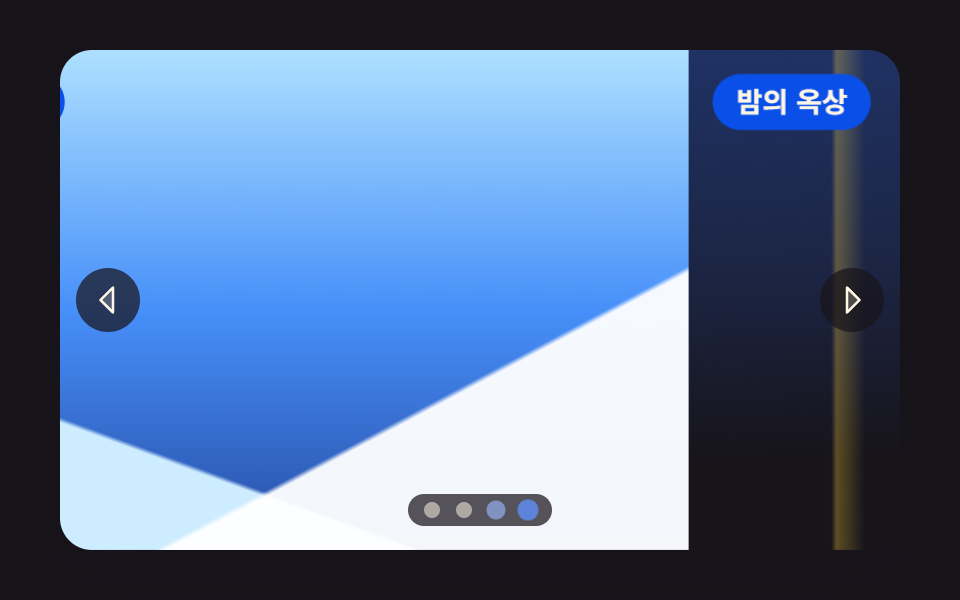 01 slider-fullscreen-hero-track
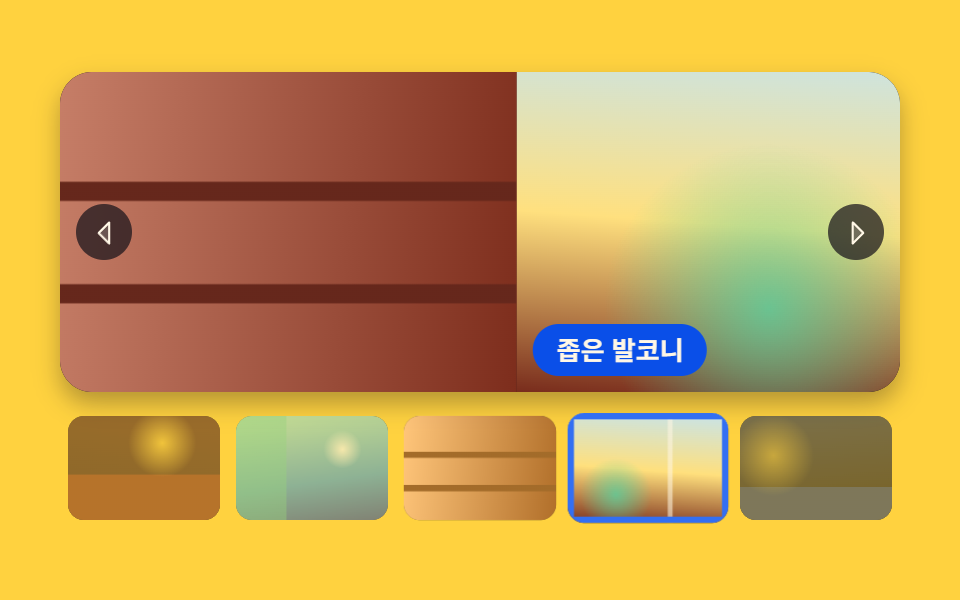 02 slider-thumbnail-strip-sync
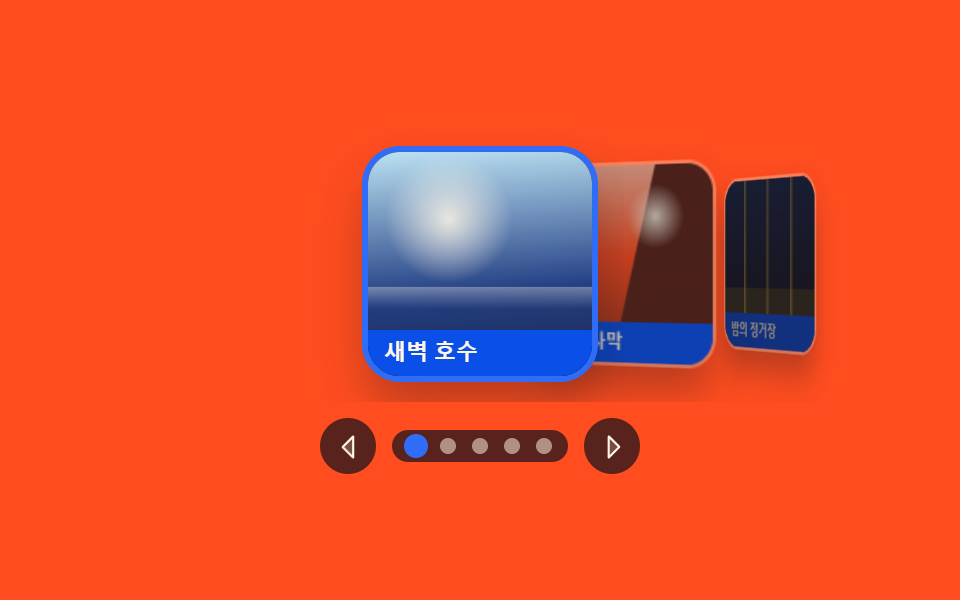 03 slider-coverflow-depth-3d
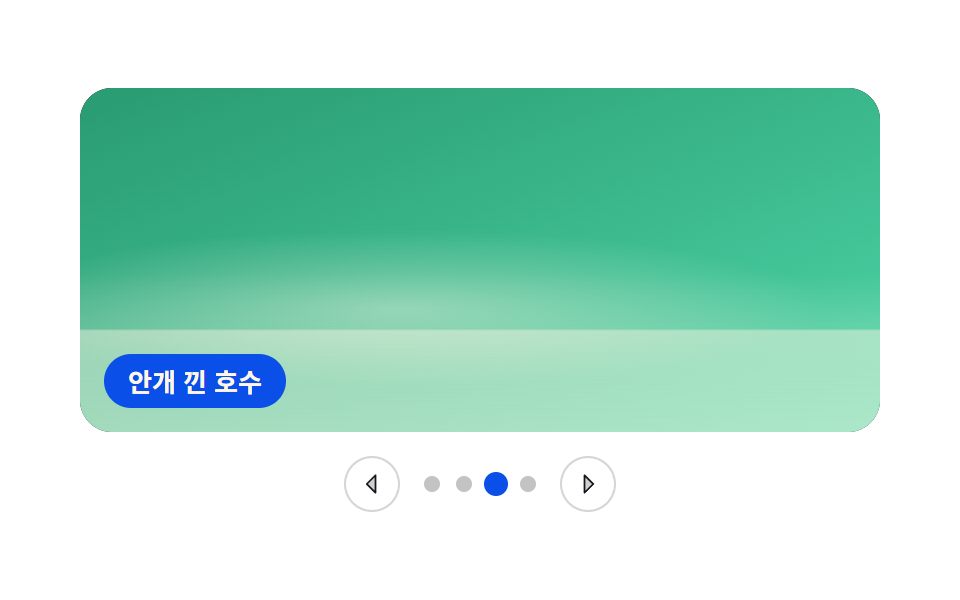 04 slider-crossfade-slideshow
 05 slider-vertical-wheel-steps
 06 slider-autoplay-progress-pause
 07 slider-drag-swipe-inertia
 08 slider-album-grid-lightbox
 09 slider-responsive-aspect-perview
自動再生 · タイルを押すとその項目へ · すべて1つのzip
- 01 画面いっぱいのヒーロースライダー
- 02 サムネイル帯と同期するスライダー
- 03 中央が手前に出る奥行きスライダー
- 04 重ねて溶け合うフェードスライドショー
- 05 ホイールを一コマずつ受ける縦スライダー
- 06 進捗バーと停止ボタンつき自動スライドショー
- 07 指を離した速度で残りを決めるドラッグスライダー
- 08 アルバム格子から開くライトボックススライダー
- 09 幅に応じて見える枚数が変わるスライダー
並び順の軸は2つです。01〜04 は画面を作る値が単純になる順(押す → 追従する → 回す → 重ねる)、05〜07 は入力が矢印からホイール・タイマー・指へ広がる順で、08・09 はスライダーの居場所(ダイアログの中、画面の幅)を変える組です。9つすべてがインデックスという1本の駆動軸で回っており、同じ画面をスクロール位置で解くCSSだけのスライダーカルーセルと、JavaScript 0行で回るCSSのみカルーセルがこの軸の反対側の隣人です。
01画面いっぱいのヒーロースライダー
写真4枚を1列につないだトラックが窓を1コマずつずらして見せる、ランディングページ冒頭のパネルで、矢印・ドット・キーボードが全部同じインデックスを1つ見ています。
<main class="stage">
<section class="hero is-demo" id="hero" tabindex="0" role="region" aria-roledescription="carousel" aria-label="旅の写真ヒーロースライダー">
  <div class="hero__view">
    <div class="hero__track" id="track" style="--i:0">
      <article class="hero__slide" aria-roledescription="slide">
        <div class="hero__shot hero__shot--a" role="img" aria-label="夕焼けが広がる空の下、海沿いを曲がっていく海岸道路"></div>
        <p class="hero__cap">海岸道路</p>
      </article>
      <article class="hero__slide" aria-roledescription="slide">
        <div class="hero__shot hero__shot--b" role="img" aria-label="夜明けの水霧が低く漂う静かな湖と対岸の森"></div>
        <p class="hero__cap">夜明けの湖</p>
      </article>
      <article class="hero__slide" aria-roledescription="slide">
        <div class="hero__shot hero__shot--c" role="img" aria-label="雪に覆われた山の稜線と、その上に開けた冷たい空"></div>
        <p class="hero__cap">雪の稜線</p>
      </article>
      <article class="hero__slide" aria-roledescription="slide">
        <div class="hero__shot hero__shot--d" role="img" aria-label="夜の街の屋上から見下ろす窓明かりと遠い地平線"></div>
        <p class="hero__cap">夜の屋上</p>
      </article>
    </div>
  </div>
  <button class="hero__nav hero__nav--prev" id="prev" type="button" aria-label="前の写真"><svg xmlns="http://www.w3.org/2000/svg" width="1em" height="1em" viewBox="0 0 256 256" aria-hidden="true"><g fill="currentColor"><path d="M160 48v160l-80-80Z" opacity=".2"/><path d="M163.06 40.61a8 8 0 0 0-8.72 1.73l-80 80a8 8 0 0 0 0 11.32l80 80A8 8 0 0 0 168 208V48a8 8 0 0 0-4.94-7.39M152 188.69L91.31 128L152 67.31Z"/></g></svg></button>
  <button class="hero__nav hero__nav--next" id="next" type="button" aria-label="次の写真"><svg xmlns="http://www.w3.org/2000/svg" width="1em" height="1em" viewBox="0 0 256 256" aria-hidden="true"><g fill="currentColor"><path d="m176 128l-80 80V48Z" opacity=".2"/><path d="m181.66 122.34l-80-80A8 8 0 0 0 88 48v160a8 8 0 0 0 13.66 5.66l80-80a8 8 0 0 0 0-11.32M104 188.69V67.31L164.69 128Z"/></g></svg></button>
  <div class="hero__dots" id="dots"></div>
</section>
</main>@use "../../../../site/static/demo-tokens" as *;
// 화면 가득 채우는 히어로 슬라이더.
// 사진 넉 장이 한 줄로 이어 붙은 트랙 하나를 translate3d 로 밀고, 화살표와 점은 같은 인덱스 하나를 본다.
// 옮기는 값은 CSS 변수 --i 뿐이다 — JS 는 숫자만 바꾸고 거리 계산은 calc(-100% * var(--i)) 가 한다.
// 스크롤 컨테이너가 아니다: overflow-x·scroll-snap-type 을 쓰지 않으므로 트랙 폭이 뷰포트를 넘지 않는다.
// 사진 자리는 FLUX 키가 오면 배경만 갈아 끼운다 (run/082/_이미지후보.01.json).
$duration: $dur-enter;
$easing: $ease-out;
$color: $subject-blue;
$panel: $subject-blue-deep; // 크림 글자를 얹는 파란 면 — 5.98:1 (blog-design 대비 표)
$veil: rgba($subject-ink, .72); // 사진 위에 얹는 조작 면. 아이콘·점이 어떤 장면에서도 보이게 한다
$cap-fs: clamp(11px, 3.2vw, 14px);
@include stage($stage-ink);
.hero {
position: relative;
box-sizing: border-box;
width: min(100%, 420px);
height: min(250px, 84vh);
border-radius: $r-card;
overflow: hidden;
background: $subject-ink;
box-shadow: $shadow-raised;
}
.hero:focus-visible { outline: 3px solid $color; outline-offset: 2px; }
// ── 창(고정) 과 트랙(움직임)
.hero__view { position: absolute; inset: 0; overflow: hidden; }
.hero__track {
display: flex;
width: 100%;
height: 100%;
transform: translate3d(calc(-100% * var(--i, 0)), 0, 0);
transition: transform $duration $easing;
will-change: transform;
}
.hero__slide { position: relative; flex: 0 0 100%; height: 100%; }
// ── 사진 자리. 하늘·지평선·빛 세 겹을 겹쳐 장면이 서로 구분되게 한다
.hero__shot { position: absolute; inset: 0; background-repeat: no-repeat; background-size: cover; }
// 해 → 수평선 → 바다 → 도로 띠 순으로 겹친다.
// 해는 반지름을 정한 작은 원이다 — 먼 곳까지 퍼지는 radial 은 gif 로 줄이면 동심원 띠가 남는다 (실측 2026-09-14)
.hero__shot--a {
background-image:
radial-gradient(circle 20px at 68% 30%, rgba($subject-cream, .96) 0 52%, rgba($subject-cream, .20) 80%, rgba($subject-cream, 0) 100%),
linear-gradient(74deg, rgba($subject-cream, 0) 44%, rgba($subject-cream, .26) 47%, rgba($subject-cream, 0) 50%),
linear-gradient(180deg, rgba($subject-cream, 0) 58%, rgba($subject-cream, .30) 59%, rgba($subject-cream, 0) 62%),
linear-gradient(180deg, mix($stage-orange, $subject-cream, 30%) 0%, $stage-orange 36%,
mix($stage-orange, $subject-ink, 46%) 59%, mix($subject-ink, $stage-orange, 74%) 60%,
mix($subject-ink, $stage-orange, 92%) 100%);
}
.hero__shot--b {
background-image:
radial-gradient(circle 16px at 32% 30%, rgba($subject-cream, .92) 0 50%, rgba($subject-cream, .18) 82%, rgba($subject-cream, 0) 100%),
linear-gradient(180deg, rgba($subject-cream, 0) 54%, rgba($subject-cream, .38) 58%, rgba($subject-cream, .10) 66%, rgba($subject-cream, 0) 72%),
linear-gradient(180deg, mix($subject-sky, $subject-cream, 40%) 0%, mix($subject-sky, $subject-cream, 68%) 44%,
mix($subject-blue, $subject-ink, 50%) 58%, mix($subject-ink, $subject-blue, 80%) 100%);
}
// 앞 능선(밝은 눈) · 뒤 능선(그늘) · 하늘 세 겹. 대각선은 아래쪽에서만 올라오게 시작점을 60% 아래로 둔다
.hero__shot--c {
background-image:
linear-gradient(152deg, rgba($stage-paper, 0) 70%, rgba($stage-paper, .95) 70.6%),
linear-gradient(200deg, rgba($stage-paper, 0) 74%, mix($subject-sky, $stage-paper, 34%) 74.6%),
linear-gradient(180deg, mix($subject-sky, $stage-paper, 56%) 0%, mix($subject-sky, $subject-blue, 38%) 52%,
mix($subject-blue, $subject-ink, 62%) 100%);
}
.hero__shot--d {
background-image:
radial-gradient(circle 14px at 78% 20%, rgba($stage-yellow, .90) 0 46%, rgba($stage-yellow, .16) 80%, rgba($stage-yellow, 0) 100%),
linear-gradient(90deg, rgba($stage-yellow, 0) 17%, rgba($stage-yellow, .30) 17.6%, rgba($stage-yellow, 0) 21%,
rgba($stage-yellow, 0) 31%, rgba($stage-yellow, .22) 31.6%, rgba($stage-yellow, 0) 35%,
rgba($stage-yellow, 0) 62%, rgba($stage-yellow, .28) 62.6%, rgba($stage-yellow, 0) 66%),
linear-gradient(178deg, mix($subject-blue, $subject-ink, 34%) 0%, mix($subject-blue, $subject-ink, 18%) 44%,
$subject-ink 78%);
}
// ── 장면 이름. 파란 면 위 크림 글자 (5.98:1)
.hero__cap {
position: absolute;
top: $sp-3;
left: $sp-3;
margin: 0;
padding: $sp-1 $sp-3;
border-radius: $r-pill;
background: $panel;
color: $subject-cream;
font-weight: 700;
font-size: $cap-fs;
line-height: 1.4;
}
// ── 화살표·점. 둘 다 진짜 button 이고 같은 index 를 읽는다
.hero__nav {
position: absolute;
top: 50%;
width: 32px;
height: 32px;
padding: 0;
border: 0;
border-radius: 50%;
display: grid;
place-items: center;
background: $veil;
color: $subject-cream;
font-size: 20px;
cursor: pointer;
transform: translateY(-50%);
transition: transform $dur-quick $easing;
}
.hero__nav--prev { left: $sp-2; }
.hero__nav--next { right: $sp-2; }
.hero__nav:hover { transform: translateY(-50%) scale(1.12); }
.hero__nav:focus-visible { outline: 3px solid $color; outline-offset: 2px; }
.hero__dots {
position: absolute;
left: 50%;
bottom: $sp-3;
display: flex;
gap: $sp-2;
padding: $sp-1 $sp-2;
border-radius: $r-pill;
background: $veil;
transform: translateX(-50%);
}
.hero__dot {
width: 8px;
height: 8px;
padding: 0;
border: 0;
border-radius: 50%;
background: rgba($subject-cream, .52);
cursor: pointer;
transition: transform $dur-quick $easing, background-color $dur-quick $easing;
}
.hero__dot[aria-current="true"] { background: $color; transform: scale(1.5); }
.hero__dot:focus-visible { outline: 2px solid $subject-cream; outline-offset: 2px; }
// ── 좁은 화면: 조작 면을 줄여 사진이 계속 주인공이 되게 한다
@media (max-width: 360px) {
.hero__cap { top: $sp-2; left: $sp-2; padding: 0 $sp-2; }
.hero__nav { width: 26px; height: 26px; font-size: 16px; }
.hero__dots { bottom: $sp-2; gap: $sp-1; }
}
@media (prefers-reduced-motion: reduce) {
.hero__track,
.hero__nav,
.hero__dot { transition-duration: 0s; }
}html, body {
margin: 0;
overflow: hidden;
}
.stage {
box-sizing: border-box;
min-height: 100vh;
display: grid;
place-items: center;
margin: 0;
background: #17141a;
font-family: -apple-system, "Segoe UI", "Noto Sans KR", sans-serif;
padding: clamp(8px, 4vw, 24px);
}
.hero {
position: relative;
box-sizing: border-box;
width: min(100%, 420px);
height: min(250px, 84vh);
border-radius: 16px;
overflow: hidden;
background: #17141a;
box-shadow: 0 14px 24px rgba(23, 20, 26, 0.32);
}
.hero:focus-visible {
outline: 3px solid #2f6df6;
outline-offset: 2px;
}
.hero__view {
position: absolute;
inset: 0;
overflow: hidden;
}
.hero__track {
display: flex;
width: 100%;
height: 100%;
transform: translate3d(calc(-100% * var(--i, 0)), 0, 0);
transition: transform 600ms ease-out;
will-change: transform;
}
.hero__slide {
position: relative;
flex: 0 0 100%;
height: 100%;
}
.hero__shot {
position: absolute;
inset: 0;
background-repeat: no-repeat;
background-size: cover;
}
.hero__shot--a {
background-image: radial-gradient(circle 20px at 68% 30%, rgba(255, 247, 230, 0.96) 0 52%, rgba(255, 247, 230, 0.2) 80%, rgba(255, 247, 230, 0) 100%), linear-gradient(74deg, rgba(255, 247, 230, 0) 44%, rgba(255, 247, 230, 0.26) 47%, rgba(255, 247, 230, 0) 50%), linear-gradient(180deg, rgba(255, 247, 230, 0) 58%, rgba(255, 247, 230, 0.3) 59%, rgba(255, 247, 230, 0) 62%), linear-gradient(180deg, rgb(100%, 76.862745098%, 66.7843137255%) 0%, #ff4d1f 36%, rgb(50.8705882353%, 18.1254901961%, 11.0980392157%) 59%, rgb(32.6745098039%, 13.6549019608%, 10.7058823529%) 60%, rgb(16.2980392157%, 9.631372549%, 10.3529411765%) 100%);
}
.hero__shot--b {
background-image: radial-gradient(circle 16px at 32% 30%, rgba(255, 247, 230, 0.92) 0 50%, rgba(255, 247, 230, 0.18) 82%, rgba(255, 247, 230, 0) 100%), linear-gradient(180deg, rgba(255, 247, 230, 0) 54%, rgba(255, 247, 230, 0.38) 58%, rgba(255, 247, 230, 0.1) 66%, rgba(255, 247, 230, 0) 72%), linear-gradient(180deg, rgb(77.2549019608%, 89.4901960784%, 94.1176470588%) 0%, rgb(61.3333333333%, 84.3294117647%, 96.862745098%) 44%, rgb(13.7254901961%, 25.2941176471%, 53.3333333333%) 58%, rgb(10.9019607843%, 14.8235294118%, 27.4509803922%) 100%);
}
.hero__shot--c {
background-image: linear-gradient(152deg, rgba(255, 255, 255, 0) 70%, rgba(255, 255, 255, 0.95) 70.6%), linear-gradient(200deg, rgba(255, 255, 255, 0) 74%, rgb(80.6666666667%, 92.6666666667%, 100%) 74.6%), linear-gradient(180deg, rgb(68.1568627451%, 87.9215686275%, 100%) 0%, rgb(27.8196078431%, 56.3058823529%, 97.8117647059%) 52%, rgb(14.8549019608%, 29.4823529412%, 63.6862745098%) 100%);
}
.hero__shot--d {
background-image: radial-gradient(circle 14px at 78% 20%, rgba(255, 210, 63, 0.9) 0 46%, rgba(255, 210, 63, 0.16) 80%, rgba(255, 210, 63, 0) 100%), linear-gradient(90deg, rgba(255, 210, 63, 0) 17%, rgba(255, 210, 63, 0.3) 17.6%, rgba(255, 210, 63, 0) 21%, rgba(255, 210, 63, 0) 31%, rgba(255, 210, 63, 0.22) 31.6%, rgba(255, 210, 63, 0) 35%, rgba(255, 210, 63, 0) 62%, rgba(255, 210, 63, 0.28) 62.6%, rgba(255, 210, 63, 0) 66%), linear-gradient(178deg, rgb(12.2196078431%, 19.7098039216%, 39.5294117647%) 0%, rgb(10.7137254902%, 14.1254901961%, 25.7254901961%) 44%, #17141a 78%);
}
.hero__cap {
position: absolute;
top: 12px;
left: 12px;
margin: 0;
padding: 4px 12px;
border-radius: 999px;
background: #0a4fe8;
color: #fff7e6;
font-weight: 700;
font-size: clamp(11px, 3.2vw, 14px);
line-height: 1.4;
}
.hero__nav {
position: absolute;
top: 50%;
width: 32px;
height: 32px;
padding: 0;
border: 0;
border-radius: 50%;
display: grid;
place-items: center;
background: rgba(23, 20, 26, 0.72);
color: #fff7e6;
font-size: 20px;
cursor: pointer;
transform: translateY(-50%);
transition: transform 220ms ease-out;
}
.hero__nav--prev {
left: 8px;
}
.hero__nav--next {
right: 8px;
}
.hero__nav:hover {
transform: translateY(-50%) scale(1.12);
}
.hero__nav:focus-visible {
outline: 3px solid #2f6df6;
outline-offset: 2px;
}
.hero__dots {
position: absolute;
left: 50%;
bottom: 12px;
display: flex;
gap: 8px;
padding: 4px 8px;
border-radius: 999px;
background: rgba(23, 20, 26, 0.72);
transform: translateX(-50%);
}
.hero__dot {
width: 8px;
height: 8px;
padding: 0;
border: 0;
border-radius: 50%;
background: rgba(255, 247, 230, 0.52);
cursor: pointer;
transition: transform 220ms ease-out, background-color 220ms ease-out;
}
.hero__dot[aria-current=true] {
background: #2f6df6;
transform: scale(1.5);
}
.hero__dot:focus-visible {
outline: 2px solid #fff7e6;
outline-offset: 2px;
}
@media (max-width: 360px) {
.hero__cap {
top: 8px;
left: 8px;
padding: 0 8px;
}
.hero__nav {
width: 26px;
height: 26px;
font-size: 16px;
}
.hero__dots {
bottom: 8px;
gap: 4px;
}
}
@media (prefers-reduced-motion: reduce) {
.hero__track,
.hero__nav,
.hero__dot {
transition-duration: 0s;
}
}// 인덱스 하나가 전부다. 트랙의 --i 를 바꾸면 CSS 가 translate3d 로 옮기고,
// 점과 화살표는 같은 index 를 읽는다 (라이브러리 0 · 스크롤 컨테이너 아님).
var hero = document.getElementById('hero');
var track = document.getElementById('track');
var dotsBox = document.getElementById('dots');
var slides = track.querySelectorAll('.hero__slide');
var SLIDE_LABEL = '{total}枚中{n}枚目';
var DOT_LABEL = '{n}枚目を表示';
var total = slides.length;
var index = 0;
var timer = 0;
var dots = [];
function label(form, n) { return form.replace('{n}', n).replace('{total}', total); }
function picker(n) { return function () { stop(); go(n); }; }
function go(n) {
  index = (n + total) % total;
  track.style.setProperty('--i', index);
  for (var k = 0; k < total; k++) {
    slides[k].setAttribute('aria-hidden', k === index ? 'false' : 'true');
    dots[k].setAttribute('aria-current', k === index ? 'true' : 'false');
  }
}
function stop() {
hero.classList.remove('is-demo');
if (timer) { clearInterval(timer); timer = 0; }
}
for (var i = 0; i < total; i++) {
slides[i].setAttribute('aria-label', label(SLIDE_LABEL, i + 1));
var dot = document.createElement('button');
dot.type = 'button';
dot.className = 'hero__dot';
dot.setAttribute('aria-label', label(DOT_LABEL, i + 1));
dot.addEventListener('click', picker(i));
dotsBox.appendChild(dot);
dots.push(dot);
}
document.getElementById('prev').addEventListener('click', function () { stop(); go(index - 1); });
document.getElementById('next').addEventListener('click', function () { stop(); go(index + 1); });
hero.addEventListener('keydown', function (e) {
if (e.key === 'ArrowLeft') { stop(); go(index - 1); }
if (e.key === 'ArrowRight') { stop(); go(index + 1); }
});
hero.addEventListener('pointerdown', stop);
go(0);
// 격자 미리보기: .is-demo 가 붙어 있는 동안만 혼자 넘어간다. 손이 닿으면 stop() 이 뗀다
timer = setInterval(function () { if (hero.classList.contains('is-demo')) { go(index + 1); } }, 560);// HeroTrackSlider — vanilla 판(run/082/demo/01-slider-fullscreen-hero-track/index.html) 의 React 포트.
// 사진 넉 장이 한 줄로 이어 붙은 트랙 하나를 translate3d 로 밀고, 화살표와 점이 같은 인덱스 하나를 본다.
// 옮기는 값은 CSS 변수 --i 뿐이다 — 컴포넌트는 숫자만 바꾸고 거리 계산은 calc(-100% * var(--i)) 가 한다.
import { useEffect, useState } from "react";
import type { CSSProperties } from "react";
import styles from "./HeroTrackSlider.module.scss";
export type HeroTrackSliderProps = {
duration?: number;
easing?: string;
color?: string;
autoplayMs?: number;
};
type Vars = CSSProperties & {
"--i"?: number;
"--duration"?: string;
"--easing"?: string;
"--color"?: string;
};
const REGION_LABEL = "여행 사진 히어로 슬라이더";
const SLIDE_LABEL = "{total}장 중 {n}장";
const DOT_LABEL = "{n}번째 사진 보기";
const PREV_LABEL = "이전 사진";
const NEXT_LABEL = "다음 사진";
type Shot = { key: string; cap: string; alt: string };
const SHOTS: Shot[] = [
{ key: "a", cap: "해안 도로", alt: "노을이 번진 하늘 아래 바다를 끼고 굽어 도는 해안 도로" },
{ key: "b", cap: "새벽 호수", alt: "새벽 물안개가 낮게 깔린 잔잔한 호수와 건너편 숲" },
{ key: "c", cap: "눈 덮인 능선", alt: "눈이 덮인 산등성이와 그 위로 트인 차가운 하늘" },
{ key: "d", cap: "밤의 옥상", alt: "밤의 도시 옥상에서 내려다본 창문 불빛과 먼 지평선" },
];
function label(form: string, n: number, total: number): string {
return form.replace("{n}", String(n)).replace("{total}", String(total));
}
function CaretLeft() {
return (
<svg xmlns="http://www.w3.org/2000/svg" width="1em" height="1em" viewBox="0 0 256 256" aria-hidden="true">
<g fill="currentColor">
<path d="M160 48v160l-80-80Z" opacity=".2" />
<path d="M163.06 40.61a8 8 0 0 0-8.72 1.73l-80 80a8 8 0 0 0 0 11.32l80 80A8 8 0 0 0 168 208V48a8 8 0 0 0-4.94-7.39M152 188.69L91.31 128L152 67.31Z" />
</g>
</svg>
);
}
function CaretRight() {
return (
<svg xmlns="http://www.w3.org/2000/svg" width="1em" height="1em" viewBox="0 0 256 256" aria-hidden="true">
<g fill="currentColor">
<path d="m176 128l-80 80V48Z" opacity=".2" />
<path d="m181.66 122.34l-80-80A8 8 0 0 0 88 48v160a8 8 0 0 0 13.66 5.66l80-80a8 8 0 0 0 0-11.32M104 188.69V67.31L164.69 128Z" />
</g>
</svg>
);
}
export default function HeroTrackSlider(props: HeroTrackSliderProps) {
const duration = props.duration ?? 600;
const easing = props.easing ?? "ease-out";
const color = props.color ?? "#2f6df6";
const autoplayMs = props.autoplayMs ?? 560;
const total = SHOTS.length;
const [index, setIndex] = useState<number>(0);
const [playing, setPlaying] = useState<boolean>(true);
// 격자 미리보기: playing 인 동안만 혼자 넘어간다. 손이 닿으면 stop() 이 끈다
useEffect(() => {
if (!playing) return;
const id = window.setInterval(() => setIndex((prev: number) => (prev + 1) % total), autoplayMs);
return () => window.clearInterval(id);
}, [playing, autoplayMs, total]);
const stop = () => setPlaying(false);
const go = (n: number) => {
stop();
setIndex(((n % total) + total) % total);
};
const vars: Vars = { "--i": index, "--duration": duration + "ms", "--easing": easing, "--color": color };
return (
<main className={styles.stage}>
<section
className={styles.hero}
style={vars}
tabIndex={0}
role="region"
aria-roledescription="carousel"
aria-label={REGION_LABEL}
onPointerDown={stop}
onKeyDown={(e: { key: string }) => {
if (e.key === "ArrowLeft") go(index - 1);
if (e.key === "ArrowRight") go(index + 1);
}}
>
<div className={styles.view}>
<div className={styles.track}>
{SHOTS.map((shot: Shot, i: number) => (
<article
key={shot.key}
className={styles.slide}
aria-roledescription="slide"
aria-label={label(SLIDE_LABEL, i + 1, total)}
aria-hidden={i === index ? "false" : "true"}
>
<div className={styles.shot + " " + styles["shot--" + shot.key]} role="img" aria-label={shot.alt} />
<p className={styles.cap}>{shot.cap}</p>
</article>
))}
</div>
</div>
<button className={styles.nav + " " + styles.navPrev} type="button" aria-label={PREV_LABEL} onClick={() => go(index - 1)}>
<CaretLeft />
</button>
<button className={styles.nav + " " + styles.navNext} type="button" aria-label={NEXT_LABEL} onClick={() => go(index + 1)}>
<CaretRight />
</button>
<div className={styles.dots}>
{SHOTS.map((shot: Shot, i: number) => (
<button
key={shot.key}
className={styles.dot}
type="button"
aria-label={label(DOT_LABEL, i + 1, total)}
aria-current={i === index ? "true" : "false"}
onClick={() => go(i)}
/>
))}
</div>
</section>
</main>
);
}01 · 画面いっぱいのヒーロースライダー — 計測 累積面積 72.751% · 動いたフレーム 20/23GODRICH オリジナル · SCSS と React は zip に同梱 · パスワードを見る
インデックスだけを書き換える移動関数
function go(n) {
index = (n + total) % total;
track.style.setProperty('--i', index);
for (var k = 0; k < total; k++) {
slides[k].setAttribute('aria-hidden', k === index ? 'false' : 'true');
dots[k].setAttribute('aria-current', k === index ? 'true' : 'false');
}
}
次の矢印を押すとインデックスが0から1へ進み、トラックが matrix(1, 0, 0, 1, 0, 0) からちょうど1コマぶんの matrix(1, 0, 0, 1, -420, 0) へ動き、4番目のドットを押せば3コマを一気に越えて -1260 の位置に立ちます。
距離の計算を calc に任せるトラック
.hero__track {
  display: flex;
  width: 100%;
  height: 100%;
  transform: translate3d(calc(-100% * var(--i, 0)), 0, 0);
  transition: transform $duration $easing;
  will-change: transform;
}

.hero__slide { position: relative; flex: 0 0 100%; height: 100%; }
各コマが flex: 0 0 100% で窓の幅をいっぱいに取るので、画面幅が変わっても掛け算がコマ幅を読み直します。測定では23コマ中20コマで動き、累積面積 72.751% という9つで2番目の広さでした。
02サムネイル帯と同期するスライダー
大きな写真を送ると下のサムネイル帯が選択中のコマを中央寄りへ寄せていき、サムネイルを押すと大きな写真がその枚へ跳ぶ、商品詳細の写真セットに付ける双方向パネルです。
<main class="stage">
<section class="gal is-demo" id="gal" tabindex="0" role="region" aria-roledescription="carousel" aria-label="客室写真スライダー">
  <div class="gal__main">
    <div class="gal__track" id="track" style="--i:0">
      <article class="gal__slide" aria-roledescription="slide">
        <div class="gal__shot gal__shot--a" role="img" aria-label="朝の光が長く差し込む窓際のベッドと白い寝具"></div>
        <p class="gal__cap">窓際のベッド</p>
      </article>
      <article class="gal__slide" aria-roledescription="slide">
        <div class="gal__shot gal__shot--b" role="img" aria-label="スタンドの光が丸く落ちる無垢材のデスク"></div>
        <p class="gal__cap">無垢材のデスク</p>
      </article>
      <article class="gal__slide" aria-roledescription="slide">
        <div class="gal__shot gal__shot--c" role="img" aria-label="ターコイズのタイルを張った浴室と丸い鏡"></div>
        <p class="gal__cap">ターコイズの浴室</p>
      </article>
      <article class="gal__slide" aria-roledescription="slide">
        <div class="gal__shot gal__shot--d" role="img" aria-label="木の棚にカップが並ぶ小さなキッチン"></div>
        <p class="gal__cap">キッチンの棚</p>
      </article>
      <article class="gal__slide" aria-roledescription="slide">
        <div class="gal__shot gal__shot--e" role="img" aria-label="鉢植えを置いた狭いバルコニーと手すりの向こうの路地"></div>
        <p class="gal__cap">狭いバルコニー</p>
      </article>
      <article class="gal__slide" aria-roledescription="slide">
        <div class="gal__shot gal__shot--f" role="img" aria-label="間接照明だけをつけた夜のリビングと低いソファ"></div>
        <p class="gal__cap">夜のリビング</p>
      </article>
    </div>
    <button class="gal__nav gal__nav--prev" id="prev" type="button" aria-label="前の写真"><svg xmlns="http://www.w3.org/2000/svg" width="1em" height="1em" viewBox="0 0 256 256" aria-hidden="true"><g fill="currentColor"><path d="M160 48v160l-80-80Z" opacity=".2"/><path d="M163.06 40.61a8 8 0 0 0-8.72 1.73l-80 80a8 8 0 0 0 0 11.32l80 80A8 8 0 0 0 168 208V48a8 8 0 0 0-4.94-7.39M152 188.69L91.31 128L152 67.31Z"/></g></svg></button>
    <button class="gal__nav gal__nav--next" id="next" type="button" aria-label="次の写真"><svg xmlns="http://www.w3.org/2000/svg" width="1em" height="1em" viewBox="0 0 256 256" aria-hidden="true"><g fill="currentColor"><path d="m176 128l-80 80V48Z" opacity=".2"/><path d="m181.66 122.34l-80-80A8 8 0 0 0 88 48v160a8 8 0 0 0 13.66 5.66l80-80a8 8 0 0 0 0-11.32M104 188.69V67.31L164.69 128Z"/></g></svg></button>
  </div>
  <div class="gal__strip" id="strip" role="group" aria-label="サムネイル帯">
    <button class="gal__thumb" type="button" aria-selected="false"><span class="gal__thumbArt gal__shot--a" role="img" aria-label="窓際のベッド"></span></button>
    <button class="gal__thumb" type="button" aria-selected="false"><span class="gal__thumbArt gal__shot--b" role="img" aria-label="無垢材のデスク"></span></button>
    <button class="gal__thumb" type="button" aria-selected="false"><span class="gal__thumbArt gal__shot--c" role="img" aria-label="ターコイズの浴室"></span></button>
    <button class="gal__thumb" type="button" aria-selected="false"><span class="gal__thumbArt gal__shot--d" role="img" aria-label="キッチンの棚"></span></button>
    <button class="gal__thumb" type="button" aria-selected="false"><span class="gal__thumbArt gal__shot--e" role="img" aria-label="狭いバルコニー"></span></button>
    <button class="gal__thumb" type="button" aria-selected="false"><span class="gal__thumbArt gal__shot--f" role="img" aria-label="夜のリビング"></span></button>
  </div>
</section>
</main>@use "../../../../site/static/demo-tokens" as *;
// 썸네일 줄과 서로 맞추는 슬라이더 — 동기는 양방향이다.
// ① 썸네일 클릭 → 인덱스가 바뀌고 큰 사진 트랙이 translateX 로 그 장까지 밀린다
// ② 큰 사진이 넘어가면 scrollIntoView({inline:'center'}) 가 활성 썸네일을 줄 가운데로 끌어온다
// 큰 사진 쪽은 스크롤 컨테이너가 아니다(인덱스 구동). 가로 스크롤은 썸네일 줄 하나뿐이고,
// 그것도 scrollIntoView 가 움직이는 레일이라 사람이 직접 밀 필요가 없다.
// 사진 자리는 FLUX 키가 오면 배경만 갈아 끼운다 (run/082/_이미지후보.01.json).
$duration: $dur-enter;
$easing: $ease-out;
$color: $subject-blue;
$panel: $subject-blue-deep; // 크림 글자를 얹는 파란 면 — 5.98:1
$veil: rgba($subject-ink, .72); // 사진 위 조작 면
$cap-fs: clamp(11px, 3.2vw, 13px);
@include stage($stage-yellow);
// 무대의 자동 열은 내용의 max-content 로 벌어진다 — 썸네일 줄(496px)이 그대로 열 너비가 되어
// 480px 창에도 가로 스크롤바가 생겼다 (실측 2026-09-14, demo.py 넘침). 열을 minmax(0,1fr) 로 못 박는다
.stage { grid-template-columns: minmax(0, 1fr); }
.gal {
box-sizing: border-box;
display: flex;
flex-direction: column;
gap: $sp-2;
width: min(100%, 420px);
min-width: 0;
justify-self: center;
}
.gal:focus-visible { outline: 3px solid $panel; outline-offset: 3px; }
// ── 큰 사진: 창은 고정, 트랙만 움직인다
.gal__main {
position: relative;
height: clamp(96px, 54vh, 160px);
border-radius: $r-card;
overflow: hidden;
background: $subject-ink;
box-shadow: $shadow-press;
}
.gal__track {
display: flex;
width: 100%;
height: 100%;
transform: translateX(calc(-100% * var(--i, 0)));
transition: transform $duration $easing;
will-change: transform;
}
.gal__slide { position: relative; flex: 0 0 100%; height: 100%; }
// ── 사진 자리. 큰 사진과 썸네일이 같은 배경 클래스를 함께 쓴다
.gal__shot { position: absolute; inset: 0; }
.gal__shot,
.gal__thumbArt { background-repeat: no-repeat; background-size: cover; }
.gal__shot--a {
background-image:
radial-gradient(circle at 24% 22%, rgba($subject-cream, .92), rgba($subject-cream, 0) 34%),
linear-gradient(76deg, rgba($subject-cream, 0) 46%, rgba($stage-paper, .88) 46.6%, rgba($stage-paper, .88) 82%, rgba($subject-cream, 0) 82.6%),
linear-gradient(160deg, mix($stage-yellow, $subject-cream, 46%) 0%, mix($stage-orange, $subject-cream, 26%) 58%, mix($subject-ink, $stage-orange, 62%) 100%);
}
.gal__shot--b {
background-image:
radial-gradient(circle at 62% 26%, rgba($stage-yellow, .86), rgba($stage-yellow, 0) 28%),
linear-gradient(180deg, rgba($subject-ink, 0) 56%, mix($stage-orange, $subject-ink, 46%) 56.6%),
linear-gradient(190deg, mix($subject-ink, $stage-orange, 74%) 0%, mix($subject-ink, $stage-orange, 88%) 100%);
}
.gal__shot--c {
background-image:
radial-gradient(circle at 70% 32%, rgba($stage-paper, .90), rgba($stage-paper, 0) 15%),
linear-gradient(90deg, rgba($subject-mint, .42) 0%, rgba($subject-mint, .42) 33%, rgba($subject-cream, 0) 33.4%, rgba($subject-cream, 0) 34%),
linear-gradient(172deg, mix($subject-mint, $stage-paper, 52%) 0%, mix($subject-mint, $subject-blue, 44%) 62%, mix($subject-blue, $subject-ink, 58%) 100%);
}
.gal__shot--d {
background-image:
linear-gradient(180deg, rgba($subject-ink, 0) 34%, mix($subject-ink, $stage-orange, 66%) 34.6%, mix($subject-ink, $stage-orange, 66%) 40%, rgba($subject-ink, 0) 40.6%,
rgba($subject-ink, 0) 66%, mix($subject-ink, $stage-orange, 66%) 66.6%, mix($subject-ink, $stage-orange, 66%) 72%, rgba($subject-ink, 0) 72.6%),
linear-gradient(96deg, mix($stage-orange, $subject-cream, 34%) 0%, mix($stage-orange, $subject-ink, 44%) 100%);
}
.gal__shot--e {
background-image:
radial-gradient(circle at 30% 74%, rgba($subject-mint, .74), rgba($subject-mint, 0) 26%),
linear-gradient(90deg, rgba($subject-cream, 0) 62%, rgba($subject-cream, .56) 62.6%, rgba($subject-cream, .56) 65%, rgba($subject-cream, 0) 65.6%),
linear-gradient(184deg, mix($subject-sky, $subject-cream, 40%) 0%, mix($stage-yellow, $subject-cream, 62%) 52%, mix($subject-ink, $stage-orange, 58%) 100%);
}
.gal__shot--f {
background-image:
radial-gradient(circle at 22% 38%, rgba($stage-yellow, .58), rgba($stage-yellow, 0) 30%),
linear-gradient(180deg, rgba($subject-ink, 0) 68%, mix($subject-ink, $subject-blue, 62%) 68.6%),
linear-gradient(174deg, mix($subject-blue, $subject-ink, 26%) 0%, $subject-ink 82%);
}
// ── 장면 이름. 파란 면 위 크림 글자 (5.98:1)
.gal__cap {
position: absolute;
left: $sp-2;
bottom: $sp-2;
margin: 0;
padding: $sp-1 $sp-3;
border-radius: $r-pill;
background: $panel;
color: $subject-cream;
font-weight: 700;
font-size: $cap-fs;
line-height: 1.4;
}
// ── 화살표
.gal__nav {
position: absolute;
top: 50%;
width: 28px;
height: 28px;
padding: 0;
border: 0;
border-radius: 50%;
display: grid;
place-items: center;
background: $veil;
color: $subject-cream;
font-size: 17px;
cursor: pointer;
transform: translateY(-50%);
transition: transform $dur-quick $easing;
}
.gal__nav--prev { left: $sp-2; }
.gal__nav--next { right: $sp-2; }
.gal__nav:hover { transform: translateY(-50%) scale(1.12); }
.gal__nav:focus-visible { outline: 3px solid $panel; outline-offset: 2px; }
// ── 썸네일 줄. 여기만 가로로 스크롤되고, 미는 사람은 scrollIntoView 다
.gal__strip {
display: flex;
gap: $sp-2;
padding: $sp-1;
min-width: 0;
overflow-x: auto;
overflow-y: hidden;
scrollbar-width: none;
}
.gal__strip::-webkit-scrollbar { display: none; }
.gal__thumb {
flex: 0 0 auto;
width: clamp(48px, 16vw, 76px);
height: clamp(34px, 11vw, 52px);
padding: 0;
border: 0;
border-radius: $r-sm;
overflow: hidden;
background: $subject-ink;
opacity: .58;
cursor: pointer;
transition: opacity $dur-quick $easing, transform $dur-quick $easing, box-shadow $dur-quick $easing;
}
.gal__thumbArt { display: block; width: 100%; height: 100%; }
.gal__thumb[aria-selected="true"] { opacity: 1; transform: scale(1.06); }
// 활성 테두리는 안쪽 그림자로 그린다 — 바깥 그림자는 줄 끝에서 잘린다
.gal__thumb[aria-selected="true"] .gal__thumbArt { box-shadow: inset 0 0 0 3px $color; }
.gal__thumb:focus-visible { outline: 3px solid $panel; outline-offset: 2px; }
// ── 좁은 화면: 조작 면과 여백을 줄인다
@media (max-width: 360px) {
.gal { gap: $sp-1; }
.gal__cap { left: $sp-1; bottom: $sp-1; padding: 0 $sp-2; }
.gal__nav { width: 24px; height: 24px; font-size: 15px; }
.gal__strip { gap: $sp-1; padding: $sp-1; }
}
@media (prefers-reduced-motion: reduce) {
.gal__track,
.gal__nav,
.gal__thumb { transition-duration: 0s; }
}html, body {
margin: 0;
overflow: hidden;
}
.stage {
box-sizing: border-box;
min-height: 100vh;
display: grid;
place-items: center;
margin: 0;
background: #ffd23f;
font-family: -apple-system, "Segoe UI", "Noto Sans KR", sans-serif;
padding: clamp(8px, 4vw, 24px);
}
.stage {
grid-template-columns: minmax(0, 1fr);
}
.gal {
box-sizing: border-box;
display: flex;
flex-direction: column;
gap: 8px;
width: min(100%, 420px);
min-width: 0;
justify-self: center;
}
.gal:focus-visible {
outline: 3px solid #0a4fe8;
outline-offset: 3px;
}
.gal__main {
position: relative;
height: clamp(96px, 54vh, 160px);
border-radius: 16px;
overflow: hidden;
background: #17141a;
box-shadow: 0 6px 12px rgba(23, 20, 26, 0.32);
}
.gal__track {
display: flex;
width: 100%;
height: 100%;
transform: translateX(calc(-100% * var(--i, 0)));
transition: transform 600ms ease-out;
will-change: transform;
}
.gal__slide {
position: relative;
flex: 0 0 100%;
height: 100%;
}
.gal__shot {
position: absolute;
inset: 0;
}
.gal__shot,
.gal__thumbArt {
background-repeat: no-repeat;
background-size: cover;
}
.gal__shot--a {
background-image: radial-gradient(circle at 24% 22%, rgba(255, 247, 230, 0.92), rgba(255, 247, 230, 0) 34%), linear-gradient(76deg, rgba(255, 247, 230, 0) 46%, rgba(255, 255, 255, 0.88) 46.6%, rgba(255, 255, 255, 0.88) 82%, rgba(255, 247, 230, 0) 82.6%), linear-gradient(160deg, rgb(100%, 90.1882352941%, 60.0705882353%) 0%, rgb(100%, 79.5294117647%, 69.9058823529%) 58%, rgb(43.5921568627%, 16.337254902%, 10.9411764706%) 100%);
}
.gal__shot--b {
background-image: radial-gradient(circle at 62% 26%, rgba(255, 210, 63, 0.86), rgba(255, 210, 63, 0) 28%), linear-gradient(180deg, rgba(23, 20, 26, 0) 56%, rgb(50.8705882353%, 18.1254901961%, 11.0980392157%) 56.6%), linear-gradient(190deg, rgb(32.6745098039%, 13.6549019608%, 10.7058823529%) 0%, rgb(19.937254902%, 10.5254901961%, 10.431372549%) 100%);
}
.gal__shot--c {
background-image: radial-gradient(circle at 70% 32%, rgba(255, 255, 255, 0.9), rgba(255, 255, 255, 0) 15%), linear-gradient(90deg, rgba(76, 212, 166, 0.42) 0%, rgba(76, 212, 166, 0.42) 33%, rgba(255, 247, 230, 0) 33.4%, rgba(255, 247, 230, 0) 34%), linear-gradient(172deg, rgb(63.4980392157%, 91.231372549%, 81.8509803922%) 0%, rgb(23.4352941176%, 60.5176470588%, 82.6666666667%) 62%, rgb(14.4784313725%, 28.0862745098%, 60.2352941176%) 100%);
}
.gal__shot--d {
background-image: linear-gradient(180deg, rgba(23, 20, 26, 0) 34%, rgb(39.9529411765%, 15.4431372549%, 10.862745098%) 34.6%, rgb(39.9529411765%, 15.4431372549%, 10.862745098%) 40%, rgba(23, 20, 26, 0) 40.6%, rgba(23, 20, 26, 0) 66%, rgb(39.9529411765%, 15.4431372549%, 10.862745098%) 66.6%, rgb(39.9529411765%, 15.4431372549%, 10.862745098%) 72%, rgba(23, 20, 26, 0) 72.6%), linear-gradient(96deg, rgb(100%, 74.1960784314%, 63.662745098%) 0%, rgb(49.0509803922%, 17.6784313725%, 11.0588235294%) 100%);
}
.gal__shot--e {
background-image: radial-gradient(circle at 30% 74%, rgba(76, 212, 166, 0.74), rgba(76, 212, 166, 0) 26%), linear-gradient(90deg, rgba(255, 247, 230, 0) 62%, rgba(255, 247, 230, 0.56) 62.6%, rgba(255, 247, 230, 0.56) 65%, rgba(255, 247, 230, 0) 65.6%), linear-gradient(184deg, rgb(77.2549019608%, 89.4901960784%, 94.1176470588%) 0%, rgb(100%, 87.8666666667%, 49.5921568627%) 52%, rgb(47.231372549%, 17.231372549%, 11.0196078431%) 100%);
}
.gal__shot--f {
background-image: radial-gradient(circle at 22% 38%, rgba(255, 210, 63, 0.58), rgba(255, 210, 63, 0) 30%), linear-gradient(180deg, rgba(23, 20, 26, 0) 68%, rgb(12.5960784314%, 21.1058823529%, 42.9803921569%) 68.6%), linear-gradient(174deg, rgb(11.4666666667%, 16.9176470588%, 32.6274509804%) 0%, #17141a 82%);
}
.gal__cap {
position: absolute;
left: 8px;
bottom: 8px;
margin: 0;
padding: 4px 12px;
border-radius: 999px;
background: #0a4fe8;
color: #fff7e6;
font-weight: 700;
font-size: clamp(11px, 3.2vw, 13px);
line-height: 1.4;
}
.gal__nav {
position: absolute;
top: 50%;
width: 28px;
height: 28px;
padding: 0;
border: 0;
border-radius: 50%;
display: grid;
place-items: center;
background: rgba(23, 20, 26, 0.72);
color: #fff7e6;
font-size: 17px;
cursor: pointer;
transform: translateY(-50%);
transition: transform 220ms ease-out;
}
.gal__nav--prev {
left: 8px;
}
.gal__nav--next {
right: 8px;
}
.gal__nav:hover {
transform: translateY(-50%) scale(1.12);
}
.gal__nav:focus-visible {
outline: 3px solid #0a4fe8;
outline-offset: 2px;
}
.gal__strip {
display: flex;
gap: 8px;
padding: 4px;
min-width: 0;
overflow-x: auto;
overflow-y: hidden;
scrollbar-width: none;
}
.gal__strip::-webkit-scrollbar {
display: none;
}
.gal__thumb {
flex: 0 0 auto;
width: clamp(48px, 16vw, 76px);
height: clamp(34px, 11vw, 52px);
padding: 0;
border: 0;
border-radius: 8px;
overflow: hidden;
background: #17141a;
opacity: 0.58;
cursor: pointer;
transition: opacity 220ms ease-out, transform 220ms ease-out, box-shadow 220ms ease-out;
}
.gal__thumbArt {
display: block;
width: 100%;
height: 100%;
}
.gal__thumb[aria-selected=true] {
opacity: 1;
transform: scale(1.06);
}
.gal__thumb[aria-selected=true] .gal__thumbArt {
box-shadow: inset 0 0 0 3px #2f6df6;
}
.gal__thumb:focus-visible {
outline: 3px solid #0a4fe8;
outline-offset: 2px;
}
@media (max-width: 360px) {
.gal {
gap: 4px;
}
.gal__cap {
left: 4px;
bottom: 4px;
padding: 0 8px;
}
.gal__nav {
width: 24px;
height: 24px;
font-size: 15px;
}
.gal__strip {
gap: 4px;
padding: 4px;
}
}
@media (prefers-reduced-motion: reduce) {
.gal__track,
.gal__nav,
.gal__thumb {
transition-duration: 0s;
}
}// 큰 사진과 썸네일 줄이 인덱스 하나를 같이 쓴다.
// 썸네일 클릭 → go(n) 으로 본문이 움직이고, 본문이 움직이면 scrollIntoView 가 활성 칸을 줄 가운데로 끌어온다.
var gal = document.getElementById('gal');
var track = document.getElementById('track');
var strip = document.getElementById('strip');
var slides = track.querySelectorAll('.gal__slide');
var thumbs = strip.querySelectorAll('.gal__thumb');
var SLIDE_LABEL = '{total}枚中{n}枚目';
var total = slides.length;
var index = 0;
var timer = 0;
var soft = !window.matchMedia('(prefers-reduced-motion: reduce)').matches;
function label(form, n) { return form.replace('{n}', n).replace('{total}', total); }
function picker(n) { return function () { stop(); go(n); }; }
function go(n) {
index = (n + total) % total;
track.style.setProperty('--i', index);
for (var k = 0; k < total; k++) {
slides[k].setAttribute('aria-hidden', k === index ? 'false' : 'true');
thumbs[k].setAttribute('aria-selected', k === index ? 'true' : 'false');
}
// 본문 → 썸네일 방향. block:'nearest' 라 줄만 움직이고 페이지는 그대로 있다
thumbs[index].scrollIntoView({ block: 'nearest', inline: 'center', behavior: soft ? 'smooth' : 'auto' });
}
function stop() {
gal.classList.remove('is-demo');
if (timer) { clearInterval(timer); timer = 0; }
}
for (var i = 0; i < total; i++) {
slides[i].setAttribute('aria-label', label(SLIDE_LABEL, i + 1));
thumbs[i].addEventListener('click', picker(i));
}
document.getElementById('prev').addEventListener('click', function () { stop(); go(index - 1); });
document.getElementById('next').addEventListener('click', function () { stop(); go(index + 1); });
gal.addEventListener('keydown', function (e) {
if (e.key === 'ArrowLeft') { stop(); go(index - 1); }
if (e.key === 'ArrowRight') { stop(); go(index + 1); }
});
gal.addEventListener('pointerdown', stop);
go(0);
// 격자 미리보기: .is-demo 가 붙어 있는 동안만 혼자 넘어간다
timer = setInterval(function () { if (gal.classList.contains('is-demo')) { go(index + 1); } }, 480);// ThumbnailStripSlider — vanilla 판(run/082/demo/02-slider-thumbnail-strip-sync/index.html) 의 React 포트.
// 큰 사진과 썸네일 줄이 인덱스 하나를 같이 쓴다.
// ① 썸네일 클릭 → 인덱스가 바뀌고 트랙이 translateX 로 그 장까지 밀린다
// ② 인덱스가 바뀌면 effect 가 scrollIntoView 로 활성 썸네일을 줄 가운데로 끌어온다
import { useEffect, useRef, useState } from "react";
import type { CSSProperties } from "react";
import styles from "./ThumbnailStripSlider.module.scss";
export type ThumbnailStripSliderProps = {
duration?: number;
easing?: string;
color?: string;
autoplayMs?: number;
};
type Vars = CSSProperties & {
"--i"?: number;
"--duration"?: string;
"--easing"?: string;
"--color"?: string;
};
// useRef<T> 는 T | null 을 돌려준다 — ambient 타입에 맞춰 상자 타입을 따로 둔다
type Box<T> = { current: T | null };
const REGION_LABEL = "객실 사진 슬라이더";
const STRIP_LABEL = "썸네일 줄";
const SLIDE_LABEL = "{total}장 중 {n}장";
const PREV_LABEL = "이전 사진";
const NEXT_LABEL = "다음 사진";
type Shot = { key: string; cap: string; alt: string };
const SHOTS: Shot[] = [
{ key: "a", cap: "창가 침대", alt: "아침 햇빛이 길게 드는 창가 침대와 흰 침구" },
{ key: "b", cap: "원목 책상", alt: "스탠드 불빛이 동그랗게 떨어지는 원목 책상" },
{ key: "c", cap: "청록 욕실", alt: "청록 타일을 두른 욕실과 둥근 거울" },
{ key: "d", cap: "주방 선반", alt: "나무 선반에 컵이 줄지어 놓인 작은 주방" },
{ key: "e", cap: "좁은 발코니", alt: "화분을 둔 좁은 발코니와 난간 너머 골목" },
{ key: "f", cap: "밤의 거실", alt: "간접등만 켠 밤의 거실과 낮은 소파" },
];
function label(form: string, n: number, total: number): string {
return form.replace("{n}", String(n)).replace("{total}", String(total));
}
function CaretLeft() {
return (
<svg xmlns="http://www.w3.org/2000/svg" width="1em" height="1em" viewBox="0 0 256 256" aria-hidden="true">
<g fill="currentColor">
<path d="M160 48v160l-80-80Z" opacity=".2" />
<path d="M163.06 40.61a8 8 0 0 0-8.72 1.73l-80 80a8 8 0 0 0 0 11.32l80 80A8 8 0 0 0 168 208V48a8 8 0 0 0-4.94-7.39M152 188.69L91.31 128L152 67.31Z" />
</g>
</svg>
);
}
function CaretRight() {
return (
<svg xmlns="http://www.w3.org/2000/svg" width="1em" height="1em" viewBox="0 0 256 256" aria-hidden="true">
<g fill="currentColor">
<path d="m176 128l-80 80V48Z" opacity=".2" />
<path d="m181.66 122.34l-80-80A8 8 0 0 0 88 48v160a8 8 0 0 0 13.66 5.66l80-80a8 8 0 0 0 0-11.32M104 188.69V67.31L164.69 128Z" />
</g>
</svg>
);
}
export default function ThumbnailStripSlider(props: ThumbnailStripSliderProps) {
const duration = props.duration ?? 600;
const easing = props.easing ?? "ease-out";
const color = props.color ?? "#2f6df6";
const autoplayMs = props.autoplayMs ?? 480;
const total = SHOTS.length;
const [index, setIndex] = useState<number>(0);
const [playing, setPlaying] = useState<boolean>(true);
const stripRef = useRef<HTMLDivElement>(null) as Box<HTMLDivElement>;
useEffect(() => {
if (!playing) return;
const id = window.setInterval(() => setIndex((prev: number) => (prev + 1) % total), autoplayMs);
return () => window.clearInterval(id);
}, [playing, autoplayMs, total]);
// 본문 → 썸네일 방향. block:'nearest' 라 줄만 움직이고 페이지는 그대로 있다
useEffect(() => {
const strip = stripRef.current;
if (!strip) return;
const active = strip.children[index] as HTMLElement | undefined;
if (!active) return;
const soft = !window.matchMedia("(prefers-reduced-motion: reduce)").matches;
active.scrollIntoView({ block: "nearest", inline: "center", behavior: soft ? "smooth" : "auto" });
}, [index]);
const stop = () => setPlaying(false);
const go = (n: number) => {
stop();
setIndex(((n % total) + total) % total);
};
const vars: Vars = { "--i": index, "--duration": duration + "ms", "--easing": easing, "--color": color };
return (
<main className={styles.stage}>
<section
className={styles.gal}
style={vars}
tabIndex={0}
role="region"
aria-roledescription="carousel"
aria-label={REGION_LABEL}
onPointerDown={stop}
onKeyDown={(e: { key: string }) => {
if (e.key === "ArrowLeft") go(index - 1);
if (e.key === "ArrowRight") go(index + 1);
}}
>
<div className={styles.main}>
<div className={styles.track}>
{SHOTS.map((shot: Shot, i: number) => (
<article
key={shot.key}
className={styles.slide}
aria-roledescription="slide"
aria-label={label(SLIDE_LABEL, i + 1, total)}
aria-hidden={i === index ? "false" : "true"}
>
<div className={styles.shot + " " + styles["shot--" + shot.key]} role="img" aria-label={shot.alt} />
<p className={styles.cap}>{shot.cap}</p>
</article>
))}
</div>
<button className={styles.nav + " " + styles.navPrev} type="button" aria-label={PREV_LABEL} onClick={() => go(index - 1)}>
<CaretLeft />
</button>
<button className={styles.nav + " " + styles.navNext} type="button" aria-label={NEXT_LABEL} onClick={() => go(index + 1)}>
<CaretRight />
</button>
</div>
<div className={styles.strip} ref={stripRef} role="group" aria-label={STRIP_LABEL}>
{SHOTS.map((shot: Shot, i: number) => (
<button
key={shot.key}
className={styles.thumb}
type="button"
aria-selected={i === index ? "true" : "false"}
onClick={() => go(i)}
>
<span className={styles.thumbArt + " " + styles["shot--" + shot.key]} role="img" aria-label={shot.cap} />
</button>
))}
</div>
</section>
</main>
);
}02 · サムネイル帯と同期するスライダー — 計測 累積面積 62.812% · 動いたフレーム 21/23GODRICH オリジナル · SCSS と React は zip に同梱 · パスワードを見る
双方向で合わせるサムネイル同期
function go(n) {
  index = (n + total) % total;
  track.style.setProperty('--i', index);
  for (var k = 0; k < total; k++) {
    slides[k].setAttribute('aria-hidden', k === index ? 'false' : 'true');
    thumbs[k].setAttribute('aria-selected', k === index ? 'true' : 'false');
  }
  // 本体 → サムネイル方向。block:'nearest' なので帯だけ動き、ページはその場にいる
  thumbs[index].scrollIntoView({ block: 'nearest', inline: 'center', behavior: soft ? 'smooth' : 'auto' });
}
5番目のサムネイルを押すと大きな写真のインデックスが0から4へ進んでトラックが -1680 まで押し出され、帯の scrollLeft も0から84へ追いかけて動きますが、矢印で一コマだけ送ったときは scrollLeft が0のままでした。
ステージ の列を釘付けにする1行
// ステージ の自動列は内容の max-content に広がる — サムネイル帯(496px)がそのまま列幅になって
// 480px の窓でも横スクロールバーが出た(実測 2026-09-14、demo.py ではみ出し)。列は minmax(0,1fr) で釘付けにする
.stage { grid-template-columns: minmax(0, 1fr); }

// ── サムネイル帯。横にスクロールするのはここだけで、押す主体は scrollIntoView
.gal__strip {
  display: flex;
  gap: $sp-2;
  padding: $sp-1;
  min-width: 0;
  overflow-x: auto;
  overflow-y: hidden;
  scrollbar-width: none;
}
画面で横にスクロールするのはこの帯だけで、押すのも人ではなく scrollIntoView なので、触らなくても選択中のコマが中央寄りへ動きます(動いたコマ 21/23・累積面積 62.812%)。
03中央が手前に出る奥行きスライダー
選択中の表紙が正面に立ち、両隣が後ろへ寝るアルバム表紙選びのパネルで、ステージ は perspective をかけた3D 空間、カードごとに角度と大きさが付きます。
<main class="stage">
<section class="cf is-demo" id="cf" tabindex="0" role="region" aria-roledescription="carousel" aria-label="アルバムジャケットの奥行きスライダー">
  <div class="cf__box">
    <div class="cf__track" id="track">
      <button class="cf__card" type="button" aria-roledescription="slide">
        <span class="cf__art cf__art--a" role="img" aria-label="水霧が低く覆う静かな湖のジャケット"></span>
        <span class="cf__name">夜明けの湖</span>
      </button>
      <button class="cf__card" type="button" aria-roledescription="slide">
        <span class="cf__art cf__art--b" role="img" aria-label="夕暮れに赤く染まる砂漠の岩のジャケット"></span>
        <span class="cf__name">赤い砂漠</span>
      </button>
      <button class="cf__card" type="button" aria-roledescription="slide">
        <span class="cf__art cf__art--c" role="img" aria-label="明かりのついたホームが並ぶ夜の駅のジャケット"></span>
        <span class="cf__name">夜の停車場</span>
      </button>
      <button class="cf__card" type="button" aria-roledescription="slide">
        <span class="cf__art cf__art--d" role="img" aria-label="雨上がりの濡れた緑の丘と低い雲のジャケット"></span>
        <span class="cf__name">緑の丘</span>
      </button>
      <button class="cf__card" type="button" aria-roledescription="slide">
        <span class="cf__art cf__art--e" role="img" aria-label="青い氷が浮かぶ冬の海のジャケット"></span>
        <span class="cf__name">氷の海</span>
      </button>
    </div>
  </div>
  <div class="cf__bar">
    <button class="cf__nav" id="prev" type="button" aria-label="前のジャケット"><svg xmlns="http://www.w3.org/2000/svg" width="1em" height="1em" viewBox="0 0 256 256" aria-hidden="true"><g fill="currentColor"><path d="M160 48v160l-80-80Z" opacity=".2"/><path d="M163.06 40.61a8 8 0 0 0-8.72 1.73l-80 80a8 8 0 0 0 0 11.32l80 80A8 8 0 0 0 168 208V48a8 8 0 0 0-4.94-7.39M152 188.69L91.31 128L152 67.31Z"/></g></svg></button>
    <div class="cf__dots" id="dots"></div>
    <button class="cf__nav" id="next" type="button" aria-label="次のジャケット"><svg xmlns="http://www.w3.org/2000/svg" width="1em" height="1em" viewBox="0 0 256 256" aria-hidden="true"><g fill="currentColor"><path d="m176 128l-80 80V48Z" opacity=".2"/><path d="m181.66 122.34l-80-80A8 8 0 0 0 88 48v160a8 8 0 0 0 13.66 5.66l80-80a8 8 0 0 0 0-11.32M104 188.69V67.31L164.69 128Z"/></g></svg></button>
  </div>
</section>
</main>@use "../../../../site/static/demo-tokens" as *;
// 가운데가 앞으로 나오는 깊이 슬라이더.
// 무대(.cf__box)가 perspective 를 걸고 트랙(.cf__track)이 transform-style: preserve-3d 로 3D 공간을 연다.
// JS 는 카드마다 "활성 장에서 몇 칸 떨어졌는가"(--d) 와 그 절댓값(--ad) 만 얹는다 —
// 옆으로 밀리는 거리·rotateY 각도·뒤로 물러나는 깊이·축소·흐림은 전부 이 두 숫자의 calc() 다.
// 스크롤 위치를 읽지 않는다(scroll-snap 아님). 그래서 화살표·점·카드 클릭이 전부 같은 인덱스를 만진다.
// 표지 자리는 FLUX 키가 오면 배경만 갈아 끼운다 (run/082/_이미지후보.01.json).
$duration: $dur-enter;
$easing: $ease-out;
$color: $subject-blue;
$panel: $subject-blue-deep; // 크림 글자를 얹는 파란 면 — 5.98:1
$veil: rgba($subject-ink, .72); // 주황 무대 위 조작 면
$card-w: clamp(80px, 24vw, 112px);
$step: clamp(48px, 15vw, 72px); // 한 칸 옆으로 밀리는 거리
$name-fs: clamp(9px, 2.4vw, 11px);
@include stage($stage-orange);
.cf {
box-sizing: border-box;
display: flex;
flex-direction: column;
align-items: center;
gap: $sp-2;
width: min(100%, 420px);
}
.cf:focus-visible { outline: 3px solid $subject-ink; outline-offset: 3px; }
// ── 깊이가 생기는 무대. 여기 perspective 가 없으면 rotateY 는 납작한 가로 눌림으로만 보인다
.cf__box {
position: relative;
width: 100%;
height: clamp(96px, 46vh, 140px);
perspective: 900px;
perspective-origin: 50% 50%;
overflow: hidden;
}
.cf__track {
position: absolute;
inset: 0;
transform-style: preserve-3d;
}
// ── 카드 하나. 두 숫자(--d · --ad)만 받아 스스로 자리를 잡는다
.cf__card {
position: absolute;
left: 50%;
top: 50%;
width: $card-w;
height: $card-w;
padding: 0;
border: 0;
border-radius: $r-card;
overflow: hidden;
display: flex;
flex-direction: column;
justify-content: flex-end;
background: $subject-ink;
cursor: pointer;
backface-visibility: hidden;
box-shadow: 0 0 0 2px rgba($subject-cream, .30), $shadow-raised;
// 깊이는 translateZ 가 아니라 rotateY + 축소로 만든다. perspective 를 건 3D 공간 안에서
// translateZ 로 물러난 요소는 Chrome 이 **적중 판정(hit test)에서 빼 버린다** — 화면에는 보이는데
// 클릭이 트랙으로 빠진다 (2026-09-14 실측: elementFromPoint 가 옆 카드 자리에서 .cf__track 을 돌려줬다).
// z 를 0 으로 두면 같은 자리에서 다섯 장이 전부 눌린다.
transform:
translate3d(calc(-50% + var(--d, 0) * #{$step}), -50%, 0)
rotateY(calc(var(--d, 0) * -34deg))
scale(calc(1 - .12 * var(--ad, 0)));
// 두 칸까지는 불투명하게 두고 세 칸째부터 사라진다 — 반투명 카드는 주황 무대가 비쳐 탁해진다 (실측 2026-09-14)
opacity: calc(3 - var(--ad, 0));
transition: transform $duration $easing, opacity $duration $easing;
}
// 멀어질수록 어두워지는 것은 투명도가 아니라 카드 위에 덮는 먹 장막이다
.cf__card::after {
content: "";
position: absolute;
inset: 0;
background: $subject-ink;
opacity: calc(.26 * var(--ad, 0));
pointer-events: none;
transition: opacity $duration $easing;
}
.cf__card[aria-current="true"] { box-shadow: 0 0 0 3px $color, $shadow-raised; }
.cf__card:focus-visible { outline: 3px solid $subject-ink; outline-offset: 3px; }
// ── 표지 그림 자리
.cf__art { position: absolute; inset: 0; background-repeat: no-repeat; background-size: cover; }
.cf__art--a {
background-image:
radial-gradient(circle at 36% 30%, rgba($subject-cream, .84), rgba($subject-cream, 0) 30%),
linear-gradient(180deg, rgba($subject-cream, 0) 60%, rgba($subject-cream, .34) 60.4%, rgba($subject-cream, 0) 70%),
linear-gradient(176deg, mix($subject-sky, $subject-cream, 46%) 0%, mix($subject-blue, $subject-ink, 48%) 62%, mix($subject-ink, $subject-blue, 78%) 100%);
}
.cf__art--b {
background-image:
radial-gradient(circle at 68% 26%, rgba($subject-cream, .88), rgba($subject-cream, 0) 16%),
linear-gradient(104deg, rgba($subject-ink, 0) 54%, mix($subject-ink, $stage-orange, 70%) 54.6%),
linear-gradient(182deg, mix($stage-orange, $subject-cream, 38%) 0%, $stage-orange 46%, mix($stage-orange, $subject-ink, 54%) 100%);
}
.cf__art--c {
background-image:
linear-gradient(90deg, rgba($stage-yellow, 0) 22%, rgba($stage-yellow, .58) 22.6%, rgba($stage-yellow, 0) 26%,
rgba($stage-yellow, 0) 48%, rgba($stage-yellow, .46) 48.6%, rgba($stage-yellow, 0) 52%,
rgba($stage-yellow, 0) 74%, rgba($stage-yellow, .52) 74.6%, rgba($stage-yellow, 0) 78%),
linear-gradient(180deg, rgba($subject-ink, 0) 64%, mix($subject-ink, $stage-yellow, 82%) 64.6%),
linear-gradient(178deg, mix($subject-blue, $subject-ink, 24%) 0%, $subject-ink 84%);
}
.cf__art--d {
background-image:
radial-gradient(circle at 26% 22%, rgba($stage-paper, .72), rgba($stage-paper, 0) 28%),
linear-gradient(86deg, rgba($subject-mint, 0) 44%, mix($subject-mint, $subject-ink, 58%) 44.6%),
linear-gradient(174deg, mix($subject-sky, $subject-cream, 52%) 0%, mix($subject-mint, $stage-paper, 64%) 48%, mix($subject-mint, $subject-ink, 46%) 100%);
}
.cf__art--e {
background-image:
linear-gradient(118deg, rgba($stage-paper, 0) 34%, rgba($stage-paper, .82) 34.6%, rgba($stage-paper, .82) 44%, rgba($stage-paper, 0) 44.6%),
linear-gradient(62deg, rgba($stage-paper, 0) 66%, rgba($stage-paper, .62) 66.6%, rgba($stage-paper, 0) 74%),
linear-gradient(180deg, mix($subject-sky, $stage-paper, 46%) 0%, mix($subject-sky, $subject-blue, 52%) 54%, mix($subject-blue, $subject-ink, 60%) 100%);
}
// ── 표지 제목 띠. 파란 면 위 크림 글자 (5.98:1)
.cf__name {
position: relative;
padding: $sp-1 $sp-2;
background: $panel;
color: $subject-cream;
font-weight: 700;
font-size: $name-fs;
line-height: 1.4;
text-align: left;
white-space: nowrap;
overflow: hidden;
text-overflow: ellipsis;
}
// ── 조작 줄
.cf__bar { display: flex; align-items: center; gap: $sp-2; }
.cf__nav {
width: 28px;
height: 28px;
padding: 0;
border: 0;
border-radius: 50%;
display: grid;
place-items: center;
background: $veil;
color: $subject-cream;
font-size: 17px;
cursor: pointer;
transition: transform $dur-quick $easing;
}
.cf__nav:hover { transform: scale(1.12); }
.cf__nav:focus-visible { outline: 3px solid $subject-ink; outline-offset: 2px; }
.cf__dots {
display: flex;
align-items: center;
gap: $sp-2;
padding: $sp-1 $sp-2;
border-radius: $r-pill;
background: $veil;
}
.cf__dot {
width: 8px;
height: 8px;
padding: 0;
border: 0;
border-radius: 50%;
background: rgba($subject-cream, .52);
cursor: pointer;
transition: transform $dur-quick $easing, background-color $dur-quick $easing;
}
.cf__dot[aria-current="true"] { background: $color; transform: scale(1.5); }
.cf__dot:focus-visible { outline: 2px solid $subject-cream; outline-offset: 2px; }
// ── 좁은 화면: 조작 줄을 한 단계 줄인다
@media (max-width: 360px) {
.cf { gap: $sp-1; }
.cf__nav { width: 24px; height: 24px; font-size: 15px; }
.cf__dots { gap: $sp-1; }
}
@media (prefers-reduced-motion: reduce) {
.cf__card,
.cf__card::after,
.cf__nav,
.cf__dot { transition-duration: 0s; }
}html, body {
margin: 0;
overflow: hidden;
}
.stage {
box-sizing: border-box;
min-height: 100vh;
display: grid;
place-items: center;
margin: 0;
background: #ff4d1f;
font-family: -apple-system, "Segoe UI", "Noto Sans KR", sans-serif;
padding: clamp(8px, 4vw, 24px);
}
.cf {
box-sizing: border-box;
display: flex;
flex-direction: column;
align-items: center;
gap: 8px;
width: min(100%, 420px);
}
.cf:focus-visible {
outline: 3px solid #17141a;
outline-offset: 3px;
}
.cf__box {
position: relative;
width: 100%;
height: clamp(96px, 46vh, 140px);
perspective: 900px;
perspective-origin: 50% 50%;
overflow: hidden;
}
.cf__track {
position: absolute;
inset: 0;
transform-style: preserve-3d;
}
.cf__card {
position: absolute;
left: 50%;
top: 50%;
width: clamp(80px, 24vw, 112px);
height: clamp(80px, 24vw, 112px);
padding: 0;
border: 0;
border-radius: 16px;
overflow: hidden;
display: flex;
flex-direction: column;
justify-content: flex-end;
background: #17141a;
cursor: pointer;
backface-visibility: hidden;
box-shadow: 0 0 0 2px rgba(255, 247, 230, 0.3), 0 14px 24px rgba(23, 20, 26, 0.32);
transform: translate3d(calc(-50% + var(--d, 0) * clamp(48px, 15vw, 72px)), -50%, 0) rotateY(calc(var(--d, 0) * -34deg)) scale(calc(1 - 0.12 * var(--ad, 0)));
opacity: calc(3 - var(--ad, 0));
transition: transform 600ms ease-out, opacity 600ms ease-out;
}
.cf__card::after {
content: "";
position: absolute;
inset: 0;
background: #17141a;
opacity: calc(0.26 * var(--ad, 0));
pointer-events: none;
transition: opacity 600ms ease-out;
}
.cf__card[aria-current=true] {
box-shadow: 0 0 0 3px #2f6df6, 0 14px 24px rgba(23, 20, 26, 0.32);
}
.cf__card:focus-visible {
outline: 3px solid #17141a;
outline-offset: 3px;
}
.cf__art {
position: absolute;
inset: 0;
background-repeat: no-repeat;
background-size: cover;
}
.cf__art--a {
background-image: radial-gradient(circle at 36% 30%, rgba(255, 247, 230, 0.84), rgba(255, 247, 230, 0) 30%), linear-gradient(180deg, rgba(255, 247, 230, 0) 60%, rgba(255, 247, 230, 0.34) 60.4%, rgba(255, 247, 230, 0) 70%), linear-gradient(176deg, rgb(73.8431372549%, 88.3843137255%, 94.7058823529%) 0%, rgb(13.537254902%, 24.5960784314%, 51.6078431373%) 62%, rgb(11.0901960784%, 15.5215686275%, 29.1764705882%) 100%);
}
.cf__art--b {
background-image: radial-gradient(circle at 68% 26%, rgba(255, 247, 230, 0.88), rgba(255, 247, 230, 0) 16%), linear-gradient(104deg, rgba(23, 20, 26, 0) 54%, rgb(36.3137254902%, 14.5490196078%, 10.7843137255%) 54.6%), linear-gradient(182deg, rgb(100%, 71.5294117647%, 60.5411764706%) 0%, #ff4d1f 46%, rgb(58.1490196078%, 19.9137254902%, 11.2549019608%) 100%);
}
.cf__art--c {
background-image: linear-gradient(90deg, rgba(255, 210, 63, 0) 22%, rgba(255, 210, 63, 0.58) 22.6%, rgba(255, 210, 63, 0) 26%, rgba(255, 210, 63, 0) 48%, rgba(255, 210, 63, 0.46) 48.6%, rgba(255, 210, 63, 0) 52%, rgba(255, 210, 63, 0) 74%, rgba(255, 210, 63, 0.52) 74.6%, rgba(255, 210, 63, 0) 78%), linear-gradient(180deg, rgba(23, 20, 26, 0) 64%, rgb(25.3960784314%, 21.2549019608%, 12.8078431373%) 64.6%), linear-gradient(178deg, rgb(11.2784313725%, 16.2196078431%, 30.9019607843%) 0%, #17141a 84%);
}
.cf__art--d {
background-image: radial-gradient(circle at 26% 22%, rgba(255, 255, 255, 0.72), rgba(255, 255, 255, 0) 28%), linear-gradient(86deg, rgba(76, 212, 166, 0) 44%, rgb(21.0745098039%, 51.5137254902%, 42.0392156863%) 44.6%), linear-gradient(174deg, rgb(70.431372549%, 87.2784313725%, 95.2941176471%) 0%, rgb(55.0745098039%, 89.2078431373%, 77.662745098%) 48%, rgb(18.5803921569%, 42.4784313725%, 35.4509803922%) 100%);
}
.cf__art--e {
background-image: linear-gradient(118deg, rgba(255, 255, 255, 0) 34%, rgba(255, 255, 255, 0.82) 34.6%, rgba(255, 255, 255, 0.82) 44%, rgba(255, 255, 255, 0) 44.6%), linear-gradient(62deg, rgba(255, 255, 255, 0) 66%, rgba(255, 255, 255, 0.62) 66.6%, rgba(255, 255, 255, 0) 74%), linear-gradient(180deg, rgb(73.8431372549%, 90.0784313725%, 100%) 0%, rgb(31.2784313725%, 61.3019607843%, 98.3058823529%) 54%, rgb(14.6666666667%, 28.7843137255%, 61.9607843137%) 100%);
}
.cf__name {
position: relative;
padding: 4px 8px;
background: #0a4fe8;
color: #fff7e6;
font-weight: 700;
font-size: clamp(9px, 2.4vw, 11px);
line-height: 1.4;
text-align: left;
white-space: nowrap;
overflow: hidden;
text-overflow: ellipsis;
}
.cf__bar {
display: flex;
align-items: center;
gap: 8px;
}
.cf__nav {
width: 28px;
height: 28px;
padding: 0;
border: 0;
border-radius: 50%;
display: grid;
place-items: center;
background: rgba(23, 20, 26, 0.72);
color: #fff7e6;
font-size: 17px;
cursor: pointer;
transition: transform 220ms ease-out;
}
.cf__nav:hover {
transform: scale(1.12);
}
.cf__nav:focus-visible {
outline: 3px solid #17141a;
outline-offset: 2px;
}
.cf__dots {
display: flex;
align-items: center;
gap: 8px;
padding: 4px 8px;
border-radius: 999px;
background: rgba(23, 20, 26, 0.72);
}
.cf__dot {
width: 8px;
height: 8px;
padding: 0;
border: 0;
border-radius: 50%;
background: rgba(255, 247, 230, 0.52);
cursor: pointer;
transition: transform 220ms ease-out, background-color 220ms ease-out;
}
.cf__dot[aria-current=true] {
background: #2f6df6;
transform: scale(1.5);
}
.cf__dot:focus-visible {
outline: 2px solid #fff7e6;
outline-offset: 2px;
}
@media (max-width: 360px) {
.cf {
gap: 4px;
}
.cf__nav {
width: 24px;
height: 24px;
font-size: 15px;
}
.cf__dots {
gap: 4px;
}
}
@media (prefers-reduced-motion: reduce) {
.cf__card,
.cf__card::after,
.cf__nav,
.cf__dot {
transition-duration: 0s;
}
}// 스크롤 위치가 아니라 "활성 장에서 몇 칸 떨어졌는가" 가 모양을 정한다.
// JS 는 카드마다 거리 d 와 |d| 만 CSS 변수로 얹고, rotateY·translateZ·축소는 CSS 가 계산한다.
var cf = document.getElementById('cf');
var track = document.getElementById('track');
var dotsBox = document.getElementById('dots');
var cards = track.querySelectorAll('.cf__card');
var SLIDE_LABEL = '{total}枚中{n}枚目 · {name}';
var DOT_LABEL = '{n}枚目のジャケットを表示';
var total = cards.length;
var index = 0;
var timer = 0;
var dots = [];
function picker(n) { return function () { stop(); go(n); }; }
function go(n) {
  index = (n + total) % total;
  for (var k = 0; k < total; k++) {
    var d = k - index;
    var far = Math.abs(d);
    cards[k].style.setProperty('--d', d);
    cards[k].style.setProperty('--ad', far);
    cards[k].style.zIndex = String(total - far);
    cards[k].style.pointerEvents = far > 2 ? 'none' : 'auto';
    cards[k].setAttribute('aria-current', d === 0 ? 'true' : 'false');
    dots[k].setAttribute('aria-current', d === 0 ? 'true' : 'false');
  }
}
function stop() {
cf.classList.remove('is-demo');
if (timer) { clearInterval(timer); timer = 0; }
}
for (var i = 0; i < total; i++) {
var name = cards[i].querySelector('.cf__name').textContent;
cards[i].setAttribute('aria-label', SLIDE_LABEL.replace('{n}', i + 1).replace('{total}', total).replace('{name}', name));
cards[i].addEventListener('click', picker(i));
var dot = document.createElement('button');
dot.type = 'button';
dot.className = 'cf__dot';
dot.setAttribute('aria-label', DOT_LABEL.replace('{n}', i + 1));
dot.addEventListener('click', picker(i));
dotsBox.appendChild(dot);
dots.push(dot);
}
document.getElementById('prev').addEventListener('click', function () { stop(); go(index - 1); });
document.getElementById('next').addEventListener('click', function () { stop(); go(index + 1); });
cf.addEventListener('keydown', function (e) {
if (e.key === 'ArrowLeft') { stop(); go(index - 1); }
if (e.key === 'ArrowRight') { stop(); go(index + 1); }
});
cf.addEventListener('pointerdown', stop);
go(0);
// 격자 미리보기: .is-demo 가 붙어 있는 동안만 혼자 넘어간다
timer = setInterval(function () { if (cf.classList.contains('is-demo')) { go(index + 1); } }, 440);// CoverflowDepthSlider — vanilla 판(run/082/demo/03-slider-coverflow-depth-3d/index.html) 의 React 포트.
// 스크롤 위치가 아니라 "활성 장에서 몇 칸 떨어졌는가" 가 모양을 정한다.
// 컴포넌트는 카드마다 거리 d 와 |d| 만 CSS 변수로 얹고, rotateY·translateZ·축소는 CSS 가 계산한다.
import { useEffect, useState } from "react";
import type { CSSProperties } from "react";
import styles from "./CoverflowDepthSlider.module.scss";
export type CoverflowDepthSliderProps = {
duration?: number;
easing?: string;
color?: string;
autoplayMs?: number;
};
type Vars = CSSProperties & {
"--duration"?: string;
"--easing"?: string;
"--color"?: string;
};
type CardVars = CSSProperties & { "--d"?: number; "--ad"?: number };
const REGION_LABEL = "앨범 표지 깊이 슬라이더";
const SLIDE_LABEL = "{total}장 중 {n}장 · {name}";
const DOT_LABEL = "{n}번째 표지 보기";
const PREV_LABEL = "이전 표지";
const NEXT_LABEL = "다음 표지";
type Cover = { key: string; name: string; alt: string };
const COVERS: Cover[] = [
{ key: "a", name: "새벽 호수", alt: "물안개가 낮게 덮인 잔잔한 호수 표지" },
{ key: "b", name: "붉은 사막", alt: "해 질 무렵 붉게 물든 사막 바위 표지" },
{ key: "c", name: "밤의 정거장", alt: "불 켜진 승강장이 늘어선 밤 기차 정거장 표지" },
{ key: "d", name: "초록 언덕", alt: "비가 갠 뒤 젖은 초록 언덕과 낮은 구름 표지" },
{ key: "e", name: "얼음 바다", alt: "푸른 얼음 조각이 떠 있는 겨울 바다 표지" },
];
function CaretLeft() {
return (
<svg xmlns="http://www.w3.org/2000/svg" width="1em" height="1em" viewBox="0 0 256 256" aria-hidden="true">
<g fill="currentColor">
<path d="M160 48v160l-80-80Z" opacity=".2" />
<path d="M163.06 40.61a8 8 0 0 0-8.72 1.73l-80 80a8 8 0 0 0 0 11.32l80 80A8 8 0 0 0 168 208V48a8 8 0 0 0-4.94-7.39M152 188.69L91.31 128L152 67.31Z" />
</g>
</svg>
);
}
function CaretRight() {
return (
<svg xmlns="http://www.w3.org/2000/svg" width="1em" height="1em" viewBox="0 0 256 256" aria-hidden="true">
<g fill="currentColor">
<path d="m176 128l-80 80V48Z" opacity=".2" />
<path d="m181.66 122.34l-80-80A8 8 0 0 0 88 48v160a8 8 0 0 0 13.66 5.66l80-80a8 8 0 0 0 0-11.32M104 188.69V67.31L164.69 128Z" />
</g>
</svg>
);
}
export default function CoverflowDepthSlider(props: CoverflowDepthSliderProps) {
const duration = props.duration ?? 600;
const easing = props.easing ?? "ease-out";
const color = props.color ?? "#2f6df6";
const autoplayMs = props.autoplayMs ?? 440;
const total = COVERS.length;
const [index, setIndex] = useState<number>(0);
const [playing, setPlaying] = useState<boolean>(true);
useEffect(() => {
if (!playing) return;
const id = window.setInterval(() => setIndex((prev: number) => (prev + 1) % total), autoplayMs);
return () => window.clearInterval(id);
}, [playing, autoplayMs, total]);
const stop = () => setPlaying(false);
const go = (n: number) => {
stop();
setIndex(((n % total) + total) % total);
};
const vars: Vars = { "--duration": duration + "ms", "--easing": easing, "--color": color };
return (
<main className={styles.stage}>
<section
className={styles.cf}
style={vars}
tabIndex={0}
role="region"
aria-roledescription="carousel"
aria-label={REGION_LABEL}
onPointerDown={stop}
onKeyDown={(e: { key: string }) => {
if (e.key === "ArrowLeft") go(index - 1);
if (e.key === "ArrowRight") go(index + 1);
}}
>
<div className={styles.box}>
<div className={styles.track}>
{COVERS.map((cover: Cover, i: number) => {
const d = i - index;
const far = Math.abs(d);
const cardVars: CardVars = { "--d": d, "--ad": far, zIndex: total - far, pointerEvents: far > 2 ? "none" : "auto" };
const name = SLIDE_LABEL.replace("{n}", String(i + 1)).replace("{total}", String(total)).replace("{name}", cover.name);
return (
<button
key={cover.key}
className={styles.card}
style={cardVars}
type="button"
aria-roledescription="slide"
aria-label={name}
aria-current={d === 0 ? "true" : "false"}
onClick={() => go(i)}
>
<span className={styles.art + " " + styles["art--" + cover.key]} role="img" aria-label={cover.alt} />
<span className={styles.name}>{cover.name}</span>
</button>
);
})}
</div>
</div>
<div className={styles.bar}>
<button className={styles.nav} type="button" aria-label={PREV_LABEL} onClick={() => go(index - 1)}>
<CaretLeft />
</button>
<div className={styles.dots}>
{COVERS.map((cover: Cover, i: number) => (
<button
key={cover.key}
className={styles.dot}
type="button"
aria-label={DOT_LABEL.replace("{n}", String(i + 1))}
aria-current={i === index ? "true" : "false"}
onClick={() => go(i)}
/>
))}
</div>
<button className={styles.nav} type="button" aria-label={NEXT_LABEL} onClick={() => go(index + 1)}>
<CaretRight />
</button>
</div>
</section>
</main>
);
}03 · 中央が手前に出る奥行きスライダー — 計測 累積面積 33.322% · 動いたフレーム 22/23GODRICH オリジナル · SCSS と React は zip に同梱 · パスワードを見る
選択コマからの距離を数える関数
function go(n) {
index = (n + total) % total;
for (var k = 0; k < total; k++) {
var d = k - index;
var far = Math.abs(d);
cards[k].style.setProperty('--d', d);
cards[k].style.setProperty('--ad', far);
cards[k].style.zIndex = String(total - far);
cards[k].style.pointerEvents = far > 2 ? 'none' : 'auto';
cards[k].setAttribute('aria-current', d === 0 ? 'true' : 'false');
dots[k].setAttribute('aria-current', d === 0 ? 'true' : 'false');
}
}
スクロール位置は読まず、符号つき距離 d と絶対値 --ad の2つの数字だけをカードに載せます。右から2コマ離れたカードを押すとインデックスが3から1へ下がり、カードの transform が matrix3d で座り直します(動いたコマ 22/23・累積面積 33.322%)。
perspective をかけたステージ とカード変換
// ── 奥行きが生まれるステージ。ここに perspective がないと rotateY は平らな横潰れにしか見えない
.cf__box {
  position: relative;
  width: 100%;
  height: clamp(96px, 46vh, 140px);
  perspective: 900px;
  perspective-origin: 50% 50%;
  overflow: hidden;
}
.cf__track {
  position: absolute;
  inset: 0;
  transform-style: preserve-3d;
}
カードの横ずらし・回転・縮小はこの2つの数字の calc() で決まり、translate3d は #{$step} を掛け、rotateY は1コマあたり -34deg です。遠くなるほど暗くなるのは透明度ではなくカードに被せる墨の幕なので、オレンジのステージ が透けて濁りません。
04重ねて溶け合うフェードスライドショー
4枚が同じ1つの格子マスに重なって opacity だけが互いに逆へ動く、紹介セクションの背景向けスライドショーのパネルで、トラックの移動距離は0なので狭い画面でも横スクロールの入りようがありません。
<main class="stage">
<div class="xf is-demo" id="xf">
  <div class="xf__view" id="view" role="region" aria-roledescription="carousel" aria-label="背景写真がゆっくり変わるスライドショー" tabindex="0">
    <div class="xf__shot is-on" role="group" aria-roledescription="slide" aria-label="4枚中1枚目" aria-hidden="false">
      <span class="xf__photo xf__photo--rain" role="img" aria-label="雨上がりの濡れた路地に看板の灯りがにじむ風景"></span>
      <span class="xf__cap">雨上がりの路地</span>
    </div>
    <div class="xf__shot" role="group" aria-roledescription="slide" aria-label="4枚中2枚目" aria-hidden="true">
      <span class="xf__photo xf__photo--dusk" role="img" aria-label="夕暮れの屋上から見下ろすオレンジ色の空"></span>
      <span class="xf__cap">夕暮れの屋上</span>
    </div>
    <div class="xf__shot" role="group" aria-roledescription="slide" aria-label="4枚中3枚目" aria-hidden="true">
      <span class="xf__photo xf__photo--fog" role="img" aria-label="朝霧が低く垂れこめる湖と葦原"></span>
      <span class="xf__cap">霧の湖</span>
    </div>
    <div class="xf__shot" role="group" aria-roledescription="slide" aria-label="4枚中4枚目" aria-hidden="true">
      <span class="xf__photo xf__photo--snow" role="img" aria-label="雪が積もった庭と低い塀"></span>
      <span class="xf__cap">雪の庭</span>
    </div>
  </div>
  <div class="xf__bar">
    <button class="xf__nav" type="button" data-step="-1" aria-label="前のスライド"><svg viewBox="0 0 256 256" width="1em" height="1em" aria-hidden="true" focusable="false"><g fill="currentColor"><path d="M160 48v160l-80-80Z" opacity=".2"/><path d="M163.06 40.61a8 8 0 0 0-8.72 1.73l-80 80a8 8 0 0 0 0 11.32l80 80A8 8 0 0 0 168 208V48a8 8 0 0 0-4.94-7.39M152 188.69L91.31 128L152 67.31Z"/></g></svg></button>
    <span class="xf__dots" role="group" aria-label="スライドを選ぶ">
      <button class="xf__dot" type="button" data-go="0" aria-label="1枚目" aria-current="true"></button>
      <button class="xf__dot" type="button" data-go="1" aria-label="2枚目" aria-current="false"></button>
      <button class="xf__dot" type="button" data-go="2" aria-label="3枚目" aria-current="false"></button>
      <button class="xf__dot" type="button" data-go="3" aria-label="4枚目" aria-current="false"></button>
    </span>
    <button class="xf__nav" type="button" data-step="1" aria-label="次のスライド"><svg viewBox="0 0 256 256" width="1em" height="1em" aria-hidden="true" focusable="false"><g fill="currentColor"><path d="m176 128l-80 80V48Z" opacity=".2"/><path d="m181.66 122.34l-80-80A8 8 0 0 0 88 48v160a8 8 0 0 0 13.66 5.66l80-80a8 8 0 0 0 0-11.32M104 188.69V67.31L164.69 128Z"/></g></svg></button>
  </div>
</div>
</main>@use "../../../../site/static/demo-tokens" as *;
// 겹쳐 두고 서로 녹는 페이드 슬라이드쇼.
// 네 장을 같은 격자 칸(1 / 1)에 포개 두고 켜진 장만 opacity 1, 나머지는 0 으로 둔다.
// 트랙이 밀려나는 거리가 0 이라 좁은 화면에서 가로 스크롤이 생길 여지 자체가 없다 —
// 이것이 트랙 이동형(01)과 갈리는 지점이다. 바뀌는 값은 opacity 하나뿐이라
// 합성 단계에서만 처리되고 레이아웃을 다시 계산하지 않는다.
// 화면에서 사라진 장은 aria-hidden="true" 로 접근성 트리에서도 함께 빠진다.
$duration: $dur-enter;
$easing: $ease-out;
$color: $subject-blue-deep;
$line: rgba($subject-ink, .18);
@include stage($stage-paper);
.xf {
display: flex; flex-direction: column; gap: $sp-3;
box-sizing: border-box; width: min(100%, 400px);
}
// ── 포개지는 자리. 한 격자 칸에 네 장이 전부 올라간다
.xf__view {
position: relative; display: grid;
height: clamp(104px, 38vw, 172px);
border-radius: $r-card; overflow: hidden;
background: $subject-ink;
}
.xf__view:focus-visible { outline: 2px solid $color; outline-offset: 2px; }
.xf__shot {
grid-area: 1 / 1; position: relative;
opacity: 0;
transition: opacity $duration $easing;
}
.xf__shot.is-on { opacity: 1; }
// ── 사진 자리 (FLUX 대기 중 — 지금은 토큰 팔레트로 합성한 장면 그라디언트)
.xf__photo { position: absolute; inset: 0; display: block; }
.xf__photo--rain {
background:
linear-gradient(96deg, rgba($stage-yellow, 0) 26%, rgba($stage-yellow, .34) 30%, rgba($stage-yellow, 0) 34%),
linear-gradient(to bottom, rgba($subject-ink, 0) 63%, rgba($subject-ink, .44) 63.6%, rgba($subject-ink, .62)),
radial-gradient(58% 42% at 76% 22%, rgba($subject-cream, .34), rgba($subject-cream, 0) 70%),
linear-gradient(166deg, $subject-blue-deep 6%, $subject-sky 96%);
}
.xf__photo--dusk {
background:
linear-gradient(to bottom, rgba($subject-ink, 0) 68%, rgba($subject-ink, .54) 68.6%, rgba($subject-ink, .72)),
radial-gradient(30% 26% at 70% 30%, rgba($stage-yellow, .88), rgba($stage-yellow, 0) 72%),
linear-gradient(172deg, $stage-orange 10%, $subject-pink 94%);
}
.xf__photo--fog {
background:
linear-gradient(to bottom, rgba($subject-cream, 0) 70%, rgba($subject-cream, .44) 70.6%, rgba($subject-cream, .14)),
linear-gradient(to top, rgba($subject-cream, .46), rgba($subject-cream, 0) 46%),
radial-gradient(70% 30% at 40% 64%, rgba($subject-cream, .40), rgba($subject-cream, 0) 76%),
linear-gradient(158deg, $chart-3 4%, $subject-mint 98%);
}
.xf__photo--snow {
background:
linear-gradient(to bottom, rgba($stage-paper, 0) 58%, rgba($stage-paper, .76) 58.6%, rgba($stage-paper, .92)),
linear-gradient(to bottom, rgba($subject-ink, 0) 52%, rgba($subject-ink, .26) 52.4%, rgba($subject-ink, 0) 58%),
radial-gradient(52% 40% at 26% 24%, rgba($stage-paper, .70), rgba($stage-paper, 0) 74%),
linear-gradient(150deg, $subject-lilac 8%, $subject-cream 96%);
}
.xf__cap {
position: absolute; left: $sp-3; bottom: $sp-3;
padding: $sp-1 $sp-3; border-radius: $r-pill;
background: $color; color: $subject-cream;
font-weight: 700; font-size: clamp(11px, 3vw, 13px); line-height: 1.5;
white-space: nowrap;
}
// ── 조작 줄
.xf__bar { display: flex; align-items: center; justify-content: center; gap: $sp-3; }
.xf__nav {
display: grid; place-items: center;
width: 28px; height: 28px; padding: 0;
border: 1px solid $line; border-radius: $r-pill;
background: $stage-paper; color: $subject-ink;
font-size: 14px; cursor: pointer;
transition: transform $dur-quick $easing;
}
.xf__nav:hover { transform: scale(1.08); }
.xf__nav:active { transform: scale(.94); }
.xf__nav:focus-visible { outline: 2px solid $color; outline-offset: 2px; }
.xf__dots { display: flex; align-items: center; gap: $sp-2; }
.xf__dot {
width: 8px; height: 8px; padding: 0;
border: 0; border-radius: 50%;
background: rgba($subject-ink, .26);
cursor: pointer;
transition: transform $dur-quick $easing, background-color $dur-quick $easing;
}
.xf__dot[aria-current="true"] { background: $color; transform: scale(1.5); }
.xf__dot:focus-visible { outline: 2px solid $color; outline-offset: 2px; }
// ── 좁은 화면: 조작 줄과 사진 높이를 함께 줄인다
@media (max-width: 340px) {
.xf { gap: $sp-2; }
.xf__cap { left: $sp-2; bottom: $sp-2; padding: 0 $sp-2; }
.xf__nav { width: 24px; height: 24px; font-size: 12px; }
}
@media (prefers-reduced-motion: reduce) {
.xf__shot, .xf__nav, .xf__dot { transition: none; }
}html, body {
margin: 0;
overflow: hidden;
}
.stage {
box-sizing: border-box;
min-height: 100vh;
display: grid;
place-items: center;
margin: 0;
background: #ffffff;
font-family: -apple-system, "Segoe UI", "Noto Sans KR", sans-serif;
padding: clamp(8px, 4vw, 24px);
}
.xf {
display: flex;
flex-direction: column;
gap: 12px;
box-sizing: border-box;
width: min(100%, 400px);
}
.xf__view {
position: relative;
display: grid;
height: clamp(104px, 38vw, 172px);
border-radius: 16px;
overflow: hidden;
background: #17141a;
}
.xf__view:focus-visible {
outline: 2px solid #0a4fe8;
outline-offset: 2px;
}
.xf__shot {
grid-area: 1/1;
position: relative;
opacity: 0;
transition: opacity 600ms ease-out;
}
.xf__shot.is-on {
opacity: 1;
}
.xf__photo {
position: absolute;
inset: 0;
display: block;
}
.xf__photo--rain {
background: linear-gradient(96deg, rgba(255, 210, 63, 0) 26%, rgba(255, 210, 63, 0.34) 30%, rgba(255, 210, 63, 0) 34%), linear-gradient(to bottom, rgba(23, 20, 26, 0) 63%, rgba(23, 20, 26, 0.44) 63.6%, rgba(23, 20, 26, 0.62)), radial-gradient(58% 42% at 76% 22%, rgba(255, 247, 230, 0.34), rgba(255, 247, 230, 0) 70%), linear-gradient(166deg, #0a4fe8 6%, #6ec8ff 96%);
}
.xf__photo--dusk {
background: linear-gradient(to bottom, rgba(23, 20, 26, 0) 68%, rgba(23, 20, 26, 0.54) 68.6%, rgba(23, 20, 26, 0.72)), radial-gradient(30% 26% at 70% 30%, rgba(255, 210, 63, 0.88), rgba(255, 210, 63, 0) 72%), linear-gradient(172deg, #ff4d1f 10%, #ff9ebb 94%);
}
.xf__photo--fog {
background: linear-gradient(to bottom, rgba(255, 247, 230, 0) 70%, rgba(255, 247, 230, 0.44) 70.6%, rgba(255, 247, 230, 0.14)), linear-gradient(to top, rgba(255, 247, 230, 0.46), rgba(255, 247, 230, 0) 46%), radial-gradient(70% 30% at 40% 64%, rgba(255, 247, 230, 0.4), rgba(255, 247, 230, 0) 76%), linear-gradient(158deg, #2b9d74 4%, #4cd4a6 98%);
}
.xf__photo--snow {
background: linear-gradient(to bottom, rgba(255, 255, 255, 0) 58%, rgba(255, 255, 255, 0.76) 58.6%, rgba(255, 255, 255, 0.92)), linear-gradient(to bottom, rgba(23, 20, 26, 0) 52%, rgba(23, 20, 26, 0.26) 52.4%, rgba(23, 20, 26, 0) 58%), radial-gradient(52% 40% at 26% 24%, rgba(255, 255, 255, 0.7), rgba(255, 255, 255, 0) 74%), linear-gradient(150deg, #b9a0ff 8%, #fff7e6 96%);
}
.xf__cap {
position: absolute;
left: 12px;
bottom: 12px;
padding: 4px 12px;
border-radius: 999px;
background: #0a4fe8;
color: #fff7e6;
font-weight: 700;
font-size: clamp(11px, 3vw, 13px);
line-height: 1.5;
white-space: nowrap;
}
.xf__bar {
display: flex;
align-items: center;
justify-content: center;
gap: 12px;
}
.xf__nav {
display: grid;
place-items: center;
width: 28px;
height: 28px;
padding: 0;
border: 1px solid rgba(23, 20, 26, 0.18);
border-radius: 999px;
background: #ffffff;
color: #17141a;
font-size: 14px;
cursor: pointer;
transition: transform 220ms ease-out;
}
.xf__nav:hover {
transform: scale(1.08);
}
.xf__nav:active {
transform: scale(0.94);
}
.xf__nav:focus-visible {
outline: 2px solid #0a4fe8;
outline-offset: 2px;
}
.xf__dots {
display: flex;
align-items: center;
gap: 8px;
}
.xf__dot {
width: 8px;
height: 8px;
padding: 0;
border: 0;
border-radius: 50%;
background: rgba(23, 20, 26, 0.26);
cursor: pointer;
transition: transform 220ms ease-out, background-color 220ms ease-out;
}
.xf__dot[aria-current=true] {
background: #0a4fe8;
transform: scale(1.5);
}
.xf__dot:focus-visible {
outline: 2px solid #0a4fe8;
outline-offset: 2px;
}
@media (max-width: 340px) {
.xf {
gap: 8px;
}
.xf__cap {
left: 8px;
bottom: 8px;
padding: 0 8px;
}
.xf__nav {
width: 24px;
height: 24px;
font-size: 12px;
}
}
@media (prefers-reduced-motion: reduce) {
.xf__shot, .xf__nav, .xf__dot {
transition: none;
}
}var root = document.getElementById('xf');
var view = document.getElementById('view');
var shots = Array.prototype.slice.call(root.querySelectorAll('.xf__shot'));
var dots = Array.prototype.slice.call(root.querySelectorAll('.xf__dot'));
var index = 0;
var timer = 0;
// 트랙이 없다. 장은 한자리에 포개져 있고 바뀌는 값은 opacity 하나뿐이라 이동 거리가 0 이다
function show(next) {
index = (next + shots.length) % shots.length;
shots.forEach(function (shot, i) {
var on = i === index;
shot.classList.toggle('is-on', on);
shot.setAttribute('aria-hidden', on ? 'false' : 'true');
});
dots.forEach(function (dot, i) {
dot.setAttribute('aria-current', i === index ? 'true' : 'false');
});
}
function stopPreview() {
root.classList.remove('is-demo');
if (timer) { clearInterval(timer); timer = 0; }
}
root.addEventListener('click', function (e) {
var nav = e.target.closest('[data-step]');
var dot = e.target.closest('[data-go]');
if (!nav && !dot) { return; }
stopPreview();
show(nav ? index + Number(nav.getAttribute('data-step')) : Number(dot.getAttribute('data-go')));
});
view.addEventListener('keydown', function (e) {
if (e.key !== 'ArrowRight' && e.key !== 'ArrowLeft') { return; }
e.preventDefault();
stopPreview();
show(index + (e.key === 'ArrowRight' ? 1 : -1));
});
if (root.classList.contains('is-demo')) {
timer = setInterval(function () { show(index + 1); }, 720);
}// CrossfadeSlideshow — vanilla 판(run/082/demo/04-slider-crossfade-slideshow/index.html) 의 React 포트.
// 네 장을 같은 격자 칸에 포개 두고 켜진 장만 opacity 1 로 둔다. 트랙이 없으니 이동 거리가 0 이다.
// 인덱스 하나를 화살표·점·사진이 함께 보고, 화면에서 사라진 장은 aria-hidden 으로 접근성 트리에서도 빠진다.
import { useEffect, useState } from "react";
import type { CSSProperties } from "react";
import styles from "./CrossfadeSlideshow.module.scss";
export type CrossfadeSlideshowProps = {
duration?: number;
easing?: string;
color?: string;
interval?: number;
autoPlay?: boolean;
};
type Vars = CSSProperties & { "--duration"?: string; "--easing"?: string; "--color"?: string };
type Shot = { tone: string; cap: string; alt: string; slide: string; dot: string };
const REGION = "배경 사진이 천천히 바뀌는 슬라이드쇼";
const DOTS_LABEL = "장 고르기";
const PREV = "이전 장";
const NEXT = "다음 장";
const SHOTS: Shot[] = [
{ tone: "rain", cap: "비 온 뒤 골목", alt: "비 온 뒤 젖은 골목 바닥에 간판 불빛이 번진 풍경", slide: "4장 중 1장", dot: "1번째 장" },
{ tone: "dusk", cap: "해 질 녘 옥상", alt: "해 질 녘 옥상에서 내려다본 주황빛 하늘", slide: "4장 중 2장", dot: "2번째 장" },
{ tone: "fog", cap: "안개 낀 호수", alt: "새벽 안개가 낮게 깔린 호수와 갈대밭", slide: "4장 중 3장", dot: "3번째 장" },
{ tone: "snow", cap: "눈 덮인 마당", alt: "눈이 소복이 쌓인 마당과 낮은 담장", slide: "4장 중 4장", dot: "4번째 장" },
];
export default function CrossfadeSlideshow(props: CrossfadeSlideshowProps) {
const duration = props.duration ?? 600;
const easing = props.easing ?? "ease-out";
const color = props.color ?? "#0a4fe8";
const interval = props.interval ?? 720;
const [index, setIndex] = useState<number>(0);
const [preview, setPreview] = useState<boolean>(props.autoPlay ?? true);
useEffect(() => {
if (!preview) { return; }
const id = window.setInterval(() => {
setIndex((prev: number) => (prev + 1) % SHOTS.length);
}, interval);
return () => window.clearInterval(id);
}, [preview, interval]);
const go = (next: number) => {
setPreview(false);
setIndex((next + SHOTS.length) % SHOTS.length);
};
const vars: Vars = { "--duration": duration + "ms", "--easing": easing, "--color": color };
return (
<main className={styles.stage}>
<div className={styles.root} style={vars}>
<div
className={styles.view}
role="region"
aria-roledescription="carousel"
aria-label={REGION}
tabIndex={0}
onKeyDown={(e: { key: string; preventDefault: () => void }) => {
if (e.key !== "ArrowRight" && e.key !== "ArrowLeft") { return; }
e.preventDefault();
go(index + (e.key === "ArrowRight" ? 1 : -1));
}}
>
{SHOTS.map((shot, i) => (
<div
key={shot.tone}
className={styles.shot + (i === index ? " " + styles.isOn : "")}
role="group"
aria-roledescription="slide"
aria-label={shot.slide}
aria-hidden={i === index ? "false" : "true"}
>
<span className={styles.photo + " " + styles["photo--" + shot.tone]} role="img" aria-label={shot.alt} />
<span className={styles.cap}>{shot.cap}</span>
</div>
))}
</div>
<div className={styles.bar}>
<button className={styles.nav} type="button" aria-label={PREV} onClick={() => go(index - 1)}>
<svg viewBox="0 0 256 256" width="1em" height="1em" aria-hidden="true" focusable="false">
<g fill="currentColor">
<path d="M160 48v160l-80-80Z" opacity=".2" />
<path d="M163.06 40.61a8 8 0 0 0-8.72 1.73l-80 80a8 8 0 0 0 0 11.32l80 80A8 8 0 0 0 168 208V48a8 8 0 0 0-4.94-7.39M152 188.69L91.31 128L152 67.31Z" />
</g>
</svg>
</button>
<span className={styles.dots} role="group" aria-label={DOTS_LABEL}>
{SHOTS.map((shot, i) => (
<button
key={shot.dot}
className={styles.dot}
type="button"
aria-label={shot.dot}
aria-current={i === index ? "true" : "false"}
onClick={() => go(i)}
/>
))}
</span>
<button className={styles.nav} type="button" aria-label={NEXT} onClick={() => go(index + 1)}>
<svg viewBox="0 0 256 256" width="1em" height="1em" aria-hidden="true" focusable="false">
<g fill="currentColor">
<path d="m176 128l-80 80V48Z" opacity=".2" />
<path d="m181.66 122.34l-80-80A8 8 0 0 0 88 48v160a8 8 0 0 0 13.66 5.66l80-80a8 8 0 0 0 0-11.32M104 188.69V67.31L164.69 128Z" />
</g>
</svg>
</button>
</div>
</div>
</main>
);
}04 · 重ねて溶け合うフェードスライドショー — 計測 累積面積 48.004% · 動いたフレーム 20/23GODRICH オリジナル · SCSS と React は zip に同梱 · パスワードを見る
1つの格子マスに重ねる構造
.xf__view {
  position: relative; display: grid;
  height: clamp(104px, 38vw, 172px);
  border-radius: $r-card; overflow: hidden;
  background: $subject-ink;
}
.xf__shot {
  grid-area: 1 / 1; position: relative;
  opacity: 0;
  transition: opacity $duration $easing;
}
.xf__shot.is-on { opacity: 1; }
4枚全部が同じ格子マス 1 / 1 に乗っているのでステージ の transform は実測でも none のままで、移動距離が0だからコマが変わってもレイアウトは計算し直されません。
opacity 1つで場面を入れ替える関数
function show(next) {
  index = (next + shots.length) % shots.length;
  shots.forEach(function (shot, i) {
    var on = i === index;
    shot.classList.toggle('is-on', on);
    shot.setAttribute('aria-hidden', on ? 'false' : 'true');
  });
  dots.forEach(function (dot, i) {
    dot.setAttribute('aria-current', i === index ? 'true' : 'false');
  });
}
次の矢印を押すと点いたコマの opacity 並びが 0,1,0,0 から 0,0,1,0 へ入れ替わり、最初のドットを押せば0コマ目へ戻ります。画面から消えたコマはアクセシビリティツリーからも同じ瞬間に外れます(動いたコマ 20/23・累積面積 48.004%)。
05ホイールを一コマずつ受ける縦スライダー
トラックは上下にしか動かず、ホイールを1回転させるたびに正確に1枚だけ進む、縦に長い写真集のパネルで、窓は overflow hidden のスクロールコンテナーではありません。
<main class="stage">
<div class="vw is-demo" id="vw">
  <div class="vw__row">
    <div class="vw__view" id="view" role="region" aria-roledescription="carousel" aria-orientation="vertical" aria-label="ホイールで1枚ずつ送る縦スライダー" tabindex="0">
      <div class="vw__track" id="track">
        <div class="vw__shot" role="group" aria-roledescription="slide" aria-label="4枚中1枚目">
          <span class="vw__photo vw__photo--stair" role="img" aria-label="古い壁の間を段々と続く狭い階段"></span>
          <span class="vw__cap">古い階段</span>
        </div>
        <div class="vw__shot" role="group" aria-roledescription="slide" aria-label="4枚中2枚目">
          <span class="vw__photo vw__photo--curtain" role="img" aria-label="朝日が差す窓辺に下がる薄いカーテン"></span>
          <span class="vw__cap">窓辺のカーテン</span>
        </div>
        <div class="vw__shot" role="group" aria-roledescription="slide" aria-label="4枚中3枚目">
          <span class="vw__photo vw__photo--sign" role="img" aria-label="雨の夜の街に並んで灯る看板の明かり"></span>
          <span class="vw__cap">夜の街の看板</span>
        </div>
        <div class="vw__shot" role="group" aria-roledescription="slide" aria-label="4枚中4枚目">
          <span class="vw__photo vw__photo--path" role="img" aria-label="高い木々の間に続く細い森の小道"></span>
          <span class="vw__cap">森の小道</span>
        </div>
      </div>
    </div>
    <span class="vw__steps" role="group" aria-label="スライドを選ぶ">
      <button class="vw__step" type="button" data-go="0" aria-label="1枚目" aria-current="true"></button>
      <button class="vw__step" type="button" data-go="1" aria-label="2枚目" aria-current="false"></button>
      <button class="vw__step" type="button" data-go="2" aria-label="3枚目" aria-current="false"></button>
      <button class="vw__step" type="button" data-go="3" aria-label="4枚目" aria-current="false"></button>
    </span>
  </div>
  <div class="vw__bar">
    <button class="vw__nav" type="button" data-step="-1" aria-label="前のスライド"><svg viewBox="0 0 256 256" width="1em" height="1em" aria-hidden="true" focusable="false"><g fill="currentColor"><path d="M208,160H48l80-80Z" opacity="0.2"/><path d="M213.66,154.34l-80-80a8,8,0,0,0-11.32,0l-80,80A8,8,0,0,0,48,168H208a8,8,0,0,0,5.66-13.66ZM67.31,152,128,91.31,188.69,152Z"/></g></svg></button>
    <button class="vw__nav" type="button" data-step="1" aria-label="次のスライド"><svg viewBox="0 0 256 256" width="1em" height="1em" aria-hidden="true" focusable="false"><g fill="currentColor"><path d="M208,96l-80,80L48,96Z" opacity="0.2"/><path d="M215.39,92.94A8,8,0,0,0,208,88H48a8,8,0,0,0-5.66,13.66l80,80a8,8,0,0,0,11.32,0l80-80A8,8,0,0,0,215.39,92.94ZM128,164.69,67.31,104H188.69Z"/></g></svg></button>
    <span class="vw__hint">ホイールを1回転がすと1枚だけ進みます</span>
  </div>
</div>
</main>@use "../../../../site/static/demo-tokens" as *;
// 휠을 한 칸씩 받는 세로 슬라이더.
// 스크롤 컨테이너가 아니다 — overflow 는 hidden 이고 scroll-snap 도 쓰지 않는다.
// 위치를 정하는 값은 트랙의 `--i` 하나이고, 화면은 translateY 로만 움직인다.
// 슬라이드가 flex-basis 100% 라서 트랙 높이 = 무대 높이이고,
// translateY(-100%) 한 번이 정확히 한 장이다 (트랙 전체 높이를 기준으로 잡으면 네 장이 한 번에 지나간다).
// 한 번 굴릴 때 수십 개가 이어서 오는 wheel 이벤트는 JS 의 잠금 시간(420ms)이 삼킨다.
$duration: $dur-base;
$easing: $ease-spring;
$color: $subject-blue;
$cap-face: $subject-blue-deep; // 크림 글자를 얹는 파란 면 (blog-design 대비표)
$dim: rgba($subject-cream, .78);
@include stage($stage-ink);
.vw {
display: flex; flex-direction: column; gap: $sp-2;
box-sizing: border-box; width: min(100%, 400px);
}
.vw__row { display: flex; align-items: stretch; gap: $sp-3; }
// ── 창. 넘치는 장은 잘라 두고 스크롤은 만들지 않는다
.vw__view {
position: relative; flex: 1 1 auto; min-width: 0;
height: clamp(96px, 34vw, 156px);
border-radius: $r-card; overflow: hidden;
background: $tick-panel;
overscroll-behavior: contain; touch-action: pan-x;
}
.vw__view:focus-visible { outline: 2px solid $color; outline-offset: 2px; }
.vw__track {
--i: 0;
display: flex; flex-direction: column; height: 100%;
transform: translateY(calc(var(--i) * -100%));
transition: transform $duration $easing;
will-change: transform;
}
.vw__shot { position: relative; flex: 0 0 100%; }
// ── 사진 자리 (FLUX 대기 중 — 지금은 토큰 팔레트로 합성한 장면 그라디언트)
.vw__photo { position: absolute; inset: 0; display: block; }
.vw__photo--stair {
background:
repeating-linear-gradient(196deg, rgba($subject-ink, .30) 0 10px, rgba($subject-ink, 0) 10px 26px),
linear-gradient(160deg, $subject-lilac 4%, $subject-blue-deep 98%);
}
.vw__photo--curtain {
background:
repeating-linear-gradient(92deg, rgba($stage-paper, .26) 0 6px, rgba($stage-paper, 0) 6px 22px),
radial-gradient(44% 48% at 22% 20%, rgba($stage-yellow, .74), rgba($stage-yellow, 0) 72%),
linear-gradient(168deg, $subject-cream 6%, $subject-pink 96%);
}
.vw__photo--sign {
background:
radial-gradient(26% 22% at 74% 34%, rgba($stage-orange, .86), rgba($stage-orange, 0) 74%),
radial-gradient(22% 20% at 28% 62%, rgba($subject-sky, .80), rgba($subject-sky, 0) 76%),
linear-gradient(176deg, $tick-panel 8%, $subject-blue-deep 98%);
}
.vw__photo--path {
background:
linear-gradient(to right, rgba($subject-ink, .44) 0 30%, rgba($subject-ink, 0) 44%, rgba($subject-ink, 0) 56%, rgba($subject-ink, .44) 70% 100%),
radial-gradient(18% 62% at 50% 96%, rgba($subject-cream, .62), rgba($subject-cream, 0) 74%),
radial-gradient(40% 34% at 52% 18%, rgba($stage-yellow, .60), rgba($stage-yellow, 0) 76%),
linear-gradient(164deg, $chart-3 6%, $subject-mint 98%);
}
.vw__cap {
position: absolute; left: $sp-3; bottom: $sp-3;
padding: $sp-1 $sp-3; border-radius: $r-pill;
background: $cap-face; color: $subject-cream;
font-weight: 700; font-size: clamp(11px, 3vw, 13px); line-height: 1.5;
white-space: nowrap;
}
// ── 오른쪽 계단 표시. 세로 슬라이더라 점도 세로로 선다
.vw__steps {
display: flex; flex-direction: column; justify-content: center; gap: $sp-2;
flex: 0 0 auto;
}
.vw__step {
width: 8px; height: 8px; padding: 0;
border: 0; border-radius: $r-pill;
background: rgba($subject-cream, .34);
cursor: pointer;
transition: transform $dur-quick $easing, background-color $dur-quick $easing;
}
.vw__step[aria-current="true"] { background: $color; transform: scaleY(2.2); }
.vw__step:focus-visible { outline: 2px solid $color; outline-offset: 2px; }
// ── 조작 줄
.vw__bar { display: flex; align-items: center; gap: $sp-2; }
.vw__nav {
display: grid; place-items: center;
width: 28px; height: 28px; padding: 0;
border: 1px solid rgba($subject-cream, .28); border-radius: $r-pill;
background: $tick-panel; color: $subject-cream;
font-size: 14px; cursor: pointer;
transition: transform $dur-quick $easing;
}
.vw__nav:hover { transform: scale(1.08); }
.vw__nav:active { transform: scale(.94); }
.vw__nav:focus-visible { outline: 2px solid $color; outline-offset: 2px; }
.vw__hint {
flex: 1 1 auto; min-width: 0;
color: $dim;
font-weight: 500; font-size: clamp(10px, 2.6vw, 12px); line-height: 1.4;
}
// ── 좁은 화면: 안내문을 접고 사진만 남긴다
@media (max-width: 340px) {
.vw__row { gap: $sp-2; }
.vw__cap { left: $sp-2; bottom: $sp-2; padding: 0 $sp-2; }
.vw__nav { width: 24px; height: 24px; font-size: 12px; }
.vw__hint { display: none; }
}
@media (prefers-reduced-motion: reduce) {
.vw__track, .vw__nav, .vw__step { transition: none; }
}html, body {
margin: 0;
overflow: hidden;
}
.stage {
box-sizing: border-box;
min-height: 100vh;
display: grid;
place-items: center;
margin: 0;
background: #17141a;
font-family: -apple-system, "Segoe UI", "Noto Sans KR", sans-serif;
padding: clamp(8px, 4vw, 24px);
}
.vw {
display: flex;
flex-direction: column;
gap: 8px;
box-sizing: border-box;
width: min(100%, 400px);
}
.vw__row {
display: flex;
align-items: stretch;
gap: 12px;
}
.vw__view {
position: relative;
flex: 1 1 auto;
min-width: 0;
height: clamp(96px, 34vw, 156px);
border-radius: 16px;
overflow: hidden;
background: #231f28;
overscroll-behavior: contain;
touch-action: pan-x;
}
.vw__view:focus-visible {
outline: 2px solid #2f6df6;
outline-offset: 2px;
}
.vw__track {
--i: 0;
display: flex;
flex-direction: column;
height: 100%;
transform: translateY(calc(var(--i) * -100%));
transition: transform 300ms cubic-bezier(0.2, 0.8, 0.2, 1);
will-change: transform;
}
.vw__shot {
position: relative;
flex: 0 0 100%;
}
.vw__photo {
position: absolute;
inset: 0;
display: block;
}
.vw__photo--stair {
background: repeating-linear-gradient(196deg, rgba(23, 20, 26, 0.3) 0 10px, rgba(23, 20, 26, 0) 10px 26px), linear-gradient(160deg, #b9a0ff 4%, #0a4fe8 98%);
}
.vw__photo--curtain {
background: repeating-linear-gradient(92deg, rgba(255, 255, 255, 0.26) 0 6px, rgba(255, 255, 255, 0) 6px 22px), radial-gradient(44% 48% at 22% 20%, rgba(255, 210, 63, 0.74), rgba(255, 210, 63, 0) 72%), linear-gradient(168deg, #fff7e6 6%, #ff9ebb 96%);
}
.vw__photo--sign {
background: radial-gradient(26% 22% at 74% 34%, rgba(255, 77, 31, 0.86), rgba(255, 77, 31, 0) 74%), radial-gradient(22% 20% at 28% 62%, rgba(110, 200, 255, 0.8), rgba(110, 200, 255, 0) 76%), linear-gradient(176deg, #231f28 8%, #0a4fe8 98%);
}
.vw__photo--path {
background: linear-gradient(to right, rgba(23, 20, 26, 0.44) 0 30%, rgba(23, 20, 26, 0) 44%, rgba(23, 20, 26, 0) 56%, rgba(23, 20, 26, 0.44) 70% 100%), radial-gradient(18% 62% at 50% 96%, rgba(255, 247, 230, 0.62), rgba(255, 247, 230, 0) 74%), radial-gradient(40% 34% at 52% 18%, rgba(255, 210, 63, 0.6), rgba(255, 210, 63, 0) 76%), linear-gradient(164deg, #2b9d74 6%, #4cd4a6 98%);
}
.vw__cap {
position: absolute;
left: 12px;
bottom: 12px;
padding: 4px 12px;
border-radius: 999px;
background: #0a4fe8;
color: #fff7e6;
font-weight: 700;
font-size: clamp(11px, 3vw, 13px);
line-height: 1.5;
white-space: nowrap;
}
.vw__steps {
display: flex;
flex-direction: column;
justify-content: center;
gap: 8px;
flex: 0 0 auto;
}
.vw__step {
width: 8px;
height: 8px;
padding: 0;
border: 0;
border-radius: 999px;
background: rgba(255, 247, 230, 0.34);
cursor: pointer;
transition: transform 220ms cubic-bezier(0.2, 0.8, 0.2, 1), background-color 220ms cubic-bezier(0.2, 0.8, 0.2, 1);
}
.vw__step[aria-current=true] {
background: #2f6df6;
transform: scaleY(2.2);
}
.vw__step:focus-visible {
outline: 2px solid #2f6df6;
outline-offset: 2px;
}
.vw__bar {
display: flex;
align-items: center;
gap: 8px;
}
.vw__nav {
display: grid;
place-items: center;
width: 28px;
height: 28px;
padding: 0;
border: 1px solid rgba(255, 247, 230, 0.28);
border-radius: 999px;
background: #231f28;
color: #fff7e6;
font-size: 14px;
cursor: pointer;
transition: transform 220ms cubic-bezier(0.2, 0.8, 0.2, 1);
}
.vw__nav:hover {
transform: scale(1.08);
}
.vw__nav:active {
transform: scale(0.94);
}
.vw__nav:focus-visible {
outline: 2px solid #2f6df6;
outline-offset: 2px;
}
.vw__hint {
flex: 1 1 auto;
min-width: 0;
color: rgba(255, 247, 230, 0.78);
font-weight: 500;
font-size: clamp(10px, 2.6vw, 12px);
line-height: 1.4;
}
@media (max-width: 340px) {
.vw__row {
gap: 8px;
}
.vw__cap {
left: 8px;
bottom: 8px;
padding: 0 8px;
}
.vw__nav {
width: 24px;
height: 24px;
font-size: 12px;
}
.vw__hint {
display: none;
}
}
@media (prefers-reduced-motion: reduce) {
.vw__track, .vw__nav, .vw__step {
transition: none;
}
}var root = document.getElementById('vw');
var view = document.getElementById('view');
var track = document.getElementById('track');
var shots = Array.prototype.slice.call(root.querySelectorAll('.vw__shot'));
var steps = Array.prototype.slice.call(root.querySelectorAll('.vw__step'));
var LOCK = 420;
var index = 0;
var locked = false;
var timer = 0;
// 트랙 높이는 무대 높이와 같다. 슬라이드가 각각 flex-basis 100% 라서
// translateY(-100%) 한 번이 정확히 한 장이다 — 트랙 전체 높이로 계산하지 않는다
function show(next) {
index = (next + shots.length) % shots.length;
track.style.setProperty('--i', index);
steps.forEach(function (step, i) {
step.setAttribute('aria-current', i === index ? 'true' : 'false');
});
}
function stopPreview() {
root.classList.remove('is-demo');
if (timer) { clearInterval(timer); timer = 0; }
}
// 잠금 시간 동안 뒤따라 오는 wheel 이벤트를 삼킨다. 관성 스크롤은 한 번 굴려도
// 수십 개가 이어서 날아오므로, 이 문이 없으면 한 번에 끝까지 지나간다
view.addEventListener('wheel', function (e) {
e.preventDefault();
if (locked) { return; }
locked = true;
setTimeout(function () { locked = false; }, LOCK);
stopPreview();
show(index + (e.deltaY > 0 ? 1 : -1));
}, { passive: false });
root.addEventListener('click', function (e) {
var nav = e.target.closest('[data-step]');
var step = e.target.closest('[data-go]');
if (!nav && !step) { return; }
stopPreview();
show(nav ? index + Number(nav.getAttribute('data-step')) : Number(step.getAttribute('data-go')));
});
view.addEventListener('keydown', function (e) {
if (e.key !== 'ArrowDown' && e.key !== 'ArrowUp') { return; }
e.preventDefault();
stopPreview();
show(index + (e.key === 'ArrowDown' ? 1 : -1));
});
if (root.classList.contains('is-demo')) {
timer = setInterval(function () { show(index + 1); }, 620);
}// VerticalWheelSlider — vanilla 판(run/082/demo/05-slider-vertical-wheel-steps/index.html) 의 React 포트.
// 스크롤 컨테이너가 아니다. 위치를 정하는 값은 트랙의 `--i` 하나이고 화면은 translateY 로만 움직인다.
// 한 번 굴릴 때 수십 개가 이어서 오는 wheel 이벤트는 잠금 시간(LOCK)이 삼킨다 — vanilla 와 같은 값이다.
import { useEffect, useRef, useState } from "react";
import type { CSSProperties } from "react";
import styles from "./VerticalWheelSlider.module.scss";
export type VerticalWheelSliderProps = {
duration?: number;
easing?: string;
color?: string;
lock?: number;
interval?: number;
autoPlay?: boolean;
};
type Vars = CSSProperties & { "--duration"?: string; "--easing"?: string; "--color"?: string };
type TrackVars = CSSProperties & { "--i"?: number };
type Box<T> = { current: T | null };
type Shot = { tone: string; cap: string; alt: string; slide: string; step: string };
const REGION = "휠로 한 장씩 넘기는 세로 슬라이더";
const HINT = "휠을 한 번 굴리면 한 장만 넘어갑니다";
const STEPS_LABEL = "장 고르기";
const PREV = "이전 장";
const NEXT = "다음 장";
const SHOTS: Shot[] = [
{ tone: "stair", cap: "오래된 계단", alt: "낡은 벽 사이로 층층이 이어진 좁은 계단", slide: "4장 중 1장", step: "1번째 장" },
{ tone: "curtain", cap: "창가 커튼", alt: "아침 햇살이 비치는 창가에 드리운 얇은 커튼", slide: "4장 중 2장", step: "2번째 장" },
{ tone: "sign", cap: "밤거리 간판", alt: "비 내린 밤거리에 줄지어 켜진 간판 불빛", slide: "4장 중 3장", step: "3번째 장" },
{ tone: "path", cap: "숲속 오솔길", alt: "키 큰 나무 사이로 난 좁은 숲속 오솔길", slide: "4장 중 4장", step: "4번째 장" },
];
export default function VerticalWheelSlider(props: VerticalWheelSliderProps) {
const duration = props.duration ?? 300;
const easing = props.easing ?? "cubic-bezier(.2, .8, .2, 1)";
const color = props.color ?? "#2f6df6";
const lock = props.lock ?? 420;
const interval = props.interval ?? 620;
const [index, setIndex] = useState<number>(0);
const [preview, setPreview] = useState<boolean>(props.autoPlay ?? true);
const lockedRef = useRef<boolean>(false) as Box<boolean>;
const viewRef = useRef<HTMLDivElement>(null) as Box<HTMLDivElement>;
useEffect(() => {
if (!preview) { return; }
const id = window.setInterval(() => {
setIndex((prev: number) => (prev + 1) % SHOTS.length);
}, interval);
return () => window.clearInterval(id);
}, [preview, interval]);
const go = (next: number) => {
setPreview(false);
setIndex((next + SHOTS.length) % SHOTS.length);
};
// React 의 onWheel 은 passive 라 preventDefault 가 통하지 않는다 — 창에 직접 건다
useEffect(() => {
const view = viewRef.current;
if (!view) { return; }
const onWheel = (e: WheelEvent) => {
e.preventDefault();
if (lockedRef.current) { return; }
lockedRef.current = true;
window.setTimeout(() => { lockedRef.current = false; }, lock);
setPreview(false);
setIndex((prev: number) => (prev + (e.deltaY > 0 ? 1 : -1) + SHOTS.length) % SHOTS.length);
};
view.addEventListener("wheel", onWheel, { passive: false });
return () => view.removeEventListener("wheel", onWheel);
}, [lock]);
const vars: Vars ={ "--duration": duration + "ms", "--easing": easing, "--color": color };
const trackVars: TrackVars = { "--i": index };
return (
<main className={styles.stage}>
<div className={styles.root} style={vars}>
<div className={styles.row}>
<div
className={styles.view}
ref={viewRef}
role="region"
aria-roledescription="carousel"
aria-orientation="vertical"
aria-label={REGION}
tabIndex={0}
onKeyDown={(e: { key: string; preventDefault: () => void }) => {
if (e.key !== "ArrowDown" && e.key !== "ArrowUp") { return; }
e.preventDefault();
go(index + (e.key === "ArrowDown" ? 1 : -1));
}}
>
<div className={styles.track} style={trackVars}>
{SHOTS.map((shot) => (
<div key={shot.tone} className={styles.shot} role="group" aria-roledescription="slide" aria-label={shot.slide}>
<span className={styles.photo + " " + styles["photo--" + shot.tone]} role="img" aria-label={shot.alt} />
<span className={styles.cap}>{shot.cap}</span>
</div>
))}
</div>
</div>
<span className={styles.steps} role="group" aria-label={STEPS_LABEL}>
{SHOTS.map((shot, i) => (
<button
key={shot.step}
className={styles.step}
type="button"
aria-label={shot.step}
aria-current={i === index ? "true" : "false"}
onClick={() => go(i)}
/>
))}
</span>
</div>
<div className={styles.bar}>
<button className={styles.nav} type="button" aria-label={PREV} onClick={() => go(index - 1)}>
<svg viewBox="0 0 256 256" width="1em" height="1em" aria-hidden="true" focusable="false">
<g fill="currentColor">
<path d="M208,160H48l80-80Z" opacity="0.2" />
<path d="M213.66,154.34l-80-80a8,8,0,0,0-11.32,0l-80,80A8,8,0,0,0,48,168H208a8,8,0,0,0,5.66-13.66ZM67.31,152,128,91.31,188.69,152Z" />
</g>
</svg>
</button>
<button className={styles.nav} type="button" aria-label={NEXT} onClick={() => go(index + 1)}>
<svg viewBox="0 0 256 256" width="1em" height="1em" aria-hidden="true" focusable="false">
<g fill="currentColor">
<path d="M208,96l-80,80L48,96Z" opacity="0.2" />
<path d="M215.39,92.94A8,8,0,0,0,208,88H48a8,8,0,0,0-5.66,13.66l80,80a8,8,0,0,0,11.32,0l80-80A8,8,0,0,0,215.39,92.94ZM128,164.69,67.31,104H188.69Z" />
</g>
</svg>
</button>
<span className={styles.hint}>{HINT}</span>
</div>
</div>
</main>
);
}05 · ホイールを一コマずつ受ける縦スライダー — 計測 累積面積 41.397% · 動いたフレーム 14/23GODRICH オリジナル · SCSS と React は zip に同梱 · パスワードを見る
1コマだけを受け取るホイールの錠前
// 錠前の時間内に続いて届く wheel イベントは飲み込まれる。慣性スクロールは1回転でも
// 数十個のイベントを続けて送るので、この扉がないと1回で最後まで走り抜ける
view.addEventListener('wheel', function (e) {
  e.preventDefault();
  if (locked) { return; }
  locked = true;
  setTimeout(function () { locked = false; }, LOCK);
  stopPreview();
  show(index + (e.deltaY > 0 ? 1 : -1));
}, { passive: false });
錠前の時間は420ms(LOCK)で、実測でも錠前に入った2回目のホイールが飲み込まれて選択インデックスは1から2へ1コマだけ動き、窓の overflowY は hidden なのでページのスクロールと混ざりません。
縦にしか揺れないトラック
.vw__track {
  --i: 0;
  display: flex; flex-direction: column; height: 100%;
  transform: translateY(calc(var(--i) * -100%));
  transition: transform $duration $easing;
  will-change: transform;
}
.vw__shot { position: relative; flex: 0 0 100%; }
各コマが flex: 0 0 100% なのでトラックの高さはステージ の高さと等しく、translateY(-100%) 1回がちょうど1枚ぶんです。トラック全体の高さを基準にすると4枚が一度に通り過ぎます(動いたコマ 14/23・累積面積 41.397%)。
06進捗バーと停止ボタンつき自動スライドショー
残り時間を減っていくバーで示し、停止ボタン1つでタイマーが止まる、店内案内画面向けのパネルで、各コマに1200ms ずつ留まります。
<main class="stage">
<div class="ap" id="ap">
  <div class="ap__view" id="view" role="region" aria-roledescription="carousel" aria-label="店内案内の自動スライドショー" tabindex="0">
    <div class="ap__track" id="track">
      <div class="ap__shot" role="group" aria-roledescription="slide" aria-label="4枚中1枚目">
        <span class="ap__photo ap__photo--bread" role="img" aria-label="オーブンから出したばかりのパンが並ぶ陳列棚"></span>
        <span class="ap__cap">焼きたてパン</span>
      </div>
      <div class="ap__shot" role="group" aria-roledescription="slide" aria-label="4枚中2枚目">
        <span class="ap__photo ap__photo--window" role="img" aria-label="日が差す窓際の席と木のテーブル"></span>
        <span class="ap__cap">窓際の席</span>
      </div>
      <div class="ap__shot" role="group" aria-roledescription="slide" aria-label="4枚中3枚目">
        <span class="ap__photo ap__photo--drink" role="img" aria-label="氷と果物を入れた夏の飲み物2杯"></span>
        <span class="ap__cap">夏の飲み物</span>
      </div>
      <div class="ap__shot" role="group" aria-roledescription="slide" aria-label="4枚中4枚目">
        <span class="ap__photo ap__photo--plant" role="img" aria-label="店の入口に並べられた緑の鉢植え"></span>
        <span class="ap__cap">入口の鉢植え</span>
      </div>
    </div>
  </div>
  <div class="ap__bar">
    <button class="ap__toggle" type="button" id="toggle" aria-label="自動再生を停止">
      <span class="ap__ico ap__ico--pause"><svg viewBox="0 0 256 256" width="1em" height="1em" aria-hidden="true" focusable="false"><path d="M200,32H160a16,16,0,0,0-16,16V208a16,16,0,0,0,16,16h40a16,16,0,0,0,16-16V48A16,16,0,0,0,200,32Zm0,176H160V48h40ZM96,32H56A16,16,0,0,0,40,48V208a16,16,0,0,0,16,16H96a16,16,0,0,0,16-16V48A16,16,0,0,0,96,32Zm0,176H56V48H96Z" fill="currentColor"/></svg></span>
      <span class="ap__ico ap__ico--play"><svg viewBox="0 0 256 256" width="1em" height="1em" aria-hidden="true" focusable="false"><path d="M232.4,114.49,88.32,26.35a16,16,0,0,0-16.2-.3A15.86,15.86,0,0,0,64,39.87V216.13A15.94,15.94,0,0,0,80,232a16.07,16.07,0,0,0,8.36-2.35L232.4,141.51a15.81,15.81,0,0,0,0-27ZM80,215.94V40l143.83,88Z" fill="currentColor"/></svg></span>
    </button>
    <span class="ap__meter"><span class="ap__fill" id="fill"></span></span>
    <span class="ap__count" id="count" aria-hidden="true">1 / 4</span>
  </div>
  <span class="ap__dots" role="group" aria-label="スライドを選ぶ">
    <button class="ap__dot" type="button" data-go="0" aria-label="1枚目" aria-current="true"></button>
    <button class="ap__dot" type="button" data-go="1" aria-label="2枚目" aria-current="false"></button>
    <button class="ap__dot" type="button" data-go="2" aria-label="3枚目" aria-current="false"></button>
    <button class="ap__dot" type="button" data-go="3" aria-label="4枚目" aria-current="false"></button>
  </span>
</div>
</main>@use "../../../../site/static/demo-tokens" as *;
// 진행 막대와 멈춤 단추가 있는 자동 슬라이드쇼.
// 타이머는 JS 하나뿐이고 화면의 두 가지(장 넘김·남은 시간)가 그 타이머 하나를 함께 본다.
// 남은 시간은 막대의 scaleX 로만 그린다 — width 를 줄이면 매 프레임 레이아웃을 다시 재고,
// transform-origin: left 가 없으면 막대가 가운데에서 양쪽으로 빨려 들어간다.
// 멈춤 단추와 visibilitychange 가 같은 타이머를 세우므로 탭을 떠나면 사진이 혼자 넘어가지 않는다.
$duration: $dur-quick;
$easing: $ease-spring;
$color: $subject-blue-deep;
$line: rgba($subject-ink, .22);
@include stage($stage-yellow);
.ap {
display: flex; flex-direction: column; gap: $sp-2;
box-sizing: border-box; width: min(100%, 400px);
}
.ap__view {
position: relative;
height: clamp(92px, 32vw, 148px);
border-radius: $r-card; overflow: hidden;
background: $subject-ink;
}
.ap__view:focus-visible { outline: 2px solid $color; outline-offset: 2px; }
.ap__track {
--i: 0;
display: flex; height: 100%;
transform: translateX(calc(var(--i) * -100%));
transition: transform $duration $easing;
will-change: transform;
}
.ap__shot { position: relative; flex: 0 0 100%; }
// ── 사진 자리 (FLUX 대기 중 — 지금은 토큰 팔레트로 합성한 장면 그라디언트)
.ap__photo { position: absolute; inset: 0; display: block; }
.ap__photo--bread {
background:
linear-gradient(to bottom, rgba($subject-ink, 0) 64%, rgba($subject-ink, .50) 64.6%, rgba($subject-ink, .66)),
repeating-linear-gradient(94deg, rgba($stage-yellow, .30) 0 14px, rgba($stage-yellow, 0) 14px 42px),
radial-gradient(34% 30% at 68% 30%, rgba($stage-yellow, .82), rgba($stage-yellow, 0) 74%),
linear-gradient(162deg, $subject-orange-deep 4%, $stage-orange 98%);
}
.ap__photo--window {
background:
linear-gradient(112deg, rgba($stage-paper, .62) 0 18%, rgba($stage-paper, 0) 46%),
radial-gradient(40% 36% at 30% 22%, rgba($stage-yellow, .70), rgba($stage-yellow, 0) 76%),
linear-gradient(158deg, $subject-cream 6%, $subject-lilac 98%);
}
.ap__photo--drink {
background:
radial-gradient(24% 30% at 38% 54%, rgba($stage-paper, .58), rgba($stage-paper, 0) 74%),
radial-gradient(24% 30% at 62% 44%, rgba($stage-paper, .48), rgba($stage-paper, 0) 74%),
linear-gradient(170deg, $subject-sky 4%, $chart-3 98%);
}
.ap__photo--plant {
background:
linear-gradient(to top, rgba($subject-ink, .40), rgba($subject-ink, 0) 48%),
radial-gradient(30% 44% at 24% 66%, rgba($subject-mint, .78), rgba($subject-mint, 0) 76%),
linear-gradient(166deg, $chart-3 8%, $subject-mint 96%);
}
.ap__cap {
position: absolute; left: $sp-3; bottom: $sp-3;
padding: $sp-1 $sp-3; border-radius: $r-pill;
background: $color; color: $subject-cream;
font-weight: 700; font-size: clamp(11px, 3vw, 13px); line-height: 1.5;
white-space: nowrap;
}
// ── 남은 시간 줄
.ap__bar { display: flex; align-items: center; gap: $sp-2; }
.ap__toggle {
display: grid; place-items: center;
width: 28px; height: 28px; padding: 0;
border: 1px solid $line; border-radius: $r-pill;
background: $stage-paper; color: $subject-ink;
font-size: 13px; cursor: pointer;
transition: transform $duration $easing;
}
.ap__toggle:hover { transform: scale(1.08); }
.ap__toggle:active { transform: scale(.94); }
.ap__toggle:focus-visible { outline: 2px solid $color; outline-offset: 2px; }
.ap__ico { display: grid; place-items: center; }
.ap__ico--play { display: none; }
.ap.is-paused .ap__ico--pause { display: none; }
.ap.is-paused .ap__ico--play { display: grid; }
.ap__meter {
flex: 1 1 auto; min-width: 0;
height: 6px; border-radius: $r-pill; overflow: hidden;
background: rgba($subject-ink, .22);
}
.ap__fill {
--p: 1;
display: block; width: 100%; height: 100%;
border-radius: $r-pill;
background: $color;
transform: scaleX(var(--p));
transform-origin: left;
}
.ap__count {
flex: 0 0 auto;
color: $subject-ink;
font-weight: 700; font-size: clamp(10px, 2.6vw, 12px); line-height: 1.4;
font-variant-numeric: tabular-nums;
}
.ap__dots { display: flex; align-items: center; justify-content: center; gap: $sp-2; }
.ap__dot {
width: 8px; height: 8px; padding: 0;
border: 0; border-radius: 50%;
background: rgba($subject-ink, .30);
cursor: pointer;
transition: transform $duration $easing, background-color $duration $easing;
}
.ap__dot[aria-current="true"] { background: $color; transform: scale(1.5); }
.ap__dot:focus-visible { outline: 2px solid $color; outline-offset: 2px; }
// ── 좁은 화면: 남은 시간 줄만 남기고 나머지를 줄인다
@media (max-width: 340px) {
.ap__cap { left: $sp-2; bottom: $sp-2; padding: 0 $sp-2; }
.ap__toggle { width: 24px; height: 24px; font-size: 11px; }
.ap__count { display: none; }
}
@media (prefers-reduced-motion: reduce) {
.ap__track, .ap__toggle, .ap__dot { transition: none; }
}html, body {
margin: 0;
overflow: hidden;
}
.stage {
box-sizing: border-box;
min-height: 100vh;
display: grid;
place-items: center;
margin: 0;
background: #ffd23f;
font-family: -apple-system, "Segoe UI", "Noto Sans KR", sans-serif;
padding: clamp(8px, 4vw, 24px);
}
.ap {
display: flex;
flex-direction: column;
gap: 8px;
box-sizing: border-box;
width: min(100%, 400px);
}
.ap__view {
position: relative;
height: clamp(92px, 32vw, 148px);
border-radius: 16px;
overflow: hidden;
background: #17141a;
}
.ap__view:focus-visible {
outline: 2px solid #0a4fe8;
outline-offset: 2px;
}
.ap__track {
--i: 0;
display: flex;
height: 100%;
transform: translateX(calc(var(--i) * -100%));
transition: transform 220ms cubic-bezier(0.2, 0.8, 0.2, 1);
will-change: transform;
}
.ap__shot {
position: relative;
flex: 0 0 100%;
}
.ap__photo {
position: absolute;
inset: 0;
display: block;
}
.ap__photo--bread {
background: linear-gradient(to bottom, rgba(23, 20, 26, 0) 64%, rgba(23, 20, 26, 0.5) 64.6%, rgba(23, 20, 26, 0.66)), repeating-linear-gradient(94deg, rgba(255, 210, 63, 0.3) 0 14px, rgba(255, 210, 63, 0) 14px 42px), radial-gradient(34% 30% at 68% 30%, rgba(255, 210, 63, 0.82), rgba(255, 210, 63, 0) 74%), linear-gradient(162deg, #c93000 4%, #ff4d1f 98%);
}
.ap__photo--window {
background: linear-gradient(112deg, rgba(255, 255, 255, 0.62) 0 18%, rgba(255, 255, 255, 0) 46%), radial-gradient(40% 36% at 30% 22%, rgba(255, 210, 63, 0.7), rgba(255, 210, 63, 0) 76%), linear-gradient(158deg, #fff7e6 6%, #b9a0ff 98%);
}
.ap__photo--drink {
background: radial-gradient(24% 30% at 38% 54%, rgba(255, 255, 255, 0.58), rgba(255, 255, 255, 0) 74%), radial-gradient(24% 30% at 62% 44%, rgba(255, 255, 255, 0.48), rgba(255, 255, 255, 0) 74%), linear-gradient(170deg, #6ec8ff 4%, #2b9d74 98%);
}
.ap__photo--plant {
background: linear-gradient(to top, rgba(23, 20, 26, 0.4), rgba(23, 20, 26, 0) 48%), radial-gradient(30% 44% at 24% 66%, rgba(76, 212, 166, 0.78), rgba(76, 212, 166, 0) 76%), linear-gradient(166deg, #2b9d74 8%, #4cd4a6 96%);
}
.ap__cap {
position: absolute;
left: 12px;
bottom: 12px;
padding: 4px 12px;
border-radius: 999px;
background: #0a4fe8;
color: #fff7e6;
font-weight: 700;
font-size: clamp(11px, 3vw, 13px);
line-height: 1.5;
white-space: nowrap;
}
.ap__bar {
display: flex;
align-items: center;
gap: 8px;
}
.ap__toggle {
display: grid;
place-items: center;
width: 28px;
height: 28px;
padding: 0;
border: 1px solid rgba(23, 20, 26, 0.22);
border-radius: 999px;
background: #ffffff;
color: #17141a;
font-size: 13px;
cursor: pointer;
transition: transform 220ms cubic-bezier(0.2, 0.8, 0.2, 1);
}
.ap__toggle:hover {
transform: scale(1.08);
}
.ap__toggle:active {
transform: scale(0.94);
}
.ap__toggle:focus-visible {
outline: 2px solid #0a4fe8;
outline-offset: 2px;
}
.ap__ico {
display: grid;
place-items: center;
}
.ap__ico--play {
display: none;
}
.ap.is-paused .ap__ico--pause {
display: none;
}
.ap.is-paused .ap__ico--play {
display: grid;
}
.ap__meter {
flex: 1 1 auto;
min-width: 0;
height: 6px;
border-radius: 999px;
overflow: hidden;
background: rgba(23, 20, 26, 0.22);
}
.ap__fill {
--p: 1;
display: block;
width: 100%;
height: 100%;
border-radius: 999px;
background: #0a4fe8;
transform: scaleX(var(--p));
transform-origin: left;
}
.ap__count {
flex: 0 0 auto;
color: #17141a;
font-weight: 700;
font-size: clamp(10px, 2.6vw, 12px);
line-height: 1.4;
font-variant-numeric: tabular-nums;
}
.ap__dots {
display: flex;
align-items: center;
justify-content: center;
gap: 8px;
}
.ap__dot {
width: 8px;
height: 8px;
padding: 0;
border: 0;
border-radius: 50%;
background: rgba(23, 20, 26, 0.3);
cursor: pointer;
transition: transform 220ms cubic-bezier(0.2, 0.8, 0.2, 1), background-color 220ms cubic-bezier(0.2, 0.8, 0.2, 1);
}
.ap__dot[aria-current=true] {
background: #0a4fe8;
transform: scale(1.5);
}
.ap__dot:focus-visible {
outline: 2px solid #0a4fe8;
outline-offset: 2px;
}
@media (max-width: 340px) {
.ap__cap {
left: 8px;
bottom: 8px;
padding: 0 8px;
}
.ap__toggle {
width: 24px;
height: 24px;
font-size: 11px;
}
.ap__count {
display: none;
}
}
@media (prefers-reduced-motion: reduce) {
.ap__track, .ap__toggle, .ap__dot {
transition: none;
}
}var root = document.getElementById('ap');
var track = document.getElementById('track');
var fill = document.getElementById('fill');
var toggle = document.getElementById('toggle');
var count = document.getElementById('count');
var dots = Array.prototype.slice.call(root.querySelectorAll('.ap__dot'));
var PAUSE_LABEL = '自動再生を停止';
var PLAY_LABEL = '自動再生を開始';
var HOLD = 1200;
var reduce = window.matchMedia('(prefers-reduced-motion: reduce)').matches;
var index = 0, playing = false, wanted = !reduce, startAt = 0, remain = HOLD, raf = 0;
function show(next) {
index = (next + dots.length) % dots.length;
track.style.setProperty('--i', index);
count.textContent = (index + 1) + ' / ' + dots.length;
dots.forEach(function (dot, i) { dot.setAttribute('aria-current', i === index ? 'true' : 'false'); });
}
// 남은 시간은 막대 하나의 scaleX 로만 나타난다 — 폭을 줄이면 매 프레임 레이아웃을 다시 잰다
function frame(now) {
  var passed = Math.min(1, (now - startAt) / HOLD);
  fill.style.setProperty('--p', (1 - passed).toFixed(3));
  if (passed >= 1) { startAt = now; show(index + 1); }
  raf = requestAnimationFrame(frame);
}
function play() {
  if (playing) { return; }
  playing = true;
  startAt = performance.now() - (HOLD - remain);
  root.classList.remove('is-paused');
  toggle.setAttribute('aria-label', PAUSE_LABEL);
  raf = requestAnimationFrame(frame);
}
function pause() {
if (!playing) { return; }
playing = false;
remain = Math.max(0, HOLD - (performance.now() - startAt));
cancelAnimationFrame(raf);
root.classList.add('is-paused');
toggle.setAttribute('aria-label', PLAY_LABEL);
}
toggle.addEventListener('click', function () {
wanted = !wanted;
if (wanted) { remain = HOLD; play(); } else { pause(); }
});
root.addEventListener('click', function (e) {
var dot = e.target.closest('[data-go]');
if (!dot) { return; }
show(Number(dot.getAttribute('data-go')));
remain = HOLD;
startAt = performance.now();
fill.style.setProperty('--p', '1');
});
// 탭을 떠나 있는 동안 사진이 혼자 넘어가면 돌아왔을 때 어디였는지 알 수 없다
document.addEventListener('visibilitychange', function () {
if (document.hidden) { pause(); } else if (wanted) { play(); }
});
// 움직임을 줄이라는 설정이면 자동재생을 아예 시작하지 않는다 (WCAG 2.2.2)
if (wanted) { play(); } else {
root.classList.add('is-paused');
toggle.setAttribute('aria-label', PLAY_LABEL);
}// AutoplayProgressSlider — vanilla 판(run/082/demo/06-slider-autoplay-progress-pause/index.html) 의 React 포트.
// 타이머는 하나뿐이고 장 넘김과 남은 시간 막대가 그 타이머를 함께 본다.
// 멈춤 단추와 visibilitychange 가 같은 타이머를 세우고, 움직임을 줄이라는 설정이면
// 자동재생을 아예 시작하지 않는다 (WCAG 2.2.2) — vanilla 와 같은 규칙이다.
import { useEffect, useRef, useState } from "react";
import type { CSSProperties } from "react";
import styles from "./AutoplayProgressSlider.module.scss";
export type AutoplayProgressSliderProps = {
duration?: number;
easing?: string;
color?: string;
hold?: number;
};
type Vars = CSSProperties & { "--duration"?: string; "--easing"?: string; "--color"?: string };
type TrackVars = CSSProperties & { "--i"?: number };
type FillVars = CSSProperties & { "--p"?: number };
type Box<T> = { current: T | null };
type Shot = { tone: string; cap: string; alt: string; slide: string; dot: string };
const REGION = "매장 안내 자동 슬라이드쇼";
const PAUSE_LABEL = "자동재생 멈춤";
const PLAY_LABEL = "자동재생 시작";
const DOTS_LABEL = "장 고르기";
const SHOTS: Shot[] = [
{ tone: "bread", cap: "갓 구운 빵", alt: "오븐에서 막 꺼낸 빵이 진열대에 놓인 장면", slide: "4장 중 1장", dot: "1번째 장" },
{ tone: "window", cap: "창가 자리", alt: "햇살이 드는 창가 자리와 나무 탁자", slide: "4장 중 2장", dot: "2번째 장" },
{ tone: "drink", cap: "여름 음료", alt: "얼음과 과일을 담은 여름 음료 두 잔", slide: "4장 중 3장", dot: "3번째 장" },
{ tone: "plant", cap: "문 앞 화분", alt: "가게 문 앞에 나란히 놓인 초록 화분들", slide: "4장 중 4장", dot: "4번째 장" },
];
export default function AutoplayProgressSlider(props: AutoplayProgressSliderProps) {
const duration = props.duration ?? 220;
const easing = props.easing ?? "cubic-bezier(.2, .8, .2, 1)";
const color = props.color ?? "#0a4fe8";
const hold = props.hold ?? 1200;
const reduce = typeof window === "undefined" ? false : window.matchMedia("(prefers-reduced-motion: reduce)").matches;
const [index, setIndex] = useState<number>(0);
const [playing, setPlaying] = useState<boolean>(!reduce);
const [left, setLeft] = useState<number>(1);
const startRef = useRef<number>(0) as Box<number>;
const leftRef = useRef<number>(1) as Box<number>;
// 남은 비율 하나를 rAF 가 계속 고쳐 쓰고, 0 이 되는 순간 다음 장으로 넘긴다
useEffect(() => {
if (!playing) { return; }
const total = hold * (leftRef.current ?? 1);
startRef.current = performance.now();
let raf = 0;
const frame = (now: number) => {
const passed = Math.min(1, (now - (startRef.current ?? now)) / total);
const rest = 1 - passed;
leftRef.current = rest;
setLeft(rest);
if (passed >= 1) {
leftRef.current = 1;
setIndex((prev: number) => (prev + 1) % SHOTS.length);
startRef.current = now;
}
raf = requestAnimationFrame(frame);
};
raf = requestAnimationFrame(frame);
return () => cancelAnimationFrame(raf);
}, [playing, hold, index]);
// 탭을 떠나 있는 동안 사진이 혼자 넘어가면 돌아왔을 때 어디였는지 알 수 없다
useEffect(() => {
const onVisibility = () => {
if (document.hidden) { setPlaying(false); } else if (!reduce) { setPlaying(true); }
};
document.addEventListener("visibilitychange", onVisibility);
return () => document.removeEventListener("visibilitychange", onVisibility);
}, [reduce]);
const jump = (next: number) => {
leftRef.current = 1;
setLeft(1);
setIndex((next + SHOTS.length) % SHOTS.length);
};
const vars: Vars = { "--duration": duration + "ms", "--easing": easing, "--color": color };
const trackVars: TrackVars = { "--i": index };
const fillVars: FillVars = { "--p": left };
return (
<main className={styles.stage}>
<div className={styles.root + (playing ? "" : " " + styles.isPaused)} style={vars}>
<div className={styles.view} role="region" aria-roledescription="carousel" aria-label={REGION} tabIndex={0}>
<div className={styles.track} style={trackVars}>
{SHOTS.map((shot) => (
<div key={shot.tone} className={styles.shot} role="group" aria-roledescription="slide" aria-label={shot.slide}>
<span className={styles.photo + " " + styles["photo--" + shot.tone]} role="img" aria-label={shot.alt} />
<span className={styles.cap}>{shot.cap}</span>
</div>
))}
</div>
</div>
<div className={styles.bar}>
<button
className={styles.toggle}
type="button"
aria-label={playing ? PAUSE_LABEL : PLAY_LABEL}
onClick={() => {
if (playing) { setPlaying(false); } else { leftRef.current = 1; setLeft(1); setPlaying(true); }
}}
>
<span className={styles.ico + " " + styles["ico--pause"]}>
<svg viewBox="0 0 256 256" width="1em" height="1em" aria-hidden="true" focusable="false">
<path d="M200,32H160a16,16,0,0,0-16,16V208a16,16,0,0,0,16,16h40a16,16,0,0,0,16-16V48A16,16,0,0,0,200,32Zm0,176H160V48h40ZM96,32H56A16,16,0,0,0,40,48V208a16,16,0,0,0,16,16H96a16,16,0,0,0,16-16V48A16,16,0,0,0,96,32Zm0,176H56V48H96Z" fill="currentColor" />
</svg>
</span>
<span className={styles.ico + " " + styles["ico--play"]}>
<svg viewBox="0 0 256 256" width="1em" height="1em" aria-hidden="true" focusable="false">
<path d="M232.4,114.49,88.32,26.35a16,16,0,0,0-16.2-.3A15.86,15.86,0,0,0,64,39.87V216.13A15.94,15.94,0,0,0,80,232a16.07,16.07,0,0,0,8.36-2.35L232.4,141.51a15.81,15.81,0,0,0,0-27ZM80,215.94V40l143.83,88Z" fill="currentColor" />
</svg>
</span>
</button>
<span className={styles.meter}>
<span className={styles.fill} style={fillVars} />
</span>
<span className={styles.count} aria-hidden="true">{index + 1} / {SHOTS.length}</span>
</div>
<span className={styles.dots} role="group" aria-label={DOTS_LABEL}>
{SHOTS.map((shot, i) => (
<button
key={shot.dot}
className={styles.dot}
type="button"
aria-label={shot.dot}
aria-current={i === index ? "true" : "false"}
onClick={() => jump(i)}
/>
))}
</span>
</div>
</main>
);
}06 · 進捗バーと停止ボタンつき自動スライドショー — 計測 累積面積 42.569% · 動いたフレーム 23/23GODRICH オリジナル · SCSS と React は zip に同梱 · パスワードを見る
残り時間を scaleX で描くフレーム
function frame(now) {
var passed = Math.min(1, (now - startAt) / HOLD);
fill.style.setProperty('--p', (1 - passed).toFixed(3));
if (passed >= 1) { startAt = now; show(index + 1); }
raf = requestAnimationFrame(frame);
}
function play() {
if (playing) { return; }
playing = true;
startAt = performance.now() - (HOLD - remain);
root.classList.remove('is-paused');
toggle.setAttribute('aria-label', PAUSE_LABEL);
raf = requestAnimationFrame(frame);
}
バーは幅ではなく scaleX 1つで減るので毎フレームのレイアウト計算はなく、transform-origin: left が抜けると中央から両側へ吸い込まれます。停止ボタンを押して1.6秒待ってもバーの matrix(0.139, 0, 0, 1, 0, 0) とトラックの -400 の位置はまったく動きませんでした。
タブを離れると止まるタイマー
// タブを離れている間にコマが勝手に進むと、戻ってきたときどこにいたか分からなくなる
document.addEventListener('visibilitychange', function () {
  if (document.hidden) { pause(); } else if (wanted) { play(); }
});
// 動きを減らせという設定なら自動再生は最初から始めない(WCAG 2.2.2)
if (wanted) { play(); } else {
  root.classList.add('is-paused');
  toggle.setAttribute('aria-label', PLAY_LABEL);
}
停止ボタンと visibilitychange が同じタイマーを見るので、タブを離れている間にコマが勝手に進むことはありません。ボタンのラベルは「自動再生を停止」と「自動再生を開始」を往復し(動いたコマ 23/23・累積面積 42.569%)、動きを減らせという設定では自動再生を始めず最初のコマに留まります。
07指を離した速度で残りを決めるドラッグスライダー
掴んでいる間はトラックが指にぴったり追従し、離した瞬間の速度が次のコマか元の位置かを分ける、スマホの写真送りのパネルです。
<main class="stage">
<section class="dg is-demo" id="dg" role="region" aria-roledescription="carousel" aria-label="ドラッグで送る写真スライダー" tabindex="0">
  <header class="dg__bar">
    <span class="dg__title">ドラッグで送る</span>
    <span class="dg__speed" id="speed">0.00 px/ms</span>
  </header>
  <div class="dg__frame" id="frame">
    <div class="dg__track" id="track">
      <article class="dg__slide" role="group" aria-roledescription="slide" aria-label="4枚中1枚目">
        <span class="dg__ph dg__ph--a" role="img" aria-label="夜明けの埠頭のコンテナ"></span>
        <span class="dg__cap" aria-hidden="true">夜明けの埠頭のコンテナ</span>
      </article>
      <article class="dg__slide" role="group" aria-roledescription="slide" aria-label="4枚中2枚目">
        <span class="dg__ph dg__ph--e" role="img" aria-label="真昼のプールの水面"></span>
        <span class="dg__cap" aria-hidden="true">真昼のプールの水面</span>
      </article>
      <article class="dg__slide" role="group" aria-roledescription="slide" aria-label="4枚中3枚目">
        <span class="dg__ph dg__ph--c" role="img" aria-label="雨上がりの街の路地"></span>
        <span class="dg__cap" aria-hidden="true">雨上がりの街の路地</span>
      </article>
      <article class="dg__slide" role="group" aria-roledescription="slide" aria-label="4枚中4枚目">
        <span class="dg__ph dg__ph--d" role="img" aria-label="雪をかぶった白樺林"></span>
        <span class="dg__cap" aria-hidden="true">雪をかぶった白樺林</span>
      </article>
    </div>
  </div>
  <nav class="dg__dots" aria-label="写真を選ぶ">
    <button class="dg__dot" type="button" aria-current="true" aria-label="1枚目の写真を表示"></button>
    <button class="dg__dot" type="button" aria-current="false" aria-label="2枚目の写真を表示"></button>
    <button class="dg__dot" type="button" aria-current="false" aria-label="3枚目の写真を表示"></button>
    <button class="dg__dot" type="button" aria-current="false" aria-label="4枚目の写真を表示"></button>
  </nav>
</section>
</main>@use "../../../../site/static/demo-tokens" as *;
// 손을 뗀 속도로 남은 거리를 정하는 드래그 슬라이더.
// 트랙은 슬라이드를 한 줄로 이어 붙이고 translate3d 로만 움직인다 — 끄는 동안에는 JS 가
// transition 을 꺼서 손가락 위치가 곧 트랙 위치가 되고, 놓는 순간 다시 켜서 남은 거리를 잇는다.
// touch-action: pan-y 를 트랙에 걸어야 가로로 끌 때도 페이지 세로 스크롤이 살아 있다.
// 사진 자리는 FLUX 이미지가 들어올 자리다 (run/082/_이미지후보.07.json) — 지금은 토큰 그라디언트 합성.
$duration: $dur-enter;
$easing: $ease-spring;
$color: $subject-blue-deep;
@include stage($stage-orange);
// 장면 하나 = 빛 + 아래로 깔리는 그늘 + 결 + 바탕 네 겹. 색만 바꿔 장면을 가른다
@mixin scene($top, $mid, $low, $angle, $sunx, $suny) {
background:
radial-gradient(40% 32% at $sunx $suny, rgba(255, 255, 255, .68), rgba(255, 255, 255, 0) 72%),
repeating-linear-gradient($angle, rgba(255, 255, 255, .07) 0 5px, rgba(255, 255, 255, 0) 5px 13px),
linear-gradient(180deg, rgba(255, 255, 255, 0) 44%, rgba($stage-ink, .46) 100%),
linear-gradient($angle, $top 0%, $mid 54%, $low 100%);
}
.dg {
box-sizing: border-box;
display: flex; flex-direction: column; gap: $sp-2;
width: min(100%, 320px);
}
.dg:focus-visible { outline: 2px solid $subject-ink; outline-offset: 4px; border-radius: $r-card; }
.dg__bar { display: flex; align-items: center; gap: $sp-2; }
.dg__title {
flex: 1 1 auto; color: $subject-ink;
font-weight: 700; font-size: 13px; line-height: 1.3;
}
.dg__speed {
flex: 0 0 auto; padding: $sp-1 $sp-2; border-radius: $r-pill;
background: $stage-ink; color: $subject-cream;
font-family: ui-monospace, SFMono-Regular, Consolas, monospace;
font-weight: 700; font-size: 11px; line-height: 1.3;
}
.dg__frame {
overflow: hidden; border-radius: $r-card;
box-shadow: $shadow-raised;
}
.dg__track {
display: flex;
touch-action: pan-y; // 가로는 우리가 받고 세로 스크롤은 브라우저에 남긴다
cursor: grab;
transform: translate3d(0, 0, 0); // JS 가 처음 놓는 값과 같은 항등 변환 — 첫 칠에 헛 transition 이 안 생긴다
transition: transform $duration $easing;
will-change: transform;
}
.dg__track:active { cursor: grabbing; }
.dg__slide { position: relative; flex: 0 0 100%; }
.dg__ph {
display: block; width: 100%; aspect-ratio: 16 / 9;
-webkit-user-drag: none; user-select: none;
}
.dg__ph--a { @include scene($subject-blue-deep, $subject-sky, $stage-ink, 196deg, 74%, 22%); }
// 무대가 주황이라 주황 계열 장면(사막 노을)은 07 에 쓰지 않는다 — 사진과 무대가 붙어 보인다
.dg__ph--e { @include scene($subject-mint, $subject-sky, $chart-1, 160deg, 66%, 34%); }
.dg__ph--c { @include scene($stage-ink, $subject-blue-light, $tick-panel, 208deg, 58%, 18%); }
.dg__ph--d { @include scene($subject-sky, $subject-cream, $chart-3, 184deg, 44%, 30%); }
.dg__cap {
position: absolute; left: $sp-2; bottom: $sp-2;
max-width: calc(100% - #{$sp-4});
padding: $sp-1 $sp-2; border-radius: $r-sm;
background: $color; color: $subject-cream;
font-weight: 700; font-size: 11px; line-height: 1.3;
white-space: nowrap; overflow: hidden; text-overflow: ellipsis;
}
.dg__dots { display: flex; justify-content: center; gap: $sp-2; }
.dg__dot {
flex: 0 0 auto; width: 8px; height: 8px; padding: 0;
border: 0; border-radius: 50%; background: rgba($subject-ink, .42);
cursor: pointer; transform-origin: 50% 50%;
transition: transform $dur-quick $easing, background $dur-quick $easing;
}
.dg__dot[aria-current="true"] { background: $subject-ink; transform: scale(1.5); }
.dg__dot:focus-visible { outline: 2px solid $subject-ink; outline-offset: 3px; }
// 좁은 화면 — 프레임을 좁혀 16:9 사진 높이를 무대 안에 넣는다 (320×200 에서 세로 넘침 0)
@media (max-width: 340px) {
.dg { width: min(100%, 216px); gap: $sp-1; }
.dg__title { font-size: 11px; }
.dg__speed { font-size: 10px; padding: 0 $sp-1; }
.dg__cap { font-size: 10px; left: $sp-1; bottom: $sp-1; }
.dg__dots { gap: $sp-1; }
}
@media (prefers-reduced-motion: reduce) {
.dg__track, .dg__dot { transition: none !important; }
}html, body {
margin: 0;
overflow: hidden;
}
.stage {
box-sizing: border-box;
min-height: 100vh;
display: grid;
place-items: center;
margin: 0;
background: #ff4d1f;
font-family: -apple-system, "Segoe UI", "Noto Sans KR", sans-serif;
padding: clamp(8px, 4vw, 24px);
}
.dg {
box-sizing: border-box;
display: flex;
flex-direction: column;
gap: 8px;
width: min(100%, 320px);
}
.dg:focus-visible {
outline: 2px solid #17141a;
outline-offset: 4px;
border-radius: 16px;
}
.dg__bar {
display: flex;
align-items: center;
gap: 8px;
}
.dg__title {
flex: 1 1 auto;
color: #17141a;
font-weight: 700;
font-size: 13px;
line-height: 1.3;
}
.dg__speed {
flex: 0 0 auto;
padding: 4px 8px;
border-radius: 999px;
background: #17141a;
color: #fff7e6;
font-family: ui-monospace, SFMono-Regular, Consolas, monospace;
font-weight: 700;
font-size: 11px;
line-height: 1.3;
}
.dg__frame {
overflow: hidden;
border-radius: 16px;
box-shadow: 0 14px 24px rgba(23, 20, 26, 0.32);
}
.dg__track {
display: flex;
touch-action: pan-y;
cursor: grab;
transform: translate3d(0, 0, 0);
transition: transform 600ms cubic-bezier(0.2, 0.8, 0.2, 1);
will-change: transform;
}
.dg__track:active {
cursor: grabbing;
}
.dg__slide {
position: relative;
flex: 0 0 100%;
}
.dg__ph {
display: block;
width: 100%;
aspect-ratio: 16/9;
-webkit-user-drag: none;
user-select: none;
}
.dg__ph--a {
background: radial-gradient(40% 32% at 74% 22%, rgba(255, 255, 255, 0.68), rgba(255, 255, 255, 0) 72%), repeating-linear-gradient(196deg, rgba(255, 255, 255, 0.07) 0 5px, rgba(255, 255, 255, 0) 5px 13px), linear-gradient(180deg, rgba(255, 255, 255, 0) 44%, rgba(23, 20, 26, 0.46) 100%), linear-gradient(196deg, #0a4fe8 0%, #6ec8ff 54%, #17141a 100%);
}
.dg__ph--e {
background: radial-gradient(40% 32% at 66% 34%, rgba(255, 255, 255, 0.68), rgba(255, 255, 255, 0) 72%), repeating-linear-gradient(160deg, rgba(255, 255, 255, 0.07) 0 5px, rgba(255, 255, 255, 0) 5px 13px), linear-gradient(180deg, rgba(255, 255, 255, 0) 44%, rgba(23, 20, 26, 0.46) 100%), linear-gradient(160deg, #4cd4a6 0%, #6ec8ff 54%, #2f6df6 100%);
}
.dg__ph--c {
background: radial-gradient(40% 32% at 58% 18%, rgba(255, 255, 255, 0.68), rgba(255, 255, 255, 0) 72%), repeating-linear-gradient(208deg, rgba(255, 255, 255, 0.07) 0 5px, rgba(255, 255, 255, 0) 5px 13px), linear-gradient(180deg, rgba(255, 255, 255, 0) 44%, rgba(23, 20, 26, 0.46) 100%), linear-gradient(208deg, #17141a 0%, #5b8cf8 54%, #231f28 100%);
}
.dg__ph--d {
background: radial-gradient(40% 32% at 44% 30%, rgba(255, 255, 255, 0.68), rgba(255, 255, 255, 0) 72%), repeating-linear-gradient(184deg, rgba(255, 255, 255, 0.07) 0 5px, rgba(255, 255, 255, 0) 5px 13px), linear-gradient(180deg, rgba(255, 255, 255, 0) 44%, rgba(23, 20, 26, 0.46) 100%), linear-gradient(184deg, #6ec8ff 0%, #fff7e6 54%, #2b9d74 100%);
}
.dg__cap {
position: absolute;
left: 8px;
bottom: 8px;
max-width: calc(100% - 16px);
padding: 4px 8px;
border-radius: 8px;
background: #0a4fe8;
color: #fff7e6;
font-weight: 700;
font-size: 11px;
line-height: 1.3;
white-space: nowrap;
overflow: hidden;
text-overflow: ellipsis;
}
.dg__dots {
display: flex;
justify-content: center;
gap: 8px;
}
.dg__dot {
flex: 0 0 auto;
width: 8px;
height: 8px;
padding: 0;
border: 0;
border-radius: 50%;
background: rgba(23, 20, 26, 0.42);
cursor: pointer;
transform-origin: 50% 50%;
transition: transform 220ms cubic-bezier(0.2, 0.8, 0.2, 1), background 220ms cubic-bezier(0.2, 0.8, 0.2, 1);
}
.dg__dot[aria-current=true] {
background: #17141a;
transform: scale(1.5);
}
.dg__dot:focus-visible {
outline: 2px solid #17141a;
outline-offset: 3px;
}
@media (max-width: 340px) {
.dg {
width: min(100%, 216px);
gap: 4px;
}
.dg__title {
font-size: 11px;
}
.dg__speed {
font-size: 10px;
padding: 0 4px;
}
.dg__cap {
font-size: 10px;
left: 4px;
bottom: 4px;
}
.dg__dots {
gap: 4px;
}
}
@media (prefers-reduced-motion: reduce) {
.dg__track, .dg__dot {
transition: none !important;
}
}var root = document.getElementById('dg');
var frame = document.getElementById('frame');
var track = document.getElementById('track');
var speed = document.getElementById('speed');
var slides = [].slice.call(track.children);
var dots = [].slice.call(document.querySelectorAll('.dg__dot'));
var index = 0, dragging = false, startX = 0, lastX = 0, lastT = 0, velocity = 0, width = 0, timer = 0;
function measure() { width = frame.clientWidth; }
// 한 칸 = 프레임 폭. 끄는 동안은 transition 을 꺼서 손가락이 곧 트랙 위치가 된다
function place(offset, animate) {
track.style.transition = animate ? '' : 'none';
track.style.transform = 'translate3d(' + (offset - index * width) + 'px, 0, 0)';
}
function show(next, animate) {
index = Math.max(0, Math.min(slides.length - 1, next));
place(0, animate);
dots.forEach(function (dot, i) { dot.setAttribute('aria-current', i === index ? 'true' : 'false'); });
}
function stopDemo() { root.classList.remove('is-demo'); clearInterval(timer); }
function onDown(e) {
  stopDemo(); measure();
  dragging = true; startX = e.clientX; lastX = e.clientX; lastT = e.timeStamp; velocity = 0;
  track.setPointerCapture(e.pointerId);
}
function onMove(e) {
  if (!dragging) { return; }
  var dt = e.timeStamp - lastT;
  if (dt > 0) { velocity = (e.clientX - lastX) / dt; }
  lastX = e.clientX; lastT = e.timeStamp;
  speed.textContent = Math.abs(velocity).toFixed(2) + ' px/ms';
  place(e.clientX - startX, false);
}
// 놓는 순간의 속도(px/ms)가 먼저고, 느리게 끌었을 땐 이동 거리(28%)가 두 번째 기준이다
function onUp(e) {
if (!dragging) { return; }
dragging = false;
if (track.hasPointerCapture(e.pointerId)) { track.releasePointerCapture(e.pointerId); }
var moved = e.clientX - startX;
var carry = Math.abs(velocity) > 0.4 || Math.abs(moved) > width * 0.28;
show(index + (carry && moved < 0 ? 1 : 0) - (carry && moved > 0 ? 1 : 0), true);
}
track.addEventListener('pointerdown', onDown);
track.addEventListener('pointermove', onMove);
track.addEventListener('pointerup', onUp); track.addEventListener('pointercancel', onUp);
dots.forEach(function (dot, i) { dot.addEventListener('click', function () { stopDemo(); measure(); show(i, true); }); });
root.addEventListener('keydown', function (e) {
if (e.key !== 'ArrowRight' && e.key !== 'ArrowLeft') { return; }
stopDemo(); measure(); show(index + (e.key === 'ArrowRight' ? 1 : -1), true);
});
window.addEventListener('resize', function () { measure(); place(0, false); });
measure(); show(0, false);
if (root.classList.contains('is-demo')) {
timer = setInterval(function () {
measure();
var last = index === slides.length - 1;
speed.textContent = (last ? 0.52 : 0.84).toFixed(2) + ' px/ms';
place(last ? 64 : -64, true);
setTimeout(function () { show(last ? 0 : index + 1, true); }, 180);
}, 760);
}// DragInertiaSlider — vanilla 판(run/082/demo/07-slider-drag-swipe-inertia/index.html) 의 React 포트.
// pointerdown 부터의 이동량이 트랙을 그대로 따라오고, setPointerCapture 로 포인터를 붙잡아 둔 채
// 놓는 순간의 속도(px/ms)와 이동 거리가 다음 장으로 넘길지 제자리로 돌릴지를 정한다.
// 판정 기준(0.4 px/ms · 폭의 28%)과 미리보기 주기(760ms · 180ms)는 vanilla 와 같은 값이다.
import { useEffect, useRef, useState } from "react";
import type { CSSProperties, PointerEvent } from "react";
import styles from "./DragInertiaSlider.module.scss";
export type DragInertiaSliderProps = {
duration?: number;
easing?: string;
color?: string;
};
type Vars = CSSProperties & { "--duration"?: string; "--easing"?: string; "--color"?: string };
// useRef<T> 는 T | null 을 돌려준다 — ambient 타입에 맞춰 상자 타입을 따로 둔다
type Box<T> = { current: T | null };
type DragState = { on: boolean; startX: number; lastX: number; lastT: number; velocity: number; width: number };
const REGION_LABEL = "드래그로 넘기는 사진 슬라이더";
const TITLE = "끌어서 넘기기";
const DOTS_LABEL = "사진 고르기";
const PHOTOS = [
{ tone: "a", alt: "새벽 부두의 컨테이너", slide: "4장 중 1장", dot: "1번째 사진 보기" },
{ tone: "e", alt: "한낮의 수영장 물결", slide: "4장 중 2장", dot: "2번째 사진 보기" },
{ tone: "c", alt: "비 온 뒤 도심 골목", slide: "4장 중 3장", dot: "3번째 사진 보기" },
{ tone: "d", alt: "눈 덮인 자작나무 숲", slide: "4장 중 4장", dot: "4번째 사진 보기" },
];
export default function DragInertiaSlider(props: DragInertiaSliderProps) {
const duration = props.duration ?? 600;
const easing = props.easing ?? "cubic-bezier(.2, .8, .2, 1)";
const color = props.color ?? "#0a4fe8";
const [index, setIndex] = useState<number>(0);
const [offset, setOffset] = useState<number>(0);
const [animate, setAnimate] = useState<boolean>(true);
const [speed, setSpeed] = useState<string>("0.00");
const [preview, setPreview] = useState<boolean>(true);
const [width, setWidth] = useState<number>(0);
const frameRef = useRef<HTMLDivElement>(null) as Box<HTMLDivElement>;
const indexRef = useRef<number>(0) as Box<number>;
const dragRef = useRef<DragState>({ on: false, startX: 0, lastX: 0, lastT: 0, velocity: 0, width: 0 }) as Box<DragState>;
useEffect(() => {
indexRef.current = index;
}, [index]);
useEffect(() => {
const measure = () => {
const frame = frameRef.current;
if (frame) {
setWidth(frame.clientWidth);
}
};
measure();
window.addEventListener("resize", measure);
return () => {
window.removeEventListener("resize", measure);
};
}, []);
// 미리보기 — 한 번 끌었다 놓는 손짓을 흉내 낸다. 먼저 64px 당기고 180ms 뒤에 남은 거리를 잇는다
useEffect(() => {
if (!preview) {
return;
}
const id = window.setInterval(() => {
const at = indexRef.current ?? 0;
const last = at === PHOTOS.length - 1;
setSpeed(last ? "0.52" : "0.84");
setAnimate(true);
setOffset(last ? 64 : -64);
window.setTimeout(() => {
setOffset(0);
setIndex(last ? 0 : at + 1);
}, 180);
}, 760);
return () => {
window.clearInterval(id);
};
}, [preview]);
const go = (next: number) => {
setAnimate(true);
setOffset(0);
setIndex(Math.max(0, Math.min(PHOTOS.length - 1, next)));
};
const onPointerDown = (e: PointerEvent<HTMLDivElement>) => {
const frame = frameRef.current;
const drag = dragRef.current;
if (!frame || !drag) {
return;
}
setPreview(false);
setAnimate(false);
setWidth(frame.clientWidth);
drag.on = true;
drag.startX = e.clientX;
drag.lastX = e.clientX;
drag.lastT = e.timeStamp;
drag.velocity = 0;
drag.width = frame.clientWidth;
e.currentTarget.setPointerCapture(e.pointerId);
};
const onPointerMove = (e: PointerEvent<HTMLDivElement>) => {
const drag = dragRef.current;
if (!drag || !drag.on) {
return;
}
const dt = e.timeStamp - drag.lastT;
if (dt > 0) {
drag.velocity = (e.clientX - drag.lastX) / dt;
}
drag.lastX = e.clientX;
drag.lastT = e.timeStamp;
setSpeed(Math.abs(drag.velocity).toFixed(2));
setOffset(e.clientX - drag.startX);
};
// 놓는 순간의 속도가 먼저고, 느리게 끌었을 땐 이동 거리(28%)가 두 번째 기준이다
const onPointerUp = (e: PointerEvent<HTMLDivElement>) => {
const drag = dragRef.current;
if (!drag || !drag.on) {
return;
}
drag.on = false;
if (e.currentTarget.hasPointerCapture(e.pointerId)) {
e.currentTarget.releasePointerCapture(e.pointerId);
}
const moved = e.clientX - drag.startX;
const carry = Math.abs(drag.velocity) > 0.4 || Math.abs(moved) > drag.width * 0.28;
go((indexRef.current ?? 0) + (carry && moved < 0 ? 1 : 0) - (carry && moved > 0 ? 1 : 0));
};
const vars: Vars = { "--duration": duration + "ms", "--easing": easing, "--color": color };
const shift = offset - index * width;
return (
<main className={styles.stage}>
<section
className={styles.root}
style={vars}
role="region"
aria-roledescription="carousel"
aria-label={REGION_LABEL}
tabIndex={0}
onKeyDown={(e: { key: string }) => {
if (e.key !== "ArrowRight" && e.key !== "ArrowLeft") {
return;
}
setPreview(false);
go(index + (e.key === "ArrowRight" ? 1 : -1));
}}
>
<header className={styles.bar}>
<span className={styles.title}>{TITLE}</span>
<span className={styles.speed}>{speed} px/ms</span>
</header>
<div className={styles.frame} ref={frameRef}>
<div
className={styles.track}
style={{ transform: "translate3d(" + shift + "px, 0, 0)", transition: animate ? "" : "none" }}
onPointerDown={onPointerDown}
onPointerMove={onPointerMove}
onPointerUp={onPointerUp}
onPointerCancel={onPointerUp}
>
{PHOTOS.map((photo) => (
<article
className={styles.slide}
key={photo.tone}
role="group"
aria-roledescription="slide"
aria-label={photo.slide}
>
<span className={styles.ph + " " + styles["ph--" + photo.tone]} role="img" aria-label={photo.alt} />
<span className={styles.cap} aria-hidden="true">{photo.alt}</span>
</article>
))}
</div>
</div>
<nav className={styles.dots} aria-label={DOTS_LABEL}>
{PHOTOS.map((photo, i) => (
<button
className={styles.dot}
key={photo.tone}
type="button"
aria-current={i === index ? "true" : "false"}
aria-label={photo.dot}
onClick={() => {
setPreview(false);
go(i);
}}
/>
))}
</nav>
</section>
</main>
);
}07 · 指を離した速度で残りを決めるドラッグスライダー — 計測 累積面積 40.266% · 動いたフレーム 19/23GODRICH オリジナル · SCSS と React は zip に同梱 · パスワードを見る
指の位置がそのままトラックの位置
function onDown(e) {
stopDemo(); measure();
dragging = true; startX = e.clientX; lastX = e.clientX; lastT = e.timeStamp; velocity = 0;
track.setPointerCapture(e.pointerId);
}
function onMove(e) {
if (!dragging) { return; }
var dt = e.timeStamp - lastT;
if (dt > 0) { velocity = (e.clientX - lastX) / dt; }
lastX = e.clientX; lastT = e.timeStamp;
speed.textContent = Math.abs(velocity).toFixed(2) + ' px/ms';
place(e.clientX - startX, false);
}
ドラッグ中は transition を切って指の座標がそのままトラックの座標になり、setPointerCapture が指がコマから外れても座標を掴んだままにします。トラックの touch-action: pan-y で横ドラッグはスライダーが受け、縦スクロールはブラウザーに残ります(実測 touch_action の値は pan-y)。
離した瞬間の速度で判定
// 離した瞬間の速度(px/ms)が先で、ゆっくり長く引いたときは移動距離(28%)が2番目の基準になる
function onUp(e) {
  if (!dragging) { return; }
  dragging = false;
  if (track.hasPointerCapture(e.pointerId)) { track.releasePointerCapture(e.pointerId); }
  var moved = e.clientX - startX;
  var carry = Math.abs(velocity) > 0.4 || Math.abs(moved) > width * 0.28;
  show(index + (carry && moved < 0 ? 1 : 0) - (carry && moved > 0 ? 1 : 0), true);
}
速いスワイプは70px のドラッグでも速度 1.04 px/ms で次のコマへ進み、遅く短いドラッグは40px・0.07 px/ms で2つの基準に届かず元の位置へ戻ります。ゆっくり長く200px 引けば速度は遅くても距離の基準を越え、次のコマの位置 matrix(1, 0, 0, 1, -640, 0) に立ちます(動いたコマ 19/23・累積面積 40.266%)。
08アルバム格子から開くライトボックススライダー
格子の1コマが showModal でダイアログを開き、その窓の中で写真がもう一度スライダーになる、行事のアルバム向けパネルで、窓を閉じずに左右へ次の写真を見て回ります。
<main class="stage">
<section class="ab is-demo" id="ab">
  <header class="ab__bar">
    <span class="ab__title">アルバム格子</span>
    <span class="ab__hint">閉じずに次の1枚へ</span>
  </header>
  <ul class="ab__grid" id="grid">
    <li class="ab__cell"><button class="ab__btn" type="button" aria-label="夜明けの埠頭のコンテナを拡大"><span class="ab__ph ab__ph--a" role="img" aria-label="夜明けの埠頭のコンテナ"></span></button></li>
    <li class="ab__cell"><button class="ab__btn" type="button" aria-label="夕焼けの砂漠の稜線を拡大"><span class="ab__ph ab__ph--b" role="img" aria-label="夕焼けの砂漠の稜線"></span></button></li>
    <li class="ab__cell"><button class="ab__btn" type="button" aria-label="雨上がりの街の路地を拡大"><span class="ab__ph ab__ph--c" role="img" aria-label="雨上がりの街の路地"></span></button></li>
    <li class="ab__cell"><button class="ab__btn" type="button" aria-label="雪をかぶった白樺林を拡大"><span class="ab__ph ab__ph--d" role="img" aria-label="雪をかぶった白樺林"></span></button></li>
    <li class="ab__cell"><button class="ab__btn" type="button" aria-label="真昼のプールの水面を拡大"><span class="ab__ph ab__ph--e" role="img" aria-label="真昼のプールの水面"></span></button></li>
    <li class="ab__cell"><button class="ab__btn" type="button" aria-label="夜行列車の窓明かりを拡大"><span class="ab__ph ab__ph--f" role="img" aria-label="夜行列車の窓明かり"></span></button></li>
  </ul>
</section>
<dialog class="lb" id="lb" aria-label="写真を拡大表示">
  <div class="lb__box" role="region" aria-roledescription="carousel" aria-label="ライトボックスの写真スライダー">
    <div class="lb__frame">
      <div class="lb__track" id="lbtrack">
        <span class="lb__slide" role="group" aria-roledescription="slide" aria-label="6枚中1枚目"><span class="ab__ph ab__ph--a" role="img" aria-label="夜明けの埠頭のコンテナ"></span></span>
        <span class="lb__slide" role="group" aria-roledescription="slide" aria-label="6枚中2枚目"><span class="ab__ph ab__ph--b" role="img" aria-label="夕焼けの砂漠の稜線"></span></span>
        <span class="lb__slide" role="group" aria-roledescription="slide" aria-label="6枚中3枚目"><span class="ab__ph ab__ph--c" role="img" aria-label="雨上がりの街の路地"></span></span>
        <span class="lb__slide" role="group" aria-roledescription="slide" aria-label="6枚中4枚目"><span class="ab__ph ab__ph--d" role="img" aria-label="雪をかぶった白樺林"></span></span>
        <span class="lb__slide" role="group" aria-roledescription="slide" aria-label="6枚中5枚目"><span class="ab__ph ab__ph--e" role="img" aria-label="真昼のプールの水面"></span></span>
        <span class="lb__slide" role="group" aria-roledescription="slide" aria-label="6枚中6枚目"><span class="ab__ph ab__ph--f" role="img" aria-label="夜行列車の窓明かり"></span></span>
      </div>
    </div>
    <div class="lb__bar">
      <button class="lb__nav" id="prev" type="button" aria-label="前の写真"><svg xmlns="http://www.w3.org/2000/svg" width="1em" height="1em" viewBox="0 0 256 256" aria-hidden="true"><g fill="currentColor"><path d="M160 48v160l-80-80Z" opacity=".2"/><path d="M163.06 40.61a8 8 0 0 0-8.72 1.73l-80 80a8 8 0 0 0 0 11.32l80 80A8 8 0 0 0 168 208V48a8 8 0 0 0-4.94-7.39M152 188.69L91.31 128L152 67.31Z"/></g></svg></button>
      <span class="lb__count" id="count">1 / 6</span>
      <button class="lb__nav" id="next" type="button" aria-label="次の写真"><svg xmlns="http://www.w3.org/2000/svg" width="1em" height="1em" viewBox="0 0 256 256" aria-hidden="true"><g fill="currentColor"><path d="m176 128l-80 80V48Z" opacity=".2"/><path d="m181.66 122.34l-80-80A8 8 0 0 0 88 48v160a8 8 0 0 0 13.66 5.66l80-80a8 8 0 0 0 0-11.32M104 188.69V67.31L164.69 128Z"/></g></svg></button>
      <button class="lb__close" id="close" type="button" aria-label="閉じる"><svg xmlns="http://www.w3.org/2000/svg" width="1em" height="1em" viewBox="0 0 256 256" aria-hidden="true"><g fill="currentColor"><path d="M216 56v144a16 16 0 0 1-16 16H56a16 16 0 0 1-16-16V56a16 16 0 0 1 16-16h144a16 16 0 0 1 16 16" opacity=".2"/><path d="M205.66 194.34a8 8 0 0 1-11.32 11.32L128 139.31l-66.34 66.35a8 8 0 0 1-11.32-11.32L116.69 128L50.34 61.66a8 8 0 0 1 11.32-11.32L128 116.69l66.34-66.35a8 8 0 0 1 11.32 11.32L139.31 128Z"/></g></svg></button>
    </div>
  </div>
</dialog>
</main>@use "../../../../site/static/demo-tokens" as *;
// 앨범 격자에서 열리는 라이트박스 슬라이더.
// 위는 grid-template-columns 로 짠 앨범 격자, 칸은 진짜 <button> 이다.
// 누르면 dialog.showModal() 로 창이 뜨고 **그 안이 다시 인덱스 슬라이더**라 창을 닫지 않고 좌우로 넘긴다.
// 창은 position: fixed 인 top layer 라 무대의 스크롤 높이에 더해지지 않는다 — 그래도 폭·높이를 직접 묶어 둔다.
// 사진 자리는 FLUX 이미지가 들어올 자리다 (run/082/_이미지후보.07.json) — 지금은 토큰 그라디언트 합성.
$duration: $dur-base;
$easing: $ease-spring;
$color: $subject-blue-deep;
@include stage($stage-paper);
@mixin scene($top, $mid, $low, $angle, $sunx, $suny) {
background:
radial-gradient(40% 32% at $sunx $suny, rgba(255, 255, 255, .68), rgba(255, 255, 255, 0) 72%),
repeating-linear-gradient($angle, rgba(255, 255, 255, .07) 0 5px, rgba(255, 255, 255, 0) 5px 13px),
linear-gradient(180deg, rgba(255, 255, 255, 0) 44%, rgba($stage-ink, .46) 100%),
linear-gradient($angle, $top 0%, $mid 54%, $low 100%);
}
.ab {
box-sizing: border-box;
display: flex; flex-direction: column; gap: $sp-2;
width: min(100%, 360px);
}
.ab__bar { display: flex; align-items: baseline; gap: $sp-2; }
.ab__title { flex: 0 0 auto; color: $subject-ink; font-weight: 700; font-size: 13px; line-height: 1.3; }
.ab__hint { flex: 1 1 auto; color: rgba($subject-ink, .72); font-weight: 500; font-size: 11px; line-height: 1.3; }
// 앨범 격자 — 세 칸 고정, 칸 비율은 4:3
.ab__grid {
display: grid; grid-template-columns: repeat(3, 1fr); gap: $sp-2;
margin: 0; padding: 0; list-style: none;
}
.ab__cell { display: block; }
.ab__btn {
display: block; box-sizing: border-box; width: 100%; aspect-ratio: 4 / 3;
margin: 0; padding: 0; border: 0; border-radius: $r-sm; overflow: hidden;
background: none; cursor: pointer;
transform-origin: 50% 50%;
transition: transform $duration $easing, box-shadow $duration $easing;
}
.ab__btn:hover, .ab__btn:focus-visible { transform: scale(1.06); box-shadow: $shadow-press; }
.ab__btn:focus-visible { outline: 2px solid $color; outline-offset: 2px; }
.ab__ph { display: block; width: 100%; height: 100%; }
.ab__ph--a { @include scene($subject-blue-deep, $subject-sky, $stage-ink, 196deg, 74%, 22%); }
.ab__ph--b { @include scene($stage-orange, $stage-yellow, $subject-orange-deep, 172deg, 30%, 26%); }
.ab__ph--c { @include scene($stage-ink, $subject-blue-light, $tick-panel, 208deg, 58%, 18%); }
.ab__ph--d { @include scene($subject-sky, $subject-cream, $chart-3, 184deg, 44%, 30%); }
.ab__ph--e { @include scene($subject-mint, $subject-sky, $chart-1, 160deg, 66%, 34%); }
.ab__ph--f { @include scene($tick-panel, $subject-lilac, $stage-ink, 214deg, 36%, 20%); }
// 라이트박스 — dialog 기본 여백·테두리를 걷어내고 크기를 직접 묶는다
.lb {
box-sizing: border-box; width: min(88%, 300px); max-width: 88%;
margin: auto; padding: $sp-2; border: 0; border-radius: $r-card;
background: $stage-ink; color: $subject-cream;
box-shadow: $shadow-raised;
}
.lb::backdrop { background: rgba($stage-ink, .72); }
.lb__box { display: flex; flex-direction: column; gap: $sp-2; }
.lb__frame { overflow: hidden; border-radius: $r-sm; }
.lb__track {
display: flex;
transform: translateX(0); // JS 가 처음 놓는 값과 같은 항등 변환 — 첫 칠에 헛 transition 이 안 생긴다
transition: transform $duration $easing;
will-change: transform;
}
.lb__slide { display: block; flex: 0 0 100%; aspect-ratio: 16 / 9; }
.lb__bar { display: flex; align-items: center; gap: $sp-2; }
.lb__nav, .lb__close {
display: grid; place-items: center;
box-sizing: border-box; width: 24px; height: 24px;
margin: 0; padding: 0; border: 0; border-radius: $r-sm;
background: rgba(255, 255, 255, .16); color: $subject-cream;
font-size: 15px; cursor: pointer;
transition: transform $dur-quick $easing, background $dur-quick $easing;
transform-origin: 50% 50%;
}
.lb__nav:hover, .lb__close:hover { background: $color; transform: scale(1.1); }
.lb__nav:focus-visible, .lb__close:focus-visible { outline: 2px solid $subject-cream; outline-offset: 2px; }
.lb__close { margin-left: auto; }
.lb__count {
flex: 0 0 auto; color: $subject-cream;
font-family: ui-monospace, SFMono-Regular, Consolas, monospace;
font-weight: 700; font-size: 12px; line-height: 1.3;
}
// 좁은 화면 — 격자와 창을 함께 줄여 320×200 에서 넘침 0
@media (max-width: 340px) {
.ab { width: min(100%, 240px); gap: $sp-1; }
.ab__grid { gap: $sp-1; }
.ab__title { font-size: 11px; }
.ab__hint { font-size: 10px; }
.lb { width: min(88%, 220px); padding: $sp-1; }
.lb__box { gap: $sp-1; }
.lb__nav, .lb__close { width: 20px; height: 20px; font-size: 13px; }
.lb__count { font-size: 11px; }
}
@media (prefers-reduced-motion: reduce) {
.lb__track, .ab__btn, .lb__nav, .lb__close { transition: none !important; }
}html, body {
margin: 0;
overflow: hidden;
}
.stage {
box-sizing: border-box;
min-height: 100vh;
display: grid;
place-items: center;
margin: 0;
background: #ffffff;
font-family: -apple-system, "Segoe UI", "Noto Sans KR", sans-serif;
padding: clamp(8px, 4vw, 24px);
}
.ab {
box-sizing: border-box;
display: flex;
flex-direction: column;
gap: 8px;
width: min(100%, 360px);
}
.ab__bar {
display: flex;
align-items: baseline;
gap: 8px;
}
.ab__title {
flex: 0 0 auto;
color: #17141a;
font-weight: 700;
font-size: 13px;
line-height: 1.3;
}
.ab__hint {
flex: 1 1 auto;
color: rgba(23, 20, 26, 0.72);
font-weight: 500;
font-size: 11px;
line-height: 1.3;
}
.ab__grid {
display: grid;
grid-template-columns: repeat(3, 1fr);
gap: 8px;
margin: 0;
padding: 0;
list-style: none;
}
.ab__cell {
display: block;
}
.ab__btn {
display: block;
box-sizing: border-box;
width: 100%;
aspect-ratio: 4/3;
margin: 0;
padding: 0;
border: 0;
border-radius: 8px;
overflow: hidden;
background: none;
cursor: pointer;
transform-origin: 50% 50%;
transition: transform 300ms cubic-bezier(0.2, 0.8, 0.2, 1), box-shadow 300ms cubic-bezier(0.2, 0.8, 0.2, 1);
}
.ab__btn:hover, .ab__btn:focus-visible {
transform: scale(1.06);
box-shadow: 0 6px 12px rgba(23, 20, 26, 0.32);
}
.ab__btn:focus-visible {
outline: 2px solid #0a4fe8;
outline-offset: 2px;
}
.ab__ph {
display: block;
width: 100%;
height: 100%;
}
.ab__ph--a {
background: radial-gradient(40% 32% at 74% 22%, rgba(255, 255, 255, 0.68), rgba(255, 255, 255, 0) 72%), repeating-linear-gradient(196deg, rgba(255, 255, 255, 0.07) 0 5px, rgba(255, 255, 255, 0) 5px 13px), linear-gradient(180deg, rgba(255, 255, 255, 0) 44%, rgba(23, 20, 26, 0.46) 100%), linear-gradient(196deg, #0a4fe8 0%, #6ec8ff 54%, #17141a 100%);
}
.ab__ph--b {
background: radial-gradient(40% 32% at 30% 26%, rgba(255, 255, 255, 0.68), rgba(255, 255, 255, 0) 72%), repeating-linear-gradient(172deg, rgba(255, 255, 255, 0.07) 0 5px, rgba(255, 255, 255, 0) 5px 13px), linear-gradient(180deg, rgba(255, 255, 255, 0) 44%, rgba(23, 20, 26, 0.46) 100%), linear-gradient(172deg, #ff4d1f 0%, #ffd23f 54%, #c93000 100%);
}
.ab__ph--c {
background: radial-gradient(40% 32% at 58% 18%, rgba(255, 255, 255, 0.68), rgba(255, 255, 255, 0) 72%), repeating-linear-gradient(208deg, rgba(255, 255, 255, 0.07) 0 5px, rgba(255, 255, 255, 0) 5px 13px), linear-gradient(180deg, rgba(255, 255, 255, 0) 44%, rgba(23, 20, 26, 0.46) 100%), linear-gradient(208deg, #17141a 0%, #5b8cf8 54%, #231f28 100%);
}
.ab__ph--d {
background: radial-gradient(40% 32% at 44% 30%, rgba(255, 255, 255, 0.68), rgba(255, 255, 255, 0) 72%), repeating-linear-gradient(184deg, rgba(255, 255, 255, 0.07) 0 5px, rgba(255, 255, 255, 0) 5px 13px), linear-gradient(180deg, rgba(255, 255, 255, 0) 44%, rgba(23, 20, 26, 0.46) 100%), linear-gradient(184deg, #6ec8ff 0%, #fff7e6 54%, #2b9d74 100%);
}
.ab__ph--e {
background: radial-gradient(40% 32% at 66% 34%, rgba(255, 255, 255, 0.68), rgba(255, 255, 255, 0) 72%), repeating-linear-gradient(160deg, rgba(255, 255, 255, 0.07) 0 5px, rgba(255, 255, 255, 0) 5px 13px), linear-gradient(180deg, rgba(255, 255, 255, 0) 44%, rgba(23, 20, 26, 0.46) 100%), linear-gradient(160deg, #4cd4a6 0%, #6ec8ff 54%, #2f6df6 100%);
}
.ab__ph--f {
background: radial-gradient(40% 32% at 36% 20%, rgba(255, 255, 255, 0.68), rgba(255, 255, 255, 0) 72%), repeating-linear-gradient(214deg, rgba(255, 255, 255, 0.07) 0 5px, rgba(255, 255, 255, 0) 5px 13px), linear-gradient(180deg, rgba(255, 255, 255, 0) 44%, rgba(23, 20, 26, 0.46) 100%), linear-gradient(214deg, #231f28 0%, #b9a0ff 54%, #17141a 100%);
}
.lb {
box-sizing: border-box;
width: min(88%, 300px);
max-width: 88%;
margin: auto;
padding: 8px;
border: 0;
border-radius: 16px;
background: #17141a;
color: #fff7e6;
box-shadow: 0 14px 24px rgba(23, 20, 26, 0.32);
}
.lb::backdrop {
background: rgba(23, 20, 26, 0.72);
}
.lb__box {
display: flex;
flex-direction: column;
gap: 8px;
}
.lb__frame {
overflow: hidden;
border-radius: 8px;
}
.lb__track {
display: flex;
transform: translateX(0);
transition: transform 300ms cubic-bezier(0.2, 0.8, 0.2, 1);
will-change: transform;
}
.lb__slide {
display: block;
flex: 0 0 100%;
aspect-ratio: 16/9;
}
.lb__bar {
display: flex;
align-items: center;
gap: 8px;
}
.lb__nav, .lb__close {
display: grid;
place-items: center;
box-sizing: border-box;
width: 24px;
height: 24px;
margin: 0;
padding: 0;
border: 0;
border-radius: 8px;
background: rgba(255, 255, 255, 0.16);
color: #fff7e6;
font-size: 15px;
cursor: pointer;
transition: transform 220ms cubic-bezier(0.2, 0.8, 0.2, 1), background 220ms cubic-bezier(0.2, 0.8, 0.2, 1);
transform-origin: 50% 50%;
}
.lb__nav:hover, .lb__close:hover {
background: #0a4fe8;
transform: scale(1.1);
}
.lb__nav:focus-visible, .lb__close:focus-visible {
outline: 2px solid #fff7e6;
outline-offset: 2px;
}
.lb__close {
margin-left: auto;
}
.lb__count {
flex: 0 0 auto;
color: #fff7e6;
font-family: ui-monospace, SFMono-Regular, Consolas, monospace;
font-weight: 700;
font-size: 12px;
line-height: 1.3;
}
@media (max-width: 340px) {
.ab {
width: min(100%, 240px);
gap: 4px;
}
.ab__grid {
gap: 4px;
}
.ab__title {
font-size: 11px;
}
.ab__hint {
font-size: 10px;
}
.lb {
width: min(88%, 220px);
padding: 4px;
}
.lb__box {
gap: 4px;
}
.lb__nav, .lb__close {
width: 20px;
height: 20px;
font-size: 13px;
}
.lb__count {
font-size: 11px;
}
}
@media (prefers-reduced-motion: reduce) {
.lb__track, .ab__btn, .lb__nav, .lb__close {
transition: none !important;
}
}var ab = document.getElementById('ab');
var lb = document.getElementById('lb');
var lbtrack = document.getElementById('lbtrack');
var count = document.getElementById('count');
var cells = [].slice.call(document.querySelectorAll('.ab__btn'));
var total = lbtrack.children.length;
var index = 0, opener = null, timer = 0;
function show(next) {
index = (next + total) % total;
lbtrack.style.transform = 'translateX(' + (-index * 100) + '%)';
count.textContent = (index + 1) + ' / ' + total;
[].slice.call(lbtrack.children).forEach(function (slide, i) {
slide.setAttribute('aria-hidden', i === index ? 'false' : 'true');
});
}
// 격자 칸이 dialog 를 연다. 열린 뒤에도 창은 그대로 두고 트랙만 움직이는 것이 이 항목의 축이다
function open(at, from) {
opener = from || cells[at];
show(at);
if (!lb.open) { lb.showModal(); }
}
function stopDemo() { ab.classList.remove('is-demo'); clearInterval(timer); }
cells.forEach(function (cell, i) {
cell.addEventListener('click', function () { stopDemo(); open(i, cell); });
});
document.getElementById('prev').addEventListener('click', function () { stopDemo(); show(index - 1); });
document.getElementById('next').addEventListener('click', function () { stopDemo(); show(index + 1); });
document.getElementById('close').addEventListener('click', function () { stopDemo(); lb.close(); });
lb.addEventListener('keydown', function (e) {
if (e.key !== 'ArrowRight' && e.key !== 'ArrowLeft') { return; }
e.preventDefault(); stopDemo(); show(index + (e.key === 'ArrowRight' ? 1 : -1));
});
// Esc 로 닫아도 close 이벤트는 온다 — 초점은 항상 눌렀던 격자 칸으로 돌아간다
lb.addEventListener('close', function () {
if (opener) { opener.focus({ preventScroll: true }); }
});
show(0);
if (ab.classList.contains('is-demo')) {
timer = setInterval(function () {
if (!lb.open) { open(0, cells[0]); }
else if (index < total - 1) { show(index + 1); }
else { lb.close(); }
}, 460);
}// AlbumGridLightbox — vanilla 판(run/082/demo/08-slider-album-grid-lightbox/index.html) 의 React 포트.
// grid-template-columns 로 짠 앨범 격자의 칸은 진짜 button 이고, 누르면 dialog.showModal() 로 창이 열린다.
// 창 안은 다시 인덱스 슬라이더라 닫지 않고 좌우로 다음 장을 본다. Esc 로 닫히고, 닫히면 눌렀던 칸으로 초점이 돌아간다.
import { useEffect, useRef, useState } from "react";
import type { CSSProperties } from "react";
import styles from "./AlbumGridLightbox.module.scss";
export type AlbumGridLightboxProps = {
duration?: number;
easing?: string;
color?: string;
};
type Vars = CSSProperties & { "--duration"?: string; "--easing"?: string; "--color"?: string };
// useRef<T> 는 T | null 을 돌려준다 — ambient 타입에 맞춰 상자 타입을 따로 둔다
type Box<T> = { current: T | null };
const TITLE = "앨범 격자";
const HINT = "창을 닫지 않고 넘깁니다";
const DIALOG_LABEL = "사진 크게 보기";
const CAROUSEL_LABEL = "라이트박스 사진 슬라이더";
const PREV_LABEL = "이전 사진";
const NEXT_LABEL = "다음 사진";
const CLOSE_LABEL = "닫기";
const PHOTOS = [
{ tone: "a", alt: "새벽 부두의 컨테이너", open: "새벽 부두의 컨테이너 크게 보기", slide: "6장 중 1장" },
{ tone: "b", alt: "노을 진 사막 능선", open: "노을 진 사막 능선 크게 보기", slide: "6장 중 2장" },
{ tone: "c", alt: "비 온 뒤 도심 골목", open: "비 온 뒤 도심 골목 크게 보기", slide: "6장 중 3장" },
{ tone: "d", alt: "눈 덮인 자작나무 숲", open: "눈 덮인 자작나무 숲 크게 보기", slide: "6장 중 4장" },
{ tone: "e", alt: "한낮의 수영장 물결", open: "한낮의 수영장 물결 크게 보기", slide: "6장 중 5장" },
{ tone: "f", alt: "밤 열차의 창가 불빛", open: "밤 열차의 창가 불빛 크게 보기", slide: "6장 중 6장" },
];
// Phosphor Duotone (MIT) — 인라인이라 런타임 외부 요청이 없다
const CaretLeft = () => (
<svg xmlns="http://www.w3.org/2000/svg" width="1em" height="1em" viewBox="0 0 256 256" aria-hidden="true">
<g fill="currentColor">
<path d="M160 48v160l-80-80Z" opacity=".2" />
<path d="M163.06 40.61a8 8 0 0 0-8.72 1.73l-80 80a8 8 0 0 0 0 11.32l80 80A8 8 0 0 0 168 208V48a8 8 0 0 0-4.94-7.39M152 188.69L91.31 128L152 67.31Z" />
</g>
</svg>
);
const CaretRight = () => (
<svg xmlns="http://www.w3.org/2000/svg" width="1em" height="1em" viewBox="0 0 256 256" aria-hidden="true">
<g fill="currentColor">
<path d="m176 128l-80 80V48Z" opacity=".2" />
<path d="m181.66 122.34l-80-80A8 8 0 0 0 88 48v160a8 8 0 0 0 13.66 5.66l80-80a8 8 0 0 0 0-11.32M104 188.69V67.31L164.69 128Z" />
</g>
</svg>
);
const CloseMark = () => (
<svg xmlns="http://www.w3.org/2000/svg" width="1em" height="1em" viewBox="0 0 256 256" aria-hidden="true">
<g fill="currentColor">
<path d="M216 56v144a16 16 0 0 1-16 16H56a16 16 0 0 1-16-16V56a16 16 0 0 1 16-16h144a16 16 0 0 1 16 16" opacity=".2" />
<path d="M205.66 194.34a8 8 0 0 1-11.32 11.32L128 139.31l-66.34 66.35a8 8 0 0 1-11.32-11.32L116.69 128L50.34 61.66a8 8 0 0 1 11.32-11.32L128 116.69l66.34-66.35a8 8 0 0 1 11.32 11.32L139.31 128Z" />
</g>
</svg>
);
export default function AlbumGridLightbox(props: AlbumGridLightboxProps) {
const duration = props.duration ?? 300;
const easing = props.easing ?? "cubic-bezier(.2, .8, .2, 1)";
const color = props.color ?? "#0a4fe8";
const [index, setIndex] = useState<number>(0);
const [preview, setPreview] = useState<boolean>(true);
const dialogRef = useRef<HTMLDialogElement>(null) as Box<HTMLDialogElement>;
const openerRef = useRef<HTMLButtonElement>(null) as Box<HTMLButtonElement>;
const indexRef = useRef<number>(0) as Box<number>;
useEffect(() => {
indexRef.current = index;
}, [index]);
const show = (next: number) => {
setIndex((next + PHOTOS.length) % PHOTOS.length);
};
const open = (at: number, from: HTMLButtonElement | null) => {
openerRef.current = from;
setIndex(at);
const dialog = dialogRef.current;
if (dialog && !dialog.open) {
dialog.showModal();
}
};
const close = () => {
const dialog = dialogRef.current;
if (dialog && dialog.open) {
dialog.close();
}
};
// Esc 로 닫아도 close 이벤트는 온다 — 초점은 항상 눌렀던 격자 칸으로 돌아간다
useEffect(() => {
const dialog = dialogRef.current;
if (!dialog) {
return;
}
const onClose = () => {
const opener = openerRef.current;
if (opener) {
opener.focus({ preventScroll: true });
}
};
dialog.addEventListener("close", onClose);
return () => {
dialog.removeEventListener("close", onClose);
};
}, []);
// 미리보기 — 창을 열고, 열린 채로 끝까지 넘기고, 닫는다
useEffect(() => {
if (!preview) {
return;
}
const id = window.setInterval(() => {
const dialog = dialogRef.current;
const at = indexRef.current ?? 0;
if (!dialog) {
return;
}
if (!dialog.open) {
setIndex(0);
dialog.showModal();
} else if (at < PHOTOS.length - 1) {
setIndex(at + 1);
} else {
dialog.close();
}
}, 460);
return () => {
window.clearInterval(id);
};
}, [preview]);
const vars: Vars = { "--duration": duration + "ms", "--easing": easing, "--color": color };
return (
<main className={styles.stage} style={vars}>
<section className={styles.root}>
<header className={styles.bar}>
<span className={styles.title}>{TITLE}</span>
<span className={styles.hint}>{HINT}</span>
</header>
<ul className={styles.grid}>
{PHOTOS.map((photo, i) => (
<li className={styles.cell} key={photo.tone}>
<button
className={styles.btn}
type="button"
aria-label={photo.open}
onClick={(e: { currentTarget: HTMLButtonElement }) => {
setPreview(false);
open(i, e.currentTarget);
}}
>
<span className={styles.ph + " " + styles["ph--" + photo.tone]} role="img" aria-label={photo.alt} />
</button>
</li>
))}
</ul>
</section>
<dialog
className={styles.lb}
ref={dialogRef}
aria-label={DIALOG_LABEL}
onKeyDown={(e: { key: string; preventDefault: () => void }) => {
if (e.key !== "ArrowRight" && e.key !== "ArrowLeft") {
return;
}
e.preventDefault();
setPreview(false);
show(index + (e.key === "ArrowRight" ? 1 : -1));
}}
>
<div className={styles.box} role="region" aria-roledescription="carousel" aria-label={CAROUSEL_LABEL}>
<div className={styles.frame}>
<div className={styles.track} style={{ transform: "translateX(" + -index * 100 + "%)" }}>
{PHOTOS.map((photo, i) => (
<span
className={styles.slide}
key={photo.tone}
role="group"
aria-roledescription="slide"
aria-label={photo.slide}
aria-hidden={i === index ? "false" : "true"}
>
<span className={styles.ph + " " + styles["ph--" + photo.tone]} role="img" aria-label={photo.alt} />
</span>
))}
</div>
</div>
<div className={styles.lbbar}>
<button
className={styles.nav}
type="button"
aria-label={PREV_LABEL}
onClick={() => {
setPreview(false);
show(index - 1);
}}
>
<CaretLeft />
</button>
<span className={styles.count}>{index + 1} / {PHOTOS.length}</span>
<button
className={styles.nav}
type="button"
aria-label={NEXT_LABEL}
onClick={() => {
setPreview(false);
show(index + 1);
}}
>
<CaretRight />
</button>
<button
className={styles.close}
type="button"
aria-label={CLOSE_LABEL}
onClick={() => {
setPreview(false);
close();
}}
>
<CloseMark />
</button>
</div>
</div>
</dialog>
</main>
);
}08 · アルバム格子から開くライトボックススライダー — 計測 累積面積 99.915% · 動いたフレーム 18/23GODRICH オリジナル · SCSS と React は zip に同梱 · パスワードを見る
格子のコマが窓を開き、フォーカスは戻ってくる
// 格子のコマが dialog を開く。開いた後も窓はそのまま残し、トラックだけが動くのがこの項目の軸
function open(at, from) {
  opener = from || cells[at];
  show(at);
  if (!lb.open) { lb.showModal(); }
}
function stopDemo() { ab.classList.remove('is-demo'); clearInterval(timer); }
cells.forEach(function (cell, i) {
  cell.addEventListener('click', function () { stopDemo(); open(i, cell); });
});
3コマ目を押すと窓が開いてカウンターは 3 / 6 で始まり、トラックは -568 の位置に立ちます。Esc で窓を閉じるとフォーカスは押した格子のコマへ戻り、実測でも「雨上がりの街の路地を拡大」ボタンに届くのを確認しました。
窓の中で回るトラック
function show(next) {
  index = (next + total) % total;
  lbtrack.style.transform = 'translateX(' + (-index * 100) + '%)';
  count.textContent = (index + 1) + ' / ' + total;
  [].slice.call(lbtrack.children).forEach(function (slide, i) {
    slide.setAttribute('aria-hidden', i === index ? 'false' : 'true');
  });
}
窓は top layer に浮く本物の dialog なのでステージ のスクロール高さには加わりません。次へボタンでカウンターが 4 / 6、矢印キーで 5 / 6 へ進んでも窓は開いたままです(動いたコマ 18/23・累積面積 99.915% で9つの中でいちばん広い)。
09幅に応じて見える枚数が変わるスライダー
matchMedia が幅を読んで1画面の枚数を1・2・3枚に決める、関連商品の並び向けパネルで、写真の枠は aspect-ratio に縛られているので、高さは画像そのものではなく幅から常に計算されます。
<main class="stage">
<section class="rp is-demo" id="rp" role="region" aria-roledescription="carousel" aria-label="幅に応じて枚数が変わる写真スライダー" tabindex="0">
  <header class="rp__bar">
    <span class="rp__title">1画面の枚数</span>
    <span class="rp__chip" id="chip">perView 2</span>
  </header>
  <div class="rp__frame" id="frame">
    <ul class="rp__track" id="track">
      <li class="rp__slide" role="group" aria-roledescription="slide" aria-label="6枚中1枚目"><span class="rp__ph rp__ph--a" role="img" aria-label="夜明けの埠頭のコンテナ"></span></li>
      <li class="rp__slide" role="group" aria-roledescription="slide" aria-label="6枚中2枚目"><span class="rp__ph rp__ph--b" role="img" aria-label="夕焼けの砂漠の稜線"></span></li>
      <li class="rp__slide" role="group" aria-roledescription="slide" aria-label="6枚中3枚目"><span class="rp__ph rp__ph--c" role="img" aria-label="雨上がりの街の路地"></span></li>
      <li class="rp__slide" role="group" aria-roledescription="slide" aria-label="6枚中4枚目"><span class="rp__ph rp__ph--d" role="img" aria-label="雪をかぶった白樺林"></span></li>
      <li class="rp__slide" role="group" aria-roledescription="slide" aria-label="6枚中5枚目"><span class="rp__ph rp__ph--e" role="img" aria-label="真昼のプールの水面"></span></li>
      <li class="rp__slide" role="group" aria-roledescription="slide" aria-label="6枚中6枚目"><span class="rp__ph rp__ph--f" role="img" aria-label="夜行列車の窓明かり"></span></li>
    </ul>
  </div>
  <nav class="rp__dots" aria-label="区間を選ぶ">
    <button class="rp__dot" type="button" aria-current="true" aria-label="1番目の区間を表示"></button>
    <button class="rp__dot" type="button" aria-current="false" aria-label="2番目の区間を表示"></button>
    <button class="rp__dot" type="button" aria-current="false" aria-label="3番目の区間を表示"></button>
    <button class="rp__dot" type="button" aria-current="false" aria-label="4番目の区間を表示"></button>
    <button class="rp__dot" type="button" aria-current="false" aria-label="5番目の区間を表示"></button>
    <button class="rp__dot" type="button" aria-current="false" aria-label="6番目の区間を表示"></button>
  </nav>
</section>
</main>@use "../../../../site/static/demo-tokens" as *;
// 폭에 따라 한 화면 장수(perView)가 바뀌는 슬라이더.
// 장수는 matchMedia 가 정해 `--per` 로 내려보내고, 슬라이드 폭은 flex-basis: calc(100% / var(--per)) 하나로 따라간다.
// 사진은 aspect-ratio 로 비율이 묶여 있어 1장에서 3장으로 바뀌어도 트랙 높이가 튀지 않는다.
// 한 칸 이동량도 100% 가 아니라 100% / per 이다 — 장수가 바뀌면 걸음 폭도 같이 바뀐다.
// 사진 자리는 FLUX 이미지가 들어올 자리다 (run/082/_이미지후보.07.json) — 지금은 토큰 그라디언트 합성.
$duration: $dur-base;
$easing: $ease-spring;
$color: $subject-blue-deep;
@include stage($stage-ink);
@mixin scene($top, $mid, $low, $angle, $sunx, $suny) {
background:
radial-gradient(40% 32% at $sunx $suny, rgba(255, 255, 255, .68), rgba(255, 255, 255, 0) 72%),
repeating-linear-gradient($angle, rgba(255, 255, 255, .07) 0 5px, rgba(255, 255, 255, 0) 5px 13px),
linear-gradient(180deg, rgba(255, 255, 255, 0) 44%, rgba($stage-ink, .46) 100%),
linear-gradient($angle, $top 0%, $mid 54%, $low 100%);
}
.rp {
box-sizing: border-box;
display: flex; flex-direction: column; gap: $sp-2;
width: min(100%, 340px);
--per: 1;
}
.rp:focus-visible { outline: 2px solid $subject-blue-light; outline-offset: 4px; border-radius: $r-card; }
.rp__bar { display: flex; align-items: center; gap: $sp-2; }
.rp__title { flex: 1 1 auto; color: $subject-cream; font-weight: 700; font-size: 13px; line-height: 1.3; }
.rp__chip {
flex: 0 0 auto; padding: $sp-1 $sp-2; border-radius: $r-pill;
background: $color; color: $subject-cream;
font-family: ui-monospace, SFMono-Regular, Consolas, monospace;
font-weight: 700; font-size: 11px; line-height: 1.3;
}
.rp__frame { overflow: hidden; border-radius: $r-sm; }
.rp__track {
display: flex; margin: 0; padding: 0; list-style: none;
transform: translate3d(0, 0, 0); // JS 가 처음 놓는 값과 같은 항등 변환 — 첫 칠에 헛 transition 이 안 생긴다
transition: transform $duration $easing;
will-change: transform;
}
// 폭의 유일한 출처는 --per 하나다. 간격은 gap 이 아니라 슬라이드 안쪽 여백으로 — flex-basis 계산이 흔들리지 않는다
.rp__slide {
box-sizing: border-box;
flex-grow: 0; flex-shrink: 0;
flex-basis: calc(100% / var(--per));
padding-right: $sp-1;
}
.rp__ph {
display: block; width: 100%; aspect-ratio: 16 / 9;
border-radius: $r-sm;
}
.rp__ph--a { @include scene($subject-blue-deep, $subject-sky, $stage-ink, 196deg, 74%, 22%); }
.rp__ph--b { @include scene($stage-orange, $stage-yellow, $subject-orange-deep, 172deg, 30%, 26%); }
.rp__ph--c { @include scene($stage-ink, $subject-blue-light, $tick-panel, 208deg, 58%, 18%); }
.rp__ph--d { @include scene($subject-sky, $subject-cream, $chart-3, 184deg, 44%, 30%); }
.rp__ph--e { @include scene($subject-mint, $subject-sky, $chart-1, 160deg, 66%, 34%); }
.rp__ph--f { @include scene($tick-panel, $subject-lilac, $stage-ink, 214deg, 36%, 20%); }
.rp__dots { display: flex; justify-content: center; gap: $sp-2; }
.rp__dot {
flex: 0 0 auto; width: 8px; height: 8px; margin: 0; padding: 0;
border: 0; border-radius: 50%; background: rgba($subject-cream, .42);
cursor: pointer; transform-origin: 50% 50%;
transition: transform $dur-quick $easing, background $dur-quick $easing;
}
.rp__dot[aria-current="true"] { background: $stage-yellow; transform: scale(1.5); }
.rp__dot:focus-visible { outline: 2px solid $subject-cream; outline-offset: 3px; }
.rp__dot[hidden] { display: none; }
// 좁은 화면 — perView 1 이 되는 구간. 트랙 폭을 줄여 16:9 사진이 320×200 무대에 들어온다
@media (max-width: 340px) {
.rp { width: min(100%, 228px); gap: $sp-1; }
.rp__title { font-size: 11px; }
.rp__chip { font-size: 10px; padding: 0 $sp-1; }
.rp__dots { gap: $sp-1; }
}
@media (prefers-reduced-motion: reduce) {
.rp__track, .rp__dot { transition: none !important; }
}html, body {
margin: 0;
overflow: hidden;
}
.stage {
box-sizing: border-box;
min-height: 100vh;
display: grid;
place-items: center;
margin: 0;
background: #17141a;
font-family: -apple-system, "Segoe UI", "Noto Sans KR", sans-serif;
padding: clamp(8px, 4vw, 24px);
}
.rp {
box-sizing: border-box;
display: flex;
flex-direction: column;
gap: 8px;
width: min(100%, 340px);
--per: 1;
}
.rp:focus-visible {
outline: 2px solid #5b8cf8;
outline-offset: 4px;
border-radius: 16px;
}
.rp__bar {
display: flex;
align-items: center;
gap: 8px;
}
.rp__title {
flex: 1 1 auto;
color: #fff7e6;
font-weight: 700;
font-size: 13px;
line-height: 1.3;
}
.rp__chip {
flex: 0 0 auto;
padding: 4px 8px;
border-radius: 999px;
background: #0a4fe8;
color: #fff7e6;
font-family: ui-monospace, SFMono-Regular, Consolas, monospace;
font-weight: 700;
font-size: 11px;
line-height: 1.3;
}
.rp__frame {
overflow: hidden;
border-radius: 8px;
}
.rp__track {
display: flex;
margin: 0;
padding: 0;
list-style: none;
transform: translate3d(0, 0, 0);
transition: transform 300ms cubic-bezier(0.2, 0.8, 0.2, 1);
will-change: transform;
}
.rp__slide {
box-sizing: border-box;
flex-grow: 0;
flex-shrink: 0;
flex-basis: calc(100% / var(--per));
padding-right: 4px;
}
.rp__ph {
display: block;
width: 100%;
aspect-ratio: 16/9;
border-radius: 8px;
}
.rp__ph--a {
background: radial-gradient(40% 32% at 74% 22%, rgba(255, 255, 255, 0.68), rgba(255, 255, 255, 0) 72%), repeating-linear-gradient(196deg, rgba(255, 255, 255, 0.07) 0 5px, rgba(255, 255, 255, 0) 5px 13px), linear-gradient(180deg, rgba(255, 255, 255, 0) 44%, rgba(23, 20, 26, 0.46) 100%), linear-gradient(196deg, #0a4fe8 0%, #6ec8ff 54%, #17141a 100%);
}
.rp__ph--b {
background: radial-gradient(40% 32% at 30% 26%, rgba(255, 255, 255, 0.68), rgba(255, 255, 255, 0) 72%), repeating-linear-gradient(172deg, rgba(255, 255, 255, 0.07) 0 5px, rgba(255, 255, 255, 0) 5px 13px), linear-gradient(180deg, rgba(255, 255, 255, 0) 44%, rgba(23, 20, 26, 0.46) 100%), linear-gradient(172deg, #ff4d1f 0%, #ffd23f 54%, #c93000 100%);
}
.rp__ph--c {
background: radial-gradient(40% 32% at 58% 18%, rgba(255, 255, 255, 0.68), rgba(255, 255, 255, 0) 72%), repeating-linear-gradient(208deg, rgba(255, 255, 255, 0.07) 0 5px, rgba(255, 255, 255, 0) 5px 13px), linear-gradient(180deg, rgba(255, 255, 255, 0) 44%, rgba(23, 20, 26, 0.46) 100%), linear-gradient(208deg, #17141a 0%, #5b8cf8 54%, #231f28 100%);
}
.rp__ph--d {
background: radial-gradient(40% 32% at 44% 30%, rgba(255, 255, 255, 0.68), rgba(255, 255, 255, 0) 72%), repeating-linear-gradient(184deg, rgba(255, 255, 255, 0.07) 0 5px, rgba(255, 255, 255, 0) 5px 13px), linear-gradient(180deg, rgba(255, 255, 255, 0) 44%, rgba(23, 20, 26, 0.46) 100%), linear-gradient(184deg, #6ec8ff 0%, #fff7e6 54%, #2b9d74 100%);
}
.rp__ph--e {
background: radial-gradient(40% 32% at 66% 34%, rgba(255, 255, 255, 0.68), rgba(255, 255, 255, 0) 72%), repeating-linear-gradient(160deg, rgba(255, 255, 255, 0.07) 0 5px, rgba(255, 255, 255, 0) 5px 13px), linear-gradient(180deg, rgba(255, 255, 255, 0) 44%, rgba(23, 20, 26, 0.46) 100%), linear-gradient(160deg, #4cd4a6 0%, #6ec8ff 54%, #2f6df6 100%);
}
.rp__ph--f {
background: radial-gradient(40% 32% at 36% 20%, rgba(255, 255, 255, 0.68), rgba(255, 255, 255, 0) 72%), repeating-linear-gradient(214deg, rgba(255, 255, 255, 0.07) 0 5px, rgba(255, 255, 255, 0) 5px 13px), linear-gradient(180deg, rgba(255, 255, 255, 0) 44%, rgba(23, 20, 26, 0.46) 100%), linear-gradient(214deg, #231f28 0%, #b9a0ff 54%, #17141a 100%);
}
.rp__dots {
display: flex;
justify-content: center;
gap: 8px;
}
.rp__dot {
flex: 0 0 auto;
width: 8px;
height: 8px;
margin: 0;
padding: 0;
border: 0;
border-radius: 50%;
background: rgba(255, 247, 230, 0.42);
cursor: pointer;
transform-origin: 50% 50%;
transition: transform 220ms cubic-bezier(0.2, 0.8, 0.2, 1), background 220ms cubic-bezier(0.2, 0.8, 0.2, 1);
}
.rp__dot[aria-current=true] {
background: #ffd23f;
transform: scale(1.5);
}
.rp__dot:focus-visible {
outline: 2px solid #fff7e6;
outline-offset: 3px;
}
.rp__dot[hidden] {
display: none;
}
@media (max-width: 340px) {
.rp {
width: min(100%, 228px);
gap: 4px;
}
.rp__title {
font-size: 11px;
}
.rp__chip {
font-size: 10px;
padding: 0 4px;
}
.rp__dots {
gap: 4px;
}
}
@media (prefers-reduced-motion: reduce) {
.rp__track, .rp__dot {
transition: none !important;
}
}var root = document.getElementById('rp');
var track = document.getElementById('track');
var chip = document.getElementById('chip');
var dots = [].slice.call(document.querySelectorAll('.rp__dot'));
var total = track.children.length;
var index = 0, per = 1, timer = 0;
// 폭은 matchMedia 가 읽는다. resize 마다 재는 것과 달리 경계를 넘을 때만 한 번 불린다
var wide = window.matchMedia('(min-width: 640px)');
var mid = window.matchMedia('(min-width: 420px)');
function maxIndex() { return Math.max(0, total - per); }
function paint() {
root.style.setProperty('--per', per);
chip.textContent = 'perView ' + per;
index = Math.min(index, maxIndex());
track.style.transform = 'translate3d(' + (-index * (100 / per)) + '%, 0, 0)';
dots.forEach(function (dot, i) {
dot.hidden = i > maxIndex();
dot.setAttribute('aria-current', i === index ? 'true' : 'false');
});
[].slice.call(track.children).forEach(function (slide, i) {
slide.setAttribute('aria-hidden', (i >= index && i < index + per) ? 'false' : 'true');
});
}
function measure() {
per = wide.matches ? 3 : (mid.matches ? 2 : 1);
paint();
}
function show(next) { index = Math.max(0, Math.min(maxIndex(), next)); paint(); }
function stopDemo() { root.classList.remove('is-demo'); clearInterval(timer); }
wide.addEventListener('change', measure);
mid.addEventListener('change', measure);
dots.forEach(function (dot, i) { dot.addEventListener('click', function () { stopDemo(); show(i); }); });
root.addEventListener('keydown', function (e) {
if (e.key !== 'ArrowRight' && e.key !== 'ArrowLeft') { return; }
stopDemo(); show(index + (e.key === 'ArrowRight' ? 1 : -1));
});
measure();
if (root.classList.contains('is-demo')) {
timer = setInterval(function () {
show(index >= maxIndex() ? 0 : index + 1);
}, 620);
}// ResponsivePerViewSlider — vanilla 판(run/082/demo/09-slider-responsive-aspect-perview/index.html) 의 React 포트.
// matchMedia 가 폭을 읽어 한 화면 장수(perView)를 1·2·3 으로 정하고, 그 값을 --per 로 내려보낸다.
// 슬라이드 폭은 flex-basis: calc(100% / var(--per)) 하나로 따라가고, 사진은 aspect-ratio 로 높이가 묶여 있다.
// 한 걸음 이동량도 100% 가 아니라 100% / per 이다 — 장수가 바뀌면 걸음 폭도 같이 바뀐다.
import { useEffect, useRef, useState } from "react";
import type { CSSProperties } from "react";
import styles from "./ResponsivePerViewSlider.module.scss";
export type ResponsivePerViewSliderProps = {
duration?: number;
easing?: string;
color?: string;
};
type Vars = CSSProperties & { "--duration"?: string; "--easing"?: string; "--color"?: string; "--per"?: number };
// useRef<T> 는 T | null 을 돌려준다 — ambient 타입에 맞춰 상자 타입을 따로 둔다
type Box<T> = { current: T | null };
const REGION_LABEL = "폭에 따라 장수가 바뀌는 사진 슬라이더";
const TITLE = "한 화면 장수";
const DOTS_LABEL = "구간 고르기";
const PHOTOS = [
{ tone: "a", alt: "새벽 부두의 컨테이너", slide: "6장 중 1장", dot: "1번째 구간 보기" },
{ tone: "b", alt: "노을 진 사막 능선", slide: "6장 중 2장", dot: "2번째 구간 보기" },
{ tone: "c", alt: "비 온 뒤 도심 골목", slide: "6장 중 3장", dot: "3번째 구간 보기" },
{ tone: "d", alt: "눈 덮인 자작나무 숲", slide: "6장 중 4장", dot: "4번째 구간 보기" },
{ tone: "e", alt: "한낮의 수영장 물결", slide: "6장 중 5장", dot: "5번째 구간 보기" },
{ tone: "f", alt: "밤 열차의 창가 불빛", slide: "6장 중 6장", dot: "6번째 구간 보기" },
];
const WIDE = "(min-width: 640px)";
const MID = "(min-width: 420px)";
export default function ResponsivePerViewSlider(props: ResponsivePerViewSliderProps) {
const duration = props.duration ?? 300;
const easing = props.easing ?? "cubic-bezier(.2, .8, .2, 1)";
const color = props.color ?? "#0a4fe8";
const [per, setPer] = useState<number>(1);
const [index, setIndex] = useState<number>(0);
const [preview, setPreview] = useState<boolean>(true);
const perRef = useRef<number>(1) as Box<number>;
const indexRef = useRef<number>(0) as Box<number>;
useEffect(() => {
perRef.current = per;
indexRef.current = index;
}, [per, index]);
// 폭은 matchMedia 가 읽는다. resize 마다 재는 것과 달리 경계를 넘을 때만 한 번 불린다
useEffect(() => {
const wide = window.matchMedia(WIDE);
const mid = window.matchMedia(MID);
const measure = () => {
setPer(wide.matches ? 3 : (mid.matches ? 2 : 1));
};
measure();
wide.addEventListener("change", measure);
mid.addEventListener("change", measure);
return () => {
wide.removeEventListener("change", measure);
mid.removeEventListener("change", measure);
};
}, []);
const maxIndex = Math.max(0, PHOTOS.length - per);
useEffect(() => {
setIndex((prev) => Math.min(prev, Math.max(0, PHOTOS.length - per)));
}, [per]);
useEffect(() => {
if (!preview) {
return;
}
const id = window.setInterval(() => {
const at = indexRef.current ?? 0;
const top = Math.max(0, PHOTOS.length - (perRef.current ?? 1));
setIndex(at >= top ? 0 : at + 1);
}, 620);
return () => {
window.clearInterval(id);
};
}, [preview]);
const go = (next: number) => {
setIndex(Math.max(0, Math.min(maxIndex, next)));
};
const vars: Vars = { "--duration": duration + "ms", "--easing": easing, "--color": color, "--per": per };
return (
<main className={styles.stage}>
<section
className={styles.root}
style={vars}
role="region"
aria-roledescription="carousel"
aria-label={REGION_LABEL}
tabIndex={0}
onKeyDown={(e: { key: string }) => {
if (e.key !== "ArrowRight" && e.key !== "ArrowLeft") {
return;
}
setPreview(false);
go(index + (e.key === "ArrowRight" ? 1 : -1));
}}
>
<header className={styles.bar}>
<span className={styles.title}>{TITLE}</span>
<span className={styles.chip}>perView {per}</span>
</header>
<div className={styles.frame}>
<ul
className={styles.track}
style={{ transform: "translate3d(" + -index * (100 / per) + "%, 0, 0)" }}
>
{PHOTOS.map((photo, i) => (
<li
className={styles.slide}
key={photo.tone}
role="group"
aria-roledescription="slide"
aria-label={photo.slide}
aria-hidden={i >= index && i < index + per ? "false" : "true"}
>
<span className={styles.ph + " " + styles["ph--" + photo.tone]} role="img" aria-label={photo.alt} />
</li>
))}
</ul>
</div>
<nav className={styles.dots} aria-label={DOTS_LABEL}>
{PHOTOS.map((photo, i) => (
<button
className={styles.dot}
key={photo.tone}
type="button"
hidden={i > maxIndex}
aria-current={i === index ? "true" : "false"}
aria-label={photo.dot}
onClick={() => {
setPreview(false);
go(i);
}}
/>
))}
</nav>
</section>
</main>
);
}09 · 幅に応じて見える枚数が変わるスライダー — 計測 累積面積 22.367% · 動いたフレーム 14/23GODRICH オリジナル · SCSS と React は zip に同梱 · パスワードを見る
幅の境界を見張る matchMedia と塗り直し
// 幅は matchMedia が読む。resize ごとに測り直すのと違い、境界を越えるときに1度だけ呼ばれる
var wide = window.matchMedia('(min-width: 640px)');
var mid = window.matchMedia('(min-width: 420px)');
function maxIndex() { return Math.max(0, total - per); }
function paint() {
  root.style.setProperty('--per', per);
  chip.textContent = 'perView ' + per;
  index = Math.min(index, maxIndex());
  track.style.transform = 'translate3d(' + (-index * (100 / per)) + '%, 0, 0)';
  dots.forEach(function (dot, i) {
    dot.hidden = i > maxIndex();
    dot.setAttribute('aria-current', i === index ? 'true' : 'false');
  });
}
function measure() {
  per = wide.matches ? 3 : (mid.matches ? 2 : 1);
  paint();
}
塗り直しは --per とチップの文字を一緒に変え、インデックスを新しい最大値の中へ押さえるのでドットの数も減ります。幅を読み直すのは640px・420px の境界を見張る matchMedia 2つだけで、実測でも320px 幅で flex-basis 100%、480px で 50%、900px で 33.3333% と変わりました。
幅の唯一の光源である --per
// 幅の唯一の光源は --per ひとつ。間隔は gap ではなくスライドの内側余白に — flex-basis の計算が揺れない
.rp__slide {
  box-sizing: border-box;
  flex-grow: 0; flex-shrink: 0;
  flex-basis: calc(100% / var(--per));
  padding-right: $sp-1;
}
.rp__ph {
  display: block; width: 100%; aspect-ratio: 16 / 9;
  border-radius: $r-sm;
}
1つの --per がコマ幅を決めるので1コマぶんの移動量(100% / per)も一緒に変わり、写真の枠は3つの幅すべてで aspect-ratio 16 / 9 をそのまま守り、高さは幅に比例して決まりました(動いたコマ 14/23・累積面積 22.367%)。
画像 スライダー javascript はどこまで自分で書くのか?
答えを先に書くと、状態の数字1つを守るコードまでです。9つの JavaScript を全部広げると、インデックスをモジュロで包み、矢印・ドット・キーボード・ポインターのイベントをその数字へ繋ぎ、例外として05のホイールの錠前・06のタイマー停止・07の離した瞬間の速度計算が付くだけです。距離・色・組の合わせは CSS の calc() と変数が計算するので、画像 スライダー html の構造も窓1つ・トラック1本・操作ボタンで終わります。手を出さない方がいい線も同じように明確です。慣性の物理を自分で積分したり仮想スクロールを作り直すのは07のように速度のしきい値 0.4 px/ms と距離のしきい値 28% の2つで判定を終える方がバグが少なく、自動送りは停止ボタンとタブ離脱の検知を並べて置くのが WCAG 2.2.2 の求め方です。受け取ったフォルダーを開けば9つがそのまま入っています。
どこで壊れるか — 落とし穴
制作中に実際にぶつかったのは次の3つです。
奥行きを translateZ で組むとクリックがトラックに漏れる
03 の最初の版は、後ろへ下がるカードに translateZ を使いました。perspective 空間の中で translateZ によって押し戻された要素は Chrome のヒットテストから外れるので、画面には見えているのに押すとカードではなくトラックがクリックを受け、elementFromPoint で隣のカードの位置を確かめると .cf__track が返ってきました。奥行きを rotateY と縮小で組み直して初めて遠いカードを押して中央へ呼べるようになり、操作の実測でも右から2コマ離れたカードのクリックでインデックスが3から1へ動きました。
サムネイル帯がステージ の列を勝手に広げた
02 のサムネイル帯は画面より広い内容を抱えていて、ステージ の自動列が内容の幅をそのまま追いかけて広がったため、デモの窓に横スクロールバーが出ました。列を minmax(0, 1fr) で釘付けにして初めてバーが消え、今は横スクロールが帯の中だけで生きています(5番目のサムネイルを押すと帯の scrollLeft が0から84へ動く)。
ホイール1回で4枚が一気に通り過ぎた
05 を初めて回したとき、ホイールを1回転させる操作に慣性スクロールが数十個の wheel イベントを続けて送り、錠前のない版はそれを全部1コマずつ受け入れて最後まで走りました。420ms の錠前の扉を立てた後の実測では、錠前に入った2回目のイベントが飲み込まれ、トラックは matrix(1, 0, 0, 1, 0, -156) から1枚ぶんの -312 だけ下りています。
この9つのデモの zip のパスワードは 7up3thqw で、展開すると各項目の index.html と style.scss の原本が丸ごと入っています。
3つのバリエーションとアクセシビリティ
値を3つ入れ替えるだけで、9つの印象が一度に変わります。
| 名前 | 書き換える値 | 変わる感じ |
|---|---|---|
| duration | $dur-enter 520ms → 260ms |
コマが収まるまでの時間が半分になり、指を離した瞬間に次のコマがもう立っている印象になる |
| easing | $ease-out → $ease-spring |
止まるときもう1度押されて戻り、写真に重みがあるように見える |
| color | $subject-blue → $stage-orange |
選択中のドット・進捗バー・サムネイルの縁の強調色が一気に変わって、同じ配置が暖かいトーンになる |
アクセシビリティは文書構造から生まれています。9つすべてに region と aria-roledescription="carousel" で名前を付け、画面に見えるコマだけが aria-hidden="false" のままで、ドットは aria-current・サムネイルは aria-selected で自分の位置を知らせます。矢印キーは自動送りだけの06を除く8つで1コマずつ動き(05は上下キー)、08 では Esc で窓を閉じてもフォーカスが押した格子のコマへ戻るのを実測で確認しました。prefers-reduced-motion: reduce では遷移の時間が0秒になり、06 は自動再生を最初から始めず最初のコマに留まります。文字のコントラストは青い面 #0a4fe8 の上のクリームの文字が 5.98:1、06 のコマ番号は #ffd23f の上で 12.63:1、05 の案内文は #17141a の上で 10.65:1 で、9つの画面の文字15か所がすべて AA を通りました。
隣人としては、画像 ビフォーアフター スライダーは同じポインターイベントで境界線を押す軸を、3D キューブ カルーセルは perspective を別の角度で使う軸を、画像ギャラリー 効果とポートフォリオ ギャラリー UIは格子で写真の枠を扱う軸を、それぞれ続けています。根拠となる文書は MDN translate3d、MDN Pointer events、MDN dialog、WAI のカルーセルパターン、MDN prefers-reduced-motion を見てください。
FAQ
画像 スライダー html のコードをそのまま別のページに貼っても動きますか
動きます。各デモのスクリプトは要素の id だけを見て動き、外部への依存が0なので、マークアップとスタイルを一緒に移せばそのまま始まります。1つのページに複数を置くときは、id がぶつからないよう項目ごとに名前を変える方が安全です。
写真の枠に本物の写真はどう入れますか
今の写真の枠はトークンのパレットで合成した場面のグラデーションです。グラデーションが入っている background-image に写真の URL を入れ、role="img" の要素を <img> に置き換えればよく、トラックの距離計算はコマ幅のパーセントでできているので写真が変わっても触る必要はありません。
スマホで横に引くとページまで一緒に動きませんか
07 のトラックには touch-action: pan-y が掛かっているので、横のドラッグはスライダーが受け、縦のスクロールはブラウザーに残ります(実測 touch_action の値は pan-y)。setPointerCapture が指がコマから外れても離す瞬間まで座標を掴んでいるので、最後まで引いて離しても判定はその瞬間の速度で行われます。
こんな記事もどうぞ
 ギャラリーポートフォリオ ギャラリー UI 9選 — ドラッグからモーフ切替まで
 ギャラリー雪 アニメーション css 9種 — ふわふわ舞う雪から積もる雪まで
 ギャラリービフォーアフター スライダー UI 9選 — ドラッグで比較
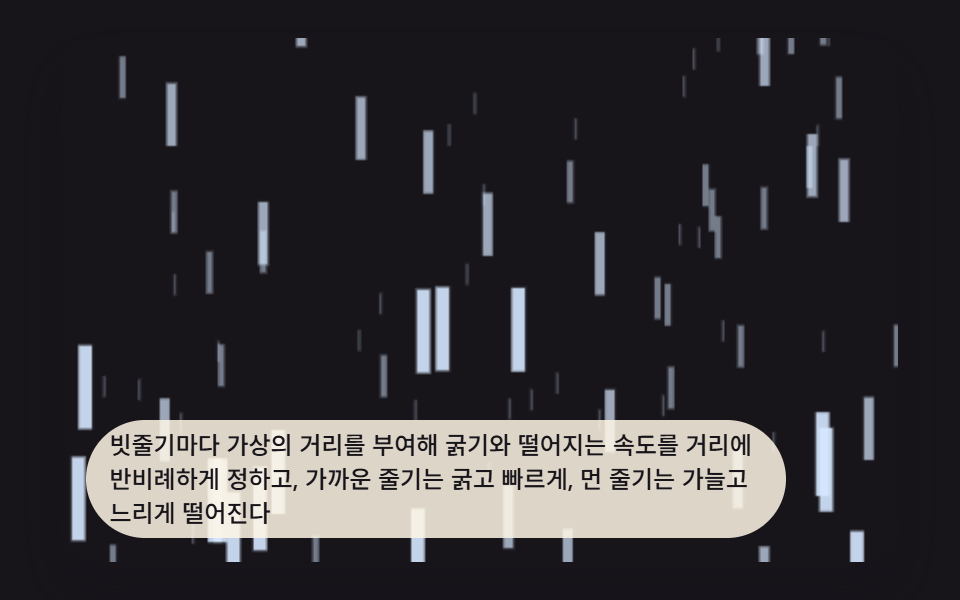 ギャラリーcss 雨を降らせる 9パターン — 窓辺のストーム背景
 ギャラリーcss masonry layout 9パターン — 高さの違うカードが隙間なく収まる配置
 ギャラリー水彩 エフェクト 9種 — にじみ・顔料だまり・紙の目を計算で描く
 ギャラリーCSS フォト ギャラリー 9選 — メイソンリーからライトボックスまで
 ギャラリー画像 拡大 表示 UI 9選 — 写真ファイルなしで作るビューア
 クリエイティブUIオーディオビジュアライザー 作り方 9選 — 棒からマイクまで
 クリエイティブUIcss 背景 パターン ジェネレーター 自作9種