css カード デザイン 9種 — 街・チーム・ショートカット
css カード デザインとは、画面に内容を載せて並べるための最も基本的な容器を組む仕事です。この記事の原則は、クリックをカード全体ではなくリンクに任せることです。街紹介・チーム・ショートカット・自己紹介タブ・レビュー・スペック・イベント・イントロ・ブログ一覧まで、9つのカードをライブラリなしで組み、下のグリッドが今すぐ
 01 content-card-city-guide
 02 content-card-team-member
 03 content-card-shortcut-tile
 04 content-card-about-tabs
 05 content-card-review-pinboard
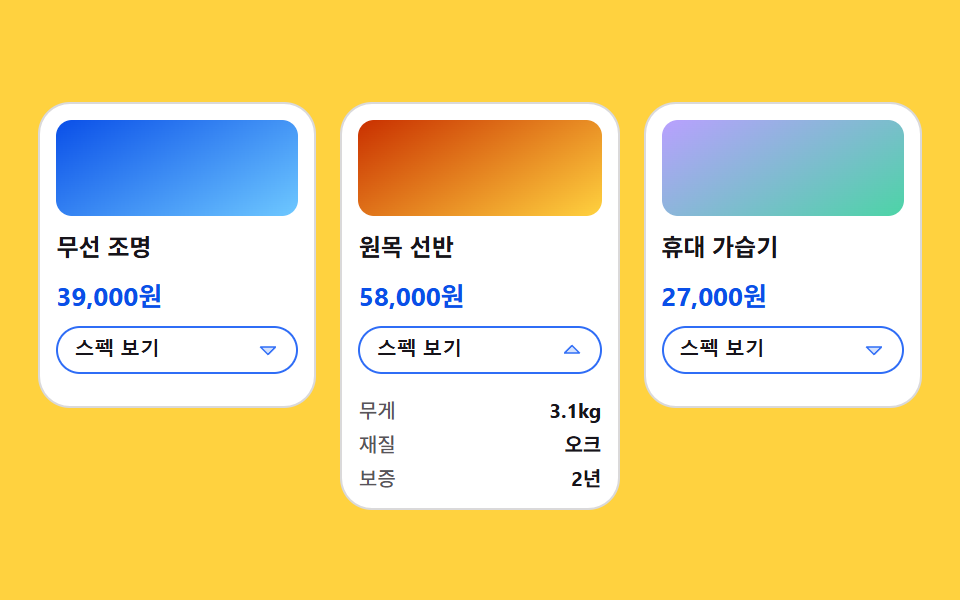 06 content-card-spec-grow
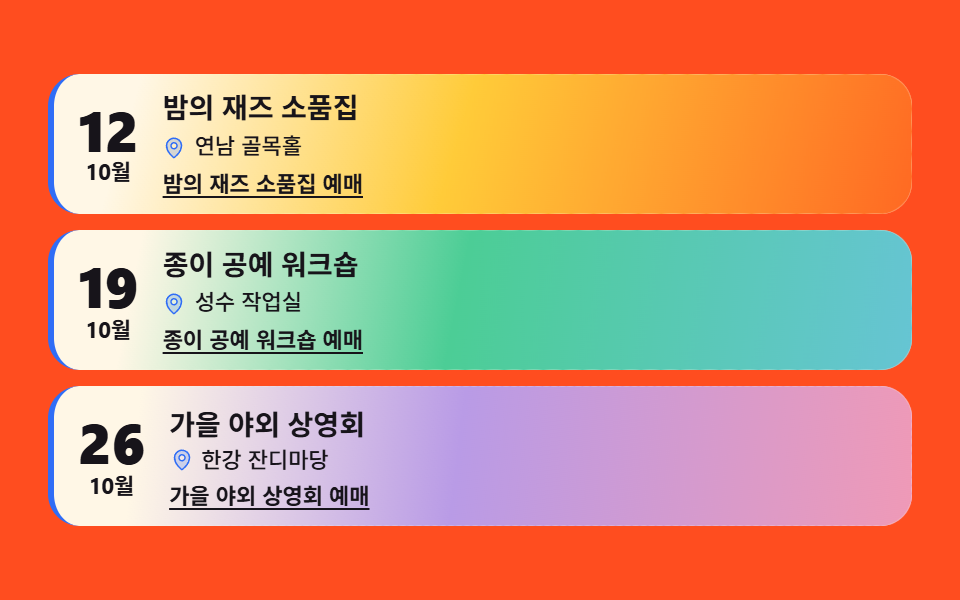 07 content-card-event-mood
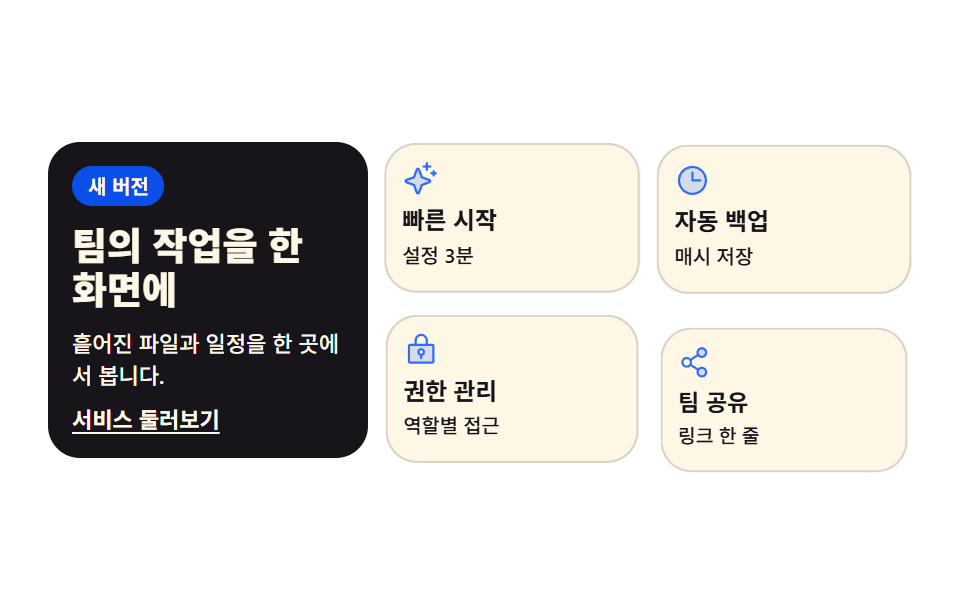 08 content-card-intro-grid
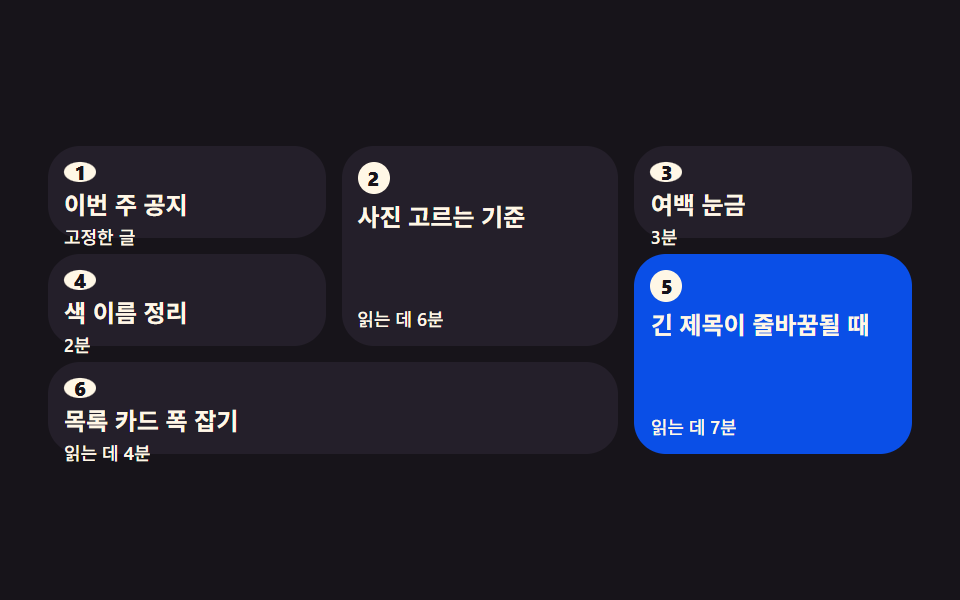 09 content-card-waterfall-order
自動再生 · タイルを押すとその項目へ · すべて1つのzip
- 01 街紹介グリッドカード
- 02 チームメンバーカード
- 03 ショートカットタイルカード
- 04 タブで切り替える自己紹介カード
- 05 ピンボード型レビューカード
- 06 スペックが伸びる商品カード
- 07 雰囲気を先に見せるイベントカード
- 08 イントロ用グリッドセクションカード
- 09 読む順番を守るウォーターフォール
並びは人気順ではなく、内容がカードになっていく順です。1枚が複数枚になり(01, 02)、カードが案内板の役を務め(03)、1枚の中で本文が分かれ(04, 05, 06)、カードに雰囲気が乗り(07)、カードがひとまとまりに組み上がり(08)、最後に多いカードが読む順番まで守ります(09)。この記事全体の軸は派手な効果ではなくレイアウトとリンクです — カード全体ではなくリンクにクリックを任せる原則は、9つすべてに通っています。同じ流れの隣としてCSS ボタン デザインとタブメニュー 作り方があります。
01街紹介グリッドカード
街の名前と一行紹介を載せたカードが grid-template-columns で並び、それぞれのラベル帯が自分の順番で上へせり上がる、旅行・地域サービスの紹介セクション向けカードです。
<main class="stage">
<ul class="cg is-demo" id="cg">
  <li class="cg__card">
    <div class="cg__shot cg__shot--a">
      <span class="cg__band">
        <span class="cg__ic" aria-hidden="true"><svg xmlns="http://www.w3.org/2000/svg" width="1em" height="1em" viewBox="0 0 256 256"><g fill="currentColor"><path d="M128 24a80 80 0 0 0-80 80c0 72 80 128 80 128s80-56 80-128a80 80 0 0 0-80-80m0 112a32 32 0 1 1 32-32a32 32 0 0 1-32 32" opacity=".2"/><path d="M128 64a40 40 0 1 0 40 40a40 40 0 0 0-40-40m0 64a24 24 0 1 1 24-24a24 24 0 0 1-24 24m0-112a88.1 88.1 0 0 0-88 88c0 31.4 14.51 64.68 42 96.25a254.2 254.2 0 0 0 41.45 38.3a8 8 0 0 0 9.18 0a254.2 254.2 0 0 0 41.37-38.3c27.45-31.57 42-64.85 42-96.25a88.1 88.1 0 0 0-88-88m0 206c-16.53-13-72-60.75-72-118a72 72 0 0 1 144 0c0 57.23-55.47 105-72 118"/></g></svg></span>日帰り</span>
    </div>
    <h3 class="cg__name">釜山</h3>
    <p class="cg__line">海と市場がひと停留所</p>
    <a class="cg__link" href="#busan">釜山ガイドを開く</a>
  </li>
  <li class="cg__card">
    <div class="cg__shot cg__shot--b">
      <span class="cg__band">
        <span class="cg__ic" aria-hidden="true"><svg xmlns="http://www.w3.org/2000/svg" width="1em" height="1em" viewBox="0 0 256 256"><g fill="currentColor"><path d="M128 24a80 80 0 0 0-80 80c0 72 80 128 80 128s80-56 80-128a80 80 0 0 0-80-80m0 112a32 32 0 1 1 32-32a32 32 0 0 1-32 32" opacity=".2"/><path d="M128 64a40 40 0 1 0 40 40a40 40 0 0 0-40-40m0 64a24 24 0 1 1 24-24a24 24 0 0 1-24 24m0-112a88.1 88.1 0 0 0-88 88c0 31.4 14.51 64.68 42 96.25a254.2 254.2 0 0 0 41.45 38.3a8 8 0 0 0 9.18 0a254.2 254.2 0 0 0 41.37-38.3c27.45-31.57 42-64.85 42-96.25a88.1 88.1 0 0 0-88-88m0 206c-16.53-13-72-60.75-72-118a72 72 0 0 1 144 0c0 57.23-55.47 105-72 118"/></g></svg></span>1泊2日</span>
    </div>
    <h3 class="cg__name">全州</h3>
    <p class="cg__line">路地ごとに違う食堂</p>
    <a class="cg__link" href="#jeonju">全州ガイドを開く</a>
  </li>
  <li class="cg__card">
    <div class="cg__shot cg__shot--c">
      <span class="cg__band">
        <span class="cg__ic" aria-hidden="true"><svg xmlns="http://www.w3.org/2000/svg" width="1em" height="1em" viewBox="0 0 256 256"><g fill="currentColor"><path d="M128 24a80 80 0 0 0-80 80c0 72 80 128 80 128s80-56 80-128a80 80 0 0 0-80-80m0 112a32 32 0 1 1 32-32a32 32 0 0 1-32 32" opacity=".2"/><path d="M128 64a40 40 0 1 0 40 40a40 40 0 0 0-40-40m0 64a24 24 0 1 1 24-24a24 24 0 0 1-24 24m0-112a88.1 88.1 0 0 0-88 88c0 31.4 14.51 64.68 42 96.25a254.2 254.2 0 0 0 41.45 38.3a8 8 0 0 0 9.18 0a254.2 254.2 0 0 0 41.37-38.3c27.45-31.57 42-64.85 42-96.25a88.1 88.1 0 0 0-88-88m0 206c-16.53-13-72-60.75-72-118a72 72 0 0 1 144 0c0 57.23-55.47 105-72 118"/></g></svg></span>週末コース</span>
    </div>
    <h3 class="cg__name">束草</h3>
    <p class="cg__line">海も山も一度に</p>
    <a class="cg__link" href="#sokcho">束草ガイドを開く</a>
  </li>
</ul>
</main>@use "sass:math";
@use "../../../../site/static/demo-tokens" as *;
// 도시 소개 그리드 카드 — 이 편의 주인공은 효과가 아니라 **배치**다.
// grid-template-columns 로 세 칸을 먼저 정하고, 카드는 자기 순서(animation-delay)에만 올라온다.
// 지연이 걸린 루프에는 animation-fill-mode: backwards 가 반드시 함께 간다 —
// 없으면 지연 구간에 요소의 작성 상태(= 도착 상태)가 0프레임에 한 번 번쩍인다.
// 호버 리프트·그림자 확대 같은 카드 효과는 이 편의 축이 아니라서 쓰지 않는다.
$duration: $dur-enter;
$easing: $ease-spring;
$color: $subject-blue;
// 잉크 무대 위에서 한 단계 밝은 카드 면 (토큰 밖 실측값 — 크림 글자 15.1:1)
$panel: #241f2a;
$rise: 14px;
// 2초 루프 안에서 "카드가 올라오는" 구간의 길이. $duration 을 절반으로 줄이면 구간도 절반이 된다
$enter: math.div($duration, $dur-loop) * 100%;
@include stage($stage-ink);
.cg {
  display: grid;
  grid-template-columns: repeat(3, 1fr);
  gap: $sp-2;
  box-sizing: border-box; width: min(100%, 440px);
  margin: 0; padding: 0; list-style: none;
}
.cg__card {
display: flex; flex-direction: column; gap: $sp-1;
box-sizing: border-box;
padding: $sp-2;
border-radius: $r-card;
background: $panel;
border-top: 2px solid $color;
// 미리보기 루프를 뗀 순간 카드가 제자리로 부드럽게 앉는다 (애니메이션이 사라진 자리를 transition 이 받는다)
transition: transform $duration $easing;
}
// 사진이 들어갈 자리. 지금은 토큰 그라디언트 (run/081/_이미지후보.A.json 에 기록)
.cg__shot {
position: relative; overflow: hidden;
height: clamp(40px, 13vw, 62px);
border-radius: $r-sm;
background:
radial-gradient(circle at 28% 22%, rgba(255, 255, 255, .26), rgba(255, 255, 255, 0) 62%),
linear-gradient(152deg, $color, rgba($color, .22));
}
.cg__shot--b { background-position: 70% 30%, 0 0; }
.cg__shot--c { background-position: 45% 70%, 0 0; }
// 라벨 띠 — 사진 아래에서 위로 올라온다. 글자는 크림 면 위 잉크(17.1:1)라 $color 가 바뀌어도 안전하다
.cg__band {
position: absolute; left: 6px; bottom: 6px;
display: inline-flex; align-items: center; gap: $sp-1;
padding: $sp-1 $sp-2;
border-radius: $r-pill;
background: $subject-cream; color: $subject-ink;
font-weight: 700; font-size: clamp(9px, 2.4vw, 10px); line-height: 1.2;
white-space: nowrap;
}
.cg__ic { display: inline-grid; place-items: center; color: $color; font-size: 11px; }
.cg__name {
margin: 0;
color: $subject-cream;
font-weight: 700; font-size: clamp(12px, 3.4vw, 15px); line-height: 1.25;
}
.cg__line {
margin: 0;
color: rgba($subject-cream, .78);
font-weight: 500; font-size: clamp(9px, 2.6vw, 11px); line-height: 1.35;
}
// 카드 전체가 아니라 링크가 목적지 이름을 말한다 (WCAG 2.4.4 link purpose)
.cg__link {
margin-top: auto;
color: $subject-cream;
font-weight: 700; font-size: clamp(9px, 2.6vw, 11px); line-height: 1.3;
text-decoration: underline; text-underline-offset: 2px;
}
.cg__link:focus-visible { outline: 2px solid $subject-cream; outline-offset: 2px; border-radius: $r-xs; }
// ── 격자 미리보기 루프 (2초). 카드는 0 / .16 / .32초 순서로 올라오고 띠가 뒤따른다.
// 복귀(다시 내려감)는 88% 안에 끝난다 — 24프레임의 마지막 샘플은 95.8% 지점이다.
.cg.is-demo .cg__card {
animation-name: cgRise;
animation-duration: $dur-loop;
animation-timing-function: $easing;
animation-iteration-count: infinite;
animation-fill-mode: backwards;
}
.cg.is-demo .cg__card:nth-child(2) { animation-delay: .16s; }
.cg.is-demo .cg__card:nth-child(3) { animation-delay: .32s; }
.cg.is-demo .cg__band {
animation-name: cgBand;
animation-duration: $dur-loop;
animation-timing-function: $easing;
animation-iteration-count: infinite;
animation-fill-mode: backwards;
}
.cg.is-demo .cg__card:nth-child(2) .cg__band { animation-delay: .16s; }
.cg.is-demo .cg__card:nth-child(3) .cg__band { animation-delay: .32s; }
@keyframes cgRise {
0% { transform: translateY($rise); }
#{$enter} { transform: translateY(0); }
74% { transform: translateY(0); }
88%, 100% { transform: translateY($rise); }
}
@keyframes cgBand {
0%, #{$enter * .4} { transform: translateY(180%); }
#{$enter * 1.4} { transform: translateY(0); }
74% { transform: translateY(0); }
86%, 100% { transform: translateY(180%); }
}
// ── 좁은 화면: 320×200 무대에서도 세 칸을 지킨다 (열을 줄이지 않는 게 이 항목의 요점)
@media (max-width: 340px) {
.cg { gap: $sp-1; }
.cg__card { gap: 0; padding: $sp-1; }
.cg__band { padding: 0 $sp-1; left: 4px; bottom: 4px; }
.cg__ic { font-size: 9px; }
}
@media (prefers-reduced-motion: reduce) {
.cg.is-demo .cg__card,
.cg.is-demo .cg__band {
animation: none !important;
transform: none !important;
}
}html, body {
margin: 0;
overflow: hidden;
}
.stage {
box-sizing: border-box;
min-height: 100vh;
display: grid;
place-items: center;
margin: 0;
background: #17141a;
font-family: -apple-system, "Segoe UI", "Noto Sans KR", sans-serif;
padding: clamp(8px, 4vw, 24px);
}
.cg {
display: grid;
grid-template-columns: repeat(3, 1fr);
gap: 8px;
box-sizing: border-box;
width: min(100%, 440px);
margin: 0;
padding: 0;
list-style: none;
}
.cg__card {
display: flex;
flex-direction: column;
gap: 4px;
box-sizing: border-box;
padding: 8px;
border-radius: 16px;
background: #241f2a;
border-top: 2px solid #2f6df6;
transition: transform 600ms cubic-bezier(0.2, 0.8, 0.2, 1);
}
.cg__shot {
position: relative;
overflow: hidden;
height: clamp(40px, 13vw, 62px);
border-radius: 8px;
background: radial-gradient(circle at 28% 22%, rgba(255, 255, 255, 0.26), rgba(255, 255, 255, 0) 62%), linear-gradient(152deg, #2f6df6, rgba(47, 109, 246, 0.22));
}
.cg__shot--b {
background-position: 70% 30%, 0 0;
}
.cg__shot--c {
background-position: 45% 70%, 0 0;
}
.cg__band {
position: absolute;
left: 6px;
bottom: 6px;
display: inline-flex;
align-items: center;
gap: 4px;
padding: 4px 8px;
border-radius: 999px;
background: #fff7e6;
color: #17141a;
font-weight: 700;
font-size: clamp(9px, 2.4vw, 10px);
line-height: 1.2;
white-space: nowrap;
}
.cg__ic {
display: inline-grid;
place-items: center;
color: #2f6df6;
font-size: 11px;
}
.cg__name {
margin: 0;
color: #fff7e6;
font-weight: 700;
font-size: clamp(12px, 3.4vw, 15px);
line-height: 1.25;
}
.cg__line {
margin: 0;
color: rgba(255, 247, 230, 0.78);
font-weight: 500;
font-size: clamp(9px, 2.6vw, 11px);
line-height: 1.35;
}
.cg__link {
margin-top: auto;
color: #fff7e6;
font-weight: 700;
font-size: clamp(9px, 2.6vw, 11px);
line-height: 1.3;
text-decoration: underline;
text-underline-offset: 2px;
}
.cg__link:focus-visible {
outline: 2px solid #fff7e6;
outline-offset: 2px;
border-radius: 4px;
}
.cg.is-demo .cg__card {
animation-name: cgRise;
animation-duration: 2s;
animation-timing-function: cubic-bezier(0.2, 0.8, 0.2, 1);
animation-iteration-count: infinite;
animation-fill-mode: backwards;
}
.cg.is-demo .cg__card:nth-child(2) {
animation-delay: 0.16s;
}
.cg.is-demo .cg__card:nth-child(3) {
animation-delay: 0.32s;
}
.cg.is-demo .cg__band {
animation-name: cgBand;
animation-duration: 2s;
animation-timing-function: cubic-bezier(0.2, 0.8, 0.2, 1);
animation-iteration-count: infinite;
animation-fill-mode: backwards;
}
.cg.is-demo .cg__card:nth-child(2) .cg__band {
animation-delay: 0.16s;
}
.cg.is-demo .cg__card:nth-child(3) .cg__band {
animation-delay: 0.32s;
}
@keyframes cgRise {
0% {
transform: translateY(14px);
}
30% {
transform: translateY(0);
}
74% {
transform: translateY(0);
}
88%, 100% {
transform: translateY(14px);
}
}
@keyframes cgBand {
0%, 12% {
transform: translateY(180%);
}
42% {
transform: translateY(0);
}
74% {
transform: translateY(0);
}
86%, 100% {
transform: translateY(180%);
}
}
@media (max-width: 340px) {
.cg {
gap: 4px;
}
.cg__card {
gap: 0;
padding: 4px;
}
.cg__band {
padding: 0 4px;
left: 4px;
bottom: 4px;
}
.cg__ic {
font-size: 9px;
}
}
@media (prefers-reduced-motion: reduce) {
.cg.is-demo .cg__card,
.cg.is-demo .cg__band {
animation: none !important;
transform: none !important;
}
}// 사람이 만지면 미리보기 루프를 뗀다 — 뗀 뒤에도 카드는 제자리에 그대로 선다
var cityGrid = document.getElementById('cg');
['pointerdown', 'focusin'].forEach(function (evt) {
cityGrid.addEventListener(evt, function () { cityGrid.classList.remove('is-demo'); });
});// CityGuideGrid — vanilla 판(run/081/demo/01-content-card-city-guide/index.html) 의 React 포트.
// grid-template-columns 로 세 칸을 먼저 정하고, 카드는 animation-delay 로 자기 순서에만 올라온다.
// 카드 전체가 아니라 링크가 목적지 이름을 말한다 (WCAG 2.4.4).
import { useState } from "react";
import type { CSSProperties } from "react";
import styles from "./CityGuideGrid.module.scss";
export type CityGuideGridProps = {
duration?: number;
easing?: string;
color?: string;
};
type Vars = CSSProperties & { "--duration"?: string; "--easing"?: string; "--color"?: string };
type City = { band: string; name: string; line: string; link: string; href: string; shot: string };
// 링크 글자는 조각으로 잇지 않는다 — 언어팩 사전의 키가 문장 전체여야 en·ja 판이 반쪽으로 안 나간다
const CITIES: City[] = [
{ band: "당일치기", name: "부산", line: "바다와 시장이 한 정류장", link: "부산 가이드 열기", href: "#busan", shot: "shot--a" },
{ band: "1박 2일", name: "전주", line: "골목마다 다른 밥집", link: "전주 가이드 열기", href: "#jeonju", shot: "shot--b" },
{ band: "주말 코스", name: "속초", line: "바다와 산을 한 번에", link: "속초 가이드 열기", href: "#sokcho", shot: "shot--c" },
];
function MapPin() {
return (
<svg xmlns="http://www.w3.org/2000/svg" width="1em" height="1em" viewBox="0 0 256 256">
<g fill="currentColor">
<path d="M128 24a80 80 0 0 0-80 80c0 72 80 128 80 128s80-56 80-128a80 80 0 0 0-80-80m0 112a32 32 0 1 1 32-32a32 32 0 0 1-32 32" opacity=".2" />
<path d="M128 64a40 40 0 1 0 40 40a40 40 0 0 0-40-40m0 64a24 24 0 1 1 24-24a24 24 0 0 1-24 24m0-112a88.1 88.1 0 0 0-88 88c0 31.4 14.51 64.68 42 96.25a254.2 254.2 0 0 0 41.45 38.3a8 8 0 0 0 9.18 0a254.2 254.2 0 0 0 41.37-38.3c27.45-31.57 42-64.85 42-96.25a88.1 88.1 0 0 0-88-88m0 206c-16.53-13-72-60.75-72-118a72 72 0 0 1 144 0c0 57.23-55.47 105-72 118" />
</g>
</svg>
);
}
export default function CityGuideGrid(props: CityGuideGridProps) {
const duration = props.duration ?? 600;
const easing = props.easing ?? "cubic-bezier(.2, .8, .2, 1)";
const color = props.color ?? "#2f6df6";
const [preview, setPreview] = useState<boolean>(true);
const vars: Vars = { "--duration": duration + "ms", "--easing": easing, "--color": color };
const stop = () => setPreview(false);
return (
<main className={styles.stage}>
<ul
className={styles.cg + (preview ? " " + styles.isDemo : "")}
style={vars}
onPointerDown={stop}
onFocus={stop}
>
{CITIES.map((city) => (
<li className={styles.card} key={city.name}>
<div className={styles.shot + " " + styles[city.shot]}>
<span className={styles.band}>
<span className={styles.ic} aria-hidden="true"><MapPin /></span>
{city.band}
</span>
</div>
<h3 className={styles.name}>{city.name}</h3>
<p className={styles.line}>{city.line}</p>
<a className={styles.link} href={city.href}>{city.link}</a>
</li>
))}
</ul>
</main>
);
}01 · 街紹介グリッドカード — 計測 累積面積 34.122% · 動いたフレーム 20/23GODRICH オリジナル · SCSS と React は zip に同梱 · パスワードを見る
3つの枠はグリッドが決め、登場は順番が決める
.cg {
display: grid;
grid-template-columns: repeat(3, 1fr);
gap: $sp-2;
box-sizing: border-box; width: min(100%, 440px);
margin: 0; padding: 0; list-style: none;
}
カード1枚ずつに幅を与えるのではなく枠を先に3つ決めているので、4枚に増やすときは repeat(3, 1fr) を repeat(4, 1fr) に変えるだけで、カードの中身には触れずに済みます。
遅延の付いた登場には fill-mode を添える
// 遅延の間も上昇前の状態を見せる — なければ0フレーム目で完成形が一瞬光る
.cg.is-demo .cg__card { animation-fill-mode: backwards; }
.cg.is-demo .cg__card:nth-child(2) { animation-delay: .12s; }
.cg.is-demo .cg__card:nth-child(3) { animation-delay: .24s; }
animation-delay で時間差を与えたカードは、遅延の間も「上がる前の状態」を見せるのが自然で、backwards がなければ完成形がそのまま見えた後に消えて、また上がってきます。
02チームメンバーカード
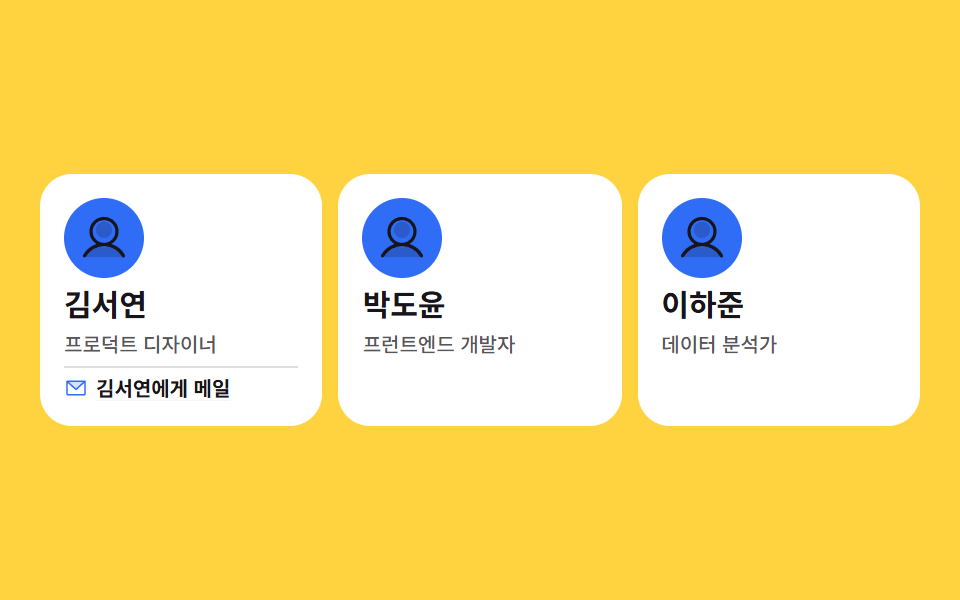
名前と肩書きの下に隠れた連絡先の行が、カードにフォーカスが移ると clip-path で開き、リンクには本人の名前がそのまま入っている、会社紹介のチームセクション向けカードです。
<main class="stage">
<ul class="tm is-demo" id="tm">
  <li class="tm__card">
    <span class="tm__face" aria-hidden="true"><svg xmlns="http://www.w3.org/2000/svg" width="1em" height="1em" viewBox="0 0 256 256"><g fill="currentColor"><path d="M230.14 219.93a8 8 0 0 1-6.14 2.07H32a8 8 0 0 1-6.14-2.07a8 8 0 0 1-1.63-8.28C33.79 187.16 55 168.51 80.6 159.86a4 4 0 0 1 3.38.31a75.24 75.24 0 0 0 88 0a4 4 0 0 1 3.43-.31c25.62 8.65 46.81 27.3 56.37 51.79a8 8 0 0 1-1.64 8.28M168 88a40 40 0 1 1-40-40a40 40 0 0 1 40 40" opacity=".2"/><path d="M230.92 212c-15.23-26.33-38.7-45.21-66.09-54.16a72 72 0 1 0-73.66 0c-27.39 8.94-50.86 27.82-66.09 54.16a8 8 0 1 0 13.85 8c18.84-32.56 52.14-52 89.07-52s70.23 19.44 89.07 52a8 8 0 1 0 13.85-8M72 96a56 56 0 1 1 56 56a56.06 56.06 0 0 1-56-56"/></g></svg></span>
    <h3 class="tm__name">キム・ソヨン</h3>
    <p class="tm__role">プロダクトデザイナー</p>
    <p class="tm__contact">
      <span class="tm__ic" aria-hidden="true"><svg xmlns="http://www.w3.org/2000/svg" width="1em" height="1em" viewBox="0 0 256 256"><g fill="currentColor"><path d="m224 56l-96 88l-96-88Z" opacity=".2"/><path d="M224 48H32a8 8 0 0 0-8 8v136a16 16 0 0 0 16 16h176a16 16 0 0 0 16-16V56a8 8 0 0 0-8-8m-20.57 16L128 133.15L52.57 64ZM216 192H40V74.19l82.59 75.71a8 8 0 0 0 10.82 0L216 74.19z"/></g></svg></span>
      <a class="tm__link" href="#seoyeon">ソヨンにメール</a>
    </p>
  </li>
  <li class="tm__card">
    <span class="tm__face" aria-hidden="true"><svg xmlns="http://www.w3.org/2000/svg" width="1em" height="1em" viewBox="0 0 256 256"><g fill="currentColor"><path d="M230.14 219.93a8 8 0 0 1-6.14 2.07H32a8 8 0 0 1-6.14-2.07a8 8 0 0 1-1.63-8.28C33.79 187.16 55 168.51 80.6 159.86a4 4 0 0 1 3.38.31a75.24 75.24 0 0 0 88 0a4 4 0 0 1 3.43-.31c25.62 8.65 46.81 27.3 56.37 51.79a8 8 0 0 1-1.64 8.28M168 88a40 40 0 1 1-40-40a40 40 0 0 1 40 40" opacity=".2"/><path d="M230.92 212c-15.23-26.33-38.7-45.21-66.09-54.16a72 72 0 1 0-73.66 0c-27.39 8.94-50.86 27.82-66.09 54.16a8 8 0 1 0 13.85 8c18.84-32.56 52.14-52 89.07-52s70.23 19.44 89.07 52a8 8 0 1 0 13.85-8M72 96a56 56 0 1 1 56 56a56.06 56.06 0 0 1-56-56"/></g></svg></span>
    <h3 class="tm__name">パク・ドユン</h3>
    <p class="tm__role">フロントエンド開発者</p>
    <p class="tm__contact">
      <span class="tm__ic" aria-hidden="true"><svg xmlns="http://www.w3.org/2000/svg" width="1em" height="1em" viewBox="0 0 256 256"><g fill="currentColor"><path d="m224 56l-96 88l-96-88Z" opacity=".2"/><path d="M224 48H32a8 8 0 0 0-8 8v136a16 16 0 0 0 16 16h176a16 16 0 0 0 16-16V56a8 8 0 0 0-8-8m-20.57 16L128 133.15L52.57 64ZM216 192H40V74.19l82.59 75.71a8 8 0 0 0 10.82 0L216 74.19z"/></g></svg></span>
      <a class="tm__link" href="#doyun">ドユンにメール</a>
    </p>
  </li>
  <li class="tm__card">
    <span class="tm__face" aria-hidden="true"><svg xmlns="http://www.w3.org/2000/svg" width="1em" height="1em" viewBox="0 0 256 256"><g fill="currentColor"><path d="M230.14 219.93a8 8 0 0 1-6.14 2.07H32a8 8 0 0 1-6.14-2.07a8 8 0 0 1-1.63-8.28C33.79 187.16 55 168.51 80.6 159.86a4 4 0 0 1 3.38.31a75.24 75.24 0 0 0 88 0a4 4 0 0 1 3.43-.31c25.62 8.65 46.81 27.3 56.37 51.79a8 8 0 0 1-1.64 8.28M168 88a40 40 0 1 1-40-40a40 40 0 0 1 40 40" opacity=".2"/><path d="M230.92 212c-15.23-26.33-38.7-45.21-66.09-54.16a72 72 0 1 0-73.66 0c-27.39 8.94-50.86 27.82-66.09 54.16a8 8 0 1 0 13.85 8c18.84-32.56 52.14-52 89.07-52s70.23 19.44 89.07 52a8 8 0 1 0 13.85-8M72 96a56 56 0 1 1 56 56a56.06 56.06 0 0 1-56-56"/></g></svg></span>
    <h3 class="tm__name">イ・ハジュン</h3>
    <p class="tm__role">データアナリスト</p>
    <p class="tm__contact">
      <span class="tm__ic" aria-hidden="true"><svg xmlns="http://www.w3.org/2000/svg" width="1em" height="1em" viewBox="0 0 256 256"><g fill="currentColor"><path d="m224 56l-96 88l-96-88Z" opacity=".2"/><path d="M224 48H32a8 8 0 0 0-8 8v136a16 16 0 0 0 16 16h176a16 16 0 0 0 16-16V56a8 8 0 0 0-8-8m-20.57 16L128 133.15L52.57 64ZM216 192H40V74.19l82.59 75.71a8 8 0 0 0 10.82 0L216 74.19z"/></g></svg></span>
      <a class="tm__link" href="#hajun">ハジュンにメール</a>
    </p>
  </li>
</ul>
</main>@use "../../../../site/static/demo-tokens" as *;
// 팀원 소개 카드 — 숨은 연락 줄을 clip-path 로 아래에서 위로 걷어낸다.
// 자리는 처음부터 잡혀 있고(높이가 변하지 않는다) 보이는 범위만 바뀌므로 옆 카드가 밀리지 않는다.
// 여는 조건은 :hover 와 :focus-within 둘 다 — 키보드로 링크에 닿아도 같은 상태가 보인다.
// 카드 전체를 클릭 영역으로 만들지 않는다. 링크 글자가 "누구에게" 가는 길인지 스스로 말한다.
$duration: $dur-enter;
$easing: $ease-spring;
$color: $subject-blue;
$edge: rgba($subject-ink, .14);
@include stage($stage-yellow);
.tm {
display: grid;
grid-template-columns: repeat(3, 1fr);
gap: $sp-2;
box-sizing: border-box; width: min(100%, 440px);
margin: 0; padding: 0; list-style: none;
}
.tm__card {
display: flex; flex-direction: column; align-items: flex-start; gap: $sp-1;
box-sizing: border-box;
padding: $sp-3;
border-radius: $r-card;
background: $stage-paper;
}
// 인물 사진이 들어갈 자리. 지금은 토큰 색 원 + 아이콘 (run/081/_이미지후보.A.json 에 기록)
.tm__face {
display: grid; place-items: center;
width: clamp(28px, 9vw, 40px); height: clamp(28px, 9vw, 40px);
border-radius: 50%;
background: $color; color: $subject-ink;
font-size: clamp(18px, 6vw, 26px);
}
.tm__name {
margin: 0;
color: $subject-ink;
font-weight: 700; font-size: clamp(12px, 3.4vw, 15px); line-height: 1.25;
}
.tm__role {
margin: 0;
color: rgba($subject-ink, .72);
font-weight: 500; font-size: clamp(8px, 2.4vw, 10px); line-height: 1.3;
}
// ── 숨은 연락 줄. 높이는 늘 차지하고 clip-path 만 움직인다
.tm__contact {
  display: flex; align-items: center; gap: $sp-1;
  width: 100%; margin: 0; padding-top: $sp-1;
  border-top: 1px solid $edge;
  clip-path: inset(0 0 100% 0);
  transition: clip-path $duration $easing;
}
.tm__card:hover .tm__contact,
.tm__card:focus-within .tm__contact { clip-path: inset(0 0 0 0); }
.tm__ic { display: inline-grid; place-items: center; flex: 0 0 auto; color: $color; font-size: 12px; }
.tm__link {
color: $subject-ink;
font-weight: 700; font-size: clamp(8px, 2.4vw, 10px); line-height: 1.3;
text-decoration: underline; text-underline-offset: 2px;
}
.tm__link:focus-visible { outline: 2px solid $subject-ink; outline-offset: 2px; border-radius: $r-xs; }
// ── 격자 미리보기 루프 (2초). 한 장씩 열렸다 닫히며 세 장을 다 보여준다.
// 같은 키프레임을 0 / .6 / 1.2초로 물려 세 카드가 차례를 나눠 쓴다 —
// animation-delay 를 쓰면 animation-fill-mode: backwards 가 반드시 함께 간다.
.tm.is-demo .tm__contact {
animation-name: tmOpen;
animation-duration: $dur-loop;
animation-timing-function: $easing;
animation-iteration-count: infinite;
animation-fill-mode: backwards;
}
.tm.is-demo .tm__card:nth-child(2) .tm__contact { animation-delay: .6s; }
.tm.is-demo .tm__card:nth-child(3) .tm__contact { animation-delay: 1.2s; }
// clip-path 위프는 이징 짝으로 둔다 — steps 타이밍과 섞으면 보간이 죽어 컷이 된다
@keyframes tmOpen {
0% { clip-path: inset(0 0 100% 0); }
8% { clip-path: inset(0 0 0 0); }
22% { clip-path: inset(0 0 0 0); }
30%, 100% { clip-path: inset(0 0 100% 0); }
}
// ── 좁은 화면: 세 칸을 지키고 여백만 줄인다
@media (max-width: 340px) {
.tm { gap: $sp-1; }
.tm__card { padding: $sp-1; }
.tm__ic { font-size: 10px; }
}
@media (prefers-reduced-motion: reduce) {
.tm.is-demo .tm__contact {
animation: none !important;
clip-path: inset(0 0 0 0) !important;
transition: none !important;
}
}html, body {
margin: 0;
overflow: hidden;
}
.stage {
box-sizing: border-box;
min-height: 100vh;
display: grid;
place-items: center;
margin: 0;
background: #ffd23f;
font-family: -apple-system, "Segoe UI", "Noto Sans KR", sans-serif;
padding: clamp(8px, 4vw, 24px);
}
.tm {
display: grid;
grid-template-columns: repeat(3, 1fr);
gap: 8px;
box-sizing: border-box;
width: min(100%, 440px);
margin: 0;
padding: 0;
list-style: none;
}
.tm__card {
display: flex;
flex-direction: column;
align-items: flex-start;
gap: 4px;
box-sizing: border-box;
padding: 12px;
border-radius: 16px;
background: #ffffff;
}
.tm__face {
display: grid;
place-items: center;
width: clamp(28px, 9vw, 40px);
height: clamp(28px, 9vw, 40px);
border-radius: 50%;
background: #2f6df6;
color: #17141a;
font-size: clamp(18px, 6vw, 26px);
}
.tm__name {
margin: 0;
color: #17141a;
font-weight: 700;
font-size: clamp(12px, 3.4vw, 15px);
line-height: 1.25;
}
.tm__role {
margin: 0;
color: rgba(23, 20, 26, 0.72);
font-weight: 500;
font-size: clamp(8px, 2.4vw, 10px);
line-height: 1.3;
}
.tm__contact {
display: flex;
align-items: center;
gap: 4px;
width: 100%;
margin: 0;
padding-top: 4px;
border-top: 1px solid rgba(23, 20, 26, 0.14);
clip-path: inset(0 0 100% 0);
transition: clip-path 600ms cubic-bezier(0.2, 0.8, 0.2, 1);
}
.tm__card:hover .tm__contact,
.tm__card:focus-within .tm__contact {
clip-path: inset(0 0 0 0);
}
.tm__ic {
display: inline-grid;
place-items: center;
flex: 0 0 auto;
color: #2f6df6;
font-size: 12px;
}
.tm__link {
color: #17141a;
font-weight: 700;
font-size: clamp(8px, 2.4vw, 10px);
line-height: 1.3;
text-decoration: underline;
text-underline-offset: 2px;
}
.tm__link:focus-visible {
outline: 2px solid #17141a;
outline-offset: 2px;
border-radius: 4px;
}
.tm.is-demo .tm__contact {
animation-name: tmOpen;
animation-duration: 2s;
animation-timing-function: cubic-bezier(0.2, 0.8, 0.2, 1);
animation-iteration-count: infinite;
animation-fill-mode: backwards;
}
.tm.is-demo .tm__card:nth-child(2) .tm__contact {
animation-delay: 0.6s;
}
.tm.is-demo .tm__card:nth-child(3) .tm__contact {
animation-delay: 1.2s;
}
@keyframes tmOpen {
0% {
clip-path: inset(0 0 100% 0);
}
8% {
clip-path: inset(0 0 0 0);
}
22% {
clip-path: inset(0 0 0 0);
}
30%, 100% {
clip-path: inset(0 0 100% 0);
}
}
@media (max-width: 340px) {
.tm {
gap: 4px;
}
.tm__card {
padding: 4px;
}
.tm__ic {
font-size: 10px;
}
}
@media (prefers-reduced-motion: reduce) {
.tm.is-demo .tm__contact {
animation: none !important;
clip-path: inset(0 0 0 0) !important;
transition: none !important;
}
}// 사람이 만지면 미리보기 루프를 뗀다 — 그 뒤로는 hover 와 :focus-within 이 連絡 줄을 연다
var teamList = document.getElementById('tm');
['pointerdown', 'focusin', 'pointerover'].forEach(function (evt) {
teamList.addEventListener(evt, function () { teamList.classList.remove('is-demo'); });
});// TeamMemberCard — vanilla 판(run/081/demo/02-content-card-team-member/index.html) 의 React 포트.
// 숨은 연락 줄을 clip-path 로 걷어낸다. 높이는 늘 차지하므로 옆 카드가 밀리지 않는다.
// 여는 조건은 :hover 와 :focus-within 둘 다 — 키보드로 링크에 닿아도 같은 상태가 보인다.
import { useState } from "react";
import type { CSSProperties } from "react";
import styles from "./TeamMemberCard.module.scss";
export type TeamMemberCardProps = {
duration?: number;
easing?: string;
color?: string;
};
type Vars = CSSProperties & { "--duration"?: string; "--easing"?: string; "--color"?: string };
type Member = { name: string; role: string; mail: string; href: string };
// 링크 글자는 조각으로 잇지 않는다 — 언어팩 사전의 키가 문장 전체여야 en·ja 판이 반쪽으로 안 나간다
const MEMBERS: Member[] = [
{ name: "김서연", role: "프로덕트 디자이너", mail: "김서연에게 메일", href: "#seoyeon" },
{ name: "박도윤", role: "프런트엔드 개발자", mail: "박도윤에게 메일", href: "#doyun" },
{ name: "이하준", role: "데이터 분석가", mail: "이하준에게 메일", href: "#hajun" },
];
function UserMark() {
return (
<svg xmlns="http://www.w3.org/2000/svg" width="1em" height="1em" viewBox="0 0 256 256">
<g fill="currentColor">
<path d="M230.14 219.93a8 8 0 0 1-6.14 2.07H32a8 8 0 0 1-6.14-2.07a8 8 0 0 1-1.63-8.28C33.79 187.16 55 168.51 80.6 159.86a4 4 0 0 1 3.38.31a75.24 75.24 0 0 0 88 0a4 4 0 0 1 3.43-.31c25.62 8.65 46.81 27.3 56.37 51.79a8 8 0 0 1-1.64 8.28M168 88a40 40 0 1 1-40-40a40 40 0 0 1 40 40" opacity=".2" />
<path d="M230.92 212c-15.23-26.33-38.7-45.21-66.09-54.16a72 72 0 1 0-73.66 0c-27.39 8.94-50.86 27.82-66.09 54.16a8 8 0 1 0 13.85 8c18.84-32.56 52.14-52 89.07-52s70.23 19.44 89.07 52a8 8 0 1 0 13.85-8M72 96a56 56 0 1 1 56 56a56.06 56.06 0 0 1-56-56" />
</g>
</svg>
);
}
function EnvelopeMark() {
return (
<svg xmlns="http://www.w3.org/2000/svg" width="1em" height="1em" viewBox="0 0 256 256">
<g fill="currentColor">
<path d="m224 56l-96 88l-96-88Z" opacity=".2" />
<path d="M224 48H32a8 8 0 0 0-8 8v136a16 16 0 0 0 16 16h176a16 16 0 0 0 16-16V56a8 8 0 0 0-8-8m-20.57 16L128 133.15L52.57 64ZM216 192H40V74.19l82.59 75.71a8 8 0 0 0 10.82 0L216 74.19z" />
</g>
</svg>
);
}
export default function TeamMemberCard(props: TeamMemberCardProps) {
const duration = props.duration ?? 600;
const easing = props.easing ?? "cubic-bezier(.2, .8, .2, 1)";
const color = props.color ?? "#2f6df6";
const [preview, setPreview] = useState<boolean>(true);
const vars: Vars = { "--duration": duration + "ms", "--easing": easing, "--color": color };
const stop = () => setPreview(false);
return (
<main className={styles.stage}>
<ul
className={styles.tm + (preview ? " " + styles.isDemo : "")}
style={vars}
onPointerDown={stop}
onPointerOver={stop}
onFocus={stop}
>
{MEMBERS.map((member) => (
<li className={styles.card} key={member.name}>
<span className={styles.face} aria-hidden="true"><UserMark /></span>
<h3 className={styles.name}>{member.name}</h3>
<p className={styles.role}>{member.role}</p>
<p className={styles.contact}>
<span className={styles.ic} aria-hidden="true"><EnvelopeMark /></span>
<a className={styles.link} href={member.href}>{member.mail}</a>
</p>
</li>
))}
</ul>
</main>
);
}02 · チームメンバーカード — 計測 累積面積 1.531% · 動いたフレーム 13/23GODRICH オリジナル · SCSS と React は zip に同梱 · パスワードを見る
場所は最初から確保し、見える範囲だけを変える
.tm__contact {
display: flex; align-items: center; gap: $sp-1;
width: 100%; margin: 0; padding-top: $sp-1;
border-top: 1px solid $edge;
clip-path: inset(0 0 100% 0);
transition: clip-path $duration $easing;
}
.tm__card:hover .tm__contact,
.tm__card:focus-within .tm__contact { clip-path: inset(0 0 0 0); }
連絡先の行は最初から高さを占めたまま clip-path で下側だけ隠しているので、開いても隣のカードは押されず、再び隠れるときもレイアウトが計算し直されることはありません。
開く条件はホバーとフォーカスの両方
:focus-within を併せて設定してあるので、マウスのないキーボード利用者がリンクに触れても同じ状態が開きます — ホバー用の操作には必ずフォーカス版を対にするのが、この記事の決まりです。
03ショートカットタイルカード
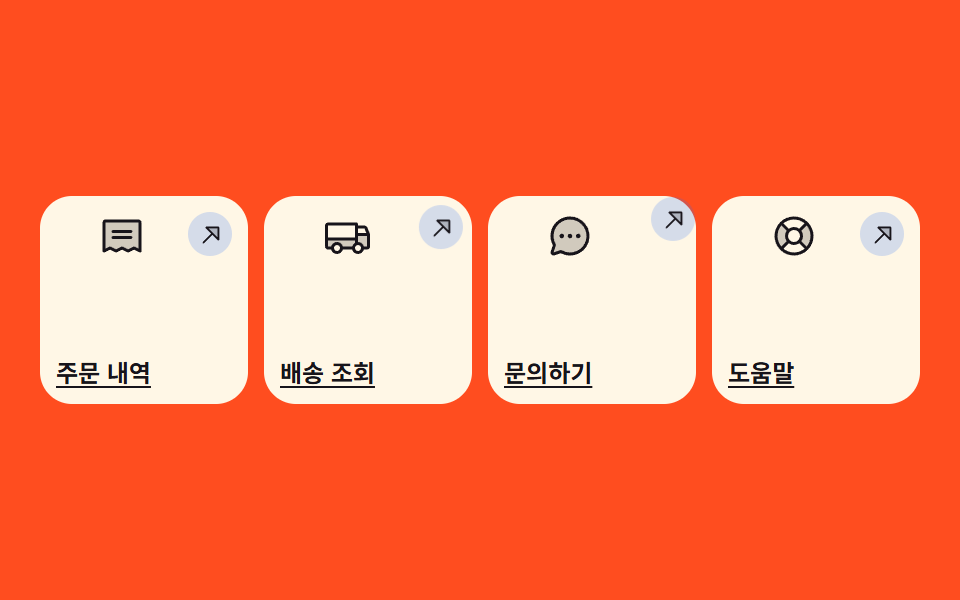
正方形のタイル4枚が aspect-ratio で形を保ち、矢印が角へ滑って行き先を示す、ホーム画面のクイックメニュー向けカードです。
<main class="stage">
<ul class="st is-demo" id="st">
  <li class="st__tile">
    <span class="st__ic" aria-hidden="true"><svg xmlns="http://www.w3.org/2000/svg" width="1em" height="1em" viewBox="0 0 256 256"><g fill="currentColor"><path d="M224 56v152l-32-16l-32 16l-32-16l-32 16l-32-16l-32 16V56a8 8 0 0 1 8-8h176a8 8 0 0 1 8 8" opacity=".2"/><path d="M72 104a8 8 0 0 1 8-8h96a8 8 0 0 1 0 16H80a8 8 0 0 1-8-8m8 40h96a8 8 0 0 0 0-16H80a8 8 0 0 0 0 16m152-88v152a8 8 0 0 1-11.58 7.15L192 200.94l-28.42 14.21a8 8 0 0 1-7.16 0L128 200.94l-28.42 14.21a8 8 0 0 1-7.16 0L64 200.94l-28.42 14.21A8 8 0 0 1 24 208V56a16 16 0 0 1 16-16h176a16 16 0 0 1 16 16m-16 0H40v139.06l20.42-10.22a8 8 0 0 1 7.16 0L96 199.06l28.42-14.22a8 8 0 0 1 7.16 0L160 199.06l28.42-14.22a8 8 0 0 1 7.16 0L216 195.06Z"/></g></svg></span>
    <span class="st__go" aria-hidden="true"><svg xmlns="http://www.w3.org/2000/svg" width="1em" height="1em" viewBox="0 0 256 256"><g fill="currentColor"><path d="M192 64v104L88 64Z" opacity=".2"/><path d="M192 56H88a8 8 0 0 0-5.66 13.66L128.69 116l-70.35 70.34a8 8 0 0 0 11.32 11.32L140 127.31l46.34 46.35A8 8 0 0 0 200 168V64a8 8 0 0 0-8-8m-8 92.69l-38.34-38.34L107.31 72H184Z"/></g></svg></span>
    <a class="st__link" href="#orders">注文履歴</a>
  </li>
  <li class="st__tile">
    <span class="st__ic" aria-hidden="true"><svg xmlns="http://www.w3.org/2000/svg" width="1em" height="1em" viewBox="0 0 256 256"><g fill="currentColor"><path d="M248 120v64a8 8 0 0 1-8 8h-24a24 24 0 0 0-48 0h-64a24 24 0 0 0-48 0H32a8 8 0 0 1-8-8v-40h160v-24Z" opacity=".2"/><path d="m255.42 117l-14-35a15.93 15.93 0 0 0-14.84-10H192v-8a8 8 0 0 0-8-8H32a16 16 0 0 0-16 16v112a16 16 0 0 0 16 16h17a32 32 0 0 0 62 0h50a32 32 0 0 0 62 0h17a16 16 0 0 0 16-16v-64a7.9 7.9 0 0 0-.58-3M192 88h34.58l9.6 24H192ZM32 72h144v64H32Zm48 136a16 16 0 1 1 16-16a16 16 0 0 1-16 16m81-24h-50a32 32 0 0 0-62 0H32v-32h144v12.31A32.1 32.1 0 0 0 161 184m31 24a16 16 0 1 1 16-16a16 16 0 0 1-16 16m48-24h-17a32.06 32.06 0 0 0-31-24v-32h48Z"/></g></svg></span>
    <span class="st__go" aria-hidden="true"><svg xmlns="http://www.w3.org/2000/svg" width="1em" height="1em" viewBox="0 0 256 256"><g fill="currentColor"><path d="M192 64v104L88 64Z" opacity=".2"/><path d="M192 56H88a8 8 0 0 0-5.66 13.66L128.69 116l-70.35 70.34a8 8 0 0 0 11.32 11.32L140 127.31l46.34 46.35A8 8 0 0 0 200 168V64a8 8 0 0 0-8-8m-8 92.69l-38.34-38.34L107.31 72H184Z"/></g></svg></span>
    <a class="st__link" href="#delivery">配送状況</a>
  </li>
  <li class="st__tile">
    <span class="st__ic" aria-hidden="true"><svg xmlns="http://www.w3.org/2000/svg" width="1em" height="1em" viewBox="0 0 256 256"><g fill="currentColor"><path d="M224 128a96 96 0 0 1-144.07 83.11l-37.39 12.47a8 8 0 0 1-10.12-10.12l12.47-37.39A96 96 0 1 1 224 128" opacity=".2"/><path d="M128 24a104 104 0 0 0-91.82 152.88l-11.35 34.05a16 16 0 0 0 20.24 20.24l34.05-11.35A104 104 0 1 0 128 24m0 192a87.87 87.87 0 0 1-44.06-11.81a8 8 0 0 0-4-1.08a7.9 7.9 0 0 0-2.53.42L40 216l12.47-37.4a8 8 0 0 0-.66-6.54A88 88 0 1 1 128 216m12-88a12 12 0 1 1-12-12a12 12 0 0 1 12 12m-44 0a12 12 0 1 1-12-12a12 12 0 0 1 12 12m88 0a12 12 0 1 1-12-12a12 12 0 0 1 12 12"/></g></svg></span>
    <span class="st__go" aria-hidden="true"><svg xmlns="http://www.w3.org/2000/svg" width="1em" height="1em" viewBox="0 0 256 256"><g fill="currentColor"><path d="M192 64v104L88 64Z" opacity=".2"/><path d="M192 56H88a8 8 0 0 0-5.66 13.66L128.69 116l-70.35 70.34a8 8 0 0 0 11.32 11.32L140 127.31l46.34 46.35A8 8 0 0 0 200 168V64a8 8 0 0 0-8-8m-8 92.69l-38.34-38.34L107.31 72H184Z"/></g></svg></span>
    <a class="st__link" href="#support">問い合わせ</a>
  </li>
  <li class="st__tile">
    <span class="st__ic" aria-hidden="true"><svg xmlns="http://www.w3.org/2000/svg" width="1em" height="1em" viewBox="0 0 256 256"><g fill="currentColor"><path d="m195.88 195.88l-39.6-39.6a40 40 0 0 0 0-56.56l39.6-39.6a96 96 0 0 1 0 135.76M60.12 60.12a96 96 0 0 0 0 135.76l39.6-39.6a40 40 0 0 1 0-56.56Z" opacity=".2"/><path d="M128 24a104 104 0 1 0 104 104A104.11 104.11 0 0 0 128 24m39.1 131.79a47.84 47.84 0 0 0 0-55.58l28.5-28.49a87.83 87.83 0 0 1 0 112.56ZM96 128a32 32 0 1 1 32 32a32 32 0 0 1-32-32m88.28-67.6l-28.49 28.5a47.84 47.84 0 0 0-55.58 0L71.72 60.4a87.83 87.83 0 0 1 112.56 0M60.4 71.72l28.5 28.49a47.84 47.84 0 0 0 0 55.58l-28.5 28.49a87.83 87.83 0 0 1 0-112.56M71.72 195.6l28.49-28.5a47.84 47.84 0 0 0 55.58 0l28.49 28.5a87.83 87.83 0 0 1-112.56 0"/></g></svg></span>
    <span class="st__go" aria-hidden="true"><svg xmlns="http://www.w3.org/2000/svg" width="1em" height="1em" viewBox="0 0 256 256"><g fill="currentColor"><path d="M192 64v104L88 64Z" opacity=".2"/><path d="M192 56H88a8 8 0 0 0-5.66 13.66L128.69 116l-70.35 70.34a8 8 0 0 0 11.32 11.32L140 127.31l46.34 46.35A8 8 0 0 0 200 168V64a8 8 0 0 0-8-8m-8 92.69l-38.34-38.34L107.31 72H184Z"/></g></svg></span>
    <a class="st__link" href="#help">ヘルプ</a>
  </li>
</ul>
</main>
@use "../../../../site/static/demo-tokens" as *;
// 바로가기 타일 — 폭이 얼마든 aspect-ratio 로 정사각을 지키는 게 이 항목의 뼈대다.
// 높이를 px 로 박지 않으니 열 수가 바뀌어도(4열 → 2열) 타일은 늘 정사각이다.
// 움직이는 건 화살표 하나뿐 — transform 이 아니라 독립 속성 translate 를 쓴다.
// 타일 전체가 링크가 아니라 라벨이 링크다. 그래서 링크 글자만 읽어도 어디로 가는지 안다.
$duration: $dur-quick;
$easing: $ease-spring;
$color: $subject-blue;
$reach: 8px;
@include stage($stage-orange);
.st {
display: grid;
grid-template-columns: repeat(4, 1fr);
gap: $sp-2;
box-sizing: border-box; width: min(100%, 440px);
margin: 0; padding: 0; list-style: none;
}
.st__tile {
  display: grid;
  grid-template-columns: 1fr auto;
  grid-template-rows: auto 1fr auto;
  aspect-ratio: 1 / 1;
  box-sizing: border-box;
  padding: $sp-2;
  border-radius: $r-card;
  background: $subject-cream;
}
.st__ic {
grid-column: 1; grid-row: 1;
display: inline-grid; place-items: center;
color: $subject-ink;
font-size: clamp(16px, 5.5vw, 24px);
}
// 화살표 칩. 모서리 쪽(오른쪽 위)으로 밀려 나가며 행선지를 가리킨다
.st__go {
grid-column: 2; grid-row: 1;
display: inline-grid; place-items: center;
width: clamp(16px, 5.5vw, 22px); height: clamp(16px, 5.5vw, 22px);
border-radius: 50%;
background: rgba($color, .20); color: $subject-ink;
font-size: clamp(10px, 3.6vw, 15px);
translate: 0 0;
transition: translate $duration $easing;
}
.st__tile:hover .st__go,
.st__tile:focus-within .st__go { translate: $reach (-$reach); }
.st__link {
grid-column: 1 / -1; grid-row: 3;
color: $subject-ink;
font-weight: 700; font-size: clamp(9px, 3vw, 12px); line-height: 1.25;
text-decoration: underline; text-underline-offset: 2px;
}
.st__link:focus-visible { outline: 2px solid $subject-ink; outline-offset: 2px; border-radius: $r-xs; }
// ── 격자 미리보기 루프 (2초). 네 타일이 0 / .4 / .8 / 1.2초 차례로 화살표를 내보낸다.
// animation-delay 를 쓰면 animation-fill-mode: backwards 가 반드시 함께 간다 (첫 프레임 번쩍임).
.st.is-demo .st__go {
animation-name: stGo;
animation-duration: $dur-loop;
animation-timing-function: $easing;
animation-iteration-count: infinite;
animation-fill-mode: backwards;
}
.st.is-demo .st__tile:nth-child(2) .st__go { animation-delay: .4s; }
.st.is-demo .st__tile:nth-child(3) .st__go { animation-delay: .8s; }
.st.is-demo .st__tile:nth-child(4) .st__go { animation-delay: 1.2s; }
@keyframes stGo {
0% { translate: 0 0; }
12% { translate: $reach (-$reach); }
24% { translate: $reach (-$reach); }
36%, 100% { translate: 0 0; }
}
// ── 좁은 화면: 네 칸과 정사각을 그대로 두고 여백만 줄인다
@media (max-width: 340px) {
.st { gap: $sp-1; }
.st__tile { padding: $sp-1; }
}
@media (prefers-reduced-motion: reduce) {
.st.is-demo .st__go {
animation: none !important;
translate: 0 0 !important;
transition: none !important;
}
}html, body {
margin: 0;
overflow: hidden;
}
.stage {
box-sizing: border-box;
min-height: 100vh;
display: grid;
place-items: center;
margin: 0;
background: #ff4d1f;
font-family: -apple-system, "Segoe UI", "Noto Sans KR", sans-serif;
padding: clamp(8px, 4vw, 24px);
}
.st {
display: grid;
grid-template-columns: repeat(4, 1fr);
gap: 8px;
box-sizing: border-box;
width: min(100%, 440px);
margin: 0;
padding: 0;
list-style: none;
}
.st__tile {
display: grid;
grid-template-columns: 1fr auto;
grid-template-rows: auto 1fr auto;
aspect-ratio: 1/1;
box-sizing: border-box;
padding: 8px;
border-radius: 16px;
background: #fff7e6;
}
.st__ic {
grid-column: 1;
grid-row: 1;
display: inline-grid;
place-items: center;
color: #17141a;
font-size: clamp(16px, 5.5vw, 24px);
}
.st__go {
grid-column: 2;
grid-row: 1;
display: inline-grid;
place-items: center;
width: clamp(16px, 5.5vw, 22px);
height: clamp(16px, 5.5vw, 22px);
border-radius: 50%;
background: rgba(47, 109, 246, 0.2);
color: #17141a;
font-size: clamp(10px, 3.6vw, 15px);
translate: 0 0;
transition: translate 220ms cubic-bezier(0.2, 0.8, 0.2, 1);
}
.st__tile:hover .st__go,
.st__tile:focus-within .st__go {
translate: 8px -8px;
}
.st__link {
grid-column: 1/-1;
grid-row: 3;
color: #17141a;
font-weight: 700;
font-size: clamp(9px, 3vw, 12px);
line-height: 1.25;
text-decoration: underline;
text-underline-offset: 2px;
}
.st__link:focus-visible {
outline: 2px solid #17141a;
outline-offset: 2px;
border-radius: 4px;
}
.st.is-demo .st__go {
animation-name: stGo;
animation-duration: 2s;
animation-timing-function: cubic-bezier(0.2, 0.8, 0.2, 1);
animation-iteration-count: infinite;
animation-fill-mode: backwards;
}
.st.is-demo .st__tile:nth-child(2) .st__go {
animation-delay: 0.4s;
}
.st.is-demo .st__tile:nth-child(3) .st__go {
animation-delay: 0.8s;
}
.st.is-demo .st__tile:nth-child(4) .st__go {
animation-delay: 1.2s;
}
@keyframes stGo {
0% {
translate: 0 0;
}
12% {
translate: 8px -8px;
}
24% {
translate: 8px -8px;
}
36%, 100% {
translate: 0 0;
}
}
@media (max-width: 340px) {
.st {
gap: 4px;
}
.st__tile {
padding: 4px;
}
}
@media (prefers-reduced-motion: reduce) {
.st.is-demo .st__go {
animation: none !important;
translate: 0 0 !important;
transition: none !important;
}
}// 사람이 만지면 미리보기 루프를 뗀다 — 그 뒤로는 링크에 닿은 타일의 화살표만 밀려 나간다
var shortcutGrid = document.getElementById('st');
['pointerdown', 'focusin', 'pointerover'].forEach(function (evt) {
shortcutGrid.addEventListener(evt, function () { shortcutGrid.classList.remove('is-demo'); });
});// ShortcutTileGrid — vanilla 판(run/081/demo/03-content-card-shortcut-tile/index.html) 의 React 포트.
// 폭이 얼마든 aspect-ratio 로 정사각을 지키고, 화살표만 독립 속성 translate 로 모서리 쪽으로 밀려 나간다.
// 타일 전체가 링크가 아니라 라벨이 링크다 — 링크 글자만 읽어도 어디로 가는지 안다.
import { useState } from "react";
import type { CSSProperties } from "react";
import styles from "./ShortcutTileGrid.module.scss";
export type ShortcutTileGridProps = {
duration?: number;
easing?: string;
color?: string;
};
type Vars = CSSProperties & { "--duration"?: string; "--easing"?: string; "--color"?: string };
type Tile = { label: string; href: string; mark: string };
const TILES: Tile[] = [
{ label: "주문 내역", href: "#orders", mark: "receipt" },
{ label: "배송 조회", href: "#delivery", mark: "truck" },
{ label: "문의하기", href: "#support", mark: "chat" },
{ label: "도움말", href: "#help", mark: "help" },
];
function TileMark(props: { mark: string }) {
if (props.mark === "receipt") {
return (
<svg xmlns="http://www.w3.org/2000/svg" width="1em" height="1em" viewBox="0 0 256 256">
<g fill="currentColor">
<path d="M224 56v152l-32-16l-32 16l-32-16l-32 16l-32-16l-32 16V56a8 8 0 0 1 8-8h176a8 8 0 0 1 8 8" opacity=".2" />
<path d="M72 104a8 8 0 0 1 8-8h96a8 8 0 0 1 0 16H80a8 8 0 0 1-8-8m8 40h96a8 8 0 0 0 0-16H80a8 8 0 0 0 0 16m152-88v152a8 8 0 0 1-11.58 7.15L192 200.94l-28.42 14.21a8 8 0 0 1-7.16 0L128 200.94l-28.42 14.21a8 8 0 0 1-7.16 0L64 200.94l-28.42 14.21A8 8 0 0 1 24 208V56a16 16 0 0 1 16-16h176a16 16 0 0 1 16 16m-16 0H40v139.06l20.42-10.22a8 8 0 0 1 7.16 0L96 199.06l28.42-14.22a8 8 0 0 1 7.16 0L160 199.06l28.42-14.22a8 8 0 0 1 7.16 0L216 195.06Z" />
</g>
</svg>
);
}
if (props.mark === "truck") {
return (
<svg xmlns="http://www.w3.org/2000/svg" width="1em" height="1em" viewBox="0 0 256 256">
<g fill="currentColor">
<path d="M248 120v64a8 8 0 0 1-8 8h-24a24 24 0 0 0-48 0h-64a24 24 0 0 0-48 0H32a8 8 0 0 1-8-8v-40h160v-24Z" opacity=".2" />
<path d="m255.42 117l-14-35a15.93 15.93 0 0 0-14.84-10H192v-8a8 8 0 0 0-8-8H32a16 16 0 0 0-16 16v112a16 16 0 0 0 16 16h17a32 32 0 0 0 62 0h50a32 32 0 0 0 62 0h17a16 16 0 0 0 16-16v-64a7.9 7.9 0 0 0-.58-3M192 88h34.58l9.6 24H192ZM32 72h144v64H32Zm48 136a16 16 0 1 1 16-16a16 16 0 0 1-16 16m81-24h-50a32 32 0 0 0-62 0H32v-32h144v12.31A32.1 32.1 0 0 0 161 184m31 24a16 16 0 1 1 16-16a16 16 0 0 1-16 16m48-24h-17a32.06 32.06 0 0 0-31-24v-32h48Z" />
</g>
</svg>
);
}
if (props.mark === "chat") {
return (
<svg xmlns="http://www.w3.org/2000/svg" width="1em" height="1em" viewBox="0 0 256 256">
<g fill="currentColor">
<path d="M224 128a96 96 0 0 1-144.07 83.11l-37.39 12.47a8 8 0 0 1-10.12-10.12l12.47-37.39A96 96 0 1 1 224 128" opacity=".2" />
<path d="M128 24a104 104 0 0 0-91.82 152.88l-11.35 34.05a16 16 0 0 0 20.24 20.24l34.05-11.35A104 104 0 1 0 128 24m0 192a87.87 87.87 0 0 1-44.06-11.81a8 8 0 0 0-4-1.08a7.9 7.9 0 0 0-2.53.42L40 216l12.47-37.4a8 8 0 0 0-.66-6.54A88 88 0 1 1 128 216m12-88a12 12 0 1 1-12-12a12 12 0 0 1 12 12m-44 0a12 12 0 1 1-12-12a12 12 0 0 1 12 12m88 0a12 12 0 1 1-12-12a12 12 0 0 1 12 12" />
</g>
</svg>
);
}
return (
<svg xmlns="http://www.w3.org/2000/svg" width="1em" height="1em" viewBox="0 0 256 256">
<g fill="currentColor">
<path d="m195.88 195.88l-39.6-39.6a40 40 0 0 0 0-56.56l39.6-39.6a96 96 0 0 1 0 135.76M60.12 60.12a96 96 0 0 0 0 135.76l39.6-39.6a40 40 0 0 1 0-56.56Z" opacity=".2" />
<path d="M128 24a104 104 0 1 0 104 104A104.11 104.11 0 0 0 128 24m39.1 131.79a47.84 47.84 0 0 0 0-55.58l28.5-28.49a87.83 87.83 0 0 1 0 112.56ZM96 128a32 32 0 1 1 32 32a32 32 0 0 1-32-32m88.28-67.6l-28.49 28.5a47.84 47.84 0 0 0-55.58 0L71.72 60.4a87.83 87.83 0 0 1 112.56 0M60.4 71.72l28.5 28.49a47.84 47.84 0 0 0 0 55.58l-28.5 28.49a87.83 87.83 0 0 1 0-112.56M71.72 195.6l28.49-28.5a47.84 47.84 0 0 0 55.58 0l28.49 28.5a87.83 87.83 0 0 1-112.56 0" />
</g>
</svg>
);
}
function ArrowMark() {
return (
<svg xmlns="http://www.w3.org/2000/svg" width="1em" height="1em" viewBox="0 0 256 256">
<g fill="currentColor">
<path d="M192 64v104L88 64Z" opacity=".2" />
<path d="M192 56H88a8 8 0 0 0-5.66 13.66L128.69 116l-70.35 70.34a8 8 0 0 0 11.32 11.32L140 127.31l46.34 46.35A8 8 0 0 0 200 168V64a8 8 0 0 0-8-8m-8 92.69l-38.34-38.34L107.31 72H184Z" />
</g>
</svg>
);
}
export default function ShortcutTileGrid(props: ShortcutTileGridProps) {
const duration = props.duration ?? 220;
const easing = props.easing ?? "cubic-bezier(.2, .8, .2, 1)";
const color = props.color ?? "#2f6df6";
const [preview, setPreview] = useState<boolean>(true);
const vars: Vars = { "--duration": duration + "ms", "--easing": easing, "--color": color };
const stop = () => setPreview(false);
return (
<main className={styles.stage}>
<ul
className={styles.st + (preview ? " " + styles.isDemo : "")}
style={vars}
onPointerDown={stop}
onPointerOver={stop}
onFocus={stop}
>
{TILES.map((tile) => (
<li className={styles.tile} key={tile.href}>
<span className={styles.ic} aria-hidden="true"><TileMark mark={tile.mark} /></span>
<span className={styles.go} aria-hidden="true"><ArrowMark /></span>
<a className={styles.link} href={tile.href}>{tile.label}</a>
</li>
))}
</ul>
</main>
);
}03 · ショートカットタイルカード — 計測 累積面積 1.637% · 動いたフレーム 19/23GODRICH オリジナル · SCSS と React は zip に同梱 · パスワードを見る
正方形は高さではなく比率で
.st__tile {
display: grid;
grid-template-columns: 1fr auto;
grid-template-rows: auto 1fr auto;
aspect-ratio: 1 / 1;
box-sizing: border-box;
padding: $sp-2;
border-radius: $r-card;
background: $subject-cream;
}
高さを px でなく aspect-ratio: 1 / 1 で固定しているので、4列が狭い画面で2列に変わってもタイルは常に正方形のままで、伸びるのはラベルの折り返しだけです。
矢印は translate プロパティで押す
.st__go {
  translate: 0 0;
  transition: translate $duration $easing;
}
.st__tile:hover .st__go,
.st__tile:focus-within .st__go { translate: $reach (-$reach); }
transform の一括指定ではなく独立プロパティの translate を使っているので、後から別の効果が scale や rotate を足しても上書きし合わず、transition も1つのプロパティだけを正確に見ます。
04タブで切り替える自己紹介カード
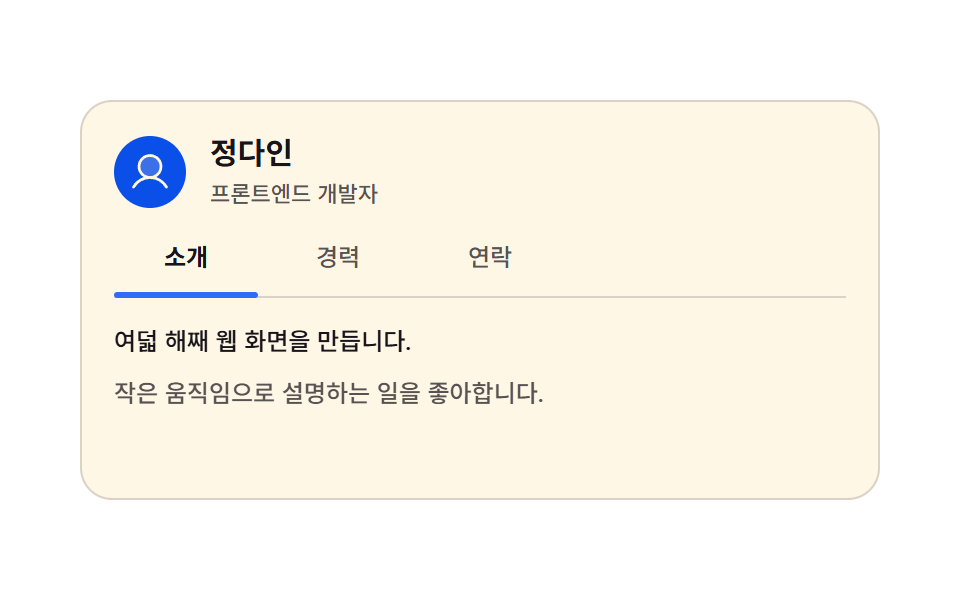
紹介・経歴・連絡の3つのタブを押すと本文が1フレームで入れ替わり、下線はラジオ入力だけでそのタブへ滑る、個人の自己紹介ページ向けカードです。
<main class="stage">
<div class="ab is-demo" id="ab">
  <div class="ab__head">
    <span class="ab__face" aria-hidden="true"><svg xmlns="http://www.w3.org/2000/svg" width="1em" height="1em" viewBox="0 0 256 256"><g fill="currentColor"><path d="M192 96a64 64 0 1 1-64-64a64 64 0 0 1 64 64" opacity=".2"/><path d="M230.92 212c-15.23-26.33-38.7-45.21-66.09-54.16a72 72 0 1 0-73.66 0c-27.39 8.94-50.86 27.82-66.09 54.16a8 8 0 1 0 13.85 8c18.84-32.56 52.14-52 89.07-52s70.23 19.44 89.07 52a8 8 0 1 0 13.85-8M72 96a56 56 0 1 1 56 56a56.06 56.06 0 0 1-56-56"/></g></svg></span>
    <span class="ab__who">
      <span class="ab__name">チョン・ダイン</span>
      <span class="ab__role">フロントエンドエンジニア</span>
    </span>
  </div>

  <div class="ab__tabs">
    <input class="ab__radio" type="radio" name="abTab" id="abT1" checked>
    <label class="ab__tab" for="abT1">紹介</label>
    <input class="ab__radio" type="radio" name="abTab" id="abT2">
    <label class="ab__tab" for="abT2">経歴</label>
    <input class="ab__radio" type="radio" name="abTab" id="abT3">
    <label class="ab__tab" for="abT3">連絡</label>
    <span class="ab__ink" aria-hidden="true"></span>
  </div>

  <div class="ab__body">
    <div class="ab__panel ab__panel--a">
      <p class="ab__line">8年目のウェブ画面づくりです。</p>
      <p class="ab__line ab__line--dim">小さな動きで説明するのが好きです。</p>
    </div>

    <div class="ab__panel ab__panel--b">
      <p class="ab__row"><b class="ab__year">2021 — 現在</b><span class="ab__job">Studio On · フロントエンドリード</span></p>
      <p class="ab__row"><b class="ab__year">2018 — 2021</b><span class="ab__job">Lightup · UI開発</span></p>
    </div>

    <div class="ab__panel ab__panel--c">
      <a class="ab__mail" href="#dain-mail">
        <span class="ab__ico" aria-hidden="true"><svg xmlns="http://www.w3.org/2000/svg" width="1em" height="1em" viewBox="0 0 256 256"><g fill="currentColor"><path d="m224 56l-96 88l-96-88Z" opacity=".2"/><path d="M224 48H32a8 8 0 0 0-8 8v136a16 16 0 0 0 16 16h176a16 16 0 0 0 16-16V56a8 8 0 0 0-8-8m-20.57 16L128 133.15L52.57 64ZM216 192H40V74.19l82.59 75.71a8 8 0 0 0 10.82 0L216 74.19z"/></g></svg></span>
        チョン・ダインにメールを送る
      </a>
      <p class="ab__line ab__line--dim">平日の日中がいちばん返信が早いです。</p>
    </div>
  </div>
</div>
</main>@use "../../../../site/static/demo-tokens" as *;
// 탭으로 넘기는 자기소개 카드 — 라디오 입력 세 개가 상태를 들고 있고, 카드는 :has() 로 그 상태를 읽는다.
// 본문 세 장은 한 격자 칸에 포개 두어 어느 장이 보이든 카드 높이가 변하지 않는다.
// 본문 교체는 한 프레임에 컷(steps(1, end))하고, 프레임을 채우는 움직임은 밑줄의 translate 하나뿐이다 —
// 투명도 교차를 쓰면 중간 프레임이 두 장 겹친 유령이 된다.
// 탭 폭은 짐작하지 않는다: 라벨이 언어마다 길어져도 자리가 안 밀리도록 칸 폭을 72px 로 못 박고
// 실제 렌더 폭을 Playwright getBoundingClientRect 로 확인했다 (run/081/_probeB).
$duration: $dur-enter;
$easing: $ease-spring;
$color: $subject-blue;
$tab-w: 72px; // 탭 한 칸의 고정 폭 — 밑줄 폭과 같은 값
$tab-gap: $sp-1; // 칸 사이 간격
$step: $tab-w + $tab-gap; // 밑줄이 한 칸 옮겨 가는 거리 76px
$dim: rgba($subject-ink, .72);
$hair: rgba($subject-ink, .16);
// 크림 글자를 얹는 파란 면은 한 단계 진한 쪽이다 — $subject-blue 위 크림은 4.25:1 로 AA 미달,
// 이 면 위 크림은 실측 5.98:1 (run/081/_대비실측.B.json). 별칭으로 두는 건 ~BD25-정적 의
// 부분일치 오탐($subject-blue 가 $subject-blue-deep 의 앞부분이다)을 피하려는 이유도 있다
$face-blue: $subject-blue-deep;
@include stage($stage-paper);
.ab {
box-sizing: border-box; width: min(100%, 400px);
display: flex; flex-direction: column; gap: $sp-3;
padding: $sp-4; border: 1px solid $hair; border-radius: $r-card;
background: $subject-cream;
}
// ── 머리 줄
.ab__head { display: flex; align-items: center; gap: $sp-3; }
.ab__face {
flex: 0 0 auto; display: grid; place-items: center;
width: 36px; height: 36px; border-radius: 50%;
background: $face-blue; color: $subject-cream; font-size: 22px;
}
.ab__who { display: flex; flex-direction: column; gap: $sp-1; min-width: 0; }
.ab__name { color: $subject-ink; font-weight: 700; font-size: 15px; line-height: 1.3; }
.ab__role { color: $dim; font-weight: 500; font-size: 11px; line-height: 1.3; }
// ── 탭 줄. 라디오는 화면에서 숨기되 초점은 받는다 (키보드 좌우 이동이 그대로 산다)
.ab__tabs {
position: relative; display: flex; gap: $tab-gap;
padding-bottom: $sp-2; border-bottom: 1px solid $hair;
}
.ab__radio {
position: absolute; top: 0; left: 0;
width: 1px; height: 1px; margin: 0; opacity: 0; pointer-events: none;
}
.ab__tab {
flex: 0 0 auto; width: $tab-w;
padding-top: $sp-1; padding-bottom: $sp-1;
color: $dim; font-weight: 500; font-size: 12px; line-height: 1.3;
text-align: center; cursor: pointer;
}
.ab__radio:checked + .ab__tab { color: $subject-ink; font-weight: 700; }
.ab__radio:focus-visible + .ab__tab {
outline: 2px solid $subject-blue-deep; outline-offset: 2px; border-radius: $r-xs;
}
.ab__ink {
position: absolute; left: 0; bottom: -1px;
width: $tab-w; height: 3px; border-radius: $r-pill;
background: $color;
translate: 0 0;
transition: translate $duration $easing;
}
// 상태는 라디오가 들고 있고 카드가 :has() 로 읽는다 — JS 없이 밑줄과 본문이 같은 값을 따른다
.ab:has(#abT2:checked) .ab__ink { translate: $step 0; }
.ab:has(#abT3:checked) .ab__ink { translate: $step * 2 0; }
// ── 본문 세 장을 한 칸에 포갠다
.ab__body { display: grid; min-height: 72px; }
.ab__body > * { grid-area: 1 / 1; }
.ab__panel {
display: flex; flex-direction: column; gap: $sp-2;
opacity: 0; visibility: hidden;
}
.ab:has(#abT1:checked) .ab__panel--a,
.ab:has(#abT2:checked) .ab__panel--b,
.ab:has(#abT3:checked) .ab__panel--c { opacity: 1; visibility: visible; }
.ab__line { margin: 0; color: $subject-ink; font-weight: 500; font-size: 12px; line-height: 1.5; }
.ab__line--dim { color: $dim; }
.ab__row { display: flex; align-items: baseline; gap: $sp-2; margin: 0; }
.ab__year { flex: 0 0 auto; color: $subject-ink; font-weight: 700; font-size: 11px; line-height: 1.5; }
.ab__job { color: $dim; font-weight: 500; font-size: 11px; line-height: 1.5; }
// 링크에 목적지 이름이 들어 있다 — 카드 전체를 클릭 영역으로 만들지 않는다
.ab__mail {
align-self: flex-start; display: inline-flex; align-items: center; gap: $sp-2;
padding: $sp-2 $sp-3; border-radius: $r-pill;
background: $face-blue; color: $subject-cream;
font-weight: 700; font-size: 12px; line-height: 1.2; text-decoration: none;
}
.ab__mail:focus-visible { outline: 2px solid $subject-ink; outline-offset: 2px; }
.ab__ico { display: grid; place-items: center; font-size: 14px; }
// ── 격자 미리보기: 사람이 누르지 않아도 세 탭을 한 바퀴 돈다
// 본문은 컷(steps), 밑줄은 미끄러짐 — 컷만 있으면 움직인 프레임이 두세 장으로 떨어진다
.ab.is-demo .ab__ink {
animation-name: abInk;
animation-duration: $dur-loop;
animation-timing-function: $easing;
animation-iteration-count: infinite;
}
.ab.is-demo .ab__panel,
.ab.is-demo .ab__tab {
animation-duration: $dur-loop;
animation-timing-function: steps(1, end);
animation-iteration-count: infinite;
}
.ab.is-demo .ab__panel--a { animation-name: abCutA; }
.ab.is-demo .ab__panel--b { animation-name: abCutB; }
.ab.is-demo .ab__panel--c { animation-name: abCutC; }
.ab.is-demo .ab__tab[for="abT1"] { animation-name: abTabA; }
.ab.is-demo .ab__tab[for="abT2"] { animation-name: abTabB; }
.ab.is-demo .ab__tab[for="abT3"] { animation-name: abTabC; }
// 밑줄이 **다음 탭에 닿아 선 뒤에** 본문·굵기가 컷된다 — 컷 지점(33·66·91%)이 곧 미끄러짐의 끝이다.
// 컷을 미끄러짐 **앞**에 두면(첫 판) 대표 이미지가 늘 "밑줄은 가는 중, 본문은 이전 탭" 으로 어긋난다:
// 24프레임 중 프레임당 변화가 가장 큰 장이 poster 인데 그게 이동 중간 장이었다.
// 이제 가장 크게 달라지는 장은 본문이 통째로 바뀌는 컷 프레임이고, 그 순간 밑줄은 이미 서 있다.
// 미끄러짐 구간은 한 번에 8% (160ms) 로 짧게 둬 어긋난 프레임이 한두 장을 넘지 않게 했다.
@keyframes abInk {
0%, 25% { translate: 0 0; }
33%, 58% { translate: $step 0; }
66%, 83% { translate: $step * 2 0; }
91%, 100% { translate: 0 0; }
}
@keyframes abCutA {
0% { opacity: 1; visibility: visible; }
33% { opacity: 0; visibility: hidden; }
66% { opacity: 0; visibility: hidden; }
91% { opacity: 1; visibility: visible; }
100% { opacity: 1; visibility: visible; }
}
@keyframes abCutB {
0% { opacity: 0; visibility: hidden; }
33% { opacity: 1; visibility: visible; }
66% { opacity: 0; visibility: hidden; }
100% { opacity: 0; visibility: hidden; }
}
@keyframes abCutC {
0% { opacity: 0; visibility: hidden; }
66% { opacity: 1; visibility: visible; }
91% { opacity: 0; visibility: hidden; }
100% { opacity: 0; visibility: hidden; }
}
@keyframes abTabA {
0% { color: $subject-ink; font-weight: 700; }
33% { color: $dim; font-weight: 500; }
91% { color: $subject-ink; font-weight: 700; }
100% { color: $subject-ink; font-weight: 700; }
}
@keyframes abTabB {
0% { color: $dim; font-weight: 500; }
33% { color: $subject-ink; font-weight: 700; }
66% { color: $dim; font-weight: 500; }
100% { color: $dim; font-weight: 500; }
}
@keyframes abTabC {
0% { color: $dim; font-weight: 500; }
66% { color: $subject-ink; font-weight: 700; }
91% { color: $dim; font-weight: 500; }
100% { color: $dim; font-weight: 500; }
}
// ── 좁은 화면: 여백과 글자를 줄여 320×200 안에 들어오게 한다
@media (max-width: 340px) {
.ab { gap: $sp-2; padding: $sp-2; }
.ab__head { gap: $sp-2; }
.ab__face { width: 28px; height: 28px; font-size: 17px; }
.ab__name { font-size: 13px; }
.ab__role { font-size: 10px; }
.ab__tabs { padding-bottom: $sp-1; }
.ab__tab { padding-top: 0; padding-bottom: 0; font-size: 11px; }
.ab__body { min-height: 56px; }
.ab__panel { gap: $sp-1; }
.ab__line { font-size: 11px; }
.ab__year, .ab__job { font-size: 10px; }
.ab__mail { padding: $sp-1 $sp-2; font-size: 11px; }
}
@media (prefers-reduced-motion: reduce) {
.ab.is-demo .ab__ink,
.ab.is-demo .ab__panel,
.ab.is-demo .ab__tab {
animation: none !important;
transition: none !important;
}
}html, body {
margin: 0;
overflow: hidden;
}
.stage {
box-sizing: border-box;
min-height: 100vh;
display: grid;
place-items: center;
margin: 0;
background: #ffffff;
font-family: -apple-system, "Segoe UI", "Noto Sans KR", sans-serif;
padding: clamp(8px, 4vw, 24px);
}
.ab {
box-sizing: border-box;
width: min(100%, 400px);
display: flex;
flex-direction: column;
gap: 12px;
padding: 16px;
border: 1px solid rgba(23, 20, 26, 0.16);
border-radius: 16px;
background: #fff7e6;
}
.ab__head {
display: flex;
align-items: center;
gap: 12px;
}
.ab__face {
flex: 0 0 auto;
display: grid;
place-items: center;
width: 36px;
height: 36px;
border-radius: 50%;
background: #0a4fe8;
color: #fff7e6;
font-size: 22px;
}
.ab__who {
display: flex;
flex-direction: column;
gap: 4px;
min-width: 0;
}
.ab__name {
color: #17141a;
font-weight: 700;
font-size: 15px;
line-height: 1.3;
}
.ab__role {
color: rgba(23, 20, 26, 0.72);
font-weight: 500;
font-size: 11px;
line-height: 1.3;
}
.ab__tabs {
position: relative;
display: flex;
gap: 4px;
padding-bottom: 8px;
border-bottom: 1px solid rgba(23, 20, 26, 0.16);
}
.ab__radio {
position: absolute;
top: 0;
left: 0;
width: 1px;
height: 1px;
margin: 0;
opacity: 0;
pointer-events: none;
}
.ab__tab {
flex: 0 0 auto;
width: 72px;
padding-top: 4px;
padding-bottom: 4px;
color: rgba(23, 20, 26, 0.72);
font-weight: 500;
font-size: 12px;
line-height: 1.3;
text-align: center;
cursor: pointer;
}
.ab__radio:checked + .ab__tab {
color: #17141a;
font-weight: 700;
}
.ab__radio:focus-visible + .ab__tab {
outline: 2px solid #0a4fe8;
outline-offset: 2px;
border-radius: 4px;
}
.ab__ink {
position: absolute;
left: 0;
bottom: -1px;
width: 72px;
height: 3px;
border-radius: 999px;
background: #2f6df6;
translate: 0 0;
transition: translate 600ms cubic-bezier(0.2, 0.8, 0.2, 1);
}
.ab:has(#abT2:checked) .ab__ink {
translate: 76px 0;
}
.ab:has(#abT3:checked) .ab__ink {
translate: 152px 0;
}
.ab__body {
display: grid;
min-height: 72px;
}
.ab__body > * {
grid-area: 1/1;
}
.ab__panel {
display: flex;
flex-direction: column;
gap: 8px;
opacity: 0;
visibility: hidden;
}
.ab:has(#abT1:checked) .ab__panel--a,
.ab:has(#abT2:checked) .ab__panel--b,
.ab:has(#abT3:checked) .ab__panel--c {
opacity: 1;
visibility: visible;
}
.ab__line {
margin: 0;
color: #17141a;
font-weight: 500;
font-size: 12px;
line-height: 1.5;
}
.ab__line--dim {
color: rgba(23, 20, 26, 0.72);
}
.ab__row {
display: flex;
align-items: baseline;
gap: 8px;
margin: 0;
}
.ab__year {
flex: 0 0 auto;
color: #17141a;
font-weight: 700;
font-size: 11px;
line-height: 1.5;
}
.ab__job {
color: rgba(23, 20, 26, 0.72);
font-weight: 500;
font-size: 11px;
line-height: 1.5;
}
.ab__mail {
align-self: flex-start;
display: inline-flex;
align-items: center;
gap: 8px;
padding: 8px 12px;
border-radius: 999px;
background: #0a4fe8;
color: #fff7e6;
font-weight: 700;
font-size: 12px;
line-height: 1.2;
text-decoration: none;
}
.ab__mail:focus-visible {
outline: 2px solid #17141a;
outline-offset: 2px;
}
.ab__ico {
display: grid;
place-items: center;
font-size: 14px;
}
.ab.is-demo .ab__ink {
animation-name: abInk;
animation-duration: 2s;
animation-timing-function: cubic-bezier(0.2, 0.8, 0.2, 1);
animation-iteration-count: infinite;
}
.ab.is-demo .ab__panel,
.ab.is-demo .ab__tab {
animation-duration: 2s;
animation-timing-function: steps(1, end);
animation-iteration-count: infinite;
}
.ab.is-demo .ab__panel--a {
animation-name: abCutA;
}
.ab.is-demo .ab__panel--b {
animation-name: abCutB;
}
.ab.is-demo .ab__panel--c {
animation-name: abCutC;
}
.ab.is-demo .ab__tab[for=abT1] {
animation-name: abTabA;
}
.ab.is-demo .ab__tab[for=abT2] {
animation-name: abTabB;
}
.ab.is-demo .ab__tab[for=abT3] {
animation-name: abTabC;
}
@keyframes abInk {
0%, 25% {
translate: 0 0;
}
33%, 58% {
translate: 76px 0;
}
66%, 83% {
translate: 152px 0;
}
91%, 100% {
translate: 0 0;
}
}
@keyframes abCutA {
0% {
opacity: 1;
visibility: visible;
}
33% {
opacity: 0;
visibility: hidden;
}
66% {
opacity: 0;
visibility: hidden;
}
91% {
opacity: 1;
visibility: visible;
}
100% {
opacity: 1;
visibility: visible;
}
}
@keyframes abCutB {
0% {
opacity: 0;
visibility: hidden;
}
33% {
opacity: 1;
visibility: visible;
}
66% {
opacity: 0;
visibility: hidden;
}
100% {
opacity: 0;
visibility: hidden;
}
}
@keyframes abCutC {
0% {
opacity: 0;
visibility: hidden;
}
66% {
opacity: 1;
visibility: visible;
}
91% {
opacity: 0;
visibility: hidden;
}
100% {
opacity: 0;
visibility: hidden;
}
}
@keyframes abTabA {
0% {
color: #17141a;
font-weight: 700;
}
33% {
color: rgba(23, 20, 26, 0.72);
font-weight: 500;
}
91% {
color: #17141a;
font-weight: 700;
}
100% {
color: #17141a;
font-weight: 700;
}
}
@keyframes abTabB {
0% {
color: rgba(23, 20, 26, 0.72);
font-weight: 500;
}
33% {
color: #17141a;
font-weight: 700;
}
66% {
color: rgba(23, 20, 26, 0.72);
font-weight: 500;
}
100% {
color: rgba(23, 20, 26, 0.72);
font-weight: 500;
}
}
@keyframes abTabC {
0% {
color: rgba(23, 20, 26, 0.72);
font-weight: 500;
}
66% {
color: #17141a;
font-weight: 700;
}
91% {
color: rgba(23, 20, 26, 0.72);
font-weight: 500;
}
100% {
color: rgba(23, 20, 26, 0.72);
font-weight: 500;
}
}
@media (max-width: 340px) {
.ab {
gap: 8px;
padding: 8px;
}
.ab__head {
gap: 8px;
}
.ab__face {
width: 28px;
height: 28px;
font-size: 17px;
}
.ab__name {
font-size: 13px;
}
.ab__role {
font-size: 10px;
}
.ab__tabs {
padding-bottom: 4px;
}
.ab__tab {
padding-top: 0;
padding-bottom: 0;
font-size: 11px;
}
.ab__body {
min-height: 56px;
}
.ab__panel {
gap: 4px;
}
.ab__line {
font-size: 11px;
}
.ab__year, .ab__job {
font-size: 10px;
}
.ab__mail {
padding: 4px 8px;
font-size: 11px;
}
}
@media (prefers-reduced-motion: reduce) {
.ab.is-demo .ab__ink,
.ab.is-demo .ab__panel,
.ab.is-demo .ab__tab {
animation: none !important;
transition: none !important;
}
}// 사람이 탭을 만지면 미리보기 루프를 끄고 라디오 입력의 :checked 경로로 넘긴다.
var ab = document.getElementById('ab');
function abHand() { ab.classList.remove('is-demo'); }
ab.addEventListener('pointerdown', abHand);
ab.addEventListener('keydown', abHand);
ab.addEventListener('change', abHand);
ab.addEventListener('focusin', abHand);// AboutTabsCard — vanilla 판(run/081/demo/04-content-card-about-tabs/index.html) 의 React 포트.
// 바닐라는 라디오 입력의 :checked 를 카드가 :has() 로 읽어 상태를 잡는다. React 판은 그 상태를
// useState 하나로 들고, 밑줄의 자리는 CSS 변수 --tab(0·1·2)에 넘겨 같은 $step 값으로 계산한다.
// 미리보기 루프(@keyframes)는 vanilla 와 같은 글자다 (값을 다시 타이핑하지 않는다).
import { useState } from "react";
import type { CSSProperties } from "react";
import styles from "./AboutTabsCard.module.scss";
export type AboutTabsCardProps = {
duration?: number;
easing?: string;
color?: string;
};
type Vars = CSSProperties & {
"--duration"?: string;
"--easing"?: string;
"--color"?: string;
"--tab"?: string;
};
const NAME = "정다인";
const ROLE = "프론트엔드 개발자";
const TABS = ["소개", "경력", "연락"];
const INTRO = ["여덟 해째 웹 화면을 만듭니다.", "작은 움직임으로 설명하는 일을 좋아합니다."];
const CAREER = [
{ year: "2021 — 지금", job: "Studio On · 프론트엔드 리드" },
{ year: "2018 — 2021", job: "Lightup · UI 개발" },
];
const MAIL = "정다인에게 메일 보내기";
const REPLY = "평일 낮에 가장 빨리 답합니다.";
export default function AboutTabsCard({
duration = 600,
easing = "cubic-bezier(.2, .8, .2, 1)",
color = "#2f6df6",
}: AboutTabsCardProps) {
const [tab, setTab] = useState(0);
const [preview, setPreview] = useState(true);
const vars: Vars = {
"--duration": duration + "ms",
"--easing": easing,
"--color": color,
"--tab": String(tab),
};
const pick = (i: number) => {
setPreview(false);
setTab(i);
};
const panelClass = (i: number) => styles.panel + (tab === i ? " " + styles.isOn : "");
return (
<main className={styles.stage}>
<div className={styles.card + (preview ? " " + styles.isDemo : "")} style={vars}>
<div className={styles.head}>
<span className={styles.face} aria-hidden="true">
<svg xmlns="http://www.w3.org/2000/svg" width="1em" height="1em" viewBox="0 0 256 256">
<g fill="currentColor">
<path d="M192 96a64 64 0 1 1-64-64a64 64 0 0 1 64 64" opacity=".2" />
<path d="M230.92 212c-15.23-26.33-38.7-45.21-66.09-54.16a72 72 0 1 0-73.66 0c-27.39 8.94-50.86 27.82-66.09 54.16a8 8 0 1 0 13.85 8c18.84-32.56 52.14-52 89.07-52s70.23 19.44 89.07 52a8 8 0 1 0 13.85-8M72 96a56 56 0 1 1 56 56a56.06 56.06 0 0 1-56-56" />
</g>
</svg>
</span>
<span className={styles.who}>
<span className={styles.name}>{NAME}</span>
<span className={styles.role}>{ROLE}</span>
</span>
</div>
<div className={styles.tabs}>
{TABS.map((label, i) => (
<span className={styles.slot} key={label}>
<input
className={styles.radio}
type="radio"
name="aboutTab"
id={"aboutTab" + i}
checked={tab === i}
onChange={() => pick(i)}
/>
<label className={styles.tab + (tab === i ? " " + styles.isPick : "")} htmlFor={"aboutTab" + i}>
{label}
</label>
</span>
))}
<span className={styles.ink} aria-hidden="true" />
</div>
<div className={styles.body}>
<div className={panelClass(0) + " " + styles.panelA}>
<p className={styles.line}>{INTRO[0]}</p>
<p className={styles.line + " " + styles.lineDim}>{INTRO[1]}</p>
</div>
<div className={panelClass(1) + " " + styles.panelB}>
{CAREER.map((row) => (
<p className={styles.row} key={row.year}>
<b className={styles.year}>{row.year}</b>
<span className={styles.job}>{row.job}</span>
</p>
))}
</div>
<div className={panelClass(2) + " " + styles.panelC}>
<a className={styles.mail} href="#dain-mail">
<span className={styles.ico} aria-hidden="true">
<svg xmlns="http://www.w3.org/2000/svg" width="1em" height="1em" viewBox="0 0 256 256">
<g fill="currentColor">
<path d="m224 56l-96 88l-96-88Z" opacity=".2" />
<path d="M224 48H32a8 8 0 0 0-8 8v136a16 16 0 0 0 16 16h176a16 16 0 0 0 16-16V56a8 8 0 0 0-8-8m-20.57 16L128 133.15L52.57 64ZM216 192H40V74.19l82.59 75.71a8 8 0 0 0 10.82 0L216 74.19z" />
</g>
</svg>
</span>
{MAIL}
</a>
<p className={styles.line + " " + styles.lineDim}>{REPLY}</p>
</div>
</div>
</div>
</main>
);
}04 · タブで切り替える自己紹介カード — 計測 累積面積 5.933% · 動いたフレーム 8/23GODRICH オリジナル · SCSS と React は zip に同梱 · パスワードを見る
状態はラジオが持ち、カードが :has() で読む
.ab__ink {
  position: absolute; left: 0; bottom: -1px;
  width: $tab-w; height: 3px; border-radius: $r-pill;
  background: $color;
  translate: 0 0;
  transition: translate $duration $easing;
}
.ab:has(#abT2:checked) .ab__ink { translate: $step 0; }
.ab:has(#abT3:checked) .ab__ink { translate: $step * 2 0; }
ラジオが状態を保存し、カードが :has() でその状態を読んで下線を動かし本文を替える、JS なしで両者が同じ値に従う仕組みです。
下線の幅は実測した枠の幅と同じ
下線は固定 px で動くので各タブは固定幅の枠(flex: 0 0 auto, 72px)で、幅は getBoundingClientRect で実測していて、言語ごとにラベルが長くなっても位置はずれません。
05ピンボード型レビューカード
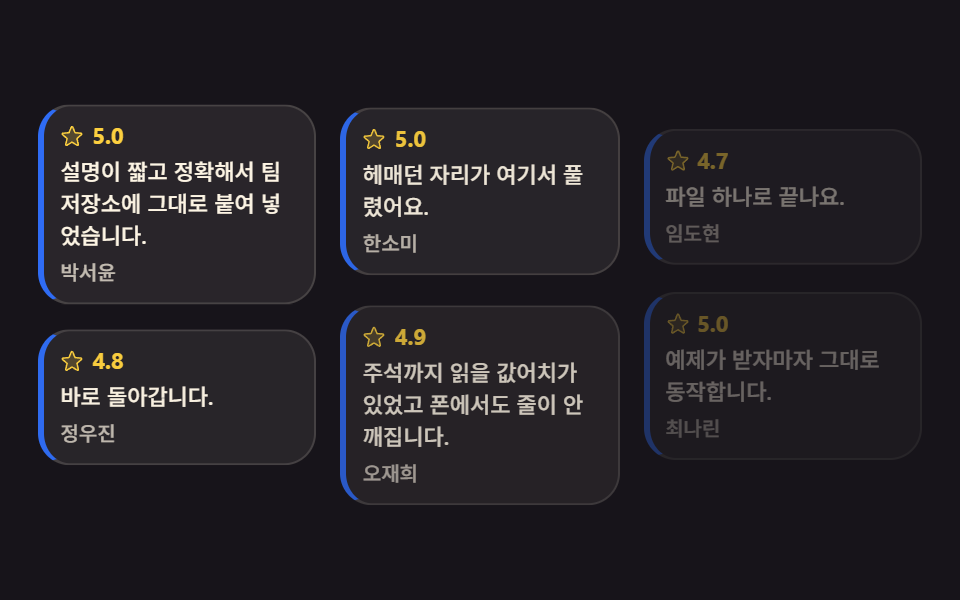
長さがまちまちのレビューカードが column-count で流し込まれ、1枚ずつ収まって隙間のない壁を作る、レビュー一覧ページ向けカードです。
<main class="stage">
<svg class="pin__defs" aria-hidden="true" xmlns="http://www.w3.org/2000/svg"><symbol id="pinStar" viewBox="0 0 256 256"><g fill="currentColor"><path d="m229.06 108.79l-48.7 42l14.88 62.79a8.4 8.4 0 0 1-12.52 9.17L128 189.09l-54.72 33.65a8.4 8.4 0 0 1-12.52-9.17l14.88-62.79l-48.7-42A8.46 8.46 0 0 1 31.73 94l63.91-5.2l24.62-59.6a8.36 8.36 0 0 1 15.48 0l24.62 59.6l63.91 5.2a8.46 8.46 0 0 1 4.79 14.79" opacity=".2"/><path d="M239.18 97.26A16.38 16.38 0 0 0 224.92 86l-59-4.76l-22.78-55.09a16.36 16.36 0 0 0-30.27 0L90.11 81.23L31.08 86a16.46 16.46 0 0 0-9.37 28.86l45 38.83L53 211.75a16.38 16.38 0 0 0 24.5 17.82l50.5-31.08l50.53 31.08A16.4 16.4 0 0 0 203 211.75l-13.76-58.07l45-38.83a16.43 16.43 0 0 0 4.94-17.59m-15.34 5.47l-48.7 42a8 8 0 0 0-2.56 7.91l14.88 62.8a.37.37 0 0 1-.17.48c-.18.14-.23.11-.38 0l-54.72-33.65a8 8 0 0 0-8.38 0l-54.72 33.67c-.15.09-.19.12-.38 0a.37.37 0 0 1-.17-.48l14.88-62.8a8 8 0 0 0-2.56-7.91l-48.7-42c-.12-.1-.23-.19-.13-.5s.18-.27.33-.29l63.92-5.16a8 8 0 0 0 6.72-4.94l24.62-59.61c.08-.17.11-.25.35-.25s.27.08.35.25L153 91.86a8 8 0 0 0 6.75 4.92l63.92 5.16c.15 0 .24 0 .33.29s0 .4-.16.5"/></g></symbol></svg>

<div class="pin is-demo" id="pin">
  <article class="pin__card">
    <p class="pin__top"><svg class="pin__star" aria-hidden="true"><use href="#pinStar"/></svg><b class="pin__rate">5.0</b></p>
    <p class="pin__say">説明が短く正確で、そのままリポジトリに貼りました。</p>
    <p class="pin__by">パク・ソユン</p>
  </article>
  <article class="pin__card">
    <p class="pin__top"><svg class="pin__star" aria-hidden="true"><use href="#pinStar"/></svg><b class="pin__rate">4.8</b></p>
    <p class="pin__say">すぐ動きました。</p>
    <p class="pin__by">チョン・ウジン</p>
  </article>
  <article class="pin__card">
    <p class="pin__top"><svg class="pin__star" aria-hidden="true"><use href="#pinStar"/></svg><b class="pin__rate">5.0</b></p>
    <p class="pin__say">つまずいていた所がここで解けました。</p>
    <p class="pin__by">ハン・ソミ</p>
  </article>
  <article class="pin__card">
    <p class="pin__top"><svg class="pin__star" aria-hidden="true"><use href="#pinStar"/></svg><b class="pin__rate">4.9</b></p>
    <p class="pin__say">コメントまで読む価値があり、スマホでも崩れません。</p>
    <p class="pin__by">オ・ジェヒ</p>
  </article>
  <article class="pin__card">
    <p class="pin__top"><svg class="pin__star" aria-hidden="true"><use href="#pinStar"/></svg><b class="pin__rate">4.7</b></p>
    <p class="pin__say">ファイル1つで済みます。</p>
    <p class="pin__by">イム・ドヒョン</p>
  </article>
  <article class="pin__card">
    <p class="pin__top"><svg class="pin__star" aria-hidden="true"><use href="#pinStar"/></svg><b class="pin__rate">5.0</b></p>
    <p class="pin__say">サンプルがそのまま動きます。</p>
    <p class="pin__by">チェ・ナリン</p>
  </article>
</div>
</main>@use "../../../../site/static/demo-tokens" as *;
// 핀 보드 후기 카드 — 길이가 제각각인 카드를 column-count 로 흘려 붙인다.
// 다단은 글줄을 칸에서 칸으로 넘기는 조판이라, 아무것도 안 하면 카드 한 장이 두 칸에 걸쳐 잘린다.
// break-inside: avoid 가 "이 상자는 쪼개지 말라"는 한 줄이고, 그래서 카드가 통째로 다음 칸으로 넘어간다.
// 자리를 잡는 순서는 animation-delay 의 시차 — 지연 구간에도 시작 상태가 보이도록
// animation-fill-mode: backwards 를 반드시 함께 쓴다(없으면 첫 프레임에 완성 상태가 한 번 번쩍인다).
// 카드는 흐려질 뿐 사라지지 않는다 — 루프 어느 순간에도 벽에 구멍이 없어야 poster 가 성립한다.
$duration: $dur-enter;
$easing: $ease-spring;
$color: $subject-blue;
$stagger: 100ms; // 카드 한 장씩의 시차
$card-bg: rgba($subject-cream, .08);
$card-line: rgba($subject-cream, .14);
$dim: rgba($subject-cream, .72);
@include stage($stage-ink);
.pin__defs { position: absolute; width: 0; height: 0; }
.pin {
box-sizing: border-box; width: 100%;
column-count: 3;
column-gap: $sp-3;
}
.pin__card {
// 카드가 칸 경계에서 잘리지 않게 — 다단 조판의 핵심 한 줄
break-inside: avoid;
box-sizing: border-box;
margin-top: 0; margin-bottom: $sp-3;
padding: $sp-2;
border: 1px solid $card-line;
border-left: 3px solid $color;
border-radius: $r-card;
background: $card-bg;
}
.pin__top { display: flex; align-items: center; gap: $sp-1; margin: 0; }
.pin__star { width: 12px; height: 12px; color: $stage-yellow; }
.pin__rate { color: $stage-yellow; font-weight: 700; font-size: 11px; line-height: 1.2; }
.pin__say {
margin-top: $sp-1; margin-bottom: $sp-1;
color: $subject-cream; font-weight: 500; font-size: 11px; line-height: 1.45;
}
.pin__by { margin: 0; color: $dim; font-weight: 500; font-size: 10px; line-height: 1.3; }
// ── 격자 미리보기: 카드가 한 장씩 시차로 자리를 잡는다
// 등장 구간은 $duration(600ms) = 2초 루프의 30% 다 — 키프레임 퍼센트와 토큰이 같은 값을 가리킨다
.pin.is-demo .pin__card {
animation-name: pinRise;
animation-duration: $dur-loop;
animation-timing-function: $easing;
animation-iteration-count: infinite;
animation-fill-mode: backwards;
}
.pin.is-demo .pin__card:nth-child(1) { animation-delay: 0ms; }
.pin.is-demo .pin__card:nth-child(2) { animation-delay: $stagger; }
.pin.is-demo .pin__card:nth-child(3) { animation-delay: $stagger * 2; }
.pin.is-demo .pin__card:nth-child(4) { animation-delay: $stagger * 3; }
.pin.is-demo .pin__card:nth-child(5) { animation-delay: $stagger * 4; }
.pin.is-demo .pin__card:nth-child(6) { animation-delay: $stagger * 5; }
@keyframes pinRise {
0% { opacity: .35; translate: 0 14px; }
30% { opacity: 1; translate: 0 0; }
100% { opacity: 1; translate: 0 0; }
}
// ── 좁은 화면: 칸은 그대로 셋, 글자와 여백만 줄인다
@media (max-width: 340px) {
.pin { column-gap: $sp-2; }
// en 사본은 ko 보다 줄이 길어져 칸 높이가 3px 넘쳤다 (실측) — 좁은 화면에서는 카드 사이를 4px 로
.pin__card { margin-bottom: $sp-1; padding: $sp-1; }
.pin__star { width: 10px; height: 10px; }
.pin__rate { font-size: 10px; }
.pin__say { font-size: 9px; line-height: 1.35; }
.pin__by { font-size: 9px; }
}
@media (prefers-reduced-motion: reduce) {
.pin.is-demo .pin__card {
animation: none !important;
opacity: 1 !important;
translate: none !important;
}
}html, body {
margin: 0;
overflow: hidden;
}
.stage {
box-sizing: border-box;
min-height: 100vh;
display: grid;
place-items: center;
margin: 0;
background: #17141a;
font-family: -apple-system, "Segoe UI", "Noto Sans KR", sans-serif;
padding: clamp(8px, 4vw, 24px);
}
.pin__defs {
position: absolute;
width: 0;
height: 0;
}
.pin {
box-sizing: border-box;
width: 100%;
column-count: 3;
column-gap: 12px;
}
.pin__card {
break-inside: avoid;
box-sizing: border-box;
margin-top: 0;
margin-bottom: 12px;
padding: 8px;
border: 1px solid rgba(255, 247, 230, 0.14);
border-left: 3px solid #2f6df6;
border-radius: 16px;
background: rgba(255, 247, 230, 0.08);
}
.pin__top {
display: flex;
align-items: center;
gap: 4px;
margin: 0;
}
.pin__star {
width: 12px;
height: 12px;
color: #ffd23f;
}
.pin__rate {
color: #ffd23f;
font-weight: 700;
font-size: 11px;
line-height: 1.2;
}
.pin__say {
margin-top: 4px;
margin-bottom: 4px;
color: #fff7e6;
font-weight: 500;
font-size: 11px;
line-height: 1.45;
}
.pin__by {
margin: 0;
color: rgba(255, 247, 230, 0.72);
font-weight: 500;
font-size: 10px;
line-height: 1.3;
}
.pin.is-demo .pin__card {
animation-name: pinRise;
animation-duration: 2s;
animation-timing-function: cubic-bezier(0.2, 0.8, 0.2, 1);
animation-iteration-count: infinite;
animation-fill-mode: backwards;
}
.pin.is-demo .pin__card:nth-child(1) {
animation-delay: 0ms;
}
.pin.is-demo .pin__card:nth-child(2) {
animation-delay: 100ms;
}
.pin.is-demo .pin__card:nth-child(3) {
animation-delay: 200ms;
}
.pin.is-demo .pin__card:nth-child(4) {
animation-delay: 300ms;
}
.pin.is-demo .pin__card:nth-child(5) {
animation-delay: 400ms;
}
.pin.is-demo .pin__card:nth-child(6) {
animation-delay: 500ms;
}
@keyframes pinRise {
0% {
opacity: 0.35;
translate: 0 14px;
}
30% {
opacity: 1;
translate: 0 0;
}
100% {
opacity: 1;
translate: 0 0;
}
}
@media (max-width: 340px) {
.pin {
column-gap: 8px;
}
.pin__card {
margin-bottom: 4px;
padding: 4px;
}
.pin__star {
width: 10px;
height: 10px;
}
.pin__rate {
font-size: 10px;
}
.pin__say {
font-size: 9px;
line-height: 1.35;
}
.pin__by {
font-size: 9px;
}
}
@media (prefers-reduced-motion: reduce) {
.pin.is-demo .pin__card {
animation: none !important;
opacity: 1 !important;
translate: none !important;
}
}// 사람이 보드를 만지면 시차 루프를 끄고 다 자리 잡은 정적 상태로 남긴다.
var pin = document.getElementById('pin');
function pinHand() { pin.classList.remove('is-demo'); }
pin.addEventListener('pointerdown', pinHand);
pin.addEventListener('focusin', pinHand);// ReviewPinboard — vanilla 판(run/081/demo/05-content-card-review-pinboard/index.html) 의 React 포트.
// 다단(column-count)에 길이가 제각각인 카드를 흘려 넣고, break-inside: avoid 로 칸 경계에서 안 잘리게 한다.
// 자리를 잡는 순서는 animation-delay 의 시차 — 지연 구간에도 시작 상태가 보이도록 fill-mode: backwards.
// @keyframes 본문은 vanilla 와 같은 글자다 (값을 다시 타이핑하지 않는다).
import { useState } from "react";
import type { CSSProperties } from "react";
import styles from "./ReviewPinboard.module.scss";
export type ReviewPinboardProps = {
duration?: number;
easing?: string;
color?: string;
};
type Vars = CSSProperties & {
"--duration"?: string;
"--easing"?: string;
"--color"?: string;
};
type Review = { rate: string; say: string; by: string };
const REVIEWS: Review[] = [
{ rate: "5.0", say: "설명이 짧고 정확해서 팀 저장소에 그대로 붙여 넣었습니다.", by: "박서윤" },
{ rate: "4.8", say: "바로 돌아갑니다.", by: "정우진" },
{ rate: "5.0", say: "헤매던 자리가 여기서 풀렸어요.", by: "한소미" },
{ rate: "4.9", say: "주석까지 읽을 값어치가 있었고 폰에서도 줄이 안 깨집니다.", by: "오재희" },
{ rate: "4.7", say: "파일 하나로 끝나요.", by: "임도현" },
{ rate: "5.0", say: "예제가 받자마자 그대로 동작합니다.", by: "최나린" },
];
const STAGGER = [styles.d0, styles.d1, styles.d2, styles.d3, styles.d4, styles.d5];
export default function ReviewPinboard({
duration = 600,
easing = "cubic-bezier(.2, .8, .2, 1)",
color = "#2f6df6",
}: ReviewPinboardProps) {
const [preview, setPreview] = useState(true);
const vars: Vars = {
"--duration": duration + "ms",
"--easing": easing,
"--color": color,
};
return (
<main className={styles.stage}>
<svg className={styles.defs} aria-hidden="true" xmlns="http://www.w3.org/2000/svg">
<symbol id="pinStar" viewBox="0 0 256 256">
<g fill="currentColor">
<path d="m229.06 108.79l-48.7 42l14.88 62.79a8.4 8.4 0 0 1-12.52 9.17L128 189.09l-54.72 33.65a8.4 8.4 0 0 1-12.52-9.17l14.88-62.79l-48.7-42A8.46 8.46 0 0 1 31.73 94l63.91-5.2l24.62-59.6a8.36 8.36 0 0 1 15.48 0l24.62 59.6l63.91 5.2a8.46 8.46 0 0 1 4.79 14.79" opacity=".2" />
<path d="M239.18 97.26A16.38 16.38 0 0 0 224.92 86l-59-4.76l-22.78-55.09a16.36 16.36 0 0 0-30.27 0L90.11 81.23L31.08 86a16.46 16.46 0 0 0-9.37 28.86l45 38.83L53 211.75a16.38 16.38 0 0 0 24.5 17.82l50.5-31.08l50.53 31.08A16.4 16.4 0 0 0 203 211.75l-13.76-58.07l45-38.83a16.43 16.43 0 0 0 4.94-17.59m-15.34 5.47l-48.7 42a8 8 0 0 0-2.56 7.91l14.88 62.8a.37.37 0 0 1-.17.48c-.18.14-.23.11-.38 0l-54.72-33.65a8 8 0 0 0-8.38 0l-54.72 33.67c-.15.09-.19.12-.38 0a.37.37 0 0 1-.17-.48l14.88-62.8a8 8 0 0 0-2.56-7.91l-48.7-42c-.12-.1-.23-.19-.13-.5s.18-.27.33-.29l63.92-5.16a8 8 0 0 0 6.72-4.94l24.62-59.61c.08-.17.11-.25.35-.25s.27.08.35.25L153 91.86a8 8 0 0 0 6.75 4.92l63.92 5.16c.15 0 .24 0 .33.29s0 .4-.16.5" />
</g>
</symbol>
</svg>
<div
className={styles.board + (preview ? " " + styles.isDemo : "")}
style={vars}
onPointerDown={() => setPreview(false)}
>
{REVIEWS.map((r, i) => (
<article className={styles.card + " " + STAGGER[i]} key={r.by}>
<p className={styles.top}>
<svg className={styles.star} aria-hidden="true">
<use href="#pinStar" />
</svg>
<b className={styles.rate}>{r.rate}</b>
</p>
<p className={styles.say}>{r.say}</p>
<p className={styles.by}>{r.by}</p>
</article>
))}
</div>
</main>
);
}05 · ピンボード型レビューカード — 計測 累積面積 28.106% · 動いたフレーム 12/23GODRICH オリジナル · SCSS と React は zip に同梱 · パスワードを見る
段割りでカードが切れない1行
.pin {
  box-sizing: border-box; width: 100%;
  column-count: 3;
  column-gap: $sp-3;
}
.pin__card {
  // カードが段の境界で切れないように — 段組みの要になる1行
  break-inside: avoid;
  box-sizing: border-box;
  margin-bottom: $sp-3;
  padding: $sp-2;
  border-left: 3px solid $color;
  background: $card-bg;
}
段組みは行を段から段へ流す組み方なので、何もしなければレビューカードが2つの段にまたがって下端で半分に切れますが、break-inside: avoid の1行で「この箱は割るな」と固定すると、カードごと次の段へ丸ごと移ります。
隙間なしは段の中の話
隙間のない壁とは段の中でカードの間に隙間がないという意味で、段の下側は最後のカードの長さに応じて自然に余ります — 段組みで段の下端まで無理に埋めるとカードが伸びたり切れたりするので、端まで埋めたい場面には 09 のグリッド配置が正しい道具です。
06スペックが伸びる商品カード
商品カードが grid-template-rows の 0fr から 1fr へ開き、隠れていたスペック表が下りてきて、隣のカードは動かない、商品比較リスト向けカードです。
<main class="stage">
<svg class="sg__defs" aria-hidden="true" xmlns="http://www.w3.org/2000/svg"><symbol id="sgCaret" viewBox="0 0 256 256"><g fill="currentColor"><path d="m208 96l-80 80l-80-80Z" opacity=".2"/><path d="M215.39 92.94A8 8 0 0 0 208 88H48a8 8 0 0 0-5.66 13.66l80 80a8 8 0 0 0 11.32 0l80-80a8 8 0 0 0 1.73-8.72M128 164.69L67.31 104h121.38Z"/></g></symbol></svg>

<div class="sg is-demo" id="sg">
  <article class="sg__card">
    <span class="sg__thumb sg__thumb--a" aria-hidden="true"></span>
    <p class="sg__name">ワイヤレス照明</p>
    <p class="sg__price">39,000ウォン</p>
    <button class="sg__more" type="button" aria-expanded="false" aria-label="ワイヤレス照明のスペックを見る">
      <span class="sg__label">スペック</span>
      <svg class="sg__caret" aria-hidden="true"><use href="#sgCaret"/></svg>
    </button>
    <div class="sg__grow">
      <div class="sg__inner">
        <dl class="sg__spec">
          <div class="sg__pair"><dt class="sg__key">重さ</dt><dd class="sg__val">420g</dd></div>
          <div class="sg__pair"><dt class="sg__key">電源</dt><dd class="sg__val">USB-C</dd></div>
          <div class="sg__pair"><dt class="sg__key">保証</dt><dd class="sg__val">1年</dd></div>
        </dl>
      </div>
    </div>
  </article>

  <article class="sg__card sg__card--pick">
    <span class="sg__thumb sg__thumb--b" aria-hidden="true"></span>
    <p class="sg__name">無垢材シェルフ</p>
    <p class="sg__price">58,000ウォン</p>
    <button class="sg__more" type="button" aria-expanded="false" aria-label="無垢材シェルフのスペックを見る">
      <span class="sg__label">スペック</span>
      <svg class="sg__caret" aria-hidden="true"><use href="#sgCaret"/></svg>
    </button>
    <div class="sg__grow">
      <div class="sg__inner">
        <dl class="sg__spec">
          <div class="sg__pair"><dt class="sg__key">重さ</dt><dd class="sg__val">3.1kg</dd></div>
          <div class="sg__pair"><dt class="sg__key">材質</dt><dd class="sg__val">オーク</dd></div>
          <div class="sg__pair"><dt class="sg__key">保証</dt><dd class="sg__val">2年</dd></div>
        </dl>
      </div>
    </div>
  </article>

  <article class="sg__card">
    <span class="sg__thumb sg__thumb--c" aria-hidden="true"></span>
    <p class="sg__name">携帯加湿器</p>
    <p class="sg__price">27,000ウォン</p>
    <button class="sg__more" type="button" aria-expanded="false" aria-label="携帯加湿器のスペックを見る">
      <span class="sg__label">スペック</span>
      <svg class="sg__caret" aria-hidden="true"><use href="#sgCaret"/></svg>
    </button>
    <div class="sg__grow">
      <div class="sg__inner">
        <dl class="sg__spec">
          <div class="sg__pair"><dt class="sg__key">重さ</dt><dd class="sg__val">260g</dd></div>
          <div class="sg__pair"><dt class="sg__key">容量</dt><dd class="sg__val">300ml</dd></div>
          <div class="sg__pair"><dt class="sg__key">保証</dt><dd class="sg__val">1年</dd></div>
        </dl>
      </div>
    </div>
  </article>
</div>
</main>@use "../../../../site/static/demo-tokens" as *;
// 스펙이 자라는 제품 카드 — 숨은 표를 max-height 로 여닫으면 늘 "적당히 큰 값"을 짐작해야 하고
// 내용이 길어지면 잘린다. 여기서는 칸 자체를 grid-template-rows: 0fr → 1fr 로 키운다.
// 0fr 칸은 높이가 0 이지만 자식은 자기 크기를 그대로 들고 있으므로, 자식 쪽에
// overflow: hidden + min-height: 0 이 없으면 접혀도 내용이 삐져나온다.
// 칸이 세로로만 자라고 옆 카드가 안 밀리는 건 바깥 격자의 align-items: start 덕이다 —
// stretch 였다면 한 줄의 카드 높이가 같이 늘어난다.
$duration: $dur-enter;
$easing: $ease-spring;
$color: $subject-blue;
$hair: rgba($subject-ink, .16);
$dim: rgba($subject-ink, .72);
@include stage($stage-yellow);
.sg__defs { position: absolute; width: 0; height: 0; }
.sg {
box-sizing: border-box; width: 100%;
// 무대가 가운데 정렬이라, 보드 높이가 변하면 열 때마다 세 칸이 통째로 위로 올라간다
// (실측 -25.5px — 옆 카드가 안 밀린다는 이 항목의 주장이 화면에서는 거짓이 된다).
// 보드를 무대 높이만큼 늘려 놓고 줄은 위에서부터 쌓으면, 자라는 건 가운데 칸 하나뿐이다.
align-self: stretch; align-content: start;
padding-top: $sp-8;
display: grid;
// minmax(0, 1fr) — 0 을 최소로 못 박지 않으면 칸의 최소 크기가 내용 폭이라 긴 이름 하나가 칸을 넓힌다
grid-template-columns: repeat(3, minmax(0, 1fr));
gap: $sp-3;
align-items: start;
}
.sg__card {
box-sizing: border-box;
display: flex; flex-direction: column; gap: $sp-2;
padding: $sp-2; border: 1px solid $hair; border-radius: $r-card;
background: $stage-paper;
}
.sg__thumb { display: block; height: 48px; border-radius: $r-sm; }
.sg__thumb--a { background: linear-gradient(150deg, $subject-blue-deep, $subject-sky); }
.sg__thumb--b { background: linear-gradient(150deg, $subject-orange-deep, $stage-yellow); }
.sg__thumb--c { background: linear-gradient(150deg, $subject-lilac, $subject-mint); }
.sg__name { margin: 0; color: $subject-ink; font-weight: 700; font-size: 12px; line-height: 1.3; }
.sg__price { margin: 0; color: $subject-blue-deep; font-weight: 700; font-size: 13px; line-height: 1.2; }
// 버튼에 제품 이름이 들어 있다(aria-label) — 카드 전체를 클릭 영역으로 만들지 않는다
.sg__more {
width: 100%; box-sizing: border-box;
display: flex; align-items: center; justify-content: space-between; gap: $sp-1;
padding: $sp-1 $sp-2; border: 1px solid $color; border-radius: $r-control;
background: $stage-paper; color: $subject-ink; cursor: pointer;
}
.sg__more:focus-visible { outline: 2px solid $subject-ink; outline-offset: 2px; }
.sg__label { font-weight: 700; font-size: 10px; line-height: 1.4; }
.sg__caret {
flex: 0 0 auto; width: 12px; height: 12px; color: $color;
rotate: 0deg;
transition: rotate $duration $easing;
}
// ── 여닫는 칸. 0fr 에서 1fr 로 자란다
.sg__grow {
display: grid;
grid-template-rows: 0fr;
transition: grid-template-rows $duration $easing;
}
// 0fr 칸에서 실제로 접히게 하는 두 줄 — 이게 없으면 표가 그대로 보인다
.sg__inner { overflow: hidden; min-height: 0; }
.sg__card.is-open .sg__grow { grid-template-rows: 1fr; }
.sg__card.is-open .sg__caret { rotate: 180deg; }
.sg__spec { display: flex; flex-direction: column; gap: $sp-1; margin: 0; padding-top: $sp-1; }
.sg__pair { display: flex; align-items: baseline; justify-content: space-between; gap: $sp-1; }
.sg__key { color: $dim; font-weight: 500; font-size: 10px; line-height: 1.3; }
.sg__val { margin: 0; color: $subject-ink; font-weight: 700; font-size: 10px; line-height: 1.3; }
// ── 격자 미리보기: 가운데 카드만 열린다. 옆 두 칸이 제자리인 것이 이 항목의 주제다
// 열림은 **13~16% 한 칸에 컷**한다(24프레임 샘플은 12.5% 와 16.67% 이므로 그 사이에 통째로 들어간다).
// 부드럽게 열면 poster 로 뽑히는 장이 늘 "24px 만 열린 중간" 이라 스펙 둘째 줄이 잘린 채 대표 이미지가
// 된다 — 프레임당 변화가 가장 큰 장이 poster 이고, 스프링 이징은 앞쪽에서 제일 크게 움직이기 때문이다
// (실측: 열림을 8~30% 로 두면 poster 가 프레임 3, 패널 높이 24.3/51.0). 컷으로 바꾸면 그 장이
// **완전히 열린 카드**가 된다. 닫힘(58~90%)만 느리게 흘려 표가 다시 말려 올라가는 걸 보인다.
// ⛔ 이건 미리보기 전용이다 — 사람이 버튼을 누르는 실제 경로는 위 .sg__grow 의 transition 그대로 부드럽다
.sg.is-demo .sg__card--pick .sg__grow,
.sg.is-demo .sg__card--pick .sg__caret {
animation-duration: $dur-loop;
animation-timing-function: $easing;
animation-iteration-count: infinite;
}
.sg.is-demo .sg__card--pick .sg__grow { animation-name: sgGrow; }
.sg.is-demo .sg__card--pick .sg__caret { animation-name: sgTurn; }
@keyframes sgGrow {
0%, 13% { grid-template-rows: 0fr; }
16%, 58% { grid-template-rows: 1fr; }
90%, 100% { grid-template-rows: 0fr; }
}
@keyframes sgTurn {
0%, 13% { rotate: 0deg; }
16%, 58% { rotate: 180deg; }
90%, 100% { rotate: 0deg; }
}
// ── 좁은 화면: 칸은 셋 그대로, 썸네일과 글자만 줄인다
@media (max-width: 340px) {
.sg { gap: $sp-2; padding-top: 0; }
.sg__card { gap: $sp-1; padding: $sp-1; }
.sg__thumb { height: 32px; }
.sg__name { font-size: 10px; }
.sg__price { font-size: 11px; }
.sg__more { padding-top: 0; padding-bottom: 0; padding-left: $sp-1; padding-right: $sp-1; }
.sg__label { font-size: 9px; }
.sg__caret { width: 10px; height: 10px; }
.sg__key, .sg__val { font-size: 9px; }
}
@media (prefers-reduced-motion: reduce) {
.sg.is-demo .sg__card--pick .sg__grow,
.sg.is-demo .sg__card--pick .sg__caret {
animation: none !important;
}
.sg__grow, .sg__caret { transition: none !important; }
}html, body {
margin: 0;
overflow: hidden;
}
.stage {
box-sizing: border-box;
min-height: 100vh;
display: grid;
place-items: center;
margin: 0;
background: #ffd23f;
font-family: -apple-system, "Segoe UI", "Noto Sans KR", sans-serif;
padding: clamp(8px, 4vw, 24px);
}
.sg__defs {
position: absolute;
width: 0;
height: 0;
}
.sg {
box-sizing: border-box;
width: 100%;
align-self: stretch;
align-content: start;
padding-top: 32px;
display: grid;
grid-template-columns: repeat(3, minmax(0, 1fr));
gap: 12px;
align-items: start;
}
.sg__card {
box-sizing: border-box;
display: flex;
flex-direction: column;
gap: 8px;
padding: 8px;
border: 1px solid rgba(23, 20, 26, 0.16);
border-radius: 16px;
background: #ffffff;
}
.sg__thumb {
display: block;
height: 48px;
border-radius: 8px;
}
.sg__thumb--a {
background: linear-gradient(150deg, #0a4fe8, #6ec8ff);
}
.sg__thumb--b {
background: linear-gradient(150deg, #c93000, #ffd23f);
}
.sg__thumb--c {
background: linear-gradient(150deg, #b9a0ff, #4cd4a6);
}
.sg__name {
margin: 0;
color: #17141a;
font-weight: 700;
font-size: 12px;
line-height: 1.3;
}
.sg__price {
margin: 0;
color: #0a4fe8;
font-weight: 700;
font-size: 13px;
line-height: 1.2;
}
.sg__more {
width: 100%;
box-sizing: border-box;
display: flex;
align-items: center;
justify-content: space-between;
gap: 4px;
padding: 4px 8px;
border: 1px solid #2f6df6;
border-radius: 12px;
background: #ffffff;
color: #17141a;
cursor: pointer;
}
.sg__more:focus-visible {
outline: 2px solid #17141a;
outline-offset: 2px;
}
.sg__label {
font-weight: 700;
font-size: 10px;
line-height: 1.4;
}
.sg__caret {
flex: 0 0 auto;
width: 12px;
height: 12px;
color: #2f6df6;
rotate: 0deg;
transition: rotate 600ms cubic-bezier(0.2, 0.8, 0.2, 1);
}
.sg__grow {
display: grid;
grid-template-rows: 0fr;
transition: grid-template-rows 600ms cubic-bezier(0.2, 0.8, 0.2, 1);
}
.sg__inner {
overflow: hidden;
min-height: 0;
}
.sg__card.is-open .sg__grow {
grid-template-rows: 1fr;
}
.sg__card.is-open .sg__caret {
rotate: 180deg;
}
.sg__spec {
display: flex;
flex-direction: column;
gap: 4px;
margin: 0;
padding-top: 4px;
}
.sg__pair {
display: flex;
align-items: baseline;
justify-content: space-between;
gap: 4px;
}
.sg__key {
color: rgba(23, 20, 26, 0.72);
font-weight: 500;
font-size: 10px;
line-height: 1.3;
}
.sg__val {
margin: 0;
color: #17141a;
font-weight: 700;
font-size: 10px;
line-height: 1.3;
}
.sg.is-demo .sg__card--pick .sg__grow,
.sg.is-demo .sg__card--pick .sg__caret {
animation-duration: 2s;
animation-timing-function: cubic-bezier(0.2, 0.8, 0.2, 1);
animation-iteration-count: infinite;
}
.sg.is-demo .sg__card--pick .sg__grow {
animation-name: sgGrow;
}
.sg.is-demo .sg__card--pick .sg__caret {
animation-name: sgTurn;
}
@keyframes sgGrow {
0%, 13% {
grid-template-rows: 0fr;
}
16%, 58% {
grid-template-rows: 1fr;
}
90%, 100% {
grid-template-rows: 0fr;
}
}
@keyframes sgTurn {
0%, 13% {
rotate: 0deg;
}
16%, 58% {
rotate: 180deg;
}
90%, 100% {
rotate: 0deg;
}
}
@media (max-width: 340px) {
.sg {
gap: 8px;
padding-top: 0;
}
.sg__card {
gap: 4px;
padding: 4px;
}
.sg__thumb {
height: 32px;
}
.sg__name {
font-size: 10px;
}
.sg__price {
font-size: 11px;
}
.sg__more {
padding-top: 0;
padding-bottom: 0;
padding-left: 4px;
padding-right: 4px;
}
.sg__label {
font-size: 9px;
}
.sg__caret {
width: 10px;
height: 10px;
}
.sg__key, .sg__val {
font-size: 9px;
}
}
@media (prefers-reduced-motion: reduce) {
.sg.is-demo .sg__card--pick .sg__grow,
.sg.is-demo .sg__card--pick .sg__caret {
animation: none !important;
}
.sg__grow, .sg__caret {
transition: none !important;
}
}// 버튼 하나가 자기 카드만 연다 — 격자가 align-items: start 라 옆 칸은 그대로 있는다.
var sg = document.getElementById('sg');
sg.addEventListener('click', function (ev) {
var btn = ev.target.closest('.sg__more');
if (!btn) return;
sg.classList.remove('is-demo');
var open = btn.parentElement.classList.toggle('is-open');
btn.setAttribute('aria-expanded', open ? 'true' : 'false');
});// SpecGrowCard — vanilla 판(run/081/demo/06-content-card-spec-grow/index.html) 의 React 포트.
// 여닫이 칸은 grid-template-rows 0fr → 1fr 로 자라고, 자식의 overflow: hidden + min-height: 0 이
// 접힌 상태를 실제로 0 높이로 만든다. 옆 카드가 안 밀리는 건 바깥 격자의 align-items: start 덕이다.
// @keyframes 본문은 vanilla 와 같은 글자다 (값을 다시 타이핑하지 않는다).
import { useState } from "react";
import type { CSSProperties } from "react";
import styles from "./SpecGrowCard.module.scss";
export type SpecGrowCardProps = {
duration?: number;
easing?: string;
color?: string;
};
type Vars = CSSProperties & {
"--duration"?: string;
"--easing"?: string;
"--color"?: string;
};
type Spec = { key: string; val: string };
type Product = { name: string; price: string; more: string; thumb: string; spec: Spec[] };
const PRODUCTS: Product[] = [
{
name: "무선 조명",
price: "39,000원",
more: "무선 조명 스펙 보기",
thumb: "thumbA",
spec: [{ key: "무게", val: "420g" }, { key: "전원", val: "USB-C" }, { key: "보증", val: "1년" }],
},
{
name: "원목 선반",
price: "58,000원",
more: "원목 선반 스펙 보기",
thumb: "thumbB",
spec: [{ key: "무게", val: "3.1kg" }, { key: "재질", val: "오크" }, { key: "보증", val: "2년" }],
},
{
name: "휴대 가습기",
price: "27,000원",
more: "휴대 가습기 스펙 보기",
thumb: "thumbC",
spec: [{ key: "무게", val: "260g" }, { key: "용량", val: "300ml" }, { key: "보증", val: "1년" }],
},
];
const LABEL = "스펙 보기";
const PICK = 1; // 미리보기 루프에서 열리는 칸 — 가운데여야 양옆이 제자리인 게 보인다
export default function SpecGrowCard({
duration = 600,
easing = "cubic-bezier(.2, .8, .2, 1)",
color = "#2f6df6",
}: SpecGrowCardProps) {
const [open, setOpen] = useState<number[]>([]);
const [preview, setPreview] = useState(true);
const vars: Vars = {
"--duration": duration + "ms",
"--easing": easing,
"--color": color,
};
const toggle = (i: number) => {
setPreview(false);
setOpen((prev) => (prev.indexOf(i) >= 0 ? prev.filter((x) => x !== i) : prev.concat([i])));
};
return (
<main className={styles.stage}>
<svg className={styles.defs} aria-hidden="true" xmlns="http://www.w3.org/2000/svg">
<symbol id="sgCaret" viewBox="0 0 256 256">
<g fill="currentColor">
<path d="m208 96l-80 80l-80-80Z" opacity=".2" />
<path d="M215.39 92.94A8 8 0 0 0 208 88H48a8 8 0 0 0-5.66 13.66l80 80a8 8 0 0 0 11.32 0l80-80a8 8 0 0 0 1.73-8.72M128 164.69L67.31 104h121.38Z" />
</g>
</symbol>
</svg>
<div className={styles.board + (preview ? " " + styles.isDemo : "")} style={vars}>
{PRODUCTS.map((p, i) => {
const isOpen = open.indexOf(i) >= 0;
return (
<article
className={
styles.card + (isOpen ? " " + styles.isOpen : "") + (i === PICK ? " " + styles.isPick : "")
}
key={p.name}
>
<span className={styles.thumb + " " + styles[p.thumb]} aria-hidden="true" />
<p className={styles.name}>{p.name}</p>
<p className={styles.price}>{p.price}</p>
<button
className={styles.more}
type="button"
aria-expanded={isOpen}
aria-label={p.more}
onClick={() => toggle(i)}
>
<span className={styles.label}>{LABEL}</span>
<svg className={styles.caret} aria-hidden="true">
<use href="#sgCaret" />
</svg>
</button>
<div className={styles.grow}>
<div className={styles.inner}>
<dl className={styles.spec}>
{p.spec.map((s) => (
<div className={styles.pair} key={s.key}>
<dt className={styles.key}>{s.key}</dt>
<dd className={styles.val}>{s.val}</dd>
</div>
))}
</dl>
</div>
</div>
</article>
);
})}
</div>
</main>
);
}06 · スペックが伸びる商品カード — 計測 累積面積 5.152% · 動いたフレーム 9/23GODRICH オリジナル · SCSS と React は zip に同梱 · パスワードを見る
max-height の代わりに枠そのものを伸ばす
.sg__grow {
  display: grid;
  grid-template-rows: 0fr;
  transition: grid-template-rows $duration $easing;
}
// 0fr の枠を実際に折りたたむ2行 — これがないと表がそのまま見える
.sg__inner { overflow: hidden; min-height: 0; }
.sg__card.is-open .sg__grow { grid-template-rows: 1fr; }
max-height で開閉すると毎回「十分に大きな値」を推測しなければならず、内容が長くなると途中で切れますが、0fr → 1fr の遷移は内容の実際の高さまでしか伸びないので値の推測が要りません。
折りたたむ2行と、隣が動かない理由
0fr の枠の子要素は自分の大きさを持ったままなので、overflow: hidden + min-height: 0 の2行がなければ折りたたんでも表ははみ出したままです — さらに外側のグリッドが align-items: start でないと、1枚が伸びた瞬間に同じ行の残りのカードまで一緒に高くなります。
07雰囲気を先に見せるイベントカード
日付の数字がカードの片側を大きく占め、タイトル行が下からせり上がり、色帯がゆっくり傾いて催しの雰囲気を作る、公演・展示の日程一覧向けカードです。
<main class="stage">
<svg class="em__defs" aria-hidden="true" xmlns="http://www.w3.org/2000/svg"><symbol id="emPin" viewBox="0 0 256 256"><g fill="currentColor"><path d="M128 24a80 80 0 0 0-80 80c0 72 80 128 80 128s80-56 80-128a80 80 0 0 0-80-80m0 112a32 32 0 1 1 32-32a32 32 0 0 1-32 32" opacity=".2"/><path d="M128 64a40 40 0 1 0 40 40a40 40 0 0 0-40-40m0 64a24 24 0 1 1 24-24a24 24 0 0 1-24 24m0-112a88.1 88.1 0 0 0-88 88c0 31.4 14.51 64.68 42 96.25a254.2 254.2 0 0 0 41.45 38.3a8 8 0 0 0 9.18 0a254.2 254.2 0 0 0 41.37-38.3c27.45-31.57 42-64.85 42-96.25a88.1 88.1 0 0 0-88-88m0 206c-16.53-13-72-60.75-72-118a72 72 0 0 1 144 0c0 57.23-55.47 105-72 118"/></g></symbol></svg>

<ul class="em is-demo" id="em">
  <li class="em__card">
    <span class="em__mood em__mood--a" aria-hidden="true"></span>
    <div class="em__day">
      <b class="em__num">12</b>
      <span class="em__mon">10月</span>
    </div>
    <div class="em__body">
      <div class="em__line"><h3 class="em__title">夜のジャズ小曲集</h3></div>
      <p class="em__place"><svg class="em__ic" aria-hidden="true"><use href="#emPin"/></svg>延南の路地ホール</p>
      <a class="em__link" href="#jazz">夜のジャズ小曲集を予約</a>
    </div>
  </li>
  <li class="em__card">
    <span class="em__mood em__mood--b" aria-hidden="true"></span>
    <div class="em__day">
      <b class="em__num">19</b>
      <span class="em__mon">10月</span>
    </div>
    <div class="em__body">
      <div class="em__line"><h3 class="em__title">紙のワークショップ</h3></div>
      <p class="em__place"><svg class="em__ic" aria-hidden="true"><use href="#emPin"/></svg>聖水の作業室</p>
      <a class="em__link" href="#paper">紙のワークショップを予約</a>
    </div>
  </li>
  <li class="em__card">
    <span class="em__mood em__mood--c" aria-hidden="true"></span>
    <div class="em__day">
      <b class="em__num">26</b>
      <span class="em__mon">10月</span>
    </div>
    <div class="em__body">
      <div class="em__line"><h3 class="em__title">秋の屋外上映会</h3></div>
      <p class="em__place"><svg class="em__ic" aria-hidden="true"><use href="#emPin"/></svg>漢江の芝生広場</p>
      <a class="em__link" href="#screen">秋の屋外上映会を予約</a>
    </div>
  </li>
</ul>
</main>@use "sass:math";
@use "../../../../site/static/demo-tokens" as *;
// 분위기를 먼저 보이는 이벤트 카드 — 날짜가 카드 한쪽을 크게 차지하고, 제목 줄은 아래에서 올라오고,
// 색 띠 하나가 카드 안에서 천천히 기운다. 띠는 이미지가 아니라 mix-blend-mode: multiply 로
// 카드 면과 곱해진 색이라 카드 배경이 바뀌면 띠의 색도 따라 바뀐다.
//
// 세 가지가 맞물려야 이 배치가 성립한다
// rotate — 띠를 기울인다. transform 단축이 아닌 낱개 속성이라 translate·scale 과 안 싸운다
// mix-blend-mode — 띠가 카드 면과 곱해진다. 카드에 isolation: isolate 가 없으면 무대(주황)까지 뚫고 섞인다
// animation-delay — 카드마다 띠와 제목이 자기 순서에 움직인다 (fill-mode: backwards 를 늘 함께)
//
// 글자는 전부 잉크 한 색이다. 띠가 지나가면 면색이 크림 → 곱해진 색으로 바뀌는데,
// 가장 어두워지는 조합(크림 x 주황 = #ff4b1c)에서도 잉크 글자가 5.50:1 이라 AA 를 지킨다.
// 흐린 글자(알파)를 쓰면 이 계산이 띠 위에서 무너진다 — 그래서 굵기와 크기로만 층을 나눴다.
$duration: $dur-enter;
$easing: $ease-spring;
$color: $subject-blue;
// 2초 루프 안에서 "제목이 올라오는" 구간. $duration 을 절반으로 줄이면 구간도 절반이 된다
$enter: math.div($duration, $dur-loop) * 100%;
$tilt: 9deg;
@include stage($stage-orange);
.em__defs { position: absolute; width: 0; height: 0; }
.em {
display: grid;
gap: $sp-2;
box-sizing: border-box; width: min(100%, 432px);
margin: 0; padding: 0; list-style: none;
}
.em__card {
position: relative;
// 카드가 자기 합성 그룹이 된다 — 이게 없으면 띠가 카드 면이 아니라 무대(주황)와 곱해진다
isolation: isolate;
overflow: hidden;
box-sizing: border-box;
display: grid;
// 날짜 칸은 내용 폭, 나머지 전부가 본문 — 날짜가 카드 한쪽을 크게 차지한다
grid-template-columns: auto minmax(0, 1fr);
align-items: center;
gap: $sp-3;
padding: $sp-2 $sp-3;
border-radius: $r-card;
border-left: 3px solid $color;
background: $subject-cream;
}
// ── 분위기 띠. 카드보다 크게 깔아 두고 기울이므로 모서리에 빈자리가 생기지 않는다
.em__mood {
position: absolute; inset: -60% -20%;
z-index: 0;
mix-blend-mode: multiply;
rotate: -#{$tilt};
}
// 곱셈이라 밝은 색만 쓴다 — 어두운 색을 곱하면 그 위 글자가 읽히지 않는다
.em__mood--a { background: linear-gradient(104deg, rgba($stage-yellow, 0) 22%, $stage-yellow 48%, $stage-orange 96%); }
.em__mood--b { background: linear-gradient(104deg, rgba($subject-mint, 0) 22%, $subject-mint 48%, $subject-sky 96%); }
.em__mood--c { background: linear-gradient(104deg, rgba($subject-lilac, 0) 22%, $subject-lilac 48%, $subject-pink 96%); }
.em__day, .em__body { position: relative; z-index: 1; }
.em__day { display: grid; justify-items: center; gap: 0; }
.em__num {
color: $subject-ink;
font-weight: 800; font-size: clamp(20px, 6.4vw, 28px); line-height: 1.05;
font-variant-numeric: tabular-nums;
}
.em__mon {
color: $subject-ink;
font-weight: 700; font-size: clamp(9px, 2.6vw, 11px); line-height: 1.3;
}
.em__body { display: grid; gap: $sp-1; }
// 제목 줄은 잘라 두고 그 안에서 올라온다 — 카드 밖으로 새지 않는다
.em__line { overflow: hidden; }
.em__title {
margin: 0;
color: $subject-ink;
font-weight: 700; font-size: clamp(11px, 3.2vw, 14px); line-height: 1.25;
}
.em__place {
display: flex; align-items: center; gap: $sp-1;
margin: 0;
color: $subject-ink;
font-weight: 500; font-size: clamp(9px, 2.6vw, 11px); line-height: 1.3;
}
.em__ic { flex: 0 0 auto; width: 12px; height: 12px; color: $color; }
// 카드 전체가 아니라 링크가 무슨 행사인지 말한다 (WCAG 2.4.4 link purpose)
.em__link {
justify-self: start;
color: $subject-ink;
font-weight: 700; font-size: clamp(9px, 2.6vw, 11px); line-height: 1.3;
text-decoration: underline; text-underline-offset: 2px;
}
.em__link:focus-visible { outline: 2px solid $subject-ink; outline-offset: 2px; border-radius: $r-xs; }
// ── 격자 미리보기 루프 (2초). 띠는 내내 기울고, 제목은 카드 순서대로 올라온다
.em.is-demo .em__mood {
animation-name: emTilt;
animation-duration: $dur-loop;
animation-timing-function: ease-in-out;
animation-iteration-count: infinite;
animation-fill-mode: backwards;
}
.em.is-demo .em__card:nth-child(2) .em__mood { animation-delay: .18s; }
.em.is-demo .em__card:nth-child(3) .em__mood { animation-delay: .36s; }
.em.is-demo .em__title {
animation-name: emRise;
animation-duration: $dur-loop;
animation-timing-function: $easing;
animation-iteration-count: infinite;
// 지연 구간에 요소의 작성 상태(= 도착 상태)가 0프레임에 번쩍이는 걸 막는다
animation-fill-mode: backwards;
}
.em.is-demo .em__card:nth-child(2) .em__title { animation-delay: .18s; }
.em.is-demo .em__card:nth-child(3) .em__title { animation-delay: .36s; }
@keyframes emTilt {
0% { rotate: -#{$tilt}; }
50% { rotate: $tilt; }
100% { rotate: -#{$tilt}; }
}
// 복귀(다시 내려감)는 88% 안에 끝난다 — 24프레임의 마지막 샘플이 95.8% 지점이다
@keyframes emRise {
0% { transform: translateY(120%); }
#{$enter} { transform: translateY(0); }
74% { transform: translateY(0); }
88%, 100% { transform: translateY(120%); }
}
// ── 좁은 화면: 카드 셋을 그대로 쌓는다. 날짜와 글자만 줄인다
@media (max-width: 340px) {
.em { gap: $sp-1; }
.em__card { gap: $sp-2; padding-top: $sp-1; padding-bottom: $sp-1; padding-left: $sp-2; padding-right: $sp-2; }
.em__body { gap: 0; }
.em__ic { width: 10px; height: 10px; }
}
@media (prefers-reduced-motion: reduce) {
.em.is-demo .em__mood,
.em.is-demo .em__title {
animation: none !important;
transform: none !important;
}
}html, body {
margin: 0;
overflow: hidden;
}
.stage {
box-sizing: border-box;
min-height: 100vh;
display: grid;
place-items: center;
margin: 0;
background: #ff4d1f;
font-family: -apple-system, "Segoe UI", "Noto Sans KR", sans-serif;
padding: clamp(8px, 4vw, 24px);
}
.em__defs {
position: absolute;
width: 0;
height: 0;
}
.em {
display: grid;
gap: 8px;
box-sizing: border-box;
width: min(100%, 432px);
margin: 0;
padding: 0;
list-style: none;
}
.em__card {
position: relative;
isolation: isolate;
overflow: hidden;
box-sizing: border-box;
display: grid;
grid-template-columns: auto minmax(0, 1fr);
align-items: center;
gap: 12px;
padding: 8px 12px;
border-radius: 16px;
border-left: 3px solid #2f6df6;
background: #fff7e6;
}
.em__mood {
position: absolute;
inset: -60% -20%;
z-index: 0;
mix-blend-mode: multiply;
rotate: -9deg;
}
.em__mood--a {
background: linear-gradient(104deg, rgba(255, 210, 63, 0) 22%, #ffd23f 48%, #ff4d1f 96%);
}
.em__mood--b {
background: linear-gradient(104deg, rgba(76, 212, 166, 0) 22%, #4cd4a6 48%, #6ec8ff 96%);
}
.em__mood--c {
background: linear-gradient(104deg, rgba(185, 160, 255, 0) 22%, #b9a0ff 48%, #ff9ebb 96%);
}
.em__day, .em__body {
position: relative;
z-index: 1;
}
.em__day {
display: grid;
justify-items: center;
gap: 0;
}
.em__num {
color: #17141a;
font-weight: 800;
font-size: clamp(20px, 6.4vw, 28px);
line-height: 1.05;
font-variant-numeric: tabular-nums;
}
.em__mon {
color: #17141a;
font-weight: 700;
font-size: clamp(9px, 2.6vw, 11px);
line-height: 1.3;
}
.em__body {
display: grid;
gap: 4px;
}
.em__line {
overflow: hidden;
}
.em__title {
margin: 0;
color: #17141a;
font-weight: 700;
font-size: clamp(11px, 3.2vw, 14px);
line-height: 1.25;
}
.em__place {
display: flex;
align-items: center;
gap: 4px;
margin: 0;
color: #17141a;
font-weight: 500;
font-size: clamp(9px, 2.6vw, 11px);
line-height: 1.3;
}
.em__ic {
flex: 0 0 auto;
width: 12px;
height: 12px;
color: #2f6df6;
}
.em__link {
justify-self: start;
color: #17141a;
font-weight: 700;
font-size: clamp(9px, 2.6vw, 11px);
line-height: 1.3;
text-decoration: underline;
text-underline-offset: 2px;
}
.em__link:focus-visible {
outline: 2px solid #17141a;
outline-offset: 2px;
border-radius: 4px;
}
.em.is-demo .em__mood {
animation-name: emTilt;
animation-duration: 2s;
animation-timing-function: ease-in-out;
animation-iteration-count: infinite;
animation-fill-mode: backwards;
}
.em.is-demo .em__card:nth-child(2) .em__mood {
animation-delay: 0.18s;
}
.em.is-demo .em__card:nth-child(3) .em__mood {
animation-delay: 0.36s;
}
.em.is-demo .em__title {
animation-name: emRise;
animation-duration: 2s;
animation-timing-function: cubic-bezier(0.2, 0.8, 0.2, 1);
animation-iteration-count: infinite;
animation-fill-mode: backwards;
}
.em.is-demo .em__card:nth-child(2) .em__title {
animation-delay: 0.18s;
}
.em.is-demo .em__card:nth-child(3) .em__title {
animation-delay: 0.36s;
}
@keyframes emTilt {
0% {
rotate: -9deg;
}
50% {
rotate: 9deg;
}
100% {
rotate: -9deg;
}
}
@keyframes emRise {
0% {
transform: translateY(120%);
}
30% {
transform: translateY(0);
}
74% {
transform: translateY(0);
}
88%, 100% {
transform: translateY(120%);
}
}
@media (max-width: 340px) {
.em {
gap: 4px;
}
.em__card {
gap: 8px;
padding-top: 4px;
padding-bottom: 4px;
padding-left: 8px;
padding-right: 8px;
}
.em__body {
gap: 0;
}
.em__ic {
width: 10px;
height: 10px;
}
}
@media (prefers-reduced-motion: reduce) {
.em.is-demo .em__mood,
.em.is-demo .em__title {
animation: none !important;
transform: none !important;
}
}// 사람이 만지면 미리보기 루프를 뗀다 — 뗀 뒤에도 색 띠는 기울어진 자리에 그대로 선다
var eventMood = document.getElementById('em');
['pointerdown', 'focusin'].forEach(function (evt) {
eventMood.addEventListener(evt, function () { eventMood.classList.remove('is-demo'); });
});// EventMoodCard — vanilla 판(run/081/demo/07-content-card-event-mood/index.html) 의 React 포트.
// 색 띠는 rotate 로 기울고 mix-blend-mode: multiply 로 카드 면과 곱해진다 — 카드에 isolation: isolate 가
// 없으면 무대(주황)까지 뚫고 섞인다. 제목 줄은 animation-delay 로 카드 순서에 올라온다.
// @keyframes 본문은 vanilla 와 같은 글자다 (값을 다시 타이핑하지 않는다).
import { useState } from "react";
import type { CSSProperties } from "react";
import styles from "./EventMoodCard.module.scss";
export type EventMoodCardProps = {
duration?: number;
easing?: string;
color?: string;
};
type Vars = CSSProperties & {
"--duration"?: string;
"--easing"?: string;
"--color"?: string;
};
type Event = { num: string; mon: string; title: string; place: string; link: string; href: string; mood: string };
// 링크 글자는 조각으로 잇지 않는다 — 언어팩 사전의 키가 문장 전체여야 en·ja 판이 반쪽으로 안 나간다
const EVENTS: Event[] = [
{ num: "12", mon: "10월", title: "밤의 재즈 소품집", place: "연남 골목홀", link: "밤의 재즈 소품집 예매", href: "#jazz", mood: "moodA" },
{ num: "19", mon: "10월", title: "종이 공예 워크숍", place: "성수 작업실", link: "종이 공예 워크숍 예매", href: "#paper", mood: "moodB" },
{ num: "26", mon: "10월", title: "가을 야외 상영회", place: "한강 잔디마당", link: "가을 야외 상영회 예매", href: "#screen", mood: "moodC" },
];
function MapPin() {
return (
<svg xmlns="http://www.w3.org/2000/svg" width="1em" height="1em" viewBox="0 0 256 256">
<g fill="currentColor">
<path d="M128 24a80 80 0 0 0-80 80c0 72 80 128 80 128s80-56 80-128a80 80 0 0 0-80-80m0 112a32 32 0 1 1 32-32a32 32 0 0 1-32 32" opacity=".2" />
<path d="M128 64a40 40 0 1 0 40 40a40 40 0 0 0-40-40m0 64a24 24 0 1 1 24-24a24 24 0 0 1-24 24m0-112a88.1 88.1 0 0 0-88 88c0 31.4 14.51 64.68 42 96.25a254.2 254.2 0 0 0 41.45 38.3a8 8 0 0 0 9.18 0a254.2 254.2 0 0 0 41.37-38.3c27.45-31.57 42-64.85 42-96.25a88.1 88.1 0 0 0-88-88m0 206c-16.53-13-72-60.75-72-118a72 72 0 0 1 144 0c0 57.23-55.47 105-72 118" />
</g>
</svg>
);
}
export default function EventMoodCard({
duration = 600,
easing = "cubic-bezier(.2, .8, .2, 1)",
color = "#2f6df6",
}: EventMoodCardProps) {
const [preview, setPreview] = useState(true);
const vars: Vars = {
"--duration": duration + "ms",
"--easing": easing,
"--color": color,
};
const stop = () => setPreview(false);
return (
<main className={styles.stage}>
<ul
className={styles.em + (preview ? " " + styles.isDemo : "")}
style={vars}
onPointerDown={stop}
onFocus={stop}
>
{EVENTS.map((ev) => (
<li className={styles.card} key={ev.href}>
<span className={styles.mood + " " + styles[ev.mood]} aria-hidden="true" />
<div className={styles.day}>
<b className={styles.num}>{ev.num}</b>
<span className={styles.mon}>{ev.mon}</span>
</div>
<div className={styles.body}>
<div className={styles.line}>
<h3 className={styles.title}>{ev.title}</h3>
</div>
<p className={styles.place}>
<span className={styles.ic} aria-hidden="true"><MapPin /></span>
{ev.place}
</p>
<a className={styles.link} href={ev.href}>{ev.link}</a>
</div>
</li>
))}
</ul>
</main>
);
}07 · 雰囲気を先に見せるイベントカード — 計測 累積面積 7.618% · 動いたフレーム 23/23GODRICH オリジナル · SCSS と React は zip に同梱 · パスワードを見る
帯は画像ではなく掛け算された色
.em__card {
  position: relative;
  // カードが自分の合成グループになる — これがないと帯はカード面ではなく橙の舞台と掛け合わされる
  isolation: isolate;
  overflow: hidden;
}
.em__mood {
  mix-blend-mode: multiply;
  rotate: -#{$tilt};
}
色帯は mix-blend-mode: multiply でカード面と掛け算された色なので、カードの背景色を変えれば帯の色も変わります — ただし isolation: isolate がないと掛け算がカードを突き抜けて後ろの橙の舞台まで混ざりに行きます。
帯が通っても文字のコントラストは守る
帯が通ると面の色はクリームから掛け算された色へ変わりますが、最も暗くなる組み合わせ(クリーム × 橙 = #ff4b1c)でもインクの文字は 5.50:1 を保ち AA を満たすので、文字はすべてインク一色にして、薄い文字(アルファ)の代わりに太さと大きさだけで階層を付けています。
08イントロ用グリッドセクションカード
大きなカード1枚と小さなカード4枚が grid-area の定位置に置かれ、大きな見出しが先に出て、小さなカードが時間差で続く、サービス紹介の冒頭向けカードです。
<main class="stage">
<svg class="ig__defs" aria-hidden="true" xmlns="http://www.w3.org/2000/svg"><symbol id="igsparkle" viewBox="0 0 256 256"><g fill="currentColor"><path d="m194.82 151.43l-55.09 20.3l-20.3 55.09a7.92 7.92 0 0 1-14.86 0l-20.3-55.09l-55.09-20.3a7.92 7.92 0 0 1 0-14.86l55.09-20.3l20.3-55.09a7.92 7.92 0 0 1 14.86 0l20.3 55.09l55.09 20.3a7.92 7.92 0 0 1 0 14.86" opacity=".2"/><path d="M197.58 129.06L146 110l-19-51.62a15.92 15.92 0 0 0-29.88 0L78 110l-51.62 19a15.92 15.92 0 0 0 0 29.88L78 178l19 51.62a15.92 15.92 0 0 0 29.88 0L146 178l51.62-19a15.92 15.92 0 0 0 0-29.88ZM137 164.22a8 8 0 0 0-4.74 4.74L112 223.85L91.78 169a8 8 0 0 0-4.78-4.78L32.15 144L87 123.78a8 8 0 0 0 4.78-4.78L112 64.15L132.22 119a8 8 0 0 0 4.74 4.74L191.85 144ZM144 40a8 8 0 0 1 8-8h16V16a8 8 0 0 1 16 0v16h16a8 8 0 0 1 0 16h-16v16a8 8 0 0 1-16 0V48h-16a8 8 0 0 1-8-8m104 48a8 8 0 0 1-8 8h-8v8a8 8 0 0 1-16 0v-8h-8a8 8 0 0 1 0-16h8v-8a8 8 0 0 1 16 0v8h8a8 8 0 0 1 8 8"/></g></symbol><symbol id="igclock" viewBox="0 0 256 256"><g fill="currentColor"><path d="M224 128a96 96 0 1 1-96-96a96 96 0 0 1 96 96" opacity=".2"/><path d="M128 24a104 104 0 1 0 104 104A104.11 104.11 0 0 0 128 24m0 192a88 88 0 1 1 88-88a88.1 88.1 0 0 1-88 88m64-88a8 8 0 0 1-8 8h-56a8 8 0 0 1-8-8V72a8 8 0 0 1 16 0v48h48a8 8 0 0 1 8 8"/></g></symbol><symbol id="iglockkey" viewBox="0 0 256 256"><g fill="currentColor"><path d="M208 88H48a8 8 0 0 0-8 8v112a8 8 0 0 0 8 8h160a8 8 0 0 0 8-8V96a8 8 0 0 0-8-8m-80 72a20 20 0 1 1 20-20a20 20 0 0 1-20 20" opacity=".2"/><path d="M208 80h-32V56a48 48 0 0 0-96 0v24H48a16 16 0 0 0-16 16v112a16 16 0 0 0 16 16h160a16 16 0 0 0 16-16V96a16 16 0 0 0-16-16M96 56a32 32 0 0 1 64 0v24H96Zm112 152H48V96h160zm-80-96a28 28 0 0 0-8 54.83V184a8 8 0 0 0 16 0v-17.17a28 28 0 0 0-8-54.83m0 40a12 12 0 1 1 12-12a12 12 0 0 1-12 12"/></g></symbol><symbol id="igsharenetwork" viewBox="0 0 256 256"><g fill="currentColor"><path d="M208 200a32 32 0 1 1-32-32a32 32 0 0 1 32 32M176 88a32 32 0 1 0-32-32a32 32 0 0 0 32 32" opacity=".2"/><path d="M176 160a39.9 39.9 0 0 0-28.62 12.09l-46.1-29.63a39.8 39.8 0 0 0 0-28.92l46.1-29.63a40 40 0 1 0-8.66-13.45l-46.1 29.63a40 40 0 1 0 0 55.82l46.1 29.63A40 40 0 1 0 176 160m0-128a24 24 0 1 1-24 24a24 24 0 0 1 24-24M64 152a24 24 0 1 1 24-24a24 24 0 0 1-24 24m112 72a24 24 0 1 1 24-24a24 24 0 0 1-24 24"/></g></symbol></svg>

<section class="ig is-demo" id="ig" aria-label="サービス紹介">
  <article class="ig__hero">
    <span class="ig__tag">新バージョン</span>
    <div class="ig__line"><h2 class="ig__title">チームの作業をひとつの画面に</h2></div>
    <p class="ig__lede">散らばったファイルと予定をひとつの場所で見られます。</p>
    <a class="ig__link" href="#tour">サービスを見てみる</a>
  </article>

  <article class="ig__cell ig__cell--a">
    <svg class="ig__ic" aria-hidden="true"><use href="#igsparkle"/></svg>
    <h3 class="ig__name">すぐ始められる</h3>
    <p class="ig__note">設定は3分</p>
  </article>
  <article class="ig__cell ig__cell--b">
    <svg class="ig__ic" aria-hidden="true"><use href="#igclock"/></svg>
    <h3 class="ig__name">自動バックアップ</h3>
    <p class="ig__note">毎時保存</p>
  </article>
  <article class="ig__cell ig__cell--c">
    <svg class="ig__ic" aria-hidden="true"><use href="#iglockkey"/></svg>
    <h3 class="ig__name">権限管理</h3>
    <p class="ig__note">役割ごとのアクセス</p>
  </article>
  <article class="ig__cell ig__cell--d">
    <svg class="ig__ic" aria-hidden="true"><use href="#igsharenetwork"/></svg>
    <h3 class="ig__name">チーム共有</h3>
    <p class="ig__note">リンク1行で共有</p>
  </article>
</section>
</main>@use "sass:math";
@use "../../../../site/static/demo-tokens" as *;
// 인트로 그리드 섹션 카드 — 자리를 먼저 그리고 카드를 그 자리에 보낸다.
// grid-template-areas 가 도면이고 grid-area 가 "이 카드는 저 칸" 이라는 이름표다.
// 도면이 글자로 보이니 좁은 화면 도면을 한 줄씩 다시 그리는 것만으로 배치가 통째로 바뀐다 —
// 카드의 순서(HTML)나 클래스는 손대지 않는다.
//
// grid-template-areas — 넓은 화면 "hero a b" / "hero c d", 좁은 화면 "hero hero" / "a b" / "c d"
// grid-area — 카드마다 자기 칸 이름 하나. 번호(1 / 3 / 2 / 4)를 세지 않아도 된다
// animation-delay — 큰 카드의 제목이 먼저, 작은 카드 넷이 시차를 두고 따라 올라온다
//
// 지연이 걸린 루프에는 animation-fill-mode: backwards 가 반드시 함께 간다 —
// 없으면 지연 구간에 카드의 작성 상태(= 도착 상태)가 0프레임에 한 번 번쩍인다.
$duration: $dur-enter;
$easing: $ease-spring;
$color: $subject-blue;
// 라벨 띠 면 — 코발트보다 짙은 남색($subject-blue-deep). 크림 글자와 5.98:1
$tag-face: $subject-blue-deep;
// 2초 루프 안에서 "올라오는" 구간의 길이. $duration 을 절반으로 줄이면 구간도 절반이 된다
$enter: math.div($duration, $dur-loop) * 100%;
$rise: 14px;
// 흰 무대 위에서 카드 경계를 세우는 실선 (토큰 밖 실측값 — 잉크 16%)
$hair: rgba($subject-ink, .16);
@include stage($stage-paper);
.ig__defs { position: absolute; width: 0; height: 0; }
.ig {
box-sizing: border-box; width: min(100%, 432px);
display: grid;
grid-template-columns: 1.25fr 1fr 1fr;
grid-template-areas:
"hero a b"
"hero c d";
// 두 줄을 같은 높이로 못박는다 — 내용이 짧은 줄이 얇아지면 큰 카드 옆이 어긋나 보인다
grid-template-rows: repeat(2, 1fr);
gap: $sp-2;
}
// 칸 이름표 — 카드가 HTML 어디에 있든 자기 칸으로 간다
.ig__hero { grid-area: hero; }
.ig__cell--a { grid-area: a; }
.ig__cell--b { grid-area: b; }
.ig__cell--c { grid-area: c; }
.ig__cell--d { grid-area: d; }
.ig__hero {
box-sizing: border-box;
display: flex; flex-direction: column; gap: $sp-2;
padding: $sp-3;
border-radius: $r-card;
background: $subject-ink;
}
.ig__tag {
align-self: start;
padding: $sp-1 $sp-2;
border-radius: $r-pill;
background: $tag-face; color: $subject-cream;
font-weight: 700; font-size: clamp(9px, 2.4vw, 10px); line-height: 1.2;
}
// 제목 줄은 잘라 두고 그 안에서 올라온다 — 카드 밖으로 새지 않는다
.ig__line { overflow: hidden; }
.ig__title {
margin: 0;
color: $subject-cream;
font-weight: 800; font-size: clamp(14px, 4.2vw, 19px); line-height: 1.2;
}
.ig__lede {
margin: 0;
color: $subject-cream;
font-weight: 500; font-size: clamp(9px, 2.6vw, 11px); line-height: 1.4;
}
// 섹션 전체가 아니라 링크가 어디로 가는 길인지 말한다 (WCAG 2.4.4 link purpose)
.ig__link {
margin-top: auto; align-self: start;
color: $subject-cream;
font-weight: 700; font-size: clamp(9px, 2.6vw, 11px); line-height: 1.3;
text-decoration: underline; text-underline-offset: 2px;
}
.ig__link:focus-visible { outline: 2px solid $subject-cream; outline-offset: 2px; border-radius: $r-xs; }
.ig__cell {
box-sizing: border-box;
display: flex; flex-direction: column; gap: $sp-1;
padding: $sp-2;
border: 1px solid $hair; border-radius: $r-card;
background: $subject-cream;
}
.ig__ic { width: 18px; height: 18px; color: $color; }
.ig__name {
margin: 0;
color: $subject-ink;
font-weight: 700; font-size: clamp(10px, 3vw, 12px); line-height: 1.25;
}
.ig__note {
margin: 0;
color: $subject-ink;
font-weight: 500; font-size: clamp(9px, 2.4vw, 10px); line-height: 1.3;
}
// ── 격자 미리보기 루프 (2초). 큰 카드 제목이 먼저, 작은 카드가 a → b → c → d 순으로
.ig.is-demo .ig__title,
.ig.is-demo .ig__cell {
animation-duration: $dur-loop;
animation-timing-function: $easing;
animation-iteration-count: infinite;
animation-fill-mode: backwards;
}
.ig.is-demo .ig__title { animation-name: igTitle; }
.ig.is-demo .ig__cell { animation-name: igCell; }
.ig.is-demo .ig__cell--a { animation-delay: .14s; }
.ig.is-demo .ig__cell--b { animation-delay: .24s; }
.ig.is-demo .ig__cell--c { animation-delay: .34s; }
.ig.is-demo .ig__cell--d { animation-delay: .44s; }
// 복귀(다시 내려감)는 88% 안에 끝난다 — 24프레임의 마지막 샘플이 95.8% 지점이다
@keyframes igTitle {
0% { transform: translateY(120%); }
#{$enter} { transform: translateY(0); }
74% { transform: translateY(0); }
88%, 100% { transform: translateY(120%); }
}
@keyframes igCell {
0% { transform: translateY($rise) scale(.94); }
#{$enter} { transform: translateY(0) scale(1); }
74% { transform: translateY(0) scale(1); }
88%, 100% { transform: translateY($rise) scale(.94); }
}
// ── 좁은 화면: 도면만 다시 그린다. 카드도 클래스도 그대로다
// 320×200 은 세로가 174px(여백 12.8px x 2)뿐이라 도면을 두 단으로 압축한다 —
// 히어로는 가로로 길게, 작은 칸 넷은 2x2 로. 글자는 clamp 하한이 이미 폰 크기다
@media (max-width: 340px) {
.ig {
grid-template-columns: repeat(4, minmax(0, 1fr));
grid-template-areas:
"hero hero hero hero"
"a a b b"
"c c d d";
grid-template-rows: auto auto auto;
gap: $sp-1;
}
.ig__hero { gap: 0; padding: $sp-1; }
.ig__cell { gap: 0; padding: $sp-1; }
.ig__ic { width: 14px; height: 14px; }
}
@media (prefers-reduced-motion: reduce) {
.ig.is-demo .ig__title,
.ig.is-demo .ig__cell {
animation: none !important;
transform: none !important;
}
}html, body {
margin: 0;
overflow: hidden;
}
.stage {
box-sizing: border-box;
min-height: 100vh;
display: grid;
place-items: center;
margin: 0;
background: #ffffff;
font-family: -apple-system, "Segoe UI", "Noto Sans KR", sans-serif;
padding: clamp(8px, 4vw, 24px);
}
.ig__defs {
position: absolute;
width: 0;
height: 0;
}
.ig {
box-sizing: border-box;
width: min(100%, 432px);
display: grid;
grid-template-columns: 1.25fr 1fr 1fr;
grid-template-areas: "hero a b" "hero c d";
grid-template-rows: repeat(2, 1fr);
gap: 8px;
}
.ig__hero {
grid-area: hero;
}
.ig__cell--a {
grid-area: a;
}
.ig__cell--b {
grid-area: b;
}
.ig__cell--c {
grid-area: c;
}
.ig__cell--d {
grid-area: d;
}
.ig__hero {
box-sizing: border-box;
display: flex;
flex-direction: column;
gap: 8px;
padding: 12px;
border-radius: 16px;
background: #17141a;
}
.ig__tag {
align-self: start;
padding: 4px 8px;
border-radius: 999px;
background: #0a4fe8;
color: #fff7e6;
font-weight: 700;
font-size: clamp(9px, 2.4vw, 10px);
line-height: 1.2;
}
.ig__line {
overflow: hidden;
}
.ig__title {
margin: 0;
color: #fff7e6;
font-weight: 800;
font-size: clamp(14px, 4.2vw, 19px);
line-height: 1.2;
}
.ig__lede {
margin: 0;
color: #fff7e6;
font-weight: 500;
font-size: clamp(9px, 2.6vw, 11px);
line-height: 1.4;
}
.ig__link {
margin-top: auto;
align-self: start;
color: #fff7e6;
font-weight: 700;
font-size: clamp(9px, 2.6vw, 11px);
line-height: 1.3;
text-decoration: underline;
text-underline-offset: 2px;
}
.ig__link:focus-visible {
outline: 2px solid #fff7e6;
outline-offset: 2px;
border-radius: 4px;
}
.ig__cell {
box-sizing: border-box;
display: flex;
flex-direction: column;
gap: 4px;
padding: 8px;
border: 1px solid rgba(23, 20, 26, 0.16);
border-radius: 16px;
background: #fff7e6;
}
.ig__ic {
width: 18px;
height: 18px;
color: #2f6df6;
}
.ig__name {
margin: 0;
color: #17141a;
font-weight: 700;
font-size: clamp(10px, 3vw, 12px);
line-height: 1.25;
}
.ig__note {
margin: 0;
color: #17141a;
font-weight: 500;
font-size: clamp(9px, 2.4vw, 10px);
line-height: 1.3;
}
.ig.is-demo .ig__title,
.ig.is-demo .ig__cell {
animation-duration: 2s;
animation-timing-function: cubic-bezier(0.2, 0.8, 0.2, 1);
animation-iteration-count: infinite;
animation-fill-mode: backwards;
}
.ig.is-demo .ig__title {
animation-name: igTitle;
}
.ig.is-demo .ig__cell {
animation-name: igCell;
}
.ig.is-demo .ig__cell--a {
animation-delay: 0.14s;
}
.ig.is-demo .ig__cell--b {
animation-delay: 0.24s;
}
.ig.is-demo .ig__cell--c {
animation-delay: 0.34s;
}
.ig.is-demo .ig__cell--d {
animation-delay: 0.44s;
}
@keyframes igTitle {
0% {
transform: translateY(120%);
}
30% {
transform: translateY(0);
}
74% {
transform: translateY(0);
}
88%, 100% {
transform: translateY(120%);
}
}
@keyframes igCell {
0% {
transform: translateY(14px) scale(0.94);
}
30% {
transform: translateY(0) scale(1);
}
74% {
transform: translateY(0) scale(1);
}
88%, 100% {
transform: translateY(14px) scale(0.94);
}
}
@media (max-width: 340px) {
.ig {
grid-template-columns: repeat(4, minmax(0, 1fr));
grid-template-areas: "hero hero hero hero" "a a b b" "c c d d";
grid-template-rows: auto auto auto;
gap: 4px;
}
.ig__hero {
gap: 0;
padding: 4px;
}
.ig__cell {
gap: 0;
padding: 4px;
}
.ig__ic {
width: 14px;
height: 14px;
}
}
@media (prefers-reduced-motion: reduce) {
.ig.is-demo .ig__title,
.ig.is-demo .ig__cell {
animation: none !important;
transform: none !important;
}
}// 사람이 만지면 미리보기 루프를 뗀다 — 뗀 뒤에도 다섯 칸은 grid-area 가 정한 자리에 그대로 있는다
var introGrid = document.getElementById('ig');
['pointerdown', 'focusin'].forEach(function (evt) {
introGrid.addEventListener(evt, function () { introGrid.classList.remove('is-demo'); });
});// IntroGridSection — vanilla 판(run/081/demo/08-content-card-intro-grid/index.html) 의 React 포트.
// grid-template-areas 가 도면이고 grid-area 가 카드마다 붙는 칸 이름표다 — 좁은 화면에서는
// 도면만 다시 그린다. 큰 카드 제목이 먼저 뜨고 작은 카드 넷이 animation-delay 시차로 따라 올라온다.
// @keyframes 본문은 vanilla 와 같은 글자다 (값을 다시 타이핑하지 않는다).
import { useState } from "react";
import type { CSSProperties } from "react";
import styles from "./IntroGridSection.module.scss";
export type IntroGridSectionProps = {
duration?: number;
easing?: string;
color?: string;
};
type Vars = CSSProperties & {
"--duration"?: string;
"--easing"?: string;
"--color"?: string;
};
type Cell = { area: string; icon: string; name: string; note: string };
const CELLS: Cell[] = [
{ area: "a", icon: "sparkle", name: "빠른 시작", note: "설정 3분" },
{ area: "b", icon: "clock", name: "자동 백업", note: "매시 저장" },
{ area: "c", icon: "lock", name: "권한 관리", note: "역할별 접근" },
{ area: "d", icon: "share", name: "팀 공유", note: "링크 한 줄" },
];
function DuotoneIcon({ id }: { id: string }) {
return (
<svg className={styles[id]} aria-hidden="true">
<use href={"#ig" + id} />
</svg>
);
}
export default function IntroGridSection({
duration = 600,
easing = "cubic-bezier(.2, .8, .2, 1)",
color = "#2f6df6",
}: IntroGridSectionProps) {
const [preview, setPreview] = useState(true);
const vars: Vars = {
"--duration": duration + "ms",
"--easing": easing,
"--color": color,
};
const stop = () => setPreview(false);
return (
<main className={styles.stage}>
<svg className={styles.defs} aria-hidden="true" xmlns="http://www.w3.org/2000/svg">
<symbol id="igsparkle" viewBox="0 0 256 256"><g fill="currentColor"><path d="m194.82 151.43l-55.09 20.3l-20.3 55.09a7.92 7.92 0 0 1-14.86 0l-20.3-55.09l-55.09-20.3a7.92 7.92 0 0 1 0-14.86l55.09-20.3l20.3-55.09a7.92 7.92 0 0 1 14.86 0l20.3 55.09l55.09 20.3a7.92 7.92 0 0 1 0 14.86" opacity=".2"/><path d="M197.58 129.06L146 110l-19-51.62a15.92 15.92 0 0 0-29.88 0L78 110l-51.62 19a15.92 15.92 0 0 0 0 29.88L78 178l19 51.62a15.92 15.92 0 0 0 29.88 0L146 178l51.62-19a15.92 15.92 0 0 0 0-29.88ZM137 164.22a8 8 0 0 0-4.74 4.74L112 223.85L91.78 169a8 8 0 0 0-4.78-4.78L32.15 144L87 123.78a8 8 0 0 0 4.78-4.78L112 64.15L132.22 119a8 8 0 0 0 4.74 4.74L191.85 144ZM144 40a8 8 0 0 1 8-8h16V16a8 8 0 0 1 16 0v16h16a8 8 0 0 1 0 16h-16v16a8 8 0 0 1-16 0V48h-16a8 8 0 0 1-8-8m104 48a8 8 0 0 1-8 8h-8v8a8 8 0 0 1-16 0v-8h-8a8 8 0 0 1 0-16h8v-8a8 8 0 0 1 16 0v8h8a8 8 0 0 1 8 8"/></g></symbol>
<symbol id="igclock" viewBox="0 0 256 256"><g fill="currentColor"><path d="M224 128a96 96 0 1 1-96-96a96 96 0 0 1 96 96" opacity=".2"/><path d="M128 24a104 104 0 1 0 104 104A104.11 104.11 0 0 0 128 24m0 192a88 88 0 1 1 88-88a88.1 88.1 0 0 1-88 88m64-88a8 8 0 0 1-8 8h-56a8 8 0 0 1-8-8V72a8 8 0 0 1 16 0v48h48a8 8 0 0 1 8 8"/></g></symbol>
<symbol id="iglock" viewBox="0 0 256 256"><g fill="currentColor"><path d="M208 88H48a8 8 0 0 0-8 8v112a8 8 0 0 0 8 8h160a8 8 0 0 0 8-8V96a8 8 0 0 0-8-8m-80 72a20 20 0 1 1 20-20a20 20 0 0 1-20 20" opacity=".2"/><path d="M208 80h-32V56a48 48 0 0 0-96 0v24H48a16 16 0 0 0-16 16v112a16 16 0 0 0 16 16h160a16 16 0 0 0 16-16V96a16 16 0 0 0-16-16M96 56a32 32 0 0 1 64 0v24H96Zm112 152H48V96h160zm-80-96a28 28 0 0 0-8 54.83V184a8 8 0 0 0 16 0v-17.17a28 28 0 0 0-8-54.83m0 40a12 12 0 1 1 12-12a12 12 0 0 1-12 12"/></g></symbol>
<symbol id="igshare" viewBox="0 0 256 256"><g fill="currentColor"><path d="M208 200a32 32 0 1 1-32-32a32 32 0 0 1 32 32M176 88a32 32 0 1 0-32-32a32 32 0 0 0 32 32" opacity=".2"/><path d="M176 160a39.9 39.9 0 0 0-28.62 12.09l-46.1-29.63a39.8 39.8 0 0 0 0-28.92l46.1-29.63a40 40 0 1 0-8.66-13.45l-46.1 29.63a40 40 0 1 0 0 55.82l46.1 29.63A40 40 0 1 0 176 160m0-128a24 24 0 1 1-24 24a24 24 0 0 1 24-24M64 152a24 24 0 1 1 24-24a24 24 0 0 1-24 24m112 72a24 24 0 1 1 24-24a24 24 0 0 1-24 24"/></g></symbol>
</svg>
<section
className={styles.ig + (preview ? " " + styles.isDemo : "")}
style={vars}
aria-label="서비스 소개"
onPointerDown={stop}
onFocus={stop}
>
<article className={styles.hero}>
<span className={styles.tag}>새 버전</span>
<div className={styles.line}>
<h2 className={styles.title}>팀의 작업을 한 화면에</h2>
</div>
<p className={styles.lede}>흩어진 파일과 일정을 한 곳에서 봅니다.</p>
<a className={styles.link} href="#tour">서비스 둘러보기</a>
</article>
{CELLS.map((cell) => (
<article className={styles.cell + " " + styles["cell" + cell.area.toUpperCase()]} key={cell.area}>
<DuotoneIcon id={cell.icon} />
<h3 className={styles.name}>{cell.name}</h3>
<p className={styles.note}>{cell.note}</p>
</article>
))}
</section>
</main>
);
}08 · イントロ用グリッドセクションカード — 計測 累積面積 18.81% · 動いたフレーム 18/23GODRICH オリジナル · SCSS と React は zip に同梱 · パスワードを見る
図面を先に描き、カードに名札を付ける
.ig {
  display: grid;
  grid-template-columns: 1.25fr 1fr 1fr;
  grid-template-areas:
    "hero a b"
    "hero c d";
  grid-template-rows: repeat(2, 1fr);
  gap: $sp-2;
}
// 名札 — カードは HTML のどこにあっても自分の枠へ行く
.ig__hero { grid-area: hero; }
.ig__cell--a { grid-area: a; }
grid-template-areas が図面で grid-area が「このカードはあの枠」という名札なので、狭い画面の図面を行ごとに描き直すだけで配置が丸ごと変わり、カードの順序(HTML)もクラスも触りません。
大きなカードが先、小さなカードが時間差で
.ig.is-demo .ig__title { animation-name: igTitle; animation-fill-mode: backwards; }
.ig.is-demo .ig__cell--a { animation-delay: .14s; }
.ig.is-demo .ig__cell--b { animation-delay: .24s; }
.ig.is-demo .ig__cell--c { animation-delay: .34s; }
.ig.is-demo .ig__cell--d { animation-delay: .44s; }
視線が行く場所(大きなカードの見出し)が先に出て、付属の情報が時間差で続きます — 時間差を与えた要素すべてに animation-fill-mode: backwards が要るので、遅延の間に完成形が光ることはありません。
09読む順番を守るウォーターフォール
高さの違うカードを grid-auto-flow の dense で詰めて隙間を消しつつ番号順を守るので、見た目の順番とソースの順番がずれない、ブログ一覧向けカードです。
<main class="stage">
<ol class="wf is-demo" id="wf">
  <li class="wf__card wf__card--tall wf__card--s2">
    <span class="wf__no">2</span>
    <h3 class="wf__title">写真の選び方</h3>
    <p class="wf__meta">読了6分</p>
  </li>
  <li class="wf__card wf__card--s3">
    <span class="wf__no">3</span>
    <h3 class="wf__title">余白の目盛り</h3>
    <p class="wf__meta">3分</p>
  </li>
  <li class="wf__card wf__card--s4">
    <span class="wf__no">4</span>
    <h3 class="wf__title">色の名前の整理</h3>
    <p class="wf__meta">2分</p>
  </li>
  <li class="wf__card wf__card--tall wf__card--s5">
    <span class="wf__no">5</span>
    <h3 class="wf__title">長い見出しが折り返すとき</h3>
    <p class="wf__meta">読了7分</p>
  </li>
  <li class="wf__card wf__card--wide wf__card--s6">
    <span class="wf__no">6</span>
    <h3 class="wf__title">一覧カードの幅の決め方</h3>
    <p class="wf__meta">読了4分</p>
  </li>
  <li class="wf__card wf__card--pin wf__card--s1">
    <span class="wf__no">1</span>
    <h3 class="wf__title">今週のお知らせ</h3>
    <p class="wf__meta">固定した投稿</p>
  </li>
</ol>
</main>@use "../../../../site/static/demo-tokens" as *;
// 읽는 순서를 지키는 워터폴 — 높이가 다른 카드를 빈칸 없이 채우면서 번호 순서도 지킨다.
// 세 속성이 각자 다른 일을 한다.
//
// grid-auto-flow: row dense — 자동 배치가 앞에 남은 칸을 되짚어 채운다. 빈칸이 안 남는다.
// 다만 그 칸을 채우는 건 언제나 **뒤 카드**라, dense 만 켜면
// 화면에서 읽는 차례가 번호와 어긋난다. 그래서 다음 줄이 필요하다.
// grid-row — 키 큰 카드(2·5)의 줄을 손으로 못 박는다. 명시 배치는 자동 배치보다
// 먼저 자리를 잡으므로, 자동으로 흐르는 카드들이 남은 칸에 번호 순서
// 그대로 떨어진다 — 애초에 되짚을 빈칸이 생기지 않는다.
// 2는 1행부터 두 줄, 5는 2행부터 두 줄이니 나머지 카드는
// (1,3)(2,1)(3,2)(4,1-2) 에 번호순으로 앉는다.
// order — 고정 글(1번)은 HTML 맨 **끝**에 붙는다(나중에 붙인 공지다).
// order: -1 하나로 배치 순서만 맨 앞으로 보낸다. 마크업은 그대로다.
//
// 미리보기는 읽는 눈을 흉내 낸다 — 1 → 6 순서로 카드가 하나씩 물든다.
// 화면에서 물드는 차례가 번호와 같다는 것이 이 항목이 보여주려는 전부다.
$duration: $dur-enter;
$easing: $ease-spring;
$color: $subject-blue-deep;
// 잉크 무대 위에서 한 단계 밝은 카드 면 (토큰 밖 실측값 — 크림 글자 15.1:1)
$panel: #241f2a;
// 카드 하나가 물들어 있는 시간 = 2초 / 6장
$beat: 0.3333s;
@include stage($stage-ink);
.wf {
box-sizing: border-box; width: min(100%, 432px);
display: grid;
grid-template-columns: repeat(3, minmax(0, 1fr));
grid-auto-rows: 46px;
// 남는 칸을 되짚어 채운다. 아래 grid-row 명시 배치와 짝이어야 순서가 안 어긋난다
grid-auto-flow: row dense;
gap: $sp-2;
margin: 0; padding: 0; list-style: none;
}
.wf__card {
position: relative;
box-sizing: border-box;
display: flex; flex-direction: column; gap: $sp-1;
padding: $sp-2;
border-radius: $r-card;
background: $panel;
// 미리보기 루프를 뗀 순간 색이 부드럽게 돌아온다
transition: background-color $duration $easing;
}
// 키 큰 카드는 줄을 손으로 못 박는다 — 자동 배치가 이 자리를 피해 번호 순서대로 흐른다
// (줄·칸 번호: 1행이 맨 위. 2 는 1행 2칸부터 두 줄, 5 는 2행 3칸부터 두 줄)
.wf__card--tall { grid-row: span 2; }
.wf__card--s2 { grid-row: 1 / span 2; grid-column: 2; }
.wf__card--s5 { grid-row: 2 / span 2; grid-column: 3; }
// 두 칸짜리 카드는 마지막 줄을 통째로 받는다
.wf__card--wide { grid-column: span 2; }
// 나중에 붙은 공지가 배치에서만 맨 앞으로 온다 (HTML 은 맨 끝 그대로)
.wf__card--pin { order: -1; }
.wf__no {
display: grid; place-items: center;
width: 16px; height: 16px;
border-radius: 50%;
background: $subject-cream; color: $subject-ink;
font-weight: 800; font-size: 10px; line-height: 1;
font-variant-numeric: tabular-nums;
}
.wf__title {
margin: 0;
color: $subject-cream;
font-weight: 700; font-size: clamp(10px, 2.8vw, 12px); line-height: 1.2;
}
.wf__meta {
margin: 0; margin-top: auto;
color: $subject-cream;
font-weight: 500; font-size: clamp(8px, 2.2vw, 9px); line-height: 1.2;
}
// ── 격자 미리보기 루프 (2초). 읽는 눈이 1 → 6 으로 옮겨 간다.
// 물드는 색은 $color(진한 파랑) — 크림 글자가 그 위에서 5.98:1 이라 물들어도 계속 읽힌다.
.wf.is-demo .wf__card {
animation-name: wfRead;
animation-duration: $dur-loop;
animation-timing-function: $easing;
animation-iteration-count: infinite;
// 지연 구간에 카드의 작성 상태가 0프레임에 번쩍이는 걸 막는다
animation-fill-mode: backwards;
}
.wf__card--s2 { animation-delay: $beat; }
.wf__card--s3 { animation-delay: $beat * 2; }
.wf__card--s4 { animation-delay: $beat * 3; }
.wf__card--s5 { animation-delay: $beat * 4; }
.wf__card--s6 { animation-delay: $beat * 5; }
@keyframes wfRead {
0% { background-color: $panel; }
5% { background-color: $color; }
13% { background-color: $color; }
18%, 100% { background-color: $panel; }
}
// ── 좁은 화면: 세 칸과 줄 배치는 그대로 두고 줄 높이와 글자만 줄인다
@media (max-width: 340px) {
.wf { grid-auto-rows: 40px; gap: $sp-1; }
.wf__card { gap: 0; padding: $sp-1; }
.wf__no { width: 14px; height: 14px; font-size: 9px; }
}
@media (prefers-reduced-motion: reduce) {
.wf.is-demo .wf__card {
animation: none !important;
}
.wf__card { transition: none !important; }
}html, body {
margin: 0;
overflow: hidden;
}
.stage {
box-sizing: border-box;
min-height: 100vh;
display: grid;
place-items: center;
margin: 0;
background: #17141a;
font-family: -apple-system, "Segoe UI", "Noto Sans KR", sans-serif;
padding: clamp(8px, 4vw, 24px);
}
.wf {
box-sizing: border-box;
width: min(100%, 432px);
display: grid;
grid-template-columns: repeat(3, minmax(0, 1fr));
grid-auto-rows: 46px;
grid-auto-flow: row dense;
gap: 8px;
margin: 0;
padding: 0;
list-style: none;
}
.wf__card {
position: relative;
box-sizing: border-box;
display: flex;
flex-direction: column;
gap: 4px;
padding: 8px;
border-radius: 16px;
background: #241f2a;
transition: background-color 600ms cubic-bezier(0.2, 0.8, 0.2, 1);
}
.wf__card--tall {
grid-row: span 2;
}
.wf__card--s2 {
grid-row: 1/span 2;
grid-column: 2;
}
.wf__card--s5 {
grid-row: 2/span 2;
grid-column: 3;
}
.wf__card--wide {
grid-column: span 2;
}
.wf__card--pin {
order: -1;
}
.wf__no {
display: grid;
place-items: center;
width: 16px;
height: 16px;
border-radius: 50%;
background: #fff7e6;
color: #17141a;
font-weight: 800;
font-size: 10px;
line-height: 1;
font-variant-numeric: tabular-nums;
}
.wf__title {
margin: 0;
color: #fff7e6;
font-weight: 700;
font-size: clamp(10px, 2.8vw, 12px);
line-height: 1.2;
}
.wf__meta {
margin: 0;
margin-top: auto;
color: #fff7e6;
font-weight: 500;
font-size: clamp(8px, 2.2vw, 9px);
line-height: 1.2;
}
.wf.is-demo .wf__card {
animation-name: wfRead;
animation-duration: 2s;
animation-timing-function: cubic-bezier(0.2, 0.8, 0.2, 1);
animation-iteration-count: infinite;
animation-fill-mode: backwards;
}
.wf__card--s2 {
animation-delay: 0.3333s;
}
.wf__card--s3 {
animation-delay: 0.6666s;
}
.wf__card--s4 {
animation-delay: 0.9999s;
}
.wf__card--s5 {
animation-delay: 1.3332s;
}
.wf__card--s6 {
animation-delay: 1.6665s;
}
@keyframes wfRead {
0% {
background-color: #241f2a;
}
5% {
background-color: #0a4fe8;
}
13% {
background-color: #0a4fe8;
}
18%, 100% {
background-color: #241f2a;
}
}
@media (max-width: 340px) {
.wf {
grid-auto-rows: 40px;
gap: 4px;
}
.wf__card {
gap: 0;
padding: 4px;
}
.wf__no {
width: 14px;
height: 14px;
font-size: 9px;
}
}
@media (prefers-reduced-motion: reduce) {
.wf.is-demo .wf__card {
animation: none !important;
}
.wf__card {
transition: none !important;
}
}// 사람이 만지면 미리보기 루프를 뗀다 — 뗀 뒤에도 여섯 칸은 dense 가 채운 자리에 그대로 있는다
var waterfall = document.getElementById('wf');
['pointerdown', 'focusin'].forEach(function (evt) {
waterfall.addEventListener(evt, function () { waterfall.classList.remove('is-demo'); });
});// WaterfallOrderGrid — vanilla 판(run/081/demo/09-content-card-waterfall-order/index.html) 의 React 포트.
// grid-auto-flow: row dense 가 남는 칸을 되짚어 채우고, 키 큰 카드의 grid-row 명시 배치가
// 번호 순서를 지킨다. 나중에 붙은 공지는 order: -1 로 배치에서만 맨 앞으로 보낸다.
// @keyframes 본문은 vanilla 와 같은 글자다 (값을 다시 타이핑하지 않는다).
import { useState } from "react";
import type { CSSProperties } from "react";
import styles from "./WaterfallOrderGrid.module.scss";
export type WaterfallOrderGridProps = {
duration?: number;
easing?: string;
color?: string;
};
type Vars = CSSProperties & {
"--duration"?: string;
"--easing"?: string;
"--color"?: string;
};
type Card = { no: string; title: string; meta: string; cls: string[] };
// HTML 순서가 곧 자동 배치 순서다. 공지(1번)는 마지막에 붙는다 — order 로 앞으로 보낸다
const CARDS: Card[] = [
{ no: "2", title: "사진 고르는 기준", meta: "읽는 데 6분", cls: ["tall", "s2"] },
{ no: "3", title: "여백 눈금", meta: "3분", cls: ["s3"] },
{ no: "4", title: "색 이름 정리", meta: "2분", cls: ["s4"] },
{ no: "5", title: "긴 제목이 줄바꿈될 때", meta: "읽는 데 7분", cls: ["tall", "s5"] },
{ no: "6", title: "목록 카드 폭 잡기", meta: "읽는 데 4분", cls: ["wide", "s6"] },
{ no: "1", title: "이번 주 공지", meta: "고정한 글", cls: ["pin", "s1"] },
];
export default function WaterfallOrderGrid({
duration = 600,
easing = "cubic-bezier(.2, .8, .2, 1)",
color = "#0a4fe8",
}: WaterfallOrderGridProps) {
const [preview, setPreview] = useState(true);
const vars: Vars = {
"--duration": duration + "ms",
"--easing": easing,
"--color": color,
};
const stop = () => setPreview(false);
return (
<main className={styles.stage}>
<ol
className={styles.wf + (preview ? " " + styles.isDemo : "")}
style={vars}
onPointerDown={stop}
onFocus={stop}
>
{CARDS.map((card) => (
<li className={[styles.card].concat(card.cls.map((c) => styles[c])).join(" ")} key={card.no}>
<span className={styles.no}>{card.no}</span>
<h3 className={styles.title}>{card.title}</h3>
<p className={styles.meta}>{card.meta}</p>
</li>
))}
</ol>
</main>
);
}09 · 読む順番を守るウォーターフォール — 計測 累積面積 39.506% · 動いたフレーム 11/23GODRICH オリジナル · SCSS と React は zip に同梱 · パスワードを見る
3つのプロパティがそれぞれ別の仕事をする
.wf {
  display: grid;
  grid-template-columns: repeat(3, minmax(0, 1fr));
  grid-auto-rows: 46px;
  // 手前に残った枠を遡って埋める — 下の grid-row による明示配置と対で順番がずれない
  grid-auto-flow: row dense;
  gap: $sp-2;
}
.wf__card--s2 { grid-row: 1 / span 2; grid-column: 2; }
.wf__card--tall { grid-row: span 2; }
.wf__card--pin { order: -1; }
dense は自動配置が手前に残った枠を遡って埋めるので隙間は残らないものの、その枠を埋めるのは常に後ろのカードなので画面の読む順番が番号とずれます — 背の高いカードの行を grid-row で明示配置すると、自動で流れるカードたちが残りの枠に番号順のまま収まり、そもそも遡る隙間が生じません。
固定した投稿は order だけで前に
固定した投稿(1番)は HTML の一番最後に置いてあり、order: -1 の1行で配置の順番だけを先頭へ送るので、マークアップはそのままに画面の順番だけが変わります。
css カード デザイン おしゃれに見せるには何から決めるか?
カードを作るときの決める順番は決まっています。まず枠の数と幅(grid-template-columns)、次にカードの面(背景・角丸・枠線)、その次にリンクの持ち主(カード全体か、タイトルリンクか)です。順番が逆だと前の決定が後ろで崩れます — 先にカード全体をクリック可能にすると、後から2つ目のリンクを入れた瞬間にクリック領域が重なります。
この9つはすべて枠が先でした。01 は repeat(3, 1fr)、03 は正方形の aspect-ratio、08 は grid-template-areas の図面、09 は dense の配置 — 配置が先に立つから、カードの中の効果(ラベル帯・連絡先の行・色帯)は揺れない枠の中だけで動けます。css カード デザイン コピペや css カードレイアウトで探した人にも答えは同じです — 効果はレイアウトの上に乗るもので、レイアウトの代わりにはなれません。
リンクの持ち主の原則もこの記事全体に通っています。カード全体ではなくリンクにクリックを任せると、リンクの文字だけで行き先が分かります(02 の「ソヨンにメール」、03 の「注文履歴」、08 の「サービスを見てみる」)。スクリーンリーダーはカードのかたまりを一行で読まずリンクをひとつずつ巡るので、リンクが自分の行き先を言うことがアクセシビリティの半分です。
どこで壊れるか — dense が順番を変え、0fr が内容をはみ出す
dense だけでは読む順番が壊れる
09 を作りながら実測した落とし穴です。grid-auto-flow: row dense だけを入れて背の高いカードの行を固定しないと、2番のカードが2行分を占めるために次の行へ押され、その空きを後ろの 3番が遡って埋めます。目は番号を追うのに、画面の並びは 1, 3, 4, 2 になっていました。明示配置(grid-row: 1 / span 2)を対で入れて、遡るべき隙間自体をなくす必要があります。自動配置の規則の原文はMDN の grid-auto-flowにあります。
0fr の枠は自分では折りたたまれない
06 のスペック表が、折りたたまれているはずの最初の状態でそのまま見えていました。grid-template-rows: 0fr は枠の高さを0にするだけで子要素の大きさは変えません。子に overflow: hidden と min-height: 0 を足して初めて表が枠の中に収まりました。この2行のない 0fr は折りたたまれているのではなく、内容がはみ出したまま積まれている状態です。
カードが中央揃えだと開くたびに丸ごと跳ねる
06 でもう一度ありました。舞台が place-items: center なので、ボードが伸びた瞬間に3枚のカードがそろって上へ跳ねました — 「隣のカードは動かない」というこのカードの主張が、画面では嘘になる瞬間です。ボードを舞台の高さまで伸ばして(align-self: stretch)行を上から積み(align-content: start)、伸びる枠を中央の1つだけにしました。実測では、開閉の前後でボード位置の変化は 0px に収まりました。
9つのデモとこの原文一式をパスワードで固めました。カード9種の HTML・SCSS・React 版と記事全文の圧縮パスワードは 75rkpw3y で、グリッドで見たものをそのままファイルとして受け取って貼れます。上の落とし穴3つは zip のソースでそのまま再現できます — 09 の grid-row の行を消せば順番が崩れ、06 の overflow: hidden の2行を消せば表がはみ出します。
アクセシビリティ — 動きを除いたときに残るもの
9つすべて prefers-reduced-motion: reduce ではアニメーションが切れて、カードは定位置にあります。01 のラベル帯は上がり切った状態で見え、02 の連絡先の行は clip-path の遷移だけが切れてホバーすればそのまま開き、04 は下線がカットで移るだけで本文の入れ替えは元々カットなので違いはありません。05 の時間差の登場も消えるだけで、レビューは最初から全部見えます。動きが情報を説明する唯一の手段にならないように、どのカードも静止画だけで誰がどこへ行くかが読めるように組んでいます。フォーカスリングは9つすべて :focus-visible で別に用意し、色帯の通る 07 の文字のコントラスト(5.50:1)も上で計算済みです。
FAQ
css カード デザイン コピペでそのまま使えますか?
はい。上のコードはすべてそのまま貼って使える書き方です。ただし03のタイルのラベルや07のイベント名など画面の文字は韓国語のままなので、自分の文言に差し替えて、チップのアイコンはお使いのアイコンセットに置き換えてください。
カードの高さがばらばらですが css カードレイアウトではどう揃えますか?
揃えるのではなくばらばらのままうまく扱う方法を先に見てください。05 は段組み(column-count)でばらばらの高さをそのまま使い、09 は dense の配置でばらばらのカードが隙間を埋めます。きっちり揃える必要があるなら、08 のように grid-template-rows で行の高さを固定するか、01 のように 1fr の枠で均等割りにするのが答えです。
grid-template-areas は古いブラウザでも動きますか?
grid-template-areas と grid-area は、2017年以降グリッドに対応しているすべてのブラウザで動きます。この記事で比較的新しいのは、04 の :has()(2023年から主要ブラウザすべて)と 03 の aspect-ratio(2021年)なので、この2つは対象ブラウザを確認してから使ってください。
こんな記事もどうぞ
 LPセクション引用 デザイン CSS 9選 — コピペで決まる引用ブロック
 LPセクションポートフォリオサイト テンプレート9選 — プロジェクト紹介セクション
 LPセクションプロフィールカード デザイン 9選 — コピペOKのスタイル集
 LPセクションクーポン デザイン 9選 — スタンプからルーレットまで
 LPセクションチーム紹介 デザイン9選 — 人数・自己紹介の長さ・時差まで計算して見せる
 LPセクション価格表 デザイン9選 — 年払い切替・割引率まで計算して見せる
 LPセクション導入事例 web デザイン9選 — 成果数値まで計算して見せる
 LPセクションファーストビュー アニメーション css 9選 — 統計カウンターまで
 LPセクション【コピペOK】カンファレンス LP セクション テンプレート9選
 LPセクションプレスキット テンプレート付き プレスルームセクション9選