チーム紹介 デザイン9選 — 人数・自己紹介の長さ・時差まで計算して見せる
チーム紹介 デザインは、人数や自己紹介の長さ、時差までデータとして計算し直す一枚をレイアウトに重ねる考え方です。人数に関わらず列崩れしない列数を計算し、自己紹介が長ければ測って続きを読むボタンを付け、パートナーロゴは枚数に関係なく同じ速さで流れる、チーム紹介ページ用セクション9種です。
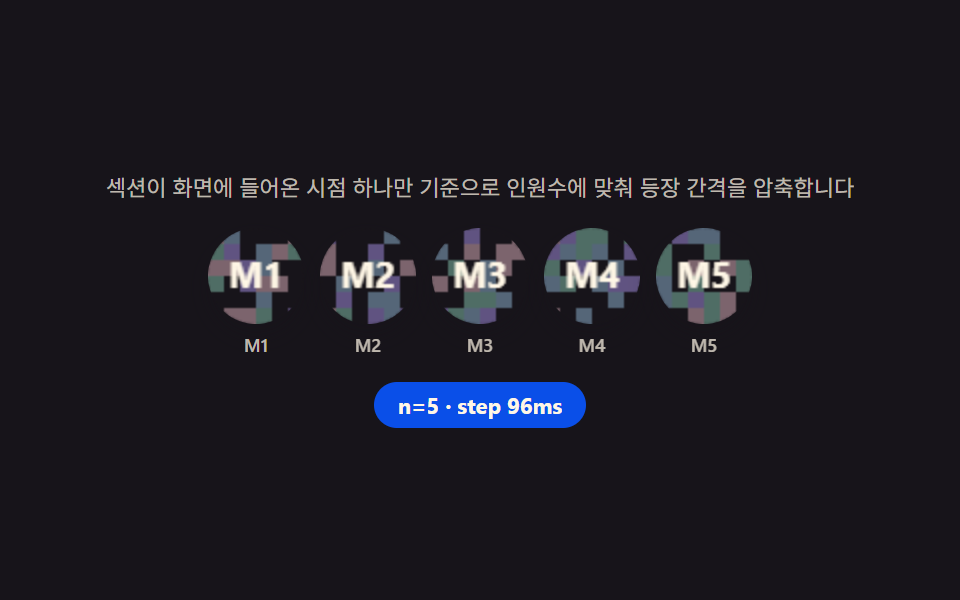 01 team-hero
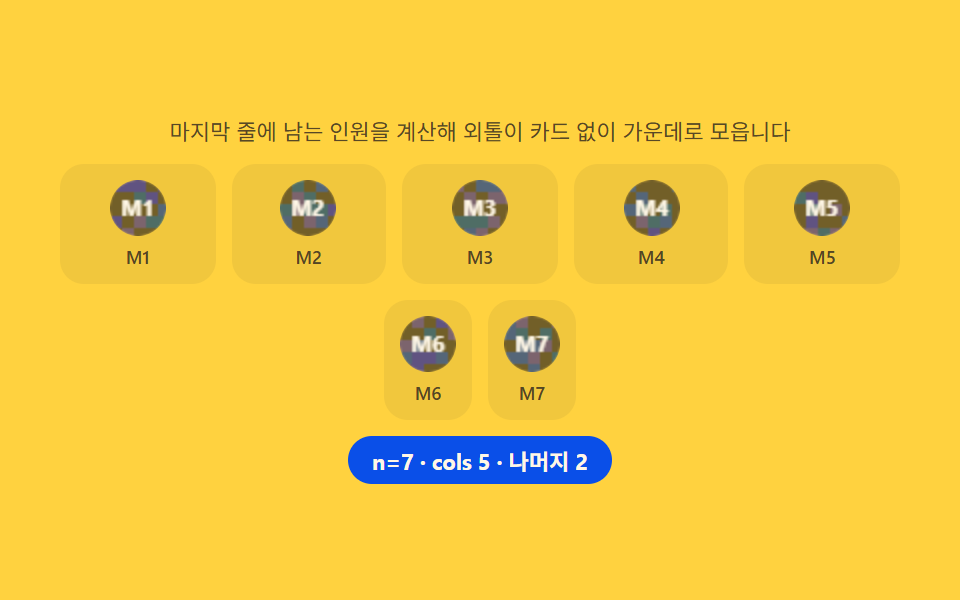 02 team-member-grid
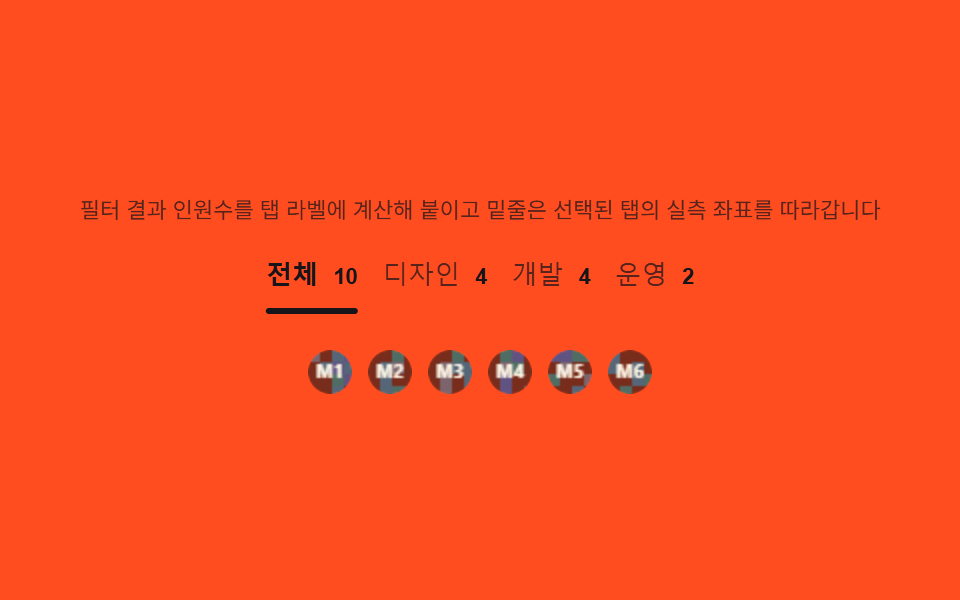 03 team-role-tabs
 04 team-profile-detail
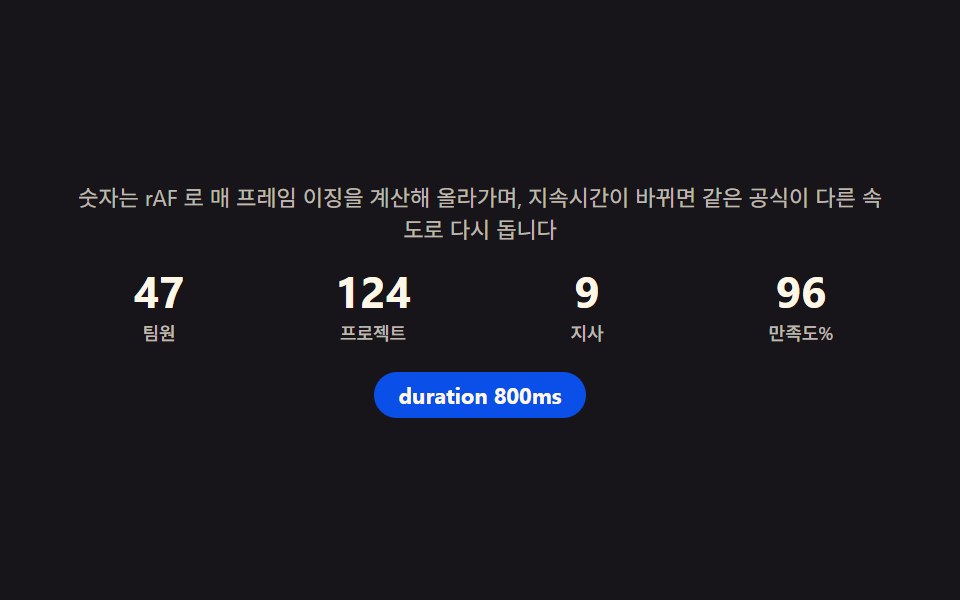 05 team-stat-row
 06 team-partner-bar
 07 team-testimonial
 08 team-apply-cta
 09 team-footer
自動再生 · タイルを押すとその項目へ · すべて1つのzip
- 01 チームヒーロー — 人数から登場の遅延を計算して順に現れる写真の列
- 02 メンバーグリッド — 最終行の人数を計算して孤立カードをなくす配置
- 03 役職タブ — フィルタ結果の人数をタブラベルに計算して付ける切り替え
- 04 プロフィール詳細 — 自己紹介の高さを測って続きを読むボタンの有無を決めるカード
- 05 チーム統計行 — 経過時間の比率をイージング関数に通して数えるカウントアップ
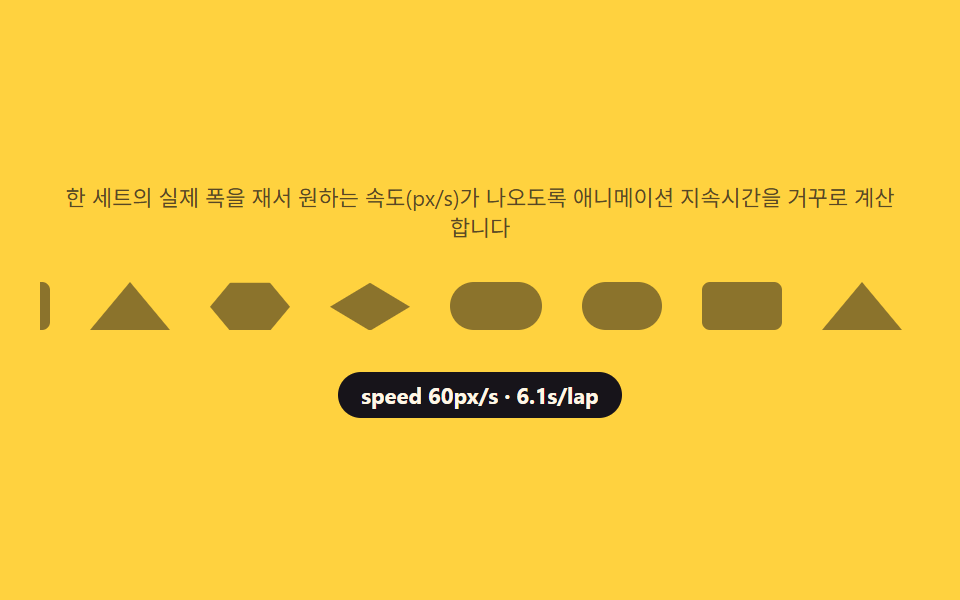
- 06 パートナーロゴバー — トラックの実測幅から速度を逆算して流れる列
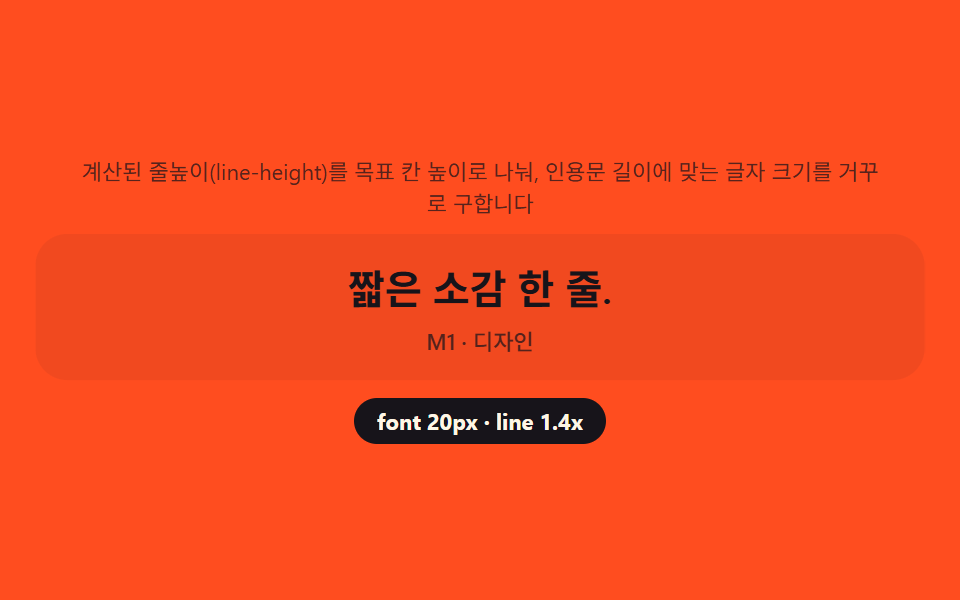
- 07 チーム引用カード — 行数を逆算して引用文の大きさを決める計算
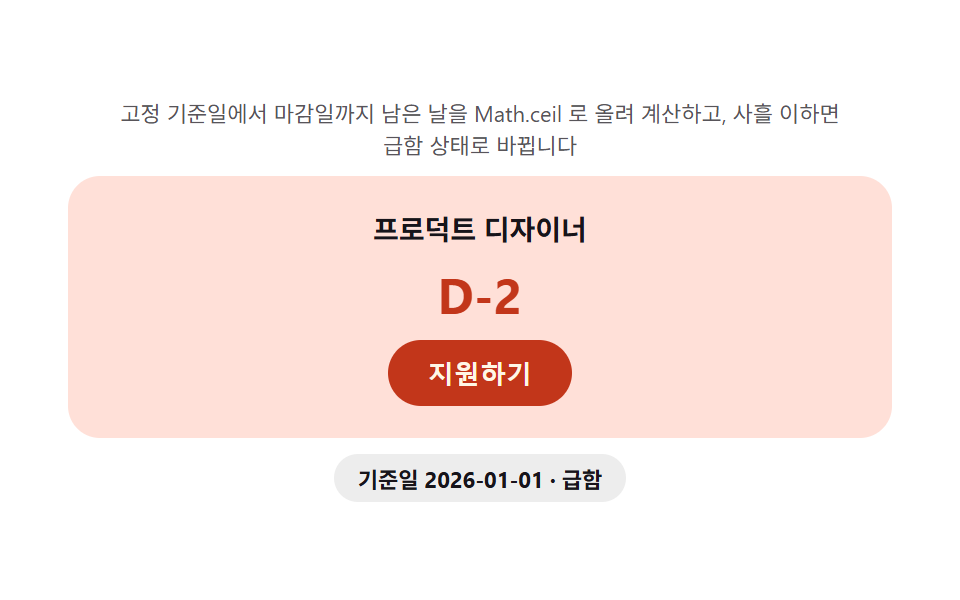
- 08 応募CTA — 締切までの残り日数を毎回計算して示すバッジ
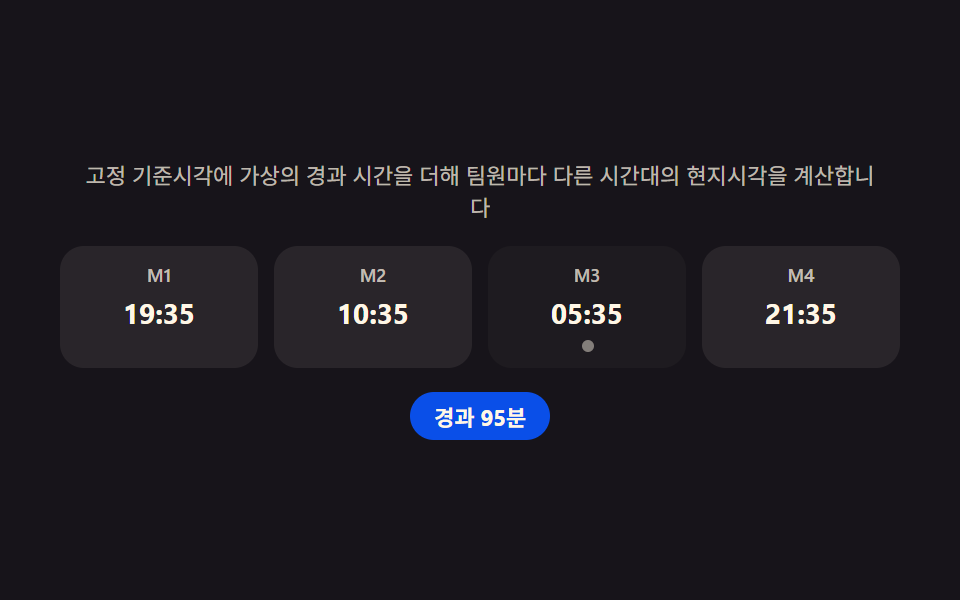
- 09 チームフッター — メンバーごとの時差を計算して今の時刻を示す列
デモ
9項目とも「見た目の演出ではなく、人数・文字数・トラック幅・時刻というデータを計算し直してレイアウト・座標・速度・表示値に反映する」という同じ前提を共有しています。実測値は次の表のとおりです。
| 番号 | 項目 | 累積面積 | 強度平均 | 動いたフレーム |
|---|---|---|---|---|
| 01 | チームヒーロー | 11.24% | 54.2 | 12/23 |
| 02 | メンバーグリッド | 29.08% | 53.6 | 8/23 |
| 03 | 役職タブ | 2.57% | 117.4 | 7/23 |
| 04 | プロフィール詳細 | 17.34% | 55.9 | 6/23 |
| 05 | 統計カウントアップ | 1.52% | 160.4 | 20/23 |
| 06 | パートナーバー | 7.33% | 96.6 | 23/23 |
| 07 | 引用カード | 19.91% | 69.0 | 6/23 |
| 08 | 応募CTA | 37.42% | 63.0 | 10/23 |
| 09 | チームフッター | 1.40% | 104.1 | 8/23 |
08応募CTAが累積面積37.42%で最も広いのは、バッジの色とD-dayの数字が画面の広い面積を占めて切り替わるためです。09チームフッターが1.40%で最も狭いのは、動く領域が現地時刻の文字とドットの点滅に限られる構造上の値です。04プロフィール詳細と07引用カードが23フレームのうち6フレームしか動かないのは欠陥ではなく、次のシナリオへ切り替わるまでの待機区間が長い構造だからです。強度平均は02メンバーグリッドが53.6で最も落ち着き(カード数枚が並び直るだけ)、05統計カウントアップが160.4で最も明るい(数字全体が毎フレーム描き直される)。9項目とも下限(累積面積0.08%以上・強度15以上・動いたフレーム6以上)を満たします。
チーム紹介ページの解剖 — 9つのセクションが計算するもの
会社紹介やチーム紹介ページのデザインを探すと、写真とテキストを並べただけの静的なテンプレートがほとんどです。ここで扱う9つのセクションは、その手前に計算の層を1枚重ねます。IntersectionObserverでセクションが画面に入った瞬間だけを基準にし、ResizeObserverで幅が変わった瞬間だけを基準にする — どちらも「毎フレーム見張る」のではなく「変化の瞬間だけ拾う」設計です。
何が入力で何が出力か
入力は人数・文字の長さ・トラックの実測幅・保存されたタイムゾーン文字列・固定基準時刻の5種類です。出力はCSS変数(--delay・--cols・--ix・--iw・--dur)か、DOMに直接書き込むテキストのどちらかで、キーフレーム自体は一切変えません。
なぜdocument全体ではなくCSS変数に計算結果を込めるのか
計算した数値をJavaScriptで毎フレームstyleに書き込む代わりにCSS変数へ一度だけ込めておくと、トランジションやアニメーションはブラウザのコンポジタ側で滑らかに補間されます。人数が変わるたびに再計算が走っても、実際に動く部分はCSSの遷移に任せられるので、計算のコストと描画のコストが分離されます。
セクション別コード
チーム紹介 デザインを検索して来た人は、まずこの9項目の実装から探すと早いです。自動再生は各項目内で固定シナリオを順番に切り替えるだけで、Math.random() は一度も使いません。
01team-hero — 人数から登場の遅延を計算して順に現れる写真の列
IntersectionObserver でセクションが画面に入った瞬間だけを基準にし、各写真のインデックスに固定間隔を掛けてCSS変数--delayに入れることで順番に現れます。人数が増えても総登場時間が無限に伸びないよう、インデックスをチーム人数で割った余りで間隔を圧縮し直します。等身大の顔写真ではなく、シード固定乱数で塗った円形キャンバスにイニシャルを重ねてアバターの代わりにしています。
<main class="stage">
<section class="hero" id="hero">
  <p class="hero__hint" id="heroHint">セクションが画面に入った瞬間だけを基準に、人数に合わせて登場間隔を圧縮します。</p>
  <div class="hero__row" id="heroRow" aria-label="チームメンバー写真の列" role="list">
    <div class="hero__avatar" role="listitem"><canvas class="hero__cv" width="48" height="48" aria-hidden="true"></canvas><span class="hero__tag">M1</span></div>
    <div class="hero__avatar" role="listitem"><canvas class="hero__cv" width="48" height="48" aria-hidden="true"></canvas><span class="hero__tag">M2</span></div>
    <div class="hero__avatar" role="listitem"><canvas class="hero__cv" width="48" height="48" aria-hidden="true"></canvas><span class="hero__tag">M3</span></div>
    <div class="hero__avatar" role="listitem"><canvas class="hero__cv" width="48" height="48" aria-hidden="true"></canvas><span class="hero__tag">M4</span></div>
    <div class="hero__avatar" role="listitem"><canvas class="hero__cv" width="48" height="48" aria-hidden="true"></canvas><span class="hero__tag">M5</span></div>
    <div class="hero__avatar" role="listitem"><canvas class="hero__cv" width="48" height="48" aria-hidden="true"></canvas><span class="hero__tag">M6</span></div>
    <div class="hero__avatar" role="listitem"><canvas class="hero__cv" width="48" height="48" aria-hidden="true"></canvas><span class="hero__tag">M7</span></div>
  </div>
  <p class="hero__meta"><span class="hero__chip" id="heroChip">n=5 · step 96ms</span></p>
</section>
</main>
@use "../../../../site/static/demo-tokens" as *;
$duration: $dur-enter; // 600ms — 등장 트랜지션
$easing: $ease-spring;
$color: $subject-blue-deep;
@include stage($stage-ink);
.hero {
width: 100%;
max-width: 420px;
display: flex;
flex-direction: column;
gap: $sp-3;
align-items: center;
text-align: center;
}
.hero__hint {
margin: 0;
padding: 0 $sp-2;
font-weight: 400;
font-size: 11px;
line-height: 1.4;
color: rgba($subject-cream, .72);
}
.hero__row {
display: flex;
flex-wrap: wrap;
justify-content: center;
gap: $sp-2;
width: 100%;
}
.hero__avatar {
display: flex;
flex-direction: column;
align-items: center;
gap: $sp-1;
opacity: 0;
transform: translateY($sp-4);
transition: opacity $dur-quick $ease-out, transform $duration $easing;
transition-delay: var(--delay, 0ms);
}
.hero__row.is-in .hero__avatar {
opacity: 1;
transform: translateY(0);
}
.hero__cv {
display: block;
width: 48px;
height: 48px;
border-radius: $r-pill;
box-shadow: $shadow-press;
}
.hero__tag {
font-weight: 500;
font-size: 9px;
color: rgba($subject-cream, .72);
}
.hero__meta {
margin: 0;
}
.hero__chip {
display: inline-flex;
padding: $sp-1 $sp-3;
border-radius: $r-pill;
background: $color;
color: $subject-cream;
font-weight: 700;
font-size: 11px;
}
@media (max-width: 340px) {
.hero { max-width: 300px; gap: $sp-2; }
.hero__hint { font-size: 9px; }
.hero__row { gap: $sp-1; }
.hero__cv { width: 36px; height: 36px; }
.hero__tag { font-size: 8px; }
.hero__chip { font-size: 10px; padding: $sp-1 $sp-2; }
}
@media (prefers-reduced-motion: reduce) {
.hero__avatar {
transition: none;
opacity: 1;
transform: none;
}
}html, body {
margin: 0;
overflow: hidden;
}
.stage {
box-sizing: border-box;
min-height: 100vh;
display: grid;
place-items: center;
margin: 0;
background: #17141a;
font-family: -apple-system, "Segoe UI", "Noto Sans KR", sans-serif;
padding: clamp(8px, 4vw, 24px);
}
.hero {
width: 100%;
max-width: 420px;
display: flex;
flex-direction: column;
gap: 12px;
align-items: center;
text-align: center;
}
.hero__hint {
margin: 0;
padding: 0 8px;
font-weight: 400;
font-size: 11px;
line-height: 1.4;
color: rgba(255, 247, 230, 0.72);
}
.hero__row {
display: flex;
flex-wrap: wrap;
justify-content: center;
gap: 8px;
width: 100%;
}
.hero__avatar {
display: flex;
flex-direction: column;
align-items: center;
gap: 4px;
opacity: 0;
transform: translateY(16px);
transition: opacity 220ms ease-out, transform 600ms cubic-bezier(0.2, 0.8, 0.2, 1);
transition-delay: var(--delay, 0ms);
}
.hero__row.is-in .hero__avatar {
opacity: 1;
transform: translateY(0);
}
.hero__cv {
display: block;
width: 48px;
height: 48px;
border-radius: 999px;
box-shadow: 0 6px 12px rgba(23, 20, 26, 0.32);
}
.hero__tag {
font-weight: 500;
font-size: 9px;
color: rgba(255, 247, 230, 0.72);
}
.hero__meta {
margin: 0;
}
.hero__chip {
display: inline-flex;
padding: 4px 12px;
border-radius: 999px;
background: #0a4fe8;
color: #fff7e6;
font-weight: 700;
font-size: 11px;
}
@media (max-width: 340px) {
.hero {
max-width: 300px;
gap: 8px;
}
.hero__hint {
font-size: 9px;
}
.hero__row {
gap: 4px;
}
.hero__cv {
width: 36px;
height: 36px;
}
.hero__tag {
font-size: 8px;
}
.hero__chip {
font-size: 10px;
padding: 4px 8px;
}
}
@media (prefers-reduced-motion: reduce) {
.hero__avatar {
transition: none;
opacity: 1;
transform: none;
}
}// 팀 히어로(01) — IntersectionObserver 로 섹션이 화면에 들어온 시점 하나만 기준을 잡고,
// 등장 예산(ENTRANCE_MS)을 그 순간의 인원수로 나눠 인덱스마다 곱하는 간격(step)을 매번 계산한다.
// 인원이 늘어도 등장 예산은 고정이라 총 등장 시간이 무한히 늘지 않는다(계산 한 겹).
// 자동 시연은 인원수를 5·7·4·6 으로 순환시켜 매번 다시 계산되는 것을 보여준다.
(function () {
var hero = document.getElementById('hero');
var row = document.getElementById('heroRow');
var chip = document.getElementById('heroChip');
if (!hero || !row || !chip) return;
var avatars = Array.prototype.slice.call(row.querySelectorAll('.hero__avatar'));
var reduce = window.matchMedia('(prefers-reduced-motion: reduce)').matches;
function mulberry32(a) {
return function () {
a |= 0; a = a + 0x6D2B79F5 | 0;
var t = Math.imul(a ^ a >>> 15, 1 | a);
t = t + Math.imul(t ^ t >>> 7, 61 | t) ^ t;
return ((t ^ t >>> 14) >>> 0) / 4294967296;
};
}
var HEXES = ['#9fc9ec', '#93d9c0', '#b9a0ff', '#f6c6d3'];
function drawAvatar(cv, seed, label) {
var ctx = cv.getContext('2d');
if (!ctx) return;
var rnd = mulberry32(seed);
var s = cv.width;
ctx.clearRect(0, 0, s, s);
ctx.save();
ctx.beginPath(); ctx.arc(s / 2, s / 2, s / 2, 0, Math.PI * 2); ctx.clip();
var cell = 8;
for (var y = 0; y < s; y += cell) {
for (var x = 0; x < s; x += cell) {
var v = rnd();
ctx.fillStyle = v > .5 ? HEXES[Math.floor(rnd() * HEXES.length)] : 'rgba(23,20,26,.10)';
ctx.fillRect(x, y, cell, cell);
}
}
ctx.restore();
ctx.fillStyle = 'rgba(23,20,26,.55)';
ctx.beginPath(); ctx.arc(s / 2, s / 2, s / 2, 0, Math.PI * 2); ctx.fill();
ctx.fillStyle = '#fff7e6';
ctx.font = '700 ' + Math.round(s * .38) + 'px -apple-system, "Segoe UI", sans-serif';
ctx.textAlign = 'center'; ctx.textBaseline = 'middle';
ctx.fillText(label, s / 2, s / 2 + 1);
}
avatars.forEach(function (el, i) {
var cv = el.querySelector('.hero__cv');
if (cv) drawAvatar(cv, 31 + i * 17, 'M' + (i + 1));
});
var ENTRANCE_MS = 480; // 등장 예산 — 인원수와 무관하게 고정
var counts = [5, 7, 4, 6];
var idx = 0;
// 등장 간격 계산 — 예산을 이번 인원수로 나눈 몫이 step, 인덱스를 인원수로 나눈 나머지로
// 매 순환마다 압축 폭을 다시 맞춘다(headcount 가 바뀌어도 같은 공식 재사용)
function layout(count) {
var step = ENTRANCE_MS / count;
avatars.forEach(function (el, i) {
var visible = i < count;
el.style.display = visible ? '' : 'none';
if (visible) el.style.setProperty('--delay', ((i % count) * step).toFixed(1) + 'ms');
});
chip.textContent = 'n=' + count + ' · step ' + Math.round(step) + 'ms';
row.classList.remove('is-in');
void row.offsetWidth; // 강제 리플로우 — 트랜지션 재시작
row.classList.add('is-in');
}
var fired = false;
var io = new IntersectionObserver(function (entries) {
entries.forEach(function (e) {
if (e.isIntersecting && !fired) { fired = true; layout(counts[0]); }
});
}, { threshold: .3 });
io.observe(hero);
if (reduce) {
layout(counts[0]);
} else {
layout(counts[0]);
setInterval(function () {
idx = (idx + 1) % counts.length;
layout(counts[idx]);
}, 650);
}
})();// TeamHero — vanilla 판(run/338/demo/01-team-hero/index.html) 의 React 포트.
// IntersectionObserver 로 섹션이 화면에 들어온 시점 하나만 기준을 잡고, 등장 예산(ENTRANCE_MS)을
// 그 순간의 인원수로 나눠 인덱스마다 곱하는 간격(step)을 매번 계산한다(계산 한 겹). 자동 시연은
// 인원수를 5·7·4·6 으로 순환시켜 매번 다시 계산되는 것을 보여준다.
import { useEffect, useRef } from "react";
import styles from "./TeamHero.module.scss";
export type TeamHeroProps = {
duration?: string;
easing?: string;
color?: string;
};
const HINT = "섹션이 화면에 들어온 시점 하나만 기준으로 인원수에 맞춰 등장 간격을 압축합니다";
const ROW_LABEL = "팀원 사진 줄";
function mulberry32(a: number): () => number {
return function (): number {
a |= 0; a = a + 0x6d2b79f5 | 0;
let t = Math.imul(a ^ (a >>> 15), 1 | a);
t = (t + Math.imul(t ^ (t >>> 7), 61 | t)) ^ t;
return ((t ^ (t >>> 14)) >>> 0) / 4294967296;
};
}
const HEXES = ["#9fc9ec", "#93d9c0", "#b9a0ff", "#f6c6d3"];
const ENTRANCE_MS = 480;
const COUNTS = [5, 7, 4, 6];
const MEMBER_MAX = 7;
function drawAvatar(cv: HTMLCanvasElement, seed: number, label: string): void {
const ctx = cv.getContext("2d");
if (!ctx) return;
const rnd = mulberry32(seed);
const s = cv.width;
ctx.clearRect(0, 0, s, s);
ctx.save();
ctx.beginPath();
ctx.arc(s / 2, s / 2, s / 2, 0, Math.PI * 2);
ctx.clip();
const cell = 8;
for (let y = 0; y < s; y += cell) {
for (let x = 0; x < s; x += cell) {
const v = rnd();
ctx.fillStyle = v > 0.5 ? HEXES[Math.floor(rnd() * HEXES.length)] : "rgba(23,20,26,.10)";
ctx.fillRect(x, y, cell, cell);
}
}
ctx.restore();
ctx.fillStyle = "rgba(23,20,26,.55)";
ctx.beginPath();
ctx.arc(s / 2, s / 2, s / 2, 0, Math.PI * 2);
ctx.fill();
ctx.fillStyle = "#fff7e6";
ctx.font = "700 " + Math.round(s * 0.38) + 'px -apple-system, "Segoe UI", sans-serif';
ctx.textAlign = "center";
ctx.textBaseline = "middle";
ctx.fillText(label, s / 2, s / 2 + 1);
}
export default function TeamHero({
duration = "600ms",
easing = "cubic-bezier(.2,.8,.2,1)",
color = "#0a4fe8"
}: TeamHeroProps) {
const heroRef = useRef<HTMLElement | null>(null);
const rowRef = useRef<HTMLDivElement | null>(null);
const chipRef = useRef<HTMLSpanElement | null>(null);
useEffect(() => {
const hero = heroRef.current;
const row = rowRef.current;
const chip = chipRef.current;
if (!hero || !row || !chip) return;
const avatars = Array.prototype.slice.call(row.querySelectorAll("." + styles.avatar)) as HTMLElement[];
const reduce = window.matchMedia("(prefers-reduced-motion: reduce)").matches;
avatars.forEach((el, i) => {
const cv = el.querySelector("." + styles.cv) as HTMLCanvasElement | null;
if (cv) drawAvatar(cv, 31 + i * 17, "M" + (i + 1));
});
function layout(count: number): void {
const step = ENTRANCE_MS / count;
avatars.forEach((el, i) => {
const visible = i < count;
el.style.display = visible ? "" : "none";
if (visible) el.style.setProperty("--delay", ((i % count) * step).toFixed(1) + "ms");
});
chip!.textContent = "n=" + count + " · step " + Math.round(step) + "ms";
row!.classList.remove(styles.rowIn);
void row!.offsetWidth;
row!.classList.add(styles.rowIn);
}
let fired = false;
const io = new IntersectionObserver((entries) => {
entries.forEach((e) => {
if (e.isIntersecting && !fired) { fired = true; layout(COUNTS[0]); }
});
}, { threshold: 0.3 });
io.observe(hero);
let idx = 0;
let timer = 0;
if (reduce) {
layout(COUNTS[0]);
} else {
layout(COUNTS[0]);
timer = window.setInterval(() => {
idx = (idx + 1) % COUNTS.length;
layout(COUNTS[idx]);
}, 650);
}
return () => {
io.disconnect();
if (timer) window.clearInterval(timer);
};
// eslint-disable-next-line react-hooks/exhaustive-deps
}, []);
const members = Array.from({ length: MEMBER_MAX }, (_, i) => i);
return (
<main className={styles.stage}>
<section className={styles.hero} ref={heroRef}>
<p className={styles.hint}>{HINT}</p>
<div className={styles.row} ref={rowRef} role="list" aria-label={ROW_LABEL}>
{members.map((i) => (
<div className={styles.avatar} role="listitem" key={i}>
<canvas className={styles.cv} width={48} height={48} aria-hidden="true" />
<span className={styles.tag}>{"M" + (i + 1)}</span>
</div>
))}
</div>
<p className={styles.meta}>
<span className={styles.chip} ref={chipRef} style={{ background: color }}>n=5 · step 96ms</span>
</p>
</section>
</main>
);
}01 · チームヒーロー — 人数から登場の遅延を計算して順に現れる写真の列 — 計測 累積面積 11.245% · 動いたフレーム 12/23GODRICH オリジナル · SCSS と React は zip に同梱 · パスワードを見る
ENTRANCE_MSを人数で割ってstepを毎回作り直す
登場予算はENTRANCE_MS 480msの定数1つだけで、人数[5, 7, 4, 6]が切り替わるたびにstep = ENTRANCE_MS / countを計算し直します。
  var ENTRANCE_MS = 480;   // 登場予算 — 人数と無関係に固定
  var counts = [5, 7, 4, 6];
  var idx = 0;

  // 登場間隔の計算 — 予算を今回の人数で割った商がstep、インデックスを人数で割った余りで
  // 毎周期ごとに圧縮幅を合わせ直す(headcountが変わっても同じ式を再利用)
  function layout(count) {
    var step = ENTRANCE_MS / count;
    avatars.forEach(function (el, i) {
      var visible = i < count;
      el.style.display = visible ? '' : 'none';
      if (visible) el.style.setProperty('--delay', ((i % count) * step).toFixed(1) + 'ms');
    });
02team-member-grid — 最終行の人数を計算して孤立カードをなくす配置
チーム人数を列数で割った余りで最終行に何人残るかを計算し、余りが1〜2人の時だけ--cols変数で最終行の列数を減らして中央に寄せます。ResizeObserverで幅が変わり列数自体が変わる時も同じ計算をやり直します。シナリオは[7, 8, 9, 10]人で循環し、余りが3人以上の時は列数を変えずそのまま並べます。
<main class="stage">
<section class="grid" id="grid">
  <p class="grid__hint" id="gridHint">最後の行に残る人数を計算し、一人だけ余るカードが出ないよう中央に集めます。</p>
  <div class="grid__head" id="gridHead" role="list" aria-label="チームメンバー一覧"></div>
  <div class="grid__tail" id="gridTail" role="list" aria-label="最後の行"></div>
  <p class="grid__meta"><span class="grid__chip" id="gridChip">n=8 · cols 4 · 余り0</span></p>
</section>
</main>
@use "../../../../site/static/demo-tokens" as *;
$duration: $dur-base; // 300ms — 카드 팝인
$easing: $ease-pop;
$color: $subject-blue-deep;
@include stage($stage-yellow);
.grid {
width: 100%;
max-width: 420px;
display: flex;
flex-direction: column;
gap: $sp-2;
align-items: center;
text-align: center;
}
.grid__hint {
margin: 0;
padding: 0 $sp-2;
font-weight: 400;
font-size: 11px;
line-height: 1.4;
color: rgba($subject-ink, .72);
}
.grid__head {
display: grid;
grid-template-columns: repeat(var(--cols, 4), 1fr);
gap: $sp-2;
width: 100%;
}
.grid__tail {
display: flex;
justify-content: center;
gap: $sp-2;
width: 100%;
}
.grid__card {
display: flex;
flex-direction: column;
align-items: center;
gap: $sp-1;
padding: $sp-2;
border-radius: $r-control;
background: rgba($subject-ink, .06);
opacity: 0;
transform: scale(.8);
transition: opacity $dur-quick $ease-out, transform $duration $easing;
}
.grid.is-in .grid__card {
opacity: 1;
transform: scale(1);
}
.grid__cv {
display: block;
width: 28px;
height: 28px;
border-radius: $r-pill;
}
.grid__tag {
font-weight: 500;
font-size: 9px;
color: rgba($subject-ink, .72);
}
.grid__meta { margin: 0; }
.grid__chip {
display: inline-flex;
padding: $sp-1 $sp-3;
border-radius: $r-pill;
background: $color;
color: $subject-cream;
font-weight: 700;
font-size: 11px;
}
@media (max-width: 340px) {
.grid { max-width: 300px; gap: $sp-1; }
.grid__hint { font-size: 8px; line-height: 1.3; }
.grid__head, .grid__tail { gap: $sp-1; }
.grid__card { padding: 0; gap: 0; }
.grid__cv { width: 18px; height: 18px; }
.grid__tag { font-size: 7px; }
.grid__chip { font-size: 9px; padding: 0 $sp-2; }
}
@media (prefers-reduced-motion: reduce) {
.grid__card {
transition: none;
opacity: 1;
transform: none;
}
}html, body {
margin: 0;
overflow: hidden;
}
.stage {
box-sizing: border-box;
min-height: 100vh;
display: grid;
place-items: center;
margin: 0;
background: #ffd23f;
font-family: -apple-system, "Segoe UI", "Noto Sans KR", sans-serif;
padding: clamp(8px, 4vw, 24px);
}
.grid {
width: 100%;
max-width: 420px;
display: flex;
flex-direction: column;
gap: 8px;
align-items: center;
text-align: center;
}
.grid__hint {
margin: 0;
padding: 0 8px;
font-weight: 400;
font-size: 11px;
line-height: 1.4;
color: rgba(23, 20, 26, 0.72);
}
.grid__head {
display: grid;
grid-template-columns: repeat(var(--cols, 4), 1fr);
gap: 8px;
width: 100%;
}
.grid__tail {
display: flex;
justify-content: center;
gap: 8px;
width: 100%;
}
.grid__card {
display: flex;
flex-direction: column;
align-items: center;
gap: 4px;
padding: 8px;
border-radius: 12px;
background: rgba(23, 20, 26, 0.06);
opacity: 0;
transform: scale(0.8);
transition: opacity 220ms ease-out, transform 300ms cubic-bezier(0.2, 1.4, 0.4, 1);
}
.grid.is-in .grid__card {
opacity: 1;
transform: scale(1);
}
.grid__cv {
display: block;
width: 28px;
height: 28px;
border-radius: 999px;
}
.grid__tag {
font-weight: 500;
font-size: 9px;
color: rgba(23, 20, 26, 0.72);
}
.grid__meta {
margin: 0;
}
.grid__chip {
display: inline-flex;
padding: 4px 12px;
border-radius: 999px;
background: #0a4fe8;
color: #fff7e6;
font-weight: 700;
font-size: 11px;
}
@media (max-width: 340px) {
.grid {
max-width: 300px;
gap: 4px;
}
.grid__hint {
font-size: 8px;
line-height: 1.3;
}
.grid__head, .grid__tail {
gap: 4px;
}
.grid__card {
padding: 0;
gap: 0;
}
.grid__cv {
width: 18px;
height: 18px;
}
.grid__tag {
font-size: 7px;
}
.grid__chip {
font-size: 9px;
padding: 0 8px;
}
}
@media (prefers-reduced-motion: reduce) {
.grid__card {
transition: none;
opacity: 1;
transform: none;
}
}// メンバー 그리드(02) — 인원수를 열 수로 나눈 나머지로 마지막 줄에 몇 명이 남는지 계산하고,
// 나머지가 1~2명일 때만 그 인원을 별도 flex 줄로 떼어 가운데로 모은다. ResizeObserver 로
// 컨테이너 폭이 바뀌어 열 수 자체가 바뀔 때도 같은 계산을 다시 돌린다(계산 한 겹).
(function () {
var grid = document.getElementById('grid');
var head = document.getElementById('gridHead');
var tail = document.getElementById('gridTail');
var chip = document.getElementById('gridChip');
if (!grid || !head || !tail || !chip) return;
var reduce = window.matchMedia('(prefers-reduced-motion: reduce)').matches;
function mulberry32(a) {
return function () {
a |= 0; a = a + 0x6D2B79F5 | 0;
var t = Math.imul(a ^ a >>> 15, 1 | a);
t = t + Math.imul(t ^ t >>> 7, 61 | t) ^ t;
return ((t ^ t >>> 14) >>> 0) / 4294967296;
};
}
var HEXES = ['#9fc9ec', '#93d9c0', '#b9a0ff', '#f6c6d3'];
function drawAvatar(cv, seed, label) {
var ctx = cv.getContext('2d');
if (!ctx) return;
var rnd = mulberry32(seed);
var s = cv.width;
ctx.clearRect(0, 0, s, s);
ctx.save();
ctx.beginPath(); ctx.arc(s / 2, s / 2, s / 2, 0, Math.PI * 2); ctx.clip();
var cell = 6;
for (var y = 0; y < s; y += cell) {
for (var x = 0; x < s; x += cell) {
var v = rnd();
ctx.fillStyle = v > .5 ? HEXES[Math.floor(rnd() * HEXES.length)] : 'rgba(23,20,26,.08)';
ctx.fillRect(x, y, cell, cell);
}
}
ctx.restore();
ctx.fillStyle = 'rgba(23,20,26,.55)';
ctx.beginPath(); ctx.arc(s / 2, s / 2, s / 2, 0, Math.PI * 2); ctx.fill();
ctx.fillStyle = '#fff7e6';
ctx.font = '700 ' + Math.round(s * .4) + 'px -apple-system, "Segoe UI", sans-serif';
ctx.textAlign = 'center'; ctx.textBaseline = 'middle';
ctx.fillText(label, s / 2, s / 2 + 1);
}
function card(i) {
var el = document.createElement('div');
el.className = 'grid__card';
el.setAttribute('role', 'listitem');
var cv = document.createElement('canvas');
cv.className = 'grid__cv'; cv.width = 28; cv.height = 28;
cv.setAttribute('aria-hidden', 'true');
var tag = document.createElement('span');
tag.className = 'grid__tag';
tag.textContent = 'M' + (i + 1);
el.appendChild(cv); el.appendChild(tag);
drawAvatar(cv, 11 + i * 13, 'M' + (i + 1));
return el;
}
var cols = 4; // 기본값 — ResizeObserver 가 실측 폭으로 다시 계산한다
var MIN_CARD = 76;
function computeCols(width) {
var c = Math.floor(width / MIN_CARD);
return Math.max(2, Math.min(5, c || 4));
}
function layout(count) {
var remainder = count % cols;
var tailCount = (remainder === 1 || remainder === 2) ? remainder : 0;
var headCount = count - tailCount;
head.style.setProperty('--cols', String(cols));
head.innerHTML = '';
tail.innerHTML = '';
for (var i = 0; i < headCount; i++) head.appendChild(card(i));
for (var j = 0; j < tailCount; j++) tail.appendChild(card(headCount + j));
tail.style.display = tailCount > 0 ? 'flex' : 'none';
chip.textContent = 'n=' + count + ' · cols ' + cols + ' · 余り ' + tailCount;
grid.classList.remove('is-in');
void grid.offsetWidth;
grid.classList.add('is-in');
}
var ro = new ResizeObserver(function (entries) {
var w = entries[0] ? entries[0].contentRect.width : grid.clientWidth;
var next = computeCols(w);
if (next !== cols) { cols = next; layout(counts[idx]); }
});
ro.observe(grid);
var counts = [7, 8, 9, 10];
var idx = 0;
layout(counts[0]);
if (!reduce) {
setInterval(function () {
idx = (idx + 1) % counts.length;
layout(counts[idx]);
}, 700);
}
})();// TeamMemberGrid — vanilla 판(run/338/demo/02-team-member-grid/index.html) 의 React 포트.
// 인원수를 열 수로 나눈 나머지로 마지막 줄에 몇 명이 남는지 계산하고, 나머지가 1~2명일 때만
// 그 인원을 별도 flex 줄로 떼어 가운데로 모은다. ResizeObserver 로 컨테이너 폭이 바뀌어 열 수
// 자체가 바뀔 때도 같은 계산을 다시 돌린다(계산 한 겹).
import { useEffect, useRef } from "react";
import styles from "./TeamMemberGrid.module.scss";
export type TeamMemberGridProps = {
duration?: string;
easing?: string;
color?: string;
};
const HINT = "마지막 줄에 남는 인원을 계산해 외톨이 카드 없이 가운데로 모읍니다";
const HEAD_LABEL = "팀원 목록";
const TAIL_LABEL = "마지막 줄";
function mulberry32(a: number): () => number {
return function (): number {
a |= 0; a = a + 0x6d2b79f5 | 0;
let t = Math.imul(a ^ (a >>> 15), 1 | a);
t = (t + Math.imul(t ^ (t >>> 7), 61 | t)) ^ t;
return ((t ^ (t >>> 14)) >>> 0) / 4294967296;
};
}
const HEXES = ["#9fc9ec", "#93d9c0", "#b9a0ff", "#f6c6d3"];
const COUNTS = [7, 8, 9, 10];
const MIN_CARD = 76;
function drawAvatar(cv: HTMLCanvasElement, seed: number, label: string): void {
const ctx = cv.getContext("2d");
if (!ctx) return;
const rnd = mulberry32(seed);
const s = cv.width;
ctx.clearRect(0, 0, s, s);
ctx.save();
ctx.beginPath();
ctx.arc(s / 2, s / 2, s / 2, 0, Math.PI * 2);
ctx.clip();
const cell = 6;
for (let y = 0; y < s; y += cell) {
for (let x = 0; x < s; x += cell) {
const v = rnd();
ctx.fillStyle = v > 0.5 ? HEXES[Math.floor(rnd() * HEXES.length)] : "rgba(23,20,26,.08)";
ctx.fillRect(x, y, cell, cell);
}
}
ctx.restore();
ctx.fillStyle = "rgba(23,20,26,.55)";
ctx.beginPath();
ctx.arc(s / 2, s / 2, s / 2, 0, Math.PI * 2);
ctx.fill();
ctx.fillStyle = "#fff7e6";
ctx.font = "700 " + Math.round(s * 0.4) + 'px -apple-system, "Segoe UI", sans-serif';
ctx.textAlign = "center";
ctx.textBaseline = "middle";
ctx.fillText(label, s / 2, s / 2 + 1);
}
function computeCols(width: number): number {
const c = Math.floor(width / MIN_CARD);
return Math.max(2, Math.min(5, c || 4));
}
function makeCard(i: number): HTMLDivElement {
const el = document.createElement("div");
el.className = styles.card;
el.setAttribute("role", "listitem");
const cv = document.createElement("canvas");
cv.className = styles.cv;
cv.width = 28;
cv.height = 28;
cv.setAttribute("aria-hidden", "true");
const tag = document.createElement("span");
tag.className = styles.tag;
tag.textContent = "M" + (i + 1);
el.appendChild(cv);
el.appendChild(tag);
drawAvatar(cv, 11 + i * 13, "M" + (i + 1));
return el;
}
export default function TeamMemberGrid({
duration = "300ms",
easing = "cubic-bezier(.2,1.4,.4,1)",
color = "#0a4fe8"
}: TeamMemberGridProps) {
const gridRef = useRef<HTMLElement | null>(null);
const headRef = useRef<HTMLDivElement | null>(null);
const tailRef = useRef<HTMLDivElement | null>(null);
const chipRef = useRef<HTMLSpanElement | null>(null);
useEffect(() => {
const grid = gridRef.current;
const head = headRef.current;
const tail = tailRef.current;
const chip = chipRef.current;
if (!grid || !head || !tail || !chip) return;
const reduce = window.matchMedia("(prefers-reduced-motion: reduce)").matches;
let cols = 4;
let idx = 0;
function layout(count: number): void {
const remainder = count % cols;
const tailCount = remainder === 1 || remainder === 2 ? remainder : 0;
const headCount = count - tailCount;
head!.style.setProperty("--cols", String(cols));
head!.innerHTML = "";
tail!.innerHTML = "";
for (let i = 0; i < headCount; i++) head!.appendChild(makeCard(i));
for (let j = 0; j < tailCount; j++) tail!.appendChild(makeCard(headCount + j));
tail!.style.display = tailCount > 0 ? "flex" : "none";
chip!.textContent = "n=" + count + " · cols " + cols + " · 나머지 " + tailCount;
grid!.classList.remove(styles.gridIn);
void grid!.offsetWidth;
grid!.classList.add(styles.gridIn);
}
const ro = new ResizeObserver((entries) => {
const w = entries[0] ? entries[0].contentRect.width : grid!.clientWidth;
const next = computeCols(w);
if (next !== cols) { cols = next; layout(COUNTS[idx]); }
});
ro.observe(grid);
layout(COUNTS[0]);
let timer = 0;
if (!reduce) {
timer = window.setInterval(() => {
idx = (idx + 1) % COUNTS.length;
layout(COUNTS[idx]);
}, 700);
}
return () => {
ro.disconnect();
if (timer) window.clearInterval(timer);
};
// eslint-disable-next-line react-hooks/exhaustive-deps
}, []);
return (
<main className={styles.stage}>
<section className={styles.grid} ref={gridRef}>
<p className={styles.hint}>{HINT}</p>
<div className={styles.head} ref={headRef} role="list" aria-label={HEAD_LABEL} />
<div className={styles.tail} ref={tailRef} role="list" aria-label={TAIL_LABEL} />
<p className={styles.meta}>
<span className={styles.chip} ref={chipRef} style={{ background: color }}>n=8 · cols 4 · 나머지 0</span>
</p>
</section>
</main>
);
}02 · メンバーグリッド — 最終行の人数を計算して孤立カードをなくす配置 — 計測 累積面積 29.079% · 動いたフレーム 8/23GODRICH オリジナル · SCSS と React は zip に同梱 · パスワードを見る
remainderとtailCountで最終行だけ別扱いにする
MIN_CARD 76pxでfloor除算した列数からremainder = count % colsを出し、1か2の時だけ最終行を別のflexコンテナに移します。
  var cols = 4;   // 初期値 — ResizeObserverが実測幅で再計算する
  var MIN_CARD = 76;

  function computeCols(width) {
    var c = Math.floor(width / MIN_CARD);
    return Math.max(2, Math.min(5, c || 4));
  }

  function layout(count) {
    var remainder = count % cols;
    var tailCount = (remainder === 1 || remainder === 2) ? remainder : 0;
    var headCount = count - tailCount;
    head.style.setProperty('--cols', String(cols));
    head.innerHTML = '';
    tail.innerHTML = '';
    for (var i = 0; i < headCount; i++) head.appendChild(card(i));
    for (var j = 0; j < tailCount; j++) tail.appendChild(card(headCount + j));
    tail.style.display = tailCount > 0 ? 'flex' : 'none';
03team-role-tabs — フィルタ結果の人数をタブラベルに計算して付ける切り替え
メンバー配列をroleでfilterして各タブラベルの人数(「デザイン (4)」)を計算し続け、選択タブのgetBoundingClientRectで左端座標と幅を読んで下線インジケーターのtranslateXとwidthをその値に合わせます。タブが増えても計算方法は変わりません。構成はデザイン4名・開発4名・運用2名の10人で、KEYS配列はall・design・dev・opsの4つです。
<main class="stage">
<section class="tabs" id="tabsWrap">
  <p class="tabs__hint" id="tabsHint">フィルター結果の人数を計算してタブラベルに付け、下線は選択タブの実測座標に追従します。</p>
  <div class="tabs__bar" id="tabsBar" role="tablist" aria-label="役割フィルター">
    <button class="tabs__tab" id="tab-all" role="tab" aria-selected="true" type="button">すべて <span class="tabs__count" id="cnt-all">10</span></button>
    <button class="tabs__tab" id="tab-design" role="tab" aria-selected="false" type="button">デザイン <span class="tabs__count" id="cnt-design">4</span></button>
    <button class="tabs__tab" id="tab-dev" role="tab" aria-selected="false" type="button">開発 <span class="tabs__count" id="cnt-dev">4</span></button>
    <button class="tabs__tab" id="tab-ops" role="tab" aria-selected="false" type="button">運用 <span class="tabs__count" id="cnt-ops">2</span></button>
    <span class="tabs__indicator" id="tabsIndicator" aria-hidden="true"></span>
  </div>
  <div class="tabs__panel" id="tabsPanel" role="list" aria-label="フィルター結果"></div>
</section>
</main>
@use "../../../../site/static/demo-tokens" as *;
$duration: $dur-quick; // 220ms — 인디케이터 이동
$easing: $ease-out;
$color: $subject-ink;
@include stage($stage-orange);
.tabs {
width: 100%;
max-width: 420px;
display: flex;
flex-direction: column;
gap: $sp-3;
align-items: center;
text-align: center;
}
.tabs__hint {
margin: 0;
padding: 0 $sp-2;
font-weight: 400;
font-size: 11px;
line-height: 1.4;
color: rgba($subject-ink, .72);
}
.tabs__bar {
position: relative;
display: flex;
gap: $sp-3;
width: 100%;
justify-content: center;
padding-bottom: $sp-2;
}
.tabs__tab {
flex: 0 0 auto;
appearance: none;
border: 0;
background: none;
padding: $sp-1 0;
font-weight: 500;
font-size: 13px;
color: rgba($subject-ink, .72);
cursor: pointer;
}
.tabs__tab[aria-selected="true"] {
color: $subject-ink;
font-weight: 700;
}
.tabs__count {
display: inline-block;
margin-left: $sp-1;
font-weight: 700;
font-size: 11px;
color: $subject-ink;
}
.tabs__indicator {
position: absolute;
left: 0;
bottom: 0;
height: 3px;
width: var(--iw, 0px);
border-radius: $r-pill;
background: $color;
transform: translateX(var(--ix, 0px));
transition: transform $duration $easing, width $duration $easing;
}
.tabs__panel {
display: flex;
gap: $sp-2;
justify-content: center;
min-height: 34px;
}
.tabs__chip {
display: flex;
align-items: center;
justify-content: center;
opacity: 0;
transform: scale(.8);
transition: opacity $dur-quick $ease-out, transform $duration $ease-pop;
}
.tabs__panel.is-in .tabs__chip {
opacity: 1;
transform: scale(1);
}
.tabs__cv {
display: block;
width: 22px;
height: 22px;
border-radius: $r-pill;
}
@media (max-width: 340px) {
.tabs { max-width: 300px; gap: $sp-2; }
.tabs__hint { font-size: 9px; }
.tabs__bar { gap: $sp-2; }
.tabs__tab { font-size: 11px; }
.tabs__cv { width: 18px; height: 18px; }
}
@media (prefers-reduced-motion: reduce) {
.tabs__indicator,
.tabs__chip {
transition: none;
}
.tabs__chip {
opacity: 1;
transform: none;
}
}html, body {
margin: 0;
overflow: hidden;
}
.stage {
box-sizing: border-box;
min-height: 100vh;
display: grid;
place-items: center;
margin: 0;
background: #ff4d1f;
font-family: -apple-system, "Segoe UI", "Noto Sans KR", sans-serif;
padding: clamp(8px, 4vw, 24px);
}
.tabs {
width: 100%;
max-width: 420px;
display: flex;
flex-direction: column;
gap: 12px;
align-items: center;
text-align: center;
}
.tabs__hint {
margin: 0;
padding: 0 8px;
font-weight: 400;
font-size: 11px;
line-height: 1.4;
color: rgba(23, 20, 26, 0.72);
}
.tabs__bar {
position: relative;
display: flex;
gap: 12px;
width: 100%;
justify-content: center;
padding-bottom: 8px;
}
.tabs__tab {
flex: 0 0 auto;
appearance: none;
border: 0;
background: none;
padding: 4px 0;
font-weight: 500;
font-size: 13px;
color: rgba(23, 20, 26, 0.72);
cursor: pointer;
}
.tabs__tab[aria-selected=true] {
color: #17141a;
font-weight: 700;
}
.tabs__count {
display: inline-block;
margin-left: 4px;
font-weight: 700;
font-size: 11px;
color: #17141a;
}
.tabs__indicator {
position: absolute;
left: 0;
bottom: 0;
height: 3px;
width: var(--iw, 0px);
border-radius: 999px;
background: #17141a;
transform: translateX(var(--ix, 0px));
transition: transform 220ms ease-out, width 220ms ease-out;
}
.tabs__panel {
display: flex;
gap: 8px;
justify-content: center;
min-height: 34px;
}
.tabs__chip {
display: flex;
align-items: center;
justify-content: center;
opacity: 0;
transform: scale(0.8);
transition: opacity 220ms ease-out, transform 220ms cubic-bezier(0.2, 1.4, 0.4, 1);
}
.tabs__panel.is-in .tabs__chip {
opacity: 1;
transform: scale(1);
}
.tabs__cv {
display: block;
width: 22px;
height: 22px;
border-radius: 999px;
}
@media (max-width: 340px) {
.tabs {
max-width: 300px;
gap: 8px;
}
.tabs__hint {
font-size: 9px;
}
.tabs__bar {
gap: 8px;
}
.tabs__tab {
font-size: 11px;
}
.tabs__cv {
width: 18px;
height: 18px;
}
}
@media (prefers-reduced-motion: reduce) {
.tabs__indicator,
.tabs__chip {
transition: none;
}
.tabs__chip {
opacity: 1;
transform: none;
}
}// 역할 탭(03) — メンバー 배열을 role 값으로 filter 해 탭 라벨의 인원수를 계산하고, 선택된 탭의
// getBoundingClientRect 로 좌표·너비를 읽어 밑줄 인디케이터의 translateX·width 를 맞춘다(계산 한 겹).
(function () {
var wrap = document.getElementById('tabsWrap');
var bar = document.getElementById('tabsBar');
var indicator = document.getElementById('tabsIndicator');
var panel = document.getElementById('tabsPanel');
if (!wrap || !bar || !indicator || !panel) return;
var tabs = Array.prototype.slice.call(bar.querySelectorAll('.tabs__tab'));
var reduce = window.matchMedia('(prefers-reduced-motion: reduce)').matches;
var ROLES = ['design', 'design', 'design', 'design', 'dev', 'dev', 'dev', 'dev', 'ops', 'ops'];
var members = ROLES.map(function (role, i) { return { id: i, role: role }; });
var KEYS = ['all', 'design', 'dev', 'ops'];
function mulberry32(a) {
return function () {
a |= 0; a = a + 0x6D2B79F5 | 0;
var t = Math.imul(a ^ a >>> 15, 1 | a);
t = t + Math.imul(t ^ t >>> 7, 61 | t) ^ t;
return ((t ^ t >>> 14) >>> 0) / 4294967296;
};
}
var HEXES = ['#9fc9ec', '#93d9c0', '#b9a0ff', '#f6c6d3'];
function drawAvatar(cv, seed, label) {
var ctx = cv.getContext('2d');
if (!ctx) return;
var rnd = mulberry32(seed);
var s = cv.width;
ctx.save();
ctx.beginPath(); ctx.arc(s / 2, s / 2, s / 2, 0, Math.PI * 2); ctx.clip();
var cell = 6;
for (var y = 0; y < s; y += cell) {
for (var x = 0; x < s; x += cell) {
var v = rnd();
ctx.fillStyle = v > .5 ? HEXES[Math.floor(rnd() * HEXES.length)] : 'rgba(23,20,26,.08)';
ctx.fillRect(x, y, cell, cell);
}
}
ctx.restore();
ctx.fillStyle = 'rgba(23,20,26,.55)';
ctx.beginPath(); ctx.arc(s / 2, s / 2, s / 2, 0, Math.PI * 2); ctx.fill();
ctx.fillStyle = '#fff7e6';
ctx.font = '700 ' + Math.round(s * .4) + 'px -apple-system, "Segoe UI", sans-serif';
ctx.textAlign = 'center'; ctx.textBaseline = 'middle';
ctx.fillText(label, s / 2, s / 2 + 1);
}
// 인원수 계산 — role 값으로 filter 한 배열의 길이를 각 탭 라벨에 붙인다
KEYS.forEach(function (key) {
var span = document.getElementById('cnt-' + key);
if (!span) return;
var n = key === 'all' ? members.length : members.filter(function (m) { return m.role === key; }).length;
span.textContent = String(n);
});
  function moveIndicator(tab) {
    var barRect = bar.getBoundingClientRect();
    var tabRect = tab.getBoundingClientRect();
    var ix = tabRect.left - barRect.left;
    var iw = tabRect.width;
    indicator.style.setProperty('--ix', ix.toFixed(1) + 'px');
    indicator.style.setProperty('--iw', iw.toFixed(1) + 'px');
  }

  function renderPanel(key) {
    var list = key === 'all' ? members : members.filter(function (m) { return m.role === key; });
    panel.innerHTML = '';
    list.slice(0, 6).forEach(function (m) {
      var chip = document.createElement('div');
      chip.className = 'tabs__chip';
      chip.setAttribute('role', 'listitem');
var cv = document.createElement('canvas');
cv.width = 22; cv.height = 22; cv.className = 'tabs__cv';
cv.setAttribute('aria-hidden', 'true');
chip.appendChild(cv);
panel.appendChild(chip);
drawAvatar(cv, 5 + m.id * 9, 'M' + (m.id + 1));
});
panel.classList.remove('is-in');
void panel.offsetWidth;
panel.classList.add('is-in');
}
function selectTab(key) {
var target = document.getElementById('tab-' + key);
if (!target) return;
tabs.forEach(function (t) { t.setAttribute('aria-selected', t === target ? 'true' : 'false'); });
moveIndicator(target);
renderPanel(key);
}
tabs.forEach(function (t) {
t.addEventListener('click', function () {
var key = t.id.replace('tab-', '');
idx = KEYS.indexOf(key);
selectTab(key);
});
});
var idx = 0;
selectTab(KEYS[0]);
window.addEventListener('resize', function () { selectTab(KEYS[idx]); });
if (!reduce) {
setInterval(function () {
idx = (idx + 1) % KEYS.length;
selectTab(KEYS[idx]);
}, 340);
}
})();// TeamRoleTabs — vanilla 판(run/338/demo/03-team-role-tabs/index.html) 의 React 포트.
// 팀원 배열을 role 값으로 filter 해 탭 라벨의 인원수를 계산하고, 선택된 탭의 getBoundingClientRect
// 로 좌표·너비를 읽어 밑줄 인디케이터의 translateX·width 를 맞춘다(계산 한 겹).
import { useEffect, useRef } from "react";
import styles from "./TeamRoleTabs.module.scss";
export type TeamRoleTabsProps = {
duration?: string;
easing?: string;
color?: string;
};
const HINT = "필터 결과 인원수를 탭 라벨에 계산해 붙이고 밑줄은 선택된 탭의 실측 좌표를 따라갑니다";
const BAR_LABEL = "역할 필터";
const PANEL_LABEL = "필터 결과";
type Role = "all" | "design" | "dev" | "ops";
type Member = { id: number; role: "design" | "dev" | "ops" };
const TAB_TEXT: { key: Role; label: string }[] = [
{ key: "all", label: "전체" },
{ key: "design", label: "디자인" },
{ key: "dev", label: "개발" },
{ key: "ops", label: "운영" }
];
const ROLES: Member["role"][] = ["design", "design", "design", "design", "dev", "dev", "dev", "dev", "ops", "ops"];
const MEMBERS: Member[] = ROLES.map((role, i) => ({ id: i, role }));
const KEYS: Role[] = ["all", "design", "dev", "ops"];
function mulberry32(a: number): () => number {
return function (): number {
a |= 0; a = a + 0x6d2b79f5 | 0;
let t = Math.imul(a ^ (a >>> 15), 1 | a);
t = (t + Math.imul(t ^ (t >>> 7), 61 | t)) ^ t;
return ((t ^ (t >>> 14)) >>> 0) / 4294967296;
};
}
const HEXES = ["#9fc9ec", "#93d9c0", "#b9a0ff", "#f6c6d3"];
function drawAvatar(cv: HTMLCanvasElement, seed: number, label: string): void {
const ctx = cv.getContext("2d");
if (!ctx) return;
const rnd = mulberry32(seed);
const s = cv.width;
ctx.save();
ctx.beginPath();
ctx.arc(s / 2, s / 2, s / 2, 0, Math.PI * 2);
ctx.clip();
const cell = 6;
for (let y = 0; y < s; y += cell) {
for (let x = 0; x < s; x += cell) {
const v = rnd();
ctx.fillStyle = v > 0.5 ? HEXES[Math.floor(rnd() * HEXES.length)] : "rgba(23,20,26,.08)";
ctx.fillRect(x, y, cell, cell);
}
}
ctx.restore();
ctx.fillStyle = "rgba(23,20,26,.55)";
ctx.beginPath();
ctx.arc(s / 2, s / 2, s / 2, 0, Math.PI * 2);
ctx.fill();
ctx.fillStyle = "#fff7e6";
ctx.font = "700 " + Math.round(s * 0.4) + 'px -apple-system, "Segoe UI", sans-serif';
ctx.textAlign = "center";
ctx.textBaseline = "middle";
ctx.fillText(label, s / 2, s / 2 + 1);
}
function countFor(key: Role): number {
return key === "all" ? MEMBERS.length : MEMBERS.filter((m) => m.role === key).length;
}
export default function TeamRoleTabs({
duration = "220ms",
easing = "ease-out",
color = "#17141a"
}: TeamRoleTabsProps) {
const barRef = useRef<HTMLDivElement | null>(null);
const indicatorRef = useRef<HTMLSpanElement | null>(null);
const panelRef = useRef<HTMLDivElement | null>(null);
useEffect(() => {
const bar = barRef.current;
const indicator = indicatorRef.current;
const panel = panelRef.current;
if (!bar || !indicator || !panel) return;
const tabs = Array.prototype.slice.call(bar.querySelectorAll("." + styles.tab)) as HTMLButtonElement[];
const reduce = window.matchMedia("(prefers-reduced-motion: reduce)").matches;
function moveIndicator(tab: HTMLElement): void {
const barRect = bar!.getBoundingClientRect();
const tabRect = tab.getBoundingClientRect();
const ix = tabRect.left - barRect.left;
const iw = tabRect.width;
indicator!.style.setProperty("--ix", ix.toFixed(1) + "px");
indicator!.style.setProperty("--iw", iw.toFixed(1) + "px");
}
function renderPanel(key: Role): void {
const list = key === "all" ? MEMBERS : MEMBERS.filter((m) => m.role === key);
panel!.innerHTML = "";
list.slice(0, 6).forEach((m) => {
const chip = document.createElement("div");
chip.className = styles.chip;
chip.setAttribute("role", "listitem");
const cv = document.createElement("canvas");
cv.width = 22; cv.height = 22; cv.className = styles.cv;
cv.setAttribute("aria-hidden", "true");
chip.appendChild(cv);
panel!.appendChild(chip);
drawAvatar(cv, 5 + m.id * 9, "M" + (m.id + 1));
});
panel!.classList.remove(styles.panelIn);
void panel!.offsetWidth;
panel!.classList.add(styles.panelIn);
}
function selectTab(key: Role): void {
const target = bar!.querySelector('[data-key="' + key + '"]') as HTMLElement | null;
if (!target) return;
tabs.forEach((t) => t.setAttribute("aria-selected", t === target ? "true" : "false"));
moveIndicator(target);
renderPanel(key);
}
let idx = 0;
tabs.forEach((t) => {
t.addEventListener("click", () => {
const key = t.getAttribute("data-key") as Role;
idx = KEYS.indexOf(key);
selectTab(key);
});
});
selectTab(KEYS[0]);
const onResize = (): void => selectTab(KEYS[idx]);
window.addEventListener("resize", onResize);
let timer = 0;
if (!reduce) {
timer = window.setInterval(() => {
idx = (idx + 1) % KEYS.length;
selectTab(KEYS[idx]);
}, 340);
}
return () => {
window.removeEventListener("resize", onResize);
if (timer) window.clearInterval(timer);
};
// eslint-disable-next-line react-hooks/exhaustive-deps
}, []);
return (
<main className={styles.stage}>
<section className={styles.tabs}>
<p className={styles.hint}>{HINT}</p>
<div className={styles.bar} ref={barRef} role="tablist" aria-label={BAR_LABEL}>
{TAB_TEXT.map((t, i) => (
<button
key={t.key}
className={styles.tab}
data-key={t.key}
role="tab"
aria-selected={i === 0 ? "true" : "false"}
type="button"
>
{t.label + " "}
<span className={styles.count}>{countFor(t.key)}</span>
</button>
))}
<span className={styles.indicator} ref={indicatorRef} aria-hidden="true" />
</div>
<div className={styles.panel} ref={panelRef} role="list" aria-label={PANEL_LABEL} />
</section>
</main>
);
}03 · 役職タブ — フィルタ結果の人数をタブラベルに計算して付ける切り替え — 計測 累積面積 2.572% · 動いたフレーム 7/23GODRICH オリジナル · SCSS と React は zip に同梱 · パスワードを見る
getBoundingClientRectの実測値だけを信じる
タブの座標をインデックス×固定幅で計算すると幅の違うラベルで下線がずれるため、必ず実測のleftとwidthを読みます。
function moveIndicator(tab) {
var barRect = bar.getBoundingClientRect();
var tabRect = tab.getBoundingClientRect();
var ix = tabRect.left - barRect.left;
var iw = tabRect.width;
indicator.style.setProperty('--ix', ix.toFixed(1) + 'px');
indicator.style.setProperty('--iw', iw.toFixed(1) + 'px');
}
function renderPanel(key) {
var list = key === 'all' ? members : members.filter(function (m) { return m.role === key; });
panel.innerHTML = '';
list.slice(0, 6).forEach(function (m) {
var chip = document.createElement('div');
chip.className = 'tabs__chip';
chip.setAttribute('role', 'listitem');
04team-profile-detail — 自己紹介の高さを測って続きを読むボタンの有無を決めるカード
自己紹介要素にclampを適用した状態のscrollHeightと外した状態のscrollHeightを比較して実際に切れているかをまず計算し、差がなければ続きを読むボタン自体を描画しません。短い紹介文に無駄なボタンが残る失敗をこの計算が防ぎます。変形はclamp行数[3, 2]で、このzipには2行版が入っています。
<main class="stage">
<section class="detail" id="detail">
  <p class="detail__hint" id="detailHint">紹介文の実際の行数を高さで測り、指定した行数より多い場合だけもっと見るボタンを表示します。</p>
  <div class="detail__card">
    <canvas class="detail__cv" width="40" height="40" aria-hidden="true"></canvas>
    <div class="detail__body">
      <p class="detail__bio" id="detailBio">自己紹介の一行がここに入ります。二行目も続きます。三行目まで長く続く紹介文です。四行目は切れて隠れます。</p>
      <button class="detail__more" id="detailMore" type="button" aria-expanded="false">もっと見る</button>
    </div>
  </div>
  <p class="detail__meta"><span class="detail__chip" id="detailChip">clamp 3行 · 実測待ち</span></p>
</section>
</main>
@use "../../../../site/static/demo-tokens" as *;
$duration: $dur-base; // 300ms — 더보기 펼침
$easing: $ease-out;
$color: $subject-blue-deep;
@include stage($stage-paper);
.detail {
width: 100%;
max-width: 420px;
display: flex;
flex-direction: column;
gap: $sp-2;
align-items: center;
text-align: center;
}
.detail__hint {
margin: 0;
padding: 0 $sp-2;
font-weight: 400;
font-size: 11px;
line-height: 1.4;
color: rgba($subject-ink, .72);
}
.detail__card {
display: flex;
gap: $sp-2;
width: 100%;
padding: $sp-3;
border-radius: $r-card;
background: rgba($subject-ink, .04);
text-align: left;
transition: background $duration $easing;
}
.detail__card.is-alt {
background: rgba($subject-blue-deep, .12);
}
.detail__cv {
flex: 0 0 auto;
display: block;
width: 40px;
height: 40px;
border-radius: $r-pill;
}
.detail__body {
flex: 1 1 auto;
min-width: 0;
display: flex;
flex-direction: column;
gap: $sp-1;
}
.detail__bio {
margin: 0;
font-size: 12px;
line-height: 1.6;
color: $subject-ink;
}
.detail__bio.is-clamped {
display: -webkit-box;
-webkit-box-orient: vertical;
-webkit-line-clamp: var(--clamp, 3);
overflow: hidden;
}
.detail__bio.is-open.is-clamped {
-webkit-line-clamp: unset;
overflow: visible;
}
.detail__more {
align-self: flex-start;
appearance: none;
border: 0;
background: none;
padding: 0;
font-weight: 700;
font-size: 11px;
color: $color;
cursor: pointer;
opacity: 1;
transition: opacity $dur-quick $ease-out;
}
.detail__meta { margin: 0; }
.detail__chip {
display: inline-flex;
padding: $sp-1 $sp-3;
border-radius: $r-pill;
background: $color;
color: $subject-cream;
font-weight: 700;
font-size: 11px;
}
@media (max-width: 340px) {
.detail { max-width: 300px; gap: $sp-1; }
.detail__hint { font-size: 9px; }
.detail__card { padding: $sp-2; gap: $sp-1; }
.detail__cv { width: 32px; height: 32px; }
.detail__bio { font-size: 11px; }
.detail__chip { font-size: 10px; padding: $sp-1 $sp-2; }
}
@media (prefers-reduced-motion: reduce) {
.detail__card,
.detail__more {
transition: none;
}
}html, body {
margin: 0;
overflow: hidden;
}
.stage {
box-sizing: border-box;
min-height: 100vh;
display: grid;
place-items: center;
margin: 0;
background: #ffffff;
font-family: -apple-system, "Segoe UI", "Noto Sans KR", sans-serif;
padding: clamp(8px, 4vw, 24px);
}
.detail {
width: 100%;
max-width: 420px;
display: flex;
flex-direction: column;
gap: 8px;
align-items: center;
text-align: center;
}
.detail__hint {
margin: 0;
padding: 0 8px;
font-weight: 400;
font-size: 11px;
line-height: 1.4;
color: rgba(23, 20, 26, 0.72);
}
.detail__card {
display: flex;
gap: 8px;
width: 100%;
padding: 12px;
border-radius: 16px;
background: rgba(23, 20, 26, 0.04);
text-align: left;
transition: background 300ms ease-out;
}
.detail__card.is-alt {
background: rgba(10, 79, 232, 0.12);
}
.detail__cv {
flex: 0 0 auto;
display: block;
width: 40px;
height: 40px;
border-radius: 999px;
}
.detail__body {
flex: 1 1 auto;
min-width: 0;
display: flex;
flex-direction: column;
gap: 4px;
}
.detail__bio {
margin: 0;
font-size: 12px;
line-height: 1.6;
color: #17141a;
}
.detail__bio.is-clamped {
display: -webkit-box;
-webkit-box-orient: vertical;
-webkit-line-clamp: var(--clamp, 3);
overflow: hidden;
}
.detail__bio.is-open.is-clamped {
-webkit-line-clamp: unset;
overflow: visible;
}
.detail__more {
align-self: flex-start;
appearance: none;
border: 0;
background: none;
padding: 0;
font-weight: 700;
font-size: 11px;
color: #0a4fe8;
cursor: pointer;
opacity: 1;
transition: opacity 220ms ease-out;
}
.detail__meta {
margin: 0;
}
.detail__chip {
display: inline-flex;
padding: 4px 12px;
border-radius: 999px;
background: #0a4fe8;
color: #fff7e6;
font-weight: 700;
font-size: 11px;
}
@media (max-width: 340px) {
.detail {
max-width: 300px;
gap: 4px;
}
.detail__hint {
font-size: 9px;
}
.detail__card {
padding: 8px;
gap: 4px;
}
.detail__cv {
width: 32px;
height: 32px;
}
.detail__bio {
font-size: 11px;
}
.detail__chip {
font-size: 10px;
padding: 4px 8px;
}
}
@media (prefers-reduced-motion: reduce) {
.detail__card,
.detail__more {
transition: none;
}
}// 프로필 もっと見る(04) — bio 문단에 clamp(고정 줄 수)를 건 상태의 scrollHeight 와, clamp 을 풀었을 때의
// scrollHeight 를 한 프레임 안에서 비교해 실제로 넘치는 경우에만 もっと見る 버튼을 켠다(계산 한 겹).
// 넘치지 않으면 버튼을 아예 감춘다 — 항상 보이는 장식 버튼이 아니다.
(function () {
var wrap = document.getElementById('detail');
var bio = document.getElementById('detailBio');
var more = document.getElementById('detailMore');
var chip = document.getElementById('detailChip');
var cv = document.querySelector('.detail__cv');
if (!wrap || !bio || !more || !chip || !cv) return;
var reduce = window.matchMedia('(prefers-reduced-motion: reduce)').matches;
function mulberry32(a) {
return function () {
a |= 0; a = a + 0x6D2B79F5 | 0;
var t = Math.imul(a ^ a >>> 15, 1 | a);
t = t + Math.imul(t ^ t >>> 7, 61 | t) ^ t;
return ((t ^ t >>> 14) >>> 0) / 4294967296;
};
}
var HEXES = ['#9fc9ec', '#93d9c0', '#b9a0ff', '#f6c6d3'];
(function drawAvatar() {
var ctx = cv.getContext('2d');
if (!ctx) return;
var rnd = mulberry32(41);
var s = cv.width;
ctx.save();
ctx.beginPath(); ctx.arc(s / 2, s / 2, s / 2, 0, Math.PI * 2); ctx.clip();
var cell = 7;
for (var y = 0; y < s; y += cell) {
for (var x = 0; x < s; x += cell) {
var v = rnd();
ctx.fillStyle = v > .5 ? HEXES[Math.floor(rnd() * HEXES.length)] : 'rgba(23,20,26,.08)';
ctx.fillRect(x, y, cell, cell);
}
}
ctx.restore();
ctx.fillStyle = 'rgba(23,20,26,.55)';
ctx.beginPath(); ctx.arc(s / 2, s / 2, s / 2, 0, Math.PI * 2); ctx.fill();
ctx.fillStyle = '#fff7e6';
ctx.font = '700 ' + Math.round(s * .4) + 'px -apple-system, "Segoe UI", sans-serif';
ctx.textAlign = 'center'; ctx.textBaseline = 'middle';
ctx.fillText('M1', s / 2, s / 2 + 1);
})();
var card = wrap.querySelector('.detail__card');
var LINES = [3, 2]; // 변형 04: clamp 줄 수 3 → 2
var lineIdx = 0;
  function measure(lineClamp) {
    bio.style.setProperty('--clamp', String(lineClamp));
    bio.classList.add('is-clamped');
    var clampedHeight = bio.scrollHeight;
    bio.classList.remove('is-clamped');
    var fullHeight = bio.scrollHeight;
    bio.classList.add('is-clamped');
    return fullHeight > clampedHeight + 1;
  }

  function apply(lineClamp) {
    var overflow = measure(lineClamp);
    more.style.display = overflow ? '' : 'none';
    more.setAttribute('aria-expanded', 'false');
    bio.classList.remove('is-open');
    chip.textContent = 'clamp ' + lineClamp + '行 · ' + (overflow ? 'オーバーフローO' : 'オーバーフローX');
    if (card) card.classList.toggle('is-alt');
  }
more.addEventListener('click', function () {
var open = bio.classList.toggle('is-open');
more.setAttribute('aria-expanded', open ? 'true' : 'false');
more.textContent = open ? '閉じる' : 'もっと見る';
});
apply(LINES[0]);
if (!reduce) {
setInterval(function () {
lineIdx = (lineIdx + 1) % LINES.length;
apply(LINES[lineIdx]);
}, 320);
}
})();// TeamProfileDetail — vanilla 판(run/338/demo/04-team-profile-detail/index.html) 의 React 포트.
// 소개글의 clamp 전·후 scrollHeight 를 재서 실제로 넘치는 줄만 더보기 버튼을 보이고,
// clamp 줄 수가 바뀌면 그 계산을 다시 돈다(계산 한 겹).
import { useEffect, useRef } from "react";
import styles from "./TeamProfileDetail.module.scss";
export type TeamProfileDetailProps = {
duration?: string;
easing?: string;
color?: string;
};
const HINT = "소개글 실제 줄 수를 세로 높이로 재서, 정해 둔 줄 수보다 더 있을 때만 더보기 버튼을 보여줍니다";
const BIO_TEXT =
"한 줄 소개 텍스트가 여기에 들어갑니다. 두 번째 줄도 이어집니다. 세 번째 줄까지 길게 이어지는 소개 문구입니다. 네 번째 줄은 잘려서 숨겨집니다.";
const MORE_TEXT = "더보기";
const LESS_TEXT = "접기";
const LINES = [3, 2];
function mulberry32(a: number): () => number {
return function (): number {
a |= 0; a = a + 0x6d2b79f5 | 0;
let t = Math.imul(a ^ (a >>> 15), 1 | a);
t = (t + Math.imul(t ^ (t >>> 7), 61 | t)) ^ t;
return ((t ^ (t >>> 14)) >>> 0) / 4294967296;
};
}
const HEXES = ["#9fc9ec", "#93d9c0", "#b9a0ff", "#f6c6d3"];
function drawAvatar(cv: HTMLCanvasElement, seed: number, label: string): void {
const ctx = cv.getContext("2d");
if (!ctx) return;
const rnd = mulberry32(seed);
const s = cv.width;
ctx.save();
ctx.beginPath();
ctx.arc(s / 2, s / 2, s / 2, 0, Math.PI * 2);
ctx.clip();
const cell = 7;
for (let y = 0; y < s; y += cell) {
for (let x = 0; x < s; x += cell) {
const v = rnd();
ctx.fillStyle = v > 0.5 ? HEXES[Math.floor(rnd() * HEXES.length)] : "rgba(23,20,26,.08)";
ctx.fillRect(x, y, cell, cell);
}
}
ctx.restore();
ctx.fillStyle = "rgba(23,20,26,.55)";
ctx.beginPath();
ctx.arc(s / 2, s / 2, s / 2, 0, Math.PI * 2);
ctx.fill();
ctx.fillStyle = "#fff7e6";
ctx.font = "700 " + Math.round(s * 0.4) + 'px -apple-system, "Segoe UI", sans-serif';
ctx.textAlign = "center";
ctx.textBaseline = "middle";
ctx.fillText(label, s / 2, s / 2 + 1);
}
export default function TeamProfileDetail({
duration = "300ms",
easing = "ease-out",
color = "#0a4fe8"
}: TeamProfileDetailProps) {
const cardRef = useRef<HTMLDivElement | null>(null);
const cvRef = useRef<HTMLCanvasElement | null>(null);
const bioRef = useRef<HTMLParagraphElement | null>(null);
const moreRef = useRef<HTMLButtonElement | null>(null);
const chipRef = useRef<HTMLSpanElement | null>(null);
useEffect(() => {
const card = cardRef.current;
const cv = cvRef.current;
const bio = bioRef.current;
const more = moreRef.current;
const chip = chipRef.current;
if (!card || !cv || !bio || !more || !chip) return;
const reduce = window.matchMedia("(prefers-reduced-motion: reduce)").matches;
drawAvatar(cv, 41, "M1");
function measure(lineClamp: number): boolean {
bio!.style.setProperty("--clamp", String(lineClamp));
bio!.classList.add(styles.isClamped);
const clampedHeight = bio!.scrollHeight;
bio!.classList.remove(styles.isClamped);
const fullHeight = bio!.scrollHeight;
bio!.classList.add(styles.isClamped);
return fullHeight > clampedHeight + 1;
}
let isOpen = false;
function apply(lineClamp: number): void {
const overflow = measure(lineClamp);
isOpen = false;
bio!.classList.remove(styles.isOpen);
more!.setAttribute("aria-expanded", "false");
more!.textContent = MORE_TEXT;
more!.style.display = overflow ? "" : "none";
chip!.textContent = "clamp " + lineClamp + "줄 · " + (overflow ? "넘침 O" : "넘침 X");
card!.classList.toggle(styles.isAlt);
}
function onMoreClick(): void {
isOpen = !isOpen;
bio!.classList.toggle(styles.isOpen, isOpen);
more!.setAttribute("aria-expanded", isOpen ? "true" : "false");
more!.textContent = isOpen ? LESS_TEXT : MORE_TEXT;
}
more.addEventListener("click", onMoreClick);
let idx = 0;
apply(LINES[0]);
let timer = 0;
if (!reduce) {
timer = window.setInterval(() => {
idx = (idx + 1) % LINES.length;
apply(LINES[idx]);
}, 320);
}
return () => {
more!.removeEventListener("click", onMoreClick);
if (timer) window.clearInterval(timer);
};
// eslint-disable-next-line react-hooks/exhaustive-deps
}, []);
return (
<main className={styles.stage}>
<section className={styles.detail}>
<p className={styles.hint}>{HINT}</p>
<div className={styles.card} ref={cardRef}>
<canvas className={styles.cv} ref={cvRef} width={40} height={40} aria-hidden="true" />
<div className={styles.body}>
<p className={styles.bio} ref={bioRef}>{BIO_TEXT}</p>
<button className={styles.more} ref={moreRef} type="button" aria-expanded="false">
{MORE_TEXT}
</button>
</div>
</div>
<p className={styles.meta}>
<span className={styles.chip} ref={chipRef} style={{ color }}>clamp 3줄 · 실측 대기</span>
</p>
</section>
</main>
);
}04 · プロフィール詳細 — 自己紹介の高さを測って続きを読むボタンの有無を決めるカード — 計測 累積面積 17.345% · 動いたフレーム 6/23GODRICH オリジナル · SCSS と React は zip に同梱 · パスワードを見る
fullHeightとclampedHeightの差で表示を決める
差が1pxを超えて初めてoverflowがtrueになり、そうでなければボタンはdisplay: noneのまま保たれます。
function measure(lineClamp) {
bio.style.setProperty('--clamp', String(lineClamp));
bio.classList.add('is-clamped');
var clampedHeight = bio.scrollHeight;
bio.classList.remove('is-clamped');
var fullHeight = bio.scrollHeight;
bio.classList.add('is-clamped');
return fullHeight > clampedHeight + 1;
}
function apply(lineClamp) {
var overflow = measure(lineClamp);
more.style.display = overflow ? '' : 'none';
more.setAttribute('aria-expanded', 'false');
bio.classList.remove('is-open');
chip.textContent = 'clamp ' + lineClamp + '行 · ' + (overflow ? 'オーバーフローO' : 'オーバーフローX');
if (card) card.classList.toggle('is-alt');
}
05team-stat-row — 経過時間の比率をイージング関数に通して数えるカウントアップ
requestAnimationFrameが毎フレーム渡す経過時間を総時間で割って0〜1の比率を作り、その比率をイージング関数1-(1-t)^3に通した値に目標数値を掛けて表示する整数を毎フレーム再計算します。画面に入っているかとは無関係に、スクリプトが実行されるとすぐperformance.now基準で開始します。持続時間は変形で1600ms→800msに切り替わり、このzipは800ms版です。
<main class="stage">
<section class="stat" id="stat">
  <p class="stat__hint" id="statHint">数字はrAFで毎フレームイージングを計算しながら上がり、持続時間が変わると同じ式が別の速度で再び回ります。</p>
  <div class="stat__row" id="statRow" role="list" aria-label="チーム指標">
    <div class="stat__cell" role="listitem"><span class="stat__num" id="stat-0" data-target="48">0</span><span class="stat__label">メンバー</span></div>
    <div class="stat__cell" role="listitem"><span class="stat__num" id="stat-1" data-target="126">0</span><span class="stat__label">プロジェクト</span></div>
    <div class="stat__cell" role="listitem"><span class="stat__num" id="stat-2" data-target="9">0</span><span class="stat__label">拠点</span></div>
    <div class="stat__cell" role="listitem"><span class="stat__num" id="stat-3" data-target="97">0</span><span class="stat__label">満足度%</span></div>
  </div>
  <p class="stat__meta"><span class="stat__chip" id="statChip">duration 1600ms</span></p>
</section>
</main>
@use "../../../../site/static/demo-tokens" as *;
$duration: $dur-enter; // 600ms 대역 — 표시 값은 JS 상수 1600ms/800ms 가 실제 지속시간
$easing: $ease-out;
$color: $subject-blue-deep;
@include stage($stage-ink);
.stat {
width: 100%;
max-width: 420px;
display: flex;
flex-direction: column;
gap: $sp-3;
align-items: center;
text-align: center;
}
.stat__hint {
margin: 0;
padding: 0 $sp-2;
font-weight: 400;
font-size: 11px;
line-height: 1.4;
color: rgba($subject-cream, .72);
}
.stat__row {
display: grid;
grid-template-columns: repeat(4, 1fr);
gap: $sp-2;
width: 100%;
}
.stat__cell {
display: flex;
flex-direction: column;
gap: $sp-1;
align-items: center;
}
.stat__num {
font-weight: 700;
font-size: 22px;
line-height: 1;
color: $subject-cream;
font-variant-numeric: tabular-nums;
}
.stat__label {
font-weight: 500;
font-size: 9px;
color: rgba($subject-cream, .72);
}
.stat__meta { margin: 0; }
.stat__chip {
display: inline-flex;
padding: $sp-1 $sp-3;
border-radius: $r-pill;
background: $color;
color: $subject-cream;
font-weight: 700;
font-size: 11px;
}
@media (max-width: 340px) {
.stat { max-width: 300px; gap: $sp-2; }
.stat__hint { font-size: 9px; }
.stat__row { gap: $sp-1; }
.stat__num { font-size: 18px; }
.stat__label { font-size: 8px; }
.stat__chip { font-size: 10px; padding: $sp-1 $sp-2; }
}
@media (prefers-reduced-motion: reduce) {
.stat__num {
transition: none;
}
}html, body {
margin: 0;
overflow: hidden;
}
.stage {
box-sizing: border-box;
min-height: 100vh;
display: grid;
place-items: center;
margin: 0;
background: #17141a;
font-family: -apple-system, "Segoe UI", "Noto Sans KR", sans-serif;
padding: clamp(8px, 4vw, 24px);
}
.stat {
width: 100%;
max-width: 420px;
display: flex;
flex-direction: column;
gap: 12px;
align-items: center;
text-align: center;
}
.stat__hint {
margin: 0;
padding: 0 8px;
font-weight: 400;
font-size: 11px;
line-height: 1.4;
color: rgba(255, 247, 230, 0.72);
}
.stat__row {
display: grid;
grid-template-columns: repeat(4, 1fr);
gap: 8px;
width: 100%;
}
.stat__cell {
display: flex;
flex-direction: column;
gap: 4px;
align-items: center;
}
.stat__num {
font-weight: 700;
font-size: 22px;
line-height: 1;
color: #fff7e6;
font-variant-numeric: tabular-nums;
}
.stat__label {
font-weight: 500;
font-size: 9px;
color: rgba(255, 247, 230, 0.72);
}
.stat__meta {
margin: 0;
}
.stat__chip {
display: inline-flex;
padding: 4px 12px;
border-radius: 999px;
background: #0a4fe8;
color: #fff7e6;
font-weight: 700;
font-size: 11px;
}
@media (max-width: 340px) {
.stat {
max-width: 300px;
gap: 8px;
}
.stat__hint {
font-size: 9px;
}
.stat__row {
gap: 4px;
}
.stat__num {
font-size: 18px;
}
.stat__label {
font-size: 8px;
}
.stat__chip {
font-size: 10px;
padding: 4px 8px;
}
}
@media (prefers-reduced-motion: reduce) {
.stat__num {
transition: none;
}
}// 팀 스탯 카운트업(05) — 목표값까지 매 rAF 프레임마다 진행률(t)에 easeOutCubic 을 적용해
// 그 순간의 표시값을 계산한다(계산 한 겹). duration 변형(1600ms↔800ms)은 같은 공식의
// 입력 하나만 바뀌는 것을 보여주려고 자동 시연에서 번갈아 돈다.
(function () {
var row = document.getElementById('statRow');
var chip = document.getElementById('statChip');
if (!row || !chip) return;
var nums = Array.prototype.slice.call(row.querySelectorAll('.stat__num'));
var reduce = window.matchMedia('(prefers-reduced-motion: reduce)').matches;
var DEFAULT_MS = 1600; // 기본 지속시간
var DURATIONS = [1600, 800];
var durIdx = 0;
var raf = null;
function easeOutCubic(t) { return 1 - Math.pow(1 - t, 3); }
function runOnce(ms) {
if (raf !== null) cancelAnimationFrame(raf);
var start = performance.now();
var targets = nums.map(function (el) { return parseInt(el.getAttribute('data-target'), 10) || 0; });
function step(now) {
var t = Math.min(1, (now - start) / ms);
var eased = easeOutCubic(t);
nums.forEach(function (el, i) {
el.textContent = String(Math.round(targets[i] * eased));
});
if (t < 1) {
raf = requestAnimationFrame(step);
} else {
raf = null;
}
}
nums.forEach(function (el) { el.textContent = '0'; });
raf = requestAnimationFrame(step);
}
function cycle() {
var ms = DURATIONS[durIdx];
chip.textContent = 'duration ' + ms + 'ms';
runOnce(ms);
}
cycle();
if (!reduce) {
setInterval(function () {
durIdx = (durIdx + 1) % DURATIONS.length;
cycle();
}, 1100);
}
})();// TeamStatRow — vanilla 판(run/338/demo/05-team-stat-row/index.html) 의 React 포트.
// 숫자를 rAF 로 매 프레임 이징을 계산해 올리며, 지속시간이 바뀌면 같은 공식이 다른
// 속도로 다시 돈다(계산 한 겹).
import { useEffect, useRef } from "react";
import styles from "./TeamStatRow.module.scss";
export type TeamStatRowProps = {
duration?: string;
easing?: string;
color?: string;
};
const HINT = "숫자는 rAF 로 매 프레임 이징을 계산해 올라가며, 지속시간이 바뀌면 같은 공식이 다른 속도로 다시 돕니다";
const LIST_LABEL = "팀 지표";
type Stat = { target: number; label: string };
const STATS: Stat[] = [
{ target: 48, label: "팀원" },
{ target: 126, label: "프로젝트" },
{ target: 9, label: "지사" },
{ target: 97, label: "만족도%" }
];
const DURATIONS = [1600, 800];
function easeOutCubic(t: number): number {
return 1 - Math.pow(1 - t, 3);
}
type Box<T> = { current: T };
export default function TeamStatRow({
duration = "600ms",
easing = "ease-out",
color = "#0a4fe8"
}: TeamStatRowProps) {
const rowRef = useRef<HTMLDivElement | null>(null);
const chipRef = useRef<HTMLSpanElement | null>(null);
const rafRef = useRef(0) as Box<number>;
useEffect(() => {
const row = rowRef.current;
const chip = chipRef.current;
if (!row || !chip) return;
const nums = Array.prototype.slice.call(row.querySelectorAll("." + styles.num)) as HTMLElement[];
const reduce = window.matchMedia("(prefers-reduced-motion: reduce)").matches;
function runOnce(ms: number): void {
if (rafRef.current) cancelAnimationFrame(rafRef.current);
const start = performance.now();
const targets = nums.map((el, i) => STATS[i] ? STATS[i].target : 0);
function step(now: number): void {
const t = Math.min(1, (now - start) / ms);
const eased = easeOutCubic(t);
nums.forEach((el, i) => {
el.textContent = String(Math.round(targets[i] * eased));
});
if (t < 1) {
rafRef.current = requestAnimationFrame(step);
}
}
rafRef.current = requestAnimationFrame(step);
}
let idx = 0;
function cycle(ms: number): void {
chip!.textContent = "duration " + ms + "ms";
runOnce(ms);
}
cycle(DURATIONS[0]);
let timer = 0;
if (!reduce) {
timer = window.setInterval(() => {
idx = (idx + 1) % DURATIONS.length;
cycle(DURATIONS[idx]);
}, 1100);
}
return () => {
if (rafRef.current) cancelAnimationFrame(rafRef.current);
if (timer) window.clearInterval(timer);
};
// eslint-disable-next-line react-hooks/exhaustive-deps
}, []);
return (
<main className={styles.stage}>
<section className={styles.stat}>
<p className={styles.hint}>{HINT}</p>
<div className={styles.row} ref={rowRef} role="list" aria-label={LIST_LABEL}>
{STATS.map((s, i) => (
<div className={styles.cell} role="listitem" key={i}>
<span className={styles.num}>0</span>
<span className={styles.label}>{s.label}</span>
</div>
))}
</div>
<p className={styles.meta}>
<span className={styles.chip} ref={chipRef} style={{ color }}>duration 1600ms</span>
</p>
</section>
</main>
);
}05 · チーム統計行 — 経過時間の比率をイージング関数に通して数えるカウントアップ — 計測 累積面積 1.517% · 動いたフレーム 20/23GODRICH オリジナル · SCSS と React は zip に同梱 · パスワードを見る
easeOutCubicで両端だけ減速させる
tをそのまま数字に掛けると等速の味気ない上昇になりますが、1 - Math.pow(1 - t, 3)を通すと立ち上がりが速く終盤だけ滑らかに減速します。
  var DEFAULT_MS = 1600;   // 既定の持続時間
  var DURATIONS = [1600, 800];
  var durIdx = 0;
  var raf = null;

  function easeOutCubic(t) { return 1 - Math.pow(1 - t, 3); }

  function runOnce(ms) {
    if (raf !== null) cancelAnimationFrame(raf);
    var start = performance.now();
    var targets = nums.map(function (el) { return parseInt(el.getAttribute('data-target'), 10) || 0; });
    function step(now) {
      var t = Math.min(1, (now - start) / ms);
      var eased = easeOutCubic(t);
      nums.forEach(function (el, i) {
        el.textContent = String(Math.round(targets[i] * eased));
      });
06team-partner-bar — トラックの実測幅から速度を逆算して流れる列
ロゴを一度複製して繋いだトラックのセット1つ分をgetBoundingClientRectで測った幅を目標速度(秒あたりpx)で割るとそのトラックに合ったanimation-durationが出て、これをCSS変数に入れることでキーフレームはそのまま再生時間だけを毎回再計算します。ロゴが3個でも12個でも感じる速度は同じに保たれます。ロゴの個数はCOUNT 6個固定で、速度は変形で60px/s→30px/sに切り替わり、このzipは30px/s版です。
<main class="stage">
<section class="bar" id="bar">
  <p class="bar__hint" id="barHint">1セットの実際の幅を測り、目標速度(px/s)になるようアニメーションの持続時間を逆算します。</p>
  <div class="bar__viewport">
    <div class="bar__track" id="barTrack">
      <div class="bar__set" id="barSetA"></div>
      <div class="bar__set" id="barSetB" aria-hidden="true"></div>
    </div>
  </div>
  <p class="bar__meta"><span class="bar__chip" id="barChip">speed 60px/s</span></p>
</section>
</main>
@use "../../../../site/static/demo-tokens" as *;
$duration: $dur-loop; // 실제 지속시간은 JS 가 --dur 로 거꾸로 계산해 덮어쓴다
$easing: linear;
$color: $subject-ink;
@include stage($stage-yellow);
.bar {
width: 100%;
max-width: 440px;
display: flex;
flex-direction: column;
gap: $sp-3;
align-items: center;
text-align: center;
}
.bar__hint {
margin: 0;
padding: 0 $sp-2;
font-weight: 400;
font-size: 11px;
line-height: 1.4;
color: rgba($subject-ink, .72);
}
.bar__viewport {
width: 100%;
overflow: hidden;
padding: $sp-2 0;
}
.bar__track {
display: flex;
width: max-content;
animation-name: bar-scroll;
animation-duration: var(--dur, 8s);
animation-timing-function: $easing;
animation-iteration-count: infinite;
}
.bar__set {
display: flex;
flex: 0 0 auto;
}
.bar__logo {
flex: 0 0 auto;
display: inline-block;
width: 40px;
height: 24px;
margin-right: $sp-5;
background: rgba($subject-ink, .5);
}
.bar__logo--circle { border-radius: $r-pill; }
.bar__logo--square { border-radius: $r-xs; }
.bar__logo--triangle {
width: 0;
height: 0;
border-left: 20px solid transparent;
border-right: 20px solid transparent;
border-bottom: 24px solid rgba($subject-ink, .5);
background: none;
}
.bar__logo--hexagon {
clip-path: polygon(25% 0%, 75% 0%, 100% 50%, 75% 100%, 25% 100%, 0% 50%);
}
.bar__logo--diamond {
clip-path: polygon(50% 0%, 100% 50%, 50% 100%, 0% 50%);
}
.bar__logo--pill {
border-radius: $r-pill;
width: 46px;
}
@keyframes bar-scroll {
from { transform: translateX(0); }
to { transform: translateX(-50%); }
}
.bar__meta { margin: 0; }
.bar__chip {
display: inline-flex;
padding: $sp-1 $sp-3;
border-radius: $r-pill;
background: $color;
color: $subject-cream;
font-weight: 700;
font-size: 11px;
}
@media (max-width: 340px) {
.bar { max-width: 300px; gap: $sp-2; }
.bar__hint { font-size: 9px; }
.bar__logo { width: 32px; height: 20px; margin-right: $sp-4; }
.bar__logo--triangle { border-left-width: 16px; border-right-width: 16px; border-bottom-width: 20px; }
.bar__chip { font-size: 10px; padding: $sp-1 $sp-2; }
}
@media (prefers-reduced-motion: reduce) {
.bar__track {
animation-play-state: paused;
}
}html, body {
margin: 0;
overflow: hidden;
}
.stage {
box-sizing: border-box;
min-height: 100vh;
display: grid;
place-items: center;
margin: 0;
background: #ffd23f;
font-family: -apple-system, "Segoe UI", "Noto Sans KR", sans-serif;
padding: clamp(8px, 4vw, 24px);
}
.bar {
width: 100%;
max-width: 440px;
display: flex;
flex-direction: column;
gap: 12px;
align-items: center;
text-align: center;
}
.bar__hint {
margin: 0;
padding: 0 8px;
font-weight: 400;
font-size: 11px;
line-height: 1.4;
color: rgba(23, 20, 26, 0.72);
}
.bar__viewport {
width: 100%;
overflow: hidden;
padding: 8px 0;
}
.bar__track {
display: flex;
width: max-content;
animation-name: bar-scroll;
animation-duration: var(--dur, 8s);
animation-timing-function: linear;
animation-iteration-count: infinite;
}
.bar__set {
display: flex;
flex: 0 0 auto;
}
.bar__logo {
flex: 0 0 auto;
display: inline-block;
width: 40px;
height: 24px;
margin-right: 20px;
background: rgba(23, 20, 26, 0.5);
}
.bar__logo--circle {
border-radius: 999px;
}
.bar__logo--square {
border-radius: 4px;
}
.bar__logo--triangle {
width: 0;
height: 0;
border-left: 20px solid transparent;
border-right: 20px solid transparent;
border-bottom: 24px solid rgba(23, 20, 26, 0.5);
background: none;
}
.bar__logo--hexagon {
clip-path: polygon(25% 0%, 75% 0%, 100% 50%, 75% 100%, 25% 100%, 0% 50%);
}
.bar__logo--diamond {
clip-path: polygon(50% 0%, 100% 50%, 50% 100%, 0% 50%);
}
.bar__logo--pill {
border-radius: 999px;
width: 46px;
}
@keyframes bar-scroll {
from {
transform: translateX(0);
}
to {
transform: translateX(-50%);
}
}
.bar__meta {
margin: 0;
}
.bar__chip {
display: inline-flex;
padding: 4px 12px;
border-radius: 999px;
background: #17141a;
color: #fff7e6;
font-weight: 700;
font-size: 11px;
}
@media (max-width: 340px) {
.bar {
max-width: 300px;
gap: 8px;
}
.bar__hint {
font-size: 9px;
}
.bar__logo {
width: 32px;
height: 20px;
margin-right: 16px;
}
.bar__logo--triangle {
border-left-width: 16px;
border-right-width: 16px;
border-bottom-width: 20px;
}
.bar__chip {
font-size: 10px;
padding: 4px 8px;
}
}
@media (prefers-reduced-motion: reduce) {
.bar__track {
animation-play-state: paused;
}
}// 파트너 로고 바(06) — 로고 세트 하나의 실측 폭(scrollWidth)을 원하는 속도(px/s)로 나눠
// 애니메이션 지속시간을 거꾸로 계산한다(계산 한 겹). 세트를 그대로 복제해 이어붙이므로
// translateX(-50%) 가 정확히 세트 하나 폭만큼만 움직인다 — 트랙에는 flex gap 을 쓰지 않고
// 로고마다 margin-right 로 간격을 준다(BD15).
(function () {
var track = document.getElementById('barTrack');
var setA = document.getElementById('barSetA');
var setB = document.getElementById('barSetB');
var chip = document.getElementById('barChip');
if (!track || !setA || !setB || !chip) return;
var reduce = window.matchMedia('(prefers-reduced-motion: reduce)').matches;
function mulberry32(a) {
return function () {
a |= 0; a = a + 0x6D2B79F5 | 0;
var t = Math.imul(a ^ a >>> 15, 1 | a);
t = t + Math.imul(t ^ t >>> 7, 61 | t) ^ t;
return ((t ^ t >>> 14) >>> 0) / 4294967296;
};
}
var rnd = mulberry32(77);
var SHAPES = ['circle', 'square', 'triangle', 'hexagon', 'diamond', 'pill'];
function shapeEl(i) {
var wrap = document.createElement('span');
wrap.className = 'bar__logo bar__logo--' + SHAPES[i % SHAPES.length];
wrap.setAttribute('role', 'img');
wrap.setAttribute('aria-label', 'パートナーP' + (i + 1));
return wrap;
}
var COUNT = 6;
for (var i = 0; i < COUNT; i++) { setA.appendChild(shapeEl(i)); }
for (var j = 0; j < COUNT; j++) { setB.appendChild(shapeEl(j)); }
void rnd(); // 시드 고정 사용 표시 — 순서를 흔들 필요가 없어 소비만 한다
var SPEEDS = [60, 30]; // 변형 06: px/s
var speedIdx = 0;
function apply(speed) {
var setWidth = setA.getBoundingClientRect().width;
if (setWidth <= 0) return;
var durationS = setWidth / speed;
track.style.setProperty('--dur', durationS.toFixed(2) + 's');
chip.textContent = 'speed ' + speed + 'px/s · ' + durationS.toFixed(1) + 's/lap';
}
apply(SPEEDS[0]);
window.addEventListener('resize', function () { apply(SPEEDS[speedIdx]); });
if (!reduce) {
setInterval(function () {
speedIdx = (speedIdx + 1) % SPEEDS.length;
apply(SPEEDS[speedIdx]);
}, 2400);
}
})();// TeamPartnerBar — vanilla 판(run/338/demo/06-team-partner-bar/index.html) 의 React 포트.
// 한 세트의 실제 폭을 재서 원하는 속도(px/s)가 나오도록 애니메이션 지속시간을 거꾸로
// 계산한다(계산 한 겹).
import { useEffect, useRef } from "react";
import styles from "./TeamPartnerBar.module.scss";
export type TeamPartnerBarProps = {
duration?: string;
easing?: string;
color?: string;
};
const HINT = "한 세트의 실제 폭을 재서 원하는 속도(px/s)가 나오도록 애니메이션 지속시간을 거꾸로 계산합니다";
function mulberry32(a: number): () => number {
return function (): number {
a |= 0; a = a + 0x6d2b79f5 | 0;
let t = Math.imul(a ^ (a >>> 15), 1 | a);
t = (t + Math.imul(t ^ (t >>> 7), 61 | t)) ^ t;
return ((t ^ (t >>> 14)) >>> 0) / 4294967296;
};
}
const SHAPES = ["circle", "square", "triangle", "hexagon", "diamond", "pill"];
const COUNT = 6;
const SPEEDS = [60, 30];
const SHAPE_CLASS: { [k: string]: string } = {
circle: styles.logoCircle,
square: styles.logoSquare,
triangle: styles.logoTriangle,
hexagon: styles.logoHexagon,
diamond: styles.logoDiamond,
pill: styles.logoPill
};
function ShapeSet({ idPrefix }: { idPrefix: string }) {
const items = Array.from({ length: COUNT }, (_, i) => i);
return (
<>
{items.map((i) => {
const shape = SHAPES[i % SHAPES.length];
return (
<span
key={idPrefix + i}
className={styles.logo + " " + SHAPE_CLASS[shape]}
role="img"
aria-label={"파트너 P" + (i + 1)}
/>
);
})}
</>
);
}
export default function TeamPartnerBar({
duration = "2s",
easing = "linear",
color = "#17141a"
}: TeamPartnerBarProps) {
const trackRef = useRef<HTMLDivElement | null>(null);
const setARef = useRef<HTMLDivElement | null>(null);
const chipRef = useRef<HTMLSpanElement | null>(null);
useEffect(() => {
const track = trackRef.current;
const setA = setARef.current;
const chip = chipRef.current;
if (!track || !setA || !chip) return;
const reduce = window.matchMedia("(prefers-reduced-motion: reduce)").matches;
const rnd = mulberry32(77);
void rnd();
function apply(speed: number): void {
const setWidth = setA!.getBoundingClientRect().width;
if (setWidth <= 0) return;
const durationS = setWidth / speed;
track!.style.setProperty("--dur", durationS + "s");
chip!.textContent = "speed " + speed + "px/s · " + durationS.toFixed(1) + "s/lap";
}
let idx = 0;
apply(SPEEDS[0]);
const onResize = (): void => apply(SPEEDS[idx]);
window.addEventListener("resize", onResize);
let timer = 0;
if (!reduce) {
timer = window.setInterval(() => {
idx = (idx + 1) % SPEEDS.length;
apply(SPEEDS[idx]);
}, 2400);
}
return () => {
window.removeEventListener("resize", onResize);
if (timer) window.clearInterval(timer);
};
// eslint-disable-next-line react-hooks/exhaustive-deps
}, []);
return (
<main className={styles.stage}>
<section className={styles.bar}>
<p className={styles.hint}>{HINT}</p>
<div className={styles.viewport}>
<div className={styles.track} ref={trackRef}>
<div className={styles.set} ref={setARef}>
<ShapeSet idPrefix="a" />
</div>
<div className={styles.set} aria-hidden="true">
<ShapeSet idPrefix="b" />
</div>
</div>
</div>
<p className={styles.meta}>
<span className={styles.chip} ref={chipRef} style={{ color }}>speed 60px/s</span>
</p>
</section>
</main>
);
}06 · パートナーロゴバー — トラックの実測幅から速度を逆算して流れる列 — 計測 累積面積 7.333% · 動いたフレーム 23/23GODRICH オリジナル · SCSS と React は zip に同梱 · パスワードを見る
setWidthをspeedで割るだけの逆算
複製した1セット分の幅をspeedで割れば、そのトラックにちょうど合う秒数が出ます。個数が変わっても式は変わりません。
  var COUNT = 6;
  for (var i = 0; i < COUNT; i++) { setA.appendChild(shapeEl(i)); }
  for (var j = 0; j < COUNT; j++) { setB.appendChild(shapeEl(j)); }
  void rnd(); // シード固定使用の印 — 順序を揺らす必要がなく消費だけする

  var SPEEDS = [60, 30];   // バリエーション06: px/s
  var speedIdx = 0;

  function apply(speed) {
    var setWidth = setA.getBoundingClientRect().width;
    if (setWidth <= 0) return;
    var durationS = setWidth / speed;
    track.style.setProperty('--dur', durationS.toFixed(2) + 's');
    chip.textContent = 'speed ' + speed + 'px/s · ' + durationS.toFixed(1) + 's/lap';
  }
07team-testimonial — 行数を逆算して引用文の大きさを決める計算
引用文のscrollHeightをgetComputedStyleで読んだline-heightで割ると実際の行数が出て、その行数が閾値を超えるとCSS変数でフォントサイズを一段小さく再描画し、常にカード内を満たすようにします。短い引用文は逆に大きいサイズのままです。目標の枠高さTARGET_Hは64px、最小・最大フォントサイズは12pxと20pxです。
<main class="stage">
<section class="quote" id="quote">
  <p class="quote__hint" id="quoteHint">計算された行の高さ(line-height)を目標の枠の高さで割り、引用文の長さに合う文字サイズを逆算します。</p>
  <blockquote class="quote__box" id="quoteBox">
    <p class="quote__text" id="quoteText"></p>
    <footer class="quote__who" id="quoteWho"></footer>
  </blockquote>
  <p class="quote__meta"><span class="quote__chip" id="quoteChip">font 16px</span></p>
</section>
</main>
@use "../../../../site/static/demo-tokens" as *;
$duration: $dur-enter; // 600ms — 교체 등장
$easing: $ease-pop;
$color: $subject-ink;
@include stage($stage-orange);
.quote {
width: 100%;
max-width: 420px;
display: flex;
flex-direction: column;
gap: $sp-2;
align-items: center;
text-align: center;
}
.quote__hint {
margin: 0;
padding: 0 $sp-2;
font-weight: 400;
font-size: 11px;
line-height: 1.4;
color: rgba($subject-ink, .72);
}
.quote__box {
width: 100%;
margin: 0;
padding: $sp-3;
border-radius: $r-card;
background: rgba($subject-ink, .06);
opacity: .4;
transform: scale(.97);
transition: opacity $duration $easing, transform $duration $easing;
}
.quote__box.is-swap {
opacity: 1;
transform: scale(1);
}
.quote__text {
margin: 0 0 $sp-1;
font-weight: 600;
line-height: 1.45;
color: $subject-ink;
}
.quote__who {
font-weight: 500;
font-size: 11px;
color: rgba($subject-ink, .72);
}
.quote__meta { margin: 0; }
.quote__chip {
display: inline-flex;
padding: $sp-1 $sp-3;
border-radius: $r-pill;
background: $color;
color: $subject-cream;
font-weight: 700;
font-size: 11px;
}
@media (max-width: 340px) {
.quote { max-width: 300px; gap: $sp-1; }
.quote__hint { font-size: 9px; }
.quote__box { padding: $sp-2; }
.quote__who { font-size: 10px; }
.quote__chip { font-size: 10px; padding: $sp-1 $sp-2; }
}
@media (prefers-reduced-motion: reduce) {
.quote__box {
transition: none;
opacity: 1;
transform: none;
}
}html, body {
margin: 0;
overflow: hidden;
}
.stage {
box-sizing: border-box;
min-height: 100vh;
display: grid;
place-items: center;
margin: 0;
background: #ff4d1f;
font-family: -apple-system, "Segoe UI", "Noto Sans KR", sans-serif;
padding: clamp(8px, 4vw, 24px);
}
.quote {
width: 100%;
max-width: 420px;
display: flex;
flex-direction: column;
gap: 8px;
align-items: center;
text-align: center;
}
.quote__hint {
margin: 0;
padding: 0 8px;
font-weight: 400;
font-size: 11px;
line-height: 1.4;
color: rgba(23, 20, 26, 0.72);
}
.quote__box {
width: 100%;
margin: 0;
padding: 12px;
border-radius: 16px;
background: rgba(23, 20, 26, 0.06);
opacity: 0.4;
transform: scale(0.97);
transition: opacity 600ms cubic-bezier(0.2, 1.4, 0.4, 1), transform 600ms cubic-bezier(0.2, 1.4, 0.4, 1);
}
.quote__box.is-swap {
opacity: 1;
transform: scale(1);
}
.quote__text {
margin: 0 0 4px;
font-weight: 600;
line-height: 1.45;
color: #17141a;
}
.quote__who {
font-weight: 500;
font-size: 11px;
color: rgba(23, 20, 26, 0.72);
}
.quote__meta {
margin: 0;
}
.quote__chip {
display: inline-flex;
padding: 4px 12px;
border-radius: 999px;
background: #17141a;
color: #fff7e6;
font-weight: 700;
font-size: 11px;
}
@media (max-width: 340px) {
.quote {
max-width: 300px;
gap: 4px;
}
.quote__hint {
font-size: 9px;
}
.quote__box {
padding: 8px;
}
.quote__who {
font-size: 10px;
}
.quote__chip {
font-size: 10px;
padding: 4px 8px;
}
}
@media (prefers-reduced-motion: reduce) {
.quote__box {
transition: none;
opacity: 1;
transform: none;
}
}// 팀 인용문 카드(07) — getComputedStyle 로 읽은 line-height(배수)와 목표 칸 높이(TARGET_H)를
// 이용해 "글자크기 × line-height ≤ TARGET_H" 를 만족하는 최대 글자크기를 거꾸로 계산한다
// (계산 한 겹). 문구가 바뀔 때 opacity 크로스페이드로 겹쳐 보이지 않도록 steps(1,end) 로
// 한 프레임에 통째로 컷 교체한다.
(function () {
var box = document.getElementById('quoteBox');
var textEl = document.getElementById('quoteText');
var whoEl = document.getElementById('quoteWho');
var chip = document.getElementById('quoteChip');
if (!box || !textEl || !whoEl || !chip) return;
var reduce = window.matchMedia('(prefers-reduced-motion: reduce)').matches;
var QUOTES = [
{ text: '短い感想を一言。', who: 'M1 · デザイン' },
{ text: 'チーム紹介ページを作る上で一番気を配ったのは速さと信頼感でした。', who: 'M2 · 開発' },
{ text: '普通。', who: 'M3 · 運用' }
];
var idx = 0;
var TARGET_H = 64; // 칸 높이 목표(px) — 이 안에 인용문이 들어가야 한다
var MIN_FONT = 12;
var MAX_FONT = 20;
  function lineHeightRatio() {
    var cs = getComputedStyle(textEl);
    var lh = parseFloat(cs.lineHeight);
    var fs = parseFloat(cs.fontSize) || 16;
    if (!lh || isNaN(lh)) return 1.4;
    return lh / fs;
  }

  function fitFontSize(length) {
    var ratio = lineHeightRatio();
    var estLines = length > 40 ? 3 : length > 18 ? 2 : 1;
    var maxByHeight = TARGET_H / (estLines * ratio);
    var size = Math.max(MIN_FONT, Math.min(MAX_FONT, Math.floor(maxByHeight)));
    return size;
  }
function show(i) {
var q = QUOTES[i];
var size = fitFontSize(q.text.length);
textEl.style.fontSize = size + 'px';
textEl.textContent = q.text;
whoEl.textContent = q.who;
chip.textContent = 'font ' + size + 'px · line ' + lineHeightRatio().toFixed(1) + 'x';
box.classList.remove('is-swap');
void box.offsetWidth;
box.classList.add('is-swap');
}
show(idx);
if (!reduce) {
setInterval(function () {
idx = (idx + 1) % QUOTES.length;
show(idx);
}, 420);
}
})();// TeamTestimonial — vanilla 판(run/338/demo/07-team-testimonial/index.html) 의 React 포트.
// 계산된 줄높이(line-height)를 목표 칸 높이로 나눠, 인용문 길이에 맞는 글자 크기를
// 거꾸로 구한다(계산 한 겹).
import { useEffect, useRef } from "react";
import styles from "./TeamTestimonial.module.scss";
export type TeamTestimonialProps = {
duration?: string;
easing?: string;
color?: string;
};
const HINT = "계산된 줄높이(line-height)를 목표 칸 높이로 나눠, 인용문 길이에 맞는 글자 크기를 거꾸로 구합니다";
type Quote = { text: string; who: string };
const QUOTES: Quote[] = [
{ text: "짧은 소감 한 줄.", who: "M1 · 디자인" },
{ text: "팀 소개 페이지를 만들면서 가장 신경 쓴 건 속도와 신뢰감이었어요.", who: "M2 · 개발" },
{ text: "보통.", who: "M3 · 운영" }
];
const TARGET_H = 64;
const MIN_FONT = 12;
const MAX_FONT = 20;
function lineHeightRatio(textEl: HTMLElement): number {
const cs = window.getComputedStyle(textEl);
const fontSize = parseFloat(cs.fontSize) || 16;
const lineHeight = parseFloat(cs.lineHeight);
if (!lineHeight || Number.isNaN(lineHeight)) return 1.4;
return lineHeight / fontSize;
}
export default function TeamTestimonial({
duration = "600ms",
easing = "cubic-bezier(.2,1.4,.4,1)",
color = "#17141a"
}: TeamTestimonialProps) {
const boxRef = useRef<HTMLQuoteElement | null>(null);
const textRef = useRef<HTMLParagraphElement | null>(null);
const whoRef = useRef<HTMLElement | null>(null);
const chipRef = useRef<HTMLSpanElement | null>(null);
useEffect(() => {
const box = boxRef.current;
const textEl = textRef.current;
const whoEl = whoRef.current;
const chip = chipRef.current;
if (!box || !textEl || !whoEl || !chip) return;
const reduce = window.matchMedia("(prefers-reduced-motion: reduce)").matches;
function fitFontSize(length: number): number {
const estLines = length > 40 ? 3 : length > 18 ? 2 : 1;
const ratio = lineHeightRatio(textEl!);
const maxByHeight = TARGET_H / (estLines * ratio);
return Math.max(MIN_FONT, Math.min(MAX_FONT, Math.floor(maxByHeight)));
}
function show(i: number): void {
const q = QUOTES[i];
const size = fitFontSize(q.text.length);
textEl!.style.fontSize = size + "px";
textEl!.textContent = q.text;
whoEl!.textContent = q.who;
chip!.textContent = "font " + size + "px · line " + lineHeightRatio(textEl!).toFixed(1) + "x";
box!.classList.remove(styles.isSwap);
void box!.offsetWidth;
box!.classList.add(styles.isSwap);
}
let idx = 0;
show(0);
let timer = 0;
if (!reduce) {
timer = window.setInterval(() => {
idx = (idx + 1) % QUOTES.length;
show(idx);
}, 420);
}
return () => {
if (timer) window.clearInterval(timer);
};
// eslint-disable-next-line react-hooks/exhaustive-deps
}, []);
return (
<main className={styles.stage}>
<section className={styles.quote}>
<p className={styles.hint}>{HINT}</p>
<blockquote className={styles.box} ref={boxRef}>
<p className={styles.text} ref={textRef} />
<footer className={styles.who} ref={whoRef} />
</blockquote>
<p className={styles.meta}>
<span className={styles.chip} ref={chipRef} style={{ color }}>font 16px</span>
</p>
</section>
</main>
);
}07 · チーム引用カード — 行数を逆算して引用文の大きさを決める計算 — 計測 累積面積 19.911% · 動いたフレーム 6/23GODRICH オリジナル · SCSS と React は zip に同梱 · パスワードを見る
TARGET_Hを推定行数で割って上限を出す
文字数から推定した行数estLinesでTARGET_Hを割り、MIN_FONTとMAX_FONTの間にクランプするのが式の核です。
function lineHeightRatio() {
var cs = getComputedStyle(textEl);
var lh = parseFloat(cs.lineHeight);
var fs = parseFloat(cs.fontSize) || 16;
if (!lh || isNaN(lh)) return 1.4;
return lh / fs;
}
function fitFontSize(length) {
var ratio = lineHeightRatio();
var estLines = length > 40 ? 3 : length > 18 ? 2 : 1;
var maxByHeight = TARGET_H / (estLines * ratio);
var size = Math.max(MIN_FONT, Math.min(MAX_FONT, Math.floor(maxByHeight)));
return size;
}
08team-apply-cta — 締切までの残り日数を毎回計算して示すバッジ
締切のDateオブジェクトから現在時刻を引いたミリ秒差を1日分のミリ秒数で割り、Math.ceilで繰り上げて残り日数を整数で計算し、その値が3以下になるとバッジの色が変わりaria-liveで変化を読み上げます。締切を過ぎると同じ計算が負の値を検知して「締切」の文言に変わります。固定基準時刻EPOCHは2026-01-01T00:00:00Z、URGENT_DAYSは3日です。
<main class="stage">
<section class="cta" id="cta">
  <p class="cta__hint" id="ctaHint">固定の基準日から締切日までの残り日数をMath.ceilで繰り上げ計算し、3日以下になると急ぎ状態に変わります。</p>
  <div class="cta__card">
    <p class="cta__role" id="ctaRole">フロントエンドエンジニア</p>
    <p class="cta__days" id="ctaDays" aria-live="polite">D-12</p>
    <button class="cta__btn" id="ctaBtn" type="button">応募する</button>
  </div>
  <p class="cta__meta"><span class="cta__chip" id="ctaChip">基準日 2026-01-01</span></p>
</section>
</main>
@use "../../../../site/static/demo-tokens" as *;
$duration: $dur-base; // 300ms — 급함 상태 전환
$easing: $ease-out;
$color: $subject-blue-deep;
@include stage($stage-paper);
.cta {
width: 100%;
max-width: 380px;
display: flex;
flex-direction: column;
gap: $sp-2;
align-items: center;
text-align: center;
}
.cta__hint {
margin: 0;
padding: 0 $sp-2;
font-weight: 400;
font-size: 11px;
line-height: 1.4;
color: rgba($subject-ink, .72);
}
.cta__card {
width: 100%;
display: flex;
flex-direction: column;
gap: $sp-2;
align-items: center;
padding: $sp-4;
border-radius: $r-card;
background: rgba($subject-ink, .04);
transition: background $duration $easing;
}
.cta__card.is-urgent {
background: $error-soft;
}
.cta__role {
margin: 0;
font-weight: 600;
font-size: 14px;
color: $subject-ink;
}
.cta__days {
margin: 0;
font-weight: 700;
font-size: 22px;
color: $color;
transition: color $duration $easing, transform $duration $ease-pop;
}
.cta__card.is-urgent .cta__days {
color: $error;
transform: scale(1.12);
}
.cta__btn {
appearance: none;
border: 0;
padding: $sp-2 $sp-5;
border-radius: $r-pill;
background: $color;
color: $subject-cream;
font-weight: 700;
font-size: 13px;
cursor: pointer;
transition: background $duration $easing;
}
.cta__card.is-urgent .cta__btn {
background: $error;
}
.cta__meta { margin: 0; }
.cta__chip {
display: inline-flex;
padding: $sp-1 $sp-3;
border-radius: $r-pill;
background: rgba($subject-ink, .08);
color: $subject-ink;
font-weight: 700;
font-size: 11px;
}
@media (max-width: 340px) {
.cta { max-width: 280px; gap: $sp-1; }
.cta__hint { font-size: 9px; }
.cta__card { padding: $sp-2; gap: $sp-1; }
.cta__days { font-size: 18px; }
.cta__btn { padding: $sp-1 $sp-4; font-size: 12px; }
}
@media (prefers-reduced-motion: reduce) {
.cta__card,
.cta__days,
.cta__btn {
transition: none;
}
}html, body {
margin: 0;
overflow: hidden;
}
.stage {
box-sizing: border-box;
min-height: 100vh;
display: grid;
place-items: center;
margin: 0;
background: #ffffff;
font-family: -apple-system, "Segoe UI", "Noto Sans KR", sans-serif;
padding: clamp(8px, 4vw, 24px);
}
.cta {
width: 100%;
max-width: 380px;
display: flex;
flex-direction: column;
gap: 8px;
align-items: center;
text-align: center;
}
.cta__hint {
margin: 0;
padding: 0 8px;
font-weight: 400;
font-size: 11px;
line-height: 1.4;
color: rgba(23, 20, 26, 0.72);
}
.cta__card {
width: 100%;
display: flex;
flex-direction: column;
gap: 8px;
align-items: center;
padding: 16px;
border-radius: 16px;
background: rgba(23, 20, 26, 0.04);
transition: background 300ms ease-out;
}
.cta__card.is-urgent {
background: #ffe0d8;
}
.cta__role {
margin: 0;
font-weight: 600;
font-size: 14px;
color: #17141a;
}
.cta__days {
margin: 0;
font-weight: 700;
font-size: 22px;
color: #0a4fe8;
transition: color 300ms ease-out, transform 300ms cubic-bezier(0.2, 1.4, 0.4, 1);
}
.cta__card.is-urgent .cta__days {
color: #c2361a;
transform: scale(1.12);
}
.cta__btn {
appearance: none;
border: 0;
padding: 8px 20px;
border-radius: 999px;
background: #0a4fe8;
color: #fff7e6;
font-weight: 700;
font-size: 13px;
cursor: pointer;
transition: background 300ms ease-out;
}
.cta__card.is-urgent .cta__btn {
background: #c2361a;
}
.cta__meta {
margin: 0;
}
.cta__chip {
display: inline-flex;
padding: 4px 12px;
border-radius: 999px;
background: rgba(23, 20, 26, 0.08);
color: #17141a;
font-weight: 700;
font-size: 11px;
}
@media (max-width: 340px) {
.cta {
max-width: 280px;
gap: 4px;
}
.cta__hint {
font-size: 9px;
}
.cta__card {
padding: 8px;
gap: 4px;
}
.cta__days {
font-size: 18px;
}
.cta__btn {
padding: 4px 16px;
font-size: 12px;
}
}
@media (prefers-reduced-motion: reduce) {
.cta__card,
.cta__days,
.cta__btn {
transition: none;
}
}// 지원 마감 CTA(08) — 고정 기준시각(EPOCH, 캡처 재현성을 위해 실제 Date.now() 를 쓰지 않는다)
// 에서 마감일까지 남은 밀리초를 하루(86,400,000ms)로 나눠 Math.ceil 로 올린 값을 D-day 로
// 표시한다(계산 한 겹). 남은 일수가 URGENT_DAYS 이하로 좁혀지면 急ぎ 상태(error 색)로 바뀐다.
(function () {
var role = document.getElementById('ctaRole');
var daysEl = document.getElementById('ctaDays');
var btn = document.getElementById('ctaBtn');
var chip = document.getElementById('ctaChip');
var card = document.querySelector('.cta__card');
if (!role || !daysEl || !btn || !chip || !card) return;
var reduce = window.matchMedia('(prefers-reduced-motion: reduce)').matches;
var EPOCH = new Date('2026-01-01T00:00:00Z').getTime(); // 고정 기준시각
var DAY_MS = 86400000;
var URGENT_DAYS = 3;
var ROLES = [
{ name: 'フロントエンドエンジニア', deadline: '2026-01-13T00:00:00Z' },
{ name: 'プロダクトデザイナー', deadline: '2026-01-03T00:00:00Z' },
{ name: 'バックエンドエンジニア', deadline: '2026-01-21T00:00:00Z' }
];
var idx = 0;
function daysLeft(deadlineIso) {
var deadline = new Date(deadlineIso).getTime();
return Math.ceil((deadline - EPOCH) / DAY_MS);
}
function apply(i) {
var r = ROLES[i];
var d = daysLeft(r.deadline);
role.textContent = r.name;
daysEl.textContent = 'D-' + d;
var urgent = d <= URGENT_DAYS;
card.classList.toggle('is-urgent', urgent);
chip.textContent = '基準日 2026-01-01 · ' + (urgent ? '急ぎ' : '余裕');
}
apply(idx);
if (!reduce) {
setInterval(function () {
idx = (idx + 1) % ROLES.length;
apply(idx);
}, 700);
}
})();// TeamApplyCta — vanilla 판(run/338/demo/08-team-apply-cta/index.html) 의 React 포트.
// 고정 기준일에서 마감일까지 남은 날을 Math.ceil 로 올려 계산하고, 사흘 이하면
// 급함 상태로 바뀐다(계산 한 겹).
import { useEffect, useRef } from "react";
import styles from "./TeamApplyCta.module.scss";
export type TeamApplyCtaProps = {
duration?: string;
easing?: string;
color?: string;
};
const HINT = "고정 기준일에서 마감일까지 남은 날을 Math.ceil 로 올려 계산하고, 사흘 이하면 급함 상태로 바뀝니다";
const APPLY_LABEL = "지원하기";
const EPOCH = new Date("2026-01-01T00:00:00Z").getTime();
const DAY_MS = 86400000;
const URGENT_DAYS = 3;
type Role = { name: string; deadline: string };
const ROLES: Role[] = [
{ name: "프론트엔드 엔지니어", deadline: "2026-01-13T00:00:00Z" },
{ name: "프로덕트 디자이너", deadline: "2026-01-03T00:00:00Z" },
{ name: "백엔드 엔지니어", deadline: "2026-01-21T00:00:00Z" }
];
function daysLeft(deadlineIso: string): number {
const deadline = new Date(deadlineIso).getTime();
return Math.ceil((deadline - EPOCH) / DAY_MS);
}
export default function TeamApplyCta({
duration = "300ms",
easing = "ease-out",
color = "#0a4fe8"
}: TeamApplyCtaProps) {
const cardRef = useRef<HTMLDivElement | null>(null);
const roleRef = useRef<HTMLParagraphElement | null>(null);
const daysRef = useRef<HTMLParagraphElement | null>(null);
const chipRef = useRef<HTMLSpanElement | null>(null);
useEffect(() => {
const card = cardRef.current;
const roleEl = roleRef.current;
const daysEl = daysRef.current;
const chip = chipRef.current;
if (!card || !roleEl || !daysEl || !chip) return;
const reduce = window.matchMedia("(prefers-reduced-motion: reduce)").matches;
function apply(i: number): void {
const r = ROLES[i];
const d = daysLeft(r.deadline);
roleEl!.textContent = r.name;
daysEl!.textContent = "D-" + d;
const urgent = d <= URGENT_DAYS;
card!.classList.toggle(styles.isUrgent, urgent);
chip!.textContent = "기준일 2026-01-01 · " + (urgent ? "급함" : "여유");
}
let idx = 0;
apply(0);
let timer = 0;
if (!reduce) {
timer = window.setInterval(() => {
idx = (idx + 1) % ROLES.length;
apply(idx);
}, 700);
}
return () => {
if (timer) window.clearInterval(timer);
};
// eslint-disable-next-line react-hooks/exhaustive-deps
}, []);
return (
<main className={styles.stage}>
<section className={styles.cta}>
<p className={styles.hint}>{HINT}</p>
<div className={styles.card} ref={cardRef}>
<p className={styles.role} ref={roleRef}>프론트엔드 엔지니어</p>
<p className={styles.days} ref={daysRef} aria-live="polite">D-12</p>
<button className={styles.btn} type="button" style={{ background: color }}>
{APPLY_LABEL}
</button>
</div>
<p className={styles.meta}>
<span className={styles.chip} ref={chipRef}>기준일 2026-01-01</span>
</p>
</section>
</main>
);
}08 · 応募CTA — 締切までの残り日数を毎回計算して示すバッジ — 計測 累積面積 37.419% · 動いたフレーム 10/23GODRICH オリジナル · SCSS と React は zip に同梱 · パスワードを見る
Date.now()ではなくEPOCHを引く
daysLeftはMath.ceil((deadline - EPOCH) / DAY_MS)の1行で、実際の現在時刻を一度も参照しないためキャプチャごとに同じ値が出ます。
  var EPOCH = new Date('2026-01-01T00:00:00Z').getTime();   // 固定基準時刻
  var DAY_MS = 86400000;
  var URGENT_DAYS = 3;

  var ROLES = [
    { name: 'フロントエンドエンジニア', deadline: '2026-01-13T00:00:00Z' },
    { name: 'プロダクトデザイナー', deadline: '2026-01-03T00:00:00Z' },
    { name: 'バックエンドエンジニア', deadline: '2026-01-21T00:00:00Z' }
  ];
  var idx = 0;

  function daysLeft(deadlineIso) {
    var deadline = new Date(deadlineIso).getTime();
    return Math.ceil((deadline - EPOCH) / DAY_MS);
  }

  function apply(i) {
    var r = ROLES[i];
    var d = daysLeft(r.deadline);
    role.textContent = r.name;
    daysEl.textContent = 'D-' + d;
    var urgent = d <= URGENT_DAYS;
    card.classList.toggle('is-urgent', urgent);
    chip.textContent = '基準日 2026-01-01 · ' + (urgent ? '急ぎ' : '余裕');
  }
09team-footer — メンバーごとの時差を計算して今の時刻を示す列
メンバーごとに保存されたIANAタイムゾーン文字列をIntl.DateTimeFormatのtimeZoneオプションに入れ、同じ瞬間をそれぞれの現地時刻として計算して示し、setIntervalで仮想の時計をSTEP_MIN 95分ずつ進めて再計算し更新します。計算された時刻が深夜帯に入るメンバーには静かな表示を重ねます。固定基準時刻は2026-01-01T09:00:00Zです。
<main class="stage">
<section class="foot" id="foot">
  <p class="foot__hint" id="footHint">固定の基準時刻に仮想の経過時間を加え、メンバーごとに異なるタイムゾーンの現地時刻を計算します。</p>
  <div class="foot__row" id="footRow" role="list" aria-label="チームメンバーの現地時刻"></div>
  <p class="foot__meta"><span class="foot__chip" id="footChip">基準 2026-01-01 09:00 UTC</span></p>
</section>
</main>
@use "../../../../site/static/demo-tokens" as *;
$duration: $dur-base; // 300ms — 조용 상태 전환
$easing: $ease-out;
$color: $subject-blue-deep;
@include stage($stage-ink);
.foot {
width: 100%;
max-width: 420px;
display: flex;
flex-direction: column;
gap: $sp-3;
align-items: center;
text-align: center;
}
.foot__hint {
margin: 0;
padding: 0 $sp-2;
font-weight: 400;
font-size: 11px;
line-height: 1.4;
color: rgba($subject-cream, .72);
}
.foot__row {
display: grid;
grid-template-columns: repeat(4, 1fr);
gap: $sp-2;
width: 100%;
}
.foot__cell {
display: flex;
flex-direction: column;
align-items: center;
gap: $sp-1;
padding: $sp-2;
border-radius: $r-control;
background: rgba($subject-cream, .08);
transition: background $duration $easing;
}
.foot__cell.is-quiet {
background: rgba($subject-cream, .03);
}
.foot__tag {
font-weight: 500;
font-size: 9px;
color: rgba($subject-cream, .72);
}
.foot__time {
font-weight: 700;
font-size: 14px;
color: $subject-cream;
font-variant-numeric: tabular-nums;
}
.foot__dot {
display: block;
width: 6px;
height: 6px;
border-radius: $r-pill;
background: $color;
opacity: 0;
transition: opacity $duration $easing;
}
.foot__cell.is-quiet .foot__dot {
opacity: 1;
background: rgba($subject-cream, .45);
}
.foot__meta { margin: 0; }
.foot__chip {
display: inline-flex;
padding: $sp-1 $sp-3;
border-radius: $r-pill;
background: $color;
color: $subject-cream;
font-weight: 700;
font-size: 11px;
}
@media (max-width: 340px) {
.foot { max-width: 300px; gap: $sp-2; }
.foot__hint { font-size: 9px; }
.foot__row { gap: $sp-1; }
.foot__time { font-size: 12px; }
.foot__chip { font-size: 10px; padding: $sp-1 $sp-2; }
}
@media (prefers-reduced-motion: reduce) {
.foot__cell,
.foot__dot {
transition: none;
}
}html, body {
margin: 0;
overflow: hidden;
}
.stage {
box-sizing: border-box;
min-height: 100vh;
display: grid;
place-items: center;
margin: 0;
background: #17141a;
font-family: -apple-system, "Segoe UI", "Noto Sans KR", sans-serif;
padding: clamp(8px, 4vw, 24px);
}
.foot {
width: 100%;
max-width: 420px;
display: flex;
flex-direction: column;
gap: 12px;
align-items: center;
text-align: center;
}
.foot__hint {
margin: 0;
padding: 0 8px;
font-weight: 400;
font-size: 11px;
line-height: 1.4;
color: rgba(255, 247, 230, 0.72);
}
.foot__row {
display: grid;
grid-template-columns: repeat(4, 1fr);
gap: 8px;
width: 100%;
}
.foot__cell {
display: flex;
flex-direction: column;
align-items: center;
gap: 4px;
padding: 8px;
border-radius: 12px;
background: rgba(255, 247, 230, 0.08);
transition: background 300ms ease-out;
}
.foot__cell.is-quiet {
background: rgba(255, 247, 230, 0.03);
}
.foot__tag {
font-weight: 500;
font-size: 9px;
color: rgba(255, 247, 230, 0.72);
}
.foot__time {
font-weight: 700;
font-size: 14px;
color: #fff7e6;
font-variant-numeric: tabular-nums;
}
.foot__dot {
display: block;
width: 6px;
height: 6px;
border-radius: 999px;
background: #0a4fe8;
opacity: 0;
transition: opacity 300ms ease-out;
}
.foot__cell.is-quiet .foot__dot {
opacity: 1;
background: rgba(255, 247, 230, 0.45);
}
.foot__meta {
margin: 0;
}
.foot__chip {
display: inline-flex;
padding: 4px 12px;
border-radius: 999px;
background: #0a4fe8;
color: #fff7e6;
font-weight: 700;
font-size: 11px;
}
@media (max-width: 340px) {
.foot {
max-width: 300px;
gap: 8px;
}
.foot__hint {
font-size: 9px;
}
.foot__row {
gap: 4px;
}
.foot__time {
font-size: 12px;
}
.foot__chip {
font-size: 10px;
padding: 4px 8px;
}
}
@media (prefers-reduced-motion: reduce) {
.foot__cell,
.foot__dot {
transition: none;
}
}// チームメンバーの現地時刻 푸터(09) — 고정 기준시각(EPOCH)에 가상의 경과시간을 더한 시각 하나를
// Intl.DateTimeFormat 으로 팀원마다 다른 timeZone 에 맞춰 다시 읽는다(계산 한 겹).
// 그 시각의 시(hour) 가 야간대(22~6시)에 들면 조용 표시를 켠다. 실제 Date.now() 는
// 캡처 재현성을 위해 쓰지 않는다.
(function () {
var row = document.getElementById('footRow');
var chip = document.getElementById('footChip');
if (!row || !chip) return;
var reduce = window.matchMedia('(prefers-reduced-motion: reduce)').matches;
var EPOCH = new Date('2026-01-01T09:00:00Z').getTime(); // 고정 기준시각
var STEP_MIN = 95; // 가상 経過 — 매 tick 마다 이만큼 시계를 돌린다
var MEMBERS = [
{ tag: 'M1', zone: 'Asia/Seoul' },
{ tag: 'M2', zone: 'Europe/London' },
{ tag: 'M3', zone: 'America/New_York' },
{ tag: 'M4', zone: 'Australia/Sydney' }
];
MEMBERS.forEach(function (m) {
var cell = document.createElement('div');
cell.className = 'foot__cell';
cell.setAttribute('role', 'listitem');
var tag = document.createElement('span');
tag.className = 'foot__tag';
tag.textContent = m.tag;
var time = document.createElement('time');
time.className = 'foot__time';
var dot = document.createElement('span');
dot.className = 'foot__dot';
dot.setAttribute('aria-hidden', 'true');
cell.appendChild(tag);
cell.appendChild(time);
cell.appendChild(dot);
row.appendChild(cell);
m.cell = cell;
m.timeEl = time;
});
  function hourIn(zone, date) {
    var s = new Intl.DateTimeFormat('en-GB', { timeZone: zone, hour: 'numeric', hourCycle: 'h23' }).format(date);
    return parseInt(s, 10);
  }

  var elapsedMin = 0;

  function render() {
    var now = new Date(EPOCH + elapsedMin * 60000);
    MEMBERS.forEach(function (m) {
      var label = new Intl.DateTimeFormat('en-GB', { timeZone: m.zone, hour: '2-digit', minute: '2-digit', hourCycle: 'h23' }).format(now);
      m.timeEl.textContent = label;
      m.timeEl.setAttribute('datetime', now.toISOString());
      var hour = hourIn(m.zone, now);
      var quiet = hour < 7 || hour >= 22;
      m.cell.classList.toggle('is-quiet', quiet);
    });
    chip.textContent = '経過 ' + elapsedMin + '分';
  }
render();
if (!reduce) {
setInterval(function () {
elapsedMin += STEP_MIN;
render();
}, 550);
}
})();// TeamFooter — vanilla 판(run/338/demo/09-team-footer/index.html) 의 React 포트.
// 고정 기준시각에 가상의 경과 시간을 더해 팀원마다 다른 시간대의 현지시각을
// 계산한다(계산 한 겹).
import { useEffect, useRef } from "react";
import styles from "./TeamFooter.module.scss";
export type TeamFooterProps = {
duration?: string;
easing?: string;
color?: string;
};
const HINT = "고정 기준시각에 가상의 경과 시간을 더해 팀원마다 다른 시간대의 현지시각을 계산합니다";
const ROW_LABEL = "팀원 현지시각";
const EPOCH = new Date("2026-01-01T09:00:00Z").getTime();
const STEP_MIN = 95;
type Member = { tag: string; zone: string };
const MEMBERS: Member[] = [
{ tag: "M1", zone: "Asia/Seoul" },
{ tag: "M2", zone: "Europe/London" },
{ tag: "M3", zone: "America/New_York" },
{ tag: "M4", zone: "Australia/Sydney" }
];
function hourIn(zone: string, date: Date): number {
const fmt = new Intl.DateTimeFormat("en-GB", { timeZone: zone, hour: "numeric", hourCycle: "h23" });
return parseInt(fmt.format(date), 10) || 0;
}
export default function TeamFooter({
duration = "300ms",
easing = "ease-out",
color = "#0a4fe8"
}: TeamFooterProps) {
const rowRef = useRef<HTMLDivElement | null>(null);
const chipRef = useRef<HTMLSpanElement | null>(null);
useEffect(() => {
const row = rowRef.current;
const chip = chipRef.current;
if (!row || !chip) return;
const reduce = window.matchMedia("(prefers-reduced-motion: reduce)").matches;
const cells = Array.prototype.slice.call(row.querySelectorAll("." + styles.cell)) as HTMLElement[];
const timeEls = Array.prototype.slice.call(row.querySelectorAll("." + styles.time)) as HTMLElement[];
let elapsedMin = 0;
function render(): void {
const now = new Date(EPOCH + elapsedMin * 60000);
MEMBERS.forEach((m, i) => {
const fmt = new Intl.DateTimeFormat("en-GB", {
timeZone: m.zone,
hour: "2-digit",
minute: "2-digit",
hourCycle: "h23"
});
const label = fmt.format(now);
const timeEl = timeEls[i];
const cell = cells[i];
if (!timeEl || !cell) return;
timeEl.textContent = label;
timeEl.setAttribute("datetime", now.toISOString());
const hour = hourIn(m.zone, now);
const quiet = hour < 7 || hour >= 22;
cell.classList.toggle(styles.isQuiet, quiet);
});
chip!.textContent = "경과 " + elapsedMin + "분";
}
render();
let timer = 0;
if (!reduce) {
timer = window.setInterval(() => {
elapsedMin += STEP_MIN;
render();
}, 550);
}
return () => {
if (timer) window.clearInterval(timer);
};
// eslint-disable-next-line react-hooks/exhaustive-deps
}, []);
return (
<main className={styles.stage}>
<section className={styles.foot}>
<p className={styles.hint}>{HINT}</p>
<div className={styles.row} ref={rowRef} role="list" aria-label={ROW_LABEL}>
{MEMBERS.map((m) => (
<div className={styles.cell} role="listitem" key={m.tag}>
<span className={styles.tag}>{m.tag}</span>
<time className={styles.time}>09:00</time>
<span className={styles.dot} aria-hidden="true" />
</div>
))}
</div>
<p className={styles.meta}>
<span className={styles.chip} ref={chipRef} style={{ color }}>경과 0분</span>
</p>
</section>
</main>
);
}09 · チームフッター — メンバーごとの時差を計算して今の時刻を示す列 — 計測 累積面積 1.403% · 動いたフレーム 8/23GODRICH オリジナル · SCSS と React は zip に同梱 · パスワードを見る
hourCycle: 'h23'で深夜帯を判定する
Intl.DateTimeFormatから得た時(hour)が7未満か22以上ならis-quietクラスを付け、getTimezoneOffsetのような自前計算は使いません。
function hourIn(zone, date) {
var s = new Intl.DateTimeFormat('en-GB', { timeZone: zone, hour: 'numeric', hourCycle: 'h23' }).format(date);
return parseInt(s, 10);
}
var elapsedMin = 0;
function render() {
var now = new Date(EPOCH + elapsedMin * 60000);
MEMBERS.forEach(function (m) {
var label = new Intl.DateTimeFormat('en-GB', { timeZone: m.zone, hour: '2-digit', minute: '2-digit', hourCycle: 'h23' }).format(now);
m.timeEl.textContent = label;
m.timeEl.setAttribute('datetime', now.toISOString());
var hour = hourIn(m.zone, now);
var quiet = hour < 7 || hour >= 22;
m.cell.classList.toggle('is-quiet', quiet);
});
chip.textContent = '経過 ' + elapsedMin + '分';
}
データが配置を変える場所 — 人数・文字数・時差
会社紹介ページ デザインの多くは、写真を差し替えるだけで完成すると考えられがちです。しかし実際には人数が5人から12人に増えるだけでグリッドの列も、登場の間隔も、最終行の余りも全部変わります。この9種が「データが配置を変える場所」と呼ぶのは、まさにこの再計算が起きる境目です。
人数が変わると何が起きるか
01はENTRANCE_MSを人数で割ったstepを作り直し、02は人数を列数で割った余りで最終行の扱いを決め、03はroleごとのfilter結果のlengthをラベルに反映します。3項目とも同じ「人数」という入力を、それぞれ違う出力(遅延・列数・ラベル数字)に変換しています。
文字数が変わると何が起きるか
04はscrollHeightの差分で文章の長さを判定し、07はlengthから推定行数を出してフォントサイズを逆算します。どちらも文字を数えるのではなく、レンダリングされた高さから逆算する点が共通しています。
時差が変わると何が起きるか
09は保存されたIANA文字列をIntl.DateTimeFormatに渡すだけで、夏時間やその地域の規則をブラウザに任せます。08の残り日数も同じように、固定した基準時刻から計算するため実行するたびに同じ値が出ます。
どこで壊れるか — 奇数人数・長い自己紹介・タイムゾーンAPI
奇数人数でグリッドが崩れるとき
02のような余り計算をせず常に同じ列数で描くと、9人を4列で並べたときに最終行へ1人だけ残る孤立カードができます。余りが1〜2人の時だけ列数を減らして中央に寄せる計算を挟むと、この孤立が消えます。
自己紹介が短いのにボタンが残るとき
04のscrollHeight比較を省いて常にボタンを描くと、1行で終わる短い自己紹介にも無駄な「続きを読む」が残ります。クランプ前後の高さを比較してから描画を決めるのがこの項目の計算です。
タイムゾーンAPIが使えないブラウザ
Intl.DateTimeFormatのtimeZoneオプションは大半のモダンブラウザで動きますが、古い環境では例外を投げることがあります。09のtimeZone呼び出しをtryで包み、失敗時はUTC表示にフォールバックする処理を足しておくと空白のまま止まりません。
登場遅延を人数で圧縮しないとき
01のインデックスをそのままi * stepに使うと、人数が増えるほど最後のメンバーの登場が際限なく遅れます。インデックスを人数で割った余りで間隔を圧縮し直す必要があります。
この9種は実際どこに付けるものか
求人ページの下に付くチーム紹介、企業サイトのメンバー欄、制作会社のポートフォリオにあるチーム一覧 — この3つの画面がこの9種を最もよく探す場所です。02のメンバーグリッドは人数が常に変わる採用ページに合い、04のプロフィール詳細は一人ずつ開いて読ませたいaboutページに合います。
拠点がバラバラなリモートチームを見せる画面では、09のフッターが今連絡してよい時間かどうかを先に教えてくれます。3つの画面に共通するのは人数が固定されていない点で、カード枚数を決め打ちしないこの構造がそのまま当てはまります。
カウントアップの速さとロゴの流れを落とすとアクセシビリティも一緒に整う
| 名前 | 変える値 | 手触りの違い |
|---|---|---|
| 統計カウントアップの持続時間 | 05 DURATIONS 1600ms → 800ms | 1600msは数字が上がる過程が目に入りやすい反面、スクロールの速いユーザーにはだらけて感じられ、800msに縮めると即効的だが桁の大きい数字は潰れて見える |
| パートナーロゴの流れる速度 | 06 SPEEDS 秒速60px → 30px | 60px/sはロゴをさらっと流れる感じで軽いが1つずつ読むのは難しく、30px/sに遅めると各ロゴが目に入る代わりに全体がゆったりと見える |
| 紹介文のクランプ行数 | 04 LINES 3行 → 2行 | 3行は紹介の文脈がある程度伝わり続きを読むのクリック率は下がるがカードが縦に伸び、2行に縮めるとカードは揃うがほぼすべてのカードにボタンが付いてわずらわしくなる |
このzipは800ms・30px/s・2行の側を同梱しています。
prefers-reduced-motionでも計算は止めない
prefers-reduced-motion: reduceはmatchMediaで検出してtransitionとintervalの再生だけを止め、最終状態を即座に示します。人数フィルタの結果数・列の再配置・D-dayの計算のようなデータ計算はそのまま残ります。09のパートナーロゴバー(06)は再生を止めても、CSS変数に込めた--durの値自体はそのまま保たれます。
zipを開けるとvanillaとreactの両方が入っている
zipはucthsz2gで開きます。中にはvanillaフォルダに9項目それぞれのindex.htmlが、reactフォルダには同じ計算をコンポーネント化したtsxが入っていて、コピー&ペーストで動きます — チーム紹介 パワポで作る人も多いですが、パワポのスライドは静的な画像のままで、ここに置いたセクションはブラウザ内で人数や時差が変わるたびに実際に再計算されます。
チーム紹介でよくある質問3つ
チーム紹介ページのグリッドは何人まで対応できますか
人数の上限はコード側に決めていません。02のメンバーグリッドはcount % colsで余りを毎回計算するので、5人でも50人でも同じ式のまま列数と最終行の扱いが決まります。実際の見やすさは1行あたりの列数(MIN_CARD 76pxで決まる)に依存します。
会社紹介ページ デザインとしてこの9種をそのまま使えますか
はい、9種とも会社紹介ページの一部として置けるよう作られています。人物写真は含まれておらず、代わりにキャンバスに描いたイニシャルのアバターを使っているため、実在の人物写真がなくてもすぐに動作を確認できます。
タイムゾーン表示は本物のAPIから時刻を取得していますか
いいえ、09は固定した基準時刻(EPOCH)に仮想の経過時間を足しているだけで、外部APIへの通信は一切ありません。実際のDate.now()の代わりに固定値を使うのは、キャプチャのたびに同じ場面を再現するためです。
もっと読む
こんな記事もどうぞ
 LPセクション価格表 デザイン9選 — 年払い切替・割引率まで計算して見せる
 LPセクション導入事例 web デザイン9選 — 成果数値まで計算して見せる
 LPセクションファーストビュー アニメーション css 9選 — 統計カウンターまで
 LPセクション料金表 デザイン 実装9選 — 切り替えも計算も動く
 LPセクションクーポン デザイン 9選 — スタンプからルーレットまで
 LPセクションcss カード デザイン 9種 — 街・チーム・ショートカット
 LPセクションプロフィールカード デザイン 9選 — コピペOKのスタイル集
 LPセクションランディングページ 改善に直結するセクション9選
 LPセクションフッター デザイン コピペで終わるパターン9選
 LPセクションファーストビュー デザイン 9パターン、コピペで置ける