料金表 デザイン 実装9選 — 切り替えも計算も動く
料金表 デザインで実際に効くのはカードの形ではなく、その上で起きるインタラクションです。9 つはすべてライブラリなしの素の JS と SCSS だけで動き、最初の 1 つは支払い周期を切り替えたときに数字が実際に変わる、その動作だけを入れました。
 01 pricing-interaction-billing-toggle-roll
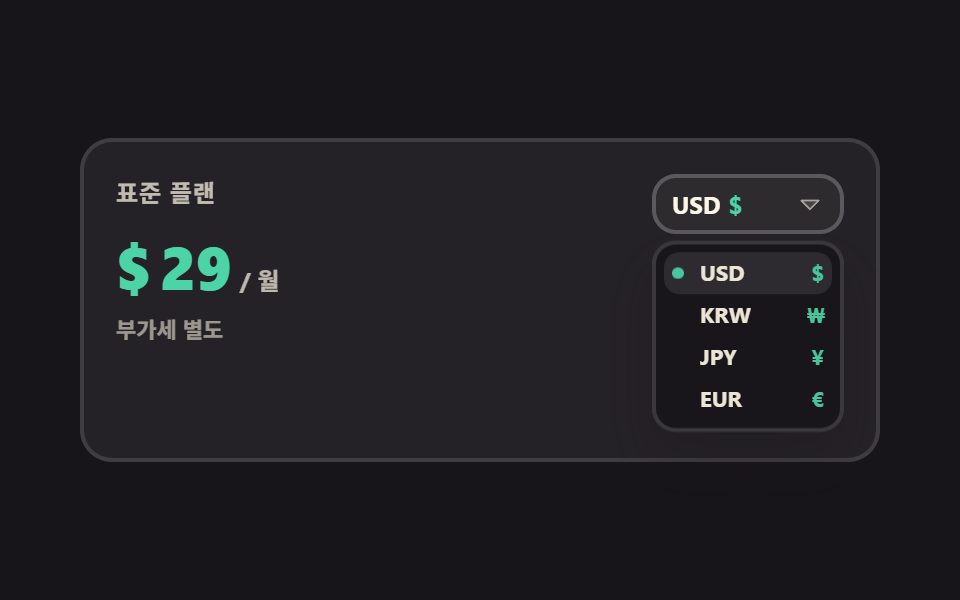 02 pricing-interaction-currency-switch
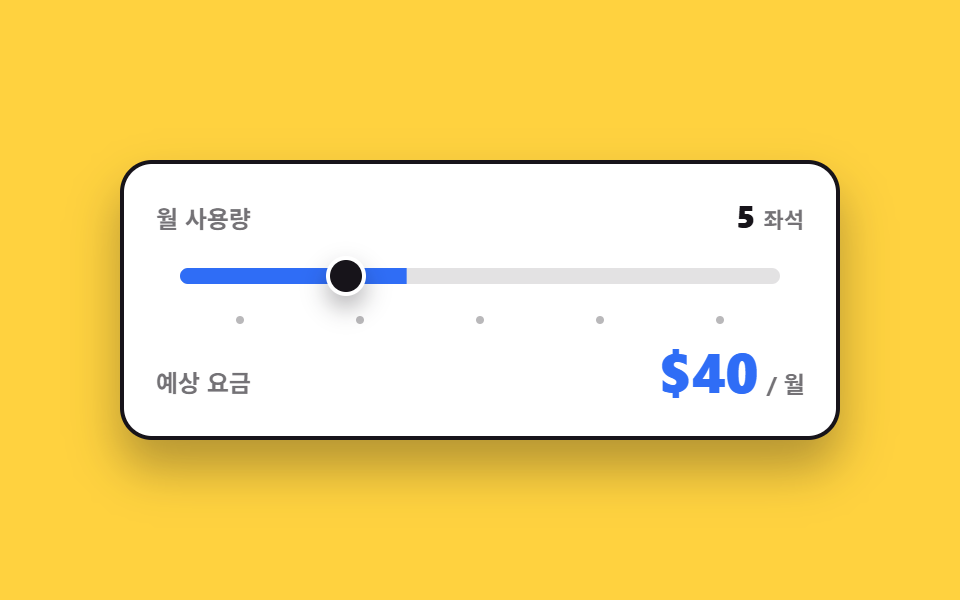 03 pricing-interaction-usage-slider
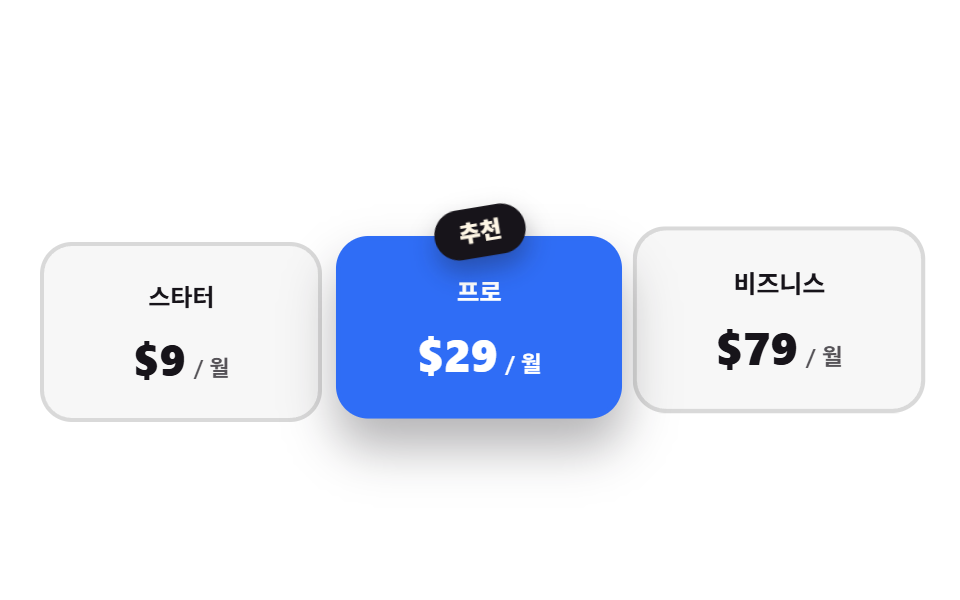 04 pricing-interaction-recommended-ribbon
 05 pricing-interaction-card-tilt
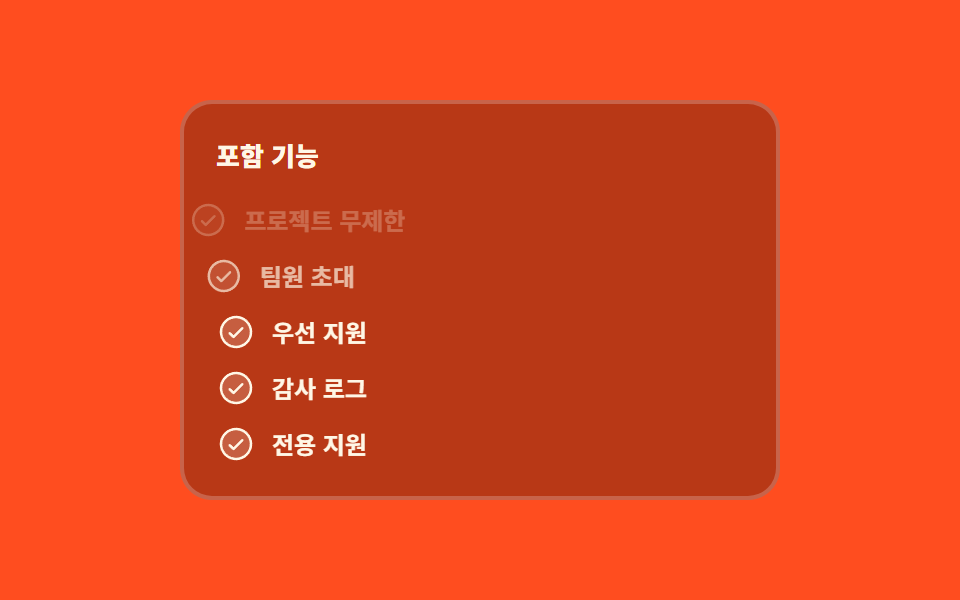 06 pricing-interaction-feature-check-stagger
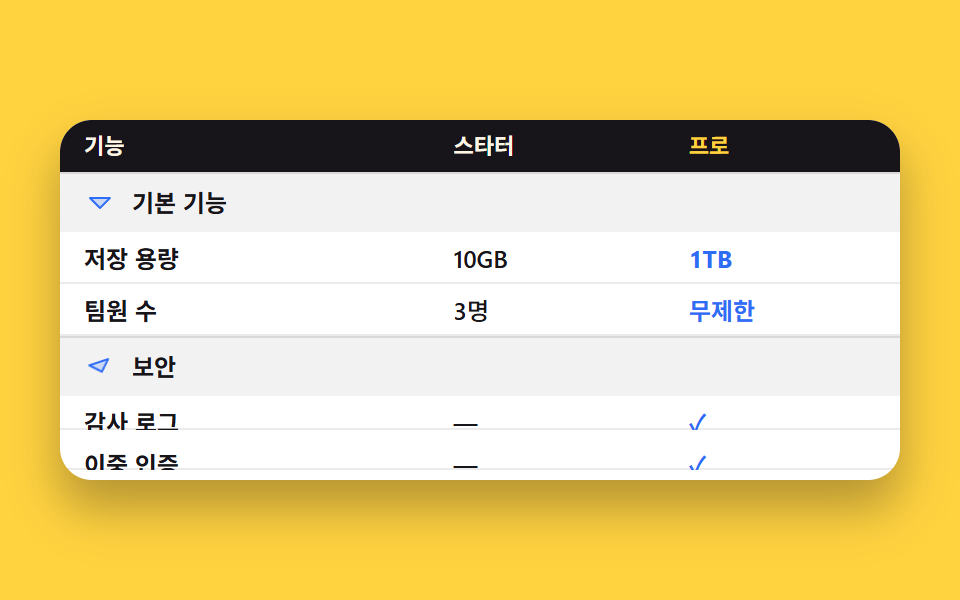 07 pricing-interaction-comparison-accordion
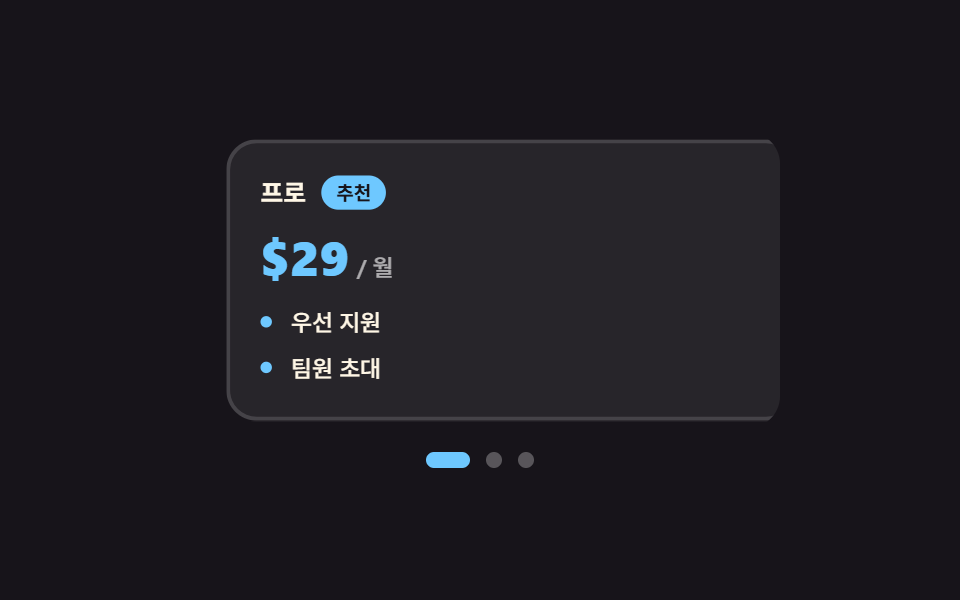 08 pricing-interaction-swipe-cards
 09 pricing-interaction-cta-states
自動再生 · タイルを押すとその項目へ · すべて1つのzip
- 01 月・年の切り替えで数字が回る
- 02 通貨を変えると記号と金額が同時に変わる
- 03 使う量に合わせて価格を計算し直す
- 04 おすすめプランだけ大きくなり隣は下がる
- 05 カーソルに合わせて傾くプランカード
- 06 含まれる機能が一行ずつ点く
- 07 比較表がグループごとに畳まれる
- 08 指でめくるプランカード
- 09 決済ボタンが待ってから結果を見せる
並び順は人気順ではなく、人が料金表で金額を決めていく順です。まず支払い周期を選び(01)、自分の国の通貨に換え(02)、使う量を入れて料金を計算します(03)。金額が決まったら選ぶ段階です。おすすめプランが前に出て(04)、見ているカードがカーソルに追従して傾き(05)、何が含まれるのかが一行ずつ埋まります(06)。最後の 3 つは決める直前です。表を開いて項目ごとに突き合わせ(07)、狭い画面ではカードを横に送り(08)、ボタンを押して答えを待ちます(09)。9 つに共通する決まりは 1 つだけです。値を持つのは必ず aria-checked・aria-selected・data-* といった属性で、CSS はその属性しか見ません。JavaScript がクラスやインラインスタイルを直接触り始めると、画面の見た目と支援技術が読む状態はすぐにずれていくからです。料金表 デザイン 作り方 の話が見た目で終わりがちなのは、選んでいる最中も値が動き続けるという前提を表に入れていないからです。料金表が人物カードから始まる場合はプロフィールカード デザインが前席で、金額が決まった後の説得はランディングページ 改善に直結するセクションが担います。
01月・年の切り替えで数字が回る
何が見えるか
年額に切り替えると月額 29 ドルが月あたり 23 ドルになりますが、値が一瞬で入れ替わるのではなく、一桁ずつ転がって下がります。登録していないカスタムプロパティは補間できないので、@property で --n を整数として登録し、その値をカウンターで描いています。
<main class="stage">
  <div class="bt is-demo" data-period="month">
    <p class="bt__plan">プロプラン</p>
    <div class="bt__price" aria-live="polite">
      <span class="bt__cur">$</span>
      <span class="bt__num"></span>
      <span class="bt__unit">/ 月</span>
    </div>
    <div class="bt__badgerow">
      <span class="bt__badge">20%お得</span>
    </div>
    <div class="bt__switch" role="group" aria-label="支払い周期">
      <span class="bt__lab" data-side="m">月額</span>
      <button class="bt__pill" type="button" role="switch" aria-checked="false" aria-label="支払い周期" id="bt-sw">
        <span class="bt__knob" aria-hidden="true"></span>
      </button>
      <span class="bt__lab" data-side="y">年額</span>
    </div>
  </div>
</main>
@use "../../../../site/static/demo-tokens" as *;
// 가격 숫자를 굴리는 핵심 — 등록하지 않은 커스텀 속성은 보간되지 않는다.
// <integer> 로 등록해야 29 → 23 사이가 한 자리씩 채워진다
@property --n {
syntax: "<integer>";
initial-value: 29;
inherits: false;
}
$duration: $dur-quick;
$easing: $ease-spring;
$color: $subject-blue;
$roll: 520ms; // 숫자가 굴러가는 시간 — 자리가 넘어가는 게 눈에 보이는 길이
@include stage($stage-paper);
.bt {
--travel: 24px; // 손잡이가 미끄러지는 거리 — 알약 안폭(48) - 손잡이(20) - 양옆 2
box-sizing: border-box;
width: min(300px, 86vw);
display: flex;
flex-direction: column;
align-items: center;
gap: $sp-2;
padding: $sp-4;
border: 2px solid $subject-ink;
border-radius: $r-card;
background: $stage-paper;
box-shadow: $shadow-raised;
font-family: -apple-system, "Segoe UI", "Noto Sans KR", sans-serif;
color: $subject-ink;
}
.bt__plan {
margin: 0;
font-size: 13px;
line-height: 18px;
font-weight: 700;
letter-spacing: .04em;
}
.bt__price {
display: flex;
align-items: baseline;
gap: $sp-1;
color: $color;
}
.bt__cur {
font-size: 20px;
line-height: 28px;
font-weight: 800;
}
// 숫자는 텍스트 노드가 아니라 카운터로 그린다 — --n 이 보간되는 동안 그 정수가 그대로 글자가 된다
.bt__num {
--n: 29;
counter-reset: n var(--n);
font-size: 40px;
line-height: 46px;
font-weight: 800;
font-variant-numeric: tabular-nums;
}
.bt__num::after { content: counter(n); }
.bt__unit {
font-size: 13px;
line-height: 18px;
font-weight: 700;
color: $subject-ink;
}
.bt__badgerow {
display: flex;
align-items: center;
justify-content: center;
height: 22px;
}
.bt__badge {
padding: $sp-1 $sp-2;
border-radius: $r-pill;
background: $color;
color: $stage-paper;
font-size: 11px;
line-height: 14px;
font-weight: 800;
opacity: 0;
transform: scale(.7) translateY(6px);
}
.bt__switch {
display: flex;
align-items: center;
gap: $sp-2;
}
.bt__lab {
font-size: 12px;
line-height: 16px;
font-weight: 700;
opacity: .45;
}
.bt__pill {
position: relative;
box-sizing: border-box;
margin: 0;
padding: 0;
flex: 0 0 auto;
width: 52px;
height: 28px;
border: 2px solid $subject-ink;
border-radius: $r-pill;
background: $stage-paper;
cursor: pointer;
}
.bt__pill:focus-visible { outline: 2px solid $color; outline-offset: 2px; }
.bt__knob {
position: absolute;
left: 2px;
top: 2px;
width: 20px;
height: 20px;
border-radius: 50%;
background: $subject-ink;
}
// ── 사람이 만진 뒤(정적 경로) — 상태는 aria-checked 와 data-period 에만 들어 있다 ──
.bt__pill[aria-checked="true"] {
background: $color;
border-color: $color;
}
.bt__pill[aria-checked="true"] .bt__knob {
transform: translateX(var(--travel));
background: $stage-paper;
}
.bt[data-period="month"] .bt__lab[data-side="m"],
.bt[data-period="year"] .bt__lab[data-side="y"] { opacity: 1; }
.bt[data-period="year"] .bt__num { --n: 23; }
.bt[data-period="year"] .bt__badge {
opacity: 1;
transform: scale(1) translateY(0);
}
.bt:not(.is-demo) .bt__num {
transition-property: --n;
transition-duration: $roll;
transition-timing-function: $easing;
}
.bt:not(.is-demo) .bt__knob {
transition-property: transform, background-color;
transition-duration: $duration;
transition-timing-function: $easing;
}
.bt:not(.is-demo) .bt__badge {
transition-property: transform, opacity;
transition-duration: $duration;
transition-timing-function: $ease-pop;
}
// ── 자동 루프(2초) — 월간 29 → 연간 23 → 다시 월간. 복귀는 88% 에 끝난다 ──
.bt.is-demo .bt__num {
animation-name: bt-roll;
animation-duration: $dur-loop;
animation-timing-function: $easing;
animation-iteration-count: infinite;
}
@keyframes bt-roll {
0% { --n: 29; }
12% { --n: 29; }
36% { --n: 23; }
64% { --n: 23; }
88% { --n: 29; }
100% { --n: 29; }
}
// 손잡이는 미끄러지고(부드럽게), 손잡이 색은 컷으로 바뀐다
.bt.is-demo .bt__knob {
animation-name: bt-knob, bt-knobc;
animation-duration: $dur-loop, $dur-loop;
animation-timing-function: $easing, steps(1, end);
animation-iteration-count: infinite, infinite;
}
@keyframes bt-knob {
0%, 12% { transform: translateX(0); }
36%, 64% { transform: translateX(var(--travel)); }
88%, 100% { transform: translateX(0); }
}
@keyframes bt-knobc {
0% { background-color: $subject-ink; }
24% { background-color: $stage-paper; }
76% { background-color: $stage-paper; }
88% { background-color: $subject-ink; }
100% { background-color: $subject-ink; }
}
.bt.is-demo .bt__pill {
animation-name: bt-pill;
animation-duration: $dur-loop;
animation-timing-function: steps(1, end);
animation-iteration-count: infinite;
}
@keyframes bt-pill {
0% { background-color: $stage-paper; border-color: $subject-ink; }
24% { background-color: $color; border-color: $color; }
76% { background-color: $color; border-color: $color; }
88% { background-color: $stage-paper; border-color: $subject-ink; }
100% { background-color: $stage-paper; border-color: $subject-ink; }
}
// 라벨 강조도 같은 시계로 — 손잡이만 움직이면 어느 쪽이 켜졌는지 어긋나 보인다
.bt.is-demo .bt__lab {
animation-duration: $dur-loop;
animation-timing-function: steps(1, end);
animation-iteration-count: infinite;
}
.bt.is-demo .bt__lab[data-side="m"] { animation-name: bt-lab-m; }
.bt.is-demo .bt__lab[data-side="y"] { animation-name: bt-lab-y; }
@keyframes bt-lab-m {
0% { opacity: 1; }
24% { opacity: .45; }
82% { opacity: 1; }
100% { opacity: 1; }
}
@keyframes bt-lab-y {
0% { opacity: .45; }
24% { opacity: 1; }
82% { opacity: .45; }
100% { opacity: .45; }
}
// 배지는 나타남만 컷, 튀어오름은 $ease-pop 으로 — 두 축을 따로 돌린다
.bt.is-demo .bt__badge {
animation-name: bt-badge-face, bt-badge-pop;
animation-duration: $dur-loop, $dur-loop;
animation-timing-function: steps(1, end), $ease-pop;
animation-iteration-count: infinite, infinite;
}
@keyframes bt-badge-face {
0% { opacity: 0; }
30% { opacity: 1; }
82% { opacity: 0; }
100% { opacity: 0; }
}
@keyframes bt-badge-pop {
0%, 30% { transform: scale(.7) translateY(6px); }
44% { transform: scale(1.06) translateY(0); }
54%, 100% { transform: scale(1) translateY(0); }
}
// 숫자가 굴러가는 동안 가격 덩어리가 한 번 눌렸다 편다 — 컷 옆에 움직인 프레임을 채운다
.bt.is-demo .bt__price {
animation-name: bt-pop;
animation-duration: $dur-loop;
animation-timing-function: $ease-pop;
animation-iteration-count: infinite;
}
@keyframes bt-pop {
0%, 10% { transform: scale(1); }
22% { transform: scale(1.06); }
34%, 74% { transform: scale(1); }
84% { transform: scale(1.05); }
94%, 100% { transform: scale(1); }
}
@media (max-width: 340px) {
.bt {
width: min(260px, 90vw);
gap: $sp-1;
padding: $sp-3;
}
.bt__plan { font-size: 12px; line-height: 16px; }
.bt__cur { font-size: 16px; line-height: 22px; }
.bt__num { font-size: 30px; line-height: 34px; }
.bt__badgerow { height: 20px; }
.bt { --travel: 22px; } // 좁은 화면에서는 알약도 손잡이도 작아진다 (46 - 4 - 16 - 4)
.bt__pill { width: 46px; height: 24px; }
.bt__knob { width: 16px; height: 16px; }
}
@media (prefers-reduced-motion: reduce) {
.bt.is-demo .bt__num,
.bt.is-demo .bt__knob,
.bt.is-demo .bt__pill,
.bt.is-demo .bt__lab,
.bt.is-demo .bt__badge,
.bt.is-demo .bt__price { animation: none !important; }
.bt:not(.is-demo) .bt__num,
.bt:not(.is-demo) .bt__knob,
.bt:not(.is-demo) .bt__badge { transition: none !important; }
.bt.is-demo .bt__lab[data-side="m"] { opacity: 1; }
}@property --n {
syntax: "<integer>";
initial-value: 29;
inherits: false;
}
html, body {
margin: 0;
overflow: hidden;
}
.stage {
box-sizing: border-box;
min-height: 100vh;
display: grid;
place-items: center;
margin: 0;
background: #ffffff;
font-family: -apple-system, "Segoe UI", "Noto Sans KR", sans-serif;
padding: clamp(8px, 4vw, 24px);
}
.bt {
--travel: 24px;
box-sizing: border-box;
width: min(300px, 86vw);
display: flex;
flex-direction: column;
align-items: center;
gap: 8px;
padding: 16px;
border: 2px solid #17141a;
border-radius: 16px;
background: #ffffff;
box-shadow: 0 14px 24px rgba(23, 20, 26, 0.32);
font-family: -apple-system, "Segoe UI", "Noto Sans KR", sans-serif;
color: #17141a;
}
.bt__plan {
margin: 0;
font-size: 13px;
line-height: 18px;
font-weight: 700;
letter-spacing: 0.04em;
}
.bt__price {
display: flex;
align-items: baseline;
gap: 4px;
color: #2f6df6;
}
.bt__cur {
font-size: 20px;
line-height: 28px;
font-weight: 800;
}
.bt__num {
--n: 29;
counter-reset: n var(--n);
font-size: 40px;
line-height: 46px;
font-weight: 800;
font-variant-numeric: tabular-nums;
}
.bt__num::after {
content: counter(n);
}
.bt__unit {
font-size: 13px;
line-height: 18px;
font-weight: 700;
color: #17141a;
}
.bt__badgerow {
display: flex;
align-items: center;
justify-content: center;
height: 22px;
}
.bt__badge {
padding: 4px 8px;
border-radius: 999px;
background: #2f6df6;
color: #ffffff;
font-size: 11px;
line-height: 14px;
font-weight: 800;
opacity: 0;
transform: scale(0.7) translateY(6px);
}
.bt__switch {
display: flex;
align-items: center;
gap: 8px;
}
.bt__lab {
font-size: 12px;
line-height: 16px;
font-weight: 700;
opacity: 0.45;
}
.bt__pill {
position: relative;
box-sizing: border-box;
margin: 0;
padding: 0;
flex: 0 0 auto;
width: 52px;
height: 28px;
border: 2px solid #17141a;
border-radius: 999px;
background: #ffffff;
cursor: pointer;
}
.bt__pill:focus-visible {
outline: 2px solid #2f6df6;
outline-offset: 2px;
}
.bt__knob {
position: absolute;
left: 2px;
top: 2px;
width: 20px;
height: 20px;
border-radius: 50%;
background: #17141a;
}
.bt__pill[aria-checked=true] {
background: #2f6df6;
border-color: #2f6df6;
}
.bt__pill[aria-checked=true] .bt__knob {
transform: translateX(var(--travel));
background: #ffffff;
}
.bt[data-period=month] .bt__lab[data-side=m],
.bt[data-period=year] .bt__lab[data-side=y] {
opacity: 1;
}
.bt[data-period=year] .bt__num {
--n: 23;
}
.bt[data-period=year] .bt__badge {
opacity: 1;
transform: scale(1) translateY(0);
}
.bt:not(.is-demo) .bt__num {
transition-property: --n;
transition-duration: 520ms;
transition-timing-function: cubic-bezier(0.2, 0.8, 0.2, 1);
}
.bt:not(.is-demo) .bt__knob {
transition-property: transform, background-color;
transition-duration: 220ms;
transition-timing-function: cubic-bezier(0.2, 0.8, 0.2, 1);
}
.bt:not(.is-demo) .bt__badge {
transition-property: transform, opacity;
transition-duration: 220ms;
transition-timing-function: cubic-bezier(0.2, 1.4, 0.4, 1);
}
.bt.is-demo .bt__num {
animation-name: bt-roll;
animation-duration: 2s;
animation-timing-function: cubic-bezier(0.2, 0.8, 0.2, 1);
animation-iteration-count: infinite;
}
@keyframes bt-roll {
0% {
--n: 29;
}
12% {
--n: 29;
}
36% {
--n: 23;
}
64% {
--n: 23;
}
88% {
--n: 29;
}
100% {
--n: 29;
}
}
.bt.is-demo .bt__knob {
animation-name: bt-knob, bt-knobc;
animation-duration: 2s, 2s;
animation-timing-function: cubic-bezier(0.2, 0.8, 0.2, 1), steps(1, end);
animation-iteration-count: infinite, infinite;
}
@keyframes bt-knob {
0%, 12% {
transform: translateX(0);
}
36%, 64% {
transform: translateX(var(--travel));
}
88%, 100% {
transform: translateX(0);
}
}
@keyframes bt-knobc {
0% {
background-color: #17141a;
}
24% {
background-color: #ffffff;
}
76% {
background-color: #ffffff;
}
88% {
background-color: #17141a;
}
100% {
background-color: #17141a;
}
}
.bt.is-demo .bt__pill {
animation-name: bt-pill;
animation-duration: 2s;
animation-timing-function: steps(1, end);
animation-iteration-count: infinite;
}
@keyframes bt-pill {
0% {
background-color: #ffffff;
border-color: #17141a;
}
24% {
background-color: #2f6df6;
border-color: #2f6df6;
}
76% {
background-color: #2f6df6;
border-color: #2f6df6;
}
88% {
background-color: #ffffff;
border-color: #17141a;
}
100% {
background-color: #ffffff;
border-color: #17141a;
}
}
.bt.is-demo .bt__lab {
animation-duration: 2s;
animation-timing-function: steps(1, end);
animation-iteration-count: infinite;
}
.bt.is-demo .bt__lab[data-side=m] {
animation-name: bt-lab-m;
}
.bt.is-demo .bt__lab[data-side=y] {
animation-name: bt-lab-y;
}
@keyframes bt-lab-m {
0% {
opacity: 1;
}
24% {
opacity: 0.45;
}
82% {
opacity: 1;
}
100% {
opacity: 1;
}
}
@keyframes bt-lab-y {
0% {
opacity: 0.45;
}
24% {
opacity: 1;
}
82% {
opacity: 0.45;
}
100% {
opacity: 0.45;
}
}
.bt.is-demo .bt__badge {
animation-name: bt-badge-face, bt-badge-pop;
animation-duration: 2s, 2s;
animation-timing-function: steps(1, end), cubic-bezier(0.2, 1.4, 0.4, 1);
animation-iteration-count: infinite, infinite;
}
@keyframes bt-badge-face {
0% {
opacity: 0;
}
30% {
opacity: 1;
}
82% {
opacity: 0;
}
100% {
opacity: 0;
}
}
@keyframes bt-badge-pop {
0%, 30% {
transform: scale(0.7) translateY(6px);
}
44% {
transform: scale(1.06) translateY(0);
}
54%, 100% {
transform: scale(1) translateY(0);
}
}
.bt.is-demo .bt__price {
animation-name: bt-pop;
animation-duration: 2s;
animation-timing-function: cubic-bezier(0.2, 1.4, 0.4, 1);
animation-iteration-count: infinite;
}
@keyframes bt-pop {
0%, 10% {
transform: scale(1);
}
22% {
transform: scale(1.06);
}
34%, 74% {
transform: scale(1);
}
84% {
transform: scale(1.05);
}
94%, 100% {
transform: scale(1);
}
}
@media (max-width: 340px) {
.bt {
width: min(260px, 90vw);
gap: 4px;
padding: 12px;
}
.bt__plan {
font-size: 12px;
line-height: 16px;
}
.bt__cur {
font-size: 16px;
line-height: 22px;
}
.bt__num {
font-size: 30px;
line-height: 34px;
}
.bt__badgerow {
height: 20px;
}
.bt {
--travel: 22px;
}
.bt__pill {
width: 46px;
height: 24px;
}
.bt__knob {
width: 16px;
height: 16px;
}
}
@media (prefers-reduced-motion: reduce) {
.bt.is-demo .bt__num,
.bt.is-demo .bt__knob,
.bt.is-demo .bt__pill,
.bt.is-demo .bt__lab,
.bt.is-demo .bt__badge,
.bt.is-demo .bt__price {
animation: none !important;
}
.bt:not(.is-demo) .bt__num,
.bt:not(.is-demo) .bt__knob,
.bt:not(.is-demo) .bt__badge {
transition: none !important;
}
.bt.is-demo .bt__lab[data-side=m] {
opacity: 1;
}
}// 실제 동작: 스위치를 누르면 aria-checked 가 뒤집히고 뿌리의 data-period 가 바뀐다.
// 가격 숫자는 CSS 가 굴린다 — @property 로 등록한 --n 을 transition 이 정수로 보간하고
// counter-reset: n var(--n) + content: counter(n) 이 그 값을 글자로 그린다.
var root = document.querySelector('.bt');
var sw = document.getElementById('bt-sw');
sw.addEventListener('click', function () {
root.classList.remove('is-demo');
var on = sw.getAttribute('aria-checked') === 'true';
sw.setAttribute('aria-checked', String(!on));
root.setAttribute('data-period', on ? 'month' : 'year');
});import { useState } from "react";
import type { CSSProperties } from "react";
import styles from "./BillingToggleRoll.module.scss";
export type BillingToggleRollProps = {
planName?: string;
monthLabel?: string;
yearLabel?: string;
groupLabel?: string;
saveLabel?: string;
unit?: string;
currency?: string;
monthly?: number;
yearly?: number;
duration?: number;
easing?: string;
color?: string;
};
type Vars = CSSProperties & {
"--duration"?: string;
"--easing"?: string;
"--color"?: string;
};
type NumVars = CSSProperties & { "--n"?: string };
export default function BillingToggleRoll({
planName = "Pro plan",
monthLabel = "Monthly",
yearLabel = "Yearly",
groupLabel = "Billing period",
saveLabel = "Save 20%",
unit = "/ mo",
currency = "$",
monthly = 29,
yearly = 23,
duration = 220,
easing = "cubic-bezier(.2,.8,.2,1)",
color = "#2f6df6",
}: BillingToggleRollProps) {
const [demo, setDemo] = useState(true);
const [year, setYear] = useState(false);
const vars: Vars = { "--duration": `${duration}ms`, "--easing": easing, "--color": color };
// --n 은 @property 로 등록된 정수라 값을 바꾸면 transition 이 한 자리씩 굴린다.
// 자동 루프가 도는 동안에는 keyframes 가 이 인라인 값보다 우선한다(애니메이션이 캐스케이드에서 위)
const numVars: NumVars = { "--n": String(year ? yearly : monthly) };
function toggle() {
setDemo(false);
setYear((v) => !v);
}
return (
<div
className={`${styles.bt} ${demo ? styles.isDemo : ""}`}
data-period={year ? "year" : "month"}
style={vars}
>
<p className={styles.plan}>{planName}</p>
<div className={styles.price} aria-live="polite">
<span className={styles.cur}>{currency}</span>
<span className={styles.num} style={numVars} />
<span className={styles.unit}>{unit}</span>
</div>
<div className={styles.badgerow}>
<span className={styles.badge}>{saveLabel}</span>
</div>
<div className={styles.switch} role="group" aria-label={groupLabel}>
<span className={styles.lab} data-side="m">{monthLabel}</span>
<button
className={styles.pill}
type="button"
role="switch"
aria-checked={year}
aria-label={groupLabel}
onClick={toggle}
>
<span className={styles.knob} aria-hidden="true" />
</button>
<span className={styles.lab} data-side="y">{yearLabel}</span>
</div>
</div>
);
}01 · 月・年の切り替えで数字が回る — 計測 累積面積 3.012% · 動いたフレーム 19/23GODRICH オリジナル · SCSS と React は zip に同梱 · パスワードを見る
コードのどこを見るか
24 フレームのレンダリングで動いたフレームは 19 枚、強度は 110.4 で、03(111.0)に次ぐ高さです。
@property --n {
  syntax: "<integer>";
  initial-value: 29;
  inherits: false;
}

.bt__num {
  --n: 29;
  counter-reset: n var(--n);
  font-size: 40px;
  line-height: 46px;
  font-weight: 800;
  font-variant-numeric: tabular-nums;
}
.bt__num::after { content: counter(n); }
02通貨を変えると記号と金額が同時に変わる
料金表 デザイン css で通貨は画面でどう変わるか
一覧から通貨を選ぶと、トリガーのコードと記号、そして左側の金額が一度に切り替わります。金額の 4 枚は同じ位置に重ねて置き、ルートの data-cur 1 つだけがどれを見せるかを決めます。選んだあとトリガーへフォーカスを戻すときは必ず preventScroll を付けてください。
<main class="stage">
  <div class="cs is-demo" data-cur="usd">
    <div class="cs__left">
      <p class="cs__plan">スタンダードプラン</p>
      <div class="cs__priceline" aria-live="polite">
        <span class="cs__face" data-cur="usd"><span class="cs__sym">$</span><span class="cs__amt">29</span><span class="cs__unit">/ 月</span></span>
        <span class="cs__face" data-cur="krw"><span class="cs__sym">₩</span><span class="cs__amt">39,000</span><span class="cs__unit">/ 月</span></span>
        <span class="cs__face" data-cur="jpy"><span class="cs__sym">¥</span><span class="cs__amt">4,400</span><span class="cs__unit">/ 月</span></span>
        <span class="cs__face" data-cur="eur"><span class="cs__sym">€</span><span class="cs__amt">27</span><span class="cs__unit">/ 月</span></span>
      </div>
      <p class="cs__note">税別</p>
    </div>
    <div class="cs__pick">
      <button class="cs__trig" type="button" id="cs-trig" aria-expanded="false" aria-haspopup="listbox" aria-label="通貨を選ぶ">
        <span class="cs__code" id="cs-code">USD</span>
        <span class="cs__tsym" id="cs-tsym">$</span>
        <span class="cs__caret" aria-hidden="true"><svg viewBox="0 0 256 256" width="14" height="14"><g fill="currentColor"><path d="m208 96l-80 80l-80-80Z" opacity=".2"/><path d="M215.39 92.94A8 8 0 0 0 208 88H48a8 8 0 0 0-5.66 13.66l80 80a8 8 0 0 0 11.32 0l80-80a8 8 0 0 0 1.73-8.72M128 164.69L67.31 104h121.38Z"/></g></svg></span>
      </button>
      <div class="cs__pop">
        <span class="cs__hl" aria-hidden="true"></span>
        <ul class="cs__list" role="listbox" aria-label="通貨を選ぶ">
          <li class="cs__opt" role="option" aria-selected="true" tabindex="0" data-cur="usd" data-code="USD" data-sym="$"><span class="cs__dot" aria-hidden="true"></span><span class="cs__oc">USD</span><span class="cs__os">$</span></li>
          <li class="cs__opt" role="option" aria-selected="false" tabindex="0" data-cur="krw" data-code="KRW" data-sym="₩"><span class="cs__dot" aria-hidden="true"></span><span class="cs__oc">KRW</span><span class="cs__os">₩</span></li>
          <li class="cs__opt" role="option" aria-selected="false" tabindex="0" data-cur="jpy" data-code="JPY" data-sym="¥"><span class="cs__dot" aria-hidden="true"></span><span class="cs__oc">JPY</span><span class="cs__os">¥</span></li>
          <li class="cs__opt" role="option" aria-selected="false" tabindex="0" data-cur="eur" data-code="EUR" data-sym="€"><span class="cs__dot" aria-hidden="true"></span><span class="cs__oc">EUR</span><span class="cs__os">€</span></li>
        </ul>
      </div>
    </div>
  </div>
</main>@use "../../../../site/static/demo-tokens" as *;
$duration: $dur-quick;
$easing: $ease-spring;
$color: $subject-mint;
@include stage($stage-ink);
.cs {
--row: 22px; // 목록 한 줄 높이 — 표시 띠가 한 칸씩 미끄러지는 거리이기도 하다
box-sizing: border-box;
width: min(400px, 88vw);
display: flex;
align-items: flex-start;
gap: $sp-3;
padding: $sp-4;
// 절대배치 목록이 아래로 내려오는 만큼 자리를 미리 비워 둔다 —
// 절대배치는 부모 높이에서 빠지는데 scrollHeight 는 실제 크기로 잡혀 320px 렌더가 넘친다
padding-bottom: $sp-12 + $sp-2;
border: 2px solid rgba(255, 255, 255, .12);
border-radius: $r-card;
background: rgba(255, 255, 255, .06);
font-family: -apple-system, "Segoe UI", "Noto Sans KR", sans-serif;
color: $subject-cream;
}
.cs__left {
flex: 1 1 auto;
min-width: 0;
}
.cs__plan {
margin: 0;
font-size: 12px;
line-height: 18px;
font-weight: 700;
letter-spacing: .04em;
opacity: .72;
}
// 금액 얼굴 넷을 같은 자리에 겹쳐 둔다 — 자리를 옮기지 않아야 컷이 깔끔하다
.cs__priceline {
position: relative;
height: 40px;
margin-top: $sp-2;
transform-origin: left center; // 규칙8: 왼쪽 정렬 금액 — 정렬 변을 고정해야 팝이 자리를 안 흔든다
}
.cs__face {
position: absolute;
left: 0;
top: 0;
display: flex;
align-items: baseline;
gap: $sp-1;
white-space: nowrap;
opacity: 0;
}
.cs__sym,
.cs__amt {
color: $color;
font-size: 30px;
line-height: 40px;
font-weight: 800;
}
.cs__unit {
font-size: 12px;
line-height: 18px;
font-weight: 700;
opacity: .7;
}
.cs__note {
margin: $sp-1 0 0;
font-size: 11px;
line-height: 16px;
font-weight: 600;
opacity: .55;
}
.cs__pick {
position: relative;
flex: 0 0 auto;
width: 96px;
}
.cs__trig {
box-sizing: border-box;
display: flex;
align-items: center;
gap: $sp-1;
width: 100%;
margin: 0;
padding: $sp-1 $sp-2;
border: 2px solid rgba(255, 255, 255, .22);
border-radius: $r-control;
background: rgba(255, 255, 255, .04);
color: $subject-cream;
font-family: inherit;
font-size: 12px;
line-height: 18px;
font-weight: 700;
cursor: pointer;
}
.cs__trig:focus-visible { outline: 2px solid $color; outline-offset: 2px; }
.cs__tsym { color: $color; }
.cs__caret {
margin-left: auto;
display: inline-flex;
opacity: .6;
}
.cs__caret svg { display: block; }
// 목록은 띄워 두되(레이아웃을 밀지 않는다) 뿌리의 padding-bottom 이 그 높이를 미리 잡아 둔다
.cs__pop {
position: absolute;
left: 0;
right: 0;
top: calc(100% + 4px);
box-sizing: border-box;
padding: $sp-1 0;
border: 2px solid rgba(255, 255, 255, .16);
border-radius: $r-control;
background: $subject-ink;
box-shadow: $shadow-raised;
transform-origin: top center; // 규칙8: 트리거 아래 변에서 펼침
transform: scaleY(.5) translateY(-8px);
opacity: 0;
visibility: hidden;
}
.cs__hl {
position: absolute;
left: 4px;
right: 4px;
top: 4px;
height: var(--row);
border-radius: $r-sm;
background: rgba(255, 255, 255, .1);
}
.cs__list {
position: relative;
margin: 0;
padding: 0;
list-style: none;
}
.cs__opt {
display: flex;
align-items: center;
gap: $sp-2;
height: var(--row);
padding: 0 $sp-2;
font-size: 11px;
line-height: 16px;
font-weight: 700;
cursor: pointer;
}
.cs__opt:focus-visible { outline: 2px solid $color; outline-offset: -2px; }
.cs__dot {
flex: 0 0 auto;
width: 6px;
height: 6px;
border-radius: 50%;
background: $color;
opacity: 0;
}
.cs__os { margin-left: auto; color: $color; }
// ── 사람이 만진 뒤(정적 경로) — 상태는 aria-expanded · aria-selected · data-cur 에만 있다 ──
.cs__trig[aria-expanded="true"] ~ .cs__pop {
transform: none;
opacity: 1;
visibility: visible;
}
.cs__opt[aria-selected="true"] .cs__dot { opacity: 1; }
.cs:not(.is-demo)[data-cur="usd"] .cs__face[data-cur="usd"],
.cs:not(.is-demo)[data-cur="krw"] .cs__face[data-cur="krw"],
.cs:not(.is-demo)[data-cur="jpy"] .cs__face[data-cur="jpy"],
.cs:not(.is-demo)[data-cur="eur"] .cs__face[data-cur="eur"] { opacity: 1; }
.cs:not(.is-demo)[data-cur="krw"] .cs__hl { transform: translateY(var(--row)); }
.cs:not(.is-demo)[data-cur="jpy"] .cs__hl { transform: translateY(calc(var(--row) * 2)); }
.cs:not(.is-demo)[data-cur="eur"] .cs__hl { transform: translateY(calc(var(--row) * 3)); }
.cs:not(.is-demo) .cs__pop {
transition-property: transform, opacity, visibility;
transition-duration: $duration;
transition-timing-function: $easing;
}
.cs:not(.is-demo) .cs__hl {
transition-property: transform;
transition-duration: $duration;
transition-timing-function: $easing;
}
// ── 자동 루프(2초) — 목록은 열린 채로 머물고 선택만 20% 마다 컷으로 넘어간다. 닫힘은 재현하지 않는다 ──
.cs.is-demo .cs__pop {
visibility: visible;
animation-name: cs-open;
animation-duration: $dur-loop;
animation-timing-function: $easing;
animation-iteration-count: infinite;
}
@keyframes cs-open {
0% { transform: scaleY(.5) translateY(-8px); opacity: 0; }
10% { transform: none; opacity: 1; }
100% { transform: none; opacity: 1; }
}
// 표시 띠만 부드럽게 미끄러진다 — 컷 옆에 움직인 프레임을 채우는 몫
.cs.is-demo .cs__hl {
animation-name: cs-hl;
animation-duration: $dur-loop;
animation-timing-function: $easing;
animation-iteration-count: infinite;
}
@keyframes cs-hl {
0%, 10% { transform: translateY(0); }
20%, 30% { transform: translateY(var(--row)); }
40%, 50% { transform: translateY(calc(var(--row) * 2)); }
60%, 70% { transform: translateY(calc(var(--row) * 3)); }
80%, 100% { transform: translateY(0); }
}
// 금액 얼굴과 표시 점은 같은 시계로 한 프레임에 끊는다 — 크로스페이드는 반투명 유령을 남긴다
.cs.is-demo .cs__face,
.cs.is-demo .cs__dot {
animation-duration: $dur-loop;
animation-timing-function: steps(1, end);
animation-iteration-count: infinite;
}
.cs.is-demo .cs__face[data-cur="usd"],
.cs.is-demo .cs__opt[data-cur="usd"] .cs__dot { animation-name: cs-usd; }
.cs.is-demo .cs__face[data-cur="krw"],
.cs.is-demo .cs__opt[data-cur="krw"] .cs__dot { animation-name: cs-krw; }
.cs.is-demo .cs__face[data-cur="jpy"],
.cs.is-demo .cs__opt[data-cur="jpy"] .cs__dot { animation-name: cs-jpy; }
.cs.is-demo .cs__face[data-cur="eur"],
.cs.is-demo .cs__opt[data-cur="eur"] .cs__dot { animation-name: cs-eur; }
@keyframes cs-usd {
0% { opacity: 1; }
20% { opacity: 0; }
80% { opacity: 1; }
100% { opacity: 1; }
}
@keyframes cs-krw {
0% { opacity: 0; }
20% { opacity: 1; }
40% { opacity: 0; }
100% { opacity: 0; }
}
@keyframes cs-jpy {
0% { opacity: 0; }
40% { opacity: 1; }
60% { opacity: 0; }
100% { opacity: 0; }
}
@keyframes cs-eur {
0% { opacity: 0; }
60% { opacity: 1; }
80% { opacity: 0; }
100% { opacity: 0; }
}
// 금액이 갈릴 때마다 가격 줄이 한 번 눌렸다 편다
.cs.is-demo .cs__priceline {
animation-name: cs-pop;
animation-duration: $dur-loop;
animation-timing-function: $ease-pop;
animation-iteration-count: infinite;
}
@keyframes cs-pop {
0%, 16% { transform: scale(1); }
22% { transform: scale(1.06); }
28%, 36% { transform: scale(1); }
42% { transform: scale(1.06); }
48%, 56% { transform: scale(1); }
62% { transform: scale(1.06); }
68%, 76% { transform: scale(1); }
82% { transform: scale(1.06); }
88%, 100% { transform: scale(1); }
}
@media (max-width: 340px) {
.cs {
--row: 20px;
gap: $sp-2;
padding: $sp-3;
padding-bottom: $sp-12 + $sp-2;
}
.cs__plan { font-size: 11px; line-height: 16px; }
.cs__priceline { height: 30px; margin-top: $sp-1; }
.cs__sym,
.cs__amt { font-size: 21px; line-height: 30px; }
.cs__pick { width: 88px; }
.cs__trig { padding: $sp-1; font-size: 11px; line-height: 16px; }
}
@media (prefers-reduced-motion: reduce) {
.cs.is-demo .cs__pop,
.cs.is-demo .cs__hl,
.cs.is-demo .cs__face,
.cs.is-demo .cs__dot,
.cs.is-demo .cs__priceline { animation: none !important; }
.cs:not(.is-demo) .cs__pop,
.cs:not(.is-demo) .cs__hl { transition: none !important; }
.cs.is-demo .cs__pop { transform: none; opacity: 1; }
.cs.is-demo .cs__face[data-cur="usd"] { opacity: 1; }
.cs.is-demo .cs__opt[data-cur="usd"] .cs__dot { opacity: 1; }
}html, body {
margin: 0;
overflow: hidden;
}
.stage {
box-sizing: border-box;
min-height: 100vh;
display: grid;
place-items: center;
margin: 0;
background: #17141a;
font-family: -apple-system, "Segoe UI", "Noto Sans KR", sans-serif;
padding: clamp(8px, 4vw, 24px);
}
.cs {
--row: 22px;
box-sizing: border-box;
width: min(400px, 88vw);
display: flex;
align-items: flex-start;
gap: 12px;
padding: 16px;
padding-bottom: 56px;
border: 2px solid rgba(255, 255, 255, 0.12);
border-radius: 16px;
background: rgba(255, 255, 255, 0.06);
font-family: -apple-system, "Segoe UI", "Noto Sans KR", sans-serif;
color: #fff7e6;
}
.cs__left {
flex: 1 1 auto;
min-width: 0;
}
.cs__plan {
margin: 0;
font-size: 12px;
line-height: 18px;
font-weight: 700;
letter-spacing: 0.04em;
opacity: 0.72;
}
.cs__priceline {
position: relative;
height: 40px;
margin-top: 8px;
transform-origin: left center;
}
.cs__face {
position: absolute;
left: 0;
top: 0;
display: flex;
align-items: baseline;
gap: 4px;
white-space: nowrap;
opacity: 0;
}
.cs__sym,
.cs__amt {
color: #4cd4a6;
font-size: 30px;
line-height: 40px;
font-weight: 800;
}
.cs__unit {
font-size: 12px;
line-height: 18px;
font-weight: 700;
opacity: 0.7;
}
.cs__note {
margin: 4px 0 0;
font-size: 11px;
line-height: 16px;
font-weight: 600;
opacity: 0.55;
}
.cs__pick {
position: relative;
flex: 0 0 auto;
width: 96px;
}
.cs__trig {
box-sizing: border-box;
display: flex;
align-items: center;
gap: 4px;
width: 100%;
margin: 0;
padding: 4px 8px;
border: 2px solid rgba(255, 255, 255, 0.22);
border-radius: 12px;
background: rgba(255, 255, 255, 0.04);
color: #fff7e6;
font-family: inherit;
font-size: 12px;
line-height: 18px;
font-weight: 700;
cursor: pointer;
}
.cs__trig:focus-visible {
outline: 2px solid #4cd4a6;
outline-offset: 2px;
}
.cs__tsym {
color: #4cd4a6;
}
.cs__caret {
margin-left: auto;
display: inline-flex;
opacity: 0.6;
}
.cs__caret svg {
display: block;
}
.cs__pop {
position: absolute;
left: 0;
right: 0;
top: calc(100% + 4px);
box-sizing: border-box;
padding: 4px 0;
border: 2px solid rgba(255, 255, 255, 0.16);
border-radius: 12px;
background: #17141a;
box-shadow: 0 14px 24px rgba(23, 20, 26, 0.32);
transform-origin: top center;
transform: scaleY(0.5) translateY(-8px);
opacity: 0;
visibility: hidden;
}
.cs__hl {
position: absolute;
left: 4px;
right: 4px;
top: 4px;
height: var(--row);
border-radius: 8px;
background: rgba(255, 255, 255, 0.1);
}
.cs__list {
position: relative;
margin: 0;
padding: 0;
list-style: none;
}
.cs__opt {
display: flex;
align-items: center;
gap: 8px;
height: var(--row);
padding: 0 8px;
font-size: 11px;
line-height: 16px;
font-weight: 700;
cursor: pointer;
}
.cs__opt:focus-visible {
outline: 2px solid #4cd4a6;
outline-offset: -2px;
}
.cs__dot {
flex: 0 0 auto;
width: 6px;
height: 6px;
border-radius: 50%;
background: #4cd4a6;
opacity: 0;
}
.cs__os {
margin-left: auto;
color: #4cd4a6;
}
.cs__trig[aria-expanded=true] ~ .cs__pop {
transform: none;
opacity: 1;
visibility: visible;
}
.cs__opt[aria-selected=true] .cs__dot {
opacity: 1;
}
.cs:not(.is-demo)[data-cur=usd] .cs__face[data-cur=usd],
.cs:not(.is-demo)[data-cur=krw] .cs__face[data-cur=krw],
.cs:not(.is-demo)[data-cur=jpy] .cs__face[data-cur=jpy],
.cs:not(.is-demo)[data-cur=eur] .cs__face[data-cur=eur] {
opacity: 1;
}
.cs:not(.is-demo)[data-cur=krw] .cs__hl {
transform: translateY(var(--row));
}
.cs:not(.is-demo)[data-cur=jpy] .cs__hl {
transform: translateY(calc(var(--row) * 2));
}
.cs:not(.is-demo)[data-cur=eur] .cs__hl {
transform: translateY(calc(var(--row) * 3));
}
.cs:not(.is-demo) .cs__pop {
transition-property: transform, opacity, visibility;
transition-duration: 220ms;
transition-timing-function: cubic-bezier(0.2, 0.8, 0.2, 1);
}
.cs:not(.is-demo) .cs__hl {
transition-property: transform;
transition-duration: 220ms;
transition-timing-function: cubic-bezier(0.2, 0.8, 0.2, 1);
}
.cs.is-demo .cs__pop {
visibility: visible;
animation-name: cs-open;
animation-duration: 2s;
animation-timing-function: cubic-bezier(0.2, 0.8, 0.2, 1);
animation-iteration-count: infinite;
}
@keyframes cs-open {
0% {
transform: scaleY(0.5) translateY(-8px);
opacity: 0;
}
10% {
transform: none;
opacity: 1;
}
100% {
transform: none;
opacity: 1;
}
}
.cs.is-demo .cs__hl {
animation-name: cs-hl;
animation-duration: 2s;
animation-timing-function: cubic-bezier(0.2, 0.8, 0.2, 1);
animation-iteration-count: infinite;
}
@keyframes cs-hl {
0%, 10% {
transform: translateY(0);
}
20%, 30% {
transform: translateY(var(--row));
}
40%, 50% {
transform: translateY(calc(var(--row) * 2));
}
60%, 70% {
transform: translateY(calc(var(--row) * 3));
}
80%, 100% {
transform: translateY(0);
}
}
.cs.is-demo .cs__face,
.cs.is-demo .cs__dot {
animation-duration: 2s;
animation-timing-function: steps(1, end);
animation-iteration-count: infinite;
}
.cs.is-demo .cs__face[data-cur=usd],
.cs.is-demo .cs__opt[data-cur=usd] .cs__dot {
animation-name: cs-usd;
}
.cs.is-demo .cs__face[data-cur=krw],
.cs.is-demo .cs__opt[data-cur=krw] .cs__dot {
animation-name: cs-krw;
}
.cs.is-demo .cs__face[data-cur=jpy],
.cs.is-demo .cs__opt[data-cur=jpy] .cs__dot {
animation-name: cs-jpy;
}
.cs.is-demo .cs__face[data-cur=eur],
.cs.is-demo .cs__opt[data-cur=eur] .cs__dot {
animation-name: cs-eur;
}
@keyframes cs-usd {
0% {
opacity: 1;
}
20% {
opacity: 0;
}
80% {
opacity: 1;
}
100% {
opacity: 1;
}
}
@keyframes cs-krw {
0% {
opacity: 0;
}
20% {
opacity: 1;
}
40% {
opacity: 0;
}
100% {
opacity: 0;
}
}
@keyframes cs-jpy {
0% {
opacity: 0;
}
40% {
opacity: 1;
}
60% {
opacity: 0;
}
100% {
opacity: 0;
}
}
@keyframes cs-eur {
0% {
opacity: 0;
}
60% {
opacity: 1;
}
80% {
opacity: 0;
}
100% {
opacity: 0;
}
}
.cs.is-demo .cs__priceline {
animation-name: cs-pop;
animation-duration: 2s;
animation-timing-function: cubic-bezier(0.2, 1.4, 0.4, 1);
animation-iteration-count: infinite;
}
@keyframes cs-pop {
0%, 16% {
transform: scale(1);
}
22% {
transform: scale(1.06);
}
28%, 36% {
transform: scale(1);
}
42% {
transform: scale(1.06);
}
48%, 56% {
transform: scale(1);
}
62% {
transform: scale(1.06);
}
68%, 76% {
transform: scale(1);
}
82% {
transform: scale(1.06);
}
88%, 100% {
transform: scale(1);
}
}
@media (max-width: 340px) {
.cs {
--row: 20px;
gap: 8px;
padding: 12px;
padding-bottom: 56px;
}
.cs__plan {
font-size: 11px;
line-height: 16px;
}
.cs__priceline {
height: 30px;
margin-top: 4px;
}
.cs__sym,
.cs__amt {
font-size: 21px;
line-height: 30px;
}
.cs__pick {
width: 88px;
}
.cs__trig {
padding: 4px;
font-size: 11px;
line-height: 16px;
}
}
@media (prefers-reduced-motion: reduce) {
.cs.is-demo .cs__pop,
.cs.is-demo .cs__hl,
.cs.is-demo .cs__face,
.cs.is-demo .cs__dot,
.cs.is-demo .cs__priceline {
animation: none !important;
}
.cs:not(.is-demo) .cs__pop,
.cs:not(.is-demo) .cs__hl {
transition: none !important;
}
.cs.is-demo .cs__pop {
transform: none;
opacity: 1;
}
.cs.is-demo .cs__face[data-cur=usd] {
opacity: 1;
}
.cs.is-demo .cs__opt[data-cur=usd] .cs__dot {
opacity: 1;
}
}// 실제 동작: 트리거의 aria-expanded 로 목록을 열고 닫는다. 고르면 뿌리의 data-cur 가 바뀌고
// 그 값에 걸린 CSS 가 금액 얼굴과 표시 점을 한꺼번에 갈아 끼운다.
// JS 가 넣는 문자열은 라틴 코드와 통화 기호뿐 — 한국어를 만들지 않는다
var root = document.querySelector('.cs');
var trig = document.getElementById('cs-trig');
var code = document.getElementById('cs-code');
var tsym = document.getElementById('cs-tsym');
var opts = [].slice.call(document.querySelectorAll('.cs__opt'));
function open(on) { trig.setAttribute('aria-expanded', String(on)); }
function pick(li) {
  root.classList.remove('is-demo');
  root.setAttribute('data-cur', li.getAttribute('data-cur'));
  opts.forEach(function (o) { o.setAttribute('aria-selected', String(o === li)); });
  code.textContent = li.getAttribute('data-code');
  tsym.textContent = li.getAttribute('data-sym');
  open(false);
  trig.focus({ preventScroll: true });
}
trig.addEventListener('click', function () {
root.classList.remove('is-demo');
open(trig.getAttribute('aria-expanded') !== 'true');
});
opts.forEach(function (li) {
li.addEventListener('click', function () { pick(li); });
li.addEventListener('keydown', function (e) {
if (e.key === 'Enter' || e.key === ' ') { e.preventDefault(); pick(li); }
});
});
document.addEventListener('keydown', function (e) {
if (e.key === 'Escape' && trig.getAttribute('aria-expanded') === 'true') {
open(false);
trig.focus({ preventScroll: true });
}
});import { useRef, useState } from "react";
import type { CSSProperties } from "react";
import styles from "./CurrencySwitch.module.scss";
export type Currency = { id: string; code: string; sym: string; amt: string };
export type CurrencySwitchProps = {
planName?: string;
note?: string;
pickLabel?: string;
unit?: string;
items?: Currency[];
duration?: number;
easing?: string;
color?: string;
};
// React 이벤트 타입은 import 하지 않는다 — 필요한 모양만 여기서 적는다
type KeyEvt = { key: string; preventDefault(): void };
type Vars = CSSProperties & {
"--duration"?: string;
"--easing"?: string;
"--color"?: string;
};
const DEFAULT_ITEMS: Currency[] = [
{ id: "usd", code: "USD", sym: "$", amt: "29" },
{ id: "krw", code: "KRW", sym: "₩", amt: "39,000" },
{ id: "jpy", code: "JPY", sym: "¥", amt: "4,400" },
{ id: "eur", code: "EUR", sym: "€", amt: "27" },
];
export default function CurrencySwitch({
planName = "Standard plan",
note = "Tax not included",
pickLabel = "Pick a currency",
unit = "/ mo",
items = DEFAULT_ITEMS,
duration = 220,
easing = "cubic-bezier(.2,.8,.2,1)",
color = "#4cd4a6",
}: CurrencySwitchProps) {
const [demo, setDemo] = useState(true);
const [open, setOpen] = useState(false);
const [cur, setCur] = useState(items[0].id);
const trigRef = useRef<HTMLButtonElement>(null);
const vars: Vars = { "--duration": `${duration}ms`, "--easing": easing, "--color": color };
const now = items.find((c) => c.id === cur) || items[0];
const at = Math.max(0, items.findIndex((c) => c.id === cur));
function toggle() {
setDemo(false);
setOpen((v) => !v);
}
function pick(c: Currency) {
setDemo(false);
setCur(c.id);
setOpen(false);
trigRef.current?.focus({ preventScroll: true });
}
function onKey(e: KeyEvt) {
if (e.key === "Escape" && open) {
e.preventDefault();
setOpen(false);
trigRef.current?.focus({ preventScroll: true });
}
}
return (
<div
className={`${styles.cs} ${demo ? styles.isDemo : ""}`}
data-cur={cur}
style={vars}
onKeyDown={onKey}
>
<div className={styles.left}>
<p className={styles.plan}>{planName}</p>
<div className={styles.priceline} aria-live="polite">
{items.map((c) => (
<span key={c.id} className={styles.face} data-cur={c.id} data-on={!demo && c.id === cur ? "1" : "0"}>
<span className={styles.sym}>{c.sym}</span>
<span className={styles.amt}>{c.amt}</span>
<span className={styles.unit}>{unit}</span>
</span>
))}
</div>
<p className={styles.note}>{note}</p>
</div>
<div className={styles.pick}>
<button
ref={trigRef}
className={styles.trig}
type="button"
aria-expanded={open}
aria-haspopup="listbox"
aria-label={pickLabel}
onClick={toggle}
>
<span className={styles.code}>{now.code}</span>
<span className={styles.tsym}>{now.sym}</span>
<span className={styles.caret} aria-hidden="true">
<svg viewBox="0 0 256 256" width="14" height="14">
<g fill="currentColor">
<path d="m208 96l-80 80l-80-80Z" opacity=".2" />
<path d="M215.39 92.94A8 8 0 0 0 208 88H48a8 8 0 0 0-5.66 13.66l80 80a8 8 0 0 0 11.32 0l80-80a8 8 0 0 0 1.73-8.72M128 164.69L67.31 104h121.38Z" />
</g>
</svg>
</span>
</button>
<div className={styles.pop} data-open={open ? "1" : "0"}>
{/* 표시 띠만 부드럽게 미끄러진다 — 컷 옆에서 움직인 프레임을 채우는 몫 */}
<span className={styles.hl} style={{ transform: `translateY(calc(var(--row) * ${at}))` }} aria-hidden="true" />
<ul className={styles.list} role="listbox" aria-label={pickLabel}>
{items.map((c) => (
<li
key={c.id}
className={styles.opt}
role="option"
aria-selected={!demo && c.id === cur}
tabIndex={0}
data-cur={c.id}
onClick={() => pick(c)}
onKeyDown={(e: KeyEvt) => {
if (e.key === "Enter" || e.key === " ") {
e.preventDefault();
pick(c);
}
}}
>
<span className={styles.dot} data-on={!demo && c.id === cur ? "1" : "0"} aria-hidden="true" />
<span className={styles.oc}>{c.code}</span>
<span className={styles.os}>{c.sym}</span>
</li>
))}
</ul>
</div>
</div>
</div>
);
}02 · 通貨を変えると記号と金額が同時に変わる — 計測 累積面積 8.975% · 動いたフレーム 21/23GODRICH オリジナル · SCSS と React は zip に同梱 · パスワードを見る
コードの読み方
この部品は一覧ページで iframe の中に入るためです。
function pick(li) {
root.classList.remove('is-demo');
root.setAttribute('data-cur', li.getAttribute('data-cur'));
opts.forEach(function (o) { o.setAttribute('aria-selected', String(o === li)); });
code.textContent = li.getAttribute('data-code');
tsym.textContent = li.getAttribute('data-sym');
open(false);
trig.focus({ preventScroll: true });
}
03使う量に合わせて価格を計算し直す
どんな動きか
つまみを動かすと席数が 3・5・10・20・50 と変わり、料金が 1 席あたり 8 ドルで計算し直されます。目に見えるのは数字ですが、スクリーンリーダーに届くのは aria-valuetext の文なので、読み上げは「5」ではなく「5 席」になります。
<main class="stage">
  <div class="us is-demo">
    <div class="us__row">
      <span class="us__lab">月の使用量</span>
      <span class="us__slot">
        <span class="us__live"><span class="us__n" id="us-seatn">3</span><span class="us__u">席</span></span>
        <span class="us__f" data-step="1"><span class="us__n">3</span><span class="us__u">席</span></span>
        <span class="us__f" data-step="2"><span class="us__n">5</span><span class="us__u">席</span></span>
        <span class="us__f" data-step="3"><span class="us__n">10</span><span class="us__u">席</span></span>
        <span class="us__f" data-step="4"><span class="us__n">20</span><span class="us__u">席</span></span>
        <span class="us__f" data-step="5"><span class="us__n">50</span><span class="us__u">席</span></span>
      </span>
    </div>
    <div class="us__track">
      <span class="us__rail" aria-hidden="true"><span class="us__fill"></span></span>
      <input class="us__range" type="range" min="1" max="5" step="1" value="1" id="us-range" aria-label="月の使用量" aria-valuetext="3 席">
      <span class="us__knobrail" aria-hidden="true"><span class="us__knob"></span></span>
    </div>
    <div class="us__ticks" aria-hidden="true">
      <i class="us__tick"></i><i class="us__tick"></i><i class="us__tick"></i><i class="us__tick"></i><i class="us__tick"></i>
    </div>
    <div class="us__row">
      <span class="us__lab">概算料金</span>
      <span class="us__slot us__slot--fee" aria-live="polite">
        <span class="us__live"><span class="us__n" id="us-fee">$24</span><span class="us__u">/ 月</span></span>
        <span class="us__f" data-step="1"><span class="us__n">$24</span><span class="us__u">/ 月</span></span>
        <span class="us__f" data-step="2"><span class="us__n">$40</span><span class="us__u">/ 月</span></span>
        <span class="us__f" data-step="3"><span class="us__n">$80</span><span class="us__u">/ 月</span></span>
        <span class="us__f" data-step="4"><span class="us__n">$160</span><span class="us__u">/ 月</span></span>
        <span class="us__f" data-step="5"><span class="us__n">$400</span><span class="us__u">/ 月</span></span>
      </span>
    </div>
  </div>
</main>@use "../../../../site/static/demo-tokens" as *;
// 단계(1~5)를 담는 자리 — 등록해 두면 루프에서 단계 사이가 부드럽게 채워진다.
// 요금 숫자 자체는 이 값으로 만들지 않는다 (그건 JS 가 글자로 갈아 끼운다)
@property --p {
syntax: "<number>";
initial-value: 1;
inherits: true;
}
$duration: $dur-quick;
$easing: $ease-spring;
$color: $subject-blue;
@include stage($stage-yellow);
.us {
--p: 1;
box-sizing: border-box;
width: min(360px, 88vw);
display: flex;
flex-direction: column;
gap: $sp-2;
padding: $sp-4;
border: 2px solid $subject-ink;
border-radius: $r-card;
background: $stage-paper;
box-shadow: $shadow-raised;
font-family: -apple-system, "Segoe UI", "Noto Sans KR", sans-serif;
color: $subject-ink;
}
.us__row {
display: flex;
align-items: baseline;
justify-content: space-between;
gap: $sp-2;
}
.us__lab {
font-size: 12px;
line-height: 18px;
font-weight: 700;
opacity: .6;
}
// 값 자리 — 사람이 만진 뒤엔 JS 가 쓰는 .us__live 한 장, 루프에서는 겹쳐 둔 얼굴 다섯 장
.us__slot {
position: relative;
display: flex;
justify-content: flex-end;
transform-origin: right center; // 규칙8: 오른쪽 정렬 금액 — 정렬 변을 고정해야 팝이 자리를 안 흔든다
}
.us__live,
.us__f {
display: flex;
align-items: baseline;
gap: $sp-1;
white-space: nowrap;
}
.us__f {
position: absolute;
right: 0;
top: 0;
opacity: 0;
}
.us__n {
font-size: 16px;
line-height: 20px;
font-weight: 800;
}
.us__u {
font-size: 11px;
line-height: 16px;
font-weight: 700;
opacity: .6;
}
.us__slot--fee .us__n {
color: $color;
font-size: 26px;
line-height: 32px;
}
.us__track {
position: relative;
height: 24px;
}
// 채움은 네이티브 range 위가 아니라 따로 그린 트랙에 그린다 — scaleX 는 폭 계산 없이 0~1 로 끝난다
.us__rail {
position: absolute;
left: 12px;
right: 12px;
top: 8px;
height: 8px;
overflow: hidden;
border-radius: $r-pill;
background: rgba($subject-ink, .12);
}
.us__fill {
position: absolute;
left: 0;
top: 0;
bottom: 0;
width: 100%;
transform-origin: left center; // 규칙8: 슬라이더 채움 좌측 기준
transform: scaleX(calc(var(--p) * .2)); // 단계 1~5 → 0.2~1.0
background: $color;
}
// 진짜 입력은 트랙 위에 투명하게 겹쳐 둔다 — 끌기·클릭·키보드가 전부 살아 있다
.us__range {
position: absolute;
left: 0;
right: 0;
top: 0;
bottom: 0;
width: 100%;
margin: 0;
opacity: 0;
cursor: pointer;
accent-color: $color;
}
.us__knobrail {
position: absolute;
left: 12px;
right: 12px;
top: 0;
bottom: 0;
}
.us__knob {
position: absolute;
top: 50%;
left: calc(100% * (var(--p) - .5) * .2); // 칸 한가운데 — 채움이 덮은 칸의 중심에 선다
width: 20px;
height: 20px;
box-sizing: border-box;
border: 2px solid $stage-paper;
border-radius: 50%;
background: $subject-ink;
box-shadow: $shadow-press;
transform: translate(-50%, -50%);
}
.us__range:focus-visible ~ .us__knobrail .us__knob {
outline: 2px solid $color;
outline-offset: 2px;
}
// 눈금 다섯 칸은 균등 그리드로 — 칸마다 고정 px 로 밀면 실제 폭과 어긋난다
.us__ticks {
display: grid;
grid-template-columns: repeat(5, 1fr);
padding: 0 $sp-3;
}
.us__tick {
justify-self: center;
width: 4px;
height: 4px;
border-radius: 50%;
background: rgba($subject-ink, .3);
}
// ── 사람이 만진 뒤(정적 경로) — 단계는 --p 하나에만 들어 있다 ──
.us:not(.is-demo) .us__fill,
.us:not(.is-demo) .us__knob {
transition-property: transform, left;
transition-duration: $duration;
transition-timing-function: $easing;
}
// ── 자동 루프(2초) — 손잡이와 채움은 1→5 로 부드럽게, 값 얼굴은 컷. 복귀는 86% 에 끝난다 ──
.us.is-demo {
animation-name: us-p;
animation-duration: $dur-loop;
animation-timing-function: $easing;
animation-iteration-count: infinite;
}
@keyframes us-p {
0%, 6% { --p: 1; }
22% { --p: 2; }
38% { --p: 3; }
54% { --p: 4; }
70% { --p: 5; }
74% { --p: 5; animation-timing-function: linear; }
86%, 100% { --p: 1; }
}
.us.is-demo .us__live { opacity: 0; }
.us.is-demo .us__f {
animation-duration: $dur-loop;
animation-timing-function: steps(1, end);
animation-iteration-count: infinite;
}
.us.is-demo .us__f[data-step="1"] { animation-name: us-f1; }
.us.is-demo .us__f[data-step="2"] { animation-name: us-f2; }
.us.is-demo .us__f[data-step="3"] { animation-name: us-f3; }
.us.is-demo .us__f[data-step="4"] { animation-name: us-f4; }
.us.is-demo .us__f[data-step="5"] { animation-name: us-f5; }
// 되돌아가는 구간(74~86%)에서도 얼굴이 손잡이를 따라간다 — --p 가 선형으로 5→1 로 내려가며
// 4·3·2 를 지나는 시각(77·80·83%)에 맞춰 컷한다. 이 컷을 안 두면 손잡이는 왼쪽으로 미끄러지는데
// 숫자만 「50 좌석 · $400」에 멈춰 있는 어긋난 장면이 대표 이미지로 뽑힌다 (242-06 계열)
// 컷은 손잡이가 **눈금과 눈금의 한가운데**를 지나는 순간에 둔다 — step 슬라이더가 실제로 값을 바꾸는
// 지점이 그 중간이기 때문이다. 도착 시각(22·38·54·70%)에 맞추면 미끄러지는 네 프레임 내내 숫자만
// 뒤처져 「손잡이는 5번 눈금, 숫자는 20 좌석」인 어긋난 장면이 대표 이미지로 뽑힌다 (242-06 계열)
@keyframes us-f1 {
0% { opacity: 1; }
14% { opacity: 0; }
84.5% { opacity: 1; }
100% { opacity: 1; }
}
@keyframes us-f2 {
0% { opacity: 0; }
14% { opacity: 1; }
30% { opacity: 0; }
81.5% { opacity: 1; }
84.5% { opacity: 0; }
100% { opacity: 0; }
}
@keyframes us-f3 {
0% { opacity: 0; }
30% { opacity: 1; }
46% { opacity: 0; }
78.5% { opacity: 1; }
81.5% { opacity: 0; }
100% { opacity: 0; }
}
@keyframes us-f4 {
0% { opacity: 0; }
46% { opacity: 1; }
62% { opacity: 0; }
75.5% { opacity: 1; }
78.5% { opacity: 0; }
100% { opacity: 0; }
}
@keyframes us-f5 {
0% { opacity: 0; }
62% { opacity: 1; }
75.5% { opacity: 0; }
100% { opacity: 0; }
}
// 요금이 갈릴 때마다 그 자리가 한 번 튄다 — 컷 옆에 움직인 프레임을 채운다
.us.is-demo .us__slot--fee {
animation-name: us-pop;
animation-duration: $dur-loop;
animation-timing-function: $ease-pop;
animation-iteration-count: infinite;
}
@keyframes us-pop {
0%, 10% { transform: scale(1); }
16% { transform: scale(1.07); }
22%, 26% { transform: scale(1); }
32% { transform: scale(1.07); }
38%, 42% { transform: scale(1); }
48% { transform: scale(1.07); }
54%, 58% { transform: scale(1); }
64% { transform: scale(1.07); }
70%, 82% { transform: scale(1); }
86% { transform: scale(1.05); }
92%, 100% { transform: scale(1); }
}
@media (max-width: 340px) {
.us {
width: min(280px, 90vw);
gap: $sp-1;
padding: $sp-3;
}
.us__lab { font-size: 11px; line-height: 16px; }
.us__n { font-size: 14px; line-height: 18px; }
.us__slot--fee .us__n { font-size: 21px; line-height: 26px; }
.us__track { height: 20px; }
.us__rail { top: 6px; }
.us__knob { width: 16px; height: 16px; }
}
@media (prefers-reduced-motion: reduce) {
.us.is-demo,
.us.is-demo .us__f,
.us.is-demo .us__slot--fee { animation: none !important; }
.us:not(.is-demo) .us__fill,
.us:not(.is-demo) .us__knob { transition: none !important; }
.us.is-demo .us__f[data-step="1"] { opacity: 1; }
}@property --p {
syntax: "<number>";
initial-value: 1;
inherits: true;
}
html, body {
margin: 0;
overflow: hidden;
}
.stage {
box-sizing: border-box;
min-height: 100vh;
display: grid;
place-items: center;
margin: 0;
background: #ffd23f;
font-family: -apple-system, "Segoe UI", "Noto Sans KR", sans-serif;
padding: clamp(8px, 4vw, 24px);
}
.us {
--p: 1;
box-sizing: border-box;
width: min(360px, 88vw);
display: flex;
flex-direction: column;
gap: 8px;
padding: 16px;
border: 2px solid #17141a;
border-radius: 16px;
background: #ffffff;
box-shadow: 0 14px 24px rgba(23, 20, 26, 0.32);
font-family: -apple-system, "Segoe UI", "Noto Sans KR", sans-serif;
color: #17141a;
}
.us__row {
display: flex;
align-items: baseline;
justify-content: space-between;
gap: 8px;
}
.us__lab {
font-size: 12px;
line-height: 18px;
font-weight: 700;
opacity: 0.6;
}
.us__slot {
position: relative;
display: flex;
justify-content: flex-end;
transform-origin: right center;
}
.us__live,
.us__f {
display: flex;
align-items: baseline;
gap: 4px;
white-space: nowrap;
}
.us__f {
position: absolute;
right: 0;
top: 0;
opacity: 0;
}
.us__n {
font-size: 16px;
line-height: 20px;
font-weight: 800;
}
.us__u {
font-size: 11px;
line-height: 16px;
font-weight: 700;
opacity: 0.6;
}
.us__slot--fee .us__n {
color: #2f6df6;
font-size: 26px;
line-height: 32px;
}
.us__track {
position: relative;
height: 24px;
}
.us__rail {
position: absolute;
left: 12px;
right: 12px;
top: 8px;
height: 8px;
overflow: hidden;
border-radius: 999px;
background: rgba(23, 20, 26, 0.12);
}
.us__fill {
position: absolute;
left: 0;
top: 0;
bottom: 0;
width: 100%;
transform-origin: left center;
transform: scaleX(calc(var(--p) * 0.2));
background: #2f6df6;
}
.us__range {
position: absolute;
left: 0;
right: 0;
top: 0;
bottom: 0;
width: 100%;
margin: 0;
opacity: 0;
cursor: pointer;
accent-color: #2f6df6;
}
.us__knobrail {
position: absolute;
left: 12px;
right: 12px;
top: 0;
bottom: 0;
}
.us__knob {
position: absolute;
top: 50%;
left: calc(100% * (var(--p) - 0.5) * 0.2);
width: 20px;
height: 20px;
box-sizing: border-box;
border: 2px solid #ffffff;
border-radius: 50%;
background: #17141a;
box-shadow: 0 6px 12px rgba(23, 20, 26, 0.32);
transform: translate(-50%, -50%);
}
.us__range:focus-visible ~ .us__knobrail .us__knob {
outline: 2px solid #2f6df6;
outline-offset: 2px;
}
.us__ticks {
display: grid;
grid-template-columns: repeat(5, 1fr);
padding: 0 12px;
}
.us__tick {
justify-self: center;
width: 4px;
height: 4px;
border-radius: 50%;
background: rgba(23, 20, 26, 0.3);
}
.us:not(.is-demo) .us__fill,
.us:not(.is-demo) .us__knob {
transition-property: transform, left;
transition-duration: 220ms;
transition-timing-function: cubic-bezier(0.2, 0.8, 0.2, 1);
}
.us.is-demo {
animation-name: us-p;
animation-duration: 2s;
animation-timing-function: cubic-bezier(0.2, 0.8, 0.2, 1);
animation-iteration-count: infinite;
}
@keyframes us-p {
0%, 6% {
--p: 1;
}
22% {
--p: 2;
}
38% {
--p: 3;
}
54% {
--p: 4;
}
70% {
--p: 5;
}
74% {
--p: 5;
animation-timing-function: linear;
}
86%, 100% {
--p: 1;
}
}
.us.is-demo .us__live {
opacity: 0;
}
.us.is-demo .us__f {
animation-duration: 2s;
animation-timing-function: steps(1, end);
animation-iteration-count: infinite;
}
.us.is-demo .us__f[data-step="1"] {
animation-name: us-f1;
}
.us.is-demo .us__f[data-step="2"] {
animation-name: us-f2;
}
.us.is-demo .us__f[data-step="3"] {
animation-name: us-f3;
}
.us.is-demo .us__f[data-step="4"] {
animation-name: us-f4;
}
.us.is-demo .us__f[data-step="5"] {
animation-name: us-f5;
}
@keyframes us-f1 {
0% {
opacity: 1;
}
14% {
opacity: 0;
}
84.5% {
opacity: 1;
}
100% {
opacity: 1;
}
}
@keyframes us-f2 {
0% {
opacity: 0;
}
14% {
opacity: 1;
}
30% {
opacity: 0;
}
81.5% {
opacity: 1;
}
84.5% {
opacity: 0;
}
100% {
opacity: 0;
}
}
@keyframes us-f3 {
0% {
opacity: 0;
}
30% {
opacity: 1;
}
46% {
opacity: 0;
}
78.5% {
opacity: 1;
}
81.5% {
opacity: 0;
}
100% {
opacity: 0;
}
}
@keyframes us-f4 {
0% {
opacity: 0;
}
46% {
opacity: 1;
}
62% {
opacity: 0;
}
75.5% {
opacity: 1;
}
78.5% {
opacity: 0;
}
100% {
opacity: 0;
}
}
@keyframes us-f5 {
0% {
opacity: 0;
}
62% {
opacity: 1;
}
75.5% {
opacity: 0;
}
100% {
opacity: 0;
}
}
.us.is-demo .us__slot--fee {
animation-name: us-pop;
animation-duration: 2s;
animation-timing-function: cubic-bezier(0.2, 1.4, 0.4, 1);
animation-iteration-count: infinite;
}
@keyframes us-pop {
0%, 10% {
transform: scale(1);
}
16% {
transform: scale(1.07);
}
22%, 26% {
transform: scale(1);
}
32% {
transform: scale(1.07);
}
38%, 42% {
transform: scale(1);
}
48% {
transform: scale(1.07);
}
54%, 58% {
transform: scale(1);
}
64% {
transform: scale(1.07);
}
70%, 82% {
transform: scale(1);
}
86% {
transform: scale(1.05);
}
92%, 100% {
transform: scale(1);
}
}
@media (max-width: 340px) {
.us {
width: min(280px, 90vw);
gap: 4px;
padding: 12px;
}
.us__lab {
font-size: 11px;
line-height: 16px;
}
.us__n {
font-size: 14px;
line-height: 18px;
}
.us__slot--fee .us__n {
font-size: 21px;
line-height: 26px;
}
.us__track {
height: 20px;
}
.us__rail {
top: 6px;
}
.us__knob {
width: 16px;
height: 16px;
}
}
@media (prefers-reduced-motion: reduce) {
.us.is-demo,
.us.is-demo .us__f,
.us.is-demo .us__slot--fee {
animation: none !important;
}
.us:not(.is-demo) .us__fill,
.us:not(.is-demo) .us__knob {
transition: none !important;
}
.us.is-demo .us__f[data-step="1"] {
opacity: 1;
}
}// 실제 동작: 진짜 range 입력이다. input 마다 단계(1~5)를 --p 로 넘겨 채움·손잡이 자리를 정하고,
// 席 수와 요금 글자는 JS 가 갈아 끼운다(01 처럼 CSS 로 보간하지 않는다).
// 화면을 못 보는 사람에게는 눈금 숫자 대신 aria-valuetext 로 읽을 문장을 준다
var root = document.querySelector('.us');
var range = document.getElementById('us-range');
var seatn = document.getElementById('us-seatn');
var fee = document.getElementById('us-fee');
var SEATS = [3, 5, 10, 20, 50];
function apply(v) {
  var seats = SEATS[v - 1];
  root.style.setProperty('--p', String(v));
  seatn.textContent = String(seats);
  fee.textContent = '$' + (seats * 8);
  range.setAttribute('aria-valuetext', seats + ' ' + '席');
}
range.addEventListener('input', function () {
  root.classList.remove('is-demo');
  apply(parseInt(range.value, 10));
});import { useState } from "react";
import type { CSSProperties } from "react";
import styles from "./UsageSlider.module.scss";
export type UsageSliderProps = {
usageLabel?: string;
feeLabel?: string;
seatUnit?: string;
unit?: string;
currency?: string;
seats?: number[];
perSeat?: number;
duration?: number;
easing?: string;
color?: string;
};
// React 이벤트 타입은 import 하지 않는다 — 필요한 모양만 여기서 적는다
type RangeEvt = { currentTarget: { value: string } };
type Vars = CSSProperties & {
"--p"?: string;
"--duration"?: string;
"--easing"?: string;
"--color"?: string;
};
export default function UsageSlider({
usageLabel = "Monthly usage",
feeLabel = "Estimated fee",
seatUnit = "seats",
unit = "/ mo",
currency = "$",
seats = [3, 5, 10, 20, 50],
perSeat = 8,
duration = 220,
easing = "cubic-bezier(.2,.8,.2,1)",
color = "#2f6df6",
}: UsageSliderProps) {
const [demo, setDemo] = useState(true);
const [step, setStep] = useState(1);
const now = seats[step - 1];
const vars: Vars = {
"--p": String(step),
"--duration": `${duration}ms`,
"--easing": easing,
"--color": color,
};
// 요금 숫자는 CSS 보간이 아니라 여기서 글자로 만든다
function fee(n: number) {
return `${currency}${n * perSeat}`;
}
function onInput(e: RangeEvt) {
setDemo(false);
setStep(parseInt(e.currentTarget.value, 10));
}
return (
<div className={`${styles.us} ${demo ? styles.isDemo : ""}`} style={vars}>
<div className={styles.row}>
<span className={styles.lab}>{usageLabel}</span>
<span className={styles.slot}>
<span className={styles.live}>
<span className={styles.n}>{now}</span>
<span className={styles.u}>{seatUnit}</span>
</span>
{seats.map((s, i) => (
<span key={s} className={styles.f} data-step={i + 1}>
<span className={styles.n}>{s}</span>
<span className={styles.u}>{seatUnit}</span>
</span>
))}
</span>
</div>
<div className={styles.track}>
<span className={styles.rail} aria-hidden="true">
<span className={styles.fill} />
</span>
<input
className={styles.range}
type="range"
min={1}
max={seats.length}
step={1}
value={step}
aria-label={usageLabel}
aria-valuetext={`${now} ${seatUnit}`}
onChange={onInput}
/>
<span className={styles.knobrail} aria-hidden="true">
<span className={styles.knob} />
</span>
</div>
<div className={styles.ticks} aria-hidden="true">
{seats.map((s) => (
<i key={s} className={styles.tick} />
))}
</div>
<div className={styles.row}>
<span className={styles.lab}>{feeLabel}</span>
<span className={`${styles.slot} ${styles.slotFee}`} aria-live="polite">
<span className={styles.live}>
<span className={styles.n}>{fee(now)}</span>
<span className={styles.u}>{unit}</span>
</span>
{seats.map((s, i) => (
<span key={s} className={styles.f} data-step={i + 1}>
<span className={styles.n}>{fee(s)}</span>
<span className={styles.u}>{unit}</span>
</span>
))}
</span>
</div>
</div>
);
}03 · 使う量に合わせて価格を計算し直す — 計測 累積面積 5.301% · 動いたフレーム 21/23GODRICH オリジナル · SCSS と React は zip に同梱 · パスワードを見る
どこを変えるか
累積面積は 5.301%、動いたフレームは 21 枚で、バーの塗りと数字が一緒に動くぶん空きフレームがほとんどありません。
var SEATS = [3, 5, 10, 20, 50];
function apply(v) {
var seats = SEATS[v - 1];
root.style.setProperty('--p', String(v));
seatn.textContent = String(seats);
fee.textContent = '$' + (seats * 8);
range.setAttribute('aria-valuetext', seats + ' ' + '席');
}
range.addEventListener('input', function () {
root.classList.remove('is-demo');
apply(parseInt(range.value, 10));
});
04おすすめプランだけ大きくなり隣は下がる
何が見えるか
どのカードでもカーソルを乗せるとそのカードが 1.06 倍で前に出て、残りの 2 枚が 0.94 倍に下がります。下がる側のルールは :has() のぶん詳細度が高いので、前に出すルールにも同じ :has() を付けないと勝てません。
<main class="stage">
  <div class="pr is-demo">
    <div class="pr__row">
      <button class="pr__card" type="button" data-plan="starter">
        <span class="pr__name">スターター</span>
        <span class="pr__price">
          <span class="pr__amount">$9</span>
          <span class="pr__unit">/ 月</span>
        </span>
      </button>
      <button class="pr__card pr__card--pick" type="button" data-plan="pro">
        <span class="pr__ribbon">おすすめ</span>
        <span class="pr__name">プロ</span>
        <span class="pr__price">
          <span class="pr__amount">$29</span>
          <span class="pr__unit">/ 月</span>
        </span>
      </button>
      <button class="pr__card" type="button" data-plan="business">
        <span class="pr__name">ビジネス</span>
        <span class="pr__price">
          <span class="pr__amount">$79</span>
          <span class="pr__unit">/ 月</span>
        </span>
      </button>
    </div>
  </div>
</main>@use "../../../../site/static/demo-tokens" as *;
$duration: $dur-quick;
$easing: $ease-spring;
$color: $subject-blue;
@include stage($stage-paper);
.pr {
box-sizing: border-box;
width: min(440px, 92vw);
// 리본은 카드 위로 삐져나온다. 절대배치는 부모 높이 계산에서 빠지지만 scrollHeight 에는 잡히니
// 뿌리에서 그만큼(리본 16px + 카드가 뜨는 6px + scale 여유)을 미리 비워 둔다
padding-top: $sp-8;
font-family: -apple-system, "Segoe UI", "Noto Sans KR", sans-serif;
color: $subject-ink;
}
// 균등 칸은 grid 1fr 로 — flex: 1 1 0 위에 고정 px 를 올리지 않는다
.pr__row {
display: grid;
grid-template-columns: repeat(3, 1fr);
gap: $sp-2;
align-items: stretch;
}
.pr__card {
position: relative;
box-sizing: border-box;
margin: 0;
padding: $sp-4 $sp-2;
display: flex;
flex-direction: column;
align-items: center;
justify-content: center;
gap: $sp-2;
border: 2px solid rgba(0, 0, 0, .12);
border-radius: $r-card;
background-color: rgba(0, 0, 0, .03);
color: $subject-ink;
font-family: inherit;
cursor: pointer;
transform: scale(1);
transform-origin: 50% 100%; // 규칙8: 카드 석 장이 한 바닥선을 딛고 커진다 — 여백은 리본 쪽(위)만 비워 뒀다
transition: transform $duration $easing;
}
// 가운데 추천 카드만 색을 채운다 — 리본과 한 덩어리로 읽힌다
.pr__card--pick {
border-color: $color;
background-color: $color;
color: $stage-paper; // 크림은 이 파랑 위에서 4.25:1 로 모자란다 — 순백이어야 4.53:1 로 기준을 넘는다
box-shadow: $shadow-raised;
}
.pr__card--pick .pr__unit { opacity: 1; } // 72% 로 옅게 두면 3.10:1 로 떨어진다
.pr__card:focus-visible { outline: 2px solid $color; outline-offset: 2px; }
.pr__name {
font-size: 12px;
line-height: 18px;
font-weight: 700;
}
.pr__price {
display: flex;
align-items: baseline;
gap: $sp-1;
}
.pr__amount {
font-size: 22px;
line-height: 28px;
font-weight: 800;
}
.pr__unit {
font-size: 11px;
line-height: 16px;
font-weight: 600;
opacity: .72;
}
// 비스듬한 리본 — left/right 0 + auto 여백으로 가운데를 잡아 두면 transform 은 회전만 맡는다
.pr__ribbon {
position: absolute;
top: -16px;
left: 0;
right: 0;
width: fit-content;
margin-left: auto;
margin-right: auto;
padding: $sp-1 $sp-3;
border-radius: $r-pill;
background-color: $subject-ink;
color: $subject-cream;
font-size: 11px;
line-height: 16px;
font-weight: 800;
white-space: nowrap;
box-shadow: $shadow-press;
transform: rotate(-8deg);
transform-origin: 50% 50%;
}
// ── 이웃이 물러난다 — :has() 로 줄 전체를 줄이고, 그 위에 호버한 카드만 앞으로 ──
// 물러나는 규칙이 :has() 때문에 더 구체적이라, 앞으로 나오는 규칙에도 같은 :has() 를 붙여야 이긴다
.pr__row:has(.pr__card:hover) .pr__card,
.pr__row:has(.pr__card:focus-within) .pr__card { transform: scale(.94); }
.pr__row:has(.pr__card:hover) .pr__card:hover,
.pr__row:has(.pr__card:focus-within) .pr__card:focus-within { transform: scale(1.06); }
// ── 자동 루프: 세 카드가 왼쪽부터 차례로 올라왔다 내려간다 ──
// 시차는 animation-delay 로, 늦게 시작하는 카드가 0프레임에 완성 상태로 번쩍이지 않게 fill-mode: backwards
.pr.is-demo .pr__card {
animation-name: pr-lift;
animation-duration: $dur-loop;
animation-timing-function: $easing;
animation-iteration-count: infinite;
animation-fill-mode: backwards;
}
.pr.is-demo .pr__card[data-plan="starter"] { animation-delay: 0ms; }
.pr.is-demo .pr__card[data-plan="pro"] { animation-delay: 300ms; }
.pr.is-demo .pr__card[data-plan="business"] { animation-delay: 600ms; }
@keyframes pr-lift {
0% { transform: translateY(0) scale(1); }
14% { transform: translateY(-6px) scale(1.05); }
34% { transform: translateY(0) scale(1); }
100% { transform: translateY(0) scale(1); }
}
// 리본은 추천 카드와 같은 시계로 한 번 더 기울었다 돌아온다
.pr.is-demo .pr__ribbon {
animation-name: pr-ribbon;
animation-duration: $dur-loop;
animation-timing-function: $easing;
animation-iteration-count: infinite;
animation-delay: 300ms;
animation-fill-mode: backwards;
}
@keyframes pr-ribbon {
0% { transform: rotate(-8deg) scale(1); }
14% { transform: rotate(-13deg) scale(1.1); }
34% { transform: rotate(-8deg) scale(1); }
100% { transform: rotate(-8deg) scale(1); }
}
@media (max-width: 340px) {
// padding-top 은 줄이지 않는다 — 리본이 나가는 높이는 화면이 좁아져도 그대로다
.pr__row { gap: $sp-1; }
.pr__card { padding: $sp-3 $sp-1; gap: $sp-1; }
.pr__name { font-size: 11px; line-height: 16px; }
.pr__amount { font-size: 18px; line-height: 24px; }
.pr__unit { font-size: 10px; line-height: 14px; }
.pr__ribbon { top: -12px; padding: 0 $sp-2; font-size: 10px; line-height: 16px; }
}
@media (prefers-reduced-motion: reduce) {
.pr__card { transition: none; }
.pr.is-demo .pr__card,
.pr.is-demo .pr__ribbon { animation: none !important; }
.pr.is-demo .pr__ribbon { transform: rotate(-8deg); }
}html, body {
margin: 0;
overflow: hidden;
}
.stage {
box-sizing: border-box;
min-height: 100vh;
display: grid;
place-items: center;
margin: 0;
background: #ffffff;
font-family: -apple-system, "Segoe UI", "Noto Sans KR", sans-serif;
padding: clamp(8px, 4vw, 24px);
}
.pr {
box-sizing: border-box;
width: min(440px, 92vw);
padding-top: 32px;
font-family: -apple-system, "Segoe UI", "Noto Sans KR", sans-serif;
color: #17141a;
}
.pr__row {
display: grid;
grid-template-columns: repeat(3, 1fr);
gap: 8px;
align-items: stretch;
}
.pr__card {
position: relative;
box-sizing: border-box;
margin: 0;
padding: 16px 8px;
display: flex;
flex-direction: column;
align-items: center;
justify-content: center;
gap: 8px;
border: 2px solid rgba(0, 0, 0, 0.12);
border-radius: 16px;
background-color: rgba(0, 0, 0, 0.03);
color: #17141a;
font-family: inherit;
cursor: pointer;
transform: scale(1);
transform-origin: 50% 100%;
transition: transform 220ms cubic-bezier(0.2, 0.8, 0.2, 1);
}
.pr__card--pick {
border-color: #2f6df6;
background-color: #2f6df6;
color: #ffffff;
box-shadow: 0 14px 24px rgba(23, 20, 26, 0.32);
}
.pr__card--pick .pr__unit {
opacity: 1;
}
.pr__card:focus-visible {
outline: 2px solid #2f6df6;
outline-offset: 2px;
}
.pr__name {
font-size: 12px;
line-height: 18px;
font-weight: 700;
}
.pr__price {
display: flex;
align-items: baseline;
gap: 4px;
}
.pr__amount {
font-size: 22px;
line-height: 28px;
font-weight: 800;
}
.pr__unit {
font-size: 11px;
line-height: 16px;
font-weight: 600;
opacity: 0.72;
}
.pr__ribbon {
position: absolute;
top: -16px;
left: 0;
right: 0;
width: fit-content;
margin-left: auto;
margin-right: auto;
padding: 4px 12px;
border-radius: 999px;
background-color: #17141a;
color: #fff7e6;
font-size: 11px;
line-height: 16px;
font-weight: 800;
white-space: nowrap;
box-shadow: 0 6px 12px rgba(23, 20, 26, 0.32);
transform: rotate(-8deg);
transform-origin: 50% 50%;
}
.pr__row:has(.pr__card:hover) .pr__card,
.pr__row:has(.pr__card:focus-within) .pr__card {
transform: scale(0.94);
}
.pr__row:has(.pr__card:hover) .pr__card:hover,
.pr__row:has(.pr__card:focus-within) .pr__card:focus-within {
transform: scale(1.06);
}
.pr.is-demo .pr__card {
animation-name: pr-lift;
animation-duration: 2s;
animation-timing-function: cubic-bezier(0.2, 0.8, 0.2, 1);
animation-iteration-count: infinite;
animation-fill-mode: backwards;
}
.pr.is-demo .pr__card[data-plan=starter] {
animation-delay: 0ms;
}
.pr.is-demo .pr__card[data-plan=pro] {
animation-delay: 300ms;
}
.pr.is-demo .pr__card[data-plan=business] {
animation-delay: 600ms;
}
@keyframes pr-lift {
0% {
transform: translateY(0) scale(1);
}
14% {
transform: translateY(-6px) scale(1.05);
}
34% {
transform: translateY(0) scale(1);
}
100% {
transform: translateY(0) scale(1);
}
}
.pr.is-demo .pr__ribbon {
animation-name: pr-ribbon;
animation-duration: 2s;
animation-timing-function: cubic-bezier(0.2, 0.8, 0.2, 1);
animation-iteration-count: infinite;
animation-delay: 300ms;
animation-fill-mode: backwards;
}
@keyframes pr-ribbon {
0% {
transform: rotate(-8deg) scale(1);
}
14% {
transform: rotate(-13deg) scale(1.1);
}
34% {
transform: rotate(-8deg) scale(1);
}
100% {
transform: rotate(-8deg) scale(1);
}
}
@media (max-width: 340px) {
.pr__row {
gap: 4px;
}
.pr__card {
padding: 12px 4px;
gap: 4px;
}
.pr__name {
font-size: 11px;
line-height: 16px;
}
.pr__amount {
font-size: 18px;
line-height: 24px;
}
.pr__unit {
font-size: 10px;
line-height: 14px;
}
.pr__ribbon {
top: -12px;
padding: 0 8px;
font-size: 10px;
line-height: 16px;
}
}
@media (prefers-reduced-motion: reduce) {
.pr__card {
transition: none;
}
.pr.is-demo .pr__card,
.pr.is-demo .pr__ribbon {
animation: none !important;
}
.pr.is-demo .pr__ribbon {
transform: rotate(-8deg);
}
}// 실제 동작은 전부 CSS 가 한다 — .row:has(.card:hover) 가 줄 전체를 물러나게 하고 호버한 카드만 앞으로 나온다.
// JS 가 맡는 일은 하나뿐: 사람이 건드린 순간 자동 루프(is-demo)를 끈다.
var root = document.querySelector('.pr');
var row = document.querySelector('.pr__row');
function stop() { root.classList.remove('is-demo'); }
row.addEventListener('pointerenter', stop);
row.addEventListener('focusin', stop);
row.addEventListener('click', stop);import { useState } from "react";
import type { CSSProperties } from "react";
import styles from "./RecommendedRibbon.module.scss";
export type RibbonPlan = { id: string; name: string; amount: string; picked?: boolean };
export type RecommendedRibbonProps = {
plans?: RibbonPlan[];
unit?: string;
ribbon?: string;
duration?: number;
easing?: string;
color?: string;
/** 한 카드가 올라오고 다음 카드가 올라오기까지의 시차 */
stagger?: number;
};
type Vars = CSSProperties & { "--duration"?: string; "--easing"?: string; "--color"?: string };
type CardVars = CSSProperties & { "--d"?: string };
const PLANS: RibbonPlan[] = [
{ id: "starter", name: "Starter", amount: "$9" },
{ id: "pro", name: "Pro", amount: "$29", picked: true },
{ id: "business", name: "Business", amount: "$79" },
];
export default function RecommendedRibbon({
plans = PLANS,
unit = "/ mo",
ribbon = "Popular",
duration = 220,
easing = "cubic-bezier(.2, .8, .2, 1)",
color = "#2f6df6",
stagger = 300,
}: RecommendedRibbonProps) {
const [demo, setDemo] = useState(true);
const vars: Vars = { "--duration": `${duration}ms`, "--easing": easing, "--color": color };
// 사람이 건드리면 자동 루프를 끈다 — 호버로 물러나고 앞으로 나오는 일은 CSS :has() 가 맡는다
const stop = () => setDemo(false);
return (
<div className={`${styles.pr} ${demo ? styles.isDemo : ""}`} style={vars}>
<div className={styles.row} onPointerEnter={stop} onFocus={stop} onClick={stop}>
{plans.map((p, i) => (
<button
key={p.id}
type="button"
className={`${styles.card} ${p.picked ? styles.picked : ""}`}
style={{ "--d": `${i * stagger}ms` } as CardVars}
>
{p.picked ? <span className={styles.ribbon}>{ribbon}</span> : null}
<span className={styles.name}>{p.name}</span>
<span className={styles.price}>
<span className={styles.amount}>{p.amount}</span>
<span className={styles.unit}>{unit}</span>
</span>
</button>
))}
</div>
</div>
);
}04 · おすすめプランだけ大きくなり隣は下がる — 計測 累積面積 11.803% · 動いたフレーム 14/23GODRICH オリジナル · SCSS と React は zip に同梱 · パスワードを見る
コードのどこを見るか
リボンはカードの上へ 16px はみ出す絶対配置なので、ルートにそのぶんの余白を先に確保してあります。
.pr__row:has(.pr__card:hover) .pr__card,
.pr__row:has(.pr__card:focus-within) .pr__card { transform: scale(.94); }
.pr__row:has(.pr__card:hover) .pr__card:hover,
.pr__row:has(.pr__card:focus-within) .pr__card:focus-within { transform: scale(1.06); }

.pr.is-demo .pr__card {
  animation-name: pr-lift;
  animation-duration: $dur-loop;
  animation-timing-function: $easing;
  animation-iteration-count: infinite;
  animation-fill-mode: backwards;
}
.pr.is-demo .pr__card[data-plan="starter"]  { animation-delay: 0ms; }
.pr.is-demo .pr__card[data-plan="pro"]      { animation-delay: 300ms; }
.pr.is-demo .pr__card[data-plan="business"] { animation-delay: 600ms; }
05カーソルに合わせて傾くプランカード
画面で起きること
カード内でのカーソルの相対座標を 0 から 1 の範囲で読み、それを 2 軸の角度に変えて、同じ座標をグレアの中心にも使っています。傾きを 9 度で止めているのは、角度が大きくなるほどカードが真横から見た絵に近づくからです。
<main class="stage">
  <div class="ct is-demo">
    <div class="ct__scene" id="ct-scene">
      <div class="ct__card" id="ct-card">
        <span class="ct__name">プレミアム</span>
        <span class="ct__price">
          <span class="ct__amount">$99</span>
          <span class="ct__unit">/ 月</span>
        </span>
        <span class="ct__feat">プロジェクト無制限</span>
      </div>
    </div>
  </div>
</main>
@use "../../../../site/static/demo-tokens" as *;
$duration: $dur-base;
$easing: $ease-out;
$color: $subject-lilac;
@include stage($stage-ink);
.ct {
box-sizing: border-box;
font-family: -apple-system, "Segoe UI", "Noto Sans KR", sans-serif;
color: $subject-cream;
}
// 3D 는 감싸는 요소가 만든다 — perspective 가 여기 없으면 rotateX/Y 가 납작한 찌그러짐으로 보인다
.ct__scene {
perspective: 700px;
padding: $sp-2;
}
.ct__card {
box-sizing: border-box;
position: relative;
overflow: hidden;
width: min(260px, 76vw);
padding: $sp-5;
display: flex;
flex-direction: column;
align-items: flex-start;
gap: $sp-2;
border: 2px solid $color;
border-radius: $r-card;
background-color: rgba(255, 255, 255, .08);
box-shadow: $shadow-raised;
transform: rotateX(var(--rx, 0deg)) rotateY(var(--ry, 0deg));
}
// 커서를 따라가는 동안은 transition 없이(한 프레임 늦게 따라오면 고무처럼 늘어져 보인다),
// 떠날 때만 .is-idle 이 붙어 스르르 눕는다
.ct__card.is-idle { transition: transform $duration $easing; }
// 글레어 — 커서와 같은 좌표(--mx·--my)를 중심으로 밝은 띠가 얹힌다. 색은 투명 흰색만
.ct__card::after {
content: "";
position: absolute;
inset: -30%;
pointer-events: none;
background-image: radial-gradient(circle at var(--mx, 50%) var(--my, 50%),
rgba(255, 255, 255, .38), rgba(255, 255, 255, .10) 34%, rgba(255, 255, 255, 0) 62%);
}
.ct__name {
font-size: 12px;
line-height: 18px;
font-weight: 700;
color: $color;
}
.ct__price {
display: flex;
align-items: baseline;
gap: $sp-1;
}
.ct__amount {
font-size: 30px;
line-height: 36px;
font-weight: 800;
}
.ct__unit {
font-size: 12px;
line-height: 18px;
font-weight: 600;
opacity: 1;
}
.ct__feat {
font-size: 12px;
line-height: 18px;
font-weight: 600;
opacity: .82;
}
// ── 자동 루프: 8자(리사주 1:2)로 천천히 돈다. 90도 근처로 가지 않으니 컷(steps) 없이 linear 로 이어 붙인다 ──
.ct.is-demo .ct__card {
animation-name: ct-tilt;
animation-duration: $dur-loop;
animation-timing-function: linear;
animation-iteration-count: infinite;
}
@keyframes ct-tilt {
0% { transform: rotateX(0deg) rotateY(0deg); }
11% { transform: rotateX(5deg) rotateY(6.4deg); }
22% { transform: rotateX(0deg) rotateY(9deg); }
33% { transform: rotateX(-5deg) rotateY(6.4deg); }
44% { transform: rotateX(0deg) rotateY(0deg); }
55% { transform: rotateX(5deg) rotateY(-6.4deg); }
66% { transform: rotateX(0deg) rotateY(-9deg); }
77% { transform: rotateX(-5deg) rotateY(-6.4deg); }
88% { transform: rotateX(0deg) rotateY(0deg); }
100% { transform: rotateX(0deg) rotateY(0deg); }
}
// 글레어는 같은 시계로 같은 궤적을 돈다 — 기울기와 빛이 어긋나면 3D 로 안 읽힌다
.ct.is-demo .ct__card::after {
animation-name: ct-glare;
animation-duration: $dur-loop;
animation-timing-function: linear;
animation-iteration-count: infinite;
}
@keyframes ct-glare {
0% { transform: translate(0%, 0%); }
11% { transform: translate(18%, -14%); }
22% { transform: translate(26%, 0%); }
33% { transform: translate(18%, 14%); }
44% { transform: translate(0%, 0%); }
55% { transform: translate(-18%, -14%); }
66% { transform: translate(-26%, 0%); }
77% { transform: translate(-18%, 14%); }
88% { transform: translate(0%, 0%); }
100% { transform: translate(0%, 0%); }
}
@media (max-width: 340px) {
.ct__scene { padding: $sp-1; }
.ct__card { padding: $sp-4; gap: $sp-1; }
.ct__amount { font-size: 24px; line-height: 28px; }
.ct__name { font-size: 11px; line-height: 16px; }
.ct__unit { font-size: 11px; line-height: 16px; }
.ct__feat { font-size: 11px; line-height: 16px; }
}
@media (prefers-reduced-motion: reduce) {
.ct__card.is-idle { transition: none; }
.ct.is-demo .ct__card,
.ct.is-demo .ct__card::after { animation: none !important; }
.ct.is-demo .ct__card { transform: rotateX(0deg) rotateY(0deg); }
}html, body {
margin: 0;
overflow: hidden;
}
.stage {
box-sizing: border-box;
min-height: 100vh;
display: grid;
place-items: center;
margin: 0;
background: #17141a;
font-family: -apple-system, "Segoe UI", "Noto Sans KR", sans-serif;
padding: clamp(8px, 4vw, 24px);
}
.ct {
box-sizing: border-box;
font-family: -apple-system, "Segoe UI", "Noto Sans KR", sans-serif;
color: #fff7e6;
}
.ct__scene {
perspective: 700px;
padding: 8px;
}
.ct__card {
box-sizing: border-box;
position: relative;
overflow: hidden;
width: min(260px, 76vw);
padding: 20px;
display: flex;
flex-direction: column;
align-items: flex-start;
gap: 8px;
border: 2px solid #b9a0ff;
border-radius: 16px;
background-color: rgba(255, 255, 255, 0.08);
box-shadow: 0 14px 24px rgba(23, 20, 26, 0.32);
transform: rotateX(var(--rx, 0deg)) rotateY(var(--ry, 0deg));
}
.ct__card.is-idle {
transition: transform 300ms ease-out;
}
.ct__card::after {
content: "";
position: absolute;
inset: -30%;
pointer-events: none;
background-image: radial-gradient(circle at var(--mx, 50%) var(--my, 50%), rgba(255, 255, 255, 0.38), rgba(255, 255, 255, 0.1) 34%, rgba(255, 255, 255, 0) 62%);
}
.ct__name {
font-size: 12px;
line-height: 18px;
font-weight: 700;
color: #b9a0ff;
}
.ct__price {
display: flex;
align-items: baseline;
gap: 4px;
}
.ct__amount {
font-size: 30px;
line-height: 36px;
font-weight: 800;
}
.ct__unit {
font-size: 12px;
line-height: 18px;
font-weight: 600;
opacity: 1;
}
.ct__feat {
font-size: 12px;
line-height: 18px;
font-weight: 600;
opacity: 0.82;
}
.ct.is-demo .ct__card {
animation-name: ct-tilt;
animation-duration: 2s;
animation-timing-function: linear;
animation-iteration-count: infinite;
}
@keyframes ct-tilt {
0% {
transform: rotateX(0deg) rotateY(0deg);
}
11% {
transform: rotateX(5deg) rotateY(6.4deg);
}
22% {
transform: rotateX(0deg) rotateY(9deg);
}
33% {
transform: rotateX(-5deg) rotateY(6.4deg);
}
44% {
transform: rotateX(0deg) rotateY(0deg);
}
55% {
transform: rotateX(5deg) rotateY(-6.4deg);
}
66% {
transform: rotateX(0deg) rotateY(-9deg);
}
77% {
transform: rotateX(-5deg) rotateY(-6.4deg);
}
88% {
transform: rotateX(0deg) rotateY(0deg);
}
100% {
transform: rotateX(0deg) rotateY(0deg);
}
}
.ct.is-demo .ct__card::after {
animation-name: ct-glare;
animation-duration: 2s;
animation-timing-function: linear;
animation-iteration-count: infinite;
}
@keyframes ct-glare {
0% {
transform: translate(0%, 0%);
}
11% {
transform: translate(18%, -14%);
}
22% {
transform: translate(26%, 0%);
}
33% {
transform: translate(18%, 14%);
}
44% {
transform: translate(0%, 0%);
}
55% {
transform: translate(-18%, -14%);
}
66% {
transform: translate(-26%, 0%);
}
77% {
transform: translate(-18%, 14%);
}
88% {
transform: translate(0%, 0%);
}
100% {
transform: translate(0%, 0%);
}
}
@media (max-width: 340px) {
.ct__scene {
padding: 4px;
}
.ct__card {
padding: 16px;
gap: 4px;
}
.ct__amount {
font-size: 24px;
line-height: 28px;
}
.ct__name {
font-size: 11px;
line-height: 16px;
}
.ct__unit {
font-size: 11px;
line-height: 16px;
}
.ct__feat {
font-size: 11px;
line-height: 16px;
}
}
@media (prefers-reduced-motion: reduce) {
.ct__card.is-idle {
transition: none;
}
.ct.is-demo .ct__card,
.ct.is-demo .ct__card::after {
animation: none !important;
}
.ct.is-demo .ct__card {
transform: rotateX(0deg) rotateY(0deg);
}
}// 실제 동작: pointermove 로 커서의 카드 안 상대 좌표(0~1)를 읽어 --rx·--ry(기울기)와 --mx·--my(글레어 위치)로 넣는다.
// CSS 는 그 변수만 본다 — 각도 계산은 여기, 그리기는 저쪽.
var root = document.querySelector('.ct');
var scene = document.getElementById('ct-scene');
var card = document.getElementById('ct-card');
var LIMIT = 9; // deg — 이보다 크게 기울이면 카드가 모서리에서 본 그림이 된다
function tilt(e) {
root.classList.remove('is-demo');
card.classList.remove('is-idle'); // 따라다니는 동안은 transition 없이 바로 붙는다
var r = card.getBoundingClientRect();
var x = (e.clientX - r.left) / r.width;
var y = (e.clientY - r.top) / r.height;
card.style.setProperty('--ry', ((x - 0.5) * 2 * LIMIT).toFixed(2) + 'deg');
card.style.setProperty('--rx', ((0.5 - y) * 2 * LIMIT).toFixed(2) + 'deg');
card.style.setProperty('--mx', (x * 100).toFixed(1) + '%');
card.style.setProperty('--my', (y * 100).toFixed(1) + '%');
}
function rest() {
card.classList.add('is-idle'); // 떠날 때만 transition 이 걸려 스르르 눕는다
card.style.setProperty('--rx', '0deg');
card.style.setProperty('--ry', '0deg');
card.style.setProperty('--mx', '50%');
card.style.setProperty('--my', '50%');
}
scene.addEventListener('pointermove', tilt);
scene.addEventListener('pointerleave', rest);import { useState } from "react";
import type { CSSProperties } from "react";
import styles from "./CardTilt.module.scss";
// React 이벤트 타입은 'react' 앰비언트에 없다 — 쓰는 모양만 여기서 직접 적는다
type PtrEvt = {
clientX: number;
clientY: number;
currentTarget: { getBoundingClientRect(): { left: number; top: number; width: number; height: number } };
};
export type CardTiltProps = {
planName?: string;
amount?: string;
unit?: string;
feature?: string;
/** 기울기 한계(deg). 이보다 크면 모서리에서 본 그림이 된다 */
limit?: number;
duration?: number;
easing?: string;
color?: string;
};
type Vars = CSSProperties & {
"--duration"?: string;
"--easing"?: string;
"--color"?: string;
"--rx"?: string;
"--ry"?: string;
"--mx"?: string;
"--my"?: string;
};
const REST = { rx: 0, ry: 0, mx: 50, my: 50 };
export default function CardTilt({
planName = "Premium",
amount = "$99",
unit = "/ mo",
feature = "Unlimited projects",
limit = 9,
duration = 300,
easing = "ease-out",
color = "#b9a0ff",
}: CardTiltProps) {
const [demo, setDemo] = useState(true);
const [idle, setIdle] = useState(false);
const [t, setT] = useState(REST);
// 커서의 카드 안 상대 좌표(0~1)를 각도와 글레어 위치로 옮긴다
function move(e: PtrEvt) {
const r = e.currentTarget.getBoundingClientRect();
const x = (e.clientX - r.left) / r.width;
const y = (e.clientY - r.top) / r.height;
setDemo(false);
setIdle(false); // 따라다니는 동안은 transition 없이 바로 붙는다
setT({ rx: (0.5 - y) * 2 * limit, ry: (x - 0.5) * 2 * limit, mx: x * 100, my: y * 100 });
}
function leave() {
setIdle(true); // 떠날 때만 transition 이 걸려 스르르 눕는다
setT(REST);
}
const vars: Vars = {
"--duration": `${duration}ms`,
"--easing": easing,
"--color": color,
"--rx": `${t.rx.toFixed(2)}deg`,
"--ry": `${t.ry.toFixed(2)}deg`,
"--mx": `${t.mx.toFixed(1)}%`,
"--my": `${t.my.toFixed(1)}%`,
};
return (
<div className={`${styles.ct} ${demo ? styles.isDemo : ""}`} style={vars}>
<div className={styles.scene}>
<div
className={`${styles.card} ${idle ? styles.isIdle : ""}`}
onPointerMove={move}
onPointerLeave={leave}
>
<span className={styles.name}>{planName}</span>
<span className={styles.price}>
<span className={styles.amount}>{amount}</span>
<span className={styles.unit}>{unit}</span>
</span>
<span className={styles.feat}>{feature}</span>
</div>
</div>
</div>
);
}05 · カーソルに合わせて傾くプランカード — 計測 累積面積 24.617% · 動いたフレーム 22/23GODRICH オリジナル · SCSS と React は zip に同梱 · パスワードを見る
コードの読み方
カーソルを追っている間は transition を付けず、離れるときだけ付くので、カーソルが離れたカードだけがゆっくり元に戻ります。
var LIMIT = 9; // deg
function tilt(e) {
  root.classList.remove('is-demo');
  card.classList.remove('is-idle');
  var r = card.getBoundingClientRect();
  var x = (e.clientX - r.left) / r.width;
  var y = (e.clientY - r.top) / r.height;
  card.style.setProperty('--ry', ((x - 0.5) * 2 * LIMIT).toFixed(2) + 'deg');
  card.style.setProperty('--rx', ((0.5 - y) * 2 * LIMIT).toFixed(2) + 'deg');
  card.style.setProperty('--mx', (x * 100).toFixed(1) + '%');
  card.style.setProperty('--my', (y * 100).toFixed(1) + '%');
}
scene.addEventListener('pointermove', tilt);
06含まれる機能が一行ずつ点く
どんな動きか
5 行が上から 160 ミリ秒ずつ遅れて点きます。ここで animation: のショートハンドを書くと、その宣言が animation-delay を 0 に戻して 5 行が同時に動いてしまうので、個別プロパティだけで書いています。
<main class="stage">
  <div class="fc is-demo">
    <div class="fc__card" id="fc-card" tabindex="0">
      <span class="fc__title">含まれる機能</span>
      <ul class="fc__list">
        <li class="fc__row" style="--i: 0">
          <span class="fc__ic" aria-hidden="true"><svg viewBox="0 0 256 256" width="20" height="20"><g fill="currentColor"><path d="M224 128a96 96 0 1 1-96-96a96 96 0 0 1 96 96" opacity=".2"/><path d="M173.66 98.34a8 8 0 0 1 0 11.32l-56 56a8 8 0 0 1-11.32 0l-24-24a8 8 0 0 1 11.32-11.32L112 148.69l50.34-50.35a8 8 0 0 1 11.32 0M232 128A104 104 0 1 1 128 24a104.11 104.11 0 0 1 104 104m-16 0a88 88 0 1 0-88 88a88.1 88.1 0 0 0 88-88"/></g></svg></span>
          <span class="fc__label">プロジェクトは無制限</span>
        </li>
        <li class="fc__row" style="--i: 1">
          <span class="fc__ic" aria-hidden="true"><svg viewBox="0 0 256 256" width="20" height="20"><g fill="currentColor"><path d="M224 128a96 96 0 1 1-96-96a96 96 0 0 1 96 96" opacity=".2"/><path d="M173.66 98.34a8 8 0 0 1 0 11.32l-56 56a8 8 0 0 1-11.32 0l-24-24a8 8 0 0 1 11.32-11.32L112 148.69l50.34-50.35a8 8 0 0 1 11.32 0M232 128A104 104 0 1 1 128 24a104.11 104.11 0 0 1 104 104m-16 0a88 88 0 1 0-88 88a88.1 88.1 0 0 0 88-88"/></g></svg></span>
          <span class="fc__label">メンバーを招待</span>
        </li>
        <li class="fc__row" style="--i: 2">
          <span class="fc__ic" aria-hidden="true"><svg viewBox="0 0 256 256" width="20" height="20"><g fill="currentColor"><path d="M224 128a96 96 0 1 1-96-96a96 96 0 0 1 96 96" opacity=".2"/><path d="M173.66 98.34a8 8 0 0 1 0 11.32l-56 56a8 8 0 0 1-11.32 0l-24-24a8 8 0 0 1 11.32-11.32L112 148.69l50.34-50.35a8 8 0 0 1 11.32 0M232 128A104 104 0 1 1 128 24a104.11 104.11 0 0 1 104 104m-16 0a88 88 0 1 0-88 88a88.1 88.1 0 0 0 88-88"/></g></svg></span>
          <span class="fc__label">優先サポート</span>
        </li>
        <li class="fc__row" style="--i: 3">
          <span class="fc__ic" aria-hidden="true"><svg viewBox="0 0 256 256" width="20" height="20"><g fill="currentColor"><path d="M224 128a96 96 0 1 1-96-96a96 96 0 0 1 96 96" opacity=".2"/><path d="M173.66 98.34a8 8 0 0 1 0 11.32l-56 56a8 8 0 0 1-11.32 0l-24-24a8 8 0 0 1 11.32-11.32L112 148.69l50.34-50.35a8 8 0 0 1 11.32 0M232 128A104 104 0 1 1 128 24a104.11 104.11 0 0 1 104 104m-16 0a88 88 0 1 0-88 88a88.1 88.1 0 0 0 88-88"/></g></svg></span>
          <span class="fc__label">監査ログ</span>
        </li>
        <li class="fc__row" style="--i: 4">
          <span class="fc__ic" aria-hidden="true"><svg viewBox="0 0 256 256" width="20" height="20"><g fill="currentColor"><path d="M224 128a96 96 0 1 1-96-96a96 96 0 0 1 96 96" opacity=".2"/><path d="M173.66 98.34a8 8 0 0 1 0 11.32l-56 56a8 8 0 0 1-11.32 0l-24-24a8 8 0 0 1 11.32-11.32L112 148.69l50.34-50.35a8 8 0 0 1 11.32 0M232 128A104 104 0 1 1 128 24a104.11 104.11 0 0 1 104 104m-16 0a88 88 0 1 0-88 88a88.1 88.1 0 0 0 88-88"/></g></svg></span>
          <span class="fc__label">専任サポート</span>
        </li>
      </ul>
    </div>
  </div>
</main>@use "../../../../site/static/demo-tokens" as *;
$duration: $dur-base;
$easing: $ease-spring;
$color: $subject-cream;
$stagger: 160ms;
@include stage($stage-orange);
.fc {
box-sizing: border-box;
font-family: -apple-system, "Segoe UI", "Noto Sans KR", sans-serif;
color: $color;
}
.fc__card {
box-sizing: border-box;
width: min(300px, 88vw);
padding: $sp-4;
display: flex;
flex-direction: column;
gap: $sp-3;
border: 2px solid rgba(255, 255, 255, .22);
border-radius: $r-card;
background-color: rgba(0, 0, 0, .28); // 크림 글자가 4.5:1 을 넘게 무대 주황을 눌러 둔다 (실측 5.4:1)
}
.fc__card:focus-visible { outline: 2px solid $color; outline-offset: 2px; }
.fc__title {
font-size: 13px;
line-height: 20px;
font-weight: 800;
opacity: 1;
}
.fc__list {
margin: 0;
padding: 0;
list-style: none;
display: flex;
flex-direction: column;
gap: $sp-2;
}
// 정적 상태 — 루프 밖에서는 다섯 줄이 전부 보인다. 연출은 이 위에 덧씌운다
.fc__row {
display: flex;
align-items: center;
gap: $sp-2;
opacity: 1;
transform: translateX(0);
}
.fc__ic {
display: inline-flex;
flex: 0 0 auto;
color: $color;
}
.fc__ic svg { display: block; }
.fc__label {
flex: 1 1 auto;
min-width: 0;
font-size: 12px;
line-height: 18px;
font-weight: 700;
white-space: nowrap;
overflow: hidden;
text-overflow: ellipsis;
}
// ── 자동 루프 ──
// 줄마다 --i 로 시차를 준다. animation: 단축을 쓰면 delay 가 0 으로 리셋되므로 낱개 속성으로만 쓰고,
// 늦게 시작하는 줄이 0프레임에 완성 상태로 번쩍이지 않게 fill-mode: backwards 를 반드시 함께 둔다
.fc.is-demo .fc__row {
animation-name: fc-line;
animation-duration: $dur-loop;
animation-timing-function: $easing;
animation-iteration-count: infinite;
animation-delay: calc(var(--i) * #{$stagger});
animation-fill-mode: backwards;
}
// 꺼진 줄도 옅게 남는다. 다섯 줄을 한꺼번에 투명하게 지우면 그 한 프레임이 가장 크게 변한 장이 되어
// 대표 이미지가 거의 빈 화면으로 뽑힌다 (255-03 계열 함정). 끄는 일도 줄마다 제 시차로 맡긴다
@keyframes fc-line {
0% { opacity: .26; transform: translateX(-14px); }
12% { opacity: 1; transform: translateX(0); }
74% { opacity: 1; transform: translateX(0); }
86% { opacity: .26; transform: translateX(-14px); }
100% { opacity: .26; transform: translateX(-14px); }
}
// 사람이 올리거나 초점을 주면 같은 순서로 한 번 돈다
.fc:not(.is-demo) .fc__card:hover .fc__row,
.fc:not(.is-demo) .fc__card:focus-within .fc__row {
animation-name: fc-in;
animation-duration: $duration;
animation-timing-function: $easing;
animation-iteration-count: 1;
animation-delay: calc(var(--i) * #{$stagger});
animation-fill-mode: backwards;
}
@keyframes fc-in {
from { opacity: 0; transform: translateX(-14px); }
to { opacity: 1; transform: translateX(0); }
}
@media (max-width: 340px) {
.fc__card { padding: $sp-3; gap: $sp-2; }
.fc__list { gap: $sp-1; }
.fc__title { font-size: 12px; line-height: 16px; }
.fc__label { font-size: 11px; line-height: 16px; }
.fc__ic svg { width: 16px; height: 16px; }
}
@media (prefers-reduced-motion: reduce) {
.fc.is-demo .fc__row,
.fc:not(.is-demo) .fc__card:hover .fc__row,
.fc:not(.is-demo) .fc__card:focus-within .fc__row { animation: none !important; }
.fc.is-demo .fc__row { opacity: 1; transform: translateX(0); }
}html, body {
margin: 0;
overflow: hidden;
}
.stage {
box-sizing: border-box;
min-height: 100vh;
display: grid;
place-items: center;
margin: 0;
background: #ff4d1f;
font-family: -apple-system, "Segoe UI", "Noto Sans KR", sans-serif;
padding: clamp(8px, 4vw, 24px);
}
.fc {
box-sizing: border-box;
font-family: -apple-system, "Segoe UI", "Noto Sans KR", sans-serif;
color: #fff7e6;
}
.fc__card {
box-sizing: border-box;
width: min(300px, 88vw);
padding: 16px;
display: flex;
flex-direction: column;
gap: 12px;
border: 2px solid rgba(255, 255, 255, 0.22);
border-radius: 16px;
background-color: rgba(0, 0, 0, 0.28);
}
.fc__card:focus-visible {
outline: 2px solid #fff7e6;
outline-offset: 2px;
}
.fc__title {
font-size: 13px;
line-height: 20px;
font-weight: 800;
opacity: 1;
}
.fc__list {
margin: 0;
padding: 0;
list-style: none;
display: flex;
flex-direction: column;
gap: 8px;
}
.fc__row {
display: flex;
align-items: center;
gap: 8px;
opacity: 1;
transform: translateX(0);
}
.fc__ic {
display: inline-flex;
flex: 0 0 auto;
color: #fff7e6;
}
.fc__ic svg {
display: block;
}
.fc__label {
flex: 1 1 auto;
min-width: 0;
font-size: 12px;
line-height: 18px;
font-weight: 700;
white-space: nowrap;
overflow: hidden;
text-overflow: ellipsis;
}
.fc.is-demo .fc__row {
animation-name: fc-line;
animation-duration: 2s;
animation-timing-function: cubic-bezier(0.2, 0.8, 0.2, 1);
animation-iteration-count: infinite;
animation-delay: calc(var(--i) * 160ms);
animation-fill-mode: backwards;
}
@keyframes fc-line {
0% {
opacity: 0.26;
transform: translateX(-14px);
}
12% {
opacity: 1;
transform: translateX(0);
}
74% {
opacity: 1;
transform: translateX(0);
}
86% {
opacity: 0.26;
transform: translateX(-14px);
}
100% {
opacity: 0.26;
transform: translateX(-14px);
}
}
.fc:not(.is-demo) .fc__card:hover .fc__row,
.fc:not(.is-demo) .fc__card:focus-within .fc__row {
animation-name: fc-in;
animation-duration: 300ms;
animation-timing-function: cubic-bezier(0.2, 0.8, 0.2, 1);
animation-iteration-count: 1;
animation-delay: calc(var(--i) * 160ms);
animation-fill-mode: backwards;
}
@keyframes fc-in {
from {
opacity: 0;
transform: translateX(-14px);
}
to {
opacity: 1;
transform: translateX(0);
}
}
@media (max-width: 340px) {
.fc__card {
padding: 12px;
gap: 8px;
}
.fc__list {
gap: 4px;
}
.fc__title {
font-size: 12px;
line-height: 16px;
}
.fc__label {
font-size: 11px;
line-height: 16px;
}
.fc__ic svg {
width: 16px;
height: 16px;
}
}
@media (prefers-reduced-motion: reduce) {
.fc.is-demo .fc__row,
.fc:not(.is-demo) .fc__card:hover .fc__row,
.fc:not(.is-demo) .fc__card:focus-within .fc__row {
animation: none !important;
}
.fc.is-demo .fc__row {
opacity: 1;
transform: translateX(0);
}
}// 시차는 전부 CSS 몫이다 — 줄마다 --i 가 있고 animation-delay: calc(var(--i) * 160ms) 가 순서를 만든다.
// JS 는 사람이 카드에 닿는 순간 자동 루프를 끄기만 한다. 그 뒤로는 호버·초점이 같은 순서로 한 번 돌린다.
var root = document.querySelector('.fc');
var card = document.getElementById('fc-card');
function stop() { root.classList.remove('is-demo'); }
card.addEventListener('pointerenter', stop);
card.addEventListener('focusin', stop);
card.addEventListener('click', stop);import { useState } from "react";
import type { CSSProperties } from "react";
import styles from "./FeatureCheckStagger.module.scss";
export type FeatureCheckStaggerProps = {
title?: string;
features?: string[];
/** 한 줄과 다음 줄 사이의 시차(ms) */
stagger?: number;
duration?: number;
easing?: string;
color?: string;
};
type Vars = CSSProperties & {
"--duration"?: string;
"--easing"?: string;
"--color"?: string;
"--stagger"?: string;
};
type RowVars = CSSProperties & { "--i"?: number };
const FEATURES = [
"Unlimited projects included",
"Invite teammates",
"Priority support",
"Audit log",
"Dedicated support",
];
// Phosphor Duotone check-circle — 손으로 그리지 않고 내려받은 path 를 그대로 쓴다
function CheckIcon() {
return (
<svg viewBox="0 0 256 256" width="20" height="20">
<g fill="currentColor">
<path d="M224 128a96 96 0 1 1-96-96a96 96 0 0 1 96 96" opacity=".2" />
<path d="M173.66 98.34a8 8 0 0 1 0 11.32l-56 56a8 8 0 0 1-11.32 0l-24-24a8 8 0 0 1 11.32-11.32L112 148.69l50.34-50.35a8 8 0 0 1 11.32 0M232 128A104 104 0 1 1 128 24a104.11 104.11 0 0 1 104 104m-16 0a88 88 0 1 0-88 88a88.1 88.1 0 0 0 88-88" />
</g>
</svg>
);
}
export default function FeatureCheckStagger({
title = "What is included",
features = FEATURES,
stagger = 160,
duration = 300,
easing = "cubic-bezier(.2, .8, .2, 1)",
color = "#fff7e6",
}: FeatureCheckStaggerProps) {
const [demo, setDemo] = useState(true);
const vars: Vars = {
"--duration": `${duration}ms`,
"--easing": easing,
"--color": color,
"--stagger": `${stagger}ms`,
};
// 사람이 카드에 닿으면 자동 루프를 끈다 — 그 뒤로는 호버·초점이 같은 순서로 한 번 돌린다
const stop = () => setDemo(false);
return (
<div className={`${styles.fc} ${demo ? styles.isDemo : ""}`} style={vars}>
<div className={styles.card} tabIndex={0} onPointerEnter={stop} onFocus={stop} onClick={stop}>
<span className={styles.title}>{title}</span>
<ul className={styles.list}>
{features.map((f, i) => (
<li key={f} className={styles.row} style={{ "--i": i } as RowVars}>
<span className={styles.ic} aria-hidden="true">
<CheckIcon />
</span>
<span className={styles.label}>{f}</span>
</li>
))}
</ul>
</div>
</div>
);
}06 · 含まれる機能が一行ずつ点く — 計測 累積面積 3.764% · 動いたフレーム 17/23GODRICH オリジナル · SCSS と React は zip に同梱 · パスワードを見る
どこを変えるか
遅延の区間ではアニメーションがまだ適用されないので、完成した状態の行が最初のフレームで一瞬見えてしまいますが、animation-fill-mode: backwards が 0% のキーフレームでその区間を覆って防ぎます。
.fc.is-demo .fc__row {
  animation-name: fc-line;
  animation-duration: $dur-loop;
  animation-timing-function: $easing;
  animation-iteration-count: infinite;
  animation-delay: calc(var(--i) * #{$stagger});
  animation-fill-mode: backwards;
}
@keyframes fc-line {
  0%   { opacity: .26; transform: translateX(-14px); }
  12%  { opacity: 1; transform: translateX(0); }
  74%  { opacity: 1; transform: translateX(0); }
  86%  { opacity: .26; transform: translateX(-14px); }
  100% { opacity: .26; transform: translateX(-14px); }
}
07比較表がグループごとに畳まれる
何が見えるか
グループ見出しを押すと下の行が畳まれますが、高さを測るコードは一行もありません。セルの内側の箱が 1 トラックのグリッドで、そのトラックが 1fr から 0fr へ補間されるだけです。
<main class="stage">
<div class="ca is-demo">
<table class="ca__table">
<thead>
<tr class="ca__headrow">
<th scope="col"><span class="ca__cap">機能</span></th>
<th scope="col"><span class="ca__cap">スターター</span></th>
<th scope="col"><span class="ca__cap ca__cap--hi">プロ</span></th>
</tr>
</thead>
<tbody class="ca__group" id="ca-g1" data-g="a" data-open="1">
<tr class="ca__grow">
<th colspan="3" scope="colgroup" class="ca__gth">
<button class="ca__btn" type="button" aria-expanded="true" aria-controls="ca-g1">
<span class="ca__caret" aria-hidden="true"><svg viewBox="0 0 256 256" width="16" height="16"><g fill="currentColor"><path d="m208 96l-80 80l-80-80Z" opacity=".2"/><path d="M215.39 92.94A8 8 0 0 0 208 88H48a8 8 0 0 0-5.66 13.66l80 80a8 8 0 0 0 11.32 0l80-80a8 8 0 0 0 1.73-8.72M128 164.69L67.31 104h121.38Z"/></g></svg></span>
<span class="ca__gname">基本機能</span>
</button>
</th>
</tr>
<tr class="ca__row">
<th scope="row"><span class="ca__box"><span class="cell">保存容量</span></span></th>
<td><span class="ca__box"><span class="cell">10GB</span></span></td>
<td><span class="ca__box"><span class="cell cell--hi">1TB</span></span></td>
</tr>
<tr class="ca__row">
<th scope="row"><span class="ca__box"><span class="cell">メンバー数</span></span></th>
<td><span class="ca__box"><span class="cell">3人</span></span></td>
<td><span class="ca__box"><span class="cell cell--hi">無制限</span></span></td>
</tr>
</tbody>
<tbody class="ca__group" id="ca-g2" data-g="b" data-open="1">
<tr class="ca__grow">
<th colspan="3" scope="colgroup" class="ca__gth">
<button class="ca__btn" type="button" aria-expanded="true" aria-controls="ca-g2">
<span class="ca__caret" aria-hidden="true"><svg viewBox="0 0 256 256" width="16" height="16"><g fill="currentColor"><path d="m208 96l-80 80l-80-80Z" opacity=".2"/><path d="M215.39 92.94A8 8 0 0 0 208 88H48a8 8 0 0 0-5.66 13.66l80 80a8 8 0 0 0 11.32 0l80-80a8 8 0 0 0 1.73-8.72M128 164.69L67.31 104h121.38Z"/></g></svg></span>
<span class="ca__gname">セキュリティ</span>
</button>
</th>
</tr>
<tr class="ca__row">
<th scope="row"><span class="ca__box"><span class="cell">監査ログ</span></span></th>
<td><span class="ca__box"><span class="cell">—</span></span></td>
<td><span class="ca__box"><span class="cell cell--hi">✓</span></span></td>
</tr>
<tr class="ca__row">
<th scope="row"><span class="ca__box"><span class="cell">二要素ログイン</span></span></th>
<td><span class="ca__box"><span class="cell">—</span></span></td>
<td><span class="ca__box"><span class="cell cell--hi">✓</span></span></td>
</tr>
</tbody>
</table>
</div>
</main>@use "../../../../site/static/demo-tokens" as *;
$duration: $dur-base;
$easing: $ease-out;
$color: $subject-blue;
@include stage($stage-yellow);
.ca {
box-sizing: border-box;
width: min(420px, 88vw);
border-radius: $r-card;
overflow: hidden;
background: $stage-paper;
box-shadow: $shadow-raised;
font-family: -apple-system, "Segoe UI", "Noto Sans KR", sans-serif;
color: $subject-ink;
}
.ca__table {
width: 100%;
border-collapse: collapse;
table-layout: fixed;
}
// 칸의 패딩은 0 이어야 한다 — 접힌 칸에 패딩이 남으면 행이 완전히 닫히지 않는다
.ca__table th,
.ca__table td {
padding: 0;
text-align: left;
vertical-align: middle;
}
// ── 머리글 줄 ──
.ca__headrow th { background: $subject-ink; }
.ca__headrow th:nth-child(1) { width: 44%; }
.ca__headrow th:nth-child(2) { width: 28%; }
.ca__headrow th:nth-child(3) { width: 28%; }
.ca__cap {
display: block;
line-height: 26px;
padding-left: $sp-3;
padding-right: $sp-3;
font-size: 11px;
font-weight: 700;
color: $subject-cream;
white-space: nowrap;
overflow: hidden;
text-overflow: ellipsis;
}
.ca__cap--hi { color: $stage-yellow; }
// ── 묶음 제목 줄 (접히지 않는다) ──
.ca__gth { box-shadow: inset 0 1px 0 rgba(0, 0, 0, .1); }
.ca__btn {
box-sizing: border-box;
display: flex;
align-items: center;
gap: $sp-2;
width: 100%;
margin: 0;
padding-top: $sp-1;
padding-bottom: $sp-1;
padding-left: $sp-3;
padding-right: $sp-3;
border: 0;
border-radius: 0;
background-color: rgba(0, 0, 0, .05);
color: $subject-ink;
font-family: inherit;
font-size: 12px;
line-height: 22px;
font-weight: 700;
text-align: left;
cursor: pointer;
}
.ca__btn:focus-visible { outline: 2px solid $color; outline-offset: -2px; }
.ca__caret {
display: inline-flex;
flex: 0 0 auto;
color: $color;
transition: transform $duration $easing;
}
.ca__caret svg { display: block; }
.ca__gname {
flex: 1 1 auto;
min-width: 0;
white-space: nowrap;
overflow: hidden;
text-overflow: ellipsis;
}
// ── 접히는 칸 ──
// 높이를 재지 않는 접기: 칸 안쪽 상자가 grid 이고, 그 한 줄짜리 트랙이 1fr → 0fr 로 보간된다.
// .cell 은 min-height:0 이라 트랙이 0 이 되면 기여 높이도 0 이다 — 세로 패딩을 주면 그만큼 남으니 line-height 로만 높이를 만든다.
.ca__box {
  display: grid;
  grid-template-rows: 1fr;
  overflow: hidden;
  transition: grid-template-rows $duration $easing;
}
.ca__group[data-open="0"] .ca__box { grid-template-rows: 0fr; }
.ca__group[data-open="0"] .ca__caret { transform: rotate(-90deg); }
.cell {
display: block;
min-height: 0;
line-height: 26px;
padding-left: $sp-3;
padding-right: $sp-3;
font-size: 12px;
font-weight: 500;
color: $subject-ink;
white-space: nowrap;
overflow: hidden;
text-overflow: ellipsis;
box-shadow: inset 0 -1px 0 rgba(0, 0, 0, .08);
}
.ca__row th .cell { font-weight: 700; }
.cell--hi {
color: $color;
font-weight: 700;
}
// ── 자동 루프: 두 묶음이 번갈아 닫혔다 열린다. 88% 에 둘 다 열린 원상태로 돌아온다 ──
.ca.is-demo .ca__box {
animation-duration: $dur-loop;
animation-timing-function: $easing;
animation-iteration-count: infinite;
}
.ca.is-demo .ca__caret {
animation-duration: $dur-loop;
animation-timing-function: $easing;
animation-iteration-count: infinite;
}
.ca.is-demo .ca__group[data-g="a"] .ca__box { animation-name: ca-shut-a; }
.ca.is-demo .ca__group[data-g="b"] .ca__box { animation-name: ca-shut-b; }
.ca.is-demo .ca__group[data-g="a"] .ca__caret { animation-name: ca-caret-a; }
.ca.is-demo .ca__group[data-g="b"] .ca__caret { animation-name: ca-caret-b; }
@keyframes ca-shut-a {
0% { grid-template-rows: 1fr; }
20% { grid-template-rows: 0fr; }
34% { grid-template-rows: 0fr; }
48% { grid-template-rows: 1fr; }
100% { grid-template-rows: 1fr; }
}
@keyframes ca-shut-b {
0% { grid-template-rows: 1fr; }
48% { grid-template-rows: 1fr; }
66% { grid-template-rows: 0fr; }
76% { grid-template-rows: 0fr; }
88% { grid-template-rows: 1fr; }
100% { grid-template-rows: 1fr; }
}
@keyframes ca-caret-a {
0% { transform: rotate(0deg); }
20% { transform: rotate(-90deg); }
34% { transform: rotate(-90deg); }
48% { transform: rotate(0deg); }
100% { transform: rotate(0deg); }
}
@keyframes ca-caret-b {
0% { transform: rotate(0deg); }
48% { transform: rotate(0deg); }
66% { transform: rotate(-90deg); }
76% { transform: rotate(-90deg); }
88% { transform: rotate(0deg); }
100% { transform: rotate(0deg); }
}
@media (max-width: 340px) {
.ca__cap {
line-height: 20px;
padding-left: $sp-2;
padding-right: $sp-2;
font-size: 10px;
}
.ca__btn {
padding-top: 0;
padding-bottom: 0;
padding-left: $sp-2;
padding-right: $sp-2;
font-size: 11px;
line-height: 18px;
}
.cell {
line-height: 20px;
padding-left: $sp-2;
padding-right: $sp-2;
font-size: 10px;
}
}
@media (prefers-reduced-motion: reduce) {
.ca.is-demo .ca__box,
.ca.is-demo .ca__caret { animation: none !important; }
.ca__box,
.ca__caret { transition: none; }
.ca.is-demo .ca__box { grid-template-rows: 1fr; }
}html, body {
margin: 0;
overflow: hidden;
}
.stage {
box-sizing: border-box;
min-height: 100vh;
display: grid;
place-items: center;
margin: 0;
background: #ffd23f;
font-family: -apple-system, "Segoe UI", "Noto Sans KR", sans-serif;
padding: clamp(8px, 4vw, 24px);
}
.ca {
box-sizing: border-box;
width: min(420px, 88vw);
border-radius: 16px;
overflow: hidden;
background: #ffffff;
box-shadow: 0 14px 24px rgba(23, 20, 26, 0.32);
font-family: -apple-system, "Segoe UI", "Noto Sans KR", sans-serif;
color: #17141a;
}
.ca__table {
width: 100%;
border-collapse: collapse;
table-layout: fixed;
}
.ca__table th,
.ca__table td {
padding: 0;
text-align: left;
vertical-align: middle;
}
.ca__headrow th {
background: #17141a;
}
.ca__headrow th:nth-child(1) {
width: 44%;
}
.ca__headrow th:nth-child(2) {
width: 28%;
}
.ca__headrow th:nth-child(3) {
width: 28%;
}
.ca__cap {
display: block;
line-height: 26px;
padding-left: 12px;
padding-right: 12px;
font-size: 11px;
font-weight: 700;
color: #fff7e6;
white-space: nowrap;
overflow: hidden;
text-overflow: ellipsis;
}
.ca__cap--hi {
color: #ffd23f;
}
.ca__gth {
box-shadow: inset 0 1px 0 rgba(0, 0, 0, 0.1);
}
.ca__btn {
box-sizing: border-box;
display: flex;
align-items: center;
gap: 8px;
width: 100%;
margin: 0;
padding-top: 4px;
padding-bottom: 4px;
padding-left: 12px;
padding-right: 12px;
border: 0;
border-radius: 0;
background-color: rgba(0, 0, 0, 0.05);
color: #17141a;
font-family: inherit;
font-size: 12px;
line-height: 22px;
font-weight: 700;
text-align: left;
cursor: pointer;
}
.ca__btn:focus-visible {
outline: 2px solid #2f6df6;
outline-offset: -2px;
}
.ca__caret {
display: inline-flex;
flex: 0 0 auto;
color: #2f6df6;
transition: transform 300ms ease-out;
}
.ca__caret svg {
display: block;
}
.ca__gname {
flex: 1 1 auto;
min-width: 0;
white-space: nowrap;
overflow: hidden;
text-overflow: ellipsis;
}
.ca__box {
display: grid;
grid-template-rows: 1fr;
overflow: hidden;
transition: grid-template-rows 300ms ease-out;
}
.ca__group[data-open="0"] .ca__box {
grid-template-rows: 0fr;
}
.ca__group[data-open="0"] .ca__caret {
transform: rotate(-90deg);
}
.cell {
display: block;
min-height: 0;
line-height: 26px;
padding-left: 12px;
padding-right: 12px;
font-size: 12px;
font-weight: 500;
color: #17141a;
white-space: nowrap;
overflow: hidden;
text-overflow: ellipsis;
box-shadow: inset 0 -1px 0 rgba(0, 0, 0, 0.08);
}
.ca__row th .cell {
font-weight: 700;
}
.cell--hi {
color: #2f6df6;
font-weight: 700;
}
.ca.is-demo .ca__box {
animation-duration: 2s;
animation-timing-function: ease-out;
animation-iteration-count: infinite;
}
.ca.is-demo .ca__caret {
animation-duration: 2s;
animation-timing-function: ease-out;
animation-iteration-count: infinite;
}
.ca.is-demo .ca__group[data-g=a] .ca__box {
animation-name: ca-shut-a;
}
.ca.is-demo .ca__group[data-g=b] .ca__box {
animation-name: ca-shut-b;
}
.ca.is-demo .ca__group[data-g=a] .ca__caret {
animation-name: ca-caret-a;
}
.ca.is-demo .ca__group[data-g=b] .ca__caret {
animation-name: ca-caret-b;
}
@keyframes ca-shut-a {
0% {
grid-template-rows: 1fr;
}
20% {
grid-template-rows: 0fr;
}
34% {
grid-template-rows: 0fr;
}
48% {
grid-template-rows: 1fr;
}
100% {
grid-template-rows: 1fr;
}
}
@keyframes ca-shut-b {
0% {
grid-template-rows: 1fr;
}
48% {
grid-template-rows: 1fr;
}
66% {
grid-template-rows: 0fr;
}
76% {
grid-template-rows: 0fr;
}
88% {
grid-template-rows: 1fr;
}
100% {
grid-template-rows: 1fr;
}
}
@keyframes ca-caret-a {
0% {
transform: rotate(0deg);
}
20% {
transform: rotate(-90deg);
}
34% {
transform: rotate(-90deg);
}
48% {
transform: rotate(0deg);
}
100% {
transform: rotate(0deg);
}
}
@keyframes ca-caret-b {
0% {
transform: rotate(0deg);
}
48% {
transform: rotate(0deg);
}
66% {
transform: rotate(-90deg);
}
76% {
transform: rotate(-90deg);
}
88% {
transform: rotate(0deg);
}
100% {
transform: rotate(0deg);
}
}
@media (max-width: 340px) {
.ca__cap {
line-height: 20px;
padding-left: 8px;
padding-right: 8px;
font-size: 10px;
}
.ca__btn {
padding-top: 0;
padding-bottom: 0;
padding-left: 8px;
padding-right: 8px;
font-size: 11px;
line-height: 18px;
}
.cell {
line-height: 20px;
padding-left: 8px;
padding-right: 8px;
font-size: 10px;
}
}
@media (prefers-reduced-motion: reduce) {
.ca.is-demo .ca__box,
.ca.is-demo .ca__caret {
animation: none !important;
}
.ca__box,
.ca__caret {
transition: none;
}
.ca.is-demo .ca__box {
grid-template-rows: 1fr;
}
}// 실제 동작: 묶음 제목 버튼이 aria-expanded 와 tbody 의 data-open 을 뒤집는다.
// 높이는 아무도 재지 않는다 — 칸 안쪽 상자의 grid-template-rows 가 1fr↔0fr 로 보간될 뿐이다.
var root = document.querySelector('.ca');
var btns = [].slice.call(document.querySelectorAll('.ca__btn'));
function toggle(btn) {
root.classList.remove('is-demo');
var open = btn.getAttribute('aria-expanded') === 'true';
var group = document.getElementById(btn.getAttribute('aria-controls'));
btn.setAttribute('aria-expanded', String(!open));
group.setAttribute('data-open', open ? '0' : '1');
}
btns.forEach(function (b) {
b.addEventListener('click', function () { toggle(b); });
});import { useState } from "react";
import type { CSSProperties } from "react";
import styles from "./ComparisonAccordion.module.scss";
export type PlanRow = { name: string; starter: string; pro: string };
export type PlanGroup = { id: string; title: string; rows: PlanRow[] };
export type ComparisonAccordionProps = {
columns?: [string, string, string];
groups?: PlanGroup[];
duration?: number;
easing?: string;
color?: string;
};
type Vars = CSSProperties & { "--duration"?: string; "--easing"?: string; "--color"?: string };
const CARET = (
<g fill="currentColor">
<path d="m208 96l-80 80l-80-80Z" opacity=".2" />
<path d="M215.39 92.94A8 8 0 0 0 208 88H48a8 8 0 0 0-5.66 13.66l80 80a8 8 0 0 0 11.32 0l80-80a8 8 0 0 0 1.73-8.72M128 164.69L67.31 104h121.38Z" />
</g>
);
const DEFAULT_GROUPS: PlanGroup[] = [
{
id: "ca-essentials",
title: "Essentials",
rows: [
{ name: "Storage", starter: "10GB", pro: "1TB" },
{ name: "Team size", starter: "3 people", pro: "Unlimited" },
],
},
{
id: "ca-security",
title: "Security",
rows: [
{ name: "Audit log", starter: "—", pro: "✓" },
{ name: "Two-factor login", starter: "—", pro: "✓" },
],
},
];
export default function ComparisonAccordion({
columns = ["Feature", "Starter", "Pro"],
groups = DEFAULT_GROUPS,
duration = 300,
easing = "ease-out",
color = "#2f6df6",
}: ComparisonAccordionProps) {
const [demo, setDemo] = useState(true);
const [shut, setShut] = useState<Record<string, boolean>>({});
const vars: Vars = { "--duration": `${duration}ms`, "--easing": easing, "--color": color };
// 높이는 아무도 재지 않는다 — 칸 안쪽 상자의 grid-template-rows 가 1fr↔0fr 로 보간될 뿐이다
function toggle(id: string) {
setDemo(false);
setShut((v) => ({ ...v, [id]: !v[id] }));
}
return (
<div className={`${styles.ca} ${demo ? styles.isDemo : ""}`} style={vars}>
<table className={styles.table}>
<thead>
<tr className={styles.headrow}>
<th scope="col"><span className={styles.cap}>{columns[0]}</span></th>
<th scope="col"><span className={styles.cap}>{columns[1]}</span></th>
<th scope="col"><span className={`${styles.cap} ${styles.capHi}`}>{columns[2]}</span></th>
</tr>
</thead>
{groups.map((g, gi) => (
<tbody
key={g.id}
id={g.id}
className={styles.group}
data-g={gi === 0 ? "a" : "b"}
data-open={shut[g.id] ? "0" : "1"}
>
<tr>
<th colSpan={3} scope="colgroup" className={styles.gth}>
<button
className={styles.btn}
type="button"
aria-expanded={!shut[g.id]}
aria-controls={g.id}
onClick={() => toggle(g.id)}
>
<span className={styles.caret} aria-hidden="true">
<svg viewBox="0 0 256 256" width="16" height="16">{CARET}</svg>
</span>
<span className={styles.gname}>{g.title}</span>
</button>
</th>
</tr>
{g.rows.map((r) => (
<tr key={r.name} className={styles.row}>
<th scope="row"><span className={styles.box}><span className={styles.cell}>{r.name}</span></span></th>
<td><span className={styles.box}><span className={styles.cell}>{r.starter}</span></span></td>
<td><span className={styles.box}><span className={`${styles.cell} ${styles.cellHi}`}>{r.pro}</span></span></td>
</tr>
))}
</tbody>
))}
</table>
</div>
);
}07 · 比較表がグループごとに畳まれる — 計測 累積面積 62.638% · 動いたフレーム 16/23GODRICH オリジナル · SCSS と React は zip に同梱 · パスワードを見る
コードのどこを見るか
マークアップは <th scope="col"> と <th scope="row"> を持つ本物の表のままなので、畳まれていても行と列の見出しの関係が残ります。
.ca__box {
display: grid;
grid-template-rows: 1fr;
overflow: hidden;
transition: grid-template-rows $duration $easing;
}
.ca__group[data-open="0"] .ca__box { grid-template-rows: 0fr; }
.ca__group[data-open="0"] .ca__caret { transform: rotate(-90deg); }
08指でめくるプランカード
画面で起きること
カードは 3 枚だけで、複製も巻き戻しもありません。ドラッグしている間はトラックの transition を外して --dx だけを更新し、指を離したら移動距離をカード 1 枚ぶんの幅に間隔 12px を足した値で割って四捨五入し、近いカードへ吸い付かせます。スクロールする箱とトラックは必ず別の要素にしてください。
<main class="stage">
  <div class="sw is-demo" role="group" aria-label="プランを横に送る">
    <div class="sw__view" id="sw-view">
      <div class="sw__track" id="sw-track">
        <article class="sw__card">
          <div class="sw__inner">
            <p class="sw__name"><span class="sw__nametext">スターター</span></p>
            <p class="sw__price"><span class="sw__amt">$9</span><span class="sw__per">/ 月</span></p>
            <ul class="sw__list">
              <li>プロジェクトは無制限</li>
              <li>メンバーを招待</li>
            </ul>
          </div>
        </article>
        <article class="sw__card">
          <div class="sw__inner">
            <p class="sw__name"><span class="sw__nametext">プロ</span><span class="sw__tag">おすすめ</span></p>
            <p class="sw__price"><span class="sw__amt">$29</span><span class="sw__per">/ 月</span></p>
            <ul class="sw__list">
              <li>優先サポート</li>
              <li>メンバーを招待</li>
            </ul>
          </div>
        </article>
        <article class="sw__card">
          <div class="sw__inner">
            <p class="sw__name"><span class="sw__nametext">ビジネス</span></p>
            <p class="sw__price"><span class="sw__amt">$79</span><span class="sw__per">/ 月</span></p>
            <ul class="sw__list">
              <li>監査ログ</li>
              <li>専任サポート</li>
            </ul>
          </div>
        </article>
      </div>
    </div>
    <div class="sw__dots">
      <button class="sw__dot" type="button" data-go="0" aria-current="true"><span class="sw__vh">スターター</span></button>
      <button class="sw__dot" type="button" data-go="1"><span class="sw__vh">プロ</span></button>
      <button class="sw__dot" type="button" data-go="2"><span class="sw__vh">ビジネス</span></button>
    </div>
  </div>
</main>@use "../../../../site/static/demo-tokens" as *;
$duration: $dur-base;
$easing: $ease-spring;
$color: $subject-sky;
$gapx: $sp-3; // 카드 사이 간격 — 무한 루프 트랙이 아니어도 flex gap 대신 margin-right 로 준다 (BD15)
@include stage($stage-ink);
.sw {
box-sizing: border-box;
width: min(300px, 82vw);
display: flex;
flex-direction: column;
gap: $sp-3;
font-family: -apple-system, "Segoe UI", "Noto Sans KR", sans-serif;
color: $subject-cream;
}
// 뷰포트 상자와 트랙은 반드시 다른 요소다. transform 은 트랙에만 건다 —
// 뷰포트는 overflow: hidden 으로 잘라 내는 창이다. 창째 밀면 내용이 창과 함께 움직여 스크롤이 아예 일어나지 않는다
.sw__view {
  overflow: hidden;
  width: 100%;
  border-radius: $r-card;
  touch-action: pan-y;
  cursor: grab;
}

.sw__track {
  --i: 0;
  --dx: 0px;
  --base: calc(-1 * var(--i) * (100% + #{$gapx}));
  display: flex;
  transform: translateX(calc(var(--base) + var(--dx)));
  transition: transform $duration $easing;
}
.sw__track.is-drag { transition: none; }
.sw__card {
box-sizing: border-box;
flex: 0 0 auto;
width: 100%;
margin-right: $gapx;
}
.sw__card:last-child { margin-right: 0; }
.sw__inner {
box-sizing: border-box;
height: 100%;
padding: $sp-4;
border: 2px solid rgba(255, 255, 255, .14);
border-radius: $r-card;
background-color: rgba(255, 255, 255, .07);
}
.sw__name {
display: flex;
align-items: center;
gap: $sp-2;
margin: 0;
font-size: 13px;
line-height: 20px;
font-weight: 700;
color: $subject-cream;
}
.sw__nametext {
min-width: 0;
white-space: nowrap;
overflow: hidden;
text-overflow: ellipsis;
}
.sw__tag {
flex: 0 0 auto;
padding-left: $sp-2;
padding-right: $sp-2;
border-radius: $r-pill;
background-color: $color;
color: $subject-ink;
font-size: 10px;
line-height: 18px;
font-weight: 700;
}
.sw__price {
display: flex;
align-items: baseline;
gap: $sp-1;
margin-top: $sp-2;
margin-bottom: $sp-2;
margin-left: 0;
margin-right: 0;
}
.sw__amt {
font-size: 26px;
line-height: 32px;
font-weight: 800;
color: $color;
}
.sw__per {
font-size: 12px;
line-height: 18px;
font-weight: 500;
color: rgba(255, 255, 255, .62);
}
.sw__list {
margin: 0;
padding: 0;
list-style: none;
}
.sw__list li {
position: relative;
padding-left: $sp-4;
font-size: 12px;
line-height: 20px;
font-weight: 500;
color: $subject-cream;
white-space: nowrap;
overflow: hidden;
text-overflow: ellipsis;
}
.sw__list li + li { margin-top: $sp-1; }
.sw__list li::before {
content: "";
position: absolute;
left: 0;
top: 7px;
width: 6px;
height: 6px;
border-radius: 50%;
background-color: $color;
}
// ── 점 ──
.sw__dots {
display: flex;
justify-content: center;
gap: $sp-2;
}
.sw__dot {
position: relative;
box-sizing: border-box;
width: 8px;
height: 8px;
margin: 0;
padding: 0;
border: 0;
border-radius: $r-pill;
background-color: rgba(255, 255, 255, .28);
cursor: pointer;
transition: width $duration $easing, background-color $duration $easing;
}
.sw__dot[aria-current="true"] {
width: 22px;
background-color: $color;
}
.sw__dot:focus-visible { outline: 2px solid $color; outline-offset: 2px; }
.sw__vh {
position: absolute;
width: 1px;
height: 1px;
overflow: hidden;
white-space: nowrap;
clip-path: inset(50%);
}
// ── 자동 루프: 1→2→3 으로 밀고, 3→1 은 카드를 복제하지 않고 그대로 미끄러져 돌아온다 ──
.sw.is-demo .sw__track {
animation-name: sw-slide;
animation-duration: $dur-loop;
animation-timing-function: $easing;
animation-iteration-count: infinite;
}
@keyframes sw-slide {
0% { transform: translateX(0); }
22% { transform: translateX(0); }
36% { transform: translateX(calc(-1 * (100% + #{$gapx}))); }
50% { transform: translateX(calc(-1 * (100% + #{$gapx}))); }
64% { transform: translateX(calc(-2 * (100% + #{$gapx}))); }
74% { transform: translateX(calc(-2 * (100% + #{$gapx}))); }
88% { transform: translateX(0); }
100% { transform: translateX(0); }
}
// 카드가 넘어갈 때마다 살짝 눌렸다 펴진다 — 컷만으로는 채워지지 않는 프레임을 메운다
.sw.is-demo .sw__inner {
animation-name: sw-lift;
animation-duration: $dur-loop;
animation-timing-function: $easing;
animation-iteration-count: infinite;
}
@keyframes sw-lift {
0% { transform: scale(1); }
22% { transform: scale(1); }
30% { transform: scale(.95); }
43% { transform: scale(1); }
50% { transform: scale(1); }
58% { transform: scale(.95); }
70% { transform: scale(1); }
74% { transform: scale(1); }
81% { transform: scale(.95); }
90% { transform: scale(1); }
100% { transform: scale(1); }
}
// 점의 활성 표시는 컷 — 반투명하게 섞이면 유령 프레임이 남는다
.sw.is-demo .sw__dot {
animation-duration: $dur-loop;
animation-timing-function: steps(1, end);
animation-iteration-count: infinite;
}
.sw.is-demo .sw__dot[data-go="0"] { animation-name: sw-dot-a; }
.sw.is-demo .sw__dot[data-go="1"] { animation-name: sw-dot-b; }
.sw.is-demo .sw__dot[data-go="2"] { animation-name: sw-dot-c; }
@keyframes sw-dot-a {
0% { width: 22px; background-color: $subject-sky; }
36% { width: 8px; background-color: rgba(255, 255, 255, .28); }
88% { width: 22px; background-color: $subject-sky; }
100% { width: 22px; background-color: $subject-sky; }
}
@keyframes sw-dot-b {
0% { width: 8px; background-color: rgba(255, 255, 255, .28); }
36% { width: 22px; background-color: $subject-sky; }
64% { width: 8px; background-color: rgba(255, 255, 255, .28); }
100% { width: 8px; background-color: rgba(255, 255, 255, .28); }
}
@keyframes sw-dot-c {
0% { width: 8px; background-color: rgba(255, 255, 255, .28); }
64% { width: 22px; background-color: $subject-sky; }
88% { width: 8px; background-color: rgba(255, 255, 255, .28); }
100% { width: 8px; background-color: rgba(255, 255, 255, .28); }
}
@media (max-width: 340px) {
.sw { gap: $sp-2; }
.sw__inner { padding: $sp-2; }
.sw__name { gap: $sp-1; font-size: 12px; line-height: 18px; }
.sw__tag { font-size: 9px; line-height: 16px; }
.sw__price { margin-top: $sp-1; margin-bottom: $sp-1; }
.sw__amt { font-size: 22px; line-height: 26px; }
.sw__per { font-size: 11px; line-height: 16px; }
.sw__list li { padding-left: $sp-3; font-size: 11px; line-height: 16px; }
.sw__list li::before { top: 5px; }
}
@media (prefers-reduced-motion: reduce) {
.sw.is-demo .sw__track,
.sw.is-demo .sw__inner,
.sw.is-demo .sw__dot { animation: none !important; }
.sw__track,
.sw__dot { transition: none; }
}html, body {
margin: 0;
overflow: hidden;
}
.stage {
box-sizing: border-box;
min-height: 100vh;
display: grid;
place-items: center;
margin: 0;
background: #17141a;
font-family: -apple-system, "Segoe UI", "Noto Sans KR", sans-serif;
padding: clamp(8px, 4vw, 24px);
}
.sw {
box-sizing: border-box;
width: min(300px, 82vw);
display: flex;
flex-direction: column;
gap: 12px;
font-family: -apple-system, "Segoe UI", "Noto Sans KR", sans-serif;
color: #fff7e6;
}
.sw__view {
overflow: hidden;
width: 100%;
border-radius: 16px;
touch-action: pan-y;
cursor: grab;
}
.sw__track {
--i: 0;
--dx: 0px;
--base: calc(-1 * var(--i) * (100% + 12px));
display: flex;
transform: translateX(calc(var(--base) + var(--dx)));
transition: transform 300ms cubic-bezier(0.2, 0.8, 0.2, 1);
}
.sw__track.is-drag {
transition: none;
}
.sw__card {
box-sizing: border-box;
flex: 0 0 auto;
width: 100%;
margin-right: 12px;
}
.sw__card:last-child {
margin-right: 0;
}
.sw__inner {
box-sizing: border-box;
height: 100%;
padding: 16px;
border: 2px solid rgba(255, 255, 255, 0.14);
border-radius: 16px;
background-color: rgba(255, 255, 255, 0.07);
}
.sw__name {
display: flex;
align-items: center;
gap: 8px;
margin: 0;
font-size: 13px;
line-height: 20px;
font-weight: 700;
color: #fff7e6;
}
.sw__nametext {
min-width: 0;
white-space: nowrap;
overflow: hidden;
text-overflow: ellipsis;
}
.sw__tag {
flex: 0 0 auto;
padding-left: 8px;
padding-right: 8px;
border-radius: 999px;
background-color: #6ec8ff;
color: #17141a;
font-size: 10px;
line-height: 18px;
font-weight: 700;
}
.sw__price {
display: flex;
align-items: baseline;
gap: 4px;
margin-top: 8px;
margin-bottom: 8px;
margin-left: 0;
margin-right: 0;
}
.sw__amt {
font-size: 26px;
line-height: 32px;
font-weight: 800;
color: #6ec8ff;
}
.sw__per {
font-size: 12px;
line-height: 18px;
font-weight: 500;
color: rgba(255, 255, 255, 0.62);
}
.sw__list {
margin: 0;
padding: 0;
list-style: none;
}
.sw__list li {
position: relative;
padding-left: 16px;
font-size: 12px;
line-height: 20px;
font-weight: 500;
color: #fff7e6;
white-space: nowrap;
overflow: hidden;
text-overflow: ellipsis;
}
.sw__list li + li {
margin-top: 4px;
}
.sw__list li::before {
content: "";
position: absolute;
left: 0;
top: 7px;
width: 6px;
height: 6px;
border-radius: 50%;
background-color: #6ec8ff;
}
.sw__dots {
display: flex;
justify-content: center;
gap: 8px;
}
.sw__dot {
position: relative;
box-sizing: border-box;
width: 8px;
height: 8px;
margin: 0;
padding: 0;
border: 0;
border-radius: 999px;
background-color: rgba(255, 255, 255, 0.28);
cursor: pointer;
transition: width 300ms cubic-bezier(0.2, 0.8, 0.2, 1), background-color 300ms cubic-bezier(0.2, 0.8, 0.2, 1);
}
.sw__dot[aria-current=true] {
width: 22px;
background-color: #6ec8ff;
}
.sw__dot:focus-visible {
outline: 2px solid #6ec8ff;
outline-offset: 2px;
}
.sw__vh {
position: absolute;
width: 1px;
height: 1px;
overflow: hidden;
white-space: nowrap;
clip-path: inset(50%);
}
.sw.is-demo .sw__track {
animation-name: sw-slide;
animation-duration: 2s;
animation-timing-function: cubic-bezier(0.2, 0.8, 0.2, 1);
animation-iteration-count: infinite;
}
@keyframes sw-slide {
0% {
transform: translateX(0);
}
22% {
transform: translateX(0);
}
36% {
transform: translateX(calc(-1 * (100% + 12px)));
}
50% {
transform: translateX(calc(-1 * (100% + 12px)));
}
64% {
transform: translateX(calc(-2 * (100% + 12px)));
}
74% {
transform: translateX(calc(-2 * (100% + 12px)));
}
88% {
transform: translateX(0);
}
100% {
transform: translateX(0);
}
}
.sw.is-demo .sw__inner {
animation-name: sw-lift;
animation-duration: 2s;
animation-timing-function: cubic-bezier(0.2, 0.8, 0.2, 1);
animation-iteration-count: infinite;
}
@keyframes sw-lift {
0% {
transform: scale(1);
}
22% {
transform: scale(1);
}
30% {
transform: scale(0.95);
}
43% {
transform: scale(1);
}
50% {
transform: scale(1);
}
58% {
transform: scale(0.95);
}
70% {
transform: scale(1);
}
74% {
transform: scale(1);
}
81% {
transform: scale(0.95);
}
90% {
transform: scale(1);
}
100% {
transform: scale(1);
}
}
.sw.is-demo .sw__dot {
animation-duration: 2s;
animation-timing-function: steps(1, end);
animation-iteration-count: infinite;
}
.sw.is-demo .sw__dot[data-go="0"] {
animation-name: sw-dot-a;
}
.sw.is-demo .sw__dot[data-go="1"] {
animation-name: sw-dot-b;
}
.sw.is-demo .sw__dot[data-go="2"] {
animation-name: sw-dot-c;
}
@keyframes sw-dot-a {
0% {
width: 22px;
background-color: #6ec8ff;
}
36% {
width: 8px;
background-color: rgba(255, 255, 255, 0.28);
}
88% {
width: 22px;
background-color: #6ec8ff;
}
100% {
width: 22px;
background-color: #6ec8ff;
}
}
@keyframes sw-dot-b {
0% {
width: 8px;
background-color: rgba(255, 255, 255, 0.28);
}
36% {
width: 22px;
background-color: #6ec8ff;
}
64% {
width: 8px;
background-color: rgba(255, 255, 255, 0.28);
}
100% {
width: 8px;
background-color: rgba(255, 255, 255, 0.28);
}
}
@keyframes sw-dot-c {
0% {
width: 8px;
background-color: rgba(255, 255, 255, 0.28);
}
64% {
width: 22px;
background-color: #6ec8ff;
}
88% {
width: 8px;
background-color: rgba(255, 255, 255, 0.28);
}
100% {
width: 8px;
background-color: rgba(255, 255, 255, 0.28);
}
}
@media (max-width: 340px) {
.sw {
gap: 8px;
}
.sw__inner {
padding: 8px;
}
.sw__name {
gap: 4px;
font-size: 12px;
line-height: 18px;
}
.sw__tag {
font-size: 9px;
line-height: 16px;
}
.sw__price {
margin-top: 4px;
margin-bottom: 4px;
}
.sw__amt {
font-size: 22px;
line-height: 26px;
}
.sw__per {
font-size: 11px;
line-height: 16px;
}
.sw__list li {
padding-left: 12px;
font-size: 11px;
line-height: 16px;
}
.sw__list li::before {
top: 5px;
}
}
@media (prefers-reduced-motion: reduce) {
.sw.is-demo .sw__track,
.sw.is-demo .sw__inner,
.sw.is-demo .sw__dot {
animation: none !important;
}
.sw__track,
.sw__dot {
transition: none;
}
}// 실제 동작: 카드는 3장뿐이다. 복제도 텔레포트도 없고 양 끝에서 그냥 멈춘다.
// transform 은 언제나 트랙에만 건다 — 잘라 내는 창인 뷰포트를 밀면 내용이 창과 함께 움직여 스크롤이 안 된다.
var root = document.querySelector('.sw');
var view = document.getElementById('sw-view');
var track = document.getElementById('sw-track');
var dots = [].slice.call(document.querySelectorAll('.sw__dot'));
var last = dots.length - 1;
var index = 0, startX = 0, dragging = false;
function step() { return view.getBoundingClientRect().width + 12; }
function go(k) {
index = Math.max(0, Math.min(last, k)); // 끝을 넘지 않게 clamp
track.style.setProperty('--i', String(index));
track.style.setProperty('--dx', '0px');
dots.forEach(function (d, j) {
if (j === index) { d.setAttribute('aria-current', 'true'); } else { d.removeAttribute('aria-current'); }
});
}
view.addEventListener('pointerdown', function (e) {
root.classList.remove('is-demo');
// 손가락이 상자 밖으로 나가도 move·up 이 계속 이 요소로 온다
e.currentTarget.setPointerCapture(e.pointerId);
dragging = true;
startX = e.clientX;
track.classList.add('is-drag');
});
view.addEventListener('pointermove', function (e) {
if (!dragging) { return; }
track.style.setProperty('--dx', (e.clientX - startX) + 'px');
});
function release(e) {
if (!dragging) { return; }
dragging = false;
track.classList.remove('is-drag');
go(index - Math.round((e.clientX - startX) / step())); // 가장 가까운 카드로 스냅
}
view.addEventListener('pointerup', release);
view.addEventListener('pointercancel', release);
dots.forEach(function (d, j) {
d.addEventListener('click', function () { root.classList.remove('is-demo'); go(j); });
});
go(0);import { useState } from "react";
import type { CSSProperties } from "react";
import styles from "./SwipePlanCards.module.scss";
export type SwipePlan = { name: string; price: string; tag?: string; features: [string, string] };
export type SwipePlanCardsProps = {
plans?: SwipePlan[];
per?: string;
label?: string;
duration?: number;
easing?: string;
color?: string;
};
// React 이벤트 타입은 'react' 앰비언트에 없다 — 쓰는 모양만 여기서 직접 적는다
type PtrEvt = {
clientX: number;
pointerId: number;
currentTarget: { setPointerCapture(id: number): void; getBoundingClientRect(): { width: number } };
};
type Vars = CSSProperties & { "--duration"?: string; "--easing"?: string; "--color"?: string };
type TrackVars = CSSProperties & { "--i"?: string; "--dx"?: string };
const GAP = 12; // 카드 사이 간격 — scss 의 margin-right 와 같은 값
const DEFAULT_PLANS: SwipePlan[] = [
{ name: "Starter", price: "$9", features: ["Unlimited projects included", "Invite teammates"] },
{ name: "Pro", price: "$29", tag: "Popular", features: ["Priority support", "Invite teammates"] },
{ name: "Business", price: "$79", features: ["Audit log", "Dedicated support"] },
];
export default function SwipePlanCards({
plans = DEFAULT_PLANS,
per = "/ mo",
label = "Swipe between plans",
duration = 300,
easing = "cubic-bezier(.2, .8, .2, 1)",
color = "#6ec8ff",
}: SwipePlanCardsProps) {
const [demo, setDemo] = useState(true);
const [index, setIndex] = useState(0);
const [dx, setDx] = useState(0);
const [drag, setDrag] = useState(false);
const [grab, setGrab] = useState({ x: 0, w: 0 }); // 잡은 지점과 그때의 뷰포트 너비
const last = plans.length - 1;
const vars: Vars = { "--duration": `${duration}ms`, "--easing": easing, "--color": color };
const trackVars: TrackVars = { "--i": String(index), "--dx": `${dx}px` };
// 카드는 plans.length 장뿐이다. 복제도 텔레포트도 없고 양 끝에서 clamp 으로 멈춘다
function go(k: number) {
setIndex(Math.max(0, Math.min(last, k)));
setDx(0);
}
function down(e: PtrEvt) {
setDemo(false);
// 손가락이 상자 밖으로 나가도 move·up 이 계속 이 요소로 온다
e.currentTarget.setPointerCapture(e.pointerId);
setGrab({ x: e.clientX, w: e.currentTarget.getBoundingClientRect().width });
setDrag(true);
}
function move(e: PtrEvt) {
if (!drag) return;
setDx(e.clientX - grab.x);
}
function release(e: PtrEvt) {
if (!drag) return;
setDrag(false);
go(index - Math.round((e.clientX - grab.x) / (grab.w + GAP))); // 가장 가까운 카드로 스냅
}
return (
<div className={`${styles.sw} ${demo ? styles.isDemo : ""}`} style={vars} role="group" aria-label={label}>
{/* 뷰포트 상자와 트랙은 다른 요소다. transform 은 트랙에만 — 잘라 내는 창인 뷰포트를 밀면 내용이 창과 함께 움직인다 */}
<div
className={styles.view}
onPointerDown={down}
onPointerMove={move}
onPointerUp={release}
onPointerCancel={release}
>
<div className={`${styles.track} ${drag ? styles.isDrag : ""}`} style={trackVars}>
{plans.map((p) => (
<article key={p.name} className={styles.card}>
<div className={styles.inner}>
<p className={styles.name}>
<span className={styles.nametext}>{p.name}</span>
{p.tag ? <span className={styles.tag}>{p.tag}</span> : null}
</p>
<p className={styles.price}>
<span className={styles.amt}>{p.price}</span>
<span className={styles.per}>{per}</span>
</p>
<ul className={styles.list}>
<li>{p.features[0]}</li>
<li>{p.features[1]}</li>
</ul>
</div>
</article>
))}
</div>
</div>
<div className={styles.dots}>
{plans.map((p, i) => (
<button
key={p.name}
className={styles.dot}
type="button"
data-go={String(i)}
aria-current={i === index ? "true" : undefined}
onClick={() => { setDemo(false); go(i); }}
>
<span className={styles.vh}>{p.name}</span>
</button>
))}
</div>
</div>
);
}08 · 指でめくるプランカード — 計測 累積面積 20.361% · 動いたフレーム 16/23GODRICH オリジナル · SCSS と React は zip に同梱 · パスワードを見る
コードの読み方
overflow: hidden で切り取る窓がその箱そのものなので、箱ごと動かすと窓が中身と一緒に移動してしまい、スクロールが起きないからです。
.sw__view {
overflow: hidden;
width: 100%;
border-radius: $r-card;
touch-action: pan-y;
cursor: grab;
}
.sw__track {
--i: 0;
--dx: 0px;
--base: calc(-1 * var(--i) * (100% + #{$gapx}));
display: flex;
transform: translateX(calc(var(--base) + var(--dx)));
transition: transform $duration $easing;
}
.sw__track.is-drag { transition: none; }
09決済ボタンが待ってから結果を見せる
どんな動きか
3 つの顔が同じ位置に重なっていて、data-state 1 つがどれを見せるかを決めます。待っている間ボタンは aria-busy="true" かつ disabled なので二度押しが入らず、見えていない顔は aria-hidden なのでライブ領域は新しい文を 1 つだけ読みます。
<main class="stage">
  <div class="cs is-demo" data-state="idle">
    <button class="cs__btn" id="cs-btn" type="button" aria-busy="false">
      <span class="cs__face" data-face="idle">
        <span class="cs__label">購読をはじめる</span>
      </span>
      <span class="cs__face" data-face="busy" aria-hidden="true">
        <span class="cs__ring" aria-hidden="true"></span>
        <span class="cs__label">処理中</span>
      </span>
      <span class="cs__face" data-face="done" aria-hidden="true">
        <span class="cs__ic" aria-hidden="true"><svg viewBox="0 0 256 256" width="22" height="22"><g fill="currentColor"><path d="M224 128a96 96 0 1 1-96-96a96 96 0 0 1 96 96" opacity=".2"/><path d="M173.66 98.34a8 8 0 0 1 0 11.32l-56 56a8 8 0 0 1-11.32 0l-24-24a8 8 0 0 1 11.32-11.32L112 148.69l50.34-50.35a8 8 0 0 1 11.32 0M232 128A104 104 0 1 1 128 24a104.11 104.11 0 0 1 104 104m-16 0a88 88 0 1 0-88 88a88.1 88.1 0 0 0 88-88"/></g></svg></span>
        <span class="cs__label">購読が始まりました</span>
      </span>
    </button>
    <p class="cs__live" aria-live="polite">
      <span class="cs__msg" data-face="idle">購読をはじめる</span>
      <span class="cs__msg" data-face="busy" aria-hidden="true">処理中</span>
      <span class="cs__msg" data-face="done" aria-hidden="true">購読が始まりました</span>
    </p>
  </div>
</main>
@use "../../../../site/static/demo-tokens" as *;
$duration: $dur-quick;
$easing: $ease-pop;
$color: $subject-cream;
$ok: $subject-mint;
@include stage($stage-orange);
.cs {
box-sizing: border-box;
width: min(280px, 86vw);
display: flex;
flex-direction: column;
align-items: center;
gap: $sp-4;
font-family: -apple-system, "Segoe UI", "Noto Sans KR", sans-serif;
}
.cs__btn {
position: relative;
box-sizing: border-box;
width: 100%;
height: 52px;
margin: 0;
padding: 0;
border: 0;
border-radius: $r-pill;
background: $subject-ink;
box-shadow: $shadow-raised;
color: $color;
font-family: inherit;
cursor: pointer;
}
.cs__btn:disabled { cursor: default; }
.cs__btn:focus-visible { outline: 3px solid $subject-ink; outline-offset: 3px; }
// 세 얼굴은 같은 자리에 겹쳐 둔다. 버튼 높이가 고정이라 절대배치가 부모 높이를 흔들지 않는다
.cs__face {
position: absolute;
left: 0;
right: 0;
top: 0;
bottom: 0;
display: flex;
align-items: center;
justify-content: center;
gap: $sp-2;
padding-left: $sp-5;
padding-right: $sp-5;
opacity: 0;
}
.cs__face[data-face="done"] { color: $ok; }
.cs__label {
min-width: 0;
font-size: 14px;
line-height: 20px;
font-weight: 700;
white-space: nowrap;
overflow: hidden;
text-overflow: ellipsis;
}
.cs__ic { display: inline-flex; flex: 0 0 auto; }
.cs__ic svg { display: block; }
// 로딩 고리 — 컷 사이를 메우는 진짜 회전
.cs__ring {
box-sizing: border-box;
flex: 0 0 auto;
width: 18px;
height: 18px;
border: 3px solid rgba(255, 255, 255, .28);
border-top-color: $color;
border-radius: 50%;
animation-name: cs-spin;
animation-duration: $dur-enter;
animation-timing-function: linear;
animation-iteration-count: infinite;
}
@keyframes cs-spin {
0% { transform: rotate(0deg); }
100% { transform: rotate(360deg); }
}
// ── 아래 알림 영역: 보이지 않는 문장은 aria-hidden 이라 한 문장만 읽힌다 ──
.cs__live {
position: relative;
width: 100%;
height: 20px;
margin: 0;
}
.cs__msg {
position: absolute;
left: 0;
right: 0;
top: 0;
font-size: 12px;
line-height: 20px;
font-weight: 700;
color: $subject-ink;
text-align: center;
white-space: nowrap;
overflow: hidden;
text-overflow: ellipsis;
opacity: 0;
}
// ── 정적 경로: 사람이 누른 뒤에는 data-state 하나가 얼굴을 정한다 ──
.cs:not(.is-demo)[data-state="idle"] .cs__face[data-face="idle"],
.cs:not(.is-demo)[data-state="busy"] .cs__face[data-face="busy"],
.cs:not(.is-demo)[data-state="done"] .cs__face[data-face="done"],
.cs:not(.is-demo)[data-state="idle"] .cs__msg[data-face="idle"],
.cs:not(.is-demo)[data-state="busy"] .cs__msg[data-face="busy"],
.cs:not(.is-demo)[data-state="done"] .cs__msg[data-face="done"] { opacity: 1; }
// ── 자동 루프: 기본 → 로딩 → 성공 → 기본. 교체는 전부 한 프레임 컷 ──
.cs.is-demo .cs__face,
.cs.is-demo .cs__msg {
animation-duration: $dur-loop;
animation-timing-function: steps(1, end);
animation-iteration-count: infinite;
}
.cs.is-demo .cs__face[data-face="idle"],
.cs.is-demo .cs__msg[data-face="idle"] { animation-name: cs-idle; }
.cs.is-demo .cs__face[data-face="busy"],
.cs.is-demo .cs__msg[data-face="busy"] { animation-name: cs-busy; }
.cs.is-demo .cs__face[data-face="done"],
.cs.is-demo .cs__msg[data-face="done"] { animation-name: cs-done; }
@keyframes cs-idle {
0% { opacity: 1; }
20% { opacity: 0; }
86% { opacity: 1; }
100% { opacity: 1; }
}
@keyframes cs-busy {
0% { opacity: 0; }
20% { opacity: 1; }
62% { opacity: 0; }
100% { opacity: 0; }
}
@keyframes cs-done {
0% { opacity: 0; }
62% { opacity: 1; }
86% { opacity: 0; }
100% { opacity: 0; }
}
// 컷만 있으면 움직인 프레임이 모자란다 — 상태가 바뀔 때마다 버튼이 작게 팝 한다
.cs.is-demo .cs__btn {
animation-name: cs-pop;
animation-duration: $dur-loop;
animation-timing-function: $easing;
animation-iteration-count: infinite;
}
@keyframes cs-pop {
0% { transform: scale(1); }
16% { transform: scale(1); }
24% { transform: scale(.95); }
34% { transform: scale(1); }
58% { transform: scale(1); }
67% { transform: scale(1.04); }
78% { transform: scale(1); }
80% { transform: scale(1); }
86% { transform: scale(.97); }
90% { transform: scale(1); }
100% { transform: scale(1); }
}
@media (max-width: 340px) {
.cs { gap: $sp-3; }
.cs__btn { height: 44px; }
.cs__face { gap: $sp-1; padding-left: $sp-4; padding-right: $sp-4; }
.cs__label { font-size: 12px; line-height: 18px; }
.cs__ring { width: 16px; height: 16px; }
.cs__live { height: 18px; }
.cs__msg { font-size: 11px; line-height: 18px; }
}
@media (prefers-reduced-motion: reduce) {
.cs.is-demo .cs__face,
.cs.is-demo .cs__msg,
.cs.is-demo .cs__btn,
.cs__ring { animation: none !important; }
.cs.is-demo .cs__face[data-face="idle"],
.cs.is-demo .cs__msg[data-face="idle"] { opacity: 1; }
}html, body {
margin: 0;
overflow: hidden;
}
.stage {
box-sizing: border-box;
min-height: 100vh;
display: grid;
place-items: center;
margin: 0;
background: #ff4d1f;
font-family: -apple-system, "Segoe UI", "Noto Sans KR", sans-serif;
padding: clamp(8px, 4vw, 24px);
}
.cs {
box-sizing: border-box;
width: min(280px, 86vw);
display: flex;
flex-direction: column;
align-items: center;
gap: 16px;
font-family: -apple-system, "Segoe UI", "Noto Sans KR", sans-serif;
}
.cs__btn {
position: relative;
box-sizing: border-box;
width: 100%;
height: 52px;
margin: 0;
padding: 0;
border: 0;
border-radius: 999px;
background: #17141a;
box-shadow: 0 14px 24px rgba(23, 20, 26, 0.32);
color: #fff7e6;
font-family: inherit;
cursor: pointer;
}
.cs__btn:disabled {
cursor: default;
}
.cs__btn:focus-visible {
outline: 3px solid #17141a;
outline-offset: 3px;
}
.cs__face {
position: absolute;
left: 0;
right: 0;
top: 0;
bottom: 0;
display: flex;
align-items: center;
justify-content: center;
gap: 8px;
padding-left: 20px;
padding-right: 20px;
opacity: 0;
}
.cs__face[data-face=done] {
color: #4cd4a6;
}
.cs__label {
min-width: 0;
font-size: 14px;
line-height: 20px;
font-weight: 700;
white-space: nowrap;
overflow: hidden;
text-overflow: ellipsis;
}
.cs__ic {
display: inline-flex;
flex: 0 0 auto;
}
.cs__ic svg {
display: block;
}
.cs__ring {
box-sizing: border-box;
flex: 0 0 auto;
width: 18px;
height: 18px;
border: 3px solid rgba(255, 255, 255, 0.28);
border-top-color: #fff7e6;
border-radius: 50%;
animation-name: cs-spin;
animation-duration: 600ms;
animation-timing-function: linear;
animation-iteration-count: infinite;
}
@keyframes cs-spin {
0% {
transform: rotate(0deg);
}
100% {
transform: rotate(360deg);
}
}
.cs__live {
position: relative;
width: 100%;
height: 20px;
margin: 0;
}
.cs__msg {
position: absolute;
left: 0;
right: 0;
top: 0;
font-size: 12px;
line-height: 20px;
font-weight: 700;
color: #17141a;
text-align: center;
white-space: nowrap;
overflow: hidden;
text-overflow: ellipsis;
opacity: 0;
}
.cs:not(.is-demo)[data-state=idle] .cs__face[data-face=idle],
.cs:not(.is-demo)[data-state=busy] .cs__face[data-face=busy],
.cs:not(.is-demo)[data-state=done] .cs__face[data-face=done],
.cs:not(.is-demo)[data-state=idle] .cs__msg[data-face=idle],
.cs:not(.is-demo)[data-state=busy] .cs__msg[data-face=busy],
.cs:not(.is-demo)[data-state=done] .cs__msg[data-face=done] {
opacity: 1;
}
.cs.is-demo .cs__face,
.cs.is-demo .cs__msg {
animation-duration: 2s;
animation-timing-function: steps(1, end);
animation-iteration-count: infinite;
}
.cs.is-demo .cs__face[data-face=idle],
.cs.is-demo .cs__msg[data-face=idle] {
animation-name: cs-idle;
}
.cs.is-demo .cs__face[data-face=busy],
.cs.is-demo .cs__msg[data-face=busy] {
animation-name: cs-busy;
}
.cs.is-demo .cs__face[data-face=done],
.cs.is-demo .cs__msg[data-face=done] {
animation-name: cs-done;
}
@keyframes cs-idle {
0% {
opacity: 1;
}
20% {
opacity: 0;
}
86% {
opacity: 1;
}
100% {
opacity: 1;
}
}
@keyframes cs-busy {
0% {
opacity: 0;
}
20% {
opacity: 1;
}
62% {
opacity: 0;
}
100% {
opacity: 0;
}
}
@keyframes cs-done {
0% {
opacity: 0;
}
62% {
opacity: 1;
}
86% {
opacity: 0;
}
100% {
opacity: 0;
}
}
.cs.is-demo .cs__btn {
animation-name: cs-pop;
animation-duration: 2s;
animation-timing-function: cubic-bezier(0.2, 1.4, 0.4, 1);
animation-iteration-count: infinite;
}
@keyframes cs-pop {
0% {
transform: scale(1);
}
16% {
transform: scale(1);
}
24% {
transform: scale(0.95);
}
34% {
transform: scale(1);
}
58% {
transform: scale(1);
}
67% {
transform: scale(1.04);
}
78% {
transform: scale(1);
}
80% {
transform: scale(1);
}
86% {
transform: scale(0.97);
}
90% {
transform: scale(1);
}
100% {
transform: scale(1);
}
}
@media (max-width: 340px) {
.cs {
gap: 12px;
}
.cs__btn {
height: 44px;
}
.cs__face {
gap: 4px;
padding-left: 16px;
padding-right: 16px;
}
.cs__label {
font-size: 12px;
line-height: 18px;
}
.cs__ring {
width: 16px;
height: 16px;
}
.cs__live {
height: 18px;
}
.cs__msg {
font-size: 11px;
line-height: 18px;
}
}
@media (prefers-reduced-motion: reduce) {
.cs.is-demo .cs__face,
.cs.is-demo .cs__msg,
.cs.is-demo .cs__btn,
.cs__ring {
animation: none !important;
}
.cs.is-demo .cs__face[data-face=idle],
.cs.is-demo .cs__msg[data-face=idle] {
opacity: 1;
}
}// 실제 동작: 세 얼굴은 같은 자리에 겹쳐 있고 data-state 하나가 어느 얼굴을 보일지 정한다.
// 안 보이는 얼굴은 aria-hidden 이라, 상태가 바뀌면 aria-live 영역이 새 문장 하나만 읽어 준다.
var root = document.querySelector('.cs');
var btn = document.getElementById('cs-btn');
var hidden = [].slice.call(document.querySelectorAll('.cs__face, .cs__msg'));
var timers = [];
function state(name) {
  root.classList.remove('is-demo');
  root.setAttribute('data-state', name);
  btn.setAttribute('aria-busy', String(name === 'busy'));
  btn.disabled = name !== 'idle';
  hidden.forEach(function (el) {
    if (el.getAttribute('data-face') === name) { el.removeAttribute('aria-hidden'); } else { el.setAttribute('aria-hidden', 'true'); }
  });
}
btn.addEventListener('click', function () {
  timers.forEach(clearTimeout);
  timers = [];
  state('busy');
  timers.push(setTimeout(function () { state('done'); }, 1200));
  timers.push(setTimeout(function () { state('idle'); }, 2400));
});import { useEffect, useRef, useState } from "react";
import type { CSSProperties } from "react";
import styles from "./CtaStates.module.scss";
export type CtaState = "idle" | "busy" | "done";
export type CtaStatesProps = {
labels?: Record<CtaState, string>;
busyMs?: number;
doneMs?: number;
duration?: number;
easing?: string;
color?: string;
};
type Vars = CSSProperties & { "--duration"?: string; "--easing"?: string; "--color"?: string };
const FACES: CtaState[] = ["idle", "busy", "done"];
const CHECK = (
<g fill="currentColor">
<path d="M224 128a96 96 0 1 1-96-96a96 96 0 0 1 96 96" opacity=".2" />
<path d="M173.66 98.34a8 8 0 0 1 0 11.32l-56 56a8 8 0 0 1-11.32 0l-24-24a8 8 0 0 1 11.32-11.32L112 148.69l50.34-50.35a8 8 0 0 1 11.32 0M232 128A104 104 0 1 1 128 24a104.11 104.11 0 0 1 104 104m-16 0a88 88 0 1 0-88 88a88.1 88.1 0 0 0 88-88" />
</g>
);
export default function CtaStates({
labels = { idle: "Start subscription", busy: "Working", done: "Your subscription started" },
busyMs = 1200,
doneMs = 1200,
duration = 220,
easing = "cubic-bezier(.2, 1.4, .4, 1)",
color = "#fff7e6",
}: CtaStatesProps) {
const [demo, setDemo] = useState(true);
const [state, setState] = useState<CtaState>("idle");
const timers = useRef<number[]>([]);
const vars: Vars = { "--duration": `${duration}ms`, "--easing": easing, "--color": color };
useEffect(() => () => { (timers.current || []).forEach((t) => window.clearTimeout(t)); }, []);
// 퇴장이 아니라 교체다 — 버튼은 어느 순간에도 사라지지 않고 얼굴만 갈아 낀다
function start() {
(timers.current || []).forEach((t) => window.clearTimeout(t));
setDemo(false);
setState("busy");
timers.current = [
window.setTimeout(() => setState("done"), busyMs),
window.setTimeout(() => setState("idle"), busyMs + doneMs),
];
}
return (
<div className={`${styles.cs} ${demo ? styles.isDemo : ""}`} style={vars} data-state={state}>
<button
className={styles.btn}
type="button"
aria-busy={state === "busy"}
disabled={!demo && state !== "idle"}
onClick={start}
>
{FACES.map((f) => (
<span key={f} className={styles.face} data-face={f} aria-hidden={demo ? f !== "idle" : f !== state}>
{f === "busy" ? <span className={styles.ring} aria-hidden="true" /> : null}
{f === "done" ? (
<span className={styles.ic} aria-hidden="true">
<svg viewBox="0 0 256 256" width="22" height="22">{CHECK}</svg>
</span>
) : null}
<span className={styles.label}>{labels[f]}</span>
</span>
))}
</button>
{/* 보이지 않는 문장은 aria-hidden 이라, 상태가 바뀌면 한 문장만 읽힌다 */}
<p className={styles.live} aria-live="polite">
{FACES.map((f) => (
<span key={f} className={styles.msg} data-face={f} aria-hidden={demo ? f !== "idle" : f !== state}>
{labels[f]}
</span>
))}
</p>
</div>
);
}09 · 決済ボタンが待ってから結果を見せる — 計測 累積面積 4.831% · 動いたフレーム 18/23GODRICH オリジナル · SCSS と React は zip に同梱 · パスワードを見る
どこを変えるか
読み込みが 1.2 秒、成功の印がさらに 1.2 秒で、そのあと既定の顔に戻ります。
function state(name) {
root.classList.remove('is-demo');
root.setAttribute('data-state', name);
btn.setAttribute('aria-busy', String(name === 'busy'));
btn.disabled = name !== 'idle';
hidden.forEach(function (el) {
if (el.getAttribute('data-face') === name) { el.removeAttribute('aria-hidden'); } else { el.setAttribute('aria-hidden', 'true'); }
});
}
btn.addEventListener('click', function () {
timers.forEach(clearTimeout);
timers = [];
state('busy');
timers.push(setTimeout(function () { state('done'); }, 1200));
timers.push(setTimeout(function () { state('idle'); }, 2400));
});
どこで壊れるのか — 滑る値と切り替わる文字がずれる
この回でいちばん時間を取られたのはコードではなく代表画像でした。このブログの代表画像には、2 秒を 24 枚に割ったフレームのうち前の 1 枚から最も大きく変わった 1 枚が選ばれます。03 の最初の版はその規則にそのまま引っかかりました。つまみは --p に沿って目盛りと目盛りの間をなめらかに滑るのに、席数と料金は steps(1, end) で切り替わるため、値が到着する時刻にカットを置くと滑る 4 フレームのあいだ数字だけが遅れます。実際に選ばれた 1 枚は、つまみが 5 番目の目盛りの手前なのに文字は 20 席・160 ドルという場面でした。直し方はカットを到着時刻ではなく目盛りと目盛りのちょうど中間へ移すことでした。step スライダーが実際に値を変えるのがその中間だからで、そうするとずれ幅が半分になり、代表画像は 2 番目の目盛りの上で 5 席・40 ドルと一致しました。同じ症状が 08 の点にもありました。カードが到着する 6% 手前で点が先に切り替わるので、カードはまだ 1 枚目なのに点は 2 枚目を指す場面が代表画像になっていました。点のカットをカードの到着時刻と同じ 36%・64% に合わせる、それだけが答えでした。06 は逆向きの落とし穴でした。5 行を親から一度に透明にして次の周回を始めたところ、その 1 フレームが圧倒的に大きく変わった 1 枚になり、代表画像がほぼ空のカードになりました。消えた行も 26% の不透明度で残し、消す仕事も行ごとの時間差に任せたところ、いまの値は累積面積 3.764%、動いたフレーム 17 枚で、どの 1 フレームも単独で画面を占めることがなくなりました。最後の 1 つは 07 で、畳まれるセルに縦のパディングを与えるとトラックが 0fr になってもそのぶんの 12px が残り、最後まで閉じません。セルの高さは line-height だけで作り、箱の中のセルに min-height: 0 を置くと底まで閉じます。4 つともソースを読んでも見えず、フレームを 1 枚ずつ開いて初めて見えてくる類いのものなので、9 枚の代表画像をすべて目で開いて確かめてから先へ進みました。転がる数字を棒で見せたいならダッシュボード グラフ デザイン 操作の軸計算が相手です。この 9 つを収めた zip の解凍パスワードは whhp3vgx で、中には素の実装 9 組と React 版 9 組が同じ名前で入っています。
アクセシビリティ — reduced-motion で何が残るか
9 つとも prefers-reduced-motion: reduce で自動再生ループと装飾のアニメーションを止め、状態の値はそのまま残します。01 はスイッチが滑る代わりに一瞬で位置に着き、aria-checked はそのまま反転します。07 は grid-template-rows の補間なしで即座に開閉します。04 と 05 は transition を外すだけなので、大きさも角度もカーソルには反応しますが、途中の段階を踏まずに一気にその値へ跳びます。値を伝える側は動きに関係なく生きています。01 と 03 の価格欄は aria-live="polite"、03 のスライダーは aria-valuetext、09 のボタンは aria-busy と案内文の aria-live が状態を伝えます。07 の表は列見出しに scope="col"、行見出しに scope="row" を置いているので、畳まれた状態でも関係が残ります。
文字のコントラストは WCAG の相対輝度の式で直接計算しました。半透明のカード背景は、ステージの色と合成した実効色で測っています。
| 使う場所 | 文字 | 背景 | 比 |
|---|---|---|---|
| 01 価格の数字・青/白いカード | #2f6df6 |
#ffffff |
4.53:1 |
| 01・03・04・07 本文の墨/白いカード | #17141a |
#ffffff |
18.24:1 |
| 02 金額・ミント/墨のカード | #4cd4a6 |
#252228 |
8.43:1 |
| 04 おすすめカードの文字・純白/青 | #ffffff |
#2f6df6 |
4.53:1 |
| 05 プラン名・ライラック/墨のカード | #b9a0ff |
#2a272c |
6.69:1 |
| 06 機能の行・クリーム/暗くしたオレンジのカード | #fff7e6 |
#b83716 |
5.48:1 |
| 08 価格・スカイ/墨のカード | #6ec8ff |
#27242a |
8.29:1 |
| 09 成功の文字・ミント/墨のボタン | #4cd4a6 |
#17141a |
9.79:1 |
2 か所は最初に選んだ色が基準に届かず、選び直しました。04 のおすすめカードのクリームの文字は青の上で 4.25:1 だったので純白に上げて 4.53:1 にし、同じカードの単位の文字は不透明度 72% で 3.10:1 まで落ちていたので不透明度を外しました。06 はオレンジのステージの上のカードを黒 16% でしか暗くしておらず 4.25:1 だったため、28% まで暗くして 5.48:1 を確保しました。料金表は人がお金を払う画面なので、ここでコントラストを譲ると失うものがはっきりしています。隣の料金表の CSS アニメーション集は同じ題材を CSS だけで扱っていて、料金表のカテゴリにはこのシリーズの他の回が集まっています。登録の書式は MDN @property のリファレンスに従いました。
よくある質問
@property なしで価格の数字を転がせますか
登録しないとブラウザはカスタムプロパティをただの文字列として扱うので、29 と 23 の間に中間値がありません。@property で syntax: "<integer>" を宣言して初めてその間が埋まります。登録が使えない環境なら、requestAnimationFrame の中で数字を自分で書き込む方法しか残らず、毎フレーム、テキストノードを差し替えることになります。切り替え自体に絞ったアニメーション版は料金表 CSSアニメーションにあります。
料金プラン ui の月・年トグルにチェックボックスではなく role="switch" を使った理由は何ですか
支払い周期はオンとオフの値ではなく 2 つのうち 1 つを選ぶ値なので、ラジオも候補になります。ただし選択肢がちょうど 2 つで画面にはピルが 1 つだけという形なら、スイッチのほうが読み上げられる文が短くなります。3 つ以上になったら、そのときはラジオグループに変えてください。
無限カルーセルのように端から先頭へ巻き戻したい場合はどうしますか
08 はあえて巻き戻しません。巻き戻すには先頭カードの複製を末尾に付けておいて継ぎ目でこっそり位置を入れ替える方法がよく使われますが、その瞬間にスクリーンリーダーは同じカードを二度読み、キーボードフォーカスも複製に閉じ込められます。プランが 3 つだけの料金表なら、両端で止まるほうが失うものが少ないです。
こんな記事もどうぞ
 LPセクションクーポン デザイン 9選 — スタンプからルーレットまで
 LPセクションチーム紹介 デザイン9選 — 人数・自己紹介の長さ・時差まで計算して見せる
 LPセクション価格表 デザイン9選 — 年払い切替・割引率まで計算して見せる
 LPセクションお客様の声 デザインの型9選、そのまま貼れる
 LPセクションcss カード デザイン 9種 — 街・チーム・ショートカット
 LPセクション導入事例 web デザイン9選 — 成果数値まで計算して見せる
 LPセクションファーストビュー アニメーション css 9選 — 統計カウンターまで
 LPセクションプロフィールカード デザイン 9選 — コピペOKのスタイル集
 LPセクションランディングページ 改善に直結するセクション9選
 LPセクションフッター デザイン コピペで終わるパターン9選