ファーストビュー デザイン 9パターン、コピペで置ける
ファーストビュー デザインとは、ページを開いた最初の一画面全体の置き方のことです。ここでは九つのファーストビューを、貼った場所でそのまま動くHTMLとSCSSで載せました。どれも外部のファイルを一つも読み込まず、動きはCSSだけで組んであります。
 01 hero-split-product-scroll
 02 hero-center-stack-badge
 03 hero-kinetic-headline
 04 hero-gradient-glass-card
 05 hero-product-zoom-hotspot
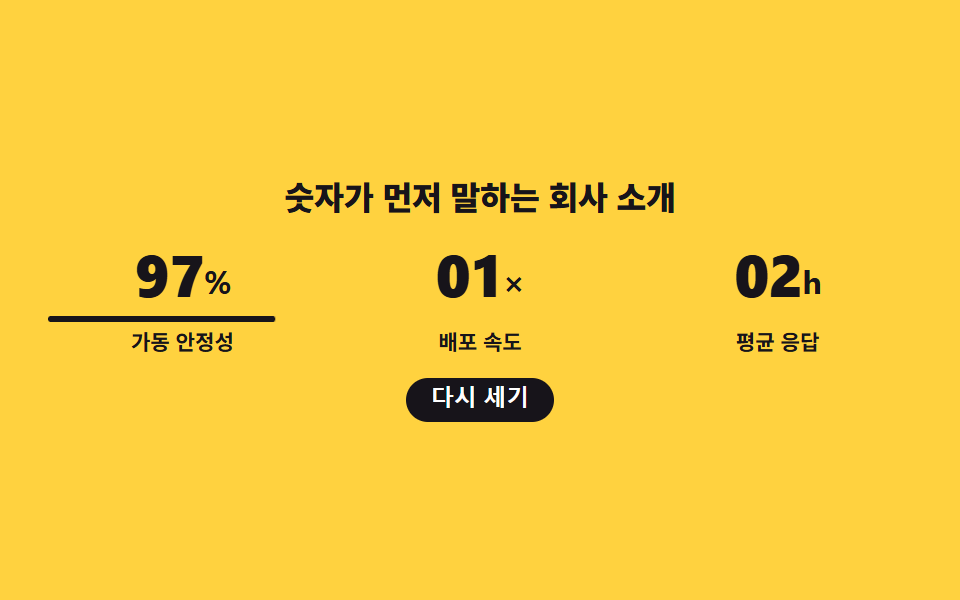 06 hero-stat-counter-roll
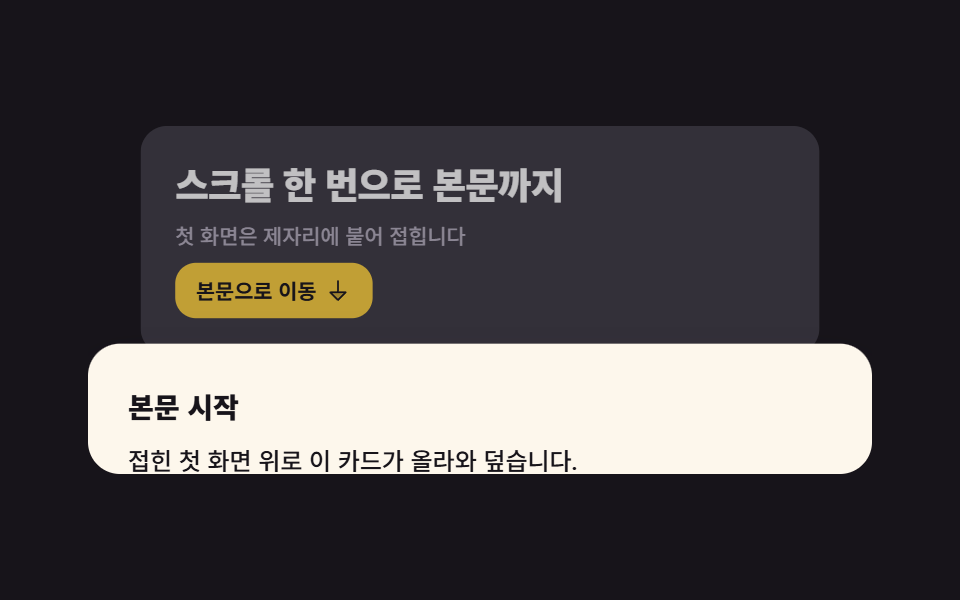 07 hero-scroll-crane-fold
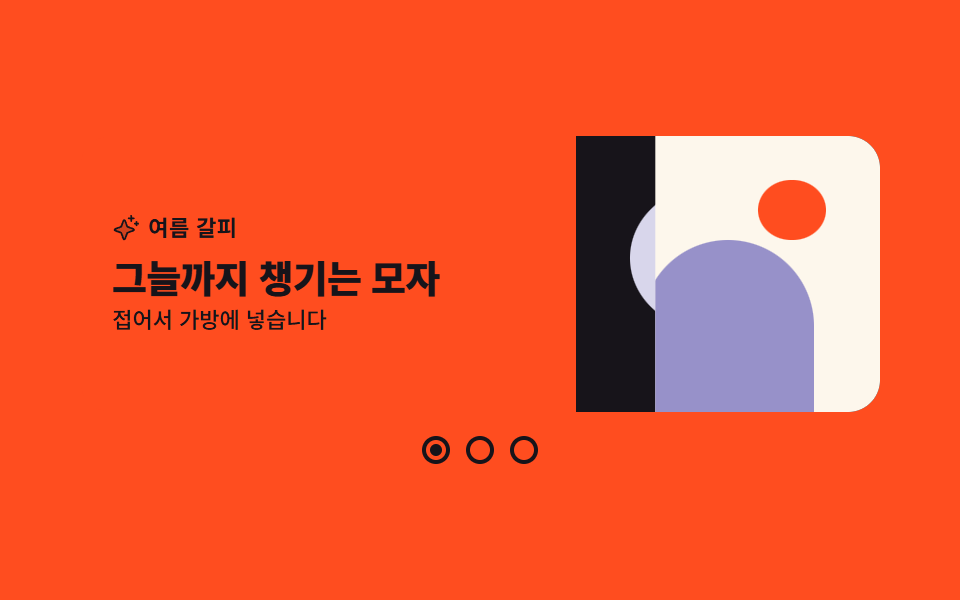 08 hero-split-slider
 09 hero-minimal-logo-pulse
自動再生 · タイルを押すとその項目へ · すべて1つのzip
- 01 スプリット製品ヒーロー
- 02 センタースタックバッジヒーロー
- 03 単語ごとに現れる見出し
- 04 グラデーション・グラスヒーロー
- 05 製品ズーム・ホットスポットヒーロー
- 06 数値カウンターヒーロー
- 07 スクロールで畳まれるヒーロー
- 08 スプリットスライダーヒーロー
- 09 ミニマルロゴヒーロー
九つの並びは ファーストビュー デザイン 参考 の人気で決めたのではなく、訪問者が最初の一画面で出会う順です。まず左右に分けた定番の構えで製品と言葉を並べ(01)、中央にお知らせを立てて発表を伝え(02)、一文の見出しだけで勝負し(03)、写真がなくても色だけで深みを作り(04)、点で機能を指し示し(05)、数字で規模を証明し(06)、スクロールで本文へ渡る継ぎ目を作り(07)、複数の顔を交互に見せ(08)、最後は何も足さない一枚で静かに閉じます(09)。この九つは動きの見せ方ではなく第一画面の骨格の集まりで、動きだけを集めた以前のヒーローアニメーション9選とは別の軸です。色も角丸も九つ共通の変数にまとめてあるので、自分のブランドの色へ差し替えても骨格は保たれます。構図の流れで言えば、この九つが戸を開け、フッター デザインが戸を閉じ、その間の証言の席はお客様の声 デザインが別に担います。
01スプリット製品ヒーロー
ヒーロー セクション デザイン で何が見えるか
左の文案とボタン2つに対して、右の製品カードが三枚、0.12秒ずつずれて下から上がってきます。上がりはループの18%で終わり、下がりは60%から88%までかけて退場するので、代表コマは三枚がそろった場面に選ばれます。
<main class="stage">
  <section class="hs is-demo" aria-label="製品紹介のファーストビュー">
    <div class="hs__copy">
      <span class="hs__eyebrow">新バージョン公開</span>
      <h1 class="hs__title">ひと画面に集まるチームの一日</h1>
      <p class="hs__lead">散らばった予定とメモをひとつの場所で見ます。</p>
      <div class="hs__actions">
        <a class="hs__btn hs__btn--primary" href="#">無料で始める</a>
        <a class="hs__btn hs__btn--ghost" href="#">機能を見てまわる</a>
      </div>
    </div>

    <!-- 제품 도형 스택 — 뒤에서부터 겹쳐진 둥근 사각형 세 장. 맨 앞 장만 화면을 흉내 낸다 -->
    <div class="hs__art" aria-hidden="true">
      <span class="hs__card hs__card--c"></span>
      <span class="hs__card hs__card--b"></span>
      <span class="hs__card hs__card--a">
        <span class="hs__bar hs__bar--t"></span>
        <span class="hs__bar hs__bar--m"></span>
        <span class="hs__bar hs__bar--k"></span>
      </span>
    </div>

    <button class="hs__cue" type="button">
      <svg viewBox="0 0 256 256" width="14" height="14" aria-hidden="true" focusable="false" fill="currentColor"><path d="M208,96l-80,80L48,96Z" opacity="0.2"/><path d="M215.39,92.94A8,8,0,0,0,208,88H48a8,8,0,0,0-5.66,13.66l80,80a8,8,0,0,0,11.32,0l80-80A8,8,0,0,0,215.39,92.94ZM128,164.69,67.31,104H188.69Z"/></svg>
      <span>下へ送る</span>
    </button>
  </section>
</main>@use "../../../../site/static/demo-tokens" as *;
// 275 히어로 팔레트 — 아홉 항목이 같은 값을 쓴다. 괄호 안은 실측 대비비
$hr-ink: $stage-ink; // 크림 위 제목 17.10:1
$hr-paper: $stage-paper; // 앞 카드 면 · 바이올렛 면 위 글자 6.14:1
$hr-cream: #fdf7ec; // 무대
$hr-stone: #56505e; // 크림 위 보조 글자 7.28:1
$hr-yellow: $stage-yellow; // 머리말 배지 면 (잉크 글자 12.63:1)
$hr-violet: #9791c9; // 주 버튼 면 (흰 글자 6.14:1) · 크림 위 5.75:1
$hr-lilac: #d8d6eb; // 뒤 두 장의 면
$duration: $dur-loop; // 도형 세 장이 차례로 올라왔다 다시 내려가는 한 바퀴
$easing: $ease-spring; // 층이 올라와 자리 잡을 때의 감속
$color: $hr-violet; // 이 항목의 강조색
@include stage($hr-cream);
// 스플릿 — 왼쪽 글자 열, 오른쪽 도형 열, 아래 한 줄에 스크롤 안내.
// 좁은 화면에서도 두 열을 유지한다(세로로 쌓으면 200px 무대를 넘는다)
.hs {
box-sizing: border-box;
display: grid;
grid-template-columns: 1fr auto;
align-items: center;
column-gap: $sp-4;
row-gap: $sp-3;
width: clamp(288px, 94vw, 432px);
}
.hs__copy {
display: flex;
flex-direction: column;
align-items: flex-start;
gap: $sp-2;
min-width: 0;
}
.hs__eyebrow {
padding: $sp-1 $sp-2;
border-radius: $r-pill;
background: $hr-yellow;
color: $hr-ink;
font-weight: 700;
font-size: clamp(9px, 2vw, 11px);
line-height: 1.2;
letter-spacing: .01em;
}
.hs__title {
margin: 0;
color: $hr-ink;
font-weight: 800;
font-size: clamp(16px, 4.2vw, 26px);
line-height: 1.15;
letter-spacing: -.02em;
}
.hs__lead {
margin: 0;
color: $hr-stone;
font-weight: 500;
font-size: clamp(10px, 2.4vw, 13px);
line-height: 1.35;
}
.hs__actions {
display: flex;
flex-wrap: wrap;
gap: $sp-2;
}
.hs__btn {
display: inline-flex;
align-items: center;
padding: $sp-2 $sp-3;
border: 2px solid transparent;
border-radius: $r-control;
font-weight: 700;
font-size: clamp(10px, 2.2vw, 12px);
line-height: 1;
text-decoration: none;
white-space: nowrap;
}
.hs__btn--primary { border-color: $color; background: $color; color: $hr-paper; }
.hs__btn--ghost { border-color: $hr-ink; color: $hr-ink; }
// 터치·키보드에서도 같은 표시 — 호버 전용 강조를 만들지 않는다
.hs__btn:focus-visible,
.hs__cue:focus-visible {
outline: 2px solid $color;
outline-offset: 4px;
}
// ── 제품 도형 스택 ────────────────────────────────────────
// --rise 는 층이 아래에서 올라오는 거리. 무대 높이에 맞춰 좁은 화면에서 줄인다
.hs__art {
--rise: 22px;
position: relative;
width: 156px;
height: 126px;
}
.hs__card {
position: absolute;
width: 130px;
height: 72px;
border-radius: $r-card;
background: $hr-lilac;
}
.hs__card--c { left: 26px; top: 0; }
.hs__card--b { left: 13px; top: 16px; background: $color; }
// 맨 앞 장만 흰 카드 — 회색·라일락 막대로 화면을 흉내 낸다
.hs__card--a {
left: 0;
top: 32px;
display: flex;
flex-direction: column;
justify-content: center;
gap: $sp-2;
box-sizing: border-box;
padding: $sp-3;
border: 2px solid $hr-ink;
background: $hr-paper;
}
.hs__bar { border-radius: $r-xs; background: $hr-lilac; }
.hs__bar--t { width: 56%; height: 8px; background: $hr-ink; }
.hs__bar--m { width: 88%; height: 6px; }
.hs__bar--k { width: 34%; height: 8px; border-radius: $r-pill; background: $color; }
// ── 스크롤 안내 ───────────────────────────────────────────
.hs__cue {
grid-column: 1 / -1;
justify-self: center;
display: inline-flex;
align-items: center;
gap: $sp-1;
margin: 0;
padding: $sp-1 $sp-3;
border: 2px solid $hr-ink;
border-radius: $r-pill;
background: $hr-paper;
color: $hr-ink;
font-family: inherit;
font-weight: 700;
font-size: clamp(9px, 2vw, 11px);
line-height: 1.3;
cursor: pointer;
}
// ── 자동 재생 ─────────────────────────────────────────────
// animation 단축은 delay 를 0 으로 리셋하므로 낱개 속성으로 쓴다.
// 지연이 걸린 층은 animation-fill-mode: backwards 가 없으면 0프레임에 완성 상태가 한 번 번쩍인다
.hs.is-demo .hs__card {
animation-name: hsRise;
animation-duration: $duration;
animation-timing-function: $easing;
animation-iteration-count: infinite;
animation-fill-mode: backwards;
}
.hs.is-demo .hs__card--b { animation-delay: .12s; }
.hs.is-demo .hs__card--a { animation-delay: .24s; }
.hs.is-demo .hs__cue {
animation-name: hsCue;
animation-duration: $duration;
animation-timing-function: $ease-spring;
animation-iteration-count: infinite;
}
// 올라오기는 빠르게(0~18%), 내려가기는 느리게(60~88%) — poster 는 "앞 장과 가장 크게
// 달라진 장"이라 등장 쪽 변화량이 커야 대표 이미지가 자리 잡은 장면이 된다.
// 복귀는 88% 안에 끝낸다 (24프레임의 마지막 장이 95.8% 지점)
@keyframes hsRise {
0% { transform: translateY(var(--rise)); }
18%, 60% { transform: translateY(0); }
88%, 100% { transform: translateY(var(--rise)); }
}
@keyframes hsCue {
0%, 100% { transform: translateY(0); }
20% { transform: translateY(-6px); }
40% { transform: translateY(0); }
60% { transform: translateY(-3px); }
80% { transform: translateY(0); }
}
// 스크롤 안내를 눌렀을 때의 일회성 등장 (JS 가 클래스를 붙였다 animationend 에서 뗀다)
.hs.is-replay .hs__card {
animation-name: hsEnter;
animation-duration: $dur-enter;
animation-timing-function: $easing;
animation-iteration-count: 1;
animation-fill-mode: backwards;
}
.hs.is-replay .hs__card--b { animation-delay: .1s; }
.hs.is-replay .hs__card--a { animation-delay: .2s; }
@keyframes hsEnter {
from { transform: translateY(var(--rise)); }
to { transform: translateY(0); }
}
// 좁은 화면 — 두 열을 유지한 채 도형과 글자만 줄인다. 여기서는 간격을 올리지 않는다
@media (max-width: 340px), (max-height: 220px) {
.hs { column-gap: $sp-2; row-gap: $sp-2; width: 100%; }
.hs__copy { gap: $sp-1; }
.hs__art { --rise: 14px; width: 104px; height: 86px; }
.hs__card { width: 88px; height: 48px; }
.hs__card--c { left: 16px; }
.hs__card--b { left: 8px; top: 12px; }
.hs__card--a { top: 24px; gap: $sp-1; padding: $sp-2; }
.hs__bar--t { height: 6px; }
.hs__bar--m { height: 4px; }
.hs__bar--k { height: 6px; }
.hs__btn { padding: $sp-1 $sp-2; }
.hs__cue { padding: 0 $sp-2; }
.hs__cue svg { width: 11px; height: 11px; }
}
@media (prefers-reduced-motion: reduce) {
// .hs.is-demo .hs__card (0,3,0) 를 이기려면 !important 가 필요하다.
// 움직임만 끄고 카드·안내 글자는 그대로 남는다
.hs__card, .hs__cue { animation: none !important; transform: none !important; }
}html, body {
margin: 0;
overflow: hidden;
}
.stage {
box-sizing: border-box;
min-height: 100vh;
display: grid;
place-items: center;
margin: 0;
background: #fdf7ec;
font-family: -apple-system, "Segoe UI", "Noto Sans KR", sans-serif;
padding: clamp(8px, 4vw, 24px);
}
.hs {
box-sizing: border-box;
display: grid;
grid-template-columns: 1fr auto;
align-items: center;
column-gap: 16px;
row-gap: 12px;
width: clamp(288px, 94vw, 432px);
}
.hs__copy {
display: flex;
flex-direction: column;
align-items: flex-start;
gap: 8px;
min-width: 0;
}
.hs__eyebrow {
padding: 4px 8px;
border-radius: 999px;
background: #ffd23f;
color: #17141a;
font-weight: 700;
font-size: clamp(9px, 2vw, 11px);
line-height: 1.2;
letter-spacing: 0.01em;
}
.hs__title {
margin: 0;
color: #17141a;
font-weight: 800;
font-size: clamp(16px, 4.2vw, 26px);
line-height: 1.15;
letter-spacing: -0.02em;
}
.hs__lead {
margin: 0;
color: #56505e;
font-weight: 500;
font-size: clamp(10px, 2.4vw, 13px);
line-height: 1.35;
}
.hs__actions {
display: flex;
flex-wrap: wrap;
gap: 8px;
}
.hs__btn {
display: inline-flex;
align-items: center;
padding: 8px 12px;
border: 2px solid transparent;
border-radius: 12px;
font-weight: 700;
font-size: clamp(10px, 2.2vw, 12px);
line-height: 1;
text-decoration: none;
white-space: nowrap;
}
.hs__btn--primary {
border-color: #9791c9;
background: #9791c9;
color: #ffffff;
}
.hs__btn--ghost {
border-color: #17141a;
color: #17141a;
}
.hs__btn:focus-visible,
.hs__cue:focus-visible {
outline: 2px solid #9791c9;
outline-offset: 4px;
}
.hs__art {
--rise: 22px;
position: relative;
width: 156px;
height: 126px;
}
.hs__card {
position: absolute;
width: 130px;
height: 72px;
border-radius: 16px;
background: #d8d6eb;
}
.hs__card--c {
left: 26px;
top: 0;
}
.hs__card--b {
left: 13px;
top: 16px;
background: #9791c9;
}
.hs__card--a {
left: 0;
top: 32px;
display: flex;
flex-direction: column;
justify-content: center;
gap: 8px;
box-sizing: border-box;
padding: 12px;
border: 2px solid #17141a;
background: #ffffff;
}
.hs__bar {
border-radius: 4px;
background: #d8d6eb;
}
.hs__bar--t {
width: 56%;
height: 8px;
background: #17141a;
}
.hs__bar--m {
width: 88%;
height: 6px;
}
.hs__bar--k {
width: 34%;
height: 8px;
border-radius: 999px;
background: #9791c9;
}
.hs__cue {
grid-column: 1/-1;
justify-self: center;
display: inline-flex;
align-items: center;
gap: 4px;
margin: 0;
padding: 4px 12px;
border: 2px solid #17141a;
border-radius: 999px;
background: #ffffff;
color: #17141a;
font-family: inherit;
font-weight: 700;
font-size: clamp(9px, 2vw, 11px);
line-height: 1.3;
cursor: pointer;
}
.hs.is-demo .hs__card {
animation-name: hsRise;
animation-duration: 2s;
animation-timing-function: cubic-bezier(0.2, 0.8, 0.2, 1);
animation-iteration-count: infinite;
animation-fill-mode: backwards;
}
.hs.is-demo .hs__card--b {
animation-delay: 0.12s;
}
.hs.is-demo .hs__card--a {
animation-delay: 0.24s;
}
.hs.is-demo .hs__cue {
animation-name: hsCue;
animation-duration: 2s;
animation-timing-function: cubic-bezier(0.2, 0.8, 0.2, 1);
animation-iteration-count: infinite;
}
@keyframes hsRise {
0% {
transform: translateY(var(--rise));
}
18%, 60% {
transform: translateY(0);
}
88%, 100% {
transform: translateY(var(--rise));
}
}
@keyframes hsCue {
0%, 100% {
transform: translateY(0);
}
20% {
transform: translateY(-6px);
}
40% {
transform: translateY(0);
}
60% {
transform: translateY(-3px);
}
80% {
transform: translateY(0);
}
}
.hs.is-replay .hs__card {
animation-name: hsEnter;
animation-duration: 600ms;
animation-timing-function: cubic-bezier(0.2, 0.8, 0.2, 1);
animation-iteration-count: 1;
animation-fill-mode: backwards;
}
.hs.is-replay .hs__card--b {
animation-delay: 0.1s;
}
.hs.is-replay .hs__card--a {
animation-delay: 0.2s;
}
@keyframes hsEnter {
from {
transform: translateY(var(--rise));
}
to {
transform: translateY(0);
}
}
@media (max-width: 340px), (max-height: 220px) {
.hs {
column-gap: 8px;
row-gap: 8px;
width: 100%;
}
.hs__copy {
gap: 4px;
}
.hs__art {
--rise: 14px;
width: 104px;
height: 86px;
}
.hs__card {
width: 88px;
height: 48px;
}
.hs__card--c {
left: 16px;
}
.hs__card--b {
left: 8px;
top: 12px;
}
.hs__card--a {
top: 24px;
gap: 4px;
padding: 8px;
}
.hs__bar--t {
height: 6px;
}
.hs__bar--m {
height: 4px;
}
.hs__bar--k {
height: 6px;
}
.hs__btn {
padding: 4px 8px;
}
.hs__cue {
padding: 0 8px;
}
.hs__cue svg {
width: 11px;
height: 11px;
}
}
@media (prefers-reduced-motion: reduce) {
.hs__card, .hs__cue {
animation: none !important;
transform: none !important;
}
}(function () {
var root = document.querySelector('.hs');
var cue = root.querySelector('.hs__cue');
var front = root.querySelector('.hs__card--a');
function stopLoop() { root.classList.remove('is-demo'); }
// 스크롤 안내를 누르면 스택 등장만 한 번 다시 재생한다.
// 클래스를 뗐다 붙이는 사이에 리플로를 한 번 일으켜야 애니메이션이 다시 걸린다.
function replay() {
root.classList.remove('is-replay');
void root.offsetWidth;
root.classList.add('is-replay');
}
cue.addEventListener('click', function () {
stopLoop();
replay();
});
// 맨 앞 장이 가장 늦게 도착하므로 그 끝에서 일회성 클래스를 뗀다
front.addEventListener('animationend', function () {
root.classList.remove('is-replay');
});
root.addEventListener('pointerenter', stopLoop);
root.addEventListener('focusin', stopLoop);
})();import { useRef, useState } from "react";
import type { CSSProperties, ReactNode } from "react";
import styles from "./HeroSplitProduct.module.scss";
/* ambient 에 DOM 이벤트 타입이 없어 파일 안에 필요한 만큼만 선언한다 */
type AnimEvt = { currentTarget: { classList: { remove(c: string): void } } };
type Box<T> = { current: T };
export type HeroSplitProductProps = {
eyebrow?: string;
title?: string;
lead?: string;
primary?: string;
ghost?: string;
cue?: string;
/** 스크린 리더가 읽을 섹션 이름 */
sectionLabel?: string;
/** 도형 세 장이 차례로 올라왔다 다시 내려가는 한 바퀴(ms) */
duration?: number;
easing?: string;
/** 이 항목의 강조색 — 주 버튼 면·가운데 카드 */
color?: string;
};
type Vars = CSSProperties & { "--duration"?: string; "--easing"?: string; "--color"?: string };
const CaretDownIcon = (): ReactNode => (
<svg viewBox="0 0 256 256" width="14" height="14" aria-hidden="true" focusable="false" fill="currentColor">
<path d="M208,96l-80,80L48,96Z" opacity="0.2" />
<path d="M215.39,92.94A8,8,0,0,0,208,88H48a8,8,0,0,0-5.66,13.66l80,80a8,8,0,0,0,11.32,0l80-80A8,8,0,0,0,215.39,92.94ZM128,164.69,67.31,104H188.69Z" />
</svg>
);
export default function HeroSplitProduct({
eyebrow = "새 버전 공개",
title = "한 화면에 모이는 팀의 하루",
lead = "흩어진 일정과 메모를 한곳에서 봅니다.",
primary = "무료로 시작하기",
ghost = "기능 둘러보기",
cue = "아래로 보기",
sectionLabel = "제품 소개 첫 화면",
duration = 2000,
easing = "cubic-bezier(.2,.8,.2,1)",
color = "#5b4bd6",
}: HeroSplitProductProps): ReactNode {
const [loop, setLoop] = useState<boolean>(true);
const [replay, setReplay] = useState<number>(0);
const rootRef = useRef<HTMLElement | null>(null) as Box<HTMLElement | null>;
const vars: Vars = { "--duration": `${duration}ms`, "--easing": easing, "--color": color };
/* 스크롤 안내를 누르면 스택 등장만 한 번 다시 재생한다.
key 를 바꿔 카드를 새로 마운트해야 일회성 애니메이션이 다시 걸린다 */
const onCue = (): void => {
setLoop(false);
setReplay((n: number) => n + 1);
};
const cls = [styles.hs, loop ? styles.isDemo : "", replay > 0 ? styles.isReplay : ""].filter(Boolean).join(" ");
return (
<section
className={cls}
style={vars}
aria-label={sectionLabel}
ref={rootRef}
onPointerEnter={() => setLoop(false)}
onFocus={() => setLoop(false)}
>
<div className={styles.copy}>
<span className={styles.eyebrow}>{eyebrow}</span>
<h1 className={styles.title}>{title}</h1>
<p className={styles.lead}>{lead}</p>
<div className={styles.actions}>
<a className={`${styles.btn} ${styles.btnPrimary}`} href="#">{primary}</a>
<a className={`${styles.btn} ${styles.btnGhost}`} href="#">{ghost}</a>
</div>
</div>
{/* 제품 도형 스택 — 뒤에서부터 겹쳐진 둥근 사각형 세 장. 맨 앞 장만 화면을 흉내 낸다 */}
<div className={styles.art} aria-hidden="true" key={replay}>
<span className={`${styles.card} ${styles.cardC}`} />
<span className={`${styles.card} ${styles.cardB}`} />
<span
className={`${styles.card} ${styles.cardA}`}
onAnimationEnd={(e: AnimEvt) => { e.currentTarget.classList.remove(styles.isReplay); }}
>
<span className={`${styles.bar} ${styles.barT}`} />
<span className={`${styles.bar} ${styles.barM}`} />
<span className={`${styles.bar} ${styles.barK}`} />
</span>
</div>
<button className={styles.cue} type="button" onClick={onCue}>
<CaretDownIcon />
<span>{cue}</span>
</button>
</section>
);
}01 · スプリット製品ヒーロー — 計測 累積面積 11.617% · 動いたフレーム 22/23GODRICH オリジナル · SCSS と React は zip に同梱 · パスワードを見る
コードのどこを見るか
24コマのうち22コマが動き、変化面積の合計は11.672%です。
.hs.is-demo .hs__card {
  animation-name: hsRise;
  animation-duration: $duration;
  animation-timing-function: $easing;
  animation-iteration-count: infinite;
  animation-fill-mode: backwards;
}
.hs.is-demo .hs__card--b { animation-delay: .12s; }
.hs.is-demo .hs__card--a { animation-delay: .24s; }

// 上がりは速く(0〜18%)、下がりは遅く(60〜88%)
@keyframes hsRise {
  0%        { transform: translateY(var(--rise)); }
  18%, 60%  { transform: translateY(0); }
  88%, 100% { transform: translateY(var(--rise)); }
}

@keyframes hsCue {
  0%, 100% { transform: translateY(0); }
  20%      { transform: translateY(-6px); }
  40%      { transform: translateY(0); }
  60%      { transform: translateY(-3px); }
  80%      { transform: translateY(0); }
}
02センタースタックバッジヒーロー
画面で起きること
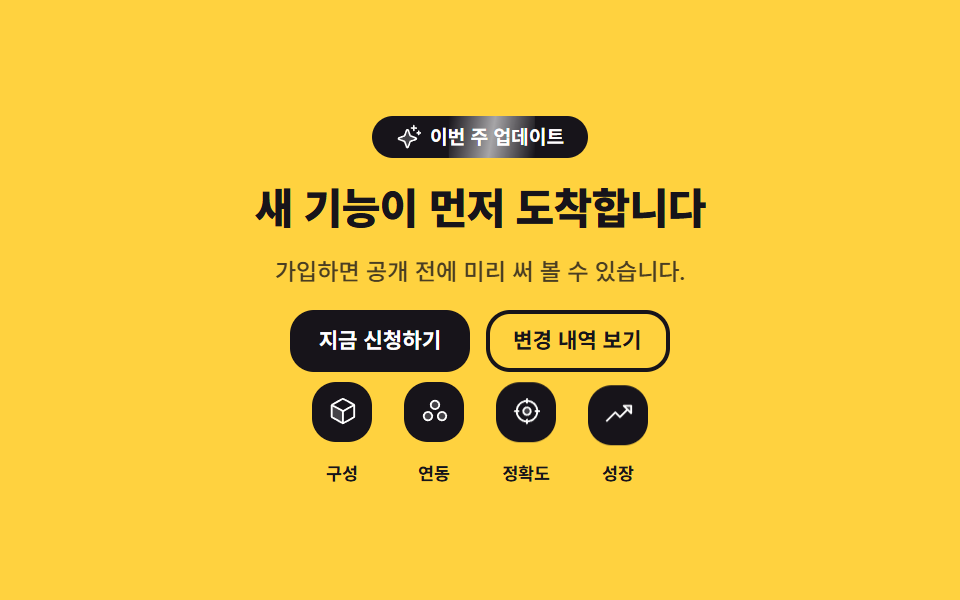
お知らせのバッジの上を光の帯が一度だけ通り(70%で右の外へ出る)、四つの信頼マークが0.14秒ずつずれて浮いては座ります。帯の巻き戻しはバッジのoverflow: hiddenの外で起きるので、画面には一切見えません。
<main class="stage">
  <section class="hb is-demo" aria-label="リリース告知のファーストビュー">
    <p class="hb__badge">
      <span class="hb__sheen" aria-hidden="true"></span>
      <svg viewBox="0 0 256 256" width="13" height="13" aria-hidden="true" focusable="false" fill="currentColor"><path d="M194.82,151.43l-55.09,20.3-20.3,55.09a7.92,7.92,0,0,1-14.86,0l-20.3-55.09-55.09-20.3a7.92,7.92,0,0,1,0-14.86l55.09-20.3,20.3-55.09a7.92,7.92,0,0,1,14.86,0l20.3,55.09,55.09,20.3A7.92,7.92,0,0,1,194.82,151.43Z" opacity="0.2"/><path d="M197.58,129.06,146,110l-19-51.62a15.92,15.92,0,0,0-29.88,0L78,110l-51.62,19a15.92,15.92,0,0,0,0,29.88L78,178l19,51.62a15.92,15.92,0,0,0,29.88,0L146,178l51.62-19a15.92,15.92,0,0,0,0-29.88ZM137,164.22a8,8,0,0,0-4.74,4.74L112,223.85,91.78,169A8,8,0,0,0,87,164.22L32.15,144,87,123.78A8,8,0,0,0,91.78,119L112,64.15,132.22,119a8,8,0,0,0,4.74,4.74L191.85,144ZM144,40a8,8,0,0,1,8-8h16V16a8,8,0,0,1,16,0V32h16a8,8,0,0,1,0,16H184V64a8,8,0,0,1-16,0V48H152A8,8,0,0,1,144,40ZM248,88a8,8,0,0,1-8,8h-8v8a8,8,0,0,1-16,0V96h-8a8,8,0,0,1,0-16h8V72a8,8,0,0,1,16,0v8h8A8,8,0,0,1,248,88Z"/></svg>
      <span class="hb__badge-t">今週のアップデート</span>
    </p>

    <h1 class="hb__title">新機能がいち早く届きます</h1>
    <p class="hb__lead">登録すれば公開前に試せます。</p>

    <div class="hb__actions">
      <a class="hb__btn hb__btn--solid" href="#">今すぐ申し込む</a>
      <a class="hb__btn hb__btn--line" href="#">変更履歴を見る</a>
    </div>

    <!-- 信頼マーク — 실제 로고가 아니라 둥근 사각형 안에 일반 아이콘 + 일반명사 라벨 -->
    <ul class="hb__trust" aria-label="信頼マーク">
      <li class="hb__mark hb__mark--1">
        <span class="hb__tile">
          <svg viewBox="0 0 256 256" width="15" height="15" aria-hidden="true" focusable="false" fill="currentColor"><path d="M128,129.09V232a8,8,0,0,1-3.84-1l-88-48.16a8,8,0,0,1-4.16-7V80.2a8,8,0,0,1,.7-3.27Z" opacity="0.2"/><path d="M223.68,66.15,135.68,18h0a15.88,15.88,0,0,0-15.36,0l-88,48.17a16,16,0,0,0-8.32,14v95.64a16,16,0,0,0,8.32,14l88,48.17a15.88,15.88,0,0,0,15.36,0l88-48.17a16,16,0,0,0,8.32-14V80.18A16,16,0,0,0,223.68,66.15ZM128,32h0l80.34,44L128,120,47.66,76ZM40,90l80,43.78v85.79L40,175.82Zm96,129.57V133.82L216,90v85.78Z"/></svg>
        </span>
        <span class="hb__ml">構成</span>
      </li>
      <li class="hb__mark hb__mark--2">
        <span class="hb__tile">
          <svg viewBox="0 0 256 256" width="15" height="15" aria-hidden="true" focusable="false" fill="currentColor"><path d="M128,112a36,36,0,1,1,36-36A36,36,0,0,1,128,112Zm60,24a36,36,0,1,0,36,36A36,36,0,0,0,188,136ZM68,136a36,36,0,1,0,36,36A36,36,0,0,0,68,136Z" opacity="0.2"/><path d="M172,76a44,44,0,1,0-44,44A44.05,44.05,0,0,0,172,76Zm-44,28a28,28,0,1,1,28-28A28,28,0,0,1,128,104Zm60,24a44,44,0,1,0,44,44A44.05,44.05,0,0,0,188,128Zm0,72a28,28,0,1,1,28-28A28,28,0,0,1,188,200ZM68,128a44,44,0,1,0,44,44A44.05,44.05,0,0,0,68,128Zm0,72a28,28,0,1,1,28-28A28,28,0,0,1,68,200Z"/></svg>
        </span>
        <span class="hb__ml">連携</span>
      </li>
      <li class="hb__mark hb__mark--3">
        <span class="hb__tile">
          <svg viewBox="0 0 256 256" width="15" height="15" aria-hidden="true" focusable="false" fill="currentColor"><path d="M160,128a32,32,0,1,1-32-32A32,32,0,0,1,160,128Z" opacity="0.2"/><path d="M232,120h-8.34A96.14,96.14,0,0,0,136,32.34V24a8,8,0,0,0-16,0v8.34A96.14,96.14,0,0,0,32.34,120H24a8,8,0,0,0,0,16h8.34A96.14,96.14,0,0,0,120,223.66V232a8,8,0,0,0,16,0v-8.34A96.14,96.14,0,0,0,223.66,136H232a8,8,0,0,0,0-16Zm-96,87.6V200a8,8,0,0,0-16,0v7.6A80.15,80.15,0,0,1,48.4,136H56a8,8,0,0,0,0-16H48.4A80.15,80.15,0,0,1,120,48.4V56a8,8,0,0,0,16,0V48.4A80.15,80.15,0,0,1,207.6,120H200a8,8,0,0,0,0,16h7.6A80.15,80.15,0,0,1,136,207.6ZM128,88a40,40,0,1,0,40,40A40,40,0,0,0,128,88Zm0,64a24,24,0,1,1,24-24A24,24,0,0,1,128,152Z"/></svg>
        </span>
        <span class="hb__ml">精度</span>
      </li>
      <li class="hb__mark hb__mark--4">
        <span class="hb__tile">
          <svg viewBox="0 0 256 256" width="15" height="15" aria-hidden="true" focusable="false" fill="currentColor"><path d="M232,56v64L168,56Z" opacity="0.2"/><path d="M232,48H168a8,8,0,0,0-5.66,13.66L188.69,88,136,140.69l-34.34-34.35a8,8,0,0,0-11.32,0l-72,72a8,8,0,0,0,11.32,11.32L96,123.31l34.34,34.35a8,8,0,0,0,11.32,0L200,99.31l26.34,26.35A8,8,0,0,0,240,120V56A8,8,0,0,0,232,48Zm-8,52.69L187.31,64H224Z"/></svg>
        </span>
        <span class="hb__ml">成長</span>
      </li>
    </ul>
  </section>
</main>@use "../../../../site/static/demo-tokens" as *;
// 275 히어로 팔레트 — 아홉 항목이 같은 값을 쓴다. 괄호 안은 실측 대비비
$hr-ink: $stage-ink; // 옐로 위 글자 12.63:1 · 알약과 타일의 면
$hr-paper: $stage-paper; // 잉크 면 위 글자·아이콘 18.24:1
$hr-yellow: $stage-yellow; // 무대
$hr-violet: #9791c9; // 포커스 링 (옐로 위 3.28:1 — 글자로는 쓰지 않는다)
$duration: $dur-loop; // 빛줄기가 한 번 지나가고 신뢰 표시 넷이 차례로 들리는 한 바퀴
$easing: $ease-out; // 빛줄기의 등속에 가까운 흐름
$color: $hr-ink; // 옐로 무대 위 글자는 전부 잉크 (흰 글자는 1.44:1 이라 금지)
@include stage($hr-yellow);
// 센터 스택 — 배지 · 제목 · 설명 · 버튼 쌍 · 신뢰 표시가 한 축에 쌓인다
.hb {
box-sizing: border-box;
display: flex;
flex-direction: column;
align-items: center;
gap: $sp-3;
width: clamp(288px, 94vw, 432px);
text-align: center;
}
// ── 새 소식 배지 — 빛줄기가 지나갈 수 있게 overflow 를 닫는다 ──
.hb__badge {
position: relative;
overflow: hidden;
display: inline-flex;
align-items: center;
gap: $sp-1;
margin: 0;
padding: $sp-1 $sp-3;
border-radius: $r-pill;
background: $color;
color: $hr-paper;
font-weight: 700;
font-size: clamp(9px, 2vw, 11px);
line-height: 1.3;
}
.hb__sheen {
position: absolute;
left: 0;
top: 0;
width: 40%;
height: 100%;
background: linear-gradient(100deg, rgba(255, 255, 255, 0) 0%, rgba(255, 255, 255, .62) 50%, rgba(255, 255, 255, 0) 100%);
transform: translateX(-160%);
}
.hb__title {
margin: 0;
color: $color;
font-weight: 800;
font-size: clamp(16px, 4.4vw, 27px);
line-height: 1.16;
letter-spacing: -.02em;
}
.hb__lead {
margin: 0;
color: $color;
font-weight: 500;
font-size: clamp(10px, 2.4vw, 13px);
line-height: 1.35;
opacity: .78;
}
.hb__actions {
display: flex;
flex-wrap: wrap;
justify-content: center;
gap: $sp-2;
}
.hb__btn {
display: inline-flex;
align-items: center;
padding: $sp-2 $sp-3;
border: 2px solid $color;
border-radius: $r-control;
font-weight: 700;
font-size: clamp(10px, 2.2vw, 12px);
line-height: 1;
text-decoration: none;
white-space: nowrap;
}
.hb__btn--solid { background: $color; color: $hr-paper; }
.hb__btn--line { color: $color; }
// 터치·키보드에서도 같은 표시
.hb__btn:focus-visible {
outline: 2px solid $hr-violet;
outline-offset: 4px;
}
// ── 신뢰 표시 넷 — 실제 로고가 아니라 일반 도형 + 일반명사 라벨 ──
.hb__trust {
display: flex;
justify-content: center;
gap: $sp-4;
margin: 0;
padding: 0;
list-style: none;
}
.hb__mark {
display: flex;
flex-direction: column;
align-items: center;
gap: $sp-1;
}
.hb__tile {
display: grid;
place-items: center;
width: 30px;
height: 30px;
border-radius: $r-control;
background: $color;
color: $hr-paper;
}
.hb__ml {
color: $color;
font-weight: 700;
font-size: clamp(8px, 1.8vw, 10px);
line-height: 1.2;
}
// ── 자동 재생 ─────────────────────────────────────────────
// animation 단축은 delay 를 0 으로 리셋하므로 낱개 속성으로 쓴다.
// 지연이 걸린 타일에는 animation-fill-mode: backwards 가 반드시 필요하다
.hb.is-demo .hb__sheen {
animation-name: hbSheen;
animation-duration: $duration;
animation-timing-function: $easing;
animation-iteration-count: infinite;
}
.hb.is-demo .hb__tile {
animation-name: hbLift;
animation-duration: $duration;
animation-timing-function: $ease-spring;
animation-iteration-count: infinite;
animation-fill-mode: backwards;
}
.hb.is-demo .hb__mark--2 .hb__tile { animation-delay: .14s; }
.hb.is-demo .hb__mark--3 .hb__tile { animation-delay: .28s; }
.hb.is-demo .hb__mark--4 .hb__tile { animation-delay: .42s; }
// 빛줄기는 알약 밖(오른쪽)에서 멈춰 있다가 다음 바퀴에 왼쪽으로 되돌아간다 —
// overflow: hidden 이 닫고 있으므로 되감기가 화면에 보이지 않는다
@keyframes hbSheen {
0% { transform: translateX(-160%); }
70%, 100% { transform: translateX(320%); }
}
// 들렸다 앉기 — 드는 쪽이 빠르고 앉는 쪽이 느려야 대표 이미지가 들린 장면이 된다.
// 복귀는 88% 안에 끝낸다 (24프레임의 마지막 장이 95.8% 지점)
@keyframes hbLift {
0% { transform: translateY(0); }
16%, 46% { transform: translateY(-7px); }
88%, 100% { transform: translateY(0); }
}
// 좁은 화면 — 한 축을 유지한 채 글자·타일만 줄인다. 여기서는 간격을 올리지 않는다
@media (max-width: 340px), (max-height: 220px) {
.hb { gap: $sp-1; width: 100%; }
.hb__badge { padding: 0 $sp-2; }
.hb__badge svg { width: 11px; height: 11px; }
.hb__btn { padding: $sp-1 $sp-2; }
.hb__trust { gap: $sp-2; }
.hb__tile { width: 24px; height: 24px; border-radius: $r-sm; }
.hb__tile svg { width: 13px; height: 13px; }
}
@media (prefers-reduced-motion: reduce) {
// .hb.is-demo .hb__tile (0,3,0) 를 이기려면 !important 가 필요하다.
// 움직임만 끄고 배지·타일·라벨은 그대로 남는다
.hb__sheen, .hb__tile { animation: none !important; }
.hb__sheen { opacity: 0 !important; }
}html, body {
margin: 0;
overflow: hidden;
}
.stage {
box-sizing: border-box;
min-height: 100vh;
display: grid;
place-items: center;
margin: 0;
background: #ffd23f;
font-family: -apple-system, "Segoe UI", "Noto Sans KR", sans-serif;
padding: clamp(8px, 4vw, 24px);
}
.hb {
box-sizing: border-box;
display: flex;
flex-direction: column;
align-items: center;
gap: 12px;
width: clamp(288px, 94vw, 432px);
text-align: center;
}
.hb__badge {
position: relative;
overflow: hidden;
display: inline-flex;
align-items: center;
gap: 4px;
margin: 0;
padding: 4px 12px;
border-radius: 999px;
background: #17141a;
color: #ffffff;
font-weight: 700;
font-size: clamp(9px, 2vw, 11px);
line-height: 1.3;
}
.hb__sheen {
position: absolute;
left: 0;
top: 0;
width: 40%;
height: 100%;
background: linear-gradient(100deg, rgba(255, 255, 255, 0) 0%, rgba(255, 255, 255, 0.62) 50%, rgba(255, 255, 255, 0) 100%);
transform: translateX(-160%);
}
.hb__title {
margin: 0;
color: #17141a;
font-weight: 800;
font-size: clamp(16px, 4.4vw, 27px);
line-height: 1.16;
letter-spacing: -0.02em;
}
.hb__lead {
margin: 0;
color: #17141a;
font-weight: 500;
font-size: clamp(10px, 2.4vw, 13px);
line-height: 1.35;
opacity: 0.78;
}
.hb__actions {
display: flex;
flex-wrap: wrap;
justify-content: center;
gap: 8px;
}
.hb__btn {
display: inline-flex;
align-items: center;
padding: 8px 12px;
border: 2px solid #17141a;
border-radius: 12px;
font-weight: 700;
font-size: clamp(10px, 2.2vw, 12px);
line-height: 1;
text-decoration: none;
white-space: nowrap;
}
.hb__btn--solid {
background: #17141a;
color: #ffffff;
}
.hb__btn--line {
color: #17141a;
}
.hb__btn:focus-visible {
outline: 2px solid #9791c9;
outline-offset: 4px;
}
.hb__trust {
display: flex;
justify-content: center;
gap: 16px;
margin: 0;
padding: 0;
list-style: none;
}
.hb__mark {
display: flex;
flex-direction: column;
align-items: center;
gap: 4px;
}
.hb__tile {
display: grid;
place-items: center;
width: 30px;
height: 30px;
border-radius: 12px;
background: #17141a;
color: #ffffff;
}
.hb__ml {
color: #17141a;
font-weight: 700;
font-size: clamp(8px, 1.8vw, 10px);
line-height: 1.2;
}
.hb.is-demo .hb__sheen {
animation-name: hbSheen;
animation-duration: 2s;
animation-timing-function: ease-out;
animation-iteration-count: infinite;
}
.hb.is-demo .hb__tile {
animation-name: hbLift;
animation-duration: 2s;
animation-timing-function: cubic-bezier(0.2, 0.8, 0.2, 1);
animation-iteration-count: infinite;
animation-fill-mode: backwards;
}
.hb.is-demo .hb__mark--2 .hb__tile {
animation-delay: 0.14s;
}
.hb.is-demo .hb__mark--3 .hb__tile {
animation-delay: 0.28s;
}
.hb.is-demo .hb__mark--4 .hb__tile {
animation-delay: 0.42s;
}
@keyframes hbSheen {
0% {
transform: translateX(-160%);
}
70%, 100% {
transform: translateX(320%);
}
}
@keyframes hbLift {
0% {
transform: translateY(0);
}
16%, 46% {
transform: translateY(-7px);
}
88%, 100% {
transform: translateY(0);
}
}
@media (max-width: 340px), (max-height: 220px) {
.hb {
gap: 4px;
width: 100%;
}
.hb__badge {
padding: 0 8px;
}
.hb__badge svg {
width: 11px;
height: 11px;
}
.hb__btn {
padding: 4px 8px;
}
.hb__trust {
gap: 8px;
}
.hb__tile {
width: 24px;
height: 24px;
border-radius: 8px;
}
.hb__tile svg {
width: 13px;
height: 13px;
}
}
@media (prefers-reduced-motion: reduce) {
.hb__sheen, .hb__tile {
animation: none !important;
}
.hb__sheen {
opacity: 0 !important;
}
}(function () {
var root = document.querySelector('.hb');
var btns = [].slice.call(root.querySelectorAll('.hb__btn'));
function stopLoop() { root.classList.remove('is-demo'); }
// 버튼 쌍은 좌우 화살표로 오간다 (Home·End 는 양 끝).
// preventScroll 이 없으면 iframe 안 포커스가 부모 홈 페이지를 아래로 끌어당긴다
btns.forEach(function (btn, i) {
btn.addEventListener('keydown', function (e) {
var to = -1;
if (e.key === 'ArrowRight') { to = (i + 1) % btns.length; }
if (e.key === 'ArrowLeft') { to = (i - 1 + btns.length) % btns.length; }
if (e.key === 'Home') { to = 0; }
if (e.key === 'End') { to = btns.length - 1; }
if (to < 0) { return; }
e.preventDefault();
stopLoop();
btns[to].focus({ preventScroll: true });
});
});
root.addEventListener('pointerenter', stopLoop);
root.addEventListener('focusin', stopLoop);
})();import { useRef, useState } from "react";
import type { CSSProperties, ReactNode } from "react";
import styles from "./HeroCenterBadge.module.scss";
/* ambient 에 KeyboardEvent 가 없어 파일 안에 필요한 만큼만 선언한다 */
type KeyEvt = { key: string; preventDefault(): void };
type Box<T> = { current: T };
export type TrustMark = {
/** 일반명사 라벨 — 실제 브랜드 이름을 쓰지 않는다 */
label: string;
icon: ReactNode;
};
export type HeroCenterBadgeProps = {
badge?: string;
title?: string;
lead?: string;
solid?: string;
line?: string;
trustLabel?: string;
marks?: TrustMark[];
sectionLabel?: string;
/** 빛줄기가 한 번 지나가고 신뢰 표시 넷이 차례로 들리는 한 바퀴(ms) */
duration?: number;
easing?: string;
/** 옐로 무대 위 글자·면의 색 — 잉크 고정을 권한다 (흰 글자는 1.44:1) */
color?: string;
};
type Vars = CSSProperties & { "--duration"?: string; "--easing"?: string; "--color"?: string };
const CubeIcon = (): ReactNode => (
<svg viewBox="0 0 256 256" width="15" height="15" aria-hidden="true" focusable="false" fill="currentColor">
<path d="M128,129.09V232a8,8,0,0,1-3.84-1l-88-48.16a8,8,0,0,1-4.16-7V80.2a8,8,0,0,1,.7-3.27Z" opacity="0.2" />
<path d="M223.68,66.15,135.68,18h0a15.88,15.88,0,0,0-15.36,0l-88,48.17a16,16,0,0,0-8.32,14v95.64a16,16,0,0,0,8.32,14l88,48.17a15.88,15.88,0,0,0,15.36,0l88-48.17a16,16,0,0,0,8.32-14V80.18A16,16,0,0,0,223.68,66.15ZM128,32h0l80.34,44L128,120,47.66,76ZM40,90l80,43.78v85.79L40,175.82Zm96,129.57V133.82L216,90v85.78Z" />
</svg>
);
const CirclesIcon = (): ReactNode => (
<svg viewBox="0 0 256 256" width="15" height="15" aria-hidden="true" focusable="false" fill="currentColor">
<path d="M128,112a36,36,0,1,1,36-36A36,36,0,0,1,128,112Zm60,24a36,36,0,1,0,36,36A36,36,0,0,0,188,136ZM68,136a36,36,0,1,0,36,36A36,36,0,0,0,68,136Z" opacity="0.2" />
<path d="M172,76a44,44,0,1,0-44,44A44.05,44.05,0,0,0,172,76Zm-44,28a28,28,0,1,1,28-28A28,28,0,0,1,128,104Zm60,24a44,44,0,1,0,44,44A44.05,44.05,0,0,0,188,128Zm0,72a28,28,0,1,1,28-28A28,28,0,0,1,188,200ZM68,128a44,44,0,1,0,44,44A44.05,44.05,0,0,0,68,128Zm0,72a28,28,0,1,1,28-28A28,28,0,0,1,68,200Z" />
</svg>
);
const CrosshairIcon = (): ReactNode => (
<svg viewBox="0 0 256 256" width="15" height="15" aria-hidden="true" focusable="false" fill="currentColor">
<path d="M160,128a32,32,0,1,1-32-32A32,32,0,0,1,160,128Z" opacity="0.2" />
<path d="M232,120h-8.34A96.14,96.14,0,0,0,136,32.34V24a8,8,0,0,0-16,0v8.34A96.14,96.14,0,0,0,32.34,120H24a8,8,0,0,0,0,16h8.34A96.14,96.14,0,0,0,120,223.66V232a8,8,0,0,0,16,0v-8.34A96.14,96.14,0,0,0,223.66,136H232a8,8,0,0,0,0-16Zm-96,87.6V200a8,8,0,0,0-16,0v7.6A80.15,80.15,0,0,1,48.4,136H56a8,8,0,0,0,0-16H48.4A80.15,80.15,0,0,1,120,48.4V56a8,8,0,0,0,16,0V48.4A80.15,80.15,0,0,1,207.6,120H200a8,8,0,0,0,0,16h7.6A80.15,80.15,0,0,1,136,207.6ZM128,88a40,40,0,1,0,40,40A40,40,0,0,0,128,88Zm0,64a24,24,0,1,1,24-24A24,24,0,0,1,128,152Z" />
</svg>
);
const TrendUpIcon = (): ReactNode => (
<svg viewBox="0 0 256 256" width="15" height="15" aria-hidden="true" focusable="false" fill="currentColor">
<path d="M232,56v64L168,56Z" opacity="0.2" />
<path d="M232,48H168a8,8,0,0,0-5.66,13.66L188.69,88,136,140.69l-34.34-34.35a8,8,0,0,0-11.32,0l-72,72a8,8,0,0,0,11.32,11.32L96,123.31l34.34,34.35a8,8,0,0,0,11.32,0L200,99.31l26.34,26.35A8,8,0,0,0,240,120V56A8,8,0,0,0,232,48Zm-8,52.69L187.31,64H224Z" />
</svg>
);
const DEFAULT_MARKS: TrustMark[] = [
{ label: "구성", icon: <CubeIcon /> },
{ label: "연동", icon: <CirclesIcon /> },
{ label: "정확도", icon: <CrosshairIcon /> },
{ label: "성장", icon: <TrendUpIcon /> },
];
export default function HeroCenterBadge({
badge = "이번 주 업데이트",
title = "새 기능이 먼저 도착합니다",
lead = "가입하면 공개 전에 미리 써 볼 수 있습니다.",
solid = "지금 신청하기",
line = "변경 내역 보기",
trustLabel = "신뢰 표시",
marks = DEFAULT_MARKS,
sectionLabel = "출시 안내 첫 화면",
duration = 2000,
easing = "ease-out",
color = "#17141a",
}: HeroCenterBadgeProps): ReactNode {
const [loop, setLoop] = useState<boolean>(true);
const refs = useRef<Array<HTMLAnchorElement | null>>([]) as Box<Array<HTMLAnchorElement | null>>;
const vars: Vars = { "--duration": `${duration}ms`, "--easing": easing, "--color": color };
const tone = [styles.mark1, styles.mark2, styles.mark3, styles.mark4];
/* 버튼 쌍은 좌우 화살표로 오간다. preventScroll 이 없으면 iframe 안 포커스가
부모 페이지를 아래로 끌어당긴다 */
const onKey = (e: KeyEvt, i: number): void => {
const list = refs.current;
if (!list) { return; }
let to = -1;
if (e.key === "ArrowRight") { to = (i + 1) % list.length; }
if (e.key === "ArrowLeft") { to = (i - 1 + list.length) % list.length; }
if (e.key === "Home") { to = 0; }
if (e.key === "End") { to = list.length - 1; }
if (to < 0) { return; }
e.preventDefault();
setLoop(false);
const next = list[to];
if (next) { next.focus({ preventScroll: true }); }
};
const labels = [solid, line];
return (
<section
className={loop ? `${styles.hb} ${styles.isDemo}` : styles.hb}
style={vars}
aria-label={sectionLabel}
onPointerEnter={() => setLoop(false)}
onFocus={() => setLoop(false)}
>
<p className={styles.badge}>
<span className={styles.sheen} aria-hidden="true" />
<svg viewBox="0 0 256 256" width="13" height="13" aria-hidden="true" focusable="false" fill="currentColor">
<path d="M194.82,151.43l-55.09,20.3-20.3,55.09a7.92,7.92,0,0,1-14.86,0l-20.3-55.09-55.09-20.3a7.92,7.92,0,0,1,0-14.86l55.09-20.3,20.3-55.09a7.92,7.92,0,0,1,14.86,0l20.3,55.09,55.09,20.3A7.92,7.92,0,0,1,194.82,151.43Z" opacity="0.2" />
<path d="M197.58,129.06,146,110l-19-51.62a15.92,15.92,0,0,0-29.88,0L78,110l-51.62,19a15.92,15.92,0,0,0,0,29.88L78,178l19,51.62a15.92,15.92,0,0,0,29.88,0L146,178l51.62-19a15.92,15.92,0,0,0,0-29.88ZM137,164.22a8,8,0,0,0-4.74,4.74L112,223.85,91.78,169A8,8,0,0,0,87,164.22L32.15,144,87,123.78A8,8,0,0,0,91.78,119L112,64.15,132.22,119a8,8,0,0,0,4.74,4.74L191.85,144ZM144,40a8,8,0,0,1,8-8h16V16a8,8,0,0,1,16,0V32h16a8,8,0,0,1,0,16H184V64a8,8,0,0,1-16,0V48H152A8,8,0,0,1,144,40ZM248,88a8,8,0,0,1-8,8h-8v8a8,8,0,0,1-16,0V96h-8a8,8,0,0,1,0-16h8V72a8,8,0,0,1,16,0v8h8A8,8,0,0,1,248,88Z" />
</svg>
<span className={styles.badgeT}>{badge}</span>
</p>
<h1 className={styles.title}>{title}</h1>
<p className={styles.lead}>{lead}</p>
<div className={styles.actions}>
{labels.map((t: string, i: number) => (
<a
className={`${styles.btn} ${i === 0 ? styles.btnSolid : styles.btnLine}`}
href="#"
key={t}
ref={(el: HTMLAnchorElement | null) => { if (refs.current) { refs.current[i] = el; } }}
onKeyDown={(e: KeyEvt) => onKey(e, i)}
>
{t}
</a>
))}
</div>
{/* 신뢰 표시 — 실제 로고가 아니라 둥근 사각형 안에 일반 아이콘 + 일반명사 라벨 */}
<ul className={styles.trust} aria-label={trustLabel}>
{marks.map((m: TrustMark, i: number) => (
<li className={`${styles.mark} ${tone[i % tone.length]}`} key={m.label}>
<span className={styles.tile}>{m.icon}</span>
<span className={styles.ml}>{m.label}</span>
</li>
))}
</ul>
</section>
);
}02 · センタースタックバッジヒーロー — 計測 累積面積 3.342% · 動いたフレーム 23/23GODRICH オリジナル · SCSS と React は zip に同梱 · パスワードを見る
コードの読み方
24コマのうち23コマが動いていますが、変化面積の合計は3.342%と控えめです。
.hb.is-demo .hb__tile {
  animation-name: hbLift;
  animation-duration: $duration;
  animation-timing-function: $ease-spring;
  animation-iteration-count: infinite;
  animation-fill-mode: backwards;
}
.hb.is-demo .hb__mark--2 .hb__tile { animation-delay: .14s; }
.hb.is-demo .hb__mark--3 .hb__tile { animation-delay: .28s; }
.hb.is-demo .hb__mark--4 .hb__tile { animation-delay: .42s; }

@keyframes hbSheen {
  0%        { transform: translateX(-160%); }
  70%, 100% { transform: translateX(320%); }
}
@keyframes hbLift {
  0%        { transform: translateY(0); }
  16%, 46%  { transform: translateY(-7px); }
  88%, 100% { transform: translateY(0); }
}
03単語ごとに現れる見出し
どんな動きか
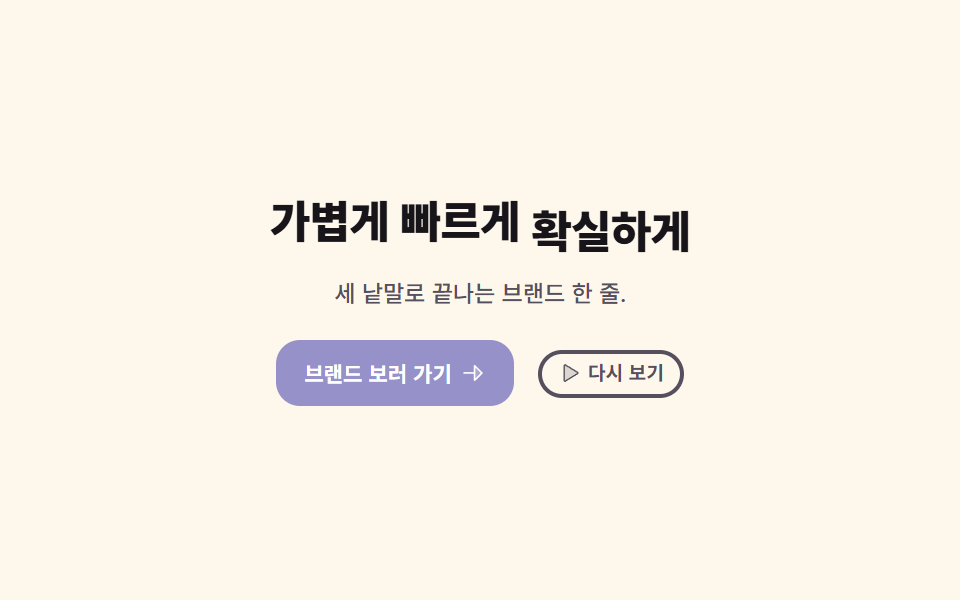
見出しの各単語が、自分の箱の中を115%下から上がってきます(ずれは0.16秒と0.32秒)。ループ開始から0.55秒、三つ目の単語が立ち上がるころに、要の単語の背後へ蛍光の帯が左からscaleXで満ちていきます。
<main class="stage">
  <section class="hk is-demo" aria-label="ブランドのファーストビュー">
    <!-- 낱말마다 span — 각 낱말이 제 상자 안에서 아래로부터 올라온다 -->
    <h1 class="hk__title">
      <span class="hk__word hk__word--1"><span class="hk__wi">軽く</span></span>
      <span class="hk__word hk__word--2"><span class="hk__wi">速く</span></span>
      <span class="hk__key">
        <span class="hk__band" aria-hidden="true"></span>
        <span class="hk__word hk__word--3"><span class="hk__wi">確かに</span></span>
      </span>
    </h1>

    <p class="hk__lead">三つの言葉で終わるブランドの一行。</p>

    <div class="hk__actions">
      <a class="hk__btn" href="#">
        <span>ブランドを見る</span>
        <svg viewBox="0 0 256 256" width="13" height="13" aria-hidden="true" focusable="false" fill="currentColor"><path d="M216,128l-72,72V56Z" opacity="0.2"/><path d="M221.66,122.34l-72-72A8,8,0,0,0,136,56v64H40a8,8,0,0,0,0,16h96v64a8,8,0,0,0,13.66,5.66l72-72A8,8,0,0,0,221.66,122.34ZM152,180.69V75.31L204.69,128Z"/></svg>
      </a>
      <button class="hk__again" type="button">
        <svg viewBox="0 0 256 256" width="11" height="11" aria-hidden="true" focusable="false" fill="currentColor"><path d="M228.23,134.69,84.15,222.81A8,8,0,0,1,72,216.12V39.88a8,8,0,0,1,12.15-6.69l144.08,88.12A7.82,7.82,0,0,1,228.23,134.69Z" opacity="0.2"/><path d="M232.4,114.49,88.32,26.35a16,16,0,0,0-16.2-.3A15.86,15.86,0,0,0,64,39.87V216.13A15.94,15.94,0,0,0,80,232a16.07,16.07,0,0,0,8.36-2.35L232.4,141.51a15.81,15.81,0,0,0,0-27ZM80,215.94V40l143.83,88Z"/></svg>
        <span>もう一度再生</span>
      </button>
    </div>
  </section>
</main>@use "../../../../site/static/demo-tokens" as *;
// 275 히어로 팔레트 — 아홉 항목이 같은 값을 쓴다. 괄호 안은 실측 대비비
$hr-ink: $stage-ink; // 크림 위 제목 17.10:1 · 옐로 띠 위 글자 12.63:1
$hr-paper: $stage-paper; // 바이올렛 면 위 글자 6.14:1
$hr-cream: #fdf7ec; // 무대
$hr-stone: #56505e; // 크림 위 보조 글자 7.28:1
$hr-yellow: $stage-yellow; // 형광 띠 (그 위 잉크 글자 12.63:1)
$hr-violet: #9791c9; // 버튼 면 (흰 글자 6.14:1)
$duration: $dur-loop; // 낱말 셋이 올라오고 띠가 차오르는 한 바퀴
$easing: $ease-spring; // 낱말이 올라와 멎을 때의 감속
$color: $hr-yellow; // 이 항목의 강조색 — 형광 띠
@include stage($hr-cream);
.hk {
box-sizing: border-box;
display: flex;
flex-direction: column;
align-items: center;
gap: $sp-4;
width: clamp(288px, 94vw, 432px);
text-align: center;
}
.hk__title {
margin: 0;
color: $hr-ink;
font-weight: 800;
font-size: clamp(17px, 4.6vw, 28px);
line-height: 1.18;
letter-spacing: -.02em;
}
// 낱말 하나가 제 상자 안에서 올라온다 — 상자가 넘치는 부분을 잘라 줘야
// "아래에서 솟는" 것으로 보인다. 아랫여백은 받침이 잘리지 않게 4px 만 벌렸다 되접는다
.hk__word {
position: relative;
z-index: 1;
overflow: hidden;
display: inline-block;
padding-bottom: $sp-1;
margin-bottom: -$sp-1;
vertical-align: bottom;
}
.hk__wi { display: inline-block; }
// 가장 중요한 낱말 뒤에 깔리는 형광 띠. 기본값은 다 차 있는 상태 —
// .is-demo 를 뗀 정적 화면에서도 강조가 보여야 한다
.hk__key { position: relative; display: inline-block; }
.hk__band {
position: absolute;
left: -3px;
right: -3px;
bottom: 3px;
height: .78em;
border-radius: $r-xs;
background: $color;
transform: scaleX(1);
transform-origin: left center; // 왼쪽에서 오른쪽으로 차오른다
}
.hk__lead {
margin: 0;
color: $hr-stone;
font-weight: 500;
font-size: clamp(10px, 2.4vw, 13px);
line-height: 1.35;
}
.hk__actions {
display: flex;
flex-wrap: wrap;
align-items: center;
justify-content: center;
gap: $sp-3;
}
.hk__btn {
display: inline-flex;
align-items: center;
gap: $sp-1;
padding: $sp-2 $sp-3;
border: 2px solid $hr-violet;
border-radius: $r-control;
background: $hr-violet;
color: $hr-paper;
font-weight: 700;
font-size: clamp(10px, 2.2vw, 12px);
line-height: 1;
text-decoration: none;
white-space: nowrap;
}
.hk__again {
display: inline-flex;
align-items: center;
gap: $sp-1;
margin: 0;
padding: $sp-1 $sp-2;
border: 2px solid $hr-stone;
border-radius: $r-pill;
background: transparent;
color: $hr-stone;
font-family: inherit;
font-weight: 700;
font-size: clamp(9px, 2vw, 11px);
line-height: 1.2;
cursor: pointer;
}
// 터치·키보드에서도 같은 표시
.hk__btn:focus-visible,
.hk__again:focus-visible {
outline: 2px solid $hr-violet;
outline-offset: 4px;
}
// ── 자동 재생 ─────────────────────────────────────────────
// animation 단축은 delay 를 0 으로 리셋하므로 낱개 속성으로 쓴다.
// 지연이 걸린 낱말·띠에는 animation-fill-mode: backwards 가 반드시 필요하다 —
// 없으면 0프레임에 완성 상태(다 올라온 낱말·다 찬 띠)가 한 번 번쩍인다
.hk.is-demo .hk__wi {
animation-name: hkRise;
animation-duration: $duration;
animation-timing-function: $easing;
animation-iteration-count: infinite;
animation-fill-mode: backwards;
}
.hk.is-demo .hk__word--2 .hk__wi { animation-delay: .16s; }
.hk.is-demo .hk__word--3 .hk__wi { animation-delay: .32s; }
// 띠는 0.55s 에 시작해 낱말이 내려가기 전에 물러난다 (아래 @keyframes hkBand 주석과 같은 값)
.hk.is-demo .hk__band {
animation-name: hkBand;
animation-duration: $duration;
animation-timing-function: $ease-spring;
animation-iteration-count: infinite;
animation-delay: .55s;
animation-fill-mode: backwards;
}
// 올라오기(0~16%)가 내려가기(72~86%)보다 길어 프레임당 변화는 등장 쪽이 작지만,
// 시차가 0.16s 라 등장 구간에는 두 낱말이 겹쳐 움직인다 — 그래서 poster(앞 장과 가장 크게
// 달라진 장)는 낱말들이 올라와 서는 장면으로 뽑힌다. 실측으로 확인했다
@keyframes hkRise {
0% { transform: translateY(115%); }
16%, 72% { transform: translateY(0); }
86%, 100% { transform: translateY(115%); }
}
// 띠는 낱말이 다 선 뒤(0.55s)에 차올랐다가 낱말이 내려가기 전에 물러난다
@keyframes hkBand {
0% { transform: scaleX(0); }
12%, 50% { transform: scaleX(1); }
60%, 100% { transform: scaleX(0); }
}
// ── "다시 보기" 가 부르는 일회성 등장 ─────────────────────
.hk.is-replay .hk__wi {
animation-name: hkEnter;
animation-duration: $dur-enter;
animation-timing-function: $easing;
animation-iteration-count: 1;
animation-fill-mode: backwards;
}
.hk.is-replay .hk__word--2 .hk__wi { animation-delay: .16s; }
.hk.is-replay .hk__word--3 .hk__wi { animation-delay: .32s; }
.hk.is-replay .hk__band {
animation-name: hkFill;
animation-duration: $dur-enter;
animation-timing-function: $easing;
animation-iteration-count: 1;
animation-delay: .55s;
animation-fill-mode: backwards;
}
@keyframes hkEnter {
from { transform: translateY(115%); }
to { transform: translateY(0); }
}
@keyframes hkFill {
from { transform: scaleX(0); }
to { transform: scaleX(1); }
}
// 좁은 화면 — 한 줄을 유지한 채 글자·간격만 줄인다. 여기서는 간격을 올리지 않는다
@media (max-width: 340px), (max-height: 220px) {
.hk { gap: $sp-2; width: 100%; }
.hk__band { bottom: 2px; }
.hk__actions { gap: $sp-2; }
.hk__btn { padding: $sp-1 $sp-2; }
.hk__again { padding: 0 $sp-2; }
}
@media (prefers-reduced-motion: reduce) {
// .hk.is-demo .hk__wi (0,3,0) 를 이기려면 !important 가 필요하다.
// 움직임만 끄고 낱말과 형광 띠는 그대로 보인다
.hk__wi, .hk__band { animation: none !important; transform: none !important; }
.hk__band { transform: scaleX(1) !important; }
}html, body {
margin: 0;
overflow: hidden;
}
.stage {
box-sizing: border-box;
min-height: 100vh;
display: grid;
place-items: center;
margin: 0;
background: #fdf7ec;
font-family: -apple-system, "Segoe UI", "Noto Sans KR", sans-serif;
padding: clamp(8px, 4vw, 24px);
}
.hk {
box-sizing: border-box;
display: flex;
flex-direction: column;
align-items: center;
gap: 16px;
width: clamp(288px, 94vw, 432px);
text-align: center;
}
.hk__title {
margin: 0;
color: #17141a;
font-weight: 800;
font-size: clamp(17px, 4.6vw, 28px);
line-height: 1.18;
letter-spacing: -0.02em;
}
.hk__word {
position: relative;
z-index: 1;
overflow: hidden;
display: inline-block;
padding-bottom: 4px;
margin-bottom: -4px;
vertical-align: bottom;
}
.hk__wi {
display: inline-block;
}
.hk__key {
position: relative;
display: inline-block;
}
.hk__band {
position: absolute;
left: -3px;
right: -3px;
bottom: 3px;
height: 0.78em;
border-radius: 4px;
background: #ffd23f;
transform: scaleX(1);
transform-origin: left center;
}
.hk__lead {
margin: 0;
color: #56505e;
font-weight: 500;
font-size: clamp(10px, 2.4vw, 13px);
line-height: 1.35;
}
.hk__actions {
display: flex;
flex-wrap: wrap;
align-items: center;
justify-content: center;
gap: 12px;
}
.hk__btn {
display: inline-flex;
align-items: center;
gap: 4px;
padding: 8px 12px;
border: 2px solid #9791c9;
border-radius: 12px;
background: #9791c9;
color: #ffffff;
font-weight: 700;
font-size: clamp(10px, 2.2vw, 12px);
line-height: 1;
text-decoration: none;
white-space: nowrap;
}
.hk__again {
display: inline-flex;
align-items: center;
gap: 4px;
margin: 0;
padding: 4px 8px;
border: 2px solid #56505e;
border-radius: 999px;
background: transparent;
color: #56505e;
font-family: inherit;
font-weight: 700;
font-size: clamp(9px, 2vw, 11px);
line-height: 1.2;
cursor: pointer;
}
.hk__btn:focus-visible,
.hk__again:focus-visible {
outline: 2px solid #9791c9;
outline-offset: 4px;
}
.hk.is-demo .hk__wi {
animation-name: hkRise;
animation-duration: 2s;
animation-timing-function: cubic-bezier(0.2, 0.8, 0.2, 1);
animation-iteration-count: infinite;
animation-fill-mode: backwards;
}
.hk.is-demo .hk__word--2 .hk__wi {
animation-delay: 0.16s;
}
.hk.is-demo .hk__word--3 .hk__wi {
animation-delay: 0.32s;
}
.hk.is-demo .hk__band {
animation-name: hkBand;
animation-duration: 2s;
animation-timing-function: cubic-bezier(0.2, 0.8, 0.2, 1);
animation-iteration-count: infinite;
animation-delay: 0.55s;
animation-fill-mode: backwards;
}
@keyframes hkRise {
0% {
transform: translateY(115%);
}
16%, 72% {
transform: translateY(0);
}
86%, 100% {
transform: translateY(115%);
}
}
@keyframes hkBand {
0% {
transform: scaleX(0);
}
12%, 50% {
transform: scaleX(1);
}
60%, 100% {
transform: scaleX(0);
}
}
.hk.is-replay .hk__wi {
animation-name: hkEnter;
animation-duration: 600ms;
animation-timing-function: cubic-bezier(0.2, 0.8, 0.2, 1);
animation-iteration-count: 1;
animation-fill-mode: backwards;
}
.hk.is-replay .hk__word--2 .hk__wi {
animation-delay: 0.16s;
}
.hk.is-replay .hk__word--3 .hk__wi {
animation-delay: 0.32s;
}
.hk.is-replay .hk__band {
animation-name: hkFill;
animation-duration: 600ms;
animation-timing-function: cubic-bezier(0.2, 0.8, 0.2, 1);
animation-iteration-count: 1;
animation-delay: 0.55s;
animation-fill-mode: backwards;
}
@keyframes hkEnter {
from {
transform: translateY(115%);
}
to {
transform: translateY(0);
}
}
@keyframes hkFill {
from {
transform: scaleX(0);
}
to {
transform: scaleX(1);
}
}
@media (max-width: 340px), (max-height: 220px) {
.hk {
gap: 8px;
width: 100%;
}
.hk__band {
bottom: 2px;
}
.hk__actions {
gap: 8px;
}
.hk__btn {
padding: 4px 8px;
}
.hk__again {
padding: 0 8px;
}
}
@media (prefers-reduced-motion: reduce) {
.hk__wi, .hk__band {
animation: none !important;
transform: none !important;
}
.hk__band {
transform: scaleX(1) !important;
}
}(function () {
var root = document.querySelector('.hk');
var again = root.querySelector('.hk__again');
var band = root.querySelector('.hk__band');
function stopLoop() { root.classList.remove('is-demo'); }
// "もう一度再生" 는 등장만 한 번 되풀이한다.
// 클래스를 뗐다 붙이는 사이에 리플로를 한 번 일으켜야 애니메이션이 다시 걸린다
function replay() {
root.classList.remove('is-replay');
void root.offsetWidth;
root.classList.add('is-replay');
}
again.addEventListener('click', function () {
stopLoop();
replay();
});
// 형광 띠가 가장 늦게 끝나므로 그 끝에서 일회성 클래스를 뗀다
band.addEventListener('animationend', function () {
root.classList.remove('is-replay');
});
root.addEventListener('pointerenter', stopLoop);
root.addEventListener('focusin', stopLoop);
})();import { useState } from "react";
import type { CSSProperties, ReactNode } from "react";
import styles from "./HeroKineticHeadline.module.scss";
export type HeroKineticHeadlineProps = {
/** 낱말 단위로 올라올 헤드라인. 마지막 낱말 뒤에 형광 띠가 깔린다 */
words?: string[];
lead?: string;
cta?: string;
again?: string;
sectionLabel?: string;
/** 낱말 셋이 올라오고 띠가 차오르는 한 바퀴(ms) */
duration?: number;
easing?: string;
/** 형광 띠 색 — 잉크 글자와 12.63:1 인 옐로를 권한다 */
color?: string;
};
type Vars = CSSProperties & { "--duration"?: string; "--easing"?: string; "--color"?: string };
const ArrowRightIcon = (): ReactNode => (
<svg viewBox="0 0 256 256" width="13" height="13" aria-hidden="true" focusable="false" fill="currentColor">
<path d="M216,128l-72,72V56Z" opacity="0.2" />
<path d="M221.66,122.34l-72-72A8,8,0,0,0,136,56v64H40a8,8,0,0,0,0,16h96v64a8,8,0,0,0,13.66,5.66l72-72A8,8,0,0,0,221.66,122.34ZM152,180.69V75.31L204.69,128Z" />
</svg>
);
const PlayIcon = (): ReactNode => (
<svg viewBox="0 0 256 256" width="11" height="11" aria-hidden="true" focusable="false" fill="currentColor">
<path d="M228.23,134.69,84.15,222.81A8,8,0,0,1,72,216.12V39.88a8,8,0,0,1,12.15-6.69l144.08,88.12A7.82,7.82,0,0,1,228.23,134.69Z" opacity="0.2" />
<path d="M232.4,114.49,88.32,26.35a16,16,0,0,0-16.2-.3A15.86,15.86,0,0,0,64,39.87V216.13A15.94,15.94,0,0,0,80,232a16.07,16.07,0,0,0,8.36-2.35L232.4,141.51a15.81,15.81,0,0,0,0-27ZM80,215.94V40l143.83,88Z" />
</svg>
);
export default function HeroKineticHeadline({
words = ["가볍게", "빠르게", "확실하게"],
lead = "세 낱말로 끝나는 브랜드 한 줄.",
cta = "브랜드 보러 가기",
again = "다시 보기",
sectionLabel = "브랜드 첫 화면",
duration = 2000,
easing = "cubic-bezier(.2,.8,.2,1)",
color = "#ffd23f",
}: HeroKineticHeadlineProps): ReactNode {
const [loop, setLoop] = useState<boolean>(true);
const [replay, setReplay] = useState<number>(0);
const vars: Vars = { "--duration": `${duration}ms`, "--easing": easing, "--color": color };
const last = words.length - 1;
const tone = [styles.word1, styles.word2, styles.word3];
/* "다시 보기" 는 등장만 한 번 되풀이한다 — key 를 바꿔 제목을 새로 마운트해야
끝난 일회성 애니메이션이 다시 걸린다 */
const onAgain = (): void => {
setLoop(false);
setReplay((n: number) => n + 1);
};
const cls = [styles.hk, loop ? styles.isDemo : "", replay > 0 ? styles.isReplay : ""].filter(Boolean).join(" ");
const word = (w: string, i: number): ReactNode => (
<span className={`${styles.word} ${tone[i % tone.length]}`} key={`${w}-${i}`}>
<span className={styles.wi}>{w}</span>
</span>
);
return (
<section
className={cls}
style={vars}
aria-label={sectionLabel}
onPointerEnter={() => setLoop(false)}
onFocus={() => setLoop(false)}
>
{/* 낱말마다 span — 각 낱말이 제 상자 안에서 아래로부터 올라온다 */}
<h1 className={styles.title} key={replay}>
{words.slice(0, last).map(word)}
<span className={styles.key}>
<span className={styles.band} aria-hidden="true" />
{word(words[last] || "", last)}
</span>
</h1>
<p className={styles.lead}>{lead}</p>
<div className={styles.actions}>
<a className={styles.btn} href="#">
<span>{cta}</span>
<ArrowRightIcon />
</a>
<button className={styles.again} type="button" onClick={onAgain}>
<PlayIcon />
<span>{again}</span>
</button>
</div>
</section>
);
}03 · 単語ごとに現れる見出し — 計測 累積面積 3.274% · 動いたフレーム 16/23GODRICH オリジナル · SCSS と React は zip に同梱 · パスワードを見る
どこを変えるか
24コマのうち動いているのは16コマと九つで最も少ないのに、平均の強度は131.3と高い部類です。
.hk__word {
  position: relative;
  z-index: 1;
  overflow: hidden;
  display: inline-block;
  padding-bottom: $sp-1;
  margin-bottom: -$sp-1;
  vertical-align: bottom;
}
.hk__wi { display: inline-block; }

@keyframes hkRise {
  0%        { transform: translateY(115%); }
  16%, 72%  { transform: translateY(0); }
  86%, 100% { transform: translateY(115%); }
}
@keyframes hkBand {
  0%        { transform: scaleX(0); }
  12%, 50%  { transform: scaleX(1); }
  60%, 100% { transform: scaleX(0); }
}
04グラデーション・グラスヒーロー
何が見えるか
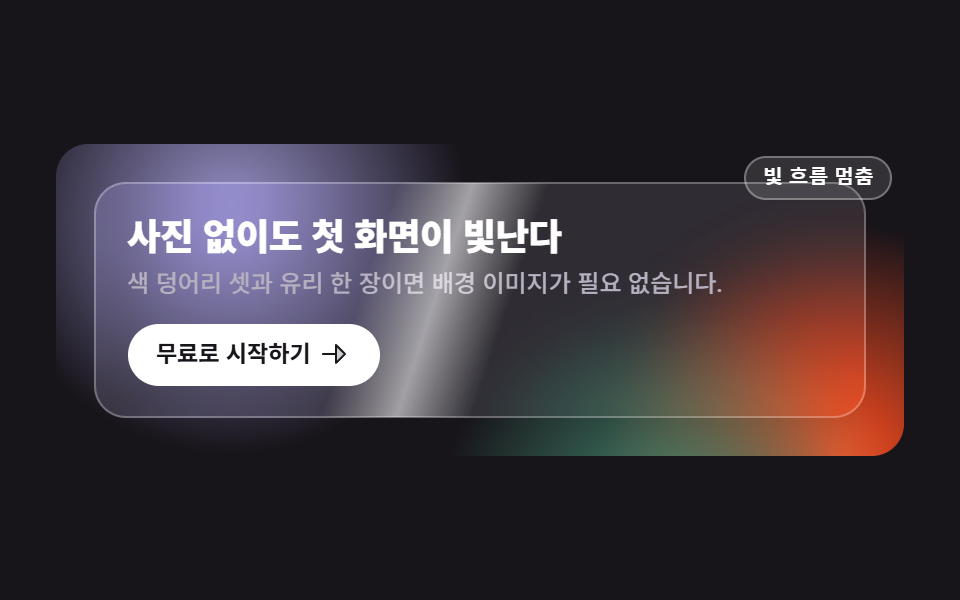
写真を一枚も使わず、三つの色の塊(radial-gradient)が互いに逆方向へゆっくり流れ、その上に半透明のガラスカードが浮かびます。カードはbackdrop-filter: blur(12px) saturate(140%)で背後の色をにじませ、表面を光が一度だけ斜めに走ります。
<main class="stage">
  <section class="hg is-demo">
    <!-- 배경: 사진이 아니라 radial-gradient 색 덩어리 세 개. 서로 다른 위상으로 느리게 흐른다 -->
    <div class="hg__bg" aria-hidden="true">
      <span class="hg__blob hg__blob--a"></span>
      <span class="hg__blob hg__blob--b"></span>
      <span class="hg__blob hg__blob--c"></span>
    </div>

    <div class="hg__card">
      <!-- 빛줄기는 clip-path 로 카드 모양 안에 갇힌다 -->
      <span class="hg__sheen" aria-hidden="true"><i class="hg__beam"></i></span>
      <h1 class="hg__title">写真なしでも映えるヒーロー</h1>
      <p class="hg__sub">色の塊三つとガラス一枚で背景画像は要りません。</p>
      <a class="hg__cta" href="#">無料で始める
        <svg viewBox="0 0 256 256" width="16" height="16" aria-hidden="true" focusable="false" fill="currentColor"><path d="M216,128l-72,72V56Z" opacity="0.2"/><path d="M221.66,122.34l-72-72A8,8,0,0,0,136,56v64H40a8,8,0,0,0,0,16h96v64a8,8,0,0,0,13.66,5.66l72-72A8,8,0,0,0,221.66,122.34ZM152,180.69V75.31L204.69,128Z"/></svg>
      </a>
    </div>

    <button class="hg__switch" type="button" aria-pressed="false">光の流れを止める</button>
  </section>
</main>
@use "../../../../site/static/demo-tokens" as *;
// 275 히어로 팔레트 — 아홉 항목이 같은 값을 쓴다. 괄호 안은 실측 대비비
$hr-ink: $stage-ink; // 무대(잉크)
$hr-paper: $stage-paper; // 제목·버튼 면
$hr-mist: #b6b0c0; // 잉크 위 보조 글자 8.65:1
$hr-violet: #9791c9; // 색 덩어리 1
$hr-orange: $stage-orange; // 색 덩어리 2
$hr-grass: #479074; // 색 덩어리 3
$duration: $dur-loop; // 덩어리 한 바퀴 · 빛줄기 한 번
$easing: $ease-spring; // 덩어리가 흐르는 결
$color: $hr-violet; // 이 항목의 강조색
@include stage($hr-ink);
// 히어로 — 사진 한 장 없이 잉크 바닥 + 색 덩어리로 배경을 만든다
.hg {
position: relative;
box-sizing: border-box;
overflow: hidden;
display: grid;
place-items: center;
width: clamp(272px, 94vw, 424px);
padding: clamp(16px, 4vw, 24px);
border-radius: $r-card;
background: $hr-ink;
}
.hg__bg {
position: absolute;
inset: 0;
}
// 덩어리는 radial-gradient — 가장자리가 이미 부드러워 blur 필터가 필요 없다
.hg__blob {
position: absolute;
width: 240px;
height: 240px;
border-radius: 50%;
}
.hg__blob--a {
left: -64px;
top: -104px;
background: radial-gradient(circle at 50% 50%, $color, rgba($color, 0) 70%);
}
// 밝은 덩어리 둘은 글자가 앉는 왼쪽 위를 피해 아래로 내린다 (미스트 글자의 대비를 지킨다).
// b 는 오른쪽 아래 모서리(중심 가로 97%), c 는 바닥의 오른쪽 절반이다 — `left: 44%` 는 덩어리의
// **왼쪽 모서리**라 424px 무대에서 187~427px 을 덮고 중심은 72% 다. 가운데가 아니다
.hg__blob--b {
right: -108px;
bottom: -136px;
background: radial-gradient(circle at 50% 50%, $hr-orange, rgba($hr-orange, 0) 70%);
}
.hg__blob--c {
left: 44%;
bottom: -160px;
background: radial-gradient(circle at 50% 50%, $hr-grass, rgba($hr-grass, 0) 70%);
}
// 유리 카드 — 뒤의 덩어리를 backdrop-filter 로 흐려 받는다
.hg__card {
position: relative;
z-index: 1;
box-sizing: border-box;
width: 100%;
padding: clamp(12px, 3.2vw, 20px);
border: 1px solid rgba(255, 255, 255, .28);
border-radius: $r-card;
background: rgba(255, 255, 255, .10);
backdrop-filter: blur(12px) saturate(140%);
-webkit-backdrop-filter: blur(12px) saturate(140%);
}
// 빛줄기 — clip-path 로 카드 모양(같은 반경) 안에 가둔다
.hg__sheen {
position: absolute;
inset: 0;
clip-path: inset(0 round #{$r-card});
pointer-events: none;
}
.hg__beam {
--sweep: 440px;
position: absolute;
left: 0;
top: -60%;
bottom: -60%;
width: 72px;
background: linear-gradient(90deg, rgba(255, 255, 255, 0), rgba(255, 255, 255, .55) 50%, rgba(255, 255, 255, 0));
transform: rotate(18deg) translateX(-120px);
}
.hg__title {
margin: 0;
color: $hr-paper; // 흰 글자 on 잉크 18.24:1
font-weight: 800; font-size: clamp(15px, 3.8vw, 22px); line-height: 1.18;
letter-spacing: -.015em;
word-break: keep-all; // 한국어는 낱말 단위로 줄을 바꾼다
}
.hg__sub {
margin: $sp-1 0 0;
color: $hr-mist; // 미스트 on 잉크 8.65:1
font-weight: 500; font-size: clamp(10px, 2.5vw, 13px); line-height: 1.45;
}
.hg__cta {
display: inline-flex;
align-items: center;
gap: $sp-1;
margin-top: clamp(8px, 2.4vw, 12px);
padding: clamp(4px, 1.6vw, 8px) clamp(8px, 3vw, 16px);
border-radius: $r-pill;
background: $hr-paper;
color: $hr-ink; // 잉크 글자 on 흰 면 18.24:1
font-weight: 700; font-size: clamp(10px, 2.4vw, 13px); line-height: 1;
text-decoration: none;
}
.hg__cta:focus-visible {
outline: 2px solid $hr-paper;
outline-offset: 3px;
}
// 빛의 흐름만 멈추는 작은 스위치
.hg__switch {
position: absolute;
z-index: 2;
top: 6px;
right: 6px;
padding: $sp-1 $sp-2;
border: 1px solid rgba(255, 255, 255, .32);
border-radius: $r-pill;
background: rgba(255, 255, 255, .12);
color: $hr-paper;
font-weight: 600; font-size: 10px; line-height: 1.2;
cursor: pointer;
}
.hg__switch[aria-pressed="true"] {
background: rgba(255, 255, 255, .26);
}
.hg__switch:focus-visible {
outline: 2px solid $hr-paper;
outline-offset: 2px;
}
// ── 자동 재생 ─────────────────────────────────────────────
// 덩어리 셋은 같은 길이(캡처 창 2초의 약수여야 한다)의 다른 경로·다른 위상으로 흐른다.
// animation 단축은 delay 를 0 으로 리셋하므로 낱개 속성으로 쓴다
.hg.is-demo .hg__blob {
animation-duration: $duration;
animation-timing-function: $easing;
animation-iteration-count: infinite;
animation-fill-mode: backwards;
}
.hg.is-demo .hg__blob--a { animation-name: hgDriftA; }
.hg.is-demo .hg__blob--b { animation-name: hgDriftB; animation-delay: -.6667s; }
.hg.is-demo .hg__blob--c { animation-name: hgDriftC; animation-delay: -1.3333s; }
.hg.is-demo .hg__beam {
animation-name: hgSheen;
animation-duration: $duration;
animation-timing-function: $ease-out;
animation-iteration-count: infinite;
}
// 스위치를 누르면 있던 자리에 그대로 선다 (같은 특이도 · 뒤에 오므로 이긴다)
.hg.is-paused .hg__blob,
.hg.is-paused .hg__beam { animation-play-state: paused; }
@keyframes hgDriftA {
0%, 100% { transform: translate(0, 0); }
50% { transform: translate(34px, 22px); }
}
@keyframes hgDriftB {
0%, 100% { transform: translate(0, 0); }
50% { transform: translate(-30px, -20px); }
}
@keyframes hgDriftC {
0%, 100% { transform: translate(0, 0); }
50% { transform: translate(24px, -28px); }
}
// 빛줄기는 카드 왼쪽 밖에서 들어와 오른쪽 밖으로 나간다 — 되감기는 clip-path 밖에서 일어나 보이지 않는다
@keyframes hgSheen {
0%, 6% { transform: rotate(18deg) translateX(-120px); }
56%, 100% { transform: rotate(18deg) translateX(var(--sweep)); }
}
// 좁은 화면 — 세로로 쌓지 않고 글자·여백만 줄인다 (이 안에서는 간격을 올리지 않는다)
@media (max-width: 340px), (max-height: 220px) {
.hg { width: 100%; padding: $sp-3; }
.hg__card { padding: $sp-2; }
.hg__blob { width: 180px; height: 180px; }
.hg__beam { --sweep: 300px; width: 56px; }
.hg__switch { padding: 0 $sp-1; font-size: 9px; }
}
@media (prefers-reduced-motion: reduce) {
// .hg.is-demo .hg__blob (0,3,0) 를 이기려면 !important 가 필요하다 — 카드·글자는 그대로 남는다
.hg__blob, .hg__beam { animation: none !important; }
}html, body {
margin: 0;
overflow: hidden;
}
.stage {
box-sizing: border-box;
min-height: 100vh;
display: grid;
place-items: center;
margin: 0;
background: #17141a;
font-family: -apple-system, "Segoe UI", "Noto Sans KR", sans-serif;
padding: clamp(8px, 4vw, 24px);
}
.hg {
position: relative;
box-sizing: border-box;
overflow: hidden;
display: grid;
place-items: center;
width: clamp(272px, 94vw, 424px);
padding: clamp(16px, 4vw, 24px);
border-radius: 16px;
background: #17141a;
}
.hg__bg {
position: absolute;
inset: 0;
}
.hg__blob {
position: absolute;
width: 240px;
height: 240px;
border-radius: 50%;
}
.hg__blob--a {
left: -64px;
top: -104px;
background: radial-gradient(circle at 50% 50%, #9791c9, rgba(151, 145, 201, 0) 70%);
}
.hg__blob--b {
right: -108px;
bottom: -136px;
background: radial-gradient(circle at 50% 50%, #ff4d1f, rgba(255, 77, 31, 0) 70%);
}
.hg__blob--c {
left: 44%;
bottom: -160px;
background: radial-gradient(circle at 50% 50%, #479074, rgba(71, 144, 116, 0) 70%);
}
.hg__card {
position: relative;
z-index: 1;
box-sizing: border-box;
width: 100%;
padding: clamp(12px, 3.2vw, 20px);
border: 1px solid rgba(255, 255, 255, 0.28);
border-radius: 16px;
background: rgba(255, 255, 255, 0.1);
backdrop-filter: blur(12px) saturate(140%);
-webkit-backdrop-filter: blur(12px) saturate(140%);
}
.hg__sheen {
position: absolute;
inset: 0;
clip-path: inset(0 round 16px);
pointer-events: none;
}
.hg__beam {
--sweep: 440px;
position: absolute;
left: 0;
top: -60%;
bottom: -60%;
width: 72px;
background: linear-gradient(90deg, rgba(255, 255, 255, 0), rgba(255, 255, 255, 0.55) 50%, rgba(255, 255, 255, 0));
transform: rotate(18deg) translateX(-120px);
}
.hg__title {
margin: 0;
color: #ffffff;
font-weight: 800;
font-size: clamp(15px, 3.8vw, 22px);
line-height: 1.18;
letter-spacing: -0.015em;
word-break: keep-all;
}
.hg__sub {
margin: 4px 0 0;
color: #b6b0c0;
font-weight: 500;
font-size: clamp(10px, 2.5vw, 13px);
line-height: 1.45;
}
.hg__cta {
display: inline-flex;
align-items: center;
gap: 4px;
margin-top: clamp(8px, 2.4vw, 12px);
padding: clamp(4px, 1.6vw, 8px) clamp(8px, 3vw, 16px);
border-radius: 999px;
background: #ffffff;
color: #17141a;
font-weight: 700;
font-size: clamp(10px, 2.4vw, 13px);
line-height: 1;
text-decoration: none;
}
.hg__cta:focus-visible {
outline: 2px solid #ffffff;
outline-offset: 3px;
}
.hg__switch {
position: absolute;
z-index: 2;
top: 6px;
right: 6px;
padding: 4px 8px;
border: 1px solid rgba(255, 255, 255, 0.32);
border-radius: 999px;
background: rgba(255, 255, 255, 0.12);
color: #ffffff;
font-weight: 600;
font-size: 10px;
line-height: 1.2;
cursor: pointer;
}
.hg__switch[aria-pressed=true] {
background: rgba(255, 255, 255, 0.26);
}
.hg__switch:focus-visible {
outline: 2px solid #ffffff;
outline-offset: 2px;
}
.hg.is-demo .hg__blob {
animation-duration: 2s;
animation-timing-function: cubic-bezier(0.2, 0.8, 0.2, 1);
animation-iteration-count: infinite;
animation-fill-mode: backwards;
}
.hg.is-demo .hg__blob--a {
animation-name: hgDriftA;
}
.hg.is-demo .hg__blob--b {
animation-name: hgDriftB;
animation-delay: -0.6667s;
}
.hg.is-demo .hg__blob--c {
animation-name: hgDriftC;
animation-delay: -1.3333s;
}
.hg.is-demo .hg__beam {
animation-name: hgSheen;
animation-duration: 2s;
animation-timing-function: ease-out;
animation-iteration-count: infinite;
}
.hg.is-paused .hg__blob,
.hg.is-paused .hg__beam {
animation-play-state: paused;
}
@keyframes hgDriftA {
0%, 100% {
transform: translate(0, 0);
}
50% {
transform: translate(34px, 22px);
}
}
@keyframes hgDriftB {
0%, 100% {
transform: translate(0, 0);
}
50% {
transform: translate(-30px, -20px);
}
}
@keyframes hgDriftC {
0%, 100% {
transform: translate(0, 0);
}
50% {
transform: translate(24px, -28px);
}
}
@keyframes hgSheen {
0%, 6% {
transform: rotate(18deg) translateX(-120px);
}
56%, 100% {
transform: rotate(18deg) translateX(var(--sweep));
}
}
@media (max-width: 340px), (max-height: 220px) {
.hg {
width: 100%;
padding: 12px;
}
.hg__card {
padding: 8px;
}
.hg__blob {
width: 180px;
height: 180px;
}
.hg__beam {
--sweep: 300px;
width: 56px;
}
.hg__switch {
padding: 0 4px;
font-size: 9px;
}
}
@media (prefers-reduced-motion: reduce) {
.hg__blob, .hg__beam {
animation: none !important;
}
}(function () {
var root = document.querySelector('.hg');
var card = root.querySelector('.hg__card');
var sw = root.querySelector('.hg__switch');
// 격자 미리보기용 자동 루프 — 카드에 손이 닿으면 뗀다 (스위치는 예외라 눌러서 다시 켤 수 있다)
function stopLoop() { root.classList.remove('is-demo'); }
sw.addEventListener('click', function () {
var paused = sw.getAttribute('aria-pressed') === 'true';
sw.setAttribute('aria-pressed', paused ? 'false' : 'true');
// animation-play-state 만 바꾼다 — 덩어리도 빛줄기도 있던 자리에 그대로 선다
root.classList.toggle('is-paused', !paused);
if (paused) { root.classList.add('is-demo'); }
});
card.addEventListener('pointerenter', stopLoop);
root.addEventListener('focusin', function (e) {
if (e.target !== sw) { stopLoop(); }
});
})();import { useState } from "react";
import type { CSSProperties, ReactNode } from "react";
import styles from "./HeroGradientGlass.module.scss";
/* ambient 에 FocusEvent 가 없어 파일 안에 필요한 만큼만 선언한다 */
type FocusEvt = { target: unknown; currentTarget: unknown };
export type HeroGradientGlassProps = {
title?: string;
sub?: string;
cta?: string;
/** 빛의 흐름을 멈추는 스위치의 이름 */
switchLabel?: string;
/** 덩어리 한 바퀴 · 빛줄기 한 번(ms) */
duration?: number;
easing?: string;
/** 첫 번째 색 덩어리이자 이 항목의 강조색 */
color?: string;
};
type Vars = CSSProperties & { "--duration"?: string; "--easing"?: string; "--color"?: string };
const ArrowRight = (): ReactNode => (
<svg viewBox="0 0 256 256" width="16" height="16" aria-hidden="true" focusable="false" fill="currentColor">
<path d="M216,128l-72,72V56Z" opacity="0.2" />
<path d="M221.66,122.34l-72-72A8,8,0,0,0,136,56v64H40a8,8,0,0,0,0,16h96v64a8,8,0,0,0,13.66,5.66l72-72A8,8,0,0,0,221.66,122.34ZM152,180.69V75.31L204.69,128Z" />
</svg>
);
export default function HeroGradientGlass({
title = "사진 없이도 첫 화면이 빛난다",
sub = "색 덩어리 셋과 유리 한 장이면 배경 이미지가 필요 없습니다.",
cta = "무료로 시작하기",
switchLabel = "빛 흐름 멈춤",
duration = 2000,
easing = "cubic-bezier(.2,.8,.2,1)",
color = "#5b4bd6",
}: HeroGradientGlassProps): ReactNode {
const [loop, setLoop] = useState<boolean>(true);
const [paused, setPaused] = useState<boolean>(false);
const vars: Vars = { "--duration": `${duration}ms`, "--easing": easing, "--color": color };
/* 스위치는 animation-play-state 만 바꾼다 — 다시 누르면 미리보기 루프도 함께 돌아온다 */
const toggle = (): void => {
setPaused(!paused);
if (paused) { setLoop(true); }
};
const cls = [styles.hg, loop ? styles.isDemo : "", paused ? styles.isPaused : ""].join(" ").trim();
return (
<section
className={cls}
style={vars}
onFocus={(e: FocusEvt) => { if (e.target !== e.currentTarget) { setLoop(false); } }}
>
{/* 배경: 사진이 아니라 radial-gradient 색 덩어리 세 개 */}
<div className={styles.bg} aria-hidden="true">
<span className={`${styles.blob} ${styles.blobA}`} />
<span className={`${styles.blob} ${styles.blobB}`} />
<span className={`${styles.blob} ${styles.blobC}`} />
</div>
<div className={styles.card} onPointerEnter={() => setLoop(false)}>
{/* 빛줄기는 clip-path 로 카드 모양 안에 갇힌다 */}
<span className={styles.sheen} aria-hidden="true"><i className={styles.beam} /></span>
<h1 className={styles.title}>{title}</h1>
<p className={styles.sub}>{sub}</p>
<a className={styles.cta} href="#">
{cta}
<ArrowRight />
</a>
</div>
<button className={styles.switch} type="button" aria-pressed={paused} onClick={toggle}>
{switchLabel}
</button>
</section>
);
}04 · グラデーション・グラスヒーロー — 計測 累積面積 34.29% · 動いたフレーム 17/23GODRICH オリジナル · SCSS と React は zip に同梱 · パスワードを見る
コードのどこを見るか
変化面積の合計は34.261%と九つで最も大きいのに、動きが薄く広く広がるため平均の強度は32.2で最も低くなっています。
.hg__blob--a {
  left: -64px;
  top: -104px;
  background: radial-gradient(circle at 50% 50%, $color, rgba($color, 0) 70%);
}

.hg__card {
  position: relative;
  z-index: 1;
  box-sizing: border-box;
  width: 100%;
  padding: clamp(12px, 3.2vw, 20px);
  border: 1px solid rgba(255, 255, 255, .28);
  border-radius: $r-card;
  background: rgba(255, 255, 255, .10);
  backdrop-filter: blur(12px) saturate(140%);
  -webkit-backdrop-filter: blur(12px) saturate(140%);
}

@keyframes hgDriftA {
  0%, 100% { transform: translate(0, 0); }
  50%      { transform: translate(34px, 22px); }
}
05製品ズーム・ホットスポットヒーロー
画面で起きること
製品の絵がループの52%で1.12倍まで拡大し、88%で元の大きさへ戻る間に、二つの呼び出し点が1.28倍へ膨らみ、輪が2.8倍に広がって消え、弾けた位置に説明の札がsteps(1, end)の一コマで現れます。半透明の重なりを作らないためです。
<main class="stage">
  <section class="hz is-demo">
    <div class="hz__copy">
      <h1 class="hz__title">機能は指し示して見せる</h1>
      <p class="hz__sub">点を押すとその場に説明の札が出ます。</p>
    </div>

    <div class="hz__frame">
      <!-- 제품 그림은 사진이 아니라 도형 조합 — transform-origin 을 호출점 쪽에 두고 천천히 확대된다 -->
      <div class="hz__art" aria-hidden="true">
        <span class="hz__screen">
          <i class="hz__bar hz__bar--head"></i>
          <i class="hz__bar hz__bar--a"></i>
          <span class="hz__row">
            <i class="hz__tile hz__tile--v"></i>
            <i class="hz__tile hz__tile--g"></i>
          </span>
        </span>
      </div>

      <div class="hz__spot hz__spot--1">
        <button class="hz__dot" type="button" aria-expanded="false" aria-controls="hz-note-1" aria-label="指標の説明を開く">
          <span class="hz__ring" aria-hidden="true"></span>
          <svg viewBox="0 0 256 256" width="11" height="11" aria-hidden="true" focusable="false" fill="currentColor"><path d="M160,128a32,32,0,1,1-32-32A32,32,0,0,1,160,128Z" opacity="0.2"/><path d="M232,120h-8.34A96.14,96.14,0,0,0,136,32.34V24a8,8,0,0,0-16,0v8.34A96.14,96.14,0,0,0,32.34,120H24a8,8,0,0,0,0,16h8.34A96.14,96.14,0,0,0,120,223.66V232a8,8,0,0,0,16,0v-8.34A96.14,96.14,0,0,0,223.66,136H232a8,8,0,0,0,0-16Zm-96,87.6V200a8,8,0,0,0-16,0v7.6A80.15,80.15,0,0,1,48.4,136H56a8,8,0,0,0,0-16H48.4A80.15,80.15,0,0,1,120,48.4V56a8,8,0,0,0,16,0V48.4A80.15,80.15,0,0,1,207.6,120H200a8,8,0,0,0,0,16h7.6A80.15,80.15,0,0,1,136,207.6ZM128,88a40,40,0,1,0,40,40A40,40,0,0,0,128,88Zm0,64a24,24,0,1,1,24-24A24,24,0,0,1,128,152Z"/></svg>
        </button>
        <p class="hz__note" id="hz-note-1">指標をひと目で</p>
      </div>

      <div class="hz__spot hz__spot--2">
        <button class="hz__dot" type="button" aria-expanded="false" aria-controls="hz-note-2" aria-label="通知の説明を開く">
          <span class="hz__ring" aria-hidden="true"></span>
          <svg viewBox="0 0 256 256" width="11" height="11" aria-hidden="true" focusable="false" fill="currentColor"><path d="M160,128a32,32,0,1,1-32-32A32,32,0,0,1,160,128Z" opacity="0.2"/><path d="M232,120h-8.34A96.14,96.14,0,0,0,136,32.34V24a8,8,0,0,0-16,0v8.34A96.14,96.14,0,0,0,32.34,120H24a8,8,0,0,0,0,16h8.34A96.14,96.14,0,0,0,120,223.66V232a8,8,0,0,0,16,0v-8.34A96.14,96.14,0,0,0,223.66,136H232a8,8,0,0,0,0-16Zm-96,87.6V200a8,8,0,0,0-16,0v7.6A80.15,80.15,0,0,1,48.4,136H56a8,8,0,0,0,0-16H48.4A80.15,80.15,0,0,1,120,48.4V56a8,8,0,0,0,16,0V48.4A80.15,80.15,0,0,1,207.6,120H200a8,8,0,0,0,0,16h7.6A80.15,80.15,0,0,1,136,207.6ZM128,88a40,40,0,1,0,40,40A40,40,0,0,0,128,88Zm0,64a24,24,0,1,1,24-24A24,24,0,0,1,128,152Z"/></svg>
        </button>
        <p class="hz__note" id="hz-note-2">必要な通知だけ</p>
      </div>
    </div>
  </section>
</main>@use "../../../../site/static/demo-tokens" as *;
// 275 히어로 팔레트 — 아홉 항목이 같은 값을 쓴다. 괄호 안은 실측 대비비
$hr-ink: $stage-ink; // 오렌지 무대 위 글자는 전부 잉크 (5.50:1)
$hr-paper: $stage-paper; // 액자 · 쪽지 글자
$hr-cream: #fdf7ec; // 제품 화면 바닥
$hr-orange: $stage-orange; // 무대
$hr-violet: #9791c9; // 제품 화면 타일 1
$hr-grass: #479074; // 제품 화면 타일 2
$duration: $dur-loop; // 확대 한 바퀴 · 호출점 둘이 차례로 터지는 한 바퀴
$easing: $ease-out; // 확대가 붙었다 풀리는 결
$color: $hr-violet; // 이 항목의 강조색
@include stage($hr-orange);
// 왼쪽 글 · 오른쪽 액자. 좁아져도 세로로 쌓지 않는다 (쌓으면 오히려 세로로 넘친다)
.hz {
box-sizing: border-box;
display: flex;
align-items: center;
gap: clamp(8px, 3vw, 16px);
width: clamp(272px, 94vw, 432px);
// 쪽지가 absolute 라 부모 높이에 안 들어간다 — scrollHeight 만큼 미리 자리를 확보한다
padding-bottom: $sp-2;
}
.hz__copy {
flex: 1 1 38%;
min-width: 0;
}
.hz__title {
margin: 0;
color: $hr-ink; // 잉크 on 오렌지 5.50:1
font-weight: 800; font-size: clamp(12px, 3.2vw, 18px); line-height: 1.2;
letter-spacing: -.01em;
word-break: keep-all; // 한국어는 낱말 단위로 줄을 바꾼다
}
.hz__sub {
margin: $sp-1 0 0;
color: $hr-ink;
font-weight: 500; font-size: clamp(9px, 2.2vw, 12px); line-height: 1.4;
}
// 흰 액자 — 확대된 그림은 여기서 잘린다
.hz__frame {
position: relative;
flex: 1 1 62%;
min-width: 0;
box-sizing: border-box;
padding: $sp-3;
border-radius: $r-card;
background: $hr-paper;
overflow: hidden;
}
// 제품 그림 — 도형 조합. 원점을 첫 호출점 쪽에 둔다
.hz__art {
transform-origin: 30% 34%; // 규칙8: 호출점 기준 카메라 확대
transform: scale(1);
}
.hz__screen {
box-sizing: border-box;
display: flex;
flex-direction: column;
gap: $sp-1;
height: clamp(72px, 24vw, 104px);
padding: $sp-2;
border-radius: $r-sm;
background: $hr-cream;
}
.hz__bar {
border-radius: $r-pill;
background: rgba(23, 20, 26, .78);
}
.hz__bar--head { width: 42%; height: 8px; }
.hz__bar--a { width: 68%; height: 6px; background: rgba(23, 20, 26, .32); }
.hz__row {
display: flex;
gap: $sp-1;
flex: 1 1 auto;
min-height: 0;
}
.hz__tile {
flex: 1 1 0;
border-radius: $r-sm;
}
.hz__tile--v { background: $color; }
.hz__tile--g { flex: 0 0 32%; background: $hr-grass; }
// 호출점 — 크기 0 의 닻. 점과 쪽지가 여기에 매달린다
.hz__spot {
position: absolute;
width: 0;
height: 0;
}
.hz__spot--1 { left: 26%; top: 32%; }
.hz__spot--2 { left: 46%; top: 66%; }
.hz__dot {
position: absolute;
left: -9px;
top: -9px;
display: grid;
place-items: center;
width: 18px;
height: 18px;
padding: 0;
border: 0;
border-radius: 50%;
background: $hr-ink;
color: $hr-paper; // 흰 아이콘 on 잉크 18.24:1
cursor: pointer;
}
.hz__dot:focus-visible {
outline: 2px solid $hr-ink;
outline-offset: 2px;
}
// 부풀었다 터지는 고리
.hz__ring {
position: absolute;
inset: 0;
border: 2px solid $hr-ink;
border-radius: 50%;
opacity: 0;
transform: scale(1);
}
// 쪽지 — 기본은 닫힘. 누르면 열리고, 미리보기에서는 컷으로 나타난다
.hz__note {
position: absolute;
left: 14px;
top: -8px;
margin: 0;
padding: $sp-1 $sp-2;
border-radius: $r-pill;
background: $hr-ink;
color: $hr-paper;
font-weight: 600; font-size: clamp(8px, 2vw, 11px); line-height: 1.2;
white-space: nowrap;
opacity: 0;
visibility: hidden;
transition: opacity $dur-quick $ease-out;
}
.hz__spot.is-open .hz__note {
opacity: 1;
visibility: visible;
}
// ── 자동 재생 ─────────────────────────────────────────────
// 그림은 루프 내내 천천히 커졌다 제자리로 돌아오고(90% 안), 그 위에서 호출점 둘이 차례로 터진다.
// animation 단축은 delay 를 0 으로 리셋하므로 낱개 속성으로 쓴다
.hz.is-demo .hz__art {
animation-name: hzZoom;
animation-duration: $duration;
animation-timing-function: $easing;
animation-iteration-count: infinite;
}
.hz.is-demo .hz__dot {
animation-duration: $duration;
animation-timing-function: $ease-spring;
animation-iteration-count: infinite;
}
.hz.is-demo .hz__spot--1 .hz__dot { animation-name: hzPulse1; }
.hz.is-demo .hz__spot--2 .hz__dot { animation-name: hzPulse2; }
.hz.is-demo .hz__ring {
animation-duration: $duration;
animation-timing-function: $ease-out;
animation-iteration-count: infinite;
}
.hz.is-demo .hz__spot--1 .hz__ring { animation-name: hzBurst1; }
.hz.is-demo .hz__spot--2 .hz__ring { animation-name: hzBurst2; }
// 쪽지는 반투명 유령을 만들지 않는다 — steps(1, end) 로 한 프레임에 컷
.hz.is-demo .hz__note {
visibility: visible;
animation-duration: $duration;
animation-timing-function: steps(1, end);
animation-iteration-count: infinite;
transition: none;
}
.hz.is-demo .hz__spot--1 .hz__note { animation-name: hzNote1; }
.hz.is-demo .hz__spot--2 .hz__note { animation-name: hzNote2; }
@keyframes hzZoom {
0% { transform: scale(1); }
52% { transform: scale(1.12); }
88%, 100% { transform: scale(1); }
}
// 점은 작은 transform 으로 계속 살아 있다 — 컷만 있으면 움직인 프레임이 모자란다
@keyframes hzPulse1 {
0% { transform: scale(1); }
8% { transform: scale(1.28); }
22%, 100% { transform: scale(1); }
}
@keyframes hzPulse2 {
0%, 40% { transform: scale(1); }
46% { transform: scale(1.28); }
58%, 100% { transform: scale(1); }
}
@keyframes hzBurst1 {
0%, 4% { transform: scale(1); opacity: .9; }
26% { transform: scale(2.8); opacity: 0; }
100% { transform: scale(2.8); opacity: 0; }
}
@keyframes hzBurst2 {
0%, 40% { transform: scale(1); opacity: 0; }
44% { transform: scale(1); opacity: .9; }
62%, 100% { transform: scale(2.8); opacity: 0; }
}
// 컷 — 터진 자리에 한 프레임에 나타나고, 루프 복귀는 90% 안에 끝낸다
@keyframes hzNote1 {
0% { opacity: 0; }
26% { opacity: 1; }
86% { opacity: 0; }
100% { opacity: 0; }
}
@keyframes hzNote2 {
0% { opacity: 0; }
62% { opacity: 1; }
86% { opacity: 0; }
100% { opacity: 0; }
}
// 좁은 화면 — 글자·여백만 줄이고 두 칸을 유지한다 (이 안에서는 간격을 올리지 않는다)
@media (max-width: 340px), (max-height: 220px) {
.hz { gap: $sp-2; width: 100%; padding-bottom: $sp-1; }
.hz__frame { padding: $sp-2; }
.hz__screen { padding: $sp-1; }
// 쪽지가 액자 밖으로 잘리지 않게 호출점을 왼쪽으로 당긴다 (실측: 320px 에서 오른쪽 끝이 잘렸다)
.hz__spot--1 { left: 18%; top: 30%; }
.hz__spot--2 { left: 24%; top: 66%; }
.hz__note { left: 12px; padding: 0 $sp-1; }
.hz__dot { width: 16px; height: 16px; left: -8px; top: -8px; }
}
@media (prefers-reduced-motion: reduce) {
// .hz.is-demo .hz__art (0,3,0) 를 이기려면 !important 가 필요하다 — 쪽지는 열린 상태를 그대로 남긴다
.hz__art, .hz__dot, .hz__ring, .hz__note { animation: none !important; transition: none !important; }
.hz.is-demo .hz__note { opacity: 1 !important; }
}html, body {
margin: 0;
overflow: hidden;
}
.stage {
box-sizing: border-box;
min-height: 100vh;
display: grid;
place-items: center;
margin: 0;
background: #ff4d1f;
font-family: -apple-system, "Segoe UI", "Noto Sans KR", sans-serif;
padding: clamp(8px, 4vw, 24px);
}
.hz {
box-sizing: border-box;
display: flex;
align-items: center;
gap: clamp(8px, 3vw, 16px);
width: clamp(272px, 94vw, 432px);
padding-bottom: 8px;
}
.hz__copy {
flex: 1 1 38%;
min-width: 0;
}
.hz__title {
margin: 0;
color: #17141a;
font-weight: 800;
font-size: clamp(12px, 3.2vw, 18px);
line-height: 1.2;
letter-spacing: -0.01em;
word-break: keep-all;
}
.hz__sub {
margin: 4px 0 0;
color: #17141a;
font-weight: 500;
font-size: clamp(9px, 2.2vw, 12px);
line-height: 1.4;
}
.hz__frame {
position: relative;
flex: 1 1 62%;
min-width: 0;
box-sizing: border-box;
padding: 12px;
border-radius: 16px;
background: #ffffff;
overflow: hidden;
}
.hz__art {
transform-origin: 30% 34%;
transform: scale(1);
}
.hz__screen {
box-sizing: border-box;
display: flex;
flex-direction: column;
gap: 4px;
height: clamp(72px, 24vw, 104px);
padding: 8px;
border-radius: 8px;
background: #fdf7ec;
}
.hz__bar {
border-radius: 999px;
background: rgba(23, 20, 26, 0.78);
}
.hz__bar--head {
width: 42%;
height: 8px;
}
.hz__bar--a {
width: 68%;
height: 6px;
background: rgba(23, 20, 26, 0.32);
}
.hz__row {
display: flex;
gap: 4px;
flex: 1 1 auto;
min-height: 0;
}
.hz__tile {
flex: 1 1 0;
border-radius: 8px;
}
.hz__tile--v {
background: #9791c9;
}
.hz__tile--g {
flex: 0 0 32%;
background: #479074;
}
.hz__spot {
position: absolute;
width: 0;
height: 0;
}
.hz__spot--1 {
left: 26%;
top: 32%;
}
.hz__spot--2 {
left: 46%;
top: 66%;
}
.hz__dot {
position: absolute;
left: -9px;
top: -9px;
display: grid;
place-items: center;
width: 18px;
height: 18px;
padding: 0;
border: 0;
border-radius: 50%;
background: #17141a;
color: #ffffff;
cursor: pointer;
}
.hz__dot:focus-visible {
outline: 2px solid #17141a;
outline-offset: 2px;
}
.hz__ring {
position: absolute;
inset: 0;
border: 2px solid #17141a;
border-radius: 50%;
opacity: 0;
transform: scale(1);
}
.hz__note {
position: absolute;
left: 14px;
top: -8px;
margin: 0;
padding: 4px 8px;
border-radius: 999px;
background: #17141a;
color: #ffffff;
font-weight: 600;
font-size: clamp(8px, 2vw, 11px);
line-height: 1.2;
white-space: nowrap;
opacity: 0;
visibility: hidden;
transition: opacity 220ms ease-out;
}
.hz__spot.is-open .hz__note {
opacity: 1;
visibility: visible;
}
.hz.is-demo .hz__art {
animation-name: hzZoom;
animation-duration: 2s;
animation-timing-function: ease-out;
animation-iteration-count: infinite;
}
.hz.is-demo .hz__dot {
animation-duration: 2s;
animation-timing-function: cubic-bezier(0.2, 0.8, 0.2, 1);
animation-iteration-count: infinite;
}
.hz.is-demo .hz__spot--1 .hz__dot {
animation-name: hzPulse1;
}
.hz.is-demo .hz__spot--2 .hz__dot {
animation-name: hzPulse2;
}
.hz.is-demo .hz__ring {
animation-duration: 2s;
animation-timing-function: ease-out;
animation-iteration-count: infinite;
}
.hz.is-demo .hz__spot--1 .hz__ring {
animation-name: hzBurst1;
}
.hz.is-demo .hz__spot--2 .hz__ring {
animation-name: hzBurst2;
}
.hz.is-demo .hz__note {
visibility: visible;
animation-duration: 2s;
animation-timing-function: steps(1, end);
animation-iteration-count: infinite;
transition: none;
}
.hz.is-demo .hz__spot--1 .hz__note {
animation-name: hzNote1;
}
.hz.is-demo .hz__spot--2 .hz__note {
animation-name: hzNote2;
}
@keyframes hzZoom {
0% {
transform: scale(1);
}
52% {
transform: scale(1.12);
}
88%, 100% {
transform: scale(1);
}
}
@keyframes hzPulse1 {
0% {
transform: scale(1);
}
8% {
transform: scale(1.28);
}
22%, 100% {
transform: scale(1);
}
}
@keyframes hzPulse2 {
0%, 40% {
transform: scale(1);
}
46% {
transform: scale(1.28);
}
58%, 100% {
transform: scale(1);
}
}
@keyframes hzBurst1 {
0%, 4% {
transform: scale(1);
opacity: 0.9;
}
26% {
transform: scale(2.8);
opacity: 0;
}
100% {
transform: scale(2.8);
opacity: 0;
}
}
@keyframes hzBurst2 {
0%, 40% {
transform: scale(1);
opacity: 0;
}
44% {
transform: scale(1);
opacity: 0.9;
}
62%, 100% {
transform: scale(2.8);
opacity: 0;
}
}
@keyframes hzNote1 {
0% {
opacity: 0;
}
26% {
opacity: 1;
}
86% {
opacity: 0;
}
100% {
opacity: 0;
}
}
@keyframes hzNote2 {
0% {
opacity: 0;
}
62% {
opacity: 1;
}
86% {
opacity: 0;
}
100% {
opacity: 0;
}
}
@media (max-width: 340px), (max-height: 220px) {
.hz {
gap: 8px;
width: 100%;
padding-bottom: 4px;
}
.hz__frame {
padding: 8px;
}
.hz__screen {
padding: 4px;
}
.hz__spot--1 {
left: 18%;
top: 30%;
}
.hz__spot--2 {
left: 24%;
top: 66%;
}
.hz__note {
left: 12px;
padding: 0 4px;
}
.hz__dot {
width: 16px;
height: 16px;
left: -8px;
top: -8px;
}
}
@media (prefers-reduced-motion: reduce) {
.hz__art, .hz__dot, .hz__ring, .hz__note {
animation: none !important;
transition: none !important;
}
.hz.is-demo .hz__note {
opacity: 1 !important;
}
}(function () {
var root = document.querySelector('.hz');
var spots = [].slice.call(root.querySelectorAll('.hz__spot'));
// 격자 미리보기용 자동 루프 — 사람이 손을 대면 뗀다
function stopLoop() { root.classList.remove('is-demo'); }
spots.forEach(function (spot) {
var dot = spot.querySelector('.hz__dot');
dot.addEventListener('click', function () {
stopLoop();
var isOpen = dot.getAttribute('aria-expanded') === 'true';
dot.setAttribute('aria-expanded', isOpen ? 'false' : 'true');
spot.classList.toggle('is-open', !isOpen);
});
});
root.addEventListener('pointerenter', stopLoop);
root.addEventListener('focusin', stopLoop);
})();import { useState } from "react";
import type { CSSProperties, ReactNode } from "react";
import styles from "./HeroZoomHotspot.module.scss";
export type Hotspot = {
/** 점의 이름 — 스크린 리더가 읽는다 */
label: string;
/** 터진 자리에 뜨는 쪽지 */
note: string;
};
export type HeroZoomHotspotProps = {
title?: string;
sub?: string;
spots?: [Hotspot, Hotspot];
/** 확대 한 바퀴 · 호출점 둘이 차례로 터지는 한 바퀴(ms) */
duration?: number;
easing?: string;
/** 제품 화면 타일의 강조색 */
color?: string;
};
type Vars = CSSProperties & { "--duration"?: string; "--easing"?: string; "--color"?: string };
const Crosshair = (): ReactNode => (
<svg viewBox="0 0 256 256" width="11" height="11" aria-hidden="true" focusable="false" fill="currentColor">
<path d="M160,128a32,32,0,1,1-32-32A32,32,0,0,1,160,128Z" opacity="0.2" />
<path d="M232,120h-8.34A96.14,96.14,0,0,0,136,32.34V24a8,8,0,0,0-16,0v8.34A96.14,96.14,0,0,0,32.34,120H24a8,8,0,0,0,0,16h8.34A96.14,96.14,0,0,0,120,223.66V232a8,8,0,0,0,16,0v-8.34A96.14,96.14,0,0,0,223.66,136H232a8,8,0,0,0,0-16Zm-96,87.6V200a8,8,0,0,0-16,0v7.6A80.15,80.15,0,0,1,48.4,136H56a8,8,0,0,0,0-16H48.4A80.15,80.15,0,0,1,120,48.4V56a8,8,0,0,0,16,0V48.4A80.15,80.15,0,0,1,207.6,120H200a8,8,0,0,0,0,16h7.6A80.15,80.15,0,0,1,136,207.6ZM128,88a40,40,0,1,0,40,40A40,40,0,0,0,128,88Zm0,64a24,24,0,1,1,24-24A24,24,0,0,1,128,152Z" />
</svg>
);
const DEFAULT_SPOTS: [Hotspot, Hotspot] = [
{ label: "지표 설명 열기", note: "지표를 한눈에" },
{ label: "알림 설명 열기", note: "알림만 골라서" },
];
export default function HeroZoomHotspot({
title = "기능은 짚어서 보여 준다",
sub = "점을 누르면 그 자리에 설명 쪽지가 뜹니다.",
spots = DEFAULT_SPOTS,
duration = 2000,
easing = "ease-out",
color = "#5b4bd6",
}: HeroZoomHotspotProps): ReactNode {
const [loop, setLoop] = useState<boolean>(true);
const [open, setOpen] = useState<boolean[]>([false, false]);
const vars: Vars = { "--duration": `${duration}ms`, "--easing": easing, "--color": color };
const place = [styles.spot1, styles.spot2];
/* 점을 누르면 그 쪽지만 열리고 닫힌다 — 미리보기 루프는 그 자리에서 뗀다 */
const toggle = (i: number): void => {
setLoop(false);
setOpen(open.map((v: boolean, k: number) => (k === i ? !v : v)));
};
return (
<section
className={loop ? `${styles.hz} ${styles.isDemo}` : styles.hz}
style={vars}
onPointerEnter={() => setLoop(false)}
onFocus={() => setLoop(false)}
>
<div className={styles.copy}>
<h1 className={styles.title}>{title}</h1>
<p className={styles.sub}>{sub}</p>
</div>
<div className={styles.frame}>
{/* 제품 그림은 사진이 아니라 도형 조합 — transform-origin 을 첫 호출점 쪽에 둔다 */}
<div className={styles.art} aria-hidden="true">
<span className={styles.screen}>
<i className={`${styles.bar} ${styles.barHead}`} />
<i className={`${styles.bar} ${styles.barA}`} />
<span className={styles.row}>
<i className={`${styles.tile} ${styles.tileV}`} />
<i className={`${styles.tile} ${styles.tileG}`} />
</span>
</span>
</div>
{spots.map((s: Hotspot, i: number) => (
<div
className={`${styles.spot} ${place[i]} ${open[i] ? styles.isOpen : ""}`}
key={s.label}
>
<button
className={styles.dot}
type="button"
aria-expanded={open[i]}
aria-controls={`hz-note-${i + 1}`}
aria-label={s.label}
onClick={() => toggle(i)}
>
<span className={styles.ring} aria-hidden="true" />
<Crosshair />
</button>
<p className={styles.note} id={`hz-note-${i + 1}`}>{s.note}</p>
</div>
))}
</div>
</section>
);
}05 · 製品ズーム・ホットスポットヒーロー — 計測 累積面積 10.767% · 動いたフレーム 21/23GODRICH オリジナル · SCSS と React は zip に同梱 · パスワードを見る
コードの読み方
24コマのうち21コマが動き、変化面積の合計は10.967%です。
// 説明の札は一コマで切り替わる — 半透明の幽霊を作らない
.hz.is-demo .hz__note {
  visibility: visible;
  animation-duration: $duration;
  animation-timing-function: steps(1, end);
  animation-iteration-count: infinite;
  transition: none;
}
.hz.is-demo .hz__spot--1 .hz__note { animation-name: hzNote1; }
.hz.is-demo .hz__spot--2 .hz__note { animation-name: hzNote2; }

@keyframes hzZoom {
  0%   { transform: scale(1); }
  52%  { transform: scale(1.12); }
  88%, 100% { transform: scale(1); }
}

@keyframes hzBurst1 {
  0%, 4%    { transform: scale(1);   opacity: .9; }
  26%       { transform: scale(2.8); opacity: 0; }
  100%      { transform: scale(2.8); opacity: 0; }
}
06数値カウンターヒーロー
どんな動きか
数字が、縦に7枚並んだ桁の列をsteps(6, end)で六段回って上がり(窓の高さは1.15em)、止まると各数値の下線が左から満ちて確定を知らせます。窓の中でも後ろの桁は0.08秒遅れて立ち、三つの枠全体でも0.16秒ずつずれます。
<main class="stage">
  <section class="hc is-demo">
    <h1 class="hc__title">数字が先に語る会社紹介</h1>

    <div class="hc__row">
      <div class="hc__cell hc__cell--1">
        <!-- 자릿수 스트립: 세로로 쌓은 숫자 열을 창 안에서 굴려 올린다. 읽히는 값은 aria-label 하나 -->
        <p class="hc__value" role="img" aria-label="98パーセント">
          <span class="hc__win" aria-hidden="true"><span class="hc__strip"><span class="hc__digit">3</span><span class="hc__digit">4</span><span class="hc__digit">5</span><span class="hc__digit">6</span><span class="hc__digit">7</span><span class="hc__digit">8</span><span class="hc__digit">9</span></span></span>
          <span class="hc__win" aria-hidden="true"><span class="hc__strip"><span class="hc__digit">2</span><span class="hc__digit">3</span><span class="hc__digit">4</span><span class="hc__digit">5</span><span class="hc__digit">6</span><span class="hc__digit">7</span><span class="hc__digit">8</span></span></span>
          <span class="hc__unit" aria-hidden="true">%</span>
        </p>
        <span class="hc__rule" aria-hidden="true"></span>
        <p class="hc__label">稼働の安定性</p>
      </div>

      <div class="hc__cell hc__cell--2">
        <p class="hc__value" role="img" aria-label="12倍">
          <span class="hc__win" aria-hidden="true"><span class="hc__strip"><span class="hc__digit">5</span><span class="hc__digit">6</span><span class="hc__digit">7</span><span class="hc__digit">8</span><span class="hc__digit">9</span><span class="hc__digit">0</span><span class="hc__digit">1</span></span></span>
          <span class="hc__win" aria-hidden="true"><span class="hc__strip"><span class="hc__digit">6</span><span class="hc__digit">7</span><span class="hc__digit">8</span><span class="hc__digit">9</span><span class="hc__digit">0</span><span class="hc__digit">1</span><span class="hc__digit">2</span></span></span>
          <span class="hc__unit" aria-hidden="true">×</span>
        </p>
        <span class="hc__rule" aria-hidden="true"></span>
        <p class="hc__label">デプロイ速度</p>
      </div>

      <div class="hc__cell hc__cell--3">
        <p class="hc__value" role="img" aria-label="24時間">
          <span class="hc__win" aria-hidden="true"><span class="hc__strip"><span class="hc__digit">6</span><span class="hc__digit">7</span><span class="hc__digit">8</span><span class="hc__digit">9</span><span class="hc__digit">0</span><span class="hc__digit">1</span><span class="hc__digit">2</span></span></span>
          <span class="hc__win" aria-hidden="true"><span class="hc__strip"><span class="hc__digit">8</span><span class="hc__digit">9</span><span class="hc__digit">0</span><span class="hc__digit">1</span><span class="hc__digit">2</span><span class="hc__digit">3</span><span class="hc__digit">4</span></span></span>
          <span class="hc__unit" aria-hidden="true">h</span>
        </p>
        <span class="hc__rule" aria-hidden="true"></span>
        <p class="hc__label">平均応答</p>
      </div>
    </div>

    <button class="hc__again" type="button">もう一度数える</button>
  </section>
</main>@use "../../../../site/static/demo-tokens" as *;
// 275 히어로 팔레트 — 아홉 항목이 같은 값을 쓴다. 괄호 안은 실측 대비비
$hr-ink: $stage-ink; // 옐로 무대 위 글자는 전부 잉크 (12.63:1)
$hr-paper: $stage-paper; // 버튼 글자
$hr-yellow: $stage-yellow; // 무대
$hc-cell: 1.15em; // 한 자릿수 칸의 높이 — 스트립은 이 단위로만 굴러간다
$duration: $dur-loop; // 굴림 + 확정 밑줄 한 바퀴
$easing: $ease-spring; // 밑줄이 차오르는 결
$color: $hr-ink; // 옐로 무대 위 강조는 잉크뿐
@include stage($hr-yellow);
.hc {
box-sizing: border-box;
display: grid;
justify-items: center;
gap: clamp(8px, 2.4vw, 12px);
width: clamp(272px, 94vw, 432px);
text-align: center;
}
.hc__title {
margin: 0;
color: $color; // 잉크 on 옐로 12.63:1
font-weight: 800; font-size: clamp(13px, 3.4vw, 20px); line-height: 1.2;
letter-spacing: -.01em;
word-break: keep-all; // 한국어는 낱말 단위로 줄을 바꾼다
}
// 세 칸은 1fr 로 정확히 균등하게 나눈다 (BD19 오탐 회피이자 칸 폭이 흔들리지 않는 정답)
.hc__row {
display: grid;
grid-template-columns: repeat(3, 1fr);
gap: clamp(8px, 3vw, 16px);
width: 100%;
}
.hc__cell {
--d: 0s; // 칸마다 굴림이 어긋나는 만큼
display: grid;
justify-items: center;
gap: $sp-1;
min-width: 0;
}
.hc__cell--2 { --d: .16s; }
.hc__cell--3 { --d: .32s; }
// 정적 상태 — 스트립 기본 위치가 곧 최종 숫자다. 루프는 그 위에 덧씌운다
.hc__value {
display: flex;
align-items: flex-end;
justify-content: center;
gap: 0;
margin: 0;
color: $color;
font-variant-numeric: tabular-nums; // 자릿수 폭이 흔들리지 않는다
font-weight: 800; font-size: clamp(20px, 6vw, 32px); line-height: 1;
letter-spacing: -.02em;
}
.hc__win {
display: block;
overflow: hidden;
height: $hc-cell;
}
.hc__strip {
display: block;
transform: translateY($hc-cell * -6); // 일곱 칸 중 마지막 = 확정된 숫자
}
.hc__digit {
display: block;
height: $hc-cell;
line-height: $hc-cell;
}
.hc__unit {
font-weight: 700; font-size: .56em; line-height: 1.6;
}
// 확정 밑줄 — 정적 상태에서는 이미 차 있다
.hc__rule {
width: 100%;
height: 3px;
border-radius: $r-pill;
background: $color;
transform: scaleX(1);
transform-origin: left center; // 규칙8: 밑줄 왼쪽 기준 채움
}
.hc__label {
margin: 0;
color: $color;
font-weight: 600; font-size: clamp(9px, 2.2vw, 12px); line-height: 1.2;
}
.hc__again {
padding: $sp-1 $sp-3;
border: 0;
border-radius: $r-pill;
background: $hr-ink;
color: $hr-paper; // 흰 글자 on 잉크 18.24:1
font-weight: 700; font-size: clamp(10px, 2.4vw, 12px); line-height: 1.2;
cursor: pointer;
}
.hc__again:focus-visible {
outline: 2px solid $hr-ink;
outline-offset: 2px;
}
// ── 자동 재생 ─────────────────────────────────────────────
// 스트립은 steps(6, end) 로 굴러 매 프레임 온전한 숫자만 보이고, 굴림이 멈추면 밑줄이 차오른다.
// animation 단축은 delay 를 0 으로 리셋하므로 낱개 속성으로 쓴다
.hc.is-demo .hc__strip {
animation-name: hcRoll;
animation-duration: $duration;
animation-timing-function: steps(6, end);
animation-iteration-count: infinite;
animation-fill-mode: backwards;
animation-delay: var(--d);
}
// 한 칸 안에서도 뒷자리가 조금 늦게 선다
.hc.is-demo .hc__win:nth-child(2) .hc__strip { animation-delay: calc(var(--d) + .08s); }
.hc.is-demo .hc__rule {
animation-name: hcRule;
animation-duration: $duration;
animation-timing-function: $easing;
animation-iteration-count: infinite;
animation-fill-mode: backwards;
animation-delay: var(--d);
}
@keyframes hcRoll {
0% { transform: translateY(0); }
60% { transform: translateY($hc-cell * -6); }
100% { transform: translateY($hc-cell * -6); }
}
// 복귀는 90% 안에 끝낸다 — 24프레임의 마지막 장은 95.8% 지점이다
@keyframes hcRule {
0%, 58% { transform: scaleX(0); }
72%, 86% { transform: scaleX(1); }
90%, 100% { transform: scaleX(0); }
}
// 좁은 화면 — 세 칸을 유지하고 글자·여백만 줄인다 (이 안에서는 간격을 올리지 않는다)
@media (max-width: 340px), (max-height: 220px) {
.hc { gap: $sp-2; width: 100%; }
.hc__row { gap: $sp-1; }
.hc__cell { gap: 0; }
.hc__rule { height: 2px; }
.hc__again { padding: 0 $sp-2; }
}
@media (prefers-reduced-motion: reduce) {
// .hc.is-demo .hc__strip (0,3,0) 를 이기려면 !important 가 필요하다 —
// 애니메이션이 꺼져도 기본 위치가 최종 숫자라 값과 라벨은 그대로 보인다
.hc__strip, .hc__rule { animation: none !important; }
}html, body {
margin: 0;
overflow: hidden;
}
.stage {
box-sizing: border-box;
min-height: 100vh;
display: grid;
place-items: center;
margin: 0;
background: #ffd23f;
font-family: -apple-system, "Segoe UI", "Noto Sans KR", sans-serif;
padding: clamp(8px, 4vw, 24px);
}
.hc {
box-sizing: border-box;
display: grid;
justify-items: center;
gap: clamp(8px, 2.4vw, 12px);
width: clamp(272px, 94vw, 432px);
text-align: center;
}
.hc__title {
margin: 0;
color: #17141a;
font-weight: 800;
font-size: clamp(13px, 3.4vw, 20px);
line-height: 1.2;
letter-spacing: -0.01em;
word-break: keep-all;
}
.hc__row {
display: grid;
grid-template-columns: repeat(3, 1fr);
gap: clamp(8px, 3vw, 16px);
width: 100%;
}
.hc__cell {
--d: 0s;
display: grid;
justify-items: center;
gap: 4px;
min-width: 0;
}
.hc__cell--2 {
--d: .16s;
}
.hc__cell--3 {
--d: .32s;
}
.hc__value {
display: flex;
align-items: flex-end;
justify-content: center;
gap: 0;
margin: 0;
color: #17141a;
font-variant-numeric: tabular-nums;
font-weight: 800;
font-size: clamp(20px, 6vw, 32px);
line-height: 1;
letter-spacing: -0.02em;
}
.hc__win {
display: block;
overflow: hidden;
height: 1.15em;
}
.hc__strip {
display: block;
transform: translateY(-6.9em);
}
.hc__digit {
display: block;
height: 1.15em;
line-height: 1.15em;
}
.hc__unit {
font-weight: 700;
font-size: 0.56em;
line-height: 1.6;
}
.hc__rule {
width: 100%;
height: 3px;
border-radius: 999px;
background: #17141a;
transform: scaleX(1);
transform-origin: left center;
}
.hc__label {
margin: 0;
color: #17141a;
font-weight: 600;
font-size: clamp(9px, 2.2vw, 12px);
line-height: 1.2;
}
.hc__again {
padding: 4px 12px;
border: 0;
border-radius: 999px;
background: #17141a;
color: #ffffff;
font-weight: 700;
font-size: clamp(10px, 2.4vw, 12px);
line-height: 1.2;
cursor: pointer;
}
.hc__again:focus-visible {
outline: 2px solid #17141a;
outline-offset: 2px;
}
.hc.is-demo .hc__strip {
animation-name: hcRoll;
animation-duration: 2s;
animation-timing-function: steps(6, end);
animation-iteration-count: infinite;
animation-fill-mode: backwards;
animation-delay: var(--d);
}
.hc.is-demo .hc__win:nth-child(2) .hc__strip {
animation-delay: calc(var(--d) + 0.08s);
}
.hc.is-demo .hc__rule {
animation-name: hcRule;
animation-duration: 2s;
animation-timing-function: cubic-bezier(0.2, 0.8, 0.2, 1);
animation-iteration-count: infinite;
animation-fill-mode: backwards;
animation-delay: var(--d);
}
@keyframes hcRoll {
0% {
transform: translateY(0);
}
60% {
transform: translateY(-6.9em);
}
100% {
transform: translateY(-6.9em);
}
}
@keyframes hcRule {
0%, 58% {
transform: scaleX(0);
}
72%, 86% {
transform: scaleX(1);
}
90%, 100% {
transform: scaleX(0);
}
}
@media (max-width: 340px), (max-height: 220px) {
.hc {
gap: 8px;
width: 100%;
}
.hc__row {
gap: 4px;
}
.hc__cell {
gap: 0;
}
.hc__rule {
height: 2px;
}
.hc__again {
padding: 0 8px;
}
}
@media (prefers-reduced-motion: reduce) {
.hc__strip, .hc__rule {
animation: none !important;
}
}(function () {
var root = document.querySelector('.hc');
var row = root.querySelector('.hc__row');
var again = root.querySelector('.hc__again');
// 격자 미리보기용 자동 루프 — 숫자 칸에 손이 닿으면 뗀다 (버튼은 예외라 눌러서 다시 셀 수 있다)
function stopLoop() { root.classList.remove('is-demo'); }
again.addEventListener('click', function () {
root.classList.remove('is-demo');
void root.offsetWidth; // 리플로우 — 같은 애니메이션을 처음부터 다시 건다
root.classList.add('is-demo');
});
row.addEventListener('pointerenter', stopLoop);
root.addEventListener('focusin', function (e) {
if (e.target !== again) { stopLoop(); }
});
})();import { useState } from "react";
import type { CSSProperties, ReactNode } from "react";
import styles from "./HeroStatCounter.module.scss";
/* ambient 에 FocusEvent 가 없어 파일 안에 필요한 만큼만 선언한다 */
type FocusEvt = { target: unknown; currentTarget: unknown };
export type Stat = {
/** 자릿수 스트립 — 마지막 칸이 확정된 숫자다 */
digits: string[][];
/** 숫자 뒤 단위 (%, ×, h …) */
unit: string;
/** 스크린 리더가 읽을 값 */
value: string;
label: string;
};
export type HeroStatCounterProps = {
title?: string;
stats?: Stat[];
againLabel?: string;
/** 굴림 + 확정 밑줄 한 바퀴(ms) */
duration?: number;
easing?: string;
/** 옐로 무대 위 강조는 잉크뿐 */
color?: string;
};
type Vars = CSSProperties & { "--duration"?: string; "--easing"?: string; "--color"?: string };
const DEFAULT_STATS: Stat[] = [
{ digits: [["3", "4", "5", "6", "7", "8", "9"], ["2", "3", "4", "5", "6", "7", "8"]], unit: "%", value: "98퍼센트", label: "가동 안정성" },
{ digits: [["5", "6", "7", "8", "9", "0", "1"], ["6", "7", "8", "9", "0", "1", "2"]], unit: "×", value: "12배", label: "배포 속도" },
{ digits: [["6", "7", "8", "9", "0", "1", "2"], ["8", "9", "0", "1", "2", "3", "4"]], unit: "h", value: "24시간", label: "평균 응답" },
];
export default function HeroStatCounter({
title = "숫자가 먼저 말하는 회사 소개",
stats = DEFAULT_STATS,
againLabel = "다시 세기",
duration = 2000,
easing = "cubic-bezier(.2,.8,.2,1)",
color = "#17141a",
}: HeroStatCounterProps): ReactNode {
const [loop, setLoop] = useState<boolean>(true);
/* 같은 애니메이션을 처음부터 다시 걸기 위한 열쇠 — 값이 바뀌면 노드가 새로 선다 */
const [run, setRun] = useState<number>(0);
const vars: Vars = { "--duration": `${duration}ms`, "--easing": easing, "--color": color };
const delay = ["0s", ".16s", ".32s"];
const again = (): void => {
setLoop(true);
setRun(run + 1);
};
return (
<section
className={loop ? `${styles.hc} ${styles.isDemo}` : styles.hc}
style={vars}
onFocus={(e: FocusEvt) => { if (e.target !== e.currentTarget) { setLoop(false); } }}
>
<h1 className={styles.title}>{title}</h1>
<div className={styles.row} key={run} onPointerEnter={() => setLoop(false)}>
{stats.map((s: Stat, i: number) => (
<div className={styles.cell} key={s.label} style={{ "--d": delay[i % delay.length] } as CSSProperties}>
{/* 자릿수 스트립은 창 안에서 굴러간다 — 읽히는 값은 aria-label 하나 */}
<p className={styles.value} role="img" aria-label={s.value}>
{s.digits.map((col: string[], k: number) => (
<span className={styles.win} aria-hidden="true" key={k}>
<span className={k === 1 ? `${styles.strip} ${styles.stripB}` : styles.strip}>
{col.map((d: string, n: number) => (
<span className={styles.digit} key={n}>{d}</span>
))}
</span>
</span>
))}
<span className={styles.unit} aria-hidden="true">{s.unit}</span>
</p>
<span className={styles.rule} aria-hidden="true" />
<p className={styles.label}>{s.label}</p>
</div>
))}
</div>
<button className={styles.again} type="button" onClick={again}>{againLabel}</button>
</section>
);
}06 · 数値カウンターヒーロー — 計測 累積面積 2.145% · 動いたフレーム 21/23GODRICH オリジナル · SCSS と React は zip に同梱 · パスワードを見る
どこを変えるか
変化面積の合計は2.145%と九つで最も小さいのに、平均の強度は147.3で最も高い値です。
.hc__strip {
  display: block;
  transform: translateY($hc-cell * -6);   // 七枠の最後 = 確定した数字
}

.hc.is-demo .hc__strip {
  animation-name: hcRoll;
  animation-duration: $duration;
  animation-timing-function: steps(6, end);
  animation-iteration-count: infinite;
  animation-fill-mode: backwards;
  animation-delay: var(--d);
}

@keyframes hcRoll {
  0%        { transform: translateY(0); }
  60%       { transform: translateY($hc-cell * -6); }
  100%      { transform: translateY($hc-cell * -6); }
}
07スクロールで畳まれるヒーロー
何が見えるか
スクロールすると、ヒーローはposition: stickyでその場に留まったまま0.86倍へ縮んで角が丸くなり、薄い暗幕がかかり、本文のカードが下から20px持ち上がって覆いかぶさります。進行度はスクロール箱にscroll-timeline-name: --hfscrollと名前を付け、ヒーロー・暗幕・カードの三つがanimation-timeline: --hfscrollで明示的に受け取ります。
<main class="stage">
  <div class="hf">
    <!-- 자체 스크롤 상자. 이 상자가 스크롤포트이자 타임라인(--hfscroll)의 주인이다.
         html·body 는 절대 스크롤되지 않는다 -->
    <div class="hf__scroller" tabindex="0" role="region" aria-label="ファーストビューのスクロール領域">
      <section class="hf__hero">
        <div class="hf__inner">
          <h1 class="hf__title">ひと巻きで本文まで</h1>
          <p class="hf__sub">ファーストビューはその場に留まり畳まれます</p>
          <button class="hf__btn" type="button">
            本文へ移動
            <svg viewBox="0 0 256 256" width="16" height="16" aria-hidden="true" focusable="false" fill="currentColor"><path d="M200,144l-72,72L56,144Z" opacity="0.2"/><path d="M207.39,140.94A8,8,0,0,0,200,136H136V40a8,8,0,0,0-16,0v96H56a8,8,0,0,0-5.66,13.66l72,72a8,8,0,0,0,11.32,0l72-72A8,8,0,0,0,207.39,140.94ZM128,204.69,75.31,152H180.69Z"/></svg>
          </button>
        </div>
        <div class="hf__dim" aria-hidden="true"></div>
      </section>

      <article class="hf__doc">
        <h2 class="hf__h2">本文はここから</h2>
        <p class="hf__p">畳まれたファーストビューの上にこのカードが重なります。</p>
        <p class="hf__p hf__p--soft">方向キーでも同じ位置に届きます。</p>
      </article>
    </div>
  </div>
</main>@use "../../../../site/static/demo-tokens" as *;
// 275 히어로 팔레트 — 아홉 항목이 같은 값을 쓴다. 괄호 안은 실측 대비비
$hr-ink: $stage-ink; // 무대 · 히어로 바닥
$hr-paper: $stage-paper; // 제목 글자 on 잉크 18.24:1
$hr-cream: #fdf7ec; // 본문 카드 면 (잉크 글자 17.10:1)
$hr-stone: #56505e; // 크림 위 보조 글자 7.28:1
$hr-mist: #b6b0c0; // 잉크 위 보조 글자 8.65:1
$hr-yellow: $stage-yellow; // 버튼 면 (잉크 글자 12.63:1)
$hr-lilac: #d8d6eb; // 잉크 위 강조 6.99:1
// ── 변수 3개 ──────────────────────────────────────────
$duration: $dur-quick; // 버튼·포커스 같은 손맛. 접히는 동작의 길이는 스크롤 양이 정한다
$easing: linear; // 스크롤 구동은 등속이라야 스크롤 양과 화면이 1:1 로 맞는다
$color: $hr-lilac; // 이 항목의 강조색
@include stage($hr-ink);
.hf { width: min(392px, 90vw); }
// ⚠ 타임라인에 **이름**을 붙인다. `scroll(nearest)` 는 `overflow: hidden` 인 조상도
// 스크롤포트로 잡아, 진행률이 영원히 0 인 타임라인에 묶이는 일이 있다 (260 02·03·04 실측).
// position: relative 는 본문 카드의 offsetTop 기준을 이 상자로 못 박기 위한 것
.hf__scroller {
--h: clamp(148px, 58vh, 176px);
position: relative;
height: var(--h);
overflow-y: auto;
overscroll-behavior: contain;
border-radius: $r-card;
background: $hr-ink;
scroll-timeline-name: --hfscroll;
scroll-timeline-axis: y;
scrollbar-width: none;
&::-webkit-scrollbar { display: none; }
&:focus-visible { outline: 2px solid $color; outline-offset: 2px; }
}
// ── 실제 동작 ① 히어로 판은 제자리에 붙는다 ─────────────
// sticky 의 여유는 **부모의 콘텐츠 박스**가 정한다 — 부모에 padding-bottom 을 줘 봐야
// sticky 범위 밖이라 안 먹는다 (260 03·06·07·08 실측). 여기서는 본문 카드의 height 가 그 여유다
.hf__hero {
position: sticky;
top: 0;
z-index: 0;
display: grid;
align-content: center;
height: calc(var(--h) * .76);
padding: 0 $sp-5;
overflow: hidden;
background: rgba($hr-lilac, .2);
transform-origin: top center; // 규칙8: 윗변 경첩 접힘 축소
// ── 실제 동작 ② 스크롤 진행이 곧 접힘. 한 방향 키프레임 + fill-mode both 라
// 더 내려도 되돌아가거나 스냅백하지 않는다 (260-05 실측)
animation-name: hfFold;
animation-duration: 1s;
animation-timing-function: $easing;
animation-fill-mode: both;
animation-timeline: --hfscroll;
}
.hf__inner { display: grid; gap: $sp-2; justify-items: start; }
.hf__title {
margin: 0;
color: $hr-paper;
font-weight: 800;
font-size: clamp(17px, 4.6vw, 21px);
line-height: 1.2;
letter-spacing: -.02em;
}
.hf__sub {
margin: 0;
color: $hr-mist;
font-weight: 500;
font-size: 12px;
line-height: 1.35;
}
.hf__btn {
display: inline-flex;
align-items: center;
gap: $sp-1;
margin: 0;
padding: $sp-2 $sp-3;
border: 0;
border-radius: $r-control;
background: $hr-yellow;
color: $hr-ink;
font-family: inherit;
font-weight: 700;
font-size: 12px;
line-height: 1;
cursor: pointer;
transition: transform $duration $ease-spring;
}
.hf__btn:hover { transform: translateY(-2px); }
.hf__btn:focus-visible { outline: 2px solid $hr-paper; outline-offset: 2px; }
// 접히면서 살짝 어두워진다 — 여기 얹는 잉크는 얇게(.28). 두껍게 덮으면 제목이 읽히지 않는다
.hf__dim {
position: absolute;
inset: 0;
pointer-events: none; // 안 주면 히어로 전체를 덮은 이 막이 버튼 클릭을 가로챈다 (Playwright 실측)
background: $hr-ink;
opacity: 0;
animation-name: hfDim;
animation-duration: 1s;
animation-timing-function: $easing;
animation-fill-mode: both;
animation-timeline: --hfscroll;
}
// ── 실제 동작 ③ 본문 카드가 히어로 위로 올라와 덮는다 ───
// 음수 margin-top 으로 늘 히어로 아랫단을 물고 있으므로, 히어로가 작아져도 둘 사이가 벌어지지 않는다.
// 카드 높이를 상자 높이(--h)와 같게 두면 **스크롤 여유 = 카드의 시작 위치** 가 되어,
// 다 내렸을 때 카드가 히어로를 정확히 덮는다. 더 길게 두면 절반쯤에서 이미 다 덮여 접힘이 안 보인다
.hf__doc {
position: relative;
z-index: 1;
box-sizing: border-box; // 전역 리셋이 없다 — 안 주면 min-height 에 padding 이 더해져 카드가 40px 더 길어진다
min-height: calc(var(--h) - #{$sp-5});
margin-top: -$sp-6;
// 위 여백을 24px 로 둬야 스크롤 0 에서 보이는 카드 조각이 제목 뒤 **빈 줄**에서 끊긴다
// (16px 이면 둘째 줄 글자가 상자 밑변에 반쯤 걸려 잘린 것처럼 보인다)
padding: $sp-6 $sp-5;
border-radius: $r-card $r-card 0 0;
background: $hr-cream;
color: $hr-ink;
box-shadow: $shadow-raised;
animation-name: hfRise;
animation-duration: 1s;
animation-timing-function: $easing;
animation-fill-mode: both;
animation-timeline: --hfscroll;
}
.hf__h2 {
margin: 0 0 $sp-2;
font-weight: 800;
font-size: 14px;
line-height: 1.2;
}
.hf__p {
margin: 0 0 $sp-2;
font-weight: 500;
font-size: 12px;
line-height: 1.5;
}
.hf__p--soft { margin-bottom: 0; color: $hr-stone; }
@keyframes hfFold {
from { transform: scale(1); border-radius: 0; }
to { transform: scale(.86); border-radius: $r-card; }
}
@keyframes hfDim {
from { opacity: 0; }
to { opacity: .28; }
}
// 카드는 스크롤보다 조금 늦게 따라온다(시차) — 끝에서 transform 이 0 이라 아래가 비지 않는다
@keyframes hfRise {
from { transform: translateY(20px); }
to { transform: translateY(0); }
}
// 좁은 화면 — 글자와 여백만 줄인다. 값을 올리지 않는다 (올리면 174px 여유를 넘긴다)
@media (max-width: 340px), (max-height: 220px) {
.hf__hero { padding: 0 $sp-4; }
.hf__sub { font-size: 11px; }
.hf__doc { padding: $sp-3 $sp-4 $sp-4; }
.hf__p { font-size: 11px; }
}
// 스크롤 구동 애니메이션(scroll-timeline-name·animation-timeline)은 caniuse 실측 2026-09-12 기준
// Chrome·Edge 115+ · Safari 26.0 · iOS Safari 26.0 지원, 전역 87.22%. 안정판에서 아직 못 쓰는 건
// Firefox 뿐이다(155, 플래그 뒤) — 거기서는 접힘 없이 히어로가 그대로 서 있고 카드가 위로 지나간다.
// 정적 상태를 먼저 쓴 이유가 이것이다
@media (prefers-reduced-motion: reduce) {
// .hf__hero (0,1,0) 와 같은 특이도라도 뒤에 오는 이 블록이 이기지만, 안전하게 !important
.hf__hero, .hf__dim, .hf__doc { animation: none !important; }
.hf__hero { border-radius: $r-card $r-card 0 0; }
.hf__doc { transform: none !important; }
.hf__btn { transition: none !important; }
}html, body {
margin: 0;
overflow: hidden;
}
.stage {
box-sizing: border-box;
min-height: 100vh;
display: grid;
place-items: center;
margin: 0;
background: #17141a;
font-family: -apple-system, "Segoe UI", "Noto Sans KR", sans-serif;
padding: clamp(8px, 4vw, 24px);
}
.hf {
width: min(392px, 90vw);
}
.hf__scroller {
--h: clamp(148px, 58vh, 176px);
position: relative;
height: var(--h);
overflow-y: auto;
overscroll-behavior: contain;
border-radius: 16px;
background: #17141a;
scroll-timeline-name: --hfscroll;
scroll-timeline-axis: y;
scrollbar-width: none;
}
.hf__scroller::-webkit-scrollbar {
display: none;
}
.hf__scroller:focus-visible {
outline: 2px solid #d8d6eb;
outline-offset: 2px;
}
.hf__hero {
position: sticky;
top: 0;
z-index: 0;
display: grid;
align-content: center;
height: calc(var(--h) * 0.76);
padding: 0 20px;
overflow: hidden;
background: rgba(216, 214, 235, 0.2);
transform-origin: top center;
animation-name: hfFold;
animation-duration: 1s;
animation-timing-function: linear;
animation-fill-mode: both;
animation-timeline: --hfscroll;
}
.hf__inner {
display: grid;
gap: 8px;
justify-items: start;
}
.hf__title {
margin: 0;
color: #ffffff;
font-weight: 800;
font-size: clamp(17px, 4.6vw, 21px);
line-height: 1.2;
letter-spacing: -0.02em;
}
.hf__sub {
margin: 0;
color: #b6b0c0;
font-weight: 500;
font-size: 12px;
line-height: 1.35;
}
.hf__btn {
display: inline-flex;
align-items: center;
gap: 4px;
margin: 0;
padding: 8px 12px;
border: 0;
border-radius: 12px;
background: #ffd23f;
color: #17141a;
font-family: inherit;
font-weight: 700;
font-size: 12px;
line-height: 1;
cursor: pointer;
transition: transform 220ms cubic-bezier(0.2, 0.8, 0.2, 1);
}
.hf__btn:hover {
transform: translateY(-2px);
}
.hf__btn:focus-visible {
outline: 2px solid #ffffff;
outline-offset: 2px;
}
.hf__dim {
position: absolute;
inset: 0;
pointer-events: none;
background: #17141a;
opacity: 0;
animation-name: hfDim;
animation-duration: 1s;
animation-timing-function: linear;
animation-fill-mode: both;
animation-timeline: --hfscroll;
}
.hf__doc {
position: relative;
z-index: 1;
box-sizing: border-box;
min-height: calc(var(--h) - 20px);
margin-top: -24px;
padding: 24px 20px;
border-radius: 16px 16px 0 0;
background: #fdf7ec;
color: #17141a;
box-shadow: 0 14px 24px rgba(23, 20, 26, 0.32);
animation-name: hfRise;
animation-duration: 1s;
animation-timing-function: linear;
animation-fill-mode: both;
animation-timeline: --hfscroll;
}
.hf__h2 {
margin: 0 0 8px;
font-weight: 800;
font-size: 14px;
line-height: 1.2;
}
.hf__p {
margin: 0 0 8px;
font-weight: 500;
font-size: 12px;
line-height: 1.5;
}
.hf__p--soft {
margin-bottom: 0;
color: #56505e;
}
@keyframes hfFold {
from {
transform: scale(1);
border-radius: 0;
}
to {
transform: scale(0.86);
border-radius: 16px;
}
}
@keyframes hfDim {
from {
opacity: 0;
}
to {
opacity: 0.28;
}
}
@keyframes hfRise {
from {
transform: translateY(20px);
}
to {
transform: translateY(0);
}
}
@media (max-width: 340px), (max-height: 220px) {
.hf__hero {
padding: 0 16px;
}
.hf__sub {
font-size: 11px;
}
.hf__doc {
padding: 12px 16px 16px;
}
.hf__p {
font-size: 11px;
}
}
@media (prefers-reduced-motion: reduce) {
.hf__hero, .hf__dim, .hf__doc {
animation: none !important;
}
.hf__hero {
border-radius: 16px 16px 0 0;
}
.hf__doc {
transform: none !important;
}
.hf__btn {
transition: none !important;
}
}(function () {
var box = document.querySelector('.hf__scroller');
var doc = document.querySelector('.hf__doc');
var btn = document.querySelector('.hf__btn');
// 접근성: 움직임을 줄이겠다고 한 사람에게는 부드러운 스크롤 대신 즉시 이동
function prefersInstant() {
return !!(window.matchMedia && window.matchMedia('(prefers-reduced-motion: reduce)').matches);
}
// 상자 안 본문 카드 자리로 옮긴다. offsetTop 은 position: relative 인 상자 기준이고
// 스크롤 양과 무관한 값이라 누를 때마다 같은 자리로 간다
btn.addEventListener('click', function () {
box.scrollTo({ top: doc.offsetTop, behavior: prefersInstant() ? 'auto' : 'smooth' });
});
// 상자가 tabindex="0" 이라 Tab 으로 잡히고, 잡힌 뒤엔 방향키·PageDown 으로 브라우저가 스크롤한다.
// Home·End 만 따로 받아 양 끝으로 보낸다
box.addEventListener('keydown', function (e) {
if (e.key !== 'Home' && e.key !== 'End') { return; }
e.preventDefault();
box.scrollTo({ top: e.key === 'Home' ? 0 : box.scrollHeight, behavior: prefersInstant() ? 'auto' : 'smooth' });
});
})();import { useRef } from "react";
import type { CSSProperties, ReactNode } from "react";
import styles from "./HeroScrollFold.module.scss";
/* ambient 에 KeyboardEvent 가 없어 파일 안에 필요한 만큼만 선언한다 */
type KeyEvt = { key: string; preventDefault(): void };
export type HeroScrollFoldProps = {
title?: string;
sub?: string;
cta?: string;
docTitle?: string;
docBody?: string;
docNote?: string;
/** 스크롤 상자를 읽어 줄 이름 */
regionLabel?: string;
/** 버튼·포커스 같은 손맛(ms). 접히는 길이는 스크롤 양이 정한다 */
duration?: number;
easing?: string;
/** 강조색 — 히어로 바닥의 엷은 막과 포커스 테두리 */
color?: string;
};
type Vars = CSSProperties & { "--duration"?: string; "--easing"?: string; "--color"?: string };
const ArrowDownIcon = (): ReactNode => (
<svg viewBox="0 0 256 256" width="16" height="16" aria-hidden="true" focusable="false" fill="currentColor">
<path d="M200,144l-72,72L56,144Z" opacity="0.2" />
<path d="M207.39,140.94A8,8,0,0,0,200,136H136V40a8,8,0,0,0-16,0v96H56a8,8,0,0,0-5.66,13.66l72,72a8,8,0,0,0,11.32,0l72-72A8,8,0,0,0,207.39,140.94ZM128,204.69,75.31,152H180.69Z" />
</svg>
);
export default function HeroScrollFold({
title = "스크롤 한 번으로 본문까지",
sub = "첫 화면은 제자리에 붙어 접힙니다",
cta = "본문으로 이동",
docTitle = "본문 시작",
docBody = "접힌 첫 화면 위로 이 카드가 올라와 덮습니다.",
docNote = "방향키로도 같은 자리를 지납니다.",
regionLabel = "첫 화면 스크롤 상자",
duration = 220,
easing = "linear",
color = "#9d93ff",
}: HeroScrollFoldProps): ReactNode {
const boxRef = useRef<HTMLDivElement>(null);
const docRef = useRef<HTMLElement>(null);
const vars: Vars = { "--duration": `${duration}ms`, "--easing": easing, "--color": color };
/* 접근성: 움직임을 줄이겠다고 한 사람에게는 부드러운 스크롤 대신 즉시 이동 */
const prefersInstant = (): boolean =>
!!(typeof window !== "undefined" && window.matchMedia && window.matchMedia("(prefers-reduced-motion: reduce)").matches);
/* offsetTop 은 position: relative 인 상자 기준이고 스크롤 양과 무관하다 */
const goToBody = (): void => {
const box = boxRef.current;
const doc = docRef.current;
if (!box || !doc) { return; }
box.scrollTo({ top: doc.offsetTop, behavior: prefersInstant() ? "auto" : "smooth" });
};
const onKey = (e: KeyEvt): void => {
const box = boxRef.current;
if (!box || (e.key !== "Home" && e.key !== "End")) { return; }
e.preventDefault();
box.scrollTo({ top: e.key === "Home" ? 0 : box.scrollHeight, behavior: prefersInstant() ? "auto" : "smooth" });
};
return (
<div className={styles.hf} style={vars}>
{/* 자체 스크롤 상자 = 스크롤포트이자 타임라인(--hfscroll)의 주인 */}
<div
className={styles.scroller}
ref={boxRef}
tabIndex={0}
role="region"
aria-label={regionLabel}
onKeyDown={(e: KeyEvt) => onKey(e)}
>
<section className={styles.hero}>
<div className={styles.inner}>
<h1 className={styles.title}>{title}</h1>
<p className={styles.sub}>{sub}</p>
<button className={styles.btn} type="button" onClick={goToBody}>
{cta}
<ArrowDownIcon />
</button>
</div>
<div className={styles.dim} aria-hidden="true" />
</section>
<article className={styles.doc} ref={docRef}>
<h2 className={styles.h2}>{docTitle}</h2>
<p className={styles.p}>{docBody}</p>
<p className={`${styles.p} ${styles.pSoft}`}>{docNote}</p>
</article>
</div>
</div>
);
}07 · スクロールで畳まれるヒーロー — 計測 累積面積 19.888% · 動いたフレーム 23/23GODRICH オリジナル · SCSS と React は zip に同梱 · パスワードを見る
コードのどこを見るか
24コマのうち23コマが動き、変化面積の合計は21.196%です。
// タイムラインには名前を付ける — scroll(nearest) は overflow: hidden の箱も掴む
.hf__scroller {
  --h: clamp(148px, 58vh, 176px);
  position: relative;
  height: var(--h);
  overflow-y: auto;
  overscroll-behavior: contain;
  border-radius: $r-card;
  background: $hr-ink;
  scroll-timeline-name: --hfscroll;
  scroll-timeline-axis: y;
  scrollbar-width: none;
  &::-webkit-scrollbar { display: none; }
  &:focus-visible { outline: 2px solid $color; outline-offset: 2px; }
}

@keyframes hfFold {
  from { transform: scale(1);   border-radius: 0; }
  to   { transform: scale(.86); border-radius: $r-card; }
}
@keyframes hfRise {
  from { transform: translateY(20px); }
  to   { transform: translateY(0); }
}
08スプリットスライダーヒーロー
画面で起きること
三枚のスライドが同じ格子のマスにgrid-area: 1 / 1で重なっており、文字の面は左から、絵の面は右から、逆方向のclip-pathの払いで現れて次の一枚へ渡します。スライドの交代(z順序)はsteps(1, end)の切替だけなので、二枚が薄く重なる幽霊のコマが生まれません。
<main class="stage">
  <section class="hl is-demo" aria-label="製品紹介スライド">
    <!-- 세 장이 같은 격자 칸(grid-area: 1 / 1)에 포개진다. 복제본 없이 z 순서와 위프만으로 순환한다 -->
    <div class="hl__deck">
      <article class="hl__slide hl__slide--1 is-on">
        <div class="hl__pane hl__pane--copy">
          <p class="hl__kicker">
            <svg viewBox="0 0 256 256" width="14" height="14" aria-hidden="true" focusable="false" fill="currentColor"><path d="M194.82,151.43l-55.09,20.3-20.3,55.09a7.92,7.92,0,0,1-14.86,0l-20.3-55.09-55.09-20.3a7.92,7.92,0,0,1,0-14.86l55.09-20.3,20.3-55.09a7.92,7.92,0,0,1,14.86,0l20.3,55.09,55.09,20.3A7.92,7.92,0,0,1,194.82,151.43Z" opacity="0.2"/><path d="M197.58,129.06,146,110l-19-51.62a15.92,15.92,0,0,0-29.88,0L78,110l-51.62,19a15.92,15.92,0,0,0,0,29.88L78,178l19,51.62a15.92,15.92,0,0,0,29.88,0L146,178l51.62-19a15.92,15.92,0,0,0,0-29.88ZM137,164.22a8,8,0,0,0-4.74,4.74L112,223.85,91.78,169A8,8,0,0,0,87,164.22L32.15,144,87,123.78A8,8,0,0,0,91.78,119L112,64.15,132.22,119a8,8,0,0,0,4.74,4.74L191.85,144ZM144,40a8,8,0,0,1,8-8h16V16a8,8,0,0,1,16,0V32h16a8,8,0,0,1,0,16H184V64a8,8,0,0,1-16,0V48H152A8,8,0,0,1,144,40ZM248,88a8,8,0,0,1-8,8h-8v8a8,8,0,0,1-16,0V96h-8a8,8,0,0,1,0-16h8V72a8,8,0,0,1,16,0v8h8A8,8,0,0,1,248,88Z"/></svg>
            春のしおり
          </p>
          <h2 class="hl__title">軽い上着を一枚</h2>
          <p class="hl__sub">朝夕の風よけに</p>
        </div>
        <div class="hl__pane hl__pane--art hl__pane--art1" aria-hidden="true">
          <span class="hl__shape hl__shape--disc"></span>
          <span class="hl__shape hl__shape--bar"></span>
        </div>
      </article>

      <article class="hl__slide hl__slide--2">
        <div class="hl__pane hl__pane--copy">
          <p class="hl__kicker">
            <svg viewBox="0 0 256 256" width="14" height="14" aria-hidden="true" focusable="false" fill="currentColor"><path d="M194.82,151.43l-55.09,20.3-20.3,55.09a7.92,7.92,0,0,1-14.86,0l-20.3-55.09-55.09-20.3a7.92,7.92,0,0,1,0-14.86l55.09-20.3,20.3-55.09a7.92,7.92,0,0,1,14.86,0l20.3,55.09,55.09,20.3A7.92,7.92,0,0,1,194.82,151.43Z" opacity="0.2"/><path d="M197.58,129.06,146,110l-19-51.62a15.92,15.92,0,0,0-29.88,0L78,110l-51.62,19a15.92,15.92,0,0,0,0,29.88L78,178l19,51.62a15.92,15.92,0,0,0,29.88,0L146,178l51.62-19a15.92,15.92,0,0,0,0-29.88ZM137,164.22a8,8,0,0,0-4.74,4.74L112,223.85,91.78,169A8,8,0,0,0,87,164.22L32.15,144,87,123.78A8,8,0,0,0,91.78,119L112,64.15,132.22,119a8,8,0,0,0,4.74,4.74L191.85,144ZM144,40a8,8,0,0,1,8-8h16V16a8,8,0,0,1,16,0V32h16a8,8,0,0,1,0,16H184V64a8,8,0,0,1-16,0V48H152A8,8,0,0,1,144,40ZM248,88a8,8,0,0,1-8,8h-8v8a8,8,0,0,1-16,0V96h-8a8,8,0,0,1,0-16h8V72a8,8,0,0,1,16,0v8h8A8,8,0,0,1,248,88Z"/></svg>
            夏のしおり
          </p>
          <h2 class="hl__title">日陰まで持ち歩く帽子</h2>
          <p class="hl__sub">折りたたんで鞄に入ります</p>
        </div>
        <div class="hl__pane hl__pane--art hl__pane--art2" aria-hidden="true">
          <span class="hl__shape hl__shape--arch"></span>
          <span class="hl__shape hl__shape--dot"></span>
        </div>
      </article>

      <article class="hl__slide hl__slide--3">
        <div class="hl__pane hl__pane--copy">
          <p class="hl__kicker">
            <svg viewBox="0 0 256 256" width="14" height="14" aria-hidden="true" focusable="false" fill="currentColor"><path d="M194.82,151.43l-55.09,20.3-20.3,55.09a7.92,7.92,0,0,1-14.86,0l-20.3-55.09-55.09-20.3a7.92,7.92,0,0,1,0-14.86l55.09-20.3,20.3-55.09a7.92,7.92,0,0,1,14.86,0l20.3,55.09,55.09,20.3A7.92,7.92,0,0,1,194.82,151.43Z" opacity="0.2"/><path d="M197.58,129.06,146,110l-19-51.62a15.92,15.92,0,0,0-29.88,0L78,110l-51.62,19a15.92,15.92,0,0,0,0,29.88L78,178l19,51.62a15.92,15.92,0,0,0,29.88,0L146,178l51.62-19a15.92,15.92,0,0,0,0-29.88ZM137,164.22a8,8,0,0,0-4.74,4.74L112,223.85,91.78,169A8,8,0,0,0,87,164.22L32.15,144,87,123.78A8,8,0,0,0,91.78,119L112,64.15,132.22,119a8,8,0,0,0,4.74,4.74L191.85,144ZM144,40a8,8,0,0,1,8-8h16V16a8,8,0,0,1,16,0V32h16a8,8,0,0,1,0,16H184V64a8,8,0,0,1-16,0V48H152A8,8,0,0,1,144,40ZM248,88a8,8,0,0,1-8,8h-8v8a8,8,0,0,1-16,0V96h-8a8,8,0,0,1,0-16h8V72a8,8,0,0,1,16,0v8h8A8,8,0,0,1,248,88Z"/></svg>
            秋のしおり
          </p>
          <h2 class="hl__title">二重に織ったひざ掛け</h2>
          <p class="hl__sub">膝の上にちょうどいい大きさ</p>
        </div>
        <div class="hl__pane hl__pane--art hl__pane--art3" aria-hidden="true">
          <span class="hl__shape hl__shape--wedge"></span>
          <span class="hl__shape hl__shape--ring"></span>
        </div>
      </article>
    </div>

    <div class="hl__dots" role="group" aria-label="スライドを選ぶ">
      <button class="hl__dot hl__dot--1" type="button" aria-current="true" aria-label="一枚目へ"><span class="hl__fill"></span></button>
      <button class="hl__dot hl__dot--2" type="button" aria-label="二枚目へ"><span class="hl__fill"></span></button>
      <button class="hl__dot hl__dot--3" type="button" aria-label="三枚目へ"><span class="hl__fill"></span></button>
    </div>
  </section>
</main>@use "../../../../site/static/demo-tokens" as *;
// 275 히어로 팔레트 — 아홉 항목이 같은 값을 쓴다. 괄호 안은 실측 대비비
$hr-ink: $stage-ink; // 오렌지 위 글자 5.50:1 · 그림 면 바닥
$hr-cream: #fdf7ec; // 그림 면 바닥 (잉크 도형 17.10:1)
$hr-orange: $stage-orange; // 무대 · 글자 면 바닥
$hr-yellow: $stage-yellow; // 그림 면 바닥 (잉크 도형 12.63:1)
$hr-violet: #9791c9; // 브랜드 강조 (크림 위 5.75:1)
$hr-lilac: #d8d6eb; // 잉크 위 강조 6.99:1
// ── 변수 3개 ──────────────────────────────────────────
$duration: $dur-loop; // 세 장이 한 바퀴 도는 시간
$easing: $ease-spring; // 닦이듯 드러나는 위프
$color: $hr-violet; // 이 항목의 강조색
@include stage($hr-orange);
.hl {
display: grid;
gap: $sp-3;
width: min(400px, 90vw);
}
// 세 장을 **같은 격자 칸**에 포갠다 — 복제본 없이 z 순서와 위프만으로 순환한다
.hl__deck {
display: grid;
height: clamp(120px, 46vh, 148px);
overflow: hidden;
border-radius: $r-card;
}
.hl__slide {
grid-area: 1 / 1;
z-index: 1;
display: grid;
grid-template-columns: 1fr 38%;
}
// ── 실제 동작 ① 위프 — 왼쪽 면은 왼쪽에서, 오른쪽 면은 오른쪽에서 반대로 닦인다 ──
// opacity 크로스페이드는 쓰지 않는다: 교차 구간 프레임이 전부 반투명 유령이 된다 (237·266 실측)
.hl__pane {
box-sizing: border-box;
transition: clip-path $dur-enter $easing;
}
.hl__pane--copy { clip-path: inset(0 100% 0 0); }
.hl__pane--art { clip-path: inset(0 0 0 100%); }
// 정적 상태(루프 밖) — 지금 장은 맨 위에서 다 보이고, 직전 장은 그 아래에 그대로 남는다.
// 직전 장을 남겨 둬야 새 장이 덮는 동안 바닥이 비지 않는다
.hl__slide.is-prev { z-index: 2; }
.hl__slide.is-on { z-index: 3; }
.hl__slide.is-prev .hl__pane,
.hl__slide.is-on .hl__pane { clip-path: inset(0 0 0 0); }
.hl__pane--copy {
display: grid;
align-content: center;
gap: $sp-1;
padding: $sp-4;
background: $hr-orange;
color: $hr-ink;
}
.hl__kicker {
display: inline-flex;
align-items: center;
gap: $sp-1;
margin: 0;
font-weight: 700;
font-size: 11px;
line-height: 1.2;
letter-spacing: .02em;
}
.hl__title {
margin: 0;
font-weight: 800;
font-size: clamp(15px, 4.2vw, 19px);
line-height: 1.25;
letter-spacing: -.02em;
}
.hl__sub {
margin: 0;
font-weight: 500;
font-size: 11px;
line-height: 1.3;
}
// 그림 면 — 도형 조합만. 외부 이미지는 쓰지 않는다
.hl__pane--art {
position: relative;
overflow: hidden;
}
.hl__pane--art1 { background: $hr-ink; }
.hl__pane--art2 { background: $hr-cream; }
.hl__pane--art3 { background: $hr-yellow; }
.hl__shape { position: absolute; display: block; }
.hl__shape--disc {
top: 18%; left: 18%;
width: 52%; height: 52%;
border-radius: 50%;
background: $hr-lilac;
}
.hl__shape--bar {
right: 14%; bottom: 16%;
width: 22%; height: 44%;
border-radius: $r-pill;
background: $hr-yellow;
}
.hl__shape--arch {
left: 22%; bottom: 0;
width: 56%; height: 62%;
border-radius: $r-pill $r-pill 0 0;
background: $hr-violet;
}
.hl__shape--dot {
top: 16%; right: 18%;
width: 22%; height: 22%;
border-radius: 50%;
background: $hr-orange;
}
.hl__shape--wedge {
top: 20%; left: 16%;
width: 46%; height: 60%;
background: $hr-ink;
clip-path: polygon(0 100%, 50% 0, 100% 100%);
}
.hl__shape--ring {
right: 12%; bottom: 18%;
width: 30%; height: 30%;
border: 4px solid $hr-violet;
border-radius: 50%;
}
// ── 점 인디케이터 ─────────────────────────────────────
.hl__dots {
display: flex;
justify-content: center;
gap: $sp-2;
}
.hl__dot {
display: grid;
place-items: center;
width: 14px;
height: 14px;
padding: 0;
border: 2px solid $hr-ink;
border-radius: 50%;
background: transparent;
cursor: pointer;
}
.hl__dot:focus-visible { outline: 2px solid $hr-ink; outline-offset: 3px; }
.hl__fill {
width: 6px;
height: 6px;
border-radius: 50%;
background: $hr-ink;
transform: scale(0);
}
// 채움은 보간하지 않는다 — 반쯤 찬 중간 프레임을 만들지 않기 위해 컷으로 바꾼다
.hl__dot[aria-current="true"] .hl__fill { transform: scale(1); }
// ── 격자 미리보기 루프 ────────────────────────────────
// 시차는 --d 하나로 준다 (슬라이드에 걸면 그 안의 면·제목이 물려받는다).
// animation 단축은 delay 를 0 으로 리셋하므로 낱개 속성으로만 쓴다
.hl.is-demo .hl__slide--1, .hl.is-demo .hl__dot--1 { --d: -.6667s; }
.hl.is-demo .hl__slide--2, .hl.is-demo .hl__dot--2 { --d: 0s; }
.hl.is-demo .hl__slide--3, .hl.is-demo .hl__dot--3 { --d: -1.3333s; }
.hl.is-demo .hl__slide {
animation-name: hlZ;
animation-duration: $duration;
animation-timing-function: steps(1, end); // z 순서는 컷으로만 바뀐다
animation-iteration-count: infinite;
animation-fill-mode: both;
animation-delay: var(--d, 0s);
}
// ⚠ steps() 키프레임 안에서는 clip-path 가 보간되지 않는다 — 위프는 이징 애니메이션으로 따로 둔다
.hl.is-demo .hl__pane--copy,
.hl.is-demo .hl__pane--art,
.hl.is-demo .hl__title {
animation-duration: $duration;
animation-timing-function: $easing;
animation-iteration-count: infinite;
animation-fill-mode: both;
animation-delay: var(--d, 0s);
transition: none;
}
.hl.is-demo .hl__pane--copy { animation-name: hlWipeL; }
.hl.is-demo .hl__pane--art { animation-name: hlWipeR; }
.hl.is-demo .hl__title { animation-name: hlPop; }
.hl.is-demo .hl__fill {
animation-name: hlFill;
animation-duration: $duration;
animation-timing-function: steps(1, end);
animation-iteration-count: infinite;
animation-fill-mode: both;
animation-delay: var(--d, 0s);
}
// 맨 위(3) → 바로 아래(2) → 바닥(1). 바닥일 때만 숨은 상태로 되돌린다 — 위 두 장이 덮고 있어 안 보인다
@keyframes hlZ {
0%, 33.32% { z-index: 3; }
33.33%, 66.65% { z-index: 2; }
66.66%, 100% { z-index: 1; }
}
@keyframes hlWipeL {
0% { clip-path: inset(0 100% 0 0); }
18%, 66.65% { clip-path: inset(0 0 0 0); }
66.66%, 100% { clip-path: inset(0 100% 0 0); }
}
@keyframes hlWipeR {
0% { clip-path: inset(0 0 0 100%); }
18%, 66.65% { clip-path: inset(0 0 0 0); }
66.66%, 100% { clip-path: inset(0 0 0 100%); }
}
// 컷만 있으면 움직인 프레임이 모자란다 — 위프와 함께 제목이 살짝 올라오게 둔다
@keyframes hlPop {
0% { transform: translateY(10px); }
18%, 66.65% { transform: translateY(0); }
66.66%, 100% { transform: translateY(10px); }
}
// 점 채움은 위프가 **끝나는** 18% 에 바뀐다 — 0% 에 바꾸면 아직 앞 장이 보이는데 점만 먼저 옮겨간다.
// 24프레임은 4.1667% 간격이라 18%·51.33% 는 프레임 사이에 떨어져 반쯤 찬 장이 안 생긴다
@keyframes hlFill {
0%, 17.99% { transform: scale(0); }
18%, 51.32% { transform: scale(1); }
51.33%, 100% { transform: scale(0); }
}
// 좁은 화면 — 글자와 여백만 줄인다. 값을 올리지 않는다
@media (max-width: 340px), (max-height: 220px) {
.hl { gap: $sp-2; }
.hl__pane--copy { padding: $sp-3; }
.hl__kicker { font-size: 10px; }
.hl__sub { font-size: 10px; }
.hl__dot { width: 12px; height: 12px; }
}
@media (prefers-reduced-motion: reduce) {
// .hl.is-demo .hl__pane--copy (0,3,0) 를 이기려면 !important 가 필요하다
.hl__slide, .hl__pane, .hl__title, .hl__fill {
animation: none !important;
transition: none !important;
}
// 움직임만 끄고 상태는 남긴다 — 지금 장은 그대로 다 보인다
.hl__slide.is-on .hl__pane { clip-path: inset(0 0 0 0) !important; }
.hl__title { transform: none !important; }
.hl__dot[aria-current="true"] .hl__fill { transform: scale(1) !important; }
}html, body {
margin: 0;
overflow: hidden;
}
.stage {
box-sizing: border-box;
min-height: 100vh;
display: grid;
place-items: center;
margin: 0;
background: #ff4d1f;
font-family: -apple-system, "Segoe UI", "Noto Sans KR", sans-serif;
padding: clamp(8px, 4vw, 24px);
}
.hl {
display: grid;
gap: 12px;
width: min(400px, 90vw);
}
.hl__deck {
display: grid;
height: clamp(120px, 46vh, 148px);
overflow: hidden;
border-radius: 16px;
}
.hl__slide {
grid-area: 1/1;
z-index: 1;
display: grid;
grid-template-columns: 1fr 38%;
}
.hl__pane {
box-sizing: border-box;
transition: clip-path 600ms cubic-bezier(0.2, 0.8, 0.2, 1);
}
.hl__pane--copy {
clip-path: inset(0 100% 0 0);
}
.hl__pane--art {
clip-path: inset(0 0 0 100%);
}
.hl__slide.is-prev {
z-index: 2;
}
.hl__slide.is-on {
z-index: 3;
}
.hl__slide.is-prev .hl__pane,
.hl__slide.is-on .hl__pane {
clip-path: inset(0 0 0 0);
}
.hl__pane--copy {
display: grid;
align-content: center;
gap: 4px;
padding: 16px;
background: #ff4d1f;
color: #17141a;
}
.hl__kicker {
display: inline-flex;
align-items: center;
gap: 4px;
margin: 0;
font-weight: 700;
font-size: 11px;
line-height: 1.2;
letter-spacing: 0.02em;
}
.hl__title {
margin: 0;
font-weight: 800;
font-size: clamp(15px, 4.2vw, 19px);
line-height: 1.25;
letter-spacing: -0.02em;
}
.hl__sub {
margin: 0;
font-weight: 500;
font-size: 11px;
line-height: 1.3;
}
.hl__pane--art {
position: relative;
overflow: hidden;
}
.hl__pane--art1 {
background: #17141a;
}
.hl__pane--art2 {
background: #fdf7ec;
}
.hl__pane--art3 {
background: #ffd23f;
}
.hl__shape {
position: absolute;
display: block;
}
.hl__shape--disc {
top: 18%;
left: 18%;
width: 52%;
height: 52%;
border-radius: 50%;
background: #d8d6eb;
}
.hl__shape--bar {
right: 14%;
bottom: 16%;
width: 22%;
height: 44%;
border-radius: 999px;
background: #ffd23f;
}
.hl__shape--arch {
left: 22%;
bottom: 0;
width: 56%;
height: 62%;
border-radius: 999px 999px 0 0;
background: #9791c9;
}
.hl__shape--dot {
top: 16%;
right: 18%;
width: 22%;
height: 22%;
border-radius: 50%;
background: #ff4d1f;
}
.hl__shape--wedge {
top: 20%;
left: 16%;
width: 46%;
height: 60%;
background: #17141a;
clip-path: polygon(0 100%, 50% 0, 100% 100%);
}
.hl__shape--ring {
right: 12%;
bottom: 18%;
width: 30%;
height: 30%;
border: 4px solid #9791c9;
border-radius: 50%;
}
.hl__dots {
display: flex;
justify-content: center;
gap: 8px;
}
.hl__dot {
display: grid;
place-items: center;
width: 14px;
height: 14px;
padding: 0;
border: 2px solid #17141a;
border-radius: 50%;
background: transparent;
cursor: pointer;
}
.hl__dot:focus-visible {
outline: 2px solid #17141a;
outline-offset: 3px;
}
.hl__fill {
width: 6px;
height: 6px;
border-radius: 50%;
background: #17141a;
transform: scale(0);
}
.hl__dot[aria-current=true] .hl__fill {
transform: scale(1);
}
.hl.is-demo .hl__slide--1, .hl.is-demo .hl__dot--1 {
--d: -.6667s;
}
.hl.is-demo .hl__slide--2, .hl.is-demo .hl__dot--2 {
--d: 0s;
}
.hl.is-demo .hl__slide--3, .hl.is-demo .hl__dot--3 {
--d: -1.3333s;
}
.hl.is-demo .hl__slide {
animation-name: hlZ;
animation-duration: 2s;
animation-timing-function: steps(1, end);
animation-iteration-count: infinite;
animation-fill-mode: both;
animation-delay: var(--d, 0s);
}
.hl.is-demo .hl__pane--copy,
.hl.is-demo .hl__pane--art,
.hl.is-demo .hl__title {
animation-duration: 2s;
animation-timing-function: cubic-bezier(0.2, 0.8, 0.2, 1);
animation-iteration-count: infinite;
animation-fill-mode: both;
animation-delay: var(--d, 0s);
transition: none;
}
.hl.is-demo .hl__pane--copy {
animation-name: hlWipeL;
}
.hl.is-demo .hl__pane--art {
animation-name: hlWipeR;
}
.hl.is-demo .hl__title {
animation-name: hlPop;
}
.hl.is-demo .hl__fill {
animation-name: hlFill;
animation-duration: 2s;
animation-timing-function: steps(1, end);
animation-iteration-count: infinite;
animation-fill-mode: both;
animation-delay: var(--d, 0s);
}
@keyframes hlZ {
0%, 33.32% {
z-index: 3;
}
33.33%, 66.65% {
z-index: 2;
}
66.66%, 100% {
z-index: 1;
}
}
@keyframes hlWipeL {
0% {
clip-path: inset(0 100% 0 0);
}
18%, 66.65% {
clip-path: inset(0 0 0 0);
}
66.66%, 100% {
clip-path: inset(0 100% 0 0);
}
}
@keyframes hlWipeR {
0% {
clip-path: inset(0 0 0 100%);
}
18%, 66.65% {
clip-path: inset(0 0 0 0);
}
66.66%, 100% {
clip-path: inset(0 0 0 100%);
}
}
@keyframes hlPop {
0% {
transform: translateY(10px);
}
18%, 66.65% {
transform: translateY(0);
}
66.66%, 100% {
transform: translateY(10px);
}
}
@keyframes hlFill {
0%, 17.99% {
transform: scale(0);
}
18%, 51.32% {
transform: scale(1);
}
51.33%, 100% {
transform: scale(0);
}
}
@media (max-width: 340px), (max-height: 220px) {
.hl {
gap: 8px;
}
.hl__pane--copy {
padding: 12px;
}
.hl__kicker {
font-size: 10px;
}
.hl__sub {
font-size: 10px;
}
.hl__dot {
width: 12px;
height: 12px;
}
}
@media (prefers-reduced-motion: reduce) {
.hl__slide, .hl__pane, .hl__title, .hl__fill {
animation: none !important;
transition: none !important;
}
.hl__slide.is-on .hl__pane {
clip-path: inset(0 0 0 0) !important;
}
.hl__title {
transform: none !important;
}
.hl__dot[aria-current=true] .hl__fill {
transform: scale(1) !important;
}
}(function () {
var root = document.querySelector('.hl');
var slides = [].slice.call(root.querySelectorAll('.hl__slide'));
var dots = [].slice.call(root.querySelectorAll('.hl__dot'));
var cur = 0;
// 점을 누르면 CSS 루프를 끄고 그 장으로 간다. 이때부터는 transition 위프가 맡는다.
// 직전 장은 is-prev 로 한 층 아래에 남겨 둔다 — 새 장이 덮는 동안 바닥이 비지 않게
function showSlide(i) {
root.classList.remove('is-demo');
var prev = cur;
cur = (i + slides.length) % slides.length;
slides.forEach(function (s, n) {
s.classList.toggle('is-prev', n === prev && n !== cur);
s.classList.toggle('is-on', n === cur);
});
dots.forEach(function (d, n) {
if (n === cur) { d.setAttribute('aria-current', 'true'); } else { d.removeAttribute('aria-current'); }
});
}
dots.forEach(function (d, i) {
d.addEventListener('click', function () { showSlide(i); });
// 좌우 화살표로도 옮겨 다닌다 — iframe 안에서 부모가 끌려가지 않게 preventScroll
d.addEventListener('keydown', function (e) {
var to = null;
if (e.key === 'ArrowRight') { to = i + 1; }
if (e.key === 'ArrowLeft') { to = i - 1; }
if (e.key === 'Home') { to = 0; }
if (e.key === 'End') { to = dots.length - 1; }
if (to === null) { return; }
e.preventDefault();
showSlide(to);
dots[cur].focus({ preventScroll: true });
});
});
root.addEventListener('pointerdown', function () { root.classList.remove('is-demo'); });
})();import { useRef, useState } from "react";
import type { CSSProperties, ReactNode } from "react";
import styles from "./HeroSplitSlider.module.scss";
/* ambient 에 KeyboardEvent 가 없어 파일 안에 필요한 만큼만 선언한다 */
type KeyEvt = { key: string; preventDefault(): void };
export type Slide = {
kicker: string;
title: string;
sub: string;
/** 점을 읽어 줄 이름 */
dotLabel: string;
};
export type HeroSplitSliderProps = {
slides?: Slide[];
label?: string;
dotsLabel?: string;
/** 세 장이 한 바퀴 도는 시간(ms) */
duration?: number;
easing?: string;
/** 강조색 — 그림 면의 아치·고리 */
color?: string;
};
type Vars = CSSProperties & { "--duration"?: string; "--easing"?: string; "--color"?: string };
type Delay = CSSProperties & { "--d"?: string };
const SparkleIcon = (): ReactNode => (
<svg viewBox="0 0 256 256" width="14" height="14" aria-hidden="true" focusable="false" fill="currentColor">
<path d="M194.82,151.43l-55.09,20.3-20.3,55.09a7.92,7.92,0,0,1-14.86,0l-20.3-55.09-55.09-20.3a7.92,7.92,0,0,1,0-14.86l55.09-20.3,20.3-55.09a7.92,7.92,0,0,1,14.86,0l20.3,55.09,55.09,20.3A7.92,7.92,0,0,1,194.82,151.43Z" opacity="0.2" />
<path d="M197.58,129.06,146,110l-19-51.62a15.92,15.92,0,0,0-29.88,0L78,110l-51.62,19a15.92,15.92,0,0,0,0,29.88L78,178l19,51.62a15.92,15.92,0,0,0,29.88,0L146,178l51.62-19a15.92,15.92,0,0,0,0-29.88ZM137,164.22a8,8,0,0,0-4.74,4.74L112,223.85,91.78,169A8,8,0,0,0,87,164.22L32.15,144,87,123.78A8,8,0,0,0,91.78,119L112,64.15,132.22,119a8,8,0,0,0,4.74,4.74L191.85,144ZM144,40a8,8,0,0,1,8-8h16V16a8,8,0,0,1,16,0V32h16a8,8,0,0,1,0,16H184V64a8,8,0,0,1-16,0V48H152A8,8,0,0,1,144,40ZM248,88a8,8,0,0,1-8,8h-8v8a8,8,0,0,1-16,0V96h-8a8,8,0,0,1,0-16h8V72a8,8,0,0,1,16,0v8h8A8,8,0,0,1,248,88Z" />
</svg>
);
const DEFAULT_SLIDES: Slide[] = [
{ kicker: "봄 갈피", title: "가벼운 겉옷 한 벌", sub: "아침저녁 바람막이로", dotLabel: "첫째 장으로" },
{ kicker: "여름 갈피", title: "그늘까지 챙기는 모자", sub: "접어서 가방에 넣습니다", dotLabel: "둘째 장으로" },
{ kicker: "가을 갈피", title: "두 겹으로 짠 담요", sub: "무릎 위에 딱 맞는 크기", dotLabel: "셋째 장으로" },
];
/* 시차는 --d 하나로 준다 — 슬라이드에 걸면 그 안의 면·제목이 물려받는다 */
const DELAYS = ["-.6667s", "0s", "-1.3333s"];
const ART = [styles.art1, styles.art2, styles.art3];
export default function HeroSplitSlider({
slides = DEFAULT_SLIDES,
label = "제품 소개 슬라이드",
dotsLabel = "슬라이드 고르기",
duration = 2000,
easing = "cubic-bezier(.2,.8,.2,1)",
color = "#5b4bd6",
}: HeroSplitSliderProps): ReactNode {
const [loop, setLoop] = useState<boolean>(true);
const [cur, setCur] = useState<number>(0);
const [prev, setPrev] = useState<number>(-1);
const dots = useRef<Array<HTMLButtonElement | null>>([]);
const vars: Vars = { "--duration": `${duration}ms`, "--easing": easing, "--color": color };
/* 점을 누르면 CSS 루프를 끄고 그 장으로 간다. 직전 장은 한 층 아래에 남겨 둔다 */
const showSlide = (i: number): void => {
const to = (i + slides.length) % slides.length;
setLoop(false);
setPrev(cur === to ? -1 : cur);
setCur(to);
const el = dots.current ? dots.current[to] : null;
if (el) { el.focus({ preventScroll: true }); }
};
const onKey = (e: KeyEvt, i: number): void => {
let to = -1;
if (e.key === "ArrowRight") { to = i + 1; }
else if (e.key === "ArrowLeft") { to = i - 1 + slides.length; }
else if (e.key === "Home") { to = 0; }
else if (e.key === "End") { to = slides.length - 1; }
if (to < 0) { return; }
e.preventDefault();
showSlide(to);
};
/* is-on 은 루프 중에도 붙여 둔다 — reduced-motion 으로 애니메이션이 꺼져도 한 장은 보여야 한다 */
const slideClass = (i: number): string => {
const c = [styles.slide];
if (i === cur) { c.push(styles.isOn); }
if (!loop && i === prev) { c.push(styles.isPrev); }
return c.join(" ");
};
return (
<section
className={loop ? `${styles.hl} ${styles.isDemo}` : styles.hl}
style={vars}
aria-label={label}
onPointerDown={() => setLoop(false)}
>
{/* 세 장이 같은 격자 칸(grid-area: 1 / 1)에 포개진다 — 복제본 없이 z 순서와 위프만으로 순환한다 */}
<div className={styles.deck}>
{slides.map((s: Slide, i: number) => (
<article className={slideClass(i)} key={s.title} style={{ "--d": DELAYS[i % DELAYS.length] } as Delay}>
<div className={`${styles.pane} ${styles.copy}`}>
<p className={styles.kicker}><SparkleIcon />{s.kicker}</p>
<h2 className={styles.title}>{s.title}</h2>
<p className={styles.sub}>{s.sub}</p>
</div>
<div className={`${styles.pane} ${styles.art} ${ART[i % ART.length]}`} aria-hidden="true">
<span className={`${styles.shape} ${styles.s1}`} />
<span className={`${styles.shape} ${styles.s2}`} />
</div>
</article>
))}
</div>
<div className={styles.dots} role="group" aria-label={dotsLabel}>
{slides.map((s: Slide, i: number) => (
<button
className={styles.dot}
type="button"
key={s.dotLabel}
style={{ "--d": DELAYS[i % DELAYS.length] } as Delay}
aria-label={s.dotLabel}
aria-current={!loop && i === cur ? "true" : undefined}
ref={(el: HTMLButtonElement | null) => { if (dots.current) { dots.current[i] = el; } }}
onClick={() => showSlide(i)}
onKeyDown={(e: KeyEvt) => onKey(e, i)}
>
<span className={styles.fill} />
</button>
))}
</div>
</section>
);
}08 · スプリットスライダーヒーロー — 計測 累積面積 17.644% · 動いたフレーム 17/23GODRICH オリジナル · SCSS と React は zip に同梱 · パスワードを見る
コードの読み方
変化面積の合計は17.644%、一コマあたりの最大は13.065%で、アニメーションの数は15と九つで最も多いです。
.hl__pane--copy { clip-path: inset(0 100% 0 0); }
.hl__pane--art  { clip-path: inset(0 0 0 100%); }

@keyframes hlZ {
  0%,      33.32% { z-index: 3; }
  33.33%,  66.65% { z-index: 2; }
  66.66%,  100%   { z-index: 1; }
}
@keyframes hlWipeL {
  0%             { clip-path: inset(0 100% 0 0); }
  18%,    66.65% { clip-path: inset(0 0 0 0); }
  66.66%, 100%   { clip-path: inset(0 100% 0 0); }
}

// 点の塗りは一コマ切替 — 18%・51.33% はコマとコマの間に落ちる
@keyframes hlFill {
  0%,     17.99% { transform: scale(0); }
  18%,    51.32% { transform: scale(1); }
  51.33%, 100%   { transform: scale(0); }
}
09ミニマルロゴヒーロー
どんな動きか
中央のロゴマークの周りを、二つの輪がscaleの0.58から1.9へ広がりながら薄れて消えます。二つ目の輪は-1秒の遅延で半周期ずれており、静かに置いた状態でも輪は1と1.34の倍率で止まって見えます。
<main class="stage">
  <section class="hm is-demo" aria-label="準備中のお知らせ">
    <div class="hm__mark">
      <!-- 고리 두 겹이 시차를 두고 퍼진다. 주인공(로고 표시)은 루프 내내 제자리에 남는다 -->
      <span class="hm__ring hm__ring--a" aria-hidden="true"></span>
      <span class="hm__ring hm__ring--b" aria-hidden="true"></span>
      <span class="hm__badge">
        <svg viewBox="0 0 256 256" width="30" height="30" aria-hidden="true" focusable="false" fill="currentColor"><path d="M128,112a36,36,0,1,1,36-36A36,36,0,0,1,128,112Zm60,24a36,36,0,1,0,36,36A36,36,0,0,0,188,136ZM68,136a36,36,0,1,0,36,36A36,36,0,0,0,68,136Z" opacity="0.2"/><path d="M172,76a44,44,0,1,0-44,44A44.05,44.05,0,0,0,172,76Zm-44,28a28,28,0,1,1,28-28A28,28,0,0,1,128,104Zm60,24a44,44,0,1,0,44,44A44.05,44.05,0,0,0,188,128Zm0,72a28,28,0,1,1,28-28A28,28,0,0,1,188,200ZM68,128a44,44,0,1,0,44,44A44.05,44.05,0,0,0,68,128Zm0,72a28,28,0,1,1,28-28A28,28,0,0,1,68,200Z"/></svg>
      </span>
    </div>

    <p class="hm__copy">まもなく開きます</p>

    <button class="hm__btn" type="button" aria-pressed="false">開いたら知らせて</button>

    <p class="hm__live" role="status" aria-live="polite">メールなしでこの画面だけで受け取ります</p>
  </section>
</main>
@use "../../../../site/static/demo-tokens" as *;
// 275 히어로 팔레트 — 아홉 항목이 같은 값을 쓴다. 괄호 안은 실측 대비비
$hr-ink: $stage-ink; // 무대
$hr-paper: $stage-paper; // 배지 아이콘 on 바이올렛 6.14:1
$hr-mist: #b6b0c0; // 잉크 위 보조 글자 8.65:1
$hr-yellow: $stage-yellow; // 버튼 면 (잉크 글자 12.63:1)
$hr-violet: #9791c9; // 로고 배지 면
$hr-lilac: #d8d6eb; // 잉크 위 강조 글자·고리 6.99:1
// ── 변수 3개 ──────────────────────────────────────────
$duration: $dur-loop; // 고리 한 겹이 퍼졌다 사라지는 한 바퀴
$easing: $ease-out; // 퍼질수록 느려진다
$color: $hr-lilac; // 고리 색
@include stage($hr-ink);
.hm {
display: grid;
justify-items: center;
gap: $sp-3;
width: min(360px, 90vw);
text-align: center;
}
.hm__mark {
position: relative;
display: grid;
place-items: center;
width: 72px;
height: 72px;
}
// 정적 상태 — 루프가 없어도 고리 두 겹이 그대로 보인다(.is-demo 를 뗀 화면이 비면 안 된다)
.hm__ring {
position: absolute;
inset: 0;
border: 3px solid $color; // 2px 는 480×300 축소본(격자 카드)에서 고리가 거의 안 보였다
border-radius: 50%;
scale: 1;
opacity: .34;
}
.hm__ring--b { scale: 1.34; opacity: .18; }
.hm__badge {
display: grid;
place-items: center;
width: 56px;
height: 56px;
border-radius: $r-card;
background: $hr-violet;
color: $hr-paper;
}
.hm__copy {
margin: 0;
color: $hr-mist;
font-weight: 600;
font-size: clamp(13px, 3.6vw, 15px);
line-height: 1.3;
}
.hm__btn {
margin: 0;
padding: $sp-2 $sp-5;
border: 0;
border-radius: $r-pill;
background: $hr-yellow;
color: $hr-ink;
font-family: inherit;
font-weight: 700;
font-size: 13px;
line-height: 1.2;
cursor: pointer;
transition: transform $dur-quick $ease-spring;
}
.hm__btn:hover { transform: translateY(-2px); }
.hm__btn:focus-visible { outline: 2px solid $color; outline-offset: 3px; }
.hm__live {
margin: 0;
color: $color;
font-weight: 500;
font-size: 11px;
line-height: 1.3;
}
// ── 격자 미리보기 루프 ────────────────────────────────
// 고리는 scale 로 퍼지며 opacity 로 사라진다. 두 겹이 한 바퀴의 절반씩 어긋난다.
// animation 단축은 delay 를 0 으로 리셋하므로 낱개 속성으로만 쓴다
.hm.is-demo .hm__ring {
animation-name: hmRing;
animation-duration: $duration;
animation-timing-function: $easing;
animation-iteration-count: infinite;
animation-fill-mode: backwards;
}
.hm.is-demo .hm__ring--b { animation-delay: -1s; }
// 한 바퀴를 88% 안에 끝낸다 — 24프레임의 마지막 장이 95.8% 지점이라 그 뒤는 찍히지 않는다.
// 되돌아오는 구간(88%→100%)은 opacity 0 이라 눈에 안 띈다
@keyframes hmRing {
0% { scale: .58; opacity: .62; }
88% { scale: 1.9; opacity: 0; }
88.01%, 100% { scale: .58; opacity: 0; }
}
// 좁은 화면 — 글자와 여백만 줄인다. 값을 올리지 않는다.
// 고리는 scale 로 커진 만큼 경계 상자도 커져 scrollHeight 에 잡힌다(219 실측) — 표시 자체를 줄인다
@media (max-width: 340px), (max-height: 220px) {
.hm { gap: $sp-2; }
.hm__mark { width: 56px; height: 56px; }
.hm__badge { width: 44px; height: 44px; }
.hm__badge svg { width: 24px; height: 24px; }
.hm__btn { padding: $sp-2 $sp-4; font-size: 12px; }
.hm__live { font-size: 10px; }
}
@media (prefers-reduced-motion: reduce) {
// .hm.is-demo .hm__ring (0,3,0) 를 이기려면 !important 가 필요하다.
// 움직임만 끄고 고리·글자·버튼은 그대로 남긴다
.hm__ring { animation: none !important; }
.hm__ring--a { scale: 1 !important; opacity: .34 !important; }
.hm__ring--b { scale: 1.34 !important; opacity: .18 !important; }
.hm__btn { transition: none !important; }
}html, body {
margin: 0;
overflow: hidden;
}
.stage {
box-sizing: border-box;
min-height: 100vh;
display: grid;
place-items: center;
margin: 0;
background: #17141a;
font-family: -apple-system, "Segoe UI", "Noto Sans KR", sans-serif;
padding: clamp(8px, 4vw, 24px);
}
.hm {
display: grid;
justify-items: center;
gap: 12px;
width: min(360px, 90vw);
text-align: center;
}
.hm__mark {
position: relative;
display: grid;
place-items: center;
width: 72px;
height: 72px;
}
.hm__ring {
position: absolute;
inset: 0;
border: 3px solid #d8d6eb;
border-radius: 50%;
scale: 1;
opacity: 0.34;
}
.hm__ring--b {
scale: 1.34;
opacity: 0.18;
}
.hm__badge {
display: grid;
place-items: center;
width: 56px;
height: 56px;
border-radius: 16px;
background: #9791c9;
color: #ffffff;
}
.hm__copy {
margin: 0;
color: #b6b0c0;
font-weight: 600;
font-size: clamp(13px, 3.6vw, 15px);
line-height: 1.3;
}
.hm__btn {
margin: 0;
padding: 8px 20px;
border: 0;
border-radius: 999px;
background: #ffd23f;
color: #17141a;
font-family: inherit;
font-weight: 700;
font-size: 13px;
line-height: 1.2;
cursor: pointer;
transition: transform 220ms cubic-bezier(0.2, 0.8, 0.2, 1);
}
.hm__btn:hover {
transform: translateY(-2px);
}
.hm__btn:focus-visible {
outline: 2px solid #d8d6eb;
outline-offset: 3px;
}
.hm__live {
margin: 0;
color: #d8d6eb;
font-weight: 500;
font-size: 11px;
line-height: 1.3;
}
.hm.is-demo .hm__ring {
animation-name: hmRing;
animation-duration: 2s;
animation-timing-function: ease-out;
animation-iteration-count: infinite;
animation-fill-mode: backwards;
}
.hm.is-demo .hm__ring--b {
animation-delay: -1s;
}
@keyframes hmRing {
0% {
scale: 0.58;
opacity: 0.62;
}
88% {
scale: 1.9;
opacity: 0;
}
88.01%, 100% {
scale: 0.58;
opacity: 0;
}
}
@media (max-width: 340px), (max-height: 220px) {
.hm {
gap: 8px;
}
.hm__mark {
width: 56px;
height: 56px;
}
.hm__badge {
width: 44px;
height: 44px;
}
.hm__badge svg {
width: 24px;
height: 24px;
}
.hm__btn {
padding: 8px 16px;
font-size: 12px;
}
.hm__live {
font-size: 10px;
}
}
@media (prefers-reduced-motion: reduce) {
.hm__ring {
animation: none !important;
}
.hm__ring--a {
scale: 1 !important;
opacity: 0.34 !important;
}
.hm__ring--b {
scale: 1.34 !important;
opacity: 0.18 !important;
}
.hm__btn {
transition: none !important;
}
}(function () {
var root = document.querySelector('.hm');
var btn = root.querySelector('.hm__btn');
var live = root.querySelector('.hm__live');
var waiting = false;
// 버튼을 누르면 aria-live 한 줄이 바뀐다 (실제 등록이 아니라 이 화면 안의 표시)
btn.addEventListener('click', function () {
waiting = !waiting;
live.textContent = waiting ? 'お知らせ待ちとして印をつけました' : 'メールなしでこの画面だけで受け取ります';
btn.textContent = waiting ? 'お知らせを取り消す' : '開いたら知らせて';
btn.setAttribute('aria-pressed', waiting ? 'true' : 'false');
});
// 사람이 손을 대면 미리보기 루프를 뗀다
function stopLoop() { root.classList.remove('is-demo'); }
root.addEventListener('pointerdown', stopLoop);
root.addEventListener('focusin', stopLoop);
})();import { useState } from "react";
import type { CSSProperties, ReactNode } from "react";
import styles from "./HeroMinimalLogoPulse.module.scss";
export type HeroMinimalLogoPulseProps = {
label?: string;
copy?: string;
cta?: string;
ctaOn?: string;
note?: string;
noteOn?: string;
/** 고리 한 겹이 퍼졌다 사라지는 한 바퀴(ms) */
duration?: number;
easing?: string;
/** 고리·안내 줄의 강조색 */
color?: string;
};
type Vars = CSSProperties & { "--duration"?: string; "--easing"?: string; "--color"?: string };
const CirclesThreeIcon = (): ReactNode => (
<svg viewBox="0 0 256 256" width="30" height="30" aria-hidden="true" focusable="false" fill="currentColor">
<path d="M128,112a36,36,0,1,1,36-36A36,36,0,0,1,128,112Zm60,24a36,36,0,1,0,36,36A36,36,0,0,0,188,136ZM68,136a36,36,0,1,0,36,36A36,36,0,0,0,68,136Z" opacity="0.2" />
<path d="M172,76a44,44,0,1,0-44,44A44.05,44.05,0,0,0,172,76Zm-44,28a28,28,0,1,1,28-28A28,28,0,0,1,128,104Zm60,24a44,44,0,1,0,44,44A44.05,44.05,0,0,0,188,128Zm0,72a28,28,0,1,1,28-28A28,28,0,0,1,188,200ZM68,128a44,44,0,1,0,44,44A44.05,44.05,0,0,0,68,128Zm0,72a28,28,0,1,1,28-28A28,28,0,0,1,68,200Z" />
</svg>
);
export default function HeroMinimalLogoPulse({
label = "준비 중 안내",
copy = "곧 문을 엽니다",
cta = "열리면 알려 주세요",
ctaOn = "알림 받기 취소",
note = "이메일 없이 이 화면에서만 받습니다",
noteOn = "알림 대기자로 표시했습니다",
duration = 2000,
easing = "ease-out",
color = "#9d93ff",
}: HeroMinimalLogoPulseProps): ReactNode {
const [loop, setLoop] = useState<boolean>(true);
const [on, setOn] = useState<boolean>(false);
const vars: Vars = { "--duration": `${duration}ms`, "--easing": easing, "--color": color };
return (
<section
className={loop ? `${styles.hm} ${styles.isDemo}` : styles.hm}
style={vars}
aria-label={label}
onPointerDown={() => setLoop(false)}
onFocus={() => setLoop(false)}
>
<div className={styles.mark}>
{/* 고리 두 겹이 시차를 두고 퍼진다. 주인공(로고 표시)은 루프 내내 제자리에 남는다 */}
<span className={`${styles.ring} ${styles.ringA}`} aria-hidden="true" />
<span className={`${styles.ring} ${styles.ringB}`} aria-hidden="true" />
<span className={styles.badge}><CirclesThreeIcon /></span>
</div>
<p className={styles.copy}>{copy}</p>
<button
className={styles.btn}
type="button"
aria-pressed={on ? "true" : "false"}
onClick={() => setOn(!on)}
>
{on ? ctaOn : cta}
</button>
{/* 버튼을 누르면 이 한 줄이 바뀐다 — 실제 등록이 아니라 이 화면 안의 표시 */}
<p className={styles.live} role="status" aria-live="polite">{on ? noteOn : note}</p>
</section>
);
}09 · ミニマルロゴヒーロー — 計測 累積面積 7.18% · 動いたフレーム 23/23GODRICH オリジナル · SCSS と React は zip に同梱 · パスワードを見る
どこを変えるか
変化面積の合計は7.483%、平均の強度は47.9で、アニメーションはこの2つだけです。
.hm__ring {
  position: absolute;
  inset: 0;
  border: 3px solid $color;
  border-radius: 50%;
  scale: 1;
  opacity: .34;
}
.hm__ring--b { scale: 1.34; opacity: .18; }

.hm.is-demo .hm__ring--b { animation-delay: -1s; }

@keyframes hmRing {
  0%             { scale: .58; opacity: .62; }
  88%            { scale: 1.9;  opacity: 0; }
  88.01%, 100%   { scale: .58; opacity: 0; }
}
どこで壊れるか — 落とし穴
九つが形になるまで、失敗は四つの形で現れました。
一つ目は07のスクロール駆動です。animation-timeline: scroll(nearest)で書くと、この値はoverflow: hiddenを持つ箱までスクロールポートとして掴んでしまい、進行率がいつまでも0のタイムラインに繋がれて、何も畳まれませんでした。そこでタイムラインにscroll-timeline-name: --hfscrollと名前を付け、使う側の三つの部品がanimation-timeline: --hfscrollでその名前を明示する形に改めました。stickyの余白にも同じ種類の罠があります。親にpadding-bottomを足してもstickyの範囲の外なので効かず、ここでは本文カード自身の高さがその余白になっています。もう一つ、覆いかぶさる暗幕にはpointer-events: noneが要りました。この一行がないと、薄い幕がヒーロー全体のボタンの押下を横取りします。畳みの速度感にも理由が二つあります。緩急を等速(linear)に揃えたのは、速く感じる曲線を挟むとスクロール量と画面の動きが1:1で噛み合わなくなるためで、キーフレームを行き方向だけにしてanimation-fill-mode: bothで端に留めたのは、往復を書くと下端で一度元へ戻る揺り戻しが出るためです。カードの側でも、box-sizingをborder-boxにしないとmin-heightにpaddingが上乗せされて40px長くなり、ちょうど覆う計算が崩れました。上の余白を24pxに開けているのは、スクロール量0で覗くカードの端が、二行目の文字に半分掛かるのではなく空行で切れるようにするためです。
二つ目は08の点です。塗りを0%で始めると、まだ前のスライドが見えているのに点だけが先に移ってしまいました。さらに消す位置の33.33%がスライド交代の境界と同じコマに重なり、三つの点が同時に空になる場面まで生まれました。切り替えを18%と51.33%へ動かして解決しています — 24コマは4.1667%間隔なので、この二つの位置はコマとコマの間に落ち、半分だけ塗れた中間コマができません。18%は払いが終わる位置なので、点は新しいスライドが完全に見えてから塗り替わります。払いそのものもsteps()の外へ出して別のアニメーションに分けてあります。steps()のキーフレームの中ではclip-pathが補間されないためです。
三つ目は03の代表画像です。posterは「直前のコマから一番大きく変わったコマ」なので、変化量の小さい部品はどう調整しても選ばれません。蛍光の帯は単語の登場に変化量で勝てないため、代表コマは単語がそろって立つ場面に固定し、帯が満ちる様子はgifで見せることに決めました。単語同士のずれ0.16秒のおかげで、登場の区間には二つの単語が重なって動き、この場面が必ず一番大きく変わることも実測で確かめています。上がり(0〜16%)は下がり(72〜86%)より長く、一コマあたりの変化はむしろ小さいので、ずらして重ねる以外に勝ち方はありません。
四つ目は二つの小さな穴です。06の桁の列は、静的な規則で最初からtranslateY($hc-cell * -6)(七枠の最後、つまり確定した数字)にピン留めしておかないと、.is-demoを外した瞬間に窓が空っぽになります。04では、明るい色の塊が文字の後ろに回り込んでミスト色の補助文案のコントラストを食いました。塊の二つを下へ下げて(bottom: -136pxは右下の隅、-160pxは下の右寄り)、文字が座る左上を空けています。数字で信頼を数える06は、値が毎日積もると管理の問題へ変わります。その側を草のグリッドで解くのが習慣トラッカー UIです。九つ分のSCSSとReact版、そしてここまでの切り替えをまとめた一式は、u6yhwkzqを入れて開くzipにそのまま入っています。
アクセシビリティ
九つの第一画面は四つの土台(クリーム・イエロー・インク・オレンジ)の上に組んであり、文字と背景の組み合わせを WCAG 2.1 の相対輝度式で一つひとつ測った結果が次の表です。下の三行は基準に足りなかったので、本文では使っていません。
| 前景 | 背景 | 実測コントラスト | 判定 |
|---|---|---|---|
| 白 #ffffff | インク #17141a | 18.24:1 | 合格 |
| イエロー #ffd23f | インク #17141a | 12.63:1 | 合格 |
| ライラック #9d93ff | インク #17141a | 6.99:1 | 合格 |
| ミスト #b6b0c0 | インク #17141a | 8.65:1 | 合格 |
| インク #17141a | クリーム #fdf7ec | 17.10:1 | 合格 |
| ストーン #56505e | クリーム #fdf7ec | 7.28:1 | 合格 |
| バイオレット #5b4bd6 | クリーム #fdf7ec | 5.75:1 | 合格 |
| 白 #ffffff | バイオレット #5b4bd6 | 6.14:1 | 合格 |
| 白 #ffffff | グラス #0f7a52 | 5.35:1 | 合格 |
| 白 #ffffff | オレンジ #ff4d1f | 3.32:1 | 不足 — 使わない |
| 白 #ffffff | イエロー #ffd23f | 1.44:1 | 不足 — 使わない |
| バイオレット #5b4bd6 | インク #17141a | 2.97:1 | 不足 — 使わない |
prefers-reduced-motion: reduceの環境では、九つとも装飾の動きだけを止めて、値と状態は手元に残ります。01はカードの上昇と案内の跳ねが止まっても三枚のカードと文案がそのまま見え、02は光の帯を消してもバッジと四つのマークが残ります。03は単語が最初から並んだ状態で立ち、蛍光の帯は満ちたままです。04は色の塊と光が止まってもガラスカードの文字は動かず、右上の停止スイッチ(aria-pressed)は引き続き機能します。05は拡大と輪を止めたうえで説明の札をopacity: 1に戻すので、二つの機能の説明が欠けません。06は桁の列が最初から確定位置にいるので数値とラベルがそのまま読め、07は畳みを切っても直立したヒーローと本文カードが残ります。08は今の枚だけが全面的に見え、点もaria-currentのある一つだけが塗られたままです。09は輪が静かな位置で止まり、登録の受け付けはrole="status"でそっと読み上げられます。
骨格の側も揃えてあります。第一画面の大見出しは高々一つ(08だけはスライドごとのh2で、09は見出しを持たない一枚です)で、読み上げは見出しから文案、ボタン、補助の順に流れます。キーボードで触れる要素にはすべて:focus-visibleの輪郭を付け、05の呼び出し点はaria-expandedとaria-controls、08の点はaria-current、04と09のスイッチはaria-pressedで状態を伝えます。06の回転する数値は、窓の中の桁をaria-hiddenに隠して値をaria-label一つで読ませ、07のスクロール箱はrole="region"に名前を付けてTabで入れるようにしました。根拠はMDN の scroll-timeline-nameとMDN の backdrop-filter、コントラストの基準はW3C の Understanding Contrast (Minimum)です。
第一画面の骨格をさらに見るならヒーロー枠の一覧に並べてあります。運営している人のことはサイト紹介に書いてあります。
FAQ
写真を一枚も用意できない スマホ ファーストビュー デザイン でも使えるパターンはありますか
04・08・09は写真なしで成立します。実際には九つすべて、画像ファイルを一つも読み込みません。絵はCSSの図形とインラインのSVGだけで描いてあるので、差し替えの前から見た目が完結しています。02のお知らせの粒のような小さな標は、ステータス バッジ UIに単体部品として集まっています。
07はFirefoxやSafariでも畳まれますか
Safari 26 は畳まれますが、Firefox はまだです(2026年9月の実測でanimation-timelineは Chrome・Edge 115以降と Safari 26 が対応、世界の87.22%)。実装していないブラウザでは、ヒーローは直立したまま本文カードが上を通過します。静的な規則を先に書いてあるので、崩れた画面にはなりません。
文言と数字はどこで差し替えますか
文案はHTMLの本文を、数字は06の桁の列をそのまま書き換えます。色は各style.scssの先頭にある数行の変数($hr-*と$color)で、速さは$durationの一行です。React版も同じ三つ(時間・緩急・色)をpropsで受け取ります。
こんな記事もどうぞ
 LPセクションランディングページ 改善に直結するセクション9選
 LPセクションお客様の声 デザインの型9選、そのまま貼れる
 LPセクション【コピペOK】プロモ LP テンプレート9選
 LPセクション【コピペOK】信頼を作るLPパーツ9選
 LPセクションフッター デザイン コピペで終わるパターン9選
 LPセクションファーストビュー アニメーション css 9選 — 統計カウンターまで
 LPセクション【コピペOK】カンファレンス LP セクション テンプレート9選
 LPセクションプレスキット テンプレート付き プレスルームセクション9選
 LPセクションポートフォリオサイト テンプレート9選 — プロジェクト紹介セクション
 LPセクションプロフィールカード デザイン 9選 — コピペOKのスタイル集