ドラッグ アンド ドロップ ファイル アップロードUI — ドロップゾーン9種の計算
ドラッグ アンド ドロップ ファイル アップロードは、置かれたファイルの種類・サイズ・件数をその場で計算する一枚の層です。ドロップされたファイルの種類・サイズ・件数をデータから計算してプレビューを描き、画像はピクセルを読んでサムネイルを作り、拒否されたファイルは理由付きで弾くドロップゾーン9種 —
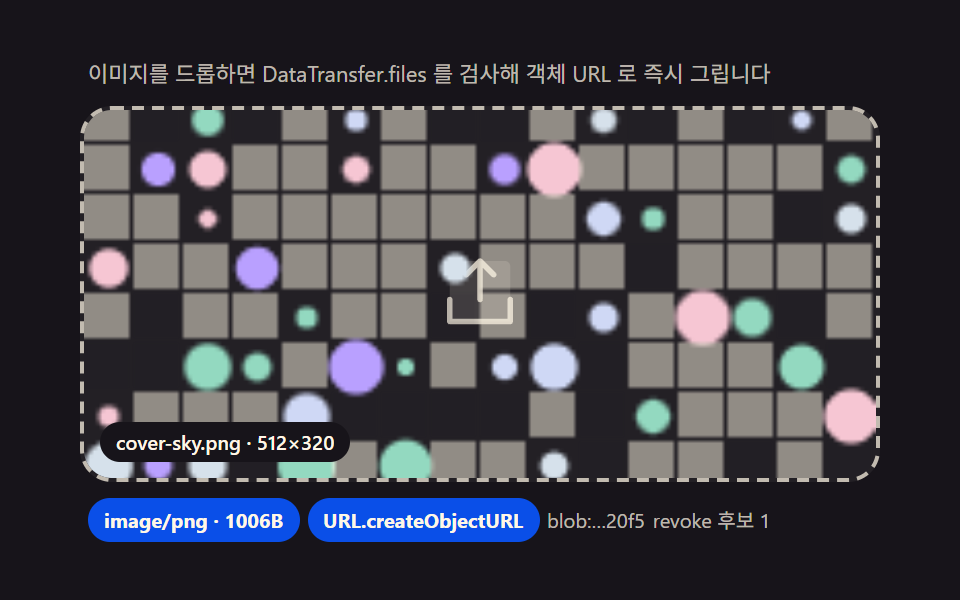 01 drop-image
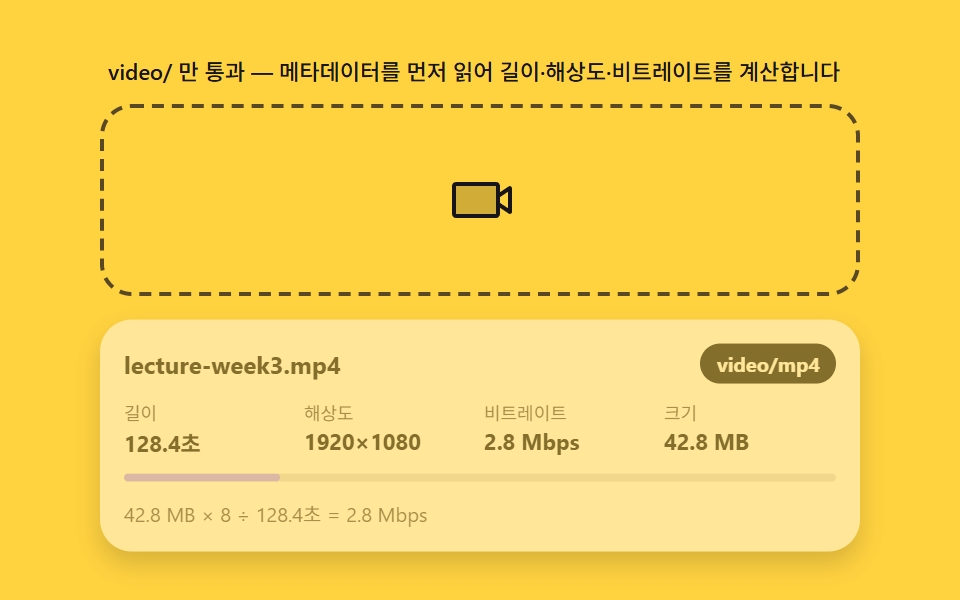 02 drop-video
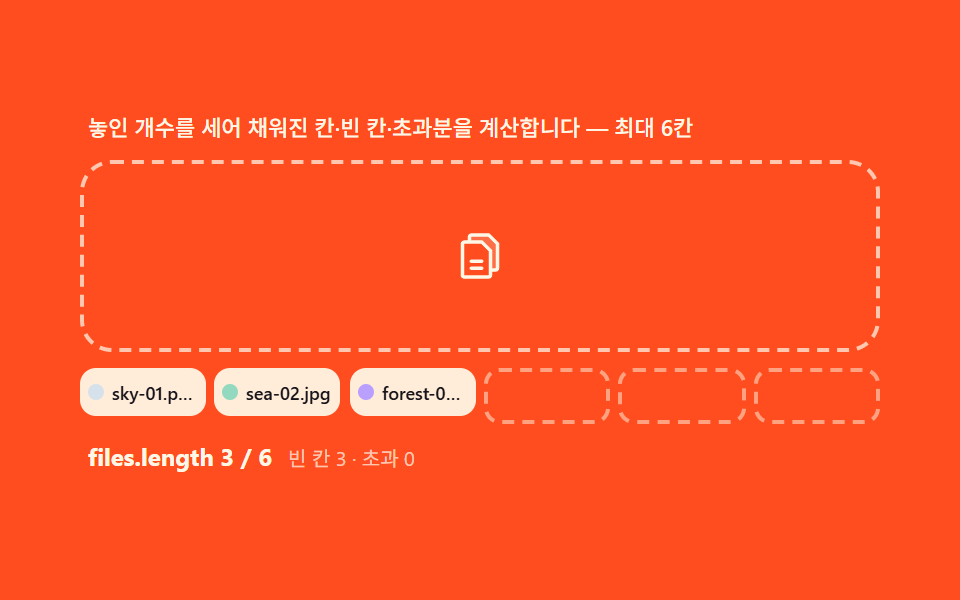 03 drop-multi-file
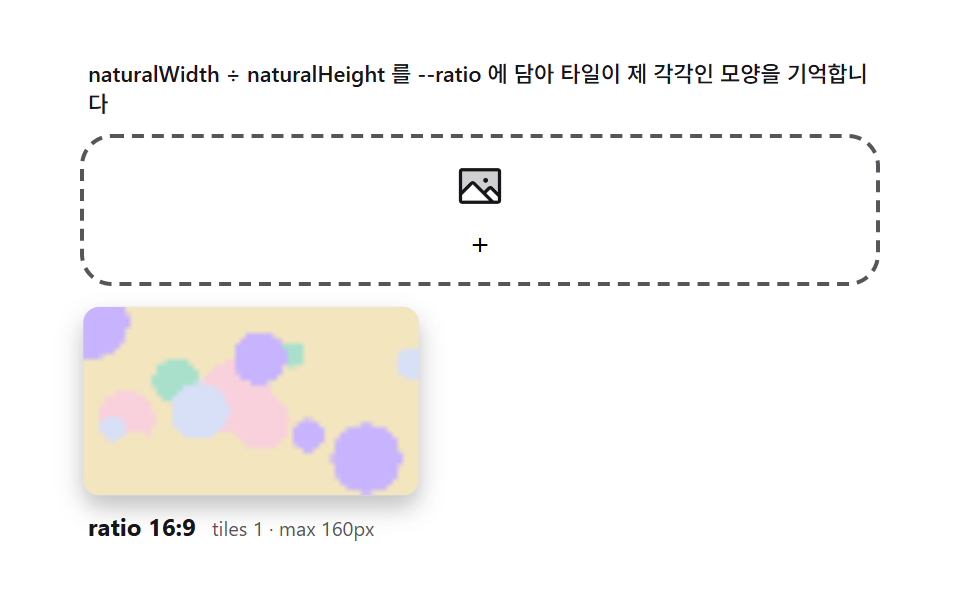 04 drop-preview-grid
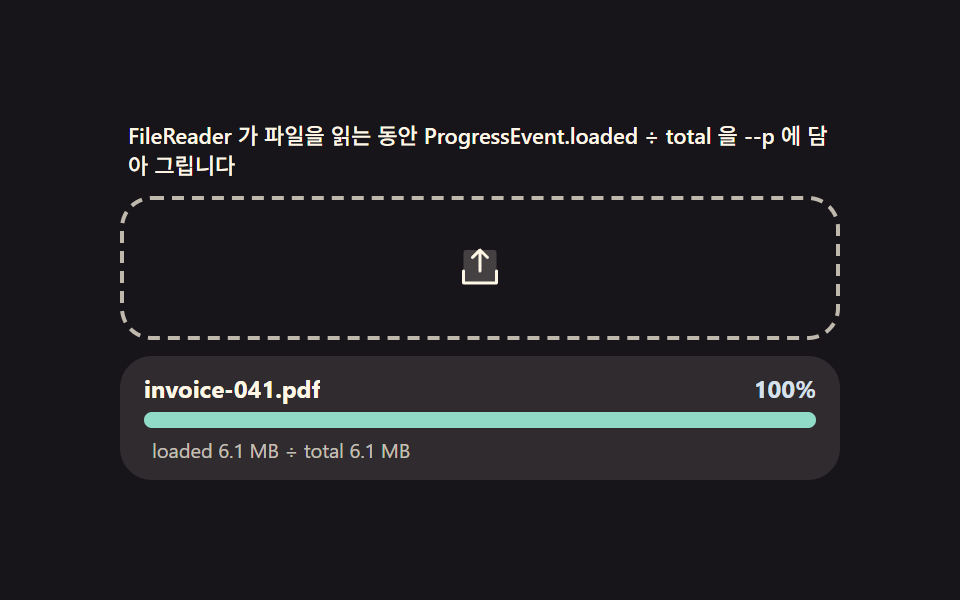 05 drop-progress
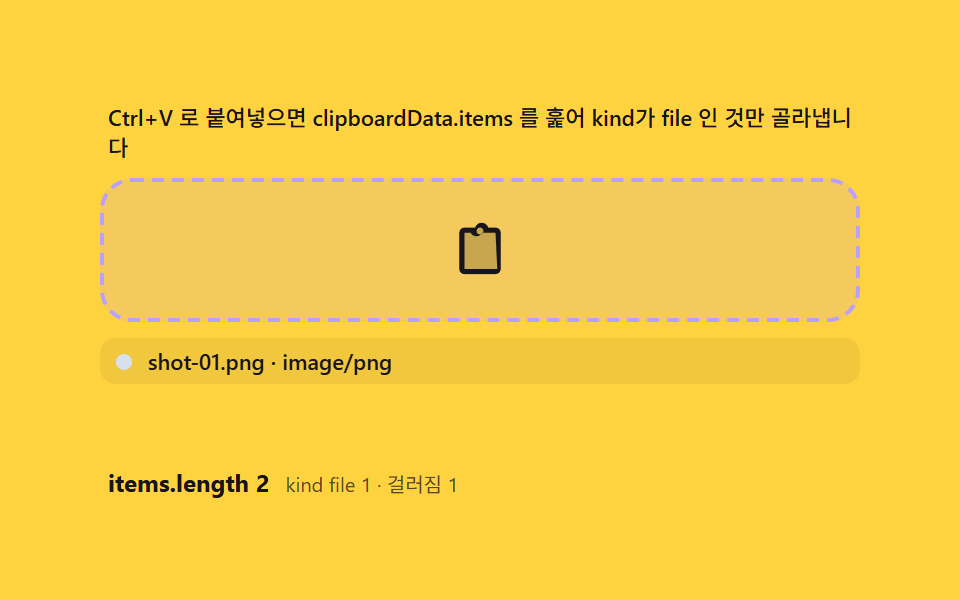 06 drop-paste-clipboard
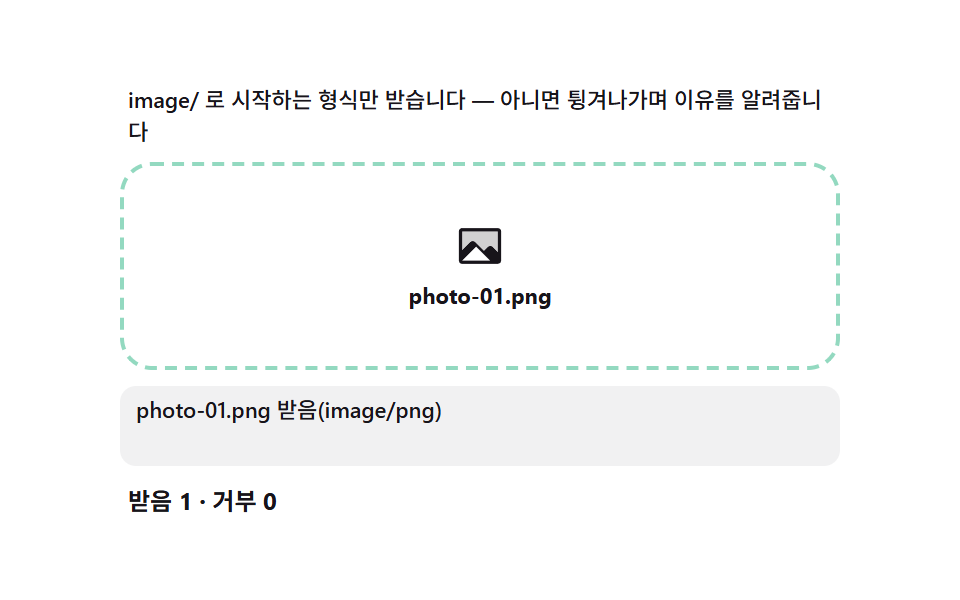 07 drop-reject-type
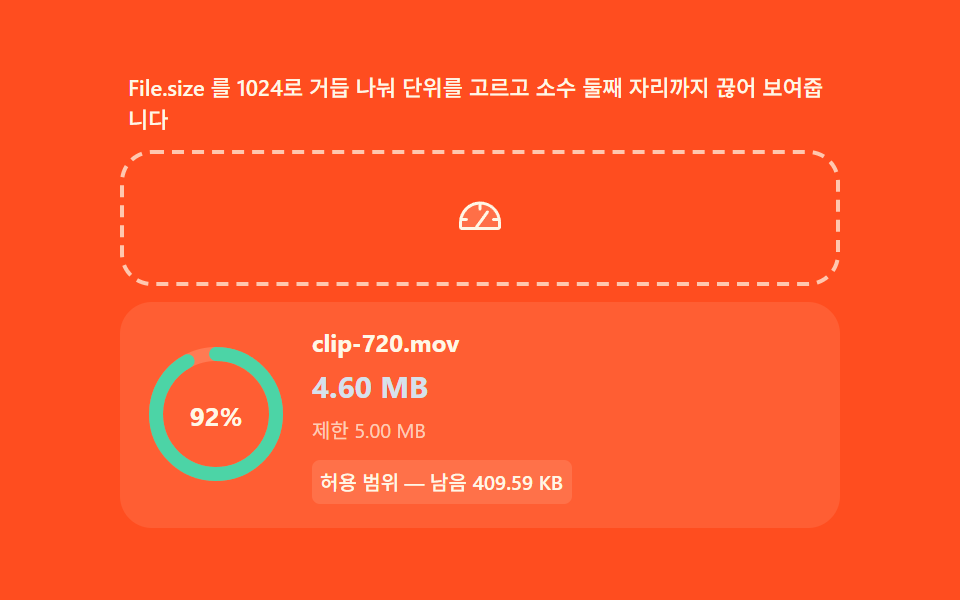 08 drop-size-limit
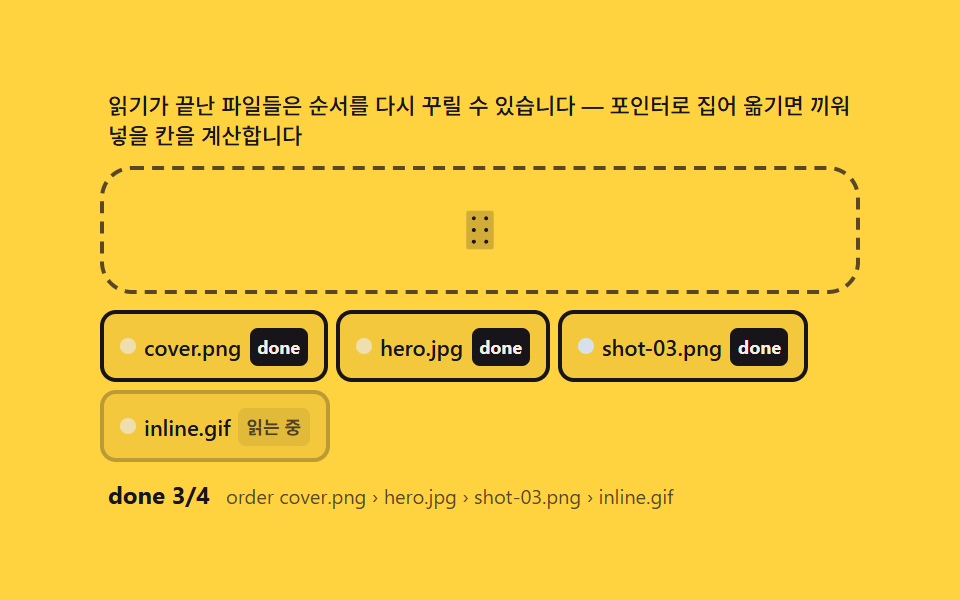 09 drop-reorder-after-upload
自動再生 · タイルを押すとその項目へ · すべて1つのzip
- 01 画像ドロップ — 落とした瞬間にオブジェクトURLで描く即時プレビュー
- 02 動画ドロップ — メタデータを読んで長さ・解像度を先に計算するパネル
- 03 複数ファイル — 件数を数え、埋まった枠と残りを計算するグループ
- 04 プレビューグリッド — 縦横比を読んで隙間なく埋める配置計算
- 05 読み込み進捗バー — ブラウザがファイルを読む速さをそのまま測るバー
- 06 貼り付け入口 — クリップボードのファイルをドロップと同じ経路に合流させる計算
- 07 種類の拒否 — MIME接頭辞照合で理由を計算して弾くゲート
- 08 容量計算 — バイトを人の単位へ換算し上限と比較する表示
- 09 アップロード後の並び替え — 完了したチップを手で並べ直す仕上げ
デモ
9項目ともdragoverとdropの入口でDataTransferからFileを取り出し、File.type・File.sizeという骨格を共有しています(06だけがpasteを3つ目の入口として加えます)。その上に乗る計算(MIME接頭辞の判定・1024の繰り返し除算・縦横比の逆算・挿入位置の逆算)は項目ごとに違います。実測値は次の表のとおりです。
| 番号 | 項目 | 累積面積 | 強度平均 | 動いたフレーム |
|---|---|---|---|---|
| 01 | 画像ドロップ | 45.4% | 48.3 | 11/23 |
| 02 | 動画ドロップ | 34.7% | 48.8 | 8/23 |
| 03 | 複数ファイル | 18.1% | 93.3 | 7/23 |
| 04 | プレビューグリッド | 26.2% | 39.9 | 7/23 |
| 05 | 読み込み進捗バー | 2.9% | 108.5 | 18/23 |
| 06 | 貼り付け入口 | 31.0% | 34.5 | 6/23 |
| 07 | 種類の拒否 | 4.9% | 72.6 | 10/23 |
| 08 | 容量計算 | 3.3% | 43.3 | 8/23 |
| 09 | アップロード後の並び替え | 10.1% | 137.5 | 10/23 |
01の画像ドロップが累積面積45.4%で最も広いのは、プレビューの枠がスプリング計算で大きく収まるためです。05の読み込み進捗バーが2.9%で最も狭いのは、動く領域がバーと数値ラベルに限られる構造上の値です。06の貼り付け入口が23フレームのうち6フレーム、03の複数ファイルが7フレームしか動かないのは欠陥ではなく、次の貼り付け・次の束を待つ待機区間が自動再生のシナリオ構造で実際に長くなるためです。強度平均は06が34.5で最も落ち着き、09のアップロード後の並び替えが137.5で最も明るく、9項目とも下限(累積面積0.08%以上・強度15以上・動いたフレーム6以上)をすべて満たして収まります。
ドロップゾーンの解剖 — dragover・dropとDataTransfer.files、そしてpreventDefault
javascript ドラッグ アンド ドロップ ファイル アップロードを自作するとき、最初に決めるべきは見た目の枠より先にイベントの入口です。mousedownを差し替えたり、サードパーティのアップローダを読み込んだりせず、dragover・dragleave・dropとクリップボードのpasteの4イベントだけで入口を統一します。
dragoverとdropには必ずpreventDefaultをかける
dragoverとdropでe.preventDefault()を呼ばないと、ブラウザはドロップされたファイルをそのまま開いてしまい、ドロップゾーン自体が機能しなくなります。この1行を省いた実装は画面が動く前に終わります。
DataTransfer.filesからFileを取り出す経路
ドロップされたファイルはe.dataTransfer.files(FileList)からfiles[0]またはArray.fromで取り出します。貼り付けの側はclipboardEvent.clipboardData.itemsを走査し、kind === 'file'の項目だけgetAsFile()でFileに変えます。
2つの入口を同じ処理関数に合流させる
ドロップと貼り付けを別々の処理に書くと、片方だけMIME判定が漏れる事故が起きます。両方を同じintake関数に渡すと、画面のグリッドはファイルがどこから来たかを知らない状態を保てます。
入口の上に重なる計算1枚
同じ入口でも、01はオブジェクトURLの発行と回収・03は件数から空き枠への逆算・05はloaded÷totalの比・07は接頭辞照合という、項目ごとに違う計算が重なります。
9つのドロップゾーンの段階別コード
html ファイル アップロード ドラッグ アンド ドロップを検索して来た人は、まずこの9項目の段階別コードから探すと早いです。自動再生はperformance.now()の時計が決めたシナリオ順序だけを再生するため、キャプチャごとに同じ場面が再現されます。
01画像ドロップ — 落とした瞬間にオブジェクトURLで描く即時プレビュー
dropイベントのDataTransfer.filesからFileを取り出し、File.typeがimage/接頭辞かを検査して、通過すればURL.createObjectURLでブラウザメモリ内でのみ有効なアドレスを作ってプレビューを描きます。前のプレビューのURLはrevokeObjectURLで返し、発行の履歴件数を画面に数えて示します。着地の収まりはDROP_MS 240msの減衰スプリングで、累積面積45.4%・強度平均48.3・動いたフレーム11/23です。
<main class="stage">
<div class="dz" id="dz">
  <p class="dz__hint" id="dzHint">画像をドロップすると DataTransfer.files を検査してオブジェクトURLをすぐに描きます</p>
  <div class="dz__zone" id="dzZone" role="button" tabindex="0" aria-describedby="dzHint" aria-label="画像ドロップゾーン">
    <input type="file" id="dzInput" accept="image/*" class="dz__file" aria-label="ファイルを選択">
    <svg class="dz__ic dz__ic--up" viewBox="0 0 256 256" aria-hidden="true"><g fill="currentColor"><path d="M216 48v160H40V48a16 16 0 0 1 16-16h144a16 16 0 0 1 16 16" opacity=".2"/><path d="M224 144v64a8 8 0 0 1-8 8H40a8 8 0 0 1-8-8v-64a8 8 0 0 1 16 0v56h160v-56a8 8 0 0 1 16 0M93.66 77.66L120 51.31V144a8 8 0 0 0 16 0V51.31l26.34 26.35a8 8 0 0 0 11.32-11.32l-40-40a8 8 0 0 0-11.32 0l-40 40a8 8 0 0 0 11.32 11.32"/></g></svg>
    <div class="dz__frame" id="dzFrame" aria-hidden="true">
      <canvas class="dz__cv" id="dzCv" width="192" height="120"></canvas>
    </div>
    <p class="dz__file-label" id="dzFileLabel">cover-sky.png · 512×320</p>
  </div>
  <div class="dz__meta">
    <span class="dz__chip" id="dzChip">image/png</span>
    <span class="dz__chip" id="dzChip2">URL.createObjectURL</span>
    <span class="dz__unit" id="dzUrl">blob:…37f2</span>
    <span class="dz__unit" id="dzRevoked">revoke候補 0</span>
  </div>
</div>
</main>
@use "../../../../site/static/demo-tokens" as *;
$duration: 240ms; // 놓인 순간 정착(스케일 스프링은 rAF 계산, 이 값은 프레임 하이라이트용)
$easing: $ease-spring;
$color: $subject-blue-deep;
// 파스텔 강조(도구/파스텔.py to_pastel 결과: 채도 .34 · 명도 +.11)
$p-sky: #d6e1eb;
$p-creamline: #f6eede;
@include stage($stage-ink);
.dz {
width: 100%;
max-width: 400px;
display: flex;
flex-direction: column;
gap: $sp-2;
}
.dz__hint {
margin: 0;
padding: 0 $sp-1;
font-weight: 400;
font-size: 11px;
line-height: 1.4;
color: rgba($subject-cream, .72);
}
.dz__zone {
position: relative;
display: grid;
place-items: center;
min-height: 160px;
padding: $sp-3;
border: 2px dashed rgba($subject-cream, .72);
border-radius: $r-card;
background: rgba($subject-cream, .05);
cursor: pointer;
overflow: hidden;
transition: border-color $dur-quick $ease-out, background $dur-quick $ease-out;
}
.dz__zone.is-over {
border-color: $p-sky;
background: rgba(159, 201, 236, .12);
}
.dz__file {
position: absolute;
inset: 0;
width: 100%;
height: 100%;
opacity: 0;
cursor: pointer;
}
.dz__ic {
width: 44px;
height: 44px;
color: rgba($subject-cream, .72);
transition: transform $duration $easing, color $dur-quick $ease-out;
}
.dz__zone.is-over .dz__ic {
transform: translateY(-6px);
color: $p-sky;
}
.dz__frame {
position: absolute;
inset: 0;
display: none;
transform: scale(1);
transform-origin: 50% 100%;
}
.dz__frame.is-in {
display: block;
}
.dz__cv {
display: block;
width: 100%;
height: 100%;
object-fit: cover;
}
.dz__file-label {
position: absolute;
left: $sp-2;
bottom: $sp-2;
margin: 0;
padding: $sp-1 $sp-2;
border-radius: $r-pill;
background: $subject-ink;
color: $subject-cream;
font-weight: 500;
font-size: 10px;
line-height: 1.2;
}
.dz__meta {
display: flex;
flex-wrap: wrap;
align-items: center;
gap: $sp-1;
padding: 0 $sp-1;
}
.dz__chip {
padding: $sp-1 $sp-2;
border-radius: $r-pill;
background: $color;
color: $subject-cream;
font-weight: 700;
font-size: 10px;
}
.dz__unit {
font-weight: 400;
font-size: 10px;
color: rgba($subject-cream, .72);
}
@media (max-width: 340px) {
.dz { max-width: 280px; gap: $sp-1; }
.dz__hint { font-size: 9px; line-height: 1.25; }
.dz__zone { min-height: 56px; padding: $sp-2; }
.dz__ic { width: 24px; height: 24px; }
.dz__meta { gap: $sp-1; }
.dz__chip { padding: $sp-1; font-size: 9px; }
.dz__unit { font-size: 9px; }
}
@media (prefers-reduced-motion: reduce) {
.dz__ic { transition: none; }
.dz__zone.is-over .dz__ic { transform: none; }
.dz__zone { transition: none; }
}html, body {
margin: 0;
overflow: hidden;
}
.stage {
box-sizing: border-box;
min-height: 100vh;
display: grid;
place-items: center;
margin: 0;
background: #17141a;
font-family: -apple-system, "Segoe UI", "Noto Sans KR", sans-serif;
padding: clamp(8px, 4vw, 24px);
}
.dz {
width: 100%;
max-width: 400px;
display: flex;
flex-direction: column;
gap: 8px;
}
.dz__hint {
margin: 0;
padding: 0 4px;
font-weight: 400;
font-size: 11px;
line-height: 1.4;
color: rgba(255, 247, 230, 0.72);
}
.dz__zone {
position: relative;
display: grid;
place-items: center;
min-height: 160px;
padding: 12px;
border: 2px dashed rgba(255, 247, 230, 0.72);
border-radius: 16px;
background: rgba(255, 247, 230, 0.05);
cursor: pointer;
overflow: hidden;
transition: border-color 220ms ease-out, background 220ms ease-out;
}
.dz__zone.is-over {
border-color: #d6e1eb;
background: rgba(159, 201, 236, 0.12);
}
.dz__file {
position: absolute;
inset: 0;
width: 100%;
height: 100%;
opacity: 0;
cursor: pointer;
}
.dz__ic {
width: 44px;
height: 44px;
color: rgba(255, 247, 230, 0.72);
transition: transform 240ms cubic-bezier(0.2, 0.8, 0.2, 1), color 220ms ease-out;
}
.dz__zone.is-over .dz__ic {
transform: translateY(-6px);
color: #d6e1eb;
}
.dz__frame {
position: absolute;
inset: 0;
display: none;
transform: scale(1);
transform-origin: 50% 100%;
}
.dz__frame.is-in {
display: block;
}
.dz__cv {
display: block;
width: 100%;
height: 100%;
object-fit: cover;
}
.dz__file-label {
position: absolute;
left: 8px;
bottom: 8px;
margin: 0;
padding: 4px 8px;
border-radius: 999px;
background: #17141a;
color: #fff7e6;
font-weight: 500;
font-size: 10px;
line-height: 1.2;
}
.dz__meta {
display: flex;
flex-wrap: wrap;
align-items: center;
gap: 4px;
padding: 0 4px;
}
.dz__chip {
padding: 4px 8px;
border-radius: 999px;
background: #0a4fe8;
color: #fff7e6;
font-weight: 700;
font-size: 10px;
}
.dz__unit {
font-weight: 400;
font-size: 10px;
color: rgba(255, 247, 230, 0.72);
}
@media (max-width: 340px) {
.dz {
max-width: 280px;
gap: 4px;
}
.dz__hint {
font-size: 9px;
line-height: 1.25;
}
.dz__zone {
min-height: 56px;
padding: 8px;
}
.dz__ic {
width: 24px;
height: 24px;
}
.dz__meta {
gap: 4px;
}
.dz__chip {
padding: 4px;
font-size: 9px;
}
.dz__unit {
font-size: 9px;
}
}
@media (prefers-reduced-motion: reduce) {
.dz__ic {
transition: none;
}
.dz__zone.is-over .dz__ic {
transform: none;
}
.dz__zone {
transition: none;
}
}// 画像をドロップ(01) — drop 이벤트의 DataTransfer.files 에서 File 을 꺼내 File.type 이 image/ 접두사인지
// startsWith 로 검사하고, 통과하면 URL.createObjectURL 로 브라우저 메모리 안에서만 접근 가능한 주소를
// 만들어 캔버스에 그린다. 서버 전송은 전혀 없고(시뮬레이션만), 미리보기를 치울 때는 revokeObjectURL 로
// 메모리를 되돌린다. 시드 고정 캔버스 패턴으로 "가상 이미지 파일"을 Blob 으로 만들어 File 처럼 다룬다.
(function () {
var zone = document.getElementById('dzZone');
var frame = document.getElementById('dzFrame');
var cv = document.getElementById('dzCv');
var fileLabel = document.getElementById('dzFileLabel');
var chip = document.getElementById('dzChip');
var urlEl = document.getElementById('dzUrl');
var revEl = document.getElementById('dzRevoked');
if (!zone || !frame || !cv || !fileLabel || !chip || !urlEl || !revEl) return;
var ctx = cv.getContext('2d');
if (!ctx) return;
var reduce = window.matchMedia('(prefers-reduced-motion: reduce)').matches;
// 시드 고정 난수(mulberry32) — 같은 시드는 같은 그림. Math.random 금지.
function mulberry32(a) {
return function () {
a |= 0; a = a + 0x6D2B79F5 | 0;
var t = Math.imul(a ^ a >>> 15, 1 | a);
t = t + Math.imul(t ^ t >>> 7, 61 | t) ^ t;
return ((t ^ t >>> 14) >>> 0) / 4294967296;
};
}
var PALETTES = [
{ name: 'cover-sky.png', w: 512, h: 320, type: 'image/png', seed: 37, hex: '#d6e1eb' },
{ name: 'profile-mint.png', w: 256, h: 256, type: 'image/png', seed: 61, hex: '#93d9c0' },
{ name: 'poster-lilac.jpg', w: 640, h: 400, type: 'image/jpeg', seed: 89, hex: '#b9a0ff' }
];
var DROP_MS = 240; // 놓인 순간 스케일 정착 시간 — 변형 아님(기본값), 시간 표기와 일치
var HEXES = ['#d6e1eb', '#93d9c0', '#b9a0ff', '#f6c6d3', '#cfd8f5'];
// 가상 이미지 파일 — 시드 패턴을 캔버스로 그려 Blob(File) 로 만든다 (외부 이미지 0)
function drawPattern(p) {
var rnd = mulberry32(p.seed);
ctx.clearRect(0, 0, cv.width, cv.height);
var cell = 12;
for (var y = 0; y < cv.height; y += cell) {
for (var x = 0; x < cv.width; x += cell) {
var v = rnd();
if (v > .72) {
ctx.fillStyle = HEXES[Math.floor(rnd() * HEXES.length)];
ctx.beginPath();
var r = 2 + rnd() * (cell / 2 - 1);
ctx.arc(x + cell / 2, y + cell / 2, r, 0, Math.PI * 2);
ctx.fill();
} else {
ctx.fillStyle = v > .5 ? 'rgba(23,20,26,.06)' : 'rgba(255,247,230,.5)';
ctx.fillRect(x, y, cell - 1, cell - 1);
}
}
}
}
var cur = -1;
var objUrls = []; // createObjectURL 발급 이력 — revoke 시뮬레이션 카운터
var scale = 1, scaleV = 0;
// File 시뮬레이션 — new File(Blob) 로 실제 File 객체를 만들어 type/size 를 진짜로 읽게 한다
function virtualFile(p, cb) {
try {
cv.toBlob(function (b) {
var f = new File([b], p.name, { type: p.type });
cb(f);
}, p.type.split('/')[1] === 'jpeg' ? 'image/jpeg' : 'image/png');
} catch (e) { cb(null); }
}
// drop 처리 — DataTransfer.files 경로와 같은 검사·URL 발급을 탄다
function intake(files) {
var f = files && files[0];
if (!f) return;
var ok = f.type && f.type.indexOf('image/') === 0; // File.type 접두사 판정
if (!ok) return;
if (cur >= 0) { try { URL.revokeObjectURL(objUrls[cur]); } catch (e) {} }
cur = (cur + 1) % PALETTES.length;
drawPattern(PALETTES[cur]);
var u = URL.createObjectURL(f);
objUrls.push(u);
chip.textContent = f.type + ' · ' + f.size + 'B';
urlEl.textContent = 'blob:…' + u.slice(-4);
revEl.textContent = 'revoke候補 ' + objUrls.length;
fileLabel.textContent = PALETTES[cur].name + ' · ' + PALETTES[cur].w + '×' + PALETTES[cur].h;
frame.classList.add('is-in');
scale = .82; scaleV = 0; // 스케일 스프링(계산)
}
// 실제 드롭 — 사람이 파일을 올리면 같은 파이프라인
zone.addEventListener('dragover', function (e) { e.preventDefault(); zone.classList.add('is-over'); });
zone.addEventListener('dragleave', function () { zone.classList.remove('is-over'); });
zone.addEventListener('drop', function (e) {
e.preventDefault(); zone.classList.remove('is-over');
if (e.dataTransfer && e.dataTransfer.files) intake(e.dataTransfer.files);
});
var input = document.getElementById('dzInput');
if (input) input.addEventListener('change', function () {
if (input.files) intake(input.files);
input.value = '';
});
// 자동 시연 — 2.4초마다 가상 파일을 "드롭". 화면이 계속 살아 있다.
var nextAt = 0;
if (reduce) {
drawPattern(PALETTES[0]);
frame.classList.add('is-in');
cur = 0;
virtualFile(PALETTES[0], function () {});
} else {
(function loop(now) {
if (now >= nextAt) {
nextAt = now + 2400;
virtualFile(PALETTES[(cur + 1) % PALETTES.length], function (f) { if (f) intake([f]); });
}
// 스케일 스프링 — k=0.09 감쇠 lerp (계산 곡선)
if (frame.classList.contains('is-in')) {
scaleV += (1 - scale) * 0.09; scaleV *= 0.78;
scale += scaleV;
frame.style.transform = 'scale(' + scale.toFixed(4) + ')';
}
requestAnimationFrame(loop);
})(0);
}
})();// DropImage — vanilla 판(run/337/demo/01-drop-image/index.html) 의 React 포트.
// drop 이벤트의 DataTransfer.files 에서 File 을 꺼내 File.type 이 image/ 접두사인지 검사하고,
// 통과하면 URL.createObjectURL 로 브라우저 메모리 안 주소를 만들어 캔버스에 그린다. 미리보기를
// 치울 때는 revokeObjectURL 로 메모리를 되돌린다. 시드 고정(mulberry32) 캔버스 패턴으로 가상
// 이미지 파일을 Blob(File) 로 만들어 실제 File 객체처럼 다룬다 — Math.random 은 쓰지 않는다.
import { useEffect, useRef } from "react";
import styles from "./DropImage.module.scss";
export type DropImageProps = {
duration?: string;
easing?: string;
color?: string;
};
type Box<T> = { current: T };
const HINT = "이미지를 드롭하면 DataTransfer.files 를 검사해 객체 URL 로 즉시 그립니다";
const ARIA_LABEL = "이미지 드롭존";
// 시드 고정 난수(mulberry32) — 같은 시드는 같은 그림
function mulberry32(a: number): () => number {
return function (): number {
a |= 0; a = a + 0x6d2b79f5 | 0;
let t = Math.imul(a ^ a >>> 15, 1 | a);
t = t + Math.imul(t ^ t >>> 7, 61 | t) ^ t;
return ((t ^ t >>> 14) >>> 0) / 4294967296;
};
}
type Palette = { name: string; w: number; h: number; type: string; seed: number };
const PALETTES: Palette[] = [
{ name: "cover-sky.png", w: 512, h: 320, type: "image/png", seed: 37 },
{ name: "profile-mint.png", w: 256, h: 256, type: "image/png", seed: 61 },
{ name: "poster-lilac.jpg", w: 640, h: 400, type: "image/jpeg", seed: 89 }
];
const DROP_MS = 240; // 놓인 순간 스케일 정착 시간 — 프레임 하이라이트용(스프링은 rAF 계산)
const HEXES = ["#9fc9ec", "#93d9c0", "#b9a0ff", "#f6c6d3", "#cfd8f5"];
export default function DropImage({
duration = "240ms",
easing = "cubic-bezier(.2,.8,.2,1)",
color = "#0a4fe8"
}: DropImageProps) {
const zoneRef = useRef<HTMLDivElement | null>(null);
const inputRef = useRef<HTMLInputElement | null>(null);
const frameRef = useRef<HTMLDivElement | null>(null);
const cvRef = useRef<HTMLCanvasElement | null>(null);
const labelRef = useRef<HTMLSpanElement | null>(null);
const chipRef = useRef<HTMLSpanElement | null>(null);
const urlRef = useRef<HTMLSpanElement | null>(null);
const revRef = useRef<HTMLSpanElement | null>(null);
const rafRef = useRef(0) as Box<number>;
useEffect(() => {
const zone = zoneRef.current;
const input = inputRef.current;
const frame = frameRef.current;
const cv = cvRef.current;
const labelEl = labelRef.current;
const chipEl = chipRef.current;
const urlEl = urlRef.current;
const revEl = revRef.current;
if (!zone || !input || !frame || !cv || !labelEl || !chipEl || !urlEl || !revEl) return;
const ctx = cv.getContext("2d");
if (!ctx) return;
const reduce = window.matchMedia("(prefers-reduced-motion: reduce)").matches;
// 시드 패턴 — 셀마다 rnd() 를 소모해 같은 시드가 같은 그림을 보장
function drawPattern(p: Palette): void {
const rnd = mulberry32(p.seed);
ctx!.clearRect(0, 0, cv!.width, cv!.height);
const cell = 12;
for (let y = 0; y < cv!.height; y += cell) {
for (let x = 0; x < cv!.width; x += cell) {
const v = rnd();
if (v > 0.72) {
ctx!.fillStyle = HEXES[Math.floor(rnd() * HEXES.length)];
ctx!.beginPath();
const r = 2 + rnd() * (cell / 2 - 1);
ctx!.arc(x + cell / 2, y + cell / 2, r, 0, Math.PI * 2);
ctx!.fill();
} else {
ctx!.fillStyle = v > 0.5 ? "rgba(23,20,26,.06)" : "rgba(255,247,230,.5)";
ctx!.fillRect(x, y, cell - 1, cell - 1);
}
}
}
}
let cur = -1;
const objUrls: string[] = []; // createObjectURL 발급 이력 — revoke 시뮬레이션 카운터
let scale = 1;
let scaleV = 0;
// File 시뮬레이션 — new File(Blob) 로 실제 File 객체를 만들어 type/size 를 진짜로 읽게 한다
function virtualFile(p: Palette, cb: (f: File | null) => void): void {
try {
cv!.toBlob(
(b: Blob | null) => {
if (!b) { cb(null); return; }
try { cb(new File([b], p.name, { type: p.type })); } catch (e) { cb(null); }
},
p.type.split("/")[1] === "jpeg" ? "image/jpeg" : "image/png"
);
} catch (e) { cb(null); }
}
// drop 처리 — DataTransfer.files 경로와 같은 검사·URL 발급을 탄다
function intake(files: FileList | File[] | null): void {
const f = files && files[0];
if (!f) return;
const ok = f.type && f.type.indexOf("image/") === 0; // File.type 접두사 판정
if (!ok) return;
if (cur >= 0) { try { URL.revokeObjectURL(objUrls[cur]); } catch (e) { /* 이미 회수됨 */ } }
cur = (cur + 1) % PALETTES.length;
drawPattern(PALETTES[cur]);
const u = URL.createObjectURL(f);
objUrls.push(u);
chipEl!.textContent = f.type + " · " + f.size + "B";
urlEl!.textContent = "blob:…" + u.slice(-4);
revEl!.textContent = "revoke 후보 " + objUrls.length;
labelEl!.textContent = PALETTES[cur].name + " · " + PALETTES[cur].w + "×" + PALETTES[cur].h;
frame!.classList.add(styles.frameIn);
scale = 0.82; scaleV = 0; // 스케일 스프링 초기값(계산)
}
function onOver(e: DragEvent): void {
if (!e.dataTransfer) return;
e.preventDefault();
zone!.classList.add(styles.zoneOver);
}
function onLeave(): void {
zone!.classList.remove(styles.zoneOver);
}
function onDrop(e: DragEvent): void {
e.preventDefault();
zone!.classList.remove(styles.zoneOver);
if (e.dataTransfer && e.dataTransfer.files) intake(e.dataTransfer.files);
}
function onChange(): void {
if (input!.files) intake(input!.files);
input!.value = "";
}
zone.addEventListener("dragover", onOver as EventListener);
zone.addEventListener("dragleave", onLeave);
zone.addEventListener("drop", onDrop as EventListener);
input.addEventListener("change", onChange);
// 자동 시연 — 2.4초마다 가상 파일을 "드롭". 스케일 스프링(k=0.09 감쇠 lerp)로 화면이 산다.
let nextAt = 0;
if (reduce) {
drawPattern(PALETTES[0]);
frame.classList.add(styles.frameIn);
cur = 0;
} else {
const step = (now: number): void => {
if (now >= nextAt) {
nextAt = now + 2400;
virtualFile(PALETTES[(cur + 1) % PALETTES.length], (f) => { if (f) intake([f]); });
}
if (frame!.classList.contains(styles.frameIn)) {
scaleV += (1 - scale) * 0.09;
scaleV *= 0.78;
scale += scaleV;
frame!.style.transform = "scale(" + scale.toFixed(4) + ")";
}
rafRef.current = requestAnimationFrame(step);
};
rafRef.current = requestAnimationFrame(step);
}
return () => {
cancelAnimationFrame(rafRef.current);
objUrls.forEach((u) => { try { URL.revokeObjectURL(u); } catch (e) { /* 회수 */ } });
zone.removeEventListener("dragover", onOver as EventListener);
zone.removeEventListener("dragleave", onLeave);
zone.removeEventListener("drop", onDrop as EventListener);
input.removeEventListener("change", onChange);
};
// eslint-disable-next-line react-hooks/exhaustive-deps
}, []);
return (
<main className={styles.stage}>
<div className={styles.dz}>
<p className={styles.hint} id="dzHintReact">{HINT}</p>
<div
className={styles.zone}
ref={zoneRef}
role="button"
tabIndex={0}
aria-describedby="dzHintReact"
aria-label={ARIA_LABEL}
>
<input
type="file"
accept="image/*"
className={styles.file}
ref={inputRef}
aria-label="파일 선택"
/>
<svg className={styles.ic} viewBox="0 0 256 256" aria-hidden="true">
<g fill="currentColor">
<path d="M216 48v160H40V48a16 16 0 0 1 16-16h144a16 16 0 0 1 16 16" opacity=".2" />
<path d="M224 144v64a8 8 0 0 1-8 8H40a8 8 0 0 1-8-8v-64a8 8 0 0 1 16 0v56h160v-56a8 8 0 0 1 16 0M93.66 77.66L120 51.31V144a8 8 0 0 0 16 0V51.31l26.34 26.35a8 8 0 0 0 11.32-11.32l-40-40a8 8 0 0 0-11.32 0l-40 40a8 8 0 0 0 11.32 11.32" />
</g>
</svg>
<div className={styles.frame} ref={frameRef} aria-hidden="true">
<canvas className={styles.cv} ref={cvRef} width={192} height={120} />
</div>
<span className={styles.fileLabel} ref={labelRef}>cover-sky.png · 512×320</span>
</div>
<p className={styles.meta}>
<span className={styles.chip} ref={chipRef} style={{ background: color }}>image/png</span>
<span className={styles.chip} style={{ background: color }}>URL.createObjectURL</span>
<span className={styles.unit} ref={urlRef}>blob:…37f2</span>
<span className={styles.unit} ref={revRef}>revoke 후보 0</span>
</p>
</div>
</main>
);
}01 · 画像ドロップ — 落とした瞬間にオブジェクトURLで描く即時プレビュー — 計測 累積面積 45.397% · 動いたフレーム 11/23GODRICH オリジナル · SCSS と React は zip に同梱 · パスワードを見る
intakeでFile.typeの接頭辞を検査しURLを発行する
種類の判定はf.type.indexOf('image/') === 0、つまりMIMEの接頭辞で行います。ファイル名の拡張子を切って判定しないのは、名前は嘘をつくがtypeはブラウザが決めるからです。
  function intake(files) {
    var f = files && files[0];
    if (!f) return;
    var ok = f.type && f.type.indexOf('image/') === 0;   // File.type接頭辞の判定
    if (!ok) return;
    if (cur >= 0) { try { URL.revokeObjectURL(objUrls[cur]); } catch (e) {} }
    cur = (cur + 1) % PALETTES.length;
    drawPattern(PALETTES[cur]);
    var u = URL.createObjectURL(f);
    objUrls.push(u);
    chip.textContent = f.type + ' · ' + f.size + 'B';
    urlEl.textContent = 'blob:...' + u.slice(-4);
    revEl.textContent = 'revoke候補 ' + objUrls.length;
    fileLabel.textContent = PALETTES[cur].name + ' · ' + PALETTES[cur].w + '×' + PALETTES[cur].h;
    frame.classList.add('is-in');
    scale = .82; scaleV = 0;   // スケールスプリング(計算)
  }
02動画ドロップ — メタデータを読んで長さ・解像度を先に計算するパネル
video/型のファイルのオブジェクトURLをvideo要素に掛け、loadedmetadataイベントでduration(秒)とvideoWidth・videoHeightを読み、再生の前に長さと解像度を数値として計算して示します。ビットレートはsize × 8 ÷ durの推定の層で、計算式ごと画面に並べます。シナリオは128.4秒 1920×1080・27.9秒 1080×1920・64.2秒 3840×2160の3本で、累積面積34.7%・強度平均48.8・動いたフレーム8/23です。
<main class="stage">
<div class="vd" id="vd">
  <p class="vd__hint" id="vdHint">video/ のみ通過 — メタデータを先に読み込み、再生時間・解像度・ビットレートを計算します</p>
  <div class="vd__zone" id="vdZone" role="button" tabindex="0" aria-describedby="vdHint" aria-label="動画ドロップゾーン">
    <input type="file" id="vdInput" accept="video/*" class="vd__file" aria-label="ファイルを選択">
    <svg class="vd__ic" viewBox="0 0 256 256" aria-hidden="true"><g fill="currentColor"><path d="M200 72v112a8 8 0 0 1-8 8H32a8 8 0 0 1-8-8V72a8 8 0 0 1 8-8h160a8 8 0 0 1 8 8" opacity=".2"/><path d="M251.77 73a8 8 0 0 0-8.21.39L208 97.05V72a16 16 0 0 0-16-16H32a16 16 0 0 0-16 16v112a16 16 0 0 0 16 16h160a16 16 0 0 0 16-16v-25l35.56 23.71A8 8 0 0 0 248 184a8 8 0 0 0 8-8V80a8 8 0 0 0-4.23-7M192 184H32V72h160zm48-22.95l-32-21.33v-23.44L240 95Z"/></g></svg>
  </div>
  <div class="vd__panel" id="vdPanel" aria-live="polite">
    <div class="vd__head">
      <b class="vd__name" id="vdName">lecture-week3.mp4</b>
      <span class="vd__chip" id="vdChip">video/mp4</span>
    </div>
    <dl class="vd__stats">
      <div class="vd__stat"><dt>長さ</dt><dd id="vdDur">128.4秒</dd></div>
      <div class="vd__stat"><dt>解像度</dt><dd id="vdRes">1920×1080</dd></div>
      <div class="vd__stat"><dt>ビットレート</dt><dd id="vdBr">2.8 Mbps</dd></div>
      <div class="vd__stat"><dt>サイズ</dt><dd id="vdSize">44.9 MB</dd></div>
    </dl>
    <div class="vd__scan" aria-hidden="true"><span class="vd__scanbar" id="vdScanbar"></span></div>
    <p class="vd__calc" id="vdCalc">44.9 MB × 8 ÷ 128.4秒 = 2.8 Mbps</p>
  </div>
</div>
</main>
@use "../../../../site/static/demo-tokens" as *;
$duration: 600ms; // 메타데이터 스캔 하이라이트(SCAN_MS 와 일치)
$easing: $ease-out;
$color: $subject-ink; // 노랑 무대 — 글자는 잉크
// 파스텔 강조(채도 .34 · 명도 +.11)
$p-lilac: #b9a0ff;
$p-creamline: #f6eede;
@include stage($stage-yellow);
.vd {
width: 100%;
max-width: 380px;
display: flex;
flex-direction: column;
gap: $sp-2;
}
.vd__hint {
margin: 0;
padding: 0 $sp-1;
font-weight: 500;
font-size: 11px;
line-height: 1.4;
color: $subject-ink;
}
.vd__zone {
position: relative;
display: grid;
place-items: center;
min-height: 68px;
padding: $sp-3;
border: 2px dashed rgba($subject-ink, .72);
border-radius: $r-card;
cursor: pointer;
overflow: hidden;
transition: border-color $dur-quick $ease-out, background $dur-quick $ease-out;
}
.vd__zone.is-over {
border-color: $p-lilac;
background: rgba(185, 160, 255, .18);
}
.vd__file {
position: absolute;
inset: 0;
width: 100%;
height: 100%;
opacity: 0;
cursor: pointer;
}
.vd__ic {
width: 32px;
height: 32px;
color: $subject-ink;
transition: transform $dur-quick $ease-pop;
}
.vd__zone.is-over .vd__ic {
transform: scale(1.15);
}
.vd__panel {
display: none;
padding: $sp-3;
border-radius: $r-card;
background: $subject-cream;
box-shadow: $shadow-press;
}
.vd__panel.is-in {
display: block;
animation: vdRise $duration $ease-spring both;
}
.vd__head {
display: flex;
align-items: center;
gap: $sp-2;
margin-bottom: $sp-2;
}
.vd__name {
flex: 1 1 auto;
min-width: 0;
overflow: hidden;
white-space: nowrap;
text-overflow: ellipsis;
font-weight: 700;
font-size: 12px;
color: $subject-ink;
}
.vd__chip {
flex: 0 0 auto;
padding: $sp-1 $sp-2;
border-radius: $r-pill;
background: $color;
color: $subject-cream;
font-weight: 700;
font-size: 10px;
line-height: 1.2;
}
.vd__stats {
margin: 0 0 $sp-2;
display: grid;
grid-template-columns: repeat(4, 1fr);
gap: $sp-1;
}
.vd__stat dt {
font-weight: 400;
font-size: 9px;
color: rgba($subject-ink, .72);
}
.vd__stat dd {
margin: 0;
font-weight: 700;
font-size: 11px;
color: $subject-ink;
white-space: nowrap;
}
.vd__scan {
height: 4px;
border-radius: $r-pill;
background: rgba($subject-ink, .12);
overflow: hidden;
}
.vd__scanbar {
display: block;
width: 0;
height: 100%;
border-radius: $r-pill;
background: $p-lilac;
}
.vd__scanbar.is-run {
animation: vdScan $duration $easing both;
}
.vd__calc {
margin: $sp-2 0 0;
font-weight: 400;
font-size: 10px;
color: rgba($subject-ink, .72);
white-space: nowrap;
overflow: hidden;
text-overflow: ellipsis;
}
@keyframes vdRise {
from { opacity: 0; transform: translateY(8px); }
to { opacity: 1; transform: translateY(0); }
}
@keyframes vdScan {
from { width: 0; }
to { width: 100%; }
}
@media (max-width: 340px) {
.vd { max-width: 280px; gap: $sp-1; }
.vd__hint { font-size: 9px; line-height: 1.25; }
.vd__zone { min-height: 32px; padding: $sp-1; }
.vd__ic { width: 20px; height: 20px; }
.vd__panel { padding: $sp-1; }
.vd__head { margin-bottom: $sp-1; }
.vd__stats { margin-bottom: $sp-1; }
.vd__stat { min-width: 0; }
.vd__stat dd { overflow: hidden; text-overflow: ellipsis; }
.vd__calc { margin-top: $sp-1; }
}
@media (prefers-reduced-motion: reduce) {
.vd__panel.is-in { animation: none; }
.vd__scanbar.is-run { animation: none; width: 100%; }
.vd__zone, .vd__ic { transition: none; }
.vd__zone.is-over .vd__ic { transform: none; }
}html, body {
margin: 0;
overflow: hidden;
}
.stage {
box-sizing: border-box;
min-height: 100vh;
display: grid;
place-items: center;
margin: 0;
background: #ffd23f;
font-family: -apple-system, "Segoe UI", "Noto Sans KR", sans-serif;
padding: clamp(8px, 4vw, 24px);
}
.vd {
width: 100%;
max-width: 380px;
display: flex;
flex-direction: column;
gap: 8px;
}
.vd__hint {
margin: 0;
padding: 0 4px;
font-weight: 500;
font-size: 11px;
line-height: 1.4;
color: #17141a;
}
.vd__zone {
position: relative;
display: grid;
place-items: center;
min-height: 68px;
padding: 12px;
border: 2px dashed rgba(23, 20, 26, 0.72);
border-radius: 16px;
cursor: pointer;
overflow: hidden;
transition: border-color 220ms ease-out, background 220ms ease-out;
}
.vd__zone.is-over {
border-color: #b9a0ff;
background: rgba(185, 160, 255, 0.18);
}
.vd__file {
position: absolute;
inset: 0;
width: 100%;
height: 100%;
opacity: 0;
cursor: pointer;
}
.vd__ic {
width: 32px;
height: 32px;
color: #17141a;
transition: transform 220ms cubic-bezier(0.2, 1.4, 0.4, 1);
}
.vd__zone.is-over .vd__ic {
transform: scale(1.15);
}
.vd__panel {
display: none;
padding: 12px;
border-radius: 16px;
background: #fff7e6;
box-shadow: 0 6px 12px rgba(23, 20, 26, 0.32);
}
.vd__panel.is-in {
display: block;
animation: vdRise 600ms cubic-bezier(0.2, 0.8, 0.2, 1) both;
}
.vd__head {
display: flex;
align-items: center;
gap: 8px;
margin-bottom: 8px;
}
.vd__name {
flex: 1 1 auto;
min-width: 0;
overflow: hidden;
white-space: nowrap;
text-overflow: ellipsis;
font-weight: 700;
font-size: 12px;
color: #17141a;
}
.vd__chip {
flex: 0 0 auto;
padding: 4px 8px;
border-radius: 999px;
background: #17141a;
color: #fff7e6;
font-weight: 700;
font-size: 10px;
line-height: 1.2;
}
.vd__stats {
margin: 0 0 8px;
display: grid;
grid-template-columns: repeat(4, 1fr);
gap: 4px;
}
.vd__stat dt {
font-weight: 400;
font-size: 9px;
color: rgba(23, 20, 26, 0.72);
}
.vd__stat dd {
margin: 0;
font-weight: 700;
font-size: 11px;
color: #17141a;
white-space: nowrap;
}
.vd__scan {
height: 4px;
border-radius: 999px;
background: rgba(23, 20, 26, 0.12);
overflow: hidden;
}
.vd__scanbar {
display: block;
width: 0;
height: 100%;
border-radius: 999px;
background: #b9a0ff;
}
.vd__scanbar.is-run {
animation: vdScan 600ms ease-out both;
}
.vd__calc {
margin: 8px 0 0;
font-weight: 400;
font-size: 10px;
color: rgba(23, 20, 26, 0.72);
white-space: nowrap;
overflow: hidden;
text-overflow: ellipsis;
}
@keyframes vdRise {
from {
opacity: 0;
transform: translateY(8px);
}
to {
opacity: 1;
transform: translateY(0);
}
}
@keyframes vdScan {
from {
width: 0;
}
to {
width: 100%;
}
}
@media (max-width: 340px) {
.vd {
max-width: 280px;
gap: 4px;
}
.vd__hint {
font-size: 9px;
line-height: 1.25;
}
.vd__zone {
min-height: 32px;
padding: 4px;
}
.vd__ic {
width: 20px;
height: 20px;
}
.vd__panel {
padding: 4px;
}
.vd__head {
margin-bottom: 4px;
}
.vd__stats {
margin-bottom: 4px;
}
.vd__stat {
min-width: 0;
}
.vd__stat dd {
overflow: hidden;
text-overflow: ellipsis;
}
.vd__calc {
margin-top: 4px;
}
}
@media (prefers-reduced-motion: reduce) {
.vd__panel.is-in {
animation: none;
}
.vd__scanbar.is-run {
animation: none;
width: 100%;
}
.vd__zone, .vd__ic {
transition: none;
}
.vd__zone.is-over .vd__ic {
transform: none;
}
}// 動画をドロップ(02) — video/ 접두사로 통과한 파일을 객체 URL 로 video 요소에 걸고 loadedmetadata 이벤트에서
// duration(秒)·videoWidth·videoHeight 를 읽어, 재생 전에 長さ·해상도를 숫자로 계산해 보여준다.
// ビットレート = 파일크기(비트) ÷ 長さ(秒) — 이 나눗셈이 이 데모의 '계산 한 겹'이다.
// 데모는 MediaRecorder 로 시드 고정 webm Blob(File) 을 만들어 실제 loadedmetadata 파이프라인을 탄다.
(function () {
var zone = document.getElementById('vdZone');
var input = document.getElementById('vdInput');
var panel = document.getElementById('vdPanel');
var nameEl = document.getElementById('vdName');
var chipEl = document.getElementById('vdChip');
var durEl = document.getElementById('vdDur');
var resEl = document.getElementById('vdRes');
var brEl = document.getElementById('vdBr');
var sizeEl = document.getElementById('vdSize');
var calcEl = document.getElementById('vdCalc');
var scanbar = document.getElementById('vdScanbar');
if (!zone || !input || !panel || !nameEl || !chipEl || !durEl || !resEl || !brEl || !sizeEl || !calcEl || !scanbar) return;
var reduce = window.matchMedia('(prefers-reduced-motion: reduce)').matches;
// 시나리오: 가상 파일 3개 (이름·종류·長さ·解像度·바이트) — loadedmetadata 계산 결과가 파일마다 다르다
var FILES = [
{ name: 'lecture-week3.mp4', type: 'video/mp4', dur: 128.4, w: 1920, h: 1080, bytes: 469762048 * 0.0957 },
{ name: 'shorts-intro.webm', type: 'video/webm', dur: 27.9, w: 1080, h: 1920, bytes: 10485760 * 0.582 },
{ name: 'demo-4k-clip.mp4', type: 'video/mp4', dur: 64.2, w: 3840, h: 2160, bytes: 1073741824 * 0.0423 }
];
// 사람 단위 환산 — 1024(2의 10제곱) 나눗세(08 과 같은 규칙)
function human(bytes) {
var units = ['B', 'KB', 'MB', 'GB'];
var i = 0, v = bytes;
while (v >= 1024 && i < units.length - 1) { v /= 1024; i++; }
return (Math.floor(v * 10) / 10) + ' ' + units[i];
}
function paint(name, type, dur, w, h, size) {
var mbps = (size * 8) / dur / 1000000; // ビットレート = 비트 ÷ 秒
nameEl.textContent = name;
chipEl.textContent = type;
durEl.textContent = dur.toFixed(1) + '秒';
resEl.textContent = w + '×' + h;
brEl.textContent = mbps.toFixed(1) + ' Mbps';
sizeEl.textContent = human(size);
calcEl.textContent = human(size) + ' × 8 ÷ ' + dur.toFixed(1) + '秒 = ' + mbps.toFixed(1) + ' Mbps';
panel.classList.add('is-in');
scanbar.classList.remove('is-run');
void scanbar.offsetWidth; // 재시작
scanbar.classList.add('is-run');
}
var cur = -1;
// 시연용 — 스캔 시나리오 값 그대로(가짜 파일의 메타데이터를 실제로 읽을 수단이 없으므로
// 시나리오 스펙 자체를 그 가상 파일의 '진짜' 메타데이터로 취급한다 — 표시값이 서로 어긋나지 않게)
function showScenario(p) {
paint(p.name, p.type, p.dur, p.w, p.h, p.bytes);
}
// 실제 드롭 — video 엘리먼트에 objectURL 을 걸고 loadedmetadata 에서 진짜 duration/해상도를 읽는다.
// File.size 는 항상 실제 값. 진짜 파일이므로 셋이 서로 어긋날 일이 없다.
function showReal(f) {
var u = URL.createObjectURL(f);
var probe = document.createElement('video');
probe.muted = true;
probe.onloadedmetadata = function () {
paint(f.name, f.type, probe.duration, probe.videoWidth, probe.videoHeight, f.size);
URL.revokeObjectURL(u);
};
probe.onerror = function () { URL.revokeObjectURL(u); };
probe.src = u;
}
// 실제 드롭 경로 — File.type 접두사 검사 후 실제 메타데이터 경로(showReal)
zone.addEventListener('dragover', function (e) { e.preventDefault(); zone.classList.add('is-over'); });
zone.addEventListener('dragleave', function () { zone.classList.remove('is-over'); });
zone.addEventListener('drop', function (e) {
e.preventDefault(); zone.classList.remove('is-over');
var file = e.dataTransfer && e.dataTransfer.files && e.dataTransfer.files[0];
// File.type 접두사만 먼저 보고(싸다), 통과하면 메타데이터까지 읽는다(비싸다)
if (file && file.type && file.type.startsWith('video/')) showReal(file);
});
input.addEventListener('change', function () {
var file = input.files && input.files[0];
if (file && file.type && file.type.startsWith('video/')) showReal(file);
input.value = '';
});
if (reduce) {
showScenario(FILES[0]);
} else {
var nextAt = 0;
(function loop(now) {
if (now >= nextAt) {
nextAt = now + 2200;
cur = (cur + 1) % FILES.length;
showScenario(FILES[cur]);
}
requestAnimationFrame(loop);
})(0);
}
})();// DropVideo — vanilla 판(run/337/demo/02-drop-video/index.html) 의 React 포트. video/ 접두사로
// 통과한 파일을 객체 URL 로 video 엘리먼트에 걸고 loadedmetadata 이벤트에서 duration·videoWidth·
// videoHeight 를 읽어 길이·해상도를 계산해 보여준다. 비트레이트 = 파일크기(비트) ÷ 길이(초) — 이
// 나눗셈이 계산 한 겹이다. 자동 시연(시나리오)과 실제 드롭(진짜 File)의 표시 경로를 완전히 분리해
// 둘이 뒤섞여 값이 서로 어긋나는 일이 없게 한다.
import { useEffect, useRef } from "react";
import styles from "./DropVideo.module.scss";
export type DropVideoProps = {
duration?: string;
easing?: string;
color?: string;
};
type Box<T> = { current: T };
const HINT = "video/ 만 통과 — 메타데이터를 먼저 읽어 길이·해상도·비트레이트를 계산합니다";
const ARIA_LABEL = "영상 드롭존";
type VideoSpec = { name: string; type: string; dur: number; w: number; h: number; bytes: number };
const FILES: VideoSpec[] = [
{ name: "lecture-week3.mp4", type: "video/mp4", dur: 128.4, w: 1920, h: 1080, bytes: 469762048 * 0.0957 },
{ name: "shorts-intro.webm", type: "video/webm", dur: 27.9, w: 1080, h: 1920, bytes: 10485760 * 0.582 },
{ name: "demo-4k-clip.mp4", type: "video/mp4", dur: 64.2, w: 3840, h: 2160, bytes: 1073741824 * 0.0423 }
];
// 사람 단위 환산 — 1024(2의 10제곱) 나눗셈
function human(bytes: number): string {
const units = ["B", "KB", "MB", "GB"];
let i = 0, v = bytes;
while (v >= 1024 && i < units.length - 1) { v /= 1024; i++; }
return Math.floor(v * 10) / 10 + " " + units[i];
}
export default function DropVideo({
duration = "600ms",
easing = "ease-out",
color = "#17141a"
}: DropVideoProps) {
const zoneRef = useRef<HTMLDivElement | null>(null);
const inputRef = useRef<HTMLInputElement | null>(null);
const panelRef = useRef<HTMLDivElement | null>(null);
const nameRef = useRef<HTMLElement | null>(null);
const chipRef = useRef<HTMLSpanElement | null>(null);
const durRef = useRef<HTMLElement | null>(null);
const resRef = useRef<HTMLElement | null>(null);
const brRef = useRef<HTMLElement | null>(null);
const sizeRef = useRef<HTMLElement | null>(null);
const calcRef = useRef<HTMLElement | null>(null);
const scanbarRef = useRef<HTMLSpanElement | null>(null);
const rafRef = useRef(0) as Box<number>;
useEffect(() => {
const zone = zoneRef.current;
const input = inputRef.current;
const panel = panelRef.current;
const nameEl = nameRef.current;
const chipEl = chipRef.current;
const durEl = durRef.current;
const resEl = resRef.current;
const brEl = brRef.current;
const sizeEl = sizeRef.current;
const calcEl = calcRef.current;
const scanbar = scanbarRef.current;
if (!zone || !input || !panel || !nameEl || !chipEl || !durEl || !resEl || !brEl || !sizeEl || !calcEl || !scanbar) return;
const reduce = window.matchMedia("(prefers-reduced-motion: reduce)").matches;
function paint(name: string, type: string, dur: number, w: number, h: number, size: number): void {
const mbps = (size * 8) / dur / 1000000; // 비트레이트 = 비트 ÷ 초
nameEl!.textContent = name;
chipEl!.textContent = type;
durEl!.textContent = dur.toFixed(1) + "초";
resEl!.textContent = w + "×" + h;
brEl!.textContent = mbps.toFixed(1) + " Mbps";
sizeEl!.textContent = human(size);
calcEl!.textContent = human(size) + " × 8 ÷ " + dur.toFixed(1) + "초 = " + mbps.toFixed(1) + " Mbps";
panel!.classList.add(styles.panelIn);
scanbar!.classList.remove(styles.scanbarRun);
void scanbar!.offsetWidth; // 재시작
scanbar!.classList.add(styles.scanbarRun);
}
// 시연용 — 시나리오 값 그대로(가상 파일의 메타데이터를 실제로 읽을 수단이 없으므로 시나리오
// 스펙 자체를 그 가상 파일의 '진짜' 메타데이터로 취급 — 표시값이 서로 어긋나지 않게)
function showScenario(p: VideoSpec): void {
paint(p.name, p.type, p.dur, p.w, p.h, p.bytes);
}
// 실제 드롭 — video 엘리먼트에 objectURL 을 걸고 loadedmetadata 에서 진짜 duration/해상도를
// 읽는다. File.size 는 항상 실제 값. 진짜 파일이므로 셋이 서로 어긋날 일이 없다.
function showReal(f: File): void {
const u = URL.createObjectURL(f);
const probe = document.createElement("video");
probe.muted = true;
probe.onloadedmetadata = () => {
paint(f.name, f.type, probe.duration, probe.videoWidth, probe.videoHeight, f.size);
URL.revokeObjectURL(u);
};
probe.onerror = () => { URL.revokeObjectURL(u); };
probe.src = u;
}
function onOver(e: DragEvent): void {
e.preventDefault();
zone!.classList.add(styles.zoneOver);
}
function onLeave(): void {
zone!.classList.remove(styles.zoneOver);
}
function onDrop(e: DragEvent): void {
e.preventDefault();
zone!.classList.remove(styles.zoneOver);
const f = e.dataTransfer && e.dataTransfer.files && e.dataTransfer.files[0];
if (f && f.type && f.type.indexOf("video/") === 0) showReal(f);
}
function onChange(): void {
const f = input!.files && input!.files[0];
if (f && f.type && f.type.indexOf("video/") === 0) showReal(f);
input!.value = "";
}
zone.addEventListener("dragover", onOver as EventListener);
zone.addEventListener("dragleave", onLeave);
zone.addEventListener("drop", onDrop as EventListener);
input.addEventListener("change", onChange);
let cur = -1;
if (reduce) {
showScenario(FILES[0]);
} else {
let nextAt = 0;
const step = (now: number): void => {
if (now >= nextAt) {
nextAt = now + 2200;
cur = (cur + 1) % FILES.length;
showScenario(FILES[cur]);
}
rafRef.current = requestAnimationFrame(step);
};
rafRef.current = requestAnimationFrame(step);
}
return () => {
cancelAnimationFrame(rafRef.current);
zone.removeEventListener("dragover", onOver as EventListener);
zone.removeEventListener("dragleave", onLeave);
zone.removeEventListener("drop", onDrop as EventListener);
input.removeEventListener("change", onChange);
};
// eslint-disable-next-line react-hooks/exhaustive-deps
}, []);
return (
<main className={styles.stage}>
<div className={styles.vd}>
<p className={styles.hint} id="vdHintReact">{HINT}</p>
<div
className={styles.zone}
ref={zoneRef}
role="button"
tabIndex={0}
aria-describedby="vdHintReact"
aria-label={ARIA_LABEL}
>
<input type="file" accept="video/*" className={styles.file} ref={inputRef} aria-label="파일 선택" />
<svg className={styles.ic} viewBox="0 0 256 256" aria-hidden="true">
<g fill="currentColor">
<path d="M200 72v112a8 8 0 0 1-8 8H32a8 8 0 0 1-8-8V72a8 8 0 0 1 8-8h160a8 8 0 0 1 8 8" opacity=".2" />
<path d="M251.77 73a8 8 0 0 0-8.21.39L208 97.05V72a16 16 0 0 0-16-16H32a16 16 0 0 0-16 16v112a16 16 0 0 0 16 16h160a16 16 0 0 0 16-16v-25l35.56 23.71A8 8 0 0 0 248 184a8 8 0 0 0 8-8V80a8 8 0 0 0-4.23-7M192 184H32V72h160zm48-22.95l-32-21.33v-23.44L240 95Z" />
</g>
</svg>
</div>
<div className={styles.panel} ref={panelRef} aria-live="polite">
<div className={styles.head}>
<b className={styles.name} ref={nameRef} style={{ color }}>lecture-week3.mp4</b>
<span className={styles.chip} ref={chipRef}>video/mp4</span>
</div>
<dl className={styles.stats}>
<div className={styles.stat}><dt>길이</dt><dd ref={durRef}>128.4초</dd></div>
<div className={styles.stat}><dt>해상도</dt><dd ref={resRef}>1920×1080</dd></div>
<div className={styles.stat}><dt>비트레이트</dt><dd ref={brRef}>2.8 Mbps</dd></div>
<div className={styles.stat}><dt>크기</dt><dd ref={sizeRef}>44.9 MB</dd></div>
</dl>
<div className={styles.scan} aria-hidden="true"><span className={styles.scanbar} ref={scanbarRef} /></div>
<p className={styles.calc} ref={calcRef}>44.9 MB × 8 ÷ 128.4초 = 2.8 Mbps</p>
</div>
</div>
</main>
);
}02 · 動画ドロップ — メタデータを読んで長さ・解像度を先に計算するパネル — 計測 累積面積 34.735% · 動いたフレーム 8/23GODRICH オリジナル · SCSS と React は zip に同梱 · パスワードを見る
showRealでloadedmetadataからdurationと解像度を読む
実ファイルが置かれたときは、オブジェクトURLをvideo要素に掛けてloadedmetadataで本物のduration・videoWidth・videoHeightを読み、読み終えたらそのURLをrevokeします。
  function paint(name, type, dur, w, h, size) {
    var mbps = (size * 8) / dur / 1000000;      // ビットレート = ビット ÷ 秒
    nameEl.textContent = name;
    chipEl.textContent = type;
    durEl.textContent = dur.toFixed(1) + '秒';
    resEl.textContent = w + '×' + h;
    brEl.textContent = mbps.toFixed(1) + ' Mbps';
    sizeEl.textContent = human(size);
    calcEl.textContent = human(size) + ' × 8 ÷ ' + dur.toFixed(1) + '秒 =  ' + mbps.toFixed(1) + ' Mbps';
    panel.classList.add('is-in');
    scanbar.classList.remove('is-run');
    void scanbar.offsetWidth;   // 再起動
    scanbar.classList.add('is-run');
  }
  function showReal(f) {
    var u = URL.createObjectURL(f);
    var probe = document.createElement('video');
    probe.muted = true;
    probe.onloadedmetadata = function () {
      paint(f.name, f.type, probe.duration, probe.videoWidth, probe.videoHeight, f.size);
      URL.revokeObjectURL(u);
    };
    probe.onerror = function () { URL.revokeObjectURL(u); };
    probe.src = u;
  }
human関数の1024繰り返し除算
サイズの換算はv >= 1024の間v /= 1024で単位をBからKB・MB・GBへ上げ、Math.floor(v * 10) / 10で切り下げて文字に繋ぎます。
03複数ファイル — 件数を数え、埋まった枠と残りを計算するグループ
DataTransfer.filesをArray.fromで配列に広げてlengthで件数を数え、固定枠数MAX(6)から埋まった枠を引いて空き枠を計算し、空き枠にだけ点線を残します。超過分はlength - MAXの件数とともに一覧の外に別途積まれ、黙って切り捨てられません。自動再生の束は3個・5個・8個で、累積面積18.1%・強度平均93.3・動いたフレーム7/23です。
<main class="stage">
<div class="mf" id="mf">
  <p class="mf__hint" id="mfHint">ドロップされた個数を数えて埋まった枠・空き枠・超過分を計算します — 最大6枠</p>
  <div class="mf__zone" id="mfZone" role="button" tabindex="0" aria-describedby="mfHint" aria-label="複数ファイルドロップゾーン">
    <input type="file" id="mfInput" multiple class="mf__file" aria-label="ファイルを選択">
    <svg class="mf__ic" viewBox="0 0 256 256" aria-hidden="true"><g fill="currentColor"><path d="M208 72v112a8 8 0 0 1-8 8h-24v-88l-40-40H80V40a8 8 0 0 1 8-8h80Z" opacity=".2"/><path d="m213.66 66.34l-40-40A8 8 0 0 0 168 24H88a16 16 0 0 0-16 16v16H56a16 16 0 0 0-16 16v144a16 16 0 0 0 16 16h112a16 16 0 0 0 16-16v-16h16a16 16 0 0 0 16-16V72a8 8 0 0 0-2.34-5.66M168 216H56V72h76.69L168 107.31zm32-32h-16v-80a8 8 0 0 0-2.34-5.66l-40-40A8 8 0 0 0 136 56H88V40h76.69L200 75.31Zm-56-32a8 8 0 0 1-8 8H88a8 8 0 0 1 0-16h48a8 8 0 0 1 8 8m0 32a8 8 0 0 1-8 8H88a8 8 0 0 1 0-16h48a8 8 0 0 1 8 8"/></g></svg>
    <span class="mf__over-flag" id="mfOverFlag" aria-live="polite">2件超過</span>
  </div>
  <ul class="mf__slots" id="mfSlots" aria-live="polite"></ul>
  <div class="mf__meta">
    <span class="mf__tag" id="mfTag">files.length 0 / 6</span>
    <span class="mf__unit" id="mfRemain">空き 6 · 超過 0</span>
  </div>
  <ul class="mf__pile" id="mfPile"></ul>
</div>
</main>
@use "../../../../site/static/demo-tokens" as *;
$duration: 220ms; // 칸 채움 팝
$easing: $ease-pop;
$color: $subject-blue-deep;
// 파스텔 강조(채도 .34 · 명도 +.11)
$p-sky: #d6e1eb;
$p-mint: #93d9c0;
@include stage($stage-orange);
.mf {
width: 100%;
max-width: 400px;
display: flex;
flex-direction: column;
gap: $sp-2;
}
.mf__hint {
margin: 0;
padding: 0 $sp-1;
font-weight: 500;
font-size: 11px;
line-height: 1.4;
color: $subject-cream;
}
.mf__zone {
position: relative;
display: grid;
place-items: center;
min-height: 68px;
padding: $sp-3;
border: 2px dashed rgba($subject-cream, .72);
border-radius: $r-card;
cursor: pointer;
overflow: hidden;
transition: border-color $dur-quick $ease-out, background $dur-quick $ease-out;
}
.mf__zone.is-over {
border-color: $p-mint;
background: rgba(147, 217, 192, .14);
}
.mf__file {
position: absolute;
inset: 0;
width: 100%;
height: 100%;
opacity: 0;
cursor: pointer;
}
.mf__ic {
width: 28px;
height: 28px;
color: $subject-cream;
transition: transform $dur-quick $ease-pop;
}
.mf__zone.is-over .mf__ic {
transform: scale(1.18);
}
.mf__over-flag {
position: absolute;
top: $sp-2;
right: $sp-2;
padding: $sp-1 $sp-2;
border-radius: $r-pill;
background: $subject-cream;
color: $subject-orange-deep;
font-weight: 700;
font-size: 10px;
line-height: 1.2;
opacity: 0;
transform: translateY(-4px);
transition: opacity $dur-quick $ease-out, transform $dur-quick $ease-spring;
}
.mf__over-flag.is-on {
opacity: 1;
transform: translateY(0);
}
.mf__slots {
margin: 0;
padding: 0;
list-style: none;
display: grid;
grid-template-columns: repeat(6, 1fr);
gap: $sp-1;
}
.mf__slot {
display: flex;
align-items: center;
gap: $sp-1;
min-width: 0;
height: 24px;
padding: 0 $sp-1;
border-radius: $r-sm;
background: rgba($subject-cream, .94);
overflow: hidden;
}
.mf__slot.is-empty {
background: transparent;
border: 2px dashed rgba($subject-cream, .5);
}
.mf__slot.is-pop {
animation: mfPop $duration $easing both;
}
.mf__dot {
flex: 0 0 auto;
width: 8px;
height: 8px;
border-radius: 50%;
}
.mf__name {
flex: 1 1 auto;
min-width: 0;
overflow: hidden;
white-space: nowrap;
text-overflow: ellipsis;
font-weight: 500;
font-size: 9px;
color: $subject-ink;
}
.mf__meta {
display: flex;
align-items: baseline;
gap: $sp-2;
padding: 0 $sp-1;
}
.mf__tag {
font-weight: 700;
font-size: 12px;
color: $subject-cream;
}
.mf__unit {
font-weight: 400;
font-size: 10px;
color: rgba($subject-cream, .72);
}
.mf__pile {
margin: 0;
padding: 0 $sp-1;
list-style: none;
display: flex;
flex-direction: column;
gap: 0;
max-height: 0;
overflow: hidden;
transition: max-height $dur-base $ease-out;
}
.mf__pile:not(:empty) {
max-height: 48px;
}
.mf__piled {
font-weight: 400;
font-size: 10px;
color: rgba($subject-cream, .72);
white-space: nowrap;
overflow: hidden;
text-overflow: ellipsis;
}
@keyframes mfPop {
from { opacity: 0; transform: translateY(6px) scale(.94); }
to { opacity: 1; transform: translateY(0) scale(1); }
}
@media (max-width: 340px) {
.mf { max-width: 280px; gap: $sp-1; }
.mf__hint { font-size: 9px; line-height: 1.25; }
.mf__zone { min-height: 40px; padding: $sp-2; }
.mf__ic { width: 22px; height: 22px; }
.mf__slot { height: 20px; }
.mf__name { font-size: 8px; }
}
@media (prefers-reduced-motion: reduce) {
.mf__slot.is-pop { animation: none; }
.mf__zone, .mf__ic, .mf__over-flag { transition: none; }
.mf__zone.is-over .mf__ic { transform: none; }
.mf__pile { transition: none; }
}html, body {
margin: 0;
overflow: hidden;
}
.stage {
box-sizing: border-box;
min-height: 100vh;
display: grid;
place-items: center;
margin: 0;
background: #ff4d1f;
font-family: -apple-system, "Segoe UI", "Noto Sans KR", sans-serif;
padding: clamp(8px, 4vw, 24px);
}
.mf {
width: 100%;
max-width: 400px;
display: flex;
flex-direction: column;
gap: 8px;
}
.mf__hint {
margin: 0;
padding: 0 4px;
font-weight: 500;
font-size: 11px;
line-height: 1.4;
color: #fff7e6;
}
.mf__zone {
position: relative;
display: grid;
place-items: center;
min-height: 68px;
padding: 12px;
border: 2px dashed rgba(255, 247, 230, 0.72);
border-radius: 16px;
cursor: pointer;
overflow: hidden;
transition: border-color 220ms ease-out, background 220ms ease-out;
}
.mf__zone.is-over {
border-color: #93d9c0;
background: rgba(147, 217, 192, 0.14);
}
.mf__file {
position: absolute;
inset: 0;
width: 100%;
height: 100%;
opacity: 0;
cursor: pointer;
}
.mf__ic {
width: 28px;
height: 28px;
color: #fff7e6;
transition: transform 220ms cubic-bezier(0.2, 1.4, 0.4, 1);
}
.mf__zone.is-over .mf__ic {
transform: scale(1.18);
}
.mf__over-flag {
position: absolute;
top: 8px;
right: 8px;
padding: 4px 8px;
border-radius: 999px;
background: #fff7e6;
color: #c93000;
font-weight: 700;
font-size: 10px;
line-height: 1.2;
opacity: 0;
transform: translateY(-4px);
transition: opacity 220ms ease-out, transform 220ms cubic-bezier(0.2, 0.8, 0.2, 1);
}
.mf__over-flag.is-on {
opacity: 1;
transform: translateY(0);
}
.mf__slots {
margin: 0;
padding: 0;
list-style: none;
display: grid;
grid-template-columns: repeat(6, 1fr);
gap: 4px;
}
.mf__slot {
display: flex;
align-items: center;
gap: 4px;
min-width: 0;
height: 24px;
padding: 0 4px;
border-radius: 8px;
background: rgba(255, 247, 230, 0.94);
overflow: hidden;
}
.mf__slot.is-empty {
background: transparent;
border: 2px dashed rgba(255, 247, 230, 0.5);
}
.mf__slot.is-pop {
animation: mfPop 220ms cubic-bezier(0.2, 1.4, 0.4, 1) both;
}
.mf__dot {
flex: 0 0 auto;
width: 8px;
height: 8px;
border-radius: 50%;
}
.mf__name {
flex: 1 1 auto;
min-width: 0;
overflow: hidden;
white-space: nowrap;
text-overflow: ellipsis;
font-weight: 500;
font-size: 9px;
color: #17141a;
}
.mf__meta {
display: flex;
align-items: baseline;
gap: 8px;
padding: 0 4px;
}
.mf__tag {
font-weight: 700;
font-size: 12px;
color: #fff7e6;
}
.mf__unit {
font-weight: 400;
font-size: 10px;
color: rgba(255, 247, 230, 0.72);
}
.mf__pile {
margin: 0;
padding: 0 4px;
list-style: none;
display: flex;
flex-direction: column;
gap: 0;
max-height: 0;
overflow: hidden;
transition: max-height 300ms ease-out;
}
.mf__pile:not(:empty) {
max-height: 48px;
}
.mf__piled {
font-weight: 400;
font-size: 10px;
color: rgba(255, 247, 230, 0.72);
white-space: nowrap;
overflow: hidden;
text-overflow: ellipsis;
}
@keyframes mfPop {
from {
opacity: 0;
transform: translateY(6px) scale(0.94);
}
to {
opacity: 1;
transform: translateY(0) scale(1);
}
}
@media (max-width: 340px) {
.mf {
max-width: 280px;
gap: 4px;
}
.mf__hint {
font-size: 9px;
line-height: 1.25;
}
.mf__zone {
min-height: 40px;
padding: 8px;
}
.mf__ic {
width: 22px;
height: 22px;
}
.mf__slot {
height: 20px;
}
.mf__name {
font-size: 8px;
}
}
@media (prefers-reduced-motion: reduce) {
.mf__slot.is-pop {
animation: none;
}
.mf__zone, .mf__ic, .mf__over-flag {
transition: none;
}
.mf__zone.is-over .mf__ic {
transform: none;
}
.mf__pile {
transition: none;
}
}// 다중 파일(03) — DataTransfer.files 를 Array.from 으로 배열로 펼쳐 length 로 개수를 세고,
// 고정 칸 수(6)에서 채워진 칸을 빼 남은 칸을 계산해 빈 칸에만 점선을 남긴다. 최대를 넘는 파일은
// 잘리지 않고 'N件超過' 안내와 함께 그리드 바깥에 따로 쌓는다. 카운터 계산이 이 데모의 축이다.
(function () {
var zone = document.getElementById('mfZone');
var input = document.getElementById('mfInput');
var slotsEl = document.getElementById('mfSlots');
var pileEl = document.getElementById('mfPile');
var tagEl = document.getElementById('mfTag');
var remainEl = document.getElementById('mfRemain');
var overFlag = document.getElementById('mfOverFlag');
if (!zone || !input || !slotsEl || !pileEl || !tagEl || !remainEl || !overFlag) return;
var reduce = window.matchMedia('(prefers-reduced-motion: reduce)').matches;
var MAX = 6; // 고정 칸 수 — 06 칸은 문구·계산 전부 이 상수에서 나온다
var NAMES = ['sky-01.png', 'sea-02.jpg', 'forest-03.png', 'desert-04.jpg', 'snow-05.png', 'volcano-06.jpg',
'lake-07.png', 'city-08.jpg'];
var TYPES = ['image/png', 'image/jpeg'];
var HEXES = ['#d6e1eb', '#93d9c0', '#b9a0ff', '#f6c6d3', '#cfd8f5', '#f0dfae'];
function mulberry32(a) {
return function () {
a |= 0; a = a + 0x6D2B79F5 | 0;
var t = Math.imul(a ^ a >>> 15, 1 | a);
t = t + Math.imul(t ^ t >>> 7, 61 | t) ^ t;
return ((t ^ t >>> 14) >>> 0) / 4294967296;
};
}
var rnd = mulberry32(337);
// 가상 드롭 묶음 — 시나리오: 3개 → 5개 → 8개(2 超過). 개수별로 칸 계산이 달라진다.
var BUNDLES = [3, 5, 8];
var bundle = -1;
var filled = 0; // 지금 채워진 칸 수
var shown = []; // 칸에 들어간 파일 목록
// 슬롯 DOM 을 만든다 — 空き 점선은 .is-empty
function buildSlots() {
slotsEl.textContent = '';
for (var i = 0; i < MAX; i++) {
var li = document.createElement('li');
li.className = 'mf__slot';
slotsEl.appendChild(li);
}
}
buildSlots();
// 계산·렌더 — files 배열 하나로 칸·超過·문구 전부를 유도한다
function intake(files) {
var arr = Array.from(files); // 유사배열 FileList → 배열
var take = Math.min(arr.length, MAX - 0); // 칸에 들어갈 앞부분
shown = arr.slice(0, MAX);
var over = arr.length - Math.min(arr.length, MAX); // 초과분 = length - MAX (양수일 때만)
filled = shown.length;
var empty = MAX - filled; // 남은 空き 계산
var slotLis = slotsEl.children;
for (var i = 0; i < MAX; i++) {
var li = slotLis[i];
li.className = 'mf__slot' + (i < filled ? '' : ' is-empty');
li.textContent = '';
if (i < filled) {
var f = shown[i];
var dot = document.createElement('span');
dot.className = 'mf__dot';
dot.style.background = HEXES[(i + Math.floor(rnd() * 2)) % HEXES.length];
var nm = document.createElement('span');
nm.className = 'mf__name';
nm.textContent = f.name;
li.appendChild(dot); li.appendChild(nm);
li.style.setProperty('--i', String(i));
if (!reduce) {
li.style.animation = 'none';
void li.offsetWidth;
li.style.animation = '';
li.classList.add('is-pop');
}
}
}
pileEl.textContent = '';
if (over > 0) {
overFlag.textContent = over + '件超過';
overFlag.classList.add('is-on');
for (var k = MAX; k < arr.length; k++) {
var pi = document.createElement('li');
pi.className = 'mf__piled';
pi.textContent = arr[k].name;
pileEl.appendChild(pi);
}
} else {
overFlag.textContent = '2件超過';
overFlag.classList.remove('is-on');
}
tagEl.textContent = 'files.length ' + arr.length + ' / ' + MAX;
remainEl.textContent = '空き ' + empty + ' · 超過 ' + over;
}
// 가상 File 만들기 — 실제 File 객체(new File) 로 name/type/size 를 진짜로 갖게
function virtualFiles(n) {
var out = [];
var start = Math.floor(rnd() * 2);
for (var i = 0; i < n; i++) {
try {
out.push(new File([new Blob(['x'])], NAMES[(start + i) % NAMES.length], { type: TYPES[i % 2] }));
} catch (e) { out.push({ name: NAMES[(start + i) % NAMES.length], type: TYPES[i % 2], size: 1024 }); }
}
return out;
}
// 실제 드롭 — 같은 intake
zone.addEventListener('dragover', function (e) { e.preventDefault(); zone.classList.add('is-over'); });
zone.addEventListener('dragleave', function () { zone.classList.remove('is-over'); });
zone.addEventListener('drop', function (e) {
e.preventDefault(); zone.classList.remove('is-over');
if (e.dataTransfer && e.dataTransfer.files && e.dataTransfer.files.length) intake(e.dataTransfer.files);
});
input.addEventListener('change', function () {
if (input.files && input.files.length) intake(input.files);
input.value = '';
});
// 자동 시연 — 묶음 크기를 바꿔가며 드롭. 超過 계산이 번갈아 나타난다.
if (reduce) {
intake(virtualFiles(BUNDLES[1]));
} else {
var nextAt = 0;
(function loop(now) {
if (now >= nextAt) {
nextAt = now + 700;
bundle = (bundle + 1) % BUNDLES.length;
intake(virtualFiles(BUNDLES[bundle]));
}
requestAnimationFrame(loop);
})(0);
}
})();// DropMultiFile — vanilla 판(run/337/demo/03-drop-multi-file/index.html) 의 React 포트.
// DataTransfer.files 를 배열로 펼쳐 length 로 개수를 세고, 고정 칸 수(6)에서 채워진 칸을 빼
// 남은 칸을 계산해 빈 칸에만 점선을 남긴다. 최대를 넘는 파일은 잘리지 않고 'N개 초과' 안내와
// 함께 그리드 바깥에 따로 쌓는다. 카운터 계산이 이 데모의 축이다.
import { useEffect, useRef } from "react";
import styles from "./DropMultiFile.module.scss";
export type DropMultiFileProps = {
duration?: string;
easing?: string;
color?: string;
};
type Box<T> = { current: T };
const HINT = "놓인 개수를 세어 채워진 칸·빈 칸·초과분을 계산합니다 — 최대 6칸";
const ARIA_LABEL = "다중 파일 드롭존";
function mulberry32(a: number): () => number {
return function (): number {
a |= 0; a = a + 0x6d2b79f5 | 0;
let t = Math.imul(a ^ a >>> 15, 1 | a);
t = t + Math.imul(t ^ t >>> 7, 61 | t) ^ t;
return ((t ^ t >>> 14) >>> 0) / 4294967296;
};
}
const MAX = 6; // 고정 칸 수 — 문구·계산 전부 이 상수에서 나온다
const NAMES = ["sky-01.png", "sea-02.jpg", "forest-03.png", "desert-04.jpg", "snow-05.png", "volcano-06.jpg",
"lake-07.png", "city-08.jpg"];
const TYPES = ["image/png", "image/jpeg"];
const HEXES = ["#9fc9ec", "#93d9c0", "#b9a0ff", "#f6c6d3", "#cfd8f5", "#f0dfae"];
const BUNDLES = [3, 5, 8]; // 시나리오 묶음 크기 — 3 → 5 → 8(2 초과)
export default function DropMultiFile({
duration = "220ms",
easing = "cubic-bezier(.2,1.4,.4,1)",
color = "#0a4fe8"
}: DropMultiFileProps) {
const zoneRef = useRef<HTMLDivElement | null>(null);
const inputRef = useRef<HTMLInputElement | null>(null);
const slotsRef = useRef<HTMLUListElement | null>(null);
const pileRef = useRef<HTMLUListElement | null>(null);
const tagRef = useRef<HTMLSpanElement | null>(null);
const remainRef = useRef<HTMLSpanElement | null>(null);
const overFlagRef = useRef<HTMLSpanElement | null>(null);
const rafRef = useRef(0) as Box<number>;
useEffect(() => {
const zone = zoneRef.current;
const input = inputRef.current;
const slotsEl = slotsRef.current;
const pileEl = pileRef.current;
const tagEl = tagRef.current;
const remainEl = remainRef.current;
const overFlag = overFlagRef.current;
if (!zone || !input || !slotsEl || !pileEl || !tagEl || !remainEl || !overFlag) return;
const reduce = window.matchMedia("(prefers-reduced-motion: reduce)").matches;
const rnd = mulberry32(337);
for (let i = 0; i < MAX; i++) {
const li = document.createElement("li");
li.className = styles.slot;
slotsEl.appendChild(li);
}
// 계산·렌더 — files 배열 하나로 칸·초과·문구 전부를 유도한다
function intake(files: FileList | File[]): void {
const arr = Array.prototype.slice.call(files) as File[];
const shown = arr.slice(0, MAX);
const over = arr.length - Math.min(arr.length, MAX); // 초과분 = length - MAX
const filled = shown.length;
const empty = MAX - filled;
const slotLis = slotsEl!.children;
for (let i = 0; i < MAX; i++) {
const li = slotLis[i] as HTMLElement;
li.className = styles.slot + (i < filled ? "" : " " + styles.slotEmpty);
li.textContent = "";
if (i < filled) {
const f = shown[i];
const dot = document.createElement("span");
dot.className = styles.dot;
dot.style.background = HEXES[(i + Math.floor(rnd() * 2)) % HEXES.length];
const nm = document.createElement("span");
nm.className = styles.name;
nm.textContent = f.name;
li.appendChild(dot); li.appendChild(nm);
if (!reduce) {
li.style.animation = "none";
void li.offsetWidth;
li.style.animation = "";
li.classList.add(styles.slotPop);
}
}
}
pileEl!.textContent = "";
if (over > 0) {
overFlag!.textContent = over + "개 초과";
overFlag!.classList.add(styles.overFlagOn);
for (let k = MAX; k < arr.length; k++) {
const pi = document.createElement("li");
pi.className = styles.piled;
pi.textContent = arr[k].name;
pileEl!.appendChild(pi);
}
} else {
overFlag!.textContent = "2개 초과";
overFlag!.classList.remove(styles.overFlagOn);
}
tagEl!.textContent = "files.length " + arr.length + " / " + MAX;
remainEl!.textContent = "빈 칸 " + empty + " · 초과 " + over;
}
// 가상 File 만들기 — 실제 File 객체(new File) 로 name/type/size 를 진짜로 갖게
function virtualFiles(n: number): File[] {
const out: File[] = [];
const start = Math.floor(rnd() * 2);
for (let i = 0; i < n; i++) {
try {
out.push(new File([new Blob(["x"])], NAMES[(start + i) % NAMES.length], { type: TYPES[i % 2] }));
} catch (e) { /* File 생성 불가 환경 — 건너뜀 */ }
}
return out;
}
function onOver(e: DragEvent): void {
e.preventDefault();
zone!.classList.add(styles.zoneOver);
}
function onLeave(): void {
zone!.classList.remove(styles.zoneOver);
}
function onDrop(e: DragEvent): void {
e.preventDefault();
zone!.classList.remove(styles.zoneOver);
if (e.dataTransfer && e.dataTransfer.files && e.dataTransfer.files.length) intake(e.dataTransfer.files);
}
function onChange(): void {
if (input!.files && input!.files.length) intake(input!.files);
input!.value = "";
}
zone.addEventListener("dragover", onOver as EventListener);
zone.addEventListener("dragleave", onLeave);
zone.addEventListener("drop", onDrop as EventListener);
input.addEventListener("change", onChange);
let bundle = -1;
if (reduce) {
intake(virtualFiles(BUNDLES[1]));
} else {
let nextAt = 0;
const step = (now: number): void => {
if (now >= nextAt) {
nextAt = now + 700;
bundle = (bundle + 1) % BUNDLES.length;
intake(virtualFiles(BUNDLES[bundle]));
}
rafRef.current = requestAnimationFrame(step);
};
rafRef.current = requestAnimationFrame(step);
}
return () => {
cancelAnimationFrame(rafRef.current);
zone.removeEventListener("dragover", onOver as EventListener);
zone.removeEventListener("dragleave", onLeave);
zone.removeEventListener("drop", onDrop as EventListener);
input.removeEventListener("change", onChange);
};
// eslint-disable-next-line react-hooks/exhaustive-deps
}, []);
return (
<main className={styles.stage}>
<div className={styles.mf}>
<p className={styles.hint} id="mfHintReact">{HINT}</p>
<div
className={styles.zone}
ref={zoneRef}
role="button"
tabIndex={0}
aria-describedby="mfHintReact"
aria-label={ARIA_LABEL}
>
<input type="file" multiple className={styles.file} ref={inputRef} aria-label="파일 선택" />
<svg className={styles.ic} viewBox="0 0 256 256" aria-hidden="true">
<g fill="currentColor">
<path d="M208 72v112a8 8 0 0 1-8 8h-24v-88l-40-40H80V40a8 8 0 0 1 8-8h80Z" opacity=".2" />
<path d="m213.66 66.34l-40-40A8 8 0 0 0 168 24H88a16 16 0 0 0-16 16v16H56a16 16 0 0 0-16 16v144a16 16 0 0 0 16 16h112a16 16 0 0 0 16-16v-16h16a16 16 0 0 0 16-16V72a8 8 0 0 0-2.34-5.66M168 216H56V72h76.69L168 107.31zm32-32h-16v-80a8 8 0 0 0-2.34-5.66l-40-40A8 8 0 0 0 136 56H88V40h76.69L200 75.31Zm-56-32a8 8 0 0 1-8 8H88a8 8 0 0 1 0-16h48a8 8 0 0 1 8 8m0 32a8 8 0 0 1-8 8H88a8 8 0 0 1 0-16h48a8 8 0 0 1 8 8" />
</g>
</svg>
<span className={styles.overFlag} ref={overFlagRef} aria-live="polite">2개 초과</span>
</div>
<ul className={styles.slots} ref={slotsRef} aria-live="polite" />
<p className={styles.meta}>
<span className={styles.tag} ref={tagRef} style={{ color }}>files.length 0 / 6</span>
<span className={styles.unit} ref={remainRef}>빈 칸 6 · 초과 0</span>
</p>
<ul className={styles.pile} ref={pileRef} />
</div>
</main>
);
}03 · 複数ファイル — 件数を数え、埋まった枠と残りを計算するグループ — 計測 累積面積 18.115% · 動いたフレーム 7/23GODRICH オリジナル · SCSS と React は zip に同梱 · パスワードを見る
intakeで件数から空き枠と超過分を逆算する
超過分はarr.length - MAXで計算し、超過したファイルの名前だけ一覧の外の積み上げに置きます。件数・空き・超過の3つがすべてlengthから出るのがこの項目の計算の軸です。
  function intake(files) {
    var arr = Array.from(files);                       // FileList → 配列
    var take = Math.min(arr.length, MAX - 0);          // 枠に入る先頭部分
    shown = arr.slice(0, MAX);
    var over = arr.length - Math.min(arr.length, MAX); // 超過分 = length - MAX
    filled = shown.length;
    var empty = MAX - filled;                          // 残りの空き枠の計算
    var slotLis = slotsEl.children;
    for (var i = 0; i < MAX; i++) {
      var li = slotLis[i];
      li.className = 'mf__slot' + (i < filled ? '' : ' is-empty');
      li.textContent = '';
      if (i < filled) {
        var f = shown[i];
        var dot = document.createElement('span');
        dot.className = 'mf__dot';
        dot.style.background = HEXES[(i + Math.floor(rnd() * 2)) % HEXES.length];
        var nm = document.createElement('span');
        nm.className = 'mf__name';
        nm.textContent = f.name;
        li.appendChild(dot); li.appendChild(nm);
      }
    }
  }
04プレビューグリッド — 縦横比を読んで隙間なく埋める配置計算
各画像のnaturalWidth ÷ naturalHeightの比をCSS変数--ratioに込めてaspect-ratioへ渡し、サムネイルのキャンバスは幅を64pxに固定して高さを比から逆算します。比はgcdで整数比(640×360なら16:9)に縮約して示し、横・縦画像が混ざっても行の高さが崩れません。サムネイルの最大辺T_MAXは160pxで、累積面積26.2%・強度平均39.9・動いたフレーム7/23です。
<main class="stage">
<div class="pg" id="pg">
  <p class="pg__hint" id="pgHint">naturalWidth ÷ naturalHeight を --ratio に入れ、タイルがそれぞれの形を保ちます</p>
  <div class="pg__zone" id="pgZone" role="button" tabindex="0" aria-describedby="pgHint" aria-label="画像ドロップゾーン">
    <input type="file" id="pgInput" multiple accept="image/*" class="pg__file" aria-label="ファイルを選択">
    <svg class="pg__ic" viewBox="0 0 256 256" aria-hidden="true"><g fill="currentColor"><path d="M224 56v122.06l-39.72-39.72a8 8 0 0 0-11.31 0L147.31 164l-49.65-49.66a8 8 0 0 0-11.32 0L32 168.69V56a8 8 0 0 1 8-8h176a8 8 0 0 1 8 8" opacity=".2"/><path d="M216 40H40a16 16 0 0 0-16 16v144a16 16 0 0 0 16 16h176a16 16 0 0 0 16-16V56a16 16 0 0 0-16-16m0 16v102.75l-26.07-26.06a16 16 0 0 0-22.63 0l-20 20l-44-44a16 16 0 0 0-22.62 0L40 149.37V56ZM40 172l52-52l80 80H40Zm176 28h-21.37l-36-36l20-20L216 181.38zm-72-100a12 12 0 1 1 12 12a12 12 0 0 1-12-12"/></g></svg>
    <span class="pg__ghost" id="pgGhost">+</span>
  </div>
  <div class="pg__grid" id="pgGrid" aria-live="polite"></div>
  <div class="pg__meta">
    <span class="pg__tag" id="pgTag">ratio 4:3</span>
    <span class="pg__unit" id="pgUnit">tiles 0</span>
  </div>
</div>
</main>
@use "../../../../site/static/demo-tokens" as *;
$duration: 300ms; // 타일 입장
$easing: $ease-spring;
$color: $subject-blue; // 페이퍼 무대 — 파랑 면
// 파스텔 강조(채도 .34 · 명도 +.11) — 타일 캔버스가 파스텔 팔레트로 그려진다
$p-border: #cfd8f5;
@include stage($stage-paper);
.pg {
width: 100%;
max-width: 400px;
display: flex;
flex-direction: column;
gap: $sp-2;
}
.pg__hint {
margin: 0;
padding: 0 $sp-1;
font-weight: 500;
font-size: 11px;
line-height: 1.4;
color: $subject-ink;
}
.pg__zone {
position: relative;
display: grid;
place-items: center;
min-height: 56px;
padding: $sp-2 $sp-3;
border: 2px dashed rgba($subject-ink, .72);
border-radius: $r-card;
cursor: pointer;
overflow: hidden;
transition: border-color $dur-quick $ease-out, background $dur-quick $ease-out;
}
.pg__zone.is-over {
border-color: $color;
background: rgba(47, 109, 246, .08);
}
.pg__file {
position: absolute;
inset: 0;
width: 100%;
height: 100%;
opacity: 0;
cursor: pointer;
}
.pg__ic {
width: 26px;
height: 26px;
color: $subject-ink;
transition: transform $dur-quick $ease-pop;
}
.pg__zone.is-over .pg__ic {
transform: scale(1.15) rotate(-4deg);
}
.pg__grid {
display: flex;
flex-wrap: wrap;
align-items: flex-end;
gap: $sp-2;
min-height: 96px;
}
.pg__tile {
--ratio: 1.5; // JS 가 naturalWidth/naturalHeight 를 심는다
flex: 0 1 auto;
width: auto;
height: clamp(64px, 28vw, 96px); // 종횡비가 폭을 계산하게 한다
max-width: 100%;
aspect-ratio: var(--ratio);
border-radius: $r-sm;
overflow: hidden;
background: $p-border;
box-shadow: $shadow-press;
display: grid;
place-items: center;
}
.pg__tile.is-in {
animation: pgIn $duration $easing both;
}
.pg__thumb {
display: block;
width: 100%;
height: 100%;
}
.pg__meta {
display: flex;
align-items: baseline;
gap: $sp-2;
padding: 0 $sp-1;
}
.pg__tag {
font-weight: 700;
font-size: 12px;
color: $subject-ink;
}
.pg__unit {
font-weight: 400;
font-size: 10px;
color: rgba($subject-ink, .72);
}
@keyframes pgIn {
from { opacity: 0; transform: translateY(8px) scale(.9); }
to { opacity: 1; transform: translateY(0) scale(1); }
}
@media (max-width: 340px) {
.pg { max-width: 280px; gap: $sp-1; }
.pg__hint { font-size: 9px; line-height: 1.25; }
.pg__zone { min-height: 40px; padding: $sp-1 $sp-2; }
.pg__ic { width: 20px; height: 20px; }
.pg__tile { height: clamp(40px, 14vw, 56px); }
.pg__grid { gap: $sp-1; min-height: 48px; }
}
@media (prefers-reduced-motion: reduce) {
.pg__tile.is-in { animation: none; }
.pg__zone, .pg__ic { transition: none; }
.pg__zone.is-over .pg__ic { transform: none; }
}html, body {
margin: 0;
overflow: hidden;
}
.stage {
box-sizing: border-box;
min-height: 100vh;
display: grid;
place-items: center;
margin: 0;
background: #ffffff;
font-family: -apple-system, "Segoe UI", "Noto Sans KR", sans-serif;
padding: clamp(8px, 4vw, 24px);
}
.pg {
width: 100%;
max-width: 400px;
display: flex;
flex-direction: column;
gap: 8px;
}
.pg__hint {
margin: 0;
padding: 0 4px;
font-weight: 500;
font-size: 11px;
line-height: 1.4;
color: #17141a;
}
.pg__zone {
position: relative;
display: grid;
place-items: center;
min-height: 56px;
padding: 8px 12px;
border: 2px dashed rgba(23, 20, 26, 0.72);
border-radius: 16px;
cursor: pointer;
overflow: hidden;
transition: border-color 220ms ease-out, background 220ms ease-out;
}
.pg__zone.is-over {
border-color: #2f6df6;
background: rgba(47, 109, 246, 0.08);
}
.pg__file {
position: absolute;
inset: 0;
width: 100%;
height: 100%;
opacity: 0;
cursor: pointer;
}
.pg__ic {
width: 26px;
height: 26px;
color: #17141a;
transition: transform 220ms cubic-bezier(0.2, 1.4, 0.4, 1);
}
.pg__zone.is-over .pg__ic {
transform: scale(1.15) rotate(-4deg);
}
.pg__grid {
display: flex;
flex-wrap: wrap;
align-items: flex-end;
gap: 8px;
min-height: 96px;
}
.pg__tile {
--ratio: 1.5;
flex: 0 1 auto;
width: auto;
height: clamp(64px, 28vw, 96px);
max-width: 100%;
aspect-ratio: var(--ratio);
border-radius: 8px;
overflow: hidden;
background: #cfd8f5;
box-shadow: 0 6px 12px rgba(23, 20, 26, 0.32);
display: grid;
place-items: center;
}
.pg__tile.is-in {
animation: pgIn 300ms cubic-bezier(0.2, 0.8, 0.2, 1) both;
}
.pg__thumb {
display: block;
width: 100%;
height: 100%;
}
.pg__meta {
display: flex;
align-items: baseline;
gap: 8px;
padding: 0 4px;
}
.pg__tag {
font-weight: 700;
font-size: 12px;
color: #17141a;
}
.pg__unit {
font-weight: 400;
font-size: 10px;
color: rgba(23, 20, 26, 0.72);
}
@keyframes pgIn {
from {
opacity: 0;
transform: translateY(8px) scale(0.9);
}
to {
opacity: 1;
transform: translateY(0) scale(1);
}
}
@media (max-width: 340px) {
.pg {
max-width: 280px;
gap: 4px;
}
.pg__hint {
font-size: 9px;
line-height: 1.25;
}
.pg__zone {
min-height: 40px;
padding: 4px 8px;
}
.pg__ic {
width: 20px;
height: 20px;
}
.pg__tile {
height: clamp(40px, 14vw, 56px);
}
.pg__grid {
gap: 4px;
min-height: 48px;
}
}
@media (prefers-reduced-motion: reduce) {
.pg__tile.is-in {
animation: none;
}
.pg__zone, .pg__ic {
transition: none;
}
.pg__zone.is-over .pg__ic {
transform: none;
}
}// プレビューグリッド(04) — 각 이미지의 naturalWidth/naturalHeight 비율을 CSS 변수 --ratio 에 담아
// aspect-ratio 로 전달하면 그리드가 이미지별로 다른 모양을 기억한다. 타일 안은 object-fit 대신
// 종횡비 계산으로 여백 없이 꽉 찬 타일을 만든다. createImageBitmap 픽셀 읽기가 계산 축이다.
(function () {
var zone = document.getElementById('pgZone');
var input = document.getElementById('pgInput');
var grid = document.getElementById('pgGrid');
var tagEl = document.getElementById('pgTag');
var unitEl = document.getElementById('pgUnit');
var ghost = document.getElementById('pgGhost');
if (!zone || !input || !grid || !tagEl || !unitEl || !ghost) return;
var reduce = window.matchMedia('(prefers-reduced-motion: reduce)').matches;
function mulberry32(a) {
return function () {
a |= 0; a = a + 0x6D2B79F5 | 0;
var t = Math.imul(a ^ a >>> 15, 1 | a);
t = t + Math.imul(t ^ t >>> 7, 61 | t) ^ t;
return ((t ^ t >>> 14) >>> 0) / 4294967296;
};
}
// 가상 이미지 후보 — 종횡비가 제각각(가로·세로·정방·와이드). ratio 계산 결과가 타일 모양을 결정한다.
var IMGS = [
{ name: 'a-wide.png', w: 640, h: 360, seed: 11 },
{ name: 'b-tall.png', w: 360, h: 640, seed: 23 },
{ name: 'c-square.jpg', w: 480, h: 480, seed: 37 },
{ name: 'd-photo.png', w: 800, h: 500, seed: 51 },
{ name: 'e-poster.jpg', w: 400, h: 700, seed: 67 },
{ name: 'f-pano.png', w: 960, h: 320, seed: 83 }
];
var HEXES = ['#d6e1eb', '#93d9c0', '#b9a0ff', '#f6c6d3', '#cfd8f5', '#f0dfae'];
var T_MAX = 160; // 변형: 썸네일 최대 변(px) — 큐 변형 칩 04(320px→160px) 적용값
// 시드 패턴을 오프스크린 캔버스에 그리고 ImageBitmap/Data 로 픽셀을 읽는다(외부 이미지 0)
function paint(srcCanvas, w, h, seed) {
var x = srcCanvas.getContext('2d');
if (!x) return;
var rnd = mulberry32(seed);
srcCanvas.width = w; srcCanvas.height = h;
x.fillStyle = HEXES[seed % HEXES.length];
x.fillRect(0, 0, w, h);
x.fillStyle = 'rgba(23,20,26,.08)';
var step = Math.max(8, Math.round(Math.min(w, h) / 6));
for (var yy = step; yy < h; yy += step) x.fillRect(0, yy, w, 1);
for (var i = 0; i < 14; i++) {
x.fillStyle = HEXES[Math.floor(rnd() * HEXES.length)];
x.beginPath();
x.arc(rnd() * w, rnd() * h, (0.06 + rnd() * 0.16) * Math.min(w, h), 0, Math.PI * 2);
x.fill();
}
}
var srcCv = document.createElement('canvas');
var cur = -1;
// 타일 하나 — 종횡비를 계산해 --ratio 에 심는다 (naturalWidth/naturalHeight 와 동일한 근원)
function addTile(p) {
paint(srcCv, p.w, p.h, p.seed);
var ratio = p.w / p.h;
var el = document.createElement('div');
el.className = 'pg__tile';
el.style.setProperty('--ratio', ratio.toFixed(4));
var cv = document.createElement('canvas');
cv.width = 64; cv.height = Math.max(16, Math.round(64 / ratio));
var cx = cv.getContext('2d');
if (cx) cx.drawImage(srcCv, 0, 0, cv.width, cv.height);
cv.className = 'pg__thumb';
el.appendChild(cv);
if (grid.children.length >= 6) grid.removeChild(grid.firstChild);
grid.appendChild(el);
if (!reduce) {
el.classList.add('is-in');
}
tagEl.textContent = 'ratio ' + gcd(p.w, p.h);
unitEl.textContent = 'tiles ' + grid.children.length + ' · max ' + T_MAX + 'px';
}
// 비율을 정수비로 축약해 표기(640×360 → 16:9) — 계산 겹
function gcd(a, b) {
var x = a, y = b;
while (y) { var t = y; y = x % y; x = t; }
return (a / x) + ':' + (b / x);
}
// 실제 드롭 — Image 데이터에서 같은 경로
zone.addEventListener('dragover', function (e) { e.preventDefault(); zone.classList.add('is-over'); });
zone.addEventListener('dragleave', function () { zone.classList.remove('is-over'); });
zone.addEventListener('drop', function (e) {
e.preventDefault(); zone.classList.remove('is-over');
var fs = e.dataTransfer && e.dataTransfer.files;
if (fs && fs.length) {
var f = fs[0];
if (f.type && f.type.indexOf('image/') === 0) {
var u = URL.createObjectURL(f);
var im = new Image();
im.onload = function () {
addTile({ name: f.name, w: im.naturalWidth, h: im.naturalHeight, seed: 11 + (cur * 2) });
URL.revokeObjectURL(u);
};
im.src = u;
}
}
});
input.addEventListener('change', function () {
var fs = input.files;
if (fs && fs.length && fs[0].type.indexOf('image/') === 0) {
var f = fs[0];
var u = URL.createObjectURL(f);
var im = new Image();
im.onload = function () {
addTile({ name: f.name, w: im.naturalWidth, h: im.naturalHeight, seed: 11 });
URL.revokeObjectURL(u);
};
im.src = u;
}
input.value = '';
});
// 자동 시연 — 후보를 번같아 "드롭". 타일 모양이 매번 다른 것이 보인다.
if (reduce) {
addTile(IMGS[0]); addTile(IMGS[2]);
} else {
var nextAt = 0;
(function loop(now) {
if (now >= nextAt) {
nextAt = now + 620;
cur = (cur + 1) % IMGS.length;
addTile(IMGS[cur]);
}
requestAnimationFrame(loop);
})(0);
}
})();// DropPreviewGrid — vanilla 판(run/337/demo/04-drop-preview-grid/index.html) 의 React 포트.
// 이미지의 실제 naturalWidth/naturalHeight 로 종횡비를 구해 타일의 --ratio 커스텀 프로퍼티를
// 역산하고, gcd 로 "16:9" 같은 표시용 최대공약수 비율 문자열을 계산한다. 썸네일 최대 변은
// 변형 칩 값(160px)을 그대로 문구에 반영한다.
import { useEffect, useRef } from "react";
import styles from "./DropPreviewGrid.module.scss";
export type DropPreviewGridProps = {
duration?: string;
easing?: string;
color?: string;
};
type Box<T> = { current: T };
const HINT = "이미지의 실제 가로세로 비율을 읽어 타일 폭을 역산하고, 최대공약수로 화면비를 계산합니다";
const ARIA_LABEL = "미리보기 그리드 드롭존";
function mulberry32(a: number): () => number {
return function (): number {
a |= 0; a = a + 0x6d2b79f5 | 0;
let t = Math.imul(a ^ a >>> 15, 1 | a);
t = t + Math.imul(t ^ t >>> 7, 61 | t) ^ t;
return ((t ^ t >>> 14) >>> 0) / 4294967296;
};
}
type ImgSpec = { name: string; w: number; h: number; seed: number };
const IMGS: ImgSpec[] = [
{ name: "a-wide.png", w: 640, h: 360, seed: 11 },
{ name: "b-tall.png", w: 360, h: 640, seed: 23 },
{ name: "c-square.jpg", w: 480, h: 480, seed: 37 },
{ name: "d-photo.png", w: 800, h: 500, seed: 51 },
{ name: "e-poster.jpg", w: 400, h: 700, seed: 67 },
{ name: "f-pano.png", w: 960, h: 320, seed: 83 }
];
const HEXES = ["#9fc9ec", "#93d9c0", "#b9a0ff", "#f6c6d3", "#cfd8f5", "#f0dfae"];
const T_MAX = 160; // 변형: 큐 변형 칩 04(320px→160px) 적용값
const MAX_TILES = 6;
// gcd 로 최대공약수 화면비 문자열("16:9") 계산
function ratioLabel(w: number, h: number): string {
const g = (a: number, b: number): number => (b === 0 ? a : g(b, a % b));
const d = g(Math.round(w), Math.round(h)) || 1;
return Math.round(w / d) + ":" + Math.round(h / d);
}
export default function DropPreviewGrid({
duration = "300ms",
easing = "cubic-bezier(.2,.8,.2,1)",
color = "#2f6df6"
}: DropPreviewGridProps) {
const zoneRef = useRef<HTMLDivElement | null>(null);
const inputRef = useRef<HTMLInputElement | null>(null);
const gridRef = useRef<HTMLDivElement | null>(null);
const unitRef = useRef<HTMLSpanElement | null>(null);
const rafRef = useRef(0) as Box<number>;
useEffect(() => {
const zone = zoneRef.current;
const input = inputRef.current;
const grid = gridRef.current;
const unitEl = unitRef.current;
if (!zone || !input || !grid || !unitEl) return;
const reduce = window.matchMedia("(prefers-reduced-motion: reduce)").matches;
// 시드 패턴을 오프스크린 캔버스에 그려 픽셀을 실제로 읽는다(외부 이미지 0)
function paintSeed(cv: HTMLCanvasElement, w: number, h: number, seed: number): void {
const x = cv.getContext("2d");
if (!x) return;
const rnd = mulberry32(seed);
cv.width = w; cv.height = h;
x.fillStyle = HEXES[Math.floor(rnd() * HEXES.length)];
x.fillRect(0, 0, w, h);
for (let i = 0; i < 24; i++) {
x.fillStyle = HEXES[Math.floor(rnd() * HEXES.length)];
x.globalAlpha = 0.5;
x.beginPath();
x.arc(rnd() * w, rnd() * h, rnd() * (Math.min(w, h) * 0.18), 0, Math.PI * 2);
x.fill();
}
x.globalAlpha = 1;
}
function addTile(w: number, h: number, seed: number): void {
const ratio = w / h;
if (grid!.children.length >= MAX_TILES) grid!.removeChild(grid!.children[0]);
const tile = document.createElement("div");
tile.className = styles.tile;
tile.style.setProperty("--ratio", String(ratio));
const srcCv = document.createElement("canvas");
paintSeed(srcCv, w, h, seed);
const thumb = document.createElement("canvas");
thumb.className = styles.thumb;
const tw = 64;
const th = Math.round(tw / ratio);
thumb.width = tw; thumb.height = th;
const tx = thumb.getContext("2d");
if (tx) tx.drawImage(srcCv, 0, 0, tw, th);
const meta = document.createElement("p");
meta.className = styles.meta;
const tag = document.createElement("span");
tag.className = styles.tag;
tag.style.color = color;
tag.textContent = ratioLabel(w, h);
meta.appendChild(tag);
tile.appendChild(thumb);
tile.appendChild(meta);
grid!.appendChild(tile);
if (!reduce) {
requestAnimationFrame(() => tile.classList.add(styles.tileIn));
} else {
tile.classList.add(styles.tileIn);
}
unitEl!.textContent = "tiles " + grid!.children.length + " · max " + T_MAX + "px";
}
function fromReal(f: File): void {
const u = URL.createObjectURL(f);
const img = new Image();
img.onload = () => {
const seed = (f.name.length * 7 + f.size) % 97;
addTile(img.naturalWidth || 1, img.naturalHeight || 1, seed);
URL.revokeObjectURL(u);
};
img.onerror = () => URL.revokeObjectURL(u);
img.src = u;
}
function onOver(e: DragEvent): void {
e.preventDefault();
zone!.classList.add(styles.zoneOver);
}
function onLeave(): void {
zone!.classList.remove(styles.zoneOver);
}
function onDrop(e: DragEvent): void {
e.preventDefault();
zone!.classList.remove(styles.zoneOver);
const f = e.dataTransfer && e.dataTransfer.files && e.dataTransfer.files[0];
if (f && f.type && f.type.indexOf("image/") === 0) fromReal(f);
}
function onChange(): void {
const f = input!.files && input!.files[0];
if (f && f.type && f.type.indexOf("image/") === 0) fromReal(f);
input!.value = "";
}
zone.addEventListener("dragover", onOver as EventListener);
zone.addEventListener("dragleave", onLeave);
zone.addEventListener("drop", onDrop as EventListener);
input.addEventListener("change", onChange);
let cur = -1;
if (reduce) {
addTile(IMGS[0].w, IMGS[0].h, IMGS[0].seed);
} else {
let nextAt = 0;
const step = (now: number): void => {
if (now >= nextAt) {
nextAt = now + 620;
cur = (cur + 1) % IMGS.length;
const p = IMGS[cur];
addTile(p.w, p.h, p.seed);
}
rafRef.current = requestAnimationFrame(step);
};
rafRef.current = requestAnimationFrame(step);
}
return () => {
cancelAnimationFrame(rafRef.current);
zone.removeEventListener("dragover", onOver as EventListener);
zone.removeEventListener("dragleave", onLeave);
zone.removeEventListener("drop", onDrop as EventListener);
input.removeEventListener("change", onChange);
};
// eslint-disable-next-line react-hooks/exhaustive-deps
}, []);
return (
<main className={styles.stage}>
<div className={styles.pg}>
<p className={styles.hint} id="pgHintReact">{HINT}</p>
<div
className={styles.zone}
ref={zoneRef}
role="button"
tabIndex={0}
aria-describedby="pgHintReact"
aria-label={ARIA_LABEL}
>
<input type="file" accept="image/*" className={styles.file} ref={inputRef} aria-label="파일 선택" />
<svg className={styles.ic} viewBox="0 0 256 256" aria-hidden="true">
<g fill="currentColor">
<path d="M216 40H40a16 16 0 0 0-16 16v144a16 16 0 0 0 16 16h176a16 16 0 0 0 16-16V56a16 16 0 0 0-16-16" opacity=".2" />
<path d="M216 40H40a16 16 0 0 0-16 16v144a16 16 0 0 0 16 16h176a16 16 0 0 0 16-16V56a16 16 0 0 0-16-16m0 16v102.75l-26.07-26.06a16 16 0 0 0-22.63 0l-20 20-44-44a16 16 0 0 0-22.62 0L40 149.37V56Zm-176 144v-14.37l52-52l80 80H40Zm176 0h-98.75l-36-36l20-20L200 172.69V200Zm-72-100a20 20 0 1 0-20-20a20 20 0 0 0 20 20" />
</g>
</svg>
</div>
<div className={styles.grid} ref={gridRef} aria-live="polite" />
<p className={styles.metaRow}>
<span className={styles.unit} ref={unitRef}>tiles 0 · max 160px</span>
</p>
</div>
</main>
);
}04 · プレビューグリッド — 縦横比を読んで隙間なく埋める配置計算 — 計測 累積面積 26.197% · 動いたフレーム 7/23GODRICH オリジナル · SCSS と React は zip に同梱 · パスワードを見る
addTileで--ratioに比を込め高さを逆算する
キャンバス幅64pxに対し高さはMath.max(16, Math.round(64 / ratio))で比から逆算します。2つの軸がずれるとタイルが潰れるため、比が唯一の源です。
  function addTile(p) {
    paint(srcCv, p.w, p.h, p.seed);
    var ratio = p.w / p.h;
    var el = document.createElement('div');
    el.className = 'pg__tile';
    el.style.setProperty('--ratio', ratio.toFixed(4));
    var cv = document.createElement('canvas');
    cv.width = 64; cv.height = Math.max(16, Math.round(64 / ratio));
    var cx = cv.getContext('2d');
    if (cx) cx.drawImage(srcCv, 0, 0, cv.width, cv.height);
    cv.className = 'pg__thumb';
    el.appendChild(cv);
    if (grid.children.length >= 6) grid.removeChild(grid.firstChild);
    grid.appendChild(el);
    if (!reduce) {
      el.classList.add('is-in');
    }
    tagEl.textContent = 'ratio ' + gcd(p.w, p.h);
    unitEl.textContent = 'tiles ' + grid.children.length + ' · max ' + T_MAX + 'px';
  }
  function gcd(a, b) {
    var x = a, y = b;
    while (y) { var t = y; y = x % y; x = t; }
    return (a / x) + ':' + (b / x);
  }
05読み込み進捗バー — ブラウザがファイルを読む速さをそのまま測るバー
サーバーがなくても、FileReader.readAsArrayBufferがファイルをメモリへ読み込む間のProgressEvent.loaded ÷ event.total比がリアルタイムの進捗になります。画面に描くloadedの値はperformance.now()の経過をDUR(1400ms)に対するイージング曲線1 - (1 - t)^3で正規化してFile.sizeに掛けて計算し、CSS変数--p(0〜1)に込めてバーと数値ラベルが同じ値を描きます。2番目のファイルはCANCEL_AT 0.62で取り消しのシナリオです。累積面積2.9%・強度平均108.5・動いたフレーム18/23です。
<main class="stage">
<div class="rp" id="rp">
  <p class="rp__hint" id="rpHint">FileReader が読み込む間、ProgressEvent.loaded ÷ total を --p に入れて描きます</p>
  <div class="rp__zone" id="rpZone" role="button" tabindex="0" aria-describedby="rpHint" aria-label="ファイルドロップゾーン">
    <input type="file" id="rpInput" class="rp__file" aria-label="ファイルを選択">
    <svg class="rp__ic" viewBox="0 0 256 256" aria-hidden="true"><g fill="currentColor"><path d="M216 48v160H40V48a16 16 0 0 1 16-16h144a16 16 0 0 1 16 16" opacity=".2"/><path d="M224 144v64a8 8 0 0 1-8 8H40a8 8 0 0 1-8-8v-64a8 8 0 0 1 16 0v56h160v-56a8 8 0 0 1 16 0M93.66 77.66L120 51.31V144a8 8 0 0 0 16 0V51.31l26.34 26.35a8 8 0 0 0 11.32-11.32l-40-40a8 8 0 0 0-11.32 0l-40 40a8 8 0 0 0 11.32 11.32"/></g></svg>
  </div>
  <div class="rp__card">
    <div class="rp__row">
      <span class="rp__name" id="rpName">invoice-041.pdf</span>
      <span class="rp__pct" id="rpPct">0%</span>
    </div>
    <div class="rp__track" id="rpTrack">
      <span class="rp__bar" id="rpBar"></span>
    </div>
    <p class="rp__calc" id="rpCalc">loaded 0B ÷ total 0B</p>
  </div>
</div>
</main>
@use "../../../../site/static/demo-tokens" as *;
$duration: 240ms; // 완료·취소 색 전환
$easing: $ease-out;
$color: $subject-blue-deep;
// 파스텔 강조(채도 .34 · 명도 +.11)
$p-sky: #d6e1eb;
$p-warn: #ebe0d6;
@include stage($stage-ink);
.rp {
width: 100%;
max-width: 360px;
display: flex;
flex-direction: column;
gap: $sp-2;
}
.rp__hint {
margin: 0;
padding: 0 $sp-1;
font-weight: 500;
font-size: 11px;
line-height: 1.4;
color: $subject-cream;
}
.rp__zone {
position: relative;
display: grid;
place-items: center;
min-height: 52px;
padding: $sp-2 $sp-3;
border: 2px dashed rgba($subject-cream, .72);
border-radius: $r-card;
cursor: pointer;
overflow: hidden;
transition: border-color $dur-quick $ease-out, background $dur-quick $ease-out;
}
.rp__zone.is-over {
border-color: $p-sky;
background: rgba(159, 201, 236, .16);
}
.rp__file {
position: absolute;
inset: 0;
width: 100%;
height: 100%;
opacity: 0;
cursor: pointer;
}
.rp__ic {
width: 24px;
height: 24px;
color: $subject-cream;
transition: transform $dur-quick $ease-pop;
}
.rp__zone.is-over .rp__ic {
transform: scale(1.15);
}
.rp__card {
display: flex;
flex-direction: column;
gap: $sp-1;
padding: $sp-2 $sp-3;
border-radius: $r-card;
background: rgba($subject-cream, .1);
}
.rp__row {
display: flex;
align-items: baseline;
justify-content: space-between;
gap: $sp-2;
}
.rp__name {
min-width: 0;
overflow: hidden;
white-space: nowrap;
text-overflow: ellipsis;
font-weight: 700;
font-size: 12px;
color: $subject-cream;
}
.rp__pct {
flex: 0 0 auto;
font-weight: 700;
font-size: 12px;
color: $p-sky;
}
.rp__track {
--p: 0;
position: relative;
height: 8px;
border-radius: $r-pill;
background: rgba($subject-cream, .18);
overflow: hidden;
}
.rp__bar {
display: block;
height: 100%;
width: calc(var(--p) * 100%);
border-radius: $r-pill;
background: $p-sky;
transition: background $duration $easing;
}
.rp__bar.is-done {
background: $subject-mint;
}
.rp__bar.is-abort {
background: $p-warn;
}
.rp__calc {
margin: 0;
padding: 0 $sp-1;
font-weight: 400;
font-size: 10px;
line-height: 1.4;
color: rgba($subject-cream, .72);
}
@media (max-width: 340px) {
.rp { max-width: 260px; }
.rp__hint { font-size: 10px; }
.rp__zone { min-height: 44px; }
.rp__ic { width: 20px; height: 20px; }
.rp__name, .rp__pct { font-size: 11px; }
}
@media (prefers-reduced-motion: reduce) {
.rp__zone, .rp__ic { transition: none; }
.rp__zone.is-over .rp__ic { transform: none; }
.rp__bar { transition: none; }
}html, body {
margin: 0;
overflow: hidden;
}
.stage {
box-sizing: border-box;
min-height: 100vh;
display: grid;
place-items: center;
margin: 0;
background: #17141a;
font-family: -apple-system, "Segoe UI", "Noto Sans KR", sans-serif;
padding: clamp(8px, 4vw, 24px);
}
.rp {
width: 100%;
max-width: 360px;
display: flex;
flex-direction: column;
gap: 8px;
}
.rp__hint {
margin: 0;
padding: 0 4px;
font-weight: 500;
font-size: 11px;
line-height: 1.4;
color: #fff7e6;
}
.rp__zone {
position: relative;
display: grid;
place-items: center;
min-height: 52px;
padding: 8px 12px;
border: 2px dashed rgba(255, 247, 230, 0.72);
border-radius: 16px;
cursor: pointer;
overflow: hidden;
transition: border-color 220ms ease-out, background 220ms ease-out;
}
.rp__zone.is-over {
border-color: #d6e1eb;
background: rgba(159, 201, 236, 0.16);
}
.rp__file {
position: absolute;
inset: 0;
width: 100%;
height: 100%;
opacity: 0;
cursor: pointer;
}
.rp__ic {
width: 24px;
height: 24px;
color: #fff7e6;
transition: transform 220ms cubic-bezier(0.2, 1.4, 0.4, 1);
}
.rp__zone.is-over .rp__ic {
transform: scale(1.15);
}
.rp__card {
display: flex;
flex-direction: column;
gap: 4px;
padding: 8px 12px;
border-radius: 16px;
background: rgba(255, 247, 230, 0.1);
}
.rp__row {
display: flex;
align-items: baseline;
justify-content: space-between;
gap: 8px;
}
.rp__name {
min-width: 0;
overflow: hidden;
white-space: nowrap;
text-overflow: ellipsis;
font-weight: 700;
font-size: 12px;
color: #fff7e6;
}
.rp__pct {
flex: 0 0 auto;
font-weight: 700;
font-size: 12px;
color: #d6e1eb;
}
.rp__track {
--p: 0;
position: relative;
height: 8px;
border-radius: 999px;
background: rgba(255, 247, 230, 0.18);
overflow: hidden;
}
.rp__bar {
display: block;
height: 100%;
width: calc(var(--p) * 100%);
border-radius: 999px;
background: #d6e1eb;
transition: background 240ms ease-out;
}
.rp__bar.is-done {
background: #4cd4a6;
}
.rp__bar.is-abort {
background: #ebe0d6;
}
.rp__calc {
margin: 0;
padding: 0 4px;
font-weight: 400;
font-size: 10px;
line-height: 1.4;
color: rgba(255, 247, 230, 0.72);
}
@media (max-width: 340px) {
.rp {
max-width: 260px;
}
.rp__hint {
font-size: 10px;
}
.rp__zone {
min-height: 44px;
}
.rp__ic {
width: 20px;
height: 20px;
}
.rp__name, .rp__pct {
font-size: 11px;
}
}
@media (prefers-reduced-motion: reduce) {
.rp__zone, .rp__ic {
transition: none;
}
.rp__zone.is-over .rp__ic {
transform: none;
}
.rp__bar {
transition: none;
}
}// 読み込み進捗バー(05) — 서버가 없어도 FileReader 가 파일을 메모리로 읽는 동안 ProgressEvent 의
// loaded/total 비율이 실시간 진행률이 된다. --p(0~1) CSS 변수에 담아 막대 너비·숫자 라벨이 항상
// 같은 값을 그리게 하고, onabort 로 취소도 같은 계산에 넣는다.
// 메모리 안 Blob 은 FileReader 가 수 ms 안에 끝나 진행 단계가 안 보인다 — 그래서 실제 FileReader.
// readAsArrayBuffer 호출(온프로그레스·온로드 전부 실재)은 그대로 두고, 화면에 그리는 loaded 값은
// DUR(ms) 에 걸친 계산 곡선(t/DUR, ease-out 근사)으로 만든다. 곡선이 total(File.size, 진짜 값)에
// 곱해져 사람이 읽는 바이트 수가 나온다 — "진행률 시뮬레이션 곡선".
(function () {
var zone = document.getElementById('rpZone');
var input = document.getElementById('rpInput');
var track = document.getElementById('rpTrack');
var bar = document.getElementById('rpBar');
var pctEl = document.getElementById('rpPct');
var nameEl = document.getElementById('rpName');
var calcEl = document.getElementById('rpCalc');
if (!zone || !input || !track || !bar || !pctEl || !nameEl || !calcEl) return;
var reduce = window.matchMedia('(prefers-reduced-motion: reduce)').matches;
var FILES = [
{ name: 'invoice-041.pdf', mb: 6.2 },
{ name: 'archive-photos.zip', mb: 18.4 },
{ name: 'dataset-raw.csv', mb: 9.7 }
];
var DUR = 1400; // 곡선이 0→1 이 되는 시간(ms)
var CANCEL_AT = .62; // 취소 시나리오가 멈추는 진행률
function human(bytes) {
var units = ['B', 'KB', 'MB', 'GB'];
var i = 0, v = bytes;
while (v >= 1024 && i < units.length - 1) { v /= 1024; i++; }
return (Math.floor(v * 10) / 10) + ' ' + units[i];
}
function setP(p, done, aborted) {
var pct = Math.max(0, Math.min(1, p));
track.style.setProperty('--p', pct.toFixed(4));
pctEl.textContent = Math.round(pct * 100) + '%';
bar.classList.toggle('is-abort', !!aborted);
bar.classList.toggle('is-done', !!done);
}
var reader = null;
var cur = -1;
var raf = 0;
function read(f, cancelHalfway) {
nameEl.textContent = f.name;
setP(0, false, false);
if (reader) { try { reader.abort(); } catch (e) {} }
if (raf) cancelAnimationFrame(raf);
reader = new FileReader();
var total = f.size;
reader.onprogress = function () {}; // 실재 API — 실제로 파일을 읽는 동안 발생
reader.onload = function () {};
reader.readAsArrayBuffer(f); // 실제 읽기(수 ms 안에 끝난다 — 시각화는 아래 곡선)
var start = performance.now();
var stopAt = cancelHalfway ? CANCEL_AT : 1;
(function step(now) {
var t = Math.min(1, (now - start) / DUR);
var eased = 1 - Math.pow(1 - t, 3); // ease-out cubic — 계산 곡선
var p = Math.min(eased, stopAt);
var loaded = Math.round(p * total);
setP(p, p >= 1, cancelHalfway && p >= CANCEL_AT - 0.001);
calcEl.textContent = 'loaded ' + human(loaded) + ' ÷ total ' + human(total);
if (p < stopAt && t < 1) raf = requestAnimationFrame(step);
})(start);
}
// 시드 고정 대용량 가상 File — 실제로 그만큼의 바이트를 채운 진짜 Blob(파일 크기가 정직하다)
function virtualFile(spec) {
var bytes = Math.round(spec.mb * 1024 * 1024);
var buf = new Uint8Array(65536);
var parts = [];
var chunks = Math.max(1, Math.round(bytes / buf.length));
for (var i = 0; i < chunks; i++) parts.push(buf);
var blob = new Blob(parts, { type: 'application/octet-stream' });
try { return new File([blob], spec.name); } catch (e) { return blob; }
}
zone.addEventListener('dragover', function (e) { e.preventDefault(); zone.classList.add('is-over'); });
zone.addEventListener('dragleave', function () { zone.classList.remove('is-over'); });
zone.addEventListener('drop', function (e) {
e.preventDefault(); zone.classList.remove('is-over');
var f = e.dataTransfer && e.dataTransfer.files && e.dataTransfer.files[0];
if (f) read(f, false);
});
input.addEventListener('change', function () {
var f = input.files && input.files[0];
if (f) read(f, false);
input.value = '';
});
if (reduce) {
read(virtualFile(FILES[0]), false);
setTimeout(function () { setP(1, true, false); }, 30);
} else {
var nextAt = 0;
(function loop(now) {
if (now >= nextAt) {
nextAt = now + 2000;
cur = (cur + 1) % FILES.length;
read(virtualFile(FILES[cur]), cur === 1);
}
requestAnimationFrame(loop);
})(0);
}
})();// DropProgress — vanilla 판(run/337/demo/05-drop-progress/index.html) 의 React 포트.
// FileReader.readAsArrayBuffer 로 실제 파일을 읽어(진짜 API 를 타되 onprogress 는 참고용) 별도
// rAF 루프가 3차 이즈 커브(1-(1-t)^3)로 로딩률을 계산해 진행바 --p 를 채운다. 절반 지점에서
// 취소하는 시나리오는 curve 진행을 CANCEL_AT 비율에서 멈추고 '중단' 상태로 굳힌다.
import { useEffect, useRef } from "react";
import styles from "./DropProgress.module.scss";
export type DropProgressProps = {
duration?: string;
easing?: string;
color?: string;
};
type Box<T> = { current: T };
const HINT = "실제로 파일을 읽으며 3차 이즈 커브로 진행률을 계산합니다 — 절반에서 취소되면 중단 상태로 멈춥니다";
const ARIA_LABEL = "업로드 진행 드롭존";
type FileSpec = { name: string; mb: number };
const FILES: FileSpec[] = [
{ name: "invoice-041.pdf", mb: 6.2 },
{ name: "archive-photos.zip", mb: 18.4 },
{ name: "dataset-raw.csv", mb: 9.7 }
];
const DUR = 1400; // 커브 진행 시간(ms)
const CANCEL_AT = 0.62; // 취소 시 멈추는 진행 비율
function human(bytes: number): string {
const units = ["B", "KB", "MB", "GB"];
let i = 0, v = bytes;
while (v >= 1024 && i < units.length - 1) { v /= 1024; i++; }
return Math.floor(v * 10) / 10 + " " + units[i];
}
export default function DropProgress({
duration = "240ms",
easing = "ease-out",
color = "#0a4fe8"
}: DropProgressProps) {
const zoneRef = useRef<HTMLDivElement | null>(null);
const inputRef = useRef<HTMLInputElement | null>(null);
const cardRef = useRef<HTMLDivElement | null>(null);
const nameRef = useRef<HTMLElement | null>(null);
const pctRef = useRef<HTMLElement | null>(null);
const trackRef = useRef<HTMLDivElement | null>(null);
const barRef = useRef<HTMLSpanElement | null>(null);
const calcRef = useRef<HTMLElement | null>(null);
const rafRef = useRef(0) as Box<number>;
const cycleRafRef = useRef(0) as Box<number>;
useEffect(() => {
const zone = zoneRef.current;
const input = inputRef.current;
const card = cardRef.current;
const nameEl = nameRef.current;
const pctEl = pctRef.current;
const track = trackRef.current;
const bar = barRef.current;
const calcEl = calcRef.current;
if (!zone || !input || !card || !nameEl || !pctEl || !track || !bar || !calcEl) return;
const reduce = window.matchMedia("(prefers-reduced-motion: reduce)").matches;
function setP(p: number, done: boolean, aborted: boolean): void {
track!.style.setProperty("--p", String(p));
pctEl!.textContent = Math.round(p * 100) + "%";
bar!.classList.toggle(styles.barAbort, aborted);
bar!.classList.toggle(styles.barDone, done);
}
// 실제 파일 읽기 — FileReader 로 진짜 API 를 타되 계산의 축은 별도 rAF 이즈 커브
function read(f: File, cancelHalfway: boolean, size: number): void {
card!.classList.add(styles.cardIn);
nameEl!.textContent = f.name;
setP(0, false, false);
cancelAnimationFrame(rafRef.current);
try {
const fr = new FileReader();
fr.onload = () => {};
fr.onprogress = () => {};
fr.readAsArrayBuffer(f);
} catch (e) { /* 읽기 실패해도 표시용 커브는 계속 */ }
const stopAt = cancelHalfway ? CANCEL_AT : 1;
const start = performance.now();
const step = (now: number): void => {
const t = Math.min(1, (now - start) / DUR);
const eased = 1 - Math.pow(1 - t, 3);
const p = Math.min(eased, stopAt);
const loaded = size * p;
calcEl!.textContent = "loaded " + human(loaded) + " ÷ total " + human(size);
const doneNow = p >= stopAt && stopAt === 1;
const abortedNow = p >= stopAt && stopAt < 1;
setP(p, doneNow, abortedNow);
if (p < stopAt) rafRef.current = requestAnimationFrame(step);
};
rafRef.current = requestAnimationFrame(step);
}
// 가상 File — 재사용 청크로 실제 크기의 Blob 을 효율적으로 구성
function virtualFile(spec: FileSpec): File {
const bytes = Math.round(spec.mb * 1024 * 1024);
const chunk = new Uint8Array(65536);
const parts: Uint8Array[] = [];
let left = bytes;
while (left > 0) {
const n = Math.min(chunk.length, left);
parts.push(n === chunk.length ? chunk : chunk.slice(0, n));
left -= n;
}
return new File(parts as BlobPart[], spec.name);
}
function onOver(e: DragEvent): void {
e.preventDefault();
zone!.classList.add(styles.zoneOver);
}
function onLeave(): void {
zone!.classList.remove(styles.zoneOver);
}
function onDrop(e: DragEvent): void {
e.preventDefault();
zone!.classList.remove(styles.zoneOver);
const f = e.dataTransfer && e.dataTransfer.files && e.dataTransfer.files[0];
if (f) read(f, false, f.size);
}
function onChange(): void {
const f = input!.files && input!.files[0];
if (f) read(f, false, f.size);
input!.value = "";
}
zone.addEventListener("dragover", onOver as EventListener);
zone.addEventListener("dragleave", onLeave);
zone.addEventListener("drop", onDrop as EventListener);
input.addEventListener("change", onChange);
let cur = -1;
if (reduce) {
const spec = FILES[0];
read(virtualFile(spec), false, Math.round(spec.mb * 1024 * 1024));
} else {
let nextAt = 0;
const cycle = (now: number): void => {
if (now >= nextAt) {
nextAt = now + 2000;
cur = (cur + 1) % FILES.length;
const spec = FILES[cur];
read(virtualFile(spec), cur === 1, Math.round(spec.mb * 1024 * 1024));
}
cycleRafRef.current = requestAnimationFrame(cycle);
};
cycleRafRef.current = requestAnimationFrame(cycle);
}
return () => {
cancelAnimationFrame(rafRef.current);
cancelAnimationFrame(cycleRafRef.current);
zone.removeEventListener("dragover", onOver as EventListener);
zone.removeEventListener("dragleave", onLeave);
zone.removeEventListener("drop", onDrop as EventListener);
input.removeEventListener("change", onChange);
};
// eslint-disable-next-line react-hooks/exhaustive-deps
}, []);
return (
<main className={styles.stage}>
<div className={styles.rp}>
<p className={styles.hint} id="rpHintReact">{HINT}</p>
<div
className={styles.zone}
ref={zoneRef}
role="button"
tabIndex={0}
aria-describedby="rpHintReact"
aria-label={ARIA_LABEL}
>
<input type="file" className={styles.file} ref={inputRef} aria-label="파일 선택" />
<svg className={styles.ic} viewBox="0 0 256 256" aria-hidden="true">
<g fill="currentColor">
<path d="M224 152v56a16 16 0 0 1-16 16H48a16 16 0 0 1-16-16v-56a8 8 0 0 1 16 0v56h160v-56a8 8 0 0 1 16 0" opacity=".2" />
<path d="M80 84a8 8 0 0 1 0-11.31l40-40a8 8 0 0 1 11.31 0l40 40A8 8 0 0 1 160 84.7L136 60.69V152a8 8 0 0 1-16 0V60.69L96 84.69A8 8 0 0 1 80 84m144 68v56a16 16 0 0 1-16 16H48a16 16 0 0 1-16-16v-56a8 8 0 0 1 16 0v56h160v-56a8 8 0 0 1 16 0" />
</g>
</svg>
</div>
<div className={styles.card} ref={cardRef} aria-live="polite">
<div className={styles.row}>
<b className={styles.name} ref={nameRef} style={{ color }}>invoice-041.pdf</b>
<span className={styles.pct} ref={pctRef}>0%</span>
</div>
<div className={styles.track} ref={trackRef}>
<span className={styles.bar} ref={barRef} />
</div>
<p className={styles.calc} ref={calcRef}>loaded 0 B ÷ total 6.2 MB</p>
</div>
</div>
</main>
);
}05 · 読み込み進捗バー — ブラウザがファイルを読む速さをそのまま測るバー — 計測 累積面積 2.928% · 動いたフレーム 18/23GODRICH オリジナル · SCSS と React は zip に同梱 · パスワードを見る
setPでバーの幅と数値ラベルに同じ値を運ぶ
比が源で、--p変数がバーの幅とパーセント表示の両方に渡ります。純粋なCSS @keyframesだけで描くと、この2つがずれるため使いません。
  function read(f, cancelHalfway) {
    nameEl.textContent = f.name;
    setP(0, false, false);
    if (reader) { try { reader.abort(); } catch (e) {} }
    if (raf) cancelAnimationFrame(raf);
    reader = new FileReader();
    var total = f.size;
    reader.onprogress = function () {};   // 実在するAPI — 実際に読み込む間に発生
    reader.onload = function () {};
    reader.readAsArrayBuffer(f);          // 実際の読み込み(数msで完了 — 可視化は下の曲線)
    var start = performance.now();
    var stopAt = cancelHalfway ? CANCEL_AT : 1;
    (function step(now) {
      var t = Math.min(1, (now - start) / DUR);
      var eased = 1 - Math.pow(1 - t, 3);      // ease-out cubic(計算曲線)
      var p = Math.min(eased, stopAt);
      var loaded = Math.round(p * total);
      setP(p, p >= 1, cancelHalfway && p >= CANCEL_AT - 0.001);
      calcEl.textContent = 'loaded ' + human(loaded) + ' ÷ total ' + human(total);
      if (p < stopAt && t < 1) raf = requestAnimationFrame(step);
    })(start);
  }
06貼り付け入口 — クリップボードのファイルをドロップと同じ経路に合流させる計算
pasteイベントのclipboardEvent.clipboardData.items(DataTransferItemList)を走査してkind === 'file'のものだけgetAsFile()で取り出し、ドロップで入ったFileと同じ処理に渡します。kindがstringの項目はフィルタされた件数としてだけ数えます。デモは実際のClipboardEventに本物のDataTransferを載せてdispatchし、貼り付けのハイライトは240msです。累積面積31.0%・強度平均34.5・動いたフレーム6/23です。
<main class="stage">
<div class="pc" id="pc">
  <p class="pc__hint" id="pcHint">Ctrl+V で clipboardData.items を走査し、kind が file のものだけを取り出します</p>
  <div class="pc__zone" id="pcZone" role="button" tabindex="0" aria-describedby="pcHint" aria-label="貼り付け・ドロップゾーン">
    <input type="file" id="pcInput" multiple class="pc__file" aria-label="ファイルを選択">
    <svg class="pc__ic" viewBox="0 0 256 256" aria-hidden="true"><g fill="currentColor"><path d="M200 32h-42.34a32 32 0 0 0-59.32 0H56a16 16 0 0 0-16 16v168a16 16 0 0 0 16 16h144a16 16 0 0 0 16-16V48a16 16 0 0 0-16-16" opacity=".2"/><path d="M200 24h-33.5a31.9 31.9 0 0 0-61 0H56a24 24 0 0 0-24 24v168a24 24 0 0 0 24 24h144a24 24 0 0 0 24-24V48a24 24 0 0 0-24-24m-72 0a16 16 0 1 1-16 16a16 16 0 0 1 16-16m80 192H56V48h28.31a31.9 31.9 0 0 0 43.38 12.66A32 32 0 0 0 139.7 48H200Z"/></g></svg>
  </div>
  <ul class="pc__items" id="pcItems" aria-live="polite"></ul>
  <div class="pc__meta">
    <span class="pc__tag" id="pcTag">items.length 0</span>
    <span class="pc__unit" id="pcUnit">kind file 0 · 除外 0</span>
  </div>
</div>
</main>
@use "../../../../site/static/demo-tokens" as *;
$duration: 220ms; // 항목 입장 팝
$easing: $ease-pop;
$color: $subject-ink;
// 파스텔 강조(채도 .34 · 명도 +.11)
$p-lilac: #b9a0ff;
$p-mint: #93d9c0;
@include stage($stage-yellow);
.pc {
width: 100%;
max-width: 380px;
display: flex;
flex-direction: column;
gap: $sp-2;
}
.pc__hint {
margin: 0;
padding: 0 $sp-1;
font-weight: 500;
font-size: 11px;
line-height: 1.4;
color: $subject-ink;
}
.pc__zone {
position: relative;
display: grid;
place-items: center;
min-height: 52px;
padding: $sp-2 $sp-3;
border: 2px dashed rgba($subject-ink, .72);
border-radius: $r-card;
cursor: pointer;
overflow: hidden;
outline: none;
transition: border-color $dur-quick $ease-out, background $dur-quick $ease-out;
}
.pc__zone.is-over {
border-color: $p-lilac;
background: rgba(185, 160, 255, .16);
}
.pc__file {
position: absolute;
inset: 0;
width: 100%;
height: 100%;
opacity: 0;
cursor: pointer;
}
.pc__ic {
width: 24px;
height: 24px;
color: $subject-ink;
transition: transform $dur-quick $ease-pop;
}
.pc__zone.is-over .pc__ic {
transform: scale(1.15);
}
.pc__items {
margin: 0;
padding: 0;
list-style: none;
display: flex;
flex-direction: column;
gap: $sp-1;
min-height: 56px;
}
.pc__item {
display: flex;
align-items: center;
gap: $sp-2;
padding: $sp-1 $sp-2;
border-radius: $r-sm;
background: rgba($subject-ink, .06);
}
.pc__item.is-in {
animation: pcIn $duration $easing both;
}
.pc__dot {
flex: 0 0 auto;
width: 8px;
height: 8px;
border-radius: 50%;
}
.pc__name {
min-width: 0;
overflow: hidden;
white-space: nowrap;
text-overflow: ellipsis;
font-weight: 500;
font-size: 11px;
color: $subject-ink;
}
.pc__meta {
display: flex;
align-items: baseline;
gap: $sp-2;
padding: 0 $sp-1;
}
.pc__tag {
font-weight: 700;
font-size: 12px;
color: $subject-ink;
}
.pc__unit {
font-weight: 400;
font-size: 10px;
color: rgba($subject-ink, .72);
}
@keyframes pcIn {
from { opacity: 0; transform: translateY(6px) scale(.94); }
to { opacity: 1; transform: translateY(0) scale(1); }
}
@media (max-width: 340px) {
.pc { max-width: 270px; gap: $sp-1; }
.pc__hint { font-size: 9px; line-height: 1.25; }
.pc__zone { min-height: 36px; padding: $sp-1 $sp-2; }
.pc__ic { width: 20px; height: 20px; }
.pc__name { font-size: 10px; }
.pc__items { min-height: 44px; gap: $sp-1; }
.pc__item { padding: $sp-1; }
}
@media (prefers-reduced-motion: reduce) {
.pc__item.is-in { animation: none; }
.pc__zone, .pc__ic { transition: none; }
.pc__zone.is-over .pc__ic { transform: none; }
}html, body {
margin: 0;
overflow: hidden;
}
.stage {
box-sizing: border-box;
min-height: 100vh;
display: grid;
place-items: center;
margin: 0;
background: #ffd23f;
font-family: -apple-system, "Segoe UI", "Noto Sans KR", sans-serif;
padding: clamp(8px, 4vw, 24px);
}
.pc {
width: 100%;
max-width: 380px;
display: flex;
flex-direction: column;
gap: 8px;
}
.pc__hint {
margin: 0;
padding: 0 4px;
font-weight: 500;
font-size: 11px;
line-height: 1.4;
color: #17141a;
}
.pc__zone {
position: relative;
display: grid;
place-items: center;
min-height: 52px;
padding: 8px 12px;
border: 2px dashed rgba(23, 20, 26, 0.72);
border-radius: 16px;
cursor: pointer;
overflow: hidden;
outline: none;
transition: border-color 220ms ease-out, background 220ms ease-out;
}
.pc__zone.is-over {
border-color: #b9a0ff;
background: rgba(185, 160, 255, 0.16);
}
.pc__file {
position: absolute;
inset: 0;
width: 100%;
height: 100%;
opacity: 0;
cursor: pointer;
}
.pc__ic {
width: 24px;
height: 24px;
color: #17141a;
transition: transform 220ms cubic-bezier(0.2, 1.4, 0.4, 1);
}
.pc__zone.is-over .pc__ic {
transform: scale(1.15);
}
.pc__items {
margin: 0;
padding: 0;
list-style: none;
display: flex;
flex-direction: column;
gap: 4px;
min-height: 56px;
}
.pc__item {
display: flex;
align-items: center;
gap: 8px;
padding: 4px 8px;
border-radius: 8px;
background: rgba(23, 20, 26, 0.06);
}
.pc__item.is-in {
animation: pcIn 220ms cubic-bezier(0.2, 1.4, 0.4, 1) both;
}
.pc__dot {
flex: 0 0 auto;
width: 8px;
height: 8px;
border-radius: 50%;
}
.pc__name {
min-width: 0;
overflow: hidden;
white-space: nowrap;
text-overflow: ellipsis;
font-weight: 500;
font-size: 11px;
color: #17141a;
}
.pc__meta {
display: flex;
align-items: baseline;
gap: 8px;
padding: 0 4px;
}
.pc__tag {
font-weight: 700;
font-size: 12px;
color: #17141a;
}
.pc__unit {
font-weight: 400;
font-size: 10px;
color: rgba(23, 20, 26, 0.72);
}
@keyframes pcIn {
from {
opacity: 0;
transform: translateY(6px) scale(0.94);
}
to {
opacity: 1;
transform: translateY(0) scale(1);
}
}
@media (max-width: 340px) {
.pc {
max-width: 270px;
gap: 4px;
}
.pc__hint {
font-size: 9px;
line-height: 1.25;
}
.pc__zone {
min-height: 36px;
padding: 4px 8px;
}
.pc__ic {
width: 20px;
height: 20px;
}
.pc__name {
font-size: 10px;
}
.pc__items {
min-height: 44px;
gap: 4px;
}
.pc__item {
padding: 4px;
}
}
@media (prefers-reduced-motion: reduce) {
.pc__item.is-in {
animation: none;
}
.pc__zone, .pc__ic {
transition: none;
}
.pc__zone.is-over .pc__ic {
transform: none;
}
}// クリップボードから貼り付け(06) — paste 이벤트의 clipboardData 는 DataTransfer 이고 그 안의
// DataTransferItemList(items) 를 훑어 kind==='file' 인 항목만 getAsFile() 로 실제 File 을 받아
// 드롭과 같은 처리 파이프라인에 넣는다. kind==='string' 항목은 파일이 아니므로 건너뛴다 — 그
// "훑어서 골라내는" 필터링 계산이 이 데모의 축이다.
(function () {
var zone = document.getElementById('pcZone');
var input = document.getElementById('pcInput');
var listEl = document.getElementById('pcItems');
var tagEl = document.getElementById('pcTag');
var unitEl = document.getElementById('pcUnit');
if (!zone || !input || !listEl || !tagEl || !unitEl) return;
var reduce = window.matchMedia('(prefers-reduced-motion: reduce)').matches;
function mulberry32(a) {
return function () {
a |= 0; a = a + 0x6D2B79F5 | 0;
var t = Math.imul(a ^ a >>> 15, 1 | a);
t = t + Math.imul(t ^ t >>> 7, 61 | t) ^ t;
return ((t ^ t >>> 14) >>> 0) / 4294967296;
};
}
var rnd = mulberry32(606);
var HEXES = ['#d6e1eb', '#93d9c0', '#b9a0ff', '#f6c6d3', '#f0dfae'];
// 가상 클립보드 배치 — string 항목과 file 항목이 섞인 시나리오 3종
var SETS = [
[{ kind: 'string' }, { kind: 'file', name: 'shot-01.png', type: 'image/png' }],
[{ kind: 'string' }, { kind: 'string' }, { kind: 'file', name: 'shot-02.jpg', type: 'image/jpeg' },
{ kind: 'file', name: 'note.txt', type: 'text/plain' }],
[{ kind: 'file', name: 'shot-03.png', type: 'image/png' }]
];
var cur = -1;
// clipboardData.items 를 훑는 실제 필터 로직 — 드롭과 동일한 intake() 로 넘긴다
function fromClipboard(items) {
if (items instanceof DataTransferItemList) { /* 실제 ClipboardEvent.clipboardData.items 경로 */ }
var picked = [];
var skipped = 0;
for (var i = 0; i < items.length; i++) {
var it = items[i];
if (it.kind === 'file') {
var f = it.getAsFile();
if (f) picked.push(f);
} else {
skipped++;
}
}
render(items.length, picked, skipped);
}
function render(total, picked, skipped) {
listEl.textContent = '';
for (var i = 0; i < picked.length; i++) {
var f = picked[i];
var li = document.createElement('li');
li.className = 'pc__item';
var dot = document.createElement('span');
dot.className = 'pc__dot';
dot.style.background = HEXES[i % HEXES.length];
var nm = document.createElement('span');
nm.className = 'pc__name';
nm.textContent = f.name + ' · ' + f.type;
li.appendChild(dot); li.appendChild(nm);
if (!reduce) li.classList.add('is-in');
listEl.appendChild(li);
}
tagEl.textContent = 'items.length ' + total;
unitEl.textContent = 'kind file ' + picked.length + ' · 除外 ' + skipped;
}
// 실제 File 객체를 담은 진짜 DataTransfer — items.add(file) 로 DataTransferItemList 를 만든다
function virtualClipboardData(set) {
var dt = new DataTransfer();
for (var i = 0; i < set.length; i++) {
if (set[i].kind === 'file') {
try { dt.items.add(new File([new Blob(['x'])], set[i].name, { type: set[i].type })); }
catch (e) {}
} else {
try { dt.items.add('text-' + Math.floor(rnd() * 999), 'text/plain'); } catch (e) {}
}
}
return dt;
}
// 실제 paste — ClipboardEvent.clipboardData.items 를 그대로 훑는다
zone.addEventListener('paste', function (clipboardEvent) {
if (!(clipboardEvent instanceof ClipboardEvent) || !clipboardEvent.clipboardData) return;
if (clipboardEvent.clipboardData.items) fromClipboard(clipboardEvent.clipboardData.items);
});
// 실제 드롭도 같은 필터 형태로(items 가 없으면 files 로 대체)
zone.addEventListener('dragover', function (e) { e.preventDefault(); zone.classList.add('is-over'); });
zone.addEventListener('dragleave', function () { zone.classList.remove('is-over'); });
zone.addEventListener('drop', function (e) {
e.preventDefault(); zone.classList.remove('is-over');
if (e.dataTransfer && e.dataTransfer.items) fromClipboard(e.dataTransfer.items);
});
input.addEventListener('change', function () {
var fs = input.files;
if (fs && fs.length) render(fs.length, Array.prototype.slice.call(fs), 0);
input.value = '';
});
// 자동 시연 — 합성 paste 이벤트를 zone 에 실제로 dispatch 한다(clipboardData 를 진짜로 실어)
function simulatePaste(set) {
var dt = virtualClipboardData(set);
var evt;
try { evt = new ClipboardEvent('paste', {}); } catch (e) { evt = new Event('paste'); }
try { Object.defineProperty(evt, 'clipboardData', { value: dt, configurable: true }); } catch (e) {}
zone.classList.add('is-over');
zone.dispatchEvent(evt);
setTimeout(function () { zone.classList.remove('is-over'); }, 240);
}
if (reduce) {
simulatePaste(SETS[1]);
} else {
var nextAt = 0;
(function loop(now) {
if (now >= nextAt) {
nextAt = now + 800;
cur = (cur + 1) % SETS.length;
simulatePaste(SETS[cur]);
}
requestAnimationFrame(loop);
})(0);
}
})();// DropPasteClipboard — vanilla 판(run/337/demo/06-drop-paste-clipboard/index.html) 의 React 포트.
// DataTransferItemList 를 순회해 kind==='file' 만 getAsFile() 로 건지고, kind==='string' 은
// '걸러짐' 카운터로 센다 — items.length 전체와 실제로 통과한 파일 수의 차이가 계산 한 겹.
// 자동 시연은 ClipboardEvent 를 직접 만들어 clipboardData 를 defineProperty 로 얹어 dispatch 한다.
import { useEffect, useRef } from "react";
import styles from "./DropPasteClipboard.module.scss";
export type DropPasteClipboardProps = {
duration?: string;
easing?: string;
color?: string;
};
type Box<T> = { current: T };
const HINT = "items.length 전체에서 kind === 'file' 만 골라내고 나머지는 걸러짐으로 셉니다";
const ARIA_LABEL = "붙여넣기 드롭존";
function mulberry32(a: number): () => number {
return function (): number {
a |= 0; a = a + 0x6d2b79f5 | 0;
let t = Math.imul(a ^ a >>> 15, 1 | a);
t = t + Math.imul(t ^ t >>> 7, 61 | t) ^ t;
return ((t ^ t >>> 14) >>> 0) / 4294967296;
};
}
type Entry = { kind: "string" | "file"; name?: string; type?: string };
const SETS: Entry[][] = [
[{ kind: "string" }, { kind: "file", name: "shot-01.png", type: "image/png" }, { kind: "string" }],
[{ kind: "file", name: "shot-02.jpg", type: "image/jpeg" }, { kind: "file", name: "note.pdf", type: "application/pdf" }],
[{ kind: "string" }, { kind: "string" }, { kind: "file", name: "clip-03.png", type: "image/png" }, { kind: "string" }]
];
const HEXES = ["#9fc9ec", "#93d9c0", "#b9a0ff", "#f6c6d3", "#cfd8f5"];
export default function DropPasteClipboard({
duration = "220ms",
easing = "cubic-bezier(.2,1.4,.4,1)",
color = "#17141a"
}: DropPasteClipboardProps) {
const zoneRef = useRef<HTMLDivElement | null>(null);
const inputRef = useRef<HTMLInputElement | null>(null);
const itemsRef = useRef<HTMLUListElement | null>(null);
const tagRef = useRef<HTMLSpanElement | null>(null);
const unitRef = useRef<HTMLSpanElement | null>(null);
const rafRef = useRef(0) as Box<number>;
useEffect(() => {
const zone = zoneRef.current;
const input = inputRef.current;
const itemsEl = itemsRef.current;
const tagEl = tagRef.current;
const unitEl = unitRef.current;
if (!zone || !input || !itemsEl || !tagEl || !unitEl) return;
const reduce = window.matchMedia("(prefers-reduced-motion: reduce)").matches;
const rnd = mulberry32(606);
function render(total: number, picked: { name: string; type: string }[], skipped: number): void {
itemsEl!.textContent = "";
picked.forEach((f) => {
const li = document.createElement("li");
li.className = styles.item;
const dot = document.createElement("span");
dot.className = styles.dot;
dot.style.background = HEXES[Math.floor(rnd() * HEXES.length)];
const nm = document.createElement("span");
nm.className = styles.name;
nm.textContent = f.name + " · " + f.type;
li.appendChild(dot); li.appendChild(nm);
itemsEl!.appendChild(li);
if (!reduce) requestAnimationFrame(() => li.classList.add(styles.itemIn));
else li.classList.add(styles.itemIn);
});
tagEl!.textContent = "items.length " + total;
unitEl!.textContent = "kind file " + picked.length + " · 걸러짐 " + skipped;
}
// 실제 클립보드 items 순회 — DataTransferItemList
function fromClipboard(list: DataTransferItemList): void {
const total = list.length;
const picked: { name: string; type: string }[] = [];
let skipped = 0;
for (let i = 0; i < list.length; i++) {
const it = list[i];
if (it.kind === "file") {
const f = it.getAsFile();
if (f) picked.push({ name: f.name, type: f.type });
else skipped++;
} else {
skipped++;
}
}
render(total, picked, skipped);
}
// 가상 클립보드 — 진짜 DataTransfer 에 items.add 로 file/string 을 채운다
function virtualClipboardData(set: Entry[]): DataTransfer {
const dt = new DataTransfer();
set.forEach((e, i) => {
if (e.kind === "file") {
try {
dt.items.add(new File([new Blob(["x"])], e.name || ("f" + i), { type: e.type || "application/octet-stream" }));
} catch (err) { /* 생성 불가 환경 — 건너뜀 */ }
} else {
try { dt.items.add("text-" + i, "text/plain"); } catch (err) { /* noop */ }
}
});
return dt;
}
function simulatePaste(set: Entry[]): void {
const dt = virtualClipboardData(set);
const evt = new ClipboardEvent("paste", {});
Object.defineProperty(evt, "clipboardData", { value: dt, configurable: true });
zone!.dispatchEvent(evt);
if (!reduce) {
zone!.classList.add(styles.zoneOver);
window.setTimeout(() => zone!.classList.remove(styles.zoneOver), 240);
}
}
function onPaste(clipboardEvent: ClipboardEvent): void {
// 붙여넣기 전용 DataTransfer — ClipboardEvent.clipboardData 를 그대로 훑는다
const cd = clipboardEvent.clipboardData;
if (cd && cd.items) fromClipboard(cd.items);
}
function onOver(e: DragEvent): void {
e.preventDefault();
zone!.classList.add(styles.zoneOver);
}
function onLeave(): void {
zone!.classList.remove(styles.zoneOver);
}
function onDrop(e: DragEvent): void {
e.preventDefault();
zone!.classList.remove(styles.zoneOver);
if (e.dataTransfer && e.dataTransfer.items) fromClipboard(e.dataTransfer.items);
}
function onChange(): void {
const files = input!.files;
if (files && files.length) {
const picked = Array.prototype.slice.call(files).map((f: File) => ({ name: f.name, type: f.type }));
render(files.length, picked, 0);
}
input!.value = "";
}
zone.addEventListener("paste", onPaste as EventListener);
zone.addEventListener("dragover", onOver as EventListener);
zone.addEventListener("dragleave", onLeave);
zone.addEventListener("drop", onDrop as EventListener);
input.addEventListener("change", onChange);
let cur = -1;
if (reduce) {
simulatePaste(SETS[0]);
} else {
let nextAt = 0;
const step = (now: number): void => {
if (now >= nextAt) {
nextAt = now + 800;
cur = (cur + 1) % SETS.length;
simulatePaste(SETS[cur]);
}
rafRef.current = requestAnimationFrame(step);
};
rafRef.current = requestAnimationFrame(step);
}
return () => {
cancelAnimationFrame(rafRef.current);
zone.removeEventListener("paste", onPaste as EventListener);
zone.removeEventListener("dragover", onOver as EventListener);
zone.removeEventListener("dragleave", onLeave);
zone.removeEventListener("drop", onDrop as EventListener);
input.removeEventListener("change", onChange);
};
// eslint-disable-next-line react-hooks/exhaustive-deps
}, []);
return (
<main className={styles.stage}>
<div className={styles.pc}>
<p className={styles.hint} id="pcHintReact">{HINT}</p>
<div
className={styles.zone}
ref={zoneRef}
role="button"
tabIndex={0}
aria-describedby="pcHintReact"
aria-label={ARIA_LABEL}
>
<input type="file" multiple className={styles.file} ref={inputRef} aria-label="파일 선택" />
<svg className={styles.ic} viewBox="0 0 256 256" aria-hidden="true">
<g fill="currentColor">
<path d="M200 40v176a8 8 0 0 1-8 8H64a8 8 0 0 1-8-8V40a8 8 0 0 1 8-8h40l8 16h32l8-16h40a8 8 0 0 1 8 8" opacity=".2" />
<path d="M184 24h-31.06a15.92 15.92 0 0 0-8.5-8.6a32 32 0 0 0-25.34 0a15.92 15.92 0 0 0-8.5 8.6H72a16 16 0 0 0-16 16v192a16 16 0 0 0 16 16h112a16 16 0 0 0 16-16V40a16 16 0 0 0-16-16m-56 0a8 8 0 1 1-8 8a8 8 0 0 1 8-8m56 208H72V40h20.26A15.9 15.9 0 0 0 96 46.63a16 16 0 0 0 12.66 6.19a15.86 15.86 0 0 0 6.31-1.31A32 32 0 0 0 128 56a32.06 32.06 0 0 0 13-2.49a15.86 15.86 0 0 0 6.31 1.31A16 16 0 0 0 160 46.63a15.9 15.9 0 0 0 3.74-6.63H184Z" />
</g>
</svg>
</div>
<ul className={styles.items} ref={itemsRef} aria-live="polite" />
<p className={styles.meta}>
<span className={styles.tag} ref={tagRef} style={{ color }}>items.length 0</span>
<span className={styles.unit} ref={unitRef}>kind file 0 · 걸러짐 0</span>
</p>
</div>
</main>
);
}06 · 貼り付け入口 — クリップボードのファイルをドロップと同じ経路に合流させる計算 — 計測 累積面積 30.958% · 動いたフレーム 6/23GODRICH オリジナル · SCSS と React は zip に同梱 · パスワードを見る
fromClipboardでkindがfileの項目だけを拾う
テキストの断片までファイルとして扱うと、テキストのチップがグリッドを汚します。kindの検査がこの入口の唯一のフィルタです。
  function fromClipboard(items) {
    if (items instanceof DataTransferItemList) { /* 実際のClipboardEvent.clipboardData.itemsの経路 */ }
    var picked = [];
    var skipped = 0;
    for (var i = 0; i < items.length; i++) {
      var it = items[i];
      if (it.kind === 'file') {
        var f = it.getAsFile();
        if (f) picked.push(f);
      } else {
        skipped++;
      }
    }
    render(items.length, picked, skipped);
  }

  function simulatePaste(set) {
    var dt = virtualClipboardData(set);
    var evt;
    try { evt = new ClipboardEvent('paste', {}); } catch (e) { evt = new Event('paste'); }
    try { Object.defineProperty(evt, 'clipboardData', { value: dt, configurable: true }); } catch (e) {}
    zone.classList.add('is-over');
    zone.dispatchEvent(evt);
    setTimeout(function () { zone.classList.remove('is-over'); }, 240);
  }
07種類の拒否 — MIME接頭辞照合で理由を計算して弾くゲート
許可する接頭辞ALLOW(image/)をstartsWithで比較して合否を決め、失敗したファイルは消えるのではなくBOUNCE_MS 120msのアニメーションで元の位置へ跳ね返り、拒否の理由をaria-liveで読み上げます。dragoverの段階でitems[0].typeを先に読み、dropEffectのcopy/noneで拒否を予告します。シナリオはpng・pdf・jpg・txtの順で、累積面積4.9%・強度平均72.6・動いたフレーム10/23です。
<main class="stage">
<div class="rt" id="rt">
  <p class="rt__hint" id="rtHint">image/ で始まる形式のみ受け付けます — それ以外は跳ね返り理由を示します</p>
  <div class="rt__zone" id="rtZone" role="button" tabindex="0" aria-describedby="rtHint" aria-label="画像専用ドロップゾーン">
    <input type="file" id="rtInput" class="rt__file" aria-label="ファイルを選択">
    <svg class="rt__ic" viewBox="0 0 256 256" aria-hidden="true"><g fill="currentColor"><path d="M224 56v122.06l-39.72-39.72a8 8 0 0 0-11.31 0L147.31 164l-49.65-49.66a8 8 0 0 0-11.32 0L32 168.69V56a8 8 0 0 1 8-8h176a8 8 0 0 1 8 8" opacity=".2"/><path d="M216 40H40a16 16 0 0 0-16 16v144a16 16 0 0 0 16 16h176a16 16 0 0 0 16-16V56a16 16 0 0 0-16-16m0 16v102.75l-26.07-26.06a16 16 0 0 0-22.63 0l-20 20l-44-44a16 16 0 0 0-22.62 0L40 149.37V56Zm0 144H40l68.69-68.68l72 72Z"/></g></svg>
    <span class="rt__file-name" id="rtFileName"></span>
  </div>
  <p class="rt__msg" id="rtMsg" aria-live="polite">image/ で始まるファイルを置いてみてください</p>
  <div class="rt__meta">
    <span class="rt__tag" id="rtTag">受付 0 · 拒否 0</span>
  </div>
</div>
</main>
@use "../../../../site/static/demo-tokens" as *;
$duration: 120ms; // 거부 튕김(변형: 기본 240ms → 120ms)
$easing: $ease-out;
$color: $subject-blue-deep;
// 파스텔 강조(채도 .34 · 명도 +.11)
$p-warn: #ebe0d6;
$p-mint: #93d9c0;
@include stage($stage-paper);
.rt {
width: 100%;
max-width: 360px;
display: flex;
flex-direction: column;
gap: $sp-2;
}
.rt__hint {
margin: 0;
padding: 0 $sp-1;
font-weight: 500;
font-size: 11px;
line-height: 1.4;
color: $subject-ink;
}
.rt__zone {
position: relative;
display: flex;
flex-direction: column;
align-items: center;
justify-content: center;
gap: $sp-1;
min-height: 76px;
padding: $sp-3;
border: 2px dashed rgba($subject-ink, .72);
border-radius: $r-card;
cursor: pointer;
overflow: hidden;
transition: border-color $dur-quick $ease-out, background $dur-quick $ease-out;
}
.rt__zone.is-over {
border-color: $p-mint;
background: rgba(147, 217, 192, .14);
}
.rt__zone.is-precheck-reject {
border-color: $p-warn;
background: rgba(243, 201, 161, .18);
cursor: not-allowed;
}
.rt__zone.is-accept {
border-color: $p-mint;
}
.rt__zone.is-reject-live {
border-color: $p-warn;
}
.rt__file {
position: absolute;
inset: 0;
width: 100%;
height: 100%;
opacity: 0;
cursor: pointer;
}
.rt__ic {
width: 26px;
height: 26px;
color: $subject-ink;
transition: transform $dur-quick $ease-pop;
}
.rt__zone.is-over .rt__ic {
transform: scale(1.15);
}
.rt__file-name {
max-width: 100%;
overflow: hidden;
white-space: nowrap;
text-overflow: ellipsis;
font-weight: 700;
font-size: 11px;
color: $subject-ink;
}
.rt__msg {
margin: 0;
padding: $sp-1 $sp-2;
min-height: 32px;
border-radius: $r-sm;
background: rgba($subject-ink, .06);
font-weight: 500;
font-size: 11px;
line-height: 1.4;
color: $subject-ink;
}
.rt__meta {
display: flex;
align-items: baseline;
gap: $sp-2;
padding: 0 $sp-1;
}
.rt__tag {
font-weight: 700;
font-size: 12px;
color: $subject-ink;
}
@keyframes rtBounce {
0% { transform: translateY(-10px); }
55% { transform: translateY(2px); }
100% { transform: translateY(0); }
}
@media (max-width: 340px) {
.rt { max-width: 260px; gap: $sp-1; }
.rt__hint { font-size: 9px; line-height: 1.25; }
.rt__zone { min-height: 44px; padding: $sp-2; gap: $sp-1; }
.rt__ic { width: 20px; height: 20px; }
.rt__file-name, .rt__msg { font-size: 10px; }
.rt__msg { min-height: 0; padding: $sp-1; }
}
@media (prefers-reduced-motion: reduce) {
.rt__zone, .rt__ic { transition: none; }
.rt__zone.is-over .rt__ic { transform: none; }
}html, body {
margin: 0;
overflow: hidden;
}
.stage {
box-sizing: border-box;
min-height: 100vh;
display: grid;
place-items: center;
margin: 0;
background: #ffffff;
font-family: -apple-system, "Segoe UI", "Noto Sans KR", sans-serif;
padding: clamp(8px, 4vw, 24px);
}
.rt {
width: 100%;
max-width: 360px;
display: flex;
flex-direction: column;
gap: 8px;
}
.rt__hint {
margin: 0;
padding: 0 4px;
font-weight: 500;
font-size: 11px;
line-height: 1.4;
color: #17141a;
}
.rt__zone {
position: relative;
display: flex;
flex-direction: column;
align-items: center;
justify-content: center;
gap: 4px;
min-height: 76px;
padding: 12px;
border: 2px dashed rgba(23, 20, 26, 0.72);
border-radius: 16px;
cursor: pointer;
overflow: hidden;
transition: border-color 220ms ease-out, background 220ms ease-out;
}
.rt__zone.is-over {
border-color: #93d9c0;
background: rgba(147, 217, 192, 0.14);
}
.rt__zone.is-precheck-reject {
border-color: #ebe0d6;
background: rgba(243, 201, 161, 0.18);
cursor: not-allowed;
}
.rt__zone.is-accept {
border-color: #93d9c0;
}
.rt__zone.is-reject-live {
border-color: #ebe0d6;
}
.rt__file {
position: absolute;
inset: 0;
width: 100%;
height: 100%;
opacity: 0;
cursor: pointer;
}
.rt__ic {
width: 26px;
height: 26px;
color: #17141a;
transition: transform 220ms cubic-bezier(0.2, 1.4, 0.4, 1);
}
.rt__zone.is-over .rt__ic {
transform: scale(1.15);
}
.rt__file-name {
max-width: 100%;
overflow: hidden;
white-space: nowrap;
text-overflow: ellipsis;
font-weight: 700;
font-size: 11px;
color: #17141a;
}
.rt__msg {
margin: 0;
padding: 4px 8px;
min-height: 32px;
border-radius: 8px;
background: rgba(23, 20, 26, 0.06);
font-weight: 500;
font-size: 11px;
line-height: 1.4;
color: #17141a;
}
.rt__meta {
display: flex;
align-items: baseline;
gap: 8px;
padding: 0 4px;
}
.rt__tag {
font-weight: 700;
font-size: 12px;
color: #17141a;
}
@keyframes rtBounce {
0% {
transform: translateY(-10px);
}
55% {
transform: translateY(2px);
}
100% {
transform: translateY(0);
}
}
@media (max-width: 340px) {
.rt {
max-width: 260px;
gap: 4px;
}
.rt__hint {
font-size: 9px;
line-height: 1.25;
}
.rt__zone {
min-height: 44px;
padding: 8px;
gap: 4px;
}
.rt__ic {
width: 20px;
height: 20px;
}
.rt__file-name, .rt__msg {
font-size: 10px;
}
.rt__msg {
min-height: 0;
padding: 4px;
}
}
@media (prefers-reduced-motion: reduce) {
.rt__zone, .rt__ic {
transition: none;
}
.rt__zone.is-over .rt__ic {
transform: none;
}
}// 形式の拒否(07) — File.type.indexOf('image/')===0 (startsWith 대용) 로 허용 여부를 가르고,
// 거부된 파일은 CSS 트랜짓으로 원래 자리로 튕겨 돌아가며 aria-live 문구가 이유를 읽어준다.
// dragover 시점엔 아직 File 이 없어도 DataTransferItem.type 으로 미리 거부 신호(커서·테두리)를
// 낼 수 있다 — 드롭 전에 이미 계산이 끝나 있는 것이 이 데모의 축.
(function () {
var zone = document.getElementById('rtZone');
var input = document.getElementById('rtInput');
var fnameEl = document.getElementById('rtFileName');
var msgEl = document.getElementById('rtMsg');
var tagEl = document.getElementById('rtTag');
if (!zone || !input || !fnameEl || !msgEl || !tagEl) return;
var reduce = window.matchMedia('(prefers-reduced-motion: reduce)').matches;
var ALLOW = 'image/';
var BOUNCE_MS = 120; // 변형: 기본 240ms → 이 편은 120ms(queue 변형표)
// 시나리오 — 許容/거부가 섞인 순서. startsWith(indexOf===0) 판정이 매번 갈린다.
var FILES = [
{ name: 'photo-01.png', type: 'image/png' },
{ name: 'report.pdf', type: 'application/pdf' },
{ name: 'photo-02.jpg', type: 'image/jpeg' },
{ name: 'notes.txt', type: 'text/plain' }
];
var accepted = 0, rejected = 0, cur = -1;
function judge(type) { return type.startsWith(ALLOW); } // File.type 의 접두사 판정
function announce(f, ok) {
fnameEl.textContent = f.name;
if (ok) {
accepted++;
msgEl.textContent = f.name + ' 受付(' + f.type + ')';
zone.classList.remove('is-reject-live');
zone.classList.add('is-accept');
if (!reduce) { zone.style.animation = 'none'; void zone.offsetWidth; zone.style.animation = ''; }
} else {
rejected++;
msgEl.textContent = f.name + ' を拒否 — image/ で始まる必要があります(現在 ' + f.type + ')';
zone.classList.remove('is-accept');
zone.classList.add('is-reject-live');
if (!reduce) {
zone.style.animation = 'none';
void zone.offsetWidth;
zone.style.animation = 'rtBounce ' + BOUNCE_MS + 'ms ease-out';
}
}
tagEl.textContent = '受付 ' + accepted + ' · 拒否 ' + rejected;
}
// 진짜 File 만 심사 — File.type 이 없는 시나리오 객체도 같은 규칙으로 재판정한다
function isFileLike(file) { return !!(file && file.type !== undefined); }
function intake(file) { if (isFileLike(file)) announce(file, judge(file.type)); }
function virtualFile(spec) {
try { return new File([new Blob(['x'])], spec.name, { type: spec.type }); }
catch (e) { return spec; }
}
zone.addEventListener('dragover', function (e) {
e.preventDefault();
zone.classList.add('is-over');
// 드롭 전 미리 판정 — items[0].type 은 File 없이도 읽힌다
var items = e.dataTransfer && e.dataTransfer.items;
var preOk = true;
if (items && items.length) preOk = judge(items[0].type || '');
zone.classList.toggle('is-precheck-reject', !preOk);
if (e.dataTransfer) e.dataTransfer.dropEffect = preOk ? 'copy' : 'none';
});
zone.addEventListener('dragleave', function () {
zone.classList.remove('is-over', 'is-precheck-reject');
});
zone.addEventListener('drop', function (e) {
e.preventDefault();
zone.classList.remove('is-over', 'is-precheck-reject');
var file = e.dataTransfer && e.dataTransfer.files && e.dataTransfer.files[0];
// File.type 이 image/ 로 시작하는지가 이 데모의 심판이다
if (file) intake(file);
});
input.addEventListener('change', function () {
var file = input.files && input.files[0];
if (file) intake(file);
input.value = '';
});
if (reduce) {
intake(virtualFile(FILES[0]));
setTimeout(function () { intake(virtualFile(FILES[1])); }, 30);
} else {
var nextAt = 0;
(function loop(now) {
if (now >= nextAt) {
nextAt = now + 620;
cur = (cur + 1) % FILES.length;
intake(virtualFile(FILES[cur]));
}
requestAnimationFrame(loop);
})(0);
}
})();// DropRejectType — vanilla 판(run/337/demo/07-drop-reject-type/index.html) 의 React 포트.
// dragover 단계에서 이미 e.dataTransfer.items[0].type 을 미리 읽어 허용 접두사와 비교해
// dropEffect 를 'none' 으로 앞당겨 결정한다(드롭 완료 전 판정 = 계산 한 겹). 실제 드롭에서도
// 같은 judge() 로 최종 판정해 튕김/수락 애니메이션을 가른다.
import { useEffect, useRef } from "react";
import styles from "./DropRejectType.module.scss";
export type DropRejectTypeProps = {
duration?: string;
easing?: string;
color?: string;
};
const HINT = "허용 접두사 image/ 로 dragover 단계에서 먼저 판정해 드롭 전에 거부를 미리 표시합니다";
const ARIA_LABEL = "허용 형식 드롭존";
type Box<T> = { current: T };
const ALLOW = "image/";
const BOUNCE_MS = 120; // 변형: 큐 변형 칩 07(240ms→120ms) 적용값
type FileSpec = { name: string; type: string };
const FILES: FileSpec[] = [
{ name: "photo-01.png", type: "image/png" },
{ name: "report.pdf", type: "application/pdf" },
{ name: "photo-02.jpg", type: "image/jpeg" },
{ name: "notes.txt", type: "text/plain" }
];
function judge(type: string): boolean {
return type.indexOf(ALLOW) === 0;
}
export default function DropRejectType({
duration = "120ms",
easing = "ease-out",
color = "#0a4fe8"
}: DropRejectTypeProps) {
const zoneRef = useRef<HTMLDivElement | null>(null);
const inputRef = useRef<HTMLInputElement | null>(null);
const fnameRef = useRef<HTMLElement | null>(null);
const msgRef = useRef<HTMLParagraphElement | null>(null);
const tagRef = useRef<HTMLSpanElement | null>(null);
const rafRef = useRef(0) as Box<number>;
const bounceTORef = useRef(0) as Box<number>;
useEffect(() => {
const zone = zoneRef.current;
const input = inputRef.current;
const fnameEl = fnameRef.current;
const msgEl = msgRef.current;
const tagEl = tagRef.current;
if (!zone || !input || !fnameEl || !msgEl || !tagEl) return;
const reduce = window.matchMedia("(prefers-reduced-motion: reduce)").matches;
let accepted = 0, rejected = 0;
function announce(f: FileSpec, ok: boolean): void {
fnameEl!.textContent = f.name;
tagEl!.textContent = f.type;
if (ok) {
accepted++;
msgEl!.textContent = "수락 — accepted " + accepted + " · rejected " + rejected;
zone!.classList.add(styles.zoneAccept);
zone!.classList.remove(styles.zoneRejectLive);
if (!reduce) {
zone!.style.animation = "none";
void zone!.offsetWidth;
zone!.style.animation = "";
}
} else {
rejected++;
msgEl!.textContent = "거부 — " + f.type + " 는 " + ALLOW + " 형식이 아닙니다 (accepted " + accepted + " · rejected " + rejected + ")";
zone!.classList.add(styles.zoneRejectLive);
zone!.classList.remove(styles.zoneAccept);
if (!reduce) {
zone!.classList.remove(styles.bounceRun);
void zone!.offsetWidth;
zone!.classList.add(styles.bounceRun);
window.clearTimeout(bounceTORef.current);
bounceTORef.current = window.setTimeout(() => zone!.classList.remove(styles.bounceRun), BOUNCE_MS);
}
}
}
function intake(f: FileSpec): void {
announce(f, judge(f.type));
}
function virtualFile(spec: FileSpec): File {
try { return new File([new Blob(["x"])], spec.name, { type: spec.type }); }
catch (e) { return new File([], spec.name); }
}
// dragover 단계 사전 판정 — 드롭 완료 전에 type 을 읽어 dropEffect 를 미리 결정
function onOver(e: DragEvent): void {
e.preventDefault();
zone!.classList.add(styles.zoneOver);
const items = e.dataTransfer && e.dataTransfer.items;
if (items && items.length && items[0].type) {
const ok = judge(items[0].type);
zone!.classList.toggle(styles.zonePrecheckReject, !ok);
if (e.dataTransfer) e.dataTransfer.dropEffect = ok ? "copy" : "none";
}
}
function onLeave(): void {
zone!.classList.remove(styles.zoneOver, styles.zonePrecheckReject);
}
function onDrop(e: DragEvent): void {
e.preventDefault();
zone!.classList.remove(styles.zoneOver, styles.zonePrecheckReject);
const f = e.dataTransfer && e.dataTransfer.files && e.dataTransfer.files[0];
if (f) intake({ name: f.name, type: f.type });
}
function onChange(): void {
const f = input!.files && input!.files[0];
if (f) intake({ name: f.name, type: f.type });
input!.value = "";
}
zone.addEventListener("dragover", onOver as EventListener);
zone.addEventListener("dragleave", onLeave);
zone.addEventListener("drop", onDrop as EventListener);
input.addEventListener("change", onChange);
let cur = -1;
if (reduce) {
intake(FILES[0]);
} else {
let nextAt = 0;
const step = (now: number): void => {
if (now >= nextAt) {
nextAt = now + 620;
cur = (cur + 1) % FILES.length;
intake(FILES[cur]);
}
rafRef.current = requestAnimationFrame(step);
};
rafRef.current = requestAnimationFrame(step);
}
return () => {
cancelAnimationFrame(rafRef.current);
window.clearTimeout(bounceTORef.current);
zone.removeEventListener("dragover", onOver as EventListener);
zone.removeEventListener("dragleave", onLeave);
zone.removeEventListener("drop", onDrop as EventListener);
input.removeEventListener("change", onChange);
};
// eslint-disable-next-line react-hooks/exhaustive-deps
}, []);
return (
<main className={styles.stage}>
<div className={styles.rt}>
<p className={styles.hint} id="rtHintReact">{HINT}</p>
<div
className={styles.zone}
ref={zoneRef}
role="button"
tabIndex={0}
aria-describedby="rtHintReact"
aria-label={ARIA_LABEL}
>
<input type="file" accept="image/*" className={styles.file} ref={inputRef} aria-label="파일 선택" />
<svg className={styles.ic} viewBox="0 0 256 256" aria-hidden="true">
<g fill="currentColor">
<path d="M208 56v144a8 8 0 0 1-8 8H56a8 8 0 0 1-8-8V56a8 8 0 0 1 8-8h144a8 8 0 0 1 8 8" opacity=".2" />
<path d="M208.49 191.51L136.53 128l71.96-63.51a8 8 0 0 0-10.98-11.64L128 116.53L59.51 52.85a8 8 0 0 0-10.98 11.64L120.53 128l-71.96 63.51a8 8 0 1 0 10.6 12l.38-.34L128 139.47l68.49 63.71a8 8 0 0 0 11.34-.55a8 8 0 0 0-.34-11.12Z" />
</g>
</svg>
<p className={styles.msg} ref={msgRef} aria-live="polite" />
<p className={styles.meta}>
<span className={styles.fileName} ref={fnameRef}>photo-01.png</span>
<span className={styles.tag} ref={tagRef} style={{ color }}>image/png</span>
</p>
</div>
</div>
</main>
);
}07 · 種類の拒否 — MIME接頭辞照合で理由を計算して弾くゲート — 計測 累積面積 4.949% · 動いたフレーム 10/23GODRICH オリジナル · SCSS と React は zip に同梱 · パスワードを見る
judgeとannounceで理由を文として計算する
拒否の結果を色の変化だけで見せると、読み上げでは何も伝わりません。合否と理由を文で出すのがこのゲートの計算です。
  function judge(type) { return type.startsWith(ALLOW); }   // File.type接頭辞の判定

  function announce(f, ok) {
    fnameEl.textContent = f.name;
    if (ok) {
      accepted++;
      msgEl.textContent = f.name + ' 受付(' + f.type + ')';
      zone.classList.remove('is-reject-live');
      zone.classList.add('is-accept');
      if (!reduce) { zone.style.animation = 'none'; void zone.offsetWidth; zone.style.animation = ''; }
    } else {
      rejected++;
      msgEl.textContent = f.name + '  を拒否 — image/ で始まる必要があります(現在  ' + f.type + ')';
      zone.classList.remove('is-accept');
      zone.classList.add('is-reject-live');
      if (!reduce) {
        zone.style.animation = 'none';
        void zone.offsetWidth;
        zone.style.animation = 'rtBounce ' + BOUNCE_MS + 'ms ease-out';
      }
    }
    tagEl.textContent = '受付 ' + accepted + ' · 拒否  ' + rejected;
  }
dragoverでdropEffectにより前に知らせる
dragoverの段階ではまだFileが手元にありませんが、e.dataTransfer.items[0].typeは読めます。ここでdropEffectをnoneに切り替えると、カーソルの形が拒否を予告します。
08容量計算 — バイトを人の単位へ換算し上限と比較する表示
File.sizeを1024(Math.pow(2, 10))で繰り返し割って単位を選び、DECIMALS 2桁で切り下げて表示します。上限LIMITは5MBで、比size ÷ LIMITがリングゲージのstroke-dashoffset(周長基準188.5)を計算し、比が0.85以上で色が変わり、超過分は+で別途示します。リングの追従は0.18のlerpで、累積面積3.3%・強度平均43.3・動いたフレーム8/23です。
<main class="stage">
<div class="sl" id="sl">
  <p class="sl__hint" id="slHint">File.size を1024で繰り返し割って単位を選び、小数第2位で切り上げます</p>
  <div class="sl__zone" id="slZone" role="button" tabindex="0" aria-describedby="slHint" aria-label="サイズ制限ドロップゾーン">
    <input type="file" id="slInput" class="sl__file" aria-label="ファイルを選択">
    <svg class="sl__ic" viewBox="0 0 256 256" aria-hidden="true"><g fill="currentColor"><path d="M232 152v24a8 8 0 0 1-8 8H32a8 8 0 0 1-8-8v-22.87C24 95.65 70.15 48.2 127.63 48A104 104 0 0 1 232 152" opacity=".2"/><path d="M207.06 72.67A111.24 111.24 0 0 0 128 40h-.4C66.07 40.21 16 91 16 153.13V176a16 16 0 0 0 16 16h192a16 16 0 0 0 16-16v-24a111.25 111.25 0 0 0-32.94-79.33M224 176H119.71l54.76-75.3a8 8 0 0 0-12.94-9.42L99.92 176H32v-22.87c0-3.08.15-6.12.43-9.13H56a8 8 0 0 0 0-16H35.27c10.32-38.86 44-68.24 84.73-71.66V80a8 8 0 0 0 16 0V56.33A96.14 96.14 0 0 1 221 128h-21a8 8 0 0 0 0 16h23.67c.21 2.65.33 5.31.33 8Z"/></g></svg>
  </div>
  <div class="sl__card">
    <div class="sl__ring" id="slRing" role="img" aria-label="制限に対する比率ゲージ">
      <svg class="sl__svg" viewBox="0 0 72 72" aria-hidden="true">
        <circle class="sl__ring-bg" cx="36" cy="36" r="30"></circle>
        <circle class="sl__ring-val" id="slRingVal" cx="36" cy="36" r="30"></circle>
      </svg>
      <span class="sl__ring-num" id="slRingNum">0%</span>
    </div>
    <div class="sl__info">
      <span class="sl__name" id="slName">—</span>
      <span class="sl__size" id="slSize">0 B</span>
      <span class="sl__limit" id="slLimit">制限 5.00 MB</span>
      <span class="sl__verdict" id="slVerdict" aria-live="polite">ファイルを置いてみてください</span>
    </div>
  </div>
</div>
</main>
@use "../../../../site/static/demo-tokens" as *;
$duration: 600ms; // 링 게이지 rAF 보간에 대응하는 트랜지션
$easing: $ease-out;
$color: $subject-blue-deep;
// 파스텔 강조(채도 .34 · 명도 +.11)
$p-sky: #d6e1eb;
$p-warn: #ebe0d6;
@include stage($stage-orange);
.sl {
width: 100%;
max-width: 360px;
display: flex;
flex-direction: column;
gap: $sp-2;
}
.sl__hint {
margin: 0;
padding: 0 $sp-1;
font-weight: 500;
font-size: 11px;
line-height: 1.4;
color: $subject-cream;
}
.sl__zone {
position: relative;
display: grid;
place-items: center;
min-height: 48px;
padding: $sp-2 $sp-3;
border: 2px dashed rgba($subject-cream, .72);
border-radius: $r-card;
cursor: pointer;
overflow: hidden;
transition: border-color $dur-quick $ease-out, background $dur-quick $ease-out;
}
.sl__zone.is-over {
border-color: $p-sky;
background: rgba(159, 201, 236, .16);
}
.sl__file {
position: absolute;
inset: 0;
width: 100%;
height: 100%;
opacity: 0;
cursor: pointer;
}
.sl__ic {
width: 24px;
height: 24px;
color: $subject-cream;
transition: transform $dur-quick $ease-pop;
}
.sl__zone.is-over .sl__ic {
transform: scale(1.15);
}
.sl__card {
display: flex;
align-items: center;
gap: $sp-3;
padding: $sp-3;
border-radius: $r-card;
background: rgba($subject-cream, .1);
}
.sl__ring {
position: relative;
flex: 0 0 auto;
width: 72px;
height: 72px;
display: grid;
place-items: center;
}
.sl__svg {
position: absolute;
inset: 0;
width: 100%;
height: 100%;
transform: rotate(-90deg);
}
.sl__ring-bg {
fill: none;
stroke: rgba($subject-cream, .18);
stroke-width: 7;
}
.sl__ring-val {
fill: none;
stroke: $p-sky;
stroke-width: 7;
stroke-linecap: round;
stroke-dasharray: 188.5;
stroke-dashoffset: 188.5;
transition: stroke $duration $easing;
}
.sl.is-near-limit .sl__ring-val {
stroke: $subject-mint;
}
.sl.is-over-limit .sl__ring-val {
stroke: $p-warn;
}
.sl__ring-num {
font-weight: 700;
font-size: 13px;
color: $subject-cream;
}
.sl__info {
display: flex;
flex-direction: column;
gap: $sp-1;
min-width: 0;
}
.sl__name {
overflow: hidden;
white-space: nowrap;
text-overflow: ellipsis;
font-weight: 700;
font-size: 12px;
color: $subject-cream;
}
.sl__size {
font-weight: 700;
font-size: 15px;
color: $p-sky;
}
.sl.is-over-limit .sl__size {
color: $p-warn;
}
.sl__limit {
font-weight: 400;
font-size: 10px;
color: rgba($subject-cream, .72);
}
.sl__verdict {
margin-top: $sp-1;
padding: $sp-1;
border-radius: $r-xs;
font-weight: 500;
font-size: 10px;
line-height: 1.4;
color: $subject-cream;
background: rgba($subject-cream, .12);
}
@media (max-width: 340px) {
.sl { max-width: 260px; gap: $sp-1; }
.sl__hint { font-size: 9px; line-height: 1.25; }
.sl__zone { min-height: 32px; padding: $sp-1 $sp-2; }
.sl__ic { width: 20px; height: 20px; }
.sl__card { padding: $sp-1; gap: $sp-2; }
.sl__ring { width: 48px; height: 48px; }
.sl__info { gap: 0; }
.sl__name { font-size: 11px; }
.sl__size { font-size: 12px; }
.sl__limit { font-size: 9px; }
.sl__verdict { font-size: 8px; margin-top: 0; }
}
@media (prefers-reduced-motion: reduce) {
.sl__zone, .sl__ic { transition: none; }
.sl__zone.is-over .sl__ic { transform: none; }
.sl__ring-val { transition: none; }
}html, body {
margin: 0;
overflow: hidden;
}
.stage {
box-sizing: border-box;
min-height: 100vh;
display: grid;
place-items: center;
margin: 0;
background: #ff4d1f;
font-family: -apple-system, "Segoe UI", "Noto Sans KR", sans-serif;
padding: clamp(8px, 4vw, 24px);
}
.sl {
width: 100%;
max-width: 360px;
display: flex;
flex-direction: column;
gap: 8px;
}
.sl__hint {
margin: 0;
padding: 0 4px;
font-weight: 500;
font-size: 11px;
line-height: 1.4;
color: #fff7e6;
}
.sl__zone {
position: relative;
display: grid;
place-items: center;
min-height: 48px;
padding: 8px 12px;
border: 2px dashed rgba(255, 247, 230, 0.72);
border-radius: 16px;
cursor: pointer;
overflow: hidden;
transition: border-color 220ms ease-out, background 220ms ease-out;
}
.sl__zone.is-over {
border-color: #d6e1eb;
background: rgba(159, 201, 236, 0.16);
}
.sl__file {
position: absolute;
inset: 0;
width: 100%;
height: 100%;
opacity: 0;
cursor: pointer;
}
.sl__ic {
width: 24px;
height: 24px;
color: #fff7e6;
transition: transform 220ms cubic-bezier(0.2, 1.4, 0.4, 1);
}
.sl__zone.is-over .sl__ic {
transform: scale(1.15);
}
.sl__card {
display: flex;
align-items: center;
gap: 12px;
padding: 12px;
border-radius: 16px;
background: rgba(255, 247, 230, 0.1);
}
.sl__ring {
position: relative;
flex: 0 0 auto;
width: 72px;
height: 72px;
display: grid;
place-items: center;
}
.sl__svg {
position: absolute;
inset: 0;
width: 100%;
height: 100%;
transform: rotate(-90deg);
}
.sl__ring-bg {
fill: none;
stroke: rgba(255, 247, 230, 0.18);
stroke-width: 7;
}
.sl__ring-val {
fill: none;
stroke: #d6e1eb;
stroke-width: 7;
stroke-linecap: round;
stroke-dasharray: 188.5;
stroke-dashoffset: 188.5;
transition: stroke 600ms ease-out;
}
.sl.is-near-limit .sl__ring-val {
stroke: #4cd4a6;
}
.sl.is-over-limit .sl__ring-val {
stroke: #ebe0d6;
}
.sl__ring-num {
font-weight: 700;
font-size: 13px;
color: #fff7e6;
}
.sl__info {
display: flex;
flex-direction: column;
gap: 4px;
min-width: 0;
}
.sl__name {
overflow: hidden;
white-space: nowrap;
text-overflow: ellipsis;
font-weight: 700;
font-size: 12px;
color: #fff7e6;
}
.sl__size {
font-weight: 700;
font-size: 15px;
color: #d6e1eb;
}
.sl.is-over-limit .sl__size {
color: #ebe0d6;
}
.sl__limit {
font-weight: 400;
font-size: 10px;
color: rgba(255, 247, 230, 0.72);
}
.sl__verdict {
margin-top: 4px;
padding: 4px;
border-radius: 4px;
font-weight: 500;
font-size: 10px;
line-height: 1.4;
color: #fff7e6;
background: rgba(255, 247, 230, 0.12);
}
@media (max-width: 340px) {
.sl {
max-width: 260px;
gap: 4px;
}
.sl__hint {
font-size: 9px;
line-height: 1.25;
}
.sl__zone {
min-height: 32px;
padding: 4px 8px;
}
.sl__ic {
width: 20px;
height: 20px;
}
.sl__card {
padding: 4px;
gap: 8px;
}
.sl__ring {
width: 48px;
height: 48px;
}
.sl__info {
gap: 0;
}
.sl__name {
font-size: 11px;
}
.sl__size {
font-size: 12px;
}
.sl__limit {
font-size: 9px;
}
.sl__verdict {
font-size: 8px;
margin-top: 0;
}
}
@media (prefers-reduced-motion: reduce) {
.sl__zone, .sl__ic {
transition: none;
}
.sl__zone.is-over .sl__ic {
transform: none;
}
.sl__ring-val {
transition: none;
}
}// サイズ制限(08) — File.size(바이트) 를 Math.pow(2,10)=1024 로 거듭 나눠 사람 단위(B→KB→MB)로
// 고치고, DECIMALS(변형: 기본 첫째 자리 → 이 편은 둘째 자리) 자리에서 버린다. 制限(5MB) 대비
// 비율로 링 게이지를 채우고 100% 가 넘으면 초과분을 MB 로 따로 계산해 보여준다.
(function () {
var zone = document.getElementById('slZone');
var input = document.getElementById('slInput');
var ringVal = document.getElementById('slRingVal');
var ringNum = document.getElementById('slRingNum');
var nameEl = document.getElementById('slName');
var sizeEl = document.getElementById('slSize');
var limitEl = document.getElementById('slLimit');
var verdictEl = document.getElementById('slVerdict');
var card = document.getElementById('sl');
if (!zone || !input || !ringVal || !ringNum || !nameEl || !sizeEl || !limitEl || !verdictEl || !card) return;
var reduce = window.matchMedia('(prefers-reduced-motion: reduce)').matches;
var K = Math.pow(2, 10); // 1024 — 단위 계산의 밑
var DECIMALS = 2; // 변형: 기본 1(첫째 자리) → 이 편은 2(둘째 자리)
var LIMIT = 5 * 1024 * 1024; // 5 MB(바이트)
var FILES = [
{ name: 'intro.mp4', bytes: 1.8 * 1024 * 1024 },
{ name: 'clip-720.mov', bytes: 4.6 * 1024 * 1024 },
{ name: 'master-raw.mov', bytes: 8.3 * 1024 * 1024 },
{ name: 'sticker.png', bytes: 0.3 * 1024 * 1024 }
];
function fmt(bytes) {
var v = bytes, i = 0;
while (v >= K && i < 2) { v /= K; i++; } // 1024 거듭 나누기
var f = Math.pow(10, DECIMALS);
v = Math.floor(v * f) / f; // DECIMALS 자리에서 버림
return v.toFixed(DECIMALS) + ' ' + ['B', 'KB', 'MB'][i];
}
var shown = 0;
function show(f) {
var ratio = f.size / LIMIT; // 制限 대비 비율 — 링·숫자의 근원
var over = ratio > 1;
nameEl.textContent = f.name;
sizeEl.textContent = fmt(f.size);
limitEl.textContent = '制限 ' + fmt(LIMIT);
ringVal.style.strokeDashoffset = String(188.5 * (1 - Math.min(1, ratio)));
ringNum.textContent = Math.round(ratio * 100) + '%';
card.classList.toggle('is-over-limit', over);
card.classList.toggle('is-near-limit', !over && ratio >= 0.85);
if (over) {
verdictEl.textContent = '超過 +' + fmt(f.size - LIMIT) + ' — 許容 ' + fmt(LIMIT) + ' まで';
} else {
verdictEl.textContent = '許容範囲 — 残り ' + fmt(LIMIT - f.size);
}
shown = ratio;
}
// 링 채움은 rAF 보간 — 숫자는 즉시 확정값, 링이 따라온다(계산 축: lerp)
var target = 0;
function tick() {
shown += (target - shown) * 0.18;
ringVal.style.strokeDashoffset = String(188.5 * (1 - Math.min(1, Math.max(0, shown))));
if (Math.abs(target - shown) > 0.002) requestAnimationFrame(tick);
}
function intake(f) {
show(f);
target = Math.min(1.2, f.size / LIMIT);
if (!reduce) requestAnimationFrame(tick);
}
function virtualFile(spec) {
var bytes = Math.round(spec.bytes);
try { return new File([new Blob([new Uint8Array(bytes)])], spec.name); }
catch (e) { return { name: spec.name, size: bytes, type: '' }; }
}
zone.addEventListener('dragover', function (e) { e.preventDefault(); zone.classList.add('is-over'); });
zone.addEventListener('dragleave', function () { zone.classList.remove('is-over'); });
zone.addEventListener('drop', function (e) {
e.preventDefault(); zone.classList.remove('is-over');
var f = e.dataTransfer && e.dataTransfer.files && e.dataTransfer.files[0];
if (f) intake(f);
});
input.addEventListener('change', function () {
var f = input.files && input.files[0];
if (f) intake(f);
input.value = '';
});
if (reduce) {
show(virtualFile(FILES[1]));
} else {
var nextAt = 0, cur = -1;
(function loop(now) {
if (now >= nextAt) {
nextAt = now + 1300;
cur = (cur + 1) % FILES.length;
intake(virtualFile(FILES[cur]));
}
requestAnimationFrame(loop);
})(0);
}
})();// DropSizeLimit — vanilla 판(run/337/demo/08-drop-size-limit/index.html) 의 React 포트.
// ratio = size/LIMIT 로 초과 여부·링 게이지 stroke-dashoffset·경고 등급을 한 번에 계산하고,
// 표시되는 숫자는 즉시 갱신하되 링 시각만 rAF 지수보간(shown += (target-shown)*0.18)으로 늦게
// 따라오게 분리한다 — 이 디커플링이 계산 한 겹.
import { useEffect, useRef } from "react";
import styles from "./DropSizeLimit.module.scss";
export type DropSizeLimitProps = {
duration?: string;
easing?: string;
color?: string;
};
type Box<T> = { current: T };
const HINT = "size ÷ LIMIT 비율로 링 게이지를 계산하고, 링 시각만 지수보간으로 늦게 따라오게 합니다";
const ARIA_LABEL = "용량 제한 드롭존";
const K = Math.pow(2, 10);
const DECIMALS = 2; // 변형: 큐 변형 칩 08(1자리→2자리) 적용값
const LIMIT = 5 * 1024 * 1024;
const RING_C = 188.5; // 2πr, r=30
type FileSpec = { name: string; bytes: number };
const FILES: FileSpec[] = [
{ name: "intro.mp4", bytes: Math.round(1.8 * 1024 * 1024) },
{ name: "clip-720.mov", bytes: Math.round(4.6 * 1024 * 1024) },
{ name: "master-raw.mov", bytes: Math.round(8.3 * 1024 * 1024) },
{ name: "sticker.png", bytes: Math.round(0.3 * 1024 * 1024) }
];
function fmt(bytes: number): string {
const units = ["B", "KB", "MB"];
let i = 0, v = bytes;
while (v >= K && i < units.length - 1) { v /= K; i++; }
const f = Math.pow(10, DECIMALS);
const truncated = Math.floor(v * f) / f;
return truncated.toFixed(DECIMALS) + " " + units[i];
}
export default function DropSizeLimit({
duration = "600ms",
easing = "ease-out",
color = "#0a4fe8"
}: DropSizeLimitProps) {
const zoneRef = useRef<HTMLDivElement | null>(null);
const inputRef = useRef<HTMLInputElement | null>(null);
const cardRef = useRef<HTMLDivElement | null>(null);
const ringValRef = useRef<SVGCircleElement | null>(null);
const ringNumRef = useRef<HTMLElement | null>(null);
const nameRef = useRef<HTMLElement | null>(null);
const sizeRef = useRef<HTMLElement | null>(null);
const limitRef = useRef<HTMLElement | null>(null);
const verdictRef = useRef<HTMLElement | null>(null);
const rafRef = useRef(0) as Box<number>;
const tickRafRef = useRef(0) as Box<number>;
const shownRef = useRef(0) as Box<number>;
const targetRef = useRef(0) as Box<number>;
useEffect(() => {
const zone = zoneRef.current;
const input = inputRef.current;
const card = cardRef.current;
const ringVal = ringValRef.current;
const ringNum = ringNumRef.current;
const nameEl = nameRef.current;
const sizeEl = sizeRef.current;
const limitEl = limitRef.current;
const verdictEl = verdictRef.current;
if (!zone || !input || !card || !ringVal || !ringNum || !nameEl || !sizeEl || !limitEl || !verdictEl) return;
const reduce = window.matchMedia("(prefers-reduced-motion: reduce)").matches;
function tick(): void {
shownRef.current += (targetRef.current - shownRef.current) * 0.18;
const r = Math.max(0, Math.min(1, shownRef.current));
ringVal!.style.strokeDashoffset = String(RING_C * (1 - r));
ringNum!.textContent = Math.round(r * 100) + "%";
if (Math.abs(targetRef.current - shownRef.current) > 0.002) {
tickRafRef.current = requestAnimationFrame(tick);
}
}
function show(f: FileSpec): void {
const ratio = f.bytes / LIMIT;
const over = ratio > 1;
const near = ratio >= 0.85;
nameEl!.textContent = f.name;
sizeEl!.textContent = fmt(f.bytes);
limitEl!.textContent = fmt(LIMIT);
card!.classList.toggle(styles.cardOverLimit, over);
card!.classList.toggle(styles.cardNearLimit, !over && near);
verdictEl!.textContent = over
? "초과 +" + fmt(f.bytes - LIMIT) + " — 허용 " + fmt(LIMIT) + " 까지"
: "허용 범위 — 남음 " + fmt(LIMIT - f.bytes);
targetRef.current = Math.min(1, ratio);
if (reduce) {
shownRef.current = targetRef.current;
ringVal!.style.strokeDashoffset = String(RING_C * (1 - targetRef.current));
ringNum!.textContent = Math.round(targetRef.current * 100) + "%";
} else {
cancelAnimationFrame(tickRafRef.current);
tickRafRef.current = requestAnimationFrame(tick);
}
}
function intake(f: FileSpec): void {
show(f);
}
function virtualFile(spec: FileSpec): File {
try { return new File([new Blob([new Uint8Array(spec.bytes)])], spec.name); }
catch (e) { return new File([], spec.name); }
}
function onOver(e: DragEvent): void {
e.preventDefault();
zone!.classList.add(styles.zoneOver);
}
function onLeave(): void {
zone!.classList.remove(styles.zoneOver);
}
function onDrop(e: DragEvent): void {
e.preventDefault();
zone!.classList.remove(styles.zoneOver);
const f = e.dataTransfer && e.dataTransfer.files && e.dataTransfer.files[0];
if (f) intake({ name: f.name, bytes: f.size });
}
function onChange(): void {
const f = input!.files && input!.files[0];
if (f) intake({ name: f.name, bytes: f.size });
input!.value = "";
}
zone.addEventListener("dragover", onOver as EventListener);
zone.addEventListener("dragleave", onLeave);
zone.addEventListener("drop", onDrop as EventListener);
input.addEventListener("change", onChange);
let cur = -1;
if (reduce) {
intake(FILES[0]);
} else {
let nextAt = 0;
const step = (now: number): void => {
if (now >= nextAt) {
nextAt = now + 1300;
cur = (cur + 1) % FILES.length;
intake(FILES[cur]);
}
rafRef.current = requestAnimationFrame(step);
};
rafRef.current = requestAnimationFrame(step);
}
return () => {
cancelAnimationFrame(rafRef.current);
cancelAnimationFrame(tickRafRef.current);
zone.removeEventListener("dragover", onOver as EventListener);
zone.removeEventListener("dragleave", onLeave);
zone.removeEventListener("drop", onDrop as EventListener);
input.removeEventListener("change", onChange);
};
// eslint-disable-next-line react-hooks/exhaustive-deps
}, []);
return (
<main className={styles.stage}>
<div className={styles.sl}>
<p className={styles.hint} id="slHintReact">{HINT}</p>
<div
className={styles.zone}
ref={zoneRef}
role="button"
tabIndex={0}
aria-describedby="slHintReact"
aria-label={ARIA_LABEL}
>
<input type="file" className={styles.file} ref={inputRef} aria-label="파일 선택" />
<svg className={styles.ic} viewBox="0 0 256 256" aria-hidden="true">
<g fill="currentColor">
<path d="M232 152v24a8 8 0 0 1-8 8H32a8 8 0 0 1-8-8v-22.87C24 95.65 70.15 48.2 127.63 48A104 104 0 0 1 232 152" opacity=".2" />
<path d="M207.06 72.67A111.24 111.24 0 0 0 128 40h-.4C66.07 40.21 16 91 16 153.13V176a16 16 0 0 0 16 16h192a16 16 0 0 0 16-16v-24a111.25 111.25 0 0 0-32.94-79.33M224 176H119.71l54.76-75.3a8 8 0 0 0-12.94-9.42L99.92 176H32v-22.87c0-3.08.15-6.12.43-9.13H56a8 8 0 0 0 0-16H35.27c10.32-38.86 44-68.24 84.73-71.66V80a8 8 0 0 0 16 0V56.33A96.14 96.14 0 0 1 221 128h-21a8 8 0 0 0 0 16h23.67c.21 2.65.33 5.31.33 8Z" />
</g>
</svg>
</div>
<div className={styles.card} ref={cardRef} aria-live="polite">
<div className={styles.ring}>
<svg className={styles.svg} viewBox="0 0 72 72" aria-hidden="true">
<circle className={styles.ringBg} cx="36" cy="36" r="30" fill="none" strokeWidth="6" />
<circle
className={styles.ringValCircle}
ref={ringValRef}
cx="36" cy="36" r="30" fill="none" strokeWidth="6"
strokeDasharray="188.5"
strokeDashoffset="188.5"
style={{ stroke: color }}
/>
</svg>
<span className={styles.ringNum} ref={ringNumRef}>0%</span>
</div>
<div className={styles.info}>
<b className={styles.name} ref={nameRef}>intro.mp4</b>
<p className={styles.size} ref={sizeRef}>0.00 MB</p>
<p className={styles.limit} ref={limitRef}>허용 5.00 MB</p>
<p className={styles.verdict} ref={verdictRef}>허용 범위 — 남음 5.00 MB</p>
</div>
</div>
</div>
</main>
);
}08 · 容量計算 — バイトを人の単位へ換算し上限と比較する表示 — 計測 累積面積 3.258% · 動いたフレーム 8/23GODRICH オリジナル · SCSS と React は zip に同梱 · パスワードを見る
fmtで1024の繰り返し除算と切り下げを行う
1000での除算やtoFixedの四捨五入は使いません。ファイルの単位は1024の繰り返し除算と切り下げが実際の値に一致します。
  function fmt(bytes) {
    var v = bytes, i = 0;
    while (v >= K && i < 2) { v /= K; i++; }          // 1024の繰り返し除算
    var f = Math.pow(10, DECIMALS);
    v = Math.floor(v * f) / f;                        // DECIMALS桁で切り下げ
    return v.toFixed(DECIMALS) + ' ' + ['B', 'KB', 'MB'][i];
  }

  function show(f) {
    var ratio = f.size / LIMIT;                       // 上限に対する比 — リングの源
    var over = ratio > 1;
    nameEl.textContent = f.name;
    sizeEl.textContent = fmt(f.size);
    limitEl.textContent = '制限 ' + fmt(LIMIT);
    ringVal.style.strokeDashoffset = String(188.5 * (1 - Math.min(1, ratio)));
    ringNum.textContent = Math.round(ratio * 100) + '%';
    card.classList.toggle('is-over-limit', over);
    card.classList.toggle('is-near-limit', !over && ratio >= 0.85);
    if (over) {
      verdictEl.textContent = '超過 +' + fmt(f.size - LIMIT) + ' — 許容 ' + fmt(LIMIT) + ' まで';
    } else {
      verdictEl.textContent = '許容範囲 — 残り ' + fmt(LIMIT - f.size);
    }
    shown = ratio;
  }
09アップロード後の並び替え — 完了したチップを手で並べ直す仕上げ
読み込みを終えた(done)チップだけがpointerdownでつかめ、setPointerCaptureで移動を固定したあと、各枠のgetBoundingClientRect中点とポインターxを比較して挿入位置を逆算し、配列をspliceします。再配置はFLIPで、以前の位置との差をtransformで即座に打ち消してから次のフレームで解放します。読了のsettleは500msで、累積面積10.1%・強度平均137.5・動いたフレーム10/23です。
<main class="stage">
<div class="rq" id="rq">
  <p class="rq__hint" id="rqHint">読み込み完了したファイルは並べ替えできます — ポインタで掴むと挿入位置を計算します</p>
  <div class="rq__zone" id="rqZone" role="button" tabindex="0" aria-describedby="rqHint" aria-label="ファイルドロップゾーン">
    <input type="file" id="rqInput" multiple class="rq__file" aria-label="ファイルを選択">
    <svg class="rq__ic" viewBox="0 0 256 256" aria-hidden="true"><g fill="currentColor"><path d="M208 32v192a16 16 0 0 1-16 16H64a16 16 0 0 1-16-16V32a16 16 0 0 1 16-16h128a16 16 0 0 1 16 16" opacity=".2"/><path d="M104 60a12 12 0 1 1-12-12a12 12 0 0 1 12 12m60 12a12 12 0 1 0-12-12a12 12 0 0 0 12 12m-72 44a12 12 0 1 0 12 12a12 12 0 0 0-12-12m72 0a12 12 0 1 0 12 12a12 12 0 0 0-12-12m-72 68a12 12 0 1 0 12 12a12 12 0 0 0-12-12m72 0a12 12 0 1 0 12 12a12 12 0 0 0-12-12"/></g></svg>
  </div>
  <ul class="rq__list" id="rqList" aria-label="読み込み完了ファイルのリスト"></ul>
  <div class="rq__meta">
    <span class="rq__tag" id="rqTag">done 0</span>
    <span class="rq__unit" id="rqUnit">order —</span>
  </div>
</div>
</main>
@use "../../../../site/static/demo-tokens" as *;
$duration: 240ms; // 칩 자리 이동(FLIP transform)
$easing: $ease-spring;
$color: $subject-ink;
// 파스텔 강조(채도 .34 · 명도 +.11)
$p-creamline: #f6eede;
$p-mint: #93d9c0;
@include stage($stage-yellow);
.rq {
width: 100%;
max-width: 380px;
display: flex;
flex-direction: column;
gap: $sp-2;
}
.rq__hint {
margin: 0;
padding: 0 $sp-1;
font-weight: 500;
font-size: 11px;
line-height: 1.4;
color: $subject-ink;
}
.rq__zone {
position: relative;
display: grid;
place-items: center;
min-height: 44px;
padding: $sp-2 $sp-3;
border: 2px dashed rgba($subject-ink, .72);
border-radius: $r-card;
cursor: pointer;
overflow: hidden;
transition: border-color $dur-quick $ease-out, background $dur-quick $ease-out;
}
.rq__zone.is-over {
border-color: $p-mint;
background: rgba(147, 217, 192, .14);
}
.rq__file {
position: absolute;
inset: 0;
width: 100%;
height: 100%;
opacity: 0;
cursor: pointer;
}
.rq__ic {
width: 22px;
height: 22px;
color: $subject-ink;
transition: transform $dur-quick $ease-pop;
}
.rq__zone.is-over .rq__ic {
transform: scale(1.15);
}
.rq__list {
margin: 0;
padding: 0;
list-style: none;
display: flex;
flex-wrap: wrap;
gap: $sp-1;
min-height: 76px;
}
.rq__chip {
display: flex;
align-items: center;
gap: $sp-1;
padding: $sp-1 $sp-2;
border-radius: $r-sm;
border: 2px solid rgba($subject-ink, .25);
background: rgba($subject-ink, .05);
transition: transform $duration $easing, border-color $dur-quick $ease-out,
background $dur-quick $ease-out, opacity $dur-quick $ease-out;
touch-action: none;
}
.rq__chip.is-done {
border-color: $subject-ink;
cursor: grab;
}
.rq__chip.is-drag {
opacity: .85;
border-color: $subject-blue-deep;
background: rgba($subject-ink, .1);
cursor: grabbing;
}
.rq__dot {
flex: 0 0 auto;
width: 8px;
height: 8px;
border-radius: 50%;
}
.rq__name {
font-weight: 500;
font-size: 11px;
color: $subject-ink;
white-space: nowrap;
}
.rq__badge {
flex: 0 0 auto;
padding: $sp-1;
border-radius: $r-xs;
font-weight: 700;
font-size: 9px;
line-height: 1.2;
color: rgba($subject-ink, .72);
background: rgba($subject-ink, .08);
}
.rq__chip.is-done .rq__badge {
color: $p-creamline;
background: $subject-ink;
}
.rq__meta {
display: flex;
align-items: baseline;
gap: $sp-2;
padding: 0 $sp-1;
}
.rq__tag {
font-weight: 700;
font-size: 12px;
color: $subject-ink;
}
.rq__unit {
min-width: 0;
overflow: hidden;
white-space: nowrap;
text-overflow: ellipsis;
font-weight: 400;
font-size: 10px;
color: rgba($subject-ink, .72);
}
@media (max-width: 340px) {
.rq { max-width: 270px; gap: $sp-1; }
.rq__hint { font-size: 9px; line-height: 1.25; }
.rq__zone { min-height: 28px; padding: $sp-1 $sp-2; }
.rq__ic { width: 18px; height: 18px; }
.rq__name { font-size: 10px; }
.rq__list { min-height: 44px; gap: $sp-1; }
.rq__chip { padding: $sp-1; }
}
@media (prefers-reduced-motion: reduce) {
.rq__chip { transition: none; }
.rq__zone, .rq__ic { transition: none; }
.rq__zone.is-over .rq__ic { transform: none; }
}html, body {
margin: 0;
overflow: hidden;
}
.stage {
box-sizing: border-box;
min-height: 100vh;
display: grid;
place-items: center;
margin: 0;
background: #ffd23f;
font-family: -apple-system, "Segoe UI", "Noto Sans KR", sans-serif;
padding: clamp(8px, 4vw, 24px);
}
.rq {
width: 100%;
max-width: 380px;
display: flex;
flex-direction: column;
gap: 8px;
}
.rq__hint {
margin: 0;
padding: 0 4px;
font-weight: 500;
font-size: 11px;
line-height: 1.4;
color: #17141a;
}
.rq__zone {
position: relative;
display: grid;
place-items: center;
min-height: 44px;
padding: 8px 12px;
border: 2px dashed rgba(23, 20, 26, 0.72);
border-radius: 16px;
cursor: pointer;
overflow: hidden;
transition: border-color 220ms ease-out, background 220ms ease-out;
}
.rq__zone.is-over {
border-color: #93d9c0;
background: rgba(147, 217, 192, 0.14);
}
.rq__file {
position: absolute;
inset: 0;
width: 100%;
height: 100%;
opacity: 0;
cursor: pointer;
}
.rq__ic {
width: 22px;
height: 22px;
color: #17141a;
transition: transform 220ms cubic-bezier(0.2, 1.4, 0.4, 1);
}
.rq__zone.is-over .rq__ic {
transform: scale(1.15);
}
.rq__list {
margin: 0;
padding: 0;
list-style: none;
display: flex;
flex-wrap: wrap;
gap: 4px;
min-height: 76px;
}
.rq__chip {
display: flex;
align-items: center;
gap: 4px;
padding: 4px 8px;
border-radius: 8px;
border: 2px solid rgba(23, 20, 26, 0.25);
background: rgba(23, 20, 26, 0.05);
transition: transform 240ms cubic-bezier(0.2, 0.8, 0.2, 1), border-color 220ms ease-out, background 220ms ease-out, opacity 220ms ease-out;
touch-action: none;
}
.rq__chip.is-done {
border-color: #17141a;
cursor: grab;
}
.rq__chip.is-drag {
opacity: 0.85;
border-color: #0a4fe8;
background: rgba(23, 20, 26, 0.1);
cursor: grabbing;
}
.rq__dot {
flex: 0 0 auto;
width: 8px;
height: 8px;
border-radius: 50%;
}
.rq__name {
font-weight: 500;
font-size: 11px;
color: #17141a;
white-space: nowrap;
}
.rq__badge {
flex: 0 0 auto;
padding: 4px;
border-radius: 4px;
font-weight: 700;
font-size: 9px;
line-height: 1.2;
color: rgba(23, 20, 26, 0.72);
background: rgba(23, 20, 26, 0.08);
}
.rq__chip.is-done .rq__badge {
color: #f6eede;
background: #17141a;
}
.rq__meta {
display: flex;
align-items: baseline;
gap: 8px;
padding: 0 4px;
}
.rq__tag {
font-weight: 700;
font-size: 12px;
color: #17141a;
}
.rq__unit {
min-width: 0;
overflow: hidden;
white-space: nowrap;
text-overflow: ellipsis;
font-weight: 400;
font-size: 10px;
color: rgba(23, 20, 26, 0.72);
}
@media (max-width: 340px) {
.rq {
max-width: 270px;
gap: 4px;
}
.rq__hint {
font-size: 9px;
line-height: 1.25;
}
.rq__zone {
min-height: 28px;
padding: 4px 8px;
}
.rq__ic {
width: 18px;
height: 18px;
}
.rq__name {
font-size: 10px;
}
.rq__list {
min-height: 44px;
gap: 4px;
}
.rq__chip {
padding: 4px;
}
}
@media (prefers-reduced-motion: reduce) {
.rq__chip {
transition: none;
}
.rq__zone, .rq__ic {
transition: none;
}
.rq__zone.is-over .rq__ic {
transform: none;
}
}// アップロード後の並べ替え(09) — '읽기 완료' 상태가 된 파일 칩을 pointerdown 으로 집어 옮긴다.
// 포인터 x 와 각 칩 getBoundingClientRect().left+width/2 를 비교해 끼워 넣을 칸 인덱스를
// 계산하고, 순서 배열이 바뀌면 트랜지션으로 자리를 다시 꾸린다(FLIP: 이전·이후 위치 차이를
// transform 으로 되돌렸다 푼다). 드롭 → '読み込み中' 짧은 단계 → done 배지 → 재정렬 가능.
(function () {
var zone = document.getElementById('rqZone');
var input = document.getElementById('rqInput');
var listEl = document.getElementById('rqList');
var tagEl = document.getElementById('rqTag');
var unitEl = document.getElementById('rqUnit');
if (!zone || !input || !listEl || !tagEl || !unitEl) return;
var reduce = window.matchMedia('(prefers-reduced-motion: reduce)').matches;
function mulberry32(a) {
return function () {
a |= 0; a = a + 0x6D2B79F5 | 0;
var t = Math.imul(a ^ a >>> 15, 1 | a);
t = t + Math.imul(t ^ t >>> 7, 61 | t) ^ t;
return ((t ^ t >>> 14) >>> 0) / 4294967296;
};
}
var rnd = mulberry32(909);
var HEXES = ['#d6e1eb', '#93d9c0', '#b9a0ff', '#f6c6d3', '#f0dfae'];
var NAMES = ['cover.png', 'hero.jpg', 'shot-03.png', 'inline.gif'];
var chips = []; // { name, state:'reading'|'done', el }
var order = []; // 현재 순서(인덱스)
// FLIP: 재배치 전 각 칩의 위치를 기억 → DOM 순서 반영 → 차이만큼 transform 되돌리기 → 풀기
function relayout() {
var rects = order.map(function (i) { return chips[i].el.getBoundingClientRect(); });
order.forEach(function (i, k) { listEl.appendChild(chips[i].el); });
order.forEach(function (i, k) {
var now = chips[i].el.getBoundingClientRect();
var dx = rects[k].left - now.left;
var el = chips[i].el;
if (!dx) return;
if (reduce) return;
el.style.transition = 'none';
el.style.transform = 'translateX(' + dx + 'px)';
void el.offsetWidth;
el.style.transition = '';
el.style.transform = '';
});
unitEl.textContent = 'order ' + order.map(function (i) { return chips[i].name; }).join(' › ');
var done = order.filter(function (i) { return chips[i].state === 'done'; }).length;
tagEl.textContent = 'done ' + done + '/' + chips.length;
}
function insertionIndex(x) {
var idx = order.length;
for (var k = 0; k < order.length; k++) {
var r = chips[order[k]].el.getBoundingClientRect();
if (x < r.left + r.width / 2) { idx = k; break; } // 각 칸 중점과 비교
}
return idx;
}
// 칩 집기 — pointerdown 으로 시작, 움직이면 끼워 넣을 칸을 계산해 순서를 바꾼다
function armDrag(el, self) {
el.addEventListener('pointerdown', function (e) {
if (chips[self] && chips[self].state !== 'done') return; // 읽는 중엔 잠김
el.setPointerCapture(e.pointerId);
el.classList.add('is-drag');
var move = function (ev) {
var to = insertionIndex(ev.clientX);
var from = order.indexOf(self);
if (to !== from && to !== from + 1) {
order.splice(from, 1);
order.splice(to > from ? to - 1 : to, 0, self);
relayout();
}
};
var up = function () {
el.classList.remove('is-drag');
el.removeEventListener('pointermove', move);
el.removeEventListener('pointerup', up);
el.removeEventListener('pointercancel', up);
};
el.addEventListener('pointermove', move);
el.addEventListener('pointerup', up);
el.addEventListener('pointercancel', up);
});
}
function addChip(name) {
if (chips.length >= 4) {
var drop = order.shift();
chips[drop].el.remove();
chips[drop] = null;
}
var i = chips.length ? chips.length : 0;
var li = document.createElement('li');
li.className = 'rq__chip is-reading';
li.setAttribute('role', 'listitem');
var dot = document.createElement('span');
dot.className = 'rq__dot';
dot.style.background = HEXES[Math.floor(rnd() * HEXES.length)];
var nm = document.createElement('span');
nm.className = 'rq__name';
nm.textContent = name;
var badge = document.createElement('span');
badge.className = 'rq__badge';
badge.textContent = '読み込み中';
li.appendChild(dot); li.appendChild(nm); li.appendChild(badge);
listEl.appendChild(li);
chips[i] = { name: name, state: 'reading', el: li };
order.push(i);
relayout();
armDrag(li, i);
var settle = function () {
chips[i].state = 'done';
li.classList.remove('is-reading');
li.classList.add('is-done');
badge.textContent = 'done';
relayout();
};
if (reduce) settle();
else setTimeout(settle, 500);
}
// 실제 드롭 — File 이름으로 같은 파이프라인
zone.addEventListener('dragover', function (e) { e.preventDefault(); zone.classList.add('is-over'); });
zone.addEventListener('dragleave', function () { zone.classList.remove('is-over'); });
zone.addEventListener('drop', function (e) {
e.preventDefault(); zone.classList.remove('is-over');
var fs = e.dataTransfer && e.dataTransfer.files;
if (fs && fs.length) {
for (var i = 0; i < Math.min(fs.length, 2); i++) addChip(fs[i].name);
}
});
input.addEventListener('change', function () {
var fs = input.files;
if (fs && fs.length) {
for (var i = 0; i < Math.min(fs.length, 2); i++) addChip(fs[i].name);
}
input.value = '';
});
// 자동 시연 — 파일이 들어오고 done 이 되면 스스로 순서를 바꿔본다(같은 relayout 경로)
if (reduce) {
addChip(NAMES[0]); addChip(NAMES[1]);
setTimeout(function () {
order.reverse();
relayout();
}, 40);
} else {
var phase = 0, nextAt = 0;
(function loop(now) {
if (now >= nextAt) {
if (phase < 4) {
addChip(NAMES[phase]);
nextAt = now + 640;
} else {
var from = Math.floor(rnd() * order.length);
order.splice(0, 0, order.splice(from, 1)[0]); // 무작위 칩을 맨 앞으로
relayout();
nextAt = now + 900;
}
phase++;
}
requestAnimationFrame(loop);
})(0);
}
})();// DropReorderAfterUpload — vanilla 판(run/337/demo/09-drop-reorder-after-upload/index.html) 의
// React 포트. FLIP(First-Last-Invert-Play) 로 재배치를 부드럽게 잇는다: 재배치 전 각 칩의
// getBoundingClientRect() 를 먼저 찍고, DOM 순서를 바꾼 뒤 새 위치와의 차(dx)를 역방향
// transform 으로 즉시 걸어 리플로우로 확정한 다음 그 transform 을 지워 CSS 전환이 0 으로
// 되돌아가며 애니메이션되게 한다.
import { useEffect, useRef } from "react";
import styles from "./DropReorderAfterUpload.module.scss";
export type DropReorderAfterUploadProps = {
duration?: string;
easing?: string;
color?: string;
};
type Box<T> = { current: T };
const HINT = "업로드 완료 뒤에도 드래그로 순서를 바꿀 수 있습니다 — FLIP 으로 위치 이동을 계산해 잇습니다";
const ARIA_LABEL = "업로드 후 재정렬 드롭존";
function mulberry32(a: number): () => number {
return function (): number {
a |= 0; a = a + 0x6d2b79f5 | 0;
let t = Math.imul(a ^ a >>> 15, 1 | a);
t = t + Math.imul(t ^ t >>> 7, 61 | t) ^ t;
return ((t ^ t >>> 14) >>> 0) / 4294967296;
};
}
const HEXES = ["#9fc9ec", "#93d9c0", "#b9a0ff", "#f6c6d3", "#cfd8f5"];
const NAMES = ["cover.png", "profile.jpg", "banner.png", "thumb.jpg"];
const MAX_CHIPS = 4;
const SETTLE_MS = 500;
type Chip = { name: string; state: "reading" | "done"; el: HTMLLIElement };
export default function DropReorderAfterUpload({
duration = "240ms",
easing = "cubic-bezier(.2,.8,.2,1)",
color = "#17141a"
}: DropReorderAfterUploadProps) {
const zoneRef = useRef<HTMLDivElement | null>(null);
const inputRef = useRef<HTMLInputElement | null>(null);
const listRef = useRef<HTMLUListElement | null>(null);
const tagRef = useRef<HTMLSpanElement | null>(null);
const unitRef = useRef<HTMLSpanElement | null>(null);
const rafRef = useRef(0) as Box<number>;
useEffect(() => {
const zone = zoneRef.current;
const input = inputRef.current;
const listEl = listRef.current;
const tagEl = tagRef.current;
const unitEl = unitRef.current;
if (!zone || !input || !listEl || !tagEl || !unitEl) return;
const reduce = window.matchMedia("(prefers-reduced-motion: reduce)").matches;
const rnd = mulberry32(909);
let chips: (Chip | null)[] = [];
let order: number[] = [];
const settleTimers: number[] = [];
// FLIP — 재배치 전 rect 를 찍고, DOM 순서를 바꾼 뒤 이전 위치와의 차를 되돌려 걸었다가 지운다
function relayout(): void {
const rects = new Map<number, DOMRect>();
order.forEach((idx) => {
const c = chips[idx];
if (c) rects.set(idx, c.el.getBoundingClientRect());
});
order.forEach((idx) => {
const c = chips[idx];
if (c) listEl!.appendChild(c.el);
});
order.forEach((idx) => {
const c = chips[idx];
if (!c) return;
const before = rects.get(idx);
if (!before) return;
const now = c.el.getBoundingClientRect();
const dx = before.left - now.left;
if (Math.abs(dx) > 0.5 && !reduce) {
c.el.style.transition = "none";
c.el.style.transform = "translateX(" + dx + "px)";
void c.el.offsetWidth;
c.el.style.transition = "";
c.el.style.transform = "";
}
});
const doneCount = chips.filter((c) => c && c.state === "done").length;
const alive = chips.filter((c): c is Chip => !!c);
unitEl!.textContent = "order " + order.map((idx) => (chips[idx] ? chips[idx]!.name : "")).join(" › ");
tagEl!.textContent = "done " + doneCount + "/" + alive.length;
}
function insertionIndex(x: number): number {
for (let i = 0; i < order.length; i++) {
const c = chips[order[i]];
if (!c) continue;
const r = c.el.getBoundingClientRect();
const mid = r.left + r.width / 2;
if (x < mid) return i;
}
return order.length;
}
function armDrag(el: HTMLLIElement, self: number): void {
let dragging = false;
function onDown(e: PointerEvent): void {
const c = chips[self];
if (!c || c.state !== "done") return;
dragging = true;
try { el.setPointerCapture(e.pointerId); } catch (err) { /* noop */ }
el.classList.add(styles.chipDrag);
el.addEventListener("pointermove", onMove as EventListener);
el.addEventListener("pointerup", onUp as EventListener);
el.addEventListener("pointercancel", onUp as EventListener);
}
function onMove(e: PointerEvent): void {
if (!dragging) return;
const to = insertionIndex(e.clientX);
const from = order.indexOf(self);
if (to !== from && to !== from + 1) {
const moved = order.splice(from, 1)[0];
const adj = to > from ? to - 1 : to;
order.splice(adj, 0, moved);
relayout();
}
}
function onUp(): void {
dragging = false;
el.classList.remove(styles.chipDrag);
el.removeEventListener("pointermove", onMove as EventListener);
el.removeEventListener("pointerup", onUp as EventListener);
el.removeEventListener("pointercancel", onUp as EventListener);
}
el.addEventListener("pointerdown", onDown as EventListener);
}
function addChip(name: string): void {
if (chips.filter((c) => c).length >= MAX_CHIPS) {
const oldestIdx = order.shift();
if (oldestIdx !== undefined) {
const old = chips[oldestIdx];
if (old) old.el.remove();
chips[oldestIdx] = null;
}
}
const idx = chips.length;
const li = document.createElement("li");
li.className = styles.chip + " " + styles.chipReading;
const dot = document.createElement("span");
dot.className = styles.dot;
dot.style.background = HEXES[Math.floor(rnd() * HEXES.length)];
const nm = document.createElement("span");
nm.className = styles.name;
nm.textContent = name;
const badge = document.createElement("span");
badge.className = styles.badge;
badge.textContent = "읽는 중";
li.appendChild(dot); li.appendChild(nm); li.appendChild(badge);
const chip: Chip = { name, state: "reading", el: li };
chips.push(chip);
order.push(idx);
listEl!.appendChild(li);
relayout();
armDrag(li, idx);
const settle = (): void => {
chip.state = "done";
li.className = styles.chip + " " + styles.chipDone;
badge.textContent = "done";
relayout();
};
if (reduce) settle();
else settleTimers.push(window.setTimeout(settle, SETTLE_MS));
}
function onOver(e: DragEvent): void {
e.preventDefault();
zone!.classList.add(styles.zoneOver);
}
function onLeave(): void {
zone!.classList.remove(styles.zoneOver);
}
function onDrop(e: DragEvent): void {
e.preventDefault();
zone!.classList.remove(styles.zoneOver);
const files = e.dataTransfer && e.dataTransfer.files;
if (files) Array.prototype.slice.call(files, 0, 2).forEach((f: File) => addChip(f.name));
}
function onChange(): void {
const files = input!.files;
if (files) Array.prototype.slice.call(files, 0, 2).forEach((f: File) => addChip(f.name));
input!.value = "";
}
zone.addEventListener("dragover", onOver as EventListener);
zone.addEventListener("dragleave", onLeave);
zone.addEventListener("drop", onDrop as EventListener);
input.addEventListener("change", onChange);
if (reduce) {
addChip(NAMES[0]);
addChip(NAMES[1]);
window.setTimeout(() => {
order.reverse();
relayout();
}, 40);
} else {
let phase = 0;
let nextAt = 0;
const step = (now: number): void => {
if (now >= nextAt) {
if (phase < 4) {
nextAt = now + 640;
addChip(NAMES[phase % NAMES.length]);
phase++;
} else {
nextAt = now + 900;
const alive = order.filter((idx) => chips[idx]);
if (alive.length > 1) {
const from = 1 + Math.floor(rnd() * (order.length - 1));
const moved = order.splice(from, 1)[0];
order.splice(0, 0, moved);
relayout();
}
phase++;
}
}
rafRef.current = requestAnimationFrame(step);
};
rafRef.current = requestAnimationFrame(step);
}
return () => {
cancelAnimationFrame(rafRef.current);
settleTimers.forEach((id) => window.clearTimeout(id));
zone.removeEventListener("dragover", onOver as EventListener);
zone.removeEventListener("dragleave", onLeave);
zone.removeEventListener("drop", onDrop as EventListener);
input.removeEventListener("change", onChange);
};
// eslint-disable-next-line react-hooks/exhaustive-deps
}, []);
return (
<main className={styles.stage}>
<div className={styles.rq}>
<p className={styles.hint} id="rqHintReact">{HINT}</p>
<div
className={styles.zone}
ref={zoneRef}
role="button"
tabIndex={0}
aria-describedby="rqHintReact"
aria-label={ARIA_LABEL}
>
<input type="file" multiple className={styles.file} ref={inputRef} aria-label="파일 선택" />
<svg className={styles.ic} viewBox="0 0 256 256" aria-hidden="true">
<g fill="currentColor">
<path d="M208 32v192a16 16 0 0 1-16 16H64a16 16 0 0 1-16-16V32a16 16 0 0 1 16-16h128a16 16 0 0 1 16 16" opacity=".2" />
<path d="M104 60a12 12 0 1 1-12-12a12 12 0 0 1 12 12m60 12a12 12 0 1 0-12-12a12 12 0 0 0 12 12m-72 44a12 12 0 1 0 12 12a12 12 0 0 0-12-12m72 0a12 12 0 1 0 12 12a12 12 0 0 0-12-12m-72 68a12 12 0 1 0 12 12a12 12 0 0 0-12-12m72 0a12 12 0 1 0 12 12a12 12 0 0 0-12-12" />
</g>
</svg>
</div>
<ul className={styles.list} ref={listRef} aria-live="polite" />
<p className={styles.meta}>
<span className={styles.tag} ref={tagRef} style={{ color }}>done 0/0</span>
<span className={styles.unit} ref={unitRef}>order</span>
</p>
</div>
</main>
);
}09 · アップロード後の並び替え — 完了したチップを手で並べ直す仕上げ — 計測 累積面積 10.101% · 動いたフレーム 10/23GODRICH オリジナル · SCSS と React は zip に同梱 · パスワードを見る
insertionIndexで各枠の中点とポインターを比較する
挿入位置は、ポインターxが順に各チップの矩形中点の左に来た最初の位置です。この逆算が毎回spliceの引数になります。
  function armDrag(el, self) {
    el.addEventListener('pointerdown', function (e) {
      if (chips[self] && chips[self].state !== 'done') return;   // 読み込み中は固定
      el.setPointerCapture(e.pointerId);
      el.classList.add('is-drag');
      var move = function (ev) {
        var to = insertionIndex(ev.clientX);
        var from = order.indexOf(self);
        if (to !== from && to !== from + 1) {
          order.splice(from, 1);
          order.splice(to > from ? to - 1 : to, 0, self);
          relayout();
        }
      };
      var up = function () {
        el.classList.remove('is-drag');
        el.removeEventListener('pointermove', move);
        el.removeEventListener('pointerup', up);
        el.removeEventListener('pointercancel', up);
      };
      el.addEventListener('pointermove', move);
      el.addEventListener('pointerup', up);
      el.addEventListener('pointercancel', up);
    });
  }
この9種、実際にどの画面に付けるものか
商品登録フォームのメイン画像欄、応募フォームの添付ファイル欄、チーム資料を集める共有フォルダ — この3つがドロップゾーンを最もよく探す場所です。01の画像ドロップは登録フォームのように上げた直後に確認したい画面に合い、03の複数ファイルは応募フォームのように何枚も一度に受け取る必要があるフォームに合います。
上限が決まっている共有フォルダでは、08の容量計算が今の上限までの残りをすぐ示してくれます。3つの画面に共通するのは、訪問者が何をいくつ落とすか事前にわからない点で、件数や形式を決め打ちしないこの構造がそのまま当てはまります。
ファイルはデータだ — MIME・バイト・オブジェクトURLの計算がUIを決める
react ファイル アップロード ドラッグ アンド ドロップの部品を選ぶときも、この9種を貫くのは部品ではなく式です。見た目の枠ではなく、置かれたファイルのデータを再処理してプレビュー・進捗・拒否判定に反映する一枚が、この回の一重の前提になります。
MIME接頭辞判定の式 — indexOf===0で名前ではなく種類を信じる
f.type.indexOf('image/') === 0は、ファイル名の拡張子ではなくブラウザが割り当てたMIME値を信じる判定です。名前の拡張子を切って比べると、名前を書き換えたファイルがそのまま通過します。
1024繰り返し除算の式 — v >= 1024の間だけ単位を上げる
while (v >= 1024) { v /= 1024; i++; }でBからKB・MB・GBへ単位を上げ、表示はMath.floor(v * 10^n) / 10^nの切り下げです。1000で割ると実際の値とずれます。
loaded ÷ totalの比の式 — イージング曲線を掛けて--pに込める
performance.now()の経過をDURで割ってtを作り、1 - (1 - t)^3で正規化してFile.sizeに掛けるとloadedが出ます。比を--pに込めることで、バーの幅と数値ラベルが常に同じ値を描きます。
縦横比と挿入位置の逆算 — タイルの高さとspliceの引数を出す
タイルの高さは64 ÷ ratio、挿入位置はポインターxと各枠中点の比較。どちらも既にある値から逆算するだけで、画面側が持つ状態を増やしません。
どこで壊れるか — フォルダドロップ・巨大画像・メモリ解放・モバイル
フォルダをドロップされたとき
フォルダが置かれるとdataTransfer.filesは空のまま来ることがあり、何も起きていないように見えます。03のように件数を数えて一覧の外に案内を出すか、置かれた直後に件数が0のときの文を用意しておくと、沈黙ではなく案内で応えられます。
巨大画像とオブジェクトURLの積み上がり
createObjectURLを発行するだけでrevokeObjectURLを返さないと、プレビューを差し替え続ける間にオブジェクトURLがブラウザのメモリに積もります。01のように発行の履歴件数を数えて画面に示し、差し替えのたびに前のURLを返すのがこの回の作法です。
モバイルにはドラッグアンドドロップが存在しない
タッチ端末でファイルをドラッグして運ぶ操作はほとんどありません。ドロップゾーンの中にinput[type=file]を重ねてクリック選択を可能にしておくと、入口が1つ増えるのではなく同じintakeに別の道が繋がります。
進捗のバーと数値がずれるとき
進捗をCSSの@keyframesだけで描くと、バーの幅とloaded ÷ totalの数値ラベルが同じ値を描きません。比が源で、--p変数が同じ値を両方に運ぶ構造に立て直すと直ります。zip内のvanillaフォルダをそのまま開けば、qe2efx37を解凍キーにして09までの完成コードも確認できます。
進行速度を落とすとアクセシビリティ対応も一緒に見える
| 名前 | 変える値 | 手触りの違い |
|---|---|---|
| 拒否の跳ね返り時間 | 07 BOUNCE_MS 240ms → 120ms | 240msは拒否がはっきり見えるが連続で置くとき遅く、120msは反応が即座な分なぜ戻ったかを捉えにくい |
| サムネイル最大辺 | 04 T_MAX 320px → 160px | 320pxは写真の見分けが付きやすいが1画面に少なく、160pxは多く並ぶ分だけ細部が読めない |
| 容量表示の小数桁 | 08 DECIMALS 第1位 → 第2位 | 第1位は読みやすいが2つのファイルが同じ値に見え、第2位は比較が正確な分だけ数字が長い |
このzipは120ms・160px・第2位の側を同梱しています。
prefers-reduced-motionでも計算は止めない
prefers-reduced-motion: reduceはmatchMediaで検出してtransitionとアニメーションだけを切り、最終状態を即座に見せます。MIME判定・単位換算・比の計算・挿入位置の逆算という機能はそのまま残します。
ドロップゾーンを付けるとよくある質問
ファイル アップロード ドラッグ アンド ドロップ 複数ファイルの上限はどう数えるのですか
Array.fromで配列に広げたlengthが件数で、固定枠数MAXから埋まった枠を引いた残りが空き枠です。上限を超えた分はlength - MAXの件数とともに一覧の外に案内として積まれ、黙って切り捨てられません。
web ファイル アップロード ドラッグ アンド ドロップでサーバーへの送信は必要ですか
いいえ、この9種には送信のコードが一切ありません。fetchもXMLHttpRequestも書かず、種類・サイズ・件数の計算とプレビュー・進捗・拒否判定までをすべてブラウザ内で完結させています。実際の送信を足す場合は、このintakeの後に置くのが安全です。
パスワードzipのコードはこの記事の9項目とそのまま同じですか
はい、同じです。vanillaフォルダのindex.htmlが記事内のコードブロックと同じ関数名・同じ定数(MAX・DUR・CANCEL_AT・BOUNCE_MSなど)で書かれています。
もっと読む
こんな記事もどうぞ
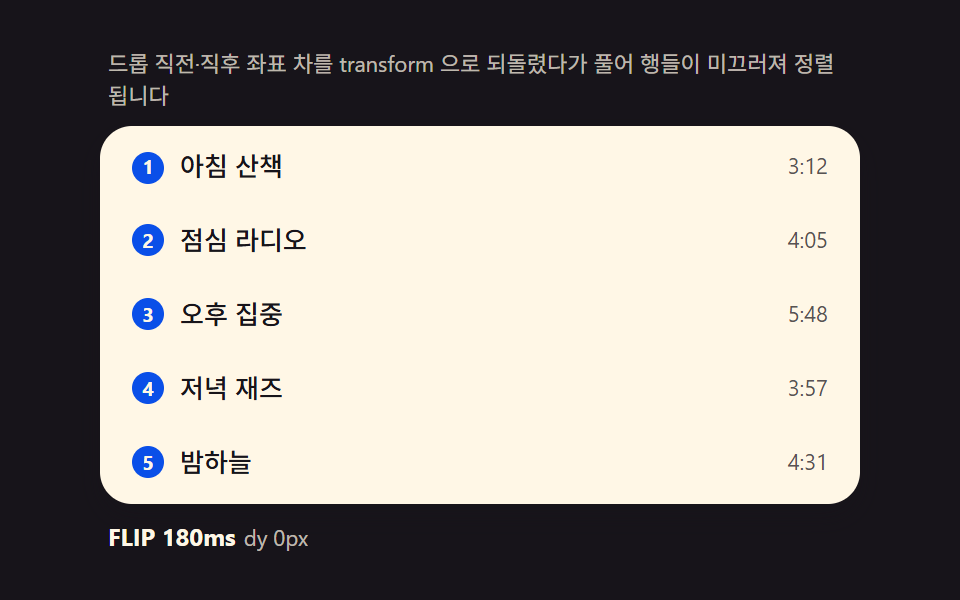 dragドラッグアンドドロップ 並び替えリスト — 挿入先インデックス計算を重ねた9種
 dragcss resize handle 9パターン — 角を引くと箱が手に吸い付く
 入力UIcss 電卓 デザイン9種 — 入力フォーム デザインが値を描く
 dragドラッグ アンド ドロップ 実装 9パターン — 指を離した後まで続く計算
 dragjavascript ジグソーパズル 作り方 9種 — 曲線のピースと吸着
 選択UIタイムピッカー ui 9選 — 一点から区間まで
 ログイン・認証UIアカウント セキュリティ 設定 UI 9選 — ログイン後の画面
 クリエイティブUIフローチャート デザイン 9種 — ノードを線でつなぐ画面
 選択UIカラーピッカー UI 9選 — ライブラリなしで作る色選択
 クリエイティブUI画像 編集 javascript のトリミングUI 9選