css 電卓 デザイン9種 — 入力フォーム デザインが値を描く
css 電卓 デザインの9つのうち、1つは入力したテキストの値を格子値に変えてキャンバスにQR模様を直接描き、1つは生年月日の値から残り日数を計算してリングゲージを満たし、1つは入力した1つの時刻の値で複数のタイムゾーンカードを描き直します。
 01 temp-convert-gradient-thermometer
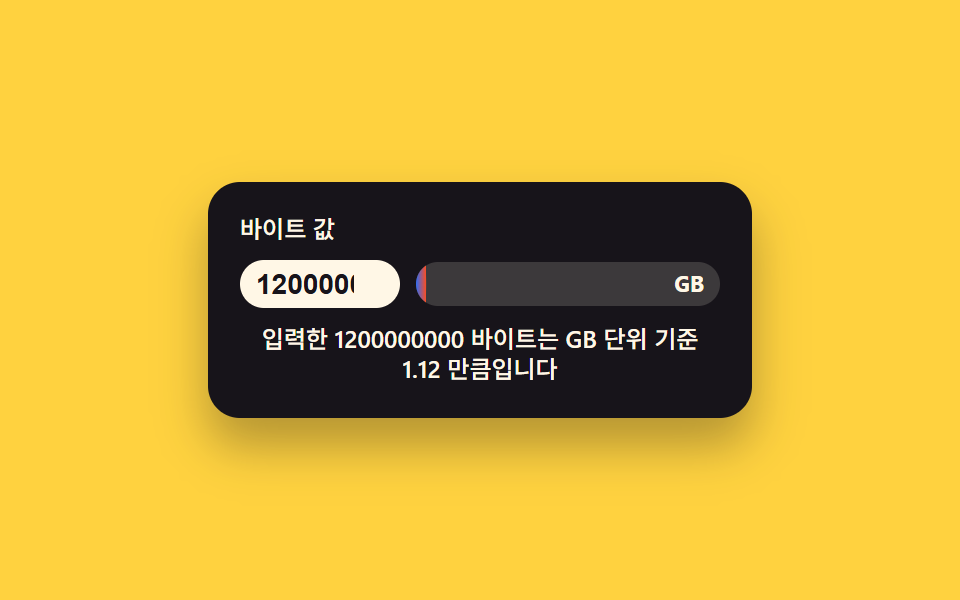 02 filesize-unit-live-badge
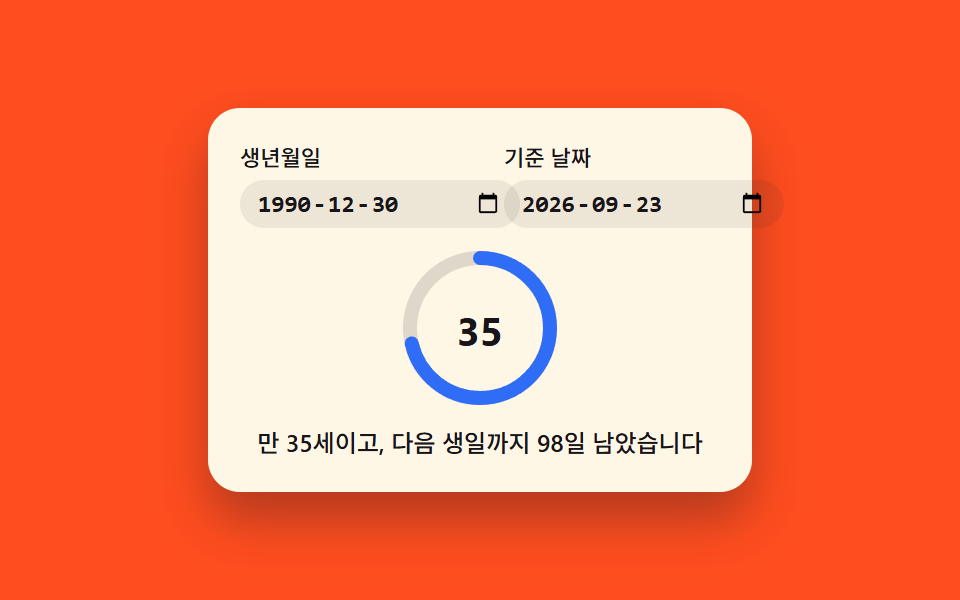 03 birthdate-age-ring-countdown
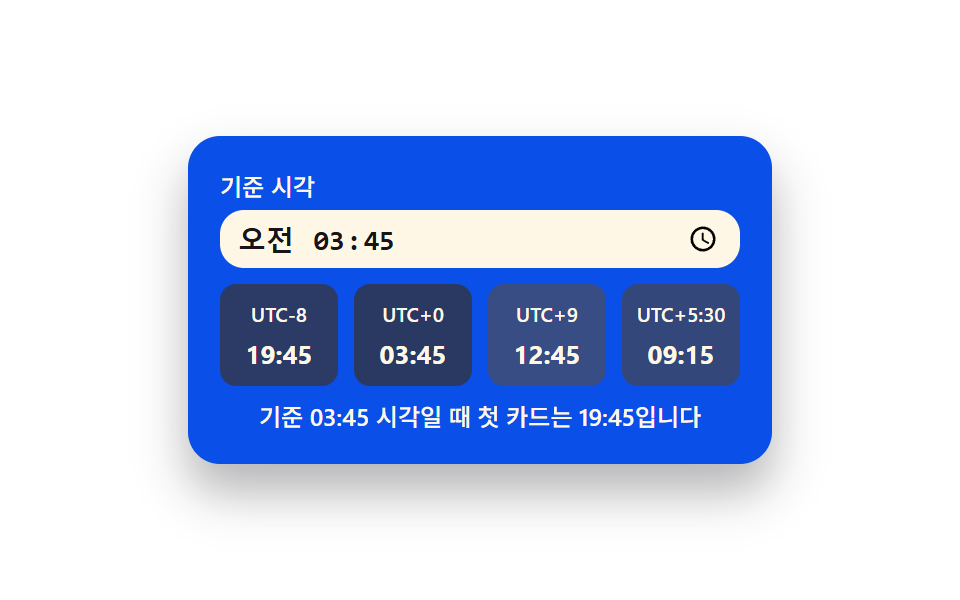 04 timezone-convert-card-stack
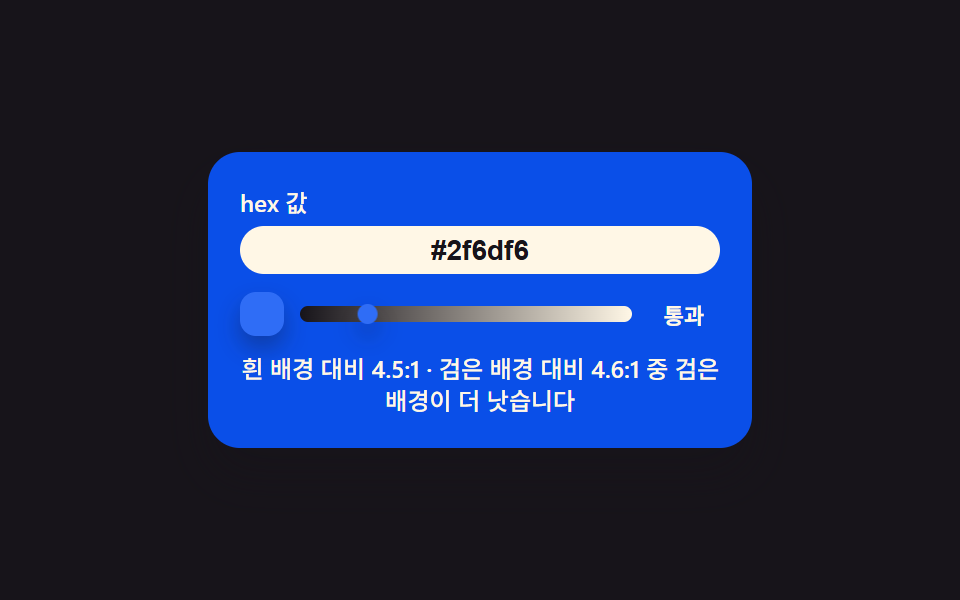 05 color-contrast-live-badge
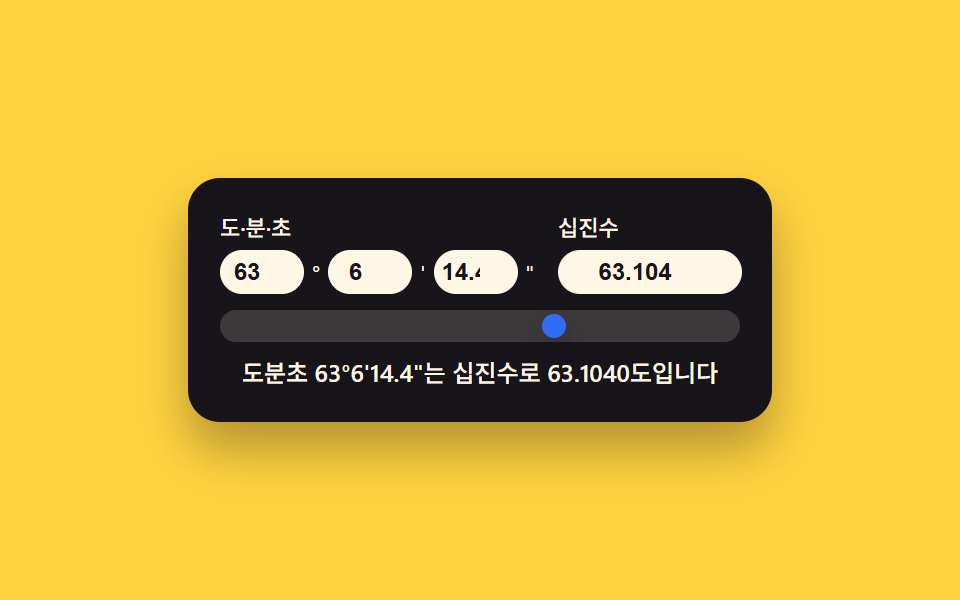 06 geo-coord-dms-decimal-sync
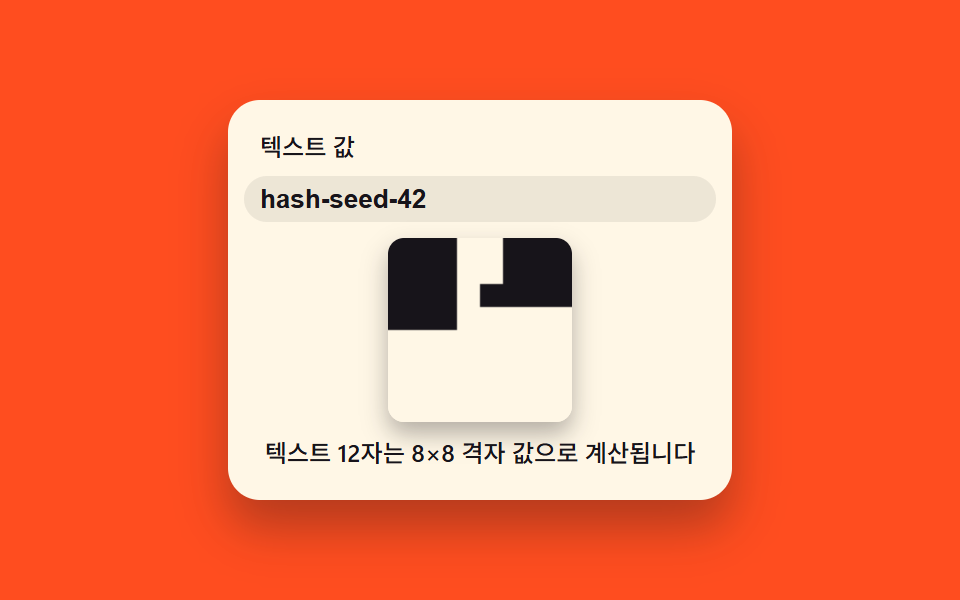 07 text-qr-canvas-live-draw
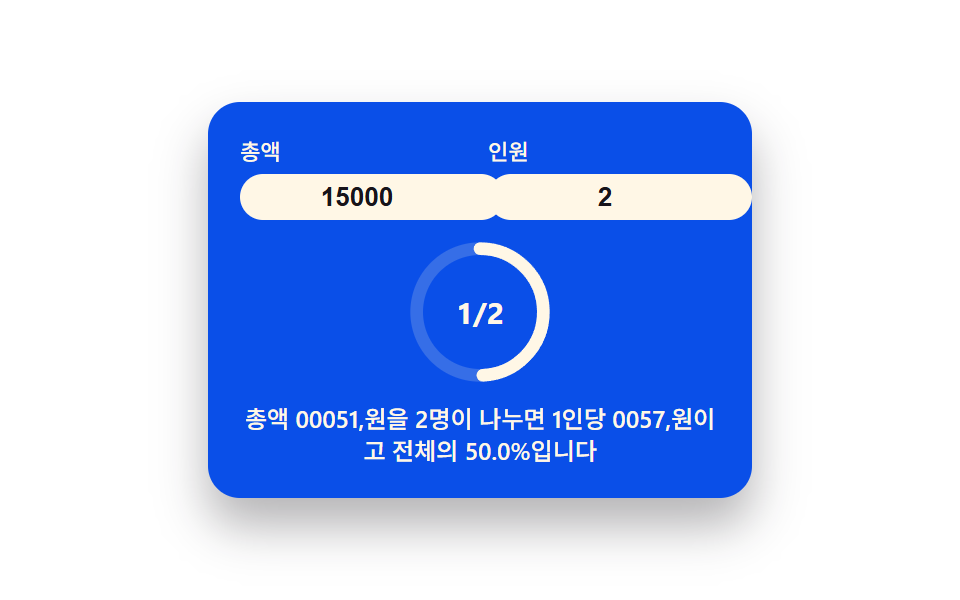 08 tip-split-ring-calculator
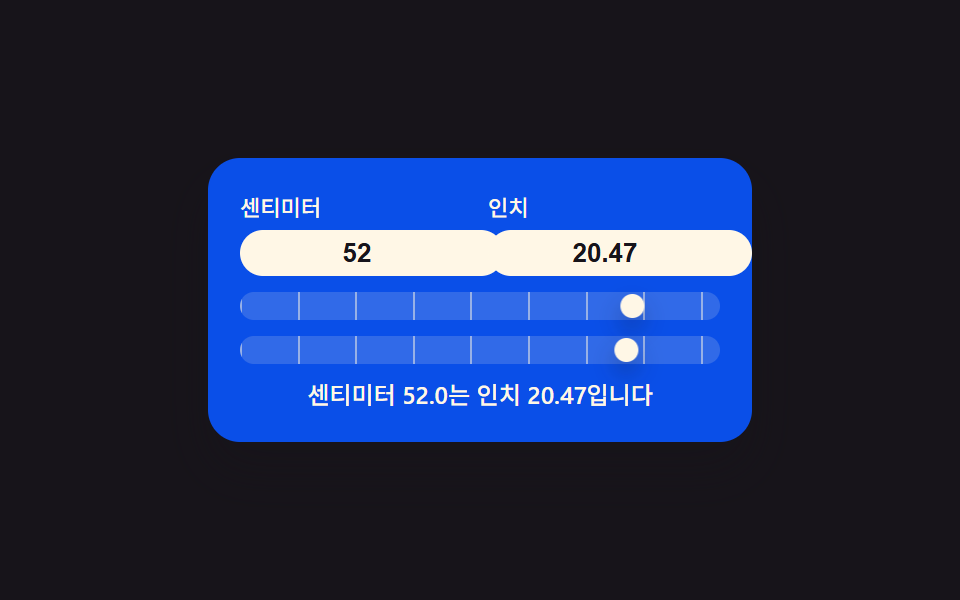 09 length-unit-live-convert-scale
自動再生 · タイルを押すとその項目へ · すべて1つのzip
- 01 温度の値で満ちるグラデーション温度計インプット
- 02 バイト値が自分で単位を選ぶファイルサイズバッジ
- 03 生年月日の値が残り日数を満たすD-dayリング
- 04 時刻の値が複数枚に分かれるタイムゾーンカード
- 05 hex値が合格ラインを行き来するコントラストバッジ
- 06 座標の値が2つの表記を行き来する同期インプット
- 07 テキストの値が格子に散らばるQRキャンバス
- 08 人数の値が取り分を割るチップ分担リング
- 09 長さの値が2つの目盛りを同時に押す単位スケール
9つに共通しているのは、入力欄に打ち込んだ値がそのまま画面の形を変えるという一手間です。摂氏の値はグラデーション目盛りの上でハンドルを動かし、バイト値は自分で単位を選んでからバッジの棒を満たし、生年月日の値は基準日との差だけ円形リングを塗り、1つの時刻の値は4枚のタイムゾーンカードを一度に描き直し、hex値は白背景・黒背景それぞれとのコントラスト比を計算してバッジの合否を切り替え、度分秒と十進数の2つの欄は互いを追いかけて同期し、打ち込んだ文字列はハッシュ化されてキャンバス上にQR風の格子となり、金額と人数の値はチップ分担リングの一片を満たし、長さの値は2本の目盛りを同時に押します。html css 電卓で検索して見つかる多くは静的な見本かライブラリ任せのウィジェットですが、以下の9パターンはどれも入力リスナー1つ・名前付き関数1つ・requestAnimationFrameで補間されるtarget/rendered値の組だけで動きます。
パターン01は温度の値をどう読んで動くのか
<main class="stage">
<div class="tc is-demo" id="tc">
  <label class="tc__cap" for="tcC">摂氏の値</label>
  <div class="tc__body">
    <input class="tc__input" id="tcC" type="number" inputmode="decimal" step="0.5" min="-10" max="40" value="22" aria-label="摂氏の値を入力すると華氏も一緒に計算し、目盛りのハンドルを動かします" aria-describedby="tcReadout">
    <div class="tc__scale" aria-hidden="true">
      <div class="tc__track"></div>
      <div class="tc__handle" id="tcHandle"></div>
    </div>
  </div>
  <p class="tc__readout" id="tcReadout" role="status" aria-live="polite"></p>
</div>
</main>
@use "../../../../site/static/demo-tokens" as *;
// 계산 겹(섭씨->화씨, 위치 산출)은 index.html 의 celsiusToFahrenheit()/applyValue() 에 있다. 여기는 무대·레이아웃만.
$duration: $dur-loop;
$easing: $ease-spring;
$color: $subject-cream;
@include stage($stage-ink);
.tc {
display: flex;
flex-direction: column;
align-items: center;
gap: $sp-2;
width: min(220px, 84vw);
background: $subject-blue-deep;
border-radius: $r-card;
padding: $sp-4;
box-shadow: $shadow-raised;
}
.tc__cap {
margin: 0;
color: $color;
font-size: 12px;
font-weight: 500;
line-height: 1.2;
}
.tc__body {
display: flex;
align-items: center;
gap: $sp-2;
}
.tc__input {
width: 68px;
border: 0;
border-radius: $r-control;
padding: $sp-1 $sp-2;
background: $subject-cream;
color: $subject-ink;
font-weight: 700;
font-size: 15px;
text-align: center;
}
.tc__input:focus-visible {
outline: 2px solid $color;
outline-offset: 2px;
}
.tc__scale {
position: relative;
width: 20px;
height: 92px;
border-radius: $r-pill;
}
.tc__track {
position: absolute;
inset: 0;
border-radius: $r-pill;
background: linear-gradient(to top, $subject-blue, $stage-orange);
}
.tc__handle {
position: absolute;
top: 0;
left: 50%;
width: 14px;
height: 14px;
margin-left: -7px;
border-radius: 50%;
background: $subject-cream;
box-shadow: $shadow-press;
transition: box-shadow $duration $easing;
will-change: transform;
}
.tc__readout {
margin: 0;
color: $color;
font-size: 12px;
font-weight: 500;
line-height: 1.3;
text-align: center;
}
@media (max-width: 340px) {
.tc { padding: $sp-3; gap: $sp-1; width: min(200px, 84vw); }
.tc__cap { font-size: 10px; }
.tc__body { gap: $sp-1; }
.tc__input { width: 56px; padding: $sp-1; font-size: 13px; }
.tc__scale { height: 56px; width: 16px; }
.tc__handle { width: 12px; height: 12px; margin-left: -6px; }
.tc__readout { font-size: 10px; }
}
@media (prefers-reduced-motion: reduce) {
.tc__handle { transition: none; }
}html, body {
margin: 0;
overflow: hidden;
}
.stage {
box-sizing: border-box;
min-height: 100vh;
display: grid;
place-items: center;
margin: 0;
background: #17141a;
font-family: -apple-system, "Segoe UI", "Noto Sans KR", sans-serif;
padding: clamp(8px, 4vw, 24px);
}
.tc {
display: flex;
flex-direction: column;
align-items: center;
gap: 8px;
width: min(220px, 84vw);
background: #0a4fe8;
border-radius: 16px;
padding: 16px;
box-shadow: 0 14px 24px rgba(23, 20, 26, 0.32);
}
.tc__cap {
margin: 0;
color: #fff7e6;
font-size: 12px;
font-weight: 500;
line-height: 1.2;
}
.tc__body {
display: flex;
align-items: center;
gap: 8px;
}
.tc__input {
width: 68px;
border: 0;
border-radius: 12px;
padding: 4px 8px;
background: #fff7e6;
color: #17141a;
font-weight: 700;
font-size: 15px;
text-align: center;
}
.tc__input:focus-visible {
outline: 2px solid #fff7e6;
outline-offset: 2px;
}
.tc__scale {
position: relative;
width: 20px;
height: 92px;
border-radius: 999px;
}
.tc__track {
position: absolute;
inset: 0;
border-radius: 999px;
background: linear-gradient(to top, #2f6df6, #ff4d1f);
}
.tc__handle {
position: absolute;
top: 0;
left: 50%;
width: 14px;
height: 14px;
margin-left: -7px;
border-radius: 50%;
background: #fff7e6;
box-shadow: 0 6px 12px rgba(23, 20, 26, 0.32);
transition: box-shadow 2s cubic-bezier(0.2, 0.8, 0.2, 1);
will-change: transform;
}
.tc__readout {
margin: 0;
color: #fff7e6;
font-size: 12px;
font-weight: 500;
line-height: 1.3;
text-align: center;
}
@media (max-width: 340px) {
.tc {
padding: 12px;
gap: 4px;
width: min(200px, 84vw);
}
.tc__cap {
font-size: 10px;
}
.tc__body {
gap: 4px;
}
.tc__input {
width: 56px;
padding: 4px;
font-size: 13px;
}
.tc__scale {
height: 56px;
width: 16px;
}
.tc__handle {
width: 12px;
height: 12px;
margin-left: -6px;
}
.tc__readout {
font-size: 10px;
}
}
@media (prefers-reduced-motion: reduce) {
.tc__handle {
transition: none;
}
}(function () {
var root = document.getElementById('tc');
var input = document.getElementById('tcC');
var handle = document.getElementById('tcHandle');
var scale = handle.parentElement;
var readout = document.getElementById('tcReadout');
var reduce = window.matchMedia('(prefers-reduced-motion: reduce)').matches;
var isDemo = true;
function human() { if (isDemo) { root.classList.remove('is-demo'); isDemo = false; } }
var MIN_C = -10, MAX_C = 40;
// 계산 한 겹 — 摂氏-> 화씨, 그리고 눈금 위 위치(0~1)
function celsiusToFahrenheit(c) { return c * 9 / 5 + 32; }
function clamp01(v) { return v < 0 ? 0 : v > 1 ? 1 : v; }
var SENT_PREFIX = '摂氏', SENT_MID = '度は華氏', SENT_SUFFIX = '度です。';
var targetT = 0, renderedT = 0;
var LERP_RATE = 0.14; // 변형 01: 낮추면 손잡이가 값 변화를 더 천천히 뒤따라간다
function readValue() {
var c = parseFloat(input.value);
return isNaN(c) ? 0 : c;
}
function applyValue(c) {
var f = celsiusToFahrenheit(c);
targetT = clamp01((c - MIN_C) / (MAX_C - MIN_C));
readout.textContent = SENT_PREFIX + c.toFixed(1) + SENT_MID + f.toFixed(1) + SENT_SUFFIX;
if (reduce) { renderedT = targetT; paint(); }
}
function paint() {
var trackH = scale.clientHeight - handle.offsetHeight;
var y = (1 - renderedT) * trackH;
handle.style.transform = 'translateY(' + y.toFixed(1) + 'px)';
}
input.addEventListener('input', function () { human(); applyValue(readValue()); });
input.addEventListener('change', function () { human(); applyValue(readValue()); });
var DEMO_VALUES = [-4, 8, 22, 31, 38, 14];
var DRIVE_PERIOD_MS = 2000; // 렌더 캐처 창(설정 초=2.0)과 같은 주기 — 시연 전용
var driveStart = 0, lastIdx = -1;
function driveTick(now) {
if (!driveStart) driveStart = now;
if (isDemo) {
var frac = ((now - driveStart) % DRIVE_PERIOD_MS) / DRIVE_PERIOD_MS;
var idx = Math.floor(frac * DEMO_VALUES.length);
if (idx !== lastIdx) {
lastIdx = idx;
input.value = DEMO_VALUES[idx];
applyValue(DEMO_VALUES[idx]);
}
}
requestAnimationFrame(driveTick);
}
function frame() {
renderedT += (targetT - renderedT) * LERP_RATE;
paint();
requestAnimationFrame(frame);
}
window.addEventListener('resize', paint);
applyValue(readValue());
if (!reduce) {
requestAnimationFrame(driveTick);
requestAnimationFrame(frame);
}
})();import { useEffect, useRef } from "react";
import styles from "./GradientThermometer.module.scss";
export default function GradientThermometer() {
const rootRef = useRef<HTMLDivElement | null>(null);
const inputRef = useRef<HTMLInputElement | null>(null);
const handleRef = useRef<HTMLDivElement | null>(null);
const readoutRef = useRef<HTMLParagraphElement | null>(null);
useEffect(() => {
const root = rootRef.current;
const input = inputRef.current;
const handle = handleRef.current;
const readout = readoutRef.current;
if (!root || !input || !handle || !readout) return;
const scale = handle.parentElement as HTMLDivElement;
const reduce = window.matchMedia("(prefers-reduced-motion: reduce)").matches;
let isDemo = true;
function human() {
if (isDemo) {
root!.classList.remove("is-demo");
isDemo = false;
}
}
const MIN_C = -10;
const MAX_C = 40;
function celsiusToFahrenheit(c: number) {
return (c * 9) / 5 + 32;
}
function clamp01(v: number) {
return v < 0 ? 0 : v > 1 ? 1 : v;
}
const SENT_PREFIX = "섭씨 ";
const SENT_MID = "도는 화씨 ";
const SENT_SUFFIX = "도입니다";
let targetT = 0;
let renderedT = 0;
const LERP_RATE = 0.14;
function readValue() {
const c = parseFloat(input!.value);
return isNaN(c) ? 0 : c;
}
function applyValue(c: number) {
const f = celsiusToFahrenheit(c);
targetT = clamp01((c - MIN_C) / (MAX_C - MIN_C));
readout!.textContent = SENT_PREFIX + c.toFixed(1) + SENT_MID + f.toFixed(1) + SENT_SUFFIX;
if (reduce) {
renderedT = targetT;
paint();
}
}
function paint() {
const trackH = scale.clientHeight - handle!.offsetHeight;
const y = (1 - renderedT) * trackH;
handle!.style.transform = "translateY(" + y.toFixed(1) + "px)";
}
function onInput() {
human();
applyValue(readValue());
}
input.addEventListener("input", onInput);
input.addEventListener("change", onInput);
const DEMO_VALUES = [-4, 8, 22, 31, 38, 14];
const DRIVE_PERIOD_MS = 2000;
let driveStart = 0;
let lastIdx = -1;
let rafDrive = 0;
function driveTick(now: number) {
if (!driveStart) driveStart = now;
if (isDemo) {
const frac = ((now - driveStart) % DRIVE_PERIOD_MS) / DRIVE_PERIOD_MS;
const idx = Math.floor(frac * DEMO_VALUES.length);
if (idx !== lastIdx) {
lastIdx = idx;
input!.value = String(DEMO_VALUES[idx]);
applyValue(DEMO_VALUES[idx]);
}
}
rafDrive = requestAnimationFrame(driveTick);
}
let rafFrame = 0;
function frame() {
renderedT += (targetT - renderedT) * LERP_RATE;
paint();
rafFrame = requestAnimationFrame(frame);
}
window.addEventListener("resize", paint);
applyValue(readValue());
if (!reduce) {
rafDrive = requestAnimationFrame(driveTick);
rafFrame = requestAnimationFrame(frame);
}
return () => {
input.removeEventListener("input", onInput);
input.removeEventListener("change", onInput);
window.removeEventListener("resize", paint);
if (rafDrive) cancelAnimationFrame(rafDrive);
if (rafFrame) cancelAnimationFrame(rafFrame);
};
}, []);
return (
<div ref={rootRef} className={`${styles.tc} is-demo`}>
<label className={styles.cap} htmlFor="tcCReact">
섭씨 값
</label>
<div className={styles.body}>
<input
ref={inputRef}
className={styles.input}
id="tcCReact"
type="number"
inputMode="decimal"
step={0.5}
min={-10}
max={40}
defaultValue={22}
aria-label="섭씨 값을 입력하면 화씨로 함께 계산해 눈금 손잡이를 옮깁니다"
aria-describedby="tcReadoutReact"
/>
<div className={styles.scale} aria-hidden="true">
<div className={styles.track} />
<div ref={handleRef} className={styles.handle} />
</div>
</div>
<p ref={readoutRef} className={styles.readout} id="tcReadoutReact" role="status" aria-live="polite" />
</div>
);
}01 · 温度の値で満ちるグラデーション温度計インプット — 計測 累積面積 2.117% · 動いたフレーム 23/23GODRICH オリジナル · SCSS と React は zip に同梱 · パスワードを見る
上のパターン01を動かしているのはcelsiusToFahrenheitという関数と、renderedTという値の2つだけです。摂氏の入力をapplyValueが受け取って目標値targetTを計算し、requestAnimationFrameのループがrenderedTをその目標へ毎フレーム少しずつ近づけて、ハンドルの位置を書き換えます。残り8つのパターンもこの先に、それぞれのコードと並べて置いてあります。
9つの電卓インプットを実測して比べると
| # | パターン | 累積面積 | 平均強度 | 動いたフレーム |
|---|---|---|---|---|
| 01 | グラデーション温度計インプット | 2.117% | 119.9 | 23/23 |
| 02 | ファイルサイズ単位バッジ | 13.481% | 113.3 | 23/23 |
| 03 | 生年月日リング | 2.981% | 122.3 | 23/23 |
| 04 | タイムゾーンカードスタック | 9.295% | 93.0 | 9/23 |
| 05 | コントラストバッジ | 4.078% | 109.2 | 23/23 |
| 06 | 座標同期インプット | 3.172% | 151.9 | 23/23 |
| 07 | テキストQRキャンバス | 4.272% | 202.8 | 23/23 |
| 08 | チップ分担リング | 3.385% | 116.8 | 23/23 |
| 09 | 長さ単位スケール | 5.763% | 123.3 | 23/23 |
9つの中で画面を最も広く塗り替えるのはパターン02のバッジで13.481%、逆に最も狭いのはパターン01のハンドルで2.117%です。動いたフレームの列だけはパターン04が浮いていて、23フレーム中9フレームしか「動いた」と判定されておらず、他の8パターンが揃って到達する23/23には届いていません。
1つの値が1つの形だけを動かす — 01・02・05・07
温度がハンドルの位置へ、バイト数が塗りつぶし比率へ、hex値が合否バッジへ、文字列がハッシュ化された格子へ——この4つは打った値1つがそのまま1つの見た目に対応します。
2つの入力欄が1つの数字にまとまる — 03・08
03では生年月日と基準日という2つの値が年齢と残り日数という1つの結果になり、08では総額と人数という2つの値が1人あたりの分担額という1つの結果になります。どちらも片方の欄だけでは出力の意味が成立しません。
1つの値が複数の出力を動かす、または2つの欄が同期する — 04・06・09
パターン04は1つの時刻の値を4枚のカードへ同時に広げます。一方パターン06と09は逆方向で、対になった2つの欄のどちらを書き換えても、もう片方が自動で計算し直されるので、どちらが「本当の」入力かという区別自体がありません。
電卓 デザイン おしゃれに見せる、たった一つの計算の一手間
9つのパターンはどれも似た骨格を持っています。inputかchangeのイベントリスナーが1つ、そのイベントを受けて目標値を計算する名前付き関数が1つ、そしてrequestAnimationFrameのループがrendered系の値をtarget系の値へ毎フレーム少しずつ近づける処理が1つです。見た目の効きは装飾の多さではなく、値が変わるたびに再計算されるこの1つの関数のほうにあります。
01温度の値で満ちるグラデーション温度計インプット
摂氏の値を打ち込むとcelsiusToFahrenheitが華氏の値を同時に計算し、targetTという目標比率をグラデーション目盛りの範囲に合わせて求めます。requestAnimationFrameのループはrenderedTをその目標へ毎フレームLERP_RATEの割合で近づけ、ハンドルの位置を書き換えます。inputイベントのたびにこの一連の計算が最初からやり直されます。
<main class="stage">
<div class="tc is-demo" id="tc">
  <label class="tc__cap" for="tcC">摂氏の値</label>
  <div class="tc__body">
    <input class="tc__input" id="tcC" type="number" inputmode="decimal" step="0.5" min="-10" max="40" value="22" aria-label="摂氏の値を入力すると華氏も一緒に計算し、目盛りのハンドルを動かします" aria-describedby="tcReadout">
    <div class="tc__scale" aria-hidden="true">
      <div class="tc__track"></div>
      <div class="tc__handle" id="tcHandle"></div>
    </div>
  </div>
  <p class="tc__readout" id="tcReadout" role="status" aria-live="polite"></p>
</div>
</main>
@use "../../../../site/static/demo-tokens" as *;
// 계산 겹(섭씨->화씨, 위치 산출)은 index.html 의 celsiusToFahrenheit()/applyValue() 에 있다. 여기는 무대·레이아웃만.
$duration: $dur-loop;
$easing: $ease-spring;
$color: $subject-cream;
@include stage($stage-ink);
.tc {
display: flex;
flex-direction: column;
align-items: center;
gap: $sp-2;
width: min(220px, 84vw);
background: $subject-blue-deep;
border-radius: $r-card;
padding: $sp-4;
box-shadow: $shadow-raised;
}
.tc__cap {
margin: 0;
color: $color;
font-size: 12px;
font-weight: 500;
line-height: 1.2;
}
.tc__body {
display: flex;
align-items: center;
gap: $sp-2;
}
.tc__input {
width: 68px;
border: 0;
border-radius: $r-control;
padding: $sp-1 $sp-2;
background: $subject-cream;
color: $subject-ink;
font-weight: 700;
font-size: 15px;
text-align: center;
}
.tc__input:focus-visible {
outline: 2px solid $color;
outline-offset: 2px;
}
.tc__scale {
position: relative;
width: 20px;
height: 92px;
border-radius: $r-pill;
}
.tc__track {
position: absolute;
inset: 0;
border-radius: $r-pill;
background: linear-gradient(to top, $subject-blue, $stage-orange);
}
.tc__handle {
position: absolute;
top: 0;
left: 50%;
width: 14px;
height: 14px;
margin-left: -7px;
border-radius: 50%;
background: $subject-cream;
box-shadow: $shadow-press;
transition: box-shadow $duration $easing;
will-change: transform;
}
.tc__readout {
margin: 0;
color: $color;
font-size: 12px;
font-weight: 500;
line-height: 1.3;
text-align: center;
}
@media (max-width: 340px) {
.tc { padding: $sp-3; gap: $sp-1; width: min(200px, 84vw); }
.tc__cap { font-size: 10px; }
.tc__body { gap: $sp-1; }
.tc__input { width: 56px; padding: $sp-1; font-size: 13px; }
.tc__scale { height: 56px; width: 16px; }
.tc__handle { width: 12px; height: 12px; margin-left: -6px; }
.tc__readout { font-size: 10px; }
}
@media (prefers-reduced-motion: reduce) {
.tc__handle { transition: none; }
}html, body {
margin: 0;
overflow: hidden;
}
.stage {
box-sizing: border-box;
min-height: 100vh;
display: grid;
place-items: center;
margin: 0;
background: #17141a;
font-family: -apple-system, "Segoe UI", "Noto Sans KR", sans-serif;
padding: clamp(8px, 4vw, 24px);
}
.tc {
display: flex;
flex-direction: column;
align-items: center;
gap: 8px;
width: min(220px, 84vw);
background: #0a4fe8;
border-radius: 16px;
padding: 16px;
box-shadow: 0 14px 24px rgba(23, 20, 26, 0.32);
}
.tc__cap {
margin: 0;
color: #fff7e6;
font-size: 12px;
font-weight: 500;
line-height: 1.2;
}
.tc__body {
display: flex;
align-items: center;
gap: 8px;
}
.tc__input {
width: 68px;
border: 0;
border-radius: 12px;
padding: 4px 8px;
background: #fff7e6;
color: #17141a;
font-weight: 700;
font-size: 15px;
text-align: center;
}
.tc__input:focus-visible {
outline: 2px solid #fff7e6;
outline-offset: 2px;
}
.tc__scale {
position: relative;
width: 20px;
height: 92px;
border-radius: 999px;
}
.tc__track {
position: absolute;
inset: 0;
border-radius: 999px;
background: linear-gradient(to top, #2f6df6, #ff4d1f);
}
.tc__handle {
position: absolute;
top: 0;
left: 50%;
width: 14px;
height: 14px;
margin-left: -7px;
border-radius: 50%;
background: #fff7e6;
box-shadow: 0 6px 12px rgba(23, 20, 26, 0.32);
transition: box-shadow 2s cubic-bezier(0.2, 0.8, 0.2, 1);
will-change: transform;
}
.tc__readout {
margin: 0;
color: #fff7e6;
font-size: 12px;
font-weight: 500;
line-height: 1.3;
text-align: center;
}
@media (max-width: 340px) {
.tc {
padding: 12px;
gap: 4px;
width: min(200px, 84vw);
}
.tc__cap {
font-size: 10px;
}
.tc__body {
gap: 4px;
}
.tc__input {
width: 56px;
padding: 4px;
font-size: 13px;
}
.tc__scale {
height: 56px;
width: 16px;
}
.tc__handle {
width: 12px;
height: 12px;
margin-left: -6px;
}
.tc__readout {
font-size: 10px;
}
}
@media (prefers-reduced-motion: reduce) {
.tc__handle {
transition: none;
}
}(function () {
var root = document.getElementById('tc');
var input = document.getElementById('tcC');
var handle = document.getElementById('tcHandle');
var scale = handle.parentElement;
var readout = document.getElementById('tcReadout');
var reduce = window.matchMedia('(prefers-reduced-motion: reduce)').matches;
var isDemo = true;
function human() { if (isDemo) { root.classList.remove('is-demo'); isDemo = false; } }
var MIN_C = -10, MAX_C = 40;
// 계산 한 겹 — 摂氏-> 화씨, 그리고 눈금 위 위치(0~1)
function celsiusToFahrenheit(c) { return c * 9 / 5 + 32; }
function clamp01(v) { return v < 0 ? 0 : v > 1 ? 1 : v; }
var SENT_PREFIX = '摂氏', SENT_MID = '度は華氏', SENT_SUFFIX = '度です。';
var targetT = 0, renderedT = 0;
var LERP_RATE = 0.14; // 변형 01: 낮추면 손잡이가 값 변화를 더 천천히 뒤따라간다
function readValue() {
var c = parseFloat(input.value);
return isNaN(c) ? 0 : c;
}
function applyValue(c) {
var f = celsiusToFahrenheit(c);
targetT = clamp01((c - MIN_C) / (MAX_C - MIN_C));
readout.textContent = SENT_PREFIX + c.toFixed(1) + SENT_MID + f.toFixed(1) + SENT_SUFFIX;
if (reduce) { renderedT = targetT; paint(); }
}
function paint() {
var trackH = scale.clientHeight - handle.offsetHeight;
var y = (1 - renderedT) * trackH;
handle.style.transform = 'translateY(' + y.toFixed(1) + 'px)';
}
input.addEventListener('input', function () { human(); applyValue(readValue()); });
input.addEventListener('change', function () { human(); applyValue(readValue()); });
var DEMO_VALUES = [-4, 8, 22, 31, 38, 14];
var DRIVE_PERIOD_MS = 2000; // 렌더 캐처 창(설정 초=2.0)과 같은 주기 — 시연 전용
var driveStart = 0, lastIdx = -1;
function driveTick(now) {
if (!driveStart) driveStart = now;
if (isDemo) {
var frac = ((now - driveStart) % DRIVE_PERIOD_MS) / DRIVE_PERIOD_MS;
var idx = Math.floor(frac * DEMO_VALUES.length);
if (idx !== lastIdx) {
lastIdx = idx;
input.value = DEMO_VALUES[idx];
applyValue(DEMO_VALUES[idx]);
}
}
requestAnimationFrame(driveTick);
}
function frame() {
renderedT += (targetT - renderedT) * LERP_RATE;
paint();
requestAnimationFrame(frame);
}
window.addEventListener('resize', paint);
applyValue(readValue());
if (!reduce) {
requestAnimationFrame(driveTick);
requestAnimationFrame(frame);
}
})();import { useEffect, useRef } from "react";
import styles from "./GradientThermometer.module.scss";
export default function GradientThermometer() {
const rootRef = useRef<HTMLDivElement | null>(null);
const inputRef = useRef<HTMLInputElement | null>(null);
const handleRef = useRef<HTMLDivElement | null>(null);
const readoutRef = useRef<HTMLParagraphElement | null>(null);
useEffect(() => {
const root = rootRef.current;
const input = inputRef.current;
const handle = handleRef.current;
const readout = readoutRef.current;
if (!root || !input || !handle || !readout) return;
const scale = handle.parentElement as HTMLDivElement;
const reduce = window.matchMedia("(prefers-reduced-motion: reduce)").matches;
let isDemo = true;
function human() {
if (isDemo) {
root!.classList.remove("is-demo");
isDemo = false;
}
}
const MIN_C = -10;
const MAX_C = 40;
function celsiusToFahrenheit(c: number) {
return (c * 9) / 5 + 32;
}
function clamp01(v: number) {
return v < 0 ? 0 : v > 1 ? 1 : v;
}
const SENT_PREFIX = "섭씨 ";
const SENT_MID = "도는 화씨 ";
const SENT_SUFFIX = "도입니다";
let targetT = 0;
let renderedT = 0;
const LERP_RATE = 0.14;
function readValue() {
const c = parseFloat(input!.value);
return isNaN(c) ? 0 : c;
}
function applyValue(c: number) {
const f = celsiusToFahrenheit(c);
targetT = clamp01((c - MIN_C) / (MAX_C - MIN_C));
readout!.textContent = SENT_PREFIX + c.toFixed(1) + SENT_MID + f.toFixed(1) + SENT_SUFFIX;
if (reduce) {
renderedT = targetT;
paint();
}
}
function paint() {
const trackH = scale.clientHeight - handle!.offsetHeight;
const y = (1 - renderedT) * trackH;
handle!.style.transform = "translateY(" + y.toFixed(1) + "px)";
}
function onInput() {
human();
applyValue(readValue());
}
input.addEventListener("input", onInput);
input.addEventListener("change", onInput);
const DEMO_VALUES = [-4, 8, 22, 31, 38, 14];
const DRIVE_PERIOD_MS = 2000;
let driveStart = 0;
let lastIdx = -1;
let rafDrive = 0;
function driveTick(now: number) {
if (!driveStart) driveStart = now;
if (isDemo) {
const frac = ((now - driveStart) % DRIVE_PERIOD_MS) / DRIVE_PERIOD_MS;
const idx = Math.floor(frac * DEMO_VALUES.length);
if (idx !== lastIdx) {
lastIdx = idx;
input!.value = String(DEMO_VALUES[idx]);
applyValue(DEMO_VALUES[idx]);
}
}
rafDrive = requestAnimationFrame(driveTick);
}
let rafFrame = 0;
function frame() {
renderedT += (targetT - renderedT) * LERP_RATE;
paint();
rafFrame = requestAnimationFrame(frame);
}
window.addEventListener("resize", paint);
applyValue(readValue());
if (!reduce) {
rafDrive = requestAnimationFrame(driveTick);
rafFrame = requestAnimationFrame(frame);
}
return () => {
input.removeEventListener("input", onInput);
input.removeEventListener("change", onInput);
window.removeEventListener("resize", paint);
if (rafDrive) cancelAnimationFrame(rafDrive);
if (rafFrame) cancelAnimationFrame(rafFrame);
};
}, []);
return (
<div ref={rootRef} className={`${styles.tc} is-demo`}>
<label className={styles.cap} htmlFor="tcCReact">
섭씨 값
</label>
<div className={styles.body}>
<input
ref={inputRef}
className={styles.input}
id="tcCReact"
type="number"
inputMode="decimal"
step={0.5}
min={-10}
max={40}
defaultValue={22}
aria-label="섭씨 값을 입력하면 화씨로 함께 계산해 눈금 손잡이를 옮깁니다"
aria-describedby="tcReadoutReact"
/>
<div className={styles.scale} aria-hidden="true">
<div className={styles.track} />
<div ref={handleRef} className={styles.handle} />
</div>
</div>
<p ref={readoutRef} className={styles.readout} id="tcReadoutReact" role="status" aria-live="polite" />
</div>
);
}01 · 温度の値で満ちるグラデーション温度計インプット — 計測 累積面積 2.117% · 動いたフレーム 23/23GODRICH オリジナル · SCSS と React は zip に同梱 · パスワードを見る
  function celsiusToFahrenheit(c) { return c * 9 / 5 + 32; }
  function clamp01(v) { return v < 0 ? 0 : v > 1 ? 1 : v; }

  var SENT_PREFIX = '摂氏', SENT_MID = '度は華氏', SENT_SUFFIX = '度です。';

  var targetT = 0, renderedT = 0;
  var LERP_RATE = 0.14; // 変形01: 下げるとハンドルが値の変化により遅れて追従する

  function readValue() {
    var c = parseFloat(input.value);
    return isNaN(c) ? 0 : c;
  }

  function applyValue(c) {
    var f = celsiusToFahrenheit(c);
    targetT = clamp01((c - MIN_C) / (MAX_C - MIN_C));
    readout.textContent = SENT_PREFIX + c.toFixed(1) + SENT_MID + f.toFixed(1) + SENT_SUFFIX;
    if (reduce) { renderedT = targetT; paint(); }
  }

  function paint() {
    var trackH = scale.clientHeight - handle.offsetHeight;
    var y = (1 - renderedT) * trackH;
    handle.style.transform = 'translateY(' + y.toFixed(1) + 'px)';
  }
02バイト値が自分で単位を選ぶファイルサイズバッジ
打ち込んだバイト値の桁数をdigitsOfが数え、pickUnitがB・KB・MB・GBのどれに当たるかを選び、fillRatioがその単位の中での塗りつぶし比率を計算します。値そのものは変わらなくても、桁数が単位の境界をまたいだ瞬間に塗りつぶし量の基準が変わるので、バーの動きが直感に反して見える場面があります——詳しくは後半で扱います。
<main class="stage">
<div class="fb is-demo" id="fb">
  <label class="fb__cap" for="fbBytes">バイトの値</label>
  <div class="fb__body">
    <input class="fb__input" id="fbBytes" type="number" inputmode="numeric" min="0" step="1" value="483" aria-label="バイトの値を入力すると桁数を計算して単位を選び、バーを満たします" aria-describedby="fbReadout">
    <div class="fb__badge" aria-hidden="true">
      <div class="fb__bar" id="fbBar"></div>
      <span class="fb__unit" id="fbUnit">B</span>
    </div>
  </div>
  <p class="fb__readout" id="fbReadout" role="status" aria-live="polite"></p>
</div>
</main>
@use "../../../../site/static/demo-tokens" as *;
// 계산 겹(자릿수->단위 선택, 채움 비율)은 index.html 의 pickUnit()/fillRatio() 에 있다. 여기는 무대·레이아웃만.
$duration: $dur-loop;
$easing: $ease-spring;
$color: $subject-cream;
@include stage($stage-yellow);
.fb {
display: flex;
flex-direction: column;
align-items: stretch;
gap: $sp-2;
width: min(240px, 84vw);
background: $subject-ink;
border-radius: $r-card;
padding: $sp-4;
box-shadow: $shadow-raised;
}
.fb__cap {
margin: 0;
color: $color;
font-size: 12px;
font-weight: 500;
line-height: 1.2;
}
.fb__body {
display: flex;
align-items: center;
gap: $sp-2;
}
.fb__input {
width: 64px;
flex: 0 0 auto;
border: 0;
border-radius: $r-control;
padding: $sp-1 $sp-2;
background: $subject-cream;
color: $subject-ink;
font-weight: 700;
font-size: 14px;
text-align: center;
}
.fb__input:focus-visible {
outline: 2px solid $color;
outline-offset: 2px;
}
.fb__badge {
position: relative;
flex: 1 1 auto;
height: 22px;
border-radius: $r-pill;
background: rgba($subject-cream, .16);
overflow: hidden;
display: flex;
align-items: center;
justify-content: flex-end;
padding: 0 $sp-2;
}
.fb__bar {
position: absolute;
inset: 0;
border-radius: $r-pill;
background: linear-gradient(to right, $subject-blue, $stage-orange);
transform-origin: left center;
transform: scaleX(0);
will-change: transform;
transition: box-shadow $duration $easing;
}
.fb__unit {
position: relative;
color: $subject-cream;
font-size: 11px;
font-weight: 700;
}
.fb__readout {
margin: 0;
color: $color;
font-size: 12px;
font-weight: 500;
line-height: 1.3;
text-align: center;
}
@media (max-width: 340px) {
.fb { padding: $sp-3; gap: $sp-1; width: min(220px, 84vw); }
.fb__cap { font-size: 10px; }
.fb__body { gap: $sp-1; }
.fb__input { width: 52px; padding: $sp-1; font-size: 12px; }
.fb__badge { height: 18px; padding: 0 $sp-1; }
.fb__unit { font-size: 10px; }
.fb__readout { font-size: 10px; }
}
@media (prefers-reduced-motion: reduce) {
.fb__bar { transition: none; }
}html, body {
margin: 0;
overflow: hidden;
}
.stage {
box-sizing: border-box;
min-height: 100vh;
display: grid;
place-items: center;
margin: 0;
background: #ffd23f;
font-family: -apple-system, "Segoe UI", "Noto Sans KR", sans-serif;
padding: clamp(8px, 4vw, 24px);
}
.fb {
display: flex;
flex-direction: column;
align-items: stretch;
gap: 8px;
width: min(240px, 84vw);
background: #17141a;
border-radius: 16px;
padding: 16px;
box-shadow: 0 14px 24px rgba(23, 20, 26, 0.32);
}
.fb__cap {
margin: 0;
color: #fff7e6;
font-size: 12px;
font-weight: 500;
line-height: 1.2;
}
.fb__body {
display: flex;
align-items: center;
gap: 8px;
}
.fb__input {
width: 64px;
flex: 0 0 auto;
border: 0;
border-radius: 12px;
padding: 4px 8px;
background: #fff7e6;
color: #17141a;
font-weight: 700;
font-size: 14px;
text-align: center;
}
.fb__input:focus-visible {
outline: 2px solid #fff7e6;
outline-offset: 2px;
}
.fb__badge {
position: relative;
flex: 1 1 auto;
height: 22px;
border-radius: 999px;
background: rgba(255, 247, 230, 0.16);
overflow: hidden;
display: flex;
align-items: center;
justify-content: flex-end;
padding: 0 8px;
}
.fb__bar {
position: absolute;
inset: 0;
border-radius: 999px;
background: linear-gradient(to right, #2f6df6, #ff4d1f);
transform-origin: left center;
transform: scaleX(0);
will-change: transform;
transition: box-shadow 2s cubic-bezier(0.2, 0.8, 0.2, 1);
}
.fb__unit {
position: relative;
color: #fff7e6;
font-size: 11px;
font-weight: 700;
}
.fb__readout {
margin: 0;
color: #fff7e6;
font-size: 12px;
font-weight: 500;
line-height: 1.3;
text-align: center;
}
@media (max-width: 340px) {
.fb {
padding: 12px;
gap: 4px;
width: min(220px, 84vw);
}
.fb__cap {
font-size: 10px;
}
.fb__body {
gap: 4px;
}
.fb__input {
width: 52px;
padding: 4px;
font-size: 12px;
}
.fb__badge {
height: 18px;
padding: 0 4px;
}
.fb__unit {
font-size: 10px;
}
.fb__readout {
font-size: 10px;
}
}
@media (prefers-reduced-motion: reduce) {
.fb__bar {
transition: none;
}
}(function () {
var root = document.getElementById('fb');
var input = document.getElementById('fbBytes');
var bar = document.getElementById('fbBar');
var unitEl = document.getElementById('fbUnit');
var readout = document.getElementById('fbReadout');
var reduce = window.matchMedia('(prefers-reduced-motion: reduce)').matches;
var isDemo = true;
function human() { if (isDemo) { root.classList.remove('is-demo'); isDemo = false; } }
function clamp01(v) { return v < 0 ? 0 : v > 1 ? 1 : v; }
// 계산 한 겹 — 자릿수로 단위를 고르고(digitsOf/pickUnit), 그 단위 안에서 채움 비율(fillRatio)을 구한다
function digitsOf(n) {
n = Math.floor(Math.abs(n));
return n === 0 ? 1 : String(n).length;
}
function pickUnit(bytes) {
var d = digitsOf(bytes);
if (d <= 3) return { name: 'B', pow: 0 };
if (d <= 6) return { name: 'KB', pow: 1 };
if (d <= 9) return { name: 'MB', pow: 2 };
return { name: 'GB', pow: 3 };
}
function fillRatio(bytes, unit) {
var v = bytes / Math.pow(1024, unit.pow);
return clamp01(v / 1024);
}
var SENT_PREFIX = '入力した', SENT_MID1 = 'バイトは', SENT_MID2 = '単位で', SENT_SUFFIX = 'です。';
var targetR = 0, renderedR = 0;
var LERP_RATE = 0.16; // 변형 02: 낮추면 막대가 값 변화를 더 천천히 뒤따라간다
function readValue() {
var n = parseFloat(input.value);
return isNaN(n) || n < 0 ? 0 : n;
}
function applyValue(bytes) {
var unit = pickUnit(bytes);
var valueInUnit = bytes / Math.pow(1024, unit.pow);
targetR = fillRatio(bytes, unit);
unitEl.textContent = unit.name;
readout.textContent = SENT_PREFIX + bytes + SENT_MID1 + unit.name + SENT_MID2 + valueInUnit.toFixed(2) + SENT_SUFFIX;
if (reduce) { renderedR = targetR; paint(); }
}
function paint() {
bar.style.transform = 'scaleX(' + renderedR.toFixed(4) + ')';
}
input.addEventListener('input', function () { human(); applyValue(readValue()); });
input.addEventListener('change', function () { human(); applyValue(readValue()); });
var DEMO_VALUES = [7, 320, 4821, 88320, 2748000, 91000000, 1200000000, 15000000000];
var DRIVE_PERIOD_MS = 2000;
var driveStart = 0, lastIdx = -1;
function driveTick(now) {
if (!driveStart) driveStart = now;
if (isDemo) {
var frac = ((now - driveStart) % DRIVE_PERIOD_MS) / DRIVE_PERIOD_MS;
var idx = Math.floor(frac * DEMO_VALUES.length);
if (idx !== lastIdx) { lastIdx = idx; input.value = DEMO_VALUES[idx]; applyValue(DEMO_VALUES[idx]); }
}
requestAnimationFrame(driveTick);
}
function frame() { renderedR += (targetR - renderedR) * LERP_RATE; paint(); requestAnimationFrame(frame); }
applyValue(readValue());
if (!reduce) { requestAnimationFrame(driveTick); requestAnimationFrame(frame); }
})();import { useEffect, useRef } from "react";
import styles from "./FilesizeUnitBadge.module.scss";
export default function FilesizeUnitBadge() {
const rootRef = useRef<HTMLDivElement | null>(null);
const inputRef = useRef<HTMLInputElement | null>(null);
const barRef = useRef<HTMLDivElement | null>(null);
const unitRef = useRef<HTMLSpanElement | null>(null);
const readoutRef = useRef<HTMLParagraphElement | null>(null);
useEffect(() => {
const root = rootRef.current;
const input = inputRef.current;
const bar = barRef.current;
const unitEl = unitRef.current;
const readout = readoutRef.current;
if (!root || !input || !bar || !unitEl || !readout) return;
const reduce = window.matchMedia("(prefers-reduced-motion: reduce)").matches;
let isDemo = true;
function human() {
if (isDemo) {
root!.classList.remove("is-demo");
isDemo = false;
}
}
function clamp01(v: number) {
return v < 0 ? 0 : v > 1 ? 1 : v;
}
type Unit = { name: string; pow: number };
function digitsOf(n: number) {
n = Math.floor(Math.abs(n));
return n === 0 ? 1 : String(n).length;
}
function pickUnit(bytes: number): Unit {
const d = digitsOf(bytes);
if (d <= 3) return { name: "B", pow: 0 };
if (d <= 6) return { name: "KB", pow: 1 };
if (d <= 9) return { name: "MB", pow: 2 };
return { name: "GB", pow: 3 };
}
function fillRatio(bytes: number, unit: Unit) {
const v = bytes / Math.pow(1024, unit.pow);
return clamp01(v / 1024);
}
const SENT_PREFIX = "입력한 ";
const SENT_MID1 = " 바이트는 ";
const SENT_MID2 = " 단위 기준 ";
const SENT_SUFFIX = " 만큼입니다";
let targetR = 0;
let renderedR = 0;
const LERP_RATE = 0.16;
function readValue() {
const n = parseFloat(input!.value);
return isNaN(n) || n < 0 ? 0 : n;
}
function applyValue(bytes: number) {
const unit = pickUnit(bytes);
const valueInUnit = bytes / Math.pow(1024, unit.pow);
targetR = fillRatio(bytes, unit);
unitEl!.textContent = unit.name;
readout!.textContent =
SENT_PREFIX + bytes + SENT_MID1 + unit.name + SENT_MID2 + valueInUnit.toFixed(2) + SENT_SUFFIX;
if (reduce) {
renderedR = targetR;
paint();
}
}
function paint() {
bar!.style.transform = "scaleX(" + renderedR.toFixed(4) + ")";
}
function onInput() {
human();
applyValue(readValue());
}
input.addEventListener("input", onInput);
input.addEventListener("change", onInput);
const DEMO_VALUES = [7, 320, 4821, 88320, 2748000, 91000000, 1200000000, 15000000000];
const DRIVE_PERIOD_MS = 2000;
let driveStart = 0;
let lastIdx = -1;
let rafDrive = 0;
function driveTick(now: number) {
if (!driveStart) driveStart = now;
if (isDemo) {
const frac = ((now - driveStart) % DRIVE_PERIOD_MS) / DRIVE_PERIOD_MS;
const idx = Math.floor(frac * DEMO_VALUES.length);
if (idx !== lastIdx) {
lastIdx = idx;
input!.value = String(DEMO_VALUES[idx]);
applyValue(DEMO_VALUES[idx]);
}
}
rafDrive = requestAnimationFrame(driveTick);
}
let rafFrame = 0;
function frame() {
renderedR += (targetR - renderedR) * LERP_RATE;
paint();
rafFrame = requestAnimationFrame(frame);
}
applyValue(readValue());
if (!reduce) {
rafDrive = requestAnimationFrame(driveTick);
rafFrame = requestAnimationFrame(frame);
}
return () => {
input.removeEventListener("input", onInput);
input.removeEventListener("change", onInput);
if (rafDrive) cancelAnimationFrame(rafDrive);
if (rafFrame) cancelAnimationFrame(rafFrame);
};
}, []);
return (
<div ref={rootRef} className={`${styles.fb} is-demo`}>
<label className={styles.cap} htmlFor="fbBytesReact">
바이트 값
</label>
<div className={styles.body}>
<input
ref={inputRef}
className={styles.input}
id="fbBytesReact"
type="number"
inputMode="numeric"
min={0}
step={1}
defaultValue={483}
aria-label="바이트 값을 입력하면 자릿수를 계산해 단위를 고르고 막대를 채웁니다"
aria-describedby="fbReadoutReact"
/>
<div className={styles.badge} aria-hidden="true">
<div ref={barRef} className={styles.bar} />
<span ref={unitRef} className={styles.unit}>B</span>
</div>
</div>
<p ref={readoutRef} className={styles.readout} id="fbReadoutReact" role="status" aria-live="polite" />
</div>
);
}02 · バイト値が自分で単位を選ぶファイルサイズバッジ — 計測 累積面積 13.481% · 動いたフレーム 23/23GODRICH オリジナル · SCSS と React は zip に同梱 · パスワードを見る
  function fillRatio(bytes, unit) {
    var v = bytes / Math.pow(1024, unit.pow);
    return clamp01(v / 1024);
  }

  var SENT_PREFIX = '入力した', SENT_MID1 = 'バイトは', SENT_MID2 = '単位で', SENT_SUFFIX = 'です。';

  var targetR = 0, renderedR = 0;
  var LERP_RATE = 0.16; // 変形02: 下げるとバーが値の変化により遅れて追従する

  function readValue() {
    var n = parseFloat(input.value);
    return isNaN(n) || n < 0 ? 0 : n;
  }

  function applyValue(bytes) {
    var unit = pickUnit(bytes);
    var valueInUnit = bytes / Math.pow(1024, unit.pow);
    targetR = fillRatio(bytes, unit);
    unitEl.textContent = unit.name;
    readout.textContent = SENT_PREFIX + bytes + SENT_MID1 + unit.name + SENT_MID2 + valueInUnit.toFixed(2) + SENT_SUFFIX;
    if (reduce) { renderedR = targetR; paint(); }
  }
03生年月日の値が残り日数を満たすD-dayリング
生年月日の値と、別に打ち込む基準日の値をdaysBetweenが日数に変換し、ageAtが年齢を、nextBirthdayGapが次の誕生日までの残り日数を求めます。この残り日数の比率だけ円形リングが塗られ、prefers-reduced-motionがオフのときはrequestAnimationFrameが塗りの進み方を毎フレーム補間します。
<main class="stage">
<div class="ar is-demo" id="ar">
  <div class="ar__fields">
    <label class="ar__field">
      <span class="ar__cap">生年月日</span>
      <input class="ar__input" id="arBirth" type="date" value="1996-04-12" aria-describedby="arReadout">
    </label>
    <label class="ar__field">
      <span class="ar__cap">基準日</span>
      <input class="ar__input" id="arToday" type="date" value="2026-09-23" aria-describedby="arReadout">
    </label>
  </div>
  <div class="ar__ring" aria-hidden="true">
    <svg viewBox="0 0 72 72">
      <circle class="ar__track" cx="36" cy="36" r="30"></circle>
      <circle class="ar__fill" id="arFill" cx="36" cy="36" r="30"></circle>
    </svg>
    <span class="ar__age" id="arAge">30</span>
  </div>
  <p class="ar__readout" id="arReadout" role="status" aria-live="polite"></p>
</div>
</main>
@use "../../../../site/static/demo-tokens" as *;
// 계산 겹(나이·디데이 산출, 링 채움 비율)은 index.html 의 ageAt()/nextBirthdayGap() 에 있다. 여기는 무대·레이아웃만.
$duration: $dur-loop;
$easing: $ease-spring;
$color: $subject-ink;
@include stage($stage-orange);
.ar {
display: flex;
flex-direction: column;
align-items: center;
gap: $sp-2;
width: min(240px, 84vw);
background: $subject-cream;
border-radius: $r-card;
padding: $sp-4;
box-shadow: $shadow-raised;
}
.ar__fields {
display: flex;
gap: $sp-2;
width: 100%;
}
.ar__field {
display: flex;
flex-direction: column;
gap: $sp-1;
flex: 1 1 0;
}
.ar__cap {
color: $color;
font-size: 11px;
font-weight: 500;
}
.ar__input {
width: 100%;
border: 0;
border-radius: $r-control;
padding: $sp-1 $sp-2;
background: rgba($subject-ink, .08);
color: $subject-ink;
font-weight: 600;
font-size: 12px;
}
.ar__input:focus-visible {
outline: 2px solid $subject-blue;
outline-offset: 2px;
}
.ar__ring {
position: relative;
width: 84px;
height: 84px;
}
.ar__ring svg {
width: 100%;
height: 100%;
transform: rotate(-90deg);
}
.ar__track {
fill: none;
stroke: rgba($subject-ink, .14);
stroke-width: 6;
}
.ar__fill {
fill: none;
stroke: $subject-blue;
stroke-width: 6;
stroke-linecap: round;
transition: box-shadow $duration $easing;
will-change: stroke-dashoffset;
}
.ar__age {
position: absolute;
inset: 0;
display: flex;
align-items: center;
justify-content: center;
color: $color;
font-size: 20px;
font-weight: 700;
}
.ar__readout {
margin: 0;
color: $color;
font-size: 12px;
font-weight: 500;
line-height: 1.3;
text-align: center;
}
@media (max-width: 340px) {
.ar { padding: $sp-3; gap: $sp-1; width: min(220px, 84vw); }
.ar__cap { font-size: 10px; }
.ar__input { font-size: 11px; }
.ar__ring { width: 56px; height: 56px; }
.ar__age { font-size: 16px; }
.ar__readout { font-size: 10px; }
}
@media (prefers-reduced-motion: reduce) {
.ar__fill { transition: none; }
}html, body {
margin: 0;
overflow: hidden;
}
.stage {
box-sizing: border-box;
min-height: 100vh;
display: grid;
place-items: center;
margin: 0;
background: #ff4d1f;
font-family: -apple-system, "Segoe UI", "Noto Sans KR", sans-serif;
padding: clamp(8px, 4vw, 24px);
}
.ar {
display: flex;
flex-direction: column;
align-items: center;
gap: 8px;
width: min(240px, 84vw);
background: #fff7e6;
border-radius: 16px;
padding: 16px;
box-shadow: 0 14px 24px rgba(23, 20, 26, 0.32);
}
.ar__fields {
display: flex;
gap: 8px;
width: 100%;
}
.ar__field {
display: flex;
flex-direction: column;
gap: 4px;
flex: 1 1 0;
}
.ar__cap {
color: #17141a;
font-size: 11px;
font-weight: 500;
}
.ar__input {
width: 100%;
border: 0;
border-radius: 12px;
padding: 4px 8px;
background: rgba(23, 20, 26, 0.08);
color: #17141a;
font-weight: 600;
font-size: 12px;
}
.ar__input:focus-visible {
outline: 2px solid #2f6df6;
outline-offset: 2px;
}
.ar__ring {
position: relative;
width: 84px;
height: 84px;
}
.ar__ring svg {
width: 100%;
height: 100%;
transform: rotate(-90deg);
}
.ar__track {
fill: none;
stroke: rgba(23, 20, 26, 0.14);
stroke-width: 6;
}
.ar__fill {
fill: none;
stroke: #2f6df6;
stroke-width: 6;
stroke-linecap: round;
transition: box-shadow 2s cubic-bezier(0.2, 0.8, 0.2, 1);
will-change: stroke-dashoffset;
}
.ar__age {
position: absolute;
inset: 0;
display: flex;
align-items: center;
justify-content: center;
color: #17141a;
font-size: 20px;
font-weight: 700;
}
.ar__readout {
margin: 0;
color: #17141a;
font-size: 12px;
font-weight: 500;
line-height: 1.3;
text-align: center;
}
@media (max-width: 340px) {
.ar {
padding: 12px;
gap: 4px;
width: min(220px, 84vw);
}
.ar__cap {
font-size: 10px;
}
.ar__input {
font-size: 11px;
}
.ar__ring {
width: 56px;
height: 56px;
}
.ar__age {
font-size: 16px;
}
.ar__readout {
font-size: 10px;
}
}
@media (prefers-reduced-motion: reduce) {
.ar__fill {
transition: none;
}
}(function () {
var root = document.getElementById('ar');
var birthInput = document.getElementById('arBirth');
var refInput = document.getElementById('arToday');
var fill = document.getElementById('arFill');
var ageEl = document.getElementById('arAge');
var readout = document.getElementById('arReadout');
var reduce = window.matchMedia('(prefers-reduced-motion: reduce)').matches;
var isDemo = true;
function human() { if (isDemo) { root.classList.remove('is-demo'); isDemo = false; } }
var RADIUS = 30;
var CIRCUMFERENCE = 2 * Math.PI * RADIUS;
fill.style.strokeDasharray = CIRCUMFERENCE.toFixed(2);
function clamp01(v) { return v < 0 ? 0 : v > 1 ? 1 : v; }
function parseYmd(s) {
var p = s.split('-');
return { y: parseInt(p[0], 10), m: parseInt(p[1], 10), d: parseInt(p[2], 10) };
}
function daysBetween(a, b) {
var msPerDay = 86400000;
var da = Date.UTC(a.y, a.m - 1, a.d);
var db = Date.UTC(b.y, b.m - 1, b.d);
return Math.round((db - da) / msPerDay);
}
// 계산 한 겹 — 生年月日·기준일 두 값의 날짜 차이로 나이와 다음 생일까지 남은 날, 그 비율(링 채움)을 구한다
function ageAt(birth, ref) {
var age = ref.y - birth.y;
var hadBirthdayThisYear = (ref.m > birth.m) || (ref.m === birth.m && ref.d >= birth.d);
if (!hadBirthdayThisYear) age -= 1;
return age;
}
function nextBirthdayGap(birth, ref) {
var nextY = ref.y;
var thisYearBday = { y: ref.y, m: birth.m, d: birth.d };
var gapThisYear = daysBetween(ref, thisYearBday);
if (gapThisYear < 0) { nextY = ref.y + 1; }
var target = { y: nextY, m: birth.m, d: birth.d };
return daysBetween(ref, target);
}
var SENT_PREFIX = '満', SENT_MID = '歳で、次の誕生日まであと', SENT_SUFFIX = '日です。';
var targetT = 0, renderedT = 0;
var LERP_RATE = 0.13; // 변형 03: 낮추면 링이 값 변화를 더 천천히 뒤따라간다
function applyValues() {
var birth = parseYmd(birthInput.value);
var ref = parseYmd(refInput.value);
var age = ageAt(birth, ref);
var gap = nextBirthdayGap(birth, ref);
var yearLen = 365.2425;
targetT = clamp01(1 - gap / yearLen);
ageEl.textContent = age;
readout.textContent = SENT_PREFIX + age + SENT_MID + gap + SENT_SUFFIX;
if (reduce) { renderedT = targetT; paint(); }
}
function paint() {
var offset = CIRCUMFERENCE * (1 - renderedT);
fill.style.strokeDashoffset = offset.toFixed(2);
}
birthInput.addEventListener('input', function () { human(); applyValues(); });
birthInput.addEventListener('change', function () { human(); applyValues(); });
refInput.addEventListener('input', function () { human(); applyValues(); });
refInput.addEventListener('change', function () { human(); applyValues(); });
var DEMO_BIRTHDAYS = ['1996-04-12', '1990-12-30', '2001-09-24', '1988-02-05', '2015-06-18'];
var DRIVE_PERIOD_MS = 2000;
var driveStart = 0, lastIdx = -1;
function driveTick(now) {
if (!driveStart) driveStart = now;
if (isDemo) {
var frac = ((now - driveStart) % DRIVE_PERIOD_MS) / DRIVE_PERIOD_MS;
var idx = Math.floor(frac * DEMO_BIRTHDAYS.length);
if (idx !== lastIdx) { lastIdx = idx; birthInput.value = DEMO_BIRTHDAYS[idx]; applyValues(); }
}
requestAnimationFrame(driveTick);
}
function frame() { renderedT += (targetT - renderedT) * LERP_RATE; paint(); requestAnimationFrame(frame); }
applyValues();
if (!reduce) { requestAnimationFrame(driveTick); requestAnimationFrame(frame); }
})();import { useEffect, useRef } from "react";
import styles from "./AgeRingCountdown.module.scss";
type Ymd = { y: number; m: number; d: number };
export default function AgeRingCountdown() {
const rootRef = useRef<HTMLDivElement | null>(null);
const birthRef = useRef<HTMLInputElement | null>(null);
const refRef = useRef<HTMLInputElement | null>(null);
const fillRef = useRef<SVGCircleElement | null>(null);
const ageRef = useRef<HTMLSpanElement | null>(null);
const readoutRef = useRef<HTMLParagraphElement | null>(null);
useEffect(() => {
const root = rootRef.current;
const birthInput = birthRef.current;
const refInput = refRef.current;
const fill = fillRef.current;
const ageEl = ageRef.current;
const readout = readoutRef.current;
if (!root || !birthInput || !refInput || !fill || !ageEl || !readout) return;
const reduce = window.matchMedia("(prefers-reduced-motion: reduce)").matches;
let isDemo = true;
function human() {
if (isDemo) {
root!.classList.remove("is-demo");
isDemo = false;
}
}
const RADIUS = 30;
const CIRCUMFERENCE = 2 * Math.PI * RADIUS;
fill.style.strokeDasharray = CIRCUMFERENCE.toFixed(2);
function clamp01(v: number) {
return v < 0 ? 0 : v > 1 ? 1 : v;
}
function parseYmd(s: string): Ymd {
const p = s.split("-");
return { y: parseInt(p[0], 10), m: parseInt(p[1], 10), d: parseInt(p[2], 10) };
}
function daysBetween(a: Ymd, b: Ymd) {
const msPerDay = 86400000;
const da = Date.UTC(a.y, a.m - 1, a.d);
const db = Date.UTC(b.y, b.m - 1, b.d);
return Math.round((db - da) / msPerDay);
}
function ageAt(birth: Ymd, ref: Ymd) {
let age = ref.y - birth.y;
const hadBirthdayThisYear = ref.m > birth.m || (ref.m === birth.m && ref.d >= birth.d);
if (!hadBirthdayThisYear) age -= 1;
return age;
}
function nextBirthdayGap(birth: Ymd, ref: Ymd) {
let nextY = ref.y;
const thisYearBday: Ymd = { y: ref.y, m: birth.m, d: birth.d };
const gapThisYear = daysBetween(ref, thisYearBday);
if (gapThisYear < 0) nextY = ref.y + 1;
const target: Ymd = { y: nextY, m: birth.m, d: birth.d };
return daysBetween(ref, target);
}
const SENT_PREFIX = "만 ";
const SENT_MID = "세이고, 다음 생일까지 ";
const SENT_SUFFIX = "일 남았습니다";
let targetT = 0;
let renderedT = 0;
const LERP_RATE = 0.13;
function applyValues() {
const birth = parseYmd(birthInput!.value);
const ref = parseYmd(refInput!.value);
const age = ageAt(birth, ref);
const gap = nextBirthdayGap(birth, ref);
const yearLen = 365.2425;
targetT = clamp01(1 - gap / yearLen);
ageEl!.textContent = String(age);
readout!.textContent = SENT_PREFIX + age + SENT_MID + gap + SENT_SUFFIX;
if (reduce) {
renderedT = targetT;
paint();
}
}
function paint() {
const offset = CIRCUMFERENCE * (1 - renderedT);
fill!.style.strokeDashoffset = offset.toFixed(2);
}
function onInput() {
human();
applyValues();
}
birthInput.addEventListener("input", onInput);
birthInput.addEventListener("change", onInput);
refInput.addEventListener("input", onInput);
refInput.addEventListener("change", onInput);
const DEMO_BIRTHDAYS = ["1996-04-12", "1990-12-30", "2001-09-24", "1988-02-05", "2015-06-18"];
const DRIVE_PERIOD_MS = 2000;
let driveStart = 0;
let lastIdx = -1;
let rafDrive = 0;
function driveTick(now: number) {
if (!driveStart) driveStart = now;
if (isDemo) {
const frac = ((now - driveStart) % DRIVE_PERIOD_MS) / DRIVE_PERIOD_MS;
const idx = Math.floor(frac * DEMO_BIRTHDAYS.length);
if (idx !== lastIdx) {
lastIdx = idx;
birthInput!.value = DEMO_BIRTHDAYS[idx];
applyValues();
}
}
rafDrive = requestAnimationFrame(driveTick);
}
let rafFrame = 0;
function frame() {
renderedT += (targetT - renderedT) * LERP_RATE;
paint();
rafFrame = requestAnimationFrame(frame);
}
applyValues();
if (!reduce) {
rafDrive = requestAnimationFrame(driveTick);
rafFrame = requestAnimationFrame(frame);
}
return () => {
birthInput.removeEventListener("input", onInput);
birthInput.removeEventListener("change", onInput);
refInput.removeEventListener("input", onInput);
refInput.removeEventListener("change", onInput);
if (rafDrive) cancelAnimationFrame(rafDrive);
if (rafFrame) cancelAnimationFrame(rafFrame);
};
}, []);
return (
<div ref={rootRef} className={`${styles.ar} is-demo`}>
<div className={styles.fields}>
<label className={styles.field}>
<span className={styles.cap}>생년월일</span>
<input ref={birthRef} className={styles.input} type="date" defaultValue="1996-04-12" aria-describedby="arReadoutReact" />
</label>
<label className={styles.field}>
<span className={styles.cap}>기준 날짜</span>
<input ref={refRef} className={styles.input} type="date" defaultValue="2026-09-23" aria-describedby="arReadoutReact" />
</label>
</div>
<div className={styles.ring} aria-hidden="true">
<svg viewBox="0 0 72 72">
<circle className={styles.track} cx={36} cy={36} r={30} />
<circle ref={fillRef} className={styles.fill} cx={36} cy={36} r={30} />
</svg>
<span ref={ageRef} className={styles.age}>30</span>
</div>
<p ref={readoutRef} className={styles.readout} id="arReadoutReact" role="status" aria-live="polite" />
</div>
);
}03 · 生年月日の値が残り日数を満たすD-dayリング — 計測 累積面積 2.981% · 動いたフレーム 23/23GODRICH オリジナル · SCSS と React は zip に同梱 · パスワードを見る
  function daysBetween(a, b) {
    var msPerDay = 86400000;
    var da = Date.UTC(a.y, a.m - 1, a.d);
    var db = Date.UTC(b.y, b.m - 1, b.d);
    return Math.round((db - da) / msPerDay);
  }
  // 計算の一層 — 生年月日と基準日、2つの値の日数差から年齢と次の誕生日までの残り日数、その比率(リングの塗り)を求める
  function ageAt(birth, ref) {
    var age = ref.y - birth.y;
    var hadBirthdayThisYear = (ref.m > birth.m) || (ref.m === birth.m && ref.d >= birth.d);
    if (!hadBirthdayThisYear) age -= 1;
    return age;
  }
  function nextBirthdayGap(birth, ref) {
    var nextY = ref.y;
    var thisYearBday = { y: ref.y, m: birth.m, d: birth.d };
    var gapThisYear = daysBetween(ref, thisYearBday);
    if (gapThisYear < 0) { nextY = ref.y + 1; }
    var target = { y: nextY, m: birth.m, d: birth.d };
    return daysBetween(ref, target);
  }

  var SENT_PREFIX = '満', SENT_MID = '歳で、次の誕生日まであと', SENT_SUFFIX = '日です。';

  var targetT = 0, renderedT = 0;
04時刻の値が複数枚に分かれるタイムゾーンカード
1つの時刻の値に対してaddOffsetMinutesが各地域のオフセット(分)を足し引きし、カードごとの時刻を書き換えます。isDaytimeとbrightnessOfが計算した昼夜の判定がカード背景の明るさにも反映されるので、同じ時刻でも地域によってカードの見た目が変わります。
<main class="stage">
<div class="tz is-demo" id="tz">
  <label class="tz__field">
    <span class="tz__cap">基準時刻</span>
    <input class="tz__input" id="tzBase" type="time" step="60" value="09:30" aria-describedby="tzReadout">
  </label>
  <div class="tz__cards" id="tzCards" aria-hidden="true"></div>
  <p class="tz__readout" id="tzReadout" role="status" aria-live="polite"></p>
</div>
</main>
@use "../../../../site/static/demo-tokens" as *;
// 계산 겹(오프셋 합산, 낮·밤 판정과 밝기)은 index.html 의 addOffsetMinutes()/brightnessOf() 에 있다. 여기는 무대·레이아웃만.
$duration: $dur-loop;
$easing: $ease-spring;
$color: $subject-cream;
@include stage($stage-paper);
.tz {
display: flex;
flex-direction: column;
align-items: stretch;
gap: $sp-2;
width: min(260px, 88vw);
background: $subject-blue-deep;
border-radius: $r-card;
padding: $sp-4;
box-shadow: $shadow-raised;
}
.tz__field {
display: flex;
flex-direction: column;
gap: $sp-1;
}
.tz__cap {
color: $color;
font-size: 12px;
font-weight: 500;
}
.tz__input {
border: 0;
border-radius: $r-control;
padding: $sp-1 $sp-2;
background: $subject-cream;
color: $subject-ink;
font-weight: 600;
font-size: 14px;
}
.tz__input:focus-visible {
outline: 2px solid $color;
outline-offset: 2px;
}
.tz__cards {
display: grid;
grid-template-columns: repeat(4, 1fr);
gap: $sp-2;
}
.tz__card {
--b: 0;
display: flex;
flex-direction: column;
align-items: center;
gap: $sp-1;
border-radius: $r-sm;
padding: $sp-2 $sp-1;
background: hsl(224 40% calc(16% + var(--b) * 22%));
transition: box-shadow $duration $easing;
}
.tz__offset {
color: $color;
font-size: 10px;
font-weight: 600;
}
.tz__time {
color: $color;
font-size: 13px;
font-weight: 700;
}
.tz__readout {
margin: 0;
color: $color;
font-size: 12px;
font-weight: 500;
line-height: 1.3;
text-align: center;
}
@media (max-width: 340px) {
.tz { padding: $sp-3; gap: $sp-1; width: min(220px, 84vw); }
.tz__cap { font-size: 10px; }
.tz__input { font-size: 12px; }
.tz__cards { grid-template-columns: repeat(2, 1fr); gap: $sp-1; }
.tz__card { padding: $sp-1; gap: $sp-1; }
.tz__offset { font-size: 9px; }
.tz__time { font-size: 12px; }
.tz__readout { font-size: 10px; }
}
@media (prefers-reduced-motion: reduce) {
.tz__card { transition: none; }
}html, body {
margin: 0;
overflow: hidden;
}
.stage {
box-sizing: border-box;
min-height: 100vh;
display: grid;
place-items: center;
margin: 0;
background: #ffffff;
font-family: -apple-system, "Segoe UI", "Noto Sans KR", sans-serif;
padding: clamp(8px, 4vw, 24px);
}
.tz {
display: flex;
flex-direction: column;
align-items: stretch;
gap: 8px;
width: min(260px, 88vw);
background: #0a4fe8;
border-radius: 16px;
padding: 16px;
box-shadow: 0 14px 24px rgba(23, 20, 26, 0.32);
}
.tz__field {
display: flex;
flex-direction: column;
gap: 4px;
}
.tz__cap {
color: #fff7e6;
font-size: 12px;
font-weight: 500;
}
.tz__input {
border: 0;
border-radius: 12px;
padding: 4px 8px;
background: #fff7e6;
color: #17141a;
font-weight: 600;
font-size: 14px;
}
.tz__input:focus-visible {
outline: 2px solid #fff7e6;
outline-offset: 2px;
}
.tz__cards {
display: grid;
grid-template-columns: repeat(4, 1fr);
gap: 8px;
}
.tz__card {
--b: 0;
display: flex;
flex-direction: column;
align-items: center;
gap: 4px;
border-radius: 8px;
padding: 8px 4px;
background: hsl(224, 40%, calc(16% + var(--b) * 22%));
transition: box-shadow 2s cubic-bezier(0.2, 0.8, 0.2, 1);
}
.tz__offset {
color: #fff7e6;
font-size: 10px;
font-weight: 600;
}
.tz__time {
color: #fff7e6;
font-size: 13px;
font-weight: 700;
}
.tz__readout {
margin: 0;
color: #fff7e6;
font-size: 12px;
font-weight: 500;
line-height: 1.3;
text-align: center;
}
@media (max-width: 340px) {
.tz {
padding: 12px;
gap: 4px;
width: min(220px, 84vw);
}
.tz__cap {
font-size: 10px;
}
.tz__input {
font-size: 12px;
}
.tz__cards {
grid-template-columns: repeat(2, 1fr);
gap: 4px;
}
.tz__card {
padding: 4px;
gap: 4px;
}
.tz__offset {
font-size: 9px;
}
.tz__time {
font-size: 12px;
}
.tz__readout {
font-size: 10px;
}
}
@media (prefers-reduced-motion: reduce) {
.tz__card {
transition: none;
}
}(function () {
var root = document.getElementById('tz');
var input = document.getElementById('tzBase');
var cardsBox = document.getElementById('tzCards');
var readout = document.getElementById('tzReadout');
var reduce = window.matchMedia('(prefers-reduced-motion: reduce)').matches;
var isDemo = true;
function human() { if (isDemo) { root.classList.remove('is-demo'); isDemo = false; } }
// 카드마다 UTC 오프셋(시)満 쓴다 — 도시·국가 이름 없음
var OFFSETS = [-8, 0, 9, 5.5];
var cards = OFFSETS.map(function (off) {
var el = document.createElement('div');
el.className = 'tz__card';
el.innerHTML = '<span class="tz__offset"></span><span class="tz__time"></span>';
cardsBox.appendChild(el);
return { off: off, el: el, offsetEl: el.querySelector('.tz__offset'), timeEl: el.querySelector('.tz__time') };
});
function pad2(n) { return (n < 10 ? '0' : '') + n; }
function formatOffset(off) {
var sign = off >= 0 ? '+' : '-';
var abs = Math.abs(off);
var h = Math.floor(abs);
var m = Math.round((abs - h) * 60);
return 'UTC' + sign + h + (m ? ':' + pad2(m) : '');
}
// 계산 한 겹 — 基準時刻(분) 에 오프셋(분)을 더해 각 카드 시각을 구하고, 시간대를 낮·밤으로 판정해 밝기를 정한다
function addOffsetMinutes(baseMinutes, offsetHours) {
var total = (baseMinutes + offsetHours * 60) % 1440;
if (total < 0) total += 1440;
return total;
}
function isDaytime(minutes) { return minutes >= 360 && minutes < 1080; }
function brightnessOf(minutes) {
var distFromNoon = Math.abs(minutes - 720) / 720;
return clamp01(1 - distFromNoon * 0.7);
}
function clamp01(v) { return v < 0 ? 0 : v > 1 ? 1 : v; }
var SENT_PREFIX = '基準', SENT_MID = '時刻のとき、最初のカードは', SENT_SUFFIX = 'です。';
var targets = cards.map(function () { return 0; });
var rendered = cards.map(function () { return 0; });
var LERP_RATE = 0.15; // 변형 04: 낮추면 카드 밝기가 값 변화를 더 천천히 뒤따라간다
function readBaseMinutes() {
var parts = input.value.split(':');
var h = parseInt(parts[0], 10) || 0;
var m = parseInt(parts[1], 10) || 0;
return h * 60 + m;
}
function applyValue(baseMinutes) {
cards.forEach(function (card, i) {
var minutes = addOffsetMinutes(baseMinutes, card.off);
var h = Math.floor(minutes / 60);
var m = Math.floor(minutes % 60);
card.offsetEl.textContent = formatOffset(card.off);
card.timeEl.textContent = pad2(h) + ':' + pad2(m);
card.el.classList.toggle('is-night', !isDaytime(minutes));
targets[i] = brightnessOf(minutes);
if (reduce) { rendered[i] = targets[i]; }
});
var bh = Math.floor(baseMinutes / 60), bm = Math.floor(baseMinutes % 60);
var first = cards[0];
var firstMinutes = addOffsetMinutes(baseMinutes, first.off);
var fh = Math.floor(firstMinutes / 60), fm = Math.floor(firstMinutes % 60);
readout.textContent = SENT_PREFIX + pad2(bh) + ':' + pad2(bm) + SENT_MID + pad2(fh) + ':' + pad2(fm) + SENT_SUFFIX;
if (reduce) paint();
}
function paint() {
cards.forEach(function (card, i) {
card.el.style.setProperty('--b', rendered[i].toFixed(3));
});
}
input.addEventListener('input', function () { human(); applyValue(readBaseMinutes()); });
input.addEventListener('change', function () { human(); applyValue(readBaseMinutes()); });
var DEMO_TIMES = ['09:30', '14:00', '23:15', '03:45', '18:20'];
var DRIVE_PERIOD_MS = 2000;
var driveStart = 0, lastIdx = -1;
function driveTick(now) {
if (!driveStart) driveStart = now;
if (isDemo) {
var frac = ((now - driveStart) % DRIVE_PERIOD_MS) / DRIVE_PERIOD_MS;
var idx = Math.floor(frac * DEMO_TIMES.length);
if (idx !== lastIdx) { lastIdx = idx; input.value = DEMO_TIMES[idx]; applyValue(readBaseMinutes()); }
}
requestAnimationFrame(driveTick);
}
function frame() {
rendered = rendered.map(function (v, i) { return v + (targets[i] - v) * LERP_RATE; });
paint();
requestAnimationFrame(frame);
}
applyValue(readBaseMinutes());
if (!reduce) { requestAnimationFrame(driveTick); requestAnimationFrame(frame); }
})();import { useEffect, useRef } from "react";
import styles from "./TimezoneCardStack.module.scss";
const OFFSETS = [-8, 0, 9, 5.5];
type CardRow = { off: number; el: HTMLDivElement; offsetEl: HTMLElement; timeEl: HTMLElement };
export default function TimezoneCardStack() {
const rootRef = useRef<HTMLDivElement | null>(null);
const inputRef = useRef<HTMLInputElement | null>(null);
const cardsBoxRef = useRef<HTMLDivElement | null>(null);
const readoutRef = useRef<HTMLParagraphElement | null>(null);
useEffect(() => {
const root = rootRef.current;
const input = inputRef.current;
const cardsBox = cardsBoxRef.current;
const readout = readoutRef.current;
if (!root || !input || !cardsBox || !readout) return;
const reduce = window.matchMedia("(prefers-reduced-motion: reduce)").matches;
let isDemo = true;
const cards: CardRow[] = OFFSETS.map((off) => {
const el = document.createElement("div");
el.className = styles.card;
const offsetEl = document.createElement("span");
offsetEl.className = styles.offset;
const timeEl = document.createElement("span");
timeEl.className = styles.time;
el.appendChild(offsetEl);
el.appendChild(timeEl);
cardsBox.appendChild(el);
return { off, el, offsetEl, timeEl };
});
function human() {
if (isDemo) {
root!.classList.remove("is-demo");
isDemo = false;
}
}
function pad2(n: number) {
return (n < 10 ? "0" : "") + n;
}
function formatOffset(off: number) {
const sign = off >= 0 ? "+" : "-";
const abs = Math.abs(off);
const h = Math.floor(abs);
const m = Math.round((abs - h) * 60);
return "UTC" + sign + h + (m ? ":" + pad2(m) : "");
}
function addOffsetMinutes(baseMinutes: number, offsetHours: number) {
let total = (baseMinutes + offsetHours * 60) % 1440;
if (total < 0) total += 1440;
return total;
}
function isDaytime(minutes: number) {
return minutes >= 360 && minutes < 1080;
}
function clamp01(v: number) {
return v < 0 ? 0 : v > 1 ? 1 : v;
}
function brightnessOf(minutes: number) {
const distFromNoon = Math.abs(minutes - 720) / 720;
return clamp01(1 - distFromNoon * 0.7);
}
const SENT_PREFIX = "기준 ";
const SENT_MID = " 시각일 때 첫 카드는 ";
const SENT_SUFFIX = "입니다";
let targets = OFFSETS.map(() => 0);
let rendered = OFFSETS.map(() => 0);
const LERP_RATE = 0.15;
function readBaseMinutes() {
const parts = input!.value.split(":");
const h = parseInt(parts[0], 10) || 0;
const m = parseInt(parts[1], 10) || 0;
return h * 60 + m;
}
function applyValue(baseMinutes: number) {
cards.forEach((card, i) => {
const minutes = addOffsetMinutes(baseMinutes, card.off);
const h = Math.floor(minutes / 60);
const m = Math.floor(minutes % 60);
card.offsetEl.textContent = formatOffset(card.off);
card.timeEl.textContent = pad2(h) + ":" + pad2(m);
card.el.classList.toggle("is-night", !isDaytime(minutes));
targets[i] = brightnessOf(minutes);
if (reduce) rendered[i] = targets[i];
});
const bh = Math.floor(baseMinutes / 60);
const bm = Math.floor(baseMinutes % 60);
const first = cards[0];
const firstMinutes = addOffsetMinutes(baseMinutes, first.off);
const fh = Math.floor(firstMinutes / 60);
const fm = Math.floor(firstMinutes % 60);
readout!.textContent =
SENT_PREFIX + pad2(bh) + ":" + pad2(bm) + SENT_MID + pad2(fh) + ":" + pad2(fm) + SENT_SUFFIX;
if (reduce) paint();
}
function paint() {
cards.forEach((card, i) => {
card.el.style.setProperty("--b", rendered[i].toFixed(3));
});
}
function onInput() {
human();
applyValue(readBaseMinutes());
}
input.addEventListener("input", onInput);
input.addEventListener("change", onInput);
const DEMO_TIMES = ["09:30", "14:00", "23:15", "03:45", "18:20"];
const DRIVE_PERIOD_MS = 2000;
let driveStart = 0;
let lastIdx = -1;
let rafDrive = 0;
function driveTick(now: number) {
if (!driveStart) driveStart = now;
if (isDemo) {
const frac = ((now - driveStart) % DRIVE_PERIOD_MS) / DRIVE_PERIOD_MS;
const idx = Math.floor(frac * DEMO_TIMES.length);
if (idx !== lastIdx) {
lastIdx = idx;
input!.value = DEMO_TIMES[idx];
applyValue(readBaseMinutes());
}
}
rafDrive = requestAnimationFrame(driveTick);
}
let rafFrame = 0;
function frame() {
rendered = rendered.map((v, i) => v + (targets[i] - v) * LERP_RATE);
paint();
rafFrame = requestAnimationFrame(frame);
}
applyValue(readBaseMinutes());
if (!reduce) {
rafDrive = requestAnimationFrame(driveTick);
rafFrame = requestAnimationFrame(frame);
}
return () => {
input.removeEventListener("input", onInput);
input.removeEventListener("change", onInput);
if (rafDrive) cancelAnimationFrame(rafDrive);
if (rafFrame) cancelAnimationFrame(rafFrame);
};
}, []);
return (
<div ref={rootRef} className={`${styles.tz} is-demo`}>
<label className={styles.field}>
<span className={styles.cap}>기준 시각</span>
<input ref={inputRef} className={styles.input} type="time" step={60} defaultValue="09:30" aria-describedby="tzReadoutReact" />
</label>
<div ref={cardsBoxRef} className={styles.cards} aria-hidden="true" />
<p ref={readoutRef} className={styles.readout} id="tzReadoutReact" role="status" aria-live="polite" />
</div>
);
}04 · 時刻の値が複数枚に分かれるタイムゾーンカード — 計測 累積面積 9.295% · 動いたフレーム 9/23GODRICH オリジナル · SCSS と React は zip に同梱 · パスワードを見る
  function pad2(n) { return (n < 10 ? '0' : '') + n; }
  function formatOffset(off) {
    var sign = off >= 0 ? '+' : '-';
    var abs = Math.abs(off);
    var h = Math.floor(abs);
    var m = Math.round((abs - h) * 60);
    return 'UTC' + sign + h + (m ? ':' + pad2(m) : '');
  }
  // 計算の一層 — 基準時刻(分)にオフセット(分)を足して各カードの時刻を求め、昼・夜を判定して明るさを決める
  function addOffsetMinutes(baseMinutes, offsetHours) {
    var total = (baseMinutes + offsetHours * 60) % 1440;
    if (total < 0) total += 1440;
    return total;
  }
  function isDaytime(minutes) { return minutes >= 360 && minutes < 1080; }
  function brightnessOf(minutes) {
    var distFromNoon = Math.abs(minutes - 720) / 720;
    return clamp01(1 - distFromNoon * 0.7);
  }
  function clamp01(v) { return v < 0 ? 0 : v > 1 ? 1 : v; }

  var SENT_PREFIX = '基準', SENT_MID = '時刻のとき、最初のカードは', SENT_SUFFIX = 'です。';

  var targets = cards.map(function () { return 0; });
  var rendered = cards.map(function () { return 0; });
05hex値が合格ラインを行き来するコントラストバッジ
打ち込んだhexコードをhexToRgbがRGB値に直し、relativeLuminanceがsRGBのガンマ補正込みの相対輝度を、contrastRatioが白背景・黒背景それぞれとのコントラスト比を計算します。どちらかがPASS_THRESHOLDの4.5を超えるとバッジの色と文言が合格側に切り替わります。
<main class="stage">
<div class="cc is-demo" id="cc">
  <label class="cc__field">
    <span class="cc__cap">hex値</span>
    <input class="cc__input" id="ccHex" type="text" maxlength="7" value="#ff5b3c" aria-describedby="ccReadout">
  </label>
  <div class="cc__badge" aria-hidden="true">
    <span class="cc__swatch" id="ccSwatch"></span>
    <div class="cc__lum" id="ccLum">
      <div class="cc__lumMark" id="ccLumMark"></div>
    </div>
    <span class="cc__status" id="ccStatus">合格</span>
  </div>
  <p class="cc__readout" id="ccReadout" role="status" aria-live="polite"></p>
</div>
</main>
@use "../../../../site/static/demo-tokens" as *;
// 계산 겹(상대휘도·대비 공식)은 index.html 의 relativeLuminance()/contrastRatio() 에 있다. 여기는 무대·레이아웃만.
$duration: $dur-quick;
$easing: $ease-spring;
$color: $subject-cream;
@include stage($stage-ink);
.cc {
display: flex;
flex-direction: column;
align-items: stretch;
gap: $sp-2;
width: min(240px, 84vw);
background: $subject-blue-deep;
border-radius: $r-card;
padding: $sp-4;
box-shadow: $shadow-raised;
}
.cc__field {
display: flex;
flex-direction: column;
gap: $sp-1;
}
.cc__cap {
color: $color;
font-size: 12px;
font-weight: 500;
}
.cc__input {
border: 0;
border-radius: $r-control;
padding: $sp-1 $sp-2;
background: $subject-cream;
color: $subject-ink;
font-weight: 600;
font-size: 14px;
text-align: center;
}
.cc__input:focus-visible {
outline: 2px solid $color;
outline-offset: 2px;
}
.cc__badge {
display: flex;
align-items: center;
gap: $sp-2;
}
.cc__swatch {
flex: 0 0 auto;
width: 22px;
height: 22px;
border-radius: $r-sm;
box-shadow: $shadow-press;
}
.cc__lum {
position: relative;
flex: 1 1 auto;
height: 8px;
border-radius: $r-pill;
background: linear-gradient(to right, $stage-ink, $subject-cream);
}
.cc__lumMark {
position: absolute;
top: 50%;
left: 0;
width: 10px;
height: 10px;
margin-top: -5px;
border-radius: 50%;
background: $subject-blue;
box-shadow: $shadow-press;
will-change: transform;
}
.cc__status {
flex: 0 0 auto;
border-radius: $r-pill;
padding: $sp-1 $sp-2;
font-size: 11px;
font-weight: 700;
color: $subject-cream;
background: $subject-blue-deep;
transition: background-color $duration $easing;
}
.cc__status.is-pass {
background: $subject-blue-deep;
}
.cc__status.is-fail {
background: $error;
}
.cc__readout {
margin: 0;
color: $color;
font-size: 12px;
font-weight: 500;
line-height: 1.3;
text-align: center;
}
@media (max-width: 340px) {
.cc { padding: $sp-3; gap: $sp-1; width: min(220px, 84vw); }
.cc__cap { font-size: 10px; }
.cc__input { font-size: 12px; }
.cc__swatch { width: 18px; height: 18px; }
.cc__status { font-size: 10px; padding: $sp-1; }
.cc__readout { font-size: 10px; }
}
@media (prefers-reduced-motion: reduce) {
.cc__status { transition: none; }
}html, body {
margin: 0;
overflow: hidden;
}
.stage {
box-sizing: border-box;
min-height: 100vh;
display: grid;
place-items: center;
margin: 0;
background: #17141a;
font-family: -apple-system, "Segoe UI", "Noto Sans KR", sans-serif;
padding: clamp(8px, 4vw, 24px);
}
.cc {
display: flex;
flex-direction: column;
align-items: stretch;
gap: 8px;
width: min(240px, 84vw);
background: #0a4fe8;
border-radius: 16px;
padding: 16px;
box-shadow: 0 14px 24px rgba(23, 20, 26, 0.32);
}
.cc__field {
display: flex;
flex-direction: column;
gap: 4px;
}
.cc__cap {
color: #fff7e6;
font-size: 12px;
font-weight: 500;
}
.cc__input {
border: 0;
border-radius: 12px;
padding: 4px 8px;
background: #fff7e6;
color: #17141a;
font-weight: 600;
font-size: 14px;
text-align: center;
}
.cc__input:focus-visible {
outline: 2px solid #fff7e6;
outline-offset: 2px;
}
.cc__badge {
display: flex;
align-items: center;
gap: 8px;
}
.cc__swatch {
flex: 0 0 auto;
width: 22px;
height: 22px;
border-radius: 8px;
box-shadow: 0 6px 12px rgba(23, 20, 26, 0.32);
}
.cc__lum {
position: relative;
flex: 1 1 auto;
height: 8px;
border-radius: 999px;
background: linear-gradient(to right, #17141a, #fff7e6);
}
.cc__lumMark {
position: absolute;
top: 50%;
left: 0;
width: 10px;
height: 10px;
margin-top: -5px;
border-radius: 50%;
background: #2f6df6;
box-shadow: 0 6px 12px rgba(23, 20, 26, 0.32);
will-change: transform;
}
.cc__status {
flex: 0 0 auto;
border-radius: 999px;
padding: 4px 8px;
font-size: 11px;
font-weight: 700;
color: #fff7e6;
background: #0a4fe8;
transition: background-color 220ms cubic-bezier(0.2, 0.8, 0.2, 1);
}
.cc__status.is-pass {
background: #0a4fe8;
}
.cc__status.is-fail {
background: #c2361a;
}
.cc__readout {
margin: 0;
color: #fff7e6;
font-size: 12px;
font-weight: 500;
line-height: 1.3;
text-align: center;
}
@media (max-width: 340px) {
.cc {
padding: 12px;
gap: 4px;
width: min(220px, 84vw);
}
.cc__cap {
font-size: 10px;
}
.cc__input {
font-size: 12px;
}
.cc__swatch {
width: 18px;
height: 18px;
}
.cc__status {
font-size: 10px;
padding: 4px;
}
.cc__readout {
font-size: 10px;
}
}
@media (prefers-reduced-motion: reduce) {
.cc__status {
transition: none;
}
}(function () {
var root = document.getElementById('cc');
var input = document.getElementById('ccHex');
var swatch = document.getElementById('ccSwatch');
var lumBox = document.getElementById('ccLum');
var lumMark = document.getElementById('ccLumMark');
var statusEl = document.getElementById('ccStatus');
var readout = document.getElementById('ccReadout');
var reduce = window.matchMedia('(prefers-reduced-motion: reduce)').matches;
var isDemo = true;
function human() { if (isDemo) { root.classList.remove('is-demo'); isDemo = false; } }
var PASS_THRESHOLD = 4.5; // WCAG AA 본문 글자 基準
function hexToRgb(hex) {
var m = /^#?([0-9a-f]{6})$/i.exec(hex || '');
if (!m) return { r: 255, g: 91, b: 60 };
var n = parseInt(m[1], 16);
return { r: (n >> 16) & 255, g: (n >> 8) & 255, b: n & 255 };
}
// 계산 한 겹 — sRGB 감마 보정 상대휘도와 WCAG 대비 공식
function relativeLuminance(rgb) {
function chan(c) {
var v = c / 255;
return v <= 0.03928 ? v / 12.92 : Math.pow((v + 0.055) / 1.055, 2.4);
}
return 0.2126 * chan(rgb.r) + 0.7152 * chan(rgb.g) + 0.0722 * chan(rgb.b);
}
function contrastRatio(l1, l2) {
var hi = Math.max(l1, l2), lo = Math.min(l1, l2);
return (hi + 0.05) / (lo + 0.05);
}
function clamp01(v) { return v < 0 ? 0 : v > 1 ? 1 : v; }
var SENT_PREFIX = '白背景コントラスト', SENT_MID1 = ':1・黒背景コントラスト', SENT_MID2 = ':1のうち', SENT_SUFFIX = 'の方が良いです。';
var targetX = 0, renderedX = 0;
var LERP_RATE = 0.17; // 변형 05: 낮추면 표시가 값 변화를 더 천천히 뒤따라간다
function applyValue(hex) {
var rgb = hexToRgb(hex);
var L = relativeLuminance(rgb);
var whiteContrast = contrastRatio(L, 1);
var blackContrast = contrastRatio(L, 0);
var best = Math.max(whiteContrast, blackContrast);
var bestName = whiteContrast >= blackContrast ? '白背景' : '黒背景';
var pass = best >= PASS_THRESHOLD;
swatch.style.background = '#' + ('000000' + ((rgb.r << 16) | (rgb.g << 8) | rgb.b).toString(16)).slice(-6);
statusEl.textContent = pass ? '合格' : '不合格';
statusEl.classList.toggle('is-pass', pass);
statusEl.classList.toggle('is-fail', !pass);
var trackW = lumBox.clientWidth - lumMark.offsetWidth;
targetX = clamp01(L) * trackW;
readout.textContent = SENT_PREFIX + whiteContrast.toFixed(1) + SENT_MID1 + blackContrast.toFixed(1) + SENT_MID2 + bestName + SENT_SUFFIX;
if (reduce) { renderedX = targetX; paint(); }
}
function paint() {
lumMark.style.transform = 'translateX(' + renderedX.toFixed(1) + 'px)';
}
input.addEventListener('input', function () { human(); applyValue(input.value); });
input.addEventListener('change', function () { human(); applyValue(input.value); });
var DEMO_HEXES = ['#ff5b3c', '#2f6df6', '#ffd23f', '#17141a', '#fff7e6', '#8e2287'];
var DRIVE_PERIOD_MS = 2000;
var driveStart = 0, lastIdx = -1;
function driveTick(now) {
if (!driveStart) driveStart = now;
if (isDemo) {
var frac = ((now - driveStart) % DRIVE_PERIOD_MS) / DRIVE_PERIOD_MS;
var idx = Math.floor(frac * DEMO_HEXES.length);
if (idx !== lastIdx) { lastIdx = idx; input.value = DEMO_HEXES[idx]; applyValue(DEMO_HEXES[idx]); }
}
requestAnimationFrame(driveTick);
}
function frame() { renderedX += (targetX - renderedX) * LERP_RATE; paint(); requestAnimationFrame(frame); }
window.addEventListener('resize', function () { applyValue(input.value); });
applyValue(input.value);
if (!reduce) { requestAnimationFrame(driveTick); requestAnimationFrame(frame); }
})();import { useEffect, useRef } from "react";
import styles from "./ContrastBadge.module.scss";
type Rgb = { r: number; g: number; b: number };
export default function ContrastBadge() {
const rootRef = useRef<HTMLDivElement | null>(null);
const inputRef = useRef<HTMLInputElement | null>(null);
const swatchRef = useRef<HTMLSpanElement | null>(null);
const lumBoxRef = useRef<HTMLDivElement | null>(null);
const lumMarkRef = useRef<HTMLDivElement | null>(null);
const statusRef = useRef<HTMLSpanElement | null>(null);
const readoutRef = useRef<HTMLParagraphElement | null>(null);
useEffect(() => {
const root = rootRef.current;
const input = inputRef.current;
const swatch = swatchRef.current;
const lumBox = lumBoxRef.current;
const lumMark = lumMarkRef.current;
const statusEl = statusRef.current;
const readout = readoutRef.current;
if (!root || !input || !swatch || !lumBox || !lumMark || !statusEl || !readout) return;
const reduce = window.matchMedia("(prefers-reduced-motion: reduce)").matches;
let isDemo = true;
function human() {
if (isDemo) {
root!.classList.remove("is-demo");
isDemo = false;
}
}
const PASS_THRESHOLD = 4.5;
function hexToRgb(hex: string): Rgb {
const m = /^#?([0-9a-f]{6})$/i.exec(hex || "");
if (!m) return { r: 255, g: 91, b: 60 };
const n = parseInt(m[1], 16);
return { r: (n >> 16) & 255, g: (n >> 8) & 255, b: n & 255 };
}
function relativeLuminance(rgb: Rgb) {
function chan(c: number) {
const v = c / 255;
return v <= 0.03928 ? v / 12.92 : Math.pow((v + 0.055) / 1.055, 2.4);
}
return 0.2126 * chan(rgb.r) + 0.7152 * chan(rgb.g) + 0.0722 * chan(rgb.b);
}
function contrastRatio(l1: number, l2: number) {
const hi = Math.max(l1, l2);
const lo = Math.min(l1, l2);
return (hi + 0.05) / (lo + 0.05);
}
function clamp01(v: number) {
return v < 0 ? 0 : v > 1 ? 1 : v;
}
const SENT_PREFIX = "흰 배경 대비 ";
const SENT_MID1 = ":1 · 검은 배경 대비 ";
const SENT_MID2 = ":1 중 ";
const SENT_SUFFIX = "이 더 낫습니다";
let targetX = 0;
let renderedX = 0;
const LERP_RATE = 0.17;
function applyValue(hex: string) {
const rgb = hexToRgb(hex);
const L = relativeLuminance(rgb);
const whiteContrast = contrastRatio(L, 1);
const blackContrast = contrastRatio(L, 0);
const best = Math.max(whiteContrast, blackContrast);
const bestName = whiteContrast >= blackContrast ? "흰 배경" : "검은 배경";
const pass = best >= PASS_THRESHOLD;
swatch!.style.background = "#" + ("000000" + (((rgb.r << 16) | (rgb.g << 8) | rgb.b) >>> 0).toString(16)).slice(-6);
statusEl!.textContent = pass ? "통과" : "미달";
statusEl!.classList.toggle("is-pass", pass);
statusEl!.classList.toggle("is-fail", !pass);
const trackW = lumBox!.clientWidth - lumMark!.offsetWidth;
targetX = clamp01(L) * trackW;
readout!.textContent =
SENT_PREFIX + whiteContrast.toFixed(1) + SENT_MID1 + blackContrast.toFixed(1) + SENT_MID2 + bestName + SENT_SUFFIX;
if (reduce) {
renderedX = targetX;
paint();
}
}
function paint() {
lumMark!.style.transform = "translateX(" + renderedX.toFixed(1) + "px)";
}
function onInput() {
human();
applyValue(input!.value);
}
input.addEventListener("input", onInput);
input.addEventListener("change", onInput);
const DEMO_HEXES = ["#ff5b3c", "#2f6df6", "#ffd23f", "#17141a", "#fff7e6", "#8e2287"];
const DRIVE_PERIOD_MS = 2000;
let driveStart = 0;
let lastIdx = -1;
let rafDrive = 0;
function driveTick(now: number) {
if (!driveStart) driveStart = now;
if (isDemo) {
const frac = ((now - driveStart) % DRIVE_PERIOD_MS) / DRIVE_PERIOD_MS;
const idx = Math.floor(frac * DEMO_HEXES.length);
if (idx !== lastIdx) {
lastIdx = idx;
input!.value = DEMO_HEXES[idx];
applyValue(DEMO_HEXES[idx]);
}
}
rafDrive = requestAnimationFrame(driveTick);
}
let rafFrame = 0;
function frame() {
renderedX += (targetX - renderedX) * LERP_RATE;
paint();
rafFrame = requestAnimationFrame(frame);
}
function onResize() {
applyValue(input!.value);
}
window.addEventListener("resize", onResize);
applyValue(input.value);
if (!reduce) {
rafDrive = requestAnimationFrame(driveTick);
rafFrame = requestAnimationFrame(frame);
}
return () => {
input.removeEventListener("input", onInput);
input.removeEventListener("change", onInput);
window.removeEventListener("resize", onResize);
if (rafDrive) cancelAnimationFrame(rafDrive);
if (rafFrame) cancelAnimationFrame(rafFrame);
};
}, []);
return (
<div ref={rootRef} className={`${styles.cc} is-demo`}>
<label className={styles.field}>
<span className={styles.cap}>hex 값</span>
<input ref={inputRef} className={styles.input} type="text" maxLength={7} defaultValue="#ff5b3c" aria-describedby="ccReadoutReact" />
</label>
<div className={styles.badge} aria-hidden="true">
<span ref={swatchRef} className={styles.swatch} />
<div ref={lumBoxRef} className={styles.lum}>
<div ref={lumMarkRef} className={styles.lumMark} />
</div>
<span ref={statusRef} className={styles.status}>통과</span>
</div>
<p ref={readoutRef} className={styles.readout} id="ccReadoutReact" role="status" aria-live="polite" />
</div>
);
}05 · hex値が合格ラインを行き来するコントラストバッジ — 計測 累積面積 4.078% · 動いたフレーム 23/23GODRICH オリジナル · SCSS と React は zip に同梱 · パスワードを見る
  var PASS_THRESHOLD = 4.5; // WCAG AA 本文文字の基準

  function hexToRgb(hex) {
    var m = /^#?([0-9a-f]{6})$/i.exec(hex || '');
    if (!m) return { r: 255, g: 91, b: 60 };
    var n = parseInt(m[1], 16);
    return { r: (n >> 16) & 255, g: (n >> 8) & 255, b: n & 255 };
  }
  // 計算の一層 — sRGBのガンマ補正相対輝度とWCAGコントラスト式
  function relativeLuminance(rgb) {
    function chan(c) {
      var v = c / 255;
      return v <= 0.03928 ? v / 12.92 : Math.pow((v + 0.055) / 1.055, 2.4);
    }
    return 0.2126 * chan(rgb.r) + 0.7152 * chan(rgb.g) + 0.0722 * chan(rgb.b);
  }
  function contrastRatio(l1, l2) {
    var hi = Math.max(l1, l2), lo = Math.min(l1, l2);
    return (hi + 0.05) / (lo + 0.05);
  }
  function clamp01(v) { return v < 0 ? 0 : v > 1 ? 1 : v; }

  var SENT_PREFIX = '白背景コントラスト', SENT_MID1 = ':1・黒背景コントラスト', SENT_MID2 = ':1のうち', SENT_SUFFIX = 'の方が良いです。';

  var targetX = 0, renderedX = 0;
06座標の値が2つの表記を行き来する同期インプット
度分秒の欄をdmsToDecimalが10進数に、10進数の欄をdecimalToDmsが度分秒に変換し、applyFromDecimalが変換結果をもう片方の欄へ書き戻します。どちらの欄を編集しても、もう一方が自動で追随するので、2つの入力欄のどちらが「元の値」かという区別がありません。
<main class="stage">
<div class="gc is-demo" id="gc">
  <div class="gc__fields">
    <div class="gc__field">
      <span class="gc__cap">度・分・秒</span>
      <div class="gc__dms">
        <input class="gc__deg" id="gcDeg" type="number" step="1" min="-90" max="90" value="37" aria-label="度の値を入力すると分・秒と一緒に十進数座標を計算し、目盛りの位置を動かします" aria-describedby="gcReadout">
        <span aria-hidden="true">°</span>
        <input class="gc__min" id="gcMin" type="number" step="1" min="0" max="59" value="33" aria-label="分の値を入力すると度・秒と一緒に十進数座標を計算し、目盛りの位置を動かします" aria-describedby="gcReadout">
        <span aria-hidden="true">'</span>
        <input class="gc__sec" id="gcSec" type="number" step="0.1" min="0" max="59.9" value="12.0" aria-label="秒の値を入力すると度・分と一緒に十進数座標を計算し、目盛りの位置を動かします" aria-describedby="gcReadout">
        <span aria-hidden="true">"</span>
      </div>
    </div>
    <div class="gc__field">
      <span class="gc__cap">十進数</span>
      <input class="gc__dec" id="gcDec" type="number" step="0.0001" min="-90" max="90" value="37.5533" aria-label="十進数座標の値を入力すると度・分・秒も一緒に計算し、目盛りの位置を動かします" aria-describedby="gcReadout">
    </div>
  </div>
  <div class="gc__scale" aria-hidden="true">
    <div class="gc__track"></div>
    <div class="gc__marker" id="gcMarker"></div>
  </div>
  <p class="gc__readout" id="gcReadout" role="status" aria-live="polite"></p>
</div>
</main>@use "../../../../site/static/demo-tokens" as *;
// 계산 겹(도분초<->십진수 상호변환, 눈금 위치 산출)은 index.html 의 dmsToDecimal()/decimalToDms() 에 있다. 여기는 무대·레이아웃만.
$duration: $dur-loop;
$easing: $ease-spring;
$color: $subject-cream;
@include stage($stage-yellow);
.gc {
display: flex;
flex-direction: column;
align-items: stretch;
gap: $sp-2;
width: min(260px, 88vw);
background: $subject-ink;
border-radius: $r-card;
padding: $sp-4;
box-shadow: $shadow-raised;
}
.gc__fields {
display: flex;
gap: $sp-3;
width: 100%;
}
.gc__field {
display: flex;
flex-direction: column;
gap: $sp-1;
}
.gc__field:first-child {
flex: 1 1 auto;
}
.gc__field:last-child {
flex: 0 0 auto;
}
.gc__cap {
color: $color;
font-size: 11px;
font-weight: 500;
}
.gc__dms {
display: flex;
align-items: center;
gap: $sp-1;
color: $color;
font-size: 11px;
}
.gc__deg,
.gc__min,
.gc__sec {
width: 34px;
border: 0;
border-radius: $r-control;
padding: $sp-1;
background: $subject-cream;
color: $subject-ink;
font-weight: 700;
font-size: 12px;
text-align: center;
}
.gc__dec {
width: 76px;
border: 0;
border-radius: $r-control;
padding: $sp-1 $sp-2;
background: $subject-cream;
color: $subject-ink;
font-weight: 700;
font-size: 12px;
text-align: center;
}
.gc__deg:focus-visible,
.gc__min:focus-visible,
.gc__sec:focus-visible,
.gc__dec:focus-visible {
outline: 2px solid $color;
outline-offset: 2px;
}
.gc__scale {
position: relative;
height: 16px;
border-radius: $r-pill;
}
.gc__track {
position: absolute;
inset: 0;
border-radius: $r-pill;
background: rgba($subject-cream, .16);
}
.gc__marker {
position: absolute;
top: 50%;
left: 0;
width: 12px;
height: 12px;
margin-top: -6px;
border-radius: 50%;
background: $subject-blue;
box-shadow: $shadow-press;
transition: box-shadow $duration $easing;
will-change: transform;
}
.gc__readout {
margin: 0;
color: $color;
font-size: 12px;
font-weight: 500;
line-height: 1.3;
text-align: center;
}
@media (max-width: 340px) {
.gc { padding: $sp-3; gap: $sp-1; width: min(230px, 88vw); }
.gc__fields { gap: $sp-2; }
.gc__cap { font-size: 10px; }
.gc__deg, .gc__min, .gc__sec { width: 28px; font-size: 11px; }
.gc__dec { width: 64px; font-size: 11px; }
.gc__scale { height: 14px; }
.gc__marker { width: 10px; height: 10px; margin-top: -5px; }
.gc__readout { font-size: 10px; }
}
@media (prefers-reduced-motion: reduce) {
.gc__marker { transition: none; }
}html, body {
margin: 0;
overflow: hidden;
}
.stage {
box-sizing: border-box;
min-height: 100vh;
display: grid;
place-items: center;
margin: 0;
background: #ffd23f;
font-family: -apple-system, "Segoe UI", "Noto Sans KR", sans-serif;
padding: clamp(8px, 4vw, 24px);
}
.gc {
display: flex;
flex-direction: column;
align-items: stretch;
gap: 8px;
width: min(260px, 88vw);
background: #17141a;
border-radius: 16px;
padding: 16px;
box-shadow: 0 14px 24px rgba(23, 20, 26, 0.32);
}
.gc__fields {
display: flex;
gap: 12px;
width: 100%;
}
.gc__field {
display: flex;
flex-direction: column;
gap: 4px;
}
.gc__field:first-child {
flex: 1 1 auto;
}
.gc__field:last-child {
flex: 0 0 auto;
}
.gc__cap {
color: #fff7e6;
font-size: 11px;
font-weight: 500;
}
.gc__dms {
display: flex;
align-items: center;
gap: 4px;
color: #fff7e6;
font-size: 11px;
}
.gc__deg,
.gc__min,
.gc__sec {
width: 34px;
border: 0;
border-radius: 12px;
padding: 4px;
background: #fff7e6;
color: #17141a;
font-weight: 700;
font-size: 12px;
text-align: center;
}
.gc__dec {
width: 76px;
border: 0;
border-radius: 12px;
padding: 4px 8px;
background: #fff7e6;
color: #17141a;
font-weight: 700;
font-size: 12px;
text-align: center;
}
.gc__deg:focus-visible,
.gc__min:focus-visible,
.gc__sec:focus-visible,
.gc__dec:focus-visible {
outline: 2px solid #fff7e6;
outline-offset: 2px;
}
.gc__scale {
position: relative;
height: 16px;
border-radius: 999px;
}
.gc__track {
position: absolute;
inset: 0;
border-radius: 999px;
background: rgba(255, 247, 230, 0.16);
}
.gc__marker {
position: absolute;
top: 50%;
left: 0;
width: 12px;
height: 12px;
margin-top: -6px;
border-radius: 50%;
background: #2f6df6;
box-shadow: 0 6px 12px rgba(23, 20, 26, 0.32);
transition: box-shadow 2s cubic-bezier(0.2, 0.8, 0.2, 1);
will-change: transform;
}
.gc__readout {
margin: 0;
color: #fff7e6;
font-size: 12px;
font-weight: 500;
line-height: 1.3;
text-align: center;
}
@media (max-width: 340px) {
.gc {
padding: 12px;
gap: 4px;
width: min(230px, 88vw);
}
.gc__fields {
gap: 8px;
}
.gc__cap {
font-size: 10px;
}
.gc__deg, .gc__min, .gc__sec {
width: 28px;
font-size: 11px;
}
.gc__dec {
width: 64px;
font-size: 11px;
}
.gc__scale {
height: 14px;
}
.gc__marker {
width: 10px;
height: 10px;
margin-top: -5px;
}
.gc__readout {
font-size: 10px;
}
}
@media (prefers-reduced-motion: reduce) {
.gc__marker {
transition: none;
}
}(function () {
var root = document.getElementById('gc');
var degInput = document.getElementById('gcDeg');
var minInput = document.getElementById('gcMin');
var secInput = document.getElementById('gcSec');
var decInput = document.getElementById('gcDec');
var marker = document.getElementById('gcMarker');
var track = marker.parentElement;
var readout = document.getElementById('gcReadout');
var reduce = window.matchMedia('(prefers-reduced-motion: reduce)').matches;
var isDemo = true;
function human() { if (isDemo) { root.classList.remove('is-demo'); isDemo = false; } }
var RANGE = 90;
// 계산 한 겹 — 度分秒<-> 十進数 상호 변환, 눈금 위 위치(0~1)
function dmsToDecimal(deg, min, sec) {
var sign = deg < 0 ? -1 : 1;
return sign * (Math.abs(deg) + min / 60 + sec / 3600);
}
function decimalToDms(dec) {
var sign = dec < 0 ? -1 : 1;
var abs = Math.abs(dec);
var deg = Math.floor(abs);
var minFull = (abs - deg) * 60;
var min = Math.floor(minFull);
var sec = (minFull - min) * 60;
return { deg: sign * deg, min: min, sec: sec };
}
function clamp01(v) { return v < 0 ? 0 : v > 1 ? 1 : v; }
var SENT_PREFIX = '度分秒', SENT_MID = 'は十進数で', SENT_SUFFIX = '度です。';
var targetX = 0, renderedX = 0;
var LERP_RATE = 0.15;
function paintCommon(dec) {
targetX = clamp01((dec + RANGE) / (RANGE * 2));
if (reduce) { renderedX = targetX; paint(); }
}
function readSentence(deg, min, sec, dec) {
readout.textContent = SENT_PREFIX + deg + '°' + min + "'" + sec.toFixed(1) + '"' + SENT_MID + dec.toFixed(4) + SENT_SUFFIX;
}
function applyFromDms() {
var deg = parseFloat(degInput.value); if (isNaN(deg)) deg = 0;
var min = parseFloat(minInput.value); if (isNaN(min)) min = 0;
var sec = parseFloat(secInput.value); if (isNaN(sec)) sec = 0;
var dec = dmsToDecimal(deg, min, sec);
decInput.value = dec.toFixed(4);
readSentence(deg, min, sec, dec);
paintCommon(dec);
}
function applyFromDecimal() {
var dec = parseFloat(decInput.value); if (isNaN(dec)) dec = 0;
var dms = decimalToDms(dec);
degInput.value = dms.deg;
minInput.value = dms.min;
secInput.value = dms.sec.toFixed(1);
readSentence(dms.deg, dms.min, dms.sec, dec);
paintCommon(dec);
}
function paint() {
var trackW = track.clientWidth - marker.offsetWidth;
var x = renderedX * trackW;
marker.style.transform = 'translateX(' + x.toFixed(1) + 'px)';
}
function onDmsInput() { human(); applyFromDms(); }
function onDecInput() { human(); applyFromDecimal(); }
degInput.addEventListener('input', onDmsInput);
degInput.addEventListener('change', onDmsInput);
minInput.addEventListener('input', onDmsInput);
minInput.addEventListener('change', onDmsInput);
secInput.addEventListener('input', onDmsInput);
secInput.addEventListener('change', onDmsInput);
decInput.addEventListener('input', onDecInput);
decInput.addEventListener('change', onDecInput);
var DEMO_VALUES = [12.5, 45.75, -8.333, 63.104, -51.9, 29.7801];
var DRIVE_PERIOD_MS = 2000;
var driveStart = 0, lastIdx = -1;
function driveTick(now) {
if (!driveStart) driveStart = now;
if (isDemo) {
var frac = ((now - driveStart) % DRIVE_PERIOD_MS) / DRIVE_PERIOD_MS;
var idx = Math.floor(frac * DEMO_VALUES.length);
if (idx !== lastIdx) {
lastIdx = idx;
decInput.value = DEMO_VALUES[idx];
applyFromDecimal();
}
}
requestAnimationFrame(driveTick);
}
function frame() {
renderedX += (targetX - renderedX) * LERP_RATE;
paint();
requestAnimationFrame(frame);
}
window.addEventListener('resize', paint);
applyFromDecimal();
if (!reduce) {
requestAnimationFrame(driveTick);
requestAnimationFrame(frame);
}
})();import { useEffect, useRef } from "react";
import styles from "./GeoCoordSync.module.scss";
export default function GeoCoordSync() {
const rootRef = useRef<HTMLDivElement | null>(null);
const degRef = useRef<HTMLInputElement | null>(null);
const minRef = useRef<HTMLInputElement | null>(null);
const secRef = useRef<HTMLInputElement | null>(null);
const decRef = useRef<HTMLInputElement | null>(null);
const markerRef = useRef<HTMLDivElement | null>(null);
const readoutRef = useRef<HTMLParagraphElement | null>(null);
useEffect(() => {
const root = rootRef.current;
const degInput = degRef.current;
const minInput = minRef.current;
const secInput = secRef.current;
const decInput = decRef.current;
const marker = markerRef.current;
const readout = readoutRef.current;
if (!root || !degInput || !minInput || !secInput || !decInput || !marker || !readout) return;
const track = marker.parentElement as HTMLDivElement;
const reduce = window.matchMedia("(prefers-reduced-motion: reduce)").matches;
let isDemo = true;
function human() {
if (isDemo) {
root!.classList.remove("is-demo");
isDemo = false;
}
}
const RANGE = 90;
function dmsToDecimal(deg: number, min: number, sec: number) {
const sign = deg < 0 ? -1 : 1;
return sign * (Math.abs(deg) + min / 60 + sec / 3600);
}
function decimalToDms(dec: number) {
const sign = dec < 0 ? -1 : 1;
const abs = Math.abs(dec);
const deg = Math.floor(abs);
const minFull = (abs - deg) * 60;
const min = Math.floor(minFull);
const sec = (minFull - min) * 60;
return { deg: sign * deg, min, sec };
}
function clamp01(v: number) {
return v < 0 ? 0 : v > 1 ? 1 : v;
}
const SENT_PREFIX = "도분초 ";
const SENT_MID = "는 십진수로 ";
const SENT_SUFFIX = "도입니다";
let targetX = 0;
let renderedX = 0;
const LERP_RATE = 0.15;
function paintCommon(dec: number) {
targetX = clamp01((dec + RANGE) / (RANGE * 2));
if (reduce) {
renderedX = targetX;
paint();
}
}
function readSentence(deg: number, min: number, sec: number, dec: number) {
readout!.textContent =
SENT_PREFIX + deg + "°" + min + "'" + sec.toFixed(1) + '"' + SENT_MID + dec.toFixed(4) + SENT_SUFFIX;
}
function applyFromDms() {
let deg = parseFloat(degInput!.value); if (isNaN(deg)) deg = 0;
let min = parseFloat(minInput!.value); if (isNaN(min)) min = 0;
let sec = parseFloat(secInput!.value); if (isNaN(sec)) sec = 0;
const dec = dmsToDecimal(deg, min, sec);
decInput!.value = dec.toFixed(4);
readSentence(deg, min, sec, dec);
paintCommon(dec);
}
function applyFromDecimal() {
let dec = parseFloat(decInput!.value); if (isNaN(dec)) dec = 0;
const dms = decimalToDms(dec);
degInput!.value = String(dms.deg);
minInput!.value = String(dms.min);
secInput!.value = dms.sec.toFixed(1);
readSentence(dms.deg, dms.min, dms.sec, dec);
paintCommon(dec);
}
function paint() {
const trackW = track.clientWidth - marker!.offsetWidth;
const x = renderedX * trackW;
marker!.style.transform = "translateX(" + x.toFixed(1) + "px)";
}
function onDmsInput() {
human();
applyFromDms();
}
function onDecInput() {
human();
applyFromDecimal();
}
degInput.addEventListener("input", onDmsInput);
degInput.addEventListener("change", onDmsInput);
minInput.addEventListener("input", onDmsInput);
minInput.addEventListener("change", onDmsInput);
secInput.addEventListener("input", onDmsInput);
secInput.addEventListener("change", onDmsInput);
decInput.addEventListener("input", onDecInput);
decInput.addEventListener("change", onDecInput);
const DEMO_VALUES = [12.5, 45.75, -8.333, 63.104, -51.9, 29.7801];
const DRIVE_PERIOD_MS = 2000;
let driveStart = 0;
let lastIdx = -1;
let rafDrive = 0;
function driveTick(now: number) {
if (!driveStart) driveStart = now;
if (isDemo) {
const frac = ((now - driveStart) % DRIVE_PERIOD_MS) / DRIVE_PERIOD_MS;
const idx = Math.floor(frac * DEMO_VALUES.length);
if (idx !== lastIdx) {
lastIdx = idx;
decInput!.value = String(DEMO_VALUES[idx]);
applyFromDecimal();
}
}
rafDrive = requestAnimationFrame(driveTick);
}
let rafFrame = 0;
function frame() {
renderedX += (targetX - renderedX) * LERP_RATE;
paint();
rafFrame = requestAnimationFrame(frame);
}
window.addEventListener("resize", paint);
applyFromDecimal();
if (!reduce) {
rafDrive = requestAnimationFrame(driveTick);
rafFrame = requestAnimationFrame(frame);
}
return () => {
degInput.removeEventListener("input", onDmsInput);
degInput.removeEventListener("change", onDmsInput);
minInput.removeEventListener("input", onDmsInput);
minInput.removeEventListener("change", onDmsInput);
secInput.removeEventListener("input", onDmsInput);
secInput.removeEventListener("change", onDmsInput);
decInput.removeEventListener("input", onDecInput);
decInput.removeEventListener("change", onDecInput);
window.removeEventListener("resize", paint);
if (rafDrive) cancelAnimationFrame(rafDrive);
if (rafFrame) cancelAnimationFrame(rafFrame);
};
}, []);
return (
<div ref={rootRef} className={`${styles.root} is-demo`}>
<div className={styles.fields}>
<div className={styles.field}>
<span className={styles.cap}>도·분·초</span>
<div className={styles.dms}>
<input
ref={degRef}
className={styles.deg}
type="number"
step={1}
min={-90}
max={90}
defaultValue={37}
aria-label="도 값 — 분·초와 함께 십진수 좌표로 계산해 눈금 위치를 옮깁니다"
aria-describedby="gcReadoutReact"
/>
<span aria-hidden="true">°</span>
<input
ref={minRef}
className={styles.min}
type="number"
step={1}
min={0}
max={59}
defaultValue={33}
aria-label="분 값 — 도·초와 함께 십진수 좌표로 계산해 눈금 위치를 옮깁니다"
aria-describedby="gcReadoutReact"
/>
<span aria-hidden="true">'</span>
<input
ref={secRef}
className={styles.sec}
type="number"
step={0.1}
min={0}
max={59.9}
defaultValue={12.0}
aria-label="초 값 — 도·분과 함께 십진수 좌표로 계산해 눈금 위치를 옮깁니다"
aria-describedby="gcReadoutReact"
/>
<span aria-hidden="true">"</span>
</div>
</div>
<div className={styles.field}>
<span className={styles.cap}>십진수</span>
<input
ref={decRef}
className={styles.dec}
type="number"
step={0.0001}
min={-90}
max={90}
defaultValue={37.5533}
aria-label="십진수 좌표 값을 입력하면 도·분·초로 함께 계산해 눈금 위치를 옮깁니다"
aria-describedby="gcReadoutReact"
/>
</div>
</div>
<div className={styles.scale} aria-hidden="true">
<div className={styles.track} />
<div ref={markerRef} className={styles.marker} />
</div>
<p ref={readoutRef} className={styles.readout} id="gcReadoutReact" role="status" aria-live="polite" />
</div>
);
}06 · 座標の値が2つの表記を行き来する同期インプット — 計測 累積面積 3.172% · 動いたフレーム 23/23GODRICH オリジナル · SCSS と React は zip に同梱 · パスワードを見る
  // 計算の一層 — 度分秒と十進数の相互変換、目盛り上の位置(0〜1)
  function dmsToDecimal(deg, min, sec) {
    var sign = deg < 0 ? -1 : 1;
    return sign * (Math.abs(deg) + min / 60 + sec / 3600);
  }
  function decimalToDms(dec) {
    var sign = dec < 0 ? -1 : 1;
    var abs = Math.abs(dec);
    var deg = Math.floor(abs);
    var minFull = (abs - deg) * 60;
    var min = Math.floor(minFull);
    var sec = (minFull - min) * 60;
    return { deg: sign * deg, min: min, sec: sec };
  }
  function clamp01(v) { return v < 0 ? 0 : v > 1 ? 1 : v; }

  var SENT_PREFIX = '度分秒', SENT_MID = 'は十進数で', SENT_SUFFIX = '度です。';

  var targetX = 0, renderedX = 0;
  var LERP_RATE = 0.15;

  function paintCommon(dec) {
    targetX = clamp01((dec + RANGE) / (RANGE * 2));
    if (reduce) { renderedX = targetX; paint(); }
  }
07テキストの値が格子に散らばるQRキャンバス
打ち込んだ文字列をhashStrが決定的なハッシュ値に変換し、cellOnがそのハッシュ値から各マスを黒にするか白にするかを1つずつ判定して、キャンバスにQR風の格子を描きます。文字数が増えるほど格子のマス数もcomputeGridによって再計算され、GRID_MAXという上限まで増えていきます。
<main class="stage">
<div class="tq is-demo" id="tq">
  <label class="tq__cap" for="tqText">テキストの値</label>
  <input class="tq__input" id="tqText" type="text" maxlength="18" value="hello world" aria-label="テキストの値を入力するとハッシュで計算したQR風の格子をキャンバスに描きます" aria-describedby="tqReadout">
  <canvas class="tq__canvas" id="tqCanvas" width="120" height="120" aria-hidden="true"></canvas>
  <p class="tq__readout" id="tqReadout" role="status" aria-live="polite"></p>
</div>
</main>
@use "../../../../site/static/demo-tokens" as *;
// 계산 겹(해시->격자 값, 시간 경과에 따른 공개 칸 수)은 index.html 의 computeGrid()/frame() 에 있다. 여기는 무대·레이아웃만.
$duration: $dur-loop;
$easing: $ease-spring;
$color: $subject-ink;
@include stage($stage-orange);
.tq {
display: flex;
flex-direction: column;
align-items: center;
gap: $sp-2;
width: min(220px, 84vw);
background: $subject-cream;
border-radius: $r-card;
padding: $sp-4;
box-shadow: $shadow-raised;
}
.tq__cap {
margin: 0;
align-self: flex-start;
color: $color;
font-size: 12px;
font-weight: 500;
line-height: 1.2;
}
.tq__input {
width: 100%;
border: 0;
border-radius: $r-control;
padding: $sp-1 $sp-2;
background: rgba($subject-ink, .08);
color: $subject-ink;
font-weight: 600;
font-size: 13px;
}
.tq__input:focus-visible {
outline: 2px solid $subject-blue;
outline-offset: 2px;
}
.tq__canvas {
width: 92px;
height: 92px;
border-radius: $r-sm;
box-shadow: $shadow-press;
transition: box-shadow $duration $easing;
}
.tq__readout {
margin: 0;
color: $color;
font-size: 12px;
font-weight: 500;
line-height: 1.3;
text-align: center;
}
@media (max-width: 340px) {
.tq { padding: $sp-3; gap: $sp-1; width: min(200px, 84vw); }
.tq__cap { font-size: 10px; }
.tq__input { font-size: 12px; }
.tq__canvas { width: 64px; height: 64px; }
.tq__readout { font-size: 10px; }
}
@media (prefers-reduced-motion: reduce) {
.tq__canvas { transition: none; }
}html, body {
margin: 0;
overflow: hidden;
}
.stage {
box-sizing: border-box;
min-height: 100vh;
display: grid;
place-items: center;
margin: 0;
background: #ff4d1f;
font-family: -apple-system, "Segoe UI", "Noto Sans KR", sans-serif;
padding: clamp(8px, 4vw, 24px);
}
.tq {
display: flex;
flex-direction: column;
align-items: center;
gap: 8px;
width: min(220px, 84vw);
background: #fff7e6;
border-radius: 16px;
padding: 16px;
box-shadow: 0 14px 24px rgba(23, 20, 26, 0.32);
}
.tq__cap {
margin: 0;
align-self: flex-start;
color: #17141a;
font-size: 12px;
font-weight: 500;
line-height: 1.2;
}
.tq__input {
width: 100%;
border: 0;
border-radius: 12px;
padding: 4px 8px;
background: rgba(23, 20, 26, 0.08);
color: #17141a;
font-weight: 600;
font-size: 13px;
}
.tq__input:focus-visible {
outline: 2px solid #2f6df6;
outline-offset: 2px;
}
.tq__canvas {
width: 92px;
height: 92px;
border-radius: 8px;
box-shadow: 0 6px 12px rgba(23, 20, 26, 0.32);
transition: box-shadow 2s cubic-bezier(0.2, 0.8, 0.2, 1);
}
.tq__readout {
margin: 0;
color: #17141a;
font-size: 12px;
font-weight: 500;
line-height: 1.3;
text-align: center;
}
@media (max-width: 340px) {
.tq {
padding: 12px;
gap: 4px;
width: min(200px, 84vw);
}
.tq__cap {
font-size: 10px;
}
.tq__input {
font-size: 12px;
}
.tq__canvas {
width: 64px;
height: 64px;
}
.tq__readout {
font-size: 10px;
}
}
@media (prefers-reduced-motion: reduce) {
.tq__canvas {
transition: none;
}
}(function () {
var root = document.getElementById('tq');
var input = document.getElementById('tqText');
var canvas = document.getElementById('tqCanvas');
var ctx = canvas.getContext('2d');
var readout = document.getElementById('tqReadout');
var reduce = window.matchMedia('(prefers-reduced-motion: reduce)').matches;
var isDemo = true;
function human() { if (isDemo) { root.classList.remove('is-demo'); isDemo = false; } }
// 계산 한 겹 — テキスト-> 결정적 해시 -> 격자 값(흑백), QR 인코딩이 아니라 QR풍 패턴이다
function hashStr(s) {
var h = 2166136261;
for (var i = 0; i < s.length; i++) {
h ^= s.charCodeAt(i);
h = (h * 16777619) >>> 0;
}
return h >>> 0;
}
function cellOn(hash, i) {
var x = (hash ^ Math.imul(i + 1, 2654435761)) >>> 0;
x = (x ^ (x >>> 15)) >>> 0;
return (x & 1) === 1;
}
var GRID_MAX = 12; // 변형 07: 키우면 글자 수가 많을 때 격자 칸 수(=캔버스를 채우는 칸 크기)가 더 커진다
function computeGrid(text) {
var hash = hashStr(text);
var gridSize = Math.min(GRID_MAX, Math.max(4, 4 + Math.floor(text.length / 3)));
var total = gridSize * gridSize;
var finderSize = Math.min(3, gridSize - 1);
var cells = new Array(total);
for (var r = 0; r < gridSize; r++) {
for (var c = 0; c < gridSize; c++) {
var i = r * gridSize + c;
var inFinder = (r < finderSize && c < finderSize) ||
(r < finderSize && c >= gridSize - finderSize) ||
(r >= gridSize - finderSize && c < finderSize);
cells[i] = inFinder ? true : cellOn(hash, i);
}
}
return { gridSize: gridSize, cells: cells, total: total };
}
var SENT_PREFIX = 'テキスト', SENT_MID1 = '文字は', SENT_MID2 = '×', SENT_SUFFIX = '格子の値として計算されます';
var grid = computeGrid(input.value);
var revealTarget = grid.total;
var revealStartNow = performance.now();
var CELLS_PER_SEC = 90;
function recompute(text) {
grid = computeGrid(text);
revealTarget = grid.total;
revealStartNow = performance.now();
readout.textContent = SENT_PREFIX + text.length + SENT_MID1 + grid.gridSize + SENT_MID2 + grid.gridSize + SENT_SUFFIX;
if (reduce) { draw(grid.total); }
}
function draw(revealedCount) {
var size = canvas.width;
var cell = size / grid.gridSize;
ctx.clearRect(0, 0, size, size);
ctx.fillStyle = '#fff7e6';
ctx.fillRect(0, 0, size, size);
ctx.fillStyle = '#17141a';
for (var i = 0; i < grid.total && i < revealedCount; i++) {
if (!grid.cells[i]) continue;
var r = Math.floor(i / grid.gridSize);
var c = i % grid.gridSize;
ctx.fillRect(c * cell, r * cell, Math.ceil(cell), Math.ceil(cell));
}
}
function onInput() { human(); recompute(input.value); }
input.addEventListener('input', onInput);
input.addEventListener('change', onInput);
var DEMO_VALUES = ['hello world', 'abcdef123456', 'sample-input-07', 'pattern-grid-x9', 'hash-seed-42', 'demo-text-string'];
var DRIVE_PERIOD_MS = 2000;
var driveStart = 0, lastIdx = -1;
function driveTick(now) {
if (!driveStart) driveStart = now;
if (isDemo) {
var frac = ((now - driveStart) % DRIVE_PERIOD_MS) / DRIVE_PERIOD_MS;
var idx = Math.floor(frac * DEMO_VALUES.length);
if (idx !== lastIdx) {
lastIdx = idx;
input.value = DEMO_VALUES[idx];
recompute(DEMO_VALUES[idx]);
}
}
requestAnimationFrame(driveTick);
}
function frame(now) {
if (!reduce) {
var elapsedSec = Math.max(0, (now - revealStartNow) / 1000);
var revealedCount = Math.min(grid.total, Math.floor(elapsedSec * CELLS_PER_SEC));
draw(revealedCount);
}
requestAnimationFrame(frame);
}
readout.textContent = SENT_PREFIX + input.value.length + SENT_MID1 + grid.gridSize + SENT_MID2 + grid.gridSize + SENT_SUFFIX;
if (reduce) { draw(grid.total); }
if (!reduce) {
requestAnimationFrame(driveTick);
requestAnimationFrame(frame);
}
})();import { useEffect, useRef } from "react";
import styles from "./QrCanvasDraw.module.scss";
type Grid = { gridSize: number; cells: boolean[]; total: number };
export default function QrCanvasDraw() {
const rootRef = useRef<HTMLDivElement | null>(null);
const inputRef = useRef<HTMLInputElement | null>(null);
const canvasRef = useRef<HTMLCanvasElement | null>(null);
const readoutRef = useRef<HTMLParagraphElement | null>(null);
useEffect(() => {
const root = rootRef.current;
const input = inputRef.current;
const canvas = canvasRef.current;
const readout = readoutRef.current;
if (!root || !input || !canvas || !readout) return;
const ctx = canvas.getContext("2d");
if (!ctx) return;
const reduce = window.matchMedia("(prefers-reduced-motion: reduce)").matches;
let isDemo = true;
function human() {
if (isDemo) {
root!.classList.remove("is-demo");
isDemo = false;
}
}
function hashStr(s: string) {
let h = 2166136261;
for (let i = 0; i < s.length; i++) {
h ^= s.charCodeAt(i);
h = (h * 16777619) >>> 0;
}
return h >>> 0;
}
function cellOn(hash: number, i: number) {
let x = (hash ^ Math.imul(i + 1, 2654435761)) >>> 0;
x = (x ^ (x >>> 15)) >>> 0;
return (x & 1) === 1;
}
const GRID_MAX = 12; // 변형 07: 키우면 글자 수가 많을 때 격자 칸 수(=캔버스를 채우는 칸 크기)가 더 커진다
function computeGrid(text: string): Grid {
const hash = hashStr(text);
const gridSize = Math.min(GRID_MAX, Math.max(4, 4 + Math.floor(text.length / 3)));
const total = gridSize * gridSize;
const finderSize = Math.min(3, gridSize - 1);
const cells: boolean[] = new Array(total);
for (let r = 0; r < gridSize; r++) {
for (let c = 0; c < gridSize; c++) {
const i = r * gridSize + c;
const inFinder =
(r < finderSize && c < finderSize) ||
(r < finderSize && c >= gridSize - finderSize) ||
(r >= gridSize - finderSize && c < finderSize);
cells[i] = inFinder ? true : cellOn(hash, i);
}
}
return { gridSize, cells, total };
}
const SENT_PREFIX = "텍스트 ";
const SENT_MID1 = "자는 ";
const SENT_MID2 = "×";
const SENT_SUFFIX = " 격자 값으로 계산됩니다";
let grid = computeGrid(input.value);
const CELLS_PER_SEC = 90;
let revealStartNow = performance.now();
function recompute(text: string) {
grid = computeGrid(text);
revealStartNow = performance.now();
readout!.textContent =
SENT_PREFIX + text.length + SENT_MID1 + grid.gridSize + SENT_MID2 + grid.gridSize + SENT_SUFFIX;
if (reduce) draw(grid.total);
}
function draw(revealedCount: number) {
const size = canvas!.width;
const cell = size / grid.gridSize;
ctx!.clearRect(0, 0, size, size);
ctx!.fillStyle = "#fff7e6";
ctx!.fillRect(0, 0, size, size);
ctx!.fillStyle = "#17141a";
for (let i = 0; i < grid.total && i < revealedCount; i++) {
if (!grid.cells[i]) continue;
const r = Math.floor(i / grid.gridSize);
const c = i % grid.gridSize;
ctx!.fillRect(c * cell, r * cell, Math.ceil(cell), Math.ceil(cell));
}
}
function onInput() {
human();
recompute(input!.value);
}
input.addEventListener("input", onInput);
input.addEventListener("change", onInput);
const DEMO_VALUES = ["hello world", "abcdef123456", "sample-input-07", "pattern-grid-x9", "hash-seed-42", "demo-text-string"];
const DRIVE_PERIOD_MS = 2000;
let driveStart = 0;
let lastIdx = -1;
let rafDrive = 0;
function driveTick(now: number) {
if (!driveStart) driveStart = now;
if (isDemo) {
const frac = ((now - driveStart) % DRIVE_PERIOD_MS) / DRIVE_PERIOD_MS;
const idx = Math.floor(frac * DEMO_VALUES.length);
if (idx !== lastIdx) {
lastIdx = idx;
input!.value = DEMO_VALUES[idx];
recompute(DEMO_VALUES[idx]);
}
}
rafDrive = requestAnimationFrame(driveTick);
}
let rafFrame = 0;
function frame(now: number) {
if (!reduce) {
const elapsedSec = Math.max(0, (now - revealStartNow) / 1000);
const revealedCount = Math.min(grid.total, Math.floor(elapsedSec * CELLS_PER_SEC));
draw(revealedCount);
}
rafFrame = requestAnimationFrame(frame);
}
readout.textContent =
SENT_PREFIX + input.value.length + SENT_MID1 + grid.gridSize + SENT_MID2 + grid.gridSize + SENT_SUFFIX;
if (reduce) draw(grid.total);
if (!reduce) {
rafDrive = requestAnimationFrame(driveTick);
rafFrame = requestAnimationFrame(frame);
}
return () => {
input.removeEventListener("input", onInput);
input.removeEventListener("change", onInput);
if (rafDrive) cancelAnimationFrame(rafDrive);
if (rafFrame) cancelAnimationFrame(rafFrame);
};
}, []);
return (
<div ref={rootRef} className={`${styles.root} is-demo`}>
<label className={styles.cap} htmlFor="tqTextReact">
텍스트 값
</label>
<input
ref={inputRef}
className={styles.input}
id="tqTextReact"
type="text"
maxLength={18}
defaultValue="hello world"
aria-label="텍스트 값을 입력하면 해시로 계산한 QR풍 격자를 캔버스에 그립니다"
aria-describedby="tqReadoutReact"
/>
<canvas ref={canvasRef} className={styles.canvas} width={120} height={120} aria-hidden="true" />
<p ref={readoutRef} className={styles.readout} id="tqReadoutReact" role="status" aria-live="polite" />
</div>
);
}07 · テキストの値が格子に散らばるQRキャンバス — 計測 累積面積 4.272% · 動いたフレーム 23/23GODRICH オリジナル · SCSS と React は zip に同梱 · パスワードを見る
  function hashStr(s) {
    var h = 2166136261;
    for (var i = 0; i < s.length; i++) {
      h ^= s.charCodeAt(i);
      h = (h * 16777619) >>> 0;
    }
    return h >>> 0;
  }
  function cellOn(hash, i) {
    var x = (hash ^ Math.imul(i + 1, 2654435761)) >>> 0;
    x = (x ^ (x >>> 15)) >>> 0;
    return (x & 1) === 1;
  }
  var GRID_MAX = 12; // 変形07: 上げると文字数が多いとき格子のマス数(=キャンバスを埋めるマスの大きさ)が増える
08人数の値が取り分を割るチップ分担リング
総額と人数、2つの値をperPersonShareが1人あたりの分担額に、shareFractionが全体に占める割合に変換します。formatNumberが3桁ごとの区切りを入れた金額を組み立て、その割合の分だけ円形リングの一片が塗られます。
<main class="stage">
<div class="ts is-demo" id="ts">
  <div class="ts__fields">
    <div class="ts__field">
      <span class="ts__cap">総額</span>
      <input class="ts__total" id="tsTotal" type="number" inputmode="numeric" min="0" step="1000" value="42000" aria-label="総額の値を入力すると人数の値と一緒に1人あたりの分担額を計算し、リングの区間を満たします" aria-describedby="tsReadout">
    </div>
    <div class="ts__field">
      <span class="ts__cap">人数</span>
      <input class="ts__count" id="tsCount" type="number" inputmode="numeric" min="1" max="12" step="1" value="3" aria-label="人数の値を入力すると総額と一緒に1人あたりの分担額を計算し、リングの区間を満たします" aria-describedby="tsReadout">
    </div>
  </div>
  <div class="ts__ring">
    <svg viewBox="0 0 72 72" aria-hidden="true">
      <circle class="ts__track" cx="36" cy="36" r="30"></circle>
      <circle class="ts__fill" id="tsFill" cx="36" cy="36" r="30"></circle>
    </svg>
    <span class="ts__share" id="tsShare" aria-hidden="true"></span>
  </div>
  <p class="ts__readout" id="tsReadout" role="status" aria-live="polite"></p>
</div>
</main>
@use "../../../../site/static/demo-tokens" as *;
// 계산 겹(1인당 분담액, 링 조각 비율)은 index.html 의 perPersonShare()/shareFraction() 에 있다. 여기는 무대·레이아웃만.
$duration: $dur-loop;
$easing: $ease-spring;
$color: $subject-cream;
@include stage($stage-paper);
.ts {
display: flex;
flex-direction: column;
align-items: center;
gap: $sp-2;
width: min(240px, 84vw);
background: $subject-blue-deep;
border-radius: $r-card;
padding: $sp-4;
box-shadow: $shadow-raised;
}
.ts__fields {
display: flex;
gap: $sp-2;
width: 100%;
}
.ts__field {
display: flex;
flex-direction: column;
gap: $sp-1;
flex: 1 1 0;
}
.ts__cap {
color: $color;
font-size: 11px;
font-weight: 500;
}
.ts__total,
.ts__count {
width: 100%;
border: 0;
border-radius: $r-control;
padding: $sp-1 $sp-2;
background: $subject-cream;
color: $subject-ink;
font-weight: 700;
font-size: 13px;
text-align: center;
}
.ts__total:focus-visible,
.ts__count:focus-visible {
outline: 2px solid $color;
outline-offset: 2px;
}
.ts__ring {
position: relative;
width: 76px;
height: 76px;
}
.ts__ring svg {
width: 100%;
height: 100%;
transform: rotate(-90deg);
}
.ts__track {
fill: none;
stroke: rgba($subject-cream, .18);
stroke-width: 6;
}
.ts__fill {
fill: none;
stroke: $subject-cream;
stroke-width: 6;
stroke-linecap: round;
transition: box-shadow $duration $easing;
will-change: stroke-dashoffset;
}
.ts__share {
position: absolute;
inset: 0;
display: flex;
align-items: center;
justify-content: center;
color: $color;
font-size: 15px;
font-weight: 700;
}
.ts__readout {
margin: 0;
color: $color;
font-size: 12px;
font-weight: 500;
line-height: 1.3;
text-align: center;
}
@media (max-width: 340px) {
.ts { padding: $sp-3; gap: $sp-1; width: min(220px, 84vw); }
.ts__fields { gap: $sp-1; }
.ts__cap { font-size: 10px; }
.ts__total, .ts__count { font-size: 11px; }
.ts__ring { width: 56px; height: 56px; }
.ts__share { font-size: 12px; }
.ts__readout { font-size: 10px; }
}
@media (prefers-reduced-motion: reduce) {
.ts__fill { transition: none; }
}html, body {
margin: 0;
overflow: hidden;
}
.stage {
box-sizing: border-box;
min-height: 100vh;
display: grid;
place-items: center;
margin: 0;
background: #ffffff;
font-family: -apple-system, "Segoe UI", "Noto Sans KR", sans-serif;
padding: clamp(8px, 4vw, 24px);
}
.ts {
display: flex;
flex-direction: column;
align-items: center;
gap: 8px;
width: min(240px, 84vw);
background: #0a4fe8;
border-radius: 16px;
padding: 16px;
box-shadow: 0 14px 24px rgba(23, 20, 26, 0.32);
}
.ts__fields {
display: flex;
gap: 8px;
width: 100%;
}
.ts__field {
display: flex;
flex-direction: column;
gap: 4px;
flex: 1 1 0;
}
.ts__cap {
color: #fff7e6;
font-size: 11px;
font-weight: 500;
}
.ts__total,
.ts__count {
width: 100%;
border: 0;
border-radius: 12px;
padding: 4px 8px;
background: #fff7e6;
color: #17141a;
font-weight: 700;
font-size: 13px;
text-align: center;
}
.ts__total:focus-visible,
.ts__count:focus-visible {
outline: 2px solid #fff7e6;
outline-offset: 2px;
}
.ts__ring {
position: relative;
width: 76px;
height: 76px;
}
.ts__ring svg {
width: 100%;
height: 100%;
transform: rotate(-90deg);
}
.ts__track {
fill: none;
stroke: rgba(255, 247, 230, 0.18);
stroke-width: 6;
}
.ts__fill {
fill: none;
stroke: #fff7e6;
stroke-width: 6;
stroke-linecap: round;
transition: box-shadow 2s cubic-bezier(0.2, 0.8, 0.2, 1);
will-change: stroke-dashoffset;
}
.ts__share {
position: absolute;
inset: 0;
display: flex;
align-items: center;
justify-content: center;
color: #fff7e6;
font-size: 15px;
font-weight: 700;
}
.ts__readout {
margin: 0;
color: #fff7e6;
font-size: 12px;
font-weight: 500;
line-height: 1.3;
text-align: center;
}
@media (max-width: 340px) {
.ts {
padding: 12px;
gap: 4px;
width: min(220px, 84vw);
}
.ts__fields {
gap: 4px;
}
.ts__cap {
font-size: 10px;
}
.ts__total, .ts__count {
font-size: 11px;
}
.ts__ring {
width: 56px;
height: 56px;
}
.ts__share {
font-size: 12px;
}
.ts__readout {
font-size: 10px;
}
}
@media (prefers-reduced-motion: reduce) {
.ts__fill {
transition: none;
}
}(function () {
var root = document.getElementById('ts');
var totalInput = document.getElementById('tsTotal');
var countInput = document.getElementById('tsCount');
var fill = document.getElementById('tsFill');
var shareEl = document.getElementById('tsShare');
var readout = document.getElementById('tsReadout');
var reduce = window.matchMedia('(prefers-reduced-motion: reduce)').matches;
var isDemo = true;
function human() { if (isDemo) { root.classList.remove('is-demo'); isDemo = false; } }
var RADIUS = 30;
var CIRCUMFERENCE = 2 * Math.PI * RADIUS;
fill.style.strokeDasharray = CIRCUMFERENCE.toFixed(2);
// 계산 한 겹 — 1인당 분담액, 링 조각 비율(=1/人数)
function perPersonShare(total, n) { return n > 0 ? total / n : 0; }
  function shareFraction(n) { return n > 0 ? 1 / n : 0; }
  function formatNumber(v) {
    var s = Math.round(v).toString();
    var out = '';
    for (var i = 0; i < s.length; i++) {
      var pos = s.length - i;
      out = s[i] + out;
      if (pos > 1 && (pos - 1) % 3 === 0) out += ',';
    }
    return out;
  }

  var SENT_PREFIX = '総額', SENT_MID1 = '円を', SENT_MID2 = '人で分けると1人あたり', SENT_MID3 = '円で、全体の', SENT_SUFFIX = '%です。';

  var targetF = 0, renderedF = 0;
  var LERP_RATE = 0.15;

  function applyValue(total, n) {
    var share = perPersonShare(total, n);
    var frac = shareFraction(n);
    targetF = frac;
    shareEl.textContent = '1/' + n;
    readout.textContent = SENT_PREFIX + formatNumber(total) + SENT_MID1 + n + SENT_MID2 + formatNumber(share) + SENT_MID3 + (frac * 100).toFixed(1) + SENT_SUFFIX;
    if (reduce) { renderedF = targetF; paint(); }
  }
function paint() {
var offset = CIRCUMFERENCE * (1 - renderedF);
fill.style.strokeDashoffset = offset.toFixed(2);
}
function readValues() {
var total = parseFloat(totalInput.value); if (isNaN(total) || total < 0) total = 0;
var n = parseInt(countInput.value, 10); if (isNaN(n) || n < 1) n = 1;
return { total: total, n: n };
}
function onInput() { human(); var v = readValues(); applyValue(v.total, v.n); }
totalInput.addEventListener('input', onInput);
totalInput.addEventListener('change', onInput);
countInput.addEventListener('input', onInput);
countInput.addEventListener('change', onInput);
var DEMO_VALUES = [
{ total: 42000, n: 3 },
{ total: 15000, n: 2 },
{ total: 88000, n: 5 },
{ total: 120000, n: 4 },
{ total: 9600, n: 6 },
{ total: 250000, n: 8 }
];
var DRIVE_PERIOD_MS = 2000;
var driveStart = 0, lastIdx = -1;
function driveTick(now) {
if (!driveStart) driveStart = now;
if (isDemo) {
var frac = ((now - driveStart) % DRIVE_PERIOD_MS) / DRIVE_PERIOD_MS;
var idx = Math.floor(frac * DEMO_VALUES.length);
if (idx !== lastIdx) {
lastIdx = idx;
totalInput.value = DEMO_VALUES[idx].total;
countInput.value = DEMO_VALUES[idx].n;
applyValue(DEMO_VALUES[idx].total, DEMO_VALUES[idx].n);
}
}
requestAnimationFrame(driveTick);
}
function frame() {
renderedF += (targetF - renderedF) * LERP_RATE;
paint();
requestAnimationFrame(frame);
}
var init = readValues();
applyValue(init.total, init.n);
if (!reduce) {
requestAnimationFrame(driveTick);
requestAnimationFrame(frame);
}
})();import { useEffect, useRef } from "react";
import styles from "./TipSplitRing.module.scss";
export default function TipSplitRing() {
const rootRef = useRef<HTMLDivElement | null>(null);
const totalRef = useRef<HTMLInputElement | null>(null);
const countRef = useRef<HTMLInputElement | null>(null);
const fillRef = useRef<SVGCircleElement | null>(null);
const shareRef = useRef<HTMLSpanElement | null>(null);
const readoutRef = useRef<HTMLParagraphElement | null>(null);
useEffect(() => {
const root = rootRef.current;
const totalInput = totalRef.current;
const countInput = countRef.current;
const fill = fillRef.current;
const shareEl = shareRef.current;
const readout = readoutRef.current;
if (!root || !totalInput || !countInput || !fill || !shareEl || !readout) return;
const reduce = window.matchMedia("(prefers-reduced-motion: reduce)").matches;
let isDemo = true;
function human() {
if (isDemo) {
root!.classList.remove("is-demo");
isDemo = false;
}
}
const RADIUS = 30;
const CIRCUMFERENCE = 2 * Math.PI * RADIUS;
fill.style.strokeDasharray = CIRCUMFERENCE.toFixed(2);
function perPersonShare(total: number, n: number) {
return n > 0 ? total / n : 0;
}
function shareFraction(n: number) {
return n > 0 ? 1 / n : 0;
}
function formatNumber(v: number) {
const s = Math.round(v).toString();
let out = "";
for (let i = 0; i < s.length; i++) {
const pos = s.length - i;
out = s[i] + out;
if (pos > 1 && (pos - 1) % 3 === 0) out += ",";
}
return out;
}
const SENT_PREFIX = "총액 ";
const SENT_MID1 = "원을 ";
const SENT_MID2 = "명이 나누면 1인당 ";
const SENT_MID3 = "원이고 전체의 ";
const SENT_SUFFIX = "%입니다";
let targetF = 0;
let renderedF = 0;
const LERP_RATE = 0.15;
function applyValue(total: number, n: number) {
const share = perPersonShare(total, n);
const frac = shareFraction(n);
targetF = frac;
shareEl!.textContent = "1/" + n;
readout!.textContent =
SENT_PREFIX + formatNumber(total) + SENT_MID1 + n + SENT_MID2 + formatNumber(share) + SENT_MID3 + (frac * 100).toFixed(1) + SENT_SUFFIX;
if (reduce) {
renderedF = targetF;
paint();
}
}
function paint() {
const offset = CIRCUMFERENCE * (1 - renderedF);
fill!.style.strokeDashoffset = offset.toFixed(2);
}
function readValues() {
let total = parseFloat(totalInput!.value); if (isNaN(total) || total < 0) total = 0;
let n = parseInt(countInput!.value, 10); if (isNaN(n) || n < 1) n = 1;
return { total, n };
}
function onInput() {
human();
const v = readValues();
applyValue(v.total, v.n);
}
totalInput.addEventListener("input", onInput);
totalInput.addEventListener("change", onInput);
countInput.addEventListener("input", onInput);
countInput.addEventListener("change", onInput);
const DEMO_VALUES = [
{ total: 42000, n: 3 },
{ total: 15000, n: 2 },
{ total: 88000, n: 5 },
{ total: 120000, n: 4 },
{ total: 9600, n: 6 },
{ total: 250000, n: 8 },
];
const DRIVE_PERIOD_MS = 2000;
let driveStart = 0;
let lastIdx = -1;
let rafDrive = 0;
function driveTick(now: number) {
if (!driveStart) driveStart = now;
if (isDemo) {
const frac = ((now - driveStart) % DRIVE_PERIOD_MS) / DRIVE_PERIOD_MS;
const idx = Math.floor(frac * DEMO_VALUES.length);
if (idx !== lastIdx) {
lastIdx = idx;
totalInput!.value = String(DEMO_VALUES[idx].total);
countInput!.value = String(DEMO_VALUES[idx].n);
applyValue(DEMO_VALUES[idx].total, DEMO_VALUES[idx].n);
}
}
rafDrive = requestAnimationFrame(driveTick);
}
let rafFrame = 0;
function frame() {
renderedF += (targetF - renderedF) * LERP_RATE;
paint();
rafFrame = requestAnimationFrame(frame);
}
const init = readValues();
applyValue(init.total, init.n);
if (!reduce) {
rafDrive = requestAnimationFrame(driveTick);
rafFrame = requestAnimationFrame(frame);
}
return () => {
totalInput.removeEventListener("input", onInput);
totalInput.removeEventListener("change", onInput);
countInput.removeEventListener("input", onInput);
countInput.removeEventListener("change", onInput);
if (rafDrive) cancelAnimationFrame(rafDrive);
if (rafFrame) cancelAnimationFrame(rafFrame);
};
}, []);
return (
<div ref={rootRef} className={`${styles.root} is-demo`}>
<div className={styles.fields}>
<div className={styles.field}>
<span className={styles.cap}>총액</span>
<input
ref={totalRef}
className={styles.total}
type="number"
inputMode="numeric"
min={0}
step={1000}
defaultValue={42000}
aria-label="총액 값을 입력하면 인원 값과 함께 1인당 분담액을 계산해 링 조각을 채웁니다"
aria-describedby="tsReadoutReact"
/>
</div>
<div className={styles.field}>
<span className={styles.cap}>인원</span>
<input
ref={countRef}
className={styles.count}
type="number"
inputMode="numeric"
min={1}
max={12}
step={1}
defaultValue={3}
aria-label="인원 값을 입력하면 총액과 함께 1인당 분담액을 계산해 링 조각을 채웁니다"
aria-describedby="tsReadoutReact"
/>
</div>
</div>
<div className={styles.ring}>
<svg viewBox="0 0 72 72" aria-hidden="true">
<circle className={styles.track} cx={36} cy={36} r={30} />
<circle ref={fillRef} className={styles.fill} cx={36} cy={36} r={30} />
</svg>
<span ref={shareRef} className={styles.share} aria-hidden="true" />
</div>
<p ref={readoutRef} className={styles.readout} id="tsReadoutReact" role="status" aria-live="polite" />
</div>
);
}08 · 人数の値が取り分を割るチップ分担リング — 計測 累積面積 3.385% · 動いたフレーム 23/23GODRICH オリジナル · SCSS と React は zip に同梱 · パスワードを見る
function shareFraction(n) { return n > 0 ? 1 / n : 0; }
function formatNumber(v) {
var s = Math.round(v).toString();
var out = '';
for (var i = 0; i < s.length; i++) {
var pos = s.length - i;
out = s[i] + out;
if (pos > 1 && (pos - 1) % 3 === 0) out += ',';
}
return out;
}
var SENT_PREFIX = '総額', SENT_MID1 = '円を', SENT_MID2 = '人で分けると1人あたり', SENT_MID3 = '円で、全体の', SENT_SUFFIX = '%です。';
var targetF = 0, renderedF = 0;
var LERP_RATE = 0.15;
function applyValue(total, n) {
var share = perPersonShare(total, n);
var frac = shareFraction(n);
targetF = frac;
shareEl.textContent = '1/' + n;
readout.textContent = SENT_PREFIX + formatNumber(total) + SENT_MID1 + n + SENT_MID2 + formatNumber(share) + SENT_MID3 + (frac * 100).toFixed(1) + SENT_SUFFIX;
if (reduce) { renderedF = targetF; paint(); }
}
09長さの値が2つの目盛りを同時に押す単位スケール
センチメートルの欄に打ち込んだ値をcmToInchがインチに換算し、applyFromCmがインチ欄の値と2本の目盛り上の位置を同時に書き換えます。CM_MAXとIN_MAXという2つの上限に対する比率がそれぞれの目盛りの位置を決めるので、2つの目盛りは同じ軸の上で並んで動きます。
<main class="stage">
<div class="lu is-demo" id="lu">
  <div class="lu__fields">
    <label class="lu__field">
      <span class="lu__cap">センチメートル</span>
      <input class="lu__cm" id="luCm" type="number" inputmode="decimal" step="0.5" min="0" max="60" value="30" aria-label="センチメートルの値を入力するとインチも一緒に計算し、2つの目盛りの位置を動かします" aria-describedby="luReadout">
    </label>
    <label class="lu__field">
      <span class="lu__cap">インチ</span>
      <input class="lu__in" id="luIn" type="number" inputmode="decimal" step="0.1" min="0" max="24" value="11.8" aria-label="インチの値を入力するとセンチメートルも一緒に計算し、2つの目盛りの位置を動かします" aria-describedby="luReadout">
    </label>
  </div>
  <div class="lu__rulers" aria-hidden="true">
    <div class="lu__ruler lu__ruler--cm">
      <div class="lu__track"></div>
      <div class="lu__marker" id="luMarkCm"></div>
    </div>
    <div class="lu__ruler lu__ruler--in">
      <div class="lu__track"></div>
      <div class="lu__marker" id="luMarkIn"></div>
    </div>
  </div>
  <p class="lu__readout" id="luReadout" role="status" aria-live="polite"></p>
</div>
</main>@use "../../../../site/static/demo-tokens" as *;
// 계산 겹(cm<->inch 상호변환, 두 눈금 위치 산출)은 index.html 의 cmToInch()/inchToCm() 에 있다. 여기는 무대·레이아웃만.
$duration: $dur-loop;
$easing: $ease-spring;
$color: $subject-cream;
@include stage($stage-ink);
.lu {
display: flex;
flex-direction: column;
align-items: stretch;
gap: $sp-2;
width: min(240px, 84vw);
background: $subject-blue-deep;
border-radius: $r-card;
padding: $sp-4;
box-shadow: $shadow-raised;
}
.lu__fields {
display: flex;
gap: $sp-2;
}
.lu__field {
display: flex;
flex-direction: column;
gap: $sp-1;
flex: 1 1 0;
}
.lu__cap {
color: $color;
font-size: 11px;
font-weight: 500;
}
.lu__cm,
.lu__in {
width: 100%;
border: 0;
border-radius: $r-control;
padding: $sp-1 $sp-2;
background: $subject-cream;
color: $subject-ink;
font-weight: 700;
font-size: 13px;
text-align: center;
}
.lu__cm:focus-visible,
.lu__in:focus-visible {
outline: 2px solid $color;
outline-offset: 2px;
}
.lu__rulers {
display: flex;
flex-direction: column;
gap: $sp-2;
}
.lu__ruler {
position: relative;
height: 14px;
}
.lu__track {
position: absolute;
inset: 0;
border-radius: $r-pill;
background:
repeating-linear-gradient(
to right,
rgba($subject-cream, .5) 0 1px,
transparent 1px 12%
),
rgba($subject-cream, .16);
}
.lu__marker {
position: absolute;
top: 50%;
left: 0;
width: 12px;
height: 12px;
margin-top: -6px;
border-radius: 50%;
background: $subject-cream;
box-shadow: $shadow-press;
transition: box-shadow $duration $easing;
will-change: transform;
}
.lu__readout {
margin: 0;
color: $color;
font-size: 12px;
font-weight: 500;
line-height: 1.3;
text-align: center;
}
@media (max-width: 340px) {
.lu { padding: $sp-3; gap: $sp-1; width: min(220px, 84vw); }
.lu__fields { gap: $sp-1; }
.lu__cap { font-size: 10px; }
.lu__cm, .lu__in { font-size: 11px; }
.lu__rulers { gap: $sp-1; }
.lu__ruler { height: 12px; }
.lu__marker { width: 10px; height: 10px; margin-top: -5px; }
.lu__readout { font-size: 10px; }
}
@media (prefers-reduced-motion: reduce) {
.lu__marker { transition: none; }
}html, body {
margin: 0;
overflow: hidden;
}
.stage {
box-sizing: border-box;
min-height: 100vh;
display: grid;
place-items: center;
margin: 0;
background: #17141a;
font-family: -apple-system, "Segoe UI", "Noto Sans KR", sans-serif;
padding: clamp(8px, 4vw, 24px);
}
.lu {
display: flex;
flex-direction: column;
align-items: stretch;
gap: 8px;
width: min(240px, 84vw);
background: #0a4fe8;
border-radius: 16px;
padding: 16px;
box-shadow: 0 14px 24px rgba(23, 20, 26, 0.32);
}
.lu__fields {
display: flex;
gap: 8px;
}
.lu__field {
display: flex;
flex-direction: column;
gap: 4px;
flex: 1 1 0;
}
.lu__cap {
color: #fff7e6;
font-size: 11px;
font-weight: 500;
}
.lu__cm,
.lu__in {
width: 100%;
border: 0;
border-radius: 12px;
padding: 4px 8px;
background: #fff7e6;
color: #17141a;
font-weight: 700;
font-size: 13px;
text-align: center;
}
.lu__cm:focus-visible,
.lu__in:focus-visible {
outline: 2px solid #fff7e6;
outline-offset: 2px;
}
.lu__rulers {
display: flex;
flex-direction: column;
gap: 8px;
}
.lu__ruler {
position: relative;
height: 14px;
}
.lu__track {
position: absolute;
inset: 0;
border-radius: 999px;
background: repeating-linear-gradient(to right, rgba(255, 247, 230, 0.5) 0 1px, transparent 1px 12%), rgba(255, 247, 230, 0.16);
}
.lu__marker {
position: absolute;
top: 50%;
left: 0;
width: 12px;
height: 12px;
margin-top: -6px;
border-radius: 50%;
background: #fff7e6;
box-shadow: 0 6px 12px rgba(23, 20, 26, 0.32);
transition: box-shadow 2s cubic-bezier(0.2, 0.8, 0.2, 1);
will-change: transform;
}
.lu__readout {
margin: 0;
color: #fff7e6;
font-size: 12px;
font-weight: 500;
line-height: 1.3;
text-align: center;
}
@media (max-width: 340px) {
.lu {
padding: 12px;
gap: 4px;
width: min(220px, 84vw);
}
.lu__fields {
gap: 4px;
}
.lu__cap {
font-size: 10px;
}
.lu__cm, .lu__in {
font-size: 11px;
}
.lu__rulers {
gap: 4px;
}
.lu__ruler {
height: 12px;
}
.lu__marker {
width: 10px;
height: 10px;
margin-top: -5px;
}
.lu__readout {
font-size: 10px;
}
}
@media (prefers-reduced-motion: reduce) {
.lu__marker {
transition: none;
}
}(function () {
var root = document.getElementById('lu');
var cmInput = document.getElementById('luCm');
var inInput = document.getElementById('luIn');
var markCm = document.getElementById('luMarkCm');
var markIn = document.getElementById('luMarkIn');
var readout = document.getElementById('luReadout');
var reduce = window.matchMedia('(prefers-reduced-motion: reduce)').matches;
var isDemo = true;
function human() { if (isDemo) { root.classList.remove('is-demo'); isDemo = false; } }
var CM_MAX = 60, IN_MAX = 24;
// 계산 한 겹 — cm<->inch 상호 변환, 각 눈금 위 위치(0~1)
function cmToInch(cm) { return cm / 2.54; }
function inchToCm(inch) { return inch * 2.54; }
function clamp01(v) { return v < 0 ? 0 : v > 1 ? 1 : v; }
var SENT_PREFIX = 'センチメートル', SENT_MID = 'はインチ', SENT_SUFFIX = 'です。';
var targetCm = 0, renderedCm = 0, targetIn = 0, renderedIn = 0;
var LERP_RATE = 0.15;
function readSentence(cm, inch) {
readout.textContent = SENT_PREFIX + cm.toFixed(1) + SENT_MID + inch.toFixed(2) + SENT_SUFFIX;
}
function applyFromCm() {
var cm = parseFloat(cmInput.value); if (isNaN(cm) || cm < 0) cm = 0;
var inch = cmToInch(cm);
inInput.value = inch.toFixed(2);
targetCm = clamp01(cm / CM_MAX);
targetIn = clamp01(inch / IN_MAX);
readSentence(cm, inch);
if (reduce) { renderedCm = targetCm; renderedIn = targetIn; paint(); }
}
function applyFromIn() {
var inch = parseFloat(inInput.value); if (isNaN(inch) || inch < 0) inch = 0;
var cm = inchToCm(inch);
cmInput.value = cm.toFixed(1);
targetCm = clamp01(cm / CM_MAX);
targetIn = clamp01(inch / IN_MAX);
readSentence(cm, inch);
if (reduce) { renderedCm = targetCm; renderedIn = targetIn; paint(); }
}
function paint() {
var trackCmW = markCm.parentElement.clientWidth - markCm.offsetWidth;
var trackInW = markIn.parentElement.clientWidth - markIn.offsetWidth;
markCm.style.transform = 'translateX(' + (renderedCm * trackCmW).toFixed(1) + 'px)';
markIn.style.transform = 'translateX(' + (renderedIn * trackInW).toFixed(1) + 'px)';
}
function onCmInput() { human(); applyFromCm(); }
function onInInput() { human(); applyFromIn(); }
cmInput.addEventListener('input', onCmInput);
cmInput.addEventListener('change', onCmInput);
inInput.addEventListener('input', onInInput);
inInput.addEventListener('change', onInInput);
var DEMO_VALUES = [8, 15, 30, 45.5, 52, 22.5];
var DRIVE_PERIOD_MS = 2000;
var driveStart = 0, lastIdx = -1;
function driveTick(now) {
if (!driveStart) driveStart = now;
if (isDemo) {
var frac = ((now - driveStart) % DRIVE_PERIOD_MS) / DRIVE_PERIOD_MS;
var idx = Math.floor(frac * DEMO_VALUES.length);
if (idx !== lastIdx) {
lastIdx = idx;
cmInput.value = DEMO_VALUES[idx];
applyFromCm();
}
}
requestAnimationFrame(driveTick);
}
function frame() {
renderedCm += (targetCm - renderedCm) * LERP_RATE;
renderedIn += (targetIn - renderedIn) * LERP_RATE;
paint();
requestAnimationFrame(frame);
}
window.addEventListener('resize', paint);
applyFromCm();
if (!reduce) {
requestAnimationFrame(driveTick);
requestAnimationFrame(frame);
}
})();import { useEffect, useRef } from "react";
import styles from "./LengthUnitScale.module.scss";
export default function LengthUnitScale() {
const rootRef = useRef<HTMLDivElement | null>(null);
const cmRef = useRef<HTMLInputElement | null>(null);
const inRef = useRef<HTMLInputElement | null>(null);
const markCmRef = useRef<HTMLDivElement | null>(null);
const markInRef = useRef<HTMLDivElement | null>(null);
const readoutRef = useRef<HTMLParagraphElement | null>(null);
useEffect(() => {
const root = rootRef.current;
const cmInput = cmRef.current;
const inInput = inRef.current;
const markCm = markCmRef.current;
const markIn = markInRef.current;
const readout = readoutRef.current;
if (!root || !cmInput || !inInput || !markCm || !markIn || !readout) return;
const reduce = window.matchMedia("(prefers-reduced-motion: reduce)").matches;
let isDemo = true;
function human() {
if (isDemo) {
root!.classList.remove("is-demo");
isDemo = false;
}
}
const CM_MAX = 60;
const IN_MAX = 24;
function cmToInch(cm: number) {
return cm / 2.54;
}
function inchToCm(inch: number) {
return inch * 2.54;
}
function clamp01(v: number) {
return v < 0 ? 0 : v > 1 ? 1 : v;
}
const SENT_PREFIX = "센티미터 ";
const SENT_MID = "는 인치 ";
const SENT_SUFFIX = "입니다";
let targetCm = 0;
let renderedCm = 0;
let targetIn = 0;
let renderedIn = 0;
const LERP_RATE = 0.15;
function readSentence(cm: number, inch: number) {
readout!.textContent = SENT_PREFIX + cm.toFixed(1) + SENT_MID + inch.toFixed(2) + SENT_SUFFIX;
}
function applyFromCm() {
let cm = parseFloat(cmInput!.value); if (isNaN(cm) || cm < 0) cm = 0;
const inch = cmToInch(cm);
inInput!.value = inch.toFixed(2);
targetCm = clamp01(cm / CM_MAX);
targetIn = clamp01(inch / IN_MAX);
readSentence(cm, inch);
if (reduce) {
renderedCm = targetCm;
renderedIn = targetIn;
paint();
}
}
function applyFromIn() {
let inch = parseFloat(inInput!.value); if (isNaN(inch) || inch < 0) inch = 0;
const cm = inchToCm(inch);
cmInput!.value = cm.toFixed(1);
targetCm = clamp01(cm / CM_MAX);
targetIn = clamp01(inch / IN_MAX);
readSentence(cm, inch);
if (reduce) {
renderedCm = targetCm;
renderedIn = targetIn;
paint();
}
}
function paint() {
const trackCmW = (markCm!.parentElement as HTMLDivElement).clientWidth - markCm!.offsetWidth;
const trackInW = (markIn!.parentElement as HTMLDivElement).clientWidth - markIn!.offsetWidth;
markCm!.style.transform = "translateX(" + (renderedCm * trackCmW).toFixed(1) + "px)";
markIn!.style.transform = "translateX(" + (renderedIn * trackInW).toFixed(1) + "px)";
}
function onCmInput() {
human();
applyFromCm();
}
function onInInput() {
human();
applyFromIn();
}
cmInput.addEventListener("input", onCmInput);
cmInput.addEventListener("change", onCmInput);
inInput.addEventListener("input", onInInput);
inInput.addEventListener("change", onInInput);
const DEMO_VALUES = [8, 15, 30, 45.5, 52, 22.5];
const DRIVE_PERIOD_MS = 2000;
let driveStart = 0;
let lastIdx = -1;
let rafDrive = 0;
function driveTick(now: number) {
if (!driveStart) driveStart = now;
if (isDemo) {
const frac = ((now - driveStart) % DRIVE_PERIOD_MS) / DRIVE_PERIOD_MS;
const idx = Math.floor(frac * DEMO_VALUES.length);
if (idx !== lastIdx) {
lastIdx = idx;
cmInput!.value = String(DEMO_VALUES[idx]);
applyFromCm();
}
}
rafDrive = requestAnimationFrame(driveTick);
}
let rafFrame = 0;
function frame() {
renderedCm += (targetCm - renderedCm) * LERP_RATE;
renderedIn += (targetIn - renderedIn) * LERP_RATE;
paint();
rafFrame = requestAnimationFrame(frame);
}
window.addEventListener("resize", paint);
applyFromCm();
if (!reduce) {
rafDrive = requestAnimationFrame(driveTick);
rafFrame = requestAnimationFrame(frame);
}
return () => {
cmInput.removeEventListener("input", onCmInput);
cmInput.removeEventListener("change", onCmInput);
inInput.removeEventListener("input", onInInput);
inInput.removeEventListener("change", onInInput);
window.removeEventListener("resize", paint);
if (rafDrive) cancelAnimationFrame(rafDrive);
if (rafFrame) cancelAnimationFrame(rafFrame);
};
}, []);
return (
<div ref={rootRef} className={`${styles.root} is-demo`}>
<div className={styles.fields}>
<label className={styles.field}>
<span className={styles.cap}>센티미터</span>
<input
ref={cmRef}
className={styles.cm}
type="number"
inputMode="decimal"
step={0.5}
min={0}
max={60}
defaultValue={30}
aria-label="센티미터 값을 입력하면 인치로 함께 계산해 두 눈금 위 위치를 옮깁니다"
aria-describedby="luReadoutReact"
/>
</label>
<label className={styles.field}>
<span className={styles.cap}>인치</span>
<input
ref={inRef}
className={styles.inch}
type="number"
inputMode="decimal"
step={0.1}
min={0}
max={24}
defaultValue={11.8}
aria-label="인치 값을 입력하면 센티미터로 함께 계산해 두 눈금 위 위치를 옮깁니다"
aria-describedby="luReadoutReact"
/>
</label>
</div>
<div className={styles.rulers} aria-hidden="true">
<div className={styles.ruler}>
<div className={styles.track} />
<div ref={markCmRef} className={styles.marker} />
</div>
<div className={styles.ruler}>
<div className={styles.track} />
<div ref={markInRef} className={styles.marker} />
</div>
</div>
<p ref={readoutRef} className={styles.readout} id="luReadoutReact" role="status" aria-live="polite" />
</div>
);
}09 · 長さの値が2つの目盛りを同時に押す単位スケール — 計測 累積面積 5.763% · 動いたフレーム 23/23GODRICH オリジナル · SCSS と React は zip に同梱 · パスワードを見る
  var CM_MAX = 60, IN_MAX = 24;
  // 計算の一層 — cmとinchの相互変換、各目盛り上の位置(0〜1)
  function cmToInch(cm) { return cm / 2.54; }
  function inchToCm(inch) { return inch * 2.54; }
  function clamp01(v) { return v < 0 ? 0 : v > 1 ? 1 : v; }

  var SENT_PREFIX = 'センチメートル', SENT_MID = 'はインチ', SENT_SUFFIX = 'です。';

  var targetCm = 0, renderedCm = 0, targetIn = 0, renderedIn = 0;
  var LERP_RATE = 0.15;

  function readSentence(cm, inch) {
    readout.textContent = SENT_PREFIX + cm.toFixed(1) + SENT_MID + inch.toFixed(2) + SENT_SUFFIX;
  }

  function applyFromCm() {
    var cm = parseFloat(cmInput.value); if (isNaN(cm) || cm < 0) cm = 0;
    var inch = cmToInch(cm);
    inInput.value = inch.toFixed(2);
    targetCm = clamp01(cm / CM_MAX);
    targetIn = clamp01(inch / IN_MAX);
    readSentence(cm, inch);
    if (reduce) { renderedCm = targetCm; renderedIn = targetIn; paint(); }
  }
この9種のような入力フォーム デザイン サンプルはどこで見られますか
ネットで見つかる入力フォーム デザイン サンプルの多くは、静止画のモックアップか、計算のないカラーピッカーのどちらかです。上の9パターンは違う場所に立っていて、input・changeイベントのたびに名前付き関数が打った値を読み、requestAnimationFrameのループが表示値をその結果へ補間します——グラフ描画ライブラリも日付計算パッケージもCDNのスクリプトも使わず、下のzipとブラウザだけで完結します。
実際にどんな場面でこの電卓型インプットが役立つのか
ファイルアップロードのフォームは生のバイト数をそのまま見せることは滅多にありませんが、パターン02の単位を自動で選ぶバッジは、アップロードが完了した後の表示にほぼそのまま流用できます。デモの入力欄を実際のアップロード処理が持っている数値に差し替えるだけで足ります。
分散したチームの打ち合わせ調整では、パターン04がより直接的に役立ちます。1つの候補時刻を打ち込むだけで4枚のオフセット付きカードが返ってくるので、4つの時計を別々に開くより速く確認できます——ただし本番では固定の4地域ではなく、実際の参加者ごとのオフセットに差し替える必要があります。パターン08の割り勘リングも似た場所に収まり、総額と人数を打てばリングの一片が即座に分担額を伝えるので、誰かが暗算で割り算をする手間がなくなります。
パターン02の桁数境界で壊れる場面
パターン02に999と打つと、バッジはおよそ97.6%まで満ちます。digitsOfがまだ3桁だと数え、pickUnitがB単位のままにとどめるからです。そこから1000と打つと——バイト数はたった1増えただけなのに——digitsOfは4桁だと数え直し、pickUnitは単位をKBへ切り替え、fillRatioは同じ値を1024で割った新しい単位の中で比率を計算し直すので、バーは1%にも満たない高さまで一気に落ち込みます。コードのどこにも誤りはなく、このバーはもともと「今の単位をどれだけ満たしているか」だけを描くよう作られています。単位が切り替わる瞬間に「満ちる」の基準そのものが変わってしまい、その変化を和らげる遷移をこのバーが持っていないだけです。
9つすべてが読み込み時に一度だけprefers-reduced-motionを確認します。オンになっていれば、すべてのapplyValue・paintCommonはrendered値を目標値へ直接代入してフレームループを飛ばすので、reduced-motionを設定した人は補間の途中経過を見ることなく、完成したリングやバー、格子をすぐに見ることになります。9つの小さな関数と9つのリスナーはファイルの中で最初から最後まで読み切れる長さなので、この挙動を確かめる一番早い方法はコードそのものを読むことです——下のzipはパスワードeaaz4gefで開きます。
LERP_RATEとGRID_MAXを動かすと何が変わるか
9パターンのうち8つは同じ骨格を共有しています。欄がinputかchangeを発火した瞬間にtarget系の値が書き換わり、フレームループがrendered系の値をLERP_RATEの割合で毎ティック目標へ近づけます。この割合は今回の実測ではパターン03のリングの0.13からパターン05のコントラストバッジの0.17までの範囲に収まっていて、リングが8つの中で最も追いつくのが遅く、コントラストバッジが最も速く追いつきます。パターン07だけはこの骨格に当てはまらず、computeGridが打ち込まれた文字列全体を一度に読んで格子のマスをまとめて描き切るので、文字列が長くなっても遅れて追いつくのではなく、単にマス数が増えるだけです。
01 — LERP_RATE
0.14から0.08へ下げると、摂氏の値を素早く書き換えたときにグラデーションのハンドルがより長く遅れて追いかけるようになり、キーを打った直後もまだ値を追いかけている様子がはっきり見えるようになります。
03 — LERP_RATE
0.13から0.07へ下げると、リングの追いつきも同じように遅くなります。もともと8つの補間系パターンの中で最も遅かった基準値をさらに半分近くまで下げるので、落ち着くまでの時間がいっそう伸びます。
07 — GRID_MAX
12から18へ上げると、computeGridは文字列が長くなったときに12マスではなく最大18マスまで描けるようになるので、長い文字列ほど格子が目に見えて密になり、短い文字列と同じ12マス幅の上限で頭打ちになることがなくなります。
| 変形 | 変わる値 | 体感 |
|---|---|---|
| 01 LERP_RATE 0.14 → 0.08 | 温度計の補間速度がおよそ半分に | 打ち込んだ温度にハンドルがすぐ追いつかず、目に見えて遅れて到着する |
| 03 LERP_RATE 0.13 → 0.07 | リングの補間速度がおよそ半分に | 新しく打った生年月日や基準日にリングの塗りが長く遅れてから落ち着く |
| 07 GRID_MAX 12 → 18 | 格子の上限マス数が12から18に | 長い文字列は18マス幅の密な格子になり、短い文字列は見た目がほぼ変わらない |
3つのバリエーションとreduced-motionが取り除くもの
上の表の3つが今回確認済みの変形のすべてで、01と03のLERP_RATE、07のGRID_MAXのそれぞれ1つの定数だけを書き換えたものです。リスナーの構成もprefers-reduced-motionの分岐もベースパターンとまったく同じままなので、上で説明したアクセシビリティの挙動は変形ごとに確かめ直す必要がありません。変形のindex.htmlは、ベースのファイルからその1つの数値だけを変えたものです。
FAQ
パターン07の格子は実際にスキャンできるQRコードですか
いいえ——hashStrとcellOnは打ち込んだテキストの決定的なハッシュ値から白黒の格子模様を作っているだけで、実際のQR符号化ではないので、どんなスキャナーで読み取っても意味のある結果は得られません。
パターン04のカードが都市名ではなくUTCオフセットで表示されるのはなぜですか
デモが計算しているのはaddOffsetMinutesによる分単位のオフセットだけで、そのオフセットにどの都市が対応するかを調べる処理を持っていないからです。実在する都市名をカードに付けると、コードが実際に知っている以上のことを主張してしまいます。
この9つを動かすのに数学ライブラリや日付ライブラリは必要ですか
いいえ——入力フォーム デザイン cssのcodepenのような場でよく見かける例では日付計算パッケージや多倍長数値ライブラリに頼ることがありますが、ここでの計算はどれもdaysBetweenやcontrastRatioのような小さな名前付き関数で、その関数を呼び出す入力リスナーと同じファイルの中に収まっています。
Sources: MDN — CanvasRenderingContext2D · MDN — Intl.DateTimeFormat · MDN — Date · MDN — requestAnimationFrame · MDN — prefers-reduced-motion
Related reading: 数値ステッパー UI 9選 — 長押しから目盛りスナップまで · カラーピッカー UI 9選 — ライブラリなしで作る色選択 · css グラフ をSVGで描く9種 — ライブラリなし — 1つ目は電卓ではなくステッパー操作で同じ「入力1つに関数1つ」という骨格を共有し、2つ目もライブラリなしでライブの値から表示を更新する点が同じで、3つ目は打ち込んだデータや生成したデータから9つのグラフを描く点でこの記事と同じライブラリなし・CDNなしの原則に従っています。
こんな記事もどうぞ
 入力UIオートコンプリート 実装 — ハイライト・デバウンス・編集距離を重ねた9種
 入力UIカード番号 入力 UI 9選 — 桁ごとに反応が変わる9つの方式
 入力UIcss floating label 9パターン — ばねと慣性でラベルが動く入力欄
 入力UIjavascript ジョイスティック 9種 — デッドゾーンから慣性まで
 入力UIフォーム バリデーション UI 9選 — 打ち込んだ瞬間に判定するエラー表示
 入力UIフォーム ステップ ui 9選 — 分岐と再開まで
 入力UI決済画面 デザイン 9選 — カートから支払いまでコピペOK
 入力UI数値ステッパー UI 9選 — 長押しから目盛りスナップまで
 入力UIパスワード強度チェック UI 9選 — 強度の値が計算される仕組み
 入力UIチェックボックス ui 9選 — チェック値で変わる9つの方式