導入事例 web デザイン9選 — 成果数値まで計算して見せる
導入事例 web デザインは色や余白より先に、数字がどう動くかで差がつきます。画面に入った瞬間から成果数値がフレームごとに求め直されカウントアップし、事例ごとに計算したインパクトスコアでグリッドタイルの大きさが決まり、引用文の長さに合わせてフォントサイズが逆算される、事例ページ用セクション9種です。
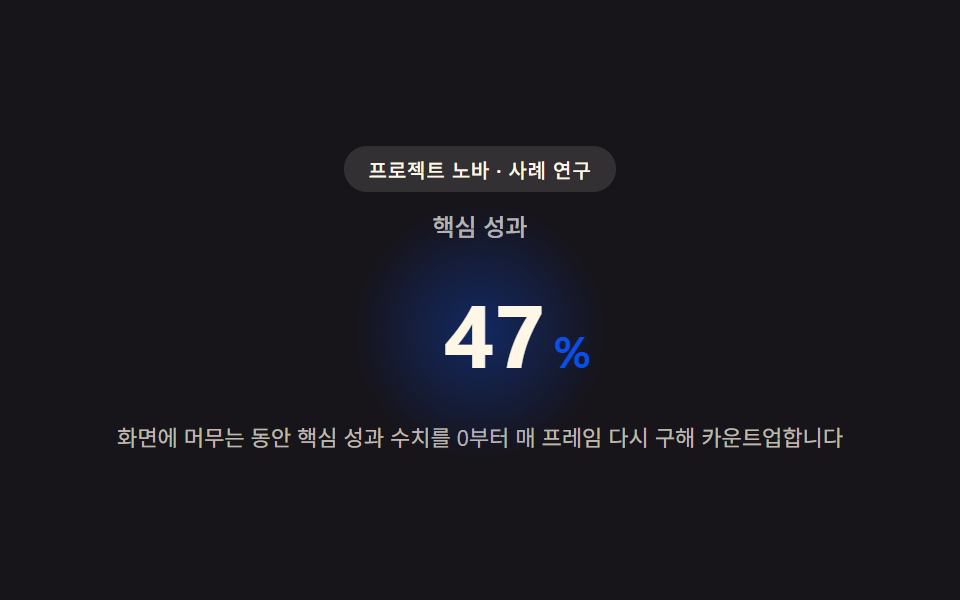 01 case-hero
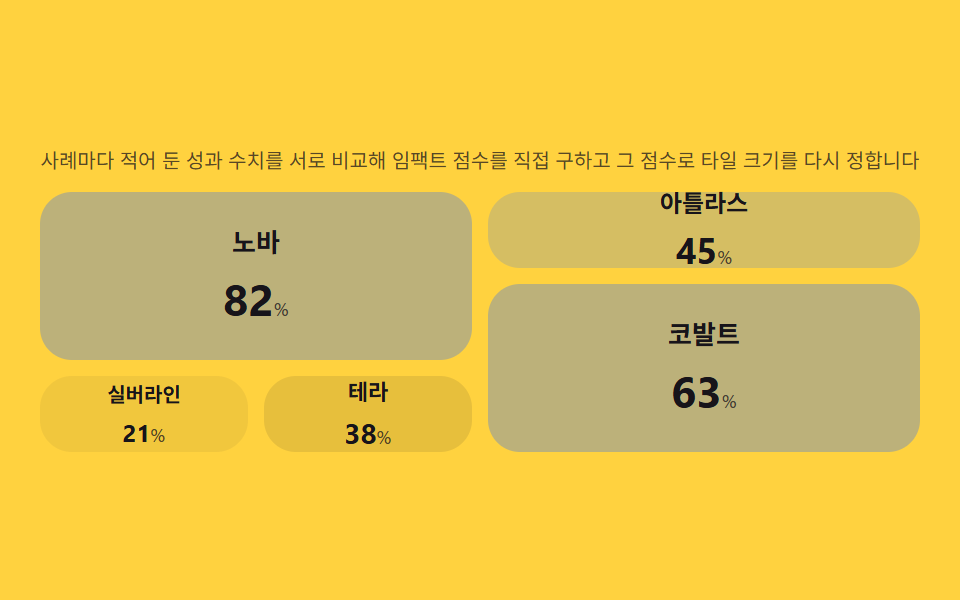 02 case-story-grid
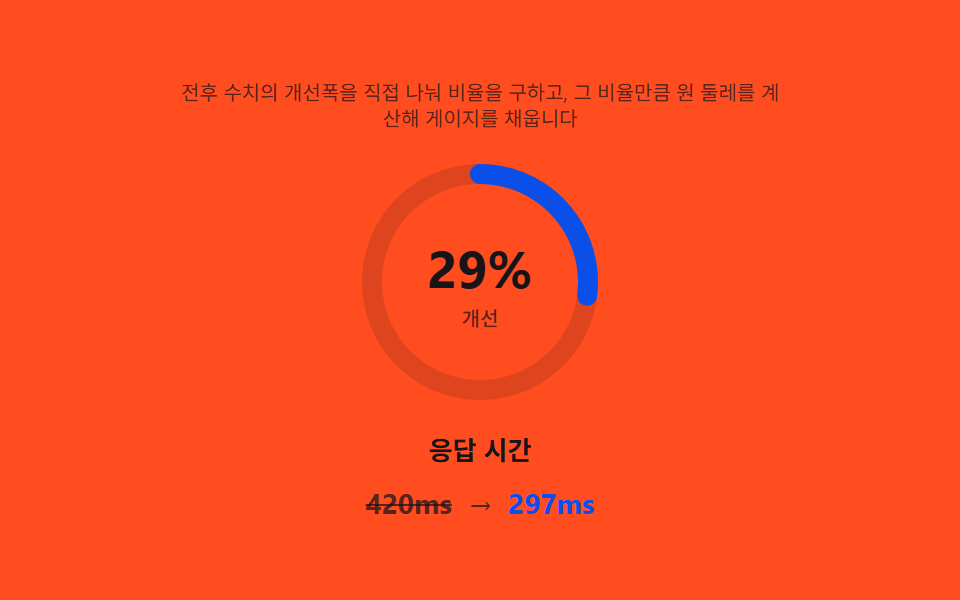 03 case-metric-highlight
 04 case-quote-block
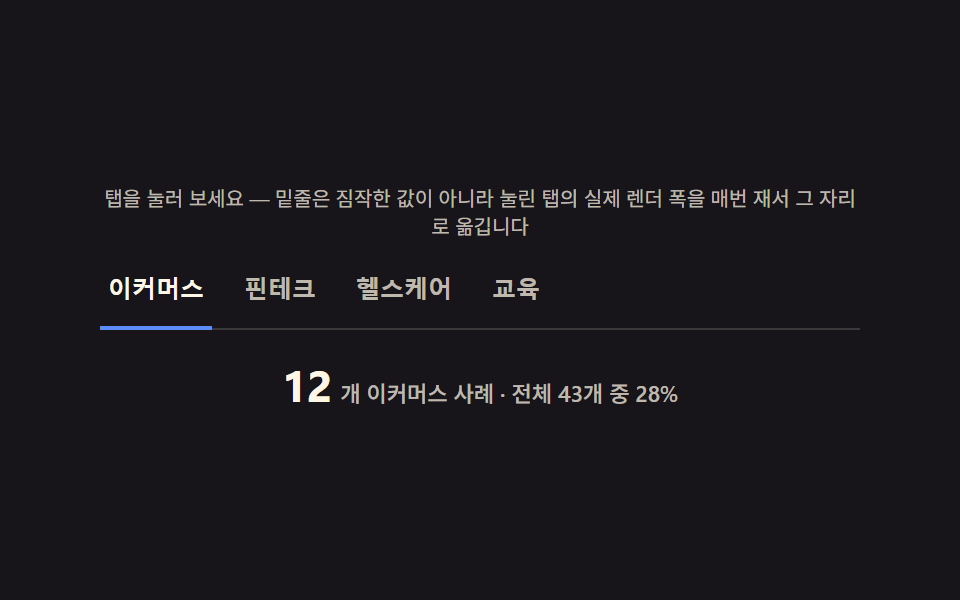 05 case-industry-tabs
 06 case-video-card
 07 case-related-cta
 08 case-logo-bar
 09 case-footer
自動再生 · タイルを押すとその項目へ · すべて1つのzip
- 01 事例ヒーロー — 成果数値をフレームごとに求め直してカウントアップする最上部
- 02 ストーリーグリッド — インパクトスコアを自分で求めてタイルの大きさを決めるグリッド
- 03 メトリックハイライト — 以前・以後の比率を自分で割って求める強調カード
- 04 引用ブロック — 文字数からフォントサイズを逆算する引用カード
- 05 業種タブ — 切替のたびに業種別件数を数え直すタブ
- 06 ビデオカード — 露出割合から再生を、スクロール量から位置を求めるカード
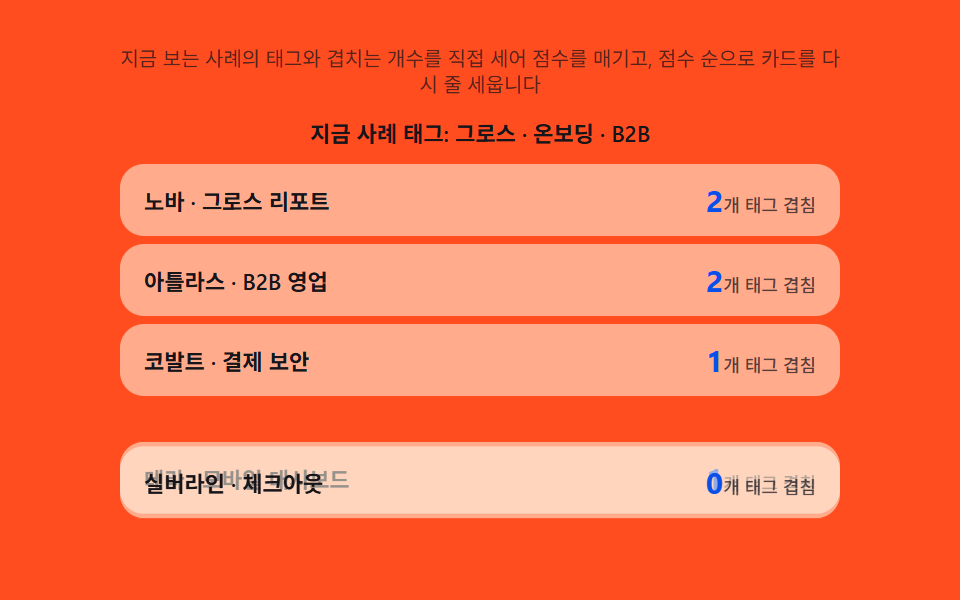
- 07 関連CTA — 共通タグ数から関連度を自分で求めるおすすめ
- 08 ロゴバー — 数に比例して速度を求め直しループ時間を揃えるバー
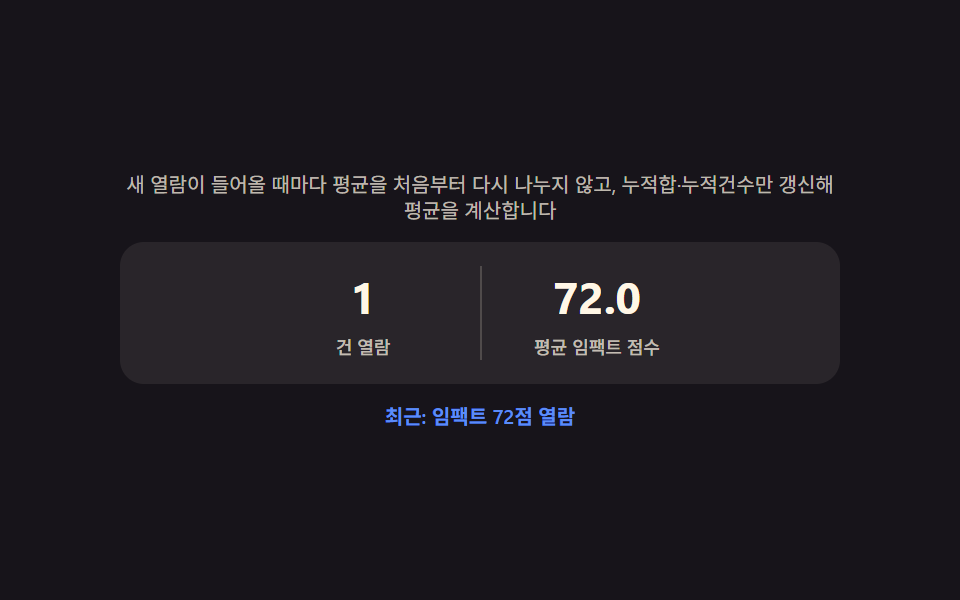
- 09 事例フッター — これまで見た事例の平均を自分で求める要約バッジ
デモ
9項目とも「見た目の演出ではなく、成果数値・before/afterの差・引用文の長さ・業種別件数・タグの重なり数・ロゴ列の実測幅というデータを計算し直してカウントアップする数字・タイルの大きさ・ゲージの角度・フォントサイズ・下線の座標・並び順・ループ時間・平均値に反映する」という同じ前提を共有しています。実測値は次のとおりです。
| 番号 | 項目 | 累積面積 | 強度平均 | 動いたフレーム |
|---|---|---|---|---|
| 01 | 事例ヒーロー | 6.48% | 165.7 | 17/23 |
| 02 | ストーリーグリッド | 52.50% | 46.9 | 7/23 |
| 03 | メトリックハイライト | 2.33% | 128.3 | 17/23 |
| 04 | 引用ブロック | 7.08% | 77.7 | 10/23 |
| 05 | 業種タブ | 2.14% | 143.3 | 9/23 |
| 06 | ビデオカード | 31.47% | 103.1 | 23/23 |
| 07 | 関連CTA | 18.35% | 59.7 | 8/23 |
| 08 | ロゴバー | 3.00% | 130.8 | 23/23 |
| 09 | 事例フッター | 0.79% | 108.2 | 8/23 |
02ストーリーグリッドが累積面積52.50%で最も広いのは、タイルのgrid-column/grid-rowのspanごとグリッド全体を組み替えるためです。09事例フッターが0.79%・05業種タブが2.14%・03メトリックハイライトが2.33%と狭いのは、変わる領域がそれぞれ要約バッジの数字・下線の帯・ゲージ針だけに限られる構造上の値で、この3項目の狭さは欠陥ではありません。動いたフレームは02ストーリーグリッド・07関連CTA・09事例フッターが7〜8フレームで最も少なく、これはシナリオが600〜1600msごとに1回しか切り替わらない構造上の待機区間です。反対に06ビデオカードと08ロゴバーは23フレームすべてで動き、06はスクロール位置の割合を毎フレーム読み直してキャンバスを描き直し、08はCSSマーキーが流れ続けるため強度平均も130.8まで上がります。強度平均は02が46.9で最も落ち着き、01事例ヒーローが165.7で最も明るくなっています。9項目とも下限を満たしています。
事例ページの解剖 — 9つのセクションが計算するもの
「事例ページ デザイン」で検索して出てくるものの多くは、写真とロゴを並べただけの静的な型です。ここで扱う9つのセクションは、その手前に計算の層を1枚重ねます。成果数値・before/afterの差・引用文の長さ・業種別件数・タグの重なり・ロゴ列の実測幅というデータを毎回読み直し、カウントアップする数字・タイルの大きさ・ゲージの角度・フォントサイズ・下線の座標・並び順・ループ時間・平均値に変換し直す設計です。
何が入力で何が出力か
入力は成果数値・before/afterの値・引用文の文字数・業種別の件数・タグの重なり数・ロゴの実測幅の6種類です。出力はCSS変数か、DOMに直接書き込むテキスト・transformのどちらかで、レイアウトのキーフレーム自体は変えません。
なぜ一枚の層に計算をまとめるのか
インパクトスコアの正規化を各所に散らすと、データセットを差し替えるたびに複数箇所を直す必要が出ます。applyのような専用の計算関数に集めておけば、データが変わってもその関数を呼び直すだけで表示全体のつじつまが揃います。実績紹介ページを自作するときも、同じように計算をひとつの層にまとめておくと差し替えが楽になります。
セクション別コード
導入事例 デザインを探して来た人は、まずこの9項目の実装から見ると早いです。実際のユーザー操作に反応するのは05業種タブ(クリック)と06ビデオカード(スクロール+再生ボタン)だけで、残り7項目はsetIntervalによる自動循環です。プロジェクト名・引用者・タグは名前付きの配列定数で定義してあり、実在の企業も実際の動画ファイルもどこにも入っていません。
01事例ヒーロー — 成果数値をフレームごとに求め直してカウントアップする最上部
TARGET128に対してEASE_POW2のイージング1-(1-t)^2をANIM_MS1300msかけて通し、経過比率tから値を毎フレーム求め直しながら0から目標値までカウントアップします。CYCLE_MS1900msごとにこの循環が自動で繰り返され、クリックなどのユーザー操作は必要ありません。
<main class="stage">
<section class="hero" id="hero">
  <p class="eyebrow" id="eyebrow">プロジェクト ノヴァ・ケーススタディ</p>
  <p class="metricLabel" id="metricLabel">主要指標</p>
  <p class="metricRow">
    <span class="metricNum" id="metricNum">0</span><span class="metricUnit" id="metricUnit">%</span>
  </p>
  <p class="hint" id="hint">画面に留まる間、主要指標を毎フレーム0から計算し直してカウントアップします</p>
</section>
</main>
@use "../../../../site/static/demo-tokens" as *;
$duration: $dur-loop;
$easing: $ease-out;
$color: $subject-blue-deep;
@include stage($stage-ink);
.hero {
position: relative;
width: 100%;
max-width: 420px;
display: flex;
flex-direction: column;
align-items: center;
gap: $sp-2;
text-align: center;
}
.eyebrow {
margin: 0;
padding: $sp-1 $sp-3;
border-radius: $r-pill;
background: rgba($subject-cream, .12);
color: $subject-cream;
font-weight: 500;
font-size: 10px;
letter-spacing: .04em;
}
.metricLabel {
margin: 0;
color: rgba($subject-cream, .72);
font-weight: 500;
font-size: 12px;
}
.metricRow {
position: relative;
margin: 0;
display: flex;
align-items: baseline;
justify-content: center;
gap: $sp-1;
padding: $sp-2 $sp-6;
}
.metricRow::before {
content: "";
position: absolute;
inset: 0;
margin: auto;
width: 120px;
height: 120px;
border-radius: $r-pill;
background: radial-gradient(circle, rgba($color, .38), rgba($color, 0) 70%);
animation: halo $duration $easing infinite;
z-index: 0;
}
.metricNum {
--num-w: 88px;
position: relative;
z-index: 1;
display: inline-block;
min-width: var(--num-w);
text-align: right;
font-weight: 700;
font-size: 44px;
font-variant-numeric: tabular-nums;
color: $subject-cream;
}
.metricUnit {
position: relative;
z-index: 1;
font-weight: 700;
font-size: 22px;
color: $color;
}
.hint {
margin: 0;
padding: 0 $sp-2;
color: rgba($subject-cream, .72);
font-weight: 400;
font-size: 11px;
line-height: 1.4;
}
@keyframes halo {
0%, 100% { transform: scale(.86); opacity: .5; }
50% { transform: scale(1.12); opacity: 1; }
}
@media (max-width: 340px) {
.hero { max-width: 300px; gap: $sp-1; }
.metricNum { font-size: 32px; }
.metricUnit { font-size: 16px; }
.hint { font-size: 9px; }
.metricRow { padding: $sp-1 $sp-4; }
}
@media (prefers-reduced-motion: reduce) {
.metricRow::before {
animation: none;
opacity: .7;
}
}html, body {
margin: 0;
overflow: hidden;
}
.stage {
box-sizing: border-box;
min-height: 100vh;
display: grid;
place-items: center;
margin: 0;
background: #17141a;
font-family: -apple-system, "Segoe UI", "Noto Sans KR", sans-serif;
padding: clamp(8px, 4vw, 24px);
}
.hero {
position: relative;
width: 100%;
max-width: 420px;
display: flex;
flex-direction: column;
align-items: center;
gap: 8px;
text-align: center;
}
.eyebrow {
margin: 0;
padding: 4px 12px;
border-radius: 999px;
background: rgba(255, 247, 230, 0.12);
color: #fff7e6;
font-weight: 500;
font-size: 10px;
letter-spacing: 0.04em;
}
.metricLabel {
margin: 0;
color: rgba(255, 247, 230, 0.72);
font-weight: 500;
font-size: 12px;
}
.metricRow {
position: relative;
margin: 0;
display: flex;
align-items: baseline;
justify-content: center;
gap: 4px;
padding: 8px 24px;
}
.metricRow::before {
content: "";
position: absolute;
inset: 0;
margin: auto;
width: 120px;
height: 120px;
border-radius: 999px;
background: radial-gradient(circle, rgba(10, 79, 232, 0.38), rgba(10, 79, 232, 0) 70%);
animation: halo 2s ease-out infinite;
z-index: 0;
}
.metricNum {
--num-w: 88px;
position: relative;
z-index: 1;
display: inline-block;
min-width: var(--num-w);
text-align: right;
font-weight: 700;
font-size: 44px;
font-variant-numeric: tabular-nums;
color: #fff7e6;
}
.metricUnit {
position: relative;
z-index: 1;
font-weight: 700;
font-size: 22px;
color: #0a4fe8;
}
.hint {
margin: 0;
padding: 0 8px;
color: rgba(255, 247, 230, 0.72);
font-weight: 400;
font-size: 11px;
line-height: 1.4;
}
@keyframes halo {
0%, 100% {
transform: scale(0.86);
opacity: 0.5;
}
50% {
transform: scale(1.12);
opacity: 1;
}
}
@media (max-width: 340px) {
.hero {
max-width: 300px;
gap: 4px;
}
.metricNum {
font-size: 32px;
}
.metricUnit {
font-size: 16px;
}
.hint {
font-size: 9px;
}
.metricRow {
padding: 4px 16px;
}
}
@media (prefers-reduced-motion: reduce) {
.metricRow::before {
animation: none;
opacity: 0.7;
}
}// 사례 히어로(01) — 값을 누적하지 않고, 매 애니메이션 프레임마다 경과 비율(t)로부터
// 목표값까지의 값을 공식(eased(t) * target)으로 처음부터 다시 구해 카운트업한다(계산 한 겹).
// 자릿수가 늘어나는 순간에는 canvas measureText 로 그 시점 문자열의 실제 렌더 폭을 다시 재
// 숫자 칸의 폭(--num-w)을 갱신해, 다음 문자가 밀리지 않고 자리에 맞춰 넓어지게 한다.
(function () {
var numEl = document.getElementById('metricNum');
var wrapEl = numEl ? numEl.parentElement : null;
if (!numEl || !wrapEl) return;
var reduce = window.matchMedia('(prefers-reduced-motion: reduce)').matches;
var TARGET = 128;
var EASE_POW = 2; // 변형: 2 → 4
var ANIM_MS = 1300;
var CYCLE_MS = 1900;
var measureCv = document.createElement('canvas');
var measureCtx = measureCv.getContext('2d');
function measureWidth(text, px) {
if (!measureCtx) return text.length * px * 0.62;
measureCtx.font = '700 ' + px + 'px -apple-system, "Segoe UI", sans-serif';
return measureCtx.measureText(text).width;
}
var lastDigits = -1;
function applyValue(v) {
numEl.textContent = String(v);
var digits = String(v).length;
if (digits !== lastDigits) {
lastDigits = digits;
var px = parseFloat(getComputedStyle(numEl).fontSize) || 44;
var w = measureWidth(String(v), px);
wrapEl.style.setProperty('--num-w', Math.ceil(w) + 'px');
}
}
function runCycle() {
  if (reduce) { applyValue(TARGET); return; }
  var start = null;
  function frame(ts) {
    if (start === null) start = ts;
    var t = Math.min((ts - start) / ANIM_MS, 1);
    var eased = 1 - Math.pow(1 - t, EASE_POW);
    var val = Math.round(TARGET * eased);
    applyValue(val);
    if (t < 1) requestAnimationFrame(frame);
  }
  applyValue(0);
  requestAnimationFrame(frame);
}

runCycle();
if (!reduce) setInterval(runCycle, CYCLE_MS);
})();// CaseHero — vanilla 판(run/340/demo/01-case-hero/index.html) 의 React 포트.
// 값을 누적하지 않고 매 프레임 경과 비율(t)로부터 목표값까지의 값을 공식으로 처음부터 다시 구해
// 카운트업하고, 자릿수가 늘어나는 순간엔 canvas measureText 로 실제 렌더 폭을 다시 재 숫자 칸 폭을 갱신한다.
import { useEffect, useRef } from "react";
import styles from "./CaseHero.module.scss";
export type CaseHeroProps = {
duration?: string;
easing?: string;
color?: string;
};
const EYEBROW = "프로젝트 노바 · 사례 연구";
const METRIC_LABEL = "핵심 성과";
const HINT = "화면에 머무는 동안 핵심 성과 수치를 0부터 매 프레임 다시 구해 카운트업합니다";
const TARGET = 128;
const EASE_POW = 2;
const ANIM_MS = 1300;
const CYCLE_MS = 1900;
export default function CaseHero({
duration = "2s",
easing = "ease-out",
color = "#0a4fe8"
}: CaseHeroProps) {
const numRef = useRef<HTMLSpanElement | null>(null);
const wrapRef = useRef<HTMLParagraphElement | null>(null);
useEffect(() => {
const numEl = numRef.current;
const wrapEl = wrapRef.current;
if (!numEl || !wrapEl) return;
const reduce = window.matchMedia("(prefers-reduced-motion: reduce)").matches;
const measureCv = document.createElement("canvas");
const measureCtx = measureCv.getContext("2d");
function measureWidth(text: string, px: number): number {
if (!measureCtx) return text.length * px * 0.62;
measureCtx.font = "700 " + px + 'px -apple-system, "Segoe UI", sans-serif';
return measureCtx.measureText(text).width;
}
let lastDigits = -1;
function applyValue(v: number): void {
numEl!.textContent = String(v);
const digits = String(v).length;
if (digits !== lastDigits) {
lastDigits = digits;
const px = parseFloat(getComputedStyle(numEl!).fontSize) || 44;
const w = measureWidth(String(v), px);
wrapEl!.style.setProperty("--num-w", Math.ceil(w) + "px");
}
}
function runCycle(): void {
if (reduce) { applyValue(TARGET); return; }
let start: number | null = null;
function frame(ts: number): void {
if (start === null) start = ts;
const t = Math.min((ts - start) / ANIM_MS, 1);
const eased = 1 - Math.pow(1 - t, EASE_POW);
const val = Math.round(TARGET * eased);
applyValue(val);
if (t < 1) requestAnimationFrame(frame);
}
applyValue(0);
requestAnimationFrame(frame);
}
runCycle();
let timer = 0;
if (!reduce) timer = window.setInterval(runCycle, CYCLE_MS);
return () => {
if (timer) window.clearInterval(timer);
};
// eslint-disable-next-line react-hooks/exhaustive-deps
}, []);
return (
<main className={styles.stage}>
<section className={styles.hero}>
<p className={styles.eyebrow}>{EYEBROW}</p>
<p className={styles.metricLabel}>{METRIC_LABEL}</p>
<p className={styles.metricRow} ref={wrapRef}>
<span className={styles.metricNum} ref={numRef}>0</span>
<span className={styles.metricUnit}>%</span>
</p>
<p className={styles.hint}>{HINT}</p>
</section>
</main>
);
}01 · 事例ヒーロー — 成果数値をフレームごとに求め直してカウントアップする最上部 — 計測 累積面積 6.476% · 動いたフレーム 17/23GODRICH オリジナル · SCSS と React は zip に同梱 · パスワードを見る
TARGET128とEASE_POW2が作るカウントアップ曲線
runCycleはapplyValue(0)で値をリセットしてからrequestAnimationFrameのループに入り、tが1に達した瞬間に自ら止まります。
function runCycle() {
if (reduce) { applyValue(TARGET); return; }
var start = null;
function frame(ts) {
if (start === null) start = ts;
var t = Math.min((ts - start) / ANIM_MS, 1);
var eased = 1 - Math.pow(1 - t, EASE_POW);
var val = Math.round(TARGET * eased);
applyValue(val);
if (t < 1) requestAnimationFrame(frame);
}
applyValue(0);
requestAnimationFrame(frame);
}
runCycle();
if (!reduce) setInterval(runCycle, CYCLE_MS);
})();
02ストーリーグリッド — インパクトスコアを自分で求めてタイルの大きさを決めるグリッド
事例ごとの成果数値を今回のデータセットの最大値と比べて0〜1に正規化し、IMPACT_WEIGHT1のべき乗をかけてインパクトスコアを自分で求めます。スコアの段階ごとにgrid-column/grid-rowのspan・パディング・数字サイズを求め直し、固定クラスでは決め打ちしません。
<main class="stage">
<section class="panel">
  <p class="hint" id="hint">事例ごとの成果指標を互いに比較してインパクトスコアを直接求め、そのスコアでタイルの大きさを決め直します</p>
  <div class="grid" id="grid" role="list" aria-label="事例一覧">
    <article class="tile" role="listitem"><p class="tileName">ノヴァ</p><p class="tileNum"><span class="tileVal">0</span><span class="tileUnit">%</span></p></article>
    <article class="tile" role="listitem"><p class="tileName">アトラス</p><p class="tileNum"><span class="tileVal">0</span><span class="tileUnit">%</span></p></article>
    <article class="tile" role="listitem"><p class="tileName">コバルト</p><p class="tileNum"><span class="tileVal">0</span><span class="tileUnit">%</span></p></article>
    <article class="tile" role="listitem"><p class="tileName">シルバーライン</p><p class="tileNum"><span class="tileVal">0</span><span class="tileUnit">%</span></p></article>
    <article class="tile" role="listitem"><p class="tileName">テラ</p><p class="tileNum"><span class="tileVal">0</span><span class="tileUnit">%</span></p></article>
  </div>
</section>
</main>
@use "../../../../site/static/demo-tokens" as *;
$duration: $dur-base;
$easing: $ease-pop;
$color: $subject-blue;
@include stage($stage-yellow);
.panel {
width: 100%;
max-width: 440px;
display: flex;
flex-direction: column;
gap: $sp-2;
}
.hint {
margin: 0;
text-align: center;
color: rgba($subject-ink, .72);
font-weight: 400;
font-size: 10px;
line-height: 1.35;
}
.grid {
display: grid;
grid-template-columns: repeat(4, 1fr);
grid-auto-rows: 38px;
grid-auto-flow: dense;
gap: $sp-2;
}
.tile {
border-radius: $r-card;
background: rgba($subject-ink, .06);
display: flex;
flex-direction: column;
align-items: center;
justify-content: center;
gap: $sp-1;
padding: $sp-1;
transform-origin: center;
transition: background $duration $easing, transform $duration $easing, opacity $duration $easing;
&[data-pad="p0"] { background: rgba($subject-ink, .06); }
&[data-pad="p1"] { padding: $sp-2; background: rgba($subject-ink, .10); }
&[data-pad="p2"] { padding: $sp-3; background: rgba($color, .20); }
&[data-pad="p3"] { padding: $sp-4; background: rgba($color, .32); }
}
.tile--pulse {
animation: pulse $duration $easing;
}
.tileName {
margin: 0;
color: $subject-ink;
font-weight: 600;
font-size: 10px;
[data-font="f1"] & { font-size: 11px; }
[data-font="f2"] & { font-size: 12px; }
[data-font="f3"] & { font-size: 13px; }
}
.tileNum {
margin: 0;
display: flex;
align-items: baseline;
gap: 0;
}
.tileVal {
color: $subject-ink;
font-weight: 700;
font-size: 12px;
[data-font="f1"] & { font-size: 14px; }
[data-font="f2"] & { font-size: 18px; }
[data-font="f3"] & { font-size: 22px; }
}
.tileUnit {
color: rgba($subject-ink, .72);
font-weight: 500;
font-size: 9px;
}
@keyframes pulse {
0% { transform: scale(1.1); opacity: .55; }
100% { transform: scale(1); opacity: 1; }
}
@media (max-width: 340px) {
.panel { max-width: 300px; gap: $sp-1; }
.hint { font-size: 9px; }
.grid { grid-auto-rows: 30px; gap: $sp-1; }
.tileName { font-size: 9px; }
.tileVal { font-size: 11px; }
.tileUnit { font-size: 8px; }
}
@media (prefers-reduced-motion: reduce) {
.tile, .tile--pulse {
transition: none;
animation: none;
}
}html, body {
margin: 0;
overflow: hidden;
}
.stage {
box-sizing: border-box;
min-height: 100vh;
display: grid;
place-items: center;
margin: 0;
background: #ffd23f;
font-family: -apple-system, "Segoe UI", "Noto Sans KR", sans-serif;
padding: clamp(8px, 4vw, 24px);
}
.panel {
width: 100%;
max-width: 440px;
display: flex;
flex-direction: column;
gap: 8px;
}
.hint {
margin: 0;
text-align: center;
color: rgba(23, 20, 26, 0.72);
font-weight: 400;
font-size: 10px;
line-height: 1.35;
}
.grid {
display: grid;
grid-template-columns: repeat(4, 1fr);
grid-auto-rows: 38px;
grid-auto-flow: dense;
gap: 8px;
}
.tile {
border-radius: 16px;
background: rgba(23, 20, 26, 0.06);
display: flex;
flex-direction: column;
align-items: center;
justify-content: center;
gap: 4px;
padding: 4px;
transform-origin: center;
transition: background 300ms cubic-bezier(0.2, 1.4, 0.4, 1), transform 300ms cubic-bezier(0.2, 1.4, 0.4, 1), opacity 300ms cubic-bezier(0.2, 1.4, 0.4, 1);
}
.tile[data-pad=p0] {
background: rgba(23, 20, 26, 0.06);
}
.tile[data-pad=p1] {
padding: 8px;
background: rgba(23, 20, 26, 0.1);
}
.tile[data-pad=p2] {
padding: 12px;
background: rgba(47, 109, 246, 0.2);
}
.tile[data-pad=p3] {
padding: 16px;
background: rgba(47, 109, 246, 0.32);
}
.tile--pulse {
animation: pulse 300ms cubic-bezier(0.2, 1.4, 0.4, 1);
}
.tileName {
margin: 0;
color: #17141a;
font-weight: 600;
font-size: 10px;
}
[data-font=f1] .tileName {
font-size: 11px;
}
[data-font=f2] .tileName {
font-size: 12px;
}
[data-font=f3] .tileName {
font-size: 13px;
}
.tileNum {
margin: 0;
display: flex;
align-items: baseline;
gap: 0;
}
.tileVal {
color: #17141a;
font-weight: 700;
font-size: 12px;
}
[data-font=f1] .tileVal {
font-size: 14px;
}
[data-font=f2] .tileVal {
font-size: 18px;
}
[data-font=f3] .tileVal {
font-size: 22px;
}
.tileUnit {
color: rgba(23, 20, 26, 0.72);
font-weight: 500;
font-size: 9px;
}
@keyframes pulse {
0% {
transform: scale(1.1);
opacity: 0.55;
}
100% {
transform: scale(1);
opacity: 1;
}
}
@media (max-width: 340px) {
.panel {
max-width: 300px;
gap: 4px;
}
.hint {
font-size: 9px;
}
.grid {
grid-auto-rows: 30px;
gap: 4px;
}
.tileName {
font-size: 9px;
}
.tileVal {
font-size: 11px;
}
.tileUnit {
font-size: 8px;
}
}
@media (prefers-reduced-motion: reduce) {
.tile, .tile--pulse {
transition: none;
animation: none;
}
}// 스토리 그리드(02) — 사례별 성과 수치를 이번 데이터셋의 최댓값과 비교해 0~1 로 정규화하고,
// IMPACT_WEIGHT 거듭제곱을 적용해 임팩트 점수를 직접 구한다. 점수 구간마다 grid-column/grid-row
// span·패딩·숫자 크기를 다시 정해 타일 배치를 매번 다시 계산한다(계산 한 겹).
// 자동 시연은 두 데이터셋을 번갈아 넣어 점수와 배치가 매번 다시 구해지는 것을 보여준다.
(function () {
var grid = document.getElementById('grid');
if (!grid) return;
var tiles = Array.prototype.slice.call(grid.querySelectorAll('.tile'));
var reduce = window.matchMedia('(prefers-reduced-motion: reduce)').matches;
var IMPACT_WEIGHT = 1; // 변형: .5 → 1.5
var DATASETS = [
[82, 45, 63, 21, 38],
[30, 71, 55, 90, 24]
];
function tierFor(weighted) {
if (weighted >= .75) return { col: 2, row: 2, pad: 'p3', font: 'f3' };
if (weighted >= .5) return { col: 2, row: 1, pad: 'p2', font: 'f2' };
if (weighted >= .28) return { col: 1, row: 1, pad: 'p1', font: 'f1' };
return { col: 1, row: 1, pad: 'p0', font: 'f0' };
}
function apply(values) {
  var max = Math.max.apply(null, values);
  tiles.forEach(function (tile, i) {
    var value = values[i];
    var normalized = max > 0 ? value / max : 0;
    var weighted = Math.pow(normalized, IMPACT_WEIGHT);
    var tier = tierFor(weighted);
    tile.style.gridColumn = 'span ' + tier.col;
    tile.style.gridRow = 'span ' + tier.row;
    tile.dataset.pad = tier.pad;
    tile.dataset.font = tier.font;
    var valEl = tile.querySelector('.tileVal');
    if (valEl) valEl.textContent = String(value);
    if (!reduce) {
      tile.classList.remove('tile--pulse');
      void tile.offsetWidth;
      tile.classList.add('tile--pulse');
    }
  });
}
var idx = 0;
apply(DATASETS[0]);
if (!reduce) {
setInterval(function () {
idx = (idx + 1) % DATASETS.length;
apply(DATASETS[idx]);
}, 600);
}
})();// CaseStoryGrid — vanilla 판(run/340/demo/02-case-story-grid/index.html) 의 React 포트.
// 사례별 성과 수치를 이번 데이터셋의 최댓값과 비교해 정규화하고 IMPACT_WEIGHT 거듭제곱으로
// 임팩트 점수를 구해, 점수 구간마다 grid-column/grid-row span·패딩·숫자 크기를 다시 정한다.
import { useEffect, useRef } from "react";
import styles from "./CaseStoryGrid.module.scss";
export type CaseStoryGridProps = {
duration?: string;
easing?: string;
color?: string;
};
const HINT = "사례마다 적어 둔 성과 수치를 서로 비교해 임팩트 점수를 직접 구하고 그 점수로 타일 크기를 다시 정합니다";
const NAMES = ["노바", "아틀라스", "코발트", "실버라인", "테라"];
const IMPACT_WEIGHT = 1;
const DATASETS: number[][] = [
[82, 45, 63, 21, 38],
[30, 71, 55, 90, 24]
];
type Tier = { col: number; row: number; pad: string; font: string };
function tierFor(weighted: number): Tier {
if (weighted >= 0.75) return { col: 2, row: 2, pad: "p3", font: "f3" };
if (weighted >= 0.5) return { col: 2, row: 1, pad: "p2", font: "f2" };
if (weighted >= 0.28) return { col: 1, row: 1, pad: "p1", font: "f1" };
return { col: 1, row: 1, pad: "p0", font: "f0" };
}
export default function CaseStoryGrid({
duration = "220ms",
easing = "cubic-bezier(.2,1.4,.4,1)",
color = "#2f6df6"
}: CaseStoryGridProps) {
const tileRefs = useRef<(HTMLElement | null)[]>([]);
const valRefs = useRef<(HTMLSpanElement | null)[]>([]);
useEffect(() => {
const reduce = window.matchMedia("(prefers-reduced-motion: reduce)").matches;
function apply(values: number[]): void {
const max = Math.max.apply(null, values);
values.forEach((value, i) => {
const tile = tileRefs.current![i];
const valEl = valRefs.current![i];
if (!tile) return;
const normalized = max > 0 ? value / max : 0;
const weighted = Math.pow(normalized, IMPACT_WEIGHT);
const tier = tierFor(weighted);
tile.style.gridColumn = "span " + tier.col;
tile.style.gridRow = "span " + tier.row;
tile.dataset.pad = tier.pad;
tile.dataset.font = tier.font;
if (valEl) valEl.textContent = String(value);
if (!reduce) {
tile.classList.remove(styles.tilePulse);
void tile.offsetWidth;
tile.classList.add(styles.tilePulse);
}
});
}
let idx = 0;
apply(DATASETS[0]);
let timer = 0;
if (!reduce) {
timer = window.setInterval(() => {
idx = (idx + 1) % DATASETS.length;
apply(DATASETS[idx]);
}, 600);
}
return () => {
if (timer) window.clearInterval(timer);
};
// eslint-disable-next-line react-hooks/exhaustive-deps
}, []);
return (
<main className={styles.stage}>
<section className={styles.panel}>
<p className={styles.hint}>{HINT}</p>
<div className={styles.grid}>
{NAMES.map((name, i) => (
<article
key={name}
className={styles.tile}
ref={(el: HTMLElement | null) => {
tileRefs.current![i] = el;
}}
>
<p className={styles.tileName}>{name}</p>
<p className={styles.tileNum}>
<span
className={styles.tileVal}
ref={(el: HTMLSpanElement | null) => {
valRefs.current![i] = el;
}}
>
0
</span>
<span className={styles.tileUnit}>%</span>
</p>
</article>
))}
</div>
</section>
</main>
);
}02 · ストーリーグリッド — インパクトスコアを自分で求めてタイルの大きさを決めるグリッド — 計測 累積面積 52.497% · 動いたフレーム 7/23GODRICH オリジナル · SCSS と React は zip に同梱 · パスワードを見る
IMPACT_WEIGHT1が正規化した値をタイルのspanに変える
applyは配列全体の最大値maxを求めてから各値を割り、tierForで段階を判定してタイルの見た目をまとめて書き換えます。
function apply(values) {
var max = Math.max.apply(null, values);
tiles.forEach(function (tile, i) {
var value = values[i];
var normalized = max > 0 ? value / max : 0;
var weighted = Math.pow(normalized, IMPACT_WEIGHT);
var tier = tierFor(weighted);
tile.style.gridColumn = 'span ' + tier.col;
tile.style.gridRow = 'span ' + tier.row;
tile.dataset.pad = tier.pad;
tile.dataset.font = tier.font;
var valEl = tile.querySelector('.tileVal');
if (valEl) valEl.textContent = String(value);
if (!reduce) {
tile.classList.remove('tile--pulse');
void tile.offsetWidth;
tile.classList.add('tile--pulse');
}
});
}
03メトリックハイライト — 以前・以後の比率を自分で割って求める強調カード
before・afterふたつの数値の改善幅をbeforeの値で割って比率を毎サイクル自分で求め、円周CIRC=2*Math.PI*RADIUSを計算してその比率をstroke-dashoffsetに逆算してゲージを満たします。正規化の上限はMAX_IMPROVEMENT.7で、ゲージの値はどこにもあらかじめ書いていません。
<main class="stage">
<section class="panel" id="panel">
  <p class="hint" id="hint">前後の数値の改善幅を実際に割って比率を求め、その比率ぶん円周を計算してゲージを満たします</p>
  <div class="gaugeWrap">
    <svg class="gaugeSvg" width="132" height="132" viewBox="0 0 132 132" aria-hidden="true">
      <circle class="gaugeTrack" cx="66" cy="66" r="54"></circle>
      <circle class="gaugeFill" id="gaugeFill" cx="66" cy="66" r="54"></circle>
    </svg>
    <div class="gaugeCenter">
      <span class="gaugePercent" id="gaugePercent">0%</span>
      <span class="gaugeCaption" id="gaugeCaption">改善</span>
    </div>
  </div>
  <p class="metricName" id="metricName">応答時間</p>
  <p class="metricPair">
    <span class="metricBefore" id="metricBefore">420ms</span>
    <span class="metricArrow" aria-hidden="true">→</span>
    <span class="metricAfter" id="metricAfter">420ms</span>
  </p>
</section>
</main>
@use "../../../../site/static/demo-tokens" as *;
$duration: $dur-enter;
$easing: $ease-spring;
$color: $subject-blue-deep;
@include stage($stage-orange);
.panel {
width: 100%;
max-width: 300px;
display: flex;
flex-direction: column;
align-items: center;
gap: $sp-2;
text-align: center;
}
.hint {
margin: 0;
color: rgba($subject-ink, .72);
font-weight: 400;
font-size: 10px;
line-height: 1.35;
}
.gaugeWrap {
position: relative;
width: 132px;
height: 132px;
}
.gaugeSvg {
transform: rotate(-90deg);
}
.gaugeTrack {
fill: none;
stroke: rgba($subject-ink, .14);
stroke-width: 10px;
}
.gaugeFill {
fill: none;
stroke: $color;
stroke-width: 10px;
stroke-linecap: round;
transition: stroke-dashoffset $duration $easing;
}
.gaugeCenter {
position: absolute;
inset: 0;
display: flex;
flex-direction: column;
align-items: center;
justify-content: center;
gap: 0;
}
.gaugePercent {
font-weight: 700;
font-size: 26px;
color: $subject-ink;
font-variant-numeric: tabular-nums;
}
.gaugeCaption {
font-weight: 500;
font-size: 10px;
color: rgba($subject-ink, .72);
}
.metricName {
margin: 0;
font-weight: 600;
font-size: 13px;
color: $subject-ink;
}
.metricPair {
margin: 0;
display: flex;
align-items: baseline;
gap: $sp-2;
font-weight: 700;
font-size: 14px;
font-variant-numeric: tabular-nums;
}
.metricBefore {
color: rgba($subject-ink, .72);
text-decoration: line-through;
text-decoration-thickness: 1px;
}
.metricArrow {
color: rgba($subject-ink, .72);
font-weight: 400;
}
.metricAfter {
color: $color;
}
@media (max-width: 340px) {
.panel { max-width: 260px; gap: $sp-1; }
.gaugeWrap { width: 84px; height: 84px; }
.gaugePercent { font-size: 17px; }
.gaugeCaption { font-size: 8px; }
.metricName { font-size: 11px; }
.metricPair { font-size: 11px; gap: $sp-1; }
.hint { font-size: 8px; line-height: 1.25; }
}
@media (prefers-reduced-motion: reduce) {
.gaugeFill {
transition: none;
}
}html, body {
margin: 0;
overflow: hidden;
}
.stage {
box-sizing: border-box;
min-height: 100vh;
display: grid;
place-items: center;
margin: 0;
background: #ff4d1f;
font-family: -apple-system, "Segoe UI", "Noto Sans KR", sans-serif;
padding: clamp(8px, 4vw, 24px);
}
.panel {
width: 100%;
max-width: 300px;
display: flex;
flex-direction: column;
align-items: center;
gap: 8px;
text-align: center;
}
.hint {
margin: 0;
color: rgba(23, 20, 26, 0.72);
font-weight: 400;
font-size: 10px;
line-height: 1.35;
}
.gaugeWrap {
position: relative;
width: 132px;
height: 132px;
}
.gaugeSvg {
transform: rotate(-90deg);
}
.gaugeTrack {
fill: none;
stroke: rgba(23, 20, 26, 0.14);
stroke-width: 10px;
}
.gaugeFill {
fill: none;
stroke: #0a4fe8;
stroke-width: 10px;
stroke-linecap: round;
transition: stroke-dashoffset 600ms cubic-bezier(0.2, 0.8, 0.2, 1);
}
.gaugeCenter {
position: absolute;
inset: 0;
display: flex;
flex-direction: column;
align-items: center;
justify-content: center;
gap: 0;
}
.gaugePercent {
font-weight: 700;
font-size: 26px;
color: #17141a;
font-variant-numeric: tabular-nums;
}
.gaugeCaption {
font-weight: 500;
font-size: 10px;
color: rgba(23, 20, 26, 0.72);
}
.metricName {
margin: 0;
font-weight: 600;
font-size: 13px;
color: #17141a;
}
.metricPair {
margin: 0;
display: flex;
align-items: baseline;
gap: 8px;
font-weight: 700;
font-size: 14px;
font-variant-numeric: tabular-nums;
}
.metricBefore {
color: rgba(23, 20, 26, 0.72);
text-decoration: line-through;
text-decoration-thickness: 1px;
}
.metricArrow {
color: rgba(23, 20, 26, 0.72);
font-weight: 400;
}
.metricAfter {
color: #0a4fe8;
}
@media (max-width: 340px) {
.panel {
max-width: 260px;
gap: 4px;
}
.gaugeWrap {
width: 84px;
height: 84px;
}
.gaugePercent {
font-size: 17px;
}
.gaugeCaption {
font-size: 8px;
}
.metricName {
font-size: 11px;
}
.metricPair {
font-size: 11px;
gap: 4px;
}
.hint {
font-size: 8px;
line-height: 1.25;
}
}
@media (prefers-reduced-motion: reduce) {
.gaugeFill {
transition: none;
}
}// 메트릭 하이라이트(03) — 전/후 두 수치만 데이터로 두고, 개선율을 매 사이클 직접 나눠 구한 뒤
// 원 둘레(2*PI*R)를 계산해 그 비율만큼 stroke-dashoffset 을 역산한다. 게이지 값은 어디에도
// 미리 적어두지 않고, 전/후 수치로부터 매번 다시 계산된다(계산 한 겹).
(function () {
var fill = document.getElementById('gaugeFill');
var percentEl = document.getElementById('gaugePercent');
var captionEl = document.getElementById('gaugeCaption');
var nameEl = document.getElementById('metricName');
var beforeEl = document.getElementById('metricBefore');
var afterEl = document.getElementById('metricAfter');
if (!fill || !percentEl || !nameEl || !beforeEl || !afterEl) return;
var reduce = window.matchMedia('(prefers-reduced-motion: reduce)').matches;
var RADIUS = 54;
var CIRC = 2 * Math.PI * RADIUS;
fill.style.strokeDasharray = String(CIRC);
var METRICS = [
{ label: '応答時間', before: 420, after: 180, unit: 'ms', lowerIsBetter: true, caption: '改善' },
{ label: 'コンバージョン率', before: 2.1, after: 5.8, unit: '%', lowerIsBetter: false, caption: '上昇' },
{ label: '離脱率', before: 61, after: 34, unit: '%', lowerIsBetter: true, caption: '改善' }
];
var MAX_IMPROVEMENT = 0.7; // 게이지가 항상 꽉 차지 않도록 잡은 정규화 상한
var ANIM_MS = 1100;
var CYCLE_MS = 2200;
function computeRatio(metric) {
  var delta = metric.lowerIsBetter ? (metric.before - metric.after) : (metric.after - metric.before);
  var improvement = delta / metric.before;
  return Math.max(0, Math.min(1, improvement / MAX_IMPROVEMENT));
}

function computePercent(metric) {
  var delta = metric.lowerIsBetter ? (metric.before - metric.after) : (metric.after - metric.before);
  return Math.round((delta / metric.before) * 100);
}

function applyGauge(ratio) {
  var offset = CIRC * (1 - ratio);
  fill.style.strokeDashoffset = String(offset);
}

function fmt(metric, value) {
  if (metric.unit === 'ms') return Math.round(value) + 'ms';
  return (Math.round(value * 10) / 10) + '%';
}
var idx = 0;
function runMetric(metric) {
nameEl.textContent = metric.label;
captionEl.textContent = metric.caption;
beforeEl.textContent = fmt(metric, metric.before);
var targetPercent = computePercent(metric);
var targetRatio = computeRatio(metric);
if (reduce) {
afterEl.textContent = fmt(metric, metric.after);
percentEl.textContent = targetPercent + '%';
applyGauge(targetRatio);
return;
}
var start = null;
function frame(ts) {
if (start === null) start = ts;
var t = Math.min((ts - start) / ANIM_MS, 1);
var eased = 1 - Math.pow(1 - t, 3);
var curAfter = metric.before + (metric.after - metric.before) * eased;
var curRatio = targetRatio * eased;
var curPercent = Math.round(targetPercent * eased);
afterEl.textContent = fmt(metric, curAfter);
percentEl.textContent = curPercent + '%';
applyGauge(curRatio);
if (t < 1) requestAnimationFrame(frame);
}
applyGauge(0);
percentEl.textContent = '0%';
afterEl.textContent = fmt(metric, metric.before);
requestAnimationFrame(frame);
}
runMetric(METRICS[0]);
if (!reduce) {
setInterval(function () {
idx = (idx + 1) % METRICS.length;
runMetric(METRICS[idx]);
}, CYCLE_MS);
}
})();// CaseMetricHighlight — vanilla 판(run/340/demo/03-case-metric-highlight/index.html) 의 React 포트.
// 전/후 수치만 데이터로 두고 개선율을 매 사이클 직접 나눠 구한 뒤, 원 둘레(2*PI*R)를 계산해
// 그 비율만큼 stroke-dashoffset 을 역산한다. 게이지 값은 미리 적어두지 않고 매번 다시 계산한다.
import { useEffect, useRef } from "react";
import styles from "./CaseMetricHighlight.module.scss";
export type CaseMetricHighlightProps = {
duration?: string;
easing?: string;
color?: string;
};
const HINT = "전후 수치의 개선폭을 직접 나눠 비율을 구하고, 그 비율만큼 원 둘레를 계산해 게이지를 채웁니다";
type Metric = {
label: string;
before: number;
after: number;
unit: "ms" | "%";
lowerIsBetter: boolean;
caption: string;
};
const METRICS: Metric[] = [
{ label: "응답 시간", before: 420, after: 180, unit: "ms", lowerIsBetter: true, caption: "개선" },
{ label: "전환율", before: 2.1, after: 5.8, unit: "%", lowerIsBetter: false, caption: "상승" },
{ label: "이탈률", before: 61, after: 34, unit: "%", lowerIsBetter: true, caption: "개선" }
];
const RADIUS = 54;
const CIRC = 2 * Math.PI * RADIUS;
const MAX_IMPROVEMENT = 0.7;
const ANIM_MS = 1100;
const CYCLE_MS = 2200;
function computeRatio(metric: Metric): number {
const delta = metric.lowerIsBetter ? metric.before - metric.after : metric.after - metric.before;
const improvement = delta / metric.before;
return Math.max(0, Math.min(1, improvement / MAX_IMPROVEMENT));
}
function computePercent(metric: Metric): number {
const delta = metric.lowerIsBetter ? metric.before - metric.after : metric.after - metric.before;
return Math.round((delta / metric.before) * 100);
}
function fmt(metric: Metric, value: number): string {
if (metric.unit === "ms") return Math.round(value) + "ms";
return Math.round(value * 10) / 10 + "%";
}
export default function CaseMetricHighlight({
duration = "600ms",
easing = "cubic-bezier(.2,.8,.2,1)",
color = "#0a4fe8"
}: CaseMetricHighlightProps) {
const fillRef = useRef<SVGCircleElement | null>(null);
const percentRef = useRef<HTMLSpanElement | null>(null);
const captionRef = useRef<HTMLSpanElement | null>(null);
const nameRef = useRef<HTMLParagraphElement | null>(null);
const beforeRef = useRef<HTMLSpanElement | null>(null);
const afterRef = useRef<HTMLSpanElement | null>(null);
useEffect(() => {
const fill = fillRef.current;
const percentEl = percentRef.current;
const captionEl = captionRef.current;
const nameEl = nameRef.current;
const beforeEl = beforeRef.current;
const afterEl = afterRef.current;
if (!fill || !percentEl || !captionEl || !nameEl || !beforeEl || !afterEl) return;
const reduce = window.matchMedia("(prefers-reduced-motion: reduce)").matches;
fill.style.strokeDasharray = String(CIRC);
function applyGauge(ratio: number): void {
const offset = CIRC * (1 - ratio);
fill!.style.strokeDashoffset = String(offset);
}
let raf = 0;
function runMetric(metric: Metric): void {
nameEl!.textContent = metric.label;
captionEl!.textContent = metric.caption;
beforeEl!.textContent = fmt(metric, metric.before);
const targetPercent = computePercent(metric);
const targetRatio = computeRatio(metric);
if (reduce) {
afterEl!.textContent = fmt(metric, metric.after);
percentEl!.textContent = targetPercent + "%";
applyGauge(targetRatio);
return;
}
let start: number | null = null;
function frame(ts: number): void {
if (start === null) start = ts;
const t = Math.min((ts - start) / ANIM_MS, 1);
const eased = 1 - Math.pow(1 - t, 3);
const curAfter = metric.before + (metric.after - metric.before) * eased;
const curRatio = targetRatio * eased;
const curPercent = Math.round(targetPercent * eased);
afterEl!.textContent = fmt(metric, curAfter);
percentEl!.textContent = curPercent + "%";
applyGauge(curRatio);
if (t < 1) raf = requestAnimationFrame(frame);
}
applyGauge(0);
percentEl!.textContent = "0%";
afterEl!.textContent = fmt(metric, metric.before);
raf = requestAnimationFrame(frame);
}
let idx = 0;
runMetric(METRICS[0]);
let timer = 0;
if (!reduce) {
timer = window.setInterval(() => {
idx = (idx + 1) % METRICS.length;
runMetric(METRICS[idx]);
}, CYCLE_MS);
}
return () => {
if (timer) window.clearInterval(timer);
if (raf) cancelAnimationFrame(raf);
};
// eslint-disable-next-line react-hooks/exhaustive-deps
}, []);
return (
<main className={styles.stage}>
<section className={styles.panel}>
<p className={styles.hint}>{HINT}</p>
<div className={styles.gaugeWrap}>
<svg className={styles.gaugeSvg} width="132" height="132" viewBox="0 0 132 132" aria-hidden="true">
<circle className={styles.gaugeTrack} cx="66" cy="66" r="54" />
<circle className={styles.gaugeFill} ref={fillRef} cx="66" cy="66" r="54" />
</svg>
<div className={styles.gaugeCenter}>
<span className={styles.gaugePercent} ref={percentRef}>0%</span>
<span className={styles.gaugeCaption} ref={captionRef}>개선</span>
</div>
</div>
<p className={styles.metricName} ref={nameRef}>응답 시간</p>
<p className={styles.metricPair}>
<span className={styles.metricBefore} ref={beforeRef}>420ms</span>
<span className={styles.metricArrow} aria-hidden="true">→</span>
<span className={styles.metricAfter} ref={afterRef}>420ms</span>
</p>
</section>
</main>
);
}03 · メトリックハイライト — 以前・以後の比率を自分で割って求める強調カード — 計測 累積面積 2.328% · 動いたフレーム 17/23GODRICH オリジナル · SCSS と React は zip に同梱 · パスワードを見る
CIRCとMAX_IMPROVEMENT.7がゲージの角度を逆算する
computeRatioは改善方向をmetric.lowerIsBetterで分けてから比率を求め、applyGaugeがその比率をそのままstrokeDashoffsetに変換します。
function computeRatio(metric) {
var delta = metric.lowerIsBetter ? (metric.before - metric.after) : (metric.after - metric.before);
var improvement = delta / metric.before;
return Math.max(0, Math.min(1, improvement / MAX_IMPROVEMENT));
}
function computePercent(metric) {
var delta = metric.lowerIsBetter ? (metric.before - metric.after) : (metric.after - metric.before);
return Math.round((delta / metric.before) * 100);
}
function applyGauge(ratio) {
var offset = CIRC * (1 - ratio);
fill.style.strokeDashoffset = String(offset);
}
function fmt(metric, value) {
if (metric.unit === 'ms') return Math.round(value) + 'ms';
return (Math.round(value * 10) / 10) + '%';
}
04引用ブロック — 文字数からフォントサイズを逆算する引用カード
引用文ごとに長さが違うため、カード内側の幅の2.6倍を目標幅として、そこに収まる最大の文字サイズをcanvasのmeasureTextで実際の描画幅を測りながら二分探索14回で逆算します。MIN_PX12からMAX_PX20の間をTOLERANCE1pxまで絞り込むので、固定pxの決め打ちではありません。
<main class="stage">
<section class="panel">
  <p class="hint" id="hint">引用文を実際のキャンバスで測り、目標の幅に合う文字サイズをその都度逆算して求めます</p>
  <blockquote class="quote">
    <p class="quoteText" id="quoteText">このカードコンポーネント一つでデザインレビューの時間が半分になりました。</p>
  </blockquote>
  <p class="quoteAuthor" id="quoteAuthor">— キム・ソヨン、Atlas プロダクトリード</p>
</section>
</main>
@use "../../../../site/static/demo-tokens" as *;
$duration: $dur-base;
$easing: $ease-pop;
$color: $subject-blue-deep;
@include stage($stage-paper);
.panel {
position: relative;
width: 100%;
max-width: 340px;
display: flex;
flex-direction: column;
align-items: center;
gap: $sp-3;
text-align: center;
}
.hint {
margin: 0;
color: rgba($subject-ink, .72);
font-weight: 400;
font-size: 10px;
line-height: 1.35;
}
.quote {
position: relative;
margin: 0;
padding: $sp-4 $sp-3;
border-radius: $r-card;
background: rgba($color, .06);
}
.quote::before {
content: "\201C";
position: absolute;
top: -$sp-2;
left: $sp-3;
font-size: 40px;
font-weight: 700;
line-height: 1;
color: rgba($color, .72);
}
.quoteText {
position: relative;
z-index: 1;
margin: 0;
color: $subject-ink;
font-weight: 600;
line-height: 1.5;
font-size: 16px;
transform-origin: center;
}
.quoteText--swap {
animation: quotePop $duration $easing;
}
.quoteAuthor {
margin: 0;
color: $color;
font-weight: 600;
font-size: 11px;
}
@keyframes quotePop {
0% { opacity: 0; transform: scale(.96); }
100% { opacity: 1; transform: scale(1); }
}
@media (max-width: 340px) {
.panel { max-width: 280px; gap: $sp-2; }
.quote { padding: $sp-3 $sp-2; }
.quoteText { font-size: 13px; }
.quoteAuthor { font-size: 10px; }
.hint { font-size: 9px; }
}
@media (prefers-reduced-motion: reduce) {
.quoteText--swap {
animation: none;
}
}@charset "UTF-8";
html, body {
margin: 0;
overflow: hidden;
}
.stage {
box-sizing: border-box;
min-height: 100vh;
display: grid;
place-items: center;
margin: 0;
background: #ffffff;
font-family: -apple-system, "Segoe UI", "Noto Sans KR", sans-serif;
padding: clamp(8px, 4vw, 24px);
}
.panel {
position: relative;
width: 100%;
max-width: 340px;
display: flex;
flex-direction: column;
align-items: center;
gap: 12px;
text-align: center;
}
.hint {
margin: 0;
color: rgba(23, 20, 26, 0.72);
font-weight: 400;
font-size: 10px;
line-height: 1.35;
}
.quote {
position: relative;
margin: 0;
padding: 16px 12px;
border-radius: 16px;
background: rgba(10, 79, 232, 0.06);
}
.quote::before {
content: "“";
position: absolute;
top: -8px;
left: 12px;
font-size: 40px;
font-weight: 700;
line-height: 1;
color: rgba(10, 79, 232, 0.72);
}
.quoteText {
position: relative;
z-index: 1;
margin: 0;
color: #17141a;
font-weight: 600;
line-height: 1.5;
font-size: 16px;
transform-origin: center;
}
.quoteText--swap {
animation: quotePop 300ms cubic-bezier(0.2, 1.4, 0.4, 1);
}
.quoteAuthor {
margin: 0;
color: #0a4fe8;
font-weight: 600;
font-size: 11px;
}
@keyframes quotePop {
0% {
opacity: 0;
transform: scale(0.96);
}
100% {
opacity: 1;
transform: scale(1);
}
}
@media (max-width: 340px) {
.panel {
max-width: 280px;
gap: 8px;
}
.quote {
padding: 12px 8px;
}
.quoteText {
font-size: 13px;
}
.quoteAuthor {
font-size: 10px;
}
.hint {
font-size: 9px;
}
}
@media (prefers-reduced-motion: reduce) {
.quoteText--swap {
animation: none;
}
}// 인용 블록(04) — 인용문 길이가 매번 다르므로, 목표 폭(카드 안쪽 폭)에 맞는 글자 크기를
// canvas measureText 로 실제 렌더 폭을 재보며 이분 탐색으로 거꾸로 풀어 찾는다(계산 한 겹).
// 최대 크기에서 시작해 넘치면 줄이고, 남으면 최대치까지 다시 키운다 — 고정 크기 하드코딩이 아니다.
(function () {
var textEl = document.getElementById('quoteText');
var authorEl = document.getElementById('quoteAuthor');
if (!textEl || !authorEl) return;
var reduce = window.matchMedia('(prefers-reduced-motion: reduce)').matches;
var QUOTES = [
{ text: 'このカードコンポーネント一つでデザインレビューの時間が半分になりました。', author: '— キム・ソヨン、Atlas プロダクトリード' },
{ text: 'オンボーディング画面を作り直してから、初週の離脱が目に見えて減りました。', author: '— パク・ドユン、Cobalt グロースチーム' },
{ text: 'チーム全体が同じコンポーネントを使うことで、レビューでの言い争いがなくなりました。', author: '— イ・ハウン、Silverline デザインシステム' }
];
var MIN_PX = 12;
var MAX_PX = 20;
var TOLERANCE = 1;
var cv = document.createElement('canvas');
var ctx = cv.getContext('2d');
function widthAt(text, px) {
if (!ctx) return text.length * px * 0.56;
ctx.font = '600 ' + px + 'px -apple-system, "Segoe UI", "Noto Sans KR", sans-serif';
return ctx.measureText(text).width;
}
// 목표 폭 안에 들어가는 가장 큰 글자 크기를 이분 탐색으로 거꾸로 푼다.
function solveFontSize(text, targetWidth) {
var lo = MIN_PX, hi = MAX_PX, best = MIN_PX;
for (var i = 0; i < 14; i++) {
var mid = (lo + hi) / 2;
var w = widthAt(text, mid);
if (w <= targetWidth - TOLERANCE) {
best = mid;
lo = mid;
} else {
hi = mid;
}
}
return best;
}
function applyQuote(quote) {
var targetWidth = textEl.clientWidth * 2.6; // 두 줄 남짓으로 접힐 총 글자폭 예산
var px = solveFontSize(quote.text, targetWidth);
textEl.style.fontSize = px.toFixed(1) + 'px';
textEl.textContent = quote.text;
authorEl.textContent = quote.author;
}
var idx = 0;
applyQuote(QUOTES[0]);
if (!reduce) {
setInterval(function () {
idx = (idx + 1) % QUOTES.length;
textEl.classList.remove('quoteText--swap');
void textEl.offsetWidth;
applyQuote(QUOTES[idx]);
textEl.classList.add('quoteText--swap');
}, 700);
}
})();// CaseQuoteBlock — vanilla 판(run/340/demo/04-case-quote-block/index.html) 의 React 포트.
// 인용문 길이가 매번 다르므로 목표 폭에 맞는 글자 크기를 canvas measureText 로 실측하며
// 이분 탐색으로 거꾸로 풀어 찾는다(고정 크기 하드코딩이 아니다).
import { useEffect, useRef } from "react";
import styles from "./CaseQuoteBlock.module.scss";
export type CaseQuoteBlockProps = {
duration?: string;
easing?: string;
color?: string;
};
const HINT = "인용문을 실제 캔버스로 재 보고, 목표 폭에 맞는 글자 크기를 거꾸로 풀어서 매번 다시 구합니다";
type Quote = { text: string; author: string };
const QUOTES: Quote[] = [
{ text: "이 카드 컴포넌트 하나로 디자인 검토 시간이 절반으로 줄었습니다.", author: "— 김서연, 아틀라스 프로덕트 리드" },
{ text: "온보딩 화면을 새로 짜고 나서 첫 주 이탈이 눈에 띄게 줄었어요.", author: "— 박도윤, 코발트 그로스팀" },
{ text: "팀 전체가 같은 컴포넌트를 쓰니 리뷰에서 다툴 일이 사라졌습니다.", author: "— 이하은, 실버라인 디자인 시스템" }
];
const MIN_PX = 12;
const MAX_PX = 20;
const TOLERANCE = 1;
export default function CaseQuoteBlock({
duration = "300ms",
easing = "cubic-bezier(.2,1.4,.4,1)",
color = "#0a4fe8"
}: CaseQuoteBlockProps) {
const textRef = useRef<HTMLParagraphElement | null>(null);
const authorRef = useRef<HTMLParagraphElement | null>(null);
useEffect(() => {
const textEl = textRef.current;
const authorEl = authorRef.current;
if (!textEl || !authorEl) return;
const reduce = window.matchMedia("(prefers-reduced-motion: reduce)").matches;
const cv = document.createElement("canvas");
const ctx = cv.getContext("2d");
function widthAt(text: string, px: number): number {
if (!ctx) return text.length * px * 0.56;
ctx.font = "600 " + px + 'px -apple-system, "Segoe UI", "Noto Sans KR", sans-serif';
return ctx.measureText(text).width;
}
function solveFontSize(text: string, targetWidth: number): number {
let lo = MIN_PX;
let hi = MAX_PX;
let best = MIN_PX;
for (let i = 0; i < 14; i++) {
const mid = (lo + hi) / 2;
const w = widthAt(text, mid);
if (w <= targetWidth - TOLERANCE) {
best = mid;
lo = mid;
} else {
hi = mid;
}
}
return best;
}
function applyQuote(quote: Quote): void {
const targetWidth = textEl!.clientWidth * 2.6;
const px = solveFontSize(quote.text, targetWidth);
textEl!.style.fontSize = px.toFixed(1) + "px";
textEl!.textContent = quote.text;
authorEl!.textContent = quote.author;
}
let idx = 0;
applyQuote(QUOTES[0]);
let timer = 0;
if (!reduce) {
timer = window.setInterval(() => {
idx = (idx + 1) % QUOTES.length;
textEl!.classList.remove(styles.quoteTextSwap);
void textEl!.offsetWidth;
applyQuote(QUOTES[idx]);
textEl!.classList.add(styles.quoteTextSwap);
}, 700);
}
return () => {
if (timer) window.clearInterval(timer);
};
// eslint-disable-next-line react-hooks/exhaustive-deps
}, []);
return (
<main className={styles.stage}>
<section className={styles.panel}>
<p className={styles.hint}>{HINT}</p>
<blockquote className={styles.quote}>
<p className={styles.quoteText} ref={textRef}>이 카드 컴포넌트 하나로 디자인 검토 시간이 절반으로 줄었습니다.</p>
</blockquote>
<p className={styles.quoteAuthor} ref={authorRef}>— 김서연, 아틀라스 프로덕트 리드</p>
</section>
</main>
);
}04 · 引用ブロック — 文字数からフォントサイズを逆算する引用カード — 計測 累積面積 7.081% · 動いたフレーム 10/23GODRICH オリジナル · SCSS と React は zip に同梱 · パスワードを見る
二分探索14回でMIN_PX12〜MAX_PX20の間を絞り込む
solveFontSizeはlo・hiの中点midで実際の描画幅を測り、目標幅に収まっていればbestを更新して下限を上げる二分探索です。
function solveFontSize(text, targetWidth) {
  var lo = MIN_PX, hi = MAX_PX, best = MIN_PX;
  for (var i = 0; i < 14; i++) {
    var mid = (lo + hi) / 2;
    var w = widthAt(text, mid);
    if (w <= targetWidth - TOLERANCE) {
      best = mid;
      lo = mid;
    } else {
      hi = mid;
    }
  }
  return best;
}

function applyQuote(quote) {
  var targetWidth = textEl.clientWidth * 2.6; // 二行程度に収まる想定の文字幅予算
  var px = solveFontSize(quote.text, targetWidth);
  textEl.style.fontSize = px.toFixed(1) + 'px';
  textEl.textContent = quote.text;
  authorEl.textContent = quote.author;
}
05業種タブ — 切替のたびに業種別件数を数え直すタブ
タブをクリックして切り替えるたびに、その業種に属する事例数を合計TOTALで割ってパーセントを求め直しバッジを更新します。下線の位置・幅は選ばれたタブをgetBoundingClientRectで毎回実測してtranslateX/scaleXで動かすので、推測した固定座標は使いません。
<main class="stage">
<section class="panel">
  <p class="hint" id="hint">タブを押してみてください — 下線は推測値ではなく、押されたタブの実際の描画幅を毎回測ってその位置に動きます</p>
  <div class="tabsWrap">
    <div class="tabs" id="tabs" role="tablist" aria-label="業種">
      <button class="tab" id="tab-0" role="tab" aria-selected="true" data-idx="0">Eコマース</button>
      <button class="tab" id="tab-1" role="tab" aria-selected="false" data-idx="1">フィンテック</button>
      <button class="tab" id="tab-2" role="tab" aria-selected="false" data-idx="2">ヘルスケア</button>
      <button class="tab" id="tab-3" role="tab" aria-selected="false" data-idx="3">教育</button>
    </div>
    <div class="underline" id="underline"></div>
  </div>
  <p class="countRow">
    <span class="countNum" id="countNum">12</span>
    <span class="countLabel" id="countLabel">Eコマース事例・全43件中28%</span>
  </p>
</section>
</main>
@use "../../../../site/static/demo-tokens" as *;
$duration: $dur-base;
$easing: $ease-spring;
$color: $subject-blue-light;
@include stage($stage-ink);
.panel {
width: 100%;
max-width: 380px;
display: flex;
flex-direction: column;
align-items: center;
gap: $sp-3;
text-align: center;
}
.hint {
margin: 0;
color: rgba($subject-cream, .72);
font-weight: 400;
font-size: 10px;
line-height: 1.35;
}
.tabsWrap {
position: relative;
width: 100%;
}
.tabs {
position: relative;
display: flex;
gap: $sp-3;
padding-bottom: $sp-2;
border-bottom: 1px solid rgba($subject-cream, .16);
}
.tab {
flex: 0 0 auto;
appearance: none;
border: 0;
background: transparent;
padding: $sp-1 $sp-1;
color: rgba($subject-cream, .72);
font-weight: 600;
font-size: 12px;
cursor: pointer;
&[aria-selected="true"] {
color: $subject-cream;
}
&:focus-visible {
outline: 2px solid $color;
outline-offset: 2px;
}
}
.underline {
position: absolute;
left: 0;
bottom: 0;
height: 2px;
width: 1px;
background: $color;
transform: translateX(0) scaleX(1);
transition: transform $duration $easing;
}
.countRow {
margin: 0;
display: flex;
align-items: baseline;
gap: $sp-1;
}
.countNum {
color: $subject-cream;
font-weight: 700;
font-size: 22px;
font-variant-numeric: tabular-nums;
}
.countLabel {
color: rgba($subject-cream, .72);
font-weight: 500;
font-size: 11px;
}
@media (max-width: 340px) {
.panel { max-width: 300px; gap: $sp-2; }
.tabs { gap: $sp-2; }
.tab { font-size: 10px; }
.countNum { font-size: 18px; }
.countLabel { font-size: 9px; }
.hint { font-size: 9px; }
}
@media (prefers-reduced-motion: reduce) {
.underline {
transition: none;
}
}html, body {
margin: 0;
overflow: hidden;
}
.stage {
box-sizing: border-box;
min-height: 100vh;
display: grid;
place-items: center;
margin: 0;
background: #17141a;
font-family: -apple-system, "Segoe UI", "Noto Sans KR", sans-serif;
padding: clamp(8px, 4vw, 24px);
}
.panel {
width: 100%;
max-width: 380px;
display: flex;
flex-direction: column;
align-items: center;
gap: 12px;
text-align: center;
}
.hint {
margin: 0;
color: rgba(255, 247, 230, 0.72);
font-weight: 400;
font-size: 10px;
line-height: 1.35;
}
.tabsWrap {
position: relative;
width: 100%;
}
.tabs {
position: relative;
display: flex;
gap: 12px;
padding-bottom: 8px;
border-bottom: 1px solid rgba(255, 247, 230, 0.16);
}
.tab {
flex: 0 0 auto;
appearance: none;
border: 0;
background: transparent;
padding: 4px 4px;
color: rgba(255, 247, 230, 0.72);
font-weight: 600;
font-size: 12px;
cursor: pointer;
}
.tab[aria-selected=true] {
color: #fff7e6;
}
.tab:focus-visible {
outline: 2px solid #5b8cf8;
outline-offset: 2px;
}
.underline {
position: absolute;
left: 0;
bottom: 0;
height: 2px;
width: 1px;
background: #5b8cf8;
transform: translateX(0) scaleX(1);
transition: transform 300ms cubic-bezier(0.2, 0.8, 0.2, 1);
}
.countRow {
margin: 0;
display: flex;
align-items: baseline;
gap: 4px;
}
.countNum {
color: #fff7e6;
font-weight: 700;
font-size: 22px;
font-variant-numeric: tabular-nums;
}
.countLabel {
color: rgba(255, 247, 230, 0.72);
font-weight: 500;
font-size: 11px;
}
@media (max-width: 340px) {
.panel {
max-width: 300px;
gap: 8px;
}
.tabs {
gap: 8px;
}
.tab {
font-size: 10px;
}
.countNum {
font-size: 18px;
}
.countLabel {
font-size: 9px;
}
.hint {
font-size: 9px;
}
}
@media (prefers-reduced-motion: reduce) {
.underline {
transition: none;
}
}// 業種 탭(05) — 실제 클릭 이벤트로 탭을 바꾼다. 밑줄은 고정 px 를 미리 적어두지 않고,
// 눌린 탭을 getBoundingClientRect 로 매번 실측해 translateX/scaleX 로 옮긴다(BD19).
// 사례 수도 매번 전체 대비 비율을 다시 나눠 구한다(계산 한 겹).
(function () {
var tabsEl = document.getElementById('tabs');
var underlineEl = document.getElementById('underline');
var countNumEl = document.getElementById('countNum');
var countLabelEl = document.getElementById('countLabel');
if (!tabsEl || !underlineEl || !countNumEl || !countLabelEl) return;
var reduce = window.matchMedia('(prefers-reduced-motion: reduce)').matches;
var TABS = [
{ label: 'Eコマース', count: 12 },
{ label: 'フィンテック', count: 9 },
{ label: 'ヘルスケア', count: 15 },
{ label: '教育', count: 7 }
];
var TOTAL = TABS.reduce(function (sum, t) { return sum + t.count; }, 0);
var buttons = Array.prototype.slice.call(tabsEl.querySelectorAll('.tab'));
var current = 0;
function measureAndMove(idx) {
  var btn = buttons[idx];
  var wrapRect = tabsEl.getBoundingClientRect();
  var btnRect = btn.getBoundingClientRect();
  var x = btnRect.left - wrapRect.left;
  var w = btnRect.width;
  underlineEl.style.transform = 'translateX(' + x.toFixed(2) + 'px) scaleX(' + w.toFixed(2) + ')';
}

function selectTab(idx) {
  current = idx;
  buttons.forEach(function (b, i) {
    b.setAttribute('aria-selected', i === idx ? 'true' : 'false');
  });
  var tab = TABS[idx];
  var percent = Math.round((tab.count / TOTAL) * 100);
  countNumEl.textContent = String(tab.count);
  countLabelEl.textContent = '個 ' + tab.label + ' 件・全 ' + TOTAL + '件中 ' + percent + '%';
  measureAndMove(idx);
}
buttons.forEach(function (btn, i) {
btn.addEventListener('click', function () {
selectTab(i);
});
});
underlineEl.style.transformOrigin = 'left center';
requestAnimationFrame(function () { selectTab(0); });
if (!reduce) {
setInterval(function () {
selectTab((current + 1) % TABS.length);
}, 500);
}
window.addEventListener('resize', function () { measureAndMove(current); });
})();// CaseIndustryTabs — vanilla 판(run/340/demo/05-case-industry-tabs/index.html) 의 React 포트.
// 실제 클릭 이벤트로 탭을 바꾼다. 밑줄은 고정 px 를 미리 적어두지 않고 눌린 탭을
// getBoundingClientRect 로 매번 실측해 translateX/scaleX 로 옮긴다(BD19). 사례 수도
// 매번 전체 대비 비율을 다시 나눠 구한다.
import { useEffect, useRef } from "react";
import styles from "./CaseIndustryTabs.module.scss";
export type CaseIndustryTabsProps = {
duration?: string;
easing?: string;
color?: string;
};
const HINT = "탭을 눌러 보세요 — 밑줄은 짐작한 값이 아니라 눌린 탭의 실제 렌더 폭을 매번 재서 그 자리로 옮깁니다";
type Tab = { label: string; count: number };
const TABS: Tab[] = [
{ label: "이커머스", count: 12 },
{ label: "핀테크", count: 9 },
{ label: "헬스케어", count: 15 },
{ label: "교육", count: 7 }
];
const TOTAL = TABS.reduce((sum, t) => sum + t.count, 0);
export default function CaseIndustryTabs({
duration = "220ms",
easing = "cubic-bezier(.2,.8,.2,1)",
color = "#5b8cf8"
}: CaseIndustryTabsProps) {
const tabsRef = useRef<HTMLDivElement | null>(null);
const underlineRef = useRef<HTMLDivElement | null>(null);
const countNumRef = useRef<HTMLSpanElement | null>(null);
const countLabelRef = useRef<HTMLSpanElement | null>(null);
const btnRefs = useRef<(HTMLButtonElement | null)[]>([]);
const currentRef = useRef(0);
useEffect(() => {
const tabsEl = tabsRef.current;
const underlineEl = underlineRef.current;
const countNumEl = countNumRef.current;
const countLabelEl = countLabelRef.current;
if (!tabsEl || !underlineEl || !countNumEl || !countLabelEl) return;
const reduce = window.matchMedia("(prefers-reduced-motion: reduce)").matches;
function measureAndMove(idx: number): void {
const btn = btnRefs.current![idx];
if (!btn) return;
const wrapRect = tabsEl!.getBoundingClientRect();
const btnRect = btn.getBoundingClientRect();
const x = btnRect.left - wrapRect.left;
const w = btnRect.width;
underlineEl!.style.transform = "translateX(" + x.toFixed(2) + "px) scaleX(" + w.toFixed(2) + ")";
}
function selectTab(idx: number): void {
currentRef.current = idx;
btnRefs.current!.forEach((b, i) => {
if (b) b.setAttribute("aria-selected", i === idx ? "true" : "false");
});
const tab = TABS[idx];
const percent = Math.round((tab.count / TOTAL) * 100);
countNumEl!.textContent = String(tab.count);
countLabelEl!.textContent = "개 " + tab.label + " 사례 · 전체 " + TOTAL + "개 중 " + percent + "%";
measureAndMove(idx);
}
const handlers: Array<() => void> = [];
btnRefs.current!.forEach((btn, i) => {
if (!btn) return;
const handler = () => selectTab(i);
handlers[i] = handler;
btn.addEventListener("click", handler);
});
underlineEl.style.transformOrigin = "left center";
const raf = requestAnimationFrame(() => selectTab(0));
let timer = 0;
if (!reduce) {
timer = window.setInterval(() => {
selectTab((currentRef.current! + 1) % TABS.length);
}, 500);
}
const onResize = () => measureAndMove(currentRef.current!);
window.addEventListener("resize", onResize);
return () => {
cancelAnimationFrame(raf);
if (timer) window.clearInterval(timer);
window.removeEventListener("resize", onResize);
btnRefs.current!.forEach((btn, i) => {
if (btn && handlers[i]) btn.removeEventListener("click", handlers[i]);
});
};
// eslint-disable-next-line react-hooks/exhaustive-deps
}, []);
return (
<main className={styles.stage}>
<section className={styles.panel}>
<p className={styles.hint}>{HINT}</p>
<div className={styles.tabsWrap}>
<div className={styles.tabs} ref={tabsRef} role="tablist" aria-label="업종">
{TABS.map((tab, i) => (
<button
key={tab.label}
className={styles.tab}
role="tab"
aria-selected={i === 0}
ref={(el: HTMLButtonElement | null) => {
btnRefs.current![i] = el;
}}
>
{tab.label}
</button>
))}
</div>
<div className={styles.underline} ref={underlineRef} />
</div>
<p className={styles.countRow}>
<span className={styles.countNum} ref={countNumRef}>12</span>
<span className={styles.countLabel} ref={countLabelRef}>개 이커머스 사례 · 전체 43개 중 28%</span>
</p>
</section>
</main>
);
}05 · 業種タブ — 切替のたびに業種別件数を数え直すタブ — 計測 累積面積 2.14% · 動いたフレーム 9/23GODRICH オリジナル · SCSS と React は zip に同梱 · パスワードを見る
TOTALで割り直すたびに下線をgetBoundingClientRectで実測する
selectTabがaria-selectedを切り替えてからパーセントを求め直し、measureAndMoveが選ばれたボタンの実際の位置と幅で下線を移動させます。
function measureAndMove(idx) {
var btn = buttons[idx];
var wrapRect = tabsEl.getBoundingClientRect();
var btnRect = btn.getBoundingClientRect();
var x = btnRect.left - wrapRect.left;
var w = btnRect.width;
underlineEl.style.transform = 'translateX(' + x.toFixed(2) + 'px) scaleX(' + w.toFixed(2) + ')';
}
function selectTab(idx) {
current = idx;
buttons.forEach(function (b, i) {
b.setAttribute('aria-selected', i === idx ? 'true' : 'false');
});
var tab = TABS[idx];
var percent = Math.round((tab.count / TOTAL) * 100);
countNumEl.textContent = String(tab.count);
countLabelEl.textContent = '個 ' + tab.label + ' 件・全 ' + TOTAL + '件中 ' + percent + '%';
measureAndMove(idx);
}
06ビデオカード — 露出割合から再生を、スクロール量から位置を求めるカード
カードがスクロールコンテナのビューポートに入っている割合をIntersectionObserver(51段階のthreshold)で実測して準備率を求め直し、その比率でプレビューフレームのインデックスを選んでキャンバスに描き直します。本物の動画ファイルはなく、フレームはシードを固定したmulberry32の疑似乱数で毎回同じ手続き的パターンを再現します。準備率がREADY_THRESHOLD.62を超えると再生ボタンが押せる状態に変わります。
<main class="stage">
<section class="panel">
  <p class="hint" id="hint">カードをスクロールしてみてください — 実際にビューポートに入った割合ぶん準備率を再計算し、その比率ぶんプレビューフレームを進めます</p>
  <div class="scrollStage" id="scrollStage">
    <div class="scrollSpacer" aria-hidden="true"></div>
    <article class="card" id="card">
      <canvas class="thumb" id="thumb" width="240" height="135" aria-hidden="true"></canvas>
      <button class="playBtn" id="playBtn" type="button" aria-label="事例動画プレビューを再生">
        <svg class="playIcon" xmlns="http://www.w3.org/2000/svg" width="22" height="22" viewBox="0 0 256 256"><g fill="currentColor"><path d="M228.23 134.69L84.15 222.81A8 8 0 0 1 72 216.12V39.88a8 8 0 0 1 12.15-6.69l144.08 88.12a7.82 7.82 0 0 1 0 13.38" opacity=".2"/><path d="M232.4 114.49L88.32 26.35a16 16 0 0 0-16.2-.3A15.86 15.86 0 0 0 64 39.87v176.26A15.94 15.94 0 0 0 80 232a16.07 16.07 0 0 0 8.36-2.35l144.04-88.14a15.81 15.81 0 0 0 0-27ZM80 215.94V40l143.83 88Z"/></g></svg>
      </button>
      <p class="readyLabel" id="readyLabel">準備率0%</p>
    </article>
    <div class="scrollSpacer" aria-hidden="true"></div>
  </div>
</section>
</main>
@use "../../../../site/static/demo-tokens" as *;
$duration: $dur-quick;
$easing: $ease-pop;
$color: $subject-blue;
@include stage($stage-yellow);
.panel {
width: 100%;
max-width: 320px;
display: flex;
flex-direction: column;
align-items: center;
gap: $sp-2;
text-align: center;
}
.hint {
margin: 0;
color: rgba($subject-ink, .72);
font-weight: 400;
font-size: 10px;
line-height: 1.35;
}
.scrollStage {
position: relative;
width: 100%;
height: 168px;
overflow-y: auto;
overscroll-behavior: contain;
border-radius: $r-card;
background: rgba($subject-ink, .06);
}
.scrollSpacer {
height: 130px;
}
.card {
position: relative;
margin: 0 $sp-3;
padding: $sp-2;
border-radius: $r-control;
background: $subject-ink;
display: flex;
flex-direction: column;
align-items: center;
gap: $sp-1;
}
.thumb {
width: 100%;
height: auto;
border-radius: $r-sm;
display: block;
}
.playBtn {
position: absolute;
top: 50%;
left: 50%;
transform: translate(-50%, -50%) scale(.86);
transform-origin: center;
width: 40px;
height: 40px;
border-radius: $r-pill;
border: 0;
display: grid;
place-items: center;
background: rgba($subject-cream, .22);
color: $subject-cream;
opacity: .72;
cursor: not-allowed;
transition: transform $duration $easing, opacity $duration $easing, background $duration $easing;
&.playBtn--ready {
opacity: 1;
cursor: pointer;
background: $color;
transform: translate(-50%, -50%) scale(1);
}
&.playBtn--pressed {
transform: translate(-50%, -50%) scale(.9);
}
&:focus-visible {
outline: 2px solid $subject-cream;
outline-offset: 2px;
}
}
.playIcon {
width: 18px;
height: 18px;
}
.readyLabel {
margin: 0;
color: $subject-cream;
font-weight: 600;
font-size: 10px;
font-variant-numeric: tabular-nums;
}
@media (max-width: 340px) {
.panel { max-width: 280px; gap: $sp-1; }
.scrollStage { height: 108px; }
.scrollSpacer { height: 80px; }
.hint { font-size: 8px; line-height: 1.25; }
.readyLabel { font-size: 9px; }
.playBtn { width: 32px; height: 32px; }
.playIcon { width: 14px; height: 14px; }
}
@media (prefers-reduced-motion: reduce) {
.playBtn {
transition: none;
}
}html, body {
margin: 0;
overflow: hidden;
}
.stage {
box-sizing: border-box;
min-height: 100vh;
display: grid;
place-items: center;
margin: 0;
background: #ffd23f;
font-family: -apple-system, "Segoe UI", "Noto Sans KR", sans-serif;
padding: clamp(8px, 4vw, 24px);
}
.panel {
width: 100%;
max-width: 320px;
display: flex;
flex-direction: column;
align-items: center;
gap: 8px;
text-align: center;
}
.hint {
margin: 0;
color: rgba(23, 20, 26, 0.72);
font-weight: 400;
font-size: 10px;
line-height: 1.35;
}
.scrollStage {
position: relative;
width: 100%;
height: 168px;
overflow-y: auto;
overscroll-behavior: contain;
border-radius: 16px;
background: rgba(23, 20, 26, 0.06);
}
.scrollSpacer {
height: 130px;
}
.card {
position: relative;
margin: 0 12px;
padding: 8px;
border-radius: 12px;
background: #17141a;
display: flex;
flex-direction: column;
align-items: center;
gap: 4px;
}
.thumb {
width: 100%;
height: auto;
border-radius: 8px;
display: block;
}
.playBtn {
position: absolute;
top: 50%;
left: 50%;
transform: translate(-50%, -50%) scale(0.86);
transform-origin: center;
width: 40px;
height: 40px;
border-radius: 999px;
border: 0;
display: grid;
place-items: center;
background: rgba(255, 247, 230, 0.22);
color: #fff7e6;
opacity: 0.72;
cursor: not-allowed;
transition: transform 220ms cubic-bezier(0.2, 1.4, 0.4, 1), opacity 220ms cubic-bezier(0.2, 1.4, 0.4, 1), background 220ms cubic-bezier(0.2, 1.4, 0.4, 1);
}
.playBtn.playBtn--ready {
opacity: 1;
cursor: pointer;
background: #2f6df6;
transform: translate(-50%, -50%) scale(1);
}
.playBtn.playBtn--pressed {
transform: translate(-50%, -50%) scale(0.9);
}
.playBtn:focus-visible {
outline: 2px solid #fff7e6;
outline-offset: 2px;
}
.playIcon {
width: 18px;
height: 18px;
}
.readyLabel {
margin: 0;
color: #fff7e6;
font-weight: 600;
font-size: 10px;
font-variant-numeric: tabular-nums;
}
@media (max-width: 340px) {
.panel {
max-width: 280px;
gap: 4px;
}
.scrollStage {
height: 108px;
}
.scrollSpacer {
height: 80px;
}
.hint {
font-size: 8px;
line-height: 1.25;
}
.readyLabel {
font-size: 9px;
}
.playBtn {
width: 32px;
height: 32px;
}
.playIcon {
width: 14px;
height: 14px;
}
}
@media (prefers-reduced-motion: reduce) {
.playBtn {
transition: none;
}
}// 영상 카드(06) — 실제 스크롤 컨테이너 안에서 카드가 뷰포트에 걸친 비율을 IntersectionObserver 로
// 실측해 準備率(%)을 매번 다시 구하고, 그 비율로 미리보기 프레임 인덱스를 정해 캔버스에 다시 그린다
// (계산 한 겹). 진짜 영상 파일은 없다 — 프레임은 mulberry32 시드 난수로 매번 다시 그리는 절차적 패턴이다.
(function () {
var scrollStage = document.getElementById('scrollStage');
var card = document.getElementById('card');
var thumb = document.getElementById('thumb');
var playBtn = document.getElementById('playBtn');
var readyLabel = document.getElementById('readyLabel');
if (!scrollStage || !card || !thumb || !playBtn || !readyLabel) return;
var ctx = thumb.getContext('2d');
var reduce = window.matchMedia('(prefers-reduced-motion: reduce)').matches;
var FRAME_COUNT = 12;
var READY_THRESHOLD = 0.62;
var lastFrame = -1;
function mulberry32(a) {
return function () {
a |= 0; a = (a + 0x6D2B79F5) | 0;
var t = Math.imul(a ^ (a >>> 15), 1 | a);
t = (t + Math.imul(t ^ (t >>> 7), 61 | t)) ^ t;
return ((t ^ (t >>> 14)) >>> 0) / 4294967296;
};
}
function drawFrame(frameIndex) {
if (!ctx) return;
var rnd = mulberry32(frameIndex * 7919 + 11);
var w = thumb.width, h = thumb.height;
var cols = 8, rows = 5;
var cw = w / cols, ch = h / rows;
for (var r = 0; r < rows; r++) {
for (var c = 0; c < cols; c++) {
var v = rnd();
var lightness = 22 + v * 34;
var hue = 214 + rnd() * 18;
ctx.fillStyle = 'hsl(' + hue.toFixed(0) + ', 38%, ' + lightness.toFixed(0) + '%)';
ctx.fillRect(c * cw, r * ch, cw + 1, ch + 1);
}
}
ctx.fillStyle = 'rgba(255,255,255,.06)';
for (var i = 0; i < 3; i++) {
var bx = rnd() * w, by = rnd() * h, br = 8 + rnd() * 18;
ctx.beginPath();
ctx.arc(bx, by, br, 0, Math.PI * 2);
ctx.fill();
}
}
function update(ratio) {
  var percent = Math.round(ratio * 100);
  readyLabel.textContent = '準備率 ' + percent + '%';
  var frameIndex = Math.min(FRAME_COUNT - 1, Math.floor(ratio * (FRAME_COUNT - 1)));
  if (frameIndex !== lastFrame) {
    lastFrame = frameIndex;
    drawFrame(frameIndex);
  }
  if (ratio >= READY_THRESHOLD) {
    playBtn.classList.add('playBtn--ready');
    playBtn.disabled = false;
  } else {
    playBtn.classList.remove('playBtn--ready');
    playBtn.disabled = true;
  }
}
drawFrame(0);
update(0);
var io = new IntersectionObserver(function (entries) {
var entry = entries[0];
if (!entry) return;
update(entry.intersectionRatio);
}, {
root: scrollStage,
threshold: Array.from({ length: 51 }, function (_, i) { return i / 50; })
});
io.observe(card);
playBtn.addEventListener('click', function () {
if (playBtn.disabled) return;
playBtn.classList.add('playBtn--pressed');
setTimeout(function () { playBtn.classList.remove('playBtn--pressed'); }, 260);
});
if (!reduce) {
var max = 0;
requestAnimationFrame(function tick() {
max = scrollStage.scrollHeight - scrollStage.clientHeight;
var t = performance.now() / 1400;
var wave = (Math.sin(t) + 1) / 2;
scrollStage.scrollTop = wave * max;
requestAnimationFrame(tick);
});
}
})();// CaseVideoCard — vanilla 판(run/340/demo/06-case-video-card/index.html) 의 React 포트.
// 실제 스크롤 컨테이너 안에서 카드가 뷰포트에 걸친 비율을 IntersectionObserver 로 실측해
// 준비율(%)을 매번 다시 구하고, 그 비율로 미리보기 프레임 인덱스를 정해 캔버스에 다시 그린다.
// 진짜 영상 파일은 없다 — 프레임은 mulberry32 시드 난수로 매번 다시 그리는 절차적 패턴이다.
import { useEffect, useRef } from "react";
import styles from "./CaseVideoCard.module.scss";
export type CaseVideoCardProps = {
duration?: string;
easing?: string;
color?: string;
};
const HINT = "카드를 스크롤해 보세요 — 실제 뷰포트에 걸친 비율만큼 준비율을 재계산하고, 그 비율만큼 미리보기 프레임을 넘깁니다";
const FRAME_COUNT = 12;
const READY_THRESHOLD = 0.62;
function mulberry32(a: number): () => number {
return function () {
a |= 0;
a = (a + 0x6d2b79f5) | 0;
let t = Math.imul(a ^ (a >>> 15), 1 | a);
t = (t + Math.imul(t ^ (t >>> 7), 61 | t)) ^ t;
return ((t ^ (t >>> 14)) >>> 0) / 4294967296;
};
}
export default function CaseVideoCard({
duration = "220ms",
easing = "cubic-bezier(.2,1.4,.4,1)",
color = "#2f6df6"
}: CaseVideoCardProps) {
const scrollStageRef = useRef<HTMLDivElement | null>(null);
const cardRef = useRef<HTMLElement | null>(null);
const thumbRef = useRef<HTMLCanvasElement | null>(null);
const playBtnRef = useRef<HTMLButtonElement | null>(null);
const readyLabelRef = useRef<HTMLParagraphElement | null>(null);
useEffect(() => {
const scrollStage = scrollStageRef.current;
const card = cardRef.current;
const thumb = thumbRef.current;
const playBtn = playBtnRef.current;
const readyLabel = readyLabelRef.current;
if (!scrollStage || !card || !thumb || !playBtn || !readyLabel) return;
const ctx = thumb.getContext("2d");
const reduce = window.matchMedia("(prefers-reduced-motion: reduce)").matches;
let lastFrame = -1;
function drawFrame(frameIndex: number): void {
if (!ctx) return;
const rnd = mulberry32(frameIndex * 7919 + 11);
const w = thumb!.width;
const h = thumb!.height;
const cols = 8;
const rows = 5;
const cw = w / cols;
const ch = h / rows;
for (let r = 0; r < rows; r++) {
for (let c = 0; c < cols; c++) {
const v = rnd();
const lightness = 22 + v * 34;
const hue = 214 + rnd() * 18;
ctx.fillStyle = "hsl(" + hue.toFixed(0) + ", 38%, " + lightness.toFixed(0) + "%)";
ctx.fillRect(c * cw, r * ch, cw + 1, ch + 1);
}
}
ctx.fillStyle = "rgba(255,255,255,.06)";
for (let i = 0; i < 3; i++) {
const bx = rnd() * w;
const by = rnd() * h;
const br = 8 + rnd() * 18;
ctx.beginPath();
ctx.arc(bx, by, br, 0, Math.PI * 2);
ctx.fill();
}
}
function update(ratio: number): void {
const percent = Math.round(ratio * 100);
readyLabel!.textContent = "준비율 " + percent + "%";
const frameIndex = Math.min(FRAME_COUNT - 1, Math.floor(ratio * (FRAME_COUNT - 1)));
if (frameIndex !== lastFrame) {
lastFrame = frameIndex;
drawFrame(frameIndex);
}
if (ratio >= READY_THRESHOLD) {
playBtn!.classList.add(styles.playBtnReady);
playBtn!.disabled = false;
} else {
playBtn!.classList.remove(styles.playBtnReady);
playBtn!.disabled = true;
}
}
drawFrame(0);
update(0);
const io = new IntersectionObserver(
(entries) => {
const entry = entries[0];
if (!entry) return;
update(entry.intersectionRatio);
},
{
root: scrollStage,
threshold: Array.from({ length: 51 }, (_, i) => i / 50)
}
);
io.observe(card);
function onPlayClick(): void {
if (playBtn!.disabled) return;
playBtn!.classList.add(styles.playBtnPressed);
window.setTimeout(() => playBtn!.classList.remove(styles.playBtnPressed), 260);
}
playBtn.addEventListener("click", onPlayClick);
let raf = 0;
if (!reduce) {
const tick = () => {
const max = scrollStage!.scrollHeight - scrollStage!.clientHeight;
const t = performance.now() / 1400;
const wave = (Math.sin(t) + 1) / 2;
scrollStage!.scrollTop = wave * max;
raf = requestAnimationFrame(tick);
};
raf = requestAnimationFrame(tick);
}
return () => {
io.disconnect();
playBtn.removeEventListener("click", onPlayClick);
if (raf) cancelAnimationFrame(raf);
};
// eslint-disable-next-line react-hooks/exhaustive-deps
}, []);
return (
<main className={styles.stage}>
<section className={styles.panel}>
<p className={styles.hint}>{HINT}</p>
<div className={styles.scrollStage} ref={scrollStageRef}>
<div className={styles.scrollSpacer} aria-hidden="true" />
<article className={styles.card} ref={cardRef}>
<canvas className={styles.thumb} ref={thumbRef} width={240} height={135} aria-hidden="true" />
<button className={styles.playBtn} type="button" aria-label="사례 영상 미리보기 재생" ref={playBtnRef}>
<svg className={styles.playIcon} xmlns="http://www.w3.org/2000/svg" width="22" height="22" viewBox="0 0 256 256">
<g fill="currentColor">
<path d="M228.23 134.69L84.15 222.81A8 8 0 0 1 72 216.12V39.88a8 8 0 0 1 12.15-6.69l144.08 88.12a7.82 7.82 0 0 1 0 13.38" opacity=".2" />
<path d="M232.4 114.49L88.32 26.35a16 16 0 0 0-16.2-.3A15.86 15.86 0 0 0 64 39.87v176.26A15.94 15.94 0 0 0 80 232a16.07 16.07 0 0 0 8.36-2.35l144.04-88.14a15.81 15.81 0 0 0 0-27ZM80 215.94V40l143.83 88Z" />
</g>
</svg>
</button>
<p className={styles.readyLabel} ref={readyLabelRef}>준비율 0%</p>
</article>
<div className={styles.scrollSpacer} aria-hidden="true" />
</div>
</section>
</main>
);
}06 · ビデオカード — 露出割合から再生を、スクロール量から位置を求めるカード — 計測 累積面積 31.472% · 動いたフレーム 23/23GODRICH オリジナル · SCSS と React は zip に同梱 · パスワードを見る
51段階thresholdのIntersectionObserverがREADY_THRESHOLD.62を判定する
updateは準備率からラベルの文言を書き換え、FRAME_COUNT12段階のうちどのフレームを描くかを決めてから再生ボタンの有効・無効を切り替えます。
function update(ratio) {
var percent = Math.round(ratio * 100);
readyLabel.textContent = '準備率 ' + percent + '%';
var frameIndex = Math.min(FRAME_COUNT - 1, Math.floor(ratio * (FRAME_COUNT - 1)));
if (frameIndex !== lastFrame) {
lastFrame = frameIndex;
drawFrame(frameIndex);
}
if (ratio >= READY_THRESHOLD) {
playBtn.classList.add('playBtn--ready');
playBtn.disabled = false;
} else {
playBtn.classList.remove('playBtn--ready');
playBtn.disabled = true;
}
}
07関連CTA — 共通タグ数から関連度を自分で求めるおすすめ
今見ている事例と他のカードのタグがいくつ重なるか(overlap)を毎回直接数えて関連度スコアとし、スコアの降順で並べ替えます。並び順の変化はFLIP(移動前の位置を記録 → DOMを更新 → 移動後の位置との差だけ逆補正して再生)でtransformだけを使って見せるため、レイアウト自体は一度も直接動かしません。
<main class="stage">
<section class="panel">
  <p class="hint" id="hint">今見ている事例のタグと重なる数を実際に数えてスコアを付け、スコア順にカードを並べ替えます</p>
  <p class="baseTagRow" id="baseTagRow">現在の事例タグ: <span id="baseTags">グロース・オンボーディング・B2B</span></p>
  <div class="list" id="list" role="list" aria-label="関連事例"></div>
</section>
</main>
@use "../../../../site/static/demo-tokens" as *;
$duration: $dur-enter;
$easing: $ease-spring;
$color: $subject-blue-deep;
@include stage($stage-orange);
.panel {
width: 100%;
max-width: 360px;
display: flex;
flex-direction: column;
gap: $sp-2;
}
.hint {
margin: 0;
text-align: center;
color: rgba($subject-ink, .72);
font-weight: 400;
font-size: 10px;
line-height: 1.35;
}
.baseTagRow {
margin: 0;
text-align: center;
color: $subject-ink;
font-weight: 600;
font-size: 11px;
}
.list {
display: flex;
flex-direction: column;
gap: $sp-1;
}
.card {
border-radius: $r-control;
background: rgba($subject-cream, .55);
padding: $sp-2 $sp-3;
display: flex;
align-items: center;
justify-content: space-between;
gap: $sp-2;
transform-origin: center;
}
.card--flip {
transition: transform $duration $easing;
}
.cardName {
margin: 0;
color: $subject-ink;
font-weight: 600;
font-size: 11px;
}
.cardScore {
margin: 0;
display: flex;
align-items: baseline;
gap: 0;
flex: 0 0 auto;
}
.cardScoreNum {
color: $color;
font-weight: 700;
font-size: 15px;
font-variant-numeric: tabular-nums;
}
.cardScoreLabel {
color: rgba($subject-ink, .72);
font-weight: 500;
font-size: 9px;
}
@media (max-width: 340px) {
.panel { max-width: 280px; gap: $sp-1; }
.list { gap: 0; }
.card { padding: $sp-1 $sp-2; }
.baseTagRow { font-size: 9px; }
.cardName { font-size: 9px; }
.cardScoreNum { font-size: 12px; }
.cardScoreLabel { font-size: 8px; }
.hint { font-size: 8px; line-height: 1.2; }
}
@media (prefers-reduced-motion: reduce) {
.card--flip {
transition: none;
}
}html, body {
margin: 0;
overflow: hidden;
}
.stage {
box-sizing: border-box;
min-height: 100vh;
display: grid;
place-items: center;
margin: 0;
background: #ff4d1f;
font-family: -apple-system, "Segoe UI", "Noto Sans KR", sans-serif;
padding: clamp(8px, 4vw, 24px);
}
.panel {
width: 100%;
max-width: 360px;
display: flex;
flex-direction: column;
gap: 8px;
}
.hint {
margin: 0;
text-align: center;
color: rgba(23, 20, 26, 0.72);
font-weight: 400;
font-size: 10px;
line-height: 1.35;
}
.baseTagRow {
margin: 0;
text-align: center;
color: #17141a;
font-weight: 600;
font-size: 11px;
}
.list {
display: flex;
flex-direction: column;
gap: 4px;
}
.card {
border-radius: 12px;
background: rgba(255, 247, 230, 0.55);
padding: 8px 12px;
display: flex;
align-items: center;
justify-content: space-between;
gap: 8px;
transform-origin: center;
}
.card--flip {
transition: transform 600ms cubic-bezier(0.2, 0.8, 0.2, 1);
}
.cardName {
margin: 0;
color: #17141a;
font-weight: 600;
font-size: 11px;
}
.cardScore {
margin: 0;
display: flex;
align-items: baseline;
gap: 0;
flex: 0 0 auto;
}
.cardScoreNum {
color: #0a4fe8;
font-weight: 700;
font-size: 15px;
font-variant-numeric: tabular-nums;
}
.cardScoreLabel {
color: rgba(23, 20, 26, 0.72);
font-weight: 500;
font-size: 9px;
}
@media (max-width: 340px) {
.panel {
max-width: 280px;
gap: 4px;
}
.list {
gap: 0;
}
.card {
padding: 4px 8px;
}
.baseTagRow {
font-size: 9px;
}
.cardName {
font-size: 9px;
}
.cardScoreNum {
font-size: 12px;
}
.cardScoreLabel {
font-size: 8px;
}
.hint {
font-size: 8px;
line-height: 1.2;
}
}
@media (prefers-reduced-motion: reduce) {
.card--flip {
transition: none;
}
}// 関連事例 CTA(07) — 카드마다 태그 목록을 갖고, 지금 보는 사례 태그와 겹치는 개수를 매번
// 직접 세어 관련도 점수로 삼는다. 점수 내림차순으로 다시 정렬하고, FLIP(측정 전 위치 기록 →
// DOM 갱신 → 측정 후 위치와의 차이만큼 역보정 이동)으로 순서 변화를 transform 만으로 보여준다.
(function () {
var list = document.getElementById('list');
var baseTagsEl = document.getElementById('baseTags');
if (!list || !baseTagsEl) return;
var reduce = window.matchMedia('(prefers-reduced-motion: reduce)').matches;
var BASE_SETS = [
['グロース', 'オンボーディング', 'B2B'],
['フィンテック', 'セキュリティ', 'ダッシュボード'],
['Eコマース', 'チェックアウト', 'モバイル']
];
var CARDS = [
{ id: 'nova', name: 'ノヴァ・グロースレポート', tags: ['グロース', 'オンボーディング', 'SaaS'] },
{ id: 'atlas', name: 'アトラス・B2B営業', tags: ['B2B', 'オンボーディング', 'ダッシュボード'] },
{ id: 'cobalt', name: 'コバルト・決済セキュリティ', tags: ['フィンテック', 'セキュリティ', 'B2B'] },
{ id: 'silverline', name: 'シルバーライン・チェックアウト', tags: ['Eコマース', 'チェックアウト', 'モバイル'] },
{ id: 'terra', name: 'テラ・モバイルダッシュボード', tags: ['ダッシュボード', 'モバイル', 'グロース'] }
];
var cardEls = {};
CARDS.forEach(function (card) {
var el = document.createElement('article');
el.className = 'card';
el.setAttribute('role', 'listitem');
el.dataset.id = card.id;
el.innerHTML =
'<p class="cardName">' + card.name + '</p>' +
'<p class="cardScore"><span class="cardScoreNum">0</span><span class="cardScoreLabel">個のタグ一致</span></p>';
list.appendChild(el);
cardEls[card.id] = el;
});
function scoreFor(card, baseTags) {
var overlap = 0;
for (var i = 0; i < card.tags.length; i++) {
if (baseTags.indexOf(card.tags[i]) !== -1) overlap++;
}
return overlap;
}
function applyBase(baseTags) {
baseTagsEl.textContent = baseTags.join(' · ');
var scored = CARDS.map(function (card) {
return { card: card, score: scoreFor(card, baseTags) };
});
scored.sort(function (a, b) { return b.score - a.score; });
// FLIP: 이동 전 위치를 먼저 기록한다.
var firstRects = {};
CARDS.forEach(function (card) {
firstRects[card.id] = cardEls[card.id].getBoundingClientRect();
});
scored.forEach(function (entry) {
var el = cardEls[entry.card.id];
list.appendChild(el);
var numEl = el.querySelector('.cardScoreNum');
if (numEl) numEl.textContent = String(entry.score);
});
if (reduce) return;
// Last: 이동 후 위치를 재고, Invert: 차이를 계산해 transform 으로 되돌린 뒤 Play: 0 으로 애니메이션.
CARDS.forEach(function (card) {
  var el = cardEls[card.id];
  var first = firstRects[card.id];
  var last = el.getBoundingClientRect();
  var dx = first.left - last.left;
  var dy = first.top - last.top;
  if (dx === 0 && dy === 0) return;
  el.style.transition = 'none';
  el.style.transform = 'translate(' + dx + 'px, ' + dy + 'px)';
  el.getBoundingClientRect();
  el.style.transition = '';
  requestAnimationFrame(function () {
    el.classList.add('card--flip');
    el.style.transform = '';
  });
  el.addEventListener('transitionend', function handler() {
    el.classList.remove('card--flip');
    el.removeEventListener('transitionend', handler);
  });
});
}
var idx = 0;
applyBase(BASE_SETS[0]);
if (!reduce) {
setInterval(function () {
idx = (idx + 1) % BASE_SETS.length;
applyBase(BASE_SETS[idx]);
}, 1600);
}
})();// CaseRelatedCta — vanilla 판(run/340/demo/07-case-related-cta/index.html) 의 React 포트.
// 카드마다 태그 목록을 갖고, 지금 보는 사례 태그와 겹치는 개수를 매번 직접 세어 관련도 점수로
// 삼는다. 점수 내림차순으로 다시 정렬하고 FLIP(이동 전 위치 기록 → 갱신 → 이동 후 위치와의
// 차이만큼 역보정 이동)으로 순서 변화를 transform 만으로 보여준다.
import { useEffect, useRef, useState } from "react";
import styles from "./CaseRelatedCta.module.scss";
export type CaseRelatedCtaProps = {
duration?: string;
easing?: string;
color?: string;
};
const HINT = "지금 보는 사례의 태그와 겹치는 개수를 직접 세어 점수를 매기고, 점수 순으로 카드를 다시 줄 세웁니다";
type Card = { id: string; name: string; tags: string[] };
const BASE_SETS: string[][] = [
["그로스", "온보딩", "B2B"],
["핀테크", "보안", "대시보드"],
["이커머스", "체크아웃", "모바일"]
];
const CARDS: Card[] = [
{ id: "nova", name: "노바 · 그로스 리포트", tags: ["그로스", "온보딩", "SaaS"] },
{ id: "atlas", name: "아틀라스 · B2B 영업", tags: ["B2B", "온보딩", "대시보드"] },
{ id: "cobalt", name: "코발트 · 결제 보안", tags: ["핀테크", "보안", "B2B"] },
{ id: "silverline", name: "실버라인 · 체크아웃", tags: ["이커머스", "체크아웃", "모바일"] },
{ id: "terra", name: "테라 · 모바일 대시보드", tags: ["대시보드", "모바일", "그로스"] }
];
function scoreFor(card: Card, baseTags: string[]): number {
let overlap = 0;
for (let i = 0; i < card.tags.length; i++) {
if (baseTags.indexOf(card.tags[i]) !== -1) overlap++;
}
return overlap;
}
export default function CaseRelatedCta({
duration = "600ms",
easing = "cubic-bezier(.2,.8,.2,1)",
color = "#0a4fe8"
}: CaseRelatedCtaProps) {
const [baseIdx, setBaseIdx] = useState(0);
const elRefs = useRef<Record<string, HTMLElement | null>>({});
const rectsBeforeRef = useRef<Record<string, DOMRect>>({});
const reduceRef = useRef(false);
const baseTags = BASE_SETS[baseIdx];
const scored = CARDS.map((card) => ({ card, score: scoreFor(card, baseTags) })).sort(
(a, b) => b.score - a.score
);
useEffect(() => {
if (reduceRef.current) return;
const before = rectsBeforeRef.current!;
CARDS.forEach((card) => {
const el = elRefs.current![card.id];
if (!el) return;
const first = before[card.id];
if (!first) return;
const last = el.getBoundingClientRect();
const dx = first.left - last.left;
const dy = first.top - last.top;
if (dx === 0 && dy === 0) return;
el.style.transition = "none";
el.style.transform = "translate(" + dx + "px, " + dy + "px)";
el.getBoundingClientRect();
el.style.transition = "";
requestAnimationFrame(() => {
el.classList.add(styles.cardFlip);
el.style.transform = "";
});
const handler = () => {
el.classList.remove(styles.cardFlip);
el.removeEventListener("transitionend", handler);
};
el.addEventListener("transitionend", handler);
});
// eslint-disable-next-line react-hooks/exhaustive-deps
}, [baseIdx]);
useEffect(() => {
reduceRef.current = window.matchMedia("(prefers-reduced-motion: reduce)").matches;
if (reduceRef.current) return;
function cycle(): void {
const rects: Record<string, DOMRect> = {};
CARDS.forEach((card) => {
const el = elRefs.current![card.id];
if (el) rects[card.id] = el.getBoundingClientRect();
});
rectsBeforeRef.current = rects;
setBaseIdx((i) => (i + 1) % BASE_SETS.length);
}
const timer = window.setInterval(cycle, 1600);
return () => window.clearInterval(timer);
}, []);
return (
<main className={styles.stage}>
<section className={styles.panel}>
<p className={styles.hint}>{HINT}</p>
<p className={styles.baseTagRow}>지금 사례 태그: <span>{baseTags.join(" · ")}</span></p>
<div className={styles.list} role="list" aria-label="관련 사례">
{scored.map(({ card, score }) => (
<article
key={card.id}
className={styles.card}
role="listitem"
ref={(el: HTMLElement | null) => {
elRefs.current![card.id] = el;
}}
>
<p className={styles.cardName}>{card.name}</p>
<p className={styles.cardScore}>
<span className={styles.cardScoreNum}>{score}</span>
<span className={styles.cardScoreLabel}>개 태그 겹침</span>
</p>
</article>
))}
</div>
</section>
</main>
);
}07 · 関連CTA — 共通タグ数から関連度を自分で求めるおすすめ — 計測 累積面積 18.349% · 動いたフレーム 8/23GODRICH オリジナル · SCSS と React は zip に同梱 · パスワードを見る
overlapを数え直してFLIPのdx/dyで並び替えを見せる
並べ替え後、firstRectsに記録しておいた移動前の座標と実際の位置lastとの差dx・dyを求め、その分だけ逆方向に置いてから通常のtransitionへ戻します。
CARDS.forEach(function (card) {
var el = cardEls[card.id];
var first = firstRects[card.id];
var last = el.getBoundingClientRect();
var dx = first.left - last.left;
var dy = first.top - last.top;
if (dx === 0 && dy === 0) return;
el.style.transition = 'none';
el.style.transform = 'translate(' + dx + 'px, ' + dy + 'px)';
el.getBoundingClientRect();
el.style.transition = '';
requestAnimationFrame(function () {
el.classList.add('card--flip');
el.style.transform = '';
});
el.addEventListener('transitionend', function handler() {
el.classList.remove('card--flip');
el.removeEventListener('transitionend', handler);
});
});
08ロゴバー — 数に比例して速度を求め直しループ時間を揃えるバー
ロゴ1セットの実際の描画幅を実測し、基準幅BASE_WIDTH560pxとの比率で一周の再生時間LOOP_SEC15秒を求め直すことで、ロゴの数や画面幅が変わっても流れる速度(1秒あたりのピクセル数)を一定に保ちます。MIN_SEC/MAX_SECの8〜40秒でduration自体も制限されます。
<main class="stage">
<section class="panel">
  <p class="hint" id="hint">ロゴの数が変わっても流れる速度(1秒あたりのピクセル)が同じになるよう、実際の描画幅を測って一周にかかる時間を毎回計算します</p>
  <div class="marqueeWrap">
    <div class="marqueeTrack" id="track">
      <span class="logo" data-set="a">NOVA</span>
      <span class="logo" data-set="a">ATLAS</span>
      <span class="logo" data-set="a">COBALT</span>
      <span class="logo" data-set="a">SILVERLINE</span>
      <span class="logo" data-set="a">TERRA</span>
      <span class="logo" data-set="a">PRISM</span>
      <span class="logo" data-set="b" aria-hidden="true">NOVA</span>
      <span class="logo" data-set="b" aria-hidden="true">ATLAS</span>
      <span class="logo" data-set="b" aria-hidden="true">COBALT</span>
      <span class="logo" data-set="b" aria-hidden="true">SILVERLINE</span>
      <span class="logo" data-set="b" aria-hidden="true">TERRA</span>
      <span class="logo" data-set="b" aria-hidden="true">PRISM</span>
    </div>
  </div>
  <p class="speedNote" id="speedNote">計算された一周0.0秒</p>
</section>
</main>
@use "../../../../site/static/demo-tokens" as *;
$duration: $dur-loop;
$easing: linear;
$color: $subject-ink;
@include stage($stage-paper);
.panel {
width: 100%;
max-width: 400px;
display: flex;
flex-direction: column;
gap: $sp-2;
}
.hint {
margin: 0;
text-align: center;
color: rgba($subject-ink, .72);
font-weight: 400;
font-size: 10px;
line-height: 1.35;
}
.marqueeWrap {
overflow: hidden;
border-radius: $r-control;
background: rgba($subject-cream, .55);
padding: $sp-3 0;
-webkit-mask-image: linear-gradient(90deg, transparent, #000 12%, #000 88%, transparent);
mask-image: linear-gradient(90deg, transparent, #000 12%, #000 88%, transparent);
}
.marqueeTrack {
display: flex;
width: max-content;
--marquee-duration: #{$dur-loop};
animation: marquee var(--marquee-duration) $easing infinite;
}
@keyframes marquee {
from { transform: translateX(0); }
to { transform: translateX(-50%); }
}
.logo {
flex: 0 0 auto;
margin-right: $sp-6;
color: $color;
font-weight: 700;
font-size: 15px;
letter-spacing: .04em;
white-space: nowrap;
}
.speedNote {
margin: 0;
text-align: center;
color: rgba($subject-ink, .72);
font-weight: 500;
font-size: 9px;
font-variant-numeric: tabular-nums;
}
@media (max-width: 340px) {
.panel { max-width: 280px; gap: $sp-1; }
.logo { font-size: 13px; margin-right: $sp-4; }
.hint { font-size: 9px; }
}
@media (prefers-reduced-motion: reduce) {
.marqueeTrack {
animation-play-state: paused;
}
}html, body {
margin: 0;
overflow: hidden;
}
.stage {
box-sizing: border-box;
min-height: 100vh;
display: grid;
place-items: center;
margin: 0;
background: #ffffff;
font-family: -apple-system, "Segoe UI", "Noto Sans KR", sans-serif;
padding: clamp(8px, 4vw, 24px);
}
.panel {
width: 100%;
max-width: 400px;
display: flex;
flex-direction: column;
gap: 8px;
}
.hint {
margin: 0;
text-align: center;
color: rgba(23, 20, 26, 0.72);
font-weight: 400;
font-size: 10px;
line-height: 1.35;
}
.marqueeWrap {
overflow: hidden;
border-radius: 12px;
background: rgba(255, 247, 230, 0.55);
padding: 12px 0;
-webkit-mask-image: linear-gradient(90deg, transparent, #000 12%, #000 88%, transparent);
mask-image: linear-gradient(90deg, transparent, #000 12%, #000 88%, transparent);
}
.marqueeTrack {
display: flex;
width: max-content;
--marquee-duration: 2s;
animation: marquee var(--marquee-duration) linear infinite;
}
@keyframes marquee {
from {
transform: translateX(0);
}
to {
transform: translateX(-50%);
}
}
.logo {
flex: 0 0 auto;
margin-right: 24px;
color: #17141a;
font-weight: 700;
font-size: 15px;
letter-spacing: 0.04em;
white-space: nowrap;
}
.speedNote {
margin: 0;
text-align: center;
color: rgba(23, 20, 26, 0.72);
font-weight: 500;
font-size: 9px;
font-variant-numeric: tabular-nums;
}
@media (max-width: 340px) {
.panel {
max-width: 280px;
gap: 4px;
}
.logo {
font-size: 13px;
margin-right: 16px;
}
.hint {
font-size: 9px;
}
}
@media (prefers-reduced-motion: reduce) {
.marqueeTrack {
animation-play-state: paused;
}
}// ロゴ 바(08) — ロゴ 개수가 바뀌어도 체감 속도(초당 픽셀)가 같도록, 실제 렌더 폭을 재서
// 한 바퀴 시간을 매번 계산한다(계산 한 겹). 트랙을 통째로 2벌 두고 -50% 만큼 옮기는
// 무한 루프라 flex gap 대신 margin-right 로 간격을 준다(BD15).
(function () {
var track = document.getElementById('track');
var speedNote = document.getElementById('speedNote');
if (!track || !speedNote) return;
var reduce = window.matchMedia('(prefers-reduced-motion: reduce)').matches;
var LOOP_SEC = 15; // 변형: 15 → 30 (기준 폭에서의 한 바퀴 시간)
var BASE_WIDTH = 560; // 기준 렌더 폭(px) — 이 폭일 때 LOOP_SEC 이 그대로 적용된다
var MIN_SEC = 8;
var MAX_SEC = 40;
function recompute() {
  var setA = track.querySelectorAll('.logo[data-set="a"]');
  var halfWidth = 0;
  setA.forEach(function (el) {
    var rect = el.getBoundingClientRect();
    var style = getComputedStyle(el);
    halfWidth += rect.width + parseFloat(style.marginRight || '0');
  });
  var duration = LOOP_SEC * (halfWidth / BASE_WIDTH);
  duration = Math.max(MIN_SEC, Math.min(MAX_SEC, duration));
  track.style.setProperty('--marquee-duration', duration.toFixed(2) + 's');
  var pxPerSec = halfWidth / duration;
  speedNote.textContent = 'ロゴ ' + setA.length + '個・計算された一周 ' + duration.toFixed(1) + '秒・毎秒 ' + Math.round(pxPerSec) + 'px';
}
recompute();
window.addEventListener('resize', recompute);
if (reduce) {
track.style.animationPlayState = 'paused';
}
})();// CaseLogoBar — vanilla 판(run/340/demo/08-case-logo-bar/index.html) 의 React 포트.
// 로고 개수가 바뀌어도 체감 속도(초당 픽셀)가 같도록, 실제 렌더 폭을 재서 한 바퀴 시간을
// 매번 계산한다. 트랙을 통째로 2벌 두고 -50% 만큼 옮기는 무한 루프라 flex gap 대신
// margin-right 로 간격을 준다(BD15).
import { useEffect, useRef, useState } from "react";
import styles from "./CaseLogoBar.module.scss";
export type CaseLogoBarProps = {
duration?: string;
easing?: string;
color?: string;
};
const HINT = "로고 개수가 바뀌어도 흐르는 속도(초당 픽셀)는 같도록, 실제 렌더 폭을 재서 한 바퀴 시간을 매번 계산합니다";
const LOGOS = ["NOVA", "ATLAS", "COBALT", "SILVERLINE", "TERRA", "PRISM"];
const LOOP_SEC = 15; // 변형: 15 → 30 (기준 폭에서의 한 바퀴 시간)
const BASE_WIDTH = 560; // 기준 렌더 폭(px) — 이 폭일 때 LOOP_SEC 이 그대로 적용된다
const MIN_SEC = 8;
const MAX_SEC = 40;
export default function CaseLogoBar({
duration = "2s",
easing = "linear",
color = "#17141a"
}: CaseLogoBarProps) {
const trackRef = useRef<HTMLDivElement | null>(null);
const [speedNote, setSpeedNote] = useState("계산된 한 바퀴 0.0초");
useEffect(() => {
const track = trackRef.current;
if (!track) return;
function recompute(): void {
if (!track) return;
const setA = track.querySelectorAll<HTMLElement>('[data-set="a"]');
let halfWidth = 0;
setA.forEach((el) => {
const rect = el.getBoundingClientRect();
const style = getComputedStyle(el);
halfWidth += rect.width + parseFloat(style.marginRight || "0");
});
let dur = LOOP_SEC * (halfWidth / BASE_WIDTH);
dur = Math.max(MIN_SEC, Math.min(MAX_SEC, dur));
track.style.setProperty("--marquee-duration", dur.toFixed(2) + "s");
const pxPerSec = halfWidth / dur;
setSpeedNote(
"로고 " + setA.length + "개 · 계산된 한 바퀴 " + dur.toFixed(1) + "초 · 초당 " + Math.round(pxPerSec) + "px"
);
}
recompute();
window.addEventListener("resize", recompute);
return () => window.removeEventListener("resize", recompute);
}, []);
return (
<main className={styles.stage}>
<section className={styles.panel}>
<p className={styles.hint}>{HINT}</p>
<div className={styles.marqueeWrap}>
<div className={styles.marqueeTrack} ref={trackRef}>
{LOGOS.map((name) => (
<span key={"a-" + name} className={styles.logo} data-set="a">
{name}
</span>
))}
{LOGOS.map((name) => (
<span key={"b-" + name} className={styles.logo} data-set="b" aria-hidden="true">
{name}
</span>
))}
</div>
</div>
<p className={styles.speedNote}>{speedNote}</p>
</section>
</main>
);
}08 · ロゴバー — 数に比例して速度を求め直しループ時間を揃えるバー — 計測 累積面積 3.005% · 動いたフレーム 23/23GODRICH オリジナル · SCSS と React は zip に同梱 · パスワードを見る
halfWidthとBASE_WIDTH560pxの比率がLOOP_SECを求め直す
recomputeはdata-set="a"のロゴだけを対象に幅とマージンを合計してからdurationを求め、CSS変数--marquee-durationに反映します。
function recompute() {
var setA = track.querySelectorAll('.logo[data-set="a"]');
var halfWidth = 0;
setA.forEach(function (el) {
var rect = el.getBoundingClientRect();
var style = getComputedStyle(el);
halfWidth += rect.width + parseFloat(style.marginRight || '0');
});
var duration = LOOP_SEC * (halfWidth / BASE_WIDTH);
duration = Math.max(MIN_SEC, Math.min(MAX_SEC, duration));
track.style.setProperty('--marquee-duration', duration.toFixed(2) + 's');
var pxPerSec = halfWidth / duration;
speedNote.textContent = 'ロゴ ' + setA.length + '個・計算された一周 ' + duration.toFixed(1) + '秒・毎秒 ' + Math.round(pxPerSec) + 'px';
}
09事例フッター — これまで見た事例の平均を自分で求める要約バッジ
新しい閲覧が入るたびに平均を最初から割り直さず、累積合計sumと累積件数countだけを更新してrunning averageを計算します。EVENTS配列に固定した閲覧イベントを順番に回すだけなので、キャプチャごとに同じ数値の推移が再現されます。
<main class="stage">
<section class="panel">
  <p class="hint" id="hint">新しい閲覧が入るたびに平均を最初から割り直さず、累積合計・累積件数だけ更新して平均を計算します</p>
  <div class="footerBar">
    <div class="stat">
      <p class="statNum" id="countNum">0</p>
      <p class="statLabel">件閲覧</p>
    </div>
    <div class="divider" aria-hidden="true"></div>
    <div class="stat">
      <p class="statNum" id="avgNum">0.0</p>
      <p class="statLabel">平均インパクトスコア</p>
    </div>
  </div>
  <p class="feedNote" id="feedNote">最近: —</p>
</section>
</main>
@use "../../../../site/static/demo-tokens" as *;
$duration: $dur-base;
$easing: $ease-pop;
$color: $subject-blue-light;
@include stage($stage-ink);
.panel {
width: 100%;
max-width: 360px;
display: flex;
flex-direction: column;
gap: $sp-2;
}
.hint {
margin: 0;
text-align: center;
color: rgba($subject-cream, .72);
font-weight: 400;
font-size: 10px;
line-height: 1.35;
}
.footerBar {
border-radius: $r-control;
background: rgba($subject-cream, .08);
padding: $sp-3 $sp-4;
display: flex;
align-items: center;
justify-content: center;
gap: $sp-4;
}
.stat {
display: flex;
flex-direction: column;
align-items: center;
gap: $sp-1;
min-width: 84px;
}
.statNum {
margin: 0;
color: $subject-cream;
font-weight: 700;
font-size: 22px;
font-variant-numeric: tabular-nums;
transform-origin: center;
}
.statNum--bump {
animation: bump $duration $easing;
}
@keyframes bump {
0% { transform: scale(1); }
40% { transform: scale(1.16); color: $color; }
100% { transform: scale(1); }
}
.statLabel {
margin: 0;
color: rgba($subject-cream, .72);
font-weight: 500;
font-size: 9px;
}
.divider {
width: 1px;
align-self: stretch;
background: rgba($subject-cream, .18);
}
.feedNote {
margin: 0;
text-align: center;
color: $color;
font-weight: 600;
font-size: 10px;
font-variant-numeric: tabular-nums;
}
@media (max-width: 340px) {
.panel { max-width: 280px; gap: $sp-1; }
.footerBar { padding: $sp-2 $sp-3; gap: $sp-3; }
.stat { min-width: 68px; }
.statNum { font-size: 18px; }
.hint { font-size: 9px; }
}
@media (prefers-reduced-motion: reduce) {
.statNum--bump {
animation: none;
}
}html, body {
margin: 0;
overflow: hidden;
}
.stage {
box-sizing: border-box;
min-height: 100vh;
display: grid;
place-items: center;
margin: 0;
background: #17141a;
font-family: -apple-system, "Segoe UI", "Noto Sans KR", sans-serif;
padding: clamp(8px, 4vw, 24px);
}
.panel {
width: 100%;
max-width: 360px;
display: flex;
flex-direction: column;
gap: 8px;
}
.hint {
margin: 0;
text-align: center;
color: rgba(255, 247, 230, 0.72);
font-weight: 400;
font-size: 10px;
line-height: 1.35;
}
.footerBar {
border-radius: 12px;
background: rgba(255, 247, 230, 0.08);
padding: 12px 16px;
display: flex;
align-items: center;
justify-content: center;
gap: 16px;
}
.stat {
display: flex;
flex-direction: column;
align-items: center;
gap: 4px;
min-width: 84px;
}
.statNum {
margin: 0;
color: #fff7e6;
font-weight: 700;
font-size: 22px;
font-variant-numeric: tabular-nums;
transform-origin: center;
}
.statNum--bump {
animation: bump 300ms cubic-bezier(0.2, 1.4, 0.4, 1);
}
@keyframes bump {
0% {
transform: scale(1);
}
40% {
transform: scale(1.16);
color: #5b8cf8;
}
100% {
transform: scale(1);
}
}
.statLabel {
margin: 0;
color: rgba(255, 247, 230, 0.72);
font-weight: 500;
font-size: 9px;
}
.divider {
width: 1px;
align-self: stretch;
background: rgba(255, 247, 230, 0.18);
}
.feedNote {
margin: 0;
text-align: center;
color: #5b8cf8;
font-weight: 600;
font-size: 10px;
font-variant-numeric: tabular-nums;
}
@media (max-width: 340px) {
.panel {
max-width: 280px;
gap: 4px;
}
.footerBar {
padding: 8px 12px;
gap: 12px;
}
.stat {
min-width: 68px;
}
.statNum {
font-size: 18px;
}
.hint {
font-size: 9px;
}
}
@media (prefers-reduced-motion: reduce) {
.statNum--bump {
animation: none;
}
}// 사례 푸터(09) — 새 열람 이벤트가 들어올 때마다 평균을 처음부터 다시 나누지 않고,
// 누적합(sum)과 누적건수(count)만 갱신해 running average 를 계산한다(계산 한 겹).
(function () {
var countNum = document.getElementById('countNum');
var avgNum = document.getElementById('avgNum');
var feedNote = document.getElementById('feedNote');
if (!countNum || !avgNum || !feedNote) return;
var reduce = window.matchMedia('(prefers-reduced-motion: reduce)').matches;
// 가상 열람 이벤트: 임팩트 점수(0~100)가 하나씩 도착한다.
var EVENTS = [72, 55, 88, 61, 94, 47, 76, 83, 59, 68, 91, 64];
var sum = 0;
var count = 0;
var idx = 0;
function step() {
if (idx >= EVENTS.length) idx = 0;
var value = EVENTS[idx];
sum += value;
count += 1;
idx += 1;
var average = sum / count;
countNum.textContent = String(count);
avgNum.textContent = average.toFixed(1);
feedNote.textContent = '最近: インパクト ' + value + '点を閲覧';
if (!reduce) {
countNum.classList.remove('statNum--bump');
avgNum.classList.remove('statNum--bump');
// 리플로우를 강제해 같은 클래스를 다시 걸어도 애니메이션이 재시작되게 한다.
void countNum.offsetWidth;
countNum.classList.add('statNum--bump');
avgNum.classList.add('statNum--bump');
}
}
step();
if (!reduce) {
setInterval(step, 550);
}
})();// CaseFooter — vanilla 판(run/340/demo/09-case-footer/index.html) 의 React 포트.
// 새 열람 이벤트가 들어올 때마다 평균을 처음부터 다시 나누지 않고, 누적합(sum)과
// 누적건수(count)만 갱신해 running average 를 계산한다.
import { useEffect, useRef, useState } from "react";
import styles from "./CaseFooter.module.scss";
export type CaseFooterProps = {
duration?: string;
easing?: string;
color?: string;
};
const HINT = "새 열람이 들어올 때마다 평균을 처음부터 다시 나누지 않고, 누적합·누적건수만 갱신해 평균을 계산합니다";
const EVENTS = [72, 55, 88, 61, 94, 47, 76, 83, 59, 68, 91, 64];
export default function CaseFooter({
duration = "300ms",
easing = "cubic-bezier(.2,1.4,.4,1)",
color = "#5b8cf8"
}: CaseFooterProps) {
const [count, setCount] = useState(0);
const [average, setAverage] = useState(0);
const [feedNote, setFeedNote] = useState("최근: —");
const [bump, setBump] = useState(false);
const sumRef = useRef(0);
const countRef = useRef(0);
const idxRef = useRef(0);
const reduceRef = useRef(false);
useEffect(() => {
reduceRef.current = window.matchMedia("(prefers-reduced-motion: reduce)").matches;
function step(): void {
if (idxRef.current! >= EVENTS.length) idxRef.current = 0;
const value = EVENTS[idxRef.current!];
sumRef.current = sumRef.current! + value;
countRef.current = countRef.current! + 1;
idxRef.current = idxRef.current! + 1;
const nextAverage = sumRef.current! / countRef.current!;
setCount(countRef.current!);
setAverage(nextAverage);
setFeedNote("최근: 임팩트 " + value + "점 열람");
if (!reduceRef.current) {
setBump(false);
requestAnimationFrame(() => setBump(true));
}
}
step();
if (reduceRef.current) return;
const timer = window.setInterval(step, 550);
return () => window.clearInterval(timer);
}, []);
const bumpClass = bump ? " " + styles.statNumBump : "";
return (
<main className={styles.stage}>
<section className={styles.panel}>
<p className={styles.hint}>{HINT}</p>
<div className={styles.footerBar}>
<div className={styles.stat}>
<p className={styles.statNum + bumpClass}>{count}</p>
<p className={styles.statLabel}>건 열람</p>
</div>
<div className={styles.divider} aria-hidden="true" />
<div className={styles.stat}>
<p className={styles.statNum + bumpClass}>{average.toFixed(1)}</p>
<p className={styles.statLabel}>평균 임팩트 점수</p>
</div>
</div>
<p className={styles.feedNote}>{feedNote}</p>
</section>
</main>
);
}09 · 事例フッター — これまで見た事例の平均を自分で求める要約バッジ — 計測 累積面積 0.79% · 動いたフレーム 8/23GODRICH オリジナル · SCSS と React は zip に同梱 · パスワードを見る
sumとcountだけを更新するrunning average
stepはidxが配列末尾に達すると先頭へ戻り、sum・countを積み上げてからaverageを割り直してバッジのテキストへ反映します。
function step() {
  if (idx >= EVENTS.length) idx = 0;
  var value = EVENTS[idx];
  sum += value;
  count += 1;
  idx += 1;

  var average = sum / count;

  countNum.textContent = String(count);
  avgNum.textContent = average.toFixed(1);
  feedNote.textContent = '最近: インパクト ' + value + '点を閲覧';

  if (!reduce) {
    countNum.classList.remove('statNum--bump');
    avgNum.classList.remove('statNum--bump');
    // リフローを強制し、同じクラスを再度付けてもアニメーションが再始動するようにする。
    void countNum.offsetWidth;
    countNum.classList.add('statNum--bump');
    avgNum.classList.add('statNum--bump');
  }
}
どこで使うセクションか — ケーススタディページを新しく作るチーム
ポートフォリオや営業資料に事例セクションを新しく追加するチームがこの9つのセクションを探す理由は、たいてい一つです。01 のように成果数値をカウントアップで見せたいけれど、桁が増えてもレイアウトが崩れない計算をどこから手をつければいいのか分からないからです。
複数業種の事例を1つのページにまとめる担当者は、05 のようにタブを切り替えるたびに業種別の件数を数え直す作業によく直面します。業種が増えたり事例が抜けたりしても、その数字が常に合っている必要があるのが次の問題です。
ページ最下部にこれまで見た事例の平均成果をまとめて見せたい担当者にとっては、09 の累積合計の計算がそのままその要約バッジの全てです。事例を1つ見るたびに全体を計算し直さず値だけを更新する方式が、ページの負荷を左右します。
数字が配置を変える場所 — インパクトスコア・引用の長さ・業種別件数
インパクトスコアがタイルのspanと余白を動かす
02ストーリーグリッドでは成果数値を正規化したweightedという1つの小数が、tierForを通じてgrid-columnのspan・grid-rowのspan・パディング・数字サイズという4つの見た目をまとめて動かします。数字を直接CSSに書くのではなく、段階の判定結果を渡している点がポイントです。
引用文の文字数がフォントサイズと行間を動かす
04引用ブロックでは引用文の文字数という外の数字が二分探索のtargetWidthとの比較を通じてpxという内の数字を動かし、そのpxが今度はカード全体のレイアウトを動かします。数字が数字を動かし、その数字がレイアウトを動かすという二段構えです。
業種別件数の合計がバッジの表示とタブの下線を動かす
05業種タブではTOTALという合計がpercentという比率に変わり、その比率がバッジの文言になります。件数が1件増えるごとに比率が均等に増えるのではなく合計で割った比率で増えるため、業種の数が変わってもパーセントの計算式そのものは変わりません。
reduced-motion込みで比べる3つの出し分け
紙のパンフレットに実績を並べるレイアウトと違い、この9種は同じ見た目のまま定数を1つ変えるだけで体験の重さが変わります。9種の実装はh4mdyx3hで開くzipにまとめてあり、vanillaフォルダには9項目それぞれのindex.htmlが、reactフォルダには同じ計算をコンポーネント化したtsxが入っています。
| 名前 | 値 | 感じ方 |
|---|---|---|
| ヒーローカウントアップのイージング指数 | 01 EASE_POW 2 → 4 |
指数を2にすると数字がほぼ一定の速度で目標値まで上がり落ち着くがインパクトは弱く、4に上げると序盤は速く跳ね上がり終盤で急激に遅くなって最後の桁が着地する感じが強まるがめまいがしやすくなる |
| ストーリーグリッドのインパクト重み | 02 IMPACT_WEIGHT .5 → 1.5 |
重みを.5に下げるとスコア差が緩やかになりタイルサイズが均等に分かれて安定するが、どの事例の成果が大きいか目立ちにくくなり、1.5に上げるとスコアが高い事例のタイルが大きく膨らんで視線を確実に引くが小さいタイルが過度に押しつぶされて見える |
| ロゴバーの一周時間 | 08 LOOP_SEC 15 → 30 |
一周を15秒に合わせるとロゴが速く流れて短い滞在でも複数のクライアントを見せられるが読むには忙しく、30秒に伸ばすとロゴ1つ1つをゆっくり読めるが全体を見るには長く留まる必要がある |
prefers-reduced-motionをどう扱うか
9項目ともwindow.matchMedia('(prefers-reduced-motion: reduce)')の結果をreduceという変数に持ち、真であればカウントアップやマーキーのような演出だけを飛ばして最終値を即座に描画します。インパクトスコア・比率・関連度スコアのような計算そのものは省略しないため、動きだけが止まり結果は変わりません。
コピー&ペーストで動く理由
9項目とも配列定数・関数・クラス名を1つのindex.htmlの中だけで完結させ、外部のnpmパッケージやCDNは一切呼び出しません。フォルダを開いてブラウザに読み込ませるだけで、追加のビルド手順なしに同じ計算がそのまま動き出します。実績紹介ページを自作する際も、配列定数の中身だけ差し替えれば同じ計算の層をそのまま流用できます。
空の引用と0件の業種でどこから壊れるか
beforeの値が0のとき比率の計算がNaNになるとき
03のcomputeRatioはdeltaをmetric.beforeで割るため、成果指標のbeforeが将来0として渡されると比率がNaNになりゲージが描けなくなります。呼び出す前にbeforeが0でないことを確かめる一行を足しておくと安全です。
全業種の合計TOTALが0件になりパーセント表示がNaNになるとき
05のpercentはtab.countをTOTALで割った値をそのまま使うため、すべての業種が0件のデータセットが渡されると割り算そのものがNaNになりバッジの数字が表示できません。件数の合計が0の状態を先に弾いて、代わりに「事例準備中」のような文言へ切り替える分岐が必要です。
ロゴが1枚もないとき一周の時間が0に落ちて止まって見えるとき
08のdurationはhalfWidthとBASE_WIDTHの比率にLOOP_SECを掛けた値のため、ロゴが1枚も渡されずhalfWidthが0になるとdurationも0に近づき、マーキーが流れずに静止して見えます。MIN_SECの下限を通す前に対象のロゴ数を確かめておくと崩れません。
ケーススタディセクションを組み込む前によくある質問
業種タブのバッジの数字はどうやって決まりますか
タブをクリックするたびに、その業種に属する事例数を合計TOTALで割ってパーセントを求め直しています。業種Aが12件・全体43件なら28%という数字がその場で求まり、見た目の色分けとは別に毎回同じ式が動いています。
ビデオカードは本当の動画を再生しますか
いいえ。カードがビューポートに入っている割合をIntersectionObserverで実測して準備率を求め、その比率でシード固定の疑似乱数パターンをキャンバスに描いているだけで、本物の<video>はどこにもありません。準備率が閾値を超えると再生ボタンが押せる状態に変わり、押すと選ばれたフレームのプレビューが切り替わります。
ストーリーグリッドのタイルの大きさはどうやって計算していますか
シナリオが循環するたびに、各事例の成果数値を今回のデータセットの最大値と比べて0〜1に正規化し、べき乗の重みを掛けてインパクトスコアを自分で求めています。スコアの段階に応じてgrid-column/grid-rowのspanを求め直すため、データセットが変わるとタイルの大きさの並びごと変わります。
もっと読む
こんな記事もどうぞ
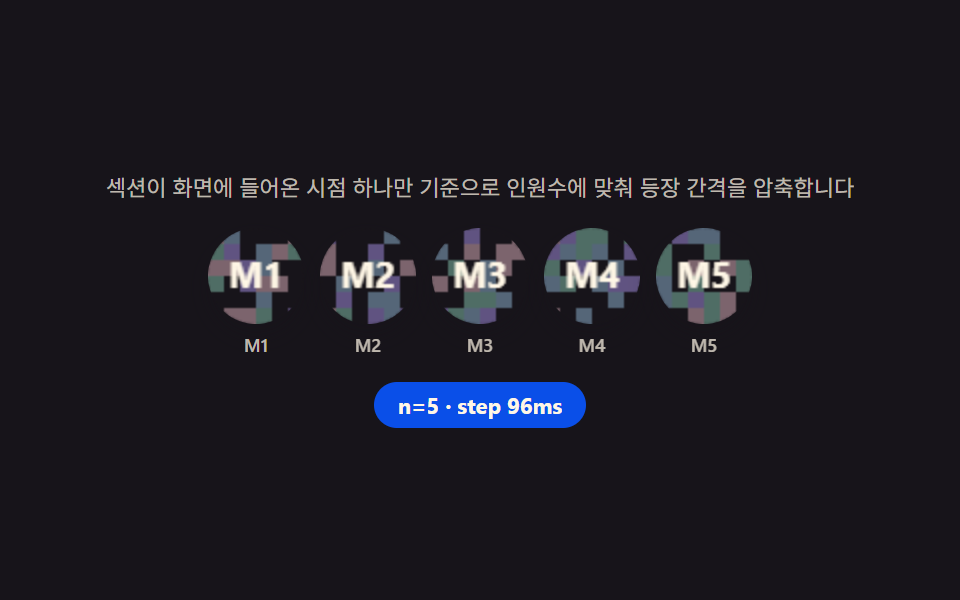 LPセクションチーム紹介 デザイン9選 — 人数・自己紹介の長さ・時差まで計算して見せる
 LPセクションファーストビュー アニメーション css 9選 — 統計カウンターまで
 LPセクションcss カード デザイン 9種 — 街・チーム・ショートカット
 LPセクション価格表 デザイン9選 — 年払い切替・割引率まで計算して見せる
 LPセクションプロフィールカード デザイン 9選 — コピペOKのスタイル集
 LPセクション料金表 デザイン 実装9選 — 切り替えも計算も動く
 LPセクションランディングページ 改善に直結するセクション9選
 LPセクションフッター デザイン コピペで終わるパターン9選
 LPセクションファーストビュー デザイン 9パターン、コピペで置ける
 LPセクションお客様の声 デザインの型9選、そのまま貼れる