価格表 デザイン9選 — 年払い切替・割引率まで計算して見せる
価格表 デザインは、料金プランのボタン一つ・数字一つに計算の層を重ねる考え方です。年払い・月払いの切替が変わるたびに各プランの価格を計算し直し、割引バッジは定価と割引価格の差を自分で求め、法人窓口セクションは利用量の値からその場で見積もりを計算する、価格表ページ用セクション9種です。
 01 pricing-plan-cards
 02 pricing-comparison-table
 03 pricing-billing-toggle
 04 pricing-discount-badge
 05 pricing-faq
 06 pricing-testimonial
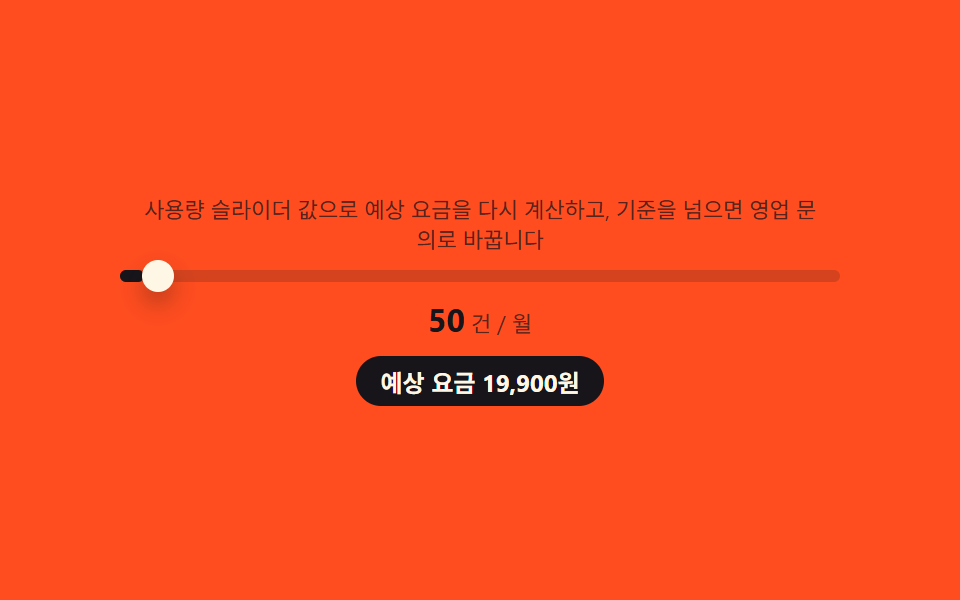 07 pricing-enterprise-cta
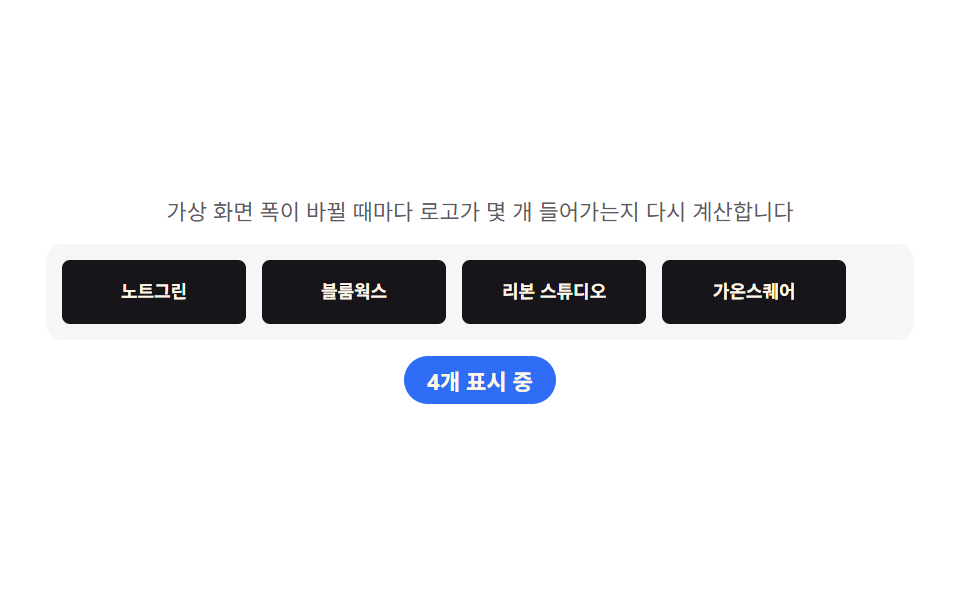 08 pricing-partner-bar
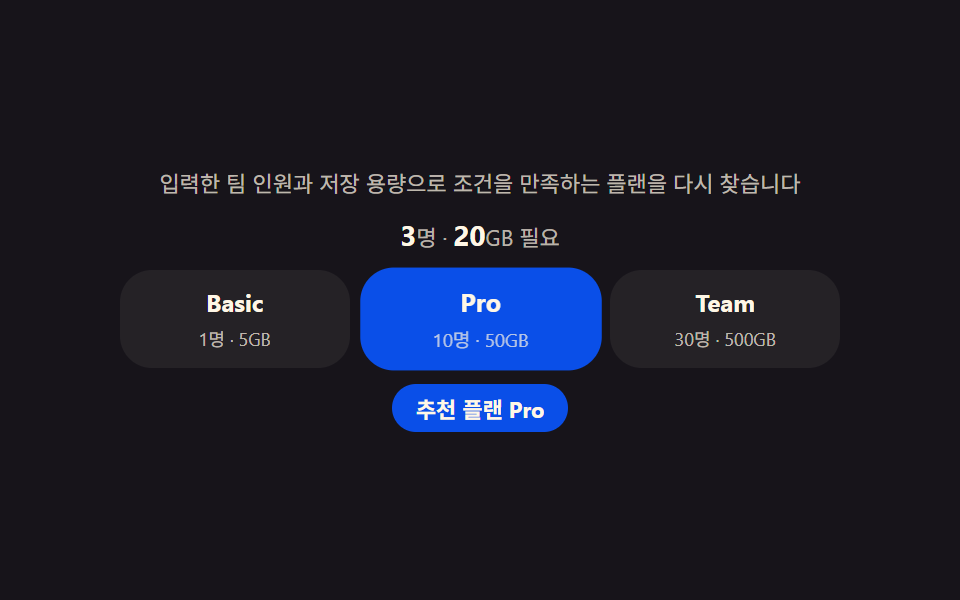 09 pricing-footer
自動再生 · タイルを押すとその項目へ · すべて1つのzip
- 01 プランカード — 年払い・月払いの切替に合わせて価格を求め直すカード列
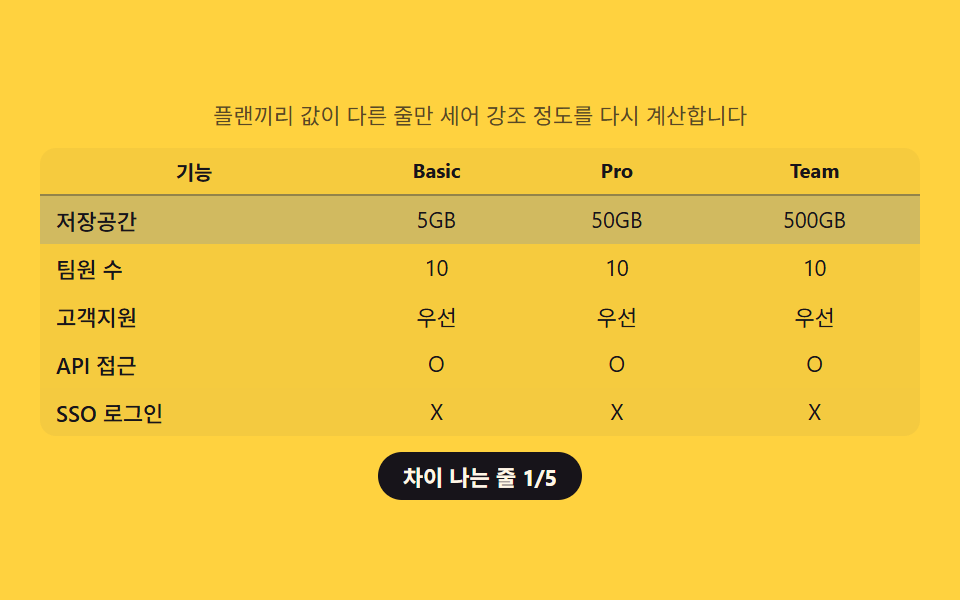
- 02 比較表 — プラン間で値が違う行だけを数えて強調する表
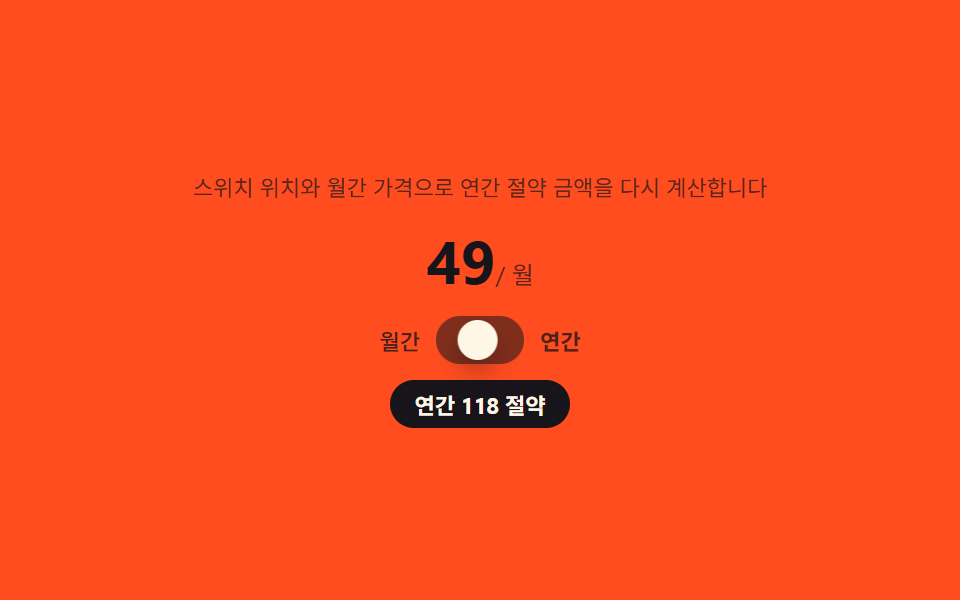
- 03 課金トグル — スイッチの位置から節約額を求めてバッジに載せる切り替え
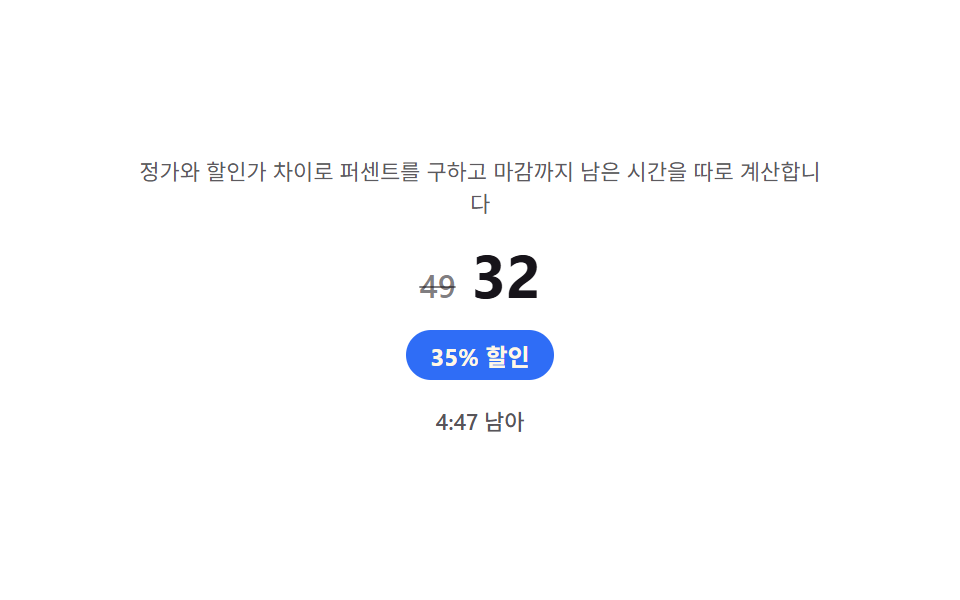
- 04 割引バッジ — 定価と割引価格の差からパーセントを自分で求めるバッジ
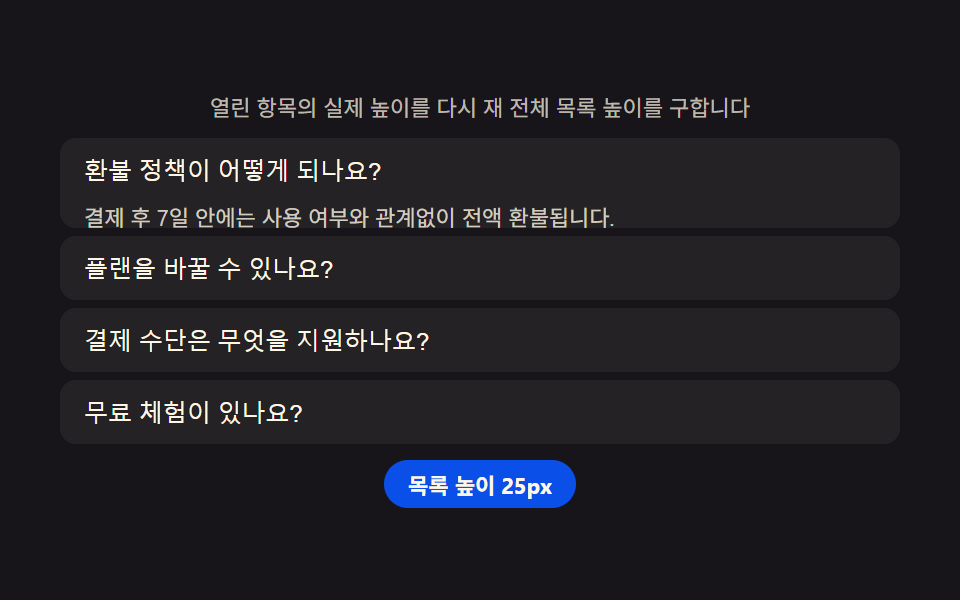
- 05 料金FAQ — 開いている項目数に合わせて一覧の高さを測り直すアコーディオン
- 06 料金レビュー — 評価の平均を自分で求めて示すレビュー集
- 07 法人窓口CTA — 入力した利用量からその場で見積もりを求めるセクション
- 08 パートナーロゴバー — 画面幅に合わせて表示数を求め直す列
- 09 料金フッター — 入力した条件から合うプランを自分で求めて強調するおすすめ
デモ
9項目とも「見た目の演出ではなく、割引率・利用量・レビュー評価・画面幅というデータを計算し直して表示価格・強調度・バッジ文言・座標に反映する」という同じ前提を共有しています。実測値は次のとおりです。
| 番号 | 項目 | 累積面積 | 強度平均 | 動いたフレーム |
|---|---|---|---|---|
| 01 | プランカード | 16.26% | 103.0 | 18/23 |
| 02 | 比較表 | 29.96% | 39.6 | 7/23 |
| 03 | 課金トグル | 5.26% | 99.6 | 10/23 |
| 04 | 割引バッジ | 1.45% | 97.3 | 23/23 |
| 05 | 料金FAQ | 34.94% | 81.3 | 9/23 |
| 06 | レビュー | 19.76% | 106.7 | 7/23 |
| 07 | 法人窓口 | 2.29% | 121.6 | 8/23 |
| 08 | パートナーバー | 8.32% | 194.6 | 9/23 |
| 09 | 料金フッター | 14.08% | 89.1 | 7/23 |
05料金FAQが累積面積34.94%で最も広いのは、開いたパネルの実際の高さがカード全体を押し広げるためです。04割引バッジが1.45%・07法人窓口が2.29%と狭いのは、変わる領域がそれぞれバッジの帯・スライダーのつまみだけに限られる構造上の値で、この2項目の狭さは欠陥ではありません。動いたフレームは02比較表・06レビュー・09料金フッターが7フレームで最も少なく、これはシナリオが2000ms間隔で切り替わる構造上の待機区間です。反対に04割引バッジは23フレームすべてで動くカウントダウンのため毎フレーム再計算が走り、08パートナーバーは強度平均194.6で最も明るく、複数のロゴが一度に表示・非表示を切り替えます。9項目とも下限を満たしています。
価格表ページの解剖 — 9つのセクションが計算するもの
「価格表 デザイン テンプレート」で検索して出てくるものの多くは、色と余白を整えただけの静的な型です。ここで扱う9つのセクションは、その手前に計算の層を1枚重ねます。年払い・月払いの切替、定価と割引価格の差、入力した利用量、レビュー評価というデータを毎回読み直し、表示価格・強調度・バッジ文言・座標に変換し直す設計です。
何が入力で何が出力か
入力は月額・割引率・定価と割引価格・利用量・レビュー評価・画面幅の6種類です。出力はCSS変数か、DOMに直接書き込むテキストのどちらかで、レイアウトのキーフレーム自体は変えません。
なぜ一枚の層に計算をまとめるのか
割引率の適用先を各所に散らすと、定価を変えるたびに複数箇所を直す必要が出ます。yearlyMonthlyEqやfindMatchのような一つの関数に計算をまとめておくと、データが変わってもその関数を呼び直すだけで表示全体が揃います。
セクション別コード
価格表 デザインを探して来た人は、まずこの9項目の実装から見ると早いです。自動再生は各項目内で固定したシナリオの配列をsetIntervalで順番に切り替えるだけで、Math.random()は一度も使いません。
01プランカード — 年払い・月払いの切替に合わせて価格を求め直すカード列
PLANS配列は月額12・29・59に対して割引率.15・.20・.25をそれぞれ持たせてあり、切替が切り替わるたびにyearlyMonthlyEqがmonthly掛ける(1引く discount)を求め直します。求めた新しい価格へはanimateValueがrequestAnimationFrameでイージング1引く(1引くp)の3乗を通しながら古い数字から1フレームずつ描き直すので、12から10・29から23・59から44という値へ数字が転がるように変わります。
<main class="stage">
<section class="panel" id="panel">
  <p class="hint" id="hint">年間・月間の切り替えのたびに割引率を適用し、表示価格を再計算します。</p>
  <div class="switchRow">
    <span class="switchLabel" id="switchLabel">年間払い</span>
    <button class="switchCtl" id="billingSwitch" type="button" role="switch" aria-checked="false" aria-label="年間払いに切り替え">
      <span class="knob" aria-hidden="true"></span>
    </button>
  </div>
  <div class="cards" id="cardsRow">
    <article class="card">
      <h3 class="planName">Basic</h3>
      <p class="price"><span class="priceNum" id="price0">12</span><span class="priceUnit" id="unit0"> / 月</span></p>
      <p class="badge" id="badge0" hidden></p>
    </article>
    <article class="card card--mid">
      <h3 class="planName">Pro</h3>
      <p class="price"><span class="priceNum" id="price1">29</span><span class="priceUnit" id="unit1"> / 月</span></p>
      <p class="badge" id="badge1" hidden></p>
    </article>
    <article class="card">
      <h3 class="planName">Team</h3>
      <p class="price"><span class="priceNum" id="price2">59</span><span class="priceUnit" id="unit2"> / 月</span></p>
      <p class="badge" id="badge2" hidden></p>
    </article>
  </div>
</section>
</main>@use "../../../../site/static/demo-tokens" as *;
$duration: $dur-enter;
$easing: $ease-spring;
$color: $subject-blue-deep;
@include stage($stage-ink);
.panel {
width: 100%;
max-width: 440px;
display: flex;
flex-direction: column;
align-items: center;
gap: $sp-3;
}
.hint {
margin: 0;
padding: 0 $sp-2;
text-align: center;
font-weight: 400;
font-size: 11px;
line-height: 1.4;
color: rgba($subject-cream, .72);
}
.switchRow {
display: flex;
align-items: center;
gap: $sp-2;
}
.switchLabel {
font-weight: 500;
font-size: 12px;
color: $subject-cream;
}
.switchCtl {
position: relative;
width: 40px;
height: 22px;
border: 0;
border-radius: $r-pill;
background: rgba($subject-cream, .24);
padding: 0;
cursor: pointer;
transition: background $duration $easing;
}
.switchCtl[aria-checked="true"] {
background: $color;
}
.knob {
position: absolute;
top: 2px;
left: 2px;
width: 18px;
height: 18px;
border-radius: $r-pill;
background: $subject-cream;
box-shadow: $shadow-press;
transform: translateX(0);
transition: transform $duration $easing;
}
.switchCtl[aria-checked="true"] .knob {
transform: translateX(18px);
}
.cards {
display: flex;
gap: $sp-3;
width: 100%;
}
.card {
flex: 1 1 0;
display: flex;
flex-direction: column;
align-items: center;
gap: $sp-1;
padding: $sp-4 $sp-2;
border-radius: $r-card;
background: rgba($subject-cream, .08);
text-align: center;
}
.card--mid {
background: rgba($color, .30);
}
.planName {
margin: 0;
font-weight: 700;
font-size: 13px;
color: $subject-cream;
}
.price {
margin: 0;
display: flex;
align-items: baseline;
}
.priceNum {
font-weight: 700;
font-size: 26px;
color: $subject-cream;
}
.priceUnit {
font-weight: 400;
font-size: 11px;
color: rgba($subject-cream, .72);
}
.badge {
margin: 0;
padding: $sp-1 $sp-2;
border-radius: $r-xs;
background: $subject-orange-deep;
color: $subject-cream;
font-weight: 700;
font-size: 9px;
opacity: 0;
transform: scale(.6);
transform-origin: center;
transition: opacity $dur-quick $ease-out, transform $dur-quick $ease-pop;
}
.badge:not([hidden]) {
opacity: 1;
transform: scale(1);
}
@media (max-width: 340px) {
.panel { max-width: 300px; gap: $sp-2; }
.hint { font-size: 9px; }
.cards { gap: $sp-1; }
.card { padding: $sp-1 $sp-1; }
.planName { font-size: 11px; }
.priceNum { font-size: 17px; }
.priceUnit { font-size: 9px; }
}
@media (prefers-reduced-motion: reduce) {
.switchCtl,
.knob,
.badge {
transition: none;
}
}html, body {
margin: 0;
overflow: hidden;
}
.stage {
box-sizing: border-box;
min-height: 100vh;
display: grid;
place-items: center;
margin: 0;
background: #17141a;
font-family: -apple-system, "Segoe UI", "Noto Sans KR", sans-serif;
padding: clamp(8px, 4vw, 24px);
}
.panel {
width: 100%;
max-width: 440px;
display: flex;
flex-direction: column;
align-items: center;
gap: 12px;
}
.hint {
margin: 0;
padding: 0 8px;
text-align: center;
font-weight: 400;
font-size: 11px;
line-height: 1.4;
color: rgba(255, 247, 230, 0.72);
}
.switchRow {
display: flex;
align-items: center;
gap: 8px;
}
.switchLabel {
font-weight: 500;
font-size: 12px;
color: #fff7e6;
}
.switchCtl {
position: relative;
width: 40px;
height: 22px;
border: 0;
border-radius: 999px;
background: rgba(255, 247, 230, 0.24);
padding: 0;
cursor: pointer;
transition: background 600ms cubic-bezier(0.2, 0.8, 0.2, 1);
}
.switchCtl[aria-checked=true] {
background: #0a4fe8;
}
.knob {
position: absolute;
top: 2px;
left: 2px;
width: 18px;
height: 18px;
border-radius: 999px;
background: #fff7e6;
box-shadow: 0 6px 12px rgba(23, 20, 26, 0.32);
transform: translateX(0);
transition: transform 600ms cubic-bezier(0.2, 0.8, 0.2, 1);
}
.switchCtl[aria-checked=true] .knob {
transform: translateX(18px);
}
.cards {
display: flex;
gap: 12px;
width: 100%;
}
.card {
flex: 1 1 0;
display: flex;
flex-direction: column;
align-items: center;
gap: 4px;
padding: 16px 8px;
border-radius: 16px;
background: rgba(255, 247, 230, 0.08);
text-align: center;
}
.card--mid {
background: rgba(10, 79, 232, 0.3);
}
.planName {
margin: 0;
font-weight: 700;
font-size: 13px;
color: #fff7e6;
}
.price {
margin: 0;
display: flex;
align-items: baseline;
}
.priceNum {
font-weight: 700;
font-size: 26px;
color: #fff7e6;
}
.priceUnit {
font-weight: 400;
font-size: 11px;
color: rgba(255, 247, 230, 0.72);
}
.badge {
margin: 0;
padding: 4px 8px;
border-radius: 4px;
background: #c93000;
color: #fff7e6;
font-weight: 700;
font-size: 9px;
opacity: 0;
transform: scale(0.6);
transform-origin: center;
transition: opacity 220ms ease-out, transform 220ms cubic-bezier(0.2, 1.4, 0.4, 1);
}
.badge:not([hidden]) {
opacity: 1;
transform: scale(1);
}
@media (max-width: 340px) {
.panel {
max-width: 300px;
gap: 8px;
}
.hint {
font-size: 9px;
}
.cards {
gap: 4px;
}
.card {
padding: 4px 4px;
}
.planName {
font-size: 11px;
}
.priceNum {
font-size: 17px;
}
.priceUnit {
font-size: 9px;
}
}
@media (prefers-reduced-motion: reduce) {
.switchCtl,
.knob,
.badge {
transition: none;
}
}// 플랜 카드(01) — 연/월 스위치가 눌릴 때마다 플랜별 할인율(discount)을 monthly 가격에 적용해
// 月 환산가를 다시 구하고, 그 값을 rAF 로 이전 숫자에서 새 숫자까지 이징 계산하며 굴린다(계산 한 겹).
// 자동 시연은 스위치를 700ms 마다 반전시켜 세 카드가 매번 다시 계산되는 것을 보여준다.
(function () {
var switchCtl = document.getElementById('billingSwitch');
var cardsRow = document.getElementById('cardsRow');
if (!switchCtl || !cardsRow) return;
var reduce = window.matchMedia('(prefers-reduced-motion: reduce)').matches;
var PLANS = [
  { monthly: 12, discount: .15 },
  { monthly: 29, discount: .20 },
  { monthly: 59, discount: .25 }
];
var ROLL_MS = 600;

function yearlyMonthlyEq(plan) {
  return Math.round(plan.monthly * (1 - plan.discount));
}

function animateValue(el, from, to, duration) {
  if (!el) return;
  if (reduce || from === to) { el.textContent = String(to); return; }
  var start = null;
  function step(ts) {
    if (start === null) start = ts;
    var p = Math.min((ts - start) / duration, 1);
    var eased = 1 - Math.pow(1 - p, 3);
    el.textContent = String(Math.round(from + (to - from) * eased));
    if (p < 1) requestAnimationFrame(step);
  }
  requestAnimationFrame(step);
}
var current = PLANS.map(function (p) { return p.monthly; });
function render(yearly) {
switchCtl.setAttribute('aria-checked', yearly ? 'true' : 'false');
PLANS.forEach(function (plan, i) {
var next = yearly ? yearlyMonthlyEq(plan) : plan.monthly;
var numEl = document.getElementById('price' + i);
var badgeEl = document.getElementById('badge' + i);
animateValue(numEl, current[i], next, ROLL_MS);
current[i] = next;
if (badgeEl) {
if (yearly) {
badgeEl.hidden = false;
badgeEl.textContent = Math.round(plan.discount * 100) + '%OFF中';
} else {
badgeEl.hidden = true;
}
}
});
}
render(false);
if (!reduce) {
var yearly = false;
setInterval(function () {
yearly = !yearly;
render(yearly);
}, 700);
}
})();// PricingPlanCards — vanilla 판(run/339/demo/01-pricing-plan-cards/index.html) 의 React 포트.
// 연/월 스위치가 눌릴 때마다 플랜별 할인율을 monthly 가격에 적용해 월 환산가를 다시 구하고,
// 그 값을 rAF 로 이전 숫자에서 새 숫자까지 이징 계산하며 굴린다(계산 한 겹).
import { useEffect, useRef } from "react";
import styles from "./PricingPlanCards.module.scss";
export type PricingPlanCardsProps = {
duration?: string;
easing?: string;
color?: string;
};
const HINT = "연·월 전환마다 할인율을 적용해 표시 가격을 다시 계산합니다";
const SWITCH_LABEL = "연간 결제";
const SWITCH_ARIA = "연간 결제로 전환";
type Plan = { name: string; monthly: number; discount: number };
const PLANS: Plan[] = [
{ name: "Basic", monthly: 12, discount: 0.15 },
{ name: "Pro", monthly: 29, discount: 0.2 },
{ name: "Team", monthly: 59, discount: 0.25 }
];
const ROLL_MS = 600;
function yearlyMonthlyEq(plan: Plan): number {
return Math.round(plan.monthly * (1 - plan.discount));
}
export default function PricingPlanCards({
duration = "600ms",
easing = "cubic-bezier(.2,.8,.2,1)",
color = "#0a4fe8"
}: PricingPlanCardsProps) {
const switchRef = useRef<HTMLButtonElement | null>(null);
const priceRefs = useRef<(HTMLSpanElement | null)[]>([]);
const badgeRefs = useRef<(HTMLParagraphElement | null)[]>([]);
useEffect(() => {
const switchCtl = switchRef.current;
if (!switchCtl) return;
const reduce = window.matchMedia("(prefers-reduced-motion: reduce)").matches;
const current = PLANS.map((p) => p.monthly);
function animateValue(el: HTMLElement | null, from: number, to: number, dur: number): void {
if (!el) return;
if (reduce || from === to) {
el.textContent = String(to);
return;
}
let start: number | null = null;
function step(ts: number): void {
if (start === null) start = ts;
const p = Math.min((ts - start) / dur, 1);
const eased = 1 - Math.pow(1 - p, 3);
el!.textContent = String(Math.round(from + (to - from) * eased));
if (p < 1) requestAnimationFrame(step);
}
requestAnimationFrame(step);
}
function render(yearly: boolean): void {
switchCtl!.setAttribute("aria-checked", yearly ? "true" : "false");
PLANS.forEach((plan, i) => {
const next = yearly ? yearlyMonthlyEq(plan) : plan.monthly;
const numEl = priceRefs.current![i];
const badgeEl = badgeRefs.current![i];
animateValue(numEl, current[i], next, ROLL_MS);
current[i] = next;
if (badgeEl) {
if (yearly) {
badgeEl.hidden = false;
badgeEl.textContent = Math.round(plan.discount * 100) + "% 할인 중";
} else {
badgeEl.hidden = true;
}
}
});
}
render(false);
let timer = 0;
if (!reduce) {
let yearly = false;
timer = window.setInterval(() => {
yearly = !yearly;
render(yearly);
}, 700);
}
return () => {
if (timer) window.clearInterval(timer);
};
// eslint-disable-next-line react-hooks/exhaustive-deps
}, []);
return (
<main className={styles.stage}>
<section className={styles.panel}>
<p className={styles.hint}>{HINT}</p>
<div className={styles.switchRow}>
<span className={styles.switchLabel}>{SWITCH_LABEL}</span>
<button
className={styles.switchCtl}
ref={switchRef}
type="button"
role="switch"
aria-checked="false"
aria-label={SWITCH_ARIA}
>
<span className={styles.knob} aria-hidden="true" />
</button>
</div>
<div className={styles.cards}>
{PLANS.map((plan, i) => (
<article key={plan.name} className={i === 1 ? styles.card + " " + styles.cardMid : styles.card}>
<h3 className={styles.planName}>{plan.name}</h3>
<p className={styles.price}>
<span
className={styles.priceNum}
ref={(el: HTMLSpanElement | null) => {
priceRefs.current![i] = el;
}}
>
{plan.monthly}
</span>
<span className={styles.priceUnit}> / 월</span>
</p>
<p
className={styles.badge}
hidden
ref={(el: HTMLParagraphElement | null) => {
badgeRefs.current![i] = el;
}}
/>
</article>
))}
</div>
</section>
</main>
);
}01 · プランカード — 年払い・月払いの切替に合わせて価格を求め直すカード列 — 計測 累積面積 16.259% · 動いたフレーム 18/23GODRICH オリジナル · SCSS と React は zip に同梱 · パスワードを見る
ROLL_MSの600msをrequestAnimationFrameで割り切る
ROLL_MSは600ms固定の定数で、経過時間をこの値で割ったpが1に達した瞬間にstepのループが自ら止まります。
var PLANS = [
{ monthly: 12, discount: .15 },
{ monthly: 29, discount: .20 },
{ monthly: 59, discount: .25 }
];
var ROLL_MS = 600;
function yearlyMonthlyEq(plan) {
return Math.round(plan.monthly * (1 - plan.discount));
}
function animateValue(el, from, to, duration) {
if (!el) return;
if (reduce || from === to) { el.textContent = String(to); return; }
var start = null;
function step(ts) {
if (start === null) start = ts;
var p = Math.min((ts - start) / duration, 1);
var eased = 1 - Math.pow(1 - p, 3);
el.textContent = String(Math.round(from + (to - from) * eased));
if (p < 1) requestAnimationFrame(step);
}
requestAnimationFrame(step);
}
02比較表 — プラン間で値が違う行だけを数えて強調する表
applyは行ごとにallEqualで全プランの値が同じかどうかを調べ、違う行だけdiffCountを1つずつ増やしながらis-diffクラスを付けます。強調の濃さはその場限りの固定値ではなく、--diff-alphaというCSS変数に.12足す(diffCountを行数で割ってから.35を掛けた値)という式の結果を毎回書き込むことで決まります。
<main class="stage">
<section class="panel">
  <p class="hint">プラン間で値が異なる行だけを数え、強調の度合いを再計算します。</p>
  <table class="cmp">
    <caption class="cmpCaption">プラン比較</caption>
    <thead>
      <tr>
        <th scope="col">機能</th>
        <th scope="col">Basic</th>
        <th scope="col">Pro</th>
        <th scope="col">Team</th>
      </tr>
    </thead>
    <tbody id="rows">
      <tr data-row="storage"><th scope="row">ストレージ</th><td class="v v0"></td><td class="v v1"></td><td class="v v2"></td></tr>
      <tr data-row="seats"><th scope="row">チーム人数</th><td class="v v0"></td><td class="v v1"></td><td class="v v2"></td></tr>
      <tr data-row="support"><th scope="row">サポート</th><td class="v v0"></td><td class="v v1"></td><td class="v v2"></td></tr>
      <tr data-row="api"><th scope="row">APIアクセス</th><td class="v v0"></td><td class="v v1"></td><td class="v v2"></td></tr>
      <tr data-row="sso"><th scope="row">SSOログイン</th><td class="v v0"></td><td class="v v1"></td><td class="v v2"></td></tr>
    </tbody>
  </table>
  <p class="chip" id="diffChip">差がある行 0/5</p>
</section>
</main>
@use "../../../../site/static/demo-tokens" as *;
$duration: $dur-base;
$easing: $ease-out;
$color: $subject-ink;
@include stage($stage-yellow);
.panel {
width: 100%;
max-width: 440px;
display: flex;
flex-direction: column;
align-items: center;
gap: $sp-2;
}
.hint {
margin: 0;
padding: 0 $sp-2;
text-align: center;
font-weight: 400;
font-size: 11px;
line-height: 1.4;
color: rgba($subject-ink, .72);
}
.cmp {
width: 100%;
border-collapse: collapse;
background: rgba($subject-ink, .04);
border-radius: $r-sm;
overflow: hidden;
}
.cmpCaption {
display: none;
}
.cmp th,
.cmp td {
padding: $sp-1 $sp-2;
text-align: center;
font-weight: 400;
font-size: 11px;
color: $subject-ink;
}
.cmp thead th {
font-weight: 700;
font-size: 10px;
border-bottom: 1px solid rgba($subject-ink, .18);
}
.cmp tbody th {
text-align: left;
font-weight: 500;
}
.cmp tbody tr {
background: rgba($subject-blue, var(--diff-alpha, 0));
transition: background $duration $easing;
}
.chip {
margin: 0;
padding: $sp-1 $sp-3;
border-radius: $r-pill;
background: $color;
color: $subject-cream;
font-weight: 700;
font-size: 11px;
}
@media (max-width: 340px) {
.panel { max-width: 300px; gap: $sp-1; }
.hint { font-size: 9px; }
.cmp th, .cmp td { padding: $sp-1; font-size: 9px; }
}
@media (prefers-reduced-motion: reduce) {
.cmp tbody tr {
transition: none;
}
}html, body {
margin: 0;
overflow: hidden;
}
.stage {
box-sizing: border-box;
min-height: 100vh;
display: grid;
place-items: center;
margin: 0;
background: #ffd23f;
font-family: -apple-system, "Segoe UI", "Noto Sans KR", sans-serif;
padding: clamp(8px, 4vw, 24px);
}
.panel {
width: 100%;
max-width: 440px;
display: flex;
flex-direction: column;
align-items: center;
gap: 8px;
}
.hint {
margin: 0;
padding: 0 8px;
text-align: center;
font-weight: 400;
font-size: 11px;
line-height: 1.4;
color: rgba(23, 20, 26, 0.72);
}
.cmp {
width: 100%;
border-collapse: collapse;
background: rgba(23, 20, 26, 0.04);
border-radius: 8px;
overflow: hidden;
}
.cmpCaption {
display: none;
}
.cmp th,
.cmp td {
padding: 4px 8px;
text-align: center;
font-weight: 400;
font-size: 11px;
color: #17141a;
}
.cmp thead th {
font-weight: 700;
font-size: 10px;
border-bottom: 1px solid rgba(23, 20, 26, 0.18);
}
.cmp tbody th {
text-align: left;
font-weight: 500;
}
.cmp tbody tr {
background: rgba(47, 109, 246, var(--diff-alpha, 0));
transition: background 300ms ease-out;
}
.chip {
margin: 0;
padding: 4px 12px;
border-radius: 999px;
background: #17141a;
color: #fff7e6;
font-weight: 700;
font-size: 11px;
}
@media (max-width: 340px) {
.panel {
max-width: 300px;
gap: 4px;
}
.hint {
font-size: 9px;
}
.cmp th, .cmp td {
padding: 4px;
font-size: 9px;
}
}
@media (prefers-reduced-motion: reduce) {
.cmp tbody tr {
transition: none;
}
}// 비교표(02) — 플랜 세 줄의 값을 서로 대조해 실제로 다른 줄의 개수(diffCount)를 세고,
// 그 개수를 전체 줄 수로 나눈 비율로 강조 배경의 알파를 다시 계산한다(계산 한 겹).
// 자동 시연은 3가지 시나리오를 900ms 마다 돌려 diffCount 가 매번 달라지는 것을 보여준다.
(function () {
var rowsEl = document.getElementById('rows');
var chip = document.getElementById('diffChip');
if (!rowsEl || !chip) return;
var reduce = window.matchMedia('(prefers-reduced-motion: reduce)').matches;
var SCENARIOS = [
{ storage: ['5GB', '50GB', '500GB'], seats: ['1', '10', '∞'], support: ['メール', '優先', '専任'], api: ['X', 'O', 'O'], sso: ['X', 'X', 'O'] },
{ storage: ['5GB', '50GB', '500GB'], seats: ['10', '10', '10'], support: ['優先', '優先', '優先'], api: ['X', 'O', 'O'], sso: ['X', 'X', 'O'] },
{ storage: ['5GB', '50GB', '500GB'], seats: ['10', '10', '10'], support: ['優先', '優先', '優先'], api: ['O', 'O', 'O'], sso: ['X', 'X', 'X'] }
];
var ROW_KEYS = ['storage', 'seats', 'support', 'api', 'sso'];
function allEqual(arr) {
  return arr.every(function (v) { return v === arr[0]; });
}

function apply(scenario) {
  var diffCount = 0;
  ROW_KEYS.forEach(function (key) {
    var values = scenario[key];
    var tr = rowsEl.querySelector('tr[data-row="' + key + '"]');
    if (!tr) return;
    var cells = tr.querySelectorAll('.v');
    cells.forEach(function (cell, i) { cell.textContent = values[i]; });
    var differs = !allEqual(values);
    if (differs) diffCount += 1;
    tr.classList.toggle('is-diff', differs);
    tr.style.setProperty('--diff-alpha', differs ? String(.12 + (diffCount / ROW_KEYS.length) * .35) : '0');
  });
  chip.textContent = '差がある行 ' + diffCount + '/' + ROW_KEYS.length;
}
apply(SCENARIOS[0]);
if (!reduce) {
var idx = 0;
setInterval(function () {
idx = (idx + 1) % SCENARIOS.length;
apply(SCENARIOS[idx]);
}, 900);
}
})();// PricingComparisonTable — vanilla 판(run/339/demo/02-pricing-comparison-table/index.html) 의 React 포트.
// 플랜 세 줄의 값을 서로 대조해 실제로 다른 줄의 개수(diffCount)를 세고, 그 개수를 전체 줄 수로
// 나눈 비율로 강조 배경의 알파를 다시 계산한다(계산 한 겹).
import { useEffect, useRef } from "react";
import styles from "./PricingComparisonTable.module.scss";
export type PricingComparisonTableProps = {
duration?: string;
easing?: string;
color?: string;
};
const HINT = "플랜끼리 값이 다른 줄만 세어 강조 정도를 다시 계산합니다";
const CAPTION = "플랜 비교";
type RowKey = "storage" | "seats" | "support" | "api" | "sso";
const ROW_LABELS: { key: RowKey; label: string }[] = [
{ key: "storage", label: "저장공간" },
{ key: "seats", label: "팀원 수" },
{ key: "support", label: "고객지원" },
{ key: "api", label: "API 접근" },
{ key: "sso", label: "SSO 로그인" }
];
type Scenario = Record<RowKey, string[]>;
const SCENARIOS: Scenario[] = [
{ storage: ["5GB", "50GB", "500GB"], seats: ["1", "10", "∞"], support: ["이메일", "우선", "전담"], api: ["X", "O", "O"], sso: ["X", "X", "O"] },
{ storage: ["5GB", "50GB", "500GB"], seats: ["10", "10", "10"], support: ["우선", "우선", "우선"], api: ["X", "O", "O"], sso: ["X", "X", "O"] },
{ storage: ["5GB", "50GB", "500GB"], seats: ["10", "10", "10"], support: ["우선", "우선", "우선"], api: ["O", "O", "O"], sso: ["X", "X", "X"] }
];
const ROW_KEYS: RowKey[] = ["storage", "seats", "support", "api", "sso"];
function allEqual(arr: string[]): boolean {
return arr.every((v) => v === arr[0]);
}
export default function PricingComparisonTable({
duration = "300ms",
easing = "ease-out",
color = "#17141a"
}: PricingComparisonTableProps) {
const rowRefs = useRef<Record<string, HTMLTableRowElement | null>>({});
const chipRef = useRef<HTMLParagraphElement | null>(null);
useEffect(() => {
const chip = chipRef.current;
if (!chip) return;
const reduce = window.matchMedia("(prefers-reduced-motion: reduce)").matches;
function apply(scenario: Scenario): void {
let diffCount = 0;
ROW_KEYS.forEach((key) => {
const values = scenario[key];
const tr = rowRefs.current![key];
if (!tr) return;
const cells = tr.querySelectorAll("." + styles.v);
cells.forEach((cell, i) => {
cell.textContent = values[i];
});
const differs = !allEqual(values);
if (differs) diffCount += 1;
tr.classList.toggle(styles.isDiff, differs);
tr.style.setProperty("--diff-alpha", differs ? String(0.12 + (diffCount / ROW_KEYS.length) * 0.35) : "0");
});
chip!.textContent = "차이 나는 줄 " + diffCount + "/" + ROW_KEYS.length;
}
apply(SCENARIOS[0]);
let timer = 0;
if (!reduce) {
let idx = 0;
timer = window.setInterval(() => {
idx = (idx + 1) % SCENARIOS.length;
apply(SCENARIOS[idx]);
}, 900);
}
return () => {
if (timer) window.clearInterval(timer);
};
// eslint-disable-next-line react-hooks/exhaustive-deps
}, []);
return (
<main className={styles.stage}>
<section className={styles.panel}>
<p className={styles.hint}>{HINT}</p>
<table className={styles.cmp}>
<caption className={styles.cmpCaption}>{CAPTION}</caption>
<thead>
<tr>
<th scope="col">기능</th>
<th scope="col">Basic</th>
<th scope="col">Pro</th>
<th scope="col">Team</th>
</tr>
</thead>
<tbody>
{ROW_LABELS.map((row) => (
<tr
key={row.key}
ref={(el: HTMLTableRowElement | null) => {
rowRefs.current![row.key] = el;
}}
>
<th scope="row">{row.label}</th>
<td className={styles.v} />
<td className={styles.v} />
<td className={styles.v} />
</tr>
))}
</tbody>
</table>
<p className={styles.chip} ref={chipRef}>
차이 나는 줄 0/5
</p>
</section>
</main>
);
}02 · 比較表 — プラン間で値が違う行だけを数えて強調する表 — 計測 累積面積 29.956% · 動いたフレーム 7/23GODRICH オリジナル · SCSS と React は zip に同梱 · パスワードを見る
diffCountの比率がCSS変数--diff-alphaに変わる
差がある行の割合が高いほど--diff-alphaが.12から.47の間で大きくなり、chipには「差がある行○/○」という実数がそのまま表示されます。
function allEqual(arr) {
return arr.every(function (v) { return v === arr[0]; });
}
function apply(scenario) {
var diffCount = 0;
ROW_KEYS.forEach(function (key) {
var values = scenario[key];
var tr = rowsEl.querySelector('tr[data-row="' + key + '"]');
if (!tr) return;
var cells = tr.querySelectorAll('.v');
cells.forEach(function (cell, i) { cell.textContent = values[i]; });
var differs = !allEqual(values);
if (differs) diffCount += 1;
tr.classList.toggle('is-diff', differs);
tr.style.setProperty('--diff-alpha', differs ? String(.12 + (diffCount / ROW_KEYS.length) * .35) : '0');
});
chip.textContent = '差がある行 ' + diffCount + '/' + ROW_KEYS.length;
}
03課金トグル — スイッチの位置から節約額を求めてバッジに載せる切り替え
DISCOUNTは.20固定で、スイッチが年払い側になるとapplyがmonthlyに12とDISCOUNTを掛けた値を求めてバッジ文言に入れます。月額29なら年間70・月額49なら年間118という節約額がその場で計算され、月払いに戻すとbadge.hiddenが真になって帯ごと消えます。
<main class="stage">
<section class="panel">
  <p class="hint">スイッチの位置と月額料金から年間の節約額を再計算します。</p>
  <p class="priceLine"><span class="priceNum" id="priceNum">29</span><span class="priceUnit"> / 月</span></p>
  <div class="switchWrap">
    <span class="modeLabel" id="modeMonthly">月間</span>
    <button class="switchCtl" id="toggle" type="button" role="switch" aria-checked="false" aria-label="年間払いに切り替え">
      <span class="knob" aria-hidden="true"></span>
    </button>
    <span class="modeLabel" id="modeYearly">年間</span>
  </div>
  <p class="badge" id="savingsBadge" hidden></p>
</section>
</main>
@use "../../../../site/static/demo-tokens" as *;
$duration: $dur-base;
$easing: $ease-spring;
$color: $subject-cream;
@include stage($stage-orange);
.panel {
width: 100%;
max-width: 360px;
display: flex;
flex-direction: column;
align-items: center;
gap: $sp-2;
}
.hint {
margin: 0;
padding: 0 $sp-2;
text-align: center;
font-weight: 400;
font-size: 11px;
line-height: 1.4;
color: rgba($subject-ink, .70);
}
.priceLine {
margin: 0;
display: flex;
align-items: baseline;
}
.priceNum {
font-weight: 700;
font-size: 30px;
color: $subject-ink;
}
.priceUnit {
font-weight: 400;
font-size: 12px;
color: rgba($subject-ink, .70);
}
.switchWrap {
display: flex;
align-items: center;
gap: $sp-2;
}
.modeLabel {
font-weight: 500;
font-size: 11px;
color: rgba($subject-ink, .55);
transition: color $duration $easing;
}
.modeLabel.is-active {
color: $subject-ink;
font-weight: 700;
}
.switchCtl {
position: relative;
width: 44px;
height: 24px;
border: 0;
border-radius: $r-pill;
background: rgba($subject-ink, .18);
padding: 0;
cursor: pointer;
transition: background $duration $easing;
}
.switchCtl[aria-checked="true"] {
background: $subject-ink;
}
.knob {
position: absolute;
top: 2px;
left: 2px;
width: 20px;
height: 20px;
border-radius: $r-pill;
background: $color;
box-shadow: $shadow-press;
transform: translateX(0);
transition: transform $duration $easing;
}
.switchCtl[aria-checked="true"] .knob {
transform: translateX(20px);
}
.badge {
margin: 0;
padding: $sp-1 $sp-3;
border-radius: $r-pill;
background: $subject-ink;
color: $subject-cream;
font-weight: 700;
font-size: 11px;
opacity: 0;
transform: scale(.6);
transform-origin: center;
transition: opacity $dur-quick $ease-out, transform $dur-quick $ease-pop;
}
.badge:not([hidden]) {
opacity: 1;
transform: scale(1);
}
@media (max-width: 340px) {
.panel { max-width: 280px; gap: $sp-1; }
.hint { font-size: 9px; }
.priceNum { font-size: 24px; }
}
@media (prefers-reduced-motion: reduce) {
.modeLabel,
.switchCtl,
.knob,
.badge {
transition: none;
}
}html, body {
margin: 0;
overflow: hidden;
}
.stage {
box-sizing: border-box;
min-height: 100vh;
display: grid;
place-items: center;
margin: 0;
background: #ff4d1f;
font-family: -apple-system, "Segoe UI", "Noto Sans KR", sans-serif;
padding: clamp(8px, 4vw, 24px);
}
.panel {
width: 100%;
max-width: 360px;
display: flex;
flex-direction: column;
align-items: center;
gap: 8px;
}
.hint {
margin: 0;
padding: 0 8px;
text-align: center;
font-weight: 400;
font-size: 11px;
line-height: 1.4;
color: rgba(23, 20, 26, 0.7);
}
.priceLine {
margin: 0;
display: flex;
align-items: baseline;
}
.priceNum {
font-weight: 700;
font-size: 30px;
color: #17141a;
}
.priceUnit {
font-weight: 400;
font-size: 12px;
color: rgba(23, 20, 26, 0.7);
}
.switchWrap {
display: flex;
align-items: center;
gap: 8px;
}
.modeLabel {
font-weight: 500;
font-size: 11px;
color: rgba(23, 20, 26, 0.55);
transition: color 300ms cubic-bezier(0.2, 0.8, 0.2, 1);
}
.modeLabel.is-active {
color: #17141a;
font-weight: 700;
}
.switchCtl {
position: relative;
width: 44px;
height: 24px;
border: 0;
border-radius: 999px;
background: rgba(23, 20, 26, 0.18);
padding: 0;
cursor: pointer;
transition: background 300ms cubic-bezier(0.2, 0.8, 0.2, 1);
}
.switchCtl[aria-checked=true] {
background: #17141a;
}
.knob {
position: absolute;
top: 2px;
left: 2px;
width: 20px;
height: 20px;
border-radius: 999px;
background: #fff7e6;
box-shadow: 0 6px 12px rgba(23, 20, 26, 0.32);
transform: translateX(0);
transition: transform 300ms cubic-bezier(0.2, 0.8, 0.2, 1);
}
.switchCtl[aria-checked=true] .knob {
transform: translateX(20px);
}
.badge {
margin: 0;
padding: 4px 12px;
border-radius: 999px;
background: #17141a;
color: #fff7e6;
font-weight: 700;
font-size: 11px;
opacity: 0;
transform: scale(0.6);
transform-origin: center;
transition: opacity 220ms ease-out, transform 220ms cubic-bezier(0.2, 1.4, 0.4, 1);
}
.badge:not([hidden]) {
opacity: 1;
transform: scale(1);
}
@media (max-width: 340px) {
.panel {
max-width: 280px;
gap: 4px;
}
.hint {
font-size: 9px;
}
.priceNum {
font-size: 24px;
}
}
@media (prefers-reduced-motion: reduce) {
.modeLabel,
.switchCtl,
.knob,
.badge {
transition: none;
}
}// 빌링 토글(03) — 스위치가 연간으로 넘어갈 때마다 지금 표시된 月間 가격(monthly)에
// 12 와 年間 할인율(DISCOUNT)을 곱해 한 해 お得 금액을 그 자리에서 구해 배지에 채운다(계산 한 겹).
// 자동 시연은 月間 가격을 29→49 로 바꿔가며 토글해 같은 공식이 다른 결과를 내는 것을 보여준다.
(function () {
var toggle = document.getElementById('toggle');
var priceNum = document.getElementById('priceNum');
var badge = document.getElementById('savingsBadge');
var modeMonthly = document.getElementById('modeMonthly');
var modeYearly = document.getElementById('modeYearly');
if (!toggle || !priceNum || !badge || !modeMonthly || !modeYearly) return;
var reduce = window.matchMedia('(prefers-reduced-motion: reduce)').matches;
var DISCOUNT = .20;
var STEPS = [
  { monthly: 29, yearly: false },
  { monthly: 29, yearly: true },
  { monthly: 49, yearly: false },
  { monthly: 49, yearly: true }
];

function apply(step) {
  priceNum.textContent = String(step.monthly);
  toggle.setAttribute('aria-checked', step.yearly ? 'true' : 'false');
  modeMonthly.classList.toggle('is-active', !step.yearly);
  modeYearly.classList.toggle('is-active', step.yearly);
  if (step.yearly) {
    var savings = Math.round(step.monthly * 12 * DISCOUNT);
    badge.hidden = false;
    badge.textContent = '年間 ' + savings + ' お得';
  } else {
    badge.hidden = true;
  }
}
apply(STEPS[0]);
if (!reduce) {
var idx = 0;
setInterval(function () {
idx = (idx + 1) % STEPS.length;
apply(STEPS[idx]);
}, 700);
}
})();// PricingBillingToggle — vanilla 판(run/339/demo/03-pricing-billing-toggle/index.html) 의 React 포트.
// 스위치가 연간으로 넘어갈 때마다 지금 표시된 월간 가격에 12 와 연간 할인율을 곱해 한 해 절약 금액을
// 그 자리에서 구해 배지에 채운다(계산 한 겹).
import { useEffect, useRef } from "react";
import styles from "./PricingBillingToggle.module.scss";
export type PricingBillingToggleProps = {
duration?: string;
easing?: string;
color?: string;
};
const HINT = "스위치 위치와 월간 가격으로 연간 절약 금액을 다시 계산합니다";
const TOGGLE_ARIA = "연간 결제로 전환";
type Step = { monthly: number; yearly: boolean };
const DISCOUNT = 0.2;
const STEPS: Step[] = [
{ monthly: 29, yearly: false },
{ monthly: 29, yearly: true },
{ monthly: 49, yearly: false },
{ monthly: 49, yearly: true }
];
export default function PricingBillingToggle({
duration = "300ms",
easing = "cubic-bezier(.2,.8,.2,1)",
color = "#fff7e6"
}: PricingBillingToggleProps) {
const toggleRef = useRef<HTMLButtonElement | null>(null);
const priceNumRef = useRef<HTMLSpanElement | null>(null);
const badgeRef = useRef<HTMLParagraphElement | null>(null);
const modeMonthlyRef = useRef<HTMLSpanElement | null>(null);
const modeYearlyRef = useRef<HTMLSpanElement | null>(null);
useEffect(() => {
const toggle = toggleRef.current;
const priceNum = priceNumRef.current;
const badge = badgeRef.current;
const modeMonthly = modeMonthlyRef.current;
const modeYearly = modeYearlyRef.current;
if (!toggle || !priceNum || !badge || !modeMonthly || !modeYearly) return;
const reduce = window.matchMedia("(prefers-reduced-motion: reduce)").matches;
function apply(step: Step): void {
priceNum!.textContent = String(step.monthly);
toggle!.setAttribute("aria-checked", step.yearly ? "true" : "false");
modeMonthly!.classList.toggle(styles.isActive, !step.yearly);
modeYearly!.classList.toggle(styles.isActive, step.yearly);
if (step.yearly) {
const savings = Math.round(step.monthly * 12 * DISCOUNT);
badge!.hidden = false;
badge!.textContent = "연간 " + savings + " 절약";
} else {
badge!.hidden = true;
}
}
apply(STEPS[0]);
let timer = 0;
if (!reduce) {
let idx = 0;
timer = window.setInterval(() => {
idx = (idx + 1) % STEPS.length;
apply(STEPS[idx]);
}, 700);
}
return () => {
if (timer) window.clearInterval(timer);
};
// eslint-disable-next-line react-hooks/exhaustive-deps
}, []);
return (
<main className={styles.stage}>
<section className={styles.panel}>
<p className={styles.hint}>{HINT}</p>
<p className={styles.priceLine}>
<span className={styles.priceNum} ref={priceNumRef}>
29
</span>
<span className={styles.priceUnit}> / 월</span>
</p>
<div className={styles.switchWrap}>
<span className={styles.modeLabel} ref={modeMonthlyRef}>
월간
</span>
<button
className={styles.switchCtl}
ref={toggleRef}
type="button"
role="switch"
aria-checked="false"
aria-label={TOGGLE_ARIA}
>
<span className={styles.knob} aria-hidden="true" />
</button>
<span className={styles.modeLabel} ref={modeYearlyRef}>
연간
</span>
</div>
<p className={styles.badge} hidden ref={badgeRef} />
</section>
</main>
);
}03 · 課金トグル — スイッチの位置から節約額を求めてバッジに載せる切り替え — 計測 累積面積 5.264% · 動いたフレーム 10/23GODRICH オリジナル · SCSS と React は zip に同梱 · パスワードを見る
STEPSの4通りをtoggleのaria-checkedに映す
STEPS配列が持つ4通りの状態を順に切り替えるたびに、toggleのaria-checkedとmodeMonthly・modeYearlyのis-activeが同時に付け替わります。
var DISCOUNT = .20;
var STEPS = [
{ monthly: 29, yearly: false },
{ monthly: 29, yearly: true },
{ monthly: 49, yearly: false },
{ monthly: 49, yearly: true }
];
function apply(step) {
priceNum.textContent = String(step.monthly);
toggle.setAttribute('aria-checked', step.yearly ? 'true' : 'false');
modeMonthly.classList.toggle('is-active', !step.yearly);
modeYearly.classList.toggle('is-active', step.yearly);
if (step.yearly) {
var savings = Math.round(step.monthly * 12 * DISCOUNT);
badge.hidden = false;
badge.textContent = '年間 ' + savings + ' お得';
} else {
badge.hidden = true;
}
}
04割引バッジ — 定価と割引価格の差からパーセントを自分で求めるバッジ
定価LIST 49と割引価格SALE 32の差を定価で割ったpctは35(%)で、この計算結果だけがバッジ文言になります。LOOP_MS 2000msごとにTOTAL_SEC 720秒(12分)のカウントダウンが一巡し、残り時間の割合がURGENT_RATIO .25を下回った瞬間にバッジとカウントダウンへis-urgentクラスが付きます。
<main class="stage">
<section class="panel">
  <p class="hint">定価とセール価格の差から割引率を求め、締め切りまでの残り時間は別に計算します。</p>
  <div class="priceRow">
    <span class="priceOld" id="priceOld">49</span>
    <span class="priceNew" id="priceNew">32</span>
  </div>
  <p class="badge" id="pctBadge">0%OFF</p>
  <p class="countdown" id="countdown" aria-live="polite">残り0:00</p>
</section>
</main>
@use "../../../../site/static/demo-tokens" as *;
$duration: $dur-quick;
$easing: $ease-out;
$color: $subject-blue;
@include stage($stage-paper);
.panel {
width: 100%;
max-width: 360px;
display: flex;
flex-direction: column;
align-items: center;
gap: $sp-2;
}
.hint {
margin: 0;
padding: 0 $sp-2;
text-align: center;
font-weight: 400;
font-size: 11px;
line-height: 1.4;
color: rgba($subject-ink, .70);
}
.priceRow {
display: flex;
align-items: baseline;
gap: $sp-2;
}
.priceOld {
font-weight: 500;
font-size: 16px;
color: rgba($subject-ink, .55);
text-decoration: line-through;
}
.priceNew {
font-weight: 700;
font-size: 30px;
color: $subject-ink;
}
.badge {
margin: 0;
padding: $sp-1 $sp-3;
border-radius: $r-pill;
background: $color;
color: $subject-cream;
font-weight: 700;
font-size: 12px;
transition: background $duration $easing;
}
.badge.is-urgent {
background: $error;
}
.countdown {
margin: 0;
padding: $sp-1 $sp-2;
border-radius: $r-xs;
font-weight: 500;
font-size: 11px;
color: rgba($subject-ink, .72);
transition: color $duration $easing;
}
.countdown.is-urgent {
color: $error;
font-weight: 700;
}
@media (max-width: 340px) {
.panel { max-width: 280px; gap: $sp-1; }
.hint { font-size: 9px; }
.priceNew { font-size: 24px; }
}
@media (prefers-reduced-motion: reduce) {
.badge,
.countdown {
transition: none;
}
}html, body {
margin: 0;
overflow: hidden;
}
.stage {
box-sizing: border-box;
min-height: 100vh;
display: grid;
place-items: center;
margin: 0;
background: #ffffff;
font-family: -apple-system, "Segoe UI", "Noto Sans KR", sans-serif;
padding: clamp(8px, 4vw, 24px);
}
.panel {
width: 100%;
max-width: 360px;
display: flex;
flex-direction: column;
align-items: center;
gap: 8px;
}
.hint {
margin: 0;
padding: 0 8px;
text-align: center;
font-weight: 400;
font-size: 11px;
line-height: 1.4;
color: rgba(23, 20, 26, 0.7);
}
.priceRow {
display: flex;
align-items: baseline;
gap: 8px;
}
.priceOld {
font-weight: 500;
font-size: 16px;
color: rgba(23, 20, 26, 0.55);
text-decoration: line-through;
}
.priceNew {
font-weight: 700;
font-size: 30px;
color: #17141a;
}
.badge {
margin: 0;
padding: 4px 12px;
border-radius: 999px;
background: #2f6df6;
color: #fff7e6;
font-weight: 700;
font-size: 12px;
transition: background 220ms ease-out;
}
.badge.is-urgent {
background: #c2361a;
}
.countdown {
margin: 0;
padding: 4px 8px;
border-radius: 4px;
font-weight: 500;
font-size: 11px;
color: rgba(23, 20, 26, 0.72);
transition: color 220ms ease-out;
}
.countdown.is-urgent {
color: #c2361a;
font-weight: 700;
}
@media (max-width: 340px) {
.panel {
max-width: 280px;
gap: 4px;
}
.hint {
font-size: 9px;
}
.priceNew {
font-size: 24px;
}
}
@media (prefers-reduced-motion: reduce) {
.badge,
.countdown {
transition: none;
}
}// 할인 배지(04) — 정가(LIST)와 할인가(SALE)의 차이를 정가로 나눠 퍼센트를 한 번 구해 배지에 채우고,
// 가상 마감까지 남은 시간은 rAF 로 매 프레임 다시 계산해 표시하며, 남은 비율이 낮아지면 배지 색을 바꾼다(계산 한 겹).
(function () {
var pctBadge = document.getElementById('pctBadge');
var countdown = document.getElementById('countdown');
if (!pctBadge || !countdown) return;
var reduce = window.matchMedia('(prefers-reduced-motion: reduce)').matches;
var LIST = 49;
var SALE = 32;
var pct = Math.round((LIST - SALE) / LIST * 100);
pctBadge.textContent = pct + '%OFF';

var LOOP_MS = 2000;
var TOTAL_SEC = 12 * 60;
var URGENT_RATIO = .25;

function format(sec) {
  var m = Math.floor(sec / 60);
  var s = Math.floor(sec % 60);
  return m + ':' + (s < 10 ? '0' + s : String(s));
}

function frame(elapsed) {
  var progress = Math.min(elapsed / LOOP_MS, 1);
  var remainSec = TOTAL_SEC * (1 - progress);
  countdown.textContent = format(remainSec) + ' 残り';
  var urgent = (remainSec / TOTAL_SEC) < URGENT_RATIO;
  pctBadge.classList.toggle('is-urgent', urgent);
  countdown.classList.toggle('is-urgent', urgent);
  if (progress >= 1) return LOOP_MS;
  return null;
}
if (reduce) {
frame(0);
} else {
var start = null;
function tick(ts) {
if (start === null) start = ts;
var elapsed = (ts - start) % LOOP_MS;
frame(elapsed);
requestAnimationFrame(tick);
}
requestAnimationFrame(tick);
}
})();// PricingDiscountBadge — vanilla 판(run/339/demo/04-pricing-discount-badge/index.html) 의 React 포트.
// 정가와 할인가의 차이를 정가로 나눠 퍼센트를 한 번 구해 배지에 채우고, 가상 마감까지 남은 시간은
// rAF 로 매 프레임 다시 계산해 표시하며, 남은 비율이 낮아지면 배지 색을 바꾼다(계산 한 겹).
import { useEffect, useRef } from "react";
import styles from "./PricingDiscountBadge.module.scss";
export type PricingDiscountBadgeProps = {
duration?: string;
easing?: string;
color?: string;
};
const HINT = "정가와 할인가 차이로 퍼센트를 구하고 마감까지 남은 시간을 따로 계산합니다";
const LIST = 49;
const SALE = 32;
const LOOP_MS = 2000;
const TOTAL_SEC = 12 * 60;
const URGENT_RATIO = 0.25;
function format(sec: number): string {
const m = Math.floor(sec / 60);
const s = Math.floor(sec % 60);
return m + ":" + (s < 10 ? "0" + s : String(s));
}
export default function PricingDiscountBadge({
duration = "220ms",
easing = "ease-out",
color = "#2f6df6"
}: PricingDiscountBadgeProps) {
const pctBadgeRef = useRef<HTMLParagraphElement | null>(null);
const countdownRef = useRef<HTMLParagraphElement | null>(null);
useEffect(() => {
const pctBadge = pctBadgeRef.current;
const countdown = countdownRef.current;
if (!pctBadge || !countdown) return;
const reduce = window.matchMedia("(prefers-reduced-motion: reduce)").matches;
const pct = Math.round(((LIST - SALE) / LIST) * 100);
pctBadge.textContent = pct + "% 할인";
function frame(elapsed: number): void {
const progress = Math.min(elapsed / LOOP_MS, 1);
const remainSec = TOTAL_SEC * (1 - progress);
countdown!.textContent = format(remainSec) + " 남아";
const urgent = remainSec / TOTAL_SEC < URGENT_RATIO;
pctBadge!.classList.toggle(styles.isUrgent, urgent);
countdown!.classList.toggle(styles.isUrgent, urgent);
}
let raf = 0;
if (reduce) {
frame(0);
} else {
let start: number | null = null;
const tick = (ts: number): void => {
if (start === null) start = ts;
const elapsed = (ts - start) % LOOP_MS;
frame(elapsed);
raf = requestAnimationFrame(tick);
};
raf = requestAnimationFrame(tick);
}
return () => {
if (raf) cancelAnimationFrame(raf);
};
// eslint-disable-next-line react-hooks/exhaustive-deps
}, []);
return (
<main className={styles.stage}>
<section className={styles.panel}>
<p className={styles.hint}>{HINT}</p>
<div className={styles.priceRow}>
<span className={styles.priceOld}>49</span>
<span className={styles.priceNew}>32</span>
</div>
<p className={styles.badge} ref={pctBadgeRef}>
0% 할인
</p>
<p className={styles.countdown} aria-live="polite" ref={countdownRef}>
0:00 남음
</p>
</section>
</main>
);
}04 · 割引バッジ — 定価と割引価格の差からパーセントを自分で求めるバッジ — 計測 累積面積 1.447% · 動いたフレーム 23/23GODRICH オリジナル · SCSS と React は zip に同梱 · パスワードを見る
formatとframeが720秒を分秒表示に変える
formatがTOTAL_SECを分と秒に割り直し、frameはprogressが1に達するまでrequestAnimationFrameのループを続けます。
var LIST = 49;
var SALE = 32;
var pct = Math.round((LIST - SALE) / LIST * 100);
pctBadge.textContent = pct + '%OFF';
var LOOP_MS = 2000;
var TOTAL_SEC = 12 * 60;
var URGENT_RATIO = .25;
function format(sec) {
var m = Math.floor(sec / 60);
var s = Math.floor(sec % 60);
return m + ':' + (s < 10 ? '0' + s : String(s));
}
function frame(elapsed) {
var progress = Math.min(elapsed / LOOP_MS, 1);
var remainSec = TOTAL_SEC * (1 - progress);
countdown.textContent = format(remainSec) + ' 残り';
var urgent = (remainSec / TOTAL_SEC) < URGENT_RATIO;
pctBadge.classList.toggle('is-urgent', urgent);
countdown.classList.toggle('is-urgent', urgent);
if (progress >= 1) return LOOP_MS;
return null;
}
05料金FAQ — 開いている項目数に合わせて一覧の高さを測り直すアコーディオン
開閉のたびにgrid-template-rowsを一時的にautoへ戻してscrollHeightで実際の高さを測り、測り終えたら0pxに戻して次の遷移をそこから始めます。開いている項目だけの高さをNATURAL_HEIGHTSから合計し直すので、複数開いても一覧全体の高さが実測値のまま正しく伸びます。
<main class="stage">
<section class="panel">
  <p class="hint">開いている項目の実際の高さを測り直し、リスト全体の高さを求めます。</p>
  <div class="acc" id="acc">
    <div class="item">
      <button class="q" id="q0" aria-expanded="false" aria-controls="a0">返金ポリシーはどうなっていますか?</button>
      <div class="a" id="a0" role="region" aria-labelledby="q0">
        <p class="aText">決済から7日以内であれば、利用の有無にかかわらず全額返金します。</p>
      </div>
    </div>
    <div class="item">
      <button class="q" id="q1" aria-expanded="false" aria-controls="a1">プランは変更できますか?</button>
      <div class="a" id="a1" role="region" aria-labelledby="q1">
        <p class="aText">いつでも上位・下位プランに変更でき、残り期間の料金は次回の請求で調整されます。</p>
      </div>
    </div>
    <div class="item">
      <button class="q" id="q2" aria-expanded="false" aria-controls="a2">どの決済方法に対応していますか?</button>
      <div class="a" id="a2" role="region" aria-labelledby="q2">
        <p class="aText">クレジットカードと口座振替に対応しており、チームプランは税金計算書の発行も可能です。</p>
      </div>
    </div>
    <div class="item">
      <button class="q" id="q3" aria-expanded="false" aria-controls="a3">無料トライアルはありますか?</button>
      <div class="a" id="a3" role="region" aria-labelledby="q3">
        <p class="aText">すべてのプランはカード登録なしで14日間、全機能を無料でお試しいただけます。</p>
      </div>
    </div>
  </div>
  <p class="chip" id="heightChip">リストの高さ 0px</p>
</section>
</main>@use "../../../../site/static/demo-tokens" as *;
$duration: $dur-enter;
$easing: $ease-spring;
$color: $subject-blue-deep;
@include stage($stage-ink);
.panel {
width: 100%;
max-width: 420px;
display: flex;
flex-direction: column;
align-items: center;
gap: $sp-2;
}
.hint {
margin: 0;
padding: 0 $sp-2;
text-align: center;
font-weight: 400;
font-size: 11px;
line-height: 1.4;
color: rgba($subject-cream, .72);
}
.acc {
width: 100%;
display: flex;
flex-direction: column;
gap: $sp-1;
}
.item {
border-radius: $r-sm;
background: rgba($subject-cream, .06);
overflow: hidden;
}
.q {
width: 100%;
text-align: left;
border: 0;
background: transparent;
padding: $sp-2 $sp-3;
font-weight: 500;
font-size: 12px;
color: $subject-cream;
cursor: pointer;
}
.a {
display: grid;
grid-template-rows: 0px;
overflow: hidden;
transition: grid-template-rows $duration $easing;
}
.aText {
min-height: 0;
margin: 0;
padding: 0 $sp-3 $sp-2;
font-weight: 400;
font-size: 11px;
line-height: 1.5;
color: rgba($subject-cream, .80);
overflow: hidden;
}
.chip {
margin: 0;
padding: $sp-1 $sp-3;
border-radius: $r-pill;
background: $color;
color: $subject-cream;
font-weight: 700;
font-size: 11px;
}
@media (max-width: 340px) {
.panel { max-width: 300px; gap: $sp-1; }
.hint { font-size: 9px; }
.q { font-size: 11px; padding: $sp-1 $sp-2; }
.aText { font-size: 10px; padding: 0 $sp-2 $sp-1; }
}
@media (prefers-reduced-motion: reduce) {
.a {
transition: none;
}
}html, body {
margin: 0;
overflow: hidden;
}
.stage {
box-sizing: border-box;
min-height: 100vh;
display: grid;
place-items: center;
margin: 0;
background: #17141a;
font-family: -apple-system, "Segoe UI", "Noto Sans KR", sans-serif;
padding: clamp(8px, 4vw, 24px);
}
.panel {
width: 100%;
max-width: 420px;
display: flex;
flex-direction: column;
align-items: center;
gap: 8px;
}
.hint {
margin: 0;
padding: 0 8px;
text-align: center;
font-weight: 400;
font-size: 11px;
line-height: 1.4;
color: rgba(255, 247, 230, 0.72);
}
.acc {
width: 100%;
display: flex;
flex-direction: column;
gap: 4px;
}
.item {
border-radius: 8px;
background: rgba(255, 247, 230, 0.06);
overflow: hidden;
}
.q {
width: 100%;
text-align: left;
border: 0;
background: transparent;
padding: 8px 12px;
font-weight: 500;
font-size: 12px;
color: #fff7e6;
cursor: pointer;
}
.a {
display: grid;
grid-template-rows: 0px;
overflow: hidden;
transition: grid-template-rows 600ms cubic-bezier(0.2, 0.8, 0.2, 1);
}
.aText {
min-height: 0;
margin: 0;
padding: 0 12px 8px;
font-weight: 400;
font-size: 11px;
line-height: 1.5;
color: rgba(255, 247, 230, 0.8);
overflow: hidden;
}
.chip {
margin: 0;
padding: 4px 12px;
border-radius: 999px;
background: #0a4fe8;
color: #fff7e6;
font-weight: 700;
font-size: 11px;
}
@media (max-width: 340px) {
.panel {
max-width: 300px;
gap: 4px;
}
.hint {
font-size: 9px;
}
.q {
font-size: 11px;
padding: 4px 8px;
}
.aText {
font-size: 10px;
padding: 0 8px 4px;
}
}
@media (prefers-reduced-motion: reduce) {
.a {
transition: none;
}
}// 요금 FAQ(05) — 항목을 열 때마다 열린 패널들의 실제 scrollHeight 를 다시 재 합산하고,
// 그 총합을 칩에 표시한다(계산 한 겹). 패널 자체는 grid-template-rows 로 접혀 아래 항목이
// 그 값만큼 자연스럽게 자리를 옮긴다. 자동 시연은 항목을 순서대로 하나씩 연다.
(function () {
var acc = document.getElementById('acc');
var chip = document.getElementById('heightChip');
if (!acc || !chip) return;
var reduce = window.matchMedia('(prefers-reduced-motion: reduce)').matches;
var items = Array.prototype.slice.call(acc.querySelectorAll('.item'));
// 패널은 grid-template-rows 로 접혀 있어 열리는 도중에 scrollHeight 를 읽으면 전환 시작 전
// 값(0 근처)이 잡힌다 — 그래서 실제 콘텐츠 높이는 시작할 때 한 번, 열림 상태를 순간 강제해
// 재고 원래대로 되돌리는 방식으로 미리 재 캐시해 둔다(자연 높이 캐시).
var NATURAL_HEIGHTS = items.map(function (item) {
var panel = item.querySelector('.a');
if (!panel) return 0;
// grid-template-rows 를 잠깐 auto 로 풀어 전환·클래스와 무관하게 콘텐츠의 실제 높이를 잰다.
var prevTransition = panel.style.transition;
panel.style.transition = 'none';
panel.style.gridTemplateRows = 'auto';
var h = panel.scrollHeight;
panel.style.gridTemplateRows = '0px';
void panel.offsetHeight; // 0px 을 실제로 반영(플러시)해야 다음 전환이 이 값에서 시작한다
panel.style.transition = prevTransition;
return h;
});
function measureAndReport() {
var total = 0;
items.forEach(function (item, i) {
if (item.classList.contains('is-open')) total += NATURAL_HEIGHTS[i];
});
chip.textContent = 'リストの高さ ' + total + 'px';
}
function setOpen(openIndex) {
items.forEach(function (item, i) {
var q = item.querySelector('.q');
var panel = item.querySelector('.a');
var open = i === openIndex;
item.classList.toggle('is-open', open);
if (panel) panel.style.gridTemplateRows = open ? NATURAL_HEIGHTS[i] + 'px' : '0px';
if (q) q.setAttribute('aria-expanded', open ? 'true' : 'false');
});
measureAndReport();
}
items.forEach(function (item, i) {
var q = item.querySelector('.q');
if (!q) return;
q.addEventListener('click', function () {
var willOpen = !item.classList.contains('is-open');
setOpen(willOpen ? i : -1);
});
});
setOpen(0);
if (!reduce) {
var idx = 0;
setInterval(function () {
idx = (idx + 1) % items.length;
setOpen(idx);
}, 550);
}
})();// PricingFaq — vanilla 판(run/339/demo/05-pricing-faq/index.html) 의 React 포트.
// 항목을 열 때마다 열린 패널들의 실제 콘텐츠 높이를 다시 재 합산하고, 그 총합을 칩에 표시한다(계산 한 겹).
// 패널은 고정 px 값을 인라인으로 대입해 grid-template-rows 를 전환한다 — fr 단위 재축소 오차를 피하려
// auto 로 잠깐 풀어 잰 뒤 0px 로 되돌릴 때 강제 리플로우(offsetHeight 읽기)를 끼워 그 값이 실제로
// 반영되게 한다(그렇지 않으면 다음 전환이 직전 auto 상태에서 시작해 첫 프레임이 어긋난다).
import { useEffect, useRef } from "react";
import styles from "./PricingFaq.module.scss";
export type PricingFaqProps = {
duration?: string;
easing?: string;
color?: string;
};
const HINT = "열린 항목의 실제 높이를 다시 재 전체 목록 높이를 구합니다";
type Item = { q: string; a: string };
const ITEMS: Item[] = [
{ q: "환불 정책이 어떻게 되나요?", a: "결제 후 7일 안에는 사용 여부와 관계없이 전액 환불됩니다." },
{ q: "플랜을 바꿀 수 있나요?", a: "언제든 상위·하위 플랜으로 바꿀 수 있고 남은 기간 요금은 다음 결제에서 조정됩니다." },
{ q: "결제 수단은 무엇을 지원하나요?", a: "신용카드와 계좌 자동이체를 지원하며, 팀 플랜은 세금계산서 발행도 가능합니다." },
{ q: "무료 체험이 있나요?", a: "모든 플랜은 카드 등록 없이 14일 동안 전체 기능을 무료로 써볼 수 있습니다." }
];
export default function PricingFaq({
duration = "600ms",
easing = "cubic-bezier(.2,.8,.2,1)",
color = "#0a4fe8"
}: PricingFaqProps) {
const qRefs = useRef<(HTMLButtonElement | null)[]>([]);
const panelRefs = useRef<(HTMLDivElement | null)[]>([]);
const itemRefs = useRef<(HTMLDivElement | null)[]>([]);
const chipRef = useRef<HTMLParagraphElement | null>(null);
useEffect(() => {
const chip = chipRef.current;
if (!chip) return;
const reduce = window.matchMedia("(prefers-reduced-motion: reduce)").matches;
// grid-template-rows 를 잠깐 auto 로 풀어 전환·상태와 무관하게 콘텐츠의 실제 높이를 잰다.
const naturalHeights = panelRefs.current!.map((panel) => {
if (!panel) return 0;
const prevTransition = panel.style.transition;
panel.style.transition = "none";
panel.style.gridTemplateRows = "auto";
const h = panel.scrollHeight;
panel.style.gridTemplateRows = "0px";
void panel.offsetHeight; // 0px 을 실제로 반영(플러시)해야 다음 전환이 이 값에서 시작한다
panel.style.transition = prevTransition;
return h;
});
function measureAndReport(openIndex: number): void {
let total = 0;
itemRefs.current!.forEach((item, i) => {
if (item && i === openIndex) total += naturalHeights[i];
});
chip!.textContent = "목록 높이 " + total + "px";
}
function setOpen(openIndex: number): void {
itemRefs.current!.forEach((item, i) => {
const q = qRefs.current![i];
const panel = panelRefs.current![i];
const open = i === openIndex;
if (item) item.classList.toggle(styles.isOpen, open);
if (panel) panel.style.gridTemplateRows = open ? naturalHeights[i] + "px" : "0px";
if (q) q.setAttribute("aria-expanded", open ? "true" : "false");
});
measureAndReport(openIndex);
}
const cleanups: (() => void)[] = [];
qRefs.current!.forEach((q, i) => {
if (!q) return;
const handler = (): void => {
const item = itemRefs.current![i];
const willOpen = !(item && item.classList.contains(styles.isOpen));
setOpen(willOpen ? i : -1);
};
q.addEventListener("click", handler);
cleanups.push(() => q.removeEventListener("click", handler));
});
setOpen(0);
let timer = 0;
if (!reduce) {
let idx = 0;
timer = window.setInterval(() => {
idx = (idx + 1) % ITEMS.length;
setOpen(idx);
}, 550);
}
return () => {
if (timer) window.clearInterval(timer);
cleanups.forEach((fn) => fn());
};
// eslint-disable-next-line react-hooks/exhaustive-deps
}, []);
return (
<main className={styles.stage}>
<section className={styles.panel}>
<p className={styles.hint}>{HINT}</p>
<div className={styles.acc}>
{ITEMS.map((item, i) => (
<div
key={item.q}
className={styles.item}
ref={(el: HTMLDivElement | null) => {
itemRefs.current![i] = el;
}}
>
<button
className={styles.q}
id={"q" + i}
aria-expanded="false"
aria-controls={"a" + i}
ref={(el: HTMLButtonElement | null) => {
qRefs.current![i] = el;
}}
>
{item.q}
</button>
<div
className={styles.a}
id={"a" + i}
role="region"
aria-labelledby={"q" + i}
ref={(el: HTMLDivElement | null) => {
panelRefs.current![i] = el;
}}
>
<p className={styles.aText}>{item.a}</p>
</div>
</div>
))}
</div>
<p className={styles.chip} ref={chipRef}>
목록 높이 0px
</p>
</section>
</main>
);
}05 · 料金FAQ — 開いている項目数に合わせて一覧の高さを測り直すアコーディオン — 計測 累積面積 34.936% · 動いたフレーム 9/23GODRICH オリジナル · SCSS と React は zip に同梱 · パスワードを見る
offsetHeightを読むだけでスタイルが反映される理由
panel.offsetHeightを読むだけの一行はブラウザに強制的にレイアウトを計算させる合図で、これがないと0pxへの変更が次の遷移の開始値として反映されません。
var NATURAL_HEIGHTS = items.map(function (item) {
  var panel = item.querySelector('.a');
  if (!panel) return 0;
  // grid-template-rows を一時的に auto に戻し、遷移・クラスに関係なくコンテンツの実際の高さを測る。
  var prevTransition = panel.style.transition;
  panel.style.transition = 'none';
  panel.style.gridTemplateRows = 'auto';
  var h = panel.scrollHeight;
  panel.style.gridTemplateRows = '0px';
  void panel.offsetHeight; // 0px を実際に反映(フラッシュ)しないと、次の遷移がこの値から始まらない
  panel.style.transition = prevTransition;
  return h;
});

function measureAndReport() {
  var total = 0;
  items.forEach(function (item, i) {
    if (item.classList.contains('is-open')) total += NATURAL_HEIGHTS[i];
  });
  chip.textContent = 'リストの高さ ' + total + 'px';
}
06料金レビュー — 評価の平均を自分で求めて示すレビュー集
averageはreduceで評価を合計してから件数で割るだけの単純な計算ですが、レビューの組み合わせを差し替えるたびにこの値を求め直すので平均は常に今表示している集合と一致します。レビュー文は-webkit-line-clampで3行(340px以下の狭い画面では2行)までに切り詰められ、そのうえでカードの高さはrequestAnimationFrameの中で全カードのscrollHeightを比べ、その最大値をminHeightとして全カードに書き戻すことで揃えます。
<main class="stage">
<section class="panel">
  <p class="hint">星評価の平均とカードの高さをレビュー内容に合わせて再計算します。</p>
  <p class="avgLine"><span class="avgNum" id="avgNum">0.0</span><span class="avgUnit"> / 5 · <span id="avgCount">0</span>人</span></p>
  <div class="cards" id="cards">
    <article class="card" id="card0">
      <p class="quote" id="quote0"></p>
      <p class="who" id="who0"></p>
    </article>
    <article class="card" id="card1">
      <p class="quote" id="quote1"></p>
      <p class="who" id="who1"></p>
    </article>
    <article class="card" id="card2">
      <p class="quote" id="quote2"></p>
      <p class="who" id="who2"></p>
    </article>
  </div>
  <p class="chip" id="heightChip">カードの高さ 0px</p>
</section>
</main>
@use "../../../../site/static/demo-tokens" as *;
$duration: $dur-quick;
$easing: $ease-out;
$color: $subject-blue-deep;
@include stage($stage-yellow);
.panel {
width: 100%;
max-width: 440px;
display: flex;
flex-direction: column;
align-items: center;
gap: $sp-2;
}
.hint {
margin: 0;
padding: 0 $sp-2;
text-align: center;
font-weight: 400;
font-size: 11px;
line-height: 1.4;
color: rgba($subject-ink, .72);
}
.avgLine {
margin: 0;
display: flex;
align-items: baseline;
gap: $sp-1;
}
.avgNum {
font-weight: 700;
font-size: 26px;
color: $subject-ink;
}
.avgUnit {
font-weight: 400;
font-size: 11px;
color: rgba($subject-ink, .70);
}
.cards {
width: 100%;
display: grid;
grid-template-columns: repeat(3, 1fr);
gap: $sp-2;
}
.card {
border-radius: $r-card;
background: rgba($subject-ink, .05);
padding: $sp-2;
display: flex;
flex-direction: column;
gap: $sp-1;
transition: min-height $duration $easing;
}
.quote {
margin: 0;
font-weight: 500;
font-size: 10px;
line-height: 1.4;
color: $subject-ink;
display: -webkit-box;
-webkit-box-orient: vertical;
-webkit-line-clamp: 3;
overflow: hidden;
}
.who {
margin: 0;
font-weight: 400;
font-size: 9px;
color: rgba($subject-ink, .60);
}
.chip {
margin: 0;
padding: $sp-1 $sp-3;
border-radius: $r-pill;
background: $color;
color: $subject-cream;
font-weight: 700;
font-size: 11px;
}
@media (max-width: 340px) {
.panel { max-width: 300px; gap: $sp-1; }
.hint { font-size: 9px; }
.cards { gap: $sp-1; }
.card { padding: $sp-1; }
.quote { font-size: 8px; -webkit-line-clamp: 2; }
.who { font-size: 8px; }
}
@media (prefers-reduced-motion: reduce) {
.card {
transition: none;
}
}html, body {
margin: 0;
overflow: hidden;
}
.stage {
box-sizing: border-box;
min-height: 100vh;
display: grid;
place-items: center;
margin: 0;
background: #ffd23f;
font-family: -apple-system, "Segoe UI", "Noto Sans KR", sans-serif;
padding: clamp(8px, 4vw, 24px);
}
.panel {
width: 100%;
max-width: 440px;
display: flex;
flex-direction: column;
align-items: center;
gap: 8px;
}
.hint {
margin: 0;
padding: 0 8px;
text-align: center;
font-weight: 400;
font-size: 11px;
line-height: 1.4;
color: rgba(23, 20, 26, 0.72);
}
.avgLine {
margin: 0;
display: flex;
align-items: baseline;
gap: 4px;
}
.avgNum {
font-weight: 700;
font-size: 26px;
color: #17141a;
}
.avgUnit {
font-weight: 400;
font-size: 11px;
color: rgba(23, 20, 26, 0.7);
}
.cards {
width: 100%;
display: grid;
grid-template-columns: repeat(3, 1fr);
gap: 8px;
}
.card {
border-radius: 16px;
background: rgba(23, 20, 26, 0.05);
padding: 8px;
display: flex;
flex-direction: column;
gap: 4px;
transition: min-height 220ms ease-out;
}
.quote {
margin: 0;
font-weight: 500;
font-size: 10px;
line-height: 1.4;
color: #17141a;
display: -webkit-box;
-webkit-box-orient: vertical;
-webkit-line-clamp: 3;
overflow: hidden;
}
.who {
margin: 0;
font-weight: 400;
font-size: 9px;
color: rgba(23, 20, 26, 0.6);
}
.chip {
margin: 0;
padding: 4px 12px;
border-radius: 999px;
background: #0a4fe8;
color: #fff7e6;
font-weight: 700;
font-size: 11px;
}
@media (max-width: 340px) {
.panel {
max-width: 300px;
gap: 4px;
}
.hint {
font-size: 9px;
}
.cards {
gap: 4px;
}
.card {
padding: 4px;
}
.quote {
font-size: 8px;
-webkit-line-clamp: 2;
}
.who {
font-size: 8px;
}
}
@media (prefers-reduced-motion: reduce) {
.card {
transition: none;
}
}// 고객 리뷰(06) — 후기 3개의 별점 평균을 매번 새로 구하고, 각 카드의 실제 콘텐츠 높이(scrollHeight)를
// 다시 재 가장 큰 값으로 세 카드의 높이를 맞춘다(계산 한 겹). 자동 시연은 후기 길이가 다른 세트를 돌린다.
(function () {
var avgNum = document.getElementById('avgNum');
var avgCount = document.getElementById('avgCount');
var cards = [document.getElementById('card0'), document.getElementById('card1'), document.getElementById('card2')];
var quotes = [document.getElementById('quote0'), document.getElementById('quote1'), document.getElementById('quote2')];
var whos = [document.getElementById('who0'), document.getElementById('who1'), document.getElementById('who2')];
var chip = document.getElementById('heightChip');
if (!avgNum || !avgCount || !chip || cards.indexOf(null) !== -1 || quotes.indexOf(null) !== -1 || whos.indexOf(null) !== -1) return;
var reduce = window.matchMedia('(prefers-reduced-motion: reduce)').matches;
var SETS = [
{
count: 128,
reviews: [
{ text: '料金が明確で気に入っています。', who: 'リボンスタジオ・ジス', rating: 5 },
{ text: '切り替えが簡単で、案内も親切でした。', who: 'ブルームワークス・ミンホ', rating: 4 },
{ text: 'チームプランに移してから管理が楽になりました。', who: 'ノートグリーン・ダウン', rating: 5 }
]
},
{
count: 96,
reviews: [
{ text: '価格の割に機能が多くて満足しています。特に年間払いの特典が大きいです。', who: 'パランサンジョム・セフン', rating: 4 },
{ text: 'サポートチームの対応が早かったです。', who: 'ハンドゥルカンパニー・ユナ', rating: 5 },
{ text: '無料トライアル期間に十分試してから決められたのが良かったです。', who: 'ダソルワークス・ジェヒョン', rating: 4 }
]
},
{
count: 210,
reviews: [
{ text: '比較表があってプラン選びが簡単でした。', who: 'ヨンドゥハウス・ハウン', rating: 5 },
{ text: '決済手段が多様で便利でした。', who: 'ガオンスクエア・ドユン', rating: 5 },
{ text: '年間の節約額が大きくてすぐに切り替えました。満足しています。', who: 'ビョルビッラボ・ソア', rating: 4 }
]
}
];
function average(reviews) {
  var sum = reviews.reduce(function (acc, r) { return acc + r.rating; }, 0);
  return sum / reviews.length;
}

function apply(set) {
  avgNum.textContent = average(set.reviews).toFixed(1);
  avgCount.textContent = String(set.count);
  set.reviews.forEach(function (r, i) {
    quotes[i].textContent = '“' + r.text + '”';
    whos[i].textContent = r.who + ' · ' + r.rating + '★';
  });
  requestAnimationFrame(function () {
    var maxH = 0;
    cards.forEach(function (card) { maxH = Math.max(maxH, card.scrollHeight); });
    cards.forEach(function (card) { card.style.minHeight = maxH + 'px'; });
    chip.textContent = 'カードの高さ ' + maxH + 'px';
  });
}
apply(SETS[0]);
if (!reduce) {
var idx = 0;
setInterval(function () {
idx = (idx + 1) % SETS.length;
apply(SETS[idx]);
}, 900);
}
})();// PricingTestimonial — vanilla 판(run/339/demo/06-pricing-testimonial/index.html) 의 React 포트.
// 후기 3개의 별점 평균을 매번 새로 구하고, 각 카드의 실제 콘텐츠 높이(scrollHeight)를 다시 재
// 가장 큰 값으로 세 카드의 높이를 맞춘다(계산 한 겹).
import { useEffect, useRef } from "react";
import styles from "./PricingTestimonial.module.scss";
export type PricingTestimonialProps = {
duration?: string;
easing?: string;
color?: string;
};
const HINT = "별점 평균과 카드 높이를 후기 내용에 맞춰 다시 계산합니다";
type Review = { text: string; who: string; rating: number };
type ReviewSet = { count: number; reviews: Review[] };
const SETS: ReviewSet[] = [
{
count: 128,
reviews: [
{ text: "요금이 명확해서 좋아요.", who: "리본 스튜디오 · 지수", rating: 5 },
{ text: "전환이 쉬웠고 안내가 친절했습니다.", who: "블룸웍스 · 민호", rating: 4 },
{ text: "팀 플랜으로 옮긴 뒤 관리가 편해졌어요.", who: "노트그린 · 다은", rating: 5 }
]
},
{
count: 96,
reviews: [
{ text: "가격 대비 기능이 많아 만족합니다. 특히 연간 결제 혜택이 커요.", who: "파랑상점 · 세훈", rating: 4 },
{ text: "지원팀 응답이 빨랐어요.", who: "한들컴퍼니 · 유나", rating: 5 },
{ text: "무료 체험 기간 동안 충분히 써보고 결정할 수 있어서 좋았습니다.", who: "다솔웍스 · 재현", rating: 4 }
]
},
{
count: 210,
reviews: [
{ text: "비교표가 있어서 플랜 고르기가 쉬웠어요.", who: "연두하우스 · 하은", rating: 5 },
{ text: "결제 수단이 다양해서 편했습니다.", who: "가온스퀘어 · 도윤", rating: 5 },
{ text: "연간 절약액이 커서 바로 전환했어요. 만족스럽습니다.", who: "별빛랩 · 서아", rating: 4 }
]
}
];
function average(reviews: Review[]): number {
const sum = reviews.reduce((acc, r) => acc + r.rating, 0);
return sum / reviews.length;
}
export default function PricingTestimonial({
duration = "220ms",
easing = "ease-out",
color = "#0a4fe8"
}: PricingTestimonialProps) {
const avgNumRef = useRef<HTMLSpanElement | null>(null);
const avgCountRef = useRef<HTMLSpanElement | null>(null);
const cardRefs = useRef<(HTMLElement | null)[]>([]);
const quoteRefs = useRef<(HTMLParagraphElement | null)[]>([]);
const whoRefs = useRef<(HTMLParagraphElement | null)[]>([]);
const chipRef = useRef<HTMLParagraphElement | null>(null);
useEffect(() => {
const avgNum = avgNumRef.current;
const avgCount = avgCountRef.current;
const chip = chipRef.current;
if (!avgNum || !avgCount || !chip) return;
const reduce = window.matchMedia("(prefers-reduced-motion: reduce)").matches;
function apply(set: ReviewSet): void {
avgNum!.textContent = average(set.reviews).toFixed(1);
avgCount!.textContent = String(set.count);
set.reviews.forEach((r, i) => {
const quote = quoteRefs.current![i];
const who = whoRefs.current![i];
if (quote) quote.textContent = "“" + r.text + "”";
if (who) who.textContent = r.who + " · " + r.rating + "★";
});
requestAnimationFrame(() => {
let maxH = 0;
cardRefs.current!.forEach((card) => {
if (card) maxH = Math.max(maxH, card.scrollHeight);
});
cardRefs.current!.forEach((card) => {
if (card) card.style.minHeight = maxH + "px";
});
chip!.textContent = "카드 높이 " + maxH + "px";
});
}
apply(SETS[0]);
let timer = 0;
if (!reduce) {
let idx = 0;
timer = window.setInterval(() => {
idx = (idx + 1) % SETS.length;
apply(SETS[idx]);
}, 900);
}
return () => {
if (timer) window.clearInterval(timer);
};
// eslint-disable-next-line react-hooks/exhaustive-deps
}, []);
return (
<main className={styles.stage}>
<section className={styles.panel}>
<p className={styles.hint}>{HINT}</p>
<p className={styles.avgLine}>
<span className={styles.avgNum} ref={avgNumRef}>
0.0
</span>
<span className={styles.avgUnit}>
{" "}
/ 5 · <span ref={avgCountRef}>0</span>명
</span>
</p>
<div className={styles.cards}>
{[0, 1, 2].map((i) => (
<article
key={i}
className={styles.card}
ref={(el: HTMLElement | null) => {
cardRefs.current![i] = el;
}}
>
<p
className={styles.quote}
ref={(el: HTMLParagraphElement | null) => {
quoteRefs.current![i] = el;
}}
/>
<p
className={styles.who}
ref={(el: HTMLParagraphElement | null) => {
whoRefs.current![i] = el;
}}
/>
</article>
))}
</div>
<p className={styles.chip} ref={chipRef}>
카드 높이 0px
</p>
</section>
</main>
);
}06 · 料金レビュー — 評価の平均を自分で求めて示すレビュー集 — 計測 累積面積 19.763% · 動いたフレーム 7/23GODRICH オリジナル · SCSS と React は zip に同梱 · パスワードを見る
maxHをrequestAnimationFrameの中で測る理由
テキストを差し替えた直後は高さがまだ反映されていないため、1フレーム待ってからscrollHeightを測ることで正しい最大値がとれます。
function average(reviews) {
var sum = reviews.reduce(function (acc, r) { return acc + r.rating; }, 0);
return sum / reviews.length;
}
function apply(set) {
avgNum.textContent = average(set.reviews).toFixed(1);
avgCount.textContent = String(set.count);
set.reviews.forEach(function (r, i) {
quotes[i].textContent = '“' + r.text + '”';
whos[i].textContent = r.who + ' · ' + r.rating + '★';
});
requestAnimationFrame(function () {
var maxH = 0;
cards.forEach(function (card) { maxH = Math.max(maxH, card.scrollHeight); });
cards.forEach(function (card) { card.style.minHeight = maxH + 'px'; });
chip.textContent = 'カードの高さ ' + maxH + 'px';
});
}
07法人窓口CTA — 入力した利用量からその場で見積もりを求めるセクション
利用量STEPSは50・300・800・1200の4段階で切り替わり、THRESHOLD 1000以下ならBASE 19000にusage掛けるRATE(単価18)を足した見積もりを表示します。800なら19000足す800掛ける18は33400という見積もりが出ますが、1200のようにTHRESHOLDを超えると計算をやめて「営業チームにお問い合わせください」という案内文言に切り替わります。
<main class="stage">
<section class="panel">
  <p class="hint">使用量スライダーの値から予想料金を再計算し、基準を超えると営業問い合わせに切り替えます。</p>
  <div class="track" id="track">
    <div class="fill" id="fill"></div>
    <div class="knob" id="knob" role="slider" aria-label="月間使用量" aria-valuemin="0" aria-valuemax="1500" aria-valuenow="50"></div>
  </div>
  <p class="usageLine"><span id="usageNum">50</span><span class="usageUnit"> 件 / 月</span></p>
  <p class="estimate" id="estimate">予想料金 23,000ウォン</p>
</section>
</main>
@use "../../../../site/static/demo-tokens" as *;
$duration: $dur-enter;
$easing: $ease-spring;
$color: $subject-cream;
@include stage($stage-orange);
.panel {
width: 100%;
max-width: 360px;
display: flex;
flex-direction: column;
align-items: center;
gap: $sp-2;
}
.hint {
margin: 0;
padding: 0 $sp-2;
text-align: center;
font-weight: 400;
font-size: 11px;
line-height: 1.4;
color: rgba($subject-ink, .72);
}
.track {
position: relative;
width: 100%;
height: 6px;
border-radius: $r-pill;
background: rgba($subject-ink, .18);
}
.fill {
position: absolute;
top: 0;
left: 0;
height: 100%;
border-radius: $r-pill;
background: $subject-ink;
width: 0%;
transition: width $duration $easing;
}
.knob {
position: absolute;
top: 50%;
left: 0;
width: 16px;
height: 16px;
margin-top: -8px;
border-radius: $r-pill;
background: $color;
box-shadow: $shadow-press;
transition: left $duration $easing;
}
.usageLine {
margin: 0;
font-weight: 700;
font-size: 16px;
color: $subject-ink;
}
.usageUnit {
font-weight: 400;
font-size: 11px;
color: rgba($subject-ink, .70);
}
.estimate {
margin: 0;
padding: $sp-1 $sp-3;
border-radius: $r-pill;
background: $subject-ink;
color: $subject-cream;
font-weight: 700;
font-size: 12px;
transition: background $duration $easing;
}
.estimate.is-contact {
background: $subject-orange-deep;
}
@media (max-width: 340px) {
.panel { max-width: 280px; gap: $sp-1; }
.hint { font-size: 9px; }
.usageLine { font-size: 13px; }
.estimate { font-size: 11px; }
}
@media (prefers-reduced-motion: reduce) {
.fill,
.knob,
.estimate {
transition: none;
}
}html, body {
margin: 0;
overflow: hidden;
}
.stage {
box-sizing: border-box;
min-height: 100vh;
display: grid;
place-items: center;
margin: 0;
background: #ff4d1f;
font-family: -apple-system, "Segoe UI", "Noto Sans KR", sans-serif;
padding: clamp(8px, 4vw, 24px);
}
.panel {
width: 100%;
max-width: 360px;
display: flex;
flex-direction: column;
align-items: center;
gap: 8px;
}
.hint {
margin: 0;
padding: 0 8px;
text-align: center;
font-weight: 400;
font-size: 11px;
line-height: 1.4;
color: rgba(23, 20, 26, 0.72);
}
.track {
position: relative;
width: 100%;
height: 6px;
border-radius: 999px;
background: rgba(23, 20, 26, 0.18);
}
.fill {
position: absolute;
top: 0;
left: 0;
height: 100%;
border-radius: 999px;
background: #17141a;
width: 0%;
transition: width 600ms cubic-bezier(0.2, 0.8, 0.2, 1);
}
.knob {
position: absolute;
top: 50%;
left: 0;
width: 16px;
height: 16px;
margin-top: -8px;
border-radius: 999px;
background: #fff7e6;
box-shadow: 0 6px 12px rgba(23, 20, 26, 0.32);
transition: left 600ms cubic-bezier(0.2, 0.8, 0.2, 1);
}
.usageLine {
margin: 0;
font-weight: 700;
font-size: 16px;
color: #17141a;
}
.usageUnit {
font-weight: 400;
font-size: 11px;
color: rgba(23, 20, 26, 0.7);
}
.estimate {
margin: 0;
padding: 4px 12px;
border-radius: 999px;
background: #17141a;
color: #fff7e6;
font-weight: 700;
font-size: 12px;
transition: background 600ms cubic-bezier(0.2, 0.8, 0.2, 1);
}
.estimate.is-contact {
background: #c93000;
}
@media (max-width: 340px) {
.panel {
max-width: 280px;
gap: 4px;
}
.hint {
font-size: 9px;
}
.usageLine {
font-size: 13px;
}
.estimate {
font-size: 11px;
}
}
@media (prefers-reduced-motion: reduce) {
.fill,
.knob,
.estimate {
transition: none;
}
}// 엔터프라이즈 CTA(07) — 사용량 슬라이더 값(usage)에 건당 단가(RATE)를 곱해 기본요금(BASE)에 더한
// 예상 요금을 매번 새로 구한다. 사용량이 THRESHOLD 를 넘으면 요금 대신 영업 문의 문구로 바꾼다(계산 한 겹).
// 슬라이더 손잡이 위치는 트랙 실제 폭을 재 px 로 계산해 left 에 대입한다(translateX(-50%) 미사용).
(function () {
var track = document.getElementById('track');
var fill = document.getElementById('fill');
var knob = document.getElementById('knob');
var usageNum = document.getElementById('usageNum');
var estimate = document.getElementById('estimate');
if (!track || !fill || !knob || !usageNum || !estimate) return;
var reduce = window.matchMedia('(prefers-reduced-motion: reduce)').matches;
var MAX_USAGE = 1500;
var BASE = 19000;
var RATE = 18;
var THRESHOLD = 1000;
var STEPS = [50, 300, 800, 1200];

function apply(usage) {
  var pct = usage / MAX_USAGE;
  var trackWidth = track.clientWidth;
  var knobWidth = knob.offsetWidth || 16;
  var knobLeft = pct * (trackWidth - knobWidth);
  knob.style.left = knobLeft + 'px';
  fill.style.width = (pct * 100) + '%';
  knob.setAttribute('aria-valuenow', String(usage));
  usageNum.textContent = String(usage);

  if (usage > THRESHOLD) {
    estimate.textContent = '営業チームにお問い合わせください';
    estimate.classList.add('is-contact');
  } else {
    var won = BASE + usage * RATE;
    estimate.textContent = '予想料金 ' + won.toLocaleString('ko-KR') + 'ウォン';
    estimate.classList.remove('is-contact');
  }
}
apply(STEPS[0]);
if (!reduce) {
var idx = 0;
setInterval(function () {
idx = (idx + 1) % STEPS.length;
apply(STEPS[idx]);
}, 600);
}
window.addEventListener('resize', function () {
apply(Number(knob.getAttribute('aria-valuenow')) || STEPS[0]);
});
})();// PricingEnterpriseCta — vanilla 판(run/339/demo/07-pricing-enterprise-cta/index.html) 의 React 포트.
// 사용량 슬라이더 값(usage)에 건당 단가(RATE)를 곱해 기본요금(BASE)에 더한 예상 요금을 매번 새로
// 구한다. 사용량이 THRESHOLD 를 넘으면 요금 대신 영업 문의 문구로 바꾼다(계산 한 겹). 슬라이더
// 손잡이 위치는 트랙 실제 폭을 재 px 로 계산해 left 에 대입한다(translateX(-50%) 미사용).
import { useEffect, useRef } from "react";
import styles from "./PricingEnterpriseCta.module.scss";
export type PricingEnterpriseCtaProps = {
duration?: string;
easing?: string;
color?: string;
};
const HINT = "사용량 슬라이더 값으로 예상 요금을 다시 계산하고, 기준을 넘으면 영업 문의로 바꿉니다";
const SLIDER_ARIA = "월간 사용량";
const MAX_USAGE = 1500;
const BASE = 19000;
const RATE = 18;
const THRESHOLD = 1000;
const STEPS = [50, 300, 800, 1200];
export default function PricingEnterpriseCta({
duration = "600ms",
easing = "cubic-bezier(.2,.8,.2,1)",
color = "#fff7e6"
}: PricingEnterpriseCtaProps) {
const trackRef = useRef<HTMLDivElement | null>(null);
const fillRef = useRef<HTMLDivElement | null>(null);
const knobRef = useRef<HTMLDivElement | null>(null);
const usageNumRef = useRef<HTMLSpanElement | null>(null);
const estimateRef = useRef<HTMLParagraphElement | null>(null);
useEffect(() => {
const track = trackRef.current;
const fill = fillRef.current;
const knob = knobRef.current;
const usageNum = usageNumRef.current;
const estimate = estimateRef.current;
if (!track || !fill || !knob || !usageNum || !estimate) return;
const reduce = window.matchMedia("(prefers-reduced-motion: reduce)").matches;
function apply(usage: number): void {
const pct = usage / MAX_USAGE;
const trackWidth = track!.clientWidth;
const knobWidth = knob!.offsetWidth || 16;
const knobLeft = pct * (trackWidth - knobWidth);
knob!.style.left = knobLeft + "px";
fill!.style.width = pct * 100 + "%";
knob!.setAttribute("aria-valuenow", String(usage));
usageNum!.textContent = String(usage);
if (usage > THRESHOLD) {
estimate!.textContent = "영업팀에 문의해 주세요";
estimate!.classList.add(styles.isContact);
} else {
const won = BASE + usage * RATE;
estimate!.textContent = "예상 요금 " + won.toLocaleString("ko-KR") + "원";
estimate!.classList.remove(styles.isContact);
}
}
apply(STEPS[0]);
let timer = 0;
if (!reduce) {
let idx = 0;
timer = window.setInterval(() => {
idx = (idx + 1) % STEPS.length;
apply(STEPS[idx]);
}, 600);
}
const onResize = (): void => {
apply(Number(knob!.getAttribute("aria-valuenow")) || STEPS[0]);
};
window.addEventListener("resize", onResize);
return () => {
if (timer) window.clearInterval(timer);
window.removeEventListener("resize", onResize);
};
// eslint-disable-next-line react-hooks/exhaustive-deps
}, []);
return (
<main className={styles.stage}>
<section className={styles.panel}>
<p className={styles.hint}>{HINT}</p>
<div className={styles.track} ref={trackRef}>
<div className={styles.fill} ref={fillRef} />
<div
className={styles.knob}
ref={knobRef}
role="slider"
aria-label={SLIDER_ARIA}
aria-valuemin={0}
aria-valuemax={MAX_USAGE}
aria-valuenow={50}
/>
</div>
<p className={styles.usageLine}>
<span ref={usageNumRef}>50</span>
<span className={styles.usageUnit}> 건 / 월</span>
</p>
<p className={styles.estimate} ref={estimateRef}>
예상 요금 23,000원
</p>
</section>
</main>
);
}07 · 法人窓口CTA — 入力した利用量からその場で見積もりを求めるセクション — 計測 累積面積 2.287% · 動いたフレーム 8/23GODRICH オリジナル · SCSS と React は zip に同梱 · パスワードを見る
usageの割合がスライダーのknobLeftになる
usageをMAX_USAGEで割った比率にtrackWidthからknobWidthを引いた長さを掛けることで、knobのleftとfillの幅が同じ比率で動きます。
var MAX_USAGE = 1500;
var BASE = 19000;
var RATE = 18;
var THRESHOLD = 1000;
var STEPS = [50, 300, 800, 1200];
function apply(usage) {
var pct = usage / MAX_USAGE;
var trackWidth = track.clientWidth;
var knobWidth = knob.offsetWidth || 16;
var knobLeft = pct * (trackWidth - knobWidth);
knob.style.left = knobLeft + 'px';
fill.style.width = (pct * 100) + '%';
knob.setAttribute('aria-valuenow', String(usage));
usageNum.textContent = String(usage);
if (usage > THRESHOLD) {
estimate.textContent = '営業チームにお問い合わせください';
estimate.classList.add('is-contact');
} else {
var won = BASE + usage * RATE;
estimate.textContent = '予想料金 ' + won.toLocaleString('ko-KR') + 'ウォン';
estimate.classList.remove('is-contact');
}
}
08パートナーロゴバー — 画面幅に合わせて表示数を求め直す列
WIDTHS配列の220・320・420という3通りの画面幅が切り替わるたびに、GAP 8pxを挟んだロゴ1つ分の実測幅からfitCountをMath.floorで求め直します。求めた数を超えるロゴはdisplay:noneで隠れ、画面が広がれば同じ式がより大きなfitCountを返してロゴが増えます。
<main class="stage">
<section class="panel">
  <p class="hint">仮想画面の幅が変わるたびに、ロゴが何個入るか再計算します。</p>
  <div class="viewport" id="viewport">
    <ul class="row" id="row">
      <li class="logo" id="logo0">ノートグリーン</li>
      <li class="logo" id="logo1">ブルームワークス</li>
      <li class="logo" id="logo2">リボンスタジオ</li>
      <li class="logo" id="logo3">ガオンスクエア</li>
      <li class="logo" id="logo4">ダソルワークス</li>
      <li class="logo" id="logo5">ビョルビッラボ</li>
    </ul>
  </div>
  <p class="chip" id="fitChip">0個表示中</p>
</section>
</main>
@use "../../../../site/static/demo-tokens" as *;
$duration: $dur-base;
$easing: $ease-out;
$color: $subject-blue;
@include stage($stage-paper);
.panel {
width: 100%;
max-width: 440px;
display: flex;
flex-direction: column;
align-items: center;
gap: $sp-2;
}
.hint {
margin: 0;
padding: 0 $sp-2;
text-align: center;
font-weight: 400;
font-size: 11px;
line-height: 1.4;
color: rgba($subject-ink, .70);
}
.viewport {
width: 220px;
overflow: hidden;
border-radius: $r-sm;
background: rgba($subject-ink, .04);
padding: $sp-2;
transition: width $duration $easing;
}
.row {
margin: 0;
padding: 0;
list-style: none;
display: flex;
gap: $sp-2;
flex-wrap: nowrap;
}
.logo {
flex: 0 0 auto;
width: 84px;
height: 32px;
display: flex;
align-items: center;
justify-content: center;
border-radius: $r-xs;
background: $subject-ink;
color: $subject-cream;
font-weight: 700;
font-size: 9px;
text-align: center;
padding: 0 $sp-1;
white-space: nowrap;
overflow: hidden;
text-overflow: ellipsis;
}
.chip {
margin: 0;
padding: $sp-1 $sp-3;
border-radius: $r-pill;
background: $color;
color: $subject-cream;
font-weight: 700;
font-size: 11px;
}
@media (max-width: 340px) {
.panel { max-width: 300px; gap: $sp-1; }
.hint { font-size: 9px; }
.viewport { width: 180px; }
}
@media (prefers-reduced-motion: reduce) {
.viewport {
transition: none;
}
}html, body {
margin: 0;
overflow: hidden;
}
.stage {
box-sizing: border-box;
min-height: 100vh;
display: grid;
place-items: center;
margin: 0;
background: #ffffff;
font-family: -apple-system, "Segoe UI", "Noto Sans KR", sans-serif;
padding: clamp(8px, 4vw, 24px);
}
.panel {
width: 100%;
max-width: 440px;
display: flex;
flex-direction: column;
align-items: center;
gap: 8px;
}
.hint {
margin: 0;
padding: 0 8px;
text-align: center;
font-weight: 400;
font-size: 11px;
line-height: 1.4;
color: rgba(23, 20, 26, 0.7);
}
.viewport {
width: 220px;
overflow: hidden;
border-radius: 8px;
background: rgba(23, 20, 26, 0.04);
padding: 8px;
transition: width 300ms ease-out;
}
.row {
margin: 0;
padding: 0;
list-style: none;
display: flex;
gap: 8px;
flex-wrap: nowrap;
}
.logo {
flex: 0 0 auto;
width: 84px;
height: 32px;
display: flex;
align-items: center;
justify-content: center;
border-radius: 4px;
background: #17141a;
color: #fff7e6;
font-weight: 700;
font-size: 9px;
text-align: center;
padding: 0 4px;
white-space: nowrap;
overflow: hidden;
text-overflow: ellipsis;
}
.chip {
margin: 0;
padding: 4px 12px;
border-radius: 999px;
background: #2f6df6;
color: #fff7e6;
font-weight: 700;
font-size: 11px;
}
@media (max-width: 340px) {
.panel {
max-width: 300px;
gap: 4px;
}
.hint {
font-size: 9px;
}
.viewport {
width: 180px;
}
}
@media (prefers-reduced-motion: reduce) {
.viewport {
transition: none;
}
}// 파트너 바(08) — 가상 화면 폭(viewport)이 바뀔 때마다 로고 한 칸의 실제 폭(itemWidth)과 간격(gap)을
// 재 몇 개가 들어가는지(fitCount) 다시 계산하고, 그만큼만 보이게 한다(계산 한 겹). 마퀴가 아니라
// 정적 배치라 무한 루프 트랙 복제는 쓰지 않는다.
(function () {
var viewport = document.getElementById('viewport');
var row = document.getElementById('row');
var chip = document.getElementById('fitChip');
if (!viewport || !row || !chip) return;
var reduce = window.matchMedia('(prefers-reduced-motion: reduce)').matches;
var items = Array.prototype.slice.call(row.querySelectorAll('.logo'));
if (!items.length) return;
var GAP = 8;
var WIDTHS = [220, 320, 420];

function apply(width) {
  viewport.style.width = width + 'px';
  var itemWidth = items[0].offsetWidth || 80;
  var fitCount = Math.max(1, Math.floor((width + GAP) / (itemWidth + GAP)));
  fitCount = Math.min(fitCount, items.length);
  items.forEach(function (item, i) {
    item.style.display = i < fitCount ? '' : 'none';
  });
  chip.textContent = fitCount + '個表示中';
}
apply(WIDTHS[0]);
if (!reduce) {
var idx = 0;
setInterval(function () {
idx = (idx + 1) % WIDTHS.length;
apply(WIDTHS[idx]);
}, 900);
}
})();// PricingPartnerBar — vanilla 판(run/339/demo/08-pricing-partner-bar/index.html) 의 React 포트.
// 가상 화면 폭(viewport)이 바뀔 때마다 로고 한 칸의 실제 폭(itemWidth)과 간격(gap)을 재 몇 개가
// 들어가는지(fitCount) 다시 계산하고, 그만큼만 보이게 한다(계산 한 겹). 마퀴가 아니라 정적 배치라
// 무한 루프 트랙 복제는 쓰지 않는다.
import { useEffect, useRef } from "react";
import styles from "./PricingPartnerBar.module.scss";
export type PricingPartnerBarProps = {
duration?: string;
easing?: string;
color?: string;
};
const HINT = "가상 화면 폭이 바뀔 때마다 로고가 몇 개 들어가는지 다시 계산합니다";
const LOGOS = ["노트그린", "블룸웍스", "리본 스튜디오", "가온스퀘어", "다솔웍스", "별빛랩"];
const GAP = 8;
const WIDTHS = [220, 320, 420];
export default function PricingPartnerBar({
duration = "300ms",
easing = "ease-out",
color = "#2f6df6"
}: PricingPartnerBarProps) {
const viewportRef = useRef<HTMLDivElement | null>(null);
const itemRefs = useRef<(HTMLLIElement | null)[]>([]);
const chipRef = useRef<HTMLParagraphElement | null>(null);
useEffect(() => {
const viewport = viewportRef.current;
const chip = chipRef.current;
const items = itemRefs.current!;
if (!viewport || !chip || items.some((el) => !el)) return;
const reduce = window.matchMedia("(prefers-reduced-motion: reduce)").matches;
function apply(width: number): void {
viewport!.style.width = width + "px";
const itemWidth = items[0]!.offsetWidth || 80;
let fitCount = Math.max(1, Math.floor((width + GAP) / (itemWidth + GAP)));
fitCount = Math.min(fitCount, items.length);
items.forEach((item, i) => {
if (item) item.style.display = i < fitCount ? "" : "none";
});
chip!.textContent = fitCount + "개 표시 중";
}
apply(WIDTHS[0]);
let timer = 0;
if (!reduce) {
let idx = 0;
timer = window.setInterval(() => {
idx = (idx + 1) % WIDTHS.length;
apply(WIDTHS[idx]);
}, 900);
}
return () => {
if (timer) window.clearInterval(timer);
};
// eslint-disable-next-line react-hooks/exhaustive-deps
}, []);
return (
<main className={styles.stage}>
<section className={styles.panel}>
<p className={styles.hint}>{HINT}</p>
<div className={styles.viewport} ref={viewportRef}>
<ul className={styles.row}>
{LOGOS.map((name, i) => (
<li
key={name}
className={styles.logo}
ref={(el: HTMLLIElement | null) => {
itemRefs.current![i] = el;
}}
>
{name}
</li>
))}
</ul>
</div>
<p className={styles.chip} ref={chipRef}>
0개 표시 중
</p>
</section>
</main>
);
}08 · パートナーロゴバー — 画面幅に合わせて表示数を求め直す列 — 計測 累積面積 8.32% · 動いたフレーム 9/23GODRICH オリジナル · SCSS と React は zip に同梱 · パスワードを見る
itemWidthの実測値からfitCountの上限を決める
Math.min(fitCount, items.length)という一行があるおかげで、幅が十分広くてもロゴの実数を超えて表示されることはありません。
var GAP = 8;
var WIDTHS = [220, 320, 420];
function apply(width) {
viewport.style.width = width + 'px';
var itemWidth = items[0].offsetWidth || 80;
var fitCount = Math.max(1, Math.floor((width + GAP) / (itemWidth + GAP)));
fitCount = Math.min(fitCount, items.length);
items.forEach(function (item, i) {
item.style.display = i < fitCount ? '' : 'none';
});
chip.textContent = fitCount + '個表示中';
}
09料金フッター — 入力した条件から合うプランを自分で求めて強調するおすすめ
LIMITSはBasic(座席1・容量5)・Pro(座席10・容量50)・Team(座席30・容量500)の3段階を持ち、findMatchはNEEDSの各条件を上から順に比べて座席数と容量の両方を満たす最初のプランを返します。条件が座席3・容量20ならBasicでは座席が足りずProが選ばれ、どのプランも満たせない場合はLIMITSの最後のプランを既定として返します。
<main class="stage">
<section class="panel">
  <p class="hint">入力したチーム人数と保存容量を満たすプランを再度探します。</p>
  <p class="inputLine"><span id="headcount">3</span><span class="inputUnit">人・ </span><span id="storage">20</span><span class="inputUnit">GB必要</span></p>
  <ul class="plans" id="plans">
    <li class="plan" id="plan0" data-name="Basic"><span class="planName">Basic</span><span class="planLimit">1人・5GB</span></li>
    <li class="plan" id="plan1" data-name="Pro"><span class="planName">Pro</span><span class="planLimit">10人・50GB</span></li>
    <li class="plan" id="plan2" data-name="Team"><span class="planName">Team</span><span class="planLimit">30人・500GB</span></li>
  </ul>
  <p class="chip" id="matchChip">おすすめプラン Basic</p>
</section>
</main>
@use "../../../../site/static/demo-tokens" as *;
$duration: $dur-quick;
$easing: $ease-pop;
$color: $subject-blue-deep;
@include stage($stage-ink);
.panel {
width: 100%;
max-width: 360px;
display: flex;
flex-direction: column;
align-items: center;
gap: $sp-2;
}
.hint {
margin: 0;
padding: 0 $sp-2;
text-align: center;
font-weight: 400;
font-size: 11px;
line-height: 1.4;
color: rgba($subject-cream, .72);
}
.inputLine {
margin: 0;
font-weight: 700;
font-size: 14px;
color: $subject-cream;
}
.inputUnit {
font-weight: 400;
font-size: 11px;
color: rgba($subject-cream, .70);
}
.plans {
margin: 0;
padding: 0;
list-style: none;
width: 100%;
display: grid;
grid-template-columns: repeat(3, 1fr);
gap: $sp-2;
}
.plan {
display: flex;
flex-direction: column;
align-items: center;
gap: $sp-1;
padding: $sp-2;
border-radius: $r-card;
background: rgba($subject-cream, .06);
transform: scale(1);
transition: background $duration $easing, transform $duration $easing;
}
.plan.is-match {
background: $color;
transform: scale(1.05);
}
.planName {
font-weight: 700;
font-size: 12px;
color: $subject-cream;
}
.planLimit {
font-weight: 400;
font-size: 9px;
color: rgba($subject-cream, .70);
}
.chip {
margin: 0;
padding: $sp-1 $sp-3;
border-radius: $r-pill;
background: $color;
color: $subject-cream;
font-weight: 700;
font-size: 11px;
}
@media (max-width: 340px) {
.panel { max-width: 280px; gap: $sp-1; }
.hint { font-size: 9px; }
.planName { font-size: 11px; }
}
@media (prefers-reduced-motion: reduce) {
.plan {
transition: none;
}
}html, body {
margin: 0;
overflow: hidden;
}
.stage {
box-sizing: border-box;
min-height: 100vh;
display: grid;
place-items: center;
margin: 0;
background: #17141a;
font-family: -apple-system, "Segoe UI", "Noto Sans KR", sans-serif;
padding: clamp(8px, 4vw, 24px);
}
.panel {
width: 100%;
max-width: 360px;
display: flex;
flex-direction: column;
align-items: center;
gap: 8px;
}
.hint {
margin: 0;
padding: 0 8px;
text-align: center;
font-weight: 400;
font-size: 11px;
line-height: 1.4;
color: rgba(255, 247, 230, 0.72);
}
.inputLine {
margin: 0;
font-weight: 700;
font-size: 14px;
color: #fff7e6;
}
.inputUnit {
font-weight: 400;
font-size: 11px;
color: rgba(255, 247, 230, 0.7);
}
.plans {
margin: 0;
padding: 0;
list-style: none;
width: 100%;
display: grid;
grid-template-columns: repeat(3, 1fr);
gap: 8px;
}
.plan {
display: flex;
flex-direction: column;
align-items: center;
gap: 4px;
padding: 8px;
border-radius: 16px;
background: rgba(255, 247, 230, 0.06);
transform: scale(1);
transition: background 220ms cubic-bezier(0.2, 1.4, 0.4, 1), transform 220ms cubic-bezier(0.2, 1.4, 0.4, 1);
}
.plan.is-match {
background: #0a4fe8;
transform: scale(1.05);
}
.planName {
font-weight: 700;
font-size: 12px;
color: #fff7e6;
}
.planLimit {
font-weight: 400;
font-size: 9px;
color: rgba(255, 247, 230, 0.7);
}
.chip {
margin: 0;
padding: 4px 12px;
border-radius: 999px;
background: #0a4fe8;
color: #fff7e6;
font-weight: 700;
font-size: 11px;
}
@media (max-width: 340px) {
.panel {
max-width: 280px;
gap: 4px;
}
.hint {
font-size: 9px;
}
.planName {
font-size: 11px;
}
}
@media (prefers-reduced-motion: reduce) {
.plan {
transition: none;
}
}// 플랜 추천 푸터(09) — 입력된 팀 인원(headcount)과 필요 용량(storage)을 각 플랜의 한도(LIMITS)와
// 비교해 두 조건을 모두 만족하는 가장 작은 플랜을 다시 찾아 강조한다(계산 한 겹).
(function () {
var headcountEl = document.getElementById('headcount');
var storageEl = document.getElementById('storage');
var plansEl = document.getElementById('plans');
var chip = document.getElementById('matchChip');
if (!headcountEl || !storageEl || !plansEl || !chip) return;
var reduce = window.matchMedia('(prefers-reduced-motion: reduce)').matches;
var planEls = Array.prototype.slice.call(plansEl.querySelectorAll('.plan'));
var LIMITS = [
{ name: 'Basic', seats: 1, storageGb: 5 },
{ name: 'Pro', seats: 10, storageGb: 50 },
{ name: 'Team', seats: 30, storageGb: 500 }
];
var NEEDS = [
  { headcount: 3, storage: 20 },
  { headcount: 1, storage: 3 },
  { headcount: 15, storage: 80 },
  { headcount: 30, storage: 400 }
];

function findMatch(need) {
  for (var i = 0; i < LIMITS.length; i++) {
    if (LIMITS[i].seats >= need.headcount && LIMITS[i].storageGb >= need.storage) return LIMITS[i].name;
  }
  return LIMITS[LIMITS.length - 1].name;
}

function apply(need) {
  headcountEl.textContent = String(need.headcount);
  storageEl.textContent = String(need.storage);
  var match = findMatch(need);
  planEls.forEach(function (el) {
    el.classList.toggle('is-match', el.getAttribute('data-name') === match);
  });
  chip.textContent = 'おすすめプラン ' + match;
}
apply(NEEDS[0]);
if (!reduce) {
var idx = 0;
setInterval(function () {
idx = (idx + 1) % NEEDS.length;
apply(NEEDS[idx]);
}, 900);
}
})();// PricingFooter — vanilla 판(run/339/demo/09-pricing-footer/index.html) 의 React 포트.
// 입력된 팀 인원(headcount)과 필요 용량(storage)을 각 플랜의 한도(LIMITS)와 비교해 두 조건을
// 모두 만족하는 가장 작은 플랜을 다시 찾아 강조한다(계산 한 겹).
import { useEffect, useRef } from "react";
import styles from "./PricingFooter.module.scss";
export type PricingFooterProps = {
duration?: string;
easing?: string;
color?: string;
};
const HINT = "입력한 팀 인원과 저장 용량으로 조건을 만족하는 플랜을 다시 찾습니다";
type Limit = { name: string; seats: number; storageGb: number };
type Need = { headcount: number; storage: number };
const LIMITS: Limit[] = [
{ name: "Basic", seats: 1, storageGb: 5 },
{ name: "Pro", seats: 10, storageGb: 50 },
{ name: "Team", seats: 30, storageGb: 500 }
];
const NEEDS: Need[] = [
{ headcount: 3, storage: 20 },
{ headcount: 1, storage: 3 },
{ headcount: 15, storage: 80 },
{ headcount: 30, storage: 400 }
];
function findMatch(need: Need): string {
for (let i = 0; i < LIMITS.length; i++) {
if (LIMITS[i].seats >= need.headcount && LIMITS[i].storageGb >= need.storage) return LIMITS[i].name;
}
return LIMITS[LIMITS.length - 1].name;
}
export default function PricingFooter({
duration = "220ms",
easing = "cubic-bezier(.2,1.4,.4,1)",
color = "#0a4fe8"
}: PricingFooterProps) {
const headcountRef = useRef<HTMLSpanElement | null>(null);
const storageRef = useRef<HTMLSpanElement | null>(null);
const planRefs = useRef<(HTMLLIElement | null)[]>([]);
const chipRef = useRef<HTMLParagraphElement | null>(null);
useEffect(() => {
const headcountEl = headcountRef.current;
const storageEl = storageRef.current;
const chip = chipRef.current;
if (!headcountEl || !storageEl || !chip) return;
const reduce = window.matchMedia("(prefers-reduced-motion: reduce)").matches;
function apply(need: Need): void {
headcountEl!.textContent = String(need.headcount);
storageEl!.textContent = String(need.storage);
const match = findMatch(need);
planRefs.current!.forEach((el, i) => {
if (el) el.classList.toggle(styles.isMatch, LIMITS[i].name === match);
});
chip!.textContent = "추천 플랜 " + match;
}
apply(NEEDS[0]);
let timer = 0;
if (!reduce) {
let idx = 0;
timer = window.setInterval(() => {
idx = (idx + 1) % NEEDS.length;
apply(NEEDS[idx]);
}, 900);
}
return () => {
if (timer) window.clearInterval(timer);
};
// eslint-disable-next-line react-hooks/exhaustive-deps
}, []);
return (
<main className={styles.stage}>
<section className={styles.panel}>
<p className={styles.hint}>{HINT}</p>
<p className={styles.inputLine}>
<span ref={headcountRef}>3</span>
<span className={styles.inputUnit}>명 · </span>
<span ref={storageRef}>20</span>
<span className={styles.inputUnit}>GB 필요</span>
</p>
<ul className={styles.plans}>
{LIMITS.map((plan, i) => (
<li
key={plan.name}
className={styles.plan}
ref={(el: HTMLLIElement | null) => {
planRefs.current![i] = el;
}}
>
<span className={styles.planName}>{plan.name}</span>
<span className={styles.planLimit}>
{plan.seats}명 · {plan.storageGb}GB
</span>
</li>
))}
</ul>
<p className={styles.chip} ref={chipRef}>
추천 플랜 Basic
</p>
</section>
</main>
);
}09 · 料金フッター — 入力した条件から合うプランを自分で求めて強調するおすすめ — 計測 累積面積 14.082% · 動いたフレーム 7/23GODRICH オリジナル · SCSS と React は zip に同梱 · パスワードを見る
headcountとstorageの両方を満たす最初の行を探す
forループはseatsとstorageGbの両方が条件以上になった時点で即座にそのプラン名を返すため、片方だけ条件を満たすプランは選ばれません。
var NEEDS = [
{ headcount: 3, storage: 20 },
{ headcount: 1, storage: 3 },
{ headcount: 15, storage: 80 },
{ headcount: 30, storage: 400 }
];
function findMatch(need) {
for (var i = 0; i < LIMITS.length; i++) {
if (LIMITS[i].seats >= need.headcount && LIMITS[i].storageGb >= need.storage) return LIMITS[i].name;
}
return LIMITS[LIMITS.length - 1].name;
}
function apply(need) {
headcountEl.textContent = String(need.headcount);
storageEl.textContent = String(need.storage);
var match = findMatch(need);
planEls.forEach(function (el) {
el.classList.toggle('is-match', el.getAttribute('data-name') === match);
});
chip.textContent = 'おすすめプラン ' + match;
}
どこで使うページか — 料金表ページを作り直すチーム
サブスクリプションの料金表ページを作り直すチームがまず詰まるのは、01のように年払い・月払いの切替ボタンを押した瞬間、すべての価格を求め直す計算です。月額と年額を別々に決め打ちしておくと、プランが1つ増えるたびに両方の値を手で揃え直す必要が出てきます。
割引キャンペーンを担当するマーケティングチームは、04の割引バッジのように定価と割引価格の差からパーセントを自分で求める仕組みをよく探します。担当者が計算した数字をそのままテキストに書き込むと、キャンペーン内容が変わるたびにずれる危険が残るからです。
従量課金制を売るB2Bチームでは、07の法人窓口CTAのように入力した利用量からその場で見積もりを求めるセクションが商談への転換率を左右します。営業担当が毎回手作業で見積もりを送る代わりに、訪問者自身がおおよその費用感をつかめるようにするのがこのセクションの役割です。
3つのバリエーションで確かめるreduced-motionの効き方
チラシ 価格表 デザインのような紙のレイアウトと違い、この9種は同じ見た目のまま定数を1つ変えるだけで体験の重さが変わります。9種の実装はgdcg4wsbで開くzipにまとめてあり、vanillaフォルダには9項目それぞれのindex.htmlが、reactフォルダには同じ計算をコンポーネント化したtsxが入っています。
| 名前 | 値 | 感じ方 |
|---|---|---|
| 割引バッジ緊急しきい値 | 04 URGENT_RATIO .25 → .5 | 残り時間が25%を切ってから警告色になると最後の瞬間だけ緊迫感が生まれ、.5に上げると半分の時点から急かされるが警告が常態化して効きにくくなる |
| 法人CTA切替しきい値 | 07 THRESHOLD 1000 → 500 | 1000で切り替えると自分で見積もりを出せる幅が広く保たれ、500に下げると早めに営業窓口へ誘導できる一方でスライダーの後半がすべて見積もりなしの区間になる |
| 比較表の強調アルファ | 02 --diff-alpha .12+.35 → .06+.20 | .12から.47の幅は違いが目立つ分だけ表全体が濃く見えやすく、.06から.26に狭めると落ち着くがどの行が違うのか一目では分かりにくくなる |
prefers-reduced-motionをどう扱うか
9項目ともwindow.matchMedia('(prefers-reduced-motion: reduce)')の結果をreduceという変数に持ち、真であればanimateValueのような数字の転がり演出を飛ばして最終値を即座に描画します。座標やテキストの計算そのものは省略しないため、動きだけが止まり結果は変わりません。
コピー&ペーストで動く理由
どの項目もCSS変数の名前・クラス名・関数名を外部ライブラリに頼らず素のJavaScriptとCSSだけで完結させているため、フォルダごとindex.htmlを開けばそのままコピー&ペーストで動きます。
数字が配置を変える場所 — 割引率・利用量・レビュー評価
利用量がスライダーのleftとfillの幅を動かす
07法人窓口CTAではusageという1つの数字がknobのleftとfillのwidthという2つの座標をまとめて動かします。数字を直接CSSに書くのではなく、MAX_USAGEとの比率という計算結果を渡している点がポイントです。
画面幅がパートナーバーの表示個数を動かす
08パートナーロゴバーでは画面幅という外の数字がfitCountという内の数字を動かし、そのfitCountが今度は各ロゴのdisplayというレイアウトを動かします。数字が数字を動かし、その数字がレイアウトを動かすという二段構えです。
差がある行の数が強調の透明度を動かす
02比較表ではdiffCountという整数が--diff-alphaという小数に変わり、その小数がCSSの背景色の濃さになります。行が1つ増えるごとに濃さが均等に増えるのではなく、行数で割った比率で増えるため行数が変わっても濃さの上限は変わりません。
負の割引と桁あふれでどこから計算が壊れるか
割引バッジが負の%を表示するとき
04のバッジは(LIST引くSALE)をLISTで割った値をそのまま計算するため、将来の価格更新でSALEがLISTを上回るとpctが負の値になり「マイナス12%OFF」のような表示が起きえます。呼び出す前にSALEがLISTより小さいことを確かめる一行を足しておくと安全です。
レビューが0件でNaNになるとき
06のaverageはreviews.lengthが0だと0で割ることになりNaNが返ります。レビュー件数が0の状態を先に弾いて、代わりに「レビュー準備中」のような文言へ切り替える分岐が必要です。
利用量がMAX_USAGEを超えたとき
07のpctはusageをMAX_USAGEで割った値をそのまま使うため、入力欄などからMAX_USAGE 1500を超える値が渡るとpctが1を超え、knobLeftがトラックの外まではみ出します。usageをMAX_USAGEで丸めてから渡しておくと崩れません。
料金表セクションを組み込む前によくある質問
割引バッジのパーセントはどうやって決まりますか
「価格表 デザイン おしゃれ」で探す人の多くは色や余白だけを気にしますが、このバッジのパーセントは定価と割引価格の差を定価で割った計算結果です。定価49・割引価格32なら35%という数字がその場で求まり、見た目の装飾とは別に毎回同じ式が動いています。
法人窓口セクションはどこまで自動で見積もりを出しますか
入力した利用量が1000以下のあいだは単価を掛けた見積もり金額を即座に表示しますが、1000を超えると計算そのものをやめて営業チームへの案内文言に切り替わります。見積もりを出すか案内に切り替えるかの境目はTHRESHOLDという1つの定数で決まっています。
レビューの平均点はどこで計算していますか
表示側では何も計算せず、averageという関数が渡されたレビュー配列の評価をその都度合計して件数で割った値をそのまま画面に渡しています。レビューの組み合わせが変わればこの関数が呼び直され、平均も自動でつじつまが合います。
もっと読む
こんな記事もどうぞ
 LPセクションチーム紹介 デザイン9選 — 人数・自己紹介の長さ・時差まで計算して見せる
 LPセクション料金表 デザイン 実装9選 — 切り替えも計算も動く
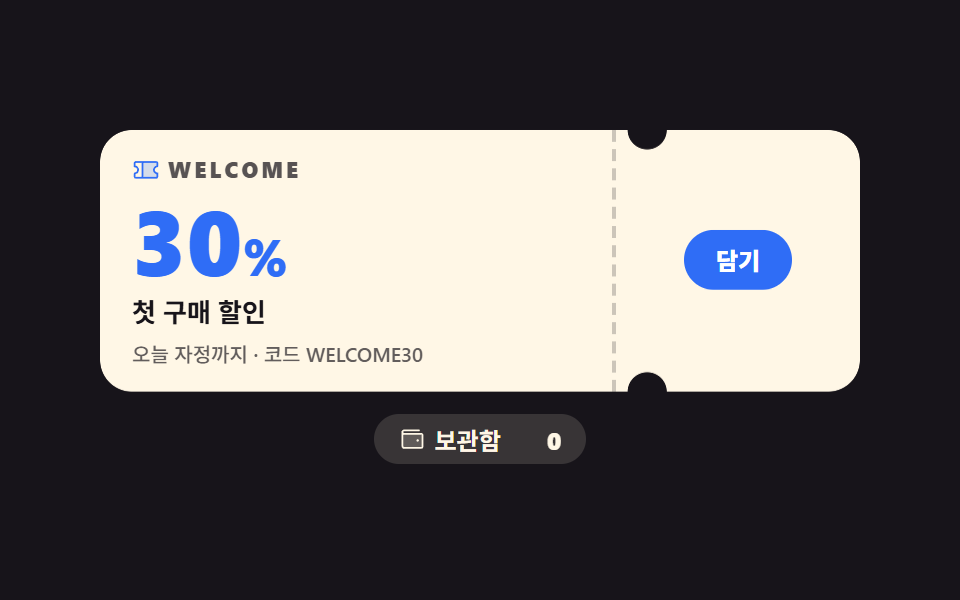 LPセクションクーポン デザイン 9選 — スタンプからルーレットまで
 LPセクションcss カード デザイン 9種 — 街・チーム・ショートカット
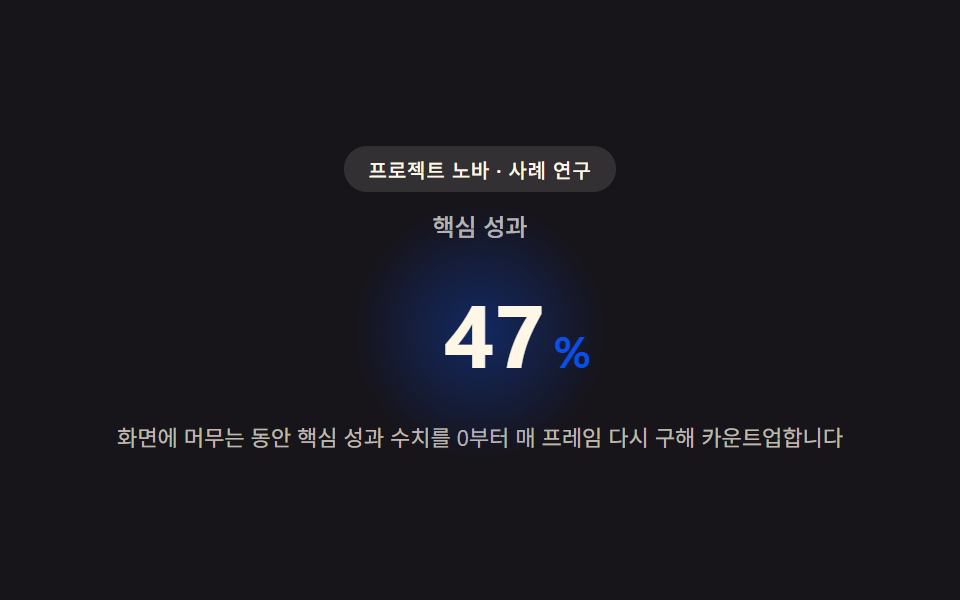 LPセクション導入事例 web デザイン9選 — 成果数値まで計算して見せる
 LPセクションファーストビュー アニメーション css 9選 — 統計カウンターまで
 LPセクションプロフィールカード デザイン 9選 — コピペOKのスタイル集
 LPセクションランディングページ 改善に直結するセクション9選
 LPセクションフッター デザイン コピペで終わるパターン9選
 LPセクションファーストビュー デザイン 9パターン、コピペで置ける