ログイン 画面 デザイン9選 — 会員登録からセッション切れまで
「ログイン 画面 デザイン」を探すと出てくる多くの参考画像は、色や余白を真似るだけの静止した見本です。ここで扱う9つの画面はその手前に計算の層を1枚重ねます。入力の完成度で進捗表示が求め直され、残り有効時間が毎秒求め直されてリングの角度になり、スクロール進捗が一定地点を超えて初めて同意チェックが開く、ログイン・会員登録
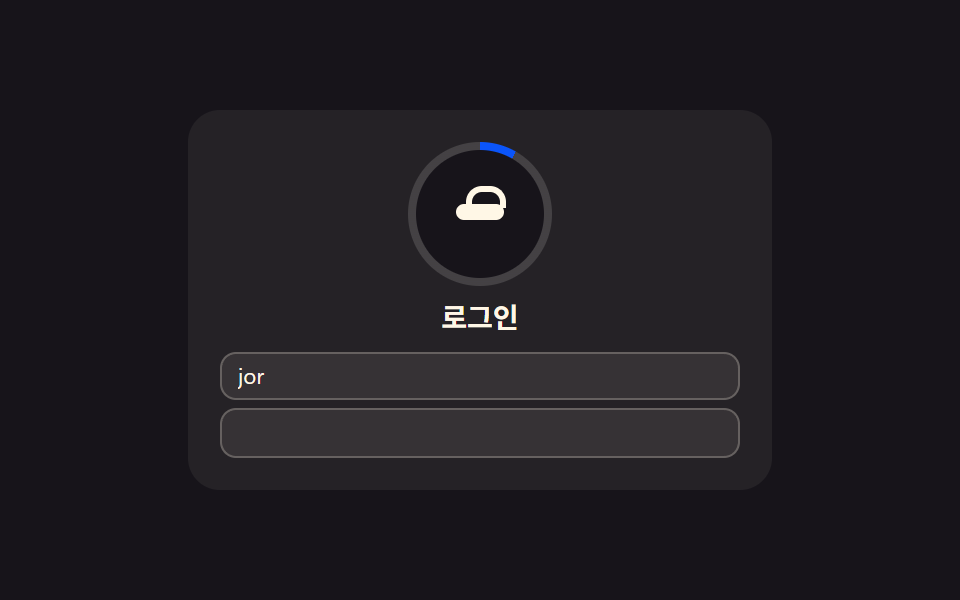 01 login-card
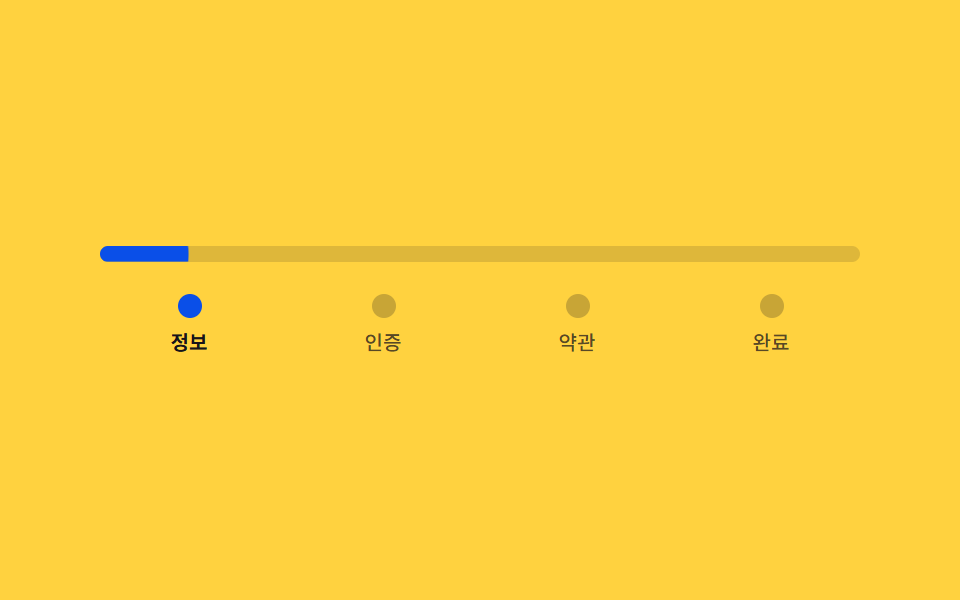 02 signup-steps
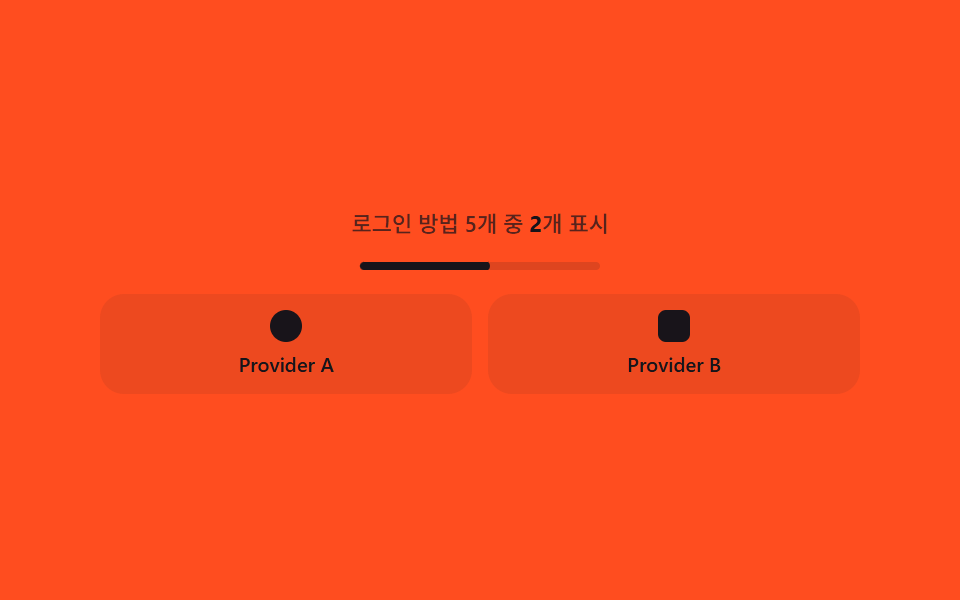 03 social-login
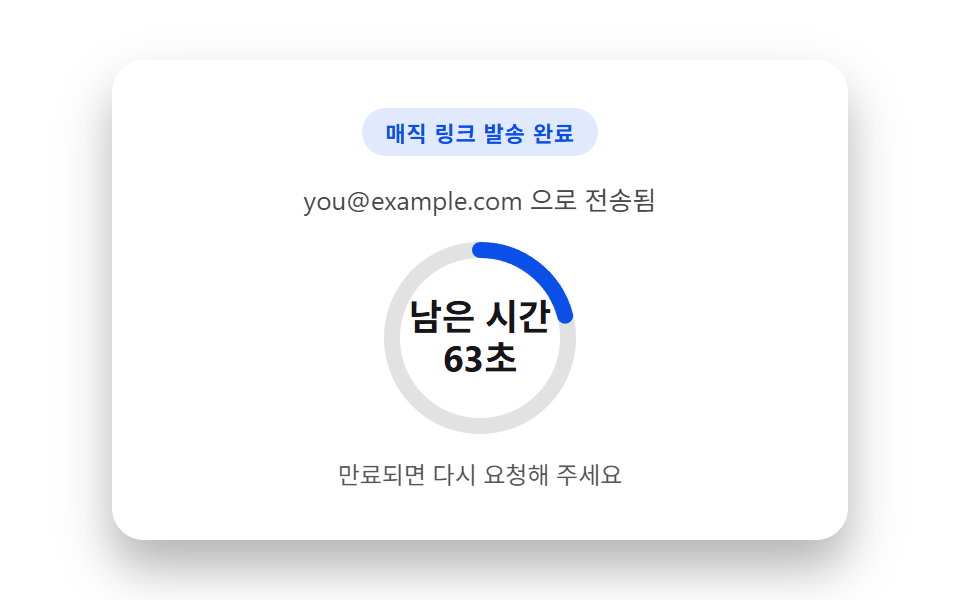 04 magic-link
 05 two-factor
 06 password-reset-request
 07 session-expired
 08 captcha-slot
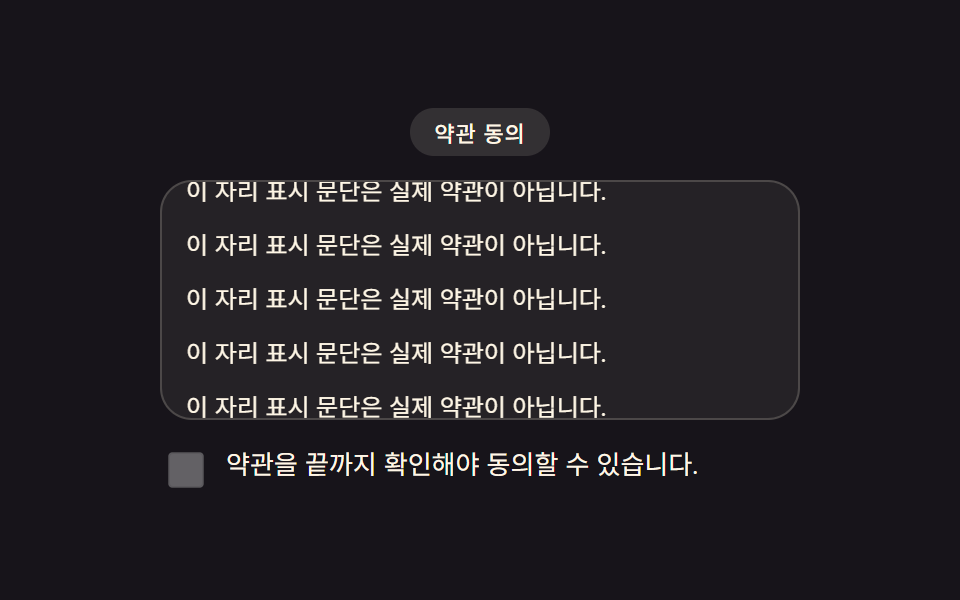 09 consent-checkbox
自動再生 · タイルを押すとその項目へ · すべて1つのzip
- 01 ログインカード — 入力の完成度を計算して進捗表示を満たすカード
- 02 会員登録ステップ — 進捗率を自分で割って求めバーの長さと色を決める段階フォーム
- 03 ソーシャルログイン — ボタン数から列数を求め直し常に均等に配置するグループ
- 04 マジックリンク — 残り有効時間を求め直しリングの弧の長さで示す送信完了カード
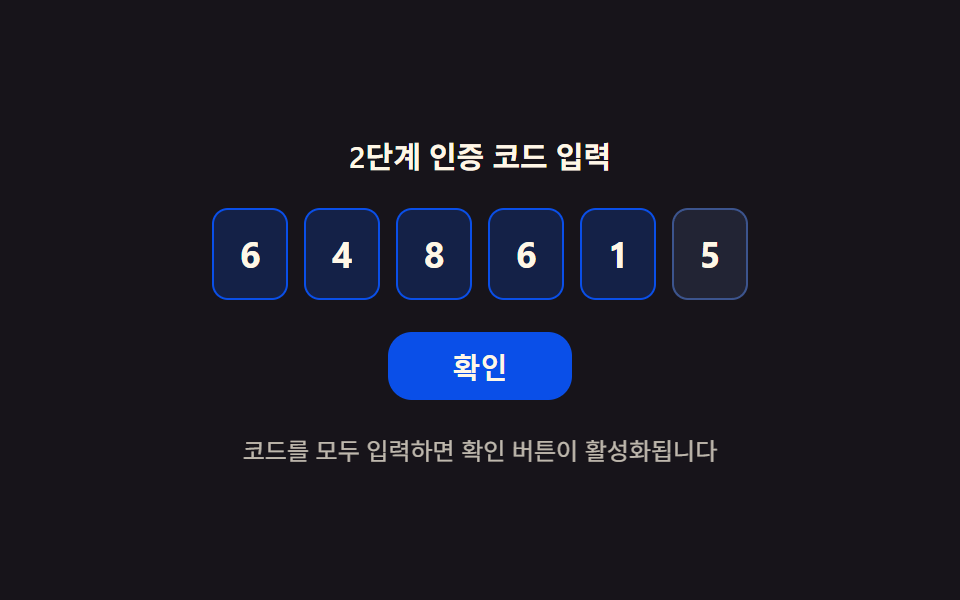
- 05 2段階認証 — 埋まった桁数の比率で確認ボタンの状態を決めるコード入力
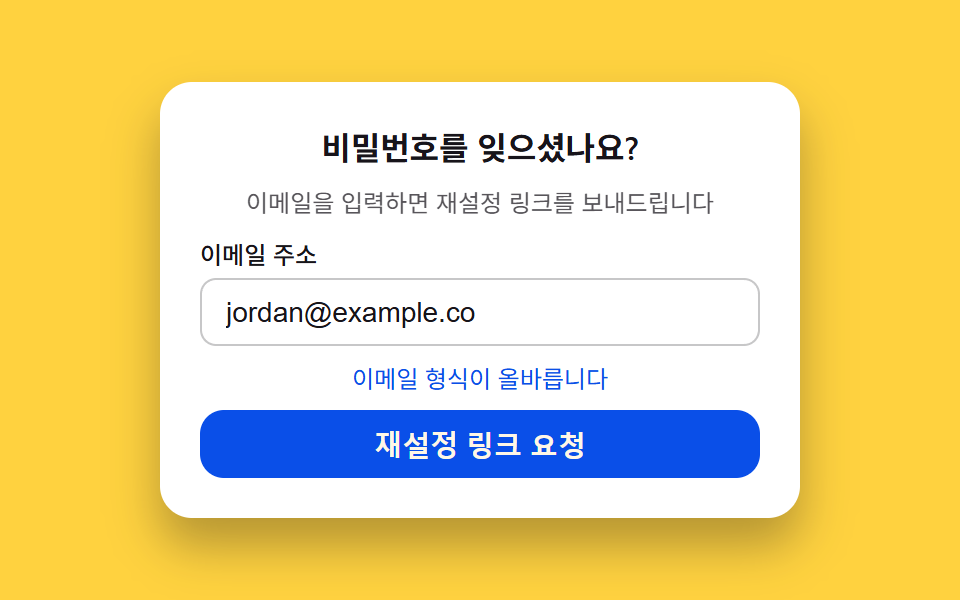
- 06 パスワード再設定リクエスト — メール形式のスコアを計算しボタン状態を決めるフォーム
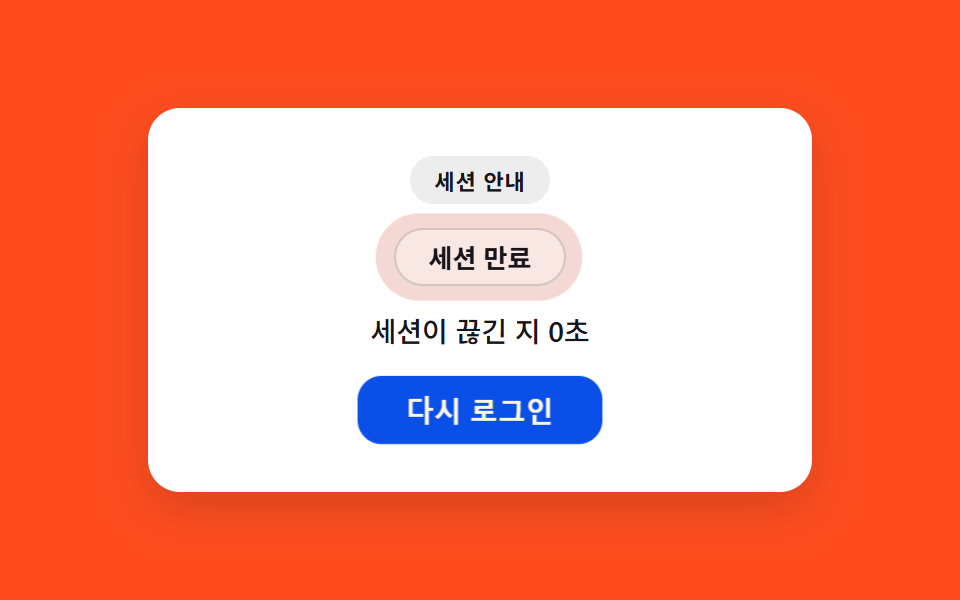
- 07 セッション期限切れ — 切れてから経過した時間で強調濃度を求め直す通知
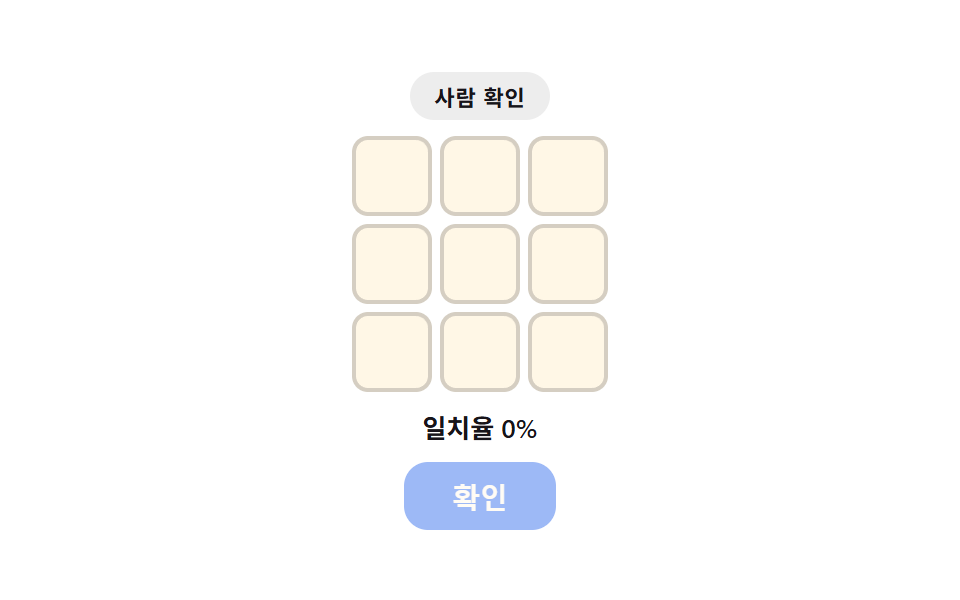
- 08 キャプチャ枠 — 選択の一致率を求め枠線の色とボタン状態を決める場所
- 09 同意チェックボックス — 規約のスクロール進捗を測り有効化の時点を決めるUI
デモ
9項目とも「見た目の演出ではなく、入力欄の完成度・ステップ進捗率・プロバイダー数・残り有効時間・桁の充填比率・メールの有効性スコア・経過時間・一致率・スクロール進捗という値を毎フレーム求め直して進捗リング・バーの長さ・列数・ゲージの角度・ボタン状態・バッジの色に反映する」という同じ前提を共有しています。実測値は次のとおりです。
| 番号 | 項目 | 累積面積 | 強度平均 | 動いたフレーム |
|---|---|---|---|---|
| 01 | ログインカード | 0.82% | 155.2 | 19/23 |
| 02 | 会員登録ステップ | 2.29% | 177.4 | 23/23 |
| 03 | ソーシャルログイン | 23.17% | 161.0 | 23/23 |
| 04 | マジックリンク | 2.65% | 153.0 | 23/23 |
| 05 | 2段階認証 | 9.23% | 49.4 | 22/23 |
| 06 | パスワード再設定リクエスト | 7.96% | 159.4 | 20/23 |
| 07 | セッション期限切れ | 4.85% | 31.8 | 23/23 |
| 08 | キャプチャ枠 | 4.77% | 71.6 | 7/23 |
| 09 | 同意チェックボックス | 15.53% | 144.1 | 23/23 |
03ソーシャルログインが累積面積23.17%で最も広いのは、プロバイダー数が切り替わるたびに列数を組み替えて予告バーまで一緒に動くためです。09同意チェックボックスの15.53%がそれに続きます。01ログインカード・02会員登録ステップ・04マジックリンクの面積が2%台と狭いのは、入力欄・進捗バー・リングのように構造上わずかな領域だけが変わるのが自然な値で、欠陥ではありません(コンポーネントの精巧さ基準)。08キャプチャ枠が7/23で最も動いたフレームが少ないのも、正解と関係のない自動選択の合間に待機区間が挟まる構造上の性質で、こちらも欠陥ではありません。強度平均は07セッション期限切れが31.8で最も落ち着いており(バッジの色が淡い色調の中だけで濃くなる)、02会員登録ステップが177.4で最も明るくなっています(太い進捗バーが濃い色ですばやく満ちる)。9項目とも下限に対して十分な余裕があります。実際のユーザー操作に反応するのは09同意チェックボックス(規約パネルの本物のscrollイベント)だけで、残り8項目はrequestAnimationFrameの自動再生だけで示されます。
ログイン・会員登録UIの解剖 — 9つの画面が計算するもの
「ログイン 画面 デザイン おしゃれ」で検索して出てくるもののほとんどは、色や角丸の見た目だけを整えた静的なカードです。ここで扱う9つの画面は、その手前に計算の層を1枚重ねます。入力欄の完成度・ステップ進捗率・プロバイダー数・残り有効時間・桁の充填比率・メールの有効性スコア・経過時間・一致率・スクロール進捗というデータを毎回読み直し、進捗リング・バーの長さ・列数・ゲージの角度・ボタン状態・バッジの色・有効化のタイミングに変換し直す設計です。
何が入力で何が出力か
入力は入力欄に埋まった文字数・現在のステップ番号・プロバイダーボタンの個数・送信からの経過ミリ秒・埋まった桁数・メールの文字構成・セッションが切れてからの経過時間・選択された枠の位置・スクロール量の9種類です。出力はCSS変数(--ratioや--colsなど)か、DOMに直接書き込む属性・テキストのどちらかで、レイアウトのキーフレーム自体は変えません。
なぜ一枚の層に計算をまとめるのか
完成比率の算出をあちこちに散らすと、定数を1つ変えるたびに複数箇所を直す必要が出ます。applyのような専用の関数に集めておけば、TYPE_MSやSTEP_TOTALのような定数を差し替えるだけで表示全体のつじつまが揃います。ログイン画面を自作するときも、同じように計算をひとつの層にまとめておくと後から値を調整しやすくなります。
画面別コード
「ログイン 画面 デザイン コピペ」で探して来た方は、まずこの9項目の実装から見ると早いです。実際のユーザー操作に反応するのは09同意チェックボックス(規約パネルのscrollイベント)だけで、残り8項目はrequestAnimationFrameによる固定周期(2000ms)の自動再生です。サンプルのメール・パスワードの長さ・ステップのラベル・プロバイダー数・正解マス・規約の文言は名前付きの定数で定義してあり、実際のメールアドレス・実際の電話番号・実際の認証サーバー・実際のソーシャルログインのブランドはどこにも入っていません。
01ログインカード — 入力の完成度を計算して進捗表示を満たすカード
メールとパスワードの欄が埋まった文字数をTYPE_MS70msごとに1文字ずつ増やして数え直し、emailCharsとpwCharsから完成比率を求めてカード枠のconic-gradient進捗表示(--ratio)に反映します。
<main class="stage">
<section class="card" id="card">
  <div class="ring" id="ring">
    <div class="ringHole"></div>
    <div class="avatar" aria-hidden="true">
      <span class="lockBody"></span>
      <span class="lockShackle"></span>
    </div>
  </div>
  <h2 class="title">ログイン</h2>
  <div class="fields">
    <label class="srOnly" for="loginEmail">メールアドレス</label>
    <input class="field" type="email" id="loginEmail" name="loginEmail" autocomplete="email" readonly value="" placeholder="[email protected]">
    <label class="srOnly" for="loginPw">パスワード</label>
    <input class="field" type="password" id="loginPw" name="loginPw" autocomplete="current-password" readonly value="">
  </div>
</section>
</main>
@use "../../../../site/static/demo-tokens" as *;
$duration: $dur-loop;
$easing: $ease-out;
$color: $subject-blue-deep;
@include stage($stage-ink);
.card {
position: relative;
width: 100%;
max-width: 260px;
display: flex;
flex-direction: column;
align-items: center;
gap: $sp-2;
padding: $sp-4;
border-radius: $r-card;
background: rgba($subject-cream, .06);
}
.ring {
--ratio: 0;
position: relative;
width: 72px;
height: 72px;
border-radius: $r-pill;
display: grid;
place-items: center;
}
.ring::before {
content: "";
position: absolute;
inset: 0;
border-radius: $r-pill;
background: conic-gradient($color calc(var(--ratio, 0) * 360deg), rgba($subject-cream, .14) 0);
animation: halo $duration $easing infinite;
}
.ringHole {
position: absolute;
inset: $sp-1;
border-radius: $r-pill;
background: $stage-ink;
}
.avatar {
position: relative;
z-index: 1;
width: 24px;
height: 18px;
}
.lockBody {
position: absolute;
left: 0;
top: $sp-1;
width: 24px;
height: $sp-2;
border-radius: $r-xs;
background: $subject-cream;
}
.lockShackle {
position: absolute;
left: calc(50% - 7px);
top: -5px;
width: 14px;
height: $sp-2;
border: 3px solid $subject-cream;
border-bottom: none;
border-radius: $r-sm $r-sm 0 0;
}
.title {
margin: 0;
color: $subject-cream;
font-family: -apple-system, "Segoe UI", "Noto Sans KR", sans-serif;
font-weight: 700;
font-size: 14px;
line-height: 1.2;
}
.fields {
width: 100%;
display: flex;
flex-direction: column;
gap: $sp-1;
}
// 시각적으로 숨기되 스크린리더·label-input 연결은 유지 (BD9 세로 높이 예산 확보)
.srOnly {
position: absolute;
width: 1px;
height: 1px;
margin: -1px;
padding: 0;
overflow: hidden;
clip: rect(0, 0, 0, 0);
white-space: nowrap;
border: 0;
}
.field {
width: 100%;
box-sizing: border-box;
padding: $sp-1 $sp-2;
border-radius: $r-sm;
border: 1px solid rgba($subject-cream, .24);
background: rgba($subject-cream, .08);
color: $subject-cream;
font-family: -apple-system, "Segoe UI", "Noto Sans KR", sans-serif;
font-weight: 400;
font-size: 11px;
line-height: 1.3;
}
.field::placeholder {
color: rgba($subject-cream, .72);
}
@keyframes halo {
0%, 100% { filter: brightness(1); }
50% { filter: brightness(1.16); }
}
@media (max-width: 340px) {
.card { max-width: 200px; padding: $sp-2; gap: $sp-1; }
.ring { width: 56px; height: 56px; }
.ringHole { inset: $sp-1; }
.avatar { width: 20px; height: 15px; }
.lockBody { width: 20px; }
.title { font-size: 12px; }
.field { font-size: 10px; padding: $sp-1; }
}
@media (prefers-reduced-motion: reduce) {
.ring::before { animation: none; }
}html, body {
margin: 0;
overflow: hidden;
}
.stage {
box-sizing: border-box;
min-height: 100vh;
display: grid;
place-items: center;
margin: 0;
background: #17141a;
font-family: -apple-system, "Segoe UI", "Noto Sans KR", sans-serif;
padding: clamp(8px, 4vw, 24px);
}
.card {
position: relative;
width: 100%;
max-width: 260px;
display: flex;
flex-direction: column;
align-items: center;
gap: 8px;
padding: 16px;
border-radius: 16px;
background: rgba(255, 247, 230, 0.06);
}
.ring {
--ratio: 0;
position: relative;
width: 72px;
height: 72px;
border-radius: 999px;
display: grid;
place-items: center;
}
.ring::before {
content: "";
position: absolute;
inset: 0;
border-radius: 999px;
background: conic-gradient(#0a4fe8 calc(var(--ratio, 0) * 360deg), rgba(255, 247, 230, 0.14) 0);
animation: halo 2s ease-out infinite;
}
.ringHole {
position: absolute;
inset: 4px;
border-radius: 999px;
background: #17141a;
}
.avatar {
position: relative;
z-index: 1;
width: 24px;
height: 18px;
}
.lockBody {
position: absolute;
left: 0;
top: 4px;
width: 24px;
height: 8px;
border-radius: 4px;
background: #fff7e6;
}
.lockShackle {
position: absolute;
left: calc(50% - 7px);
top: -5px;
width: 14px;
height: 8px;
border: 3px solid #fff7e6;
border-bottom: none;
border-radius: 8px 8px 0 0;
}
.title {
margin: 0;
color: #fff7e6;
font-family: -apple-system, "Segoe UI", "Noto Sans KR", sans-serif;
font-weight: 700;
font-size: 14px;
line-height: 1.2;
}
.fields {
width: 100%;
display: flex;
flex-direction: column;
gap: 4px;
}
.srOnly {
position: absolute;
width: 1px;
height: 1px;
margin: -1px;
padding: 0;
overflow: hidden;
clip: rect(0, 0, 0, 0);
white-space: nowrap;
border: 0;
}
.field {
width: 100%;
box-sizing: border-box;
padding: 4px 8px;
border-radius: 8px;
border: 1px solid rgba(255, 247, 230, 0.24);
background: rgba(255, 247, 230, 0.08);
color: #fff7e6;
font-family: -apple-system, "Segoe UI", "Noto Sans KR", sans-serif;
font-weight: 400;
font-size: 11px;
line-height: 1.3;
}
.field::placeholder {
color: rgba(255, 247, 230, 0.72);
}
@keyframes halo {
0%, 100% {
filter: brightness(1);
}
50% {
filter: brightness(1.16);
}
}
@media (max-width: 340px) {
.card {
max-width: 200px;
padding: 8px;
gap: 4px;
}
.ring {
width: 56px;
height: 56px;
}
.ringHole {
inset: 4px;
}
.avatar {
width: 20px;
height: 15px;
}
.lockBody {
width: 20px;
}
.title {
font-size: 12px;
}
.field {
font-size: 10px;
padding: 4px;
}
}
@media (prefers-reduced-motion: reduce) {
.ring::before {
animation: none;
}
}// ログイン 카드(01) — 가짜 メールアドレス·비밀번호를 시드 없이 고정 시나리오로 자동 타이핑하고,
// 채운 비율(メールアドレス 진행 + パスワード 진행의 평균)을 매 프레임 카드 진행 링(conic-gradient)에 반영한다.
// 실키·실서버 요청 없음 — 전부 클라이언트 시뮬레이션.
(function () {
var card = document.getElementById('card');
var ring = document.getElementById('ring');
var emailEl = document.getElementById('loginEmail');
var pwEl = document.getElementById('loginPw');
if (!card || !ring || !emailEl || !pwEl) return;
var reduce = window.matchMedia('(prefers-reduced-motion: reduce)').matches;
var SAMPLE_EMAIL = '[email protected]';
var EMAIL_LEN = SAMPLE_EMAIL.length;
var SAMPLE_PW_LEN = 10;
var PW_DOTS = '••••••••••';
var TYPE_MS = 70;
var CYCLE_MS = 2000;
  function frameFor(t) {
    var emailChars = Math.min(Math.max(Math.floor(t / TYPE_MS), 0), EMAIL_LEN);
    var pwStart = EMAIL_LEN * TYPE_MS;
    var pwChars = t > pwStart
      ? Math.min(Math.max(Math.floor((t - pwStart) / TYPE_MS), 0), SAMPLE_PW_LEN)
      : 0;
    return { emailChars: emailChars, pwChars: pwChars };
  }

  function apply(t) {
    var f = frameFor(t);
    emailEl.value = SAMPLE_EMAIL.slice(0, f.emailChars);
    pwEl.value = PW_DOTS.slice(0, f.pwChars);
    var ratio = ((f.emailChars / EMAIL_LEN) + (f.pwChars / SAMPLE_PW_LEN)) / 2;
    ring.style.setProperty('--ratio', ratio.toFixed(4));
  }
if (reduce) {
apply(CYCLE_MS);
return;
}
var start = null;
function loop(ts) {
if (start === null) start = ts;
var t = (ts - start) % CYCLE_MS;
apply(t);
requestAnimationFrame(loop);
}
requestAnimationFrame(loop);
})();import { useEffect, useRef } from "react";
import styles from "./LoginCard.module.scss";
// 로그인 카드 — 가짜 이메일·비밀번호를 고정 시나리오로 자동 타이핑하고
// 채운 비율을 카드 진행 링(conic-gradient)에 반영한다. 실키·실서버 요청 없음.
const SAMPLE_EMAIL = "[email protected]";
const EMAIL_LEN = SAMPLE_EMAIL.length;
const SAMPLE_PW_LEN = 10;
const PW_DOTS = "••••••••••";
const TYPE_MS = 70;
const CYCLE_MS = 2000;
export default function LoginCard() {
const ringRef = useRef<HTMLDivElement>(null);
const emailRef = useRef<HTMLInputElement>(null);
const pwRef = useRef<HTMLInputElement>(null);
useEffect(() => {
const ring = ringRef.current;
const emailEl = emailRef.current;
const pwEl = pwRef.current;
if (!ring || !emailEl || !pwEl) return;
const reduce = window.matchMedia("(prefers-reduced-motion: reduce)").matches;
function frameFor(t: number) {
const emailChars = Math.min(Math.max(Math.floor(t / TYPE_MS), 0), EMAIL_LEN);
const pwStart = EMAIL_LEN * TYPE_MS;
const pwChars = t > pwStart
? Math.min(Math.max(Math.floor((t - pwStart) / TYPE_MS), 0), SAMPLE_PW_LEN)
: 0;
return { emailChars, pwChars };
}
function apply(t: number) {
const f = frameFor(t);
emailEl!.value = SAMPLE_EMAIL.slice(0, f.emailChars);
pwEl!.value = PW_DOTS.slice(0, f.pwChars);
const ratio = (f.emailChars / EMAIL_LEN + f.pwChars / SAMPLE_PW_LEN) / 2;
ring!.style.setProperty("--ratio", ratio.toFixed(4));
}
if (reduce) {
apply(CYCLE_MS);
return;
}
let start: number | null = null;
let raf = 0;
function loop(ts: number) {
if (start === null) start = ts;
const t = (ts - start) % CYCLE_MS;
apply(t);
raf = requestAnimationFrame(loop);
}
raf = requestAnimationFrame(loop);
return () => cancelAnimationFrame(raf);
}, []);
return (
<div className={styles.stage}>
<section className={styles.card}>
<div className={styles.ring} ref={ringRef}>
<div className={styles.ringHole} />
<div className={styles.avatar} aria-hidden="true">
<span className={styles.lockBody} />
<span className={styles.lockShackle} />
</div>
</div>
<h2 className={styles.title}>로그인</h2>
<div className={styles.fields}>
<label className={styles.srOnly} htmlFor="loginEmail">이메일</label>
<input
className={styles.field}
type="email"
id="loginEmail"
name="loginEmail"
autoComplete="email"
readOnly
defaultValue=""
placeholder="[email protected]"
ref={emailRef}
/>
<label className={styles.srOnly} htmlFor="loginPw">비밀번호</label>
<input
className={styles.field}
type="password"
id="loginPw"
name="loginPw"
autoComplete="current-password"
readOnly
defaultValue=""
ref={pwRef}
/>
</div>
</section>
</div>
);
}01 · ログインカード — 入力の完成度を計算して進捗表示を満たすカード — 計測 累積面積 0.824% · 動いたフレーム 19/23GODRICH オリジナル · SCSS と React は zip に同梱 · パスワードを見る
frameForとapplyが完成比率をconic-gradientに変える
frameForは経過ミリ秒からメール欄・パスワード欄それぞれの埋まった文字数を求め、applyがその2つの平均をリングの--ratioにそのまま渡します。
function frameFor(t) {
var emailChars = Math.min(Math.max(Math.floor(t / TYPE_MS), 0), EMAIL_LEN);
var pwStart = EMAIL_LEN * TYPE_MS;
var pwChars = t > pwStart
? Math.min(Math.max(Math.floor((t - pwStart) / TYPE_MS), 0), SAMPLE_PW_LEN)
: 0;
return { emailChars: emailChars, pwChars: pwChars };
}
function apply(t) {
var f = frameFor(t);
emailEl.value = SAMPLE_EMAIL.slice(0, f.emailChars);
pwEl.value = PW_DOTS.slice(0, f.pwChars);
var ratio = ((f.emailChars / EMAIL_LEN) + (f.pwChars / SAMPLE_PW_LEN)) / 2;
ring.style.setProperty('--ratio', ratio.toFixed(4));
}
02会員登録ステップ — 進捗率を自分で割って求めバーの長さと色を決める段階フォーム
現在のステップ番号をSTEP_TOTAL4で割って進捗率を求めつつ、STEP_MS500msのステップ内で経過した割合(0〜1)を足して毎フレーム補間し、進捗バーの長さ(--ratio)とaria-valuenowを一緒に更新します。
<main class="stage">
<section class="wrap" id="wrap">
  <div class="track" id="track" role="progressbar" aria-valuemin="1" aria-valuemax="4" aria-valuenow="1" aria-label="登録の進行ステップ">
    <div class="bar" id="bar"></div>
  </div>
  <ol class="steps" id="steps">
    <li class="step is-active" id="step1"><span class="dot"></span><span class="label">情報</span></li>
    <li class="step" id="step2"><span class="dot"></span><span class="label">認証</span></li>
    <li class="step" id="step3"><span class="dot"></span><span class="label">規約</span></li>
    <li class="step" id="step4"><span class="dot"></span><span class="label">完了</span></li>
  </ol>
</section>
</main>
@use "../../../../site/static/demo-tokens" as *;
$duration: $dur-loop;
$easing: $ease-out;
$color: $subject-blue-deep;
@include stage($stage-yellow);
.wrap {
width: 100%;
max-width: 380px;
display: flex;
flex-direction: column;
align-items: stretch;
gap: $sp-4;
}
.track {
--ratio: .25;
position: relative;
width: 100%;
height: $sp-2;
border-radius: $r-pill;
background: rgba($subject-ink, .14);
overflow: hidden;
}
.bar {
position: absolute;
inset: 0;
border-radius: $r-pill;
background: $color;
transform: scaleX(var(--ratio, .25));
transform-origin: left;
animation: barGlow $duration $easing infinite;
}
.steps {
margin: 0;
padding: 0;
list-style: none;
display: flex;
justify-content: space-between;
gap: $sp-2;
}
.step {
display: flex;
flex-direction: column;
align-items: center;
gap: $sp-1;
flex: 1;
}
.dot {
width: $sp-3;
height: $sp-3;
border-radius: $r-pill;
background: rgba($subject-ink, .24);
}
.label {
color: rgba($subject-ink, .72);
font-family: -apple-system, "Segoe UI", "Noto Sans KR", sans-serif;
font-weight: 500;
font-size: 10px;
letter-spacing: .01em;
}
.step.is-active .dot {
background: $color;
}
.step.is-active .label {
color: $subject-ink;
font-weight: 700;
}
@keyframes barGlow {
0%, 100% { filter: brightness(1); }
50% { filter: brightness(1.14); }
}
@media (max-width: 340px) {
.wrap { max-width: 280px; gap: $sp-3; }
.label { font-size: 9px; }
.dot { width: $sp-2; height: $sp-2; }
}
@media (prefers-reduced-motion: reduce) {
.bar { animation: none; }
}html, body {
margin: 0;
overflow: hidden;
}
.stage {
box-sizing: border-box;
min-height: 100vh;
display: grid;
place-items: center;
margin: 0;
background: #ffd23f;
font-family: -apple-system, "Segoe UI", "Noto Sans KR", sans-serif;
padding: clamp(8px, 4vw, 24px);
}
.wrap {
width: 100%;
max-width: 380px;
display: flex;
flex-direction: column;
align-items: stretch;
gap: 16px;
}
.track {
--ratio: .25;
position: relative;
width: 100%;
height: 8px;
border-radius: 999px;
background: rgba(23, 20, 26, 0.14);
overflow: hidden;
}
.bar {
position: absolute;
inset: 0;
border-radius: 999px;
background: #0a4fe8;
transform: scaleX(var(--ratio, 0.25));
transform-origin: left;
animation: barGlow 2s ease-out infinite;
}
.steps {
margin: 0;
padding: 0;
list-style: none;
display: flex;
justify-content: space-between;
gap: 8px;
}
.step {
display: flex;
flex-direction: column;
align-items: center;
gap: 4px;
flex: 1;
}
.dot {
width: 12px;
height: 12px;
border-radius: 999px;
background: rgba(23, 20, 26, 0.24);
}
.label {
color: rgba(23, 20, 26, 0.72);
font-family: -apple-system, "Segoe UI", "Noto Sans KR", sans-serif;
font-weight: 500;
font-size: 10px;
letter-spacing: 0.01em;
}
.step.is-active .dot {
background: #0a4fe8;
}
.step.is-active .label {
color: #17141a;
font-weight: 700;
}
@keyframes barGlow {
0%, 100% {
filter: brightness(1);
}
50% {
filter: brightness(1.14);
}
}
@media (max-width: 340px) {
.wrap {
max-width: 280px;
gap: 12px;
}
.label {
font-size: 9px;
}
.dot {
width: 8px;
height: 8px;
}
}
@media (prefers-reduced-motion: reduce) {
.bar {
animation: none;
}
}// 회원가입 단계(02) — 4단계 진행률을 계산해 막대 길이(scaleX)로 표시한다.
// STEP_TOTAL*STEP_MS = 2000ms 로 캡처창과 정확히 일치시켜 4단계가 전부 보이게 한다.
(function () {
var track = document.getElementById('track');
var bar = document.getElementById('bar');
var stepIds = ['step1', 'step2', 'step3', 'step4'];
var steps = stepIds.map(function (id) { return document.getElementById(id); });
if (!track || !bar || steps.some(function (s) { return !s; })) return;
var reduce = window.matchMedia('(prefers-reduced-motion: reduce)').matches;
var STEP_TOTAL = 4;
var STEP_MS = 500;
var CYCLE_MS = STEP_TOTAL * STEP_MS;
function apply(t) {
var tt = t % CYCLE_MS;
var idx = Math.min(Math.max(Math.floor(tt / STEP_MS), 0), STEP_TOTAL - 1);
var current = idx + 1;
// 단계 경계는 정수(1~4)로 딱딱 끊어 aria·라벨에 반영하되, 막대 자체는 단계 안의 경과분(0~1)을
// 더해 매 프레임 조금씩 자라게 한다 — 계산 한 겹(보간)으로 실제 회원가입 진행바처럼 부드럽다.
var within = (tt % STEP_MS) / STEP_MS;
var ratio = (idx + within) / STEP_TOTAL;
track.style.setProperty('--ratio', ratio.toFixed(4));
track.setAttribute('aria-valuenow', String(current));
steps.forEach(function (el, i) {
if (i === idx) {
el.classList.add('is-active');
} else {
el.classList.remove('is-active');
}
});
}
if (reduce) {
apply(CYCLE_MS - 1);
return;
}
var start = null;
function loop(ts) {
if (start === null) start = ts;
apply(ts - start);
requestAnimationFrame(loop);
}
requestAnimationFrame(loop);
})();import { useEffect, useRef } from "react";
import styles from "./SignupSteps.module.scss";
// 회원가입 단계 — 4단계 진행률을 계산해 막대 길이(scaleX)로 표시한다.
// STEP_TOTAL*STEP_MS = 2000ms 로 캡처창과 정확히 일치시켜 4단계가 전부 보이게 한다.
const STEP_TOTAL = 4;
const STEP_MS = 500;
const CYCLE_MS = STEP_TOTAL * STEP_MS;
const STEP_LABELS = ["정보", "인증", "약관", "완료"];
export default function SignupSteps() {
const trackRef = useRef<HTMLDivElement>(null);
const stepRefs = [
useRef<HTMLLIElement>(null),
useRef<HTMLLIElement>(null),
useRef<HTMLLIElement>(null),
useRef<HTMLLIElement>(null),
];
useEffect(() => {
const track = trackRef.current;
const steps = stepRefs.map((r) => r.current);
if (!track || steps.some((s) => !s)) return;
const reduce = window.matchMedia("(prefers-reduced-motion: reduce)").matches;
function apply(t: number) {
const tt = t % CYCLE_MS;
const idx = Math.min(Math.max(Math.floor(tt / STEP_MS), 0), STEP_TOTAL - 1);
const current = idx + 1;
// 단계 경계는 정수(1~4)로 딱딱 끊어 aria·라벨에 반영하되, 막대 자체는 단계 안의
// 경과분(0~1)을 더해 매 프레임 조금씩 자라게 한다 — 계산 한 겹(보간).
const within = (tt % STEP_MS) / STEP_MS;
const ratio = (idx + within) / STEP_TOTAL;
track!.style.setProperty("--ratio", ratio.toFixed(4));
track!.setAttribute("aria-valuenow", String(current));
steps.forEach((el, i) => {
if (!el) return;
if (i === idx) {
el.classList.add(styles.isActive);
} else {
el.classList.remove(styles.isActive);
}
});
}
if (reduce) {
apply(CYCLE_MS - 1);
return;
}
let start: number | null = null;
let raf = 0;
function loop(ts: number) {
if (start === null) start = ts;
apply(ts - start);
raf = requestAnimationFrame(loop);
}
raf = requestAnimationFrame(loop);
return () => cancelAnimationFrame(raf);
}, []);
return (
<div className={styles.stage}>
<section className={styles.wrap}>
<div
className={styles.track}
ref={trackRef}
role="progressbar"
aria-valuemin={1}
aria-valuemax={4}
aria-valuenow={1}
aria-label="회원가입 진행 단계"
>
<div className={styles.bar} />
</div>
<ol className={styles.steps}>
{STEP_LABELS.map((label, i) => (
<li
className={`${styles.step} ${i === 0 ? styles.isActive : ""}`}
ref={stepRefs[i]}
key={label}
>
<span className={styles.dot} />
<span className={styles.label}>{label}</span>
</li>
))}
</ol>
</section>
</div>
);
}02 · 会員登録ステップ — 進捗率を自分で割って求めバーの長さと色を決める段階フォーム — 計測 累積面積 2.294% · 動いたフレーム 23/23GODRICH オリジナル · SCSS と React は zip に同梱 · パスワードを見る
STEP_TOTAL4とSTEP_MS500がバーの補間を作る
applyはステップの境界を整数(1〜4)のままaria-valuenowに渡す一方、バーの--ratioにはステップ内の経過分を足した小数を渡すため、段階が切り替わる瞬間だけ跳ねることがありません。
  function apply(t) {
    var tt = t % CYCLE_MS;
    var idx = Math.min(Math.max(Math.floor(tt / STEP_MS), 0), STEP_TOTAL - 1);
    var current = idx + 1;
    // ステップの境界は整数(1〜4)としてそのままaria・ラベルに反映しつつ、バーそのものは
    // ステップ内の経過分(0〜1)を加えて毎フレーム少しずつ伸ばす — 計算1枚(補間)で実際の
    // 会員登録プログレスバーのように滑らかになる。
    var within = (tt % STEP_MS) / STEP_MS;
    var ratio = (idx + within) / STEP_TOTAL;
    track.style.setProperty('--ratio', ratio.toFixed(4));
    track.setAttribute('aria-valuenow', String(current));
    steps.forEach(function (el, i) {
      if (i === idx) {
        el.classList.add('is-active');
      } else {
        el.classList.remove('is-active');
      }
    });
  }
03ソーシャルログイン — ボタン数から列数を求め直し常に均等に配置するグループ
COUNTS配列 [2, 3, 4, 5, 3] の値がプロバイダーボタンの個数になり、colsForがその個数から一行に並べる列数を求め直します。ブランドロゴは使わず、仮のプロバイダー名だけを表示します。
<main class="stage">
<section class="wrap" id="wrap">
  <p class="hint" id="hint">ログイン方法5個中 <span id="hintCount">2</span>個を表示中</p>
  <div class="tick" id="tick" aria-hidden="true"><div class="tickBar" id="tickBar"></div></div>
  <div class="row" id="row" style="--cols:2">
    <button type="button" class="btn" id="btn0">
      <span class="icon iconCircle" aria-hidden="true"></span>
      <span class="label">Provider A</span>
    </button>
    <button type="button" class="btn" id="btn1">
      <span class="icon iconSquare" aria-hidden="true"></span>
      <span class="label">Provider B</span>
    </button>
    <button type="button" class="btn is-hidden" id="btn2">
      <span class="icon iconTriangle" aria-hidden="true"></span>
      <span class="label">Provider C</span>
    </button>
    <button type="button" class="btn is-hidden" id="btn3">
      <span class="icon iconDiamond" aria-hidden="true"></span>
      <span class="label">Provider D</span>
    </button>
    <button type="button" class="btn is-hidden" id="btn4">
      <span class="icon iconStar" aria-hidden="true"></span>
      <span class="label">Provider E</span>
    </button>
  </div>
</section>
</main>@use "../../../../site/static/demo-tokens" as *;
$duration: $dur-loop;
$easing: $ease-out;
$color: $subject-ink;
@include stage($stage-orange);
.wrap {
width: 100%;
max-width: 380px;
display: flex;
flex-direction: column;
align-items: center;
gap: $sp-3;
text-align: center;
}
.hint {
margin: 0;
color: rgba($subject-ink, .72);
font-family: -apple-system, "Segoe UI", "Noto Sans KR", sans-serif;
font-weight: 500;
font-size: 11px;
}
.hint span {
color: $subject-ink;
font-weight: 700;
}
.tick {
width: 100%;
max-width: 120px;
height: $sp-1;
border-radius: $r-pill;
background: rgba($subject-ink, .14);
overflow: hidden;
}
.tickBar {
--within: 0;
width: 100%;
height: 100%;
border-radius: $r-pill;
background: $subject-ink;
transform: scaleX(var(--within, 0));
transform-origin: left;
}
.row {
--cols: 2;
width: 100%;
display: grid;
grid-template-columns: repeat(var(--cols), 1fr);
gap: $sp-2;
}
.btn {
display: flex;
flex-direction: column;
align-items: center;
justify-content: center;
gap: $sp-1;
padding: $sp-2 $sp-1;
border: 0;
border-radius: $r-control;
background: rgba($subject-ink, .08);
cursor: default;
}
.btn.is-hidden {
display: none;
}
.icon {
width: $sp-4;
height: $sp-4;
animation: iconPulse $duration $easing infinite;
}
.iconCircle {
border-radius: $r-pill;
background: $subject-ink;
}
.iconSquare {
border-radius: $r-xs;
background: $subject-ink;
}
.iconTriangle {
width: 0;
height: 0;
border-left: $sp-2 solid transparent;
border-right: $sp-2 solid transparent;
border-bottom: $sp-4 solid $subject-ink;
}
.iconDiamond {
background: $subject-ink;
border-radius: $r-xs;
transform: rotate(45deg);
}
.iconStar {
background: $subject-ink;
clip-path: polygon(50% 0%, 61% 35%, 98% 35%, 68% 57%, 79% 91%, 50% 70%, 21% 91%, 32% 57%, 2% 35%, 39% 35%);
}
.label {
color: $subject-ink;
font-family: -apple-system, "Segoe UI", "Noto Sans KR", sans-serif;
font-weight: 500;
font-size: 10px;
}
@keyframes iconPulse {
0%, 100% { opacity: .82; }
50% { opacity: 1; }
}
@media (max-width: 340px) {
.wrap { max-width: 280px; }
.label { font-size: 9px; }
.btn { padding: $sp-1; }
}
@media (prefers-reduced-motion: reduce) {
.icon { animation: none; }
}html, body {
margin: 0;
overflow: hidden;
}
.stage {
box-sizing: border-box;
min-height: 100vh;
display: grid;
place-items: center;
margin: 0;
background: #ff4d1f;
font-family: -apple-system, "Segoe UI", "Noto Sans KR", sans-serif;
padding: clamp(8px, 4vw, 24px);
}
.wrap {
width: 100%;
max-width: 380px;
display: flex;
flex-direction: column;
align-items: center;
gap: 12px;
text-align: center;
}
.hint {
margin: 0;
color: rgba(23, 20, 26, 0.72);
font-family: -apple-system, "Segoe UI", "Noto Sans KR", sans-serif;
font-weight: 500;
font-size: 11px;
}
.hint span {
color: #17141a;
font-weight: 700;
}
.tick {
width: 100%;
max-width: 120px;
height: 4px;
border-radius: 999px;
background: rgba(23, 20, 26, 0.14);
overflow: hidden;
}
.tickBar {
--within: 0;
width: 100%;
height: 100%;
border-radius: 999px;
background: #17141a;
transform: scaleX(var(--within, 0));
transform-origin: left;
}
.row {
--cols: 2;
width: 100%;
display: grid;
grid-template-columns: repeat(var(--cols), 1fr);
gap: 8px;
}
.btn {
display: flex;
flex-direction: column;
align-items: center;
justify-content: center;
gap: 4px;
padding: 8px 4px;
border: 0;
border-radius: 12px;
background: rgba(23, 20, 26, 0.08);
cursor: default;
}
.btn.is-hidden {
display: none;
}
.icon {
width: 16px;
height: 16px;
animation: iconPulse 2s ease-out infinite;
}
.iconCircle {
border-radius: 999px;
background: #17141a;
}
.iconSquare {
border-radius: 4px;
background: #17141a;
}
.iconTriangle {
width: 0;
height: 0;
border-left: 8px solid transparent;
border-right: 8px solid transparent;
border-bottom: 16px solid #17141a;
}
.iconDiamond {
background: #17141a;
border-radius: 4px;
transform: rotate(45deg);
}
.iconStar {
background: #17141a;
clip-path: polygon(50% 0%, 61% 35%, 98% 35%, 68% 57%, 79% 91%, 50% 70%, 21% 91%, 32% 57%, 2% 35%, 39% 35%);
}
.label {
color: #17141a;
font-family: -apple-system, "Segoe UI", "Noto Sans KR", sans-serif;
font-weight: 500;
font-size: 10px;
}
@keyframes iconPulse {
0%, 100% {
opacity: 0.82;
}
50% {
opacity: 1;
}
}
@media (max-width: 340px) {
.wrap {
max-width: 280px;
}
.label {
font-size: 9px;
}
.btn {
padding: 4px;
}
}
@media (prefers-reduced-motion: reduce) {
.icon {
animation: none;
}
}// 소셜 ログイン(03) — 제공자 개수가 시나리오에 따라 바뀔 때 그리드 열 수를 재계산한다.
// 브랜드 로고·브랜드명 없이 순수 CSS 도형 아이콘 + 가상명("Provider A" 류)만 사용.
(function () {
var row = document.getElementById('row');
var hintCount = document.getElementById('hintCount');
var tickBar = document.getElementById('tickBar');
var btnIds = ['btn0', 'btn1', 'btn2', 'btn3', 'btn4'];
var btns = btnIds.map(function (id) { return document.getElementById(id); });
if (!row || !hintCount || !tickBar || btns.some(function (b) { return !b; })) return;
var reduce = window.matchMedia('(prefers-reduced-motion: reduce)').matches;
var COUNTS = [2, 3, 4, 5, 3];
var STEP_MS = 400;
var CYCLE_MS = COUNTS.length * STEP_MS;
function colsFor(n) {
return n <= 3 ? n : Math.ceil(n / 2);
}
function apply(t) {
var tt = t % CYCLE_MS;
var idx = Math.min(Math.max(Math.floor(tt / STEP_MS), 0), COUNTS.length - 1);
var n = COUNTS[idx];
var cols = colsFor(n);
row.style.setProperty('--cols', String(cols));
hintCount.textContent = String(n);
btns.forEach(function (btn, i) {
if (i < n) {
btn.classList.remove('is-hidden');
} else {
btn.classList.add('is-hidden');
}
});
// 다음 개수 전환까지 남은 구간을 매 프레임 다시 계산해 가는 줄(계산 한 겹) —
// 그리드 재배치가 갑자기 튀지 않고 다음 변화가 다가옴을 예고한다.
var within = (tt % STEP_MS) / STEP_MS;
tickBar.style.setProperty('--within', within.toFixed(4));
}
if (reduce) {
apply(0);
return;
}
var start = null;
function loop(ts) {
if (start === null) start = ts;
apply(ts - start);
requestAnimationFrame(loop);
}
requestAnimationFrame(loop);
})();import { useEffect, useRef } from "react";
import styles from "./SocialLogin.module.scss";
// 소셜 로그인 — 제공자 개수가 시나리오에 따라 바뀔 때 그리드 열 수를 재계산한다.
// 브랜드 로고·브랜드명 없이 순수 CSS 도형 아이콘 + 가상명("Provider A" 류)만 사용.
const COUNTS = [2, 3, 4, 5, 3];
const STEP_MS = 400;
const CYCLE_MS = COUNTS.length * STEP_MS;
const PROVIDERS = [
{ id: "btn0", icon: "iconCircle", label: "Provider A" },
{ id: "btn1", icon: "iconSquare", label: "Provider B" },
{ id: "btn2", icon: "iconTriangle", label: "Provider C" },
{ id: "btn3", icon: "iconDiamond", label: "Provider D" },
{ id: "btn4", icon: "iconStar", label: "Provider E" },
] as const;
function colsFor(n: number) {
return n <= 3 ? n : Math.ceil(n / 2);
}
export default function SocialLogin() {
const rowRef = useRef<HTMLDivElement>(null);
const hintCountRef = useRef<HTMLSpanElement>(null);
const tickBarRef = useRef<HTMLDivElement>(null);
const btnRefs = [
useRef<HTMLButtonElement>(null),
useRef<HTMLButtonElement>(null),
useRef<HTMLButtonElement>(null),
useRef<HTMLButtonElement>(null),
useRef<HTMLButtonElement>(null),
];
useEffect(() => {
const row = rowRef.current;
const hintCount = hintCountRef.current;
const tickBar = tickBarRef.current;
const btns = btnRefs.map((r) => r.current);
if (!row || !hintCount || !tickBar || btns.some((b) => !b)) return;
const reduce = window.matchMedia("(prefers-reduced-motion: reduce)").matches;
function apply(t: number) {
const tt = t % CYCLE_MS;
const idx = Math.min(Math.max(Math.floor(tt / STEP_MS), 0), COUNTS.length - 1);
const n = COUNTS[idx];
const cols = colsFor(n);
row!.style.setProperty("--cols", String(cols));
hintCount!.textContent = String(n);
btns.forEach((btn, i) => {
if (!btn) return;
if (i < n) {
btn.classList.remove(styles.isHidden);
} else {
btn.classList.add(styles.isHidden);
}
});
// 다음 개수 전환까지 남은 구간을 매 프레임 다시 계산해 가는 줄(계산 한 겹) —
// 그리드 재배치가 갑자기 튀지 않고 다음 변화가 다가옴을 예고한다.
const within = (tt % STEP_MS) / STEP_MS;
tickBar!.style.setProperty("--within", within.toFixed(4));
}
if (reduce) {
apply(0);
return;
}
let start: number | null = null;
let raf = 0;
function loop(ts: number) {
if (start === null) start = ts;
apply(ts - start);
raf = requestAnimationFrame(loop);
}
raf = requestAnimationFrame(loop);
return () => cancelAnimationFrame(raf);
// eslint-disable-next-line react-hooks/exhaustive-deps
}, []);
return (
<div className={styles.stage}>
<section className={styles.wrap}>
<p className={styles.hint}>
로그인 방법 5개 중 <span ref={hintCountRef}>2</span>개 표시
</p>
<div className={styles.tick} aria-hidden="true">
<div className={styles.tickBar} ref={tickBarRef} />
</div>
<div className={styles.row} ref={rowRef}>
{PROVIDERS.map((p, i) => (
<button
type="button"
className={i >= 2 ? `${styles.btn} ${styles.isHidden}` : styles.btn}
ref={btnRefs[i]}
key={p.id}
>
<span className={`${styles.icon} ${styles[p.icon]}`} aria-hidden="true" />
<span className={styles.label}>{p.label}</span>
</button>
))}
</div>
</section>
</div>
);
}03 · ソーシャルログイン — ボタン数から列数を求め直し常に均等に配置するグループ — 計測 累積面積 23.165% · 動いたフレーム 23/23GODRICH オリジナル · SCSS と React は zip に同梱 · パスワードを見る
colsForが個数から列数を求め直す
n<=3のときはそのまま列数にし、それを超えるとMath.ceil(n/2)で列数を求め直すため、ボタンが増減してもレイアウトが崩れません。
  function colsFor(n) {
    return n <= 3 ? n : Math.ceil(n / 2);
  }

  function apply(t) {
    var tt = t % CYCLE_MS;
    var idx = Math.min(Math.max(Math.floor(tt / STEP_MS), 0), COUNTS.length - 1);
    var n = COUNTS[idx];
    var cols = colsFor(n);
    row.style.setProperty('--cols', String(cols));
    hintCount.textContent = String(n);
    btns.forEach(function (btn, i) {
      if (i < n) {
        btn.classList.remove('is-hidden');
      } else {
        btn.classList.add('is-hidden');
      }
    });
    // 次の個数切り替えまでの残り区間を毎フレーム求め直すバー(計算1枚) —
    // グリッドの再配置が急に跳ばず、次の変化が近いことを予告する。
    var within = (tt % STEP_MS) / STEP_MS;
    tickBar.style.setProperty('--within', within.toFixed(4));
  }
04マジックリンク — 残り有効時間を求め直しリングの弧の長さで示す送信完了カード
送信後の残り有効時間の比率を毎フレーム最初から求め直し(値を積み上げません)、円周CIRCUMFERENCE276.46をVALID_SEC300秒に対する比率で逆算してstrokeDashoffsetに渡し、ドーナツ型リングを満たします。
<main class="stage">
<section class="card">
  <p class="eyebrow">マジックリンク送信完了</p>
  <p class="recipient">[email protected] に送信済み</p>
  <div class="ringWrap">
    <svg class="ringSvg" viewBox="0 0 96 96" aria-hidden="true">
      <circle class="ringTrack" cx="48" cy="48" r="44"></circle>
      <circle class="ringProgress" id="magicRing" cx="48" cy="48" r="44" stroke-dasharray="276.46" stroke-dashoffset="0"></circle>
    </svg>
    <p class="time" id="magicTime">残り時間 300秒</p>
  </div>
  <p class="hint">期限切れの場合は再度リクエストしてください</p>
</section>
</main>
@use "../../../../site/static/demo-tokens" as *;
$duration: $dur-loop;
$easing: $ease-out;
$color: $subject-blue-deep;
@include stage($stage-paper);
.card {
position: relative;
width: 100%;
max-width: 320px;
display: flex;
flex-direction: column;
align-items: center;
gap: $sp-3;
text-align: center;
padding: $sp-6;
border-radius: $r-card;
background: $stage-paper;
box-shadow: $shadow-raised;
}
.eyebrow {
margin: 0;
padding: $sp-1 $sp-3;
border-radius: $r-pill;
background: rgba($color, .12);
color: $color;
font-weight: 600;
font-size: 11px;
letter-spacing: .04em;
}
.recipient {
margin: 0;
color: $subject-ink;
font-weight: 400;
font-size: 13px;
opacity: .78;
}
.ringWrap {
position: relative;
width: 96px;
height: 96px;
display: grid;
place-items: center;
}
.ringSvg {
width: 96px;
height: 96px;
// 12시 방향에서 시작하도록 회전한다 — scale 이 아니라 rotate 라 transform-origin 기본(center)으로 충분
transform: rotate(-90deg);
}
.ringTrack {
fill: none;
stroke: rgba($subject-ink, .12);
stroke-width: 8px;
}
.ringProgress {
fill: none;
stroke: $color;
stroke-width: 8px;
stroke-linecap: round;
}
.time {
position: absolute;
inset: 0;
display: grid;
place-items: center;
margin: 0;
color: $subject-ink;
font-weight: 700;
font-size: 18px;
line-height: 1.2;
}
.hint {
margin: 0;
color: $subject-ink;
opacity: .72;
font-weight: 400;
font-size: 12px;
line-height: 1.4;
}
@media (max-width: 340px) {
.card { max-width: 240px; padding: $sp-3; gap: $sp-1; }
.eyebrow { font-size: 10px; padding: $sp-1 $sp-2; }
.recipient { font-size: 11px; }
.ringWrap, .ringSvg { width: 64px; height: 64px; }
.ringTrack, .ringProgress { stroke-width: 6px; }
.time { font-size: 12px; }
.hint { font-size: 10px; }
}
@media (prefers-reduced-motion: reduce) {
.ringProgress { transition: none; }
}html, body {
margin: 0;
overflow: hidden;
}
.stage {
box-sizing: border-box;
min-height: 100vh;
display: grid;
place-items: center;
margin: 0;
background: #ffffff;
font-family: -apple-system, "Segoe UI", "Noto Sans KR", sans-serif;
padding: clamp(8px, 4vw, 24px);
}
.card {
position: relative;
width: 100%;
max-width: 320px;
display: flex;
flex-direction: column;
align-items: center;
gap: 12px;
text-align: center;
padding: 24px;
border-radius: 16px;
background: #ffffff;
box-shadow: 0 14px 24px rgba(23, 20, 26, 0.32);
}
.eyebrow {
margin: 0;
padding: 4px 12px;
border-radius: 999px;
background: rgba(10, 79, 232, 0.12);
color: #0a4fe8;
font-weight: 600;
font-size: 11px;
letter-spacing: 0.04em;
}
.recipient {
margin: 0;
color: #17141a;
font-weight: 400;
font-size: 13px;
opacity: 0.78;
}
.ringWrap {
position: relative;
width: 96px;
height: 96px;
display: grid;
place-items: center;
}
.ringSvg {
width: 96px;
height: 96px;
transform: rotate(-90deg);
}
.ringTrack {
fill: none;
stroke: rgba(23, 20, 26, 0.12);
stroke-width: 8px;
}
.ringProgress {
fill: none;
stroke: #0a4fe8;
stroke-width: 8px;
stroke-linecap: round;
}
.time {
position: absolute;
inset: 0;
display: grid;
place-items: center;
margin: 0;
color: #17141a;
font-weight: 700;
font-size: 18px;
line-height: 1.2;
}
.hint {
margin: 0;
color: #17141a;
opacity: 0.72;
font-weight: 400;
font-size: 12px;
line-height: 1.4;
}
@media (max-width: 340px) {
.card {
max-width: 240px;
padding: 12px;
gap: 4px;
}
.eyebrow {
font-size: 10px;
padding: 4px 8px;
}
.recipient {
font-size: 11px;
}
.ringWrap, .ringSvg {
width: 64px;
height: 64px;
}
.ringTrack, .ringProgress {
stroke-width: 6px;
}
.time {
font-size: 12px;
}
.hint {
font-size: 10px;
}
}
@media (prefers-reduced-motion: reduce) {
.ringProgress {
transition: none;
}
}// 매직 링크(04) — 발송 시각으로부터 남은 유효시간을 매 프레임 새로 구해(누적하지 않음)
// 그 비율만큼 SVG 링의 stroke-dashoffset 을 다시 그린다. CSS keyframes 없이 rAF 로만 진행해
// 캡처 창(2秒) 전체가 실제 경과 시간대로 기록되게 한다.
(function () {
var ring = document.getElementById('magicRing');
var timeText = document.getElementById('magicTime');
if (!ring || !timeText) return;
var reduce = window.matchMedia('(prefers-reduced-motion: reduce)').matches;
var VALID_SEC = 300; // 변형: 300 → 900
var CIRCUMFERENCE = 276.46;
var CYCLE_MS = 2000;
function ratio(t) {
return 1 - Math.min(Math.max(t / CYCLE_MS, 0), 1);
}
function apply(t) {
var r = ratio(t);
var remainingDisplaySec = Math.ceil(r * VALID_SEC);
ring.style.strokeDashoffset = String(CIRCUMFERENCE * (1 - r));
timeText.textContent = '残り時間' + ' ' + remainingDisplaySec + '秒';
}
var start = null;
function frame(ts) {
if (start === null) start = ts;
var t = (ts - start) % CYCLE_MS;
apply(t);
requestAnimationFrame(frame);
}
if (reduce) {
apply(0);
} else {
requestAnimationFrame(frame);
}
})();import { useEffect, useRef } from "react";
import styles from "./MagicLink.module.scss";
// 매직 링크(04) — 발송 시각으로부터 남은 유효시간을 매 프레임 새로 구해(누적하지 않음)
// 그 비율만큼 SVG 링의 stroke-dashoffset 을 다시 그린다. CSS keyframes 없이 rAF 로만 진행한다.
const VALID_SEC = 300; // 변형: 300 → 900
const CIRCUMFERENCE = 276.46;
const CYCLE_MS = 2000;
function ratio(t: number): number {
return 1 - Math.min(Math.max(t / CYCLE_MS, 0), 1);
}
export default function MagicLink() {
const ringRef = useRef<SVGCircleElement>(null);
const timeRef = useRef<HTMLParagraphElement>(null);
useEffect(() => {
const ring = ringRef.current;
const timeText = timeRef.current;
if (!ring || !timeText) return;
const reduce = window.matchMedia("(prefers-reduced-motion: reduce)").matches;
function apply(t: number) {
const r = ratio(t);
const remainingDisplaySec = Math.ceil(r * VALID_SEC);
if (ring) ring.style.strokeDashoffset = String(CIRCUMFERENCE * (1 - r));
if (timeText) timeText.textContent = "남은 시간" + " " + remainingDisplaySec + "초";
}
let start: number | null = null;
let raf = 0;
function frame(ts: number) {
if (start === null) start = ts;
const t = (ts - start) % CYCLE_MS;
apply(t);
raf = requestAnimationFrame(frame);
}
if (reduce) {
apply(0);
} else {
raf = requestAnimationFrame(frame);
}
return () => {
if (raf) cancelAnimationFrame(raf);
};
}, []);
return (
<main className={styles.stage}>
<section className={styles.card}>
<p className={styles.eyebrow}>매직 링크 발송 완료</p>
<p className={styles.recipient}>[email protected] 으로 전송됨</p>
<div className={styles.ringWrap}>
<svg className={styles.ringSvg} viewBox="0 0 96 96" aria-hidden="true">
<circle className={styles.ringTrack} cx={48} cy={48} r={44} />
<circle
ref={ringRef}
className={styles.ringProgress}
cx={48}
cy={48}
r={44}
strokeDasharray={276.46}
strokeDashoffset={0}
/>
</svg>
<p className={styles.time} ref={timeRef}>
남은 시간 300초
</p>
</div>
<p className={styles.hint}>만료되면 다시 요청해 주세요</p>
</section>
</main>
);
}04 · マジックリンク — 残り有効時間を求め直しリングの弧の長さで示す送信完了カード — 計測 累積面積 2.65% · 動いたフレーム 23/23GODRICH オリジナル · SCSS と React は zip に同梱 · パスワードを見る
VALID_SEC300とCIRCUMFERENCE276.46が弧の長さを逆算する
ratioは経過ミリ秒をCYCLE_MSで割った残り比率を返すだけで、applyがその比率を秒数表示とstrokeDashoffsetの両方に変換します。
  var VALID_SEC = 300; // バリエーション: 300 → 900
  var CIRCUMFERENCE = 276.46;
  var CYCLE_MS = 2000;

  function ratio(t) {
    return 1 - Math.min(Math.max(t / CYCLE_MS, 0), 1);
  }

  function apply(t) {
    var r = ratio(t);
    var remainingDisplaySec = Math.ceil(r * VALID_SEC);
    ring.style.strokeDashoffset = String(CIRCUMFERENCE * (1 - r));
    timeText.textContent = '残り時間' + ' ' + remainingDisplaySec + '秒';
  }
052段階認証 — 埋まった桁数の比率で確認ボタンの状態を決めるコード入力
DIGITS6桁のうち埋まっている桁数をDIGIT_MS250msごとに数え直して充填比率を求め、その比率が100%に達して初めて確認ボタンの不透明度と押せる状態が一緒に変わります。表示コードはシードを固定した疑似乱数mulberry32(42)で作った仮の値です。
<main class="stage">
<section class="panel">
  <p class="title" id="tfaTitle">2段階認証コードを入力</p>
  <div class="digitGroup" role="group" aria-labelledby="tfaTitle">
    <span class="digitBox" data-index="0"></span>
    <span class="digitBox" data-index="1"></span>
    <span class="digitBox" data-index="2"></span>
    <span class="digitBox" data-index="3"></span>
    <span class="digitBox" data-index="4"></span>
    <span class="digitBox" data-index="5"></span>
  </div>
  <label class="srOnly" for="otpProxy">認証コード6桁</label>
  <input class="srOnly" type="text" id="otpProxy" inputmode="numeric" autocomplete="one-time-code" tabindex="-1" value="">
  <button class="submit" type="button" id="confirmBtn" disabled aria-disabled="true">確認</button>
  <p class="hint">コードをすべて入力すると確認ボタンが有効になります</p>
</section>
</main>
@use "../../../../site/static/demo-tokens" as *;
$duration: $dur-loop;
$easing: $ease-out;
$color: $subject-blue-deep;
@include stage($stage-ink);
.panel {
width: 100%;
max-width: 340px;
display: flex;
flex-direction: column;
align-items: center;
gap: $sp-4;
text-align: center;
}
.title {
margin: 0;
color: $subject-cream;
font-weight: 600;
font-size: 15px;
}
.digitGroup {
display: flex;
gap: $sp-2;
}
.digitBox {
width: 36px;
height: 44px;
display: grid;
place-items: center;
border-radius: $r-sm;
background: rgba($subject-cream, .08);
border: 1px solid rgba($subject-cream, .24);
color: $subject-cream;
font-weight: 700;
font-size: 18px;
transition: border-color $dur-quick $easing, background $dur-quick $easing;
}
.digitBox.filled {
border-color: $color;
background: rgba($color, .22);
}
.srOnly {
position: absolute;
width: 1px;
height: 1px;
padding: 0;
margin: -1px;
overflow: hidden;
clip: rect(0, 0, 0, 0);
white-space: nowrap;
border: 0;
}
.submit {
padding: $sp-2 $sp-8;
border: 0;
border-radius: $r-control;
background: $color;
color: $subject-cream;
font-weight: 600;
font-size: 14px;
cursor: pointer;
}
.submit:disabled {
cursor: not-allowed;
}
.hint {
margin: 0;
color: $subject-cream;
opacity: .72;
font-weight: 400;
font-size: 12px;
}
@media (max-width: 340px) {
.panel { max-width: 280px; gap: $sp-3; }
.digitBox { width: 30px; height: 38px; font-size: 16px; }
.submit { padding: $sp-2 $sp-6; }
}
@media (prefers-reduced-motion: reduce) {
.digitBox { transition: none; }
}html, body {
margin: 0;
overflow: hidden;
}
.stage {
box-sizing: border-box;
min-height: 100vh;
display: grid;
place-items: center;
margin: 0;
background: #17141a;
font-family: -apple-system, "Segoe UI", "Noto Sans KR", sans-serif;
padding: clamp(8px, 4vw, 24px);
}
.panel {
width: 100%;
max-width: 340px;
display: flex;
flex-direction: column;
align-items: center;
gap: 16px;
text-align: center;
}
.title {
margin: 0;
color: #fff7e6;
font-weight: 600;
font-size: 15px;
}
.digitGroup {
display: flex;
gap: 8px;
}
.digitBox {
width: 36px;
height: 44px;
display: grid;
place-items: center;
border-radius: 8px;
background: rgba(255, 247, 230, 0.08);
border: 1px solid rgba(255, 247, 230, 0.24);
color: #fff7e6;
font-weight: 700;
font-size: 18px;
transition: border-color 220ms ease-out, background 220ms ease-out;
}
.digitBox.filled {
border-color: #0a4fe8;
background: rgba(10, 79, 232, 0.22);
}
.srOnly {
position: absolute;
width: 1px;
height: 1px;
padding: 0;
margin: -1px;
overflow: hidden;
clip: rect(0, 0, 0, 0);
white-space: nowrap;
border: 0;
}
.submit {
padding: 8px 32px;
border: 0;
border-radius: 12px;
background: #0a4fe8;
color: #fff7e6;
font-weight: 600;
font-size: 14px;
cursor: pointer;
}
.submit:disabled {
cursor: not-allowed;
}
.hint {
margin: 0;
color: #fff7e6;
opacity: 0.72;
font-weight: 400;
font-size: 12px;
}
@media (max-width: 340px) {
.panel {
max-width: 280px;
gap: 12px;
}
.digitBox {
width: 30px;
height: 38px;
font-size: 16px;
}
.submit {
padding: 8px 24px;
}
}
@media (prefers-reduced-motion: reduce) {
.digitBox {
transition: none;
}
}// 2단계 認証(05) — 여섯 자리 칸 중 채워진 자리수를 매 프레임 다시 세어 전체 대비 채움 비율을
// 직접 구하고, 그 비율이 100%에 닿아야 確認 버튼의 불투명도와 눌림 가능 여부가 함께 바뀐다.
// 코드 자체는 mulberry32 고정 시드로 만든 데모용 가짜 값이며 실제 認証 서버와 무관하다.
(function () {
var boxes = document.querySelectorAll('.digitBox');
var proxy = document.getElementById('otpProxy');
var confirmBtn = document.getElementById('confirmBtn');
if (!boxes.length || !proxy || !confirmBtn) return;
var reduce = window.matchMedia('(prefers-reduced-motion: reduce)').matches;
var DIGITS = 6;
var DIGIT_MS = 250; // 6 * 250 = 1500, 남는 500ms 는 完了 상태 유지
var CYCLE_MS = 2000;
  function mulberry32(seed) {
    return function () {
      seed |= 0; seed = (seed + 0x6D2B79F5) | 0;
      var t = Math.imul(seed ^ (seed >>> 15), 1 | seed);
      t = (t + Math.imul(t ^ (t >>> 7), 61 | t)) ^ t;
      return ((t ^ (t >>> 14)) >>> 0) / 4294967296;
    };
  }

  var rand = mulberry32(42);
  var code = [];
  for (var i = 0; i < DIGITS; i++) code.push(Math.floor(rand() * 10));
function filled(t) {
return Math.min(Math.max(Math.floor(t / DIGIT_MS), 0), DIGITS);
}
function apply(t) {
var n = filled(t);
var ratio = n / DIGITS;
for (var i = 0; i < DIGITS; i++) {
var box = boxes[i];
if (i < n) {
box.textContent = String(code[i]);
box.classList.add('filled');
} else {
box.textContent = '';
box.classList.remove('filled');
}
}
proxy.value = code.slice(0, n).join('');
var ready = ratio >= 1;
confirmBtn.disabled = !ready;
confirmBtn.setAttribute('aria-disabled', String(!ready));
confirmBtn.style.opacity = ready ? '1' : '.4';
}
var start = null;
function frame(ts) {
if (start === null) start = ts;
var t = (ts - start) % CYCLE_MS;
apply(t);
requestAnimationFrame(frame);
}
if (reduce) {
apply(0);
} else {
requestAnimationFrame(frame);
}
})();import { useEffect, useRef } from "react";
import styles from "./TwoFactor.module.scss";
// 2단계 인증(05) — 여섯 자리 칸 중 채워진 자리수를 매 프레임 다시 세어 전체 대비 채움 비율을
// 직접 구하고, 그 비율이 100%에 닿아야 확인 버튼의 불투명도와 눌림 가능 여부가 함께 바뀐다.
// 코드 자체는 mulberry32 고정 시드로 만든 데모용 가짜 값이며 실제 인증 서버와 무관하다.
const DIGITS = 6;
const DIGIT_MS = 250; // 6 * 250 = 1500, 남는 500ms 는 완료 상태 유지
const CYCLE_MS = 2000;
function mulberry32(seed: number) {
let s = seed;
return function () {
s |= 0; s = (s + 0x6D2B79F5) | 0;
let t = Math.imul(s ^ (s >>> 15), 1 | s);
t = (t + Math.imul(t ^ (t >>> 7), 61 | t)) ^ t;
return ((t ^ (t >>> 14)) >>> 0) / 4294967296;
};
}
function filled(t: number): number {
return Math.min(Math.max(Math.floor(t / DIGIT_MS), 0), DIGITS);
}
export default function TwoFactor() {
const groupRef = useRef<HTMLDivElement>(null);
const proxyRef = useRef<HTMLInputElement>(null);
const confirmRef = useRef<HTMLButtonElement>(null);
useEffect(() => {
const group = groupRef.current;
const proxy = proxyRef.current;
const confirmBtn = confirmRef.current;
if (!group || !proxy || !confirmBtn) return;
const boxes = group.querySelectorAll<HTMLSpanElement>("." + styles.digitBox);
if (boxes.length !== DIGITS) return;
const reduce = window.matchMedia("(prefers-reduced-motion: reduce)").matches;
const rand = mulberry32(42);
const code: number[] = [];
for (let i = 0; i < DIGITS; i++) code.push(Math.floor(rand() * 10));
function apply(t: number) {
const n = filled(t);
const ratio = n / DIGITS;
for (let i = 0; i < DIGITS; i++) {
const box = boxes[i];
if (i < n) {
box.textContent = String(code[i]);
box.classList.add(styles.filled);
} else {
box.textContent = "";
box.classList.remove(styles.filled);
}
}
if (proxy) proxy.value = code.slice(0, n).join("");
const ready = ratio >= 1;
if (confirmBtn) {
confirmBtn.disabled = !ready;
confirmBtn.setAttribute("aria-disabled", String(!ready));
confirmBtn.style.opacity = ready ? "1" : ".4";
}
}
let start: number | null = null;
let raf = 0;
function frame(ts: number) {
if (start === null) start = ts;
const t = (ts - start) % CYCLE_MS;
apply(t);
raf = requestAnimationFrame(frame);
}
if (reduce) {
apply(0);
} else {
raf = requestAnimationFrame(frame);
}
return () => {
if (raf) cancelAnimationFrame(raf);
};
}, []);
return (
<main className={styles.stage}>
<section className={styles.panel}>
<p className={styles.title} id="tfaTitle">
2단계 인증 코드 입력
</p>
<div className={styles.digitGroup} role="group" aria-labelledby="tfaTitle" ref={groupRef}>
<span className={styles.digitBox} />
<span className={styles.digitBox} />
<span className={styles.digitBox} />
<span className={styles.digitBox} />
<span className={styles.digitBox} />
<span className={styles.digitBox} />
</div>
<label className={styles.srOnly} htmlFor="otpProxy">
인증 코드 6자리
</label>
<input
ref={proxyRef}
className={styles.srOnly}
type="text"
id="otpProxy"
inputMode="numeric"
autoComplete="one-time-code"
tabIndex={-1}
defaultValue=""
/>
<button ref={confirmRef} className={styles.submit} type="button" disabled aria-disabled="true">
확인
</button>
<p className={styles.hint}>코드를 모두 입력하면 확인 버튼이 활성화됩니다</p>
</section>
</main>
);
}05 · 2段階認証 — 埋まった桁数の比率で確認ボタンの状態を決めるコード入力 — 計測 累積面積 9.225% · 動いたフレーム 22/23GODRICH オリジナル · SCSS と React は zip に同梱 · パスワードを見る
mulberry32(42)が同じキャプチャで同じ6桁を作る
mulberry32はシード値から決定的な乱数列を作る関数で、同じシード42を渡すたびに同じ6桁の並びを返すため、キャプチャのたびに違う数字が出ることはありません。
function mulberry32(seed) {
return function () {
seed |= 0; seed = (seed + 0x6D2B79F5) | 0;
var t = Math.imul(seed ^ (seed >>> 15), 1 | seed);
t = (t + Math.imul(t ^ (t >>> 7), 61 | t)) ^ t;
return ((t ^ (t >>> 14)) >>> 0) / 4294967296;
};
}
var rand = mulberry32(42);
var code = [];
for (var i = 0; i < DIGITS; i++) code.push(Math.floor(rand() * 10));
06パスワード再設定リクエスト — メール形式のスコアを計算しボタン状態を決めるフォーム
入力されたメールの文字構成とアットマーク・ドメインの有無を毎フレーム調べて有効性スコアを自分で計算し、そのスコアがSCORE_THRESHOLD.9を超えて初めてリクエストボタンが有効になります。
<main class="stage">
<section class="card">
  <p class="title">パスワードをお忘れですか?</p>
  <p class="desc">メールアドレスを入力するとリセットリンクをお送りします</p>
  <div class="field">
    <label class="label" for="resetEmail">メールアドレス</label>
    <input class="input" type="email" id="resetEmail" autocomplete="email" aria-describedby="resetHint" aria-invalid="true" value="">
  </div>
  <p class="hint isNeutral" id="resetHint">メール形式を入力してください</p>
  <button class="submit" type="button" id="resetSubmit" disabled aria-disabled="true">リセットリンクをリクエスト</button>
</section>
</main>
@use "../../../../site/static/demo-tokens" as *;
$duration: $dur-loop;
$easing: $ease-out;
$color: $subject-blue-deep;
@include stage($stage-yellow);
.card {
width: 100%;
max-width: 320px;
display: flex;
flex-direction: column;
align-items: stretch;
gap: $sp-2;
padding: $sp-5;
border-radius: $r-card;
background: $stage-paper;
box-shadow: $shadow-raised;
box-sizing: border-box;
}
.title {
margin: 0;
color: $subject-ink;
font-weight: 600;
font-size: 16px;
text-align: center;
}
.desc {
margin: 0;
color: $subject-ink;
opacity: .72;
font-weight: 400;
font-size: 12px;
line-height: 1.4;
text-align: center;
}
.field {
display: flex;
flex-direction: column;
gap: $sp-1;
}
.label {
color: $subject-ink;
font-weight: 500;
font-size: 12px;
}
.input {
padding: $sp-2 $sp-3;
border-radius: $r-sm;
border: 1px solid rgba($subject-ink, .24);
background: $stage-paper;
color: $subject-ink;
font-weight: 400;
font-size: 14px;
}
.hint {
margin: 0;
font-weight: 400;
font-size: 12px;
line-height: 1.4;
text-align: center;
}
.hint.isError { color: $error; }
.hint.isNeutral { color: $subject-ink; opacity: .72; }
.hint.isValid { color: $color; }
.submit {
padding: $sp-2 $sp-4;
border: 0;
border-radius: $r-control;
background: $color;
color: $subject-cream;
font-weight: 600;
font-size: 14px;
cursor: pointer;
}
.submit:disabled {
opacity: .55;
cursor: not-allowed;
}
@media (max-width: 340px) {
.card { max-width: 260px; padding: $sp-3; gap: $sp-1; }
.title { font-size: 13px; }
.desc { font-size: 10px; }
.label { font-size: 10px; }
.input { padding: $sp-1 $sp-2; font-size: 12px; }
.hint { font-size: 10px; }
.submit { padding: $sp-1 $sp-3; font-size: 12px; }
}
@media (prefers-reduced-motion: reduce) {
.submit { transition: none; }
}html, body {
margin: 0;
overflow: hidden;
}
.stage {
box-sizing: border-box;
min-height: 100vh;
display: grid;
place-items: center;
margin: 0;
background: #ffd23f;
font-family: -apple-system, "Segoe UI", "Noto Sans KR", sans-serif;
padding: clamp(8px, 4vw, 24px);
}
.card {
width: 100%;
max-width: 320px;
display: flex;
flex-direction: column;
align-items: stretch;
gap: 8px;
padding: 20px;
border-radius: 16px;
background: #ffffff;
box-shadow: 0 14px 24px rgba(23, 20, 26, 0.32);
box-sizing: border-box;
}
.title {
margin: 0;
color: #17141a;
font-weight: 600;
font-size: 16px;
text-align: center;
}
.desc {
margin: 0;
color: #17141a;
opacity: 0.72;
font-weight: 400;
font-size: 12px;
line-height: 1.4;
text-align: center;
}
.field {
display: flex;
flex-direction: column;
gap: 4px;
}
.label {
color: #17141a;
font-weight: 500;
font-size: 12px;
}
.input {
padding: 8px 12px;
border-radius: 8px;
border: 1px solid rgba(23, 20, 26, 0.24);
background: #ffffff;
color: #17141a;
font-weight: 400;
font-size: 14px;
}
.hint {
margin: 0;
font-weight: 400;
font-size: 12px;
line-height: 1.4;
text-align: center;
}
.hint.isError {
color: #c2361a;
}
.hint.isNeutral {
color: #17141a;
opacity: 0.72;
}
.hint.isValid {
color: #0a4fe8;
}
.submit {
padding: 8px 16px;
border: 0;
border-radius: 12px;
background: #0a4fe8;
color: #fff7e6;
font-weight: 600;
font-size: 14px;
cursor: pointer;
}
.submit:disabled {
opacity: 0.55;
cursor: not-allowed;
}
@media (max-width: 340px) {
.card {
max-width: 260px;
padding: 12px;
gap: 4px;
}
.title {
font-size: 13px;
}
.desc {
font-size: 10px;
}
.label {
font-size: 10px;
}
.input {
padding: 4px 8px;
font-size: 12px;
}
.hint {
font-size: 10px;
}
.submit {
padding: 4px 12px;
font-size: 12px;
}
}
@media (prefers-reduced-motion: reduce) {
.submit {
transition: none;
}
}// パスワード 재설정 요청(06) — 입력된 이메일의 글자 구성과 골뱅이·도메인 포함 여부를 매 프레임
// 다시 검사해 유효성 점수를 직접 계산하고, 그 점수로 요청 버튼의 활성화 여부와 힌트 색을 정한다.
// 이메일은 example.com 가상 주소가 타이핑되는 모습을 흉내낸 것이며 실제로 전송되지 않는다.
(function () {
var input = document.getElementById('resetEmail');
var hint = document.getElementById('resetHint');
var submit = document.getElementById('resetSubmit');
if (!input || !hint || !submit) return;
var reduce = window.matchMedia('(prefers-reduced-motion: reduce)').matches;
var SAMPLE = '[email protected]';
var TYPE_MS = 90;
var SCORE_THRESHOLD = .9;
var CYCLE_MS = 2000;
  function currentText(t) {
    var n = Math.min(Math.max(Math.floor(t / TYPE_MS), 0), SAMPLE.length);
    return SAMPLE.slice(0, n);
  }

  function score(text) {
    var domain = text.split('@')[1] || '';
    var s = 0;
    if (text.indexOf('@') !== -1) s += .4;
    if (/\.[a-z]{2,}$/i.test(domain)) s += .4;
    s += Math.min(text.length / 12, 1) * .2;
    return s;
  }
function apply(t) {
var text = currentText(t);
var sc = score(text);
var invalid = sc < SCORE_THRESHOLD;
input.value = text;
input.setAttribute('aria-invalid', String(invalid));
submit.disabled = invalid;
submit.setAttribute('aria-disabled', String(invalid));
hint.classList.remove('isError', 'isNeutral', 'isValid');
if (sc < .4) {
hint.classList.add('isError');
hint.textContent = 'メール形式をご確認ください';
} else if (sc < SCORE_THRESHOLD) {
hint.classList.add('isNeutral');
hint.textContent = 'メールアドレスを最後まで入力してください';
} else {
hint.classList.add('isValid');
hint.textContent = 'メール形式は正しいです';
}
}
var start = null;
function frame(ts) {
if (start === null) start = ts;
var t = (ts - start) % CYCLE_MS;
apply(t);
requestAnimationFrame(frame);
}
if (reduce) {
apply(0);
} else {
requestAnimationFrame(frame);
}
})();import { useEffect, useRef } from "react";
import styles from "./PasswordResetRequest.module.scss";
// 비밀번호 재설정 요청(06) — 입력된 이메일의 글자 구성과 골뱅이·도메인 포함 여부를 매 프레임
// 다시 검사해 유효성 점수를 직접 계산하고, 그 점수로 요청 버튼의 활성화 여부와 힌트 색을 정한다.
// 이메일은 example.com 가상 주소가 타이핑되는 모습을 흉내낸 것이며 실제로 전송되지 않는다.
const SAMPLE = "[email protected]";
const TYPE_MS = 90;
const SCORE_THRESHOLD = 0.9;
const CYCLE_MS = 2000;
function currentText(t: number): string {
const n = Math.min(Math.max(Math.floor(t / TYPE_MS), 0), SAMPLE.length);
return SAMPLE.slice(0, n);
}
function score(text: string): number {
const domain = text.split("@")[1] || "";
let s = 0;
if (text.indexOf("@") !== -1) s += 0.4;
if (/\.[a-z]{2,}$/i.test(domain)) s += 0.4;
s += Math.min(text.length / 12, 1) * 0.2;
return s;
}
export default function PasswordResetRequest() {
const inputRef = useRef<HTMLInputElement>(null);
const hintRef = useRef<HTMLParagraphElement>(null);
const submitRef = useRef<HTMLButtonElement>(null);
useEffect(() => {
const input = inputRef.current;
const hint = hintRef.current;
const submit = submitRef.current;
if (!input || !hint || !submit) return;
const reduce = window.matchMedia("(prefers-reduced-motion: reduce)").matches;
function apply(t: number) {
const text = currentText(t);
const sc = score(text);
const invalid = sc < SCORE_THRESHOLD;
if (input) {
input.value = text;
input.setAttribute("aria-invalid", String(invalid));
}
if (submit) {
submit.disabled = invalid;
submit.setAttribute("aria-disabled", String(invalid));
}
if (hint) {
hint.classList.remove(styles.isError, styles.isNeutral, styles.isValid);
if (sc < 0.4) {
hint.classList.add(styles.isError);
hint.textContent = "이메일 형식을 확인해 주세요";
} else if (sc < SCORE_THRESHOLD) {
hint.classList.add(styles.isNeutral);
hint.textContent = "이메일 주소를 마저 입력해 주세요";
} else {
hint.classList.add(styles.isValid);
hint.textContent = "이메일 형식이 올바릅니다";
}
}
}
let start: number | null = null;
let raf = 0;
function frame(ts: number) {
if (start === null) start = ts;
const t = (ts - start) % CYCLE_MS;
apply(t);
raf = requestAnimationFrame(frame);
}
if (reduce) {
apply(0);
} else {
raf = requestAnimationFrame(frame);
}
return () => {
if (raf) cancelAnimationFrame(raf);
};
}, []);
return (
<main className={styles.stage}>
<section className={styles.card}>
<p className={styles.title}>비밀번호를 잊으셨나요?</p>
<p className={styles.desc}>이메일을 입력하면 재설정 링크를 보내드립니다</p>
<div className={styles.field}>
<label className={styles.label} htmlFor="resetEmail">
이메일 주소
</label>
<input
ref={inputRef}
className={styles.input}
type="email"
id="resetEmail"
autoComplete="email"
aria-describedby="resetHint"
aria-invalid="true"
defaultValue=""
/>
</div>
<p ref={hintRef} className={styles.hint + " " + styles.isNeutral} id="resetHint">
이메일 형식을 입력해 주세요
</p>
<button ref={submitRef} className={styles.submit} type="button" disabled aria-disabled="true">
재설정 링크 요청
</button>
</section>
</main>
);
}06 · パスワード再設定リクエスト — メール形式のスコアを計算しボタン状態を決めるフォーム — 計測 累積面積 7.964% · 動いたフレーム 20/23GODRICH オリジナル · SCSS と React は zip に同梱 · パスワードを見る
アットマーク.4・ドメイン形式.4・文字数.2の配分でスコアを組み立てる
scoreはアットマークの有無に.4・ドメインらしき文字列に.4・文字数の充実度に最大.2を足し合わせるだけの単純な加点式で、3つの根拠のどれが欠けているかで採点の内訳が変わります。
function currentText(t) {
var n = Math.min(Math.max(Math.floor(t / TYPE_MS), 0), SAMPLE.length);
return SAMPLE.slice(0, n);
}
function score(text) {
var domain = text.split('@')[1] || '';
var s = 0;
if (text.indexOf('@') !== -1) s += .4;
if (/\.[a-z]{2,}$/i.test(domain)) s += .4;
s += Math.min(text.length / 12, 1) * .2;
return s;
}
07セッション期限切れ — 切れてから経過した時間で強調濃度を求め直す通知
セッションが切れた時点から経過した時間を毎フレーム求め直し、強調曲線(INTENSITY_POW1のべき乗)に乗せてバッジの背景色をpaperからerrorへチャンネルごとに補間し、再ログインボタンも同じ値で一緒に強調します。RAMP_MS1800msで強調が最大に達します。
<main class="stage">
<section class="card" id="card">
  <p class="eyebrow">セッションのお知らせ</p>
  <span class="badgeWrap">
    <span class="badge" id="badge" role="status">セッション切れ</span>
  </span>
  <p class="message">セッションが切れてから <span id="elapsedSeconds">0</span>秒</p>
  <button type="button" class="btn" id="reloginBtn">再ログイン</button>
</section>
</main>
@use "../../../../site/static/demo-tokens" as *;
$duration: $dur-loop;
$easing: $ease-out;
$color: $subject-blue-deep;
@include stage($stage-orange);
.card {
position: relative;
width: 100%;
max-width: 300px;
display: flex;
flex-direction: column;
align-items: center;
gap: $sp-3;
padding: $sp-6 $sp-4;
border-radius: $r-card;
background: $stage-paper;
box-shadow: 0 $sp-2 $sp-6 rgba($subject-ink, .18);
text-align: center;
}
.eyebrow {
margin: 0;
padding: $sp-1 $sp-3;
border-radius: $r-pill;
background: rgba($subject-ink, .08);
color: $subject-ink;
font-weight: 600;
font-size: 11px;
letter-spacing: .04em;
}
.badgeWrap {
position: relative;
display: inline-flex;
}
.badgeWrap::before {
content: "";
position: absolute;
inset: -6px;
border-radius: $r-pill;
background: rgba($error, .28);
animation: badgeHalo $duration $easing infinite;
}
.badge {
--paper: #{$stage-paper};
--error: #{$error};
position: relative;
display: inline-flex;
align-items: center;
padding: $sp-1 $sp-4;
border: 1px solid rgba($subject-ink, .16);
border-radius: $r-pill;
background: $stage-paper;
color: $subject-ink;
font-weight: 700;
font-size: 13px;
transition: color .2s $easing;
}
.badge.isHot {
color: $subject-cream;
}
.message {
margin: 0;
color: $subject-ink;
font-weight: 500;
font-size: 14px;
line-height: 1.5;
}
.btn {
border: none;
border-radius: $r-control;
padding: $sp-2 $sp-6;
background: $subject-blue-deep;
color: $subject-cream;
font-weight: 600;
font-size: 14px;
cursor: pointer;
transform-origin: center;
transition: transform .2s $easing;
}
@keyframes badgeHalo {
0%, 100% { transform: scale(.9); opacity: .4; }
50% { transform: scale(1.18); opacity: .9; }
}
@media (max-width: 340px) {
.card { max-width: 264px; padding: $sp-4 $sp-3; gap: $sp-2; }
.message { font-size: 12px; }
.badge { font-size: 12px; padding: $sp-1 $sp-3; }
.btn { font-size: 12px; padding: $sp-2 $sp-4; }
}
@media (prefers-reduced-motion: reduce) {
.badgeWrap::before { animation: none; opacity: .55; }
}html, body {
margin: 0;
overflow: hidden;
}
.stage {
box-sizing: border-box;
min-height: 100vh;
display: grid;
place-items: center;
margin: 0;
background: #ff4d1f;
font-family: -apple-system, "Segoe UI", "Noto Sans KR", sans-serif;
padding: clamp(8px, 4vw, 24px);
}
.card {
position: relative;
width: 100%;
max-width: 300px;
display: flex;
flex-direction: column;
align-items: center;
gap: 12px;
padding: 24px 16px;
border-radius: 16px;
background: #ffffff;
box-shadow: 0 8px 24px rgba(23, 20, 26, 0.18);
text-align: center;
}
.eyebrow {
margin: 0;
padding: 4px 12px;
border-radius: 999px;
background: rgba(23, 20, 26, 0.08);
color: #17141a;
font-weight: 600;
font-size: 11px;
letter-spacing: 0.04em;
}
.badgeWrap {
position: relative;
display: inline-flex;
}
.badgeWrap::before {
content: "";
position: absolute;
inset: -6px;
border-radius: 999px;
background: rgba(194, 54, 26, 0.28);
animation: badgeHalo 2s ease-out infinite;
}
.badge {
--paper: #ffffff;
--error: #c2361a;
position: relative;
display: inline-flex;
align-items: center;
padding: 4px 16px;
border: 1px solid rgba(23, 20, 26, 0.16);
border-radius: 999px;
background: #ffffff;
color: #17141a;
font-weight: 700;
font-size: 13px;
transition: color 0.2s ease-out;
}
.badge.isHot {
color: #fff7e6;
}
.message {
margin: 0;
color: #17141a;
font-weight: 500;
font-size: 14px;
line-height: 1.5;
}
.btn {
border: none;
border-radius: 12px;
padding: 8px 24px;
background: #0a4fe8;
color: #fff7e6;
font-weight: 600;
font-size: 14px;
cursor: pointer;
transform-origin: center;
transition: transform 0.2s ease-out;
}
@keyframes badgeHalo {
0%, 100% {
transform: scale(0.9);
opacity: 0.4;
}
50% {
transform: scale(1.18);
opacity: 0.9;
}
}
@media (max-width: 340px) {
.card {
max-width: 264px;
padding: 16px 12px;
gap: 8px;
}
.message {
font-size: 12px;
}
.badge {
font-size: 12px;
padding: 4px 12px;
}
.btn {
font-size: 12px;
padding: 8px 16px;
}
}
@media (prefers-reduced-motion: reduce) {
.badgeWrap::before {
animation: none;
opacity: 0.55;
}
}// セッション切れ(07) — 세션이 끊긴 뒤 흐른 시간을 매 프레임 다시 구해(elapsedRatio),
// 그 값을 강조 곡선(INTENSITY_POW)에 태워 배지 배경을 paper 에서 error 로 채널 보간하고
// 재로그인 버튼을 중심에서 살짝 키운다. 실키·실서버 요청 없음 — 전부 클라이언트 시뮬레이션.
(function () {
var INTENSITY_POW = 1; // 변형: 1 → 3
var RAMP_MS = 1800;
var CYCLE_MS = 2000;
var badge = document.getElementById('badge');
var elapsedSeconds = document.getElementById('elapsedSeconds');
var btn = document.getElementById('reloginBtn');
if (!badge || !elapsedSeconds || !btn) return;
function clamp(v, min, max) { return Math.max(min, Math.min(max, v)); }
function hexToRgb(hex) {
hex = String(hex).trim().replace('#', '');
return [
parseInt(hex.substring(0, 2), 16),
parseInt(hex.substring(2, 4), 16),
parseInt(hex.substring(4, 6), 16)
];
}
function elapsedRatio(t) { return clamp(t / RAMP_MS, 0, 1); }
var cs = getComputedStyle(badge);
var paperRgb = hexToRgb(cs.getPropertyValue('--paper'));
var errorRgb = hexToRgb(cs.getPropertyValue('--error'));
  function apply(t) {
    var ratio = elapsedRatio(t);
    var intensity = Math.pow(ratio, INTENSITY_POW);

    var r = Math.round(paperRgb[0] + (errorRgb[0] - paperRgb[0]) * intensity);
    var g = Math.round(paperRgb[1] + (errorRgb[1] - paperRgb[1]) * intensity);
    var b = Math.round(paperRgb[2] + (errorRgb[2] - paperRgb[2]) * intensity);
    badge.style.backgroundColor = 'rgb(' + r + ',' + g + ',' + b + ')';
    badge.classList.toggle('isHot', intensity > 0.5);

    btn.style.transform = 'scale(' + (1 + intensity * 0.04) + ')';

    elapsedSeconds.textContent = String(Math.round(ratio * (RAMP_MS / 1000)));
  }
var reduce = window.matchMedia('(prefers-reduced-motion: reduce)').matches;
if (reduce) {
apply(RAMP_MS);
return;
}
var start = null;
function loop(ts) {
if (start === null) start = ts;
var t = (ts - start) % CYCLE_MS;
apply(t);
requestAnimationFrame(loop);
}
requestAnimationFrame(loop);
})();import { useEffect, useRef } from "react";
import styles from "./SessionExpired.module.scss";
// 세션 만료(07) — 세션이 끊긴 뒤 흐른 시간을 매 프레임 다시 구해(elapsedRatio),
// 그 값을 강조 곡선(INTENSITY_POW)에 태워 배지 배경을 paper 에서 error 로 채널 보간하고
// 재로그인 버튼을 중심에서 살짝 키운다. 실키·실서버 요청 없음 — 전부 클라이언트 시뮬레이션.
const INTENSITY_POW = 1; // 변형: 1 → 3
const RAMP_MS = 1800;
const CYCLE_MS = 2000;
function clamp(v: number, min: number, max: number) {
return Math.max(min, Math.min(max, v));
}
function hexToRgb(hex: string): [number, number, number] {
const h = hex.trim().replace("#", "");
return [
parseInt(h.substring(0, 2), 16),
parseInt(h.substring(2, 4), 16),
parseInt(h.substring(4, 6), 16),
];
}
export default function SessionExpired() {
const badgeRef = useRef<HTMLSpanElement>(null);
const elapsedRef = useRef<HTMLSpanElement>(null);
const btnRef = useRef<HTMLButtonElement>(null);
useEffect(() => {
const badge = badgeRef.current;
const elapsedEl = elapsedRef.current;
const btn = btnRef.current;
if (!badge || !elapsedEl || !btn) return;
const cs = getComputedStyle(badge);
const paperRgb = hexToRgb(cs.getPropertyValue("--paper"));
const errorRgb = hexToRgb(cs.getPropertyValue("--error"));
function apply(t: number) {
const ratio = clamp(t / RAMP_MS, 0, 1);
const intensity = Math.pow(ratio, INTENSITY_POW);
const r = Math.round(paperRgb[0] + (errorRgb[0] - paperRgb[0]) * intensity);
const g = Math.round(paperRgb[1] + (errorRgb[1] - paperRgb[1]) * intensity);
const b = Math.round(paperRgb[2] + (errorRgb[2] - paperRgb[2]) * intensity);
badge!.style.backgroundColor = "rgb(" + r + "," + g + "," + b + ")";
badge!.classList.toggle(styles.isHot, intensity > 0.5);
btn!.style.transform = "scale(" + (1 + intensity * 0.04) + ")";
elapsedEl!.textContent = String(Math.round(ratio * (RAMP_MS / 1000)));
}
const reduce = window.matchMedia("(prefers-reduced-motion: reduce)").matches;
if (reduce) {
apply(RAMP_MS);
return;
}
let start: number | null = null;
let raf = 0;
function loop(ts: number) {
if (start === null) start = ts;
const t = (ts - start) % CYCLE_MS;
apply(t);
raf = requestAnimationFrame(loop);
}
raf = requestAnimationFrame(loop);
return () => cancelAnimationFrame(raf);
}, []);
return (
<main className={styles.stage}>
<section className={styles.card}>
<p className={styles.eyebrow}>세션 안내</p>
<span className={styles.badgeWrap}>
<span className={styles.badge} ref={badgeRef} role="status">세션 만료</span>
</span>
<p className={styles.message}>
세션이 끊긴 지 <span ref={elapsedRef}>0</span>초
</p>
<button type="button" className={styles.btn} ref={btnRef}>다시 로그인</button>
</section>
</main>
);
}07 · セッション期限切れ — 切れてから経過した時間で強調濃度を求め直す通知 — 計測 累積面積 4.845% · 動いたフレーム 23/23GODRICH オリジナル · SCSS と React は zip に同梱 · パスワードを見る
elapsedRatioとINTENSITY_POWがバッジの色をチャンネルごとに補間する
applyはpaperとerrorそれぞれのRGB値をintensityの比率で混ぜ合わせるだけで、色相環を回すような特別な計算はしていません。
function apply(t) {
var ratio = elapsedRatio(t);
var intensity = Math.pow(ratio, INTENSITY_POW);
var r = Math.round(paperRgb[0] + (errorRgb[0] - paperRgb[0]) * intensity);
var g = Math.round(paperRgb[1] + (errorRgb[1] - paperRgb[1]) * intensity);
var b = Math.round(paperRgb[2] + (errorRgb[2] - paperRgb[2]) * intensity);
badge.style.backgroundColor = 'rgb(' + r + ',' + g + ',' + b + ')';
badge.classList.toggle('isHot', intensity > 0.5);
btn.style.transform = 'scale(' + (1 + intensity * 0.04) + ')';
elapsedSeconds.textContent = String(Math.round(ratio * (RAMP_MS / 1000)));
}
08キャプチャ枠 — 選択の一致率を求め枠線の色とボタン状態を決める場所
正解マスANSWER [1, 3, 5, 7] と、時間とともに自動で選ばれるマスPICK_ORDER(わざと不正解4を含む)を毎フレーム比較して一致率を求め、MATCH_THRESHOLD1(100%一致)を超えて初めて確認ボタンが有効になります。
<main class="stage">
<section class="wrap" id="wrap">
  <p class="eyebrow">人間確認</p>
  <div class="grid" id="grid">
    <div class="tile" data-index="0"></div>
    <div class="tile" data-index="1"></div>
    <div class="tile" data-index="2"></div>
    <div class="tile" data-index="3"></div>
    <div class="tile" data-index="4"></div>
    <div class="tile" data-index="5"></div>
    <div class="tile" data-index="6"></div>
    <div class="tile" data-index="7"></div>
    <div class="tile" data-index="8"></div>
  </div>
  <p class="hint">一致率 <span id="matchPercent">0</span>%</p>
  <button type="button" class="btn" id="submitBtn" disabled>確認</button>
</section>
</main>
@use "../../../../site/static/demo-tokens" as *;
$duration: $dur-loop;
$easing: $ease-out;
$color: $subject-blue-deep;
@include stage($stage-paper);
.wrap {
position: relative;
display: flex;
flex-direction: column;
align-items: center;
gap: $sp-2;
}
.wrap::before {
content: "";
position: absolute;
inset: -$sp-3;
border-radius: $r-card;
background: radial-gradient(circle, rgba($color, .14), transparent 70%);
animation: scanPulse $duration $easing infinite;
z-index: -1;
}
.eyebrow {
margin: 0;
padding: $sp-1 $sp-3;
border-radius: $r-pill;
background: rgba($subject-ink, .08);
color: $subject-ink;
font-weight: 600;
font-size: 11px;
letter-spacing: .04em;
}
.grid {
display: grid;
grid-template-columns: repeat(3, 40px);
grid-template-rows: repeat(3, 40px);
gap: $sp-1;
}
.tile {
border-radius: $r-sm;
border: 2px solid rgba($subject-ink, .18);
background: $subject-cream;
transition: border-color .15s $easing, background-color .15s $easing;
}
.tile.isPicked {
border-color: $color;
background: rgba($color, .12);
}
.hint {
margin: 0;
color: $subject-ink;
font-weight: 600;
font-size: 13px;
}
.btn {
border: none;
border-radius: $r-control;
padding: $sp-2 $sp-6;
background: $color;
color: $subject-cream;
font-weight: 600;
font-size: 14px;
cursor: pointer;
transition: opacity .15s $easing;
}
.btn:disabled {
opacity: .4;
cursor: not-allowed;
}
@keyframes scanPulse {
0%, 100% { opacity: .35; transform: scale(.92); }
50% { opacity: .8; transform: scale(1.05); }
}
@media (max-width: 340px) {
.wrap { gap: $sp-1; }
.grid { grid-template-columns: repeat(3, 28px); grid-template-rows: repeat(3, 28px); }
.hint { font-size: 11px; }
.btn { font-size: 11px; padding: $sp-1 $sp-4; }
}
@media (prefers-reduced-motion: reduce) {
.wrap::before { animation: none; opacity: .5; }
}html, body {
margin: 0;
overflow: hidden;
}
.stage {
box-sizing: border-box;
min-height: 100vh;
display: grid;
place-items: center;
margin: 0;
background: #ffffff;
font-family: -apple-system, "Segoe UI", "Noto Sans KR", sans-serif;
padding: clamp(8px, 4vw, 24px);
}
.wrap {
position: relative;
display: flex;
flex-direction: column;
align-items: center;
gap: 8px;
}
.wrap::before {
content: "";
position: absolute;
inset: -12px;
border-radius: 16px;
background: radial-gradient(circle, rgba(10, 79, 232, 0.14), transparent 70%);
animation: scanPulse 2s ease-out infinite;
z-index: -1;
}
.eyebrow {
margin: 0;
padding: 4px 12px;
border-radius: 999px;
background: rgba(23, 20, 26, 0.08);
color: #17141a;
font-weight: 600;
font-size: 11px;
letter-spacing: 0.04em;
}
.grid {
display: grid;
grid-template-columns: repeat(3, 40px);
grid-template-rows: repeat(3, 40px);
gap: 4px;
}
.tile {
border-radius: 8px;
border: 2px solid rgba(23, 20, 26, 0.18);
background: #fff7e6;
transition: border-color 0.15s ease-out, background-color 0.15s ease-out;
}
.tile.isPicked {
border-color: #0a4fe8;
background: rgba(10, 79, 232, 0.12);
}
.hint {
margin: 0;
color: #17141a;
font-weight: 600;
font-size: 13px;
}
.btn {
border: none;
border-radius: 12px;
padding: 8px 24px;
background: #0a4fe8;
color: #fff7e6;
font-weight: 600;
font-size: 14px;
cursor: pointer;
transition: opacity 0.15s ease-out;
}
.btn:disabled {
opacity: 0.4;
cursor: not-allowed;
}
@keyframes scanPulse {
0%, 100% {
opacity: 0.35;
transform: scale(0.92);
}
50% {
opacity: 0.8;
transform: scale(1.05);
}
}
@media (max-width: 340px) {
.wrap {
gap: 4px;
}
.grid {
grid-template-columns: repeat(3, 28px);
grid-template-rows: repeat(3, 28px);
}
.hint {
font-size: 11px;
}
.btn {
font-size: 11px;
padding: 4px 16px;
}
}
@media (prefers-reduced-motion: reduce) {
.wrap::before {
animation: none;
opacity: 0.5;
}
}// 캡차 위젯(08, 아이디어형) — 정답 칸(ANSWER)과 시간이 흐르며 자동으로 골라지는 칸(PICK_ORDER)을
// 매 프레임 다시 비교해 一致率(matchRatio)을 구하고, 그 값이 기준(MATCH_THRESHOLD)을
// 넘어야 確認 버튼을 실제로 활성화한다. 실제 클릭 리스너는 넣지 않는다 — 자동 선택 시뮬레이션만.
// 실키·실서버 요청 없음.
(function () {
var ANSWER = [1, 3, 5, 7];
var PICK_ORDER = [1, 4, 3, 7, 5]; // 일부러 오답 4 를 포함한 고정 순서
var PICK_MS = 350; // 5 * 350 = 1750
var MATCH_THRESHOLD = 1; // 100% 일치해야 활성화
var CYCLE_MS = 2000;
function clamp(v, min, max) { return Math.max(min, Math.min(max, v)); }
var tiles = Array.prototype.slice.call(document.querySelectorAll('.tile'));
var matchPercent = document.getElementById('matchPercent');
var submitBtn = document.getElementById('submitBtn');
if (!tiles.length || !matchPercent || !submitBtn) return;
  function selectedSoFar(t) {
    var count = clamp(Math.floor(t / PICK_MS), 0, PICK_ORDER.length);
    return PICK_ORDER.slice(0, count);
  }

  function matchRatioOf(selected) {
    var hit = 0;
    for (var i = 0; i < ANSWER.length; i++) {
      if (selected.indexOf(ANSWER[i]) !== -1) hit += 1;
    }
    return clamp(hit / ANSWER.length, 0, 1);
  }

  function apply(t) {
    var selected = selectedSoFar(t);
    tiles.forEach(function (tile) {
      var idx = Number(tile.getAttribute('data-index'));
      tile.classList.toggle('isPicked', selected.indexOf(idx) !== -1);
    });
    var ratio = matchRatioOf(selected);
    matchPercent.textContent = String(Math.round(ratio * 100));
    submitBtn.disabled = ratio < MATCH_THRESHOLD;
  }
var reduce = window.matchMedia('(prefers-reduced-motion: reduce)').matches;
if (reduce) {
apply(PICK_ORDER.length * PICK_MS);
return;
}
var start = null;
function loop(ts) {
if (start === null) start = ts;
var t = (ts - start) % CYCLE_MS;
apply(t);
requestAnimationFrame(loop);
}
requestAnimationFrame(loop);
})();import { useEffect, useRef } from "react";
import styles from "./CaptchaSlot.module.scss";
// 캡차 위젯(08, 아이디어형) — 정답 칸(ANSWER)과 시간이 흐르며 자동으로 골라지는 칸(PICK_ORDER)을
// 매 프레임 다시 비교해 일치율(matchRatio)을 구하고, 그 값이 기준(MATCH_THRESHOLD)을
// 넘어야 확인 버튼을 실제로 활성화한다. 실제 클릭 리스너는 넣지 않는다 — 자동 선택 시뮬레이션만.
// 실키·실서버 요청 없음.
const ANSWER = [1, 3, 5, 7];
const PICK_ORDER = [1, 4, 3, 7, 5]; // 일부러 오답 4 를 포함한 고정 순서
const PICK_MS = 350; // 5 * 350 = 1750
const MATCH_THRESHOLD = 1; // 100% 일치해야 활성화
const CYCLE_MS = 2000;
const TILE_INDEXES = [0, 1, 2, 3, 4, 5, 6, 7, 8];
function clamp(v: number, min: number, max: number) {
return Math.max(min, Math.min(max, v));
}
function selectedSoFar(t: number) {
const count = clamp(Math.floor(t / PICK_MS), 0, PICK_ORDER.length);
return PICK_ORDER.slice(0, count);
}
function matchRatioOf(selected: number[]) {
let hit = 0;
for (let i = 0; i < ANSWER.length; i++) {
if (selected.indexOf(ANSWER[i]) !== -1) hit += 1;
}
return clamp(hit / ANSWER.length, 0, 1);
}
export default function CaptchaSlot() {
const tileRefs = [
useRef<HTMLDivElement>(null),
useRef<HTMLDivElement>(null),
useRef<HTMLDivElement>(null),
useRef<HTMLDivElement>(null),
useRef<HTMLDivElement>(null),
useRef<HTMLDivElement>(null),
useRef<HTMLDivElement>(null),
useRef<HTMLDivElement>(null),
useRef<HTMLDivElement>(null),
];
const matchRef = useRef<HTMLSpanElement>(null);
const submitRef = useRef<HTMLButtonElement>(null);
useEffect(() => {
const tiles = tileRefs.map((r) => r.current);
const matchEl = matchRef.current;
const submitEl = submitRef.current;
if (tiles.some((t) => !t) || !matchEl || !submitEl) return;
function apply(t: number) {
const selected = selectedSoFar(t);
tiles.forEach((tile, idx) => {
if (!tile) return;
tile.classList.toggle(styles.isPicked, selected.indexOf(idx) !== -1);
});
const ratio = matchRatioOf(selected);
matchEl!.textContent = String(Math.round(ratio * 100));
submitEl!.disabled = ratio < MATCH_THRESHOLD;
}
const reduce = window.matchMedia("(prefers-reduced-motion: reduce)").matches;
if (reduce) {
apply(PICK_ORDER.length * PICK_MS);
return;
}
let start: number | null = null;
let raf = 0;
function loop(ts: number) {
if (start === null) start = ts;
const t = (ts - start) % CYCLE_MS;
apply(t);
raf = requestAnimationFrame(loop);
}
raf = requestAnimationFrame(loop);
return () => cancelAnimationFrame(raf);
// eslint-disable-next-line react-hooks/exhaustive-deps
}, []);
return (
<main className={styles.stage}>
<section className={styles.wrap}>
<p className={styles.eyebrow}>사람 확인</p>
<div className={styles.grid}>
{TILE_INDEXES.map((idx) => (
<div key={idx} className={styles.tile} ref={tileRefs[idx]} />
))}
</div>
<p className={styles.hint}>
일치율 <span ref={matchRef}>0</span>%
</p>
<button type="button" className={styles.btn} ref={submitRef} disabled>확인</button>
</section>
</main>
);
}08 · キャプチャ枠 — 選択の一致率を求め枠線の色とボタン状態を決める場所 — 計測 累積面積 4.765% · 動いたフレーム 7/23GODRICH オリジナル · SCSS と React は zip に同梱 · パスワードを見る
selectedSoFarとmatchRatioOfが一致率を求め直す
selectedSoFarは経過ミリ秒をPICK_MS350msで割って何個目まで選ばれたかを求め、matchRatioOfがその選択と正解の重なりを数えて一致率を返します。
function selectedSoFar(t) {
var count = clamp(Math.floor(t / PICK_MS), 0, PICK_ORDER.length);
return PICK_ORDER.slice(0, count);
}
function matchRatioOf(selected) {
var hit = 0;
for (var i = 0; i < ANSWER.length; i++) {
if (selected.indexOf(ANSWER[i]) !== -1) hit += 1;
}
return clamp(hit / ANSWER.length, 0, 1);
}
function apply(t) {
var selected = selectedSoFar(t);
tiles.forEach(function (tile) {
var idx = Number(tile.getAttribute('data-index'));
tile.classList.toggle('isPicked', selected.indexOf(idx) !== -1);
});
var ratio = matchRatioOf(selected);
matchPercent.textContent = String(Math.round(ratio * 100));
submitBtn.disabled = ratio < MATCH_THRESHOLD;
}
09同意チェックボックス — 規約のスクロール進捗を測り有効化の時点を決めるUI
規約パネルの本物のscrollイベントで進捗を求め、SCROLL_THRESHOLD.7を超えるとチェックボックスを有効にします。9項目の中でこの項目だけが実際のユーザーのスクロール入力に反応するリスナーを持ち、自動再生もpanel.scrollTopを毎フレーム直接代入することで同じ本物のscrollイベントを発生させ、1つのonScroll経路をそのまま通します。
<main class="stage">
<section class="wrap">
  <p class="eyebrow">利用規約への同意</p>
  <div class="panel" id="panel" role="region" aria-label="規約の内容" tabindex="0">
    <p>このプレースホルダー段落は実際の利用規約ではありません。</p>
    <p>このプレースホルダー段落は実際の利用規約ではありません。</p>
    <p>このプレースホルダー段落は実際の利用規約ではありません。</p>
    <p>このプレースホルダー段落は実際の利用規約ではありません。</p>
    <p>このプレースホルダー段落は実際の利用規約ではありません。</p>
    <p>このプレースホルダー段落は実際の利用規約ではありません。</p>
    <p>このプレースホルダー段落は実際の利用規約ではありません。</p>
    <p>このプレースホルダー段落は実際の利用規約ではありません。</p>
  </div>
  <div class="consentRow">
    <input type="checkbox" id="consent" class="checkbox" disabled aria-disabled="true">
    <label for="consent" id="consentLabel" class="label">規約を最後まで確認しないと同意できません。</label>
  </div>
</section>
</main>
@use "../../../../site/static/demo-tokens" as *;
$duration: $dur-loop;
$easing: $ease-out;
$color: $subject-blue-deep;
@include stage($stage-ink);
.wrap {
width: 100%;
max-width: 320px;
display: flex;
flex-direction: column;
align-items: stretch;
gap: $sp-3;
}
.eyebrow {
align-self: center;
margin: 0;
padding: $sp-1 $sp-3;
border-radius: $r-pill;
background: rgba($subject-cream, .12);
color: $subject-cream;
font-weight: 500;
font-size: 11px;
letter-spacing: .04em;
}
.panel {
box-sizing: border-box;
height: 120px;
overflow-y: auto;
border-radius: $r-card;
border: 1px solid rgba($subject-cream, .18);
background: rgba($subject-cream, .06);
padding: $sp-3;
}
.panel p {
margin: 0 0 $sp-2;
color: $subject-cream;
font-size: 12px;
line-height: 1.6;
}
.panel p:last-child {
margin-bottom: 0;
}
.consentRow {
position: relative;
display: flex;
align-items: flex-start;
gap: $sp-2;
}
.consentRow::before {
content: "";
position: absolute;
inset: -$sp-2;
border-radius: $r-control;
background: rgba($color, .18);
opacity: 0;
animation: consentGlow $duration $easing infinite;
z-index: -1;
}
.checkbox {
margin-top: $sp-1;
width: 18px;
height: 18px;
accent-color: $color;
}
.checkbox:disabled {
opacity: .5;
}
.label {
margin: 0;
color: $subject-cream;
font-size: 13px;
line-height: 1.5;
text-align: left;
}
@keyframes consentGlow {
0%, 60% { opacity: 0; }
75%, 100% { opacity: .9; }
}
@media (max-width: 340px) {
.wrap { max-width: 280px; }
.panel { height: 100px; }
.panel p, .label { font-size: 11px; }
}
@media (prefers-reduced-motion: reduce) {
.consentRow::before { animation: none; opacity: 0; }
}html, body {
margin: 0;
overflow: hidden;
}
.stage {
box-sizing: border-box;
min-height: 100vh;
display: grid;
place-items: center;
margin: 0;
background: #17141a;
font-family: -apple-system, "Segoe UI", "Noto Sans KR", sans-serif;
padding: clamp(8px, 4vw, 24px);
}
.wrap {
width: 100%;
max-width: 320px;
display: flex;
flex-direction: column;
align-items: stretch;
gap: 12px;
}
.eyebrow {
align-self: center;
margin: 0;
padding: 4px 12px;
border-radius: 999px;
background: rgba(255, 247, 230, 0.12);
color: #fff7e6;
font-weight: 500;
font-size: 11px;
letter-spacing: 0.04em;
}
.panel {
box-sizing: border-box;
height: 120px;
overflow-y: auto;
border-radius: 16px;
border: 1px solid rgba(255, 247, 230, 0.18);
background: rgba(255, 247, 230, 0.06);
padding: 12px;
}
.panel p {
margin: 0 0 8px;
color: #fff7e6;
font-size: 12px;
line-height: 1.6;
}
.panel p:last-child {
margin-bottom: 0;
}
.consentRow {
position: relative;
display: flex;
align-items: flex-start;
gap: 8px;
}
.consentRow::before {
content: "";
position: absolute;
inset: -8px;
border-radius: 12px;
background: rgba(10, 79, 232, 0.18);
opacity: 0;
animation: consentGlow 2s ease-out infinite;
z-index: -1;
}
.checkbox {
margin-top: 4px;
width: 18px;
height: 18px;
accent-color: #0a4fe8;
}
.checkbox:disabled {
opacity: 0.5;
}
.label {
margin: 0;
color: #fff7e6;
font-size: 13px;
line-height: 1.5;
text-align: left;
}
@keyframes consentGlow {
0%, 60% {
opacity: 0;
}
75%, 100% {
opacity: 0.9;
}
}
@media (max-width: 340px) {
.wrap {
max-width: 280px;
}
.panel {
height: 100px;
}
.panel p, .label {
font-size: 11px;
}
}
@media (prefers-reduced-motion: reduce) {
.consentRow::before {
animation: none;
opacity: 0;
}
}// 동의 체크박스(09, 아이디어형) — 規約 패널의 실제 scroll 이벤트로 진행률(progress)을 구해
// 기준(SCROLL_THRESHOLD)을 넘으면 체크박스를 활성화한다. 자동 재생 루프는 panel.scrollTop 을
// 매 프레임 직접 대입할 뿐이고, 그 대입이 브라우저의 진짜 scroll 이벤트를 발생시키므로
// 실사용자 스크롤과 이 onScroll 하나의 경로를 그대로 통과한다 — 별도 분기 없음.
// 실키·실서버 요청 없음.
(function () {
var SCROLL_THRESHOLD = .7; // 변형: .7 → 1
var RAMP_MS = 1500;
var CYCLE_MS = 2000;
var DONE_TEXT = '規約を最後まで確認しました。';
function clamp(v, min, max) { return Math.max(min, Math.min(max, v)); }
var panel = document.getElementById('panel');
var checkbox = document.getElementById('consent');
var label = document.getElementById('consentLabel');
if (!panel || !checkbox || !label) return;
var lockedText = label.textContent;
var unlocked = false;
  function onScroll() {
    var maxScroll = panel.scrollHeight - panel.clientHeight;
    var progress = maxScroll > 0 ? clamp(panel.scrollTop / maxScroll, 0, 1) : 1;
    if (progress >= SCROLL_THRESHOLD && !unlocked) {
      unlocked = true;
      checkbox.disabled = false;
      checkbox.setAttribute('aria-disabled', 'false');
      label.textContent = DONE_TEXT;
    } else if (progress < SCROLL_THRESHOLD && unlocked) {
      unlocked = false;
      checkbox.disabled = true;
      checkbox.checked = false;
      checkbox.setAttribute('aria-disabled', 'true');
      label.textContent = lockedText;
    }
  }
panel.addEventListener('scroll', onScroll);
var reduce = window.matchMedia('(prefers-reduced-motion: reduce)').matches;
if (reduce) {
panel.scrollTop = panel.scrollHeight;
onScroll();
return;
}
var start = null;
function loop(ts) {
if (start === null) start = ts;
var t = (ts - start) % CYCLE_MS;
var maxScroll = panel.scrollHeight - panel.clientHeight;
panel.scrollTop = maxScroll * clamp(t / RAMP_MS, 0, 1);
requestAnimationFrame(loop);
}
requestAnimationFrame(loop);
})();import { useEffect, useRef } from "react";
import styles from "./ConsentCheckbox.module.scss";
// 동의 체크박스(09, 아이디어형) — 약관 패널의 실제 scroll 이벤트로 진행률(progress)을 구해
// 기준(SCROLL_THRESHOLD)을 넘으면 체크박스를 활성화한다. 자동 재생 루프는 panel.scrollTop 을
// 매 프레임 직접 대입할 뿐이고, 그 대입이 브라우저의 진짜 scroll 이벤트를 발생시키므로
// 실사용자 스크롤과 이 onScroll 하나의 경로를 그대로 통과한다 — 별도 분기 없음.
// 실키·실서버 요청 없음.
const SCROLL_THRESHOLD = 0.7; // 변형: .7 → 1
const RAMP_MS = 1500;
const CYCLE_MS = 2000;
const LOCKED_TEXT = "약관을 끝까지 확인해야 동의할 수 있습니다.";
const DONE_TEXT = "약관을 끝까지 확인했습니다.";
const PLACEHOLDER_PARAGRAPHS = [0, 1, 2, 3, 4, 5, 6, 7];
function clamp(v: number, min: number, max: number) {
return Math.max(min, Math.min(max, v));
}
export default function ConsentCheckbox() {
const panelRef = useRef<HTMLDivElement>(null);
const checkboxRef = useRef<HTMLInputElement>(null);
const labelRef = useRef<HTMLLabelElement>(null);
useEffect(() => {
const panel = panelRef.current;
const checkbox = checkboxRef.current;
const label = labelRef.current;
if (!panel || !checkbox || !label) return;
let unlocked = false;
function onScroll() {
const maxScroll = panel!.scrollHeight - panel!.clientHeight;
const progress = maxScroll > 0 ? clamp(panel!.scrollTop / maxScroll, 0, 1) : 1;
if (progress >= SCROLL_THRESHOLD && !unlocked) {
unlocked = true;
checkbox!.disabled = false;
checkbox!.setAttribute("aria-disabled", "false");
label!.textContent = DONE_TEXT;
} else if (progress < SCROLL_THRESHOLD && unlocked) {
unlocked = false;
checkbox!.disabled = true;
checkbox!.checked = false;
checkbox!.setAttribute("aria-disabled", "true");
label!.textContent = LOCKED_TEXT;
}
}
panel.addEventListener("scroll", onScroll);
const reduce = window.matchMedia("(prefers-reduced-motion: reduce)").matches;
if (reduce) {
panel.scrollTop = panel.scrollHeight;
onScroll();
return () => panel.removeEventListener("scroll", onScroll);
}
let start: number | null = null;
let raf = 0;
function loop(ts: number) {
if (start === null) start = ts;
const t = (ts - start) % CYCLE_MS;
const maxScroll = panel!.scrollHeight - panel!.clientHeight;
panel!.scrollTop = maxScroll * clamp(t / RAMP_MS, 0, 1);
raf = requestAnimationFrame(loop);
}
raf = requestAnimationFrame(loop);
return () => {
cancelAnimationFrame(raf);
panel.removeEventListener("scroll", onScroll);
};
}, []);
return (
<main className={styles.stage}>
<section className={styles.wrap}>
<p className={styles.eyebrow}>약관 동의</p>
<div className={styles.panel} ref={panelRef} role="region" aria-label="약관 내용" tabIndex={0}>
{PLACEHOLDER_PARAGRAPHS.map((i) => (
<p key={i}>이 자리 표시 문단은 실제 약관이 아닙니다.</p>
))}
</div>
<div className={styles.consentRow}>
<input
type="checkbox"
id="consent"
className={styles.checkbox}
ref={checkboxRef}
disabled
aria-disabled="true"
readOnly
/>
<label htmlFor="consent" ref={labelRef} className={styles.label}>
{LOCKED_TEXT}
</label>
</div>
</section>
</main>
);
}09 · 同意チェックボックス — 規約のスクロール進捗を測り有効化の時点を決めるUI — 計測 累積面積 15.528% · 動いたフレーム 23/23GODRICH オリジナル · SCSS と React は zip に同梱 · パスワードを見る
onScrollが進捗をmaxScrollとの比率で求め直す
onScrollはスクロール可能な最大量maxScrollに対する現在位置の比率をprogressとして求め、その値がSCROLL_THRESHOLDをまたぐ瞬間だけチェックボックスの有効・無効とラベルの文言を切り替えます。
function onScroll() {
var maxScroll = panel.scrollHeight - panel.clientHeight;
var progress = maxScroll > 0 ? clamp(panel.scrollTop / maxScroll, 0, 1) : 1;
if (progress >= SCROLL_THRESHOLD && !unlocked) {
unlocked = true;
checkbox.disabled = false;
checkbox.setAttribute('aria-disabled', 'false');
label.textContent = DONE_TEXT;
} else if (progress < SCROLL_THRESHOLD && unlocked) {
unlocked = false;
checkbox.disabled = true;
checkbox.checked = false;
checkbox.setAttribute('aria-disabled', 'true');
label.textContent = lockedText;
}
}
どこで使う画面か — ログイン・会員登録フォームを作り直すチーム
ログインフォームを作り直すチームがこの9つの画面を探す理由は、たいてい一つです。01 のように入力の完成度を進捗表示で見せるカードを付けたいけれど、その進捗率を何を基準に計算すればいいのか分からないからです。
パスワード再設定画面を担当する人は、06 のようにメール形式だけを見てボタンの状態を先に決めるかどうかの判断によく直面します。形式チェックと実際の送信成功をどう見分けて表示するかが次の問題になります。
利用規約の同意画面を作る人にとっては、09 のスクロール進捗の計算がそのまま画面の全てです。スクロールを最後まで進めないと同意ボタンが有効にならない条件を、どの時点で判定するかによってユーザーの感じる窮屈さが変わります。
何から先に壊れるか — 空のメール・期限直前・正解マス0個
メールアドレスが空のとき、scoreの判定はどう動くか
06のscoreはtextが空文字列でもdomainが空文字列になるだけで例外は起きません。アットマークがないのでsに.4は足されず、正規表現も一致せずもう.4は足されず、文字数0で最後の.2も0のままなのでscore('')は必ず0を返します。安全に失敗する設計ですが、SCORE_THRESHOLD.9に届くにはアットマークとドメイン形式の両方に加えて文字数もある程度必要で、片方だけでは絶対にボタンが開かないことを覚えておく必要があります。
有効時間が切れる直前、残り秒表示とリングの見た目がずれて見えるとき
04のremainingDisplaySecはMath.ceil(r * VALID_SEC)で秒数を切り上げて求めるため、リングの弧がほぼ0まで縮んでいても表示上は「残り1秒」のまま止まって見える瞬間があります。リング自体はrをそのまま使うので途切れなく縮み続けますが、切り上げた整数の秒数表示だけが実際の弧より少し遅れて0になるということです。
正解マスが0個のとき、確認ボタンが常に有効になってしまうとき
08のmatchRatioOfはhit / ANSWER.lengthで一致率を求めるため、ANSWER配列が将来空になると分母が0になり計算結果はNaNになります。submitBtn.disabled = ratio < MATCH_THRESHOLDという判定はNaN < 1が常にfalseを返すため、disabledにfalseが入り続け、正解マスを1つも選ばなくても確認ボタンが有効なままになってしまいます。ANSWERは名前付き定数として空でないことを前提に置いているためで、呼び出す前に配列の長さを確かめる一行を足しておくと安全です。
reduced-motionでどう変わるか、3つのバリエーション
紙のポスターに認証画面を並べるのと違い、この9種は同じ見た目のまま定数を1つ変えるだけで体験の重さが変わります。9種の実装はydncqy9nで開くzipにまとめてあり、vanillaフォルダには9項目それぞれのindex.htmlが、reactフォルダには同じ計算をコンポーネント化したtsxが入っています。
| 名前 | 値 | 感じ方 |
|---|---|---|
| マジックリンクの有効時間 | 04 VALID_SEC 300 → 900 |
300秒(5分)にするとリングが速く縮んで急かされる感じになるがセキュリティ面では有利で、900秒(15分)に伸ばすと余裕はできるがリングがほとんど縮まないように見えてリンクが生きている感覚が薄れる |
| セッション期限切れの強調曲線 | 07 INTENSITY_POW 1 → 3 |
指数を1にすると経過時間に比例してバッジの色が緩やかに濃くなり切迫感が薄く、3に上げると序盤はほとんど変わらず終盤で急に濃くなり長く放置したという警告が強く出る |
| 同意チェックボックスのスクロール閾値 | 09 SCROLL_THRESHOLD .7 → 1 |
閾値を.7にすると規約を70%読むだけでチェックボックスが開き登録は速くなるが読み終えた保証は弱く、1にすると最後までスクロールしないと開かず確実だが長い規約では退屈に感じられることがある |
prefers-reduced-motionをどう扱うか
9項目ともwindow.matchMedia('(prefers-reduced-motion: reduce)')の結果をreduceという変数に持ち、真であれば自動再生を回すrAFループ自体を掛けず、決まった一地点の状態だけを計算して固定します。05の2段階認証はアニメーションが切れると六桁が埋まっていく過程なしに、空欄のまま確認ボタンが無効化された初期状態で固定され、09の同意チェックボックスは自動スクロールのシミュレーションだけを止め、実際のスクロールに応じた進捗計算はそのまま動作します。aria-valuenow・aria-invalid・aria-disabledのような属性はアニメーションの有無に関わらず常に実際の状態を反映します。
コピー&ペーストで動く理由
9項目とも定数・関数・クラス名を1つのindex.htmlの中だけで完結させ、外部のライブラリやCDNは一切呼び出しません。フォルダを開いてブラウザに読み込ませるだけで、追加のビルド手順なしに同じ計算がそのまま動き出します。ログイン画面を自作する際も、名前付き定数の値だけ差し替えれば同じ計算の層をそのまま流用できます。
数値が画面を変える場所 — 完成度・残り時間・既読比率
完成比率がカードの進捗リングを動かす
01ログインカードでは、メール欄とパスワード欄それぞれの埋まった文字数という2つの整数が、平均された1つの小数ratioに変わり、そのratioがconic-gradientの--ratioという1つのCSS変数だけを動かします。数字を直接色に書くのではなく、比率という中間値を経由している点がポイントです。
残り有効時間が円周の弧の長さを動かす
04マジックリンクではVALID_SECという外の数字がratioという比率に変わり、その比率がCIRCUMFERENCEという円周の長さと掛け合わされてstrokeDashoffsetというSVGの座標を動かします。値を積み上げず毎フレーム最初から求め直すため、タブを閉じて開き直しても表示がずれません。
スクロール進捗が同意チェックの解錠を動かす
09同意チェックボックスではpanel.scrollTopという実測されたピクセル数がmaxScrollとの比率に変わり、その比率がSCROLL_THRESHOLDをまたいだ瞬間だけチェックボックスの有効・無効という2値の状態を切り替えます。連続した比率が離散した状態を1回だけ変える、という関係です。
ログインフォームを組み込む前によくある質問
2段階認証のコードは毎回同じ数字ですか
はい。mulberry32(42)というシードを固定した疑似乱数関数で作っているため、同じシード値からは毎回同じ6桁の並びが求まります。Math.random()は使っておらず、キャプチャのたびに違う数字が出ることはありません。
ソーシャルログインのボタンは実際のGoogleやAppleでログインできますか
いいえ。プロバイダーボタンはすべて仮の名前(「Provider A」のような表記)で、実際のOAuth・実際のソーシャルログインのブランド・実キーはどこにもありません。ボタンの個数から列数を求め直すレイアウト計算だけを見せるための仮の画面です。
ログイン 画面 デザイン テンプレートとしてそのまま使えますか
はい。9項目とも名前付き定数(サンプルのメール・パスワードの長さ・ステップのラベル・プロバイダー数・正解マス・規約の文言)をindex.htmlの先頭にまとめてあるので、その値だけ差し替えれば自分のログイン・会員登録フローのテンプレートとしてそのまま使えます。
もっと読む
こんな記事もどうぞ
 ログイン・認証UI本人確認 画面UI 9選 — そのまま使える認証カード
 ログイン・認証UIアカウント セキュリティ 設定 UI 9選 — ログイン後の画面
 ログイン・認証UIログイン画面 デザイン 9選 — コピペで使えるカードUI
 ログイン・認証UIログイン 失敗 ロック 9選 — 値が計算で絞られていく9つの方式
 ログイン・認証UI指紋認証 アニメーション 9選 — スキャン進捗値で変わる生体認証ボタン
 ログイン・認証UIパスワード 目のアイコン 9パターン — 文字とドットの入れ替え計算
 ログイン・認証UIcss captcha 9パターン — 歪んだ文字・回転合わせ・ノイズの中の文字で人を確かめる場面
 ログイン・認証UIプロフィール UI デザイン 9種 — 画像ファイルなし
 クリエイティブUIcanvas 手書きサインと描画UI 9選 — ライブラリなし
 入力UIhtml カラーピッカー デザイン9選 — ホイールから履歴色まで