HTML CSS JS ゲーム 9種 — 電卓・タイマー・パズルのコピペ
html css js ゲームとは、ブラウザで動く小さな遊びと実務の道具を素の HTML・CSS・JS だけで組むことです。ライブラリなし、ファイル1つで動く9つをクイズ・電卓・タイマー・抽選の順に用意し、どれも下のグリッドでいますぐ動かせます。
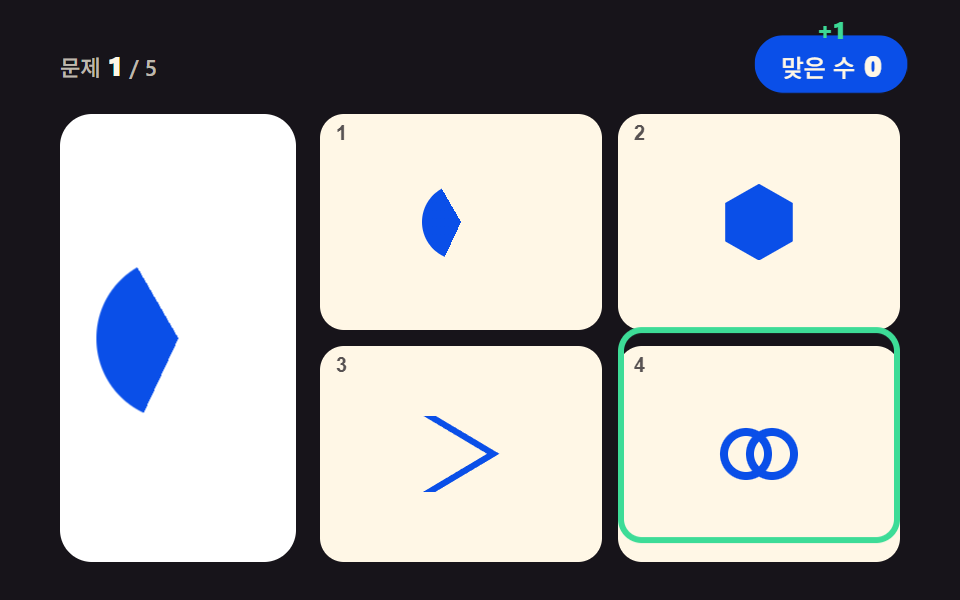 01 logo-match-puzzle
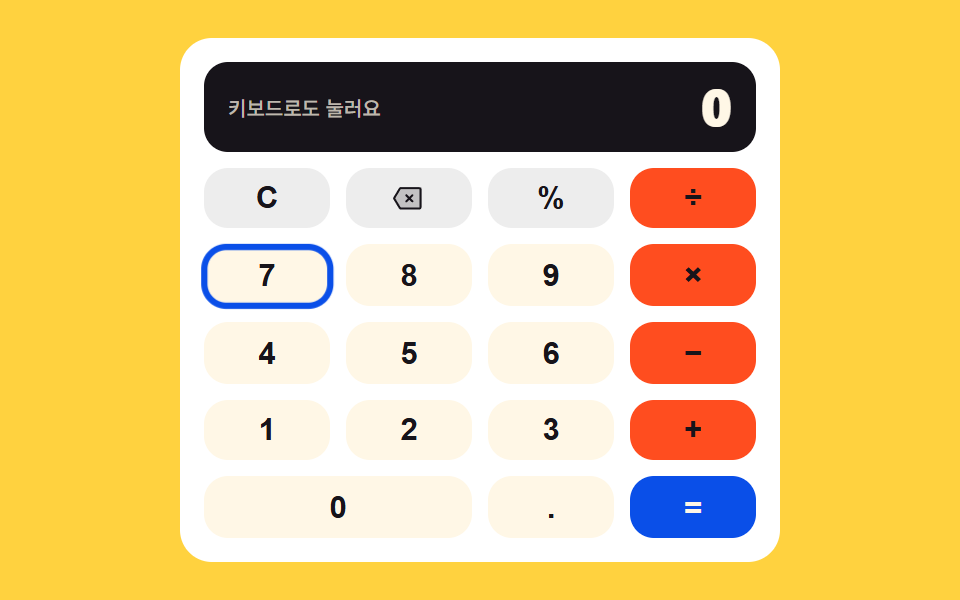 02 keypad-calculator
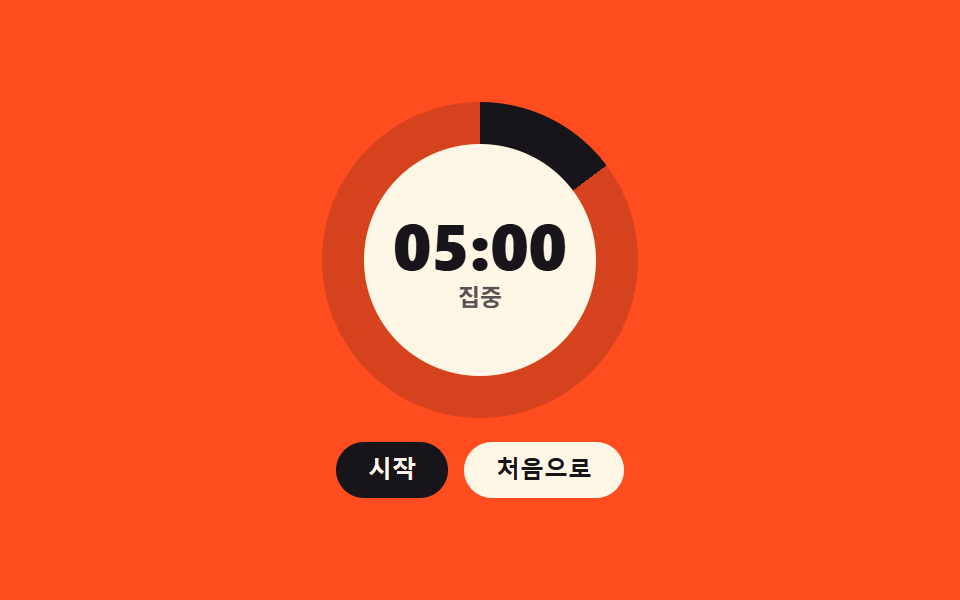 03 pomodoro-ring-timer
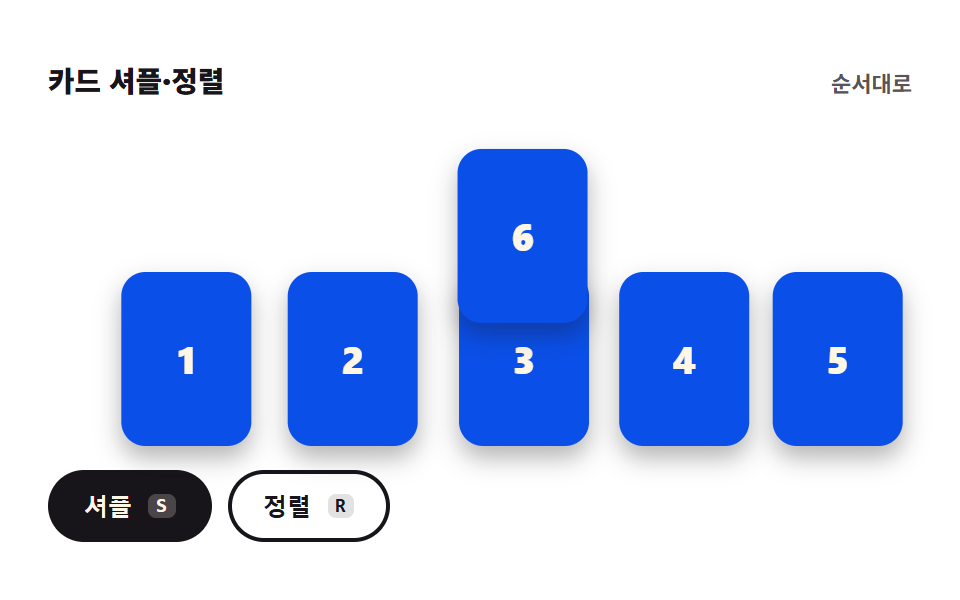 04 card-shuffle-sort
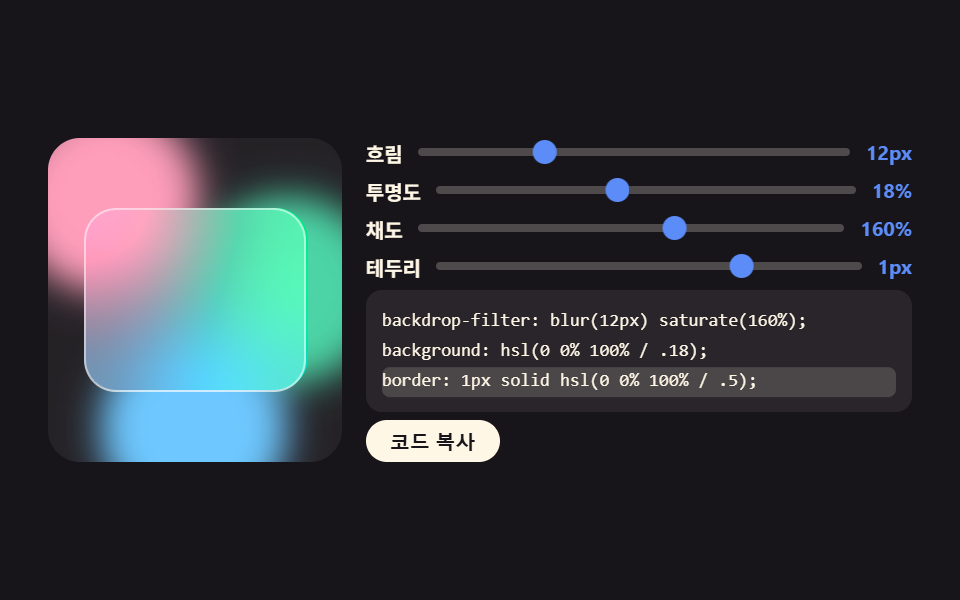 05 glass-effect-generator
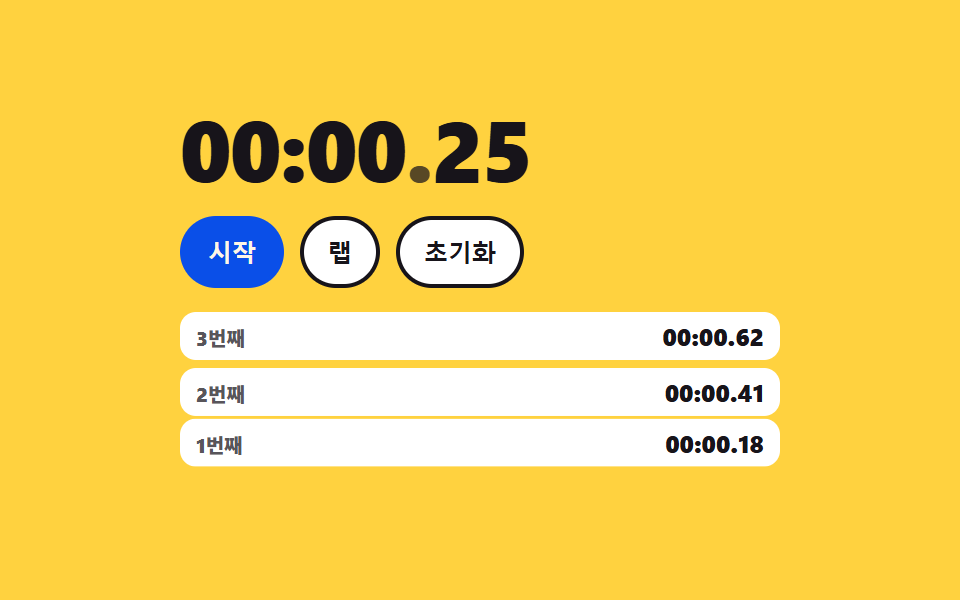 06 stopwatch-laps
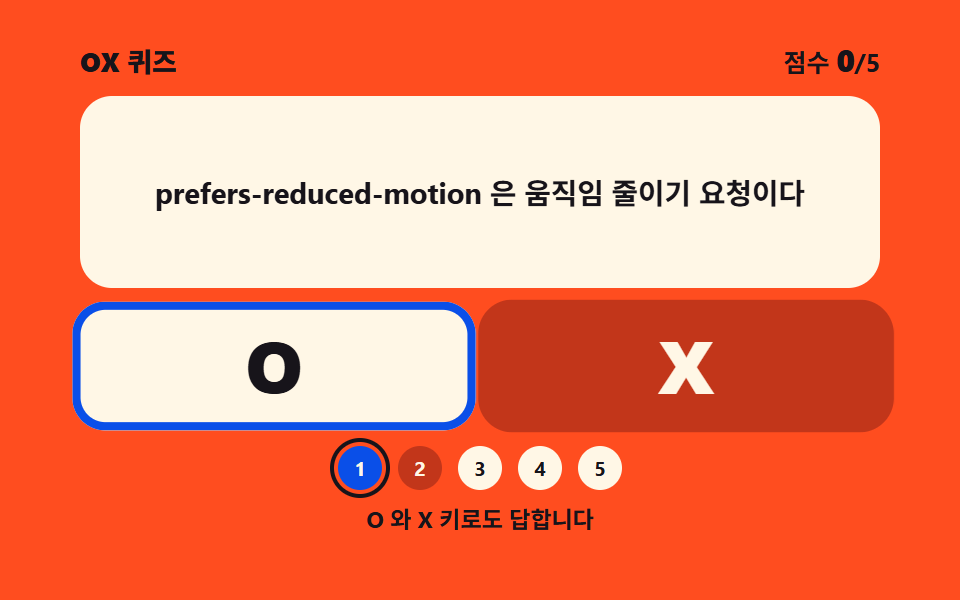 07 ox-quiz-panel
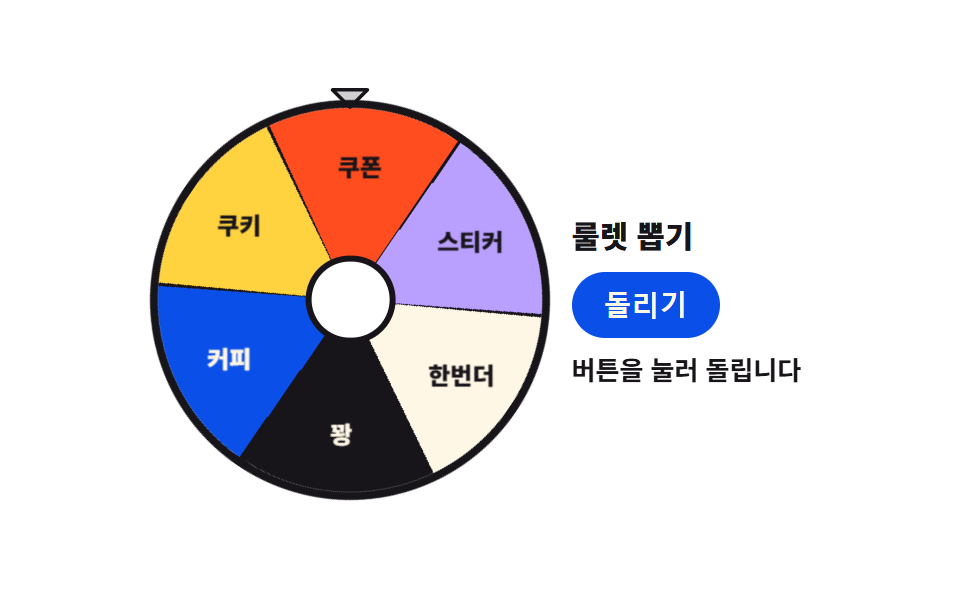 08 conic-roulette-spin
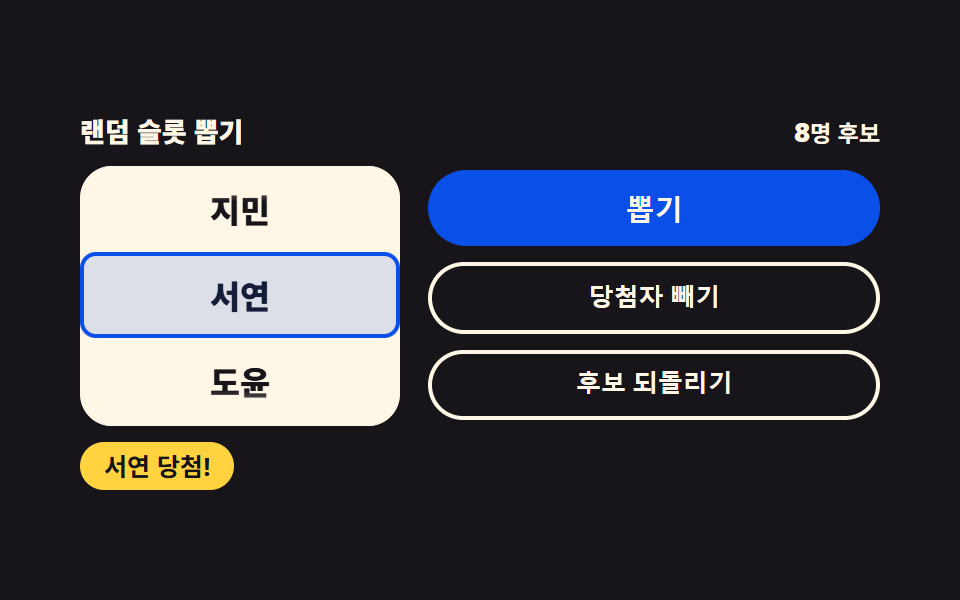 09 random-slot-picker
自動再生 · タイルを押すとその項目へ · すべて1つのzip
- 01 ロゴ当てパズル
- 02 キーパッド電卓
- 03 ポモドーロリングタイマー
- 04 カードシャッフル・整列
- 05 グラス効果ジェネレーター
- 06 ラップストップウォッチ
- 07 ○×クイズパネル
- 08 ルーレット抽選
- 09 ランダムスロット抽選
この9つの並びは人気の順ではなく、画面が目の前の人に課す仕事が重くなる順です。4つのうち1つを選ばせる(01)が最も軽く、続いて数字を打ち込んで値を作り(02)、時間の見張りを画面に任せ(03)、カード6枚の席を揺らし(04)、スライダーからデザインの値を引き出し(05)、0.01秒まで測って記録を残し(06)、文ひとつに○か×かを問い(07)、最後の2つは結果を人の代わりに決めます(08・09)。スライダーが値とコードを同時に吐く05はcss ジェネレーター 9種と同じ流れの先にあり、円盤を角度で削る03は円形プログレスバー9選の手法をタイマー側に向け直したものです。9つともフォルダ1つに html・css・js だけが入り、ビルドツールを要求しません。
01ロゴ当てパズル
見本カードの幾何マークと同じ図形を選択肢4つから選ぶクイズ盤で、イベントページのアイスブレイクや学習クイズの導入画面に置きます。
<main class="stage">
<div class="lp is-demo" id="lp">
  <header class="lp__bar">
    <p class="lp__q"><span class="lp__qLabel">問題</span><b class="lp__qNum" id="lpQNum">1</b><span class="lp__qOf">/ 5</span></p>
    <div class="lp__scoreWrap">
      <p class="lp__score" id="lpScore" aria-live="polite"><span class="lp__scoreLabel">正解</span><b class="lp__scoreNum" id="lpScoreNum">0</b></p>
      <span class="lp__plus" aria-hidden="true">+1</span>
    </div>
  </header>
  <div class="lp__body">
    <div class="lp__card">
      <span class="lp__mark lp__mark--big lp__mark--cut1" id="lpTarget" data-shape="hex" aria-hidden="true"></span>
      <span class="lp__mark lp__mark--big lp__mark--cut2" data-shape="wedge" aria-hidden="true"></span>
      <span class="lp__mark lp__mark--big lp__mark--cut3" data-shape="ring" aria-hidden="true"></span>
    </div>
    <div class="lp__tiles" id="lpTiles">
      <button class="lp__tile" type="button" aria-label="選択肢1" aria-keyshortcuts="1"><span class="lp__mark" data-shape="wedge" aria-hidden="true"></span><span class="lp__key" aria-hidden="true">1</span></button>
      <button class="lp__tile" type="button" aria-label="選択肢2" aria-keyshortcuts="2"><span class="lp__mark" data-shape="hex" aria-hidden="true"></span><span class="lp__key" aria-hidden="true">2</span></button>
      <button class="lp__tile" type="button" aria-label="選択肢3" aria-keyshortcuts="3"><span class="lp__mark" data-shape="chevron" aria-hidden="true"></span><span class="lp__key" aria-hidden="true">3</span></button>
      <button class="lp__tile" type="button" aria-label="選択肢4" aria-keyshortcuts="4"><span class="lp__mark" data-shape="ring" aria-hidden="true"></span><span class="lp__key" aria-hidden="true">4</span></button>
      <span class="lp__ring" aria-hidden="true"></span>
    </div>
  </div>
  <p class="lp__done" id="lpDone" role="status" hidden><b class="lp__doneMsg" id="lpDoneMsg">5問中{n}問正解</b><button class="lp__again" type="button" id="lpAgain">もう一度</button></p>
</div>
</main>@use "../../../../site/static/demo-tokens" as *;
// 로고 퍼즐 맞추기 — 진열 카드의 기하 마크와 같은 모양을 보기 넷에서 고른다.
// 마크는 전부 CSS 도형이다: clip-path polygon(육각·마름모·삼각·갈매기) · conic-gradient 부채꼴 · 링 두 개 겹침.
// 실제 브랜드 로고는 쓰지 않는다(상표). 정적 상태는 1번 문제가 그려진 완결된 판이고,
// 격자 미리보기(.is-demo)는 그 위에 하이라이트 링 순회 · 진열 마크 컷 교체 · 점수 칩 팝만 덧씌운다.
$duration: $dur-loop;
$easing: $ease-pop;
$color: $subject-blue-deep;
@include stage($stage-ink);
.lp { position: relative; display: flex; flex-direction: column; gap: $sp-3; width: 100%; max-width: 420px; height: 100%; }
.lp__bar { display: flex; align-items: center; justify-content: space-between; gap: $sp-2; }
.lp__q { display: inline-flex; align-items: baseline; gap: $sp-1; margin: 0; }
.lp__qLabel, .lp__qOf { font-weight: 500; font-size: clamp(9px, 2.3vw, 11px); color: rgba($subject-cream, .72); }
.lp__qNum { font-weight: 800; font-size: clamp(11px, 2.8vw, 14px); color: $subject-cream; }
.lp__scoreWrap { position: relative; display: inline-flex; }
.lp__score {
display: inline-flex; align-items: baseline; gap: $sp-1; margin: 0;
padding: $sp-1 $sp-3; border-radius: $r-pill;
background-color: $color; color: $subject-cream; // 진파랑 면 위 크림 글자
}
.lp__scoreLabel { font-weight: 500; font-size: clamp(9px, 2.3vw, 11px); }
.lp__scoreNum { font-weight: 800; font-size: clamp(11px, 2.8vw, 14px); }
.lp__plus {
position: absolute; top: 0; left: 50%; opacity: 0;
font-weight: 800; font-size: clamp(10px, 2.6vw, 12px); color: $tick-up; // 잉크 무대 위 상승색
}
.lp__body { flex: 1 1 auto; min-height: 0; display: grid; grid-template-columns: minmax(0, 118px) minmax(0, 1fr); gap: $sp-3; }
.lp__card {
position: relative; display: grid; place-items: center;
border-radius: $r-card; background-color: $stage-paper; color: $color;
}
.lp__tiles {
position: relative; display: grid;
grid-template-columns: repeat(2, 1fr); grid-template-rows: repeat(2, 1fr);
gap: $sp-2;
--lp-space: #{$sp-2};
}
.lp__tile {
position: relative; display: grid; place-items: center; width: 100%; height: 100%; padding: 0;
border: 0; border-radius: $r-control; background-color: $subject-cream; color: $color; cursor: pointer;
}
.lp__tile:focus-visible { outline: 2px solid $tick-up; outline-offset: 2px; }
.lp__key {
position: absolute; top: $sp-1; left: $sp-2;
font-weight: 700; font-size: clamp(8px, 2.2vw, 10px); color: rgba($subject-ink, .72); // 크림 면 위 흐린 잉크
}
.lp__tile.is-correct { box-shadow: 0 0 0 3px $tick-up; }
.lp__tile.is-wrong { box-shadow: 0 0 0 3px $tick-down; }
// ── 기하 마크 ────────────────────────────────────────────────
.lp__mark { display: block; width: clamp(28px, 8vw, 44px); height: clamp(28px, 8vw, 44px); background-color: currentColor; }
.lp__mark--big { width: clamp(56px, 17vw, 82px); height: clamp(56px, 17vw, 82px); }
.lp__mark[data-shape="hex"] { clip-path: polygon(50% 0, 94% 25%, 94% 75%, 50% 100%, 6% 75%, 6% 25%); }
.lp__mark[data-shape="diamond"] { clip-path: polygon(50% 2%, 98% 50%, 50% 98%, 2% 50%); }
.lp__mark[data-shape="tri"] { clip-path: polygon(50% 4%, 96% 92%, 4% 92%); }
.lp__mark[data-shape="chevron"] { clip-path: polygon(16% 0, 100% 50%, 16% 100%, 0 100%, 84% 50%, 0 0); }
.lp__mark[data-shape="wedge"] {
  background-color: transparent; border-radius: 50%;
  background-image: conic-gradient(from 205deg, currentColor 0deg 125deg, transparent 125deg 360deg);
}
.lp__mark[data-shape="ring"] { position: relative; background-color: transparent; }
.lp__mark[data-shape="ring"]::before,
.lp__mark[data-shape="ring"]::after {
content: ""; position: absolute; top: 50%; width: 68%; height: 68%; margin-top: -34%;
border-radius: 50%; box-shadow: inset 0 0 0 4px currentColor;
}
.lp__mark[data-shape="ring"]::before { left: 0; }
.lp__mark[data-shape="ring"]::after { right: 0; }
// ── 결과 ────────────────────────────────────────────────────
.lp__done {
position: absolute; inset: 0; z-index: 6; margin: 0;
display: flex; flex-direction: column; align-items: center; justify-content: center; gap: $sp-3;
background-color: rgba($subject-ink, .78);
}
.lp__done[hidden] { display: none; }
.lp__doneMsg {
padding: $sp-2 $sp-4; border-radius: $r-pill;
background-color: $color; color: $subject-cream;
font-weight: 800; font-size: clamp(11px, 2.8vw, 14px);
}
.lp__again {
padding: $sp-2 $sp-4; border: 0; border-radius: $r-pill;
background-color: $subject-cream; color: $subject-ink;
font-weight: 700; font-size: clamp(10px, 2.6vw, 12px); cursor: pointer;
}
.lp__again:focus-visible { outline: 2px solid $tick-up; outline-offset: 2px; }
// ── 격자 미리보기 ────────────────────────────────────────────
// 진열 마크 세 장을 겹쳐 두고 steps(1, end) 로 컷 교체한다 — 크로스페이드는 유령 프레임이 된다(237 교훈).
.lp__mark--cut2, .lp__mark--cut3 { display: none; position: absolute; top: 50%; left: 50%; transform: translate(-50%, -50%); }
.lp.is-demo .lp__mark--cut2, .lp.is-demo .lp__mark--cut3 { display: block; }
.lp.is-demo .lp__mark--cut1 { animation-name: lpCut1; }
.lp.is-demo .lp__mark--cut2 { animation-name: lpCut2; }
.lp.is-demo .lp__mark--cut3 { animation-name: lpCut3; }
.lp.is-demo .lp__mark--cut1,
.lp.is-demo .lp__mark--cut2,
.lp.is-demo .lp__mark--cut3 {
animation-duration: $duration; animation-timing-function: steps(1, end);
animation-iteration-count: infinite; animation-fill-mode: backwards;
}
@keyframes lpCut1 { 0% { opacity: 1; } 30% { opacity: 0; } 60% { opacity: 0; } 88% { opacity: 1; } 100% { opacity: 1; } }
@keyframes lpCut2 { 0% { opacity: 0; } 30% { opacity: 1; } 60% { opacity: 0; } 100% { opacity: 0; } }
@keyframes lpCut3 { 0% { opacity: 0; } 60% { opacity: 1; } 88% { opacity: 0; } 100% { opacity: 0; } }
// 하이라이트 링 — 보기 타일 넷을 순회한다. 이동 거리는 자기 폭(= 타일 폭) 100% + 격자 간격
.lp__ring {
display: none; position: absolute; top: 0; left: 0;
width: calc(50% - var(--lp-space) / 2); height: calc(50% - var(--lp-space) / 2);
box-sizing: border-box; border: 3px solid $tick-up; border-radius: $r-control; pointer-events: none;
}
.lp.is-demo .lp__ring {
display: block;
animation-name: lpRingHop; animation-duration: $duration; animation-timing-function: $easing;
animation-iteration-count: infinite;
}
@keyframes lpRingHop {
0%, 8% { transform: translate(0, 0); }
22%, 30% { transform: translate(calc(100% + var(--lp-space)), 0); }
44%, 52% { transform: translate(calc(100% + var(--lp-space)), calc(100% + var(--lp-space))); }
66%, 74% { transform: translate(0, calc(100% + var(--lp-space))); }
88%, 100% { transform: translate(0, 0); }
}
// 점수 칩 팝 — 자기 중심에서 커진다
.lp.is-demo .lp__score {
animation-name: lpChipPop; animation-duration: $duration; animation-timing-function: $easing;
animation-iteration-count: infinite;
}
@keyframes lpChipPop {
0%, 26% { transform: scale(1); }
33% { transform: scale(1.14); }
42%, 56% { transform: scale(1); }
63% { transform: scale(1.14); }
72%, 100% { transform: scale(1); }
}
.lp.is-demo .lp__plus {
animation-name: lpPlusRise; animation-duration: $duration; animation-timing-function: $ease-out;
animation-iteration-count: infinite;
}
@keyframes lpPlusRise {
0%, 28% { opacity: 0; transform: translate(-50%, 0); }
34% { opacity: 1; transform: translate(-50%, -13px); }
46% { opacity: 0; transform: translate(-50%, -22px); }
58% { opacity: 0; transform: translate(-50%, 0); }
64% { opacity: 1; transform: translate(-50%, -13px); }
76%, 100% { opacity: 0; transform: translate(-50%, -22px); }
}
@media (max-width: 340px) {
.lp { gap: $sp-1; }
.lp__body { grid-template-columns: minmax(0, 84px) minmax(0, 1fr); gap: $sp-1; }
.lp__tiles { gap: $sp-1; --lp-space: #{$sp-1}; }
.lp__score { padding: 0 $sp-2; }
.lp__done { gap: $sp-2; }
.lp__doneMsg, .lp__again { padding: $sp-1 $sp-3; }
}
@media (prefers-reduced-motion: reduce) {
.lp.is-demo .lp__mark--cut1,
.lp.is-demo .lp__mark--cut2,
.lp.is-demo .lp__mark--cut3,
.lp.is-demo .lp__ring,
.lp.is-demo .lp__score,
.lp.is-demo .lp__plus { animation: none !important; }
.lp.is-demo .lp__mark--cut2,
.lp.is-demo .lp__mark--cut3 { display: none !important; }
}html, body {
margin: 0;
overflow: hidden;
}
.stage {
box-sizing: border-box;
min-height: 100vh;
display: grid;
place-items: center;
margin: 0;
background: #17141a;
font-family: -apple-system, "Segoe UI", "Noto Sans KR", sans-serif;
padding: clamp(8px, 4vw, 24px);
}
.lp {
position: relative;
display: flex;
flex-direction: column;
gap: 12px;
width: 100%;
max-width: 420px;
height: 100%;
}
.lp__bar {
display: flex;
align-items: center;
justify-content: space-between;
gap: 8px;
}
.lp__q {
display: inline-flex;
align-items: baseline;
gap: 4px;
margin: 0;
}
.lp__qLabel, .lp__qOf {
font-weight: 500;
font-size: clamp(9px, 2.3vw, 11px);
color: rgba(255, 247, 230, 0.72);
}
.lp__qNum {
font-weight: 800;
font-size: clamp(11px, 2.8vw, 14px);
color: #fff7e6;
}
.lp__scoreWrap {
position: relative;
display: inline-flex;
}
.lp__score {
display: inline-flex;
align-items: baseline;
gap: 4px;
margin: 0;
padding: 4px 12px;
border-radius: 999px;
background-color: #0a4fe8;
color: #fff7e6;
}
.lp__scoreLabel {
font-weight: 500;
font-size: clamp(9px, 2.3vw, 11px);
}
.lp__scoreNum {
font-weight: 800;
font-size: clamp(11px, 2.8vw, 14px);
}
.lp__plus {
position: absolute;
top: 0;
left: 50%;
opacity: 0;
font-weight: 800;
font-size: clamp(10px, 2.6vw, 12px);
color: #3ddc97;
}
.lp__body {
flex: 1 1 auto;
min-height: 0;
display: grid;
grid-template-columns: minmax(0, 118px) minmax(0, 1fr);
gap: 12px;
}
.lp__card {
position: relative;
display: grid;
place-items: center;
border-radius: 16px;
background-color: #ffffff;
color: #0a4fe8;
}
.lp__tiles {
position: relative;
display: grid;
grid-template-columns: repeat(2, 1fr);
grid-template-rows: repeat(2, 1fr);
gap: 8px;
--lp-space: 8px;
}
.lp__tile {
position: relative;
display: grid;
place-items: center;
width: 100%;
height: 100%;
padding: 0;
border: 0;
border-radius: 12px;
background-color: #fff7e6;
color: #0a4fe8;
cursor: pointer;
}
.lp__tile:focus-visible {
outline: 2px solid #3ddc97;
outline-offset: 2px;
}
.lp__key {
position: absolute;
top: 4px;
left: 8px;
font-weight: 700;
font-size: clamp(8px, 2.2vw, 10px);
color: rgba(23, 20, 26, 0.72);
}
.lp__tile.is-correct {
box-shadow: 0 0 0 3px #3ddc97;
}
.lp__tile.is-wrong {
box-shadow: 0 0 0 3px #ff7a5e;
}
.lp__mark {
display: block;
width: clamp(28px, 8vw, 44px);
height: clamp(28px, 8vw, 44px);
background-color: currentColor;
}
.lp__mark--big {
width: clamp(56px, 17vw, 82px);
height: clamp(56px, 17vw, 82px);
}
.lp__mark[data-shape=hex] {
clip-path: polygon(50% 0, 94% 25%, 94% 75%, 50% 100%, 6% 75%, 6% 25%);
}
.lp__mark[data-shape=diamond] {
clip-path: polygon(50% 2%, 98% 50%, 50% 98%, 2% 50%);
}
.lp__mark[data-shape=tri] {
clip-path: polygon(50% 4%, 96% 92%, 4% 92%);
}
.lp__mark[data-shape=chevron] {
clip-path: polygon(16% 0, 100% 50%, 16% 100%, 0 100%, 84% 50%, 0 0);
}
.lp__mark[data-shape=wedge] {
background-color: transparent;
border-radius: 50%;
background-image: conic-gradient(from 205deg, currentColor 0deg 125deg, transparent 125deg 360deg);
}
.lp__mark[data-shape=ring] {
position: relative;
background-color: transparent;
}
.lp__mark[data-shape=ring]::before,
.lp__mark[data-shape=ring]::after {
content: "";
position: absolute;
top: 50%;
width: 68%;
height: 68%;
margin-top: -34%;
border-radius: 50%;
box-shadow: inset 0 0 0 4px currentColor;
}
.lp__mark[data-shape=ring]::before {
left: 0;
}
.lp__mark[data-shape=ring]::after {
right: 0;
}
.lp__done {
position: absolute;
inset: 0;
z-index: 6;
margin: 0;
display: flex;
flex-direction: column;
align-items: center;
justify-content: center;
gap: 12px;
background-color: rgba(23, 20, 26, 0.78);
}
.lp__done[hidden] {
display: none;
}
.lp__doneMsg {
padding: 8px 16px;
border-radius: 999px;
background-color: #0a4fe8;
color: #fff7e6;
font-weight: 800;
font-size: clamp(11px, 2.8vw, 14px);
}
.lp__again {
padding: 8px 16px;
border: 0;
border-radius: 999px;
background-color: #fff7e6;
color: #17141a;
font-weight: 700;
font-size: clamp(10px, 2.6vw, 12px);
cursor: pointer;
}
.lp__again:focus-visible {
outline: 2px solid #3ddc97;
outline-offset: 2px;
}
.lp__mark--cut2, .lp__mark--cut3 {
display: none;
position: absolute;
top: 50%;
left: 50%;
transform: translate(-50%, -50%);
}
.lp.is-demo .lp__mark--cut2, .lp.is-demo .lp__mark--cut3 {
display: block;
}
.lp.is-demo .lp__mark--cut1 {
animation-name: lpCut1;
}
.lp.is-demo .lp__mark--cut2 {
animation-name: lpCut2;
}
.lp.is-demo .lp__mark--cut3 {
animation-name: lpCut3;
}
.lp.is-demo .lp__mark--cut1,
.lp.is-demo .lp__mark--cut2,
.lp.is-demo .lp__mark--cut3 {
animation-duration: 2s;
animation-timing-function: steps(1, end);
animation-iteration-count: infinite;
animation-fill-mode: backwards;
}
@keyframes lpCut1 {
0% {
opacity: 1;
}
30% {
opacity: 0;
}
60% {
opacity: 0;
}
88% {
opacity: 1;
}
100% {
opacity: 1;
}
}
@keyframes lpCut2 {
0% {
opacity: 0;
}
30% {
opacity: 1;
}
60% {
opacity: 0;
}
100% {
opacity: 0;
}
}
@keyframes lpCut3 {
0% {
opacity: 0;
}
60% {
opacity: 1;
}
88% {
opacity: 0;
}
100% {
opacity: 0;
}
}
.lp__ring {
display: none;
position: absolute;
top: 0;
left: 0;
width: calc(50% - var(--lp-space) / 2);
height: calc(50% - var(--lp-space) / 2);
box-sizing: border-box;
border: 3px solid #3ddc97;
border-radius: 12px;
pointer-events: none;
}
.lp.is-demo .lp__ring {
display: block;
animation-name: lpRingHop;
animation-duration: 2s;
animation-timing-function: cubic-bezier(0.2, 1.4, 0.4, 1);
animation-iteration-count: infinite;
}
@keyframes lpRingHop {
0%, 8% {
transform: translate(0, 0);
}
22%, 30% {
transform: translate(calc(100% + var(--lp-space)), 0);
}
44%, 52% {
transform: translate(calc(100% + var(--lp-space)), calc(100% + var(--lp-space)));
}
66%, 74% {
transform: translate(0, calc(100% + var(--lp-space)));
}
88%, 100% {
transform: translate(0, 0);
}
}
.lp.is-demo .lp__score {
animation-name: lpChipPop;
animation-duration: 2s;
animation-timing-function: cubic-bezier(0.2, 1.4, 0.4, 1);
animation-iteration-count: infinite;
}
@keyframes lpChipPop {
0%, 26% {
transform: scale(1);
}
33% {
transform: scale(1.14);
}
42%, 56% {
transform: scale(1);
}
63% {
transform: scale(1.14);
}
72%, 100% {
transform: scale(1);
}
}
.lp.is-demo .lp__plus {
animation-name: lpPlusRise;
animation-duration: 2s;
animation-timing-function: ease-out;
animation-iteration-count: infinite;
}
@keyframes lpPlusRise {
0%, 28% {
opacity: 0;
transform: translate(-50%, 0);
}
34% {
opacity: 1;
transform: translate(-50%, -13px);
}
46% {
opacity: 0;
transform: translate(-50%, -22px);
}
58% {
opacity: 0;
transform: translate(-50%, 0);
}
64% {
opacity: 1;
transform: translate(-50%, -13px);
}
76%, 100% {
opacity: 0;
transform: translate(-50%, -22px);
}
}
@media (max-width: 340px) {
.lp {
gap: 4px;
}
.lp__body {
grid-template-columns: minmax(0, 84px) minmax(0, 1fr);
gap: 4px;
}
.lp__tiles {
gap: 4px;
--lp-space: 4px;
}
.lp__score {
padding: 0 8px;
}
.lp__done {
gap: 8px;
}
.lp__doneMsg, .lp__again {
padding: 4px 12px;
}
}
@media (prefers-reduced-motion: reduce) {
.lp.is-demo .lp__mark--cut1,
.lp.is-demo .lp__mark--cut2,
.lp.is-demo .lp__mark--cut3,
.lp.is-demo .lp__ring,
.lp.is-demo .lp__score,
.lp.is-demo .lp__plus {
animation: none !important;
}
.lp.is-demo .lp__mark--cut2,
.lp.is-demo .lp__mark--cut3 {
display: none !important;
}
}// 로고 퍼즐 — 진열 카드의 기하 마크와 같은 모양을 보기 넷에서 고른다.
// 마크는 전부 CSS 도형(clip-path polygon · conic-gradient 부채꼴 · 링 겹침)이라 이미지가 0이다.
// 맞으면 초록 테두리와 スコア, 틀리면 빨간 테두리와 정답 공개. 0.8초 뒤 다음 問題.
(function () {
var NEXT_MS = 800;
var DONE_TEXT = '5問中{n}問正解';
var QUESTIONS = [
{ answer: 'hex', tiles: ['wedge', 'hex', 'chevron', 'ring'] },
{ answer: 'chevron', tiles: ['chevron', 'diamond', 'ring', 'tri'] },
{ answer: 'wedge', tiles: ['tri', 'ring', 'wedge', 'hex'] },
{ answer: 'diamond', tiles: ['hex', 'chevron', 'tri', 'diamond'] },
{ answer: 'ring', tiles: ['diamond', 'wedge', 'ring', 'chevron'] }
];
var root = document.getElementById('lp');
var target = document.getElementById('lpTarget');
var qNumEl = document.getElementById('lpQNum');
var scoreEl = document.getElementById('lpScoreNum');
var doneEl = document.getElementById('lpDone');
var doneMsgEl = document.getElementById('lpDoneMsg');
var tiles = [].slice.call(document.querySelectorAll('.lp__tile'));
var qIndex = 0, score = 0, lock = false;
function render() {
var q = QUESTIONS[qIndex];
target.setAttribute('data-shape', q.answer);
qNumEl.textContent = String(qIndex + 1);
for (var i = 0; i < tiles.length; i++) {
tiles[i].classList.remove('is-correct', 'is-wrong');
tiles[i].firstElementChild.setAttribute('data-shape', q.tiles[i]);
}
}
function next() {
lock = false;
if (qIndex + 1 >= QUESTIONS.length) {
doneMsgEl.textContent = DONE_TEXT.replace('{n}', String(score));
doneEl.hidden = false;
return;
}
qIndex++;
render();
}
  function pick(i) {
    if (lock || !doneEl.hidden) { return; }
    lock = true;
    root.classList.remove('is-demo');
    var answer = QUESTIONS[qIndex].answer;
    var ok = tiles[i].firstElementChild.getAttribute('data-shape') === answer;
    tiles[i].classList.add(ok ? 'is-correct' : 'is-wrong');
    if (ok) { score++; scoreEl.textContent = String(score); }
    else {
      for (var k = 0; k < tiles.length; k++) {
        if (tiles[k].firstElementChild.getAttribute('data-shape') === answer) { tiles[k].classList.add('is-correct'); }
      }
    }
    window.setTimeout(next, NEXT_MS);
  }
for (var t = 0; t < tiles.length; t++) {
(function (i) { tiles[i].addEventListener('click', function () { pick(i); }); })(t);
}
document.addEventListener('keydown', function (e) {
var n = '1234'.indexOf(e.key);
if (n >= 0) { e.preventDefault(); pick(n); }
});
document.getElementById('lpAgain').addEventListener('click', function () {
qIndex = 0; score = 0; lock = false;
scoreEl.textContent = '0';
doneEl.hidden = true;
render();
});
render();
})();// LogoMatchPuzzle — vanilla 판(run/080/demo/01-logo-match-puzzle/index.html) 의 React 포트.
// 진열 카드의 기하 마크와 같은 모양을 보기 넷에서 고른다. 마크는 전부 CSS 도형이라 이미지가 0이다.
// 상태는 훅이 들고(문제 번호·점수·고른 칸·끝남), 도형과 연출은 CSS 가 그린다.
import { useEffect, useRef, useState } from "react";
import type { CSSProperties } from "react";
import styles from "./LogoMatchPuzzle.module.scss";
export type LogoMatchPuzzleProps = {
duration?: number;
easing?: string;
accentColor?: string;
};
type Vars = CSSProperties & { "--duration"?: string; "--easing"?: string; "--color"?: string };
type ShapeKey = "hex" | "wedge" | "chevron" | "ring" | "diamond" | "tri";
type Question = { answer: ShapeKey; tiles: ShapeKey[] };
type KeyEvt = { key: string; preventDefault(): void };
type TimerBox = { current: number }; // ambient 의 useRef 는 T|null 을 돌려주므로 단언용
const NEXT_MS = 800;
const Q_LABEL = "문제";
const Q_OF = "/ 5";
const SCORE_LABEL = "맞은 수";
const TILE_LABEL = "보기 {n}";
const AGAIN_LABEL = "새 문제";
const DONE_TEXT = "5문제 중 {n}개 정답";
const QUESTIONS: Question[] = [
{ answer: "hex", tiles: ["wedge", "hex", "chevron", "ring"] },
{ answer: "chevron", tiles: ["chevron", "diamond", "ring", "tri"] },
{ answer: "wedge", tiles: ["tri", "ring", "wedge", "hex"] },
{ answer: "diamond", tiles: ["hex", "chevron", "tri", "diamond"] },
{ answer: "ring", tiles: ["diamond", "wedge", "ring", "chevron"] },
];
export default function LogoMatchPuzzle({
duration = 2000,
easing = "cubic-bezier(.2, 1.4, .4, 1)",
accentColor = "#0a4fe8",
}: LogoMatchPuzzleProps) {
const [qIndex, setQIndex] = useState(0);
const [score, setScore] = useState(0);
const [picked, setPicked] = useState(-1);
const [done, setDone] = useState(false);
const [demo, setDemo] = useState(true);
const timer = useRef<number>(0) as TimerBox;
const question = QUESTIONS[qIndex];
function pick(i: number) {
if (picked >= 0 || done) { return; }
setDemo(false);
setPicked(i);
if (question.tiles[i] === question.answer) { setScore((s) => s + 1); }
timer.current = window.setTimeout(() => {
setPicked(-1);
if (qIndex + 1 >= QUESTIONS.length) { setDone(true); }
else { setQIndex((n) => n + 1); }
}, NEXT_MS);
}
function again() {
setQIndex(0);
setScore(0);
setPicked(-1);
setDone(false);
}
useEffect(() => {
const onKey = (e: KeyEvt) => {
const n = "1234".indexOf(e.key);
if (n >= 0) { e.preventDefault(); pick(n); }
};
window.addEventListener("keydown", onKey);
return () => window.removeEventListener("keydown", onKey);
});
useEffect(() => () => window.clearTimeout(timer.current), []);
const vars: Vars = { "--duration": `${duration}ms`, "--easing": easing, "--color": accentColor };
const rootCls = [styles.root, demo ? styles.isDemo : ""].filter(Boolean).join(" ");
function tileCls(i: number) {
if (picked < 0) { return styles.tile; }
const isAnswer = question.tiles[i] === question.answer;
if (isAnswer) { return `${styles.tile} ${styles.isCorrect}`; }
return i === picked ? `${styles.tile} ${styles.isWrong}` : styles.tile;
}
return (
<main className={styles.stage}>
<div className={rootCls} style={vars}>
<header className={styles.bar}>
<p className={styles.q}>
<span className={styles.qLabel}>{Q_LABEL}</span>
<b className={styles.qNum}>{qIndex + 1}</b>
<span className={styles.qOf}>{Q_OF}</span>
</p>
<div className={styles.scoreWrap}>
<p className={styles.score} aria-live="polite">
<span className={styles.scoreLabel}>{SCORE_LABEL}</span>
<b className={styles.scoreNum}>{score}</b>
</p>
<span className={styles.plus} aria-hidden="true">+1</span>
</div>
</header>
<div className={styles.body}>
<div className={styles.card}>
<span className={`${styles.mark} ${styles.markBig} ${styles.cut1}`} data-shape={question.answer} aria-hidden="true" />
<span className={`${styles.mark} ${styles.markBig} ${styles.cut2}`} data-shape="wedge" aria-hidden="true" />
<span className={`${styles.mark} ${styles.markBig} ${styles.cut3}`} data-shape="ring" aria-hidden="true" />
</div>
<div className={styles.tiles}>
{question.tiles.map((shape, i) => (
<button
key={`${qIndex}-${i}`}
className={tileCls(i)}
type="button"
aria-label={TILE_LABEL.replace("{n}", String(i + 1))}
aria-keyshortcuts={String(i + 1)}
onClick={() => pick(i)}
>
<span className={styles.mark} data-shape={shape} aria-hidden="true" />
<span className={styles.tileKey} aria-hidden="true">{i + 1}</span>
</button>
))}
<span className={styles.ring} aria-hidden="true" />
</div>
</div>
{done ? (
<p className={styles.done} role="status">
<b className={styles.doneMsg}>{DONE_TEXT.replace("{n}", String(score))}</b>
<button className={styles.again} type="button" onClick={again}>{AGAIN_LABEL}</button>
</p>
) : null}
</div>
</main>
);
}01 · ロゴ当てパズル — 計測 累積面積 17.351% · 動いたフレーム 19/23GODRICH オリジナル · SCSS と React は zip に同梱 · パスワードを見る
6つのマークは画像ではなくCSSの図形
.lp__mark[data-shape="hex"] { clip-path: polygon(50% 0, 94% 25%, 94% 75%, 50% 100%, 6% 75%, 6% 25%); }
.lp__mark[data-shape="diamond"] { clip-path: polygon(50% 2%, 98% 50%, 50% 98%, 2% 50%); }
.lp__mark[data-shape="tri"] { clip-path: polygon(50% 4%, 96% 92%, 4% 92%); }
.lp__mark[data-shape="chevron"] { clip-path: polygon(16% 0, 100% 50%, 16% 100%, 0 100%, 84% 50%, 0 0); }
.lp__mark[data-shape="wedge"] {
background-color: transparent; border-radius: 50%;
background-image: conic-gradient(from 205deg, currentColor 0deg 125deg, transparent 125deg 360deg);
}
六角・菱形・三角・シェブロンは clip-path の座標で、扇形は conic-gradient 1行で描くので、この項目が読み込む画像は0枚で、グリッドのプレビューでは比較できる23コマのうち19コマで動きが出ました。
外れたときは正解のマスを代わりに灯す
function pick(i) {
if (lock || !doneEl.hidden) { return; }
lock = true;
root.classList.remove('is-demo');
var answer = QUESTIONS[qIndex].answer;
var ok = tiles[i].firstElementChild.getAttribute('data-shape') === answer;
tiles[i].classList.add(ok ? 'is-correct' : 'is-wrong');
if (ok) { score++; scoreEl.textContent = String(score); }
else {
for (var k = 0; k < tiles.length; k++) {
if (tiles[k].firstElementChild.getAttribute('data-shape') === answer) { tiles[k].classList.add('is-correct'); }
}
}
window.setTimeout(next, NEXT_MS);
}
選んだマスには当たりなら is-correct、外れなら is-wrong を付け、外れたときだけ正解の図形を持つマスを探して一緒に灯し、0.8秒後に次の問題へ進みます。
02キーパッド電卓
四則演算ができてキーボードの数字・演算子・Enter・Backspace がそのまま効くキーパッド電卓で、見積もり計算の補助や注文数量の精算画面に貼る基本形です。
<main class="stage">
<div class="kc is-demo" id="kc">
  <div class="kc__out">
    <span class="kc__hint" id="kcHint">キーボードでも操作できます</span>
    <b class="kc__val kc__val--cut1" id="kcOut">0</b>
    <b class="kc__val kc__val--cut2" aria-hidden="true">7</b>
    <b class="kc__val kc__val--cut3" aria-hidden="true">8</b>
    <b class="kc__val kc__val--cut4" aria-hidden="true">56</b>
  </div>
  <div class="kc__pad" id="kcPad">
    <button class="kc__key kc__key--fn" type="button" data-k="clear" aria-label="全消去" aria-keyshortcuts="Escape">C</button>
    <button class="kc__key kc__key--fn" type="button" data-k="back" aria-label="1文字削除" aria-keyshortcuts="Backspace"><svg class="kc__ic" viewBox="0 0 256 256" aria-hidden="true" focusable="false"><g fill="currentColor"><path d="M224 56v144a8 8 0 0 1-8 8H68.53a8 8 0 0 1-6.86-3.88L16 128l45.67-76.12A8 8 0 0 1 68.53 48H216a8 8 0 0 1 8 8" opacity=".2"/><path d="M216 40H68.53a16.08 16.08 0 0 0-13.72 7.77L9.14 123.88a8 8 0 0 0 0 8.24l45.67 76.11A16.08 16.08 0 0 0 68.53 216H216a16 16 0 0 0 16-16V56a16 16 0 0 0-16-16M61.67 204.12l6.86-4.12ZM216 200H68.53l-43.2-72l43.2-72H216Zm-109.66-53.66L124.69 128l-18.35-18.34a8 8 0 0 1 11.32-11.32L136 116.69l18.34-18.35a8 8 0 0 1 11.32 11.32L147.31 128l18.35 18.34a8 8 0 0 1-11.32 11.32L136 139.31l-18.34 18.35a8 8 0 0 1-11.32-11.32"/></g></svg></button>
    <button class="kc__key kc__key--fn" type="button" data-k="pct" aria-keyshortcuts="%">%</button>
    <button class="kc__key kc__key--op" type="button" data-k="/" aria-label="割る" aria-keyshortcuts="/">÷</button>
    <button class="kc__key" type="button" data-k="7" aria-keyshortcuts="7">7</button>
    <button class="kc__key" type="button" data-k="8" aria-keyshortcuts="8">8</button>
    <button class="kc__key" type="button" data-k="9" aria-keyshortcuts="9">9</button>
    <button class="kc__key kc__key--op" type="button" data-k="*" aria-label="掛ける" aria-keyshortcuts="*">×</button>
    <button class="kc__key" type="button" data-k="4" aria-keyshortcuts="4">4</button>
    <button class="kc__key" type="button" data-k="5" aria-keyshortcuts="5">5</button>
    <button class="kc__key" type="button" data-k="6" aria-keyshortcuts="6">6</button>
    <button class="kc__key kc__key--op" type="button" data-k="-" aria-label="引く" aria-keyshortcuts="-">−</button>
    <button class="kc__key" type="button" data-k="1" aria-keyshortcuts="1">1</button>
    <button class="kc__key" type="button" data-k="2" aria-keyshortcuts="2">2</button>
    <button class="kc__key" type="button" data-k="3" aria-keyshortcuts="3">3</button>
    <button class="kc__key kc__key--op" type="button" data-k="+" aria-label="足す" aria-keyshortcuts="+">+</button>
    <button class="kc__key" type="button" data-k="0" aria-keyshortcuts="0">0</button>
    <button class="kc__key" type="button" data-k="." aria-label="小数点" aria-keyshortcuts=".">.</button>
    <button class="kc__key kc__key--eq" type="button" data-k="=" aria-label="計算" aria-keyshortcuts="Enter">=</button>
    <span class="kc__ghost" aria-hidden="true"></span>
  </div>
</div>
</main>@use "../../../../site/static/demo-tokens" as *;
// 키패드 계산기 — 표시줄 + 4×5 키패드. 키 자리는 grid-template-areas 한 장으로 정하고
// 키마다 data-k 로 area 이름을 받아 간다(0 키만 두 칸을 먹는다).
// 표시줄 숫자는 font-variant-numeric: tabular-nums 라 자릿수가 바뀌어도 폭이 안 흔들린다.
// 정적 상태는 0 이 찍힌 완결된 계산기이고, 격자 미리보기(.is-demo)는 그 위에
// 키 하이라이트 이동 + 표시줄 숫자 컷 교체(0 → 7 → 8 → 56)만 덧씌운다.
$duration: $dur-loop;
$easing: $ease-spring;
$color: $subject-blue-deep;
$hop: calc(100% + var(--kc-space)); // 한 칸 이동 = 자기 폭(=키 폭) 100% + 격자 간격
@include stage($stage-yellow);
.kc {
display: flex; flex-direction: column; gap: $sp-2;
width: 100%; max-width: 300px; height: 100%;
padding: $sp-3; box-sizing: border-box;
border-radius: $r-card; background-color: $stage-paper;
}
.kc__out {
position: relative; display: flex; align-items: center; justify-content: space-between; gap: $sp-2;
padding: $sp-2 $sp-3; border-radius: $r-control;
background-color: $subject-ink;
}
.kc__hint { font-weight: 500; font-size: clamp(8px, 2.2vw, 10px); color: rgba($subject-cream, .72); } // 잉크 면 위 흐린 크림
.kc__val {
font-weight: 800; font-size: clamp(18px, 5.5vw, 26px); line-height: 1.1; color: $subject-cream;
font-variant-numeric: tabular-nums;
}
.kc__pad {
  position: relative; flex: 1 1 auto; min-height: 0;
  display: grid;
  grid-template-columns: repeat(4, 1fr);
  grid-template-rows: repeat(5, 1fr);
  grid-template-areas:
    "clear back pct div"
    "n7 n8 n9 mul"
    "n4 n5 n6 sub"
    "n1 n2 n3 add"
    "n0 n0 dot eq";
  gap: $sp-2;
  --kc-space: #{$sp-2};
}
.kc__key {
display: grid; place-items: center; width: 100%; height: 100%; padding: 0;
border: 0; border-radius: $r-control; cursor: pointer;
background-color: $subject-cream; color: $subject-ink;
font-weight: 700; font-size: clamp(12px, 3.2vw, 16px); line-height: 1;
user-select: none; -webkit-user-select: none;
}
.kc__key:focus-visible { outline: 2px solid $color; outline-offset: 2px; }
.kc__key:active { transform: scale(.96); }
.kc__ic { width: clamp(12px, 3.4vw, 17px); height: clamp(12px, 3.4vw, 17px); }
.kc__key--fn { background-color: rgba($subject-ink, .08); color: $subject-ink; } // 흰 카드 위 연회색 면
.kc__key--op { background-color: $stage-orange; color: $subject-ink; } // 주황 면 위 잉크 글자
.kc__key--eq { background-color: $color; color: $subject-cream; } // 진파랑 면 위 크림 글자
.kc__key[data-k="clear"] { grid-area: clear; }
.kc__key[data-k="back"] { grid-area: back; }
.kc__key[data-k="pct"] { grid-area: pct; }
.kc__key[data-k="/"] { grid-area: div; }
.kc__key[data-k="7"] { grid-area: n7; }
.kc__key[data-k="8"] { grid-area: n8; }
.kc__key[data-k="9"] { grid-area: n9; }
.kc__key[data-k="*"] { grid-area: mul; }
.kc__key[data-k="4"] { grid-area: n4; }
.kc__key[data-k="5"] { grid-area: n5; }
.kc__key[data-k="6"] { grid-area: n6; }
.kc__key[data-k="-"] { grid-area: sub; }
.kc__key[data-k="1"] { grid-area: n1; }
.kc__key[data-k="2"] { grid-area: n2; }
.kc__key[data-k="3"] { grid-area: n3; }
.kc__key[data-k="+"] { grid-area: add; }
.kc__key[data-k="0"] { grid-area: n0; }
.kc__key[data-k="."] { grid-area: dot; }
.kc__key[data-k="="] { grid-area: eq; }
// ── 격자 미리보기 ────────────────────────────────────────────
// 표시줄 숫자 넉 장을 오른쪽에 겹쳐 두고 steps(1, end) 로 컷 교체한다 — 크로스페이드는 유령 프레임이 된다.
.kc__val--cut2, .kc__val--cut3, .kc__val--cut4 {
display: none; position: absolute; right: $sp-3; top: 50%; transform: translateY(-50%);
}
.kc.is-demo .kc__val--cut2,
.kc.is-demo .kc__val--cut3,
.kc.is-demo .kc__val--cut4 { display: block; }
.kc.is-demo .kc__val--cut1 { animation-name: kcCut1; }
.kc.is-demo .kc__val--cut2 { animation-name: kcCut2; }
.kc.is-demo .kc__val--cut3 { animation-name: kcCut3; }
.kc.is-demo .kc__val--cut4 { animation-name: kcCut4; }
.kc.is-demo .kc__val {
animation-duration: $duration; animation-timing-function: steps(1, end);
animation-iteration-count: infinite; animation-fill-mode: backwards;
}
@keyframes kcCut1 { 0% { opacity: 1; } 28% { opacity: 0; } 82% { opacity: 1; } 100% { opacity: 1; } }
@keyframes kcCut2 { 0% { opacity: 0; } 28% { opacity: 1; } 50% { opacity: 0; } 100% { opacity: 0; } }
@keyframes kcCut3 { 0% { opacity: 0; } 50% { opacity: 1; } 72% { opacity: 0; } 100% { opacity: 0; } }
@keyframes kcCut4 { 0% { opacity: 0; } 72% { opacity: 1; } 82% { opacity: 0; } 100% { opacity: 0; } }
// 키 하이라이트 — 7 → × → 8 → = 자리를 돈다. 자기 크기가 곧 키 한 칸이라 이동은 100% 배수로 적는다
.kc__ghost {
display: none; position: absolute; top: 0; left: 0;
width: calc((100% - var(--kc-space) * 3) / 4);
height: calc((100% - var(--kc-space) * 4) / 5);
box-sizing: border-box; border: 3px solid $color; border-radius: $r-control; pointer-events: none;
}
.kc.is-demo .kc__ghost {
display: block;
animation-name: kcHop; animation-duration: $duration; animation-timing-function: $easing;
animation-iteration-count: infinite;
}
@keyframes kcHop {
0% { transform: translate(0, #{$hop}) scale(1.05); }
6%, 14% { transform: translate(0, #{$hop}) scale(1); }
20% { transform: translate(calc(#{$hop} * 3), #{$hop}) scale(1.05); }
26%, 34% { transform: translate(calc(#{$hop} * 3), #{$hop}) scale(1); }
40% { transform: translate(#{$hop}, #{$hop}) scale(1.05); }
46%, 54% { transform: translate(#{$hop}, #{$hop}) scale(1); }
60% { transform: translate(calc(#{$hop} * 3), calc(#{$hop} * 4)) scale(1.05); }
66%, 82% { transform: translate(calc(#{$hop} * 3), calc(#{$hop} * 4)) scale(1); }
88% { transform: translate(0, #{$hop}) scale(1.05); }
94%, 100% { transform: translate(0, #{$hop}) scale(1); }
}
@media (max-width: 340px) {
.kc { gap: $sp-1; padding: $sp-2; }
.kc__out { padding: $sp-1 $sp-2; }
.kc__pad { gap: $sp-1; --kc-space: #{$sp-1}; }
.kc__val--cut2, .kc__val--cut3, .kc__val--cut4 { right: $sp-2; }
}
@media (prefers-reduced-motion: reduce) {
.kc__key:active { transform: none !important; }
.kc.is-demo .kc__val,
.kc.is-demo .kc__ghost { animation: none !important; }
.kc.is-demo .kc__val--cut2,
.kc.is-demo .kc__val--cut3,
.kc.is-demo .kc__val--cut4 { display: none !important; }
}html, body {
margin: 0;
overflow: hidden;
}
.stage {
box-sizing: border-box;
min-height: 100vh;
display: grid;
place-items: center;
margin: 0;
background: #ffd23f;
font-family: -apple-system, "Segoe UI", "Noto Sans KR", sans-serif;
padding: clamp(8px, 4vw, 24px);
}
.kc {
display: flex;
flex-direction: column;
gap: 8px;
width: 100%;
max-width: 300px;
height: 100%;
padding: 12px;
box-sizing: border-box;
border-radius: 16px;
background-color: #ffffff;
}
.kc__out {
position: relative;
display: flex;
align-items: center;
justify-content: space-between;
gap: 8px;
padding: 8px 12px;
border-radius: 12px;
background-color: #17141a;
}
.kc__hint {
font-weight: 500;
font-size: clamp(8px, 2.2vw, 10px);
color: rgba(255, 247, 230, 0.72);
}
.kc__val {
font-weight: 800;
font-size: clamp(18px, 5.5vw, 26px);
line-height: 1.1;
color: #fff7e6;
font-variant-numeric: tabular-nums;
}
.kc__pad {
position: relative;
flex: 1 1 auto;
min-height: 0;
display: grid;
grid-template-columns: repeat(4, 1fr);
grid-template-rows: repeat(5, 1fr);
grid-template-areas: "clear back pct div" "n7 n8 n9 mul" "n4 n5 n6 sub" "n1 n2 n3 add" "n0 n0 dot eq";
gap: 8px;
--kc-space: 8px;
}
.kc__key {
display: grid;
place-items: center;
width: 100%;
height: 100%;
padding: 0;
border: 0;
border-radius: 12px;
cursor: pointer;
background-color: #fff7e6;
color: #17141a;
font-weight: 700;
font-size: clamp(12px, 3.2vw, 16px);
line-height: 1;
user-select: none;
-webkit-user-select: none;
}
.kc__key:focus-visible {
outline: 2px solid #0a4fe8;
outline-offset: 2px;
}
.kc__key:active {
transform: scale(0.96);
}
.kc__ic {
width: clamp(12px, 3.4vw, 17px);
height: clamp(12px, 3.4vw, 17px);
}
.kc__key--fn {
background-color: rgba(23, 20, 26, 0.08);
color: #17141a;
}
.kc__key--op {
background-color: #ff4d1f;
color: #17141a;
}
.kc__key--eq {
background-color: #0a4fe8;
color: #fff7e6;
}
.kc__key[data-k=clear] {
grid-area: clear;
}
.kc__key[data-k=back] {
grid-area: back;
}
.kc__key[data-k=pct] {
grid-area: pct;
}
.kc__key[data-k="/"] {
grid-area: div;
}
.kc__key[data-k="7"] {
grid-area: n7;
}
.kc__key[data-k="8"] {
grid-area: n8;
}
.kc__key[data-k="9"] {
grid-area: n9;
}
.kc__key[data-k="*"] {
grid-area: mul;
}
.kc__key[data-k="4"] {
grid-area: n4;
}
.kc__key[data-k="5"] {
grid-area: n5;
}
.kc__key[data-k="6"] {
grid-area: n6;
}
.kc__key[data-k="-"] {
grid-area: sub;
}
.kc__key[data-k="1"] {
grid-area: n1;
}
.kc__key[data-k="2"] {
grid-area: n2;
}
.kc__key[data-k="3"] {
grid-area: n3;
}
.kc__key[data-k="+"] {
grid-area: add;
}
.kc__key[data-k="0"] {
grid-area: n0;
}
.kc__key[data-k="."] {
grid-area: dot;
}
.kc__key[data-k="="] {
grid-area: eq;
}
.kc__val--cut2, .kc__val--cut3, .kc__val--cut4 {
display: none;
position: absolute;
right: 12px;
top: 50%;
transform: translateY(-50%);
}
.kc.is-demo .kc__val--cut2,
.kc.is-demo .kc__val--cut3,
.kc.is-demo .kc__val--cut4 {
display: block;
}
.kc.is-demo .kc__val--cut1 {
animation-name: kcCut1;
}
.kc.is-demo .kc__val--cut2 {
animation-name: kcCut2;
}
.kc.is-demo .kc__val--cut3 {
animation-name: kcCut3;
}
.kc.is-demo .kc__val--cut4 {
animation-name: kcCut4;
}
.kc.is-demo .kc__val {
animation-duration: 2s;
animation-timing-function: steps(1, end);
animation-iteration-count: infinite;
animation-fill-mode: backwards;
}
@keyframes kcCut1 {
0% {
opacity: 1;
}
28% {
opacity: 0;
}
82% {
opacity: 1;
}
100% {
opacity: 1;
}
}
@keyframes kcCut2 {
0% {
opacity: 0;
}
28% {
opacity: 1;
}
50% {
opacity: 0;
}
100% {
opacity: 0;
}
}
@keyframes kcCut3 {
0% {
opacity: 0;
}
50% {
opacity: 1;
}
72% {
opacity: 0;
}
100% {
opacity: 0;
}
}
@keyframes kcCut4 {
0% {
opacity: 0;
}
72% {
opacity: 1;
}
82% {
opacity: 0;
}
100% {
opacity: 0;
}
}
.kc__ghost {
display: none;
position: absolute;
top: 0;
left: 0;
width: calc((100% - var(--kc-space) * 3) / 4);
height: calc((100% - var(--kc-space) * 4) / 5);
box-sizing: border-box;
border: 3px solid #0a4fe8;
border-radius: 12px;
pointer-events: none;
}
.kc.is-demo .kc__ghost {
display: block;
animation-name: kcHop;
animation-duration: 2s;
animation-timing-function: cubic-bezier(0.2, 0.8, 0.2, 1);
animation-iteration-count: infinite;
}
@keyframes kcHop {
0% {
transform: translate(0, calc(100% + var(--kc-space))) scale(1.05);
}
6%, 14% {
transform: translate(0, calc(100% + var(--kc-space))) scale(1);
}
20% {
transform: translate(calc(calc(100% + var(--kc-space)) * 3), calc(100% + var(--kc-space))) scale(1.05);
}
26%, 34% {
transform: translate(calc(calc(100% + var(--kc-space)) * 3), calc(100% + var(--kc-space))) scale(1);
}
40% {
transform: translate(calc(100% + var(--kc-space)), calc(100% + var(--kc-space))) scale(1.05);
}
46%, 54% {
transform: translate(calc(100% + var(--kc-space)), calc(100% + var(--kc-space))) scale(1);
}
60% {
transform: translate(calc(calc(100% + var(--kc-space)) * 3), calc(calc(100% + var(--kc-space)) * 4)) scale(1.05);
}
66%, 82% {
transform: translate(calc(calc(100% + var(--kc-space)) * 3), calc(calc(100% + var(--kc-space)) * 4)) scale(1);
}
88% {
transform: translate(0, calc(100% + var(--kc-space))) scale(1.05);
}
94%, 100% {
transform: translate(0, calc(100% + var(--kc-space))) scale(1);
}
}
@media (max-width: 340px) {
.kc {
gap: 4px;
padding: 8px;
}
.kc__out {
padding: 4px 8px;
}
.kc__pad {
gap: 4px;
--kc-space: 4px;
}
.kc__val--cut2, .kc__val--cut3, .kc__val--cut4 {
right: 8px;
}
}
@media (prefers-reduced-motion: reduce) {
.kc__key:active {
transform: none !important;
}
.kc.is-demo .kc__val,
.kc.is-demo .kc__ghost {
animation: none !important;
}
.kc.is-demo .kc__val--cut2,
.kc.is-demo .kc__val--cut3,
.kc.is-demo .kc__val--cut4 {
display: none !important;
}
}// 키패드 계산기 — 표시줄 하나와 4×5 키패드(grid-template-areas).
// 상태는 넷이다: acc(왼쪽 값) · op(대기 중인 연산자) · fresh(다음 숫자가 새 입력인가) · shown(표시 문자열).
// 연산자를 잇달아 누르면 마지막 것만 남고, 0 으로 나누면 안내 문구를 띄운 뒤 처음 상태로 돌아간다.
(function () {
var ERR = 'エラー';
var ERR_WHY = '0 では割れません';
var HINT = 'キーボードでも操作できます';
var root = document.getElementById('kc');
var pad = document.getElementById('kcPad');
var out = document.getElementById('kcOut');
var hint = document.getElementById('kcHint');
var acc = null, op = null, fresh = true, shown = '0';
function show(v) { shown = v; out.textContent = v; }
function fmt(n) { return String(Math.round(n * 1e10) / 1e10); }
function calc(a, b, o) {
if (o === '+') { return a + b; }
if (o === '-') { return a - b; }
if (o === '*') { return a * b; }
return b === 0 ? null : a / b;
}
// 표시줄은 짧은 'エラー' 만, 이유는 작은 힌트 줄에 — 26px 자리에 문장을 넣으면 패널을 넘친다
function fail() { acc = null; op = null; fresh = true; shown = '0'; out.textContent = ERR; hint.textContent = ERR_WHY; }
function digit(d) {
if (fresh) { show(d === '.' ? '0.' : d); fresh = false; return; }
if (d === '.' && shown.indexOf('.') >= 0) { return; }
show(shown === '0' && d !== '.' ? d : shown + d);
}
  function operator(o) {
    var v = Number(shown);
    if (op !== null && !fresh) {
      var r = calc(acc, v, op);
      if (r === null) { fail(); return; }
      acc = r; show(fmt(r));
    } else { acc = v; }
    op = o; fresh = true;
  }
function equals() {
if (op === null) { fresh = true; return; }
var r = calc(acc, Number(shown), op);
if (r === null) { fail(); return; }
acc = r; op = null; fresh = true; show(fmt(r));
}
function back() {
var s = shown.slice(0, -1);
show(s === '' || s === '-' ? '0' : s);
if (s === '' || s === '-') { fresh = true; }
}
function press(k) {
root.classList.remove('is-demo');
hint.textContent = HINT;
if ('0123456789.'.indexOf(k) >= 0) { digit(k); }
else if ('+-*/'.indexOf(k) >= 0) { operator(k); }
else if (k === '=') { equals(); }
else if (k === 'back') { back(); }
else if (k === 'pct') { show(fmt(Number(shown) / 100)); fresh = true; }
else { acc = null; op = null; fresh = true; show('0'); }
}
pad.addEventListener('click', function (e) {
var btn = e.target.closest ? e.target.closest('.kc__key') : null;
if (btn) { press(btn.getAttribute('data-k')); }
});
document.addEventListener('keydown', function (e) {
var k = e.key;
if (k === 'Enter' || k === '=') { k = '='; }
else if (k === 'Backspace') { k = 'back'; }
else if (k === 'Escape') { k = 'clear'; }
else if (k === '%') { k = 'pct'; }
else if ('0123456789.+-*/'.indexOf(k) < 0 || k === '') { return; }
e.preventDefault();
press(k);
});
})();// KeypadCalculator — vanilla 판(run/080/demo/02-keypad-calculator/index.html) 의 React 포트.
// 표시줄 하나와 4×5 키패드(grid-template-areas). 계산 상태는 넷이다:
// acc(왼쪽 값) · op(대기 중인 연산자) · fresh(다음 숫자가 새 입력인가) · shown(표시 문자열).
// 상태 넷은 렌더마다 살아 있어야 해서 ref 한 통에 넣고, 화면에 나가는 shown 만 useState 로 둔다.
import { useEffect, useRef, useState } from "react";
import type { CSSProperties } from "react";
import styles from "./KeypadCalculator.module.scss";
export type KeypadCalculatorProps = {
duration?: number;
easing?: string;
accentColor?: string;
};
type Vars = CSSProperties & { "--duration"?: string; "--easing"?: string; "--color"?: string };
type KeyEvt = { key: string; preventDefault(): void };
type Machine = { acc: number; op: string; fresh: boolean; shown: string };
type MachineBox = { current: Machine }; // ambient 의 useRef 는 T|null 을 돌려주므로 단언용
type KeyDef = { k: string; label: string; kind: string; aria: string; shortcut: string };
const ERR = "오류";
const ERR_WHY = "0 으로는 못 나눠요";
const HINT = "키보드로도 눌러요";
const CLEAR_LABEL = "전체 지우기";
const BACK_LABEL = "한 글자 지우기";
const DIV_LABEL = "나누기";
const MUL_LABEL = "곱하기";
const SUB_LABEL = "빼기";
const ADD_LABEL = "더하기";
const DOT_LABEL = "소수점";
const EQ_LABEL = "계산";
// Phosphor Duotone backspace — [20% 채움 경로, 본 경로]
const BACK_PATHS: [string, string] = [
"M224 56v144a8 8 0 0 1-8 8H68.53a8 8 0 0 1-6.86-3.88L16 128l45.67-76.12A8 8 0 0 1 68.53 48H216a8 8 0 0 1 8 8",
"M216 40H68.53a16.08 16.08 0 0 0-13.72 7.77L9.14 123.88a8 8 0 0 0 0 8.24l45.67 76.11A16.08 16.08 0 0 0 68.53 216H216a16 16 0 0 0 16-16V56a16 16 0 0 0-16-16M61.67 204.12l6.86-4.12ZM216 200H68.53l-43.2-72l43.2-72H216Zm-109.66-53.66L124.69 128l-18.35-18.34a8 8 0 0 1 11.32-11.32L136 116.69l18.34-18.35a8 8 0 0 1 11.32 11.32L147.31 128l18.35 18.34a8 8 0 0 1-11.32 11.32L136 139.31l-18.34 18.35a8 8 0 0 1-11.32-11.32",
];
const KEYS: KeyDef[] = [
{ k: "clear", label: "C", kind: "fn", aria: CLEAR_LABEL, shortcut: "Escape" },
{ k: "back", label: "", kind: "fn", aria: BACK_LABEL, shortcut: "Backspace" },
{ k: "pct", label: "%", kind: "fn", aria: "", shortcut: "%" },
{ k: "/", label: "÷", kind: "op", aria: DIV_LABEL, shortcut: "/" },
{ k: "7", label: "7", kind: "", aria: "", shortcut: "7" },
{ k: "8", label: "8", kind: "", aria: "", shortcut: "8" },
{ k: "9", label: "9", kind: "", aria: "", shortcut: "9" },
{ k: "*", label: "×", kind: "op", aria: MUL_LABEL, shortcut: "*" },
{ k: "4", label: "4", kind: "", aria: "", shortcut: "4" },
{ k: "5", label: "5", kind: "", aria: "", shortcut: "5" },
{ k: "6", label: "6", kind: "", aria: "", shortcut: "6" },
{ k: "-", label: "−", kind: "op", aria: SUB_LABEL, shortcut: "-" },
{ k: "1", label: "1", kind: "", aria: "", shortcut: "1" },
{ k: "2", label: "2", kind: "", aria: "", shortcut: "2" },
{ k: "3", label: "3", kind: "", aria: "", shortcut: "3" },
{ k: "+", label: "+", kind: "op", aria: ADD_LABEL, shortcut: "+" },
{ k: "0", label: "0", kind: "", aria: "", shortcut: "0" },
{ k: ".", label: ".", kind: "", aria: DOT_LABEL, shortcut: "." },
{ k: "=", label: "=", kind: "eq", aria: EQ_LABEL, shortcut: "Enter" },
];
function calc(a: number, b: number, o: string): number | null {
if (o === "+") { return a + b; }
if (o === "-") { return a - b; }
if (o === "*") { return a * b; }
return b === 0 ? null : a / b;
}
function fmt(n: number): string {
return String(Math.round(n * 1e10) / 1e10);
}
export default function KeypadCalculator({
duration = 2000,
easing = "cubic-bezier(.2, .8, .2, 1)",
accentColor = "#0a4fe8",
}: KeypadCalculatorProps) {
const [shown, setShown] = useState("0");
const [demo, setDemo] = useState(true);
const [hint, setHint] = useState(HINT);
const box = useRef<Machine>({ acc: 0, op: "", fresh: true, shown: "0" }) as MachineBox;
function show(v: string) {
box.current.shown = v;
setShown(v);
}
// 표시줄은 짧은 '오류' 만, 이유는 작은 힌트 줄에 — 26px 자리에 문장을 넣으면 패널을 넘친다
function fail() {
box.current = { acc: 0, op: "", fresh: true, shown: "0" };
setShown(ERR);
setHint(ERR_WHY);
}
function digit(d: string) {
const m = box.current;
if (m.fresh) { m.fresh = false; show(d === "." ? "0." : d); return; }
if (d === "." && m.shown.indexOf(".") >= 0) { return; }
show(m.shown === "0" && d !== "." ? d : m.shown + d);
}
function operator(o: string) {
const m = box.current;
const v = Number(m.shown);
if (m.op !== "" && !m.fresh) {
const r = calc(m.acc, v, m.op);
if (r === null) { fail(); return; }
m.acc = r;
show(fmt(r));
} else { m.acc = v; }
m.op = o;
m.fresh = true;
}
function equals() {
const m = box.current;
if (m.op === "") { m.fresh = true; return; }
const r = calc(m.acc, Number(m.shown), m.op);
if (r === null) { fail(); return; }
m.acc = r;
m.op = "";
m.fresh = true;
show(fmt(r));
}
function back() {
const m = box.current;
const s = m.shown.slice(0, -1);
if (s === "" || s === "-") { m.fresh = true; show("0"); return; }
show(s);
}
function press(k: string) {
setDemo(false);
setHint(HINT);
const m = box.current;
if ("0123456789.".indexOf(k) >= 0) { digit(k); }
else if ("+-*/".indexOf(k) >= 0) { operator(k); }
else if (k === "=") { equals(); }
else if (k === "back") { back(); }
else if (k === "pct") { m.fresh = true; show(fmt(Number(m.shown) / 100)); }
else { box.current = { acc: 0, op: "", fresh: true, shown: "0" }; show("0"); }
}
useEffect(() => {
const onKey = (e: KeyEvt) => {
let k = e.key;
if (k === "Enter" || k === "=") { k = "="; }
else if (k === "Backspace") { k = "back"; }
else if (k === "Escape") { k = "clear"; }
else if (k === "%") { k = "pct"; }
else if (k === "" || "0123456789.+-*/".indexOf(k) < 0) { return; }
e.preventDefault();
press(k);
};
window.addEventListener("keydown", onKey);
return () => window.removeEventListener("keydown", onKey);
}, []);
const vars: Vars = { "--duration": `${duration}ms`, "--easing": easing, "--color": accentColor };
const rootCls = [styles.root, demo ? styles.isDemo : ""].filter(Boolean).join(" ");
const kindCls: { [k: string]: string } = { fn: styles.keyFn, op: styles.keyOp, eq: styles.keyEq };
return (
<main className={styles.stage}>
<div className={rootCls} style={vars}>
<div className={styles.out}>
<span className={styles.hint}>{hint}</span>
<b className={`${styles.val} ${styles.cut1}`}>{shown}</b>
<b className={`${styles.val} ${styles.cut2}`} aria-hidden="true">7</b>
<b className={`${styles.val} ${styles.cut3}`} aria-hidden="true">8</b>
<b className={`${styles.val} ${styles.cut4}`} aria-hidden="true">56</b>
</div>
<div className={styles.pad}>
{KEYS.map((def) => (
<button
key={def.k}
className={[styles.key, kindCls[def.kind] || ""].filter(Boolean).join(" ")}
type="button"
data-k={def.k}
aria-label={def.aria || undefined}
aria-keyshortcuts={def.shortcut}
onClick={() => press(def.k)}
>
{def.k === "back" ? (
<svg className={styles.ic} viewBox="0 0 256 256" aria-hidden="true" focusable="false">
<g fill="currentColor">
<path d={BACK_PATHS[0]} opacity=".2" />
<path d={BACK_PATHS[1]} />
</g>
</svg>
) : def.label}
</button>
))}
<span className={styles.ghost} aria-hidden="true" />
</div>
</div>
</main>
);
}02 · キーパッド電卓 — 計測 累積面積 3.732% · 動いたフレーム 17/23GODRICH オリジナル · SCSS と React は zip に同梱 · パスワードを見る
20個のキーの席は名札1枚
.kc__pad {
position: relative; flex: 1 1 auto; min-height: 0;
display: grid;
grid-template-columns: repeat(4, 1fr);
grid-template-rows: repeat(5, 1fr);
grid-template-areas:
"clear back pct div"
"n7 n8 n9 mul"
"n4 n5 n6 sub"
"n1 n2 n3 add"
"n0 n0 dot eq";
gap: $sp-2;
--kc-space: #{$sp-2};
}
4×5のグリッドにまず名札を描いておき、各キーが grid-area で自分の席を受け取るので、0キーだけ2マスを使う配置が座標の計算なしにでき上がります。
演算子を続けて押しても残るのは最後だけ
function operator(o) {
var v = Number(shown);
if (op !== null && !fresh) {
var r = calc(acc, v, op);
if (r === null) { fail(); return; }
acc = r; show(fmt(r));
} else { acc = v; }
op = o; fresh = true;
}
待機中の演算子があり、その後に新しい数字が届いていれば先に計算して累積値へ積み、そうでなければ値だけを載せ替えるので、+ の後に × を押しても後に押した方だけが残ります。
03ポモドーロリングタイマー
25分の集中と5分の休憩を円盤ひとつで巡るタイマーで、個人作業の時計や講義の進行盤に置ける、javascript タイマー 作り方 の解説によくある表示だけのカウントダウンより一歩先まで行く完成形です。
<main class="stage">
<div class="pt is-demo" id="pt">
  <div class="pt__ring" id="ptRing" role="progressbar" aria-valuemin="0" aria-valuemax="100" aria-valuenow="100" aria-label="残り時間">
    <span class="pt__disc" id="ptDisc" aria-hidden="true"></span>
    <span class="pt__hole">
      <span class="pt__timeWrap">
        <b class="pt__time pt__time--cut1" id="ptTime">25:00</b>
        <b class="pt__time pt__time--cut2" aria-hidden="true">12:30</b>
        <b class="pt__time pt__time--cut3" aria-hidden="true">05:00</b>
      </span>
      <span class="pt__phaseWrap">
        <span class="pt__phase pt__phase--cut1" id="ptPhase">集中</span>
        <span class="pt__phase pt__phase--cut2" aria-hidden="true">休憩</span>
      </span>
    </span>
  </div>
  <div class="pt__ctrls">
    <button class="pt__btn pt__btn--go" type="button" id="ptPlay">開始</button>
    <button class="pt__btn" type="button" id="ptReset">リセット</button>
  </div>
</div>
</main>
@use "../../../../site/static/demo-tokens" as *;
// 포모도로 링 타이머 — 원판은 conic-gradient 한 장이고 각도만 커스텀 속성 --pt-angle 로 깎는다.
// @property 로 <angle> 등록을 해야 키프레임 사이가 보간된다(등록이 없으면 컷으로 튄다).
// --pt-angle 은 inherits: false 라 **원판 자신**에게 걸어야 한다 (262-08 교훈).
// 정지·재생은 animation-play-state 하나로 한다 — JS 는 시각을 다시 계산하지 않고 남은 초와 글자만 맡는다.
// 정적 상태(사람이 안 만진 첫 화면)는 원판이 가득 찬 25:00 이고, 격자 미리보기(.is-demo)는
// 그 위에 차고 비우는 루프 · 시간 컷 교체 · 페이즈 라벨 교체만 덧씌운다.
$duration: $dur-loop;
$easing: $ease-out;
$color: $subject-ink;
@include stage($stage-orange);
@property --pt-angle {
syntax: "<angle>";
inherits: false;
initial-value: 360deg;
}
.pt { display: flex; flex-direction: column; align-items: center; justify-content: center; gap: $sp-3; width: 100%; height: 100%; }
.pt__ring { position: relative; width: clamp(120px, 34vw, 158px); height: clamp(120px, 34vw, 158px); }
.pt__disc {
position: absolute; inset: 0; border-radius: 50%;
--pt-angle: 360deg;
--pt-fill: #{$color};
background-image: conic-gradient(var(--pt-fill) 0deg var(--pt-angle), rgba($subject-ink, .18) var(--pt-angle) 360deg);
animation-name: ptDrain;
animation-duration: 25s; // JS 가 페이즈 길이 ÷ SPEED 로 다시 넣는다
animation-timing-function: linear; // 진짜 타이머는 등속이어야 한다
animation-iteration-count: 1;
animation-fill-mode: both;
animation-play-state: paused;
}
.pt.is-running .pt__disc { animation-play-state: running; }
.pt.is-break .pt__disc { --pt-fill: #{$subject-blue-deep}; }
@keyframes ptDrain {
from { --pt-angle: 360deg; }
to { --pt-angle: 0deg; }
}
.pt__hole {
position: absolute; inset: 13%; border-radius: 50%;
background-color: $subject-cream;
display: grid; place-items: center; align-content: center;
}
.pt__timeWrap, .pt__phaseWrap { position: relative; display: grid; place-items: center; }
.pt__time {
font-weight: 800; font-size: clamp(24px, 7.2vw, 32px); line-height: 1.1; color: $subject-ink;
font-variant-numeric: tabular-nums;
}
.pt__phase { font-weight: 700; font-size: clamp(9px, 2.6vw, 12px); color: rgba($subject-ink, .72); } // 크림 면 위 흐린 잉크
.pt__ctrls { display: flex; gap: $sp-2; }
.pt__btn {
padding: $sp-2 $sp-4; border: 0; border-radius: $r-pill; cursor: pointer;
background-color: $subject-cream; color: $subject-ink; // 크림 면 위 잉크 글자
font-weight: 700; font-size: clamp(10px, 2.6vw, 12px); line-height: 1;
}
.pt__btn--go { background-color: $subject-ink; color: $subject-cream; } // 잉크 면 위 크림 글자
.pt__btn:focus-visible { outline: 2px solid $subject-ink; outline-offset: 2px; }
// ── 격자 미리보기 ────────────────────────────────────────────
// 시간·페이즈는 겹쳐 둔 장을 steps(1, end) 로 컷 교체한다 — 크로스페이드는 유령 프레임이 된다(237 교훈).
.pt__time--cut2, .pt__time--cut3, .pt__phase--cut2 { display: none; position: absolute; inset: 0; place-items: center; }
.pt.is-demo .pt__time--cut2,
.pt.is-demo .pt__time--cut3,
.pt.is-demo .pt__phase--cut2 { display: grid; }
.pt.is-demo .pt__time--cut1 { animation-name: ptCut1; }
.pt.is-demo .pt__time--cut2 { animation-name: ptCut2; }
.pt.is-demo .pt__time--cut3 { animation-name: ptCut3; }
.pt.is-demo .pt__phase--cut1 { animation-name: ptPhase1; }
.pt.is-demo .pt__phase--cut2 { animation-name: ptPhase2; }
.pt.is-demo .pt__time,
.pt.is-demo .pt__phase {
animation-duration: $duration; animation-timing-function: steps(1, end);
animation-iteration-count: infinite; animation-fill-mode: backwards;
}
@keyframes ptCut1 { 0% { opacity: 1; } 18% { opacity: 0; } 88% { opacity: 1; } 100% { opacity: 1; } }
@keyframes ptCut2 { 0% { opacity: 0; } 18% { opacity: 1; } 34% { opacity: 0; } 100% { opacity: 0; } }
@keyframes ptCut3 { 0% { opacity: 0; } 34% { opacity: 1; } 88% { opacity: 0; } 100% { opacity: 0; } }
@keyframes ptPhase1 { 0% { opacity: 1; } 50% { opacity: 0; } 88% { opacity: 1; } 100% { opacity: 1; } }
@keyframes ptPhase2 { 0% { opacity: 0; } 50% { opacity: 1; } 88% { opacity: 0; } 100% { opacity: 0; } }
// 원판 루프 — 집중 구간에 비고 쉼 구간에 다시 찬다. 복귀는 88% 안에 끝난다(뒤 프레임이 안 찍힌다)
.pt.is-demo .pt__disc {
animation-name: ptLoop;
animation-duration: $duration;
animation-timing-function: $easing;
animation-iteration-count: infinite;
animation-fill-mode: none;
animation-delay: 0s;
animation-play-state: running;
}
@keyframes ptLoop {
0% { --pt-angle: 360deg; animation-timing-function: linear; } // 줄어드는 구간은 진짜 타이머처럼 등속
44% { --pt-angle: 0deg; animation-timing-function: linear; }
50% { --pt-angle: 0deg; animation-timing-function: $easing; } // 다시 차는 구간만 이징
88%, 100% { --pt-angle: 360deg; }
}
@media (max-width: 340px) {
.pt { gap: $sp-2; }
.pt__btn { padding: $sp-1 $sp-3; }
.pt__ctrls { gap: $sp-1; }
}
@media (prefers-reduced-motion: reduce) {
.pt__disc { animation: none !important; }
.pt.is-demo .pt__disc,
.pt.is-demo .pt__time,
.pt.is-demo .pt__phase { animation: none !important; }
.pt.is-demo .pt__time--cut2,
.pt.is-demo .pt__time--cut3,
.pt.is-demo .pt__phase--cut2 { display: none !important; }
}html, body {
margin: 0;
overflow: hidden;
}
.stage {
box-sizing: border-box;
min-height: 100vh;
display: grid;
place-items: center;
margin: 0;
background: #ff4d1f;
font-family: -apple-system, "Segoe UI", "Noto Sans KR", sans-serif;
padding: clamp(8px, 4vw, 24px);
}
@property --pt-angle {
syntax: "<angle>";
inherits: false;
initial-value: 360deg;
}
.pt {
display: flex;
flex-direction: column;
align-items: center;
justify-content: center;
gap: 12px;
width: 100%;
height: 100%;
}
.pt__ring {
position: relative;
width: clamp(120px, 34vw, 158px);
height: clamp(120px, 34vw, 158px);
}
.pt__disc {
position: absolute;
inset: 0;
border-radius: 50%;
--pt-angle: 360deg;
--pt-fill: #17141a;
background-image: conic-gradient(var(--pt-fill) 0deg var(--pt-angle), rgba(23, 20, 26, 0.18) var(--pt-angle) 360deg);
animation-name: ptDrain;
animation-duration: 25s;
animation-timing-function: linear;
animation-iteration-count: 1;
animation-fill-mode: both;
animation-play-state: paused;
}
.pt.is-running .pt__disc {
animation-play-state: running;
}
.pt.is-break .pt__disc {
--pt-fill: #0a4fe8;
}
@keyframes ptDrain {
from {
--pt-angle: 360deg;
}
to {
--pt-angle: 0deg;
}
}
.pt__hole {
position: absolute;
inset: 13%;
border-radius: 50%;
background-color: #fff7e6;
display: grid;
place-items: center;
align-content: center;
}
.pt__timeWrap, .pt__phaseWrap {
position: relative;
display: grid;
place-items: center;
}
.pt__time {
font-weight: 800;
font-size: clamp(24px, 7.2vw, 32px);
line-height: 1.1;
color: #17141a;
font-variant-numeric: tabular-nums;
}
.pt__phase {
font-weight: 700;
font-size: clamp(9px, 2.6vw, 12px);
color: rgba(23, 20, 26, 0.72);
}
.pt__ctrls {
display: flex;
gap: 8px;
}
.pt__btn {
padding: 8px 16px;
border: 0;
border-radius: 999px;
cursor: pointer;
background-color: #fff7e6;
color: #17141a;
font-weight: 700;
font-size: clamp(10px, 2.6vw, 12px);
line-height: 1;
}
.pt__btn--go {
background-color: #17141a;
color: #fff7e6;
}
.pt__btn:focus-visible {
outline: 2px solid #17141a;
outline-offset: 2px;
}
.pt__time--cut2, .pt__time--cut3, .pt__phase--cut2 {
display: none;
position: absolute;
inset: 0;
place-items: center;
}
.pt.is-demo .pt__time--cut2,
.pt.is-demo .pt__time--cut3,
.pt.is-demo .pt__phase--cut2 {
display: grid;
}
.pt.is-demo .pt__time--cut1 {
animation-name: ptCut1;
}
.pt.is-demo .pt__time--cut2 {
animation-name: ptCut2;
}
.pt.is-demo .pt__time--cut3 {
animation-name: ptCut3;
}
.pt.is-demo .pt__phase--cut1 {
animation-name: ptPhase1;
}
.pt.is-demo .pt__phase--cut2 {
animation-name: ptPhase2;
}
.pt.is-demo .pt__time,
.pt.is-demo .pt__phase {
animation-duration: 2s;
animation-timing-function: steps(1, end);
animation-iteration-count: infinite;
animation-fill-mode: backwards;
}
@keyframes ptCut1 {
0% {
opacity: 1;
}
18% {
opacity: 0;
}
88% {
opacity: 1;
}
100% {
opacity: 1;
}
}
@keyframes ptCut2 {
0% {
opacity: 0;
}
18% {
opacity: 1;
}
34% {
opacity: 0;
}
100% {
opacity: 0;
}
}
@keyframes ptCut3 {
0% {
opacity: 0;
}
34% {
opacity: 1;
}
88% {
opacity: 0;
}
100% {
opacity: 0;
}
}
@keyframes ptPhase1 {
0% {
opacity: 1;
}
50% {
opacity: 0;
}
88% {
opacity: 1;
}
100% {
opacity: 1;
}
}
@keyframes ptPhase2 {
0% {
opacity: 0;
}
50% {
opacity: 1;
}
88% {
opacity: 0;
}
100% {
opacity: 0;
}
}
.pt.is-demo .pt__disc {
animation-name: ptLoop;
animation-duration: 2s;
animation-timing-function: ease-out;
animation-iteration-count: infinite;
animation-fill-mode: none;
animation-delay: 0s;
animation-play-state: running;
}
@keyframes ptLoop {
0% {
--pt-angle: 360deg;
animation-timing-function: linear;
}
44% {
--pt-angle: 0deg;
animation-timing-function: linear;
}
50% {
--pt-angle: 0deg;
animation-timing-function: ease-out;
}
88%, 100% {
--pt-angle: 360deg;
}
}
@media (max-width: 340px) {
.pt {
gap: 8px;
}
.pt__btn {
padding: 4px 12px;
}
.pt__ctrls {
gap: 4px;
}
}
@media (prefers-reduced-motion: reduce) {
.pt__disc {
animation: none !important;
}
.pt.is-demo .pt__disc,
.pt.is-demo .pt__time,
.pt.is-demo .pt__phase {
animation: none !important;
}
.pt.is-demo .pt__time--cut2,
.pt.is-demo .pt__time--cut3,
.pt.is-demo .pt__phase--cut2 {
display: none !important;
}
}// 포모도로 링 타이머 — 集中 25분 · 休憩 5분.
// 원판은 CSS 애니메이션(ptDrain)이 각도 변수 --pt-angle 을 360deg 에서 0deg 로 깎아 그린다.
// ストップ·재생은 animation-play-state 로만 한다 — JS 는 남은 초와 화면 글자·aria-valuenow 만 맡는다.
// SPEED 는 데모용 빠른 모드다: 1 초에 60 초씩 줄어 25분이 25초에 끝난다. 실제 서비스에선 1 로 둔다.
// 화면 라벨은 늘 25:00 스케일 그대로다.
(function () {
var KEY = 'pomodoro080';
var SPEED = 60;
var FOCUS = 1500, BREAK = 300;
var START = '開始', PAUSE = '一時停止';
var PHASE_FOCUS = '集中', PHASE_BREAK = '休憩';
var root = document.getElementById('pt');
var disc = document.getElementById('ptDisc');
var ring = document.getElementById('ptRing');
var timeEl = document.getElementById('ptTime');
var phaseEl = document.getElementById('ptPhase');
var playBtn = document.getElementById('ptPlay');
var phase = 'focus', left = FOCUS, running = false, last = 0, tick = 0;
function total() { return phase === 'focus' ? FOCUS : BREAK; }
function mmss(s) {
var m = Math.floor(s / 60), r = Math.floor(s % 60);
return (m < 10 ? '0' : '') + m + ':' + (r < 10 ? '0' : '') + r;
}
function save() {
try { window.localStorage.setItem(KEY, JSON.stringify({ phase: phase, left: left, running: running })); }
catch (e) { /* 저장소가 막힌 창은 건너뛴다 */ }
}
function paint() {
timeEl.textContent = mmss(left);
phaseEl.textContent = phase === 'focus' ? PHASE_FOCUS : PHASE_BREAK;
playBtn.textContent = running ? PAUSE : START;
ring.setAttribute('aria-valuenow', String(Math.round(left / total() * 100)));
root.classList.toggle('is-running', running);
root.classList.toggle('is-break', phase === 'break');
}
function syncDisc() {
disc.style.animationDuration = (total() / SPEED) + 's';
disc.style.animationDelay = '-' + ((total() - left) / SPEED) + 's';
disc.style.animationName = 'none';
void disc.offsetHeight;
disc.style.animationName = '';
}
function step() {
var now = Date.now();
left = Math.max(0, left - (now - last) / 1000 * SPEED);
last = now;
if (left <= 0) {
phase = phase === 'focus' ? 'break' : 'focus';
left = total();
syncDisc();
}
paint(); save();
}
function run(on) {
running = on;
window.clearInterval(tick);
if (on) { last = Date.now(); tick = window.setInterval(step, 200); }
paint(); save();
}
playBtn.addEventListener('click', function () { root.classList.remove('is-demo'); syncDisc(); run(!running); });
document.getElementById('ptReset').addEventListener('click', function () {
root.classList.remove('is-demo');
phase = 'focus'; left = FOCUS;
run(false); syncDisc();
});
try {
var saved = JSON.parse(window.localStorage.getItem(KEY) || 'null');
if (saved && typeof saved.left === 'number') {
root.classList.remove('is-demo');
phase = saved.phase === 'break' ? 'break' : 'focus';
left = Math.min(Math.max(saved.left, 0), total());
syncDisc();
run(!!saved.running);
}
} catch (e) { /* 깨진 값은 무시하고 처음 상태로 */ }
paint();
})();// PomodoroRingTimer — vanilla 판(run/080/demo/03-pomodoro-ring-timer/index.html) 의 React 포트.
// 원판은 CSS 애니메이션(ptDrain)이 각도 변수 --pt-angle 을 깎아 그리고, 정지·재생은
// animation-play-state 하나로 한다. React 는 남은 초와 글자·aria-valuenow 만 맡는다.
// SPEED 는 데모용 빠른 모드다: 1 초에 60 초씩 줄어 25분이 25초에 끝난다. 실제 서비스에선 1 로 둔다.
// 화면 라벨은 늘 25:00 스케일 그대로다.
import { useEffect, useRef, useState } from "react";
import type { CSSProperties } from "react";
import styles from "./PomodoroRingTimer.module.scss";
export type PomodoroRingTimerProps = {
duration?: number;
easing?: string;
accentColor?: string;
};
type Vars = CSSProperties & { "--duration"?: string; "--easing"?: string; "--color"?: string };
type Phase = "focus" | "break";
type Clock = { left: number; last: number; timer: number };
type ClockBox = { current: Clock }; // ambient 의 useRef 는 T|null 을 돌려주므로 단언용
type DiscBox = { current: { style: { [k: string]: string }; offsetHeight: number } | null };
const KEY = "pomodoro080";
const SPEED = 60;
const FOCUS = 1500;
const BREAK = 300;
const START = "시작";
const PAUSE = "일시정지";
const RESET_LABEL = "처음으로";
const PHASE_FOCUS = "집중";
const PHASE_BREAK = "쉼";
const RING_LABEL = "남은 시간";
function mmss(s: number): string {
const m = Math.floor(s / 60);
const r = Math.floor(s % 60);
return (m < 10 ? "0" : "") + m + ":" + (r < 10 ? "0" : "") + r;
}
export default function PomodoroRingTimer({
duration = 2000,
easing = "ease-out",
accentColor = "#17141a",
}: PomodoroRingTimerProps) {
const [phase, setPhase] = useState<Phase>("focus");
const [left, setLeft] = useState(FOCUS);
const [running, setRunning] = useState(false);
const [demo, setDemo] = useState(true);
const clock = useRef<Clock>({ left: FOCUS, last: 0, timer: 0 }) as ClockBox;
const disc = useRef<{ style: { [k: string]: string }; offsetHeight: number } | null>(null) as DiscBox;
const total = phase === "focus" ? FOCUS : BREAK;
function syncDisc(phaseTotal: number, rest: number) {
const el = disc.current;
if (!el) { return; }
el.style.animationDuration = phaseTotal / SPEED + "s";
el.style.animationDelay = "-" + (phaseTotal - rest) / SPEED + "s";
el.style.animationName = "none";
void el.offsetHeight;
el.style.animationName = "";
}
function save(p: Phase, rest: number, on: boolean) {
try { window.localStorage.setItem(KEY, JSON.stringify({ phase: p, left: rest, running: on })); }
catch (e) { /* 저장소가 막힌 창은 건너뛴다 */ }
}
// 흐르는 시간은 벽시계로 잰다 — 탭이 멈춰도 다음 틱에서 한 번에 따라잡는다
useEffect(() => {
if (!running) { return; }
clock.current.last = Date.now();
clock.current.timer = window.setInterval(() => {
const now = Date.now();
const c = clock.current;
c.left = Math.max(0, c.left - ((now - c.last) / 1000) * SPEED);
c.last = now;
if (c.left <= 0) {
setPhase((p) => {
const next: Phase = p === "focus" ? "break" : "focus";
c.left = next === "focus" ? FOCUS : BREAK;
syncDisc(c.left, c.left);
return next;
});
}
setLeft(c.left);
}, 200);
return () => window.clearInterval(clock.current.timer);
}, [running]);
useEffect(() => { save(phase, left, running); }, [phase, left, running]);
// 첫 렌더에서 저장된 상태를 되살린다
useEffect(() => {
try {
const saved = JSON.parse(window.localStorage.getItem(KEY) || "null");
if (saved && typeof saved.left === "number") {
const p: Phase = saved.phase === "break" ? "break" : "focus";
const cap = p === "focus" ? FOCUS : BREAK;
const rest = Math.min(Math.max(saved.left, 0), cap);
clock.current.left = rest;
setDemo(false);
setPhase(p);
setLeft(rest);
syncDisc(cap, rest);
setRunning(!!saved.running);
}
} catch (e) { /* 깨진 값은 무시하고 처음 상태로 */ }
}, []);
function toggle() {
setDemo(false);
syncDisc(total, clock.current.left);
setRunning((on) => !on);
}
function reset() {
setDemo(false);
setRunning(false);
clock.current.left = FOCUS;
setPhase("focus");
setLeft(FOCUS);
syncDisc(FOCUS, FOCUS);
}
const vars: Vars = { "--duration": `${duration}ms`, "--easing": easing, "--color": accentColor };
const rootCls = [
styles.root,
demo ? styles.isDemo : "",
running ? styles.isRunning : "",
phase === "break" ? styles.isBreak : "",
].filter(Boolean).join(" ");
return (
<main className={styles.stage}>
<div className={rootCls} style={vars}>
<div
className={styles.ring}
role="progressbar"
aria-valuemin={0}
aria-valuemax={100}
aria-valuenow={Math.round((left / total) * 100)}
aria-label={RING_LABEL}
>
<span className={styles.disc} ref={disc} aria-hidden="true" />
<span className={styles.hole}>
<span className={styles.timeWrap}>
<b className={`${styles.time} ${styles.cut1}`}>{mmss(left)}</b>
<b className={`${styles.time} ${styles.cut2}`} aria-hidden="true">12:30</b>
<b className={`${styles.time} ${styles.cut3}`} aria-hidden="true">05:00</b>
</span>
<span className={styles.phaseWrap}>
<span className={`${styles.phase} ${styles.phase1}`}>{phase === "focus" ? PHASE_FOCUS : PHASE_BREAK}</span>
<span className={`${styles.phase} ${styles.phase2}`} aria-hidden="true">{PHASE_BREAK}</span>
</span>
</span>
</div>
<div className={styles.ctrls}>
<button className={`${styles.btn} ${styles.btnGo}`} type="button" onClick={toggle}>
{running ? PAUSE : START}
</button>
<button className={styles.btn} type="button" onClick={reset}>{RESET_LABEL}</button>
</div>
</div>
</main>
);
}03 · ポモドーロリングタイマー — 計測 累積面積 7.381% · 動いたフレーム 22/23GODRICH オリジナル · SCSS と React は zip に同梱 · パスワードを見る
角度1つを削って円盤を空にする
.pt__disc {
  position: absolute; inset: 0; border-radius: 50%;
  --pt-angle: 360deg;
  --pt-fill: #{$color};
  background-image: conic-gradient(var(--pt-fill) 0deg var(--pt-angle), rgba($subject-ink, .18) var(--pt-angle) 360deg);
  animation-name: ptDrain;
  animation-duration: 25s;                // JS がフェーズの長さ ÷ SPEED で書き直す
  animation-timing-function: linear;      // 本物のタイマーは等速でなければならない
  animation-iteration-count: 1;
  animation-fill-mode: both;
  animation-play-state: paused;
}
.pt.is-running .pt__disc { animation-play-state: running; }
.pt.is-break .pt__disc { --pt-fill: #{$subject-blue-deep}; }
@keyframes ptDrain {
  from { --pt-angle: 360deg; }
  to { --pt-angle: 0deg; }
}
--pt-angle を @property で <angle> として登録してあるためキーフレームの間が補間され、停止と再開は animation-play-state の1行が担って JS は時刻を再計算せず、デモは SPEED が60で1秒あたり60秒分進むため25分の区間が25秒で終わるので、実際に使うときはこの値を1に戻してください。
リロードを生き残る残り時間
  try {
    var saved = JSON.parse(window.localStorage.getItem(KEY) || 'null');
    if (saved && typeof saved.left === 'number') {
      root.classList.remove('is-demo');
      phase = saved.phase === 'break' ? 'break' : 'focus';
      left = Math.min(Math.max(saved.left, 0), total());
      syncDisc();
      run(!!saved.running);
    }
  } catch (e) { /* 壊れた値は無視して最初の状態へ戻す */ }
残り秒数と今のフェーズを Web Storage API で保存して窓を開き直したときに蘇らせ、保存された値が壊れていれば静かに最初の状態へ戻します。
04カードシャッフル・整列
数字カード6枚がシャッフルでその場で席を入れ替え、整列で元の順に戻るレールで、抽選順の決定やチーム分けのシャッフルに使います。
<main class="stage">
<section class="cs is-demo" id="cs">
  <header class="cs__bar">
    <p class="cs__title">カードシャッフル・整列</p>
    <p class="cs__state" id="csState" role="status">並び順のまま</p>
  </header>
  <div class="cs__rail" id="csRail" role="list">
    <span class="cs__card" role="listitem" data-value="1">1</span>
    <span class="cs__card" role="listitem" data-value="2">2</span>
    <span class="cs__card" role="listitem" data-value="3">3</span>
    <span class="cs__card" role="listitem" data-value="4">4</span>
    <span class="cs__card" role="listitem" data-value="5">5</span>
    <span class="cs__card" role="listitem" data-value="6">6</span>
  </div>
  <div class="cs__acts">
    <button class="cs__btn" id="csShuffle" type="button" aria-keyshortcuts="S">シャッフル<kbd class="cs__kbd">S</kbd></button>
    <button class="cs__btn cs__btn--ghost" id="csSort" type="button" aria-keyshortcuts="R">整列<kbd class="cs__kbd">R</kbd></button>
  </div>
</section>
</main>
@use "../../../../site/static/demo-tokens" as *;
// 카드 셔플·정렬 — 카드 6장은 rail 안에 절대배치되고 자리는 슬롯 번호(--slot)로만 정해진다.
// 한 칸의 폭은 카드 자신의 폭 + 사이 간격이므로 --step 은 100% + 간격 이다(translate 의 % 는 자기 폭 기준).
// 정적 표시: nth-child 가 슬롯 0~5 를 그대로 주므로 JS 없이도 한 줄로 깔린다. JS 는 그 위에 인라인 --slot 을 얹는다.
// .is-demo 미리보기: 카드마다 두 슬롯(--slot ↔ --slotAlt)을 위상만 다르게 왕복한다.
$duration: $dur-loop;
$easing: $ease-spring;
$color: $subject-blue-deep;
@include stage($stage-paper);
.cs { display: flex; flex-direction: column; gap: $sp-3; width: 100%; max-width: 432px; }
.cs__bar { display: flex; align-items: baseline; justify-content: space-between; gap: $sp-2; }
.cs__title { margin: 0; font-weight: 800; font-size: clamp(12px, 3vw, 15px); color: $subject-ink; }
// 흐린 글자는 알파 .72 하한 — 페이퍼 면 위 7.27:1
.cs__state { margin: 0; font-weight: 700; font-size: clamp(9px, 2.4vw, 11px); color: rgba($subject-ink, .72); }
// rail 은 카드보다 1.85배 높다 — 한 장이 줄 위로 떠서 지나갈 자리(--lift)를 rail 안에 두기 위해서다.
// 무대 밖으로 띄우면 320px 에서 잘린다
.cs__rail { position: relative; width: 100%; height: clamp(104px, 33.5vw, 161px); }
.cs__card {
position: absolute; left: 0; bottom: 0;
width: calc((100% - #{$sp-2} * 5) / 6); aspect-ratio: 3 / 4;
--step: calc(100% + #{$sp-2});
--slot: 0;
--slotAlt: 0;
--lift: 0%;
translate: calc(var(--step) * var(--slot)) 0;
transition: translate $dur-enter $easing;
display: grid; place-items: center;
border-radius: $r-control;
background-color: $color; color: $subject-cream; // 진파랑 면 + 크림 글자 5.98:1
box-shadow: $shadow-press;
font-weight: 800; font-size: clamp(14px, 4vw, 22px);
user-select: none;
}
// 카드는 진열물이라 포인터를 받지 않는다 — 조작은 아래 두 버튼이 한다
.cs__card { pointer-events: none; }
// 미리보기는 **줄 전체가 한 칸씩 미는 회전**이다 — 다섯 장이 같은 방향으로 같이 움직이니 서로 겹칠 일이 없고,
// 맨 끝 한 장만 줄 위로 떠서(--lift) 맨 앞자리로 건너간다. 어느 프레임에서도 여섯 장이 다 보인다.
// 시작 시각을 뒤 카드일수록 이르게 둬 간격이 벌어지는 쪽으로만 어긋난다(붙는 쪽으로 어긋나면 닿는다).
.cs__card:nth-child(1) { --slot: 0; --slotAlt: 1; animation-delay: 160ms; }
.cs__card:nth-child(2) { --slot: 1; --slotAlt: 2; animation-delay: 120ms; }
.cs__card:nth-child(3) { --slot: 2; --slotAlt: 3; animation-delay: 80ms; }
.cs__card:nth-child(4) { --slot: 3; --slotAlt: 4; animation-delay: 40ms; }
.cs__card:nth-child(5) { --slot: 4; --slotAlt: 5; animation-delay: 0ms; }
// 건너가는 한 장은 **맨 마지막에 내려앉는다** — 앞자리 카드가 비켜난 뒤라야 두 장이 포개지지 않는다
.cs__card:nth-child(6) { --slot: 5; --slotAlt: 0; --lift: -80%; z-index: 3; animation-delay: 400ms; }
.cs__acts { display: flex; gap: $sp-2; }
.cs__btn {
display: inline-flex; align-items: center; gap: $sp-2;
padding: $sp-2 $sp-4;
border: 2px solid $subject-ink; border-radius: $r-pill;
background-color: $subject-ink; color: $subject-cream;
font-weight: 700; font-size: clamp(10px, 2.6vw, 12px);
cursor: pointer;
}
.cs__btn--ghost { background-color: $stage-paper; color: $subject-ink; }
.cs__btn:focus-visible { outline: 2px solid $color; outline-offset: 2px; }
.cs__kbd {
padding: 0 $sp-1; border-radius: $r-xs;
background-color: rgba($subject-cream, .22); color: inherit;
font-weight: 700; font-size: clamp(8px, 2.2vw, 10px);
}
.cs__btn--ghost .cs__kbd { background-color: rgba($subject-ink, .12); }
// 자리를 옮기는 동안은 버튼이 포인터를 안 받는다 — 연타로 transition 이 겹치는 것을 막는다
.cs.is-moving .cs__btn { pointer-events: none; }
// ── 격자 미리보기 ─────────────────────────────────────────────
// 사람이 버튼을 누르면 .is-demo 가 떨어지고 인라인 --slot 이 그대로 화면이 된다
.cs.is-demo .cs__card {
animation-name: csSwap;
animation-duration: $duration;
animation-timing-function: $easing;
animation-iteration-count: infinite;
animation-fill-mode: both;
}
@keyframes csSwap {
0%, 6% { translate: calc(var(--step) * var(--slot)) 0%; }
26% { translate: calc(var(--step) * (var(--slot) + var(--slotAlt)) / 2) var(--lift); }
46%, 54% { translate: calc(var(--step) * var(--slotAlt)) 0%; }
74% { translate: calc(var(--step) * (var(--slot) + var(--slotAlt)) / 2) var(--lift); }
94%, 100% { translate: calc(var(--step) * var(--slot)) 0%; }
}
@media (max-width: 340px) {
.cs { gap: $sp-2; }
.cs__acts { gap: $sp-1; }
.cs__btn { padding: $sp-1 $sp-2; }
}
// reduce 에서는 자리 이동을 즉시 끝낸다 — 카드는 순서만 바뀌고 미끄러지지 않는다
@media (prefers-reduced-motion: reduce) {
.cs__card { transition: none !important; }
.cs.is-demo .cs__card { animation: none !important; }
}html, body {
margin: 0;
overflow: hidden;
}
.stage {
box-sizing: border-box;
min-height: 100vh;
display: grid;
place-items: center;
margin: 0;
background: #ffffff;
font-family: -apple-system, "Segoe UI", "Noto Sans KR", sans-serif;
padding: clamp(8px, 4vw, 24px);
}
.cs {
display: flex;
flex-direction: column;
gap: 12px;
width: 100%;
max-width: 432px;
}
.cs__bar {
display: flex;
align-items: baseline;
justify-content: space-between;
gap: 8px;
}
.cs__title {
margin: 0;
font-weight: 800;
font-size: clamp(12px, 3vw, 15px);
color: #17141a;
}
.cs__state {
margin: 0;
font-weight: 700;
font-size: clamp(9px, 2.4vw, 11px);
color: rgba(23, 20, 26, 0.72);
}
.cs__rail {
position: relative;
width: 100%;
height: clamp(104px, 33.5vw, 161px);
}
.cs__card {
position: absolute;
left: 0;
bottom: 0;
width: calc((100% - 8px * 5) / 6);
aspect-ratio: 3/4;
--step: calc(100% + 8px);
--slot: 0;
--slotAlt: 0;
--lift: 0%;
translate: calc(var(--step) * var(--slot)) 0;
transition: translate 600ms cubic-bezier(0.2, 0.8, 0.2, 1);
display: grid;
place-items: center;
border-radius: 12px;
background-color: #0a4fe8;
color: #fff7e6;
box-shadow: 0 6px 12px rgba(23, 20, 26, 0.32);
font-weight: 800;
font-size: clamp(14px, 4vw, 22px);
user-select: none;
}
.cs__card {
pointer-events: none;
}
.cs__card:nth-child(1) {
--slot: 0;
--slotAlt: 1;
animation-delay: 160ms;
}
.cs__card:nth-child(2) {
--slot: 1;
--slotAlt: 2;
animation-delay: 120ms;
}
.cs__card:nth-child(3) {
--slot: 2;
--slotAlt: 3;
animation-delay: 80ms;
}
.cs__card:nth-child(4) {
--slot: 3;
--slotAlt: 4;
animation-delay: 40ms;
}
.cs__card:nth-child(5) {
--slot: 4;
--slotAlt: 5;
animation-delay: 0ms;
}
.cs__card:nth-child(6) {
--slot: 5;
--slotAlt: 0;
--lift: -80%;
z-index: 3;
animation-delay: 400ms;
}
.cs__acts {
display: flex;
gap: 8px;
}
.cs__btn {
display: inline-flex;
align-items: center;
gap: 8px;
padding: 8px 16px;
border: 2px solid #17141a;
border-radius: 999px;
background-color: #17141a;
color: #fff7e6;
font-weight: 700;
font-size: clamp(10px, 2.6vw, 12px);
cursor: pointer;
}
.cs__btn--ghost {
background-color: #ffffff;
color: #17141a;
}
.cs__btn:focus-visible {
outline: 2px solid #0a4fe8;
outline-offset: 2px;
}
.cs__kbd {
padding: 0 4px;
border-radius: 4px;
background-color: rgba(255, 247, 230, 0.22);
color: inherit;
font-weight: 700;
font-size: clamp(8px, 2.2vw, 10px);
}
.cs__btn--ghost .cs__kbd {
background-color: rgba(23, 20, 26, 0.12);
}
.cs.is-moving .cs__btn {
pointer-events: none;
}
.cs.is-demo .cs__card {
animation-name: csSwap;
animation-duration: 2s;
animation-timing-function: cubic-bezier(0.2, 0.8, 0.2, 1);
animation-iteration-count: infinite;
animation-fill-mode: both;
}
@keyframes csSwap {
0%, 6% {
translate: calc(var(--step) * var(--slot)) 0%;
}
26% {
translate: calc(var(--step) * (var(--slot) + var(--slotAlt)) / 2) var(--lift);
}
46%, 54% {
translate: calc(var(--step) * var(--slotAlt)) 0%;
}
74% {
translate: calc(var(--step) * (var(--slot) + var(--slotAlt)) / 2) var(--lift);
}
94%, 100% {
translate: calc(var(--step) * var(--slot)) 0%;
}
}
@media (max-width: 340px) {
.cs {
gap: 8px;
}
.cs__acts {
gap: 4px;
}
.cs__btn {
padding: 4px 8px;
}
}
@media (prefers-reduced-motion: reduce) {
.cs__card {
transition: none !important;
}
.cs.is-demo .cs__card {
animation: none !important;
}
}// カードシャッフル・整列 — 카드의 DOM 순서는 절대 안 바뀐다. 바뀌는 건 슬롯 번호(--slot) 하나뿐이고
// 그 값이 translate 로 풀려 transition 이 자리를 이어 준다(FLIP 방식).
// 이동하는 동안 .is-moving 이 버튼의 pointer-events 를 꺼 연타를 막는다.
(function () {
var MOVE_MS = 600;
var SORTED = '並び順のまま';
var SHUFFLED = 'シャッフル済み';
var root = document.getElementById('cs');
var rail = document.getElementById('csRail');
var stateEl = document.getElementById('csState');
var cards = [].slice.call(rail.querySelectorAll('.cs__card'));
var slots = cards.map(function (card, i) { return i; }); // slots[카드 순서] = 슬롯 번호
var moving = false, timer = 0;
function paint() {
for (var i = 0; i < cards.length; i++) {
cards[i].style.setProperty('--slot', String(slots[i]));
cards[i].setAttribute('data-slot', String(slots[i]));
}
}
function lock() {
moving = true;
root.classList.add('is-moving');
window.clearTimeout(timer);
timer = window.setTimeout(function () { moving = false; root.classList.remove('is-moving'); }, MOVE_MS);
}
function shuffle() {
if (moving) { return; }
root.classList.remove('is-demo');
var before = slots.join('');
for (var i = slots.length - 1; i > 0; i--) { // Fisher-Yates
var j = Math.floor(Math.random() * (i + 1));
var t = slots[i]; slots[i] = slots[j]; slots[j] = t;
}
if (slots.join('') === before) { var h = slots[0]; slots[0] = slots[5]; slots[5] = h; }
paint(); lock();
stateEl.textContent = SHUFFLED;
}
function sortBack() {
if (moving) { return; }
root.classList.remove('is-demo');
for (var i = 0; i < slots.length; i++) { slots[i] = i; }
paint(); lock();
stateEl.textContent = SORTED;
}
document.getElementById('csShuffle').addEventListener('click', shuffle);
document.getElementById('csSort').addEventListener('click', sortBack);
document.addEventListener('keydown', function (e) {
var k = (e.key || '').toLowerCase();
if (k === 's') { e.preventDefault(); shuffle(); }
if (k === 'r') { e.preventDefault(); sortBack(); }
});
paint();
})();// CardShuffleSort — vanilla 판(run/080/demo/04-card-shuffle-sort/index.html) 의 React 포트.
// 카드의 렌더 순서는 고정이고 상태로 드는 것은 슬롯 번호 배열 하나뿐이다.
// 슬롯 번호가 인라인 --slot 으로 내려가 CSS 가 translate 로 풀고 transition 이 자리를 이어 준다(FLIP 방식).
import { useEffect, useRef, useState } from "react";
import type { CSSProperties } from "react";
import styles from "./CardShuffleSort.module.scss";
export type CardShuffleSortProps = {
duration?: number;
easing?: string;
accentColor?: string;
};
type Vars = CSSProperties & { "--duration"?: string; "--easing"?: string; "--color"?: string };
type SlotVars = CSSProperties & { "--slot"?: string };
type KeyEvt = { key: string; preventDefault(): void };
type TimerBox = { current: number };
const MOVE_MS = 600;
const VALUES = [1, 2, 3, 4, 5, 6];
const TITLE = "카드 셔플·정렬";
const SORTED = "순서대로";
const SHUFFLED = "뒤섞임";
const SHUFFLE_LABEL = "셔플";
const SORT_LABEL = "정렬";
function shuffled(prev: number[]): number[] {
const next = prev.slice();
for (let i = next.length - 1; i > 0; i--) { // Fisher-Yates
const j = Math.floor(Math.random() * (i + 1));
const t = next[i]; next[i] = next[j]; next[j] = t;
}
if (next.join("") === prev.join("")) {
const h = next[0]; next[0] = next[5]; next[5] = h;
}
return next;
}
export default function CardShuffleSort({
duration = 2000,
easing = "cubic-bezier(.2, .8, .2, 1)",
accentColor = "#0a4fe8",
}: CardShuffleSortProps) {
const [slots, setSlots] = useState<number[]>([0, 1, 2, 3, 4, 5]);
const [state, setState] = useState<string>(SORTED);
const [demo, setDemo] = useState(true);
const [moving, setMoving] = useState(false);
const movingRef = useRef(false) as { current: boolean };
const timerRef = useRef(0) as TimerBox;
const vars: Vars = { "--duration": `${duration}ms`, "--easing": easing, "--color": accentColor };
useEffect(() => {
return () => { window.clearTimeout(timerRef.current); };
}, []);
function lock() {
movingRef.current = true;
setMoving(true);
window.clearTimeout(timerRef.current);
timerRef.current = window.setTimeout(() => { movingRef.current = false; setMoving(false); }, MOVE_MS);
}
function onShuffle() {
if (movingRef.current) { return; }
setDemo(false);
setSlots((prev) => shuffled(prev));
setState(SHUFFLED);
lock();
}
function onSort() {
if (movingRef.current) { return; }
setDemo(false);
setSlots([0, 1, 2, 3, 4, 5]);
setState(SORTED);
lock();
}
useEffect(() => {
function onKey(e: KeyEvt) {
const k = (e.key || "").toLowerCase();
if (k === "s") { e.preventDefault(); onShuffle(); }
if (k === "r") { e.preventDefault(); onSort(); }
}
window.addEventListener("keydown", onKey);
return () => { window.removeEventListener("keydown", onKey); };
});
const cls = [styles.root, demo ? styles.isDemo : "", moving ? styles.isMoving : ""].filter(Boolean).join(" ");
return (
<main className={styles.stage}>
<section className={cls} style={vars}>
<header className={styles.bar}>
<p className={styles.title}>{TITLE}</p>
<p className={styles.state} role="status">{state}</p>
</header>
<div className={styles.rail} role="list">
{VALUES.map((v, i) => {
const slotVars: SlotVars = { "--slot": String(slots[i]) };
return (
<span
key={v}
className={styles.card}
role="listitem"
data-value={v}
data-slot={slots[i]}
style={slotVars}
>
{v}
</span>
);
})}
</div>
<div className={styles.acts}>
<button className={styles.btn} type="button" aria-keyshortcuts="S" onClick={onShuffle}>
{SHUFFLE_LABEL}<kbd className={styles.kbd}>S</kbd>
</button>
<button className={`${styles.btn} ${styles.btnGhost}`} type="button" aria-keyshortcuts="R" onClick={onSort}>
{SORT_LABEL}<kbd className={styles.kbd}>R</kbd>
</button>
</div>
</section>
</main>
);
}04 · カードシャッフル・整列 — 計測 累積面積 38.397% · 動いたフレーム 22/23GODRICH オリジナル · SCSS と React は zip に同梱 · パスワードを見る
カードのDOMの順序は最後まで変わらない
.cs__card {
  position: absolute; left: 0; bottom: 0;
  width: calc((100% - #{$sp-2} * 5) / 6); aspect-ratio: 3 / 4;
  --step: calc(100% + #{$sp-2});
  --slot: 0;
  --slotAlt: 0;
  --lift: 0%;
  translate: calc(var(--step) * var(--slot)) 0;
  transition: translate $dur-enter $easing;
  display: grid; place-items: center;
  border-radius: $r-control;
  background-color: $color; color: $subject-cream;   // 濃紺の面 + クリームの文字 5.98:1
  box-shadow: $shadow-press;
  font-weight: 800; font-size: clamp(14px, 4vw, 22px);
  user-select: none;
}
席はスロット番号 --slot ひとつで決まり、1マスの幅はカード自身の幅100%に間隔を足した値なので、番号が変わると transition がその間を運びます。
動いているあいだはボタンをロックする
  function shuffle() {
    if (moving) { return; }
    root.classList.remove('is-demo');
    var before = slots.join('');
    for (var i = slots.length - 1; i > 0; i--) {            // Fisher-Yates
      var j = Math.floor(Math.random() * (i + 1));
      var t = slots[i]; slots[i] = slots[j]; slots[j] = t;
    }
    if (slots.join('') === before) { var h = slots[0]; slots[0] = slots[5]; slots[5] = h; }
    paint(); lock();
    stateEl.textContent = SHUFFLED;
  }
スロットを Fisher-Yates で混ぜ、結果が前の順序と同じなら両端をもう一度入れ替えて必ず変わるようにし、動いている0.6秒のあいだは .is-moving がボタンの pointer-events を切るので連打で席が絡まりません。
05グラス効果ジェネレーター
ぼかし・不透明度・彩度・境界のスライダーを動かすとプレビューカードと下のコード行が同時に変わる道具で、コーディングなしにグラスカードの値を決めるときに取り出します。
<main class="stage">
<section class="gg is-demo" id="gg">
  <div class="gg__scene">
    <span class="gg__blob gg__blob--a" aria-hidden="true"></span>
    <span class="gg__blob gg__blob--b" aria-hidden="true"></span>
    <span class="gg__blob gg__blob--c" aria-hidden="true"></span>
    <div class="gg__glass" id="ggGlass" aria-hidden="true"></div>
  </div>
  <div class="gg__panel">
    <label class="gg__row">
      <span class="gg__name">ぼかし</span>
      <span class="gg__track">
        <input class="gg__range" id="ggBlur" type="range" min="0" max="24" step="1" value="12" aria-label="ぼかし">
        <span class="gg__ghost gg__ghost--a" aria-hidden="true"><span class="gg__dot"></span></span>
      </span>
      <output class="gg__val" id="ggBlurOut">12px</output>
    </label>
    <label class="gg__row">
      <span class="gg__name">不透明度</span>
      <span class="gg__track">
        <input class="gg__range" id="ggOpacity" type="range" min="4" max="48" step="1" value="18" aria-label="不透明度">
        <span class="gg__ghost gg__ghost--b" aria-hidden="true"><span class="gg__dot"></span></span>
      </span>
      <output class="gg__val" id="ggOpacityOut">18%</output>
    </label>
    <label class="gg__row">
      <span class="gg__name">彩度</span>
      <span class="gg__track">
        <input class="gg__range" id="ggSaturate" type="range" min="100" max="260" step="10" value="160" aria-label="彩度">
        <span class="gg__ghost gg__ghost--c" aria-hidden="true"><span class="gg__dot"></span></span>
      </span>
      <output class="gg__val" id="ggSaturateOut">160%</output>
    </label>
    <label class="gg__row">
      <span class="gg__name">境界線</span>
      <span class="gg__track">
        <input class="gg__range" id="ggBorder" type="range" min="0" max="4" step="1" value="1" aria-label="境界線">
        <span class="gg__ghost gg__ghost--d" aria-hidden="true"><span class="gg__dot"></span></span>
      </span>
      <output class="gg__val" id="ggBorderOut">1px</output>
    </label>
    <pre class="gg__code"><span class="gg__mark" aria-hidden="true"></span><code class="gg__line" id="ggLine1">backdrop-filter: blur(12px) saturate(160%);</code><code class="gg__line" id="ggLine2">background: hsl(0 0% 100% / .18);</code><code class="gg__line" id="ggLine3">border: 1px solid hsl(0 0% 100% / .5);</code></pre>
    <div class="gg__foot">
      <button class="gg__copy" id="ggCopy" type="button">コードをコピー</button>
      <span class="gg__toast" id="ggToast" role="status" hidden>コピーしました</span>
    </div>
  </div>
</section>
</main>@use "../../../../site/static/demo-tokens" as *;
// 글래스 효과 제너레이터 — 왼쪽은 색 반점 위에 얹힌 글래스 카드(backdrop-filter), 오른쪽은 그 값을 만드는 도구다.
// 정적 표시: 카드의 값은 JS 가 인라인 스타일로 써 넣고 코드 줄도 같은 함수가 만든다.
// .is-demo 미리보기: 썸 자리 대역(고스트)이 미끄러지고, 카드의 글래스 값은 steps 컷으로 세 단계를 돌며,
// 코드 줄 하이라이트가 한 줄씩 내려간다. 사람이 슬라이더를 만지면 .is-demo 가 떨어져 인라인 값이 화면이 된다.
$duration: $dur-loop;
$easing: $ease-out;
$color: $subject-blue-light;
@include stage($stage-ink);
.gg {
display: grid; grid-template-columns: clamp(96px, 34%, 150px) minmax(0, 1fr);
gap: $sp-3; width: 100%; max-width: 432px;
}
.gg__scene { position: relative; overflow: hidden; border-radius: $r-card; background-color: rgba($subject-cream, .06); min-height: 120px; }
// 반점을 너무 흐리면 그 위 카드의 backdrop-filter 가 한 일이 안 보인다 — 반점은 덜 흐리게 둔다
.gg__blob { position: absolute; width: 64%; aspect-ratio: 1; border-radius: 50%; filter: blur(9px); }
.gg__blob--a { left: -12%; top: -10%; background-color: $subject-pink; }
.gg__blob--b { right: -14%; top: 18%; background-color: $subject-mint; }
.gg__blob--c { left: 18%; bottom: -18%; background-color: $subject-sky; }
.gg__glass {
position: absolute; inset: 22% 12%;
border-radius: $r-card;
border-style: solid; border-width: 1px; border-color: hsl(0 0% 100% / .5);
background-color: hsl(0 0% 100% / .18);
backdrop-filter: blur(12px) saturate(160%);
-webkit-backdrop-filter: blur(12px) saturate(160%);
}
.gg__panel { display: flex; flex-direction: column; gap: $sp-1; min-width: 0; }
.gg__row { display: grid; grid-template-columns: auto minmax(0, 1fr) auto; align-items: center; gap: $sp-2; }
.gg__name { font-weight: 700; font-size: clamp(8px, 2.2vw, 10px); color: $subject-cream; white-space: nowrap; }
.gg__val { font-weight: 700; font-size: clamp(8px, 2.2vw, 10px); color: $color; white-space: nowrap; }
.gg__track { position: relative; display: flex; align-items: center; height: 14px; min-width: 0; }
.gg__range {
-webkit-appearance: none; appearance: none;
width: 100%; height: 4px; margin: 0;
border-radius: $r-pill;
background-color: rgba($subject-cream, .24);
cursor: pointer;
}
.gg__range::-webkit-slider-thumb {
-webkit-appearance: none; appearance: none;
width: 12px; height: 12px; border: 0; border-radius: 50%;
background-color: $color; cursor: pointer;
}
.gg__range:focus-visible { outline: 2px solid $color; outline-offset: 3px; }
// 미리보기 전용 썸 대역 — 정적 경로에서는 아예 없고, .is-demo 동안에만 진짜 썸 대신 이것이 미끄러진다
.gg__ghost { display: none; position: absolute; left: 0; right: 0; top: 0; bottom: 0; }
.gg__dot { position: absolute; left: 0; top: 50%; width: 12px; height: 12px; border-radius: 50%; background-color: $color; translate: -50% -50%; }
.gg__code {
position: relative; overflow: hidden; margin: 0;
padding: $sp-2; border-radius: $r-sm;
background-color: rgba($subject-cream, .08);
font-family: ui-monospace, "Consolas", "Courier New", monospace;
font-size: clamp(6px, 1.9vw, 9px);
}
.gg__line { display: block; line-height: 1.7; color: $subject-cream; white-space: pre; }
.gg__mark {
position: absolute; left: $sp-2; right: $sp-2; top: $sp-2;
height: 1.7em; border-radius: $r-xs;
background-color: rgba($subject-cream, .16);
opacity: 0;
}
.gg__foot { display: flex; align-items: center; gap: $sp-2; }
.gg__copy {
padding: $sp-1 $sp-3; border: 0; border-radius: $r-pill;
background-color: $subject-cream; color: $subject-ink;
font-weight: 700; font-size: clamp(8px, 2.2vw, 10px); cursor: pointer;
}
.gg__copy:focus-visible { outline: 2px solid $color; outline-offset: 2px; }
.gg__toast { font-weight: 700; font-size: clamp(8px, 2.2vw, 10px); color: $color; }
.gg__toast[hidden] { display: none; }
// ── 격자 미리보기 ─────────────────────────────────────────────
.gg.is-demo .gg__range::-webkit-slider-thumb { visibility: hidden; }
.gg.is-demo .gg__ghost {
display: block;
animation-name: ggSlide;
animation-duration: $duration;
animation-timing-function: $easing;
animation-iteration-count: infinite;
animation-fill-mode: both;
}
.gg__ghost--a { animation-delay: 0ms; }
.gg__ghost--b { animation-delay: 160ms; }
.gg__ghost--c { animation-delay: 320ms; }
.gg__ghost--d { animation-delay: 480ms; }
@keyframes ggSlide {
0%, 8% { translate: 14% 0; }
42%, 50% { translate: 72% 0; }
88%, 100% { translate: 14% 0; }
}
// 글래스 값은 세 단계를 컷으로 돈다 — 중간값을 보이면 슬라이더가 아니라 안개처럼 보인다
.gg.is-demo .gg__glass {
animation-name: ggGlass;
animation-duration: $duration;
animation-timing-function: steps(1, end);
animation-iteration-count: infinite;
}
@keyframes ggGlass {
0% { backdrop-filter: blur(3px) saturate(110%); background-color: hsl(0 0% 100% / .08); }
34% { backdrop-filter: blur(12px) saturate(170%); background-color: hsl(0 0% 100% / .2); }
67% { backdrop-filter: blur(22px) saturate(240%); background-color: hsl(0 0% 100% / .34); }
100% { backdrop-filter: blur(3px) saturate(110%); background-color: hsl(0 0% 100% / .08); }
}
// 코드 줄 하이라이트도 같은 박자로 한 줄씩 내려간다(100% = 자기 높이 = 한 줄)
.gg.is-demo .gg__mark {
opacity: 1;
animation-name: ggMark;
animation-duration: $duration;
animation-timing-function: steps(1, end);
animation-iteration-count: infinite;
}
@keyframes ggMark {
0% { translate: 0 0; }
34% { translate: 0 100%; }
67% { translate: 0 200%; }
100% { translate: 0 0; }
}
@media (max-width: 340px) {
.gg { gap: $sp-2; }
.gg__row { gap: $sp-1; }
.gg__track { height: 12px; }
}
// reduce 에서는 미리보기 연출을 세우고 값만 보인다
@media (prefers-reduced-motion: reduce) {
.gg.is-demo .gg__ghost,
.gg.is-demo .gg__glass,
.gg.is-demo .gg__mark { animation: none !important; }
}html, body {
margin: 0;
overflow: hidden;
}
.stage {
box-sizing: border-box;
min-height: 100vh;
display: grid;
place-items: center;
margin: 0;
background: #17141a;
font-family: -apple-system, "Segoe UI", "Noto Sans KR", sans-serif;
padding: clamp(8px, 4vw, 24px);
}
.gg {
display: grid;
grid-template-columns: clamp(96px, 34%, 150px) minmax(0, 1fr);
gap: 12px;
width: 100%;
max-width: 432px;
}
.gg__scene {
position: relative;
overflow: hidden;
border-radius: 16px;
background-color: rgba(255, 247, 230, 0.06);
min-height: 120px;
}
.gg__blob {
position: absolute;
width: 64%;
aspect-ratio: 1;
border-radius: 50%;
filter: blur(9px);
}
.gg__blob--a {
left: -12%;
top: -10%;
background-color: #ff9ebb;
}
.gg__blob--b {
right: -14%;
top: 18%;
background-color: #4cd4a6;
}
.gg__blob--c {
left: 18%;
bottom: -18%;
background-color: #6ec8ff;
}
.gg__glass {
position: absolute;
inset: 22% 12%;
border-radius: 16px;
border-style: solid;
border-width: 1px;
border-color: hsla(0, 0%, 100%, 0.5);
background-color: hsla(0, 0%, 100%, 0.18);
backdrop-filter: blur(12px) saturate(160%);
-webkit-backdrop-filter: blur(12px) saturate(160%);
}
.gg__panel {
display: flex;
flex-direction: column;
gap: 4px;
min-width: 0;
}
.gg__row {
display: grid;
grid-template-columns: auto minmax(0, 1fr) auto;
align-items: center;
gap: 8px;
}
.gg__name {
font-weight: 700;
font-size: clamp(8px, 2.2vw, 10px);
color: #fff7e6;
white-space: nowrap;
}
.gg__val {
font-weight: 700;
font-size: clamp(8px, 2.2vw, 10px);
color: #5b8cf8;
white-space: nowrap;
}
.gg__track {
position: relative;
display: flex;
align-items: center;
height: 14px;
min-width: 0;
}
.gg__range {
-webkit-appearance: none;
appearance: none;
width: 100%;
height: 4px;
margin: 0;
border-radius: 999px;
background-color: rgba(255, 247, 230, 0.24);
cursor: pointer;
}
.gg__range::-webkit-slider-thumb {
-webkit-appearance: none;
appearance: none;
width: 12px;
height: 12px;
border: 0;
border-radius: 50%;
background-color: #5b8cf8;
cursor: pointer;
}
.gg__range:focus-visible {
outline: 2px solid #5b8cf8;
outline-offset: 3px;
}
.gg__ghost {
display: none;
position: absolute;
left: 0;
right: 0;
top: 0;
bottom: 0;
}
.gg__dot {
position: absolute;
left: 0;
top: 50%;
width: 12px;
height: 12px;
border-radius: 50%;
background-color: #5b8cf8;
translate: -50% -50%;
}
.gg__code {
position: relative;
overflow: hidden;
margin: 0;
padding: 8px;
border-radius: 8px;
background-color: rgba(255, 247, 230, 0.08);
font-family: ui-monospace, "Consolas", "Courier New", monospace;
font-size: clamp(6px, 1.9vw, 9px);
}
.gg__line {
display: block;
line-height: 1.7;
color: #fff7e6;
white-space: pre;
}
.gg__mark {
position: absolute;
left: 8px;
right: 8px;
top: 8px;
height: 1.7em;
border-radius: 4px;
background-color: rgba(255, 247, 230, 0.16);
opacity: 0;
}
.gg__foot {
display: flex;
align-items: center;
gap: 8px;
}
.gg__copy {
padding: 4px 12px;
border: 0;
border-radius: 999px;
background-color: #fff7e6;
color: #17141a;
font-weight: 700;
font-size: clamp(8px, 2.2vw, 10px);
cursor: pointer;
}
.gg__copy:focus-visible {
outline: 2px solid #5b8cf8;
outline-offset: 2px;
}
.gg__toast {
font-weight: 700;
font-size: clamp(8px, 2.2vw, 10px);
color: #5b8cf8;
}
.gg__toast[hidden] {
display: none;
}
.gg.is-demo .gg__range::-webkit-slider-thumb {
visibility: hidden;
}
.gg.is-demo .gg__ghost {
display: block;
animation-name: ggSlide;
animation-duration: 2s;
animation-timing-function: ease-out;
animation-iteration-count: infinite;
animation-fill-mode: both;
}
.gg__ghost--a {
animation-delay: 0ms;
}
.gg__ghost--b {
animation-delay: 160ms;
}
.gg__ghost--c {
animation-delay: 320ms;
}
.gg__ghost--d {
animation-delay: 480ms;
}
@keyframes ggSlide {
0%, 8% {
translate: 14% 0;
}
42%, 50% {
translate: 72% 0;
}
88%, 100% {
translate: 14% 0;
}
}
.gg.is-demo .gg__glass {
animation-name: ggGlass;
animation-duration: 2s;
animation-timing-function: steps(1, end);
animation-iteration-count: infinite;
}
@keyframes ggGlass {
0% {
backdrop-filter: blur(3px) saturate(110%);
background-color: hsla(0, 0%, 100%, 0.08);
}
34% {
backdrop-filter: blur(12px) saturate(170%);
background-color: hsla(0, 0%, 100%, 0.2);
}
67% {
backdrop-filter: blur(22px) saturate(240%);
background-color: hsla(0, 0%, 100%, 0.34);
}
100% {
backdrop-filter: blur(3px) saturate(110%);
background-color: hsla(0, 0%, 100%, 0.08);
}
}
.gg.is-demo .gg__mark {
opacity: 1;
animation-name: ggMark;
animation-duration: 2s;
animation-timing-function: steps(1, end);
animation-iteration-count: infinite;
}
@keyframes ggMark {
0% {
translate: 0 0;
}
34% {
translate: 0 100%;
}
67% {
translate: 0 200%;
}
100% {
translate: 0 0;
}
}
@media (max-width: 340px) {
.gg {
gap: 8px;
}
.gg__row {
gap: 4px;
}
.gg__track {
height: 12px;
}
}
@media (prefers-reduced-motion: reduce) {
.gg.is-demo .gg__ghost,
.gg.is-demo .gg__glass,
.gg.is-demo .gg__mark {
animation: none !important;
}
}// 글래스 효과 제너레이터 — 슬라이더 네 개가 미리보기 카드의 인라인 스타일과 아래 코드 줄을 한 번에 갱신한다.
// 값 하나가 두 곳(화면·코드)에 쓰이므로 만드는 곳은 한 함수뿐이다.
(function () {
var COPIED = 'コピーしました';
var root = document.getElementById('gg');
var glass = document.getElementById('ggGlass');
var toast = document.getElementById('ggToast');
var ranges = { blur: document.getElementById('ggBlur'), opacity: document.getElementById('ggOpacity'),
saturate: document.getElementById('ggSaturate'), border: document.getElementById('ggBorder') };
var outs = { blur: document.getElementById('ggBlurOut'), opacity: document.getElementById('ggOpacityOut'),
saturate: document.getElementById('ggSaturateOut'), border: document.getElementById('ggBorderOut') };
var lines = [document.getElementById('ggLine1'), document.getElementById('ggLine2'), document.getElementById('ggLine3')];
var toastTimer = 0;
function alpha() {
return String(Math.round(Number(ranges.opacity.value)) / 100).replace('0.', '.');
}
  function code() {
    return [
      'backdrop-filter: blur(' + ranges.blur.value + 'px) saturate(' + ranges.saturate.value + '%);',
      'background: hsl(0 0% 100% / ' + alpha() + ');',
      'border: ' + ranges.border.value + 'px solid hsl(0 0% 100% / .5);'
    ];
  }
  function render() {
    var rows = code();
    glass.style.backdropFilter = 'blur(' + ranges.blur.value + 'px) saturate(' + ranges.saturate.value + '%)';
    glass.style.backgroundColor = 'hsl(0 0% 100% / ' + alpha() + ')';
    glass.style.borderWidth = ranges.border.value + 'px';
    outs.blur.textContent = ranges.blur.value + 'px';
    outs.opacity.textContent = ranges.opacity.value + '%';
    outs.saturate.textContent = ranges.saturate.value + '%';
    outs.border.textContent = ranges.border.value + 'px';
    for (var i = 0; i < lines.length; i++) { lines[i].textContent = rows[i]; }
  }
for (var key in ranges) {
ranges[key].addEventListener('input', function () { root.classList.remove('is-demo'); render(); });
}
document.getElementById('ggCopy').addEventListener('click', function () {
root.classList.remove('is-demo');
var text = code().join('\n');
var done = function () {
toast.textContent = COPIED;
toast.hidden = false;
window.clearTimeout(toastTimer);
toastTimer = window.setTimeout(function () { toast.hidden = true; }, 1600);
};
if (navigator.clipboard && navigator.clipboard.writeText) {
navigator.clipboard.writeText(text).then(done, done);
} else { done(); }
});
render();
})();// GlassEffectGenerator — vanilla 판(run/080/demo/05-glass-effect-generator/index.html) 의 React 포트.
// 값 네 개(흐림·투명도·채도·테두리)가 한 상태 객체에 있고, 미리보기 스타일과 코드 세 줄은
// 그 상태에서 **같은 함수로** 파생된다. 두 곳을 따로 만들면 언젠가 서로 다른 값을 말한다.
import { useEffect, useRef, useState } from "react";
import type { CSSProperties } from "react";
import styles from "./GlassEffectGenerator.module.scss";
export type GlassEffectGeneratorProps = {
duration?: number;
easing?: string;
accentColor?: string;
};
type Vars = CSSProperties & { "--duration"?: string; "--easing"?: string; "--color"?: string };
type RangeEvt = { target: { value: string } };
type TimerBox = { current: number };
type Knobs = { blur: number; opacity: number; saturate: number; border: number };
const COPIED = "복사했어요";
const COPY_LABEL = "코드 복사";
const NAMES = { blur: "흐림", opacity: "투명도", saturate: "채도", border: "테두리" };
function alphaText(opacity: number): string {
return String(Math.round(opacity) / 100).replace("0.", ".");
}
function codeLines(k: Knobs): string[] {
return [
`backdrop-filter: blur(${k.blur}px) saturate(${k.saturate}%);`,
`background: hsl(0 0% 100% / ${alphaText(k.opacity)});`,
`border: ${k.border}px solid hsl(0 0% 100% / .5);`,
];
}
export default function GlassEffectGenerator({
duration = 2000,
easing = "ease-out",
accentColor = "#5b8cf8",
}: GlassEffectGeneratorProps) {
const [knobs, setKnobs] = useState<Knobs>({ blur: 12, opacity: 18, saturate: 160, border: 1 });
const [demo, setDemo] = useState(true);
const [copied, setCopied] = useState(false);
const timerRef = useRef(0) as TimerBox;
const vars: Vars = { "--duration": `${duration}ms`, "--easing": easing, "--color": accentColor };
const lines = codeLines(knobs);
const glass: CSSProperties = {
backdropFilter: `blur(${knobs.blur}px) saturate(${knobs.saturate}%)`,
WebkitBackdropFilter: `blur(${knobs.blur}px) saturate(${knobs.saturate}%)`,
backgroundColor: `hsl(0 0% 100% / ${alphaText(knobs.opacity)})`,
borderWidth: `${knobs.border}px`,
};
useEffect(() => {
return () => { window.clearTimeout(timerRef.current); };
}, []);
function onKnob(key: keyof Knobs) {
return (e: RangeEvt) => {
const v = Number(e.target.value);
setDemo(false);
setKnobs((prev) => ({ ...prev, [key]: v }));
};
}
function onCopy() {
setDemo(false);
const text = lines.join("\n");
const done = () => {
setCopied(true);
window.clearTimeout(timerRef.current);
timerRef.current = window.setTimeout(() => setCopied(false), 1600);
};
if (navigator.clipboard && navigator.clipboard.writeText) {
navigator.clipboard.writeText(text).then(done, done);
} else { done(); }
}
const rows: { key: keyof Knobs; min: number; max: number; step: number; unit: string; ghost: string }[] = [
{ key: "blur", min: 0, max: 24, step: 1, unit: "px", ghost: styles.ghostA },
{ key: "opacity", min: 4, max: 48, step: 1, unit: "%", ghost: styles.ghostB },
{ key: "saturate", min: 100, max: 260, step: 10, unit: "%", ghost: styles.ghostC },
{ key: "border", min: 0, max: 4, step: 1, unit: "px", ghost: styles.ghostD },
];
const cls = [styles.root, demo ? styles.isDemo : ""].filter(Boolean).join(" ");
return (
<main className={styles.stage}>
<section className={cls} style={vars}>
<div className={styles.scene}>
<span className={`${styles.blob} ${styles.blobA}`} aria-hidden="true" />
<span className={`${styles.blob} ${styles.blobB}`} aria-hidden="true" />
<span className={`${styles.blob} ${styles.blobC}`} aria-hidden="true" />
<div className={styles.glass} style={glass} aria-hidden="true" />
</div>
<div className={styles.panel}>
{rows.map((r) => (
<label className={styles.row} key={r.key}>
<span className={styles.name}>{NAMES[r.key]}</span>
<span className={styles.track}>
<input
className={styles.range}
type="range"
min={r.min}
max={r.max}
step={r.step}
value={knobs[r.key]}
aria-label={NAMES[r.key]}
onChange={onKnob(r.key)}
/>
<span className={`${styles.ghost} ${r.ghost}`} aria-hidden="true">
<span className={styles.dot} />
</span>
</span>
<output className={styles.val}>{knobs[r.key]}{r.unit}</output>
</label>
))}
<pre className={styles.code}>
<span className={styles.mark} aria-hidden="true" />
{lines.map((line) => (<code className={styles.line} key={line.slice(0, 12)}>{line}</code>))}
</pre>
<div className={styles.foot}>
<button className={styles.copy} type="button" onClick={onCopy}>{COPY_LABEL}</button>
{copied ? <span className={styles.toast} role="status">{COPIED}</span> : null}
</div>
</div>
</section>
</main>
);
}05 · グラス効果ジェネレーター — 計測 累積面積 17.794% · 動いたフレーム 22/23GODRICH オリジナル · SCSS と React は zip に同梱 · パスワードを見る
値を作る場所は関数1つだけ
function code() {
return [
'backdrop-filter: blur(' + ranges.blur.value + 'px) saturate(' + ranges.saturate.value + '%);',
'background: hsl(0 0% 100% / ' + alpha() + ');',
'border: ' + ranges.border.value + 'px solid hsl(0 0% 100% / .5);'
];
}
function render() {
var rows = code();
glass.style.backdropFilter = 'blur(' + ranges.blur.value + 'px) saturate(' + ranges.saturate.value + '%)';
glass.style.backgroundColor = 'hsl(0 0% 100% / ' + alpha() + ')';
glass.style.borderWidth = ranges.border.value + 'px';
outs.blur.textContent = ranges.blur.value + 'px';
outs.opacity.textContent = ranges.opacity.value + '%';
outs.saturate.textContent = ranges.saturate.value + '%';
outs.border.textContent = ranges.border.value + 'px';
for (var i = 0; i < lines.length; i++) { lines[i].textContent = rows[i]; }
}
code() が返す3行がカードのインラインスタイルとコード表示の両方へ同じ値で書き込まれるので、コピーして持ち帰る値と目で見るカードが食い違う場所がありません。
backdrop-filter は背後がくっきりしてこそ見える
.gg__scene { position: relative; overflow: hidden; border-radius: $r-card; background-color: rgba($subject-cream, .06); min-height: 120px; }
// ブロブをぼかしすぎると、その上のカードの backdrop-filter の仕事が画面から消える — ブロブは控えめにぼかす
.gg__blob { position: absolute; width: 64%; aspect-ratio: 1; border-radius: 50%; filter: blur(9px); }
.gg__blob--a { left: -12%; top: -10%; background-color: $subject-pink; }
.gg__blob--b { right: -14%; top: 18%; background-color: $subject-mint; }
.gg__blob--c { left: 18%; bottom: -18%; background-color: $subject-sky; }
.gg__glass {
  position: absolute; inset: 22% 12%;
  border-radius: $r-card;
  border-style: solid; border-width: 1px; border-color: hsl(0 0% 100% / .5);
  background-color: hsl(0 0% 100% / .18);
  backdrop-filter: blur(12px) saturate(160%);
  -webkit-backdrop-filter: blur(12px) saturate(160%);
}
カードの背後にある色のブロブを9pxしかぼかしていない理由はここにあり、背景を先に潰してしまうと backdrop-filter がした仕事が画面から消えてしまいます。
06ラップストップウォッチ
0.01秒単位で進むストップウォッチで、スペースで開始・停止、L キーでラップを刻み、運動記録やセミナー発表の計測に置きます。
<main class="stage">
<section class="sw is-demo" id="sw">
  <p class="sw__time" id="swTime" role="timer" aria-live="off">
    <span class="sw__main" id="swMain">00:00</span><span class="sw__sep">.</span><span class="sw__cs" id="swCs">00<span class="sw__reels" aria-hidden="true"><span class="sw__reel"><span class="sw__reelInner">0<br>1<br>2<br>3<br>4<br>5<br>6<br>7<br>8<br>9<br>0</span></span><span class="sw__reel sw__reel--fast"><span class="sw__reelInner">0<br>1<br>2<br>3<br>4<br>5<br>6<br>7<br>8<br>9<br>0<br>1<br>2<br>3<br>4<br>5<br>6<br>7<br>8<br>9<br>0</span></span></span></span>
  </p>
  <div class="sw__acts">
    <button class="sw__btn" id="swToggle" type="button" aria-keyshortcuts="Space">開始</button>
    <button class="sw__btn sw__btn--ghost" id="swLap" type="button" aria-keyshortcuts="L">ラップ</button>
    <button class="sw__btn sw__btn--ghost" id="swReset" type="button" aria-keyshortcuts="R">リセット</button>
  </div>
  <div class="sw__lapBox">
    <ul class="sw__laps" id="swLaps"></ul>
    <ul class="sw__laps sw__laps--ghost" aria-hidden="true">
      <li class="sw__lap sw__lap--g1"><b class="sw__lapNo">ラップ3</b><span class="sw__lapAt">00:00.62</span></li>
      <li class="sw__lap sw__lap--g2"><b class="sw__lapNo">ラップ2</b><span class="sw__lapAt">00:00.41</span></li>
      <li class="sw__lap sw__lap--g3"><b class="sw__lapNo">ラップ1</b><span class="sw__lapAt">00:00.18</span></li>
    </ul>
  </div>
</section>
</main>
@use "../../../../site/static/demo-tokens" as *;
// 랩 스톱워치 — 큰 표시줄은 고정폭 숫자(font-variant-numeric: tabular-nums)라 자릿수가 바뀌어도 안 흔들린다.
// 정적 표시: 시간과 랩 목록은 JS 가 글자로 찍는다(새로고침 뒤에도 localStorage 에서 되살아난다).
// .is-demo 미리보기: 0.01초 자리 두 칸을 세로 릴로 덮어 steps 로 숫자를 갈아 끼우고,
// 랩 목록 자리에는 대역 행 세 줄이 차례로 미끄러져 들어온다. 사람이 버튼을 누르면 둘 다 사라진다.
$duration: $dur-loop;
$easing: $ease-spring;
$color: $subject-blue-deep;
@include stage($stage-yellow);
.sw { display: flex; flex-direction: column; gap: $sp-3; width: 100%; max-width: 300px; }
.sw__time {
  margin: 0;
  font-weight: 800; font-size: clamp(28px, 9vw, 44px); line-height: 1;
  font-variant-numeric: tabular-nums;
  color: $subject-ink;
  letter-spacing: -.02em;
}
.sw__sep { color: rgba($subject-ink, .72); }
.sw__cs { position: relative; display: inline-block; }
// 미리보기 전용 숫자 릴 — 정적 경로에는 아예 없다(display:none). 켜질 때만 진짜 숫자를 덮는다
.sw__reels { display: none; position: absolute; left: 0; right: 0; top: 0; bottom: 0; color: $subject-ink; }
.sw__reel { flex: 1 1 0; overflow: hidden; height: 1em; line-height: 1; text-align: center; }
.sw__reelInner { display: block; line-height: 1; }
.sw__acts { display: flex; gap: $sp-2; }
.sw__btn {
padding: $sp-2 $sp-3;
border: 2px solid $color; border-radius: $r-pill;
background-color: $color; color: $subject-cream; // 진파랑 면 + 크림 글자 5.98:1
font-weight: 700; font-size: clamp(10px, 2.6vw, 12px);
cursor: pointer;
}
.sw__btn--ghost { border-color: $subject-ink; background-color: $stage-paper; color: $subject-ink; }
.sw__btn:focus-visible { outline: 2px solid $subject-ink; outline-offset: 2px; }
.sw__lapBox { position: relative; min-height: clamp(56px, 22vw, 92px); }
.sw__laps { list-style: none; margin: 0; padding: 0; display: flex; flex-direction: column; gap: $sp-1; }
.sw__lap {
display: flex; align-items: baseline; justify-content: space-between; gap: $sp-2;
padding: $sp-1 $sp-2; border-radius: $r-sm;
background-color: $stage-paper;
}
.sw__lapNo { font-weight: 800; font-size: clamp(8px, 2.2vw, 10px); color: rgba($subject-ink, .72); }
.sw__lapAt {
font-weight: 800; font-size: clamp(10px, 2.6vw, 12px);
font-variant-numeric: tabular-nums; color: $subject-ink;
}
// 새로 찍힌 랩만 한 번 미끄러져 들어온다 — 목록을 다시 그리지 않고 맨 앞에 끼워 넣기 때문이다
.sw__lap.is-new {
animation-name: swLapIn;
animation-duration: $dur-enter;
animation-timing-function: $easing;
animation-iteration-count: 1;
}
@keyframes swLapIn {
from { opacity: 0; translate: 0 -70%; }
to { opacity: 1; translate: 0 0; }
}
// ── 격자 미리보기 ─────────────────────────────────────────────
.sw__laps--ghost { display: none; position: absolute; left: 0; right: 0; top: 0; }
.sw.is-demo .sw__laps--ghost { display: flex; }
.sw.is-demo .sw__laps:not(.sw__laps--ghost) { visibility: hidden; }
.sw.is-demo .sw__cs { color: transparent; } // 진짜 숫자는 자리만 지키고 릴이 대신 보인다
.sw.is-demo .sw__reels { display: flex; }
.sw.is-demo .sw__reelInner {
animation-duration: $duration;
animation-iteration-count: infinite;
animation-fill-mode: both;
}
.sw.is-demo .sw__reel .sw__reelInner {
animation-name: swReelSlow;
animation-timing-function: steps(10, end); // 0 부터 9 까지 열 칸을 컷으로
}
.sw.is-demo .sw__reel--fast .sw__reelInner {
animation-name: swReelFast;
animation-timing-function: steps(20, end); // 0.01초 자리는 두 바퀴를 돈다
}
@keyframes swReelSlow {
from { translate: 0 0; }
to { translate: 0 -10em; }
}
@keyframes swReelFast {
from { translate: 0 0; }
to { translate: 0 -20em; }
}
.sw__lap--g1 { animation-delay: 0ms; }
.sw__lap--g2 { animation-delay: 200ms; }
.sw__lap--g3 { animation-delay: 400ms; }
// 미끄러짐과 나타남을 **두 애니메이션으로 나눈다** — 나타남은 steps 컷이라 반투명 프레임이 아예 없다
// (여닫이 페이드 중간 프레임이 poster 로 뽑히는 함정. 미끄러짐만 이징으로 보인다)
.sw.is-demo .sw__laps--ghost .sw__lap {
animation-name: swGhostSlide, swGhostShow;
animation-duration: $duration, $duration;
animation-timing-function: $easing, steps(1, end);
animation-iteration-count: infinite, infinite;
animation-fill-mode: both, both;
}
@keyframes swGhostSlide {
0% { translate: 0 -70%; }
16%, 86% { translate: 0 0; }
87%, 100% { translate: 0 -70%; }
}
@keyframes swGhostShow {
0% { opacity: 0; }
3%, 86% { opacity: 1; }
87%, 100% { opacity: 0; }
}
@media (max-width: 340px) {
.sw { gap: $sp-2; }
.sw__acts { gap: $sp-1; }
.sw__btn { padding: $sp-1 $sp-2; }
}
// reduce 에서는 릴과 미끄러짐을 끈다 — 숫자는 그대로 찍히고 랩 행은 제자리에 바로 나타난다
@media (prefers-reduced-motion: reduce) {
.sw__lap.is-new { animation: none !important; }
.sw.is-demo .sw__reelInner,
.sw.is-demo .sw__laps--ghost .sw__lap { animation: none !important; }
}html, body {
margin: 0;
overflow: hidden;
}
.stage {
box-sizing: border-box;
min-height: 100vh;
display: grid;
place-items: center;
margin: 0;
background: #ffd23f;
font-family: -apple-system, "Segoe UI", "Noto Sans KR", sans-serif;
padding: clamp(8px, 4vw, 24px);
}
.sw {
display: flex;
flex-direction: column;
gap: 12px;
width: 100%;
max-width: 300px;
}
.sw__time {
margin: 0;
font-weight: 800;
font-size: clamp(28px, 9vw, 44px);
line-height: 1;
font-variant-numeric: tabular-nums;
color: #17141a;
letter-spacing: -0.02em;
}
.sw__sep {
color: rgba(23, 20, 26, 0.72);
}
.sw__cs {
position: relative;
display: inline-block;
}
.sw__reels {
display: none;
position: absolute;
left: 0;
right: 0;
top: 0;
bottom: 0;
color: #17141a;
}
.sw__reel {
flex: 1 1 0;
overflow: hidden;
height: 1em;
line-height: 1;
text-align: center;
}
.sw__reelInner {
display: block;
line-height: 1;
}
.sw__acts {
display: flex;
gap: 8px;
}
.sw__btn {
padding: 8px 12px;
border: 2px solid #0a4fe8;
border-radius: 999px;
background-color: #0a4fe8;
color: #fff7e6;
font-weight: 700;
font-size: clamp(10px, 2.6vw, 12px);
cursor: pointer;
}
.sw__btn--ghost {
border-color: #17141a;
background-color: #ffffff;
color: #17141a;
}
.sw__btn:focus-visible {
outline: 2px solid #17141a;
outline-offset: 2px;
}
.sw__lapBox {
position: relative;
min-height: clamp(56px, 22vw, 92px);
}
.sw__laps {
list-style: none;
margin: 0;
padding: 0;
display: flex;
flex-direction: column;
gap: 4px;
}
.sw__lap {
display: flex;
align-items: baseline;
justify-content: space-between;
gap: 8px;
padding: 4px 8px;
border-radius: 8px;
background-color: #ffffff;
}
.sw__lapNo {
font-weight: 800;
font-size: clamp(8px, 2.2vw, 10px);
color: rgba(23, 20, 26, 0.72);
}
.sw__lapAt {
font-weight: 800;
font-size: clamp(10px, 2.6vw, 12px);
font-variant-numeric: tabular-nums;
color: #17141a;
}
.sw__lap.is-new {
animation-name: swLapIn;
animation-duration: 600ms;
animation-timing-function: cubic-bezier(0.2, 0.8, 0.2, 1);
animation-iteration-count: 1;
}
@keyframes swLapIn {
from {
opacity: 0;
translate: 0 -70%;
}
to {
opacity: 1;
translate: 0 0;
}
}
.sw__laps--ghost {
display: none;
position: absolute;
left: 0;
right: 0;
top: 0;
}
.sw.is-demo .sw__laps--ghost {
display: flex;
}
.sw.is-demo .sw__laps:not(.sw__laps--ghost) {
visibility: hidden;
}
.sw.is-demo .sw__cs {
color: transparent;
}
.sw.is-demo .sw__reels {
display: flex;
}
.sw.is-demo .sw__reelInner {
animation-duration: 2s;
animation-iteration-count: infinite;
animation-fill-mode: both;
}
.sw.is-demo .sw__reel .sw__reelInner {
animation-name: swReelSlow;
animation-timing-function: steps(10, end);
}
.sw.is-demo .sw__reel--fast .sw__reelInner {
animation-name: swReelFast;
animation-timing-function: steps(20, end);
}
@keyframes swReelSlow {
from {
translate: 0 0;
}
to {
translate: 0 -10em;
}
}
@keyframes swReelFast {
from {
translate: 0 0;
}
to {
translate: 0 -20em;
}
}
.sw__lap--g1 {
animation-delay: 0ms;
}
.sw__lap--g2 {
animation-delay: 200ms;
}
.sw__lap--g3 {
animation-delay: 400ms;
}
.sw.is-demo .sw__laps--ghost .sw__lap {
animation-name: swGhostSlide, swGhostShow;
animation-duration: 2s, 2s;
animation-timing-function: cubic-bezier(0.2, 0.8, 0.2, 1), steps(1, end);
animation-iteration-count: infinite, infinite;
animation-fill-mode: both, both;
}
@keyframes swGhostSlide {
0% {
translate: 0 -70%;
}
16%, 86% {
translate: 0 0;
}
87%, 100% {
translate: 0 -70%;
}
}
@keyframes swGhostShow {
0% {
opacity: 0;
}
3%, 86% {
opacity: 1;
}
87%, 100% {
opacity: 0;
}
}
@media (max-width: 340px) {
.sw {
gap: 8px;
}
.sw__acts {
gap: 4px;
}
.sw__btn {
padding: 4px 8px;
}
}
@media (prefers-reduced-motion: reduce) {
.sw__lap.is-new {
animation: none !important;
}
.sw.is-demo .sw__reelInner,
.sw.is-demo .sw__laps--ghost .sw__lap {
animation: none !important;
}
}// ラップ 스톱워치 — 시계는 requestAnimationFrame 한 줄기로만 흐르고, 화면 글자는 그 값을 0.01초로 잘라 찍는다.
// 경과시간과 ラップ 배열은 키 하나(p080-06-stopwatch)에 JSON 으로 묶어 저장해 새로고침 뒤에도 이어진다.
(function () {
var KEY = 'p080-06-stopwatch';
var START = '開始';
var STOP = 'ストップ';
var LAP_NO = 'ラップ{n}';
var MAX = 4;
var root = document.getElementById('sw');
var mainEl = document.getElementById('swMain');
var csEl = document.getElementById('swCs');
var listEl = document.getElementById('swLaps');
var toggleEl = document.getElementById('swToggle');
var running = false, elapsed = 0, startAt = 0, base = 0, count = 0, laps = [];
function pad(n) { return (n < 10 ? '0' : '') + n; }
function fmt(ms) {
return pad(Math.floor(ms / 60000)) + ':' + pad(Math.floor(ms / 1000) % 60) + '.' + pad(Math.floor(ms / 10) % 100);
}
function save() {
try { window.localStorage.setItem(KEY, JSON.stringify({ elapsed: Math.round(elapsed), count: count, laps: laps })); } catch (e) { /* 저장소가 막힌 창은 건너뛴다 */ }
}
function load() {
try {
var raw = JSON.parse(window.localStorage.getItem(KEY) || '{}');
elapsed = Number(raw.elapsed) || 0;
laps = [].concat(raw.laps || []).slice(0, MAX);
count = Number(raw.count) || laps.length;
} catch (e) { elapsed = 0; laps = []; count = 0; }
}
function row(item, fresh) {
var li = document.createElement('li');
li.className = 'sw__lap' + (fresh ? ' is-new' : '');
var no = document.createElement('b');
no.className = 'sw__lapNo';
no.textContent = LAP_NO.replace('{n}', String(item.n));
var t = document.createElement('span');
t.className = 'sw__lapAt';
t.textContent = item.at;
li.appendChild(no); li.appendChild(t);
return li;
}
function paint() {
var text = fmt(elapsed);
mainEl.textContent = text.slice(0, 5);
csEl.firstChild.nodeValue = text.slice(6);
toggleEl.textContent = running ? STOP : START;
}
  function tick() {
    if (!running) { return; }
    elapsed = base + (Date.now() - startAt);
    paint();
    window.requestAnimationFrame(tick);
  }
  function toggle() {
    root.classList.remove('is-demo');
    running = !running;
    if (running) { base = elapsed; startAt = Date.now(); window.requestAnimationFrame(tick); } else { save(); }
    paint();
  }
  function lap() {
    root.classList.remove('is-demo');
    count++;
    laps.unshift({ n: count, at: fmt(elapsed) });
    laps = laps.slice(0, MAX);
    listEl.insertBefore(row(laps[0], true), listEl.firstChild);
    while (listEl.children.length > MAX) { listEl.removeChild(listEl.lastChild); }
    save();
  }
function reset() {
root.classList.remove('is-demo');
running = false; elapsed = 0; base = 0; count = 0; laps = [];
listEl.textContent = '';
save(); paint();
}
toggleEl.addEventListener('click', toggle);
document.getElementById('swLap').addEventListener('click', lap);
document.getElementById('swReset').addEventListener('click', reset);
document.addEventListener('keydown', function (e) {
var k = (e.key || '').toLowerCase();
if (e.key === ' ' || e.key === 'Spacebar') { e.preventDefault(); toggle(); }
if (k === 'l') { e.preventDefault(); lap(); }
if (k === 'r') { e.preventDefault(); reset(); }
});
load();
for (var i = laps.length - 1; i >= 0; i--) { listEl.insertBefore(row(laps[i], false), listEl.firstChild); }
paint();
})();// StopwatchLaps — vanilla 판(run/080/demo/06-stopwatch-laps/index.html) 의 React 포트.
// 시계는 requestAnimationFrame 한 줄기, 화면 글자는 그 값을 0.01초로 자른 것.
// 경과시간·랩·랩 번호는 키 하나(p080-06-stopwatch)에 JSON 으로 묶어 저장한다.
import { useEffect, useRef, useState } from "react";
import type { CSSProperties } from "react";
import styles from "./StopwatchLaps.module.scss";
export type StopwatchLapsProps = {
duration?: number;
easing?: string;
accentColor?: string;
};
type Vars = CSSProperties & { "--duration"?: string; "--easing"?: string; "--color"?: string };
type KeyEvt = { key: string; preventDefault(): void };
type NumBox = { current: number };
type Lap = { n: number; at: string };
const KEY = "p080-06-stopwatch";
const START = "시작";
const STOP = "정지";
const LAP = "랩";
const RESET = "초기화";
const LAP_NO = "{n}번째";
const MAX = 4;
const SLOW_REEL = "01234567890";
const FAST_REEL = "012345678901234567890";
function pad(n: number): string { return (n < 10 ? "0" : "") + n; }
function fmt(ms: number): string {
return pad(Math.floor(ms / 60000)) + ":" + pad(Math.floor(ms / 1000) % 60) + "." + pad(Math.floor(ms / 10) % 100);
}
export default function StopwatchLaps({
duration = 2000,
easing = "cubic-bezier(.2, .8, .2, 1)",
accentColor = "#0a4fe8",
}: StopwatchLapsProps) {
const [elapsed, setElapsed] = useState(0);
const [laps, setLaps] = useState<Lap[]>([]);
const [count, setCount] = useState(0);
const [running, setRunning] = useState(false);
const [fresh, setFresh] = useState(0);
const [demo, setDemo] = useState(true);
const baseRef = useRef(0) as NumBox;
const startRef = useRef(0) as NumBox;
const rafRef = useRef(0) as NumBox;
const vars: Vars = { "--duration": `${duration}ms`, "--easing": easing, "--color": accentColor };
const text = fmt(elapsed);
function save(ms: number, list: Lap[], no: number) {
try {
window.localStorage.setItem(KEY, JSON.stringify({ elapsed: Math.round(ms), count: no, laps: list }));
} catch (e) { /* 저장소가 막힌 창은 건너뛴다 */ }
}
useEffect(() => {
try {
const raw = JSON.parse(window.localStorage.getItem(KEY) || "{}");
const list: Lap[] = ([] as Lap[]).concat(raw.laps || []).slice(0, MAX);
setElapsed(Number(raw.elapsed) || 0);
setLaps(list);
setCount(Number(raw.count) || list.length);
} catch (e) { /* 못 읽으면 0 부터 */ }
}, []);
useEffect(() => {
if (!running) { return; }
let alive = true;
const step = () => {
if (!alive) { return; }
setElapsed(baseRef.current + (Date.now() - startRef.current));
rafRef.current = window.requestAnimationFrame(step);
};
rafRef.current = window.requestAnimationFrame(step);
return () => { alive = false; window.cancelAnimationFrame(rafRef.current); };
}, [running]);
function onToggle() {
setDemo(false);
if (running) { setRunning(false); save(elapsed, laps, count); return; }
baseRef.current = elapsed;
startRef.current = Date.now();
setRunning(true);
}
function onLap() {
setDemo(false);
const no = count + 1;
const list = ([{ n: no, at: fmt(elapsed) }] as Lap[]).concat(laps).slice(0, MAX);
setCount(no); setLaps(list); setFresh(no);
save(elapsed, list, no);
}
function onReset() {
setDemo(false);
baseRef.current = 0;
setRunning(false); setElapsed(0); setLaps([]); setCount(0); setFresh(0);
save(0, [], 0);
}
useEffect(() => {
function onKey(e: KeyEvt) {
const k = (e.key || "").toLowerCase();
if (e.key === " " || e.key === "Spacebar") { e.preventDefault(); onToggle(); }
if (k === "l") { e.preventDefault(); onLap(); }
if (k === "r") { e.preventDefault(); onReset(); }
}
window.addEventListener("keydown", onKey);
return () => { window.removeEventListener("keydown", onKey); };
});
const cls = [styles.root, demo ? styles.isDemo : ""].filter(Boolean).join(" ");
const ghost: Lap[] = [{ n: 3, at: "00:00.62" }, { n: 2, at: "00:00.41" }, { n: 1, at: "00:00.18" }];
const ghostCls = [styles.g1, styles.g2, styles.g3];
return (
<main className={styles.stage}>
<section className={cls} style={vars}>
<p className={styles.time} role="timer" aria-live="off">
<span className={styles.main}>{text.slice(0, 5)}</span>
<span className={styles.sep}>.</span>
<span className={styles.cs}>
{text.slice(6)}
<span className={styles.reels} aria-hidden="true">
<span className={styles.reel}>
<span className={styles.reelInner}>
{SLOW_REEL.split("").map((d, i) => (<span className={styles.reelDigit} key={i}>{d}</span>))}
</span>
</span>
<span className={`${styles.reel} ${styles.reelFast}`}>
<span className={styles.reelInner}>
{FAST_REEL.split("").map((d, i) => (<span className={styles.reelDigit} key={i}>{d}</span>))}
</span>
</span>
</span>
</span>
</p>
<div className={styles.acts}>
<button className={styles.btn} type="button" aria-keyshortcuts="Space" onClick={onToggle}>
{running ? STOP : START}
</button>
<button className={`${styles.btn} ${styles.btnGhost}`} type="button" aria-keyshortcuts="L" onClick={onLap}>{LAP}</button>
<button className={`${styles.btn} ${styles.btnGhost}`} type="button" aria-keyshortcuts="R" onClick={onReset}>{RESET}</button>
</div>
<div className={styles.lapBox}>
<ul className={styles.laps}>
{laps.map((l) => (
<li className={[styles.lap, l.n === fresh ? styles.isNew : ""].filter(Boolean).join(" ")} key={l.n}>
<b className={styles.lapNo}>{LAP_NO.replace("{n}", String(l.n))}</b>
<span className={styles.lapAt}>{l.at}</span>
</li>
))}
</ul>
<ul className={`${styles.laps} ${styles.lapsGhost}`} aria-hidden="true">
{ghost.map((l, i) => (
<li className={`${styles.lap} ${ghostCls[i]}`} key={l.n}>
<b className={styles.lapNo}>{LAP_NO.replace("{n}", String(l.n))}</b>
<span className={styles.lapAt}>{l.at}</span>
</li>
))}
</ul>
</div>
</section>
</main>
);
}06 · ラップストップウォッチ — 計測 累積面積 20.363% · 動いたフレーム 21/23GODRICH オリジナル · SCSS と React は zip に同梱 · パスワードを見る
桁が変わっても揺れない表示桁
.sw__time {
margin: 0;
font-weight: 800; font-size: clamp(28px, 9vw, 44px); line-height: 1;
font-variant-numeric: tabular-nums;
color: $subject-ink;
letter-spacing: -.02em;
}
.sw__sep { color: rgba($subject-ink, .72); }
.sw__cs { position: relative; display: inline-block; }
font-variant-numeric: tabular-nums が数字の幅をひとつに揃えるので、09 から 10 へ桁が繰り上がる瞬間も秒の位が左右にずれません。
時計は1本、ラップは1行だけ
function tick() {
if (!running) { return; }
elapsed = base + (Date.now() - startAt);
paint();
window.requestAnimationFrame(tick);
}
function toggle() {
root.classList.remove('is-demo');
running = !running;
if (running) { base = elapsed; startAt = Date.now(); window.requestAnimationFrame(tick); } else { save(); }
paint();
}
function lap() {
root.classList.remove('is-demo');
count++;
laps.unshift({ n: count, at: fmt(elapsed) });
laps = laps.slice(0, MAX);
listEl.insertBefore(row(laps[0], true), listEl.firstChild);
while (listEl.children.length > MAX) { listEl.removeChild(listEl.lastChild); }
save();
}
requestAnimationFrame が画面のリフレッシュに合わせて経過時刻を書き直し、ラップはリスト全体を描き直さず先頭に1行だけ差し込むので、新しく届いた行だけが滑り込みます。
07○×クイズパネル
文に対して O/X ボタンかキーボードの O・X キーで答えると当たりは青、外れは赤に灯り、外れたときだけ正解ボタンに枠のヒントが付くパネルで、ライブセッションのクイズや講義スライドに差し込みます。
<main class="stage">
<div class="ox is-demo" id="ox">
  <header class="ox__bar">
    <p class="ox__title">○×クイズ</p>
    <p class="ox__score"><span class="ox__scoreLabel">スコア</span> <b class="ox__scoreNum" id="oxScore">0</b><span class="ox__scoreMax">/5</span></p>
  </header>

  <div class="ox__card">
    <p class="ox__q" id="oxQ">CSS の transform はレイアウトを再計算する</p>
    <p class="ox__q ox__q--ghost" aria-hidden="true">prefers-reduced-motion は動きを減らす要求である</p>
  </div>

  <div class="ox__btns">
    <button class="ox__btn ox__btn--o" id="oxO" type="button" aria-pressed="false" aria-label="正しい">O</button>
    <button class="ox__btn ox__btn--x" id="oxX" type="button" aria-pressed="false" aria-label="間違い">X</button>
  </div>

  <ol class="ox__dots" id="oxDots">
    <li class="ox__dot is-now"></li>
    <li class="ox__dot"></li>
    <li class="ox__dot"></li>
    <li class="ox__dot"></li>
    <li class="ox__dot"></li>
  </ol>

  <p class="ox__msg" id="oxMsg" role="status">O・X キーでも答えられます</p>
</div>
</main>@use "../../../../site/static/demo-tokens" as *;
// OX 퀴즈 패널 — 문장 카드 하나, 커다란 O·X 버튼 둘, 진행 점 다섯.
// 진행 점의 번호는 counter-increment 가 세고 JS 는 색만 바꾼다.
// 정답 면은 $subject-blue-deep + 크림 글자(5.98:1), 오답 면은 $error + 크림 글자(5.13:1) —
// 주황 무대 위 글자는 전부 $subject-ink(5.50:1) 다.
// 미리보기(.is-demo)는 실제 버튼 위에 덧씌운 연출이 아니라 같은 요소의 애니메이션이다:
// 색 교체는 steps(1, end) 컷, 크기 팝은 이징 — 둘을 한 요소에 두 애니메이션으로 나눠 건다.
$duration: $dur-loop;
$easing: $ease-pop;
$color: $subject-blue-deep;
@include stage($stage-orange);
.ox {
display: flex; flex-direction: column; gap: $sp-2;
width: 100%; max-width: 400px; height: 100%; max-height: 100%;
}
.ox__bar { display: flex; align-items: baseline; justify-content: space-between; gap: $sp-2; }
.ox__title { margin: 0; font-weight: 800; font-size: clamp(11px, 2.8vw, 14px); color: $subject-ink; }
.ox__score { margin: 0; font-weight: 700; font-size: clamp(10px, 2.6vw, 13px); color: $subject-ink; }
.ox__scoreLabel { font-weight: 700; }
.ox__scoreNum { font-weight: 800; font-size: clamp(12px, 3.2vw, 16px); color: $subject-ink; }
.ox__scoreMax { font-weight: 700; }
// 문장 카드 — 두 문장이 같은 격자 칸에 겹쳐 있고 미리보기가 컷으로 갈아 끼운다
.ox__card {
display: grid; place-items: center;
min-height: clamp(44px, 16vw, 84px);
padding: clamp(8px, 2vw, 16px);
border-radius: $r-card;
background-color: $subject-cream;
}
.ox__q {
grid-area: 1 / 1; margin: 0; text-align: center;
font-weight: 700; font-size: clamp(11px, 3vw, 15px); line-height: 1.4;
color: $subject-ink;
}
.ox__q--ghost { opacity: 0; }
.ox__btns { display: grid; grid-template-columns: repeat(2, 1fr); gap: $sp-3; }
.ox__btn {
height: clamp(40px, 13vw, 64px);
padding: 0; border: 0; border-radius: $r-card;
background-color: $subject-cream; color: $subject-ink;
font-weight: 800; font-size: clamp(20px, 7vw, 34px); line-height: 1;
cursor: pointer;
transition: background-color $dur-quick $ease-out, color $dur-quick $ease-out, transform $dur-quick $easing;
}
.ox__btn:focus-visible { outline: 2px solid $subject-ink; outline-offset: 2px; }
.ox__btn.is-hit { background-color: $color; color: $subject-cream; }
.ox__btn.is-miss { background-color: $error; color: $subject-cream; }
.ox__btn.is-hint { box-shadow: inset 0 0 0 4px $color; }
.ox__dots {
display: flex; justify-content: center; gap: $sp-2;
margin: 0; padding: 0; list-style: none;
counter-reset: oxStep;
}
.ox__dot {
counter-increment: oxStep;
display: grid; place-items: center;
width: clamp(16px, 5vw, 22px); aspect-ratio: 1;
border-radius: 50%;
background-color: $subject-cream; color: $subject-ink;
font-weight: 700; font-size: clamp(8px, 2.2vw, 10px); line-height: 1;
}
.ox__dot::before { content: counter(oxStep); }
.ox__dot.is-now { outline: 2px solid $subject-ink; outline-offset: 2px; }
.ox__dot.is-hit { background-color: $color; color: $subject-cream; }
.ox__dot.is-miss { background-color: $error; color: $subject-cream; }
.ox__msg {
margin: 0; min-height: clamp(12px, 4vw, 16px); text-align: center;
font-weight: 700; font-size: clamp(9px, 2.4vw, 12px); line-height: 1.3;
color: $subject-ink;
}
// ── 미리보기 루프 ───────────────────────────────────────────
// 0~46% 첫 문장에 X(정답) · 46~88% 둘째 문장에 X(오답, O 쪽에 힌트 테두리)
.ox.is-demo .ox__btn {
animation-duration: $duration, $duration;
animation-iteration-count: infinite, infinite;
animation-fill-mode: backwards, backwards;
}
.ox.is-demo .ox__btn--x {
animation-name: oxPopX, oxTintX;
animation-timing-function: $easing, steps(1, end);
}
.ox.is-demo .ox__btn--o {
animation-name: oxPopO, oxTintO;
animation-timing-function: $easing, steps(1, end);
}
.ox.is-demo .ox__q {
animation-name: oxCardA; animation-duration: $duration;
animation-timing-function: steps(1, end); animation-iteration-count: infinite;
}
.ox.is-demo .ox__q--ghost { animation-name: oxCardB; }
.ox.is-demo .ox__dot:nth-child(1) {
animation-name: oxDot1; animation-duration: $duration;
animation-timing-function: steps(1, end); animation-iteration-count: infinite;
}
.ox.is-demo .ox__dot:nth-child(2) {
animation-name: oxDot2; animation-duration: $duration;
animation-timing-function: steps(1, end); animation-iteration-count: infinite;
}
@keyframes oxPopX {
0%, 8% { transform: scale(1); }
14% { transform: scale(1.07); }
30% { transform: scale(1.07); }
38%, 58% { transform: scale(1); }
64% { transform: scale(1.07); }
80% { transform: scale(1.07); }
88%, 100% { transform: scale(1); }
}
@keyframes oxTintX {
0% { background-color: $subject-cream; color: $subject-ink; }
12% { background-color: $color; color: $subject-cream; }
36% { background-color: $subject-cream; color: $subject-ink; }
62% { background-color: $error; color: $subject-cream; }
86% { background-color: $subject-cream; color: $subject-ink; }
100% { background-color: $subject-cream; color: $subject-ink; }
}
@keyframes oxPopO {
0%, 60% { transform: scale(1); }
68% { transform: scale(1.04); }
82% { transform: scale(1.04); }
88%, 100% { transform: scale(1); }
}
@keyframes oxTintO {
0% { box-shadow: inset 0 0 0 0 $color; }
62% { box-shadow: inset 0 0 0 4px $color; }
86% { box-shadow: inset 0 0 0 0 $color; }
100% { box-shadow: inset 0 0 0 0 $color; }
}
@keyframes oxCardA {
0% { opacity: 1; }
46% { opacity: 0; }
88% { opacity: 1; }
100% { opacity: 1; }
}
@keyframes oxCardB {
0% { opacity: 0; }
46% { opacity: 1; }
88% { opacity: 0; }
100% { opacity: 0; }
}
@keyframes oxDot1 {
0% { background-color: $subject-cream; color: $subject-ink; }
12% { background-color: $color; color: $subject-cream; }
86% { background-color: $color; color: $subject-cream; }
88% { background-color: $subject-cream; color: $subject-ink; }
100% { background-color: $subject-cream; color: $subject-ink; }
}
@keyframes oxDot2 {
0% { background-color: $subject-cream; color: $subject-ink; }
62% { background-color: $error; color: $subject-cream; }
86% { background-color: $error; color: $subject-cream; }
88% { background-color: $subject-cream; color: $subject-ink; }
100% { background-color: $subject-cream; color: $subject-ink; }
}
@media (max-width: 340px) {
.ox { gap: $sp-1; }
.ox__btns { gap: $sp-2; }
.ox__dots { gap: $sp-1; }
.ox__card { padding: $sp-2; }
}
@media (prefers-reduced-motion: reduce) {
.ox__btn { transition: none !important; }
.ox.is-demo .ox__btn,
.ox.is-demo .ox__q,
.ox.is-demo .ox__dot { animation: none !important; }
.ox.is-demo .ox__q--ghost { opacity: 0 !important; }
}html, body {
margin: 0;
overflow: hidden;
}
.stage {
box-sizing: border-box;
min-height: 100vh;
display: grid;
place-items: center;
margin: 0;
background: #ff4d1f;
font-family: -apple-system, "Segoe UI", "Noto Sans KR", sans-serif;
padding: clamp(8px, 4vw, 24px);
}
.ox {
display: flex;
flex-direction: column;
gap: 8px;
width: 100%;
max-width: 400px;
height: 100%;
max-height: 100%;
}
.ox__bar {
display: flex;
align-items: baseline;
justify-content: space-between;
gap: 8px;
}
.ox__title {
margin: 0;
font-weight: 800;
font-size: clamp(11px, 2.8vw, 14px);
color: #17141a;
}
.ox__score {
margin: 0;
font-weight: 700;
font-size: clamp(10px, 2.6vw, 13px);
color: #17141a;
}
.ox__scoreLabel {
font-weight: 700;
}
.ox__scoreNum {
font-weight: 800;
font-size: clamp(12px, 3.2vw, 16px);
color: #17141a;
}
.ox__scoreMax {
font-weight: 700;
}
.ox__card {
display: grid;
place-items: center;
min-height: clamp(44px, 16vw, 84px);
padding: clamp(8px, 2vw, 16px);
border-radius: 16px;
background-color: #fff7e6;
}
.ox__q {
grid-area: 1/1;
margin: 0;
text-align: center;
font-weight: 700;
font-size: clamp(11px, 3vw, 15px);
line-height: 1.4;
color: #17141a;
}
.ox__q--ghost {
opacity: 0;
}
.ox__btns {
display: grid;
grid-template-columns: repeat(2, 1fr);
gap: 12px;
}
.ox__btn {
height: clamp(40px, 13vw, 64px);
padding: 0;
border: 0;
border-radius: 16px;
background-color: #fff7e6;
color: #17141a;
font-weight: 800;
font-size: clamp(20px, 7vw, 34px);
line-height: 1;
cursor: pointer;
transition: background-color 220ms ease-out, color 220ms ease-out, transform 220ms cubic-bezier(0.2, 1.4, 0.4, 1);
}
.ox__btn:focus-visible {
outline: 2px solid #17141a;
outline-offset: 2px;
}
.ox__btn.is-hit {
background-color: #0a4fe8;
color: #fff7e6;
}
.ox__btn.is-miss {
background-color: #c2361a;
color: #fff7e6;
}
.ox__btn.is-hint {
box-shadow: inset 0 0 0 4px #0a4fe8;
}
.ox__dots {
display: flex;
justify-content: center;
gap: 8px;
margin: 0;
padding: 0;
list-style: none;
counter-reset: oxStep;
}
.ox__dot {
counter-increment: oxStep;
display: grid;
place-items: center;
width: clamp(16px, 5vw, 22px);
aspect-ratio: 1;
border-radius: 50%;
background-color: #fff7e6;
color: #17141a;
font-weight: 700;
font-size: clamp(8px, 2.2vw, 10px);
line-height: 1;
}
.ox__dot::before {
content: counter(oxStep);
}
.ox__dot.is-now {
outline: 2px solid #17141a;
outline-offset: 2px;
}
.ox__dot.is-hit {
background-color: #0a4fe8;
color: #fff7e6;
}
.ox__dot.is-miss {
background-color: #c2361a;
color: #fff7e6;
}
.ox__msg {
margin: 0;
min-height: clamp(12px, 4vw, 16px);
text-align: center;
font-weight: 700;
font-size: clamp(9px, 2.4vw, 12px);
line-height: 1.3;
color: #17141a;
}
.ox.is-demo .ox__btn {
animation-duration: 2s, 2s;
animation-iteration-count: infinite, infinite;
animation-fill-mode: backwards, backwards;
}
.ox.is-demo .ox__btn--x {
animation-name: oxPopX, oxTintX;
animation-timing-function: cubic-bezier(0.2, 1.4, 0.4, 1), steps(1, end);
}
.ox.is-demo .ox__btn--o {
animation-name: oxPopO, oxTintO;
animation-timing-function: cubic-bezier(0.2, 1.4, 0.4, 1), steps(1, end);
}
.ox.is-demo .ox__q {
animation-name: oxCardA;
animation-duration: 2s;
animation-timing-function: steps(1, end);
animation-iteration-count: infinite;
}
.ox.is-demo .ox__q--ghost {
animation-name: oxCardB;
}
.ox.is-demo .ox__dot:nth-child(1) {
animation-name: oxDot1;
animation-duration: 2s;
animation-timing-function: steps(1, end);
animation-iteration-count: infinite;
}
.ox.is-demo .ox__dot:nth-child(2) {
animation-name: oxDot2;
animation-duration: 2s;
animation-timing-function: steps(1, end);
animation-iteration-count: infinite;
}
@keyframes oxPopX {
0%, 8% {
transform: scale(1);
}
14% {
transform: scale(1.07);
}
30% {
transform: scale(1.07);
}
38%, 58% {
transform: scale(1);
}
64% {
transform: scale(1.07);
}
80% {
transform: scale(1.07);
}
88%, 100% {
transform: scale(1);
}
}
@keyframes oxTintX {
0% {
background-color: #fff7e6;
color: #17141a;
}
12% {
background-color: #0a4fe8;
color: #fff7e6;
}
36% {
background-color: #fff7e6;
color: #17141a;
}
62% {
background-color: #c2361a;
color: #fff7e6;
}
86% {
background-color: #fff7e6;
color: #17141a;
}
100% {
background-color: #fff7e6;
color: #17141a;
}
}
@keyframes oxPopO {
0%, 60% {
transform: scale(1);
}
68% {
transform: scale(1.04);
}
82% {
transform: scale(1.04);
}
88%, 100% {
transform: scale(1);
}
}
@keyframes oxTintO {
0% {
box-shadow: inset 0 0 0 0 #0a4fe8;
}
62% {
box-shadow: inset 0 0 0 4px #0a4fe8;
}
86% {
box-shadow: inset 0 0 0 0 #0a4fe8;
}
100% {
box-shadow: inset 0 0 0 0 #0a4fe8;
}
}
@keyframes oxCardA {
0% {
opacity: 1;
}
46% {
opacity: 0;
}
88% {
opacity: 1;
}
100% {
opacity: 1;
}
}
@keyframes oxCardB {
0% {
opacity: 0;
}
46% {
opacity: 1;
}
88% {
opacity: 0;
}
100% {
opacity: 0;
}
}
@keyframes oxDot1 {
0% {
background-color: #fff7e6;
color: #17141a;
}
12% {
background-color: #0a4fe8;
color: #fff7e6;
}
86% {
background-color: #0a4fe8;
color: #fff7e6;
}
88% {
background-color: #fff7e6;
color: #17141a;
}
100% {
background-color: #fff7e6;
color: #17141a;
}
}
@keyframes oxDot2 {
0% {
background-color: #fff7e6;
color: #17141a;
}
62% {
background-color: #c2361a;
color: #fff7e6;
}
86% {
background-color: #c2361a;
color: #fff7e6;
}
88% {
background-color: #fff7e6;
color: #17141a;
}
100% {
background-color: #fff7e6;
color: #17141a;
}
}
@media (max-width: 340px) {
.ox {
gap: 4px;
}
.ox__btns {
gap: 8px;
}
.ox__dots {
gap: 4px;
}
.ox__card {
padding: 8px;
}
}
@media (prefers-reduced-motion: reduce) {
.ox__btn {
transition: none !important;
}
.ox.is-demo .ox__btn,
.ox.is-demo .ox__q,
.ox.is-demo .ox__dot {
animation: none !important;
}
.ox.is-demo .ox__q--ghost {
opacity: 0 !important;
}
}// ○×クイズ — 문장 5개를 O/X 로 판정한다. 정답이면 고른 쪽이 파란 면, 오답이면 붉은 면이 되고
// 오답일 때는 정답 쪽에 옅은 힌트 테두리가 함께 켜진다. 900ms 뒤 다음 문장으로 넘어간다.
// 진행 점의 번호는 CSS counter-increment 가 세므로 JS 는 색만 바꾼다.
(function () {
var QUESTIONS = [
{ t: 'CSS の transform はレイアウトを再計算する', a: 'X' },
{ t: 'prefers-reduced-motion は動きを減らす要求である', a: 'O' },
{ t: 'z-index は position が static だと効かない', a: 'O' },
{ t: 'gap は flex では使えない', a: 'X' },
{ t: 'aria-pressed は押された状態を伝える属性である', a: 'O' }
];
var HIT = '正解!';
var MISS = 'おしい';
var DONE = '終了! 5問中 {n} 問正解';
var HELP = 'O・X キーでも答えられます';
var root = document.getElementById('ox');
var qEl = document.getElementById('oxQ');
var oBtn = document.getElementById('oxO');
var xBtn = document.getElementById('oxX');
var msgEl = document.getElementById('oxMsg');
var scoreEl = document.getElementById('oxScore');
var dots = [].slice.call(document.querySelectorAll('.ox__dot'));
var step = 0, score = 0, lock = false;
function paint() {
qEl.textContent = QUESTIONS[step].t;
for (var i = 0; i < dots.length; i++) { dots[i].classList.toggle('is-now', i === step); }
}
function reset() {
step = 0; score = 0; lock = false;
scoreEl.textContent = '0';
msgEl.textContent = HELP;
for (var i = 0; i < dots.length; i++) { dots[i].className = 'ox__dot'; }
paint();
}
function clearBtns() {
oBtn.className = 'ox__btn ox__btn--o';
xBtn.className = 'ox__btn ox__btn--x';
oBtn.setAttribute('aria-pressed', 'false');
xBtn.setAttribute('aria-pressed', 'false');
}
  function pick(v) {
    if (lock) { return; }
    root.classList.remove('is-demo');
    if (step >= QUESTIONS.length) { reset(); return; }
    lock = true;
    var ok = QUESTIONS[step].a === v;
    var picked = v === 'O' ? oBtn : xBtn;
    var right = QUESTIONS[step].a === 'O' ? oBtn : xBtn;
    picked.setAttribute('aria-pressed', 'true');
    picked.classList.add(ok ? 'is-hit' : 'is-miss');
    if (!ok) { right.classList.add('is-hint'); }
    if (ok) { score++; scoreEl.textContent = String(score); }
    dots[step].classList.add(ok ? 'is-hit' : 'is-miss');
    msgEl.textContent = ok ? HIT : MISS;
window.setTimeout(function () {
clearBtns();
step++;
lock = false;
if (step >= QUESTIONS.length) {
msgEl.textContent = DONE.replace('{n}', String(score));
return;
}
msgEl.textContent = HELP;
paint();
}, 900);
}
oBtn.addEventListener('click', function () { pick('O'); });
xBtn.addEventListener('click', function () { pick('X'); });
document.addEventListener('keydown', function (e) {
var k = String(e.key).toLowerCase();
if (k !== 'o' && k !== 'x') { return; }
e.preventDefault();
pick(k === 'o' ? 'O' : 'X');
});
paint();
})();// OxQuizPanel — vanilla 판(run/080/demo/07-ox-quiz-panel/index.html) 의 React 포트.
// 문장 5개를 O/X 로 판정한다. 정답이면 고른 쪽이 파란 면, 오답이면 붉은 면 + 정답 쪽 힌트 테두리.
// 900ms 뒤 다음 문장으로 넘어가고, 다 풀면 한 번 더 누를 때 처음으로 돌아간다.
// 진행 점의 번호는 CSS counter-increment 가 세므로 컴포넌트는 색만 바꾼다.
import { useEffect, useRef, useState } from "react";
import type { CSSProperties } from "react";
import styles from "./OxQuizPanel.module.scss";
export type OxQuizPanelProps = {
duration?: number;
easing?: string;
accentColor?: string;
};
type Vars = CSSProperties & { "--duration"?: string; "--easing"?: string; "--color"?: string };
type Side = "O" | "X";
type Mark = "hit" | "miss" | null;
type KeyEvt = { key: string; preventDefault(): void }; // React 제네릭 대신 로컬 타입
type TimerBox = { current: number[] }; // ambient 의 useRef 는 T|null 을 돌려준다
const QUESTIONS: { t: string; a: Side }[] = [
{ t: "CSS 의 transform 은 레이아웃을 다시 계산한다", a: "X" },
{ t: "prefers-reduced-motion 은 움직임 줄이기 요청이다", a: "O" },
{ t: "z-index 는 position 이 static 이면 듣지 않는다", a: "O" },
{ t: "gap 은 flex 에서는 쓸 수 없다", a: "X" },
{ t: "aria-pressed 는 눌림 상태를 알려 주는 속성이다", a: "O" },
];
const TITLE = "OX 퀴즈";
const SCORE_LABEL = "점수";
const O_LABEL = "맞다";
const X_LABEL = "아니다";
const GHOST_Q = "prefers-reduced-motion 은 움직임 줄이기 요청이다";
const HIT = "정답!";
const MISS = "아쉬워요";
const DONE = "끝! 5문제 중 {n}개 정답";
const HELP = "O 와 X 키로도 답합니다";
export default function OxQuizPanel({
duration = 2000,
easing = "cubic-bezier(.2, 1.4, .4, 1)",
accentColor = "#0a4fe8",
}: OxQuizPanelProps) {
const [step, setStep] = useState(0);
const [score, setScore] = useState(0);
const [picked, setPicked] = useState<Side | null>(null);
const [ok, setOk] = useState(false);
const [marks, setMarks] = useState<Mark[]>([null, null, null, null, null]);
const [msg, setMsg] = useState(HELP);
const [demo, setDemo] = useState(true);
const lockRef = useRef(false);
const timersRef = useRef<number[]>([]) as TimerBox;
const vars: Vars = { "--duration": `${duration}ms`, "--easing": easing, "--color": accentColor };
useEffect(() => {
return () => { timersRef.current.forEach((t) => window.clearTimeout(t)); };
}, []);
function pick(v: Side) {
if (lockRef.current) { return; }
setDemo(false);
if (step >= QUESTIONS.length) {
setStep(0); setScore(0); setPicked(null); setMsg(HELP);
setMarks([null, null, null, null, null]);
return;
}
lockRef.current = true;
const hit = QUESTIONS[step].a === v;
setPicked(v);
setOk(hit);
setMsg(hit ? HIT : MISS);
if (hit) { setScore(score + 1); }
setMarks((prev) => prev.map((m, i) => (i === step ? (hit ? "hit" : "miss") : m)));
timersRef.current.push(window.setTimeout(() => {
const next = step + 1;
setPicked(null);
setStep(next);
lockRef.current = false;
setMsg(next >= QUESTIONS.length
? DONE.replace("{n}", String(hit ? score + 1 : score))
: HELP);
}, 900));
}
useEffect(() => {
const onKey = (e: KeyEvt) => {
const k = String(e.key).toLowerCase();
if (k !== "o" && k !== "x") { return; }
e.preventDefault();
pick(k === "o" ? "O" : "X");
};
document.addEventListener("keydown", onKey as unknown as EventListener);
return () => { document.removeEventListener("keydown", onKey as unknown as EventListener); };
});
const answer: Side | null = step < QUESTIONS.length ? QUESTIONS[step].a : null;
const btnCls = (side: Side): string => [
styles.btn,
side === "O" ? styles.btnO : styles.btnX,
picked === side ? (ok ? styles.isHit : styles.isMiss) : "",
picked && !ok && answer === side ? styles.isHint : "",
].filter(Boolean).join(" ");
const dotCls = (i: number): string => [
styles.dot,
i === step ? styles.isNow : "",
marks[i] === "hit" ? styles.isHit : "",
marks[i] === "miss" ? styles.isMiss : "",
].filter(Boolean).join(" ");
return (
<main className={styles.stage}>
<div className={[styles.root, demo ? styles.isDemo : ""].filter(Boolean).join(" ")} style={vars}>
<header className={styles.bar}>
<p className={styles.title}>{TITLE}</p>
<p className={styles.score}>
<span className={styles.scoreLabel}>{SCORE_LABEL}</span>{" "}
<b className={styles.scoreNum}>{score}</b><span className={styles.scoreMax}>/5</span>
</p>
</header>
<div className={styles.card}>
<p className={styles.q}>{step < QUESTIONS.length ? QUESTIONS[step].t : QUESTIONS[0].t}</p>
<p className={`${styles.q} ${styles.qGhost}`} aria-hidden="true">{GHOST_Q}</p>
</div>
<div className={styles.btns}>
<button className={btnCls("O")} type="button" aria-pressed={picked === "O" ? "true" : "false"}
aria-label={O_LABEL} onClick={() => pick("O")}>O</button>
<button className={btnCls("X")} type="button" aria-pressed={picked === "X" ? "true" : "false"}
aria-label={X_LABEL} onClick={() => pick("X")}>X</button>
</div>
<ol className={styles.dots}>
{marks.map((m, i) => (<li key={i} className={dotCls(i)} />))}
</ol>
<p className={styles.msg} role="status">{msg}</p>
</div>
</main>
);
}07 · ○×クイズパネル — 計測 累積面積 14.505% · 動いたフレーム 15/23GODRICH オリジナル · SCSS と React は zip に同梱 · パスワードを見る
外れたときだけ正解側にヒントの枠
function pick(v) {
if (lock) { return; }
root.classList.remove('is-demo');
if (step >= QUESTIONS.length) { reset(); return; }
lock = true;
var ok = QUESTIONS[step].a === v;
var picked = v === 'O' ? oBtn : xBtn;
var right = QUESTIONS[step].a === 'O' ? oBtn : xBtn;
picked.setAttribute('aria-pressed', 'true');
picked.classList.add(ok ? 'is-hit' : 'is-miss');
if (!ok) { right.classList.add('is-hint'); }
if (ok) { score++; scoreEl.textContent = String(score); }
dots[step].classList.add(ok ? 'is-hit' : 'is-miss');
msgEl.textContent = ok ? HIT : MISS;
押したボタンには aria-pressed を立てて判定の色を付け、外れたときだけ正解ボタンに内側の枠を重ねる項目で、色はカットで切り替わるため、動きが出たのは比較できる23コマのうち15コマでした。
進行ドットの番号はCSSが数える
.ox__dots {
  display: flex; justify-content: center; gap: $sp-2;
  margin: 0; padding: 0; list-style: none;
  counter-reset: oxStep;
}
.ox__dot {
  counter-increment: oxStep;
  display: grid; place-items: center;
  width: clamp(16px, 5vw, 22px); aspect-ratio: 1;
  border-radius: 50%;
  background-color: $subject-cream; color: $subject-ink;
  font-weight: 700; font-size: clamp(8px, 2.2vw, 10px); line-height: 1;
}
.ox__dot::before { content: counter(oxStep); }
.ox__dot.is-now { outline: 2px solid $subject-ink; outline-offset: 2px; }
.ox__dot.is-hit { background-color: $color; color: $subject-cream; }
.ox__dot.is-miss { background-color: $error; color: $subject-cream; }
counter-reset で始めたカウンタをドットごとに1つずつ上げて1から5まで番号を付けるので、JS は色だけを変えて数字には触れません。
08ルーレット抽選
6マスのルーレットが長い余韻を残して減速し、矢印が指したマスを当たりとする盤で、イベントの景品抽選や発表順の決定に回します。
<main class="stage">
<div class="rl is-demo" id="rl">
  <div class="rl__wheel">
    <div class="rl__disc" id="rlDisc">
      <span class="rl__label rl__label--1"><span class="rl__labelText">コーヒー</span></span>
      <span class="rl__label rl__label--2"><span class="rl__labelText">クッキー</span></span>
      <span class="rl__label rl__label--3"><span class="rl__labelText">クーポン</span></span>
      <span class="rl__label rl__label--4"><span class="rl__labelText">ステッカー</span></span>
      <span class="rl__label rl__label--5"><span class="rl__labelText">もう一回</span></span>
      <span class="rl__label rl__label--6"><span class="rl__labelText">はずれ</span></span>
    </div>
    <span class="rl__hub" aria-hidden="true"></span>
    <span class="rl__pointer" aria-hidden="true">
      <svg viewBox="0 0 256 256" focusable="false"><g fill="currentColor"><path d="m208 96l-80 80l-80-80Z" opacity=".2"/><path d="M215.39 92.94A8 8 0 0 0 208 88H48a8 8 0 0 0-5.66 13.66l80 80a8 8 0 0 0 11.32 0l80-80a8 8 0 0 0 1.73-8.72M128 164.69L67.31 104h121.38Z"/></g></svg>
    </span>
  </div>

  <div class="rl__side">
    <p class="rl__title">ルーレット抽選</p>
    <button class="rl__spin" id="rlSpin" type="button">回す</button>
    <div class="rl__out">
      <p class="rl__result" id="rlResult" aria-live="polite">ボタンを押して回します</p>
      <p class="rl__ghost rl__ghost--b" aria-hidden="true">コーヒーが出ました!</p>
    </div>
  </div>
</div>
</main>@use "../../../../site/static/demo-tokens" as *;
// 룰렛 뽑기 — 원판은 conic-gradient 한 줄, 경계선도 같은 그라디언트 안의 1deg 하드 스톱이다.
// 실제 회전은 transform + transition-timing-function(긴 꼬리) 이고, 격자 미리보기(.is-demo)만
// 2초에 정확히 한 바퀴 도는 keyframes 다 — demo.py 는 CSS 시계로 재므로 transition 은 못 잡는다.
// 글자 대비: 파란 칸은 크림(5.98:1), 옐로·주황·라일락·크림 칸은 잉크(5.50~17.11:1), 먹 칸은 크림(17.11:1).
$duration: $dur-loop;
$easing: $ease-out;
$color: $subject-blue-deep;
// 토큰 이징은 전부 짧은 여운이라 룰렛의 긴 감속 꼬리가 없다 — 이 항목 전용으로 하나 더 둔다
$spin-ease: cubic-bezier(.12, .72, .12, 1);
@include stage($stage-paper);
.rl {
--spin: 0deg; // JS 가 목표 각도를 여기에 쓴다 — 원판은 +, 라벨 글자는 - 로 같은 값을 쓴다
display: flex; align-items: center; justify-content: center; gap: clamp(8px, 3vw, 20px);
width: 100%; max-width: 380px; height: 100%; max-height: 100%;
}
.rl__wheel { position: relative; flex: 0 0 auto; width: clamp(112px, 40vw, 192px); aspect-ratio: 1; }
.rl__disc {
// 라벨 자리 상자는 원판 크기 그대로를 칸 각도로 돌린 것이라 회전 경계 상자가 원판보다 크다 —
// 그 넘침이 body.scrollHeight 로 전파돼 320px BD9 가 깨졌다(207px 실측). 원 안으로 잘라 막는다
position: absolute; inset: 0; border-radius: 50%; overflow: hidden;
box-shadow: 0 0 0 4px $subject-ink;
// 6칸 + 칸 경계 1deg 잉크 선. 하드 스톱이라 색이 섞이지 않는다
background-image: conic-gradient(
$subject-ink 0deg 1deg, $subject-blue-deep 1deg 60deg,
$subject-ink 60deg 61deg, $stage-yellow 61deg 120deg,
$subject-ink 120deg 121deg, $stage-orange 121deg 180deg,
$subject-ink 180deg 181deg, $subject-lilac 181deg 240deg,
$subject-ink 240deg 241deg, $subject-cream 241deg 300deg,
$subject-ink 300deg 301deg, $subject-ink 301deg 360deg
);
transform: rotate(var(--spin));
transition-property: transform;
transition-duration: 2400ms;
transition-timing-function: $spin-ease;
}
// 라벨 자리는 원판 크기의 상자를 칸 한가운데 각도(--a)로 돌려 위쪽에 붙인다 (px 오프셋이 없어 크기를 따라간다).
// 글자는 그 안에서 --a 와 --spin 을 모두 되돌려 **언제나 수평**이다 — 부채꼴을 따라 눕히면
// 아래쪽 칸 글자가 거꾸로 서서 목록 썸네일·OG 에서 읽히지 않는다 (poster 육안 검사 2026-09-14).
.rl__label {
position: absolute; inset: 0;
display: flex; justify-content: center; align-items: flex-start;
padding-top: 12%; // 글자가 회전해도 테두리·이웃 칸에 닿지 않는 반지름
transform: rotate(var(--a));
font-weight: 800; font-size: clamp(9px, 2.6vw, 12px); line-height: 1;
}
.rl__labelText {
display: block; white-space: nowrap;
transform: rotate(calc(var(--a) * -1 - var(--spin)));
transition-property: transform;
transition-duration: 2400ms;
transition-timing-function: $spin-ease;
}
.rl__label--1 { --a: 30deg; color: $subject-cream; }
.rl__label--2 { --a: 90deg; color: $subject-ink; }
.rl__label--3 { --a: 150deg; color: $subject-ink; }
.rl__label--4 { --a: 210deg; color: $subject-ink; }
.rl__label--5 { --a: 270deg; color: $subject-ink; }
.rl__label--6 { --a: 330deg; color: $subject-cream; }
// 글자가 앉은 면색을 글자 요소에 명시한다. 칸 색은 conic-gradient 라 요소의 background-color 가 아니고,
// 대비 스캐너는 조상의 background-color 를 거슬러 합성하므로 무대 흰색으로 잘못 읽는다(크림 글자 1.07:1 오판).
// 색이 칸과 같아 화면은 그대로고, 어느 면 위의 글자인지가 소스와 실측표에 남는다.
.rl__label--1 .rl__labelText { background-color: $subject-blue-deep; } // 크림 글자 5.98:1
.rl__label--2 .rl__labelText { background-color: $stage-yellow; } // 잉크 글자 12.63:1
.rl__label--3 .rl__labelText { background-color: $stage-orange; } // 잉크 글자 5.50:1
.rl__label--4 .rl__labelText { background-color: $subject-lilac; } // 잉크 글자 8.29:1
.rl__label--5 .rl__labelText { background-color: $subject-cream; } // 잉크 글자 17.11:1
.rl__label--6 .rl__labelText { background-color: $subject-ink; } // 크림 글자 17.11:1
.rl__hub {
position: absolute; left: 50%; top: 50%; z-index: 2;
width: 20%; aspect-ratio: 1; border-radius: 50%;
transform: translate(-50%, -50%);
background-color: $stage-paper;
box-shadow: 0 0 0 3px $subject-ink;
}
// 화살표는 원판 **밖**(무대 바탕 위)에 세워 끝만 테두리에 닿게 한다 —
// 원판 위에 얹으면 멈춘 칸이 먹·파랑일 때 잉크 화살표가 그 칸에 묻혀 안 보인다 (정적 스냅샷 실측)
.rl__pointer {
position: absolute; left: 50%; top: 0; z-index: 3;
width: clamp(20px, 6vw, 28px); aspect-ratio: 1;
transform: translate(-50%, -70%);
color: $subject-ink;
}
.rl__pointer svg { display: block; width: 100%; height: 100%; }
// 조작부는 내용 폭만 차지하고 무대 한가운데에 원판과 함께 묶여 선다 (오른쪽 빈 공간 방지)
.rl__side { flex: 0 1 auto; min-width: 0; display: flex; flex-direction: column; gap: $sp-2; }
.rl__title { margin: 0; font-weight: 800; font-size: clamp(12px, 3.2vw, 16px); color: $subject-ink; }
.rl__spin {
align-self: flex-start;
padding: clamp(8px, 2vw, 12px) $sp-4;
border: 0; border-radius: $r-pill;
background-color: $color; color: $subject-cream;
font-weight: 800; font-size: clamp(11px, 3vw, 14px); line-height: 1;
cursor: pointer;
transition: transform $dur-quick $easing;
}
.rl__spin:focus-visible { outline: 2px solid $subject-ink; outline-offset: 2px; }
.rl__spin:active { transform: scale(.96); }
.rl__spin[disabled] { cursor: default; opacity: .82; }
.rl__out { display: grid; }
.rl__result, .rl__ghost {
grid-area: 1 / 1; margin: 0;
font-weight: 700; font-size: clamp(10px, 2.8vw, 13px); line-height: 1.3;
color: $subject-ink;
}
.rl__ghost { opacity: 0; }
// ── 격자 미리보기 ───────────────────────────────────────────
// 원판은 2초에 한 바퀴 돌고 라벨 글자는 같은 이징으로 되돌아 돌아 수평을 지킨다.
// 상태 줄은 대기 문장 → 결과 컷 교체 — 멈춰 보이는 정지 프레임에 「돌리는 중」이 찍히지 않게 한다.
.rl.is-demo .rl__disc {
animation-name: rlTurn; animation-duration: $duration;
animation-timing-function: ease-in-out; animation-iteration-count: infinite;
}
.rl.is-demo .rl__labelText {
animation-name: rlLabelHold; animation-duration: $duration;
animation-timing-function: ease-in-out; animation-iteration-count: infinite;
}
.rl.is-demo .rl__result {
animation-name: rlOutOff; animation-duration: $duration;
animation-timing-function: steps(1, end); animation-iteration-count: infinite;
}
.rl.is-demo .rl__ghost--b {
animation-name: rlGhostB; animation-duration: $duration;
animation-timing-function: steps(1, end); animation-iteration-count: infinite;
}
// 0~60% 에 한 바퀴를 돌고 60% 뒤에는 **멈춰 선다** — 결과를 발표하는 구간에 원판이 계속 돌면
// 정지 프레임(poster·썸네일)에서 화살표가 가리키는 칸과 발표 문구가 어긋난다.
// 360deg 로 멈추므로 화살표는 다시 첫 칸(커피) 위다 — 미리보기 결과 문구가 그 칸과 같다.
@keyframes rlTurn {
0% { transform: rotate(0deg); }
60% { transform: rotate(360deg); }
100% { transform: rotate(360deg); }
}
@keyframes rlLabelHold {
0% { transform: rotate(calc(var(--a) * -1)); }
60% { transform: rotate(calc(var(--a) * -1 - 360deg)); }
100% { transform: rotate(calc(var(--a) * -1 - 360deg)); }
}
@keyframes rlOutOff {
0% { opacity: 1; }
60% { opacity: 0; }
88% { opacity: 1; }
100% { opacity: 1; }
}
@keyframes rlGhostB {
0% { opacity: 0; }
60% { opacity: 1; }
88% { opacity: 0; }
100% { opacity: 0; }
}
@media (max-width: 340px) {
.rl { gap: $sp-2; }
.rl__side { gap: $sp-1; }
.rl__spin { padding: $sp-2 $sp-3; }
}
@media (prefers-reduced-motion: reduce) {
.rl__disc { transition: none !important; }
.rl__labelText { transition: none !important; }
.rl__spin { transition: none !important; }
.rl.is-demo .rl__disc,
.rl.is-demo .rl__labelText,
.rl.is-demo .rl__result,
.rl.is-demo .rl__ghost { animation: none !important; }
.rl.is-demo .rl__ghost { opacity: 0 !important; }
.rl.is-demo .rl__result { opacity: 1 !important; }
}html, body {
margin: 0;
overflow: hidden;
}
.stage {
box-sizing: border-box;
min-height: 100vh;
display: grid;
place-items: center;
margin: 0;
background: #ffffff;
font-family: -apple-system, "Segoe UI", "Noto Sans KR", sans-serif;
padding: clamp(8px, 4vw, 24px);
}
.rl {
--spin: 0deg;
display: flex;
align-items: center;
justify-content: center;
gap: clamp(8px, 3vw, 20px);
width: 100%;
max-width: 380px;
height: 100%;
max-height: 100%;
}
.rl__wheel {
position: relative;
flex: 0 0 auto;
width: clamp(112px, 40vw, 192px);
aspect-ratio: 1;
}
.rl__disc {
position: absolute;
inset: 0;
border-radius: 50%;
overflow: hidden;
box-shadow: 0 0 0 4px #17141a;
background-image: conic-gradient(#17141a 0deg 1deg, #0a4fe8 1deg 60deg, #17141a 60deg 61deg, #ffd23f 61deg 120deg, #17141a 120deg 121deg, #ff4d1f 121deg 180deg, #17141a 180deg 181deg, #b9a0ff 181deg 240deg, #17141a 240deg 241deg, #fff7e6 241deg 300deg, #17141a 300deg 301deg, #17141a 301deg 360deg);
transform: rotate(var(--spin));
transition-property: transform;
transition-duration: 2400ms;
transition-timing-function: cubic-bezier(0.12, 0.72, 0.12, 1);
}
.rl__label {
position: absolute;
inset: 0;
display: flex;
justify-content: center;
align-items: flex-start;
padding-top: 12%;
transform: rotate(var(--a));
font-weight: 800;
font-size: clamp(9px, 2.6vw, 12px);
line-height: 1;
}
.rl__labelText {
display: block;
white-space: nowrap;
transform: rotate(calc(var(--a) * -1 - var(--spin)));
transition-property: transform;
transition-duration: 2400ms;
transition-timing-function: cubic-bezier(0.12, 0.72, 0.12, 1);
}
.rl__label--1 {
--a: 30deg;
color: #fff7e6;
}
.rl__label--2 {
--a: 90deg;
color: #17141a;
}
.rl__label--3 {
--a: 150deg;
color: #17141a;
}
.rl__label--4 {
--a: 210deg;
color: #17141a;
}
.rl__label--5 {
--a: 270deg;
color: #17141a;
}
.rl__label--6 {
--a: 330deg;
color: #fff7e6;
}
.rl__label--1 .rl__labelText {
background-color: #0a4fe8;
}
.rl__label--2 .rl__labelText {
background-color: #ffd23f;
}
.rl__label--3 .rl__labelText {
background-color: #ff4d1f;
}
.rl__label--4 .rl__labelText {
background-color: #b9a0ff;
}
.rl__label--5 .rl__labelText {
background-color: #fff7e6;
}
.rl__label--6 .rl__labelText {
background-color: #17141a;
}
.rl__hub {
position: absolute;
left: 50%;
top: 50%;
z-index: 2;
width: 20%;
aspect-ratio: 1;
border-radius: 50%;
transform: translate(-50%, -50%);
background-color: #ffffff;
box-shadow: 0 0 0 3px #17141a;
}
.rl__pointer {
position: absolute;
left: 50%;
top: 0;
z-index: 3;
width: clamp(20px, 6vw, 28px);
aspect-ratio: 1;
transform: translate(-50%, -70%);
color: #17141a;
}
.rl__pointer svg {
display: block;
width: 100%;
height: 100%;
}
.rl__side {
flex: 0 1 auto;
min-width: 0;
display: flex;
flex-direction: column;
gap: 8px;
}
.rl__title {
margin: 0;
font-weight: 800;
font-size: clamp(12px, 3.2vw, 16px);
color: #17141a;
}
.rl__spin {
align-self: flex-start;
padding: clamp(8px, 2vw, 12px) 16px;
border: 0;
border-radius: 999px;
background-color: #0a4fe8;
color: #fff7e6;
font-weight: 800;
font-size: clamp(11px, 3vw, 14px);
line-height: 1;
cursor: pointer;
transition: transform 220ms ease-out;
}
.rl__spin:focus-visible {
outline: 2px solid #17141a;
outline-offset: 2px;
}
.rl__spin:active {
transform: scale(0.96);
}
.rl__spin[disabled] {
cursor: default;
opacity: 0.82;
}
.rl__out {
display: grid;
}
.rl__result, .rl__ghost {
grid-area: 1/1;
margin: 0;
font-weight: 700;
font-size: clamp(10px, 2.8vw, 13px);
line-height: 1.3;
color: #17141a;
}
.rl__ghost {
opacity: 0;
}
.rl.is-demo .rl__disc {
animation-name: rlTurn;
animation-duration: 2s;
animation-timing-function: ease-in-out;
animation-iteration-count: infinite;
}
.rl.is-demo .rl__labelText {
animation-name: rlLabelHold;
animation-duration: 2s;
animation-timing-function: ease-in-out;
animation-iteration-count: infinite;
}
.rl.is-demo .rl__result {
animation-name: rlOutOff;
animation-duration: 2s;
animation-timing-function: steps(1, end);
animation-iteration-count: infinite;
}
.rl.is-demo .rl__ghost--b {
animation-name: rlGhostB;
animation-duration: 2s;
animation-timing-function: steps(1, end);
animation-iteration-count: infinite;
}
@keyframes rlTurn {
0% {
transform: rotate(0deg);
}
60% {
transform: rotate(360deg);
}
100% {
transform: rotate(360deg);
}
}
@keyframes rlLabelHold {
0% {
transform: rotate(calc(var(--a) * -1));
}
60% {
transform: rotate(calc(var(--a) * -1 - 360deg));
}
100% {
transform: rotate(calc(var(--a) * -1 - 360deg));
}
}
@keyframes rlOutOff {
0% {
opacity: 1;
}
60% {
opacity: 0;
}
88% {
opacity: 1;
}
100% {
opacity: 1;
}
}
@keyframes rlGhostB {
0% {
opacity: 0;
}
60% {
opacity: 1;
}
88% {
opacity: 0;
}
100% {
opacity: 0;
}
}
@media (max-width: 340px) {
.rl {
gap: 8px;
}
.rl__side {
gap: 4px;
}
.rl__spin {
padding: 8px 12px;
}
}
@media (prefers-reduced-motion: reduce) {
.rl__disc {
transition: none !important;
}
.rl__labelText {
transition: none !important;
}
.rl__spin {
transition: none !important;
}
.rl.is-demo .rl__disc,
.rl.is-demo .rl__labelText,
.rl.is-demo .rl__result,
.rl.is-demo .rl__ghost {
animation: none !important;
}
.rl.is-demo .rl__ghost {
opacity: 0 !important;
}
.rl.is-demo .rl__result {
opacity: 1 !important;
}
}// 룰렛 — 원판은 conic-gradient 하나로 그리고 회전은 transform: rotate 한 줄이다.
// 감속은 CSS transition-timing-function 이 맡고 JS 는 목표 각도(--spin)만 정한다.
// --spin 하나로 원판은 그만큼 돌고 라벨 글자는 그만큼 되돌아 돌아 언제나 수평으로 읽힌다.
// 각도 규약: conic-gradient 는 위(12시)가 0deg 이고 시계 방향으로 큰다. 화살표도 위에 있으므로
// 원판을 A 만큼 돌리면 화살표가 가리키는 칸의 원래 각도는 (-A) 를 360 으로 나눈 나머지다.
(function () {
var PRIZES = ['コーヒー', 'クッキー', 'クーポン', 'ステッカー', 'もう一回', 'はずれ'];
var RESULT = '{n} が出ました!';
var SPINNING = '回転中';
var SLICE = 360 / PRIZES.length;
var root = document.getElementById('rl');
var disc = document.getElementById('rlDisc');
var btn = document.getElementById('rlSpin');
var out = document.getElementById('rlResult');
var angle = 0, busy = false;
function spin() {
if (busy) { return; }
root.classList.remove('is-demo');
busy = true;
btn.disabled = true;
out.textContent = SPINNING;
var turns = 5 + Math.floor(Math.random() * 4); // 5~8 바퀴
var idx = Math.floor(Math.random() * PRIZES.length); // 멈출 칸
var target = (360 - (idx * SLICE + SLICE / 2) + 360) % 360; // 그 칸의 한가운데가 위로 오는 각도
angle += turns * 360 + ((target - (angle % 360)) + 360) % 360;
root.style.setProperty('--spin', angle + 'deg');
}
disc.addEventListener('transitionend', function (e) {
// 라벨 글자도 같은 transition 을 쓰므로 버블링으로 올라온 것은 거른다
if (e.target !== disc || e.propertyName !== 'transform') { return; }
var at = ((-angle % 360) + 360) % 360;
var i = Math.floor(at / SLICE) % PRIZES.length;
out.textContent = RESULT.replace('{n}', PRIZES[i]);
busy = false;
btn.disabled = false;
});
btn.addEventListener('click', spin);
})();// ConicRouletteSpin — vanilla 판(run/080/demo/08-conic-roulette-spin/index.html) 의 React 포트.
// 원판은 conic-gradient 하나, 회전은 transform: rotate 하나, 감속은 CSS transition-timing-function 이 맡는다.
// --spin 하나로 원판은 그만큼 돌고 라벨 글자는 그만큼 되돌아 돌아 언제나 수평으로 읽힌다.
// 각도 규약: conic-gradient 도 화살표도 위(12시)가 0deg 이고 시계 방향으로 큰다.
// 원판을 A 만큼 돌리면 화살표가 가리키는 칸의 원래 각도는 (-A) 를 360 으로 나눈 나머지다.
import { useRef, useState } from "react";
import type { CSSProperties } from "react";
import styles from "./ConicRouletteSpin.module.scss";
export type ConicRouletteSpinProps = {
duration?: number;
easing?: string;
accentColor?: string;
};
type Vars = CSSProperties & {
"--duration"?: string; "--easing"?: string; "--color"?: string; "--spin"?: string;
};
// React 제네릭 대신 로컬 타입 — 라벨 글자도 같은 transition 을 쓰므로 target 으로 걸러야 한다
type TransEvt = { propertyName: string; target: unknown; currentTarget: unknown };
const PRIZES = ["커피", "쿠키", "쿠폰", "스티커", "한번더", "꽝"];
const TITLE = "룰렛 뽑기";
const SPIN_LABEL = "돌리기";
const HELP = "버튼을 눌러 돌립니다";
const SPINNING = "돌리는 중";
const RESULT = "{n} 나왔어요!";
const GHOST_WIN = "커피 나왔어요!";
const SLICE = 360 / PRIZES.length;
const LABEL_CLASS = ["label1", "label2", "label3", "label4", "label5", "label6"];
export default function ConicRouletteSpin({
duration = 2000,
easing = "ease-out",
accentColor = "#0a4fe8",
}: ConicRouletteSpinProps) {
const [angle, setAngle] = useState(0);
const [busy, setBusy] = useState(false);
const [msg, setMsg] = useState(HELP);
const [demo, setDemo] = useState(true);
const busyRef = useRef(false);
const vars: Vars = {
"--duration": `${duration}ms`, "--easing": easing,
"--color": accentColor, "--spin": `${angle}deg`,
};
function spin() {
if (busyRef.current) { return; }
busyRef.current = true;
setDemo(false);
setBusy(true);
setMsg(SPINNING);
const turns = 5 + Math.floor(Math.random() * 4); // 5~8 바퀴
const idx = Math.floor(Math.random() * PRIZES.length); // 멈출 칸
const target = (360 - (idx * SLICE + SLICE / 2) + 360) % 360; // 그 칸의 한가운데가 위로 오는 각도
setAngle(angle + turns * 360 + (((target - (angle % 360)) + 360) % 360));
}
function onEnd(e: TransEvt) {
if (e.target !== e.currentTarget || e.propertyName !== "transform") { return; }
const at = ((-angle % 360) + 360) % 360;
const i = Math.floor(at / SLICE) % PRIZES.length;
setMsg(RESULT.replace("{n}", PRIZES[i]));
busyRef.current = false;
setBusy(false);
}
return (
<main className={styles.stage}>
<div className={[styles.root, demo ? styles.isDemo : ""].filter(Boolean).join(" ")} style={vars}>
<div className={styles.wheel}>
<div className={styles.disc} onTransitionEnd={onEnd}>
{PRIZES.map((name, i) => (
<span key={name} className={`${styles.label} ${styles[LABEL_CLASS[i]]}`}>
<span className={styles.labelText}>{name}</span>
</span>
))}
</div>
<span className={styles.hub} aria-hidden="true" />
<span className={styles.pointer} aria-hidden="true">
<svg viewBox="0 0 256 256" focusable="false">
<g fill="currentColor">
<path d="m208 96l-80 80l-80-80Z" opacity=".2" />
<path d="M215.39 92.94A8 8 0 0 0 208 88H48a8 8 0 0 0-5.66 13.66l80 80a8 8 0 0 0 11.32 0l80-80a8 8 0 0 0 1.73-8.72M128 164.69L67.31 104h121.38Z" />
</g>
</svg>
</span>
</div>
<div className={styles.side}>
<p className={styles.title}>{TITLE}</p>
<button className={styles.spin} type="button" disabled={busy} onClick={spin}>{SPIN_LABEL}</button>
<div className={styles.out}>
<p className={styles.result} aria-live="polite">{msg}</p>
<p className={`${styles.ghost} ${styles.ghostB}`} aria-hidden="true">{GHOST_WIN}</p>
</div>
</div>
</div>
</main>
);
}08 · ルーレット抽選 — 計測 累積面積 21.038% · 動いたフレーム 16/23GODRICH オリジナル · SCSS と React は zip に同梱 · パスワードを見る
円盤1枚は conic-gradient 1つ
.rl__disc {
  // ラベル置きの箱は円盤と同じ大きさをマスの角度で回したものなので、回転後の境界箱は円盤より大きくなる —
  // そのはみ出しが body.scrollHeight に伝わり 320px の検査が壊れた(実測 207px)。円の内側に切り抜いて防ぐ
  position: absolute; inset: 0; border-radius: 50%; overflow: hidden;
  box-shadow: 0 0 0 4px $subject-ink;
  // 6マス + マス境界 1deg のインク線。ハードストップなので色は混ざらない
  background-image: conic-gradient(
    $subject-ink 0deg 1deg,     $subject-blue-deep 1deg 60deg,
    $subject-ink 60deg 61deg,   $stage-yellow 61deg 120deg,
    $subject-ink 120deg 121deg, $stage-orange 121deg 180deg,
    $subject-ink 180deg 181deg, $subject-lilac 181deg 240deg,
    $subject-ink 240deg 241deg, $subject-cream 241deg 300deg,
    $subject-ink 300deg 301deg, $subject-ink 301deg 360deg
  );
  transform: rotate(var(--spin));
  transition-property: transform;
  transition-duration: 2400ms;
  transition-timing-function: $spin-ease;
}
マスの色と1度のインクの境界線を conic-gradient のハードストップとして一緒に描き、回転の長い余韻は transition-timing-function に収めた専用の曲線が生みます。
止まるマスを先に決めて角度を作る
  function spin() {
    if (busy) { return; }
    root.classList.remove('is-demo');
    busy = true;
    btn.disabled = true;
    out.textContent = SPINNING;
    var turns = 5 + Math.floor(Math.random() * 4);                       // 5〜8 回転
    var idx = Math.floor(Math.random() * PRIZES.length);                 // 止まるマス
    var target = (360 - (idx * SLICE + SLICE / 2) + 360) % 360;          // そのマスの中央が真上に来る角度
    angle += turns * 360 + ((target - (angle % 360)) + 360) % 360;
    root.style.setProperty('--spin', angle + 'deg');
  }
まずマスを引いて、その中央が12時に来る角度を計算し、その上に5〜8回転を重ねるので、結果は回す前に決まっていて画面はその値に従うだけです。
09ランダムスロット抽選
名前の列が速く流れて、止まったときの中央のマスの名前を当選と読む抽選盤で、コメントイベント当選者の抽選や発表者の決定に使います。
<main class="stage">
<div class="sl is-demo" id="sl">
  <header class="sl__bar">
    <p class="sl__title">ランダムスロット抽選</p>
    <p class="sl__count"><b class="sl__countNum" id="slCount">8</b><span class="sl__countLabel">人の候補</span></p>
  </header>

  <div class="sl__body">
    <div class="sl__window">
      <div class="sl__track" id="slTrack"></div>
      <span class="sl__frame" aria-hidden="true"></span>
    </div>
    <div class="sl__side">
      <button class="sl__btn sl__btn--go" id="slGo" type="button">抽選</button>
      <button class="sl__btn" id="slDrop" type="button">当選者を外す</button>
      <button class="sl__btn" id="slReset" type="button">候補を戻す</button>
    </div>
  </div>

  <div class="sl__out">
    <p class="sl__banner" id="slBanner" aria-live="polite">「抽選」を押すと始まります</p>
    <p class="sl__ghost sl__ghost--a" aria-hidden="true">回転中</p>
    <p class="sl__ghost sl__ghost--b" aria-hidden="true">ソヨンが当選!</p>
  </div>
</div>
</main>@use "../../../../site/static/demo-tokens" as *;
// 랜덤 슬롯 뽑기 — 세 칸짜리 창(overflow: hidden) 안에서 이름 트랙이 칸 단위로 움직인다.
// 칸 높이는 --row 하나로 잡고 창 높이·강조 틀·미리보기 이동거리가 전부 그 값을 쓴다.
// 미리보기 루프는 후보 수(--rows)만큼 정확히 올라가므로 한 바퀴 뒤 이음새가 튀지 않는다.
// 실제 뽑기는 JS 가 transform 을 걸고 transition 이 감속한다 — CSS 시계로 재는 격자 미리보기와는 별개 경로다.
// 글자 대비: 먹 무대 위 글자는 크림(17.11:1), 크림 창 안 이름은 잉크(17.11:1), 노란 배너 위는 잉크(12.63:1).
$duration: $dur-loop;
$easing: $ease-out;
$color: $subject-blue-deep;
// 토큰 이징에는 슬롯이 필요한 긴 감속 꼬리가 없다 — 이 항목 전용으로 하나 더 둔다
$reel-ease: cubic-bezier(.1, .7, .1, 1);
@include stage($stage-ink);
.sl {
--row: clamp(24px, 9vw, 44px);
--rows: 8;
display: flex; flex-direction: column; gap: $sp-2;
width: 100%; max-width: 400px; max-height: 100%;
}
.sl__bar { display: flex; align-items: baseline; justify-content: space-between; gap: $sp-2; }
.sl__title { margin: 0; font-weight: 800; font-size: clamp(11px, 2.8vw, 15px); color: $subject-cream; }
.sl__count { margin: 0; font-weight: 700; font-size: clamp(9px, 2.4vw, 12px); color: $subject-cream; }
.sl__countNum { font-weight: 800; font-size: clamp(11px, 2.8vw, 14px); color: $subject-cream; }
.sl__countLabel { font-weight: 700; }
.sl__body { display: flex; align-items: center; gap: clamp(8px, 3vw, 16px); }
.sl__window {
position: relative; flex: 0 0 auto;
width: clamp(104px, 34vw, 160px); height: calc(var(--row) * 3); // 창 높이는 칸 높이의 정수배
overflow: hidden; border-radius: $r-card;
background-color: $subject-cream;
}
// 실제 뽑기(감속 중)에는 칸이 창 경계에 걸린다 — 위아래를 크림으로 흐려 글자가 잘린 채 끝나지 않게
.sl__window::before,
.sl__window::after {
content: ""; position: absolute; left: 0; right: 0; z-index: 1;
height: 14%; pointer-events: none;
}
.sl__window::before { top: 0; background-image: linear-gradient($subject-cream, rgba($subject-cream, 0)); }
.sl__window::after { bottom: 0; background-image: linear-gradient(rgba($subject-cream, 0), $subject-cream); }
.sl__track {
display: flex; flex-direction: column;
transition-property: transform;
transition-duration: 2200ms;
transition-timing-function: $reel-ease;
}
.sl__item {
display: grid; place-items: center;
height: var(--row);
font-weight: 800; font-size: clamp(12px, 3.4vw, 18px); line-height: 1;
color: $subject-ink;
}
// 당첨 자리는 **가운데 밴드 하나**로 표시한다 — 선 두 줄은 어느 칸이 당첨인지 모호했다 (poster 육안 검사 2026-09-14).
// 테두리는 inset box-shadow 라 box-sizing 과 무관하게 칸 높이를 어긋나게 하지 않는다
.sl__frame {
position: absolute; left: 0; right: 0; top: var(--row); height: var(--row); z-index: 2;
box-sizing: border-box; border-radius: $r-sm;
background-color: rgba($subject-blue-deep, .14);
box-shadow: inset 0 0 0 2px $color;
pointer-events: none;
}
.sl__side { flex: 1 1 auto; min-width: 0; display: flex; flex-direction: column; gap: $sp-2; }
.sl__btn {
padding: clamp(8px, 2vw, 12px) $sp-3;
border: 2px solid $subject-cream; border-radius: $r-pill;
background: none; color: $subject-cream;
font-weight: 700; font-size: clamp(10px, 2.6vw, 13px); line-height: 1;
cursor: pointer;
transition: transform $dur-quick $easing;
}
.sl__btn:focus-visible { outline: 2px solid $subject-cream; outline-offset: 2px; }
.sl__btn:active { transform: scale(.97); }
.sl__btn--go {
border-color: $color;
background-color: $color; color: $subject-cream;
font-weight: 800; font-size: clamp(11px, 3vw, 15px);
}
.sl__btn[disabled] { cursor: default; opacity: .82; }
.sl__out { display: grid; }
.sl__banner, .sl__ghost {
grid-area: 1 / 1; justify-self: start; margin: 0;
padding: $sp-1 $sp-3; border-radius: $r-pill;
font-weight: 700; font-size: clamp(10px, 2.6vw, 13px); line-height: 1.3;
color: $subject-cream;
}
.sl__banner.is-win { background-color: $stage-yellow; color: $subject-ink; }
.sl__ghost { opacity: 0; }
.sl__ghost--b { background-color: $stage-yellow; color: $subject-ink; }
// ── 격자 미리보기 ───────────────────────────────────────────
// 트랙이 2초에 정확히 후보 수만큼(= 한 벌) 올라간다 — 벌이 넷이라 이음새가 안 보인다.
// 칸 수만큼의 steps 로 끊어 올리므로 **모든 프레임에서 칸이 창에 딱 맞는다** — 글자가 잘린 채 찍히지 않는다
.sl.is-demo .sl__track {
animation-name: slRoll; animation-duration: $duration;
animation-timing-function: steps(var(--rows), end); animation-iteration-count: infinite;
}
.sl.is-demo .sl__banner {
animation-name: slBannerOff; animation-duration: $duration;
animation-timing-function: steps(1, end); animation-iteration-count: infinite;
}
.sl.is-demo .sl__ghost--a {
animation-name: slGhostA; animation-duration: $duration;
animation-timing-function: steps(1, end); animation-iteration-count: infinite;
}
.sl.is-demo .sl__ghost--b {
animation-name: slGhostB; animation-duration: $duration;
animation-timing-function: steps(1, end); animation-iteration-count: infinite;
}
// 0~62% 에 한 벌을 올리고 62% 뒤에는 **멈춰 선다** — 발표 구간에 릴이 계속 돌면
// 정지 프레임(poster·썸네일)에서 가운데 칸과 발표 이름이 어긋난다.
// 한 벌(= --rows 칸)을 올려 멈추므로 가운데 칸은 다시 목록 두 번째(서연)다
@keyframes slRoll {
0% { transform: translateY(0); }
62% { transform: translateY(calc(var(--row) * var(--rows) * -1)); }
100% { transform: translateY(calc(var(--row) * var(--rows) * -1)); }
}
@keyframes slBannerOff {
0% { opacity: 0; }
88% { opacity: 1; }
100% { opacity: 1; }
}
@keyframes slGhostA {
0% { opacity: 1; }
62% { opacity: 0; }
100% { opacity: 0; }
}
@keyframes slGhostB {
0% { opacity: 0; }
62% { opacity: 1; }
88% { opacity: 0; }
100% { opacity: 0; }
}
@media (max-width: 340px) {
.sl { gap: $sp-1; }
.sl__side { gap: $sp-1; }
.sl__btn { padding: $sp-2; }
}
@media (prefers-reduced-motion: reduce) {
.sl__track { transition: none !important; }
.sl__btn { transition: none !important; }
.sl.is-demo .sl__track,
.sl.is-demo .sl__banner,
.sl.is-demo .sl__ghost { animation: none !important; }
.sl.is-demo .sl__ghost { opacity: 0 !important; }
.sl.is-demo .sl__banner { opacity: 1 !important; }
}html, body {
margin: 0;
overflow: hidden;
}
.stage {
box-sizing: border-box;
min-height: 100vh;
display: grid;
place-items: center;
margin: 0;
background: #17141a;
font-family: -apple-system, "Segoe UI", "Noto Sans KR", sans-serif;
padding: clamp(8px, 4vw, 24px);
}
.sl {
--row: clamp(24px, 9vw, 44px);
--rows: 8;
display: flex;
flex-direction: column;
gap: 8px;
width: 100%;
max-width: 400px;
max-height: 100%;
}
.sl__bar {
display: flex;
align-items: baseline;
justify-content: space-between;
gap: 8px;
}
.sl__title {
margin: 0;
font-weight: 800;
font-size: clamp(11px, 2.8vw, 15px);
color: #fff7e6;
}
.sl__count {
margin: 0;
font-weight: 700;
font-size: clamp(9px, 2.4vw, 12px);
color: #fff7e6;
}
.sl__countNum {
font-weight: 800;
font-size: clamp(11px, 2.8vw, 14px);
color: #fff7e6;
}
.sl__countLabel {
font-weight: 700;
}
.sl__body {
display: flex;
align-items: center;
gap: clamp(8px, 3vw, 16px);
}
.sl__window {
position: relative;
flex: 0 0 auto;
width: clamp(104px, 34vw, 160px);
height: calc(var(--row) * 3);
overflow: hidden;
border-radius: 16px;
background-color: #fff7e6;
}
.sl__window::before,
.sl__window::after {
content: "";
position: absolute;
left: 0;
right: 0;
z-index: 1;
height: 14%;
pointer-events: none;
}
.sl__window::before {
top: 0;
background-image: linear-gradient(#fff7e6, rgba(255, 247, 230, 0));
}
.sl__window::after {
bottom: 0;
background-image: linear-gradient(rgba(255, 247, 230, 0), #fff7e6);
}
.sl__track {
display: flex;
flex-direction: column;
transition-property: transform;
transition-duration: 2200ms;
transition-timing-function: cubic-bezier(0.1, 0.7, 0.1, 1);
}
.sl__item {
display: grid;
place-items: center;
height: var(--row);
font-weight: 800;
font-size: clamp(12px, 3.4vw, 18px);
line-height: 1;
color: #17141a;
}
.sl__frame {
position: absolute;
left: 0;
right: 0;
top: var(--row);
height: var(--row);
z-index: 2;
box-sizing: border-box;
border-radius: 8px;
background-color: rgba(10, 79, 232, 0.14);
box-shadow: inset 0 0 0 2px #0a4fe8;
pointer-events: none;
}
.sl__side {
flex: 1 1 auto;
min-width: 0;
display: flex;
flex-direction: column;
gap: 8px;
}
.sl__btn {
padding: clamp(8px, 2vw, 12px) 12px;
border: 2px solid #fff7e6;
border-radius: 999px;
background: none;
color: #fff7e6;
font-weight: 700;
font-size: clamp(10px, 2.6vw, 13px);
line-height: 1;
cursor: pointer;
transition: transform 220ms ease-out;
}
.sl__btn:focus-visible {
outline: 2px solid #fff7e6;
outline-offset: 2px;
}
.sl__btn:active {
transform: scale(0.97);
}
.sl__btn--go {
border-color: #0a4fe8;
background-color: #0a4fe8;
color: #fff7e6;
font-weight: 800;
font-size: clamp(11px, 3vw, 15px);
}
.sl__btn[disabled] {
cursor: default;
opacity: 0.82;
}
.sl__out {
display: grid;
}
.sl__banner, .sl__ghost {
grid-area: 1/1;
justify-self: start;
margin: 0;
padding: 4px 12px;
border-radius: 999px;
font-weight: 700;
font-size: clamp(10px, 2.6vw, 13px);
line-height: 1.3;
color: #fff7e6;
}
.sl__banner.is-win {
background-color: #ffd23f;
color: #17141a;
}
.sl__ghost {
opacity: 0;
}
.sl__ghost--b {
background-color: #ffd23f;
color: #17141a;
}
.sl.is-demo .sl__track {
animation-name: slRoll;
animation-duration: 2s;
animation-timing-function: steps(var(--rows), end);
animation-iteration-count: infinite;
}
.sl.is-demo .sl__banner {
animation-name: slBannerOff;
animation-duration: 2s;
animation-timing-function: steps(1, end);
animation-iteration-count: infinite;
}
.sl.is-demo .sl__ghost--a {
animation-name: slGhostA;
animation-duration: 2s;
animation-timing-function: steps(1, end);
animation-iteration-count: infinite;
}
.sl.is-demo .sl__ghost--b {
animation-name: slGhostB;
animation-duration: 2s;
animation-timing-function: steps(1, end);
animation-iteration-count: infinite;
}
@keyframes slRoll {
0% {
transform: translateY(0);
}
62% {
transform: translateY(calc(var(--row) * var(--rows) * -1));
}
100% {
transform: translateY(calc(var(--row) * var(--rows) * -1));
}
}
@keyframes slBannerOff {
0% {
opacity: 0;
}
88% {
opacity: 1;
}
100% {
opacity: 1;
}
}
@keyframes slGhostA {
0% {
opacity: 1;
}
62% {
opacity: 0;
}
100% {
opacity: 0;
}
}
@keyframes slGhostB {
0% {
opacity: 0;
}
62% {
opacity: 1;
}
88% {
opacity: 0;
}
100% {
opacity: 0;
}
}
@media (max-width: 340px) {
.sl {
gap: 4px;
}
.sl__side {
gap: 4px;
}
.sl__btn {
padding: 8px;
}
}
@media (prefers-reduced-motion: reduce) {
.sl__track {
transition: none !important;
}
.sl__btn {
transition: none !important;
}
.sl.is-demo .sl__track,
.sl.is-demo .sl__banner,
.sl.is-demo .sl__ghost {
animation: none !important;
}
.sl.is-demo .sl__ghost {
opacity: 0 !important;
}
.sl.is-demo .sl__banner {
opacity: 1 !important;
}
}// 랜덤 슬롯 — 후보 이름을 네 벌 이어 붙인 세로 트랙을 칸 단위로 밀어 올린다.
// 창은 세 칸이고 가운데 칸이 당첨 자리다. 감속은 CSS transition 이 맡고 JS 는 목표 칸만 정한다.
// 멈춘 뒤 offset 을 후보 수로 나눈 나머지로 되돌려 놓아 트랙이 끝으로 밀려나지 않게 한다.
// 후보 목록은 localStorage 키 하나(p080-09)에 JSON 으로 넣는다.
(function () {
var KEY = 'p080-09';
var BASE = ['ジミン', 'ソヨン', 'ドユン', 'ハウン', 'ミンジュン', 'スア', 'イェジュン', 'ユナ'];
var WIN = '{n} が当選!';
var SPINNING = '回転中';
var HELP = '「抽選」を押すと始まります';
var root = document.getElementById('sl');
var track = document.getElementById('slTrack');
var countEl = document.getElementById('slCount');
var banner = document.getElementById('slBanner');
var goBtn = document.getElementById('slGo');
var dropBtn = document.getElementById('slDrop');
var resetBtn = document.getElementById('slReset');
var list, offset = 0, busy = false, winner = '';
function load() {
try {
var raw = JSON.parse(window.localStorage.getItem(KEY) || 'null');
if (raw && raw.names && raw.names.length > 1) { return raw.names.slice(); }
} catch (e) { /* 저장소가 막힌 창은 기본 후보로 */ }
return BASE.slice();
}
function save() {
try { window.localStorage.setItem(KEY, JSON.stringify({ names: list })); } catch (e) { /* 건너뛴다 */ }
}
function put(o) { track.style.transform = 'translateY(calc(var(--row) * ' + (-o) + '))'; }
function build() {
track.textContent = '';
for (var c = 0; c < 4; c++) {
for (var i = 0; i < list.length; i++) {
var el = document.createElement('div');
el.className = 'sl__item';
el.textContent = list[i];
track.appendChild(el);
}
}
root.style.setProperty('--rows', String(list.length));
countEl.textContent = String(list.length);
offset = 0;
put(0);
}
function idle() {
banner.textContent = HELP;
banner.classList.remove('is-win');
winner = '';
}
function spin() {
if (busy || list.length < 2) { return; }
root.classList.remove('is-demo');
busy = true;
goBtn.disabled = true;
banner.textContent = SPINNING;
banner.classList.remove('is-win');
offset += list.length + Math.floor(Math.random() * list.length);
put(offset);
}
track.addEventListener('transitionend', function (e) {
if (e.propertyName !== 'transform') { return; }
offset = offset % list.length;
winner = list[(offset + 1) % list.length];
track.style.transitionProperty = 'none';
put(offset);
void track.offsetHeight; // 리플로를 한 번 강제해 되돌림이 애니메이션되지 않게
track.style.transitionProperty = 'transform';
banner.textContent = WIN.replace('{n}', winner);
banner.classList.add('is-win');
busy = false;
goBtn.disabled = false;
});
goBtn.addEventListener('click', spin);
dropBtn.addEventListener('click', function () {
root.classList.remove('is-demo');
var i = list.indexOf(winner);
if (busy || i < 0 || list.length < 3) { return; }
list.splice(i, 1);
save();
build();
idle();
});
resetBtn.addEventListener('click', function () {
root.classList.remove('is-demo');
if (busy) { return; }
list = BASE.slice();
save();
build();
idle();
});
list = load();
build();
})();// RandomSlotPicker — vanilla 판(run/080/demo/09-random-slot-picker/index.html) 의 React 포트.
// 후보 이름을 네 벌 이어 붙인 세로 트랙을 칸 단위로 밀어 올린다. 창은 세 칸이고 가운데가 당첨 자리다.
// 멈춘 뒤 offset 을 후보 수로 나눈 나머지로 되돌리는데, 그 한 번만 transition 을 끊어야 한다 —
// vanilla 는 리플로를 강제했고 여기서는 noTrans 를 한 프레임만 켠다(같은 결과, React 방식).
// 후보 목록은 localStorage 키 하나(p080-09)에 JSON 으로 넣는다.
import { useEffect, useRef, useState } from "react";
import type { CSSProperties } from "react";
import styles from "./RandomSlotPicker.module.scss";
export type RandomSlotPickerProps = {
duration?: number;
easing?: string;
accentColor?: string;
};
type Vars = CSSProperties & {
"--duration"?: string; "--easing"?: string; "--color"?: string; "--rows"?: string;
};
type TransEvt = { propertyName: string }; // React 제네릭 대신 로컬 타입
const KEY = "p080-09";
const BASE = ["지민", "서연", "도윤", "하은", "민준", "수아", "예준", "유나"];
const TITLE = "랜덤 슬롯 뽑기";
const COUNT_LABEL = "명 후보";
const GO_LABEL = "뽑기";
const DROP_LABEL = "당첨자 빼기";
const RESET_LABEL = "후보 되돌리기";
const WIN = "{n} 당첨!";
const SPINNING = "돌리는 중";
const HELP = "뽑기를 누르면 시작합니다";
const GHOST_WIN = "서연 당첨!";
const COPIES = 4;
function loadNames(): string[] {
try {
const raw = JSON.parse(window.localStorage.getItem(KEY) || "null");
if (raw && raw.names && raw.names.length > 1) { return raw.names.slice(); }
} catch (e) { /* 저장소가 막힌 창은 기본 후보로 */ }
return BASE.slice();
}
function saveNames(names: string[]) {
try { window.localStorage.setItem(KEY, JSON.stringify({ names: names })); } catch (e) { /* 건너뛴다 */ }
}
export default function RandomSlotPicker({
duration = 2000,
easing = "ease-out",
accentColor = "#0a4fe8",
}: RandomSlotPickerProps) {
const [list, setList] = useState<string[]>(BASE);
const [offset, setOffset] = useState(0);
const [noTrans, setNoTrans] = useState(false);
const [busy, setBusy] = useState(false);
const [msg, setMsg] = useState(HELP);
const [winner, setWinner] = useState("");
const [demo, setDemo] = useState(true);
const busyRef = useRef(false);
const vars: Vars = {
"--duration": `${duration}ms`, "--easing": easing,
"--color": accentColor, "--rows": String(list.length),
};
useEffect(() => { setList(loadNames()); }, []);
useEffect(() => {
if (!noTrans) { return; }
const id = window.requestAnimationFrame(() => setNoTrans(false));
return () => { window.cancelAnimationFrame(id); };
}, [noTrans]);
function spin() {
if (busyRef.current || list.length < 2) { return; }
busyRef.current = true;
setDemo(false);
setBusy(true);
setMsg(SPINNING);
setWinner("");
setOffset(offset + list.length + Math.floor(Math.random() * list.length));
}
function onEnd(e: TransEvt) {
if (e.propertyName !== "transform") { return; }
const norm = offset % list.length;
const name = list[(norm + 1) % list.length];
setNoTrans(true);
setOffset(norm);
setWinner(name);
setMsg(WIN.replace("{n}", name));
busyRef.current = false;
setBusy(false);
}
function drop() {
setDemo(false);
const i = list.indexOf(winner);
if (busyRef.current || i < 0 || list.length < 3) { return; }
const next = list.filter((_, k) => k !== i);
saveNames(next);
setNoTrans(true);
setList(next);
setOffset(0);
setWinner("");
setMsg(HELP);
}
function reset() {
setDemo(false);
if (busyRef.current) { return; }
saveNames(BASE);
setNoTrans(true);
setList(BASE.slice());
setOffset(0);
setWinner("");
setMsg(HELP);
}
const rows: string[] = [];
for (let c = 0; c < COPIES; c++) { list.forEach((n) => rows.push(n)); }
return (
<main className={styles.stage}>
<div className={[styles.root, demo ? styles.isDemo : ""].filter(Boolean).join(" ")} style={vars}>
<header className={styles.bar}>
<p className={styles.title}>{TITLE}</p>
<p className={styles.count}>
<b className={styles.countNum}>{list.length}</b>
<span className={styles.countLabel}>{COUNT_LABEL}</span>
</p>
</header>
<div className={styles.body}>
<div className={styles.window}>
<div
className={[styles.track, noTrans ? styles.noTrans : ""].filter(Boolean).join(" ")}
style={{ transform: `translateY(calc(var(--row) * ${-offset}))` }}
onTransitionEnd={onEnd}
>
{rows.map((n, i) => (<div key={i} className={styles.item}>{n}</div>))}
</div>
<span className={styles.frame} aria-hidden="true" />
</div>
<div className={styles.side}>
<button className={`${styles.btn} ${styles.btnGo}`} type="button" disabled={busy} onClick={spin}>{GO_LABEL}</button>
<button className={styles.btn} type="button" onClick={drop}>{DROP_LABEL}</button>
<button className={styles.btn} type="button" onClick={reset}>{RESET_LABEL}</button>
</div>
</div>
<div className={styles.out}>
<p className={[styles.banner, winner ? styles.isWin : ""].filter(Boolean).join(" ")} aria-live="polite">{msg}</p>
<p className={`${styles.ghost} ${styles.ghostA}`} aria-hidden="true">{SPINNING}</p>
<p className={`${styles.ghost} ${styles.ghostB}`} aria-hidden="true">{GHOST_WIN}</p>
</div>
</div>
</main>
);
}09 · ランダムスロット抽選 — 計測 累積面積 2.549% · 動いたフレーム 9/23GODRICH オリジナル · SCSS と React は zip に同梱 · パスワードを見る
窓の高さはマスの高さの整数倍
.sl__window {
  position: relative; flex: 0 0 auto;
  width: clamp(104px, 34vw, 160px); height: calc(var(--row) * 3);   // 窓の高さはマスの高さの整数倍
  overflow: hidden; border-radius: $r-card;
  background-color: $subject-cream;
}
// 実際の抽選(減速中)にはマスが窓の境界にまたがる — 上下をクリームに滲ませ、文字が切れたまま終わらないように
.sl__window::before,
.sl__window::after {
  content: ""; position: absolute; left: 0; right: 0; z-index: 1;
  height: 14%; pointer-events: none;
}
.sl__window::before { top: 0; background-image: linear-gradient($subject-cream, rgba($subject-cream, 0)); }
.sl__window::after { bottom: 0; background-image: linear-gradient(rgba($subject-cream, 0), $subject-cream); }
マスの高さ --row ひとつが窓の高さも強調の枠も移動距離も決めて、上下のグラデーションが境界にまたがった名前を覆い、切れた名前を見せません。
止まった位置は剰余で巻き戻す
  track.addEventListener('transitionend', function (e) {
    if (e.propertyName !== 'transform') { return; }
    offset = offset % list.length;
    winner = list[(offset + 1) % list.length];
    track.style.transitionProperty = 'none';
    put(offset);
    void track.offsetHeight;                    // リフローを一度強制して、巻き戻りがアニメーションされないように
    track.style.transitionProperty = 'transform';
    banner.textContent = WIN.replace('{n}', winner);
    banner.classList.add('is-win');
    busy = false;
    goBtn.disabled = false;
  });
停止後に位置を候補数で割った剰余で巻き戻し、その間にリフローを一度強制するので、トラックは終端へ押しやられないし、巻き戻りも目に見えません。
html css ゲーム 作成はどのファイルから始めるべきか?
受け取ったファイルは開けばそのまま動きますが、自分のページに載せるときに手を入れる場所は3つに決まっています。1つ目はデータで、01の問題5組と07の文5行と09の名前8人はファイル先頭の定数にそのまま入っているので配列を差し替えるだけで済み、出題は配列の順番をそのままたどるため01の「新しい問題」ボタンも同じ5問を最初から繰り返します。2つ目は保存キーで、03・06・09はそれぞれ pomodoro080・p080-06-stopwatch・p080-09 へ書き込むため、同じページに2つ以上を置くときはキー名を分けないと互いの記録を上書きし合います。3つ目が is-demo クラスで、これはグリッドで見せるために被せたプレビューのループであり、人が最初に触れた瞬間に JS が外し、実際の画面へ埋め込むときは最初から書かなくて構いません。html css 練習 ゲーム として教材を探している方にも、9つとも1ファイルで完結するので写経の題材としてちょうどいい大きさです。
どこで壊れるか — 落とし穴
9つはグリッドの中では CSS の時計で回り、人が触れば JS の経路で回りますが、この記事で実際に立ちはだかったのはそのどちらでもなく、回転と整数でした。以下はどれも測定中に画面で壊れ、上のコードへ修正を書き戻したものです。
回した文字は逆さに立ち、箱は円盤より大きくなる
08は最初、ラベルをマスの角度でそのまま回していました。上側のマスは読めたものの、下側のマスの文字が逆さに立って一覧のサムネイルで読めなくなったため、ラベルの置き場所の箱と文字の箱を分け、文字側に rotate(calc(var(--a) * -1 - var(--spin))) を掛けてどの角度でも水平に保つように直しました。同じ項目では、回転したラベルの箱の境界が円盤より大きくなり、320px の幅で body.scrollHeight が207pxはみ出しました。要素の矩形検査では掴めなかったこのはみ出しを、円盤の overflow: hidden で円の内側に切り抜いて封じてあります。矢印を円盤の外の舞台背景に立てて先端だけが縁に触れるようにしてあるのも同じ測定の結果で、円盤の上に矢印を置くと、止まったマスがインクや濃紺のときに矢印がその色に沈んで見えなくなるからです。
整数に合わないリールは名前を切る
09のリールは窓の高さがマスの高さで割り切れず、止まったフレームごとに名前が上下に半分ずつ切れて写っていました。送り方をマス数で区切る steps(var(--rows), end) に替えるとすべてのフレームでマスが窓にぴったり収まり、9つを収めた圧縮ファイルを開くパスワードは eu89k2wk です。この項目の累積面積 2.55% が9つのうちで最も小さいのも、リールがカットで刻んで進むからです。
同じ行で席を入れ替えるとカードが重なる
04はカードが移動中に互いに重なり、代表画像では1枚がすっかり隠れていました。列全体がひとつずつ席を進める巡りに変え、最後の1枚だけが列の上に浮いて先頭席へ渡るようにすると、どのフレームでも6枚が全部見えます。レール自身をカードの1.85倍の高さにして渡る1枚が舞台の内側で動けるようにし、渡るカードは最後に着地して、前のカードが空けた後の席にだけ降り立ちます。6枚が束で動く項目なので、累積面積は 38.40% で9つのうち最大です。
3つのバリエーションとアクセシビリティ
値を3つ変えるだけで、9つの性格が一度に変わります。
| 名前 | 変える値 | 感じ |
|---|---|---|
| duration | $dur-loop 2s → 1s |
シャッフル・ルーレット・スロットが2倍速くなる |
| easing | $ease-out → $ease-pop |
カードとチップがもう一回跳ねる |
| color | $subject-blue → $stage-yellow |
青い主役が黄色に変わり、明るい舞台になる |
操作はマウスよりキーボードを先に用意してあります。01は1〜4キー、02は数字と演算子に Enter・Backspace・Escape、04は S と R、06はスペースと L・R、07は O と X キーがボタンと同じ仕事をし、どのキーが効くかは aria-keyshortcuts としてボタン自体に書かれています。キーキャップの表示行とヘルプシートを画面に並べる方法はショートカットキー 表示 UI 9選にまとめました。スコアと結果の文は aria-live と role="status" で読み上げられ、03の円盤は role="progressbar" の aria-valuenow に残りの割合を数値で出しています。prefers-reduced-motion: reduce では9つすべてでプレビューのループが止まり、カード・リール・ルーレットの円盤の滑りが即座に終わって結果の画面だけが残り、03の円盤は削られること自体がなくなって残り時間が数字だけで減っていきます。文字のコントラストは9つの画面の52ヶ所を実ピクセルで測り、AA 未達は0ヶ所でした。
FAQ
電卓 作り方 javascript の記事と02は何が違いますか?
多くの入門の解説は四則演算の式を組み立てる所で終わります。02はその先にキーパッドの配置、桁が変わっても揺れない固定幅の数字、キーボードの配線までが同じファイルに入っているので、貼り付けたら電卓として完成です。
WordPress やはてなブログの記事にそのまま貼っても動きますか?
項目ごとの html・css・js をそのまま貼れば多くの場合動きますが、投稿エディタが <style> や <script> を削るサービスがあるので、iframe で包む方が安全です。クラス名は項目ごとに2文字の接頭辞が付いていて、ブログのテーマの CSS と衝突しません。9つは 320px 幅でもすべての項目を測り直してはみ出し0件を確認してあるので、スマートフォンの幅に貼っても段組は崩れません。
保存された時間や候補リストはどうやって消せますか?
03・06・09は値をブラウザの localStorage に置くので、対応するキーを削除するとその項目が最初の状態へ戻ります。09の画面の中の「候補を戻す」ボタンが同じ仕事をし、06の「リセット」ボタンは時計とラップを一緒に空にします。09で当選者を外すと候補は減ったまま保存され、抽選を重ねるたびに候補の母数が減っていきます。
こんな記事もどうぞ
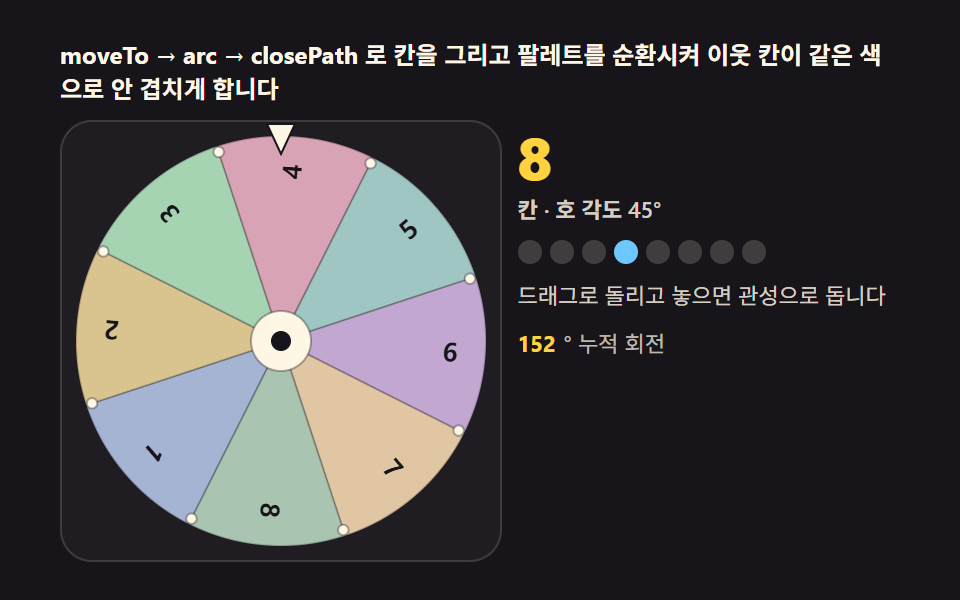 gameweb ルーレット — 弾いて回し摩擦で止まる回転盤キャンバス9種
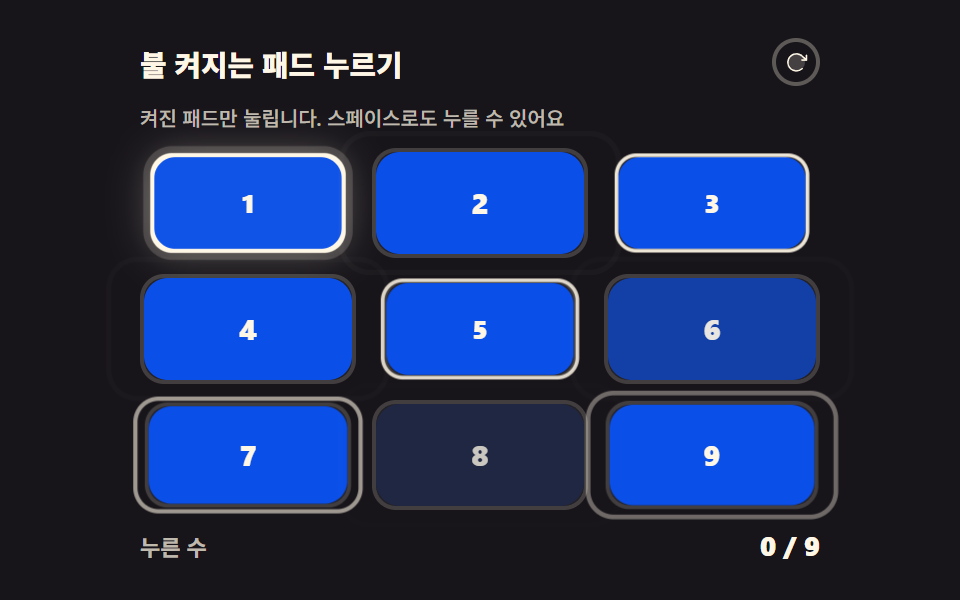 gameCSS ゲーム 作成 — CSSだけで動くミニゲーム9選
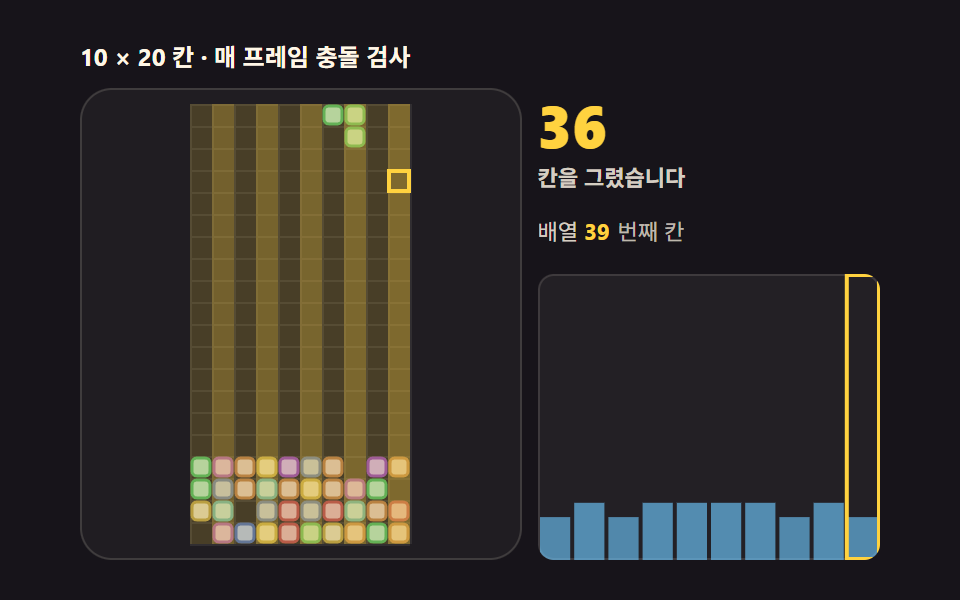 gameテトリス HTML コード — キャンバスで組む9ステップ
 gamejavascript ブロック崩し 反射角で変わる9パターン
 gamecss tic tac toe 9パターン — 盤が自分で数えて線を引く三目並べ
 gamejavascript ピンボール 9種 — 抽選盤・フリッパー・バンパー・ビー玉レース
 game跳ねるボール アニメーション 9選 — 衝突と重力の物理計算
 game二重振り子 シミュレーション 9パターン — 誤差ひとつが道を分けるカオス
 gamecss snake game 9パターン — キー操作なしで経路を探して餌を食べるヘビ
 game迷路 ゲーム 9種 — 壁を払い、波紋で道を探す盤