css グリッチ エフェクト 9種の切り替え演出
css グリッチ エフェクトは、こう動きます。画面が急に途切れて次の内容に切り替わると、故障のように見える — オフセット値でRGBチャンネルをずらして戻す転換、ノイズ強度の値で一瞬だけホワイトノイズを上げて下げる転換、解読進行率の値でランダムな文字を実際のテキストに変える転換のように、値ひとつが制御されたグリッチを作
 01 glitch-transition-image-load-rgb-split
 02 glitch-transition-scanline-displace
 03 glitch-transition-block-shuffle
 04 glitch-transition-pixel-sort-reveal
 05 glitch-transition-static-noise-burst
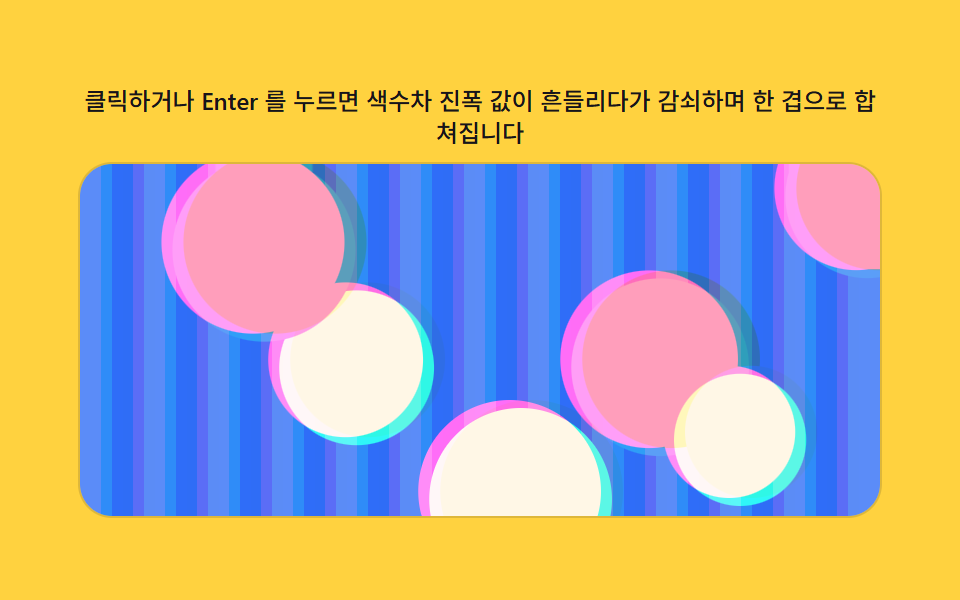 06 glitch-transition-chromatic-drift
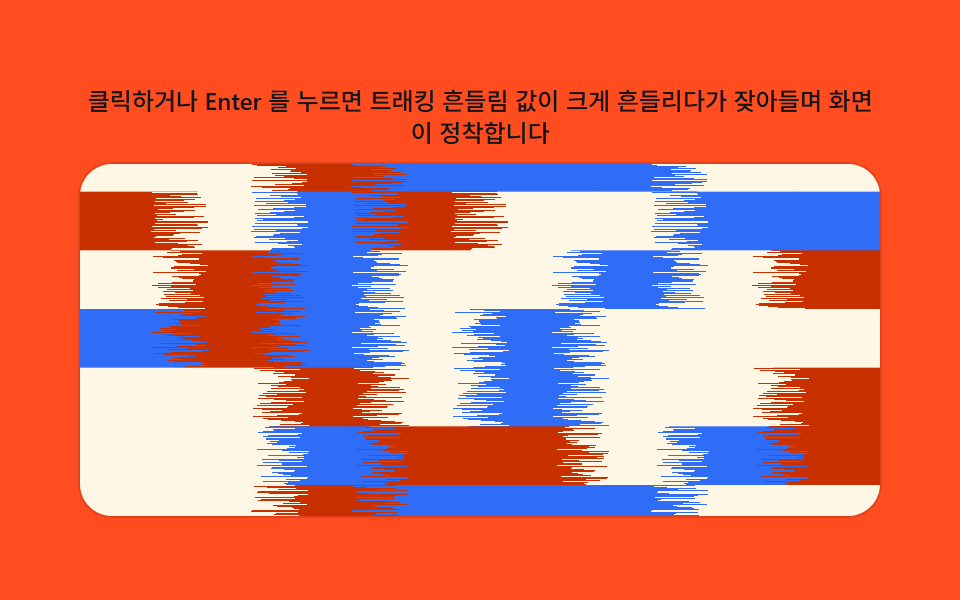 07 glitch-transition-tape-tracking-wobble
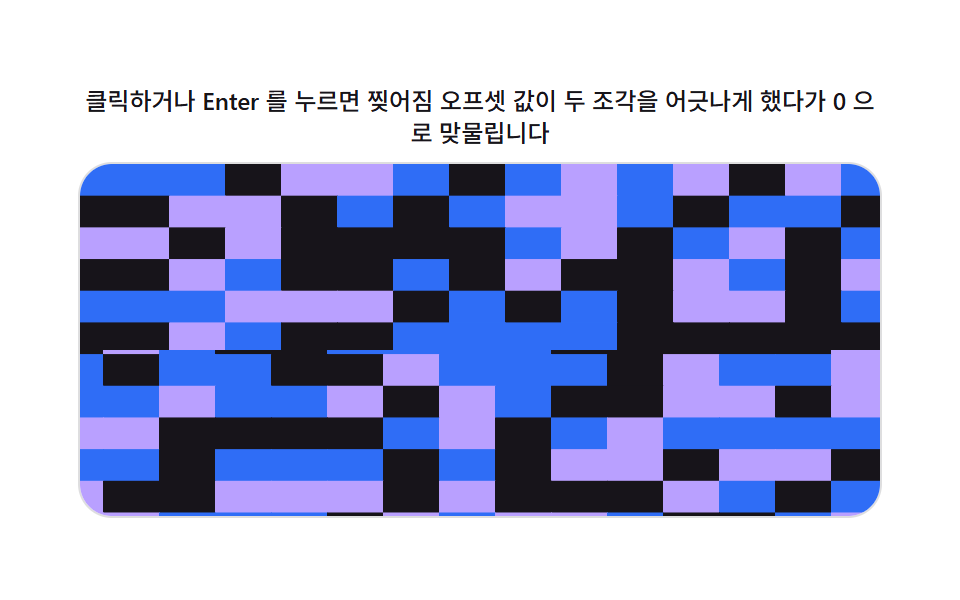 08 glitch-transition-digital-tear
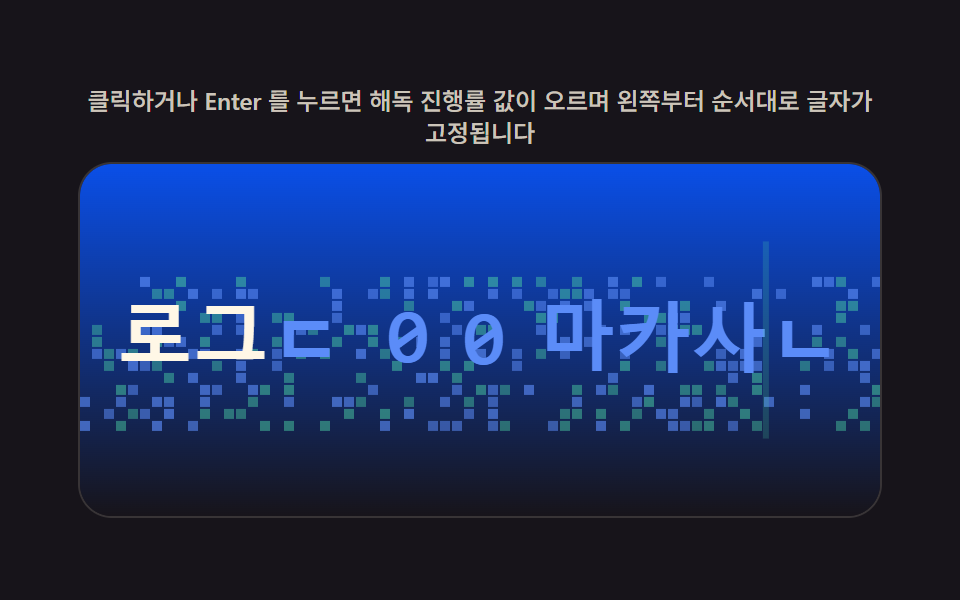 09 glitch-transition-text-decode-scramble
自動再生 · タイルを押すとその項目へ · すべて1つのzip
- 01 チャンネルのずれ値で分かれてから重なる画像の切り替え
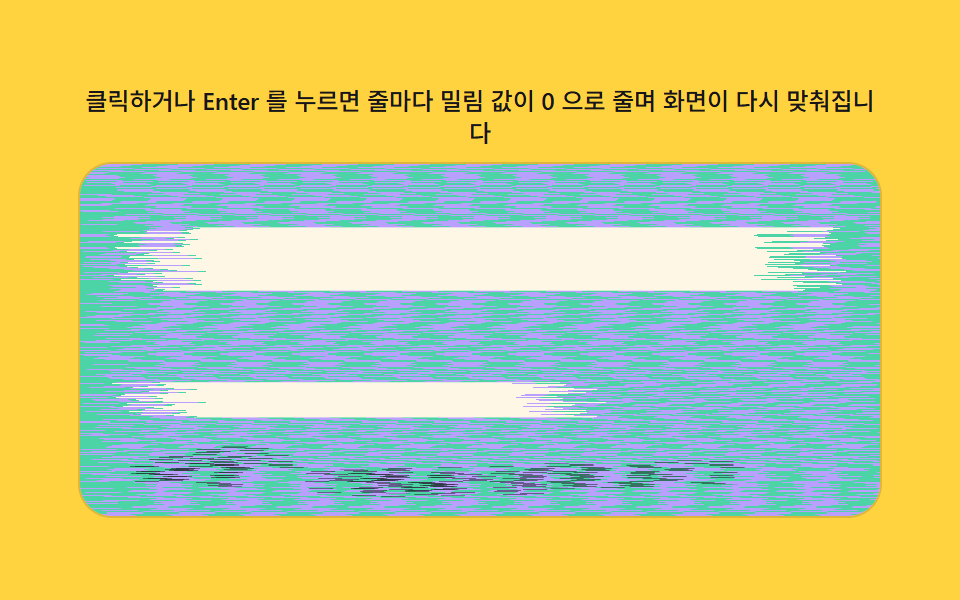
- 02 横方向のずれ値が元に戻る画面の切り替え
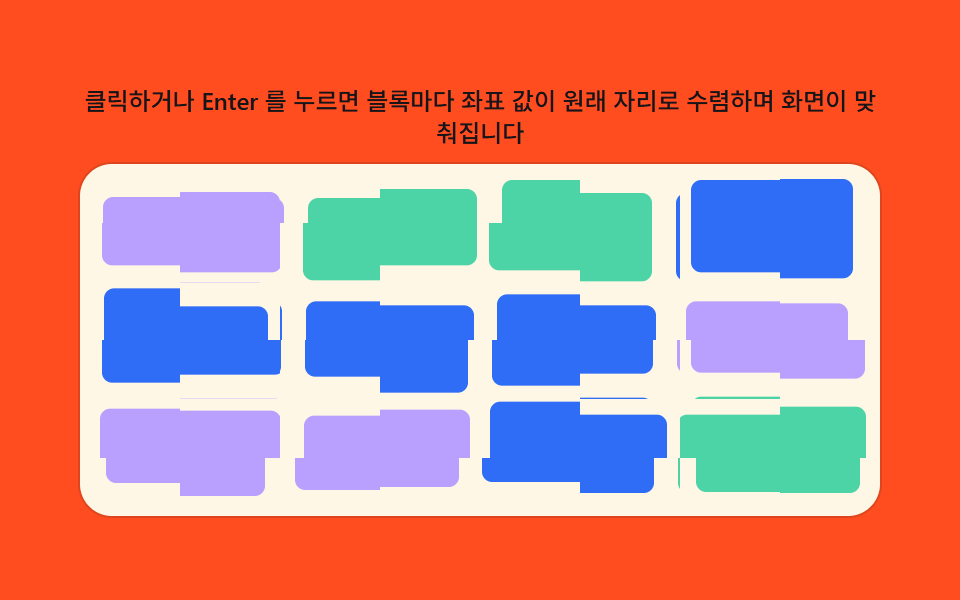
- 03 ブロック座標の値が散らばってから揃う画面の切り替え
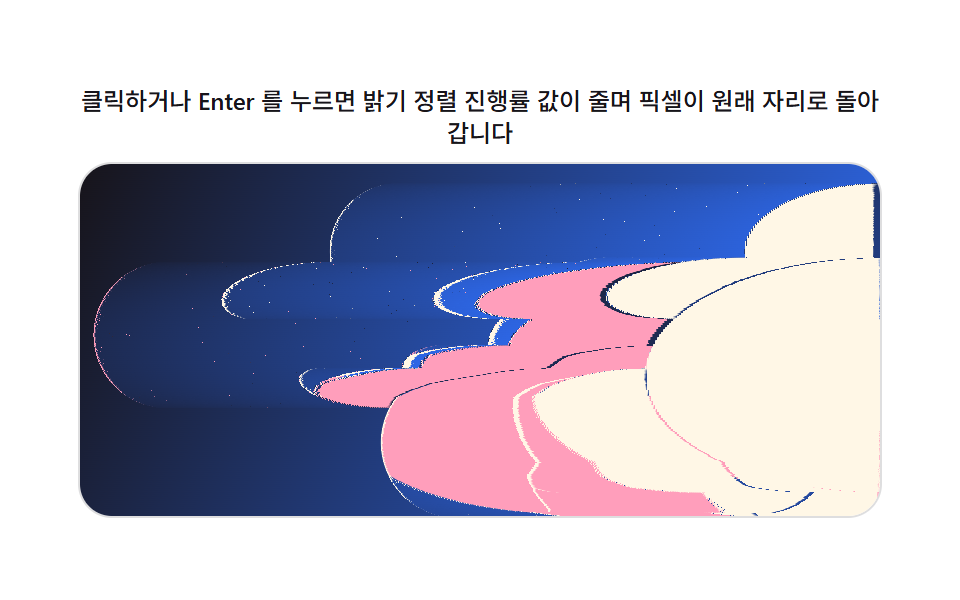
- 04 明るさ整列の進行率値が元に戻す画像の切り替え
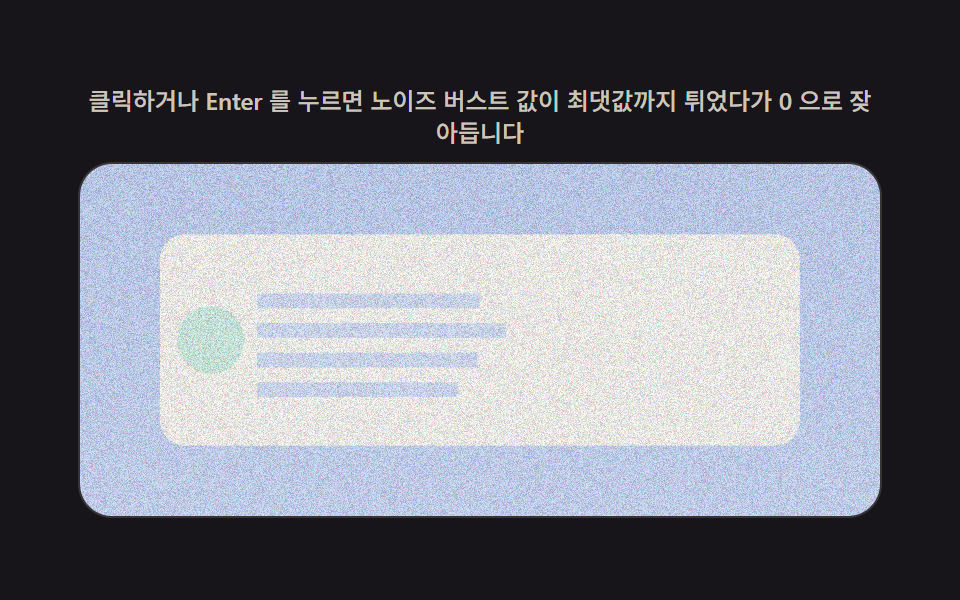
- 05 ノイズ強度の値が収まるコンテンツの切り替え
- 06 色収差の振幅値が減衰する画面の切り替え
- 07 トラッキング揺れ値が安定する画面の切り替え
- 08 裂け目のオフセット値がかみ合う画面の切り替え
- 09 解読進行率の値が実際の文字に変えるテキストの切り替え
9つという数はきりのいい数字を選んだわけではありません。1枚の画像の読み込み(01)から、画面全体を動かすスライス(02・03)、明るさ順で並べ替えるリビール(04)、短いコンテンツの点滅(05)、色だけがずれる2つの演出(06・07)、画面を裂く演出(08)、最後に文字だけの切り替え(09)へと順に進み、素のJavaScriptの数値ひとつがキャンバスの1フレームをどう動かせるかを一つずつ見せていきます。
デモ
上の3×3グリッドは、それぞれが独立したrequestAnimationFrameループで動く9つのキャンバス要素です。これはどこかのペンを指す埋め込みではありません — どのタイルも、このページ自身のキャンバスであり、下の各パターンに載っているコードがそのまま動いています。タイルをクリックするか、Tabで選んでEnterかSpaceを押すか、ウィンドウをリサイズすると、そのタイルのRENDER(p)関数がそのフレームのピクセルバッファを処理します。CSSのtransitionendイベントを待つ処理はどこにもありません。そもそもCSSトランジションがこの裏で動いていないからです。
なぜCSSのトランジションではなく、キャンバスで全ピクセルを計算するのか — css グリッチエフェクトの仕組み
CSSのトランジションは、色・位置・不透明度といったプロパティ自体の値をある数値から別の数値へ補間するだけです。1つのピクセルのバイト値を読み取り、代わりにどのピクセルをコピーするか選んだり、1行のピクセルを明るさ順に並べ替えたりすることはできません。getImageDataがそのフレームの生のバイト配列をキャンバスから受け取り、putImageDataが新しい配列を書き戻すので、以下の9つのパターンはどれも、毎フレーム再計算される単純な数値pひとつから、そのピクセル単位の判断を導けます。9つのどれもMath.randomは使いません。決定的な乱数生成器(makeLcg)が、ブロックのずれ・行ごとのジッター・ノイズの種といった固定レイアウトを一度だけ作るので、同じパターンは毎回同じ形で再生され、実行のたびに崩れることはありません。この記事の裏にある9つのファイルのどこにも、ライブラリもWebGLコンテキストもCDNスクリプトもありません。
グリッチトランジション9種の内訳 — 計算が動く場所
以下の測定値は推定ではなく、9つのデモファイルから直接取ったものです。累積面積は転換全体でキャンバスがどれだけ変化したか、平均強度は変化した箇所の1ピクセルあたりの平均バイト差、動いたフレームは23回のフレーム間差分のうち実際にピクセルが動いた回数を示します。
| # | パターン | 累積面積 | 平均強度 | 動いたフレーム |
|---|---|---|---|---|
| 01 | チャンネルのずれ値で分かれてから重なる画像の切り替え | 48.7% | 45.8 | 23 / 23 |
| 02 | 横方向のずれ値が元に戻る画面の切り替え | 28.9% | 105.9 | 23 / 23 |
| 03 | ブロック座標の値が散らばってから揃う画面の切り替え | 32.6% | 134.4 | 23 / 23 |
| 04 | 明るさ整列の進行率値が元に戻す画像の切り替え | 28.2% | 149.6 | 23 / 23 |
| 05 | ノイズ強度の値が収まるコンテンツの切り替え | 48.8% | 29.7 | 22 / 23 |
| 06 | 色収差の振幅値が減衰する画面の切り替え | 38.4% | 74.9 | 23 / 23 |
| 07 | トラッキング揺れ値が安定する画面の切り替え | 44.6% | 212.2 | 23 / 23 |
| 08 | 裂け目のオフセット値がかみ合う画面の切り替え | 37.6% | 195.6 | 21 / 23 |
| 09 | 解読進行率の値が実際の文字に変えるテキストの切り替え | 19.3% | 50.6 | 22 / 23 |
パターン別コード
以下の各パターンは、ソースフレームを読み取り、出力するバイトを計算し、それを書き戻すという同じ3段階を踏んでおり、2段階目の計算方法だけが異なります。掲載している範囲はデモのソースからそのまま切り出したもので、書き換えていません。
01チャンネルのずれ値で分かれてから重なる画像の切り替え
画像が現れた瞬間にチャンネルのずれ値が赤と青を左右に押し広げ、緑はその場に留まります。ROW_JITTERが行ごとにそのずれ量を揺らすので、単なる平行なずれには見えません。さらにBRIGHT_PULSEとGHOST_MIXが、チャンネルが分かれていく間に短い明るさのパルスと重なり合う残像を加えます。タイルをクリックするか、Tabで選んでEnterを押すと、読み込みの瞬間をもう一度再生できます。
<main class="stage">
<div class="rv is-demo" id="rv">
  <p class="rv__hint"><span>クリックまたはEnterキーを押すと、チャンネルずれ値が大きくなってから0に戻り画像が再び合わさります</span></p>
  <div class="rv__panel" id="panel" tabindex="0" role="button" aria-label="チャンネルずれ値で分かれて合わさる画像転換をもう一度再生">
    <canvas class="rv__cv" id="cv" aria-hidden="true"></canvas>
  </div>
</div>
</main>
@use "../../../../site/static/demo-tokens" as *;
// 계산 겹(채널 어긋남 렌더)은 index.html 의 PRECOMPUTE()/RENDER() 에 있다. 여기는 무대·레이아웃만.
$duration: $dur-loop;
$easing: $ease-out;
$color: $subject-sky;
@include stage($stage-ink);
.rv {
--scene-bg1: #{$subject-blue};
--scene-bg2: #{$subject-sky};
--scene-card: #{$subject-cream};
--scene-dot1: #{$subject-pink};
--scene-dot2: #{$subject-mint};
--accent: #{$color};
display: flex;
flex-direction: column;
align-items: center;
gap: $sp-2;
width: min(400px, 92vw);
}
.rv__hint {
margin: 0;
color: rgba($subject-cream, .78);
font-size: 12px;
font-weight: 500;
line-height: 1.35;
text-align: center;
}
.rv__panel {
position: relative;
width: 100%;
height: 176px;
border-radius: $r-card;
overflow: hidden;
cursor: pointer;
box-shadow: 0 0 0 1px rgba($subject-cream, .14);
transition: box-shadow $duration $easing;
}
.rv__panel:hover {
box-shadow: 0 0 0 1px $color;
}
.rv__panel:focus-visible {
outline: 2px solid $color;
outline-offset: 2px;
}
.rv__cv {
display: block;
width: 100%;
height: 100%;
}
@media (max-width: 340px) {
.rv__hint { font-size: 11px; }
.rv__panel, .rv__cv { height: 120px; }
}
@media (prefers-reduced-motion: reduce) {
.rv__panel { transition: none; }
}html, body {
margin: 0;
overflow: hidden;
}
.stage {
box-sizing: border-box;
min-height: 100vh;
display: grid;
place-items: center;
margin: 0;
background: #17141a;
font-family: -apple-system, "Segoe UI", "Noto Sans KR", sans-serif;
padding: clamp(8px, 4vw, 24px);
}
.rv {
--scene-bg1: #2f6df6;
--scene-bg2: #6ec8ff;
--scene-card: #fff7e6;
--scene-dot1: #ff9ebb;
--scene-dot2: #4cd4a6;
--accent: #6ec8ff;
display: flex;
flex-direction: column;
align-items: center;
gap: 8px;
width: min(400px, 92vw);
}
.rv__hint {
margin: 0;
color: rgba(255, 247, 230, 0.78);
font-size: 12px;
font-weight: 500;
line-height: 1.35;
text-align: center;
}
.rv__panel {
position: relative;
width: 100%;
height: 176px;
border-radius: 16px;
overflow: hidden;
cursor: pointer;
box-shadow: 0 0 0 1px rgba(255, 247, 230, 0.14);
transition: box-shadow 2s ease-out;
}
.rv__panel:hover {
box-shadow: 0 0 0 1px #6ec8ff;
}
.rv__panel:focus-visible {
outline: 2px solid #6ec8ff;
outline-offset: 2px;
}
.rv__cv {
display: block;
width: 100%;
height: 100%;
}
@media (max-width: 340px) {
.rv__hint {
font-size: 11px;
}
.rv__panel, .rv__cv {
height: 120px;
}
}
@media (prefers-reduced-motion: reduce) {
.rv__panel {
transition: none;
}
}(function () {
var root = document.getElementById('rv');
var panel = document.getElementById('panel');
var cv = document.getElementById('cv');
var ctx = cv.getContext('2d');
var reduce = window.matchMedia('(prefers-reduced-motion: reduce)').matches;
var isDemo = true;
// 결정론 난수 — Math.random 을 쓰지 않는다. LCG(선형합동생성기) 하나로 장면을 만든다.
function makeLcg(seed) {
var s = seed >>> 0;
return function () { s = (s * 1664525 + 1013904223) >>> 0; return s / 4294967296; };
}
var css = getComputedStyle(root);
function tok(name, fb) { var v = css.getPropertyValue(name); return v ? (v.trim() || fb) : fb; }
var BG1 = tok('--scene-bg1', '#2f6df6');
var BG2 = tok('--scene-bg2', '#6ec8ff');
var CARD = tok('--scene-card', '#fff7e6');
var DOT1 = tok('--scene-dot1', '#ff9ebb');
var DOT2 = tok('--scene-dot2', '#4cd4a6');
var W = 0, H = 0, dpr = 1;
var buf = document.createElement('canvas');
var bctx = buf.getContext('2d');
// 장면(제품 상세 이미지 자리) — 전부 캔버스로 직접 그린다. 외부 사진·파일 0.
function paintScene(bc, w, h, seed) {
var rng = makeLcg(seed);
var g = bc.createLinearGradient(0, 0, w, h);
g.addColorStop(0, BG1); g.addColorStop(1, BG2);
bc.fillStyle = g;
bc.fillRect(0, 0, w, h);
var cw = w * 0.62, ch = h * 0.62, cx = (w - cw) / 2, cy = (h - ch) / 2;
bc.fillStyle = CARD;
bc.beginPath();
if (bc.roundRect) bc.roundRect(cx, cy, cw, ch, Math.min(cw, ch) * 0.08);
else bc.rect(cx, cy, cw, ch);
bc.fill();
for (var i = 0; i < 5; i++) {
bc.fillStyle = i % 2 ? DOT1 : DOT2;
var r = Math.min(cw, ch) * (0.06 + rng() * 0.07);
bc.beginPath();
bc.arc(cx + r + rng() * (cw - r * 2), cy + r + rng() * (ch - r * 2), r, 0, Math.PI * 2);
bc.fill();
}
}
var SEED = 301;
var PLAY_MS = 700;
var RGB_OFFSET_MAX = 24; // 채널 어긋남 최대치(px) — 변형: 24 -> 60(로드 순간 더 크게 벌어졌다 돌아온다)
var ROW_JITTER = 0.55; // 행마다 어긋남 배율을 흔드는 진폭(0~1) — 채널 분리가 장면 전체에 걸치게
var BRIGHT_PULSE = 0.22; // 전환 중 배경 밝기 펄스 진폭
var GHOST_MIX = 0.28; // 분리된 채널의 고스트 겹침 비율(알파 겹침 강화)
var data, outImg, rowJitter;
function PRECOMPUTE() {
var iw = cv.width, ih = cv.height;
data = bctx.getImageData(0, 0, iw, ih).data;
outImg = ctx.createImageData(iw, ih);
var rng = makeLcg(SEED + 7);
rowJitter = new Float32Array(ih);
for (var y = 0; y < ih; y++) rowJitter[y] = 1 + (rng() * 2 - 1) * ROW_JITTER;
}
function clampI(v, lo, hi) { return v < lo ? lo : (v > hi ? hi : v); }
function RENDER(p) {
var iw = cv.width, ih = cv.height;
var offset = Math.round(RGB_OFFSET_MAX * dpr * p);
var voffset = Math.round(offset / 2);
var o = outImg.data;
if (offset === 0) {
for (var i = 0; i < data.length; i++) o[i] = data[i];
ctx.putImageData(outImg, 0, 0);
return;
}
    var pulse = 1 + BRIGHT_PULSE * Math.sin(Math.PI * p);
    for (var y = 0; y < ih; y++) {
      var rowOffset = Math.round(offset * rowJitter[y]);
      var gy = clampI(y - voffset, 0, ih - 1);
      for (var x = 0; x < iw; x++) {
        var rx = clampI(x - rowOffset, 0, iw - 1);
        var bx = clampI(x + rowOffset, 0, iw - 1);
        var rx2 = clampI(x - Math.round(rowOffset * 1.6), 0, iw - 1);
        var bx2 = clampI(x + Math.round(rowOffset * 1.6), 0, iw - 1);
        var k = (y * iw + x) * 4;
        var kr = (y * iw + rx) * 4;
        var kr2 = (y * iw + rx2) * 4;
        var kg = (gy * iw + x) * 4;
        var kb = (y * iw + bx) * 4;
        var kb2 = (y * iw + bx2) * 4;
        o[k] = clampI(Math.round((data[kr] * (1 - GHOST_MIX) + data[kr2] * GHOST_MIX) * pulse), 0, 255);
        o[k + 1] = clampI(Math.round(data[kg + 1] * pulse), 0, 255);
        o[k + 2] = clampI(Math.round((data[kb + 2] * (1 - GHOST_MIX) + data[kb2 + 2] * GHOST_MIX) * pulse), 0, 255);
        o[k + 3] = 255;
      }
    }
ctx.putImageData(outImg, 0, 0);
}
function fit() {
var r = panel.getBoundingClientRect();
dpr = window.devicePixelRatio || 1;
W = r.width; H = r.height;
cv.width = Math.round(W * dpr); cv.height = Math.round(H * dpr);
ctx.setTransform(1, 0, 0, 1, 0, 0);
buf.width = cv.width; buf.height = cv.height;
bctx.setTransform(1, 0, 0, 1, 0, 0);
paintScene(bctx, buf.width, buf.height, SEED);
PRECOMPUTE();
}
function human() { if (isDemo) { root.classList.remove('is-demo'); isDemo = false; } }
var progress = 0, target = 0, playT0 = 0, playFrom = 0, playing = false;
function easeInOut(t) { return t < 0.5 ? 2 * t * t : 1 - Math.pow(-2 * t + 2, 2) / 2; }
function play() {
// 실사용 경로 — 클릭·Enter·Space 로 채널 어긋남 값을 다시 흔든다.
human();
playFrom = progress; target = progress < 0.5 ? 1 : 0;
playT0 = 0; playing = true;
}
function stepPlay(now) {
if (!playing) return;
if (!playT0) playT0 = now;
var t = Math.min(1, (now - playT0) / PLAY_MS);
progress = playFrom + (target - playFrom) * easeInOut(t);
if (t >= 1) { playing = false; progress = target; }
}
var DRIVE_PERIOD_MS = 2000; // 렌더 캐처 창(설정 초=2.0)과 같은 주기 — 시연 전용
var driveStart = 0;
function triangle(frac) { return frac < 0.5 ? frac * 2 : 2 - frac * 2; }
function driveTick(now) {
if (!driveStart) driveStart = now;
if (isDemo) {
var frac = ((now - driveStart) % DRIVE_PERIOD_MS) / DRIVE_PERIOD_MS;
progress = triangle(frac);
}
requestAnimationFrame(driveTick);
}
function frame(now) {
stepPlay(now);
RENDER(progress);
requestAnimationFrame(frame);
}
window.addEventListener('resize', fit);
fit();
if (reduce) {
root.classList.add('is-still');
progress = 0; RENDER(progress);
panel.addEventListener('click', function () { human(); progress = progress < 0.5 ? 1 : 0; RENDER(progress); });
panel.addEventListener('keydown', function (e) {
if (e.key === 'Enter' || e.key === ' ') { e.preventDefault(); human(); progress = progress < 0.5 ? 1 : 0; RENDER(progress); }
});
} else {
panel.addEventListener('click', play);
panel.addEventListener('keydown', function (e) {
if (e.key === 'Enter' || e.key === ' ') { e.preventDefault(); play(); }
});
requestAnimationFrame(frame);
requestAnimationFrame(driveTick);
}
})();import { useEffect, useRef } from "react";
import styles from "./RgbSplit.module.scss";
export default function RgbSplit() {
const rootRef = useRef<HTMLDivElement | null>(null);
const panelRef = useRef<HTMLDivElement | null>(null);
const cvRef = useRef<HTMLCanvasElement | null>(null);
useEffect(() => {
const root = rootRef.current;
const panel = panelRef.current;
const cv = cvRef.current;
if (!root || !panel || !cv) return;
const ctx = cv.getContext("2d");
if (!ctx) return;
const reduce = window.matchMedia("(prefers-reduced-motion: reduce)").matches;
let isDemo = true;
// 결정론 난수 — Math.random 을 쓰지 않는다. LCG(선형합동생성기) 하나로 장면을 만든다.
function makeLcg(seed: number) {
let s = seed >>> 0;
return function () {
s = (s * 1664525 + 1013904223) >>> 0;
return s / 4294967296;
};
}
const css = getComputedStyle(root);
function tok(name: string, fb: string) {
const v = css.getPropertyValue(name);
return v ? v.trim() || fb : fb;
}
const BG1 = tok("--scene-bg1", "#2f6df6");
const BG2 = tok("--scene-bg2", "#6ec8ff");
const CARD = tok("--scene-card", "#fff7e6");
const DOT1 = tok("--scene-dot1", "#ff9ebb");
const DOT2 = tok("--scene-dot2", "#4cd4a6");
let W = 0;
let H = 0;
let dpr = 1;
const buf = document.createElement("canvas");
const bctx = buf.getContext("2d");
if (!bctx) return;
// 장면(제품 상세 이미지 자리) — 전부 캔버스로 직접 그린다. 외부 사진·파일 0.
function paintScene(bc: CanvasRenderingContext2D, w: number, h: number, seed: number) {
const rng = makeLcg(seed);
const g = bc.createLinearGradient(0, 0, w, h);
g.addColorStop(0, BG1);
g.addColorStop(1, BG2);
bc.fillStyle = g;
bc.fillRect(0, 0, w, h);
const cw = w * 0.62;
const ch = h * 0.62;
const cx = (w - cw) / 2;
const cy = (h - ch) / 2;
bc.fillStyle = CARD;
bc.beginPath();
const rr = (bc as CanvasRenderingContext2D & { roundRect?: (x: number, y: number, w: number, h: number, r: number) => void }).roundRect;
if (rr) rr.call(bc, cx, cy, cw, ch, Math.min(cw, ch) * 0.08);
else bc.rect(cx, cy, cw, ch);
bc.fill();
for (let i = 0; i < 5; i++) {
bc.fillStyle = i % 2 ? DOT1 : DOT2;
const r = Math.min(cw, ch) * (0.06 + rng() * 0.07);
bc.beginPath();
bc.arc(cx + r + rng() * (cw - r * 2), cy + r + rng() * (ch - r * 2), r, 0, Math.PI * 2);
bc.fill();
}
}
const SEED = 301;
const PLAY_MS = 700;
const RGB_OFFSET_MAX = 24; // 채널 어긋남 최대치(px) — 변형: 24 -> 60(로드 순간 더 크게 벌어졌다 돌아온다)
const ROW_JITTER = 0.55; // 행마다 어긋남 배율을 흔드는 진폭(0~1) — 채널 분리가 장면 전체에 걸치게
const BRIGHT_PULSE = 0.22; // 전환 중 배경 밝기 펄스 진폭
const GHOST_MIX = 0.28; // 분리된 채널의 고스트 겹침 비율(알파 겹침 강화)
let data: Uint8ClampedArray | null = null;
let outImg: ImageData | null = null;
let rowJitter: Float32Array | null = null;
function PRECOMPUTE() {
const iw = cv!.width;
const ih = cv!.height;
data = bctx!.getImageData(0, 0, iw, ih).data;
outImg = ctx!.createImageData(iw, ih);
const rng = makeLcg(SEED + 7);
const rj = new Float32Array(ih);
for (let y = 0; y < ih; y++) rj[y] = 1 + (rng() * 2 - 1) * ROW_JITTER;
rowJitter = rj;
}
function clampI(v: number, lo: number, hi: number) {
return v < lo ? lo : v > hi ? hi : v;
}
function RENDER(p: number) {
const iw = cv!.width;
const ih = cv!.height;
const offset = Math.round(RGB_OFFSET_MAX * dpr * p);
const voffset = Math.round(offset / 2);
const o = outImg!.data;
const d = data!;
const rj = rowJitter!;
if (offset === 0) {
for (let i = 0; i < d.length; i++) o[i] = d[i];
ctx!.putImageData(outImg!, 0, 0);
return;
}
const pulse = 1 + BRIGHT_PULSE * Math.sin(Math.PI * p);
for (let y = 0; y < ih; y++) {
const rowOffset = Math.round(offset * rj[y]);
const gy = clampI(y - voffset, 0, ih - 1);
for (let x = 0; x < iw; x++) {
const rx = clampI(x - rowOffset, 0, iw - 1);
const bx = clampI(x + rowOffset, 0, iw - 1);
const rx2 = clampI(x - Math.round(rowOffset * 1.6), 0, iw - 1);
const bx2 = clampI(x + Math.round(rowOffset * 1.6), 0, iw - 1);
const k = (y * iw + x) * 4;
const kr = (y * iw + rx) * 4;
const kr2 = (y * iw + rx2) * 4;
const kg = (gy * iw + x) * 4;
const kb = (y * iw + bx) * 4;
const kb2 = (y * iw + bx2) * 4;
o[k] = clampI(Math.round((d[kr] * (1 - GHOST_MIX) + d[kr2] * GHOST_MIX) * pulse), 0, 255);
o[k + 1] = clampI(Math.round(d[kg + 1] * pulse), 0, 255);
o[k + 2] = clampI(Math.round((d[kb + 2] * (1 - GHOST_MIX) + d[kb2 + 2] * GHOST_MIX) * pulse), 0, 255);
o[k + 3] = 255;
}
}
ctx!.putImageData(outImg!, 0, 0);
}
function fit() {
const r = panel!.getBoundingClientRect();
dpr = window.devicePixelRatio || 1;
W = r.width;
H = r.height;
cv!.width = Math.round(W * dpr);
cv!.height = Math.round(H * dpr);
ctx!.setTransform(1, 0, 0, 1, 0, 0);
buf.width = cv!.width;
buf.height = cv!.height;
bctx!.setTransform(1, 0, 0, 1, 0, 0);
paintScene(bctx!, buf.width, buf.height, SEED);
PRECOMPUTE();
}
function human() {
if (isDemo) {
root!.classList.remove("is-demo");
isDemo = false;
}
}
let progress = 0;
let target = 0;
let playT0 = 0;
let playFrom = 0;
let playing = false;
function easeInOut(t: number) {
return t < 0.5 ? 2 * t * t : 1 - Math.pow(-2 * t + 2, 2) / 2;
}
function play() {
// 실사용 경로 — 클릭·Enter·Space 로 채널 어긋남 값을 다시 흔든다.
human();
playFrom = progress;
target = progress < 0.5 ? 1 : 0;
playT0 = 0;
playing = true;
}
function stepPlay(now: number) {
if (!playing) return;
if (!playT0) playT0 = now;
const t = Math.min(1, (now - playT0) / PLAY_MS);
progress = playFrom + (target - playFrom) * easeInOut(t);
if (t >= 1) {
playing = false;
progress = target;
}
}
const DRIVE_PERIOD_MS = 2000; // 렌더 캐처 창(설정 초=2.0)과 같은 주기 — 시연 전용
let driveStart = 0;
let rafFrame = 0;
let rafDrive = 0;
function triangle(frac: number) {
return frac < 0.5 ? frac * 2 : 2 - frac * 2;
}
function driveTick(now: number) {
if (!driveStart) driveStart = now;
if (isDemo) {
const frac = ((now - driveStart) % DRIVE_PERIOD_MS) / DRIVE_PERIOD_MS;
progress = triangle(frac);
}
rafDrive = requestAnimationFrame(driveTick);
}
function frame(now: number) {
stepPlay(now);
RENDER(progress);
rafFrame = requestAnimationFrame(frame);
}
function onClick() {
play();
}
function onKeyDown(e: Event) {
const ke = e as KeyboardEvent;
if (ke.key === "Enter" || ke.key === " ") {
ke.preventDefault();
play();
}
}
function onClickReduce() {
human();
progress = progress < 0.5 ? 1 : 0;
RENDER(progress);
}
function onKeyDownReduce(e: Event) {
const ke = e as KeyboardEvent;
if (ke.key === "Enter" || ke.key === " ") {
ke.preventDefault();
human();
progress = progress < 0.5 ? 1 : 0;
RENDER(progress);
}
}
window.addEventListener("resize", fit);
fit();
if (reduce) {
root.classList.add("is-still");
progress = 0;
RENDER(progress);
panel.addEventListener("click", onClickReduce);
panel.addEventListener("keydown", onKeyDownReduce);
} else {
panel.addEventListener("click", onClick);
panel.addEventListener("keydown", onKeyDown);
rafFrame = requestAnimationFrame(frame);
rafDrive = requestAnimationFrame(driveTick);
}
return () => {
window.removeEventListener("resize", fit);
cancelAnimationFrame(rafFrame);
cancelAnimationFrame(rafDrive);
if (reduce) {
panel.removeEventListener("click", onClickReduce);
panel.removeEventListener("keydown", onKeyDownReduce);
} else {
panel.removeEventListener("click", onClick);
panel.removeEventListener("keydown", onKeyDown);
}
};
}, []);
return (
<main className={styles.stage}>
<div className={`${styles.root} is-demo`} ref={rootRef}>
<p className={styles.hint}>
<span>클릭하거나 Enter 를 누르면 채널 어긋남 값이 커졌다가 0 으로 줄며 이미지가 다시 맞춰집니다</span>
</p>
<div
className={styles.panel}
ref={panelRef}
tabIndex={0}
role="button"
aria-label="채널 어긋남 값으로 갈라졌다 합쳐지는 이미지 전환 다시 재생"
>
<canvas className={styles.cv} ref={cvRef} aria-hidden="true" />
</div>
</div>
</main>
);
}01 · チャンネルのずれ値で分かれてから重なる画像の切り替え — 計測 累積面積 48.733% · 動いたフレーム 23/23GODRICH オリジナル · SCSS と React は zip に同梱 · パスワードを見る
var pulse = 1 + BRIGHT_PULSE * Math.sin(Math.PI * p);
for (var y = 0; y < ih; y++) {
var rowOffset = Math.round(offset * rowJitter[y]);
var gy = clampI(y - voffset, 0, ih - 1);
for (var x = 0; x < iw; x++) {
var rx = clampI(x - rowOffset, 0, iw - 1);
var bx = clampI(x + rowOffset, 0, iw - 1);
var rx2 = clampI(x - Math.round(rowOffset * 1.6), 0, iw - 1);
var bx2 = clampI(x + Math.round(rowOffset * 1.6), 0, iw - 1);
var k = (y * iw + x) * 4;
var kr = (y * iw + rx) * 4;
var kr2 = (y * iw + rx2) * 4;
var kg = (gy * iw + x) * 4;
var kb = (y * iw + bx) * 4;
var kb2 = (y * iw + bx2) * 4;
o[k] = clampI(Math.round((data[kr] * (1 - GHOST_MIX) + data[kr2] * GHOST_MIX) * pulse), 0, 255);
o[k + 1] = clampI(Math.round(data[kg + 1] * pulse), 0, 255);
o[k + 2] = clampI(Math.round((data[kb + 2] * (1 - GHOST_MIX) + data[kb2 + 2] * GHOST_MIX) * pulse), 0, 255);
o[k + 3] = 255;
}
}
02横方向のずれ値が元に戻る画面の切り替え
PRECOMPUTE()はシード付き乱数を使って各行のrowOffsetsを一度だけ計算し、RENDER(p)はその行ごとのずれ値に現在の進行度を掛けてから、ずれた元の行からピクセルをコピーします。ずれ値は一度だけ計算してpで倍率をかけるだけなので、同じギザギザの形が再生のたびに同じ場所へ戻ります。
<main class="stage">
<div class="rv is-demo" id="rv">
  <p class="rv__hint"><span>クリックまたはEnterキーを押すと、各ラインのずれ値が0に減り画面が再び揃います</span></p>
  <div class="rv__panel" id="panel" tabindex="0" role="button" aria-label="横ラインのずれ値が元の位置に戻る画面転換をもう一度再生">
    <canvas class="rv__cv" id="cv" aria-hidden="true"></canvas>
  </div>
</div>
</main>
@use "../../../../site/static/demo-tokens" as *;
// 계산 겹(줄 밀림 렌더)은 index.html 의 PRECOMPUTE()/RENDER() 에 있다. 여기는 무대·레이아웃만.
$duration: $dur-loop;
$easing: $ease-out;
$color: $subject-blue-deep;
@include stage($stage-yellow);
.rv {
--scene-bg1: #{$subject-lilac};
--scene-bg2: #{$subject-mint};
--scene-bar: #{$subject-cream};
--scene-dot: #{$subject-ink};
--accent: #{$color};
display: flex;
flex-direction: column;
align-items: center;
gap: $sp-2;
width: min(400px, 92vw);
}
.rv__hint {
margin: 0;
color: $subject-ink;
font-size: 12px;
font-weight: 500;
line-height: 1.35;
text-align: center;
}
.rv__panel {
position: relative;
width: 100%;
height: 176px;
border-radius: $r-card;
overflow: hidden;
cursor: pointer;
box-shadow: 0 0 0 1px rgba($subject-ink, .14);
transition: box-shadow $duration $easing;
}
.rv__panel:hover {
box-shadow: 0 0 0 1px $color;
}
.rv__panel:focus-visible {
outline: 2px solid $color;
outline-offset: 2px;
}
.rv__cv {
display: block;
width: 100%;
height: 100%;
}
@media (max-width: 340px) {
.rv__hint { font-size: 11px; }
.rv__panel, .rv__cv { height: 120px; }
}
@media (prefers-reduced-motion: reduce) {
.rv__panel { transition: none; }
}html, body {
margin: 0;
overflow: hidden;
}
.stage {
box-sizing: border-box;
min-height: 100vh;
display: grid;
place-items: center;
margin: 0;
background: #ffd23f;
font-family: -apple-system, "Segoe UI", "Noto Sans KR", sans-serif;
padding: clamp(8px, 4vw, 24px);
}
.rv {
--scene-bg1: #b9a0ff;
--scene-bg2: #4cd4a6;
--scene-bar: #fff7e6;
--scene-dot: #17141a;
--accent: #0a4fe8;
display: flex;
flex-direction: column;
align-items: center;
gap: 8px;
width: min(400px, 92vw);
}
.rv__hint {
margin: 0;
color: #17141a;
font-size: 12px;
font-weight: 500;
line-height: 1.35;
text-align: center;
}
.rv__panel {
position: relative;
width: 100%;
height: 176px;
border-radius: 16px;
overflow: hidden;
cursor: pointer;
box-shadow: 0 0 0 1px rgba(23, 20, 26, 0.14);
transition: box-shadow 2s ease-out;
}
.rv__panel:hover {
box-shadow: 0 0 0 1px #0a4fe8;
}
.rv__panel:focus-visible {
outline: 2px solid #0a4fe8;
outline-offset: 2px;
}
.rv__cv {
display: block;
width: 100%;
height: 100%;
}
@media (max-width: 340px) {
.rv__hint {
font-size: 11px;
}
.rv__panel, .rv__cv {
height: 120px;
}
}
@media (prefers-reduced-motion: reduce) {
.rv__panel {
transition: none;
}
}(function () {
var root = document.getElementById('rv');
var panel = document.getElementById('panel');
var cv = document.getElementById('cv');
var ctx = cv.getContext('2d');
var reduce = window.matchMedia('(prefers-reduced-motion: reduce)').matches;
var isDemo = true;
// 결정론 난수 — Math.random 을 쓰지 않는다. LCG(선형합동생성기) 하나로 장면·줄 밀림 값을 만든다.
function makeLcg(seed) {
var s = seed >>> 0;
return function () { s = (s * 1664525 + 1013904223) >>> 0; return s / 4294967296; };
}
var css = getComputedStyle(root);
function tok(name, fb) { var v = css.getPropertyValue(name); return v ? (v.trim() || fb) : fb; }
var BG1 = tok('--scene-bg1', '#b9a0ff');
var BG2 = tok('--scene-bg2', '#4cd4a6');
var BAR = tok('--scene-bar', '#fff7e6');
var DOT = tok('--scene-dot', '#17141a');
var W = 0, H = 0, dpr = 1;
var buf = document.createElement('canvas');
var bctx = buf.getContext('2d');
// 장면(섹션 슬라이드 배경 자리) — 전부 캔버스로 직접 그린다. 외부 사진·파일 0.
// 세로 줄무늬 바탕 — 가로줄이 옆으로 밀리면 줄무늬 경계가 어긋나 보이도록 가로 방향 결을 준다.
function paintScene(bc, w, h, seed) {
var rng = makeLcg(seed);
var stripeW = Math.max(6, w * 0.045);
for (var x = 0; x < w; x += stripeW) {
bc.fillStyle = Math.floor(x / stripeW) % 2 ? BG1 : BG2;
bc.fillRect(x, 0, stripeW + 1, h);
}
bc.fillStyle = BAR;
bc.fillRect(w * 0.1, h * 0.18, w * 0.8, h * 0.18);
bc.fillRect(w * 0.1, h * 0.62, w * 0.5, h * 0.1);
for (var i = 0; i < 10; i++) {
bc.fillStyle = DOT;
bc.globalAlpha = 0.5;
bc.fillRect(rng() * w, h * 0.8 + rng() * h * 0.12, w * 0.03, w * 0.03);
}
bc.globalAlpha = 1;
}
var SEED = 401;
var PLAY_MS = 620;
var ROW_OFFSET_MAX = 34; // 줄 밀림 최댓값(px) — 변형: 34 -> 60(첫 프레임 어긋남이 더 크게 튄다)
var data, outImg, iw, ih, rowOffsets;
  function PRECOMPUTE() {
    iw = cv.width; ih = cv.height;
    data = bctx.getImageData(0, 0, iw, ih).data;
    outImg = ctx.createImageData(iw, ih);
    var rng = makeLcg(SEED + 7);
    rowOffsets = new Float32Array(ih);
    for (var y = 0; y < ih; y++) rowOffsets[y] = (rng() * 2 - 1) * ROW_OFFSET_MAX * dpr;
  }

  function clampI(v, lo, hi) { return v < lo ? lo : (v > hi ? hi : v); }

  function RENDER(p) {
    var o = outImg.data;
    for (var y = 0; y < ih; y++) {
      var shift = Math.round(rowOffsets[y] * p);
      var rowBase = y * iw;
      for (var x = 0; x < iw; x++) {
        var sx = clampI(x - shift, 0, iw - 1);
        var k = (rowBase + x) * 4;
        var sk = (rowBase + sx) * 4;
        o[k] = data[sk]; o[k + 1] = data[sk + 1]; o[k + 2] = data[sk + 2]; o[k + 3] = 255;
      }
    }
    ctx.putImageData(outImg, 0, 0);
  }
function fit() {
var r = panel.getBoundingClientRect();
dpr = window.devicePixelRatio || 1;
W = r.width; H = r.height;
cv.width = Math.round(W * dpr); cv.height = Math.round(H * dpr);
buf.width = cv.width; buf.height = cv.height;
paintScene(bctx, buf.width, buf.height, SEED);
PRECOMPUTE();
}
function human() { if (isDemo) { root.classList.remove('is-demo'); isDemo = false; } }
var progress = 0, target = 0, playT0 = 0, playFrom = 0, playing = false;
function easeInOut(t) { return t < 0.5 ? 2 * t * t : 1 - Math.pow(-2 * t + 2, 2) / 2; }
function play() {
human();
playFrom = progress; target = progress < 0.5 ? 1 : 0;
playT0 = 0; playing = true;
}
function stepPlay(now) {
if (!playing) return;
if (!playT0) playT0 = now;
var t = Math.min(1, (now - playT0) / PLAY_MS);
progress = playFrom + (target - playFrom) * easeInOut(t);
if (t >= 1) { playing = false; progress = target; }
}
var DRIVE_PERIOD_MS = 2000;
var driveStart = 0;
function triangle(frac) { return frac < 0.5 ? frac * 2 : 2 - frac * 2; }
function driveTick(now) {
if (!driveStart) driveStart = now;
if (isDemo) {
var frac = ((now - driveStart) % DRIVE_PERIOD_MS) / DRIVE_PERIOD_MS;
progress = triangle(frac);
}
requestAnimationFrame(driveTick);
}
function frame(now) {
stepPlay(now);
RENDER(progress);
requestAnimationFrame(frame);
}
window.addEventListener('resize', fit);
fit();
if (reduce) {
root.classList.add('is-still');
progress = 0; RENDER(progress);
panel.addEventListener('click', function () { human(); progress = progress < 0.5 ? 1 : 0; RENDER(progress); });
panel.addEventListener('keydown', function (e) {
if (e.key === 'Enter' || e.key === ' ') { e.preventDefault(); human(); progress = progress < 0.5 ? 1 : 0; RENDER(progress); }
});
} else {
panel.addEventListener('click', play);
panel.addEventListener('keydown', function (e) {
if (e.key === 'Enter' || e.key === ' ') { e.preventDefault(); play(); }
});
requestAnimationFrame(frame);
requestAnimationFrame(driveTick);
}
})();import { useEffect, useRef } from "react";
import styles from "./ScanlineDisplace.module.scss";
export default function ScanlineDisplace() {
const rootRef = useRef<HTMLDivElement | null>(null);
const panelRef = useRef<HTMLDivElement | null>(null);
const cvRef = useRef<HTMLCanvasElement | null>(null);
useEffect(() => {
const root = rootRef.current;
const panel = panelRef.current;
const cv = cvRef.current;
if (!root || !panel || !cv) return;
const ctx = cv.getContext("2d");
if (!ctx) return;
const reduce = window.matchMedia("(prefers-reduced-motion: reduce)").matches;
let isDemo = true;
// 결정론 난수 — Math.random 을 쓰지 않는다. LCG(선형합동생성기) 하나로 장면·줄 밀림 값을 만든다.
function makeLcg(seed: number) {
let s = seed >>> 0;
return function () {
s = (s * 1664525 + 1013904223) >>> 0;
return s / 4294967296;
};
}
const css = getComputedStyle(root);
function tok(name: string, fb: string) {
const v = css.getPropertyValue(name);
return v ? v.trim() || fb : fb;
}
const BG1 = tok("--scene-bg1", "#b9a0ff");
const BG2 = tok("--scene-bg2", "#4cd4a6");
const BAR = tok("--scene-bar", "#fff7e6");
const DOT = tok("--scene-dot", "#17141a");
let W = 0;
let H = 0;
let dpr = 1;
const buf = document.createElement("canvas");
const bctx = buf.getContext("2d");
if (!bctx) return;
// 장면(섹션 슬라이드 배경 자리) — 전부 캔버스로 직접 그린다. 외부 사진·파일 0.
// 세로 줄무늬 바탕 — 가로줄이 옆으로 밀리면 줄무늬 경계가 어긋나 보이도록 가로 방향 결을 준다.
function paintScene(bc: CanvasRenderingContext2D, w: number, h: number, seed: number) {
const rng = makeLcg(seed);
const stripeW = Math.max(6, w * 0.045);
for (let x = 0; x < w; x += stripeW) {
bc.fillStyle = Math.floor(x / stripeW) % 2 ? BG1 : BG2;
bc.fillRect(x, 0, stripeW + 1, h);
}
bc.fillStyle = BAR;
bc.fillRect(w * 0.1, h * 0.18, w * 0.8, h * 0.18);
bc.fillRect(w * 0.1, h * 0.62, w * 0.5, h * 0.1);
for (let i = 0; i < 10; i++) {
bc.fillStyle = DOT;
bc.globalAlpha = 0.5;
bc.fillRect(rng() * w, h * 0.8 + rng() * h * 0.12, w * 0.03, w * 0.03);
}
bc.globalAlpha = 1;
}
const SEED = 401;
const PLAY_MS = 620;
const ROW_OFFSET_MAX = 34; // 줄 밀림 최댓값(px) — 변형: 34 -> 60(첫 프레임 어긋남이 더 크게 튄다)
let data: Uint8ClampedArray | null = null;
let outImg: ImageData | null = null;
let iw = 0;
let ih = 0;
let rowOffsets: Float32Array | null = null;
function PRECOMPUTE() {
iw = cv!.width;
ih = cv!.height;
data = bctx!.getImageData(0, 0, iw, ih).data;
outImg = ctx!.createImageData(iw, ih);
const rng = makeLcg(SEED + 7);
rowOffsets = new Float32Array(ih);
for (let y = 0; y < ih; y++) rowOffsets[y] = (rng() * 2 - 1) * ROW_OFFSET_MAX * dpr;
}
function clampI(v: number, lo: number, hi: number) {
return v < lo ? lo : v > hi ? hi : v;
}
function RENDER(p: number) {
const o = outImg!.data;
const d = data!;
const ro = rowOffsets!;
for (let y = 0; y < ih; y++) {
const shift = Math.round(ro[y] * p);
const rowBase = y * iw;
for (let x = 0; x < iw; x++) {
const sx = clampI(x - shift, 0, iw - 1);
const k = (rowBase + x) * 4;
const sk = (rowBase + sx) * 4;
o[k] = d[sk];
o[k + 1] = d[sk + 1];
o[k + 2] = d[sk + 2];
o[k + 3] = 255;
}
}
ctx!.putImageData(outImg!, 0, 0);
}
function fit() {
const r = panel!.getBoundingClientRect();
dpr = window.devicePixelRatio || 1;
W = r.width;
H = r.height;
cv!.width = Math.round(W * dpr);
cv!.height = Math.round(H * dpr);
buf.width = cv!.width;
buf.height = cv!.height;
paintScene(bctx!, buf.width, buf.height, SEED);
PRECOMPUTE();
}
function human() {
if (isDemo) {
root!.classList.remove("is-demo");
isDemo = false;
}
}
let progress = 0;
let target = 0;
let playT0 = 0;
let playFrom = 0;
let playing = false;
function easeInOut(t: number) {
return t < 0.5 ? 2 * t * t : 1 - Math.pow(-2 * t + 2, 2) / 2;
}
function play() {
human();
playFrom = progress;
target = progress < 0.5 ? 1 : 0;
playT0 = 0;
playing = true;
}
function stepPlay(now: number) {
if (!playing) return;
if (!playT0) playT0 = now;
const t = Math.min(1, (now - playT0) / PLAY_MS);
progress = playFrom + (target - playFrom) * easeInOut(t);
if (t >= 1) {
playing = false;
progress = target;
}
}
const DRIVE_PERIOD_MS = 2000;
let driveStart = 0;
let rafFrame = 0;
let rafDrive = 0;
function triangle(frac: number) {
return frac < 0.5 ? frac * 2 : 2 - frac * 2;
}
function driveTick(now: number) {
if (!driveStart) driveStart = now;
if (isDemo) {
const frac = ((now - driveStart) % DRIVE_PERIOD_MS) / DRIVE_PERIOD_MS;
progress = triangle(frac);
}
rafDrive = requestAnimationFrame(driveTick);
}
function frame(now: number) {
stepPlay(now);
RENDER(progress);
rafFrame = requestAnimationFrame(frame);
}
function onClick() {
play();
}
function onKeyDown(e: Event) {
const ke = e as KeyboardEvent;
if (ke.key === "Enter" || ke.key === " ") {
ke.preventDefault();
play();
}
}
function onClickReduce() {
human();
progress = progress < 0.5 ? 1 : 0;
RENDER(progress);
}
function onKeyDownReduce(e: Event) {
const ke = e as KeyboardEvent;
if (ke.key === "Enter" || ke.key === " ") {
ke.preventDefault();
human();
progress = progress < 0.5 ? 1 : 0;
RENDER(progress);
}
}
window.addEventListener("resize", fit);
fit();
if (reduce) {
root.classList.add("is-still");
progress = 0;
RENDER(progress);
panel.addEventListener("click", onClickReduce);
panel.addEventListener("keydown", onKeyDownReduce);
} else {
panel.addEventListener("click", onClick);
panel.addEventListener("keydown", onKeyDown);
rafFrame = requestAnimationFrame(frame);
rafDrive = requestAnimationFrame(driveTick);
}
return () => {
window.removeEventListener("resize", fit);
cancelAnimationFrame(rafFrame);
cancelAnimationFrame(rafDrive);
if (reduce) {
panel.removeEventListener("click", onClickReduce);
panel.removeEventListener("keydown", onKeyDownReduce);
} else {
panel.removeEventListener("click", onClick);
panel.removeEventListener("keydown", onKeyDown);
}
};
}, []);
return (
<main className={styles.stage}>
<div className={`${styles.root} is-demo`} ref={rootRef}>
<p className={styles.hint}>
<span>클릭하거나 Enter 를 누르면 줄마다 밀림 값이 0 으로 줄며 화면이 다시 맞춰집니다</span>
</p>
<div
className={styles.panel}
ref={panelRef}
tabIndex={0}
role="button"
aria-label="가로줄 밀림 값이 자리를 되찾는 화면 전환 다시 재생"
>
<canvas className={styles.cv} ref={cvRef} aria-hidden="true" />
</div>
</div>
</main>
);
}02 · 横方向のずれ値が元に戻る画面の切り替え — 計測 累積面積 28.934% · 動いたフレーム 23/23GODRICH オリジナル · SCSS と React は zip に同梱 · パスワードを見る
function PRECOMPUTE() {
iw = cv.width; ih = cv.height;
data = bctx.getImageData(0, 0, iw, ih).data;
outImg = ctx.createImageData(iw, ih);
var rng = makeLcg(SEED + 7);
rowOffsets = new Float32Array(ih);
for (var y = 0; y < ih; y++) rowOffsets[y] = (rng() * 2 - 1) * ROW_OFFSET_MAX * dpr;
}
function clampI(v, lo, hi) { return v < lo ? lo : (v > hi ? hi : v); }
function RENDER(p) {
var o = outImg.data;
for (var y = 0; y < ih; y++) {
var shift = Math.round(rowOffsets[y] * p);
var rowBase = y * iw;
for (var x = 0; x < iw; x++) {
var sx = clampI(x - shift, 0, iw - 1);
var k = (rowBase + x) * 4;
var sk = (rowBase + sx) * 4;
o[k] = data[sk]; o[k + 1] = data[sk + 1]; o[k + 2] = data[sk + 2]; o[k + 3] = 255;
}
}
ctx.putImageData(outImg, 0, 0);
}
03ブロック座標の値が散らばってから揃う画面の切り替え
キャンバスはBLOCK_ROWS×BLOCK_COLSの正方形に分割され、各ブロックは自分専用のblockDx・blockDy散らばり量を一度だけ持ちます。RENDER(p)はpを0へ向かって戻していくので、各ブロックのピクセルは縮んでいくずれ量から元の座標に着地します。ウィンドウをリサイズすると、同じブロック分割が新しいサイズで組み直されます。
<main class="stage">
<div class="rv is-demo" id="rv">
  <p class="rv__hint"><span>クリックまたはEnterキーを押すと、各ブロックの座標値が元の位置に収束し画面が揃います</span></p>
  <div class="rv__panel" id="panel" tabindex="0" role="button" aria-label="ブロック座標値が散らばってから揃う画面転換をもう一度再生">
    <canvas class="rv__cv" id="cv" aria-hidden="true"></canvas>
  </div>
</div>
</main>
@use "../../../../site/static/demo-tokens" as *;
// 계산 겹(블록 뒤섞임 렌더)은 index.html 의 PRECOMPUTE()/RENDER() 에 있다. 여기는 무대·레이아웃만.
$duration: $dur-loop;
$easing: $ease-out;
$color: $subject-ink;
@include stage($stage-orange);
.rv {
--scene-bg: #{$subject-cream};
--scene-card1: #{$subject-blue};
--scene-card2: #{$subject-lilac};
--scene-card3: #{$subject-mint};
--accent: #{$color};
display: flex;
flex-direction: column;
align-items: center;
gap: $sp-2;
width: min(400px, 92vw);
}
.rv__hint {
margin: 0;
color: $subject-ink;
font-size: 12px;
font-weight: 500;
line-height: 1.35;
text-align: center;
}
.rv__panel {
position: relative;
width: 100%;
height: 176px;
border-radius: $r-card;
overflow: hidden;
cursor: pointer;
box-shadow: 0 0 0 1px rgba($subject-ink, .14);
transition: box-shadow $duration $easing;
}
.rv__panel:hover {
box-shadow: 0 0 0 1px $color;
}
.rv__panel:focus-visible {
outline: 2px solid $color;
outline-offset: 2px;
}
.rv__cv {
display: block;
width: 100%;
height: 100%;
}
@media (max-width: 340px) {
.rv__hint { font-size: 11px; }
.rv__panel, .rv__cv { height: 120px; }
}
@media (prefers-reduced-motion: reduce) {
.rv__panel { transition: none; }
}html, body {
margin: 0;
overflow: hidden;
}
.stage {
box-sizing: border-box;
min-height: 100vh;
display: grid;
place-items: center;
margin: 0;
background: #ff4d1f;
font-family: -apple-system, "Segoe UI", "Noto Sans KR", sans-serif;
padding: clamp(8px, 4vw, 24px);
}
.rv {
--scene-bg: #fff7e6;
--scene-card1: #2f6df6;
--scene-card2: #b9a0ff;
--scene-card3: #4cd4a6;
--accent: #17141a;
display: flex;
flex-direction: column;
align-items: center;
gap: 8px;
width: min(400px, 92vw);
}
.rv__hint {
margin: 0;
color: #17141a;
font-size: 12px;
font-weight: 500;
line-height: 1.35;
text-align: center;
}
.rv__panel {
position: relative;
width: 100%;
height: 176px;
border-radius: 16px;
overflow: hidden;
cursor: pointer;
box-shadow: 0 0 0 1px rgba(23, 20, 26, 0.14);
transition: box-shadow 2s ease-out;
}
.rv__panel:hover {
box-shadow: 0 0 0 1px #17141a;
}
.rv__panel:focus-visible {
outline: 2px solid #17141a;
outline-offset: 2px;
}
.rv__cv {
display: block;
width: 100%;
height: 100%;
}
@media (max-width: 340px) {
.rv__hint {
font-size: 11px;
}
.rv__panel, .rv__cv {
height: 120px;
}
}
@media (prefers-reduced-motion: reduce) {
.rv__panel {
transition: none;
}
}(function () {
var root = document.getElementById('rv');
var panel = document.getElementById('panel');
var cv = document.getElementById('cv');
var ctx = cv.getContext('2d');
var reduce = window.matchMedia('(prefers-reduced-motion: reduce)').matches;
var isDemo = true;
// 결정론 난수 — Math.random 을 쓰지 않는다. LCG(선형합동생성기) 하나로 장면·블록 좌표 값을 만든다.
function makeLcg(seed) {
var s = seed >>> 0;
return function () { s = (s * 1664525 + 1013904223) >>> 0; return s / 4294967296; };
}
var css = getComputedStyle(root);
function tok(name, fb) { var v = css.getPropertyValue(name); return v ? (v.trim() || fb) : fb; }
var BG = tok('--scene-bg', '#fff7e6');
var CARD1 = tok('--scene-card1', '#2f6df6');
var CARD2 = tok('--scene-card2', '#b9a0ff');
var CARD3 = tok('--scene-card3', '#4cd4a6');
var W = 0, H = 0, dpr = 1;
var buf = document.createElement('canvas');
var bctx = buf.getContext('2d');
// 장면(갤러리 카드 그리드 자리) — 전부 캔버스로 직접 그린다. 외부 사진·파일 0.
function paintScene(bc, w, h, seed) {
var rng = makeLcg(seed);
bc.fillStyle = BG;
bc.fillRect(0, 0, w, h);
var cols = 4, rows = 3, pad = w * 0.03;
var cw = (w - pad * (cols + 1)) / cols, ch = (h - pad * (rows + 1)) / rows;
var palette = [CARD1, CARD2, CARD3];
for (var r = 0; r < rows; r++) {
for (var c = 0; c < cols; c++) {
bc.fillStyle = palette[Math.floor(rng() * palette.length)];
var x = pad + c * (cw + pad), y = pad + r * (ch + pad);
bc.beginPath();
if (bc.roundRect) bc.roundRect(x, y, cw, ch, Math.min(cw, ch) * 0.12);
else bc.rect(x, y, cw, ch);
bc.fill();
}
}
}
var SEED = 501;
var PLAY_MS = 640;
var BLOCK_COLS = 8, BLOCK_ROWS = 6;
var BLOCK_OFFSET_MAX = 46; // 블록 뒤섞임 좌표 최댓값(px) — 변형: 46 -> 70(더 멀리 흩어졌다 모인다)
var data, outImg, iw, ih, blockW, blockH, blockDx, blockDy;
function PRECOMPUTE() {
iw = cv.width; ih = cv.height;
data = bctx.getImageData(0, 0, iw, ih).data;
outImg = ctx.createImageData(iw, ih);
blockW = iw / BLOCK_COLS; blockH = ih / BLOCK_ROWS;
var n = BLOCK_COLS * BLOCK_ROWS;
var rng = makeLcg(SEED + 13);
blockDx = new Float32Array(n); blockDy = new Float32Array(n);
for (var i = 0; i < n; i++) {
blockDx[i] = (rng() * 2 - 1) * BLOCK_OFFSET_MAX * dpr;
blockDy[i] = (rng() * 2 - 1) * BLOCK_OFFSET_MAX * dpr;
}
}
function clampI(v, lo, hi) { return v < lo ? lo : (v > hi ? hi : v); }
  function RENDER(p) {
    var o = outImg.data;
    for (var y = 0; y < ih; y++) {
      var by = Math.min(BLOCK_ROWS - 1, Math.floor(y / blockH));
      for (var x = 0; x < iw; x++) {
        var bx = Math.min(BLOCK_COLS - 1, Math.floor(x / blockW));
        var bi = by * BLOCK_COLS + bx;
        var sx = clampI(Math.round(x - blockDx[bi] * p), 0, iw - 1);
        var sy = clampI(Math.round(y - blockDy[bi] * p), 0, ih - 1);
        var k = (y * iw + x) * 4;
        var sk = (sy * iw + sx) * 4;
        o[k] = data[sk]; o[k + 1] = data[sk + 1]; o[k + 2] = data[sk + 2]; o[k + 3] = 255;
      }
    }
    ctx.putImageData(outImg, 0, 0);
  }
function fit() {
var r = panel.getBoundingClientRect();
dpr = window.devicePixelRatio || 1;
W = r.width; H = r.height;
cv.width = Math.round(W * dpr); cv.height = Math.round(H * dpr);
buf.width = cv.width; buf.height = cv.height;
paintScene(bctx, buf.width, buf.height, SEED);
PRECOMPUTE();
}
function human() { if (isDemo) { root.classList.remove('is-demo'); isDemo = false; } }
var progress = 0, target = 0, playT0 = 0, playFrom = 0, playing = false;
function easeInOut(t) { return t < 0.5 ? 2 * t * t : 1 - Math.pow(-2 * t + 2, 2) / 2; }
function play() {
human();
playFrom = progress; target = progress < 0.5 ? 1 : 0;
playT0 = 0; playing = true;
}
function stepPlay(now) {
if (!playing) return;
if (!playT0) playT0 = now;
var t = Math.min(1, (now - playT0) / PLAY_MS);
progress = playFrom + (target - playFrom) * easeInOut(t);
if (t >= 1) { playing = false; progress = target; }
}
var DRIVE_PERIOD_MS = 2000;
var driveStart = 0;
function triangle(frac) { return frac < 0.5 ? frac * 2 : 2 - frac * 2; }
function driveTick(now) {
if (!driveStart) driveStart = now;
if (isDemo) {
var frac = ((now - driveStart) % DRIVE_PERIOD_MS) / DRIVE_PERIOD_MS;
progress = triangle(frac);
}
requestAnimationFrame(driveTick);
}
function frame(now) {
stepPlay(now);
RENDER(progress);
requestAnimationFrame(frame);
}
window.addEventListener('resize', fit);
fit();
if (reduce) {
root.classList.add('is-still');
progress = 0; RENDER(progress);
panel.addEventListener('click', function () { human(); progress = progress < 0.5 ? 1 : 0; RENDER(progress); });
panel.addEventListener('keydown', function (e) {
if (e.key === 'Enter' || e.key === ' ') { e.preventDefault(); human(); progress = progress < 0.5 ? 1 : 0; RENDER(progress); }
});
} else {
panel.addEventListener('click', play);
panel.addEventListener('keydown', function (e) {
if (e.key === 'Enter' || e.key === ' ') { e.preventDefault(); play(); }
});
requestAnimationFrame(frame);
requestAnimationFrame(driveTick);
}
})();import { useEffect, useRef } from "react";
import styles from "./BlockShuffle.module.scss";
export default function BlockShuffle() {
const rootRef = useRef<HTMLDivElement | null>(null);
const panelRef = useRef<HTMLDivElement | null>(null);
const cvRef = useRef<HTMLCanvasElement | null>(null);
useEffect(() => {
const root = rootRef.current;
const panel = panelRef.current;
const cv = cvRef.current;
if (!root || !panel || !cv) return;
const ctx = cv.getContext("2d");
if (!ctx) return;
const reduce = window.matchMedia("(prefers-reduced-motion: reduce)").matches;
let isDemo = true;
// 결정론 난수 — Math.random 을 쓰지 않는다. LCG(선형합동생성기) 하나로 장면·블록 좌표 값을 만든다.
function makeLcg(seed: number) {
let s = seed >>> 0;
return function () {
s = (s * 1664525 + 1013904223) >>> 0;
return s / 4294967296;
};
}
const css = getComputedStyle(root);
function tok(name: string, fb: string) {
const v = css.getPropertyValue(name);
return v ? v.trim() || fb : fb;
}
const BG = tok("--scene-bg", "#fff7e6");
const CARD1 = tok("--scene-card1", "#2f6df6");
const CARD2 = tok("--scene-card2", "#b9a0ff");
const CARD3 = tok("--scene-card3", "#4cd4a6");
let W = 0;
let H = 0;
let dpr = 1;
const buf = document.createElement("canvas");
const bctx = buf.getContext("2d");
if (!bctx) return;
// 장면(갤러리 카드 그리드 자리) — 전부 캔버스로 직접 그린다. 외부 사진·파일 0.
function paintScene(bc: CanvasRenderingContext2D, w: number, h: number, seed: number) {
const rng = makeLcg(seed);
bc.fillStyle = BG;
bc.fillRect(0, 0, w, h);
const cols = 4;
const rows = 3;
const pad = w * 0.03;
const cw = (w - pad * (cols + 1)) / cols;
const ch = (h - pad * (rows + 1)) / rows;
const palette = [CARD1, CARD2, CARD3];
for (let r = 0; r < rows; r++) {
for (let c = 0; c < cols; c++) {
bc.fillStyle = palette[Math.floor(rng() * palette.length)];
const x = pad + c * (cw + pad);
const y = pad + r * (ch + pad);
bc.beginPath();
const rr = (bc as CanvasRenderingContext2D & { roundRect?: (x: number, y: number, w: number, h: number, r: number) => void }).roundRect;
if (rr) rr.call(bc, x, y, cw, ch, Math.min(cw, ch) * 0.12);
else bc.rect(x, y, cw, ch);
bc.fill();
}
}
}
const SEED = 501;
const PLAY_MS = 640;
const BLOCK_COLS = 8;
const BLOCK_ROWS = 6;
const BLOCK_OFFSET_MAX = 46; // 블록 뒤섞임 좌표 최댓값(px) — 변형: 46 -> 70(더 멀리 흩어졌다 모인다)
let data: Uint8ClampedArray | null = null;
let outImg: ImageData | null = null;
let iw = 0;
let ih = 0;
let blockW = 0;
let blockH = 0;
let blockDx: Float32Array | null = null;
let blockDy: Float32Array | null = null;
function PRECOMPUTE() {
iw = cv!.width;
ih = cv!.height;
data = bctx!.getImageData(0, 0, iw, ih).data;
outImg = ctx!.createImageData(iw, ih);
blockW = iw / BLOCK_COLS;
blockH = ih / BLOCK_ROWS;
const n = BLOCK_COLS * BLOCK_ROWS;
const rng = makeLcg(SEED + 13);
blockDx = new Float32Array(n);
blockDy = new Float32Array(n);
for (let i = 0; i < n; i++) {
blockDx[i] = (rng() * 2 - 1) * BLOCK_OFFSET_MAX * dpr;
blockDy[i] = (rng() * 2 - 1) * BLOCK_OFFSET_MAX * dpr;
}
}
function clampI(v: number, lo: number, hi: number) {
return v < lo ? lo : v > hi ? hi : v;
}
function RENDER(p: number) {
const o = outImg!.data;
const d = data!;
const dx = blockDx!;
const dy = blockDy!;
for (let y = 0; y < ih; y++) {
const by = Math.min(BLOCK_ROWS - 1, Math.floor(y / blockH));
for (let x = 0; x < iw; x++) {
const bx = Math.min(BLOCK_COLS - 1, Math.floor(x / blockW));
const bi = by * BLOCK_COLS + bx;
const sx = clampI(Math.round(x - dx[bi] * p), 0, iw - 1);
const sy = clampI(Math.round(y - dy[bi] * p), 0, ih - 1);
const k = (y * iw + x) * 4;
const sk = (sy * iw + sx) * 4;
o[k] = d[sk];
o[k + 1] = d[sk + 1];
o[k + 2] = d[sk + 2];
o[k + 3] = 255;
}
}
ctx!.putImageData(outImg!, 0, 0);
}
function fit() {
const r = panel!.getBoundingClientRect();
dpr = window.devicePixelRatio || 1;
W = r.width;
H = r.height;
cv!.width = Math.round(W * dpr);
cv!.height = Math.round(H * dpr);
buf.width = cv!.width;
buf.height = cv!.height;
paintScene(bctx!, buf.width, buf.height, SEED);
PRECOMPUTE();
}
function human() {
if (isDemo) {
root!.classList.remove("is-demo");
isDemo = false;
}
}
let progress = 0;
let target = 0;
let playT0 = 0;
let playFrom = 0;
let playing = false;
function easeInOut(t: number) {
return t < 0.5 ? 2 * t * t : 1 - Math.pow(-2 * t + 2, 2) / 2;
}
function play() {
human();
playFrom = progress;
target = progress < 0.5 ? 1 : 0;
playT0 = 0;
playing = true;
}
function stepPlay(now: number) {
if (!playing) return;
if (!playT0) playT0 = now;
const t = Math.min(1, (now - playT0) / PLAY_MS);
progress = playFrom + (target - playFrom) * easeInOut(t);
if (t >= 1) {
playing = false;
progress = target;
}
}
const DRIVE_PERIOD_MS = 2000;
let driveStart = 0;
let rafFrame = 0;
let rafDrive = 0;
function triangle(frac: number) {
return frac < 0.5 ? frac * 2 : 2 - frac * 2;
}
function driveTick(now: number) {
if (!driveStart) driveStart = now;
if (isDemo) {
const frac = ((now - driveStart) % DRIVE_PERIOD_MS) / DRIVE_PERIOD_MS;
progress = triangle(frac);
}
rafDrive = requestAnimationFrame(driveTick);
}
function frame(now: number) {
stepPlay(now);
RENDER(progress);
rafFrame = requestAnimationFrame(frame);
}
function onClick() {
play();
}
function onKeyDown(e: Event) {
const ke = e as KeyboardEvent;
if (ke.key === "Enter" || ke.key === " ") {
ke.preventDefault();
play();
}
}
function onClickReduce() {
human();
progress = progress < 0.5 ? 1 : 0;
RENDER(progress);
}
function onKeyDownReduce(e: Event) {
const ke = e as KeyboardEvent;
if (ke.key === "Enter" || ke.key === " ") {
ke.preventDefault();
human();
progress = progress < 0.5 ? 1 : 0;
RENDER(progress);
}
}
window.addEventListener("resize", fit);
fit();
if (reduce) {
root.classList.add("is-still");
progress = 0;
RENDER(progress);
panel.addEventListener("click", onClickReduce);
panel.addEventListener("keydown", onKeyDownReduce);
} else {
panel.addEventListener("click", onClick);
panel.addEventListener("keydown", onKeyDown);
rafFrame = requestAnimationFrame(frame);
rafDrive = requestAnimationFrame(driveTick);
}
return () => {
window.removeEventListener("resize", fit);
cancelAnimationFrame(rafFrame);
cancelAnimationFrame(rafDrive);
if (reduce) {
panel.removeEventListener("click", onClickReduce);
panel.removeEventListener("keydown", onKeyDownReduce);
} else {
panel.removeEventListener("click", onClick);
panel.removeEventListener("keydown", onKeyDown);
}
};
}, []);
return (
<main className={styles.stage}>
<div className={`${styles.root} is-demo`} ref={rootRef}>
<p className={styles.hint}>
<span>클릭하거나 Enter 를 누르면 블록마다 좌표 값이 원래 자리로 수렴하며 화면이 맞춰집니다</span>
</p>
<div
className={styles.panel}
ref={panelRef}
tabIndex={0}
role="button"
aria-label="블록 좌표 값이 흩어졌다 맞춰지는 화면 전환 다시 재생"
>
<canvas className={styles.cv} ref={cvRef} aria-hidden="true" />
</div>
</div>
</main>
);
}03 · ブロック座標の値が散らばってから揃う画面の切り替え — 計測 累積面積 32.552% · 動いたフレーム 23/23GODRICH オリジナル · SCSS と React は zip に同梱 · パスワードを見る
function RENDER(p) {
var o = outImg.data;
for (var y = 0; y < ih; y++) {
var by = Math.min(BLOCK_ROWS - 1, Math.floor(y / blockH));
for (var x = 0; x < iw; x++) {
var bx = Math.min(BLOCK_COLS - 1, Math.floor(x / blockW));
var bi = by * BLOCK_COLS + bx;
var sx = clampI(Math.round(x - blockDx[bi] * p), 0, iw - 1);
var sy = clampI(Math.round(y - blockDy[bi] * p), 0, ih - 1);
var k = (y * iw + x) * 4;
var sk = (sy * iw + sx) * 4;
o[k] = data[sk]; o[k + 1] = data[sk + 1]; o[k + 2] = data[sk + 2]; o[k + 3] = 255;
}
}
ctx.putImageData(outImg, 0, 0);
}
04明るさ整列の進行率値が元に戻す画像の切り替え
PRECOMPUTE()は各行のすべてのピクセルの明るさを読み取り、その値でその行のx座標をsortedIdxへ並べ替えるので、一番暗いピクセルと一番明るいピクセルが行の両端に集まります。進行率値が下がるにつれて、その並べ替えた順序と元の順序を混ぜていくのが、画像が焦点を結ぶ前に縞模様が伸びて見える理由です。
<main class="stage">
<div class="rv is-demo" id="rv">
  <p class="rv__hint"><span>クリックまたはEnterキーを押すと、明るさソート進行度値が下がりピクセルが元の位置に戻ります</span></p>
  <div class="rv__panel" id="panel" tabindex="0" role="button" aria-label="明るさソート進行度値が元に戻す画像転換をもう一度再生">
    <canvas class="rv__cv" id="cv" aria-hidden="true"></canvas>
  </div>
</div>
</main>
@use "../../../../site/static/demo-tokens" as *;
// 계산 겹(밝기 정렬 렌더)은 index.html 의 PRECOMPUTE()/RENDER() 에 있다. 여기는 무대·레이아웃만.
$duration: $dur-loop;
$easing: $ease-out;
$color: $subject-blue-deep;
@include stage($stage-paper);
.rv {
--scene-bg1: #{$subject-ink};
--scene-bg2: #{$subject-blue};
--scene-blob1: #{$subject-pink};
--scene-blob2: #{$subject-cream};
--accent: #{$color};
display: flex;
flex-direction: column;
align-items: center;
gap: $sp-2;
width: min(400px, 92vw);
}
.rv__hint {
margin: 0;
color: $subject-ink;
font-size: 12px;
font-weight: 500;
line-height: 1.35;
text-align: center;
}
.rv__panel {
position: relative;
width: 100%;
height: 176px;
border-radius: $r-card;
overflow: hidden;
cursor: pointer;
box-shadow: 0 0 0 1px rgba($subject-ink, .14);
transition: box-shadow $duration $easing;
}
.rv__panel:hover {
box-shadow: 0 0 0 1px $color;
}
.rv__panel:focus-visible {
outline: 2px solid $color;
outline-offset: 2px;
}
.rv__cv {
display: block;
width: 100%;
height: 100%;
}
@media (max-width: 340px) {
.rv__hint { font-size: 11px; }
.rv__panel, .rv__cv { height: 120px; }
}
@media (prefers-reduced-motion: reduce) {
.rv__panel { transition: none; }
}html, body {
margin: 0;
overflow: hidden;
}
.stage {
box-sizing: border-box;
min-height: 100vh;
display: grid;
place-items: center;
margin: 0;
background: #ffffff;
font-family: -apple-system, "Segoe UI", "Noto Sans KR", sans-serif;
padding: clamp(8px, 4vw, 24px);
}
.rv {
--scene-bg1: #17141a;
--scene-bg2: #2f6df6;
--scene-blob1: #ff9ebb;
--scene-blob2: #fff7e6;
--accent: #0a4fe8;
display: flex;
flex-direction: column;
align-items: center;
gap: 8px;
width: min(400px, 92vw);
}
.rv__hint {
margin: 0;
color: #17141a;
font-size: 12px;
font-weight: 500;
line-height: 1.35;
text-align: center;
}
.rv__panel {
position: relative;
width: 100%;
height: 176px;
border-radius: 16px;
overflow: hidden;
cursor: pointer;
box-shadow: 0 0 0 1px rgba(23, 20, 26, 0.14);
transition: box-shadow 2s ease-out;
}
.rv__panel:hover {
box-shadow: 0 0 0 1px #0a4fe8;
}
.rv__panel:focus-visible {
outline: 2px solid #0a4fe8;
outline-offset: 2px;
}
.rv__cv {
display: block;
width: 100%;
height: 100%;
}
@media (max-width: 340px) {
.rv__hint {
font-size: 11px;
}
.rv__panel, .rv__cv {
height: 120px;
}
}
@media (prefers-reduced-motion: reduce) {
.rv__panel {
transition: none;
}
}(function () {
var root = document.getElementById('rv');
var panel = document.getElementById('panel');
var cv = document.getElementById('cv');
var ctx = cv.getContext('2d');
var reduce = window.matchMedia('(prefers-reduced-motion: reduce)').matches;
var isDemo = true;
// 결정론 난수 — Math.random 을 쓰지 않는다. LCG(선형합동생성기) 하나로 장면을 만든다.
function makeLcg(seed) {
var s = seed >>> 0;
return function () { s = (s * 1664525 + 1013904223) >>> 0; return s / 4294967296; };
}
var css = getComputedStyle(root);
function tok(name, fb) { var v = css.getPropertyValue(name); return v ? (v.trim() || fb) : fb; }
var BG1 = tok('--scene-bg1', '#17141a');
var BG2 = tok('--scene-bg2', '#2f6df6');
var BLOB1 = tok('--scene-blob1', '#ff9ebb');
var BLOB2 = tok('--scene-blob2', '#fff7e6');
var W = 0, H = 0, dpr = 1;
var buf = document.createElement('canvas');
var bctx = buf.getContext('2d');
// 장면(전시 갤러리 아트워크 자리) — 전부 캔버스로 직접 그린다. 외부 사진·파일 0.
function paintScene(bc, w, h, seed) {
var rng = makeLcg(seed);
var g = bc.createLinearGradient(0, 0, w, h);
g.addColorStop(0, BG1); g.addColorStop(1, BG2);
bc.fillStyle = g;
bc.fillRect(0, 0, w, h);
for (var i = 0; i < 7; i++) {
bc.fillStyle = i % 2 ? BLOB1 : BLOB2;
bc.beginPath();
bc.arc(rng() * w, rng() * h, w * (0.06 + rng() * 0.1), 0, Math.PI * 2);
bc.fill();
}
}
var SEED = 601;
var PLAY_MS = 680;
var data, outImg, iw, ih, sortedIdx;
function brightness(k) { return 0.299 * data[k] + 0.587 * data[k + 1] + 0.114 * data[k + 2]; }
  function PRECOMPUTE() {
    iw = cv.width; ih = cv.height;
    data = bctx.getImageData(0, 0, iw, ih).data;
    outImg = ctx.createImageData(iw, ih);
    sortedIdx = [];
    for (var y = 0; y < ih; y++) {
      var row = new Int32Array(iw);
      var order = [];
      for (var x = 0; x < iw; x++) order.push(x);
      var base = y * iw;
      order.sort(function (a, b) { return brightness((base + a) * 4) - brightness((base + b) * 4); });
      for (var j = 0; j < iw; j++) row[j] = order[j];
      sortedIdx.push(row);
    }
  }
function clampI(v, lo, hi) { return v < lo ? lo : (v > hi ? hi : v); }
function RENDER(p) {
var o = outImg.data;
for (var y = 0; y < ih; y++) {
var row = sortedIdx[y];
var base = y * iw;
for (var x = 0; x < iw; x++) {
var si = row[x];
var sx = clampI(Math.round(x + (si - x) * p), 0, iw - 1);
var k = (base + x) * 4;
var sk = (base + sx) * 4;
o[k] = data[sk]; o[k + 1] = data[sk + 1]; o[k + 2] = data[sk + 2]; o[k + 3] = 255;
}
}
ctx.putImageData(outImg, 0, 0);
}
function fit() {
var r = panel.getBoundingClientRect();
dpr = window.devicePixelRatio || 1;
W = r.width; H = r.height;
cv.width = Math.round(W * dpr); cv.height = Math.round(H * dpr);
buf.width = cv.width; buf.height = cv.height;
paintScene(bctx, buf.width, buf.height, SEED);
PRECOMPUTE();
}
function human() { if (isDemo) { root.classList.remove('is-demo'); isDemo = false; } }
var progress = 0, target = 0, playT0 = 0, playFrom = 0, playing = false;
function easeInOut(t) { return t < 0.5 ? 2 * t * t : 1 - Math.pow(-2 * t + 2, 2) / 2; }
function play() {
human();
playFrom = progress; target = progress < 0.5 ? 1 : 0;
playT0 = 0; playing = true;
}
function stepPlay(now) {
if (!playing) return;
if (!playT0) playT0 = now;
var t = Math.min(1, (now - playT0) / PLAY_MS);
progress = playFrom + (target - playFrom) * easeInOut(t);
if (t >= 1) { playing = false; progress = target; }
}
var DRIVE_PERIOD_MS = 2000;
var driveStart = 0;
function triangle(frac) { return frac < 0.5 ? frac * 2 : 2 - frac * 2; }
function driveTick(now) {
if (!driveStart) driveStart = now;
if (isDemo) {
var frac = ((now - driveStart) % DRIVE_PERIOD_MS) / DRIVE_PERIOD_MS;
progress = triangle(frac);
}
requestAnimationFrame(driveTick);
}
function frame(now) {
stepPlay(now);
RENDER(progress);
requestAnimationFrame(frame);
}
window.addEventListener('resize', fit);
fit();
if (reduce) {
root.classList.add('is-still');
progress = 0; RENDER(progress);
panel.addEventListener('click', function () { human(); progress = progress < 0.5 ? 1 : 0; RENDER(progress); });
panel.addEventListener('keydown', function (e) {
if (e.key === 'Enter' || e.key === ' ') { e.preventDefault(); human(); progress = progress < 0.5 ? 1 : 0; RENDER(progress); }
});
} else {
panel.addEventListener('click', play);
panel.addEventListener('keydown', function (e) {
if (e.key === 'Enter' || e.key === ' ') { e.preventDefault(); play(); }
});
requestAnimationFrame(frame);
requestAnimationFrame(driveTick);
}
})();import { useEffect, useRef } from "react";
import styles from "./PixelSortReveal.module.scss";
export default function PixelSortReveal() {
const rootRef = useRef<HTMLDivElement | null>(null);
const panelRef = useRef<HTMLDivElement | null>(null);
const cvRef = useRef<HTMLCanvasElement | null>(null);
useEffect(() => {
const root = rootRef.current;
const panel = panelRef.current;
const cv = cvRef.current;
if (!root || !panel || !cv) return;
const ctx = cv.getContext("2d");
if (!ctx) return;
const reduce = window.matchMedia("(prefers-reduced-motion: reduce)").matches;
let isDemo = true;
// 결정론 난수 — Math.random 을 쓰지 않는다. LCG(선형합동생성기) 하나로 장면을 만든다.
function makeLcg(seed: number) {
let s = seed >>> 0;
return function () {
s = (s * 1664525 + 1013904223) >>> 0;
return s / 4294967296;
};
}
const css = getComputedStyle(root);
function tok(name: string, fb: string) {
const v = css.getPropertyValue(name);
return v ? v.trim() || fb : fb;
}
const BG1 = tok("--scene-bg1", "#17141a");
const BG2 = tok("--scene-bg2", "#2f6df6");
const BLOB1 = tok("--scene-blob1", "#ff9ebb");
const BLOB2 = tok("--scene-blob2", "#fff7e6");
let W = 0;
let H = 0;
let dpr = 1;
const buf = document.createElement("canvas");
const bctx = buf.getContext("2d");
if (!bctx) return;
// 장면(전시 갤러리 아트워크 자리) — 전부 캔버스로 직접 그린다. 외부 사진·파일 0.
function paintScene(bc: CanvasRenderingContext2D, w: number, h: number, seed: number) {
const rng = makeLcg(seed);
const g = bc.createLinearGradient(0, 0, w, h);
g.addColorStop(0, BG1);
g.addColorStop(1, BG2);
bc.fillStyle = g;
bc.fillRect(0, 0, w, h);
for (let i = 0; i < 7; i++) {
bc.fillStyle = i % 2 ? BLOB1 : BLOB2;
bc.beginPath();
bc.arc(rng() * w, rng() * h, w * (0.06 + rng() * 0.1), 0, Math.PI * 2);
bc.fill();
}
}
const SEED = 601;
const PLAY_MS = 680;
let data: Uint8ClampedArray | null = null;
let outImg: ImageData | null = null;
let iw = 0;
let ih = 0;
let sortedIdx: Int32Array[] = [];
function brightness(d: Uint8ClampedArray, k: number) {
return 0.299 * d[k] + 0.587 * d[k + 1] + 0.114 * d[k + 2];
}
function PRECOMPUTE() {
iw = cv!.width;
ih = cv!.height;
data = bctx!.getImageData(0, 0, iw, ih).data;
outImg = ctx!.createImageData(iw, ih);
const d = data!;
sortedIdx = [];
for (let y = 0; y < ih; y++) {
const row = new Int32Array(iw);
const order: number[] = [];
for (let x = 0; x < iw; x++) order.push(x);
const base = y * iw;
order.sort((a, b) => brightness(d, (base + a) * 4) - brightness(d, (base + b) * 4));
for (let j = 0; j < iw; j++) row[j] = order[j];
sortedIdx.push(row);
}
}
function clampI(v: number, lo: number, hi: number) {
return v < lo ? lo : v > hi ? hi : v;
}
function RENDER(p: number) {
const o = outImg!.data;
const d = data!;
for (let y = 0; y < ih; y++) {
const row = sortedIdx[y];
const base = y * iw;
for (let x = 0; x < iw; x++) {
const si = row[x];
const sx = clampI(Math.round(x + (si - x) * p), 0, iw - 1);
const k = (base + x) * 4;
const sk = (base + sx) * 4;
o[k] = d[sk];
o[k + 1] = d[sk + 1];
o[k + 2] = d[sk + 2];
o[k + 3] = 255;
}
}
ctx!.putImageData(outImg!, 0, 0);
}
function fit() {
const r = panel!.getBoundingClientRect();
dpr = window.devicePixelRatio || 1;
W = r.width;
H = r.height;
cv!.width = Math.round(W * dpr);
cv!.height = Math.round(H * dpr);
buf.width = cv!.width;
buf.height = cv!.height;
paintScene(bctx!, buf.width, buf.height, SEED);
PRECOMPUTE();
}
function human() {
if (isDemo) {
root!.classList.remove("is-demo");
isDemo = false;
}
}
let progress = 0;
let target = 0;
let playT0 = 0;
let playFrom = 0;
let playing = false;
function easeInOut(t: number) {
return t < 0.5 ? 2 * t * t : 1 - Math.pow(-2 * t + 2, 2) / 2;
}
function play() {
human();
playFrom = progress;
target = progress < 0.5 ? 1 : 0;
playT0 = 0;
playing = true;
}
function stepPlay(now: number) {
if (!playing) return;
if (!playT0) playT0 = now;
const t = Math.min(1, (now - playT0) / PLAY_MS);
progress = playFrom + (target - playFrom) * easeInOut(t);
if (t >= 1) {
playing = false;
progress = target;
}
}
const DRIVE_PERIOD_MS = 2000;
let driveStart = 0;
let rafFrame = 0;
let rafDrive = 0;
function triangle(frac: number) {
return frac < 0.5 ? frac * 2 : 2 - frac * 2;
}
function driveTick(now: number) {
if (!driveStart) driveStart = now;
if (isDemo) {
const frac = ((now - driveStart) % DRIVE_PERIOD_MS) / DRIVE_PERIOD_MS;
progress = triangle(frac);
}
rafDrive = requestAnimationFrame(driveTick);
}
function frame(now: number) {
stepPlay(now);
RENDER(progress);
rafFrame = requestAnimationFrame(frame);
}
function onClick() {
play();
}
function onKeyDown(e: Event) {
const ke = e as KeyboardEvent;
if (ke.key === "Enter" || ke.key === " ") {
ke.preventDefault();
play();
}
}
function onClickReduce() {
human();
progress = progress < 0.5 ? 1 : 0;
RENDER(progress);
}
function onKeyDownReduce(e: Event) {
const ke = e as KeyboardEvent;
if (ke.key === "Enter" || ke.key === " ") {
ke.preventDefault();
human();
progress = progress < 0.5 ? 1 : 0;
RENDER(progress);
}
}
window.addEventListener("resize", fit);
fit();
if (reduce) {
root.classList.add("is-still");
progress = 0;
RENDER(progress);
panel.addEventListener("click", onClickReduce);
panel.addEventListener("keydown", onKeyDownReduce);
} else {
panel.addEventListener("click", onClick);
panel.addEventListener("keydown", onKeyDown);
rafFrame = requestAnimationFrame(frame);
rafDrive = requestAnimationFrame(driveTick);
}
return () => {
window.removeEventListener("resize", fit);
cancelAnimationFrame(rafFrame);
cancelAnimationFrame(rafDrive);
if (reduce) {
panel.removeEventListener("click", onClickReduce);
panel.removeEventListener("keydown", onKeyDownReduce);
} else {
panel.removeEventListener("click", onClick);
panel.removeEventListener("keydown", onKeyDown);
}
};
}, []);
return (
<main className={styles.stage}>
<div className={`${styles.root} is-demo`} ref={rootRef}>
<p className={styles.hint}>
<span>클릭하거나 Enter 를 누르면 밝기 정렬 진행률 값이 줄며 픽셀이 원래 자리로 돌아갑니다</span>
</p>
<div
className={styles.panel}
ref={panelRef}
tabIndex={0}
role="button"
aria-label="밝기 정렬 진행률 값이 되돌리는 이미지 전환 다시 재생"
>
<canvas className={styles.cv} ref={cvRef} aria-hidden="true" />
</div>
</div>
</main>
);
}04 · 明るさ整列の進行率値が元に戻す画像の切り替え — 計測 累積面積 28.2% · 動いたフレーム 23/23GODRICH オリジナル · SCSS と React は zip に同梱 · パスワードを見る
function PRECOMPUTE() {
iw = cv.width; ih = cv.height;
data = bctx.getImageData(0, 0, iw, ih).data;
outImg = ctx.createImageData(iw, ih);
sortedIdx = [];
for (var y = 0; y < ih; y++) {
var row = new Int32Array(iw);
var order = [];
for (var x = 0; x < iw; x++) order.push(x);
var base = y * iw;
order.sort(function (a, b) { return brightness((base + a) * 4) - brightness((base + b) * 4); });
for (var j = 0; j < iw; j++) row[j] = order[j];
sortedIdx.push(row);
}
}
05ノイズ強度の値が収まるコンテンツの切り替え
すべてのピクセルは、hash01が作る自分専用のノイズ色を持ちます。これはMath.randomではなく、ピクセルの座標と現在のフレーム数から決まる決定的なハッシュです。そのノイズ色は、1へ跳ね上がってから収まっていく値pの分だけ本物のピクセルと混ぜられます。NOISE_BURST_DURATIONを長くすると、pが1付近に留まるフレーム数が増えるだけで、下のコンテンツがはっきり見えるまでの時間が伸びます。
<main class="stage">
<div class="nb is-demo" id="nb">
  <p class="nb__hint"><span>クリックまたはEnterキーを押すと、ノイズバースト値が最大まで跳ね上がってから0に収まります</span></p>
  <div class="nb__panel" id="panel" tabindex="0" role="button" aria-label="ノイズバースト値が収まる通知バナー転換をもう一度再生">
    <canvas class="nb__cv" id="cv" aria-hidden="true"></canvas>
  </div>
</div>
</main>
@use "../../../../site/static/demo-tokens" as *;
// 계산 겹(노이즈 버스트 렌더)은 index.html 의 PRECOMPUTE()/RENDER() 에 있다. 여기는 무대·레이아웃만.
$duration: $dur-loop;
$easing: $ease-out;
$color: $subject-cream;
@include stage($stage-ink);
.nb {
--scene-bg1: #{$subject-blue-deep};
--scene-bg2: #{$subject-blue};
--scene-card: #{$subject-cream};
--scene-icon: #{$subject-mint};
--scene-line: #{$subject-blue-light};
--accent: #{$color};
display: flex;
flex-direction: column;
align-items: center;
gap: $sp-2;
width: min(400px, 92vw);
}
.nb__hint {
margin: 0;
color: rgba($subject-cream, .78);
font-size: 12px;
font-weight: 500;
line-height: 1.35;
text-align: center;
}
.nb__panel {
position: relative;
width: 100%;
height: 176px;
border-radius: $r-card;
overflow: hidden;
cursor: pointer;
box-shadow: 0 0 0 1px rgba($subject-cream, .14);
transition: box-shadow $duration $easing;
}
.nb__panel:hover {
box-shadow: 0 0 0 1px $color;
}
.nb__panel:focus-visible {
outline: 2px solid $color;
outline-offset: 2px;
}
.nb__cv {
display: block;
width: 100%;
height: 100%;
}
@media (max-width: 340px) {
.nb__hint { font-size: 11px; }
.nb__panel, .nb__cv { height: 120px; }
}
@media (prefers-reduced-motion: reduce) {
.nb__panel { transition: none; }
}html, body {
margin: 0;
overflow: hidden;
}
.stage {
box-sizing: border-box;
min-height: 100vh;
display: grid;
place-items: center;
margin: 0;
background: #17141a;
font-family: -apple-system, "Segoe UI", "Noto Sans KR", sans-serif;
padding: clamp(8px, 4vw, 24px);
}
.nb {
--scene-bg1: #0a4fe8;
--scene-bg2: #2f6df6;
--scene-card: #fff7e6;
--scene-icon: #4cd4a6;
--scene-line: #5b8cf8;
--accent: #fff7e6;
display: flex;
flex-direction: column;
align-items: center;
gap: 8px;
width: min(400px, 92vw);
}
.nb__hint {
margin: 0;
color: rgba(255, 247, 230, 0.78);
font-size: 12px;
font-weight: 500;
line-height: 1.35;
text-align: center;
}
.nb__panel {
position: relative;
width: 100%;
height: 176px;
border-radius: 16px;
overflow: hidden;
cursor: pointer;
box-shadow: 0 0 0 1px rgba(255, 247, 230, 0.14);
transition: box-shadow 2s ease-out;
}
.nb__panel:hover {
box-shadow: 0 0 0 1px #fff7e6;
}
.nb__panel:focus-visible {
outline: 2px solid #fff7e6;
outline-offset: 2px;
}
.nb__cv {
display: block;
width: 100%;
height: 100%;
}
@media (max-width: 340px) {
.nb__hint {
font-size: 11px;
}
.nb__panel, .nb__cv {
height: 120px;
}
}
@media (prefers-reduced-motion: reduce) {
.nb__panel {
transition: none;
}
}(function () {
var root = document.getElementById('nb');
var panel = document.getElementById('panel');
var cv = document.getElementById('cv');
var ctx = cv.getContext('2d');
var reduce = window.matchMedia('(prefers-reduced-motion: reduce)').matches;
var isDemo = true;
// 결정론 난수 — Math.random 을 쓰지 않는다. LCG(선형합동생성기) 하나로 장면을 만든다.
function makeLcg(seed) {
var s = seed >>> 0;
return function () { s = (s * 1664525 + 1013904223) >>> 0; return s / 4294967296; };
}
var css = getComputedStyle(root);
function tok(name, fb) { var v = css.getPropertyValue(name); return v ? (v.trim() || fb) : fb; }
var BG1 = tok('--scene-bg1', '#1c2f66');
var BG2 = tok('--scene-bg2', '#2f6df6');
var CARD = tok('--scene-card', '#fff7e6');
var ICON = tok('--scene-icon', '#8be6c4');
var LINE = tok('--scene-line', '#9fc3ff');
var W = 0, H = 0, dpr = 1;
var buf = document.createElement('canvas');
var bctx = buf.getContext('2d');
// 장면(알림 배너가 탭 위에 뜬 자리) — 전부 캔버스로 직접 그린다. 외부 사진·파일 0.
function paintScene(bc, w, h, seed) {
var rng = makeLcg(seed);
var g = bc.createLinearGradient(0, 0, 0, h);
g.addColorStop(0, BG1); g.addColorStop(1, BG2);
bc.fillStyle = g;
bc.fillRect(0, 0, w, h);
var bx = w * 0.1, by = h * 0.2, bw = w * 0.8, bh = h * 0.6, r = Math.min(bw, bh) * 0.12;
bc.fillStyle = CARD;
if (bc.roundRect) { bc.beginPath(); bc.roundRect(bx, by, bw, bh, r); bc.fill(); }
else { bc.fillRect(bx, by, bw, bh); }
bc.fillStyle = ICON;
bc.beginPath();
bc.arc(bx + bh * 0.24, by + bh * 0.5, bh * 0.16, 0, Math.PI * 2);
bc.fill();
bc.fillStyle = LINE;
for (var i = 0; i < 4; i++) {
var lw = bw * (0.42 - rng() * 0.14);
var ly = by + bh * 0.28 + i * bh * 0.14;
bc.fillRect(bx + bh * 0.46, ly, lw, bh * 0.07);
}
}
var SEED = 705;
var NOISE_BURST_DURATION = 560;
var data, outImg, iw, ih;
function PRECOMPUTE() {
iw = cv.width; ih = cv.height;
data = bctx.getImageData(0, 0, iw, ih).data;
outImg = ctx.createImageData(iw, ih);
}
function hash01(n) {
n = (n ^ 61) ^ (n >>> 16);
n = (n + (n << 3)) | 0;
n = n ^ (n >>> 4);
n = Math.imul(n, 0x27d4eb2d);
n = n ^ (n >>> 15);
return (n >>> 0) / 4294967295;
}
var frameCounter = 0;
function clamp255(v) { return v < 0 ? 0 : (v > 255 ? 255 : v); }
function RENDER(p) {
frameCounter = (frameCounter + 1) >>> 0;
var o = outImg.data;
var fSalt = Math.imul(frameCounter, 2246822519) >>> 0;
    for (var y = 0; y < ih; y++) {
      var ySalt = Math.imul(y, 668265263) >>> 0;
      var base = y * iw;
      for (var x = 0; x < iw; x++) {
        var seed = (Math.imul(x, 374761393) ^ ySalt ^ fSalt) >>> 0;
        var h0 = hash01(seed);
        var h1 = hash01(seed ^ 0x9e3779b9);
        var h2 = hash01(seed ^ 0x85ebca6b);
        var h3 = hash01(seed ^ 0xc2b2ae35);
        var g = 198 + h0 * 57;
        var nr = clamp255(g + (h1 - 0.5) * 60);
        var ng = clamp255(g + (h2 - 0.5) * 60);
        var nb = clamp255(g + (h3 - 0.5) * 60);
        var k = (base + x) * 4;
        o[k] = data[k] * (1 - p) + nr * p;
        o[k + 1] = data[k + 1] * (1 - p) + ng * p;
        o[k + 2] = data[k + 2] * (1 - p) + nb * p;
        o[k + 3] = 255;
      }
    }
ctx.putImageData(outImg, 0, 0);
}
function fit() {
var r = panel.getBoundingClientRect();
dpr = window.devicePixelRatio || 1;
W = r.width; H = r.height;
cv.width = Math.round(W * dpr); cv.height = Math.round(H * dpr);
buf.width = cv.width; buf.height = cv.height;
paintScene(bctx, buf.width, buf.height, SEED);
PRECOMPUTE();
}
function human() { if (isDemo) { root.classList.remove('is-demo'); isDemo = false; } }
var progress = 0, target = 0, playT0 = 0, playFrom = 0, playing = false;
function easeInOut(t) { return t < 0.5 ? 2 * t * t : 1 - Math.pow(-2 * t + 2, 2) / 2; }
function play() {
human();
playFrom = progress; target = progress < 0.5 ? 1 : 0;
playT0 = 0; playing = true;
}
function stepPlay(now) {
if (!playing) return;
if (!playT0) playT0 = now;
var t = Math.min(1, (now - playT0) / NOISE_BURST_DURATION);
progress = playFrom + (target - playFrom) * easeInOut(t);
if (t >= 1) { playing = false; progress = target; }
}
var DRIVE_PERIOD_MS = 2000;
var driveStart = 0;
function triangle(frac) { return frac < 0.5 ? frac * 2 : 2 - frac * 2; }
function driveTick(now) {
if (!driveStart) driveStart = now;
if (isDemo) {
var frac = ((now - driveStart) % DRIVE_PERIOD_MS) / DRIVE_PERIOD_MS;
progress = triangle(frac);
}
requestAnimationFrame(driveTick);
}
function frame(now) {
stepPlay(now);
RENDER(progress);
requestAnimationFrame(frame);
}
window.addEventListener('resize', fit);
fit();
if (reduce) {
root.classList.add('is-still');
progress = 0; RENDER(progress);
panel.addEventListener('click', function () { human(); progress = progress < 0.5 ? 1 : 0; RENDER(progress); });
panel.addEventListener('keydown', function (e) {
if (e.key === 'Enter' || e.key === ' ') { e.preventDefault(); human(); progress = progress < 0.5 ? 1 : 0; RENDER(progress); }
});
} else {
panel.addEventListener('click', play);
panel.addEventListener('keydown', function (e) {
if (e.key === 'Enter' || e.key === ' ') { e.preventDefault(); play(); }
});
requestAnimationFrame(frame);
requestAnimationFrame(driveTick);
}
})();import { useEffect, useRef } from "react";
import styles from "./NoiseBurst.module.scss";
export default function NoiseBurst() {
const rootRef = useRef<HTMLDivElement | null>(null);
const panelRef = useRef<HTMLDivElement | null>(null);
const cvRef = useRef<HTMLCanvasElement | null>(null);
useEffect(() => {
const root = rootRef.current;
const panel = panelRef.current;
const cv = cvRef.current;
if (!root || !panel || !cv) return;
const ctx = cv.getContext("2d");
if (!ctx) return;
const reduce = window.matchMedia("(prefers-reduced-motion: reduce)").matches;
let isDemo = true;
// 결정론 난수 — Math.random 을 쓰지 않는다. LCG(선형합동생성기) 하나로 장면을 만든다.
function makeLcg(seed: number) {
let s = seed >>> 0;
return function () {
s = (s * 1664525 + 1013904223) >>> 0;
return s / 4294967296;
};
}
const css = getComputedStyle(root);
function tok(name: string, fb: string) {
const v = css.getPropertyValue(name);
return v ? v.trim() || fb : fb;
}
const BG1 = tok("--scene-bg1", "#1c2f66");
const BG2 = tok("--scene-bg2", "#2f6df6");
const CARD = tok("--scene-card", "#fff7e6");
const ICON = tok("--scene-icon", "#8be6c4");
const LINE = tok("--scene-line", "#9fc3ff");
let W = 0;
let H = 0;
let dpr = 1;
const buf = document.createElement("canvas");
const bctx = buf.getContext("2d");
if (!bctx) return;
// 장면(알림 배너가 탭 위에 뜬 자리) — 전부 캔버스로 직접 그린다. 외부 사진·파일 0.
function paintScene(bc: CanvasRenderingContext2D, w: number, h: number, seed: number) {
const rng = makeLcg(seed);
const g = bc.createLinearGradient(0, 0, 0, h);
g.addColorStop(0, BG1);
g.addColorStop(1, BG2);
bc.fillStyle = g;
bc.fillRect(0, 0, w, h);
const bx = w * 0.1;
const by = h * 0.2;
const bw = w * 0.8;
const bh = h * 0.6;
const r = Math.min(bw, bh) * 0.12;
bc.fillStyle = CARD;
if ((bc as any).roundRect) {
bc.beginPath();
(bc as any).roundRect(bx, by, bw, bh, r);
bc.fill();
} else {
bc.fillRect(bx, by, bw, bh);
}
bc.fillStyle = ICON;
bc.beginPath();
bc.arc(bx + bh * 0.24, by + bh * 0.5, bh * 0.16, 0, Math.PI * 2);
bc.fill();
bc.fillStyle = LINE;
for (let i = 0; i < 4; i++) {
const lw = bw * (0.42 - rng() * 0.14);
const ly = by + bh * 0.28 + i * bh * 0.14;
bc.fillRect(bx + bh * 0.46, ly, lw, bh * 0.07);
}
}
const SEED = 705;
const NOISE_BURST_DURATION = 560;
let data: Uint8ClampedArray | null = null;
let outImg: ImageData | null = null;
let iw = 0;
let ih = 0;
function PRECOMPUTE() {
iw = cv!.width;
ih = cv!.height;
data = bctx!.getImageData(0, 0, iw, ih).data;
outImg = ctx!.createImageData(iw, ih);
}
function hash01(n: number) {
n = (n ^ 61) ^ (n >>> 16);
n = (n + (n << 3)) | 0;
n = n ^ (n >>> 4);
n = Math.imul(n, 0x27d4eb2d);
n = n ^ (n >>> 15);
return (n >>> 0) / 4294967295;
}
let frameCounter = 0;
function clamp255(v: number) {
return v < 0 ? 0 : v > 255 ? 255 : v;
}
function RENDER(p: number) {
frameCounter = (frameCounter + 1) >>> 0;
const o = outImg!.data;
const d = data!;
const fSalt = Math.imul(frameCounter, 2246822519) >>> 0;
for (let y = 0; y < ih; y++) {
const ySalt = Math.imul(y, 668265263) >>> 0;
const base = y * iw;
for (let x = 0; x < iw; x++) {
const seed = (Math.imul(x, 374761393) ^ ySalt ^ fSalt) >>> 0;
const h0 = hash01(seed);
const h1 = hash01(seed ^ 0x9e3779b9);
const h2 = hash01(seed ^ 0x85ebca6b);
const h3 = hash01(seed ^ 0xc2b2ae35);
const g = 198 + h0 * 57;
const nr = clamp255(g + (h1 - 0.5) * 60);
const ng = clamp255(g + (h2 - 0.5) * 60);
const nb = clamp255(g + (h3 - 0.5) * 60);
const k = (base + x) * 4;
o[k] = d[k] * (1 - p) + nr * p;
o[k + 1] = d[k + 1] * (1 - p) + ng * p;
o[k + 2] = d[k + 2] * (1 - p) + nb * p;
o[k + 3] = 255;
}
}
ctx!.putImageData(outImg!, 0, 0);
}
function fit() {
const r = panel!.getBoundingClientRect();
dpr = window.devicePixelRatio || 1;
W = r.width;
H = r.height;
cv!.width = Math.round(W * dpr);
cv!.height = Math.round(H * dpr);
buf.width = cv!.width;
buf.height = cv!.height;
paintScene(bctx!, buf.width, buf.height, SEED);
PRECOMPUTE();
}
function human() {
if (isDemo) {
root!.classList.remove("is-demo");
isDemo = false;
}
}
let progress = 0;
let target = 0;
let playT0 = 0;
let playFrom = 0;
let playing = false;
function easeInOut(t: number) {
return t < 0.5 ? 2 * t * t : 1 - Math.pow(-2 * t + 2, 2) / 2;
}
function play() {
human();
playFrom = progress;
target = progress < 0.5 ? 1 : 0;
playT0 = 0;
playing = true;
}
function stepPlay(now: number) {
if (!playing) return;
if (!playT0) playT0 = now;
const t = Math.min(1, (now - playT0) / NOISE_BURST_DURATION);
progress = playFrom + (target - playFrom) * easeInOut(t);
if (t >= 1) {
playing = false;
progress = target;
}
}
const DRIVE_PERIOD_MS = 2000;
let driveStart = 0;
let rafFrame = 0;
let rafDrive = 0;
function triangle(frac: number) {
return frac < 0.5 ? frac * 2 : 2 - frac * 2;
}
function driveTick(now: number) {
if (!driveStart) driveStart = now;
if (isDemo) {
const frac = ((now - driveStart) % DRIVE_PERIOD_MS) / DRIVE_PERIOD_MS;
progress = triangle(frac);
}
rafDrive = requestAnimationFrame(driveTick);
}
function frame(now: number) {
stepPlay(now);
RENDER(progress);
rafFrame = requestAnimationFrame(frame);
}
function onClick() {
play();
}
function onKeyDown(e: Event) {
const ke = e as KeyboardEvent;
if (ke.key === "Enter" || ke.key === " ") {
ke.preventDefault();
play();
}
}
function onClickReduce() {
human();
progress = progress < 0.5 ? 1 : 0;
RENDER(progress);
}
function onKeyDownReduce(e: Event) {
const ke = e as KeyboardEvent;
if (ke.key === "Enter" || ke.key === " ") {
ke.preventDefault();
human();
progress = progress < 0.5 ? 1 : 0;
RENDER(progress);
}
}
window.addEventListener("resize", fit);
fit();
if (reduce) {
root.classList.add("is-still");
progress = 0;
RENDER(progress);
panel.addEventListener("click", onClickReduce);
panel.addEventListener("keydown", onKeyDownReduce);
} else {
panel.addEventListener("click", onClick);
panel.addEventListener("keydown", onKeyDown);
rafFrame = requestAnimationFrame(frame);
rafDrive = requestAnimationFrame(driveTick);
}
return () => {
window.removeEventListener("resize", fit);
cancelAnimationFrame(rafFrame);
cancelAnimationFrame(rafDrive);
if (reduce) {
panel.removeEventListener("click", onClickReduce);
panel.removeEventListener("keydown", onKeyDownReduce);
} else {
panel.removeEventListener("click", onClick);
panel.removeEventListener("keydown", onKeyDown);
}
};
}, []);
return (
<main className={styles.stage}>
<div className={`${styles.root} is-demo`} ref={rootRef}>
<p className={styles.hint}>
<span>클릭하거나 Enter 를 누르면 노이즈 버스트 값이 최댓값까지 튀었다가 0 으로 잦아듭니다</span>
</p>
<div
className={styles.panel}
ref={panelRef}
tabIndex={0}
role="button"
aria-label="노이즈 버스트 값이 사그라드는 알림 배너 전환 다시 재생"
>
<canvas className={styles.cv} ref={cvRef} aria-hidden="true" />
</div>
</div>
</main>
);
}05 · ノイズ強度の値が収まるコンテンツの切り替え — 計測 累積面積 48.761% · 動いたフレーム 22/23GODRICH オリジナル · SCSS と React は zip に同梱 · パスワードを見る
for (var y = 0; y < ih; y++) {
var ySalt = Math.imul(y, 668265263) >>> 0;
var base = y * iw;
for (var x = 0; x < iw; x++) {
var seed = (Math.imul(x, 374761393) ^ ySalt ^ fSalt) >>> 0;
var h0 = hash01(seed);
var h1 = hash01(seed ^ 0x9e3779b9);
var h2 = hash01(seed ^ 0x85ebca6b);
var h3 = hash01(seed ^ 0xc2b2ae35);
var g = 198 + h0 * 57;
var nr = clamp255(g + (h1 - 0.5) * 60);
var ng = clamp255(g + (h2 - 0.5) * 60);
var nb = clamp255(g + (h3 - 0.5) * 60);
var k = (base + x) * 4;
o[k] = data[k] * (1 - p) + nr * p;
o[k + 1] = data[k + 1] * (1 - p) + ng * p;
o[k + 2] = data[k + 2] * (1 - p) + nb * p;
o[k + 3] = 255;
}
}
06色収差の振幅値が減衰する画面の切り替え
dxR・dxB・dyGはCHROMATIC_DRIFT_AMPLITUDEから計算されるチャンネルごとのピクセルずれ量を保持し、RENDER(p)は赤・緑・青をそれぞれ別の座標から読み取ってから同じ出力ピクセルに書き込みます。これがそもそもチャンネルを分けている理由です。easeInOutの曲線がその振幅を瞬時にではなく徐々に0へ減衰させるので、合流が急停止ではなく落ち着いていく動きに見えます。
<main class="stage">
<div class="cd is-demo" id="cd">
  <p class="cd__hint"><span>クリックまたはEnterキーを押すと、色収差振幅値が揺れてから減衰し一枚に重なります</span></p>
  <div class="cd__panel" id="panel" tabindex="0" role="button" aria-label="色収差振幅値が減衰して安定する背景転換をもう一度再生">
    <canvas class="cd__cv" id="cv" aria-hidden="true"></canvas>
  </div>
</div>
</main>
@use "../../../../site/static/demo-tokens" as *;
// 계산 겹(색수차 흔들림 렌더)은 index.html 의 PRECOMPUTE()/RENDER() 에 있다. 여기는 무대·레이아웃만.
$duration: $dur-loop;
$easing: $ease-out;
$color: $subject-ink;
@include stage($stage-yellow);
.cd {
--scene-bg1: #{$subject-blue};
--scene-bg2: #{$subject-blue-light};
--scene-dot1: #{$subject-pink};
--scene-dot2: #{$subject-cream};
--accent: #{$color};
display: flex;
flex-direction: column;
align-items: center;
gap: $sp-2;
width: min(400px, 92vw);
}
.cd__hint {
margin: 0;
color: $subject-ink;
font-size: 12px;
font-weight: 500;
line-height: 1.35;
text-align: center;
}
.cd__panel {
position: relative;
width: 100%;
height: 176px;
border-radius: $r-card;
overflow: hidden;
cursor: pointer;
box-shadow: 0 0 0 1px rgba($subject-ink, .14);
transition: box-shadow $duration $easing;
}
.cd__panel:hover {
box-shadow: 0 0 0 1px $color;
}
.cd__panel:focus-visible {
outline: 2px solid $color;
outline-offset: 2px;
}
.cd__cv {
display: block;
width: 100%;
height: 100%;
}
@media (max-width: 340px) {
.cd__hint { font-size: 11px; }
.cd__panel, .cd__cv { height: 120px; }
}
@media (prefers-reduced-motion: reduce) {
.cd__panel { transition: none; }
}html, body {
margin: 0;
overflow: hidden;
}
.stage {
box-sizing: border-box;
min-height: 100vh;
display: grid;
place-items: center;
margin: 0;
background: #ffd23f;
font-family: -apple-system, "Segoe UI", "Noto Sans KR", sans-serif;
padding: clamp(8px, 4vw, 24px);
}
.cd {
--scene-bg1: #2f6df6;
--scene-bg2: #5b8cf8;
--scene-dot1: #ff9ebb;
--scene-dot2: #fff7e6;
--accent: #17141a;
display: flex;
flex-direction: column;
align-items: center;
gap: 8px;
width: min(400px, 92vw);
}
.cd__hint {
margin: 0;
color: #17141a;
font-size: 12px;
font-weight: 500;
line-height: 1.35;
text-align: center;
}
.cd__panel {
position: relative;
width: 100%;
height: 176px;
border-radius: 16px;
overflow: hidden;
cursor: pointer;
box-shadow: 0 0 0 1px rgba(23, 20, 26, 0.14);
transition: box-shadow 2s ease-out;
}
.cd__panel:hover {
box-shadow: 0 0 0 1px #17141a;
}
.cd__panel:focus-visible {
outline: 2px solid #17141a;
outline-offset: 2px;
}
.cd__cv {
display: block;
width: 100%;
height: 100%;
}
@media (max-width: 340px) {
.cd__hint {
font-size: 11px;
}
.cd__panel, .cd__cv {
height: 120px;
}
}
@media (prefers-reduced-motion: reduce) {
.cd__panel {
transition: none;
}
}(function () {
var root = document.getElementById('cd');
var panel = document.getElementById('panel');
var cv = document.getElementById('cv');
var ctx = cv.getContext('2d');
var reduce = window.matchMedia('(prefers-reduced-motion: reduce)').matches;
var isDemo = true;
// 결정론 난수 — Math.random 을 쓰지 않는다. LCG(선형합동생성기) 하나로 장면을 만든다.
function makeLcg(seed) {
var s = seed >>> 0;
return function () { s = (s * 1664525 + 1013904223) >>> 0; return s / 4294967296; };
}
var css = getComputedStyle(root);
function tok(name, fb) { var v = css.getPropertyValue(name); return v ? (v.trim() || fb) : fb; }
var BG1 = tok('--scene-bg1', '#2f6df6');
var BG2 = tok('--scene-bg2', '#9fc3ff');
var DOT1 = tok('--scene-dot1', '#ff9ebb');
var DOT2 = tok('--scene-dot2', '#fff7e6');
var W = 0, H = 0, dpr = 1;
var buf = document.createElement('canvas');
var bctx = buf.getContext('2d');
// 장면(라이브 스트림 히어로 배경 자리) — 세로 줄무늬 결로 채널 흔들림이 또렷이 드러나게 한다.
function paintScene(bc, w, h, seed) {
var rng = makeLcg(seed);
var stripeW = Math.max(5, w * 0.04);
for (var x = 0; x < w; x += stripeW) {
bc.fillStyle = (Math.floor(x / stripeW) % 2) ? BG1 : BG2;
bc.fillRect(x, 0, stripeW, h);
}
for (var i = 0; i < 6; i++) {
bc.fillStyle = i % 2 ? DOT1 : DOT2;
bc.beginPath();
bc.arc(rng() * w, rng() * h, w * (0.05 + rng() * 0.08), 0, Math.PI * 2);
bc.fill();
}
}
var SEED = 812;
var CHROMATIC_DRIFT_AMPLITUDE = 20;
var data, outImg, iw, ih;
function PRECOMPUTE() {
iw = cv.width; ih = cv.height;
data = bctx.getImageData(0, 0, iw, ih).data;
outImg = ctx.createImageData(iw, ih);
}
function clampI(v, lo, hi) { return v < lo ? lo : (v > hi ? hi : v); }
var PLAY_MS = 720;
var phase = 0;
function RENDER(p) {
phase += 0.42;
var amp = CHROMATIC_DRIFT_AMPLITUDE * dpr * p;
var dxR = Math.round(amp * Math.sin(phase));
var dxB = Math.round(amp * Math.sin(phase + Math.PI));
var dyG = Math.round(amp * 0.4 * Math.sin(phase * 1.3 + 1.1));
var o = outImg.data;
    for (var y = 0; y < ih; y++) {
      var base = y * iw;
      var gy = clampI(y + dyG, 0, ih - 1);
      var gBase = gy * iw;
      for (var x = 0; x < iw; x++) {
        var rx = clampI(x - dxR, 0, iw - 1);
        var gx = clampI(x, 0, iw - 1);
        var bx = clampI(x - dxB, 0, iw - 1);
        var k = (base + x) * 4;
        var kr = (base + rx) * 4;
        var kg = (gBase + gx) * 4;
        var kb = (base + bx) * 4;
        o[k] = data[kr];
        o[k + 1] = data[kg + 1];
        o[k + 2] = data[kb + 2];
        o[k + 3] = 255;
      }
    }
ctx.putImageData(outImg, 0, 0);
}
function fit() {
var r = panel.getBoundingClientRect();
dpr = window.devicePixelRatio || 1;
W = r.width; H = r.height;
cv.width = Math.round(W * dpr); cv.height = Math.round(H * dpr);
buf.width = cv.width; buf.height = cv.height;
paintScene(bctx, buf.width, buf.height, SEED);
PRECOMPUTE();
}
function human() { if (isDemo) { root.classList.remove('is-demo'); isDemo = false; } }
var progress = 0, target = 0, playT0 = 0, playFrom = 0, playing = false;
function easeInOut(t) { return t < 0.5 ? 2 * t * t : 1 - Math.pow(-2 * t + 2, 2) / 2; }
function play() {
human();
playFrom = progress; target = progress < 0.5 ? 1 : 0;
playT0 = 0; playing = true;
}
function stepPlay(now) {
if (!playing) return;
if (!playT0) playT0 = now;
var t = Math.min(1, (now - playT0) / PLAY_MS);
progress = playFrom + (target - playFrom) * easeInOut(t);
if (t >= 1) { playing = false; progress = target; }
}
var DRIVE_PERIOD_MS = 2000;
var driveStart = 0;
function triangle(frac) { return frac < 0.5 ? frac * 2 : 2 - frac * 2; }
function driveTick(now) {
if (!driveStart) driveStart = now;
if (isDemo) {
var frac = ((now - driveStart) % DRIVE_PERIOD_MS) / DRIVE_PERIOD_MS;
progress = triangle(frac);
}
requestAnimationFrame(driveTick);
}
function frame(now) {
stepPlay(now);
RENDER(progress);
requestAnimationFrame(frame);
}
window.addEventListener('resize', fit);
fit();
if (reduce) {
root.classList.add('is-still');
progress = 0; RENDER(progress);
panel.addEventListener('click', function () { human(); progress = progress < 0.5 ? 1 : 0; RENDER(progress); });
panel.addEventListener('keydown', function (e) {
if (e.key === 'Enter' || e.key === ' ') { e.preventDefault(); human(); progress = progress < 0.5 ? 1 : 0; RENDER(progress); }
});
} else {
panel.addEventListener('click', play);
panel.addEventListener('keydown', function (e) {
if (e.key === 'Enter' || e.key === ' ') { e.preventDefault(); play(); }
});
requestAnimationFrame(frame);
requestAnimationFrame(driveTick);
}
})();import { useEffect, useRef } from "react";
import styles from "./ChromaticDrift.module.scss";
export default function ChromaticDrift() {
const rootRef = useRef<HTMLDivElement | null>(null);
const panelRef = useRef<HTMLDivElement | null>(null);
const cvRef = useRef<HTMLCanvasElement | null>(null);
useEffect(() => {
const root = rootRef.current;
const panel = panelRef.current;
const cv = cvRef.current;
if (!root || !panel || !cv) return;
const ctx = cv.getContext("2d");
if (!ctx) return;
const reduce = window.matchMedia("(prefers-reduced-motion: reduce)").matches;
let isDemo = true;
// 결정론 난수 — Math.random 을 쓰지 않는다. LCG(선형합동생성기) 하나로 장면을 만든다.
function makeLcg(seed: number) {
let s = seed >>> 0;
return function () {
s = (s * 1664525 + 1013904223) >>> 0;
return s / 4294967296;
};
}
const css = getComputedStyle(root);
function tok(name: string, fb: string) {
const v = css.getPropertyValue(name);
return v ? v.trim() || fb : fb;
}
const BG1 = tok("--scene-bg1", "#2f6df6");
const BG2 = tok("--scene-bg2", "#9fc3ff");
const DOT1 = tok("--scene-dot1", "#ff9ebb");
const DOT2 = tok("--scene-dot2", "#fff7e6");
let W = 0;
let H = 0;
let dpr = 1;
const buf = document.createElement("canvas");
const bctx = buf.getContext("2d");
if (!bctx) return;
// 장면(라이브 스트림 히어로 배경 자리) — 세로 줄무늬 결로 채널 흔들림이 또렷이 드러나게 한다.
function paintScene(bc: CanvasRenderingContext2D, w: number, h: number, seed: number) {
const rng = makeLcg(seed);
const stripeW = Math.max(5, w * 0.04);
for (let x = 0; x < w; x += stripeW) {
bc.fillStyle = Math.floor(x / stripeW) % 2 ? BG1 : BG2;
bc.fillRect(x, 0, stripeW, h);
}
for (let i = 0; i < 6; i++) {
bc.fillStyle = i % 2 ? DOT1 : DOT2;
bc.beginPath();
bc.arc(rng() * w, rng() * h, w * (0.05 + rng() * 0.08), 0, Math.PI * 2);
bc.fill();
}
}
const SEED = 812;
const CHROMATIC_DRIFT_AMPLITUDE = 20;
let data: Uint8ClampedArray | null = null;
let outImg: ImageData | null = null;
let iw = 0;
let ih = 0;
function PRECOMPUTE() {
iw = cv!.width;
ih = cv!.height;
data = bctx!.getImageData(0, 0, iw, ih).data;
outImg = ctx!.createImageData(iw, ih);
}
function clampI(v: number, lo: number, hi: number) {
return v < lo ? lo : v > hi ? hi : v;
}
const PLAY_MS = 720;
let phase = 0;
function RENDER(p: number) {
phase += 0.42;
const amp = CHROMATIC_DRIFT_AMPLITUDE * dpr * p;
const dxR = Math.round(amp * Math.sin(phase));
const dxB = Math.round(amp * Math.sin(phase + Math.PI));
const dyG = Math.round(amp * 0.4 * Math.sin(phase * 1.3 + 1.1));
const o = outImg!.data;
const d = data!;
for (let y = 0; y < ih; y++) {
const base = y * iw;
const gy = clampI(y + dyG, 0, ih - 1);
const gBase = gy * iw;
for (let x = 0; x < iw; x++) {
const rx = clampI(x - dxR, 0, iw - 1);
const gx = clampI(x, 0, iw - 1);
const bx = clampI(x - dxB, 0, iw - 1);
const k = (base + x) * 4;
const kr = (base + rx) * 4;
const kg = (gBase + gx) * 4;
const kb = (base + bx) * 4;
o[k] = d[kr];
o[k + 1] = d[kg + 1];
o[k + 2] = d[kb + 2];
o[k + 3] = 255;
}
}
ctx!.putImageData(outImg!, 0, 0);
}
function fit() {
const r = panel!.getBoundingClientRect();
dpr = window.devicePixelRatio || 1;
W = r.width;
H = r.height;
cv!.width = Math.round(W * dpr);
cv!.height = Math.round(H * dpr);
buf.width = cv!.width;
buf.height = cv!.height;
paintScene(bctx!, buf.width, buf.height, SEED);
PRECOMPUTE();
}
function human() {
if (isDemo) {
root!.classList.remove("is-demo");
isDemo = false;
}
}
let progress = 0;
let target = 0;
let playT0 = 0;
let playFrom = 0;
let playing = false;
function easeInOut(t: number) {
return t < 0.5 ? 2 * t * t : 1 - Math.pow(-2 * t + 2, 2) / 2;
}
function play() {
human();
playFrom = progress;
target = progress < 0.5 ? 1 : 0;
playT0 = 0;
playing = true;
}
function stepPlay(now: number) {
if (!playing) return;
if (!playT0) playT0 = now;
const t = Math.min(1, (now - playT0) / PLAY_MS);
progress = playFrom + (target - playFrom) * easeInOut(t);
if (t >= 1) {
playing = false;
progress = target;
}
}
const DRIVE_PERIOD_MS = 2000;
let driveStart = 0;
let rafFrame = 0;
let rafDrive = 0;
function triangle(frac: number) {
return frac < 0.5 ? frac * 2 : 2 - frac * 2;
}
function driveTick(now: number) {
if (!driveStart) driveStart = now;
if (isDemo) {
const frac = ((now - driveStart) % DRIVE_PERIOD_MS) / DRIVE_PERIOD_MS;
progress = triangle(frac);
}
rafDrive = requestAnimationFrame(driveTick);
}
function frame(now: number) {
stepPlay(now);
RENDER(progress);
rafFrame = requestAnimationFrame(frame);
}
function onClick() {
play();
}
function onKeyDown(e: Event) {
const ke = e as KeyboardEvent;
if (ke.key === "Enter" || ke.key === " ") {
ke.preventDefault();
play();
}
}
function onClickReduce() {
human();
progress = progress < 0.5 ? 1 : 0;
RENDER(progress);
}
function onKeyDownReduce(e: Event) {
const ke = e as KeyboardEvent;
if (ke.key === "Enter" || ke.key === " ") {
ke.preventDefault();
human();
progress = progress < 0.5 ? 1 : 0;
RENDER(progress);
}
}
window.addEventListener("resize", fit);
fit();
if (reduce) {
root.classList.add("is-still");
progress = 0;
RENDER(progress);
panel.addEventListener("click", onClickReduce);
panel.addEventListener("keydown", onKeyDownReduce);
} else {
panel.addEventListener("click", onClick);
panel.addEventListener("keydown", onKeyDown);
rafFrame = requestAnimationFrame(frame);
rafDrive = requestAnimationFrame(driveTick);
}
return () => {
window.removeEventListener("resize", fit);
cancelAnimationFrame(rafFrame);
cancelAnimationFrame(rafDrive);
if (reduce) {
panel.removeEventListener("click", onClickReduce);
panel.removeEventListener("keydown", onKeyDownReduce);
} else {
panel.removeEventListener("click", onClick);
panel.removeEventListener("keydown", onKeyDown);
}
};
}, []);
return (
<main className={styles.stage}>
<div className={`${styles.root} is-demo`} ref={rootRef}>
<p className={styles.hint}>
<span>클릭하거나 Enter 를 누르면 색수차 진폭 값이 흔들리다가 감쇠하며 한 겹으로 합쳐집니다</span>
</p>
<div
className={styles.panel}
ref={panelRef}
tabIndex={0}
role="button"
aria-label="색수차 진폭 값이 감쇠하며 안정되는 배경 전환 다시 재생"
>
<canvas className={styles.cv} ref={cvRef} aria-hidden="true" />
</div>
</div>
</main>
);
}06 · 色収差の振幅値が減衰する画面の切り替え — 計測 累積面積 38.372% · 動いたフレーム 23/23GODRICH オリジナル · SCSS と React は zip に同梱 · パスワードを見る
for (var y = 0; y < ih; y++) {
var base = y * iw;
var gy = clampI(y + dyG, 0, ih - 1);
var gBase = gy * iw;
for (var x = 0; x < iw; x++) {
var rx = clampI(x - dxR, 0, iw - 1);
var gx = clampI(x, 0, iw - 1);
var bx = clampI(x - dxB, 0, iw - 1);
var k = (base + x) * 4;
var kr = (base + rx) * 4;
var kg = (gBase + gx) * 4;
var kb = (base + bx) * 4;
o[k] = data[kr];
o[k + 1] = data[kg + 1];
o[k + 2] = data[kb + 2];
o[k + 3] = 255;
}
}
07トラッキング揺れ値が安定する画面の切り替え
揺れ値がサイン波でrollYを上下に動かすので、RENDER(p)は各行を縦方向にラップした位置から読み取ります(wrap()がその行番号をキャンバスの外へ出さずに保ちます)。さらに、05と同じhash01の仕組みから作った小さめの行ごとのjitterXを重ねます。TAPE_WOBBLE_AMPLITUDEは、値が収まって画面が安定するまでの間、そのサイン波が1行をどこまで押せるかを決めます。
<main class="stage">
<div class="tw is-demo" id="tw">
  <p class="tw__hint"><span>クリックまたはEnterキーを押すと、トラッキングの揺れ値が大きく揺れてから収まり画面が落ち着きます</span></p>
  <div class="tw__panel" id="panel" tabindex="0" role="button" aria-label="テープトラッキングの揺れ値が落ち着くイントロ転換をもう一度再生">
    <canvas class="tw__cv" id="cv" aria-hidden="true"></canvas>
  </div>
</div>
</main>
@use "../../../../site/static/demo-tokens" as *;
// 계산 겹(테이프 트래킹 렌더)은 index.html 의 PRECOMPUTE()/RENDER() 에 있다. 여기는 무대·레이아웃만.
$duration: $dur-loop;
$easing: $ease-out;
$color: $subject-ink;
@include stage($stage-orange);
.tw {
--scene-tile1: #{$subject-orange-deep};
--scene-tile2: #{$subject-cream};
--scene-tile3: #{$subject-blue};
--accent: #{$color};
display: flex;
flex-direction: column;
align-items: center;
gap: $sp-2;
width: min(400px, 92vw);
}
.tw__hint {
margin: 0;
color: $subject-ink;
font-size: 12px;
font-weight: 500;
line-height: 1.35;
text-align: center;
}
.tw__panel {
position: relative;
width: 100%;
height: 176px;
border-radius: $r-card;
overflow: hidden;
cursor: pointer;
box-shadow: 0 0 0 1px rgba($subject-ink, .14);
transition: box-shadow $duration $easing;
}
.tw__panel:hover {
box-shadow: 0 0 0 1px $color;
}
.tw__panel:focus-visible {
outline: 2px solid $color;
outline-offset: 2px;
}
.tw__cv {
display: block;
width: 100%;
height: 100%;
}
@media (max-width: 340px) {
.tw__hint { font-size: 11px; }
.tw__panel, .tw__cv { height: 120px; }
}
@media (prefers-reduced-motion: reduce) {
.tw__panel { transition: none; }
}html, body {
margin: 0;
overflow: hidden;
}
.stage {
box-sizing: border-box;
min-height: 100vh;
display: grid;
place-items: center;
margin: 0;
background: #ff4d1f;
font-family: -apple-system, "Segoe UI", "Noto Sans KR", sans-serif;
padding: clamp(8px, 4vw, 24px);
}
.tw {
--scene-tile1: #c93000;
--scene-tile2: #fff7e6;
--scene-tile3: #2f6df6;
--accent: #17141a;
display: flex;
flex-direction: column;
align-items: center;
gap: 8px;
width: min(400px, 92vw);
}
.tw__hint {
margin: 0;
color: #17141a;
font-size: 12px;
font-weight: 500;
line-height: 1.35;
text-align: center;
}
.tw__panel {
position: relative;
width: 100%;
height: 176px;
border-radius: 16px;
overflow: hidden;
cursor: pointer;
box-shadow: 0 0 0 1px rgba(23, 20, 26, 0.14);
transition: box-shadow 2s ease-out;
}
.tw__panel:hover {
box-shadow: 0 0 0 1px #17141a;
}
.tw__panel:focus-visible {
outline: 2px solid #17141a;
outline-offset: 2px;
}
.tw__cv {
display: block;
width: 100%;
height: 100%;
}
@media (max-width: 340px) {
.tw__hint {
font-size: 11px;
}
.tw__panel, .tw__cv {
height: 120px;
}
}
@media (prefers-reduced-motion: reduce) {
.tw__panel {
transition: none;
}
}(function () {
var root = document.getElementById('tw');
var panel = document.getElementById('panel');
var cv = document.getElementById('cv');
var ctx = cv.getContext('2d');
var reduce = window.matchMedia('(prefers-reduced-motion: reduce)').matches;
var isDemo = true;
// 결정론 난수 — Math.random 을 쓰지 않는다. LCG(선형합동생성기) 하나로 장면을 만든다.
function makeLcg(seed) {
var s = seed >>> 0;
return function () { s = (s * 1664525 + 1013904223) >>> 0; return s / 4294967296; };
}
var css = getComputedStyle(root);
function tok(name, fb) { var v = css.getPropertyValue(name); return v ? (v.trim() || fb) : fb; }
var TILE1 = tok('--scene-tile1', '#f4a340');
var TILE2 = tok('--scene-tile2', '#fff7e6');
var TILE3 = tok('--scene-tile3', '#2f6df6');
var W = 0, H = 0, dpr = 1;
var buf = document.createElement('canvas');
var bctx = buf.getContext('2d');
// 장면(레트로 인트로 타이틀 카드 자리) — 격자 타일로 가로·세로 흔들림이 모두 드러나게 한다.
function paintScene(bc, w, h, seed) {
var rng = makeLcg(seed);
var cols = 8, rows = 6;
var tw = w / cols, th = h / rows;
for (var r = 0; r < rows; r++) {
for (var c = 0; c < cols; c++) {
var v = rng();
bc.fillStyle = v < 0.34 ? TILE1 : (v < 0.67 ? TILE2 : TILE3);
bc.fillRect(c * tw, r * th, tw + 1, th + 1);
}
}
}
var SEED = 919;
var TAPE_WOBBLE_AMPLITUDE = 40;
var TAPE_JITTER_AMPLITUDE = 16;
var data, outImg, iw, ih;
function PRECOMPUTE() {
iw = cv.width; ih = cv.height;
data = bctx.getImageData(0, 0, iw, ih).data;
outImg = ctx.createImageData(iw, ih);
}
function hash01(n) {
n = (n ^ 61) ^ (n >>> 16);
n = (n + (n << 3)) | 0;
n = n ^ (n >>> 4);
n = Math.imul(n, 0x27d4eb2d);
n = n ^ (n >>> 15);
return (n >>> 0) / 4294967295;
}
function clampI(v, lo, hi) { return v < lo ? lo : (v > hi ? hi : v); }
function wrap(v, m) { var r = v % m; return r < 0 ? r + m : r; }
var PLAY_MS = 640;
var phaseRoll = 0;
var frameCounter = 0;
  function RENDER(p) {
    phaseRoll += 0.33;
    frameCounter = (frameCounter + 1) >>> 0;
    var rollY = Math.round(TAPE_WOBBLE_AMPLITUDE * dpr * p * Math.sin(phaseRoll));
    var fSalt = Math.imul(frameCounter, 2246822519) >>> 0;
    var o = outImg.data;
    for (var y = 0; y < ih; y++) {
      var srcY = wrap(y - rollY, ih);
      var jh = hash01((Math.imul(srcY, 668265263) ^ fSalt) >>> 0);
      var jitterX = Math.round(TAPE_JITTER_AMPLITUDE * dpr * p * (jh * 2 - 1));
      var base = y * iw;
      var srcBase = srcY * iw;
      for (var x = 0; x < iw; x++) {
        var sx = clampI(x - jitterX, 0, iw - 1);
        var k = (base + x) * 4;
        var sk = (srcBase + sx) * 4;
        o[k] = data[sk]; o[k + 1] = data[sk + 1]; o[k + 2] = data[sk + 2]; o[k + 3] = 255;
      }
    }
    ctx.putImageData(outImg, 0, 0);
  }
function fit() {
var r = panel.getBoundingClientRect();
dpr = window.devicePixelRatio || 1;
W = r.width; H = r.height;
cv.width = Math.round(W * dpr); cv.height = Math.round(H * dpr);
buf.width = cv.width; buf.height = cv.height;
paintScene(bctx, buf.width, buf.height, SEED);
PRECOMPUTE();
}
function human() { if (isDemo) { root.classList.remove('is-demo'); isDemo = false; } }
var progress = 0, target = 0, playT0 = 0, playFrom = 0, playing = false;
function easeInOut(t) { return t < 0.5 ? 2 * t * t : 1 - Math.pow(-2 * t + 2, 2) / 2; }
function play() {
human();
playFrom = progress; target = progress < 0.5 ? 1 : 0;
playT0 = 0; playing = true;
}
function stepPlay(now) {
if (!playing) return;
if (!playT0) playT0 = now;
var t = Math.min(1, (now - playT0) / PLAY_MS);
progress = playFrom + (target - playFrom) * easeInOut(t);
if (t >= 1) { playing = false; progress = target; }
}
var DRIVE_PERIOD_MS = 2000;
var driveStart = 0;
function triangle(frac) { return frac < 0.5 ? frac * 2 : 2 - frac * 2; }
function driveTick(now) {
if (!driveStart) driveStart = now;
if (isDemo) {
var frac = ((now - driveStart) % DRIVE_PERIOD_MS) / DRIVE_PERIOD_MS;
progress = triangle(frac);
}
requestAnimationFrame(driveTick);
}
function frame(now) {
stepPlay(now);
RENDER(progress);
requestAnimationFrame(frame);
}
window.addEventListener('resize', fit);
fit();
if (reduce) {
root.classList.add('is-still');
progress = 0; RENDER(progress);
panel.addEventListener('click', function () { human(); progress = progress < 0.5 ? 1 : 0; RENDER(progress); });
panel.addEventListener('keydown', function (e) {
if (e.key === 'Enter' || e.key === ' ') { e.preventDefault(); human(); progress = progress < 0.5 ? 1 : 0; RENDER(progress); }
});
} else {
panel.addEventListener('click', play);
panel.addEventListener('keydown', function (e) {
if (e.key === 'Enter' || e.key === ' ') { e.preventDefault(); play(); }
});
requestAnimationFrame(frame);
requestAnimationFrame(driveTick);
}
})();import { useEffect, useRef } from "react";
import styles from "./TapeTrackingWobble.module.scss";
export default function TapeTrackingWobble() {
const rootRef = useRef<HTMLDivElement | null>(null);
const panelRef = useRef<HTMLDivElement | null>(null);
const cvRef = useRef<HTMLCanvasElement | null>(null);
useEffect(() => {
const root = rootRef.current;
const panel = panelRef.current;
const cv = cvRef.current;
if (!root || !panel || !cv) return;
const ctx = cv.getContext("2d");
if (!ctx) return;
const reduce = window.matchMedia("(prefers-reduced-motion: reduce)").matches;
let isDemo = true;
// 결정론 난수 — Math.random 을 쓰지 않는다. LCG(선형합동생성기) 하나로 장면을 만든다.
function makeLcg(seed: number) {
let s = seed >>> 0;
return function () {
s = (s * 1664525 + 1013904223) >>> 0;
return s / 4294967296;
};
}
const css = getComputedStyle(root);
function tok(name: string, fb: string) {
const v = css.getPropertyValue(name);
return v ? v.trim() || fb : fb;
}
const TILE1 = tok("--scene-tile1", "#f4a340");
const TILE2 = tok("--scene-tile2", "#fff7e6");
const TILE3 = tok("--scene-tile3", "#2f6df6");
let W = 0;
let H = 0;
let dpr = 1;
const buf = document.createElement("canvas");
const bctx = buf.getContext("2d");
if (!bctx) return;
// 장면(레트로 인트로 타이틀 카드 자리) — 격자 타일로 가로·세로 흔들림이 모두 드러나게 한다.
function paintScene(bc: CanvasRenderingContext2D, w: number, h: number, seed: number) {
const rng = makeLcg(seed);
const cols = 8;
const rows = 6;
const tw = w / cols;
const th = h / rows;
for (let r = 0; r < rows; r++) {
for (let c = 0; c < cols; c++) {
const v = rng();
bc.fillStyle = v < 0.34 ? TILE1 : v < 0.67 ? TILE2 : TILE3;
bc.fillRect(c * tw, r * th, tw + 1, th + 1);
}
}
}
const SEED = 919;
const TAPE_WOBBLE_AMPLITUDE = 40;
const TAPE_JITTER_AMPLITUDE = 16;
let data: Uint8ClampedArray | null = null;
let outImg: ImageData | null = null;
let iw = 0;
let ih = 0;
function PRECOMPUTE() {
iw = cv!.width;
ih = cv!.height;
data = bctx!.getImageData(0, 0, iw, ih).data;
outImg = ctx!.createImageData(iw, ih);
}
function hash01(n: number) {
n = (n ^ 61) ^ (n >>> 16);
n = (n + (n << 3)) | 0;
n = n ^ (n >>> 4);
n = Math.imul(n, 0x27d4eb2d);
n = n ^ (n >>> 15);
return (n >>> 0) / 4294967295;
}
function clampI(v: number, lo: number, hi: number) {
return v < lo ? lo : v > hi ? hi : v;
}
function wrap(v: number, m: number) {
const r = v % m;
return r < 0 ? r + m : r;
}
const PLAY_MS = 640;
let phaseRoll = 0;
let frameCounter = 0;
function RENDER(p: number) {
phaseRoll += 0.33;
frameCounter = (frameCounter + 1) >>> 0;
const rollY = Math.round(TAPE_WOBBLE_AMPLITUDE * dpr * p * Math.sin(phaseRoll));
const fSalt = Math.imul(frameCounter, 2246822519) >>> 0;
const o = outImg!.data;
const d = data!;
for (let y = 0; y < ih; y++) {
const srcY = wrap(y - rollY, ih);
const jh = hash01((Math.imul(srcY, 668265263) ^ fSalt) >>> 0);
const jitterX = Math.round(TAPE_JITTER_AMPLITUDE * dpr * p * (jh * 2 - 1));
const base = y * iw;
const srcBase = srcY * iw;
for (let x = 0; x < iw; x++) {
const sx = clampI(x - jitterX, 0, iw - 1);
const k = (base + x) * 4;
const sk = (srcBase + sx) * 4;
o[k] = d[sk];
o[k + 1] = d[sk + 1];
o[k + 2] = d[sk + 2];
o[k + 3] = 255;
}
}
ctx!.putImageData(outImg!, 0, 0);
}
function fit() {
const r = panel!.getBoundingClientRect();
dpr = window.devicePixelRatio || 1;
W = r.width;
H = r.height;
cv!.width = Math.round(W * dpr);
cv!.height = Math.round(H * dpr);
buf.width = cv!.width;
buf.height = cv!.height;
paintScene(bctx!, buf.width, buf.height, SEED);
PRECOMPUTE();
}
function human() {
if (isDemo) {
root!.classList.remove("is-demo");
isDemo = false;
}
}
let progress = 0;
let target = 0;
let playT0 = 0;
let playFrom = 0;
let playing = false;
function easeInOut(t: number) {
return t < 0.5 ? 2 * t * t : 1 - Math.pow(-2 * t + 2, 2) / 2;
}
function play() {
human();
playFrom = progress;
target = progress < 0.5 ? 1 : 0;
playT0 = 0;
playing = true;
}
function stepPlay(now: number) {
if (!playing) return;
if (!playT0) playT0 = now;
const t = Math.min(1, (now - playT0) / PLAY_MS);
progress = playFrom + (target - playFrom) * easeInOut(t);
if (t >= 1) {
playing = false;
progress = target;
}
}
const DRIVE_PERIOD_MS = 2000;
let driveStart = 0;
let rafFrame = 0;
let rafDrive = 0;
function triangle(frac: number) {
return frac < 0.5 ? frac * 2 : 2 - frac * 2;
}
function driveTick(now: number) {
if (!driveStart) driveStart = now;
if (isDemo) {
const frac = ((now - driveStart) % DRIVE_PERIOD_MS) / DRIVE_PERIOD_MS;
progress = triangle(frac);
}
rafDrive = requestAnimationFrame(driveTick);
}
function frame(now: number) {
stepPlay(now);
RENDER(progress);
rafFrame = requestAnimationFrame(frame);
}
function onClick() {
play();
}
function onKeyDown(e: Event) {
const ke = e as KeyboardEvent;
if (ke.key === "Enter" || ke.key === " ") {
ke.preventDefault();
play();
}
}
function onClickReduce() {
human();
progress = progress < 0.5 ? 1 : 0;
RENDER(progress);
}
function onKeyDownReduce(e: Event) {
const ke = e as KeyboardEvent;
if (ke.key === "Enter" || ke.key === " ") {
ke.preventDefault();
human();
progress = progress < 0.5 ? 1 : 0;
RENDER(progress);
}
}
window.addEventListener("resize", fit);
fit();
if (reduce) {
root.classList.add("is-still");
progress = 0;
RENDER(progress);
panel.addEventListener("click", onClickReduce);
panel.addEventListener("keydown", onKeyDownReduce);
} else {
panel.addEventListener("click", onClick);
panel.addEventListener("keydown", onKeyDown);
rafFrame = requestAnimationFrame(frame);
rafDrive = requestAnimationFrame(driveTick);
}
return () => {
window.removeEventListener("resize", fit);
cancelAnimationFrame(rafFrame);
cancelAnimationFrame(rafDrive);
if (reduce) {
panel.removeEventListener("click", onClickReduce);
panel.removeEventListener("keydown", onKeyDownReduce);
} else {
panel.removeEventListener("click", onClick);
panel.removeEventListener("keydown", onKeyDown);
}
};
}, []);
return (
<main className={styles.stage}>
<div className={`${styles.root} is-demo`} ref={rootRef}>
<p className={styles.hint}>
<span>클릭하거나 Enter 를 누르면 트래킹 흔들림 값이 크게 흔들리다가 잦아들며 화면이 정착합니다</span>
</p>
<div
className={styles.panel}
ref={panelRef}
tabIndex={0}
role="button"
aria-label="테이프 트래킹 흔들림 값이 정착하는 인트로 전환 다시 재생"
>
<canvas className={styles.cv} ref={cvRef} aria-hidden="true" />
</div>
</div>
</main>
);
}07 · トラッキング揺れ値が安定する画面の切り替え — 計測 累積面積 44.612% · 動いたフレーム 23/23GODRICH オリジナル · SCSS と React は zip に同梱 · パスワードを見る
function RENDER(p) {
phaseRoll += 0.33;
frameCounter = (frameCounter + 1) >>> 0;
var rollY = Math.round(TAPE_WOBBLE_AMPLITUDE * dpr * p * Math.sin(phaseRoll));
var fSalt = Math.imul(frameCounter, 2246822519) >>> 0;
var o = outImg.data;
for (var y = 0; y < ih; y++) {
var srcY = wrap(y - rollY, ih);
var jh = hash01((Math.imul(srcY, 668265263) ^ fSalt) >>> 0);
var jitterX = Math.round(TAPE_JITTER_AMPLITUDE * dpr * p * (jh * 2 - 1));
var base = y * iw;
var srcBase = srcY * iw;
for (var x = 0; x < iw; x++) {
var sx = clampI(x - jitterX, 0, iw - 1);
var k = (base + x) * 4;
var sk = (srcBase + sx) * 4;
o[k] = data[sk]; o[k + 1] = data[sk + 1]; o[k + 2] = data[sk + 2]; o[k + 3] = 255;
}
}
ctx.putImageData(outImg, 0, 0);
}
08裂け目のオフセット値がかみ合う画面の切り替え
tearYがキャンバスを上半分と下半分に一度だけ分け、1つの裂け目オフセット値がその2つを逆方向にずらします。RENDER(p)はそのオフセットにpを掛けるので、pが0へ近づくにつれて2つの断片がすべての行で揃うまで戻り、画面が1枚につながって見えます。エラー画面やフルスクリーンメニューにも、同じ分割を急な切り替えとして使えます。
<main class="stage">
<div class="dt is-demo" id="dt">
  <p class="dt__hint"><span>クリックまたはEnterキーを押すと、破れオフセット値が2つの断片をずらしてから0で噛み合わせます</span></p>
  <div class="dt__panel" id="panel" tabindex="0" role="button" aria-label="破れオフセット値が噛み合うフルスクリーンメニュー転換をもう一度再生">
    <canvas class="dt__cv" id="cv" aria-hidden="true"></canvas>
  </div>
</div>
</main>
@use "../../../../site/static/demo-tokens" as *;
// 계산 겹(찢어짐 오프셋 렌더)은 index.html 의 PRECOMPUTE()/RENDER() 에 있다. 여기는 무대·레이아웃만.
$duration: $dur-loop;
$easing: $ease-out;
$color: $subject-blue-deep;
@include stage($stage-paper);
.dt {
--scene-bar1: #{$subject-ink};
--scene-bar2: #{$subject-blue};
--scene-bar3: #{$subject-lilac};
--accent: #{$color};
display: flex;
flex-direction: column;
align-items: center;
gap: $sp-2;
width: min(400px, 92vw);
}
.dt__hint {
margin: 0;
color: $subject-ink;
font-size: 12px;
font-weight: 500;
line-height: 1.35;
text-align: center;
}
.dt__panel {
position: relative;
width: 100%;
height: 176px;
border-radius: $r-card;
overflow: hidden;
cursor: pointer;
box-shadow: 0 0 0 1px rgba($subject-ink, .14);
transition: box-shadow $duration $easing;
}
.dt__panel:hover {
box-shadow: 0 0 0 1px $color;
}
.dt__panel:focus-visible {
outline: 2px solid $color;
outline-offset: 2px;
}
.dt__cv {
display: block;
width: 100%;
height: 100%;
}
@media (max-width: 340px) {
.dt__hint { font-size: 11px; }
.dt__panel, .dt__cv { height: 120px; }
}
@media (prefers-reduced-motion: reduce) {
.dt__panel { transition: none; }
}html, body {
margin: 0;
overflow: hidden;
}
.stage {
box-sizing: border-box;
min-height: 100vh;
display: grid;
place-items: center;
margin: 0;
background: #ffffff;
font-family: -apple-system, "Segoe UI", "Noto Sans KR", sans-serif;
padding: clamp(8px, 4vw, 24px);
}
.dt {
--scene-bar1: #17141a;
--scene-bar2: #2f6df6;
--scene-bar3: #b9a0ff;
--accent: #0a4fe8;
display: flex;
flex-direction: column;
align-items: center;
gap: 8px;
width: min(400px, 92vw);
}
.dt__hint {
margin: 0;
color: #17141a;
font-size: 12px;
font-weight: 500;
line-height: 1.35;
text-align: center;
}
.dt__panel {
position: relative;
width: 100%;
height: 176px;
border-radius: 16px;
overflow: hidden;
cursor: pointer;
box-shadow: 0 0 0 1px rgba(23, 20, 26, 0.14);
transition: box-shadow 2s ease-out;
}
.dt__panel:hover {
box-shadow: 0 0 0 1px #0a4fe8;
}
.dt__panel:focus-visible {
outline: 2px solid #0a4fe8;
outline-offset: 2px;
}
.dt__cv {
display: block;
width: 100%;
height: 100%;
}
@media (max-width: 340px) {
.dt__hint {
font-size: 11px;
}
.dt__panel, .dt__cv {
height: 120px;
}
}
@media (prefers-reduced-motion: reduce) {
.dt__panel {
transition: none;
}
}(function () {
var root = document.getElementById('dt');
var panel = document.getElementById('panel');
var cv = document.getElementById('cv');
var ctx = cv.getContext('2d');
var reduce = window.matchMedia('(prefers-reduced-motion: reduce)').matches;
var isDemo = true;
// 결정론 난수 — Math.random 을 쓰지 않는다. LCG(선형합동생성기) 하나로 장면을 만든다.
function makeLcg(seed) {
var s = seed >>> 0;
return function () { s = (s * 1664525 + 1013904223) >>> 0; return s / 4294967296; };
}
var css = getComputedStyle(root);
function tok(name, fb) { var v = css.getPropertyValue(name); return v ? (v.trim() || fb) : fb; }
var BAR1 = tok('--scene-bar1', '#17141a');
var BAR2 = tok('--scene-bar2', '#2f6df6');
var BAR3 = tok('--scene-bar3', '#c9b8ff');
var W = 0, H = 0, dpr = 1;
var buf = document.createElement('canvas');
var bctx = buf.getContext('2d');
// 장면(풀스크린 메뉴 목록 자리) — 행·열 모두 색이 바뀌는 타일 결이라 가로 어긋남이 또렷이 드러난다.
function paintScene(bc, w, h, seed) {
var rng = makeLcg(seed);
var barH = Math.max(10, h * 0.09);
var chunkW = Math.max(8, w * 0.07);
for (var y = 0; y < h; y += barH) {
for (var x = 0; x < w; x += chunkW) {
var v = rng();
bc.fillStyle = v < 0.34 ? BAR1 : (v < 0.67 ? BAR2 : BAR3);
bc.fillRect(x, y, chunkW + 1, barH + 1);
}
}
}
var SEED = 1027;
var TEAR_OFFSET_MAX = 52;
var data, outImg, iw, ih, tearY;
function PRECOMPUTE() {
iw = cv.width; ih = cv.height;
data = bctx.getImageData(0, 0, iw, ih).data;
outImg = ctx.createImageData(iw, ih);
var rng = makeLcg(SEED + 3);
tearY = Math.round(ih * (0.4 + rng() * 0.2));
}
function clampI(v, lo, hi) { return v < lo ? lo : (v > hi ? hi : v); }
  function RENDER(p) {
    var off = Math.round(TEAR_OFFSET_MAX * dpr * p);
    var o = outImg.data;
    for (var y = 0; y < ih; y++) {
      var dx = y < tearY ? off : -off;
      var base = y * iw;
      for (var x = 0; x < iw; x++) {
        var sx = clampI(x - dx, 0, iw - 1);
        var k = (base + x) * 4;
        var sk = (base + sx) * 4;
        o[k] = data[sk]; o[k + 1] = data[sk + 1]; o[k + 2] = data[sk + 2]; o[k + 3] = 255;
      }
    }
    ctx.putImageData(outImg, 0, 0);
  }
function fit() {
var r = panel.getBoundingClientRect();
dpr = window.devicePixelRatio || 1;
W = r.width; H = r.height;
cv.width = Math.round(W * dpr); cv.height = Math.round(H * dpr);
buf.width = cv.width; buf.height = cv.height;
paintScene(bctx, buf.width, buf.height, SEED);
PRECOMPUTE();
}
function human() { if (isDemo) { root.classList.remove('is-demo'); isDemo = false; } }
var progress = 0, target = 0, playT0 = 0, playFrom = 0, playing = false;
var PLAY_MS = 620;
function easeInOut(t) { return t < 0.5 ? 2 * t * t : 1 - Math.pow(-2 * t + 2, 2) / 2; }
function play() {
human();
playFrom = progress; target = progress < 0.5 ? 1 : 0;
playT0 = 0; playing = true;
}
function stepPlay(now) {
if (!playing) return;
if (!playT0) playT0 = now;
var t = Math.min(1, (now - playT0) / PLAY_MS);
progress = playFrom + (target - playFrom) * easeInOut(t);
if (t >= 1) { playing = false; progress = target; }
}
var DRIVE_PERIOD_MS = 2000;
var driveStart = 0;
function triangle(frac) { return frac < 0.5 ? frac * 2 : 2 - frac * 2; }
function driveTick(now) {
if (!driveStart) driveStart = now;
if (isDemo) {
var frac = ((now - driveStart) % DRIVE_PERIOD_MS) / DRIVE_PERIOD_MS;
progress = triangle(frac);
}
requestAnimationFrame(driveTick);
}
function frame(now) {
stepPlay(now);
RENDER(progress);
requestAnimationFrame(frame);
}
window.addEventListener('resize', fit);
fit();
if (reduce) {
root.classList.add('is-still');
progress = 0; RENDER(progress);
panel.addEventListener('click', function () { human(); progress = progress < 0.5 ? 1 : 0; RENDER(progress); });
panel.addEventListener('keydown', function (e) {
if (e.key === 'Enter' || e.key === ' ') { e.preventDefault(); human(); progress = progress < 0.5 ? 1 : 0; RENDER(progress); }
});
} else {
panel.addEventListener('click', play);
panel.addEventListener('keydown', function (e) {
if (e.key === 'Enter' || e.key === ' ') { e.preventDefault(); play(); }
});
requestAnimationFrame(frame);
requestAnimationFrame(driveTick);
}
})();import { useEffect, useRef } from "react";
import styles from "./DigitalTear.module.scss";
export default function DigitalTear() {
const rootRef = useRef<HTMLDivElement | null>(null);
const panelRef = useRef<HTMLDivElement | null>(null);
const cvRef = useRef<HTMLCanvasElement | null>(null);
useEffect(() => {
const root = rootRef.current;
const panel = panelRef.current;
const cv = cvRef.current;
if (!root || !panel || !cv) return;
const ctx = cv.getContext("2d");
if (!ctx) return;
const reduce = window.matchMedia("(prefers-reduced-motion: reduce)").matches;
let isDemo = true;
// 결정론 난수 — Math.random 을 쓰지 않는다. LCG(선형합동생성기) 하나로 장면을 만든다.
function makeLcg(seed: number) {
let s = seed >>> 0;
return function () {
s = (s * 1664525 + 1013904223) >>> 0;
return s / 4294967296;
};
}
const css = getComputedStyle(root);
function tok(name: string, fb: string) {
const v = css.getPropertyValue(name);
return v ? v.trim() || fb : fb;
}
const BAR1 = tok("--scene-bar1", "#17141a");
const BAR2 = tok("--scene-bar2", "#2f6df6");
const BAR3 = tok("--scene-bar3", "#c9b8ff");
let W = 0;
let H = 0;
let dpr = 1;
const buf = document.createElement("canvas");
const bctx = buf.getContext("2d");
if (!bctx) return;
// 장면(풀스크린 메뉴 목록 자리) — 행·열 모두 색이 바뀌는 타일 결이라 가로 어긋남이 또렷이 드러난다.
function paintScene(bc: CanvasRenderingContext2D, w: number, h: number, seed: number) {
const rng = makeLcg(seed);
const barH = Math.max(10, h * 0.09);
const chunkW = Math.max(8, w * 0.07);
for (let y = 0; y < h; y += barH) {
for (let x = 0; x < w; x += chunkW) {
const v = rng();
bc.fillStyle = v < 0.34 ? BAR1 : v < 0.67 ? BAR2 : BAR3;
bc.fillRect(x, y, chunkW + 1, barH + 1);
}
}
}
const SEED = 1027;
const TEAR_OFFSET_MAX = 52;
let data: Uint8ClampedArray | null = null;
let outImg: ImageData | null = null;
let iw = 0;
let ih = 0;
let tearY = 0;
function PRECOMPUTE() {
iw = cv!.width;
ih = cv!.height;
data = bctx!.getImageData(0, 0, iw, ih).data;
outImg = ctx!.createImageData(iw, ih);
const rng = makeLcg(SEED + 3);
tearY = Math.round(ih * (0.4 + rng() * 0.2));
}
function clampI(v: number, lo: number, hi: number) {
return v < lo ? lo : v > hi ? hi : v;
}
function RENDER(p: number) {
const off = Math.round(TEAR_OFFSET_MAX * dpr * p);
const o = outImg!.data;
const d = data!;
for (let y = 0; y < ih; y++) {
const dx = y < tearY ? off : -off;
const base = y * iw;
for (let x = 0; x < iw; x++) {
const sx = clampI(x - dx, 0, iw - 1);
const k = (base + x) * 4;
const sk = (base + sx) * 4;
o[k] = d[sk];
o[k + 1] = d[sk + 1];
o[k + 2] = d[sk + 2];
o[k + 3] = 255;
}
}
ctx!.putImageData(outImg!, 0, 0);
}
function fit() {
const r = panel!.getBoundingClientRect();
dpr = window.devicePixelRatio || 1;
W = r.width;
H = r.height;
cv!.width = Math.round(W * dpr);
cv!.height = Math.round(H * dpr);
buf.width = cv!.width;
buf.height = cv!.height;
paintScene(bctx!, buf.width, buf.height, SEED);
PRECOMPUTE();
}
function human() {
if (isDemo) {
root!.classList.remove("is-demo");
isDemo = false;
}
}
let progress = 0;
let target = 0;
let playT0 = 0;
let playFrom = 0;
let playing = false;
const PLAY_MS = 620;
function easeInOut(t: number) {
return t < 0.5 ? 2 * t * t : 1 - Math.pow(-2 * t + 2, 2) / 2;
}
function play() {
human();
playFrom = progress;
target = progress < 0.5 ? 1 : 0;
playT0 = 0;
playing = true;
}
function stepPlay(now: number) {
if (!playing) return;
if (!playT0) playT0 = now;
const t = Math.min(1, (now - playT0) / PLAY_MS);
progress = playFrom + (target - playFrom) * easeInOut(t);
if (t >= 1) {
playing = false;
progress = target;
}
}
const DRIVE_PERIOD_MS = 2000;
let driveStart = 0;
let rafFrame = 0;
let rafDrive = 0;
function triangle(frac: number) {
return frac < 0.5 ? frac * 2 : 2 - frac * 2;
}
function driveTick(now: number) {
if (!driveStart) driveStart = now;
if (isDemo) {
const frac = ((now - driveStart) % DRIVE_PERIOD_MS) / DRIVE_PERIOD_MS;
progress = triangle(frac);
}
rafDrive = requestAnimationFrame(driveTick);
}
function frame(now: number) {
stepPlay(now);
RENDER(progress);
rafFrame = requestAnimationFrame(frame);
}
function onClick() {
play();
}
function onKeyDown(e: Event) {
const ke = e as KeyboardEvent;
if (ke.key === "Enter" || ke.key === " ") {
ke.preventDefault();
play();
}
}
function onClickReduce() {
human();
progress = progress < 0.5 ? 1 : 0;
RENDER(progress);
}
function onKeyDownReduce(e: Event) {
const ke = e as KeyboardEvent;
if (ke.key === "Enter" || ke.key === " ") {
ke.preventDefault();
human();
progress = progress < 0.5 ? 1 : 0;
RENDER(progress);
}
}
window.addEventListener("resize", fit);
fit();
if (reduce) {
root.classList.add("is-still");
progress = 0;
RENDER(progress);
panel.addEventListener("click", onClickReduce);
panel.addEventListener("keydown", onKeyDownReduce);
} else {
panel.addEventListener("click", onClick);
panel.addEventListener("keydown", onKeyDown);
rafFrame = requestAnimationFrame(frame);
rafDrive = requestAnimationFrame(driveTick);
}
return () => {
window.removeEventListener("resize", fit);
cancelAnimationFrame(rafFrame);
cancelAnimationFrame(rafDrive);
if (reduce) {
panel.removeEventListener("click", onClickReduce);
panel.removeEventListener("keydown", onKeyDownReduce);
} else {
panel.removeEventListener("click", onClick);
panel.removeEventListener("keydown", onKeyDown);
}
};
}, []);
return (
<main className={styles.stage}>
<div className={`${styles.root} is-demo`} ref={rootRef}>
<p className={styles.hint}>
<span>클릭하거나 Enter 를 누르면 찢어짐 오프셋 값이 두 조각을 어긋나게 했다가 0 으로 맞물립니다</span>
</p>
<div
className={styles.panel}
ref={panelRef}
tabIndex={0}
role="button"
aria-label="찢어짐 오프셋 값이 맞물리는 풀스크린 메뉴 전환 다시 재생"
>
<canvas className={styles.cv} ref={cvRef} aria-hidden="true" />
</div>
</div>
</main>
);
}08 · 裂け目のオフセット値がかみ合う画面の切り替え — 計測 累積面積 37.565% · 動いたフレーム 21/23GODRICH オリジナル · SCSS と React は zip に同梱 · パスワードを見る
function RENDER(p) {
var off = Math.round(TEAR_OFFSET_MAX * dpr * p);
var o = outImg.data;
for (var y = 0; y < ih; y++) {
var dx = y < tearY ? off : -off;
var base = y * iw;
for (var x = 0; x < iw; x++) {
var sx = clampI(x - dx, 0, iw - 1);
var k = (base + x) * 4;
var sk = (base + sx) * 4;
o[k] = data[sk]; o[k + 1] = data[sk + 1]; o[k + 2] = data[sk + 2]; o[k + 3] = 255;
}
}
ctx.putImageData(outImg, 0, 0);
}
09解読進行率の値が実際の文字に変えるテキストの切り替え
getImageDataを使わず、RENDER(p)はctx.fillTextで直接文字を描きます。文字ごとのインデックスに対して解読進行率値をDECODE_SPEEDと比較し、その文字の番が来るまではPOOLからランダムな文字を選んでハッシュ由来の小さなジッターを加えGHOST_COLORで描き、解決した瞬間にTEXT_COLORの本物の文字へ切り替わります。DECODE_SPEEDを下げると、1文字が確定するまで乱れた状態でいるフレーム数が増え、左からの確定が目に見えて遅くなります。
<main class="stage">
<div class="ds is-demo" id="ds">
  <p class="ds__hint"><span>クリックまたはEnterキーを押すと、解読進行度値が上がり左から順に文字が確定します</span></p>
  <div class="ds__panel" id="panel" tabindex="0" role="button" aria-label="解読進行度値が左から確定するヘッドライン転換をもう一度再生">
    <canvas class="ds__cv" id="cv" aria-hidden="true"></canvas>
  </div>
</div>
</main>
@use "../../../../site/static/demo-tokens" as *;
// 계산 겹(해독 진행률 렌더)은 index.html 의 PRECOMPUTE()/RENDER() 에 있다. 여기는 무대·레이아웃만.
$duration: $dur-loop;
$easing: $ease-out;
$color: $subject-cream;
@include stage($stage-ink);
.ds {
--scene-bg1: #{$subject-blue-deep};
--scene-bg2: #{$subject-ink};
--scene-text: #{$subject-cream};
--scene-ghost: #{$subject-blue-light};
--scene-bar: #{$subject-mint};
--accent: #{$color};
display: flex;
flex-direction: column;
align-items: center;
gap: $sp-2;
width: min(400px, 92vw);
}
.ds__hint {
margin: 0;
color: rgba($subject-cream, .78);
font-size: 12px;
font-weight: 500;
line-height: 1.35;
text-align: center;
}
.ds__panel {
position: relative;
width: 100%;
height: 176px;
border-radius: $r-card;
overflow: hidden;
cursor: pointer;
box-shadow: 0 0 0 1px rgba($subject-cream, .14);
transition: box-shadow $duration $easing;
}
.ds__panel:hover {
box-shadow: 0 0 0 1px $color;
}
.ds__panel:focus-visible {
outline: 2px solid $color;
outline-offset: 2px;
}
.ds__cv {
display: block;
width: 100%;
height: 100%;
}
@media (max-width: 340px) {
.ds__hint { font-size: 11px; }
.ds__panel, .ds__cv { height: 120px; }
}
@media (prefers-reduced-motion: reduce) {
.ds__panel { transition: none; }
}html, body {
margin: 0;
overflow: hidden;
}
.stage {
box-sizing: border-box;
min-height: 100vh;
display: grid;
place-items: center;
margin: 0;
background: #17141a;
font-family: -apple-system, "Segoe UI", "Noto Sans KR", sans-serif;
padding: clamp(8px, 4vw, 24px);
}
.ds {
--scene-bg1: #0a4fe8;
--scene-bg2: #17141a;
--scene-text: #fff7e6;
--scene-ghost: #5b8cf8;
--scene-bar: #4cd4a6;
--accent: #fff7e6;
display: flex;
flex-direction: column;
align-items: center;
gap: 8px;
width: min(400px, 92vw);
}
.ds__hint {
margin: 0;
color: rgba(255, 247, 230, 0.78);
font-size: 12px;
font-weight: 500;
line-height: 1.35;
text-align: center;
}
.ds__panel {
position: relative;
width: 100%;
height: 176px;
border-radius: 16px;
overflow: hidden;
cursor: pointer;
box-shadow: 0 0 0 1px rgba(255, 247, 230, 0.14);
transition: box-shadow 2s ease-out;
}
.ds__panel:hover {
box-shadow: 0 0 0 1px #fff7e6;
}
.ds__panel:focus-visible {
outline: 2px solid #fff7e6;
outline-offset: 2px;
}
.ds__cv {
display: block;
width: 100%;
height: 100%;
}
@media (max-width: 340px) {
.ds__hint {
font-size: 11px;
}
.ds__panel, .ds__cv {
height: 120px;
}
}
@media (prefers-reduced-motion: reduce) {
.ds__panel {
transition: none;
}
}(function () {
var root = document.getElementById('ds');
var panel = document.getElementById('panel');
var cv = document.getElementById('cv');
var ctx = cv.getContext('2d');
var reduce = window.matchMedia('(prefers-reduced-motion: reduce)').matches;
var isDemo = true;
var css = getComputedStyle(root);
function tok(name, fb) { var v = css.getPropertyValue(name); return v ? (v.trim() || fb) : fb; }
var BG1 = tok('--scene-bg1', '#1c2f66');
var BG2 = tok('--scene-bg2', '#17141a');
var TEXT_COLOR = tok('--scene-text', '#fff7e6');
var GHOST_COLOR = tok('--scene-ghost', '#8ea0d8');
var BAR_COLOR = tok('--scene-bar', '#8be6c4');
var TEXT = 'ログインに成功しました';
var POOL = 'アイウエオカキクケコサシスセソ#@$%&01239'.split('');
var W = 0, H = 0, dpr = 1, iw = 0, ih = 0;
var SEED = 1133;
var DECODE_SPEED = 1.7;
var BLOCK = 6; // 스캔라인/블록 노이즈 격자 폭(px) — SEED 로 흔든다
var chars = TEXT.split('');
var charX = [];
var fontSize = 20;
var baselineY = 0;
function hash01(n) {
n = (n ^ 61) ^ (n >>> 16);
n = (n + (n << 3)) | 0;
n = n ^ (n >>> 4);
n = Math.imul(n, 0x27d4eb2d);
n = n ^ (n >>> 15);
return (n >>> 0) / 4294967295;
}
function PRECOMPUTE() {
fontSize = Math.max(18, Math.min(38, iw / 8));
ctx.font = '700 ' + fontSize + 'px ui-monospace, monospace';
var widths = chars.map(function (c) { return ctx.measureText(c).width; });
var total = widths.reduce(function (a, b) { return a + b; }, 0);
var maxW = iw * 0.94;
if (total > maxW && total > 0) {
fontSize = Math.max(14, fontSize * (maxW / total));
ctx.font = '700 ' + fontSize + 'px ui-monospace, monospace';
widths = chars.map(function (c) { return ctx.measureText(c).width; });
total = widths.reduce(function (a, b) { return a + b; }, 0);
}
var startX = (iw - total) / 2;
charX = [];
var x = startX;
for (var i = 0; i < chars.length; i++) { charX.push(x); x += widths[i]; }
baselineY = ih / 2 + fontSize * 0.32;
}
var frameCounter = 0;
var phase = 0;
// 해독 중인 글자 뒤로 깔리는 스캔라인/블록 노이즈 — 진행률만큼 폭이 줄며 면적을 만든다
function drawNoiseBand(p) {
if (p <= 0.02) return;
var bandTop = baselineY - fontSize * 1.15;
var bandH = fontSize * 1.9;
var rows = Math.max(1, Math.ceil(bandH / BLOCK));
var cols = Math.max(1, Math.ceil(iw / BLOCK));
for (var r = 0; r < rows; r++) {
var by = bandTop + r * BLOCK;
for (var c = 0; c < cols; c++) {
var bx = c * BLOCK;
var s = (Math.imul(c + 1, 668265263) ^ Math.imul(r + 1, 2246822519) ^ Math.imul(frameCounter, 3266489917) ^ SEED) >>> 0;
var v = hash01(s);
if (v < 0.34) {
ctx.fillStyle = v < 0.14 ? BAR_COLOR : GHOST_COLOR;
ctx.globalAlpha = (0.55 + v) * p * 0.85;
ctx.fillRect(bx, by, BLOCK - 1, BLOCK - 1);
}
}
}
ctx.globalAlpha = 1;
}
function RENDER(p) {
frameCounter = (frameCounter + 1) >>> 0;
phase += 0.3;
var decodeFrac = 1 - p;
var n = chars.length;
var g = ctx.createLinearGradient(0, 0, 0, ih);
g.addColorStop(0, BG1); g.addColorStop(1, BG2);
ctx.fillStyle = g;
ctx.fillRect(0, 0, iw, ih);
drawNoiseBand(p);
var boundaryX = charX[0];
ctx.font = '700 ' + fontSize + 'px ui-monospace, monospace';
ctx.textBaseline = 'alphabetic';
    for (var i = 0; i < n; i++) {
      var resolved = decodeFrac * DECODE_SPEED * n >= (i + 1);
      var ch = chars[i];
      var drawCh = ch;
      var jy = 0;
      if (!resolved && ch !== ' ') {
        var seed = (Math.imul(i + 1, 2654435761) ^ Math.imul(frameCounter, 2246822519) ^ SEED) >>> 0;
        var hIdx = Math.floor(hash01(seed) * POOL.length);
        drawCh = POOL[hIdx];
        jy = Math.round((hash01(seed ^ 0x9e3779b9) - 0.5) * 5 * p);
        ctx.fillStyle = GHOST_COLOR;
        boundaryX = charX[i];
      } else {
        ctx.fillStyle = TEXT_COLOR;
      }
      ctx.fillText(drawCh, charX[i], baselineY + jy);
    }
if (p > 0.02) {
var pulse = 0.35 + 0.25 * Math.sin(phase);
ctx.fillStyle = BAR_COLOR;
ctx.globalAlpha = pulse * p;
ctx.fillRect(boundaryX - 2, ih * 0.22, 3, ih * 0.56);
ctx.globalAlpha = 1;
}
}
function fit() {
var r = panel.getBoundingClientRect();
dpr = window.devicePixelRatio || 1;
W = r.width; H = r.height;
cv.width = Math.round(W * dpr); cv.height = Math.round(H * dpr);
ctx.setTransform(dpr, 0, 0, dpr, 0, 0);
iw = W; ih = H;
PRECOMPUTE();
}
function human() { if (isDemo) { root.classList.remove('is-demo'); isDemo = false; } }
var progress = 0, target = 0, playT0 = 0, playFrom = 0, playing = false;
var PLAY_MS = 900;
function easeInOut(t) { return t < 0.5 ? 2 * t * t : 1 - Math.pow(-2 * t + 2, 2) / 2; }
function play() {
human();
playFrom = progress; target = progress < 0.5 ? 1 : 0;
playT0 = 0; playing = true;
}
function stepPlay(now) {
if (!playing) return;
if (!playT0) playT0 = now;
var t = Math.min(1, (now - playT0) / PLAY_MS);
progress = playFrom + (target - playFrom) * easeInOut(t);
if (t >= 1) { playing = false; progress = target; }
}
var DRIVE_PERIOD_MS = 2000;
var driveStart = 0;
function triangle(frac) { return frac < 0.5 ? frac * 2 : 2 - frac * 2; }
function driveTick(now) {
if (!driveStart) driveStart = now;
if (isDemo) {
var frac = ((now - driveStart) % DRIVE_PERIOD_MS) / DRIVE_PERIOD_MS;
progress = triangle(frac);
}
requestAnimationFrame(driveTick);
}
function frame(now) {
stepPlay(now);
RENDER(progress);
requestAnimationFrame(frame);
}
window.addEventListener('resize', fit);
fit();
if (reduce) {
root.classList.add('is-still');
progress = 0; RENDER(progress);
panel.addEventListener('click', function () { human(); progress = progress < 0.5 ? 1 : 0; RENDER(progress); });
panel.addEventListener('keydown', function (e) {
if (e.key === 'Enter' || e.key === ' ') { e.preventDefault(); human(); progress = progress < 0.5 ? 1 : 0; RENDER(progress); }
});
} else {
panel.addEventListener('click', play);
panel.addEventListener('keydown', function (e) {
if (e.key === 'Enter' || e.key === ' ') { e.preventDefault(); play(); }
});
requestAnimationFrame(frame);
requestAnimationFrame(driveTick);
}
})();import { useEffect, useRef } from "react";
import styles from "./TextDecodeScramble.module.scss";
export default function TextDecodeScramble() {
const rootRef = useRef<HTMLDivElement | null>(null);
const panelRef = useRef<HTMLDivElement | null>(null);
const cvRef = useRef<HTMLCanvasElement | null>(null);
useEffect(() => {
const root = rootRef.current;
const panel = panelRef.current;
const cv = cvRef.current;
if (!root || !panel || !cv) return;
const ctx = cv.getContext("2d");
if (!ctx) return;
const reduce = window.matchMedia("(prefers-reduced-motion: reduce)").matches;
let isDemo = true;
const css = getComputedStyle(root);
function tok(name: string, fb: string) {
const v = css.getPropertyValue(name);
return v ? v.trim() || fb : fb;
}
const BG1 = tok("--scene-bg1", "#1c2f66");
const BG2 = tok("--scene-bg2", "#17141a");
const TEXT_COLOR = tok("--scene-text", "#fff7e6");
const GHOST_COLOR = tok("--scene-ghost", "#8ea0d8");
const BAR_COLOR = tok("--scene-bar", "#8be6c4");
const TEXT = "로그인 성공했습니다";
const POOL = "가나다라마바사아자차카타파하ㄱㄴㄷㄹㅁㅂㅅㅇ#@$%&01239".split("");
let W = 0;
let H = 0;
let dpr = 1;
let iw = 0;
let ih = 0;
const SEED = 1133;
const DECODE_SPEED = 1.7;
const BLOCK = 6; // 스캔라인/블록 노이즈 격자 폭(px) — SEED 로 흔든다
const chars = TEXT.split("");
let charX: number[] = [];
let fontSize = 20;
let baselineY = 0;
function hash01(n: number) {
n = (n ^ 61) ^ (n >>> 16);
n = (n + (n << 3)) | 0;
n = n ^ (n >>> 4);
n = Math.imul(n, 0x27d4eb2d);
n = n ^ (n >>> 15);
return (n >>> 0) / 4294967295;
}
function PRECOMPUTE() {
fontSize = Math.max(18, Math.min(38, iw / 8));
ctx!.font = "700 " + fontSize + "px ui-monospace, monospace";
let widths = chars.map((c) => ctx!.measureText(c).width);
let total = widths.reduce((a, b) => a + b, 0);
const maxW = iw * 0.94;
if (total > maxW && total > 0) {
fontSize = Math.max(14, fontSize * (maxW / total));
ctx!.font = "700 " + fontSize + "px ui-monospace, monospace";
widths = chars.map((c) => ctx!.measureText(c).width);
total = widths.reduce((a, b) => a + b, 0);
}
const startX = (iw - total) / 2;
charX = [];
let x = startX;
for (let i = 0; i < chars.length; i++) {
charX.push(x);
x += widths[i];
}
baselineY = ih / 2 + fontSize * 0.32;
}
let frameCounter = 0;
let phase = 0;
// 해독 중인 글자 뒤로 깔리는 스캔라인/블록 노이즈 — 진행률만큼 폭이 줄며 면적을 만든다
function drawNoiseBand(p: number) {
if (p <= 0.02) return;
const bandTop = baselineY - fontSize * 1.15;
const bandH = fontSize * 1.9;
const rows = Math.max(1, Math.ceil(bandH / BLOCK));
const cols = Math.max(1, Math.ceil(iw / BLOCK));
for (let r = 0; r < rows; r++) {
const by = bandTop + r * BLOCK;
for (let c = 0; c < cols; c++) {
const bx = c * BLOCK;
const s = (Math.imul(c + 1, 668265263) ^ Math.imul(r + 1, 2246822519) ^ Math.imul(frameCounter, 3266489917) ^ SEED) >>> 0;
const v = hash01(s);
if (v < 0.34) {
ctx!.fillStyle = v < 0.14 ? BAR_COLOR : GHOST_COLOR;
ctx!.globalAlpha = (0.55 + v) * p * 0.85;
ctx!.fillRect(bx, by, BLOCK - 1, BLOCK - 1);
}
}
}
ctx!.globalAlpha = 1;
}
function RENDER(p: number) {
frameCounter = (frameCounter + 1) >>> 0;
phase += 0.3;
const decodeFrac = 1 - p;
const n = chars.length;
const g = ctx!.createLinearGradient(0, 0, 0, ih);
g.addColorStop(0, BG1);
g.addColorStop(1, BG2);
ctx!.fillStyle = g;
ctx!.fillRect(0, 0, iw, ih);
drawNoiseBand(p);
let boundaryX = charX[0];
ctx!.font = "700 " + fontSize + "px ui-monospace, monospace";
ctx!.textBaseline = "alphabetic";
for (let i = 0; i < n; i++) {
const resolved = decodeFrac * DECODE_SPEED * n >= i + 1;
const ch = chars[i];
let drawCh = ch;
let jy = 0;
if (!resolved && ch !== " ") {
const seed = (Math.imul(i + 1, 2654435761) ^ Math.imul(frameCounter, 2246822519) ^ SEED) >>> 0;
const hIdx = Math.floor(hash01(seed) * POOL.length);
drawCh = POOL[hIdx];
jy = Math.round((hash01(seed ^ 0x9e3779b9) - 0.5) * 5 * p);
ctx!.fillStyle = GHOST_COLOR;
boundaryX = charX[i];
} else {
ctx!.fillStyle = TEXT_COLOR;
}
ctx!.fillText(drawCh, charX[i], baselineY + jy);
}
if (p > 0.02) {
const pulse = 0.35 + 0.25 * Math.sin(phase);
ctx!.fillStyle = BAR_COLOR;
ctx!.globalAlpha = pulse * p;
ctx!.fillRect(boundaryX - 2, ih * 0.22, 3, ih * 0.56);
ctx!.globalAlpha = 1;
}
}
function fit() {
const r = panel!.getBoundingClientRect();
dpr = window.devicePixelRatio || 1;
W = r.width;
H = r.height;
cv!.width = Math.round(W * dpr);
cv!.height = Math.round(H * dpr);
ctx!.setTransform(dpr, 0, 0, dpr, 0, 0);
iw = W;
ih = H;
PRECOMPUTE();
}
function human() {
if (isDemo) {
root!.classList.remove("is-demo");
isDemo = false;
}
}
let progress = 0;
let target = 0;
let playT0 = 0;
let playFrom = 0;
let playing = false;
const PLAY_MS = 900;
function easeInOut(t: number) {
return t < 0.5 ? 2 * t * t : 1 - Math.pow(-2 * t + 2, 2) / 2;
}
function play() {
human();
playFrom = progress;
target = progress < 0.5 ? 1 : 0;
playT0 = 0;
playing = true;
}
function stepPlay(now: number) {
if (!playing) return;
if (!playT0) playT0 = now;
const t = Math.min(1, (now - playT0) / PLAY_MS);
progress = playFrom + (target - playFrom) * easeInOut(t);
if (t >= 1) {
playing = false;
progress = target;
}
}
const DRIVE_PERIOD_MS = 2000;
let driveStart = 0;
let rafFrame = 0;
let rafDrive = 0;
function triangle(frac: number) {
return frac < 0.5 ? frac * 2 : 2 - frac * 2;
}
function driveTick(now: number) {
if (!driveStart) driveStart = now;
if (isDemo) {
const frac = ((now - driveStart) % DRIVE_PERIOD_MS) / DRIVE_PERIOD_MS;
progress = triangle(frac);
}
rafDrive = requestAnimationFrame(driveTick);
}
function frame(now: number) {
stepPlay(now);
RENDER(progress);
rafFrame = requestAnimationFrame(frame);
}
function onClick() {
play();
}
function onKeyDown(e: Event) {
const ke = e as KeyboardEvent;
if (ke.key === "Enter" || ke.key === " ") {
ke.preventDefault();
play();
}
}
function onClickReduce() {
human();
progress = progress < 0.5 ? 1 : 0;
RENDER(progress);
}
function onKeyDownReduce(e: Event) {
const ke = e as KeyboardEvent;
if (ke.key === "Enter" || ke.key === " ") {
ke.preventDefault();
human();
progress = progress < 0.5 ? 1 : 0;
RENDER(progress);
}
}
window.addEventListener("resize", fit);
fit();
if (reduce) {
root.classList.add("is-still");
progress = 0;
RENDER(progress);
panel.addEventListener("click", onClickReduce);
panel.addEventListener("keydown", onKeyDownReduce);
} else {
panel.addEventListener("click", onClick);
panel.addEventListener("keydown", onKeyDown);
rafFrame = requestAnimationFrame(frame);
rafDrive = requestAnimationFrame(driveTick);
}
return () => {
window.removeEventListener("resize", fit);
cancelAnimationFrame(rafFrame);
cancelAnimationFrame(rafDrive);
if (reduce) {
panel.removeEventListener("click", onClickReduce);
panel.removeEventListener("keydown", onKeyDownReduce);
} else {
panel.removeEventListener("click", onClick);
panel.removeEventListener("keydown", onKeyDown);
}
};
}, []);
return (
<main className={styles.stage}>
<div className={`${styles.root} is-demo`} ref={rootRef}>
<p className={styles.hint}>
<span>클릭하거나 Enter 를 누르면 해독 진행률 값이 오르며 왼쪽부터 순서대로 글자가 고정됩니다</span>
</p>
<div
className={styles.panel}
ref={panelRef}
tabIndex={0}
role="button"
aria-label="해독 진행률 값이 왼쪽부터 고정되는 헤드라인 전환 다시 재생"
>
<canvas className={styles.cv} ref={cvRef} aria-hidden="true" />
</div>
</div>
</main>
);
}09 · 解読進行率の値が実際の文字に変えるテキストの切り替え — 計測 累積面積 19.26% · 動いたフレーム 22/23GODRICH オリジナル · SCSS と React は zip に同梱 · パスワードを見る
for (var i = 0; i < n; i++) {
var resolved = decodeFrac * DECODE_SPEED * n >= (i + 1);
var ch = chars[i];
var drawCh = ch;
var jy = 0;
if (!resolved && ch !== ' ') {
var seed = (Math.imul(i + 1, 2654435761) ^ Math.imul(frameCounter, 2246822519) ^ SEED) >>> 0;
var hIdx = Math.floor(hash01(seed) * POOL.length);
drawCh = POOL[hIdx];
jy = Math.round((hash01(seed ^ 0x9e3779b9) - 0.5) * 5 * p);
ctx.fillStyle = GHOST_COLOR;
boundaryX = charX[i];
} else {
ctx.fillStyle = TEXT_COLOR;
}
ctx.fillText(drawCh, charX[i], baselineY + jy);
}
RGB_OFFSET_MAX・NOISE_BURST_DURATION・DECODE_SPEEDを変えると何が変わるか
以下の3つの定数は、ファイルの他の部分に一切触れずに数値ひとつでどこまで印象を変えられるかを確かめるために、それぞれ一度だけ動かしたものです。
| 変形 | 変えた値 | 感じ方 |
|---|---|---|
| RGBチャンネルのずれ最大値を調整する | 01 RGB_OFFSET_MAX 24px → 60px | 最大値を24pxから60pxに上げると、読み込み時にR・Bチャンネルがより大きく広がってから0に戻る幅が増え、ずれがより荒く感じられる。 |
| ノイズバーストの持続時間値を調整する | 05 NOISE_BURST_DURATION 560ms → 900ms | 持続時間を560msから900msに伸ばすと、ノイズが収まるまでの時間が長くなり、ホワイトアウトがより長く残る印象になる。 |
| 文字の解読速度値を調整する | 09 DECODE_SPEED 1.7 → 1.0 | 解読速度を1.7から1.0に下げると、各文字が実際の文字に確定するまでのフレーム数が増え、左からの確定が目に見えて遅くなる。 |
商品画像・通知バナー・ログインメッセージは実際どこで使うのか
パターン01のチャンネル分割は、商品詳細画像やポートフォリオのサムネイルのように、実際の画像が読み込まれる瞬間のために作られています。切り替え先の別画像が要らず、読み込んだビットマップだけで完結するからです。クリックの代わりにホバーをトリガーにすれば、同じRENDER(p)をポインターが乗った瞬間に走らせるcss グリッチ アニメーションとしても書き出せます。
パターン05のノイズバーストは、タブの切り替えや通知バナーの出現のような、短くて負荷の軽いコンテンツ変化に向いています。1秒もの静止ノイズはトランジションではなくエラーに見えてしまうので、NOISE_BURST_DURATIONの既定値も1秒未満に抑えられています。
パターン09は文字のために作られた演出です。ヒーローの見出しの登場や、スピナーを置き換えるログイン成功メッセージなどに使えます。DECODE_SPEEDもPOOLも特定の文字列に依存していないので、画面が1文字ずつ見せたい短い一行であれば、同じ解読処理をそのまま使い回せます。
グリッチトランジションが壊れるのはどこか — モーション・コントラスト・キーボード操作
9つはすべて、ページが読み込まれた瞬間に一度だけprefers-reduced-motionを読み取り、毎フレーム読み取ることはありません。そのメディアクエリがreduceを返した場合は、パターンに応じてRENDER(0.5)かRENDER(1)の静止フレームを1枚描くだけでループを止めます。設定を無視してタイマーで動き続けるパターンはひとつもありません。実際に壊れやすいのは、07の揺れと03のブロック散らばりです。どちらもキャンバスの広い範囲を動かすため、非力な端末ではフレーム処理が遅れて揺れが単なるカクつきに見えることがあります。画面が横に広い場合は、BLOCK_ROWSとBLOCK_COLSを控えめにしておくとよいでしょう。クリックできるタイルにはすべてrole="button"・tabindex="0"・aria-labelが付いており、クリック・Enterキー・Spaceキーのどれにも同じハンドラーが応答するため、マウスなしでも9つすべてを再生できます。パターンごとの9つのソースファイルは、このデモと同じフォルダの中で8mgtprm2の向こうに置かれています。値を大きくする前に一度開いて中身を見ておくと、既定値では問題なかった裂けや散らばりが、大きな値ではキャンバスの外へはみ出すことがあると分かります。
3つの変形とアクセシビリティ
上の表にある3つの変形はどれも数値定数をひとつ変えているだけなので、画面に元からなかった動きを新しく足すことはありません。RGB_OFFSET_MAXを24pxから60pxに上げても、DECODE_SPEEDを1.7から1.0に下げても、変わるのはパターンがどれだけ・どれくらいの時間動くかであって、reduced-motion下で動くかどうかではありません。reduced-motion側の分岐は、どの定数であっても同じRENDER(p)関数を固定されたpで一度だけ呼んでいるからです。アクセシビリティはオンオフする別の変形ではなく、どの変形もすでに呼んでいる同じ関数を、ループではなく一度だけ評価しているだけのことです。
同じようなグリッチトランジションの実例はどこで見つかる?
ジェネレーターはすぐに動くキーフレームアニメーションを渡してくれるので、たたき台としては便利です。ただ、このページのどのパターンも、CSSプロパティを補間するのではなく毎アニメーションフレームでJavaScriptの値を読み取っており、これは04の明るさ整列や09の1文字ずつの解読が成立する唯一の方法です。CSSキーフレームを土台にしたジェネレーターには、並べ替えるピクセルバッファも、解読する文字の配列もありません。ジェネレーターがよく省いてしまうのは、ここまで説明したreduced-motionの分岐とキーボード操作への対応で、どちらも読み込み時に値を一度だけ読むことに依存しており、トランジションを出力するだけでは足りません。
FAQ
css グリッチ 画像だけでなく、見出しの文字にも使えますか?
はい。09のパターンはまさにそのために作られています。charXとPOOLをデモの文字列ではなく見出しの文字列に差し替えれば、RENDER(p)自体には触れずに同じ解読進行率値が新しい文字を乱してから解決します。
05のノイズと06の色ずれは、何が違うのですか?
05はフェードしていく値でランダムなノイズ色をすべてのピクセルに混ぜますが、06は赤・緑・青をそれぞれ別の座標から読み取るだけです。05は元の画像にない色を足し、06は元々ある色を並べ替えているだけという違いです。
9つのパターンにライブラリやCDNのスクリプトは必要ですか?
いいえ。9つのパターンはすべて、同じファイル内に書かれたgetImageData・putImageData・シード付き擬似乱数生成器だけで動いており、WebGLコンテキストも外部のscriptタグも9つのデモのどこにもありません。
Sources: MDN — getImageData · MDN — putImageData · MDN — requestAnimationFrame · MDN — prefers-reduced-motion · MDN — mix-blend-mode
関連記事: 画像 切り替え エフェクト 9種 — キャンバスが計算するリビール · CSS 画面切り替え アニメーション9選 · パーリンノイズ地形9選 — ライブラリなし、計算だけで — 1つ目はこの記事と同じgetImageData・putImageDataの骨組みを使いながら、画面を切り替えるのではなく1枚の静止画像を現します。2つ目はキャンバスのピクセル処理を使わずCSSだけで組んだ画面切り替えを扱い、3つ目はパターン05のノイズバーストよりずっと長い時間をかけて動く、同じ値ノイズの計算を深く掘り下げています。
こんな記事もどうぞ
 トランジションカルーセル スライド 9種 — 慣性ドラッグから3D遠近切替まで
 トランジション画像 切り替え エフェクト 9種 — キャンバスが計算するリビール
 トランジション絞り込み ui9選 — パネルスライドからチップ削除まで
 トランジションカート ドロワー UIパターン9選 — スプリングからバッジ慣性まで
 トランジションフリップブック 9種 — めくる速さからオニオンスキンと中間ページまで
 トランジション【コピペOK】CSS モーダル アニメーション 9選(dialog 対応)
 トランジションメガメニュー css 9選 — リンクの羅列からサイトの地図へ
 トランジションコンテキストメニュー UI 9選 — クリック座標の値でメニューが決まる仕組み
 トランジションアコーディオン テーブル 9選 — 行が開閉する9つの方式
 トランジションボトムナビゲーション 9選 — 状態値で変わる9つの転換パターン