絞り込み ui9選 — パネルスライドからチップ削除まで
絞り込み uiは、実は一つの動きではなく複数の小さな計算でできています。9つのうち1つはチップが消えた分だけ残るチップの合計幅を求め直して詰め、1つはアクティブなフィルター数の変化量でバッジを膨らませてから戻し、もう1つは2つのスライダー値の差で塗りつぶしトラックの幅を計算し直します。
 01 filter-ui-panel-slide-toggle
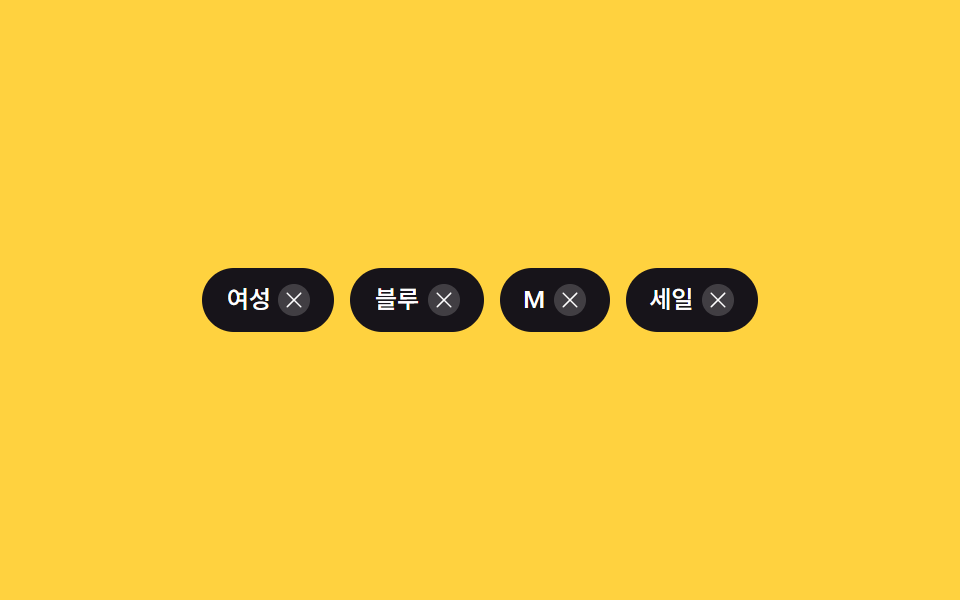 02 filter-ui-chip-remove-collapse
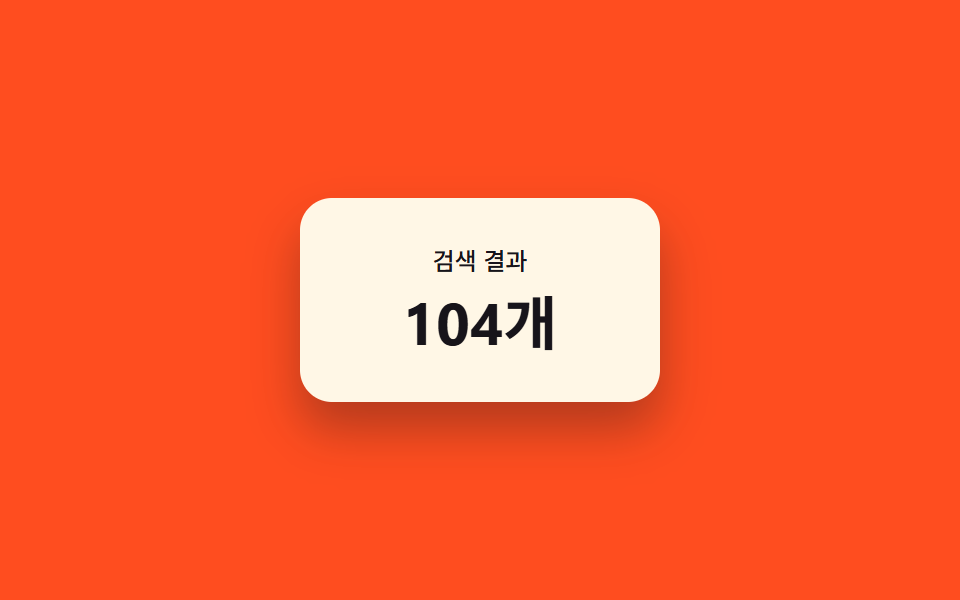 03 filter-ui-result-count-morph
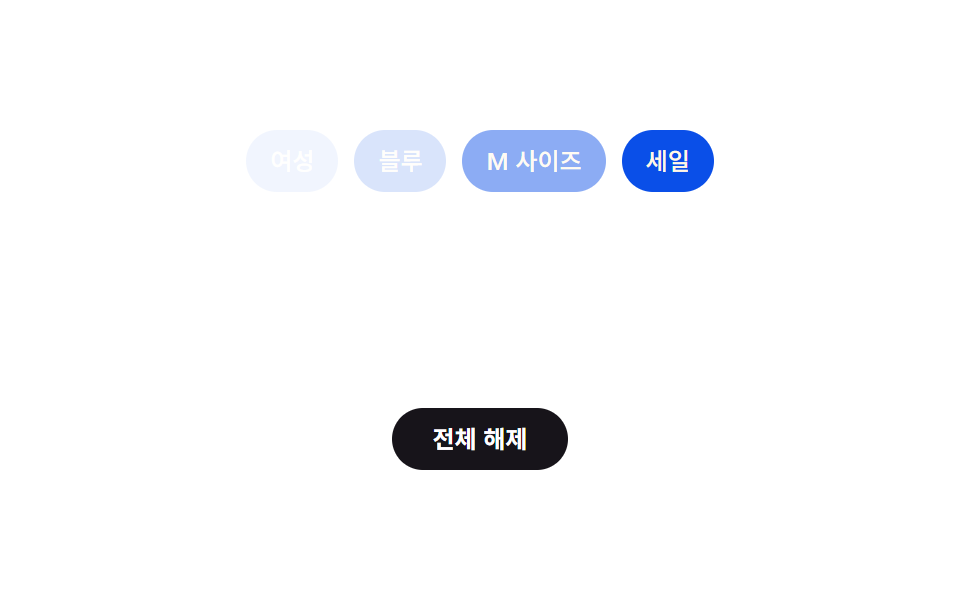 04 filter-ui-clear-all-cascade
 05 filter-ui-active-count-badge-pulse
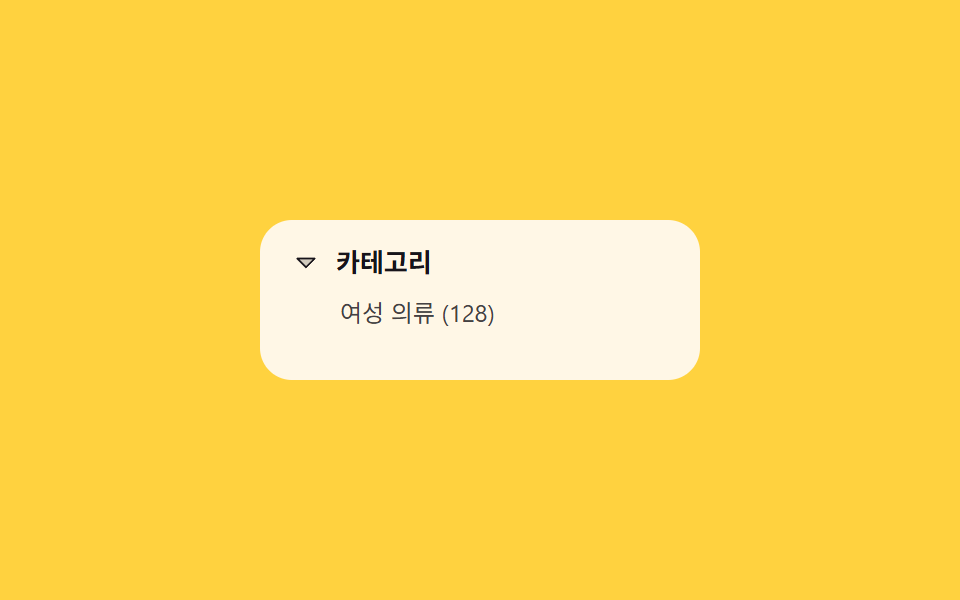 06 filter-ui-category-tree-expand
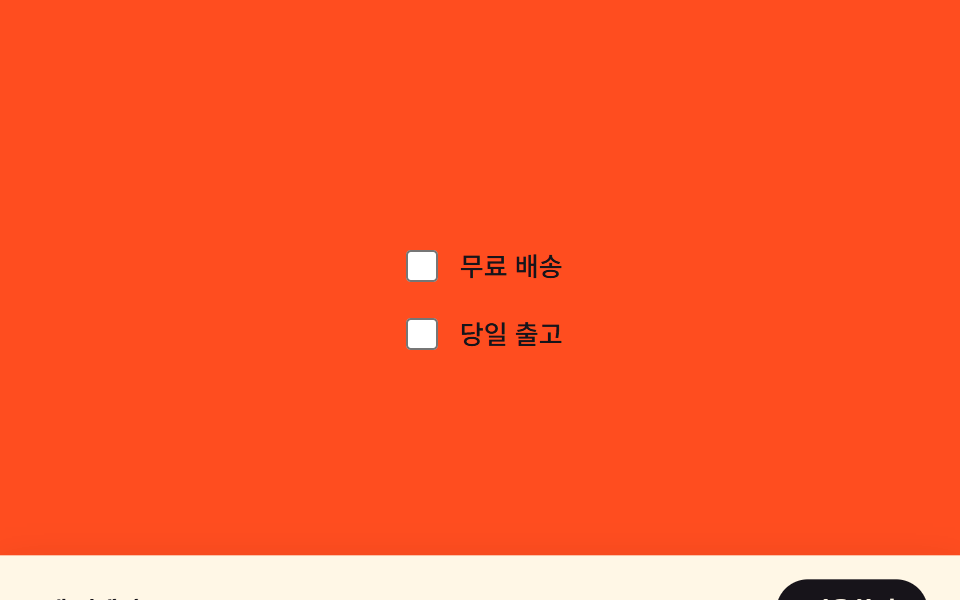 07 filter-ui-sticky-apply-bar-reveal
 08 filter-ui-mobile-sheet-drag
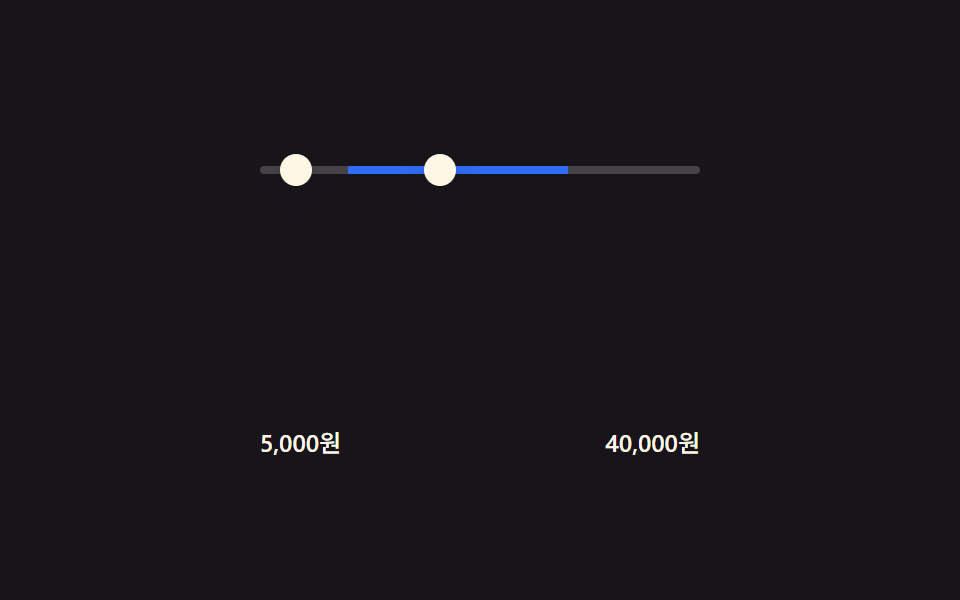 09 filter-ui-price-range-fill
自動再生 · タイルを押すとその項目へ · すべて1つのzip
- 01 パネルスライドトグル — 開閉状態の値で位置を補間する基本形
- 02 チップ削除の詰め — 残りチップ数でコンテナ幅を求め直す行
- 03 件数モーフィング — 前の値と新しい値の間を補間して数える数字
- 04 全解除カスケード — 順番の値に間隔を掛けて順に消えるチップ
- 05 アクティブ数バッジパルス — 増減の値だけ膨らんでから戻る数字バッジ
- 06 カテゴリーツリー展開 — 子の数で高さを求め直すリスト
- 07 適用バーのスティッキー登場 — 選択有無の値で位置を求め直す下部バー
- 08 モバイルシートドラッグ — 移動距離の値を高さにマッピングするボトムシート
- 09 価格レンジ塗りつぶし — 2つの入力値の差でトラック幅を求めるスライダー
9つの画面に表示されるカテゴリー名・チップの文言・価格はすべて架空のものです。実在の商品カタログやブランド名、外部APIへの通信は一切ありません。実際の操作に反応するのは9つ中7つで、01(パネル開閉)と06(ツリー展開、加えてresize)はclick、02(チップ削除)はチップの削除ボタンへのclick委譲、04(全解除)はボタンのclick、07(適用バー)はチェックボックス2つのchange、08(モバイルシート)は実際のpointerdown/pointermove/pointerup/pointercancel、09(価格レンジ)は2つのinputで反応します。03(件数モーフィング)・05(バッジパルス)の2つだけがクリックやドラッグのリスナーを持たず、固定配列をsetTimeoutで回すだけの自動再生専用です。
フィルターUIの解剖 — 9つの画面が計算するもの
9つの画面は、フィルターの変化をブラウザが動かせる数値に変える方法で3つに分かれます。この段階を飛ばした絞り込み uiデザインは、状態と状態の間を滑らかに動かさず、ただ切り替わるだけになりがちです。
なぜ3つの画面は個数や差分から寸法を求め直すのか
02・06・09は、いくつあるか、あるいは2つの値がどれだけ離れているかを起点に、それをピクセル寸法へ変換します。02は画面に残っているチップの幅と間隔を足し直して行の幅を求め、06は表示されている子項目の数に項目1つの高さを掛けてリストの高さを求め、09は最小値と最大値の差をトラック全長に対する比率に変換します。
なぜ3つの画面は連続値ではなく真偽の状態から位置を求めるのか
01・04・07は個数や距離を読みません。開いているかどうかという単純な真偽値だけから位置を補間します。01のパネル位置は開閉状態だけで決まり、07の適用バーの位置は「選択が1つ以上あるか」だけで決まり、04は全解除という1つの真偽値が発火した瞬間に、各チップの消える時点をその順番×固定間隔で求め直します。
なぜ3つの画面はすでに変化している数値をほぼそのまま見た目に写すのか
03・05・08は、すでに変化している数値をほとんど変換せずに見た目へ直結させます。03は表示件数を古い値から新しい値へ一段ずつ進め、05は変化量の大きさに応じてバッジを膨らませてから戻し、08はポインターの移動距離をそのままシートの高さにマッピングし、指を離した瞬間だけ最寄りの停止位置へ補間します。
画面別コード
01パネルスライドトグル — 開閉状態の値で位置を補間する基本形
パネルが開いた状態になると、画面外にあったパネルの横位置の値が画面内の位置まで補間されて入ってきて、閉じた状態になると同じ値を逆にたどって出ていきます。
<main class="stage" id="stage">
  <button class="trigger" id="trigger" type="button" aria-expanded="false" aria-controls="panel">
    フィルターを開く
  </button>
  <aside class="panel is-demo" id="panel" aria-hidden="true">
    <p class="panel__title">フィルター</p>
    <div class="panel__row">
      <span class="chip">カラー</span>
      <span class="chip">サイズ</span>
    </div>
    <div class="panel__row">
      <span class="chip">価格帯</span>
      <span class="chip">素材</span>
    </div>
  </aside>
</main>
@use "../../../../site/static/demo-tokens" as *;
$duration: $dur-enter;
$easing: $ease-spring;
$color: $subject-cream;
@include stage($stage-ink);
.stage {
position: relative;
overflow: hidden;
}
.trigger {
border: 0;
border-radius: $r-pill;
padding: $sp-3 $sp-6;
font-family: inherit;
font-weight: 600;
font-size: clamp(13px, 4vmin, 16px);
line-height: 1;
color: $stage-ink;
background: $color;
cursor: pointer;
}
.panel {
box-sizing: border-box;
position: absolute;
left: 0;
top: 0;
bottom: 0;
width: min(64vw, 200px);
padding: $sp-6 $sp-4;
display: flex;
flex-direction: column;
gap: $sp-3;
background: $color;
color: $stage-ink;
box-shadow: $shadow-raised;
transform: translateX(-100%);
transition: transform $duration $easing;
}
.panel__title {
margin: 0;
font-weight: 600;
font-size: 14px;
line-height: 1.2;
}
.panel__row {
display: flex;
gap: $sp-2;
flex-wrap: wrap;
}
.chip {
padding: $sp-1 $sp-3;
border-radius: $r-pill;
background: rgba($stage-ink, .1);
font-weight: 500;
font-size: 11px;
line-height: 1.4;
}
.stage.is-open .panel {
transform: translateX(0);
}
.panel.is-demo {
animation-name: panel-loop;
animation-duration: $dur-loop;
animation-timing-function: $easing;
animation-iteration-count: infinite;
}
@keyframes panel-loop {
0%, 100% { transform: translateX(-100%); }
18%, 72% { transform: translateX(0); }
90% { transform: translateX(-100%); }
}
@media (max-width: 340px) {
.panel { width: 78vw; padding: $sp-4 $sp-3; gap: $sp-2; }
.trigger { padding: $sp-2 $sp-4; }
}
@media (prefers-reduced-motion: reduce) {
.panel { transition: none; }
.panel.is-demo { animation: none; transform: translateX(0); opacity: .96; }
}html, body {
margin: 0;
overflow: hidden;
}
.stage {
box-sizing: border-box;
min-height: 100vh;
display: grid;
place-items: center;
margin: 0;
background: #17141a;
font-family: -apple-system, "Segoe UI", "Noto Sans KR", sans-serif;
padding: clamp(8px, 4vw, 24px);
}
.stage {
position: relative;
overflow: hidden;
}
.trigger {
border: 0;
border-radius: 999px;
padding: 12px 24px;
font-family: inherit;
font-weight: 600;
font-size: clamp(13px, 4vmin, 16px);
line-height: 1;
color: #17141a;
background: #fff7e6;
cursor: pointer;
}
.panel {
box-sizing: border-box;
position: absolute;
left: 0;
top: 0;
bottom: 0;
width: min(64vw, 200px);
padding: 24px 16px;
display: flex;
flex-direction: column;
gap: 12px;
background: #fff7e6;
color: #17141a;
box-shadow: 0 14px 24px rgba(23, 20, 26, 0.32);
transform: translateX(-100%);
transition: transform 600ms cubic-bezier(0.2, 0.8, 0.2, 1);
}
.panel__title {
margin: 0;
font-weight: 600;
font-size: 14px;
line-height: 1.2;
}
.panel__row {
display: flex;
gap: 8px;
flex-wrap: wrap;
}
.chip {
padding: 4px 12px;
border-radius: 999px;
background: rgba(23, 20, 26, 0.1);
font-weight: 500;
font-size: 11px;
line-height: 1.4;
}
.stage.is-open .panel {
transform: translateX(0);
}
.panel.is-demo {
animation-name: panel-loop;
animation-duration: 2s;
animation-timing-function: cubic-bezier(0.2, 0.8, 0.2, 1);
animation-iteration-count: infinite;
}
@keyframes panel-loop {
0%, 100% {
transform: translateX(-100%);
}
18%, 72% {
transform: translateX(0);
}
90% {
transform: translateX(-100%);
}
}
@media (max-width: 340px) {
.panel {
width: 78vw;
padding: 16px 12px;
gap: 8px;
}
.trigger {
padding: 8px 16px;
}
}
@media (prefers-reduced-motion: reduce) {
.panel {
transition: none;
}
.panel.is-demo {
animation: none;
transform: translateX(0);
opacity: 0.96;
}
}// フィルター 패널 열림·닫힘을 하나의 불(boolean) 값으로만 들고, 그 값을 transform 위치(0 또는 -100%)로 바꿔 CSS transition 이 보간한다.
// 계산 겹: 열림 여부 → translateX 보간(transition). 실사용 클릭 리스너 있음.
(function () {
  var stage = document.getElementById('stage');
  var trigger = document.getElementById('trigger');
  var panel = document.getElementById('panel');
  if (!stage || !trigger || !panel) return;

  function setOpen(open) {
    stage.classList.toggle('is-open', open);
    trigger.setAttribute('aria-expanded', String(open));
    panel.setAttribute('aria-hidden', String(!open));
  }

  trigger.addEventListener('click', function () {
    panel.classList.remove('is-demo');
    setOpen(!stage.classList.contains('is-open'));
  });
})();import { useEffect, useRef } from "react";
import styles from "./PanelSlideToggle.module.scss";
// 필터 패널 열림닫힘을 하나의 불(boolean) 값으로만 들고, 그 값을 transform 위치(0 또는 -100%)로 바꿔 CSS transition 이 보간한다.
// 계산 겹: 열림 여부 -> translateX 보간(transition). 실사용 클릭 리스너 있음.
export default function PanelSlideToggle() {
const stageRef = useRef<HTMLElement>(null);
const triggerRef = useRef<HTMLButtonElement>(null);
const panelRef = useRef<HTMLElement>(null);
useEffect(() => {
const stage = stageRef.current;
const trigger = triggerRef.current;
const panel = panelRef.current;
if (!stage || !trigger || !panel) return;
function setOpen(open: boolean) {
stage!.classList.toggle(styles["is-open"], open);
trigger!.setAttribute("aria-expanded", String(open));
panel!.setAttribute("aria-hidden", String(!open));
}
function onClick() {
panel!.classList.remove(styles["is-demo"]);
setOpen(!stage!.classList.contains(styles["is-open"]));
}
trigger.addEventListener("click", onClick);
return () => {
trigger.removeEventListener("click", onClick);
};
}, []);
return (
<main ref={stageRef} className={styles.stage}>
<button
ref={triggerRef}
className={styles.trigger}
type="button"
aria-expanded="false"
aria-controls="panel"
>
필터 열기
</button>
<aside ref={panelRef} className={`${styles.panel} ${styles["is-demo"]}`} aria-hidden="true">
<p className={styles.panel__title}>필터</p>
<div className={styles.panel__row}>
<span className={styles.chip}>색상</span>
<span className={styles.chip}>사이즈</span>
</div>
<div className={styles.panel__row}>
<span className={styles.chip}>가격대</span>
<span className={styles.chip}>소재</span>
</div>
</aside>
</main>
);
}01 · パネルスライドトグル — 開閉状態の値で位置を補間する基本形 — 計測 累積面積 41.968% · 動いたフレーム 10/23GODRICH オリジナル · SCSS と React は zip に同梱 · パスワードを見る
数値が語ること
23フレーム中10フレームで変化し、累積面積は41.968%、平均強度は163.3で9項目中もっとも高い値です。1つの大きな面が画面を横切って動く方が、小さな部品がいくつも動くより1ステップあたりの移動ピクセルが多くなります。パネル自身のトラック幅はmin(64vw, 200px)なので、幅の狭いスマホ画面でも別のブレークポイントなしに同じ変換式がそのまま使えます。
(function () {
var stage = document.getElementById('stage');
var trigger = document.getElementById('trigger');
var panel = document.getElementById('panel');
if (!stage || !trigger || !panel) return;
function setOpen(open) {
stage.classList.toggle('is-open', open);
trigger.setAttribute('aria-expanded', String(open));
panel.setAttribute('aria-hidden', String(!open));
}
trigger.addEventListener('click', function () {
panel.classList.remove('is-demo');
setOpen(!stage.classList.contains('is-open'));
});
})();
02チップ削除の詰め — 残りチップ数でコンテナ幅を求め直す行
チップが1つ消えた状態になると、残っているチップの幅と間隔の値を足し直してコンテナ全体の幅を求め、その値だけ行全体が狭くなります。
<main class="stage">
  <div class="chips" id="chips" role="list" aria-label="適用中のフィルター">
    <span class="chip" role="listitem" data-label="レディース">
      <span class="chip__label">レディース</span>
      <button class="chip__x" type="button" aria-label="レディースフィルターを解除">
        <svg viewBox="0 0 256 256" width="12" height="12" aria-hidden="true"><g fill="currentColor"><path d="M205.66 194.34a8 8 0 0 1-11.32 11.32L128 139.31l-66.34 66.35a8 8 0 0 1-11.32-11.32L116.69 128L50.34 61.66a8 8 0 0 1 11.32-11.32L128 116.69l66.34-66.35a8 8 0 0 1 11.32 11.32L139.31 128Z"/></g></svg>
      </button>
    </span>
    <span class="chip" role="listitem" data-label="ブルー">
      <span class="chip__label">ブルー</span>
      <button class="chip__x" type="button" aria-label="ブルーフィルターを解除">
        <svg viewBox="0 0 256 256" width="12" height="12" aria-hidden="true"><g fill="currentColor"><path d="M205.66 194.34a8 8 0 0 1-11.32 11.32L128 139.31l-66.34 66.35a8 8 0 0 1-11.32-11.32L116.69 128L50.34 61.66a8 8 0 0 1 11.32-11.32L128 116.69l66.34-66.35a8 8 0 0 1 11.32 11.32L139.31 128Z"/></g></svg>
      </button>
    </span>
    <span class="chip" role="listitem" data-label="M">
      <span class="chip__label">M</span>
      <button class="chip__x" type="button" aria-label="Mフィルターを解除">
        <svg viewBox="0 0 256 256" width="12" height="12" aria-hidden="true"><g fill="currentColor"><path d="M205.66 194.34a8 8 0 0 1-11.32 11.32L128 139.31l-66.34 66.35a8 8 0 0 1-11.32-11.32L116.69 128L50.34 61.66a8 8 0 0 1 11.32-11.32L128 116.69l66.34-66.35a8 8 0 0 1 11.32 11.32L139.31 128Z"/></g></svg>
      </button>
    </span>
    <span class="chip" role="listitem" data-label="セール">
      <span class="chip__label">セール</span>
      <button class="chip__x" type="button" aria-label="セールフィルターを解除">
        <svg viewBox="0 0 256 256" width="12" height="12" aria-hidden="true"><g fill="currentColor"><path d="M205.66 194.34a8 8 0 0 1-11.32 11.32L128 139.31l-66.34 66.35a8 8 0 0 1-11.32-11.32L116.69 128L50.34 61.66a8 8 0 0 1 11.32-11.32L128 116.69l66.34-66.35a8 8 0 0 1 11.32 11.32L139.31 128Z"/></g></svg>
      </button>
    </span>
  </div>
</main>@use "../../../../site/static/demo-tokens" as *;
$duration: $dur-base;
$easing: $ease-spring;
$color: $subject-ink;
@include stage($stage-yellow);
.chips {
box-sizing: border-box;
display: flex;
align-items: center;
gap: $sp-2;
flex-wrap: nowrap;
overflow: hidden;
transition: width $duration $easing;
}
.chip {
flex: 0 0 auto;
display: inline-flex;
align-items: center;
gap: $sp-1;
padding: $sp-2 $sp-3;
border-radius: $r-pill;
background: $color;
white-space: nowrap;
}
.chip__label {
color: $stage-paper;
font-weight: 500;
font-size: 12px;
line-height: 1.3;
}
.chip__x {
display: inline-flex;
align-items: center;
justify-content: center;
width: 16px;
height: 16px;
padding: 0;
border: 0;
border-radius: 50%;
background: rgba($stage-paper, .18);
color: $stage-paper;
cursor: pointer;
}
@media (max-width: 340px) {
.chip { padding: $sp-1 $sp-2; gap: $sp-1; }
.chip__label { font-size: 11px; }
.chip__x { width: 14px; height: 14px; }
.chips { gap: $sp-1; }
}
@media (prefers-reduced-motion: reduce) {
.chips { transition: none; }
}html, body {
margin: 0;
overflow: hidden;
}
.stage {
box-sizing: border-box;
min-height: 100vh;
display: grid;
place-items: center;
margin: 0;
background: #ffd23f;
font-family: -apple-system, "Segoe UI", "Noto Sans KR", sans-serif;
padding: clamp(8px, 4vw, 24px);
}
.chips {
box-sizing: border-box;
display: flex;
align-items: center;
gap: 8px;
flex-wrap: nowrap;
overflow: hidden;
transition: width 300ms cubic-bezier(0.2, 0.8, 0.2, 1);
}
.chip {
flex: 0 0 auto;
display: inline-flex;
align-items: center;
gap: 4px;
padding: 8px 12px;
border-radius: 999px;
background: #17141a;
white-space: nowrap;
}
.chip__label {
color: #ffffff;
font-weight: 500;
font-size: 12px;
line-height: 1.3;
}
.chip__x {
display: inline-flex;
align-items: center;
justify-content: center;
width: 16px;
height: 16px;
padding: 0;
border: 0;
border-radius: 50%;
background: rgba(255, 255, 255, 0.18);
color: #ffffff;
cursor: pointer;
}
@media (max-width: 340px) {
.chip {
padding: 4px 8px;
gap: 4px;
}
.chip__label {
font-size: 11px;
}
.chip__x {
width: 14px;
height: 14px;
}
.chips {
gap: 4px;
}
}
@media (prefers-reduced-motion: reduce) {
.chips {
transition: none;
}
}// 칩 하나를 지우면 남은 칩들의 실측 폭(getBoundingClientRect)과 사이 간격(gap)을 다시 더해 컨테이너 폭을 그 값으로 옮긴다(transition).
// 실사용 클릭 리스너 있음 + 캡처용으로 같은 제거·추가 함수를 2초 주기로 되풀이한다.
(function () {
var GAP_PX = 8;
var row = document.getElementById('chips');
if (!row) return;
function recompute() {
var chips = row.querySelectorAll('.chip');
var total = 0;
chips.forEach(function (chip, i) {
total += chip.getBoundingClientRect().width;
if (i > 0) total += GAP_PX;
});
row.style.width = total + 'px';
}
function buildChip(label) {
var chip = document.createElement('span');
chip.className = 'chip';
chip.setAttribute('role', 'listitem');
chip.dataset.label = label;
var text = document.createElement('span');
text.className = 'chip__label';
text.textContent = label;
var btn = document.createElement('button');
btn.className = 'chip__x';
btn.type = 'button';
btn.setAttribute('aria-label', label + ' フィルター解除');
btn.innerHTML = '<svg viewBox="0 0 256 256" width="12" height="12" aria-hidden="true"><g fill="currentColor"><path d="M205.66 194.34a8 8 0 0 1-11.32 11.32L128 139.31l-66.34 66.35a8 8 0 0 1-11.32-11.32L116.69 128L50.34 61.66a8 8 0 0 1 11.32-11.32L128 116.69l66.34-66.35a8 8 0 0 1 11.32 11.32L139.31 128Z"/></g></svg>';
chip.appendChild(text);
chip.appendChild(btn);
return chip;
}
  function removeChip(chip) {
    if (!chip) return null;
    var label = chip.dataset.label || '';
    chip.remove();
    recompute();
    return label;
  }

  function addChip(label) {
    var chip = buildChip(label);
    row.appendChild(chip);
    recompute();
  }

  row.addEventListener('click', function (e) {
    var btn = e.target.closest('.chip__x');
    if (!btn) return;
    removeChip(btn.closest('.chip'));
  });
requestAnimationFrame(recompute);
// 자동 시연: 마지막 칩을 지웠다가 되돌리는 2초 주기 반복 (실제 리스너와 같은 함수를 재사용)
(function loop() {
setTimeout(function () {
var last = row.querySelector('.chip:last-child');
var label = removeChip(last);
setTimeout(function () {
if (label) addChip(label);
setTimeout(loop, 700);
}, 650);
}, 350);
})();
})();import { useEffect, useRef } from "react";
import styles from "./ChipRemoveCollapse.module.scss";
// 칩 하나를 지우면 남은 칩들의 실측 폭(getBoundingClientRect)과 사이 간격(gap)을 다시 더해 컨테이너 폭을 그 값으로 옮긴다(transition).
// 실사용 클릭 리스너 있음 + 같은 제거·추가 함수를 2초 주기로 되풀이하는 자동 시연을 함께 돈다.
const GAP_PX = 8;
const X_ICON_SVG =
'<svg viewBox="0 0 256 256" width="12" height="12" aria-hidden="true"><g fill="currentColor"><path d="M205.66 194.34a8 8 0 0 1-11.32 11.32L128 139.31l-66.34 66.35a8 8 0 0 1-11.32-11.32L116.69 128L50.34 61.66a8 8 0 0 1 11.32-11.32L128 116.69l66.34-66.35a8 8 0 0 1 11.32 11.32L139.31 128Z"/></g></svg>';
export default function ChipRemoveCollapse() {
const rowRef = useRef<HTMLDivElement>(null);
useEffect(() => {
const row = rowRef.current;
if (!row) return;
let alive = true;
function recompute() {
const chips = row!.querySelectorAll<HTMLElement>("." + styles.chip);
let total = 0;
chips.forEach((chip, i) => {
total += chip.getBoundingClientRect().width;
if (i > 0) total += GAP_PX;
});
row!.style.width = total + "px";
}
function buildChip(label: string) {
const chip = document.createElement("span");
chip.className = styles.chip;
chip.setAttribute("role", "listitem");
chip.dataset.label = label;
const text = document.createElement("span");
text.className = styles.chip__label;
text.textContent = label;
const btn = document.createElement("button");
btn.className = styles.chip__x;
btn.type = "button";
btn.setAttribute("aria-label", label + " 필터 제거");
btn.innerHTML = X_ICON_SVG;
chip.appendChild(text);
chip.appendChild(btn);
return chip;
}
function removeChip(chip: HTMLElement | null) {
if (!chip) return null;
const label = chip.dataset.label || "";
chip.remove();
recompute();
return label;
}
function addChip(label: string) {
const chip = buildChip(label);
row!.appendChild(chip);
recompute();
}
function onClick(e: MouseEvent) {
const target = e.target as Element | null;
if (!target) return;
const btn = target.closest<HTMLElement>("." + styles.chip__x);
if (!btn) return;
removeChip(btn.closest<HTMLElement>("." + styles.chip));
}
row.addEventListener("click", onClick);
const rafId = requestAnimationFrame(recompute);
const timers: number[] = [];
(function loop() {
const t1 = window.setTimeout(() => {
if (!alive) return;
const last = row!.querySelector<HTMLElement>("." + styles.chip + ":last-child");
const label = removeChip(last);
const t2 = window.setTimeout(() => {
if (!alive) return;
if (label) addChip(label);
const t3 = window.setTimeout(loop, 700);
timers.push(t3);
}, 650);
timers.push(t2);
}, 350);
timers.push(t1);
})();
return () => {
alive = false;
row.removeEventListener("click", onClick);
cancelAnimationFrame(rafId);
timers.forEach((t) => window.clearTimeout(t));
};
}, []);
return (
<main className={styles.stage}>
<div ref={rowRef} className={styles.chips} role="list" aria-label="적용된 필터">
<span className={styles.chip} role="listitem" data-label="여성">
<span className={styles.chip__label}>여성</span>
<button className={styles.chip__x} type="button" aria-label="여성 필터 제거">
<svg viewBox="0 0 256 256" width="12" height="12" aria-hidden="true">
<g fill="currentColor">
<path d="M205.66 194.34a8 8 0 0 1-11.32 11.32L128 139.31l-66.34 66.35a8 8 0 0 1-11.32-11.32L116.69 128L50.34 61.66a8 8 0 0 1 11.32-11.32L128 116.69l66.34-66.35a8 8 0 0 1 11.32 11.32L139.31 128Z" />
</g>
</svg>
</button>
</span>
<span className={styles.chip} role="listitem" data-label="블루">
<span className={styles.chip__label}>블루</span>
<button className={styles.chip__x} type="button" aria-label="블루 필터 제거">
<svg viewBox="0 0 256 256" width="12" height="12" aria-hidden="true">
<g fill="currentColor">
<path d="M205.66 194.34a8 8 0 0 1-11.32 11.32L128 139.31l-66.34 66.35a8 8 0 0 1-11.32-11.32L116.69 128L50.34 61.66a8 8 0 0 1 11.32-11.32L128 116.69l66.34-66.35a8 8 0 0 1 11.32 11.32L139.31 128Z" />
</g>
</svg>
</button>
</span>
<span className={styles.chip} role="listitem" data-label="M">
<span className={styles.chip__label}>M</span>
<button className={styles.chip__x} type="button" aria-label="M 필터 제거">
<svg viewBox="0 0 256 256" width="12" height="12" aria-hidden="true">
<g fill="currentColor">
<path d="M205.66 194.34a8 8 0 0 1-11.32 11.32L128 139.31l-66.34 66.35a8 8 0 0 1-11.32-11.32L116.69 128L50.34 61.66a8 8 0 0 1 11.32-11.32L128 116.69l66.34-66.35a8 8 0 0 1 11.32 11.32L139.31 128Z" />
</g>
</svg>
</button>
</span>
<span className={styles.chip} role="listitem" data-label="세일">
<span className={styles.chip__label}>세일</span>
<button className={styles.chip__x} type="button" aria-label="세일 필터 제거">
<svg viewBox="0 0 256 256" width="12" height="12" aria-hidden="true">
<g fill="currentColor">
<path d="M205.66 194.34a8 8 0 0 1-11.32 11.32L128 139.31l-66.34 66.35a8 8 0 0 1-11.32-11.32L116.69 128L50.34 61.66a8 8 0 0 1 11.32-11.32L128 116.69l66.34-66.35a8 8 0 0 1 11.32 11.32L139.31 128Z" />
</g>
</svg>
</button>
</span>
</div>
</main>
);
}02 · チップ削除の詰め — 残りチップ数でコンテナ幅を求め直す行 — 計測 累積面積 5.569% · 動いたフレーム 11/23GODRICH オリジナル · SCSS と React は zip に同梱 · パスワードを見る
数値が語ること
23フレーム中11フレームが動き、累積面積5.569%・平均強度149.5と小さめの数値です。動くのは行自体の幅だけで、周囲のページは動かないためです。recompute()は実際の削除でも自動再生の追加・削除サイクルでも同じ足し直しを行うので、検索 絞り込み uiの実装として読んでも挙動は常に一致します。
function removeChip(chip) {
if (!chip) return null;
var label = chip.dataset.label || '';
chip.remove();
recompute();
return label;
}
function addChip(label) {
var chip = buildChip(label);
row.appendChild(chip);
recompute();
}
row.addEventListener('click', function (e) {
var btn = e.target.closest('.chip__x');
if (!btn) return;
removeChip(btn.closest('.chip'));
});
03件数モーフィング — 前の値と新しい値の間を補間して数える数字
フィルター条件が変わって件数が変化した状態になると、前の件数の値から新しい件数の値まで一定の間隔に分けて1つずつ上げ下げして表示します。
<main class="stage">
  <div class="card">
    <p class="card__label">検索結果</p>
    <p class="card__count" id="count" role="status" aria-live="polite">128件</p>
  </div>
</main>
@use "../../../../site/static/demo-tokens" as *;
$duration: $dur-base;
$easing: $ease-out;
$color: $subject-cream;
@include stage($stage-orange);
.card {
box-sizing: border-box;
min-width: 180px;
padding: $sp-6 $sp-8;
border-radius: $r-card;
background: $color;
box-shadow: $shadow-raised;
text-align: center;
}
.card__label {
margin: 0 0 $sp-2;
color: $subject-ink;
font-weight: 500;
font-size: 12px;
line-height: 1.3;
}
.card__count {
margin: 0;
color: $subject-ink;
font-weight: 700;
font-size: clamp(28px, 8vmin, 40px);
line-height: 1.1;
font-variant-numeric: tabular-nums;
--pulse: 0;
transform: scale(calc(1 + var(--pulse, 0) * .05));
}
@media (max-width: 340px) {
.card { padding: $sp-4 $sp-6; min-width: 140px; }
}
@media (prefers-reduced-motion: reduce) {
.card__count { transform: none; }
}html, body {
margin: 0;
overflow: hidden;
}
.stage {
box-sizing: border-box;
min-height: 100vh;
display: grid;
place-items: center;
margin: 0;
background: #ff4d1f;
font-family: -apple-system, "Segoe UI", "Noto Sans KR", sans-serif;
padding: clamp(8px, 4vw, 24px);
}
.card {
box-sizing: border-box;
min-width: 180px;
padding: 24px 32px;
border-radius: 16px;
background: #fff7e6;
box-shadow: 0 14px 24px rgba(23, 20, 26, 0.32);
text-align: center;
}
.card__label {
margin: 0 0 8px;
color: #17141a;
font-weight: 500;
font-size: 12px;
line-height: 1.3;
}
.card__count {
margin: 0;
color: #17141a;
font-weight: 700;
font-size: clamp(28px, 8vmin, 40px);
line-height: 1.1;
font-variant-numeric: tabular-nums;
--pulse: 0;
transform: scale(calc(1 + var(--pulse, 0) * 0.05));
}
@media (max-width: 340px) {
.card {
padding: 16px 24px;
min-width: 140px;
}
}
@media (prefers-reduced-motion: reduce) {
.card__count {
transform: none;
}
}// 결과 수가 바뀔 때 이전 값과 새 값의 차이를 requestAnimationFrame 으로 나눠 화면 숫자를 그 사이 값으로 다시 그린다(textContent).
// 자동 시연만, 실사용 리스너 없음.
(function () {
var el = document.getElementById('count');
if (!el) return;
var VALUES = [128, 47, 283, 128];
var STEP_MS = 900;
var HOLD_MS = 350;
var idx = 0;
var from = VALUES[0];
function ease(t) { return 1 - Math.pow(1 - t, 3); }
  function animate(to, duration) {
    var start = null;
    function frame(ts) {
      if (start === null) start = ts;
      var t = Math.min(1, (ts - start) / duration);
      var value = Math.round(from + (to - from) * ease(t));
      el.textContent = value + '件';
      el.style.setProperty('--pulse', (1 - t).toFixed(3));
      if (t < 1) {
        requestAnimationFrame(frame);
      } else {
        from = to;
        setTimeout(step, HOLD_MS);
      }
    }
    requestAnimationFrame(frame);
  }

  function step() {
    idx = (idx + 1) % VALUES.length;
    animate(VALUES[idx], STEP_MS);
  }

  setTimeout(step, HOLD_MS);
})();import { useEffect, useRef } from "react";
import styles from "./ResultCountMorph.module.scss";
// 결과 수가 바뀔 때 이전 값과 새 값의 차이를 requestAnimationFrame 으로 나눠 화면 숫자를 그 사이 값으로 다시 그린다(textContent).
// 자동 시연만, 실사용 리스너 없음.
const VALUES = [128, 47, 283, 128];
const STEP_MS = 900;
const HOLD_MS = 350;
function ease(t: number) {
return 1 - Math.pow(1 - t, 3);
}
export default function ResultCountMorph() {
const countRef = useRef<HTMLParagraphElement>(null);
useEffect(() => {
const el = countRef.current;
if (!el) return;
let alive = true;
let idx = 0;
let from = VALUES[0];
let rafId = 0;
let timeoutId = 0;
function animate(to: number, duration: number) {
let start: number | null = null;
function frame(ts: number) {
if (!alive) return;
if (start === null) start = ts;
const t = Math.min(1, (ts - start) / duration);
const value = Math.round(from + (to - from) * ease(t));
el!.textContent = value + "개";
el!.style.setProperty("--pulse", (1 - t).toFixed(3));
if (t < 1) {
rafId = requestAnimationFrame(frame);
} else {
from = to;
timeoutId = window.setTimeout(step, HOLD_MS);
}
}
rafId = requestAnimationFrame(frame);
}
function step() {
if (!alive) return;
idx = (idx + 1) % VALUES.length;
animate(VALUES[idx], STEP_MS);
}
timeoutId = window.setTimeout(step, HOLD_MS);
return () => {
alive = false;
cancelAnimationFrame(rafId);
window.clearTimeout(timeoutId);
};
}, []);
return (
<main className={styles.stage}>
<div className={styles.card}>
<p className={styles.card__label}>검색 결과</p>
<p ref={countRef} className={styles.card__count} role="status" aria-live="polite">
128개
</p>
</div>
</main>
);
}03 · 件数モーフィング — 前の値と新しい値の間を補間して数える数字 — 計測 累積面積 1.142% · 動いたフレーム 18/23GODRICH オリジナル · SCSS と React は zip に同梱 · パスワードを見る
数値が語ること
23フレーム中18フレームが動くのに累積面積はわずか1.142%です。文字の数字が書き換わるだけの動きはパネルのスライドよりずっと少ないピクセルしか動かさないため、面積の小ささはこの画面の構造がそうなっているだけで弱さではありません。VALUESは4つの固定件数を順に巡り、各ステップでは前の件数と次の件数の間をイージングした位置を四捨五入して表示します。
function animate(to, duration) {
var start = null;
function frame(ts) {
if (start === null) start = ts;
var t = Math.min(1, (ts - start) / duration);
var value = Math.round(from + (to - from) * ease(t));
el.textContent = value + '件';
el.style.setProperty('--pulse', (1 - t).toFixed(3));
if (t < 1) {
requestAnimationFrame(frame);
} else {
from = to;
setTimeout(step, HOLD_MS);
}
}
requestAnimationFrame(frame);
}
function step() {
idx = (idx + 1) % VALUES.length;
animate(VALUES[idx], STEP_MS);
}
setTimeout(step, HOLD_MS);
04全解除カスケード — 順番の値に間隔を掛けて順に消えるチップ
全解除の状態になると、各チップが消え始める時点をその順番の値に固定間隔を掛けて求め直し、前から順番に消えていきます。
<main class="stage">
  <div class="chips is-demo" id="chips">
    <span class="chip is-active" style="--i:0">レディース</span>
    <span class="chip is-active" style="--i:1">ブルー</span>
    <span class="chip is-active" style="--i:2">Mサイズ</span>
    <span class="chip is-active" style="--i:3">セール</span>
  </div>
  <button class="clear-btn" id="clearBtn" type="button">すべて解除</button>
</main>
@use "../../../../site/static/demo-tokens" as *;
$duration: $dur-base;
$easing: $ease-spring;
$color: $subject-blue-deep;
$stagger: 90ms;
@include stage($stage-paper);
.chips {
display: flex;
align-items: center;
gap: $sp-2;
flex-wrap: wrap;
justify-content: center;
margin-bottom: $sp-4;
}
.chip {
padding: $sp-2 $sp-3;
border-radius: $r-pill;
background: $color;
color: $subject-cream;
font-weight: 500;
font-size: 12px;
line-height: 1.3;
opacity: 1;
transition: opacity $duration $easing;
transition-delay: calc(var(--i, 0) * #{$stagger});
}
.chip:not(.is-active) {
opacity: 0;
}
.clear-btn {
display: block;
margin: 0 auto;
border: 0;
border-radius: $r-pill;
padding: $sp-2 $sp-5;
background: $subject-ink;
color: $stage-paper;
font-family: inherit;
font-weight: 600;
font-size: 12px;
line-height: 1.3;
cursor: pointer;
}
.chips.is-demo .chip {
animation-name: chip-cascade;
animation-duration: $dur-loop;
animation-timing-function: $easing;
animation-iteration-count: infinite;
animation-delay: calc(var(--i, 0) * #{$stagger});
}
@keyframes chip-cascade {
0%, 25% { opacity: 1; }
50% { opacity: 0; }
75%, 100% { opacity: 1; }
}
@media (max-width: 340px) {
.chip { padding: $sp-1 $sp-2; }
.chips { gap: $sp-1; }
}
@media (prefers-reduced-motion: reduce) {
.chip { transition: none; }
.chips.is-demo .chip { animation: none; }
}html, body {
margin: 0;
overflow: hidden;
}
.stage {
box-sizing: border-box;
min-height: 100vh;
display: grid;
place-items: center;
margin: 0;
background: #ffffff;
font-family: -apple-system, "Segoe UI", "Noto Sans KR", sans-serif;
padding: clamp(8px, 4vw, 24px);
}
.chips {
display: flex;
align-items: center;
gap: 8px;
flex-wrap: wrap;
justify-content: center;
margin-bottom: 16px;
}
.chip {
padding: 8px 12px;
border-radius: 999px;
background: #0a4fe8;
color: #fff7e6;
font-weight: 500;
font-size: 12px;
line-height: 1.3;
opacity: 1;
transition: opacity 300ms cubic-bezier(0.2, 0.8, 0.2, 1);
transition-delay: calc(var(--i, 0) * 90ms);
}
.chip:not(.is-active) {
opacity: 0;
}
.clear-btn {
display: block;
margin: 0 auto;
border: 0;
border-radius: 999px;
padding: 8px 20px;
background: #17141a;
color: #ffffff;
font-family: inherit;
font-weight: 600;
font-size: 12px;
line-height: 1.3;
cursor: pointer;
}
.chips.is-demo .chip {
animation-name: chip-cascade;
animation-duration: 2s;
animation-timing-function: cubic-bezier(0.2, 0.8, 0.2, 1);
animation-iteration-count: infinite;
animation-delay: calc(var(--i, 0) * 90ms);
}
@keyframes chip-cascade {
0%, 25% {
opacity: 1;
}
50% {
opacity: 0;
}
75%, 100% {
opacity: 1;
}
}
@media (max-width: 340px) {
.chip {
padding: 4px 8px;
}
.chips {
gap: 4px;
}
}
@media (prefers-reduced-motion: reduce) {
.chip {
transition: none;
}
.chips.is-demo .chip {
animation: none;
}
}// 칩의 순서(index) 값에 고정 간격(ms)을 곱해 사라지는 시작 시점을 다시 구한다.
// 실제 클릭: 칩마다 그 시점에 classList.remove 로 is-active 를 떼면 opacity 전환이 순서대로 일어난다.
// 데모 루프는 같은 계산을 CSS animation-delay 로 옮겨 무한 반복한다.
(function () {
  var STAGGER_MS = 90;
  var chips = document.getElementById('chips');
  var clearBtn = document.getElementById('clearBtn');
  if (!chips || !clearBtn) return;

  clearBtn.addEventListener('click', function () {
    chips.classList.remove('is-demo');
    var items = chips.querySelectorAll('.chip');
    items.forEach(function (chip, i) {
      setTimeout(function () {
        chip.classList.remove('is-active');
      }, i * STAGGER_MS);
    });
  });
})();import { useEffect, useRef } from "react";
import styles from "./ClearAllCascade.module.scss";
// 칩의 순서(index) 값에 고정 간격(ms)을 곱해 사라지는 시작 시점을 다시 구한다.
// 실제 클릭: 칩마다 그 시점에 classList.remove 로 is-active 를 떼면 opacity 전환이 순서대로 일어난다.
// 데모 루프는 같은 계산을 CSS animation-delay 로 옮겨 무한 반복한다.
const STAGGER_MS = 90;
export default function ClearAllCascade() {
const chipsRef = useRef<HTMLDivElement>(null);
const clearBtnRef = useRef<HTMLButtonElement>(null);
useEffect(() => {
const chips = chipsRef.current;
const clearBtn = clearBtnRef.current;
if (!chips || !clearBtn) return;
const timers: number[] = [];
function onClick() {
chips!.classList.remove(styles["is-demo"]);
const items = chips!.querySelectorAll<HTMLElement>("." + styles.chip);
items.forEach((chip, i) => {
const t = window.setTimeout(() => {
chip.classList.remove(styles["is-active"]);
}, i * STAGGER_MS);
timers.push(t);
});
}
clearBtn.addEventListener("click", onClick);
return () => {
clearBtn.removeEventListener("click", onClick);
timers.forEach((t) => window.clearTimeout(t));
};
}, []);
return (
<main className={styles.stage}>
<div ref={chipsRef} className={`${styles.chips} ${styles["is-demo"]}`}>
<span className={`${styles.chip} ${styles["is-active"]}`} style={{ "--i": 0 }}>
여성
</span>
<span className={`${styles.chip} ${styles["is-active"]}`} style={{ "--i": 1 }}>
블루
</span>
<span className={`${styles.chip} ${styles["is-active"]}`} style={{ "--i": 2 }}>
M 사이즈
</span>
<span className={`${styles.chip} ${styles["is-active"]}`} style={{ "--i": 3 }}>
세일
</span>
</div>
<button ref={clearBtnRef} className={styles["clear-btn"]} type="button">
전체 해제
</button>
</main>
);
}04 · 全解除カスケード — 順番の値に間隔を掛けて順に消えるチップ — 計測 累積面積 4.054% · 動いたフレーム 12/23GODRICH オリジナル · SCSS と React は zip に同梱 · パスワードを見る
数値が語ること
23フレーム中12フレームが動き、累積面積4.054%・平均強度74.0と9項目中2番目に低い強度です。各チップはその場でフェードして縮むだけで、遠くまで移動しないためです。出荷時のSTAGGER_MSは90msで、後述のバリエーションでは200msにした場合を扱います。
(function () {
var STAGGER_MS = 90;
var chips = document.getElementById('chips');
var clearBtn = document.getElementById('clearBtn');
if (!chips || !clearBtn) return;
clearBtn.addEventListener('click', function () {
chips.classList.remove('is-demo');
var items = chips.querySelectorAll('.chip');
items.forEach(function (chip, i) {
setTimeout(function () {
chip.classList.remove('is-active');
}, i * STAGGER_MS);
});
});
})();
05アクティブ数バッジパルス — 増減の値だけ膨らんでから戻る数字バッジ
アクティブなフィルター数が変わった状態になると、前の値と新しい値の差の大きさだけバッジが膨らみ、差が大きいほど大きく膨らんでから元の大きさに戻ります。
<main class="stage">
  <div class="icon-btn" aria-hidden="true">
    <svg viewBox="0 0 256 256" width="28" height="28"><g fill="currentColor"><path d="M230.6 49.53A15.81 15.81 0 0 0 216 40H40a15.81 15.81 0 0 0-14.6 9.53a16 16 0 0 0 1.59 15.72L96 155.32V208a16 16 0 0 0 24.87 13.32l32-21.34a16 16 0 0 0 7.13-13.32v-31.34l68.99-90.07a16 16 0 0 0 1.61-15.72" opacity=".2"/><path d="M239.12 44.32A23.82 23.82 0 0 0 216 32H40a23.84 23.84 0 0 0-19.09 38.29L88 156.86v51.14a24 24 0 0 0 37.32 20l32-21.34A24 24 0 0 0 168 187.68v-30.82l67.09-86.57a23.84 23.84 0 0 0 4.03-25.97M152 148.79V187.7l-32 21.34v-60.25L40 40h176Z"/></g></svg>
    <span class="badge" id="badge" aria-label="適用中のフィルター数">1</span>
  </div>
</main>
@use "../../../../site/static/demo-tokens" as *;
$duration: $dur-quick;
$easing: $ease-pop;
$color: $subject-blue-deep;
@include stage($stage-ink);
.icon-btn {
position: relative;
display: inline-flex;
align-items: center;
justify-content: center;
width: 64px;
height: 64px;
border-radius: $r-pill;
background: rgba($stage-paper, .1);
color: $subject-cream;
}
.badge {
box-sizing: border-box;
position: absolute;
top: -4px;
right: -4px;
min-width: 20px;
height: 20px;
padding: 0 $sp-1;
border-radius: $r-pill;
background: $color;
color: $subject-cream;
display: inline-flex;
align-items: center;
justify-content: center;
font-weight: 700;
font-size: 11px;
line-height: 1;
transform: scale(1);
transform-origin: center;
transition: transform $duration $easing;
}
@media (max-width: 340px) {
.icon-btn { width: 52px; height: 52px; }
}
@media (prefers-reduced-motion: reduce) {
.badge { transition: none; }
}html, body {
margin: 0;
overflow: hidden;
}
.stage {
box-sizing: border-box;
min-height: 100vh;
display: grid;
place-items: center;
margin: 0;
background: #17141a;
font-family: -apple-system, "Segoe UI", "Noto Sans KR", sans-serif;
padding: clamp(8px, 4vw, 24px);
}
.icon-btn {
position: relative;
display: inline-flex;
align-items: center;
justify-content: center;
width: 64px;
height: 64px;
border-radius: 999px;
background: rgba(255, 255, 255, 0.1);
color: #fff7e6;
}
.badge {
box-sizing: border-box;
position: absolute;
top: -4px;
right: -4px;
min-width: 20px;
height: 20px;
padding: 0 4px;
border-radius: 999px;
background: #0a4fe8;
color: #fff7e6;
display: inline-flex;
align-items: center;
justify-content: center;
font-weight: 700;
font-size: 11px;
line-height: 1;
transform: scale(1);
transform-origin: center;
transition: transform 220ms cubic-bezier(0.2, 1.4, 0.4, 1);
}
@media (max-width: 340px) {
.icon-btn {
width: 52px;
height: 52px;
}
}
@media (prefers-reduced-motion: reduce) {
.badge {
transition: none;
}
}// 활성 フィルター 개수가 바뀌면 배지를 한 번 키웠다가(scale) 되돌린다 — transitionend 로 커진 상태가 끝났음을 확인한 뒤에만 되돌린다.
// 자동 시연만, 실사용 리스너 없음.
(function () {
var badge = document.getElementById('badge');
if (!badge) return;
var VALUES = [1, 3, 2, 5, 0, 2];
var HOLD_MS = 480;
var idx = 0;
  function grow() {
    idx = (idx + 1) % VALUES.length;
    badge.textContent = String(VALUES[idx]);
    badge.style.transform = 'scale(1.4)';
  }

  badge.addEventListener('transitionend', function (e) {
    if (e.propertyName !== 'transform') return;
    if (badge.style.transform === 'scale(1.4)') {
      badge.style.transform = 'scale(1)';
    } else {
      setTimeout(grow, HOLD_MS);
    }
  });
setTimeout(grow, HOLD_MS);
})();import { useEffect, useRef } from "react";
import styles from "./ActiveCountBadgePulse.module.scss";
// 활성 필터 개수가 바뀌면 배지를 한 번 키웠다가(scale) 되돌린다 — transitionend 로 커진 상태가 끝났음을 확인한 뒤에만 되돌린다.
// 자동 시연만, 실사용 리스너 없음.
const VALUES = [1, 3, 2, 5, 0, 2];
const HOLD_MS = 480;
export default function ActiveCountBadgePulse() {
const badgeRef = useRef<HTMLSpanElement>(null);
useEffect(() => {
const badge = badgeRef.current;
if (!badge) return;
let alive = true;
let idx = 0;
let timeoutId = 0;
function grow() {
if (!alive) return;
idx = (idx + 1) % VALUES.length;
badge!.textContent = String(VALUES[idx]);
badge!.style.transform = "scale(1.4)";
}
function onTransitionEnd(e: TransitionEvent) {
if (!alive) return;
if (e.propertyName !== "transform") return;
if (badge!.style.transform === "scale(1.4)") {
badge!.style.transform = "scale(1)";
} else {
timeoutId = window.setTimeout(grow, HOLD_MS);
}
}
badge.addEventListener("transitionend", onTransitionEnd);
timeoutId = window.setTimeout(grow, HOLD_MS);
return () => {
alive = false;
badge.removeEventListener("transitionend", onTransitionEnd);
window.clearTimeout(timeoutId);
};
}, []);
return (
<main className={styles.stage}>
<div className={styles["icon-btn"]} aria-hidden="true">
<svg viewBox="0 0 256 256" width="28" height="28">
<g fill="currentColor">
<path
d="M230.6 49.53A15.81 15.81 0 0 0 216 40H40a15.81 15.81 0 0 0-14.6 9.53a16 16 0 0 0 1.59 15.72L96 155.32V208a16 16 0 0 0 24.87 13.32l32-21.34a16 16 0 0 0 7.13-13.32v-31.34l68.99-90.07a16 16 0 0 0 1.61-15.72"
opacity=".2"
/>
<path d="M239.12 44.32A23.82 23.82 0 0 0 216 32H40a23.84 23.84 0 0 0-19.09 38.29L88 156.86v51.14a24 24 0 0 0 37.32 20l32-21.34A24 24 0 0 0 168 187.68v-30.82l67.09-86.57a23.84 23.84 0 0 0 4.03-25.97M152 148.79V187.7l-32 21.34v-60.25L40 40h176Z" />
</g>
</svg>
<span ref={badgeRef} className={styles.badge} aria-label="적용된 필터 개수">
1
</span>
</div>
</main>
);
}05 · アクティブ数バッジパルス — 増減の値だけ膨らんでから戻る数字バッジ — 計測 累積面積 0.34% · 動いたフレーム 14/23GODRICH オリジナル · SCSS と React は zip に同梱 · パスワードを見る
数値が語ること
累積面積0.34%・平均強度88.0・23フレーム中14フレームと9項目中もっとも小さな数値ですが、これは欠陥ではなく構造上そうなるものです。1桁の数字バッジはチップの行やパネルより動かせるピクセル自体が少ないためです。膨らんでから戻る動きはtransitionendリスナーだけで制御されているので、バックグラウンドでスロットルされたタブでも膨らんだ途中で止まらず正しい大きさに落ち着きます。
function grow() {
idx = (idx + 1) % VALUES.length;
badge.textContent = String(VALUES[idx]);
badge.style.transform = 'scale(1.4)';
}
badge.addEventListener('transitionend', function (e) {
if (e.propertyName !== 'transform') return;
if (badge.style.transform === 'scale(1.4)') {
badge.style.transform = 'scale(1)';
} else {
setTimeout(grow, HOLD_MS);
}
});
06カテゴリーツリー展開 — 子の数で高さを求め直すリスト
カテゴリーが展開された状態になると、中に入っている子項目の数に項目1つの高さの値を掛けてリスト全体の高さを求め直し、その値まで伸びます。
<main class="stage">
  <div class="tree">
    <button class="tree__toggle" id="toggle" type="button" aria-expanded="false" aria-controls="list">
      <svg class="tree__caret" viewBox="0 0 256 256" width="14" height="14" aria-hidden="true"><g fill="currentColor"><path d="m208 96l-80 80l-80-80Z" opacity=".2"/><path d="M215.39 92.94A8 8 0 0 0 208 88H48a8 8 0 0 0-5.66 13.66l80 80a8 8 0 0 0 11.32 0l80-80a8 8 0 0 0 1.73-8.72M128 164.69L67.31 104h121.38Z"/></g></svg>
      カテゴリー
    </button>
    <ul class="tree__list is-demo" id="list">
      <li>レディース衣料 (128)</li>
      <li>メンズ衣料 (86)</li>
      <li>アクセサリー (42)</li>
    </ul>
  </div>
</main>
@use "../../../../site/static/demo-tokens" as *;
$duration: $dur-base;
$easing: $ease-spring;
$color: $subject-ink;
@include stage($stage-yellow);
.tree {
box-sizing: border-box;
width: min(80vw, 220px);
padding: $sp-3 $sp-4;
border-radius: $r-card;
background: $subject-cream;
color: $color;
}
.tree__toggle {
display: flex;
align-items: center;
gap: $sp-2;
width: 100%;
border: 0;
background: transparent;
padding: 0;
color: $color;
font-family: inherit;
font-weight: 600;
font-size: 13px;
line-height: 1.4;
cursor: pointer;
}
.tree__caret {
flex: 0 0 auto;
transition: transform $duration $easing;
}
.tree__toggle[aria-expanded="true"] .tree__caret {
transform: rotate(180deg);
}
.tree__list {
margin: 0;
padding: 0;
list-style: none;
overflow: hidden;
height: 0;
transition: height $duration $easing;
}
.tree__list.is-open {
height: var(--tree-height, auto);
}
.tree__list li {
padding: $sp-2 $sp-1 $sp-2 $sp-6;
font-size: 12px;
line-height: 1.4;
color: rgba($color, .8);
}
.tree__list.is-demo {
animation-name: tree-loop;
animation-duration: $dur-loop;
animation-timing-function: $easing;
animation-iteration-count: infinite;
}
@keyframes tree-loop {
0%, 18% { height: 0; }
45%, 75% { height: var(--tree-height, 100px); }
100% { height: 0; }
}
@media (max-width: 340px) {
.tree { width: 84vw; padding: $sp-2 $sp-3; }
.tree__list li { padding-left: $sp-4; }
}
@media (prefers-reduced-motion: reduce) {
.tree__list, .tree__caret { transition: none; }
.tree__list.is-demo { animation: none; height: var(--tree-height, auto); }
}html, body {
margin: 0;
overflow: hidden;
}
.stage {
box-sizing: border-box;
min-height: 100vh;
display: grid;
place-items: center;
margin: 0;
background: #ffd23f;
font-family: -apple-system, "Segoe UI", "Noto Sans KR", sans-serif;
padding: clamp(8px, 4vw, 24px);
}
.tree {
box-sizing: border-box;
width: min(80vw, 220px);
padding: 12px 16px;
border-radius: 16px;
background: #fff7e6;
color: #17141a;
}
.tree__toggle {
display: flex;
align-items: center;
gap: 8px;
width: 100%;
border: 0;
background: transparent;
padding: 0;
color: #17141a;
font-family: inherit;
font-weight: 600;
font-size: 13px;
line-height: 1.4;
cursor: pointer;
}
.tree__caret {
flex: 0 0 auto;
transition: transform 300ms cubic-bezier(0.2, 0.8, 0.2, 1);
}
.tree__toggle[aria-expanded=true] .tree__caret {
transform: rotate(180deg);
}
.tree__list {
margin: 0;
padding: 0;
list-style: none;
overflow: hidden;
height: 0;
transition: height 300ms cubic-bezier(0.2, 0.8, 0.2, 1);
}
.tree__list.is-open {
height: var(--tree-height, auto);
}
.tree__list li {
padding: 8px 4px 8px 24px;
font-size: 12px;
line-height: 1.4;
color: rgba(23, 20, 26, 0.8);
}
.tree__list.is-demo {
animation-name: tree-loop;
animation-duration: 2s;
animation-timing-function: cubic-bezier(0.2, 0.8, 0.2, 1);
animation-iteration-count: infinite;
}
@keyframes tree-loop {
0%, 18% {
height: 0;
}
45%, 75% {
height: var(--tree-height, 100px);
}
100% {
height: 0;
}
}
@media (max-width: 340px) {
.tree {
width: 84vw;
padding: 8px 12px;
}
.tree__list li {
padding-left: 16px;
}
}
@media (prefers-reduced-motion: reduce) {
.tree__list, .tree__caret {
transition: none;
}
.tree__list.is-demo {
animation: none;
height: var(--tree-height, auto);
}
}// 하위 목록의 실제 렌더 높이(scrollHeight)를 재서 --tree-height 로 저장(setProperty)해 두고,
// 펼침 상태는 그 값을 height 로 삼아 transition·keyframe 이 0 에서 그 값까지 보간한다.
// 실제 클릭: aria-expanded 를 뒤집고 목록을 펼치거나 접는다.
(function () {
  var toggle = document.getElementById('toggle');
  var list = document.getElementById('list');
  if (!toggle || !list) return;

  function measure() {
    list.style.setProperty('--tree-height', list.scrollHeight + 'px');
  }
  measure();

  toggle.addEventListener('click', function () {
    list.classList.remove('is-demo');
    measure();
    var open = list.classList.toggle('is-open');
    toggle.setAttribute('aria-expanded', String(open));
  });

  window.addEventListener('resize', measure);
})();import { useEffect, useRef } from "react";
import styles from "./CategoryTreeExpand.module.scss";
// 하위 목록의 실제 렌더 높이(scrollHeight)를 재서 --tree-height 로 저장(setProperty)해 두고,
// 펼침 상태는 그 값을 height 로 삼아 transition·keyframe 이 0 에서 그 값까지 보간한다.
// 실제 클릭: aria-expanded 를 뒤집고 목록을 펼치거나 접는다.
export default function CategoryTreeExpand() {
const toggleRef = useRef<HTMLButtonElement>(null);
const listRef = useRef<HTMLUListElement>(null);
useEffect(() => {
const toggle = toggleRef.current;
const list = listRef.current;
if (!toggle || !list) return;
function measure() {
list!.style.setProperty("--tree-height", list!.scrollHeight + "px");
}
measure();
function onClick() {
list!.classList.remove(styles["is-demo"]);
measure();
const open = list!.classList.toggle(styles["is-open"]);
toggle!.setAttribute("aria-expanded", String(open));
}
toggle.addEventListener("click", onClick);
window.addEventListener("resize", measure);
return () => {
toggle.removeEventListener("click", onClick);
window.removeEventListener("resize", measure);
};
}, []);
return (
<main className={styles.stage}>
<div className={styles.tree}>
<button
ref={toggleRef}
className={styles.tree__toggle}
type="button"
aria-expanded="false"
aria-controls="list"
>
<svg className={styles.tree__caret} viewBox="0 0 256 256" width="14" height="14" aria-hidden="true">
<g fill="currentColor">
<path d="m208 96l-80 80l-80-80Z" opacity=".2" />
<path d="M215.39 92.94A8 8 0 0 0 208 88H48a8 8 0 0 0-5.66 13.66l80 80a8 8 0 0 0 11.32 0l80-80a8 8 0 0 0 1.73-8.72M128 164.69L67.31 104h121.38Z" />
</g>
</svg>
카테고리
</button>
<ul ref={listRef} id="list" className={`${styles.tree__list} ${styles["is-demo"]}`}>
<li>여성 의류 (128)</li>
<li>남성 의류 (86)</li>
<li>액세서리 (42)</li>
</ul>
</div>
</main>
);
}06 · カテゴリーツリー展開 — 子の数で高さを求め直すリスト — 計測 累積面積 16.82% · 動いたフレーム 11/23GODRICH オリジナル · SCSS と React は zip に同梱 · パスワードを見る
数値が語ること
23フレーム中11フレームが動き、累積面積16.82%・平均強度140.5で、02のおよそ4倍の面積です。行が1本狭くなるだけの02よりリスト全体の高さの方が広い面を占めるためです。measure()は展開時とウィンドウのresizeの両方でlist.scrollHeightを--tree-heightカスタムプロパティに書き込むので、回転したタブレットでも古いキャッシュ値ではなく測り直した高さになります。
(function () {
var toggle = document.getElementById('toggle');
var list = document.getElementById('list');
if (!toggle || !list) return;
function measure() {
list.style.setProperty('--tree-height', list.scrollHeight + 'px');
}
measure();
toggle.addEventListener('click', function () {
list.classList.remove('is-demo');
measure();
var open = list.classList.toggle('is-open');
toggle.setAttribute('aria-expanded', String(open));
});
window.addEventListener('resize', measure);
})();
07適用バーのスティッキー登場 — 選択有無の値で位置を求め直す下部バー
選択されたフィルターが1つ以上ある状態になると、画面下に隠れていた適用バーの縦位置の値が画面内へ補間されて現れ、選択がない状態になると再び隠れます。
<main class="stage" id="stage">
  <div class="options">
    <label class="option"><input class="option__input" type="checkbox" data-idx="0"> 送料無料</label>
    <label class="option"><input class="option__input" type="checkbox" data-idx="1"> 即日発送</label>
  </div>
  <div class="apply-bar is-demo" id="bar">
    <span class="apply-bar__label">2件選択中</span>
    <button class="apply-bar__btn" type="button">適用する</button>
  </div>
</main>
@use "../../../../site/static/demo-tokens" as *;
$duration: $dur-enter;
$easing: $ease-spring;
$color: $subject-cream;
@include stage($stage-orange);
.stage {
position: relative;
overflow: hidden;
}
.options {
display: flex;
flex-direction: column;
gap: $sp-3;
}
.option {
display: flex;
align-items: center;
gap: $sp-2;
color: $subject-ink;
font-weight: 500;
font-size: 13px;
line-height: 1.4;
}
.option__input {
width: 16px;
height: 16px;
accent-color: $subject-ink;
}
.apply-bar {
box-sizing: border-box;
position: absolute;
left: 0;
right: 0;
bottom: 0;
display: flex;
align-items: center;
justify-content: space-between;
padding: $sp-3 $sp-4;
background: $color;
color: $subject-ink;
box-shadow: $shadow-raised;
transform: translateY(100%);
transition: transform $duration $easing;
}
.apply-bar__label {
font-weight: 600;
font-size: 12px;
line-height: 1.3;
}
.apply-bar__btn {
border: 0;
border-radius: $r-pill;
padding: $sp-2 $sp-4;
background: $subject-ink;
color: $color;
font-family: inherit;
font-weight: 600;
font-size: 12px;
line-height: 1.3;
cursor: pointer;
}
.stage.has-selection .apply-bar {
transform: translateY(0);
}
.apply-bar.is-demo {
animation-name: bar-loop;
animation-duration: $dur-loop;
animation-timing-function: $easing;
animation-iteration-count: infinite;
}
@keyframes bar-loop {
0%, 15% { transform: translateY(100%); }
40%, 75% { transform: translateY(0); }
100% { transform: translateY(100%); }
}
@media (max-width: 340px) {
.apply-bar { padding: $sp-2 $sp-3; }
.options { gap: $sp-2; }
}
@media (prefers-reduced-motion: reduce) {
.apply-bar { transition: none; }
.apply-bar.is-demo { animation: none; transform: translateY(0); opacity: .96; }
}html, body {
margin: 0;
overflow: hidden;
}
.stage {
box-sizing: border-box;
min-height: 100vh;
display: grid;
place-items: center;
margin: 0;
background: #ff4d1f;
font-family: -apple-system, "Segoe UI", "Noto Sans KR", sans-serif;
padding: clamp(8px, 4vw, 24px);
}
.stage {
position: relative;
overflow: hidden;
}
.options {
display: flex;
flex-direction: column;
gap: 12px;
}
.option {
display: flex;
align-items: center;
gap: 8px;
color: #17141a;
font-weight: 500;
font-size: 13px;
line-height: 1.4;
}
.option__input {
width: 16px;
height: 16px;
accent-color: #17141a;
}
.apply-bar {
box-sizing: border-box;
position: absolute;
left: 0;
right: 0;
bottom: 0;
display: flex;
align-items: center;
justify-content: space-between;
padding: 12px 16px;
background: #fff7e6;
color: #17141a;
box-shadow: 0 14px 24px rgba(23, 20, 26, 0.32);
transform: translateY(100%);
transition: transform 600ms cubic-bezier(0.2, 0.8, 0.2, 1);
}
.apply-bar__label {
font-weight: 600;
font-size: 12px;
line-height: 1.3;
}
.apply-bar__btn {
border: 0;
border-radius: 999px;
padding: 8px 16px;
background: #17141a;
color: #fff7e6;
font-family: inherit;
font-weight: 600;
font-size: 12px;
line-height: 1.3;
cursor: pointer;
}
.stage.has-selection .apply-bar {
transform: translateY(0);
}
.apply-bar.is-demo {
animation-name: bar-loop;
animation-duration: 2s;
animation-timing-function: cubic-bezier(0.2, 0.8, 0.2, 1);
animation-iteration-count: infinite;
}
@keyframes bar-loop {
0%, 15% {
transform: translateY(100%);
}
40%, 75% {
transform: translateY(0);
}
100% {
transform: translateY(100%);
}
}
@media (max-width: 340px) {
.apply-bar {
padding: 8px 12px;
}
.options {
gap: 8px;
}
}
@media (prefers-reduced-motion: reduce) {
.apply-bar {
transition: none;
}
.apply-bar.is-demo {
animation: none;
transform: translateY(0);
opacity: 0.96;
}
}// 필터가 하나라도 선택되어 있는지(불 값)만 보고 바 위치를 translateY 로 보간한다.
// 실제 체크박스 변경: classList.toggle 로 has-selection 상태를 뒤집는다.
(function () {
  var stage = document.getElementById('stage');
  var bar = document.getElementById('bar');
  var inputs = document.querySelectorAll('.option__input');
  if (!stage || !bar || !inputs.length) return;

  function sync() {
    bar.classList.remove('is-demo');
    var any = Array.prototype.some.call(inputs, function (input) {
      return input.checked;
    });
    stage.classList.toggle('has-selection', any);
  }

  inputs.forEach(function (input) {
    input.addEventListener('change', sync);
  });
})();import { useEffect, useRef } from "react";
import styles from "./StickyApplyBarReveal.module.scss";
// 필터가 하나라도 선택되어 있는지(불 값)만 보고 바 위치를 translateY 로 보간한다.
// 실제 체크박스 변경: classList.toggle 로 has-selection 상태를 뒤집는다.
export default function StickyApplyBarReveal() {
const stageRef = useRef<HTMLElement>(null);
const barRef = useRef<HTMLDivElement>(null);
const input0Ref = useRef<HTMLInputElement>(null);
const input1Ref = useRef<HTMLInputElement>(null);
useEffect(() => {
const stage = stageRef.current;
const bar = barRef.current;
const inputs = [input0Ref.current, input1Ref.current].filter(
(x): x is HTMLInputElement => x !== null
);
if (!stage || !bar || inputs.length === 0) return;
function sync() {
bar!.classList.remove(styles["is-demo"]);
const anySelected = inputs.some((input) => input.checked);
stage!.classList.toggle(styles["has-selection"], anySelected);
}
inputs.forEach((input) => input.addEventListener("change", sync));
return () => {
inputs.forEach((input) => input.removeEventListener("change", sync));
};
}, []);
return (
<main ref={stageRef} className={styles.stage}>
<div className={styles.options}>
<label className={styles.option}>
<input ref={input0Ref} className={styles.option__input} type="checkbox" /> 무료 배송
</label>
<label className={styles.option}>
<input ref={input1Ref} className={styles.option__input} type="checkbox" /> 당일 출고
</label>
</div>
<div ref={barRef} className={`${styles["apply-bar"]} ${styles["is-demo"]}`}>
<span className={styles["apply-bar__label"]}>2개 선택됨</span>
<button className={styles["apply-bar__btn"]} type="button">
적용하기
</button>
</div>
</main>
);
}07 · 適用バーのスティッキー登場 — 選択有無の値で位置を求め直す下部バー — 計測 累積面積 19.0% · 動いたフレーム 12/23GODRICH オリジナル · SCSS と React は zip に同梱 · パスワードを見る
数値が語ること
23フレーム中12フレームが動き、累積面積19.0%・平均強度130.7で、自分のトラックの全長を1つの大きな面が動く点で01のパネルに近い数値です。sync()はチェックボックスのchangeのたびに実行され、確認するのは「どれか1つでも選択されているか」だけなので、フィルターの選択肢を10個目に増やしても表示ロジック自体は変更不要です。
(function () {
var stage = document.getElementById('stage');
var bar = document.getElementById('bar');
var inputs = document.querySelectorAll('.option__input');
if (!stage || !bar || !inputs.length) return;
function sync() {
bar.classList.remove('is-demo');
var any = Array.prototype.some.call(inputs, function (input) {
return input.checked;
});
stage.classList.toggle('has-selection', any);
}
inputs.forEach(function (input) {
input.addEventListener('change', sync);
});
})();
08モバイルシートドラッグ — 移動距離の値を高さにマッピングするボトムシート
シートを引いている状態になると、ポインターが移動した距離の値をシートの高さの値にそのままマッピングして追従し、手を離した状態になると近い停止位置の値へ補間されます。
<main class="stage" id="stage">
  <div class="sheet is-demo" id="sheet">
    <button class="sheet__handle" id="handle" type="button" aria-label="シートをドラッグして閉じる"></button>
    <p class="sheet__title">フィルター</p>
    <div class="sheet__row">ブランド</div>
    <div class="sheet__row">価格帯</div>
  </div>
</main>
@use "../../../../site/static/demo-tokens" as *;
$duration: $dur-base;
$easing: $ease-spring;
$color: $subject-cream;
@include stage($stage-paper);
.stage {
position: relative;
overflow: hidden;
}
.sheet {
box-sizing: border-box;
position: absolute;
left: 0;
right: 0;
bottom: 0;
height: 150px;
padding: $sp-3 $sp-4;
border-radius: $r-card $r-card 0 0;
background: $color;
color: $subject-ink;
box-shadow: $shadow-raised;
transform: translateY(clamp(0px, var(--drag, 0px), 130px));
touch-action: none;
}
.sheet:not(.is-demo):not(.is-dragging) {
transition: transform $duration $easing;
}
.sheet__handle {
display: block;
width: 36px;
height: 4px;
margin: 0 auto $sp-3;
border: 0;
border-radius: $r-pill;
background: rgba($subject-ink, .28);
padding: 0;
cursor: grab;
}
.sheet__title {
margin: 0 0 $sp-2;
font-weight: 600;
font-size: 13px;
line-height: 1.3;
}
.sheet__row {
padding: $sp-2 0;
border-top: 1px solid rgba($subject-ink, .12);
color: rgba($subject-ink, .8);
font-size: 12px;
line-height: 1.4;
}
@media (max-width: 340px) {
.sheet { height: 130px; padding: $sp-2 $sp-3; }
}
@media (prefers-reduced-motion: reduce) {
.sheet { transform: none; }
.sheet:not(.is-demo):not(.is-dragging) { transition: none; }
}html, body {
margin: 0;
overflow: hidden;
}
.stage {
box-sizing: border-box;
min-height: 100vh;
display: grid;
place-items: center;
margin: 0;
background: #ffffff;
font-family: -apple-system, "Segoe UI", "Noto Sans KR", sans-serif;
padding: clamp(8px, 4vw, 24px);
}
.stage {
position: relative;
overflow: hidden;
}
.sheet {
box-sizing: border-box;
position: absolute;
left: 0;
right: 0;
bottom: 0;
height: 150px;
padding: 12px 16px;
border-radius: 16px 16px 0 0;
background: #fff7e6;
color: #17141a;
box-shadow: 0 14px 24px rgba(23, 20, 26, 0.32);
transform: translateY(clamp(0px, var(--drag, 0px), 130px));
touch-action: none;
}
.sheet:not(.is-demo):not(.is-dragging) {
transition: transform 300ms cubic-bezier(0.2, 0.8, 0.2, 1);
}
.sheet__handle {
display: block;
width: 36px;
height: 4px;
margin: 0 auto 12px;
border: 0;
border-radius: 999px;
background: rgba(23, 20, 26, 0.28);
padding: 0;
cursor: grab;
}
.sheet__title {
margin: 0 0 8px;
font-weight: 600;
font-size: 13px;
line-height: 1.3;
}
.sheet__row {
padding: 8px 0;
border-top: 1px solid rgba(23, 20, 26, 0.12);
color: rgba(23, 20, 26, 0.8);
font-size: 12px;
line-height: 1.4;
}
@media (max-width: 340px) {
.sheet {
height: 130px;
padding: 8px 12px;
}
}
@media (prefers-reduced-motion: reduce) {
.sheet {
transform: none;
}
.sheet:not(.is-demo):not(.is-dragging) {
transition: none;
}
}// 포인터가 움직인 거리(px)를 --drag 커스텀 속성에 담고, transform 은 CSS clamp() 로 0~최대값 사이만 움직이게 묶는다.
// 실제 드래그: pointerdown·pointermove·pointerup. 데모는 같은 --drag 값을 시드 고정 시퀀스로 흔들어 재생한다.
(function () {
var sheet = document.getElementById('sheet');
var handle = document.getElementById('handle');
if (!sheet || !handle) return;
var MAX_DRAG = 130;
var dragging = false;
var startY = 0;
  function setDrag(px) {
    sheet.style.setProperty('--drag', Math.max(0, Math.min(MAX_DRAG, px)) + 'px');
  }

  handle.addEventListener('pointerdown', function (e) {
    dragging = true;
    startY = e.clientY;
    sheet.classList.remove('is-demo');
    sheet.classList.add('is-dragging');
    handle.setPointerCapture(e.pointerId);
  });

  handle.addEventListener('pointermove', function (e) {
    if (!dragging) return;
    setDrag(e.clientY - startY);
  });

  function release() {
    if (!dragging) return;
    dragging = false;
    sheet.classList.remove('is-dragging');
    setDrag(0);
  }
handle.addEventListener('pointerup', release);
handle.addEventListener('pointercancel', release);
// 자동 시연: 사람 드래그와 같은 --drag 값을 고정 시퀀스로 움직인다 (실제 pointermove 는 보내지 않는다)
function ease(t) { return t < .5 ? 2 * t * t : 1 - Math.pow(-2 * t + 2, 2) / 2; }
function autoLoop(ts) {
if (!sheet.classList.contains('is-demo')) return;
var t = (ts % 2000) / 2000;
var px = t < .5 ? ease(t / .5) * MAX_DRAG : (1 - ease((t - .5) / .5)) * MAX_DRAG;
setDrag(px);
requestAnimationFrame(autoLoop);
}
requestAnimationFrame(autoLoop);
})();import { useEffect, useRef } from "react";
import styles from "./MobileSheetDrag.module.scss";
// 포인터가 움직인 거리(px)를 --drag 커스텀 속성에 담고, transform 은 CSS clamp() 로 0~최대값 사이만 움직이게 묶는다.
// 실제 드래그: pointerdown·pointermove·pointerup·pointercancel. 데모는 같은 --drag 값을 시드 고정 시퀀스로 흔들어 재생한다.
const MAX_DRAG = 130;
function ease(t: number) {
return t < 0.5 ? 2 * t * t : 1 - Math.pow(-2 * t + 2, 2) / 2;
}
export default function MobileSheetDrag() {
const sheetRef = useRef<HTMLDivElement>(null);
const handleRef = useRef<HTMLButtonElement>(null);
useEffect(() => {
const sheet = sheetRef.current;
const handle = handleRef.current;
if (!sheet || !handle) return;
let dragging = false;
let startY = 0;
let rafId = 0;
function setDrag(px: number) {
sheet!.style.setProperty("--drag", Math.max(0, Math.min(MAX_DRAG, px)) + "px");
}
function onPointerDown(e: PointerEvent) {
dragging = true;
startY = e.clientY;
sheet!.classList.remove(styles["is-demo"]);
sheet!.classList.add(styles["is-dragging"]);
handle!.setPointerCapture(e.pointerId);
}
function onPointerMove(e: PointerEvent) {
if (!dragging) return;
setDrag(e.clientY - startY);
}
function release() {
if (!dragging) return;
dragging = false;
sheet!.classList.remove(styles["is-dragging"]);
setDrag(0);
}
handle.addEventListener("pointerdown", onPointerDown);
handle.addEventListener("pointermove", onPointerMove);
handle.addEventListener("pointerup", release);
handle.addEventListener("pointercancel", release);
function autoLoop(ts: number) {
if (!sheet!.classList.contains(styles["is-demo"])) return;
const t = (ts % 2000) / 2000;
const px = t < 0.5 ? ease(t / 0.5) * MAX_DRAG : (1 - ease((t - 0.5) / 0.5)) * MAX_DRAG;
setDrag(px);
rafId = requestAnimationFrame(autoLoop);
}
rafId = requestAnimationFrame(autoLoop);
return () => {
handle.removeEventListener("pointerdown", onPointerDown);
handle.removeEventListener("pointermove", onPointerMove);
handle.removeEventListener("pointerup", release);
handle.removeEventListener("pointercancel", release);
cancelAnimationFrame(rafId);
};
}, []);
return (
<main className={styles.stage}>
<div ref={sheetRef} className={`${styles.sheet} ${styles["is-demo"]}`}>
<button
ref={handleRef}
className={styles.sheet__handle}
type="button"
aria-label="시트 드래그해서 닫기"
/>
<p className={styles.sheet__title}>필터</p>
<div className={styles.sheet__row}>브랜드</div>
<div className={styles.sheet__row}>가격대</div>
</div>
</main>
);
}08 · モバイルシートドラッグ — 移動距離の値を高さにマッピングするボトムシート — 計測 累積面積 44.842% · 動いたフレーム 23/23GODRICH オリジナル · SCSS と React は zip に同梱 · パスワードを見る
数値が語ること
23フレーム全部で動く唯一の項目で、累積面積は9項目中もっとも高い44.842%ですが、平均強度は9項目中もっとも低い30.3です。ドラッグ距離を高さへ1対1でマッピングすると、大きな段差で数回飛ぶのではなくほぼ毎フレーム少しずつ変化するためです。これはこのセットの中で日付 絞り込み uiにも通じるモバイル向けパターンで、MAX_DRAGがシートの移動量を130pxまでに固定しているので、素早く弾くように引いても設計した範囲を超えて動くことはありません。
function setDrag(px) {
sheet.style.setProperty('--drag', Math.max(0, Math.min(MAX_DRAG, px)) + 'px');
}
handle.addEventListener('pointerdown', function (e) {
dragging = true;
startY = e.clientY;
sheet.classList.remove('is-demo');
sheet.classList.add('is-dragging');
handle.setPointerCapture(e.pointerId);
});
handle.addEventListener('pointermove', function (e) {
if (!dragging) return;
setDrag(e.clientY - startY);
});
function release() {
if (!dragging) return;
dragging = false;
sheet.classList.remove('is-dragging');
setDrag(0);
}
09価格レンジ塗りつぶし — 2つの入力値の差でトラック幅を求めるスライダー
最小・最大の2つのつまみの値が変わった状態になると、その2つの値の差をトラック全長に対する比率として計算し、塗りつぶし区間の開始と終了の位置を描き直します。
<main class="stage">
  <div class="range">
    <div class="range__track">
      <div class="range__fill" id="fill"></div>
    </div>
    <input class="range__input" id="minInput" type="range" min="0" max="100" step="1" value="20" aria-label="最低価格">
    <input class="range__input" id="maxInput" type="range" min="0" max="100" step="1" value="70" aria-label="最高価格">
  </div>
  <div class="range__labels">
    <span id="minLabel">20,000ウォン</span>
    <span id="maxLabel">70,000ウォン</span>
  </div>
</main>
@use "../../../../site/static/demo-tokens" as *;
$duration: $dur-base;
$easing: $ease-out;
$color: $subject-blue;
@include stage($stage-ink);
.range {
box-sizing: border-box;
position: relative;
width: min(72vw, 220px);
height: 28px;
}
.range__track {
position: absolute;
left: 0;
right: 0;
top: 50%;
height: 4px;
transform: translateY(-50%);
border-radius: $r-pill;
background: rgba($stage-paper, .2);
overflow: hidden;
}
.range__fill {
position: absolute;
top: 0;
bottom: 0;
left: calc(var(--min-pct, 20) * 1%);
right: calc((100 - var(--max-pct, 70)) * 1%);
background: $color;
transition: left $duration $easing, right $duration $easing;
}
input[type=range] {
position: absolute;
left: 0;
right: 0;
top: 0;
width: 100%;
height: 28px;
margin: 0;
background: transparent;
appearance: none;
pointer-events: none;
}
input[type=range]::-webkit-slider-thumb {
appearance: none;
pointer-events: auto;
width: 16px;
height: 16px;
border-radius: 50%;
background: $subject-cream;
box-shadow: $shadow-press;
cursor: pointer;
}
input[type=range]::-moz-range-thumb {
pointer-events: auto;
width: 16px;
height: 16px;
border: 0;
border-radius: 50%;
background: $subject-cream;
box-shadow: $shadow-press;
cursor: pointer;
}
.range__labels {
box-sizing: border-box;
width: min(72vw, 220px);
display: flex;
justify-content: space-between;
margin-top: $sp-3;
color: $subject-cream;
font-weight: 500;
font-size: 12px;
line-height: 1.3;
}
@media (max-width: 340px) {
.range { width: 82vw; }
.range__labels { width: 82vw; }
}
@media (prefers-reduced-motion: reduce) {
.range__fill { transition: none; }
}html, body {
margin: 0;
overflow: hidden;
}
.stage {
box-sizing: border-box;
min-height: 100vh;
display: grid;
place-items: center;
margin: 0;
background: #17141a;
font-family: -apple-system, "Segoe UI", "Noto Sans KR", sans-serif;
padding: clamp(8px, 4vw, 24px);
}
.range {
box-sizing: border-box;
position: relative;
width: min(72vw, 220px);
height: 28px;
}
.range__track {
position: absolute;
left: 0;
right: 0;
top: 50%;
height: 4px;
transform: translateY(-50%);
border-radius: 999px;
background: rgba(255, 255, 255, 0.2);
overflow: hidden;
}
.range__fill {
position: absolute;
top: 0;
bottom: 0;
left: calc(var(--min-pct, 20) * 1%);
right: calc((100 - var(--max-pct, 70)) * 1%);
background: #2f6df6;
transition: left 300ms ease-out, right 300ms ease-out;
}
input[type=range] {
position: absolute;
left: 0;
right: 0;
top: 0;
width: 100%;
height: 28px;
margin: 0;
background: transparent;
appearance: none;
pointer-events: none;
}
input[type=range]::-webkit-slider-thumb {
appearance: none;
pointer-events: auto;
width: 16px;
height: 16px;
border-radius: 50%;
background: #fff7e6;
box-shadow: 0 6px 12px rgba(23, 20, 26, 0.32);
cursor: pointer;
}
input[type=range]::-moz-range-thumb {
pointer-events: auto;
width: 16px;
height: 16px;
border: 0;
border-radius: 50%;
background: #fff7e6;
box-shadow: 0 6px 12px rgba(23, 20, 26, 0.32);
cursor: pointer;
}
.range__labels {
box-sizing: border-box;
width: min(72vw, 220px);
display: flex;
justify-content: space-between;
margin-top: 12px;
color: #fff7e6;
font-weight: 500;
font-size: 12px;
line-height: 1.3;
}
@media (max-width: 340px) {
.range {
width: 82vw;
}
.range__labels {
width: 82vw;
}
}
@media (prefers-reduced-motion: reduce) {
.range__fill {
transition: none;
}
}// 최소·최대 두 입력값의 차이를 퍼센트 좌표로 다시 구해 calc() 로 채움 막대의 양 끝(left·right)을 그린다.
// 실제 입력: input[type=range] 의 input 이벤트. 데모는 시드 고정 값 쌍을 순서대로 재생한다.
(function () {
var minInput = document.getElementById('minInput');
var maxInput = document.getElementById('maxInput');
var fill = document.getElementById('fill');
var minLabel = document.getElementById('minLabel');
var maxLabel = document.getElementById('maxLabel');
if (!minInput || !maxInput || !fill) return;
function priceLabel(v) {
return (v * 1000).toLocaleString('ko-KR') + 'ウォン';
}
function update() {
var minV = Number(minInput.value);
var maxV = Number(maxInput.value);
if (minV > maxV) { var t = minV; minV = maxV; maxV = t; }
fill.style.setProperty('--min-pct', minV);
fill.style.setProperty('--max-pct', maxV);
if (minLabel) minLabel.textContent = priceLabel(minV);
if (maxLabel) maxLabel.textContent = priceLabel(maxV);
}
minInput.addEventListener('input', update);
maxInput.addEventListener('input', update);
update();
// 자동 시연: 실제 input 이벤트 대신 시드 고정 값 쌍을 순서대로 넣는다
var SEQ = [[20, 70], [5, 40], [55, 95], [20, 70]];
var idx = 0;
(function step() {
setTimeout(function () {
idx = (idx + 1) % SEQ.length;
minInput.value = String(SEQ[idx][0]);
maxInput.value = String(SEQ[idx][1]);
update();
step();
}, 550);
})();
})();import { useEffect, useRef } from "react";
import styles from "./PriceRangeFill.module.scss";
// 최소·최대 두 입력값의 차이를 퍼센트 좌표로 다시 구해 calc() 로 채움 막대의 양 끝(left·right)을 그린다.
// 실제 입력: input[type=range] 의 input 이벤트. 데모는 시드 고정 값 쌍을 순서대로 재생한다.
const SEQ: [number, number][] = [
[20, 70],
[5, 40],
[55, 95],
[20, 70],
];
function priceLabel(v: number) {
return (v * 1000).toLocaleString("ko-KR") + "원";
}
export default function PriceRangeFill() {
const minInputRef = useRef<HTMLInputElement>(null);
const maxInputRef = useRef<HTMLInputElement>(null);
const fillRef = useRef<HTMLDivElement>(null);
const minLabelRef = useRef<HTMLSpanElement>(null);
const maxLabelRef = useRef<HTMLSpanElement>(null);
useEffect(() => {
const minInput = minInputRef.current;
const maxInput = maxInputRef.current;
const fill = fillRef.current;
if (!minInput || !maxInput || !fill) return;
function update() {
let minV = Number(minInput!.value);
let maxV = Number(maxInput!.value);
if (minV > maxV) {
const t = minV;
minV = maxV;
maxV = t;
}
fill!.style.setProperty("--min-pct", String(minV));
fill!.style.setProperty("--max-pct", String(maxV));
if (minLabelRef.current) minLabelRef.current.textContent = priceLabel(minV);
if (maxLabelRef.current) maxLabelRef.current.textContent = priceLabel(maxV);
}
minInput.addEventListener("input", update);
maxInput.addEventListener("input", update);
update();
let idx = 0;
let timerId = 0;
let alive = true;
(function step() {
timerId = window.setTimeout(() => {
if (!alive) return;
idx = (idx + 1) % SEQ.length;
minInput!.value = String(SEQ[idx][0]);
maxInput!.value = String(SEQ[idx][1]);
update();
step();
}, 550);
})();
return () => {
alive = false;
window.clearTimeout(timerId);
minInput.removeEventListener("input", update);
maxInput.removeEventListener("input", update);
};
}, []);
return (
<main className={styles.stage}>
<div className={styles.range}>
<div className={styles.range__track}>
<div ref={fillRef} className={styles.range__fill} />
</div>
<input
ref={minInputRef}
className={styles.range__input}
type="range"
min={0}
max={100}
step={1}
defaultValue={20}
aria-label="최소 가격"
/>
<input
ref={maxInputRef}
className={styles.range__input}
type="range"
min={0}
max={100}
step={1}
defaultValue={70}
aria-label="최대 가격"
/>
</div>
<div className={styles.range__labels}>
<span ref={minLabelRef}>20,000원</span>
<span ref={maxLabelRef}>70,000원</span>
</div>
</main>
);
}09 · 価格レンジ塗りつぶし — 2つの入力値の差でトラック幅を求めるスライダー — 計測 累積面積 1.531% · 動いたフレーム 11/23GODRICH オリジナル · SCSS と React は zip に同梱 · パスワードを見る
数値が語ること
23フレーム中11フレームが動き、累積面積1.531%・平均強度160.4で9項目中2番目に高い強度です。塗りつぶし区間自体が細いので、1フレームごとの変化が少ないピクセルに集中するためです。自動再生のコメントは、本物のinputリスナーからシード済みの再生シーケンスへ切り替わる箇所をそのまま示しています。
  minInput.addEventListener('input', update);
  maxInput.addEventListener('input', update);
  update();

  // 自動再生専用: 本物のinputイベントの代わりに固定シード値のペアを順番に流す
  var SEQ = [[20, 70], [5, 40], [55, 95], [20, 70]];
  var idx = 0;
  (function step() {
    setTimeout(function () {
      idx = (idx + 1) % SEQ.length;
      minInput.value = String(SEQ[idx][0]);
      maxInput.value = String(SEQ[idx][1]);
      update();
      step();
    }, 550);
  })();
数値が画面を変える場所 — 残り幅・アクティブ数・範囲の差
上の9つの数値のうち3つは、見た目の細部ではなく画面全体の形そのものを決めています。この3つを読み違えると、動きだけでなくレイアウトそのものが崩れます。
なぜ残り幅は引き算ではなく足し直しが必要なのか
02のコンテナは、チップが1つ消えたときに単純にそのチップの幅を引くだけでは済みません。残ったチップ同士の間隔の値も、間に挟まるチップが1つ減ったことで変わるためです。recompute()は削除のたびに残っているチップそれぞれのoffsetWidthと行のgapの値を最初から足し直しており、引き算を積み重ねる方式だと数回の操作でずれが蓄積してしまいます。
なぜアクティブ数はバッジの文字だけでなく膨らむ量も動かすのか
05はバッジの数字を差し替えるだけではありません。膨らむ量そのものが変化量の大きさに比例しており、2から3への変化は2から9への変化より小さく膨らみます。膨らむ量を固定値にしたタグ 絞り込み uiコンポーネントでは、この差はまるごと失われてしまいます。
なぜ範囲の差はトラック全長に対する比率でなければならないのか
09の塗りつぶし区間は生のピクセル値では位置を決められません。トラック自体の幅がmin(72vw, 220px)でビューポートによって変わるためです。最小値と最大値の差はトラックの現在の幅に対する割合に変換されるので、デスクトップで220pxになってもスマホで狭い値になっても塗りつぶしの位置は正しいままです。
どこで壊れるか — 連続解除・モバイルのドラッグ・低コントラスト
このセットが1つの開閉エッジを中心に組んだ9画面のサイドバードロワーと異なるのは範囲の広さです。あちらは4つのエッジのうち1つからパネルを動かすだけですが、こちらはチップの行・ツリー・スライダー・シートにまたがり、それぞれ異なる種類の寸法を求め直しています。項目04にある順番×固定間隔というカスケードの考え方は、複数の削除可能なチップではなく1つの選択肢だけを対象に形を変えて、選択肢の間をハイライトが滑る9画面のセグメントコントロールにも現れます。このセットの9画面すべての実装(バニラ・React両方)は、この記事のzip内でmbfmp3s6の先にあります。
解除して選び直す操作がカスケードの途中で重なるとどうなるか
04のsetTimeoutはclearBtnが発火した瞬間の各チップの順番に紐付いています。カスケードの途中でフィルターを選び直すと、前のクリックによるフェードがまだ終わっていないチップと、新しいレイアウトが計算する消える順番が重なってしまうため、実運用では2回目のclickで保留中のタイマーをキャンセルする処理が必要です。
モバイルのドラッグにMAX_DRAG以外に必要なもの
08はドラッグ量を130pxで止めますが、実機ではハンドルにtouch-action: noneを指定しないと、縦方向のドラッグの下でブラウザ自身がページをスクロールしようとしてしまいます。またpointercancelでもpointerupと同じrelease()の後始末を実行しないと、着信や画面ジェスチャーで中断されたドラッグがis-draggingのまま固まってしまいます。
低コントラストが絞り込み uiに与える影響
チップの削除×、ツリーの展開用の矢印、スライダーのつまみはどれも小さな操作対象で、周りのラベルよりも自分自身の背景とのコントラストに依存しています。本文の文字色だけを確認するトークン監査では、こうした操作対象の輪郭が周囲のチップやトラックの色に沈んでいても通過してしまいます。
3つのバリエーションとアクセシビリティ
| バリエーション | 変わる値 | トレードオフ |
|---|---|---|
| チップ行の詰めにかかる時間 | 項目02の$dur-baseトークンを300msから650msへ |
300msだとチップが消えた瞬間ほぼ同時に行が詰まり硬い印象になり、650msだと残ったチップが滑らかに寄っていくが、何個も連続で消すと行がずっと追いついていないように感じられる |
| 全解除カスケードの間隔 | 項目04のSTAGGER_MSを90msから200msへ |
90msだとチップがほぼ同時に消えて左から右への順番がほとんど分からず、200msだと1つずつ消える順番がはっきり見えるが、チップが多いと解除が終わるまでかなり長く感じる |
| ツリー展開のイージング曲線 | 項目06の$ease-springトークンをオーバーシュートのあるcubic-bezier(0.34, 1.56, 0.64, 1)へ |
springは最終的な高さへ穏やかに落ち着き、オーバーシュートのある曲線は最終的な高さを一度超えてから戻るので、下にまだ子項目が読み込まれている感覚を伝える |
このzipには650ms・200ms・オーバーシュート曲線の版が入っています。
reduced motionとスクリーンリーダーが同じ計算値から受け取るもの
9つすべてがprefers-reduced-motionを確認し、該当する場合は補間そのものを省いて最終値へ瞬時に切り替えます。開いた幅もバッジの大きさも塗りつぶしの位置も最終値は変わらないため、reduced motionの読者も正しい状態にたどり着きます。01のトリガーと06のトグルのaria-expanded、01のパネルのaria-hidden、03の件数表示のrole="status"は、アニメーションを動かしているのと同じ数値をスクリーンリーダーへの通知にも使っています。
FAQ
9つの画面は実在の商品データや価格を読み込んでいるのか
いいえ。9つに表示されるカテゴリー名・チップの文言・価格はすべてマークアップやVALUES・SEQ配列に直接書き込まれた固定の架空の値です。fetch通信も実在の在庫も、実際の価格APIも一切ありません。
9つのうち本物のクリック・ドラッグ・チェックボックス・入力に反応するのはどれか
7つが反応します。01・02・04・06は実際のclick、07はチェックボックスのchange、08は実際のpointerdown/pointermove/pointerup、09はinputに反応します。03・05の2つだけがクリックやドラッグ、ポインター、入力のリスナーを持たず、固定のsetTimeoutループだけで動いています。
この絞り込み uiデザインはマウスやタッチなしキーボードだけで操作できるのか
実際のリスナーを持つ7つのうち6つはそのままキーボードで操作できます。01のトリガー・02のチップ削除ボタン・04の解除ボタン・06のトグルはすべてネイティブのbutton要素、07はcheckbox、09は2つのinput[type=range]で、ポインターだけでなくEnter/Spaceや矢印キーでもリスナーが発火します。08のドラッグハンドルだけは、出荷状態ではポインター操作しか用意されていないため、実運用では矢印キーによる操作も追加で用意する必要があります。
Sources: MDN — CSS custom properties · MDN — Element.getBoundingClientRect · MDN — prefers-reduced-motion · MDN — PointerEvent
こんな記事もどうぞ
 トランジションカート ドロワー UIパターン9選 — スプリングからバッジ慣性まで
 トランジション【コピペOK】CSS モーダル アニメーション 9選(dialog 対応)
 トランジションメガメニュー css 9選 — リンクの羅列からサイトの地図へ
 トランジションコンテキストメニュー UI 9選 — クリック座標の値でメニューが決まる仕組み
 トランジションアコーディオン テーブル 9選 — 行が開閉する9つの方式
 トランジションカルーセル スライド 9種 — 慣性ドラッグから3D遠近切替まで
 トランジション画像 切り替え エフェクト 9種 — キャンバスが計算するリビール
 トランジションcss グリッチ エフェクト 9種の切り替え演出
 トランジションモーダル アニメーション 9種 — ばね・円マスク・画素で開閉
 トランジショントースト通知 css アニメーション9選 — JS最小・CSSだけ