無限スクロール 実装 9種 — リスト・テーブルUI基本パターン集
無限スクロール 実装の9種のうち、1つはスピナーなしで新しい行が順に滑り込み、1つは並び替えボタンを押すと行が実際に位置を入れ替えて移動し、1つは横スクロール中に固定した最初の列にだけ影が付きます。
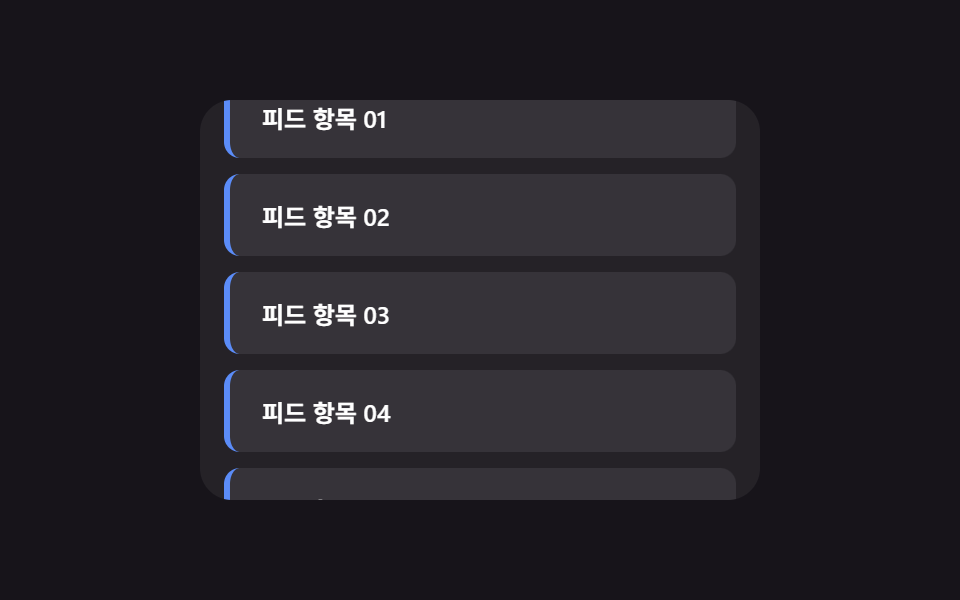 01 infinite-scroll
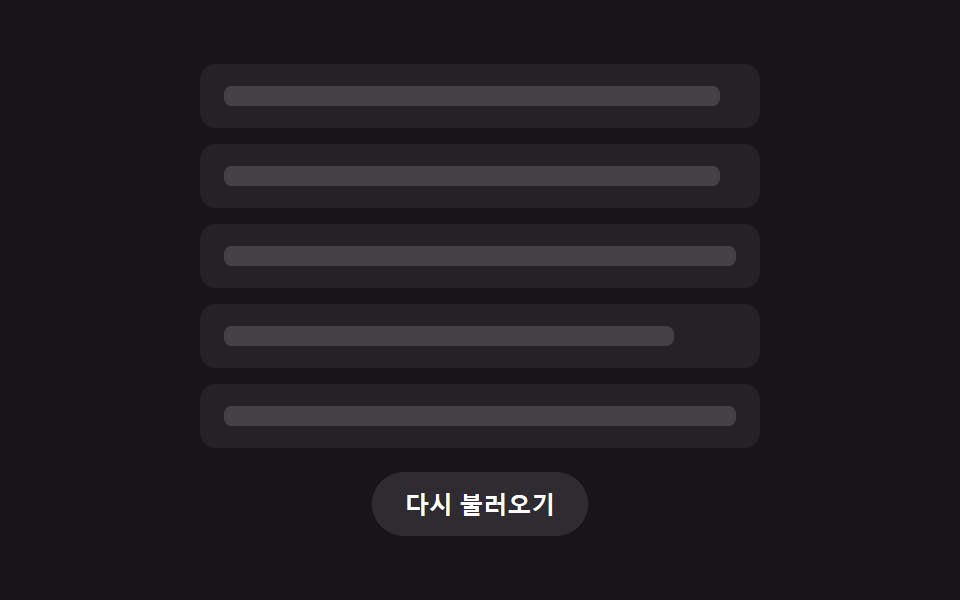 02 skeleton-list
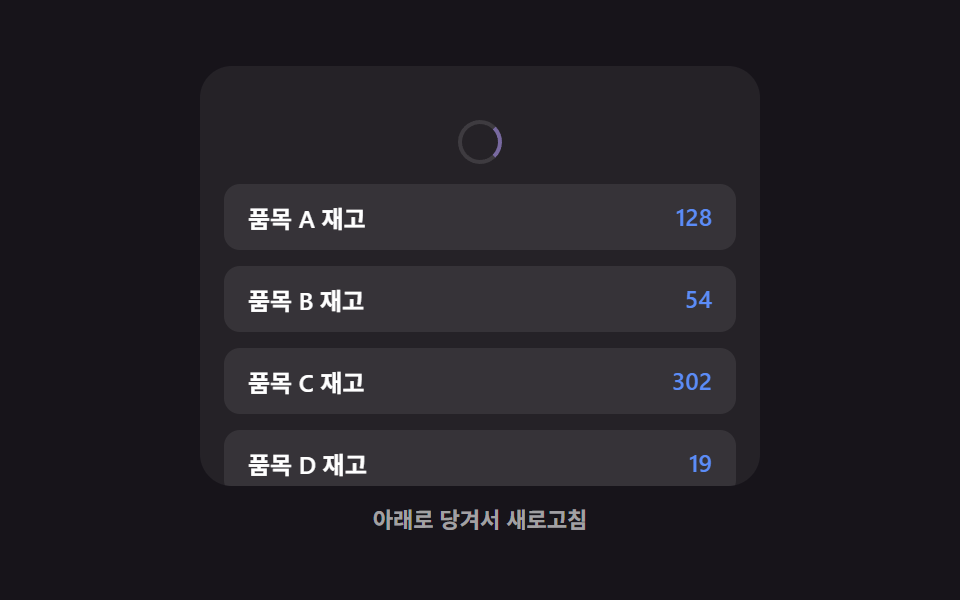 03 pull-to-refresh
 04 list-empty-state
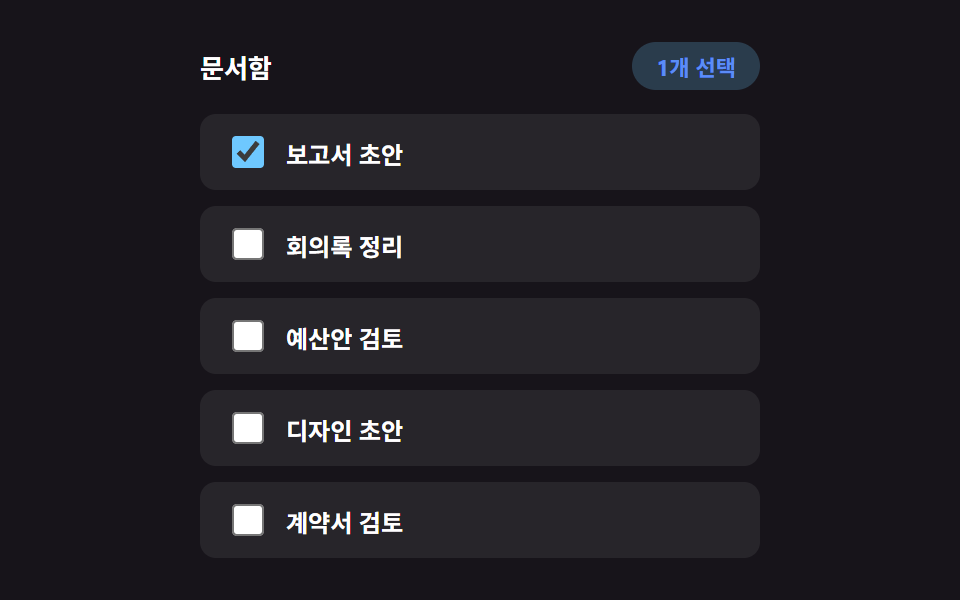 05 bulk-select
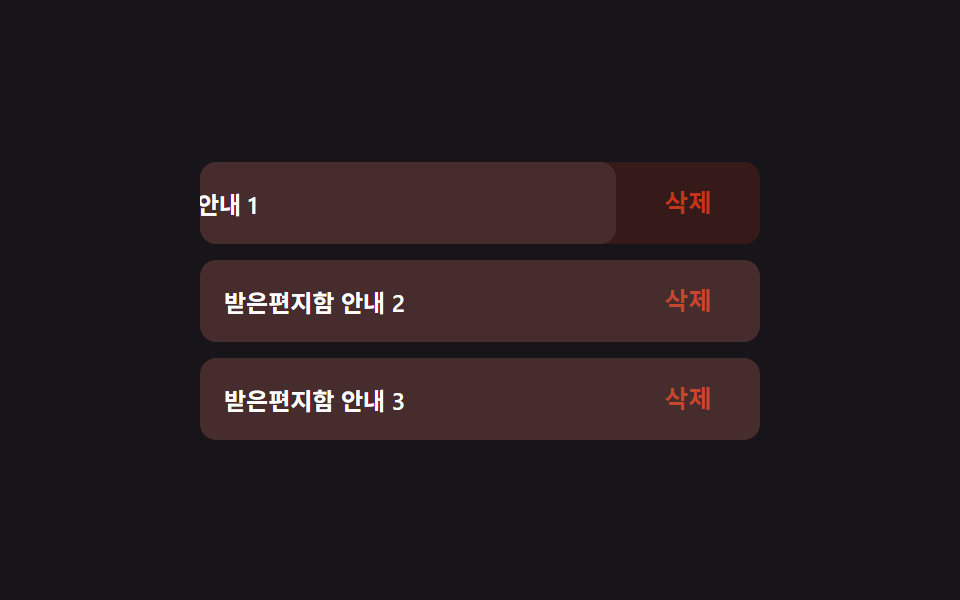 06 swipe-actions
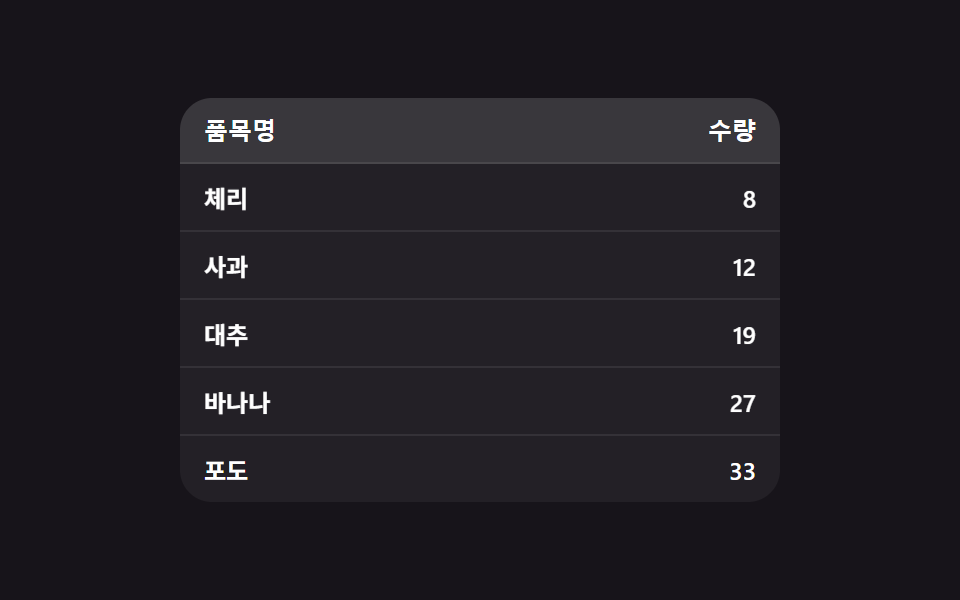 07 sortable-table
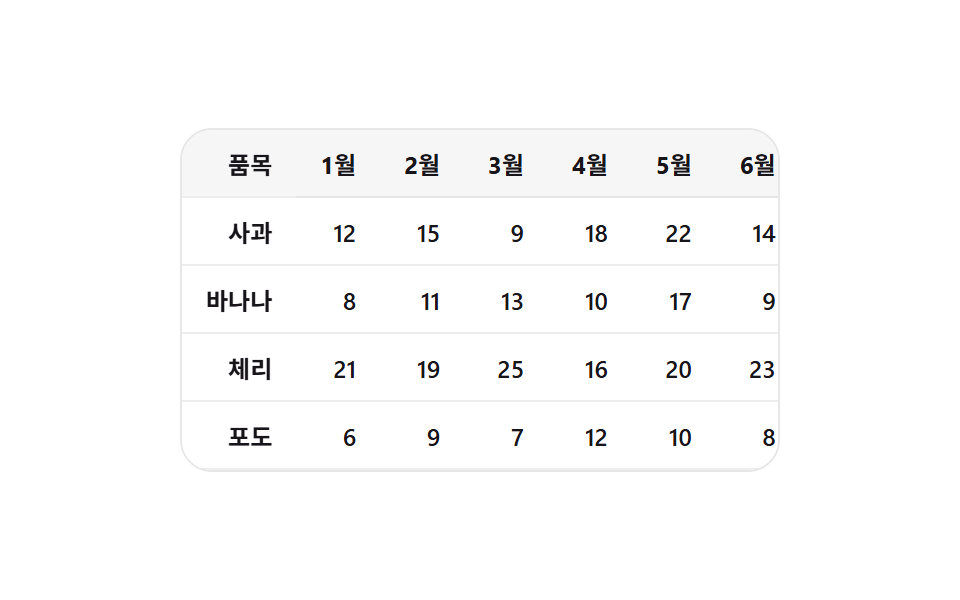 08 sticky-columns
 09 pagination
自動再生 · タイルを押すとその項目へ · すべて1つのzip
- 01 スピナーなしで続く無限スクロール
- 02 初回読み込み用リストスケルトン
- 03 更新後に変わった行だけを照らすプルトゥリフレッシュ
- 04 最後の行が消えると現れる空リストの文言
- 05 ツールバーなしでバッジだけが数える一括選択
- 06 片方向にだけ引き出る基本スワイプアクション
- 07 行が実際に位置を入れ替えて並び替わる表
- 08 横スクロールで影を連れて歩く固定カラム
- 09 省略記号なしで点が1つ滑るページネーション
以下で紹介する9つのリスト・テーブルUIパターンは、それぞれが外部ライブラリやCDNを読み込まない単体のHTML・CSS・JSファイルにまとまっているため、zipの中からどのフォルダを開いてもindex.htmlをブラウザに直接ドラッグするだけで同じ挙動を再現できます。
デモ
上に並ぶ各サムネイルを開いて実際にパターンを動かし、スクロール・クリック・ドラッグなどそれぞれが受け付ける操作で挙動を確かめてみてください。ここに載せた数値とコードは、要約や書き起こしではなく、そのままのファイルから読み取った値そのものです。
9つのパターンの解剖 — どこで計算の一層が回るか
以下の表の数値は、上のデモと同じキャプチャ列から機械的に測定した実測値です。同一条件で23回分のフレーム間差分を連続して取っています。累積面積はフレーム全体で動いたピクセルが占めた割合の合計、平均強度はピクセルが実際に動いたフレームだけで見た変化の強さ、動いたフレーム数(23フレーム中)はその23回の比較のうち何回で違いが検出されたかを示します。
| # | パターン | 累積面積 | 平均強度 | 動いたフレーム数(23フレーム中) |
|---|---|---|---|---|
| 01 | スピナーなしで続く無限スクロール | 35.55% | 44.6 | 23 |
| 02 | 初回読み込み用リストスケルトン | 8.96% | 42.7 | 12 |
| 03 | 更新後に変わった行だけを照らすプルトゥリフレッシュ | 29.58% | 43.5 | 12 |
| 04 | 最後の行が消えると現れる空リストの文言 | 46.35% | 47.9 | 21 |
| 05 | ツールバーなしでバッジだけが数える一括選択 | 1.73% | 45.1 | 9 |
| 06 | 片方向にだけ引き出る基本スワイプアクション | 2.77% | 83.9 | 16 |
| 07 | 行が実際に位置を入れ替えて並び替わる表 | 2.23% | 121.3 | 9 |
| 08 | 横スクロールで影を連れて歩く固定カラム | 4.62% | 139.7 | 23 |
| 09 | 省略記号なしで点が1つ滑るページネーション | 1.67% | 96.7 | 16 |
04は行がすべて消えてリスト領域の高さ自体が指数減衰で縮む骨格レベルの変化のため、9パターン中最大の累積面積(46.35%)を記録しています。09は1.67%で最小、05は1.73%でそれに次いで小さく、この2つはどちらもドット1つ分・行1つ分という狭い範囲しか動かないためです。平均強度が最も高いのは08の139.7で、9種の中で唯一の最高値です(07の121.3が僅差で続きますが、最高としては扱いません)。平均強度が最も低いのは02の42.7です。動いたフレーム数が最も多いのは01と08で、どちらも23フレーム中23、最も少ないのは05と07で、どちらも23フレーム中9です。
クラスターA — 実測した幅・座標がそのまま計算の入力になります(02・07・09)
02・07・09の3パターンは、いずれも定数ではなく画面上に実在する値を実測するところから計算を始めます。02のmeasureBarWidths()はキャンバスのmeasureTextで各行テキストの実際の幅を測り、そのピクセル値をMIN_BAR_PCT以上の割合に変換してスケルトンバーの幅を決めます。07のsortBy()は並び替え前に各行へgetBoundingClientRect().topを呼んでfirstとして保存し、並び替え後に再び実測したlastとの差分だけ逆方向へ瞬間移動させてからSORT_REORDER_MSをかけて元の位置へ戻すFLIP計算を使います。09のmeasureAndMove()は移動先ドットの実際のレンダリング座標(offsetLeft)を実測し、インジケーターをその座標へ直接動かします。3パターンとも、値を仮定せず毎回測り直す点が共通しています。
クラスターB — 連続した進行度ひとつが結果全体を補間します(01・03・04)
01・03・04の3パターンは、単一の連続した進行度を1つ受け取り、それをそのまま結果全体へ広げる点で共通しています。01はセンチネルのintersectionRatioをMIN_BATCH(2)〜MAX_BATCH(6)の間へ線形に写し、その回だけのバッチ行数を決めます。03のapplyPull()は引っ張った生の距離(raw)をMAX_PULL_PX*(1-Math.exp(-raw/DAMPING))という指数減衰の式へ通し、指を離した瞬間の表示量そのものを求めます。04のstep()は目標の高さと現在の高さの差(diff)にLERP_RATE(0.18)を掛けた分だけ毎フレーム縮め、9パターンの中で唯一requestAnimationFrameを使い続けます。
クラスターC — 範囲やしきい値が以降の動作を制限・分岐させます(05・06・08)
05・06・08の3パターンは、範囲やしきい値がその後の動作をそのまま制限または分岐させます。05のapplyRange()は選んだ開始・終了インデックスの最小・最大(lo/hi)を求め、その区間のチェックボックスだけを一度にトグルします。06のpointerupハンドラーは、離す瞬間の速度がVELOCITY_OPEN_THRESHOLD(0.5)を超えるかどうかで開閉の方向をまず決め、超えなければ現在位置がACTION_WIDTHの半分を超えたかで判定します。08のupdateShadow()はview.scrollLeftをSHADOW_RAMP_PX(40)で割った値を0〜1へclamp()し、STICKY_COL_SHADOW_ALPHA(0.35)を掛けて影のアルファを求めます。
パターン別コード
ここからはパターンごとに、実際のファイルに書かれている関数をそのまま1つずつ抜き出して載せます。要約のための書き直しや途中省略はしていません。無限スクロール 実装方法を調べると、CSSのtransitionだけで新しい行をフェードインさせる例が数多く見つかりますが、以下の9つはいずれもその下で実測した値や進行度を計算する層を少なくとも1つ動かし続けています。
01スピナーなしで続く無限スクロール
スクロールが下端に近づくと、次のまとまりの行がスピナーやスケルトンなしで、既存リストの末尾へ順に滑り込みます(349のローディングフィードバック中心の実演とは異なり、こちらは行が現れる動き自体だけを扱います)。フィードや商品一覧で次ページを自動的に読み込むときに向いています。
<main class="stage">
<div class="isc is-demo" id="isc">
  <div class="isc__view" id="iscView">
    <ul class="isc__track" id="iscTrack">
      <li class="isc__sentinel" id="iscSentinel" aria-hidden="true"></li>
    </ul>
  </div>
</div>
</main>
@use "../../../../site/static/demo-tokens" as *;
// 변수 3개
$duration: $dur-base;
$easing: $ease-out;
$color: $subject-blue-light;
// 계산 겹: index.html 의 IntersectionObserver 콜백이 센티널의 intersectionRatio 로
// 한 번에 붙일 행 개수(batch)를 산술로 정한다 — 고정 개수가 아니다.
@include stage($stage-ink);
.isc {
width: min(100%, 280px);
}
.isc__view {
box-sizing: border-box;
width: 100%;
height: 200px;
overflow-y: auto;
overflow-x: hidden;
border-radius: $r-card;
background: rgba(255, 255, 255, .06);
padding: $sp-3;
scrollbar-width: thin;
}
.isc__track {
list-style: none;
margin: 0;
padding: 0;
display: flex;
flex-direction: column;
gap: $sp-2;
}
.isc__row {
box-sizing: border-box;
padding: $sp-3 $sp-4;
border-radius: $r-sm;
background: rgba(255, 255, 255, .08);
border-left: 3px solid $color;
color: $stage-paper;
font-weight: 600;
font-size: 12px;
animation-name: rowEnter;
animation-duration: $duration;
animation-timing-function: $easing;
animation-fill-mode: backwards;
}
@keyframes rowEnter {
from { opacity: 0; transform: translateY($sp-4); }
to { opacity: 1; transform: translateY(0); }
}
.isc__sentinel {
height: $sp-2;
}
@media (max-width: 340px) {
.isc__view { height: 120px; padding: $sp-2; }
.isc__row { padding: $sp-2 $sp-3; font-size: 11px; }
}
// reduce: 실사용 경로 적용 — 등장 트윈만 멈춘다. IntersectionObserver·배치 산술은 그대로 동작
@media (prefers-reduced-motion: reduce) {
.isc__row { animation: none; }
}html, body {
margin: 0;
overflow: hidden;
}
.stage {
box-sizing: border-box;
min-height: 100vh;
display: grid;
place-items: center;
margin: 0;
background: #17141a;
font-family: -apple-system, "Segoe UI", "Noto Sans KR", sans-serif;
padding: clamp(8px, 4vw, 24px);
}
.isc {
width: min(100%, 280px);
}
.isc__view {
box-sizing: border-box;
width: 100%;
height: 200px;
overflow-y: auto;
overflow-x: hidden;
border-radius: 16px;
background: rgba(255, 255, 255, 0.06);
padding: 12px;
scrollbar-width: thin;
}
.isc__track {
list-style: none;
margin: 0;
padding: 0;
display: flex;
flex-direction: column;
gap: 8px;
}
.isc__row {
box-sizing: border-box;
padding: 12px 16px;
border-radius: 8px;
background: rgba(255, 255, 255, 0.08);
border-left: 3px solid #5b8cf8;
color: #ffffff;
font-weight: 600;
font-size: 12px;
animation-name: rowEnter;
animation-duration: 300ms;
animation-timing-function: ease-out;
animation-fill-mode: backwards;
}
@keyframes rowEnter {
from {
opacity: 0;
transform: translateY(16px);
}
to {
opacity: 1;
transform: translateY(0);
}
}
.isc__sentinel {
height: 8px;
}
@media (max-width: 340px) {
.isc__view {
height: 120px;
padding: 8px;
}
.isc__row {
padding: 8px 12px;
font-size: 11px;
}
}
@media (prefers-reduced-motion: reduce) {
.isc__row {
animation: none;
}
}(function () {
var SCROLL_APPEND_STAGGER_MS = 40; // 변형 01 대상 — 새 행 등장 사이 간격
var MIN_BATCH = 2;
var MAX_BATCH = 6;
var MAX_ROWS = 40;
var RESET_DELAY_MS = 700;
var AUTO_STEP_PX = 6;
var AUTO_TICK_MS = 55;
var LOAD_COOLDOWN_MS = 260;
var root = document.getElementById('isc');
var view = document.getElementById('iscView');
var track = document.getElementById('iscTrack');
var sentinel = document.getElementById('iscSentinel');
var rowSeq = 0;
var loading = false;
function clamp(v, lo, hi) { return Math.min(hi, Math.max(lo, v)); }
function addRow(delayMs) {
var li = document.createElement('li');
li.className = 'isc__row';
li.style.animationDelay = delayMs + 'ms';
li.textContent = 'フィード項目 ' + String(rowSeq + 1).padStart(2, '0');
track.insertBefore(li, sentinel);
rowSeq += 1;
return li;
}
function resetList() {
while (track.firstChild !== sentinel) { track.removeChild(track.firstChild); }
rowSeq = 0;
for (var i = 0; i < 6; i += 1) { addRow(0); }
}
resetList();
// 계산 겹: 센티널이 뷰포트와 겹친 비율(intersectionRatio)이 클수록 한 번에 더 많은 행을 붙인다 —
// 화면 끝에 살짝 걸리면 조금만, 깊이 들어오면 한 번에 크게 이어붙인다.
var io = new IntersectionObserver(function (entries) {
entries.forEach(function (entry) {
if (entry.isIntersecting && !loading && rowSeq < MAX_ROWS) {
loading = true;
var batch = Math.round(MIN_BATCH + (MAX_BATCH - MIN_BATCH) * clamp(entry.intersectionRatio, 0, 1));
for (var j = 0; j < batch; j += 1) { addRow(j * SCROLL_APPEND_STAGGER_MS); }
window.setTimeout(function () { loading = false; }, LOAD_COOLDOWN_MS);
}
});
}, { root: view, threshold: [0, 0.2, 0.4, 0.6, 0.8, 1] });
io.observe(sentinel);
var timer = null;
var dir = 1;
function human() {
if (root.classList.contains('is-demo')) {
root.classList.remove('is-demo');
if (timer) { window.clearInterval(timer); timer = null; }
}
}
view.addEventListener('wheel', human, { passive: true });
view.addEventListener('touchstart', human, { passive: true });
function tick() {
var max = view.scrollHeight - view.clientHeight;
if (view.scrollTop >= max - 1 && dir !== 0) {
dir = 0;
window.setTimeout(function () {
resetList();
view.scrollTop = 0;
dir = 1;
}, RESET_DELAY_MS);
return;
}
if (dir === 0) { return; }
view.scrollTop = Math.min(view.scrollTop + AUTO_STEP_PX, max);
}
var reduce = window.matchMedia('(prefers-reduced-motion: reduce)').matches;
if (!reduce) {
timer = window.setInterval(tick, AUTO_TICK_MS);
}
// reduce: 실사용 경로 적용 — 자동 스크롤과 등장 트윈만 멈춘다. IntersectionObserver 는 그대로 살아 있어
// 사람이 실제로 스크롤하면 다음 배치가 애니메이션 없이 즉시 붙는다(scss 의 reduce 블록이 animation:none 처리)
})();// InfiniteScroll — vanilla 판(run/381/demo/01-infinite-scroll/index.html)의 React 포트.
// 센티널의 intersectionRatio 로 한 번에 붙일 행 개수(batch)를 산술로 정한다 — 고정 개수가 아니다.
// 목록·자동 스크롤·IntersectionObserver 는 vanilla 와 같은 절차형 코드로, 마운트 시 한 번만 연결한다.
import { useEffect, useRef } from "react";
import type { CSSProperties } from "react";
import styles from "./InfiniteScroll.module.scss";
export type InfiniteScrollProps = {
duration?: string;
easing?: string;
color?: string;
};
type Vars = CSSProperties & { "--duration"?: string; "--easing"?: string; "--color"?: string };
export default function InfiniteScroll({
duration = "300ms", // vanilla $duration: $dur-base
easing = "ease-out", // vanilla $easing: $ease-out
color = "#5b8cf8", // vanilla $color: $subject-blue-light
}: InfiniteScrollProps) {
const rootRef = useRef<HTMLDivElement | null>(null);
useEffect(() => {
const root = rootRef.current;
if (!root) return;
const view = root.querySelector<HTMLDivElement>('[data-role="view"]');
const track = root.querySelector<HTMLUListElement>('[data-role="track"]');
const sentinel = root.querySelector<HTMLLIElement>('[data-role="sentinel"]');
if (!view || !track || !sentinel) return;
const SCROLL_APPEND_STAGGER_MS = 40; // 변형 01 대상 — 새 행 등장 사이 간격
const MIN_BATCH = 2;
const MAX_BATCH = 6;
const MAX_ROWS = 40;
const RESET_DELAY_MS = 700;
const AUTO_STEP_PX = 6;
const AUTO_TICK_MS = 55;
const LOAD_COOLDOWN_MS = 260;
let rowSeq = 0;
let loading = false;
function clamp(v: number, lo: number, hi: number): number {
return Math.min(hi, Math.max(lo, v));
}
function addRow(delayMs: number): HTMLLIElement {
const li = document.createElement("li");
li.className = styles.isc__row;
li.style.animationDelay = delayMs + "ms";
li.textContent = "피드 항목 " + String(rowSeq + 1).padStart(2, "0");
track!.insertBefore(li, sentinel);
rowSeq += 1;
return li;
}
function resetList(): void {
while (track!.firstChild !== sentinel) {
track!.removeChild(track!.firstChild as ChildNode);
}
rowSeq = 0;
for (let i = 0; i < 6; i += 1) {
addRow(0);
}
}
resetList();
// 계산 겹: 센티널이 뷰포트와 겹친 비율(intersectionRatio)이 클수록 한 번에 더 많은 행을 붙인다 —
// 화면 끝에 살짝 걸리면 조금만, 깊이 들어오면 한 번에 크게 이어붙인다.
const io = new IntersectionObserver(
(entries) => {
entries.forEach((entry) => {
if (entry.isIntersecting && !loading && rowSeq < MAX_ROWS) {
loading = true;
const batch = Math.round(
MIN_BATCH + (MAX_BATCH - MIN_BATCH) * clamp(entry.intersectionRatio, 0, 1)
);
for (let j = 0; j < batch; j += 1) {
addRow(j * SCROLL_APPEND_STAGGER_MS);
}
window.setTimeout(() => {
loading = false;
}, LOAD_COOLDOWN_MS);
}
});
},
{ root: view, threshold: [0, 0.2, 0.4, 0.6, 0.8, 1] }
);
io.observe(sentinel);
let timer: number | null = null;
let dir = 1;
function human(): void {
if (root!.classList.contains("is-demo")) {
root!.classList.remove("is-demo");
if (timer) {
window.clearInterval(timer);
timer = null;
}
}
}
view.addEventListener("wheel", human, { passive: true });
view.addEventListener("touchstart", human, { passive: true });
function tick(): void {
const max = view!.scrollHeight - view!.clientHeight;
if (view!.scrollTop >= max - 1 && dir !== 0) {
dir = 0;
window.setTimeout(() => {
resetList();
view!.scrollTop = 0;
dir = 1;
}, RESET_DELAY_MS);
return;
}
if (dir === 0) {
return;
}
view!.scrollTop = Math.min(view!.scrollTop + AUTO_STEP_PX, max);
}
const reduce = window.matchMedia("(prefers-reduced-motion: reduce)").matches;
if (!reduce) {
timer = window.setInterval(tick, AUTO_TICK_MS);
}
// reduce: 실사용 경로 적용 — 자동 스크롤과 등장 트윈만 멈춘다. IntersectionObserver 는 그대로 살아 있어
// 사람이 실제로 스크롤하면 다음 배치가 애니메이션 없이 즉시 붙는다(scss 의 reduce 블록이 animation:none 처리)
return () => {
io.disconnect();
if (timer) {
window.clearInterval(timer);
}
view.removeEventListener("wheel", human);
view.removeEventListener("touchstart", human);
};
}, []);
const vars: Vars = { "--duration": duration, "--easing": easing, "--color": color };
return (
<main className={styles.stage}>
<div className={`${styles.isc} is-demo`} ref={rootRef} style={vars}>
<div className={styles.isc__view} data-role="view">
<ul className={styles.isc__track} data-role="track">
<li className={styles.isc__sentinel} data-role="sentinel" aria-hidden="true" />
</ul>
</div>
</div>
</main>
);
}01 · スピナーなしで続く無限スクロール — 計測 累積面積 35.554% · 動いたフレーム 23/23GODRICH オリジナル · SCSS と React は zip に同梱 · パスワードを見る
  // 計算層: センチネルがビューポートと重なった比率(intersectionRatio)が大きいほど一度に多くの行を追加する —
  // 画面端にわずかに触れただけなら少しだけ、深く入ってくれば一度に大きくつなげる。
  var io = new IntersectionObserver(function (entries) {
    entries.forEach(function (entry) {
      if (entry.isIntersecting && !loading && rowSeq < MAX_ROWS) {
        loading = true;
        var batch = Math.round(MIN_BATCH + (MAX_BATCH - MIN_BATCH) * clamp(entry.intersectionRatio, 0, 1));
        for (var j = 0; j < batch; j += 1) { addRow(j * SCROLL_APPEND_STAGGER_MS); }
        window.setTimeout(function () { loading = false; }, LOAD_COOLDOWN_MS);
      }
    });
  }, { root: view, threshold: [0, 0.2, 0.4, 0.6, 0.8, 1] });
  io.observe(sentinel);
02初回読み込み用リストスケルトン
データが届く前は画面全体が行の形をしたグレーのスケルトンバーで埋まり、実データが到着した瞬間に一括で置き換わります(004の個別スケルトン部品や349のスクロール追加時スケルトンとは異なる実演で、こちらは初回のみの全体一括置換です)。初回アクセス時のリストやフィードの読み込み待ち画面に使えます。
<main class="stage">
<div class="skl is-demo" id="skl">
  <ul class="skl__list" id="sklList" aria-busy="true">
    <li class="skl__row" data-row="0">
      <span class="skl__bar" data-bar></span>
      <span class="skl__content" data-content hidden></span>
    </li>
    <li class="skl__row" data-row="1">
      <span class="skl__bar" data-bar></span>
      <span class="skl__content" data-content hidden></span>
    </li>
    <li class="skl__row" data-row="2">
      <span class="skl__bar" data-bar></span>
      <span class="skl__content" data-content hidden></span>
    </li>
    <li class="skl__row" data-row="3">
      <span class="skl__bar" data-bar></span>
      <span class="skl__content" data-content hidden></span>
    </li>
    <li class="skl__row" data-row="4">
      <span class="skl__bar" data-bar></span>
      <span class="skl__content" data-content hidden></span>
    </li>
  </ul>
  <button class="skl__reload" id="sklReload" type="button">再読み込み</button>
</div>
</main>@use "../../../../site/static/demo-tokens" as *;
// 변수 3개
$duration: $dur-quick;
$easing: $ease-out;
$color: $subject-mint;
// 계산 겹: index.html 이 캔버스 measureText 로 잰 실제 글자 폭 비율을
// --bar-w 로 각 막대에 주입한다 — 막대 폭이 내용 길이를 미리 반영한다.
@include stage($stage-ink);
.skl {
width: min(100%, 280px);
display: flex;
flex-direction: column;
gap: $sp-3;
align-items: center;
}
.skl__list {
box-sizing: border-box;
width: 100%;
list-style: none;
margin: 0;
padding: 0;
display: flex;
flex-direction: column;
gap: $sp-2;
}
.skl__row {
box-sizing: border-box;
position: relative;
height: 32px;
padding: 0 $sp-3;
border-radius: $r-sm;
background: rgba(255, 255, 255, .06);
display: flex;
align-items: center;
}
.skl__bar {
--bar-w: 60%;
position: relative;
overflow: hidden;
display: block;
width: var(--bar-w);
height: 10px;
border-radius: $r-xs;
background: rgba(255, 255, 255, .14);
&::after {
content: "";
position: absolute;
inset: 0;
background: linear-gradient(90deg, transparent, rgba($color, .5), transparent);
transform: translateX(-140%);
animation-name: sklShimmer;
animation-duration: $duration;
animation-timing-function: $easing;
animation-iteration-count: infinite;
}
}
.skl__content {
color: $stage-paper;
font-weight: 600;
font-size: 12px;
}
.skl__row.is-loaded {
.skl__bar { display: none; }
.skl__content {
animation-name: sklRowIn;
animation-duration: $dur-base;
animation-timing-function: $easing;
animation-fill-mode: backwards;
}
}
@keyframes sklShimmer {
to { transform: translateX(140%); }
}
@keyframes sklRowIn {
from { opacity: 0; transform: translateY($sp-2); }
to { opacity: 1; transform: translateY(0); }
}
.skl__reload {
box-sizing: border-box;
border: 0;
border-radius: $r-pill;
padding: $sp-2 $sp-4;
background: rgba(255, 255, 255, .1);
color: $stage-paper;
font-weight: 600;
font-size: 12px;
cursor: pointer;
&:focus-visible {
outline: 2px solid $color;
outline-offset: 2px;
}
}
@media (max-width: 340px) {
.skl { gap: $sp-2; }
.skl__list { gap: $sp-1; }
.skl__row { height: 20px; padding: 0 $sp-1; }
.skl__content { font-size: 11px; }
.skl__reload { padding: $sp-1 $sp-3; }
}
// reduce: 실사용 경로 적용 — 스침·등장 트윈만 멈춘다. 로딩 완료 상태 자체는 그대로 보인다
@media (prefers-reduced-motion: reduce) {
.skl__bar::after { animation: none; opacity: .5; transform: translateX(0); }
.skl__row.is-loaded .skl__content { animation: none; }
}html, body {
margin: 0;
overflow: hidden;
}
.stage {
box-sizing: border-box;
min-height: 100vh;
display: grid;
place-items: center;
margin: 0;
background: #17141a;
font-family: -apple-system, "Segoe UI", "Noto Sans KR", sans-serif;
padding: clamp(8px, 4vw, 24px);
}
.skl {
width: min(100%, 280px);
display: flex;
flex-direction: column;
gap: 12px;
align-items: center;
}
.skl__list {
box-sizing: border-box;
width: 100%;
list-style: none;
margin: 0;
padding: 0;
display: flex;
flex-direction: column;
gap: 8px;
}
.skl__row {
box-sizing: border-box;
position: relative;
height: 32px;
padding: 0 12px;
border-radius: 8px;
background: rgba(255, 255, 255, 0.06);
display: flex;
align-items: center;
}
.skl__bar {
--bar-w: 60%;
position: relative;
overflow: hidden;
display: block;
width: var(--bar-w);
height: 10px;
border-radius: 4px;
background: rgba(255, 255, 255, 0.14);
}
.skl__bar::after {
content: "";
position: absolute;
inset: 0;
background: linear-gradient(90deg, transparent, rgba(76, 212, 166, 0.5), transparent);
transform: translateX(-140%);
animation-name: sklShimmer;
animation-duration: 220ms;
animation-timing-function: ease-out;
animation-iteration-count: infinite;
}
.skl__content {
color: #ffffff;
font-weight: 600;
font-size: 12px;
}
.skl__row.is-loaded .skl__bar {
display: none;
}
.skl__row.is-loaded .skl__content {
animation-name: sklRowIn;
animation-duration: 300ms;
animation-timing-function: ease-out;
animation-fill-mode: backwards;
}
@keyframes sklShimmer {
to {
transform: translateX(140%);
}
}
@keyframes sklRowIn {
from {
opacity: 0;
transform: translateY(8px);
}
to {
opacity: 1;
transform: translateY(0);
}
}
.skl__reload {
box-sizing: border-box;
border: 0;
border-radius: 999px;
padding: 8px 16px;
background: rgba(255, 255, 255, 0.1);
color: #ffffff;
font-weight: 600;
font-size: 12px;
cursor: pointer;
}
.skl__reload:focus-visible {
outline: 2px solid #4cd4a6;
outline-offset: 2px;
}
@media (max-width: 340px) {
.skl {
gap: 8px;
}
.skl__list {
gap: 4px;
}
.skl__row {
height: 20px;
padding: 0 4px;
}
.skl__content {
font-size: 11px;
}
.skl__reload {
padding: 4px 12px;
}
}
@media (prefers-reduced-motion: reduce) {
.skl__bar::after {
animation: none;
opacity: 0.5;
transform: translateX(0);
}
.skl__row.is-loaded .skl__content {
animation: none;
}
}(function () {
var ROWS = [
'上半期成長レポート要約',
'新規登録者推移グラフ',
'今四半期の売上上位商品',
'顧客満足度調査結果',
'在庫切れ間近の品目通知'
];
var CYCLE_MS = 2000; // 캡처 창(2초)의 배수 — 스켈레톤/로딩완료 상태를 오가는 한 사이클
var LOAD_POINT = 0.45; // 사이클 중 로딩 완료로 전환되는 지점
var RESET_POINT = 0.96; // 이 지점부터 다시 스켈레톤으로
var ENTER_STAGGER_MS = 70; // 행마다 등장 지연 간격
var MIN_BAR_PCT = 32; // 막대 폭 하한(%)
var TICK_MS = 50;
var root = document.getElementById('skl');
var list = document.getElementById('sklList');
var reloadBtn = document.getElementById('sklReload');
var rows = Array.prototype.slice.call(list.querySelectorAll('.skl__row'));
// 계산 겹: 각 행이 로딩 완료 후 실제로 보여줄 글자의 캔버스 실측 폭을 재서
// 스켈레톤 막대 폭을 그 비율로 정한다 — 고정폭이 아니라 내용 길이를 미리 반영한다.
function measureBarWidths() {
var canvas = document.createElement('canvas');
var ctx = canvas.getContext('2d');
ctx.font = '600 13px -apple-system, "Segoe UI", "Noto Sans KR", sans-serif';
var widths = ROWS.map(function (text) { return ctx.measureText(text).width; });
var maxW = Math.max.apply(null, widths);
return widths.map(function (w) {
var pct = (w / maxW) * 100;
return Math.max(MIN_BAR_PCT, Math.round(pct));
});
}
var barPct = measureBarWidths();
rows.forEach(function (row, i) {
var bar = row.querySelector('[data-bar]');
var content = row.querySelector('[data-content]');
bar.style.setProperty('--bar-w', barPct[i] + '%');
content.textContent = ROWS[i];
});
function setLoaded(loaded) {
rows.forEach(function (row, i) {
var content = row.querySelector('[data-content]');
if (loaded) {
row.classList.add('is-loaded');
content.hidden = false;
row.style.animationDelay = (i * ENTER_STAGGER_MS) + 'ms';
} else {
row.classList.remove('is-loaded');
content.hidden = true;
row.style.animationDelay = '';
}
});
list.setAttribute('aria-busy', loaded ? 'false' : 'true');
}
function human() {
if (root.classList.contains('is-demo')) {
root.classList.remove('is-demo');
if (timer) { window.clearInterval(timer); timer = null; }
}
}
reloadBtn.addEventListener('click', function () {
human();
setLoaded(false);
window.setTimeout(function () { setLoaded(true); }, 650);
});
var timer = null;
var start = 0;
var loadedState = false;
function tick(elapsedMs) {
var phase = (elapsedMs % CYCLE_MS) / CYCLE_MS;
var wantLoaded = phase >= LOAD_POINT && phase < RESET_POINT;
if (wantLoaded !== loadedState) {
loadedState = wantLoaded;
setLoaded(loadedState);
}
}
function loop() {
tick(performance.now() - start);
}
var reduce = window.matchMedia('(prefers-reduced-motion: reduce)').matches;
if (!reduce) {
setLoaded(false);
start = performance.now();
timer = window.setInterval(loop, TICK_MS);
} else {
// reduce: 실사용 경로 적용 — 스켈레톤 스침·등장 트윈 없이 로딩 완료 상태를 바로 보여준다
setLoaded(true);
}
})();// SkeletonList — vanilla 판(run/381/demo/02-skeleton-list/index.html)의 React 포트.
// 각 행이 로딩 완료 후 실제로 보여줄 글자의 캔버스 실측 폭을 재서 스켈레톤 막대 폭을
// 그 비율로 정한다 — 고정폭이 아니라 내용 길이를 미리 반영한다.
import { useEffect, useRef } from "react";
import type { CSSProperties } from "react";
import styles from "./SkeletonList.module.scss";
export type SkeletonListProps = {
duration?: string;
easing?: string;
color?: string;
};
type Vars = CSSProperties & { "--duration"?: string; "--easing"?: string; "--color"?: string };
const ROWS = [
"상반기 성장 보고서 요약",
"신규 가입자 추이 그래프",
"이번 분기 매출 상위 상품",
"고객 만족도 조사 결과",
"재고 부족 임박 품목 알림",
];
export default function SkeletonList({
duration = "220ms", // vanilla $duration: $dur-quick
easing = "ease-out", // vanilla $easing: $ease-out
color = "#4cd4a6", // vanilla $color: $subject-mint
}: SkeletonListProps) {
const rootRef = useRef<HTMLDivElement | null>(null);
useEffect(() => {
const root = rootRef.current;
if (!root) return;
const list = root.querySelector<HTMLUListElement>('[data-role="list"]');
const reloadBtn = root.querySelector<HTMLButtonElement>('[data-role="reload"]');
if (!list || !reloadBtn) return;
const rows = Array.prototype.slice.call(list.querySelectorAll("[data-row]")) as HTMLLIElement[];
const CYCLE_MS = 2000; // 캡처 창(2초)의 배수 — 스켈레톤/로딩완료 상태를 오가는 한 사이클
const LOAD_POINT = 0.45; // 사이클 중 로딩 완료로 전환되는 지점
const RESET_POINT = 0.96; // 이 지점부터 다시 스켈레톤으로
const ENTER_STAGGER_MS = 70; // 행마다 등장 지연 간격
const MIN_BAR_PCT = 32; // 막대 폭 하한(%)
const TICK_MS = 50;
// 계산 겹: 각 행이 로딩 완료 후 실제로 보여줄 글자의 캔버스 실측 폭을 재서
// 스켈레톤 막대 폭을 그 비율로 정한다 — 고정폭이 아니라 내용 길이를 미리 반영한다.
function measureBarWidths(): number[] {
const canvas = document.createElement("canvas");
const ctx = canvas.getContext("2d")!;
ctx.font = '600 13px -apple-system, "Segoe UI", "Noto Sans KR", sans-serif';
const widths = ROWS.map((text) => ctx.measureText(text).width);
const maxW = Math.max.apply(null, widths);
return widths.map((w) => {
const pct = (w / maxW) * 100;
return Math.max(MIN_BAR_PCT, Math.round(pct));
});
}
const barPct = measureBarWidths();
rows.forEach((row, i) => {
const bar = row.querySelector<HTMLSpanElement>("[data-bar]");
const content = row.querySelector<HTMLSpanElement>("[data-content]");
if (!bar || !content) return;
bar.style.setProperty("--bar-w", barPct[i] + "%");
content.textContent = ROWS[i];
});
function setLoaded(loaded: boolean): void {
rows.forEach((row, i) => {
const content = row.querySelector<HTMLSpanElement>("[data-content]");
if (!content) return;
if (loaded) {
row.classList.add("is-loaded");
content.hidden = false;
row.style.animationDelay = i * ENTER_STAGGER_MS + "ms";
} else {
row.classList.remove("is-loaded");
content.hidden = true;
row.style.animationDelay = "";
}
});
list!.setAttribute("aria-busy", loaded ? "false" : "true");
}
function human(): void {
if (root!.classList.contains("is-demo")) {
root!.classList.remove("is-demo");
if (timer) {
window.clearInterval(timer);
timer = null;
}
}
}
function onReload(): void {
human();
setLoaded(false);
window.setTimeout(() => {
setLoaded(true);
}, 650);
}
reloadBtn.addEventListener("click", onReload);
let timer: number | null = null;
let start = 0;
let loadedState = false;
function tick(elapsedMs: number): void {
const phase = (elapsedMs % CYCLE_MS) / CYCLE_MS;
const wantLoaded = phase >= LOAD_POINT && phase < RESET_POINT;
if (wantLoaded !== loadedState) {
loadedState = wantLoaded;
setLoaded(loadedState);
}
}
function loop(): void {
tick(performance.now() - start);
}
const reduce = window.matchMedia("(prefers-reduced-motion: reduce)").matches;
if (!reduce) {
setLoaded(false);
start = performance.now();
timer = window.setInterval(loop, TICK_MS);
} else {
// reduce: 실사용 경로 적용 — 스켈레톤 스침·등장 트윈 없이 로딩 완료 상태를 바로 보여준다
setLoaded(true);
}
return () => {
reloadBtn.removeEventListener("click", onReload);
if (timer) {
window.clearInterval(timer);
}
};
}, []);
const vars: Vars = { "--duration": duration, "--easing": easing, "--color": color };
return (
<main className={styles.stage}>
<div className={`${styles.skl} is-demo`} ref={rootRef} style={vars}>
<ul className={styles.skl__list} data-role="list" aria-busy="true">
{ROWS.map((_, i) => (
<li className={styles.skl__row} data-row={i} key={i}>
<span className={styles.skl__bar} data-bar />
<span className={styles.skl__content} data-content hidden />
</li>
))}
</ul>
<button type="button" className={styles.skl__reload} data-role="reload">
다시 불러오기
</button>
</div>
</main>
);
}02 · 初回読み込み用リストスケルトン — 計測 累積面積 8.956% · 動いたフレーム 12/23GODRICH オリジナル · SCSS と React は zip に同梱 · パスワードを見る
  // 計算層: 各行が読み込み完了後に実際に表示する文字のキャンバス実測幅を測り
  // スケルトンバーの幅をその比率で決める — 固定幅ではなく実コンテンツの長さを先取りして反映する。
  function measureBarWidths() {
    var canvas = document.createElement('canvas');
    var ctx = canvas.getContext('2d');
    ctx.font = '600 13px -apple-system, "Segoe UI", "Noto Sans KR", sans-serif';
    var widths = ROWS.map(function (text) { return ctx.measureText(text).width; });
    var maxW = Math.max.apply(null, widths);
    return widths.map(function (w) {
      var pct = (w / maxW) * 100;
      return Math.max(MIN_BAR_PCT, Math.round(pct));
    });
  }
03更新後に変わった行だけを照らすプルトゥリフレッシュ
引っ張って更新を終えると、リスト全体を再描画する代わりに値が変わった行だけへ短いハイライトスイープが流れ、何が更新されたかを示します(353の引っ張る動作・アイコン・弾性自体を扱う実演とは焦点が異なり、こちらは指を離した後の結果表示だけを扱います)。相場や在庫のように値だけが変わる一覧に向いています。
<main class="stage">
<div class="ptr is-demo" id="ptr">
  <div class="ptr__view" id="ptrView">
    <div class="ptr__zone" id="ptrZone">
      <div class="ptr__indicator" id="ptrIndicator" aria-hidden="true">
        <span class="ptr__spinner" id="ptrSpinner"></span>
      </div>
      <ul class="ptr__list" id="ptrList">
        <li class="ptr__row" data-row="0"><span class="ptr__label">品目Aの在庫</span><span class="ptr__value" id="ptrVal0">128</span></li>
        <li class="ptr__row" data-row="1"><span class="ptr__label">品目Bの在庫</span><span class="ptr__value" id="ptrVal1">54</span></li>
        <li class="ptr__row" data-row="2"><span class="ptr__label">品目Cの在庫</span><span class="ptr__value" id="ptrVal2">302</span></li>
        <li class="ptr__row" data-row="3"><span class="ptr__label">品目Dの在庫</span><span class="ptr__value" id="ptrVal3">19</span></li>
        <li class="ptr__row" data-row="4"><span class="ptr__label">品目Eの在庫</span><span class="ptr__value" id="ptrVal4">77</span></li>
      </ul>
    </div>
  </div>
  <p class="ptr__hint" id="ptrHint" aria-live="polite">下に引っ張って更新</p>
</div>
</main>
@use "../../../../site/static/demo-tokens" as *;
// 변수 3개
$duration: $dur-enter;
$easing: $ease-spring;
$color: $subject-lilac;
// 계산 겹: index.html 의 applyPull() 이 저항 곡선으로 당김 표시량을 만들고,
// 놓았을 때 새로고침되면 computeChanged() 로 실제 값이 달라진 행만 골라 훑는다.
@include stage($stage-ink);
.ptr {
width: min(100%, 280px);
display: flex;
flex-direction: column;
gap: $sp-2;
align-items: center;
}
.ptr__view {
box-sizing: border-box;
width: 100%;
height: 210px;
overflow: hidden;
border-radius: $r-card;
background: rgba(255, 255, 255, .06);
touch-action: none;
}
.ptr__zone {
--pull-px: 0px;
box-sizing: border-box;
padding: $sp-3;
transform: translateY(var(--pull-px));
transition: transform $duration $easing;
&.is-dragging {
transition: none;
}
}
.ptr__indicator {
display: flex;
justify-content: center;
height: 28px;
margin-bottom: $sp-1;
opacity: 0;
}
.ptr__spinner {
--spin-deg: 0deg;
width: 18px;
height: 18px;
border-radius: $r-pill;
border: 2px solid rgba(255, 255, 255, .2);
border-top-color: $color;
transform: rotate(var(--spin-deg));
}
.ptr__list {
list-style: none;
margin: 0;
padding: 0;
display: flex;
flex-direction: column;
gap: $sp-2;
}
.ptr__row {
box-sizing: border-box;
position: relative;
overflow: hidden;
display: flex;
justify-content: space-between;
padding: $sp-2 $sp-3;
border-radius: $r-sm;
background: rgba(255, 255, 255, .08);
color: $stage-paper;
font-weight: 600;
font-size: 12px;
&.is-swept::after {
content: "";
position: absolute;
inset: 0;
background: linear-gradient(90deg, transparent, rgba($color, .38), transparent);
transform: translateX(-140%);
animation-name: ptrSweep;
animation-duration: $duration;
animation-timing-function: $ease-out;
}
}
.ptr__value {
color: $subject-blue-light;
}
@keyframes ptrSweep {
to { transform: translateX(140%); }
}
.ptr__hint {
margin: 0;
color: rgba(255, 255, 255, .6);
font-weight: 600;
font-size: 11px;
}
@media (max-width: 340px) {
.ptr { gap: $sp-1; }
.ptr__view { height: 130px; }
.ptr__row { padding: $sp-1 $sp-2; font-size: 11px; }
.ptr__hint { font-size: 10px; }
}
// reduce: 실사용 경로 적용 — 당김 스프링·스침 트윈만 멈춘다. 새로고침 계산·값 갱신은 그대로 동작
@media (prefers-reduced-motion: reduce) {
.ptr__zone { transition: none; }
.ptr__row.is-swept::after { animation: none; opacity: 0; }
}html, body {
margin: 0;
overflow: hidden;
}
.stage {
box-sizing: border-box;
min-height: 100vh;
display: grid;
place-items: center;
margin: 0;
background: #17141a;
font-family: -apple-system, "Segoe UI", "Noto Sans KR", sans-serif;
padding: clamp(8px, 4vw, 24px);
}
.ptr {
width: min(100%, 280px);
display: flex;
flex-direction: column;
gap: 8px;
align-items: center;
}
.ptr__view {
box-sizing: border-box;
width: 100%;
height: 210px;
overflow: hidden;
border-radius: 16px;
background: rgba(255, 255, 255, 0.06);
touch-action: none;
}
.ptr__zone {
--pull-px: 0px;
box-sizing: border-box;
padding: 12px;
transform: translateY(var(--pull-px));
transition: transform 600ms cubic-bezier(0.2, 0.8, 0.2, 1);
}
.ptr__zone.is-dragging {
transition: none;
}
.ptr__indicator {
display: flex;
justify-content: center;
height: 28px;
margin-bottom: 4px;
opacity: 0;
}
.ptr__spinner {
--spin-deg: 0deg;
width: 18px;
height: 18px;
border-radius: 999px;
border: 2px solid rgba(255, 255, 255, 0.2);
border-top-color: #b9a0ff;
transform: rotate(var(--spin-deg));
}
.ptr__list {
list-style: none;
margin: 0;
padding: 0;
display: flex;
flex-direction: column;
gap: 8px;
}
.ptr__row {
box-sizing: border-box;
position: relative;
overflow: hidden;
display: flex;
justify-content: space-between;
padding: 8px 12px;
border-radius: 8px;
background: rgba(255, 255, 255, 0.08);
color: #ffffff;
font-weight: 600;
font-size: 12px;
}
.ptr__row.is-swept::after {
content: "";
position: absolute;
inset: 0;
background: linear-gradient(90deg, transparent, rgba(185, 160, 255, 0.38), transparent);
transform: translateX(-140%);
animation-name: ptrSweep;
animation-duration: 600ms;
animation-timing-function: ease-out;
}
.ptr__value {
color: #5b8cf8;
}
@keyframes ptrSweep {
to {
transform: translateX(140%);
}
}
.ptr__hint {
margin: 0;
color: rgba(255, 255, 255, 0.6);
font-weight: 600;
font-size: 11px;
}
@media (max-width: 340px) {
.ptr {
gap: 4px;
}
.ptr__view {
height: 130px;
}
.ptr__row {
padding: 4px 8px;
font-size: 11px;
}
.ptr__hint {
font-size: 10px;
}
}
@media (prefers-reduced-motion: reduce) {
.ptr__zone {
transition: none;
}
.ptr__row.is-swept::after {
animation: none;
opacity: 0;
}
}(function () {
var MAX_PULL_PX = 64; // 당김 표시량 상한
var DAMPING = 90; // 저항 곡선 상수 — 클수록 손가락 이동량이 그대로 반영된다
var RELEASE_THRESHOLD_PX = 46; // 이 표시량을 넘기고 놓으면 새로고침
var AUTO_TICK_MS = 40;
var AUTO_PULL_STEP = 6;
var AUTO_HOLD_MS = 160;
var AUTO_WAIT_MS = 900;
var SWEEP_STAGGER_MS = 90;
var SET_A = [128, 54, 302, 19, 77];
var SET_B = [128, 61, 302, 24, 77];
var root = document.getElementById('ptr');
var view = document.getElementById('ptrView');
var zone = document.getElementById('ptrZone');
var indicator = document.getElementById('ptrIndicator');
var spinner = document.getElementById('ptrSpinner');
var list = document.getElementById('ptrList');
var hint = document.getElementById('ptrHint');
var rows = Array.prototype.slice.call(list.querySelectorAll('.ptr__row'));
var values = SET_A.slice();
var currentIsA = true;
var lastDisplayed = 0;
function renderValues() {
values.forEach(function (v, i) {
document.getElementById('ptrVal' + i).textContent = String(v);
});
}
renderValues();
// 계산 겹: 원시 당김량(raw)을 지수 감쇠 저항 곡선으로 눌러 표시량을 만든다 —
// 처음엔 손가락을 따라오다가 당길수록 점점 덜 늘어난다.
function applyPull(raw) {
var displayed = MAX_PULL_PX * (1 - Math.exp(-raw / DAMPING));
zone.style.setProperty('--pull-px', displayed.toFixed(1) + 'px');
spinner.style.setProperty('--spin-deg', (displayed / MAX_PULL_PX * 320).toFixed(1) + 'deg');
indicator.style.opacity = Math.min(1, displayed / (RELEASE_THRESHOLD_PX * 0.7)).toFixed(2);
lastDisplayed = displayed;
return displayed;
}
function computeChanged(oldVals, newVals) {
var idx = [];
for (var i = 0; i < oldVals.length; i += 1) {
if (oldVals[i] !== newVals[i]) { idx.push(i); }
}
return idx;
}
function sweepRow(row, delayMs) {
row.classList.remove('is-swept');
void row.offsetWidth; // 리플로우 강제 — 클래스를 다시 붙여도 애니메이션이 처음부터 재생되게
row.style.animationDelay = delayMs + 'ms';
row.classList.add('is-swept');
}
function refresh() {
var next = currentIsA ? SET_B : SET_A;
var changed = computeChanged(values, next);
values = next.slice();
currentIsA = !currentIsA;
renderValues();
hint.textContent = changed.length ? '値が変わった行だけをなぞります' : '変更された行はありません';
changed.forEach(function (idx, order) {
sweepRow(rows[idx], order * SWEEP_STAGGER_MS);
});
}
var dragging = false;
var startY = 0;
function human() {
if (root.classList.contains('is-demo')) {
root.classList.remove('is-demo');
if (timer) { window.clearInterval(timer); timer = null; }
}
}
view.addEventListener('pointerdown', function (e) {
human();
if (view.scrollTop > 0) { return; }
dragging = true;
startY = e.clientY;
zone.classList.add('is-dragging');
});
view.addEventListener('pointermove', function (e) {
if (!dragging) { return; }
var raw = Math.max(0, e.clientY - startY);
applyPull(raw);
});
window.addEventListener('pointerup', function () {
if (!dragging) { return; }
dragging = false;
zone.classList.remove('is-dragging');
var wasEnough = lastDisplayed >= RELEASE_THRESHOLD_PX;
applyPull(0);
if (wasEnough) { refresh(); }
});
var timer = null;
var raw = 0;
var phase = 'pull';
function autoTick() {
if (phase === 'pull') {
raw += AUTO_PULL_STEP;
var displayed = applyPull(raw);
if (displayed >= RELEASE_THRESHOLD_PX) {
phase = 'hold';
window.setTimeout(function () {
refresh();
applyPull(0);
phase = 'wait';
window.setTimeout(function () {
raw = 0;
phase = 'pull';
}, AUTO_WAIT_MS);
}, AUTO_HOLD_MS);
}
}
}
var reduce = window.matchMedia('(prefers-reduced-motion: reduce)').matches;
if (!reduce) {
timer = window.setInterval(autoTick, AUTO_TICK_MS);
} else {
// reduce: 실사용 경로 적용 — 자동 당김 루프와 스침 애니메이션을 멈추고 최신 값만 보여준다
hint.textContent = '下に引っ張って更新';
}
})();// PullToRefresh — vanilla 판(run/381/demo/03-pull-to-refresh/index.html)의 React 포트.
// 원시 당김량(raw)을 지수 감쇠 저항 곡선으로 눌러 표시량을 만들고, 놓았을 때 새로고침되면
// computeChanged() 로 실제 값이 달라진 행만 골라 훑는다.
import { useEffect, useRef } from "react";
import type { CSSProperties } from "react";
import styles from "./PullToRefresh.module.scss";
export type PullToRefreshProps = {
duration?: string;
easing?: string;
color?: string;
};
type Vars = CSSProperties & { "--duration"?: string; "--easing"?: string; "--color"?: string };
const LABELS = ["품목 A 재고", "품목 B 재고", "품목 C 재고", "품목 D 재고", "품목 E 재고"];
const SET_A = [128, 54, 302, 19, 77];
export default function PullToRefresh({
duration = "600ms", // vanilla $duration: $dur-enter
easing = "cubic-bezier(.2, .8, .2, 1)", // vanilla $easing: $ease-spring
color = "#b9a0ff", // vanilla $color: $subject-lilac
}: PullToRefreshProps) {
const rootRef = useRef<HTMLDivElement | null>(null);
useEffect(() => {
const root = rootRef.current;
if (!root) return;
const view = root.querySelector<HTMLDivElement>('[data-role="view"]');
const zone = root.querySelector<HTMLDivElement>('[data-role="zone"]');
const indicator = root.querySelector<HTMLDivElement>('[data-role="indicator"]');
const spinner = root.querySelector<HTMLSpanElement>('[data-role="spinner"]');
const list = root.querySelector<HTMLUListElement>('[data-role="list"]');
const hint = root.querySelector<HTMLParagraphElement>('[data-role="hint"]');
if (!view || !zone || !indicator || !spinner || !list || !hint) return;
const rows = Array.prototype.slice.call(list.querySelectorAll("[data-row]")) as HTMLLIElement[];
const MAX_PULL_PX = 64; // 당김 표시량 상한
const DAMPING = 90; // 저항 곡선 상수 — 클수록 손가락 이동량이 그대로 반영된다
const RELEASE_THRESHOLD_PX = 46; // 이 표시량을 넘기고 놓으면 새로고침
const AUTO_TICK_MS = 40;
const AUTO_PULL_STEP = 6;
const AUTO_HOLD_MS = 160;
const AUTO_WAIT_MS = 900;
const SWEEP_STAGGER_MS = 90;
const SET_B = [128, 61, 302, 24, 77];
let values = SET_A.slice();
let currentIsA = true;
let lastDisplayed = 0;
function renderValues(): void {
values.forEach((v, i) => {
const cell = rows[i].querySelector<HTMLSpanElement>("[data-value]");
if (cell) cell.textContent = String(v);
});
}
renderValues();
// 계산 겹: 원시 당김량(raw)을 지수 감쇠 저항 곡선으로 눌러 표시량을 만든다 —
// 처음엔 손가락을 따라오다가 당길수록 점점 덜 늘어난다.
function applyPull(raw: number): number {
const displayed = MAX_PULL_PX * (1 - Math.exp(-raw / DAMPING));
zone!.style.setProperty("--pull-px", displayed.toFixed(1) + "px");
spinner!.style.setProperty("--spin-deg", ((displayed / MAX_PULL_PX) * 320).toFixed(1) + "deg");
indicator!.style.opacity = Math.min(1, displayed / (RELEASE_THRESHOLD_PX * 0.7)).toFixed(2);
lastDisplayed = displayed;
return displayed;
}
function computeChanged(oldVals: number[], newVals: number[]): number[] {
const idx: number[] = [];
for (let i = 0; i < oldVals.length; i += 1) {
if (oldVals[i] !== newVals[i]) {
idx.push(i);
}
}
return idx;
}
function sweepRow(row: HTMLLIElement, delayMs: number): void {
row.classList.remove("is-swept");
void row.offsetWidth; // 리플로우 강제 — 클래스를 다시 붙여도 애니메이션이 처음부터 재생되게
row.style.animationDelay = delayMs + "ms";
row.classList.add("is-swept");
}
function refresh(): void {
const next = currentIsA ? SET_B : SET_A;
const changed = computeChanged(values, next);
values = next.slice();
currentIsA = !currentIsA;
renderValues();
hint!.textContent = changed.length ? "값이 바뀐 행만 훑습니다" : "변경된 행이 없습니다";
changed.forEach((idx, order) => {
sweepRow(rows[idx], order * SWEEP_STAGGER_MS);
});
}
let dragging = false;
let startY = 0;
function human(): void {
if (root!.classList.contains("is-demo")) {
root!.classList.remove("is-demo");
if (timer) {
window.clearInterval(timer);
timer = null;
}
}
}
function onPointerDown(e: PointerEvent): void {
human();
if (view!.scrollTop > 0) return;
dragging = true;
startY = e.clientY;
zone!.classList.add("is-dragging");
}
function onPointerMove(e: PointerEvent): void {
if (!dragging) return;
const raw = Math.max(0, e.clientY - startY);
applyPull(raw);
}
function onPointerUp(): void {
if (!dragging) return;
dragging = false;
zone!.classList.remove("is-dragging");
const wasEnough = lastDisplayed >= RELEASE_THRESHOLD_PX;
applyPull(0);
if (wasEnough) refresh();
}
view.addEventListener("pointerdown", onPointerDown);
view.addEventListener("pointermove", onPointerMove);
window.addEventListener("pointerup", onPointerUp);
let timer: number | null = null;
let raw = 0;
let phase: "pull" | "hold" | "wait" = "pull";
function autoTick(): void {
if (phase === "pull") {
raw += AUTO_PULL_STEP;
const displayed = applyPull(raw);
if (displayed >= RELEASE_THRESHOLD_PX) {
phase = "hold";
window.setTimeout(() => {
refresh();
applyPull(0);
phase = "wait";
window.setTimeout(() => {
raw = 0;
phase = "pull";
}, AUTO_WAIT_MS);
}, AUTO_HOLD_MS);
}
}
}
const reduce = window.matchMedia("(prefers-reduced-motion: reduce)").matches;
if (!reduce) {
timer = window.setInterval(autoTick, AUTO_TICK_MS);
} else {
// reduce: 실사용 경로 적용 — 자동 당김 루프와 스침 애니메이션을 멈추고 최신 값만 보여준다
hint.textContent = "아래로 당겨서 새로고침";
}
return () => {
view.removeEventListener("pointerdown", onPointerDown);
view.removeEventListener("pointermove", onPointerMove);
window.removeEventListener("pointerup", onPointerUp);
if (timer) {
window.clearInterval(timer);
}
};
}, []);
const vars: Vars = { "--duration": duration, "--easing": easing, "--color": color };
return (
<main className={styles.stage}>
<div className={`${styles.ptr} is-demo`} ref={rootRef} style={vars}>
<div className={styles.ptr__view} data-role="view">
<div className={styles.ptr__zone} data-role="zone">
<div className={styles.ptr__indicator} data-role="indicator" aria-hidden="true">
<span className={styles.ptr__spinner} data-role="spinner" />
</div>
<ul className={styles.ptr__list} data-role="list">
{LABELS.map((label, i) => (
<li className={styles.ptr__row} data-row={i} key={i}>
<span className={styles.ptr__label}>{label}</span>
<span className={styles.ptr__value} data-value>
{SET_A[i]}
</span>
</li>
))}
</ul>
</div>
</div>
<p className={styles.ptr__hint} data-role="hint" aria-live="polite">
아래로 당겨서 새로고침
</p>
</div>
</main>
);
}03 · 更新後に変わった行だけを照らすプルトゥリフレッシュ — 計測 累積面積 29.576% · 動いたフレーム 12/23GODRICH オリジナル · SCSS と React は zip に同梱 · パスワードを見る
  // 計算層: 生の引っ張り量(raw)を指数減衰の抵抗曲線で抑えて表示量を作る —
  // 最初は指の動きにそのまま追従し、引くほど伸びが徐々に鈍くなる。
  function applyPull(raw) {
    var displayed = MAX_PULL_PX * (1 - Math.exp(-raw / DAMPING));
    zone.style.setProperty('--pull-px', displayed.toFixed(1) + 'px');
    spinner.style.setProperty('--spin-deg', (displayed / MAX_PULL_PX * 320).toFixed(1) + 'deg');
    indicator.style.opacity = Math.min(1, displayed / (RELEASE_THRESHOLD_PX * 0.7)).toFixed(2);
    lastDisplayed = displayed;
    return displayed;
  }
04最後の行が消えると現れる空リストの文言
最後に残った行が消えた瞬間、リスト領域に小さなアイコンと案内文が一行、薄く現れます(134のダッシュボードウィジェット内の追加モーフイラストや243の9種イラストアニメーションとは異なる実演で、こちらはイラストなしでリストが自ら空になったと知らせる最も簡素な版です)。カートやタスクリストが空になったときに使えます。
<main class="stage">
<div class="les is-demo" id="les">
  <ul class="les__list" id="lesList"></ul>
  <div class="les__empty" id="lesEmpty" aria-live="polite">
    <p class="les__emptyText">タスクはすべてありません</p>
  </div>
</div>
</main>
@use "../../../../site/static/demo-tokens" as *;
// 변수 3개
$duration: $dur-base;
$easing: $ease-out;
$color: $subject-pink;
// 계산 겹: index.html 의 requestAnimationFrame step() 이 목표 높이(0 또는 EMPTY_HEIGHT)로
// 지수 감쇠(lerp)해 다가가며 문구 영역 높이를 프레임마다 다시 계산한다.
@include stage($stage-ink);
.les {
width: min(100%, 280px);
}
.les__list {
list-style: none;
margin: 0;
padding: 0;
display: flex;
flex-direction: column;
gap: $sp-2;
}
.les__row {
box-sizing: border-box;
transform-origin: top center;
display: flex;
align-items: center;
justify-content: space-between;
padding: $sp-3;
border-radius: $r-sm;
background: rgba(255, 255, 255, .08);
color: $stage-paper;
font-weight: 600;
font-size: 12px;
&.is-removing {
animation-name: lesRowOut;
animation-duration: $duration;
animation-timing-function: $easing;
animation-fill-mode: forwards;
}
}
@keyframes lesRowOut {
to { opacity: 0; transform: scaleY(0); }
}
.les__del {
box-sizing: border-box;
border: 0;
border-radius: $r-pill;
padding: $sp-1 $sp-3;
background: rgba($color, .2);
color: $stage-paper;
font-weight: 600;
font-size: 11px;
cursor: pointer;
&:focus-visible {
outline: 2px solid $color;
outline-offset: 2px;
}
}
.les__empty {
box-sizing: border-box;
height: 0;
overflow: hidden;
opacity: 0;
display: flex;
align-items: center;
justify-content: center;
border-radius: $r-card;
background: rgba(255, 255, 255, .05);
margin-top: $sp-2;
}
.les__emptyText {
margin: 0;
color: rgba(255, 255, 255, .7);
font-weight: 600;
font-size: 13px;
}
@media (max-width: 340px) {
.les__list { gap: $sp-1; }
.les__row { padding: $sp-1 $sp-2; font-size: 11px; }
.les__emptyText { font-size: 12px; }
}
// reduce: 실사용 경로 적용 — 퇴장 트윈만 멈춘다. 높이 계산·목록 삭제 로직은 그대로 동작
@media (prefers-reduced-motion: reduce) {
.les__row.is-removing { animation: none; opacity: 0; transform: scaleY(0); }
}html, body {
margin: 0;
overflow: hidden;
}
.stage {
box-sizing: border-box;
min-height: 100vh;
display: grid;
place-items: center;
margin: 0;
background: #17141a;
font-family: -apple-system, "Segoe UI", "Noto Sans KR", sans-serif;
padding: clamp(8px, 4vw, 24px);
}
.les {
width: min(100%, 280px);
}
.les__list {
list-style: none;
margin: 0;
padding: 0;
display: flex;
flex-direction: column;
gap: 8px;
}
.les__row {
box-sizing: border-box;
transform-origin: top center;
display: flex;
align-items: center;
justify-content: space-between;
padding: 12px;
border-radius: 8px;
background: rgba(255, 255, 255, 0.08);
color: #ffffff;
font-weight: 600;
font-size: 12px;
}
.les__row.is-removing {
animation-name: lesRowOut;
animation-duration: 300ms;
animation-timing-function: ease-out;
animation-fill-mode: forwards;
}
@keyframes lesRowOut {
to {
opacity: 0;
transform: scaleY(0);
}
}
.les__del {
box-sizing: border-box;
border: 0;
border-radius: 999px;
padding: 4px 12px;
background: rgba(255, 158, 187, 0.2);
color: #ffffff;
font-weight: 600;
font-size: 11px;
cursor: pointer;
}
.les__del:focus-visible {
outline: 2px solid #ff9ebb;
outline-offset: 2px;
}
.les__empty {
box-sizing: border-box;
height: 0;
overflow: hidden;
opacity: 0;
display: flex;
align-items: center;
justify-content: center;
border-radius: 16px;
background: rgba(255, 255, 255, 0.05);
margin-top: 8px;
}
.les__emptyText {
margin: 0;
color: rgba(255, 255, 255, 0.7);
font-weight: 600;
font-size: 13px;
}
@media (max-width: 340px) {
.les__list {
gap: 4px;
}
.les__row {
padding: 4px 8px;
font-size: 11px;
}
.les__emptyText {
font-size: 12px;
}
}
@media (prefers-reduced-motion: reduce) {
.les__row.is-removing {
animation: none;
opacity: 0;
transform: scaleY(0);
}
}(function () {
var ROWS = ['作業Aの確認', '作業Bの確認', '作業Cの確認', '作業Dの確認'];
var EMPTY_HEIGHT = 120; // 목록이 다 비었을 때의 최종 높이
var LERP_RATE = 0.18; // 목표 높이로 매 프레임 다가가는 비율(지수 감쇠)
var AUTO_STEP_MS = 380;
var AUTO_RESET_DELAY_MS = 700;
var root = document.getElementById('les');
var list = document.getElementById('lesList');
var empty = document.getElementById('lesEmpty');
function addRow(label) {
var li = document.createElement('li');
li.className = 'les__row';
var span = document.createElement('span');
span.className = 'les__label';
span.textContent = label;
var btn = document.createElement('button');
btn.type = 'button';
btn.className = 'les__del';
btn.setAttribute('aria-label', label + ' 削除');
btn.textContent = '削除';
li.appendChild(span);
li.appendChild(btn);
list.appendChild(li);
return li;
}
function resetRows() {
list.innerHTML = '';
ROWS.forEach(function (label) { addRow(label); });
}
resetRows();
// 계산 겹: 목표 높이(0 또는 EMPTY_HEIGHT)로 매 프레임 지수 감쇠(lerp)해 다가간다 —
// 행이 0개가 되는 순간 문구 영역이 즉시 뚝 나타나지 않고 남은 공간 크기를 따라 커진다.
var currentHeight = 0;
var targetHeight = 0;
var rafId = null;
function computeTarget() {
return list.children.length === 0 ? EMPTY_HEIGHT : 0;
}
  function step() {
    var diff = targetHeight - currentHeight;
    if (Math.abs(diff) < 0.5) {
      currentHeight = targetHeight;
      empty.style.height = currentHeight + 'px';
      empty.style.opacity = (currentHeight / EMPTY_HEIGHT).toFixed(2);
      rafId = null;
      return;
    }
    currentHeight += diff * LERP_RATE;
    empty.style.height = currentHeight + 'px';
    empty.style.opacity = Math.min(1, currentHeight / EMPTY_HEIGHT).toFixed(2);
    rafId = window.requestAnimationFrame(step);
  }
function startLoop() {
if (rafId === null) { rafId = window.requestAnimationFrame(step); }
}
function removeRow(li) {
if (!li || li.classList.contains('is-removing')) { return; }
li.classList.add('is-removing');
if (reduce) {
// reduce: 실사용 경로 — 퇴장 트윈 없이 즉시 제거. animationend 를 기다리지 않는다
li.remove();
targetHeight = computeTarget();
startLoop();
return;
}
li.addEventListener('animationend', function () {
li.remove();
targetHeight = computeTarget();
startLoop();
}, { once: true });
}
function human() {
if (root.classList.contains('is-demo')) {
root.classList.remove('is-demo');
if (timer) { window.clearInterval(timer); timer = null; }
}
}
list.addEventListener('click', function (e) {
var btn = e.target.closest('button.les__del');
if (!btn) { return; }
human();
removeRow(btn.closest('li'));
});
var timer = null;
function autoTick() {
var first = list.querySelector('.les__row:not(.is-removing)');
if (first) {
removeRow(first);
} else {
window.clearInterval(timer);
timer = null;
window.setTimeout(function () {
resetRows();
targetHeight = computeTarget();
startLoop();
timer = window.setInterval(autoTick, AUTO_STEP_MS);
}, AUTO_RESET_DELAY_MS);
}
}
var reduce = window.matchMedia('(prefers-reduced-motion: reduce)').matches;
if (!reduce) {
timer = window.setInterval(autoTick, AUTO_STEP_MS);
} else {
// reduce: 실사용 경로 적용 — 자동 削除 루프와 등장 트윈을 멈추고 목록이 있는 상태를 고정으로 보여준다
}
})();// ListEmptyState — vanilla 판(run/381/demo/04-list-empty-state/index.html)의 React 포트.
// 목표 높이(0 또는 EMPTY_HEIGHT)로 매 프레임 지수 감쇠(lerp)해 다가가며 문구 영역 높이를
// 다시 계산한다 — 행이 0개가 되는 순간 즉시 뚝 나타나지 않고 남은 공간을 따라 커진다.
import { useEffect, useRef } from "react";
import type { CSSProperties } from "react";
import styles from "./ListEmptyState.module.scss";
export type ListEmptyStateProps = {
duration?: string;
easing?: string;
color?: string;
};
type Vars = CSSProperties & { "--duration"?: string; "--easing"?: string; "--color"?: string };
const ROWS = ["작업 A 검토", "작업 B 검토", "작업 C 검토", "작업 D 검토"];
export default function ListEmptyState({
duration = "300ms", // vanilla $duration: $dur-base
easing = "ease-out", // vanilla $easing: $ease-out
color = "#ff9ebb", // vanilla $color: $subject-pink
}: ListEmptyStateProps) {
const rootRef = useRef<HTMLDivElement | null>(null);
useEffect(() => {
const root = rootRef.current;
if (!root) return;
const list = root.querySelector<HTMLUListElement>('[data-role="list"]');
const empty = root.querySelector<HTMLDivElement>('[data-role="empty"]');
if (!list || !empty) return;
const EMPTY_HEIGHT = 120; // 목록이 다 비었을 때의 최종 높이
const LERP_RATE = 0.18; // 목표 높이로 매 프레임 다가가는 비율(지수 감쇠)
const AUTO_STEP_MS = 380;
const AUTO_RESET_DELAY_MS = 700;
function addRow(label: string): HTMLLIElement {
const li = document.createElement("li");
li.className = styles.les__row;
const span = document.createElement("span");
span.className = styles.les__label;
span.textContent = label;
const btn = document.createElement("button");
btn.type = "button";
btn.className = styles.les__del;
btn.setAttribute("aria-label", label + " 지우기");
btn.textContent = "지우기";
li.appendChild(span);
li.appendChild(btn);
list!.appendChild(li);
return li;
}
function resetRows(): void {
list!.innerHTML = "";
ROWS.forEach((label) => addRow(label));
}
resetRows();
// 계산 겹: 목표 높이(0 또는 EMPTY_HEIGHT)로 매 프레임 지수 감쇠(lerp)해 다가간다.
let currentHeight = 0;
let targetHeight = 0;
let rafId: number | null = null;
function computeTarget(): number {
return list!.children.length === 0 ? EMPTY_HEIGHT : 0;
}
function step(): void {
const diff = targetHeight - currentHeight;
if (Math.abs(diff) < 0.5) {
currentHeight = targetHeight;
empty!.style.height = currentHeight + "px";
empty!.style.opacity = (currentHeight / EMPTY_HEIGHT).toFixed(2);
rafId = null;
return;
}
currentHeight += diff * LERP_RATE;
empty!.style.height = currentHeight + "px";
empty!.style.opacity = Math.min(1, currentHeight / EMPTY_HEIGHT).toFixed(2);
rafId = window.requestAnimationFrame(step);
}
function startLoop(): void {
if (rafId === null) {
rafId = window.requestAnimationFrame(step);
}
}
function human(): void {
if (root!.classList.contains("is-demo")) {
root!.classList.remove("is-demo");
if (timer) {
window.clearInterval(timer);
timer = null;
}
}
}
const reduce = window.matchMedia("(prefers-reduced-motion: reduce)").matches;
function removeRow(li: HTMLLIElement | null): void {
if (!li || li.classList.contains("is-removing")) return;
li.classList.add("is-removing");
if (reduce) {
// reduce: 실사용 경로 — 퇴장 트윈 없이 즉시 제거. animationend 를 기다리지 않는다
li.remove();
targetHeight = computeTarget();
startLoop();
return;
}
li.addEventListener(
"animationend",
() => {
li.remove();
targetHeight = computeTarget();
startLoop();
},
{ once: true }
);
}
function onListClick(e: MouseEvent): void {
const target2 = e.target as HTMLElement;
const btn = target2.closest<HTMLButtonElement>("button." + styles.les__del);
if (!btn) return;
human();
removeRow(btn.closest("li"));
}
list.addEventListener("click", onListClick);
let timer: number | null = null;
function autoTick(): void {
const first = list!.querySelector<HTMLLIElement>(
"." + styles.les__row + ":not(.is-removing)"
);
if (first) {
removeRow(first);
} else {
if (timer) {
window.clearInterval(timer);
timer = null;
}
window.setTimeout(() => {
resetRows();
targetHeight = computeTarget();
startLoop();
timer = window.setInterval(autoTick, AUTO_STEP_MS);
}, AUTO_RESET_DELAY_MS);
}
}
if (!reduce) {
timer = window.setInterval(autoTick, AUTO_STEP_MS);
}
// reduce: 실사용 경로 적용 — 자동 삭제 루프와 등장 트윈을 멈추고 목록이 있는 상태를 고정으로 보여준다
return () => {
list.removeEventListener("click", onListClick);
if (timer) {
window.clearInterval(timer);
}
if (rafId !== null) {
window.cancelAnimationFrame(rafId);
}
};
}, []);
const vars: Vars = { "--duration": duration, "--easing": easing, "--color": color };
return (
<main className={styles.stage}>
<div className={`${styles.les} is-demo`} ref={rootRef} style={vars}>
<ul className={styles.les__list} data-role="list" />
<div className={styles.les__empty} data-role="empty" aria-live="polite">
<p className={styles.les__emptyText}>할 일이 모두 없습니다</p>
</div>
</div>
</main>
);
}04 · 最後の行が消えると現れる空リストの文言 — 計測 累積面積 46.348% · 動いたフレーム 21/23GODRICH オリジナル · SCSS と React は zip に同梱 · パスワードを見る
function step() {
var diff = targetHeight - currentHeight;
if (Math.abs(diff) < 0.5) {
currentHeight = targetHeight;
empty.style.height = currentHeight + 'px';
empty.style.opacity = (currentHeight / EMPTY_HEIGHT).toFixed(2);
rafId = null;
return;
}
currentHeight += diff * LERP_RATE;
empty.style.height = currentHeight + 'px';
empty.style.opacity = Math.min(1, currentHeight / EMPTY_HEIGHT).toFixed(2);
rafId = window.requestAnimationFrame(step);
}
05ツールバーなしでバッジだけが数える一括選択
チェックボックスを1つ入れるたびにその行の背景だけがうっすら色づき、リスト上部ヘッダーの小さなバッジの数字が選択数に変わります(207のbulk-select-checkbox-toolbar — 画面下からツールバーがせり上がる版 — とは異なる実演で、こちらはツールバーなしでヘッダーバッジ1つだけで知らせます)。メールボックスやファイル一覧の複数選択に向いています。
<main class="stage">
<div class="bks is-demo" id="bks">
  <div class="bks__header">
    <span class="bks__title">文書箱</span>
    <span class="bks__badge" id="bksBadge" aria-live="polite" hidden>0件選択</span>
  </div>
  <ul class="bks__list" id="bksList">
    <li class="bks__row">
      <input type="checkbox" id="bksCb0" class="bks__checkbox" aria-checked="false">
      <label for="bksCb0" class="bks__label">レポート草案</label>
    </li>
    <li class="bks__row">
      <input type="checkbox" id="bksCb1" class="bks__checkbox" aria-checked="false">
      <label for="bksCb1" class="bks__label">議事録整理</label>
    </li>
    <li class="bks__row">
      <input type="checkbox" id="bksCb2" class="bks__checkbox" aria-checked="false">
      <label for="bksCb2" class="bks__label">予算案の確認</label>
    </li>
    <li class="bks__row">
      <input type="checkbox" id="bksCb3" class="bks__checkbox" aria-checked="false">
      <label for="bksCb3" class="bks__label">デザイン草案</label>
    </li>
    <li class="bks__row">
      <input type="checkbox" id="bksCb4" class="bks__checkbox" aria-checked="false">
      <label for="bksCb4" class="bks__label">契約書の確認</label>
    </li>
  </ul>
</div>
</main>@use "../../../../site/static/demo-tokens" as *;
// 변수 3개
$duration: $dur-quick;
$easing: $ease-pop;
$color: $subject-sky;
// 계산 겹: index.html 의 applyRange() 가 마지막 인덱스~이번 인덱스 사이를 산술로 구해
// 시프트 클릭 한 번으로 그 구간 전체 체크 상태를 맞춘다.
@include stage($stage-ink);
.bks {
width: min(100%, 280px);
display: flex;
flex-direction: column;
gap: $sp-3;
}
.bks__header {
display: flex;
align-items: center;
justify-content: space-between;
min-height: 24px;
}
.bks__title {
color: $stage-paper;
font-weight: 700;
font-size: 13px;
}
.bks__badge {
box-sizing: border-box;
padding: $sp-1 $sp-3;
border-radius: $r-pill;
background: rgba($color, .22);
color: $subject-blue-light;
font-weight: 700;
font-size: 11px;
transform: scale(1);
&.is-pop {
animation-name: bksPop;
animation-duration: $duration;
animation-timing-function: $easing;
}
}
@keyframes bksPop {
0% { transform: scale(.7); opacity: .4; }
100% { transform: scale(1); opacity: 1; }
}
.bks__list {
list-style: none;
margin: 0;
padding: 0;
display: flex;
flex-direction: column;
gap: $sp-2;
}
.bks__row {
box-sizing: border-box;
display: flex;
align-items: center;
gap: $sp-2;
padding: $sp-2 $sp-3;
border-radius: $r-sm;
background: rgba(255, 255, 255, .07);
}
.bks__checkbox {
width: 16px;
height: 16px;
accent-color: $color;
cursor: pointer;
}
.bks__label {
color: $stage-paper;
font-weight: 600;
font-size: 12px;
cursor: pointer;
}
@media (max-width: 340px) {
.bks { gap: $sp-1; }
.bks__header { min-height: 0; }
.bks__badge { padding: 0 $sp-2; }
.bks__list { gap: $sp-1; }
.bks__row { padding: 0 $sp-2; }
.bks__checkbox { width: 14px; height: 14px; }
.bks__label { font-size: 11px; }
}
// reduce: 실사용 경로 적용 — 배지 팝 트윈만 멈춘다. 범위 선택 계산·체크 상태는 그대로 동작
@media (prefers-reduced-motion: reduce) {
.bks__badge.is-pop { animation: none; transform: scale(1); }
}html, body {
margin: 0;
overflow: hidden;
}
.stage {
box-sizing: border-box;
min-height: 100vh;
display: grid;
place-items: center;
margin: 0;
background: #17141a;
font-family: -apple-system, "Segoe UI", "Noto Sans KR", sans-serif;
padding: clamp(8px, 4vw, 24px);
}
.bks {
width: min(100%, 280px);
display: flex;
flex-direction: column;
gap: 12px;
}
.bks__header {
display: flex;
align-items: center;
justify-content: space-between;
min-height: 24px;
}
.bks__title {
color: #ffffff;
font-weight: 700;
font-size: 13px;
}
.bks__badge {
box-sizing: border-box;
padding: 4px 12px;
border-radius: 999px;
background: rgba(110, 200, 255, 0.22);
color: #5b8cf8;
font-weight: 700;
font-size: 11px;
transform: scale(1);
}
.bks__badge.is-pop {
animation-name: bksPop;
animation-duration: 220ms;
animation-timing-function: cubic-bezier(0.2, 1.4, 0.4, 1);
}
@keyframes bksPop {
0% {
transform: scale(0.7);
opacity: 0.4;
}
100% {
transform: scale(1);
opacity: 1;
}
}
.bks__list {
list-style: none;
margin: 0;
padding: 0;
display: flex;
flex-direction: column;
gap: 8px;
}
.bks__row {
box-sizing: border-box;
display: flex;
align-items: center;
gap: 8px;
padding: 8px 12px;
border-radius: 8px;
background: rgba(255, 255, 255, 0.07);
}
.bks__checkbox {
width: 16px;
height: 16px;
accent-color: #6ec8ff;
cursor: pointer;
}
.bks__label {
color: #ffffff;
font-weight: 600;
font-size: 12px;
cursor: pointer;
}
@media (max-width: 340px) {
.bks {
gap: 4px;
}
.bks__header {
min-height: 0;
}
.bks__badge {
padding: 0 8px;
}
.bks__list {
gap: 4px;
}
.bks__row {
padding: 0 8px;
}
.bks__checkbox {
width: 14px;
height: 14px;
}
.bks__label {
font-size: 11px;
}
}
@media (prefers-reduced-motion: reduce) {
.bks__badge.is-pop {
animation: none;
transform: scale(1);
}
}(function () {
var AUTO_STEP_MS = 550;
var AUTO_RESET_DELAY_MS = 900;
var AUTO_SEQ = [
{ idx: 0, shift: false },
{ idx: 3, shift: true },
{ idx: 1, shift: false }
];
var root = document.getElementById('bks');
var list = document.getElementById('bksList');
var badge = document.getElementById('bksBadge');
var rows = Array.prototype.slice.call(list.querySelectorAll('.bks__row'));
var checkboxes = rows.map(function (row) { return row.querySelector('input'); });
var lastIndex = null;
function setChecked(cb, checked) {
cb.checked = checked;
cb.setAttribute('aria-checked', checked ? 'true' : 'false');
}
function updateBadge() {
var n = checkboxes.filter(function (cb) { return cb.checked; }).length;
badge.hidden = n === 0;
badge.textContent = n + '件選択';
badge.classList.remove('is-pop');
void badge.offsetWidth;
badge.classList.add('is-pop');
}
// 계산 겹: 마지막으로 다룬 인덱스와 이번 인덱스 사이 범위를 산술로 구해
// 그 구간 전체를 한 번에 같은 상태로 맞춘다 — 하나씩 누르지 않아도 된다.
function applyRange(fromIdx, toIdx, checked) {
var lo = Math.min(fromIdx, toIdx);
var hi = Math.max(fromIdx, toIdx);
for (var i = lo; i <= hi; i += 1) {
setChecked(checkboxes[i], checked);
}
}
function clearAll() {
checkboxes.forEach(function (cb) { setChecked(cb, false); });
lastIndex = null;
updateBadge();
}
function human() {
if (root.classList.contains('is-demo')) {
root.classList.remove('is-demo');
if (timer) { window.clearInterval(timer); timer = null; }
}
}
checkboxes.forEach(function (cb, idx) {
cb.addEventListener('click', function (e) {
human();
if (e.shiftKey && lastIndex !== null) {
applyRange(lastIndex, idx, cb.checked);
}
lastIndex = idx;
updateBadge();
});
});
var timer = null;
var seqPos = 0;
function autoTick() {
if (seqPos >= AUTO_SEQ.length) {
window.clearInterval(timer);
timer = null;
window.setTimeout(function () {
clearAll();
seqPos = 0;
timer = window.setInterval(autoTick, AUTO_STEP_MS);
}, AUTO_RESET_DELAY_MS);
return;
}
var step = AUTO_SEQ[seqPos];
var cb = checkboxes[step.idx];
var nextChecked = !cb.checked;
if (step.shift && lastIndex !== null) {
applyRange(lastIndex, step.idx, nextChecked);
} else {
setChecked(cb, nextChecked);
}
lastIndex = step.idx;
updateBadge();
seqPos += 1;
}
var reduce = window.matchMedia('(prefers-reduced-motion: reduce)').matches;
if (!reduce) {
timer = window.setInterval(autoTick, AUTO_STEP_MS);
} else {
// reduce: 실사용 경로 적용 — 자동 선택 루프와 배지 팝 트윈을 멈춘다. 클릭·범위 선택 계산은 그대로 동작
}
})();// BulkSelect — vanilla 판(run/381/demo/05-bulk-select/index.html)의 React 포트.
// Shift 클릭 구간 선택은 마지막으로 다룬 인덱스와 이번 인덱스 사이를 산술로 구해
// 그 구간 전체를 클릭된 체크박스의 결과 상태로 한 번에 맞춘다.
import { useEffect, useRef } from "react";
import type { CSSProperties } from "react";
import styles from "./BulkSelect.module.scss";
export type BulkSelectProps = {
duration?: string;
easing?: string;
color?: string;
};
type Vars = CSSProperties & { "--duration"?: string; "--easing"?: string; "--color"?: string };
const LABELS = ["보고서 초안", "회의록 정리", "예산안 검토", "디자인 초안", "계약서 검토"];
type AutoStep = { idx: number; shift: boolean };
const AUTO_SEQ: AutoStep[] = [
{ idx: 0, shift: false },
{ idx: 3, shift: true },
{ idx: 1, shift: false },
];
export default function BulkSelect({
duration = "220ms", // vanilla $duration: $dur-quick
easing = "cubic-bezier(.2, 1.4, .4, 1)", // vanilla $easing: $ease-pop
color = "#6ec8ff", // vanilla $color: $subject-sky
}: BulkSelectProps) {
const rootRef = useRef<HTMLDivElement | null>(null);
useEffect(() => {
const root = rootRef.current;
if (!root) return;
const list = root.querySelector<HTMLUListElement>('[data-role="list"]');
const badge = root.querySelector<HTMLSpanElement>('[data-role="badge"]');
if (!list || !badge) return;
const rows = Array.prototype.slice.call(list.querySelectorAll("[data-row]")) as HTMLLIElement[];
const checkboxes = rows.map((row) => row.querySelector<HTMLInputElement>("input")!);
const AUTO_STEP_MS = 550;
const AUTO_RESET_DELAY_MS = 900;
let lastIndex: number | null = null;
function setChecked(cb: HTMLInputElement, checked: boolean): void {
cb.checked = checked;
cb.setAttribute("aria-checked", checked ? "true" : "false");
}
function updateBadge(): void {
const n = checkboxes.filter((cb) => cb.checked).length;
badge!.hidden = n === 0;
badge!.textContent = n + "개 선택";
badge!.classList.remove("is-pop");
void badge!.offsetWidth; // 리플로우 강제 — 연속 클릭에도 팝 애니메이션이 매번 재생되게
badge!.classList.add("is-pop");
}
// 계산 겹: 마지막으로 다룬 인덱스와 이번 인덱스 사이 범위를 산술로 구해
// 그 구간 전체를 한 번에 같은 상태로 맞춘다 — 하나씩 누르지 않아도 된다.
function applyRange(fromIdx: number, toIdx: number, checked: boolean): void {
const lo = Math.min(fromIdx, toIdx);
const hi = Math.max(fromIdx, toIdx);
for (let i = lo; i <= hi; i += 1) {
setChecked(checkboxes[i], checked);
}
}
function clearAll(): void {
checkboxes.forEach((cb) => setChecked(cb, false));
lastIndex = null;
updateBadge();
}
function human(): void {
if (root!.classList.contains("is-demo")) {
root!.classList.remove("is-demo");
if (timer) {
window.clearInterval(timer);
timer = null;
}
}
}
const clickHandlers: ((e: MouseEvent) => void)[] = [];
checkboxes.forEach((cb, idx) => {
const onClick = (e: MouseEvent) => {
human();
if (e.shiftKey && lastIndex !== null) {
applyRange(lastIndex, idx, cb.checked);
}
lastIndex = idx;
updateBadge();
};
cb.addEventListener("click", onClick);
clickHandlers.push(onClick);
});
let timer: number | null = null;
let seqPos = 0;
function autoTick(): void {
if (seqPos >= AUTO_SEQ.length) {
if (timer) {
window.clearInterval(timer);
timer = null;
}
window.setTimeout(() => {
clearAll();
seqPos = 0;
timer = window.setInterval(autoTick, AUTO_STEP_MS);
}, AUTO_RESET_DELAY_MS);
return;
}
const step = AUTO_SEQ[seqPos];
const cb = checkboxes[step.idx];
const nextChecked = !cb.checked;
if (step.shift && lastIndex !== null) {
applyRange(lastIndex, step.idx, nextChecked);
} else {
setChecked(cb, nextChecked);
}
lastIndex = step.idx;
updateBadge();
seqPos += 1;
}
const reduce = window.matchMedia("(prefers-reduced-motion: reduce)").matches;
if (!reduce) {
timer = window.setInterval(autoTick, AUTO_STEP_MS);
}
// reduce: 실사용 경로 적용 — 자동 선택 루프와 배지 팝 트윈을 멈춘다. 클릭·범위 선택 계산은 그대로 동작
return () => {
checkboxes.forEach((cb, idx) => {
cb.removeEventListener("click", clickHandlers[idx]);
});
if (timer) {
window.clearInterval(timer);
}
};
}, []);
const vars: Vars = { "--duration": duration, "--easing": easing, "--color": color };
return (
<main className={styles.stage}>
<div className={`${styles.bks} is-demo`} ref={rootRef} style={vars}>
<div className={styles.bks__header}>
<span className={styles.bks__title}>문서함</span>
<span className={styles.bks__badge} data-role="badge" aria-live="polite" hidden>
0개 선택
</span>
</div>
<ul className={styles.bks__list} data-role="list">
{LABELS.map((label, i) => (
<li className={styles.bks__row} data-row={i} key={i}>
<input
type="checkbox"
id={`bksCb${i}`}
className={styles.bks__checkbox}
aria-checked="false"
readOnly
/>
<label htmlFor={`bksCb${i}`} className={styles.bks__label}>
{label}
</label>
</li>
))}
</ul>
</div>
</main>
);
}05 · ツールバーなしでバッジだけが数える一括選択 — 計測 累積面積 1.725% · 動いたフレーム 9/23GODRICH オリジナル · SCSS と React は zip に同梱 · パスワードを見る
  // 計算層: 直前に扱ったインデックスと今回のインデックスの間の範囲を算術で求め
  // その区間全体を一度に同じ状態へ揃える — 1つずつ押さなくてもよい。
  function applyRange(fromIdx, toIdx, checked) {
    var lo = Math.min(fromIdx, toIdx);
    var hi = Math.max(fromIdx, toIdx);
    for (var i = lo; i <= hi; i += 1) {
      setChecked(checkboxes[i], checked);
    }
  }
06片方向にだけ引き出る基本スワイプアクション
行を横に押すと裏に隠れていたアイコンボタンが1つだけ決まった幅まで現れ、指を離すとその幅でスナップして開くか元に戻ります(207のswipe-actions-delete-revealやswipe-actions-multi-action-stack — 削除専用の色分けや複数ボタンの重ね表示を扱う版 — とは異なる実演で、こちらはボタン1つと単純な開閉スナップだけの最も基本的な形です)。メッセージやタスク一覧で1つの素早い操作に向いています。
<main class="stage">
<div class="swa is-demo" id="swa">
  <ul class="swa__list" id="swaList">
    <li class="swa__row">
      <div class="swa__actions"><button type="button" class="swa__actionBtn" data-del>削除</button></div>
      <div class="swa__content" tabindex="0">受信箱のお知らせ1</div>
    </li>
    <li class="swa__row">
      <div class="swa__actions"><button type="button" class="swa__actionBtn" data-del>削除</button></div>
      <div class="swa__content" tabindex="0">受信箱のお知らせ2</div>
    </li>
    <li class="swa__row">
      <div class="swa__actions"><button type="button" class="swa__actionBtn" data-del>削除</button></div>
      <div class="swa__content" tabindex="0">受信箱のお知らせ3</div>
    </li>
  </ul>
</div>
</main>
@use "../../../../site/static/demo-tokens" as *;
// 변수 3개
$duration: $dur-quick;
$easing: $ease-spring;
$color: $error;
// 계산 겹: index.html 이 손을 뗄 때의 속도(velocity)를 재서, 임계값을 넘으면
// 멈춘 위치와 무관하게 속도의 방향으로 열림/닫힘을 스냅한다.
@include stage($stage-ink);
.swa {
width: min(100%, 280px);
}
.swa__list {
list-style: none;
margin: 0;
padding: 0;
display: flex;
flex-direction: column;
gap: $sp-2;
}
.swa__row {
position: relative;
overflow: hidden;
border-radius: $r-sm;
transform-origin: top center;
&.is-deleted {
animation-name: swaRowOut;
animation-duration: $dur-base;
animation-timing-function: $ease-out;
animation-fill-mode: forwards;
}
}
@keyframes swaRowOut {
to { opacity: 0; transform: scaleY(0); }
}
.swa__actions {
position: absolute;
inset: 0;
display: flex;
justify-content: flex-end;
align-items: stretch;
background: rgba($color, .18);
}
.swa__actionBtn {
box-sizing: border-box;
width: 72px;
border: 0;
background: transparent;
color: $error;
font-weight: 700;
font-size: 12px;
cursor: pointer;
&:focus-visible {
outline: 2px solid $error;
outline-offset: -2px;
}
}
.swa__content {
--swipe-x: 0px;
box-sizing: border-box;
position: relative;
padding: $sp-3;
border-radius: $r-sm;
background: rgba(255, 255, 255, .08);
color: $stage-paper;
font-weight: 600;
font-size: 12px;
transform: translateX(var(--swipe-x));
transition: transform $duration $easing;
touch-action: pan-y;
&.is-dragging {
transition: none;
}
&:focus-visible {
outline: 2px solid $subject-blue-light;
outline-offset: 2px;
}
}
@media (max-width: 340px) {
.swa__content { padding: $sp-2; font-size: 11px; }
.swa__actionBtn { width: 60px; font-size: 11px; }
}
// reduce: 실사용 경로 적용 — 스냅 트랜지션과 자동 루프만 멈춘다. 드래그·속도 계산은 그대로 동작
@media (prefers-reduced-motion: reduce) {
.swa__content { transition: none; }
.swa__row.is-deleted { animation: none; opacity: 0; }
}html, body {
margin: 0;
overflow: hidden;
}
.stage {
box-sizing: border-box;
min-height: 100vh;
display: grid;
place-items: center;
margin: 0;
background: #17141a;
font-family: -apple-system, "Segoe UI", "Noto Sans KR", sans-serif;
padding: clamp(8px, 4vw, 24px);
}
.swa {
width: min(100%, 280px);
}
.swa__list {
list-style: none;
margin: 0;
padding: 0;
display: flex;
flex-direction: column;
gap: 8px;
}
.swa__row {
position: relative;
overflow: hidden;
border-radius: 8px;
transform-origin: top center;
}
.swa__row.is-deleted {
animation-name: swaRowOut;
animation-duration: 300ms;
animation-timing-function: ease-out;
animation-fill-mode: forwards;
}
@keyframes swaRowOut {
to {
opacity: 0;
transform: scaleY(0);
}
}
.swa__actions {
position: absolute;
inset: 0;
display: flex;
justify-content: flex-end;
align-items: stretch;
background: rgba(194, 54, 26, 0.18);
}
.swa__actionBtn {
box-sizing: border-box;
width: 72px;
border: 0;
background: transparent;
color: #c2361a;
font-weight: 700;
font-size: 12px;
cursor: pointer;
}
.swa__actionBtn:focus-visible {
outline: 2px solid #c2361a;
outline-offset: -2px;
}
.swa__content {
--swipe-x: 0px;
box-sizing: border-box;
position: relative;
padding: 12px;
border-radius: 8px;
background: rgba(255, 255, 255, 0.08);
color: #ffffff;
font-weight: 600;
font-size: 12px;
transform: translateX(var(--swipe-x));
transition: transform 220ms cubic-bezier(0.2, 0.8, 0.2, 1);
touch-action: pan-y;
}
.swa__content.is-dragging {
transition: none;
}
.swa__content:focus-visible {
outline: 2px solid #5b8cf8;
outline-offset: 2px;
}
@media (max-width: 340px) {
.swa__content {
padding: 8px;
font-size: 11px;
}
.swa__actionBtn {
width: 60px;
font-size: 11px;
}
}
@media (prefers-reduced-motion: reduce) {
.swa__content {
transition: none;
}
.swa__row.is-deleted {
animation: none;
opacity: 0;
}
}(function () {
var ACTION_WIDTH = 72; // 열렸을 때 드러나는 버튼 폭
var VELOCITY_OPEN_THRESHOLD = 0.5; // px/ms — 이 속도를 넘기면 위치와 무관하게 방향이 결정된다
var AUTO_CYCLE_MS = 2000;
function clamp(v, lo, hi) { return Math.min(hi, Math.max(lo, v)); }
var root = document.getElementById('swa');
var list = document.getElementById('swaList');
var rows = Array.prototype.slice.call(list.querySelectorAll('.swa__row'));
var rowApis = [];
rows.forEach(function (row, idx) {
var content = row.querySelector('.swa__content');
var delBtn = row.querySelector('[data-del]');
var dragging = false;
var startX = 0;
var baseX = 0;
var lastX = 0;
var lastT = 0;
var velocity = 0;
var isOpen = false;
function setX(x, animate) {
content.style.setProperty('--swipe-x', x.toFixed(1) + 'px');
content.classList.toggle('is-dragging', !animate);
}
function openRow(animate) {
setX(-ACTION_WIDTH, animate !== false);
isOpen = true;
delBtn.tabIndex = 0;
}
function closeRow(animate) {
setX(0, animate !== false);
isOpen = false;
delBtn.tabIndex = -1;
}
closeRow(false);
function currentX() {
var v = content.style.getPropertyValue('--swipe-x');
return v ? parseFloat(v) : 0;
}
content.addEventListener('pointerdown', function (e) {
human();
rowApis.forEach(function (api, otherIdx) { if (otherIdx !== idx) { api.close(true); } });
dragging = true;
startX = e.clientX;
baseX = currentX();
lastX = e.clientX;
lastT = performance.now();
velocity = 0;
content.setPointerCapture(e.pointerId);
});
content.addEventListener('pointermove', function (e) {
if (!dragging) { return; }
var now = performance.now();
var dt = Math.max(now - lastT, 1);
velocity = (e.clientX - lastX) / dt; // px/ms, 음수 = 왼쪽으로 밀리는 중
lastX = e.clientX;
lastT = now;
var raw = baseX + (e.clientX - startX);
setX(clamp(raw, -ACTION_WIDTH, 0), false);
});
content.addEventListener('pointerup', function () {
if (!dragging) { return; }
dragging = false;
// 계산 겹: 손을 뗄 때의 속도가 임계값을 넘으면, 멈춘 위치와 무관하게
// 속도의 방향이 열림/닫힘을 결정한다. 느리면 위치 절반 기준으로 결정한다.
var openDecision;
if (velocity < -VELOCITY_OPEN_THRESHOLD) {
openDecision = true;
} else if (velocity > VELOCITY_OPEN_THRESHOLD) {
openDecision = false;
} else {
openDecision = currentX() < -ACTION_WIDTH / 2;
}
if (openDecision) { openRow(); } else { closeRow(); }
});
delBtn.tabIndex = -1;
delBtn.addEventListener('click', function () {
human();
row.classList.add('is-deleted');
});
rowApis.push({ open: openRow, close: closeRow });
});
function human() {
if (root.classList.contains('is-demo')) {
root.classList.remove('is-demo');
if (timer) { window.clearInterval(timer); timer = null; }
}
}
var timer = null;
var start = 0;
function autoApply() {
var elapsed = performance.now() - start;
var phase = (elapsed % AUTO_CYCLE_MS) / AUTO_CYCLE_MS;
var x;
if (phase < 0.35) {
x = -ACTION_WIDTH * (phase / 0.35);
} else if (phase < 0.65) {
x = -ACTION_WIDTH;
} else if (phase < 0.85) {
x = -ACTION_WIDTH * (1 - (phase - 0.65) / 0.2);
} else {
x = 0;
}
var content = rows[0].querySelector('.swa__content');
content.classList.add('is-dragging');
content.style.setProperty('--swipe-x', x.toFixed(1) + 'px');
}
var reduce = window.matchMedia('(prefers-reduced-motion: reduce)').matches;
if (!reduce) {
start = performance.now();
timer = window.setInterval(autoApply, 40);
} else {
// reduce: 실사용 경로 적용 — 자동 스와이프 루프를 멈추고 닫힌 상태를 고정으로 보여준다
}
})();// SwipeActions — vanilla 판(run/381/demo/06-swipe-actions/index.html)의 React 포트.
// 손을 뗄 때의 속도(velocity = 이동거리/경과시간)가 임계값을 넘으면 멈춘 위치와 무관하게
// 속도의 방향이 열림/닫힘을 결정한다 — 짧고 빠른 스와이프도 인식하는 실제 동작이다.
import { useEffect, useRef } from "react";
import type { CSSProperties } from "react";
import styles from "./SwipeActions.module.scss";
export type SwipeActionsProps = {
duration?: string;
easing?: string;
color?: string;
};
type Vars = CSSProperties & { "--duration"?: string; "--easing"?: string; "--color"?: string };
const LABELS = ["받은편지함 안내 1", "받은편지함 안내 2", "받은편지함 안내 3"];
export default function SwipeActions({
duration = "220ms", // vanilla $duration: $dur-quick
easing = "cubic-bezier(.2, .8, .2, 1)", // vanilla $easing: $ease-spring
color = "#c2361a", // vanilla $color: $error
}: SwipeActionsProps) {
const rootRef = useRef<HTMLDivElement | null>(null);
useEffect(() => {
const root = rootRef.current;
if (!root) return;
const list = root.querySelector<HTMLUListElement>('[data-role="list"]');
if (!list) return;
const rows = Array.prototype.slice.call(list.querySelectorAll("[data-row]")) as HTMLLIElement[];
const ACTION_WIDTH = 72; // 열렸을 때 드러나는 버튼 폭
const VELOCITY_OPEN_THRESHOLD = 0.5; // px/ms — 이 속도를 넘기면 위치와 무관하게 방향이 결정된다
const AUTO_CYCLE_MS = 2000;
function clamp(v: number, lo: number, hi: number): number {
return Math.min(hi, Math.max(lo, v));
}
function human(): void {
if (root!.classList.contains("is-demo")) {
root!.classList.remove("is-demo");
if (timer) {
window.clearInterval(timer);
timer = null;
}
}
}
type RowApi = { open: (animate?: boolean) => void; close: (animate?: boolean) => void };
const rowApis: RowApi[] = [];
const cleanups: (() => void)[] = [];
rows.forEach((row, idx) => {
const content = row.querySelector<HTMLDivElement>('[data-role="content"]')!;
const delBtn = row.querySelector<HTMLButtonElement>("[data-del]")!;
let dragging = false;
let startX = 0;
let baseX = 0;
let lastX = 0;
let lastT = 0;
let velocity = 0;
function setX(x: number, animate: boolean): void {
content.style.setProperty("--swipe-x", x.toFixed(1) + "px");
content.classList.toggle("is-dragging", !animate);
}
function currentX(): number {
const v = content.style.getPropertyValue("--swipe-x");
return v ? parseFloat(v) : 0;
}
function openRow(animate?: boolean): void {
setX(-ACTION_WIDTH, animate !== false);
delBtn.tabIndex = 0;
}
function closeRow(animate?: boolean): void {
setX(0, animate !== false);
delBtn.tabIndex = -1;
}
closeRow(false);
delBtn.tabIndex = -1;
const rowApi: RowApi = { open: openRow, close: closeRow };
rowApis.push(rowApi);
function onPointerDown(e: PointerEvent): void {
human();
rowApis.forEach((api, otherIdx) => {
if (otherIdx !== idx) api.close(true);
});
dragging = true;
startX = e.clientX;
baseX = currentX();
lastX = e.clientX;
lastT = performance.now();
velocity = 0;
content.setPointerCapture(e.pointerId);
}
function onPointerMove(e: PointerEvent): void {
if (!dragging) return;
const now = performance.now();
const dt = Math.max(now - lastT, 1);
velocity = (e.clientX - lastX) / dt; // px/ms, 음수 = 왼쪽으로 밀리는 중
lastX = e.clientX;
lastT = now;
const raw = baseX + (e.clientX - startX);
setX(clamp(raw, -ACTION_WIDTH, 0), false);
}
function onPointerUp(): void {
if (!dragging) return;
dragging = false;
// 계산 겹: 손을 뗄 때의 속도가 임계값을 넘으면, 멈춘 위치와 무관하게
// 속도의 방향이 열림/닫힘을 결정한다. 느리면 위치 절반 기준으로 결정한다.
let openDecision: boolean;
if (velocity < -VELOCITY_OPEN_THRESHOLD) {
openDecision = true;
} else if (velocity > VELOCITY_OPEN_THRESHOLD) {
openDecision = false;
} else {
openDecision = currentX() < -ACTION_WIDTH / 2;
}
if (openDecision) openRow();
else closeRow();
}
content.addEventListener("pointerdown", onPointerDown);
content.addEventListener("pointermove", onPointerMove);
content.addEventListener("pointerup", onPointerUp);
function onDelClick(): void {
human();
row.classList.add("is-deleted");
}
delBtn.addEventListener("click", onDelClick);
cleanups.push(() => {
content.removeEventListener("pointerdown", onPointerDown);
content.removeEventListener("pointermove", onPointerMove);
content.removeEventListener("pointerup", onPointerUp);
delBtn.removeEventListener("click", onDelClick);
});
});
let timer: number | null = null;
let start = 0;
// 계산 겹: 2초 주기를 네 구간(진입 35%·유지 30%·복귀 20%·대기 15%)의 조각 선형 함수로 나눠
// 첫 행이 실제 드래그처럼 열렸다 닫히는 것을 자동 재생으로 보여준다.
function autoApply(): void {
const elapsed = performance.now() - start;
const phase = (elapsed % AUTO_CYCLE_MS) / AUTO_CYCLE_MS;
let x: number;
if (phase < 0.35) {
x = -ACTION_WIDTH * (phase / 0.35);
} else if (phase < 0.65) {
x = -ACTION_WIDTH;
} else if (phase < 0.85) {
x = -ACTION_WIDTH * (1 - (phase - 0.65) / 0.2);
} else {
x = 0;
}
const content = rows[0]?.querySelector<HTMLDivElement>('[data-role="content"]');
if (!content) return;
content.classList.add("is-dragging");
content.style.setProperty("--swipe-x", x.toFixed(1) + "px");
}
const reduce = window.matchMedia("(prefers-reduced-motion: reduce)").matches;
if (!reduce) {
start = performance.now();
timer = window.setInterval(autoApply, 40);
}
// reduce: 실사용 경로 적용 — 자동 스와이프 루프를 멈추고 닫힌 상태를 고정으로 보여준다
return () => {
cleanups.forEach((fn) => fn());
if (timer) {
window.clearInterval(timer);
}
};
}, []);
const vars: Vars = { "--duration": duration, "--easing": easing, "--color": color };
return (
<main className={styles.stage}>
<div className={`${styles.swa} is-demo`} ref={rootRef} style={vars}>
<ul className={styles.swa__list} data-role="list">
{LABELS.map((label, i) => (
<li className={styles.swa__row} data-row={i} key={i}>
<div className={styles.swa__actions}>
<button type="button" data-del className={styles.swa__actionBtn}>
삭제
</button>
</div>
<div className={styles.swa__content} data-role="content" tabIndex={0}>
{label}
</div>
</li>
))}
</ul>
</div>
</main>
);
}06 · 片方向にだけ引き出る基本スワイプアクション — 計測 累積面積 2.771% · 動いたフレーム 16/23GODRICH オリジナル · SCSS と React は zip に同梱 · パスワードを見る
    content.addEventListener('pointerup', function () {
      if (!dragging) { return; }
      dragging = false;
      // 計算層: 指を離す瞬間の速度がしきい値を超えれば、止まった位置に関係なく
      // 速度の向きが開閉を決める。遅ければ位置が半分を超えたかどうかで決める。
      var openDecision;
      if (velocity < -VELOCITY_OPEN_THRESHOLD) {
        openDecision = true;
      } else if (velocity > VELOCITY_OPEN_THRESHOLD) {
        openDecision = false;
      } else {
        openDecision = currentX() < -ACTION_WIDTH / 2;
      }
      if (openDecision) { openRow(); } else { closeRow(); }
    });
07行が実際に位置を入れ替えて並び替わる表
列見出しをクリックすると値が並び替わるだけでなく、各行が新しい順位の位置まで実座標を移動するアニメーションを描いて実際に入れ替わります(257の複数列同時ソートや362の行挿入・削除トランジションとは異なる実演で、こちらは単一列クリックソートにおける行位置移動そのものだけを計算します)。価格や名前順の並び替えが必要な管理画面の表に向いています。
<main class="stage">
<div class="srt is-demo" id="srt">
  <table class="srt__table" id="srtTable">
    <thead>
      <tr>
        <th scope="col" class="srt__th" data-key="name" aria-sort="none">
          <button type="button" class="srt__headerBtn">品目名</button>
        </th>
        <th scope="col" class="srt__th srt__th--num" data-key="qty" aria-sort="none">
          <button type="button" class="srt__headerBtn">数量</button>
        </th>
      </tr>
    </thead>
    <tbody id="srtBody">
      <tr data-id="1" data-name="りんご" data-qty="12"><td>りんご</td><td class="srt__num">12</td></tr>
      <tr data-id="2" data-name="バナナ" data-qty="27"><td>バナナ</td><td class="srt__num">27</td></tr>
      <tr data-id="3" data-name="チェリー" data-qty="8"><td>チェリー</td><td class="srt__num">8</td></tr>
      <tr data-id="4" data-name="なつめ" data-qty="19"><td>なつめ</td><td class="srt__num">19</td></tr>
      <tr data-id="5" data-name="ぶどう" data-qty="33"><td>ぶどう</td><td class="srt__num">33</td></tr>
    </tbody>
  </table>
</div>
</main>
@use "../../../../site/static/demo-tokens" as *;
// 변수 3개
$duration: $dur-base;
$easing: $ease-spring;
$color: $subject-blue-light;
// 계산 겹: index.html 의 sortBy() 가 FLIP(First-Last-Invert-Play) 으로 행의 이전 위치와
// 새 위치 차이를 구해 그 차이만큼 transform 을 되돌렸다가 트랜지션으로 흘려보낸다.
@include stage($stage-ink);
.srt {
width: min(100%, 300px);
}
.srt__table {
width: 100%;
border-collapse: collapse;
border-radius: $r-card;
overflow: hidden;
background: rgba(255, 255, 255, .05);
}
.srt__th {
padding: 0;
text-align: left;
background: rgba(255, 255, 255, .1);
&--num {
text-align: right;
}
}
.srt__headerBtn {
box-sizing: border-box;
width: 100%;
border: 0;
background: transparent;
padding: $sp-2 $sp-3;
color: $stage-paper;
font-weight: 700;
font-size: 12px;
text-align: inherit;
cursor: pointer;
&:focus-visible {
outline: 2px solid $color;
outline-offset: -2px;
}
}
.srt__table tbody tr {
--reorder-ms: #{$duration};
transition: transform var(--reorder-ms) $easing;
}
.srt__table td {
box-sizing: border-box;
padding: $sp-2 $sp-3;
color: $stage-paper;
font-weight: 600;
font-size: 12px;
border-top: 1px solid rgba(255, 255, 255, .08);
}
.srt__num {
text-align: right;
color: $color;
}
@media (max-width: 340px) {
.srt__headerBtn { padding: $sp-1 $sp-2; font-size: 11px; }
.srt__table td { padding: $sp-1 $sp-2; font-size: 11px; }
}
// reduce: 실사용 경로 적용 — 행 이동 트랜지션만 없앤다. 정렬 계산·순서 변경은 그대로 동작(즉시 반영)
@media (prefers-reduced-motion: reduce) {
.srt__table tbody tr { transition: none; }
}html, body {
margin: 0;
overflow: hidden;
}
.stage {
box-sizing: border-box;
min-height: 100vh;
display: grid;
place-items: center;
margin: 0;
background: #17141a;
font-family: -apple-system, "Segoe UI", "Noto Sans KR", sans-serif;
padding: clamp(8px, 4vw, 24px);
}
.srt {
width: min(100%, 300px);
}
.srt__table {
width: 100%;
border-collapse: collapse;
border-radius: 16px;
overflow: hidden;
background: rgba(255, 255, 255, 0.05);
}
.srt__th {
padding: 0;
text-align: left;
background: rgba(255, 255, 255, 0.1);
}
.srt__th--num {
text-align: right;
}
.srt__headerBtn {
box-sizing: border-box;
width: 100%;
border: 0;
background: transparent;
padding: 8px 12px;
color: #ffffff;
font-weight: 700;
font-size: 12px;
text-align: inherit;
cursor: pointer;
}
.srt__headerBtn:focus-visible {
outline: 2px solid #5b8cf8;
outline-offset: -2px;
}
.srt__table tbody tr {
--reorder-ms: 300ms;
transition: transform var(--reorder-ms) cubic-bezier(0.2, 0.8, 0.2, 1);
}
.srt__table td {
box-sizing: border-box;
padding: 8px 12px;
color: #ffffff;
font-weight: 600;
font-size: 12px;
border-top: 1px solid rgba(255, 255, 255, 0.08);
}
.srt__num {
text-align: right;
color: #5b8cf8;
}
@media (max-width: 340px) {
.srt__headerBtn {
padding: 4px 8px;
font-size: 11px;
}
.srt__table td {
padding: 4px 8px;
font-size: 11px;
}
}
@media (prefers-reduced-motion: reduce) {
.srt__table tbody tr {
transition: none;
}
}(function () {
var SORT_REORDER_MS = 250; // 변형 대상 — 정렬로 행이 이동하는 애니메이션 길이
var AUTO_STEP_MS = 900;
var AUTO_KEYS = ['name', 'qty'];
var root = document.getElementById('srt');
var table = document.getElementById('srtTable');
var tbody = document.getElementById('srtBody');
var headerCells = Array.prototype.slice.call(table.querySelectorAll('th[data-key]'));
table.style.setProperty('--reorder-ms', SORT_REORDER_MS + 'ms');
var currentKey = null;
var currentDir = 'asc';
function getRows() {
return Array.prototype.slice.call(tbody.querySelectorAll('tr'));
}
function comparator(key, dir) {
return function (a, b) {
var av = a.dataset[key];
var bv = b.dataset[key];
if (key === 'qty') { av = Number(av); bv = Number(bv); }
var cmp = av < bv ? -1 : (av > bv ? 1 : 0);
return dir === 'asc' ? cmp : -cmp;
};
}
function updateHeaders() {
headerCells.forEach(function (th) {
if (th.dataset.key === currentKey) {
th.setAttribute('aria-sort', currentDir === 'asc' ? 'ascending' : 'descending');
} else {
th.setAttribute('aria-sort', 'none');
}
});
}
// 계산 겹: FLIP — 정렬 전 각 행의 화면 위치(First)를 재고, DOM 순서를 실제로 바꾼 뒤(Last)
// 그 차이(Invert)만큼 transform 으로 되돌려 놓았다가 트랜지션으로 제자리로 흘려보낸다(Play).
function sortBy(key) {
var dir = (key === currentKey) ? (currentDir === 'asc' ? 'desc' : 'asc') : 'asc';
currentKey = key;
currentDir = dir;
    var rows = getRows();
    var first = {};
    rows.forEach(function (row) { first[row.dataset.id] = row.getBoundingClientRect().top; });

    rows.sort(comparator(key, dir));
    rows.forEach(function (row) { tbody.appendChild(row); });

    rows.forEach(function (row) {
      var last = row.getBoundingClientRect().top;
      var delta = first[row.dataset.id] - last;
      if (delta) {
        row.style.transition = 'none';
        row.style.transform = 'translateY(' + delta + 'px)';
        void row.offsetHeight;
        row.style.transition = '';
        row.style.transform = 'translateY(0)';
      }
    });
updateHeaders();
}
function human() {
if (root.classList.contains('is-demo')) {
root.classList.remove('is-demo');
if (timer) { window.clearInterval(timer); timer = null; }
}
}
headerCells.forEach(function (th) {
var btn = th.querySelector('button');
btn.addEventListener('click', function () {
human();
sortBy(th.dataset.key);
});
});
var timer = null;
var seqPos = 0;
function autoTick() {
sortBy(AUTO_KEYS[seqPos % AUTO_KEYS.length]);
seqPos += 1;
}
var reduce = window.matchMedia('(prefers-reduced-motion: reduce)').matches;
if (!reduce) {
timer = window.setInterval(autoTick, AUTO_STEP_MS);
} else {
// reduce: 실사용 경로 적용 — 자동 정렬 루프를 멈춘다. 헤더 클릭 정렬·FLIP 계산은 그대로 동작(트랜지션만 scss 에서 제거)
}
})();// SortableTable — vanilla 판(run/381/demo/07-sortable-table/index.html)의 React 포트.
// FLIP 기법: 재정렬 전 각 행의 위치(First)를 재고, DOM 순서를 바꾼 뒤 위치(Last)를 다시 재
// 그 차이(Invert)만큼 역이동시켰다가 트랜지션으로 0 으로 풀어(Play) 자연스럽게 미끄러지게 한다.
import { useEffect, useRef } from "react";
import type { CSSProperties } from "react";
import styles from "./SortableTable.module.scss";
export type SortableTableProps = {
duration?: string;
easing?: string;
color?: string;
};
type Vars = CSSProperties & { "--duration"?: string; "--easing"?: string; "--color"?: string };
type SortKey = "name" | "qty";
type SortDir = "asc" | "desc";
const ROWS: { id: number; name: string; qty: number }[] = [
{ id: 1, name: "사과", qty: 12 },
{ id: 2, name: "바나나", qty: 27 },
{ id: 3, name: "체리", qty: 8 },
{ id: 4, name: "대추", qty: 19 },
{ id: 5, name: "포도", qty: 33 },
];
export default function SortableTable({
duration = "300ms", // vanilla $duration: $dur-base
easing = "cubic-bezier(.2, .8, .2, 1)", // vanilla $easing: $ease-spring
color = "#5b8cf8", // vanilla $color: $subject-blue-light
}: SortableTableProps) {
const rootRef = useRef<HTMLDivElement | null>(null);
useEffect(() => {
const root = rootRef.current;
if (!root) return;
const table = root.querySelector<HTMLTableElement>('[data-role="table"]');
const tbody = root.querySelector<HTMLTableSectionElement>('[data-role="tbody"]');
if (!table || !tbody) return;
const headerCells = Array.prototype.slice.call(
table.querySelectorAll("th[data-key]")
) as HTMLTableCellElement[];
const SORT_REORDER_MS = 250; // 변형 대상 — 정렬로 행이 이동하는 애니메이션 길이
const AUTO_STEP_MS = 900;
const AUTO_KEYS: SortKey[] = ["name", "qty"];
table.style.setProperty("--reorder-ms", SORT_REORDER_MS + "ms");
let currentKey: SortKey | null = null;
let currentDir: SortDir = "asc";
function getRows(): HTMLTableRowElement[] {
return Array.prototype.slice.call(tbody!.querySelectorAll("tr"));
}
function comparator(key: SortKey, dir: SortDir) {
return (a: HTMLTableRowElement, b: HTMLTableRowElement): number => {
let av: string | number = a.dataset[key] as string;
let bv: string | number = b.dataset[key] as string;
if (key === "qty") {
av = Number(av);
bv = Number(bv);
}
const cmp = av < bv ? -1 : av > bv ? 1 : 0;
return dir === "asc" ? cmp : -cmp;
};
}
function updateHeaders(): void {
headerCells.forEach((th) => {
if (th.dataset.key === currentKey) {
th.setAttribute("aria-sort", currentDir === "asc" ? "ascending" : "descending");
} else {
th.setAttribute("aria-sort", "none");
}
});
}
function human(): void {
if (root!.classList.contains("is-demo")) {
root!.classList.remove("is-demo");
if (timer) {
window.clearInterval(timer);
timer = null;
}
}
}
function sortBy(key: SortKey): void {
const dir: SortDir = key === currentKey ? (currentDir === "asc" ? "desc" : "asc") : "asc";
currentKey = key;
currentDir = dir;
const rows = getRows();
const first: Record<string, number> = {};
rows.forEach((row) => {
first[row.dataset.id as string] = row.getBoundingClientRect().top;
});
rows.sort(comparator(key, dir));
rows.forEach((row) => tbody!.appendChild(row));
rows.forEach((row) => {
const last = row.getBoundingClientRect().top;
const delta = first[row.dataset.id as string] - last;
if (delta) {
row.style.transition = "none";
row.style.transform = "translateY(" + delta + "px)";
void row.offsetHeight; // 리플로우 강제 — Invert 값을 실제로 적용한 뒤 되돌려야 트랜지션이 재생된다
row.style.transition = "";
row.style.transform = "translateY(0)";
}
});
updateHeaders();
}
const clickHandlers: (() => void)[] = [];
const buttons: HTMLButtonElement[] = [];
headerCells.forEach((th) => {
const btn = th.querySelector<HTMLButtonElement>("button")!;
const onClick = () => {
human();
sortBy(th.dataset.key as SortKey);
};
btn.addEventListener("click", onClick);
buttons.push(btn);
clickHandlers.push(onClick);
});
let timer: number | null = null;
let seqPos = 0;
function autoTick(): void {
sortBy(AUTO_KEYS[seqPos % AUTO_KEYS.length]);
seqPos += 1;
}
const reduce = window.matchMedia("(prefers-reduced-motion: reduce)").matches;
if (!reduce) {
timer = window.setInterval(autoTick, AUTO_STEP_MS);
}
// reduce: 실사용 경로 적용 — 자동 정렬 루프를 멈춘다. 헤더 클릭 정렬·FLIP 계산은 그대로 동작(트랜지션만 scss 에서 제거)
return () => {
buttons.forEach((btn, i) => {
btn.removeEventListener("click", clickHandlers[i]);
});
if (timer) {
window.clearInterval(timer);
}
};
}, []);
const vars: Vars = { "--duration": duration, "--easing": easing, "--color": color };
return (
<main className={styles.stage}>
<div className={`${styles.srt} is-demo`} ref={rootRef} style={vars}>
<table className={styles.srt__table} data-role="table">
<thead>
<tr>
<th scope="col" className={styles.srt__th} data-key="name" aria-sort="none">
<button type="button" className={styles.srt__headerBtn}>
품목명
</button>
</th>
<th
scope="col"
className={`${styles.srt__th} ${styles["srt__th--num"]}`}
data-key="qty"
aria-sort="none"
>
<button type="button" className={styles.srt__headerBtn}>
수량
</button>
</th>
</tr>
</thead>
<tbody data-role="tbody">
{ROWS.map((row) => (
<tr key={row.id} data-id={row.id} data-name={row.name} data-qty={row.qty}>
<td>{row.name}</td>
<td className={styles.srt__num}>{row.qty}</td>
</tr>
))}
</tbody>
</table>
</div>
</main>
);
}07 · 行が実際に位置を入れ替えて並び替わる表 — 計測 累積面積 2.227% · 動いたフレーム 9/23GODRICH オリジナル · SCSS と React は zip に同梱 · パスワードを見る
var rows = getRows();
var first = {};
rows.forEach(function (row) { first[row.dataset.id] = row.getBoundingClientRect().top; });
rows.sort(comparator(key, dir));
rows.forEach(function (row) { tbody.appendChild(row); });
rows.forEach(function (row) {
var last = row.getBoundingClientRect().top;
var delta = first[row.dataset.id] - last;
if (delta) {
row.style.transition = 'none';
row.style.transform = 'translateY(' + delta + 'px)';
void row.offsetHeight;
row.style.transition = '';
row.style.transform = 'translateY(0)';
}
});
08横スクロールで影を連れて歩く固定カラム
表を横にスクロールすると一番左の列はその場に固定されたままで、他の列がその下を通り過ぎる間、固定列の右端にだけ淡い影がスクロール量に比例して濃くなります(207のsticky-columns-header-freeze — 縦スクロールで上部見出しを固定する版 — とは異なる軸の実演で、こちらは横スクロールで左列を固定します)。列の多い表で名前列を固定したいときに向いています。
<main class="stage">
<div class="stc is-demo" id="stc">
  <div class="stc__view" id="stcView">
    <table class="stc__table">
      <thead>
        <tr>
          <th class="stc__frozen" scope="col">品目</th>
          <th scope="col">1月</th>
          <th scope="col">2月</th>
          <th scope="col">3月</th>
          <th scope="col">4月</th>
          <th scope="col">5月</th>
          <th scope="col">6月</th>
        </tr>
      </thead>
      <tbody>
        <tr><th class="stc__frozen" scope="row">りんご</th><td>12</td><td>15</td><td>9</td><td>18</td><td>22</td><td>14</td></tr>
        <tr><th class="stc__frozen" scope="row">バナナ</th><td>8</td><td>11</td><td>13</td><td>10</td><td>17</td><td>9</td></tr>
        <tr><th class="stc__frozen" scope="row">チェリー</th><td>21</td><td>19</td><td>25</td><td>16</td><td>20</td><td>23</td></tr>
        <tr><th class="stc__frozen" scope="row">ぶどう</th><td>6</td><td>9</td><td>7</td><td>12</td><td>10</td><td>8</td></tr>
      </tbody>
    </table>
  </div>
</div>
</main>@use "../../../../site/static/demo-tokens" as *;
// 변수 3개
$duration: $dur-instant;
$easing: $ease-out;
$color: $stage-ink;
// 계산 겹: index.html 의 updateShadow() 가 scrollLeft 를 정규화해 --shadow-alpha 로
// 넘긴다 — 고정 칼럼의 그림자 진하기가 스크롤량의 함수로 정해진다.
@include stage($stage-paper);
.stc {
width: min(100%, 300px);
}
.stc__view {
--shadow-alpha: 0;
box-sizing: border-box;
width: 100%;
overflow-x: auto;
overflow-y: hidden;
border-radius: $r-card;
background: $stage-paper;
border: 1px solid rgba($color, .1);
}
.stc__table {
border-collapse: collapse;
table-layout: fixed;
}
.stc__table th,
.stc__table td {
box-sizing: border-box;
width: 72px;
padding: $sp-2 $sp-3;
font-weight: 600;
font-size: 12px;
color: $color;
text-align: right;
white-space: nowrap;
border-bottom: 1px solid rgba($color, .08);
}
.stc__table thead th {
font-weight: 700;
background: rgba($color, .04);
}
.stc__frozen {
position: sticky;
left: 0;
z-index: 1;
width: 96px;
text-align: left;
background: $stage-paper;
&::after {
content: "";
position: absolute;
top: 0;
right: -12px;
width: 12px;
height: 100%;
background: linear-gradient(90deg, rgba($color, var(--shadow-alpha)), transparent);
opacity: 1;
transition: background $duration $easing;
pointer-events: none;
}
}
@media (max-width: 340px) {
.stc__table th,
.stc__table td { width: 60px; padding: $sp-1 $sp-2; font-size: 11px; }
.stc__frozen { width: 78px; }
}
// reduce: 실사용 경로 적용 — 그림자 색 전환만 즉시로 바꾼다. 스크롤·알파 계산은 그대로 동작
@media (prefers-reduced-motion: reduce) {
.stc__frozen::after { transition: none; }
}html, body {
margin: 0;
overflow: hidden;
}
.stage {
box-sizing: border-box;
min-height: 100vh;
display: grid;
place-items: center;
margin: 0;
background: #ffffff;
font-family: -apple-system, "Segoe UI", "Noto Sans KR", sans-serif;
padding: clamp(8px, 4vw, 24px);
}
.stc {
width: min(100%, 300px);
}
.stc__view {
--shadow-alpha: 0;
box-sizing: border-box;
width: 100%;
overflow-x: auto;
overflow-y: hidden;
border-radius: 16px;
background: #ffffff;
border: 1px solid rgba(23, 20, 26, 0.1);
}
.stc__table {
border-collapse: collapse;
table-layout: fixed;
}
.stc__table th,
.stc__table td {
box-sizing: border-box;
width: 72px;
padding: 8px 12px;
font-weight: 600;
font-size: 12px;
color: #17141a;
text-align: right;
white-space: nowrap;
border-bottom: 1px solid rgba(23, 20, 26, 0.08);
}
.stc__table thead th {
font-weight: 700;
background: rgba(23, 20, 26, 0.04);
}
.stc__frozen {
position: sticky;
left: 0;
z-index: 1;
width: 96px;
text-align: left;
background: #ffffff;
}
.stc__frozen::after {
content: "";
position: absolute;
top: 0;
right: -12px;
width: 12px;
height: 100%;
background: linear-gradient(90deg, rgba(23, 20, 26, var(--shadow-alpha)), transparent);
opacity: 1;
transition: background 140ms ease-out;
pointer-events: none;
}
@media (max-width: 340px) {
.stc__table th,
.stc__table td {
width: 60px;
padding: 4px 8px;
font-size: 11px;
}
.stc__frozen {
width: 78px;
}
}
@media (prefers-reduced-motion: reduce) {
.stc__frozen::after {
transition: none;
}
}(function () {
var STICKY_COL_SHADOW_ALPHA = 0.35; // 변형 대상 — 완전히 스크롤됐을 때 그림자 알파 상한
var SHADOW_RAMP_PX = 40; // 이 픽셀만큼 스크롤되면 그림자가 상한에 도달
var AUTO_TICK_MS = 45;
var AUTO_STEP_PX = 5;
function clamp(v, lo, hi) { return Math.min(hi, Math.max(lo, v)); }
var root = document.getElementById('stc');
var view = document.getElementById('stcView');
// 계산 겹: 가로 스크롤량(scrollLeft)을 SHADOW_RAMP_PX 로 정규화해 그림자 알파를 산술로 만든다 —
// 스크롤이 없으면 그림자가 없고, 조금만 밀려도 곧바로 상한 근처까지 진해진다.
function updateShadow() {
var raw = clamp(view.scrollLeft / SHADOW_RAMP_PX, 0, 1);
var alpha = raw * STICKY_COL_SHADOW_ALPHA;
view.style.setProperty('--shadow-alpha', alpha.toFixed(3));
}
view.addEventListener('scroll', updateShadow, { passive: true });
updateShadow();
var timer = null;
function human() {
if (root.classList.contains('is-demo')) {
root.classList.remove('is-demo');
if (timer) { window.clearInterval(timer); timer = null; }
}
}
view.addEventListener('wheel', human, { passive: true });
view.addEventListener('touchstart', human, { passive: true });
view.addEventListener('pointerdown', human, { passive: true });
var dir = 1;
function autoTick() {
var max = view.scrollWidth - view.clientWidth;
var next = clamp(view.scrollLeft + dir * AUTO_STEP_PX, 0, max);
view.scrollLeft = next;
if (next <= 0 || next >= max) { dir *= -1; }
}
var reduce = window.matchMedia('(prefers-reduced-motion: reduce)').matches;
if (!reduce) {
timer = window.setInterval(autoTick, AUTO_TICK_MS);
} else {
// reduce: 실사용 경로 적용 — 자동 가로 스크롤 루프를 멈춘다. 사람이 스크롤하면 그림자 계산은 그대로 동작
}
})();// StickyColumns — vanilla 판(run/381/demo/08-sticky-columns/index.html)의 React 포트.
// 가로 스크롤량(scrollLeft)을 SHADOW_RAMP_PX 로 정규화해 고정 칼럼의 그림자 알파를
// 산술로 만든다 — 스크롤이 없으면 그림자가 없고, 조금만 밀려도 곧바로 상한 근처까지 진해진다.
import { useEffect, useRef } from "react";
import type { CSSProperties } from "react";
import styles from "./StickyColumns.module.scss";
export type StickyColumnsProps = {
duration?: string;
easing?: string;
color?: string;
};
type Vars = CSSProperties & { "--duration"?: string; "--easing"?: string; "--color"?: string };
const ROW_LABELS = ["사과", "바나나", "체리", "포도"];
const MONTH_LABELS = ["1월", "2월", "3월", "4월", "5월", "6월"];
const ROW_VALUES = [
[12, 15, 9, 18, 22, 14],
[8, 11, 13, 10, 17, 9],
[21, 19, 25, 16, 20, 23],
[6, 9, 7, 12, 10, 8],
];
export default function StickyColumns({
duration = "140ms", // vanilla $duration: $dur-instant
easing = "ease-out", // vanilla $easing: $ease-out
color = "#17141a", // vanilla $color: $stage-ink
}: StickyColumnsProps) {
const rootRef = useRef<HTMLDivElement | null>(null);
useEffect(() => {
const root = rootRef.current;
if (!root) return;
const view = root.querySelector<HTMLDivElement>('[data-role="view"]');
if (!view) return;
const STICKY_COL_SHADOW_ALPHA = 0.35; // 변형 대상 — 완전히 스크롤됐을 때 그림자 알파 상한
const SHADOW_RAMP_PX = 40; // 이 픽셀만큼 스크롤되면 그림자가 상한에 도달
const AUTO_TICK_MS = 45;
const AUTO_STEP_PX = 5;
function clamp(v: number, lo: number, hi: number): number {
return Math.min(hi, Math.max(lo, v));
}
// 계산 겹: 가로 스크롤량(scrollLeft)을 SHADOW_RAMP_PX 로 정규화해 그림자 알파를 산술로 만든다 —
// 스크롤이 없으면 그림자가 없고, 조금만 밀려도 곧바로 상한 근처까지 진해진다.
function updateShadow(): void {
const raw = clamp(view!.scrollLeft / SHADOW_RAMP_PX, 0, 1);
const alpha = raw * STICKY_COL_SHADOW_ALPHA;
view!.style.setProperty("--shadow-alpha", alpha.toFixed(3));
}
view.addEventListener("scroll", updateShadow, { passive: true });
updateShadow();
let timer: number | null = null;
function human(): void {
if (root!.classList.contains("is-demo")) {
root!.classList.remove("is-demo");
if (timer) {
window.clearInterval(timer);
timer = null;
}
}
}
view.addEventListener("wheel", human, { passive: true });
view.addEventListener("touchstart", human, { passive: true });
view.addEventListener("pointerdown", human, { passive: true });
let dir = 1;
function autoTick(): void {
const max = view!.scrollWidth - view!.clientWidth;
const next = clamp(view!.scrollLeft + dir * AUTO_STEP_PX, 0, max);
view!.scrollLeft = next;
if (next <= 0 || next >= max) {
dir *= -1;
}
}
const reduce = window.matchMedia("(prefers-reduced-motion: reduce)").matches;
if (!reduce) {
timer = window.setInterval(autoTick, AUTO_TICK_MS);
}
// reduce: 실사용 경로 적용 — 자동 가로 스크롤 루프를 멈춘다. 사람이 스크롤하면 그림자 계산은 그대로 동작
return () => {
view.removeEventListener("scroll", updateShadow);
view.removeEventListener("wheel", human);
view.removeEventListener("touchstart", human);
view.removeEventListener("pointerdown", human);
if (timer) {
window.clearInterval(timer);
}
};
}, []);
const vars: Vars = { "--duration": duration, "--easing": easing, "--color": color };
return (
<main className={styles.stage}>
<div className={`${styles.stc} is-demo`} ref={rootRef} style={vars}>
<div className={styles.stc__view} data-role="view">
<table className={styles.stc__table}>
<thead>
<tr>
<th className={styles.stc__frozen} scope="col">
품목
</th>
{MONTH_LABELS.map((label) => (
<th scope="col" key={label}>
{label}
</th>
))}
</tr>
</thead>
<tbody>
{ROW_LABELS.map((label, i) => (
<tr key={label}>
<th className={styles.stc__frozen} scope="row">
{label}
</th>
{ROW_VALUES[i].map((v, j) => (
<td key={j}>{v}</td>
))}
</tr>
))}
</tbody>
</table>
</div>
</div>
</main>
);
}08 · 横スクロールで影を連れて歩く固定カラム — 計測 累積面積 4.625% · 動いたフレーム 23/23GODRICH オリジナル · SCSS と React は zip に同梱 · パスワードを見る
  // 計算層: 横スクロール量(scrollLeft)をSHADOW_RAMP_PXで正規化し、影のアルファを算術で作る —
  // スクロールがなければ影もなく、少し動いただけですぐ上限近くまで濃くなる。
  function updateShadow() {
    var raw = clamp(view.scrollLeft / SHADOW_RAMP_PX, 0, 1);
    var alpha = raw * STICKY_COL_SHADOW_ALPHA;
    view.style.setProperty('--shadow-alpha', alpha.toFixed(3));
  }
  view.addEventListener('scroll', updateShadow, { passive: true });
  updateShadow();
09省略記号なしで点が1つ滑るページネーション
前・次矢印の間に並ぶ点の後ろで、点と同じ大きさ・形の塗りつぶされたピルが現在のページを示す点の位置まで滑って吸い付きます(207のpagination-numbered-ellipsis — 数字と省略記号でページ数が多い場合を扱う版 — とは異なる実演で、こちらはページ数が少ない場合の点表示と矢印だけで完結する最も簡素な版です)。3〜7ページ程度の短い一覧の移動に向いています。
<main class="stage">
<div class="pgn is-demo" id="pgn">
  <div class="pgn__panel" id="pgnPanel" aria-live="polite">軽いお知らせカード1</div>
  <nav class="pgn__nav" aria-label="ページ送り">
    <button type="button" class="pgn__navBtn" id="pgnPrev" aria-label="前のページ" disabled>
      <span aria-hidden="true">‹</span>
    </button>
    <div class="pgn__dots" id="pgnDots">
      <span class="pgn__track" id="pgnTrack" aria-hidden="true"></span>
      <button type="button" class="pgn__dot" aria-current="page" aria-label="1ページ目へ移動" data-page="0"></button>
      <button type="button" class="pgn__dot" aria-label="2ページ目へ移動" data-page="1"></button>
      <button type="button" class="pgn__dot" aria-label="3ページ目へ移動" data-page="2"></button>
      <button type="button" class="pgn__dot" aria-label="4ページ目へ移動" data-page="3"></button>
      <button type="button" class="pgn__dot" aria-label="5ページ目へ移動" data-page="4"></button>
    </div>
    <button type="button" class="pgn__navBtn" id="pgnNext" aria-label="次のページ">
      <span aria-hidden="true">›</span>
    </button>
  </nav>
</div>
</main>
@use "../../../../site/static/demo-tokens" as *;
// 변수 3개
$duration: $dur-base;
$easing: $ease-spring;
$color: $subject-blue-light;
$dot-size: 8px;
// 계산 겹: index.html 의 measureAndMove() 가 활성 점의 실제 offsetLeft 를 재서
// --track-x 로 넘긴다 — 점 간격을 고정값으로 가정하지 않는다.
@include stage($stage-ink);
.pgn {
width: min(100%, 260px);
display: flex;
flex-direction: column;
align-items: center;
gap: $sp-4;
}
.pgn__panel {
box-sizing: border-box;
width: 100%;
min-height: 72px;
display: flex;
align-items: center;
justify-content: center;
border-radius: $r-card;
background: rgba(255, 255, 255, .06);
color: $stage-paper;
font-weight: 600;
font-size: 13px;
text-align: center;
padding: $sp-3;
}
.pgn__nav {
display: flex;
align-items: center;
gap: $sp-3;
}
.pgn__navBtn {
box-sizing: border-box;
width: 28px;
height: 28px;
border: 0;
border-radius: $r-pill;
background: rgba(255, 255, 255, .1);
color: $stage-paper;
font-size: 14px;
line-height: 1;
cursor: pointer;
&:disabled {
opacity: .35;
cursor: default;
}
&:focus-visible {
outline: 2px solid $color;
outline-offset: 2px;
}
}
.pgn__dots {
position: relative;
display: inline-flex;
align-items: center;
gap: $sp-3;
padding: $sp-1;
}
.pgn__track {
position: absolute;
left: 0;
top: 50%;
width: $dot-size;
height: $dot-size;
border-radius: $r-pill;
background: $color;
transform: translate(var(--track-x, 0px), -50%);
transition: transform $duration $easing;
pointer-events: none;
}
.pgn__dot {
box-sizing: border-box;
width: $dot-size;
height: $dot-size;
border: 0;
border-radius: $r-pill;
background: rgba(255, 255, 255, .25);
padding: 0;
cursor: pointer;
&:focus-visible {
outline: 2px solid $color;
outline-offset: 3px;
}
}
@media (max-width: 340px) {
.pgn__panel { min-height: 60px; font-size: 12px; }
.pgn__dots { gap: $sp-2; }
}
// reduce: 실사용 경로 적용 — 표시자 이동 트랜지션만 없앤다. 페이지 계산·이동은 그대로 동작
@media (prefers-reduced-motion: reduce) {
.pgn__track { transition: none; }
}html, body {
margin: 0;
overflow: hidden;
}
.stage {
box-sizing: border-box;
min-height: 100vh;
display: grid;
place-items: center;
margin: 0;
background: #17141a;
font-family: -apple-system, "Segoe UI", "Noto Sans KR", sans-serif;
padding: clamp(8px, 4vw, 24px);
}
.pgn {
width: min(100%, 260px);
display: flex;
flex-direction: column;
align-items: center;
gap: 16px;
}
.pgn__panel {
box-sizing: border-box;
width: 100%;
min-height: 72px;
display: flex;
align-items: center;
justify-content: center;
border-radius: 16px;
background: rgba(255, 255, 255, 0.06);
color: #ffffff;
font-weight: 600;
font-size: 13px;
text-align: center;
padding: 12px;
}
.pgn__nav {
display: flex;
align-items: center;
gap: 12px;
}
.pgn__navBtn {
box-sizing: border-box;
width: 28px;
height: 28px;
border: 0;
border-radius: 999px;
background: rgba(255, 255, 255, 0.1);
color: #ffffff;
font-size: 14px;
line-height: 1;
cursor: pointer;
}
.pgn__navBtn:disabled {
opacity: 0.35;
cursor: default;
}
.pgn__navBtn:focus-visible {
outline: 2px solid #5b8cf8;
outline-offset: 2px;
}
.pgn__dots {
position: relative;
display: inline-flex;
align-items: center;
gap: 12px;
padding: 4px;
}
.pgn__track {
position: absolute;
left: 0;
top: 50%;
width: 8px;
height: 8px;
border-radius: 999px;
background: #5b8cf8;
transform: translate(var(--track-x, 0px), -50%);
transition: transform 300ms cubic-bezier(0.2, 0.8, 0.2, 1);
pointer-events: none;
}
.pgn__dot {
box-sizing: border-box;
width: 8px;
height: 8px;
border: 0;
border-radius: 999px;
background: rgba(255, 255, 255, 0.25);
padding: 0;
cursor: pointer;
}
.pgn__dot:focus-visible {
outline: 2px solid #5b8cf8;
outline-offset: 3px;
}
@media (max-width: 340px) {
.pgn__panel {
min-height: 60px;
font-size: 12px;
}
.pgn__dots {
gap: 8px;
}
}
@media (prefers-reduced-motion: reduce) {
.pgn__track {
transition: none;
}
}(function () {
var PANEL_TEXTS = [
'軽いお知らせカード1',
'軽いお知らせカード2',
'軽いお知らせカード3',
'軽いお知らせカード4',
'軽いお知らせカード5'
];
var AUTO_STEP_MS = 460;
function clamp(v, lo, hi) { return Math.min(hi, Math.max(lo, v)); }
var root = document.getElementById('pgn');
var panel = document.getElementById('pgnPanel');
var dotsWrap = document.getElementById('pgnDots');
var track = document.getElementById('pgnTrack');
var prevBtn = document.getElementById('pgnPrev');
var nextBtn = document.getElementById('pgnNext');
var dots = Array.prototype.slice.call(dotsWrap.querySelectorAll('.pgn__dot'));
var total = dots.length;
var current = 0;
// 계산 겹: 점마다 고정 간격을 가정하지 않고, 실제 렌더된 좌표(offsetLeft)를 그대로 재서
// 슬라이딩 표시자를 그 좌표로 옮긴다 — transform 이동만 쓰고 폭은 바꾸지 않는다.
function measureAndMove(index) {
var dot = dots[index];
track.style.setProperty('--track-x', dot.offsetLeft + 'px');
}
  function goTo(index) {
    index = clamp(index, 0, total - 1);
    if (index === current) { return; }
    current = index;
    dots.forEach(function (dot, i) {
      if (i === current) { dot.setAttribute('aria-current', 'page'); } else { dot.removeAttribute('aria-current'); }
    });
    measureAndMove(current);
    panel.textContent = PANEL_TEXTS[current];
    prevBtn.disabled = current === 0;
    nextBtn.disabled = current === total - 1;
  }
function human() {
if (root.classList.contains('is-demo')) {
root.classList.remove('is-demo');
if (timer) { window.clearInterval(timer); timer = null; }
}
}
dots.forEach(function (dot, i) {
dot.addEventListener('click', function () { human(); goTo(i); });
});
prevBtn.addEventListener('click', function () { human(); goTo(current - 1); });
nextBtn.addEventListener('click', function () { human(); goTo(current + 1); });
dotsWrap.addEventListener('keydown', function (e) {
if (e.key === 'ArrowRight') { human(); goTo(current + 1); }
else if (e.key === 'ArrowLeft') { human(); goTo(current - 1); }
});
window.addEventListener('resize', function () { measureAndMove(current); });
// 초기 배치는 트랜지션 없이 — 그대로 두면 CSS 기본값(0px)에서 실측 offsetLeft 로 바뀌는
// 자체가 트랜지션 하나를 만들어, 렌더러가 그 트랜지션을 "재생 중인 애니메이션"으로 오인해
// 실시간 대신 결정론(시계 직접 이동) 모드로 들어간다. 그러면 setInterval 자동 넘김이 실제
// 경과 시간을 못 받아 프레임마다 거의 안 움직인다 — 최초 1회만 트랜지션을 꺼서 막는다.
track.style.transition = 'none';
measureAndMove(0);
void track.offsetHeight;
track.style.transition = '';
var timer = null;
function autoTick() {
goTo((current + 1) % total);
}
var reduce = window.matchMedia('(prefers-reduced-motion: reduce)').matches;
if (!reduce) {
timer = window.setInterval(autoTick, AUTO_STEP_MS);
} else {
// reduce: 실사용 경로 적용 — 자동 ページ送り 루프를 멈춘다. 클릭·화살표 키 이동과 위치 계산은 그대로 동작
}
})();// Pagination — vanilla 판(run/381/demo/09-pagination/index.html)의 React 포트.
// 점마다 고정 간격을 가정하지 않고, 실제 렌더된 좌표(offsetLeft)를 그대로 재서
// 슬라이딩 표시자를 그 좌표로 옮긴다 — transform 이동만 쓰고 폭은 바꾸지 않는다.
import { useEffect, useRef } from "react";
import type { CSSProperties } from "react";
import styles from "./Pagination.module.scss";
export type PaginationProps = {
duration?: string;
easing?: string;
color?: string;
};
type Vars = CSSProperties & { "--duration"?: string; "--easing"?: string; "--color"?: string };
const PANEL_TEXTS = [
"가벼운 안내 카드 1",
"가벼운 안내 카드 2",
"가벼운 안내 카드 3",
"가벼운 안내 카드 4",
"가벼운 안내 카드 5",
];
export default function Pagination({
duration = "300ms", // vanilla $duration: $dur-base
easing = "cubic-bezier(.2, .8, .2, 1)", // vanilla $easing: $ease-spring
color = "#5b8cf8", // vanilla $color: $subject-blue-light
}: PaginationProps) {
const rootRef = useRef<HTMLDivElement | null>(null);
useEffect(() => {
const root = rootRef.current;
if (!root) return;
const panel = root.querySelector<HTMLDivElement>('[data-role="panel"]');
const dotsWrap = root.querySelector<HTMLDivElement>('[data-role="dots"]');
const track = root.querySelector<HTMLSpanElement>('[data-role="track"]');
const prevBtn = root.querySelector<HTMLButtonElement>('[data-role="prev"]');
const nextBtn = root.querySelector<HTMLButtonElement>('[data-role="next"]');
if (!panel || !dotsWrap || !track || !prevBtn || !nextBtn) return;
const dots = Array.prototype.slice.call(
dotsWrap.querySelectorAll("[data-page]")
) as HTMLButtonElement[];
const total = dots.length;
let current = 0;
const AUTO_STEP_MS = 460;
function clamp(v: number, lo: number, hi: number): number {
return Math.min(hi, Math.max(lo, v));
}
// 계산 겹: 점마다 고정 간격을 가정하지 않고, 실제 렌더된 좌표(offsetLeft)를 그대로 재서
// 슬라이딩 표시자를 그 좌표로 옮긴다 — transform 이동만 쓰고 폭은 바꾸지 않는다.
function measureAndMove(index: number): void {
const dot = dots[index];
track!.style.setProperty("--track-x", dot.offsetLeft + "px");
}
function goTo(index: number): void {
index = clamp(index, 0, total - 1);
if (index === current) return;
current = index;
dots.forEach((dot, i) => {
if (i === current) {
dot.setAttribute("aria-current", "page");
} else {
dot.removeAttribute("aria-current");
}
});
measureAndMove(current);
panel!.textContent = PANEL_TEXTS[current];
prevBtn!.disabled = current === 0;
nextBtn!.disabled = current === total - 1;
}
function human(): void {
if (root!.classList.contains("is-demo")) {
root!.classList.remove("is-demo");
if (timer) {
window.clearInterval(timer);
timer = null;
}
}
}
const dotHandlers: (() => void)[] = [];
dots.forEach((dot, i) => {
const handler = () => {
human();
goTo(i);
};
dotHandlers.push(handler);
dot.addEventListener("click", handler);
});
function onPrev(): void {
human();
goTo(current - 1);
}
function onNext(): void {
human();
goTo(current + 1);
}
prevBtn.addEventListener("click", onPrev);
nextBtn.addEventListener("click", onNext);
function onKeydown(e: KeyboardEvent): void {
if (e.key === "ArrowRight") {
human();
goTo(current + 1);
} else if (e.key === "ArrowLeft") {
human();
goTo(current - 1);
}
}
dotsWrap.addEventListener("keydown", onKeydown);
function onResize(): void {
measureAndMove(current);
}
window.addEventListener("resize", onResize);
// 초기 배치는 트랜지션 없이 — 그대로 두면 CSS 기본값(0px)에서 실측 offsetLeft 로 바뀌는
// 자체가 트랜지션 하나를 만들어, 렌더러가 그 트랜지션을 "재생 중인 애니메이션"으로 오인해
// 실시간 대신 결정론(시계 직접 이동) 모드로 들어간다. 그러면 setInterval 자동 넘김이 실제
// 경과 시간을 못 받아 프레임마다 거의 안 움직인다 — 최초 1회만 트랜지션을 꺼서 막는다.
track.style.transition = "none";
measureAndMove(0);
void track.offsetHeight;
track.style.transition = "";
let timer: number | null = null;
function autoTick(): void {
goTo((current + 1) % total);
}
const reduce = window.matchMedia("(prefers-reduced-motion: reduce)").matches;
if (!reduce) {
timer = window.setInterval(autoTick, AUTO_STEP_MS);
}
// reduce: 실사용 경로 적용 — 자동 페이지 넘김 루프를 멈춘다. 클릭·화살표 키 이동과 위치 계산은 그대로 동작
return () => {
dots.forEach((dot, i) => dot.removeEventListener("click", dotHandlers[i]));
prevBtn.removeEventListener("click", onPrev);
nextBtn.removeEventListener("click", onNext);
dotsWrap.removeEventListener("keydown", onKeydown);
window.removeEventListener("resize", onResize);
if (timer) {
window.clearInterval(timer);
}
};
}, []);
const vars: Vars = { "--duration": duration, "--easing": easing, "--color": color };
return (
<main className={styles.stage}>
<div className={`${styles.pgn} is-demo`} ref={rootRef} style={vars}>
<div className={styles.pgn__panel} data-role="panel" aria-live="polite">
가벼운 안내 카드 1
</div>
<nav className={styles.pgn__nav} aria-label="페이지 넘김">
<button
type="button"
className={styles.pgn__navBtn}
data-role="prev"
aria-label="이전 페이지"
disabled
>
<span aria-hidden="true">‹</span>
</button>
<div className={styles.pgn__dots} data-role="dots">
<span className={styles.pgn__track} data-role="track" aria-hidden="true" />
<button
type="button"
className={styles.pgn__dot}
aria-current="page"
aria-label="1페이지로 이동"
data-page={0}
/>
<button
type="button"
className={styles.pgn__dot}
aria-label="2페이지로 이동"
data-page={1}
/>
<button
type="button"
className={styles.pgn__dot}
aria-label="3페이지로 이동"
data-page={2}
/>
<button
type="button"
className={styles.pgn__dot}
aria-label="4페이지로 이동"
data-page={3}
/>
<button
type="button"
className={styles.pgn__dot}
aria-label="5페이지로 이동"
data-page={4}
/>
</div>
<button type="button" className={styles.pgn__navBtn} data-role="next" aria-label="다음 페이지">
<span aria-hidden="true">›</span>
</button>
</nav>
</div>
</main>
);
}09 · 省略記号なしで点が1つ滑るページネーション — 計測 累積面積 1.672% · 動いたフレーム 16/23GODRICH オリジナル · SCSS と React は zip に同梱 · パスワードを見る
function goTo(index) {
index = clamp(index, 0, total - 1);
if (index === current) { return; }
current = index;
dots.forEach(function (dot, i) {
if (i === current) { dot.setAttribute('aria-current', 'page'); } else { dot.removeAttribute('aria-current'); }
});
measureAndMove(current);
panel.textContent = PANEL_TEXTS[current];
prevBtn.disabled = current === 0;
nextBtn.disabled = current === total - 1;
}
値がUIを変える場所 — 追加のスタガー・並び替え移動時間・固定列の影
多くのリスト ui デザインの解説はフェードの長さだけで終わりますが、上の各パターンは実際に働く変数を1つだけ持っており、その1つの値を変えるだけでパターン全体の印象が変わります。
01 — バッチ数を決める交差率
batchはMath.round(MIN_BATCH + (MAX_BATCH - MIN_BATCH) * clamp(entry.intersectionRatio, 0, 1))という式で求まり、センチネルがどれだけ深く画面に入ったかで2から6の間のどの整数になるかが変わります。値は毎回のスクロールで実測され、固定値ではありません。
02 — 実測幅から求めるバー幅
measureBarWidths()が返す配列は、各行テキストの実測幅を最大幅で割った比率をMIN_BAR_PCT(32)%以上に切り上げたものです。短い行ほどバーも細く、スケルトンの時点でおおよその内容量が伝わります。
03 — 指数減衰の抵抗係数
DAMPING(90)はapplyPull()の式MAX_PULL_PX*(1-Math.exp(-raw/DAMPING))の分母で、値が小さいほど同じ生の距離でも表示量が早く頭打ちになり、指がまだ動いていても画面上の当たりが重く感じられます。
04 — 目標へ近づく比率
LERP_RATE(0.18)はstep()が毎フレーム縮める割合で、1に近いほど一気に目標の高さへ達し、0に近いほどゆっくり収束します。この値だけが、9パターン中唯一requestAnimationFrameを使う04の速度を決めています。
05 — 範囲選択のインデックス
applyRange()が求めるlo/hiは固定の定数ではなく、そのときシフトクリックした2点のインデックスから毎回計算し直されるため、選ぶ範囲が変わるたびにトグルされる行の数もそのまま変わります。
06 — 開閉を分ける速度のしきい値
VELOCITY_OPEN_THRESHOLD(0.5)を離す瞬間の速度が超えれば、移動距離に関係なく方向だけで開閉が決まります。超えなければ現在位置がACTION_WIDTH(72)の半分を超えたかどうかで判定されます。
07 — 並び替え後の移動時間
SORT_REORDER_MS(250)は、実測したfirstとlastの差分だけ逆方向へ瞬間移動させたあと、元の位置へ戻すトランジションの時間です。この値を伸ばすほど、どの行がどこへ動いたかを目で追いやすくなります。
08 — 影の濃さの上限
STICKY_COL_SHADOW_ALPHA(0.35)はupdateShadow()がview.scrollLeftから求めた0〜1の比率に掛ける上限値で、SHADOW_RAMP_PX(40)を変えると同じ0.35の濃さに達するまでに必要なスクロール量そのものが変わります。
09 — 実測されるドットの座標
measureAndMove()は移動先ドットのoffsetLeftをそのつど実測してインジケーターをその座標へ動かすため、ドット間隔を固定pxと仮定していません。画面幅が変わってresizeが発生しても、同じ計算をやり直すだけでインジケーターの位置がずれません。
どこで壊れるか — アクセシビリティ・reduced-motion・キーボードフォーカス
08の固定カラムの実装では、表を横にスクロールできるコンテナ(.stc__view)にも、内部のセルにもtabindexやボタン・リンクの類が1つもありません。マウスやトラックパッド、タッチでスクロールすれば影の計算は正しく動きますが、キーボードだけで操作している人にはそのコンテナへフォーカスを移す手段自体がなく、横スクロール自体を始めることができません。表の中身をTabで巡っても止まる場所がないため、影が濃くなる場面をキーボードだけで再現する方法は、このデモの中には用意されていません。
reduced motionで失われるもの
- 01 スピナーなしの無限スクロール — 自動スクロールと登場トゥイーンだけが止まります。IntersectionObserver自体は生きたままなので、実際にスクロールすると次のバッチはアニメーションなしで即座に追加されます。
- 02 リストスケルトン — スケルトンの光沢や登場トゥイーンなしで、読み込み完了状態がすぐに表示されます。
- 03 プルトゥリフレッシュ — 自動の引っ張りループとスイープアニメーションを止め、最新の値だけを表示します。
- 04 空リスト文言 — 退場トゥイーンなしで即座に削除され、
animationendを待ちません(9種の中でここだけの例外です)。自動削除ループと登場トゥイーンも止まり、行がある状態で固定表示されます。 - 05 一括選択 — 自動選択ループとバッジのポップトゥイーンが止まりますが、クリックや範囲選択の計算自体はそのまま動きます。
- 06 スワイプアクション — 自動スワイプループを止め、閉じた状態で固定表示します。
- 07 並び替え表 — 自動並び替えループを止めます。ヘッダークリックでの並び替えとFLIP計算自体はそのまま動き、トランジションだけが外れます。
- 08 固定カラム — 自動の横スクロールループを止めます。実際にスクロールすれば影の計算自体はそのまま動きます。
- 09 ページネーション — 自動ページ送りループを止めます。クリックや矢印キーでの移動と位置計算はそのまま動きます。
9つのファイルはすべて同じパスワード、kps8kwrz、で守られた1つのzipにまとまっています。解凍すれば、ここまで見てきた9パターンの動くコピーがそのままフォルダごとに並び、ブラウザで開くだけですぐ試せます。
3つのバリエーションとアクセシビリティ
ここでのバリエーションは、外部の無限スクロール サイトのライブラリを一切必要とせず、アーカイブ内の同じファイルに含まれる定数を書き換えるだけで試せます。
| バリエーション | 値 | 感触 |
|---|---|---|
| 新しい行の登場スタガー遅延を広げる | 01 SCROLL_APPEND_STAGGER_MS 40 → 90 | 新しく追加される行同士の間隔が40msから90msに伸び、一気にまとまって付くのではなく一行ずつはっきり着地するのが見えます。バッチ数はそのままなので行数は変わらず、登場のリズムだけが遅くなります。 |
| 並び替え時の行移動アニメーション時間を延ばす | 07 SORT_REORDER_MS 250 → 500 | 並び替えボタンを押したときに行が旧位置から新位置まで移動する時間が250msから500msに伸び、どの行がどこへ動いたか目で追いやすくなります。その分、並び替えが確定するまでの体感待ち時間は長くなります。 |
| 固定カラムの影の濃さを下げる | 08 STICKY_COL_SHADOW_ALPHA 0.35 → 0.15 | 横に最後までスクロールしたとき、固定列右端の影の最大濃度が0.35から0.15に下がり、下にコンテンツがスクロールしているという合図がかなり薄くなります。影が濃いときより表は平坦に見えますが、目を引きにくくなります。 |
9つのパターンはそれぞれ異なるARIAの作法で状態を伝えています。05は各チェックボックスにaria-checkedを持たせ、選択数が変わるたびヘッダーのaria-live="polite"領域が新しい件数を読み上げます。07は列見出しのaria-sortを並び替えのたびにnone・ascending・descendingへ書き換え、09は現在のページの点にだけaria-current="page"を付けながら各ドットに個別のaria-labelを持たせます。02は読み込み中の領域にaria-busy="true"を、03と04は更新結果や空の状態をaria-live="polite"で知らせます。一方で06と08は装飾的な視覚効果だけで完結しており、追加のARIA属性を持ちません。
FAQ
無限スクロールとは何ですか、この01は他の無限スクロールとどう違いますか。
無限スクロールとは、ページ送りの操作なしにスクロールだけで次のデータが自動的に読み込まれる仕組みを指します。ここでの01は、スクロール位置だけでなくセンチネルのintersectionRatioを実測してバッチ行数をMIN_BATCH〜MAX_BATCHの間で変え、スピナーやスケルトンを一切表示しないまま行を末尾へ滑り込ませる実装です。349の無限スクロールはローディングのフィードバック表現そのものを主役にしており、同じ「無限スクロール」という言葉でも扱う場面が異なります。
9つのリスト・テーブルUIパターンは、実際のデータベースやAPIが必要ですか。
いいえ。9つのファイルすべてのデータは配列や定数として書かれた架空の値で、fetchのようなリアルタイムの呼び出しもMath.random()も使われていません。そのため、どのデモを再読み込みしても同じ順序・同じ数値で動きます。
prefers-reduced-motionが本当に尊重されているかは、どう確認すればよいですか。
macOSやWindowsの「視差効果を減らす」「アニメーションを表示しない」といった設定をオンにしてから、上の9つを開き直してみてください。いずれのファイルもwindow.matchMedia('(prefers-reduced-motion: reduce)')の.matchesを起動時に1回だけ読み取り、それが真であれば自動再生ループとイージング部分だけを取り除きます。ただし04だけはanimationendの待機そのものを省いて即座に行を取り除くため、他の8つとは止まり方が少しだけ異なります。
出典: MDN — Intersection Observer API、MDN — Pointer events、MDN — aria-sort、MDN — position。
関連記事: スワイプ削除リストUI 9選 — ページネーションまで · 無限スクロールローディング UIパターン9選 — スピナーから仮想ウィンドウまで · 引っ張って更新 スマホ 9選 — 引いた距離で変わる更新のかたち
こんな記事もどうぞ
 リスト・テーブルUIスワイプ削除リストUI 9選 — ページネーションまで
 リスト・テーブルUIアコーディオンリスト UI 9選 — チェックリストまで
 リスト・テーブルUIファイルツリー 作成 9選 — フォルダが実際に開くツリービュー
 リスト・テーブルUIテーブル UI デザイン 9選 — 列幅ドラッグと範囲選択まで
 リスト・テーブルUItodo リスト ui 9パターン — 進捗ゲージから巻き戻しまで一気に整理
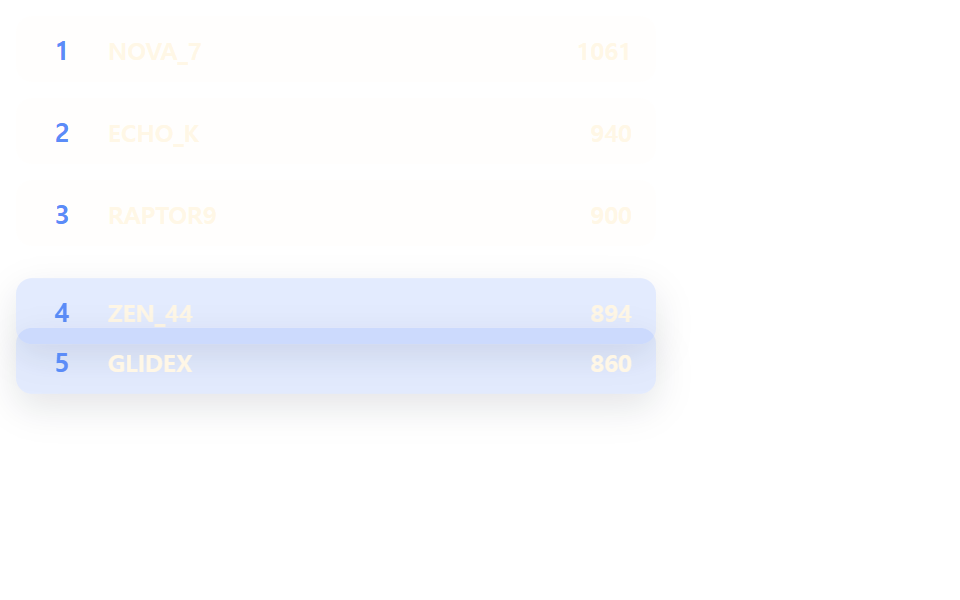 リスト・テーブルUIランキング デザイン css 9パターン — 順位表 デザインも同じ仕組み
 リスト・テーブルUIコメント欄 css 実装9パターン — 深さから削除後の詰めまで計算するリスト
 リスト・テーブルUIページネーション デザイン 9パターン — 窓の計算からばねのピルまで
 リスト・テーブルUIcss receipt 9パターン — 一行ずつ印字・切り取り線・バーコード読み取り・割り勘の場面
 リスト・テーブルUIエンプティステート デザイン 9選 — CSSだけで描く