todo リスト ui 9パターン — 進捗ゲージから巻き戻しまで一気に整理
このtodo リスト ui 9パターンのうち、1つはもっと見るを押すたびに読み込む件数が2倍に増え、1つは巻き戻しを押すと完了タイムラインが直前の順の逆順で消え、1つはチェックのたびに円形ゲージがその比率ぶんすぐ満ちます。
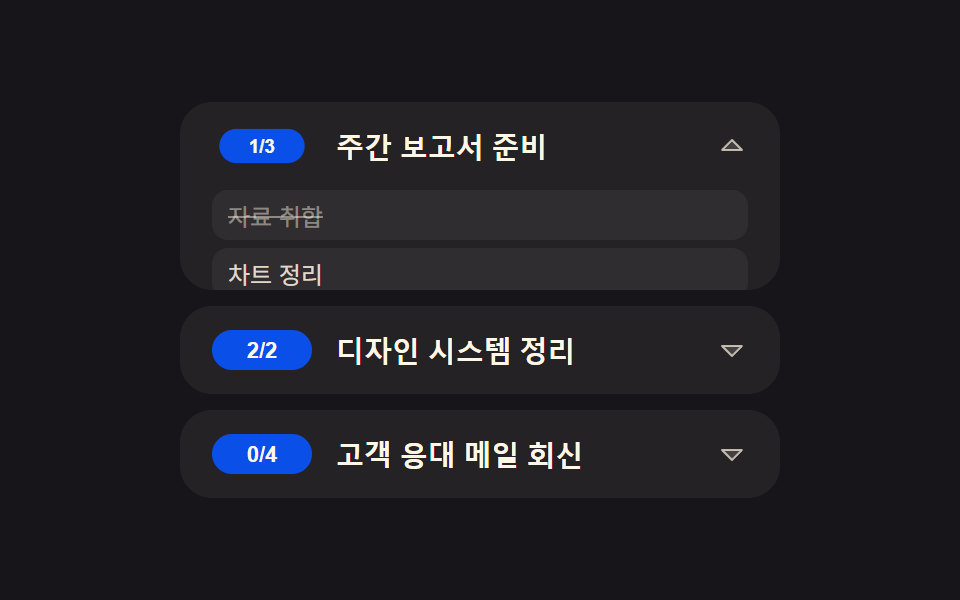 01 row-expand
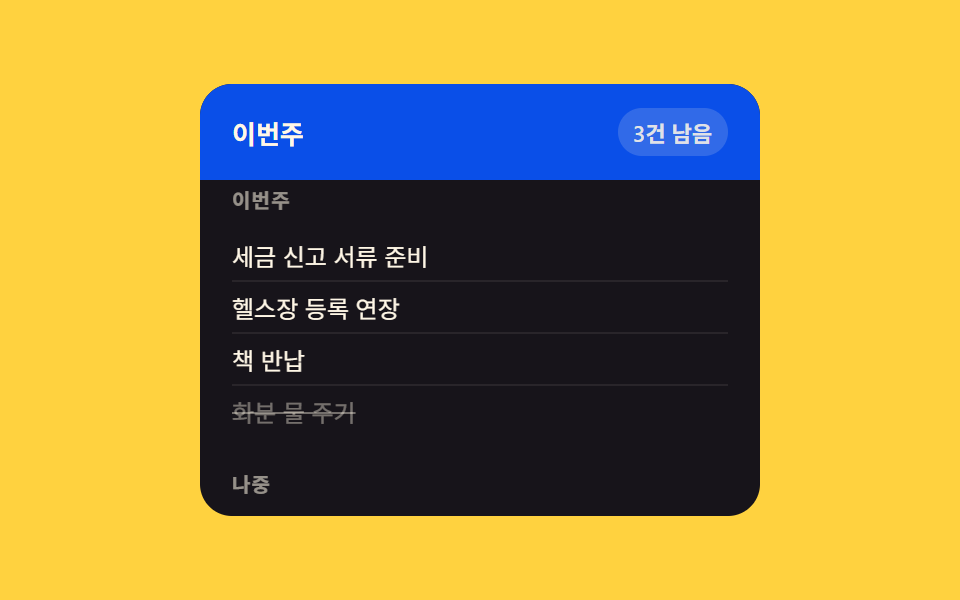 02 grouped-header
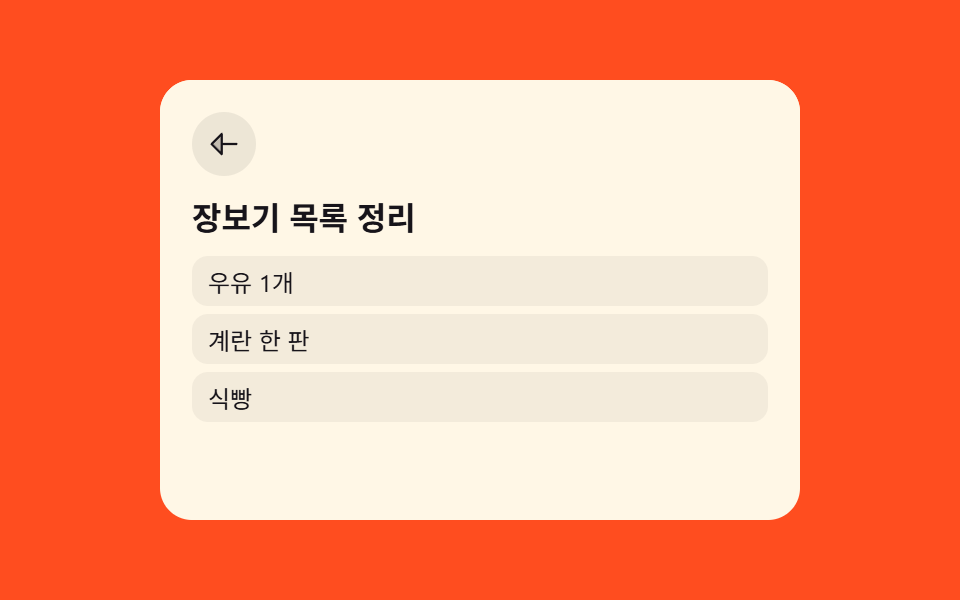 03 list-to-detail
 04 load-more
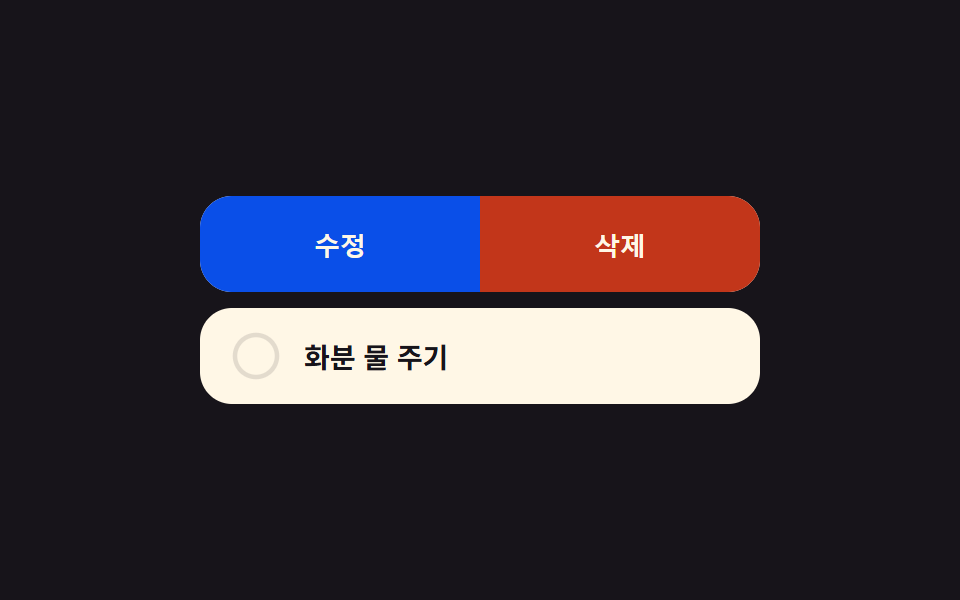 05 long-press-actions
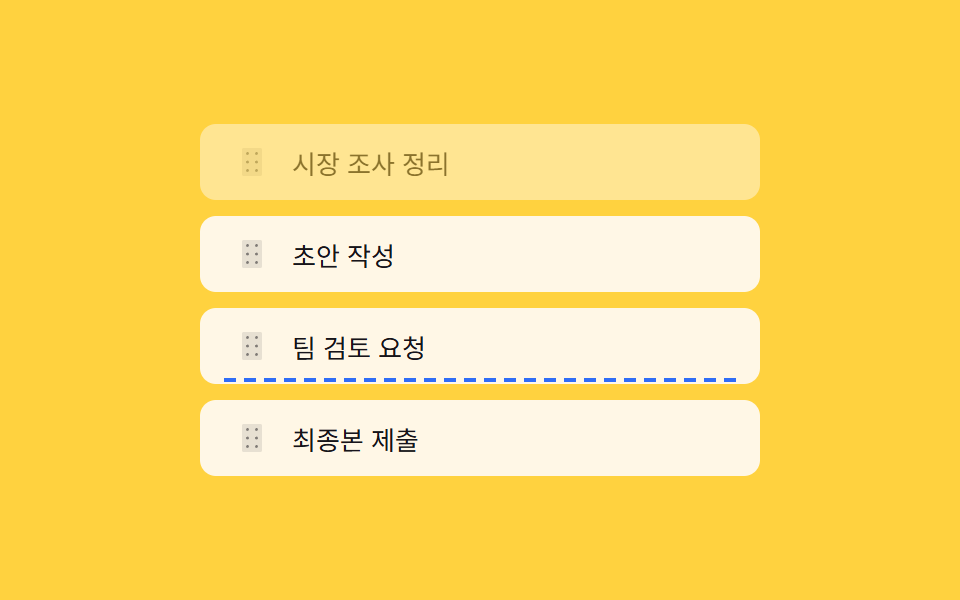 06 reorder-indicator
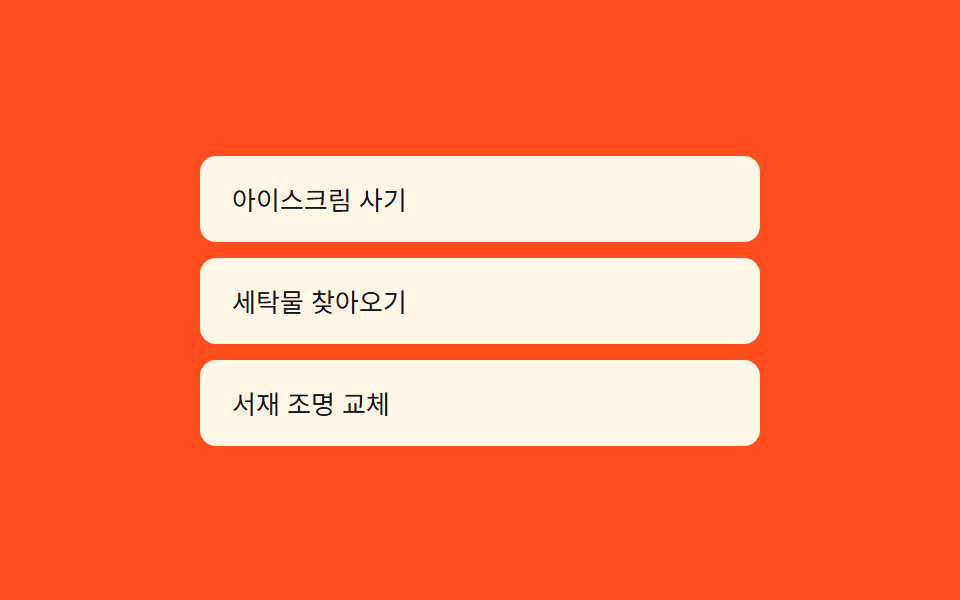 07 inline-edit
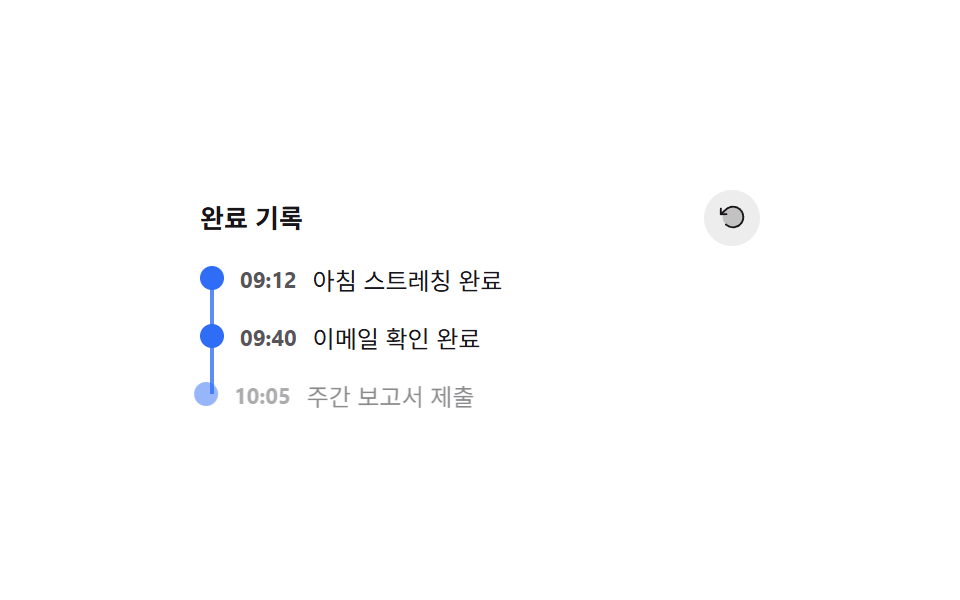 08 activity-timeline
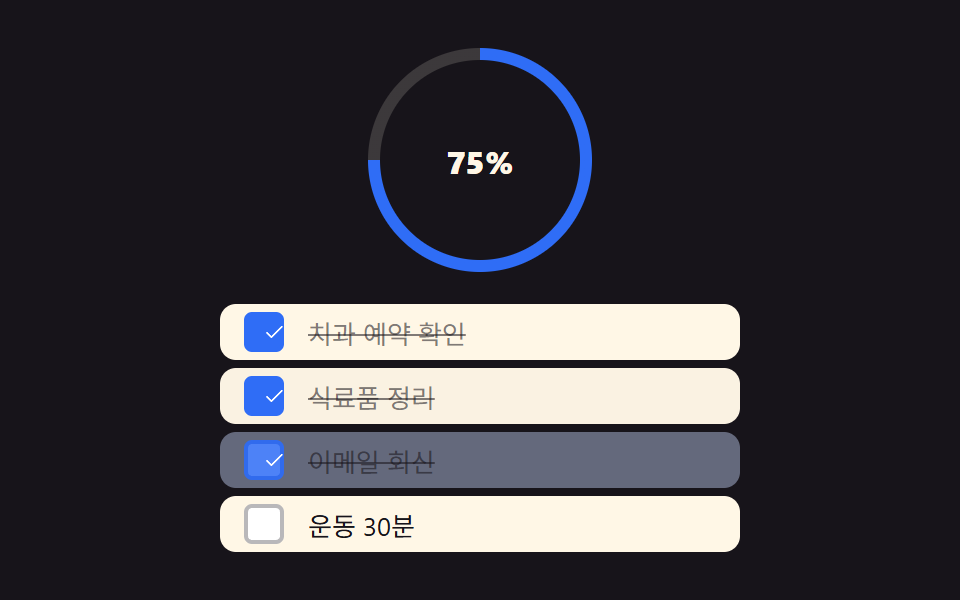 09 checklist
自動再生 · タイルを押すとその項目へ · すべて1つのzip
- 01 サブタスク展開する行
- 02 期限別グループ固定ヘッダー
- 03 リスト→詳細カード拡大遷移
- 04 もっと見る バッチ倍増ロード
- 05 長押し完了取消予約リング
- 06 並べ替え挿入線プレビュー
- 07 インライン編集+文字数カウントダウン
- 08 完了タイムライン巻き戻し
- 09 チェックリスト進捗率 円形ゲージ
9つのパターンはどれもコンポーネントライブラリではなく、単体のHTML・CSS・JSファイルです。触れた瞬間に比率や座標差、インデックスといった小さな計算を一つ行うことで、それぞれの動きが成立しています。todoリスト アプリの画面サイズが変わっても同じ9つの計算層がそのまま機能するのは、どれも特定の画面幅に依存していないからです。
デモ
上のグリッドはすべて実際に操作できます。行をタップしたり、ボタンを長押ししたり、ハンドルをドラッグしたり、ヘッダーをスクロールしたりすると、それぞれのパターンが作り物のループ再生ではなく、その場の実際の計算で応答します。
9つのパターンの解剖 — 数値の出どころ
以下の数値はすべて、レンダリング後に実測した同じ23フレーム中のサンプルから計算しています。todoリスト アプリのFigmaデータからそのまま置き換える場合も考え方は同じで、累積面積は動いた部分がその23フレームにわたって画面をどれだけ覆ったかの合計、平均強度は動いたフレーム1枚あたりのピクセル変化の強さ、移動フレーム数(23フレーム中)は前のフレームと実際に差があった枚数です。
| # | パターン | 累積面積 | 平均強度 | 移動フレーム数(23フレーム中) |
|---|---|---|---|---|
| 01 | サブタスク展開する行 | 43.151% | 82.7 | 7 |
| 02 | 期限別グループ固定ヘッダー | 8.496% | 108.5 | 8 |
| 03 | リスト→詳細カード拡大遷移 | 26.048% | 149.9 | 7 |
| 04 | もっと見る バッチ倍増ロード | 6.275% | 88.4 | 6 |
| 05 | 長押し完了取消予約リング | 18.42% | 148.1 | 16 |
| 06 | 並べ替え挿入線プレビュー | 10.539% | 176.9 | 12 |
| 07 | インライン編集+文字数カウントダウン | 7.756% | 94.8 | 11 |
| 08 | 完了タイムライン巻き戻し | 9.168% | 79.8 | 22 |
| 09 | チェックリスト進捗率 円形ゲージ | 25.237% | 70.4 | 22 |
9つの中で累積面積が最も大きいのは01の43.151%で、最も小さいのは04の6.275%です。サブタスク欄をまるごと開く行のほうが、リストを下に伸ばすだけのボタンより多くのピクセルを動かすためです。平均強度が最も高いのは06の176.9で、2行の間に点線の挿入線が一瞬で切り替わる変化は、ゆっくりしたフェードよりも1フレームあたりのピクセル変化が大きくなります。移動フレーム数は08と09がともに23フレーム中22で最多、04は23フレーム中6で最少でした。
クラスターA — 動く前に実寸を測る組(01・03・07)
01・03・07はどれも、スタイルを触る前にscrollHeightや2回のgetBoundingClientRect()の差、隠しミラー要素の幅といった実際のDOM測定値を読みます。推測した値や固定値へ向けてアニメーションすることはありません。
クラスターB — 一つの比率が大きさを決める組(04・05・09)
04・05・09はそれぞれ、クリック回数・経過時間の比率・チェック済み比率という一つの数値をそのまま指数やstrokeDashoffset、回転角度に変換します。見た目の大きさはその一つの比率の直接的な関数であり、固定のキーフレーム列ではありません。
クラスターC — 位置や順序をその都度計算し直す組(02・06・08)
02・06・08はほぼ毎回の操作フレームで位置や順序を計算し直します。ヘッダーの下にあるグループ、ポインターがどの行の近くにあるか、削除された点が何番目の逆順インデックスになるかがそれにあたります。レイアウトはあらかじめ一度だけ決めて放置されるものではありません。
パターン別コード
実際に動く計算層だけを、各パターンのソースから9本切り出しました。フレームワークもビルド手順もありません。
01サブタスク展開する行
todo行を押すと、まず進捗バッジが縮み、続いてその下にサブタスク一覧が実際のコンテンツ高さぶん伸びて広がります(231の矢印回転展開とは異なる実演で、ここでは進捗バッジ自体がトリガーです)。23フレーム中7フレームでバッジの縮小とパネルの展開が同時に動き、ピーク時には画面の43.151%を覆う、9つの中で最も大きい累積面積になっています。
<main class="stage">
<ul class="list is-demo" id="list">
  <li class="row" id="row-0">
    <button class="rowBtn" id="btn-0" type="button" aria-expanded="false" aria-controls="sub-0">
      <span class="badge" id="badge-0">1/3</span>
      <span class="title">週次レポート準備</span>
      <svg class="caret" id="caret-0" viewBox="0 0 256 256" aria-hidden="true"><g fill="currentColor"><path d="m208 96l-80 80l-80-80Z" opacity=".2"/><path d="M215.39 92.94A8 8 0 0 0 208 88H48a8 8 0 0 0-5.66 13.66l80 80a8 8 0 0 0 11.32 0l80-80a8 8 0 0 0 1.73-8.72M128 164.69L67.31 104h121.38Z"/></g></svg>
    </button>
    <div class="subWrap" id="sub-0" role="group" aria-label="サブタスク">
      <ul class="subList">
        <li class="done">資料集め</li>
        <li>グラフ整理</li>
        <li>レビュー依頼</li>
      </ul>
    </div>
  </li>
  <li class="row" id="row-1">
    <button class="rowBtn" id="btn-1" type="button" aria-expanded="false" aria-controls="sub-1">
      <span class="badge" id="badge-1">2/2</span>
      <span class="title">デザインシステム整理</span>
      <svg class="caret" id="caret-1" viewBox="0 0 256 256" aria-hidden="true"><g fill="currentColor"><path d="m208 96l-80 80l-80-80Z" opacity=".2"/><path d="M215.39 92.94A8 8 0 0 0 208 88H48a8 8 0 0 0-5.66 13.66l80 80a8 8 0 0 0 11.32 0l80-80a8 8 0 0 0 1.73-8.72M128 164.69L67.31 104h121.38Z"/></g></svg>
    </button>
    <div class="subWrap" id="sub-1" role="group" aria-label="サブタスク">
      <ul class="subList">
        <li class="done">トークン表作成</li>
        <li class="done">コンポーネント一覧</li>
      </ul>
    </div>
  </li>
  <li class="row" id="row-2">
    <button class="rowBtn" id="btn-2" type="button" aria-expanded="false" aria-controls="sub-2">
      <span class="badge" id="badge-2">0/4</span>
      <span class="title">顧客対応メール返信</span>
      <svg class="caret" id="caret-2" viewBox="0 0 256 256" aria-hidden="true"><g fill="currentColor"><path d="m208 96l-80 80l-80-80Z" opacity=".2"/><path d="M215.39 92.94A8 8 0 0 0 208 88H48a8 8 0 0 0-5.66 13.66l80 80a8 8 0 0 0 11.32 0l80-80a8 8 0 0 0 1.73-8.72M128 164.69L67.31 104h121.38Z"/></g></svg>
    </button>
    <div class="subWrap" id="sub-2" role="group" aria-label="サブタスク">
      <ul class="subList">
        <li>問い合わせ分類</li>
        <li>返信案作成</li>
        <li>担当者確認</li>
        <li>送信</li>
      </ul>
    </div>
  </li>
</ul>
</main>@use "../../../../site/static/demo-tokens" as *;
// 계산 겹: index.html 의 ratio(i) 가 배지 "완료/전체" 문자열을 파싱해 축소 비율을 산술로 구하고,
// measure() 가 하위 작업 목록의 실제 scrollHeight 를 재서 --h 로 넘긴다 — 고정 px 아코디언이 아니다.
@include stage($stage-ink);
.list {
list-style: none;
margin: 0;
padding: 0;
width: 300px;
display: grid;
gap: $sp-2;
}
.row {
border-radius: $r-card;
background: rgba($subject-cream, .06);
overflow: hidden;
}
.rowBtn {
appearance: none;
border: none;
width: 100%;
box-sizing: border-box;
display: flex;
align-items: center;
gap: $sp-3;
padding: $sp-3 $sp-4;
background: transparent;
cursor: pointer;
text-align: left;
&:focus-visible { outline: 2px solid $subject-blue-light; outline-offset: -2px; }
}
.badge {
flex: 0 0 auto;
min-width: 34px;
padding: $sp-1 $sp-2;
border-radius: $r-pill;
background: $subject-blue-deep;
color: $subject-cream;
font-size: 11px;
font-weight: 700;
text-align: center;
transform-origin: center;
transition: transform $dur-quick $ease-out;
}
.title {
flex: 1 1 auto;
color: $subject-cream;
font-size: 14px;
font-weight: 600;
}
.caret {
flex: 0 0 auto;
width: 16px;
height: 16px;
color: rgba($subject-cream, .7);
transition: transform $dur-base $ease-out;
}
.subWrap {
overflow: hidden;
max-height: var(--h, 0px);
transition: max-height $dur-enter $ease-spring;
&.open { max-height: var(--h, 240px); }
}
.subList {
list-style: none;
margin: 0;
padding: 0 $sp-4 $sp-3;
display: grid;
gap: $sp-1;
}
.subList li {
padding: $sp-1 $sp-2;
border-radius: $r-sm;
background: rgba($subject-cream, .05);
color: rgba($subject-cream, .85);
font-size: 12px;
&.done {
color: rgba($subject-cream, .45);
text-decoration: line-through;
}
}
@media (max-width: 340px) {
// 320×200 폰 렌더 예산 안에 여유를 두려고 세 겹으로 줄인다(경계값 실측 09-22: 정확히 200px 근방은
// 폰트 렌더링 미세 편차로 넘침 판정이 흔들린다 — 여유 없이 딱 맞추지 않는다)
.list { width: 240px; gap: $sp-1; }
.title { font-size: 13px; }
.rowBtn { padding: $sp-1 $sp-3; }
.subWrap.open { max-height: 40px; overflow-y: auto; }
}
// reduce: 실사용 경로(클릭 토글)에는 그대로 적용 — 전환만 없앤다. 자동 루프는 JS 쪽(reduce 체크)이 애초에 안 돈다
@media (prefers-reduced-motion: reduce) {
.badge, .caret, .subWrap { transition: none; }
}html, body {
margin: 0;
overflow: hidden;
}
.stage {
box-sizing: border-box;
min-height: 100vh;
display: grid;
place-items: center;
margin: 0;
background: #17141a;
font-family: -apple-system, "Segoe UI", "Noto Sans KR", sans-serif;
padding: clamp(8px, 4vw, 24px);
}
.list {
list-style: none;
margin: 0;
padding: 0;
width: 300px;
display: grid;
gap: 8px;
}
.row {
border-radius: 16px;
background: rgba(255, 247, 230, 0.06);
overflow: hidden;
}
.rowBtn {
appearance: none;
border: none;
width: 100%;
box-sizing: border-box;
display: flex;
align-items: center;
gap: 12px;
padding: 12px 16px;
background: transparent;
cursor: pointer;
text-align: left;
}
.rowBtn:focus-visible {
outline: 2px solid #5b8cf8;
outline-offset: -2px;
}
.badge {
flex: 0 0 auto;
min-width: 34px;
padding: 4px 8px;
border-radius: 999px;
background: #0a4fe8;
color: #fff7e6;
font-size: 11px;
font-weight: 700;
text-align: center;
transform-origin: center;
transition: transform 220ms ease-out;
}
.title {
flex: 1 1 auto;
color: #fff7e6;
font-size: 14px;
font-weight: 600;
}
.caret {
flex: 0 0 auto;
width: 16px;
height: 16px;
color: rgba(255, 247, 230, 0.7);
transition: transform 300ms ease-out;
}
.subWrap {
overflow: hidden;
max-height: var(--h, 0px);
transition: max-height 600ms cubic-bezier(0.2, 0.8, 0.2, 1);
}
.subWrap.open {
max-height: var(--h, 240px);
}
.subList {
list-style: none;
margin: 0;
padding: 0 16px 12px;
display: grid;
gap: 4px;
}
.subList li {
padding: 4px 8px;
border-radius: 8px;
background: rgba(255, 247, 230, 0.05);
color: rgba(255, 247, 230, 0.85);
font-size: 12px;
}
.subList li.done {
color: rgba(255, 247, 230, 0.45);
text-decoration: line-through;
}
@media (max-width: 340px) {
.list {
width: 240px;
gap: 4px;
}
.title {
font-size: 13px;
}
.rowBtn {
padding: 4px 12px;
}
.subWrap.open {
max-height: 40px;
overflow-y: auto;
}
}
@media (prefers-reduced-motion: reduce) {
.badge, .caret, .subWrap {
transition: none;
}
}(function () {
var BADGE_SHRINK_MAX = 0.22; // 배지 축소폭 상한 — 완료 비율이 낮을수록(할 일이 많을수록) 더 작게 움츠러든다
var STEP_MS = 700; // 자동 루프에서 한 행이 열려 있는 시간 — 2초 측정 창 안에 세 행이 순서대로 열린다
var reduce = window.matchMedia('(prefers-reduced-motion: reduce)').matches;
var list = document.getElementById('list');
var rows = [0, 1, 2].map(function (i) {
return {
btn: document.getElementById('btn-' + i),
badge: document.getElementById('badge-' + i),
caret: document.getElementById('caret-' + i),
sub: document.getElementById('sub-' + i),
open: false
};
});
function ratio(i) {
var text = rows[i].badge.textContent; // "1/3" 꼴 — done/total 을 파싱해 축소폭을 계산한다
var parts = text.split('/');
var done = parseInt(parts[0], 10);
var total = parseInt(parts[1], 10);
return total > 0 ? done / total : 0;
}
function measure(sub) {
// 실제 콘텐츠 높이를 재서 CSS 변수로 넘긴다 — 고정 px 가 아니라 サブタスク 개수만큼 자란다
sub.style.setProperty('--h', sub.firstElementChild.scrollHeight + 'px');
}
function setOpen(i, open) {
var r = rows[i];
if (r.open === open) return;
r.open = open;
r.btn.setAttribute('aria-expanded', String(open));
// 배지가 먼저 줄어든다 — 축소폭은 완료 비율로 계산(할 일이 남을수록 더 움츠러들어 눈에 띈다)
var shrink = 1 - (1 - ratio(i)) * BADGE_SHRINK_MAX;
r.badge.style.transform = open ? 'scale(' + shrink + ')' : 'scale(1)';
r.caret.style.transform = open ? 'rotate(180deg)' : 'rotate(0deg)';
if (open) measure(r.sub);
r.sub.classList.toggle('open', open);
}
function human() {
if (list.classList.contains('is-demo')) list.classList.remove('is-demo');
window.clearInterval(loopTimer);
}
rows.forEach(function (r, i) {
r.btn.addEventListener('click', function () {
human();
setOpen(i, !r.open);
});
r.btn.addEventListener('keydown', function (e) {
if (e.key === 'Enter' || e.key === ' ') { e.preventDefault(); human(); setOpen(i, !r.open); }
});
});
var cursor = 0;
function autoStep() {
if (reduce) return;
rows.forEach(function (r, i) { if (i !== cursor) setOpen(i, false); });
setOpen(cursor, true);
cursor = (cursor + 1) % rows.length;
}
var loopTimer;
if (!reduce) {
autoStep();
loopTimer = window.setInterval(autoStep, STEP_MS);
}
})();// RowExpand — vanilla 판(run/377/demo/01-row-expand/index.html) 의 React 포트.
// 배지가 완료 비율만큼 먼저 움츠러들고, 하위 작업 목록은 실제 scrollHeight 를 측정해 그 높이까지 펼쳐진다.
import { useEffect, useRef, useState } from "react";
import styles from "./RowExpand.module.scss";
type Box<T> = { current: T };
const BADGE_SHRINK_MAX = 0.22; // 배지 축소폭 상한 — 완료 비율이 낮을수록 더 작게 움츠러든다
const STEP_MS = 700; // 자동 루프에서 한 행이 열려 있는 시간
type Task = { title: string; subs: { text: string; done: boolean }[] };
const TASKS: Task[] = [
{ title: "주간 보고서 준비", subs: [{ text: "자료 취합", done: true }, { text: "차트 정리", done: false }, { text: "검토 요청", done: false }] },
{ title: "디자인 시스템 정리", subs: [{ text: "토큰 표 작성", done: true }, { text: "컴포넌트 목록", done: true }] },
{ title: "고객 응대 메일 회신", subs: [{ text: "문의 분류", done: false }, { text: "답변 초안", done: false }, { text: "담당자 확인", done: false }, { text: "발송", done: false }] },
];
function ratio(task: Task) {
const done = task.subs.filter(function (s) { return s.done; }).length;
return task.subs.length > 0 ? done / task.subs.length : 0;
}
export default function RowExpand() {
const [isDemo, setIsDemo] = useState(true);
const [openIndex, setOpenIndex] = useState<number | null>(null);
const subRefs = useRef([]) as unknown as Box<(HTMLDivElement | null)[]>;
const cursorRef = useRef(0) as unknown as Box<number>;
const timerRef = useRef(0) as unknown as Box<number>;
useEffect(function () {
const reduce = window.matchMedia("(prefers-reduced-motion: reduce)").matches;
if (reduce) { setOpenIndex(null); return; }
function autoStep() {
setOpenIndex(cursorRef.current);
cursorRef.current = (cursorRef.current + 1) % TASKS.length;
}
autoStep();
timerRef.current = window.setInterval(autoStep, STEP_MS);
return function () { window.clearInterval(timerRef.current); };
}, []);
useEffect(function () {
if (openIndex === null) return;
const el = subRefs.current[openIndex];
if (el && el.firstElementChild) {
el.style.setProperty("--h", (el.firstElementChild as HTMLElement).scrollHeight + "px");
}
}, [openIndex]);
function human() {
if (isDemo) { setIsDemo(false); window.clearInterval(timerRef.current); }
}
function toggle(i: number) {
human();
setOpenIndex(function (cur) { return cur === i ? null : i; });
}
return (
<main className={styles.stage}>
<ul className={styles.list + (isDemo ? " " + styles.isDemo : "")}>
{TASKS.map(function (task, i) {
const open = openIndex === i;
const done = task.subs.filter(function (s) { return s.done; }).length;
const shrink = 1 - (1 - ratio(task)) * BADGE_SHRINK_MAX;
return (
<li className={styles.row} key={task.title}>
<button
className={styles.rowBtn}
type="button"
aria-expanded={open}
aria-controls={"sub-" + i}
onClick={function () { toggle(i); }}
>
<span className={styles.badge} style={{ transform: open ? "scale(" + shrink + ")" : "scale(1)" }}>
{done}/{task.subs.length}
</span>
<span className={styles.title}>{task.title}</span>
<svg className={styles.caret} style={{ transform: open ? "rotate(180deg)" : "rotate(0deg)" }} viewBox="0 0 256 256" aria-hidden="true">
<g fill="currentColor">
<path d="m208 96l-80 80l-80-80Z" opacity=".2" />
<path d="M215.39 92.94A8 8 0 0 0 208 88H48a8 8 0 0 0-5.66 13.66l80 80a8 8 0 0 0 11.32 0l80-80a8 8 0 0 0 1.73-8.72M128 164.69L67.31 104h121.38Z" />
</g>
</svg>
</button>
<div
className={styles.subWrap + (open ? " " + styles.open : "")}
id={"sub-" + i}
role="group"
aria-label="하위 작업"
ref={function (el: HTMLDivElement | null) { subRefs.current[i] = el; }}
>
<ul className={styles.subList}>
{task.subs.map(function (s) {
return <li key={s.text} className={s.done ? styles.done : ""}>{s.text}</li>;
})}
</ul>
</div>
</li>
);
})}
</ul>
</main>
);
}01 · サブタスク展開する行 — 計測 累積面積 43.151% · 動いたフレーム 7/23GODRICH オリジナル · SCSS と React は zip に同梱 · パスワードを見る
  function ratio(i) {
    var text = rows[i].badge.textContent; // "1/3" のような形 — done/total を解析して縮小率を計算する
    var parts = text.split('/');
    var done = parseInt(parts[0], 10);
    var total = parseInt(parts[1], 10);
    return total > 0 ? done / total : 0;
  }

  function measure(sub) {
    // 実際のコンテンツ高さを測ってCSS変数に渡す — 固定pxではなくサブタスクの件数分伸びる
    sub.style.setProperty('--h', sub.firstElementChild.scrollHeight + 'px');
  }

  function setOpen(i, open) {
    var r = rows[i];
    if (r.open === open) return;
    r.open = open;
    r.btn.setAttribute('aria-expanded', String(open));
    // バッジが先に縮む — 縮小率は完了比率から計算する(残りが多いほど縮んで目立つ)
    var shrink = 1 - (1 - ratio(i)) * BADGE_SHRINK_MAX;
    r.badge.style.transform = open ? 'scale(' + shrink + ')' : 'scale(1)';
    r.caret.style.transform = open ? 'rotate(180deg)' : 'rotate(0deg)';
    if (open) measure(r.sub);
    r.sub.classList.toggle('open', open);
  }
02期限別グループ固定ヘッダー
todoは期限(今日・今週・後で)でグループ化され、スクロール中は固定されたヘッダーがそのグループの残り件数をリアルタイムで数え直します(231の頭文字グループとは異なる実演で、ここでは期限グループと残数バッジを組み合わせています)。ヘッダーはスクロール・ポインター・キーボードのイベントにしか反応せず、独立したクリック処理は持ちません。グループ名はcurrentGroupAndRemain()が毎回のスクロールフレームでDOMを読み直して決めています。
<main class="stage">
<div class="wrap is-demo" id="wrap">
  <div class="head" id="head">
    <span class="headLabel" id="headLabel">今日</span>
    <span class="headCount" id="headCount">残り3件</span>
  </div>
  <div class="scroller" id="scroller">
    <ul class="list" id="list">
      <li class="group" data-group="今日">
        <p class="groupTitle">今日</p>
        <ul class="items">
          <li data-done="0">歯科予約確認</li>
          <li data-done="0">レポート草案提出</li>
          <li data-done="1">牛乳を買う</li>
        </ul>
      </li>
      <li class="group" data-group="今週">
        <p class="groupTitle">今週</p>
        <ul class="items">
          <li data-done="0">確定申告書類準備</li>
          <li data-done="0">ジム会員更新</li>
          <li data-done="0">本の返却</li>
          <li data-done="1">植木に水やり</li>
        </ul>
      </li>
      <li class="group" data-group="あとで">
        <p class="groupTitle">あとで</p>
        <ul class="items">
          <li data-done="0">旅行計画を立てる</li>
          <li data-done="0">机の整理</li>
        </ul>
      </li>
    </ul>
  </div>
</div>
</main>@use "../../../../site/static/demo-tokens" as *;
// 계산 겹: index.html 의 currentGroupAndRemain() 이 스크롤 위치로 현재 그룹을 찾고
// 그 그룹의 미완료 개수를 매 스크롤 프레임마다 다시 센다 — 캐시된 표가 아니다.
@include stage($stage-yellow);
.wrap {
width: 280px;
border-radius: $r-card;
background: $subject-ink;
overflow: hidden;
}
.head {
display: flex;
align-items: center;
justify-content: space-between;
gap: $sp-3;
padding: $sp-3 $sp-4;
background: $subject-blue-deep;
}
.headLabel {
color: $subject-cream;
font-size: 13px;
font-weight: 700;
}
.headCount {
color: rgba($subject-cream, .85);
font-size: 11px;
font-weight: 600;
padding: $sp-1 $sp-2;
border-radius: $r-pill;
background: rgba($subject-cream, .16);
}
.scroller {
height: 168px;
overflow-y: scroll;
}
.list {
list-style: none;
margin: 0;
padding: 0;
}
.groupTitle {
margin: 0;
padding: $sp-2 $sp-4;
color: rgba($subject-cream, .55);
font-size: 10px;
font-weight: 700;
letter-spacing: .06em;
text-transform: uppercase;
}
.items {
list-style: none;
margin: 0;
padding: 0 $sp-4 $sp-2;
}
.items li {
padding: $sp-1 0;
color: $subject-cream;
font-size: 12px;
border-bottom: 1px solid rgba($subject-cream, .08);
&:last-child { border-bottom: none; }
&[data-done="1"] { color: rgba($subject-cream, .4); text-decoration: line-through; }
}
@media (max-width: 340px) {
.wrap { width: 220px; }
.head { padding: $sp-2 $sp-3; }
.scroller { height: 120px; }
}
@media (prefers-reduced-motion: reduce) {
// scss 만 — 이 항목은 트랜지션이 없다(값이 즉시 바뀐다). reduce 는 JS 쪽 자동 스크롤 루프를 멈춘다
}html, body {
margin: 0;
overflow: hidden;
}
.stage {
box-sizing: border-box;
min-height: 100vh;
display: grid;
place-items: center;
margin: 0;
background: #ffd23f;
font-family: -apple-system, "Segoe UI", "Noto Sans KR", sans-serif;
padding: clamp(8px, 4vw, 24px);
}
.wrap {
width: 280px;
border-radius: 16px;
background: #17141a;
overflow: hidden;
}
.head {
display: flex;
align-items: center;
justify-content: space-between;
gap: 12px;
padding: 12px 16px;
background: #0a4fe8;
}
.headLabel {
color: #fff7e6;
font-size: 13px;
font-weight: 700;
}
.headCount {
color: rgba(255, 247, 230, 0.85);
font-size: 11px;
font-weight: 600;
padding: 4px 8px;
border-radius: 999px;
background: rgba(255, 247, 230, 0.16);
}
.scroller {
height: 168px;
overflow-y: scroll;
}
.list {
list-style: none;
margin: 0;
padding: 0;
}
.groupTitle {
margin: 0;
padding: 8px 16px;
color: rgba(255, 247, 230, 0.55);
font-size: 10px;
font-weight: 700;
letter-spacing: 0.06em;
text-transform: uppercase;
}
.items {
list-style: none;
margin: 0;
padding: 0 16px 8px;
}
.items li {
padding: 4px 0;
color: #fff7e6;
font-size: 12px;
border-bottom: 1px solid rgba(255, 247, 230, 0.08);
}
.items li:last-child {
border-bottom: none;
}
.items li[data-done="1"] {
color: rgba(255, 247, 230, 0.4);
text-decoration: line-through;
}
@media (max-width: 340px) {
.wrap {
width: 220px;
}
.head {
padding: 8px 12px;
}
.scroller {
height: 120px;
}
}(function () {
var reduce = window.matchMedia('(prefers-reduced-motion: reduce)').matches;
var wrap = document.getElementById('wrap');
var scroller = document.getElementById('scroller');
var headLabel = document.getElementById('headLabel');
var headCount = document.getElementById('headCount');
var groups = Array.prototype.slice.call(document.querySelectorAll('.group'));
// 계산 겹: 스크롤 위치로 "현재 그룹"을 찾고, 그 그룹 안의 미완료 개수를 실시간으로 다시 센다.
// 미리 계산해 둔 표가 아니라 매 스크롤 프레임마다 DOM 을 다시 읽어 센다.
function currentGroupAndRemain() {
var top = scroller.scrollTop;
var current = groups[0];
for (var i = 0; i < groups.length; i++) {
if (groups[i].offsetTop - scroller.offsetTop <= top + 4) current = groups[i];
}
var items = current.querySelectorAll('.items li');
var remain = 0;
for (var j = 0; j < items.length; j++) {
if (items[j].getAttribute('data-done') === '0') remain++;
}
return { name: current.getAttribute('data-group'), remain: remain };
}
function paint() {
var r = currentGroupAndRemain();
headLabel.textContent = r.name;
headCount.textContent = r.remain + '件';
}
function human() {
if (wrap.classList.contains('is-demo')) { wrap.classList.remove('is-demo'); window.clearInterval(autoTimer); }
}
scroller.addEventListener('scroll', paint);
scroller.addEventListener('pointerdown', human);
scroller.addEventListener('keydown', human);
scroller.addEventListener('wheel', human, { passive: true });
var max = 0, dir = 1;
function autoAdvance() {
max = scroller.scrollHeight - scroller.clientHeight;
var next = scroller.scrollTop + dir * (max * 0.34);
if (next >= max - 1) { next = max; dir = -1; }
else if (next <= 1) { next = 0; dir = 1; }
scroller.scrollTop = next;
paint();
}
paint();
var autoTimer;
// 2초 측정 창 안에서 전환이 5~6회는 나야 "움직인 프레임" 하한을 안정적으로 넘긴다 —
// 인터벌만 걸면 첫 전환이 480ms 뒤에나 나와 여유가 border 에 걸린다(실측 09-22 5~6 왕복)
if (!reduce) { autoAdvance(); autoTimer = window.setInterval(autoAdvance, 350); }
})();// GroupedHeader — vanilla 판(run/377/demo/02-grouped-header/index.html) 의 React 포트.
// 스크롤 위치로 현재 그룹을 찾고 그 그룹의 미완료 개수를 매 스크롤 프레임마다 다시 센다.
import { useEffect, useRef, useState } from "react";
import styles from "./GroupedHeader.module.scss";
type Box<T> = { current: T };
type Item = { text: string; done: boolean };
type Group = { name: string; items: Item[] };
const GROUPS: Group[] = [
{ name: "오늘", items: [{ text: "치과 예약 확인", done: false }, { text: "보고서 초안 제출", done: false }, { text: "우유 사기", done: true }] },
{ name: "이번주", items: [{ text: "세금 신고 서류 준비", done: false }, { text: "헬스장 등록 연장", done: false }, { text: "책 반납", done: false }, { text: "화분 물 주기", done: true }] },
{ name: "나중", items: [{ text: "여행 계획 세우기", done: false }, { text: "책상 정리", done: false }] },
];
export default function GroupedHeader() {
const scrollerRef = useRef(null) as unknown as Box<HTMLDivElement>;
const groupRefs = useRef([]) as unknown as Box<(HTMLLIElement | null)[]>;
const [isDemo, setIsDemo] = useState(true);
const [head, setHead] = useState({ name: GROUPS[0].name, remain: GROUPS[0].items.filter(function (i) { return !i.done; }).length });
const timerRef = useRef(0) as unknown as Box<number>;
function paint() {
const scroller = scrollerRef.current;
if (!scroller) return;
const top = scroller.scrollTop;
let idx = 0;
for (let i = 0; i < groupRefs.current.length; i++) {
const el = groupRefs.current[i];
if (el && el.offsetTop - scroller.offsetTop <= top + 4) idx = i;
}
const remain = GROUPS[idx].items.filter(function (it) { return !it.done; }).length;
setHead({ name: GROUPS[idx].name, remain: remain });
}
function human() {
if (isDemo) { setIsDemo(false); window.clearInterval(timerRef.current); }
}
useEffect(function () {
const reduce = window.matchMedia("(prefers-reduced-motion: reduce)").matches;
const scroller = scrollerRef.current;
if (!scroller || reduce) return;
let dir = 1;
function autoAdvance() {
const max = scroller!.scrollHeight - scroller!.clientHeight;
let next = scroller!.scrollTop + dir * (max * 0.34);
if (next >= max - 1) { next = max; dir = -1; }
else if (next <= 1) { next = 0; dir = 1; }
scroller!.scrollTop = next;
paint();
}
// vanilla 와 동일 — 첫 전환을 즉시 내고 간격을 좁혀 측정 창 안에서 안정적으로 여러 번 전환한다
autoAdvance();
timerRef.current = window.setInterval(autoAdvance, 350);
return function () { window.clearInterval(timerRef.current); };
// eslint-disable-next-line
}, []);
return (
<main className={styles.stage}>
<div className={styles.wrap + (isDemo ? " " + styles.isDemo : "")}>
<div className={styles.head}>
<span className={styles.headLabel}>{head.name}</span>
<span className={styles.headCount}>{head.remain}건 남음</span>
</div>
<div
className={styles.scroller}
ref={scrollerRef}
onScroll={paint}
onPointerDown={human}
onKeyDown={human}
onWheel={human}
>
<ul className={styles.list}>
{GROUPS.map(function (g, i) {
return (
<li className={styles.group} key={g.name} ref={function (el: HTMLLIElement | null) { groupRefs.current[i] = el; }}>
<p className={styles.groupTitle}>{g.name}</p>
<ul className={styles.items}>
{g.items.map(function (it) {
return <li key={it.text} data-done={it.done ? "1" : "0"}>{it.text}</li>;
})}
</ul>
</li>
);
})}
</ul>
</div>
</div>
</main>
);
}02 · 期限別グループ固定ヘッダー — 計測 累積面積 8.496% · 動いたフレーム 8/23GODRICH オリジナル · SCSS と React は zip に同梱 · パスワードを見る
  // 計算層: スクロール位置から「現在のグループ」を探し、そのグループ内の未完了件数をリアルタイムで数え直す。
  // 事前計算した表ではなく、スクロールのフレームごとにDOMを読み直して数える。
  function currentGroupAndRemain() {
    var top = scroller.scrollTop;
    var current = groups[0];
    for (var i = 0; i < groups.length; i++) {
      if (groups[i].offsetTop - scroller.offsetTop <= top + 4) current = groups[i];
    }
    var items = current.querySelectorAll('.items li');
    var remain = 0;
    for (var j = 0; j < items.length; j++) {
      if (items[j].getAttribute('data-done') === '0') remain++;
    }
    return { name: current.getAttribute('data-group'), remain: remain };
  }

  function paint() {
    var r = currentGroupAndRemain();
    headLabel.textContent = r.name;
    headCount.textContent = r.remain + '件';
  }
03リスト→詳細カード拡大遷移
todoカードを押すとそのカード自体が画面いっぱいに拡大して詳細画面になり、戻るとその場のサイズへ縮小して戻ります(231の左右スライド遷移とは異なる実演で、ここではカードがその場で拡大します)。カードはgetBoundingClientRect()で自分の開始位置を測ってInvertの状態に一瞬で切り替え、強制リフローを挟んでからPlay(反転の解除)がアニメーションします。詳細画面を閉じるときも同じFirst-Last-Invert-Playの手順が逆向きに実行されます。
<main class="stage">
<div class="scene is-demo" id="scene">
  <ul class="cards" id="cards">
    <li>
      <button class="card" id="card-0" type="button" aria-haspopup="dialog">
        <span class="cardTitle">買い物リスト整理</span>
        <span class="cardMeta">今日 ・3件</span>
      </button>
    </li>
    <li>
      <button class="card" id="card-1" type="button" aria-haspopup="dialog">
        <span class="cardTitle">週次会議資料</span>
        <span class="cardMeta">明日 ・5件</span>
      </button>
    </li>
  </ul>
  <div class="detail" id="detail" role="dialog" aria-modal="true" aria-hidden="true">
    <button class="backBtn" id="backBtn" type="button" aria-label="リストに戻る">
      <svg viewBox="0 0 256 256" aria-hidden="true"><g fill="currentColor"><path d="M112 56v144l-72-72Z" opacity=".2"/><path d="M216 120h-96V56a8 8 0 0 0-13.66-5.66l-72 72a8 8 0 0 0 0 11.32l72 72A8 8 0 0 0 120 200v-64h96a8 8 0 0 0 0-16m-112 60.69L51.31 128L104 75.31Z"/></g></svg>
    </button>
    <h2 class="detailTitle" id="detailTitle">買い物リスト整理</h2>
    <ul class="detailList" id="detailList">
      <li>牛乳1本</li>
      <li>卵1パック</li>
      <li>食パン</li>
    </ul>
  </div>
</div>
</main>@use "../../../../site/static/demo-tokens" as *;
// 계산 겹은 index.html 의 flipFrom() 에 있다 — 카드의 실제 화면 좌표와 상세 패널이 이미
// 차지한 좌표 차이를 실측해 translate·scale 로 되돌린 뒤(Invert) 그 값을 지워(Play) 확대돼 보이게 한다.
@include stage($stage-orange);
.scene {
position: relative;
width: 320px;
height: 220px;
overflow: hidden;
--flip-ease: #{$ease-spring};
}
.cards {
list-style: none;
margin: 0;
padding: 0;
display: grid;
gap: $sp-2;
}
.card {
appearance: none;
border: none;
width: 100%;
box-sizing: border-box;
display: flex;
flex-direction: column;
gap: $sp-1;
align-items: flex-start;
padding: $sp-3 $sp-4;
border-radius: $r-card;
background: $subject-cream;
cursor: pointer;
text-align: left;
&:focus-visible { outline: 2px solid $subject-blue-light; outline-offset: 2px; }
}
.cardTitle {
color: $subject-ink;
font-size: 14px;
font-weight: 700;
}
.cardMeta {
color: rgba($subject-ink, .55);
font-size: 11px;
}
.detail {
display: none;
position: absolute;
inset: 0;
box-sizing: border-box;
flex-direction: column;
gap: $sp-2;
padding: $sp-4;
border-radius: $r-card;
background: $subject-cream;
transform-origin: top left;
will-change: transform;
overflow-y: auto;
}
.backBtn {
appearance: none;
border: none;
align-self: flex-start;
width: 32px;
height: 32px;
display: grid;
place-items: center;
border-radius: $r-pill;
background: rgba($subject-ink, .08);
color: $subject-ink;
cursor: pointer;
svg { width: 18px; height: 18px; }
&:focus-visible { outline: 2px solid $subject-blue-light; outline-offset: 2px; }
}
.detailTitle {
margin: 0;
color: $subject-ink;
font-size: 16px;
font-weight: 700;
}
.detailList {
list-style: none;
margin: 0;
padding: 0;
display: grid;
gap: $sp-1;
}
.detailList li {
padding: $sp-1 $sp-2;
border-radius: $r-sm;
background: rgba($subject-ink, .05);
color: $subject-ink;
font-size: 12px;
}
@media (max-width: 340px) {
.scene { width: 240px; height: 160px; }
.card { padding: $sp-2 $sp-3; gap: $sp-1; }
.cards { gap: $sp-1; }
}
@media (prefers-reduced-motion: reduce) {
.detail { transition: none !important; }
}html, body {
margin: 0;
overflow: hidden;
}
.stage {
box-sizing: border-box;
min-height: 100vh;
display: grid;
place-items: center;
margin: 0;
background: #ff4d1f;
font-family: -apple-system, "Segoe UI", "Noto Sans KR", sans-serif;
padding: clamp(8px, 4vw, 24px);
}
.scene {
position: relative;
width: 320px;
height: 220px;
overflow: hidden;
--flip-ease: cubic-bezier(0.2, 0.8, 0.2, 1);
}
.cards {
list-style: none;
margin: 0;
padding: 0;
display: grid;
gap: 8px;
}
.card {
appearance: none;
border: none;
width: 100%;
box-sizing: border-box;
display: flex;
flex-direction: column;
gap: 4px;
align-items: flex-start;
padding: 12px 16px;
border-radius: 16px;
background: #fff7e6;
cursor: pointer;
text-align: left;
}
.card:focus-visible {
outline: 2px solid #5b8cf8;
outline-offset: 2px;
}
.cardTitle {
color: #17141a;
font-size: 14px;
font-weight: 700;
}
.cardMeta {
color: rgba(23, 20, 26, 0.55);
font-size: 11px;
}
.detail {
display: none;
position: absolute;
inset: 0;
box-sizing: border-box;
flex-direction: column;
gap: 8px;
padding: 16px;
border-radius: 16px;
background: #fff7e6;
transform-origin: top left;
will-change: transform;
overflow-y: auto;
}
.backBtn {
appearance: none;
border: none;
align-self: flex-start;
width: 32px;
height: 32px;
display: grid;
place-items: center;
border-radius: 999px;
background: rgba(23, 20, 26, 0.08);
color: #17141a;
cursor: pointer;
}
.backBtn svg {
width: 18px;
height: 18px;
}
.backBtn:focus-visible {
outline: 2px solid #5b8cf8;
outline-offset: 2px;
}
.detailTitle {
margin: 0;
color: #17141a;
font-size: 16px;
font-weight: 700;
}
.detailList {
list-style: none;
margin: 0;
padding: 0;
display: grid;
gap: 4px;
}
.detailList li {
padding: 4px 8px;
border-radius: 8px;
background: rgba(23, 20, 26, 0.05);
color: #17141a;
font-size: 12px;
}
@media (max-width: 340px) {
.scene {
width: 240px;
height: 160px;
}
.card {
padding: 8px 12px;
gap: 4px;
}
.cards {
gap: 4px;
}
}
@media (prefers-reduced-motion: reduce) {
.detail {
transition: none !important;
}
}(function () {
var DUR_MS = 420;
var reduce = window.matchMedia('(prefers-reduced-motion: reduce)').matches;
var scene = document.getElementById('scene');
var detail = document.getElementById('detail');
var backBtn = document.getElementById('backBtn');
var detailTitle = document.getElementById('detailTitle');
var cards = [document.getElementById('card-0'), document.getElementById('card-1')];
var data = [
{ title: '買い物リスト整理', items: ['牛乳1本', '卵1パック', '食パン'] },
{ title: '週次会議資料', items: ['議題整理', '資料印刷', '会議室予約', '参加者確認', 'ノートPC充電'] }
];
var back = null; // 닫을 때 되돌아갈 FLIP 값
function human() { scene.classList.remove('is-demo'); window.clearInterval(autoTimer); }
// 계산 겹: 카드의 실제 화면 좌표(First)와 상세 패널이 이미 차지한 화면 전체 좌표(Last)의
// 차이를 실측해 translate·scale 로 변환한다 — FLIP(First-Last-Invert-Play).
function flipFrom(cardEl) {
var c = cardEl.getBoundingClientRect();
var d = detail.getBoundingClientRect();
return {
dx: c.left - d.left,
dy: c.top - d.top,
sx: c.width / d.width,
sy: c.height / d.height
};
}
function openDetail(i) {
var item = data[i];
detailTitle.textContent = item.title;
document.getElementById('detailList').innerHTML = item.items.map(function (t) { return '<li>' + t + '</li>'; }).join('');
detail.setAttribute('aria-hidden', 'false');
detail.style.transition = 'none';
detail.style.display = 'flex';
back = flipFrom(cards[i]);
detail.style.transform = 'translate(' + back.dx + 'px,' + back.dy + 'px) scale(' + back.sx + ',' + back.sy + ')';
detail.style.opacity = '1';
// 강제 리플로 — Invert 상태를 실제로 그린 뒤에야 Play(역전 제거) 애니메이션이 성립한다
detail.getBoundingClientRect();
detail.style.transition = reduce ? 'none' : 'transform ' + DUR_MS + 'ms var(--flip-ease)';
detail.style.transform = 'translate(0,0) scale(1,1)';
}
function closeDetail() {
if (!back) { detail.style.display = 'none'; detail.setAttribute('aria-hidden', 'true'); return; }
detail.style.transition = reduce ? 'none' : 'transform ' + DUR_MS + 'ms var(--flip-ease)';
detail.style.transform = 'translate(' + back.dx + 'px,' + back.dy + 'px) scale(' + back.sx + ',' + back.sy + ')';
var done = function () {
detail.style.display = 'none';
detail.setAttribute('aria-hidden', 'true');
detail.removeEventListener('transitionend', done);
};
if (reduce) { done(); } else { detail.addEventListener('transitionend', done); }
}
cards.forEach(function (c, i) {
c.addEventListener('click', function () { human(); openDetail(i); });
});
backBtn.addEventListener('click', function () { human(); closeDetail(); });
document.addEventListener('keydown', function (e) {
if (e.key === 'Escape' && detail.getAttribute('aria-hidden') === 'false') { human(); closeDetail(); }
});
var cursor = 0;
function autoStep() {
openDetail(cursor);
window.setTimeout(function () {
if (scene.classList.contains('is-demo')) closeDetail();
}, 900);
cursor = (cursor + 1) % cards.length;
}
var autoTimer;
if (!reduce) { autoStep(); autoTimer = window.setInterval(autoStep, 1400); }
})();// ListToDetail — vanilla 판(run/377/demo/03-list-to-detail/index.html) 의 React 포트.
// FLIP: 카드의 실제 화면 좌표와 상세 패널이 이미 차지한 좌표 차이를 실측해 변환값을 만들고,
// 그 값을 적용한 뒤 지워서(역전 제거) 확대·축소돼 보이게 한다.
import { useEffect, useRef, useState } from "react";
import styles from "./ListToDetail.module.scss";
type Box<T> = { current: T };
type Flip = { dx: number; dy: number; sx: number; sy: number };
const DUR_MS = 420;
const DATA = [
{ title: "장보기 목록 정리", items: ["우유 1개", "계란 한 판", "식빵"] },
{ title: "주간 회의 자료", items: ["안건 정리", "자료 인쇄", "회의실 예약", "참석자 확인", "노트북 충전"] },
];
export default function ListToDetail() {
const [isDemo, setIsDemo] = useState(true);
const [openIndex, setOpenIndex] = useState<number | null>(null);
const [transform, setTransform] = useState("translate(0,0) scale(1,1)");
const [animate, setAnimate] = useState(false);
const cardRefs = useRef([]) as unknown as Box<(HTMLButtonElement | null)[]>;
const detailRef = useRef(null) as unknown as Box<HTMLDivElement>;
const backRef = useRef<Flip | null>(null) as unknown as Box<Flip | null>;
const timerRef = useRef(0) as unknown as Box<number>;
const stepRef = useRef(0) as unknown as Box<number>;
const reduce = typeof window !== "undefined" && window.matchMedia("(prefers-reduced-motion: reduce)").matches;
function flipFrom(cardEl: HTMLButtonElement) {
const c = cardEl.getBoundingClientRect();
const d = detailRef.current.getBoundingClientRect();
return { dx: c.left - d.left, dy: c.top - d.top, sx: c.width / d.width, sy: c.height / d.height };
}
function openDetail(i: number) {
const cardEl = cardRefs.current[i];
if (!cardEl) return;
setOpenIndex(i);
setAnimate(false);
requestAnimationFrame(function () {
const f = flipFrom(cardEl);
backRef.current = f;
setTransform("translate(" + f.dx + "px," + f.dy + "px) scale(" + f.sx + "," + f.sy + ")");
requestAnimationFrame(function () {
setAnimate(!reduce);
setTransform("translate(0,0) scale(1,1)");
});
});
}
function closeDetail() {
const f = backRef.current;
if (!f) { setOpenIndex(null); return; }
setAnimate(!reduce);
setTransform("translate(" + f.dx + "px," + f.dy + "px) scale(" + f.sx + "," + f.sy + ")");
}
function onDetailTransitionEnd() {
if (transform !== "translate(0,0) scale(1,1)") setOpenIndex(null);
}
function human() {
if (isDemo) { setIsDemo(false); window.clearInterval(timerRef.current); }
}
useEffect(function () {
if (reduce) return;
function autoStep() {
const i = stepRef.current;
openDetail(i);
window.setTimeout(function () { closeDetail(); }, 900);
stepRef.current = (i + 1) % DATA.length;
}
autoStep();
timerRef.current = window.setInterval(autoStep, 1400);
return function () { window.clearInterval(timerRef.current); };
// eslint-disable-next-line
}, []);
return (
<main className={styles.stage}>
<div className={styles.scene + (isDemo ? " " + styles.isDemo : "")}>
<ul className={styles.cards}>
{DATA.map(function (item, i) {
return (
<li key={item.title}>
<button
className={styles.card}
type="button"
aria-haspopup="dialog"
ref={function (el: HTMLButtonElement | null) { cardRefs.current[i] = el; }}
onClick={function () { human(); openDetail(i); }}
>
<span className={styles.cardTitle}>{item.title}</span>
<span className={styles.cardMeta}>{item.items.length}개 항목</span>
</button>
</li>
);
})}
</ul>
<div
className={styles.detail}
ref={detailRef}
role="dialog"
aria-modal="true"
aria-hidden={openIndex === null}
style={{
display: openIndex === null ? "none" : "flex",
transform: transform,
transition: animate ? "transform " + DUR_MS + "ms var(--flip-ease)" : "none",
}}
onTransitionEnd={onDetailTransitionEnd}
>
<button
className={styles.backBtn}
type="button"
aria-label="목록으로 돌아가기"
onClick={function () { human(); closeDetail(); }}
>
<svg viewBox="0 0 256 256" aria-hidden="true">
<g fill="currentColor">
<path d="M112 56v144l-72-72Z" opacity=".2" />
<path d="M216 120h-96V56a8 8 0 0 0-13.66-5.66l-72 72a8 8 0 0 0 0 11.32l72 72A8 8 0 0 0 120 200v-64h96a8 8 0 0 0 0-16m-112 60.69L51.31 128L104 75.31Z" />
</g>
</svg>
</button>
<h2 className={styles.detailTitle}>{openIndex !== null ? DATA[openIndex].title : ""}</h2>
<ul className={styles.detailList}>
{openIndex !== null ? DATA[openIndex].items.map(function (t) { return <li key={t}>{t}</li>; }) : null}
</ul>
</div>
</div>
</main>
);
}03 · リスト→詳細カード拡大遷移 — 計測 累積面積 26.048% · 動いたフレーム 7/23GODRICH オリジナル · SCSS と React は zip に同梱 · パスワードを見る
  function openDetail(i) {
    var item = data[i];
    detailTitle.textContent = item.title;
    document.getElementById('detailList').innerHTML = item.items.map(function (t) { return '<li>' + t + '</li>'; }).join('');
    detail.setAttribute('aria-hidden', 'false');
    detail.style.transition = 'none';
    detail.style.display = 'flex';
    back = flipFrom(cards[i]);
    detail.style.transform = 'translate(' + back.dx + 'px,' + back.dy + 'px) scale(' + back.sx + ',' + back.sy + ')';
    detail.style.opacity = '1';
    // 強制リフロー — Invert状態を実際に描画してからでないとPlay(反転解除)アニメーションが成立しない
    detail.getBoundingClientRect();
    detail.style.transition = reduce ? 'none' : 'transform ' + DUR_MS + 'ms var(--flip-ease)';
    detail.style.transform = 'translate(0,0) scale(1,1)';
  }
04もっと見る バッチ倍増ロード
もっと見るを押すたびに次に読み込む件数が2倍になるバッチサイズで取得し、新しい項目は下から順に軽くバウンドしながら収まります(231の固定3件ずつのスライドとは異なる実演で、ここではバッチサイズが押すたびに大きくなります)。LOAD_MORE_MULTIPLIERが押すたびに倍になり、トリガーが標準の<button type="button">なので、EnterキーとSpaceキーは追加のコードなしですでに機能します。
<main class="stage">
<div class="wrap is-demo" id="wrap">
  <ul class="list" id="list"></ul>
  <button class="moreBtn" id="moreBtn" type="button">
    <span id="moreLabel">あと4件見る</span>
  </button>
  <p class="liveNote" id="liveNote" aria-live="polite"></p>
</div>
</main>
@use "../../../../site/static/demo-tokens" as *;
// 계산 겹은 index.html 의 nextBatchSize() 에 있다 — 다음 묶음 크기가 클릭 횟수의 지수함수로
// 커진다(고정 3개 나열이 아니다). 진입 지연도 묶음 안 순서를 실측해 매긴다.
@include stage($stage-paper);
.wrap {
width: 280px;
display: grid;
gap: $sp-3;
}
.list {
list-style: none;
margin: 0;
padding: 0;
display: grid;
gap: $sp-1;
}
.row {
padding: $sp-2 $sp-3;
border-radius: $r-sm;
background: $subject-cream;
color: $subject-ink;
font-size: 13px;
opacity: 0;
transform: translateY(6px);
transition: opacity $dur-base $ease-out, transform $dur-base $ease-out;
&.in { opacity: 1; transform: translateY(0); }
}
.moreBtn {
appearance: none;
border: none;
padding: $sp-2 $sp-4;
border-radius: $r-pill;
background: $subject-blue;
color: $subject-cream;
font-size: 13px;
font-weight: 700;
cursor: pointer;
transition: transform $dur-quick $ease-out, background $dur-quick $ease-out;
&:hover { transform: translateY(-1px); }
&:focus-visible { outline: 2px solid $subject-blue-light; outline-offset: 2px; }
&:disabled { background: rgba($subject-ink, .16); color: rgba($subject-ink, .55); cursor: default; transform: none; }
}
.liveNote {
position: absolute;
width: 1px;
height: 1px;
overflow: hidden;
clip: rect(0 0 0 0);
margin: -1px;
}
@media (max-width: 340px) {
.wrap { width: 220px; }
}
@media (prefers-reduced-motion: reduce) {
// 실사용 경로(더 보기 클릭)에도 적용 — 새 항목이 즉시 나타나고 지연 없이 붙는다
.row { transition: none !important; }
.moreBtn { transition: none !important; }
}html, body {
margin: 0;
overflow: hidden;
}
.stage {
box-sizing: border-box;
min-height: 100vh;
display: grid;
place-items: center;
margin: 0;
background: #ffffff;
font-family: -apple-system, "Segoe UI", "Noto Sans KR", sans-serif;
padding: clamp(8px, 4vw, 24px);
}
.wrap {
width: 280px;
display: grid;
gap: 12px;
}
.list {
list-style: none;
margin: 0;
padding: 0;
display: grid;
gap: 4px;
}
.row {
padding: 8px 12px;
border-radius: 8px;
background: #fff7e6;
color: #17141a;
font-size: 13px;
opacity: 0;
transform: translateY(6px);
transition: opacity 300ms ease-out, transform 300ms ease-out;
}
.row.in {
opacity: 1;
transform: translateY(0);
}
.moreBtn {
appearance: none;
border: none;
padding: 8px 16px;
border-radius: 999px;
background: #2f6df6;
color: #fff7e6;
font-size: 13px;
font-weight: 700;
cursor: pointer;
transition: transform 220ms ease-out, background 220ms ease-out;
}
.moreBtn:hover {
transform: translateY(-1px);
}
.moreBtn:focus-visible {
outline: 2px solid #5b8cf8;
outline-offset: 2px;
}
.moreBtn:disabled {
background: rgba(23, 20, 26, 0.16);
color: rgba(23, 20, 26, 0.55);
cursor: default;
transform: none;
}
.liveNote {
position: absolute;
width: 1px;
height: 1px;
overflow: hidden;
clip: rect(0 0 0 0);
margin: -1px;
}
@media (max-width: 340px) {
.wrap {
width: 220px;
}
}
@media (prefers-reduced-motion: reduce) {
.row {
transition: none !important;
}
.moreBtn {
transition: none !important;
}
}(function () {
var BASE_BATCH = 2;
var LOAD_MORE_MULTIPLIER = 2.0; // 클릭마다 다음 묶음 크기 = BASE_BATCH * 배수^클릭수
var STAGGER_MS = 60;
var reduce = window.matchMedia('(prefers-reduced-motion: reduce)').matches;
var wrap = document.getElementById('wrap');
var list = document.getElementById('list');
var moreBtn = document.getElementById('moreBtn');
var moreLabel = document.getElementById('moreLabel');
var liveNote = document.getElementById('liveNote');
var ALL = [
'歯磨き粉を買う', '資源ごみを出す', '布団クリーニングに出す', '電球交換',
'洗車予約', '冷蔵庫整理', '読書リストを決める', '靴紐交換',
'植え替え', '机の引き出し整理', '領収書整理', '充電ケーブル整理',
'冬服を出す', '傘の点検', '電池の在庫確認', 'タオル交換',
'網戸掃除', '靴箱整理', 'ノートPCの埃掃除', 'メモ帳を空にする'
];
var shown = 0; // 화면에 낸 개수
var clicks = 0; // 클릭 횟수 — 계산 겹의 입력값
// 계산 겹: 다음 묶음 크기는 고정값이 아니라 클릭 횟수의 지수함수다.
function nextBatchSize() {
var size = Math.round(BASE_BATCH * Math.pow(LOAD_MORE_MULTIPLIER, clicks));
var remain = ALL.length - shown;
return Math.min(size, remain);
}
function renderBatch(n) {
var frag = document.createDocumentFragment();
for (var i = 0; i < n; i++) {
var idx = shown + i;
var li = document.createElement('li');
li.className = 'row';
li.textContent = ALL[idx];
// 계산 겹: 묶음 안 순서(i)로 진입 지연을 실측해 매긴다 — 고정 delay 나열이 아니다.
li.style.transitionDelay = reduce ? '0ms' : (i * STAGGER_MS) + 'ms';
list.appendChild(li);
frag.appendChild(li);
}
shown += n;
// 강제 리플로 뒤 클래스 부여 — 방금 추가한 항목만 시작 상태에서 도착 상태로 전환된다
list.getBoundingClientRect();
var added = list.querySelectorAll('.row:not(.in)');
for (var j = 0; j < added.length; j++) added[j].classList.add('in');
}
function paintButton() {
var remain = ALL.length - shown;
if (remain <= 0) {
moreBtn.disabled = true;
moreLabel.textContent = 'すべて見ました';
return;
}
var next = nextBatchSize();
moreLabel.textContent = next + '件見る';
}
function loadMore() {
var n = nextBatchSize();
if (n <= 0) return;
renderBatch(n);
clicks += 1;
liveNote.textContent = n + '件追加されました。合計 ' + shown + '件。';
paintButton();
}
function human() { wrap.classList.remove('is-demo'); window.clearInterval(autoTimer); }
moreBtn.addEventListener('click', function () { human(); loadMore(); });
function reset() {
list.innerHTML = '';
shown = 0;
clicks = 0;
moreBtn.disabled = false;
paintButton();
}
var autoTimer;
function autoStep() {
if (ALL.length - shown <= 0) { reset(); }
loadMore();
}
reset();
loadMore();
if (!reduce) { autoTimer = window.setInterval(autoStep, 620); }
})();// LoadMore — vanilla 판(run/377/demo/04-load-more/index.html) 의 React 포트.
// 다음 묶음 크기 = BASE_BATCH * LOAD_MORE_MULTIPLIER^클릭수 (고정 3개 나열이 아니다).
import { useEffect, useRef, useState } from "react";
import styles from "./LoadMore.module.scss";
type Box<T> = { current: T };
const BASE_BATCH = 2;
const LOAD_MORE_MULTIPLIER = 2.0;
const STAGGER_MS = 60;
const ALL = [
"치약 사기", "분리수거 내놓기", "이불 세탁 맡기기", "전구 교체",
"자동차 세차 예약", "냉장고 정리", "독서 목록 정하기", "운동화 끈 교체",
"식물 분갈이", "책상 서랍 정리", "영수증 정리", "충전기 케이블 정리",
"겨울옷 꺼내기", "우산 점검", "건전지 재고 확인", "수건 교체",
"창문 방충망 청소", "신발장 정리", "노트북 먼지 청소", "메모장 비우기",
];
type Row = { text: string; delayMs: number; entered: boolean };
export default function LoadMore() {
const [isDemo, setIsDemo] = useState(true);
const [rows, setRows] = useState<Row[]>([]);
const [clicks, setClicks] = useState(0);
const [liveNote, setLiveNote] = useState("");
const timerRef = useRef(0) as unknown as Box<number>;
const clicksRef = useRef(0) as unknown as Box<number>;
const shownRef = useRef(0) as unknown as Box<number>;
const reduce = typeof window !== "undefined" && window.matchMedia("(prefers-reduced-motion: reduce)").matches;
// 계산 겹: 다음 묶음 크기는 고정값이 아니라 클릭 횟수의 지수함수다.
function nextBatchSize(clickCount: number, shownCount: number) {
const size = Math.round(BASE_BATCH * Math.pow(LOAD_MORE_MULTIPLIER, clickCount));
const remain = ALL.length - shownCount;
return Math.min(size, remain);
}
function loadMore() {
const s = shownRef.current;
const c = clicksRef.current;
const n = nextBatchSize(c, s);
if (n <= 0) return;
const batch: Row[] = [];
for (let i = 0; i < n; i++) {
batch.push({ text: ALL[s + i], delayMs: reduce ? 0 : i * STAGGER_MS, entered: false });
}
setRows(function (prev) { return prev.concat(batch); });
shownRef.current = s + n;
clicksRef.current = c + 1;
setClicks(clicksRef.current);
setLiveNote(n + "개 항목이 추가됐습니다. 총 " + shownRef.current + "개.");
window.requestAnimationFrame(function () {
setRows(function (prev) { return prev.map(function (r) { return { ...r, entered: true }; }); });
});
}
function reset() {
shownRef.current = 0;
clicksRef.current = 0;
setClicks(0);
setRows([]);
}
function human() {
if (isDemo) { setIsDemo(false); window.clearInterval(timerRef.current); }
}
useEffect(function () {
loadMore();
if (reduce) return;
timerRef.current = window.setInterval(function () {
if (ALL.length - shownRef.current <= 0) reset();
loadMore();
}, 620);
return function () { window.clearInterval(timerRef.current); };
// eslint-disable-next-line
}, []);
const remain = ALL.length - shownRef.current;
const nextSize = nextBatchSize(clicks, shownRef.current);
return (
<main className={styles.stage}>
<div className={styles.wrap + (isDemo ? " " + styles.isDemo : "")}>
<ul className={styles.list}>
{rows.map(function (r, i) {
return (
<li
key={i}
className={styles.row + (r.entered ? " " + styles.in : "")}
style={{ transitionDelay: r.delayMs + "ms" }}
>
{r.text}
</li>
);
})}
</ul>
<button className={styles.moreBtn} type="button" disabled={remain <= 0} onClick={function () { human(); loadMore(); }}>
{remain <= 0 ? "모두 봤어요" : nextSize + "개 더 보기"}
</button>
<p className={styles.liveNote} aria-live="polite">{liveNote}</p>
</div>
</main>
);
}04 · もっと見る バッチ倍増ロード — 計測 累積面積 6.275% · 動いたフレーム 6/23GODRICH オリジナル · SCSS と React は zip に同梱 · パスワードを見る
  // 計算層: 次のバッチサイズは固定値ではなく、クリック回数の指数関数になっている。
  function nextBatchSize() {
    var size = Math.round(BASE_BATCH * Math.pow(LOAD_MORE_MULTIPLIER, clicks));
    var remain = ALL.length - shown;
    return Math.min(size, remain);
  }

  function renderBatch(n) {
    var frag = document.createDocumentFragment();
    for (var i = 0; i < n; i++) {
      var idx = shown + i;
      var li = document.createElement('li');
      li.className = 'row';
      li.textContent = ALL[idx];
      // 計算層: バッチ内の順番(i)から入場ディレイを実測して割り当てる — 固定delayの羅列ではない。
      li.style.transitionDelay = reduce ? '0ms' : (i * STAGGER_MS) + 'ms';
      list.appendChild(li);
      frag.appendChild(li);
    }
    shown += n;
    // 強制リフロー後にクラスを付与 — 今追加した項目だけが開始状態から到達状態へ遷移する
    list.getBoundingClientRect();
    var added = list.querySelectorAll('.row:not(.in)');
    for (var j = 0; j < added.length; j++) added[j].classList.add('in');
  }
05長押し完了取消予約リング
todoを長押しすると円形の進捗リングが満ちる間に完了取消が予約され、リングが満ちる前に指を離すと予約は取り消されます(231の即座に飛び出すアイコンメニューとは異なる実演で、ここでは時間差の確認リングを使います)。リングはconic-gradientではなく、strokeDashoffsetがelapsed / LONGPRESS_HOLD_MSを毎フレーム追うただのSVGの円で、保持が完了する前に指を離すとカウントダウンはそのまま取り消されます。
<main class="stage">
<ul class="list is-demo" id="list">
  <li class="row" id="row-0" data-actions="false" tabindex="0" role="button" aria-haspopup="true" aria-label="郵便受け確認 — 長押しでアクション表示">
    <span class="ring" aria-hidden="true"><svg viewBox="0 0 32 32"><circle class="ringTrack" cx="16" cy="16" r="14"/><circle class="ringFill" id="ringFill-0" cx="16" cy="16" r="14"/></svg></span>
    <span class="rowText">郵便受け確認</span>
    <span class="actions" id="actions-0">
      <button class="actBtn actEdit" type="button" aria-label="編集">編集</button>
      <button class="actBtn actDel" type="button" aria-label="削除">削除</button>
    </span>
  </li>
  <li class="row" id="row-1" data-actions="false" tabindex="0" role="button" aria-haspopup="true" aria-label="植木に水やり — 長押しでアクション表示">
    <span class="ring" aria-hidden="true"><svg viewBox="0 0 32 32"><circle class="ringTrack" cx="16" cy="16" r="14"/><circle class="ringFill" id="ringFill-1" cx="16" cy="16" r="14"/></svg></span>
    <span class="rowText">植木に水やり</span>
    <span class="actions" id="actions-1">
      <button class="actBtn actEdit" type="button" aria-label="編集">編集</button>
      <button class="actBtn actDel" type="button" aria-label="削除">削除</button>
    </span>
  </li>
</ul>
</main>
@use "../../../../site/static/demo-tokens" as *;
// 계산 겹은 index.html 의 startPress() 에 있다 — 실제 경과 시간(elapsed)을
// LONGPRESS_HOLD_MS 로 나눈 비율을 원 둘레 길이(strokeDasharray)에 곱해 링을 채운다.
@include stage($stage-ink);
.list {
list-style: none;
margin: 0;
padding: 0;
width: 280px;
display: grid;
gap: $sp-2;
}
.row {
position: relative;
display: flex;
align-items: center;
gap: $sp-3;
padding: $sp-3 $sp-4;
border-radius: $r-card;
background: $subject-cream;
cursor: pointer;
overflow: hidden;
touch-action: none;
transition: transform $dur-quick $ease-out;
&.pressing { transform: scale(.98); }
&:focus-visible { outline: 2px solid $subject-blue-light; outline-offset: 2px; }
}
.ring {
width: 24px;
height: 24px;
flex: none;
svg { width: 100%; height: 100%; transform: rotate(-90deg); }
}
.ringTrack {
fill: none;
stroke: rgba($subject-ink, .12);
stroke-width: 3;
}
.ringFill {
fill: none;
stroke: $subject-blue;
stroke-width: 3;
stroke-linecap: round;
}
.rowText {
flex: 1;
color: $subject-ink;
font-size: 14px;
font-weight: 600;
}
.actions {
position: absolute;
inset: 0;
display: flex;
transform: translateX(100%);
transition: transform $dur-base $ease-spring;
}
.row[data-actions="true"] .actions { transform: translateX(0); }
.actBtn {
appearance: none;
border: none;
flex: 1;
color: $subject-cream;
font-size: 13px;
font-weight: 700;
cursor: pointer;
}
.actEdit { background: $subject-blue-deep; }
.actDel { background: $error; }
@media (max-width: 340px) {
.list { width: 220px; }
}
@media (prefers-reduced-motion: reduce) {
// 실사용 경로에도 적용 — 링은 값 갱신만(전환 없음), 액션 패널은 슬라이드 없이 즉시 나타난다
.row { transition: none !important; }
.actions { transition: none !important; }
}html, body {
margin: 0;
overflow: hidden;
}
.stage {
box-sizing: border-box;
min-height: 100vh;
display: grid;
place-items: center;
margin: 0;
background: #17141a;
font-family: -apple-system, "Segoe UI", "Noto Sans KR", sans-serif;
padding: clamp(8px, 4vw, 24px);
}
.list {
list-style: none;
margin: 0;
padding: 0;
width: 280px;
display: grid;
gap: 8px;
}
.row {
position: relative;
display: flex;
align-items: center;
gap: 12px;
padding: 12px 16px;
border-radius: 16px;
background: #fff7e6;
cursor: pointer;
overflow: hidden;
touch-action: none;
transition: transform 220ms ease-out;
}
.row.pressing {
transform: scale(0.98);
}
.row:focus-visible {
outline: 2px solid #5b8cf8;
outline-offset: 2px;
}
.ring {
width: 24px;
height: 24px;
flex: none;
}
.ring svg {
width: 100%;
height: 100%;
transform: rotate(-90deg);
}
.ringTrack {
fill: none;
stroke: rgba(23, 20, 26, 0.12);
stroke-width: 3;
}
.ringFill {
fill: none;
stroke: #2f6df6;
stroke-width: 3;
stroke-linecap: round;
}
.rowText {
flex: 1;
color: #17141a;
font-size: 14px;
font-weight: 600;
}
.actions {
position: absolute;
inset: 0;
display: flex;
transform: translateX(100%);
transition: transform 300ms cubic-bezier(0.2, 0.8, 0.2, 1);
}
.row[data-actions=true] .actions {
transform: translateX(0);
}
.actBtn {
appearance: none;
border: none;
flex: 1;
color: #fff7e6;
font-size: 13px;
font-weight: 700;
cursor: pointer;
}
.actEdit {
background: #0a4fe8;
}
.actDel {
background: #c2361a;
}
@media (max-width: 340px) {
.list {
width: 220px;
}
}
@media (prefers-reduced-motion: reduce) {
.row {
transition: none !important;
}
.actions {
transition: none !important;
}
}(function () {
var LONGPRESS_HOLD_MS = 500; // 누른 채 버티면 이 시간에 링이 다 찬다
var reduce = window.matchMedia('(prefers-reduced-motion: reduce)').matches;
var list = document.getElementById('list');
var rows = [document.getElementById('row-0'), document.getElementById('row-1')];
var rings = [document.getElementById('ringFill-0'), document.getElementById('ringFill-1')];
var CIRC = 2 * Math.PI * 14;
function human() { list.classList.remove('is-demo'); window.clearInterval(autoTimer); }
rings.forEach(function (r) {
r.style.strokeDasharray = CIRC.toFixed(2);
r.style.strokeDashoffset = CIRC.toFixed(2);
});
// 계산 겹: 실제 경과 시간 비율(elapsed / LONGPRESS_HOLD_MS)을 원의 둘레 길이에 곱해
// 링이 실제로 몇 초 눌렀는지를 정확히 반영하게 한다.
function paintRing(i, ratio) {
var offset = CIRC * (1 - Math.min(1, Math.max(0, ratio)));
rings[i].style.strokeDashoffset = offset.toFixed(2);
}
function startPress(i, startTime) {
rows[i].classList.add('pressing');
var raf;
function tick(now) {
var elapsed = now - startTime;
var ratio = elapsed / LONGPRESS_HOLD_MS;
paintRing(i, ratio);
if (ratio >= 1) {
openActions(i);
cancelPress(i);
return;
}
raf = requestAnimationFrame(tick);
}
raf = requestAnimationFrame(tick);
rows[i]._raf = raf;
}
function cancelPress(i) {
rows[i].classList.remove('pressing');
if (rows[i]._raf) cancelAnimationFrame(rows[i]._raf);
paintRing(i, 0);
}
function openActions(i) {
rows[i].setAttribute('data-actions', 'true');
}
function closeActions(i) {
rows[i].setAttribute('data-actions', 'false');
}
rows.forEach(function (row, i) {
var downAt = 0;
row.addEventListener('pointerdown', function (e) {
human();
downAt = performance.now();
startPress(i, downAt);
});
row.addEventListener('pointerup', function () { cancelPress(i); });
row.addEventListener('pointerleave', function () { cancelPress(i); });
row.addEventListener('keydown', function (e) {
human();
if (e.key === 'Enter' || e.key === ' ') {
e.preventDefault();
openActions(i);
} else if (e.key === 'Escape') {
closeActions(i);
}
});
var editBtn = document.getElementById('actions-' + i).querySelector('.actEdit');
var delBtn = document.getElementById('actions-' + i).querySelector('.actDel');
editBtn.addEventListener('click', function (e) { e.stopPropagation(); human(); closeActions(i); });
delBtn.addEventListener('click', function (e) { e.stopPropagation(); human(); closeActions(i); });
});
var cursor = 0;
function autoStep() {
var i = cursor;
var start = performance.now();
startPress(i, start - LONGPRESS_HOLD_MS * 0.02);
window.setTimeout(function () {
window.setTimeout(function () { closeActions(i); }, 700);
}, LONGPRESS_HOLD_MS + 60);
cursor = (cursor + 1) % rows.length;
}
var autoTimer;
if (!reduce) { autoStep(); autoTimer = window.setInterval(autoStep, 1900); }
})();// LongPressActions — vanilla 판(run/377/demo/05-long-press-actions/index.html) 의 React 포트.
// 계산 겹: 실제 경과 시간(elapsed) / LONGPRESS_HOLD_MS 비율을 원 둘레 길이에 곱해 링을 채운다.
import { useEffect, useRef, useState } from "react";
import type { MouseEvent as ReactMouseEvent } from "react";
// KeyboardEvent 는 "react" 스텁이 export 하지 않는다(demo.py ambient.d.ts) — lib.dom 의 전역 타입을 그대로 쓴다.
import styles from "./LongPressActions.module.scss";
type Box<T> = { current: T };
const LONGPRESS_HOLD_MS = 500;
const CIRC = 2 * Math.PI * 14;
const ROWS = [
{ id: 0, text: "우편함 확인하기" },
{ id: 1, text: "화분 물 주기" },
];
export default function LongPressActions() {
const [isDemo, setIsDemo] = useState(true);
const [ratios, setRatios] = useState([0, 0]);
const [pressing, setPressing] = useState([false, false]);
const [actionsOpen, setActionsOpen] = useState([false, false]);
const rafRefs = useRef([0, 0]) as unknown as Box<number[]>;
const timerRef = useRef(0) as unknown as Box<number>;
function human() {
if (isDemo) { setIsDemo(false); window.clearInterval(timerRef.current); }
}
function startPress(i: number, startTime: number) {
setPressing(function (p) { const n = p.slice(); n[i] = true; return n; });
function tick(now: number) {
const elapsed = now - startTime;
const ratio = Math.min(1, Math.max(0, elapsed / LONGPRESS_HOLD_MS));
setRatios(function (r) { const n = r.slice(); n[i] = ratio; return n; });
if (ratio >= 1) {
setActionsOpen(function (a) { const n = a.slice(); n[i] = true; return n; });
cancelPress(i);
return;
}
rafRefs.current[i] = requestAnimationFrame(tick);
}
rafRefs.current[i] = requestAnimationFrame(tick);
}
function cancelPress(i: number) {
setPressing(function (p) { const n = p.slice(); n[i] = false; return n; });
setRatios(function (r) { const n = r.slice(); n[i] = 0; return n; });
cancelAnimationFrame(rafRefs.current[i]);
}
function closeActions(i: number) {
setActionsOpen(function (a) { const n = a.slice(); n[i] = false; return n; });
}
useEffect(function () {
const reduce = window.matchMedia("(prefers-reduced-motion: reduce)").matches;
if (reduce) return;
let cursor = 0;
function autoStep() {
const i = cursor;
startPress(i, performance.now() - LONGPRESS_HOLD_MS * 0.02);
window.setTimeout(function () {
window.setTimeout(function () { closeActions(i); }, 700);
}, LONGPRESS_HOLD_MS + 60);
cursor = (cursor + 1) % ROWS.length;
}
autoStep();
timerRef.current = window.setInterval(autoStep, 1900);
return function () {
window.clearInterval(timerRef.current);
rafRefs.current.forEach(function (id) { cancelAnimationFrame(id); });
};
// eslint-disable-next-line
}, []);
return (
<main className={styles.stage}>
<ul className={styles.list + (isDemo ? " " + styles.isDemo : "")}>
{ROWS.map(function (row, i) {
const offset = CIRC * (1 - ratios[i]);
return (
<li
key={row.id}
className={styles.row + (pressing[i] ? " " + styles.pressing : "")}
tabIndex={0}
role="button"
aria-haspopup="true"
aria-label={row.text + " — 길게 눌러 액션 보기"}
onPointerDown={function () { human(); startPress(i, performance.now()); }}
onPointerUp={function () { cancelPress(i); }}
onPointerLeave={function () { cancelPress(i); }}
onKeyDown={function (e: KeyboardEvent) {
human();
if (e.key === "Enter" || e.key === " ") { e.preventDefault(); setActionsOpen(function (a) { const n = a.slice(); n[i] = true; return n; }); }
else if (e.key === "Escape") { closeActions(i); }
}}
>
<span className={styles.ring} aria-hidden="true">
<svg viewBox="0 0 32 32">
<circle className={styles.ringTrack} cx={16} cy={16} r={14} />
<circle className={styles.ringFill} cx={16} cy={16} r={14} style={{ strokeDasharray: CIRC.toFixed(2), strokeDashoffset: offset.toFixed(2) }} />
</svg>
</span>
<span className={styles.rowText}>{row.text}</span>
<span className={styles.actions} data-open={actionsOpen[i] ? "true" : "false"}>
<button className={styles.actEdit} type="button" aria-label="수정" onClick={function (e: ReactMouseEvent) { e.stopPropagation(); human(); closeActions(i); }}>수정</button>
<button className={styles.actDel} type="button" aria-label="삭제" onClick={function (e: ReactMouseEvent) { e.stopPropagation(); human(); closeActions(i); }}>삭제</button>
</span>
</li>
);
})}
</ul>
</main>
);
}05 · 長押し完了取消予約リング — 計測 累積面積 18.42% · 動いたフレーム 16/23GODRICH オリジナル · SCSS と React は zip に同梱 · パスワードを見る
  // 計算層: 実際の経過時間比率(elapsed / LONGPRESS_HOLD_MS)を円周の長さに掛け合わせ、
  // リングが実際に何秒押されたかを正確に反映させる。
  function paintRing(i, ratio) {
    var offset = CIRC * (1 - Math.min(1, Math.max(0, ratio)));
    rings[i].style.strokeDashoffset = offset.toFixed(2);
  }

  function startPress(i, startTime) {
    rows[i].classList.add('pressing');
    var raf;
    function tick(now) {
      var elapsed = now - startTime;
      var ratio = elapsed / LONGPRESS_HOLD_MS;
      paintRing(i, ratio);
      if (ratio >= 1) {
        openActions(i);
        cancelPress(i);
        return;
      }
      raf = requestAnimationFrame(tick);
    }
    raf = requestAnimationFrame(tick);
    rows[i]._raf = raf;
  }
06並べ替え挿入線プレビュー
ハンドルを押して上下に動かしても項目はリアルタイムには移動せず、置かれる位置に点線の挿入線だけが現れ、指を離した瞬間に一気に入れ替わります(231の青い空行・336のリアルタイムドラッグ移動とは異なる実演で、ここでは移動なしで判定だけを行う軽量プレビューです)。ハンドルは矢印キーのkeydown処理と、移動のたびに呼び出される.focus()を自前で持つネイティブボタンで、矢印キーでの並べ替えは通常のボタンには備わっていない機能です。
<main class="stage">
<ul class="list is-demo" id="list">
</ul>
<p class="liveNote" id="liveNote" aria-live="polite"></p>
</main>
@use "../../../../site/static/demo-tokens" as *;
// 계산 겹은 index.html 의 gapIndexFor()/showLineAt() 에 있다 — 포인터 Y 를 각 행의 실측 경계와
// 비교해 삽입선 위치를 정한다. 항목 자체는 놓기 전까지 옮기지 않는다(라이브 이동 없음).
@include stage($stage-yellow);
.list {
position: relative;
list-style: none;
margin: 0;
padding: 0;
width: 280px;
display: grid;
gap: $sp-2;
}
.row {
display: flex;
align-items: center;
gap: $sp-3;
padding: $sp-2 $sp-3;
border-radius: $r-sm;
background: $subject-cream;
&.dragging { opacity: .5; }
}
.handle {
appearance: none;
border: none;
background: none;
flex: none;
width: 22px;
height: 22px;
display: grid;
place-items: center;
color: rgba($subject-ink, .5);
cursor: grab;
touch-action: none;
svg { width: 16px; height: 16px; }
&:focus-visible { outline: 2px solid $subject-blue-light; outline-offset: 2px; }
}
.rowText {
color: $subject-ink;
font-size: 13px;
}
.insertLine {
position: absolute;
left: $sp-3;
right: $sp-3;
height: 0;
border-top: 2px dashed $subject-blue;
pointer-events: none;
transition: top $dur-quick $ease-out;
}
.liveNote {
position: absolute;
width: 1px;
height: 1px;
overflow: hidden;
clip: rect(0 0 0 0);
margin: -1px;
}
@media (max-width: 340px) {
.list { width: 220px; gap: $sp-1; }
.row { padding: $sp-1 $sp-3; }
}
@media (prefers-reduced-motion: reduce) {
// 실사용 경로에도 적용 — 삽입선이 전환 없이 즉시 다음 위치로 옮는다
.insertLine { transition: none !important; }
}html, body {
margin: 0;
overflow: hidden;
}
.stage {
box-sizing: border-box;
min-height: 100vh;
display: grid;
place-items: center;
margin: 0;
background: #ffd23f;
font-family: -apple-system, "Segoe UI", "Noto Sans KR", sans-serif;
padding: clamp(8px, 4vw, 24px);
}
.list {
position: relative;
list-style: none;
margin: 0;
padding: 0;
width: 280px;
display: grid;
gap: 8px;
}
.row {
display: flex;
align-items: center;
gap: 12px;
padding: 8px 12px;
border-radius: 8px;
background: #fff7e6;
}
.row.dragging {
opacity: 0.5;
}
.handle {
appearance: none;
border: none;
background: none;
flex: none;
width: 22px;
height: 22px;
display: grid;
place-items: center;
color: rgba(23, 20, 26, 0.5);
cursor: grab;
touch-action: none;
}
.handle svg {
width: 16px;
height: 16px;
}
.handle:focus-visible {
outline: 2px solid #5b8cf8;
outline-offset: 2px;
}
.rowText {
color: #17141a;
font-size: 13px;
}
.insertLine {
position: absolute;
left: 12px;
right: 12px;
height: 0;
border-top: 2px dashed #2f6df6;
pointer-events: none;
transition: top 220ms ease-out;
}
.liveNote {
position: absolute;
width: 1px;
height: 1px;
overflow: hidden;
clip: rect(0 0 0 0);
margin: -1px;
}
@media (max-width: 340px) {
.list {
width: 220px;
gap: 4px;
}
.row {
padding: 4px 12px;
}
}
@media (prefers-reduced-motion: reduce) {
.insertLine {
transition: none !important;
}
}(function () {
var reduce = window.matchMedia('(prefers-reduced-motion: reduce)').matches;
var list = document.getElementById('list');
var liveNote = document.getElementById('liveNote');
var HANDLE_SVG = '<svg viewBox="0 0 256 256" aria-hidden="true"><g fill="currentColor"><path d="M208 32v192a16 16 0 0 1-16 16H64a16 16 0 0 1-16-16V32a16 16 0 0 1 16-16h128a16 16 0 0 1 16 16" opacity=".2"/><path d="M104 60a12 12 0 1 1-12-12a12 12 0 0 1 12 12m60 12a12 12 0 1 0-12-12a12 12 0 0 0 12 12m-72 44a12 12 0 1 0 12 12a12 12 0 0 0-12-12m72 0a12 12 0 1 0 12 12a12 12 0 0 0-12-12m-72 68a12 12 0 1 0 12 12a12 12 0 0 0-12-12m72 0a12 12 0 1 0 12 12a12 12 0 0 0-12-12"/></g></svg>';
var order = ['市場調査整理', '草案作成', 'チームレビュー依頼', '最終版提出'];
var dragIndex = -1;
var line = document.createElement('div');
line.className = 'insertLine';
line.setAttribute('aria-hidden', 'true');
function human() { list.classList.remove('is-demo'); window.clearInterval(autoTimer); }
function render() {
list.innerHTML = '';
order.forEach(function (text, i) {
var li = document.createElement('li');
li.className = 'row';
li.dataset.index = i;
li.innerHTML =
'<button class="handle" type="button" aria-label="' + text + ' 並べ替えハンドル — 矢印キーでも移動できます">' + HANDLE_SVG + '</button>' +
'<span class="rowText">' + text + '</span>';
list.appendChild(li);
});
bindHandles();
}
// 계산 겹: 포인터 Y 좌표를 각 행의 실측 경계(top/bottom)와 비교해 삽입 지점을 찾는다.
// 요소를 실시간으로 옮기지 않고, 삽입선 하나만 그 지점으로 옮긴다.
function gapIndexFor(pointerY, excludeIndex) {
var rows = Array.prototype.slice.call(list.querySelectorAll('.row'));
var visible = rows.filter(function (r) { return Number(r.dataset.index) !== excludeIndex; });
for (var i = 0; i < visible.length; i++) {
var rect = visible[i].getBoundingClientRect();
var mid = rect.top + rect.height / 2;
if (pointerY < mid) return i;
}
return visible.length;
}
function showLineAt(gapIndex, excludeIndex) {
var rows = Array.prototype.slice.call(list.querySelectorAll('.row'));
var visible = rows.filter(function (r) { return Number(r.dataset.index) !== excludeIndex; });
var listRect = list.getBoundingClientRect();
var y;
if (visible.length === 0) { y = 0; }
else if (gapIndex <= 0) { y = visible[0].getBoundingClientRect().top - listRect.top - 3; }
else if (gapIndex >= visible.length) { y = visible[visible.length - 1].getBoundingClientRect().bottom - listRect.top + 3; }
else {
var a = visible[gapIndex - 1].getBoundingClientRect();
var b = visible[gapIndex].getBoundingClientRect();
y = ((a.bottom + b.top) / 2) - listRect.top;
}
line.style.top = y + 'px';
if (!line.parentNode) list.appendChild(line);
}
function hideLine() {
if (line.parentNode) line.parentNode.removeChild(line);
}
function commitMove(fromIndex, gapIndex) {
var item = order[fromIndex];
var rest = order.slice(0, fromIndex).concat(order.slice(fromIndex + 1));
var insertAt = gapIndex;
rest.splice(insertAt, 0, item);
order = rest;
liveNote.textContent = '"' + item + '」を ' + (insertAt + 1) + '番目に移動しました。';
render();
}
function bindHandles() {
var handles = list.querySelectorAll('.handle');
handles.forEach(function (h) {
var row = h.closest('.row');
h.addEventListener('pointerdown', function (e) {
human();
dragIndex = Number(row.dataset.index);
row.classList.add('dragging');
h.setPointerCapture(e.pointerId);
});
h.addEventListener('pointermove', function (e) {
if (dragIndex < 0) return;
var gap = gapIndexFor(e.clientY, dragIndex);
showLineAt(gap, dragIndex);
});
h.addEventListener('pointerup', function (e) {
if (dragIndex < 0) return;
var gap = gapIndexFor(e.clientY, dragIndex);
hideLine();
var from = dragIndex;
dragIndex = -1;
commitMove(from, gap);
});
h.addEventListener('keydown', function (e) {
human();
var i = Number(row.dataset.index);
if (e.key === 'ArrowUp' && i > 0) {
e.preventDefault();
var tmp = order[i - 1]; order[i - 1] = order[i]; order[i] = tmp;
render();
list.querySelectorAll('.handle')[i - 1].focus({ preventScroll: true });
} else if (e.key === 'ArrowDown' && i < order.length - 1) {
e.preventDefault();
var tmp2 = order[i + 1]; order[i + 1] = order[i]; order[i] = tmp2;
render();
list.querySelectorAll('.handle')[i + 1].focus({ preventScroll: true });
}
});
});
}
render();
var autoTimer;
function autoStep() {
var listRect = list.getBoundingClientRect();
var fromRow = list.querySelector('.row[data-index="0"]');
if (!fromRow) return;
var fromRect = fromRow.getBoundingClientRect();
var targetY = listRect.bottom - 8;
dragIndex = 0;
fromRow.classList.add('dragging');
var steps = 16;
var i = 0;
var iv = setInterval(function () {
i++;
var y = fromRect.top + (targetY - fromRect.top) * (i / steps);
var gap = gapIndexFor(y, dragIndex);
showLineAt(gap, dragIndex);
if (i >= steps) {
clearInterval(iv);
var gapFinal = gapIndexFor(targetY, dragIndex);
hideLine();
var from = dragIndex;
dragIndex = -1;
commitMove(from, gapFinal);
}
}, 60);
}
if (!reduce) { autoStep(); autoTimer = window.setInterval(autoStep, 1500); }
})();// ReorderIndicator — vanilla 판(run/377/demo/06-reorder-indicator/index.html) 의 React 포트.
// 계산 겹: 포인터 Y 를 각 행의 실측 경계와 비교해 삽입선 위치를 정한다. 항목은 놓을 때만 옮긴다.
import { useEffect, useRef, useState } from "react";
import type { PointerEvent as ReactPointerEvent } from "react";
// KeyboardEvent 는 "react" 스텁이 export 하지 않는다(demo.py ambient.d.ts) — lib.dom 의 전역 타입을 그대로 쓴다.
import styles from "./ReorderIndicator.module.scss";
type Box<T> = { current: T };
export default function ReorderIndicator() {
const [isDemo, setIsDemo] = useState(true);
const [order, setOrder] = useState(["시장 조사 정리", "초안 작성", "팀 검토 요청", "최종본 제출"]);
const [liveNote, setLiveNote] = useState("");
const [lineTop, setLineTop] = useState<number | null>(null);
const listRef = useRef(null) as unknown as Box<HTMLUListElement>;
const rowRefs = useRef([]) as unknown as Box<(HTMLLIElement | null)[]>;
const handleRefs = useRef([]) as unknown as Box<(HTMLButtonElement | null)[]>;
const dragIndexRef = useRef(-1) as unknown as Box<number>;
const [draggingIndex, setDraggingIndex] = useState(-1);
const timerRef = useRef(0) as unknown as Box<number>;
const focusNextRef = useRef(-1) as unknown as Box<number>;
function human() {
if (isDemo) { setIsDemo(false); window.clearInterval(timerRef.current); }
}
function gapIndexFor(pointerY: number, excludeIndex: number) {
const rows = rowRefs.current.filter(function (_r, i) { return i !== excludeIndex; });
for (let i = 0; i < rows.length; i++) {
const el = rows[i];
if (!el) continue;
const rect = el.getBoundingClientRect();
const mid = rect.top + rect.height / 2;
if (pointerY < mid) return i;
}
return rows.length;
}
function showLineAt(gapIndex: number, excludeIndex: number) {
const list = listRef.current;
if (!list) return;
const rows = rowRefs.current.filter(function (_r, i) { return i !== excludeIndex; });
const listRect = list.getBoundingClientRect();
let y;
if (rows.length === 0) y = 0;
else if (gapIndex <= 0) y = (rows[0] as HTMLLIElement).getBoundingClientRect().top - listRect.top - 3;
else if (gapIndex >= rows.length) y = (rows[rows.length - 1] as HTMLLIElement).getBoundingClientRect().bottom - listRect.top + 3;
else {
const a = (rows[gapIndex - 1] as HTMLLIElement).getBoundingClientRect();
const b = (rows[gapIndex] as HTMLLIElement).getBoundingClientRect();
y = (a.bottom + b.top) / 2 - listRect.top;
}
setLineTop(y);
}
function commitMove(fromIndex: number, gapIndex: number) {
setOrder(function (prev) {
const item = prev[fromIndex];
const rest = prev.slice(0, fromIndex).concat(prev.slice(fromIndex + 1));
rest.splice(gapIndex, 0, item);
setLiveNote('"' + item + '" 항목을 ' + (gapIndex + 1) + "번째 자리로 옮겼습니다.");
return rest;
});
}
function onHandlePointerDown(i: number, e: ReactPointerEvent<HTMLButtonElement>) {
human();
dragIndexRef.current = i;
setDraggingIndex(i);
(e.target as HTMLButtonElement).setPointerCapture(e.pointerId);
}
function onHandlePointerMove(e: ReactPointerEvent<HTMLButtonElement>) {
if (dragIndexRef.current < 0) return;
const gap = gapIndexFor(e.clientY, dragIndexRef.current);
showLineAt(gap, dragIndexRef.current);
}
function onHandlePointerUp(e: ReactPointerEvent<HTMLButtonElement>) {
if (dragIndexRef.current < 0) return;
const gap = gapIndexFor(e.clientY, dragIndexRef.current);
setLineTop(null);
const from = dragIndexRef.current;
dragIndexRef.current = -1;
setDraggingIndex(-1);
commitMove(from, gap);
}
function onHandleKeyDown(i: number, e: KeyboardEvent) {
human();
if (e.key === "ArrowUp" && i > 0) {
e.preventDefault();
setOrder(function (prev) {
const n = prev.slice();
const t = n[i - 1]; n[i - 1] = n[i]; n[i] = t;
return n;
});
focusNextRef.current = i - 1;
} else if (e.key === "ArrowDown" && i < order.length - 1) {
e.preventDefault();
setOrder(function (prev) {
const n = prev.slice();
const t = n[i + 1]; n[i + 1] = n[i]; n[i] = t;
return n;
});
focusNextRef.current = i + 1;
}
}
// 화살표로 옮긴 뒤에도 같은 손잡이를 계속 조작할 수 있도록, 옮겨간 자리로 포커스를 따라가게 한다.
useEffect(function () {
if (focusNextRef.current < 0) return;
const target = handleRefs.current[focusNextRef.current];
focusNextRef.current = -1;
if (target) target.focus({ preventScroll: true });
}, [order]);
useEffect(function () {
const reduce = window.matchMedia("(prefers-reduced-motion: reduce)").matches;
if (reduce) return;
function autoStep() {
const list = listRef.current;
const fromRow = rowRefs.current[0];
if (!list || !fromRow) return;
const listRect = list.getBoundingClientRect();
const fromRect = fromRow.getBoundingClientRect();
const targetY = listRect.bottom - 8;
dragIndexRef.current = 0;
setDraggingIndex(0);
const steps = 16;
let i = 0;
const iv = window.setInterval(function () {
i++;
const y = fromRect.top + (targetY - fromRect.top) * (i / steps);
const gap = gapIndexFor(y, 0);
showLineAt(gap, 0);
if (i >= steps) {
window.clearInterval(iv);
const gapFinal = gapIndexFor(targetY, 0);
setLineTop(null);
dragIndexRef.current = -1;
setDraggingIndex(-1);
commitMove(0, gapFinal);
}
}, 60);
}
autoStep();
timerRef.current = window.setInterval(autoStep, 1500);
return function () { window.clearInterval(timerRef.current); };
// eslint-disable-next-line
}, []);
return (
<main className={styles.stage}>
<ul className={styles.list + (isDemo ? " " + styles.isDemo : "")} ref={listRef}>
{order.map(function (text, i) {
return (
<li
key={text}
className={styles.row + (draggingIndex === i ? " " + styles.dragging : "")}
ref={function (el: HTMLLIElement | null) { rowRefs.current[i] = el; }}
>
<button
className={styles.handle}
type="button"
ref={function (el: HTMLButtonElement | null) { handleRefs.current[i] = el; }}
aria-label={text + " 순서 이동 손잡이 — 방향키로도 이동할 수 있습니다"}
onPointerDown={function (e: ReactPointerEvent<HTMLButtonElement>) { onHandlePointerDown(i, e); }}
onPointerMove={onHandlePointerMove}
onPointerUp={onHandlePointerUp}
onKeyDown={function (e: KeyboardEvent) { onHandleKeyDown(i, e); }}
>
<svg viewBox="0 0 256 256" aria-hidden="true">
<g fill="currentColor">
<path d="M208 32v192a16 16 0 0 1-16 16H64a16 16 0 0 1-16-16V32a16 16 0 0 1 16-16h128a16 16 0 0 1 16 16" opacity=".2" />
<path d="M104 60a12 12 0 1 1-12-12a12 12 0 0 1 12 12m60 12a12 12 0 1 0-12-12a12 12 0 0 0 12 12m-72 44a12 12 0 1 0 12 12a12 12 0 0 0-12-12m72 0a12 12 0 1 0 12 12a12 12 0 0 0-12-12m-72 68a12 12 0 1 0 12 12a12 12 0 0 0-12-12m72 0a12 12 0 1 0 12 12a12 12 0 0 0-12-12" />
</g>
</svg>
</button>
<span className={styles.rowText}>{text}</span>
</li>
);
})}
{lineTop !== null ? <div className={styles.insertLine} aria-hidden="true" style={{ top: lineTop + "px" }} /> : null}
</ul>
<p className={styles.liveNote} aria-live="polite">{liveNote}</p>
</main>
);
}06 · 並べ替え挿入線プレビュー — 計測 累積面積 10.539% · 動いたフレーム 12/23GODRICH オリジナル · SCSS と React は zip に同梱 · パスワードを見る
  // 計算層: ポインターのY座標を各行の実測境界(top/bottom)と比較し、挿入位置を探す。
  // 要素をリアルタイムには動かさず、挿入線だけをその位置に移動する。
  function gapIndexFor(pointerY, excludeIndex) {
    var rows = Array.prototype.slice.call(list.querySelectorAll('.row'));
    var visible = rows.filter(function (r) { return Number(r.dataset.index) !== excludeIndex; });
    for (var i = 0; i < visible.length; i++) {
      var rect = visible[i].getBoundingClientRect();
      var mid = rect.top + rect.height / 2;
      if (pointerY < mid) return i;
    }
    return visible.length;
  }
07インライン編集+文字数カウントダウン
todoの文字をクリックすると入力欄に変わり、右側で残り文字数がリアルタイムでカウントダウンし、上限に近づくと数字が赤く揺れます(231の鉛筆→チェックアイコン切替とは異なる実演で、ここでは文字数カウンターが要です)。隠しミラーの<span>が入力中のテキストの実際の幅を測り、その値に入力欄の幅を毎回合わせていて、バッジは残り8文字以下になったときだけ揺れます。
<main class="stage">
<ul class="list is-demo" id="list">
  <li class="row" data-id="0">
    <span class="display" id="display-0" tabindex="0" role="button" aria-label="編集するには選択">アイスを買う</span>
  </li>
  <li class="row" data-id="1">
    <span class="display" id="display-1" tabindex="0" role="button" aria-label="編集するには選択">洗濯物を取りに行く</span>
  </li>
  <li class="row" data-id="2">
    <span class="display" id="display-2" tabindex="0" role="button" aria-label="編集するには選択">書斎の照明交換</span>
  </li>
</ul>
<span class="mirror" id="mirror" aria-hidden="true"></span>
</main>
@use "../../../../site/static/demo-tokens" as *;
// 계산 겹은 index.html 의 measureWidth() 에 있다 — 숨은 미러 span 으로 실제 텍스트 폭을 재서
// input 너비를 그 값에 맞춘다(고정 너비가 아니다).
@include stage($stage-orange);
.list {
list-style: none;
margin: 0;
padding: 0;
width: 280px;
display: grid;
gap: $sp-2;
}
.row {
padding: $sp-2 $sp-3;
border-radius: $r-sm;
background: $subject-cream;
}
.display {
display: inline-block;
color: $subject-ink;
font-size: 13px;
padding: $sp-1 $sp-1;
cursor: pointer;
border-radius: $r-xs;
&:focus-visible { outline: 2px solid $subject-blue-light; outline-offset: 2px; }
}
.editWrap {
display: inline-flex;
align-items: center;
gap: $sp-2;
}
.editInput {
appearance: none;
border: 1px solid rgba($subject-ink, .2);
border-radius: $r-xs;
padding: 4px 8px;
font-size: 13px;
color: $subject-ink;
background: #fff;
transition: width $dur-quick $ease-out, border-color $dur-quick $ease-out;
&.warn { border-color: $error; }
&:focus-visible { outline: 2px solid $subject-blue-light; outline-offset: 2px; }
}
.countBadge {
font-size: 11px;
font-weight: 700;
color: rgba($subject-ink, .5);
min-width: 16px;
text-align: right;
&.warn { color: $error; }
&.shake { animation: shakeBadge $dur-quick $ease-out; }
}
.mirror {
position: absolute;
left: -9999px;
top: -9999px;
white-space: pre;
font-size: 13px;
}
@keyframes shakeBadge {
0%, 100% { transform: translateX(0); }
25% { transform: translateX(-2px); }
75% { transform: translateX(2px); }
}
@media (max-width: 340px) {
.list { width: 220px; }
}
@media (prefers-reduced-motion: reduce) {
// 실사용 경로에도 적용 — 너비는 즉시 바뀌고(전환 없음), 경고 흔들림은 재생하지 않는다(js 쪽 분기)
.editInput { transition: none !important; }
.countBadge.shake { animation: none !important; }
}html, body {
margin: 0;
overflow: hidden;
}
.stage {
box-sizing: border-box;
min-height: 100vh;
display: grid;
place-items: center;
margin: 0;
background: #ff4d1f;
font-family: -apple-system, "Segoe UI", "Noto Sans KR", sans-serif;
padding: clamp(8px, 4vw, 24px);
}
.list {
list-style: none;
margin: 0;
padding: 0;
width: 280px;
display: grid;
gap: 8px;
}
.row {
padding: 8px 12px;
border-radius: 8px;
background: #fff7e6;
}
.display {
display: inline-block;
color: #17141a;
font-size: 13px;
padding: 4px 4px;
cursor: pointer;
border-radius: 4px;
}
.display:focus-visible {
outline: 2px solid #5b8cf8;
outline-offset: 2px;
}
.editWrap {
display: inline-flex;
align-items: center;
gap: 8px;
}
.editInput {
appearance: none;
border: 1px solid rgba(23, 20, 26, 0.2);
border-radius: 4px;
padding: 4px 8px;
font-size: 13px;
color: #17141a;
background: #fff;
transition: width 220ms ease-out, border-color 220ms ease-out;
}
.editInput.warn {
border-color: #c2361a;
}
.editInput:focus-visible {
outline: 2px solid #5b8cf8;
outline-offset: 2px;
}
.countBadge {
font-size: 11px;
font-weight: 700;
color: rgba(23, 20, 26, 0.5);
min-width: 16px;
text-align: right;
}
.countBadge.warn {
color: #c2361a;
}
.countBadge.shake {
animation: shakeBadge 220ms ease-out;
}
.mirror {
position: absolute;
left: -9999px;
top: -9999px;
white-space: pre;
font-size: 13px;
}
@keyframes shakeBadge {
0%, 100% {
transform: translateX(0);
}
25% {
transform: translateX(-2px);
}
75% {
transform: translateX(2px);
}
}
@media (max-width: 340px) {
.list {
width: 220px;
}
}
@media (prefers-reduced-motion: reduce) {
.editInput {
transition: none !important;
}
.countBadge.shake {
animation: none !important;
}
}(function () {
var MAX_LEN = 24;
var WARN_AT = 8; // 남은 글자 수가 이 값 이하면 경고
var MIN_W = 90, MAX_W = 220;
var reduce = window.matchMedia('(prefers-reduced-motion: reduce)').matches;
var list = document.getElementById('list');
var mirror = document.getElementById('mirror');
function human() { list.classList.remove('is-demo'); window.clearInterval(autoTimer); }
// 계산 겹: 실제 텍스트 폭을 숨은 미러 span 으로 측정해(scrollWidth) input 너비를 그 값에 맞춘다.
function measureWidth(text) {
mirror.textContent = text || ' ';
var w = mirror.getBoundingClientRect().width + 24;
return Math.max(MIN_W, Math.min(MAX_W, w));
}
function enterEdit(row) {
var display = row.querySelector('.display');
var text = display.textContent;
var wrap = document.createElement('span');
wrap.className = 'editWrap';
var input = document.createElement('input');
input.className = 'editInput';
input.type = 'text';
input.value = text;
input.maxLength = MAX_LEN;
input.setAttribute('aria-label', 'やることの内容を編集');
var badge = document.createElement('span');
badge.className = 'countBadge';
wrap.appendChild(input);
wrap.appendChild(badge);
display.replaceWith(wrap);
    function paint() {
      var remain = MAX_LEN - input.value.length;
      badge.textContent = String(remain);
      input.style.width = measureWidth(input.value) + 'px';
      var warn = remain <= WARN_AT;
      badge.classList.toggle('warn', warn);
      input.classList.toggle('warn', warn);
      if (warn && !reduce) {
        badge.classList.remove('shake');
        void badge.offsetWidth;
        badge.classList.add('shake');
      }
    }
function save() {
var val = input.value.trim() || text;
var newDisplay = document.createElement('span');
newDisplay.className = 'display';
newDisplay.id = display.id;
newDisplay.tabIndex = 0;
newDisplay.setAttribute('role', 'button');
newDisplay.setAttribute('aria-label', '編集するには選択');
newDisplay.textContent = val;
wrap.replaceWith(newDisplay);
bindDisplay(newDisplay);
}
input.addEventListener('input', function () { human(); paint(); });
input.addEventListener('keydown', function (e) {
human();
if (e.key === 'Enter') { e.preventDefault(); save(); }
else if (e.key === 'Escape') { input.value = text; save(); }
});
input.addEventListener('blur', save);
paint();
input.focus({ preventScroll: true });
input.setSelectionRange(input.value.length, input.value.length);
return input;
}
function bindDisplay(display) {
display.addEventListener('click', function () { human(); enterEdit(display.closest('.row')); });
display.addEventListener('keydown', function (e) {
if (e.key === 'Enter' || e.key === ' ') { e.preventDefault(); human(); enterEdit(display.closest('.row')); }
});
}
Array.prototype.forEach.call(list.querySelectorAll('.display'), bindDisplay);
var SCRIPT = [
{ id: 0, append: ' (コンビニもスーパーも)' },
{ id: 1, append: ' 今夜まで' }
];
var cursor = 0;
function autoStep() {
var step = SCRIPT[cursor];
var row = list.querySelector('.row[data-id="' + step.id + '"]');
var display = row.querySelector('.display');
if (!display) { cursor = (cursor + 1) % SCRIPT.length; return; }
var input = enterEdit(row);
var base = input.value;
var full = (base + step.append).slice(0, MAX_LEN);
var i = base.length;
var typeIv = setInterval(function () {
i++;
input.value = full.slice(0, i);
input.dispatchEvent(new Event('input'));
if (i >= full.length) {
clearInterval(typeIv);
window.setTimeout(function () {
input.dispatchEvent(new KeyboardEvent('keydown', { key: 'Enter' }));
}, 260);
}
}, 70);
cursor = (cursor + 1) % SCRIPT.length;
}
var autoTimer;
if (!reduce) { autoTimer = window.setInterval(autoStep, 1700); }
})();// InlineEdit — vanilla 판(run/377/demo/07-inline-edit/index.html) 의 React 포트.
// 계산 겹: 숨은 미러 span 으로 실제 텍스트 폭을 재서 input 너비를 그 값에 맞춘다.
import { useEffect, useRef, useState } from "react";
import type { ChangeEvent } from "react";
// KeyboardEvent 는 "react" 스텁이 export 하지 않는다(demo.py ambient.d.ts) — lib.dom 의 전역 타입을 그대로 쓴다.
import styles from "./InlineEdit.module.scss";
type Box<T> = { current: T };
const MAX_LEN = 24;
const WARN_AT = 8;
const MIN_W = 90;
const MAX_W = 220;
const ROWS = [
{ id: 0, text: "아이스크림 사기" },
{ id: 1, text: "세탁물 찾아오기" },
{ id: 2, text: "서재 조명 교체" },
];
const SCRIPT = [
{ id: 0, append: " (편의점, 마트 둘 다)" },
{ id: 1, append: " 오늘 저녁까지" },
];
export default function InlineEdit() {
const [isDemo, setIsDemo] = useState(true);
const [values, setValues] = useState(ROWS.map(function (r) { return r.text; }));
const [editing, setEditing] = useState(-1);
const [draft, setDraft] = useState("");
const [width, setWidth] = useState(MIN_W);
const [shakeKey, setShakeKey] = useState(0);
const mirrorRef = useRef(null) as unknown as Box<HTMLSpanElement>;
const inputRef = useRef(null) as unknown as Box<HTMLInputElement | null>;
const timerRef = useRef(0) as unknown as Box<number>;
const reduce = typeof window !== "undefined" && window.matchMedia("(prefers-reduced-motion: reduce)").matches;
function human() {
if (isDemo) { setIsDemo(false); window.clearInterval(timerRef.current); }
}
function measureWidth(text: string) {
const mirror = mirrorRef.current;
if (!mirror) return MIN_W;
mirror.textContent = text || " ";
const w = mirror.getBoundingClientRect().width + 24;
return Math.max(MIN_W, Math.min(MAX_W, w));
}
function startEdit(i: number) {
human();
setEditing(i);
setDraft(values[i]);
setWidth(measureWidth(values[i]));
}
function onDraftChange(v: string) {
setDraft(v);
setWidth(measureWidth(v));
const remain = MAX_LEN - v.length;
if (remain <= WARN_AT && !reduce) setShakeKey(function (k) { return k + 1; });
}
function save() {
const i = editing;
if (i < 0) return;
setValues(function (prev) {
const n = prev.slice();
n[i] = draft.trim() || prev[i];
return n;
});
setEditing(-1);
}
function cancel() {
setEditing(-1);
}
useEffect(function () {
if (editing >= 0 && inputRef.current) {
inputRef.current.focus({ preventScroll: true });
const len = inputRef.current.value.length;
inputRef.current.setSelectionRange(len, len);
}
}, [editing]);
useEffect(function () {
if (reduce) return;
let cursor = 0;
function autoStep() {
const step = SCRIPT[cursor];
cursor = (cursor + 1) % SCRIPT.length;
startEdit(step.id);
const base = ROWS[step.id].text;
const full = (base + step.append).slice(0, MAX_LEN);
let i = base.length;
const typeIv = window.setInterval(function () {
i++;
const v = full.slice(0, i);
setDraft(v);
setWidth(measureWidth(v));
if (i >= full.length) {
window.clearInterval(typeIv);
window.setTimeout(function () {
setValues(function (prev) {
const n = prev.slice();
n[step.id] = v.trim() || prev[step.id];
return n;
});
setEditing(-1);
}, 260);
}
}, 70);
}
autoStep();
timerRef.current = window.setInterval(autoStep, 1700);
return function () { window.clearInterval(timerRef.current); };
// eslint-disable-next-line
}, []);
const remain = MAX_LEN - draft.length;
const warn = editing >= 0 && remain <= WARN_AT;
return (
<main className={styles.stage}>
<ul className={styles.list + (isDemo ? " " + styles.isDemo : "")}>
{ROWS.map(function (row, i) {
if (editing === i) {
return (
<li key={row.id} className={styles.row}>
<span className={styles.editWrap}>
<input
ref={inputRef}
className={styles.editInput + (warn ? " " + styles.warn : "")}
type="text"
value={draft}
maxLength={MAX_LEN}
aria-label="할 일 내용 수정"
style={{ width: width + "px" }}
onChange={function (e: ChangeEvent<HTMLInputElement>) { human(); onDraftChange(e.target.value); }}
onKeyDown={function (e: KeyboardEvent) {
human();
if (e.key === "Enter") { e.preventDefault(); save(); }
else if (e.key === "Escape") { cancel(); }
}}
onBlur={save}
/>
<span key={shakeKey} className={styles.countBadge + (warn ? " " + styles.warn + " " + styles.shake : "")}>{remain}</span>
</span>
</li>
);
}
return (
<li key={row.id} className={styles.row}>
<span
className={styles.display}
tabIndex={0}
role="button"
aria-label="수정하려면 선택"
onClick={function () { startEdit(i); }}
onKeyDown={function (e: KeyboardEvent) { if (e.key === "Enter" || e.key === " ") { e.preventDefault(); startEdit(i); } }}
>
{values[i]}
</span>
</li>
);
})}
</ul>
<span ref={mirrorRef} className={styles.mirror} aria-hidden="true" />
</main>
);
}07 · インライン編集+文字数カウントダウン — 計測 累積面積 7.756% · 動いたフレーム 11/23GODRICH オリジナル · SCSS と React は zip に同梱 · パスワードを見る
function paint() {
var remain = MAX_LEN - input.value.length;
badge.textContent = String(remain);
input.style.width = measureWidth(input.value) + 'px';
var warn = remain <= WARN_AT;
badge.classList.toggle('warn', warn);
input.classList.toggle('warn', warn);
if (warn && !reduce) {
badge.classList.remove('shake');
void badge.offsetWidth;
badge.classList.add('shake');
}
}
08完了タイムライン巻き戻し
完了したtodoが積み上がるほど縦のタイムラインが下へ伸び、巻き戻しボタンを押すと点が直前の順の逆順で一つずつ消えます(231の上から順番に現れる演出とは異なる実演で、ここでは逆順の巻き戻しが要です)。巻き戻しは各点の遅延時間を逆順インデックスから計算するため、最後に完了した項目が最初に消え、最も古い項目が最後に消え、操作はネイティブの<button type="button">へのクリック一つだけで始まります。
<main class="stage">
<div class="wrap is-demo" id="wrap">
  <div class="head">
    <span class="headTitle">完了記録</span>
    <button class="rewindBtn" id="rewindBtn" type="button" aria-label="巻き戻し — 直近の記録から戻す">
      <svg viewBox="0 0 256 256" aria-hidden="true"><g fill="currentColor"><path d="M216 128a88 88 0 1 1-88-88a88 88 0 0 1 88 88" opacity=".2"/><path d="M224 128a96 96 0 0 1-94.71 96H128a95.38 95.38 0 0 1-65.9-26.2a8 8 0 0 1 11-11.63a80 80 0 1 0-1.67-114.78a3 3 0 0 1-.26.25L44.59 96H72a8 8 0 0 1 0 16H24a8 8 0 0 1-8-8V56a8 8 0 0 1 16 0v29.8L60.25 60A96 96 0 0 1 224 128"/></g></svg>
    </button>
  </div>
  <ol class="timeline" id="timeline"></ol>
  <p class="liveNote" id="liveNote" aria-live="polite"></p>
</div>
</main>
@use "../../../../site/static/demo-tokens" as *;
// 계산 겹은 index.html 의 paintLine() 에 있다 — 첫 점·마지막 점의 실제 화면 좌표 차이를 재서
// 세로선 길이를 정한다. rewind() 는 역순 인덱스로 지연을 계산해 최근 항목부터 지운다.
@include stage($stage-paper);
.wrap {
width: 280px;
display: grid;
gap: $sp-2;
}
.head {
display: flex;
align-items: center;
justify-content: space-between;
}
.headTitle {
color: $subject-ink;
font-size: 13px;
font-weight: 700;
}
.rewindBtn {
appearance: none;
border: none;
background: rgba($subject-ink, .08);
width: 28px;
height: 28px;
border-radius: $r-pill;
display: grid;
place-items: center;
color: $subject-ink;
cursor: pointer;
svg { width: 15px; height: 15px; }
&:focus-visible { outline: 2px solid $subject-blue-light; outline-offset: 2px; }
}
.timeline {
position: relative;
list-style: none;
margin: 0;
padding: 0;
display: grid;
gap: $sp-3;
min-height: 40px;
}
.timelineLine {
position: absolute;
left: 5px;
width: 2px;
background: $subject-blue-light;
transform: scaleY(0);
transform-origin: top;
transition: transform $dur-quick $ease-out, height $dur-quick $ease-out;
}
.entry {
position: relative;
display: grid;
grid-template-columns: 12px auto 1fr;
align-items: center;
gap: $sp-2;
padding-left: 0;
opacity: 0;
transform: translateX(-6px);
transition: opacity $dur-base $ease-out, transform $dur-base $ease-out;
&.in { opacity: 1; transform: translateX(0); }
&.out { opacity: 0; transform: translateX(6px); transition-duration: 220ms; }
}
.dot {
width: 12px;
height: 12px;
border-radius: 50%;
background: $subject-blue;
}
.entryTime {
color: rgba($subject-ink, .72);
font-size: 11px;
font-weight: 700;
}
.entryText {
color: $subject-ink;
font-size: 12px;
}
.liveNote {
position: absolute;
width: 1px;
height: 1px;
overflow: hidden;
clip: rect(0 0 0 0);
margin: -1px;
}
@media (max-width: 340px) {
.wrap { width: 220px; }
}
@media (prefers-reduced-motion: reduce) {
// 실사용 경로에도 적용 — 추가·제거가 전환 없이 즉시 일어난다
.timelineLine { transition: none !important; }
.entry { transition: none !important; }
}html, body {
margin: 0;
overflow: hidden;
}
.stage {
box-sizing: border-box;
min-height: 100vh;
display: grid;
place-items: center;
margin: 0;
background: #ffffff;
font-family: -apple-system, "Segoe UI", "Noto Sans KR", sans-serif;
padding: clamp(8px, 4vw, 24px);
}
.wrap {
width: 280px;
display: grid;
gap: 8px;
}
.head {
display: flex;
align-items: center;
justify-content: space-between;
}
.headTitle {
color: #17141a;
font-size: 13px;
font-weight: 700;
}
.rewindBtn {
appearance: none;
border: none;
background: rgba(23, 20, 26, 0.08);
width: 28px;
height: 28px;
border-radius: 999px;
display: grid;
place-items: center;
color: #17141a;
cursor: pointer;
}
.rewindBtn svg {
width: 15px;
height: 15px;
}
.rewindBtn:focus-visible {
outline: 2px solid #5b8cf8;
outline-offset: 2px;
}
.timeline {
position: relative;
list-style: none;
margin: 0;
padding: 0;
display: grid;
gap: 12px;
min-height: 40px;
}
.timelineLine {
position: absolute;
left: 5px;
width: 2px;
background: #5b8cf8;
transform: scaleY(0);
transform-origin: top;
transition: transform 220ms ease-out, height 220ms ease-out;
}
.entry {
position: relative;
display: grid;
grid-template-columns: 12px auto 1fr;
align-items: center;
gap: 8px;
padding-left: 0;
opacity: 0;
transform: translateX(-6px);
transition: opacity 300ms ease-out, transform 300ms ease-out;
}
.entry.in {
opacity: 1;
transform: translateX(0);
}
.entry.out {
opacity: 0;
transform: translateX(6px);
transition-duration: 220ms;
}
.dot {
width: 12px;
height: 12px;
border-radius: 50%;
background: #2f6df6;
}
.entryTime {
color: rgba(23, 20, 26, 0.72);
font-size: 11px;
font-weight: 700;
}
.entryText {
color: #17141a;
font-size: 12px;
}
.liveNote {
position: absolute;
width: 1px;
height: 1px;
overflow: hidden;
clip: rect(0 0 0 0);
margin: -1px;
}
@media (max-width: 340px) {
.wrap {
width: 220px;
}
}
@media (prefers-reduced-motion: reduce) {
.timelineLine {
transition: none !important;
}
.entry {
transition: none !important;
}
}(function () {
var STAGGER_MS = 90;
var reduce = window.matchMedia('(prefers-reduced-motion: reduce)').matches;
var wrap = document.getElementById('wrap');
var timeline = document.getElementById('timeline');
var rewindBtn = document.getElementById('rewindBtn');
var liveNote = document.getElementById('liveNote');
var line = document.createElement('div');
line.className = 'timelineLine';
line.setAttribute('aria-hidden', 'true');
timeline.appendChild(line);
var LOG = [
{ time: '09:12', text: '朝のストレッチ完了' },
{ time: '09:40', text: 'メール確認完了' },
{ time: '10:05', text: '週次レポート提出' },
{ time: '11:20', text: 'チームスタンドアップ参加' },
{ time: '13:00', text: '昼食記録' }
];
var shown = [];
function human() { wrap.classList.remove('is-demo'); window.clearInterval(autoTimer); }
// 계산 겹: 첫 점과 마지막 점의 실제 화면 좌표 차이를 재서 세로선의 길이(scaleY)를 정한다 —
// 고정 px 나열이 아니다.
function paintLine() {
var dots = timeline.querySelectorAll('.dot');
if (dots.length < 2) { line.style.transform = 'scaleY(0)'; return; }
var first = dots[0].getBoundingClientRect();
var last = dots[dots.length - 1].getBoundingClientRect();
var timelineRect = timeline.getBoundingClientRect();
var top = first.top + first.height / 2 - timelineRect.top;
var span = (last.top + last.height / 2) - (first.top + first.height / 2);
line.style.top = top + 'px';
line.style.height = span + 'px';
line.style.transform = 'scaleY(1)';
}
function renderEntry(entry, index) {
var li = document.createElement('li');
li.className = 'entry';
li.style.transitionDelay = reduce ? '0ms' : (index * STAGGER_MS) + 'ms';
li.innerHTML =
'<span class="dot" aria-hidden="true"></span>' +
'<span class="entryTime">' + entry.time + '</span>' +
'<span class="entryText">' + entry.text + '</span>';
timeline.appendChild(li);
return li;
}
function addNext() {
if (shown.length >= LOG.length) return;
var entry = LOG[shown.length];
var li = renderEntry(entry, shown.length);
shown.push(li);
timeline.getBoundingClientRect();
li.classList.add('in');
paintLine();
liveNote.textContent = entry.text + ' の記録が追加されました。';
}
// 계산 겹: 되감기는 최근 항목부터 지우되, 각 항목의 지연 시간을 "끝에서부터의 역순 인덱스"로
// 계산한다 — 안쪽(오래된 항목)일수록 나중에 사라진다.
function rewind() {
var total = shown.length;
if (total === 0) return;
var toRemove = shown.slice().reverse();
toRemove.forEach(function (li, i) {
var reverseIndex = total - 1 - i; // 뒤에서부터 셀수록 커지는 값
var delay = reduce ? 0 : reverseIndex * STAGGER_MS * 0.4;
window.setTimeout(function () {
li.classList.remove('in');
li.classList.add('out');
window.setTimeout(function () {
if (li.parentNode) li.parentNode.removeChild(li);
paintLine();
}, reduce ? 0 : 220);
}, delay);
});
shown = [];
liveNote.textContent = total + '件の記録を巻き戻しました。';
}
rewindBtn.addEventListener('click', function () { human(); rewind(); });
var cursor = 0;
function autoStep() {
if (shown.length >= LOG.length) {
rewind();
return;
}
addNext();
}
var autoTimer;
if (!reduce) { autoTimer = window.setInterval(autoStep, 420); }
})();// ActivityTimeline — vanilla 판(run/377/demo/08-activity-timeline/index.html) 의 React 포트.
// 계산 겹: 첫 점·마지막 점의 실제 화면 좌표 차이로 세로선 길이를 정하고, 되감기는 역순 인덱스로
// 지연을 계산한다(오래된 항목일수록 나중에 사라진다).
import { useEffect, useRef, useState } from "react";
import styles from "./ActivityTimeline.module.scss";
type Box<T> = { current: T };
const STAGGER_MS = 90;
const LOG = [
{ time: "09:12", text: "아침 스트레칭 완료" },
{ time: "09:40", text: "이메일 확인 완료" },
{ time: "10:05", text: "주간 보고서 제출" },
{ time: "11:20", text: "팀 스탠드업 참여" },
{ time: "13:00", text: "점심 식단 기록" },
];
type Entry = { time: string; text: string; state: "in" | "out" };
export default function ActivityTimeline() {
const [isDemo, setIsDemo] = useState(true);
const [entries, setEntries] = useState<Entry[]>([]);
const [line, setLine] = useState({ top: 0, height: 0, scale: 0 });
const [liveNote, setLiveNote] = useState("");
const dotRefs = useRef([]) as unknown as Box<(HTMLSpanElement | null)[]>;
const timelineRef = useRef(null) as unknown as Box<HTMLOListElement>;
const timerRef = useRef(0) as unknown as Box<number>;
const reduce = typeof window !== "undefined" && window.matchMedia("(prefers-reduced-motion: reduce)").matches;
function human() {
if (isDemo) { setIsDemo(false); window.clearInterval(timerRef.current); }
}
function paintLine() {
const dots = dotRefs.current.filter(Boolean) as HTMLSpanElement[];
const timeline = timelineRef.current;
if (!timeline || dots.length < 2) { setLine({ top: 0, height: 0, scale: 0 }); return; }
const first = dots[0].getBoundingClientRect();
const last = dots[dots.length - 1].getBoundingClientRect();
const timelineRect = timeline.getBoundingClientRect();
const top = first.top + first.height / 2 - timelineRect.top;
const span = (last.top + last.height / 2) - (first.top + first.height / 2);
setLine({ top: top, height: span, scale: 1 });
}
function addNext() {
setEntries(function (prev) {
if (prev.length >= LOG.length) return prev;
const next = LOG[prev.length];
setLiveNote(next.text + " 기록이 추가됐습니다.");
return prev.concat([{ time: next.time, text: next.text, state: "in" }]);
});
}
function rewind() {
setEntries(function (prev) {
const total = prev.length;
if (total === 0) return prev;
prev.forEach(function (_e, i) {
const reverseIndex = total - 1 - i;
const delay = reduce ? 0 : reverseIndex * STAGGER_MS * 0.4;
window.setTimeout(function () {
setEntries(function (cur) {
const n = cur.slice();
if (n[i]) n[i] = { ...n[i], state: "out" };
return n;
});
}, delay);
});
window.setTimeout(function () { setEntries([]); }, reduce ? 0 : total * STAGGER_MS * 0.4 + 220);
setLiveNote(total + "개 기록을 되감았습니다.");
return prev;
});
}
useEffect(paintLine);
useEffect(function () {
addNext();
if (reduce) return;
timerRef.current = window.setInterval(function () {
setEntries(function (prev) {
if (prev.length >= LOG.length) { rewind(); return prev; }
addNext();
return prev;
});
}, 420);
return function () { window.clearInterval(timerRef.current); };
// eslint-disable-next-line
}, []);
return (
<main className={styles.stage}>
<div className={styles.wrap + (isDemo ? " " + styles.isDemo : "")}>
<div className={styles.head}>
<span className={styles.headTitle}>완료 기록</span>
<button
className={styles.rewindBtn}
type="button"
aria-label="되감기 — 최근 항목부터 되돌리기"
onClick={function () { human(); rewind(); }}
>
<svg viewBox="0 0 256 256" aria-hidden="true">
<g fill="currentColor">
<path d="M216 128a88 88 0 1 1-88-88a88 88 0 0 1 88 88" opacity=".2" />
<path d="M224 128a96 96 0 0 1-94.71 96H128a95.38 95.38 0 0 1-65.9-26.2a8 8 0 0 1 11-11.63a80 80 0 1 0-1.67-114.78a3 3 0 0 1-.26.25L44.59 96H72a8 8 0 0 1 0 16H24a8 8 0 0 1-8-8V56a8 8 0 0 1 16 0v29.8L60.25 60A96 96 0 0 1 224 128" />
</g>
</svg>
</button>
</div>
<ol className={styles.timeline} ref={timelineRef}>
<div className={styles.timelineLine} aria-hidden="true" style={{ top: line.top + "px", height: line.height + "px", transform: "scaleY(" + line.scale + ")" }} />
{entries.map(function (entry, i) {
return (
<li
key={entry.time + entry.text}
className={styles.entry + " " + styles[entry.state]}
style={{ transitionDelay: reduce ? "0ms" : i * STAGGER_MS + "ms" }}
>
<span className={styles.dot} aria-hidden="true" ref={function (el: HTMLSpanElement | null) { dotRefs.current[i] = el; }} />
<span className={styles.entryTime}>{entry.time}</span>
<span className={styles.entryText}>{entry.text}</span>
</li>
);
})}
</ol>
<p className={styles.liveNote} aria-live="polite">{liveNote}</p>
</div>
</main>
);
}08 · 完了タイムライン巻き戻し — 計測 累積面積 9.168% · 動いたフレーム 22/23GODRICH オリジナル · SCSS と React は zip に同梱 · パスワードを見る
  // 計算層: 巻き戻しは直近の項目から消すが、各項目の遅延時間は「末尾からの逆順インデックス」で
  // 計算する — 内側(古い項目)ほど後から消える。
  function rewind() {
    var total = shown.length;
    if (total === 0) return;
    var toRemove = shown.slice().reverse();
    toRemove.forEach(function (li, i) {
      var reverseIndex = total - 1 - i; // 末尾から数えるほど大きくなる値
      var delay = reduce ? 0 : reverseIndex * STAGGER_MS * 0.4;
      window.setTimeout(function () {
        li.classList.remove('in');
        li.classList.add('out');
        window.setTimeout(function () {
          if (li.parentNode) li.parentNode.removeChild(li);
          paintLine();
        }, reduce ? 0 : 220);
      }, delay);
    });
    shown = [];
    liveNote.textContent = total + '件の記録を巻き戻しました。';
  }
09チェックリスト進捗率 円形ゲージ
チェックボックスを一つ押すたびに上部の円形ゲージがその比率ぶん即座に満ち、すべてチェックされるとゲージの縁を一周きらめきが走ります(231の取り消し線アニメーションとは異なる実演で、ここでは全体進捗ゲージが要です)。ゲージの塗りはconic-gradientが読む--fill-degというカスタムプロパティから来ていて、一度きりのきらめきは比率が実際に100%へ達したときにしか再生されず、繰り返しはしません。
<main class="stage">
<div class="wrap is-demo" id="wrap">
  <div class="gauge" id="gauge" style="--fill-deg:0deg">
    <div class="gaugeHole" id="gaugeHole">
      <span class="gaugePct" id="gaugePct">0%</span>
    </div>
    <span class="shine" id="shine" aria-hidden="true"></span>
  </div>
  <ul class="list" id="list">
    <li class="row" data-id="0"><button class="check" type="button" role="checkbox" aria-checked="false" aria-label="歯科予約確認"><span class="checkMark" aria-hidden="true"></span></button><span class="rowText">歯科予約確認</span></li>
    <li class="row" data-id="1"><button class="check" type="button" role="checkbox" aria-checked="false" aria-label="食料品整理"><span class="checkMark" aria-hidden="true"></span></button><span class="rowText">食料品整理</span></li>
    <li class="row" data-id="2"><button class="check" type="button" role="checkbox" aria-checked="false" aria-label="メール返信"><span class="checkMark" aria-hidden="true"></span></button><span class="rowText">メール返信</span></li>
    <li class="row" data-id="3"><button class="check" type="button" role="checkbox" aria-checked="false" aria-label="運動30分"><span class="checkMark" aria-hidden="true"></span></button><span class="rowText">運動30分</span></li>
  </ul>
</div>
</main>
@use "../../../../site/static/demo-tokens" as *;
// 계산 겹은 index.html 의 paintGauge() 에 있다 — 체크 비율을 각도로 바꿔 conic-gradient 로 그린다.
// 100% 가 되는 순간에만 shine 스윕이 한 번 재생된다(반복 없음).
@include stage($stage-ink);
.wrap {
width: 260px;
display: grid;
justify-items: center;
gap: $sp-4;
}
.gauge {
--ring-w: 6px;
position: relative;
width: 112px;
height: 112px;
border-radius: 50%;
background: conic-gradient($subject-blue 0 var(--fill-deg), rgba($subject-cream, .16) var(--fill-deg) 360deg);
transition: background $dur-base $ease-out;
overflow: hidden;
}
.gaugeHole {
position: absolute;
inset: var(--ring-w);
border-radius: 50%;
background: $stage-ink;
display: grid;
place-items: center;
}
.gaugePct {
color: $subject-cream;
font-size: 16px;
font-weight: 800;
}
.shine {
position: absolute;
inset: -20%;
background: conic-gradient(from 0deg, transparent 0deg, rgba(255, 255, 255, .55) 12deg, transparent 26deg);
opacity: 0;
transform: rotate(0deg);
&.play { animation: shineSweep $dur-loop $ease-out 1; }
}
@keyframes shineSweep {
0% { opacity: 0; transform: rotate(0deg); }
15% { opacity: 1; }
100% { opacity: 0; transform: rotate(360deg); }
}
.list {
list-style: none;
margin: 0;
padding: 0;
width: 100%;
display: grid;
gap: $sp-1;
}
.row {
display: flex;
align-items: center;
gap: $sp-3;
padding: $sp-1 $sp-3;
border-radius: $r-sm;
background: $subject-cream;
transition: background $dur-base $ease-out;
&[data-done="1"] .rowText { text-decoration: line-through; color: rgba($subject-ink, .55); }
// 계산 겹 2: 토글 순간에만 행 전체 배경이 잠깐 밝아졌다 원래대로 — justToggled 는 JS 가 380ms 뒤 스스로 지운다
&.justToggled { background: rgba($subject-blue, .22); }
}
.check {
appearance: none;
border: 2px solid rgba($subject-ink, .3);
border-radius: $r-xs;
width: 20px;
height: 20px;
flex: none;
display: grid;
place-items: center;
background: #fff;
cursor: pointer;
transition: background $dur-quick $ease-out, border-color $dur-quick $ease-out;
&[aria-checked="true"] { background: $subject-blue; border-color: $subject-blue; }
&:focus-visible { outline: 2px solid $subject-blue-light; outline-offset: 2px; }
}
.checkMark {
width: 14px;
height: 14px;
color: #fff;
display: block;
}
.rowText {
color: $subject-ink;
font-size: 13px;
}
@media (max-width: 340px) {
.wrap { width: 200px; gap: $sp-2; }
.gauge { width: 64px; height: 64px; }
.row { padding: 0 $sp-3; }
}
@media (prefers-reduced-motion: reduce) {
// 실사용 경로에도 적용 — 게이지 값은 전환 없이 즉시 바뀌고, shine 스윕은 재생하지 않는다(js 쪽 분기)
.gauge { transition: none !important; }
.shine.play { animation: none !important; }
.check { transition: none !important; }
// 행 배경 플래시도 전환 없이 즉시 켜졌다 즉시 꺼진다(JS 타이머는 그대로, 애니메이션만 제거)
.row { transition: none !important; }
}html, body {
margin: 0;
overflow: hidden;
}
.stage {
box-sizing: border-box;
min-height: 100vh;
display: grid;
place-items: center;
margin: 0;
background: #17141a;
font-family: -apple-system, "Segoe UI", "Noto Sans KR", sans-serif;
padding: clamp(8px, 4vw, 24px);
}
.wrap {
width: 260px;
display: grid;
justify-items: center;
gap: 16px;
}
.gauge {
--ring-w: 6px;
position: relative;
width: 112px;
height: 112px;
border-radius: 50%;
background: conic-gradient(#2f6df6 0 var(--fill-deg), rgba(255, 247, 230, 0.16) var(--fill-deg) 360deg);
transition: background 300ms ease-out;
overflow: hidden;
}
.gaugeHole {
position: absolute;
inset: var(--ring-w);
border-radius: 50%;
background: #17141a;
display: grid;
place-items: center;
}
.gaugePct {
color: #fff7e6;
font-size: 16px;
font-weight: 800;
}
.shine {
position: absolute;
inset: -20%;
background: conic-gradient(from 0deg, transparent 0deg, rgba(255, 255, 255, 0.55) 12deg, transparent 26deg);
opacity: 0;
transform: rotate(0deg);
}
.shine.play {
animation: shineSweep 2s ease-out 1;
}
@keyframes shineSweep {
0% {
opacity: 0;
transform: rotate(0deg);
}
15% {
opacity: 1;
}
100% {
opacity: 0;
transform: rotate(360deg);
}
}
.list {
list-style: none;
margin: 0;
padding: 0;
width: 100%;
display: grid;
gap: 4px;
}
.row {
display: flex;
align-items: center;
gap: 12px;
padding: 4px 12px;
border-radius: 8px;
background: #fff7e6;
transition: background 300ms ease-out;
}
.row[data-done="1"] .rowText {
text-decoration: line-through;
color: rgba(23, 20, 26, 0.55);
}
.row.justToggled {
background: rgba(47, 109, 246, 0.22);
}
.check {
appearance: none;
border: 2px solid rgba(23, 20, 26, 0.3);
border-radius: 4px;
width: 20px;
height: 20px;
flex: none;
display: grid;
place-items: center;
background: #fff;
cursor: pointer;
transition: background 220ms ease-out, border-color 220ms ease-out;
}
.check[aria-checked=true] {
background: #2f6df6;
border-color: #2f6df6;
}
.check:focus-visible {
outline: 2px solid #5b8cf8;
outline-offset: 2px;
}
.checkMark {
width: 14px;
height: 14px;
color: #fff;
display: block;
}
.rowText {
color: #17141a;
font-size: 13px;
}
@media (max-width: 340px) {
.wrap {
width: 200px;
gap: 8px;
}
.gauge {
width: 64px;
height: 64px;
}
.row {
padding: 0 12px;
}
}
@media (prefers-reduced-motion: reduce) {
.gauge {
transition: none !important;
}
.shine.play {
animation: none !important;
}
.check {
transition: none !important;
}
.row {
transition: none !important;
}
}(function () {
var GAUGE_RING_WIDTH = 6; // px — 게이지 링 두께
var reduce = window.matchMedia('(prefers-reduced-motion: reduce)').matches;
var wrap = document.getElementById('wrap');
var gauge = document.getElementById('gauge');
var gaugeHole = document.getElementById('gaugeHole');
var gaugePct = document.getElementById('gaugePct');
var shine = document.getElementById('shine');
var list = document.getElementById('list');
var rows = Array.prototype.slice.call(list.querySelectorAll('.row'));
var CHECK_SVG = '<svg viewBox="0 0 256 256" aria-hidden="true"><g fill="currentColor"><path d="m205.66 85.66l-96 96a8 8 0 0 1-11.32 0l-40-40a8 8 0 0 1 11.32-11.32L104 164.69l90.34-90.35a8 8 0 0 1 11.32 11.32"/></g></svg>';
gauge.style.setProperty('--ring-w', GAUGE_RING_WIDTH + 'px');
rows.forEach(function (r) { r.querySelector('.checkMark').innerHTML = ''; });
var wasFull = false;
function human() { wrap.classList.remove('is-demo'); window.clearInterval(autoTimer); }
// 계산 겹: 체크된 개수/전체 개수 비율을 각도(0~360deg)로 바꿔 conic-gradient 로 그린다.
function paintGauge() {
var total = rows.length;
var done = rows.filter(function (r) { return r.dataset.done === '1'; }).length;
var ratio = done / total;
var deg = ratio * 360;
gauge.style.setProperty('--fill-deg', deg + 'deg');
gaugePct.textContent = Math.round(ratio * 100) + '%';
if (ratio >= 1 && !wasFull) {
wasFull = true;
if (!reduce) {
shine.classList.remove('play');
void shine.offsetWidth;
shine.classList.add('play');
}
} else if (ratio < 1) {
wasFull = false;
}
}
function toggle(row) {
var done = row.dataset.done === '1';
row.dataset.done = done ? '0' : '1';
var btn = row.querySelector('.check');
var mark = row.querySelector('.checkMark');
btn.setAttribute('aria-checked', done ? 'false' : 'true');
mark.innerHTML = done ? '' : CHECK_SVG;
paintGauge();
// 계산 겹 2: 토글된 행만 잠깐 밝아졌다가 스스로 꺼진다 — 클래스 자체가 380ms 뒤 타이머로 지워진다
row.classList.add('justToggled');
window.clearTimeout(row._flashTimer);
row._flashTimer = window.setTimeout(function () { row.classList.remove('justToggled'); }, 380);
}
rows.forEach(function (row) {
var btn = row.querySelector('.check');
btn.addEventListener('click', function () { human(); toggle(row); });
btn.addEventListener('keydown', function (e) {
if (e.key === 'Enter' || e.key === ' ') { e.preventDefault(); human(); toggle(row); }
});
});
paintGauge();
var cursor = 0;
function autoStep() {
if (cursor >= rows.length) {
rows.forEach(function (r) { r.dataset.done = '0'; r.querySelector('.check').setAttribute('aria-checked', 'false'); r.querySelector('.checkMark').innerHTML = ''; });
paintGauge();
cursor = 0;
return;
}
toggle(rows[cursor]);
cursor++;
}
var autoTimer;
if (!reduce) { autoStep(); autoTimer = window.setInterval(autoStep, 480); }
})();// Checklist — vanilla 판(run/377/demo/09-checklist/index.html) 의 React 포트.
// 계산 겹: 체크 비율을 각도로 바꿔 conic-gradient 로 그린다. 100% 가 되는 순간에만 shine 이 한 번 재생된다.
import { useEffect, useRef, useState } from "react";
import type { CSSProperties } from "react";
import styles from "./Checklist.module.scss";
type Box<T> = { current: T };
type WrapVars = CSSProperties & { "--ring-w"?: string };
type GaugeVars = CSSProperties & { "--fill-deg"?: string };
const GAUGE_RING_WIDTH = 6;
const ROWS = [
{ id: 0, text: "치과 예약 확인" },
{ id: 1, text: "식료품 정리" },
{ id: 2, text: "이메일 회신" },
{ id: 3, text: "운동 30분" },
];
export default function Checklist() {
const [isDemo, setIsDemo] = useState(true);
const [done, setDone] = useState(ROWS.map(function () { return false; }));
const [shineKey, setShineKey] = useState(0);
const [justToggled, setJustToggled] = useState(-1);
const wasFullRef = useRef(false) as unknown as Box<boolean>;
const timerRef = useRef(0) as unknown as Box<number>;
const flashTimerRef = useRef(0) as unknown as Box<number>;
const reduce = typeof window !== "undefined" && window.matchMedia("(prefers-reduced-motion: reduce)").matches;
function human() {
if (isDemo) { setIsDemo(false); window.clearInterval(timerRef.current); }
}
const total = ROWS.length;
const doneCount = done.filter(Boolean).length;
const ratio = doneCount / total;
const deg = ratio * 360;
const pct = Math.round(ratio * 100);
useEffect(function () {
if (ratio >= 1 && !wasFullRef.current) {
wasFullRef.current = true;
if (!reduce) setShineKey(function (k) { return k + 1; });
} else if (ratio < 1) {
wasFullRef.current = false;
}
// eslint-disable-next-line
}, [ratio]);
function toggle(i: number) {
human();
setDone(function (prev) {
const n = prev.slice();
n[i] = !n[i];
return n;
});
// 계산 겹 2: 토글된 행만 잠깐 밝아졌다가 스스로 꺼진다
setJustToggled(i);
window.clearTimeout(flashTimerRef.current);
flashTimerRef.current = window.setTimeout(function () { setJustToggled(-1); }, 380);
}
function resetAll() {
setDone(ROWS.map(function () { return false; }));
}
useEffect(function () {
if (reduce) return;
let cursor = 0;
function autoStep() {
if (cursor >= ROWS.length) { resetAll(); cursor = 0; return; }
const i = cursor;
setDone(function (prev) {
const n = prev.slice();
n[i] = true;
return n;
});
// 계산 겹 2: 자동 재생 중에도 방금 체크된 행이 잠깐 밝아진다(toggle() 과 동일한 플래시)
setJustToggled(i);
window.clearTimeout(flashTimerRef.current);
flashTimerRef.current = window.setTimeout(function () { setJustToggled(-1); }, 380);
cursor++;
}
autoStep();
timerRef.current = window.setInterval(autoStep, 480);
return function () { window.clearInterval(timerRef.current); window.clearTimeout(flashTimerRef.current); };
// eslint-disable-next-line
}, []);
return (
<main className={styles.stage}>
<div className={styles.wrap + (isDemo ? " " + styles.isDemo : "")} style={{ "--ring-w": GAUGE_RING_WIDTH + "px" } as WrapVars}>
<div className={styles.gauge} style={{ "--fill-deg": deg + "deg" } as GaugeVars}>
<div className={styles.gaugeHole}>
<span className={styles.gaugePct}>{pct}%</span>
</div>
<span key={shineKey} className={styles.shine + (shineKey > 0 ? " " + styles.play : "")} aria-hidden="true" />
</div>
<ul className={styles.list}>
{ROWS.map(function (row, i) {
return (
<li key={row.id} className={styles.row + (justToggled === i ? " " + styles.justToggled : "")} data-done={done[i] ? "1" : "0"}>
<button
className={styles.check}
type="button"
role="checkbox"
aria-checked={done[i]}
aria-label={row.text}
onClick={function () { toggle(i); }}
onKeyDown={function (e: KeyboardEvent) { if (e.key === "Enter" || e.key === " ") { e.preventDefault(); toggle(i); } }}
>
<span className={styles.checkMark} aria-hidden="true">
{done[i] ? (
<svg viewBox="0 0 256 256">
<g fill="currentColor">
<path d="m205.66 85.66l-96 96a8 8 0 0 1-11.32 0l-40-40a8 8 0 0 1 11.32-11.32L104 164.69l90.34-90.35a8 8 0 0 1 11.32 11.32" />
</g>
</svg>
) : null}
</span>
</button>
<span className={styles.rowText}>{row.text}</span>
</li>
);
})}
</ul>
</div>
</main>
);
}09 · チェックリスト進捗率 円形ゲージ — 計測 累積面積 25.237% · 動いたフレーム 22/23GODRICH オリジナル · SCSS と React は zip に同梱 · パスワードを見る
  // 計算層: チェック済み件数/全件数の比率を角度(0〜360deg)に変換し、conic-gradientで描画する。
  function paintGauge() {
    var total = rows.length;
    var done = rows.filter(function (r) { return r.dataset.done === '1'; }).length;
    var ratio = done / total;
    var deg = ratio * 360;
    gauge.style.setProperty('--fill-deg', deg + 'deg');
    gaugePct.textContent = Math.round(ratio * 100) + '%';
    if (ratio >= 1 && !wasFull) {
      wasFull = true;
      if (!reduce) {
        shine.classList.remove('play');
        void shine.offsetWidth;
        shine.classList.add('play');
      }
    } else if (ratio < 1) {
      wasFull = false;
    }
  }
計算された値がパターンを動かす場所
上の9つはどれも、実際に仕事をしている一つの変数にぶら下がっています。その変数を追いかけると、なぜそのパターンがその見た目になるのかがそのまま分かります。
01 — 縮小率
バッジの縮小率は1 - (1 - done/total) * BADGE_SHRINK_MAXから来ていて、始めたばかりのリストほど縮小は小さく、終わりに近いリストほど大きく縮みます。
02 — スクロールから導かれるグループ
currentGroupAndRemain()が各グループのoffsetTopをscroller.scrollTopと比較してラベルと残数を決めるため、ヘッダーは直前のスクロールフレームの分だけ新しい情報を表示します。
03 — 座標の差分
flipFrom()がカードと詳細パネルのgetBoundingClientRect()の差をtranslate()/scale()のペアに変換するため、ズームは常にそのカードが実際に置かれている位置から始まり、決まった角からは始まりません。
04 — バッチの指数
nextBatchSize()がLOAD_MORE_MULTIPLIERをクリック回数のべき乗にするため、4回目のタップは1回目よりも明らかに大きいバッチを読み込みます。
05 — 保持時間の比率
paintRing()が円周の長さにelapsed / LONGPRESS_HOLD_MSを毎フレーム掛けるため、リングの満ち具合は指が実際に何秒押されているかをそのまま読み取った値になります。
06 — ポインターと行の比較
gapIndexFor()がポインターのY座標を各行の実測済みのgetBoundingClientRect()の中点と比較するため、挿入線は固定のグリッド位置ではなく最も近い隙間を追いかけます。
07 — ミラーされた幅
隠しミラー要素が入力中のテキストが実際に取る幅を測り、キー入力のたびに入力欄の幅をその値に合わせます。
08 — 逆順インデックス
rewind()がリスト内の各点の位置を逆順インデックスに変換し、元の追加順ではなくそのインデックスが削除までの遅延時間を決めます。
09 — 比率から角度へ
paintGauge()がdone / totalをそのまま0〜360degの角度に変換してリングのconic-gradientに渡すため、ゲージの弧は段階に丸められることなく実際の比率にぴったり合います。
どこで壊れるか
02の可スクロール領域にはtabindexがなく、独自の矢印キースクロールも定義されていません。keydownリスナーは人間が触れたことを記録するだけなので、内部にフォーカス可能な子要素がない状態でTabキーがこの領域を通り過ぎたキーボード利用者は、実際にスクロール操作をする以外に期限グループを移動する手段がありません。これはデモの手抜きではなく、そのまま出荷する前に直すべき本物の欠落です。
reduced-motionが残すもの・消すもの
- 01 行の展開 — クリック自体の挙動は変わらず、バッジ・キャレット・パネルの遷移だけが消えるので、サブタスクは伸び縮みせず瞬時に開閉します。
- 02 グループヘッダー — もともと遷移がない項目で、ラベルと残数は最初から瞬時に切り替わっており、reduced motionはデモ自身の自動スクロールループを止めるだけです。
- 03 カードズーム —
transitionend待ちがそのまま省略され、詳細画面は最終位置のまま瞬時に現れたり消えたりします。 - 04 もっと見る — 新しい行は段階的な入場ディレイと遷移を失い、バッチ全体が一度にバウンドなしで現れます。
- 05 長押しリング — リングとアクションパネルの両方が遷移を失いますが、リングは保持時間をそのまま読み取り続けるだけで、フレーム間のイージングがなくなります。
- 06 挿入線 — 遷移だけが取り除かれるため、点線は滑らかに動かず次の隙間へ一瞬で移動します。
- 07 文字数カウントダウン — 入力欄の幅は変わらず瞬時に更新されますが、残り文字数が上限に近づいても警告バッジは揺れなくなります。
- 08 タイムライン巻き戻し — 点は同じ逆順のまま消えますが、一つずつではなく瞬時にまとめて消えます。
- 09 ゲージ — ゲージは正しいパーセンテージへ瞬時に切り替わりますが、完了時のきらめきは一切再生されません。
上の9つのソースはすべて一つの共通パスワードjq5k5x9yの後ろにまとめられているので、一度アーカイブを解凍すれば、この記事のどのパターンもディスク上の対応するHTML・SCSS・JSファイルとしてそのままブラウザで開けます。
3つのバリエーションとアクセシビリティ
| バリエーション | 値 | 感触 |
|---|---|---|
| チェックリストゲージリングを太くする | 09 GAUGE_RING_WIDTH 6px → 12px | GAUGE_RING_WIDTHを12pxに広げると進捗の変化がより目立ちます |
| 長押し確認リングの時間を延ばす | 05 LONGPRESS_HOLD_MS 500 → 900 | LONGPRESS_HOLD_MSを900に伸ばすと誤って取り消される頻度は減りますが、反応は遅く感じます |
| もっと見るのバッチ倍率を下げる | 04 LOAD_MORE_MULTIPLIER 2.0 → 1.5 | LOAD_MORE_MULTIPLIERを1.5に下げると項目が緩やかに増え、スクロール長が急激に伸びません |
01のaria-expanded/aria-controlsのペアは行のボタン自身が開閉状態を知らせ、09のチェックボックスはrole="checkbox"とaria-checkedを持ち、03の詳細パネルは閉じている間aria-hiddenを切り替えてスクリーンリーダーから読み飛ばされるようにしています。04・06・08はそれぞれ独自のaria-live="polite"領域を持ち、バッチの読み込み・並べ替え・巻き戻しをフォーカスを奪わずに読み上げます。04のもっと見るボタンと08の巻き戻しボタンはどちらもネイティブの<button type="button">なので、EnterキーとSpaceキーは追加のkeydown処理なしですでに機能します。
FAQ
これらの9つのtodoリスト アプリのパターンにフレームワークやビルド手順は必要ですか?
いいえ。どのパターンもビルド手順もフレームワークも必要としない単体のHTML・CSS・JSファイルなので、index.htmlを直接開くか、マークアップをそのままチェックリスト デザインへ組み込んでも同じように動作します。
prefers-reduced-motionが実際に効いているかは、このタスク管理 uiでどう確認できますか?
OSのアクセシビリティ設定で「視差効果を減らす」をオンにしてから、上の9つのデモのどれかを再読み込みしてください。どれも読み込み時にwindow.matchMedia('(prefers-reduced-motion: reduce)')を確認し、自分の遷移やアニメーションを取り除くので、そのパターンのCSSやJSと直接見比べて確認できます。
08の巻き戻しは、なぜ完了順ではなく逆順で項目を消すのですか?
rewind()は各点の遅延時間をあえてtotal - 1 - iから計算しているため、最後に完了した項目が最初に消え、最も古い項目が最後に消えます。この逆順こそが巻き戻しという機能の本来の目的であり、コードの偶然ではありません。
参考: MDN — conic-gradient()、MDN — prefers-reduced-motion、MDN — aria-live、MDN — CSS transitions、MDN — Element.scrollHeight。
関連記事: アコーディオンリスト UI 9選 — チェックリストまで · ドラッグアンドドロップ 並び替えリスト — 挿入先インデックス計算を重ねた9種 · テーブル UI デザイン 9選 — 列幅ドラッグと範囲選択まで
こんな記事もどうぞ
 リスト・テーブルUIスワイプ削除リストUI 9選 — ページネーションまで
 リスト・テーブルUIアコーディオンリスト UI 9選 — チェックリストまで
 リスト・テーブルUIテーブル UI デザイン 9選 — 列幅ドラッグと範囲選択まで
 リスト・テーブルUIエンプティステート デザイン 9選 — CSSだけで描く
 リスト・テーブルUIファイルツリー 作成 9選 — フォルダが実際に開くツリービュー
 リスト・テーブルUI無限スクロール 実装 9種 — リスト・テーブルUI基本パターン集
 リスト・テーブルUIcss receipt 9パターン — 一行ずつ印字・切り取り線・バーコード読み取り・割り勘の場面
 リスト・テーブルUIcss リスト デザイン 9選 — マーカーが計算で動く箇条書きの装飾
 リスト・テーブルUIランキング デザイン css 9パターン — 順位表 デザインも同じ仕組み
 リスト・テーブルUIコメント欄 css 実装9パターン — 深さから削除後の詰めまで計算するリスト