コメント欄 css 実装9パターン — 深さから削除後の詰めまで計算するリスト
コメント欄 css は、返信の深さ・行の高さ・経過時間を計算して動かすコメントリストの実装です。消えたコメントが占めていたピクセル値がそのまま下のコメントが上がる距離になり、返信のインデントは深さの段数から、固定コメントの光は固定されてからの経過時間からそれぞれ数値を受け取る。
九つのコメントリストをこの場で動かして確かめる
下のグリッドを開くと、9つのコメントリストはもう自分のペースで動いています。返信を開く・いいねを押す・並び替える・削除するといった操作も、それぞれの枠の中でそのまま試せます。
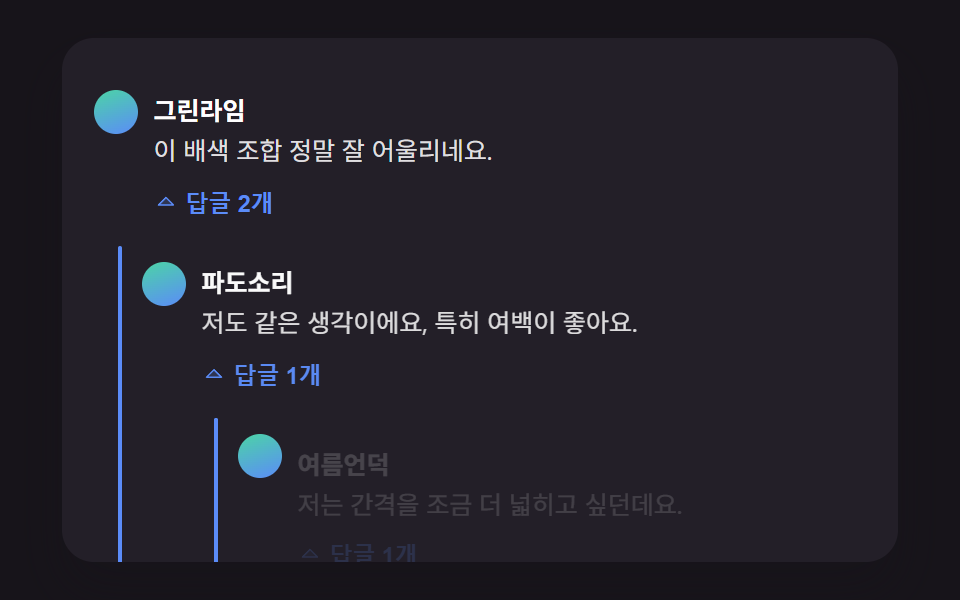 01 comment-thread-reply-indent-depth
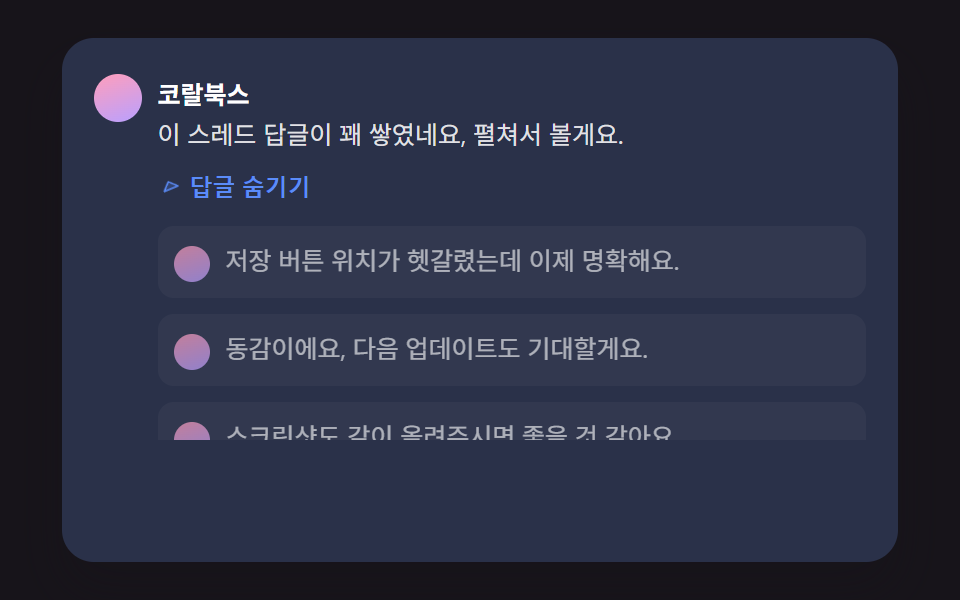 02 comment-thread-collapse-height-spring
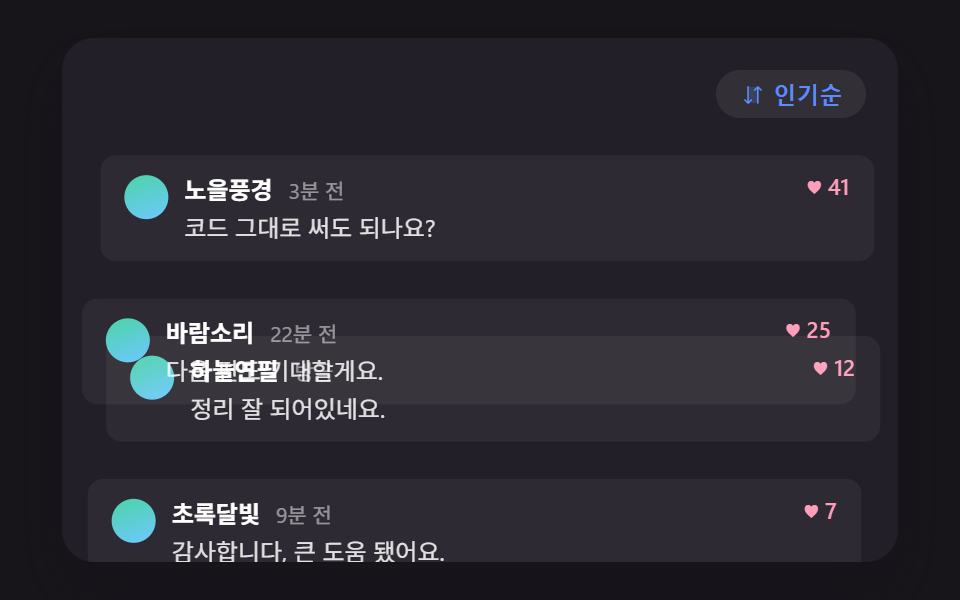 03 comment-thread-sort-reorder-flip
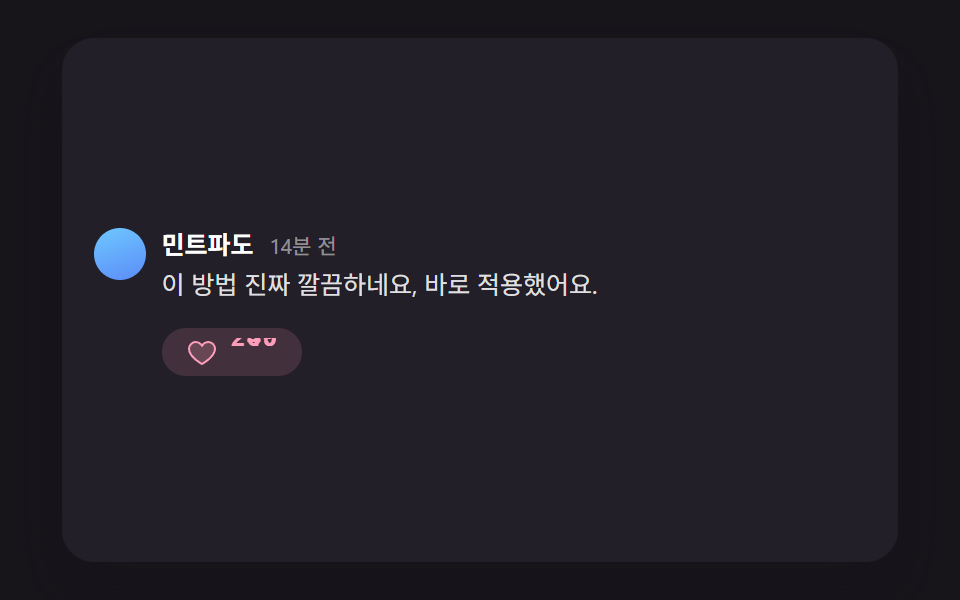 04 comment-thread-like-count-elastic-pop
 05 comment-thread-skeleton-shimmer-stagger
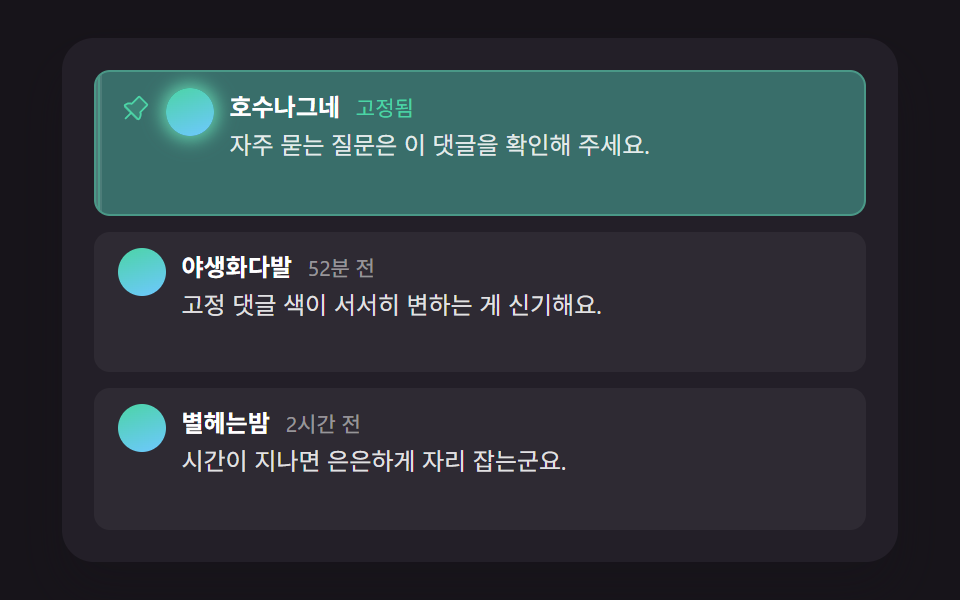 06 comment-thread-pinned-highlight-decay
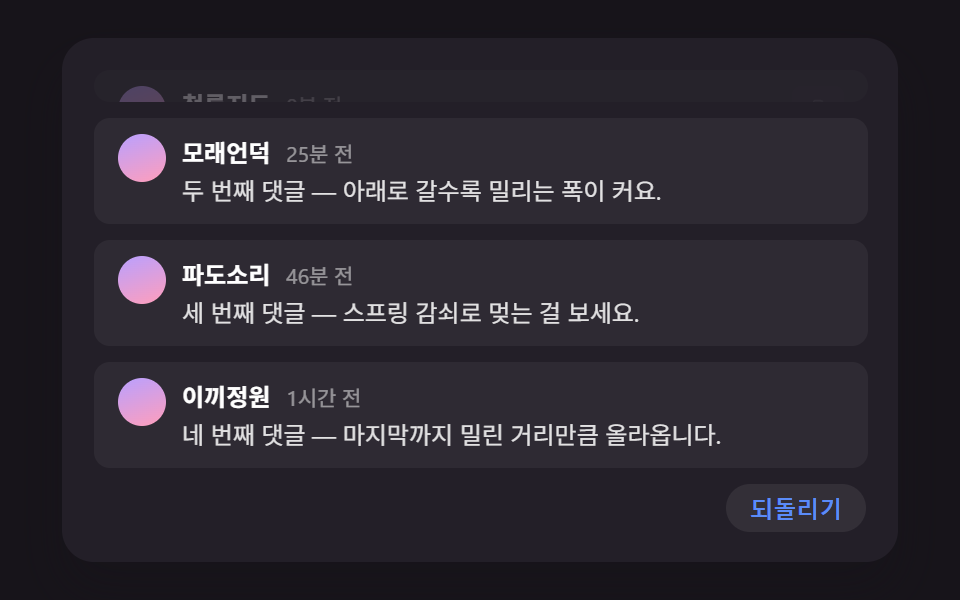 07 comment-thread-delete-collapse-shift
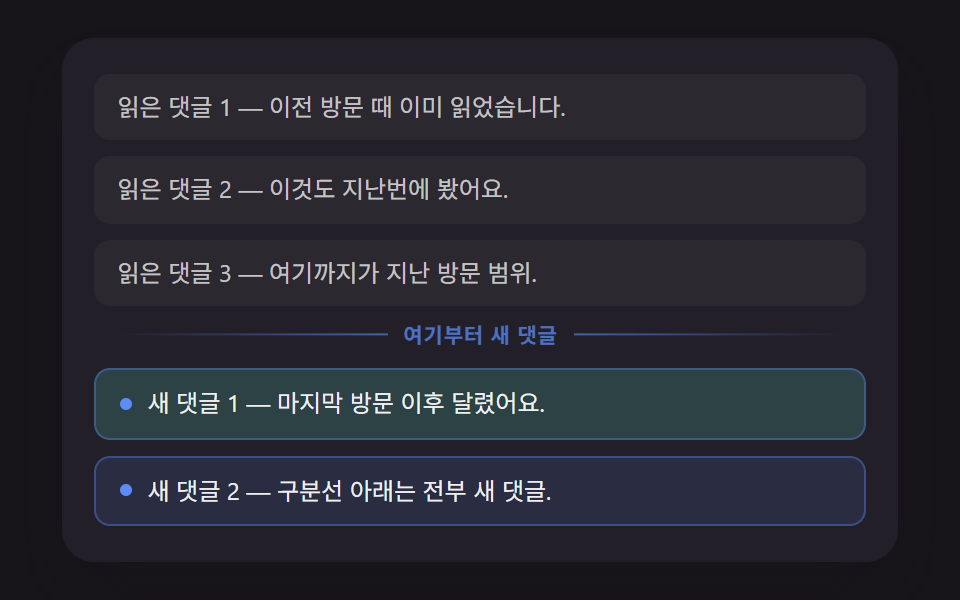 08 comment-thread-unread-divider-position
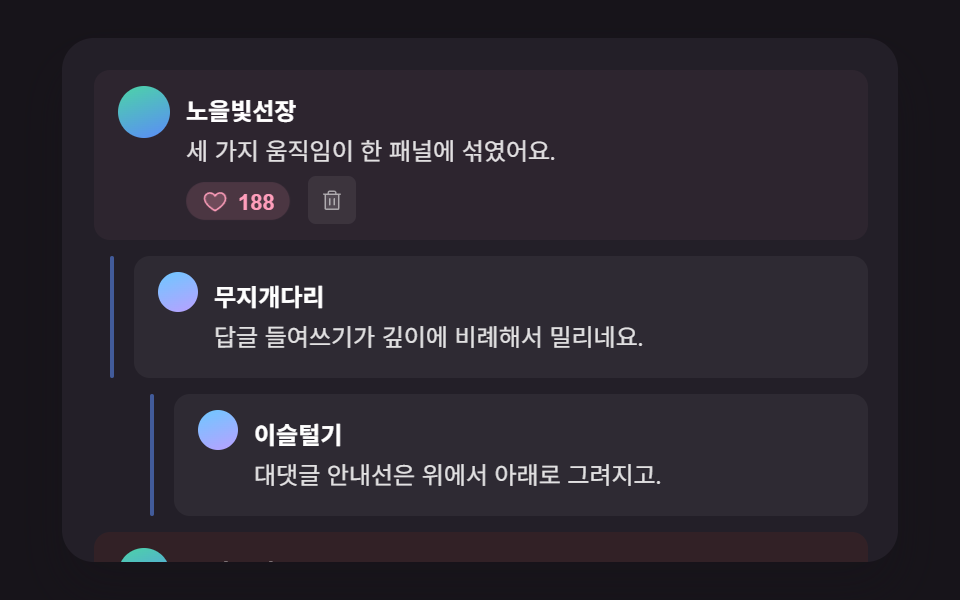 09 comment-thread-hero-panel-scene
自動再生 · タイルを押すとその項目へ · すべて1つのzip
- 01 深さの段数から幅を計算する返信インデント
- 02 実測した高さまでスプリングで伸びる返信の折りたたみ
- 03 以前の位置との距離を計算して滑る並び替え遷移
- 04 以前の値との差を繰り上げるいいねカウントポップ
- 05 行の順序から遅延を計算して流れるスケルトンローディング
- 06 固定後の経過時間ぶん薄くなる固定コメント強調
- 07 消えた行の高さぶん下のコメントが上がる削除シフト
- 08 最終訪問時刻と比較して位置を計算する未読区切り線
- 09 複数の計算を一つのパネルに集めたコメント欄ヒーロー場面
コメント欄 css 実装9パターン — 深さ・高さ・時間を計算で動かすコメントリスト
9つは役割が分かれています。01 は返信の深さからインデント幅を決め、02 はその返信の束を開閉し、03 は並び順を入れ替え、04 は一行の中の数字を転がします。05 は読み込み中の行を、06 は固定コメントの光を、07 は削除後の詰めを、08 は新着の区切り線を受け持ち、09 はそのうち三つを一枚のパネルに集めた完成場面です。
コメント 一覧 デザイン を決めるとき、見た目の色や角丸より先に迷うのは「深さ・高さ・時間のどれを数値にして動きへ渡すか」です。ここでは各項目が受け取る数値を一つに絞っているので、自分のページの文言と色に差し替えるだけで済みます。同じ「並びが変わる一覧」の考え方はランキング デザイン css 9パターン — 順位表 デザインも同じ仕組みでも扱っています。返信が一つずつ増えていく吹き出しの動きはチャット 吹き出し css アニメーション9選 — 一行でコピペOKが先に取り上げています。
パターン別コード
9項目それぞれ、深さ・時間・高さを計算する中心の部分だけを抜き出しています。残りのマークアップとスタイルは、下の zip の中にそのまま入っています。投稿者名と本文はすべてデモ用のダミーで、実際のサーバーとは通信しません。
01深さの段数から幅を計算する返信インデント
返信が何段下にあるかを data-depth から読み、REPLY_INDENT_STEP_PX を掛けた値を CSS 変数 --depth-indent に入れてインデント幅にします。展開のたびに縦のガイド線が上から下へ引かれ、親コメントとつながります。
<main class="stage">
<div class="cmt is-demo" id="cmtRoot">
  <ul class="cmt__list" role="list" id="cmtList">
    <li class="cmt__item" data-depth="0">
      <div class="cmt__row">
        <span class="cmt__avatar" aria-hidden="true"></span>
        <div class="cmt__body">
          <p class="cmt__meta"><strong class="cmt__name">グリーンライム</strong></p>
          <p class="cmt__text">この配色の組み合わせ、本当によく合いますね。</p>
          <button type="button" class="cmt__toggle" id="toggle1" aria-expanded="false" aria-controls="replies1">
            <svg class="cmt__toggleIcon" viewBox="0 0 256 256" aria-hidden="true"><g fill="currentColor"><path d="m208 96l-80 80l-80-80Z" opacity=".2"/><path d="M215.39 92.94A8 8 0 0 0 208 88H48a8 8 0 0 0-5.66 13.66l80 80a8 8 0 0 0 11.32 0l80-80a8 8 0 0 0 1.73-8.72M128 164.69L67.31 104h121.38Z"/></g></svg>
            <span class="cmt__toggleLabel">返信2件</span>
          </button>
        </div>
      </div>
      <ul class="cmt__replies" role="list" id="replies1">
        <li class="cmt__item" data-depth="1">
          <span class="cmt__guide" aria-hidden="true"></span>
          <div class="cmt__row">
            <span class="cmt__avatar" aria-hidden="true"></span>
            <div class="cmt__body">
              <p class="cmt__meta"><strong class="cmt__name">波の音</strong></p>
              <p class="cmt__text">私も同じ意見です、特に余白がいいですね。</p>
              <button type="button" class="cmt__toggle" id="toggle1a" aria-expanded="false" aria-controls="replies1a">
                <svg class="cmt__toggleIcon" viewBox="0 0 256 256" aria-hidden="true"><g fill="currentColor"><path d="m208 96l-80 80l-80-80Z" opacity=".2"/><path d="M215.39 92.94A8 8 0 0 0 208 88H48a8 8 0 0 0-5.66 13.66l80 80a8 8 0 0 0 11.32 0l80-80a8 8 0 0 0 1.73-8.72M128 164.69L67.31 104h121.38Z"/></g></svg>
                <span class="cmt__toggleLabel">返信1件</span>
              </button>
            </div>
          </div>
          <ul class="cmt__replies" role="list" id="replies1a">
            <li class="cmt__item" data-depth="2">
              <span class="cmt__guide" aria-hidden="true"></span>
              <div class="cmt__row">
                <span class="cmt__avatar" aria-hidden="true"></span>
                <div class="cmt__body">
                  <p class="cmt__meta"><strong class="cmt__name">夏の丘</strong></p>
                  <p class="cmt__text">私はもう少し間隔を広げたいと思いました。</p>
                  <button type="button" class="cmt__toggle" id="toggle1a1" aria-expanded="false" aria-controls="replies1a1">
                    <svg class="cmt__toggleIcon" viewBox="0 0 256 256" aria-hidden="true"><g fill="currentColor"><path d="m208 96l-80 80l-80-80Z" opacity=".2"/><path d="M215.39 92.94A8 8 0 0 0 208 88H48a8 8 0 0 0-5.66 13.66l80 80a8 8 0 0 0 11.32 0l80-80a8 8 0 0 0 1.73-8.72M128 164.69L67.31 104h121.38Z"/></g></svg>
                    <span class="cmt__toggleLabel">返信1件</span>
                  </button>
                </div>
              </div>
              <ul class="cmt__replies" role="list" id="replies1a1">
                <li class="cmt__item" data-depth="3">
                  <span class="cmt__guide" aria-hidden="true"></span>
                  <div class="cmt__row">
                    <span class="cmt__avatar" aria-hidden="true"></span>
                    <div class="cmt__body">
                      <p class="cmt__meta"><strong class="cmt__name">グリーンライム</strong></p>
                      <p class="cmt__text">広げるのも良さそうですね、次回反映します。</p>
                    </div>
                  </div>
                </li>
              </ul>
            </li>
          </ul>
        </li>
      </ul>
    </li>
    <li class="cmt__item" data-depth="0">
      <div class="cmt__row">
        <span class="cmt__avatar" aria-hidden="true"></span>
        <div class="cmt__body">
          <p class="cmt__meta"><strong class="cmt__name">ミントページ</strong></p>
          <p class="cmt__text">ボタンのサイズも今がちょうどいいです。</p>
          <button type="button" class="cmt__toggle" id="toggle2" aria-expanded="false" aria-controls="replies2">
            <svg class="cmt__toggleIcon" viewBox="0 0 256 256" aria-hidden="true"><g fill="currentColor"><path d="m208 96l-80 80l-80-80Z" opacity=".2"/><path d="M215.39 92.94A8 8 0 0 0 208 88H48a8 8 0 0 0-5.66 13.66l80 80a8 8 0 0 0 11.32 0l80-80a8 8 0 0 0 1.73-8.72M128 164.69L67.31 104h121.38Z"/></g></svg>
            <span class="cmt__toggleLabel">返信1件</span>
          </button>
        </div>
      </div>
      <ul class="cmt__replies" role="list" id="replies2">
        <li class="cmt__item" data-depth="1">
          <span class="cmt__guide" aria-hidden="true"></span>
          <div class="cmt__row">
            <span class="cmt__avatar" aria-hidden="true"></span>
            <div class="cmt__body">
              <p class="cmt__meta"><strong class="cmt__name">波の音</strong></p>
              <p class="cmt__text">そうですね、押しやすくなりました。</p>
            </div>
          </div>
        </li>
      </ul>
    </li>
  </ul>
  <p class="cmt__sr" id="cmtStatus" aria-live="polite"></p>
</div>
</main>@use "../../../../site/static/demo-tokens" as *;
@include stage($stage-ink);
.cmt {
position: relative;
width: min(92vw, calc(160vh - 12.8vw));
aspect-ratio: 480 / 300;
margin: 0 auto;
border-radius: $r-card;
overflow: hidden;
box-shadow: $shadow-raised;
background: $tick-panel;
padding: $sp-4;
box-sizing: border-box;
font-family: -apple-system, "Segoe UI", "Noto Sans KR", sans-serif;
}
.cmt__list,
.cmt__replies {
list-style: none;
margin: 0;
padding: 0;
}
.cmt__replies {
margin-top: $sp-2;
}
.cmt__item {
position: relative;
margin-left: var(--depth-indent, 0px);
padding-top: $sp-2;
}
.cmt__item[data-depth="0"] + .cmt__item[data-depth="0"] {
margin-top: $sp-3;
padding-top: $sp-3;
border-top: 1px solid rgba(255, 255, 255, .08);
}
.cmt__guide {
position: absolute;
left: -12px;
top: 2px;
bottom: 2px;
width: 2px;
background: $subject-blue-light;
border-radius: $r-xs;
transform-origin: top;
transform: scaleY(0);
}
.cmt__row {
display: flex;
align-items: flex-start;
gap: $sp-2;
}
.cmt__avatar {
flex: none;
width: 22px;
height: 22px;
border-radius: 50%;
background: linear-gradient(160deg, $subject-mint, $subject-blue-light);
margin-top: 4px;
}
.cmt__body {
min-width: 0;
}
.cmt__meta {
margin: 0 0 4px;
}
.cmt__name {
color: #fff;
font-size: 12.5px;
font-weight: 700;
}
.cmt__text {
margin: 0 0 4px;
color: rgba(255, 255, 255, .86);
font-size: 12.5px;
line-height: 1.5;
}
.cmt__toggle {
display: inline-flex;
align-items: center;
gap: 4px;
border: 0;
background: transparent;
color: $subject-blue-light;
font-size: 11.5px;
font-weight: 600;
padding: $sp-1 $sp-2 $sp-1 0;
cursor: pointer;
border-radius: $r-xs;
}
.cmt__toggle:focus-visible {
outline: 2px solid $subject-blue-light;
outline-offset: 2px;
}
.cmt__toggleIcon {
width: 12px;
height: 12px;
transition: transform $dur-quick $ease-out;
}
.cmt__toggle[aria-expanded="true"] .cmt__toggleIcon {
transform: rotate(180deg);
}
.cmt__sr {
position: absolute;
width: 1px;
height: 1px;
overflow: hidden;
clip: rect(0 0 0 0);
white-space: nowrap;
}
@media (max-width: 340px) {
.cmt { padding: $sp-3; }
.cmt__text, .cmt__name { font-size: 11.5px; }
}
@media (prefers-reduced-motion: reduce) {
.cmt__guide,
.cmt__body,
.cmt__toggleIcon {
transition: none !important;
}
}html, body {
margin: 0;
overflow: hidden;
}
.stage {
box-sizing: border-box;
min-height: 100vh;
display: grid;
place-items: center;
margin: 0;
background: #17141a;
font-family: -apple-system, "Segoe UI", "Noto Sans KR", sans-serif;
padding: clamp(8px, 4vw, 24px);
}
.cmt {
position: relative;
width: min(92vw, 160vh - 12.8vw);
aspect-ratio: 480/300;
margin: 0 auto;
border-radius: 16px;
overflow: hidden;
box-shadow: 0 14px 24px rgba(23, 20, 26, 0.32);
background: #231f28;
padding: 16px;
box-sizing: border-box;
font-family: -apple-system, "Segoe UI", "Noto Sans KR", sans-serif;
}
.cmt__list,
.cmt__replies {
list-style: none;
margin: 0;
padding: 0;
}
.cmt__replies {
margin-top: 8px;
}
.cmt__item {
position: relative;
margin-left: var(--depth-indent, 0px);
padding-top: 8px;
}
.cmt__item[data-depth="0"] + .cmt__item[data-depth="0"] {
margin-top: 12px;
padding-top: 12px;
border-top: 1px solid rgba(255, 255, 255, 0.08);
}
.cmt__guide {
position: absolute;
left: -12px;
top: 2px;
bottom: 2px;
width: 2px;
background: #5b8cf8;
border-radius: 4px;
transform-origin: top;
transform: scaleY(0);
}
.cmt__row {
display: flex;
align-items: flex-start;
gap: 8px;
}
.cmt__avatar {
flex: none;
width: 22px;
height: 22px;
border-radius: 50%;
background: linear-gradient(160deg, #4cd4a6, #5b8cf8);
margin-top: 2px;
}
.cmt__body {
min-width: 0;
}
.cmt__meta {
margin: 0 0 2px;
}
.cmt__name {
color: #fff;
font-size: 12.5px;
font-weight: 700;
}
.cmt__text {
margin: 0 0 4px;
color: rgba(255, 255, 255, 0.86);
font-size: 12.5px;
line-height: 1.5;
}
.cmt__toggle {
display: inline-flex;
align-items: center;
gap: 4px;
border: 0;
background: transparent;
color: #5b8cf8;
font-size: 11.5px;
font-weight: 600;
padding: 4px 8px 4px 0;
cursor: pointer;
border-radius: 4px;
}
.cmt__toggle:focus-visible {
outline: 2px solid #5b8cf8;
outline-offset: 2px;
}
.cmt__toggleIcon {
width: 12px;
height: 12px;
transition: transform 220ms ease-out;
}
.cmt__toggle[aria-expanded=true] .cmt__toggleIcon {
transform: rotate(180deg);
}
.cmt__sr {
position: absolute;
width: 1px;
height: 1px;
overflow: hidden;
clip: rect(0 0 0 0);
white-space: nowrap;
}
@media (max-width: 340px) {
.cmt {
padding: 12px;
}
.cmt__text, .cmt__name {
font-size: 11.5px;
}
}
@media (prefers-reduced-motion: reduce) {
.cmt__guide,
.cmt__body,
.cmt__toggleIcon {
transition: none !important;
}
}(function () {
// 기법: 각 항목의 data-depth 값을 REPLY_INDENT_STEP_PX 와 곱해 들여쓰기 폭을 계산해
// CSS 변수로 꽂는다(레이아웃은 고정, 애니메이션 대상 아님). 펼침 애니메이션은 세로 안내선의
// scaleY 와 답글 내용의 opacity/translateY 두 가지 transform·opacity 속성만 움직인다.
  var REPLY_INDENT_STEP_PX = 24;

  var root = document.getElementById('cmtRoot');
  var list = document.getElementById('cmtList');
  var status = document.getElementById('cmtStatus');

  var items = list.querySelectorAll('.cmt__item[data-depth]');
  for (var i = 0; i < items.length; i += 1) {
    var depth = parseInt(items[i].getAttribute('data-depth'), 10) || 0;
    items[i].style.setProperty('--depth-indent', (depth * REPLY_INDENT_STEP_PX) + 'px');
  }

  var reduce = window.matchMedia('(prefers-reduced-motion: reduce)').matches;
if (reduce) root.classList.remove('is-demo');
function groupParts(ulId) {
var ul = document.getElementById(ulId);
var kids = ul.querySelectorAll(':scope > .cmt__item');
var guides = [];
var bodies = [];
for (var i = 0; i < kids.length; i += 1) {
var g = kids[i].querySelector(':scope > .cmt__guide');
var b = kids[i].querySelector(':scope > .cmt__row .cmt__body');
if (g) guides.push(g);
if (b) bodies.push(b);
}
return { ul: ul, guides: guides, bodies: bodies };
}
function openGroup(ulId, toggleId, delayMs, durMs) {
var parts = groupParts(ulId);
var toggle = document.getElementById(toggleId);
if (toggle) toggle.setAttribute('aria-expanded', 'true');
if (reduce) {
parts.ul.style.setProperty('--reveal', '1');
for (var i = 0; i < parts.guides.length; i += 1) parts.guides[i].style.transform = 'scaleY(1)';
for (var j = 0; j < parts.bodies.length; j += 1) { parts.bodies[j].style.opacity = '1'; parts.bodies[j].style.transform = 'translateY(0)'; }
return;
}
for (var gi = 0; gi < parts.guides.length; gi += 1) {
parts.guides[gi].animate(
[{ transform: 'scaleY(0)' }, { transform: 'scaleY(1)' }],
{ duration: durMs, delay: delayMs, easing: 'cubic-bezier(.2,.7,.2,1)', fill: 'forwards' }
);
}
for (var bi = 0; bi < parts.bodies.length; bi += 1) {
parts.bodies[bi].animate(
[{ opacity: 0, transform: 'translateY(6px)' }, { opacity: 1, transform: 'translateY(0)' }],
{ duration: durMs, delay: delayMs + 60, easing: 'ease-out', fill: 'forwards' }
);
}
}
function closeGroupInstant(ulId, toggleId) {
var parts = groupParts(ulId);
var toggle = document.getElementById(toggleId);
if (toggle) toggle.setAttribute('aria-expanded', 'false');
for (var i = 0; i < parts.guides.length; i += 1) parts.guides[i].style.transform = 'scaleY(0)';
for (var j = 0; j < parts.bodies.length; j += 1) { parts.bodies[j].style.opacity = '0'; parts.bodies[j].style.transform = 'translateY(6px)'; }
}
closeGroupInstant('replies1', 'toggle1');
closeGroupInstant('replies1a', 'toggle1a');
closeGroupInstant('replies1a1', 'toggle1a1');
closeGroupInstant('replies2', 'toggle2');
function playSequence() {
closeGroupInstant('replies1', 'toggle1');
closeGroupInstant('replies1a', 'toggle1a');
closeGroupInstant('replies1a1', 'toggle1a1');
closeGroupInstant('replies2', 'toggle2');
openGroup('replies1', 'toggle1', 200, 460);
openGroup('replies2', 'toggle2', 200, 460);
openGroup('replies1a', 'toggle1a', 560, 460);
openGroup('replies1a1', 'toggle1a1', 920, 460);
status.textContent = '深さ3段目まで返信が展開されました。';
}
function bindToggle(toggleId, ulId) {
var toggle = document.getElementById(toggleId);
toggle.addEventListener('click', function () {
root.classList.remove('is-demo');
var open = toggle.getAttribute('aria-expanded') === 'true';
if (open) {
closeGroupInstant(ulId, toggleId);
} else {
openGroup(ulId, toggleId, 0, reduce ? 0 : 260);
}
});
toggle.addEventListener('keydown', function (e) {
if (e.key === 'Enter' || e.key === ' ') {
e.preventDefault();
toggle.click();
}
});
}
bindToggle('toggle1', 'replies1');
bindToggle('toggle1a', 'replies1a');
bindToggle('toggle1a1', 'replies1a1');
bindToggle('toggle2', 'replies2');
if (reduce) {
openGroup('replies1', 'toggle1', 0, 0);
openGroup('replies2', 'toggle2', 0, 0);
openGroup('replies1a', 'toggle1a', 0, 0);
openGroup('replies1a1', 'toggle1a1', 0, 0);
} else {
playSequence();
window.setInterval(function () {
if (!root.classList.contains('is-demo')) return;
playSequence();
}, 2400);
}
})();import { useEffect, useRef } from "react";
import styles from "./CommentThreadReplyIndentDepth.module.scss";
const REPLY_INDENT_STEP_PX = 24;
const CARET_PATH = (
<g fill="currentColor">
<path d="m208 96l-80 80l-80-80Z" opacity=".2" />
<path d="M215.39 92.94A8 8 0 0 0 208 88H48a8 8 0 0 0-5.66 13.66l80 80a8 8 0 0 0 11.32 0l80-80a8 8 0 0 0 1.73-8.72M128 164.69L67.31 104h121.38Z" />
</g>
);
type GroupRefs = { ul: HTMLUListElement | null; toggle: HTMLButtonElement | null };
export default function CommentThreadReplyIndentDepth() {
const rootRef = useRef<HTMLDivElement>(null);
const statusRef = useRef<HTMLParagraphElement>(null);
const g1 = useRef<HTMLUListElement>(null);
const g1a = useRef<HTMLUListElement>(null);
const g1a1 = useRef<HTMLUListElement>(null);
const g2 = useRef<HTMLUListElement>(null);
const t1 = useRef<HTMLButtonElement>(null);
const t1a = useRef<HTMLButtonElement>(null);
const t1a1 = useRef<HTMLButtonElement>(null);
const t2 = useRef<HTMLButtonElement>(null);
useEffect(() => {
const root = rootRef.current;
const status = statusRef.current;
if (!root || !status) return;
const items = root.querySelectorAll<HTMLElement>("[data-depth]");
items.forEach((el) => {
const depth = parseInt(el.getAttribute("data-depth") || "0", 10) || 0;
el.style.setProperty("--depth-indent", `${depth * REPLY_INDENT_STEP_PX}px`);
});
const reduce = window.matchMedia("(prefers-reduced-motion: reduce)").matches;
if (reduce) root.classList.remove("is-demo");
function parts(group: GroupRefs) {
const ul = group.ul;
const guides: HTMLElement[] = [];
const bodies: HTMLElement[] = [];
if (ul) {
ul.querySelectorAll<HTMLElement>(":scope > li").forEach((li) => {
const guide = li.querySelector<HTMLElement>(":scope > .guide");
const body = li.querySelector<HTMLElement>(":scope > .row .body");
if (guide) guides.push(guide);
if (body) bodies.push(body);
});
}
return { guides, bodies };
}
function closeInstant(group: GroupRefs) {
const { guides, bodies } = parts(group);
if (group.toggle) group.toggle.setAttribute("aria-expanded", "false");
guides.forEach((g) => { g.style.transform = "scaleY(0)"; });
bodies.forEach((b) => { b.style.opacity = "0"; b.style.transform = "translateY(6px)"; });
}
function open(group: GroupRefs, delayMs: number, durMs: number) {
const { guides, bodies } = parts(group);
if (group.toggle) group.toggle.setAttribute("aria-expanded", "true");
if (reduce) {
guides.forEach((g) => { g.style.transform = "scaleY(1)"; });
bodies.forEach((b) => { b.style.opacity = "1"; b.style.transform = "translateY(0)"; });
return;
}
guides.forEach((g) => {
g.animate(
[{ transform: "scaleY(0)" }, { transform: "scaleY(1)" }],
{ duration: durMs, delay: delayMs, easing: "cubic-bezier(.2,.7,.2,1)", fill: "forwards" }
);
});
bodies.forEach((b) => {
b.animate(
[{ opacity: 0, transform: "translateY(6px)" }, { opacity: 1, transform: "translateY(0)" }],
{ duration: durMs, delay: delayMs + 60, easing: "ease-out", fill: "forwards" }
);
});
}
const groups: Record<string, GroupRefs> = {
replies1: { ul: g1.current, toggle: t1.current },
replies1a: { ul: g1a.current, toggle: t1a.current },
replies1a1: { ul: g1a1.current, toggle: t1a1.current },
replies2: { ul: g2.current, toggle: t2.current }
};
function playSequence() {
Object.values(groups).forEach(closeInstant);
open(groups.replies1, 200, 460);
open(groups.replies2, 200, 460);
open(groups.replies1a, 560, 460);
open(groups.replies1a1, 920, 460);
if (status) status.textContent = "깊이 3단계까지 답글이 펼쳐졌습니다.";
}
function bind(group: GroupRefs, key: string) {
const toggle = group.toggle;
if (!toggle) return;
const onActivate = () => {
if (!root) return;
root.classList.remove("is-demo");
const isOpen = toggle.getAttribute("aria-expanded") === "true";
if (isOpen) closeInstant(group);
else open(group, 0, reduce ? 0 : 260);
};
toggle.addEventListener("click", onActivate);
toggle.addEventListener("keydown", (e) => {
if (e.key === "Enter" || e.key === " ") { e.preventDefault(); onActivate(); }
});
}
Object.entries(groups).forEach(([key, g]) => bind(g, key));
let timer: number | undefined;
if (reduce) {
Object.values(groups).forEach((g) => open(g, 0, 0));
} else {
playSequence();
timer = window.setInterval(() => {
if (!root.classList.contains("is-demo")) return;
playSequence();
}, 2400);
}
return () => { if (timer) window.clearInterval(timer); };
}, []);
return (
<main className={styles.stage}>
<div className={`${styles.cmt} is-demo`} ref={rootRef}>
<ul className={styles.cmt__list} role="list">
<li className={styles.cmt__item} data-depth="0">
<div className={`row ${styles.cmt__row}`}>
<span className={styles.cmt__avatar} aria-hidden="true" />
<div className={`body ${styles.cmt__body}`}>
<p className={styles.cmt__meta}><strong className={styles.cmt__name}>그린라임</strong></p>
<p className={styles.cmt__text}>이 배색 조합 정말 잘 어울리네요.</p>
<button type="button" className={styles.cmt__toggle} ref={t1} aria-expanded="false" aria-controls="replies1">
<svg className={styles.cmt__toggleIcon} viewBox="0 0 256 256" aria-hidden="true">{CARET_PATH}</svg>
<span>답글 2개</span>
</button>
</div>
</div>
<ul className={styles.cmt__replies} role="list" id="replies1" ref={g1}>
<li className={styles.cmt__item} data-depth="1">
<span className={`guide ${styles.cmt__guide}`} aria-hidden="true" />
<div className={`row ${styles.cmt__row}`}>
<span className={styles.cmt__avatar} aria-hidden="true" />
<div className={`body ${styles.cmt__body}`}>
<p className={styles.cmt__meta}><strong className={styles.cmt__name}>파도소리</strong></p>
<p className={styles.cmt__text}>저도 같은 생각이에요, 특히 여백이 좋아요.</p>
<button type="button" className={styles.cmt__toggle} ref={t1a} aria-expanded="false" aria-controls="replies1a">
<svg className={styles.cmt__toggleIcon} viewBox="0 0 256 256" aria-hidden="true">{CARET_PATH}</svg>
<span>답글 1개</span>
</button>
</div>
</div>
<ul className={styles.cmt__replies} role="list" id="replies1a" ref={g1a}>
<li className={styles.cmt__item} data-depth="2">
<span className={`guide ${styles.cmt__guide}`} aria-hidden="true" />
<div className={`row ${styles.cmt__row}`}>
<span className={styles.cmt__avatar} aria-hidden="true" />
<div className={`body ${styles.cmt__body}`}>
<p className={styles.cmt__meta}><strong className={styles.cmt__name}>여름언덕</strong></p>
<p className={styles.cmt__text}>저는 간격을 조금 더 넓히고 싶던데요.</p>
<button type="button" className={styles.cmt__toggle} ref={t1a1} aria-expanded="false" aria-controls="replies1a1">
<svg className={styles.cmt__toggleIcon} viewBox="0 0 256 256" aria-hidden="true">{CARET_PATH}</svg>
<span>답글 1개</span>
</button>
</div>
</div>
<ul className={styles.cmt__replies} role="list" id="replies1a1" ref={g1a1}>
<li className={styles.cmt__item} data-depth="3">
<span className={`guide ${styles.cmt__guide}`} aria-hidden="true" />
<div className={`row ${styles.cmt__row}`}>
<span className={styles.cmt__avatar} aria-hidden="true" />
<div className={`body ${styles.cmt__body}`}>
<p className={styles.cmt__meta}><strong className={styles.cmt__name}>그린라임</strong></p>
<p className={styles.cmt__text}>넓히는 것도 좋을 것 같아요, 다음에 반영할게요.</p>
</div>
</div>
</li>
</ul>
</li>
</ul>
</li>
</ul>
</li>
<li className={styles.cmt__item} data-depth="0">
<div className={`row ${styles.cmt__row}`}>
<span className={styles.cmt__avatar} aria-hidden="true" />
<div className={`body ${styles.cmt__body}`}>
<p className={styles.cmt__meta}><strong className={styles.cmt__name}>민트페이지</strong></p>
<p className={styles.cmt__text}>버튼 크기도 지금이 딱 좋아요.</p>
<button type="button" className={styles.cmt__toggle} ref={t2} aria-expanded="false" aria-controls="replies2">
<svg className={styles.cmt__toggleIcon} viewBox="0 0 256 256" aria-hidden="true">{CARET_PATH}</svg>
<span>답글 1개</span>
</button>
</div>
</div>
<ul className={styles.cmt__replies} role="list" id="replies2" ref={g2}>
<li className={styles.cmt__item} data-depth="1">
<span className={`guide ${styles.cmt__guide}`} aria-hidden="true" />
<div className={`row ${styles.cmt__row}`}>
<span className={styles.cmt__avatar} aria-hidden="true" />
<div className={`body ${styles.cmt__body}`}>
<p className={styles.cmt__meta}><strong className={styles.cmt__name}>파도소리</strong></p>
<p className={styles.cmt__text}>맞아요, 누르기 편해졌어요.</p>
</div>
</div>
</li>
</ul>
</li>
</ul>
<p className={styles.cmt__sr} ref={statusRef} aria-live="polite" />
</div>
</main>
);
}01 · 深さの段数から幅を計算する返信インデント — 計測 累積面積 5.21% · 動いたフレーム 11/23GODRICH オリジナル · SCSS と React は zip に同梱 · パスワードを見る
var REPLY_INDENT_STEP_PX = 24;
var root = document.getElementById('cmtRoot');
var list = document.getElementById('cmtList');
var status = document.getElementById('cmtStatus');
var items = list.querySelectorAll('.cmt__item[data-depth]');
for (var i = 0; i < items.length; i += 1) {
var depth = parseInt(items[i].getAttribute('data-depth'), 10) || 0;
items[i].style.setProperty('--depth-indent', (depth * REPLY_INDENT_STEP_PX) + 'px');
}
var reduce = window.matchMedia('(prefers-reduced-motion: reduce)').matches;
項目01は累積面積5.2%・平均強度65.5、11/23フレームで動きが測定されました。
02実測した高さまでスプリングで伸びる返信の折りたたみ
setOpen() が measure() で返信群の実際の高さを測り、その値を目標にパネルの高さを動かします。高さが大きいほど伸びる時間も320〜680msの範囲で長くなり、動作を減らす設定のときは高さを直接置いて終わります。
<main class="stage">
<div class="ch is-demo" id="chRoot">
  <div class="ch__card">
    <div class="ch__row">
      <span class="ch__avatar" aria-hidden="true"></span>
      <div class="ch__body">
        <p class="ch__meta"><strong class="ch__name">コーラルブックス</strong></p>
        <p class="ch__text">このスレッドは返信がだいぶ溜まってますね、展開して読みます。</p>
        <button type="button" class="ch__toggle" id="chToggle" aria-expanded="false" aria-controls="chPanel">
          <svg class="ch__toggleIcon" id="chIcon" viewBox="0 0 256 256" aria-hidden="true"><g fill="currentColor"><path d="m208 96l-80 80l-80-80Z" opacity=".2"/><path d="M215.39 92.94A8 8 0 0 0 208 88H48a8 8 0 0 0-5.66 13.66l80 80a8 8 0 0 0 11.32 0l80-80a8 8 0 0 0 1.73-8.72M128 164.69L67.31 104h121.38Z"/></g></svg>
          <span class="ch__toggleLabel">返信3件を見る</span>
        </button>
      </div>
    </div>
    <div class="ch__panel" id="chPanel">
      <div class="ch__panelInner" id="chPanelInner">
        <div class="ch__reply">
          <span class="ch__avatar ch__avatar--sm" aria-hidden="true"></span>
          <p class="ch__text">保存ボタンの場所が分かりにくかったけど、これで明確になりました。</p>
        </div>
        <div class="ch__reply">
          <span class="ch__avatar ch__avatar--sm" aria-hidden="true"></span>
          <p class="ch__text">同感です、次のアップデートも楽しみにしてます。</p>
        </div>
        <div class="ch__reply">
          <span class="ch__avatar ch__avatar--sm" aria-hidden="true"></span>
          <p class="ch__text">スクリーンショットも一緒に載せてもらえるといいですね。</p>
        </div>
      </div>
    </div>
  </div>
  <p class="ch__sr" id="chStatus" aria-live="polite"></p>
</div>
</main>@use "../../../../site/static/demo-tokens" as *;
@include stage($stage-ink);
.ch {
position: relative;
width: min(92vw, calc(160vh - 12.8vw));
aspect-ratio: 480 / 300;
margin: 0 auto;
border-radius: $r-card;
overflow: hidden;
box-shadow: $shadow-raised;
background: $tick-panel;
font-family: -apple-system, "Segoe UI", "Noto Sans KR", sans-serif;
}
.ch__card {
padding: $sp-4;
box-sizing: border-box;
height: 100%;
overflow: hidden;
}
.ch__row { display: flex; align-items: flex-start; gap: $sp-2; }
.ch__avatar {
flex: none;
width: 24px;
height: 24px;
border-radius: 50%;
background: linear-gradient(160deg, $subject-pink, $subject-lilac);
margin-top: 4px;
&--sm { width: 18px; height: 18px; }
}
.ch__body { min-width: 0; }
.ch__meta { margin: 0 0 4px; }
.ch__name { color: #fff; font-size: 12.5px; font-weight: 700; }
.ch__text { margin: 0 0 4px; color: rgba(255, 255, 255, .86); font-size: 12.5px; line-height: 1.5; }
.ch__toggle {
display: inline-flex;
align-items: center;
gap: 4px;
border: 0;
background: transparent;
color: $subject-blue-light;
font-size: 11.5px;
font-weight: 600;
padding: $sp-1 $sp-2 $sp-1 0;
cursor: pointer;
border-radius: $r-xs;
}
.ch__toggle:focus-visible { outline: 2px solid $subject-blue-light; outline-offset: 2px; }
.ch__toggleIcon { width: 12px; height: 12px; transform-origin: center; }
.ch__panel {
overflow: hidden;
margin-left: 32px;
}
.ch__panelInner {
display: flex;
flex-direction: column;
gap: $sp-2;
padding-top: $sp-2;
}
.ch__reply {
display: flex;
align-items: flex-start;
gap: $sp-2;
padding: $sp-2;
background: rgba(255, 255, 255, .05);
border-radius: $r-sm;
.ch__text { margin: 0; }
}
.ch__sr {
position: absolute;
width: 1px; height: 1px;
overflow: hidden;
clip: rect(0 0 0 0);
white-space: nowrap;
}
@media (max-width: 340px) {
.ch__card { padding: $sp-3; }
.ch__text, .ch__name { font-size: 11.5px; }
}
@media (prefers-reduced-motion: reduce) {
.ch__panel, .ch__toggleIcon { transition: none !important; }
}html, body {
margin: 0;
overflow: hidden;
}
.stage {
box-sizing: border-box;
min-height: 100vh;
display: grid;
place-items: center;
margin: 0;
background: #17141a;
font-family: -apple-system, "Segoe UI", "Noto Sans KR", sans-serif;
padding: clamp(8px, 4vw, 24px);
}
.ch {
position: relative;
width: min(92vw, 160vh - 12.8vw);
aspect-ratio: 480/300;
margin: 0 auto;
border-radius: 16px;
overflow: hidden;
box-shadow: 0 14px 24px rgba(23, 20, 26, 0.32);
background: #231f28;
font-family: -apple-system, "Segoe UI", "Noto Sans KR", sans-serif;
}
.ch__card {
padding: 16px;
box-sizing: border-box;
height: 100%;
overflow: hidden;
}
.ch__row {
display: flex;
align-items: flex-start;
gap: 8px;
}
.ch__avatar {
flex: none;
width: 24px;
height: 24px;
border-radius: 50%;
background: linear-gradient(160deg, #ff9ebb, #b9a0ff);
margin-top: 2px;
}
.ch__avatar--sm {
width: 18px;
height: 18px;
}
.ch__body {
min-width: 0;
}
.ch__meta {
margin: 0 0 2px;
}
.ch__name {
color: #fff;
font-size: 12.5px;
font-weight: 700;
}
.ch__text {
margin: 0 0 4px;
color: rgba(255, 255, 255, 0.86);
font-size: 12.5px;
line-height: 1.5;
}
.ch__toggle {
display: inline-flex;
align-items: center;
gap: 4px;
border: 0;
background: transparent;
color: #5b8cf8;
font-size: 11.5px;
font-weight: 600;
padding: 4px 8px 4px 0;
cursor: pointer;
border-radius: 4px;
}
.ch__toggle:focus-visible {
outline: 2px solid #5b8cf8;
outline-offset: 2px;
}
.ch__toggleIcon {
width: 12px;
height: 12px;
transform-origin: center;
}
.ch__panel {
overflow: hidden;
margin-left: 32px;
}
.ch__panelInner {
display: flex;
flex-direction: column;
gap: 8px;
padding-top: 8px;
}
.ch__reply {
display: flex;
align-items: flex-start;
gap: 8px;
padding: 8px;
background: rgba(255, 255, 255, 0.05);
border-radius: 8px;
}
.ch__reply .ch__text {
margin: 0;
}
.ch__sr {
position: absolute;
width: 1px;
height: 1px;
overflow: hidden;
clip: rect(0 0 0 0);
white-space: nowrap;
}
@media (max-width: 340px) {
.ch__card {
padding: 12px;
}
.ch__text, .ch__name {
font-size: 11.5px;
}
}
@media (prefers-reduced-motion: reduce) {
.ch__panel, .ch__toggleIcon {
transition: none !important;
}
}(function () {
// 기법: 패널을 height:0 으로 접어 두고 펼칠 때 height:auto 로 잠깐 바꿔 scrollHeight 를
// 실측한 뒤(레이아웃은 그 순간 한 번만 재계산), 그 실측값을 목표로 스프링 이징(선형 샘플
// 곡선, 100% 를 살짝 넘겼다가 되돌아오는 값들)으로 height 를 직접 움직인다. 같은 이징·같은
// 진행률로 화살표를 0→180도 회전시켜 "펼침 비율만큼 회전"을 구현한다.
var root = document.getElementById('chRoot');
var toggle = document.getElementById('chToggle');
var icon = document.getElementById('chIcon');
var panel = document.getElementById('chPanel');
var inner = document.getElementById('chPanelInner');
var status = document.getElementById('chStatus');
var label = toggle.querySelector('.ch__toggleLabel');
// $ease-lerp-settle 곡선(site/static/demo-tokens.scss)과 같은 샘플 — 1 을 넘겼다가(최대 1.126) 되돌아온다.
var SPRING_SETTLE_EASING = 'linear(0.0, 0.051, 0.176, 0.341, 0.518, 0.685, 0.831, 0.947, 1.032, 1.087, 1.117, 1.126, 1.121, 1.105, 1.085, 1.062, 1.041, 1.022, 1.008, 0.997, 1)';
var reduce = window.matchMedia('(prefers-reduced-motion: reduce)').matches;
if (reduce) root.classList.remove('is-demo');
var open = false;
var panelAnim = null;
var innerAnim = null;
var iconAnim = null;
var bgAnim = null;
function measure() {
panel.style.height = 'auto';
inner.style.opacity = '1';
var h = panel.scrollHeight;
return h;
}
function setOpen(next, animate, delayMs) {
open = next;
toggle.setAttribute('aria-expanded', String(open));
label.textContent = open ? '返信を隠す' : '返信3件を見る';
status.textContent = open ? '返信3件が展開されました。' : '返信が折りたたまれました。';
if (panelAnim) panelAnim.cancel();
if (innerAnim) innerAnim.cancel();
if (iconAnim) iconAnim.cancel();
if (bgAnim) bgAnim.cancel();
var target = measure();
var from = open ? 0 : target;
var to = open ? target : 0;
panel.style.height = from + 'px';
inner.style.opacity = open ? '0' : '1';
if (!animate || reduce) {
panel.style.height = to + 'px';
inner.style.opacity = open ? '1' : '0';
icon.style.transform = 'rotate(' + (open ? 180 : 0) + 'deg)';
return;
}
// 계산: 패널이 실측한 픽셀 높이가 클수록 늘어나는 데 걸리는 시간도 조금 더 길게 잡는다.
var dur = Math.max(320, Math.min(680, 300 + target * 0.9));
panelAnim = panel.animate(
[{ height: from + 'px' }, { height: to + 'px' }],
{ duration: dur, delay: delayMs || 0, easing: SPRING_SETTLE_EASING, fill: 'forwards' }
);
innerAnim = inner.animate(
[{ opacity: open ? 0 : 1 }, { opacity: open ? 1 : 0 }],
{ duration: Math.round(dur * 0.6), delay: delayMs || 0, easing: 'ease-out', fill: 'forwards' }
);
iconAnim = icon.animate(
[{ transform: 'rotate(' + (open ? 0 : 180) + 'deg)' }, { transform: 'rotate(' + (open ? 180 : 0) + 'deg)' }],
{ duration: dur, delay: delayMs || 0, easing: SPRING_SETTLE_EASING, fill: 'forwards' }
);
// 계산: 펼침 비율이 0→1(또는 반대)로 진행되는 같은 구간 동안, 패널 전체(카드 바탕)에도
// 옅은 색 변화를 얹어 화살표·패널 경계 바깥까지 값을 전파한다(넓은 면적의 근거 있는 변화).
bgAnim = root.animate(
[{ backgroundColor: '#231f28' }, { backgroundColor: '#2b3550' }, { backgroundColor: '#231f28' }],
{ duration: Math.round(dur * 1.15), delay: delayMs || 0, easing: 'ease-out' }
);
}
panel.style.height = '0px';
inner.style.opacity = '0';
toggle.addEventListener('click', function () {
root.classList.remove('is-demo');
setOpen(!open, true, 0);
});
toggle.addEventListener('keydown', function (e) {
if (e.key === 'Enter' || e.key === ' ') { e.preventDefault(); toggle.click(); }
});
var seqTimer = null;
function playSequence() {
if (seqTimer) { window.clearTimeout(seqTimer); seqTimer = null; }
setOpen(false, false, 0);
setOpen(true, true, 200);
seqTimer = window.setTimeout(function () {
setOpen(false, true, 0);
}, 1080);
}
if (reduce) {
setOpen(true, false, 0);
} else {
playSequence();
window.setInterval(function () {
if (!root.classList.contains('is-demo')) return;
playSequence();
}, 2600);
}
})();import { useEffect, useRef } from "react";
import styles from "./CommentThreadCollapseHeightSpring.module.scss";
// $ease-lerp-settle 곡선(site/static/demo-tokens.scss)과 같은 샘플 — 1 을 넘겼다가(최대 1.126) 되돌아온다.
const SPRING_SETTLE_EASING =
"linear(0.0, 0.051, 0.176, 0.341, 0.518, 0.685, 0.831, 0.947, 1.032, 1.087, 1.117, 1.126, 1.121, 1.105, 1.085, 1.062, 1.041, 1.022, 1.008, 0.997, 1)";
export default function CommentThreadCollapseHeightSpring() {
const rootRef = useRef<HTMLDivElement>(null);
const toggleRef = useRef<HTMLButtonElement>(null);
const iconRef = useRef<SVGSVGElement>(null);
const panelRef = useRef<HTMLDivElement>(null);
const innerRef = useRef<HTMLDivElement>(null);
const labelRef = useRef<HTMLSpanElement>(null);
const statusRef = useRef<HTMLParagraphElement>(null);
useEffect(() => {
const root = rootRef.current;
const toggle = toggleRef.current;
const icon = iconRef.current;
const panel = panelRef.current;
const inner = innerRef.current;
const label = labelRef.current;
const status = statusRef.current;
if (!root || !toggle || !icon || !panel || !inner || !label || !status) return;
const reduce = window.matchMedia("(prefers-reduced-motion: reduce)").matches;
if (reduce) root.classList.remove("is-demo");
let open = false;
let panelAnim: Animation | null = null;
let innerAnim: Animation | null = null;
let iconAnim: Animation | null = null;
let bgAnim: Animation | null = null;
function measure() {
panel!.style.height = "auto";
inner!.style.opacity = "1";
return panel!.scrollHeight;
}
function setOpen(next: boolean, animate: boolean, delayMs: number) {
open = next;
toggle!.setAttribute("aria-expanded", String(open));
label!.textContent = open ? "답글 숨기기" : "답글 3개 보기";
status!.textContent = open ? "답글 3개가 펼쳐졌습니다." : "답글이 접혔습니다.";
if (panelAnim) panelAnim.cancel();
if (innerAnim) innerAnim.cancel();
if (iconAnim) iconAnim.cancel();
if (bgAnim) bgAnim.cancel();
const target = measure();
const from = open ? 0 : target;
const to = open ? target : 0;
panel!.style.height = from + "px";
inner!.style.opacity = open ? "0" : "1";
if (!animate || reduce) {
panel!.style.height = to + "px";
inner!.style.opacity = open ? "1" : "0";
icon!.style.transform = `rotate(${open ? 180 : 0}deg)`;
return;
}
const dur = Math.max(320, Math.min(680, 300 + target * 0.9));
panelAnim = panel!.animate(
[{ height: from + "px" }, { height: to + "px" }],
{ duration: dur, delay: delayMs, easing: SPRING_SETTLE_EASING, fill: "forwards" }
);
innerAnim = inner!.animate(
[{ opacity: open ? 0 : 1 }, { opacity: open ? 1 : 0 }],
{ duration: Math.round(dur * 0.6), delay: delayMs, easing: "ease-out", fill: "forwards" }
);
iconAnim = icon!.animate(
[{ transform: `rotate(${open ? 0 : 180}deg)` }, { transform: `rotate(${open ? 180 : 0}deg)` }],
{ duration: dur, delay: delayMs, easing: SPRING_SETTLE_EASING, fill: "forwards" }
);
// 계산: 펼침 비율이 0→1(또는 반대)로 진행되는 같은 구간 동안, 패널 전체(카드 바탕)에도
// 옅은 색 변화를 얹어 화살표·패널 경계 바깥까지 값을 전파한다(넓은 면적의 근거 있는 변화).
bgAnim = root!.animate(
[{ backgroundColor: "#231f28" }, { backgroundColor: "#2b3550" }, { backgroundColor: "#231f28" }],
{ duration: Math.round(dur * 1.15), delay: delayMs, easing: "ease-out" }
);
}
panel.style.height = "0px";
inner.style.opacity = "0";
const onActivate = () => { root.classList.remove("is-demo"); setOpen(!open, true, 0); };
toggle.addEventListener("click", onActivate);
toggle.addEventListener("keydown", (e) => {
if (e.key === "Enter" || e.key === " ") { e.preventDefault(); onActivate(); }
});
let seqTimer: number | undefined;
function playSequence() {
if (seqTimer) { window.clearTimeout(seqTimer); seqTimer = undefined; }
setOpen(false, false, 0);
setOpen(true, true, 200);
seqTimer = window.setTimeout(() => { setOpen(false, true, 0); }, 1080);
}
let timer: number | undefined;
if (reduce) {
setOpen(true, false, 0);
} else {
playSequence();
timer = window.setInterval(() => {
if (!root.classList.contains("is-demo")) return;
playSequence();
}, 2600);
}
return () => { if (timer) window.clearInterval(timer); if (seqTimer) window.clearTimeout(seqTimer); };
}, []);
return (
<main className={styles.stage}>
<div className={`${styles.ch} is-demo`} ref={rootRef}>
<div className={styles.ch__card}>
<div className={styles.ch__row}>
<span className={styles.ch__avatar} aria-hidden="true" />
<div className={styles.ch__body}>
<p className={styles.ch__meta}><strong className={styles.ch__name}>코랄북스</strong></p>
<p className={styles.ch__text}>이 스레드 답글이 꽤 쌓였네요, 펼쳐서 볼게요.</p>
<button type="button" className={styles.ch__toggle} ref={toggleRef} aria-expanded="false" aria-controls="chPanel">
<svg className={styles.ch__toggleIcon} ref={iconRef} viewBox="0 0 256 256" aria-hidden="true">
<g fill="currentColor">
<path d="m208 96l-80 80l-80-80Z" opacity=".2" />
<path d="M215.39 92.94A8 8 0 0 0 208 88H48a8 8 0 0 0-5.66 13.66l80 80a8 8 0 0 0 11.32 0l80-80a8 8 0 0 0 1.73-8.72M128 164.69L67.31 104h121.38Z" />
</g>
</svg>
<span ref={labelRef}>답글 3개 보기</span>
</button>
</div>
</div>
<div className={styles.ch__panel} id="chPanel" ref={panelRef}>
<div className={styles.ch__panelInner} ref={innerRef}>
<div className={styles.ch__reply}>
<span className={`${styles.ch__avatar} ${styles["ch__avatar--sm"]}`} aria-hidden="true" />
<p className={styles.ch__text}>저장 버튼 위치가 헷갈렸는데 이제 명확해요.</p>
</div>
<div className={styles.ch__reply}>
<span className={`${styles.ch__avatar} ${styles["ch__avatar--sm"]}`} aria-hidden="true" />
<p className={styles.ch__text}>동감이에요, 다음 업데이트도 기대할게요.</p>
</div>
<div className={styles.ch__reply}>
<span className={`${styles.ch__avatar} ${styles["ch__avatar--sm"]}`} aria-hidden="true" />
<p className={styles.ch__text}>스크린샷도 같이 올려주시면 좋을 것 같아요.</p>
</div>
</div>
</div>
</div>
<p className={styles.ch__sr} ref={statusRef} aria-live="polite" />
</div>
</main>
);
}02 · 実測した高さまでスプリングで伸びる返信の折りたたみ — 計測 累積面積 74.878% · 動いたフレーム 8/23GODRICH オリジナル · SCSS と React は zip に同梱 · パスワードを見る
  function setOpen(next, animate, delayMs) {
    open = next;
    toggle.setAttribute('aria-expanded', String(open));
    label.textContent = open ? '返信を隠す' : '返信3件を見る';
    status.textContent = open ? '返信3件が展開されました。' : '返信が折りたたまれました。';
    if (panelAnim) panelAnim.cancel();
    if (innerAnim) innerAnim.cancel();
    if (iconAnim) iconAnim.cancel();
    if (bgAnim) bgAnim.cancel();

    var target = measure();
    var from = open ? 0 : target;
    var to = open ? target : 0;
    panel.style.height = from + 'px';
    inner.style.opacity = open ? '0' : '1';

    if (!animate || reduce) {
      panel.style.height = to + 'px';
      inner.style.opacity = open ? '1' : '0';
      icon.style.transform = 'rotate(' + (open ? 180 : 0) + 'deg)';
      return;
    }
    // 計算: パネルの実測したピクセル高さが大きいほど、伸びるのにかかる時間も少し長く取る。
    var dur = Math.max(320, Math.min(680, 300 + target * 0.9));
    panelAnim = panel.animate(
項目02は累積面積74.9%・平均強度26.6・8/23フレームで、ルート背景が脈打つぶんも含めて測っているため面積が大きく出ています。
03以前の位置との距離を計算して滑る並び替え遷移
applySort() が並び替え前後の位置を getBoundingClientRect() で比べて縦の差 dy を求め、その距離から元の位置へ戻る向きにアニメーションさせます。途中で sideX ぶん横へずれるので、すれ違うコメント同士は重なりません。
<main class="stage">
<div class="srt is-demo" id="srtRoot">
  <div class="srt__head">
    <button type="button" class="srt__sortBtn" id="srtSortBtn" aria-pressed="false">
      <svg class="srt__sortIcon" viewBox="0 0 256 256" aria-hidden="true"><g fill="currentColor"><path d="M176 48v160H80V48Z" opacity=".2"/><path d="M117.66 170.34a8 8 0 0 1 0 11.32l-32 32a8 8 0 0 1-11.32 0l-32-32a8 8 0 0 1 11.32-11.32L72 188.69V48a8 8 0 0 1 16 0v140.69l18.34-18.35a8 8 0 0 1 11.32 0m96-96l-32-32a8 8 0 0 0-11.32 0l-32 32a8 8 0 0 0 11.32 11.32L168 67.31V208a8 8 0 0 0 16 0V67.31l18.34 18.35a8 8 0 0 0 11.32-11.32"/></g></svg>
      <span class="srt__sortLabel" id="srtSortLabel">新着順</span>
    </button>
  </div>
  <ul class="srt__list" role="list" id="srtList">
    <li class="srt__item" data-id="c1" data-likes="12">
      <span class="srt__avatar" aria-hidden="true"></span>
      <div class="srt__body">
        <p class="srt__meta"><strong class="srt__name">空色ペン</strong><span class="srt__time">たった今</span></p>
        <p class="srt__text">よく整理されてますね。</p>
      </div>
      <span class="srt__likes">♥ 12</span>
    </li>
    <li class="srt__item" data-id="c2" data-likes="41">
      <span class="srt__avatar" aria-hidden="true"></span>
      <div class="srt__body">
        <p class="srt__meta"><strong class="srt__name">夕焼け景色</strong><span class="srt__time">3分前</span></p>
        <p class="srt__text">このコードをそのまま使ってもいいですか?</p>
      </div>
      <span class="srt__likes">♥ 41</span>
    </li>
    <li class="srt__item" data-id="c3" data-likes="7">
      <span class="srt__avatar" aria-hidden="true"></span>
      <div class="srt__body">
        <p class="srt__meta"><strong class="srt__name">緑の月光</strong><span class="srt__time">9分前</span></p>
        <p class="srt__text">ありがとう、とても助かりました。</p>
      </div>
      <span class="srt__likes">♥ 7</span>
    </li>
    <li class="srt__item" data-id="c4" data-likes="25">
      <span class="srt__avatar" aria-hidden="true"></span>
      <div class="srt__body">
        <p class="srt__meta"><strong class="srt__name">風の音</strong><span class="srt__time">22分前</span></p>
        <p class="srt__text">次の記事も楽しみにしてます。</p>
      </div>
      <span class="srt__likes">♥ 25</span>
    </li>
    <li class="srt__item" data-id="c5" data-likes="3">
      <span class="srt__avatar" aria-hidden="true"></span>
      <div class="srt__body">
        <p class="srt__meta"><strong class="srt__name">砂時計</strong><span class="srt__time">41分前</span></p>
        <p class="srt__text">ここの説明が最高です。</p>
      </div>
      <span class="srt__likes">♥ 3</span>
    </li>
  </ul>
  <p class="srt__sr" id="srtStatus" aria-live="polite"></p>
</div>
</main>@use "../../../../site/static/demo-tokens" as *;
@include stage($stage-ink);
.srt {
position: relative;
width: min(92vw, calc(160vh - 12.8vw));
aspect-ratio: 480 / 300;
margin: 0 auto;
border-radius: $r-card;
overflow: hidden;
box-shadow: $shadow-raised;
background: $tick-panel;
font-family: -apple-system, "Segoe UI", "Noto Sans KR", sans-serif;
box-sizing: border-box;
padding: $sp-4;
display: flex;
flex-direction: column;
gap: $sp-2;
}
.srt__head {
display: flex;
justify-content: flex-end;
}
.srt__sortBtn {
display: inline-flex;
align-items: center;
gap: $sp-1;
border: 0;
background: rgba(255, 255, 255, .07);
color: $subject-blue-light;
font-size: 11.5px;
font-weight: 600;
padding: $sp-1 $sp-3;
border-radius: $r-pill;
cursor: pointer;
}
.srt__sortBtn:focus-visible { outline: 2px solid $subject-blue-light; outline-offset: 2px; }
.srt__sortIcon { width: 13px; height: 13px; }
.srt__list {
position: relative;
list-style: none;
margin: 0;
padding: 0;
display: flex;
flex-direction: column;
gap: $sp-2;
flex: 1;
}
.srt__item {
display: flex;
align-items: flex-start;
gap: $sp-2;
padding: $sp-2 $sp-3;
background: rgba(255, 255, 255, .05);
border-radius: $r-sm;
will-change: transform;
}
.srt__avatar {
flex: none;
width: 22px;
height: 22px;
border-radius: 50%;
background: linear-gradient(160deg, $subject-mint, $subject-sky);
margin-top: 4px;
}
.srt__body { min-width: 0; flex: 1; }
.srt__meta { margin: 0 0 4px; display: flex; align-items: baseline; gap: $sp-2; }
.srt__name { color: #fff; font-size: 12px; font-weight: 700; }
.srt__time { color: rgba(255, 255, 255, .5); font-size: 10.5px; }
.srt__text { margin: 0; color: rgba(255, 255, 255, .86); font-size: 12px; line-height: 1.5; }
.srt__likes {
flex: none;
color: $subject-pink;
font-size: 11px;
font-weight: 600;
white-space: nowrap;
}
.srt__sr {
position: absolute;
width: 1px; height: 1px;
overflow: hidden;
clip: rect(0 0 0 0);
white-space: nowrap;
}
@media (max-width: 340px) {
.srt { padding: $sp-3; }
.srt__text, .srt__name { font-size: 11px; }
}
@media (prefers-reduced-motion: reduce) {
.srt__item { transition: none !important; }
}html, body {
margin: 0;
overflow: hidden;
}
.stage {
box-sizing: border-box;
min-height: 100vh;
display: grid;
place-items: center;
margin: 0;
background: #17141a;
font-family: -apple-system, "Segoe UI", "Noto Sans KR", sans-serif;
padding: clamp(8px, 4vw, 24px);
}
.srt {
position: relative;
width: min(92vw, 160vh - 12.8vw);
aspect-ratio: 480/300;
margin: 0 auto;
border-radius: 16px;
overflow: hidden;
box-shadow: 0 14px 24px rgba(23, 20, 26, 0.32);
background: #231f28;
font-family: -apple-system, "Segoe UI", "Noto Sans KR", sans-serif;
box-sizing: border-box;
padding: 16px;
display: flex;
flex-direction: column;
gap: 8px;
}
.srt__head {
display: flex;
justify-content: flex-end;
}
.srt__sortBtn {
display: inline-flex;
align-items: center;
gap: 4px;
border: 0;
background: rgba(255, 255, 255, 0.07);
color: #5b8cf8;
font-size: 11.5px;
font-weight: 600;
padding: 4px 12px;
border-radius: 999px;
cursor: pointer;
}
.srt__sortBtn:focus-visible {
outline: 2px solid #5b8cf8;
outline-offset: 2px;
}
.srt__sortIcon {
width: 13px;
height: 13px;
}
.srt__list {
position: relative;
list-style: none;
margin: 0;
padding: 0;
display: flex;
flex-direction: column;
gap: 8px;
flex: 1;
}
.srt__item {
display: flex;
align-items: flex-start;
gap: 8px;
padding: 8px 12px;
background: rgba(255, 255, 255, 0.05);
border-radius: 8px;
will-change: transform;
}
.srt__avatar {
flex: none;
width: 22px;
height: 22px;
border-radius: 50%;
background: linear-gradient(160deg, #4cd4a6, #6ec8ff);
margin-top: 2px;
}
.srt__body {
min-width: 0;
flex: 1;
}
.srt__meta {
margin: 0 0 2px;
display: flex;
align-items: baseline;
gap: 8px;
}
.srt__name {
color: #fff;
font-size: 12px;
font-weight: 700;
}
.srt__time {
color: rgba(255, 255, 255, 0.5);
font-size: 10.5px;
}
.srt__text {
margin: 0;
color: rgba(255, 255, 255, 0.86);
font-size: 12px;
line-height: 1.5;
}
.srt__likes {
flex: none;
color: #ff9ebb;
font-size: 11px;
font-weight: 600;
white-space: nowrap;
}
.srt__sr {
position: absolute;
width: 1px;
height: 1px;
overflow: hidden;
clip: rect(0 0 0 0);
white-space: nowrap;
}
@media (max-width: 340px) {
.srt {
padding: 12px;
}
.srt__text, .srt__name {
font-size: 11px;
}
}
@media (prefers-reduced-motion: reduce) {
.srt__item {
transition: none !important;
}
}(function () {
// 기법: FLIP(First-Last-Invert-Play). 정렬 기준을 바꾸기 전 각 항목의 getBoundingClientRect
// 를 기록(First)하고, DOM 순서를 새 정렬로 바로 바꾼 뒤(Last, 레이아웃은 이 한 번만 재계산)
// 다시 rect 를 재서 두 값의 차이(Invert)를 transform 으로 되돌려 놓았다가 0 으로 애니메이션
// (Play)한다. 실제로는 항상 최종 DOM 위치에 있고, 눈에 보이는 "이동"은 transform 뿐이다.
var SORT_FLIP_DURATION_MS = 320;
var root = document.getElementById('srtRoot');
var list = document.getElementById('srtList');
var sortBtn = document.getElementById('srtSortBtn');
var sortLabel = document.getElementById('srtSortLabel');
var status = document.getElementById('srtStatus');
var reduce = window.matchMedia('(prefers-reduced-motion: reduce)').matches;
if (reduce) root.classList.remove('is-demo');
var byNewestOrder = ['c1', 'c2', 'c3', 'c4', 'c5'];
var popular = false;
function sortedIds() {
if (!popular) return byNewestOrder.slice();
var items = list.querySelectorAll('.srt__item');
var arr = [];
for (var i = 0; i < items.length; i += 1) arr.push(items[i]);
arr.sort(function (a, b) { return parseInt(b.getAttribute('data-likes'), 10) - parseInt(a.getAttribute('data-likes'), 10); });
return arr.map(function (el) { return el.getAttribute('data-id'); });
}
function applySort(animate, delayMs) {
var items = list.querySelectorAll('.srt__item');
var before = {};
for (var i = 0; i < items.length; i += 1) {
before[items[i].getAttribute('data-id')] = items[i].getBoundingClientRect();
}
var order = sortedIds();
var byId = {};
for (var j = 0; j < items.length; j += 1) byId[items[j].getAttribute('data-id')] = items[j];
for (var k = 0; k < order.length; k += 1) list.appendChild(byId[order[k]]);
    if (!animate || reduce) return;

    for (var m = 0; m < order.length; m += 1) {
      var el = byId[order[m]];
      var after = el.getBoundingClientRect();
      var b = before[order[m]];
      var dy = b.top - after.top;
      if (Math.abs(dy) < 0.5) continue;
      var sideX = (m % 2 === 0 ? 1 : -1) * Math.min(14, Math.abs(dy) * 0.12);
      el.style.zIndex = String(10 - m);
      el.animate(
        [
          { transform: 'translate(0px,' + dy + 'px)' },
          { transform: 'translate(' + sideX + 'px,' + (dy * 0.4) + 'px)' },
          { transform: 'translate(0px,0px)' }
        ],
        { duration: SORT_FLIP_DURATION_MS, delay: delayMs || 0, easing: 'cubic-bezier(.2,.7,.2,1)', fill: 'both' }
      );
    }
  }
function setPopular(next, animate, delayMs) {
popular = next;
sortBtn.setAttribute('aria-pressed', String(popular));
sortLabel.textContent = popular ? '人気順' : '新着順';
status.textContent = popular ? 'いいね数の多い順に並べ替えました。' : '新しい順に並べ替えました。';
applySort(animate, delayMs);
}
sortBtn.addEventListener('click', function () {
root.classList.remove('is-demo');
setPopular(!popular, true, 0);
});
sortBtn.addEventListener('keydown', function (e) {
if (e.key === 'Enter' || e.key === ' ') { e.preventDefault(); sortBtn.click(); }
});
var seqTimer = null;
function playSequence() {
if (seqTimer) { window.clearTimeout(seqTimer); seqTimer = null; }
setPopular(false, false, 0);
setPopular(true, true, 240);
seqTimer = window.setTimeout(function () {
setPopular(false, true, 0);
}, 1080);
}
if (reduce) {
setPopular(false, false, 0);
} else {
playSequence();
window.setInterval(function () {
if (!root.classList.contains('is-demo')) return;
setPopular(!popular, true, 0);
}, 2400);
}
})();import { useEffect, useRef } from "react";
import styles from "./CommentThreadSortReorderFlip.module.scss";
// 기법: FLIP(First-Last-Invert-Play). 정렬 기준을 바꾸기 전 각 항목의 rect 를 기록(First)하고
// DOM 순서를 새 정렬로 바로 바꾼 뒤(Last) 다시 rect 를 재서 차이(Invert)를 transform 으로
// 되돌렸다가 0 으로 애니메이션(Play)한다.
const SORT_FLIP_DURATION_MS = 320;
const NEWEST_ORDER = ["c1", "c2", "c3", "c4", "c5"];
const LIKES: Record<string, number> = { c1: 12, c2: 41, c3: 7, c4: 25, c5: 3 };
export default function CommentThreadSortReorderFlip() {
const rootRef = useRef<HTMLDivElement>(null);
const listRef = useRef<HTMLUListElement>(null);
const sortBtnRef = useRef<HTMLButtonElement>(null);
const sortLabelRef = useRef<HTMLSpanElement>(null);
const statusRef = useRef<HTMLParagraphElement>(null);
const itemRefs = useRef<Record<string, HTMLLIElement | null>>({});
useEffect(() => {
const root = rootRef.current;
const list = listRef.current;
const sortBtn = sortBtnRef.current;
const sortLabel = sortLabelRef.current;
const status = statusRef.current;
if (!root || !list || !sortBtn || !sortLabel || !status) return;
const reduce = window.matchMedia("(prefers-reduced-motion: reduce)").matches;
if (reduce) root.classList.remove("is-demo");
let popular = false;
function sortedIds(): string[] {
if (!popular) return NEWEST_ORDER.slice();
return NEWEST_ORDER.slice().sort((a, b) => LIKES[b] - LIKES[a]);
}
function applySort(animate: boolean, delayMs: number) {
const refs = itemRefs.current!;
const ids = NEWEST_ORDER;
const before: Record<string, DOMRect> = {};
for (const id of ids) {
const el = refs[id];
if (el) before[id] = el.getBoundingClientRect();
}
const order = sortedIds();
for (const id of order) {
const el = refs[id];
if (el) list!.appendChild(el);
}
if (!animate || reduce) return;
order.forEach((id, m) => {
const el = refs[id];
if (!el) return;
const after = el.getBoundingClientRect();
const b = before[id];
const dy = b.top - after.top;
if (Math.abs(dy) < 0.5) return;
const sideX = (m % 2 === 0 ? 1 : -1) * Math.min(14, Math.abs(dy) * 0.12);
el.style.zIndex = String(10 - m);
el.animate(
[
{ transform: `translate(0px,${dy}px)` },
{ transform: `translate(${sideX}px,${dy * 0.4}px)` },
{ transform: "translate(0px,0px)" },
],
{ duration: SORT_FLIP_DURATION_MS, delay: delayMs, easing: "cubic-bezier(.2,.7,.2,1)", fill: "both" }
);
});
}
function setPopular(next: boolean, animate: boolean, delayMs: number) {
popular = next;
sortBtn!.setAttribute("aria-pressed", String(popular));
sortLabel!.textContent = popular ? "인기순" : "최신순";
status!.textContent = popular ? "좋아요 많은 순으로 정렬했습니다." : "최신 순으로 정렬했습니다.";
applySort(animate, delayMs);
}
const onActivate = () => { root.classList.remove("is-demo"); setPopular(!popular, true, 0); };
sortBtn.addEventListener("click", onActivate);
sortBtn.addEventListener("keydown", (e) => {
if (e.key === "Enter" || e.key === " ") { e.preventDefault(); onActivate(); }
});
let seqTimer: number | undefined;
function playSequence() {
if (seqTimer) { window.clearTimeout(seqTimer); seqTimer = undefined; }
setPopular(false, false, 0);
setPopular(true, true, 240);
seqTimer = window.setTimeout(() => { setPopular(false, true, 0); }, 1080);
}
let timer: number | undefined;
if (reduce) {
setPopular(false, false, 0);
} else {
playSequence();
timer = window.setInterval(() => {
if (!root.classList.contains("is-demo")) return;
setPopular(!popular, true, 0);
}, 2400);
}
return () => { if (timer) window.clearInterval(timer); if (seqTimer) window.clearTimeout(seqTimer); };
}, []);
const comments = [
{ id: "c1", name: "하늘연필", time: "방금", text: "정리 잘 되어있네요.", likes: 12 },
{ id: "c2", name: "노을풍경", time: "3분 전", text: "코드 그대로 써도 되나요?", likes: 41 },
{ id: "c3", name: "초록달빛", time: "9분 전", text: "감사합니다, 큰 도움 됐어요.", likes: 7 },
{ id: "c4", name: "바람소리", time: "22분 전", text: "다음 편도 기대할게요.", likes: 25 },
{ id: "c5", name: "모래시계", time: "41분 전", text: "이 부분 설명 최고예요.", likes: 3 },
];
return (
<main className={styles.stage}>
<div className={`${styles.srt} is-demo`} ref={rootRef}>
<div className={styles.srt__head}>
<button type="button" className={styles.srt__sortBtn} ref={sortBtnRef} aria-pressed="false">
<svg className={styles.srt__sortIcon} viewBox="0 0 256 256" aria-hidden="true">
<g fill="currentColor">
<path d="M176 48v160H80V48Z" opacity=".2" />
<path d="M117.66 170.34a8 8 0 0 1 0 11.32l-32 32a8 8 0 0 1-11.32 0l-32-32a8 8 0 0 1 11.32-11.32L72 188.69V48a8 8 0 0 1 16 0v140.69l18.34-18.35a8 8 0 0 1 11.32 0m96-96l-32-32a8 8 0 0 0-11.32 0l-32 32a8 8 0 0 0 11.32 11.32L168 67.31V208a8 8 0 0 0 16 0V67.31l18.34 18.35a8 8 0 0 0 11.32-11.32" />
</g>
</svg>
<span className={styles.srt__sortLabel} ref={sortLabelRef}>최신순</span>
</button>
</div>
<ul className={styles.srt__list} role="list" ref={listRef}>
{comments.map((c) => (
<li
key={c.id}
className={styles.srt__item}
data-id={c.id}
data-likes={c.likes}
ref={(el: HTMLLIElement | null) => { itemRefs.current![c.id] = el; }}
>
<span className={styles.srt__avatar} aria-hidden="true" />
<div className={styles.srt__body}>
<p className={styles.srt__meta}>
<strong className={styles.srt__name}>{c.name}</strong>
<span className={styles.srt__time}>{c.time}</span>
</p>
<p className={styles.srt__text}>{c.text}</p>
</div>
<span className={styles.srt__likes}>♥ {c.likes}</span>
</li>
))}
</ul>
<p className={styles.srt__sr} ref={statusRef} aria-live="polite" />
</div>
</main>
);
}03 · 以前の位置との距離を計算して滑る並び替え遷移 — 計測 累積面積 21.874% · 動いたフレーム 7/23GODRICH オリジナル · SCSS と React は zip に同梱 · パスワードを見る
if (!animate || reduce) return;
for (var m = 0; m < order.length; m += 1) {
var el = byId[order[m]];
var after = el.getBoundingClientRect();
var b = before[order[m]];
var dy = b.top - after.top;
if (Math.abs(dy) < 0.5) continue;
var sideX = (m % 2 === 0 ? 1 : -1) * Math.min(14, Math.abs(dy) * 0.12);
el.style.zIndex = String(10 - m);
el.animate(
[
{ transform: 'translate(0px,' + dy + 'px)' },
{ transform: 'translate(' + sideX + 'px,' + (dy * 0.4) + 'px)' },
{ transform: 'translate(0px,0px)' }
],
{ duration: SORT_FLIP_DURATION_MS, delay: delayMs || 0, easing: 'cubic-bezier(.2,.7,.2,1)', fill: 'both' }
);
}
}
項目03は累積面積21.9%・平均強度82.1・7/23フレームで動きが測定されました。
04以前の値との差を繰り上げるいいねカウントポップ
rollDigit() が古い桁と新しい桁の差 diff の符号で上下どちらへ転がすかを決め、新しい桁の span を作って古い桁と同時に動かします。転がる時間は260msに差の絶対値×80ms(上限200ms)を足した値なので、差が大きいほど長くなります。
<main class="stage">
<div class="lk is-demo" id="lkRoot">
  <div class="lk__row" id="lkRow">
    <span class="lk__avatar" aria-hidden="true"></span>
    <div class="lk__body">
      <p class="lk__meta"><strong class="lk__name">ミント波</strong><span class="lk__time">14分前</span></p>
      <p class="lk__text">この方法、本当にすっきりしてますね。すぐ適用しました。</p>
      <button type="button" class="lk__likeBtn" id="lkBtn" aria-pressed="false" aria-label="いいね">
        <svg class="lk__heart" id="lkHeart" viewBox="0 0 256 256" aria-hidden="true"><g fill="currentColor"><path d="M232 102c0 66-104 122-104 122S24 168 24 102a54 54 0 0 1 54-54c22.59 0 41.94 12.31 50 32c8.06-19.69 27.41-32 50-32a54 54 0 0 1 54 54" opacity=".2"/><path d="M178 40c-20.65 0-38.73 8.88-50 23.89C116.73 48.88 98.65 40 78 40a62.07 62.07 0 0 0-62 62c0 70 103.79 126.66 108.21 129a8 8 0 0 0 7.58 0C136.21 228.66 240 172 240 102a62.07 62.07 0 0 0-62-62m-50 174.8c-18.26-10.64-96-59.11-96-112.8a46.06 46.06 0 0 1 46-46c19.45 0 35.78 10.36 42.6 27a8 8 0 0 0 14.8 0c6.82-16.67 23.15-27 42.6-27a46.06 46.06 0 0 1 46 46c0 53.61-77.76 102.15-96 112.8"/></g></svg>
        <span class="lk__count" id="lkCount" aria-hidden="true">
          <span class="lk__digitCol"><span class="lk__digitTrack"><span class="lk__digit">2</span></span></span>
          <span class="lk__digitCol"><span class="lk__digitTrack"><span class="lk__digit">4</span></span></span>
          <span class="lk__digitCol"><span class="lk__digitTrack"><span class="lk__digit">9</span></span></span>
        </span>
      </button>
    </div>
  </div>
  <p class="lk__sr" id="lkStatus" aria-live="polite"></p>
</div>
</main>
@use "../../../../site/static/demo-tokens" as *;
@include stage($stage-ink);
.lk {
position: relative;
width: min(92vw, calc(160vh - 12.8vw));
aspect-ratio: 480 / 300;
margin: 0 auto;
border-radius: $r-card;
overflow: hidden;
box-shadow: $shadow-raised;
background: $tick-panel;
font-family: -apple-system, "Segoe UI", "Noto Sans KR", sans-serif;
box-sizing: border-box;
padding: $sp-4;
display: flex;
align-items: center;
}
.lk__row { display: flex; align-items: flex-start; gap: $sp-2; width: 100%; border-radius: $r-sm; padding: $sp-2; margin: -#{$sp-2}; }
.lk__avatar {
flex: none;
width: 26px;
height: 26px;
border-radius: 50%;
background: linear-gradient(160deg, $subject-sky, $subject-blue-light);
margin-top: 4px;
}
.lk__body { min-width: 0; flex: 1; }
.lk__meta { margin: 0 0 4px; display: flex; align-items: baseline; gap: $sp-2; }
.lk__name { color: #fff; font-size: 12.5px; font-weight: 700; }
.lk__time { color: rgba(255, 255, 255, .5); font-size: 10.5px; }
.lk__text { margin: 0 0 $sp-3; color: rgba(255, 255, 255, .86); font-size: 12.5px; line-height: 1.5; }
.lk__likeBtn {
display: inline-flex;
align-items: center;
gap: 8px;
border: 0;
background: rgba(255, 255, 255, .06);
color: rgba(255, 255, 255, .7);
padding: $sp-1 $sp-3;
border-radius: $r-pill;
cursor: pointer;
&:focus-visible { outline: 2px solid $subject-blue-light; outline-offset: 2px; }
&.is-liked {
color: $subject-pink;
background: rgba(255, 158, 187, .14);
}
}
.lk__heart { width: 16px; height: 16px; transform-origin: center; }
.lk__count {
display: inline-flex;
font-variant-numeric: tabular-nums;
font-weight: 700;
font-size: 12.5px;
line-height: 1;
}
.lk__digitCol {
position: relative;
width: 8px;
height: 14px;
overflow: hidden;
display: inline-block;
}
.lk__digitTrack { position: relative; width: 100%; height: 100%; }
.lk__digit {
position: absolute;
inset: 0;
display: flex;
align-items: center;
justify-content: center;
}
.lk__sr {
position: absolute;
width: 1px; height: 1px;
overflow: hidden;
clip: rect(0 0 0 0);
white-space: nowrap;
}
@media (max-width: 340px) {
.lk { padding: $sp-3; }
.lk__text, .lk__name { font-size: 11.5px; }
}
@media (prefers-reduced-motion: reduce) {
.lk__digit, .lk__heart, .lk__likeBtn { transition: none !important; }
}html, body {
margin: 0;
overflow: hidden;
}
.stage {
box-sizing: border-box;
min-height: 100vh;
display: grid;
place-items: center;
margin: 0;
background: #17141a;
font-family: -apple-system, "Segoe UI", "Noto Sans KR", sans-serif;
padding: clamp(8px, 4vw, 24px);
}
.lk {
position: relative;
width: min(92vw, 160vh - 12.8vw);
aspect-ratio: 480/300;
margin: 0 auto;
border-radius: 16px;
overflow: hidden;
box-shadow: 0 14px 24px rgba(23, 20, 26, 0.32);
background: #231f28;
font-family: -apple-system, "Segoe UI", "Noto Sans KR", sans-serif;
box-sizing: border-box;
padding: 16px;
display: flex;
align-items: center;
}
.lk__row {
display: flex;
align-items: flex-start;
gap: 8px;
width: 100%;
border-radius: 8px;
padding: 8px;
margin: -8px;
}
.lk__avatar {
flex: none;
width: 26px;
height: 26px;
border-radius: 50%;
background: linear-gradient(160deg, #6ec8ff, #5b8cf8);
margin-top: 2px;
}
.lk__body {
min-width: 0;
flex: 1;
}
.lk__meta {
margin: 0 0 2px;
display: flex;
align-items: baseline;
gap: 8px;
}
.lk__name {
color: #fff;
font-size: 12.5px;
font-weight: 700;
}
.lk__time {
color: rgba(255, 255, 255, 0.5);
font-size: 10.5px;
}
.lk__text {
margin: 0 0 12px;
color: rgba(255, 255, 255, 0.86);
font-size: 12.5px;
line-height: 1.5;
}
.lk__likeBtn {
display: inline-flex;
align-items: center;
gap: 6px;
border: 0;
background: rgba(255, 255, 255, 0.06);
color: rgba(255, 255, 255, 0.7);
padding: 4px 12px;
border-radius: 999px;
cursor: pointer;
}
.lk__likeBtn:focus-visible {
outline: 2px solid #5b8cf8;
outline-offset: 2px;
}
.lk__likeBtn.is-liked {
color: #ff9ebb;
background: rgba(255, 158, 187, 0.14);
}
.lk__heart {
width: 16px;
height: 16px;
transform-origin: center;
}
.lk__count {
display: inline-flex;
font-variant-numeric: tabular-nums;
font-weight: 700;
font-size: 12.5px;
line-height: 1;
}
.lk__digitCol {
position: relative;
width: 8px;
height: 14px;
overflow: hidden;
display: inline-block;
}
.lk__digitTrack {
position: relative;
width: 100%;
height: 100%;
}
.lk__digit {
position: absolute;
inset: 0;
display: flex;
align-items: center;
justify-content: center;
}
.lk__sr {
position: absolute;
width: 1px;
height: 1px;
overflow: hidden;
clip: rect(0 0 0 0);
white-space: nowrap;
}
@media (max-width: 340px) {
.lk {
padding: 12px;
}
.lk__text, .lk__name {
font-size: 11.5px;
}
}
@media (prefers-reduced-motion: reduce) {
.lk__digit, .lk__heart, .lk__likeBtn {
transition: none !important;
}
}(function () {
// 기법: いいね 이전 개수와 이후 개수의 차이(diff)를 계산해, 자릿수가 바뀌는 칸만 그 방향으로
// 슬라이드시켜 "굴러가는" 시각을 만든다(249→250 이면 1의 자리 9→0, 10의 자리 4→5 가 동시에
// 굴러 올림수 전파를 보여준다). 버튼·하트 아이콘의 탄성 튐 폭도 diff 크기로 계산한다.
var root = document.getElementById('lkRoot');
var row = document.getElementById('lkRow');
var btn = document.getElementById('lkBtn');
var heart = document.getElementById('lkHeart');
var countWrap = document.getElementById('lkCount');
var status = document.getElementById('lkStatus');
var reduce = window.matchMedia('(prefers-reduced-motion: reduce)').matches;
if (reduce) root.classList.remove('is-demo');
var count = 249;
var liked = false;
  function rollDigit(col, newCh, diff, animate, delayMs) {
    var track = col.querySelector('.lk__digitTrack');
    var cur = track.querySelector('.lk__digit');
    if (cur.textContent === newCh) return;
    var next = document.createElement('span');
    next.className = 'lk__digit';
    next.textContent = newCh;
    next.style.transform = 'translateY(' + (diff > 0 ? '100%' : '-100%') + ')';
    track.appendChild(next);

    if (!animate || reduce) {
      cur.remove();
      next.style.transform = 'translateY(0)';
      return;
    }
    var dur = 260 + Math.min(200, Math.abs(diff) * 80);
    cur.animate(
      [{ transform: 'translateY(0)' }, { transform: 'translateY(' + (diff > 0 ? '-100%' : '100%') + ')' }],
      { duration: dur, delay: delayMs || 0, easing: 'cubic-bezier(.3,.7,.2,1)', fill: 'forwards' }
    );
    var anim = next.animate(
      [{ transform: 'translateY(' + (diff > 0 ? '100%' : '-100%') + ')' }, { transform: 'translateY(0)' }],
      { duration: dur, delay: delayMs || 0, easing: 'cubic-bezier(.3,.7,.2,1)', fill: 'forwards' }
    );
anim.onfinish = function () {
if (cur.parentNode) cur.remove();
next.style.transform = 'translateY(0)';
};
}
function renderCount(newCount, animate, delayMs) {
var diff = newCount - count;
if (diff === 0) return;
var oldStr = String(count).padStart(3, '0');
var newStr = String(newCount).padStart(3, '0');
var cols = countWrap.querySelectorAll('.lk__digitCol');
for (var i = 0; i < cols.length; i += 1) {
if (oldStr[i] === newStr[i]) continue;
rollDigit(cols[i], newStr[i], diff, animate, delayMs);
}
count = newCount;
}
function pop(el, diff, animate, delayMs) {
if (!animate || reduce) return;
var amp = 1.14 + Math.min(0.26, Math.abs(diff) * 0.04);
el.animate(
[
{ transform: 'scale(1)' },
{ transform: 'scale(' + amp + ')' },
{ transform: 'scale(0.94)' },
{ transform: 'scale(1.03)' },
{ transform: 'scale(1)' }
],
{ duration: 420, delay: delayMs || 0, easing: 'ease-out' }
);
}
function rowPulse(diff, animate, delayMs) {
// 계산: いいね 차이(diff)의 크기만큼 행 전체 배경이 밝아졌다 가라앉는 폭을 넓혀
// 버튼 주변뿐 아니라 행 전체로 값을 전파한다(넓은 면적의 근거 있는 변화).
if (!animate || reduce) return;
var amp = Math.min(0.22, 0.1 + Math.abs(diff) * 0.04);
row.animate(
[
{ backgroundColor: 'rgba(255,158,187,0)' },
{ backgroundColor: 'rgba(255,158,187,' + amp + ')' },
{ backgroundColor: 'rgba(255,158,187,0)' }
],
{ duration: 640, delay: delayMs || 0, easing: 'ease-out' }
);
}
function setLiked(next, animate, delayMs) {
liked = next;
var diff = liked ? 1 : -1;
btn.setAttribute('aria-pressed', String(liked));
btn.classList.toggle('is-liked', liked);
var nextCount = count + diff;
status.textContent = liked
? 'いいねしました。いいね ' + nextCount + '件'
: 'いいねを取り消しました。いいね ' + nextCount + '件';
renderCount(nextCount, animate, delayMs);
pop(btn, diff, animate, delayMs);
pop(heart, diff, animate, delayMs);
rowPulse(diff, animate, delayMs);
}
btn.addEventListener('click', function () {
root.classList.remove('is-demo');
setLiked(!liked, true, 0);
});
btn.addEventListener('keydown', function (e) {
if (e.key === 'Enter' || e.key === ' ') { e.preventDefault(); btn.click(); }
});
if (reduce) {
// 초기 마크업이 이미 최종 상태(249, いいね 전)이므로 별도 처리 없음.
} else {
setLiked(true, true, 220);
window.setTimeout(function () {
if (root.classList.contains('is-demo')) setLiked(false, true, 0);
}, 1100);
window.setInterval(function () {
if (!root.classList.contains('is-demo')) return;
setLiked(!liked, true, 0);
}, 2200);
}
})();import { useEffect, useRef } from "react";
import styles from "./CommentThreadLikeCountElasticPop.module.scss";
// 기법: 좋아요 이전 개수와 이후 개수의 차이(diff)를 계산해, 자릿수가 바뀌는 칸만 그 방향으로
// 슬라이드시켜 "굴러가는" 시각을 만든다(249→250 이면 1의 자리 9→0, 10의 자리 4→5 가 동시에
// 굴러 올림수 전파를 보여준다). 버튼·하트 아이콘의 탄성 튐 폭도 diff 크기로 계산한다.
const INITIAL_COUNT = 249;
export default function CommentThreadLikeCountElasticPop() {
const rootRef = useRef<HTMLDivElement>(null);
const rowRef = useRef<HTMLDivElement>(null);
const btnRef = useRef<HTMLButtonElement>(null);
const heartRef = useRef<SVGSVGElement>(null);
const countRef = useRef<HTMLSpanElement>(null);
const statusRef = useRef<HTMLParagraphElement>(null);
useEffect(() => {
const root = rootRef.current;
const row = rowRef.current;
const btn = btnRef.current;
const heart = heartRef.current;
const countWrap = countRef.current;
const status = statusRef.current;
if (!root || !row || !btn || !heart || !countWrap || !status) return;
const reduce = window.matchMedia("(prefers-reduced-motion: reduce)").matches;
if (reduce) root.classList.remove("is-demo");
let count = INITIAL_COUNT;
let liked = false;
function rollDigit(col: Element, newCh: string, diff: number, animate: boolean, delayMs: number) {
const track = col.querySelector(":scope > .lk__digitTrack");
const cur = track?.querySelector(":scope > .lk__digit");
if (!track || !cur) return;
if (cur.textContent === newCh) return;
const next = document.createElement("span");
next.className = "lk__digit";
next.textContent = newCh;
next.style.transform = `translateY(${diff > 0 ? "100%" : "-100%"})`;
track.appendChild(next);
if (!animate || reduce) {
cur.remove();
next.style.transform = "translateY(0)";
return;
}
const dur = 260 + Math.min(200, Math.abs(diff) * 80);
cur.animate(
[{ transform: "translateY(0)" }, { transform: `translateY(${diff > 0 ? "-100%" : "100%"})` }],
{ duration: dur, delay: delayMs, easing: "cubic-bezier(.3,.7,.2,1)", fill: "forwards" }
);
const anim = next.animate(
[{ transform: `translateY(${diff > 0 ? "100%" : "-100%"})` }, { transform: "translateY(0)" }],
{ duration: dur, delay: delayMs, easing: "cubic-bezier(.3,.7,.2,1)", fill: "forwards" }
);
anim.onfinish = () => {
if (cur.parentNode) cur.remove();
next.style.transform = "translateY(0)";
};
}
function renderCount(newCount: number, animate: boolean, delayMs: number) {
const diff = newCount - count;
if (diff === 0) return;
const oldStr = String(count).padStart(3, "0");
const newStr = String(newCount).padStart(3, "0");
const cols = countWrap!.querySelectorAll(":scope > .lk__digitCol");
cols.forEach((col, i) => {
if (oldStr[i] === newStr[i]) return;
rollDigit(col, newStr[i], diff, animate, delayMs);
});
count = newCount;
}
function pop(el: Element, diff: number, animate: boolean, delayMs: number) {
if (!animate || reduce) return;
const amp = 1.14 + Math.min(0.26, Math.abs(diff) * 0.04);
el.animate(
[
{ transform: "scale(1)" },
{ transform: `scale(${amp})` },
{ transform: "scale(0.94)" },
{ transform: "scale(1.03)" },
{ transform: "scale(1)" },
],
{ duration: 420, delay: delayMs, easing: "ease-out" }
);
}
function rowPulse(diff: number, animate: boolean, delayMs: number) {
// 계산: 좋아요 차이(diff)의 크기만큼 행 전체 배경이 밝아졌다 가라앉는 폭을 넓혀
// 버튼 주변뿐 아니라 행 전체로 값을 전파한다(넓은 면적의 근거 있는 변화).
if (!animate || reduce) return;
const amp = Math.min(0.22, 0.1 + Math.abs(diff) * 0.04);
row!.animate(
[
{ backgroundColor: "rgba(255,158,187,0)" },
{ backgroundColor: `rgba(255,158,187,${amp})` },
{ backgroundColor: "rgba(255,158,187,0)" },
],
{ duration: 640, delay: delayMs, easing: "ease-out" }
);
}
function setLiked(next: boolean, animate: boolean, delayMs: number) {
liked = next;
const diff = liked ? 1 : -1;
btn!.setAttribute("aria-pressed", String(liked));
btn!.classList.toggle("is-liked", liked);
const nextCount = count + diff;
status!.textContent = liked
? `좋아요를 눌렀습니다. 좋아요 ${nextCount}개`
: `좋아요를 취소했습니다. 좋아요 ${nextCount}개`;
renderCount(nextCount, animate, delayMs);
pop(btn!, diff, animate, delayMs);
pop(heart!, diff, animate, delayMs);
rowPulse(diff, animate, delayMs);
}
const onActivate = () => { root.classList.remove("is-demo"); setLiked(!liked, true, 0); };
btn.addEventListener("click", onActivate);
btn.addEventListener("keydown", (e) => {
if (e.key === "Enter" || e.key === " ") { e.preventDefault(); onActivate(); }
});
let timer: number | undefined;
let popTimer: number | undefined;
if (reduce) {
// 초기 마크업이 이미 최종 상태(249, 좋아요 전)이므로 별도 처리 없음.
} else {
setLiked(true, true, 220);
popTimer = window.setTimeout(() => {
if (root.classList.contains("is-demo")) setLiked(false, true, 0);
}, 1100);
timer = window.setInterval(() => {
if (!root.classList.contains("is-demo")) return;
setLiked(!liked, true, 0);
}, 2200);
}
return () => { if (timer) window.clearInterval(timer); if (popTimer) window.clearTimeout(popTimer); };
}, []);
const digits = String(INITIAL_COUNT).padStart(3, "0").split("");
return (
<main className={styles.stage}>
<div className={`${styles.lk} is-demo`} ref={rootRef}>
<div className={styles.lk__row} ref={rowRef}>
<span className={styles.lk__avatar} aria-hidden="true" />
<div className={styles.lk__body}>
<p className={styles.lk__meta}>
<strong className={styles.lk__name}>민트파도</strong>
<span className={styles.lk__time}>14분 전</span>
</p>
<p className={styles.lk__text}>이 방법 진짜 깔끔하네요, 바로 적용했어요.</p>
<button type="button" className={`lk__likeBtn ${styles.lk__likeBtn}`} ref={btnRef} aria-pressed="false" aria-label="좋아요">
<svg className={`lk__heart ${styles.lk__heart}`} ref={heartRef} viewBox="0 0 256 256" aria-hidden="true">
<g fill="currentColor">
<path d="M232 102c0 66-104 122-104 122S24 168 24 102a54 54 0 0 1 54-54c22.59 0 41.94 12.31 50 32c8.06-19.69 27.41-32 50-32a54 54 0 0 1 54 54" opacity=".2" />
<path d="M178 40c-20.65 0-38.73 8.88-50 23.89C116.73 48.88 98.65 40 78 40a62.07 62.07 0 0 0-62 62c0 70 103.79 126.66 108.21 129a8 8 0 0 0 7.58 0C136.21 228.66 240 172 240 102a62.07 62.07 0 0 0-62-62m-50 174.8c-18.26-10.64-96-59.11-96-112.8a46.06 46.06 0 0 1 46-46c19.45 0 35.78 10.36 42.6 27a8 8 0 0 0 14.8 0c6.82-16.67 23.15-27 42.6-27a46.06 46.06 0 0 1 46 46c0 53.61-77.76 102.15-96 112.8" />
</g>
</svg>
<span className={`lk__count ${styles.lk__count}`} ref={countRef} aria-hidden="true">
{digits.map((d, i) => (
<span key={i} className={`lk__digitCol ${styles.lk__digitCol}`}>
<span className={`lk__digitTrack ${styles.lk__digitTrack}`}>
<span className={`lk__digit ${styles.lk__digit}`}>{d}</span>
</span>
</span>
))}
</span>
</button>
</div>
</div>
<p className={styles.lk__sr} ref={statusRef} aria-live="polite" />
</div>
</main>
);
}04 · 以前の値との差を繰り上げるいいねカウントポップ — 計測 累積面積 24.637% · 動いたフレーム 8/23GODRICH オリジナル · SCSS と React は zip に同梱 · パスワードを見る
function rollDigit(col, newCh, diff, animate, delayMs) {
var track = col.querySelector('.lk__digitTrack');
var cur = track.querySelector('.lk__digit');
if (cur.textContent === newCh) return;
var next = document.createElement('span');
next.className = 'lk__digit';
next.textContent = newCh;
next.style.transform = 'translateY(' + (diff > 0 ? '100%' : '-100%') + ')';
track.appendChild(next);
if (!animate || reduce) {
cur.remove();
next.style.transform = 'translateY(0)';
return;
}
var dur = 260 + Math.min(200, Math.abs(diff) * 80);
cur.animate(
[{ transform: 'translateY(0)' }, { transform: 'translateY(' + (diff > 0 ? '-100%' : '100%') + ')' }],
{ duration: dur, delay: delayMs || 0, easing: 'cubic-bezier(.3,.7,.2,1)', fill: 'forwards' }
);
var anim = next.animate(
[{ transform: 'translateY(' + (diff > 0 ? '100%' : '-100%') + ')' }, { transform: 'translateY(0)' }],
{ duration: dur, delay: delayMs || 0, easing: 'cubic-bezier(.3,.7,.2,1)', fill: 'forwards' }
);
項目04は累積面積24.6%・平均強度38.4・8/23フレームで動きが測定されました。
05行の順序から遅延を計算して流れるスケルトンローディング
runSequence() が行を順に回り、SHIMMER_BASE_DELAY_MS + i * SHIMMER_STAGGER_STEP_MS を各行の遅延にして光の帯 .skel__glare を流します。光は1300msの無限ループで、動作を減らす設定では全行をすぐ本物のコメントに切り替えます。
<main class="stage">
<div class="skel is-demo" id="skelRoot">
  <div class="skel__head">
    <button type="button" class="skel__replayBtn" id="skelReplay">再読み込み</button>
  </div>
  <ul class="skel__list" role="list" id="skelList">
    <li class="skel__item" data-row="0">
      <div class="skel__ghost">
        <span class="skel__bone skel__avatar"><i class="skel__glare"></i></span>
        <span class="skel__boneGroup">
          <span class="skel__bone skel__bone--name"><i class="skel__glare"></i></span>
          <span class="skel__bone skel__bone--text"><i class="skel__glare"></i></span>
        </span>
      </div>
      <div class="skel__real">
        <span class="skel__realAvatar" aria-hidden="true"></span>
        <div class="skel__realBody">
          <p class="skel__meta"><strong class="skel__name">天の川の夜</strong><span class="skel__time">7分前</span></p>
          <p class="skel__text">skeleton が消えるタイミングが滑らかです。</p>
        </div>
      </div>
    </li>
    <li class="skel__item" data-row="1">
      <div class="skel__ghost">
        <span class="skel__bone skel__avatar"><i class="skel__glare"></i></span>
        <span class="skel__boneGroup">
          <span class="skel__bone skel__bone--name"><i class="skel__glare"></i></span>
          <span class="skel__bone skel__bone--text"><i class="skel__glare"></i></span>
        </span>
      </div>
      <div class="skel__real">
        <span class="skel__realAvatar" aria-hidden="true"></span>
        <div class="skel__realBody">
          <p class="skel__meta"><strong class="skel__name">雲のかけら</strong><span class="skel__time">31分前</span></p>
          <p class="skel__text">行ごとにキラめきが1拍ずつずれているのが分かりますね。</p>
        </div>
      </div>
    </li>
    <li class="skel__item" data-row="2">
      <div class="skel__ghost">
        <span class="skel__bone skel__avatar"><i class="skel__glare"></i></span>
        <span class="skel__boneGroup">
          <span class="skel__bone skel__bone--name"><i class="skel__glare"></i></span>
          <span class="skel__bone skel__bone--text"><i class="skel__glare"></i></span>
        </span>
      </div>
      <div class="skel__real">
        <span class="skel__realAvatar" aria-hidden="true"></span>
        <div class="skel__realBody">
          <p class="skel__meta"><strong class="skel__name">月光書店</strong><span class="skel__time">1時間前</span></p>
          <p class="skel__text">ロード状態をこう表現すると待ち時間が退屈しにくいです。</p>
        </div>
      </div>
    </li>
    <li class="skel__item" data-row="3">
      <div class="skel__ghost">
        <span class="skel__bone skel__avatar"><i class="skel__glare"></i></span>
        <span class="skel__boneGroup">
          <span class="skel__bone skel__bone--name"><i class="skel__glare"></i></span>
          <span class="skel__bone skel__bone--text"><i class="skel__glare"></i></span>
        </span>
      </div>
      <div class="skel__real">
        <span class="skel__realAvatar" aria-hidden="true"></span>
        <div class="skel__realBody">
          <p class="skel__meta"><strong class="skel__name">にわか雨の傘</strong><span class="skel__time">2時間前</span></p>
          <p class="skel__text">次の記事でもこのパターンを使おうと思います。</p>
        </div>
      </div>
    </li>
  </ul>
  <p class="skel__sr" id="skelStatus" aria-live="polite"></p>
</div>
</main>@use "../../../../site/static/demo-tokens" as *;
@include stage($stage-ink);
.skel {
position: relative;
width: min(92vw, calc(160vh - 12.8vw));
aspect-ratio: 480 / 300;
margin: 0 auto;
border-radius: $r-card;
overflow: hidden;
box-shadow: $shadow-raised;
background: $tick-panel;
font-family: -apple-system, "Segoe UI", "Noto Sans KR", sans-serif;
box-sizing: border-box;
padding: $sp-4;
display: flex;
flex-direction: column;
gap: $sp-2;
}
.skel__head { display: flex; justify-content: flex-end; }
.skel__replayBtn {
display: inline-flex;
align-items: center;
gap: $sp-1;
border: 0;
background: rgba(255, 255, 255, .07);
color: $subject-blue-light;
font-size: 11.5px;
font-weight: 600;
padding: $sp-1 $sp-3;
border-radius: $r-pill;
cursor: pointer;
&:focus-visible { outline: 2px solid $subject-blue-light; outline-offset: 2px; }
}
.skel__list {
list-style: none;
margin: 0;
padding: 0;
display: flex;
flex-direction: column;
gap: $sp-2;
flex: 1;
}
.skel__item {
position: relative;
flex: 1;
min-height: 0;
border-radius: $r-sm;
}
.skel__ghost, .skel__real {
position: absolute;
inset: 0;
display: flex;
align-items: center;
gap: $sp-2;
padding: $sp-2 $sp-3;
border-radius: $r-sm;
}
.skel__real { opacity: 0; }
.skel__item.is-real .skel__ghost { visibility: hidden; }
.skel__bone {
position: relative;
display: block;
overflow: hidden;
background: rgba(255, 255, 255, .08);
border-radius: $r-xs;
}
.skel__avatar { flex: none; width: 24px; height: 24px; border-radius: 50%; }
.skel__boneGroup {
flex: 1;
display: flex;
flex-direction: column;
gap: $sp-1;
}
.skel__bone--name { height: 9px; width: 38%; border-radius: $r-pill; }
.skel__bone--text { height: 9px; width: 82%; border-radius: $r-pill; }
.skel__glare {
position: absolute;
top: 0;
left: 0;
width: 45%;
height: 100%;
background: linear-gradient(100deg, transparent 0%, rgba(255, 255, 255, .22) 50%, transparent 100%);
will-change: transform;
}
.skel__realAvatar {
flex: none;
width: 24px;
height: 24px;
border-radius: 50%;
background: linear-gradient(160deg, $subject-lilac, $subject-blue-light);
}
.skel__realBody { min-width: 0; flex: 1; }
.skel__meta { margin: 0 0 4px; display: flex; align-items: baseline; gap: $sp-2; }
.skel__name { color: #fff; font-size: 12px; font-weight: 700; }
.skel__time { color: rgba(255, 255, 255, .5); font-size: 10.5px; }
.skel__text { margin: 0; color: rgba(255, 255, 255, .86); font-size: 11.5px; line-height: 1.45; white-space: nowrap; overflow: hidden; text-overflow: ellipsis; }
.skel__sr {
position: absolute;
width: 1px; height: 1px;
overflow: hidden;
clip: rect(0 0 0 0);
white-space: nowrap;
}
@media (max-width: 340px) {
.skel { padding: $sp-3; }
.skel__text, .skel__name { font-size: 10.5px; }
}
@media (prefers-reduced-motion: reduce) {
.skel__glare { display: none; }
}html, body {
margin: 0;
overflow: hidden;
}
.stage {
box-sizing: border-box;
min-height: 100vh;
display: grid;
place-items: center;
margin: 0;
background: #17141a;
font-family: -apple-system, "Segoe UI", "Noto Sans KR", sans-serif;
padding: clamp(8px, 4vw, 24px);
}
.skel {
position: relative;
width: min(92vw, 160vh - 12.8vw);
aspect-ratio: 480/300;
margin: 0 auto;
border-radius: 16px;
overflow: hidden;
box-shadow: 0 14px 24px rgba(23, 20, 26, 0.32);
background: #231f28;
font-family: -apple-system, "Segoe UI", "Noto Sans KR", sans-serif;
box-sizing: border-box;
padding: 16px;
display: flex;
flex-direction: column;
gap: 8px;
}
.skel__head {
display: flex;
justify-content: flex-end;
}
.skel__replayBtn {
display: inline-flex;
align-items: center;
gap: 4px;
border: 0;
background: rgba(255, 255, 255, 0.07);
color: #5b8cf8;
font-size: 11.5px;
font-weight: 600;
padding: 4px 12px;
border-radius: 999px;
cursor: pointer;
}
.skel__replayBtn:focus-visible {
outline: 2px solid #5b8cf8;
outline-offset: 2px;
}
.skel__list {
list-style: none;
margin: 0;
padding: 0;
display: flex;
flex-direction: column;
gap: 8px;
flex: 1;
}
.skel__item {
position: relative;
flex: 1;
min-height: 0;
border-radius: 8px;
}
.skel__ghost, .skel__real {
position: absolute;
inset: 0;
display: flex;
align-items: center;
gap: 8px;
padding: 8px 12px;
border-radius: 8px;
}
.skel__real {
opacity: 0;
}
.skel__item.is-real .skel__ghost {
visibility: hidden;
}
.skel__bone {
position: relative;
display: block;
overflow: hidden;
background: rgba(255, 255, 255, 0.08);
border-radius: 4px;
}
.skel__avatar {
flex: none;
width: 24px;
height: 24px;
border-radius: 50%;
}
.skel__boneGroup {
flex: 1;
display: flex;
flex-direction: column;
gap: 4px;
}
.skel__bone--name {
height: 9px;
width: 38%;
border-radius: 999px;
}
.skel__bone--text {
height: 9px;
width: 82%;
border-radius: 999px;
}
.skel__glare {
position: absolute;
top: 0;
left: 0;
width: 45%;
height: 100%;
background: linear-gradient(100deg, transparent 0%, rgba(255, 255, 255, 0.22) 50%, transparent 100%);
will-change: transform;
}
.skel__realAvatar {
flex: none;
width: 24px;
height: 24px;
border-radius: 50%;
background: linear-gradient(160deg, #b9a0ff, #5b8cf8);
}
.skel__realBody {
min-width: 0;
flex: 1;
}
.skel__meta {
margin: 0 0 2px;
display: flex;
align-items: baseline;
gap: 8px;
}
.skel__name {
color: #fff;
font-size: 12px;
font-weight: 700;
}
.skel__time {
color: rgba(255, 255, 255, 0.5);
font-size: 10.5px;
}
.skel__text {
margin: 0;
color: rgba(255, 255, 255, 0.86);
font-size: 11.5px;
line-height: 1.45;
white-space: nowrap;
overflow: hidden;
text-overflow: ellipsis;
}
.skel__sr {
position: absolute;
width: 1px;
height: 1px;
overflow: hidden;
clip: rect(0 0 0 0);
white-space: nowrap;
}
@media (max-width: 340px) {
.skel {
padding: 12px;
}
.skel__text, .skel__name {
font-size: 10.5px;
}
}
@media (prefers-reduced-motion: reduce) {
.skel__glare {
display: none;
}
}(function () {
// 기법: 행 순서(위→아래 data-row 정렬)를 계산해 각 행 반짝임(glare) 시작을
// SHIMMER_STAGGER_STEP_MS 씩 밀어 시차를 만들고, "실제 댓글 도착"도 같은 순서로 stagger
// 시켜 도착한 행은 그 즉시 스켈레톤과 제자리 교차 페이드한다.
// glare 는 뼈대 안 절대위치 하이라이트 띠를 translateX 로 무한 스윕한다.
var SHIMMER_BASE_DELAY_MS = 200;
var SHIMMER_STAGGER_STEP_MS = 140;
var SWAP_BASE_DELAY_MS = 760;
var SWAP_STAGGER_STEP_MS = 170;
var root = document.getElementById('skelRoot');
var list = document.getElementById('skelList');
var replay = document.getElementById('skelReplay');
var status = document.getElementById('skelStatus');
var reduce = window.matchMedia('(prefers-reduced-motion: reduce)').matches;
if (reduce) root.classList.remove('is-demo');
function rowsInOrder() {
var items = list.querySelectorAll('.skel__item');
var rows = [];
for (var i = 0; i < items.length; i += 1) rows.push(items[i]);
rows.sort(function (a, b) {
return parseInt(a.getAttribute('data-row'), 10) - parseInt(b.getAttribute('data-row'), 10);
});
return rows;
}
function resetRow(item) {
item.getAnimations().forEach(function (a) { a.cancel(); });
item.querySelectorAll('.skel__glare, .skel__ghost, .skel__real').forEach(function (b) {
b.getAnimations().forEach(function (a) { a.cancel(); });
});
item.classList.remove('is-real');
}
function swapRow(item, delayMs) {
var ghost = item.querySelector('.skel__ghost');
var real = item.querySelector('.skel__real');
ghost.animate([{ opacity: 1 }, { opacity: 0 }], { duration: 170, delay: delayMs, easing: 'ease-out', fill: 'forwards' });
var anim = real.animate([{ opacity: 0 }, { opacity: 1 }], { duration: 170, delay: delayMs, easing: 'ease-out', fill: 'forwards' });
anim.onfinish = function () { item.classList.add('is-real'); };
}
function runSequence(animate) {
var rows = rowsInOrder();
for (var i = 0; i < rows.length; i += 1) {
resetRow(rows[i]);
if (!animate || reduce) {
rows[i].classList.add('is-real');
continue;
}
// glare 무한 스윕 — 행 순서로 stagger.
var glareDelay = SHIMMER_BASE_DELAY_MS + i * SHIMMER_STAGGER_STEP_MS;
rows[i].querySelectorAll('.skel__glare').forEach(function (glare) {
glare.animate(
[{ transform: 'translateX(-220%)' }, { transform: 'translateX(340%)' }],
{ duration: 1300, delay: glareDelay, iterations: Infinity, easing: 'linear' }
);
});
swapRow(rows[i], SWAP_BASE_DELAY_MS + i * SWAP_STAGGER_STEP_MS);
}
status.textContent = animate ? 'コメント4件を読み込みました。' : 'コメント4件が表示されました。';
}
replay.addEventListener('click', function () {
root.classList.remove('is-demo');
runSequence(true);
});
replay.addEventListener('keydown', function (e) {
if (e.key === 'Enter' || e.key === ' ') { e.preventDefault(); replay.click(); }
});
if (reduce) {
runSequence(false);
} else {
runSequence(true);
}
})();import { useEffect, useRef } from "react";
import styles from "./CommentThreadSkeletonShimmerStagger.module.scss";
// 기법: 행 순서(위→아래 data-row 정렬)를 계산해 각 행 반짝임(glare) 시작을
// SHIMMER_STAGGER_STEP_MS 씩 밀어 시차를 만들고, "실제 댓글 도착"도 같은 순서로 stagger
// 시켜 도착한 행은 그 즉시 스켈레톤과 제자리 교차 페이드한다.
const SHIMMER_BASE_DELAY_MS = 200;
const SHIMMER_STAGGER_STEP_MS = 140;
const SWAP_BASE_DELAY_MS = 760;
const SWAP_STAGGER_STEP_MS = 170;
const ROWS = [
{ name: "은하수밤", time: "7분 전", text: "스켈레톤이 사라지는 타이밍이 매끄러워요." },
{ name: "구름조각", time: "31분 전", text: "행마다 반짝임이 한 박자씩 밀리는 게 보이네요." },
{ name: "달빛서점", time: "1시간 전", text: "로딩 상태를 이렇게 표현하면 기다림이 덜 지루해요." },
{ name: "소나기우산", time: "2시간 전", text: "다음 글에서도 이 패턴 써먹어야겠어요." },
];
export default function CommentThreadSkeletonShimmerStagger() {
const rootRef = useRef<HTMLDivElement>(null);
const listRef = useRef<HTMLUListElement>(null);
const replayRef = useRef<HTMLButtonElement>(null);
const statusRef = useRef<HTMLParagraphElement>(null);
useEffect(() => {
const root = rootRef.current;
const list = listRef.current;
const replay = replayRef.current;
const status = statusRef.current;
if (!root || !list || !replay || !status) return;
const reduce = window.matchMedia("(prefers-reduced-motion: reduce)").matches;
if (reduce) root.classList.remove("is-demo");
function rowsInOrder(): HTMLElement[] {
const items = Array.from(list!.querySelectorAll<HTMLElement>(".skel__item"));
items.sort((a, b) => parseInt(a.getAttribute("data-row")!, 10) - parseInt(b.getAttribute("data-row")!, 10));
return items;
}
function resetRow(item: HTMLElement) {
item.getAnimations().forEach((a) => a.cancel());
item.querySelectorAll<HTMLElement>(".skel__glare, .skel__ghost, .skel__real").forEach((b) => {
b.getAnimations().forEach((a) => a.cancel());
});
item.classList.remove("is-real");
}
function swapRow(item: HTMLElement, delayMs: number) {
const ghost = item.querySelector<HTMLElement>(".skel__ghost");
const real = item.querySelector<HTMLElement>(".skel__real");
if (!ghost || !real) return;
ghost.animate([{ opacity: 1 }, { opacity: 0 }], { duration: 170, delay: delayMs, easing: "ease-out", fill: "forwards" });
const anim = real.animate([{ opacity: 0 }, { opacity: 1 }], { duration: 170, delay: delayMs, easing: "ease-out", fill: "forwards" });
anim.onfinish = () => { item.classList.add("is-real"); };
}
function runSequence(animate: boolean) {
const rows = rowsInOrder();
rows.forEach((row, i) => {
resetRow(row);
if (!animate || reduce) {
row.classList.add("is-real");
return;
}
const glareDelay = SHIMMER_BASE_DELAY_MS + i * SHIMMER_STAGGER_STEP_MS;
row.querySelectorAll<HTMLElement>(".skel__glare").forEach((glare) => {
glare.animate(
[{ transform: "translateX(-220%)" }, { transform: "translateX(340%)" }],
{ duration: 1300, delay: glareDelay, iterations: Infinity, easing: "linear" }
);
});
swapRow(row, SWAP_BASE_DELAY_MS + i * SWAP_STAGGER_STEP_MS);
});
status!.textContent = animate ? "댓글 4개를 불러왔습니다." : "댓글 4개가 표시되었습니다.";
}
const onActivate = () => { root.classList.remove("is-demo"); runSequence(true); };
replay.addEventListener("click", onActivate);
replay.addEventListener("keydown", (e) => {
if (e.key === "Enter" || e.key === " ") { e.preventDefault(); onActivate(); }
});
runSequence(!reduce);
}, []);
return (
<main className={styles.stage}>
<div className={`${styles.skel} is-demo`} ref={rootRef}>
<div className={styles.skel__head}>
<button type="button" className={styles.skel__replayBtn} ref={replayRef}>다시 불러오기</button>
</div>
<ul className={styles.skel__list} role="list" ref={listRef}>
{ROWS.map((r, i) => (
<li key={i} className={`skel__item ${styles.skel__item}`} data-row={i}>
<div className={`skel__ghost ${styles.skel__ghost}`}>
<span className={`skel__avatar ${styles.skel__avatar}`}><i className={`skel__glare ${styles.skel__glare}`} /></span>
<span className={styles.skel__boneGroup}>
<span className={`skel__bone ${styles["skel__bone--name"]}`}><i className={`skel__glare ${styles.skel__glare}`} /></span>
<span className={`skel__bone ${styles["skel__bone--text"]}`}><i className={`skel__glare ${styles.skel__glare}`} /></span>
</span>
</div>
<div className={`skel__real ${styles.skel__real}`}>
<span className={styles.skel__realAvatar} aria-hidden="true" />
<div className={styles.skel__realBody}>
<p className={styles.skel__meta}>
<strong className={styles.skel__name}>{r.name}</strong>
<span className={styles.skel__time}>{r.time}</span>
</p>
<p className={styles.skel__text}>{r.text}</p>
</div>
</div>
</li>
))}
</ul>
<p className={styles.skel__sr} ref={statusRef} aria-live="polite" />
</div>
</main>
);
}05 · 行の順序から遅延を計算して流れるスケルトンローディング — 計測 累積面積 12.333% · 動いたフレーム 14/23GODRICH オリジナル · SCSS と React は zip に同梱 · パスワードを見る
    anim.onfinish = function () { item.classList.add('is-real'); };
  }

  function runSequence(animate) {
    var rows = rowsInOrder();
    for (var i = 0; i < rows.length; i += 1) {
      resetRow(rows[i]);
      if (!animate || reduce) {
        rows[i].classList.add('is-real');
        continue;
      }
      // glare の無限スイープ — 行の順序で stagger する。
      var glareDelay = SHIMMER_BASE_DELAY_MS + i * SHIMMER_STAGGER_STEP_MS;
      rows[i].querySelectorAll('.skel__glare').forEach(function (glare) {
        glare.animate(
          [{ transform: 'translateX(-220%)' }, { transform: 'translateX(340%)' }],
          { duration: 1300, delay: glareDelay, iterations: Infinity, easing: 'linear' }
        );
      });
項目05は累積面積12.3%・平均強度36.6・14/23フレームで動きが測定されました。
06固定後の経過時間ぶん薄くなる固定コメント強調
decayAt() が経過時間から強調の明るさを返し、DECAY_DURATION_MS を過ぎると SETTLED_GLOW に固定されて変わらなくなります。時計は Date を使わず、requestAnimationFrame が渡す時刻に VIRTUAL_CLOCK_SCALE を掛けた仮想時計で進めます。
<main class="stage">
<div class="pin is-demo" id="pinRoot">
  <div class="pin__list" role="list">
    <div class="pin__item is-pinned" id="pinItem">
      <svg class="pin__icon" viewBox="0 0 256 256" aria-hidden="true"><g fill="currentColor"><path d="m229.66 98.34l-57.27 57.46c11.46 22.93-1.72 45.86-10.11 57a8 8 0 0 1-12 .83L42.34 105.76A8 8 0 0 1 43 93.85c29.65-23.92 57.4-10 57.4-10l57.27-57.46a8 8 0 0 1 11.31 0L229.66 87a8 8 0 0 1 0 11.34" opacity=".2"/><path d="m235.32 81.37l-60.69-60.68a16 16 0 0 0-22.63 0l-53.63 53.8c-10.66-3.34-35-7.37-60.4 13.14a16 16 0 0 0-1.29 23.78L85 159.71l-42.66 42.63a8 8 0 0 0 11.32 11.32L96.29 171l48.29 48.29A16 16 0 0 0 155.9 224h1.13a15.93 15.93 0 0 0 11.64-6.33c19.64-26.1 17.75-47.32 13.19-60L235.33 104a16 16 0 0 0-.01-22.63M224 92.69l-57.27 57.46a8 8 0 0 0-1.49 9.22c9.46 18.93-1.8 38.59-9.34 48.62L48 100.08c12.08-9.74 23.64-12.31 32.48-12.31A40.1 40.1 0 0 1 96.81 91a8 8 0 0 0 9.25-1.51L163.32 32L224 92.68Z"/></g></svg>
      <span class="pin__avatar" aria-hidden="true"></span>
      <div class="pin__body">
        <p class="pin__meta"><strong class="pin__name">湖の旅人</strong><span class="pin__time">固定済み</span></p>
        <p class="pin__text">よくある質問はこのコメントをご確認ください。</p>
      </div>
      <span class="pin__decayBar"><i class="pin__decayFill" id="pinFill"></i></span>
    </div>
    <div class="pin__item">
      <span class="pin__avatar" aria-hidden="true"></span>
      <div class="pin__body">
        <p class="pin__meta"><strong class="pin__name">野の花束</strong><span class="pin__time">52分前</span></p>
        <p class="pin__text">固定コメントの色が少しずつ変わるのが面白いです。</p>
      </div>
    </div>
    <div class="pin__item">
      <span class="pin__avatar" aria-hidden="true"></span>
      <div class="pin__body">
        <p class="pin__meta"><strong class="pin__name">星を数える夜</strong><span class="pin__time">2時間前</span></p>
        <p class="pin__text">時間が経つと控えめに落ち着くんですね。</p>
      </div>
    </div>
  </div>
  <p class="pin__sr" id="pinStatus" aria-live="polite"></p>
</div>
</main>@use "../../../../site/static/demo-tokens" as *;
@include stage($stage-ink);
.pin {
--pin-glow: 0.55;
position: relative;
width: min(92vw, calc(160vh - 12.8vw));
aspect-ratio: 480 / 300;
margin: 0 auto;
border-radius: $r-card;
overflow: hidden;
box-shadow: $shadow-raised;
background: $tick-panel;
font-family: -apple-system, "Segoe UI", "Noto Sans KR", sans-serif;
box-sizing: border-box;
padding: $sp-4;
}
.pin__list {
display: flex;
flex-direction: column;
gap: $sp-2;
height: 100%;
}
.pin__item {
position: relative;
display: flex;
align-items: flex-start;
gap: $sp-2;
padding: $sp-2 $sp-3;
background: rgba(255, 255, 255, .05);
border-radius: $r-sm;
overflow: hidden;
flex: 1;
min-height: 0;
&.is-pinned {
background: rgba(94, 234, 212, var(--pin-glow));
background-blend-mode: soft-light;
border: 1px solid rgba(107, 232, 190, calc(var(--pin-glow) * 0.9));
}
}
.pin__icon {
flex: none;
width: 15px;
height: 15px;
color: $subject-mint;
margin-top: 4px;
}
.pin__avatar {
flex: none;
width: 24px;
height: 24px;
border-radius: 50%;
background: linear-gradient(160deg, $subject-mint, $subject-sky);
}
.pin__item.is-pinned .pin__avatar {
box-shadow: 0 0 calc(var(--pin-glow) * 22px) calc(var(--pin-glow) * 6px) rgba(107, 232, 190, .8);
}
.pin__body { min-width: 0; flex: 1; }
.pin__meta { margin: 0 0 4px; display: flex; align-items: baseline; gap: $sp-2; }
.pin__name { color: #fff; font-size: 12px; font-weight: 700; }
.pin__time { color: rgba(255, 255, 255, .5); font-size: 10.5px; }
.pin__item.is-pinned .pin__time { color: $subject-mint; }
.pin__text { margin: 0; color: rgba(255, 255, 255, .86); font-size: 12px; line-height: 1.5; }
.pin__decayBar {
position: absolute;
left: 0;
top: 0;
bottom: 0;
width: 3px;
background: rgba(255, 255, 255, .1);
border-radius: $r-pill 0 0 $r-pill;
}
.pin__decayFill {
display: block;
width: 100%;
height: 100%;
background: $subject-mint;
transform-origin: top;
transform: scaleY(0);
border-radius: inherit;
}
.pin__sr {
position: absolute;
width: 1px; height: 1px;
overflow: hidden;
clip: rect(0 0 0 0);
white-space: nowrap;
}
@media (max-width: 340px) {
.pin { padding: $sp-3; }
.pin__text, .pin__name { font-size: 11px; }
}
@media (prefers-reduced-motion: reduce) {
.pin__decayFill { transition: none !important; }
}html, body {
margin: 0;
overflow: hidden;
}
.stage {
box-sizing: border-box;
min-height: 100vh;
display: grid;
place-items: center;
margin: 0;
background: #17141a;
font-family: -apple-system, "Segoe UI", "Noto Sans KR", sans-serif;
padding: clamp(8px, 4vw, 24px);
}
.pin {
--pin-glow: 0.55;
position: relative;
width: min(92vw, 160vh - 12.8vw);
aspect-ratio: 480/300;
margin: 0 auto;
border-radius: 16px;
overflow: hidden;
box-shadow: 0 14px 24px rgba(23, 20, 26, 0.32);
background: #231f28;
font-family: -apple-system, "Segoe UI", "Noto Sans KR", sans-serif;
box-sizing: border-box;
padding: 16px;
}
.pin__list {
display: flex;
flex-direction: column;
gap: 8px;
height: 100%;
}
.pin__item {
position: relative;
display: flex;
align-items: flex-start;
gap: 8px;
padding: 8px 12px;
background: rgba(255, 255, 255, 0.05);
border-radius: 8px;
overflow: hidden;
flex: 1;
min-height: 0;
}
.pin__item.is-pinned {
background: rgba(94, 234, 212, var(--pin-glow));
background-blend-mode: soft-light;
border: 1px solid rgba(107, 232, 190, calc(var(--pin-glow) * 0.9));
}
.pin__icon {
flex: none;
width: 15px;
height: 15px;
color: #4cd4a6;
margin-top: 3px;
}
.pin__avatar {
flex: none;
width: 24px;
height: 24px;
border-radius: 50%;
background: linear-gradient(160deg, #4cd4a6, #6ec8ff);
}
.pin__item.is-pinned .pin__avatar {
box-shadow: 0 0 calc(var(--pin-glow) * 22px) calc(var(--pin-glow) * 6px) rgba(107, 232, 190, 0.8);
}
.pin__body {
min-width: 0;
flex: 1;
}
.pin__meta {
margin: 0 0 2px;
display: flex;
align-items: baseline;
gap: 8px;
}
.pin__name {
color: #fff;
font-size: 12px;
font-weight: 700;
}
.pin__time {
color: rgba(255, 255, 255, 0.5);
font-size: 10.5px;
}
.pin__item.is-pinned .pin__time {
color: #4cd4a6;
}
.pin__text {
margin: 0;
color: rgba(255, 255, 255, 0.86);
font-size: 12px;
line-height: 1.5;
}
.pin__decayBar {
position: absolute;
left: 0;
top: 0;
bottom: 0;
width: 3px;
background: rgba(255, 255, 255, 0.1);
border-radius: 999px 0 0 999px;
}
.pin__decayFill {
display: block;
width: 100%;
height: 100%;
background: #4cd4a6;
transform-origin: top;
transform: scaleY(0);
border-radius: inherit;
}
.pin__sr {
position: absolute;
width: 1px;
height: 1px;
overflow: hidden;
clip: rect(0 0 0 0);
white-space: nowrap;
}
@media (max-width: 340px) {
.pin {
padding: 12px;
}
.pin__text, .pin__name {
font-size: 11px;
}
}
@media (prefers-reduced-motion: reduce) {
.pin__decayFill {
transition: none !important;
}
}(function () {
// 기법: performance.now() 기반 가상 시계(Date 미사용). 핀이 걸린 순간부터 경과 시간을
// DECAY_DURATION_MS 까지 비례 계산해 강조 밝기·좌측 두께 바를 줄이고, 그 시간을 넘으면
// SETTLED_TINT 로 확정해 루프를 멈춘다(더는 변하지 않음). 가상 시계는 VIRTUAL_CLOCK_SCALE
// 로 실제 1초를 데모용 1초당 더 빠르게 재생한다.
var DECAY_DURATION_MS = 1400;
var VIRTUAL_CLOCK_SCALE = 1;
var START_DELAY_MS = 220;
var PEAK_GLOW = 0.55;
var SETTLED_GLOW = 0.12;
var root = document.getElementById('pinRoot');
var item = document.getElementById('pinItem');
var fill = document.getElementById('pinFill');
var status = document.getElementById('pinStatus');
var reduce = window.matchMedia('(prefers-reduced-motion: reduce)').matches;
if (reduce) root.classList.remove('is-demo');
function decayAt(elapsedMs) {
if (elapsedMs <= 0) return PEAK_GLOW;
if (elapsedMs >= DECAY_DURATION_MS) return SETTLED_GLOW;
var t = elapsedMs / DECAY_DURATION_MS;
// 감쇠 곡선: 빠르게 시작해 천천히 수렴(지수 감쇠를 0..1 구간으로 정규화).
var eased = 1 - Math.exp(-4.2 * t) / (1 - Math.exp(-4.2));
return PEAK_GLOW + (SETTLED_GLOW - PEAK_GLOW) * eased;
}
function applyDecay(glow, progress) {
item.style.setProperty('--pin-glow', String(glow));
fill.style.transform = 'scaleX(' + Math.max(0, progress) + ')';
}
var rafId = 0;
var start = 0;
function step(now) {
if (!start) start = now;
var elapsedVirtual = (now - start) * VIRTUAL_CLOCK_SCALE;
var elapsed = elapsedVirtual - START_DELAY_MS;
if (elapsed < 0) elapsed = 0;
applyDecay(decayAt(elapsed), elapsed / DECAY_DURATION_MS);
if (elapsed >= DECAY_DURATION_MS) {
applyDecay(SETTLED_GLOW, 1);
status.textContent = '固定の強調が控えめな色に落ち着きました。';
return; // 확정 — 더는 변하지 않음
}
rafId = window.requestAnimationFrame(step);
}
if (reduce) {
applyDecay(SETTLED_GLOW, 1);
status.textContent = '固定の強調が控えめな色に落ち着きました。';
} else {
rafId = window.requestAnimationFrame(step);
}
})();import { useEffect, useRef } from "react";
import styles from "./CommentThreadPinnedHighlightDecay.module.scss";
// 기법: performance.now() 기반 가상 시계(Date 미사용). 핀이 걸린 순간부터 경과 시간을
// DECAY_DURATION_MS 까지 비례 계산해 강조 밝기·좌측 두께 바를 줄이고, 그 시간을 넘으면
// SETTLED_TINT 로 확정해 루프를 멈춘다(더는 변하지 않음).
const DECAY_DURATION_MS = 1400;
const VIRTUAL_CLOCK_SCALE = 1;
const START_DELAY_MS = 220;
const PEAK_GLOW = 0.55;
const SETTLED_GLOW = 0.12;
export default function CommentThreadPinnedHighlightDecay() {
const rootRef = useRef<HTMLDivElement>(null);
const itemRef = useRef<HTMLDivElement>(null);
const fillRef = useRef<HTMLSpanElement>(null);
const statusRef = useRef<HTMLParagraphElement>(null);
useEffect(() => {
const root = rootRef.current;
const item = itemRef.current;
const fill = fillRef.current;
const status = statusRef.current;
if (!root || !item || !fill || !status) return;
const reduce = window.matchMedia("(prefers-reduced-motion: reduce)").matches;
if (reduce) root.classList.remove("is-demo");
function decayAt(elapsedMs: number): number {
if (elapsedMs <= 0) return PEAK_GLOW;
if (elapsedMs >= DECAY_DURATION_MS) return SETTLED_GLOW;
const t = elapsedMs / DECAY_DURATION_MS;
const eased = 1 - Math.exp(-4.2 * t) / (1 - Math.exp(-4.2));
return PEAK_GLOW + (SETTLED_GLOW - PEAK_GLOW) * eased;
}
function applyDecay(glow: number, progress: number) {
item!.style.setProperty("--pin-glow", String(glow));
fill!.style.transform = `scaleY(${Math.max(0, progress)})`;
}
let rafId = 0;
let start = 0;
function step(now: number) {
if (!start) start = now;
const elapsedVirtual = (now - start) * VIRTUAL_CLOCK_SCALE;
let elapsed = elapsedVirtual - START_DELAY_MS;
if (elapsed < 0) elapsed = 0;
applyDecay(decayAt(elapsed), elapsed / DECAY_DURATION_MS);
if (elapsed >= DECAY_DURATION_MS) {
applyDecay(SETTLED_GLOW, 1);
status!.textContent = "고정 강조가 은은한 색으로 자리 잡았습니다.";
return;
}
rafId = window.requestAnimationFrame(step);
}
if (reduce) {
applyDecay(SETTLED_GLOW, 1);
status.textContent = "고정 강조가 은은한 색으로 자리 잡았습니다.";
} else {
rafId = window.requestAnimationFrame(step);
}
return () => window.cancelAnimationFrame(rafId);
}, []);
return (
<main className={styles.stage}>
<div className={`${styles.pin} is-demo`} ref={rootRef}>
<div className={styles.pin__list} role="list">
<div className={`${styles.pin__item} ${styles["pin__item--pinned"]}`} ref={itemRef}>
<svg className={styles.pin__icon} viewBox="0 0 256 256" aria-hidden="true">
<g fill="currentColor">
<path d="m229.66 98.34l-57.27 57.46c11.46 22.93-1.72 45.86-10.11 57a8 8 0 0 1-12 .83L42.34 105.76A8 8 0 0 1 43 93.85c29.65-23.92 57.4-10 57.4-10l57.27-57.46a8 8 0 0 1 11.31 0L229.66 87a8 8 0 0 1 0 11.34" opacity=".2" />
<path d="m235.32 81.37l-60.69-60.68a16 16 0 0 0-22.63 0l-53.63 53.8c-10.66-3.34-35-7.37-60.4 13.14a16 16 0 0 0-1.29 23.78L85 159.71l-42.66 42.63a8 8 0 0 0 11.32 11.32L96.29 171l48.29 48.29A16 16 0 0 0 155.9 224h1.13a15.93 15.93 0 0 0 11.64-6.33c19.64-26.1 17.75-47.32 13.19-60L235.33 104a16 16 0 0 0-.01-22.63M224 92.69l-57.27 57.46a8 8 0 0 0-1.49 9.22c9.46 18.93-1.8 38.59-9.34 48.62L48 100.08c12.08-9.74 23.64-12.31 32.48-12.31A40.1 40.1 0 0 1 96.81 91a8 8 0 0 0 9.25-1.51L163.32 32L224 92.68Z" />
</g>
</svg>
<span className={styles.pin__avatar} aria-hidden="true" />
<div className={styles.pin__body}>
<p className={styles.pin__meta}>
<strong className={styles.pin__name}>호수나그네</strong>
<span className={styles.pin__time}>고정됨</span>
</p>
<p className={styles.pin__text}>자주 묻는 질문은 이 댓글을 확인해 주세요.</p>
</div>
<span className={styles.pin__decayBar}><i className={styles.pin__decayFill} ref={fillRef} /></span>
</div>
<div className={styles.pin__item}>
<span className={styles.pin__avatar} aria-hidden="true" />
<div className={styles.pin__body}>
<p className={styles.pin__meta}>
<strong className={styles.pin__name}>야생화다발</strong>
<span className={styles.pin__time}>52분 전</span>
</p>
<p className={styles.pin__text}>고정 댓글 색이 서서히 변하는 게 신기해요.</p>
</div>
</div>
<div className={styles.pin__item}>
<span className={styles.pin__avatar} aria-hidden="true" />
<div className={styles.pin__body}>
<p className={styles.pin__meta}>
<strong className={styles.pin__name}>별헤는밤</strong>
<span className={styles.pin__time}>2시간 전</span>
</p>
<p className={styles.pin__text}>시간이 지나면 은은하게 자리 잡는군요.</p>
</div>
</div>
</div>
<p className={styles.pin__sr} ref={statusRef} aria-live="polite" />
</div>
</main>
);
}06 · 固定後の経過時間ぶん薄くなる固定コメント強調 — 計測 累積面積 19.131% · 動いたフレーム 11/23GODRICH オリジナル · SCSS と React は zip に同梱 · パスワードを見る
  function decayAt(elapsedMs) {
    if (elapsedMs <= 0) return PEAK_GLOW;
    if (elapsedMs >= DECAY_DURATION_MS) return SETTLED_GLOW;
    var t = elapsedMs / DECAY_DURATION_MS;
    // 減衰曲線: 速く始まりゆっくり収束する(指数減衰を 0..1 の区間に正規化)。
    var eased = 1 - Math.exp(-4.2 * t) / (1 - Math.exp(-4.2));
    return PEAK_GLOW + (SETTLED_GLOW - PEAK_GLOW) * eased;
  }

  function applyDecay(glow, progress) {
    item.style.setProperty('--pin-glow', String(glow));
    fill.style.transform = 'scaleX(' + Math.max(0, progress) + ')';
  }

  var rafId = 0;
  var start = 0;

  function step(now) {
    if (!start) start = now;
    var elapsedVirtual = (now - start) * VIRTUAL_CLOCK_SCALE;
    var elapsed = elapsedVirtual - START_DELAY_MS;
    if (elapsed < 0) elapsed = 0;
    applyDecay(decayAt(elapsed), elapsed / DECAY_DURATION_MS);
項目06は累積面積19.1%・平均強度15.8・11/23フレームで動きが測定されました。
07消えた行の高さぶん下のコメントが上がる削除シフト
shiftDuration() が DELETE_SHIFT_SPRING_STIFFNESS と消えた高さ gapPx から詰める時間を決め、itemsAfter() が削除した行より下の見えている行だけを集めます。剛性が高いほど時間は短くなり、距離が大きくても延びるのは最大240msぶんだけです。
<main class="stage">
<div class="del is-demo" id="delRoot">
  <ul class="del__list" role="list" id="delList">
    <li class="del__item" data-id="d1">
      <span class="del__avatar" aria-hidden="true"></span>
      <div class="del__body">
        <p class="del__meta"><strong class="del__name">青緑の地図</strong><span class="del__time">8分前</span></p>
        <p class="del__text">最初のコメントです。これを削除してみてください。</p>
      </div>
      <button type="button" class="del__delBtn" id="delBtn1" data-target="d1" aria-label="コメントを削除">
        <svg class="del__icon" viewBox="0 0 256 256" aria-hidden="true"><g fill="currentColor"><path d="M200 56v152a8 8 0 0 1-8 8H64a8 8 0 0 1-8-8V56Z" opacity=".2"/><path d="M216 48h-40v-8a24 24 0 0 0-24-24h-48a24 24 0 0 0-24 24v8H40a8 8 0 0 0 0 16h8v144a16 16 0 0 0 16 16h128a16 16 0 0 0 16-16V64h8a8 8 0 0 0 0-16M96 40a8 8 0 0 1 8-8h48a8 8 0 0 1 8 8v8H96Zm96 168H64V64h128Zm-80-104v64a8 8 0 0 1-16 0v-64a8 8 0 0 1 16 0m48 0v64a8 8 0 0 1-16 0v-64a8 8 0 0 1 16 0"/></g></svg>
      </button>
    </li>
    <li class="del__item" data-id="d2">
      <span class="del__avatar" aria-hidden="true"></span>
      <div class="del__body">
        <p class="del__meta"><strong class="del__name">砂の丘</strong><span class="del__time">25分前</span></p>
        <p class="del__text">2番目のコメント — 下に行くほど押し上げ幅が大きくなります。</p>
      </div>
    </li>
    <li class="del__item" data-id="d3">
      <span class="del__avatar" aria-hidden="true"></span>
      <div class="del__body">
        <p class="del__meta"><strong class="del__name">波の音</strong><span class="del__time">46分前</span></p>
        <p class="del__text">3番目のコメント — スプリング減衰で収まる様子を見てください。</p>
      </div>
    </li>
    <li class="del__item" data-id="d4">
      <span class="del__avatar" aria-hidden="true"></span>
      <div class="del__body">
        <p class="del__meta"><strong class="del__name">苔の庭</strong><span class="del__time">1時間前</span></p>
        <p class="del__text">4番目のコメント — 最後まで押し分だけ上がってきます。</p>
      </div>
    </li>
  </ul>
  <button type="button" class="del__resetBtn" id="delReset">元に戻す</button>
  <p class="del__sr" id="delStatus" aria-live="polite"></p>
</div>
</main>@use "../../../../site/static/demo-tokens" as *;
@include stage($stage-ink);
.del {
position: relative;
width: min(92vw, calc(160vh - 12.8vw));
aspect-ratio: 480 / 300;
margin: 0 auto;
border-radius: $r-card;
overflow: hidden;
box-shadow: $shadow-raised;
background: $tick-panel;
font-family: -apple-system, "Segoe UI", "Noto Sans KR", sans-serif;
box-sizing: border-box;
padding: $sp-4;
display: flex;
flex-direction: column;
gap: $sp-2;
}
.del__list {
list-style: none;
margin: 0;
padding: 0;
display: flex;
flex-direction: column;
gap: $sp-2;
flex: 1;
}
.del__item {
display: flex;
align-items: flex-start;
gap: $sp-2;
padding: $sp-2 $sp-3;
background: rgba(255, 255, 255, .05);
border-radius: $r-sm;
will-change: transform, height;
}
.del__avatar {
flex: none;
width: 24px;
height: 24px;
border-radius: 50%;
background: linear-gradient(160deg, $subject-lilac, $subject-pink);
}
.del__body { min-width: 0; flex: 1; }
.del__meta { margin: 0 0 4px; display: flex; align-items: baseline; gap: $sp-2; }
.del__name { color: #fff; font-size: 12px; font-weight: 700; }
.del__time { color: rgba(255, 255, 255, .5); font-size: 10.5px; }
.del__text { margin: 0; color: rgba(255, 255, 255, .86); font-size: 12px; line-height: 1.5; }
.del__delBtn {
flex: none;
border: 0;
background: rgba(255, 255, 255, .07);
color: rgba(255, 255, 255, .55);
width: 26px;
height: 26px;
display: inline-flex;
align-items: center;
justify-content: center;
border-radius: $r-xs;
cursor: pointer;
&:hover { color: $error; background: rgba(194, 54, 26, .14); }
&:focus-visible { outline: 2px solid $subject-blue-light; outline-offset: 2px; }
&:disabled { opacity: .25; cursor: default; }
}
.del__icon { width: 14px; height: 14px; }
.del__resetBtn {
align-self: flex-end;
border: 0;
background: rgba(255, 255, 255, .07);
color: $subject-blue-light;
font-size: 11.5px;
font-weight: 600;
padding: $sp-1 $sp-3;
border-radius: $r-pill;
cursor: pointer;
&:focus-visible { outline: 2px solid $subject-blue-light; outline-offset: 2px; }
}
.del__sr {
position: absolute;
width: 1px; height: 1px;
overflow: hidden;
clip: rect(0 0 0 0);
white-space: nowrap;
}
@media (max-width: 340px) {
.del { padding: $sp-3; }
.del__text, .del__name { font-size: 11px; }
}
@media (prefers-reduced-motion: reduce) {
.del__item { transition: none !important; }
}html, body {
margin: 0;
overflow: hidden;
}
.stage {
box-sizing: border-box;
min-height: 100vh;
display: grid;
place-items: center;
margin: 0;
background: #17141a;
font-family: -apple-system, "Segoe UI", "Noto Sans KR", sans-serif;
padding: clamp(8px, 4vw, 24px);
}
.del {
position: relative;
width: min(92vw, 160vh - 12.8vw);
aspect-ratio: 480/300;
margin: 0 auto;
border-radius: 16px;
overflow: hidden;
box-shadow: 0 14px 24px rgba(23, 20, 26, 0.32);
background: #231f28;
font-family: -apple-system, "Segoe UI", "Noto Sans KR", sans-serif;
box-sizing: border-box;
padding: 16px;
display: flex;
flex-direction: column;
gap: 8px;
}
.del__list {
list-style: none;
margin: 0;
padding: 0;
display: flex;
flex-direction: column;
gap: 8px;
flex: 1;
}
.del__item {
display: flex;
align-items: flex-start;
gap: 8px;
padding: 8px 12px;
background: rgba(255, 255, 255, 0.05);
border-radius: 8px;
will-change: transform, height;
}
.del__avatar {
flex: none;
width: 24px;
height: 24px;
border-radius: 50%;
background: linear-gradient(160deg, #b9a0ff, #ff9ebb);
}
.del__body {
min-width: 0;
flex: 1;
}
.del__meta {
margin: 0 0 2px;
display: flex;
align-items: baseline;
gap: 8px;
}
.del__name {
color: #fff;
font-size: 12px;
font-weight: 700;
}
.del__time {
color: rgba(255, 255, 255, 0.5);
font-size: 10.5px;
}
.del__text {
margin: 0;
color: rgba(255, 255, 255, 0.86);
font-size: 12px;
line-height: 1.5;
}
.del__delBtn {
flex: none;
border: 0;
background: rgba(255, 255, 255, 0.07);
color: rgba(255, 255, 255, 0.55);
width: 26px;
height: 26px;
display: inline-flex;
align-items: center;
justify-content: center;
border-radius: 4px;
cursor: pointer;
}
.del__delBtn:hover {
color: #c2361a;
background: rgba(194, 54, 26, 0.14);
}
.del__delBtn:focus-visible {
outline: 2px solid #5b8cf8;
outline-offset: 2px;
}
.del__delBtn:disabled {
opacity: 0.25;
cursor: default;
}
.del__icon {
width: 14px;
height: 14px;
}
.del__resetBtn {
align-self: flex-end;
border: 0;
background: rgba(255, 255, 255, 0.07);
color: #5b8cf8;
font-size: 11.5px;
font-weight: 600;
padding: 4px 12px;
border-radius: 999px;
cursor: pointer;
}
.del__resetBtn:focus-visible {
outline: 2px solid #5b8cf8;
outline-offset: 2px;
}
.del__sr {
position: absolute;
width: 1px;
height: 1px;
overflow: hidden;
clip: rect(0 0 0 0);
white-space: nowrap;
}
@media (max-width: 340px) {
.del {
padding: 12px;
}
.del__text, .del__name {
font-size: 11px;
}
}
@media (prefers-reduced-motion: reduce) {
.del__item {
transition: none !important;
}
}(function () {
// 기법: 삭제 대상 행의 offsetHeight 를 실측해 그 픽셀값만큼 height 를 0 으로 접으며 사라지게
// 하고, 아래 행들은 First(삭제 전 rect)-Last(삭제 후 rect) 차이를 계산해 그 거리만큼
// 스프링 이징으로 transform 이동 뒤 0 으로 멎는다(FLIP + 스프링 감쇠).
// 스프링 강성 DELETE_SHIFT_SPRING_STIFFNESS 가 낮을수록(멀미는) 이동 시간이 길어진다.
var DELETE_SHIFT_SPRING_STIFFNESS = 220;
// $ease-lerp-settle 곡선(site/static/demo-tokens.scss)과 같은 샘플 — 1 을 넘겼다가(최대 1.126) 되돌아온다.
var SPRING_SETTLE_EASING = 'linear(0.0, 0.051, 0.176, 0.341, 0.518, 0.685, 0.831, 0.947, 1.032, 1.087, 1.117, 1.126, 1.121, 1.105, 1.085, 1.062, 1.041, 1.022, 1.008, 0.997, 1)';
var root = document.getElementById('delRoot');
var list = document.getElementById('delList');
var status = document.getElementById('delStatus');
var reduce = window.matchMedia('(prefers-reduced-motion: reduce)').matches;
if (reduce) root.classList.remove('is-demo');
function shiftDuration(gapPx) {
// 강성이 높을수록 빨리 멎는다. 이동 거리가 커도 시간이 살짝 늘어난다.
return Math.round(60 + 100000 / DELETE_SHIFT_SPRING_STIFFNESS + Math.min(240, gapPx * 0.55));
}
function itemsAfter(id) {
var all = list.querySelectorAll('.del__item');
var seen = false;
var after = [];
for (var i = 0; i < all.length; i += 1) {
if (all[i].getAttribute('data-id') === id) { seen = true; continue; }
if (seen && all[i].getBoundingClientRect().height > 0) after.push(all[i]);
}
return after;
}
function removeRow(id, animate, delayMs) {
var row = list.querySelector('.del__item[data-id="' + id + '"]');
if (!row || row.getBoundingClientRect().height === 0) return;
var btn = row.querySelector('.del__delBtn');
// First: 아래 행들의 현재 위치.
var below = itemsAfter(id);
var before = below.map(function (el) { return el.getBoundingClientRect().top; });
var gap = row.offsetHeight + 8; // 행 높이 + 리스트 gap
if (!animate || reduce) {
row.style.display = 'none';
status.textContent = 'コメントを削除しました。';
return;
}
// 삭제 행 접기: 실측 높이에서 0 으로, 내용은 페이드.
var h = row.offsetHeight;
row.style.height = h + 'px';
row.style.overflow = 'hidden';
row.style.boxSizing = 'border-box';
row.style.marginTop = '0px';
row.style.marginBottom = '0px';
row.animate(
[{ height: h + 'px', opacity: 1 }, { height: '0px', opacity: 0 }],
{ duration: 240, delay: delayMs || 0, easing: 'ease-in', fill: 'forwards' }
).onfinish = function () { row.style.display = 'none'; };
// Last: 접힌 만큼 아래 행들이 실제로 올라온 위치와의 차이를 계산해 스프링으로 메운다.
// (여기서는 접기가 display:none 이 아니라 height:0 로 끝나므로, gap 픽셀만큼 아래 행들이
// 위로 밀린다 — 그 이동량을 transform 으로 역보정했다가 스프링으로 풀어준다.)
var dur = shiftDuration(gap);
below.forEach(function (el, i) {
var b = before[i];
el.animate(
[
{ transform: 'translateY(0px)' },
{ transform: 'translateY(' + gap + 'px)' },
{ transform: 'translateY(0px)' }
],
{ duration: dur, delay: (delayMs || 0) + 240, easing: SPRING_SETTLE_EASING, fill: 'both' }
);
});
status.textContent = 'コメントを削除しました。';
if (btn) btn.disabled = true;
}
function restoreRows(animate) {
var rows = list.querySelectorAll('.del__item');
for (var i = 0; i < rows.length; i += 1) {
rows[i].getAnimations().forEach(function (a) { a.cancel(); });
rows[i].style.display = '';
rows[i].style.height = '';
rows[i].style.overflow = '';
rows[i].style.marginTop = '';
rows[i].style.marginBottom = '';
var btn = rows[i].querySelector('.del__delBtn');
if (btn) btn.disabled = false;
}
status.textContent = '削除したコメントを元に戻しました。';
}
document.getElementById('delBtn1').addEventListener('click', function () {
root.classList.remove('is-demo');
removeRow('d1', true, 0);
});
document.getElementById('delBtn1').addEventListener('keydown', function (e) {
if (e.key === 'Enter' || e.key === ' ') { e.preventDefault(); document.getElementById('delBtn1').click(); }
});
document.getElementById('delReset').addEventListener('click', function () {
root.classList.remove('is-demo');
restoreRows(false);
});
document.getElementById('delReset').addEventListener('keydown', function (e) {
if (e.key === 'Enter' || e.key === ' ') { e.preventDefault(); document.getElementById('delReset').click(); }
});
if (reduce) {
// 초기 상태 그대로 — 입력 즉시 반영.
} else {
removeRow('d1', true, 220);
}
})();import { useEffect, useRef } from "react";
import styles from "./CommentThreadDeleteCollapseShift.module.scss";
// 기법: 삭제 대상 행의 offsetHeight 를 실측해 그 픽셀값만큼 height 를 0 으로 접으며 사라지게
// 하고, 아래 행들은 First(삭제 전)-Last(삭제 후) 차이를 계산해 그 거리만큼 스프링 이징으로
// transform 이동 뒤 0 으로 멎는다(FLIP + 스프링 감쇠).
// 스프링 강성 DELETE_SHIFT_SPRING_STIFFNESS 가 낮을수록 이동 시간이 길어진다.
const DELETE_SHIFT_SPRING_STIFFNESS = 220;
// $ease-lerp-settle 곡선(site/static/demo-tokens.scss)과 같은 샘플 — 1 을 넘겼다가(최대 1.126) 되독아온다.
const SPRING_SETTLE_EASING =
"linear(0.0, 0.051, 0.176, 0.341, 0.518, 0.685, 0.831, 0.947, 1.032, 1.087, 1.117, 1.126, 1.121, 1.105, 1.085, 1.062, 1.041, 1.022, 1.008, 0.997, 1)";
export default function CommentThreadDeleteCollapseShift() {
const rootRef = useRef<HTMLDivElement>(null);
const listRef = useRef<HTMLUListElement>(null);
const btnRef = useRef<HTMLButtonElement>(null);
const resetRef = useRef<HTMLButtonElement>(null);
const statusRef = useRef<HTMLParagraphElement>(null);
useEffect(() => {
const root = rootRef.current;
const list = listRef.current;
const btn = btnRef.current;
const reset = resetRef.current;
const status = statusRef.current;
if (!root || !list || !btn || !reset || !status) return;
const reduce = window.matchMedia("(prefers-reduced-motion: reduce)").matches;
if (reduce) root.classList.remove("is-demo");
function shiftDuration(gapPx: number): number {
return Math.round(60 + 100000 / DELETE_SHIFT_SPRING_STIFFNESS + Math.min(240, gapPx * 0.55));
}
function itemsAfter(id: string): HTMLElement[] {
const all = Array.from(list!.querySelectorAll<HTMLElement>(".del__item"));
const seen = all.findIndex((el) => el.getAttribute("data-id") === id);
return all.slice(seen + 1).filter((el) => el.getBoundingClientRect().height > 0);
}
function removeRow(id: string, animate: boolean, delayMs: number) {
const row = list!.querySelector<HTMLElement>(`.del__item[data-id="${id}"]`);
if (!row || row.getBoundingClientRect().height === 0) return;
const delBtn = row.querySelector<HTMLButtonElement>(".del__delBtn");
const below = itemsAfter(id);
const before = below.map((el) => el.getBoundingClientRect().top);
const gap = row.offsetHeight + 8;
if (!animate || reduce) {
row.style.display = "none";
status!.textContent = "댓글을 삭제했습니다.";
return;
}
const h = row.offsetHeight;
row.style.height = h + "px";
row.style.overflow = "hidden";
row.style.boxSizing = "border-box";
row.style.marginTop = "0px";
row.style.marginBottom = "0px";
const collapse = row.animate(
[{ height: h + "px", opacity: 1 }, { height: "0px", opacity: 0 }],
{ duration: 240, delay: delayMs, easing: "ease-in", fill: "forwards" }
);
collapse.onfinish = () => { row.style.display = "none"; };
const dur = shiftDuration(gap);
below.forEach((el, i) => {
el.animate(
[
{ transform: "translateY(0px)" },
{ transform: `translateY(${gap}px)` },
{ transform: "translateY(0px)" },
],
{ duration: dur, delay: delayMs + 240, easing: SPRING_SETTLE_EASING, fill: "both" }
);
});
status!.textContent = "댓글을 삭제했습니다.";
if (delBtn) delBtn.disabled = true;
}
function restoreRows() {
const rows = list!.querySelectorAll<HTMLElement>(".del__item");
rows.forEach((row) => {
row.getAnimations().forEach((a) => a.cancel());
row.style.display = "";
row.style.height = "";
row.style.overflow = "";
row.style.marginTop = "";
row.style.marginBottom = "";
const b = row.querySelector<HTMLButtonElement>(".del__delBtn");
if (b) b.disabled = false;
});
status!.textContent = "삭제한 댓글을 되돌렸습니다.";
}
const onActivate = () => { root.classList.remove("is-demo"); removeRow("d1", true, 0); };
btn.addEventListener("click", onActivate);
btn.addEventListener("keydown", (e) => {
if (e.key === "Enter" || e.key === " ") { e.preventDefault(); onActivate(); }
});
const onReset = () => { root.classList.remove("is-demo"); restoreRows(); };
reset.addEventListener("click", onReset);
reset.addEventListener("keydown", (e) => {
if (e.key === "Enter" || e.key === " ") { e.preventDefault(); onReset(); }
});
if (!reduce) removeRow("d1", true, 220);
}, []);
return (
<main className={styles.stage}>
<div className={`${styles.del} is-demo`} ref={rootRef}>
<ul className={styles.del__list} role="list" ref={listRef}>
<li className={`del__item ${styles.del__item}`} data-id="d1">
<span className={styles.del__avatar} aria-hidden="true" />
<div className={styles.del__body}>
<p className={styles.del__meta}>
<strong className={styles.del__name}>청록지도</strong>
<span className={styles.del__time}>8분 전</span>
</p>
<p className={styles.del__text}>첫 번째 댓글이에요. 이걸 지워보세요.</p>
</div>
<button type="button" className={`del__delBtn ${styles.del__delBtn}`} ref={btnRef} data-target="d1" aria-label="댓글 삭제">
<svg className={styles.del__icon} viewBox="0 0 256 256" aria-hidden="true">
<g fill="currentColor">
<path d="M200 56v152a8 8 0 0 1-8 8H64a8 8 0 0 1-8-8V56Z" opacity=".2" />
<path d="M216 48h-40v-8a24 24 0 0 0-24-24h-48a24 24 0 0 0-24 24v8H40a8 8 0 0 0 0 16h8v144a16 16 0 0 0 16 16h128a16 16 0 0 0 16-16V64h8a8 8 0 0 0 0-16M96 40a8 8 0 0 1 8-8h48a8 8 0 0 1 8 8v8H96Zm96 168H64V64h128Zm-80-104v64a8 8 0 0 1-16 0v-64a8 8 0 0 1 16 0m48 0v64a8 8 0 0 1-16 0v-64a8 8 0 0 1 16 0" />
</g>
</svg>
</button>
</li>
<li className={`del__item ${styles.del__item}`} data-id="d2">
<span className={styles.del__avatar} aria-hidden="true" />
<div className={styles.del__body}>
<p className={styles.del__meta}>
<strong className={styles.del__name}>모래언덕</strong>
<span className={styles.del__time}>25분 전</span>
</p>
<p className={styles.del__text}>두 번째 댓글 — 아래로 갈수록 밀리는 폭이 커요.</p>
</div>
</li>
<li className={`del__item ${styles.del__item}`} data-id="d3">
<span className={styles.del__avatar} aria-hidden="true" />
<div className={styles.del__body}>
<p className={styles.del__meta}>
<strong className={styles.del__name}>파도소리</strong>
<span className={styles.del__time}>46분 전</span>
</p>
<p className={styles.del__text}>세 번째 댓글 — 스프링 감쇠로 멎는 걸 보세요.</p>
</div>
</li>
<li className={`del__item ${styles.del__item}`} data-id="d4">
<span className={styles.del__avatar} aria-hidden="true" />
<div className={styles.del__body}>
<p className={styles.del__meta}>
<strong className={styles.del__name}>이끼정원</strong>
<span className={styles.del__time}>1시간 전</span>
</p>
<p className={styles.del__text}>네 번째 댓글 — 마지막까지 밀린 거리만큼 올라옵니다.</p>
</div>
</li>
</ul>
<button type="button" className={styles.del__resetBtn} ref={resetRef}>되돌리기</button>
<p className={styles.del__sr} ref={statusRef} aria-live="polite" />
</div>
</main>
);
}07 · 消えた行の高さぶん下のコメントが上がる削除シフト — 計測 累積面積 31.415% · 動いたフレーム 11/23GODRICH オリジナル · SCSS と React は zip に同梱 · パスワードを見る
  function shiftDuration(gapPx) {
    // 剛性が高いほど早く止まる。移動距離が大きくても時間はわずかに延びるだけ。
    return Math.round(60 + 100000 / DELETE_SHIFT_SPRING_STIFFNESS + Math.min(240, gapPx * 0.55));
  }

  function itemsAfter(id) {
    var all = list.querySelectorAll('.del__item');
    var seen = false;
    var after = [];
    for (var i = 0; i < all.length; i += 1) {
      if (all[i].getAttribute('data-id') === id) { seen = true; continue; }
      if (seen && all[i].getBoundingClientRect().height > 0) after.push(all[i]);
    }
    return after;
  }
項目07は累積面積31.4%・平均強度94.3・11/23フレームで動きが測定されました。
08最終訪問時刻と比較して位置を計算する未読区切り線
findUnreadIndex() が各コメントの「何分前」という値を LAST_VISIT_MINUTES_AGO と比べて最初の新着の位置を返し、insertDivider() が createElement で作った区切り線をその手前へ挿入します。投稿時刻は仮の相対値で持ち、現在時刻の Date は読まないので、ラベルは textContent に入れるだけで済みます。
<main class="stage">
<div class="un is-demo" id="unRoot">
  <ul class="un__list" role="list" id="unList">
    <li class="un__item" data-min-ago="180">既読コメント1 — 前回の訪問時に読みました。</li>
    <li class="un__item" data-min-ago="120">既読コメント2 — これも前回見ました。</li>
    <li class="un__item" data-min-ago="95">既読コメント3 — ここまでが前回の訪問範囲。</li>
    <li class="un__item" data-min-ago="40">新着コメント1 — 最後の訪問後に投稿されました。</li>
    <li class="un__item" data-min-ago="12">新着コメント2 — 区切り線の下はすべて新着です。</li>
  </ul>
  <p class="un__sr" id="unStatus" aria-live="polite"></p>
</div>
</main>
@use "../../../../site/static/demo-tokens" as *;
@include stage($stage-ink);
.un {
position: relative;
width: min(92vw, calc(160vh - 12.8vw));
aspect-ratio: 480 / 300;
margin: 0 auto;
border-radius: $r-card;
overflow: hidden;
box-shadow: $shadow-raised;
background: $tick-panel;
font-family: -apple-system, "Segoe UI", "Noto Sans KR", sans-serif;
box-sizing: border-box;
padding: $sp-4;
}
.un__list {
list-style: none;
margin: 0;
padding: 0;
display: flex;
flex-direction: column;
gap: $sp-2;
height: 100%;
justify-content: center;
}
.un__item {
display: flex;
align-items: center;
gap: $sp-2;
padding: $sp-2 $sp-3;
background: rgba(255, 255, 255, .04);
border-radius: $r-sm;
color: rgba(255, 255, 255, .72);
font-size: 12px;
line-height: 1.45;
&.is-new {
background: rgba(94, 152, 246, .12);
border: 1px solid rgba(91, 140, 248, .35);
color: rgba(255, 255, 255, .92);
}
&.is-new::before {
content: '';
flex: none;
width: 6px;
height: 6px;
border-radius: 50%;
background: $subject-blue-light;
}
}
.un__divider {
display: flex;
align-items: center;
gap: $sp-2;
padding: 0 $sp-3;
color: $subject-blue-light;
font-size: 10.5px;
font-weight: 700;
letter-spacing: .04em;
opacity: 0;
will-change: transform;
&::before {
content: '';
flex: 1;
height: 1.5px;
background: linear-gradient(90deg, rgba(91, 140, 248, 0), rgba(91, 140, 248, .8));
}
&::after {
content: '';
flex: 1;
height: 1.5px;
background: linear-gradient(90deg, rgba(91, 140, 248, .8), rgba(91, 140, 248, 0));
}
}
.un__dividerLabel { white-space: nowrap; }
.un__sr {
position: absolute;
width: 1px; height: 1px;
overflow: hidden;
clip: rect(0 0 0 0);
white-space: nowrap;
}
@media (max-width: 340px) {
.un { padding: $sp-3; }
.un__item { font-size: 11px; }
}
@media (prefers-reduced-motion: reduce) {
.un__divider { transition: none !important; }
}html, body {
margin: 0;
overflow: hidden;
}
.stage {
box-sizing: border-box;
min-height: 100vh;
display: grid;
place-items: center;
margin: 0;
background: #17141a;
font-family: -apple-system, "Segoe UI", "Noto Sans KR", sans-serif;
padding: clamp(8px, 4vw, 24px);
}
.un {
position: relative;
width: min(92vw, 160vh - 12.8vw);
aspect-ratio: 480/300;
margin: 0 auto;
border-radius: 16px;
overflow: hidden;
box-shadow: 0 14px 24px rgba(23, 20, 26, 0.32);
background: #231f28;
font-family: -apple-system, "Segoe UI", "Noto Sans KR", sans-serif;
box-sizing: border-box;
padding: 16px;
}
.un__list {
list-style: none;
margin: 0;
padding: 0;
display: flex;
flex-direction: column;
gap: 8px;
height: 100%;
justify-content: center;
}
.un__item {
display: flex;
align-items: center;
gap: 8px;
padding: 8px 12px;
background: rgba(255, 255, 255, 0.04);
border-radius: 8px;
color: rgba(255, 255, 255, 0.72);
font-size: 12px;
line-height: 1.45;
}
.un__item.is-new {
background: rgba(94, 152, 246, 0.12);
border: 1px solid rgba(91, 140, 248, 0.35);
color: rgba(255, 255, 255, 0.92);
}
.un__item.is-new::before {
content: "";
flex: none;
width: 6px;
height: 6px;
border-radius: 50%;
background: #5b8cf8;
}
.un__divider {
display: flex;
align-items: center;
gap: 8px;
padding: 0 12px;
color: #5b8cf8;
font-size: 10.5px;
font-weight: 700;
letter-spacing: 0.04em;
opacity: 0;
will-change: transform;
}
.un__divider::before {
content: "";
flex: 1;
height: 1.5px;
background: linear-gradient(90deg, rgba(91, 140, 248, 0), rgba(91, 140, 248, 0.8));
}
.un__divider::after {
content: "";
flex: 1;
height: 1.5px;
background: linear-gradient(90deg, rgba(91, 140, 248, 0.8), rgba(91, 140, 248, 0));
}
.un__dividerLabel {
white-space: nowrap;
}
.un__sr {
position: absolute;
width: 1px;
height: 1px;
overflow: hidden;
clip: rect(0 0 0 0);
white-space: nowrap;
}
@media (max-width: 340px) {
.un {
padding: 12px;
}
.un__item {
font-size: 11px;
}
}
@media (prefers-reduced-motion: reduce) {
.un__divider {
transition: none !important;
}
}(function () {
// 기법: 각 댓글의 "몇 분 전 작성" 값(가짜 상대값, Date 미사용)과 LAST_VISIT_MINUTES_AGO
// (마지막 방문이 몇 분 전인지)를 비교해, 방문 이후 쓰인 첫 댓글의 위치를 계산한다.
// minAgo < LAST_VISIT_MINUTES_AGO 인 첫 행 앞에 구분선을 삽입하고 위에서 살짝 내려와 멎는다.
var LAST_VISIT_MINUTES_AGO = 90;
var NEW_ROW_HILITE_STAGGER_MS = 90;
var root = document.getElementById('unRoot');
var list = document.getElementById('unList');
var status = document.getElementById('unStatus');
var reduce = window.matchMedia('(prefers-reduced-motion: reduce)').matches;
if (reduce) root.classList.remove('is-demo');
function minAgoOf(item) {
return parseInt(item.getAttribute('data-min-ago'), 10);
}
  function findUnreadIndex() {
    var items = list.querySelectorAll('.un__item');
    for (var i = 0; i < items.length; i += 1) {
      if (minAgoOf(items[i]) < LAST_VISIT_MINUTES_AGO) return i;
    }
    return -1;
  }

  function insertDivider(animate) {
    var idx = findUnreadIndex();
    if (idx < 0) {
      status.textContent = '新着コメントはありません。';
      return;
    }
    var items = list.querySelectorAll('.un__item');
    var firstUnread = items[idx];

    var divider = document.createElement('li');
    divider.className = 'un__divider';
    divider.setAttribute('role', 'listitem');
    var dividerLabel = document.createElement('span');
    dividerLabel.className = 'un__dividerLabel';
    dividerLabel.textContent = 'ここから新着コメント';
    divider.appendChild(dividerLabel);
    list.insertBefore(divider, firstUnread);
for (var j = idx; j < items.length; j += 1) {
items[j].classList.add('is-new');
if (animate && !reduce) {
// 계산: 구분선 아래 새 댓글 행마다, 구분선 등장 이후 순서대로 옅은 하이라이트가
// 번져나갔다 가라앉아 "ここから新着コメント" 범위를 행 전체 면적으로도 보여준다.
items[j].animate(
[
{ backgroundColor: 'rgba(94,234,212,0.22)' },
{ backgroundColor: 'rgba(94,234,212,0)' }
],
{ duration: 520, delay: 260 + (j - idx) * NEW_ROW_HILITE_STAGGER_MS, easing: 'ease-out', fill: 'forwards' }
);
}
}
if (!animate || reduce) {
divider.style.opacity = '1';
divider.style.transform = 'translateY(0)';
} else {
divider.animate(
[
{ opacity: 0, transform: 'translateY(-14px)' },
{ opacity: 1, transform: 'translateY(3px)' },
{ opacity: 1, transform: 'translateY(0)' }
],
{ duration: 460, delay: 220, easing: 'ease-out', fill: 'forwards' }
);
}
var newCount = items.length - idx;
status.textContent = '前回の訪問以降の新着コメント ' + newCount + '件です。';
}
if (reduce) {
insertDivider(false);
} else {
insertDivider(true);
}
})();import { useEffect, useRef } from "react";
import styles from "./CommentThreadUnreadDividerPosition.module.scss";
// 기법: 각 댓글의 "몇 분 전 작성" 값(가짜 상대값, Date 미사용)과 LAST_VISIT_MINUTES_AGO
// (마지막 방문이 몇 분 전인지)를 비교해, 방문 이후 쓰인 첫 댓글의 위치를 계산한다.
// minAgo < LAST_VISIT_MINUTES_AGO 인 첫 행 앞에 구분선을 삽입하고 위에서 살짝 내려와 멎는다.
const LAST_VISIT_MINUTES_AGO = 90;
const NEW_ROW_HILITE_STAGGER_MS = 90;
const ROWS = [
{ minAgo: 180, label: "읽은 댓글 1 — 이전 방문 때 이미 읽었습니다." },
{ minAgo: 120, label: "읽은 댓글 2 — 이것도 지난번에 봤어요." },
{ minAgo: 95, label: "읽은 댓글 3 — 여기까지가 지난 방문 범위." },
{ minAgo: 40, label: "새 댓글 1 — 마지막 방문 이후 달렸어요." },
{ minAgo: 12, label: "새 댓글 2 — 구분선 아래는 전부 새 댓글." },
];
export default function CommentThreadUnreadDividerPosition() {
const rootRef = useRef<HTMLDivElement>(null);
const listRef = useRef<HTMLUListElement>(null);
const statusRef = useRef<HTMLParagraphElement>(null);
useEffect(() => {
const root = rootRef.current;
const list = listRef.current;
const status = statusRef.current;
if (!root || !list || !status) return;
const reduce = window.matchMedia("(prefers-reduced-motion: reduce)").matches;
if (reduce) root.classList.remove("is-demo");
function insertDivider(animate: boolean) {
const items = Array.from(list!.querySelectorAll<HTMLElement>(".un__item"));
const idx = items.findIndex((el) => parseInt(el.getAttribute("data-min-ago")!, 10) < LAST_VISIT_MINUTES_AGO);
if (idx < 0) {
status!.textContent = "새 댓글이 없습니다.";
return;
}
const firstUnread = items[idx];
const divider = document.createElement("li");
divider.className = `un__divider ${styles.un__divider}`;
divider.setAttribute("role", "listitem");
const label = document.createElement("span");
label.className = styles.un__dividerLabel;
label.textContent = "여기부터 새 댓글";
divider.appendChild(label);
list!.insertBefore(divider, firstUnread);
for (let j = idx; j < items.length; j += 1) {
items[j].classList.add("is-new");
if (animate && !reduce) {
// 계산: 구분선 아래 새 댓글 행마다, 구분선 등장 이후 순서대로 옅은 하이라이트가
// 번져나갔다 가라앉아 "여기부터 새 댓글" 범위를 행 전체 면적으로도 보여준다.
items[j].animate(
[
{ backgroundColor: "rgba(94,234,212,0.22)" },
{ backgroundColor: "rgba(94,234,212,0)" },
],
{ duration: 520, delay: 260 + (j - idx) * NEW_ROW_HILITE_STAGGER_MS, easing: "ease-out", fill: "forwards" }
);
}
}
if (!animate || reduce) {
divider.style.opacity = "1";
divider.style.transform = "translateY(0)";
} else {
divider.animate(
[
{ opacity: 0, transform: "translateY(-14px)" },
{ opacity: 1, transform: "translateY(3px)" },
{ opacity: 1, transform: "translateY(0)" },
],
{ duration: 460, delay: 220, easing: "ease-out", fill: "forwards" }
);
}
const newCount = items.length - idx;
status!.textContent = `마지막 방문 이후 새 댓글 ${newCount}개입니다.`;
}
insertDivider(!reduce);
}, []);
return (
<main className={styles.stage}>
<div className={`${styles.un} is-demo`} ref={rootRef}>
<ul className={styles.un__list} role="list" ref={listRef}>
{ROWS.map((r, i) => (
<li key={i} className={`un__item ${styles.un__item}`} data-min-ago={r.minAgo}>{r.label}</li>
))}
</ul>
<p className={styles.un__sr} ref={statusRef} aria-live="polite" />
</div>
</main>
);
}08 · 最終訪問時刻と比較して位置を計算する未読区切り線 — 計測 累積面積 19.872% · 動いたフレーム 6/23GODRICH オリジナル · SCSS と React は zip に同梱 · パスワードを見る
function findUnreadIndex() {
var items = list.querySelectorAll('.un__item');
for (var i = 0; i < items.length; i += 1) {
if (minAgoOf(items[i]) < LAST_VISIT_MINUTES_AGO) return i;
}
return -1;
}
function insertDivider(animate) {
var idx = findUnreadIndex();
if (idx < 0) {
status.textContent = '新着コメントはありません。';
return;
}
var items = list.querySelectorAll('.un__item');
var firstUnread = items[idx];
var divider = document.createElement('li');
divider.className = 'un__divider';
divider.setAttribute('role', 'listitem');
var dividerLabel = document.createElement('span');
dividerLabel.className = 'un__dividerLabel';
dividerLabel.textContent = 'ここから新着コメント';
divider.appendChild(dividerLabel);
list.insertBefore(divider, firstUnread);
項目08は累積面積19.9%・平均強度36.2・6/23フレームで動きが測定されました。
09複数の計算を一つのパネルに集めたコメント欄ヒーロー場面
専用の定数 HERO_REPLY_INDENT_STEP_PX・HERO_DELETE_SHIFT_SPRING_STIFFNESS・HERO_LIKE_POP_AMPLITUDE を持ち、applyIndents() が data-depth から marginLeft を計算します。01 の幅計算・04 のいいね・07 の削除を一つのパネルで同時に動かし、SPRING_SETTLE_EASING の曲線は最大1.126まで行き過ぎてから戻ります。
<main class="stage">
<div class="hero is-demo" id="heroRoot">
  <ul class="hero__list" role="list" id="heroList">
    <li class="hero__cmt" data-depth="0" data-id="h1">
      <span class="hero__avatar" aria-hidden="true"></span>
      <div class="hero__body">
        <p class="hero__meta"><strong class="hero__name">夕焼けの船長</strong></p>
        <p class="hero__text">3つの動きがひとつのパネルに混ざっています。</p>
        <button type="button" class="hero__likeBtn" id="heroLike1" aria-pressed="false" aria-label="いいね">
          <svg class="hero__heart" viewBox="0 0 256 256" aria-hidden="true"><g fill="currentColor"><path d="M232 102c0 66-104 122-104 122S24 168 24 102a54 54 0 0 1 54-54c22.59 0 41.94 12.31 50 32c8.06-19.69 27.41-32 50-32a54 54 0 0 1 54 54" opacity=".2"/><path d="M178 40c-20.65 0-38.73 8.88-50 23.89C116.73 48.88 98.65 40 78 40a62.07 62.07 0 0 0-62 62c0 70 103.79 126.66 108.21 129a8 8 0 0 0 7.58 0C136.21 228.66 240 172 240 102a62.07 62.07 0 0 0-62-62m-50 174.8c-18.26-10.64-96-59.11-96-112.8a46.06 46.06 0 0 1 46-46c19.45 0 35.78 10.36 42.6 27a8 8 0 0 0 14.8 0c6.82-16.67 23.15-27 42.6-27a46.06 46.06 0 0 1 46 46c0 53.61-77.76 102.15-96 112.8"/></g></svg>
          <span class="hero__count" id="heroCount1">187</span>
        </button>
        <button type="button" class="hero__delBtn" id="heroDel1" aria-label="コメントを削除">
          <svg class="hero__icon" viewBox="0 0 256 256" aria-hidden="true"><g fill="currentColor"><path d="M200 56v152a8 8 0 0 1-8 8H64a8 8 0 0 1-8-8V56Z" opacity=".2"/><path d="M216 48h-40v-8a24 24 0 0 0-24-24h-48a24 24 0 0 0-24 24v8H40a8 8 0 0 0 0 16h8v144a16 16 0 0 0 16 16h128a16 16 0 0 0 16-16V64h8a8 8 0 0 0 0-16M96 40a8 8 0 0 1 8-8h48a8 8 0 0 1 8 8v8H96Zm96 168H64V64h128Zm-80-104v64a8 8 0 0 1-16 0v-64a8 8 0 0 1 16 0m48 0v64a8 8 0 0 1-16 0v-64a8 8 0 0 1 16 0"/></g></svg>
        </button>
      </div>
    </li>
    <li class="hero__cmt" data-depth="1" data-id="h2">
      <span class="hero__guide" aria-hidden="true"></span>
      <span class="hero__avatar hero__avatar--sm" aria-hidden="true"></span>
      <div class="hero__body">
        <p class="hero__meta"><strong class="hero__name">虹の橋</strong></p>
        <p class="hero__text">返信のインデントが深さに比例してずれますね。</p>
      </div>
    </li>
    <li class="hero__cmt" data-depth="2" data-id="h3">
      <span class="hero__guide" aria-hidden="true"></span>
      <span class="hero__avatar hero__avatar--sm" aria-hidden="true"></span>
      <div class="hero__body">
        <p class="hero__meta"><strong class="hero__name">露払い</strong></p>
        <p class="hero__text">返信のガイド線は上から下に引かれます。</p>
      </div>
    </li>
    <li class="hero__cmt" data-depth="0" data-id="h4">
      <span class="hero__avatar" aria-hidden="true"></span>
      <div class="hero__body">
        <p class="hero__meta"><strong class="hero__name">岩の隙間</strong></p>
        <p class="hero__text">このコメントを削除すると下がスプリングで上がってきます。</p>
        <button type="button" class="hero__likeBtn" id="heroLike4" aria-pressed="false" aria-label="いいね">
          <svg class="hero__heart" viewBox="0 0 256 256" aria-hidden="true"><g fill="currentColor"><path d="M232 102c0 66-104 122-104 122S24 168 24 102a54 54 0 0 1 54-54c22.59 0 41.94 12.31 50 32c8.06-19.69 27.41-32 50-32a54 54 0 0 1 54 54" opacity=".2"/><path d="M178 40c-20.65 0-38.73 8.88-50 23.89C116.73 48.88 98.65 40 78 40a62.07 62.07 0 0 0-62 62c0 70 103.79 126.66 108.21 129a8 8 0 0 0 7.58 0C136.21 228.66 240 172 240 102a62.07 62.07 0 0 0-62-62m-50 174.8c-18.26-10.64-96-59.11-96-112.8a46.06 46.06 0 0 1 46-46c19.45 0 35.78 10.36 42.6 27a8 8 0 0 0 14.8 0c6.82-16.67 23.15-27 42.6-27a46.06 46.06 0 0 1 46 46c0 53.61-77.76 102.15-96 112.8"/></g></svg>
          <span class="hero__count" id="heroCount4">94</span>
        </button>
        <button type="button" class="hero__delBtn" id="heroDel4" aria-label="コメントを削除">
          <svg class="hero__icon" viewBox="0 0 256 256" aria-hidden="true"><g fill="currentColor"><path d="M200 56v152a8 8 0 0 1-8 8H64a8 8 0 0 1-8-8V56Z" opacity=".2"/><path d="M216 48h-40v-8a24 24 0 0 0-24-24h-48a24 24 0 0 0-24 24v8H40a8 8 0 0 0 0 16h8v144a16 16 0 0 0 16 16h128a16 16 0 0 0 16-16V64h8a8 8 0 0 0 0-16M96 40a8 8 0 0 1 8-8h48a8 8 0 0 1 8 8v8H96Zm96 168H64V64h128Zm-80-104v64a8 8 0 0 1-16 0v-64a8 8 0 0 1 16 0m48 0v64a8 8 0 0 1-16 0v-64a8 8 0 0 1 16 0"/></g></svg>
        </button>
      </div>
    </li>
  </ul>
  <button type="button" class="hero__resetBtn" id="heroReset">元に戻す</button>
  <p class="hero__sr" id="heroStatus" aria-live="polite"></p>
</div>
</main>@use "../../../../site/static/demo-tokens" as *;
@include stage($stage-ink);
.hero {
position: relative;
width: min(92vw, calc(160vh - 12.8vw));
aspect-ratio: 480 / 300;
margin: 0 auto;
border-radius: $r-card;
overflow: hidden;
box-shadow: $shadow-raised;
background: $tick-panel;
font-family: -apple-system, "Segoe UI", "Noto Sans KR", sans-serif;
box-sizing: border-box;
padding: $sp-4;
display: flex;
flex-direction: column;
gap: $sp-2;
}
.hero__list {
list-style: none;
margin: 0;
padding: 0;
display: flex;
flex-direction: column;
gap: $sp-2;
flex: 1;
}
.hero__cmt {
position: relative;
display: flex;
align-items: flex-start;
gap: $sp-2;
padding: $sp-2 $sp-3;
background: rgba(255, 255, 255, .05);
border-radius: $r-sm;
will-change: transform, height;
}
.hero__guide {
position: absolute;
left: -12px;
top: 0;
width: 2px;
height: 100%;
background: $subject-blue-light;
opacity: .55;
border-radius: $r-pill;
transform: scaleY(0);
transform-origin: top;
}
.hero__avatar {
flex: none;
width: 26px;
height: 26px;
border-radius: 50%;
background: linear-gradient(160deg, $subject-mint, $subject-blue-light);
&--sm {
width: 20px;
height: 20px;
background: linear-gradient(160deg, $subject-sky, $subject-lilac);
}
}
.hero__body { min-width: 0; flex: 1; }
.hero__meta { margin: 0 0 4px; }
.hero__name { color: #fff; font-size: 12px; font-weight: 700; }
.hero__text { margin: 0 0 $sp-1; color: rgba(255, 255, 255, .86); font-size: 12px; line-height: 1.5; }
.hero__likeBtn {
display: inline-flex;
align-items: center;
gap: 8px;
border: 0;
background: rgba(255, 255, 255, .06);
color: rgba(255, 255, 255, .7);
padding: 4px $sp-2;
border-radius: $r-pill;
font-size: 11px;
font-weight: 700;
cursor: pointer;
margin-right: $sp-1;
&:focus-visible { outline: 2px solid $subject-blue-light; outline-offset: 2px; }
&.is-liked {
color: $subject-pink;
background: rgba(255, 158, 187, .14);
}
}
.hero__heart { width: 13px; height: 13px; }
.hero__count { font-variant-numeric: tabular-nums; }
.hero__delBtn {
display: inline-flex;
align-items: center;
justify-content: center;
border: 0;
background: rgba(255, 255, 255, .07);
color: rgba(255, 255, 255, .55);
width: 24px;
height: 24px;
border-radius: $r-xs;
cursor: pointer;
&:hover { color: $error; background: rgba(194, 54, 26, .14); }
&:focus-visible { outline: 2px solid $subject-blue-light; outline-offset: 2px; }
}
.hero__icon { width: 13px; height: 13px; }
.hero__resetBtn {
align-self: flex-end;
border: 0;
background: rgba(255, 255, 255, .07);
color: $subject-blue-light;
font-size: 11.5px;
font-weight: 600;
padding: $sp-1 $sp-3;
border-radius: $r-pill;
cursor: pointer;
&:focus-visible { outline: 2px solid $subject-blue-light; outline-offset: 2px; }
}
.hero__sr {
position: absolute;
width: 1px; height: 1px;
overflow: hidden;
clip: rect(0 0 0 0);
white-space: nowrap;
}
@media (max-width: 340px) {
.hero { padding: $sp-3; }
.hero__text, .hero__name { font-size: 11px; }
}
@media (prefers-reduced-motion: reduce) {
.hero__guide, .hero__cmt { transition: none !important; }
}html, body {
margin: 0;
overflow: hidden;
}
.stage {
box-sizing: border-box;
min-height: 100vh;
display: grid;
place-items: center;
margin: 0;
background: #17141a;
font-family: -apple-system, "Segoe UI", "Noto Sans KR", sans-serif;
padding: clamp(8px, 4vw, 24px);
}
.hero {
position: relative;
width: min(92vw, 160vh - 12.8vw);
aspect-ratio: 480/300;
margin: 0 auto;
border-radius: 16px;
overflow: hidden;
box-shadow: 0 14px 24px rgba(23, 20, 26, 0.32);
background: #231f28;
font-family: -apple-system, "Segoe UI", "Noto Sans KR", sans-serif;
box-sizing: border-box;
padding: 16px;
display: flex;
flex-direction: column;
gap: 8px;
}
.hero__list {
list-style: none;
margin: 0;
padding: 0;
display: flex;
flex-direction: column;
gap: 8px;
flex: 1;
}
.hero__cmt {
position: relative;
display: flex;
align-items: flex-start;
gap: 8px;
padding: 8px 12px;
background: rgba(255, 255, 255, 0.05);
border-radius: 8px;
will-change: transform, height;
}
.hero__guide {
position: absolute;
left: -12px;
top: 0;
width: 2px;
height: 100%;
background: #5b8cf8;
opacity: 0.55;
border-radius: 999px;
transform: scaleY(0);
transform-origin: top;
}
.hero__avatar {
flex: none;
width: 26px;
height: 26px;
border-radius: 50%;
background: linear-gradient(160deg, #4cd4a6, #5b8cf8);
}
.hero__avatar--sm {
width: 20px;
height: 20px;
background: linear-gradient(160deg, #6ec8ff, #b9a0ff);
}
.hero__body {
min-width: 0;
flex: 1;
}
.hero__meta {
margin: 0 0 2px;
}
.hero__name {
color: #fff;
font-size: 12px;
font-weight: 700;
}
.hero__text {
margin: 0 0 4px;
color: rgba(255, 255, 255, 0.86);
font-size: 12px;
line-height: 1.5;
}
.hero__likeBtn {
display: inline-flex;
align-items: center;
gap: 5px;
border: 0;
background: rgba(255, 255, 255, 0.06);
color: rgba(255, 255, 255, 0.7);
padding: 3px 8px;
border-radius: 999px;
font-size: 11px;
font-weight: 700;
cursor: pointer;
margin-right: 4px;
}
.hero__likeBtn:focus-visible {
outline: 2px solid #5b8cf8;
outline-offset: 2px;
}
.hero__likeBtn.is-liked {
color: #ff9ebb;
background: rgba(255, 158, 187, 0.14);
}
.hero__heart {
width: 13px;
height: 13px;
}
.hero__count {
font-variant-numeric: tabular-nums;
}
.hero__delBtn {
display: inline-flex;
align-items: center;
justify-content: center;
border: 0;
background: rgba(255, 255, 255, 0.07);
color: rgba(255, 255, 255, 0.55);
width: 24px;
height: 24px;
border-radius: 4px;
cursor: pointer;
}
.hero__delBtn:hover {
color: #c2361a;
background: rgba(194, 54, 26, 0.14);
}
.hero__delBtn:focus-visible {
outline: 2px solid #5b8cf8;
outline-offset: 2px;
}
.hero__icon {
width: 13px;
height: 13px;
}
.hero__resetBtn {
align-self: flex-end;
border: 0;
background: rgba(255, 255, 255, 0.07);
color: #5b8cf8;
font-size: 11.5px;
font-weight: 600;
padding: 4px 12px;
border-radius: 999px;
cursor: pointer;
}
.hero__resetBtn:focus-visible {
outline: 2px solid #5b8cf8;
outline-offset: 2px;
}
.hero__sr {
position: absolute;
width: 1px;
height: 1px;
overflow: hidden;
clip: rect(0 0 0 0);
white-space: nowrap;
}
@media (max-width: 340px) {
.hero {
padding: 12px;
}
.hero__text, .hero__name {
font-size: 11px;
}
}
@media (prefers-reduced-motion: reduce) {
.hero__guide, .hero__cmt {
transition: none !important;
}
}(function () {
// 기법: 하나의 패널에 세 계산이 겹친다. ① 들여쓰기 — data-depth × HERO_REPLY_INDENT_STEP_PX
// 로 margin-left 를 계산하고 안내선은 scaleY(0→1) 로 위에서 아래로 그린다.
// ② いいね — 이전/이후 개수 diff 로 자릿수 굴림 방향과 탄성 튐 폭을 계산한다.
// ③ 삭제 — 행 높이를 실측해 그만큼 접고, 아래 행은 빈 거리를 HERO 스프링 강성으로 메운다.
var HERO_REPLY_INDENT_STEP_PX = 20;
var HERO_DELETE_SHIFT_SPRING_STIFFNESS = 220;
var HERO_LIKE_POP_AMPLITUDE = 1.16;
// $ease-lerp-settle 곡선(site/static/demo-tokens.scss)과 같은 샘플 — 1 을 넘겼다가(최대 1.126) 되독아온다.
var SPRING_SETTLE_EASING = 'linear(0.0, 0.051, 0.176, 0.341, 0.518, 0.685, 0.831, 0.947, 1.032, 1.087, 1.117, 1.126, 1.121, 1.105, 1.085, 1.062, 1.041, 1.022, 1.008, 0.997, 1)';
var root = document.getElementById('heroRoot');
var list = document.getElementById('heroList');
var status = document.getElementById('heroStatus');
var reduce = window.matchMedia('(prefers-reduced-motion: reduce)').matches;
if (reduce) root.classList.remove('is-demo');
// ① 들여쓰기 계산
function applyIndents() {
var rows = list.querySelectorAll('.hero__cmt');
for (var i = 0; i < rows.length; i += 1) {
var depth = parseInt(rows[i].getAttribute('data-depth'), 10);
rows[i].style.marginLeft = (depth * HERO_REPLY_INDENT_STEP_PX) + 'px';
}
}
function drawGuides(animate, baseDelay) {
var guides = list.querySelectorAll('.hero__guide');
for (var i = 0; i < guides.length; i += 1) {
if (!animate || reduce) {
guides[i].style.transform = 'scaleY(1)';
continue;
}
guides[i].animate(
[{ transform: 'scaleY(0)' }, { transform: 'scaleY(1)' }],
{ duration: 440, delay: baseDelay + i * 180, easing: 'ease-out', fill: 'forwards' }
);
}
}
// ② いいね 자릿수 굴림 + 탄성 튐
function like(btnId, countId, animate, delayMs) {
var btn = document.getElementById(btnId);
var countEl = document.getElementById(countId);
var liked = btn.getAttribute('aria-pressed') === 'true';
var oldV = parseInt(countEl.textContent, 10);
var newV = liked ? oldV - 1 : oldV + 1;
var diff = newV - oldV;
btn.setAttribute('aria-pressed', String(!liked));
btn.classList.toggle('is-liked', !liked);
countEl.textContent = String(newV);
status.textContent = (!liked ? 'いいねしました。いいね ' : 'いいねを取り消しました。いいね ') + newV + '件';
if (!animate || reduce) return;
countEl.animate(
[
{ transform: 'translateY(0)', opacity: 1 },
{ transform: 'translateY(' + (diff > 0 ? '-70%' : '70%') + ')', opacity: 0 },
{ transform: 'translateY(' + (diff > 0 ? '70%' : '-70%') + ')', opacity: 0, offset: 0.5 },
{ transform: 'translateY(0)', opacity: 1 }
],
{ duration: 340, delay: delayMs || 0, easing: 'ease-out' }
);
btn.animate(
[
{ transform: 'scale(1)' },
{ transform: 'scale(' + HERO_LIKE_POP_AMPLITUDE + ')' },
{ transform: 'scale(0.95)' },
{ transform: 'scale(1)' }
],
{ duration: 400, delay: delayMs || 0, easing: 'ease-out' }
);
// 계산: いいね 행 전체에도 diff 크기만큼 옅은 배경 펄스를 얹어 버튼 주변을 넘어선
// 면적으로 값을 전파한다(item 04 like-pop 의 rowPulse 와 같은 원리).
var likeRow = btn.closest('.hero__cmt');
if (likeRow) {
var pulseAmp = Math.min(0.2, 0.08 + Math.abs(diff) * 0.04);
likeRow.animate(
[
{ backgroundColor: 'rgba(255,158,187,0)' },
{ backgroundColor: 'rgba(255,158,187,' + pulseAmp + ')' },
{ backgroundColor: 'rgba(255,158,187,0)' }
],
{ duration: 560, delay: delayMs || 0, easing: 'ease-out' }
);
}
}
// ③ 삭제 접기 + 아래 행 스프링 시프트
function heroShiftDuration(gapPx) {
return Math.round(60 + 100000 / HERO_DELETE_SHIFT_SPRING_STIFFNESS + Math.min(220, gapPx * 0.5));
}
function removeRow(id, animate, delayMs) {
var row = list.querySelector('.hero__cmt[data-id="' + id + '"]');
if (!row || row.getBoundingClientRect().height === 0) return;
var all = list.querySelectorAll('.hero__cmt');
var seen = false;
var below = [];
for (var i = 0; i < all.length; i += 1) {
if (all[i] === row) { seen = true; continue; }
if (seen && all[i].getBoundingClientRect().height > 0) below.push(all[i]);
}
var gap = row.offsetHeight + 6;
if (!animate || reduce) {
row.style.display = 'none';
status.textContent = 'コメントを削除しました。';
return;
}
var h = row.offsetHeight;
row.style.height = h + 'px';
row.style.overflow = 'hidden';
row.style.boxSizing = 'border-box';
row.animate(
[
{ height: h + 'px', opacity: 1, backgroundColor: 'rgba(194,54,26,0)' },
{ height: h + 'px', opacity: 1, backgroundColor: 'rgba(194,54,26,.16)', offset: 0.4 },
{ height: '0px', opacity: 0, backgroundColor: 'rgba(194,54,26,0)' }
],
{ duration: 240, delay: delayMs || 0, easing: 'ease-in', fill: 'forwards' }
).onfinish = function () { row.style.display = 'none'; };
var dur = heroShiftDuration(gap);
below.forEach(function (el) {
el.animate(
[
{ transform: 'translateY(0px)' },
{ transform: 'translateY(' + gap + 'px)' },
{ transform: 'translateY(0px)' }
],
{ duration: dur, delay: (delayMs || 0) + 240, easing: SPRING_SETTLE_EASING, fill: 'both' }
);
// 계산: 스프링으로 밀려 올라오는 행에도 빈 거리(gap)에 비례한 옅은 배경 결이
// 같은 시간 동안 함께 지나가 "채워졌다"는 느낌을 면적으로도 보여준다.
el.animate(
[
{ backgroundColor: 'rgba(94,234,212,0)' },
{ backgroundColor: 'rgba(94,234,212,' + Math.min(0.18, gap * 0.002) + ')' },
{ backgroundColor: 'rgba(94,234,212,0)' }
],
{ duration: dur, delay: (delayMs || 0) + 240, easing: 'ease-out' }
);
});
status.textContent = 'コメントを削除しました。';
}
function restoreRows() {
var rows = list.querySelectorAll('.hero__cmt');
for (var i = 0; i < rows.length; i += 1) {
rows[i].getAnimations().forEach(function (a) { a.cancel(); });
rows[i].style.display = '';
rows[i].style.height = '';
rows[i].style.overflow = '';
}
status.textContent = '元に戻しました。';
}
function bindLike(btnId, countId) {
var btn = document.getElementById(btnId);
btn.addEventListener('click', function () {
root.classList.remove('is-demo');
like(btnId, countId, true, 0);
});
btn.addEventListener('keydown', function (e) {
if (e.key === 'Enter' || e.key === ' ') { e.preventDefault(); btn.click(); }
});
}
function bindDelete(btnId, targetId) {
var btn = document.getElementById(btnId);
btn.addEventListener('click', function () {
root.classList.remove('is-demo');
removeRow(targetId, true, 0);
});
btn.addEventListener('keydown', function (e) {
if (e.key === 'Enter' || e.key === ' ') { e.preventDefault(); btn.click(); }
});
}
bindLike('heroLike1', 'heroCount1');
bindLike('heroLike4', 'heroCount4');
bindDelete('heroDel1', 'h1');
bindDelete('heroDel4', 'h4');
var reset = document.getElementById('heroReset');
reset.addEventListener('click', function () {
root.classList.remove('is-demo');
restoreRows();
});
reset.addEventListener('keydown', function (e) {
if (e.key === 'Enter' || e.key === ' ') { e.preventDefault(); reset.click(); }
});
applyIndents();
if (reduce) {
drawGuides(false, 0);
} else {
// 데모 시퀀스: 안내선 그리기(220ms~) → いいね 튐(900ms~) → 삭제 접힘(1150ms~, 스프링까지 2s 안에 담기게)
drawGuides(true, 220);
like('heroLike1', 'heroCount1', true, 900);
removeRow('h4', true, 1150);
}
})();import { useEffect, useRef } from "react";
import styles from "./CommentThreadHeroPanelScene.module.scss";
// 기법: 하나의 패널에 세 계산이 겹친다. ① 들여쓰기 — data-depth × HERO_REPLY_INDENT_STEP_PX
// 로 margin-left 를 계산하고 안내선은 scaleY(0→1) 로 위에서 아래로 그린다.
// ② 좋아요 — 이전/이후 개수 diff 로 자릿수 굴림 방향과 탄성 튐 폭을 계산한다.
// ③ 삭제 — 행 높이를 실측해 그만큼 접고, 아래 행은 빈 거리를 HERO 스프링 강성으로 메운다.
const HERO_REPLY_INDENT_STEP_PX = 20;
const HERO_DELETE_SHIFT_SPRING_STIFFNESS = 220;
const HERO_LIKE_POP_AMPLITUDE = 1.16;
// $ease-lerp-settle 곡선(site/static/demo-tokens.scss)과 같은 샘플 — 1 을 넘겼다가(최대 1.126) 되독아온다.
const SPRING_SETTLE_EASING =
"linear(0.0, 0.051, 0.176, 0.341, 0.518, 0.685, 0.831, 0.947, 1.032, 1.087, 1.117, 1.126, 1.121, 1.105, 1.085, 1.062, 1.041, 1.022, 1.008, 0.997, 1)";
const HEART_SVG = (
<svg className={styles.hero__heart} viewBox="0 0 256 256" aria-hidden="true">
<g fill="currentColor">
<path d="M232 102c0 66-104 122-104 122S24 168 24 102a54 54 0 0 1 54-54c22.59 0 41.94 12.31 50 32c8.06-19.69 27.41-32 50-32a54 54 0 0 1 54 54" opacity=".2" />
<path d="M178 40c-20.65 0-38.73 8.88-50 23.89C116.73 48.88 98.65 40 78 40a62.07 62.07 0 0 0-62 62c0 70 103.79 126.66 108.21 129a8 8 0 0 0 7.58 0C136.21 228.66 240 172 240 102a62.07 62.07 0 0 0-62-62m-50 174.8c-18.26-10.64-96-59.11-96-112.8a46.06 46.06 0 0 1 46-46c19.45 0 35.78 10.36 42.6 27a8 8 0 0 0 14.8 0c6.82-16.67 23.15-27 42.6-27a46.06 46.06 0 0 1 46 46c0 53.61-77.76 102.15-96 112.8" />
</g>
</svg>
);
const TRASH_SVG = (
<svg className={styles.hero__icon} viewBox="0 0 256 256" aria-hidden="true">
<g fill="currentColor">
<path d="M200 56v152a8 8 0 0 1-8 8H64a8 8 0 0 1-8-8V56Z" opacity=".2" />
<path d="M216 48h-40v-8a24 24 0 0 0-24-24h-48a24 24 0 0 0-24 24v8H40a8 8 0 0 0 0 16h8v144a16 16 0 0 0 16 16h128a16 16 0 0 0 16-16V64h8a8 8 0 0 0 0-16M96 40a8 8 0 0 1 8-8h48a8 8 0 0 1 8 8v8H96Zm96 168H64V64h128Zm-80-104v64a8 8 0 0 1-16 0v-64a8 8 0 0 1 16 0m48 0v64a8 8 0 0 1-16 0v-64a8 8 0 0 1 16 0" />
</g>
</svg>
);
export default function CommentThreadHeroPanelScene() {
const rootRef = useRef<HTMLDivElement>(null);
const listRef = useRef<HTMLUListElement>(null);
const statusRef = useRef<HTMLParagraphElement>(null);
const likeRefs = useRef<Record<string, HTMLButtonElement | null>>({});
const countRefs = useRef<Record<string, HTMLSpanElement | null>>({});
useEffect(() => {
const root = rootRef.current;
const list = listRef.current;
const status = statusRef.current;
if (!root || !list || !status) return;
const reduce = window.matchMedia("(prefers-reduced-motion: reduce)").matches;
if (reduce) root.classList.remove("is-demo");
function applyIndents() {
const rows = list!.querySelectorAll<HTMLElement>(".hero__cmt");
rows.forEach((row) => {
const depth = parseInt(row.getAttribute("data-depth")!, 10);
row.style.marginLeft = `${depth * HERO_REPLY_INDENT_STEP_PX}px`;
});
}
function drawGuides(animate: boolean, baseDelay: number) {
const guides = list!.querySelectorAll<HTMLElement>(".hero__guide");
guides.forEach((g, i) => {
if (!animate || reduce) {
g.style.transform = "scaleY(1)";
return;
}
g.animate(
[{ transform: "scaleY(0)" }, { transform: "scaleY(1)" }],
{ duration: 440, delay: baseDelay + i * 180, easing: "ease-out", fill: "forwards" }
);
});
}
function like(key: string, animate: boolean, delayMs: number) {
const btn = likeRefs.current![key];
const countEl = countRefs.current![key];
if (!btn || !countEl) return;
const liked = btn.getAttribute("aria-pressed") === "true";
const oldV = parseInt(countEl.textContent!, 10);
const newV = liked ? oldV - 1 : oldV + 1;
const diff = newV - oldV;
btn.setAttribute("aria-pressed", String(!liked));
btn.classList.toggle("is-liked", !liked);
countEl.textContent = String(newV);
status!.textContent = (!liked ? "좋아요를 눌렀습니다. 좋아요 " : "좋아요를 취소했습니다. 좋아요 ") + newV + "개";
if (!animate || reduce) return;
countEl.animate(
[
{ transform: "translateY(0)", opacity: 1 },
{ transform: `translateY(${diff > 0 ? "-70%" : "70%"})`, opacity: 0 },
{ transform: `translateY(${diff > 0 ? "70%" : "-70%"})`, opacity: 0, offset: 0.5 },
{ transform: "translateY(0)", opacity: 1 },
],
{ duration: 340, delay: delayMs, easing: "ease-out" }
);
btn.animate(
[
{ transform: "scale(1)" },
{ transform: `scale(${HERO_LIKE_POP_AMPLITUDE})` },
{ transform: "scale(0.95)" },
{ transform: "scale(1)" },
],
{ duration: 400, delay: delayMs, easing: "ease-out" }
);
// 계산: 좋아요 행 전체에도 diff 크기만큼 옅은 배경 펄스를 얹어 버튼 주변을 넘어선
// 면적으로 값을 전파한다(item 04 like-pop 의 rowPulse 와 같은 원리).
const likeRow = btn.closest<HTMLElement>(".hero__cmt");
if (likeRow) {
const pulseAmp = Math.min(0.2, 0.08 + Math.abs(diff) * 0.04);
likeRow.animate(
[
{ backgroundColor: "rgba(255,158,187,0)" },
{ backgroundColor: `rgba(255,158,187,${pulseAmp})` },
{ backgroundColor: "rgba(255,158,187,0)" },
],
{ duration: 560, delay: delayMs, easing: "ease-out" }
);
}
}
function heroShiftDuration(gapPx: number): number {
return Math.round(60 + 100000 / HERO_DELETE_SHIFT_SPRING_STIFFNESS + Math.min(220, gapPx * 0.5));
}
function removeRow(id: string, animate: boolean, delayMs: number) {
const row = list!.querySelector<HTMLElement>(`.hero__cmt[data-id="${id}"]`);
if (!row || row.getBoundingClientRect().height === 0) return;
const all = Array.from(list!.querySelectorAll<HTMLElement>(".hero__cmt"));
const seen = all.indexOf(row);
const below = all.slice(seen + 1).filter((el) => el.getBoundingClientRect().height > 0);
const gap = row.offsetHeight + 6;
if (!animate || reduce) {
row.style.display = "none";
status!.textContent = "댓글을 삭제했습니다.";
return;
}
const h = row.offsetHeight;
row.style.height = h + "px";
row.style.overflow = "hidden";
row.style.boxSizing = "border-box";
const collapse = row.animate(
[
{ height: h + "px", opacity: 1, backgroundColor: "rgba(194,54,26,0)" },
{ height: h + "px", opacity: 1, backgroundColor: "rgba(194,54,26,.16)", offset: 0.4 },
{ height: "0px", opacity: 0, backgroundColor: "rgba(194,54,26,0)" },
],
{ duration: 240, delay: delayMs, easing: "ease-in", fill: "forwards" }
);
collapse.onfinish = () => { row.style.display = "none"; };
const dur = heroShiftDuration(gap);
below.forEach((el) => {
el.animate(
[
{ transform: "translateY(0px)" },
{ transform: `translateY(${gap}px)` },
{ transform: "translateY(0px)" },
],
{ duration: dur, delay: delayMs + 240, easing: SPRING_SETTLE_EASING, fill: "both" }
);
// 계산: 스프링으로 밀려 올라오는 행에도 빈 거리(gap)에 비례한 옅은 배경 결이
// 같은 시간 동안 함께 지나가 "채워졌다"는 느낌을 면적으로도 보여준다.
el.animate(
[
{ backgroundColor: "rgba(94,234,212,0)" },
{ backgroundColor: `rgba(94,234,212,${Math.min(0.18, gap * 0.002)})` },
{ backgroundColor: "rgba(94,234,212,0)" },
],
{ duration: dur, delay: delayMs + 240, easing: "ease-out" }
);
});
status!.textContent = "댓글을 삭제했습니다.";
}
function restoreRows() {
const rows = list!.querySelectorAll<HTMLElement>(".hero__cmt");
rows.forEach((row) => {
row.getAnimations().forEach((a) => a.cancel());
row.style.display = "";
row.style.height = "";
row.style.overflow = "";
});
status!.textContent = "되돌렸습니다.";
}
function bindLike(key: string) {
const btn = likeRefs.current![key];
if (!btn) return;
const onActivate = () => { root!.classList.remove("is-demo"); like(key, true, 0); };
btn.addEventListener("click", onActivate);
btn.addEventListener("keydown", (e) => {
if (e.key === "Enter" || e.key === " ") { e.preventDefault(); onActivate(); }
});
}
function bindDelete(btnId: string, targetId: string) {
const btn = document.getElementById(btnId);
if (!btn) return;
const onActivate = () => { root!.classList.remove("is-demo"); removeRow(targetId, true, 0); };
btn.addEventListener("click", onActivate);
btn.addEventListener("keydown", (e) => {
if (e.key === "Enter" || e.key === " ") { e.preventDefault(); onActivate(); }
});
}
bindLike("h1");
bindLike("h4");
bindDelete("heroDel1", "h1");
bindDelete("heroDel4", "h4");
const reset = document.getElementById("heroReset");
const onReset = () => { root!.classList.remove("is-demo"); restoreRows(); };
reset?.addEventListener("click", onReset);
reset?.addEventListener("keydown", (e) => {
if (e.key === "Enter" || e.key === " ") { e.preventDefault(); onReset(); }
});
applyIndents();
if (reduce) {
drawGuides(false, 0);
} else {
drawGuides(true, 220);
like("h1", true, 900);
removeRow("h4", true, 1150);
}
}, []);
return (
<main className={styles.stage}>
<div className={`${styles.hero} is-demo`} ref={rootRef}>
<ul className={styles.hero__list} role="list" ref={listRef}>
<li className={`hero__cmt ${styles.hero__cmt}`} data-depth="0" data-id="h1">
<span className={styles.hero__avatar} aria-hidden="true" />
<div className={styles.hero__body}>
<p className={styles.hero__meta}><strong className={styles.hero__name}>노을빛선장</strong></p>
<p className={styles.hero__text}>세 가지 움직임이 한 패널에 섞였어요.</p>
<button type="button" className={`hero__likeBtn ${styles.hero__likeBtn}`} ref={(el: HTMLButtonElement | null) => { likeRefs.current!["h1"] = el; }} aria-pressed="false" aria-label="좋아요">
{HEART_SVG}
<span className={styles.hero__count} ref={(el: HTMLSpanElement | null) => { countRefs.current!["h1"] = el; }}>187</span>
</button>
<button type="button" className={`hero__delBtn ${styles.hero__delBtn}`} id="heroDel1" aria-label="댓글 삭제">
{TRASH_SVG}
</button>
</div>
</li>
<li className={`hero__cmt ${styles.hero__cmt}`} data-depth="1" data-id="h2">
<span className={`hero__guide ${styles.hero__guide}`} aria-hidden="true" />
<span className={`${styles.hero__avatar} ${styles["hero__avatar--sm"]}`} aria-hidden="true" />
<div className={styles.hero__body}>
<p className={styles.hero__meta}><strong className={styles.hero__name}>무지개다리</strong></p>
<p className={styles.hero__text}>답글 들여쓰기가 깊이에 비례해서 밀리네요.</p>
</div>
</li>
<li className={`hero__cmt ${styles.hero__cmt}`} data-depth="2" data-id="h3">
<span className={`hero__guide ${styles.hero__guide}`} aria-hidden="true" />
<span className={`${styles.hero__avatar} ${styles["hero__avatar--sm"]}`} aria-hidden="true" />
<div className={styles.hero__body}>
<p className={styles.hero__meta}><strong className={styles.hero__name}>이슬털기</strong></p>
<p className={styles.hero__text}>대댓글 안내선은 위에서 아래로 그려지고.</p>
</div>
</li>
<li className={`hero__cmt ${styles.hero__cmt}`} data-depth="0" data-id="h4">
<span className={styles.hero__avatar} aria-hidden="true" />
<div className={styles.hero__body}>
<p className={styles.hero__meta}><strong className={styles.hero__name}>바위틈새</strong></p>
<p className={styles.hero__text}>이 댓글을 삭제하면 아래가 스프링으로 올라와요.</p>
<button type="button" className={`hero__likeBtn ${styles.hero__likeBtn}`} ref={(el: HTMLButtonElement | null) => { likeRefs.current!["h4"] = el; }} aria-pressed="false" aria-label="좋아요">
{HEART_SVG}
<span className={styles.hero__count} ref={(el: HTMLSpanElement | null) => { countRefs.current!["h4"] = el; }}>94</span>
</button>
<button type="button" className={`hero__delBtn ${styles.hero__delBtn}`} id="heroDel4" aria-label="댓글 삭제">
{TRASH_SVG}
</button>
</div>
</li>
</ul>
<button type="button" className={styles.hero__resetBtn} id="heroReset">되돌리기</button>
<p className={styles.hero__sr} ref={statusRef} aria-live="polite" />
</div>
</main>
);
}09 · 複数の計算を一つのパネルに集めたコメント欄ヒーロー場面 — 計測 累積面積 25.116% · 動いたフレーム 15/23GODRICH オリジナル · SCSS と React は zip に同梱 · パスワードを見る
  var HERO_REPLY_INDENT_STEP_PX = 20;
  var HERO_DELETE_SHIFT_SPRING_STIFFNESS = 220;
  var HERO_LIKE_POP_AMPLITUDE = 1.16;

  // $ease-lerp-settle 曲線(site/static/demo-tokens.scss)と同じサンプル — 1 を超えてから(最大 1.126)戻ってくる。
  var SPRING_SETTLE_EASING = 'linear(0.0, 0.051, 0.176, 0.341, 0.518, 0.685, 0.831, 0.947, 1.032, 1.087, 1.117, 1.126, 1.121, 1.105, 1.085, 1.062, 1.041, 1.022, 1.008, 0.997, 1)';

  var root = document.getElementById('heroRoot');
  var list = document.getElementById('heroList');
  var status = document.getElementById('heroStatus');

  var reduce = window.matchMedia('(prefers-reduced-motion: reduce)').matches;
  if (reduce) root.classList.remove('is-demo');

  // ① インデントの計算
  function applyIndents() {
    var rows = list.querySelectorAll('.hero__cmt');
    for (var i = 0; i < rows.length; i += 1) {
      var depth = parseInt(rows[i].getAttribute('data-depth'), 10);
      rows[i].style.marginLeft = (depth * HERO_REPLY_INDENT_STEP_PX) + 'px';
    }
  }
項目09は累積面積25.1%・平均強度77.4・15/23フレームで動きが測定されました。
値がコメント欄の反応を変える場所 — 幅・遷移速度・詰め速度
同じ九つでも、インデント幅や並び替えの速さ、削除後の詰め方は項目ごとに違って見えます。その差は下の表の数値と、三つの定数が決めています。
| 項目 | 内容 | 累積面積 | 平均強度 | 動いたフレーム |
|---|---|---|---|---|
| 01 | 返信インデント | 5.2% | 65.5 | 11/23 フレーム |
| 02 | 返信の折りたたみ | 74.9% | 26.6 | 8/23 フレーム |
| 03 | 並び替え遷移 | 21.9% | 82.1 | 7/23 フレーム |
| 04 | いいねカウントポップ | 24.6% | 38.4 | 8/23 フレーム |
| 05 | スケルトンローディング | 12.3% | 36.6 | 14/23 フレーム |
| 06 | 固定コメント強調 | 19.1% | 15.8 | 11/23 フレーム |
| 07 | 削除シフト | 31.4% | 94.3 | 11/23 フレーム |
| 08 | 未読区切り線 | 19.9% | 36.2 | 6/23 フレーム |
| 09 | ヒーローパネル | 25.1% | 77.4 | 15/23 フレーム |
01 のように画面の大半が止まったままインデント幅一つだけを計算する項目は、動く部分が小さいので面積が低く出るのが普通です。02 はパネルが背景ごと広がるうえにルート背景も脈打つので、他より大きく測れます。REPLY_INDENT_STEP_PX は返信が一段深くなるごとにインデントが何px増えるか、SORT_FLIP_DURATION_MS は並び替えで各コメントが新しい位置へ移るまでの時間、DELETE_SHIFT_SPRING_STIFFNESS は削除した隙間を詰めるスプリングの硬さを決めます。コメント欄 素材 として画像を眺めるだけでは分からない違いが、この三つを変えると画面の反応としてすぐ見えます。
どこで壊れるか — 深い返信のオーバーフロー・並び替え中のちらつき・削除直後のフォーカス移動
01 は data-depth × REPLY_INDENT_STEP_PX で幅を決めますが、深さの上限がコードのどこにもないため、返信への返信が重なるほど幅は増え続けます。狭い画面では数段で本文の欄が横へ押し出されて切れて見えるので、実際のコメント欄に使うなら段数の上限か折り返しを足してください。
03 は並び替えボタンを続けて押し、前の applySort() のアニメーションが終わる前に新しい位置計算が重なると、前の動きの上に新しい動きが乗って位置が一瞬跳ねて見えます。applySort() の中には実行中のアニメーションを cancel() する処理がないので、実際のページに入れるなら測り直す前に止めるのが安全です。
07 は削除ボタンが消えたあとにフォーカスをどこへ置くかを決める処理が、9つのどのコードにもありません。キーボードで削除した直後はフォーカスの行き先が失われやすいので、次のコメントか一覧の見出しへ移す一行を足してください。
この九つを実際のコメント欄に入れるときは、こうした深さとタイミングの重なりまで一緒に考えると、見落としが減ります。深さと時間の計算が入った9つのソースを zip からダウンロードして開くときに入力するパスワードは m2uzmqnz です。
変形3つとアクセシビリティ
| 変形 | 値 | 感じ方 |
|---|---|---|
| 返信インデント幅を調整する | 01 REPLY_INDENT_STEP_PX 24 → 12 |
値を下げると深い返信でも狭く畳まれて画面内に収まり、値を上げると数段階で横にはみ出して切れます。 |
| 並び替え遷移速度を調整する | 03 SORT_FLIP_DURATION_MS 320 → 640 |
値を下げると並び替え時にコメントがほぼ瞬間移動のように位置を変え、値を上げると互いにすれ違うようにゆっくり位置を変えます。 |
| 削除後に詰まる弾性を調整する | 07 DELETE_SHIFT_SPRING_STIFFNESS 220 → 120 |
値を上げると削除された隙間が速く硬く詰まり、値を下げると揺れながらゆっくり詰まります。 |
アクセシビリティは後から足す別の層ではありません。9つ全部が matchMedia でprefers-reduced-motionを確認し、動作を減らす設定のときは動きの代わりに最終状態を直接置きます(02 は高さを直接置き、05 は全行を本物のコメントに切り替え、09 はデモ用の演出クラスを外します)。キー入力を受ける処理は7項目にあり、06 と 08 にはありません。ただし先ほど書いたとおり、フォーカス移動のコードは9つのどこにもありません。
コメント欄 css はライブラリなしで並び替えと削除まで計算できるか?
できます。9項目とも外部のライブラリを読み込まず、06 は requestAnimationFrame、残りの8項目は Element.animate と位置・時間の計算だけで、インデント・開閉・並び替え・削除を動かしています。数値の出どころが深さ・高さ・経過時間のどれか一つに決まっているので、どこが動きを決めているかをコードの上でそのまま追えます。
コメント欄 css を入れる前によくある質問
コメント欄 フリー素材 のように、自分のページへそのままコピーして使えますか?
はい。各項目は index.html の中で完結しているので、1項目だけコピーして貼れます。投稿者名と本文はダミーなので、自分の文言に差し替えてから使ってください。
深い返信でインデント幅を狭くするにはどうしますか?
REPLY_INDENT_STEP_PX を24から12のあたりへ下げると、段数が増えても幅の伸びがゆるやかになり、画面の外へ押し出されにくくなります。変えるのはこの値一つだけで、01 の他の部分は触りません。
削除したあとのコメントの詰め方を変えられますか?
DELETE_SHIFT_SPRING_STIFFNESS を上げると速く硬く詰まり、下げると揺れながら遅く詰まります。値の効き方は上の変形表のとおりで、09 のヒーロー場面は専用の HERO_DELETE_SHIFT_SPRING_STIFFNESS を持つため、07 を変えても 09 には影響しません。
こんな記事もどうぞ
 リスト・テーブルUIcss receipt 9パターン — 一行ずつ印字・切り取り線・バーコード読み取り・割り勘の場面
 リスト・テーブルUIスワイプ削除リストUI 9選 — ページネーションまで
 リスト・テーブルUIアコーディオンリスト UI 9選 — チェックリストまで
 リスト・テーブルUIファイルツリー 作成 9選 — フォルダが実際に開くツリービュー
 リスト・テーブルUIテーブル UI デザイン 9選 — 列幅ドラッグと範囲選択まで
 リスト・テーブルUItodo リスト ui 9パターン — 進捗ゲージから巻き戻しまで一気に整理
 リスト・テーブルUI無限スクロール 実装 9種 — リスト・テーブルUI基本パターン集
 リスト・テーブルUIページネーション デザイン 9パターン — 窓の計算からばねのピルまで
 リスト・テーブルUIランキング デザイン css 9パターン — 順位表 デザインも同じ仕組み
 リスト・テーブルUIエンプティステート デザイン 9選 — CSSだけで描く